ASUS Ceraluminum brings beautiful ceramic and durable aluminum laptops

Gone are the days when laptops were seen just as technical equipment needed to get work done. Just like with smartphones, they have also become part of our modern lifestyles and a reflection of our own selves. What all these mean is that people are now more conscious of the design of the laptops they purchase, not just the specs or the brand. Yes, there are still many that look like tanks with rainbow lighting accents, but even some more powerful notebooks now have sleeker and more refined aesthetics as well. To keep up with more discerning consumers, ASUS has engineered a new kind of material for the outer lid of their newest and most premium laptop that combines the lightness of ceramic with the durability of aluminum into an elegant surface that just screams “luxury.”

Designer: ASUS

Laptop lids are often made of either plastic or metal because of their resilience and durability. Of the two, metal, which usually means aluminum, is considered more premium but also tends to be heavier and sometimes uncomfortable due to how cold it is to the touch. In contrast, ceramic is equally premium yet almost the opposite of metal: lightweight, warm to the touch, and sadly also fragile.

ASUS has aimed to bring the best of these worlds together and has created the portmanteau “Ceraluminum” to mark the success of their years of research and experimentation. In reality, it is actually aluminum but treated in a special process, which it unsurprisingly calls “ceramization,” which gives it the properties of ceramic. This “hi-tech” new material boasts being lighter than steel yet also more durable than actual ceramic. More importantly, the material focuses as much on the tactile experience as on the aesthetics. Like ceramic, Ceraluminum is not only cool to the touch but also gives the fingers a better grip on the laptop’s lid.

Ceraluminum is still a novel material and it might not be ready for truly mass production just yet. For its maiden voyage, ASUS has chosen its new Zenbook S 16 to be the first to benefit from this amalgamation of two of the most premium materials known in the industry. It’s a perfect match as well, given how incredibly thin and lightweight the laptop is. It looks premium and definitely feels premium, a fitting exhibit for Ceraluminum’s equally premium properties.

In addition to its elegant material, the ASUS Zenbook S 16 also brings nature-inspired colors to match. Zumaia Gray takes inspiration from flysch cliffs in Spain, while Scandinavian White mimics the warm light of the sun on snowy mountains. Even this color is a product of sophisticated materials research, modifying the molecular structure of copper and oxygen atoms to give off a different color while using the same aluminum oxide material as other colors. The ASUS Zenbook S 16 is, in the final analysis, an exhibit of the brand’s innovation in creating new materials meant to delight not just the eyes but also your fingers and elevate your laptop experience.

The post ASUS Ceraluminum brings beautiful ceramic and durable aluminum laptops first appeared on Yanko Design.

ADATA XPG Nia handheld gaming PC brings a bit of ergonomics and sustainability

Although they have existed for a long time now, it seems that handheld PCs are finally taking root in the market. These mobile gaming devices are becoming more numerous, including a few from well-known manufacturers as well as a bit more obscure brands. That, unfortunately, also means that some designs are getting all too common, even if there’s still plenty of room for experimentation and innovation. At Computex 2024, we’re seeing some of these bold designs that are trying to challenge the status quo and one of them comes from an unlikely name yet could also be bringing some much-needed improvements to handheld gaming computers.

Designer: ADATA XPG

Handheld PCs are pretty much miniature laptops and they even use some of the same hardware but with weaker cooling solutions. That practically means you’re stuck with the specs you got when you bought the device, though there might be options to upgrade the storage and only that. Many laptops these days, however, also have upgradable RAM, and ADATA, a brand better known for its data storage solutions, is bringing that to the handheld PC market with the XPG Nia.

This feat is being attributed to the equally new LPCAMM2 memory module which, unlike most RAM on handhelds and some laptops, isn’t soldered to the motherboard. This makes memory upgradable in theory, though how easy it will be still remains to be seen. The XPG Nia also features upgradable storage courtesy of a more standard M.2 2230 SSD slot. This might sound like minor improvements since the capability has been around in laptops for many years, but it goes a long way in making handhelds last longer and be more sustainable in their own small way.

That isn’t the only novelty that the ADATA XPG Nia is bringing to the table, however. The handheld has a tilting screen that you can adjust to your comfort, and it has a built-in kickstand that lets you put the device down on a table without requiring a separate stand or dock. And unlike the majority of handheld gaming PCs, it has a front-facing camera that can be used for eye-tracking and, possibly, video chat among gamers. Again small details, but ones that significantly improve the usability and ergonomics of a device that still hasn’t cemented its place in the market.

As admirable as these improvements might be, the big drawback to the ADATA XPG Nia is that it’s not a product you can buy, at least not any time soon. What was shown at Computex was just a prototype, and the earliest ETA for the handheld PC is 2025. That leaves not only a lot of room for the brand to change or even backtrack on these features, it also gives its competitors the opportunity to steal the limelight even before the XPG Nia has a chance to get out the door.

The post ADATA XPG Nia handheld gaming PC brings a bit of ergonomics and sustainability first appeared on Yanko Design.
ASUS Project DALI concept slaps a color E Ink display on the back of laptops

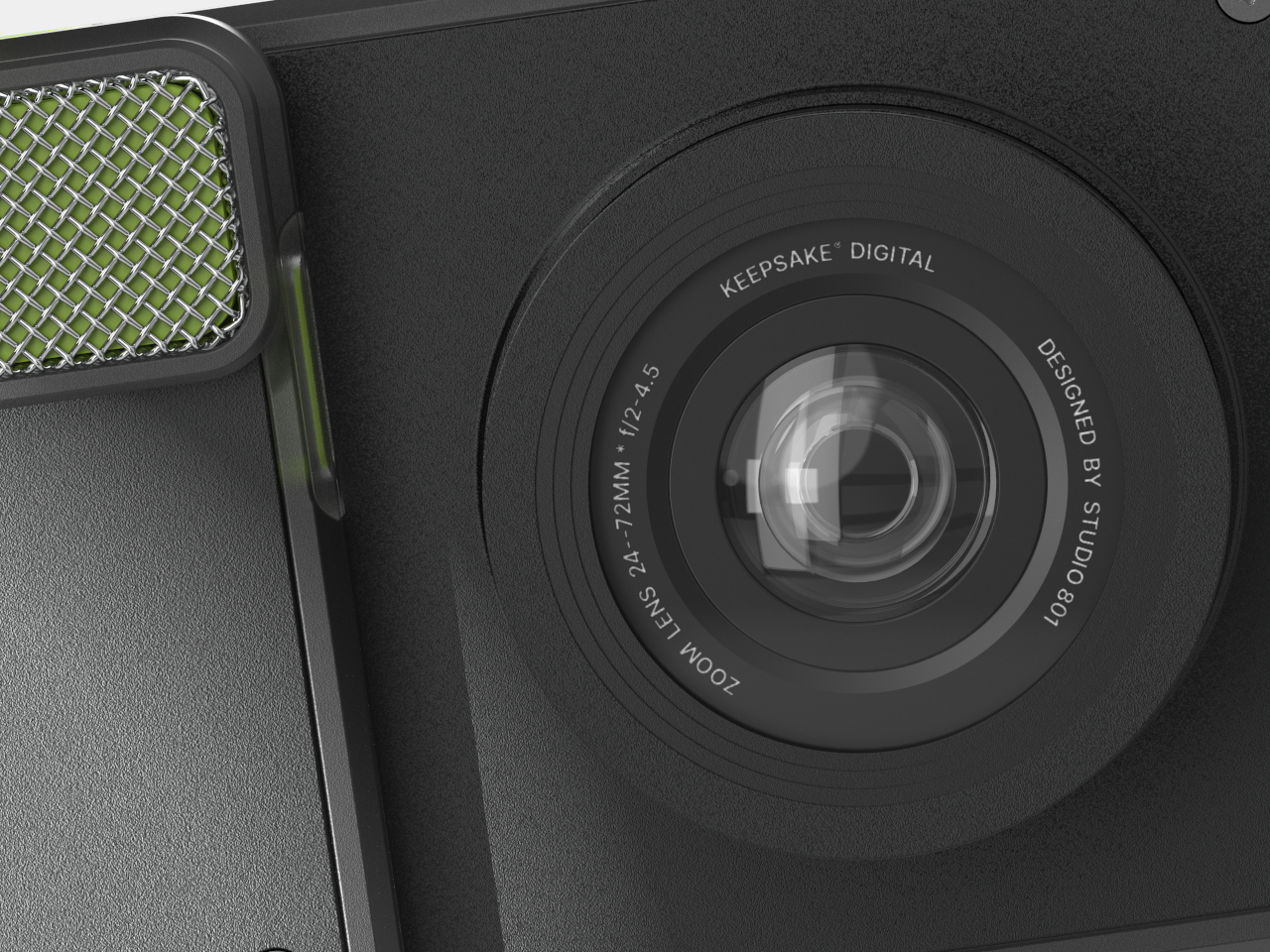
As much as laptop makers wax philosophical about the power of their hardware and the beauty of their screens, what most people will probably admire the most about their products will be the laptop covers. Like with smartphones, this is the most visible part of a laptop and, therefore, also the most expressive. You can almost tell a lot about the laptop owner from the design and stickers they have on their laptops or, conversely, from the lack of any embellishment. Unfortunately, there hasn’t been any easy way to cater to the varied tastes of laptop owners, at least until now. At Computex 2024, ASUS is showing off one of its latest concept designs that lets owners change the design of their laptop covers with a press of a key, and it won’t cost either power or money to keep changing it on a whim.

Designer: ASUS

You could, in theory, put a second LCD screen on the back of your laptop for a dazzling display of images or even captivating videos, but that would put a drain on your laptop’s battery, especially if you need to keep that cover display visible even when the laptop is closed and shut down. As with any problem involving power-hungry LCDs and OLEDs, the solution is using ePaper Display or EPD, like E Ink’s popular panels for eBook Readers. And wouldn’t you know it, E Ink has the perfect technology for that, and ASUS is slapping it on its Project DALI laptop concept to make laptops more personal without having to stick anything to it.

Although it’s primarily being used for signage installations, the E Ink Spectra 6 brings a touch of color to the eye-friendly and battery-conservative E Ink screen. It’s not going to match the vibrant colors of even the crudest LCD, but it has one very important advantage. Once you change the image displayed on it, it will no longer consume any power and can display that image for a long, long time. In other words, it’s perfect for a semi-permanent display that doesn’t change much, something like what the back of your laptop could have.

Project DALI puts this technology to offer an unprecedented level of personalization to laptop owners, something you can’t even imagine doing with stickers or skins. With ASUS’s special software, you can either select from a few preset designs or make your own, allowing you to express your tastes, interests, and personality the way you want it. Best of all, you can change it any time you want, and it will only cost you a bit of time and effort, not money from buying new stickers or energy from cleaning off those pesky adhesive residues.

ASUS Project DALI is hardly the first to put an E Ink display on the back of a laptop, as Lenovo also demonstrated a similar idea back in January at CES 2024. DALI, however, uses a newer Spectra 6 technology with higher color DPI, though the number of supported hues is, of course, still limited. Unfortunately, there is still no word on whether Project DALI will become an official ASUS product, but it’s bound to win plenty of fans once it does.

The post ASUS Project DALI concept slaps a color E Ink display on the back of laptops first appeared on Yanko Design.

Cute modular robot is designed to keep your pets happy and fed

Robots are slowly but surely invading our homes, but most of them come in the form of cleaners or toys for our amusement. We might not be the only intelligent lifeforms in the house, however, and the small members of our family also deserve their due, especially when we have to leave them alone for the day. Smart home security cameras are fine if you just want to watch or talk to your pets while you’re away, but that still leaves your furry friends to their own devices. And you still have to figure out ways to get them fed on time and with the right amount without having to call in favors. Unlike others of its kind, this rolling robot is made specifically for your cats or dogs (or both) to keep them entertained, healthy, fed, and even comforted when you’re not at home.

Designer: Enabot

Parents warn their kids that raising pets isn’t an easy job, but even grownups have a difficult time considering their own busy schedules. It isn’t enough to just keep them well-fed either, as pets need to be interacted with, talked to, and entertained for both their physical as well as mental health. The Enabot ROLA PetPal robot tries to take a load off your shoulders, especially when you’re not around to give what your pets need, and you can change what it does simply by switching out the load it carries on its back.

Unlike Enabot’s ball-like smart home robots for humans, the ROLA PetPal looks a bit more like the popular disc-shaped robot vacuum cleaners in the market, except it has two large wheels on its side and a discernible “face” on its front. The rolling robot alone can already be a source of curiosity for pets, but its real value comes from its modular design. It can switch from providing entertainment and even exercise to providing nourishment just by switching between the Interactive Toys module or the Treat Dispenser module.

As the name suggests, Interactive Toys keep your furry friends preoccupied with a playful stick, laser games, or rolling balls. The more interesting module, however, is the Treat Dispenser which uses AI to identify your pet’s face and drop the small treats in its wake when it’s time for food. It can also capture all these moments while your pets play or eat and send you photos or video clips for posterity’s sake.

More than just standing in for you when you’re away, the Enabot ROLA PetPal also tries to deepen your relationship with your pets in absentia. Not only can you talk to your pets remotely, you can also train them to put their paw on a specific part of the robot to send a “Hello” message to your phone. And, of course, the robot’s 5MP 2.5K camera “eye” not only keeps an eye on your pet but also makes sure you’ll never miss a precious moment when you’re not around. It’s not easy being a furry parent, but the cute robot helps lighten up the load and care for your pets in a unique and advanced way.

The post Cute modular robot is designed to keep your pets happy and fed first appeared on Yanko Design.
Cooler Master MasterHUB modular control system adjusts to creators’ workflows

Content creation these days looks so simple the way influencers like to show off in behind-the-scenes videos, but the reality is that they can be overwhelmingly complex as the content they create, especially as they level up their craft. While it’s definitely possible to stick to the tried and true keyboard, mouse, or drawing tablet, the demands of today’s creators and their audiences call for better tools that help make their lives easier. That said, no two artists or designers are alike, and they work in different ways with different techniques, tools, and processes. Most gadgets and devices try to force users to a specific way of working, but this modular stream kit lets you decide not only the specific controls that you need but even the layout that you want.

Designer: Cooler Master

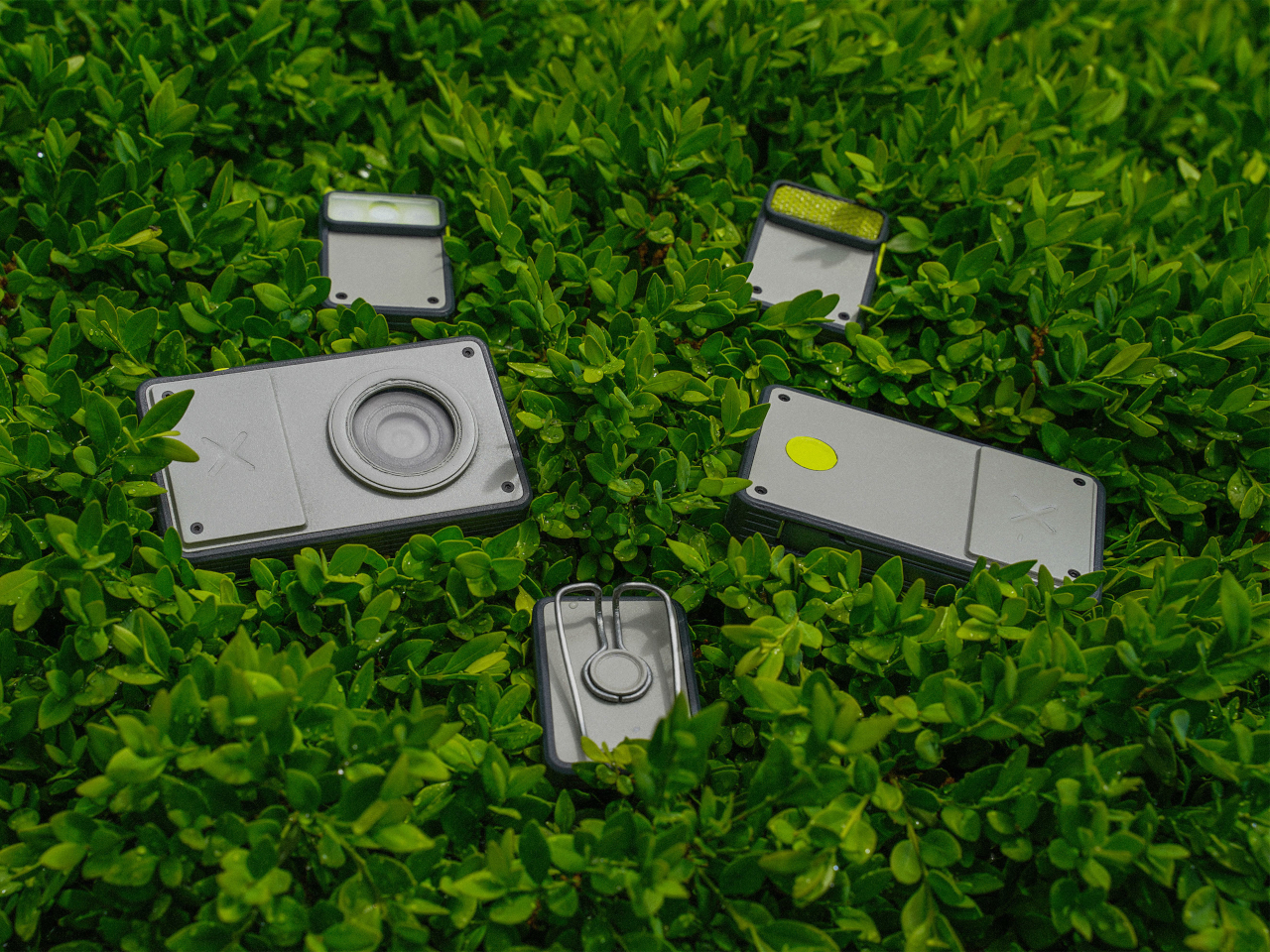
As the name implies, stream kits were originally designed for live streamers as they usually need to access some functions quickly without having to perform finger calisthenics over their keyboard. Over time, however, the flexibility of these programmable buttons with tiny LCD displays has become a favored tool by many content creators, from designers to artists to video editors to general enthusiasts. The MasterHUB comes from this lineage but has one special power that very few have: it can change its shape to adapt to your needs, workflow, or even your whim!

The MasterHUB’s foundation is a base where you can mix and match modules that each deliver a different kind of control. The most common of these is the App Control with 15 programmable keys, each with a customizable display, that can be used to trigger an action or launch an app. Another module is the Encoder which is a large dial with an integrated circular LCD display that can be used for something like scrubbing through audio and video timelines. A Knob Module has three knobs that can be mapped to changing brush sizes, undoing and redoing steps, and similar actions. Completing the set is a Fader Precision module with five sliders and a Roller Scroll Module with two rolling bars.

This modular system allows creators to define the layout out of their control center. They can even set it up vertically instead of the conventional horizontal layout, and you can pretty much change the combination on a whim, presuming you’re prepared to do the work of setting up the configuration again. Such a flexible control hub will also benefit even computer users who don’t create content, like gamers and power users that need more knobs and buttons than their keyboard can provide. Availability details for this powerful creativity tool, unfortunately, are still unavailable at the moment.

The post Cooler Master MasterHUB modular control system adjusts to creators’ workflows first appeared on Yanko Design.
OPPO generative AI features coming to all phone lines to make AI accessible to everyone

Like it or not, and some definitely don’t, AI is the current buzz in the tech industry, and it will still be for quite a while. But as impressive and sometimes frightening as the advanced features of AI may be, the truth is that these features are only available to a very select few people who either have the high-end hardware to support them or the resources to maintain monthly subscriptions to services. For AI to truly become life-changing, it has to become available to everyone, even those with less expensive phones and computers. That’s the new commitment that OPPO is making, to bring generative AI features to as many as 50 million phones in an effort to make AI accessible to everyone.

Designer: OPPO

Up until recently, most of the talk about AI revolved around powerful computers and cloud-based solutions. After all, AI needs very capable hardware and loads of data to perform its magic. That said, making AI relevant to ordinary people requires actually putting the technology into their hands, and there is no better device for that purpose than one that they literally hold in their hands: their smartphones. It’s no surprise, then, that Google’s recent developer event focused on making AI features available not only through its Search engine but on smartphones as well.

That has generated quite a lot of buzz on AI-powered features on the latest and greatest handsets, but that leaves the majority of the world’s population out in the cold. With dozens of millions of smartphones out in the market across all tiers, OPPO is in a unique position to change that situation, and it’s doing exactly that. It’s making a promise to push its generative AI features to all its smartphone product lines, from the flagship Find series to the camera-centric Reno to the mass market OPPO F and A lines.

In fact, it has already started that change by bringing features like AI Eraser, object recognition, and advanced image processing to many of its smartphones already out in the wild today. Granted, most of these focus on the photography side of the AI, but that’s just the beginning. Collaborating with key industry players like Google, MediaTek, and Microsoft, OPPO will be bringing smarter features across the board. The OPPO Reno 12, for example, will be able to harness the power of Google Gemini’s Large Language Models or LLMs for features like AI Writer and AI Recording Summary. Its collaboration with Microsoft, on the other hand, will bring more natural voice and text conversions to next-gen OPPO phones, as well as more seamless connectivity between phone AI and desktop AI, a.k.a. Microsoft Co-pilot.

Smartphones are already very powerful computers in our pockets, devices that are used not just for entertainment but also for work, education, and health. These are the very same areas where AI can shine best, making sense of large quantities of data to bring us the answers and information we need. Harnessing the growing power of on-device hardware as well as secure cloud services, OPPO envisions a future where everyone will be able to enjoy the benefits of AI, preferably on an OPPO phone, of course.

The post OPPO generative AI features coming to all phone lines to make AI accessible to everyone first appeared on Yanko Design.
Dual screen laptop proposes a unique design to solve the laptop monitor problem

In exchange for portability and mobility, laptops give up some power and flexibility, especially when it comes to things you can connect to. Sure, you can still connect plenty of peripherals, but you’re limited not only by the amount of ports available but also by the space you have around your laptop. A dual monitor laptop, for example, is inconvenient and even impossible in some circumstances, so a few solutions have been designed to address that limitation, from portable monitors to laptops that are just two screens and nothing else. The latter has been billed as “dual laptops,” though their appearance and use are far from what most people expect from laptops. This “true dual screen laptop” wants to fix that problem with a design that is both intriguing but perhaps also questionable at the same time.

Designer: GPD

You can’t change a laptop’s screen after the fact, so you can only expand it with an external portable monitor that adds yet another thing to your bag. Dual-screen laptops like the ASUS ZenBook Duo and Lenovo Yoga Book 9i are actually more like two monitors with integrated computer hardware rather than like a laptop with two screens. One of the biggest problems is requiring the use of a Bluetooth keyboard in ways that are unfamiliar to most laptop users.

The GPD DUO’s solution is to combine all these parts into a single whole, delivering a completely traditional laptop experience when needed and a dual-screen or even tablet when wanted. It does this by actually having two folds, one with a traditional laptop hinge that can fold open up to 135 degrees, and another for the second monitor that can fully swing 360 degrees. This second screen is permanently attached to the top of the first, creating a vertically stacked dual-screen setup when unfolded. But unlike ASUS’s and Lenovo’s designs, the keyboard is still attached to the primary screen and functions as expected.

This rather unconventional design means that, if you don’t want or can’t use a tall dual-screen setup, you can simply fold back the second screen and use the GPD DUO as a regular laptop. That said, the second screen in that position could actually still be used to present content to people in front of the user, sort of like the “tent mode” of some 360-degree laptops. And when you close the laptop down in this configuration, you get a tablet that you can draw on.

While the design of the GPD DUO sounds reasonable, it does raise a few concerns, especially in terms of the weight and bulk of the laptop. Although GPD claims that the 13.3-inch laptop is only the size of an A4 paper when folded, it hasn’t yet revealed the thickness or weight of the device. The design also forces the dual screen orientation to only be vertical, and you have no other option on how to use or position the screens. It does seem that the GPD DUO trades one feature for another, so it remains to be seen how this design will resonate with laptop users.

The post Dual screen laptop proposes a unique design to solve the laptop monitor problem first appeared on Yanko Design.

Bigme HiBreak E Ink smartphone takes another stab at eye-friendly mobility

As powerful and as helpful as smartphones have become, they have also become sources not only of distraction but also of poor health. Staring at screens all day is bad enough, but they can also affect our sleep if used late into the night. Unfortunately, it’s almost impossible for many people to detach from their phones or even reduce their use, so a few designers and manufacturers have tried to come up with alternatives like minimalist phones. eReader maker Bigme is proposing a different kind of answer, one that smashes an eBook reader and a smartphone in one pocketable design, creating a phone-sized E Ink device that is actually a functional phone.

Designer: Bigme

This isn’t the first time we’ve seen a phone-sized eReader. We reviewed the Onyx BOOX Palma a while back and found it to be quite capable as a pocket reader. But despite its phone-like looks, it’s technically a tiny Wi-Fi-only device. In contrast, the Bigme HiBreak can plug in a SIM card and connect to 4G LTE networks. Yes, 4G LTE speeds only, which is probably fine because the device’s screen won’t be able to catch up with the network speed anyway.

1

The HiBreak comes in two flavors with different 5.84-inch E Ink screens. One is a pure black and white screen like a traditional eReader, while the other supports a few colors at a lower resolution than black and white. Despite the advancements in E Ink technology, the ultra-slow refresh rates of these panels will take the fun out of scrolling and swiping through social media, which is probably for the best. What it offers, instead, is a gentler reading experience, especially if you’re the type who likes to read text-only documents on the go.

Of course, the Bigme HiBreak is a true smartphone, one that runs Android 11 on practically mid-range hardware. It does have Google Play support, so you can install any app available that supports that old OS version but don’t expect the experience to be as smooth as on a regular phone. On the flip side, that 3,300 mAh battery is going to last you for days rather than just hours. It has a 13MP main camera, more for “scanning” documents than taking pretty pictures, and a 5MP front camera for emergency video calls.

In terms of aesthetics, the Bigme HiBreak is truly a shrunken-down eReader, complete with wide bezels and a rather plain design. It’s almost like it’s intentionally uninspiring in order to cut down on your smartphone use unless that use is for lots of reading. But while it does solve the problem of eyecare, a device that runs a full Android stack with cellular connectivity won’t do any wonders for those distracting notifications unless you decide to ignore them since they won’t look that nice on the E Ink screen anyway.

The post Bigme HiBreak E Ink smartphone takes another stab at eye-friendly mobility first appeared on Yanko Design.

ASUS ProArt PZ13 detachable laptop brings Windows on ARM to creators on the go

Although Windows on ARM has existed before, the latest iteration of Qualcomm’s Snapdragon X processors is coming out in full force to redeem the platform’s previous image. Part of that means having more PC makers on board who are willing to dive head-on into the arena, branding not just more capable silicon but, more importantly, AI-powered features that are all the buzz these days. ASUS, unsurprisingly, isn’t going to be left behind, and it’s bringing all that goodness into the new ProArt PZ13 detachable laptop that offers an ultra-portable form factor aimed to give creators an edge to let their creative juices flow whenever and wherever inspiration strikes them, even if it’s just on their living room couch.

Designer: ASUS

Given the uninspiring legacy of previous Windows on ARM attempts, it’s quite a bold move for ASUS to pitch the platform to one of the most discerning audiences in the market. Artists, designers, and content creators need more than just light, portable devices or long-lasting batteries, they need the performance that will be able to meet the demands of the software they use. At only 9mm thin, weighing only 1.87 lbs, and carrying a large 70Wh battery, the ASUS ProArt PZ13 definitely gets the first two aspects right. The new AI-enabled Qualcomm Snapdragon X processor promises to deliver that last and most critical part.

If it wasn’t painfully obvious yet, this processor harnesses the power of AI to boost its performance, particularly with paired with the Windows 11 operating system. It isn’t just your run-of-the-mill AI voice assistant that answers your search queries but a deeper, more encompassing tool that optimizes the system’s operation to save time, power, effort, and other resources. ASUS is also throwing its own AI-powered creation tools, like a StoryCube media hub for organizing digital assets, and a subscription-based CapCut for dynamic video editing. And, yes, Microsoft’s CoPilot is also onboard to make the other menial tasks more efficient as well.

The ASUS ProArt PZ13 comes in a 2-in-1 detachable design that is reminiscent of the Microsoft Surface, complete with a full-width kickstand and a keyboard cover. The 13.3-inch 3K ASUS Lumina OLED touch screen promises to meet the demanding requirements of creators when it comes to brightness, color accuracy, and precision, supporting an optional ASUS Pen 2.0 stylus for creating digital masterpieces. Unlike the existing line of ASUS ProArt laptops, this tablet and laptop in one is clearly designed for mobility, and the IP52 dust and water resistance rating, along with MIL-STD-810H certification, offer some peace of mind when you need to take the device places.

Of course, the real question will be whether Windows 11 on this new Snapdragon platform will perform just as well as on Intel and AMD processors. Early reviews seem to be promising, but the final judgment will really depend on the compatibility of creators’ tools on this still rare combination. The ASUS ProArt PZ13 AI-powered detachable laptop will go on sale sometime in the third quarter of the year, with pricing details to be released closer to the product’s launch.

The post ASUS ProArt PZ13 detachable laptop brings Windows on ARM to creators on the go first appeared on Yanko Design.

ASUS ROG Ally X gaming handheld PC brings small changes that have a big impact

After numerous leaks and rumors, the cat is finally out of the bag. The next ASUS Republic of Gamers handheld PC isn’t the Ally 2 but the ROG Ally X as expected. While some might see it as simply splitting hairs, the naming does make a difference. It still has the beating heart of the first ROG Ally, but with a few extras that respond to the criticisms and requests of the gaming community who embraced this more portable form factor right off the bat. From some perspectives, those extras are really small and subtle, especially if looking at it from the outside. But with enough of those changes working together, the ROG Ally X is positioning itself to be a more powerful companion that will let you play more games longer.

Designer: ASUS ROG

Just from a glance, you might not be able to tell that this is in any way different from the OG ROG Ally, at least except for its new all-black motif. It still boggles the mind why ASUS chose white for its first iteration, a color that’s almost alien to gamers’ palettes, though it did help the ROG Ally stand out from its rivals. If you look more closely, however, and hold the device in your hands, you might notice how things are somewhat different, hopefully for the better.

The handles, for example, are rounder now, which helps improve the grip that’s critical to a handheld device. The back triggers now come at an angle for better ergonomics, while the joystick and D-pad have been improved to be more durable and more precise. The biggest changes, however, are on the inside, where every little thing counts if it’s meant to improve the gaming experience.

It’s still the same AMD Ryzen Z1 Extreme as the original ROG Ally, but that mobile gaming processor is now paired with 24GB of DDR-7500 RAM, up from 16GB in the first iteration. The storage capacity has been doubled to up to 1TB, but the bigger surprise is that ASUS is making it easier to upgrade it. The battery has also been doubled to 80Wh, which means you’ll have more time playing before you need to plug the little monster in. To compensate for this newfound power, ASUS ROG promises an improved thermal cooling solution so you won’t burn your hand while you play.
There is at least one change that some might consider a downgrade, depending on how attached they’ve become to ASUS’ proprietary XG external graphics port. In its place, the ROG Ally X uses a more standard Thunderbolt-compatible USB-C port that could still work with external GPUs but also with a lot more devices as well. Given all these changes, it’s no surprise that the ASUS ROG Ally X will cost more than its predecessor at $799.99. Then again, this version is squarely aimed at power gamers, and those who can live with the bare minimum can still get the older model, at least for now.

The post ASUS ROG Ally X gaming handheld PC brings small changes that have a big impact first appeared on Yanko Design.