Blueair 2‑in‑1 Pro Purify + Humidify Review: Clean Air, Skin Care in One

PROS:


  • Dual functionality in a single, well-designed form

  • Top-fill design prevents back strain

  • DermaSense skin mode with intelligent humidity control

  • Long-life, machine-washable components

  • Comprehensive hygiene features

CONS:


  • Large and heavy body feels imposing in small spaces

  • Only available in one neutral color

  • Premium price tag

RATINGS:

AESTHETICS
ERGONOMICS
PERFORMANCE
SUSTAINABILITY / REPAIRABILITY
VALUE FOR MONEY

EDITOR'S QUOTE:

The Blueair 2-in-1 Pro Purify + Humidify makes air quality feel like part of your skincare routine, blending serious performance with bedroom-worthy design.
award-icon

Air purifiers and humidifiers usually look like they belong in a hospital supply closet rather than a bedroom. Most are boxy white appliances with visible mist plumes, blinking lights, and a general vibe that says “I am here to solve a problem” rather than “I belong in this space.” Meanwhile, people who care about sleep quality and skin health are starting to realize that the air itself might be part of the routine.

The Blueair 2‑in‑1 Pro Purify + Humidify feels like Blueair finally designed for people who want both functions but refuse to sacrifice aesthetics or simplicity. It is a tall, sculptural tower that combines serious air purification with gentle, invisible humidification and a skin-focused mode that adjusts humidity based on time of day and room temperature, positioned as step zero in a nighttime skincare routine. Let’s dive in to see if it delivers on its promises.

Designer: Blueair x Above

Click Here to Buy Now: $400 $499.99 ($99.99 off, use coupon code “YANKO20”). Hurry, deal ends in 48-hours!

Aesthetics

The first thing you notice about the Blueair 2‑in‑1 Pro is that it does not look like an appliance trying to hide. It is a cylindrical tower wrapped in evenly spaced vertical slats, finished in a soft off white that reads somewhere between warm beige and coastal linen, depending on the light. The proportions feel Scandinavian, tall enough to have presence but narrow without crowding the floor.

The top disc floats slightly above the body with a subtle gap, and when the device is running, a thin line of blue light glows in that gap, more like a bedside lamp than a status LED. The slats wrap 360 degrees around the body, which gives it a kind of architectural rhythm that works whether you see it from the front or the side.

Near the base, there is a small vertical window that shows the water level and projects mood lighting when enabled in the Blueair app, but it is narrow enough that it does not break the visual flow. The top disc itself is smooth and plate-like, with a matte finish that does not collect fingerprints. The material is still primarily plastic, but it is clearly chosen to feel refined rather than cheap. The matte finish softens reflections and resists the glossy sheen that makes a lot of gadgets look disposable.

The tower looks comfortable in different contexts. In a bedroom next to wood furniture and neutral textiles, it reads as another piece of the interior rather than a piece of tech parked temporarily. In a small office with dark carpet, floating shelves, and a desk chair, it sits in the corner without clashing with the more technical surroundings, which makes it easy to imagine moving between spaces. The sense you get is that someone thought about how this object would age in a room where it runs every night.

Ergonomics

The Blueair 2‑in‑1 Pro is tall enough that you do not need to crouch to reach the controls, which sounds minor until you realize how many bedside devices force you to bend or kneel just to tap a button. The footprint is compact, roughly a foot in diameter, and the weight gives it enough stability that you can brush past it without worrying it will tip.

The top surface is where most of the interaction happens. A semi-circular ring houses clearly marked icons for power, fan speed, night mode, humidification toggle, and skin mode, along with indicators for air quality, humidity percentage, and water level. The layout is simple enough that you can understand it at a glance, so switching into auto mode or activating skin mode is a one-tap affair.

One of the most thoughtful ergonomic details is the top fill design. Most humidifiers require you to lift a heavy tank, carry it to a sink, fill it, then carefully carry it back and slot it into place, which gets old quickly and can be awkward if you have back or shoulder issues. The Blueair 2‑in‑1 Pro lets you simply lift the top disc slightly and pour water directly into the opening from a jug or carafe. The smart water sensor and real-time display remove worries by reminding you when the water level is low and alerting you when the tank is almost full.

It feels as easy as watering a houseplant, and for people who want to avoid bending and lifting, this small design choice makes day-to-day upkeep significantly less annoying. There is still the option to remove the tank entirely and fill it at a sink when you want to add a larger volume at once, but most of the time, the top fill is faster and easier.

Performance

Blueair boasts the 2-in-1 Pro Purify + Humidy as the most powerful of its kind, delivering balanced and superior performance in such a compact package. Compared to a leading competitor, its tests have proved it to offer 3x better purification and 2x cleaner humidification. Although we don’t have labs to verify these numbers, our own day-to-day use proved it to work as advertised.

The Blueair 2‑in‑1 Pro is both a capable air purifier and a serious humidifier, which is a harder balance than it sounds. The purification side uses Blueair’s HEPASilent™ technology, which combines mechanical filtration with an electrostatic charge to capture fine airborne particles like dust, pollen, smoke, and volatile organic compounds. The intake and outlet are 360 degrees around the body, so it pulls air from all sides and pushes it back out clean.

The humidification uses evaporative technology that Blueair calls 360° InvisibleMist™. Instead of producing visible fog or mist, it adds moisture to the air in a controlled, gradual way that avoids white dust on furniture and damp spots on nearby surfaces. This matters especially in bedrooms and offices with electronics, books, or wood finishes, where you want comfortable air without worrying about residue or condensation.

The skin and beauty sleep focus is where the device starts to feel like something designed for wellness routines rather than just air quality. The dedicated skin mode keeps humidity in a range dermatologists typically recommend for skin comfort, roughly between 40-60%, and adjusts that target based on room temperature and time of day. At night, when your skin tends to lose more moisture, the device gently raises humidity levels.

In practice, this feels like setting skin mode before bed, going through your normal cleanse and treatment routine, and then falling asleep in a room that feels neither dry nor heavy. You do not wake up with that tight, parched feeling that dry winter air or overheated apartments tend to cause, and your skin does not feel irritated or raw the way it sometimes does when indoor air is harsh.

The Blueair app adds another layer of control and insight without being required for basic use. From your phone, you can set target humidity levels, create schedules for when the device runs, adjust display brightness, and choose between three mood lighting settings that turn the top ring into a warm, normal, or bright glow. You can also see air quality and humidity trends over time.

That said, most of the time you can leave it in auto or skin mode and let it manage itself quietly in the background. The app is there when you want precision or automation, but the device does not force you into it for everyday operation, which feels like the right balance for a bedroom appliance.

Noise is surprisingly gentle at lower speeds. In night mode, the sound profile is closer to a soft fan than a mechanical hum, which many people find soothing as a kind of background white noise. Higher speeds are audibly stronger when the device detects poor air quality and ramps up to clear it faster, but the ability to drop back into quiet operation keeps it compatible with light sleepers.

The device also includes several behind-the-scenes hygiene features that keep the humidifier side fresh over time. A built-in UV pump recirculates water to help inhibit bacterial growth, a wick dry mode runs automatically when the tank is empty, or the device goes to standby to prevent musty smells, and a water refresher module made of activated carbon helps absorb minerals and reduce discoloration.

Sustainability

Blueair is a Certified B Corp, which signals that the company has passed third-party audits for social and environmental impact. This does not magically make the device carbon neutral or eliminate its footprint, but it does suggest that longevity, energy use, and materials were part of the design conversation rather than afterthoughts. For a device designed to run every night, that kind of corporate positioning matters.

The 2‑in‑1 Pro is built around long-life, user-replaceable components. Both the air filter and the humidifier wick are rated for up to twelve months of use, which reduces the frequency of replacements and the amount of waste compared to devices that require new cartridges every few weeks. The wick is machine washable, which extends its life even further and keeps it feeling fresh without needing to buy a new one prematurely.

The hygiene features also support sustainability indirectly. A humidifier that stays clean and pleasant to use is less likely to be abandoned in a closet after one winter, which means fewer devices being replaced prematurely. The UV pump, wick dry mode, and water refresher all work together to keep the system feeling fresh, which encourages long-term ownership.

The housing is still primarily plastic, and this is an electrically powered device, so it has an environmental cost. But combining two machines into one does reduce the total number of housings, motors, and power supplies needed compared to buying a purifier and a humidifier separately. For someone who needs both functions, the 2‑in‑1 approach is a more efficient use of materials and space.

Value

The Blueair 2‑in‑1 Pro Purify + Humidify sits firmly in the premium category with its price tag, which is a real investment for a bedroom appliance. That figure makes more sense when you consider that it replaces a standalone purifier, a standalone humidifier, and in some ways a separate wellness gadget, while also adding design intelligence and app control that many basic units lack.

Space is part of the value equation. In bedrooms and small home offices, floor space and visual calm are both precious. Having one well-designed column instead of multiple mismatched boxes reduces clutter, simplifies cable management, and makes the room feel more intentional. For design-minded homeowners, that reduction in visual noise is a real form of value, not aesthetic preference alone.

The skincare and beauty sleep focus adds another dimension to the value story. For people already spending money on serums, moisturizers, and treatments, optimizing the air they sleep in is a logical extension of that investment. The fact that the device can quietly maintain a skin-friendly humidity range while filtering out airborne irritants makes it feel like a wellness tool that supports the rest of your routine.

Verdict

The Blueair 2‑in‑1 Pro Purify + Humidify is a carefully considered column that manages to be a capable purifier, a gentle humidifier, and a sleep-friendly presence without ever looking or feeling like a clinical appliance. It blends into bedrooms and small offices with the kind of visual ease that makes you forget it is technology, and the ergonomic details like top fill refilling and intuitive controls make it easy to live with day to day.

The 2‑in‑1 Pro makes the most sense for people who care about both design and wellness, who want their bedroom or office to feel like a calm, supportive environment, and who appreciate when technology quietly improves their routines without demanding constant attention. For that audience, this feels less like a splurge and more like a thoughtful upgrade to the air they live in every day.

Click Here to Buy Now: $400 $499.99 ($99.99 off, use coupon code “YANKO20”). Hurry, deal ends in 48-hours!

The post Blueair 2‑in‑1 Pro Purify + Humidify Review: Clean Air, Skin Care in One first appeared on Yanko Design.

Sound Maestro Splits Songs Into 4 Speakers You Conduct With a Baton

Most smart speakers are designed to disappear, cylinders and pucks that sit in a corner and wait for voice commands. That is convenient but also a bit dull; you talk, they respond, and the hardware never really asks you to engage with it. Sound Maestro is a concept that goes the other way, imagining a living room as a small orchestra pit you can actually conduct with gestures instead of just tapping a screen.

Sound Maestro is a speaker inspired by an orchestra conductor that consists of three core parts: the conductor’s podium, the instruments, and the conductor’s baton. When everything is docked together, it reads as a single object, but each of the four modular speakers can be detached and assigned a different musical part, vocals, drums, bass, and melody, each with its own LED color glowing underneath the grille.

Designer: Geonwoo Kang

The system uses AI to split a track into four stems and send each to a different speaker, so one cube carries the vocal, another the drums, another the bass, and another the melody. The LEDs on each unit glow in a unique color, making it easy to see which part is where. This spatial mapping of sound means the mix becomes something you can see and point at, not just hear as a single stereo image coming from two speakers.

The baton-shaped controller is the main interface. In Maestro Mode, you twist a dial to enter a state where the default buttons are locked, zand you control speakers by pointing and gesturing. A quick left-right wave skips tracks, a slow up-down motion adjusts volume with LED brightness as feedback, and drawing a circle pauses or resumes playback, with all LEDs turning off or on to confirm what just happened.

Remote Control Mode lets the same baton behave more like a traditional remote. You still point it at a specific speaker, but now you press buttons instead of waving. This lets you fine-tune or mute individual units without the full theatricality of Maestro Mode. The two modes together acknowledge that sometimes you want to perform, and sometimes you just want to nudge the volume down on the drums without getting up.

The main speaker takes its form from an orchestra podium and acts as the system’s brain. It handles the main bass that anchors the center and runs the AI that assigns parts to each satellite. A small display shows the current mode, battery levels, and which part each speaker is playing, so you can glance down and see the state of your orchestra without opening an app.

1

Sound Maestro pokes at the idea that home audio can be more than invisible boxes and playlists. By giving each part of a song its own physical presence and letting you conduct with a baton instead of a touchscreen, it makes listening into a small performance. Whether or not you want to wave a stick in your living room, the idea that a speaker system could ask you to point, gesture, and conduct instead of just pressing play feels like a surprisingly theatrical take on what modular audio might become.

The post Sound Maestro Splits Songs Into 4 Speakers You Conduct With a Baton first appeared on Yanko Design.

Naya Connect Keyboard Lets You Snap On a Trackball, Numpad, or Dial

Most desks end up with a nice mechanical keyboard, a separate mouse, maybe a trackpad, a macro pad, and, if you work in 3D, a space controller, all fighting for room. Keyboards stay fixed layouts, even as workflows get more complex and tools multiply. Naya Connect treats the keyboard as the center of a modular workstation instead of just another rectangle, letting the rest of your input tools snap onto it and adapt as your work changes.

Naya Connect is a low-profile mechanical ecosystem built around the Naya Type keyboard and a dock. Naya Type is a slim 75% board with an aluminum body, Kailh Choc V2 switches, and a 14.9 mm profile, designed to be wireless when paired with the dock. The interesting part is not the layout, but what can snap onto it, a family of input modules that attach magnetically and talk to the same software layer.

Designer: Naya

The keyboard and dock have magnetic connection points on both sides, letting you attach modules wherever they make sense. You can add a Multipad as a numpad or macro pad, a six-key strip for extra shortcuts, or build a full console by chaining modules along one edge. The system grows sideways with your workflow instead of forcing you into a single configuration that never quite fits once your needs shift or projects change.

The modules cover different input modes. A Multipad acts as a numpad or macro grid, a six-key strip handles quick actions, a Track module replaces a mouse with a trackball, a Touch module works like a compact touchpad, a Tune dial offers dynamic haptics for scrubbing timelines or adjusting values, and a Float puck gives six degrees of freedom for 3D navigation and camera control.

The hardware only works because the software is flexible. Naya Flow is the configuration app that lets you remap keys, tune module behaviour, and build complex logic with drag-and-drop tools. You can set per-app profiles, change how the Tune dial feels depending on what you are doing, and decide what each touch zone or trackball gesture should trigger, without writing scripts or diving into config files.

The aluminum body, low-profile keycaps, and clean black aesthetic keep the keyboard from looking like a science project, even when it is covered in modules. The modules share the same design language, so a trackball, dial, and macro pad feel like parts of one system rather than a pile of mismatched gadgets. The result is a desk that looks intentional even when it is heavily customized and adapted to very specific tasks.

Naya Connect is aimed at people who live in code editors, timelines, spreadsheets, or 3D scenes all day and want input tools that can evolve with their work. It is not trying to be a mass-market keyboard. Instead, it’s trying to be a platform that grows and reconfigures as often as the projects do, without asking you to keep buying entirely new peripherals or cluttering the desk with orphaned tools.

The post Naya Connect Keyboard Lets You Snap On a Trackball, Numpad, or Dial first appeared on Yanko Design.

Hourglass Solar Lamp Has No Switch, Just Flip It to Charge or Light

Solar power usually shows up as something big and remote, panels on roofs, fields of photovoltaics, or chunky outdoor lanterns that live on balconies. Very little of it feels like part of everyday indoor life. Nomad is a portable solar lamp that tries to shrink that idea down to the scale of a desk or bedside table, making daylight into a small daily habit instead of infrastructure you install and forget about.

Nomad is a portable solar lamp charged indoors by natural light, with a symmetrical shape understood like an hourglass. Turning the lamp over switches between two modes, solar charging and ambient lighting, and this flip is the only real interaction. The lamp becomes its own panel and its own shade, depending on which disc is facing up, so the ritual of using it is also the ritual of charging it.

Designers: Moritz Walter, Michelle Muller

In charging mode, the solar panel disc faces upward, and the lamp stands on its light-emitting base, soaking up whatever daylight the room offers. In lighting mode, you flip it so the light disc faces up and the panel becomes the base. There is no separate switch; the act of turning the object over is how you decide whether you are storing light or spending it, which makes the interaction feel almost automatic after a few days.

The subtle LED display on the side of the column is a vertical row of dots that visualizes the light quality in a room. In charging mode, more or brighter LEDs mean better solar potential. This invites you to move the lamp around, onto a windowsill, a stack of books, or a shelf, and see where it charges fastest. Over time, you build a mental map of where your home is secretly good at catching sun.

The visual language is a matte-finished column and two discs in muted colors like light grey and deep blue, with the solar panel flush in one disc and a warm, diffuse light in the other. The lamp looks more like a small side table or plinth than a gadget, which matters if it is going to live in a living room. The tech is present but quiet, so it can sit on books or a credenza without shouting solar device.

Nomad is an autonomous object that draws on solar energy, a freely available, sustainable resource, and makes it usable on a small scale for indoor use. It is not trying to power your house; it is trying to power itself. That autonomy means you can have a pool of warm light in the evening that owes nothing to the grid, just to where you left the lamp during the day and how well the sun reached it.

Nomad quietly reframes daylight from background condition to something you can actively harvest and read. Instead of an app full of charts, you get a lamp you flip and carry, and a line of LEDs that tell you when you have found a good spot. It is a small, almost toy-like way of making solar feel tangible indoors, turning the light already in your home into a resource you can actually use instead of just measuring it on a weather app.

The post Hourglass Solar Lamp Has No Switch, Just Flip It to Charge or Light first appeared on Yanko Design.

YURON 4K Transmitter Connects Instantly, No Network or App Required

Getting a laptop or tablet onto a TV or projector usually involves digging for the right cable, switching inputs, or wrestling with built-in casting that drops connections at the worst moment. This happens in meeting rooms, classrooms, and living rooms, turning simple screen sharing into a minor technical puzzle. A small, dedicated wireless bridge feels like a relief when it just works without software or setup rituals that waste five minutes before anything appears.

YURON is a plug-and-play 4K transmitter and receiver pair that lives in a bag or drawer until needed. One end plugs into a device over USB-C or HDMI, the other into a display’s HDMI port, and the link comes up automatically over its own 5G Wi-Fi connection. No apps, no pairing, no joining a network, just a direct path for video and audio that starts working the moment both sides power on.

Designer: YURON

Click Here to Buy Now: $59 $129 (54% off). Hurry, only 67/1000 left! Raised over $158,000.

YURON handles 4K 60 Hz HDR10 video up to 45 m, using H.265 compression, adaptive 5G Wi-Fi, and error correction to keep the picture smooth. It is fast enough for presentations, movies, and casual gaming, with audio and video traveling together, so there is no awkward lag. The point is to make the wireless link feel as transparent as a cable, without the cable running across the floor or desk.

1

Walking into a meeting room or classroom, you plug the receiver into the display once, then let different laptops or tablets take turns with the transmitter. YURON supports both mirror and extended modes, so someone can present slides on the big screen while keeping notes or chat on their own display. The 45 m range means it works in larger rooms without needing to huddle near the projector.

1

In a living room or dorm setup, a laptop, handheld console, or streaming box can send 4K content to a TV without an HDMI run. The low latency and 60 Hz refresh make it comfortable for games and sports, and the lack of app dependencies means guests can plug in and share videos or photos without installing anything. It becomes a quiet upgrade to movie nights and couch sessions.

1

The one-click control lets you cut the link instantly from the transmitter, useful when switching between apps with sensitive content or when you want to check something privately before sharing it again. A single receiver can pair with up to eight transmitters, with a button press cycling through them. In a studio, office, or classroom, multiple people can share the same screen without swapping cables or logging into accounts.

1

The hardware is compact and light enough to live on a key shelf or in a laptop sleeve, with a USB-C port that supports up to 100W Power Delivery, so a laptop can stay charged through the same connection. The internal cooling design, with multiple thermal zones and ventilation holes, keeps performance stable during long 4K sessions. It is the kind of detail that makes a small device feel engineered rather than improvised.

YURON turns screen sharing from a minor technical hurdle into something almost invisible. Instead of planning around cables or hoping a TV’s casting feature cooperates, you plug in a small pair of devices and treat any display as if it were directly connected. For people who move between work, study, and play, that kind of quiet reliability is often what makes a tool worth keeping in the bag, especially when the alternative is fumbling with adapters or explaining why the screen is still blank three minutes after the meeting was supposed to start.

Click Here to Buy Now: $59 $129 (54% off). Hurry, only 67/1000 left! Raised over $158,000.

The post YURON 4K Transmitter Connects Instantly, No Network or App Required first appeared on Yanko Design.
This Footbridge Has 3 Paths That Rise and Fall Through Steel Waves

Most pedestrian bridges are neutral pieces of infrastructure, straight spans with railings that get you from one side of a road to the other. A few projects treat bridges as public art, but often as surface decoration rather than structural idea. The Wave Formed Footbridge is a proposal that starts from movement itself, imagining people as waves that literally reshape the bridge as they cross it.

The concept visualizes people walking across the bridge and, in doing so, forming waves of energy that could conceptually deform the structure in space and time. In this case, three people walking on three different paths are imagined as three overlapping waveforms, and those waves are frozen at the center of the span to become the model for the final steel geometry. The bridge becomes a physical record of motion before anyone has even stepped on it.

Designer: Michael Jantzen

The basic layout uses four primary steel channels running the length of the bridge, each deformed into a different wave shape at mid-span, and three separate red paths weaving through them. The two outer paths curve up where the channels distort into waveforms, while the center path curves down. The result is a multi-level crossing where pedestrians can choose to crest over the waves or dip into them, experiencing the same structure in different ways.

As you reach the middle, the outer paths rise into gentle hills that give you a higher vantage point over the highway, while the center path drops into a kind of canyon formed by the looping steel ribbons. Openings in the waves frame views of sky and landscape, and the red deck threads through peaks and troughs, making the act of crossing feel more like moving through a sculptural field than walking a straight line across a gap.

From the driver’s perspective, the underside of the bridge becomes the main event. The four channels loop up and down, casting complex shadows and creating a silhouette that looks like a waveform drawn in steel. As you pass underneath, the bridge acts as a gateway or landmark, not just a slab overhead. It is meant to function as a tourist attraction for the city as much as a safe way to cross a two-lane highway.

The Wave Formed Footbridge proposes that a pedestrian bridge can be a physical record of movement, a wave of steel shaped by the imagined footsteps of those who cross it. Instead of treating people as loads on a diagram, it treats them as the authors of the form. The highway crossing stops being a simple gap to span and starts being a chance to turn everyday movement into something sculptural, visible from both above and below.

The post This Footbridge Has 3 Paths That Rise and Fall Through Steel Waves first appeared on Yanko Design.

Hexagon Board Game Trays Make Perfect Magnetic Desk Organizers

Most of us end up using whatever is at hand as a catch-all: coffee cups, candle lids, random bowls, and that works until you actually need to find a specific SD card or binder clip. A lot of the best small organizers are hiding in other categories, and these magnetic hexagon token trays, sold as board game accessories, are really just well-designed hexagonal dishes with magnets and dividers.

Each tray is a hexagon with magnets hidden in its edges so it snaps to its neighbors in a honeycomb. You can build a cluster that fits the corner of a monitor stand or the space in front of a keyboard, then peel one off and move it closer when you need it. The magnets keep the layout coherent instead of letting dishes drift apart over time, which is a small but meaningful improvement over loose containers.

Designer: BoardGeekFox

Each unit is a two-part organizer, a black magnetic base, and a colored insert that drops in. The insert ships with two dividers, a straight one that splits the tray into two sections and a Y-shaped one that splits it into three. You can run it as one big bin, two equal compartments, or three wedges, depending on whether you are holding paper clips, sticky-note flags, or three different pen nibs.

The color options for the inserts let you treat the trays as a visual system. You can assign colors to categories, blue for tech bits, yellow for writing tools, red for things that need attention, or just build a small rainbow that makes the corner of your desk feel more like a layout than a pile. The black bases keep everything grounded, so the color reads as an accent, not chaos.

The trays are 3D-printed in PLA with embedded magnets, which keep them light but give them a satisfying snap when they connect. On a smooth desk, that matters, a cluster of loose bowls tends to slide and separate, while a magnetic cluster holds its shape when you nudge things around. The slight texture of printed PLA also keeps small items from skittering around inside each compartment, especially paper clips and staples.

The modularity plays nicely with shifting work modes. On a heavy project day, you can build a larger honeycomb and park it next to your main work area, each tray handling a different set of parts. On quieter days, you can break the set into smaller clusters and spread them across a shelf, a secondary desk, or a nightstand. The hexagon footprint is compact enough that a single tray works as a bedside catch-all for rings and earbuds.

These trays sit in a sweet spot between rigid drawer inserts and random containers, structured enough to keep things sorted but flexible enough to reconfigure when your habits change. For anyone who likes their desk to feel a little more like a considered layout and a little less like a junk drawer, a handful of magnetic hexagons with dividers is a surprisingly simple way to give every small object a place to land, while keeping the option to rebuild the whole composition whenever the mood or the project shifts.

The post Hexagon Board Game Trays Make Perfect Magnetic Desk Organizers first appeared on Yanko Design.
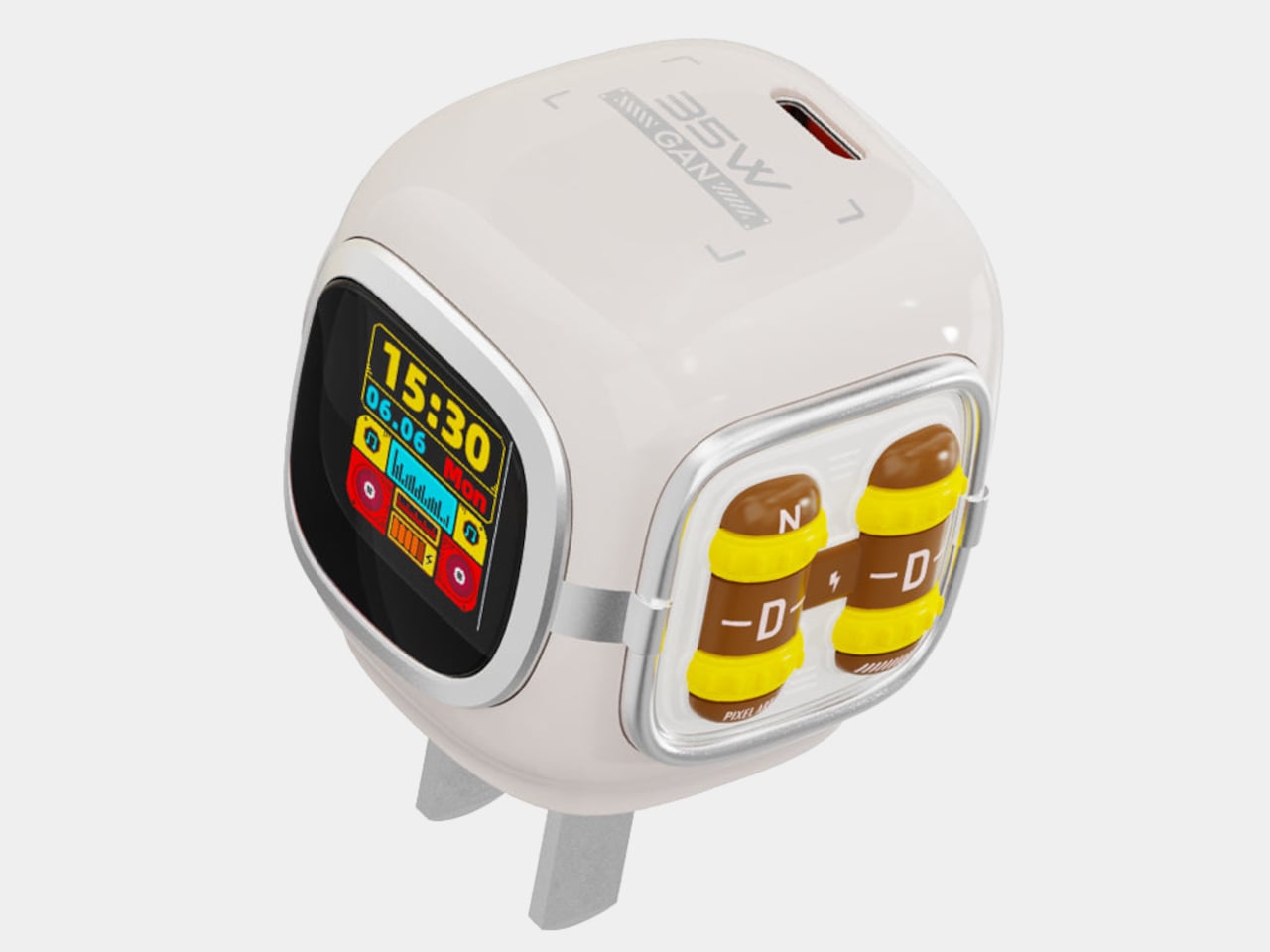
Hexagon Board Game Trays Make Perfect Magnetic Desk Organizers

Most of us end up using whatever is at hand as a catch-all: coffee cups, candle lids, random bowls, and that works until you actually need to find a specific SD card or binder clip. A lot of the best small organizers are hiding in other categories, and these magnetic hexagon token trays, sold as board game accessories, are really just well-designed hexagonal dishes with magnets and dividers.

Each tray is a hexagon with magnets hidden in its edges so it snaps to its neighbors in a honeycomb. You can build a cluster that fits the corner of a monitor stand or the space in front of a keyboard, then peel one off and move it closer when you need it. The magnets keep the layout coherent instead of letting dishes drift apart over time, which is a small but meaningful improvement over loose containers.

Designer: BoardGeekFox

Each unit is a two-part organizer, a black magnetic base, and a colored insert that drops in. The insert ships with two dividers, a straight one that splits the tray into two sections and a Y-shaped one that splits it into three. You can run it as one big bin, two equal compartments, or three wedges, depending on whether you are holding paper clips, sticky-note flags, or three different pen nibs.

The color options for the inserts let you treat the trays as a visual system. You can assign colors to categories, blue for tech bits, yellow for writing tools, red for things that need attention, or just build a small rainbow that makes the corner of your desk feel more like a layout than a pile. The black bases keep everything grounded, so the color reads as an accent, not chaos.

The trays are 3D-printed in PLA with embedded magnets, which keep them light but give them a satisfying snap when they connect. On a smooth desk, that matters, a cluster of loose bowls tends to slide and separate, while a magnetic cluster holds its shape when you nudge things around. The slight texture of printed PLA also keeps small items from skittering around inside each compartment, especially paper clips and staples.

The modularity plays nicely with shifting work modes. On a heavy project day, you can build a larger honeycomb and park it next to your main work area, each tray handling a different set of parts. On quieter days, you can break the set into smaller clusters and spread them across a shelf, a secondary desk, or a nightstand. The hexagon footprint is compact enough that a single tray works as a bedside catch-all for rings and earbuds.

These trays sit in a sweet spot between rigid drawer inserts and random containers, structured enough to keep things sorted but flexible enough to reconfigure when your habits change. For anyone who likes their desk to feel a little more like a considered layout and a little less like a junk drawer, a handful of magnetic hexagons with dividers is a surprisingly simple way to give every small object a place to land, while keeping the option to rebuild the whole composition whenever the mood or the project shifts.

The post Hexagon Board Game Trays Make Perfect Magnetic Desk Organizers first appeared on Yanko Design.
Oakywood Desk Shelf Pro Holds 100kg and Hides Clutter in Wood Drawers

Desks fill up fast. A nice monitor and laptop sit on a surface that slowly accumulates cables, notebooks, charging docks, and random accessories. The usual fixes are cheap monitor risers, plastic drawer units, and cable trays that solve one problem but add visual noise. The Oakywood Desk Shelf Pro tries to handle ergonomics and organization without making the desk look busier, treating the riser as solid-wood furniture instead of an accessory.

Desk Shelf Pro is an all-in-one desk shelf that lifts your monitor, hides clutter, and adds a second functional level to the workspace. It combines a long, rounded wooden platform with powder-coated steel legs, integrated drawers, and a felt-lined open shelf. It is built from solid oak or walnut, not MDF with a plastic skin, so it feels like part of the desk rather than something perched on top.

Designer: Oakywood

The shelf spans the width of the desk, raising a monitor to a more natural eye level while leaving space underneath for a keyboard or laptop. Steel legs sit at each end, creating a floating effect and a central bay that becomes a home for devices. The shelf holds up to 100 kg, so it can handle large displays, desktop machines, and accessories without flexing, even when you lean on it.

Storage splits between one or two solid-wood drawers built into the leg modules and an open shelf running between them. The drawers swallow stationery, notebooks, and small tech, keeping the desktop clear. The open shelf is lined with merino wool felt, which protects tablets, trackpads, or a closed laptop from scratches and adds a soft, tactile layer that contrasts with the wood and steel.

1

Oakywood contrasts solid wood against plastic laminate, highlighting warm, unique grain versus uniform texture, durability that improves with age versus chipping and peeling, and the ability to refresh the surface with natural oils instead of replacing it. The felt is OEKO-TEX-certified merino wool, and the legs are powder-coated steel, so every major component is designed to last and age gracefully instead of ending up replaced after a few years.

The shelf comes in oak for a lighter Scandinavian look, walnut for a richer studio vibe, or black-stained oak for a more dramatic setup. You can choose single or dual drawers depending on how much you like to hide, and black or white legs to match your hardware. It works equally well on a sit-stand desk or a fixed one, anchoring everything from a minimalist Mac setup to a more eclectic creative workstation.

Desk Shelf Pro changes the feeling of sitting down to work. Instead of a scatter of objects, you get a clear plane of wood with a monitor, a few intentional items, and everything else tucked away but within reach. For people who spend all day at a desk, the combination of solid materials, hidden storage, and quiet ergonomics makes a case for treating a monitor riser as real furniture, something worth keeping for years instead of replacing when the next cheap organizer trend arrives.

The post Oakywood Desk Shelf Pro Holds 100kg and Hides Clutter in Wood Drawers first appeared on Yanko Design.

Paardarshi Carves Bamboo So Thin It Glows Like a Natural Light Pipe

Bamboo usually shows up in design as a structural element, furniture frames, baskets, or as a surface veneer. It is almost always treated as opaque, even though it has a natural light-passing quality if you thin it enough. Paardarshi is a table lamp concept that takes that translucency seriously and builds the whole project around making bamboo glow from within, treating the material itself as the optical element.

Paardarshi is a translucent bamboo table lamp that celebrates the natural light-passing quality of bamboo. The designer set out to create a hand-crafted lamp with two functions, a soft ambient mode and a brighter reading mode, and the name, meaning transparent in Hindi, hints at the goal: reveal what bamboo can do with light instead of hiding it behind a shade or treating it like just another wooden tube.

Designer: Ashray Sachan

The early experiments involved splitting bamboo with nodes intact, hand-scooping the inner surface with a half-round chisel, and dealing with cracking when too much material was removed. The designer then moved to a third approach, carving from the outside in to thin and straighten the tube while controlling wall thickness. The aim was even translucency along the length, turning the bamboo wall into a kind of natural light pipe that could diffuse an LED smoothly.

1

The lamp’s form is simple, a vertical bamboo tube on a base that can be closed for ambient light or opened and angled for a focused reading beam. The designer labels these as reading mode and ambient mode, and the same piece of bamboo is asked to behave differently depending on orientation. The geometry stays minimal, the behavior changes with how you interact with it and where you point the tube.


Inside the tube, the designer carves space to house the mechanism and notes the challenge of fitting hardware into something asymmetric and distorted. A press-fit component with springy arms is developed to adapt to different bamboo diameters, and permanent gluing is avoided. Threaded parts and a fully removable assembly are used so the light source can be replaced, bringing craft closer to industrial design and keeping the lamp serviceable over time.

All that carving and assembly work shows up in the way the lamp handles light. The thinned bamboo diffuses and refracts the LED into a warm, even glow along the tube, while the opening mechanism lets you concentrate that light where you need it. It is less about a decorative shade and more about treating the bamboo itself as the optical element, tuned by hand until it behaves the way the designer wants.

Paardarshi is a workshop project that still carries lessons for real products. It shows that a humble material like bamboo can be pushed into new roles with enough patience and iteration, and that serviceability and craft do not have to be opposites. For anyone interested in lighting that feels alive and repairable, rather than sealed and anonymous, a translucent bamboo tube that glows from within is a surprisingly compelling starting point.

The post Paardarshi Carves Bamboo So Thin It Glows Like a Natural Light Pipe first appeared on Yanko Design.