This Square Player Refuses to Stream Music, and That’s the Point

Streaming services turned album covers into tiny squares you scroll past on your way to something else. Phones made music convenient, but also turned it into background noise competing with notifications, emails, and every app demanding attention at once. You used to hold a record sleeve and feel like you owned something specific. Now your entire library is just files in a folder somewhere, and nothing about that experience feels remotely special or worth paying attention to.

Sleevenote is musician Tom Vek’s attempt to give digital albums their own object again. It’s a square music player with a 4-inch screen that matches the shape of album artwork, designed to show covers, back sleeves, and booklet pages without any other interface getting in the way. The device only plays music you actually buy and download from places like Bandcamp, deliberately skipping Spotify and Apple Music to keep ownership separate from the endless scroll.

Designers: Tom Vek, Chris Hipgrave (Sleevenote)

The hardware is a black square that’s mostly screen from the front, with a thick body and rounded edges that make it feel more like a handheld picture frame than a phone. Physical playback buttons sit along one side so you can skip tracks without touching the screen. When you hold it, the weight and thickness are noticeable. This isn’t trying to slip into a pocket; it’s trying to sit on your desk or rest in your hand like a miniature album sleeve.

The screen shows high-resolution artwork, back covers, lyrics, and credits supplied through the Sleevenote platform. You swipe through booklet pages while listening, and the interface stays out of the way so the album art fills the entire square without overlays or buttons. The whole point is that the device becomes the album cover while music plays, which works better in practice than it sounds on paper when you describe it.

Sleevenote won’t let you stream anything. It encourages you to “audition” music on your phone and only put albums you truly love on the player, treating it more like a curated shelf than a jukebox with everything. This sounds good in theory, but means carrying a second device that can’t do anything except play the files you’ve already bought, which feels like a lot of friction for album art, no matter how nice the screen looks.

Sleevenote works as a small act of resistance against music as disposable content. For people who miss having a physical relationship with albums, a square player that only does one thing might feel like a shrine worth keeping. Whether that’s worth the price for a device with a screen barely bigger than your phone is a different question, but the idea that digital music deserves its own object makes more sense than cramming everything into the same distracted rectangle.

The post This Square Player Refuses to Stream Music, and That’s the Point first appeared on Yanko Design.
Bene Just Built Office Furniture You Can Reconfigure Without Any Tools

Offices keep buying furniture that looks permanent, which works fine until someone needs the room to do something different. A workshop space becomes a presentation area, a meeting room needs to turn into individual work zones, and nobody wants to wait three days for facilities to show up with screwdrivers. The furniture just sits there looking expensive and immovable while everyone works around it instead of with it.

PIXEL by Bene is designer Didi Lenz’s answer, and it looks almost suspiciously simple. Each piece is a 36 x 36 cm cube made from raw pine plywood with visible grain and knots all over the surface. Lenz says it isn’t really furniture, which makes sense when you see people stacking them into benches, flipping them into tables, or just using one as a side storage box with a handle cut into the side.

Designer: Didi Lenze (Bene)

The wood is completely untreated, so every cube looks slightly different depending on which part of the tree it came from. Some have dark knots near the corners, others show lighter grain patterns, and the plywood edges are exposed instead of hidden under veneer. It definitely reads as workshop material rather than corporate office product, which seems to be the whole point. You can see the screws holding the corners together.

The cubes stack easily because they’re all the same size, and the cutout handles on two sides let you carry them around or fold them over to connect boxes side by side. Add a white laminate top and a stack becomes a work table. Add casters to the bottom, and it rolls wherever you need it. PIXEL Rack adds metal frames that turn stacks into proper shelving or room dividers with slots for whiteboards and plants.

Bene shows photos of teams building entire project rooms by hand. Boxes stacked three high become benches for workshops, racks filled with boxes create semi-transparent walls between work zones, and tops laid across stacks turn into standing height tables. The setups look intentionally unfinished, like someone is still building them, which is probably the aesthetic Lenz wanted. Nothing looks bolted down or precious.

The system works because it assumes people will move things around themselves without asking permission. You need more seating for a presentation, so you grab some boxes from the storage wall and stack them into rows. The presentation ends, and those same boxes become side tables or go back to holding supplies. Heck, they can turn into a bar for an event if you add the right tops.

Raw plywood has obvious trade-offs. It’ll get dinged and stained over time, the surface isn’t smooth enough for detailed work, and the workshop look won’t suit every office brand. The fixed 36 cm dimension means everything is the same height whether you’re sitting, standing, or storing things, which can feel awkward. Some people will look at PIXEL and just see fancy storage crates, which isn’t entirely wrong.

But the system makes sense for spaces that need to change shape constantly. Co-working areas, design studios, classrooms, and pop-up shops can rebuild their layout between sessions without calling anyone. The wood looks honest and approachable instead of intimidating, and you don’t need instructions to figure out that boxes stack. PIXEL by Bene basically gives you building blocks that happen to be office furniture, or maybe it’s the other way around.

The post Bene Just Built Office Furniture You Can Reconfigure Without Any Tools first appeared on Yanko Design.
AYANEO Just Built a 115Wh Strix Halo Handheld and Killed Portability

Gaming handhelds are supposed to fit in your hands, but AMD’s new Strix Halo processors generate serious heat and drain batteries faster than you can finish a boss fight. The GPD Win 5 and OneXFly Apex responded by strapping external battery packs to their backs, which works, but looks like your handheld is wearing a fanny pack in the wrong spot. It’s practical but awkward, and it raises an obvious question: if you’re adding external batteries anyway, why not just make the whole device bigger?

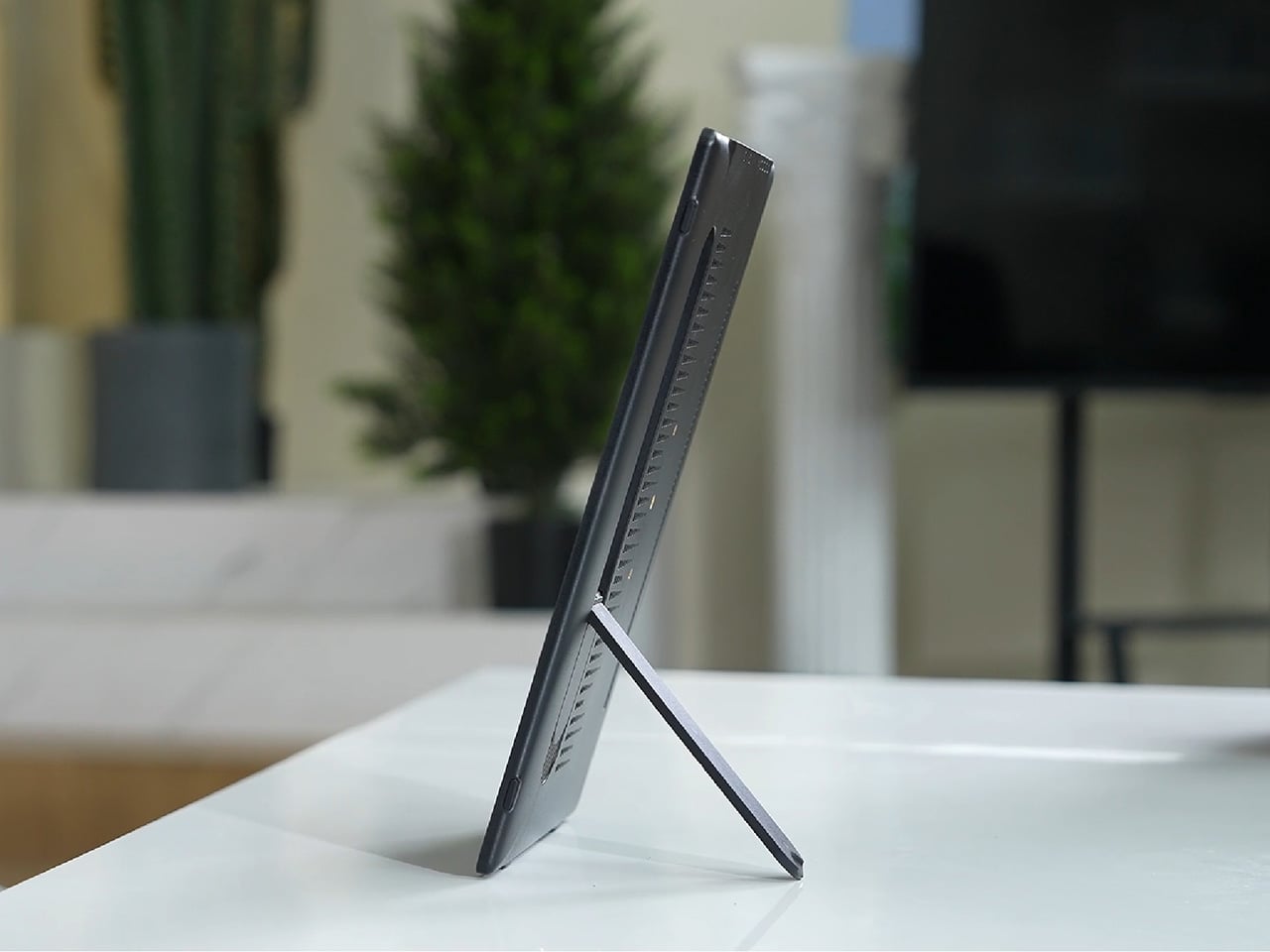
AYANEO apparently asked that same question and decided to run with it. The AYANEO NEXT II skips external packs entirely, hiding a massive 115Wh battery and a 9.06-inch OLED inside a thick, sculpted body that feels more like a portable gaming monitor with grips than something you’d slip into a backpack. It’s AYANEO’s answer to Strix Halo’s power demands, and the solution involves simply accepting that this thing was never going to be pocketable in the first place.

Designer: AYANEO

The design doesn’t apologize for its size. Deep grips flare outward like a proper gamepad, and the body is thick enough to house dual cooling fans without turning into a space heater. Hall effect sticks sit where your thumbs expect them, surrounded by a floating D-pad, dual touchpads, and speakers that actually face you instead of firing sound into your lap. It looks less like a Switch rival and more like someone decided gaming monitors needed handles attached.

That 9.06-inch screen uses an unusual 3:2 aspect ratio instead of the typical widescreen shape most games expect. You get a gorgeous OLED panel with refresh rates up to 165Hz and brightness that peaks at 1100 nits, which sounds fantastic until you realize most games will either add black bars or run nowhere near 165 frames per second at this resolution anyway. Still, it’s lovely for desktop windows and emulators that appreciate the extra vertical space.

The 115Wh battery is where things get complicated. Everything stays hidden inside for a cleaner look and more console-like feel, but that capacity might cause questions at airport security since many airlines cap carry-on batteries at 100Wh. You also can’t swap batteries when one dies, and constantly feeding an 85-watt processor means faster charge cycles and potential long-term wear. You’re looking at two to three hours of heavy gaming before hunting for an outlet.

The dual cooling fans work hard to keep Strix Halo from overheating, and you’ll definitely hear them during intense sessions. AYANEO claims it can sustain up to 85 watts, which should let the integrated Radeon graphics handle modern games at respectable settings, though you’ll also feel warmth radiating from the vents. This is less a grab-and-go portable and more something you carry from the couch to the desk when you need a scenery change.

AYANEO loaded the NEXT II with premium controls that enthusiasts will genuinely appreciate. Hall effect sticks and triggers promise zero drift, dual-stage trigger locks switch between smooth analog and clicky digital modes, and rear buttons plus dual touchpads give you more inputs than a standard controller. A magnetic haptic motor adds feedback that tries to mimic console vibration, and the AYASpace software hides Windows behind a console-style launcher with performance tuning options built in.

The AYANEO NEXT II essentially stops pretending to be portable. It won’t fit in a jacket pocket, might get flagged at airport security, and is almost certainly too heavy for comfortable one-handed play in bed. But if you want something that feels more like a small gaming monitor with built-in controls rather than a device you’d actually carry around town, this oversized approach makes a strange kind of sense. You just have to accept that portability took a back seat to screen size and battery capacity.

The post AYANEO Just Built a 115Wh Strix Halo Handheld and Killed Portability first appeared on Yanko Design.
Trace Line Clock Uses a Single Hand to Sketch Time as a Moving Line

Clocks are one of the oldest design playgrounds, and yet most of us still live with the same two-hand layout we grew up with. Designers keep trying to find new ways to visualize time, sometimes at the cost of instant readability. The Trace Line Clock is a small desk piece that connects hours and minutes with a single, constantly changing line, turning the familiar dial into something that feels a little more like a drawing.

The Trace Line Clock is a minimal, 3D-printed desk clock by Hye-jin Park that uses one continuous hand to show both hours and minutes. The inner end of the line rides an inner circle for the hour, while the outer end rides an outer circle for the minute. As time passes, the line’s angle and length shift, so every glance shows a new geometric relationship between the two.

Designer: Hye-jin Park

The physical form is a white, wedge-like block that leans back slightly, with a circular recess on the front. Two concentric tracks are cut into that circle, and a single colored line spans between them. There are no numerals, logos, or extra markings, just the circles and the hand. It reads more like a small piece of graphic sculpture than a typical clock, especially on a clean desk.

The inner tip of the line points to the hour on the inner track, while the outer tip points to the minute on the outer track. It’s not as instant as glancing at a bold wall clock, but it’s also not inscrutable. With a moment’s attention, you can read it reasonably well, and the payoff is that you also get a little geometric drawing that changes every minute instead of just numbers.

Because the minute end moves faster than the hour end, the line is always stretching, shrinking, and rotating. The clock doesn’t just tick; it sketches. Checking the time becomes a small moment of noticing how the hand has reconfigured itself, not just a quick number grab. It’s the kind of object that rewards a second look rather than a drive-by glance at your phone or wrist.

The clock hides a standard movement and two internal hands behind the face, using magnets to couple them to the visible line. The front stays clean and uninterrupted, with the hand floating in the recess. The choice of a single accent color for the line against the white body keeps the focus on the changing geometry, not on branding or ornament that would clutter the composition.

The Trace Line Clock is not the tool you buy if you need to read the time from across the room in half a second. It’s a small, thoughtful piece for a desk or shelf where you don’t mind spending an extra beat to parse it. In return, it turns time into a quiet, evolving graphic that feels more like a living diagram than a static display.

The post Trace Line Clock Uses a Single Hand to Sketch Time as a Moving Line first appeared on Yanko Design.

Come Together Adds Rolling Speaker and Mini Fridge to Your Couch

TVs keep getting brighter and sharper, but the viewing experience is still broken up by small, annoying tasks. Getting up for a drink, fiddling with lights, or pausing mid-scene to adjust the volume. These micro-interruptions chip away at immersion more than we admit. Come Together is a concept that tries to design around those gaps instead of just upgrading the panel, treating the home theater as a full ecosystem rather than a screen on a wall.

Come Together is a three-part home theater system made up of a Tower, a Base, and a Station. It’s meant to sit alongside a premium TV as an accessory, not replace it. The Tower handles drinks, lighting, and phone charging. The Base handles spatial sound and movement. The Station is a compact dock that cools, charges, and keeps everything ready for the next movie night.

Designer: Woojin Jang

Most of the time, the Tower sits as a calm black cylinder, but when needed, it rises up to reveal a mini fridge that can hold up to five cans. An optional tray on top can be swapped in for snacks. Adaptive mood lighting under the top disc syncs with what’s on screen, and the very top surface doubles as a Qi2 wireless charging pad for your phone, so it doesn’t die halfway through a marathon.

Instead of a static soundbar, the Base is a circular spatial sound unit with drivers arranged around its perimeter and a 3D ToF sensor for spatial awareness. It maps the room, figures out where you’re sitting, and quietly rolls itself to the best spot for audio. The drive system borrows from robot vacuums, but here the goal is better sound rather than clean floors or delivering drinks in an awkward dance.

The Station is a small, low-profile dock that the system returns to when it’s done. There, it recharges and cools the mini fridge for the next session. A simple display on top shows the time and the fridge temperature, giving you just enough information at a glance. The Station keeps the whole setup feeling like a single, coherent appliance rather than a pile of separate gadgets fighting for outlets and attention.

All three components share a cylindrical, black-glass aesthetic that feels more like high-end audio gear than robots. The Tower’s rising motion and glowing top give it a bit of theater without tipping into gimmick. The Base and Station stay visually quiet, so the TV remains the focal point while the system supports it in the background, both literally and in how it shapes the room.

Come Together shows how robotics might slip into home entertainment without feeling like sci-fi props. By bundling drinks, lighting, and spatial sound into a calm, coordinated system, it treats immersion as something you can design from end to end. For anyone who’s ever hit pause just to grab a drink, the idea of a home theater that comes to you is appealing.

The post Come Together Adds Rolling Speaker and Mini Fridge to Your Couch first appeared on Yanko Design.

COMODO Entryway Stool Dries and Deodorizes Shoes While You Sit

Taking off your shoes after a long day often means being greeted by damp insoles and stale smells. Rain, sweat, and dust turn footwear into something you tolerate rather than enjoy wearing, and most people either ignore it or resort to stuffing newspaper inside them and hoping for the best. Drying racks clutter the hallway, and washing shoes every time they get wet is too much work for something you’ll just wear again tomorrow.

COMODO is a concept that treats shoe care as part of the entryway routine rather than an afterthought. It combines a small upholstered stool with a compact shoe care system inside, so the same object you sit on to put on your shoes also quietly dries, deodorizes, and refreshes them between outings. The name comes from the Spanish word for “comfortable” or “pleasant,” which pretty much sums up the whole idea.

Designer: Hyeona Cho

The form is a soft, rounded cube on four slender legs, available in muted colors like charcoal gray, mustard yellow, and sage green. The matte, slightly textured body and cushioned top make it read more like a piece of furniture than an appliance, allowing it to sit next to a shoe cabinet or mirror without looking out of place. It’s the kind of thing you could leave in the hallway without feeling like you’re displaying a gadget.

Open the small front door, and you find an interior chamber with what the designer calls an “air shoetree” and vents. Shoes can be placed on angled posts or directly on the floor of the chamber, where warm air circulates to dry them. A HEPA filter and scent filter work together to remove damp odors and add a gentle fragrance, while a UV lamp at the top targets germs on the surfaces.

The air shoetree offers some flexibility. Because you can either insert shoes onto the posts or rest them inside the chamber, COMODO can handle different shapes, from sneakers to ankle boots. The base plate slides forward like a shallow drawer, bringing the shoes closer to you and making it easier to place them or even use the raised platform while putting them on.

Of course, COMODO also doubles as a proper seat. Many people still sit on the floor to tie laces or wrestle with boots, which is uncomfortable and hard on the knees. The padded top gives you a seat at just the right height, so you can sit, open the door, pull out the sliding base, and deal with your shoes without crouching or balancing awkwardly.

COMODO imagines an entryway where shoes are not just stored but actively cared for, and where the object that helps you put them on also makes sure they’re dry, fresh, and ready for the next day. It’s a small but thoughtful intervention in the daily routine of leaving and returning home, a gentle reminder that even the most ordinary corners can benefit from a bit of design attention.

The post COMODO Entryway Stool Dries and Deodorizes Shoes While You Sit first appeared on Yanko Design.

DIY Coffee Sand Table Turns a Living Room Surface Into Moving Art

Most coffee tables are static slabs of wood, glass, or stone, maybe with a stack of books on top that never gets read. There’s a growing fascination with kinetic sand tables that draw patterns under glass, turning a surface into something alive. Arrakis 3.0 is a DIY coffee table that brings that idea into a more compact, furniture-friendly form you can actually live with in a normal apartment instead of a gallery.

Arrakis 3.0 is the latest iteration of Mark Rehorst’s sand table experiments, this time designed from the start as a practical coffee table. Under a standard 24-by-48-inch glass top, a steel ball slowly traces patterns in a bed of white sand, guided by a hidden mechanism. From above, all you see is a glowing sandbox under glass, constantly redrawing itself while your coffee sits on top.

Designer: Mark Rehorst

A blue anodized aluminum frame forms the table’s skeleton, supporting a black anodized sandbox that sits neatly inside it. The sand rests on a white base, so the patterns read clearly through the glass. A beveled glass top with a black border floats above, hiding the LEDs from direct view and making the whole thing read as a finished piece of furniture rather than a lab rig you’re still tweaking.

RGB LED strips tucked into the sandbox edges wash the sandbed in color, while additional strips under the frame cast a soft glow onto the floor. In a darkened room, the table becomes a low, luminous object, with the ball’s path slowly emerging and fading. The combination of blue frame, black sandbox, white sand, and colored light gives it a clear visual identity without feeling loud or desperate for attention.

Light blue mirrored acrylic panels fill the gaps in the frame, reflecting the LEDs and sandbed while hiding the mechanical guts. They’re centered in the slots with clear silicone edging, so they sit cleanly and don’t rattle. From the side, you see a band of soft reflection rather than belts and pulleys, which helps the table feel more like intentional furniture and less like an exposed machine.

The ball moves slowly enough that you don’t watch it like a screen, but you notice that the pattern is always changing when you glance down. Over the course of an evening, lines accumulate, overlap, and get erased as new designs start. It’s closer to having a mechanical fireplace or aquarium than a gadget, something that quietly animates the room without demanding attention every five seconds.

Arrakis 3.0 shows how DIY can cross into design territory. By tightening the footprint, standardizing the glass, and wrapping the mechanism in a coherent color and light story, this version feels less like a project and more like a piece you’d actually want to put your coffee on. The moving patterns and soft glow give it a presence that changes the room without overwhelming it.

The post DIY Coffee Sand Table Turns a Living Room Surface Into Moving Art first appeared on Yanko Design.

Nuvolino Incense Burner Looks Like a Character Exhaling Smoke

Incense has moved from hippie corners and temples into more design-conscious homes, but most burners are either purely functional trays or ornate figurines that look like souvenir shop castoffs. Nuvolino sits in the middle, a small white ceramic object that looks like a character and a sculpture at the same time. It’s less about holding incense and more about staging a tiny scene of scented smoke.

Nuvolino is a ceramic incense burner designed by Giulio Iacchetti and made in Italy. Iacchetti describes it as a gentle alien that lands on shelves and sideboards to bring a breath of scented air. It’s the first in a planned collection of home fragrance objects, starting in pure white but with the possibility of future artist-decorated versions that turn each burner into a small canvas or signed piece.

Designer: Giulio Iacchetti

The form is a smooth, elongated body with a slight waist, sitting on a low disc base and topped by a rounded head with a single circular opening on one side. That opening acts as a mouth or eye, depending on how you see it, and it’s where the smoke escapes. The proportions are simple and almost toy-like, but the lack of facial features keeps it from feeling kitschy or overly cute.

You lift the ceramic figure off its base to reveal a small cone of incense, light it, let it smoulder, and then place the figure back over it. As the cone burns, a thin veil of smoke begins to drift out of the side opening, making it look like the little character is gently exhaling. The room slowly fills with a soft aroma, and the object feels briefly alive in a way that flat trays never manage.

Nuvolino is inspired by the German Räuchermann, the turned wooden incense man that often depicts miners, forest rangers, or chimney sweeps with smoke coming from their mouths. Nuvolino rewrites that story in minimal white ceramic, stripping away costume and narrative while keeping the core gesture. The result is an ironic, evocative update that fits contemporary interiors without losing the charm of the original folk tradition.

Nuvolino is crafted from white ceramic by Italian artisans, with a finish that emphasizes form and shadow over decoration. The packaging is simple brown cardboard with a black silhouette of the character blowing smoke, more like a design object than a luxury perfume. Together, they frame the burner as something quiet and honest, ready to pick up patina and personal meaning over time.

Nuvolino turns the act of lighting incense into a tiny performance, where a silent figure seems to breathe out fragrance and change the mood of a room. For anyone who likes their home objects to have a bit of personality without shouting, this little ceramic alien feels like a gentle way to let scent and sculpture come together on a shelf.

The post Nuvolino Incense Burner Looks Like a Character Exhaling Smoke first appeared on Yanko Design.

SPOT ON Charger Makes Wireless Charging Feel Like a Bullseye

Wireless chargers have become common, but most are anonymous black discs that disappear into the desk. They do the job, but rarely feel personal or satisfying to use beyond the first week you own them. SPOT ON is a concept that tries to make charging feel more deliberate and expressive, combining a magnetic pad with a small lamp so the whole interaction has a bit more presence on your nightstand or desk.

SPOT ON is a wireless charger and ambient lamp concept designed around a bow-and-target motif. The charging pad is a circular target that snaps magnetically to the front of a tilted cylindrical lamp body. You can dock the pad to use it as a stand charger, or pull it off and lay it flat as a separate wireless pad while the lamp continues to glow in the background.

Designer: SEUNG-A-LEE

Inside the pad is a magnet that aligns the phone with the charging coil, so when you bring your device close, it snaps into place with a satisfying click. The designer explicitly likens this to hitting the target, turning the usual hunt for the right charging spot into a more playful, bullseye moment. The subtle cross mark on the pad reinforces that visual cue every time you place your phone.

The lamp body is a tilted cylinder with vertical grooves, mounted on a simple rectangular base. When lit, the ribbed surface diffuses a warm, gentle glow, more mood light than task lamp. It’s the kind of object that can sit on a bedside table or shelf without screaming tech, giving you a bit of atmosphere while your phone charges upright in front of it.

Because the pad attaches magnetically, it can be pulled off in one motion and used as a flat wireless charger anywhere on the desk or nightstand. The lamp stays behind as a standalone light. That separation lets users adapt SPOT ON to different environments and habits, whether they prefer a stand for video calls or a low pad for casual overnight charging without the upright position.

SPOT ON comes in soft, desaturated tones like warm beige, blush pink, and muted teal, each with a matching pad. The palette leans more toward interior decor than gadgetry, making it easier to blend into different rooms. The combination of simple geometry, gentle colors, and the bow-and-target metaphor gives the charger a character that feels more like a small object you chose than a piece of infrastructure you tolerate.

SPOT ON is a reminder that even something as mundane as charging a phone can be turned into a small ritual. By adding a magnetic snap, a bit of ambient light, and a form that shifts between stand and pad, it nudges the interaction from purely functional to quietly satisfying. For anyone tired of generic charging pucks, this kind of concept hints at a more thoughtful future for everyday tech.

The post SPOT ON Charger Makes Wireless Charging Feel Like a Bullseye first appeared on Yanko Design.
MINISFORUM AtomMan G1 Pro Packs Desktop RTX 5060 in a White Tower

Most mini PCs fall into two visual camps: anonymous black boxes meant to hide behind a monitor, or aggressive RGB bricks that look like shrunken gaming rigs. Neither category thinks much about how the machine actually sits in a room. The MINISFORUM AtomMan G1 Pro takes a different route, leaning into a slim white tower form that looks more like a scaled-down desktop than a puck, designed to live on the desk as part of the composition.
The AtomMan G1 Pro is a compact gaming and creator PC that pairs an AMD Ryzen 9 8945HX with a desktop-class NVIDIA RTX 5060. It’s powerful enough for AAA gaming and 3D work, but what makes it interesting from a design perspective is how it packages that hardware into a minimalist vertical tower with a wave-textured side panel and a single, controlled strip of lighting in front.
Designer: MINISFORUM

The G1 Pro stands upright on a small base, with a tall, slim body finished in white rather than the usual black. One side panel is a continuous wave texture that catches light softly instead of shouting with vents and logos. That vertical stance frees up desk space and makes it feel more like a small speaker or piece of audio gear than a traditional mini PC, which changes how you might place it in a living room or studio.

A vertical light strip runs along the front, adding a subtle cyan accent without turning the whole case into an RGB billboard. The MINISFORUM logo is printed vertically, aligning with the tower posture. Front I/O is tucked into that same edge, with a power button, USB-A, USB-C, and audio jack easily reachable but visually quiet, so the wave-textured face stays clean and uninterrupted.

Inside, a full-length RTX 5060 desktop GPU sits vertically alongside the Ryzen 9 CPU, fed by a 350W internal PSU and a third-generation Glacier cooling system. Wide-diameter fans, copper heat pipes, and a two-sided exhaust layout push air through the tall chassis. The tower form is not just aesthetic; it gives the airflow a clear path and lets the machine dissipate up to 300W without looking like a heat sink on legs.

On the back, multiple DisplayPort and HDMI ports support up to four 4K displays, along with plenty of USB and a 5GbE LAN port. That means it can anchor a serious multi-monitor setup for gaming, editing, or coding while still looking tidy from the front. The white shell and vertical stance help it blend into both studio and living room setups without dominating the visual field.

The AtomMan G1 Pro shows what happens when a performance-focused mini PC gets a bit more design attention. It doesn’t abandon specs, but it wraps them in a form that feels more considered than another black brick. For anyone who wants desktop-class power in a machine that can actually sit on the desk without spoiling the view, this little white tower is worth watching when it ships early next year.

The post MINISFORUM AtomMan G1 Pro Packs Desktop RTX 5060 in a White Tower first appeared on Yanko Design.