This Wireless Gaming Mouse’s Charging Display Dock will put Apple’s Magic Mouse to shame

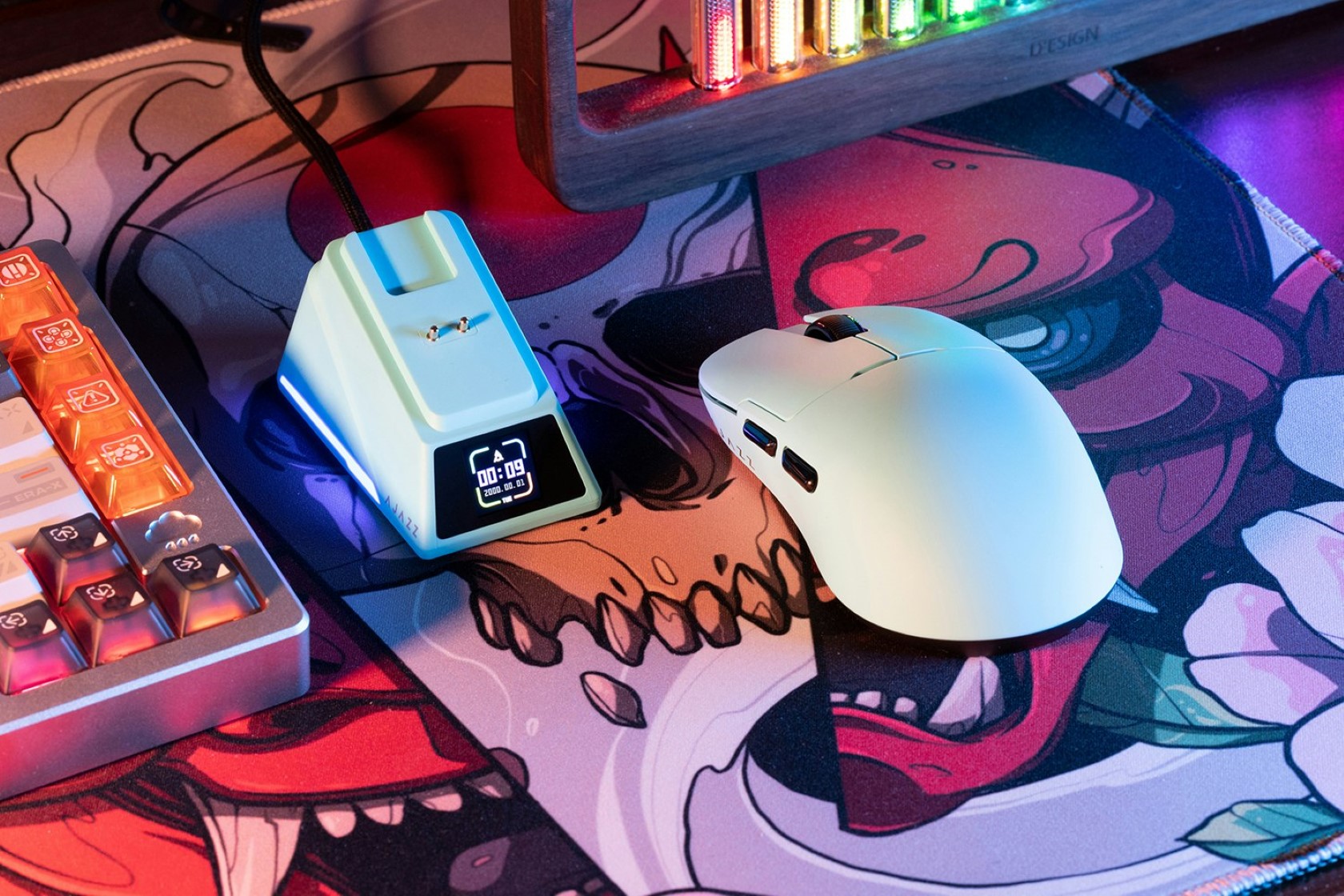
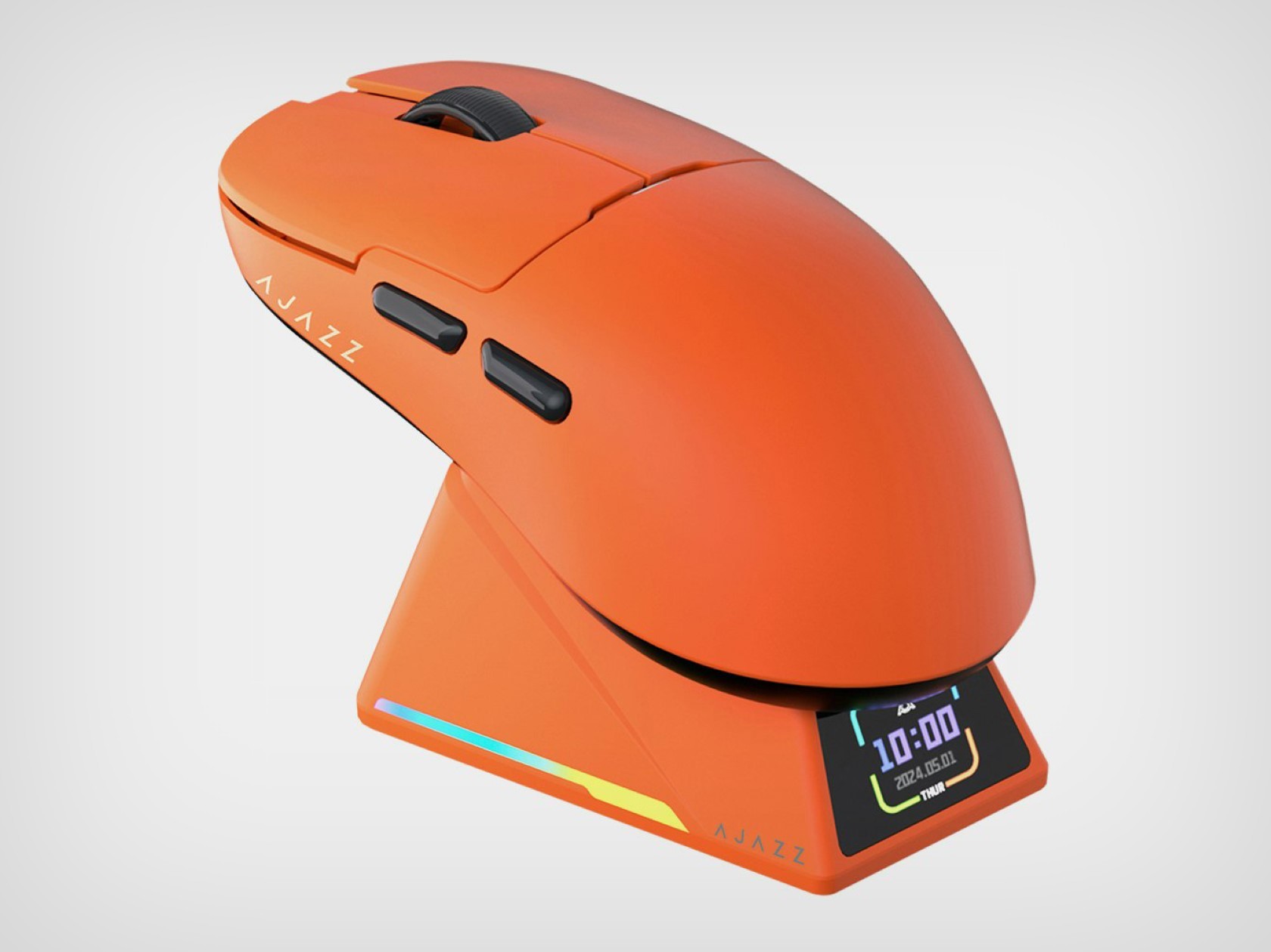
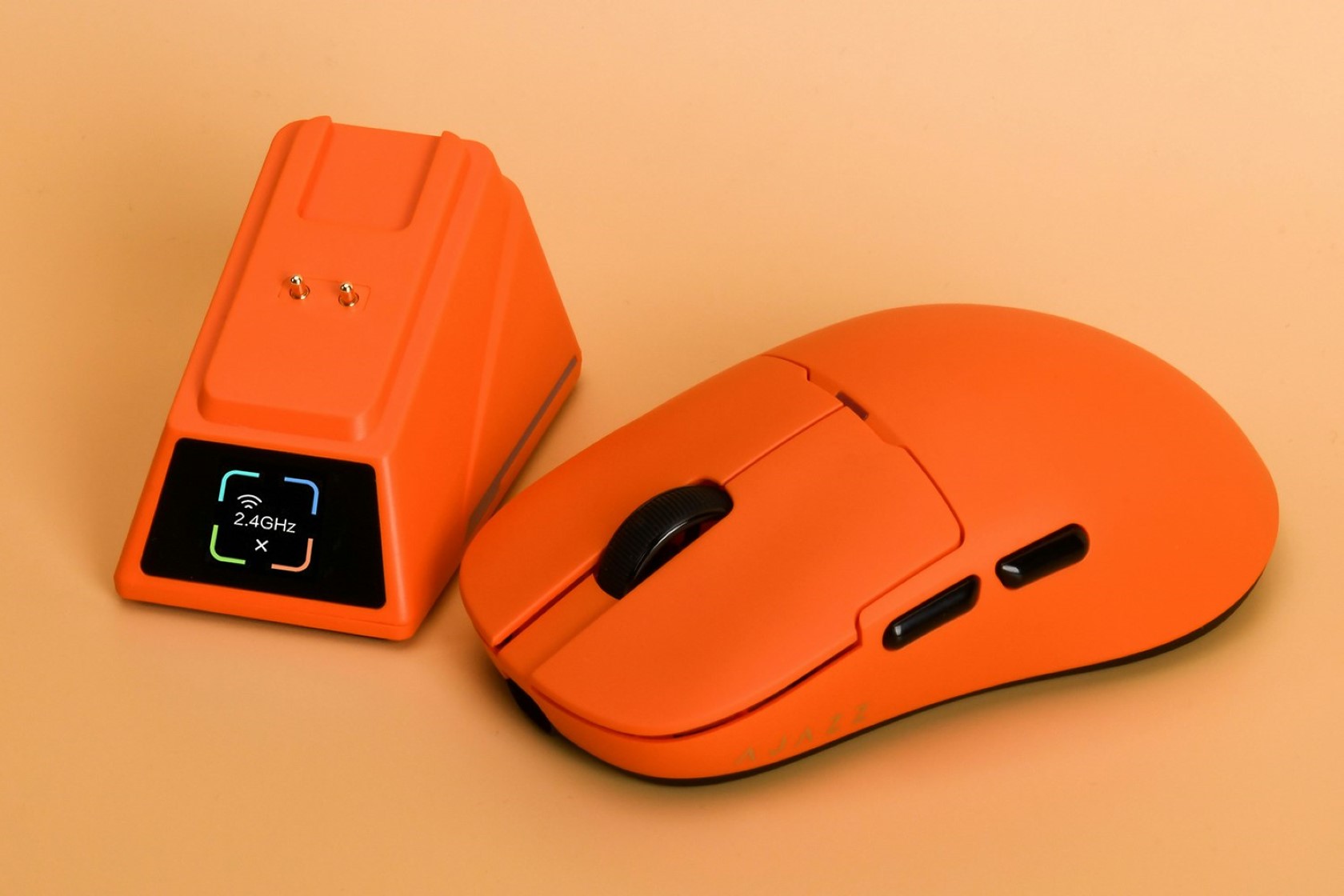
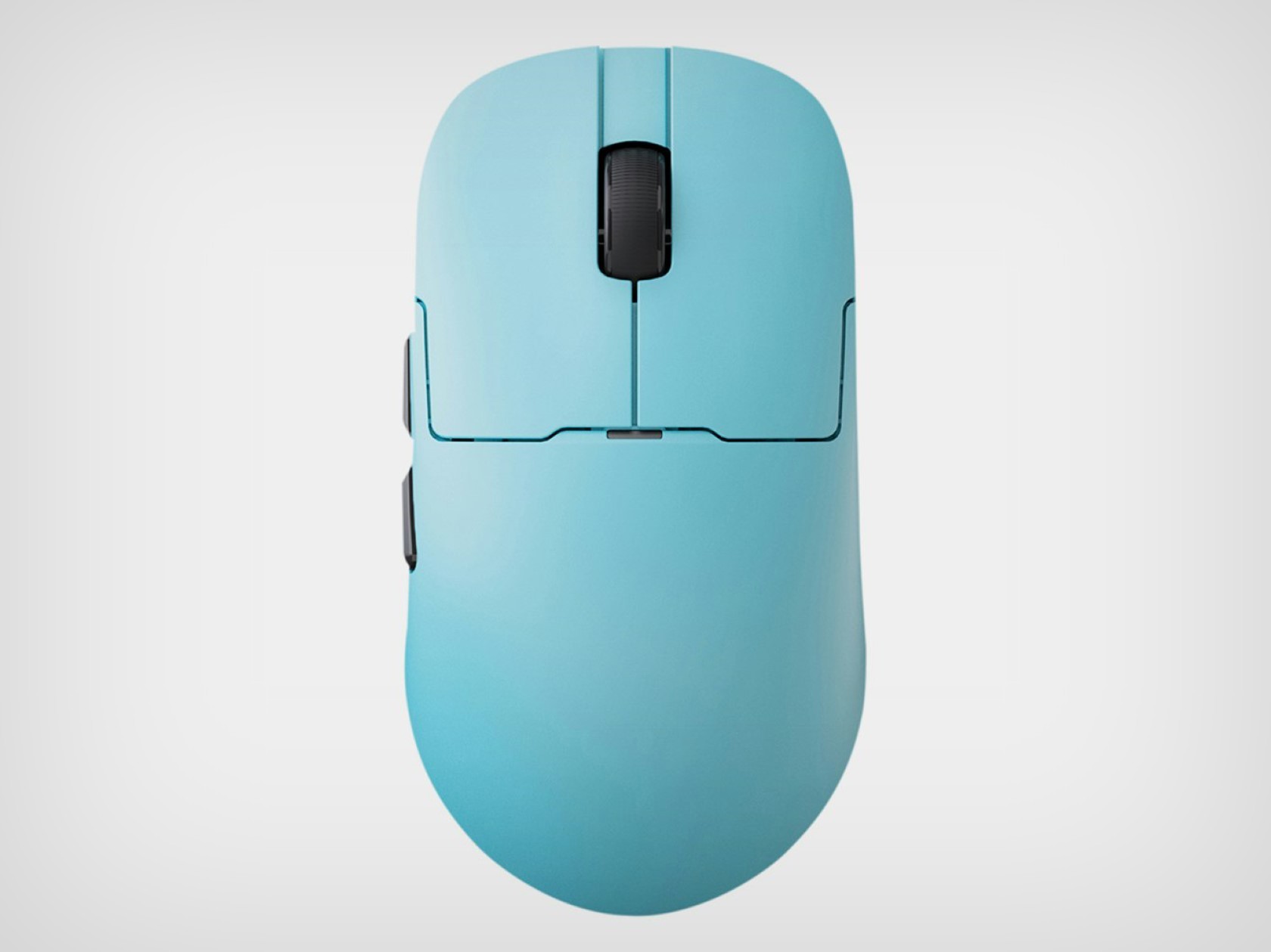
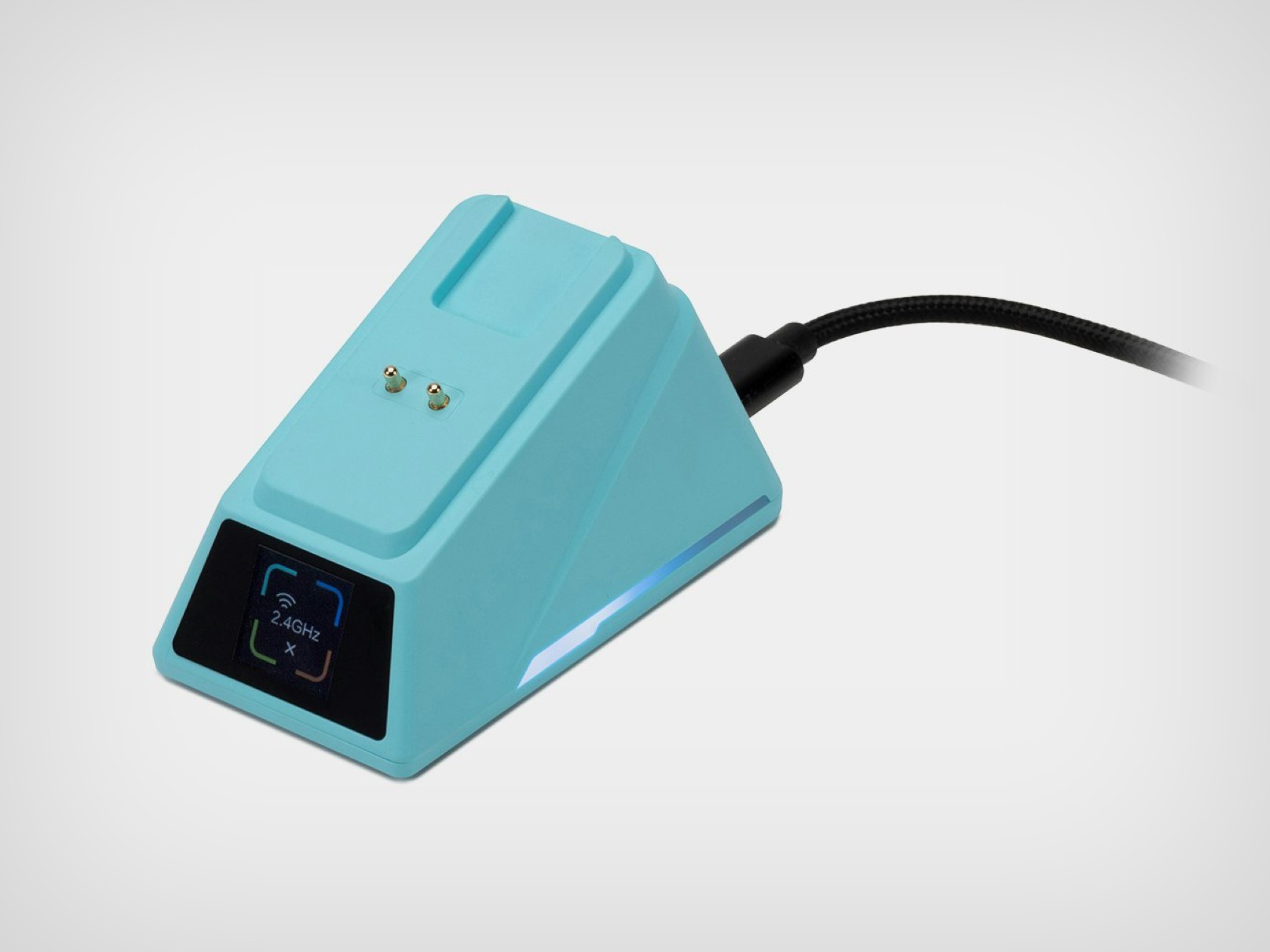
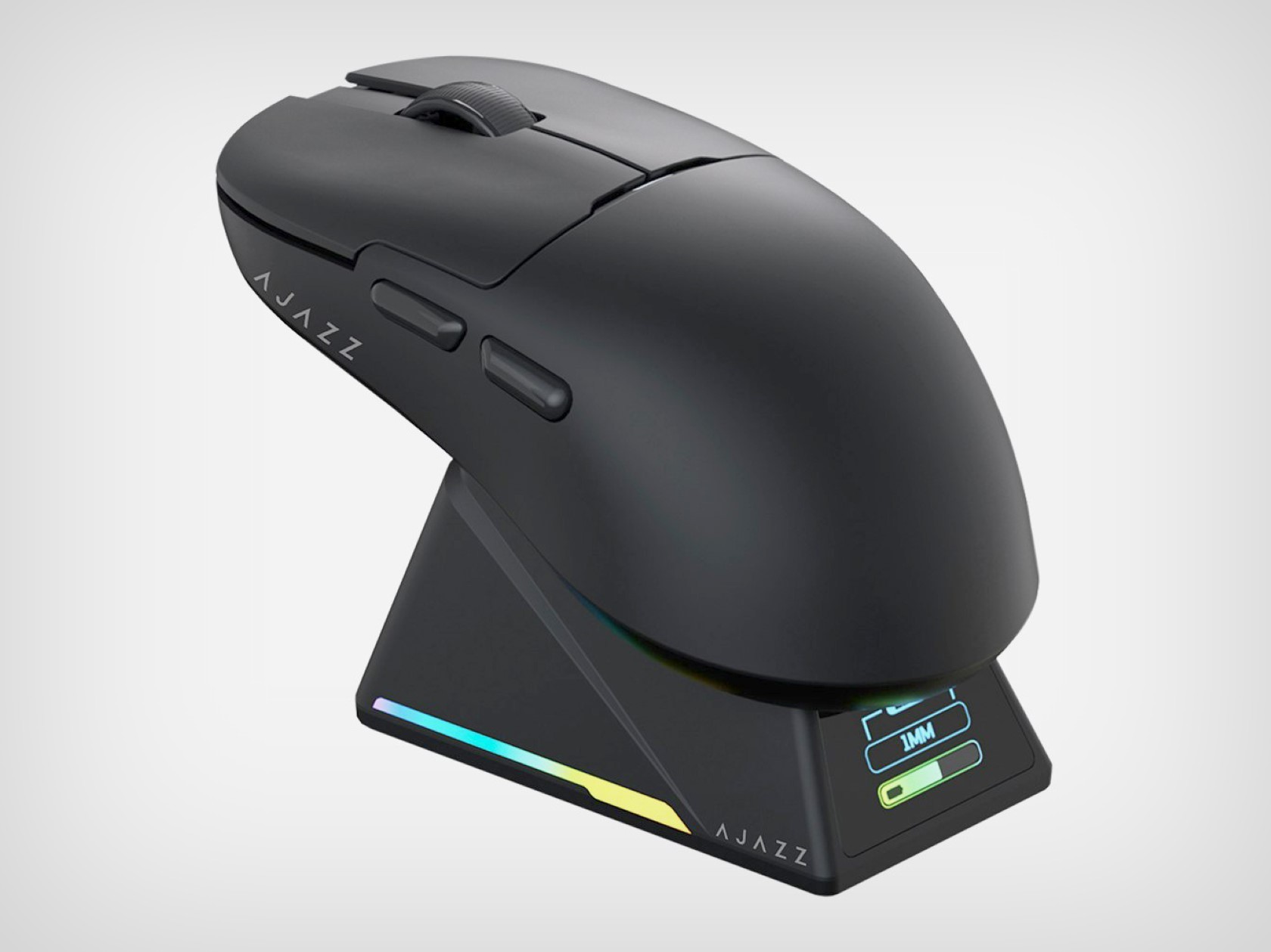
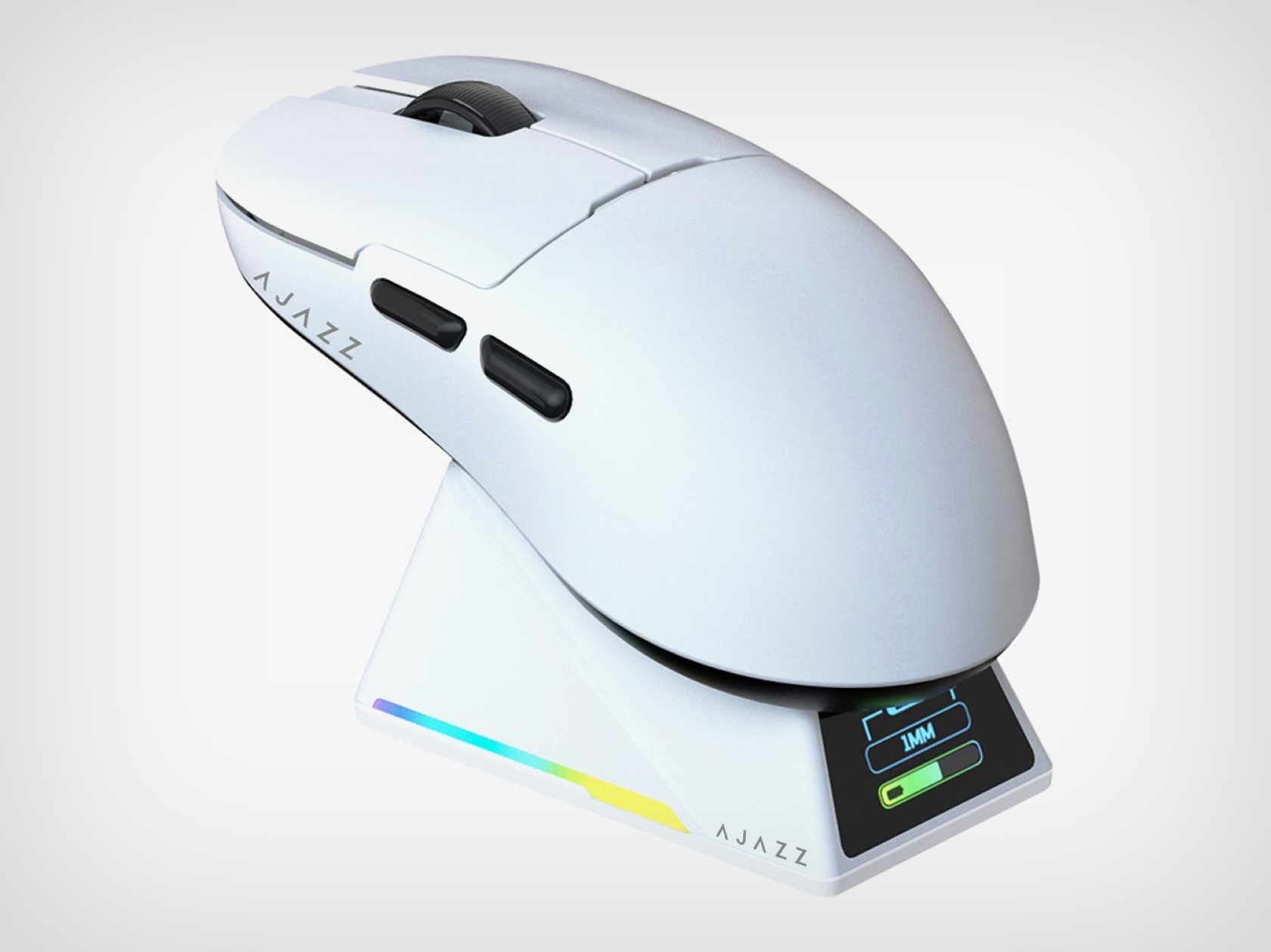
It’s been nearly 10 years since Apple launched the infamous Magic Mouse 2 and its absurd charging port placement. While the 2-trillion-dollar company hasn’t done much to improve its flagship mouse’s design, AJAZZ launched a clever little gaming mouse with a much better charging solution. The AJAZZ AJ159 Apex mouse comes with a wireless design that’s both ergonomic and functional, but its most impressive feature is its charging dock/cradle. Designed to hold your mouse when not in use, this cradle keeps your gizmo rested at an accessible angle while it charges, but more importantly, it comes with a screen on the front that works as a tiny widget for displaying the time, date, battery level, or mouse connection status. It’s a clever solution that works elegantly and impresses too, with just a $79.99 price tag… I guess Apple could use some design inspiration.

Designer: AJAZZ
One of the highlights of the AJ159 Apex is its PixArt PAW3950 optical sensor. This sensor is known for its incredible tracking accuracy, with a maximum DPI (dots per inch) of 30,000 and a blazing-fast IPS (inches per second) tracking speed of 750. This translates to ultra-smooth cursor movements, no matter how quickly you flick your wrist across the mousepad. Additionally, the 8,000Hz polling rate ensures minimal latency between your actions and what appears on the screen. In layman’s terms, your clicks and movements will be registered almost instantaneously, giving you a crucial edge over your opponents.
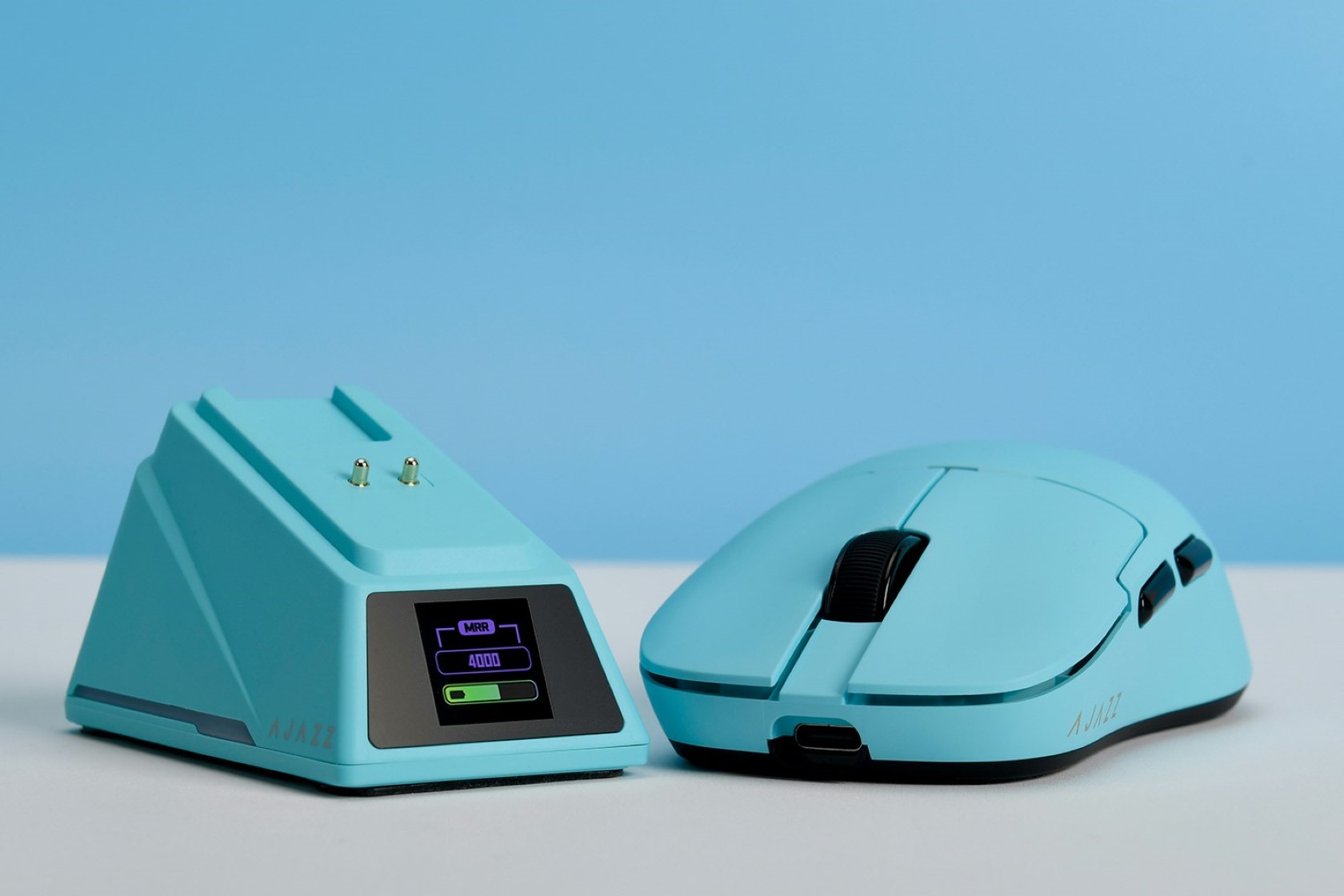
Beyond raw performance, the AJ159 Apex is lightweight and durable, making it a perfect candidate for a gaming mouse. The mouse itself is incredibly lightweight, clocking in at just 56 grams. This featherweight design minimizes fatigue during extended gaming sessions and allows for effortless movements. Durability is also a focus, with Huanuo switches rated for a lifespan of 100 million clicks. These switches provide a satisfying and crisp click feel, ensuring your commands are registered accurately.
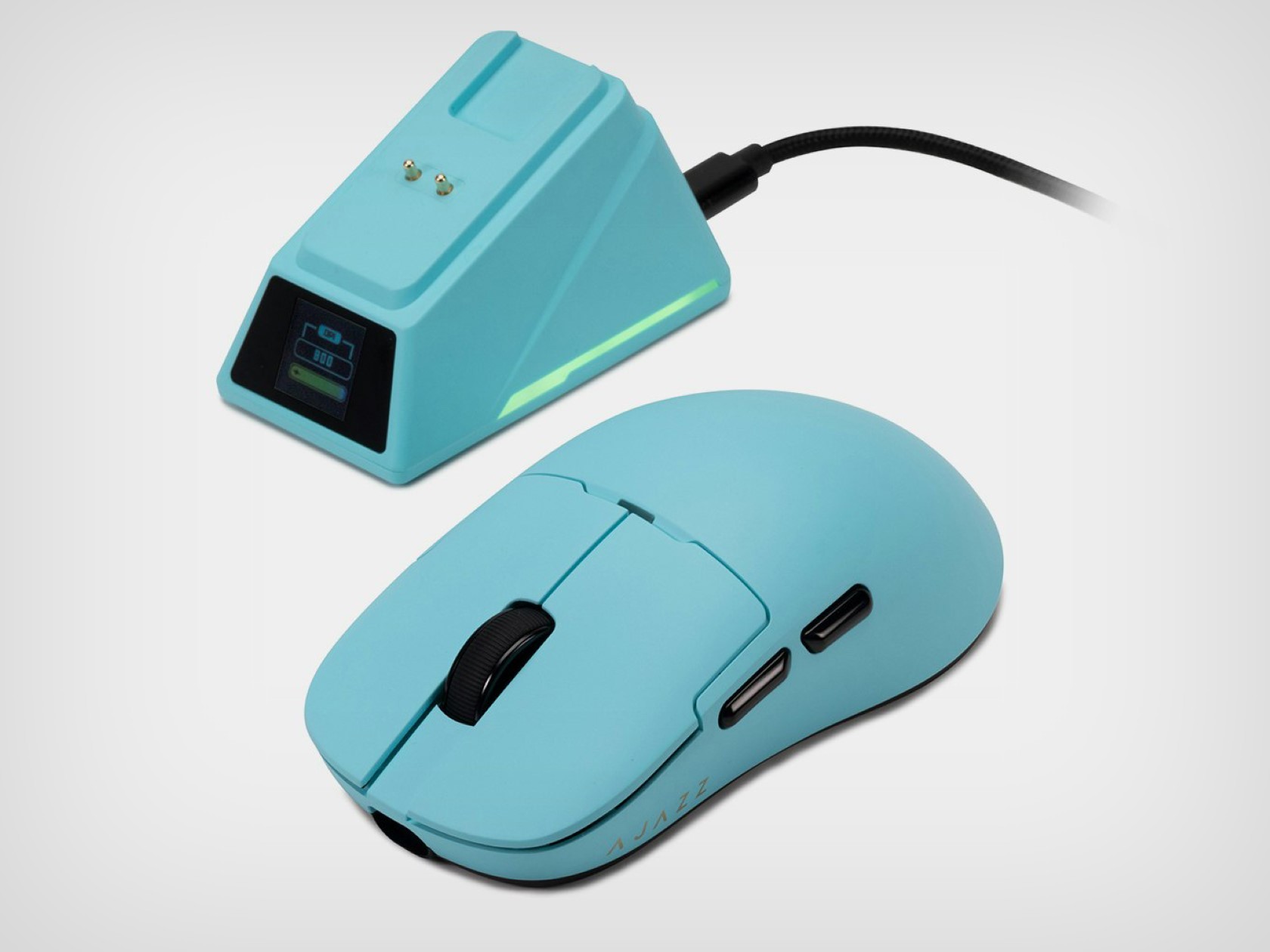
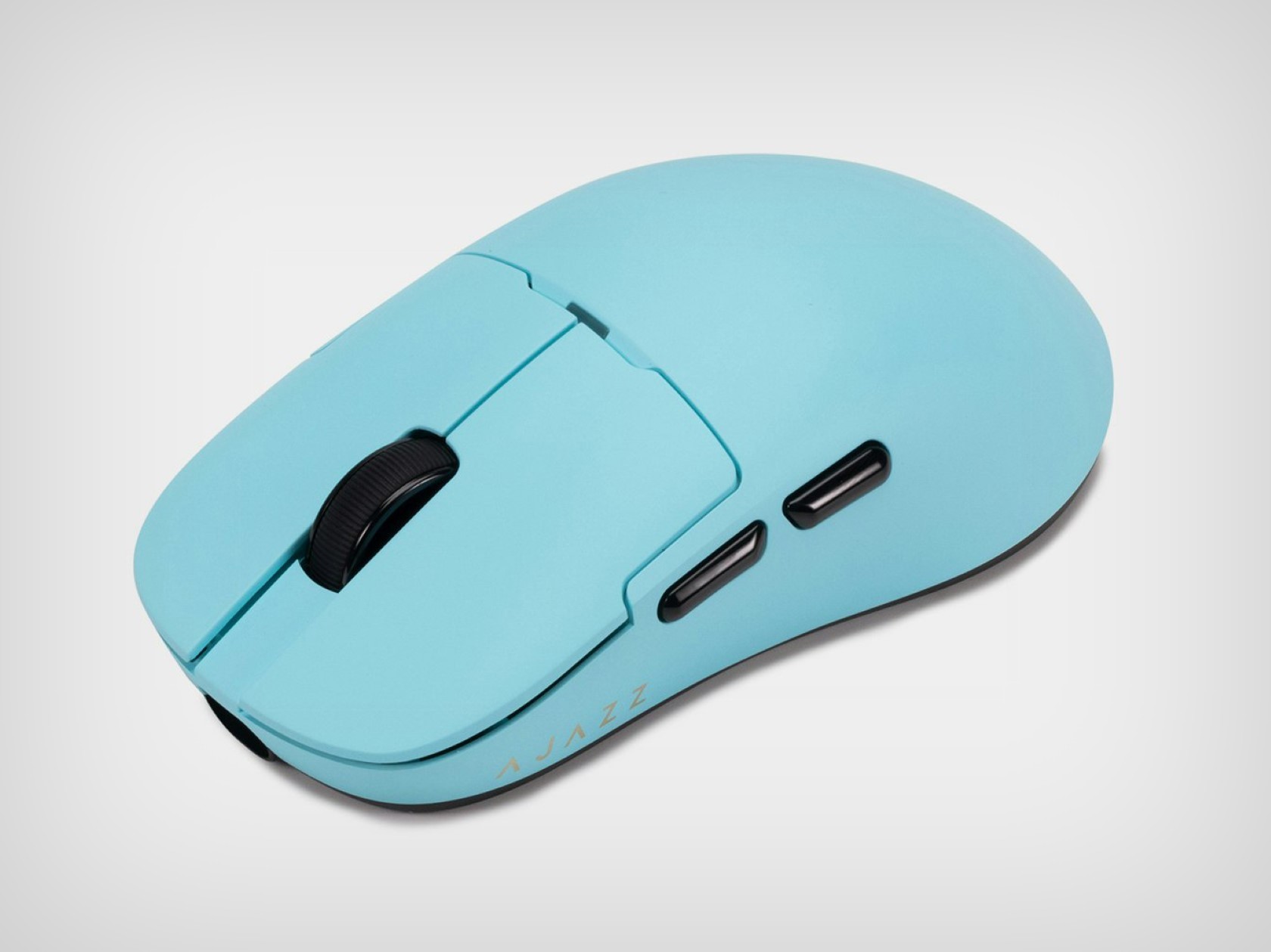
For added customization, the AJ159 Apex is QMK programmable. This open-source software allows you to tailor the mouse buttons’ functions to your specific needs and preferences. Whether you prefer complex macros or simple remappings, the AJ159 Apex can adapt to your playstyle. The AJ159 Apex offers three modes: wired USB-C, 2.4 GHz wireless, and Bluetooth. This versatility allows you to choose the connection method that best suits your setup, whether you prioritize low latency or a clutter-free desk.
Perhaps the most unique feature of the AJ159 Apex is its magnetic charging dock. This innovative design not only keeps your mouse juiced up but also doubles as a storage solution. The dock even features a small display that can show relevant information or even custom GIFs. It’s a small touch, but it adds a bit of flair and functionality to the overall package.
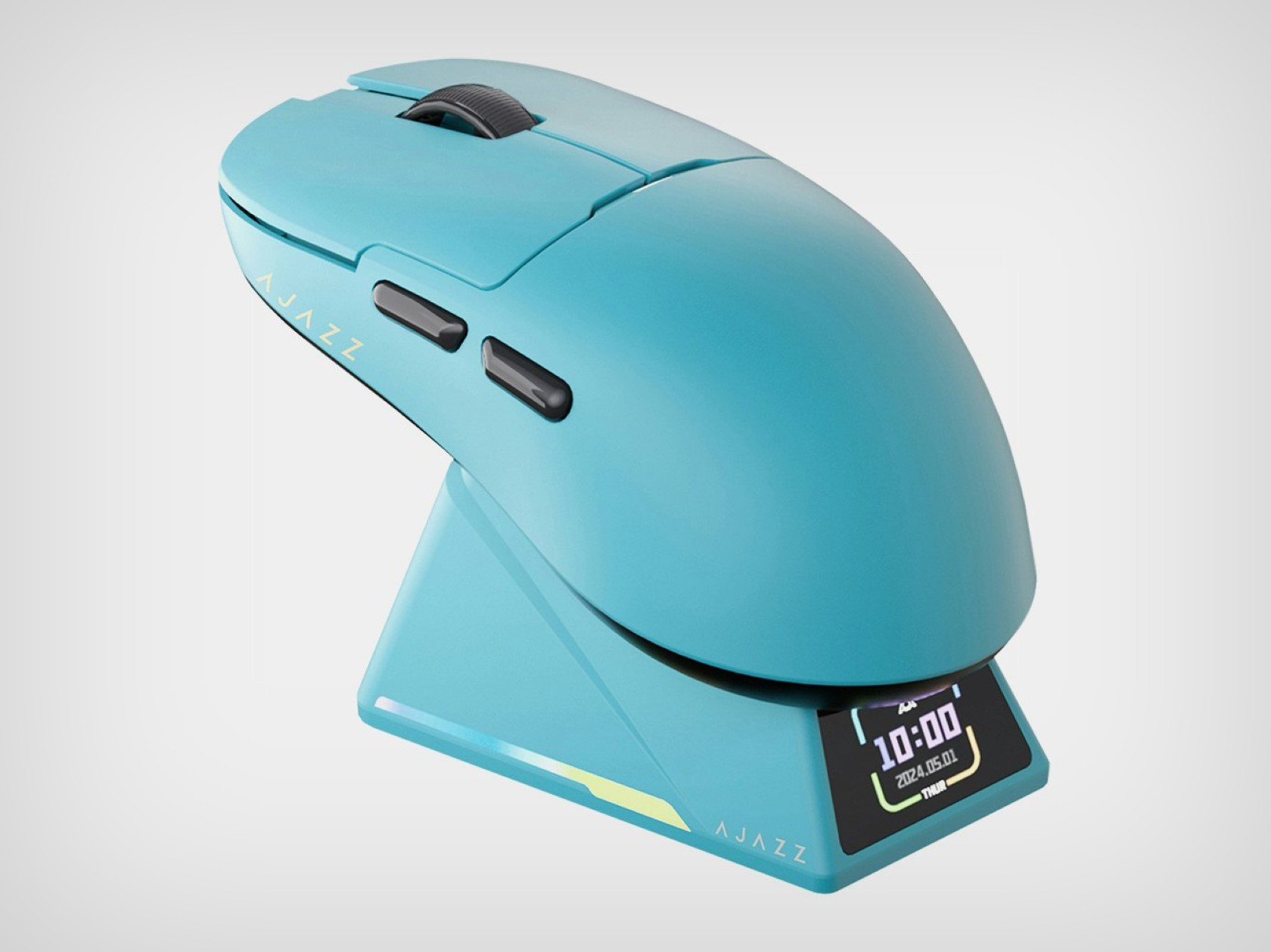
The AJAZZ AJ159 Apex is available in four colors (black, blue, orange, and white) to suit your aesthetic preferences. With its impressive specs, user-friendly features, and innovative design, the AJ159 Apex is a strong contender for gamers seeking a high-performance and feature-rich mouse.
The post This Wireless Gaming Mouse’s Charging Display Dock will put Apple’s Magic Mouse to shame first appeared on Yanko Design.
How to install the macOS Sequoia public beta

About a month after Apple announced it at WWDC 2024, macOS Sequoia is available to test-drive as a public beta. Although we don’t recommend installing it on your primary Mac, here’s how to get the 2024 version of macOS up and running ahead of its official rollout in the fall.

First, you’ll need a recent Mac to run the Sequoia public beta. Apple’s software supports the following models:

You’ll notice that list still includes (up to) the last few generations of Intel Macs, so Apple may still be several years away from requiring Apple Silicon for its latest software. However, Apple Intelligence, which isn’t yet included in the beta, will require a Mac with an M-series chip when it’s available.

Overhead view of an open MacBook Pro with an orange external hard drive plugged in (left).
Apple

Macs don’t have automatic iCloud system backups like iOS devices, so you’ll want to back up your Mac with Time Machine before installing.

We can’t stress enough how crucial this step is. Some apps and system features you rely on may be buggy or broken in the beta, and downgrading back to macOS Sonoma (the current version) will wipe all your data. A Time Machine backup lets you restore your system to where it was before you began tinkering, so do that before going anywhere near Sequoia.

To back up with Time Machine, plug an external disk into your Mac, navigate to System Settings > Time Machine, add a backup disk and follow the instructions. It may take at least several hours, depending on how much data you’re using (and whether you’ve backed up recently). But it’s worth it for peace of mind.

If you’ve never registered your Apple account for the Apple Beta Software Program, you’ll need to start by heading to Apple’s website in Safari, signing up, and agreeing to the terms.

Afterward, head to System Settings > General > Software Update, and click “i” next to Beta Updates. In the pop-up window, choose “Off,” which brings up a menu. Choose macOS Sequoia Public Beta. Press “done” in the pop-up window, wait for it to check for updates, and follow the prompts in the Software Update screen to install the pre-release software.

Grid showcasing various features in macOS Sequoia with the software’s logo in the center tile.
Apple

macOS Sequoia adds iPhone Mirroring, which lets you view and control your nearby iPhone from your Mac (as long as you’re logged into the same Apple account). This feature seems handy to check or reply to something while leaving your phone in your pocket or on a charger.

Apple Intelligence won’t be available in betas until the fall. But when it arrives, Macs with M-series chips will get system-wide AI writing tools, including rewriting, proofreading and summarizing text. It also includes (opt-in) ChatGPT integration and a new tool called Image Playground that generates AI images in various styles.

Siri in Sequoia also gets an AI-infused upgrade, which could help the feature fulfill its promise as a truly conversational assistant. (You may have noticed it currently falls well short of that.) Other Sequoia features include a new window arrangement tool, a Passwords app (replacing and enhancing the existing iCloud Keychain and Safari password management) and AI-generated summaries in Safari.

The final version of macOS Sequoia will arrive this fall, either around the same time or soon after Apple launches iOS 18 and new iPhones.

This article originally appeared on Engadget at https://www.engadget.com/how-to-install-the-macos-sequoia-public-beta-202948376.html?src=rss

How to install the iOS 18 public beta

Now that it’s available, you can test-drive Apple’s iOS 18 public beta before the software’s official arrival this fall. Here’s everything you need to know about setting up the iOS 18 (along with iPadOS 18 and watchOS 11) beta.

First, remember that, as its “beta” name implies, this is pre-release software that will likely reveal itself as such in ways that frustrate and annoy you. Some third-party apps may be broken (banking apps especially), and plenty of Apple’s features may be inconsistent or buggy until the company irons out the kinks in future updates. 

We don’t recommend installing it on any device you use as your main one—or at least not if you aren’t willing to accept some risks and compromises.

You’ll need a recent iPhone to try the public beta. For iOS 18, that means the following models:

  • iPhone 15

  • iPhone 15 Plus

  • iPhone 15 Pro

  • iPhone 15 Pro Max

  • iPhone 14

  • iPhone 14 Plus

  • iPhone 14 Pro

  • iPhone 14 Pro Max

  • iPhone 13

  • iPhone 13 mini

  • iPhone 13 Pro

  • iPhone 13 Pro Max

  • iPhone 12

  • iPhone 12 mini

  • iPhone 12 Pro

  • iPhone 12 Pro Max

  • iPhone 11

  • iPhone 11 Pro

  • iPhone 11 Pro Max

  • iPhone XS

  • iPhone XS Max

  • iPhone XR

  • iPhone SE (2nd generation or later)

If you own anything before that, you’re out of luck. But considering this year’s software covers models stretching as far back as 2018, you’d need a pretty dated phone not to have the option.

Installing the beta is much easier than it used to be. First, if you’ve never installed an iOS public beta before, you’ll need to visit the Apple Beta Software Program website and enroll your Apple account.

After that, navigate to Settings > General > Software Update on your iPhone. Choose the option for “iOS 18 public beta.” Then, return to the Software Update screen, and you should see the option to install the beta software.

Here are the supported models for the iPadOS 18 beta:

  • iPad Pro (M4)

  • iPad Pro 12.9-inch (3rd generation and later)

  • iPad Pro 11-inch (1st generation and later)

  • iPad Air (M2)

  • iPad Air (3rd generation and later)

  • iPad (7th generation and later)

  • iPad mini (5th generation and later)

If you haven’t already signed up for it above, you’ll need to visit the Apple Beta Software Program website and enroll your Apple account. (If you’ve ever signed up for a public beta, you can likely skip that step.)

Next, navigate to Settings > General > Software Update on your iPad. Choose the option for “iPadOS 18 public beta.” Then, return to the Software Update screen, and you should see the option to install the beta software.

Apple Watch beta software carries greater risk. If something isn’t working well and you want to downgrade to watchOS 10, you’re out of luck because you’re stuck there. And if you downgrade its paired iPhone to iOS 17, your Apple Watch won’t work correctly with your phone until it’s back on iOS 18. (However, you can leave your Apple Watch on watchOS 10 when your phone is on iOS 18. That route is much less risky.)

In other words, don’t update to watchOS 11 unless you’re sure you’re comfortable with the risk of being out of a working Apple Watch for months. Even then, think twice.

You’ll need one of the following models to run the watchOS 11 beta:

  • Apple Watch SE (2nd generation)

  • Apple Watch Series 6

  • Apple Watch Series 7

  • Apple Watch Series 8

  • Apple Watch Series 9

  • Apple Watch Ultra

  • Apple Watch Ultra 2

If you’re comfortable with the risks for your Apple Watch and want to install the watchOS 11 beta, you’ll first need to have already updated your paired iPhone to the iOS 18 beta (see above).

After that, make sure your Apple Watch is paired to your iOS 18-running phone and open the Watch app on your iPhone. Then, navigate to General > Software Update, and choose the watchOS 11 public beta. After doing that, the beta software should be available to download.

This article originally appeared on Engadget at https://www.engadget.com/how-to-install-the-ios-18-public-beta-202938588.html?src=rss

Apple’s iOS 18, iPadOS 18, macOS Sequoia and watchOS 11 public betas are ready to download

Apple’s first 2024 public betas have arrived. You can now install early builds of iOS 18, iPadOS 18, watchOS 11 and macOS Sequoia to preview Apple’s software updates before their official arrival this fall. You just need to enroll your Apple ID (soon-to-be Apple Account) in the Apple Beta Software Program to join the pre-release fun.

Although it won’t be available in beta until the fall, Apple’s take on generative AI — Apple Intelligence (get it?) — is the common thread in this year’s updates. Intertwined in each platform’s 2024 software, Apple Intelligence is a blend of on-device and cloud processing, and it includes optional ChatGPT integration. It adds a new superpowered Siri, Safari highlights and summaries, writing tools and much more.

As for what you will see in the first public beta, iOS 18 gives you more control over your Home Screen. You can place apps and widgets on any open spot on your screen and even change app icon colors, personalizing your phone with a unified aesthetic. The Control Center also gets a redesign, with easier access to your most used toggles, including new customizations. In addition, Photos gets its biggest overhaul to date, and Messages includes new formatting and effects.

Apple collage showing various features from iPadOS 18
Apple

Meanwhile, iPadOS 18 carries over many of those same changes while adding a native Calculator app for the first time and smart handwriting features.

Much more than a port of the iOS version, the Calculator app includes a new Math Notes feature for the Apple Pencil (or keyboard) that can evaluate expressions, assign variables and plot graphs in real-time: Type an equals sign, and Math Notes solves the problem. In parallel, the Smart Script tool in the Notes app can smooth out your sloppy handwriting (while still looking like your penmanship) as you write, and you can turn recordings into searchable live audio transcriptions.

macOS Sequoia adds iPhone Mirroring, letting you view and control your phone’s screen from your Mac. A new Passwords app pulls your stored credentials out of iCloud Keychain and Safari’s settings and into a standalone app. (That S.O.S. call you hear is from 1Password’s developers.) Window Tiling lets you “magnetically” snap windows into various grid patterns, similar to Microsoft’s Snap tiling feature in Windows 11. Finally, new video call features let you replace your background with built-in images or personal photos.

Three Apple Watches with the Vitals app on their screens, showing sleep changes.
Apple

watchOS 11 lets you pause your daily Activity Rings when you need a break (like when you’re sick, injured or have other disruptions) without losing your streaks. You can also change your goals based on the day of the week and customize which metric the Fitness app shows. A new Vitals app expands on sleep tracking to show you at a glance whether any of your overnight metrics deviate from your norm. And a training load tool gauges how your workout intensity may affect your body over time.

If you’ve never installed an Apple software update with the Apple account you use on your devices, head to the Apple Beta Software Program website to register it. Then, navigate to Settings > General > Software Update on your device, choose the Beta Updates menu, select the Public Beta option and install the update on the Software Update screen.

This article originally appeared on Engadget at https://www.engadget.com/apples-ios-18-ipados-18-macos-sequoia-and-watchos-11-public-betas-are-ready-to-download-202921608.html?src=rss

Revolutionary Prosthetic Foot achieves human-level flexibility and grip without motors or electronics

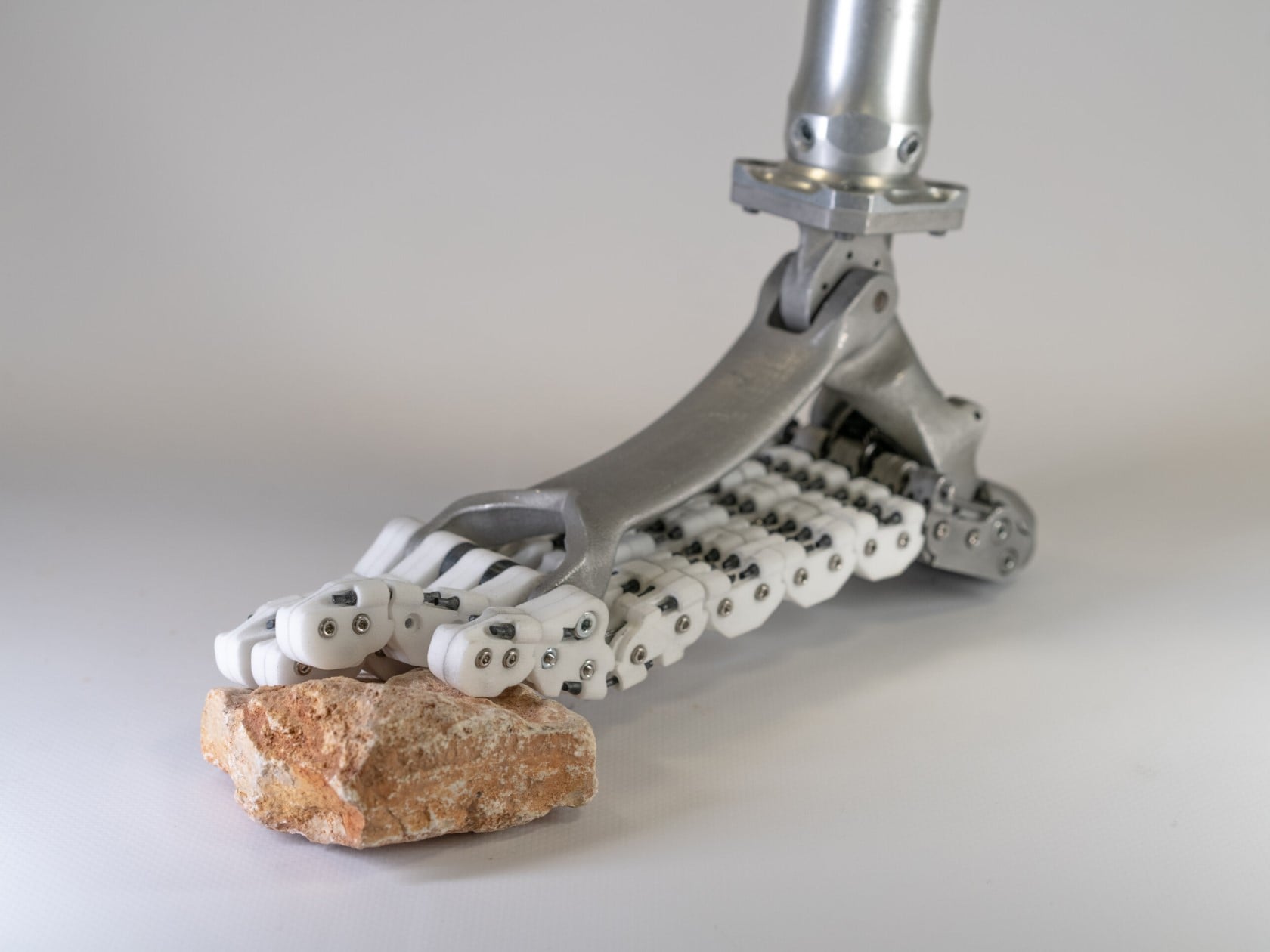
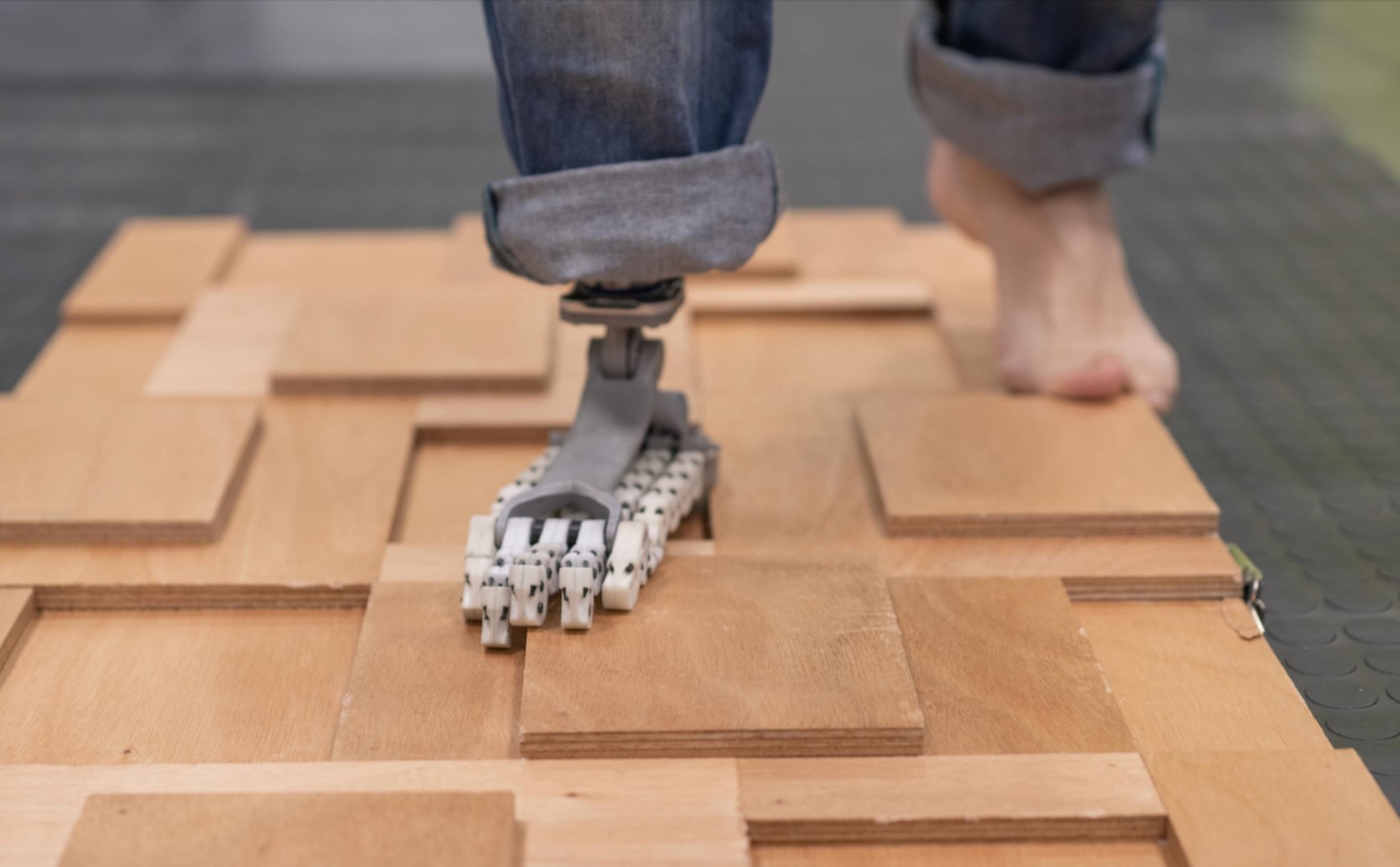
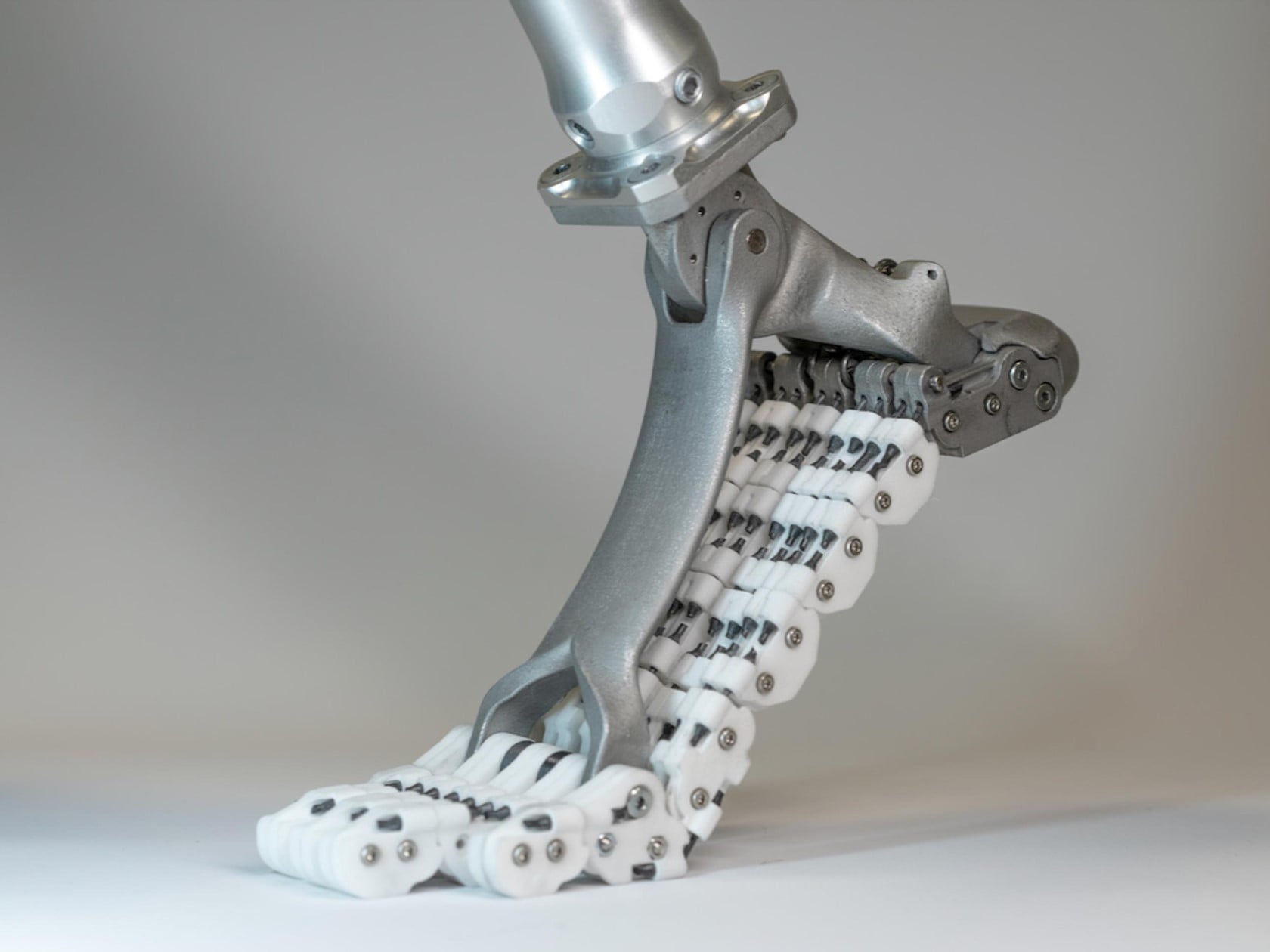
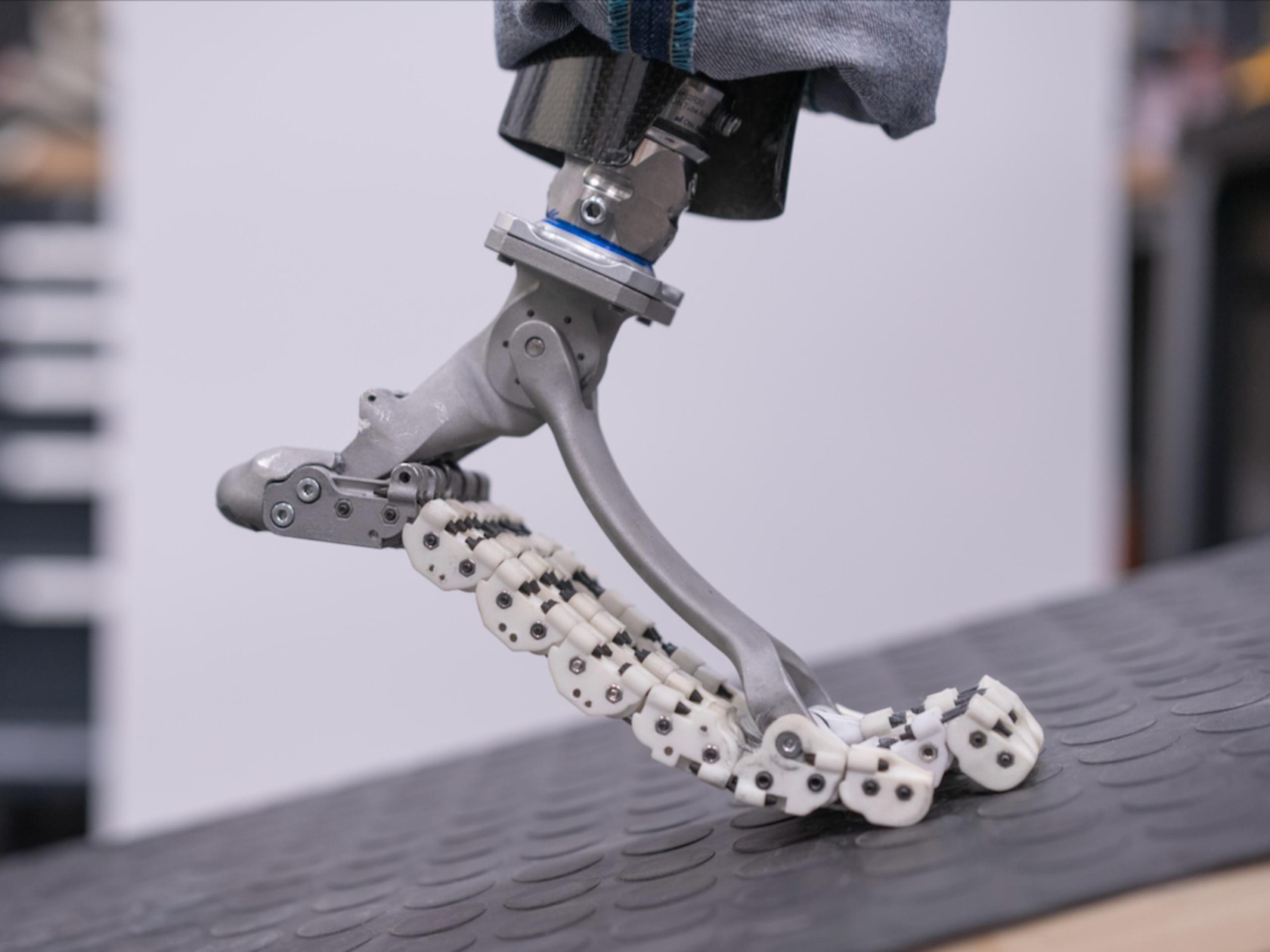
Imagine the constant challenge of navigating everyday life without the natural flexibility of your feet. This is the reality for many amputees who rely on prosthetic feet that can feel clunky and restrictive. These prosthetics often lack the ability to adapt to uneven terrain or provide the natural push-off needed for a smooth gait. However, a groundbreaking design from the Italian Institute of Technology (IIT) is poised to change the game for amputees everywhere. The SoftFoot Pro is a prototype prosthetic foot that is a literal and metaphorical leap forward in prosthetic design, mimicking the structure and movement of the human foot. Unlike conventional prosthetics that prioritize sturdiness or offer minimal flexibility, the SoftFoot Pro boasts an ingenious design that offers human-like foot flexibility and dexterity… without a single motor, servo, circuit board, or battery.

Designer: Istituto Italiano di Tecnologia

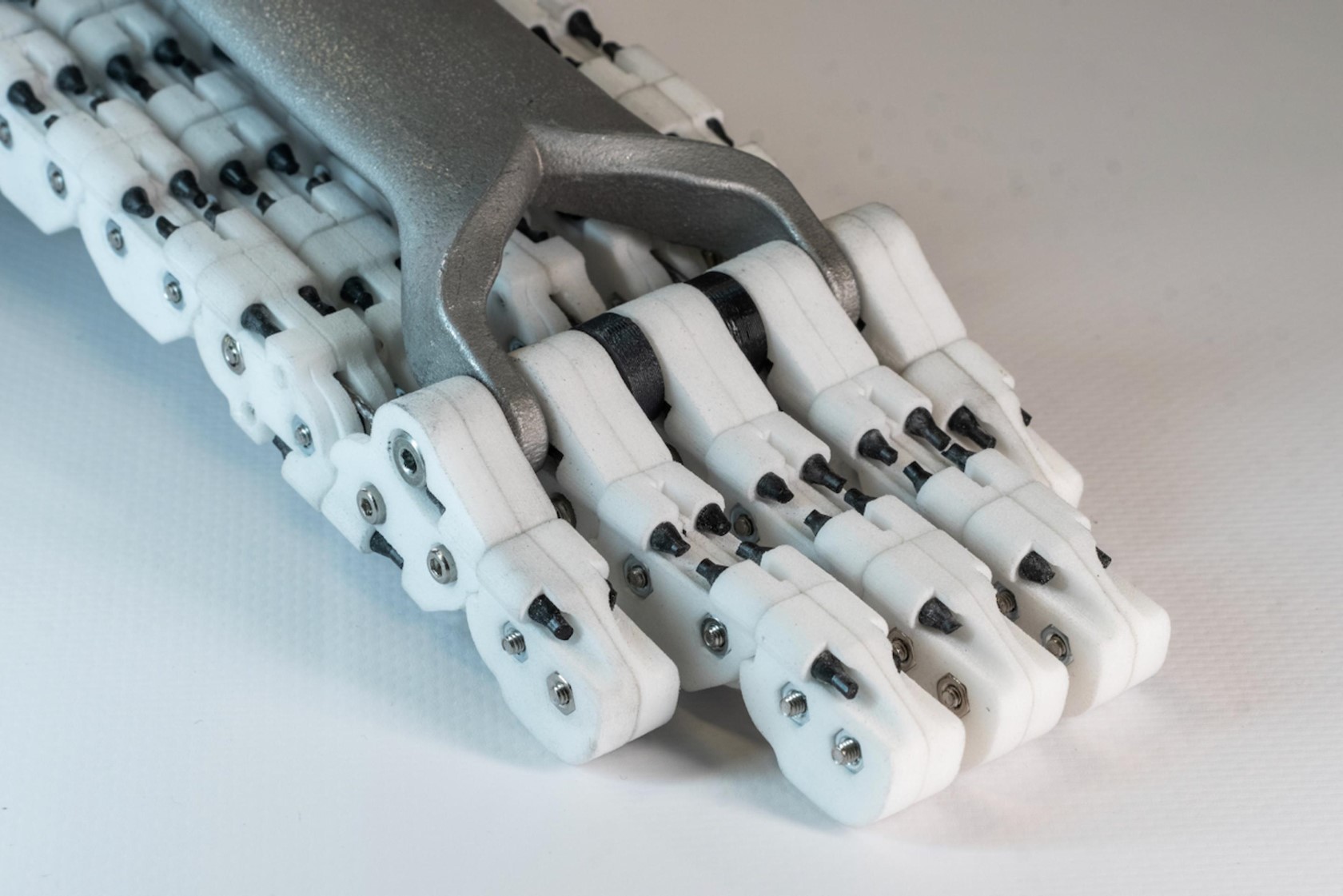
Shedding the weight and complexity of motors and electronics, the SoftFoot Pro achieves impressive functionality through a clever combination of mechanics and materials. At its core is a mobile arch mechanism, crafted from lightweight yet robust titanium or aluminum alloy. This arch connects to five parallel chains, made from high-strength plastic segments that replicate the metatarsal and phalange bones of the human foot. Elastic connectors, acting like tendons, link the segments within each chain.

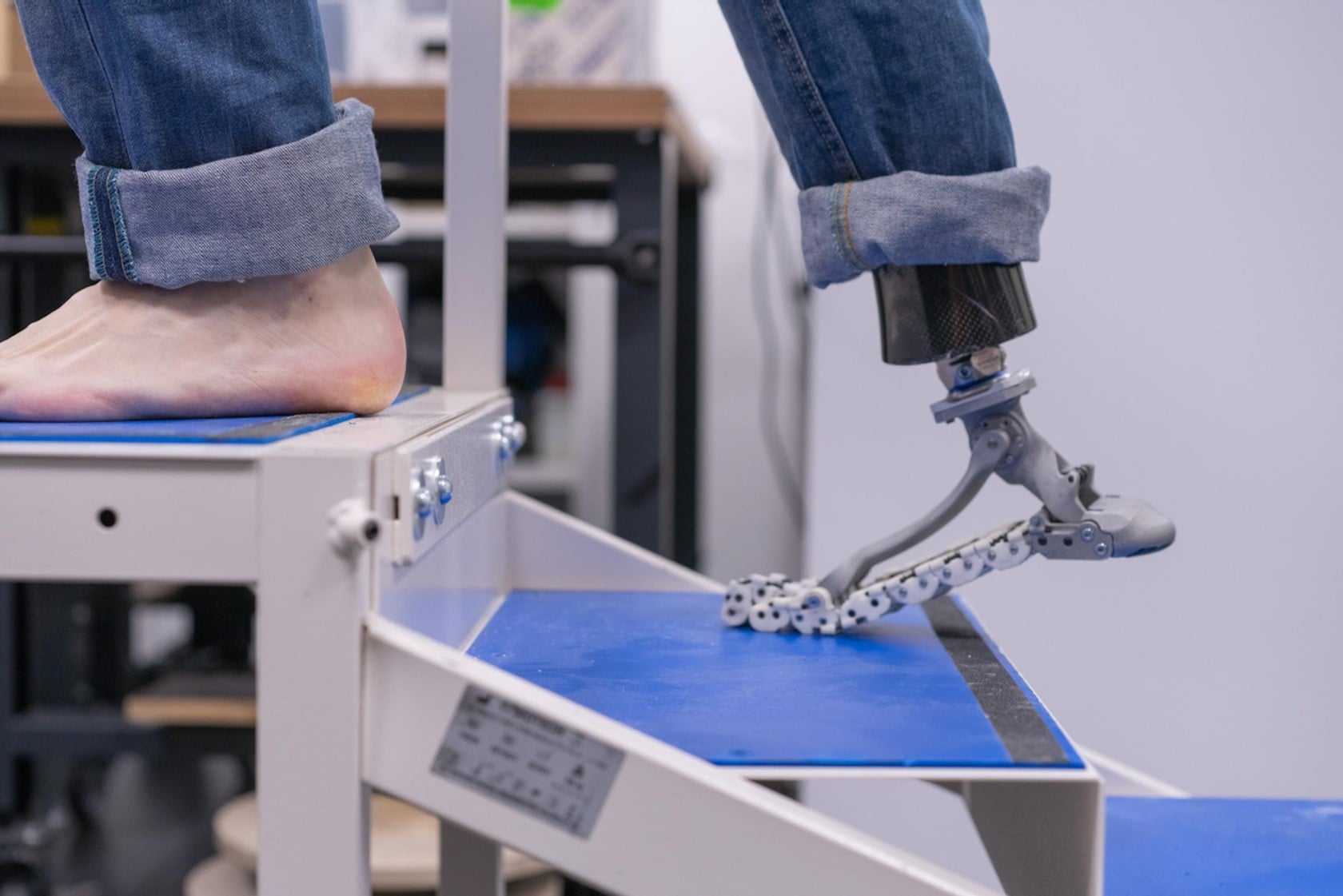
The brilliance of the SoftFoot Pro lies in the details. Running through each chain is an internal steel cable that anchors to the prosthetic’s heel. This cable, along with the elastic connectors, mimics the plantar fascia – the band of tissue in the human foot that stores and releases energy with each step. This ingenious design allows the SoftFoot Pro to absorb impact, propel the user forward with a natural push-off, and even conform to uneven surfaces. This enhanced flexibility translates to greater stability and a more natural gait for users.

Weighing in at a mere 450 grams (1 pound), the SoftFoot Pro is incredibly lightweight despite its ability to support users weighing up to 100 kg (220 lbs). Initial trials conducted at Hannover Medical School and the Medical University of Vienna have yielded promising results. Amputees who participated in the trials experienced a significant improvement in their gait, with increased balance and a more natural walking experience on various terrains.

The applications of the SoftFoot Pro extend beyond human users. Researchers have also successfully tested the design on robots, including the Anymal quadruped robot and the HRP-4 humanoid robot. This versatility highlights the potential of this design to revolutionize not just prosthetics but also the field of robotics.

The post Revolutionary Prosthetic Foot achieves human-level flexibility and grip without motors or electronics first appeared on Yanko Design.
Elon Musk confirms the Tesla Robotaxi event has been delayed to October

Elon Musk confirmed on Monday that Tesla’s robotaxi event scheduled for August has been delayed to October. The CEO replied on X (the former Twitter, which he owns) to a user’s post that he “requested what I think is an important design change to the front, and extra time allows us to show off a few other things.”

Musk’s X post appears to echo what Bloomberg reported last week. The publication claimed on July 11 that delaying the event would give Tesla more time to build additional prototypes. It added that the company had communicated the delay internally and that the design team was told to “rework certain elements of the car,” which sounds like Musk’s order to change the front design.

The CEO said in early April that the company would unveil the Tesla Robotaxi on August 8. The teaser came on the same day Reuters reported that Tesla was pulling the plug on a planned $25,000 budget model (often casually referred to externally as the Model 2) in favor of a full-court push for robotaxis. Musk claimed Reuters was “lying” without listing any specific points of contention.

A few weeks later, Tesla cut “more than 10 percent” of the company’s over 140,000 personnel (at the time). Two weeks after word of the layoffs broke, the EV maker let go of two senior executives as Musk warned staff that “we need to be absolutely hard core about headcount and cost reduction.” In what sounded like a threat, he added, “While some on exec staff are taking this seriously, most are not yet doing so.”

Tesla delivered nearly seven percent fewer vehicles in the first half of 2024 and produced nearly 15 percent fewer in the second quarter than in the same period in 2023.

This article originally appeared on Engadget at https://www.engadget.com/elon-musk-confirms-the-tesla-robotaxi-event-has-been-delayed-to-october-184519959.html?src=rss

YouTube Music’s latest features include ‘hum to search’ and AI-generated conversational radio

YouTube Music is rolling out some fun new features, including the expansion of the “hum to search” tool that has been in beta for Android users since March. The company says this tool allows users to “search the YouTube Music catalog of over 100 million official songs” by using natural sound.

All you have to do is tap “search” and look for the waveform icon. Then it’s up to you. The tool lets people hum the song, sing the song or even play the song on another instrument. The feature is rolling out to YouTube music subscribers on both iOS and Android.

It’s also been working on something called AI-generated conversational radio. This isn’t a platform in which AI DJs take jobs away from Wolfman Jack or whatever. Rather, it’s a tool that lets people use natural conversation to describe the type of radio station they want to listen to. The algorithm will take in that information and create some tailor-made radio. This is sort of like Spotify’s AI DJ from a while back, but the conversational element should make the algorithm zero in on your exact tastes as described.

The bad news? It’s only available to select subscribers at this point, as it's in a testing phase. If successful, it should roll out to more users in the coming months. After all, YouTube first announced the “hum to search” tool in March and its already becoming widely available.

This article originally appeared on Engadget at https://www.engadget.com/youtube-musics-latest-features-include-hum-to-search-and-ai-generated-conversational-radio-175153746.html?src=rss

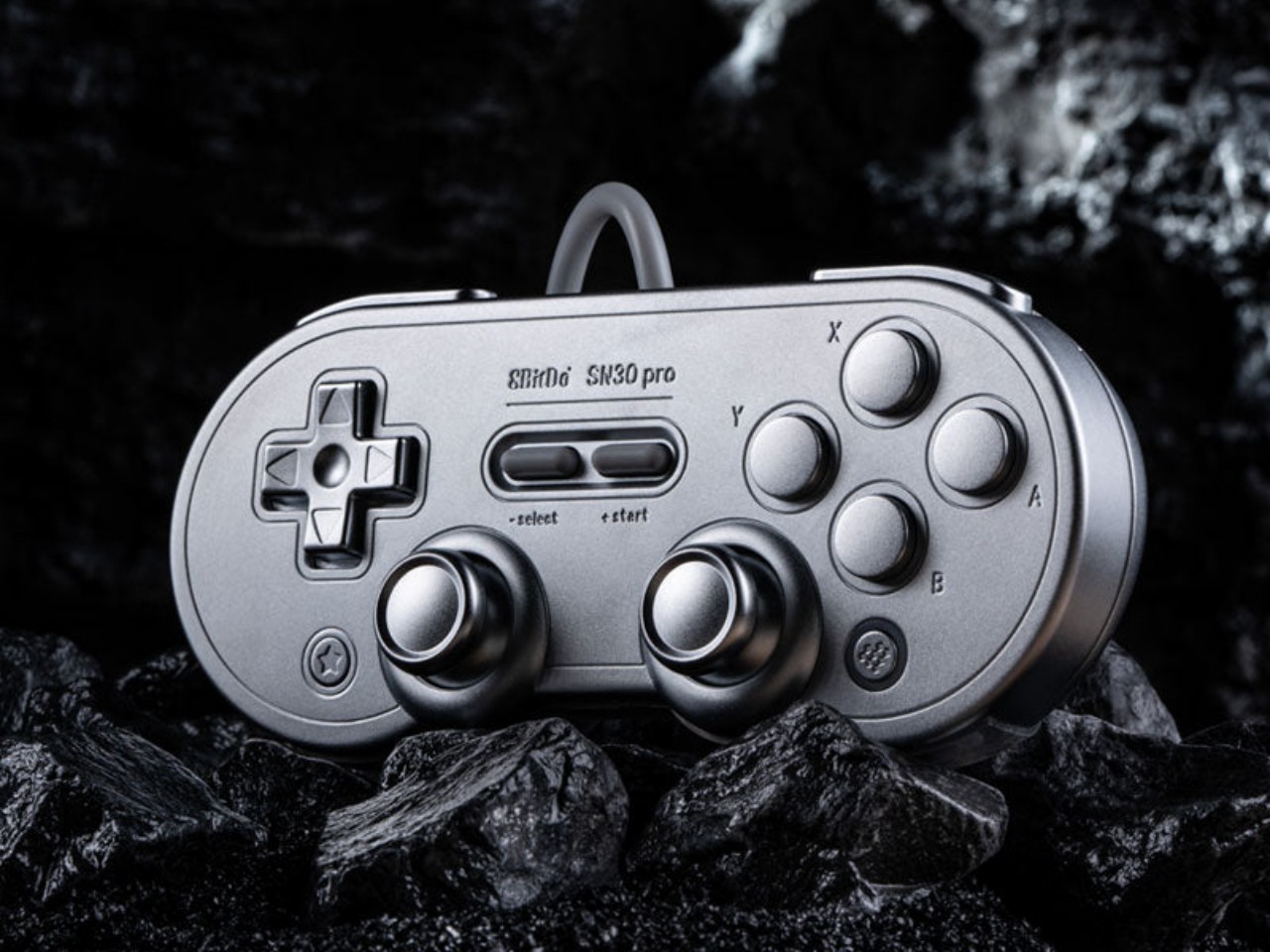
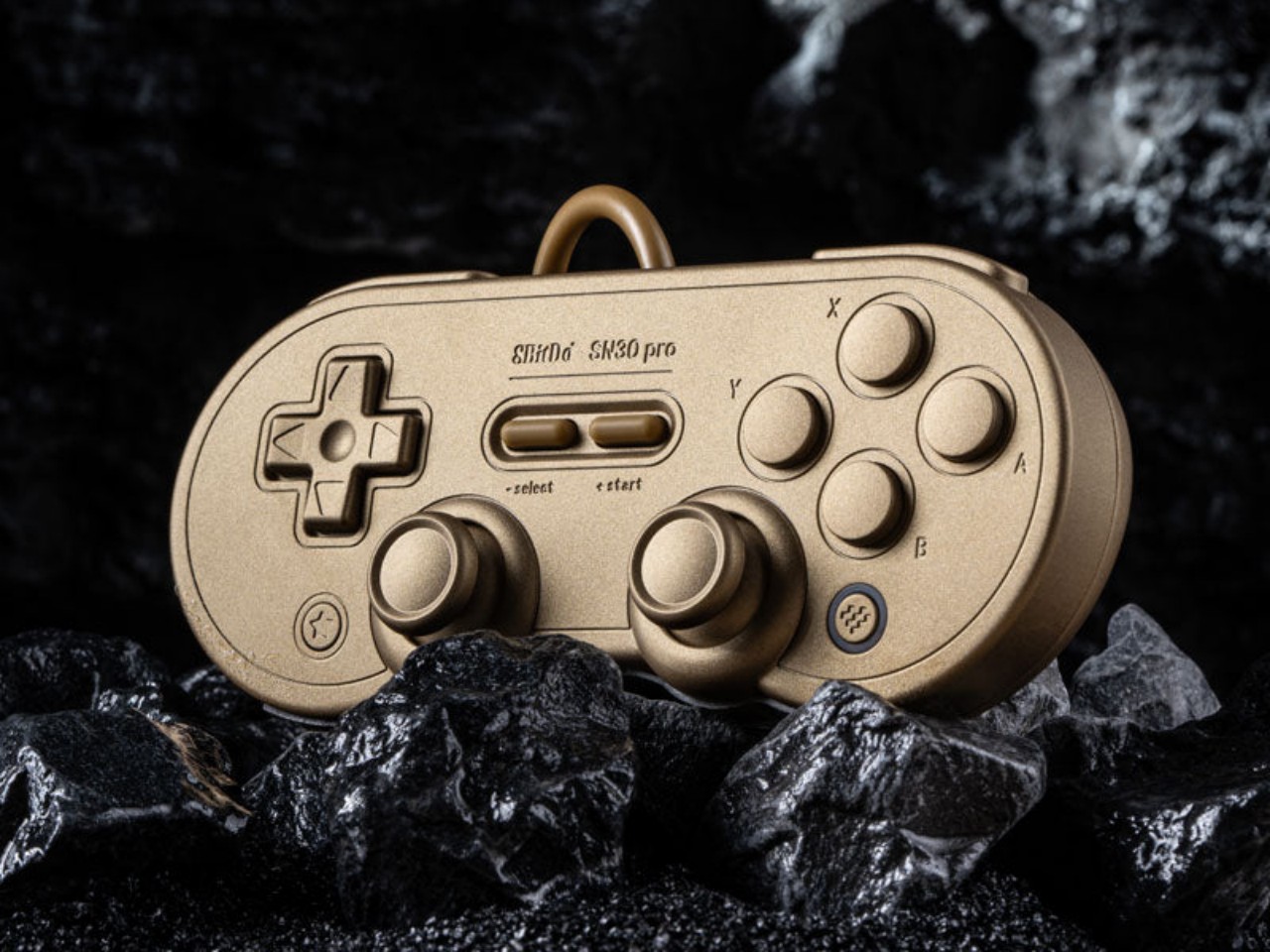
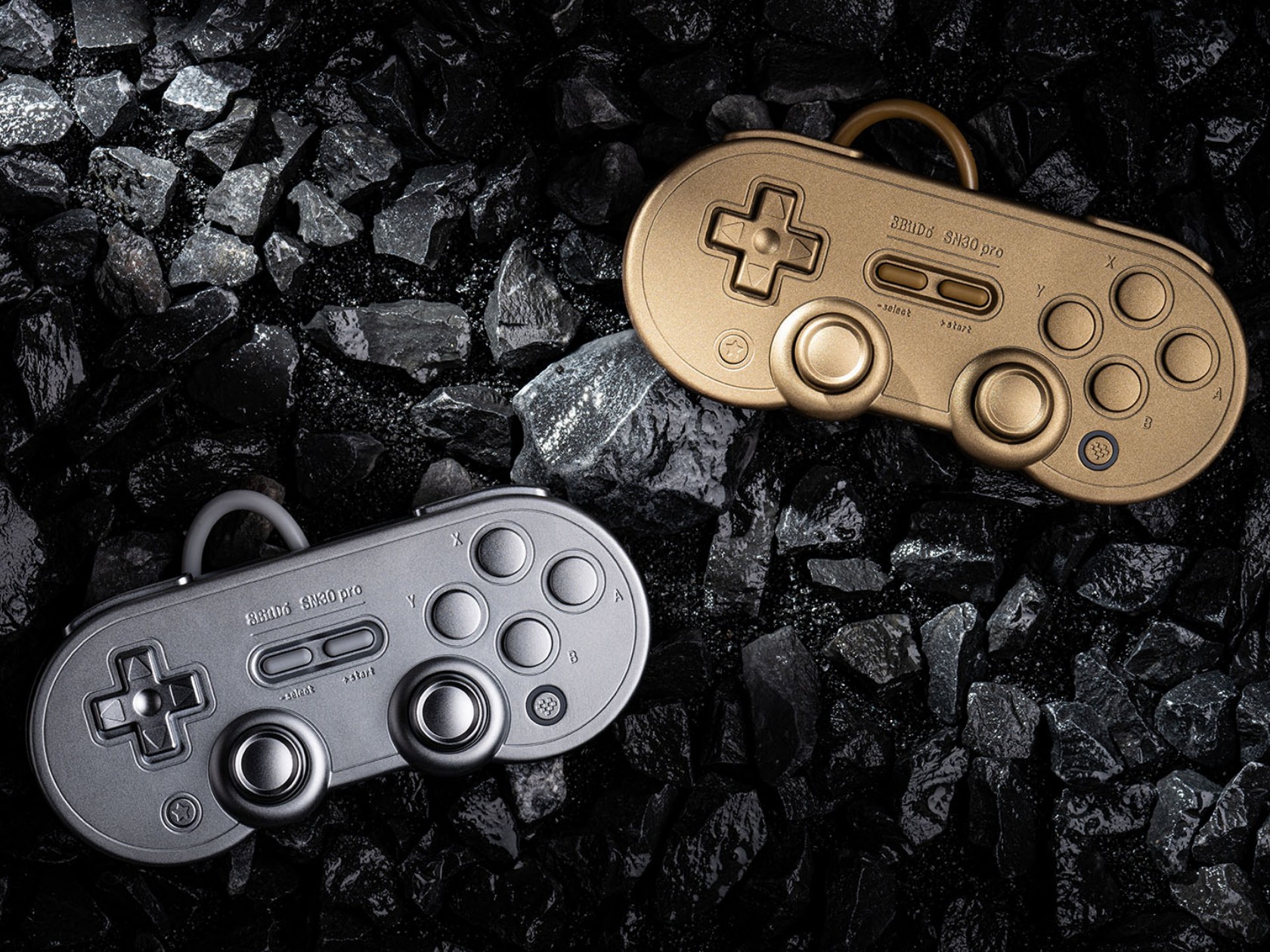
8BitDo SN30 Pro Gold and Silver controllers are as heavy as they look

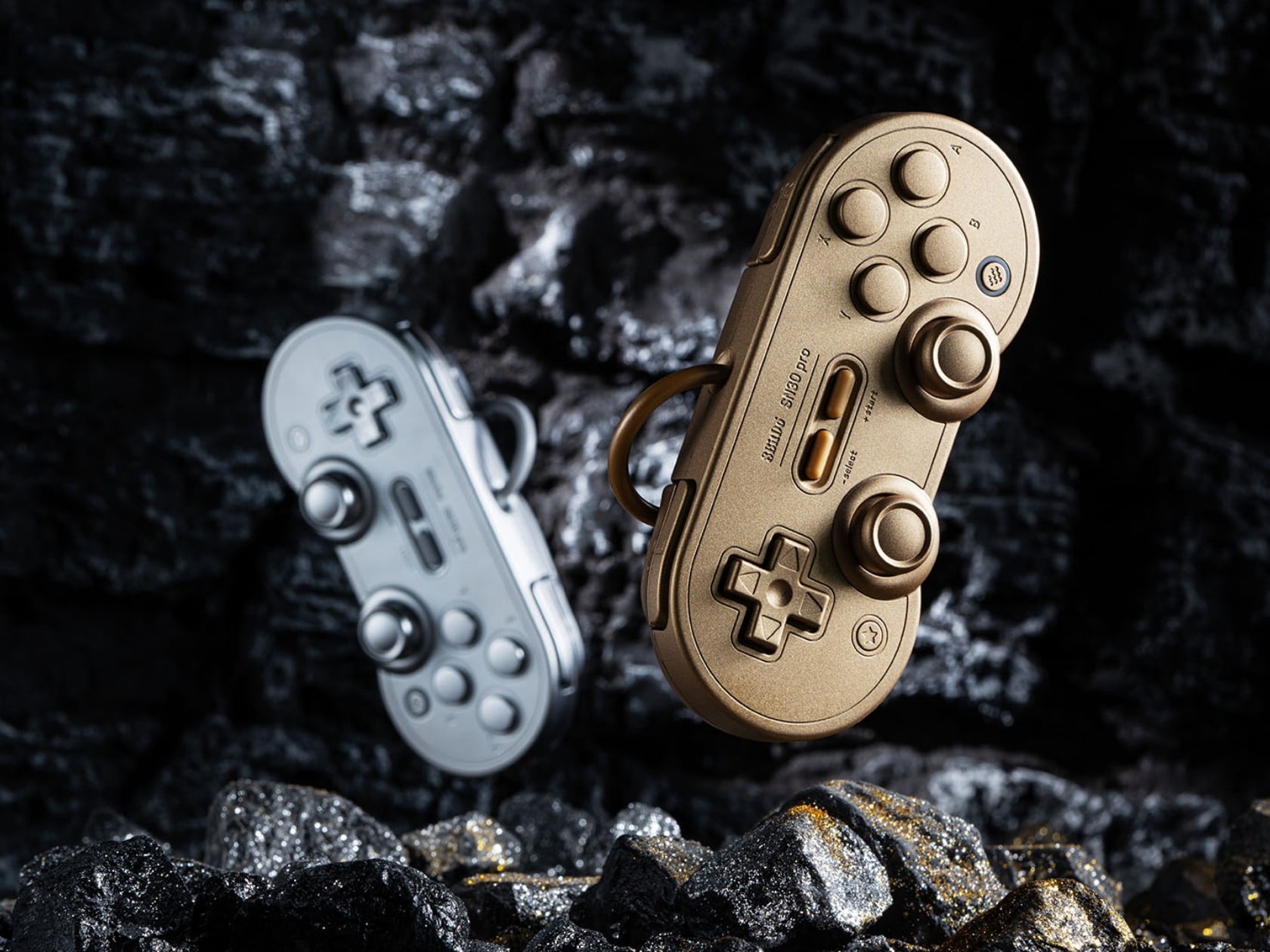
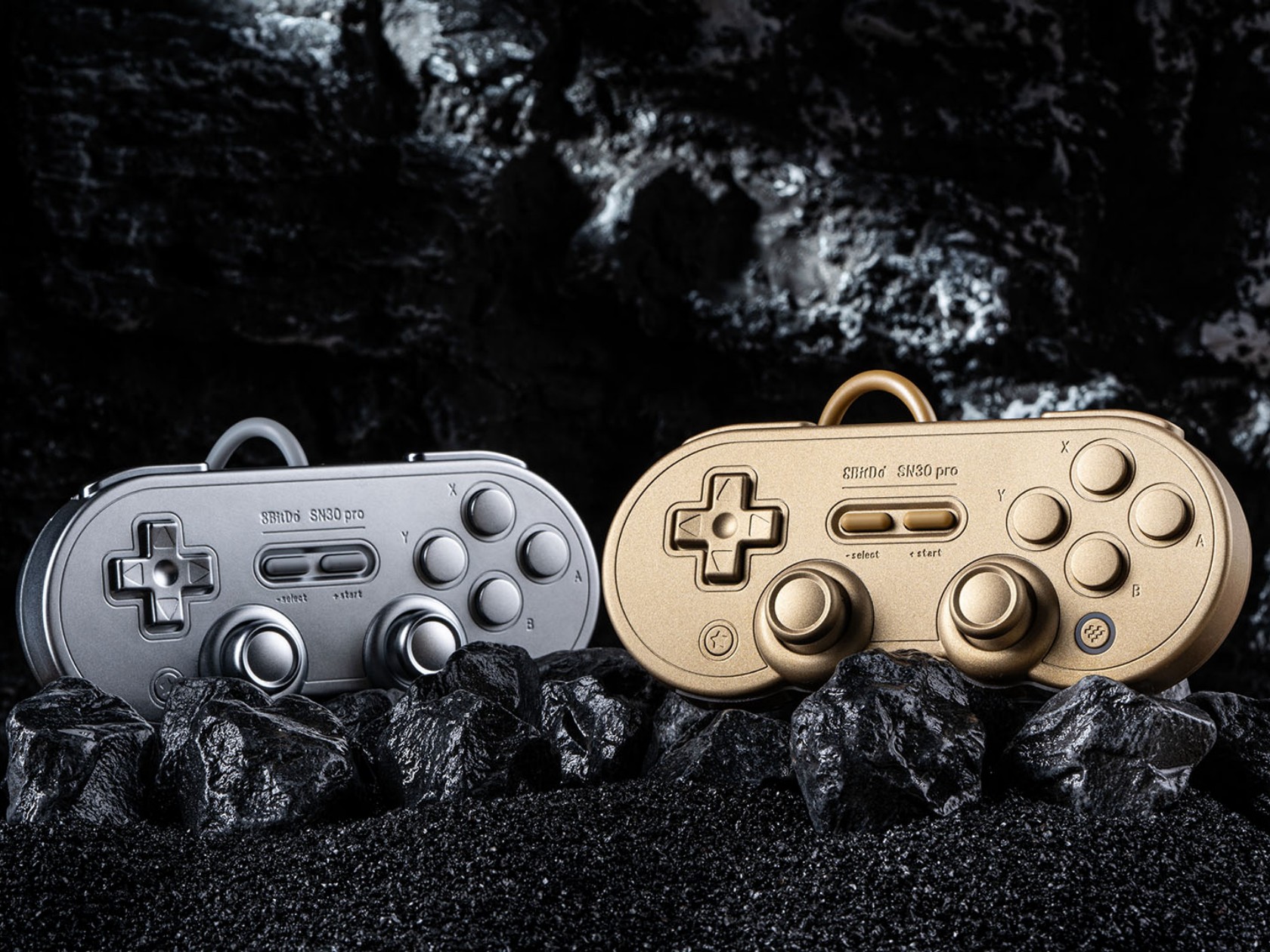
It seems that we’re seeing a rather curious design trend in the gaming market. Once filled with plastic-encrusted designs, there are a few coming out with more stylish cases, be it for the device itself or for its accessories. Analogue just recently launched its CNC aluminum limited edition Pocket, but 8BitDo was actually a few steps ahead of it. Although one’s eleventh anniversary isn’t actually associated with metal (it’s Turquoise, by the way), the famed maker of throwback controllers released metal versions of its widely popular SN30 Pro, giving fans of the brand a collectible they can actually use and, in case of an emergency, even throw like a deadly weapon.

Designer: 8BitDo

Game controllers are made to be light enough not to cause hand strain but still have enough weight to feel substantial and improve gameplay. Gamers have come to expect that bulkier controllers that follow the Xbox and PlayStation designs would be heavier than most, especially controllers that are patterned after the designs of yesteryears. Not so this variant of the SN30 Pro, itself designed after the super lightweight Super Nintendo gamepad, mostly because most of its body is made of metal.

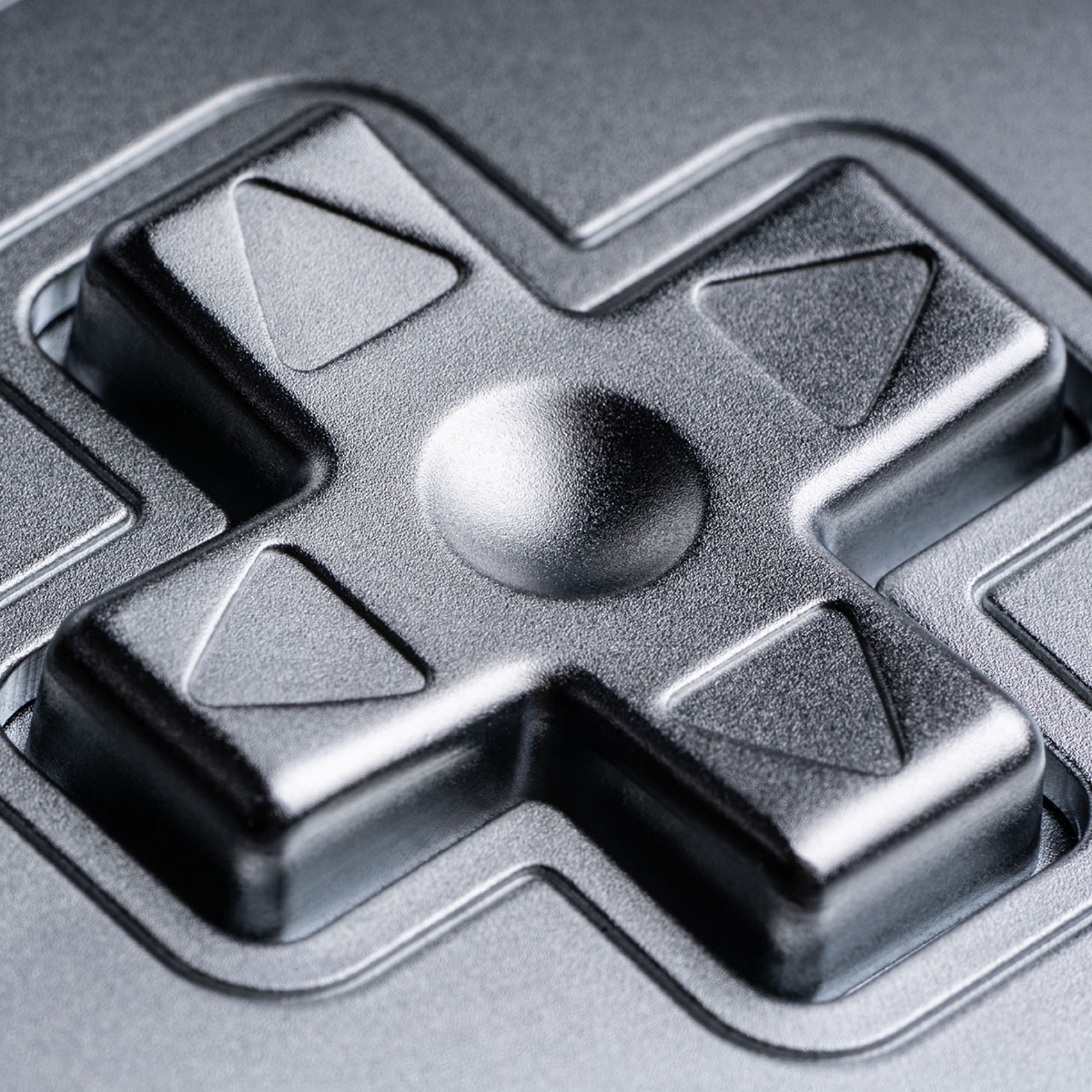
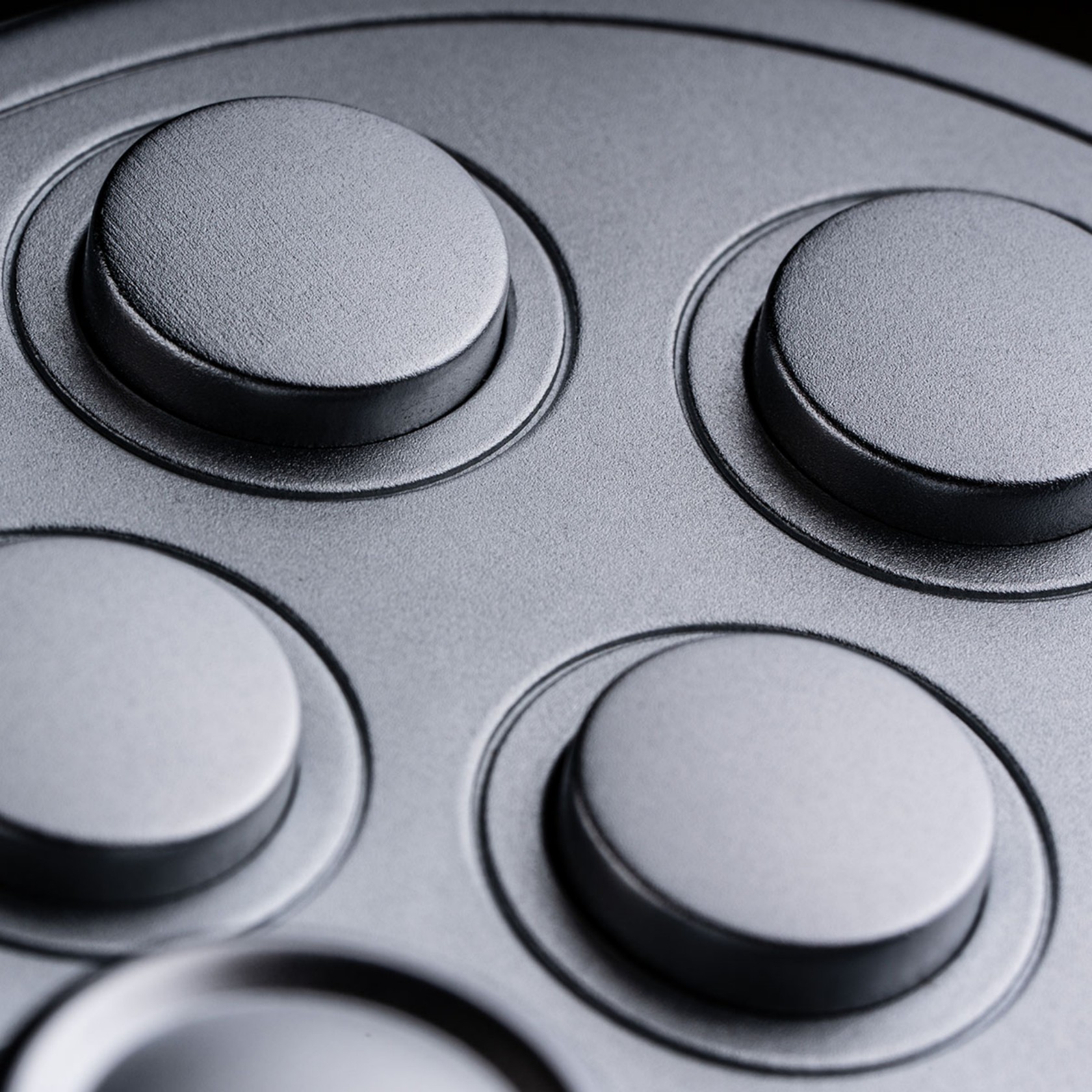
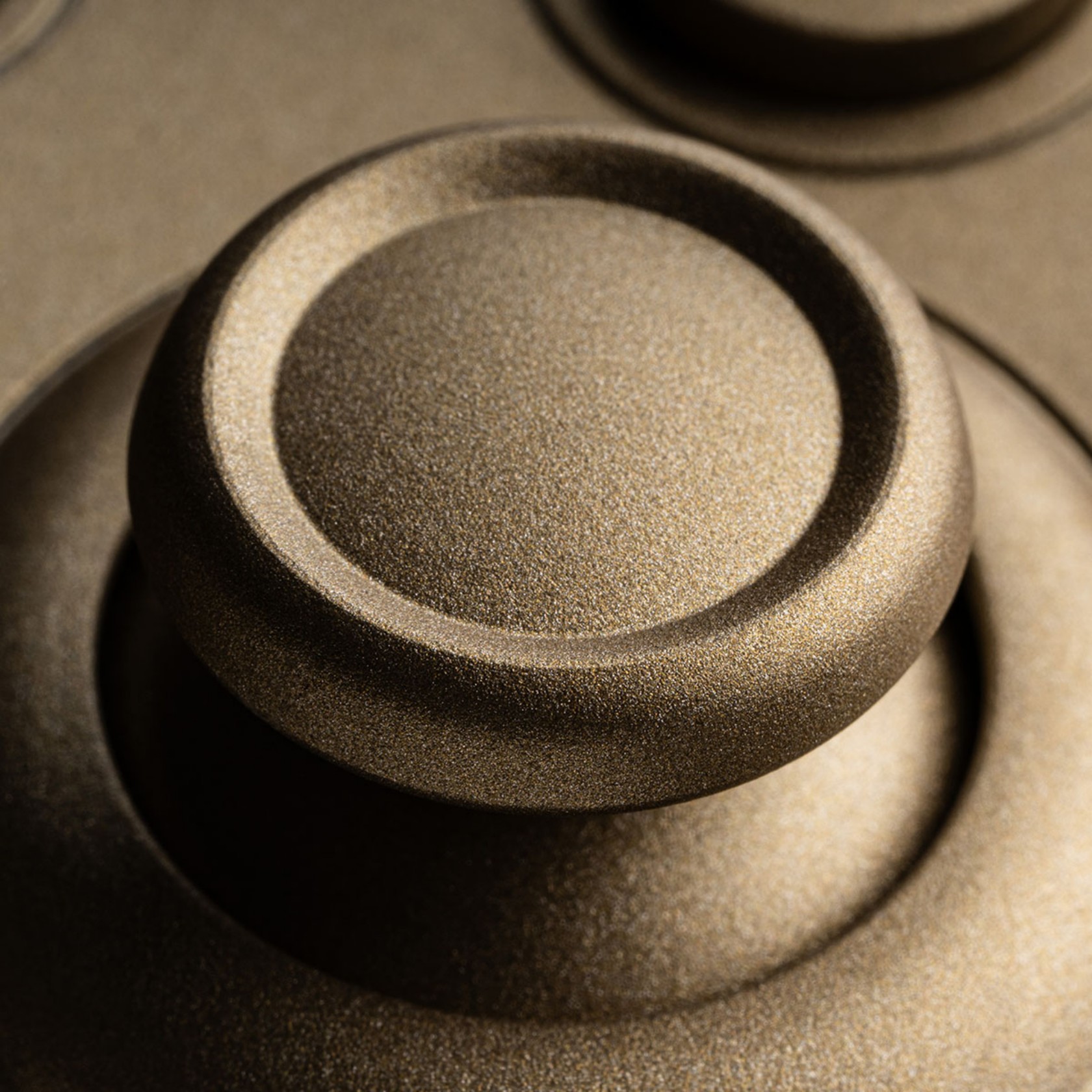
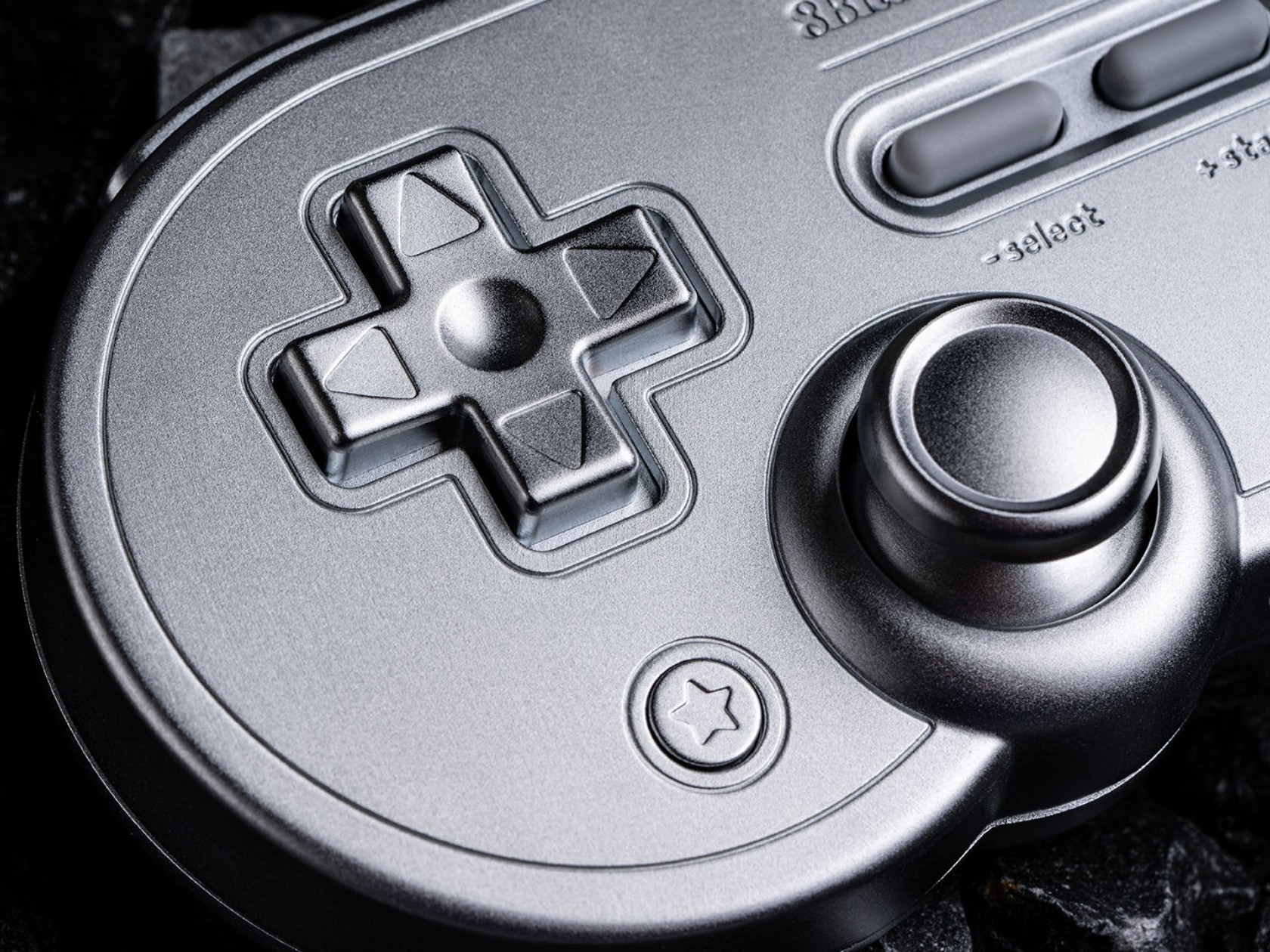
The Gold and Silver editions of the SN30 Pro aren’t just cheap paint jobs, though you might be forgiven for making that presumption given the resemblance to powder-coated metallic paint. It’s true metal, or as 8BitDo calls it, metal zinc alloy, and it’s used not just for the main body but for almost every part visible to the eyes. That includes buttons, triggers, and, yes, even the joysticks. The gold edition gets a matte paint finish while the silver version undergoes electroplating. The cables aren’t metal, though, which is probably for the best.

More than just visual oddities, the SN30 Pro Gold/Silver Edition controllers also have one other advantage over their plasticky older siblings. They’re built to last, at least more than the common controller, as metal will not warp or deform over time. It’s also less likely to crack when accidentally dropped, though you might dent this here and there. And drop it you might indeed, given how heavy it is 381g. For comparison, the normal SN30 Pro weighs a mere 114g and even the Xbox Wireless Controller is just around 287g.

Not all that glitters is gold, as they say, and despite the luster and heft of these limited edition controllers, their feature set might leave gamers sorely disappointed. They’re definitely more like functional collectors’ editions rather than serious gaming weapons (unless you throw it like one), and the $99.99 price tag definitely cements, or rather forges, that image.

The post 8BitDo SN30 Pro Gold and Silver controllers are as heavy as they look first appeared on Yanko Design.
Apple replaces the black HomePod mini with a black HomePod mini

If you were hoping for new colors of the HomePod mini, Apple just announced one. But, there's not much to get excited about. The company revealed a Midnight hue for its tiny speaker, replacing the Space Gray version that had been available since the mini debuted. So, yes, Apple replaced the black HomePod mini with another black HomePod mini that looks so similar it's hard to tell the difference. Even in the photo below, the shadows are likely to account for some variation in the color. 

However, the material for the new color, is different. Apple says the Midnight version is made with 100 percent recycled mesh fabric. All of the rest of the HomePod mini lineup, including the Space Gray option, has a cover made with 90 percent recycled plastic. Everything else about the new option is identical to the existing speaker, from the edge-to-edge illuminating touch panel to smart home controls and decent audio quality. 

Space Gray vs. Midnight
Apple

Aside from the higher recycled content in the mesh cover, this provided Apple an opportunity to bring the HomePod mini's color scheme up to date with some of its other products. The regular HomePod's black is already dubbed Midnight. What's more, the company ditched Space Gray for Midnight when the iPhone 13 debuted. It has carried it over to the Apple Watch, but there hasn't been a wholesale swap throughout all devices. The iPhone 15 lineup, for example, has Black Titanium and plain ol' Black as its darkest hues. 

The Midnight HomePod mini is now available to order from Apple. It will be at the company's stores and other retailers on July 17.  

This article originally appeared on Engadget at https://www.engadget.com/apple-replaces-the-black-homepod-mini-with-a-black-homepod-mini-162647248.html?src=rss

Amazon Prime Day tech deals under $25 that are still available today

Amazon Prime Day is officially over — but there are still a few legacy deals hanging on. We had previously pulled together this list of worthy under-$25 deals, and we've just updated it to reflect these affordable bargains that are still available as of Thursday morning. 

As a reminder (and for the uninitiated): Engadget treats tech deals with the same care as we would “regular” tech news. When we scour the web for deals, we’re looking not only for the best prices possible, but also the best products as well. Our goal with our deals coverage, especially surrounding events like Amazon Prime Day, is to surface only the best deals we can find on the gadgets we’ve tested and rated highly, or that we’ve used and know to be worth your money.

These deals were available earlier but have expired. They may or may not return. 

Your Prime Day Shopping Guide: See all of our Prime Day coverage. Shop the best Prime Day deals on Yahoo Life. Follow Engadget for Prime Day tech deals. Hear from Autoblog’s experts on the best Amazon Prime Day deals for your car, garage, and home, and find Prime Day sales to shop on AOL, handpicked just for you.

This article originally appeared on Engadget at https://www.engadget.com/amazon-prime-day-tech-deals-under-25-that-are-still-available-today-154512947.html?src=rss