Camera Batteries Go Missing, So This $70 One Tracks Itself

Camera batteries are one of those accessories that photographers never think about until something goes wrong. They’re small enough to vanish into the bottom of a bag or a jacket pocket, common enough to own several of and regularly mix up, and important enough that losing one mid-trip can force an early stop to a shoot. The solution most people reach for is buying more of them, which only increases the number of things to keep track of.

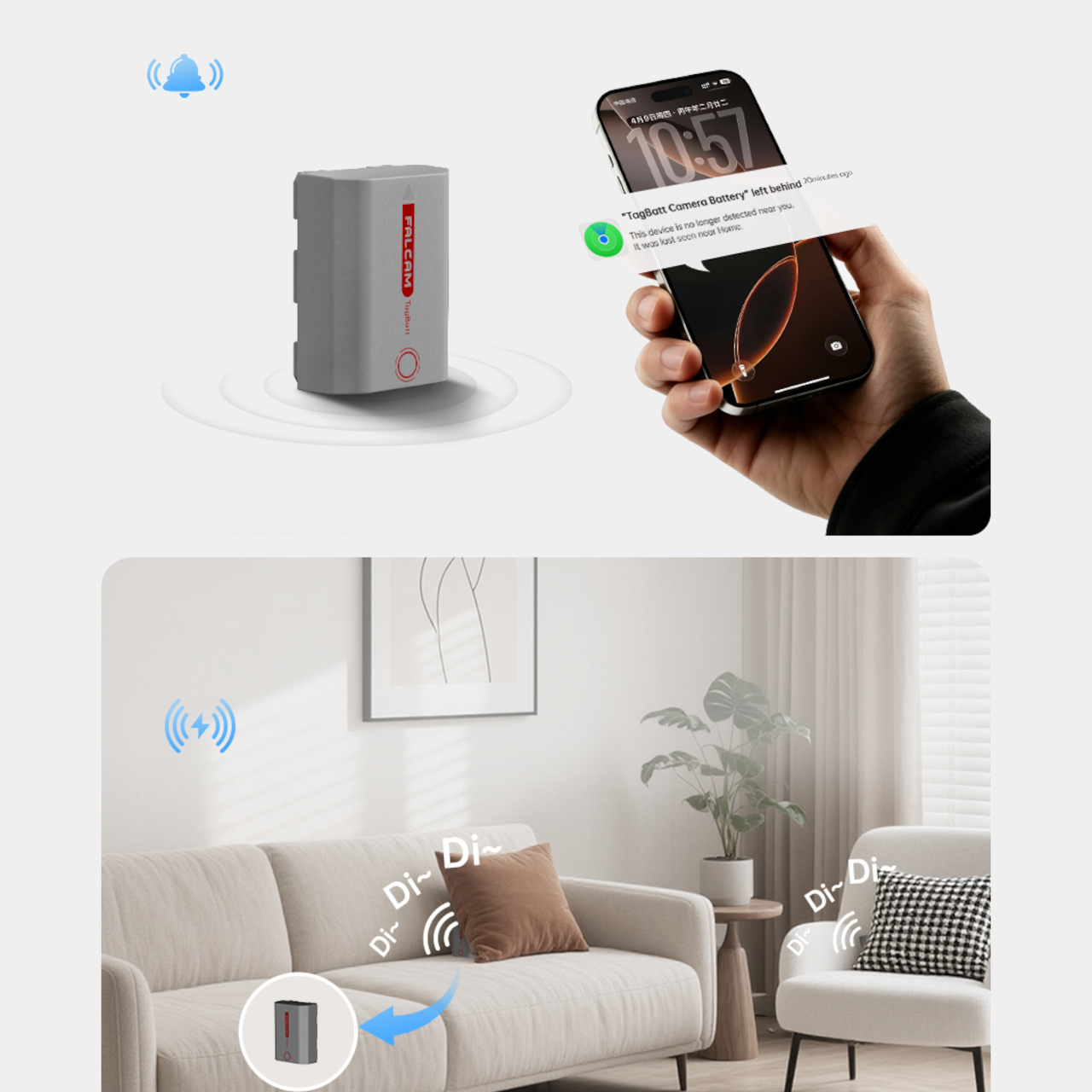
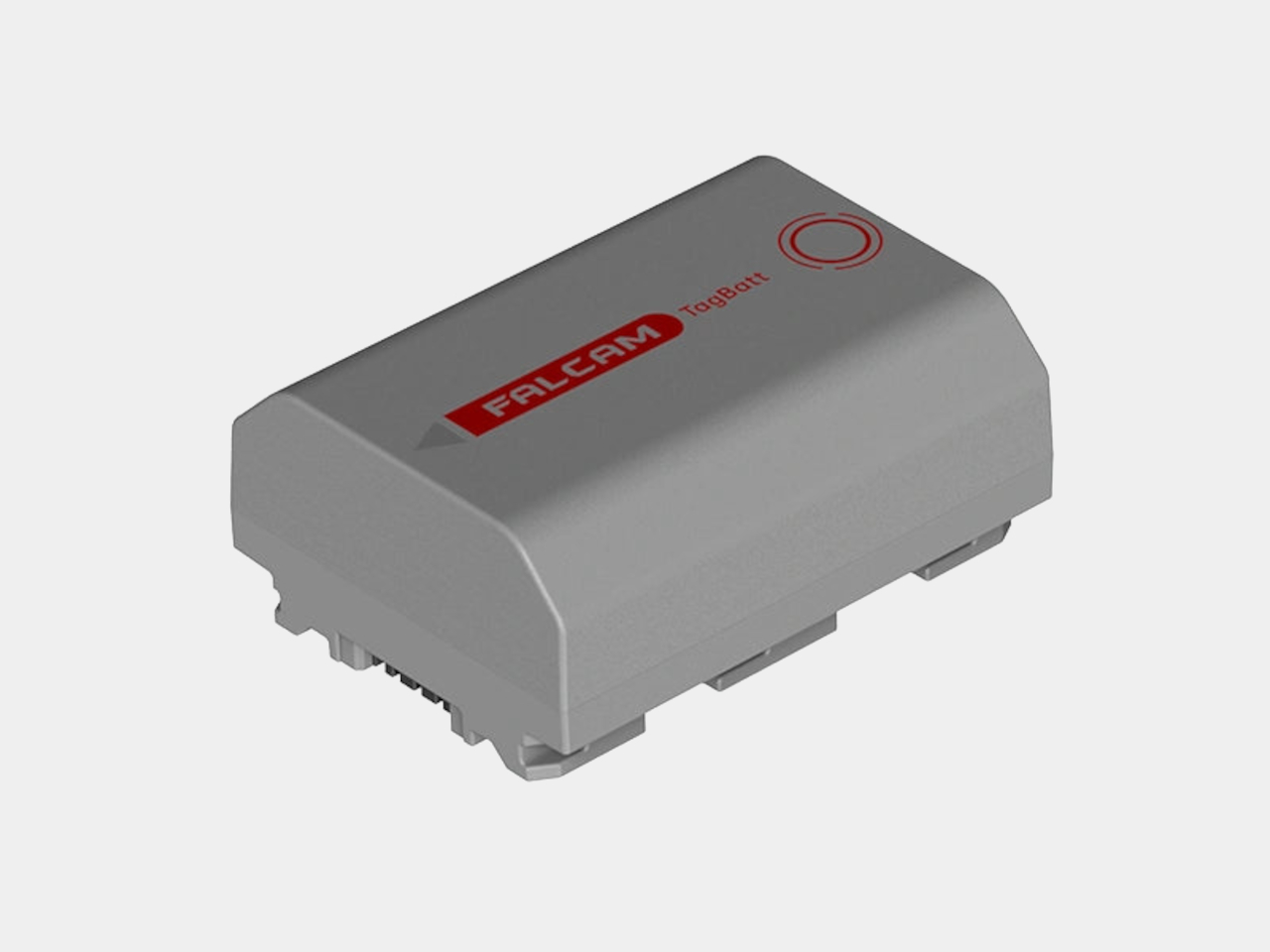
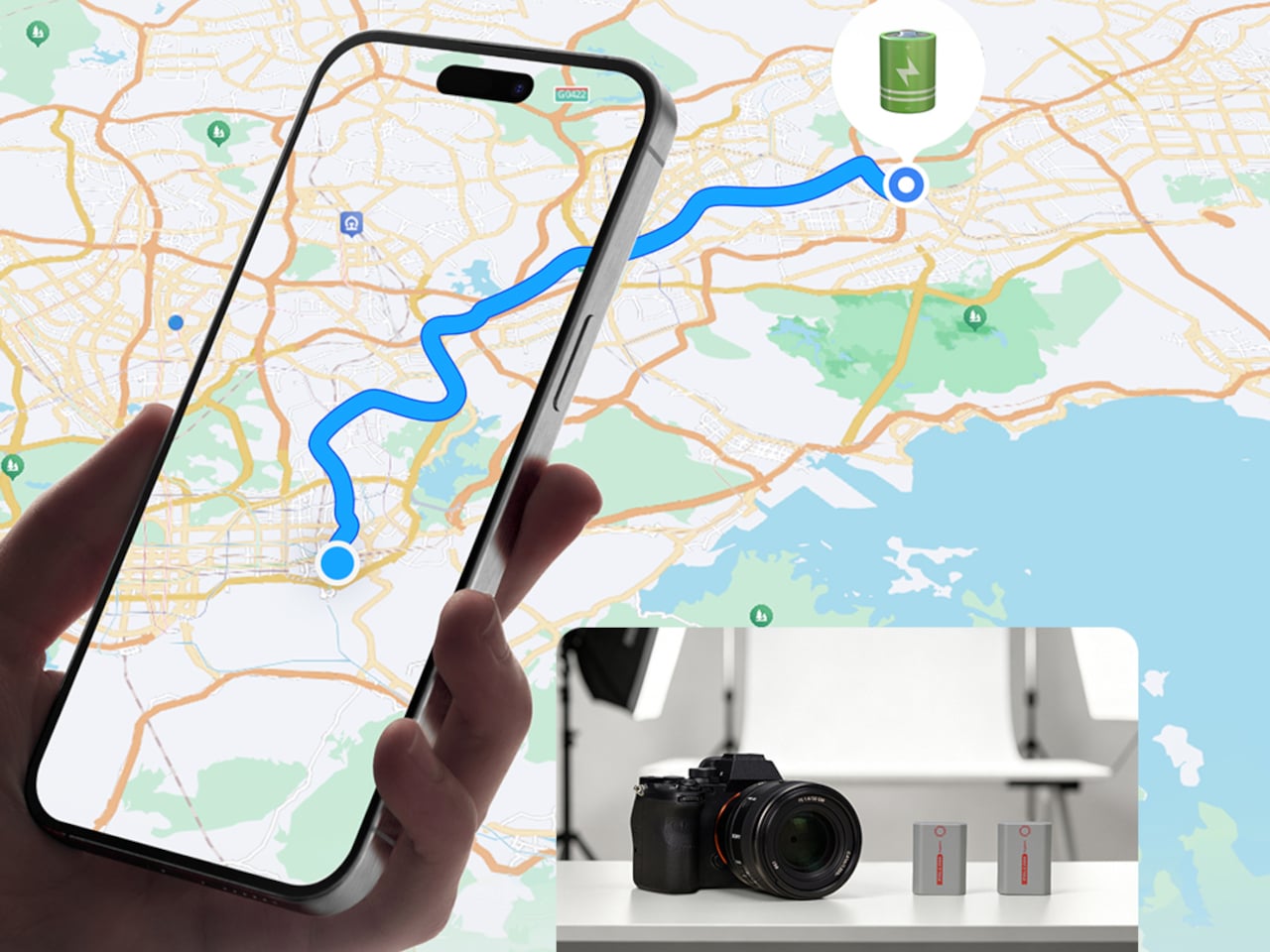
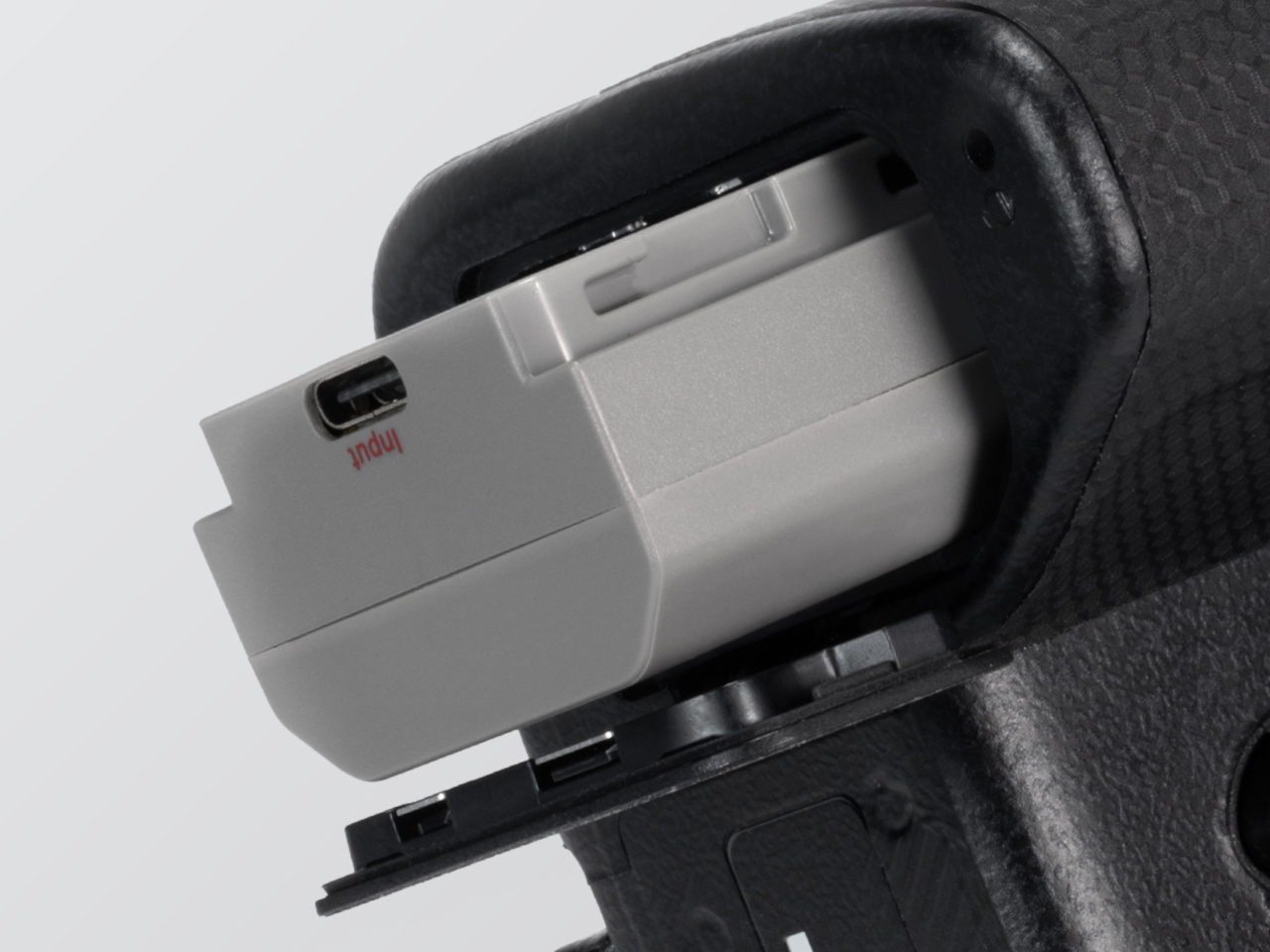
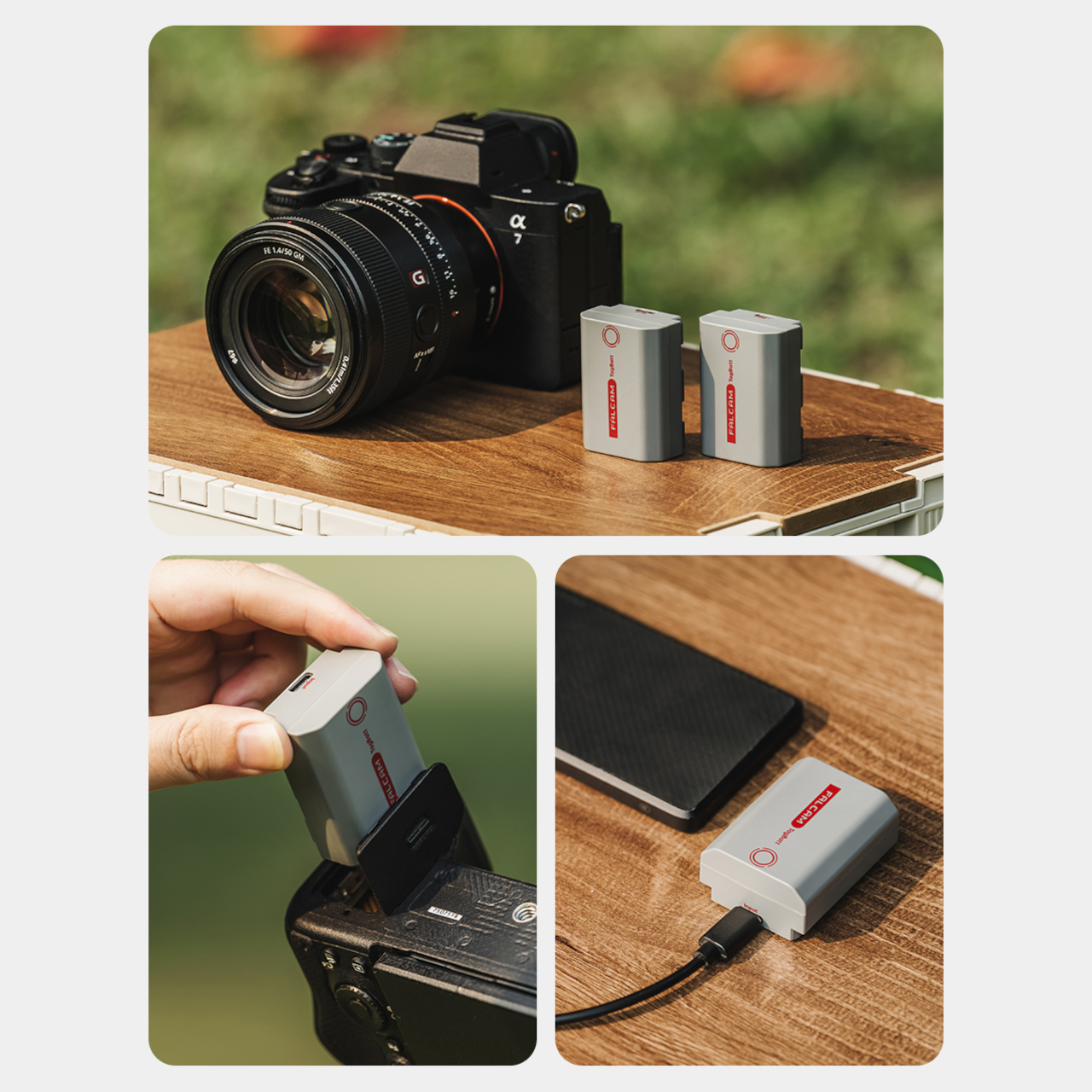
The FALCAM TagBatt addresses the problem from inside the battery itself. Compatible with Sony’s NP-FZ100 form factor, it integrates Apple’s Find My tracking technology directly into the cell, so the battery carries its own location data wherever it goes. If it ends up left behind at a studio, a venue, or the seat pocket of a flight, the Find My app will flag it and show its last known position.

Designer: FALCAM

Because the tracker lives inside the battery rather than clipped to a camera strap or screwed into a cage mount, it’s considerably harder to spot. An opportunistic thief who grabs a camera bag and removes any obvious Bluetooth puck from the outside can’t strip out what’s already built into the power source. It’s the kind of discreet integration that external trackers can’t quite replicate, no matter how small they get.

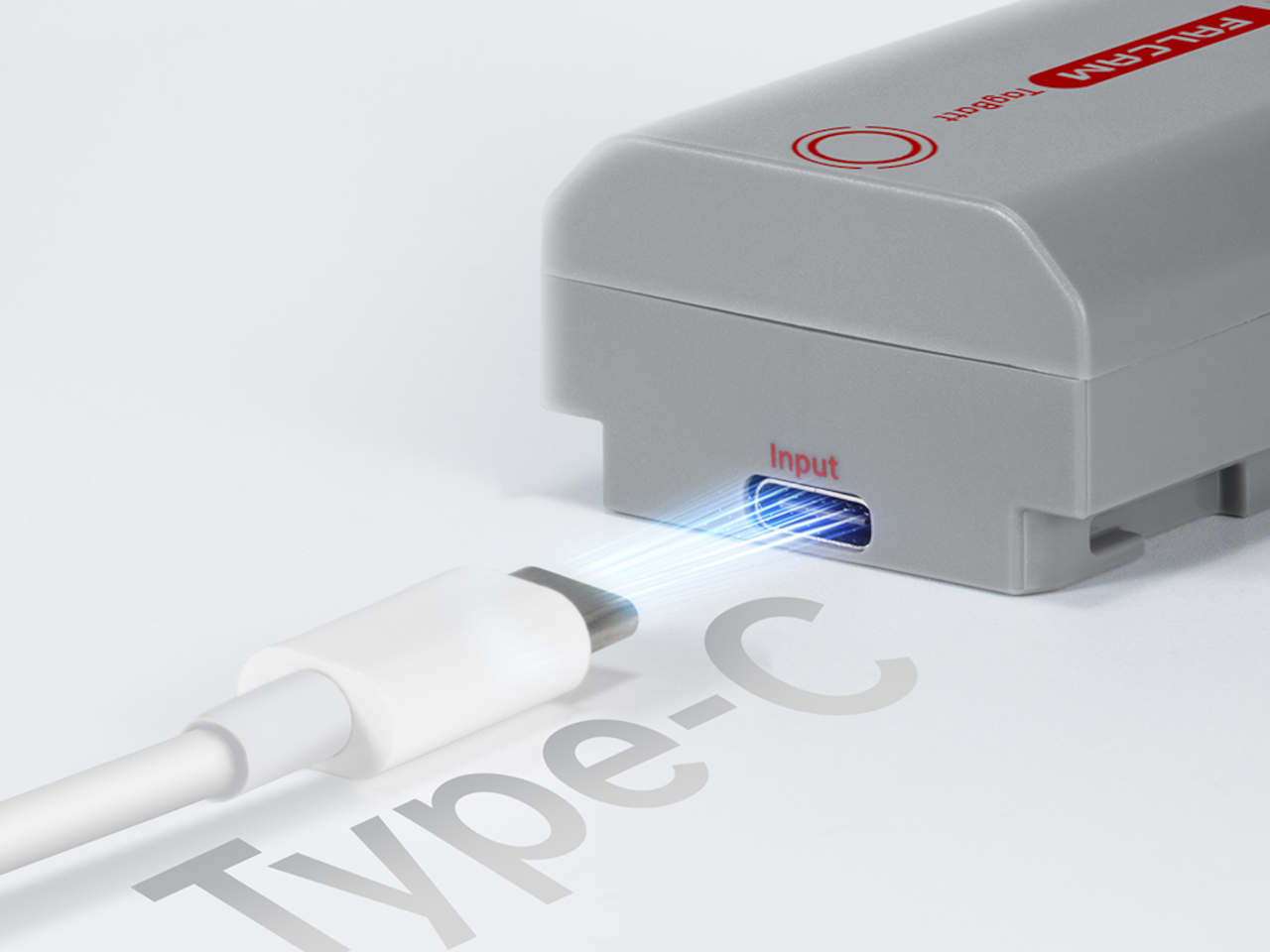
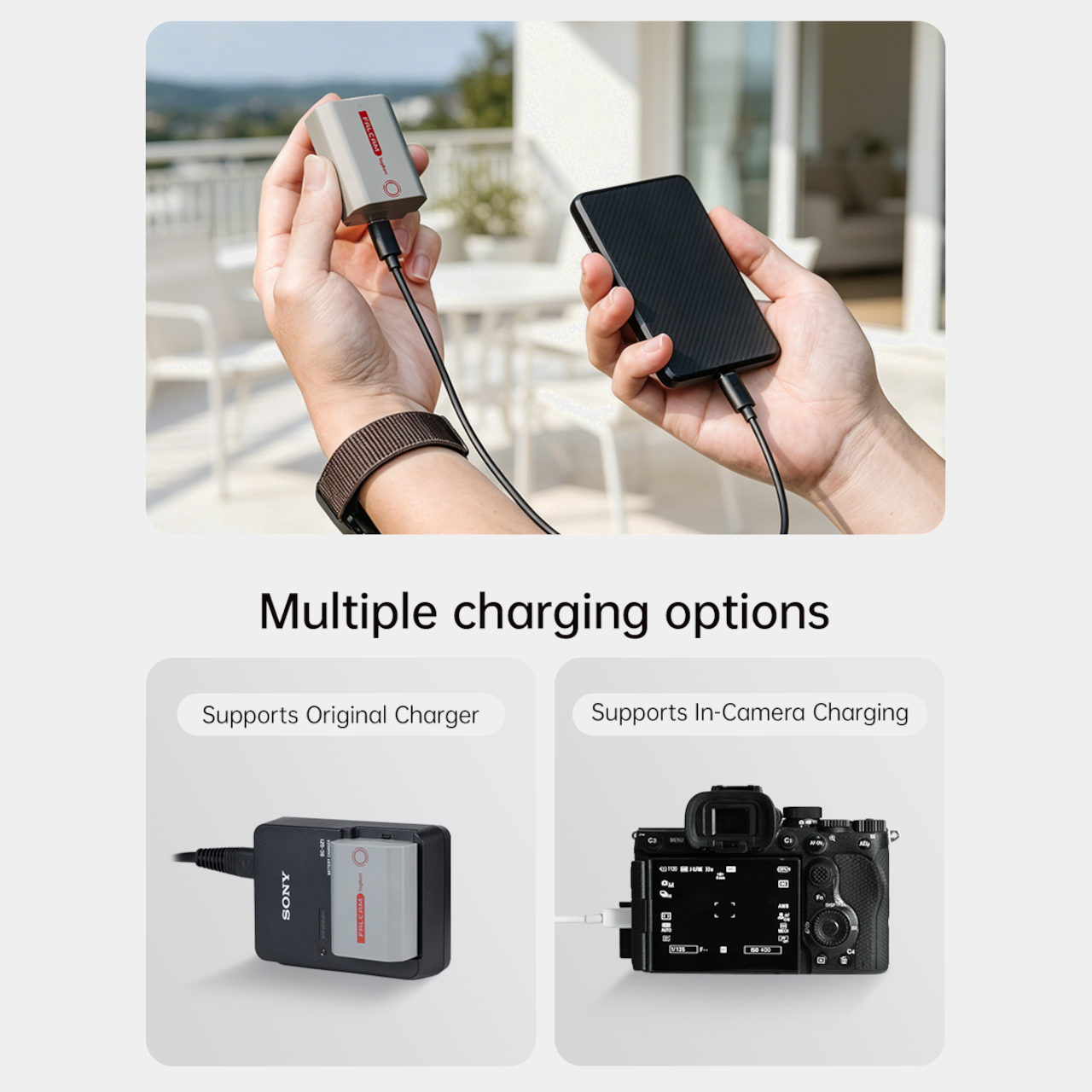
The tracking isn’t the only thing the TagBatt changes about how a camera battery behaves. A built-in USB-C port lets it charge directly from any standard USB-C source, including a power bank or a travel adapter, without needing the dedicated Sony battery charger that typically takes up its own space in a kit bag. Pop it out of the camera, plug it in overnight, and it’s ready in the morning without routing around a charger at all.

Capacity comes in at 2,600mAh against the OEM Sony NP-FZ100’s 2,280mAh, which translates to a modest but real advantage per charge. An advanced decoding chip handles the communication with the camera’s internal systems so the body treats it as it would any genuine battery, with accurate charge-level reporting and none of the “non-genuine battery” warning messages that typically accompany third-party cells.

Compatibility covers a wide sweep of Sony’s current lineup, including the Alpha 7 series through the Alpha 7 V, the Alpha 9 series, the Alpha 6700, the FX3 and FX30, and the ZV-E1, among others. A Canon LP-E6 version is also available now, with Nikon EN-EL15 and Fujifilm NP-W235 versions confirmed to be in development.

At $69.99, the TagBatt costs more than a standard third-party replacement but considerably less than the Sony original, and it comes with two capabilities that the original simply doesn’t offer. For photographers who travel frequently, work in locations where gear occasionally goes astray, or are just tired of carrying a charger they’d rather leave at home, the trade-off makes a fairly straightforward case.

The post Camera Batteries Go Missing, So This $70 One Tracks Itself first appeared on Yanko Design.

A $2,699 Gaming PC That Doubles as a Display Case for Figurines

Cables are the dirty secret of PC building. No matter how carefully chosen the components are, or how expensive the case gets, the tangle of power, data, and fan connectors that crisscross the interior of most gaming desktops eventually undermines every effort at a clean aesthetic. The glass side panel that was supposed to show off the build ends up framing a web of wires that even the most diligent cable manager struggles to fully tame.

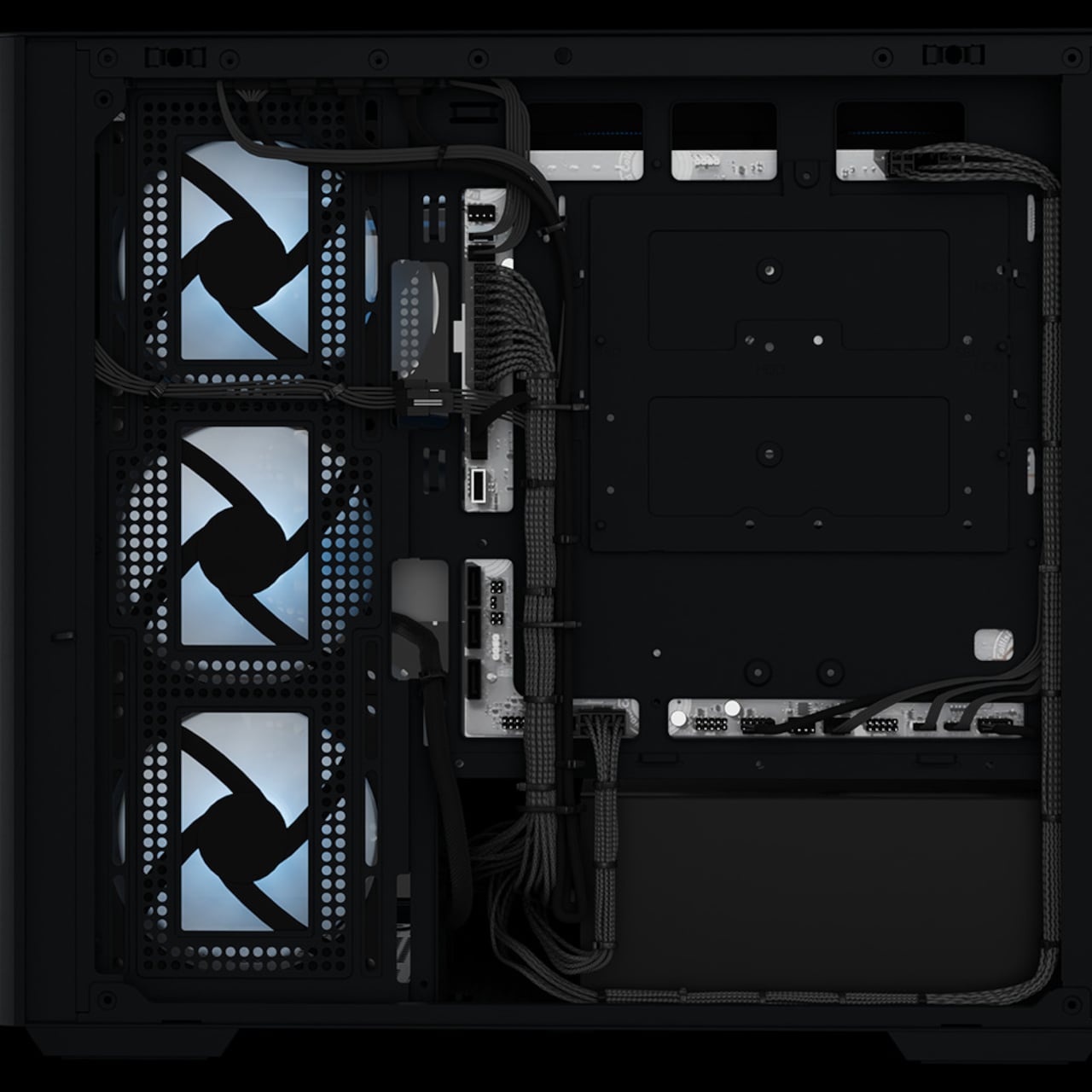
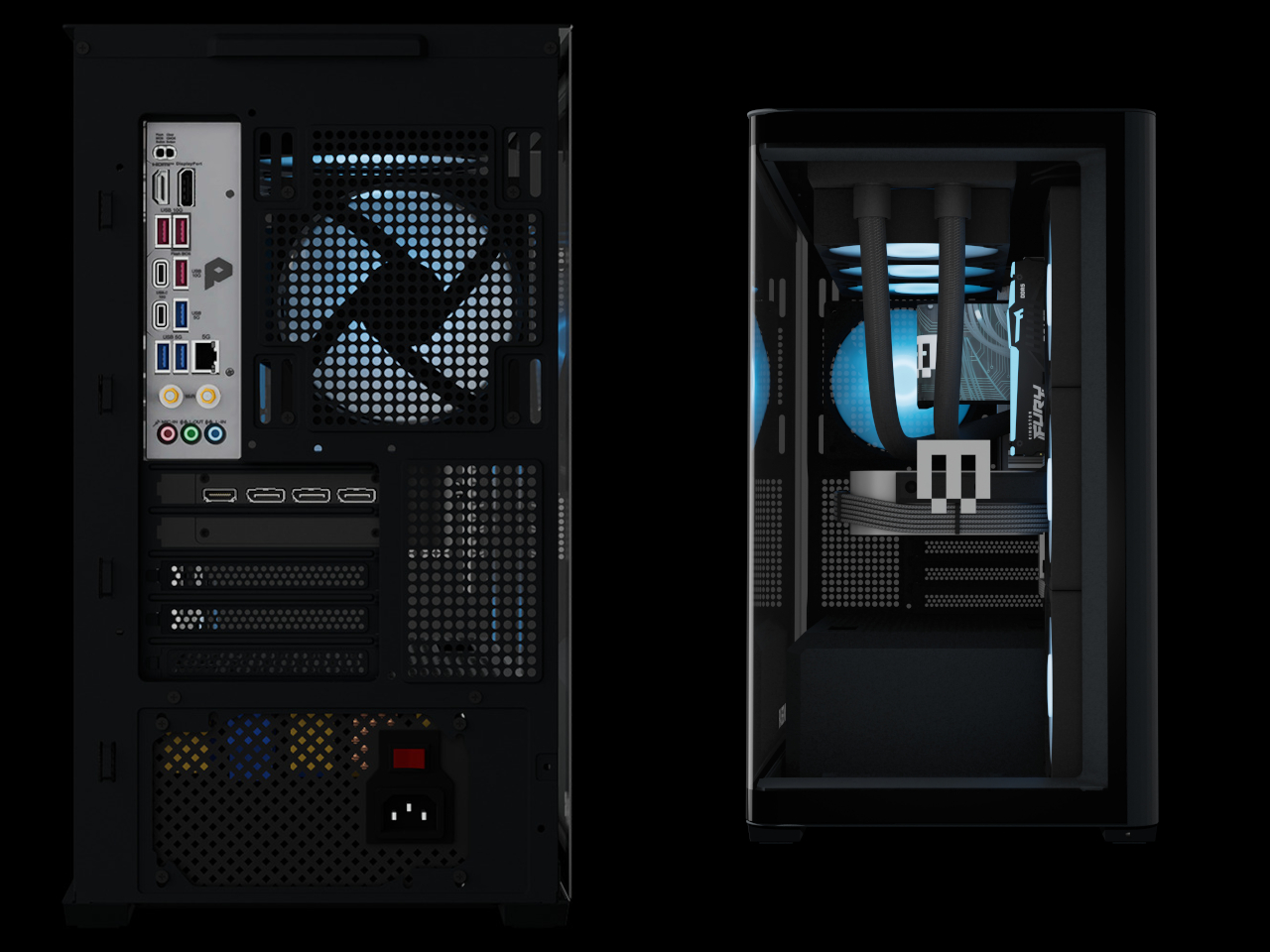
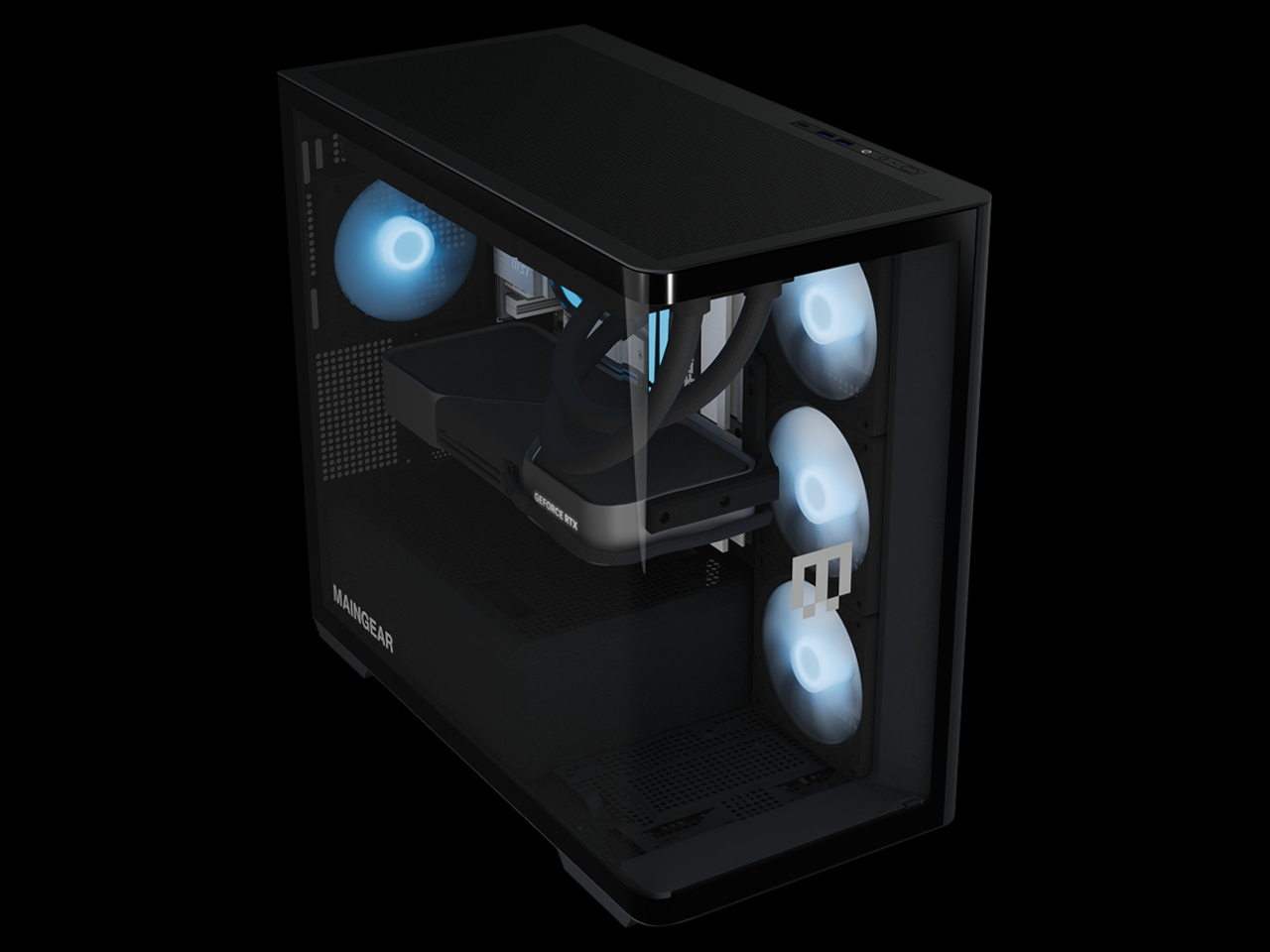
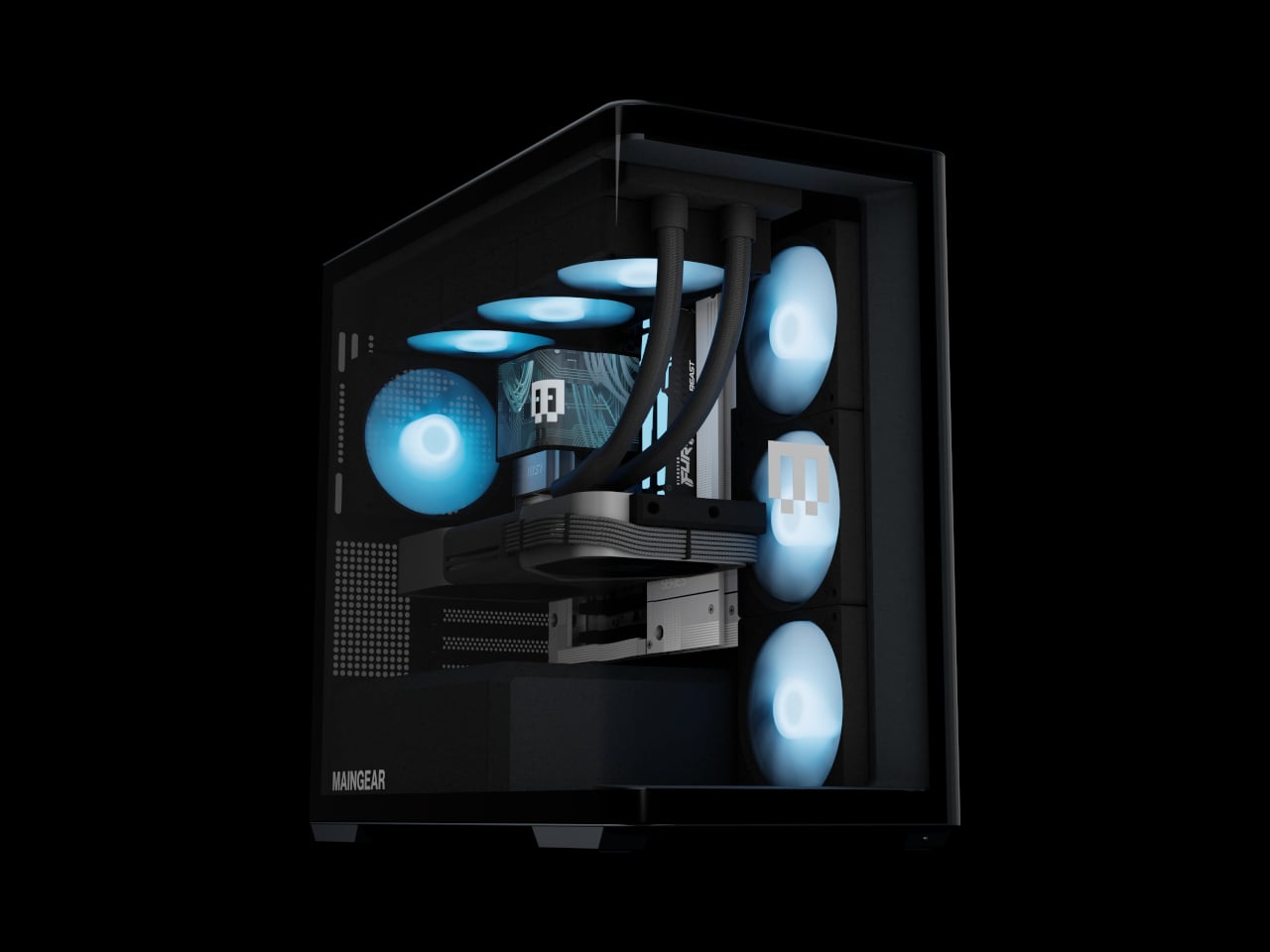
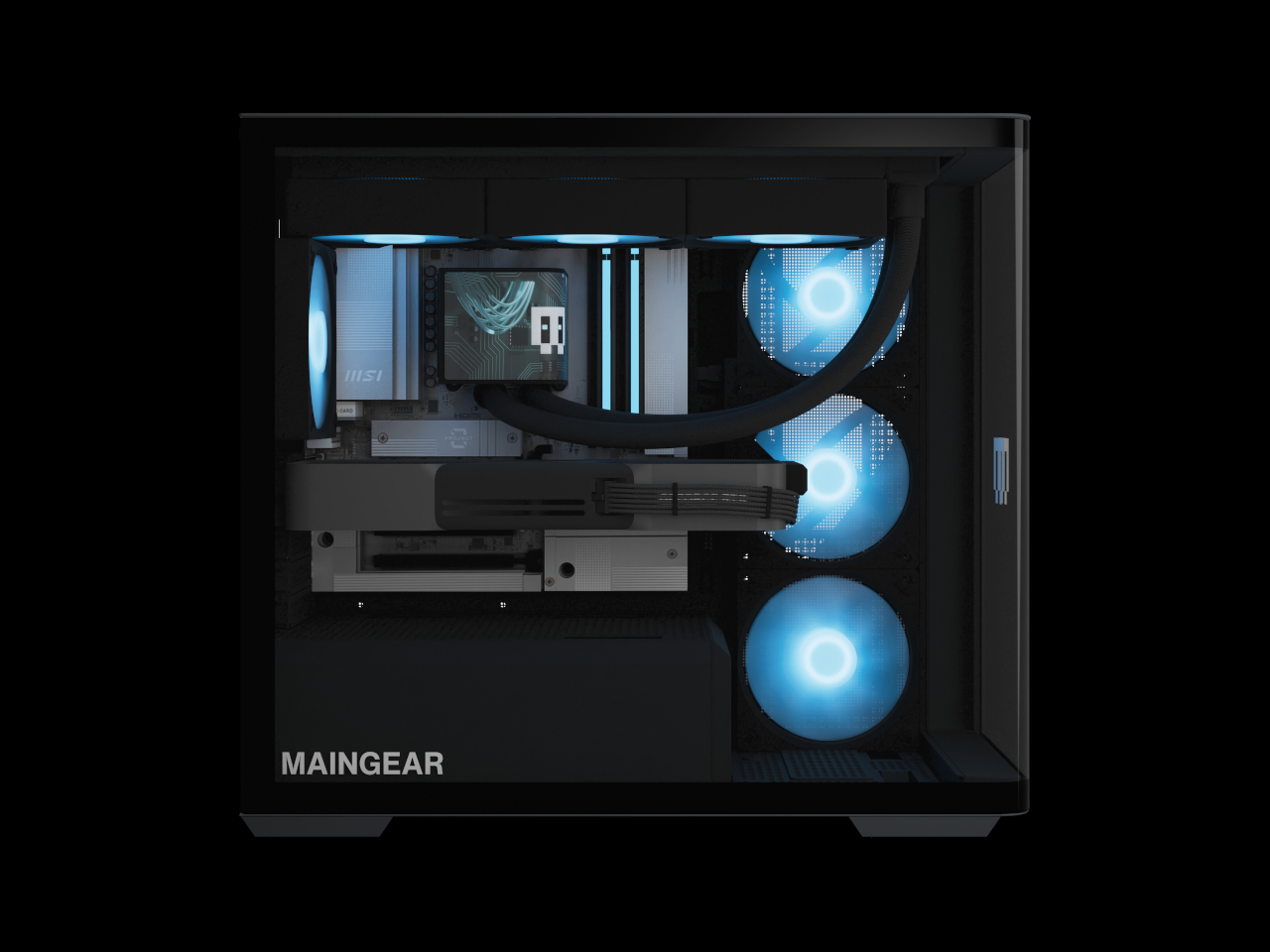
The Maingear Zero treats that problem as the actual design brief. Its patented MG-RC, or Rear Connection, system moves every motherboard connector to the back and underside of the board, clearing the visible interior of cables entirely. Paired with a single, seamless 4 mm tempered glass curve that wraps the front and side of the chassis without a single seam or pillar, the result is a desktop that looks like it has nothing to hide, because it genuinely doesn’t.

Designer: Maingear

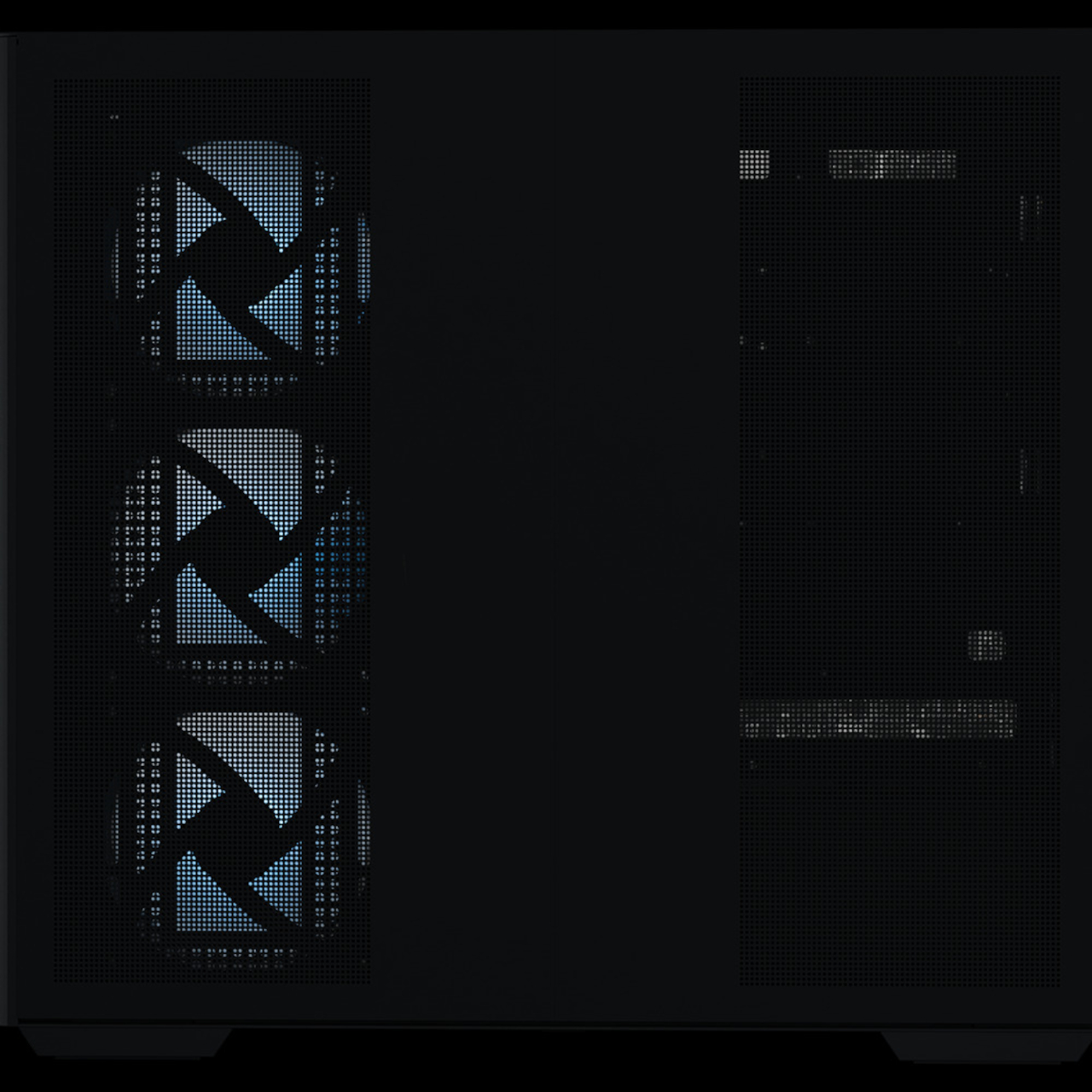
Seven fans work to keep the hardware running at full performance without drawing much attention to themselves. A mix of standard and reverse-blade units pushes cool air in through the front and exhausts it out through a 360mm AIO liquid cooler at the top, all following a single front-to-back airflow path. The reverse-blade intakes are specifically designed so the fan blades themselves don’t interrupt the view through the glass, which is a level of detail that most cases simply don’t think to address.

All RGB lighting inside the Zero is diffused rather than sourced from visible diodes, meaning the light saturates the interior without any glowing point of origin to break the illusion. The whole package measures 236mm wide, 421mm tall, and 460mm deep, which is more compact than a traditional mid-tower while still accommodating a full-sized GPU and the 360mm cooler overhead. It doesn’t look like a PC that compromised on size to achieve the aesthetic.

The hardware ceiling is genuinely high. Configurations top out at an NVIDIA GeForce RTX 5090 paired with an AMD Ryzen 7 9850X3D or Intel Core Ultra 7 270K Plus, 32GB of DDR5 memory, and a 2TB NVMe SSD. The chassis uses standardized mATX components throughout, with no proprietary parts, so future upgrades don’t require a trip back to the manufacturer.

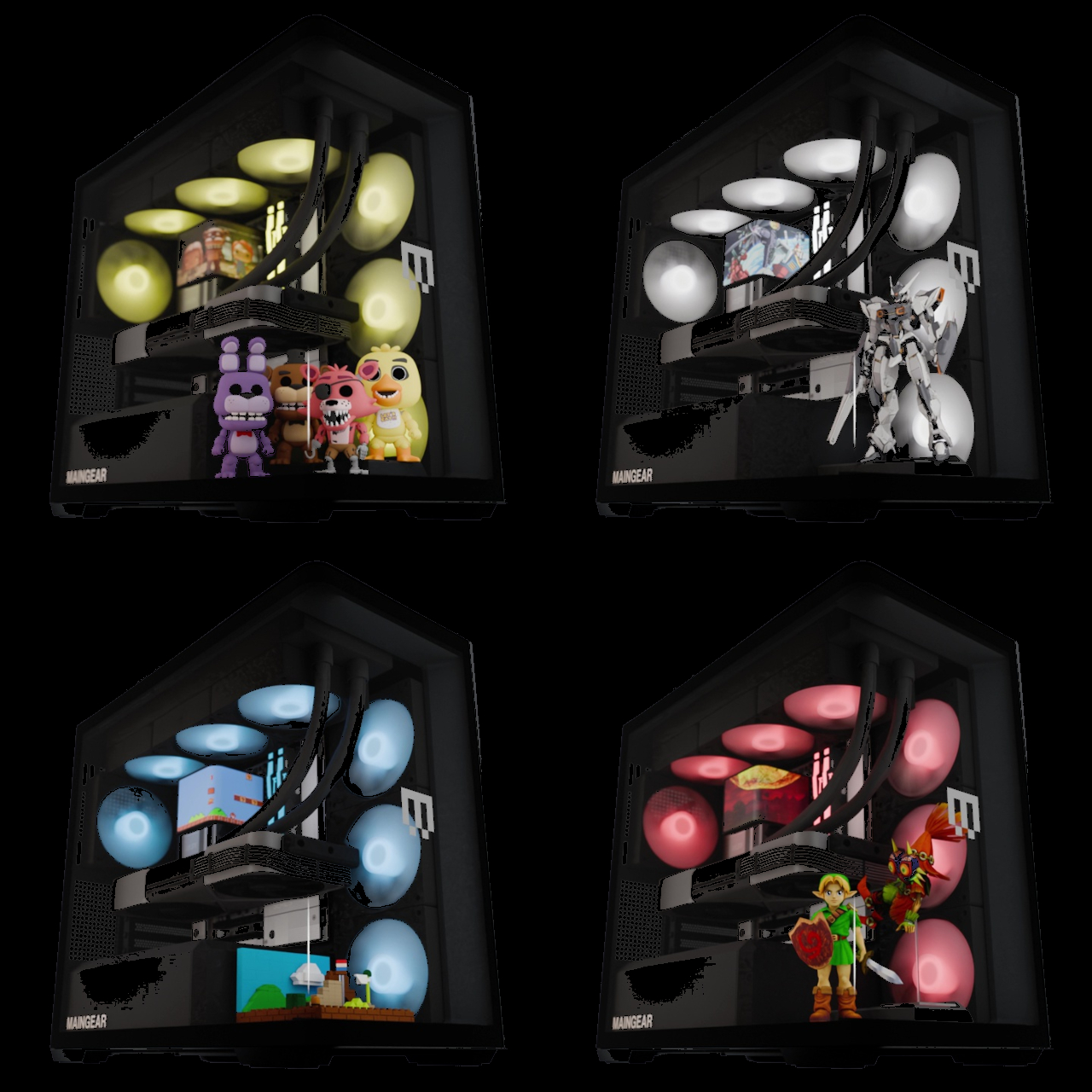
Beyond the hardware, the Launch Edition adds a pair of tool-free snap-in display stands inside the chassis, one for figurines and one for brick builds. The stands sit inside the case floor where passive airflow keeps whatever’s displayed inside dust-free. It’s the kind of feature that turns the interior from a hardware showcase into something closer to a display cabinet, which only makes sense given how much effort went into eliminating everything else that wasn’t worth looking at.

Every system is hand-built in New Jersey and ships with no bloatware pre-installed. Pricing starts at $2,699 for the base configuration, with the top-end Launch Edition Champion reaching $6,799. Built around the premise that nothing inside should be hidden, the Zero demonstrates how the best-looking gaming PC doesn’t have to sacrifice anything to get there.

The post A $2,699 Gaming PC That Doubles as a Display Case for Figurines first appeared on Yanko Design.

Chuwi Just Put a Real Performance Chip in a $469 Tote-Bag Laptop

Mini laptops have never quite shaken the reputation of being underpowered novelties. The appeal is undeniable: a real Windows laptop that slips into a small bag is genuinely useful for anyone who spends their days moving between locations. But the processors that typically power these tiny machines have struggled to keep up with even moderate workloads, which turns the form factor’s biggest selling point into a quiet disappointment.

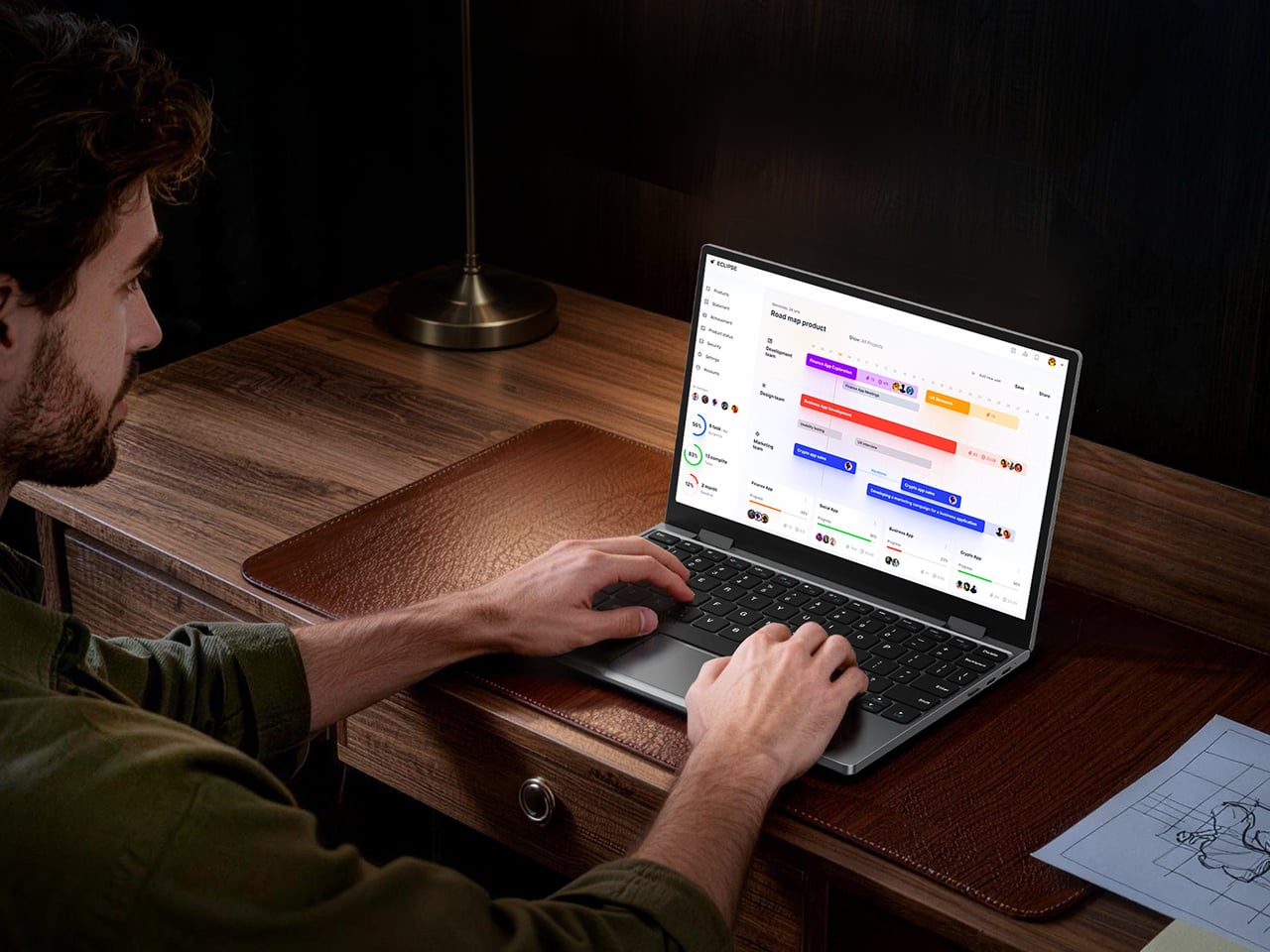
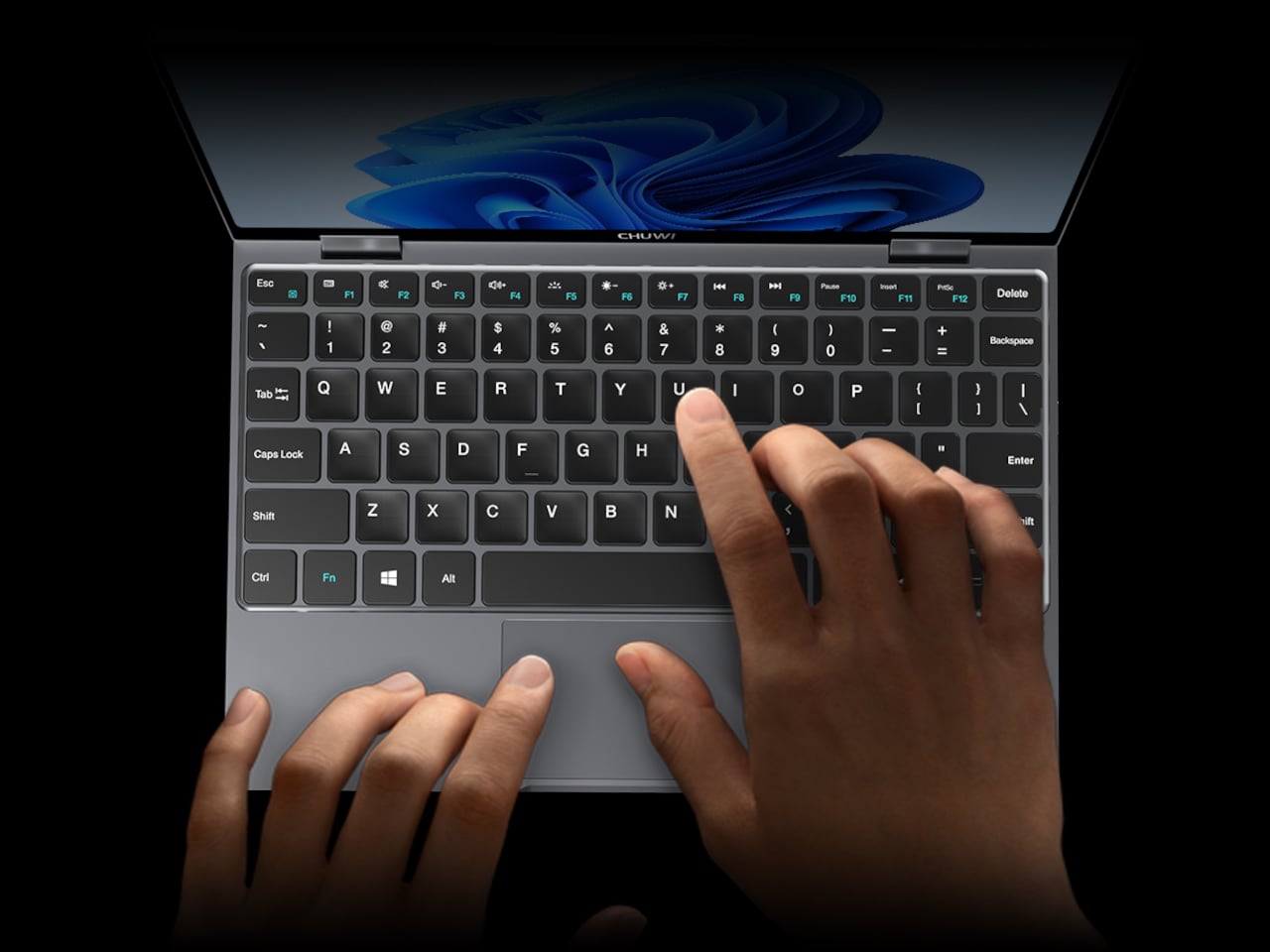
The Chuwi MiniBook X U300 addresses that by pairing the same compact, 360-degree convertible format with Intel’s U300 processor, a 13th-generation Raptor Lake chip with five cores and a dedicated performance core at its center. That shift from the pure efficiency cores found in N100 and N150 machines delivers stronger single-core speed and better multitasking headroom, without meaningfully adding to the machine’s size, weight, or thermal footprint.

Designer: Chuwi

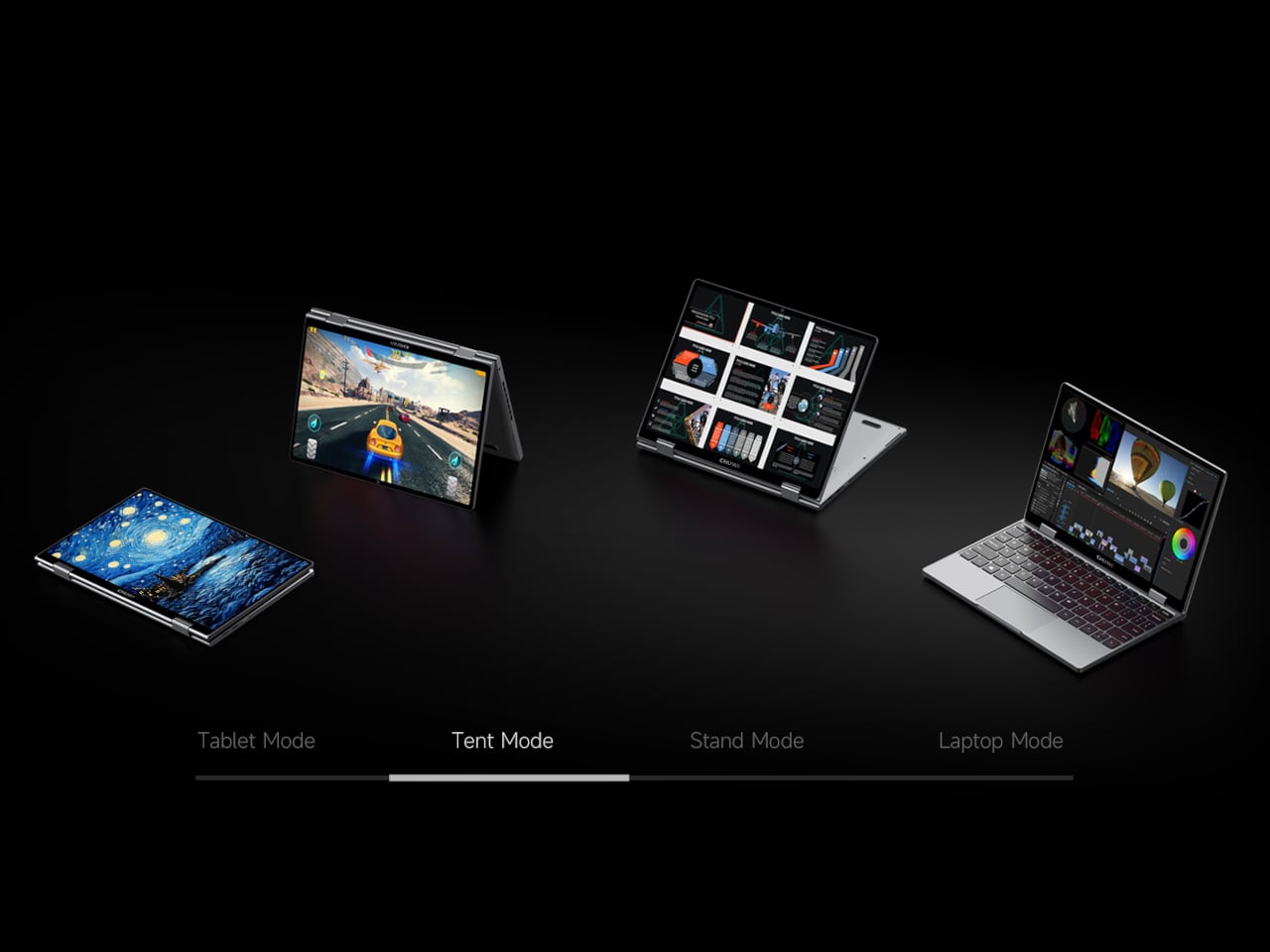
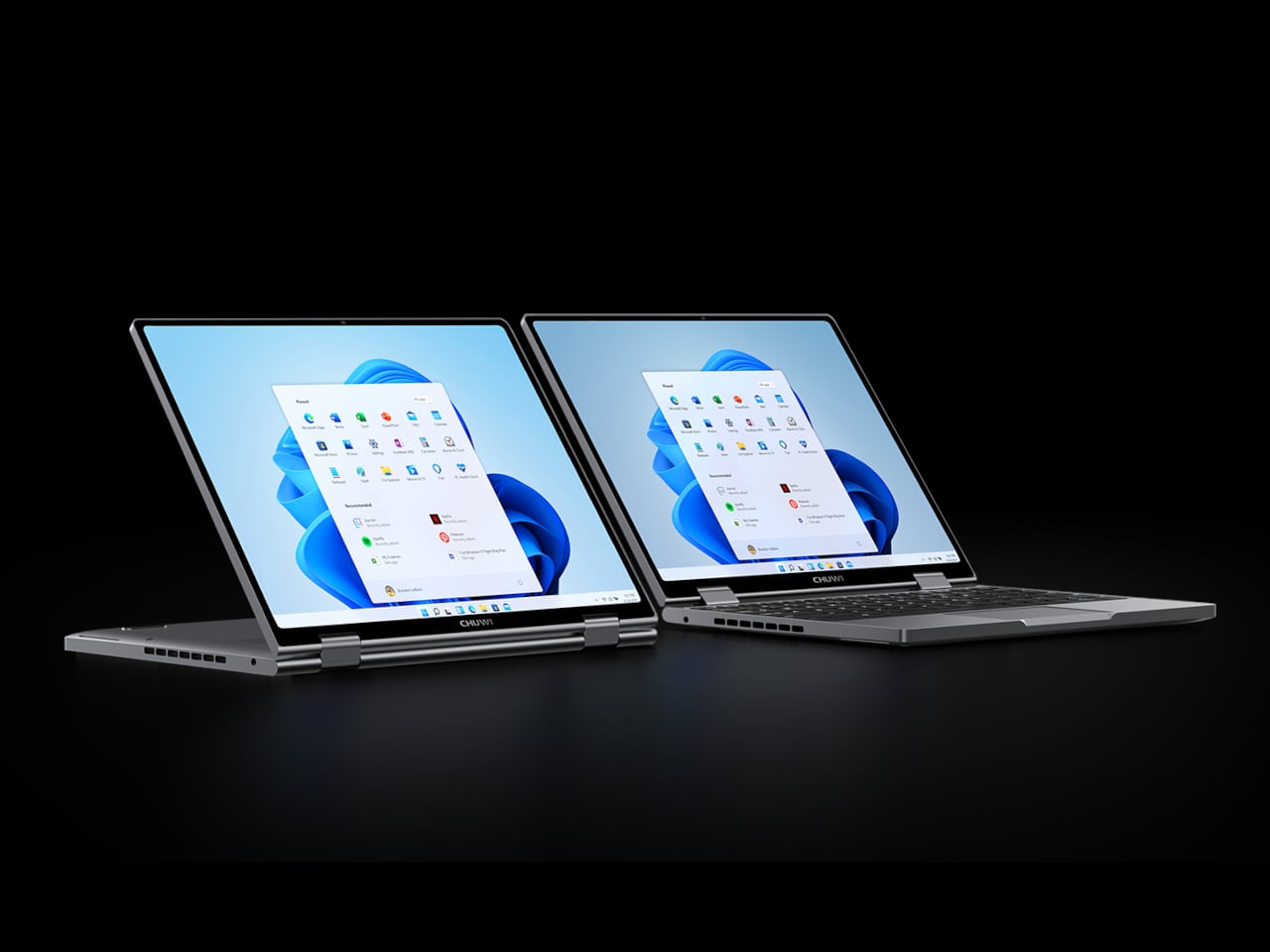
The 10.51-inch WUXGA display packs a 1920×1200 resolution into the compact chassis, with a 16:10 aspect ratio and 100% sRGB coverage. At 300 nits, it handles well-lit rooms comfortably and stays readable during extended sessions. The in-cell IPS touchscreen sits behind ultra-thin bezels, and the 360-degree hinge lets it shift between laptop, tablet, tent, and stand modes to suit whatever task is on the table.

That four-mode flexibility is where the touchscreen earns its keep most convincingly. In tablet mode, the screen becomes the only interface you need, making it natural for note-taking on the go. Flip it back partway for tent or stand mode during a presentation, and it becomes a display you can position toward an audience without spinning a full laptop around.

16GB of LPDDR4X memory and a 512GB PCIe SSD handle everyday tasks without hesitation, and the M.2 slot accepts PCIe 4.0 and SATA III drives if you decide to upgrade later. The Intel UHD Graphics runs 48 execution units, double the count found in earlier MiniBook X versions, which makes a noticeable difference for smooth 4K video playback and lighter creative workloads without switching to a dedicated card, or at least on paper.

Both USB-C ports are full-featured, handling charging, data transfer, and external display output from the same two connections. Unfortunately, there’s no mention of Thunderbolt compliance. A 3.5mm audio jack covers wired headphones, Wi-Fi 6 and Bluetooth 5.2 take care of wireless, and an active cooling system keeps temperatures under sustained loads without causing distracting fan noise. A 2MP front-facing webcam handles video calls, which is about what you’d expect from a machine this compact.

Unlike earlier MiniBook X models that shipped with Windows 11 Home, the U300 version comes pre-installed with Windows 11 Pro. That’s not a minor footnote: it means BitLocker encryption, remote desktop access, and other tools that the Home edition locks away are available right out of the box. For anyone who travels with sensitive documents or manages devices remotely, it’s a practical upgrade that earlier models didn’t include.

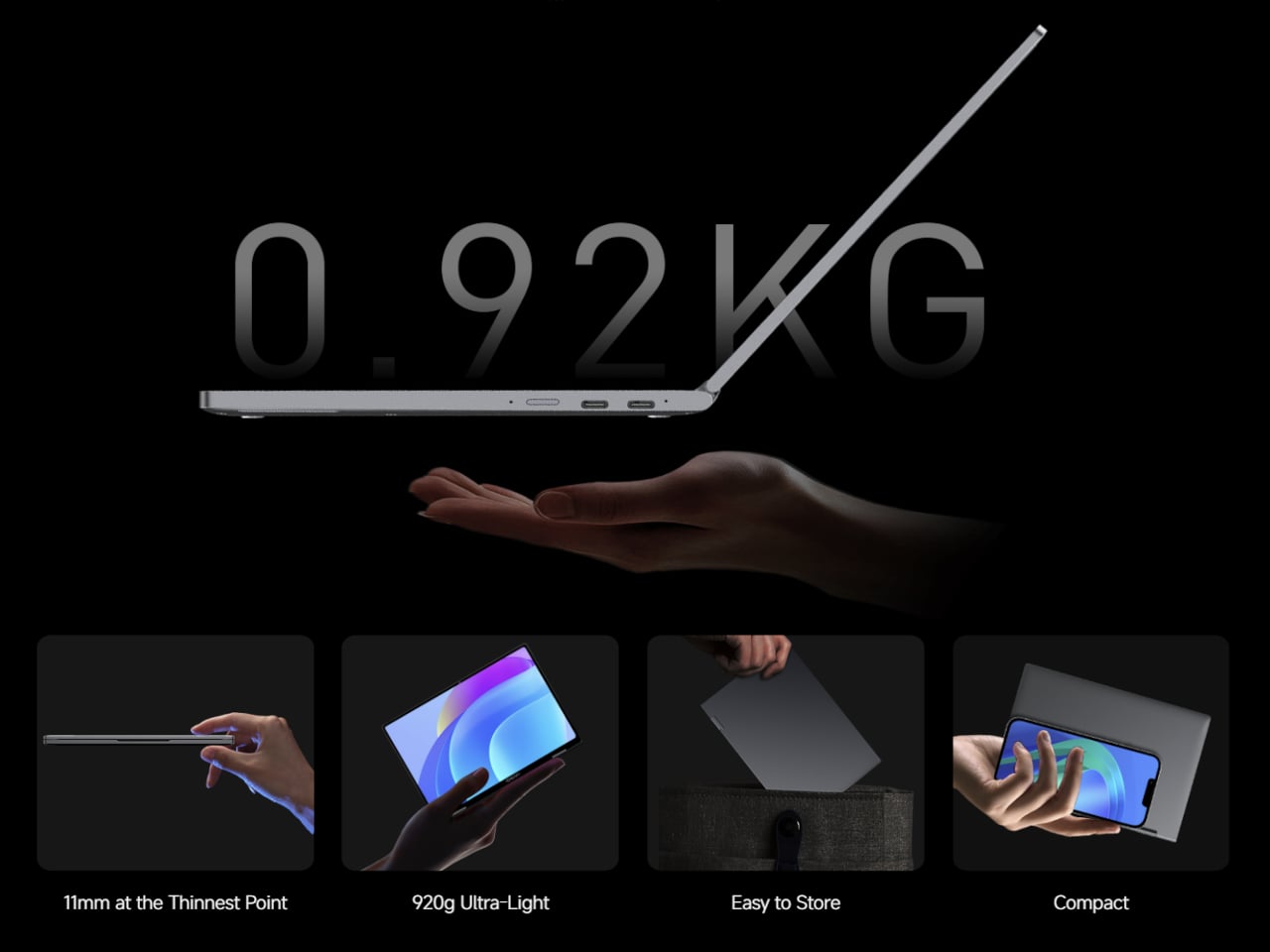
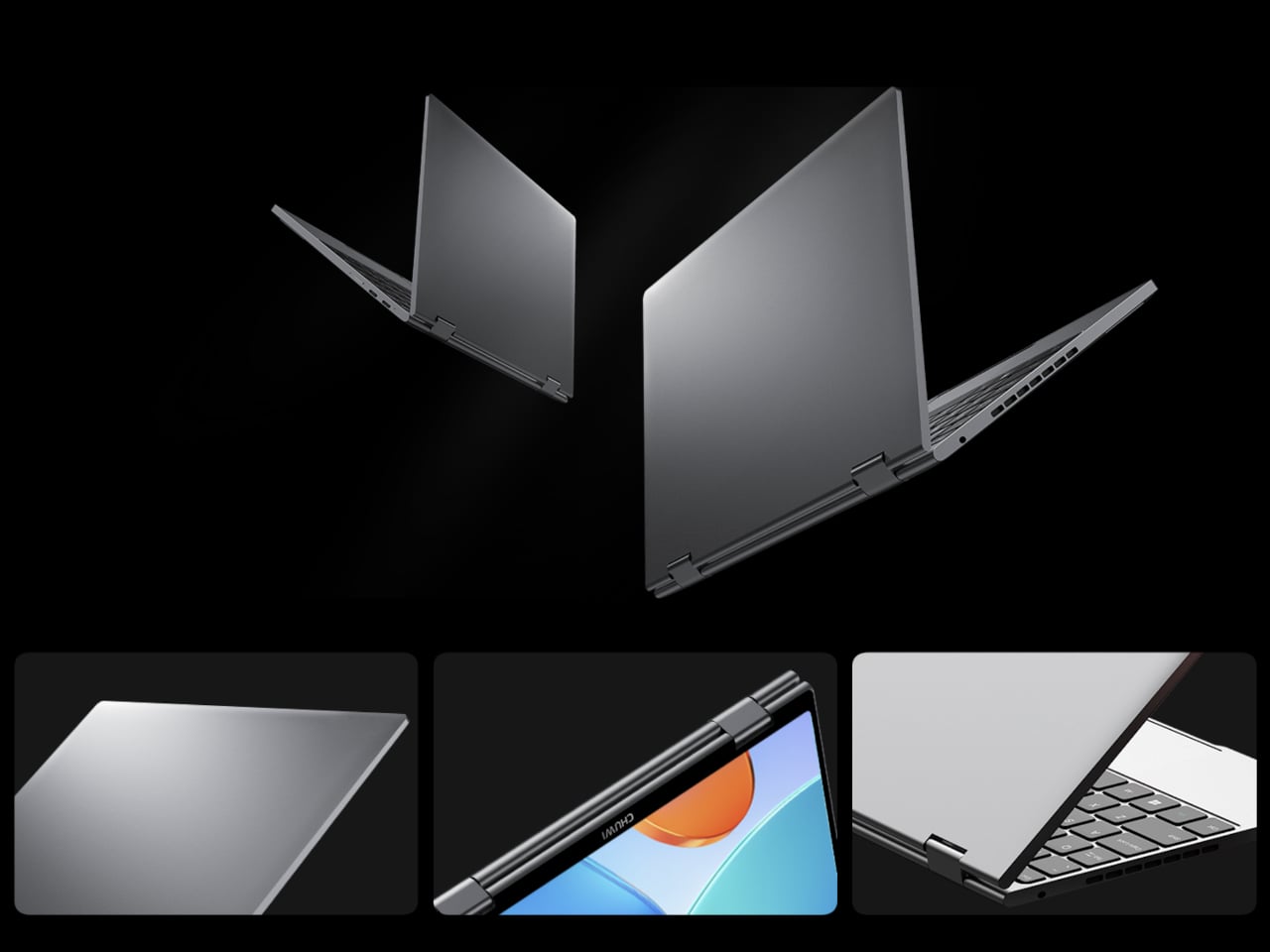
The whole package measures 244mm x 166.4mm x 17.2mm and tapers to 11mm at its thinnest, all wrapped in an aerospace-grade aluminum alloy unibody shell. At 920 grams, it disappears into a tote bag or slides under a seat without much thought. The 28.88 Wh battery charges at up to 36 W via USB-C, and the full-layout keyboard completes a package priced at $469.

The post Chuwi Just Put a Real Performance Chip in a $469 Tote-Bag Laptop first appeared on Yanko Design.

Smart Rings Finally Got a Reason to Exist Beyond Sleep Tracking

The smart ring market has had a good run on heart rate and sleep tracking. Oura, Samsung Galaxy Ring, and their growing circle of competitors have made it genuinely useful to wear a small device on your finger all day. But if you’ve been waiting for wearable health tech to go deeper than pulse and REM cycles, engineers at UC San Diego may have just drawn the roadmap.

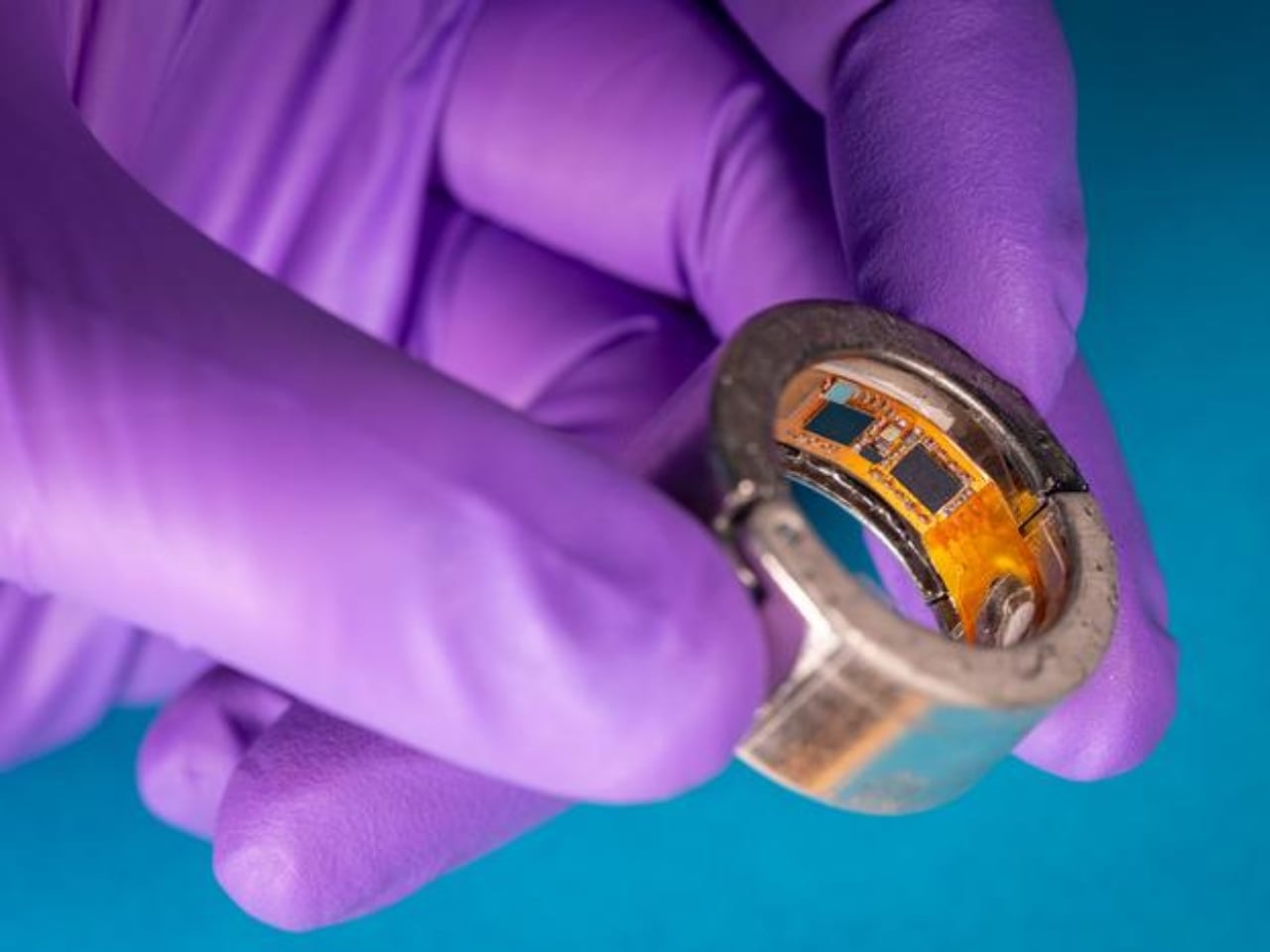
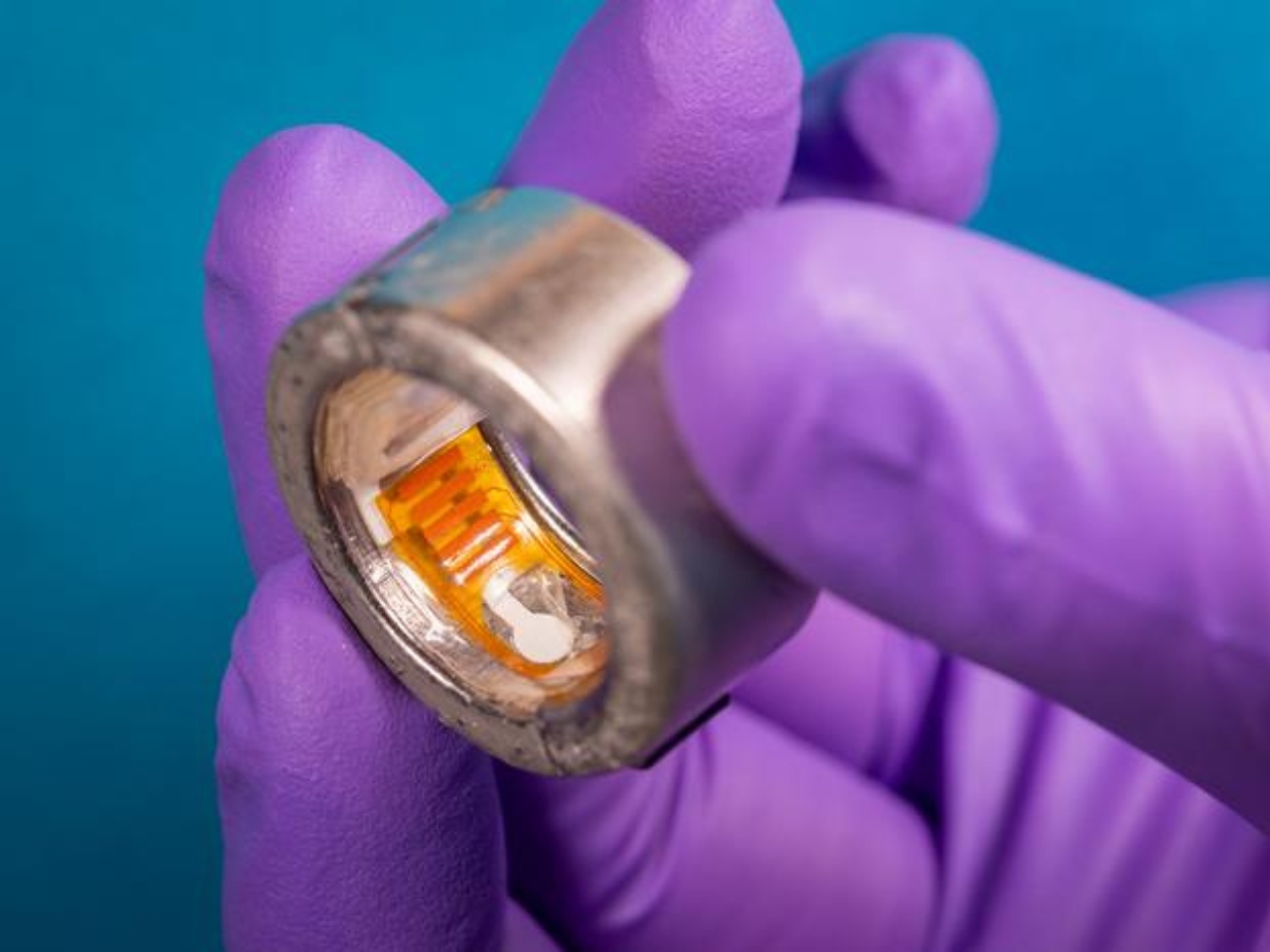
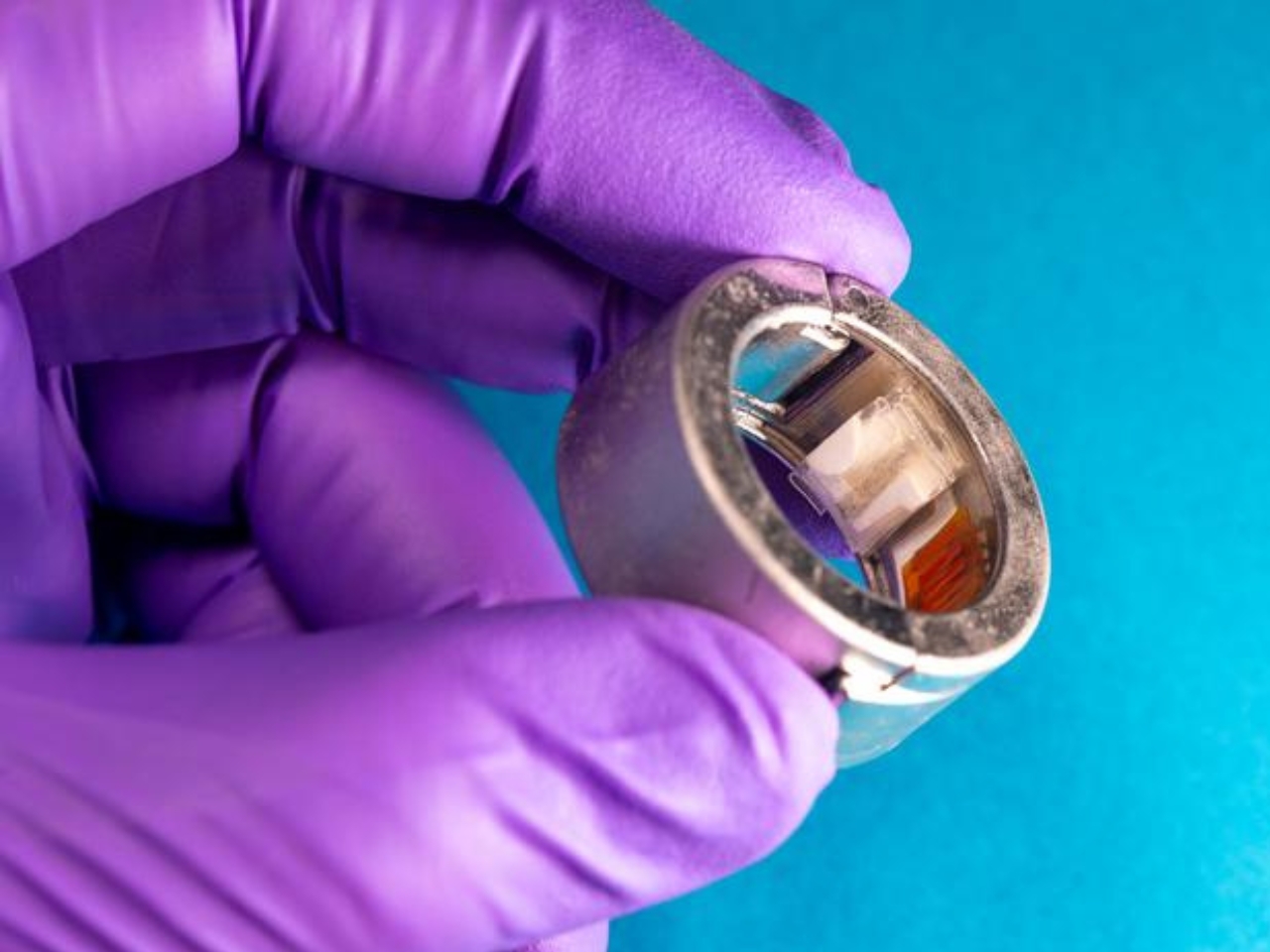
Their prototype, called CHARM (Continuous Health Analyzing Ring Module), doesn’t check your heart. It reads your sweat. Specifically, the microscopic amount of sweat that your fingers naturally produce throughout the day, no gym session required. Through a built-in osmotic hydrogel that draws moisture out passively, the ring collects and analyzes up to four chemical biomarkers at a time: glucose, ketones, vitamin C, uric acid, lactate, and alcohol. It then sends that data wirelessly to a smartphone.

Designer: UC San Diego engineers

That list of biomarkers is worth sitting with for a moment. Glucose and ketones tell you about your metabolic state and how your body is processing energy. Lactate relates to physical exertion and muscle activity. Uric acid is linked to inflammation and conditions like gout. Vitamin C reflects dietary intake. Alcohol levels speak for themselves. Getting any one of these readings from a non-invasive wearable is already impressive. Getting all of them simultaneously, continuously, and without drawing a single drop of blood, is something else entirely.

The research, published in Nature Communications and led by postdoctoral researcher Tamoghna Saha in the lab of Joseph Wang at UC San Diego, has already passed some important early tests. In trials with participants both with and without Type 1 diabetes, CHARM’s sweat-based glucose readings closely matched results from a standard continuous glucose monitor. Its ketone data similarly aligned with readings from a traditional blood meter. For a prototype, that’s a meaningful validation and a strong signal that the underlying science holds up outside of a lab setting.

What makes this feel like a genuine step forward, rather than just another research headline, is how clearly it names the gap in current wearable technology. As Saha put it, commercial rings only provide biophysical information but lack the molecular data that offers deeper insights into an individual’s health. That is a polite way of saying that knowing your resting heart rate is useful, but it doesn’t tell you whether you’re running low on vitamin C or how your body actually responded to what you ate for lunch.

The design challenge here is real, and I think it deserves more credit than the flashier headline about sweat gets it. Cramming accurate chemical sensors, a hydrogel layer, data processing, and wireless connectivity into a ring-shaped form factor is not a small engineering problem. The current prototype, which clamps around a finger, is still a long way from the slim, polished bands we’ve grown used to slipping on without thinking. Getting it there, while keeping the sensor accuracy intact and the battery life practical, will be the hard part. But that is exactly the kind of design and miniaturization problem that tends to get solved once the underlying science is proven. The history of consumer health tech is basically a series of “we figured out the science, now let’s make it wearable” moments.

The smart ring category has felt a little flat lately, if I’m being direct. The differences between most devices come down to software features and companion app design, not any fundamental leap in what they can actually detect. CHARM points toward a version of the smart ring that is genuinely measuring your body’s chemistry in real time, the kind of data that has historically required a clinic visit or a prescription-grade device. Putting that on a finger, passively, all day, changes what personal health monitoring can realistically mean.

It’s still early. CHARM is a prototype, the paper is fresh, and a consumer version is nowhere near announced. But the direction is right, and the science backs it up. If biochemical monitoring eventually becomes a standard feature of smart rings rather than a research novelty, this prototype will be one of the moments worth pointing back to.

The post Smart Rings Finally Got a Reason to Exist Beyond Sleep Tracking first appeared on Yanko Design.

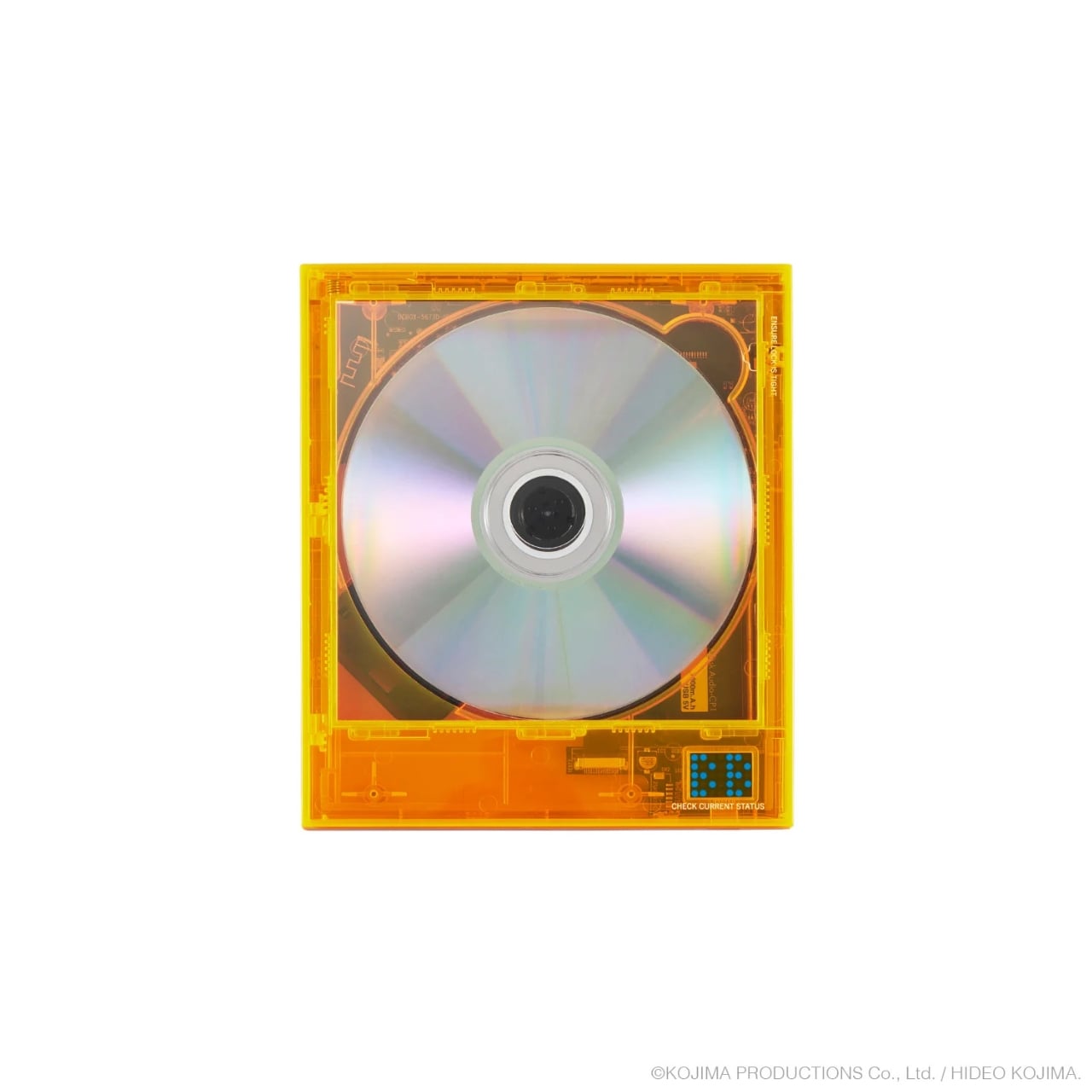
A BB Pod-Shaped CD Player Straight Out of Death Stranding

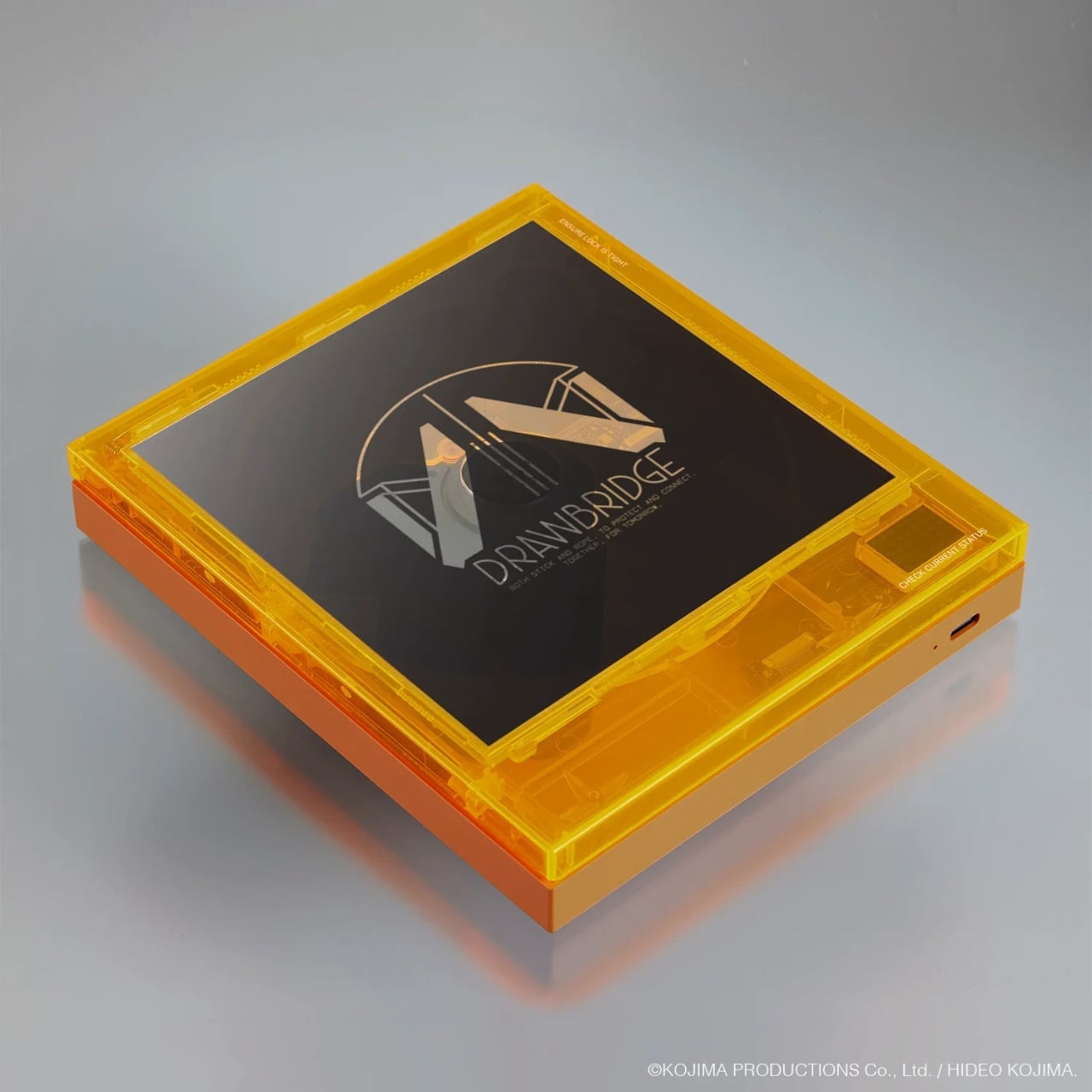
When Kojima Productions does something, it rarely feels like a simple product release. It feels like a statement. The new Instant Disc Audio Cp1 DEATH STRANDING 2 Model, a limited-edition wireless CD player made in official collaboration with Japanese audio brand km5, is proof of exactly that. It dropped on August 1, 2026, and it may be the most thoughtfully designed piece of gaming merchandise I’ve seen in years.

If you’ve played Death Stranding, you already know what a BB Pod is. If you haven’t, here’s the short version. BB stands for Bridge Baby, a term for an unborn infant kept alive inside a transparent life-support unit called a Pod, which serves as a supernatural navigation tool in the game’s hauntingly quiet, post-apocalyptic world. The Pod is one of Death Stranding’s most memorable visual symbols: eerie, delicate, and somehow deeply moving, a small glowing capsule that you cradle, protect, and come to care about over the course of the game. Turning that object into a CD player is either a stroke of genius or complete madness. I’m going with genius.

Designer: Kojima Productions x km5

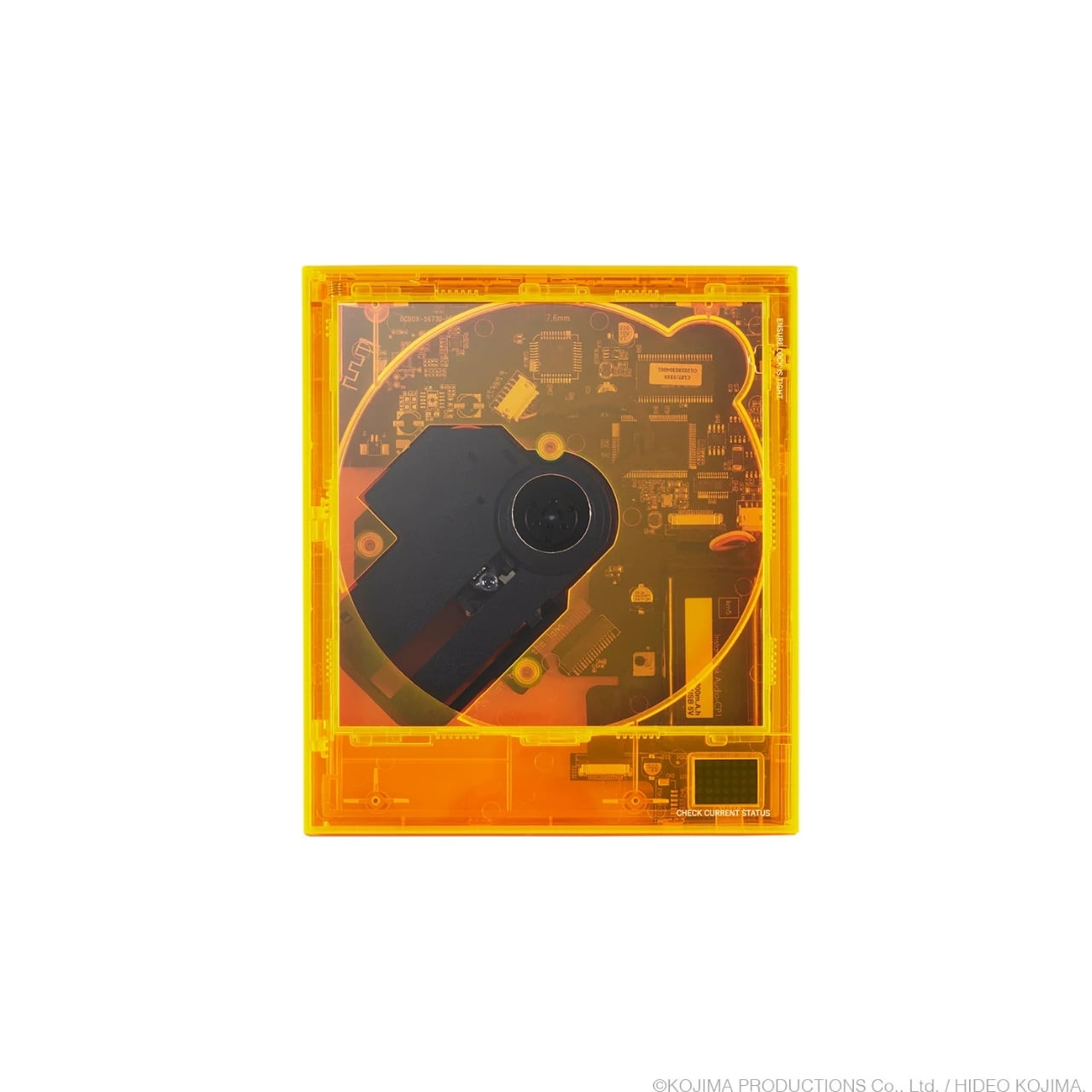
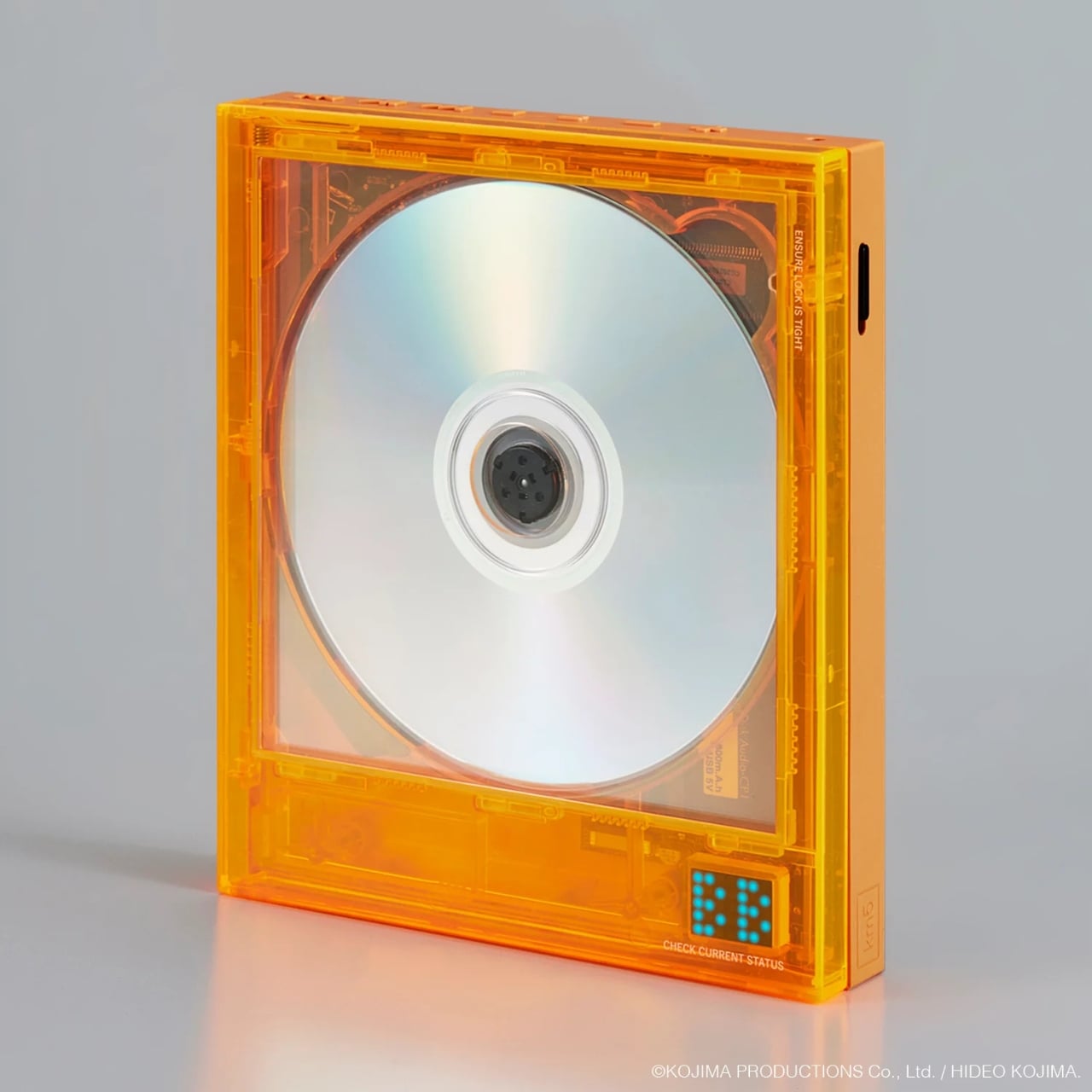
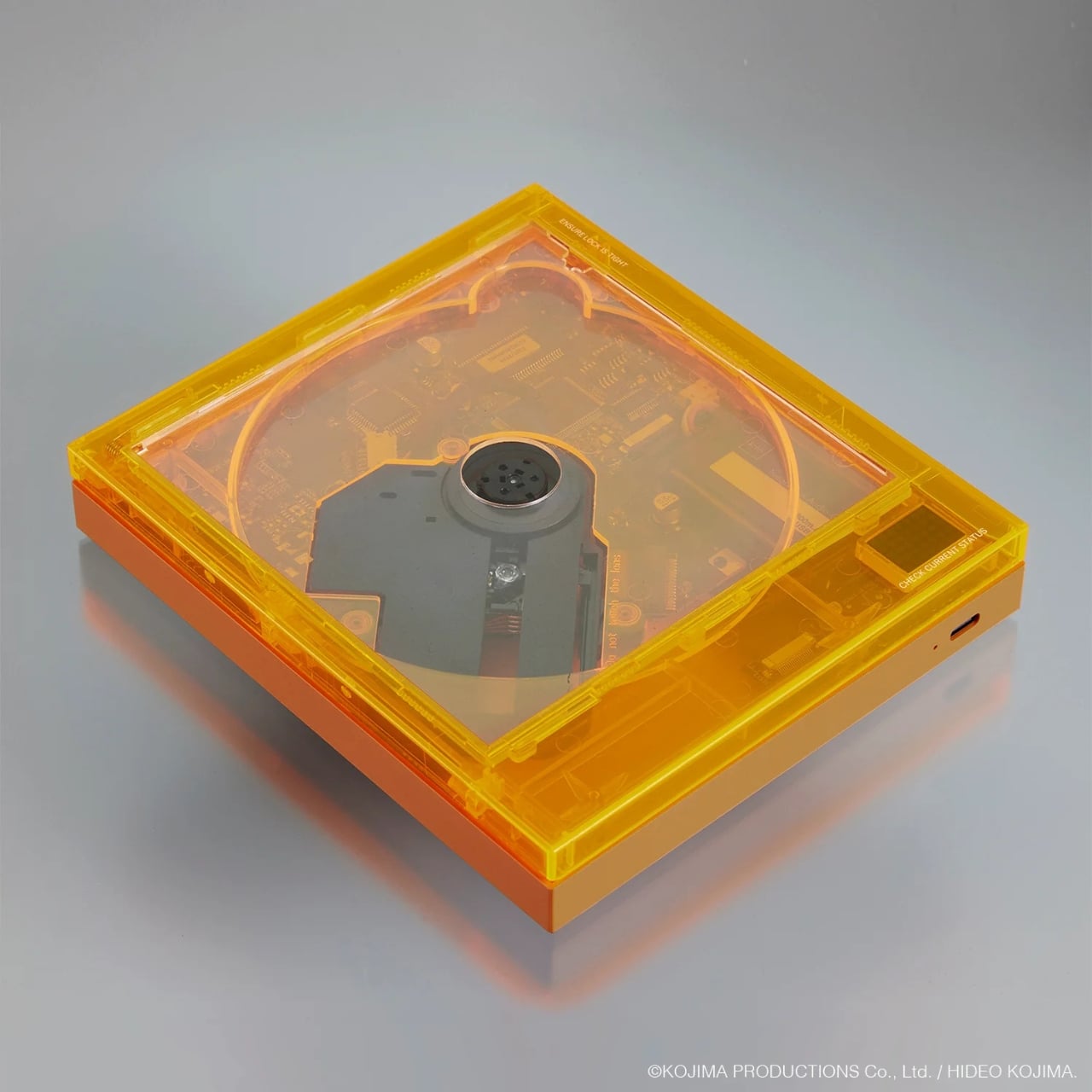
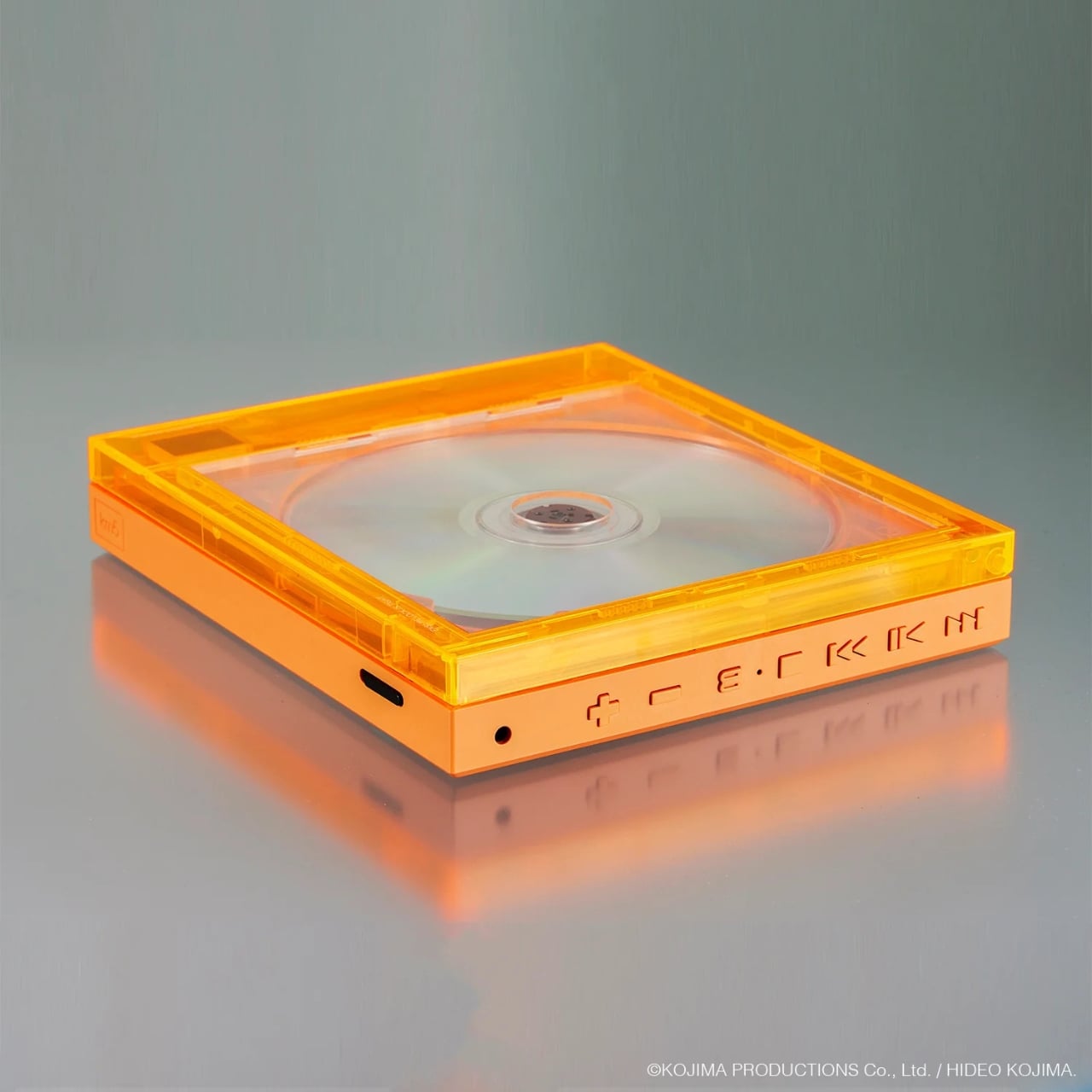
The design is where this whole thing earns its price tag. The Cp1 features a translucent orange shell, and that’s not just for aesthetics. It lets you actually watch the disc spin and the internal mechanics move in real time. As someone who grew up watching cassette tapes wind through their spools, that level of visible mechanical action hits a very specific nostalgic nerve. The translucency echoes the BB Pod’s gel-filled, see-through casing, and it works so well that it almost feels like the CD player was always meant to look this way. It didn’t need Death Stranding to be beautiful, but the collaboration gave it a context that makes it feel intentional rather than just decorative.

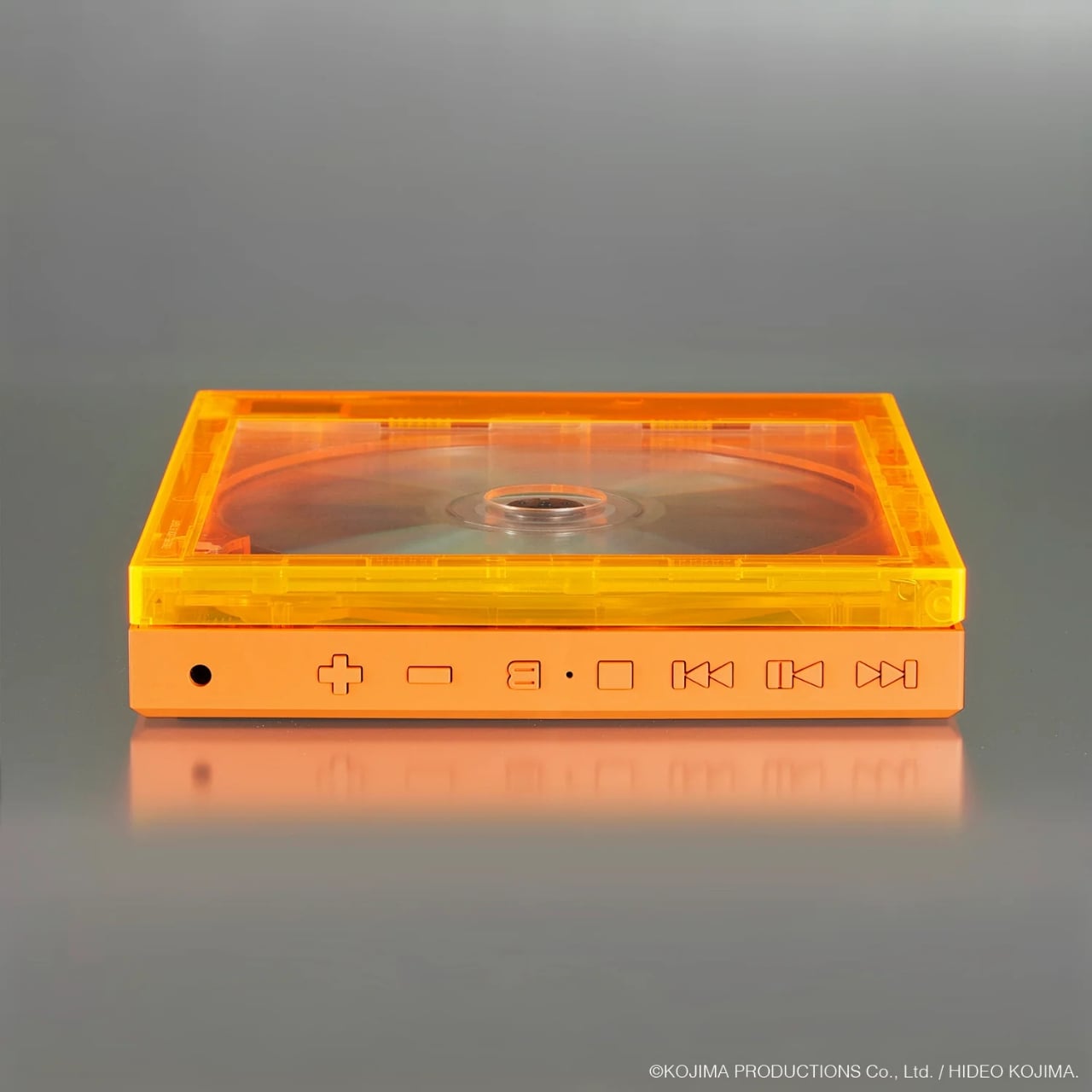
The base Cp1 by km5 isn’t a new product. It’s been around for a while as a compact, Bluetooth-enabled CD player with a Nixie tube-style LED display and a wall-mount option that honestly makes it look more like modern furniture than consumer electronics. The Death Stranding 2 model takes that foundation and pushes it into collector territory. Priced at 25,300 yen, around $160, it connects via Bluetooth 5.3, runs for approximately 7 to 8 hours on a single charge, and notably doesn’t come with a built-in speaker. You’re meant to pair it with your own headphones or external audio setup, which keeps the device compact, sculptural, and true to its aesthetic. It’s not trying to be a Bluetooth boombox. It’s something much quieter and more considered than that.

The fact that this exists at all says something interesting about where we are with physical media right now. CD sales have been quietly climbing again, especially among younger audiences who want a more intentional, tactile way to listen to music. Vinyl gets most of the headlines, but CDs are genuinely having their own moment, and a device like this taps right into that energy. It gives you a reason to care about the format all over again, not just as a nostalgia trip, but as an object worth owning and displaying on a shelf next to your records.

The timing works in its favor, too. Death Stranding 2: On the Beach launched earlier this year and carries forward everything the first game did best: gorgeous world-building, deeply strange storytelling, and a visual identity unlike anything else in gaming. Releasing this CD player alongside that cultural wave makes it feel like part of something larger, not a cash grab bolted onto a recognizable franchise. km5 and Kojima Productions clearly put thought into this, and the result reflects that. This isn’t just a piece of merch. It’s a collaboration that understood its source material well enough to let the design carry the story.

The Instant Disc Audio Cp1 DEATH STRANDING 2 Model is available directly through km5’s official website and at the KOJIMA PRODUCTIONS × PARCO GAMES STRAND STORE in Shibuya PARCO. Stock is limited, and if history tells us anything about Kojima collaborations, waiting around is usually the fastest way to miss out entirely.

The post A BB Pod-Shaped CD Player Straight Out of Death Stranding first appeared on Yanko Design.

Khadas Just Made a $199 Amp That Snaps to Your iPhone Like a Wallet

Portable audio has long been a game of compromise. DAC dongles give you a modest step up from your phone’s built-in output, but connect anything more demanding than a pair of featherweight earbuds, and they start to run out of steam. Desktop amplifiers solve the power problem but chain you to a desk, a power outlet, and a bag heavy enough to make you think twice about bringing them anywhere.

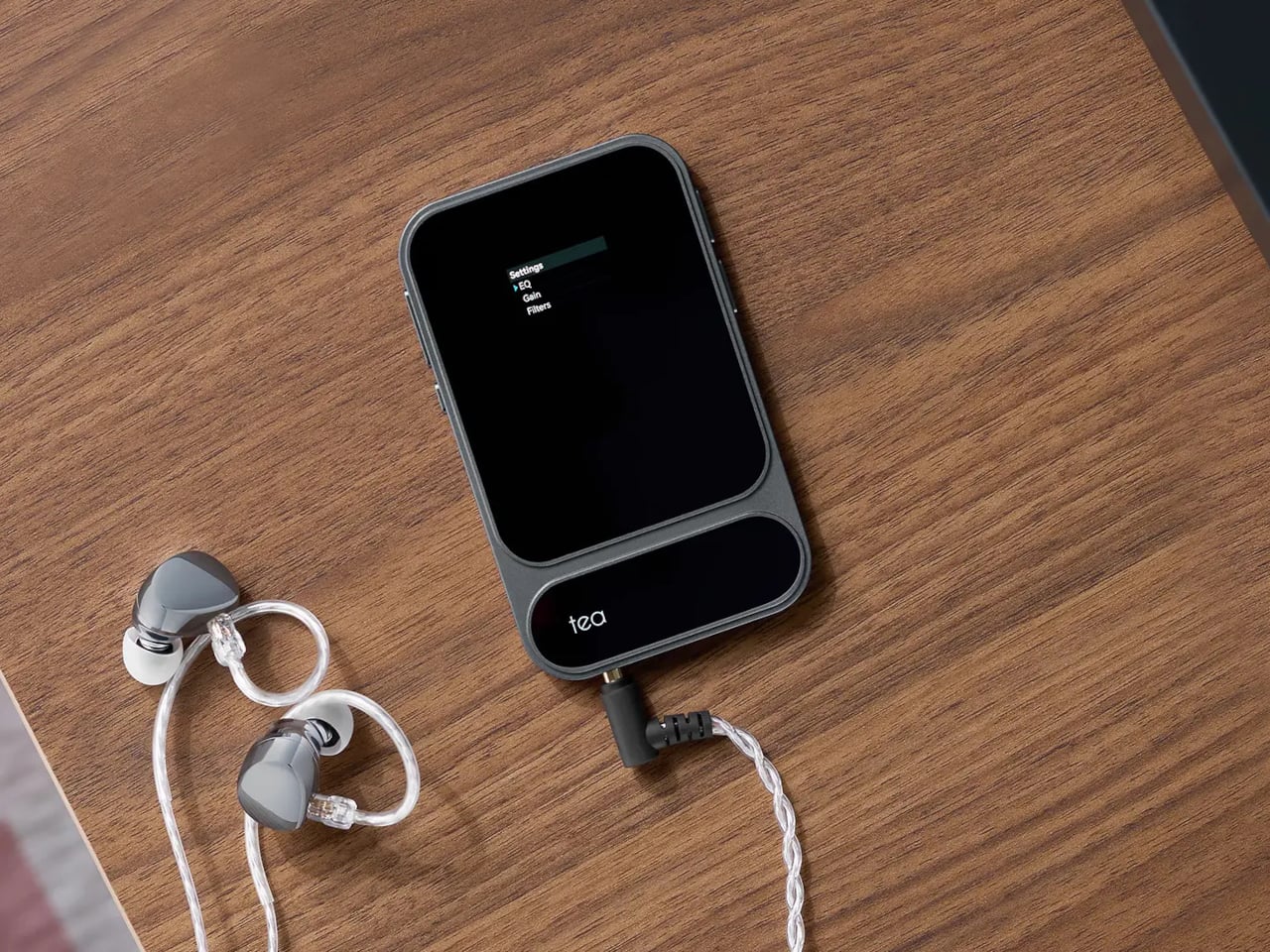
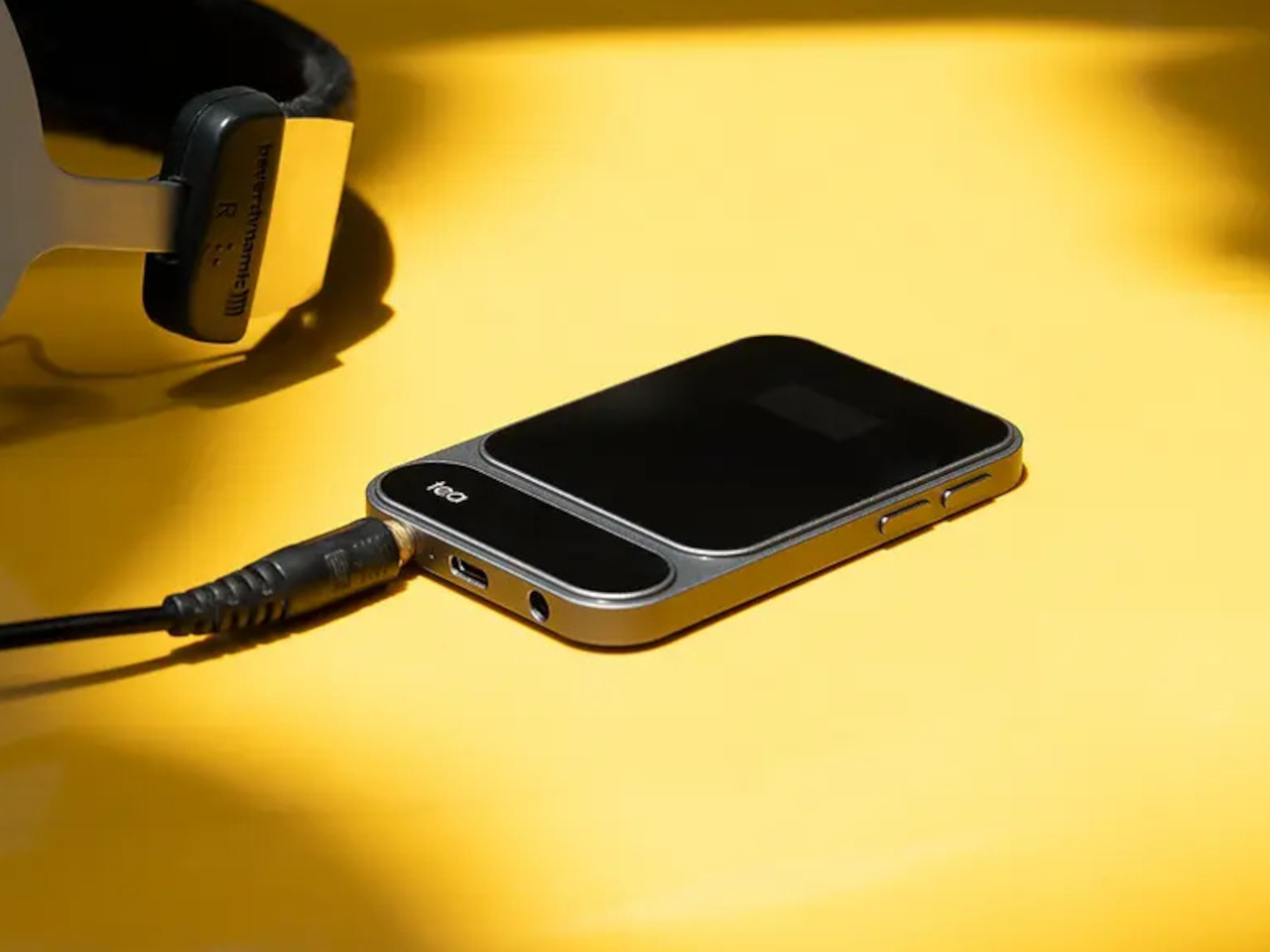
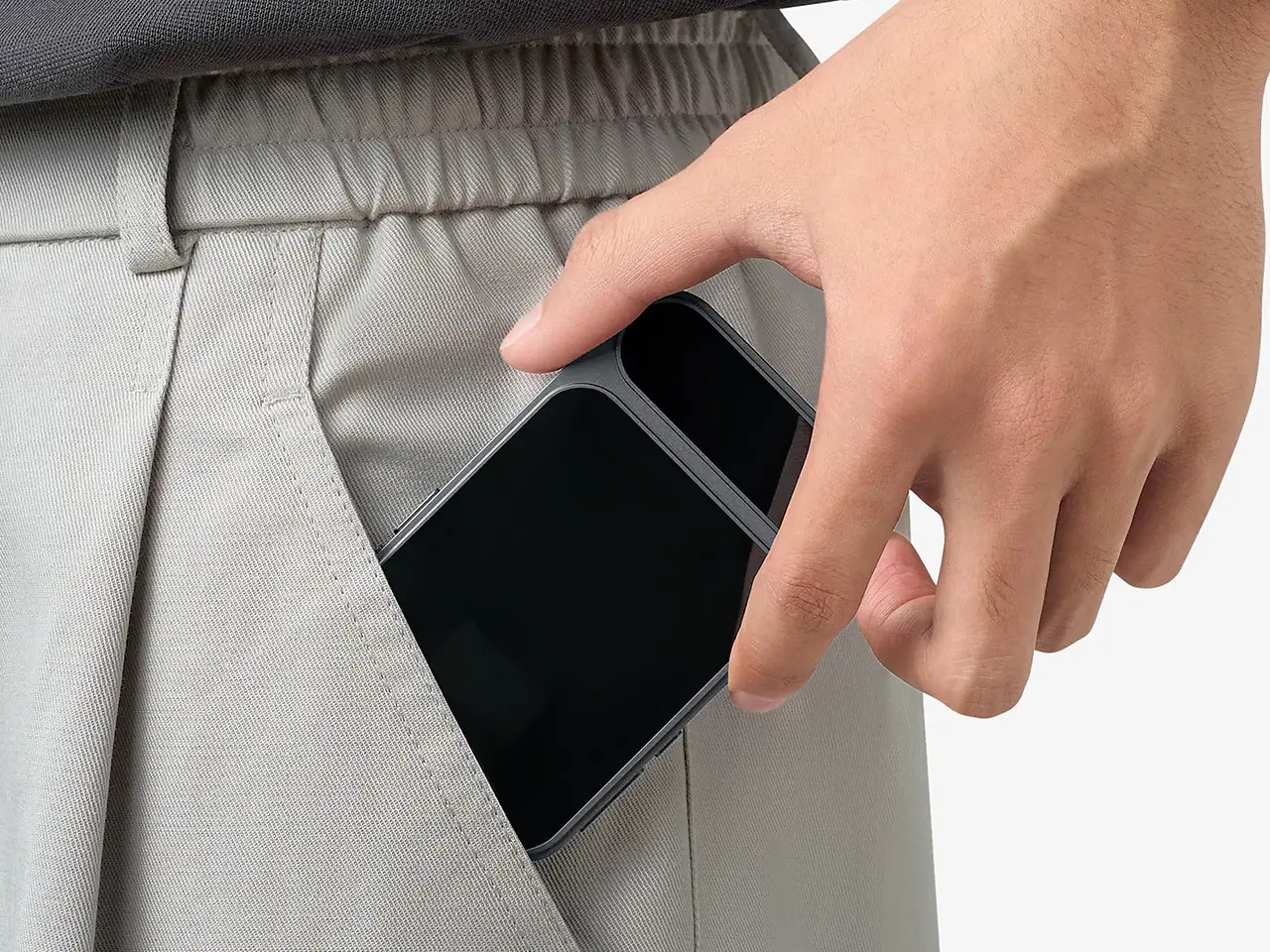
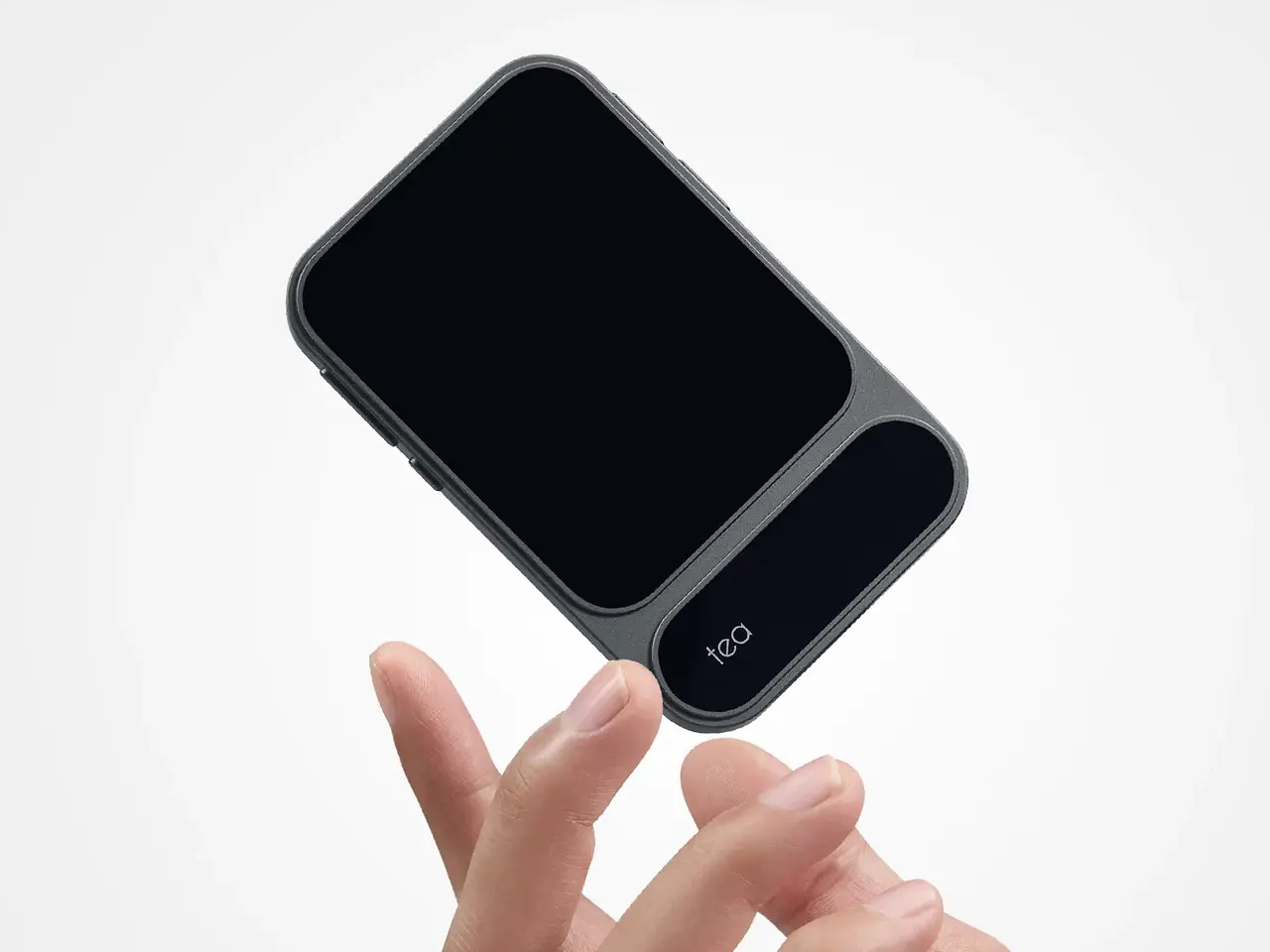
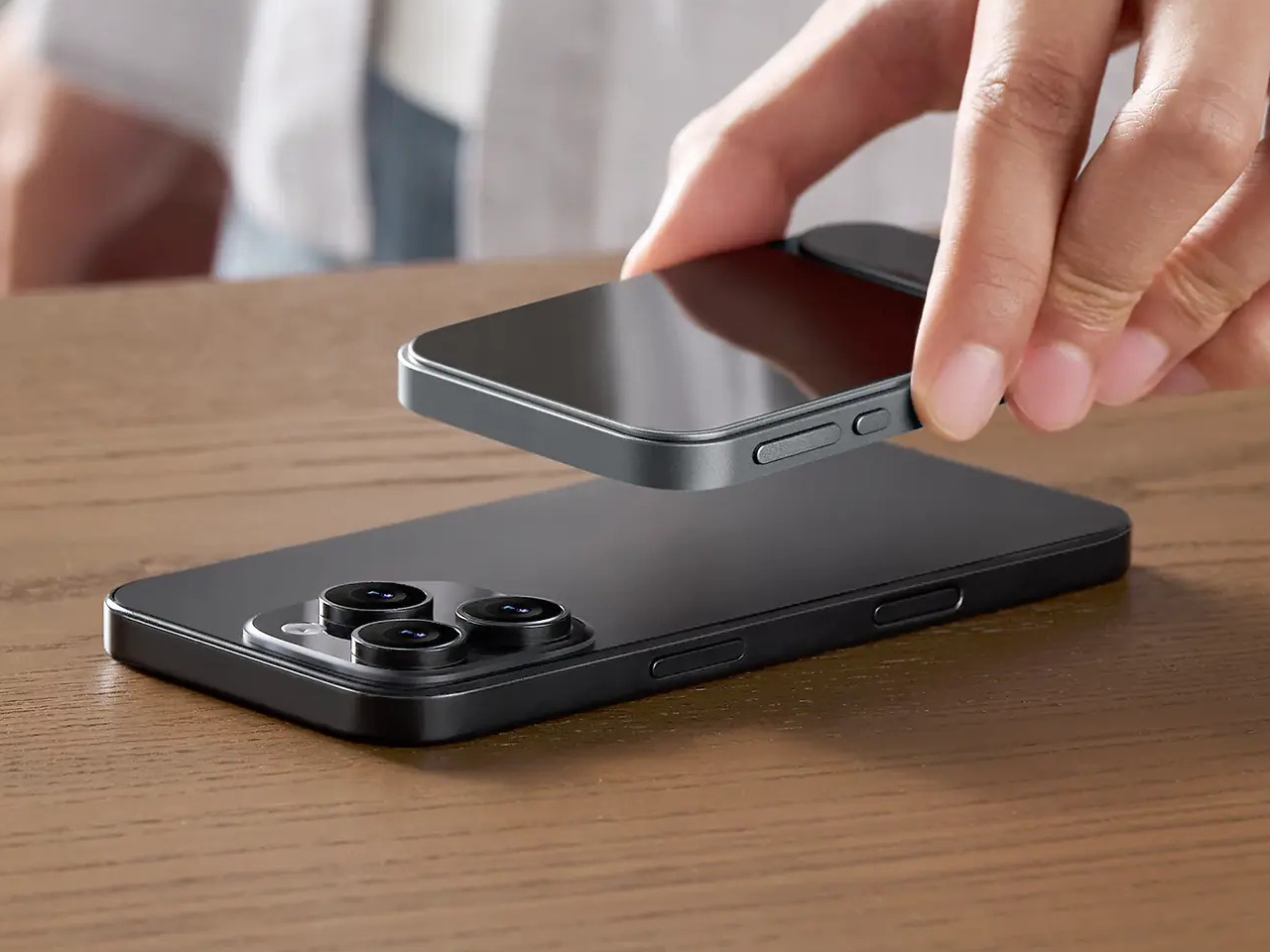
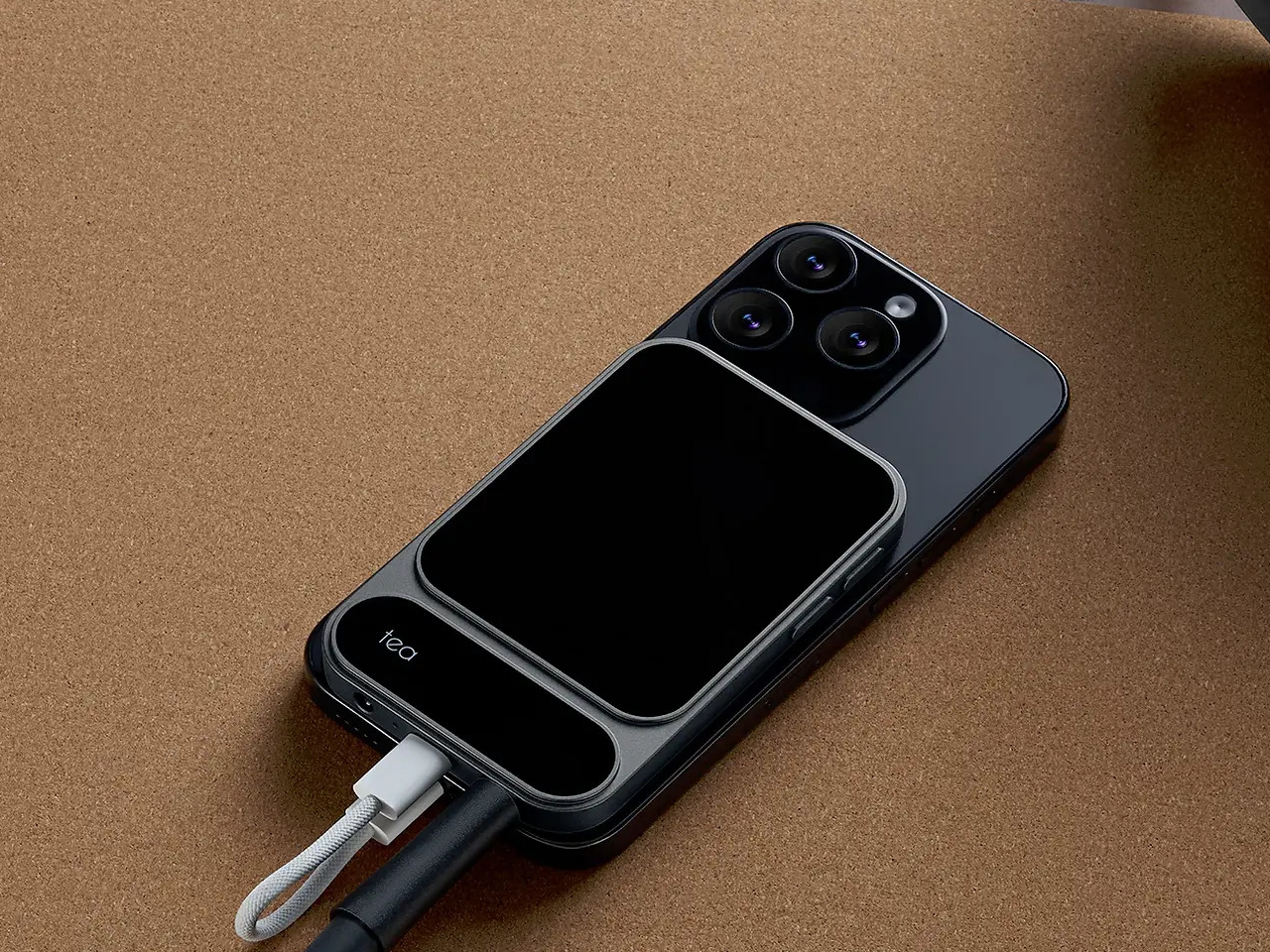
The Khadas Tea Pro sits firmly in the space between those two options, offering enough amplification for serious headphones without the bulk or the cable tangle. At 7.85 mm thin and 96 grams, it genuinely disappears into a pocket, and its magnetic back panel snaps directly onto any iPhone 12 or later, turning your phone and DAC into a single, tidy unit that doesn’t need a pouch of its own.

Designer: Khadas

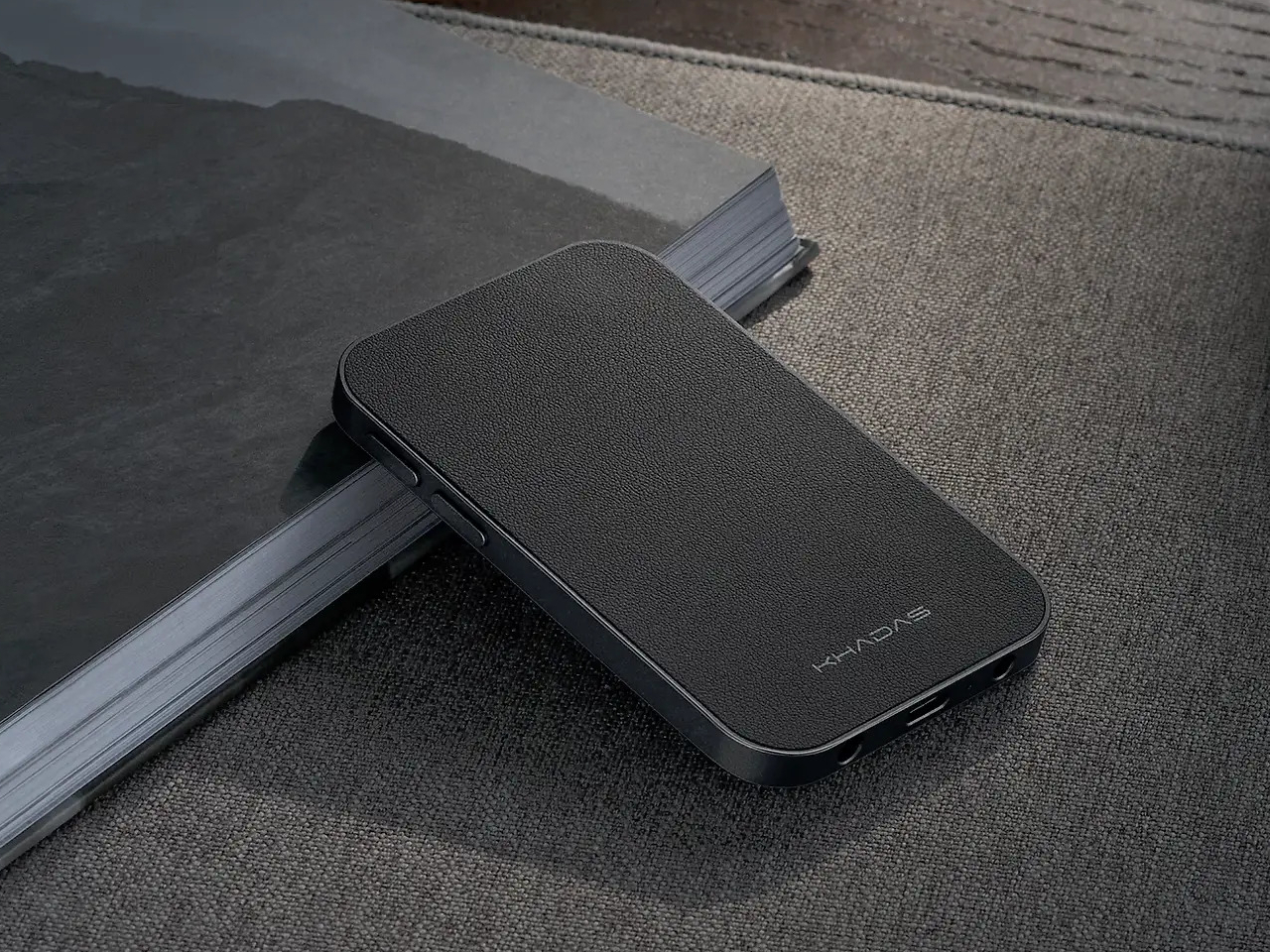
The connection is handled by 19 N56SH magnets, holding the Tea Pro against the back of the phone without straps or brackets. Android users and those with older iPhones can attach a magnetic ring to their case and get the same result. A premium wear-resistant leather panel covers the back, giving the device a tactile quality that’s a step removed from the usual plastic-and-aluminum DAC dongle aesthetic.

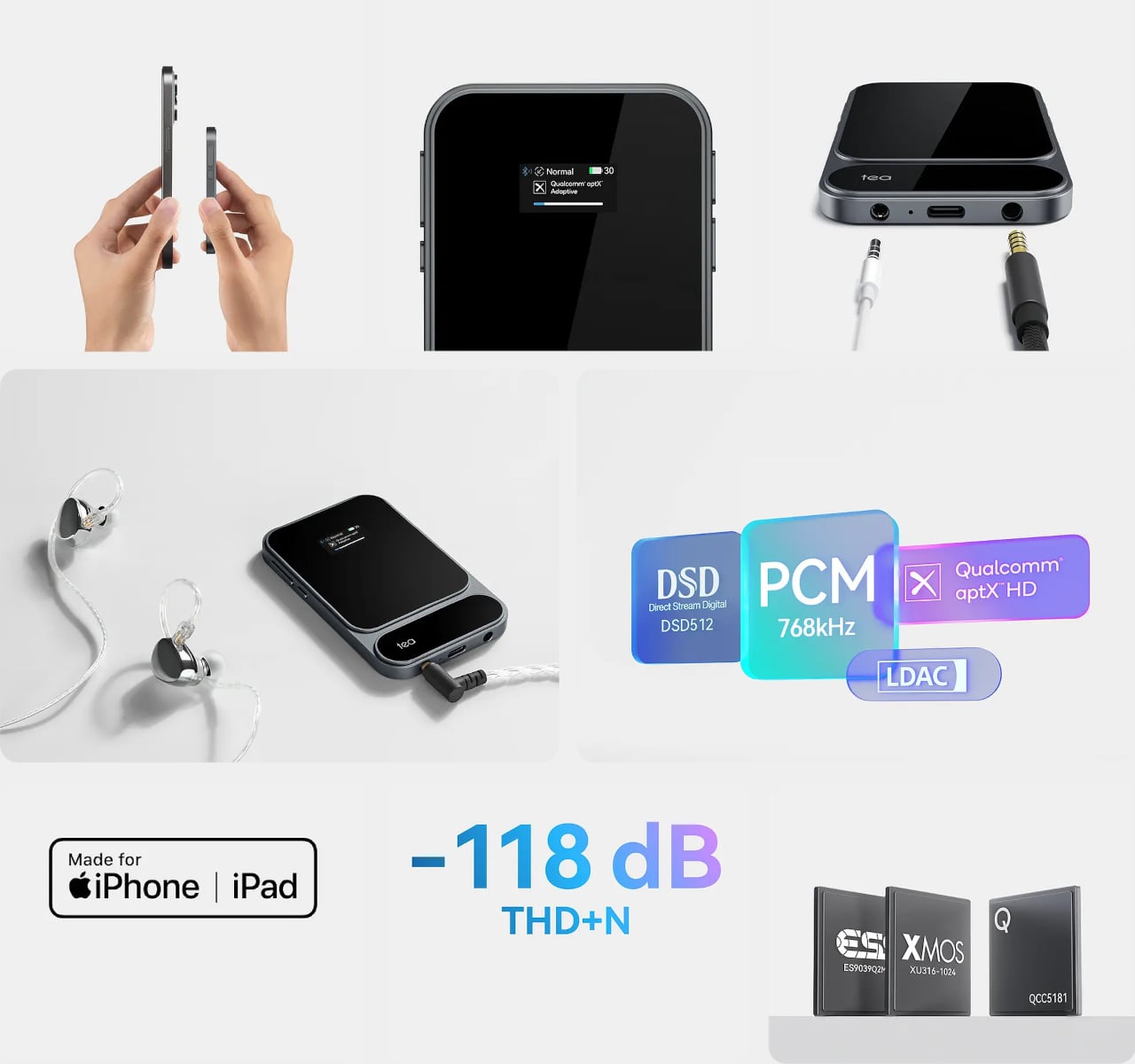
Inside, an ESS ES9039Q2M DAC chip works alongside an XMOS XU316 USB bridge for wired playback, delivering PCM up to 768kHz at 32-bit and DSD up to 512 native. The signal chain runs through TI OPA1612 op-amps and Ricore RT6863 amplifier chips, achieving a total harmonic distortion of -118 dB, a specification more at home in a studio rack than a 96-gram device that slips into a shirt pocket.

Both a 4.4mm balanced and a 3.5mm unbalanced output are on board, with the balanced jack putting out 165mW into 33 ohms and the unbalanced delivering 120mW. The Tea Pro also manages 41.67mW into 600 ohms, meaning even demanding full-size headphones with high impedance get a fully powered signal rather than an underpowered afterthought by a device that’s trying too hard to be small.

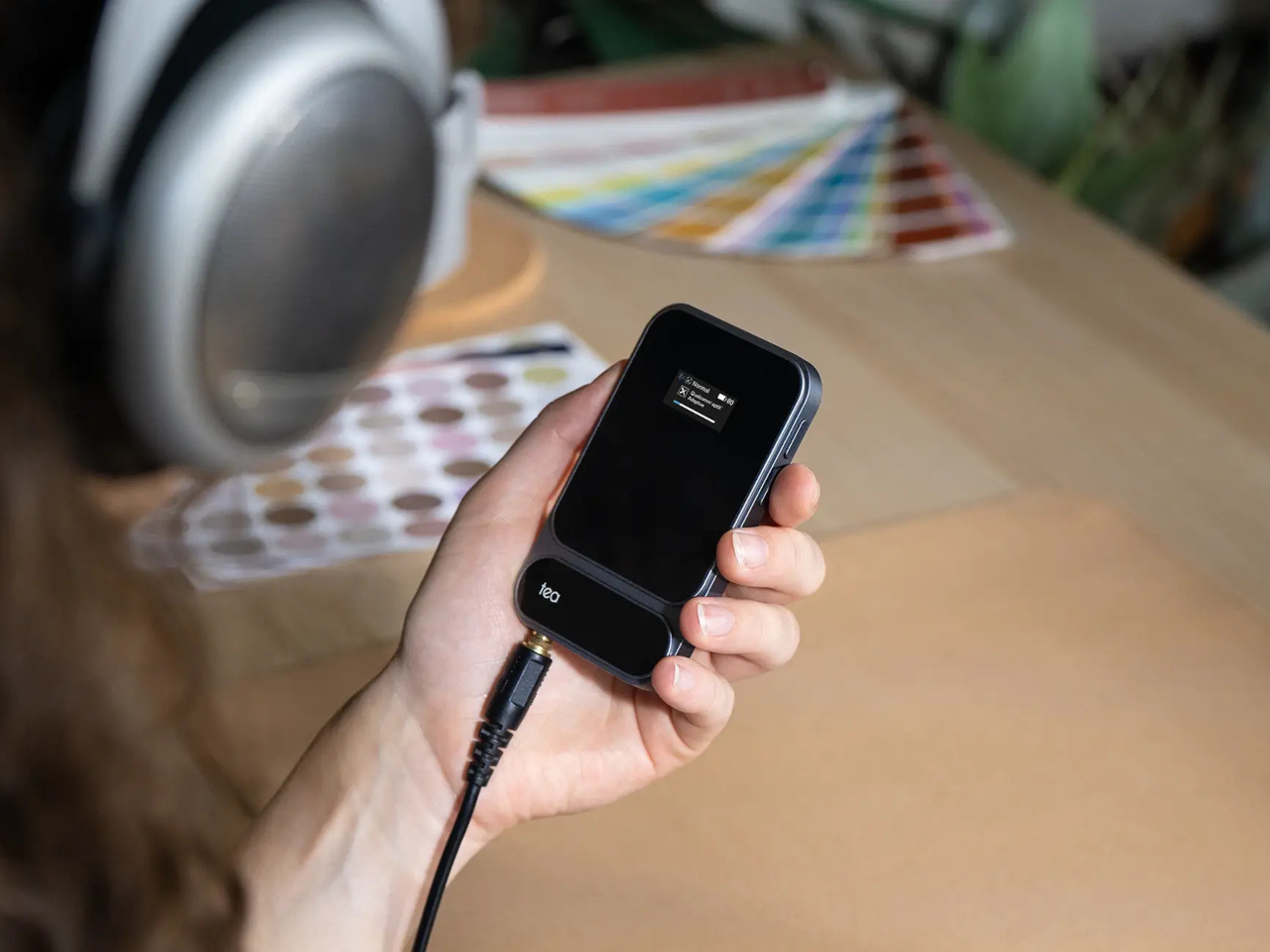
Wireless connectivity comes via a Qualcomm QCC5181 Bluetooth 5.4 chip that covers SBC, AAC, aptX, aptX Adaptive, aptX HD, and LDAC, keeping the Tea Pro compatible with virtually any device. The Khadas app adds a feature-rich equalizer that works over Bluetooth, letting you shape the sound to your taste without touching the hardware. There’s also a built-in microphone, so taking a call doesn’t require unplugging anything.

A 2100mAh battery supports up to 11 hours of wireless playback or just over eight hours wired, enough to outlast a full day of commuting without reaching for a charger. A 0.95-inch AMOLED color display on the front keeps output format, volume, and battery status visible at a glance, while independent power management keeps the battery from draining your phone when you aren’t connected to a power source.

Volume control runs through a dedicated analog chip rather than a software slider, keeping noise out of the signal path. The Tea Pro is priced at $199, which puts it well above the typical dongle but far below a battery-powered desktop DAC/amp that requires its own carrying case. For a device that fits in a jacket pocket and holds itself to the back of your phone, that’s a narrowing of the gap that’s hard to argue with.

The post Khadas Just Made a $199 Amp That Snaps to Your iPhone Like a Wallet first appeared on Yanko Design.

The 5 Best Tech Gifts for the Guy Who Thinks He’s Already Seen Everything in 2026

There’s a specific kind of person who is genuinely difficult to shop for. He already owns the good headphones, already upgraded the keyboard, already knows the spec sheet of whatever you’re about to suggest before you finish the sentence. The products that actually land with him aren’t better versions of things he already has. They’re objects that make him stop, turn it over in his hands, and ask a question he hasn’t thought to ask before. That’s the bar this list is built around.

Every pick here does something the category wasn’t supposed to do. A power bank thinner than a phone. A mouse that folds flat enough to slip into an envelope. A speaker you can see straight through while it plays. A notebook that records the room while you write in it. A handheld Linux computer that doubles as a keyboard for any machine on earth. Five gifts, five moments of genuine surprise, and a price range wide enough that none of them feel like settling.

1. piBrick Pocket-CM5
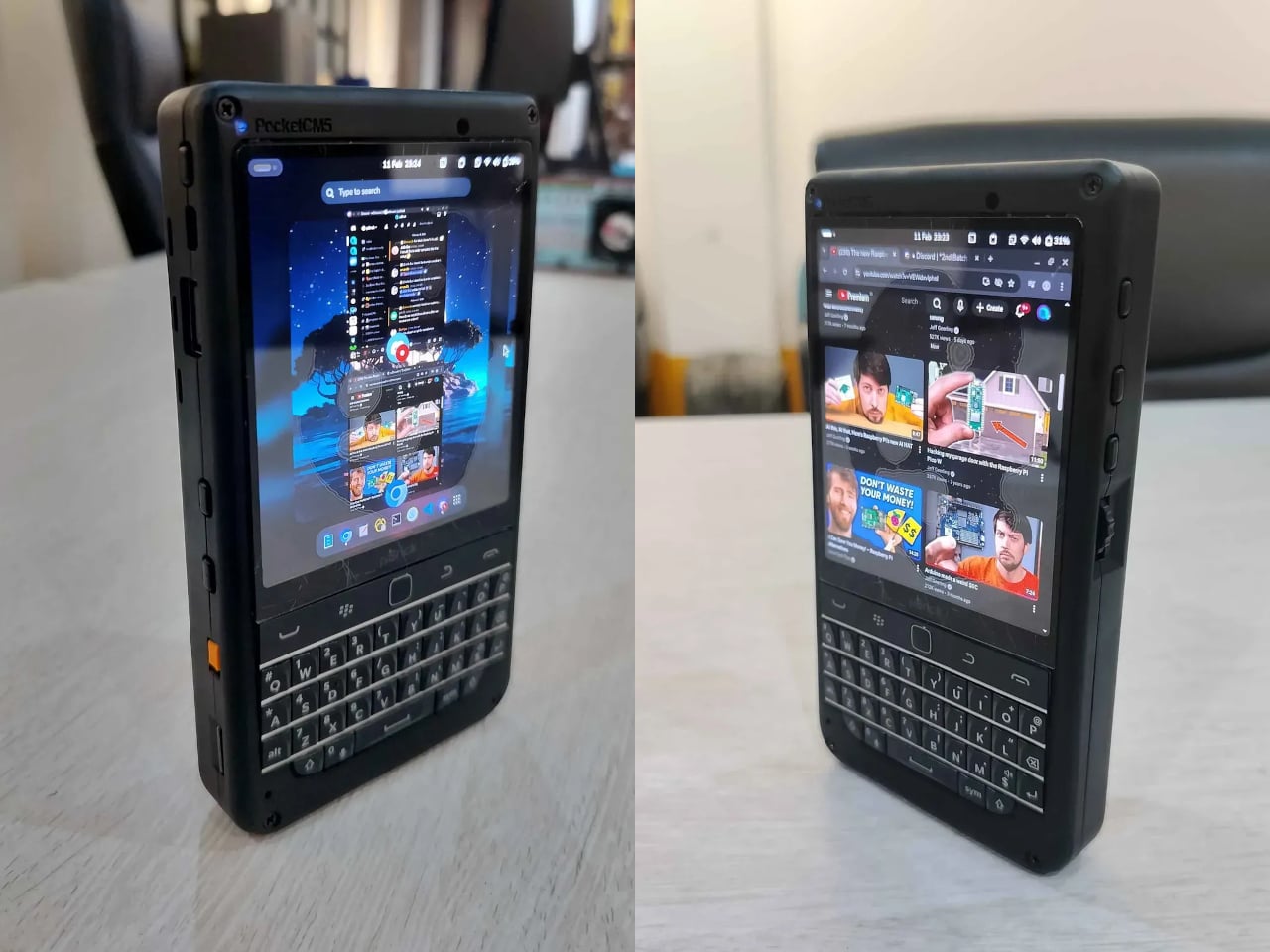
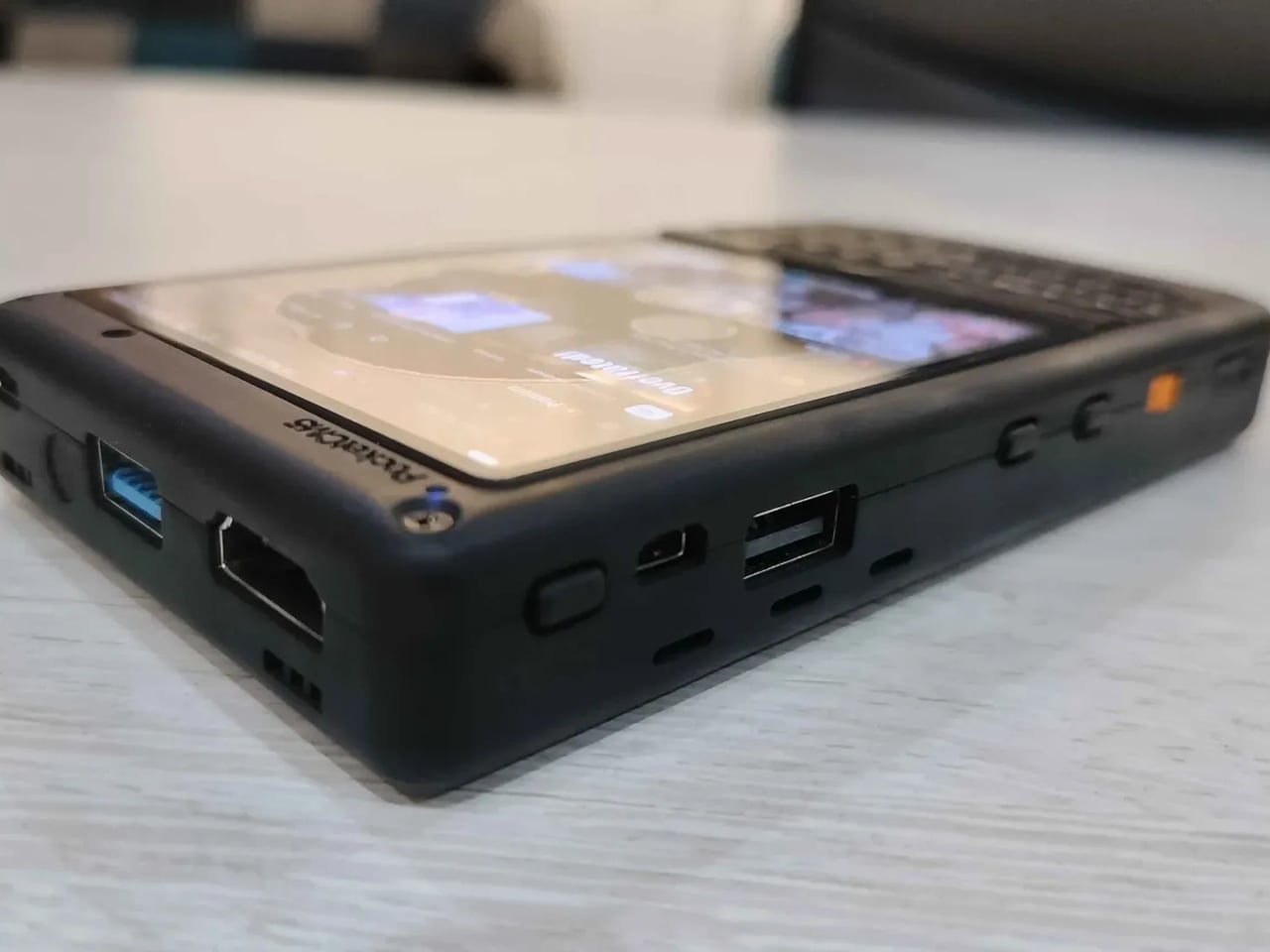
The piBrick Pocket-CM5 is the size of a smartphone and runs a full Linux desktop. Built from a custom PCB, a 3D-printed shell, and an open-source parts list that totals $172, it arrives at 80mm × 145mm × 19.6mm with a 3.92-inch AMOLED display running at 1080×1240 pixels, 90Hz, and 560 nits of brightness. A BBQ20 BlackBerry-style keyboard sits on the face, complete with an integrated trackpad, rotary encoders on the sides, and five user-programmable buttons. Asahi Tempered Glass covers the display, and a 5,000mAh battery keeps everything running without a desk.

The feature that makes it genuinely surprising lives in the USB stack. Plugging the piBrick into any external computer or server activates USB-HID mode, turning its keyboard and trackpad into a fully standalone input device, independent of the Linux system running underneath. A sysadmin arrives at a server rack without a spare keyboard. The piBrick already is one. Full-size and micro-HDMI outputs let the same device drive an external display. NVMe SSD support in 2230 and 2242 formats adds real storage headroom.

What we like

  • A full Linux machine that moonlights as a USB keyboard for any device on earth — two completely distinct, genuinely useful capabilities in smartphone dimensions
  • Built for significantly less than a budget phone, with an open-source design that belongs to anyone who wants to build on it

What we dislike

  • Building the piBrick requires sourcing parts and assembling the hardware yourself, which puts it out of reach for anyone not comfortable with a soldering iron
  • The $172 figure is the parts cost floor, not a retail price — the full build investment in time and effort needs to be factored in

2. OrigamiSwift Mouse

Horace Lam designed the OrigamiSwift around a single constraint: a Bluetooth mouse that collapses small enough to carry without thinking about it. Folded, it measures 0.18 inches thick and weighs 40 grams, lighter than most pens. Open, it becomes a full-sized working mouse in under half a second. The origami-inspired triangular structure gives the folded form real rigidity, so it holds its shape through actual work sessions rather than shifting on the desk after the first hour. The soft-click buttons keep things quiet in shared spaces, which turns out to be something you notice immediately.

The internals match the ambition of the form. A 4,000 CPI HD infrared sensor tracks at up to 4,000 frames per second, Bluetooth 5.2 pairs across Mac, Windows, Android, and iPadOS within a 32.8-foot wireless range, and a single USB-C charge delivers up to three months of use. That last figure is the one worth sitting with. Most wireless mice need charging every few weeks. The OrigamiSwift needs it roughly once a season.

Click Here to Buy Now: $85.00

What we like

  • Folds to 0.18 inches thick and weighs 40 grams — small enough to forget it’s in a bag until you actually need it
  • Three months of battery life on a single USB-C charge, which makes every other wireless mouse feel like a maintenance obligation

What we dislike

  • Stock is limited at the time of writing, so availability may not line up with gift timing
  • The 4,000 CPI ceiling may feel restrictive for anyone whose work involves precision-heavy creative or illustration workflows

3. Xiaomi UltraThin Magnetic Power Bank
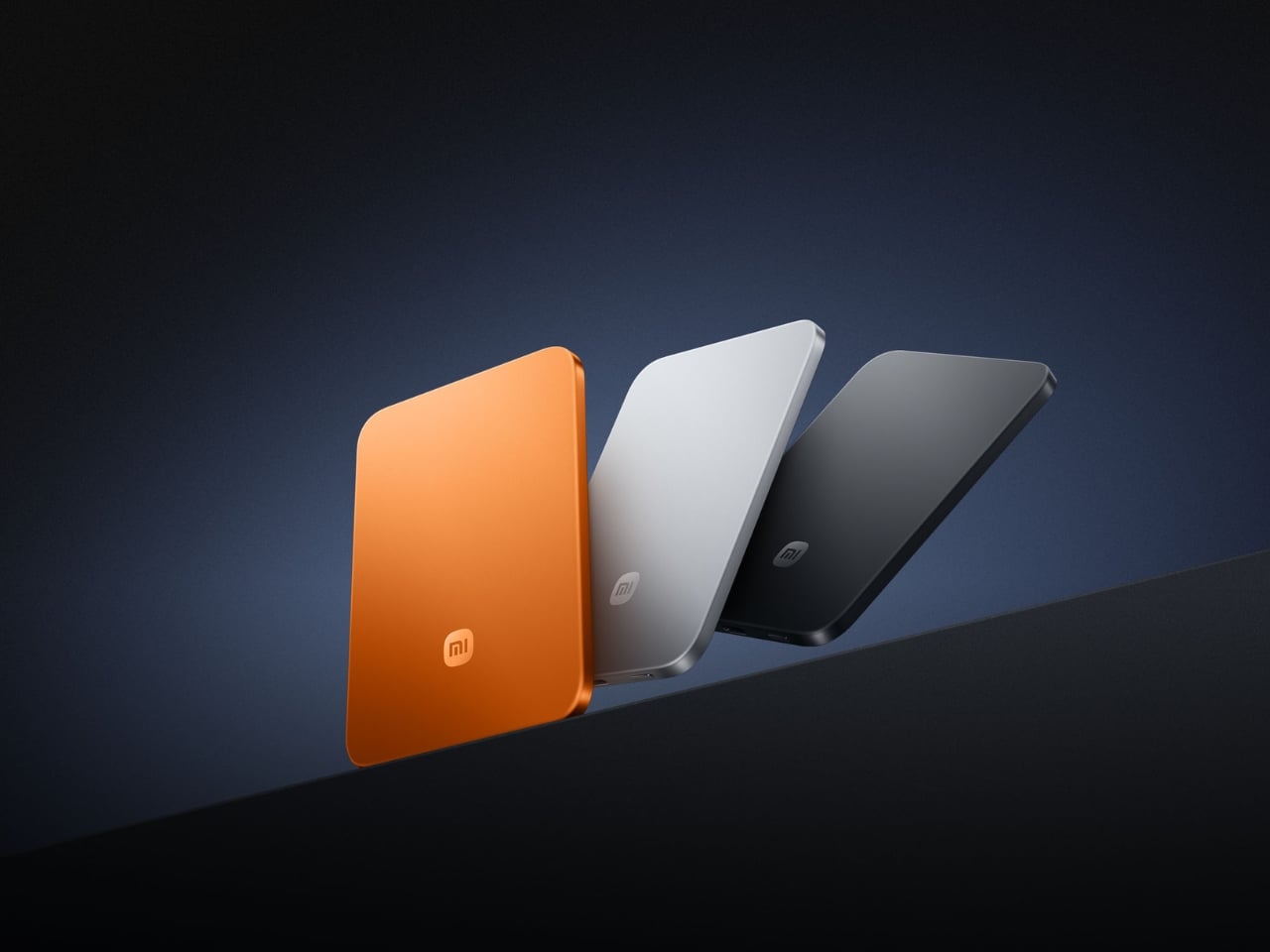
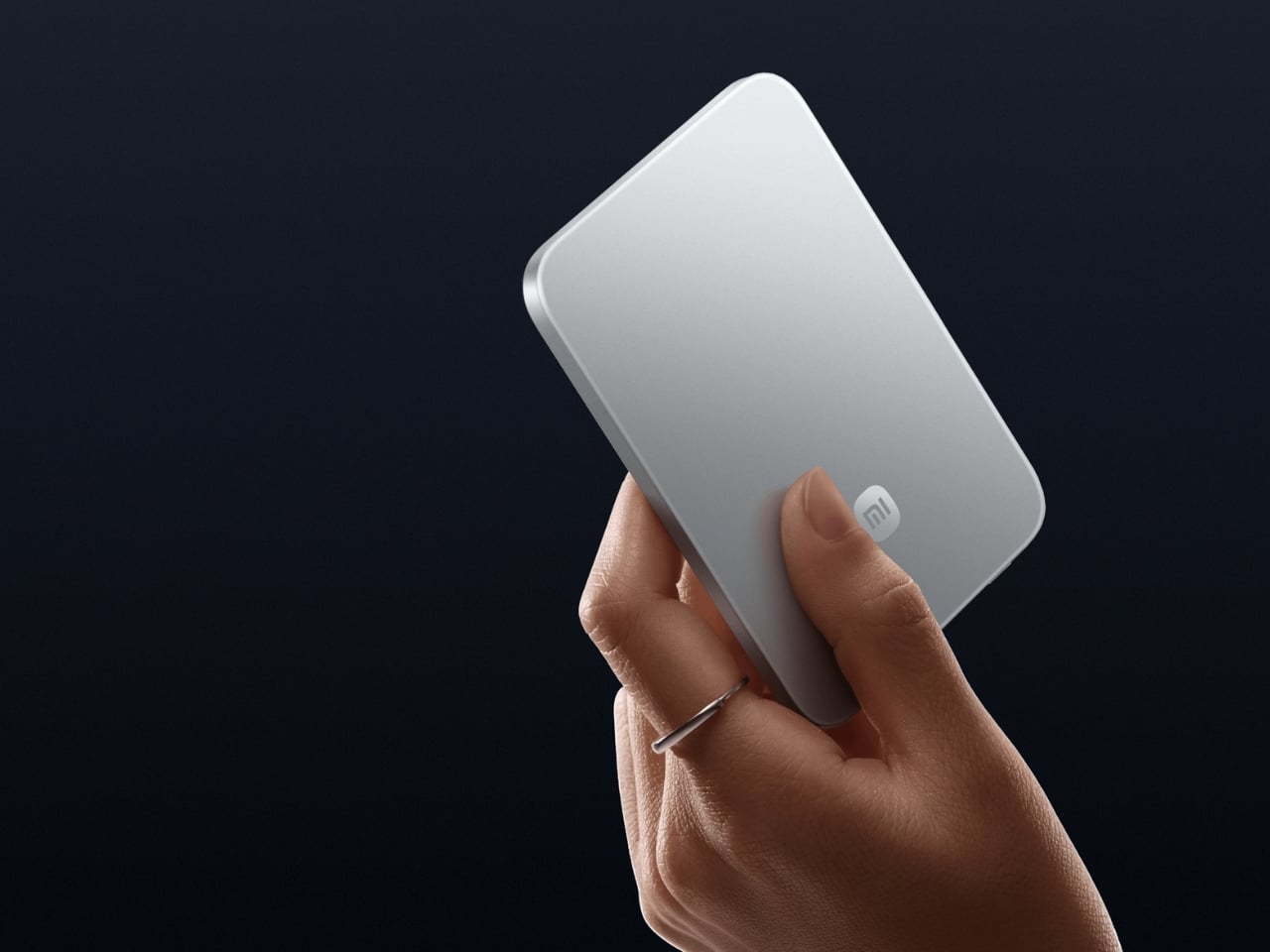
The power bank category has been stuck in the same design rut for a decade. Bigger capacities, same uninspired bricks. Xiaomi broke that logic at MWC 2026 in Barcelona with a magnetic power bank measuring 6mm thick, thinner than any current smartphone on the market, including the iPhone 17. The 5,000mAh capacity is made possible by silicon-carbon battery chemistry with 16% silicon content, the same material science pushing next-generation electric vehicle batteries into smaller form factors. It weighs 98 grams. The aluminum alloy shell has a photolithographically etched logo on the back, and the phone-facing surface uses fire-resistant fiberglass with an excimer coating for heat management.

Wireless charging tops out at 15W when paired with the Xiaomi 17 series and 7.5W for iPhones via MagSafe. A USB-C port pushes 22.5W wired, and the bank charges two devices simultaneously. Ten layers of protection cover overvoltage, overcurrent, overheating, and short circuits, with dual NTC temperature sensors monitoring heat in real time.

What we like

  • At 6mm and 98 grams, it snaps magnetically to the back of a phone and disappears there — the first power bank in the category to make you genuinely forget you’re carrying one
  • Silicon-carbon battery chemistry packs 5,000mAh into a profile that has no business fitting that much capacity

What we dislike

  • The 7.5W cap on iPhones is an Apple MagSafe restriction rather than a Xiaomi design choice, but it still stings
  • US buyers will need to source it internationally for now, as domestic availability is unconfirmed at the time of writing

4. Huion Note E
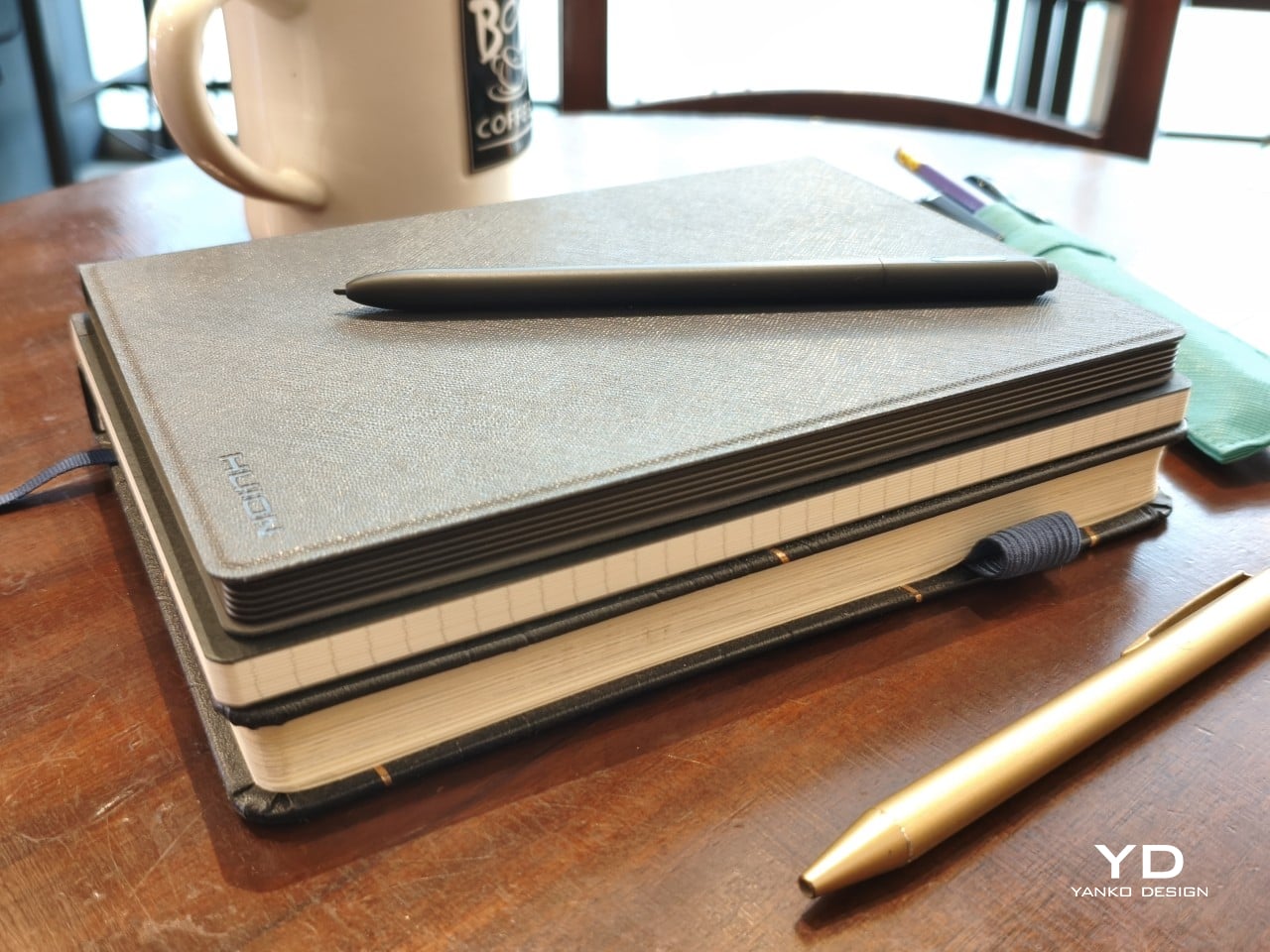
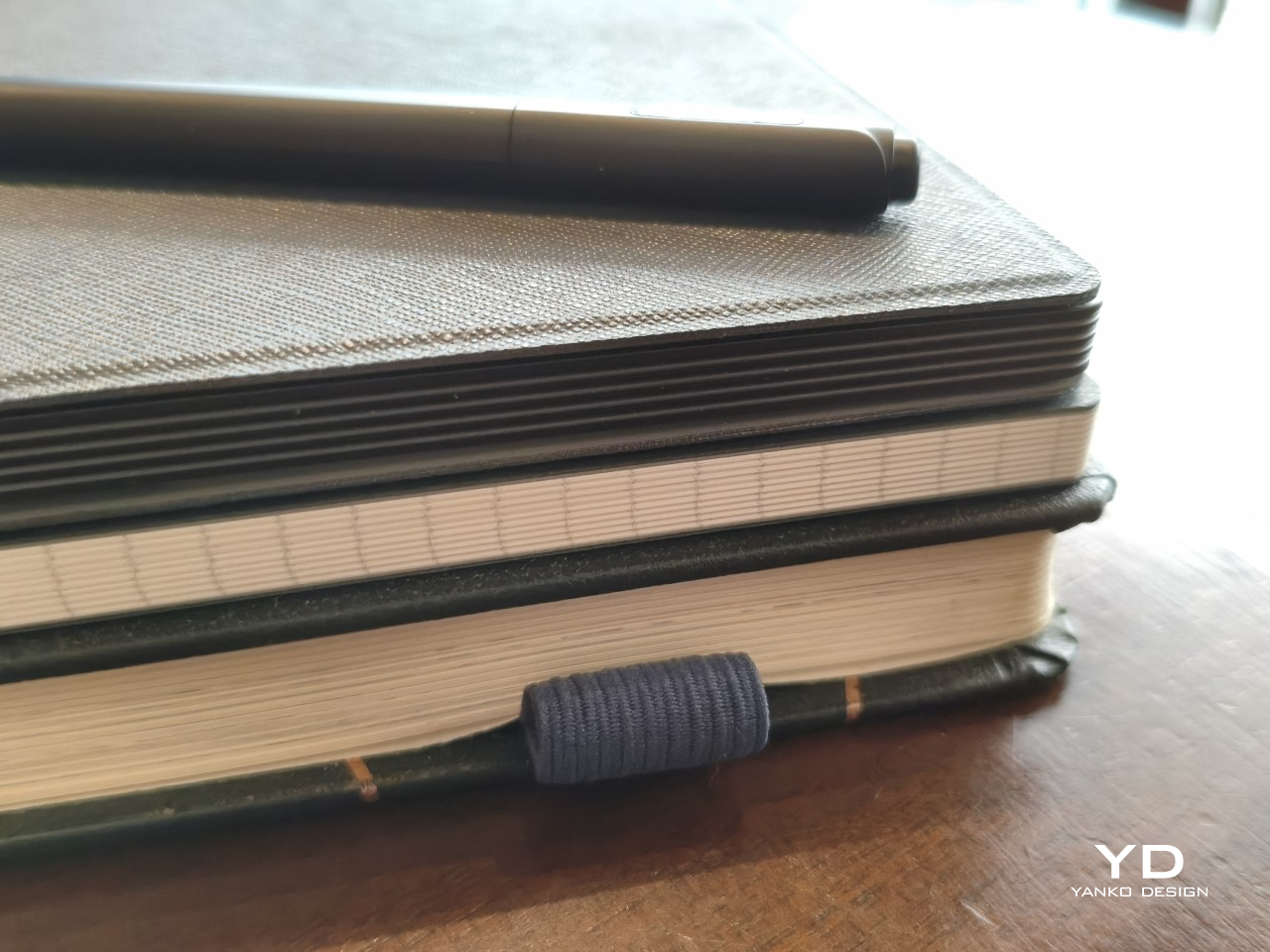
Huion built the Note E to pass as a paper notebook from any angle. The sides are rigid to mimic the page block of a bound journal. The cover is PU leather with a felt lining on the inside. At exactly A5 proportions and 348 grams without the cover, it is the size and weight of an 80-page notebook. The 8.4-inch laminated LCD screen uses anti-glare nano-etching that Huion’s own reviewer describes as writing on smooth Japanese paper, with DC dimming over PWM to reduce the eye strain that builds across a long writing session. Turning it to the side, nothing about it reads as electronic.

What genuinely separates it from every other stylus tablet is a feature buried in the note-taking app. The Note E records audio while you write. Play it back later and the recording advances in sync with your handwriting reappearing on screen, line by line, exactly as it was written. Every word is anchored to the sound in the room at the moment it landed on the page. The included PW510 stylus is battery-free, offers 8,192 levels of pressure sensitivity with tilt support, and attaches magnetically to the side of the device.

What we like

  • The audio-sync playback turns any page of notes into a timestamped recording — you can replay exactly what was being said in the room at the moment each line was written
  • The battery-free PW510 stylus with 8,192 levels of pressure sensitivity is included, alongside a cover that genuinely looks like a premium leather journal

What we dislike

  • No microSD expansion means 128GB is the ceiling, which fills up faster than expected once drawing files enter the picture
  • The cover attachment mechanism feels less robust than a product at this price point should, with prongs that require a specific sliding motion to engage

5. MorningBlues SonicGlass A1
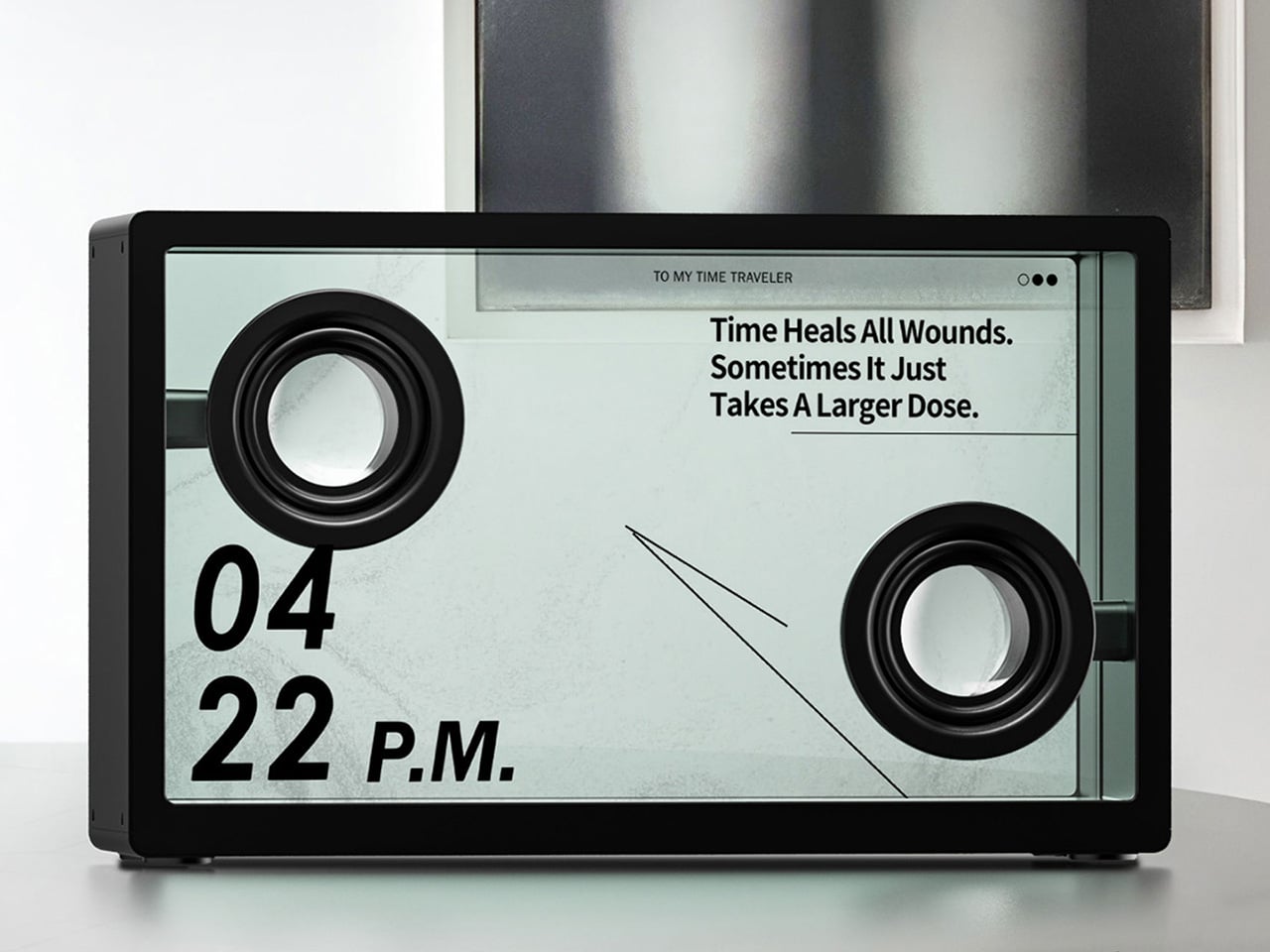
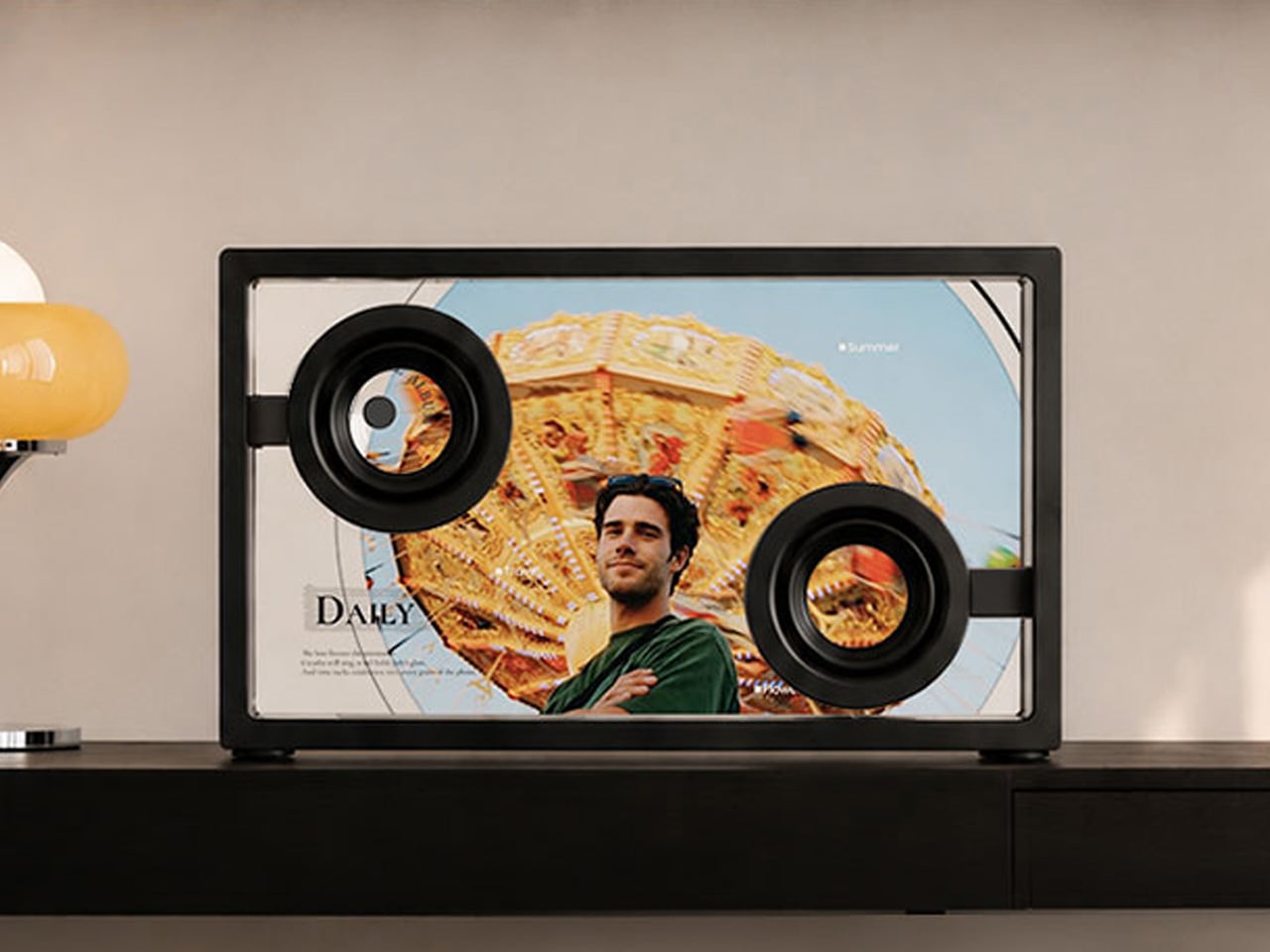
The MorningBlues SonicGlass A1 is a speaker most home audio brands would not have the confidence to make. The front face is a 21.5-inch TFT panel with over 90% light transmission, framed in black with the driver sitting fully visible behind the glass. When a song plays, licensed lyrics appear across the transparent surface in motion styles tuned to the track’s emotional character, a feature called MoodLyric, trained on hundreds of millions of playbacks with all lyrics licensed through LyricFind to properly credit the artists. The driver is not hidden. The mechanics are not disguised. The whole object is designed to be looked at.

A second layer called SceneSync generates AI visuals in real time matched to the genre playing, with pop, hip-hop, R&B, and rock each triggering distinct visual aesthetics on the glass. When the music stops, it shifts to ambient room mode: rotating backgrounds, a dynamic clock face, or an ASMR sleep display for winding down. A microphone turns it into a karaoke setup with live scrolling lyrics. The MorningBlues Music Hub 1 controller handles playback without involving a phone.

What we like

  • A transparent 21.5-inch display that animates licensed lyrics while the music plays and becomes ambient room art when it stops — the speaker category has needed something this committed to its own idea for a long time
  • SceneSync and MoodLyric together mean the visual experience is never the same twice, tuned in real time to the genre and emotional character of whatever is playing

What we dislike

  • At $646, the price is a meaningful ask for a product that hasn’t shipped yet

The Best Gifts Don’t Improve on What He Already Has – They Make Him Rethink the Category

What makes each of these worth picking is that none of them are better versions of something he already owns. The piBrick isn’t a better mini PC. The OrigamiSwift isn’t a better travel mouse. The Xiaomi power bank isn’t a higher-capacity brick. Each one rethinks the category assumption from the ground up, which is the only kind of product that genuinely surprises someone who already knows the market well and has largely stopped being surprised by it.

The price range runs from $85 to $646, which means there’s a real pick at every budget with no filler option anywhere in the list. Whether it’s the SonicGlass as the room’s defining object or the piBrick as the most interesting thing in a bag, each earns its place the way the best gifts do — by being something the person would never have bought for himself, but won’t want to give back.

The post The 5 Best Tech Gifts for the Guy Who Thinks He’s Already Seen Everything in 2026 first appeared on Yanko Design.
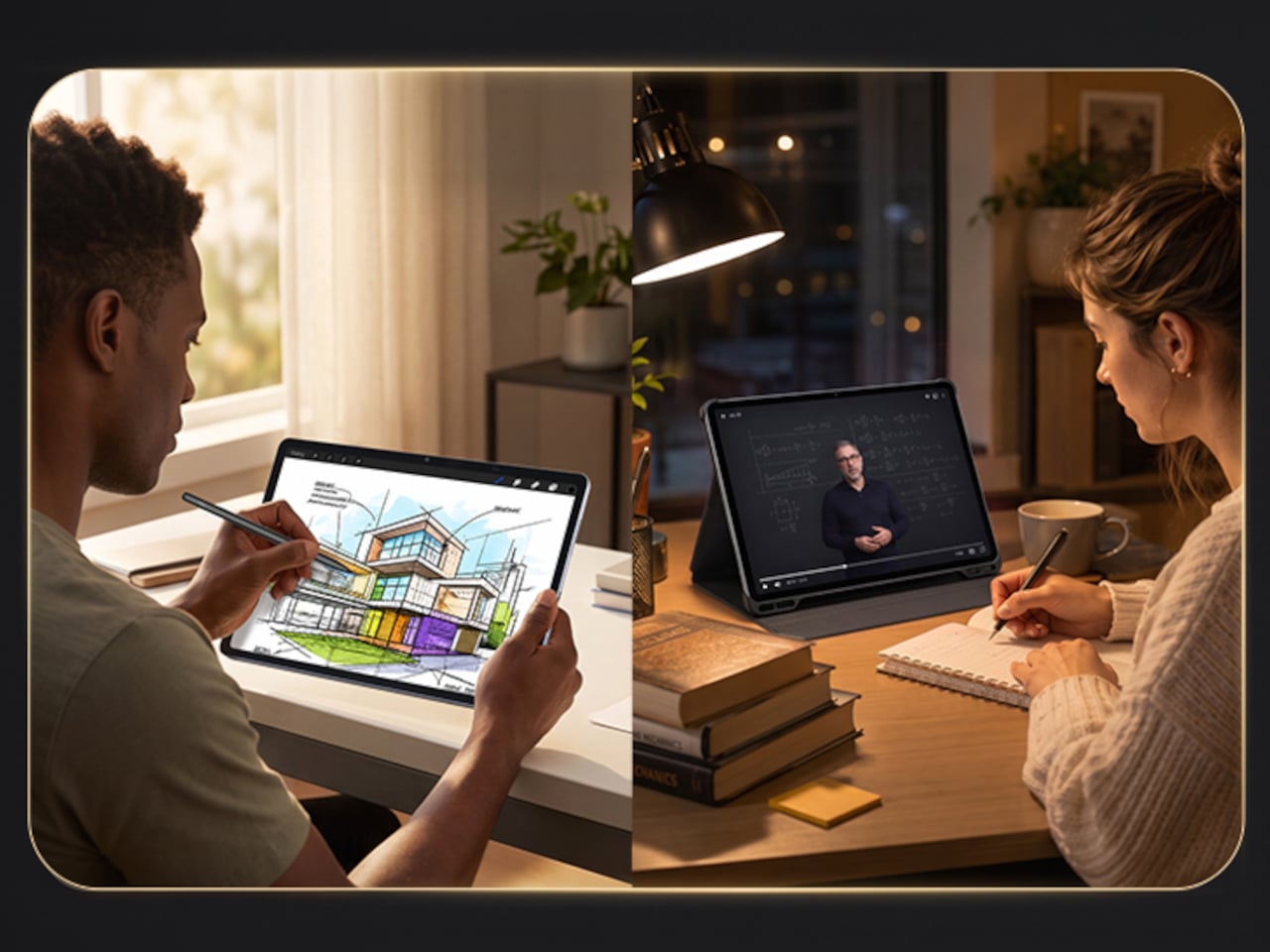
This $400 Tablet Comes With a Stylus, a Case, and Eyes That Don’t Hurt

Screen time on tablets has never been higher, but comfort hasn’t kept pace. Most tablet displays are still optimized for brightness and color gamut, with eye protection largely an afterthought or a toggle buried in settings. Reading long documents, annotating notes, or watching videos for hours on a typical panel can leave your eyes feeling the aftermath in ways that aren’t exactly encouraging.

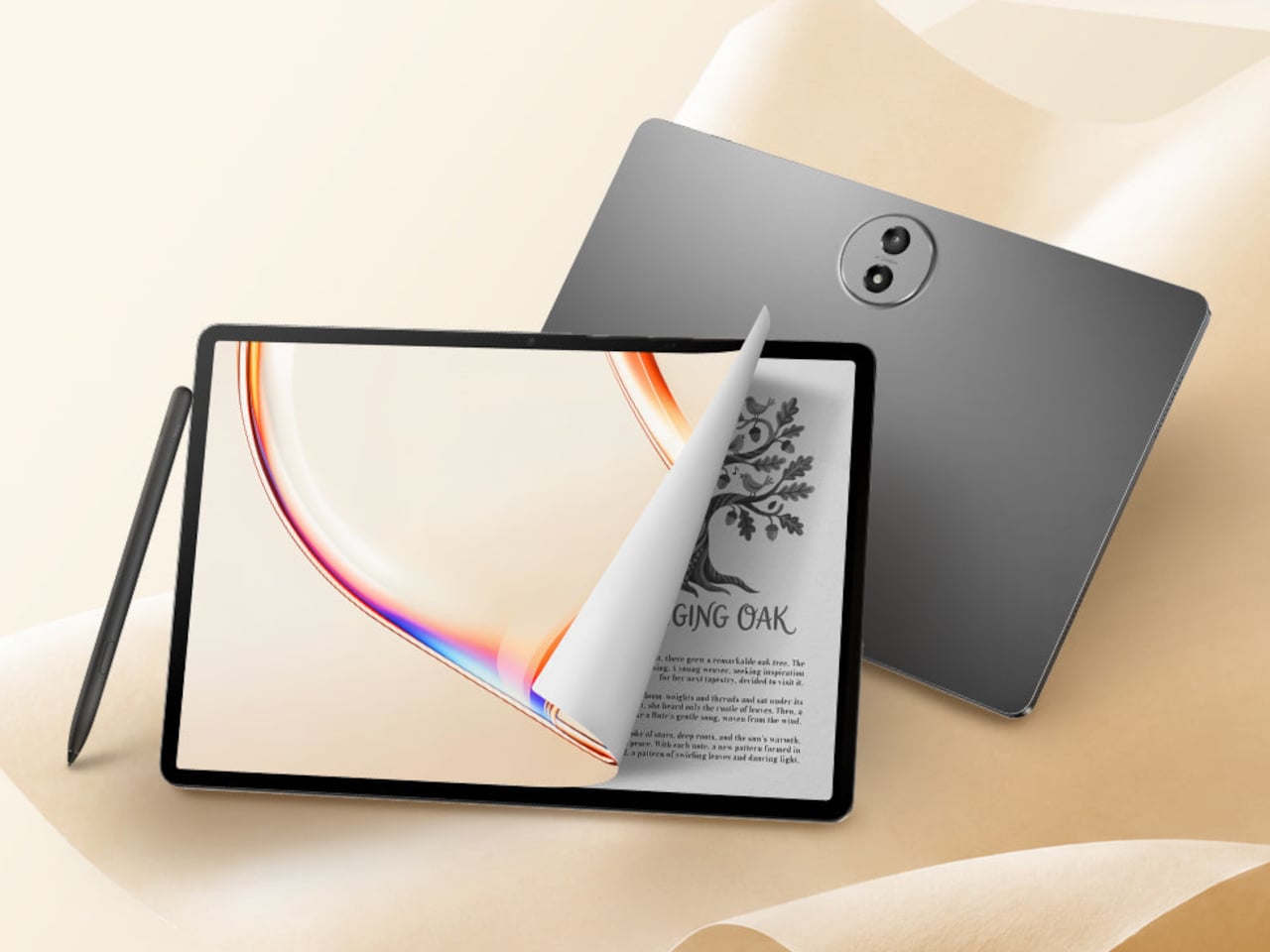
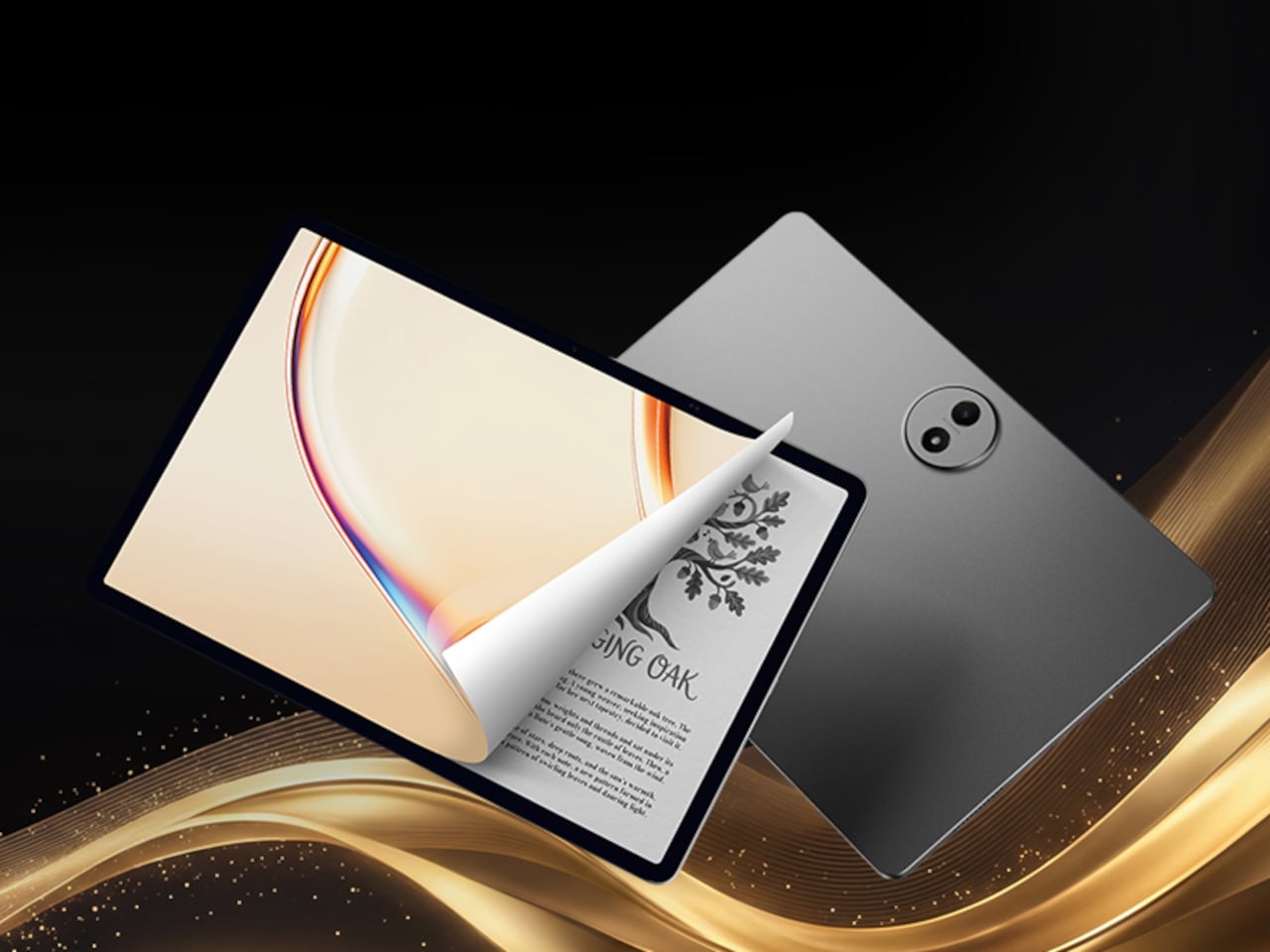
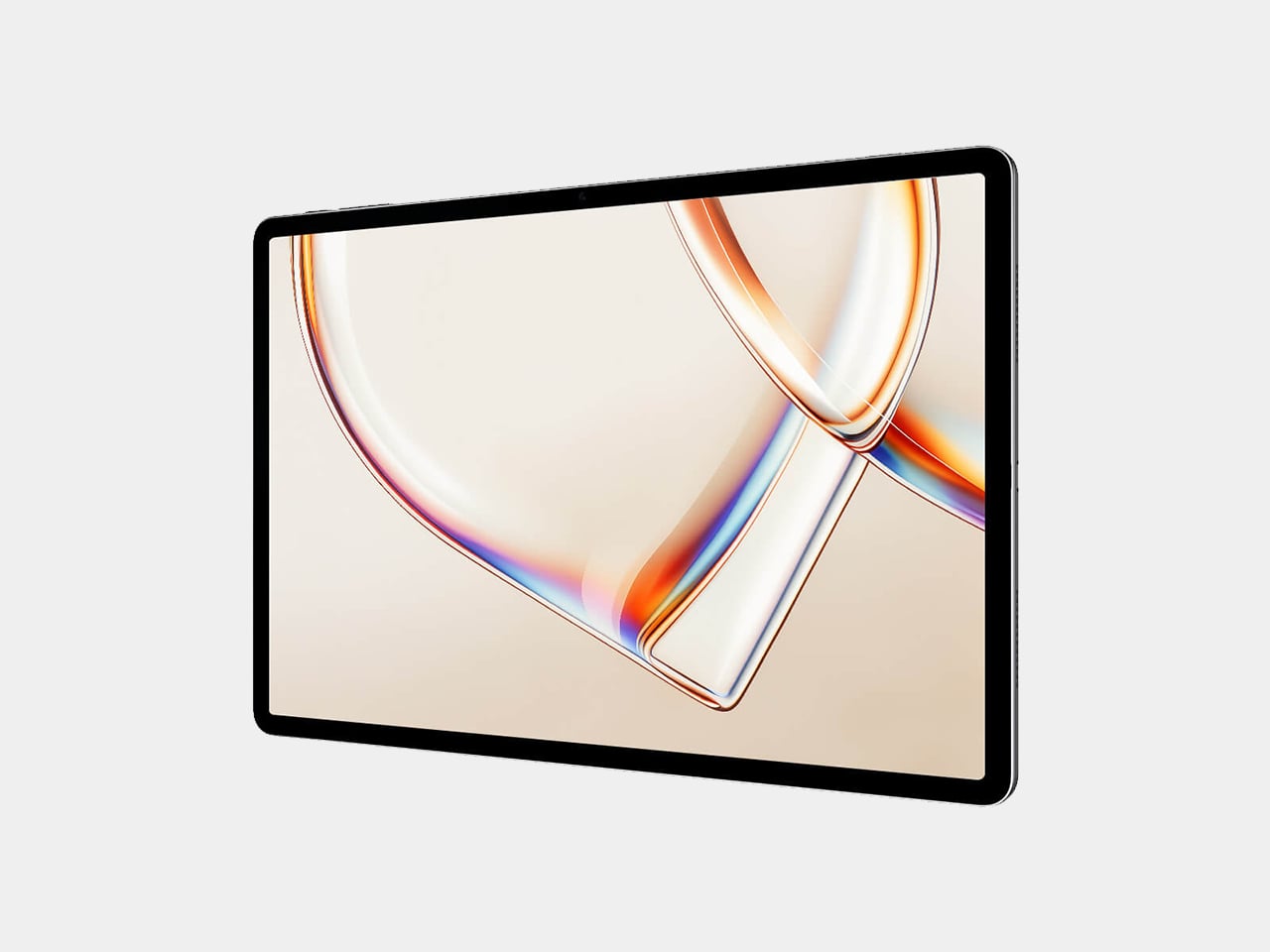
TCL’s TAB A1 Plus NXTPAPER approaches that problem with something more deliberate than a simple blue-light filter. Built around the brand’s fourth-generation NXTPAPER display technology, it brings a large 12.2-inch 2.4K panel that combines seven integrated eye-comfort technologies, including Nano Crystal Shield Glass and an OmniSoft Light System, to more closely replicate the gentler, less fatiguing qualities of reading on paper.

Designer: TCL

The aspect ratio is worth noting too. At 3:2, the screen is taller than typical tablets, which means more of a document or webpage fits on screen without endless scrolling. That might sound like a minor detail until you’re cross-referencing notes during a study session or keeping track of multiple open documents across a long work afternoon. The adaptive 120Hz refresh rate keeps every interaction smooth throughout.

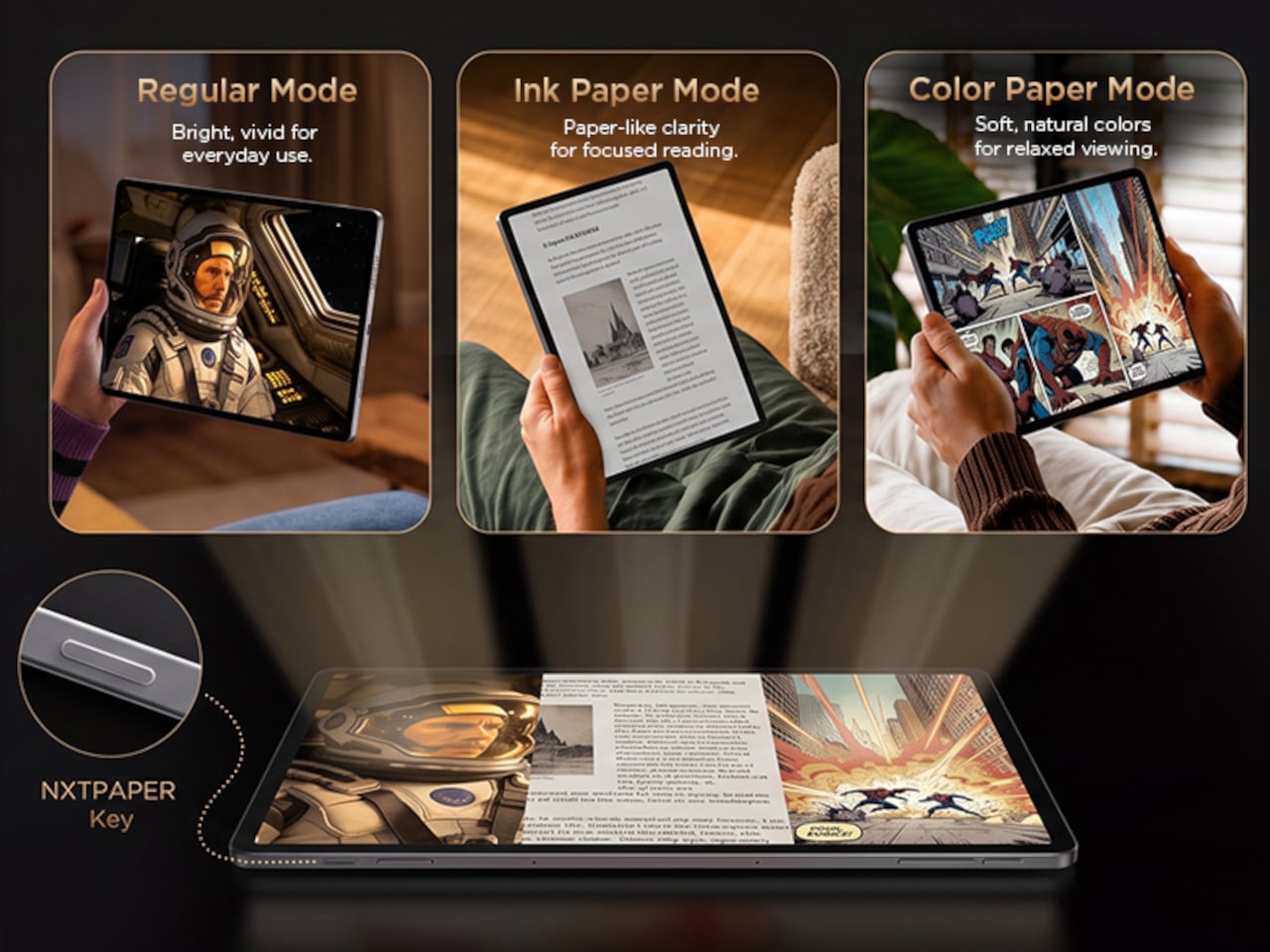
Switching between display modes is handled by the dedicated NXTPAPER Key, which cycles through paper-like and standard color modes without digging into settings menus. The 3-in-1 VersaView feature goes a step further, letting you pin specific apps to stay in full color while the rest of the interface remains in the easier-on-the-eyes paper mode. It’s a level of personalization that’s genuinely thoughtful.

NXTPAPER isn’t attempting to replicate E Ink or compete with dedicated e-readers on texture alone. It preserves the advantages of a conventional color display, including smooth video playback and vivid visuals, while adding the glare reduction and light softening that make extended reading sessions less punishing. The result is a screen that can move from a video stream to a study session without demanding any trade-off.

A suite of built-in AI tools handles the more tedious parts of daily work. Google Gemini and Circle to Search are onboard, alongside Writing Assist, Text Assist, a Smart Translator, and Smart Voice Memo. The tablet also runs Android 16 with Split Screen, Floating Windows, and Sidebar features built in, which means going from writing a draft to pulling research doesn’t require closing anything.

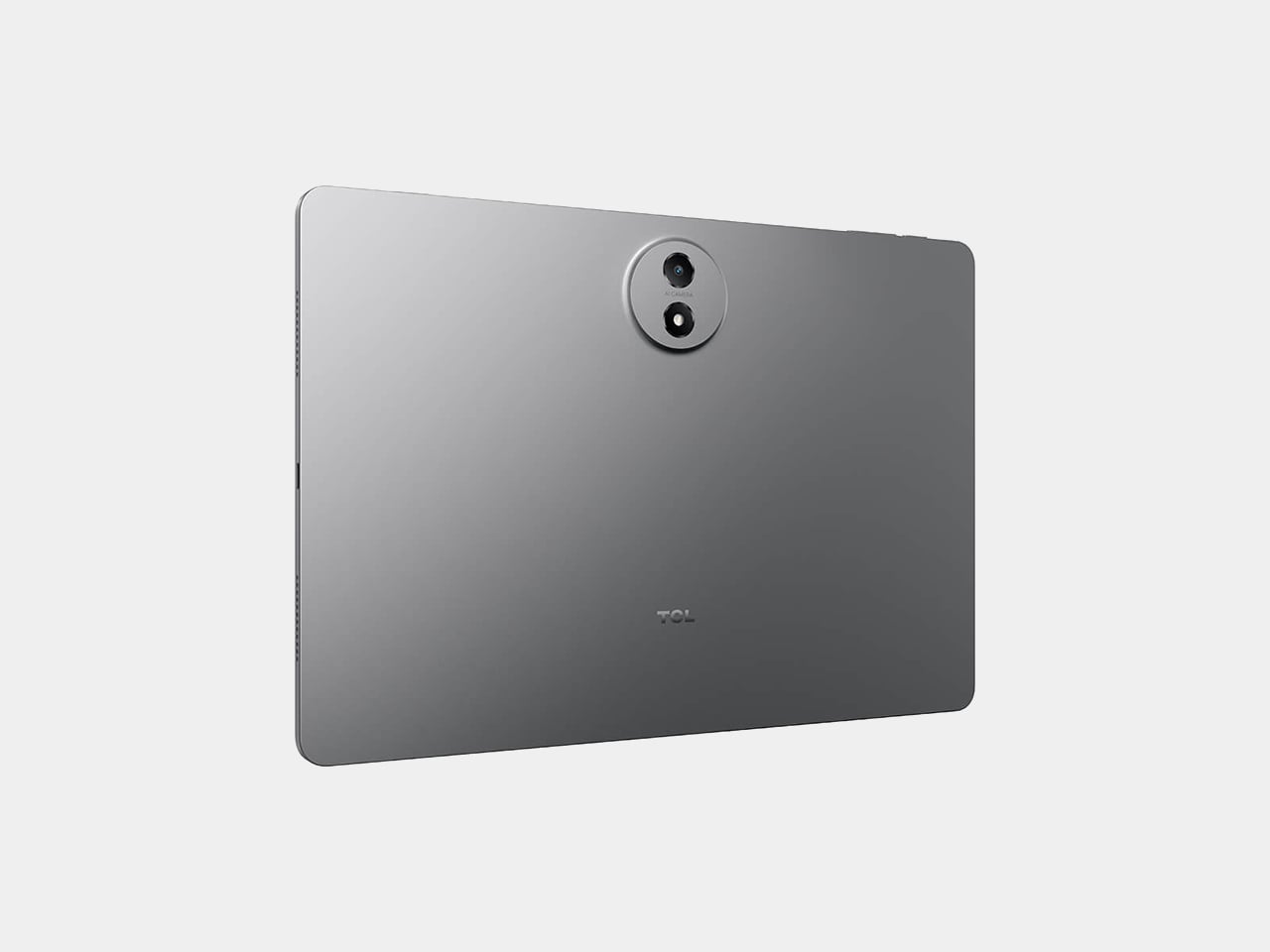
Under the hood, the Snapdragon 4 Gen 2 chip pairs with up to 16GB of RAM and 256GB of storage, expandable to 2TB via microSD. The 10,000mAh battery is large enough to carry through extended sessions without anxiety, and the 33W fast charging means a dead tablet doesn’t stay that way for long. The metal unibody keeps the whole package under 6.70mm thick.

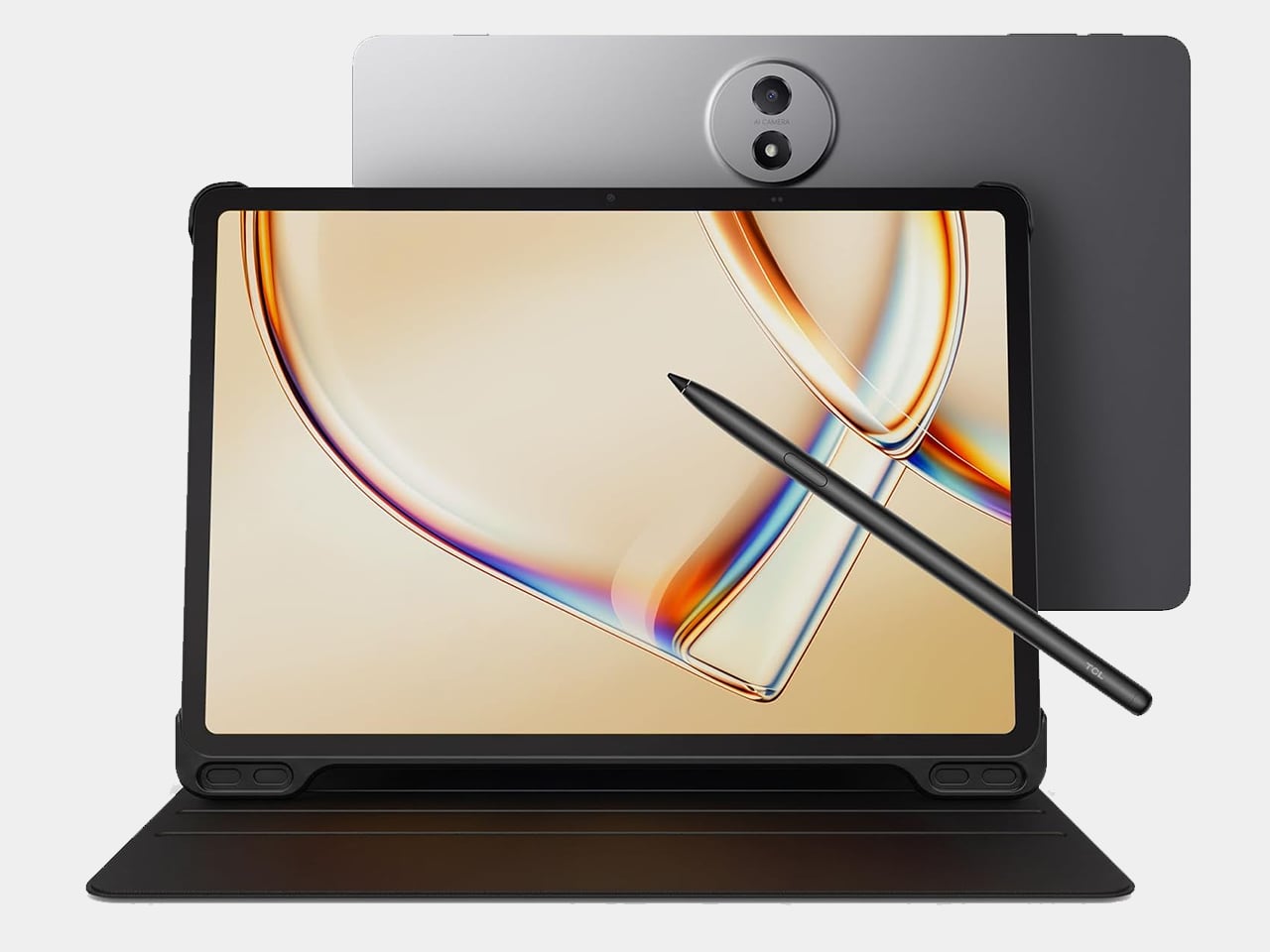
The IP54-rated splash and dust resistance is a practical safeguard for a device that moves with you, and the build weighs in at 556 g. It comes in Aerolite Grey, and the box includes the tablet, a stylus, and a flip case, making the $399.99 asking price a fairly well-rounded deal for a package that doesn’t require additional accessories just to get started.

The post This $400 Tablet Comes With a Stylus, a Case, and Eyes That Don’t Hurt first appeared on Yanko Design.
A $420 Phone Just Proved BlackBerry Fans Have Been Right All Along

Physical keyboard phones have been largely absent from the mainstream market for the better part of a decade. The touchscreen revolution swept them away so completely that finding a new phone with actual keys now means wading through a very short list of niche products. That’s fine for touchscreen loyalists, but for those who still swear by tactile typing, the options have been frustratingly limited.

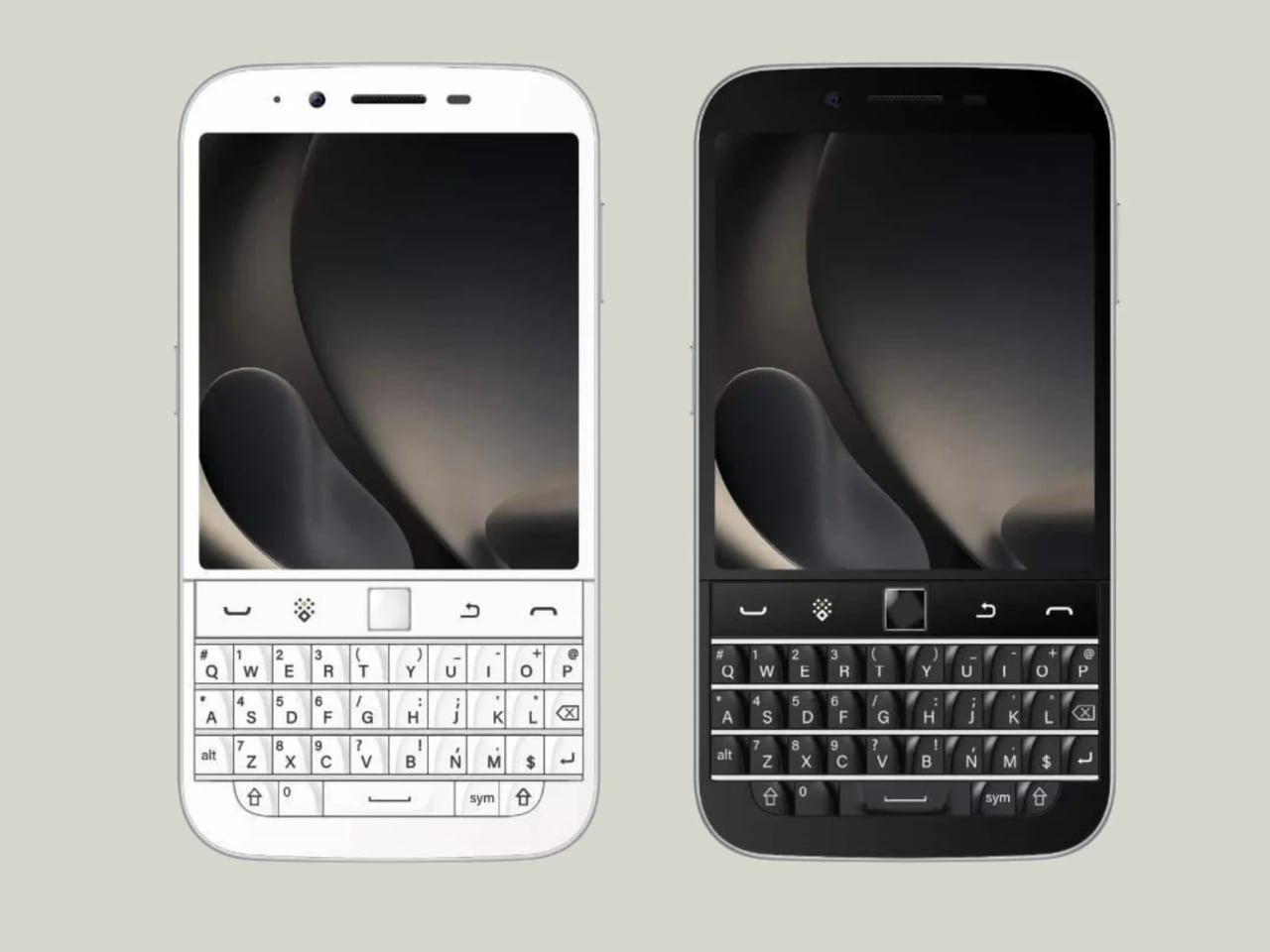
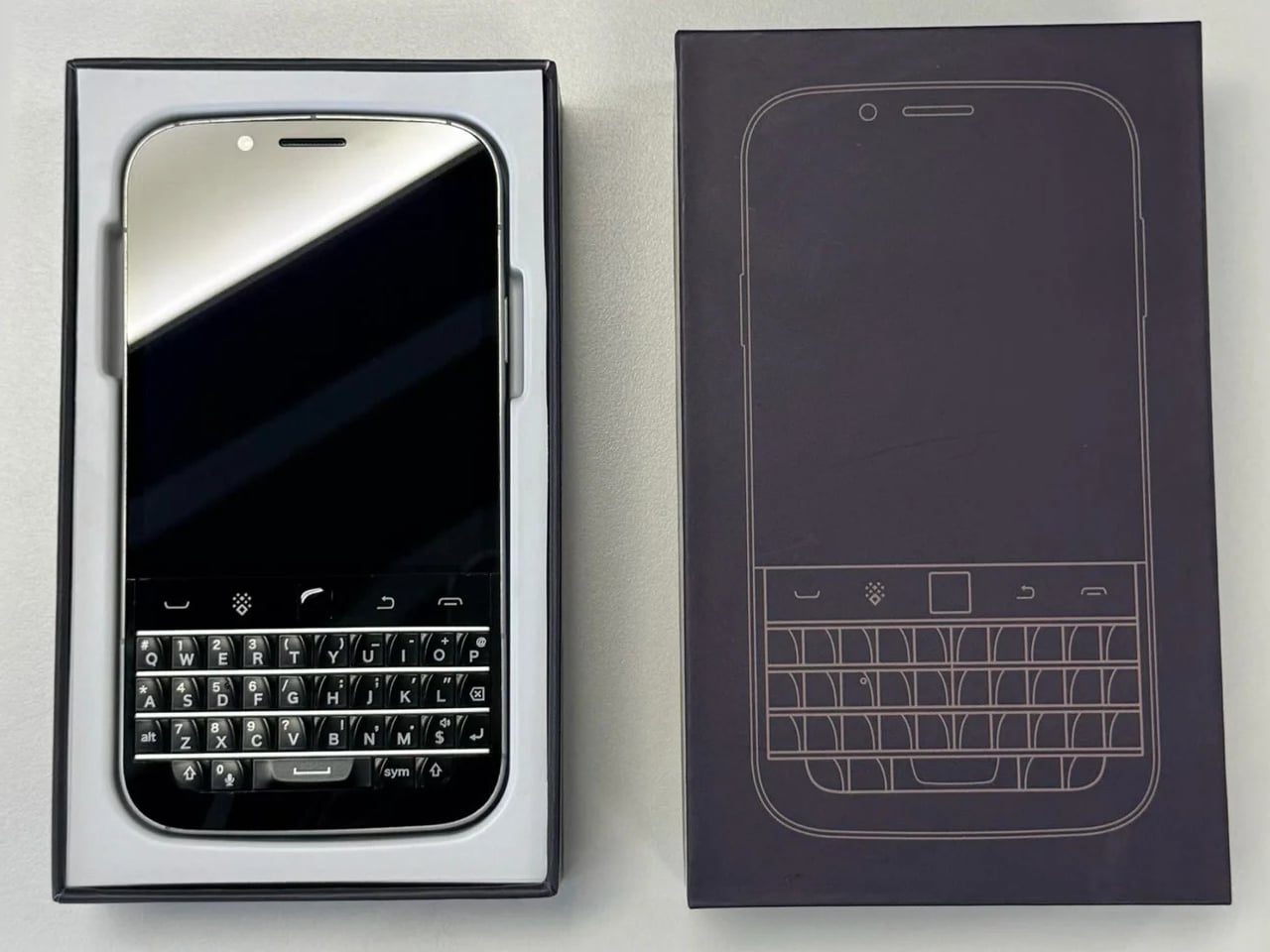
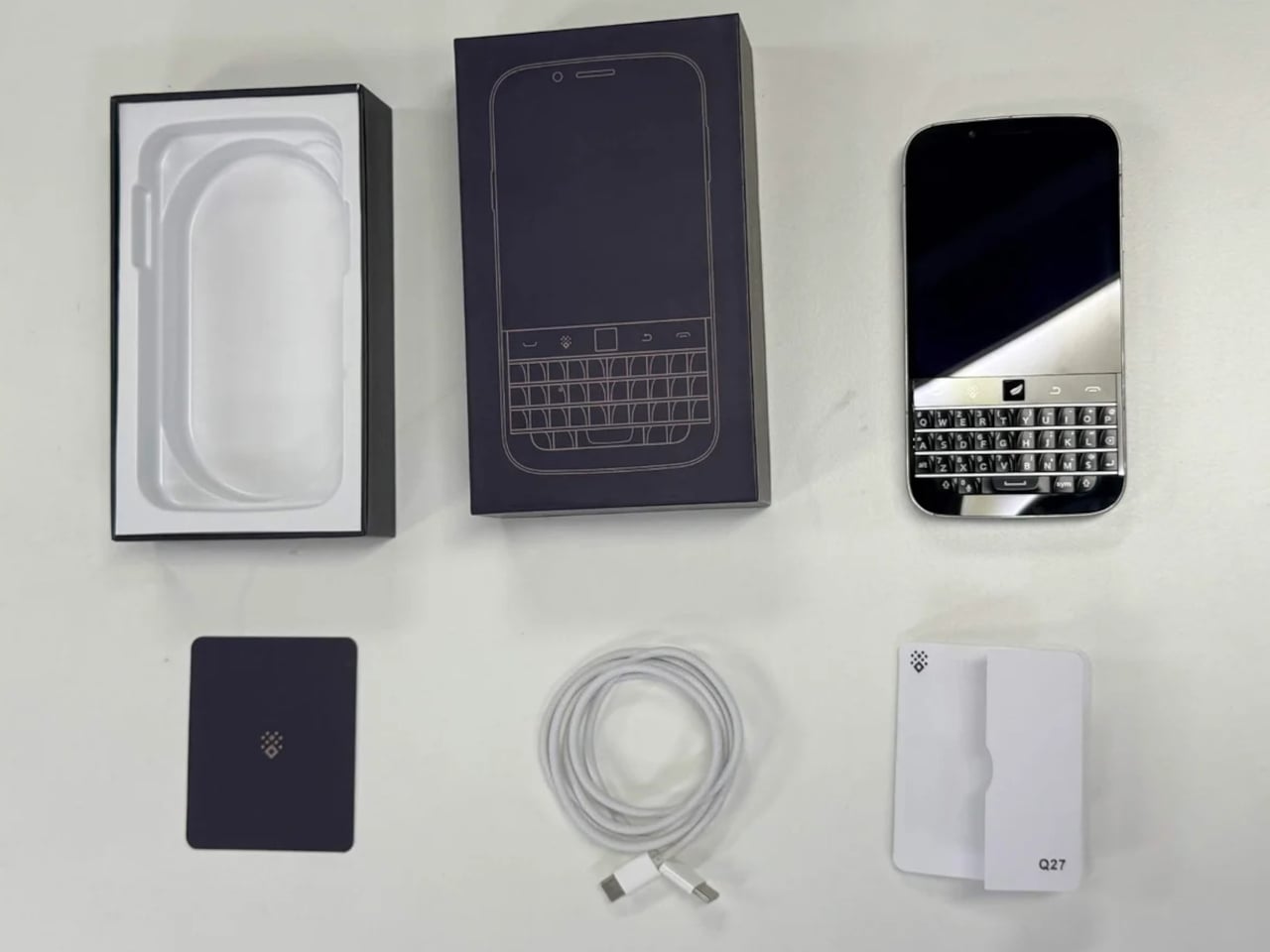
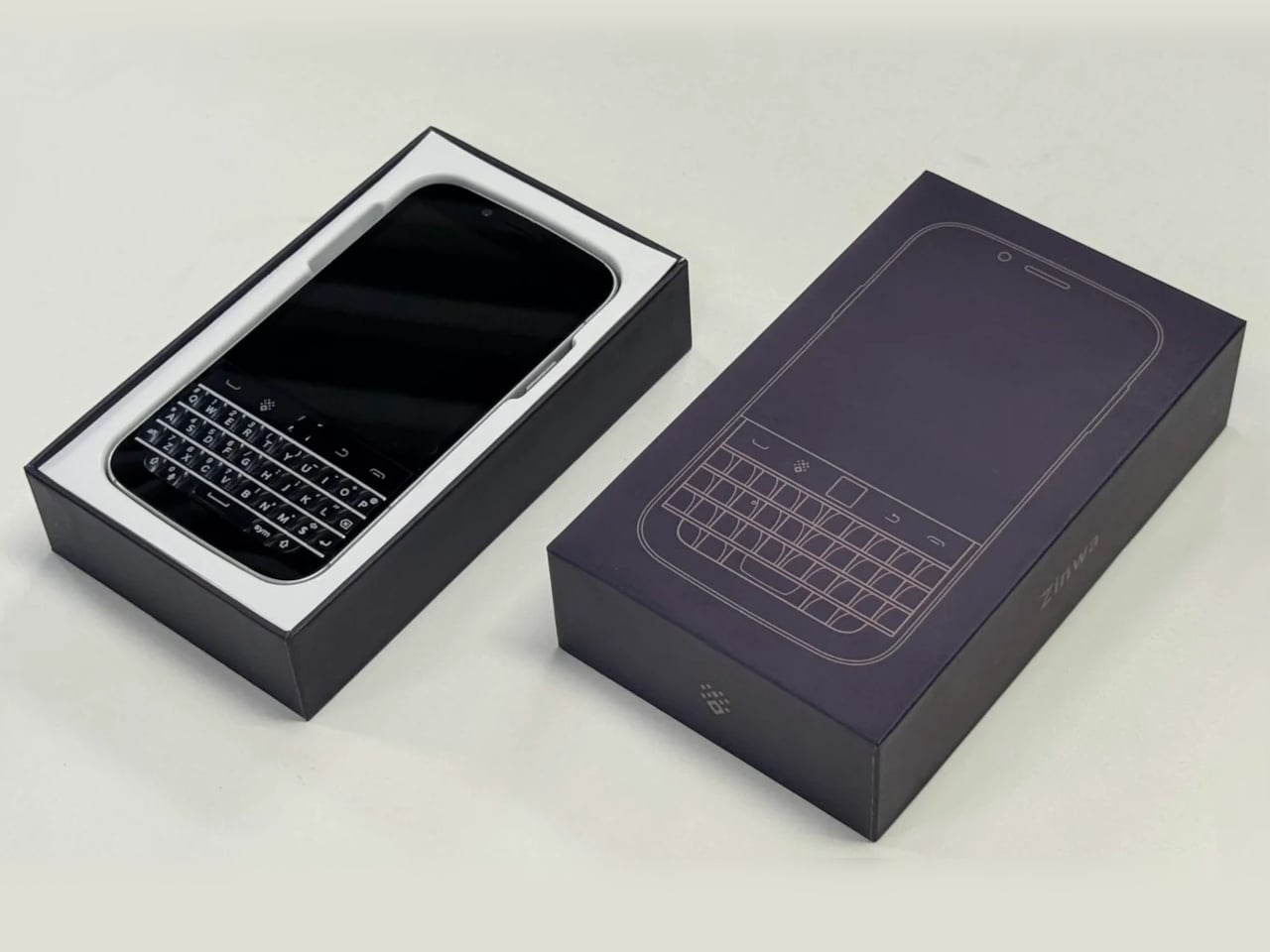
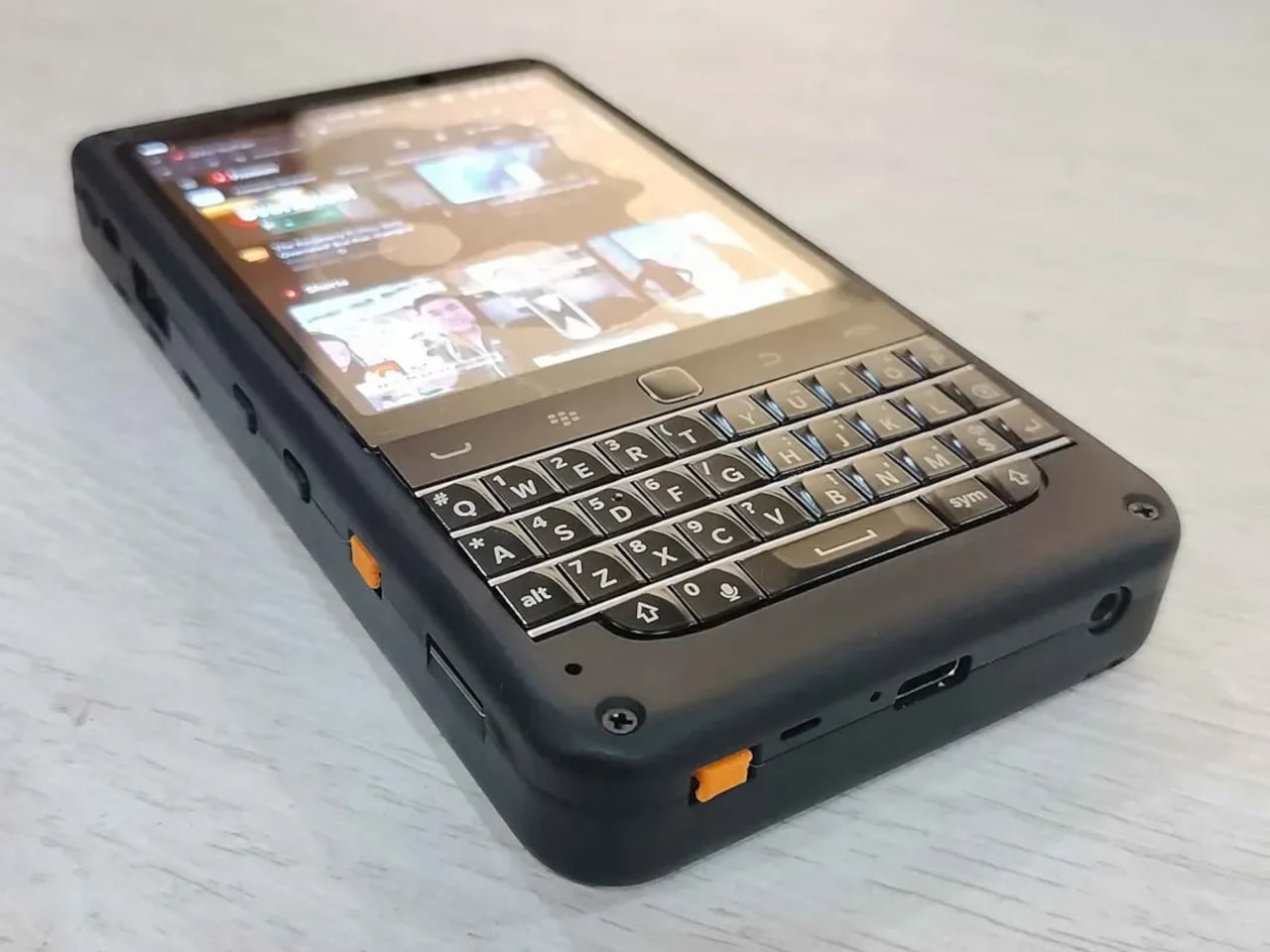
The Zinwa Q27 addresses that shortage head-on, arriving as a 5G Android smartphone built entirely from scratch with a physical QWERTY keyboard at its center. It isn’t a renovation of old hardware and doesn’t recycle any components from existing devices. The Q27 is an original design, and it channels the spirit of the BlackBerry Classic openly, as if daring you to forget how satisfying real keys felt.

Designer: Zinwa

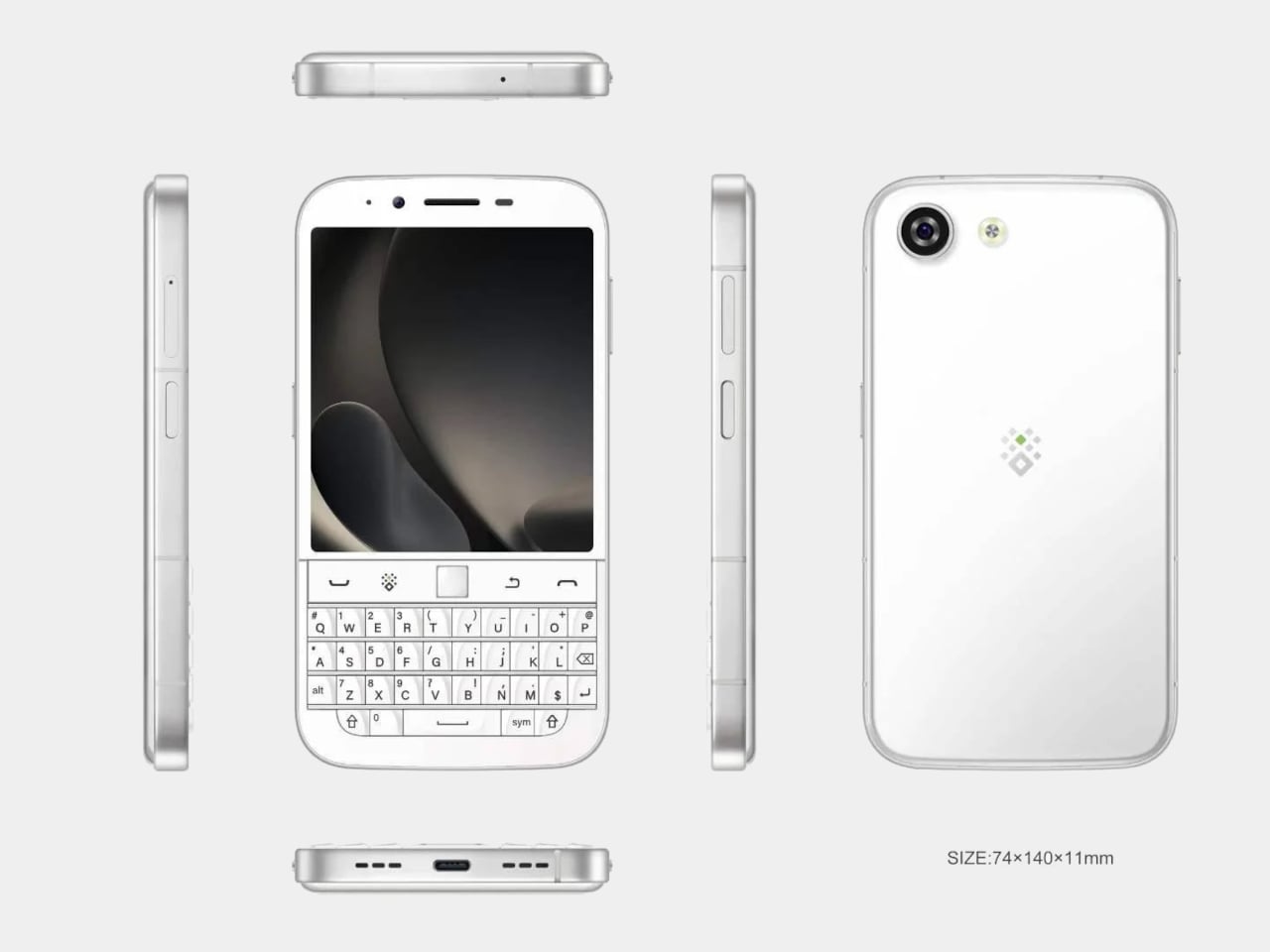
The layout places a 4-inch, 1080×1240 pixel AMOLED display above the thumb keyboard, keeping everything reachable in a single hand. At 140mm x 74mm x 11mm and 192 grams, the footprint is compact by today’s phablet-dominated standards. Anyone who once fired off emails on a BlackBerry will recognize this form factor instantly, and probably won’t need long to feel at home with it.

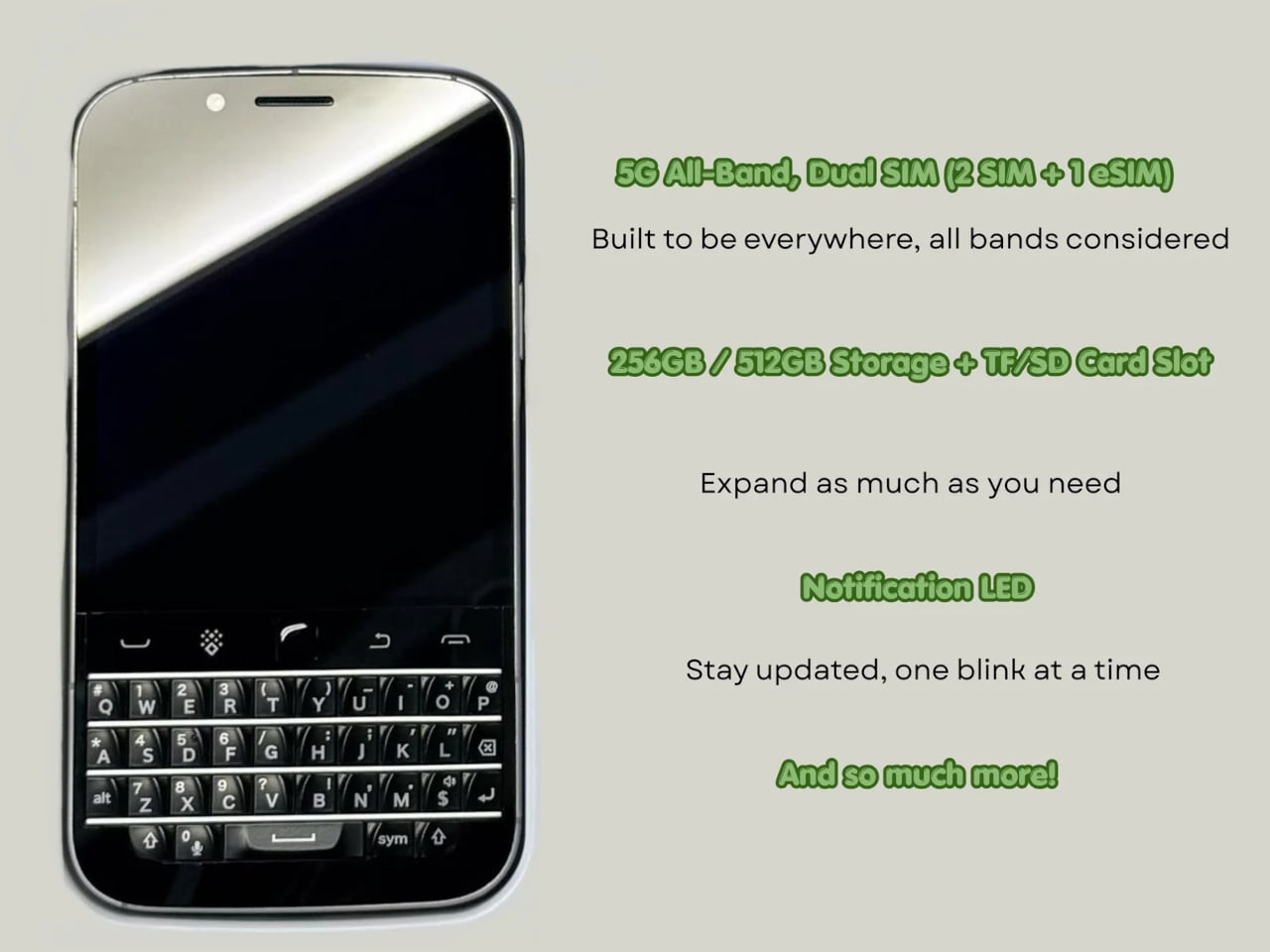
A MediaTek Dimensity 7300 chip and 12GB of RAM give the Q27 enough processing headroom for a full day of heavy multitasking. Storage options cover 256GB and 512GB, with microSD expansion available on both. It’s a configuration that suits the kind of user who lives in productivity apps, keeps a dozen conversations going at once, and can’t afford to babysit a slow phone between tasks.

Photography comes via a 50MP rear camera and a 16MP front-facing camera, while the 4,000mAh battery handles daily endurance with both 33W wired fast charging and 15W Qi wireless charging available. NFC, dual-SIM support alongside eSIM compatibility, and 5G connectivity round out the hardware, making the Q27 a surprisingly complete package for a phone designed to scratch such a specific itch.

Smaller details add to the overall impression. An X-axis linear motor delivers a crisper, more lateral haptic feel than the basic rumble of typical budget devices, while a dedicated notification LED and a Hi-Fi speaker bring back features that most modern phones quietly retired. There’s no headphone jack, which some will take issue with, but the USB Type-C port covers both charging and wired audio without trouble.

It ships with Android 16 and full Google Mobile Services, and comes in black or white, each unit with a pre-applied screen protector and protective case included. A charger isn’t in the box. Pricing starts at $420 for the 256 GB model and $480 for the 512 GB version, and because production will match pre-order quantity, there’s no confirmed ship date yet.

The Q27 also marks a shift in Zinwa’s approach. Previous models from the company involved transplanting modern internals into refurbished BlackBerry shells, but the Q27 is a wholly new design with no borrowed chassis. For a small outfit trying to keep the physical keyboard phone alive, that’s a significant step, and it shows the kind of commitment this particular corner of the market genuinely needs right now.

The post A $420 Phone Just Proved BlackBerry Fans Have Been Right All Along first appeared on Yanko Design.
A Designer Just Answered Facial Recognition With a Medieval Visor

Facial recognition has become one of the fastest-growing forms of infrastructure in public life. Cameras in airports, transit systems, retail spaces, and city streets capture biometric data routinely, often without the awareness of the people being scanned. The face has gradually become something closer to a credential, an identifier read by systems that process it instantly against databases that are constantly growing.

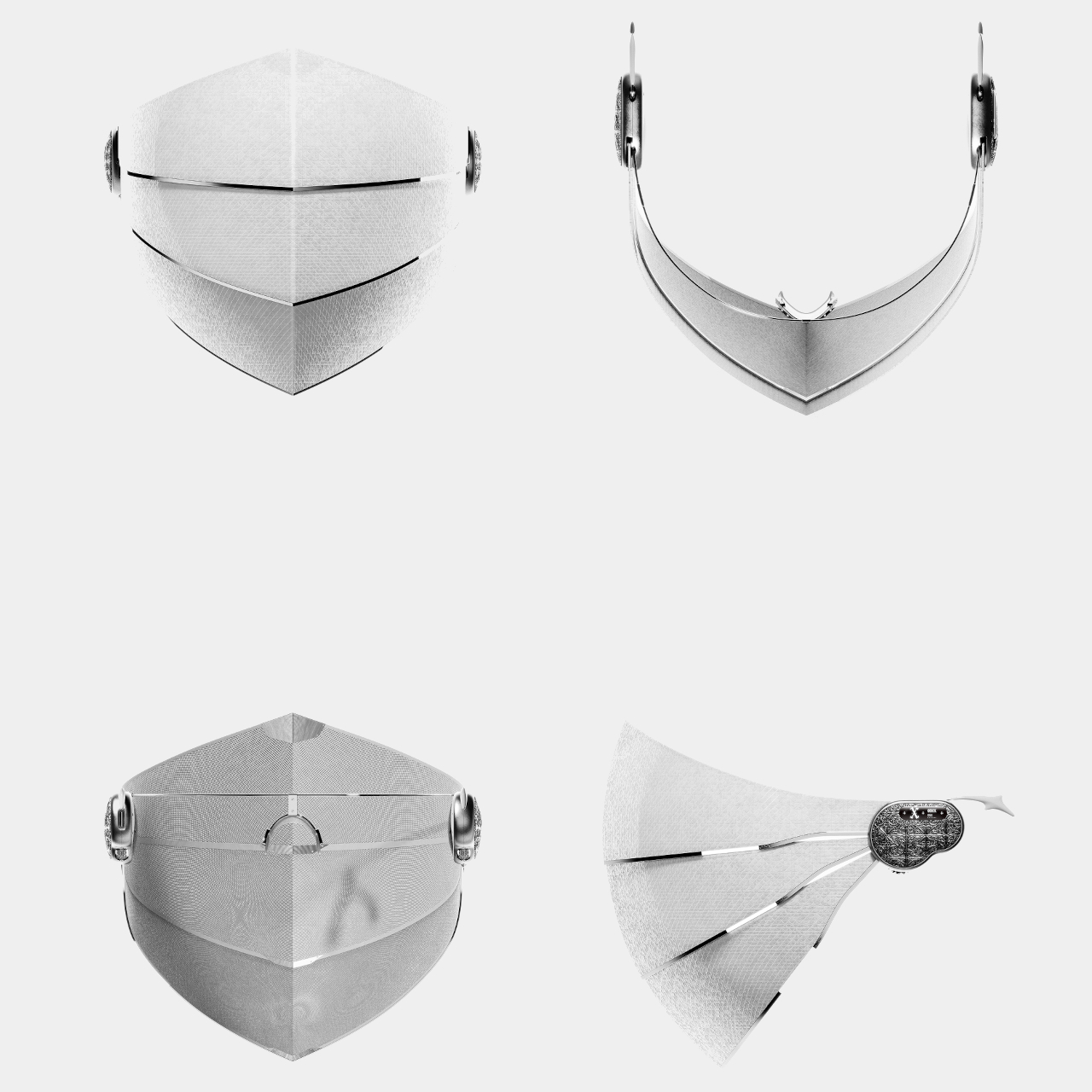
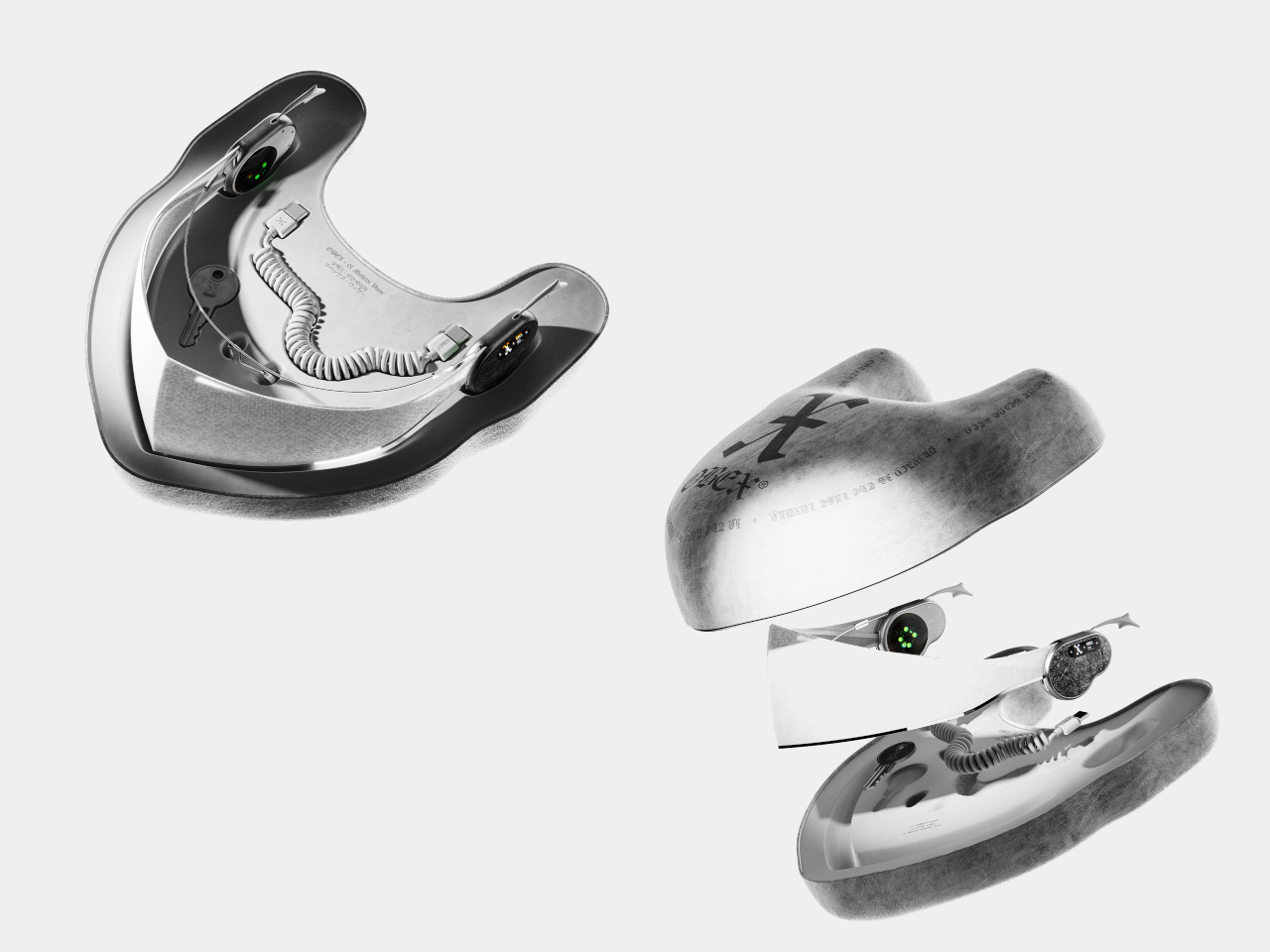
OBEX is a conceptual wearable that treats this shift as a design problem worth addressing through physical form. Rather than responding to surveillance with software or policy, it proposes a new category called “privacy armor,” a tangible boundary between the wearer and systems of biometric recognition. Its form language doesn’t come from consumer electronics but from something much older, the medieval visor.
Designer: Haechan Ryu

In medieval warfare, a knight’s visor concealed identity while creating distance between the person and the world beyond the armor. The logic behind OBEX borrows that idea and applies it to a different kind of threat, one that’s less physical and more informational. As surveillance systems continuously collect and analyze biometric data, the face becomes a vulnerable interface, and OBEX imagines what it would mean to shield it.

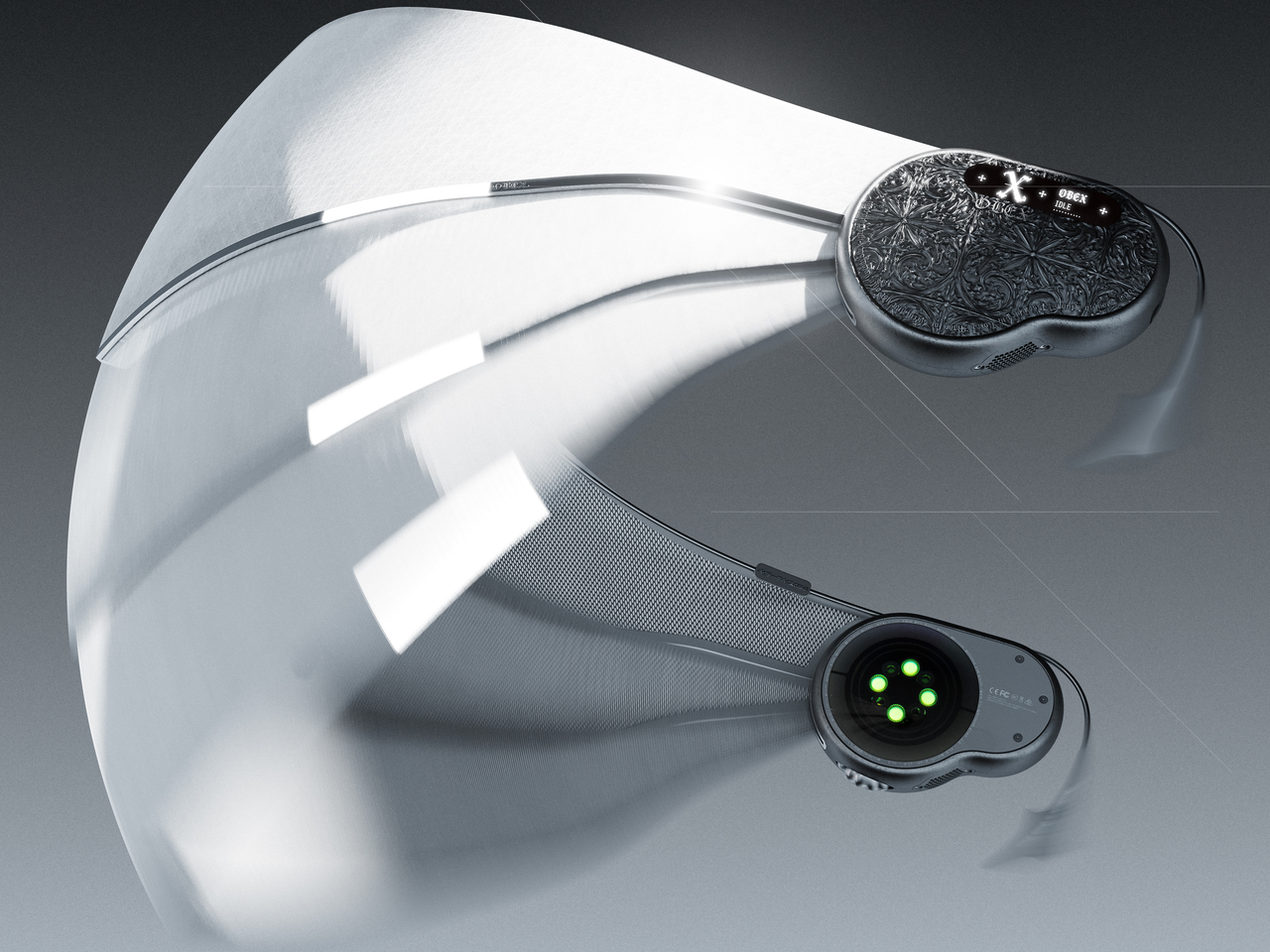
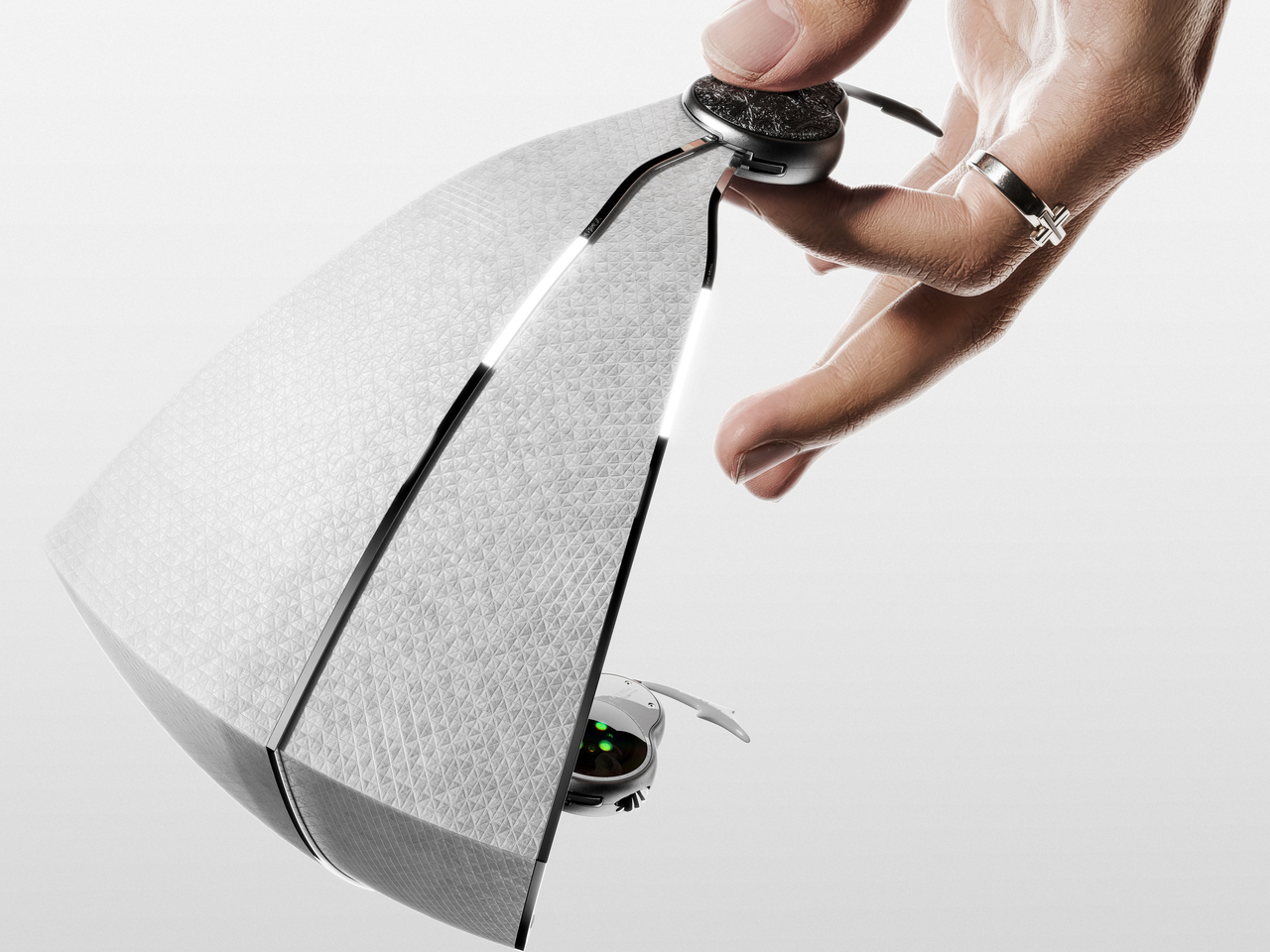
The visor itself is made from a micro-perforated optical film that allows the wearer to see out clearly while appearing opaque from the outside. It’s a deliberate asymmetry, the kind that surveillance systems rely on, reversed and put in the hands of the individual. The shielding motion references the sliding visors of historical armor, and the weight distribution is engineered to reduce strain across the head during long wear.

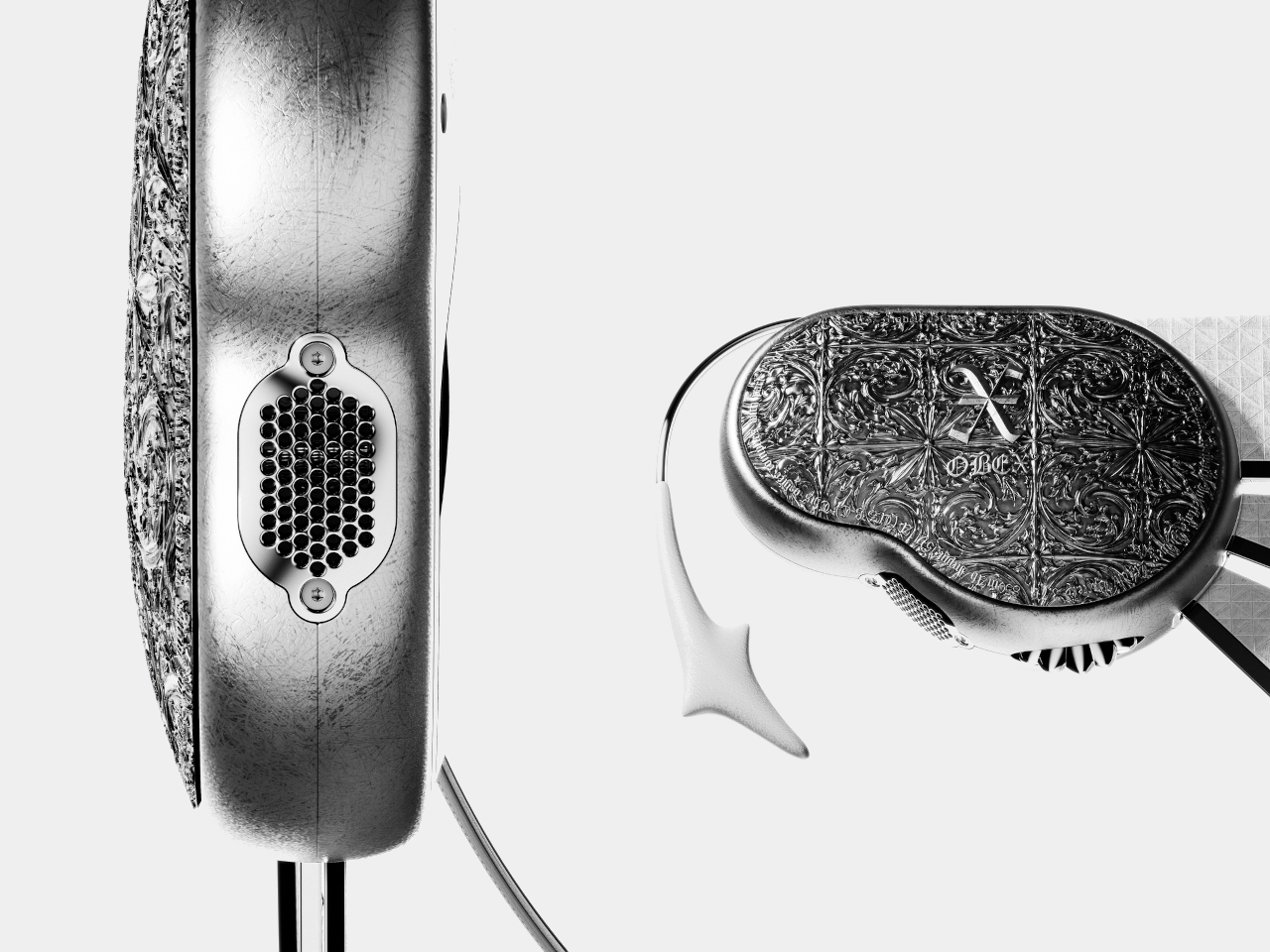
The temple module anchors the visor to the head and holds most of the active technology. Embedded PPG sensors monitor physiological data in real time, enabling continuous biometric monitoring through the wearer’s own biological signature. Dual directional speakers deliver audio feedback without cutting the wearer off from surrounding sounds, and a small bitmap display on the side communicates system status and shield activation modes at a glance.

The frame is precision-engineered titanium, chosen for its balance of strength and low weight. The outer surface carries a refined micro-texture that improves grip while minimizing visible wear over time. The ornamental detailing on the temple module draws from the craftsmanship traditions of medieval armor, with intricate surface patterns that make the component read more as a personal artifact than as a piece of hardware.

OBEX isn’t proposing that everyone should walk around in a visor. It’s asking what protection means when the thing being protected isn’t the body but the face’s function as an identity signal. The concept sits at the edge of speculative design and industrial practice, using grounded materials and structural logic to imagine an object that doesn’t quite exist yet, but one that feels increasingly necessary.

The post A Designer Just Answered Facial Recognition With a Medieval Visor first appeared on Yanko Design.