Game-changing Carbon-Nanofiber Heated Blanket warms you in a Minute with 96% Energy Efficiency

The clocks are rolled forward, the post-Halloween holiday festive feeling is here and Mariah Carey is beginning her journey to hitting the top of her charts with her quintessential Christmas single. It’s officially winter, and instead of cranking up the heater this season (and worrying about an astronomical power bill), here’s an alternative that sounds like something out of a sci-fi novel but actually isn’t – a body-heating blanket that uses a carbon nanotube fabric and infrared heating to keep you warm.

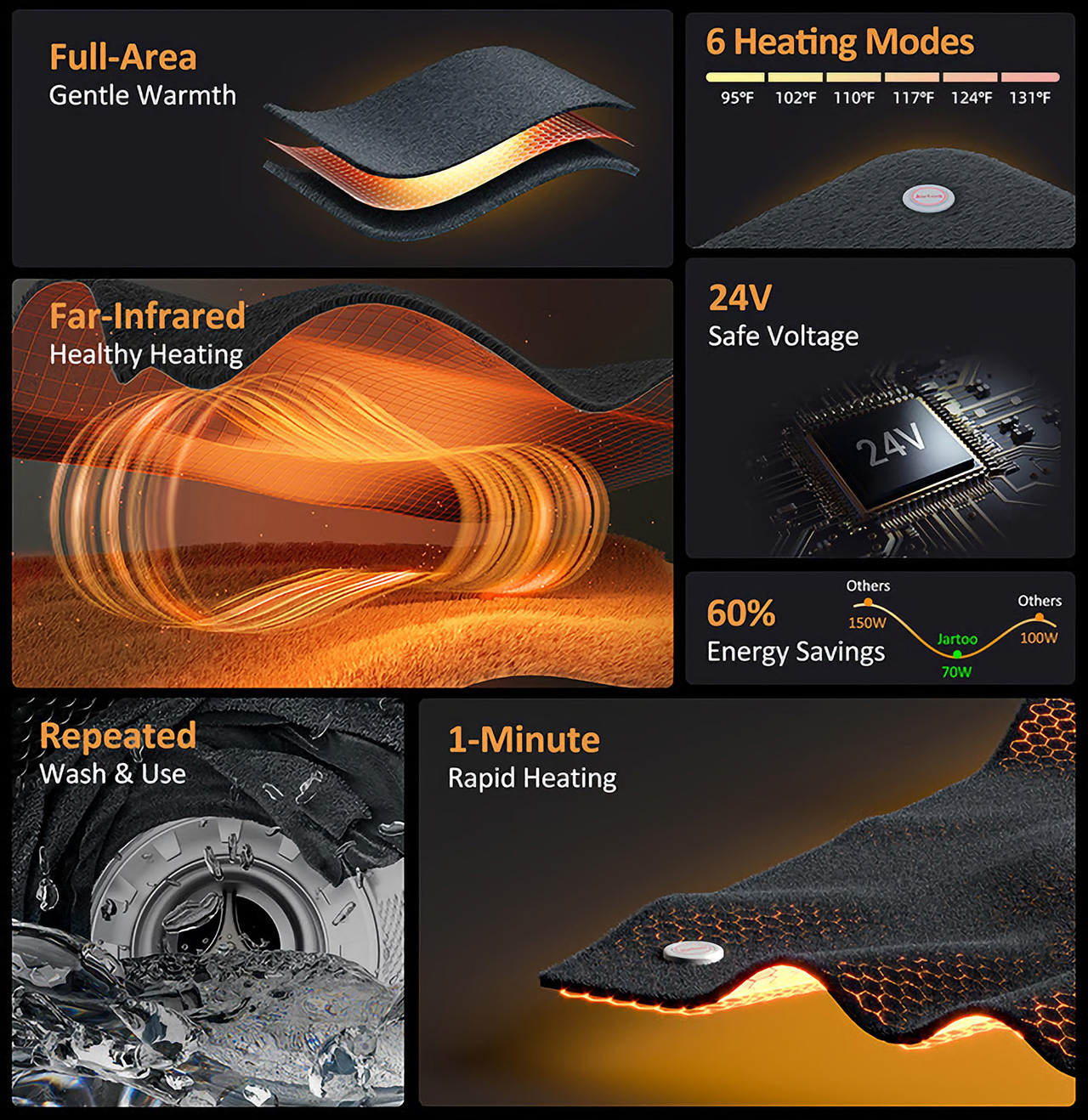
Meet the Jartoo, an electric blanket that isn’t anything like the one your grandparents used. Relying on one of the most comfortable, energy-efficient materials on the planet, the Jartoo blanket is lined with a high-performance carbon nanotube fabric that heats evenly and efficiently in under a minute. The blanket has 6 heat settings and relies on a mere 70 watts of power. That’s about as much as a ceiling fan consumes, or around 96% less power than your traditional heater or AC uses.

Designer: Jartoo

Click Here to Buy Now: $139 $299 ($160 off). Hurry, only 85/500 left! Raised over $90,000.

Designed to look and feel like a sophisticated, soft, plush blanket that you’d want to wrap yourself in, the Jartoo is nothing like those stiff, weirdly wiry electric blankets from decades ago. While most electric blankets were designed to be placed under you, this one is designed to be wrapped around you, which means you can wear it in bed, in your work chair, or even your sofa. The velvet exterior feels luxuriously soft, while the blanket’s heating tech works like magic.

The magic of the 60-second heating comes courtesy of the Jartoo’s use of Apalos™ FlexHT Carbon Nanotube Film—a technology more often found in aerospace. Carbon nanotubes get their name from the tube-shaped graphene cylinders suspended within the material. Known for its high-strength and incredible energy efficiency, CNT is a perfect choice for the blanket. It heats evenly, heats rapidly, and still remains much more flexible (and safe) than say a copper-wire heating element.

Apalos™ FlexHT Carbon Nanotube Film technology

Most electric blankets use heating elements woven into the blanket’s fabric, but the Jartoo relies on something much more sophisticated –  Far-Infrared (FIR) heating. If you’re not familiar, FIR technology heats objects directly rather than the surrounding air, creating a warmth often described as “sun-like.” This isn’t just cozy; it’s practical, delivering a soft, radiating heat without hot and cold zones, like you’d feel with older electric blankets. The entire heating process takes a mere minute, getting you from shivering cold to toasty and cozy in seconds.

Carbon nanotubes’ energy efficiency doesn’t just translate to a warmer blanket, it also means better warming with lower energy consumption. Specifically, the Jartoo blanket operates at just 70 watts, making it 60% more energy efficient than typical electric blankets and nearly 97% more efficient than a heater that operates at over 1500 watts. Plus, it runs on a safe 24V low-voltage system, meaning it’s a low-risk option for everyone in the family, including kids.

To cater to different preferences, the Jartoo offers six adjustable heating modes. Ranging from a cozy 95°F to a toasty 131°F, the blanket allows for customized warmth depending on what you need, whether it’s a light layer of warmth on a chilly morning or full heat on a particularly snowy night. You can set it to turn off automatically with a timer, configured by a remote—so there’s no need to worry about leaving it on while you’re dozing off.

With the toasty warmth also comes comfort. The Jartoo is made with a blended velvet fabric, designed to be soft against your skin while standing up to daily wear. The velvet is spill-resistant, which means it can take on the daily ritual of sipping coffee or tea while snuggled in your blanket. However, if you’re extra clumsy, the blanket is machine-washable and doesn’t require any special treatment or wash cycle. Perfect for households with kids, pets, or just people who like a clean blanket.

The Jartoo blanket comes in a 50″x60″ size, which is perfect for a single person. It’s designed to not just be used in bed, but even on your sofa as you curl up to watch a movie, or while you’re working at your WFH setup. The blanket is accompanied by a remote control, a GaN plug-adapter to power the blanket, a charging cable for the remote, and a warranty card for your Jartoo. If an entire blanket feels like way too much of a commitment, the Jartoo comes in a small heating-pad-sized unit too, perfect for physiotherapy, dealing with cramps, or just using as a foot-warmer!

Click Here to Buy Now: $139 $299 ($160 off). Hurry, only only 85/500 left! Raised over $90,000

The post Game-changing Carbon-Nanofiber Heated Blanket warms you in a Minute with 96% Energy Efficiency first appeared on Yanko Design.

Award-winning Sunflower-inspired Fire Pit Mixes Art with Utility and Transforms Your Patio

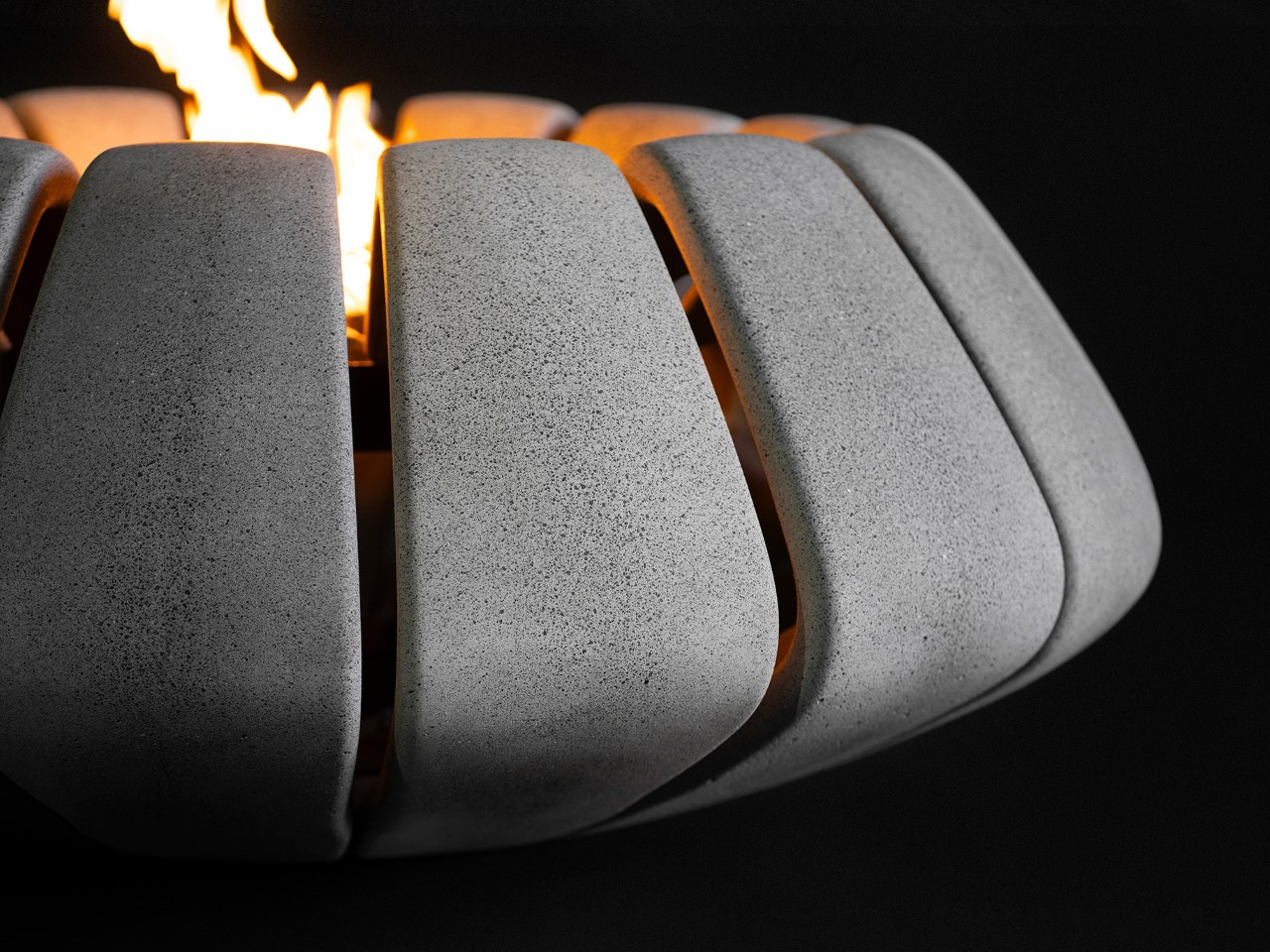
Shift Studio’s Sunflower fire pit redefines concrete fire pits with a modular twist, moving away from the bulky, one-piece molds traditionally used. Instead of casting the entire pit in a single, heavy mold, Sunflower’s modular design features smaller, repeatable concrete segments supported by a sturdy internal metal frame. This new approach not only makes each piece easier to cast, finish, and handle but also allows for on-site assembly, simplifying installation and adding flexibility. It’s an innovative break from the limitations of traditional concrete casting, where design is usually constrained by weight and the impracticalities of handling one large piece.

Designer: Shift Studio

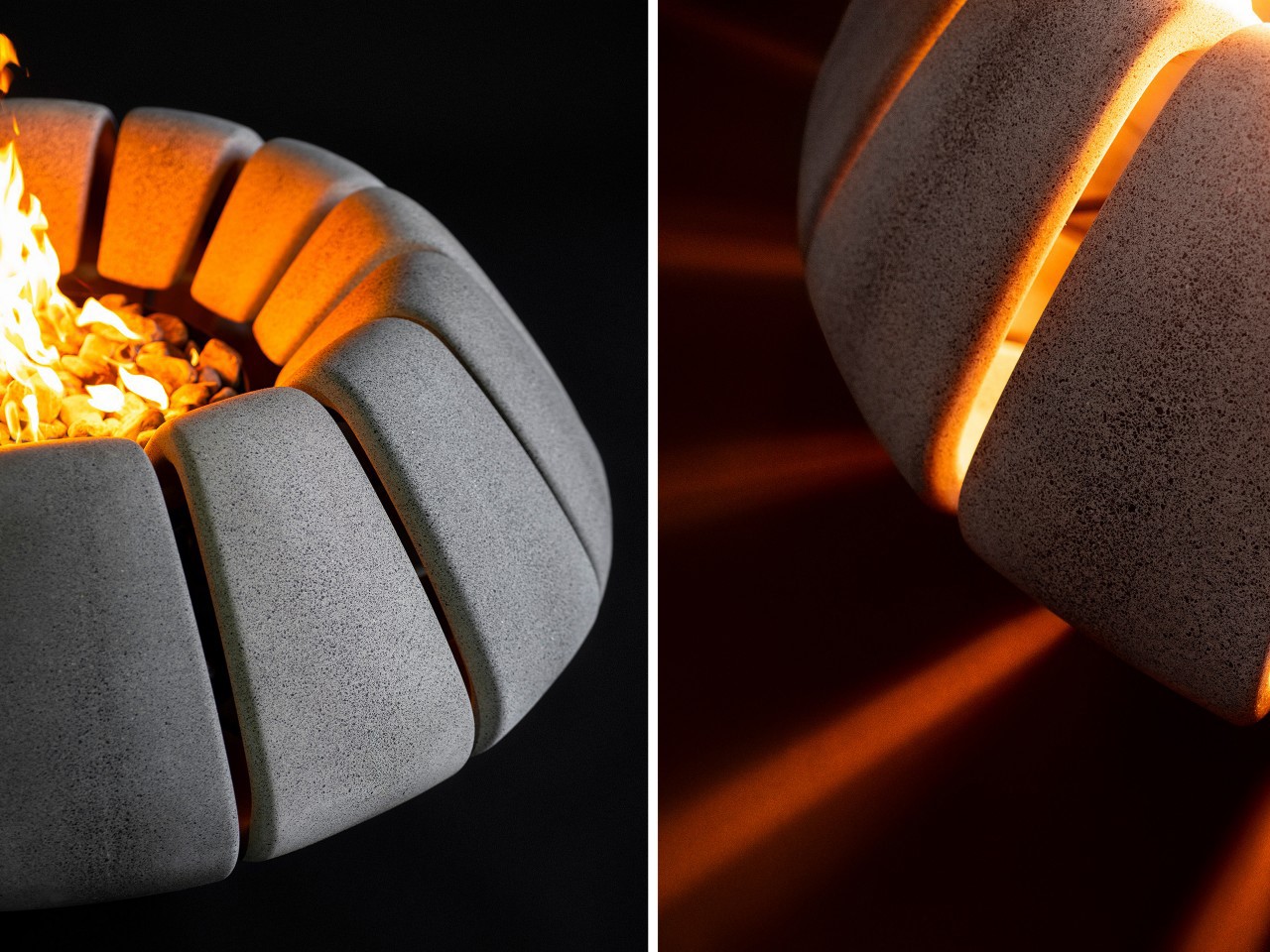
The modular setup also opens up a world of creative possibilities. Each “petal” piece of concrete is distinct, enabling customizable combinations in color, tone, material, and finish. This setup gives Sunflower a unique aesthetic versatility, allowing homeowners to tailor the fire pit’s look to suit their personal style or the vibe of an outdoor space. It’s easy to imagine a configuration where each petal has its own shade, creating a gradient that enhances the fire pit’s organic, flower-inspired design. If a petal gets damaged, it can be replaced independently, which is a practical advantage not seen in traditional single-mold fire pits.

When Sunflower is lit, it truly comes to life. The metal frame holds the fire at the center, while the concrete petals channel light through the openings, casting shapes that resemble rays of sunlight. This interplay of light and shadow produces a mesmerizing, almost sun-like pattern that radiates warmth and creates a visually captivating experience. The segmented design not only looks beautiful but brings a tactile, hands-on quality to concrete, transforming the traditionally industrial material into something intimate and engaging. This setup encourages people to gather around, inviting quiet moments of reflection or shared conversation around the fire.

What makes Sunflower especially compelling is how it balances rugged concrete with an organic shape that feels connected to nature. The flower-inspired form, with petals circling a central flame, fosters a sense of unity and invites interaction in a way that’s rare for such functional pieces. Functioning not only as a fireplace but essentially also as a centerpiece, the Sunflower is designed to draw people in and evoke a sense of calm. Plus, with its modularity, Sunflower becomes a customizable, evolving piece that can be adapted to different settings, seasons, or moods.

A winner of the Red Dot Award: Design Concept for the year 2024, Shift Studio’s Sunflower reimagines concrete fire pit design, blending artistry with utility in a way that’s refreshingly adaptable. Its modular structure supports flexibility in both design and function, turning a simple outdoor fixture into a customizable, eye-catching element.

The post Award-winning Sunflower-inspired Fire Pit Mixes Art with Utility and Transforms Your Patio first appeared on Yanko Design.

Best Design Apps for the Creative Industry

Did you know that over 70% of designers report using multiple tools in their workflow? The world of design is not just about creativity; it’s also about efficiency and innovation. From industrial design and 3D modeling to interface design, graphic design, and even AI-powered designing, an array of applications exists to cater to every niche within the creative industry.

Here’s a look at some of the best design tools available today—each one a powerful ally in your quest for creative excellence—while providing insights into how they can elevate your projects from ordinary to extraordinary. Whether you’re a seasoned professional or an aspiring creator, this list should have something in it for everybody across the creative gamut.

Figma – Best for Interface Design

Figma has made a name for itself as one of the top tools for UI and UX designers, thanks to its real-time collaboration capabilities. The company that was notably ‘almost’ acquired by Adobe managed to carve out a spectacular niche within the digital creative industry in very little time. With cloud-based operation, Figma allows teams to work simultaneously on projects, offering features like component libraries, responsive design tools, and easy prototyping. Its web-based approach eliminates the need for downloads, which makes it ideal for team-based workflows.

Figma is commonly used in UI/UX design, with its free tier making it accessible to freelancers and small teams. Professional paid plans start at $15 per seat per month, unlocking additional features like team libraries and enhanced sharing capabilities. With its user-friendly design and robust functionality, Figma has become the go-to platform for designers focused on creating intuitive user interfaces and user experiences.

Why We Picked It?

Figma’s ease of use, and integration of incredibly powerful tools right into a web browser make it absolutely perfect for most individuals as well as large teams. The app feels extremely familiar once you open it, if you’re used to a general Adobe-style workflow. It takes next to no time mastering the inner workings, and the internet is FILLED with tutorials to help you unleash your creative vision.

What We Like

  • Real-time collaboration, ideal for team workflows
  • Web-based, no download required

What We Dislike

  • Limited offline functionality
  • Some advanced features are locked behind the paid plan

Canva – Best Web-App-based 2D Software

If Figma was for interfaces and workflows, Canva is for everything else 2D. A popular name in the creative industry, Canva has become one of the most widely used design tools for social media, presentations, and marketing materials. With a vast library of templates, fonts, and elements, Canva simplifies graphic design for those without formal training. Its drag-and-drop functionality is especially appealing for marketers and small business owners who need professional visuals quickly.

While Canva offers a free version, the Pro plan at $15 per month unlocks additional features like premium assets and brand kits, as well as Canva’s AI features. Canva’s ease of use and accessibility make it a go-to for digital marketing and content creation across industries.

Why We Picked It?

Canva’s device-agnostic approach to design makes it an incredibly easy and powerful tool for anyone. You can start working on a project on your phone, and then fine-tune the same project on your laptop or desktop. The app gives you access to hundreds of thousands of assets (some of them behind a paywall), and even supports working and exporting in popular sizes and formats.

What We Like

  • Huge library of templates and assets, great for non-designers
  • Drag-and-drop interface that’s easy to learn

What We Dislike

  • Limited flexibility for advanced graphic design projects
  • Pro version needed to unlock many premium assets and features

Spline – Best Web-App-based 3D Software

The 3D counterpart to Canva’s popularity, Spline is a relatively new entry in the 3D design space, offering designers the flexibility to create interactive 3D designs directly in their browsers. With a straightforward user interface and features like parametric modeling, lighting, animation, and even GenAI tools, Spline is user-friendly and accessible even for beginners.

Spline’s web-based nature makes it ideal for quick prototyping and presentations, especially for web designers aiming to add interactive 3D elements to entire websites (their Instagram is a hotspot for creativity). Spline offers a free version with limited features, while the Starter plan, at $12 per month, provides enhanced capabilities. Spline’s accessibility and ease of use are game-changers for those looking to experiment with 3D designs, games, and websites without complex software or even a line of code.

Why We Picked It?

3D modeling on a web browser was unheard of a couple of years ago. The most you could do was preview a model – but build, edit, AND render on a browser?? I’d like to say Spline was one of the first to really pioneer the idea. Their browser-based app won’t replace your traditional 3D modeling setup… but Spline is slowly getting there. Besides, it makes things so much easier for interactive web designers and game designers that it feels like magic!

What We Like

  • Web-based, making it accessible from anywhere
  • Easy-to-use interface for quick 3D modeling and interactivity
  • Powerful GenAI features

What We Dislike

  • Limited features compared to more advanced 3D modeling software
  • Still developing in terms of advanced capabilities and tools

Vizcom – Best AI-powered Visualization Tool

Vizcom leverages AI to turn sketches into highly realistic renderings within seconds, making it invaluable for concept artists and product designers. By using machine learning, Vizcom enhances quick sketches with photorealistic details, significantly speeding up the concept-to-presentation process.

Perfect for early-stage design visualizations, Vizcom allows artists to experiment with various styles and materials without the need for extensive manual rendering. Vizcom offers a free basic plan, while premium plans start at $49 per month, making it a great AI-assisted tool for rapid visualization and ideation.

Why We Picked It?

Sure, there are a lot of GenAI tools out there – but none as good as Vizcom when it comes to applying GenAI directly on your sketches. Visit Vizcom’s Instagram page to get a sense of how good it is and you’ll struggle to find a tool that even matches half its capability. It will render your sketches, turn them into basic 3D, and give you the ability to ideate alongside the AI, showing the true future of industrial design.

What We Like

  • AI-powered visualization generates high-quality renderings quickly
  • Affordable for individuals and small teams

What We Dislike

  • Primarily focused on concept and visualization, limited for detailed modeling
  • Requires an internet connection, which can be a drawback in remote or low-bandwidth settings.
  • Quality of output may vary depending on the complexity of the sketch

Gravity Sketch – Best Metaverse 3D Software

Gravity Sketch brings 3D modeling to VR (with an iPad app too), offering an immersive experience that’s particularly suited for designing within the metaverse and virtual environments. Users can draw in 3D space, walking around their creations and manipulating shapes in real time. This VR-first approach offers a unique level of creativity and interactivity that conventional 3D software can’t match.

Gravity Sketch is used by automotive and industrial designers who benefit from seeing their designs at scale. The software is notably free for individual users (something that Gravity Sketch announced in 2021) making it accessible for students and casual users experimenting with VR design, with a dynamic paid structure for teams and enterprises.

Why We Picked It?

Gravity Sketch was the first ever mainstream 3D modeling software for the metaverse, and to this day remains the gold standard when it comes to building in 3D, while immersed in 3D. You can create designs by waving your hands in mid-air, making curves, adjusting surfaces, and moving objects/layers around. This truly feels like what the future of industrial and automotive design should be!

What We Like

  • Immersive VR-based 3D modeling experience
  • Ideal for creating designs within the metaverse and virtual spaces
  • Used to be paid for individuals, but is now free

What We Dislike

  • Requires VR hardware, limiting accessibility
  • iPad app isn’t as immersive as the metaverse experience

Procreate – Best Sketching App for iPad

Procreate has made waves in the digital art community for its intuitive sketching tools on iPad. It offers a wide range of brushes, layering options, and even animation capabilities, making it versatile for illustrators, digital artists, and animators. With the Apple Pencil, Procreate brings a natural drawing experience to the digital canvas, letting you even sketch directly on 3D models!

Priced at a one-time fee of $12.99, Procreate is affordable and extremely powerful for creatives looking to sketch, paint, or animate on the go. It’s widely used for illustration, concept art, and character design, making it indispensable for artists who prefer tablet-based workflows.

Why We Picked It?

Hands down the best sketching app for the iPad. Procreate’s brilliantly simple interface, its abundance of tools and features, and its ability to handle everything from sketching and animation make it a must-have if you own an iPad. You could sketch with your finger or a capacitive stylus, but we recommend the Apple Pencil for its pressure and tilt sensitivity features. The one-time fee has great value because Procreate keeps adding new capabilities and features every few years without charging extra.

What We Like

  • Natural drawing experience on iPad with Apple Pencil
  • One-time payment, no ongoing subscription required

What We Dislike

  • Available only on iPad, limiting cross-platform use
  • Lacks some advanced features of desktop design software

Blender – Best Free 3D Software

Blender is a widely popular, open-source 3D software with extensive capabilities for modeling, sculpting, and animation. Known for being free yet feature-rich, Blender is a favorite among independent artists, animators, and hobbyists. It offers tools for everything from basic 3D object creation to complex animation, making it incredibly versatile.

One of Blender’s standout features is its robust community support, which keeps the software updated and provides a wealth of tutorials. This makes Blender ideal for creatives looking to learn 3D modeling without an upfront financial commitment. As a completely free tool, Blender is used not only in personal projects but also in professional production pipelines, especially in indie game development and VFX for films.

Why We Picked It?

There’s nothing Blender can’t do. The open-source software lets you model and render anything, whether you’re an industrial designer, 3D artist, animator, special-effects artist, or even an engineer working on simulations. Blender’s advanced settings let you customize the UI based on the kind of workflow you have, and you can even download plugins that make it even more fine-tuned to your needs. The software was and always will be free, so if there’s one 3D software I recommend you keep in your back pocket – it’s this one.

What We Like

  • Completely free and open-source with extensive community support
  • Powerful toolset for modeling, sculpting, animation, VFX, compositing, and even video editing—all in one program
  • Strong community provides extensive tutorials, plugins, and support, making it easier for beginners to get started and for advanced users to expand capabilities

What We Dislike

  • User interface can be overwhelming for new users
  • Lacks built-in collaboration tools

SketchUp – Best 3D Software for Architecture + Interiors

SketchUp has long been popular among architects and interior designers, offering intuitive 3D modeling that balances functionality with ease of use. Known for its push-pull tool and simple interface, SketchUp is ideal for creating detailed architectural models and visualizations quickly. The software was created by @Last Software and was acquired by Google in 2006. SketchUp finally got sold to Trimble Inc. in 2012.

While SketchUp offers a free web-only version for non-commercial use, the Pro plan at $49.99 per month gives you a dedicated app for Desktop, iPad, as well as web-based 3D modelers. Its user-friendly approach and accessible pricing make SketchUp an industry favorite for architecture and interior design projects.

Why We Picked It?

SketchUp was the first ever 3D design software I truly worked with. This was in the year 2008-09, just before I went to design college, and when SketchUp was owned by Google. The app was ridiculously intuitive to use, and I even designed houses and 3D scenes with zero prior knowledge. Although SketchUp has changed owners, it still remains a favorite in the architecture and interior design industry (you should check out Thilina Liyanage‘s work – all made on SketchUp).

What We Like

  • Intuitive and user-friendly, ideal for architecture and interior design
  • Free version available with essential modeling tools

What We Dislike

  • Lacks advanced rendering and parametric modeling tools
  • Pro version can be expensive for those needing full functionality
  • The 3D Warehouse has been disabled for non-web use, cutting off an entire repository of assets for users

Autodesk Fusion + Revit – Best Overall Suite for 3D Design

Autodesk is known for its powerful lineup of 3D design software, most notably Fusion and Revit. Fusion (previously known as Fusion 360) is a standout for CAD, CAM, and CAE, providing a full set of tools for product design and manufacturing. Its cloud-based nature enables real-time collaboration, making it ideal for engineering and industrial design teams that need seamless workflows and advanced simulation tools.

Revit, on the other hand, is a favorite among architects and construction professionals for its Building Information Modeling (BIM) capabilities. Revit allows for the creation of highly detailed building models with built-in structural and MEP (Mechanical, Electrical, and Plumbing) systems, facilitating a streamlined design process from conception through construction. It’s the go-to choice for architecture firms that need precise, collaborative tools for large-scale building projects.

Autodesk’s software is available through individual licenses or comprehensive subscription plans. Fusion costs $85 per month or $680 oer year, while Revit’s subscription starts at $365 per month or $2,910 per year, with discounts for bundled purchases. For educational purposes, all of Autodesk’s software remain free to use – both for students as well as teachers. The variety in Autodesk’s offerings makes it a powerful choice for industries spanning product design, architecture, and manufacturing, cementing its reputation as an industry standard for 3D modeling and BIM.

Why We Picked It?

Autodesk is the most commonly uttered name in the design and engineering circuit. With all its apps and software, be it Fusion, Revit, AutoCAD, 3DS Max, Maya, Arnold, Inventor, and a whole host of others, Autodesk has a strong grip on its industry and user base.

Fusion 360 is recommended for its all-in-one CAD, CAM, and CAE tools, ideal for iterative product design and remote collaboration via cloud-based features. Revit excels in architecture and construction with advanced BIM capabilities, supporting detailed, data-rich models that improve project precision and multi-disciplinary collaboration, making both tools invaluable for comprehensive, professional-grade design workflows.

What We Like

  • Comprehensive toolset for CAD, CAM, CAE, and BIM (Fusion 360 and Revit)
  • Cloud-based collaboration and data sharing
  • Free for Students and Educators

What We Dislike

  • Expensive subscription plans, especially for Revit

Adobe Creative Cloud – Best Overall Suite for Graphic Design

Adobe’s suite is a mainstay in the design world, with Photoshop, Illustrator, and InDesign leading the way for image editing, vector art, and layout design, respectively. Each of these apps provides a deep feature set, making Adobe essential for graphic designers, photographers, and digital artists. Photoshop’s advanced image editing, Illustrator’s vector manipulation, and InDesign’s layout capabilities make it versatile across creative industries. The company has also stayed ahead of the AI curve, launching multiple AI features within its popular software as well as on its Adobe Firefly web app.

Adobe’s Creative Cloud subscription costs $59.99 per month for access to the full suite, though individual apps are also available starting at $9.99 per month. Adobe Spark and Adobe XD add unique tools for social graphics and UI/UX design, cementing Adobe’s role as a comprehensive toolkit for digital and print projects alike.

Adobe has also moved into 3D design with Adobe Substance, expanding its offerings for those working in material texturing and 3D asset creation. This suite provides designers with everything from basic editing to advanced 3D tools, truly making Adobe a one-stop shop for creatives.

Why We Picked It?

There’s really no escaping Adobe. As hard as you try, Adobe always remains the industry standard for graphic and creative work, although they’re steadily expanding into most domains. Adobe Audition is a VERY capable digital audio workstation, Premiere Pro is the gold standard for video and VFX, Illustrator is the best for illustrators, InDesign for publication designers, and Photoshop – oh, where would we be without it! As an editor, I use Photoshop probably more than any other design app/software, and its intuitive layout (that hasn’t changed in decades) plus GenAI features make it the best photo-editing software out there. For a price, though.

What We Like

  • Industry-standard suite covering a wide range of design needs
  • Comprehensive toolset for everything from graphic design to 3D rendering
  • Incredible AI features integrated right into the software

What We Dislike

  • High monthly subscription costs, especially for full Creative Cloud access
  • Canceling your subscription can be a monumental task with extra fees

KeyShot – Best for 3D Rendering and Visualization

KeyShot, developed by Luxion, remains a top choice for 3D rendering and visualization, recently enhancing its platform with a comprehensive “Product Design-to-Market” suite. Known for its fast, photorealistic rendering and simple drag-and-drop interface, KeyShot enables designers to create high-quality visuals and animations from 3D models with ease. Its real-time rendering engine provides instant feedback, making it invaluable for quick design iterations and client presentations.

With the recent bifurcation into KeyShot Studio, KeyShot Hub, and KeyShot Dock, the software now extends beyond rendering to support a complete, collaborative workflow. KeyShot Studio delivers the powerful rendering capabilities users rely on, while KeyShot Hub enables streamlined asset management and sharing across teams. KeyShot Dock bridges the gap between design and marketing, making it easier for teams to transition finalized assets into promotional materials.

KeyShot is widely used in product design, automotive, and marketing, where lifelike visuals are crucial. Pricing for KeyShot Studio starts at $99 a month, with add-on plugins providing advanced features like Network Rendering and VR support. These new additions solidify KeyShot Studio as an essential tool for turning 3D models into stunning, market-ready visuals while enabling efficient, team-oriented workflows across the design-to-market process. KeyShot Hub and KeyShot Dock have pricing-on-request models.

Why We Picked It?

88% of Industrial Designers prefer KeyShot over any other rendering software. It’s intuitive, fast, and provides stellar results with minimal effort, unlike other software that requires a lot of technical know-how or pre-rendering setup. Although KeyShot isn’t a ‘design’ software, its Product Design-to-Market Suite is slowly and surely making it an integral part of the industrial design and visualization process. KeyShot Studio, or the rendering app, remains an industry favorite by a strong margin, being used by leading brands like Volvo, Nikon, Motorola, and Under Armour. The KeyShot Hub supplements the rendering program, allowing you to access assets to use alongside your designs.

What We Like

  • Real-time rendering with high-quality visuals and animations
  • New Design-to-Market suite enhances workflow with Studio, Hub, and Dock

What We Dislike

  • Pricey, especially for the Pro and enterprise-level versions
  • Primarily focused on rendering, not modeling or asset creation


The post Best Design Apps for the Creative Industry first appeared on Yanko Design.

Roborock Qrevo Slim: The Ultra-Thin Vacuum with Automotive-Grade Navigation Tech

You remember when people were complaining that their robot vacuum would drive itself off the stairs, or notoriously spread pet fecal matter around the house because the vacuums were just not equipped enough to deal with these scenarios? Or the vacuums being so thick they would just dodge sofas instead of going underneath them? That’s what we in the tech realm refer to as first-generation woes. With newer generations, products get better at solving problems that first-gen versions never anticipated. Roborock’s Qrevo Slim aims to usher in this new generation of robot vacuuming with both better design as well as state-of-the-art tech.

The Qrevo Slim, as its name suggests, measures just over 8cm or 3 inches tall, allowing it to cruise underneath sofas without worrying about headroom. The slim design is also backed by Roborock’s most advanced 3D mapping and navigation system. Dubbed the StarSight Autonomous System, this tech is so good, Roborock claims it’s better at navigating than the LDS seen on most vacuums today.

Designer: Roborock Team

Click Here to Buy Now: $999.99 $1399.99 ($400 off). Hurry, deal ends in 48-hours!

Ultra-Thin Design: Accessing Every Nook and Cranny

At just 8.2cm or 3.2 inches tall, the Qrevo Slim has the kind of vertical clearance that most robot vacuums wish they had. Slim enough to easily slip under beds, couches, and other low-clearance furniture, the robot vacuum covers more ground than your traditional vac, reaching tight spots that often go ignored.

Notably, the Qrevo Slim’s upper profile is super-slick, eschewing that bump you’ll find on most robot vacuums where most of the LiDAR and imaging tech is located. This slim upper surface means the vacuum has lesser problems packing into tighter spaces to clean everything from pet hair, food crumbs, dust, or any dirt that could be languishing under your furniture for months.

StarSight™ Autonomous System: The ‘Star’ of the Show

Roborock’s StarSight™ Autonomous System is perhaps its most significant achievement, using not one but 2 LiDAR sensors to power its navigation and obstacle-avoidance capabilities. This advanced system leverages two 3D Time-of-Flight (ToF) sensors to capture more than 1 million 3D points per second. Unlike traditional Laser Distance Sensors (LDS) seen on most current vacuum cleaners, which measure only 2D linear distances (like how close or far objects are), StarSight’s 3D mapping senses depth and height, giving the vacuum full automotive-grade spatial awareness.

With a whopping 38,400 Hz sampling rate and 21,600 sensor points, StarSight processes information at 21 times the speed of LDS. This faster, more detailed mapping allows the Qrevo Slim to detect as many as 73 types of obstacles, from toys to cables, adapting instantly without doing that awkward “bump and turn” that other vacuum cleaners do. This means the vacuum has a better sense of its surroundings (even when people are walking around) so it cleverly avoids obstacles instead of waiting till the last minute to bump into them.

Qrevo Slim: Better Navigation than Some Autonomous Cars

The Roborock Qrevo Slim’s navigation features rival those of some autonomous cars, adapting smartly to varied home environments. Its SmartPlan™ creates detailed 3D maps, allowing it to navigate room layouts precisely, minimizing time and maximizing coverage. With DirTect™, the Qrevo Slim automatically detects and boosts suction in high-traffic, dirt-prone areas, delivering targeted cleaning where it’s needed most—like entryways or kitchens where dirt tends to collect.

For pet lovers, robot vacuum can be used as a pet monitor too. The Pet Snaps feature can be toggled to have the Qrevo Slim go check in on your pet around the house. Once it locates the pet, you can capture snapshots of your furry friend. This feature kicks in during the Qrevo Slim’s cleaning cycle, although it only works with one pet at a given time.

Powerful 11,000 Pa Max Suction: A Cleaning Powerhouse

The Roborock Qrevo Slim offers an impressive 11,000 Pa of suction power, making it one of the most powerful robot vacuums on the market. This high suction strength effortlessly picks up fine dust, pet hair, and larger debris, ensuring a deep clean across all floor types. Whether tackling everyday messes or stubborn dirt, this level of suction provides the thorough cleaning performance needed for busy households.

Supporting this power, the Qrevo Slim is equipped with floor and carpet detection along with the Carpet Boost+ system. When moving onto carpets, it automatically increases suction for a deeper clean, lifting dust and dirt embedded in carpet fibers. This intelligent adjustment means each surface gets the right level of attention, maintaining efficiency on hard floors while delivering extra power where it’s most needed.

DuoRoller Riser Brush and Dual Spinning Mops: Clean and Adapt

The DuoRoller Riser Brush is designed with counter-rotating, all-rubber brushes that capture everything from pet hair to fine dust without tangling. These dual brushes work together to lift debris effectively, providing full coverage across both hard floors and carpets. When transitioning between surfaces, the brushes auto-lift, ensuring optimal performance without scratching or over-brushing on sensitive flooring.

Complementing the brush system, the Qrevo Slim’s dual spinning mops offer thorough mopping action for hard floors. These mops apply steady, even pressure for a polished finish, removing sticky messes and light stains in one pass. Like the DuoRoller, the mops lift automatically when the vacuum moves onto carpets, keeping the damp mop surface from ever wetting your carpet.

FlexiArm Side Brush and Mop: Clean in Every Corner

The FlexiArm side brush and mop system is the Qrevo Slim’s answer to ensuring that dust gets swept from corners – not pushed into them. The FlexiArm brushes reach along the edges and around furniture legs, directing dirt toward the main suction. The mops, meanwhile, apply steady pressure for a polished finish for comprehensive coverage.

This focus on edge-to-edge cleaning eliminates the need for touch-ups in hard-to-reach areas, enhancing the vacuum’s efficiency and reducing your manual cleaning time. No more wiping down corners after your vacuum conveniently leaves a trail of dust along the edge of each floor.

Multifunctional Dock 3.0: Your All-in-One Cleaning Hub

When the Qrevo Slim needs to recharge or self-clean, it makes its way to its Multifunctional Dock. This advanced docking station is equipped with 8-in-1 maintenance functions that automate essential cleaning tasks. With features like hot water mop washing, warm air drying, auto dust emptying, and tank refilling, the dock keeps the vacuum ready for action while minimizing manual upkeep. The automated mop washing and drying system, in particular, ensures that the mops remain sanitary and effective for every cleaning session, removing residue buildup that can impact performance.

The dock’s intelligent dirt detection feature can sense when dust and debris accumulate, automatically emptying the vacuum to keep suction at its peak. Whether for daily cleaning or extensive deep cleans, the Multifunctional Dock 3.0 provides a seamless, self-maintaining system that truly supports a “set it and forget it” lifestyle.

Intuitive Control Through the Roborock App and Built-in Voice Assistant

Roborock makes controlling the Qrevo Slim a breeze with its user-friendly app and built-in voice assistant. The Roborock app allows users to customize cleaning schedules, set no-go zones, and adjust suction power—all from the convenience of their smartphone. With real-time updates, you can monitor the vacuum’s progress, check battery levels, or even pause and resume cleaning on the go. The app’s video monitoring feature also lets pet owners keep an eye on furry friends while the Qrevo Slim cleans, snapping photos or videos during its rounds.

For hands-free convenience, the Qrevo Slim integrates with voice assistants like Alexa, Google Assistant, and Siri, enabling commands like “Start cleaning,” “Return to dock,” or “Clean the living room.” These voice commands make it easy to control the vacuum without lifting a finger. Whether you’re adjusting settings through the app or issuing quick voice commands, Roborock’s intuitive interface ensures you have full control of your cleaning routine with minimal effort.

Our Verdict: The Perfect Next-Gen Robot Vacuum with Zero Flaws

Roborock’s Qrevo Slim redefines what a robot vacuum can accomplish. With industry-first StarSight™ advanced navigation technology, 11,000 Pa suction, and an ultra-slim build, it combines intelligence with impressive power to reach even the most challenging spots in your home. It’s a cleaning companion that makes cleanliness simple, stylish, and secure.

Ultimately, your smart home appliances should be smart enough that they NEVER need monitoring. The Qrevo Slim proves that by being advanced enough to map and navigate your home better than some self-driving cars, while automatically fine-tuning its cleaning based on floors, rugs, and corners. The Multifunctional Dock 3.0 means the robot vacuum will even automatically charge and clean itself, leaving only one task for you – admiring your spotless floors, along with the occasional pet photo the Qrevo Slim clicks for you!

Click Here to Buy Now: $999.99 $1399.99 ($400 off). Hurry, deal ends in 48-hours!

The post Roborock Qrevo Slim: The Ultra-Thin Vacuum with Automotive-Grade Navigation Tech first appeared on Yanko Design.

3D printed chess pawns transform into queens thanks to magnets and springs

Chess is a game that has existed for centuries, and it hasn’t really changed much during that time, especially in recent decades. The rules of the game are pretty much the same, which includes “power-ups” that were invented way before the term even showed up in video games. Of course, these moves don’t require any special piece outside of what’s already included in the entire set, but that doesn’t mean we can’t do anything to spruce it up.

This rather elaborate 3D printed design, for example, solves the practical problem of how to represent a pawn that has reached the opposite end and “evolved” into a queen. Sure, you can just try to remember which is which, but wouldn’t it be easier if you had spare queen pieces instead? Better yet, why not just literally evolve the pawn instead, keeping the chess set simple, relatively?

Designer: Works By Design

“Queening” is what happens when a pawn is crowned and gains the queen’s large movement powers when it reaches the opposite end of the board. In some cases, when your queen has already been captured, you can simply swap out the pieces. But what if your queen is still there or, by some stroke of luck, you have two pawns that become queens?

This form-changing pawn is one solution that utilizes 3D printing, springs, magnets, and a rather complicated internal design. The challenge was to take a regular-sized pawn and have it not only expand to the size of a queen but also exhibit its features, particularly its flared crown. If you’ve ever watched Transformers, then you might get the idea more or less.

The design underwent several iterations, particularly with the spring mechanism that holds the pieces together and then pushes them out to expand. In the end, the simpler version won out, though the final pawn size was definitely larger than normal. Fortunately, it still fits within international standards, so it probably won’t be contested in an official match.

The 3D-printed pawn uses magnets in its feet to trigger the expansion mechanism, so placing it on any metal surface, like the back row of this custom-made chess board, would make it spring into action, so to speak. It’s definitely a convoluted design for a rather simple problem, but it also adds a bit of excitement and thrill to the game, becoming a goal of its own in addition to actually winning the match.

The post 3D printed chess pawns transform into queens thanks to magnets and springs first appeared on Yanko Design.

Top 10 Smart Home Appliances That Are Perfect For Tech-Savvy Homeowners

When organizing and setting up your home, smart home appliances are essential. If you’re a tech-savvy homeowner seeking convenience, efficiency, and a touch of modern elegance in your home, then you need to collect a few worthy smart appliances. From intelligent control panels to portable smart assistants, we have curated a collection of nifty devices that will seamlessly integrate with your home, while providing advanced functionalities.

These smart home appliances represent the pinnacle of modern technology, offering tech-savvy homeowners an array of options to enhance their living spaces. Whether you’re seeking elegant design, intuitive control, or comprehensive management, these devices provide innovative solutions to meet your needs. Pick the one that perfectly caters to your techy requirements!

1. The Frame

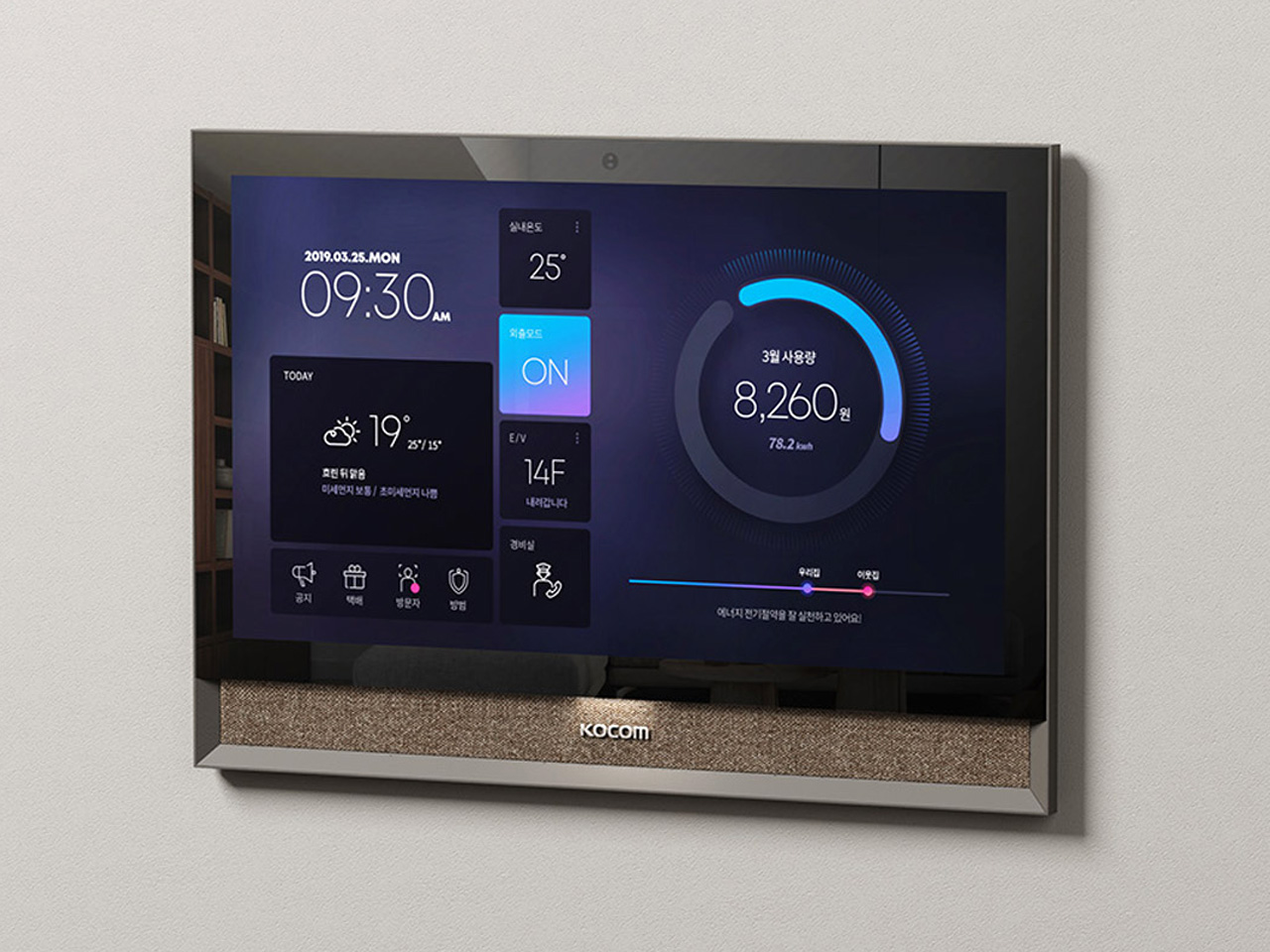
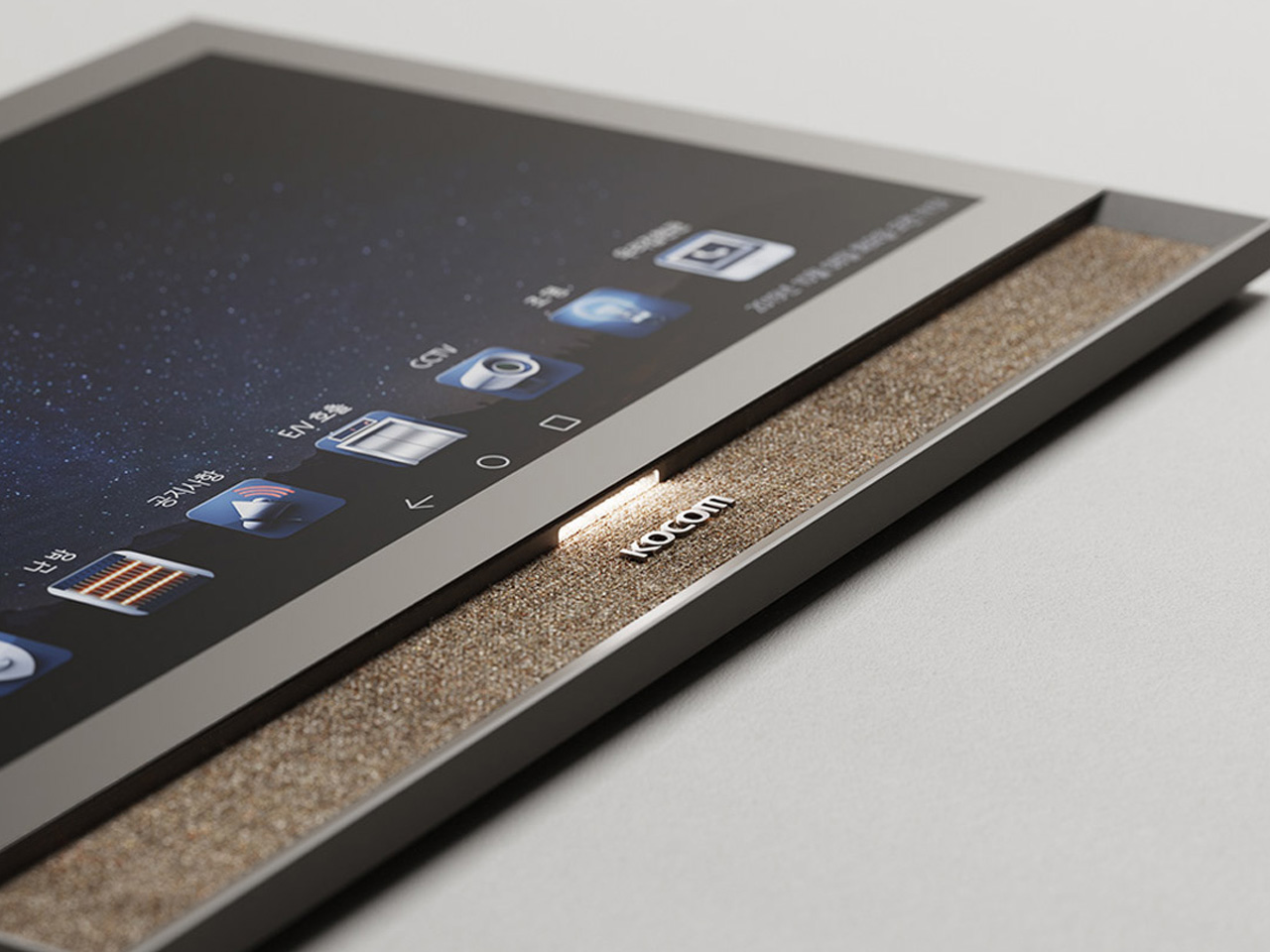
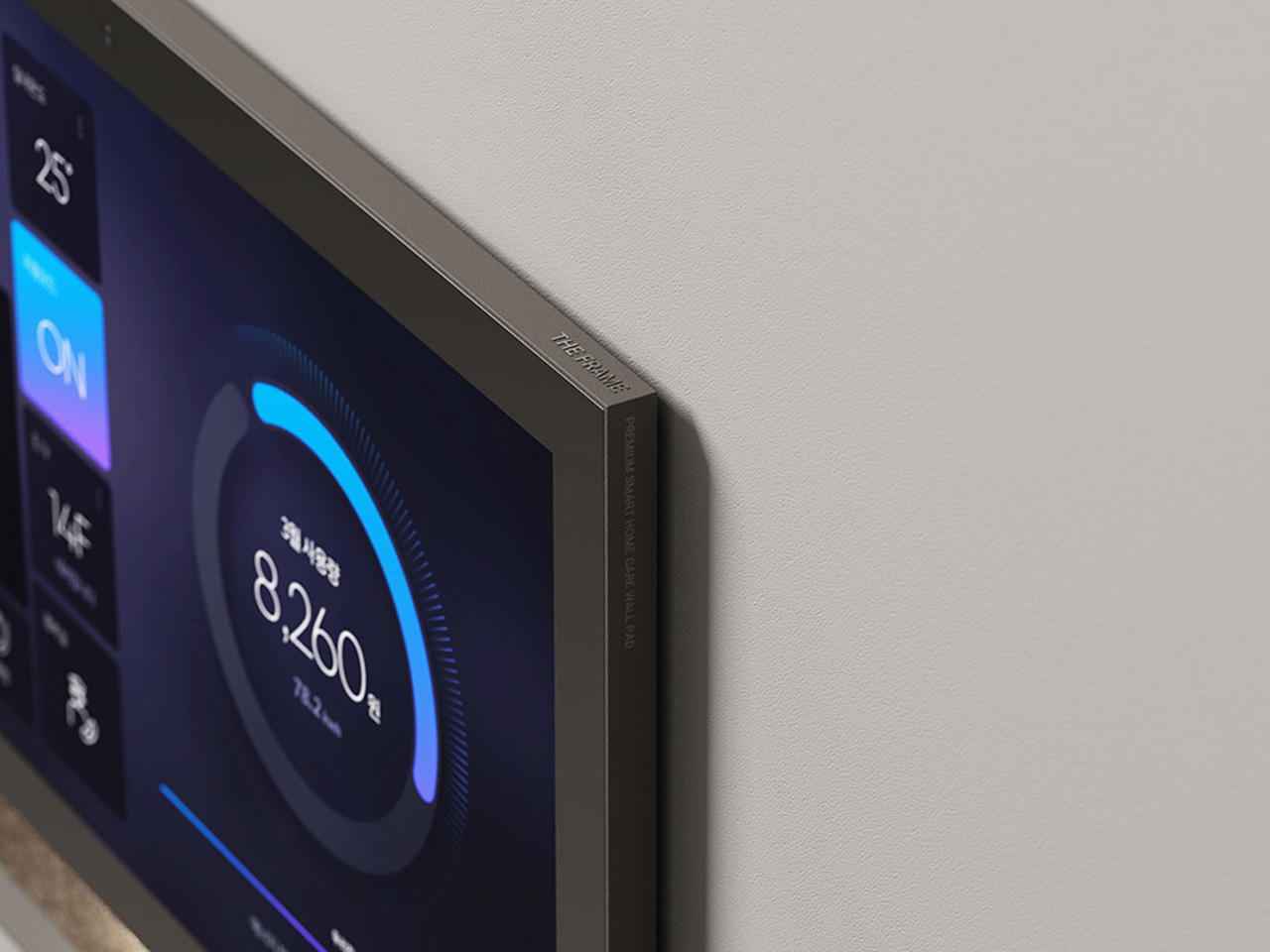
Say hello to the Frame – a sophisticated smart device that merges cutting-edge tech with a stunning design. The appliance measures 13.3 inches, and it functions as a full-screen touch system, serving as the central hub for all your IoT devices. The smart device is wrapped in Kvadrat fabric and features a lovely color palette.

The Frame is more than just a functional and nifty smart appliance, it also serves as a statement piece that elevates the aesthetic and appeal of any living space. It seamlessly merges with your home, and your decor style, ensuring it doesn’t stand out like a boxy eye-sore.

Why is it noteworthy?

What makes the Frame Wall Pad unique is that it seamlessly merges with any sophisticated living space. It provides a level of control and convenience that redefines home automation. With one single touch, users can manage and control their entire home’s IoT equipment, including the security systems and front door panels.

The Frame is a wonderful combination of functionality and elegant design, making it a great purchase for homeowners and tech lovers who value both style and technology. The minimal but luxurious color palette and attention to detail set the device apart.

What we like

  • The Kvadrat fabric and color palette add a touch of sophistication
  • Allows you to manage all IoT devices from a single interface.

What we dislike

  • We are unsure of the fabric options being provided.
  • It will require some professional installation for optimal integration.

2. Anona Aurora Security Camera

The Anona Aurora Security System was created with a clear focus on utility and independence. It delivers 4K resolution, a long-lasting battery, always-on recording, and smart AI detection. These handy features make it a true security asset for your home. It is an excellent option for those who are fed up with subscription fees and complicated installations. Most cameras on the market max out at 1080p, but the Anona Aurora provides an impressive 4K HDR resolution, providing a clear and clean view of your surroundings.

It delivers eight megapixels, ensuring you capture significant details like license plates and distant movements with up to 8x zoom. It also works wonderfully in low-light conditions with color night vision. It uses a starlight sensor, an F1.2 aperture, and a 10-LED spotlight to ensure the color and detail remain intact even in the dark.

You could also pair up the Anona Aurora Security Camera with the Anona Holo Smart Lock – which is designed to merge with your existing door setup and provides multiple access methods, including fingerprint recognition, smartphone control, and even voice activation via Google Assistant or Alexa.

Click Here for Black Friday Sale: Aurora Security Camera | Holo Smart Lock. Use coupon code “ydesignanona” at checkout. Hurry, exclusive early Black Friday Deal ends soon!

Why is it noteworthy?

It is equipped with a worthy 10,000mAh battery, which can deliver up to 180 days of power on a single charge. This makes it a better choice than the popular Google Nest Cam which lasts an average of 1.5 to 3 months. The Anona Aurora can be paired up with Anona’s 4.8W solar panel, allowing it to function as a self-sustaining security unit

The solar panel will harness renewable energy, hence reducing the camera’s dependency on power outlets, and making it a viable option for those looking for low-maintenance, long-term installation options. It is also equipped with on-device AI, which can easily distinguish between people, pets, cars, and packages – without any kind of monthly subscription fees or cloud dependency!

What we like

  • Equipped with a two-way audio, a 10 LED spotlight, and a siren.
  • Pocket-friendly price tag.

What we dislike:

  • If the security system does not integrate with the existing smart home ecosystems, it could be an issue for some users.

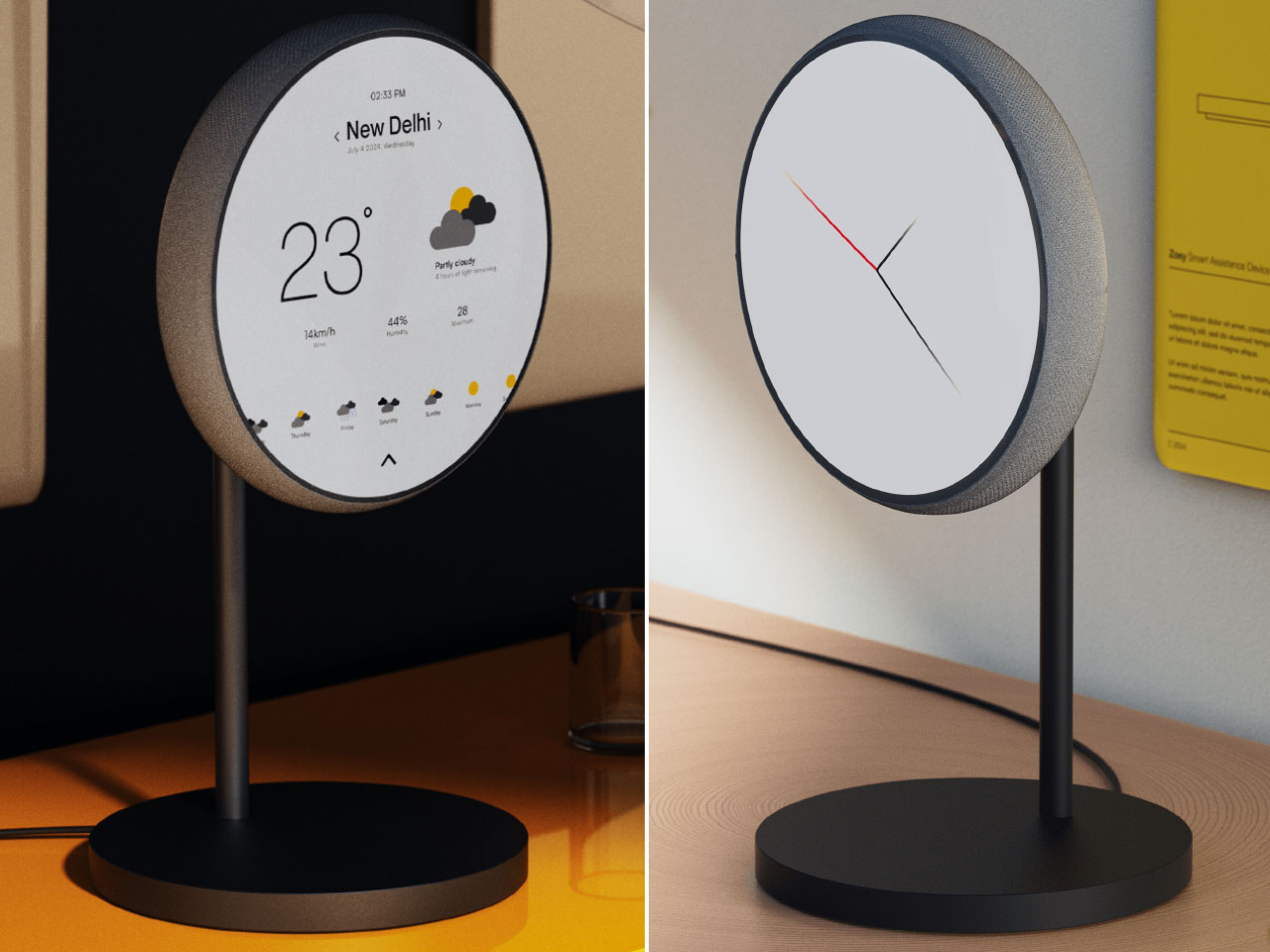
3. Zoey Smart Home Assistant

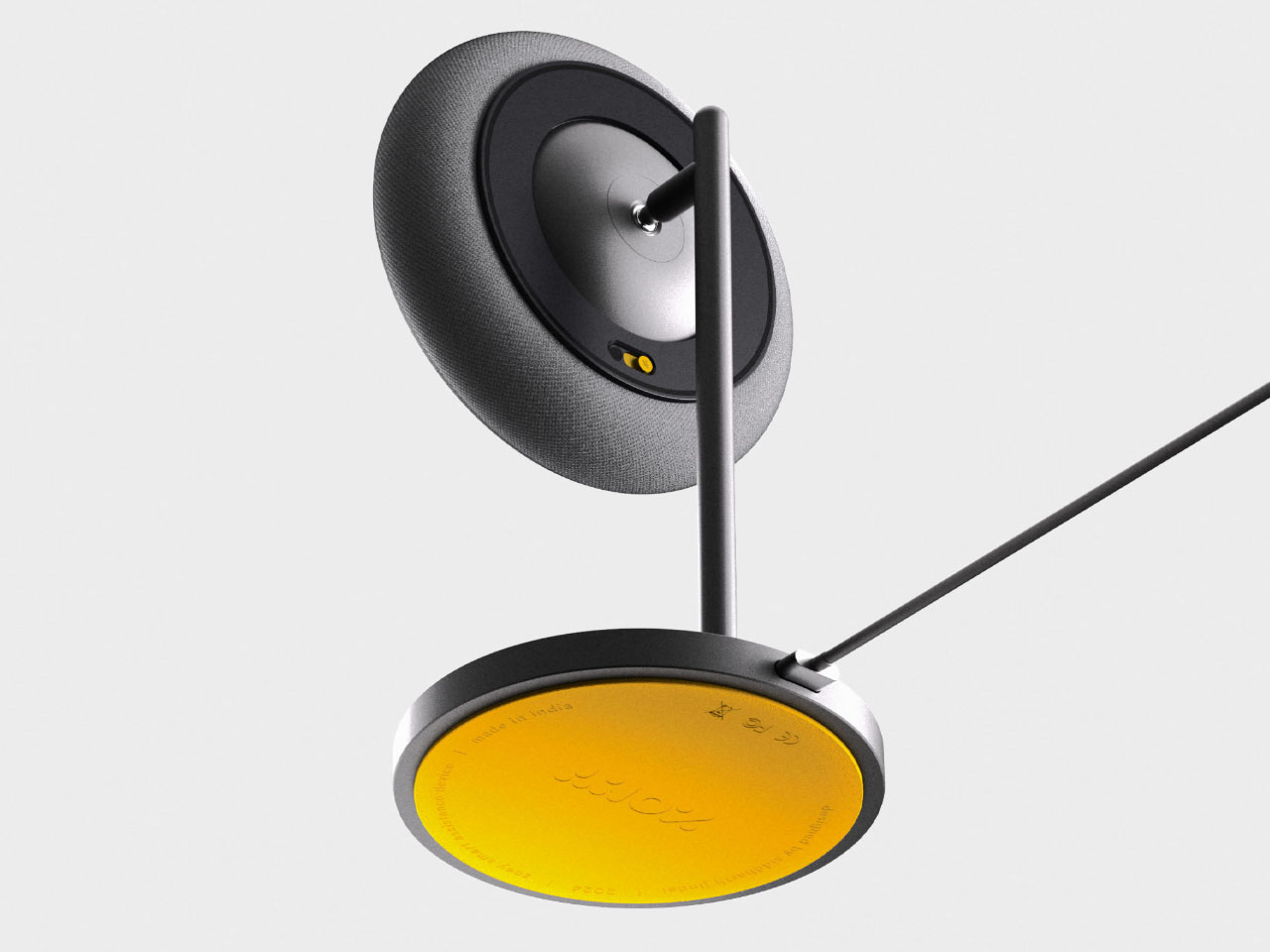
Say hello to the Zoey Smart Home Assistant – a revolutionary device that is redefining the concept of home automation. This device merges functionality with portability and aesthetic appeal. It provides the flexibility of wireless use and adapts to your dynamic and fluid lifestyle. It features a sleek and minimalist form built with premium materials.

The assistant will seamlessly merge with your home decor, feeling like a natural component of your home. It focuses on user interaction and engagement, ensuring it becomes a part of your everyday life. Zoey can detach from its dock, converting it into a portable assistant that can be carried around in the home.

Why is it noteworthy?

Zoey’s portability helps it stand out in a crowded market of smart home assistants. The assistant can move with its users, instead of being tied to a single location. Zoey is also equipped with a bunch of cool features such as – advanced voice recognition capabilities, enabling effortless interaction through simple voice commands.

This feature allows you to control Zoey in an intuitive and user-friendly manner, making it easy even for not-so-tech-savvy individuals. Zoey can connect with different smart home systems, allowing it to control lighting, temperature, and security settings, providing comprehensive home management at your fingertips.

What we like

  • Delivers rich sound quality for an immersive listening experience.
  • Easy to interact with via voice commands.

What we dislike

  • It has limited surface compatibility and only sticks to metal surfaces.

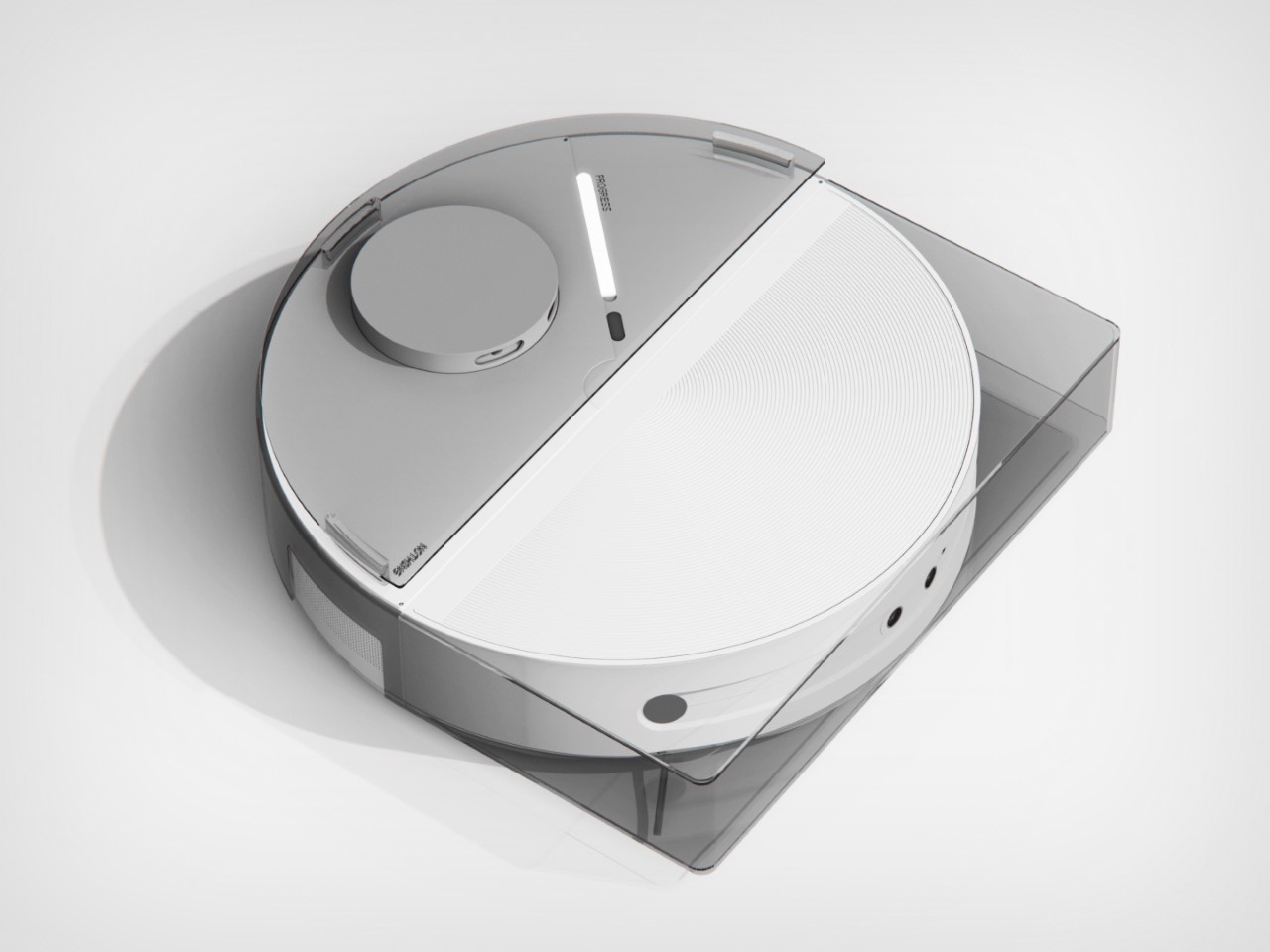
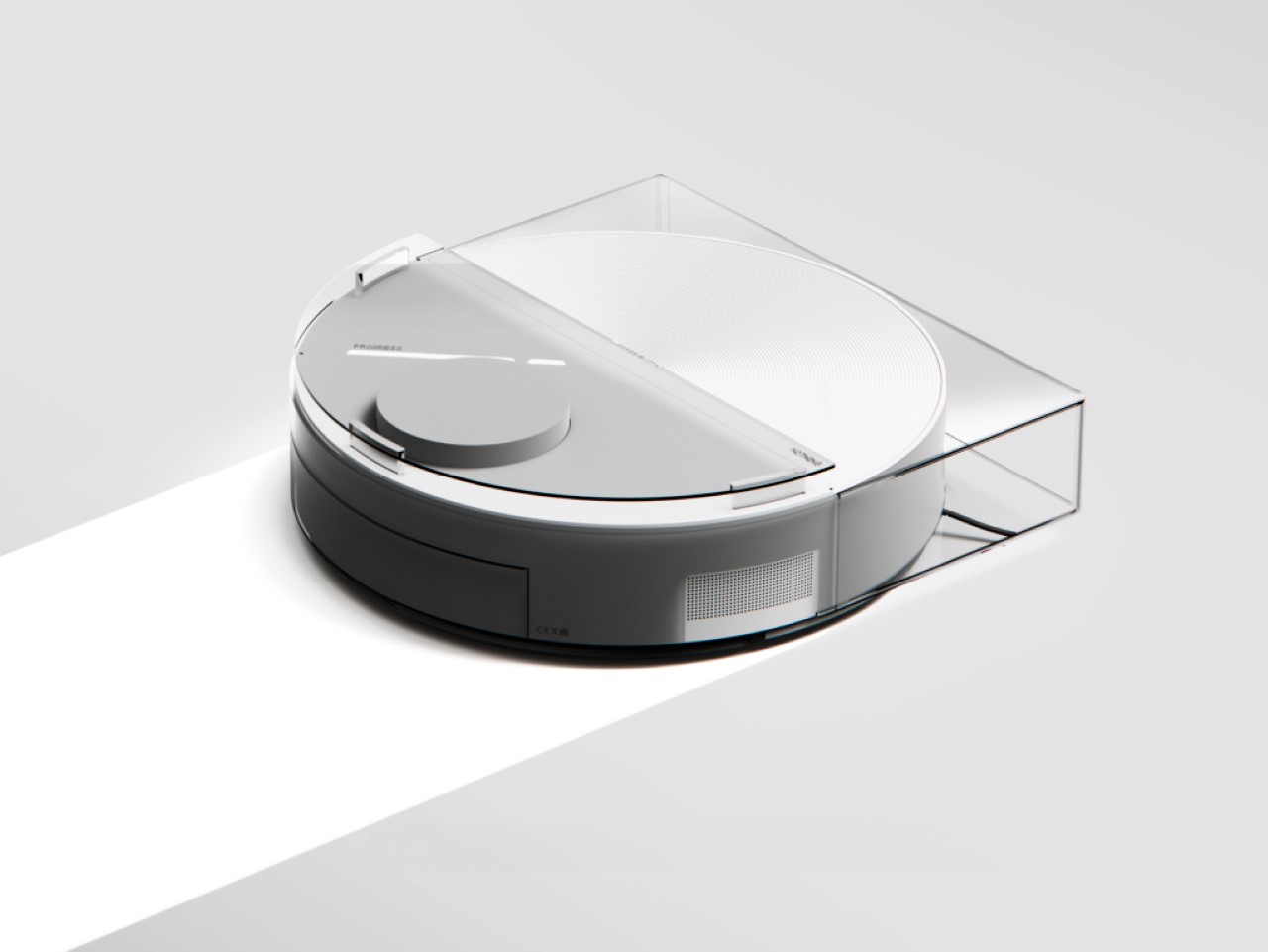
4. Nothing Robot Vacuum (1)

Dubbed the Nothing Robot Vacuum (1), this conceptual smart cleaning device is a far cry from the traditional robot vacuums on the market. It features a unique design and innovative features. The vacuum is inspired by the design language of Nothing’s tech products, and it features a transparent D-shaped outer shell, offering a visually appealing appearance.

The transparent nature of the design offers it a futuristic, and “preserved in glass” aesthetic, which makes it a real conversation starter for your home. It also features a Glyph Interface, which provides real-time feedback on the cleaning process. This interface functions as a visual progress bar, allowing you to track how much cleaning is left.

Why is it noteworthy?

The Glyph Interface adds a layer of interactivity that improves the user’s control over the cleaning process. This offers real-time updates, cutting out the guesswork often required with automated cleaning devices. This feature is great for homeowners who value transparency and efficiency in their smart home devices.

The Nothing Robot Vacuum (1) offers the perfect approach to design and functionality. It serves as a statement of modernity and technological advancement. It is a great option for tech enthusiasts who want home appliances that push the boundaries of traditional and typical design.

What we like

  •  Transparent shell and LED indicators for a futuristic look.
  • Glyph Interface offers real-time updates.

What we dislike

  • Since it is a concept, we are unsure how well it will translate into a real product.

5. Flic Twist

Dubbed the Flic Twist, this innovative smart home controller provides a tactile and intuitive way to manage all your smart home devices. It is a wireless dial, created for simplicity and versatility, allowing users to control lights, music, blinds, and more without having to use smartphone apps or voice commands.

The Flic Twist features a minimalist design, making it a functional tool and elegant addition to your home. The Flic Twist is made up of four distinct actions – push, double push, twist, and push & twist—each of which can be customized to perform different functions.

Why is it noteworthy?

The Flic Twist prioritizes tactile interaction, providing a refreshing alternative to voice and app-based controls that are currently dominating the smart home market. It provides users with a more hands-on method of managing their devices, offering a sense of physical engagement, which isn’t available in digital interfaces.

The device also allows users to set up custom actions that merge well with their daily routines. This makes the Flic Twist a flexible device that can handle a wide range of applications – ranging from adjusting lighting and music to controlling blinds and other smart home devices. It features a user-friendly design that can be used by different family members.

What we like

  • Easy to use with four customizable actions.
  • Manage various smart home devices with a single dial.

What we dislike

  • It may not support all home devices.

6. NEEO

Dubbed the NEEO Smart Home Automation System, this innovative solution will simplify how you manage your smart home devices. It includes two components – the brain and the remote. It provides a seamless way to control all your devices from one single place. This system is designed for user convenience, offering an intuitive interface that recognizes users, and provides personalized control options.

NEEO focuses on easy usage and integration, allowing users of all tech proficiency levels to handle it. The brain functions as the central hub, it communicates with different smart devices, while the remote offers instant control with a touch. It provides remote management capabilities as well.

Why is it noteworthy?

NEEO can streamline smart home management, serving as a centralized solution, while eliminating the need for multiple apps and remotes. The user recognition features add a layer of personalization, ensuring each user has their own settings and devices. This is excellent for homes with multiple users, offering a tailored experience for everyone.

The system’s ease of setup is another key advantage, addressing one of the most common issues in smart home management. With a simple three-step process, users can quickly connect their devices and begin enjoying the benefits of home automation. This user-friendly approach makes NEEO an attractive option for tech-savvy homeowners looking to simplify their smart home systems.

What we like

  • Manages all devices from one system.
  • Recognizes users for tailored device management.

What we dislike

  • Doesn’t include voice controls, which may be preferable for some users.

7. Smart Pad

This adorable design concept gives your impersonal tech products a makeover, by giving a smart display a comical and funny face. This makes the product seem friendly and approachable! Called the Smart Pad, this clever little product changes the core design of its smart display. It features a 4-inch screen which may be a bit too small, but which only shows the essentials, instead of flooding users with information.

The smart display looks like an egg, bringing to mind visions of old, colorful iMacs or some vintage CRT TVs. The screen is positioned at a comfortable angle, and you don’t need to employ any stands or external mechanisms. The Smart Pad aims to transform the way users interact with smart home technology by making it more approachable and engaging.

Why is it noteworthy?

The Smart Pad adopts a cartoon face, hence creating a more inviting and welcoming user experience. This design is great for tech-savvy homeowners who want products with a more personal touch. The pad also features a compact size, which is ideal for homes with space constraints. It also incorporates a minimal design, ensuring it will complement different decor styles.

The Smart Pad is blessed with the ability to humanize technology, forming a more engaging user experience. It is the right choice for individuals who appreciate both functionality and personality in their home devices, with the ability to enhance home automation.

What we like

  • Features an egg-shaped screen with a cartoon face that adds charm and personality.
  • Small size fits seamlessly into any space.

What we dislike

  • The 4-inch display may restrict information visibility, as it has a limited screen size.

8. Sonoff NSPanel Smart Scene Wall Switch

Named the Sonoff NSPanel Smart Scene Wall Switch, this device is a comprehensive solution for home automation. It provides centralized control of different appliances and systems. It is equipped with an HMI (Human-Machine Interface) panel design, which offers a harmonious and seamless way to manage lights, temperature, and preset scenes from a single interface.

The wall switch includes multiple control methods, including a touchscreen, dual-channel switch, voice commands, and a smart app. It is designed to make smart home management an intuitive and more accessible process. It features a design that is both functional and stylish, allowing it to complement any home environment.
Why is it noteworthy?

The Sonoff NSPanel Smart Scene Wall Switch is versatile, and equipped with comprehensive control capabilities. It merges multiple control methods into one single device, cutting down the need for multiple remotes or apps. This simplifies the user experience and offers an all-in-one approach that is appealing to modern homeowners.

The NSPanel’s ability to activate preset scenes based on user preferences is another excellent feature. This functionality allows users to customize their home environment with ease. The remote access provided by the smart app ensures that users can manage their home automation systems from anywhere, adding an extra layer of convenience.

What we like

  •  Centralizes management of multiple devices and scenes.
  • Equipped with touchscreen, voice, and app controls for flexibility.

What we dislike

  • May require time and effort to configure all devices.

9. TOKIT Omni Cook

Dubbed the TOKIT Omni Cook, this all-in-one kitchen appliance is the innovative kitchen assistant you’ve been searching for. It makes your meal prep process quick, and efficient, ensuring you don’t spend hours cooking. The TOKIT Omni Cook is designed to bring some fun and playfulness to your cooking and meal prep experience.

It is the versatile device you’ve been searching for. It merges state-of-the-art technology with user-friendly features to streamline your meal prep process. It will encourage even the most hesitant cooks to explore new recipes and techniques, opening up the culinary world for them.

Why is it noteworthy?

The TOKIT Omni Cook is equipped with an impressive array of features that will simplify the cooking process for you. It makes cooking accessible for both beginners and seasoned chefs. It automates the cooking to an impressive degree, so you can depend on the appliance to deal with complex cooking tasks with minimum intervention on your part.
The appliance is equipped with a library of digital recipes, which guide you through the cooking process. This is a great feature for individuals who aren’t too confident in the kitchen and require clear instructions and visual aids to prepare their meals.
What we like

  • Features an integrated 7-inch touchscreen display, which lets you customize and tweak your preferences.
  • It will not occupy substantial space in your kitchen.

What we dislike

  • It has multiple culinary modes and functionalities, hence users may take some time to adjust to the appliance.

10. Mr.Alfred

Meet Mr.Alfred – a smart home appliance that functions as a humidifier, dehumidifier, air purifier, and vacuum. It is blessed with a unique combination of retro aesthetics and cutting-edge technology. Mr.Alfred is on a mission to revolutionize the home appliance landscape, by serving as a comprehensive solution for healthy air management.

It is more than just an appliance, Mr.Alfred is also a statement piece that will seamlessly integrate with your home decor. It resembles an elegant bar cart, equipped with gold rails that add a retro touch. A muted grey body adds to the rich yet subtle aesthetic. This appliance not only saves space but also merges multiple appliances into one.

Why is it noteworthy?

Mr. Alfred is designed for comprehensive air management. It will sense the air quality, and take targeted action to keep your home clean and healthy. This smart system combines the functionalities of an air purifier, humidifier, dehumidifier, and robot vacuum, ensuring comprehensive air management.
The appliance also features a sleek form and includes six important parts –  the main body, a drone for space monitoring, a robot vacuum, an air purifier, a humidifier, and a dehumidifier. These components are designed to work together seamlessly. The air-management parts rest on the robot vacuum, making them portable, and ensuring they clean your home spectacularly.

What we like

  • Merges elegant aesthetics and smart functionality.
  • A multifunctional appliance that embodies four devices in one.

What we dislike

  • It is a concept, so we are unsure how well it would work as a tangible product.

The post Top 10 Smart Home Appliances That Are Perfect For Tech-Savvy Homeowners first appeared on Yanko Design.

Innovative ‘Self-Directed’ Desk Is Designed To Help Students Study & Focus Better

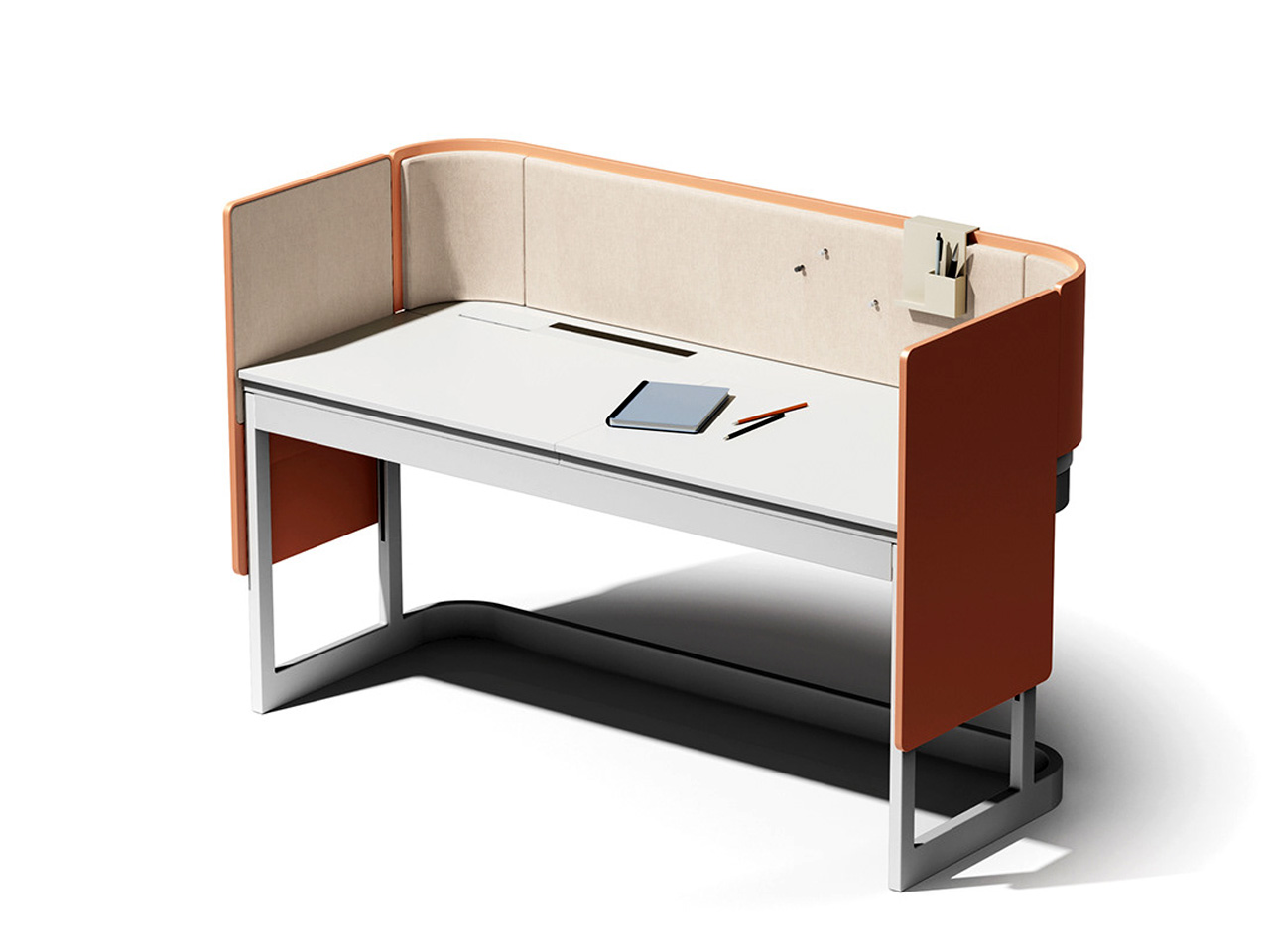
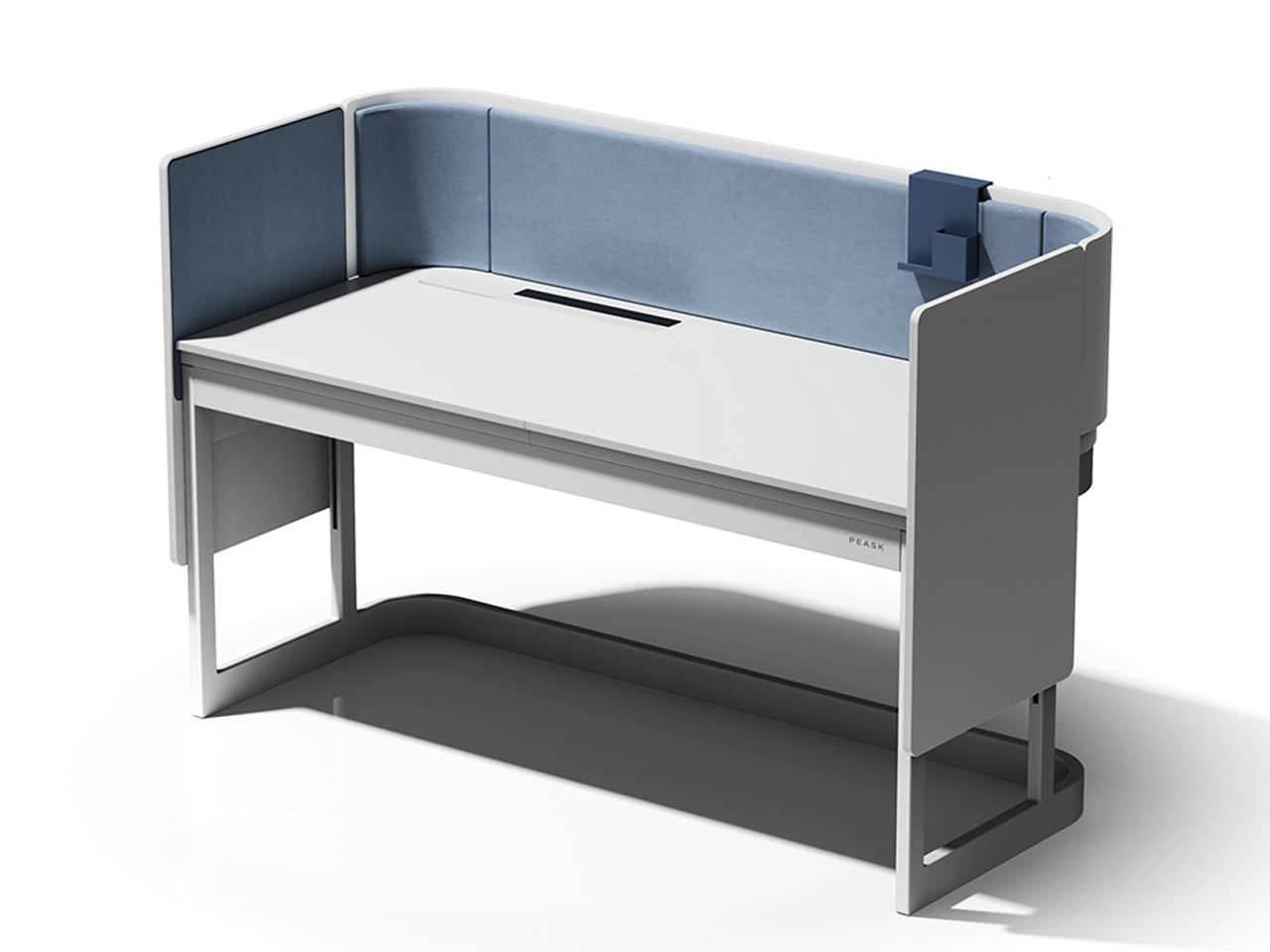
It’s been a while since I’ve been a student, spending hours preparing for exams. But, I do recall vividly the anxiety and stress that seemed to dominate those times. If you’re a student struggling with good study habits, or even a professional prone to getting distracted, and suffering from unproductivity, then there is a desk to help you through this dilemma. Named Peask, this furniture design is a ‘self-directed and focused’ desk.

Designed by Minjeong Kim, Soyeong Kim, and Yumin Seo this conceptual desk design was created to help students study efficiently, inculcating healthy study habits. The designers noticed an increasing number of students feeling stressed with academic expectations, and being unable to study productively due to anxiety and a lack of self-direction. Hence, they created Peask to help students overcome these hurdles, enabling them to focus better and perform their best.

Designer: Minjeong Kim, Soyeong Kim, and Yumin Seo

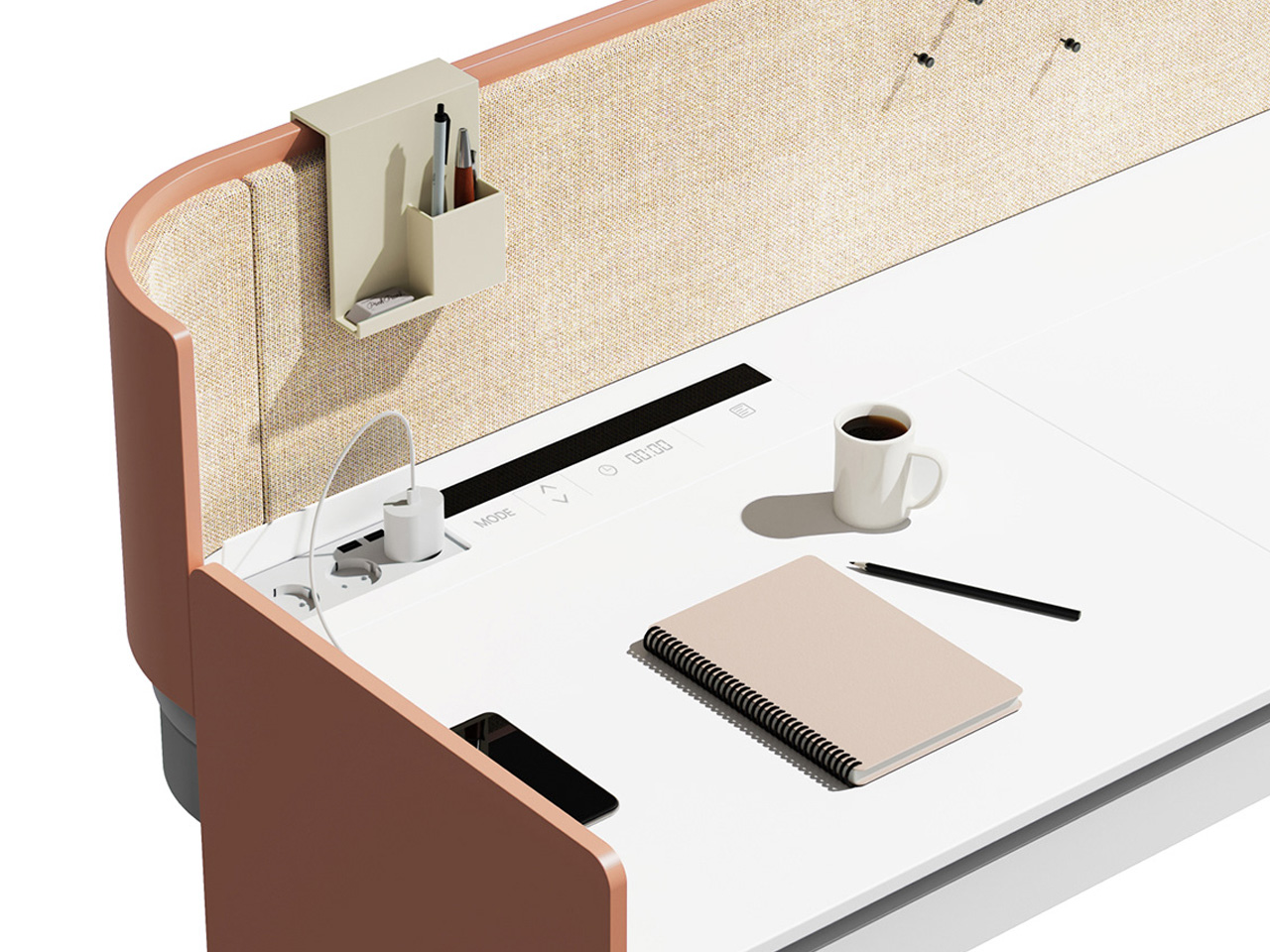
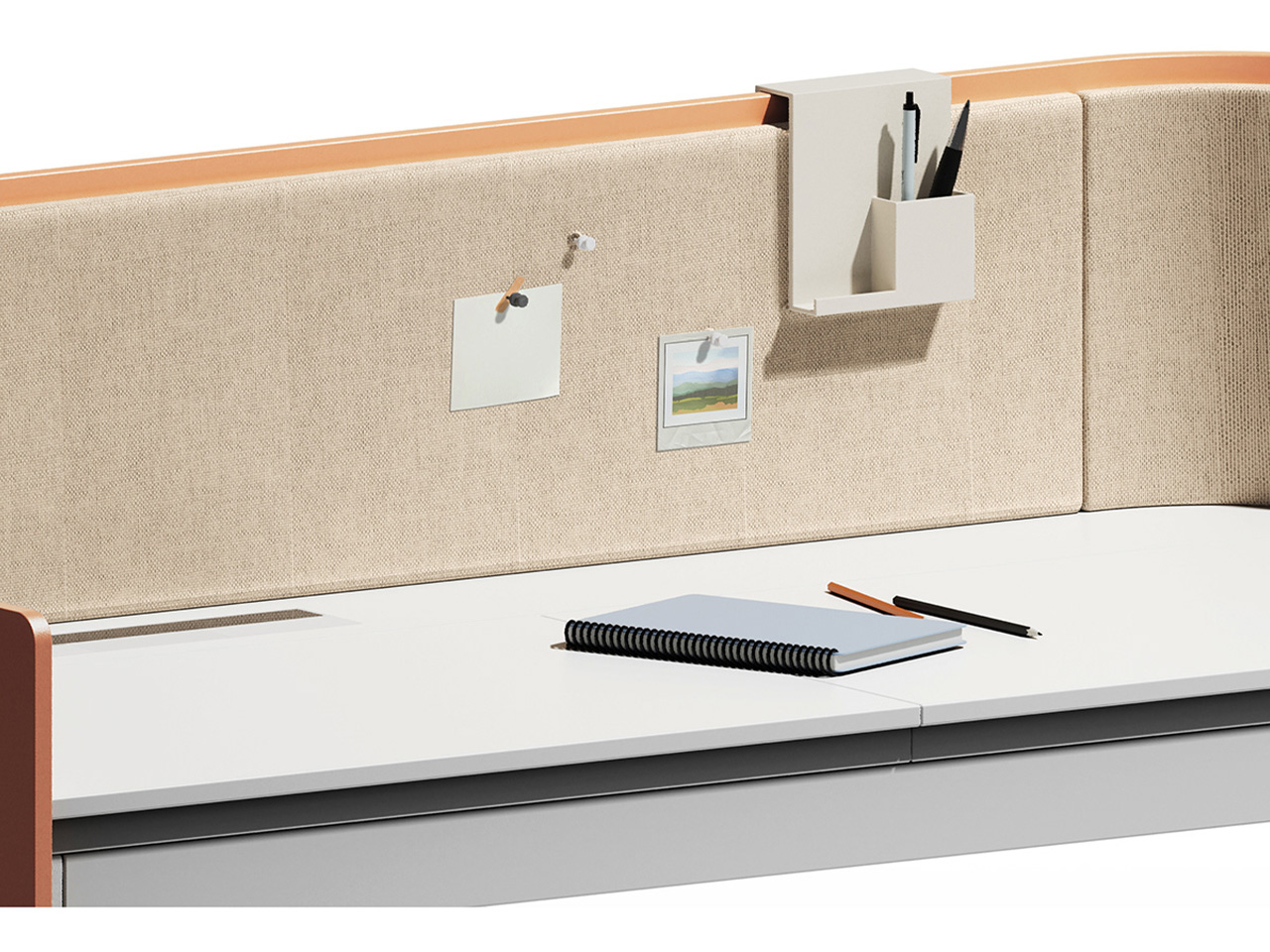
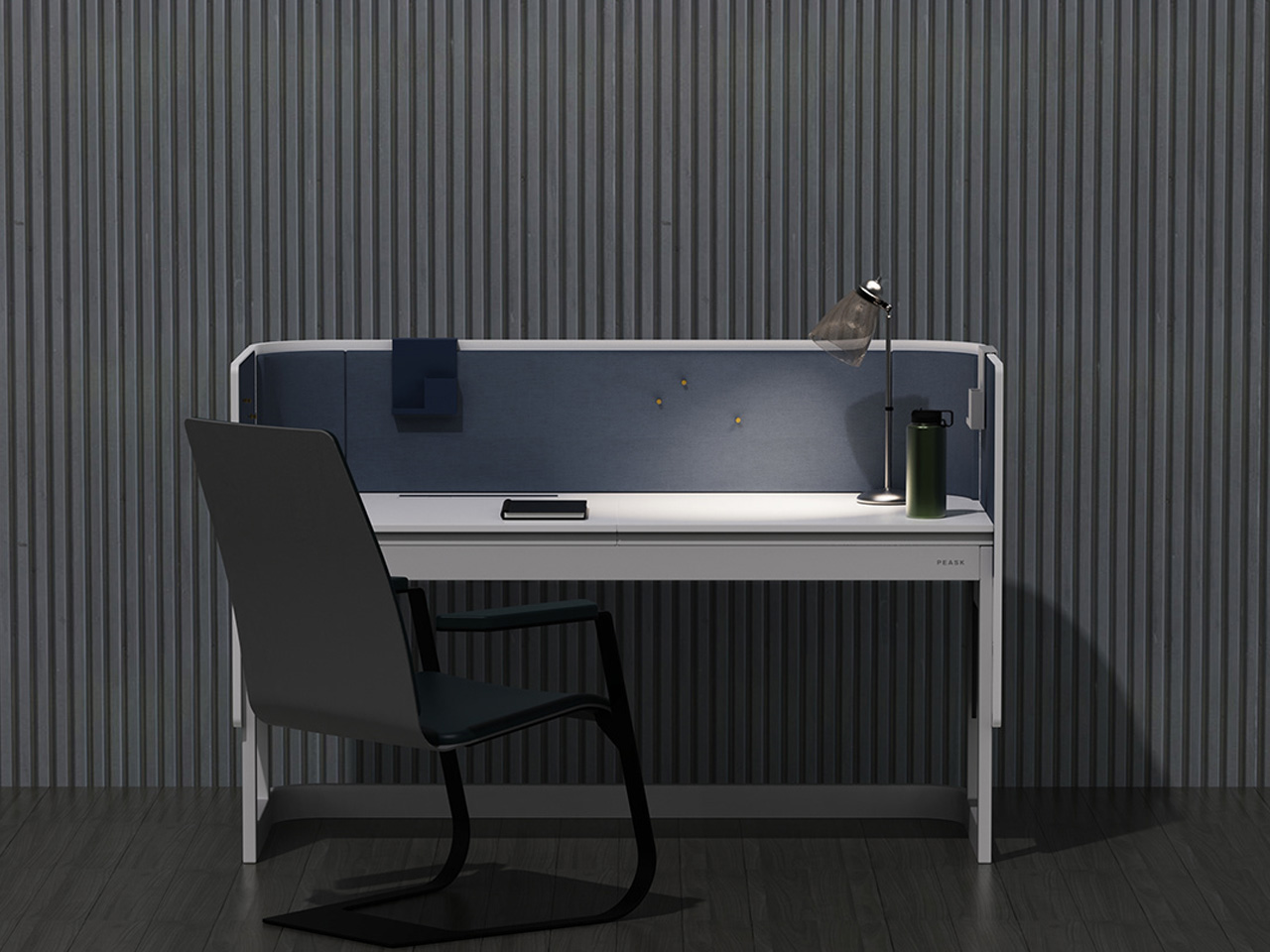
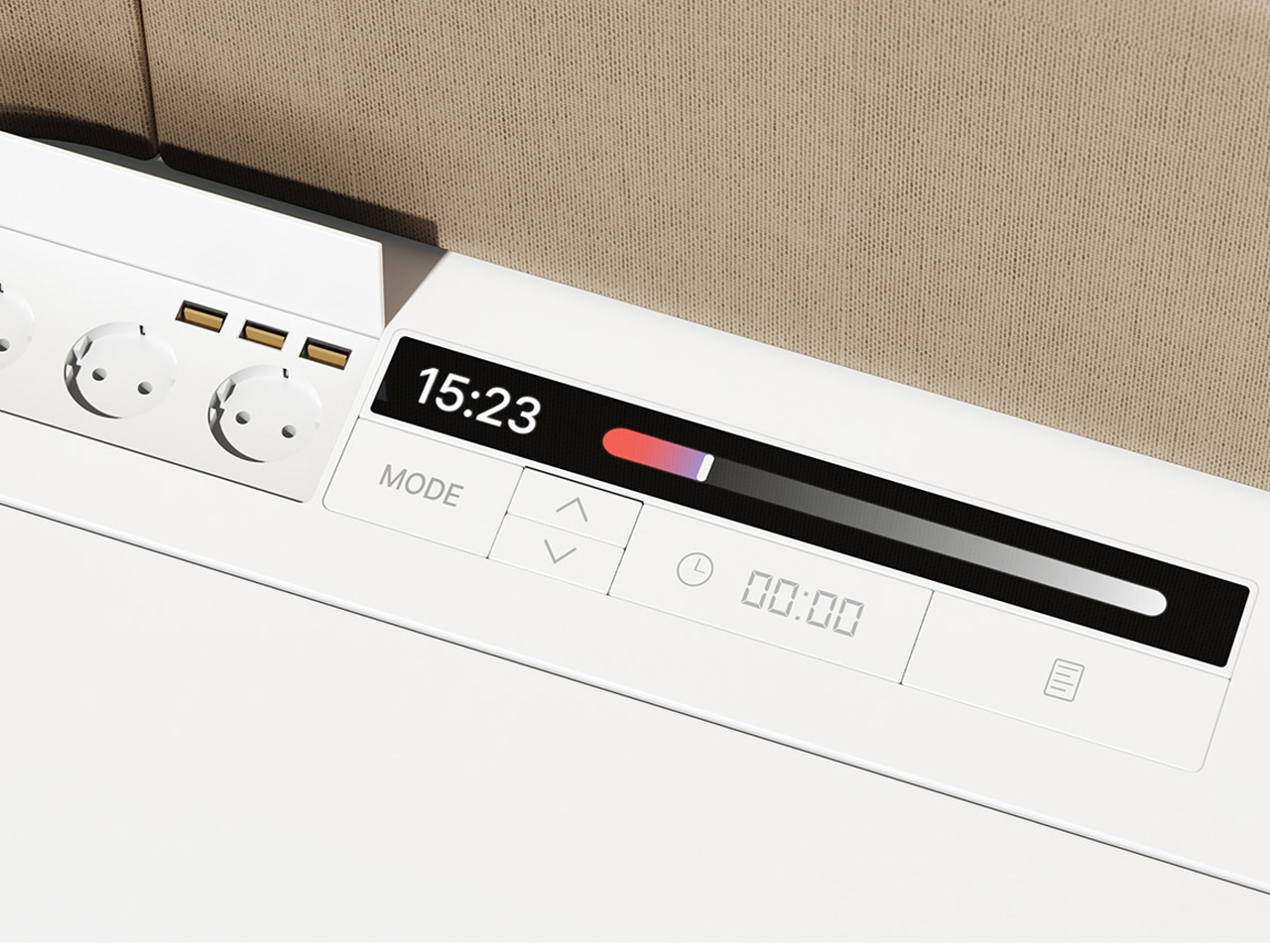
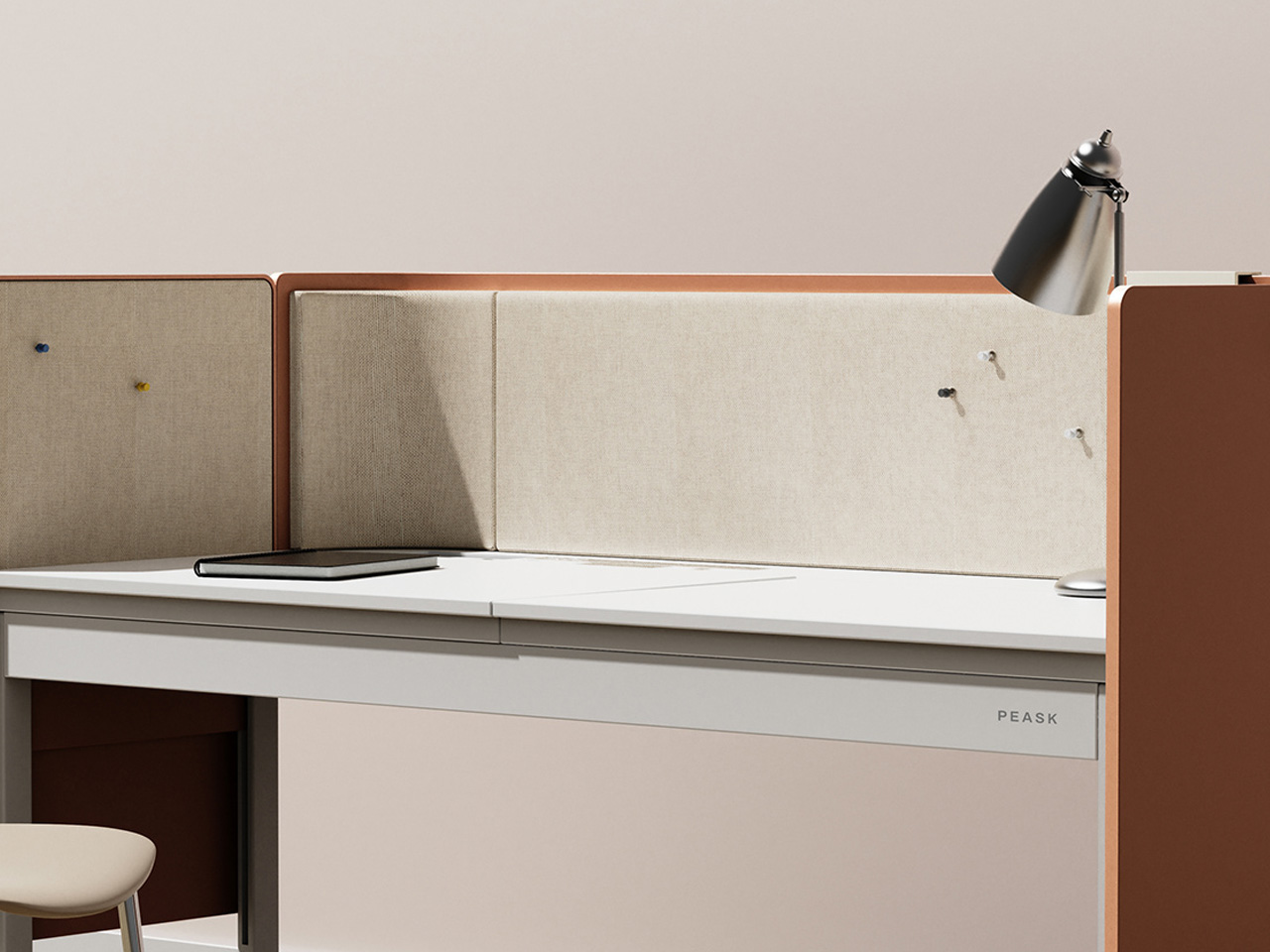
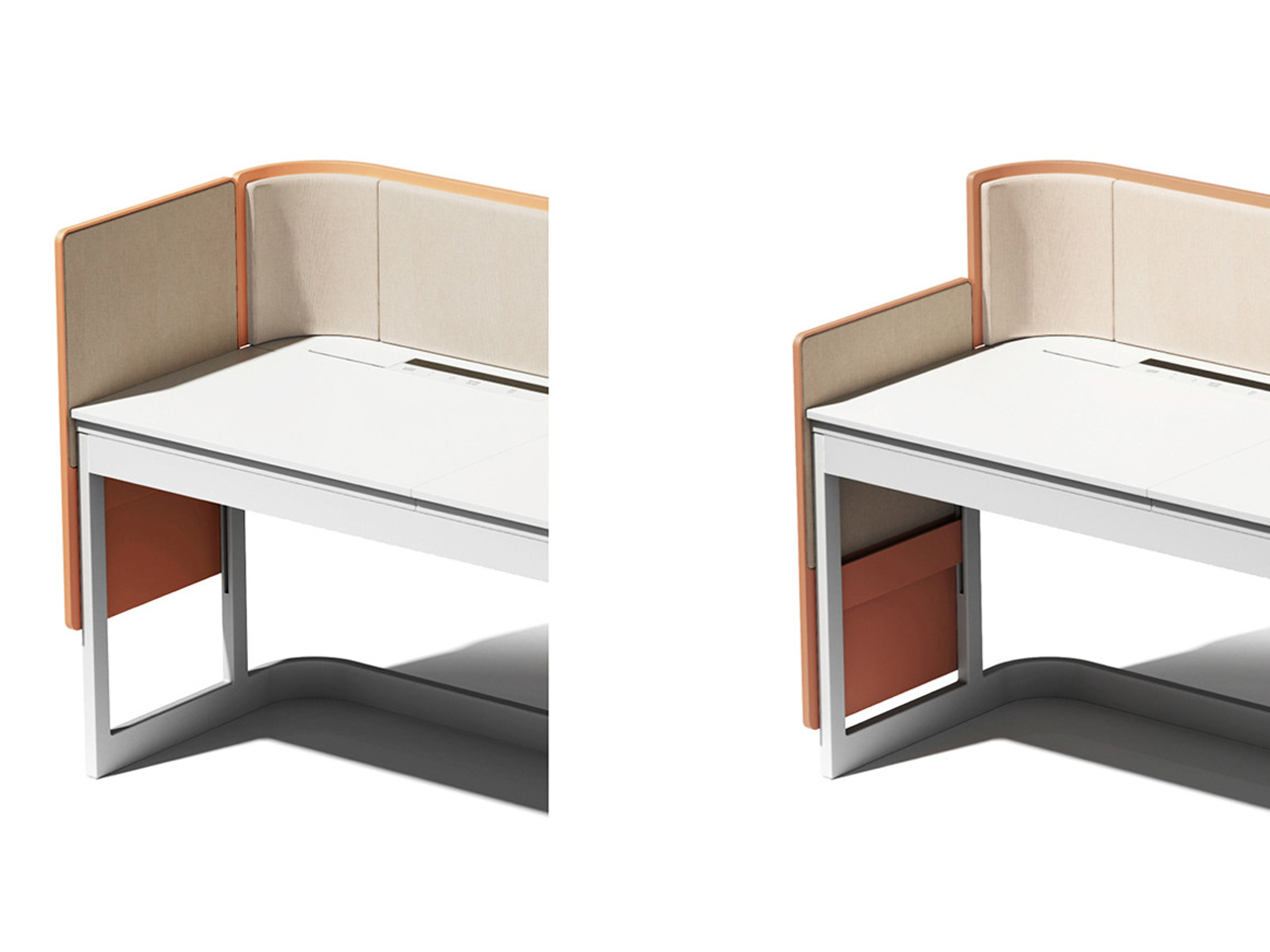
Peask was designed to encourage students to self-study, pushing them to develop a habit where they can study by themselves, without any external pressure or force. This ‘self-directed’ study desk is equipped with multiple components and elements such as a pen holder, partitions, storage space, and a touch bar and panel. Custom height-adjustable partitions and handy storage space have been integrated to ensure students have a well-organized and tidy desk, enabling them to focus better. You can move the partitions around, to create an ideal desk setup. While the pens can be neatly organized using the additional pen holder.

There is a nifty storage space placed under the desk, so users can easily store their books and other learning equipment to create the perfect study environment, where everything is easily accessible. The touch bar can be used be adjust certain settings, for example, students can set a timer to ensure they study for the required hours. They can also set their learning record to better manage their learning curve. These nifty features help students to better understand and control how much time they spend studying, and how much spend they spend on breaks.

The partitions can be adjusted to differentiate between study time and break time, ensuring students focus while studying, and relax while taking a break. Currently, the Peask is a concept, but such a smart furniture design could help students improve their learning and concentration capabilities.

The post Innovative ‘Self-Directed’ Desk Is Designed To Help Students Study & Focus Better first appeared on Yanko Design.

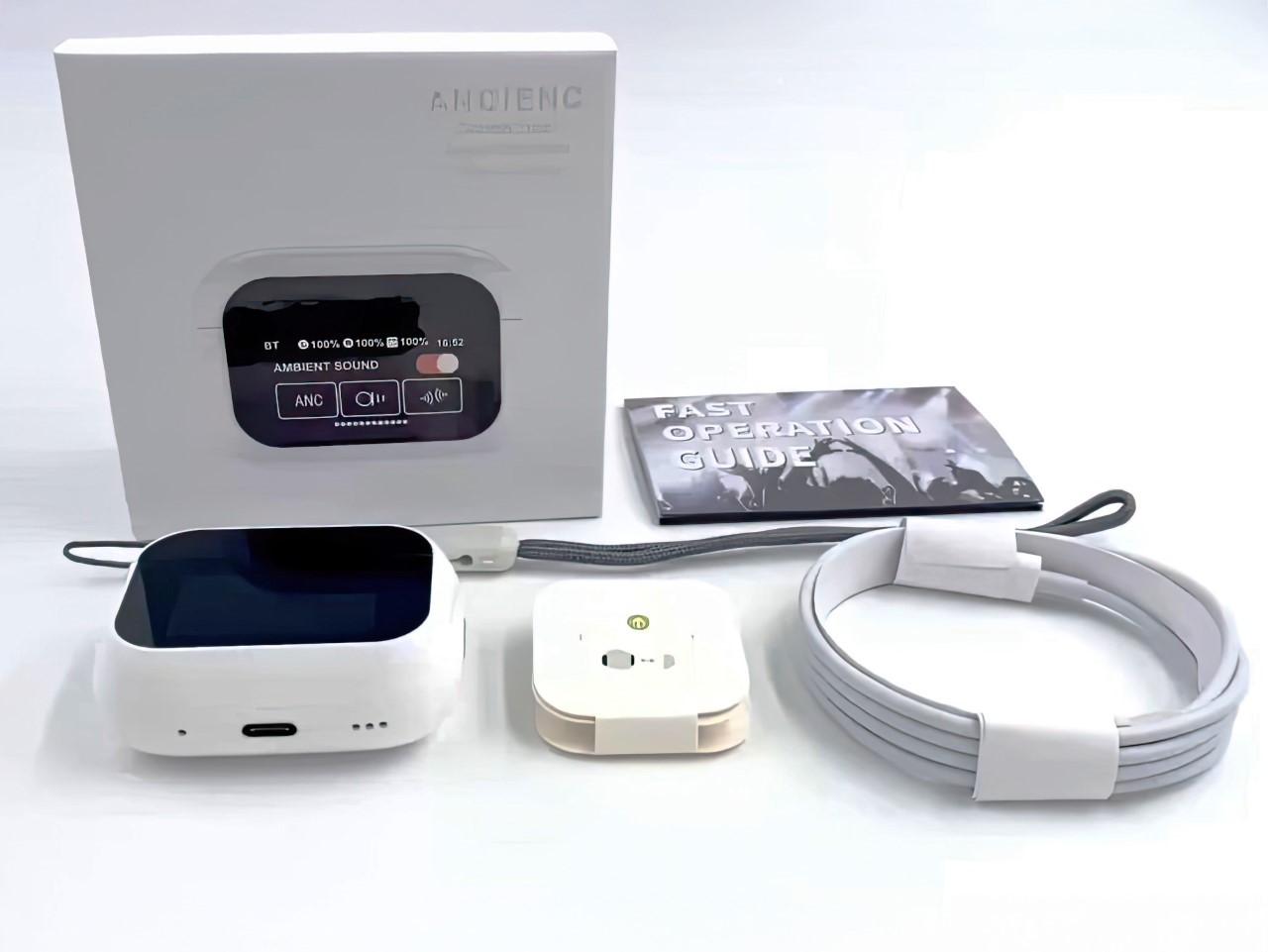
Fake AirPods Pro With A Built-In TouchScreen Feels an AirPods/iPod Frankenstein’s Monster

Apple would never… but what if they did??

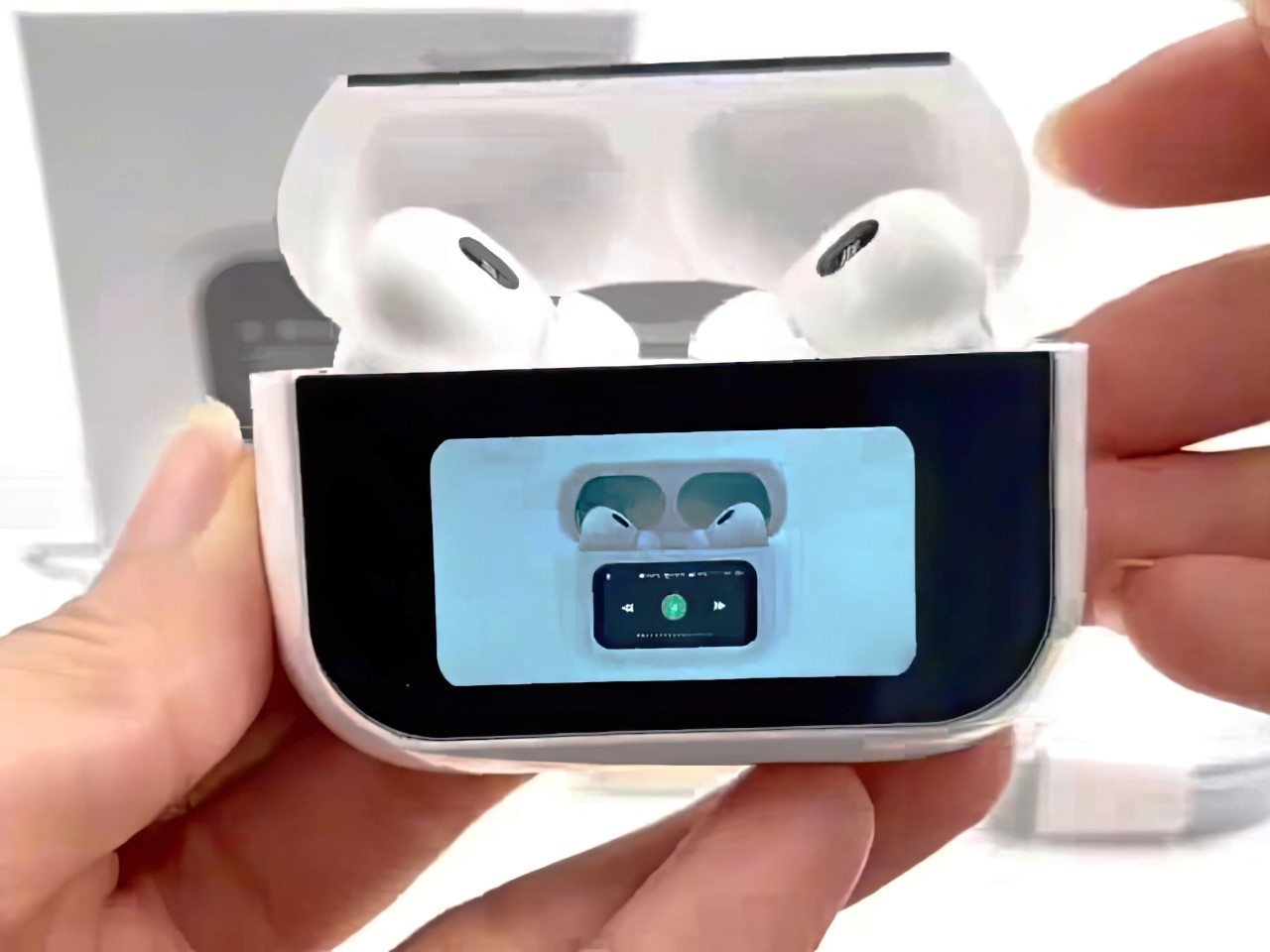
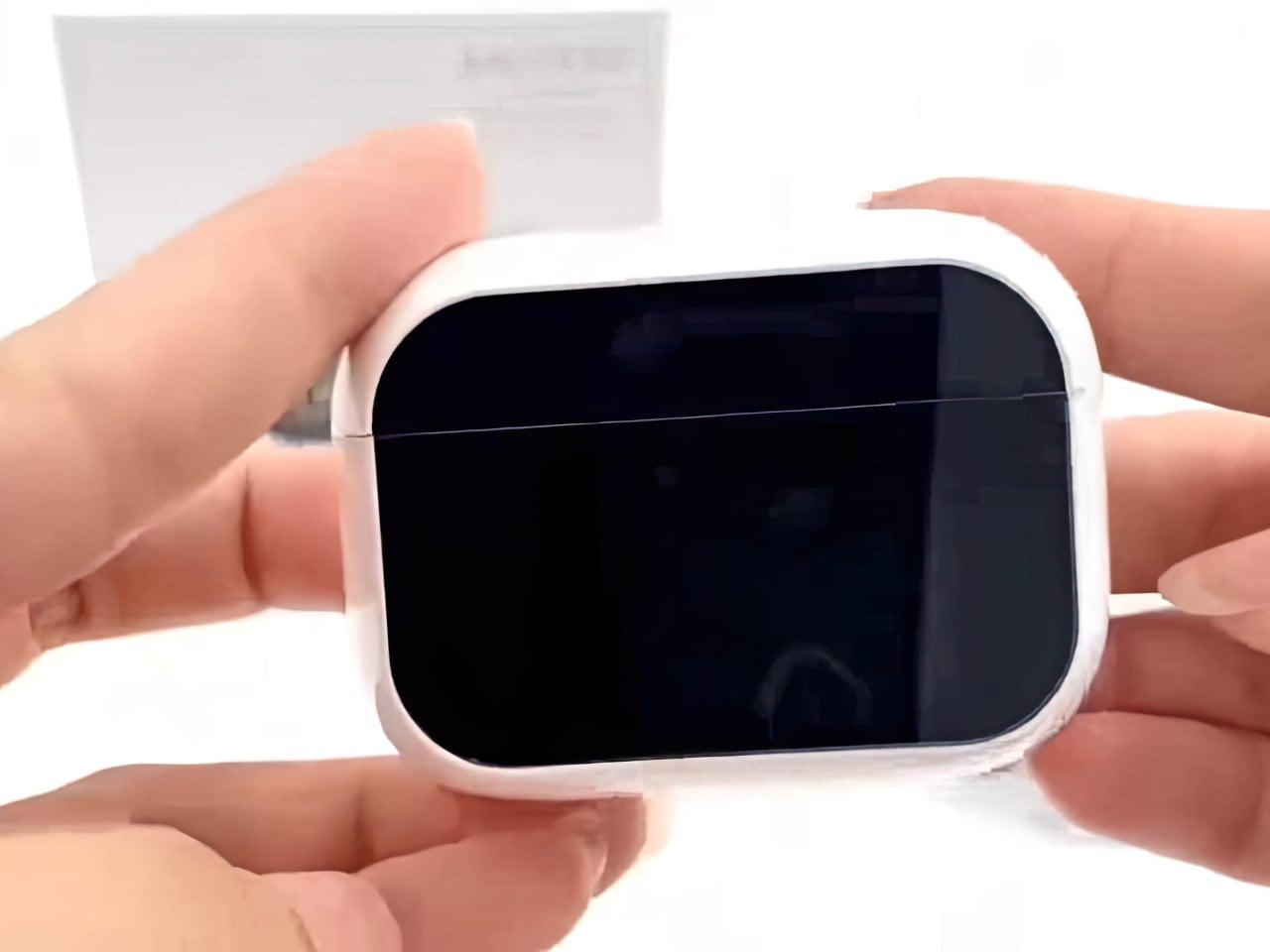
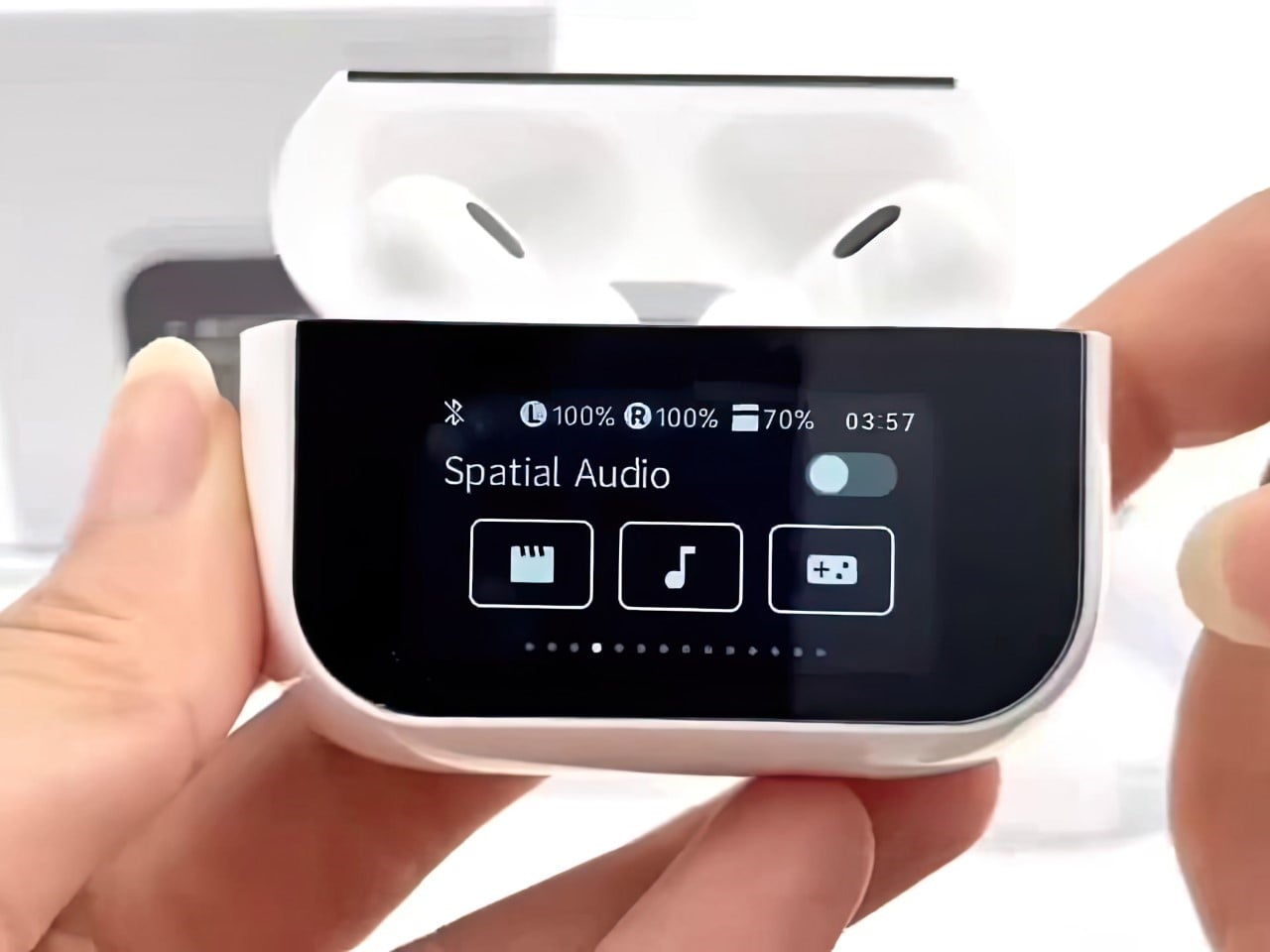
This isn’t the Apple AirPods Ultra, but it sure is parading around the internet as one. Discovered on Threads, these knockoff pair of AirPods Pro (probably available on Temu if you look hard enough) have a feature that even the originals don’t. Visible the instant you unbox the earbuds, these knockoff AirPods Pro come with a touchscreen built into the case, letting you play/pause music, activate or deactivate features like ANC and Spatial Audio, and even mess with the earbuds’ equalizers. It isn’t too different from a pair of JBL Tour PRO 3 earbuds we saw two years ago at CES, except these ones are modeled exactly on Apple’s AirPods Pro.

Designer: Choice HYUNDAI

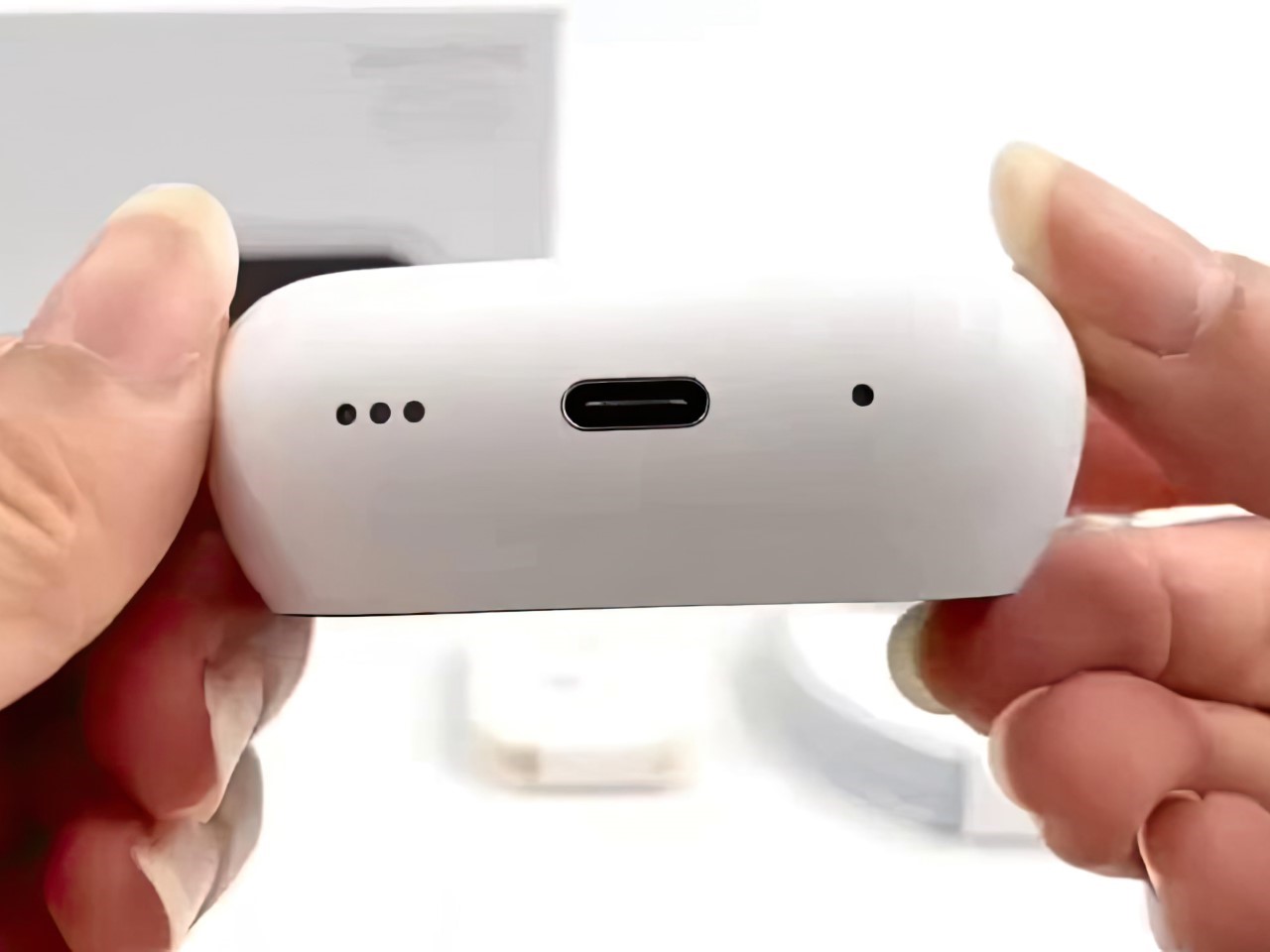
It isn’t easy to tell what the brand or model of these earbuds is (although I suspect it’s the Choice HYUNDAI HY-Y11), but it’s certainly a Chinese manufacturer trying to emulate the Apple aesthetic. The case looks almost exactly like the AirPods Pro, albeit with a black touchscreen on the front. You’ve got a USB-C at the bottom, and the interiors of the case look almost exactly like Apple’s own. The earbuds are a resounding copy too.
Flip open the case and it automatically wakes up the touchscreen, showing your earbuds status. Take one earbud out and an animation on the screen shows which earbud’s out of its case, providing a pretty nifty visual indication. The screen has touch-to-wake too, allowing you to do things like play/pause music, set a wallpaper on your “AirPods” case, and adjust features like ANC, EQ, and Spatial Audio.

On the top, you’ve also got a status bar that tells you each earbud’s battery level, case battery level, Bluetooth connectivity status, and the time. Pop the earbuds in and you can adjust your audio through the case itself without needing to take your phone out. Is it convenient? Sure. Is it necessary? I doubt.
This device basically turns the AirPods Pro into an AirPods iPod mashup. It’s cool, but highly unnecessary given that it doesn’t achieve much since you’re still taking a gadget out of your pocket to control playback. At that point, the gadget might as well be your phone. Adding a screen to the case also reduces its overall battery capacity, since the screen now chugs on the battery to remain operational.

However, if the idea of an AirPods case with its dedicated screen appeals to you, the internet is probably littered with low-cost versions of this device that you could play with for fun. Don’t expect stunning audio quality, ANC, or Spatial Audio from these shoddily-made knockoffs. Don’t expect a warranty either, since this thing literally costs $7.50 on AliExpress.


View on Threads


The post Fake AirPods Pro With A Built-In TouchScreen Feels an AirPods/iPod Frankenstein’s Monster first appeared on Yanko Design.

Discover Pro-Level Features with the Saramonic Ultra Wireless Mic—Built for Creators

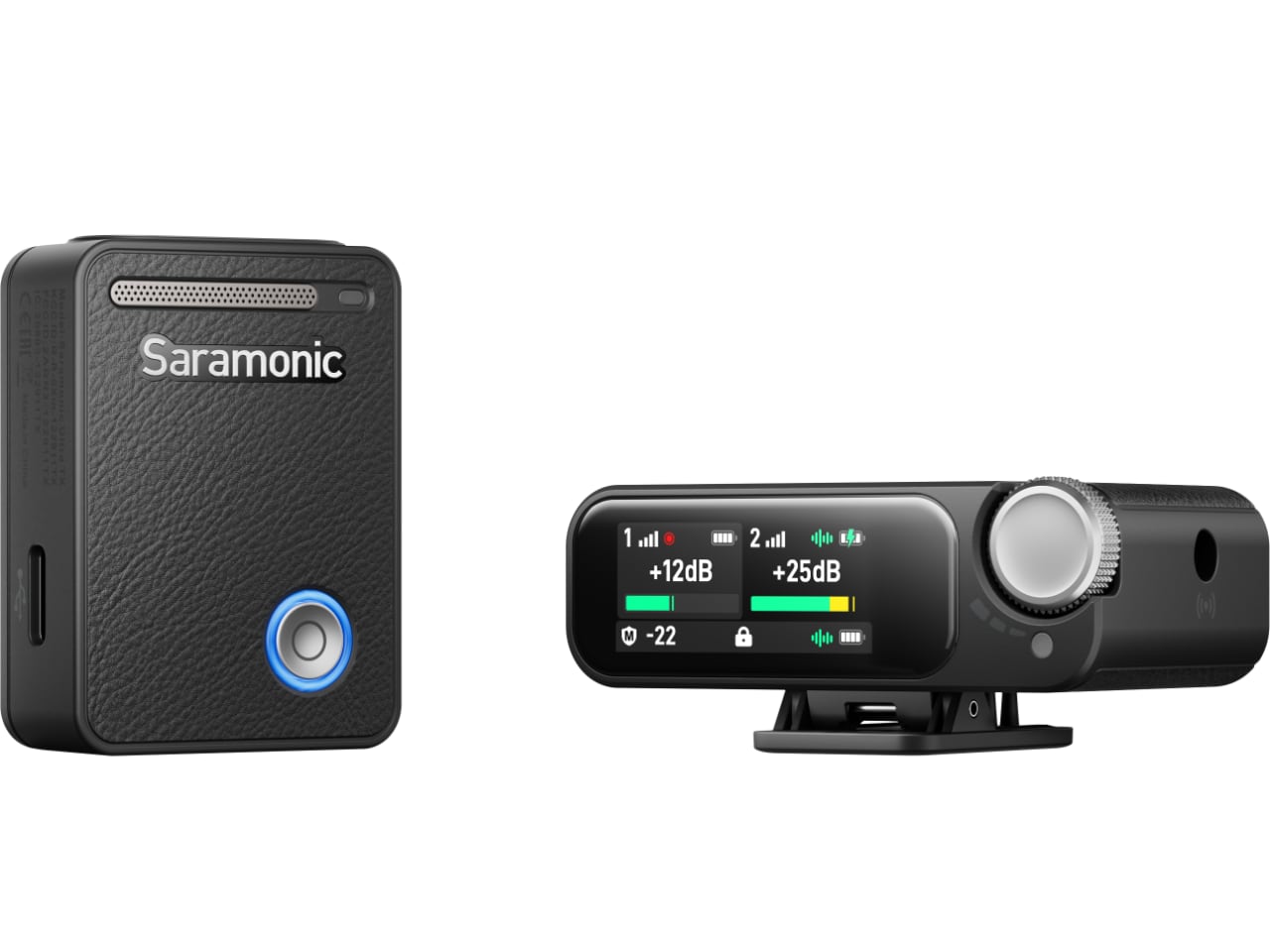
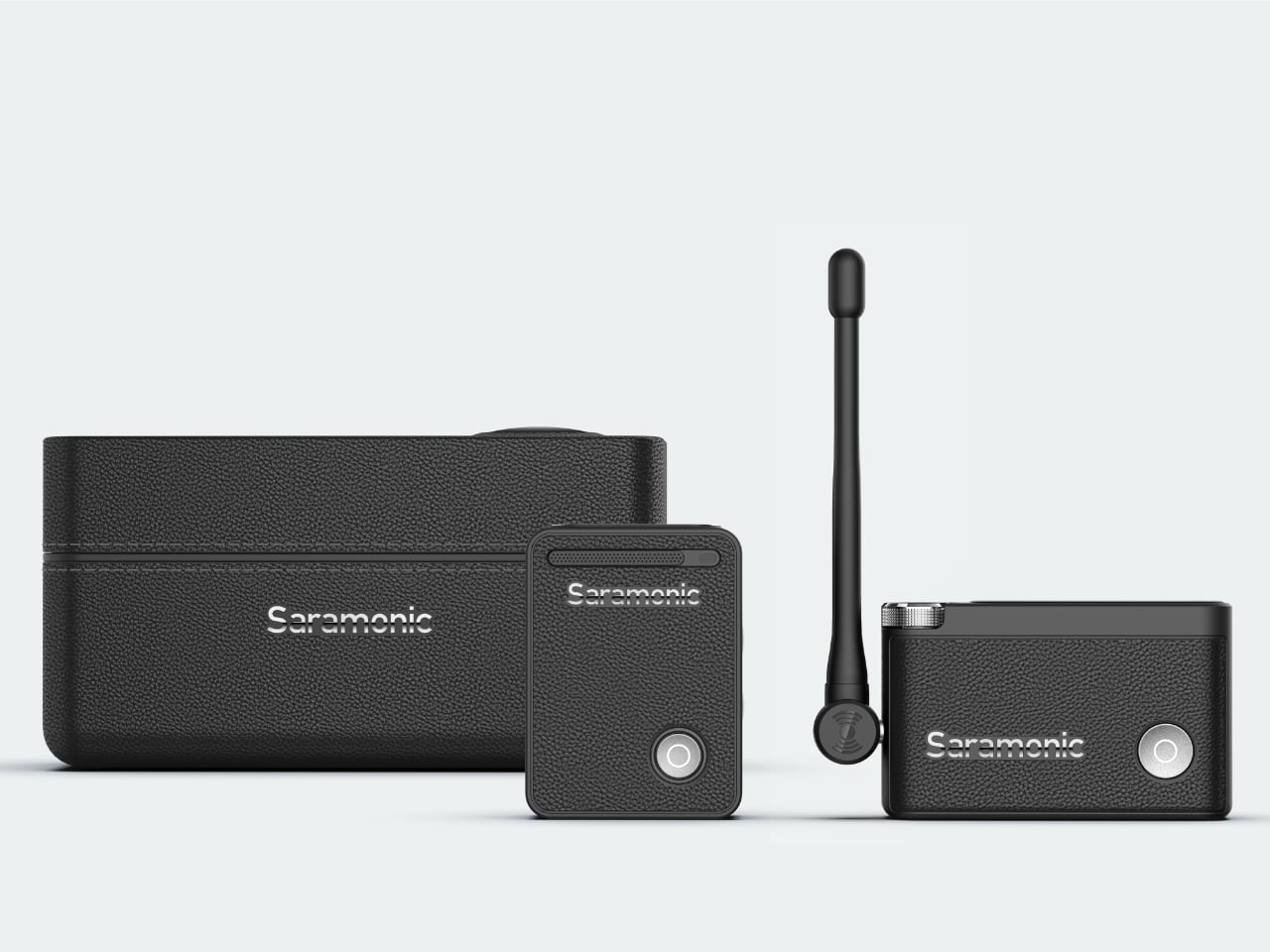
Saramonic is setting a new benchmark in professional audio gear with the launch of its latest wireless mic system, the Ultra 2-Channel. Built specifically for filmmakers, content creators, and anyone needing professional-quality audio on the go, the Saramonic Ultra wireless mic combines cutting-edge technology and convenience with a thoughtful design approach. It offers the reliability and seamless integration that today’s creatives need.

Designer: Saramonic

Packed with advanced features such as Timecode synchronization, 32-bit float onboard recording, and rugged IPX5 waterproofing, the Saramonic Ultra wireless mic aims to meet the real challenges professionals face. Below, we explore what makes the Ultra an essential tool in the hands of audio professionals and how it holds up under different use cases.

Saramonic’s Dedication to Audio Excellence

Since 2012, Saramonic has shown a clear dedication to delivering quality audio solutions. The company’s mission has always been to create tools that meet professional demands while remaining accessible to independent creators. Over the years, they’ve developed numerous patented technologies that have played a significant role in advancing modern audio recording. The Saramonic Ultra wireless mic continues this legacy, blending ease of use with robust performance in a portable form factor.

Saramonic has spent over a decade fine-tuning its approach to professional audio equipment. Known for producing products that work intuitively while delivering high-quality output, Saramonic’s vision centers on innovation that serves real-world needs. The Ultra 2-Channel Wireless Microphone System focuses on understanding the nuances of professional audio work and making those processes more efficient.

Throughout its journey, Saramonic has gathered more than 400 patents, an impressive milestone for a young company. With a focus on innovation that truly makes a difference, Saramonic’s products have become trusted tools for content creators and filmmakers worldwide. This product showcases their drive to innovate, pushing what’s possible in a lightweight, wireless microphone system.

Precision at the Core of the Saramonic Ultra

The heart of the Saramonic Ultra wireless mic is accuracy and reliability in audio capture. Every feature has been designed to help creators achieve flawless results without the usual hassles associated with professional audio setups. 

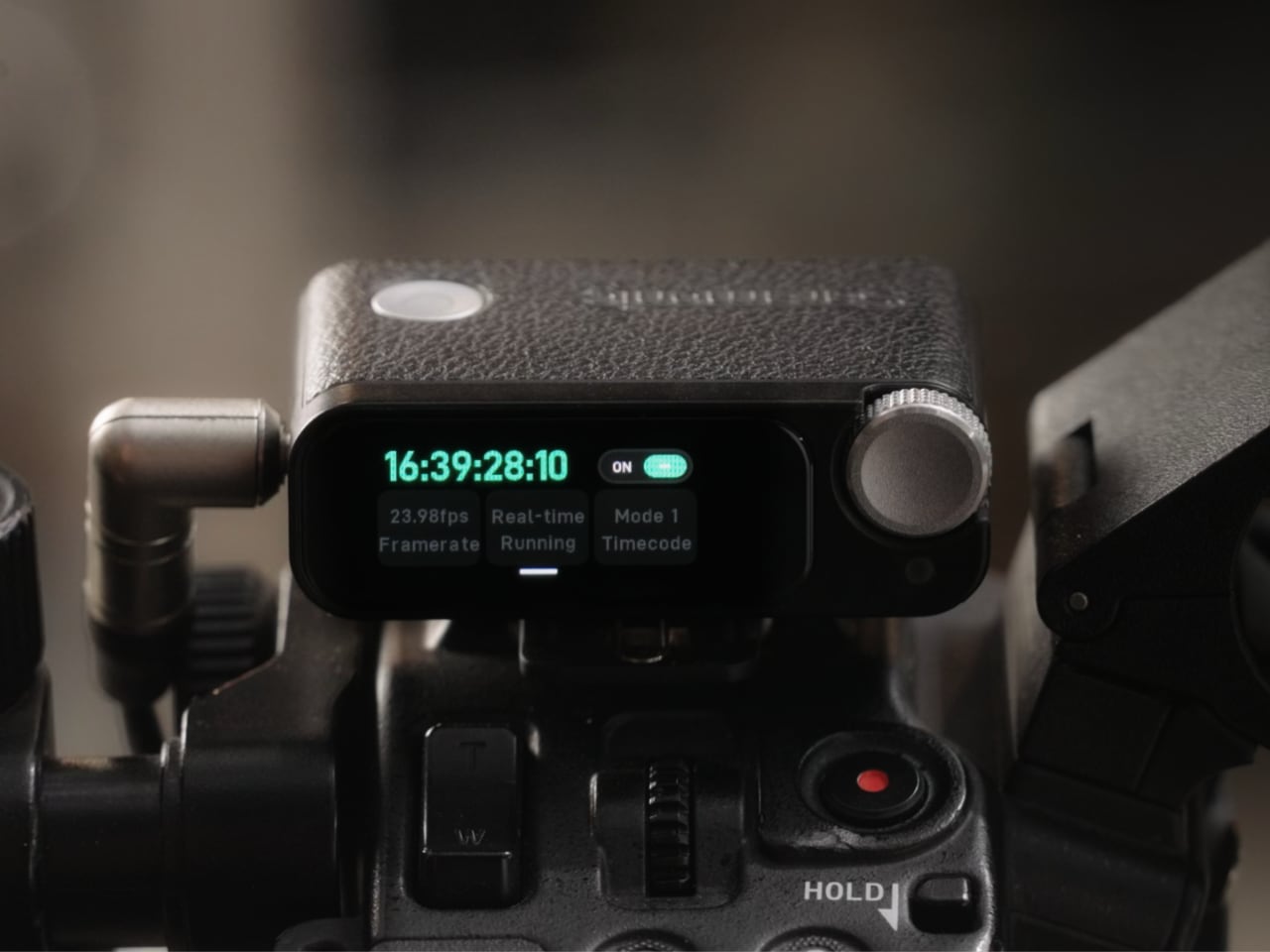
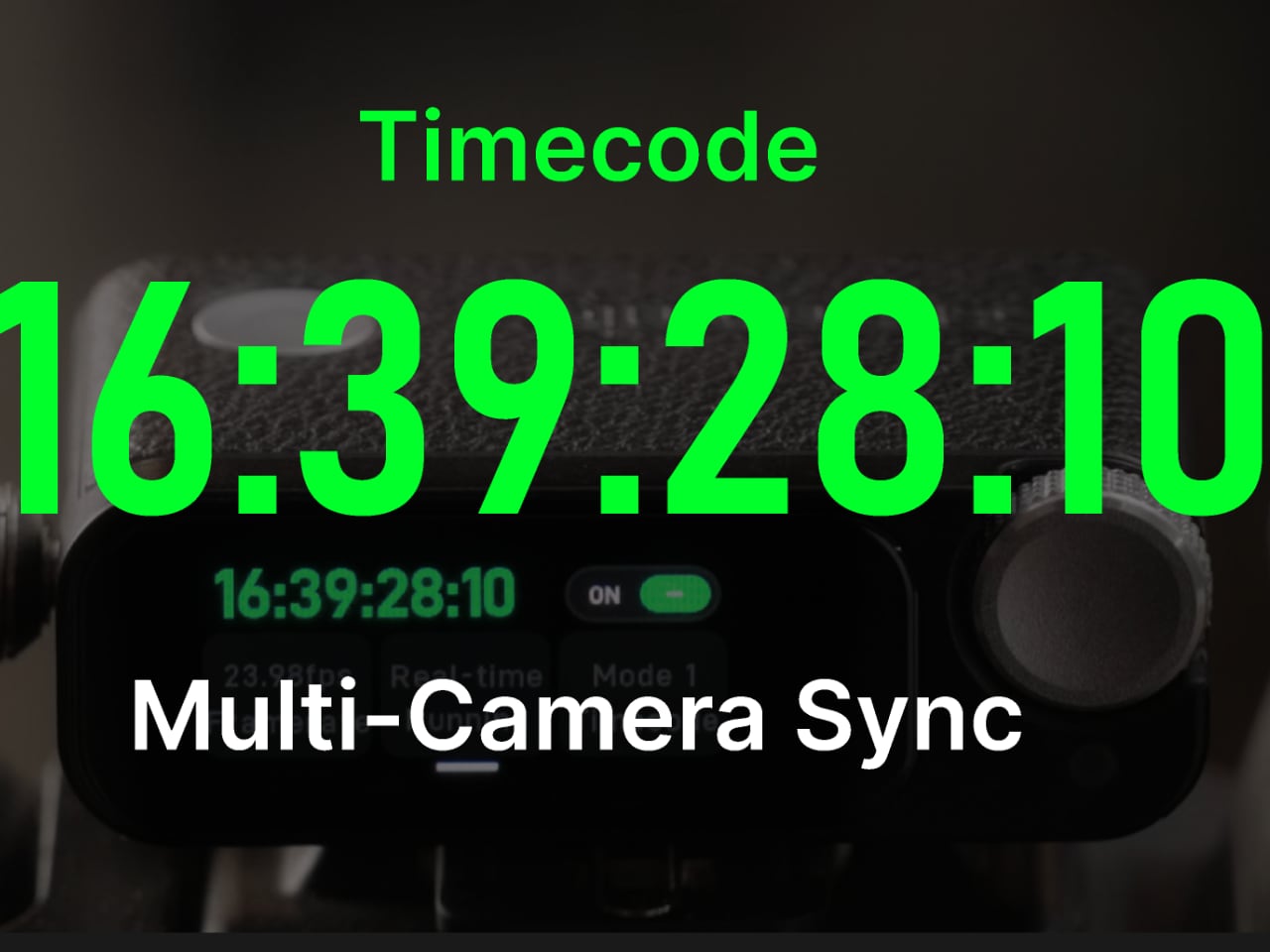
Timecode synchronization in the Saramonic Ultra wireless mic is designed to solve a common pain point for filmmakers and videographers—matching audio with video footage across multiple devices. This feature ensures frame-perfect alignment, which is a lifesaver during post-production. Whether managing a complex multi-camera shoot or working with a single unit, Timecode ensures the output stays synchronized, cutting down on editing headaches.

This synchronization streamlines workflows and improves the quality of the final product. Eliminating sync errors means fewer retakes and less time spent aligning clips, freeing creators to focus more on their projects’ narrative or creative elements.

Audio environments can be unpredictable—one moment might require capturing a whisper, and the next, a sudden loud cheer. The Saramonic Ultra wireless mic addresses this with 32-bit float recording, which preserves a wide dynamic range, ensuring that all the subtle details are retained. Unlike traditional recording methods where audio can clip and distort, 32-bit float technology provides a clean recording by covering a broader range of sound levels.

The 8 GB onboard storage further complements this functionality, allowing users to focus on capturing content without the constant need to worry about connectivity to other devices. For field journalists or outdoor filmmakers, this feature is particularly handy, allowing greater flexibility while on location.

Noise Control and Enhanced Audio Quality

High-quality audio means capturing the right sound, free from interference and distortion. The Saramonic Ultra wireless mic has been engineered with a host of features to manage noise and enhance vocal clarity, ensuring audio quality that meets professional standards.

ClearVoice™ is designed to help you capture what matters most—the subject’s voice. In any recording environment, unwanted background noise can interfere with capturing high-quality sound. ClearVoice™ technology acts to minimize this interference, focusing specifically on vocal frequencies. From recording an interview in a busy city to capturing dialogue during a crowded event, this feature helps bring vocal clarity to the forefront.

In addition to ClearVoice™, the Saramonic Ultra wireless mic also features Low-Cut modes and Vocal Boost options that cater to more specialized needs. The Low-Cut mode eliminates low-frequency noises, such as hums from air conditioners, while the Vocal Boost enhances the primary vocal frequencies, ensuring clarity.

Automatic Gain Control (AGC) is another vital feature for maintaining high-quality sound. Recording conditions can change quickly, and audio levels can shift from quiet to loud without much warning. AGC automatically adjusts the recording levels in real-time, preventing over-modulation and maintaining a balanced output. This means users can focus on capturing the event rather than constantly adjusting audio levels to accommodate the surroundings.

Engineered for Versatile Recording Conditions

Recording environments are diverse, and audio gear must be versatile enough to handle it all. The Saramonic Ultra wireless mic is built to thrive in challenging environments, whether on a film set, at a live concert, or outdoors in unpredictable weather.

The Saramonic Ultra wireless mic is engineered to handle high-noise environments, capturing clear audio without distortion or clipping, whether it’s a concert or an interview in a crowded venue. Many systems struggle with high sound levels, but this is where the Ultra shines, allowing for greater versatility in where and how you choose to use it.

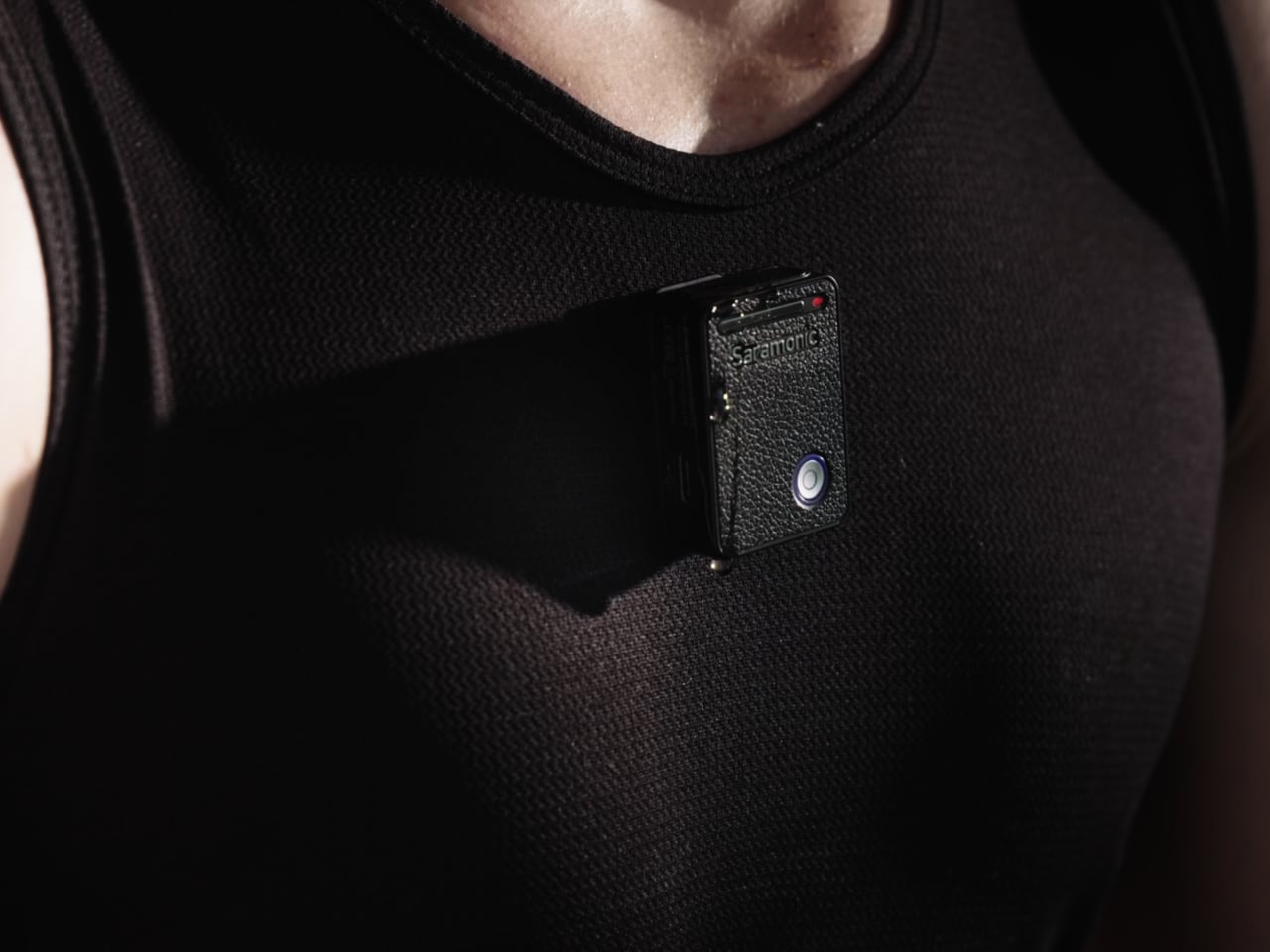
The Saramonic Ultra wireless mic also has an IPX5 waterproof rating, making it ideal for outdoor shoots where unexpected rain or humidity might compromise your gear. From documenting nature to covering live outdoor events or filming in unpredictable conditions, the Ultra’s waterproof design ensures reliability, allowing creators to focus on the content without worrying about their equipment.

User-Friendly Design That Prioritizes Comfort and Efficiency

The Saramonic Ultra wireless mic has been designed to be as intuitive as possible, reducing friction in the creative process. Its physical design, interface, and connectivity features are all aligned to enhance the user experience, making it a versatile choice for professionals.

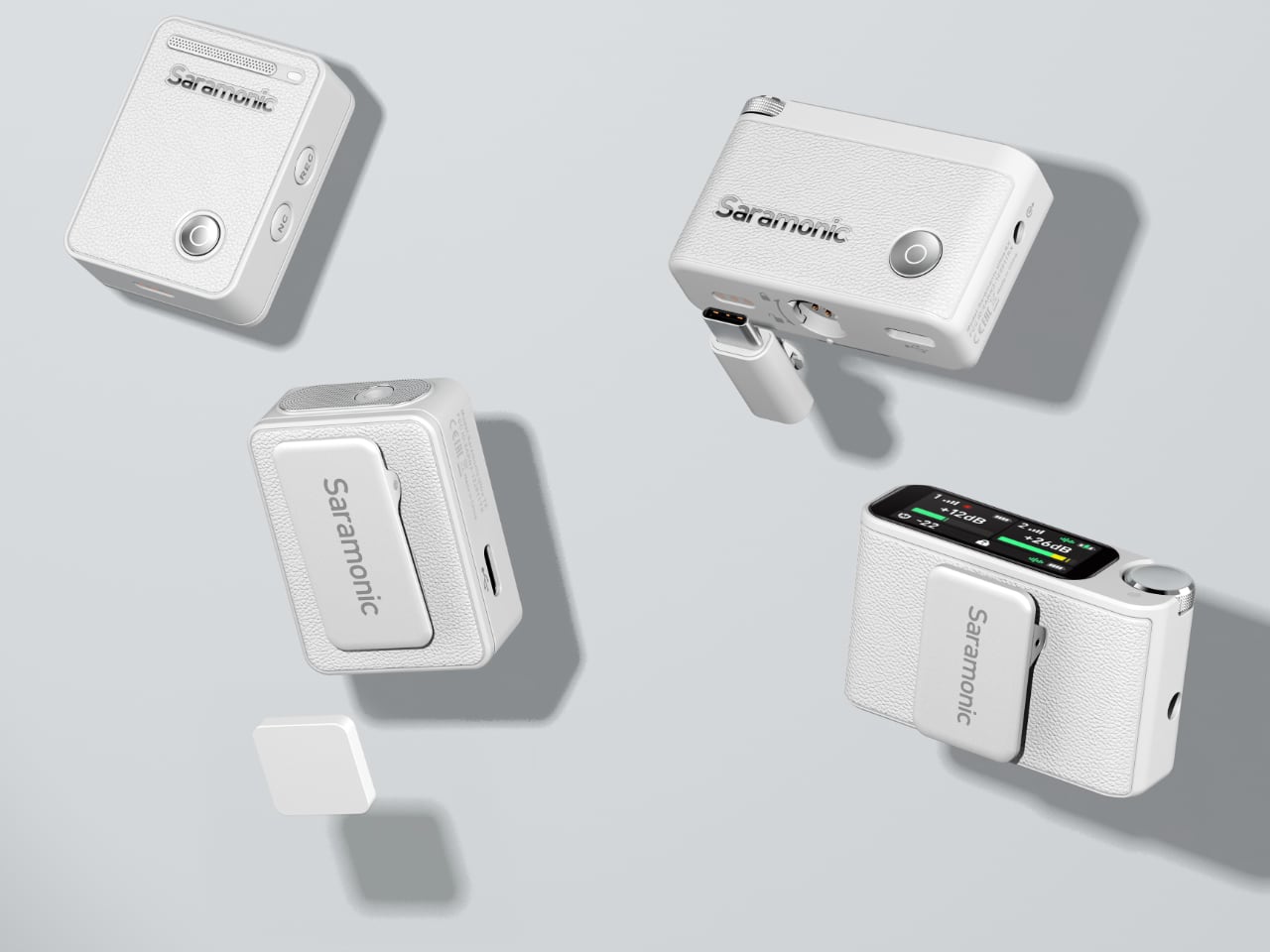
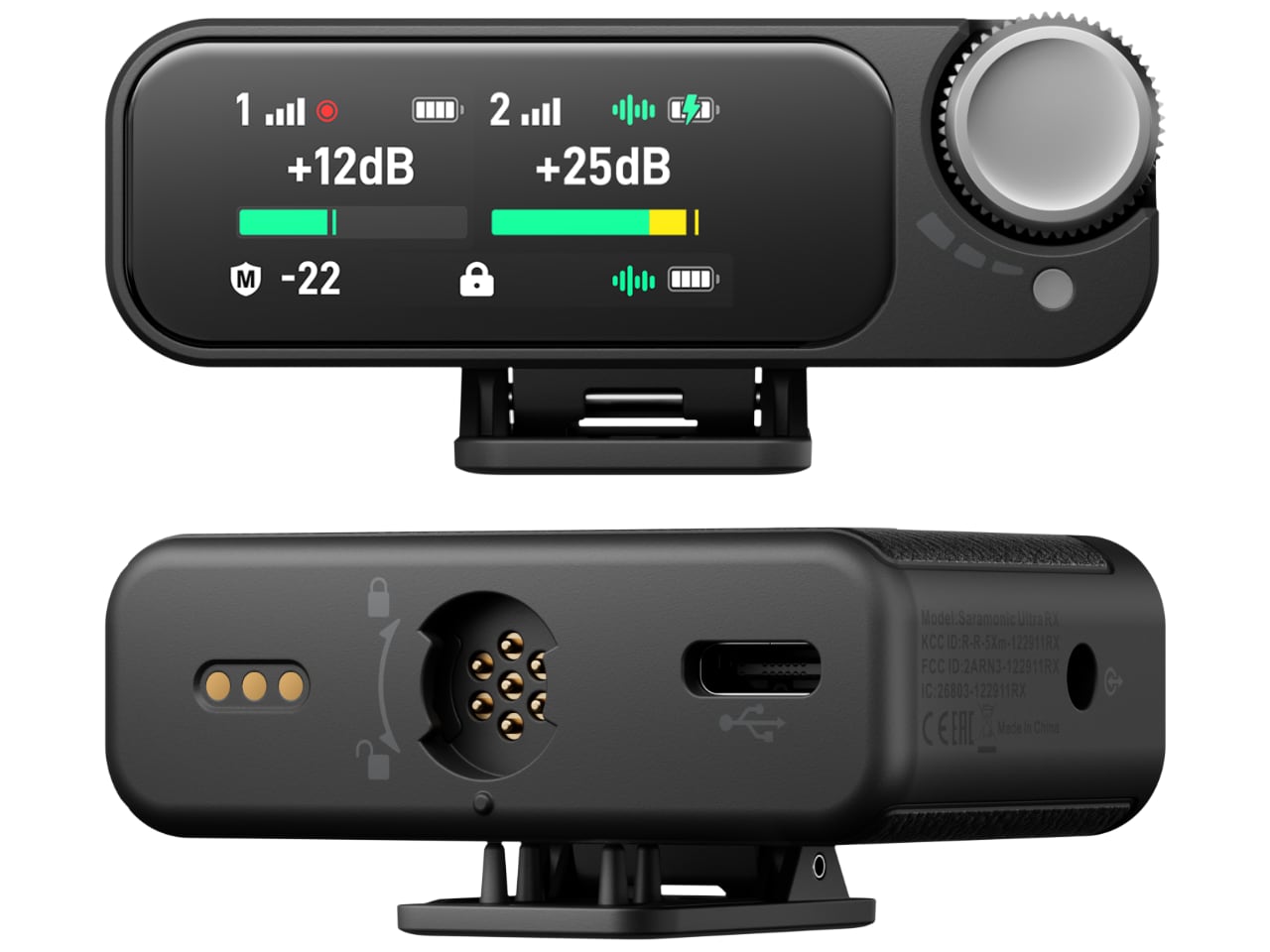
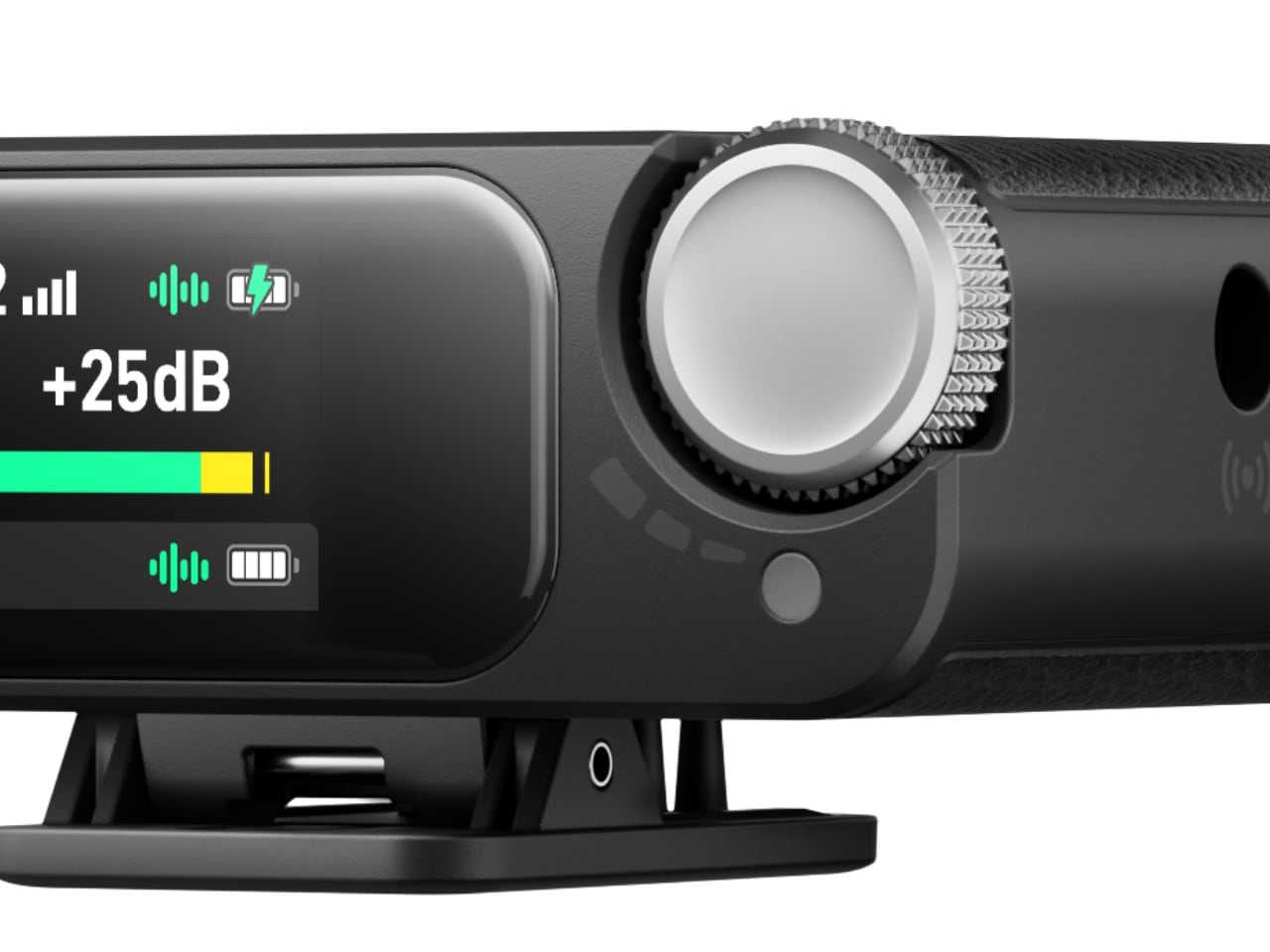
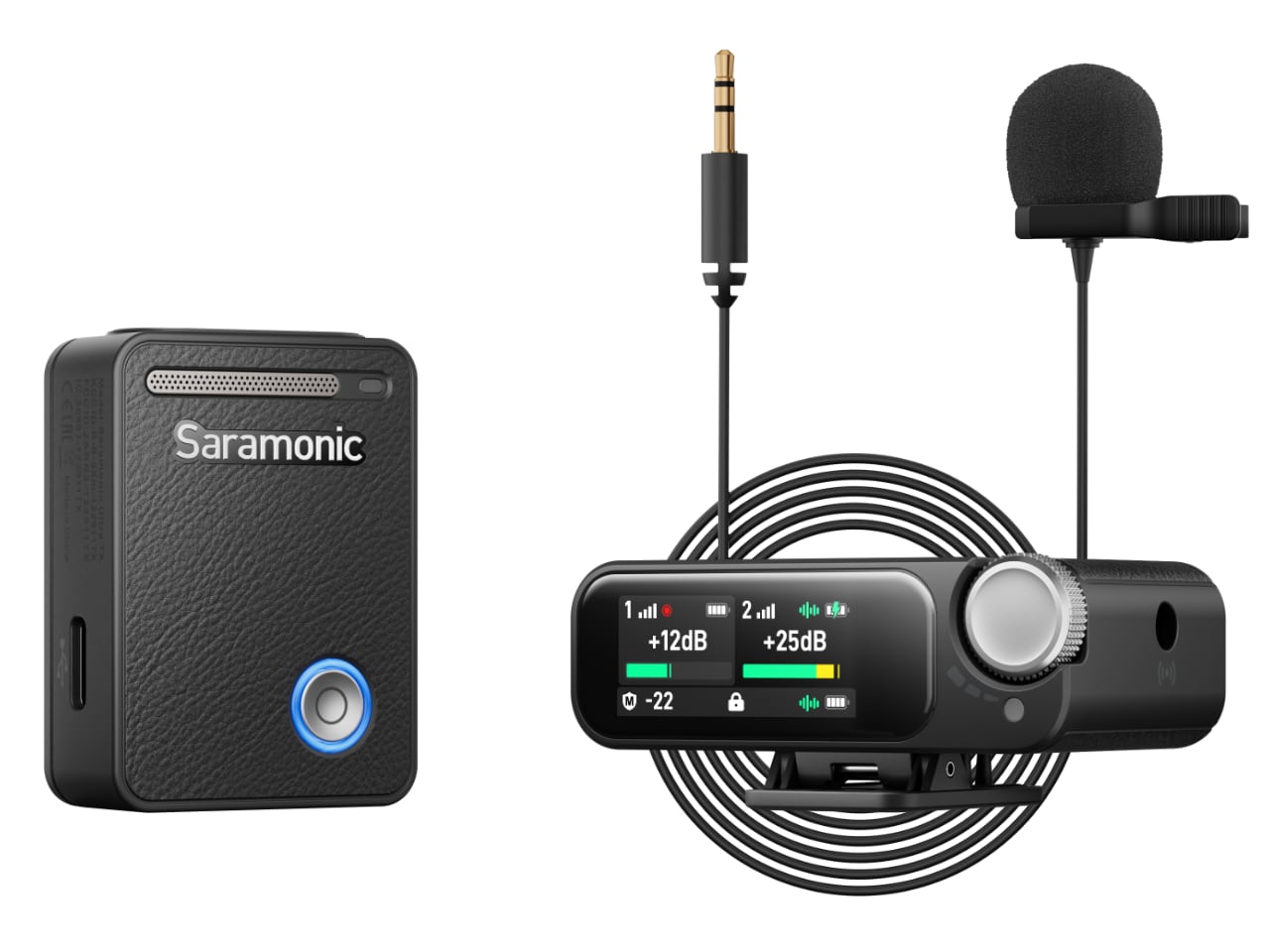
The Saramonic Ultra’s 1.1-inch AMOLED touchscreen provides real-time information such as battery life, audio levels, and signal strength, making it easy for users to monitor and adjust settings on the go, even in low light or direct sunlight.

A convenient physical knob complements the touchscreen, offering tactile control over key settings. This combination allows for easy setting adjustments, whether fine-tuning audio levels or navigating the interface, ensuring the system is incredibly user-friendly.

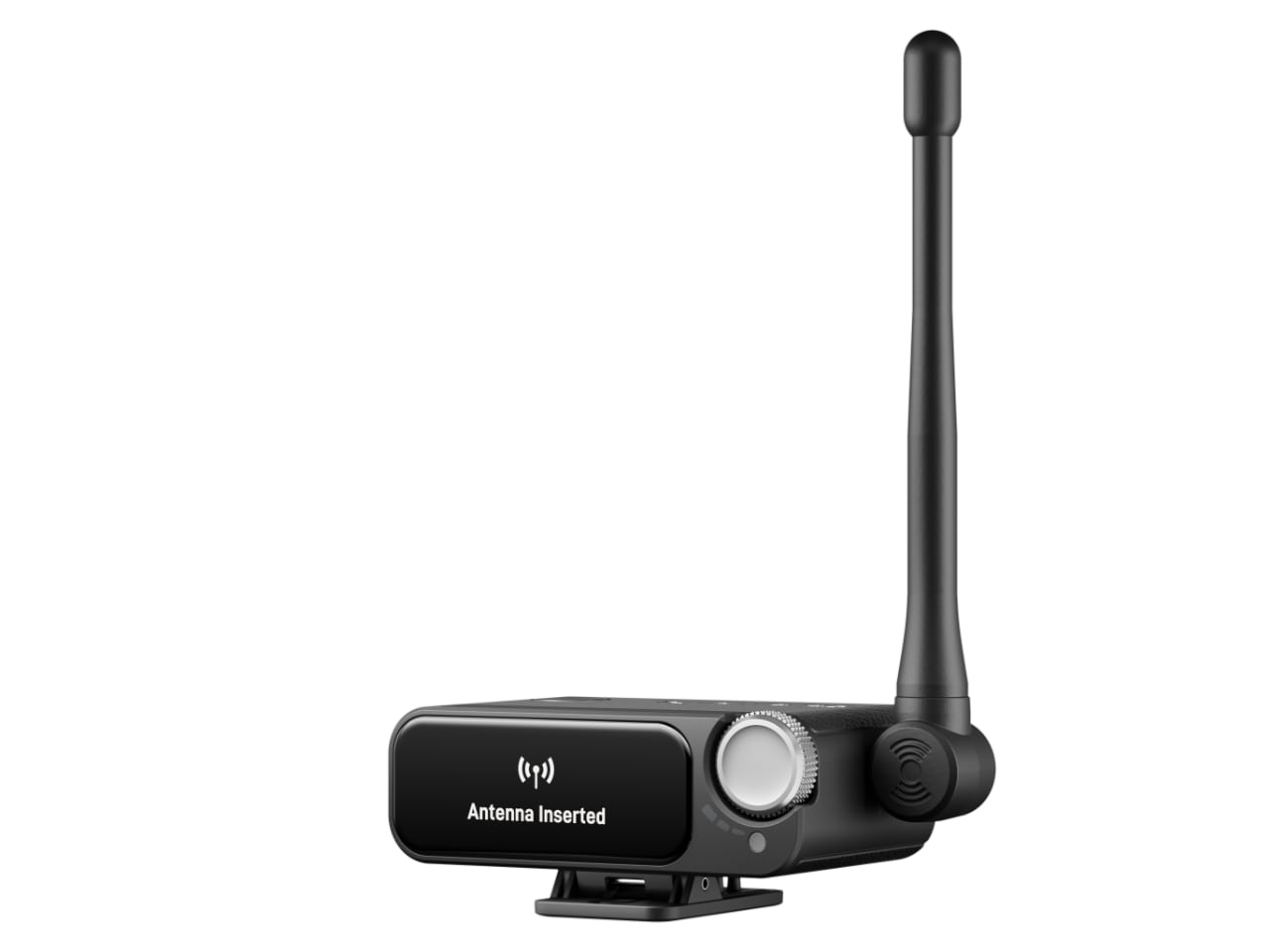
The Saramonic Ultra also features an external antenna, ensuring reliable wireless transmission even at distances up to 300 meters, which makes it a dependable choice for larger sets or outdoor environments.

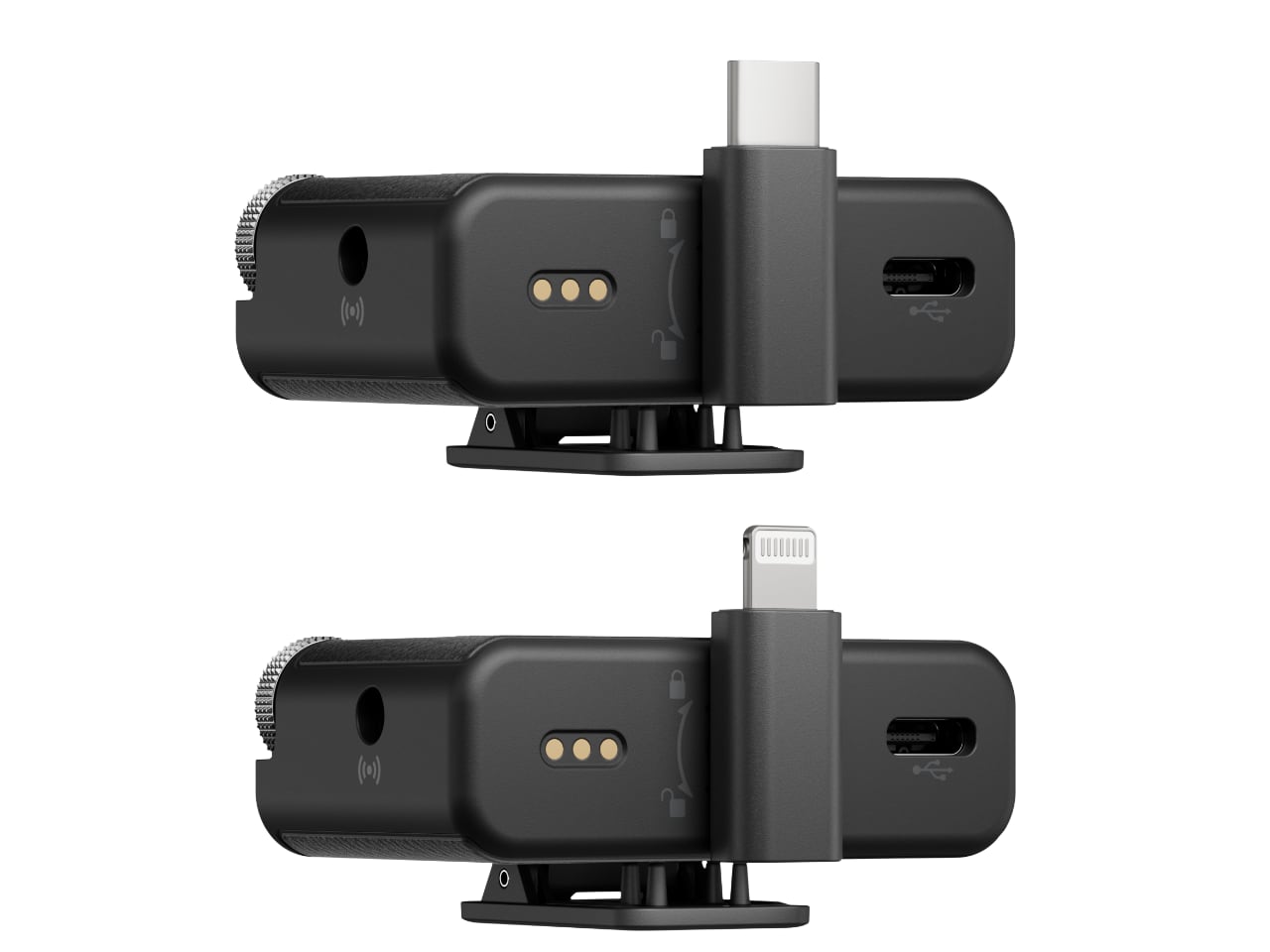
Designed with versatility in mind, the Saramonic Ultra wireless mic features interchangeable Lightning and USB-C connectors. This ensures compatibility with a wide range of devices, from professional cameras to smartphones. Be it in a studio setting or shooting on location, the connectors make it easy to integrate the microphone into different workflows seamlessly.

The fixed 3.5mm female jack also adds to the connectivity options, ensuring that older equipment or specific setups requiring traditional connections can still be used without fuss. It’s all about providing flexibility without sacrificing simplicity.

Real-World Applications—Where the Saramonic Ultra Shines

A good microphone system adapts to a variety of settings and demands. The Saramonic Ultra wireless mic is suited to a wide range of applications, making it a versatile tool for creators across different industries.

The Saramonic Ultra wireless mic is a natural fit for film production and content creation, where capturing synchronized, high-quality audio is non-negotiable. The Timecode synchronization and 32-bit float recording make post-production much smoother, reducing the need for manual sync corrections and ensuring clean, detailed sound.

For live event coverage, the Saramonic Ultra wireless mic’s ability to handle high SPL, combined with intelligent noise management, makes it invaluable. It captures crisp, clear sound even when faced with fluctuating volume levels, ensuring consistent audio quality from the stage to the soundboard.

The rugged IPX5 waterproof rating means that the Saramonic Ultra wireless mic can operate reliably in harsh outdoor environments. From journalism to wildlife documentary work or adventurous travel vlogging, this microphone system is built to endure tough conditions, giving creators one less thing to worry about.

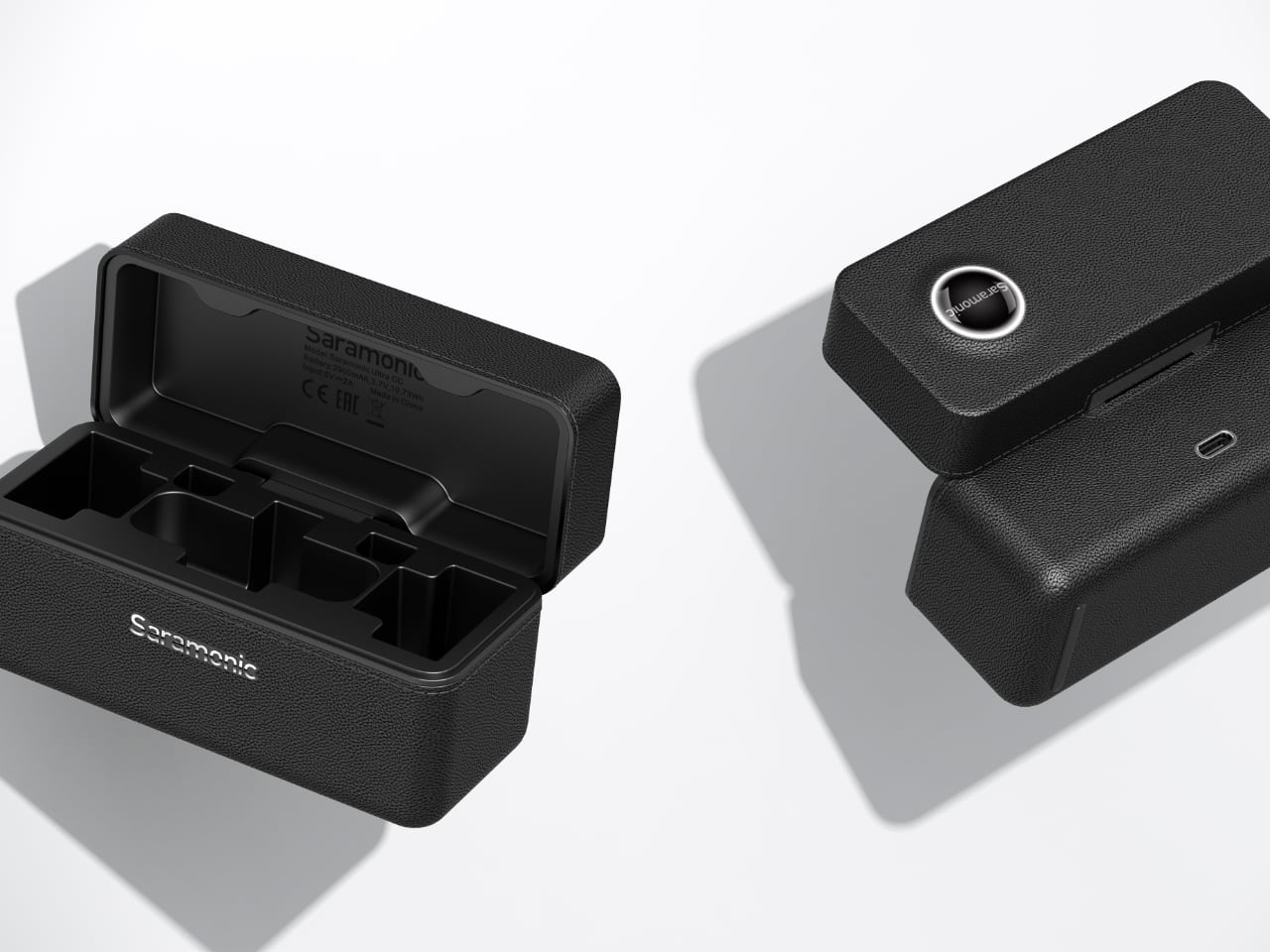
The included charging case further enhances usability, featuring dimensions of 117 × 48.5 × 62.4 mm and a weight of 210.5 g, making it highly portable. The case offers more than one full charging cycle for two transmitters and one receiver, ensuring the system remains powered for longer shoots. With a 2900 mAh battery capacity, the charging case provides up to 24 hours of operating time, making it invaluable during extended sessions or on-location shoots without power access.

Pricing and Availability

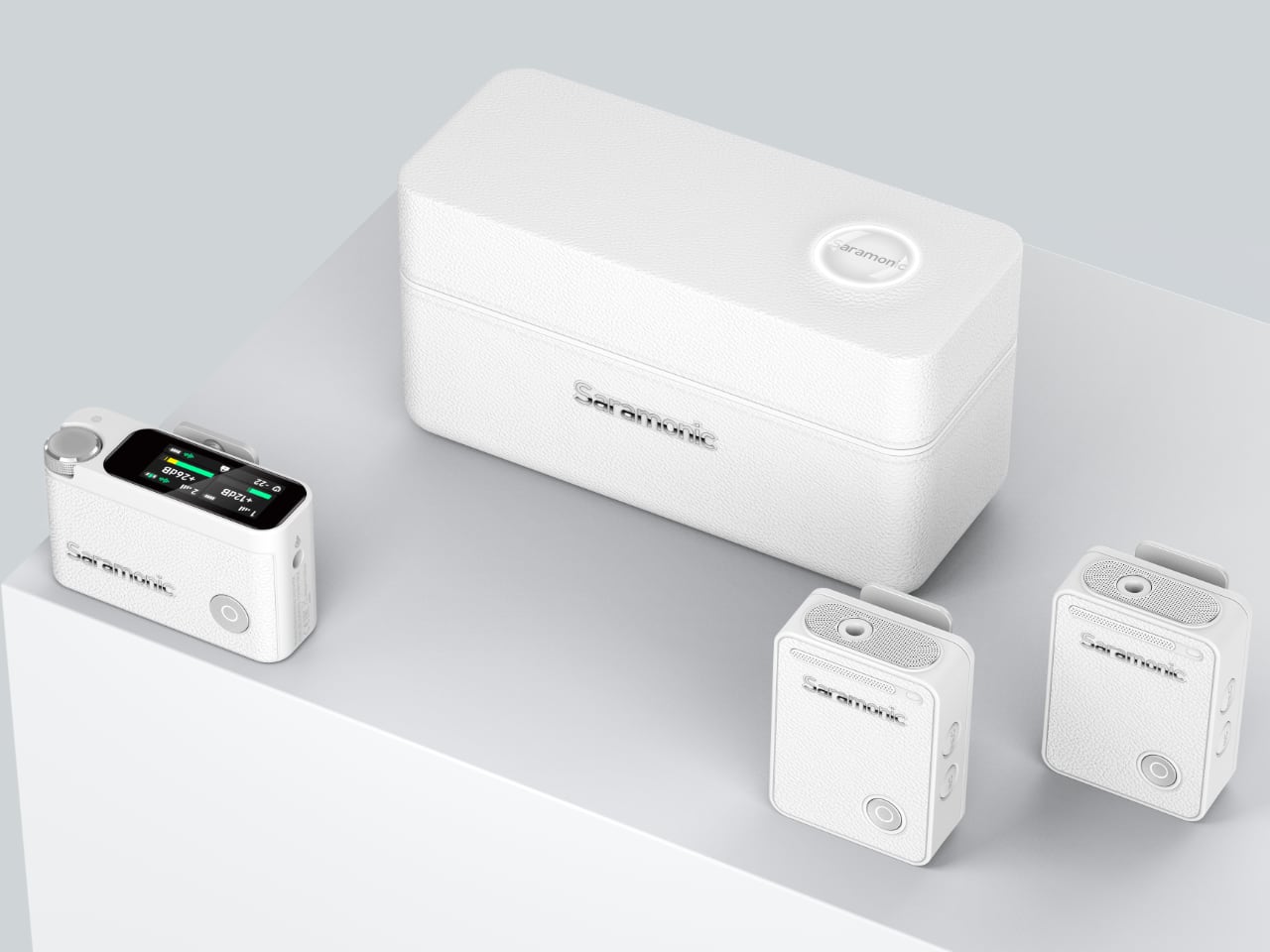
Saramonic understands that creators have different needs, which is why they offer two configurations for the Ultra: the standard version at $269 and a dual Lavalier setup at $299. The Saramonic Ultra is available in two color options: Black and White, giving creators the freedom to choose a style that best suits their preferences and setup.

The Ultra will be available for pre-order from November 7th and will officially launch on November 21st. Available through Saramonic’s website and a network of global retail partners, the Ultra is accessible to professionals worldwide who are ready to enhance their audio recording capabilities.

The Saramonic Ultra 2-Channel Wireless Microphone System delivers versatility, high-quality audio capture, intuitive design, and reliability on all fronts. Whether for film production, live event recording, or rugged outdoor environments, this system adapts seamlessly, ensuring that the technical aspects of sound don’t interfere with creativity.

The post Discover Pro-Level Features with the Saramonic Ultra Wireless Mic—Built for Creators first appeared on Yanko Design.

8BitDo unveils Retro Mechanical Keyboard with 108-key integrated Numpad, shipping begins December 12

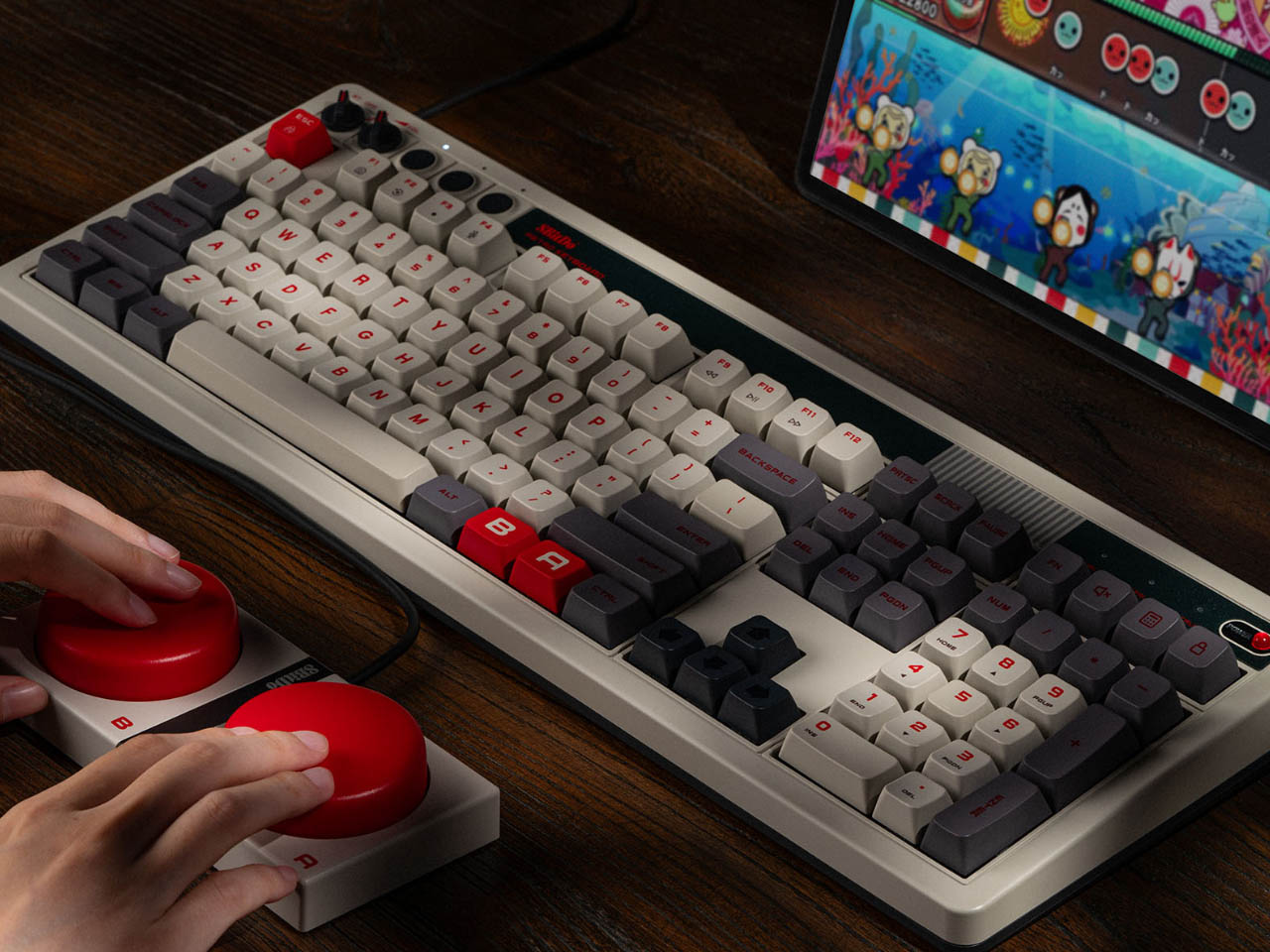
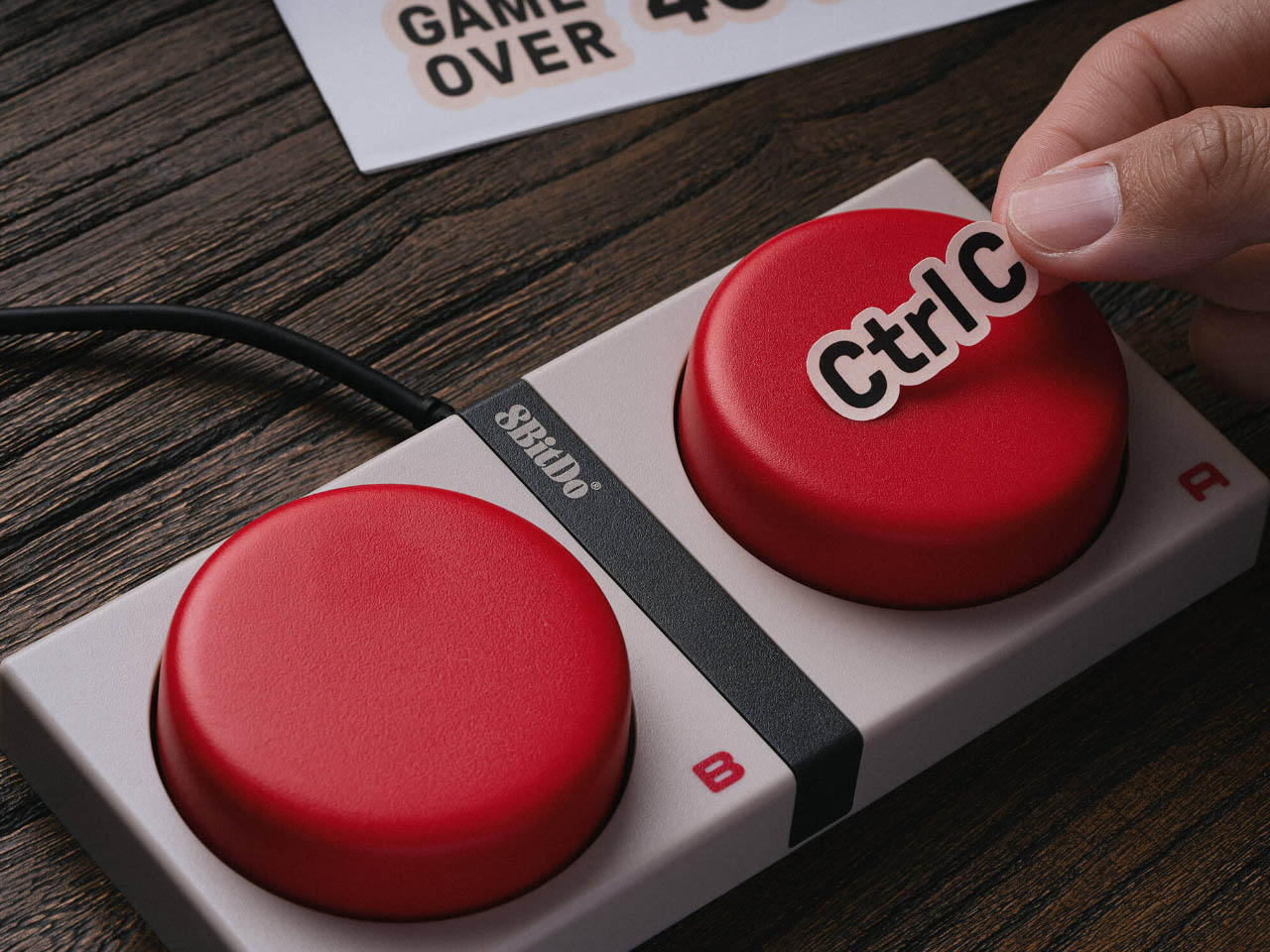
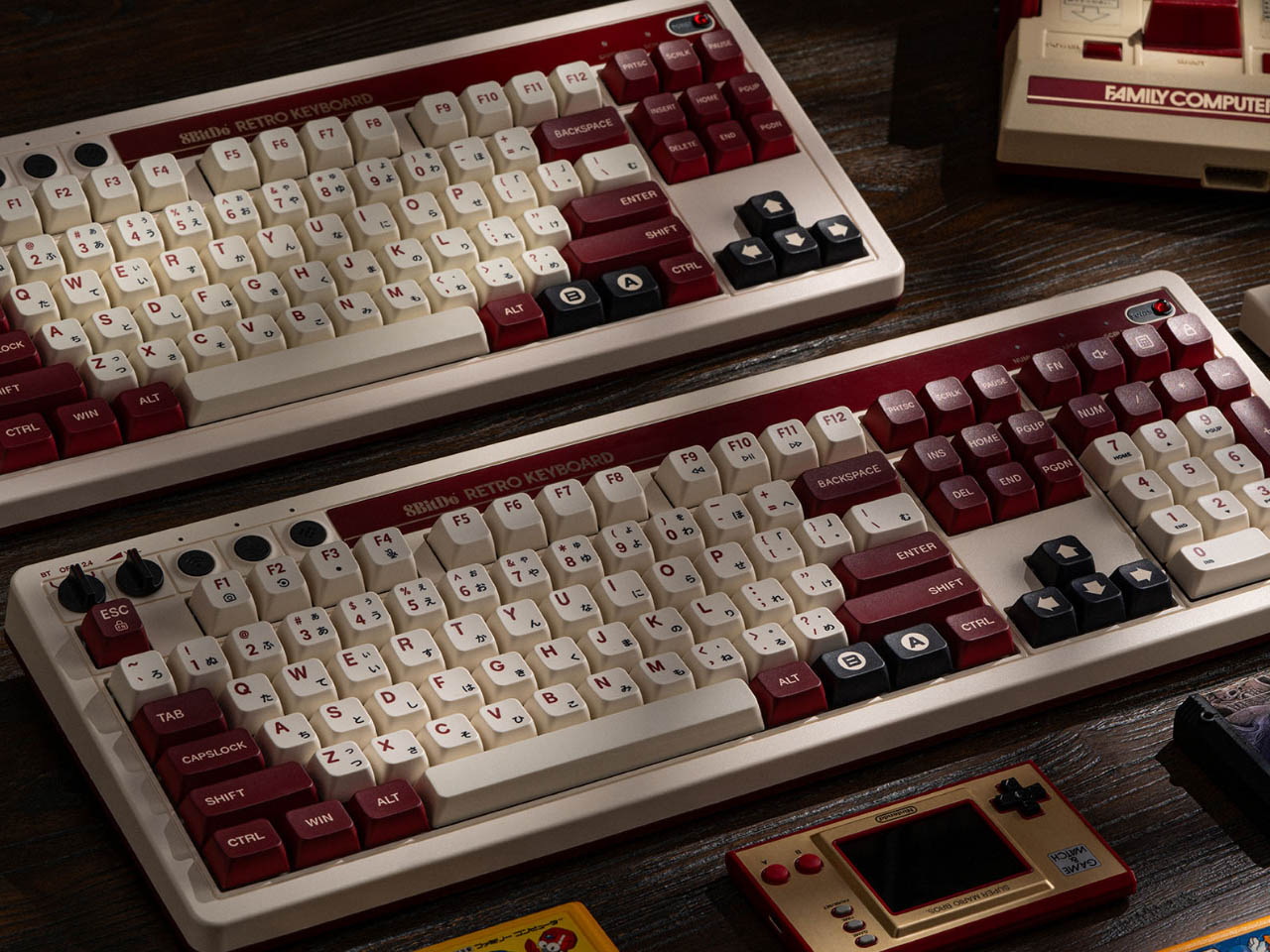
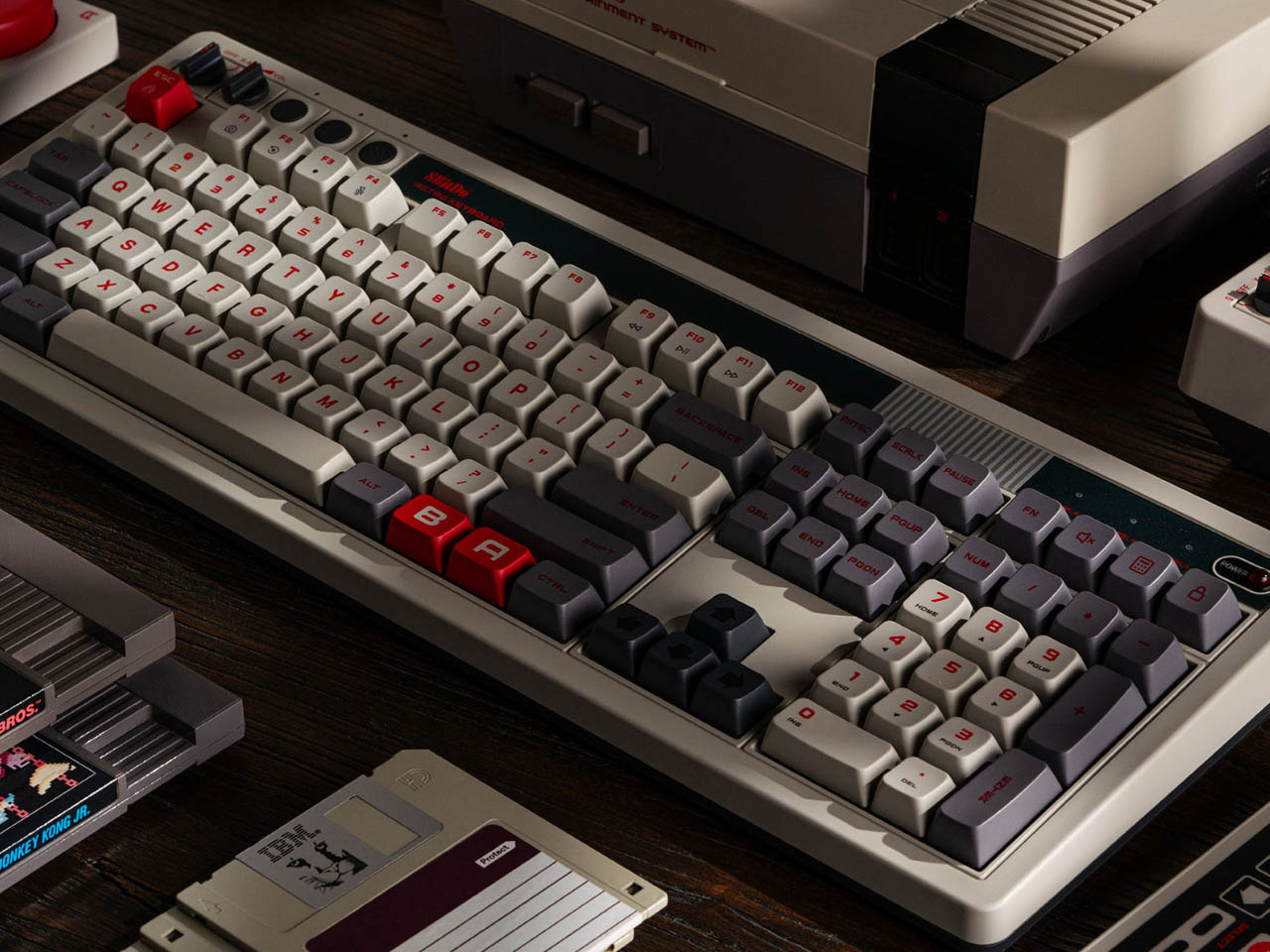
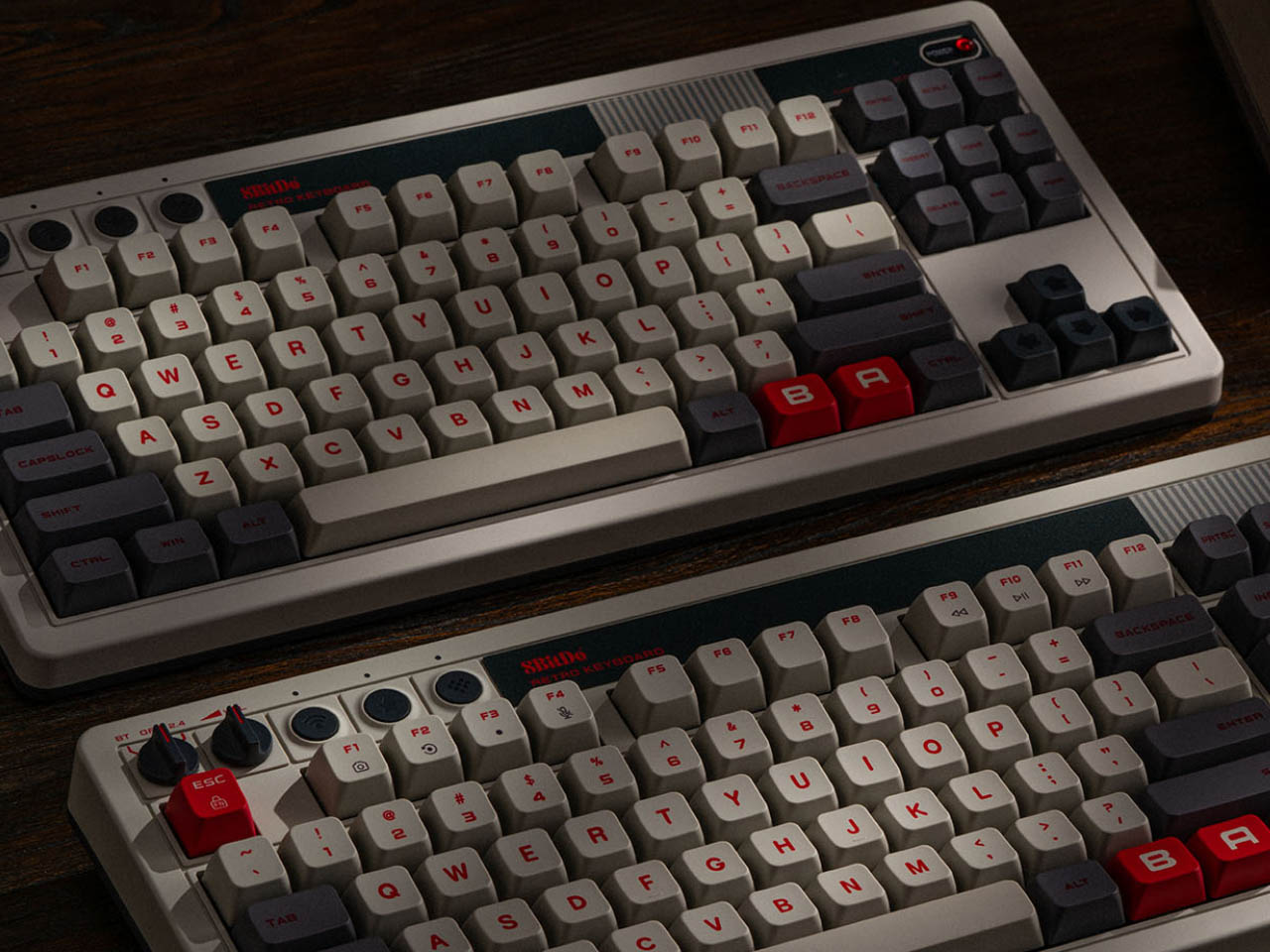
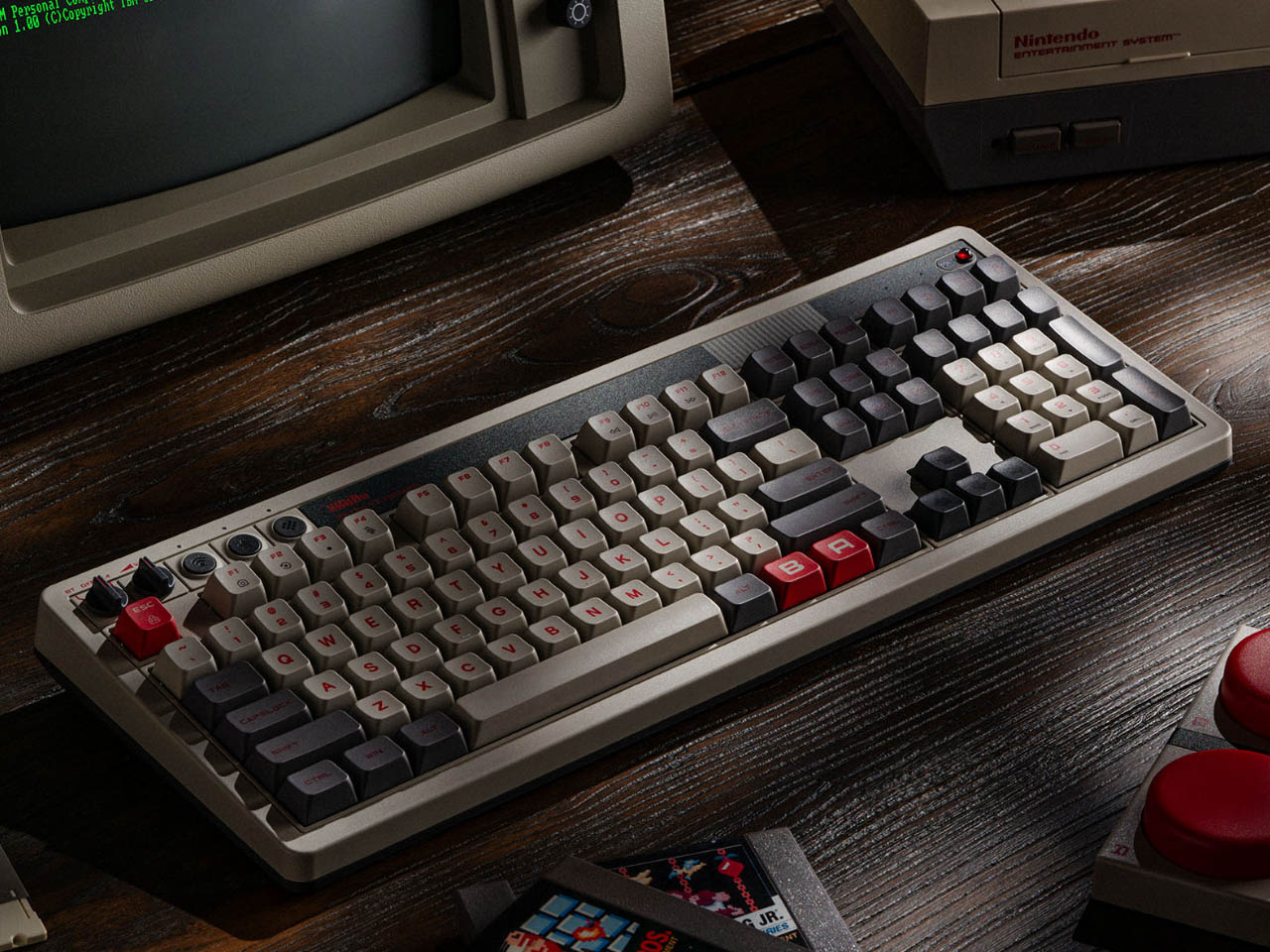
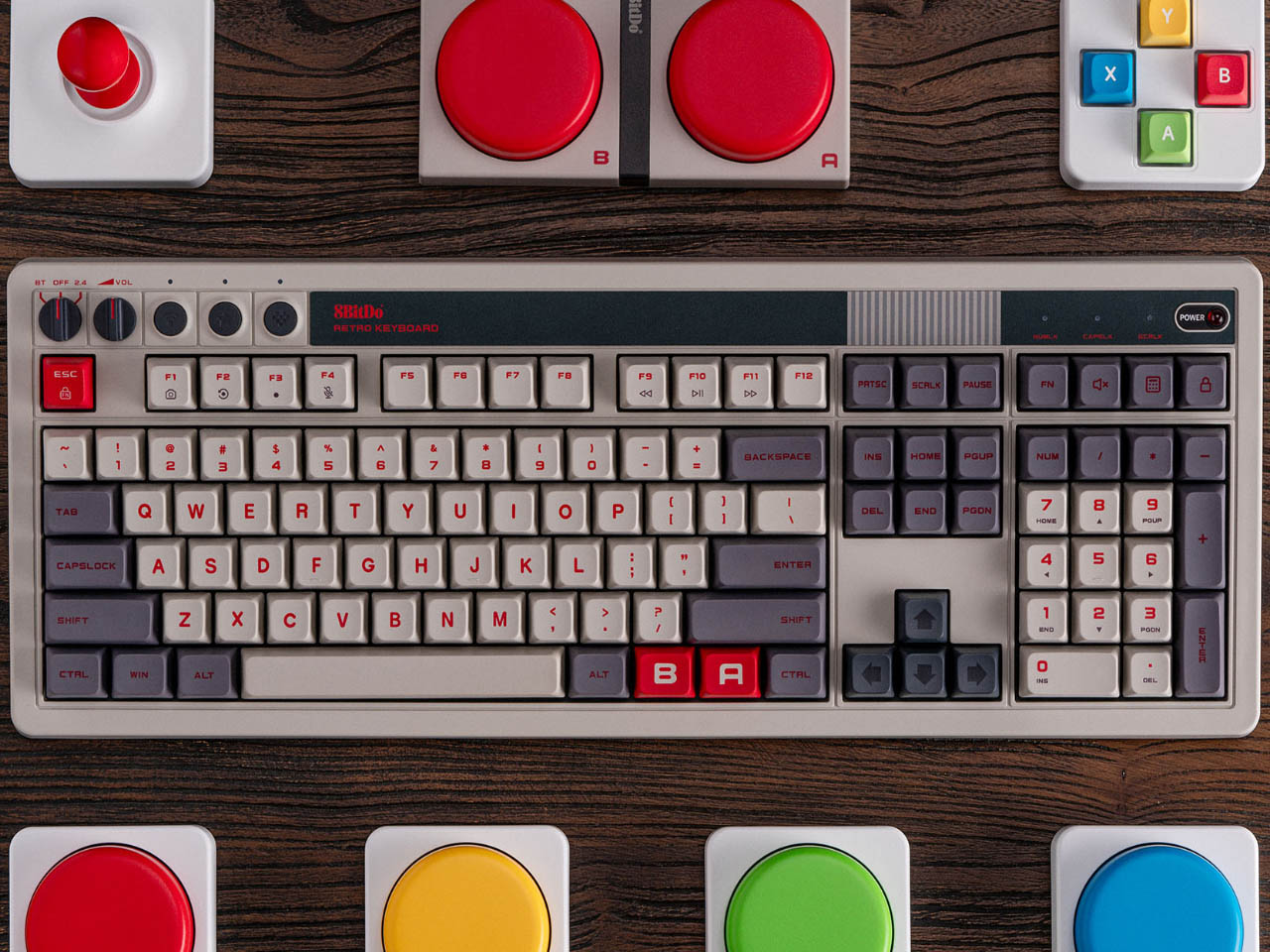
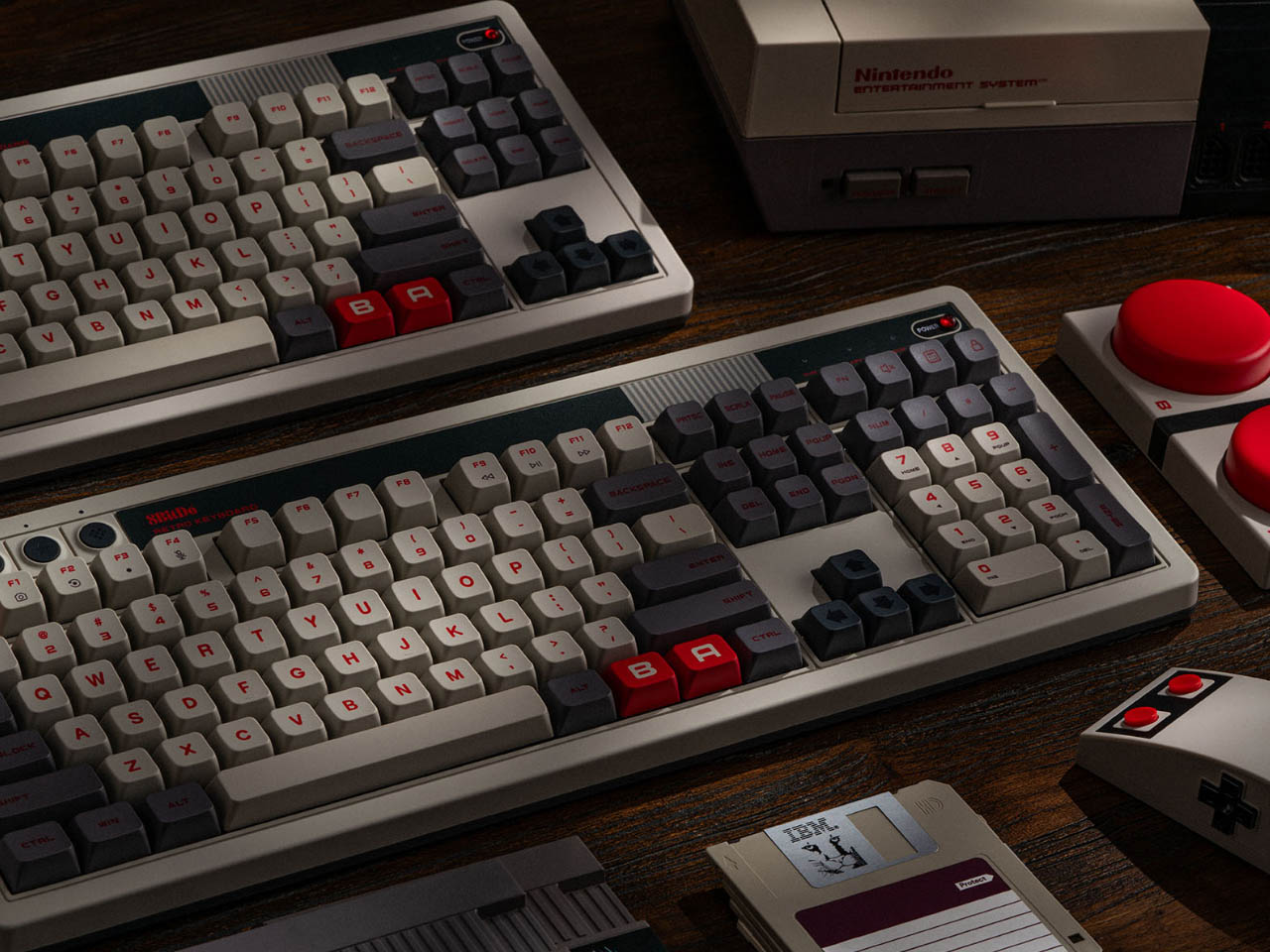
8BitDo is famous for its retro-themed accessories, especially mechanical keyboards inspired by the classics. Joining the foray is the full-size version of the company’s Retro Mechanical Keyboard. There is not much that has changed from the classic except that the 8BitDo Retro 108 Mechanical Keyboard comes in a 108-Key full layout complete with Numpad integrated into it. This makes it 22 percent wider than its predecessor.

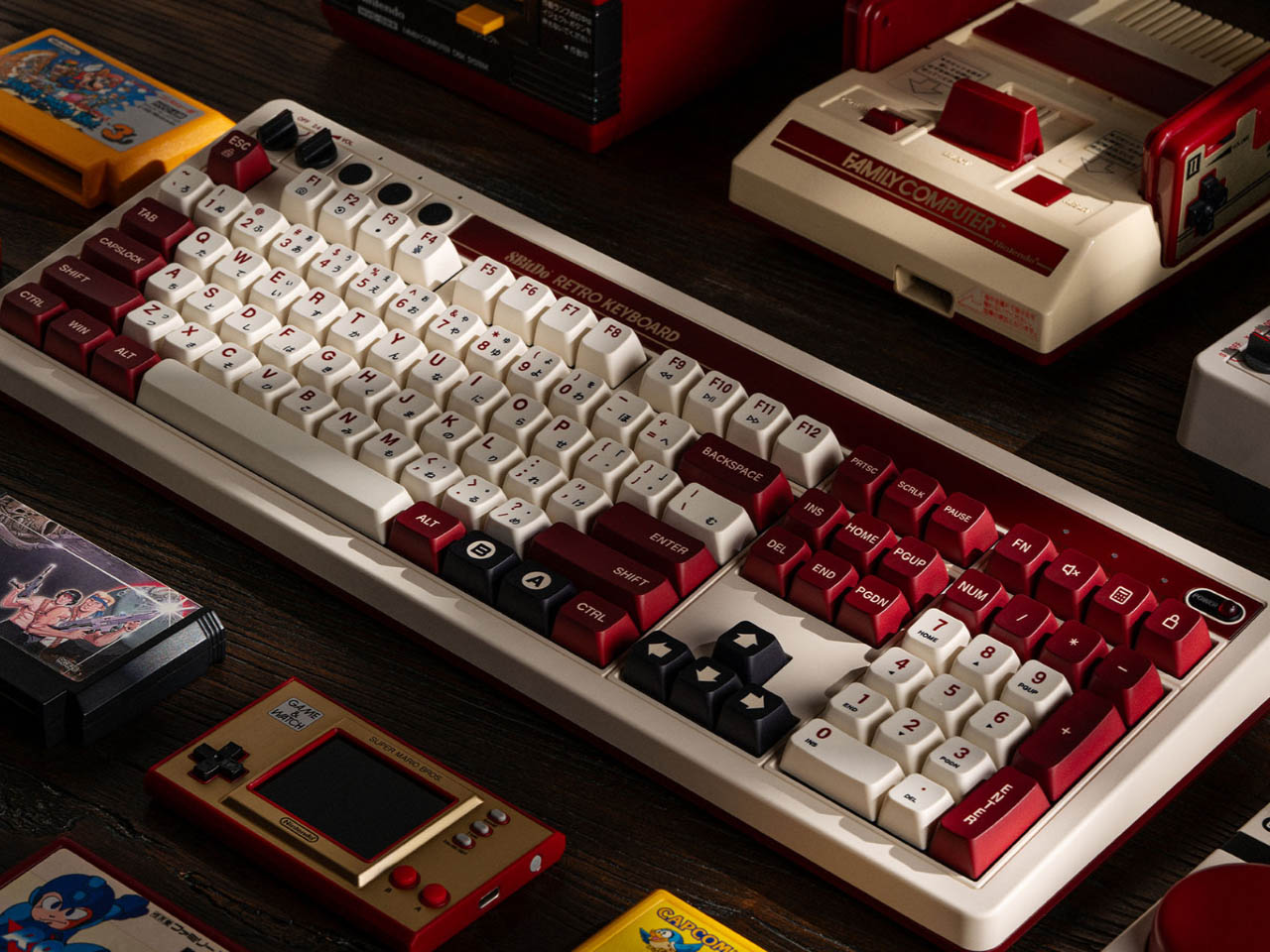
Carrying the recognizable NES or Famicom theming, aside from the extra width to accommodate the Numpad, there is nothing much to separate it from the original tenkeyless layout board. The retro-modern peripheral comes in two variants – one is an NES-inspired version draped in white, dark gray and black color, while the other one based on the Famicom model features a white and crimson colorway with Japanese characters placed beneath English lettering. If that’s enough to win you, the Mechanical Keyboard is available for preorder at $119 through Amazon. The price is almost $30 more than the original, selling at a discount of $90 on Amazon!

Designer: 8BitDo

Click Here to Buy Now

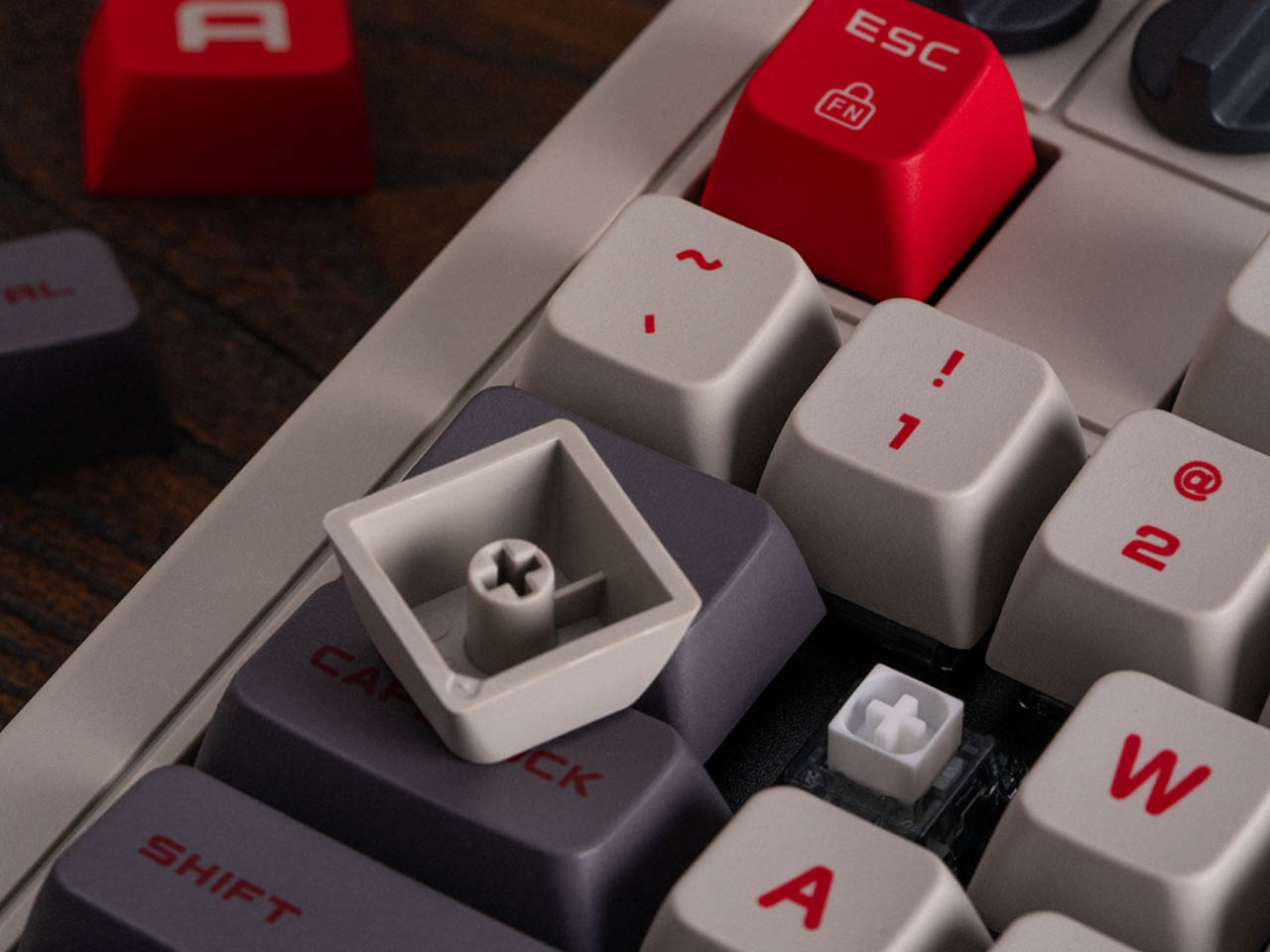
The 8BitDo Retro 108 Mechanical Keyboard with integrated Numpad, hot-swappable Kailh Box White key switches, and Bluetooth is compatible with Android and Windows. The keyboard will start shipping from December 12, 2024, featuring dye-sub PBT keycaps and function key shortcuts.

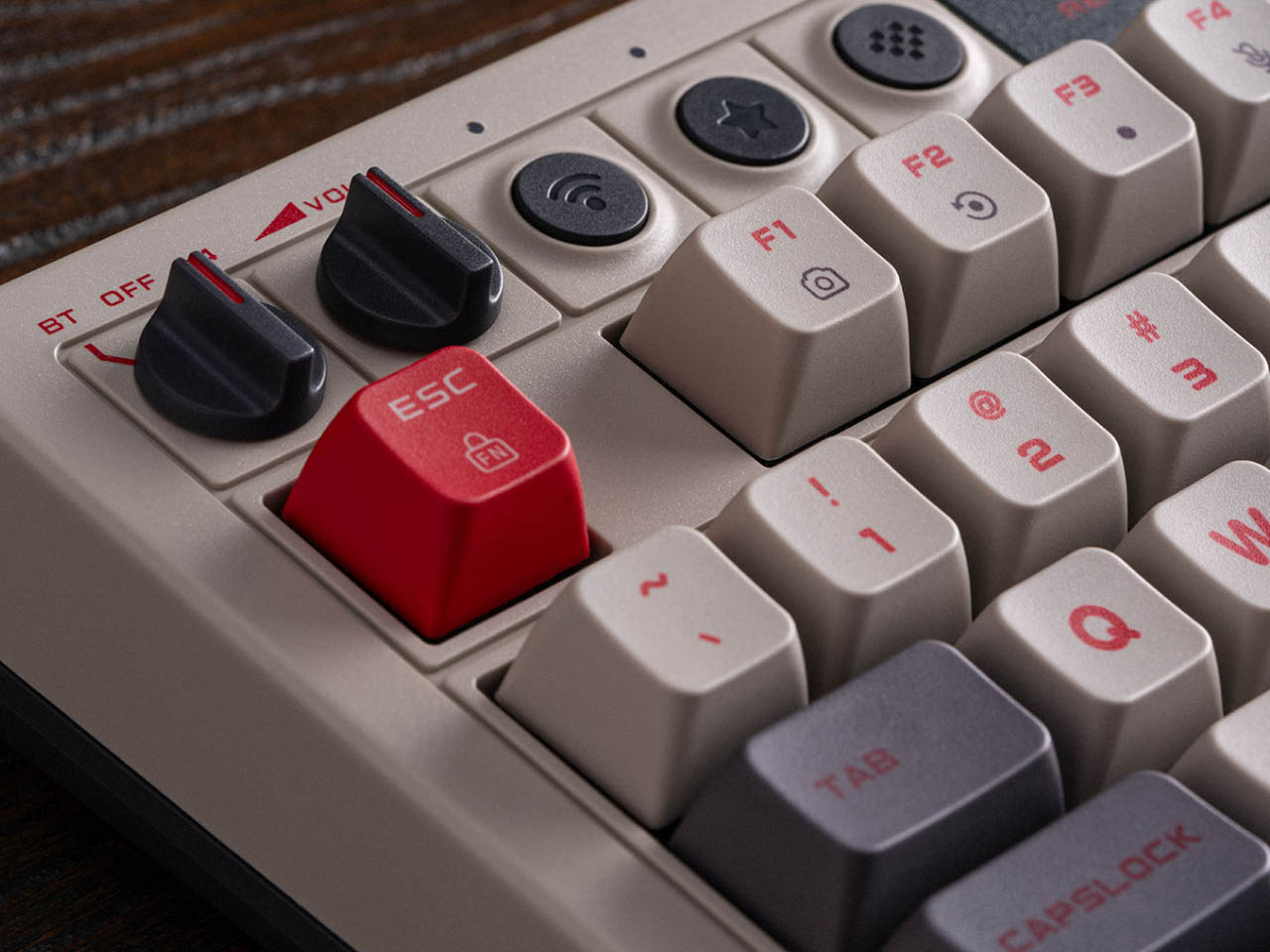
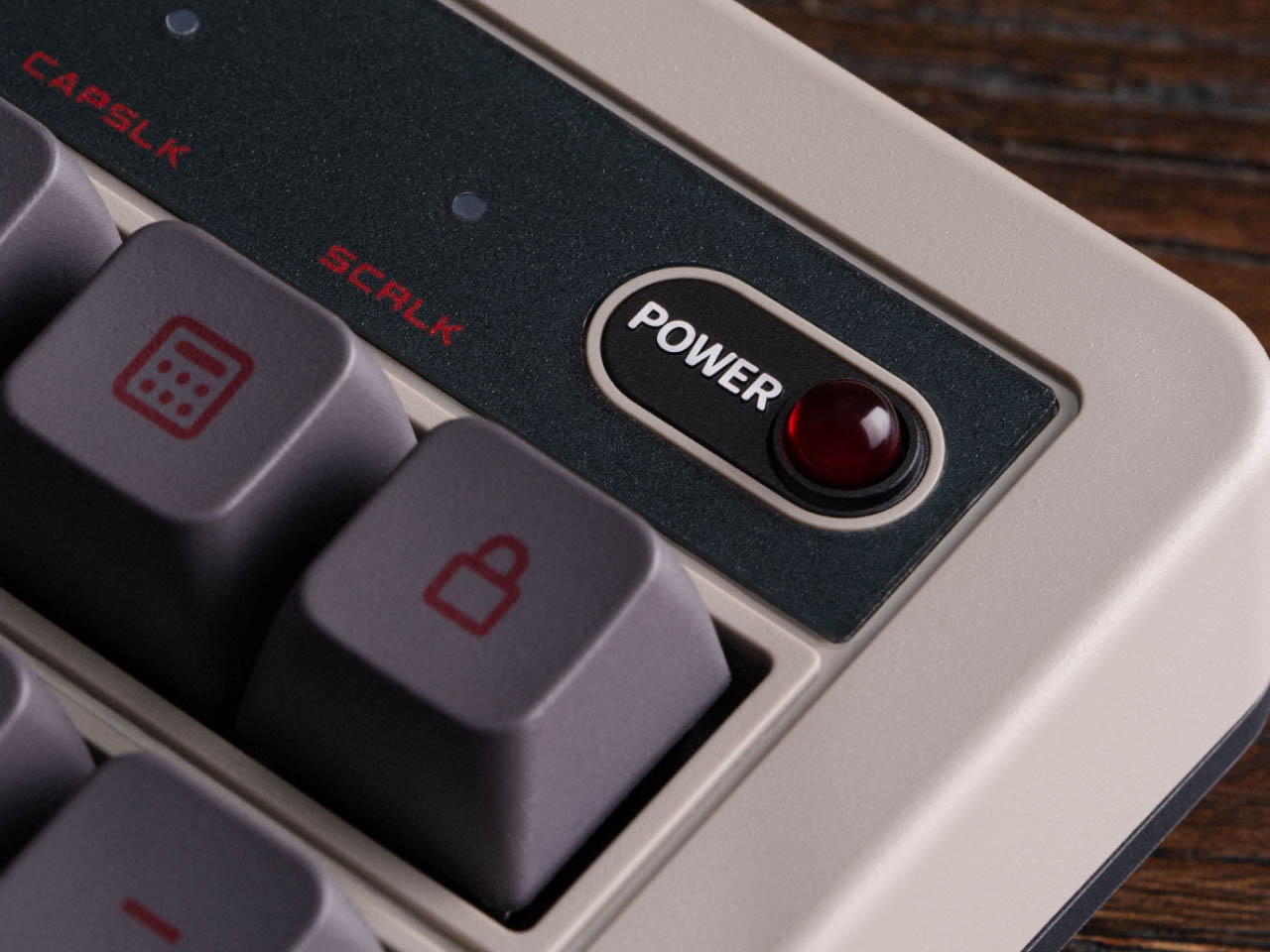
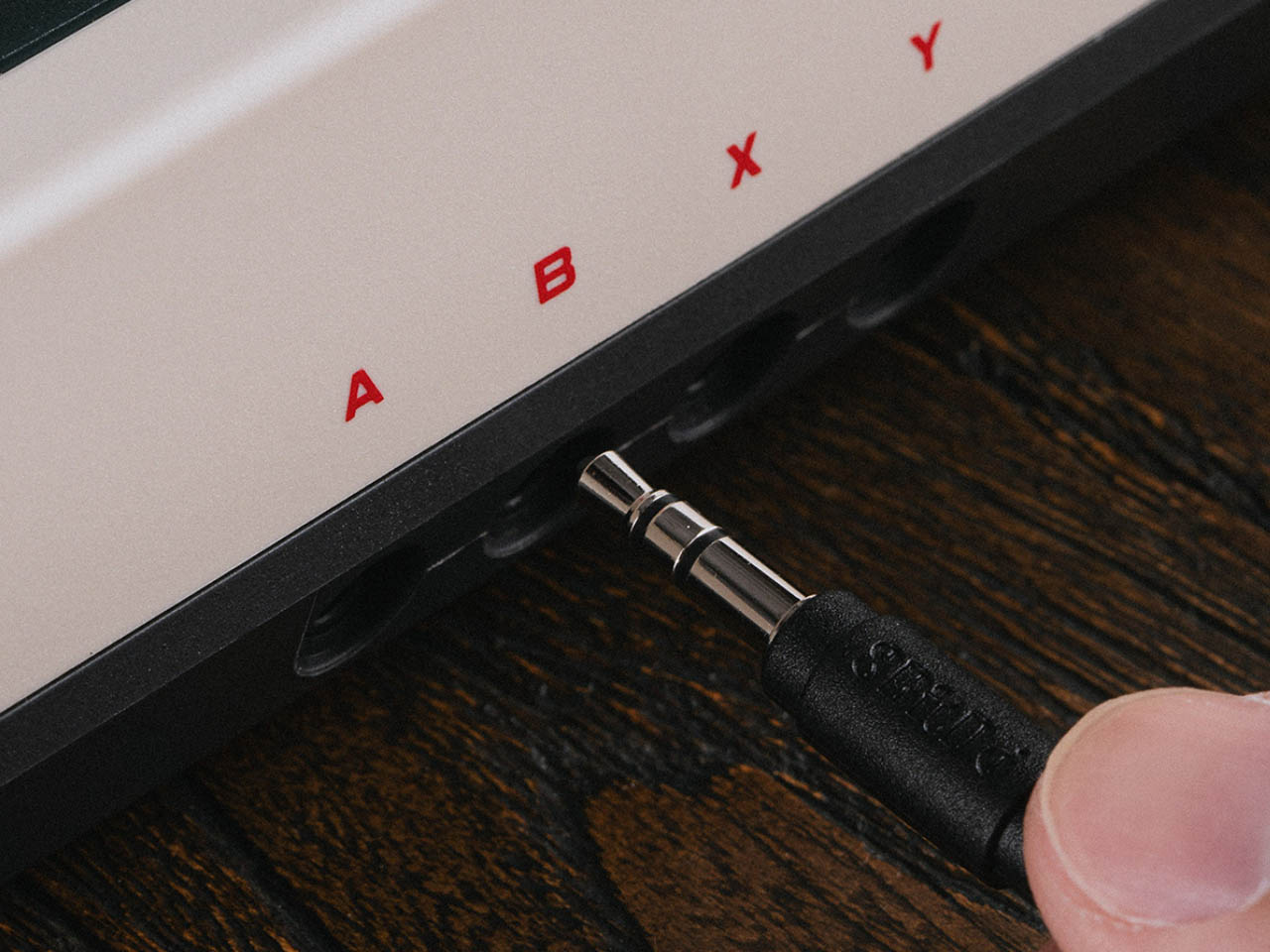
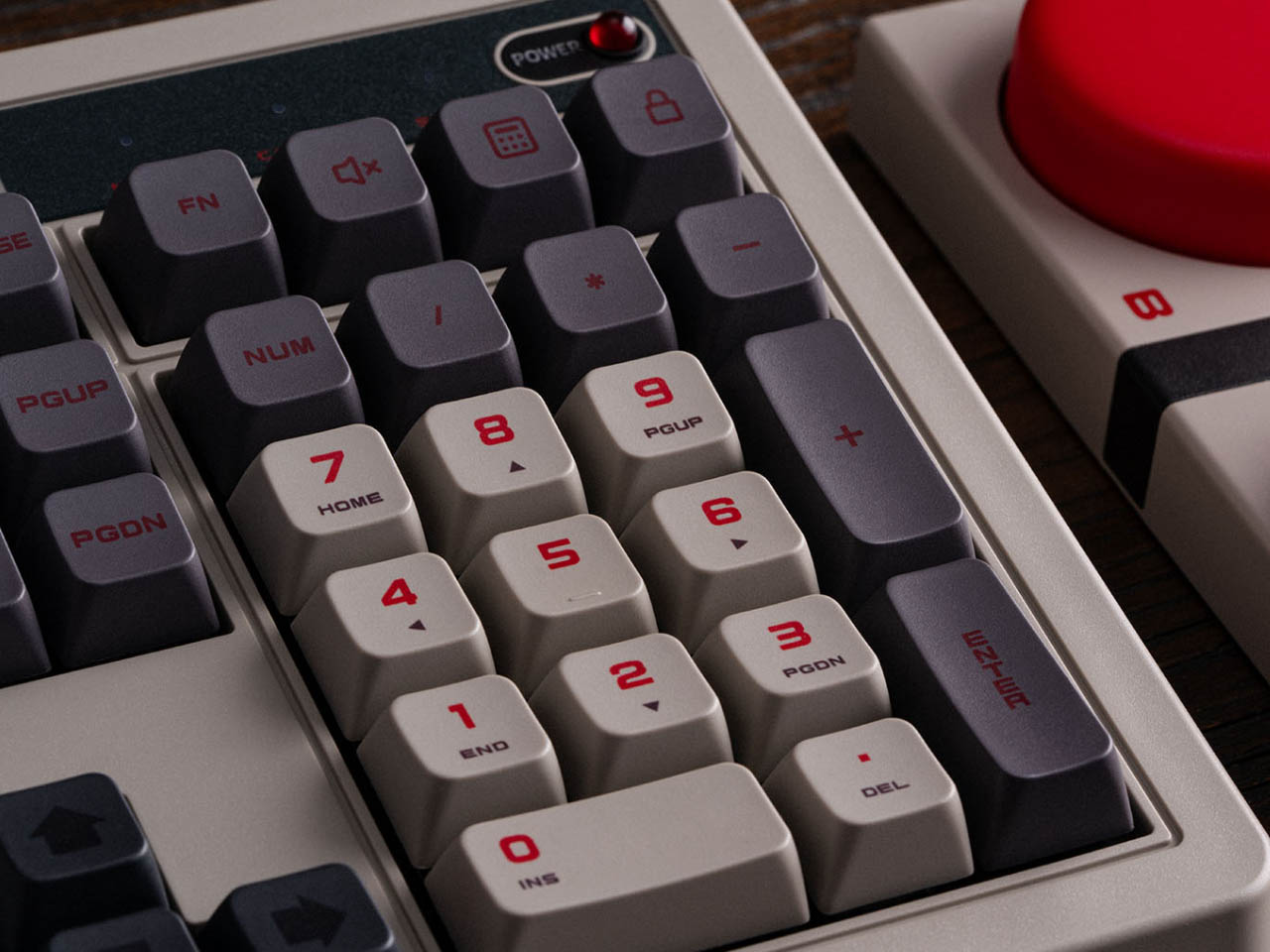
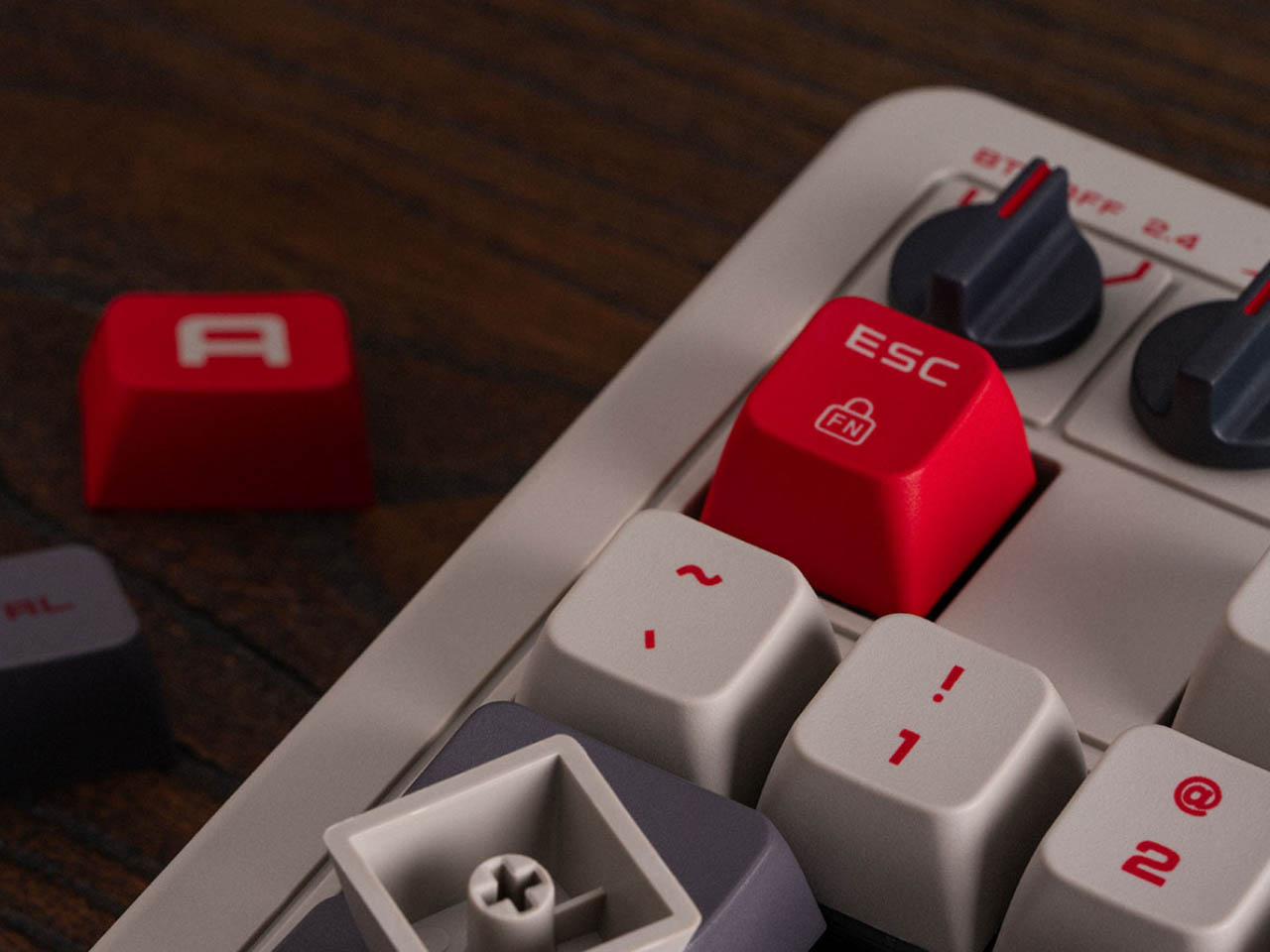
As apparent from the images, the numpad on the right features Windows shortcut keys, a calculator lock button, and a screen lock button. At the same time, a pair of tactile input knobs on the top left comprise a dedicated volume dial and a three-way toggle that allows the user to switch between Bluetooth and 2.4GHz, or turning the keyboard wireless capabilities off and use the USB cable for reduced lag during your gaming sessions.

Along with the Retro 108 Mechanical Keyboard comes the identifiable over-sized programmable Super Buttons (in red, blue or yellow options) that connect to the new keyboard through a 3.5mm cable. This is an add-on accessory that’ll cost another $30 each. Besides coming forth as a refined version of the original, the keyboard is also a tribute to the Nintendo’s NES and Famicom consoles as it comes in their thematic colorways.

Click Here to Buy Now


The post 8BitDo unveils Retro Mechanical Keyboard with 108-key integrated Numpad, shipping begins December 12 first appeared on Yanko Design.