Two Makers Just Built the Pocket Linux PC Big Tech Refused To Make

The commercial laptop market has gotten good at making portable computers slim and powerful, but it hasn’t quite figured out what to do with people who want something truly pocketable. A growing number of DIY enthusiasts have taken matters into their own hands, building compact personal computers known as cyberdecks from scratch, and the results have been growing increasingly polished and impressive.

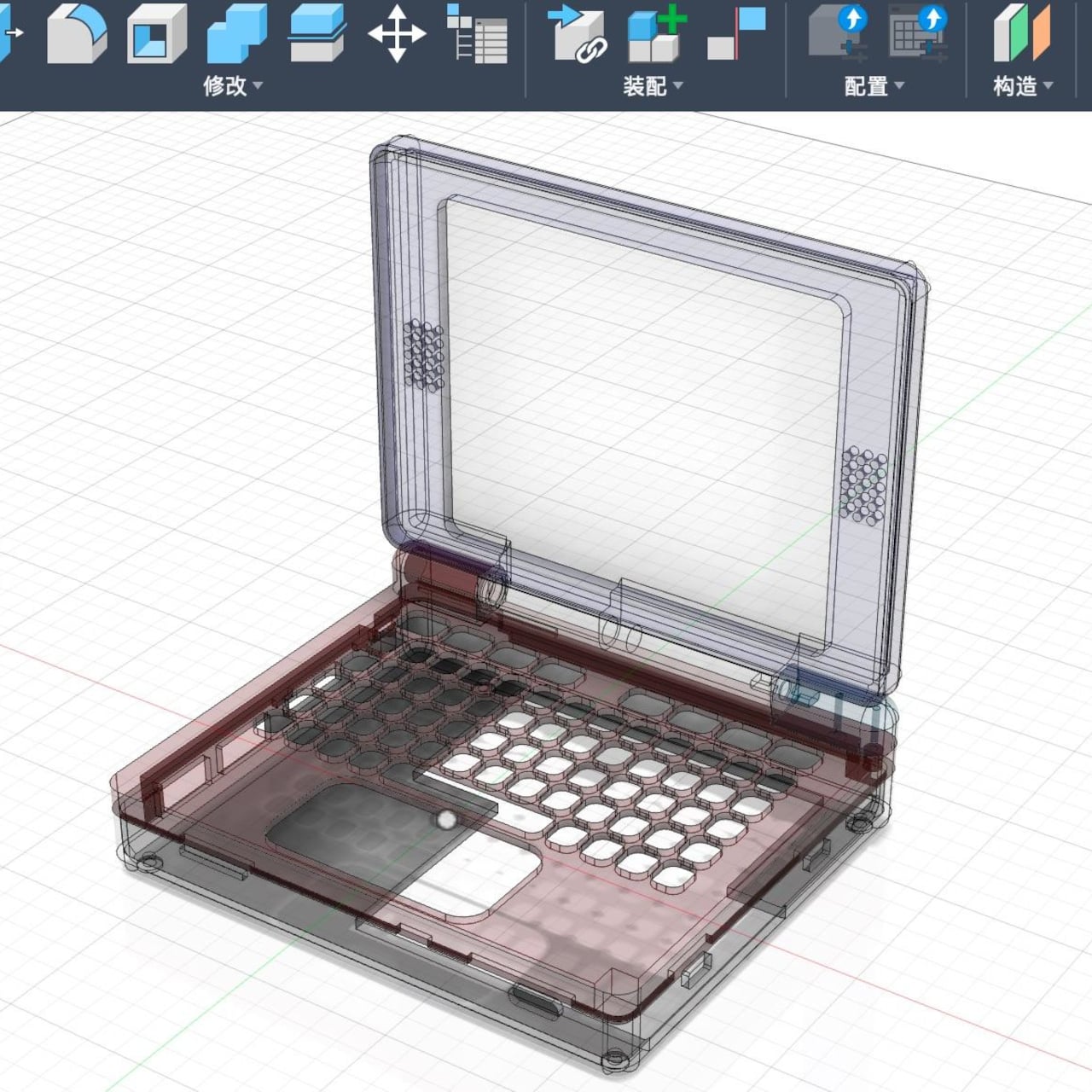
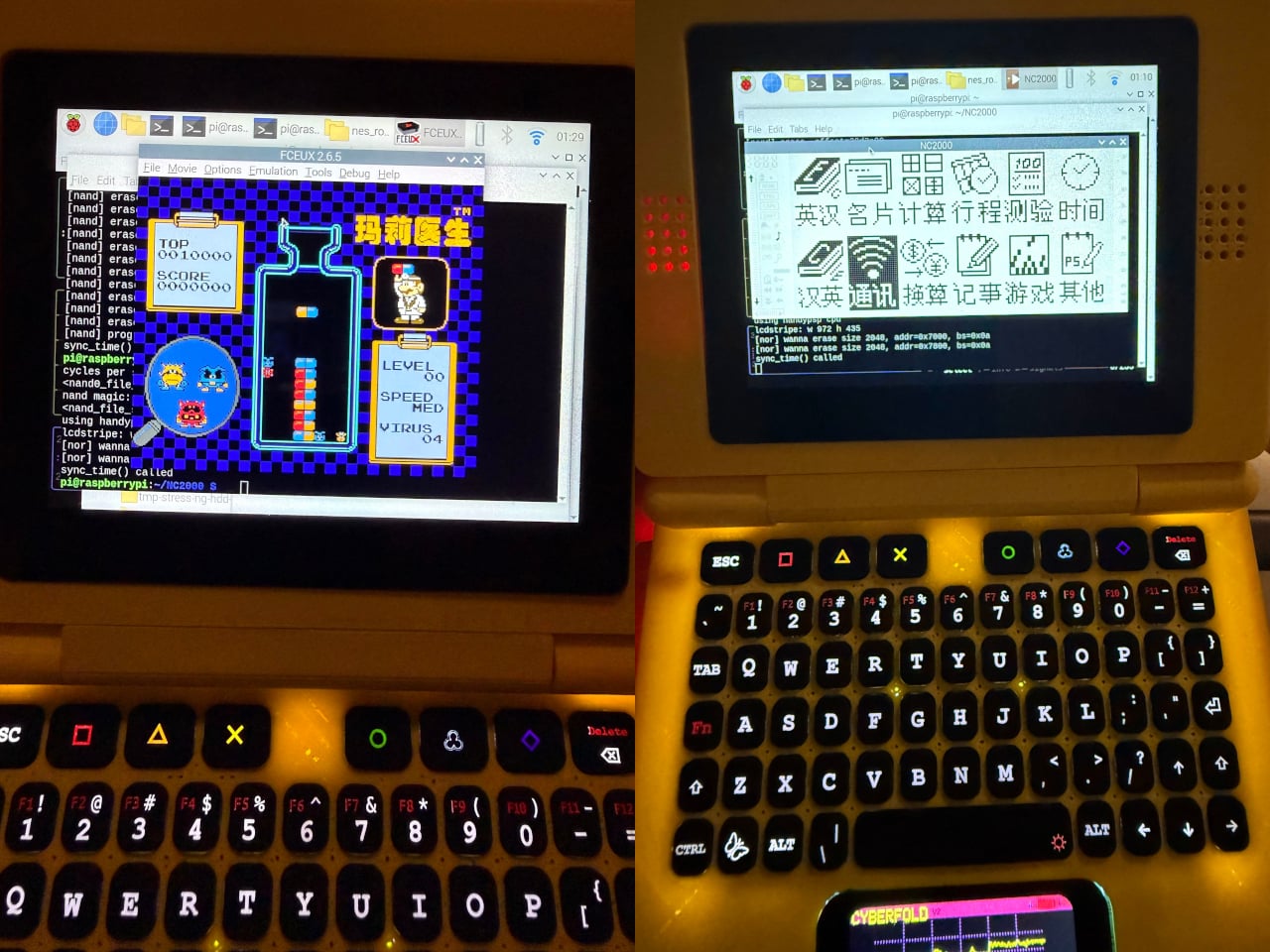
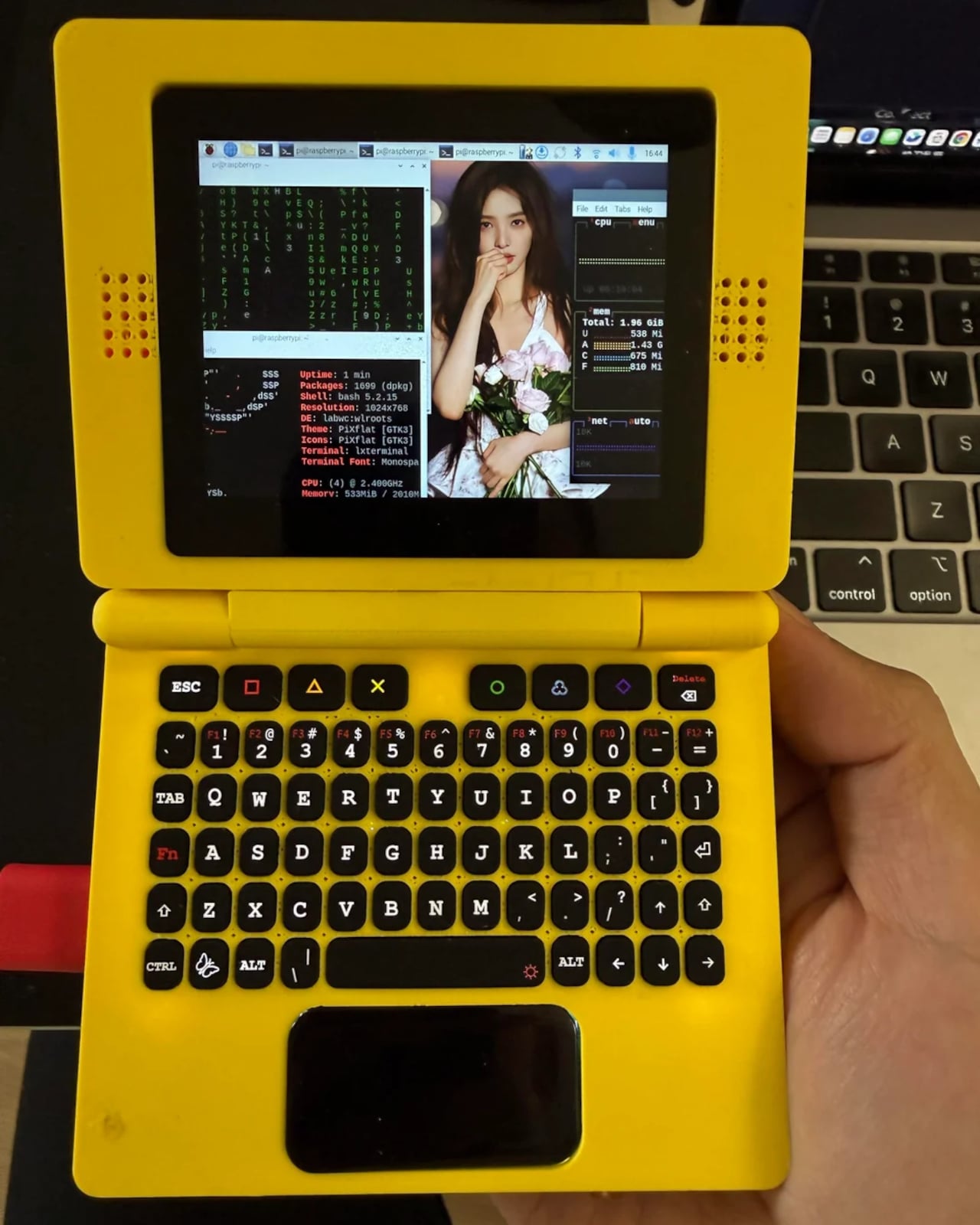
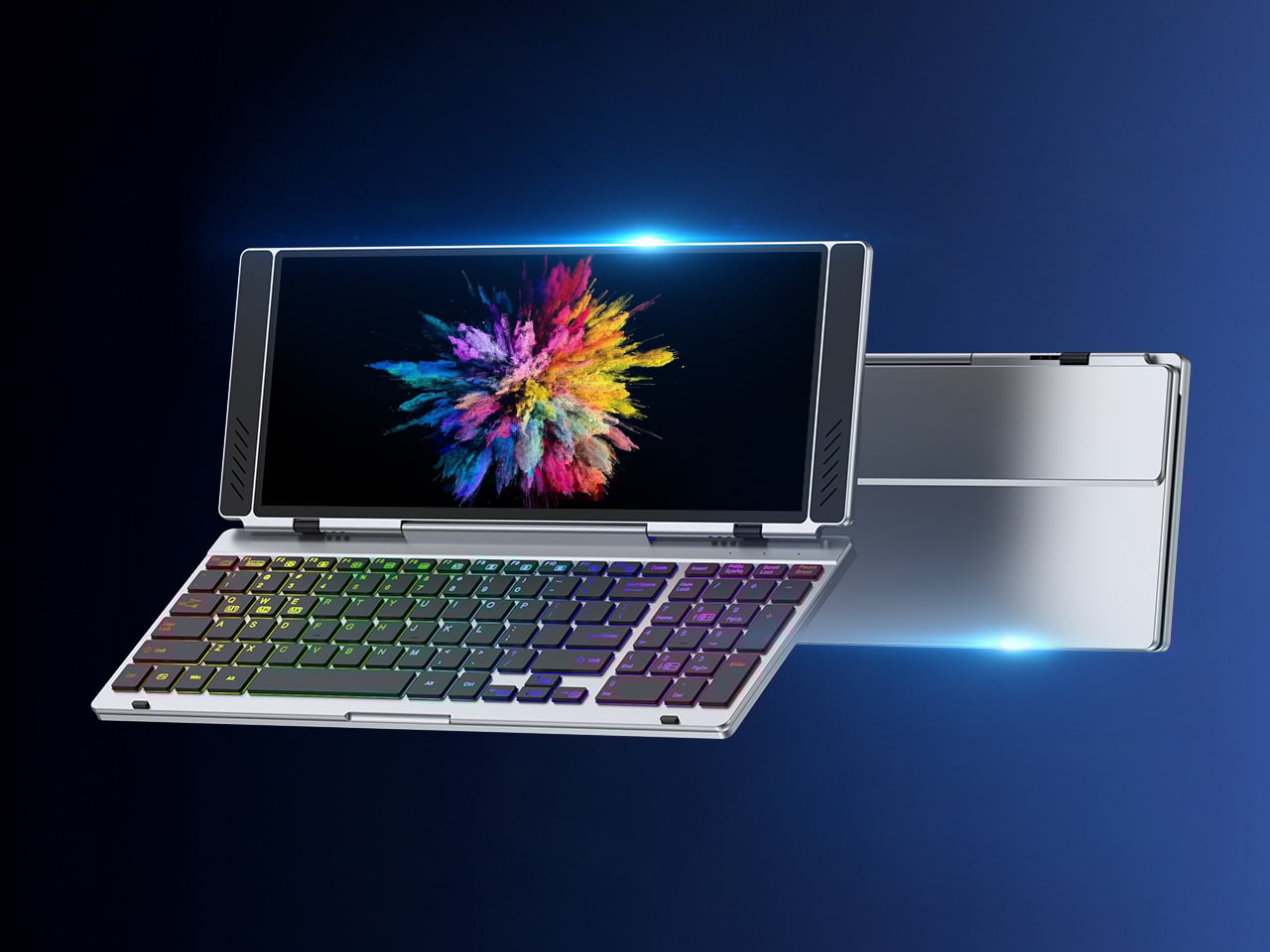
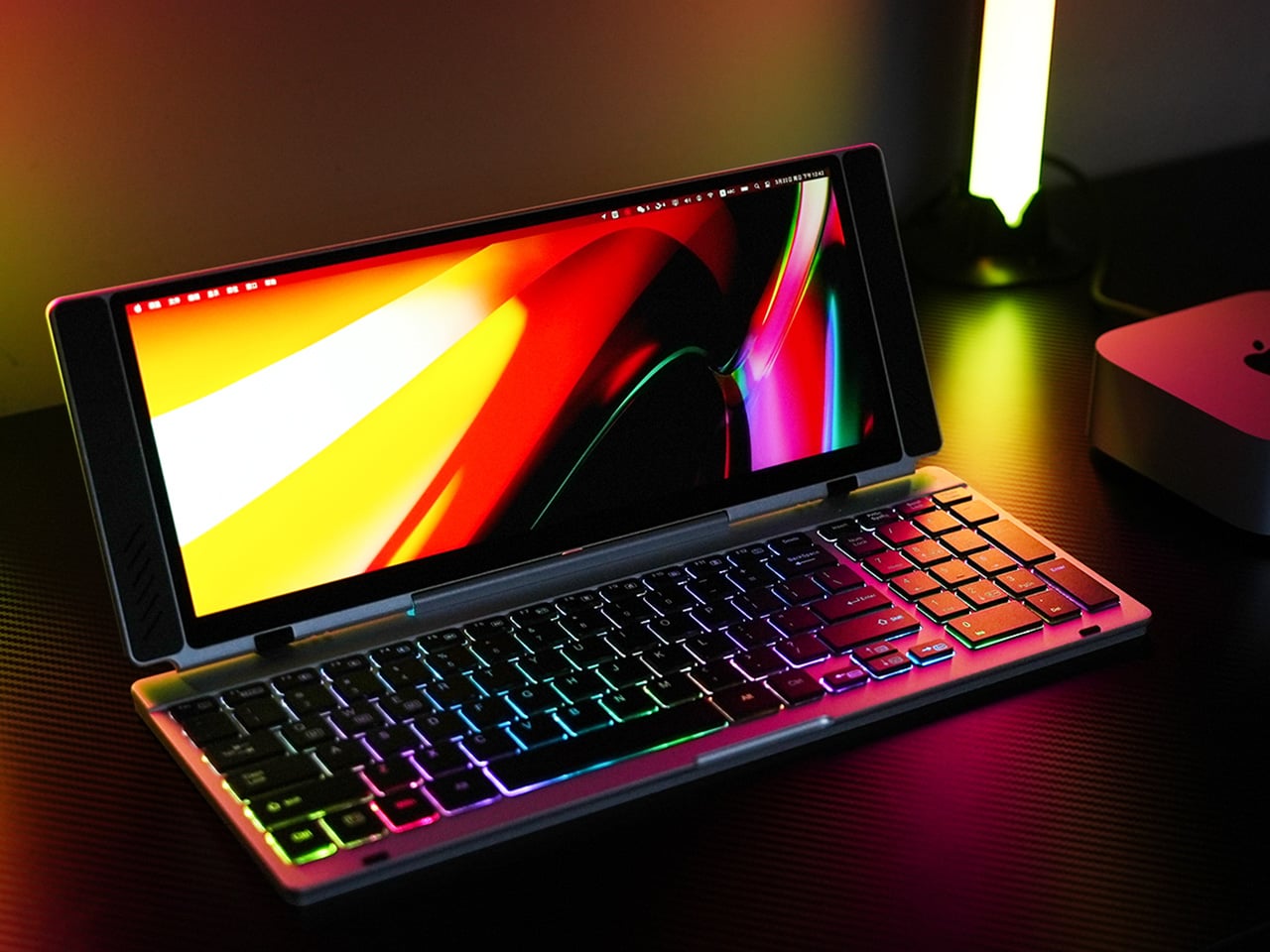
The CyberFold is a recent and remarkably polished example of just that. Made by a pseudonymous duo going by Eggfly and MeiYao, it’s a foldable clamshell cyberdeck that bears a striking resemblance to an oversized Nintendo Game Boy Advance SP. But flip it open, and what you’ll find inside is a surprisingly capable Linux computer, complete with a touchscreen, a full QWERTY keyboard, stereo speakers, and a proper port selection.

Designers: Eggfly, MeiYao

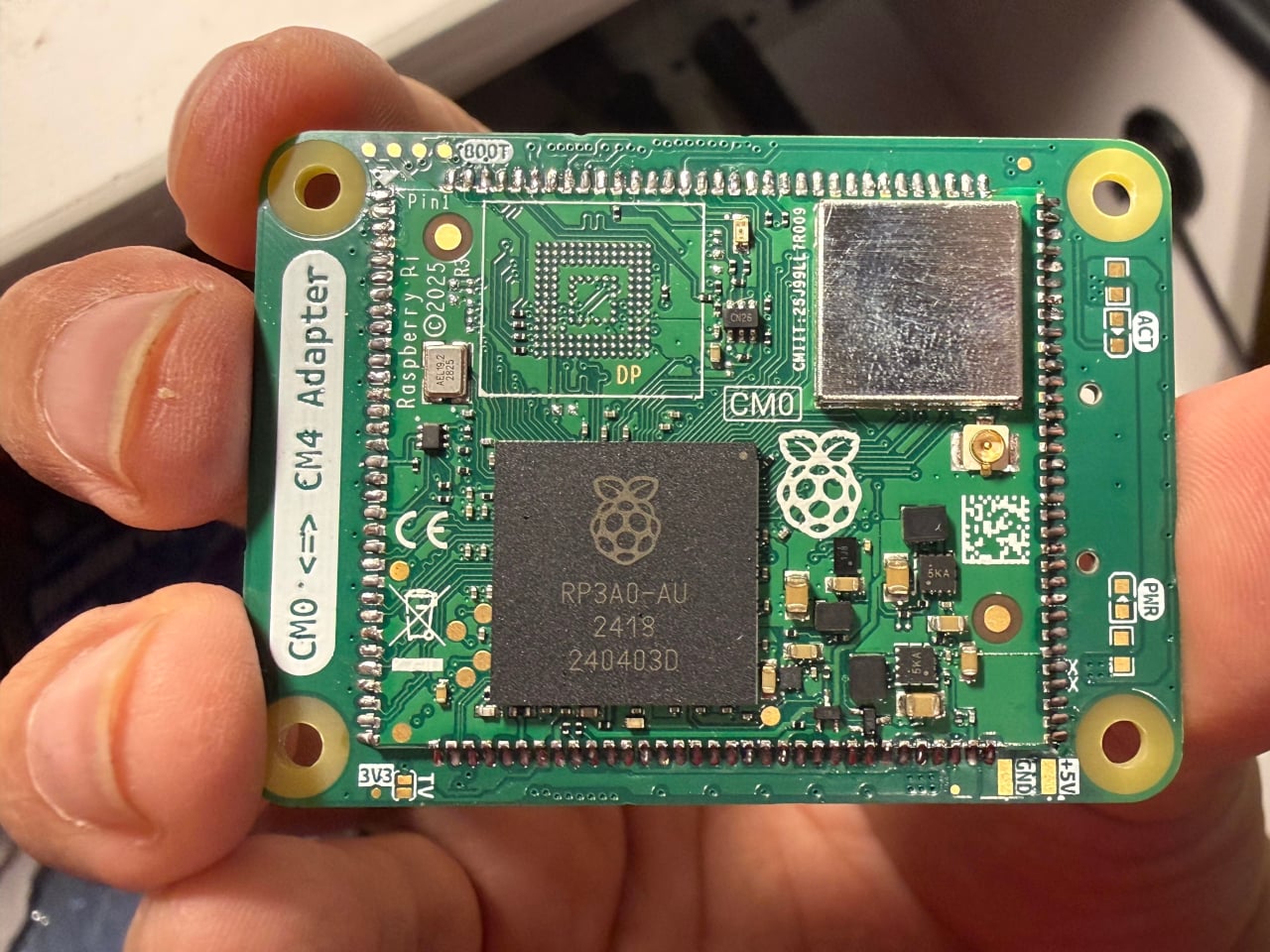
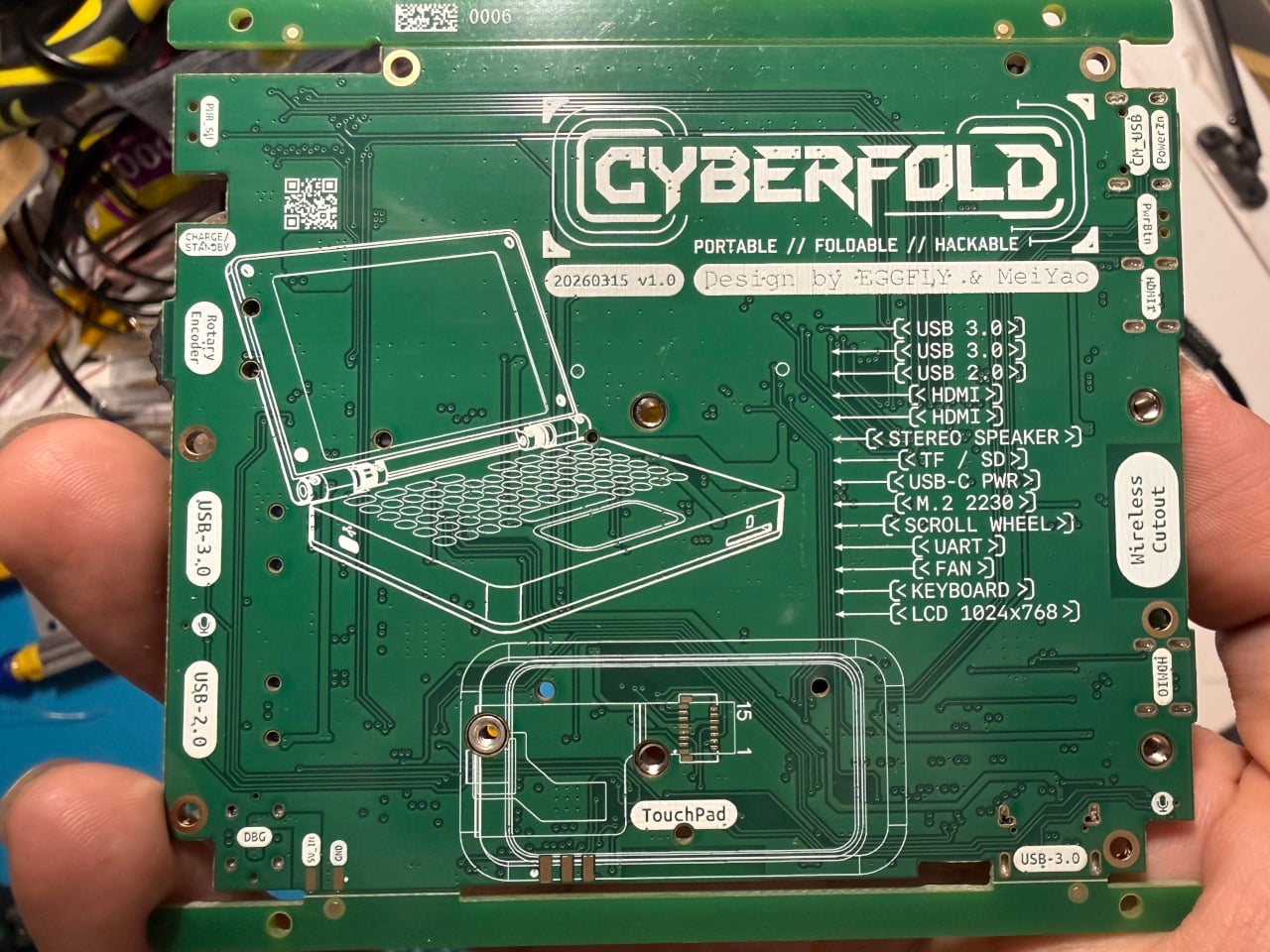
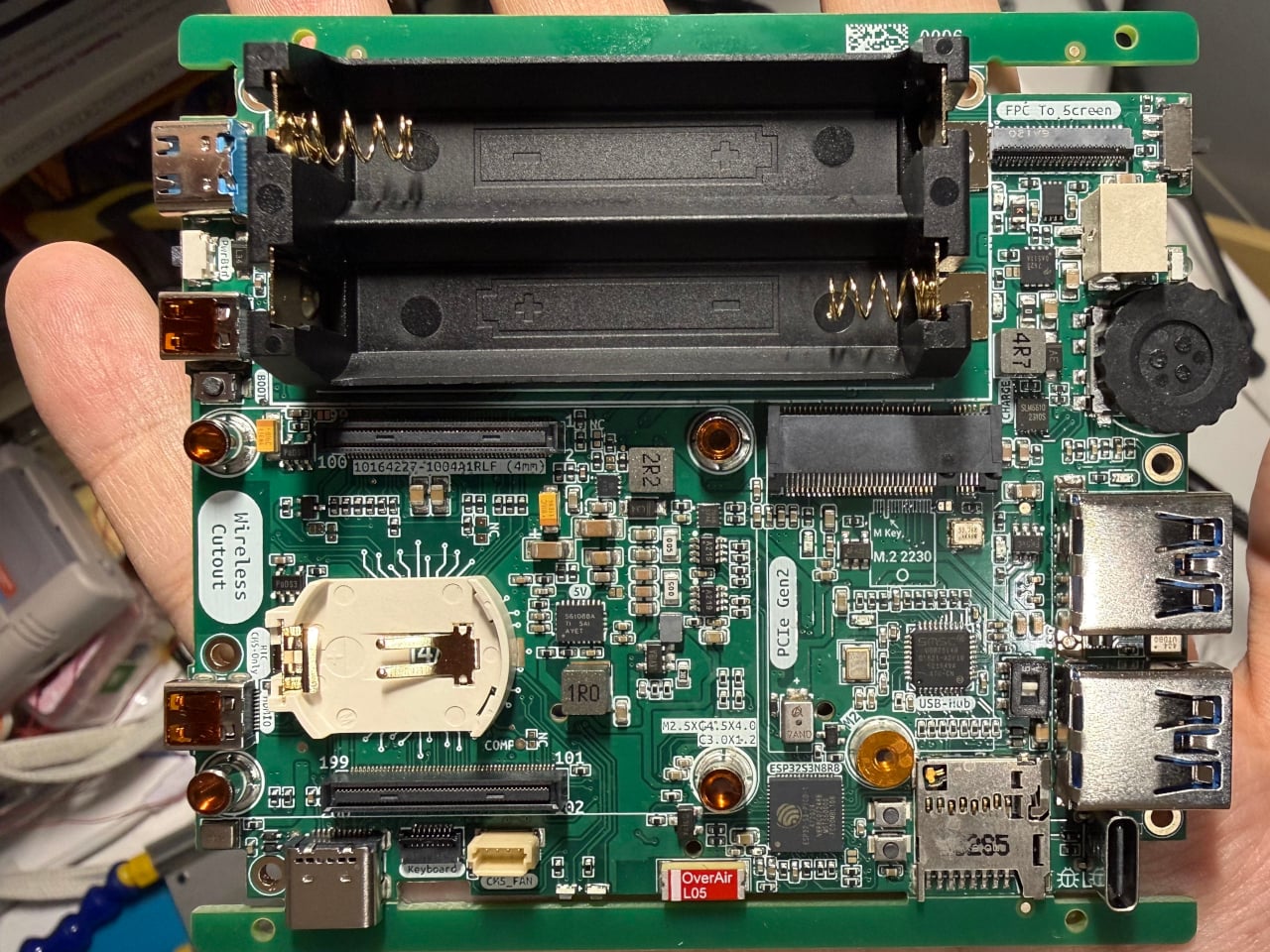
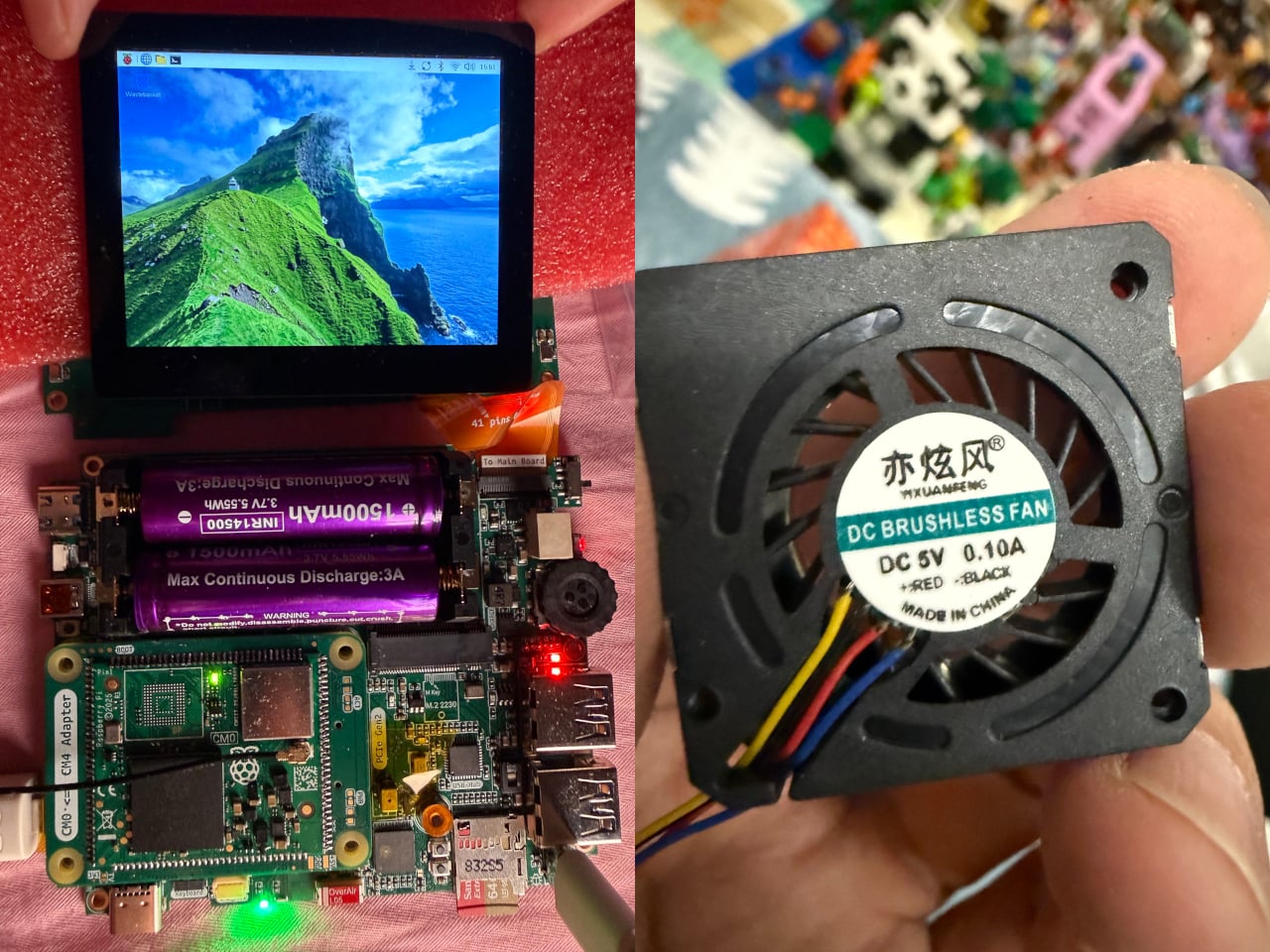
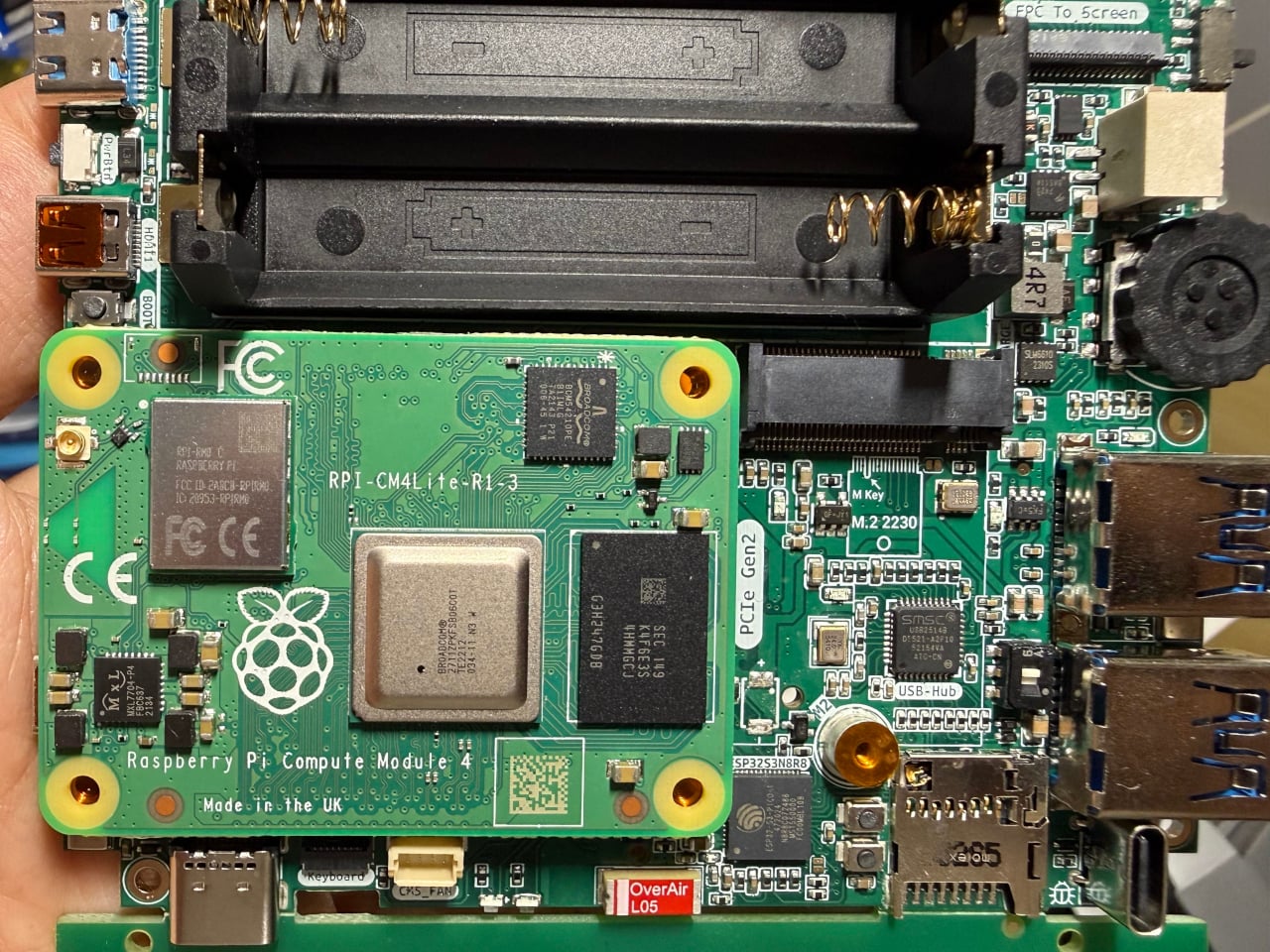
The computing heart of the CyberFold is a custom motherboard that accepts the Raspberry Pi Compute Module family, specifically the Compute Module 4, Compute Module 5, or the affordable Compute Module Zero. These are the embedded variants of the popular Raspberry Pi 4 and Raspberry Pi 5, shrunk to a compact form factor without sacrificing real processing power, making them a natural fit for a pocketable machine.

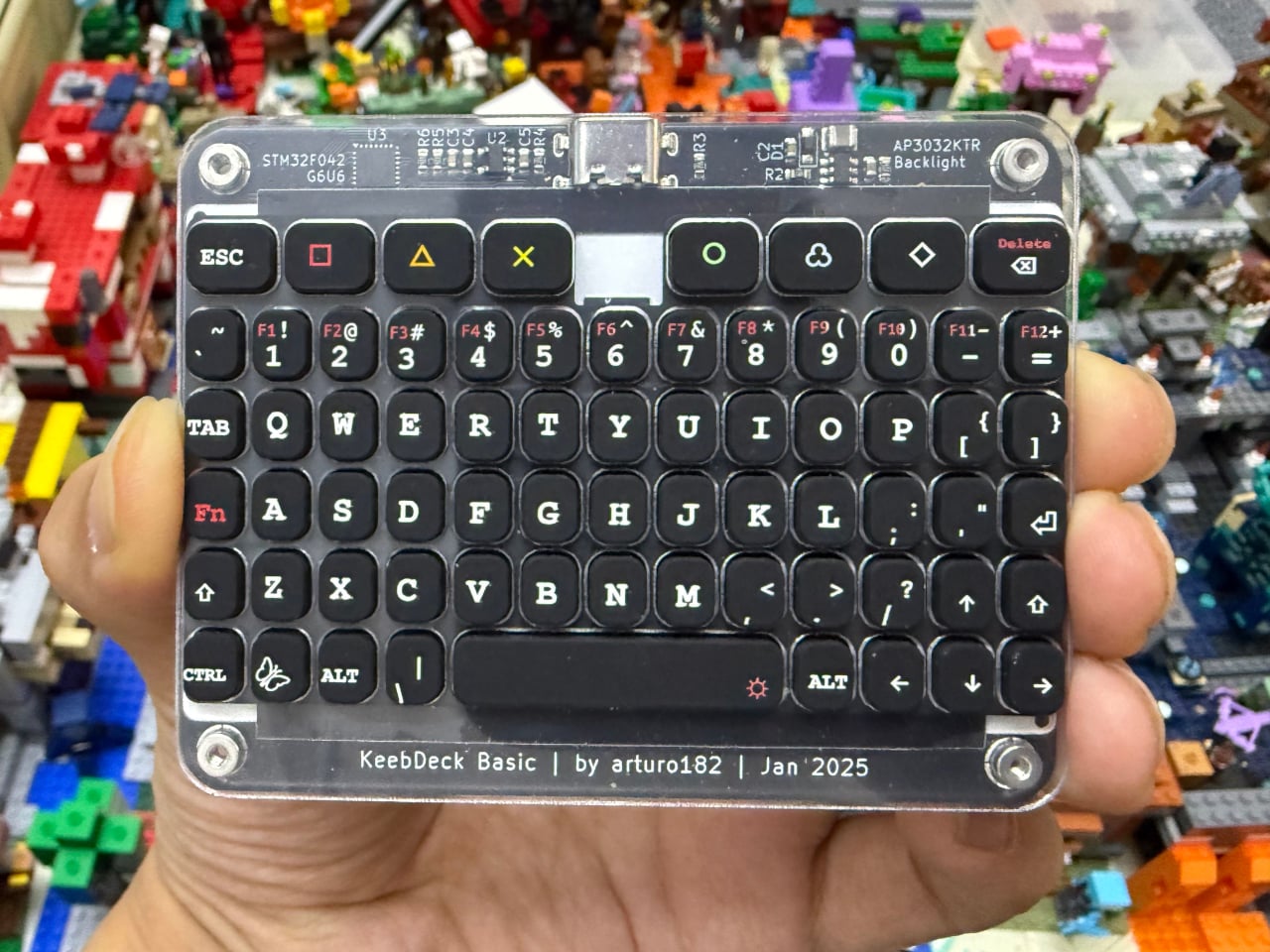
Open the CyberFold mid-commute or at a workbench, and you’re greeted by a 1024×768 capacitive multi-touch display, responsive enough for everyday computing and comfortable for touch-based navigation. Below it is a compact QWERTY silicone keyboard based on Solder Party’s open-source KeebDeck design, which Eggfly built from the original design files. It’s the kind of input that calls to mind old-school palmtop computers, but with a full operating system running underneath.

One of the more clever details on the CyberFold is the touchpad, which pulls double duty as a secondary display. Running on an Espressif ESP32-S3 microcontroller, it shows live battery percentage and power consumption data, independent of the main computer. It’s the kind of thoughtful feature you’d normally see on a commercial device that went through multiple rounds of product refinement, not something you’d expect from a maker’s personal project.

Connectivity isn’t something the CyberFold cuts corners on. Full-size USB 3.0 and USB 2.0 ports handle peripherals easily, while two HDMI outputs let you extend to a larger screen when needed. A microSD card slot, a debugging port, and stereo speakers flanking the display round things out, and a rotary encoder scroll wheel adds a satisfying tactile element to everyday navigation.

Power comes from a pair of batteries in an integrated holder with a built-in charging circuit, so you can top it off without cracking the device open. The clamshell form factor keeps the screen and keyboard protected when closed, making the whole thing practical enough to slip into any bag. Eggfly hasn’t released the design files publicly yet, but the maker community has already taken a keen interest.

There’s something appealing about the CyberFold that goes beyond its spec sheet. It represents a very specific kind of ambition: the desire to own a computer that fits in your jacket pocket, runs whatever software you choose, and was assembled by hand. Commercial products can maybe deliver two of those three things at best, and that gap is exactly what keeps the cyberdeck community building.

The post Two Makers Just Built the Pocket Linux PC Big Tech Refused To Make first appeared on Yanko Design.

The Best Neck Air Conditioner for Hot Flashes Is Also the Best Mother’s Day Gift Right Now

A few years ago, I bought my mom a simple powerful handheld fan that she now swears by (it’s small enough to be a permanent fixture in her purse). She discovered it also works as a perfect cool-air hair dryer for her, a small, unexpected bonus that turned a simple gadget into an indispensable tool. Finding a truly great Mother’s Day gift is a unique challenge, but it’s exactly these kinds of gifts that make a lasting impression, the ones that solve a small daily annoyance and bring a little bit of comfort into her life. It is about gifting an experience, the experience of personal comfort, which is something that can be appreciated whether she is gardening, running errands, or just relaxing.

This is where a device like the TORRAS COOLiFY takes that concept of personal comfort to an entirely new level. It is a piece of technology built to provide that relief, anytime and anywhere. The concept moves beyond just moving air and into active cooling, using technology to help manage everything from a hot day to an unexpected hot flash. The COOLiFY lineup offers two great choices; the Cyber Fold delivers the strongest cooling performance for immediate and powerful relief, while the 2S Pro is built for lightness, comfort, and longer battery life, making it an easy and practical part of her daily routine.

The Cyber Fold: Maximum Cooling Power

The TORRAS COOLiFY Cyber Fold is for the mom who wants the most powerful cooling she can get – think 100°F weather, sweltering summers, unbearable days and nights. Its main claim to fame is having the largest cooling coverage of any device of its kind, and it backs that up with some impressive tech. Instead of just blowing air, it uses three cooling plates that get genuinely cold to the touch, wrapping the entire neck, face, and back in a refreshing wave of coolness. This is the kind of device you reach for when you need immediate, serious relief from the heat. The design is also surprisingly clever; a smart hinge system allows it to fold down to half its size for easy storage and adjust to fit her neck perfectly, while a neat color-changing surface turns blue when it is cool so you can see it working.

Beyond its raw power, the Cyber Fold is also smart. It has automatic sensors that detect the surrounding temperature and adjust the cooling levels on their own, so she does not have to constantly fiddle with the settings. This makes it a truly set-it-and-forget-it experience. The battery is large and charges quickly, getting to 80% in about an hour, even while it is still running. For moms who experience intense hot flashes or simply want the absolute best cooling technology for their time outdoors, the Cyber Fold is the top-tier choice that delivers on its promise of immersive, powerful relief.

Click Here to Buy Now: $215.99 $299.99 (28% off, use coupon code “RW7VNB6K”). Hurry, deal ends in 48-hours! Website Link Here.

The 2S Pro: All-Day Comfort and Endurance

Where the Cyber Fold focuses on power, the COOLiFY 2S Pro is all about all-day comfort and endurance. It uses a similar cooling plate technology to deliver that same instant relief, but it is engineered to be lighter and more comfortable for long periods of wear. It is the kind of device she can put on in the morning and almost forget it is there. The battery life is the real standout feature here, offering up to 28 hours of use in fan mode, which is more than enough for a full day of errands, gardening, or relaxing on the patio. When it does need a charge, it powers up fully in just a couple of hours.

The design of the 2S Pro is focused on a comfortable and secure fit. Its patented hinge not only adapts to various neck shapes without pinching, but also allows her to rotate it to adjust the airflow direction, putting the breeze exactly where she wants it. Combined with soft memory foam cushions, it rests gently on her neck without feeling bulky, making the wearing experience even more comfortable. It also has smart controls through a mobile app and a memory function that saves her favorite settings, making it incredibly easy to use. The display is hidden, giving it a clean, modern look. For the mom who values practicality and wants a reliable companion to keep her cool throughout her entire day, the 2S Pro is the perfect fit. It delivers that essential cooling comfort in a lightweight, easy-to-wear package that is built to last.

Click Here to Buy Now: $179.99 $219.99 (18% off, use coupon code “RW7VNB6K”). Hurry, deal ends in 48-hours! Website Link Here.

Both devices are built on the thoughtful idea of giving moms more control over their personal comfort. They are designed to help relieve the discomfort from temperature fluctuations or hot flashes that can interrupt an otherwise perfect day. Giving a gift like this is about helping her enjoy being outside again, without having to give up the moments she loves because of the heat. Choosing between the two simply comes down to her lifestyle; whether she would appreciate the maximum cooling power of the Cyber Fold or the lightweight, all-day endurance of the 2S Pro.

The post The Best Neck Air Conditioner for Hot Flashes Is Also the Best Mother’s Day Gift Right Now first appeared on Yanko Design.

VitaLink Just Put a 13-Inch Screen and Keyboard Into One Foldable Slab

Working on the go rarely looks as tidy as productivity-tool adverts suggest. Most people who travel with serious work needs end up carrying at least two or three things that don’t quite fit together: a tablet or laptop, a compact keyboard if the touchscreen isn’t enough, maybe a portable monitor, and a cable situation that somehow multiplies every time you pack.

VitaLink is trying to simplify that. The concept combines a full-size keyboard and a large touch display into one foldable object in a CNC aluminum shell. Connect it to any USB-C device and your workspace expands immediately, without a separate stand, a monitor arm, or a bag pocket devoted to adapters. It folds down to 20mm and opens into something that feels genuinely designed.

Designer: VitaLink

Click Here to Buy Now: $279 $658 (58% off). Hurry, only 491/600 left! Raised over $37,000.

The integrated 13-inch display sits directly above the keyboard in what amounts to a compact laptop form factor. The screen runs at a 3840×1600 pixel resolution, a 2.4:1 ultra-wide format rather than a standard 16:9 panel, giving it an unusual amount of horizontal room. There’s enough space to keep two apps open side by side without either feeling squeezed into a corner.

The 180-degree hinge is what makes the compact form actually practical. When you’re done, everything closes into a flat 20mm slab that slips into a laptop sleeve without awkward bulk. The open footprint sits at around 34 × 15 cm, compact enough for a plane tray table, a crowded café counter, or a hotel desk that never seems to fit anything comfortably.

The panel supports 10-point touch, runs at 60 Hz, and delivers 298 PPI pixel density with 100% sRGB color coverage. Touching a screen this size changes how you interact with content. You can swipe, drag, and tap directly on the display while still using the keyboard below, which means managing layers in an editor, scrubbing a timeline, or pulling up references doesn’t require switching between input modes.

The keyboard uses scissor-switch mechanisms with 0.8mm of key travel and wider-than-typical spacing. That added spacing sounds like a minor detail until you’ve spent an hour trying to type accurately on a portable board that prioritizes size above everything else. Three RGB backlight modes let you set the visual tone, and the keys are designed to stay quiet enough for cafés and shared offices.

Two USB-C ports handle video, data, and power delivery through a single cable, and the plug-and-play setup works across Windows, macOS, Linux, iOS, and Android without requiring additional drivers. That compatibility extends to mini PCs, tablets, and handheld gaming consoles, so VitaLink isn’t tied to one kind of device. You’re not locked into a single workflow or a single ecosystem, which is most of the appeal.

Think about what that actually means. You’re in a hotel room with just your iPad and need a proper keyboard and enough screen space to write, edit, and reference something at once. Or you’re at a café with a mini PC and want a setup that doesn’t take over the whole table. Those are the moments where having the keyboard and the display in one object makes a real difference.

The aluminum body does more than keep things thin. CNC-machined aluminum with a frosted anodized finish gives it a rigidity that plastic travel accessories rarely have, protecting the display in transit and keeping the keyboard deck from flexing during typing sessions. It carries more like a slim hardcover notebook than a peripheral, which is a meaningful difference for anyone who’s dealt with a flimsy portable monitor in a crowded bag.

There’s something worth noting in the fact that portable work setups have gotten faster without necessarily getting more cohesive. The bag is still a loose collection of things that don’t quite belong together. VitaLink is at least making a case that the keyboard and the display belong in a single intentional object, built from the start for people whose work doesn’t stay in one place.

Click Here to Buy Now: $279 $658 (58% off). Hurry, only 491/600 left! Raised over $37,000.

The post VitaLink Just Put a 13-Inch Screen and Keyboard Into One Foldable Slab first appeared on Yanko Design.

This air-powered desk clock with stopwatch function is a work of genius

Something is intriguing about novelty clocks that refreshes the age-old timekeeping approach. The unique mechanism at the heart of these timepieces makes them desirable, especially for those who value time above all else. YouTuber soiboi soft from Germany loves working with pneumatic principles, creating some really interesting things never seen before.

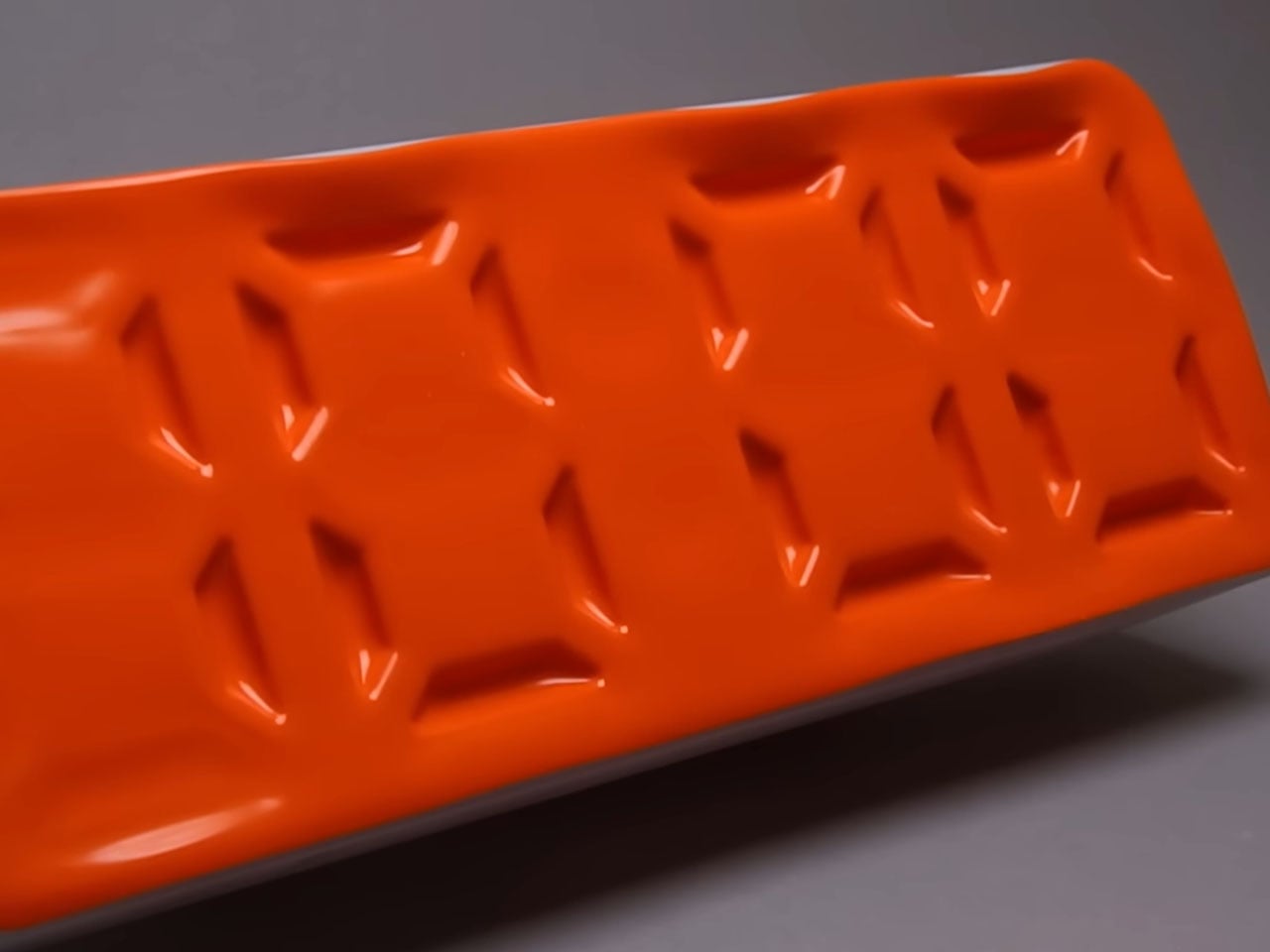
This time around, the ingenious inventor has crafted an air-powered desk clock that works on the same principles of compressing air to control the display membrane. While that might sound a little too technical for some, the idea is to change the appearance on the surface of the flexible clock membrane to display the current time. That is simply cool, and who wouldn’t want to have this desk clock grace their geeky setup?

Designer: soiboi soft

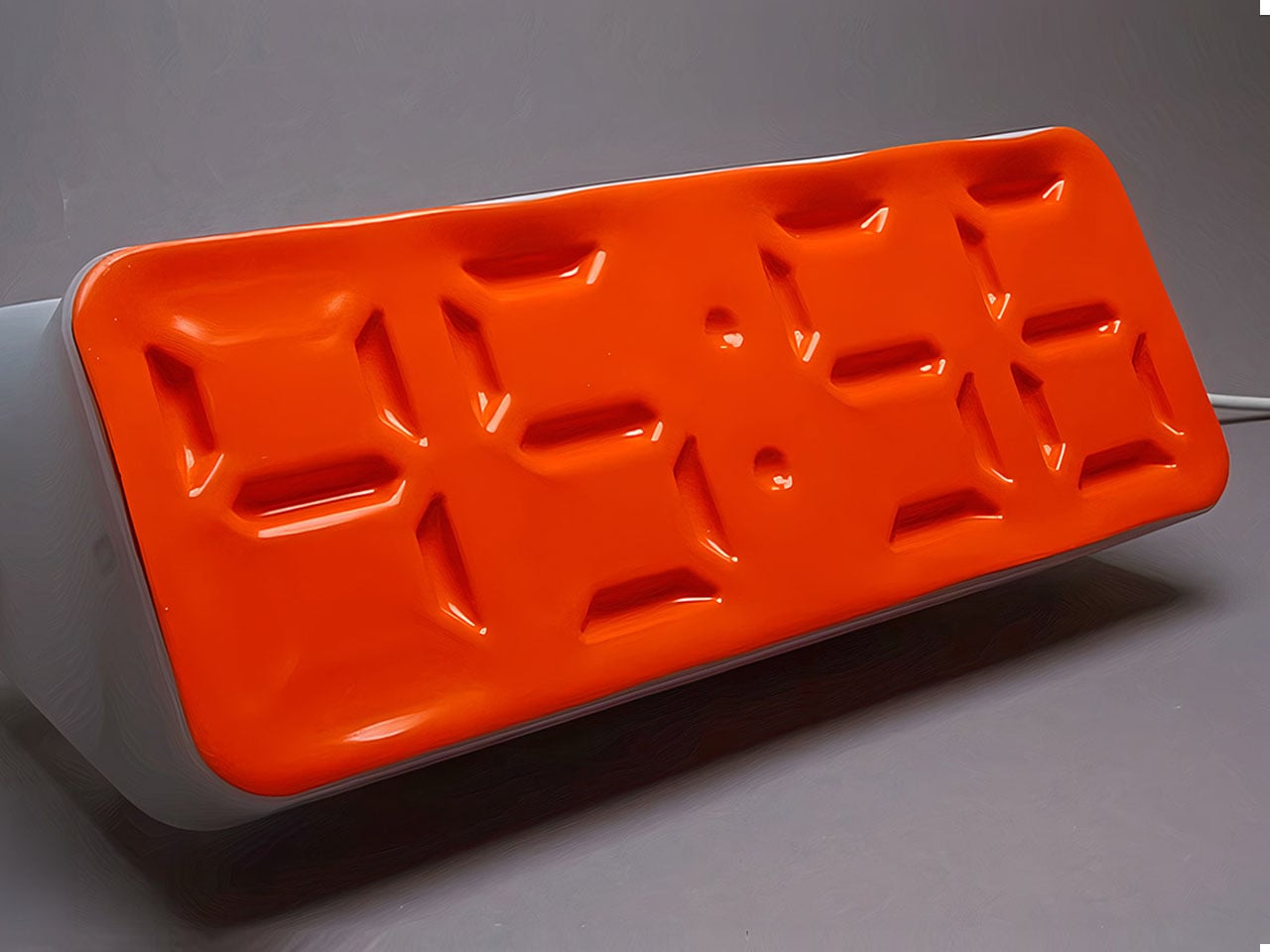
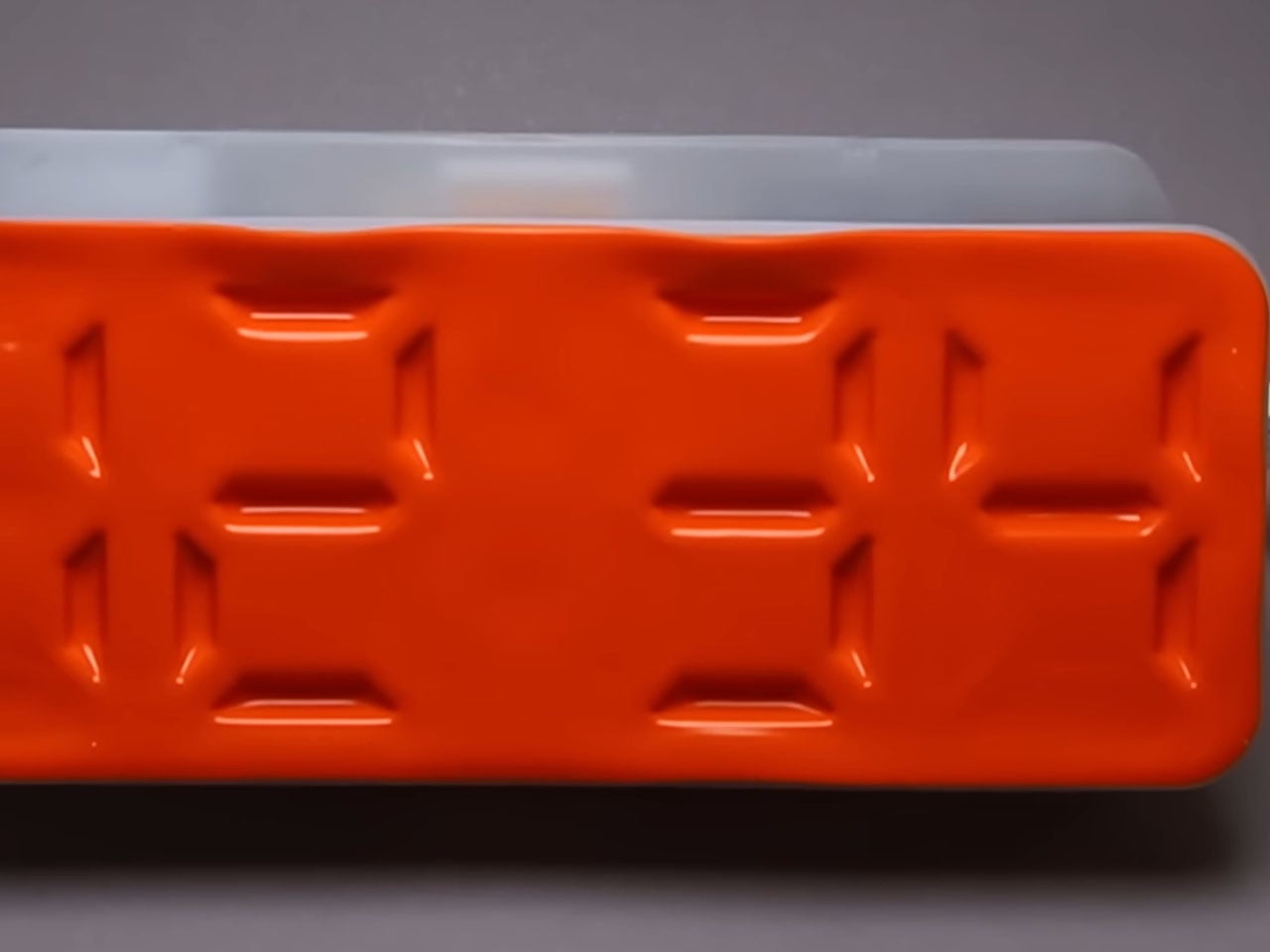
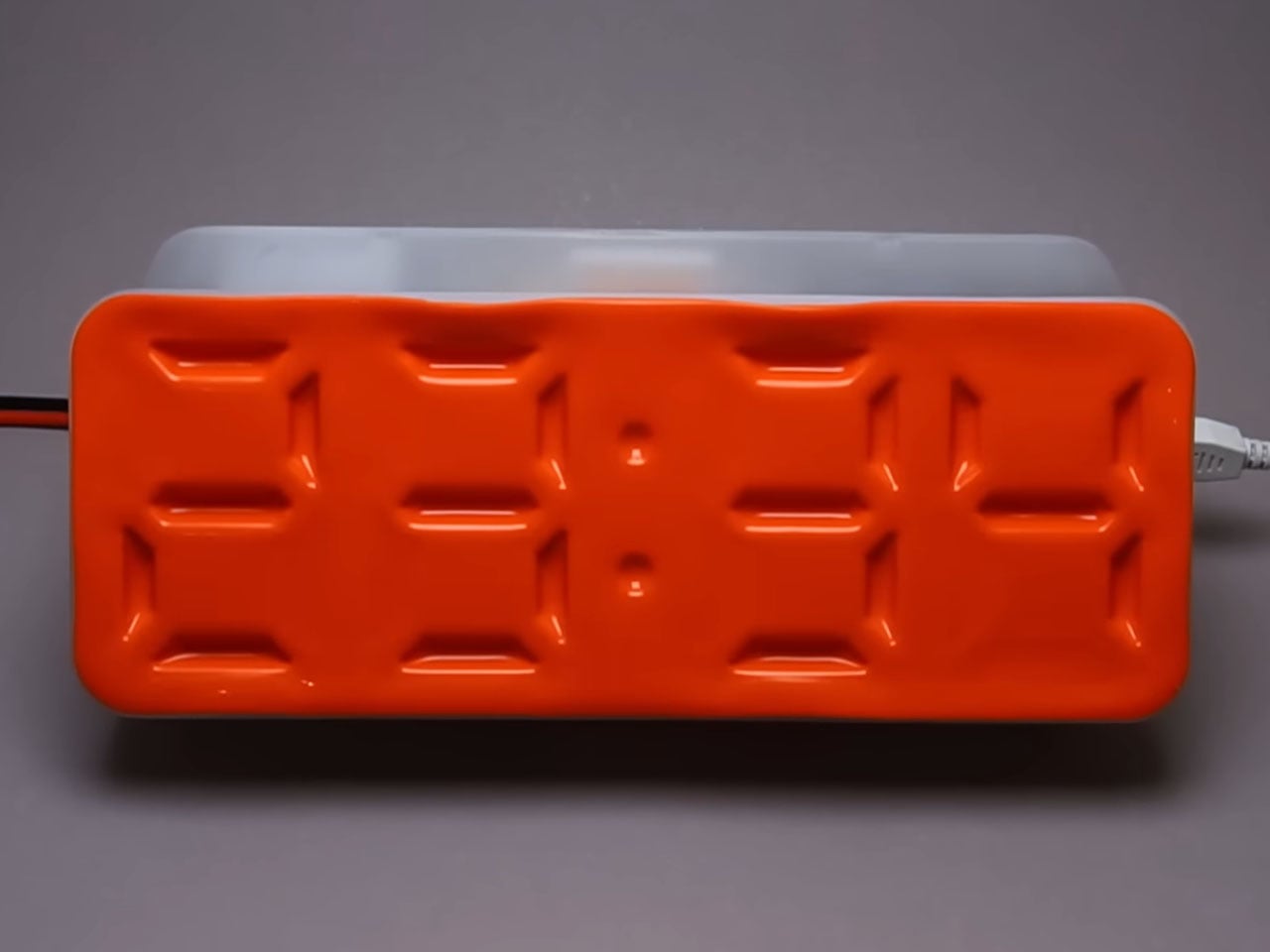
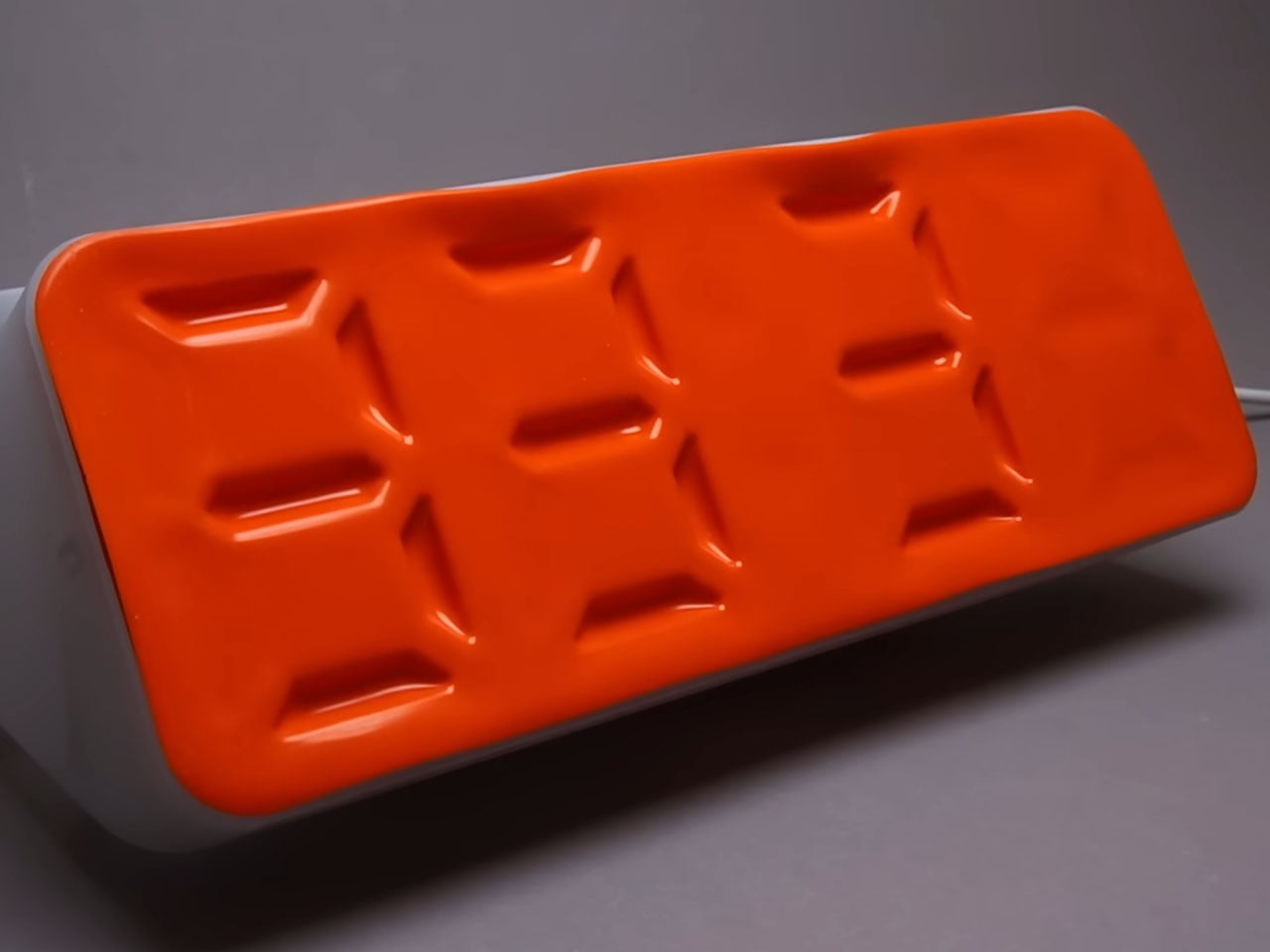
Building the four-digit display of the Air Powered Segment Clock begins by crafting the custom parts using 3D printing. The next task is to carefully connect the vacuum lines to the complex mechanism so that it can pull the flexible membrane to create the dent representing the luminous bars, just like a digital clock. Even when the signal is turned off from the backend, the shape holds still until the next command to turn it off is initiated. As soon as the command to release the vacuum pressure is initiated, the membrane returns to its flat position.

The combination of these seven memory cells (as he calls them) forms a single digit representation. Based on the digit to be displayed, the memory cells are in an on or off position, thereby displaying the whole digit. This whole display array is a combination of four such digits, and based on the microcontroller programming and the complex software input, they magically suck-in to create the digit on the membrane. Dots in the middle appear every time a number is changed to represent the seconds, minutes, and hours.

The basic architecture of the Air Powered Segment Clock is similar to how a RAM functions, storing values in specific locations courtesy of the data and address lines.  When the hardware and software trickery to display the time come into unison, the DIY desk clock comes alive. Going a step further, the DIYer adds a stopwatch function to the clock, because why not? Frankly, this is one of the best DIY creations I’ve seen in a long time. I bet every one of you out there is wishing this project turns into a buyable novelty clock someday. Imagine adding this to your workstation, gaming setup, or simply sporting on the living room shelf!

The post This air-powered desk clock with stopwatch function is a work of genius first appeared on Yanko Design.

This air-powered desk clock with stopwatch function is a work of genius

Something is intriguing about novelty clocks that refreshes the age-old timekeeping approach. The unique mechanism at the heart of these timepieces makes them desirable, especially for those who value time above all else. YouTuber soiboi soft from Germany loves working with pneumatic principles, creating some really interesting things never seen before.

This time around, the ingenious inventor has crafted an air-powered desk clock that works on the same principles of compressing air to control the display membrane. While that might sound a little too technical for some, the idea is to change the appearance on the surface of the flexible clock membrane to display the current time. That is simply cool, and who wouldn’t want to have this desk clock grace their geeky setup?

Designer: soiboi soft

Building the four-digit display of the Air Powered Segment Clock begins by crafting the custom parts using 3D printing. The next task is to carefully connect the vacuum lines to the complex mechanism so that it can pull the flexible membrane to create the dent representing the luminous bars, just like a digital clock. Even when the signal is turned off from the backend, the shape holds still until the next command to turn it off is initiated. As soon as the command to release the vacuum pressure is initiated, the membrane returns to its flat position.

The combination of these seven memory cells (as he calls them) forms a single digit representation. Based on the digit to be displayed, the memory cells are in an on or off position, thereby displaying the whole digit. This whole display array is a combination of four such digits, and based on the microcontroller programming and the complex software input, they magically suck-in to create the digit on the membrane. Dots in the middle appear every time a number is changed to represent the seconds, minutes, and hours.

The basic architecture of the Air Powered Segment Clock is similar to how a RAM functions, storing values in specific locations courtesy of the data and address lines.  When the hardware and software trickery to display the time come into unison, the DIY desk clock comes alive. Going a step further, the DIYer adds a stopwatch function to the clock, because why not? Frankly, this is one of the best DIY creations I’ve seen in a long time. I bet every one of you out there is wishing this project turns into a buyable novelty clock someday. Imagine adding this to your workstation, gaming setup, or simply sporting on the living room shelf!

The post This air-powered desk clock with stopwatch function is a work of genius first appeared on Yanko Design.

A$AP Rocky Just Made a Retro Gaming Console That Looks Like a Famicom on Steroids

There’s a reason every retro emulation console of the last decade keeps cribbing from the same 1980s Japanese design playbook. The Famicom and the original SNES established a visual grammar for home gaming hardware that has never really been improved upon, just iterated, simplified, or fetishized. Cream-colored ABS plastic, primary-red accents, ribbed black ventilation grilles borrowed from HiFi separates, and chunky cross d-pads big enough to register through a winter glove. Analogue has built an entire premium business on faithfully reissuing this language. Anbernic and Miyoo have built equally large businesses on cheaply approximating it. What nobody has really done is take that grammar and warp it through a fashion-house sensibility.

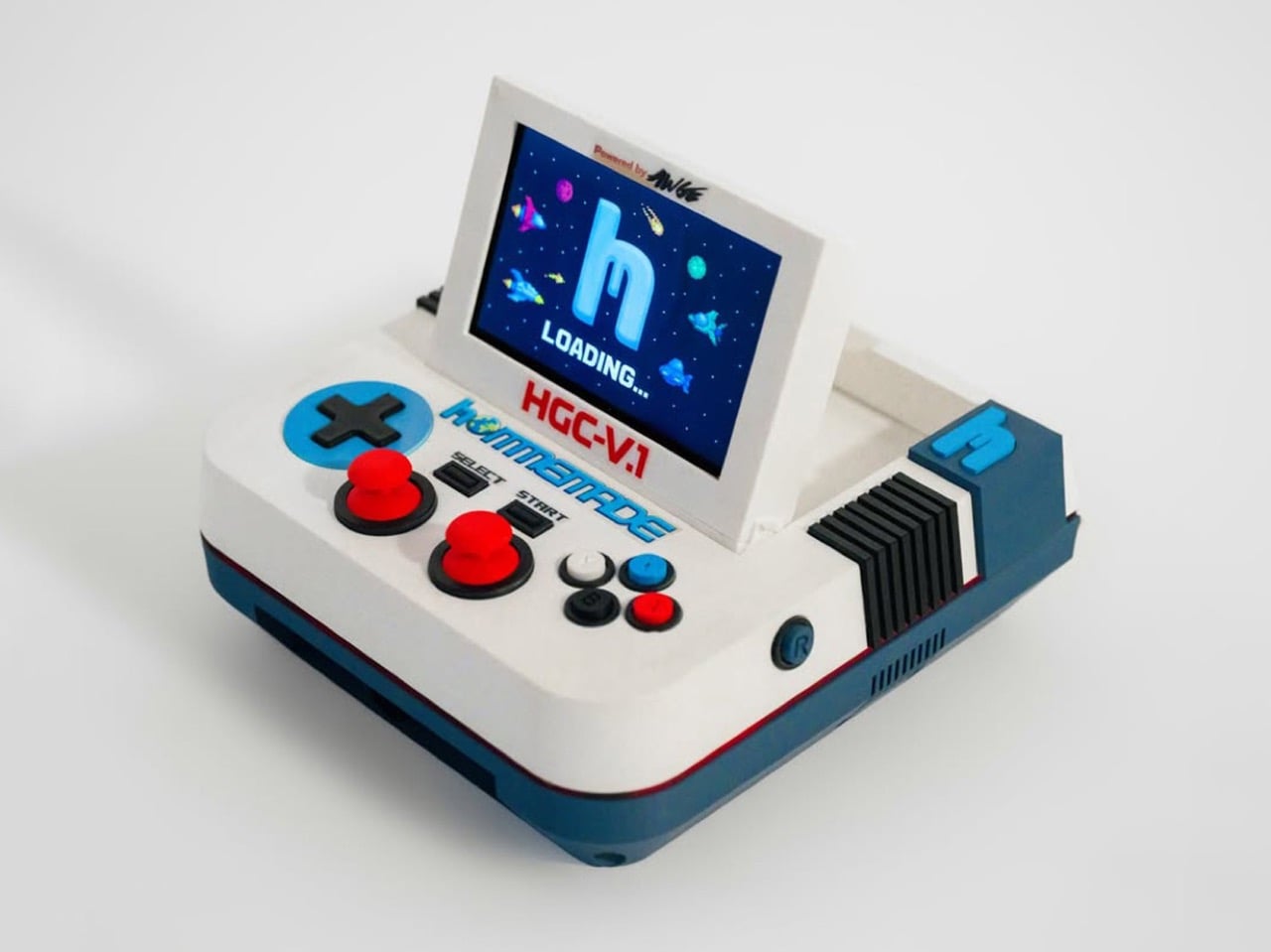
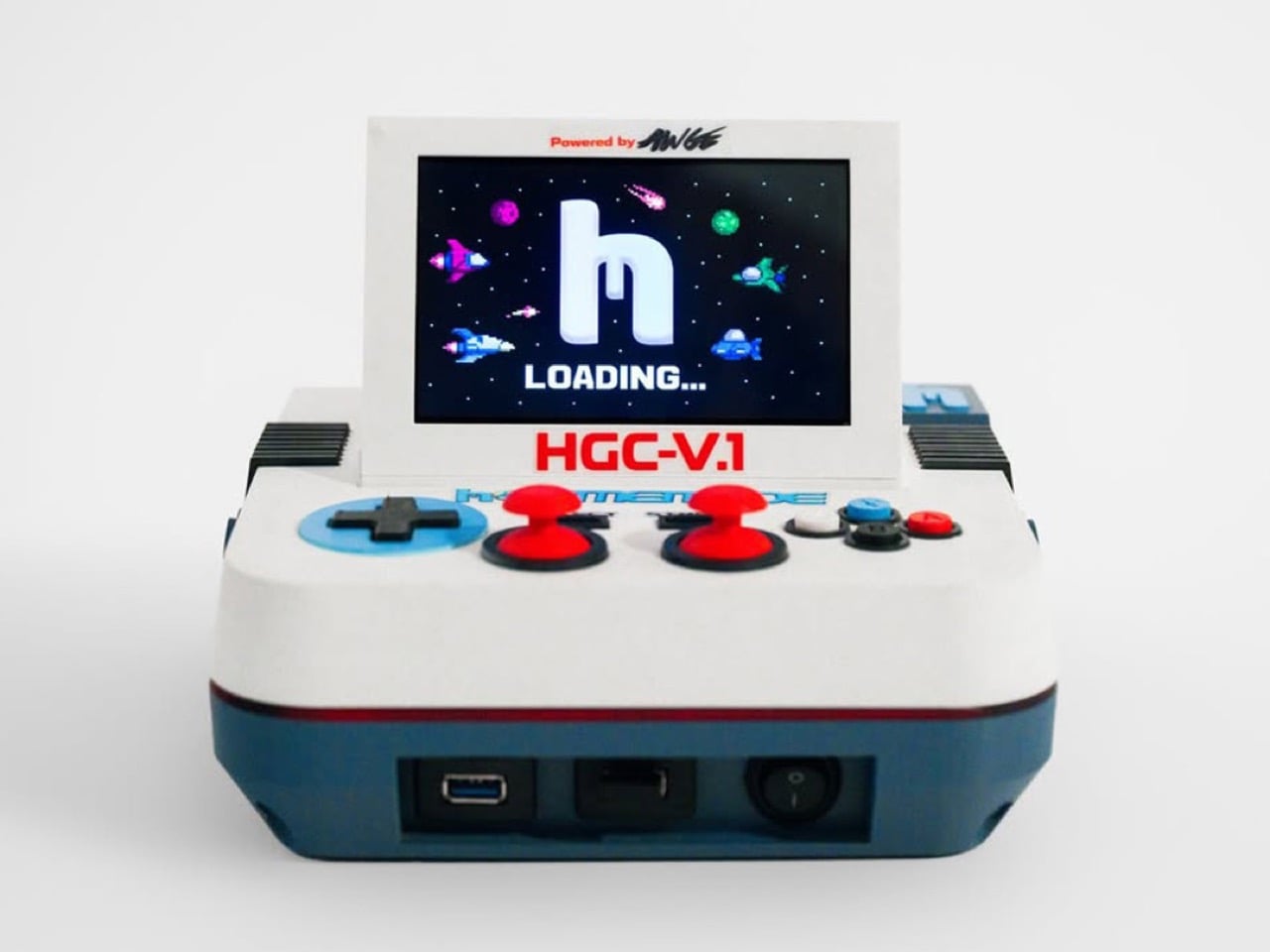
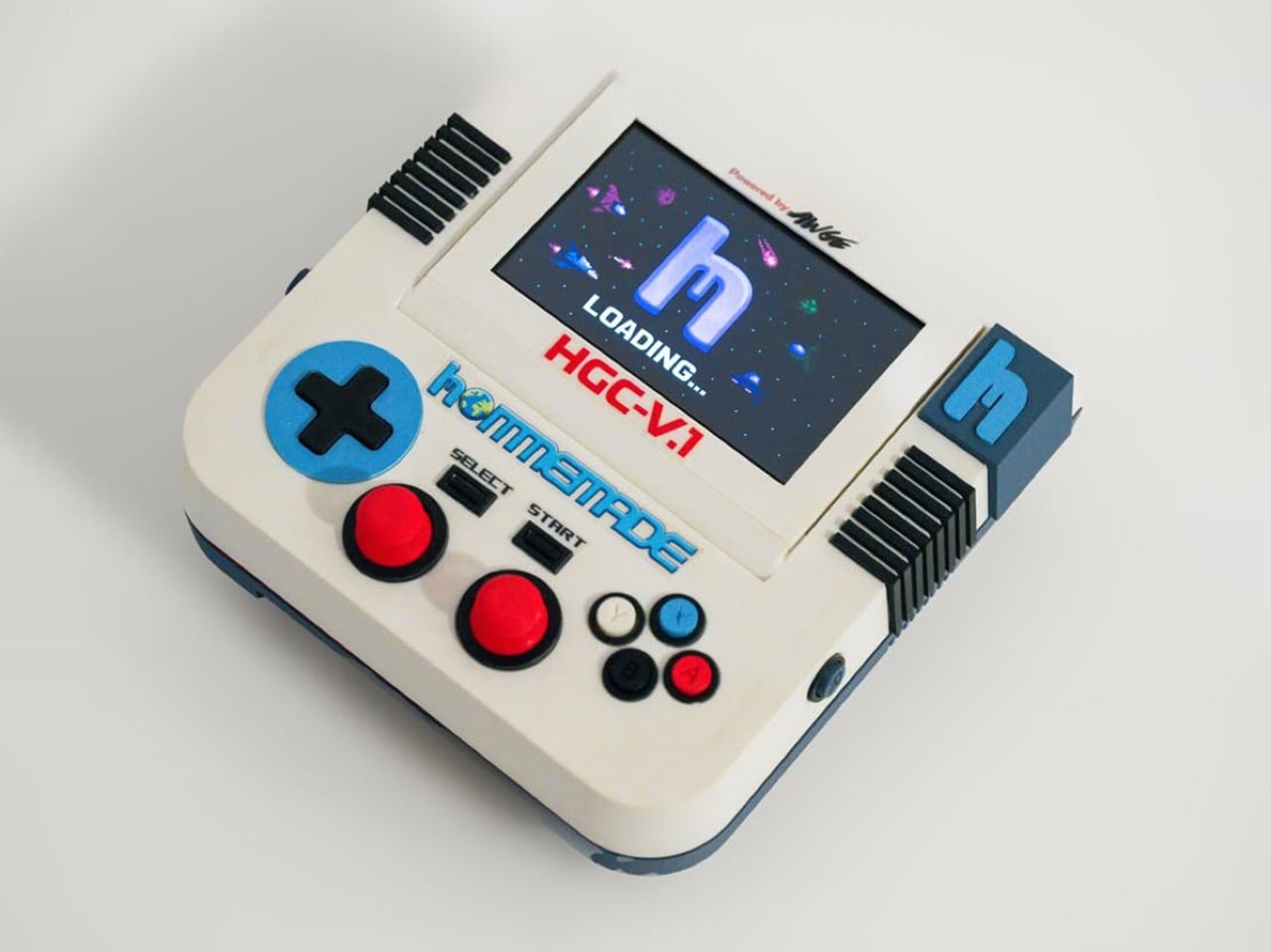
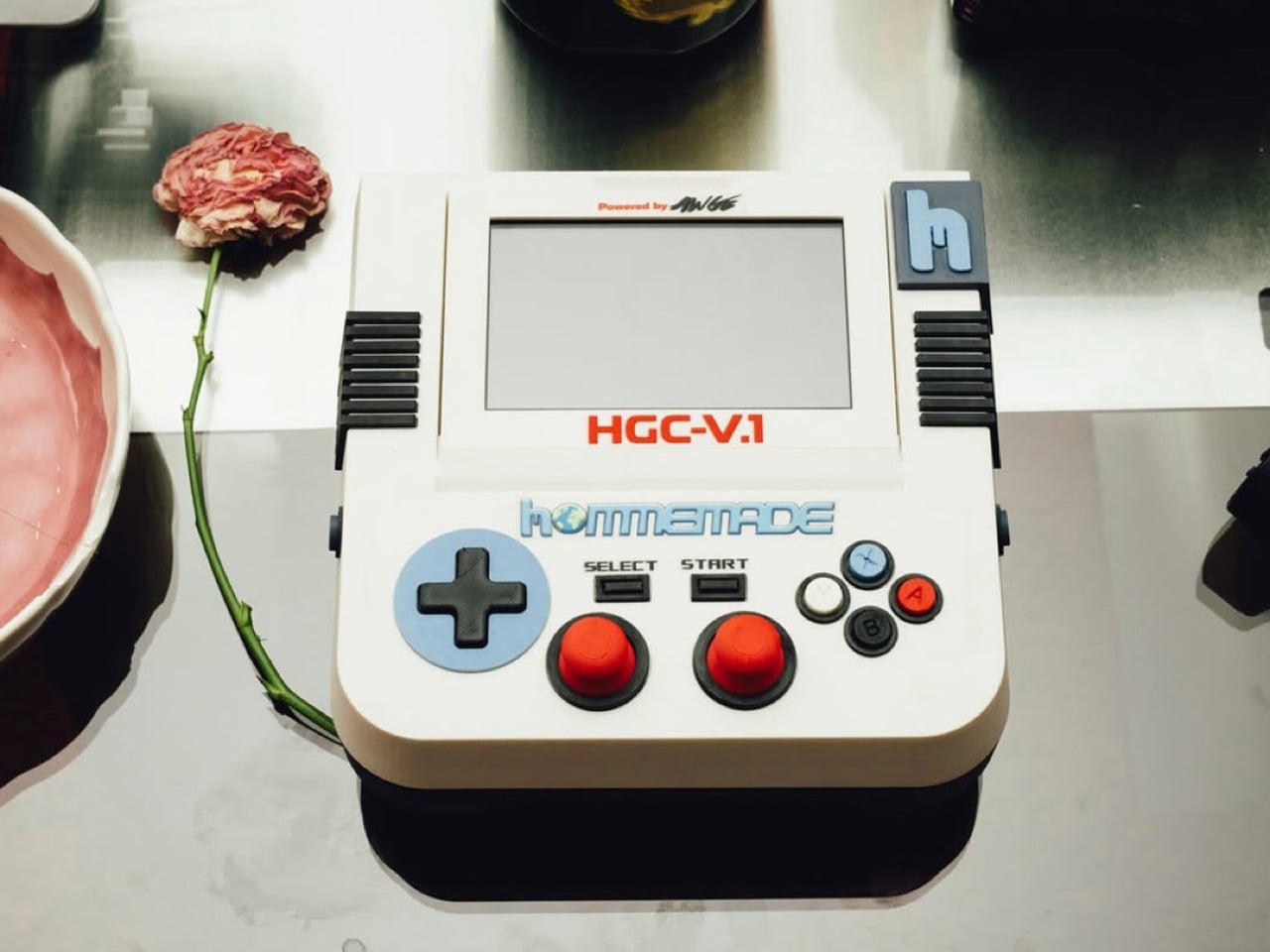
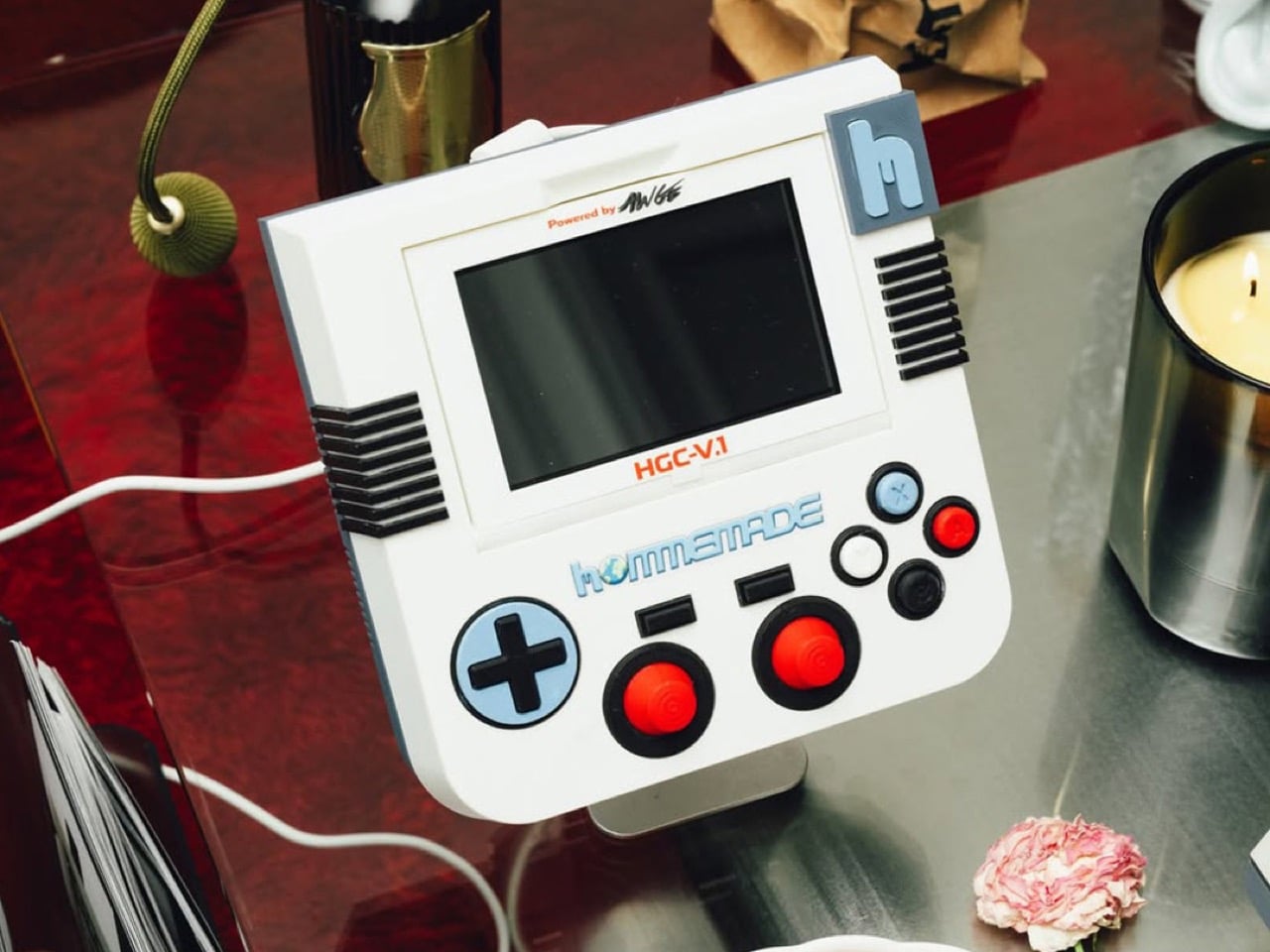
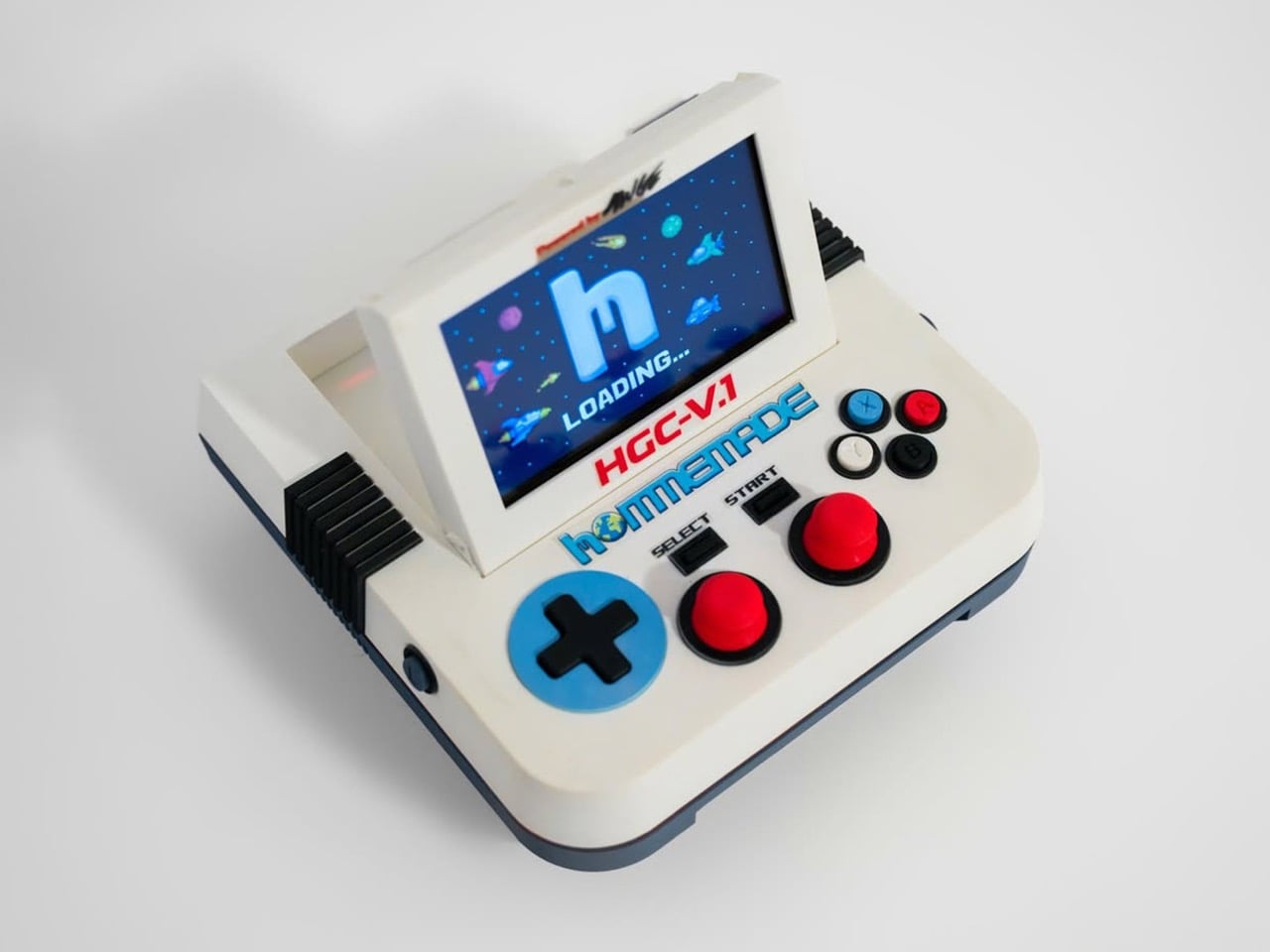
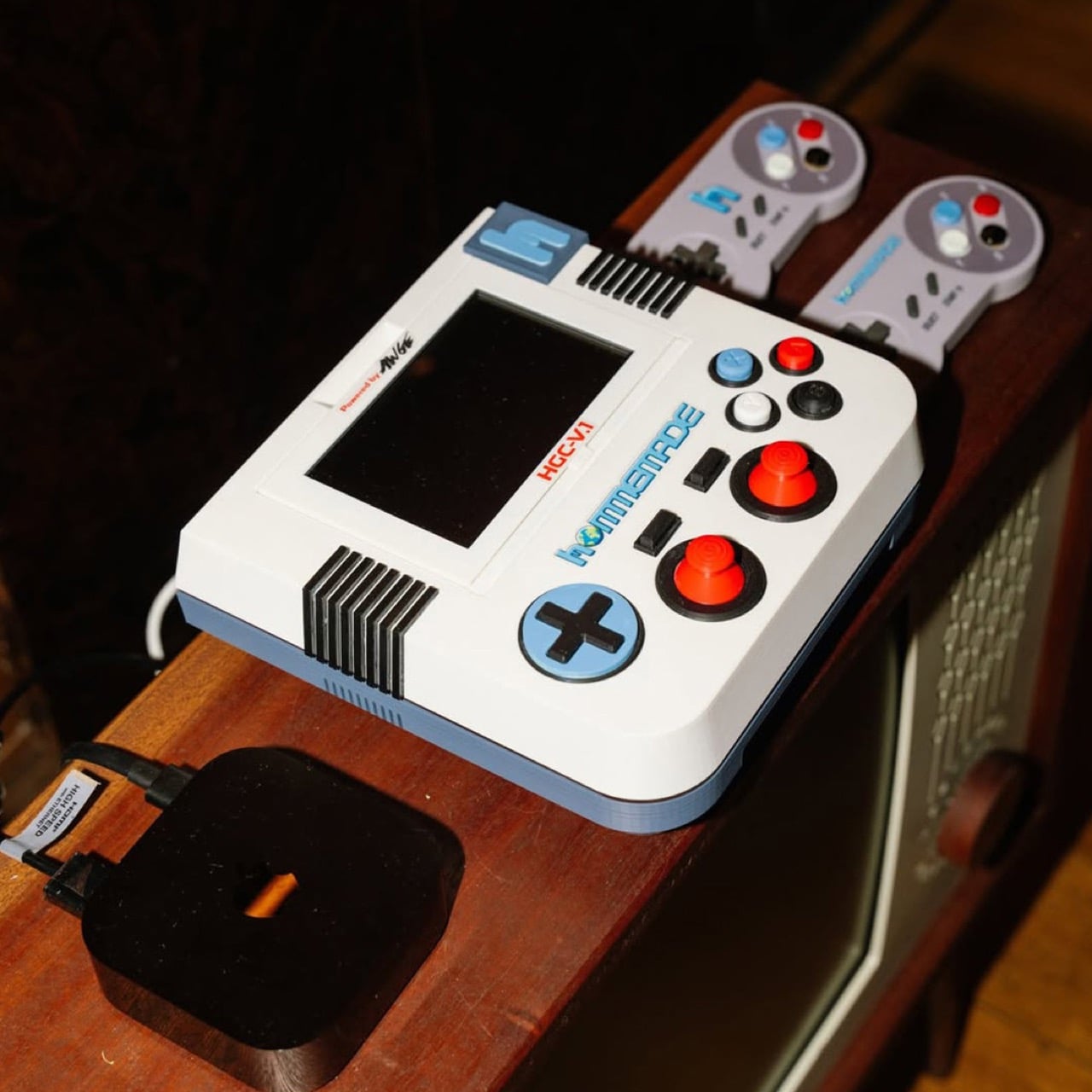
A$AP Rocky’s Hommemade studio just gave it a shot. The HGC-V.1, or Hommemade Gaming Console Version One, is a flip-screen retro emulation system designed in-house at AWGE and built around a chunky, almost cartoonishly oversized form factor that reads like a Famicom rendered as a desk sculpture. Cream and slate-blue body panels, two red arcade-style thumbsticks, a cobalt cross d-pad, SNES-coded face buttons, and black ribbed heat sinks flanking a flip-up LCD that boots into a pixelated starfield with the Hommemade “h” logo glowing front and center. It’s a console designed to be looked at as much as played.

Designer: AWGE / Hommemade

The form language here rewards a closer look. Most retro consoles fall into one of two camps, the faithful reissue (Analogue Pocket, Mega Sg) or the all-in-one emulation handheld (the entire Anbernic catalog), and both prioritize either accuracy or portability. The HGC-V.1 ignores both briefs. It’s a tabletop unit, roughly the proportions of a 1980s portable TV, with a flip-up screen that gives it a clamshell silhouette closer to a Game Boy Advance SP scaled up to coffee-table size. The d-pad, joysticks, and face buttons are all deliberately oversized, pushing past ergonomic logic into something more sculptural. You don’t pick this up the way you’d pick up an Anbernic RG35XX. You sit at it.

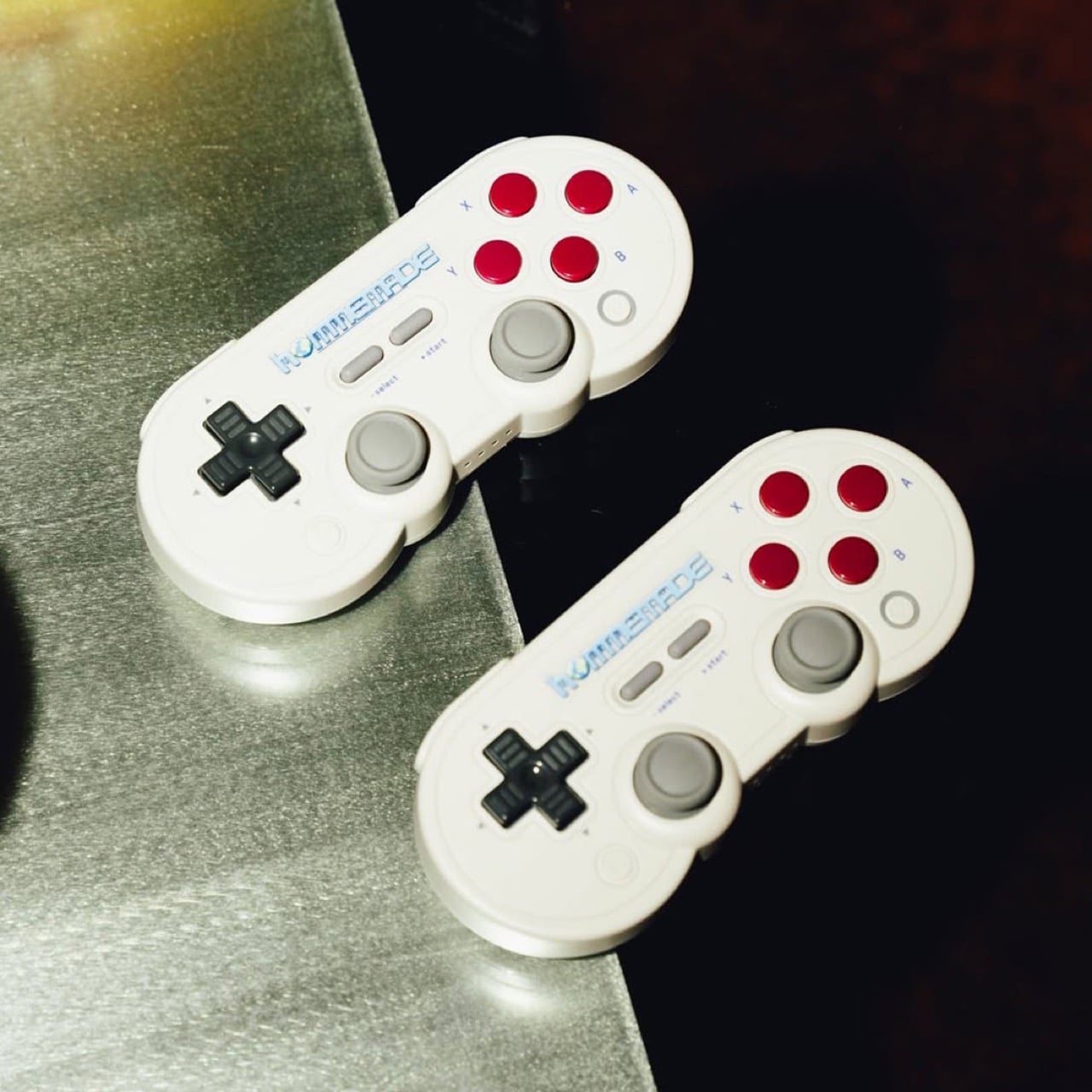
The detailing is where the AWGE handprint gets loud. “HGC-V.1” sits in red Famicom-style lettering across the bezel, “Powered by AWGE” gets stamped in that scrappy hand-drawn type Rocky has used across his whole creative universe, and the chunky blue “h” logo on the right shoulder behaves less like a brand mark and more like a structural element, almost a handle. Around the back you get USB, what looks like HDMI out, and a physical toggle switch with the satisfying mechanical heft those late-90s appliances always had. The package ships with two wireless gamepads that crib NES proportions while smuggling in twin analog sticks and a four-button face cluster, essentially a hybrid retro-modern pad capable of running anything from NES ROMs through to early PS1 emulation.

No public price has been announced, which fits the Hommemade pattern. The label operates on a made-to-order basis through a single email address (hommemade@awge.com if you’re interested), and the rest of the Galaxy Collection ranges from $13,500 dividers to the $300,000 CBNT.V1 entertainment console covered by Hypebeast last week. Expect this to land somewhere in art-object territory rather than competing with the upcoming Steam Machine. The HGC-V.1 isn’t trying to win on specs or library size. It’s trying to win on the simpler proposition that gaming hardware can be a piece of furniture worth designing properly, and on that front, it makes a genuinely compelling case.

The post A$AP Rocky Just Made a Retro Gaming Console That Looks Like a Famicom on Steroids first appeared on Yanko Design.

ZimaBoard 2 Review: The Home Server You Don’t Have to Hide Anymore

PROS:


  • Unusually sleek, well-finished aluminum design for a board-style server

  • Effectively silent passive cooling for always-on use

  • 60W adapter (with multiple plug types) provides sufficient 12V/5A power

  • Intuitive ZimaOS web interface, easy to set up without Linux experience

  • PCIe 3.0 x4 slot allows meaningful expansion


CONS:


  • Not suited for heavy compute or multi-VM workloads

  • Onboard eMMC is slow for sustained data storage

  • Memory tops out at 16 GB

RATINGS:

AESTHETICS
ERGONOMICS
PERFORMANCE
SUSTAINABILITY / REPAIRABILITY
VALUE FOR MONEY

EDITOR'S QUOTE:

The ZimaBoard 2 offers a compact, always-on server that earns its place on the shelf both functionally and aesthetically.

award-icon

Home servers and NAS boxes have long had a visibility problem, and not in the marketing sense. Most are bulky, noisy, and purely functional, which means they usually end up tucked behind desks or buried in closets. The compact options that do exist often sacrifice connectivity, storage support, or OS flexibility, making them useful only on paper rather than in the kind of sustained, always-on role they’re meant to fill.

ZimaBoard 2 from IceWhale is trying to change that. It’s a compact x86 home server built around an industrial aluminum chassis, with enough connectivity and software flexibility to serve as a NAS, media server, smart home hub, or private cloud device. Available in two configurations starting from $279, it sits comfortably between a hobbyist board computer and a proper home server, and that positioning is genuinely worth exploring.

Designer: IceWhale

Aesthetics
Most board-style computers aren’t particularly elegant things. They’re open PCBs with exposed components and color-coded connectors, designed for function over form. ZimaBoard 2 is a notable exception. It comes housed in an all-aluminum enclosure with a clean silver finish and vertical cooling fins running along its length, giving it an almost architectural character that’s genuinely unusual for hardware in this category.
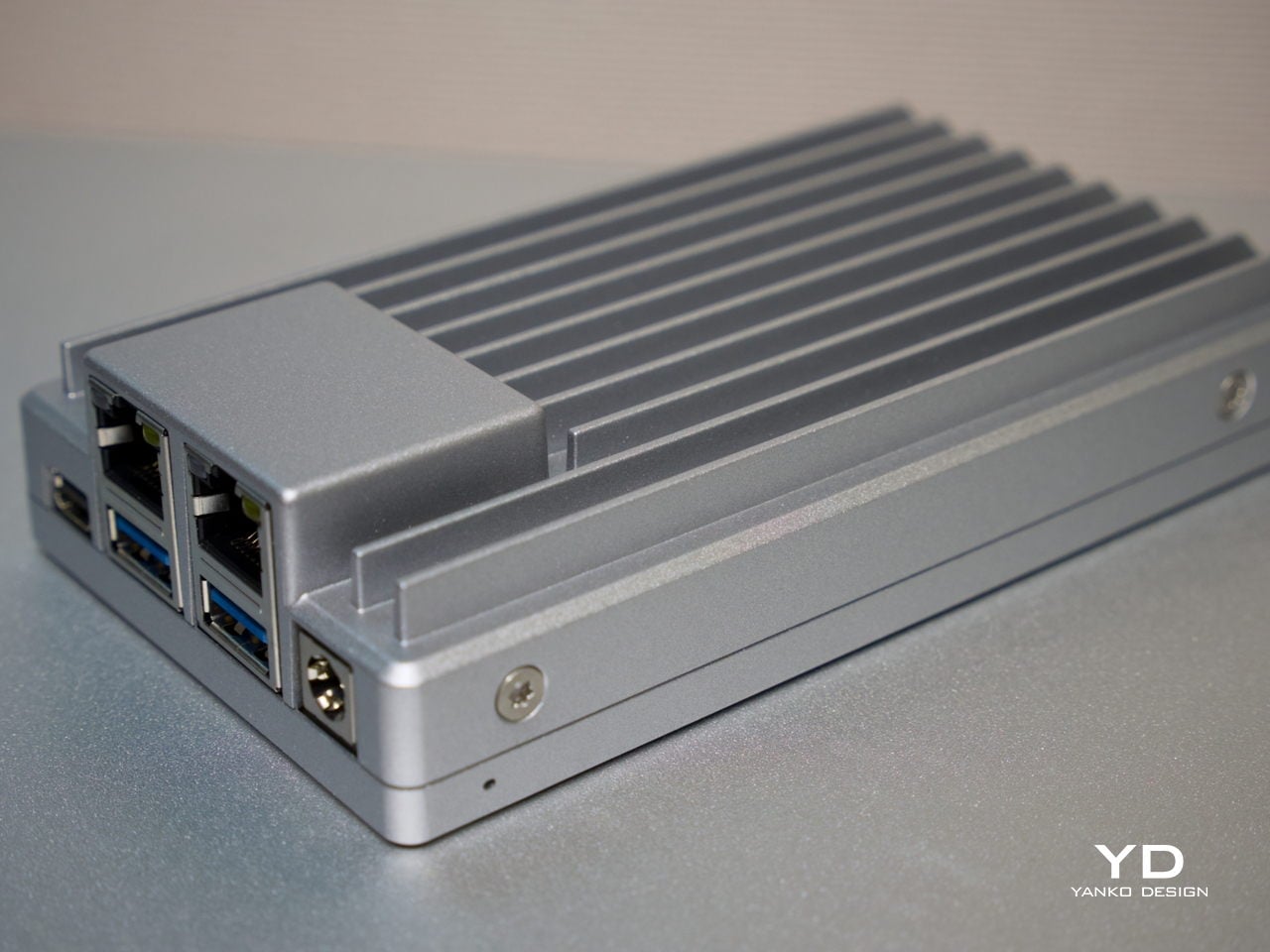
The ribbed fin pattern isn’t purely decorative. It acts as a passive heatsink, keeping things cool while also giving the device a more resolved visual quality than the typical bare-PCB look. It’s compact enough to hold in one hand, and in a workspace context, it reads less like raw server hardware and more like a deliberate industrial object that wouldn’t look out of place on a well-specced desk.
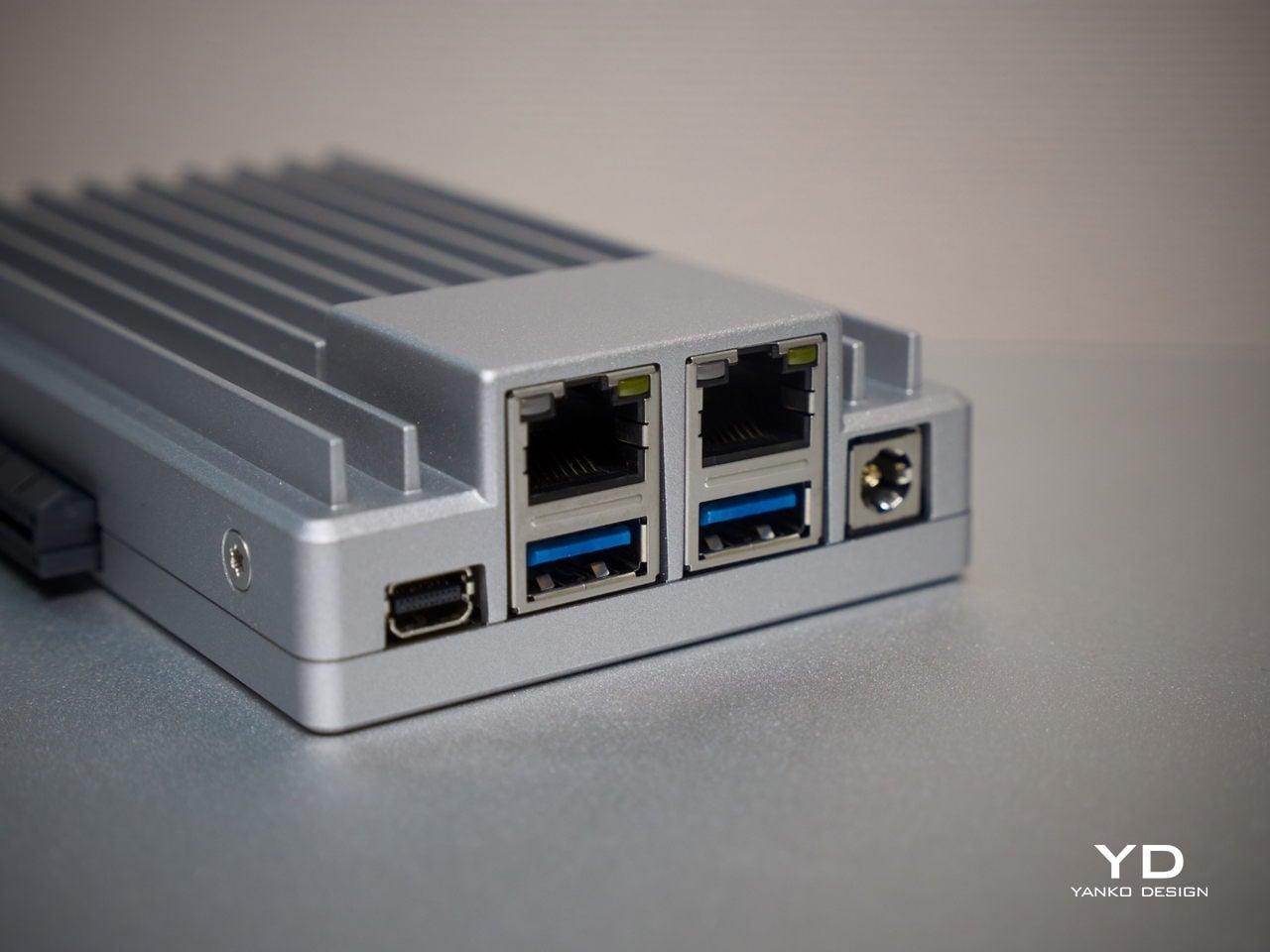
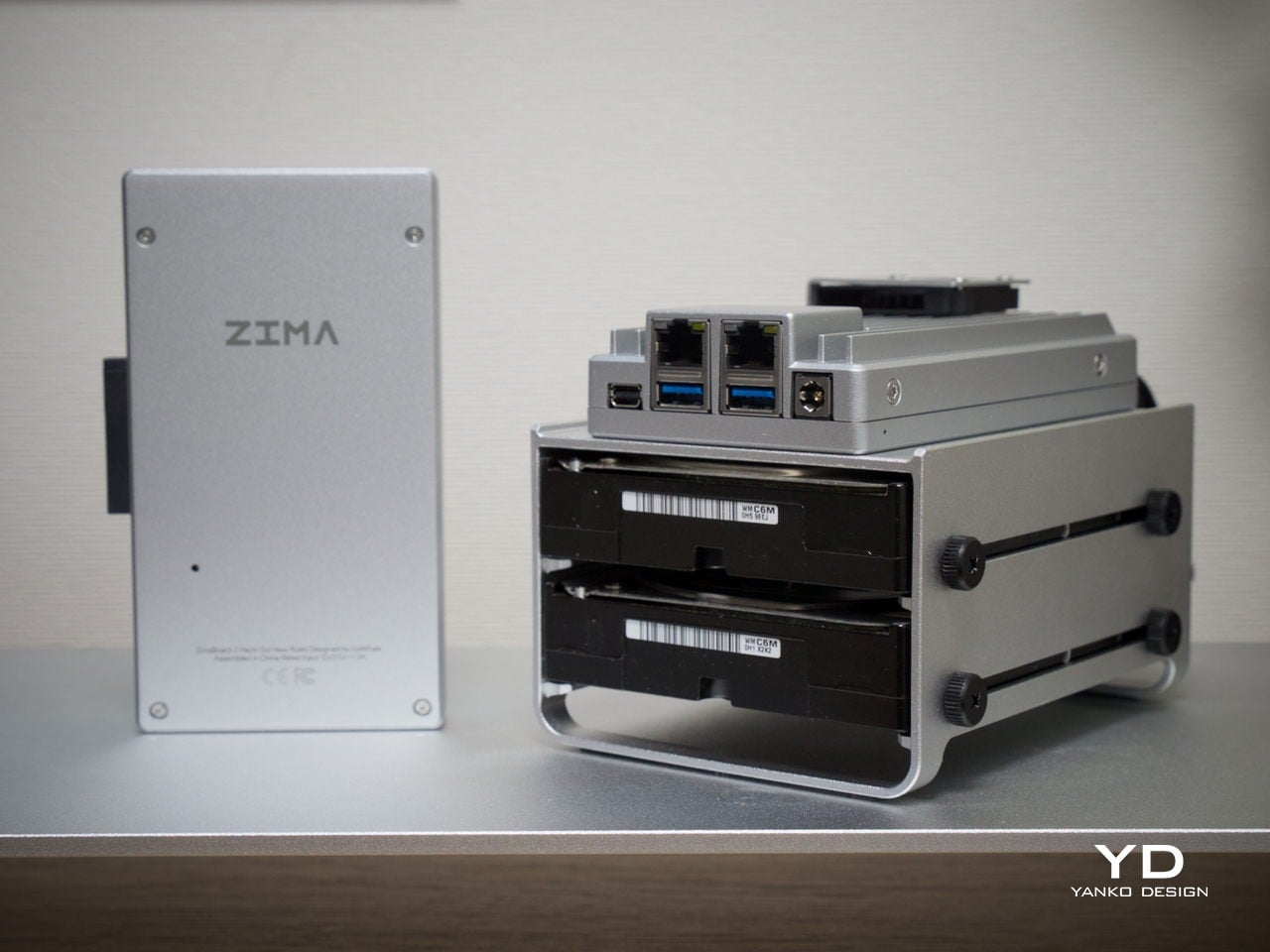
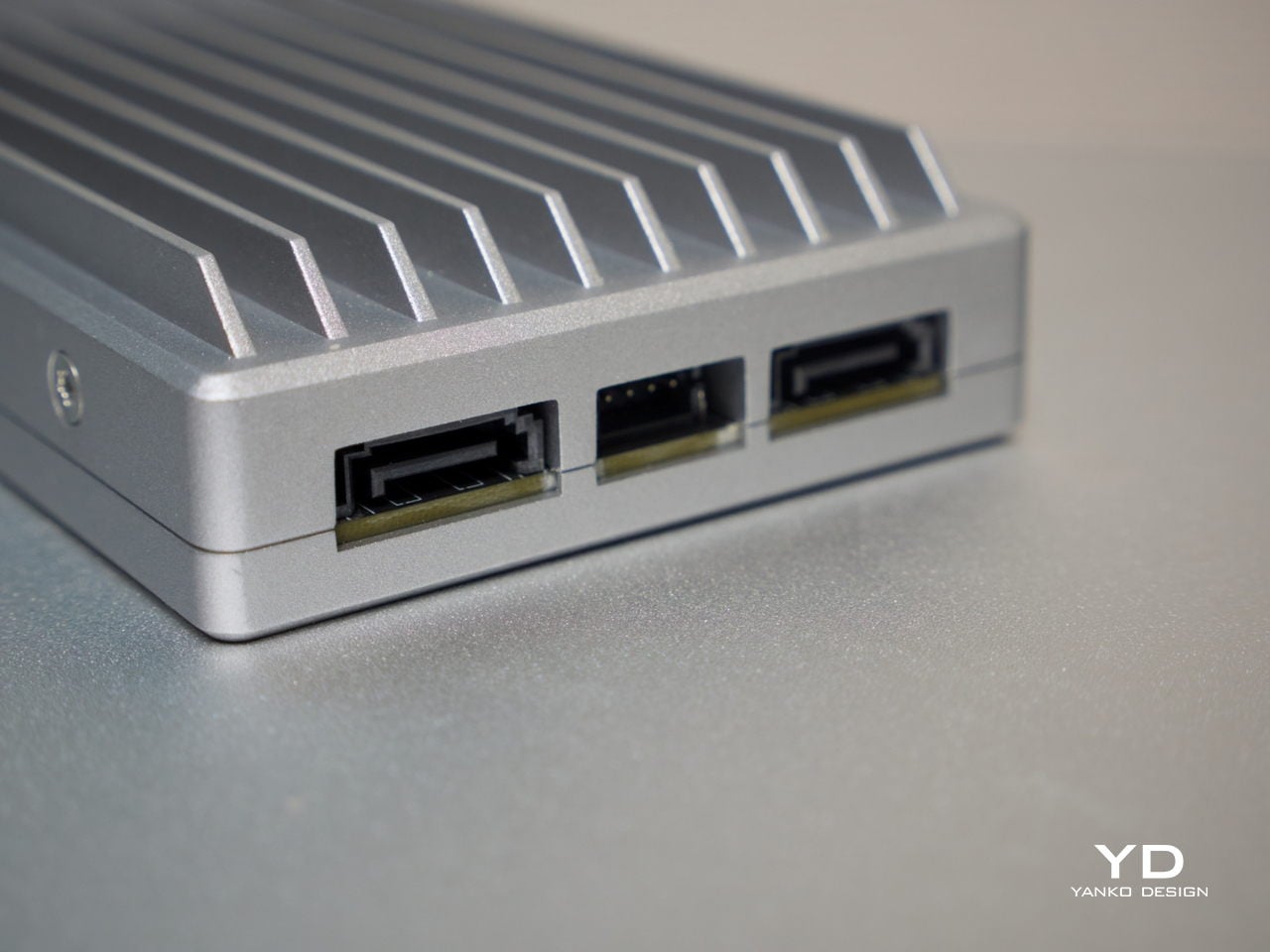
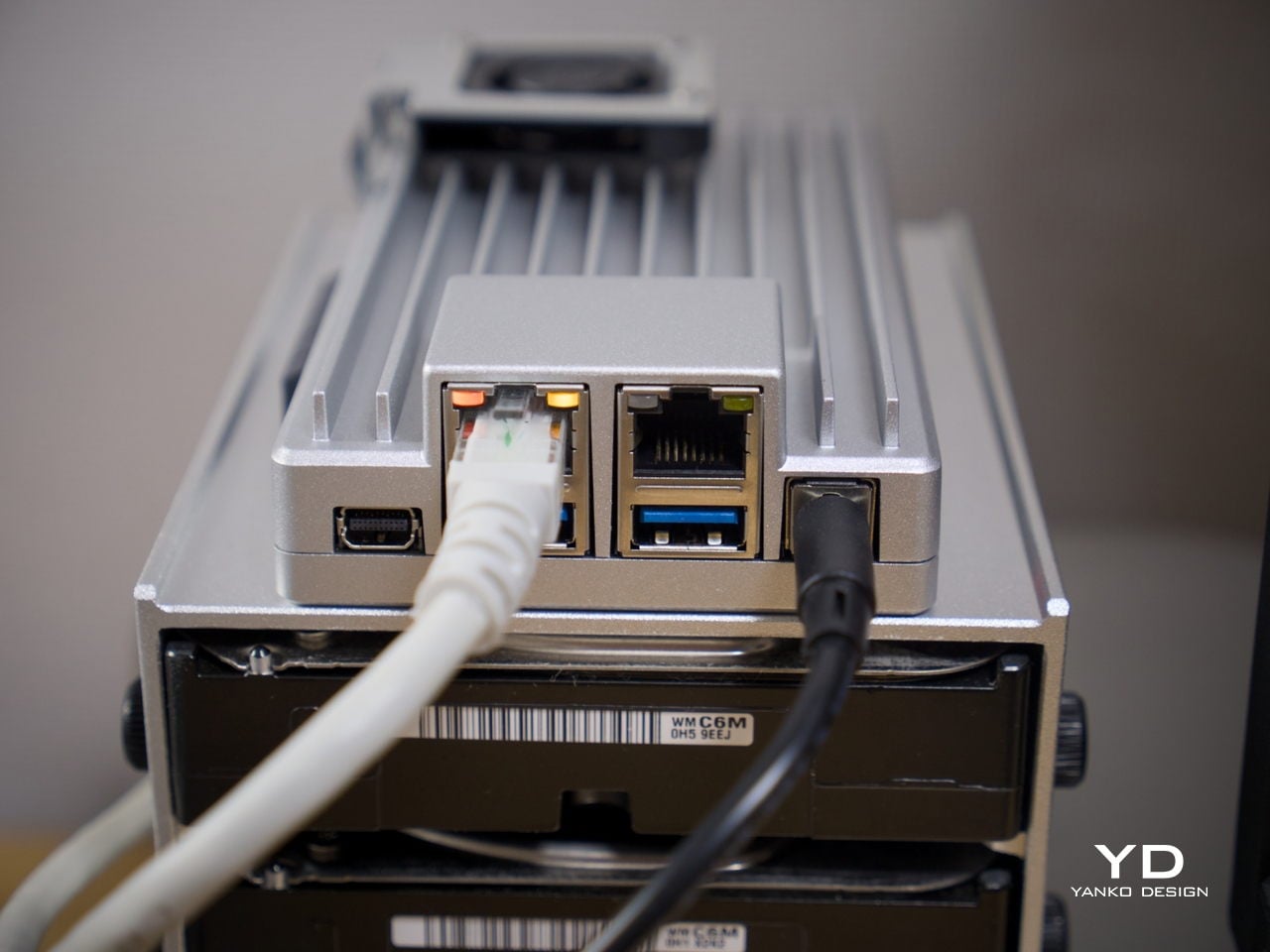
What also sets it apart from other board computers is how the I/O is handled at a design level. The ports are grouped cleanly along one edge, with the dual Ethernet jacks, USB ports, and Mini DisplayPort sitting in a tidy, intentional cluster rather than scattered wherever there was board space. That considered layout keeps the device looking organized even when several cables are plugged in at once.

Ergonomics

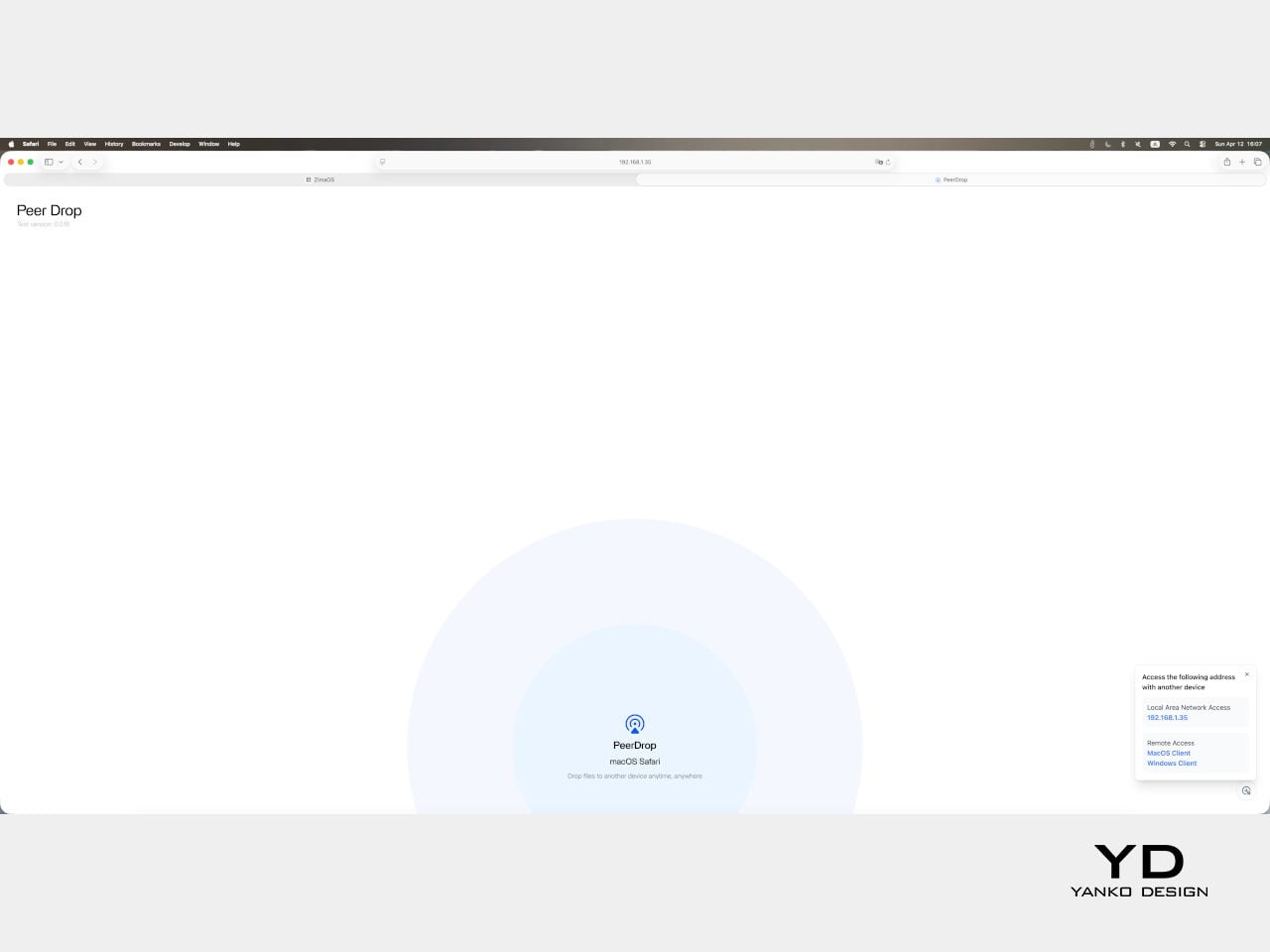
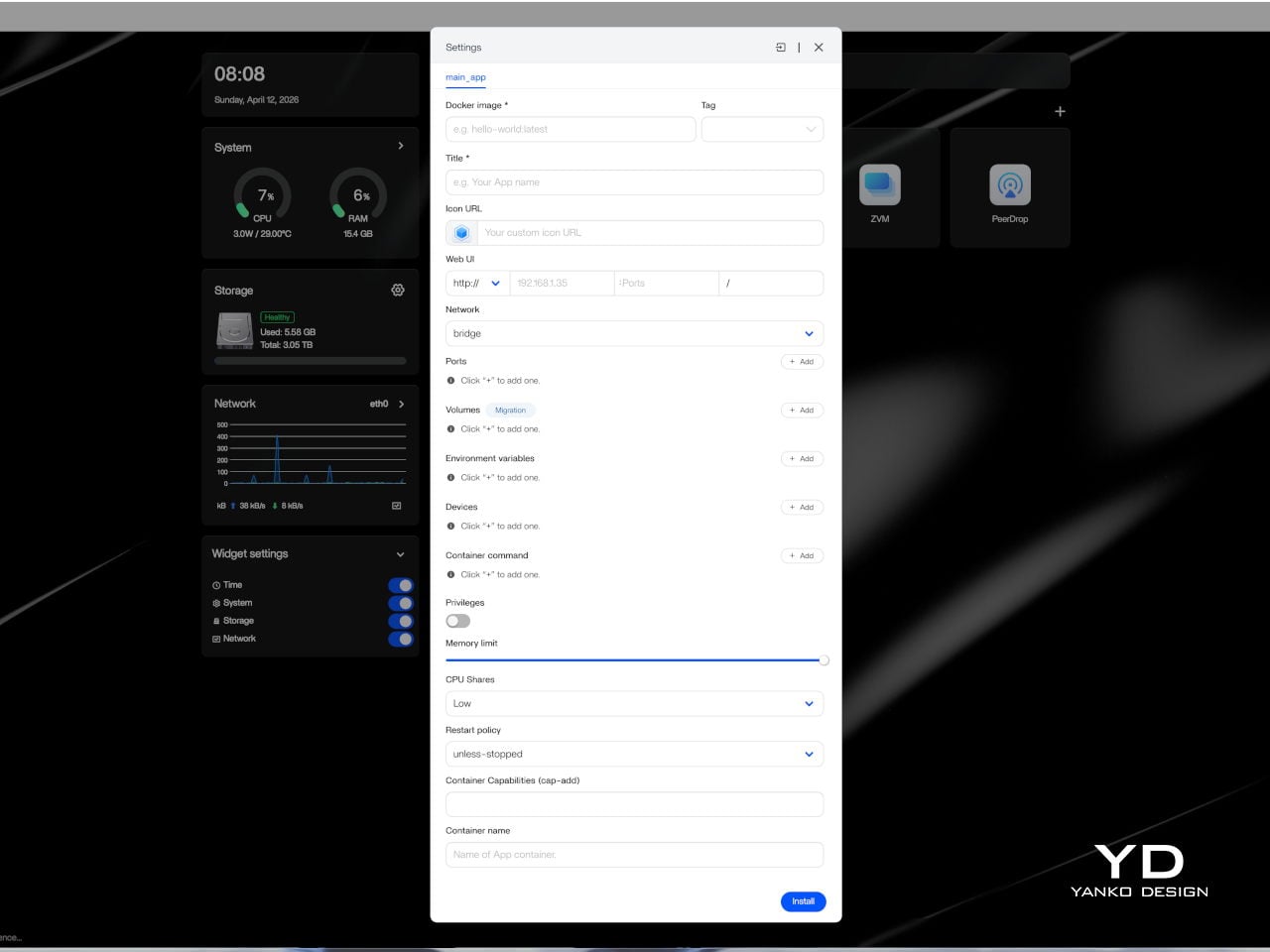
Setting up ZimaBoard 2 is refreshingly straightforward for a device in this category. The web-based interface felt clean, well-organized, and intuitive enough that getting started didn’t require much Linux familiarity. ZimaOS comes pre-installed with a browser-based dashboard that handles storage configuration, app deployment, and network settings through a familiar, point-and-click experience. Getting a NAS or media server up takes minutes, not hours.
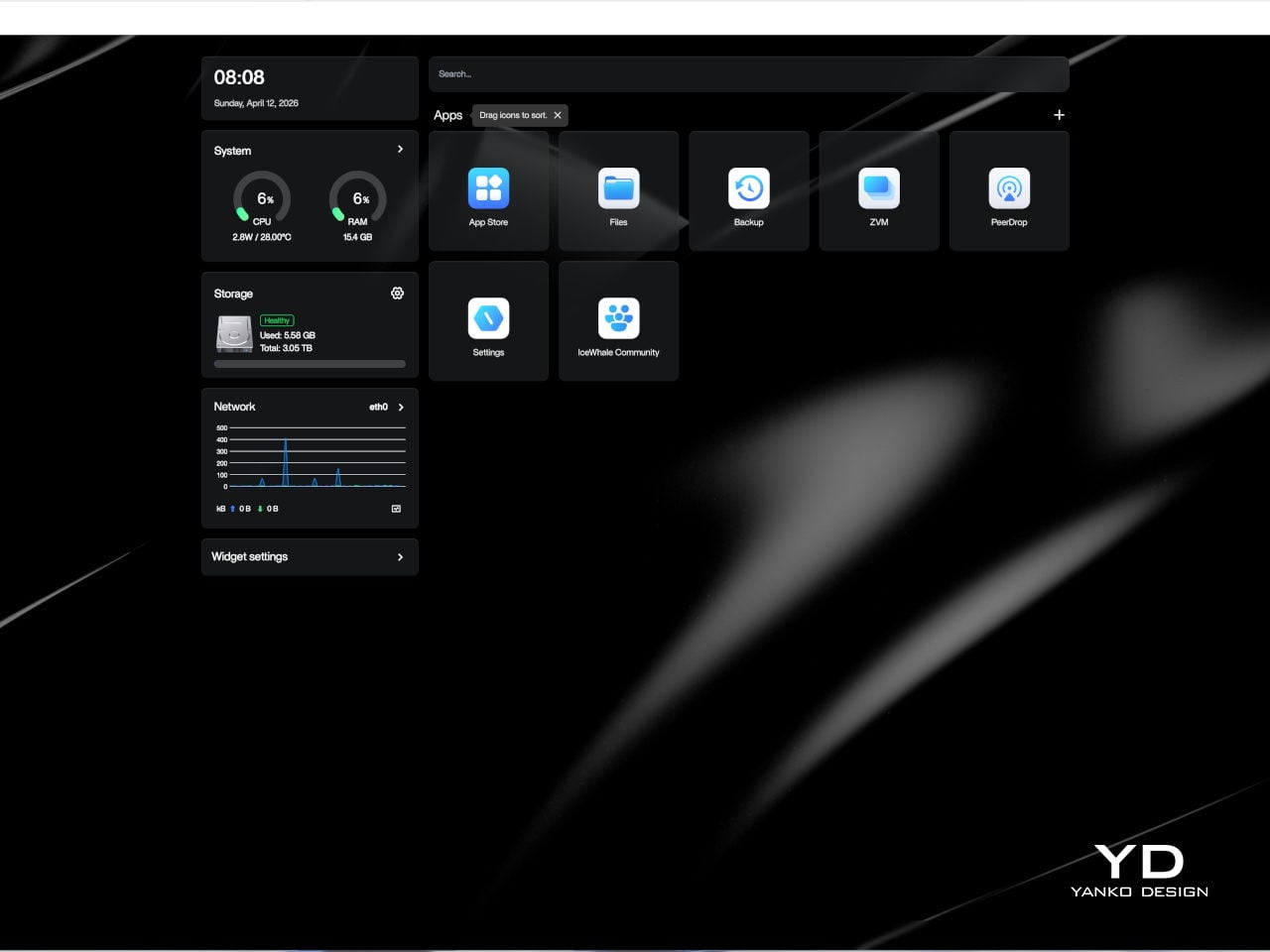
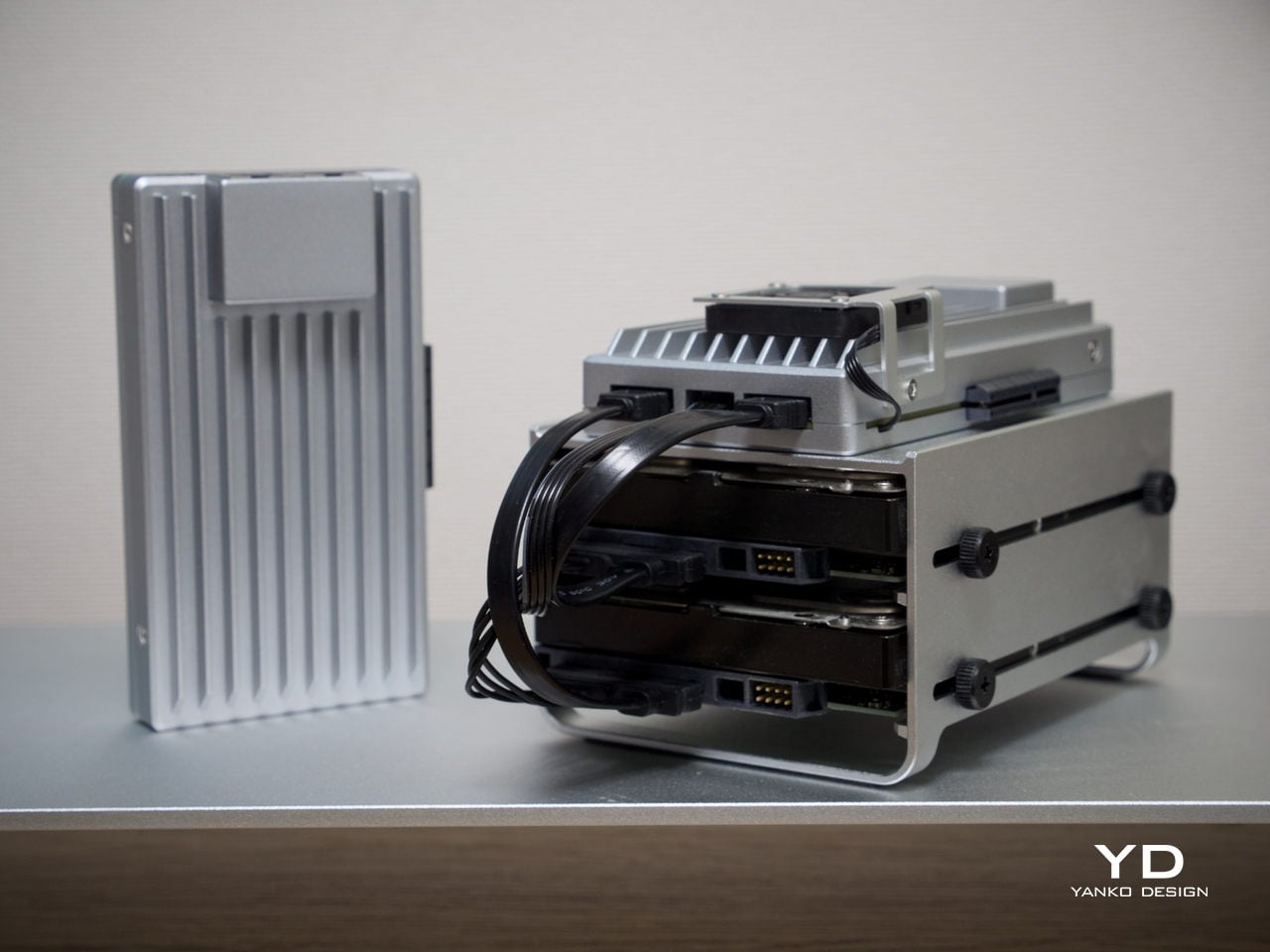
The board is compact and light enough to tuck almost anywhere. It ships with a 60 W power adapter that comes with interchangeable plug adapters, which is a thoughtful detail for anyone working across different countries or regions. ZimaBoard 2 is designed around passive cooling, so in everyday use, it stays effectively silent, even with the optional mini cooling fan, which matters considerably when the device is meant to operate around the clock.
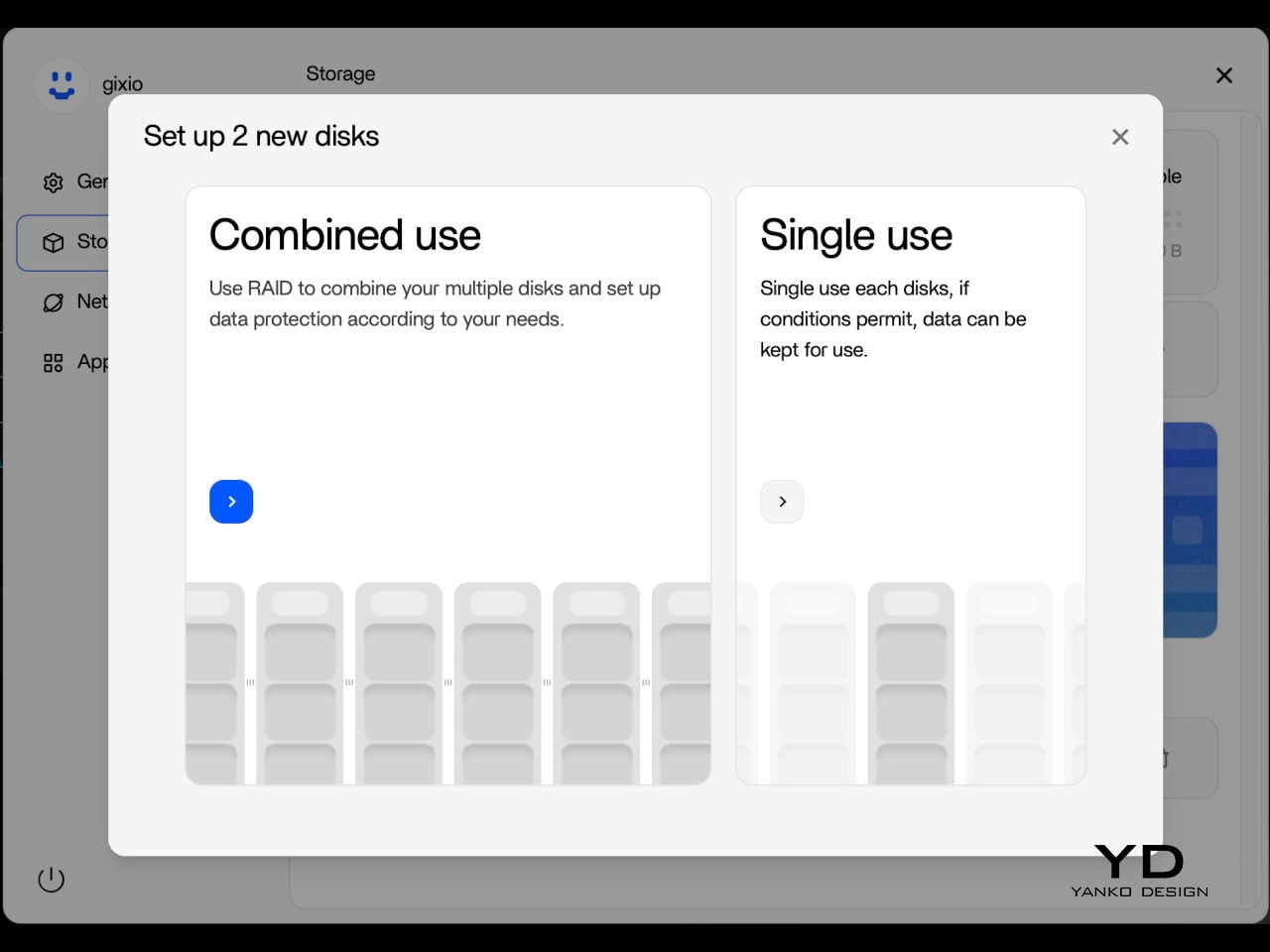
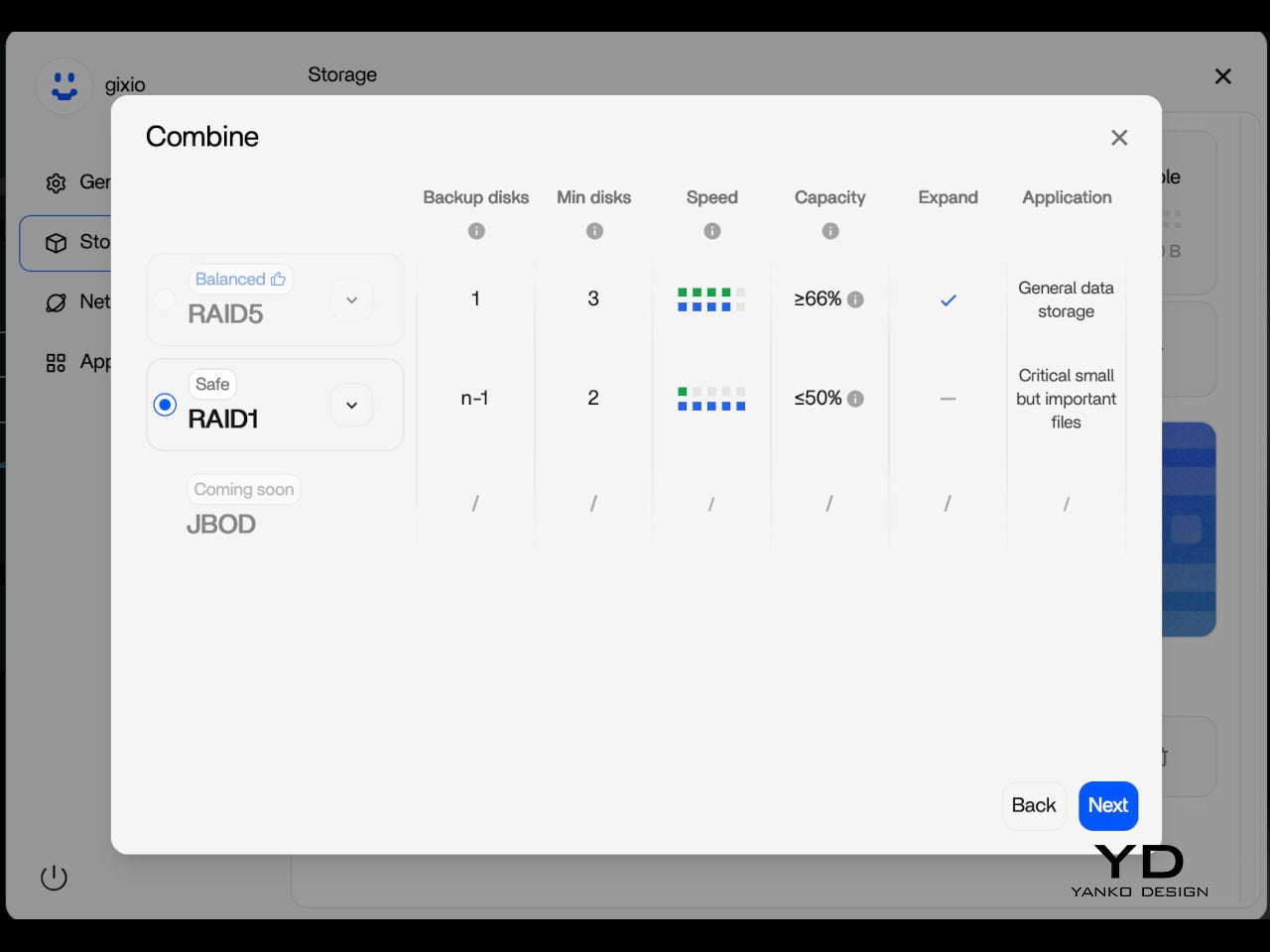
One practical setup step worth noting is that the onboard eMMC storage is best treated as a system layer rather than a long-term data destination. After initial setup, moving files and apps to the SATA-connected drives is the smarter workflow, since attached storage is faster and better suited to the sustained read and write activity a home server handles daily. It’s a minor but worthwhile habit to build in early.

Performance

Under the aluminum shell sits an Intel N150 processor, a quad-core chip running up to 3.6 GHz with a 6 MB cache and a 10 W TDP. It’s not the most powerful chip in this size class, but it’s the right pick for a device designed to run continuously at low power. For home server tasks, including NAS, media streaming, and containerized workloads, it handles things with comfortable ease.
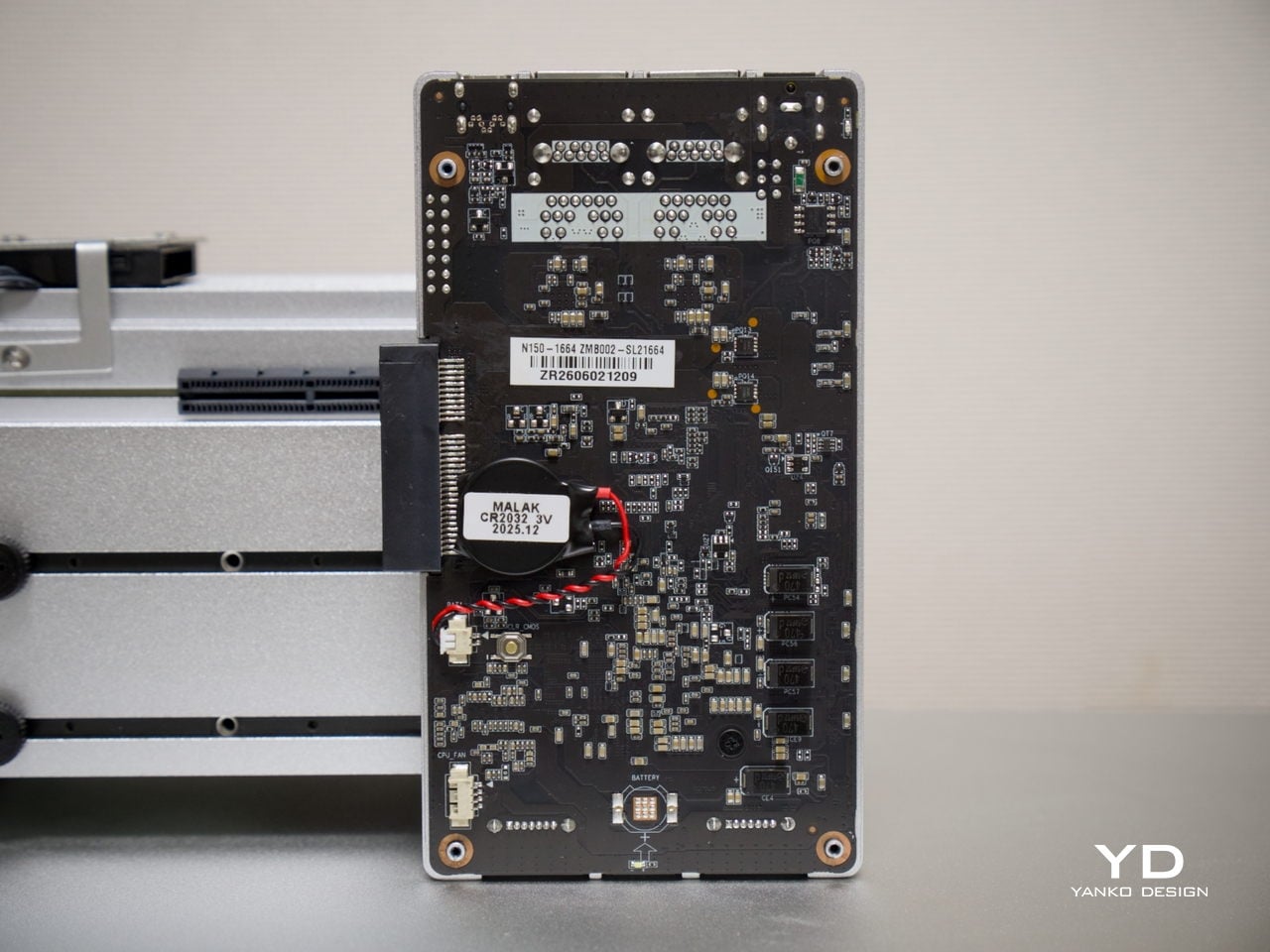
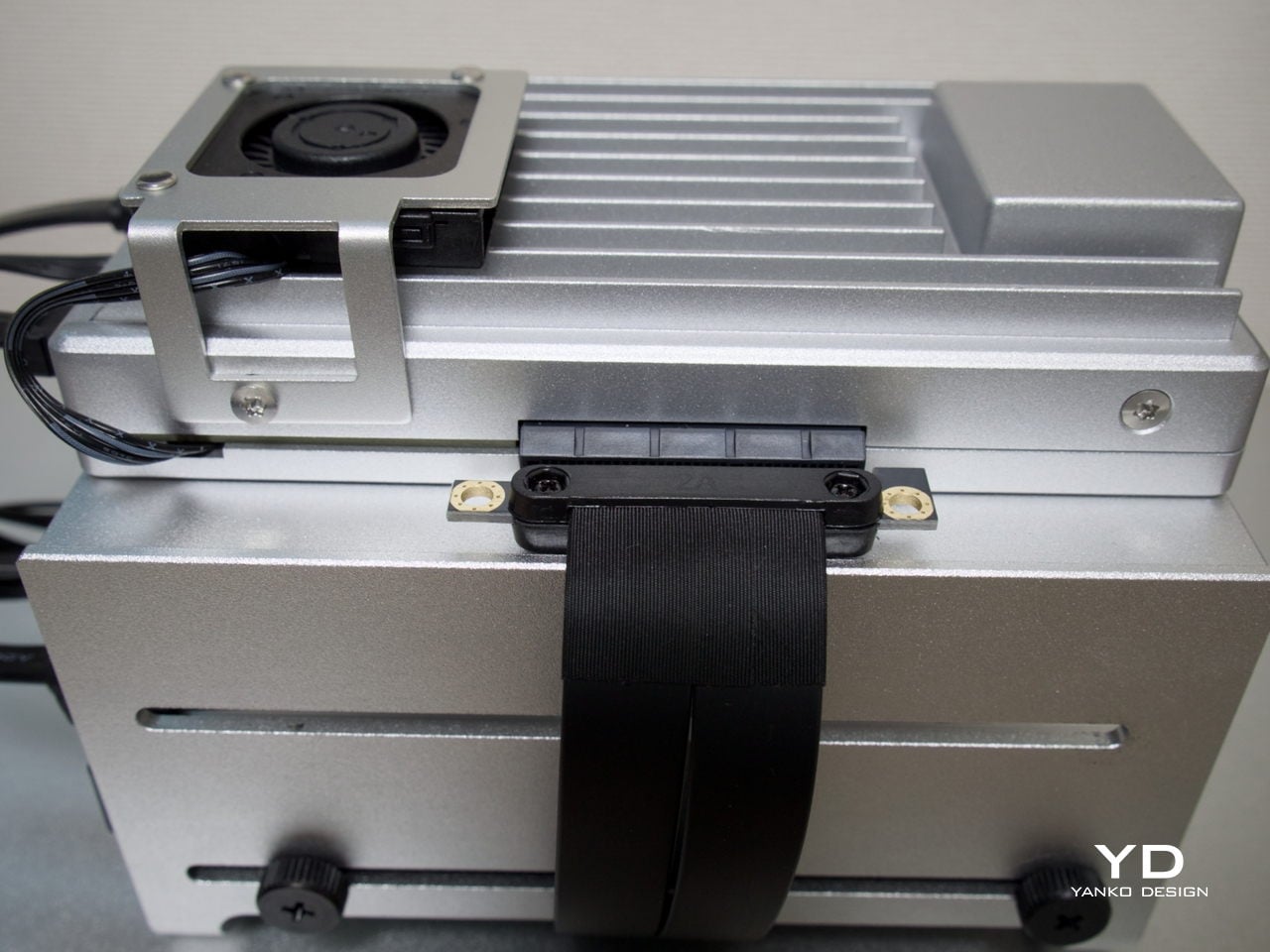
On the storage side, two SATA 3.0 ports come with integrated power support, making it straightforward to connect a pair of full-size NAS drives without extra adapters. Running two 3.5-inch drives caused no issues, and the 12V, 5A supply proved sufficient in testing to handle the board and drives comfortably. That power budget is a meaningful detail, since not every compact server can make the same claim confidently.
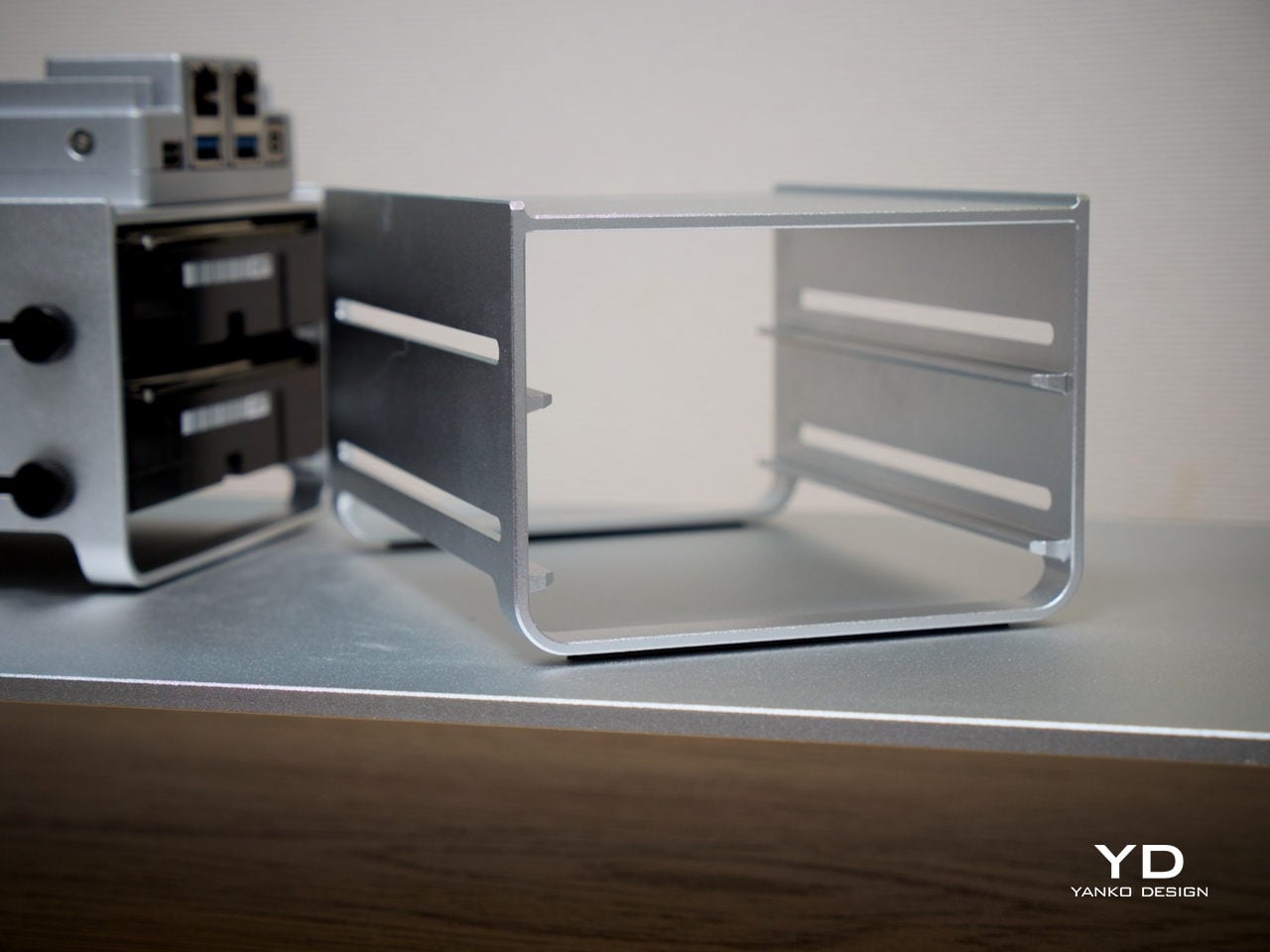
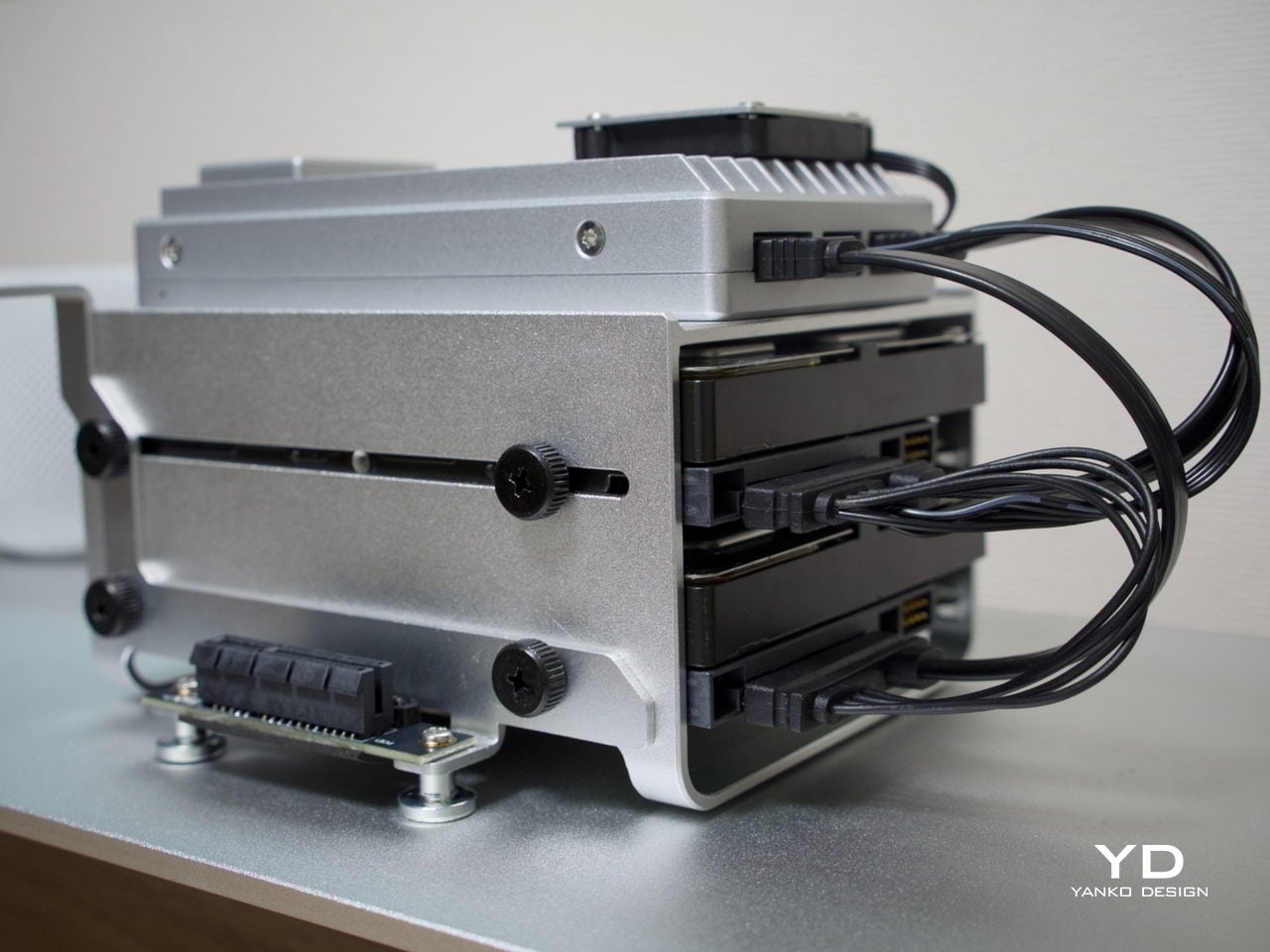
Thermals are worth touching on separately. The N150 runs warm under sustained loads, but for NAS-oriented use, there’s a simple tuning option: disabling Turbo Boost in the BIOS noticeably reduces operating temperatures. The trade-off is a clock speed ceiling of around 1 GHz, but for straightforward file serving, that’s more than sufficient, and the lower heat output makes for a much more comfortable long-term operating condition.
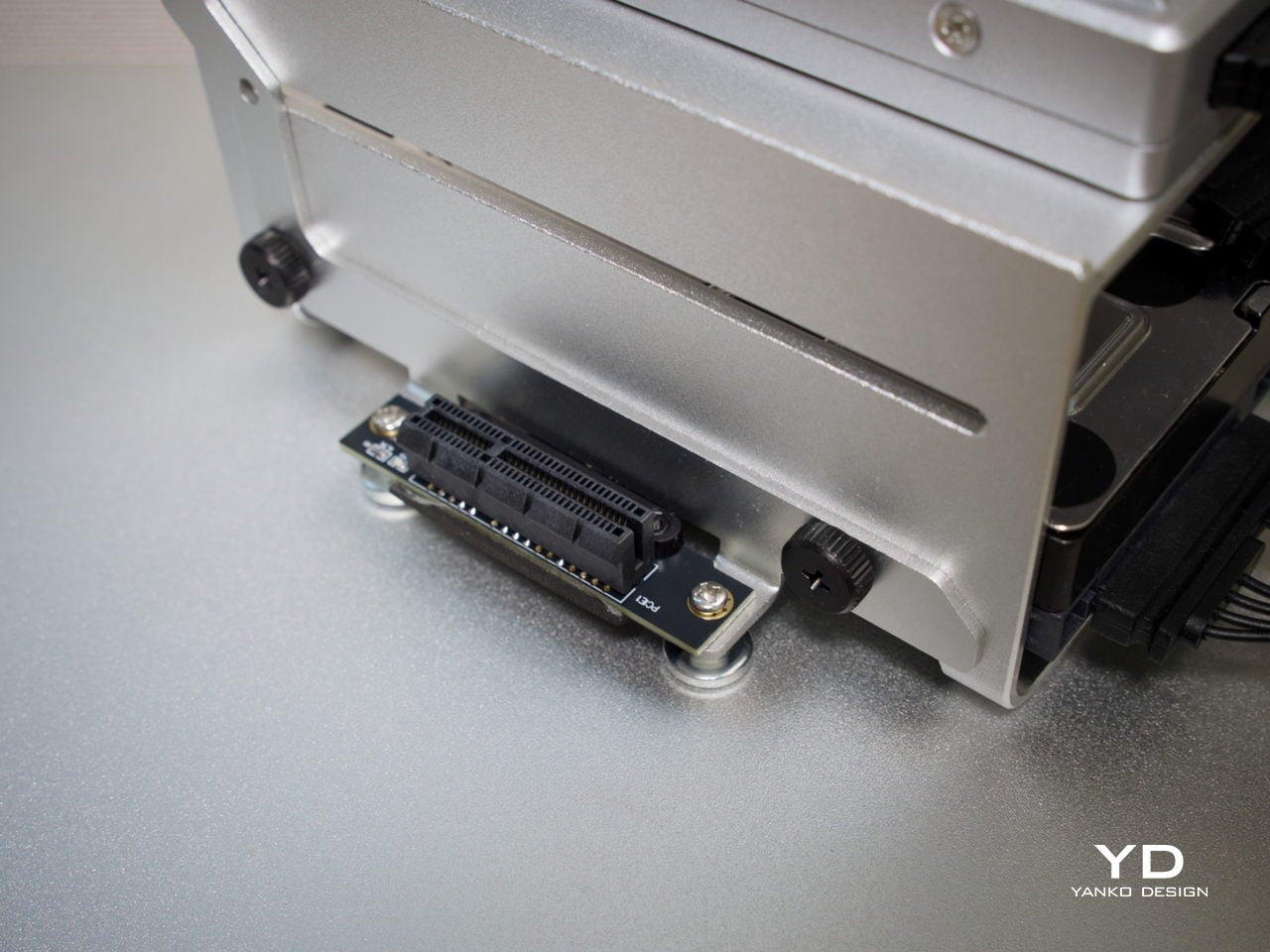
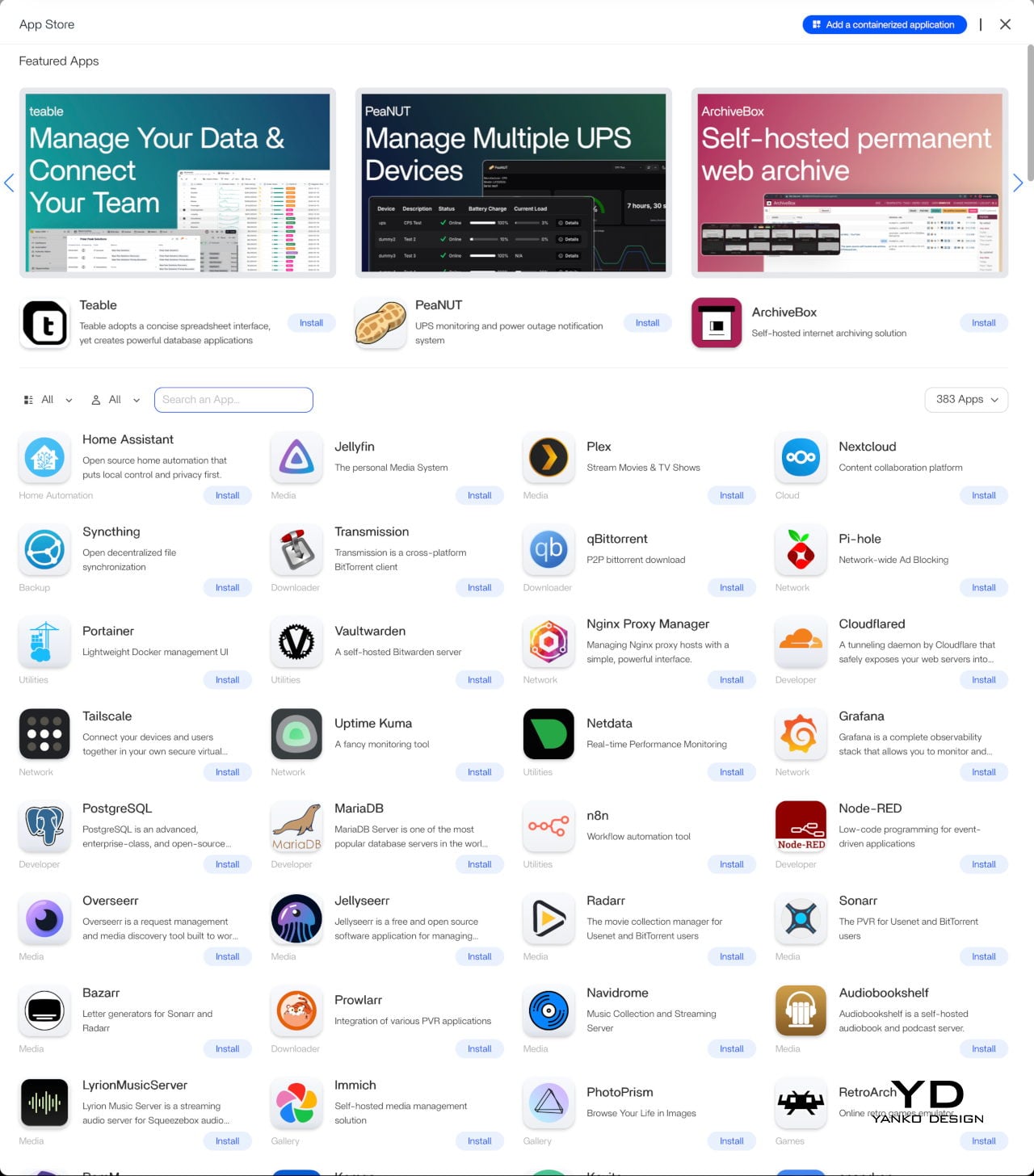
Beyond the hardware, ZimaOS adds real depth to the experience. Its app store advertises 800+ one-click apps, including Plex, Jellyfin, Nextcloud, and Home Assistant. The higher 1664 configuration’s 16 GB of LPDDR5 RAM also helps when running virtual machines or heavier container setups. ZimaOS also supports Intel Quick Sync for hardware-accelerated transcoding, which helps reduce CPU load in supported Plex and Jellyfin setups.
Sustainability

The all-aluminum enclosure makes a strong durability argument. Aluminum doesn’t flex, doesn’t yellow, and holds up well over years of continuous operation, which matters a great deal for hardware that never really gets switched off. The thermal design relies primarily on passive conduction through the chassis, keeping internal component complexity low and reducing the number of parts that could wear out over time.
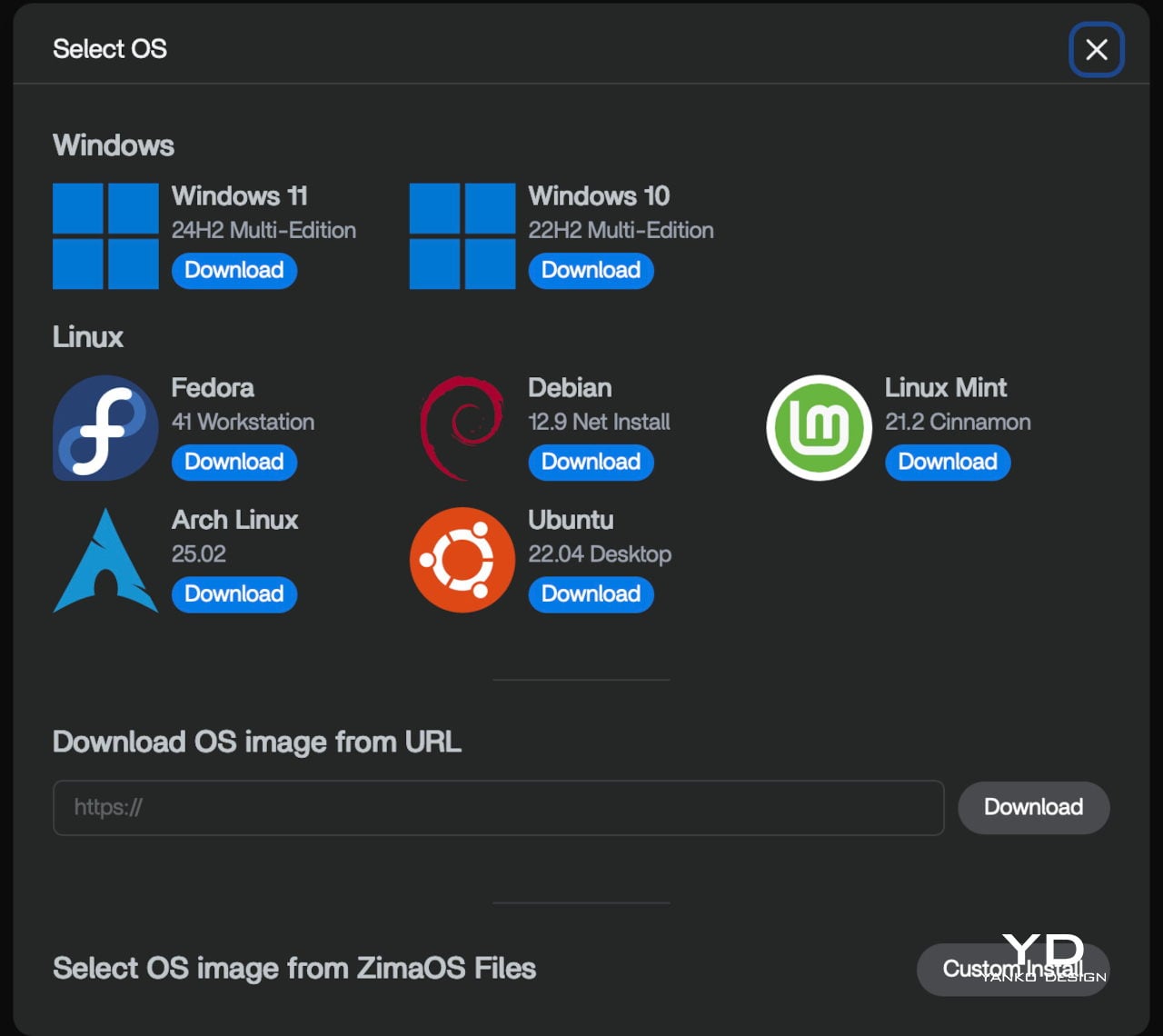
Software longevity is another angle worth considering. Because ZimaBoard 2 runs on x86 architecture, it’s compatible with a wide range of operating systems, meaning the hardware doesn’t become obsolete when a software stack changes or no longer fits your needs. If ZimaOS evolves or you outgrow it, you can simply install something else. That kind of platform openness is a practical form of sustainability that closed appliances rarely offer.

Value

ZimaBoard 2 sits at a price point that demands a bit of context. The base 832 configuration starts at $279, with the 1664 variant at $349. Those figures feel steep when compared to bare-board computers, but the comparison isn’t really fair. What you’re getting is a fully enclosed x86 server module with dual 2.5 GbE networking, dual powered SATA bays, a PCIe 3.0 expansion slot, and ZimaOS pre-installed.
Compact mini PCs at a similar price usually offer stronger raw performance but fewer server-specific ports and no expansion path. Dedicated NAS boxes tend to be locked into proprietary software. ZimaBoard 2 is more flexible than either. Native SATA, dual 2.5 GbE, and a PCIe slot on a single platform is an uncommon combination at this price, and that’s where the value case starts to feel convincing.
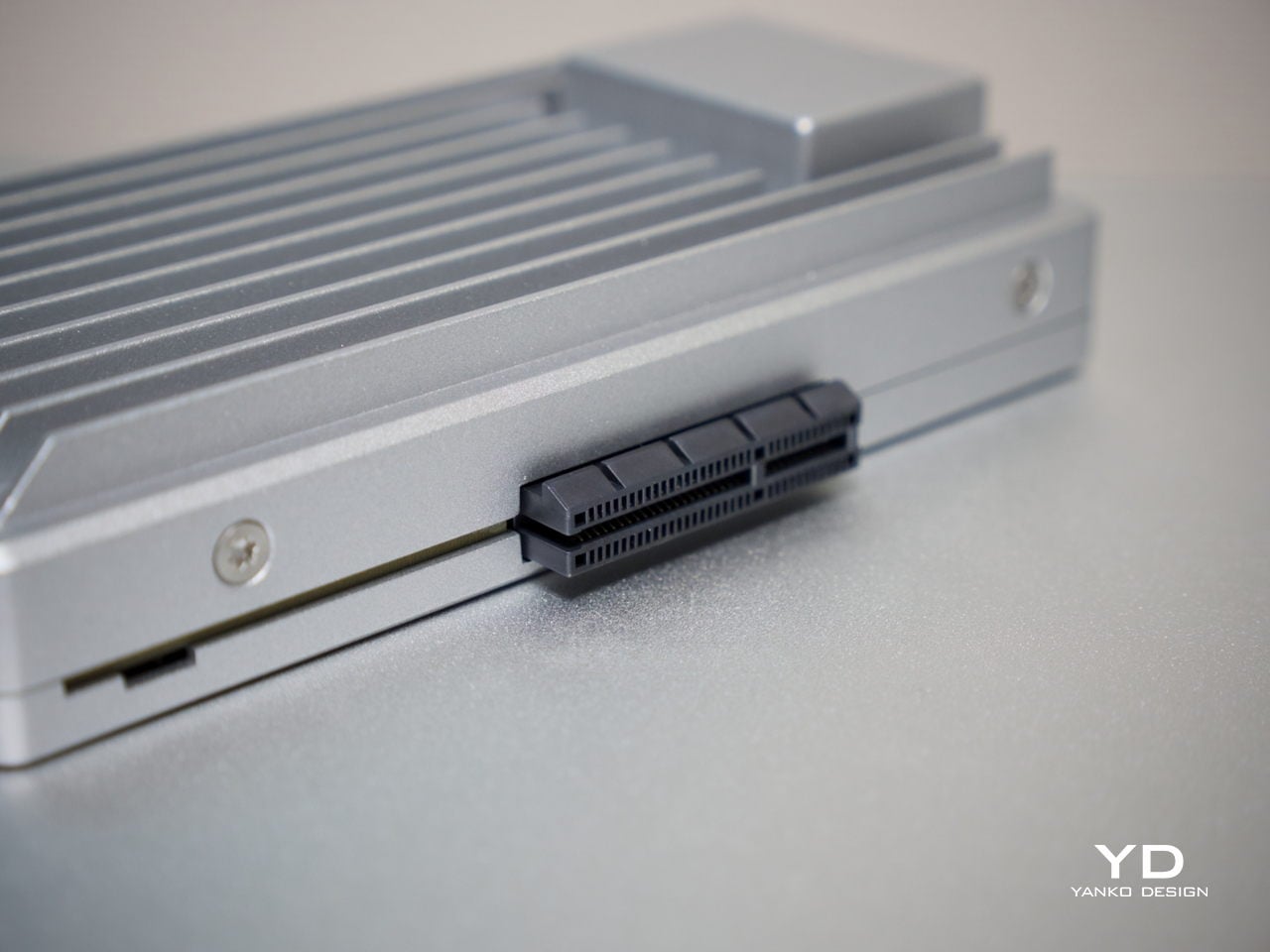
The PCIe 3.0 x4 slot adds a dimension of future-proofing that sealed appliances can’t match. You can plug in a 10 GbE network card, an NVMe adapter, a GPU for AI workloads, or an HBA for expanding storage capacity. That expandability means you’re not locked into what the board offers at purchase, which in practical terms allows the device to grow alongside your needs rather than becoming a bottleneck.
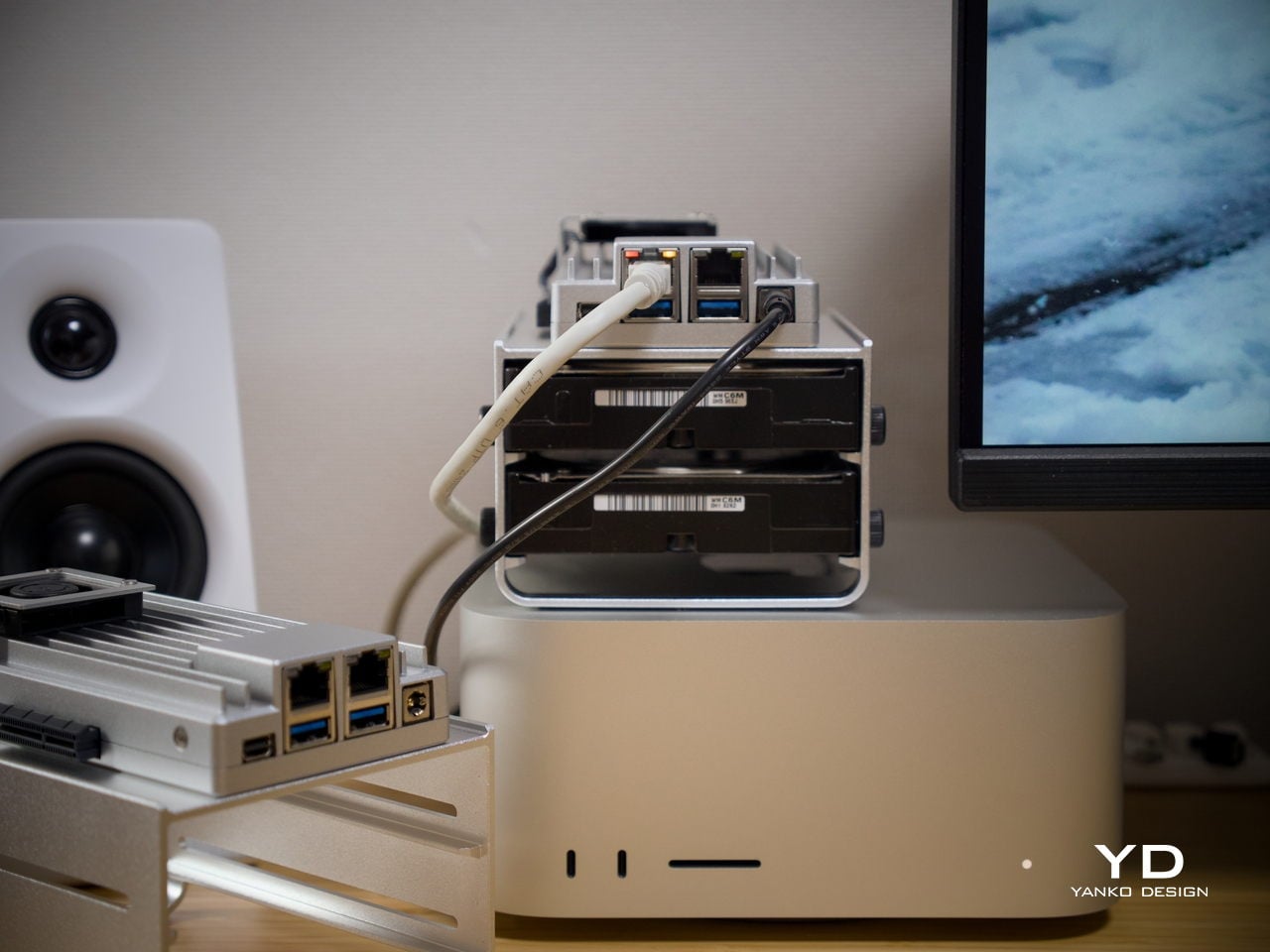
It’s fair to say that buyers focused purely on maximum compute per dollar will find stronger options elsewhere. But for those building a quiet, flexible, always-on home server that’s actually pleasant to live with, ZimaBoard 2 feels well-judged. The design, connectivity, software experience, and room to grow all reinforce each other in a way that makes the price feel more grounded the longer you use it.

Verdict

ZimaBoard 2 makes a strong case for what compact home server hardware can look like when design is treated as part of the brief. It’s quiet, well-built, and easier to set up than most things in this category. Running as a NAS, a smart home hub, a media server, or all three at once, it handles each task without calling attention to itself, which is exactly what good infrastructure does.
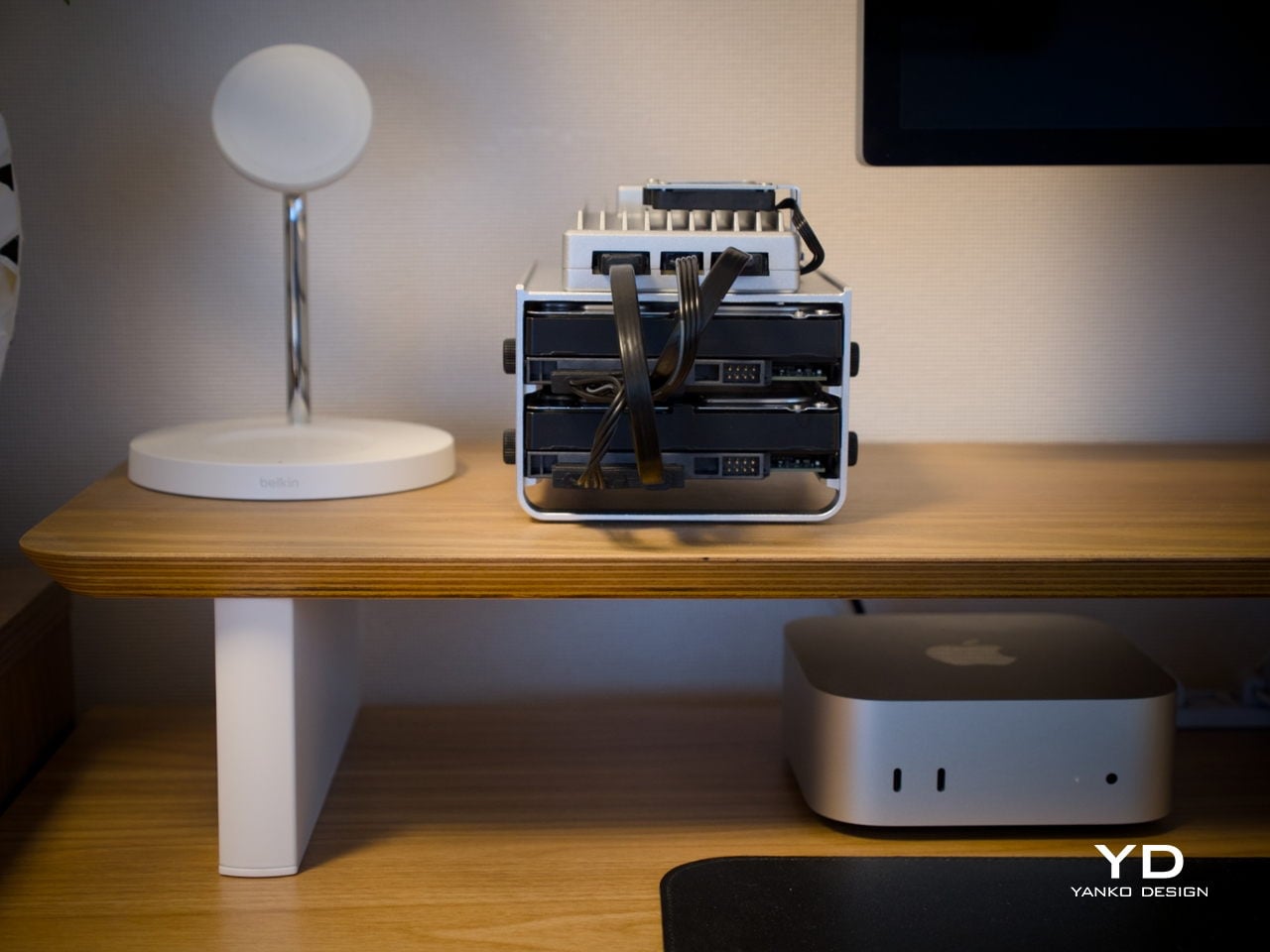
The platform’s real strength is how many things it can become. Add a pair of NAS drives, and you’ve got a whisper-quiet personal cloud. Plug something into the PCIe slot, and the possibilities multiply further. It isn’t built for users chasing peak benchmarks, but for those who want a compact, always-on server that earns its place on the shelf both functionally and aesthetically, it’s a genuinely well-considered piece of hardware.

The post ZimaBoard 2 Review: The Home Server You Don’t Have to Hide Anymore first appeared on Yanko Design.
5 Coffee Gadgets & Tools Every Pour-Over Obsessive Is Quietly Adding to Their Morning Ritual Right Now

Pour-over coffee has never been a casual pursuit. It asks attention, patience, and a genuine interest in the variables between a bag of beans and a great cup. That commitment tends to attract a certain kind of person: someone who reads grinder reviews the way others read menus and talks freely about bloom times and water ratios. For that person, the morning ritual isn’t just caffeine. It’s a practice.

What makes that practice worth exploring right now is the quality of tools available to support it. Design and technology have both raised the bar considerably, making it easier to get consistently excellent results at home without sacrificing the ritualistic qualities that make pour-over worth pursuing in the first place. These five gadgets represent the best of what’s quietly finding its way into the routines of pour-over devotees right now.

1. xBloom Coffee Machine

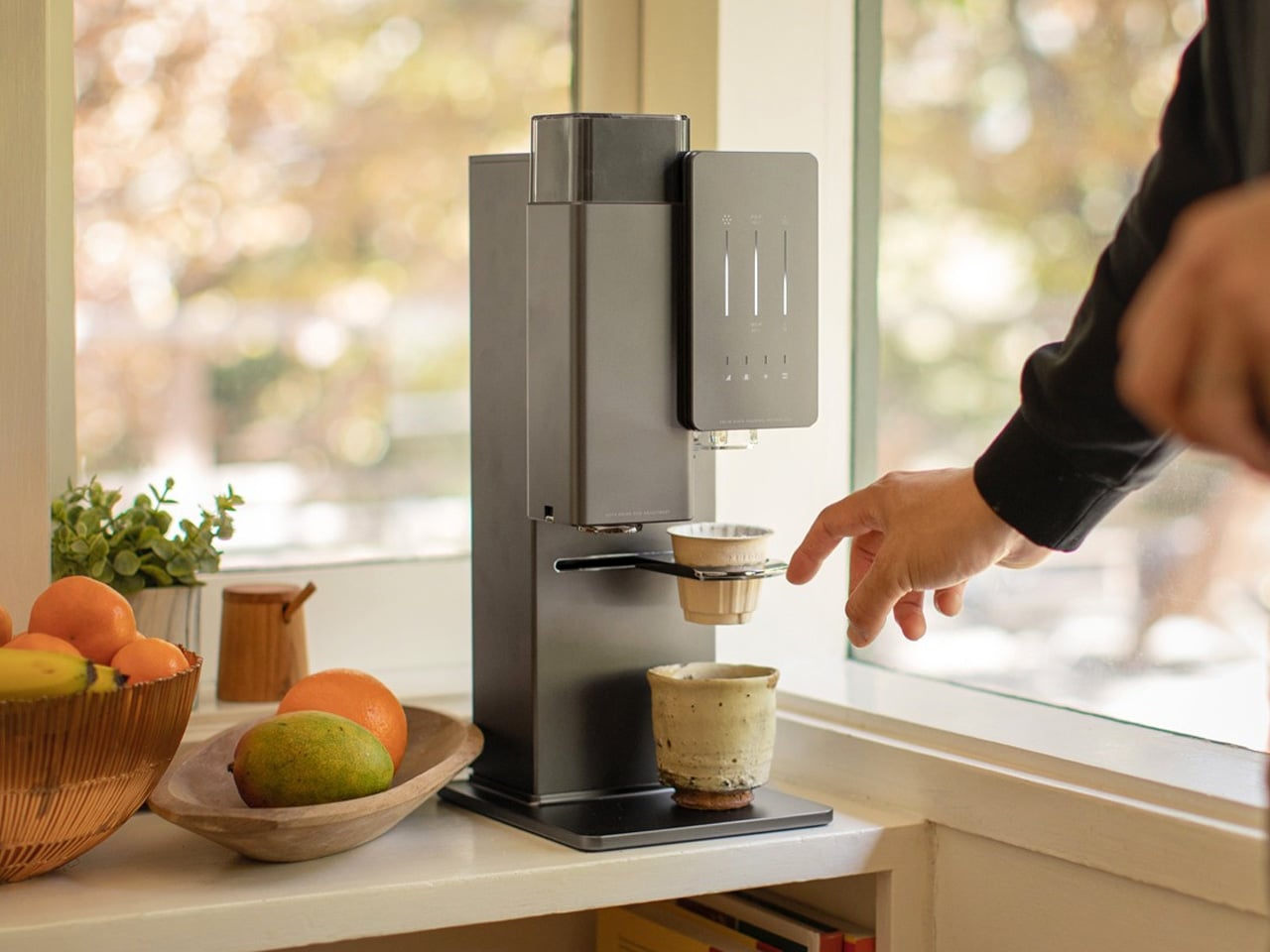
No coffee machine on the market right now does more to close the gap between home brewing and the work of a trained barista than the xBloom. Designed by former Apple employees and dubbed the “Tesla of Coffee Machines,” it identifies, grinds, dispenses, brews, and pours your coffee entirely on its own. It uses RFID-tagged xPods, sourced from top roasters around the world, to recognize each bean’s specific profile and apply the exact grind size, water temperature, and spiral pour pattern required to extract it properly. The nanofilm instant heater brings water to temperature with precision, and the kinematic spout delivers it in a controlled, consistent flow onto the coffee bed. The result is a pour-over calibrated not just to your taste but to the specific character of the bean in your pod, every single time.

The machine operates across three distinct modes: Autopilot, which handles the entire process hands-free from scan to serve; Copilot, which lets you use your own beans and customize every variable through the companion app; and FreeSolo, which gives you complete manual control via the onboard dials. Inside, it packs a 48mm conical burr grinder, an integrated scale with 0.1g resolution, and a 700ml water reservoir alongside direct plumbing support for higher-volume use. The build is metal throughout, with a compact footprint that sits comfortably alongside high-end kitchen equipment. For a pour-over devotee who wants the precision of craft without the daily labor of pulling it off manually, the xBloom doesn’t feel like a shortcut. It feels like the most intelligent version of the ritual available.

What we like:

  • Fully automated pour-over with RFID bean recognition that adjusts grind, water temperature, and spiral pour pattern to the specific coffee in the pod
  • Three distinct brewing modes accommodate everything from total hands-free automation to fully manual pour-over control for when you want to stay involved

What we dislike:

  • The premium price point is a significant investment that will give casual or budget-conscious drinkers pause before committing
  • The Autopilot mode performs best within the proprietary xPod ecosystem, which adds a recurring cost to the overall experience

2. Ceramic Cup

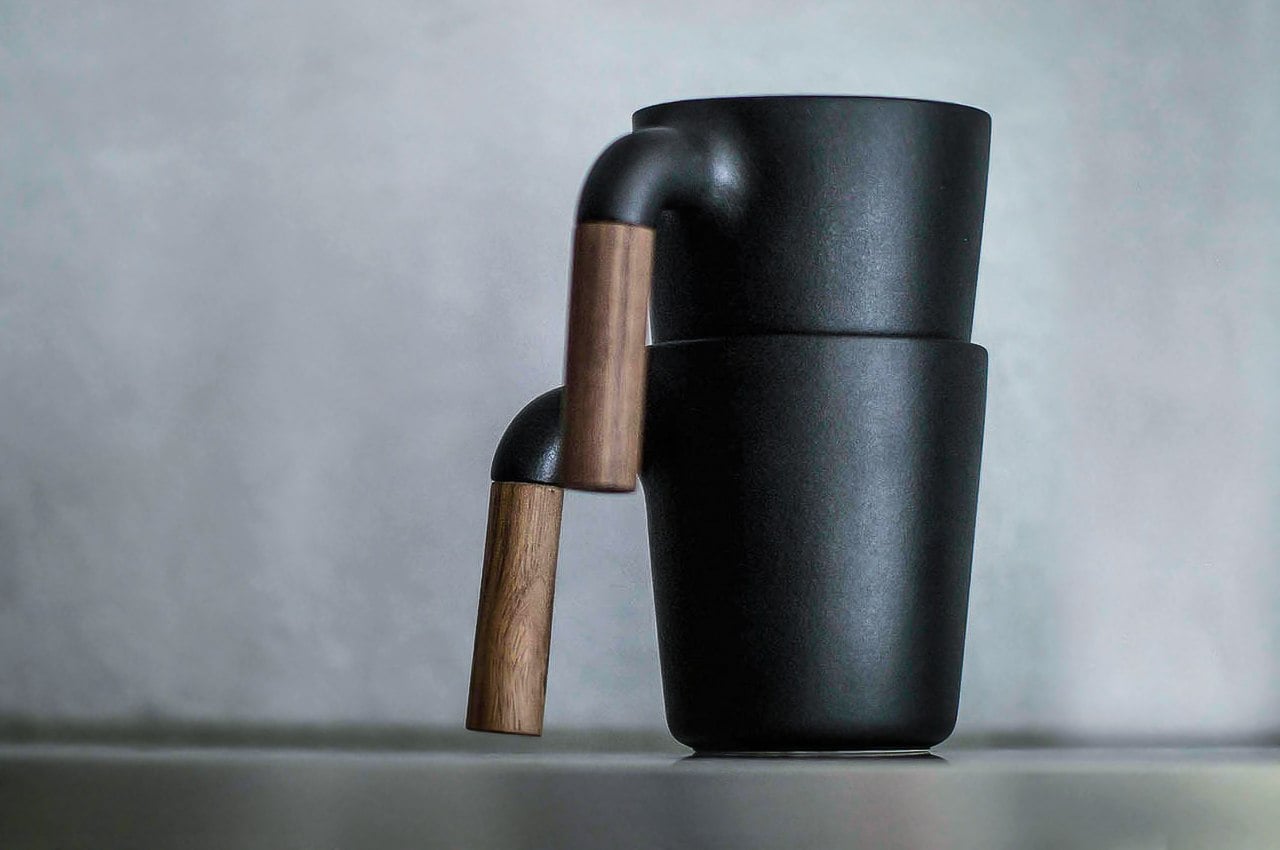
The mug you drink from is part of the experience, and the MUGR Ceramic Cup understands that in a way most drinkware simply doesn’t. Its exterior takes visual cues from cast iron, giving it a quiet, grounded presence on any surface. At closer range, the Japanese ceramic body reveals itself as something far more refined: smooth against the lips, satisfying in the hand, and carrying the kind of material honesty that sets it apart from the ceramic mugs most people have stacked in their cabinets. At 350ml, the capacity is precisely right for a focused pour-over serving. The wooden handle adds warmth without visual noise, and the overall silhouette carries enough restraint to make the coffee it holds the clear focal point of the moment.

There’s something worth considering in the choice of vessel for pour-over coffee. The process itself is intentional: you’re measuring, timing, and pouring with care, so the cup receiving that work should reflect some of that seriousness. Ceramic is the ideal material here. It retains heat at a measured rate, doesn’t absorb or impart flavor, and rewards the kind of slow, present drinking that pour-over tends to inspire. The MUGR occupies a space that generic mugs can’t. It’s an object with enough considered design to elevate the experience without becoming precious or impractical. The earthy tones and Japanese ceramic texture create a visual and tactile language that feels cohesive, unhurried, and completely right when paired with a freshly brewed cup.

Click Here to Buy Now: $60.00

What we like:

  • Japanese ceramic construction delivers a satisfying tactile quality with a cast iron-inspired aesthetic that complements any thoughtfully designed brew station
  • At 350ml, the capacity is ideally sized for a single deliberate pour-over serving, making every cup feel properly portioned

What we dislike:

  • Hand wash only care instructions make it a more demanding choice for anyone who relies on a dishwasher for daily cleanup
  • It cannot be microwaved, which narrows its functional range to its primary role as a dedicated coffee vessel

3. FinalPress V3

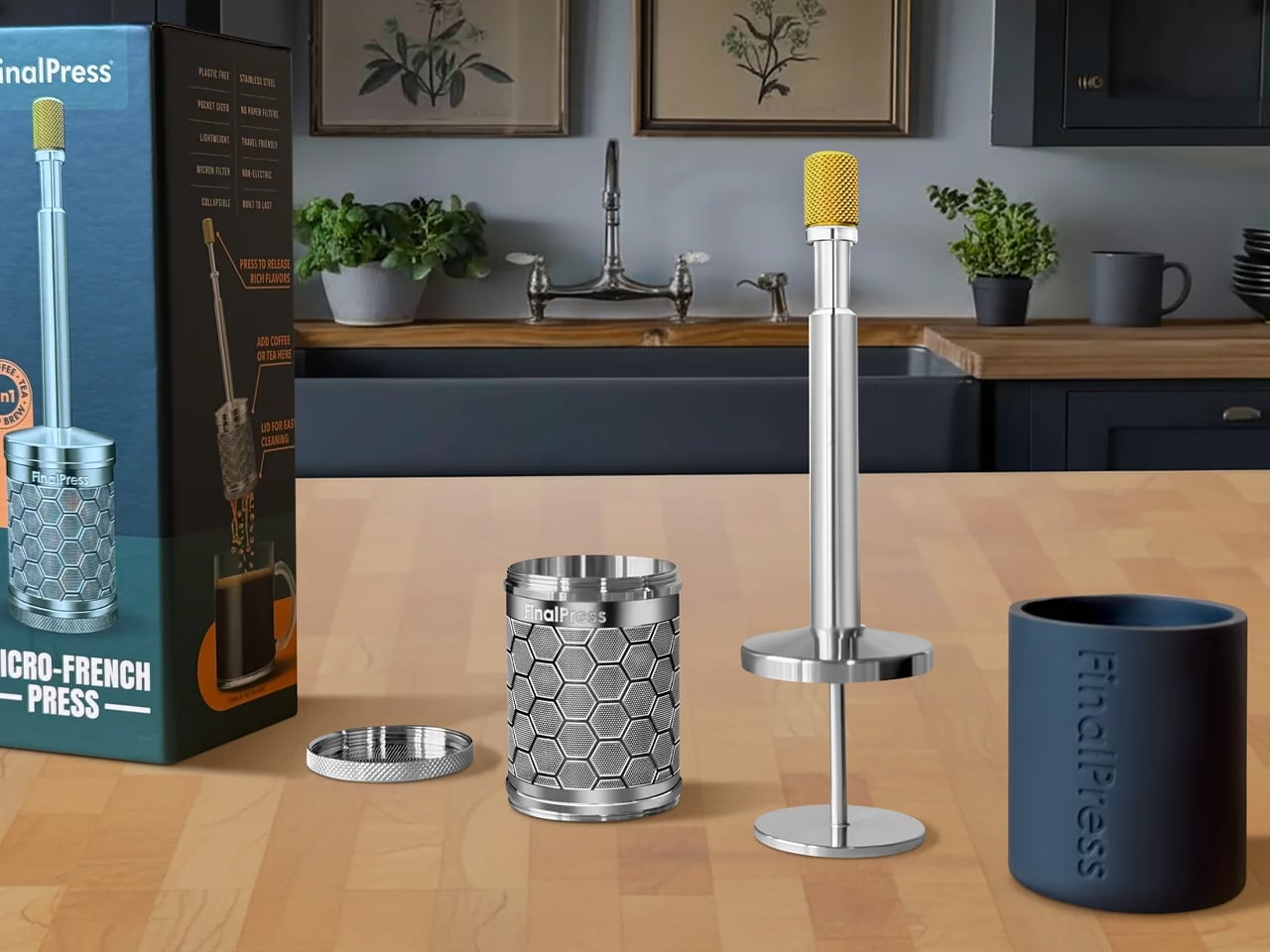
The FinalPress V3 proves that great coffee doesn’t require an elaborate setup, just a well-engineered one. It measures 1.3 x 6.5 inches, weighs 3.6 oz, and brews a full-flavored cup in under two minutes. CNC machined from solid 304 stainless steel, it’s plastic-free and built to resist rust, warping, bending, and cracking indefinitely. The brewing process is stripped back to its essentials: add grounds, stir, wait, then press. A patented plunger system pushes water through a 200-micron super-fine filter, extracting flavor with more nuance and clarity than any other portable brewer in its size range. There are no paper filters to buy, no pods to source, and no capsules to discard. What you end up with is a tool that respects your coffee and your time in equal measure.

Where the FinalPress becomes genuinely impressive is in its 3-in-1 brew capability. Hot, iced, and cold brews are all achievable with the same compact tool, making it as relevant at a hotel room desk as it is at a campsite or your home counter between longer brewing sessions. The plastic-free stainless steel construction means no material compromise and no flavor contamination from plastic contact with your brew. For pour-over devotees who travel and refuse to accept substandard coffee as the cost of mobility, the FinalPress compresses a real brewing philosophy into its smallest and most portable form yet, without sacrificing any of the quality that made the practice worth caring about in the first place.

What we like:

  • Ultra-portable at just 3.6 oz and entirely plastic-free, with solid 304 stainless steel construction built to last indefinitely without rust or warping
  • Brews hot, iced, and cold coffee using the same tool with no paper filters, pods, or capsules required

What we dislike:

  • There is a short learning curve in getting the press technique right to avoid over-extraction, especially when starting out
  • The single-serve capacity makes it less practical when you need to brew for more than one person at a time

4. NanoFoamer PRO

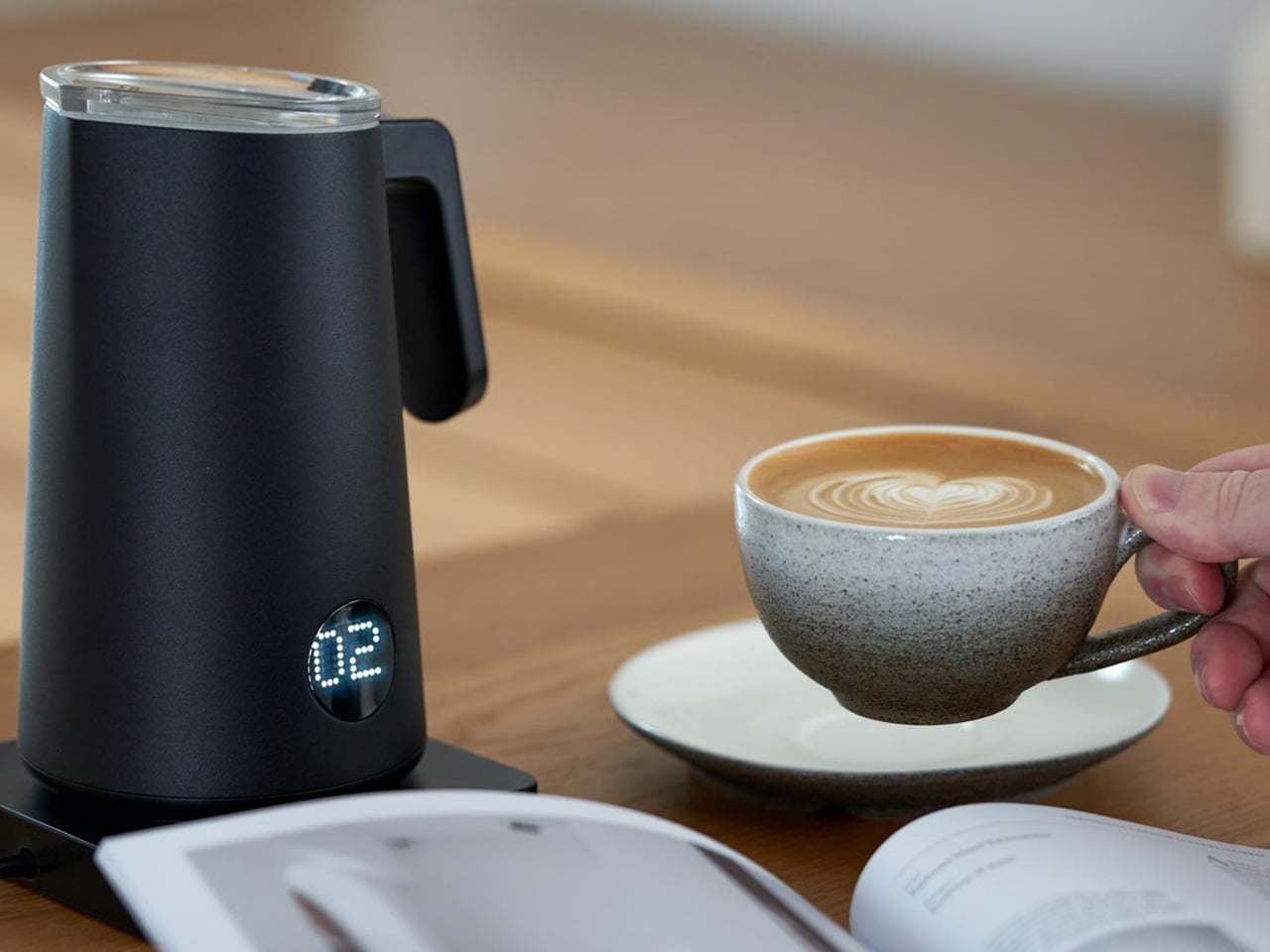
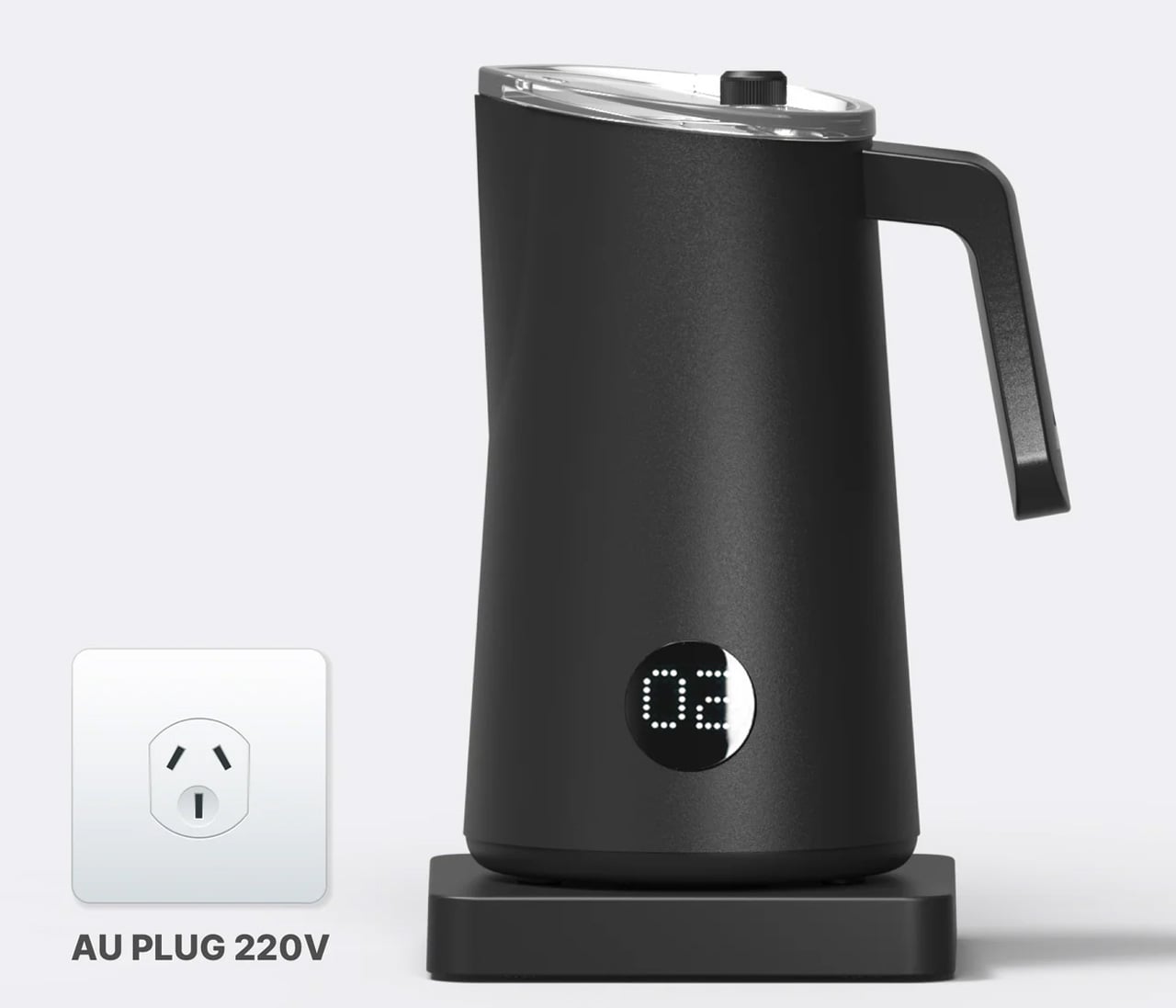
The NanoFoamer PRO addresses a very specific problem with a very precise solution: producing genuine microfoam at home without the equipment, training, or noise of a commercial espresso setup. For pour-over drinkers who want to occasionally cross into latte territory without compromising on quality, it removes every barrier to doing it properly. The appliance heats and foams milk simultaneously, timing its process to sync with an espresso pull so that your shot and your foam arrive ready at the same moment. The crema stays intact, the foam is fine and velvety rather than large and airy, and the result looks and tastes like something a trained barista handed you. For a home setup, this is a notable achievement, and it happens without requiring any of the manual skills that professional foaming normally demands.

The distinction between microfoam and standard frothed milk matters more than it may first appear. Conventional frothers create large, unstable bubbles that float above the espresso rather than integrating with it. The NanoFoamer PRO produces the fine-textured, glossy foam that makes latte art achievable and milk-based drinks genuinely enjoyable rather than merely acceptable. For a pour-over obsessive with an espresso machine already sitting on the counter, this is the component that completes the home setup in a way it couldn’t before. The workflow is clean, both elements finish at the same time, and the pour goes exactly as intended. The NanoFoamer PRO earns its counter space not by demanding attention but by quietly doing the most technically demanding part of the job better than anything else available.

What we like:

  • Produces professional-grade microfoam by heating and foaming milk simultaneously, timed to sync perfectly with an espresso pull
  • The streamlined workflow ensures espresso crema and milk foam are ready at the same moment, with no compromise to either element

What we dislike:

  • Designed as a companion to an espresso machine rather than a standalone appliance, which limits its role in a strict pour-over-only setup
  • Pour-over purists who never incorporate milk will find minimal daily utility in adding this to an otherwise black-coffee-focused morning routine

5. Three-Cup Handblown CHEMEX

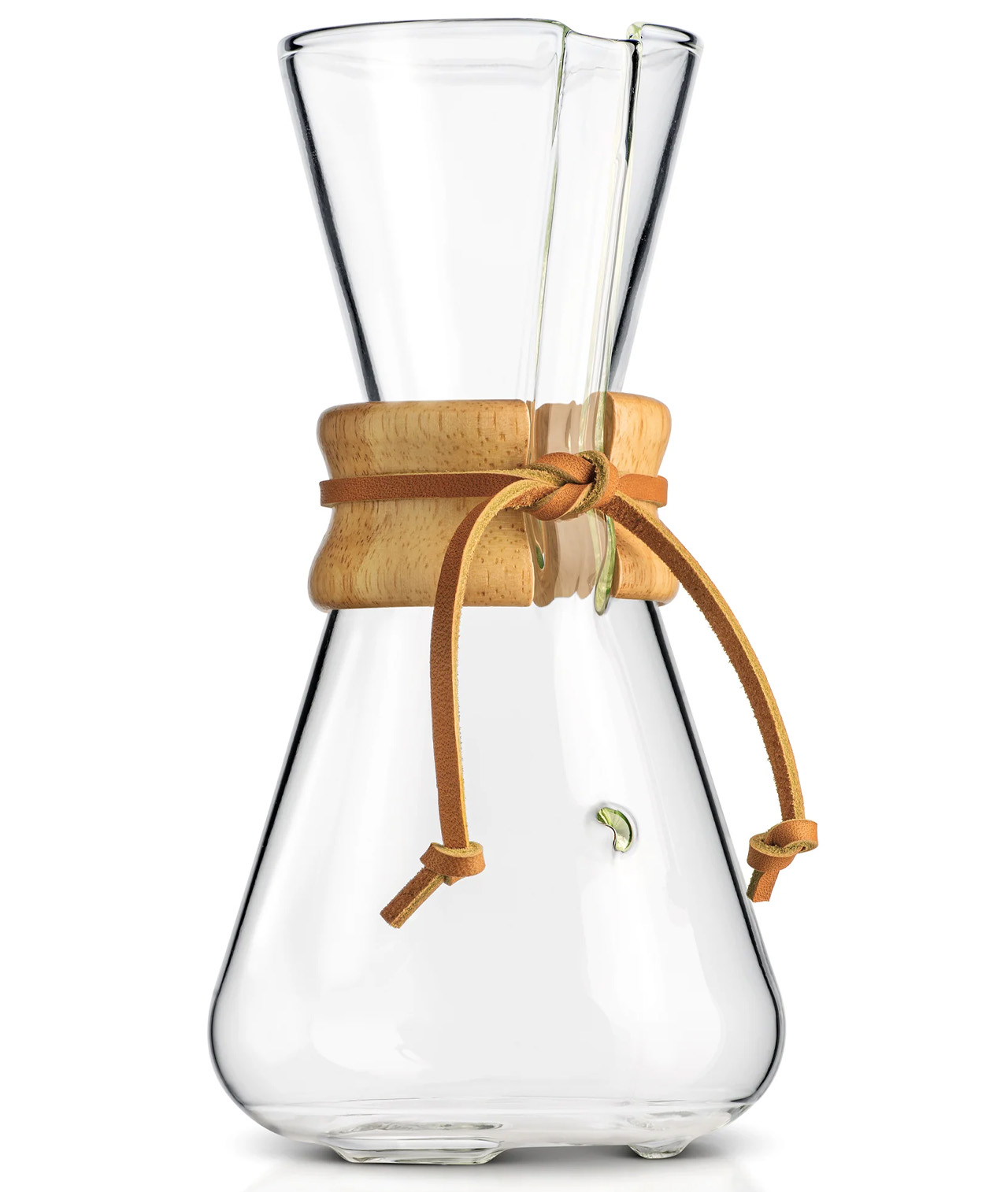
The handblown CHEMEX occupies a rare category among coffee equipment: it’s a brewing tool that also qualifies as a genuine work of art. Each piece is individually crafted by skilled glassblowers in Croatia using traditional European techniques, meaning no two are exactly alike. The borosilicate glass construction meets laboratory-grade standards, delivering complete flavor neutrality while comfortably withstanding the thermal shock of repeated hot water pours. Paired with CHEMEX Bonded filters, the system removes oils, bitterness, acidity, and sediment to produce a coffee with clarity and cleanliness that neither a French press nor a standard drip machine can approach. The result is a cup that lets the bean speak for itself, completely unobstructed by the residual compounds that other brewing methods leave behind.

Beyond its brewing performance, this CHEMEX invites a different kind of relationship with the ritual. The polished wood collar and leather tie are both functional and beautiful: they insulate the vessel during handling and add a warm material contrast to the cool transparency of the glass. Brewing with it is a slow, deliberate process, and the object rewards that pace. Each pour looks considered, each session takes on a ceremonial quality that machine-made glass simply doesn’t generate. The small-batch production behind each handblown piece adds to that sense: this is not mass-market equipment, and it doesn’t feel like it. For pour-over devotees who want their brew station to reflect the same level of care they bring to every cup, the handblown CHEMEX is the most visually and functionally complete answer available.

What we like:

  • Individually handblown by skilled glassblowers in Croatia, combining borosilicate precision with a one-of-a-kind artisan aesthetic that makes each piece genuinely unique
  • The polished wood collar and leather tie provide practical heat protection while adding a considered, elegant material contrast to the glass body

What we dislike:

  • The glass construction is inherently fragile and requires thoughtful handling and careful storage to avoid breakage over time
  • The three-cup capacity may feel limiting for households where multiple people want coffee from the same vessel at the same time.

The Ritual Is Only as Good as the Tools Behind It

The morning ritual of a pour-over devotee is, at its core, a commitment to paying attention. Every gadget on this list honors that commitment in a different way: some by removing friction, some by elevating the sensory experience, and others by making excellence achievable in the places and moments where it matters most. Pour-over culture has moved beyond a niche. It’s a serious practice, and these are the tools reflecting how seriously people are choosing to take it.

Building a great brew station doesn’t happen in one purchase. It happens gradually, through the accumulation of objects that each serves a real purpose and earn their place. Whether the xBloom’s automated precision speaks to you, or the quiet beauty of a handblown CHEMEX does, the principle is the same: start with what resonates, use it well, and let the ritual build from there. The best cup you’ve ever made is probably still ahead of you.

The post 5 Coffee Gadgets & Tools Every Pour-Over Obsessive Is Quietly Adding to Their Morning Ritual Right Now first appeared on Yanko Design.

World’s Tiniest E-Reader Is The Size Of An AirPods Case – And It Makes You Read More

There was a period in the early 2000s when having your entire music library in your pocket felt like a miracle. The iPod did not invent portable music, but it made the experience so frictionless and so pleasurable that it genuinely changed how people related to listening. Nobody predicted that a click wheel and a hard drive would rewire an entire generation’s relationship with an art form. Paul Lagier has built something that carries a similar energy, except the art form is reading, and the device is roughly the size of a large stick of gum.

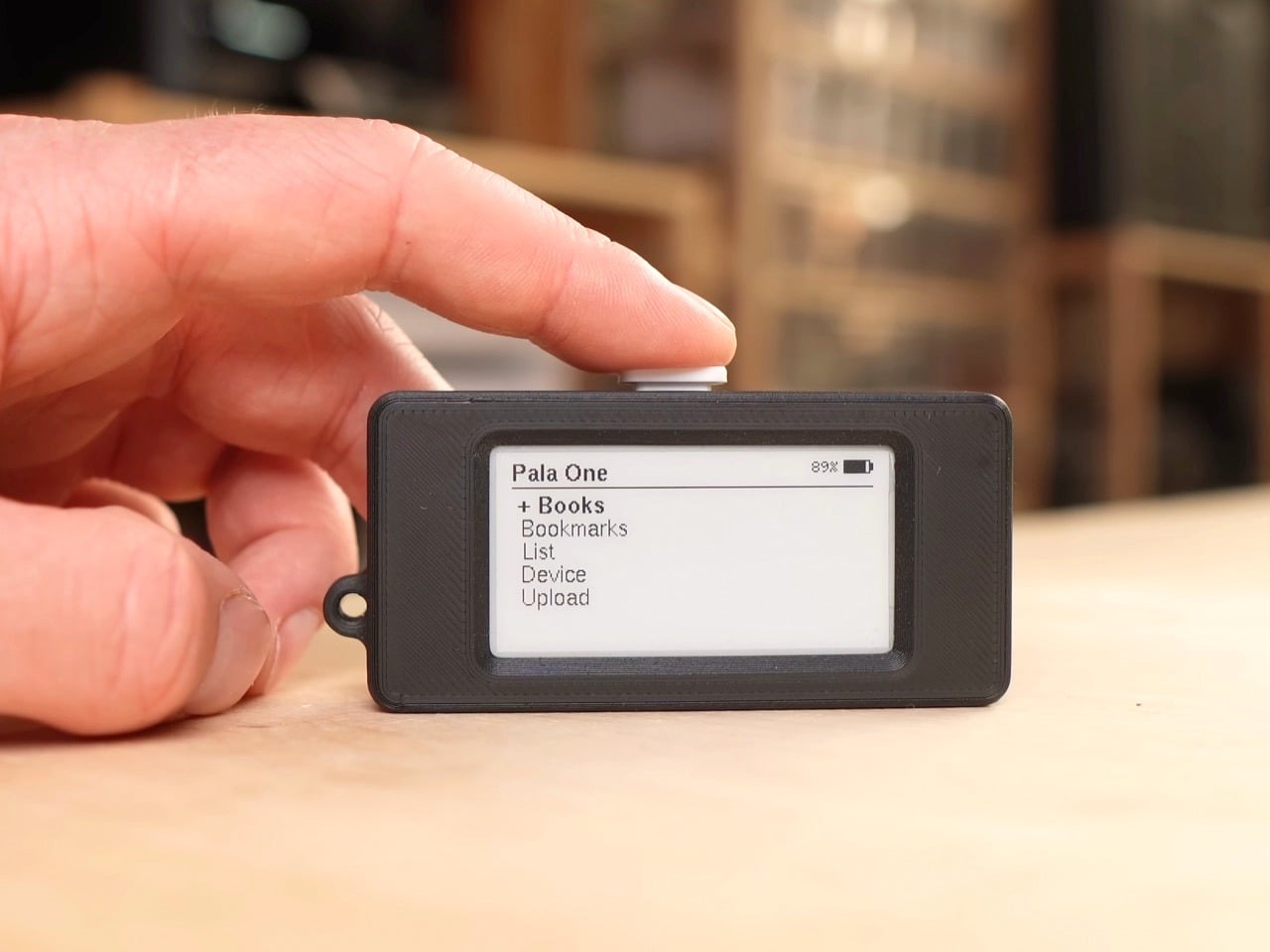
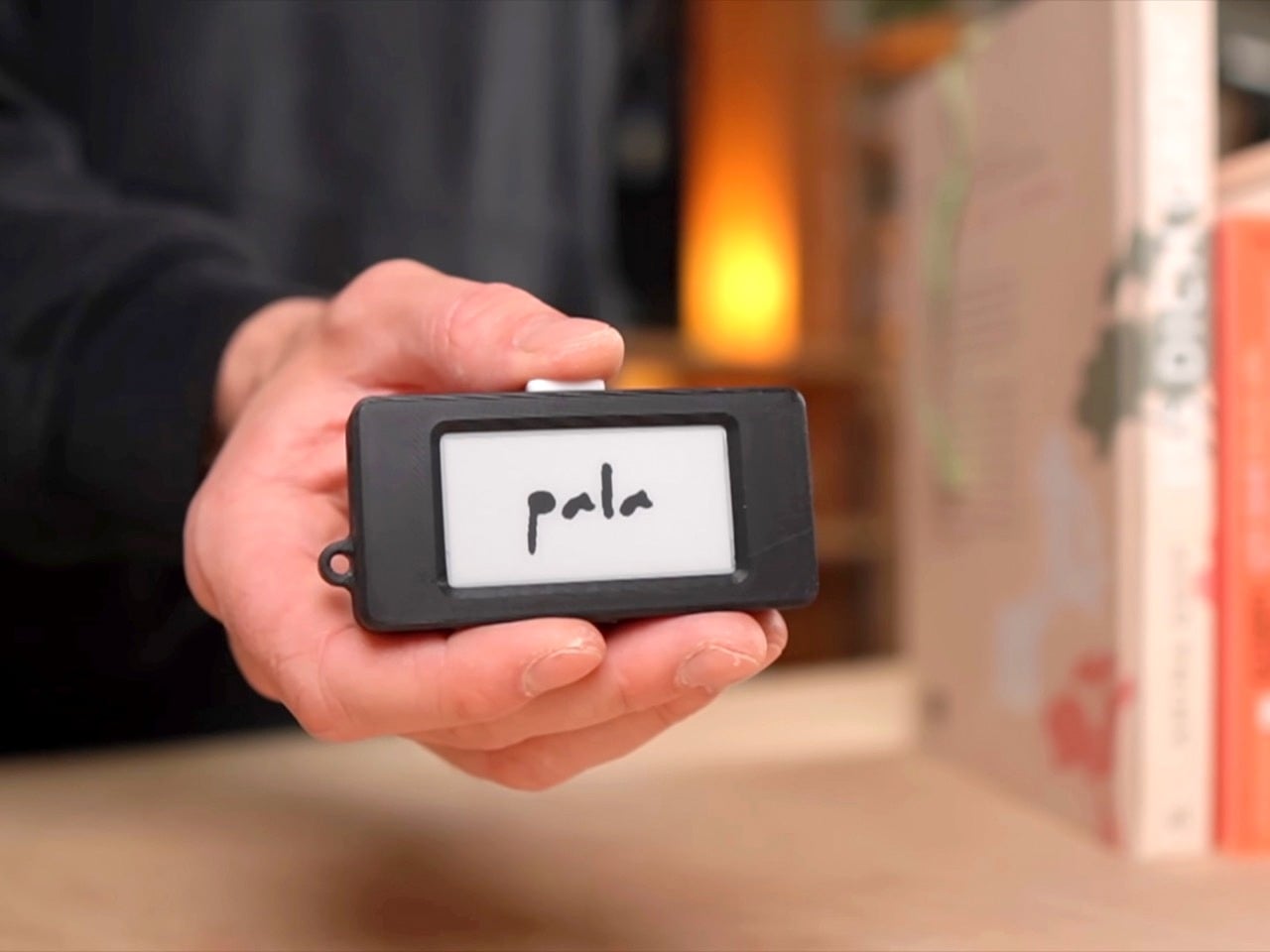
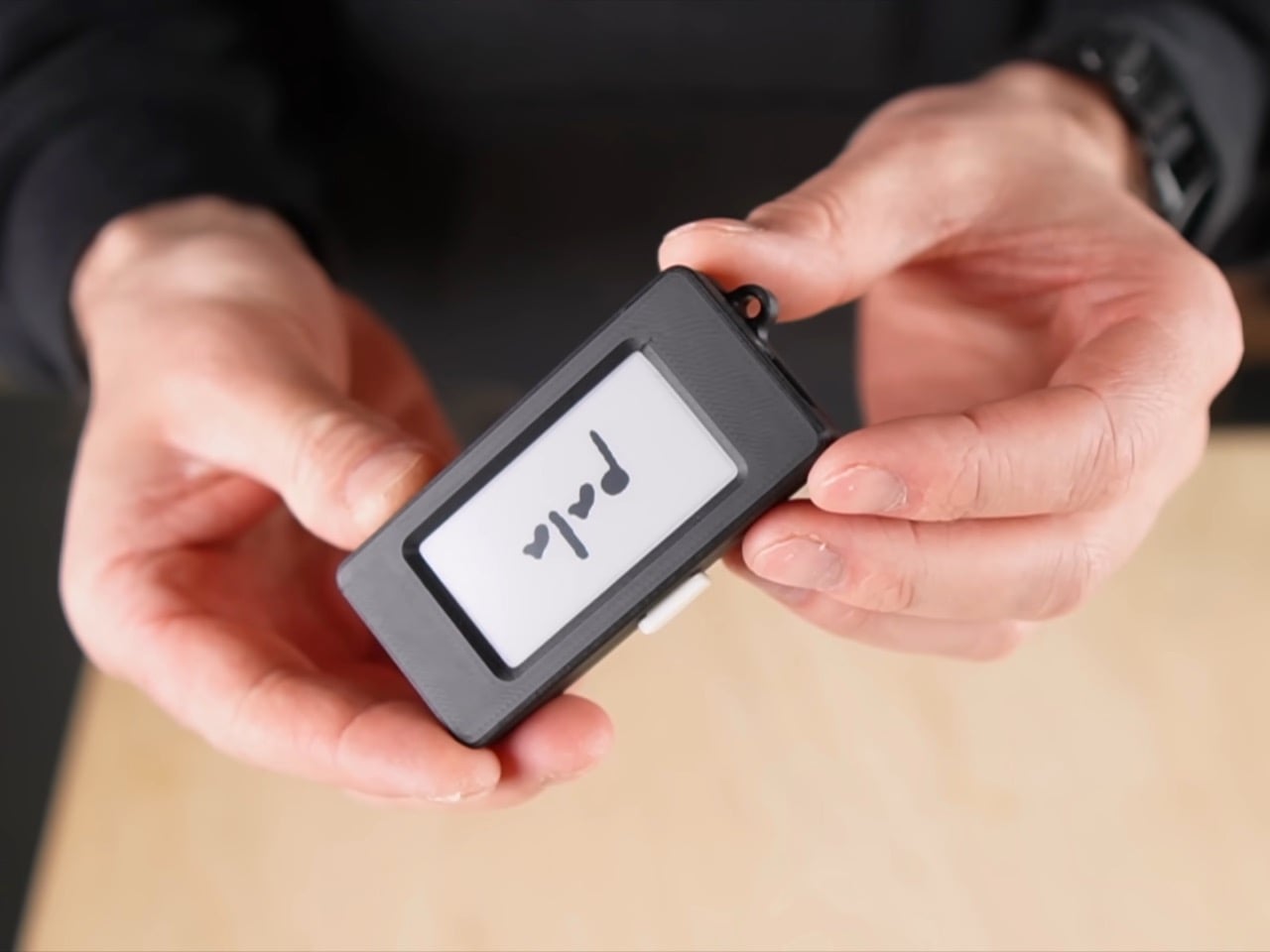
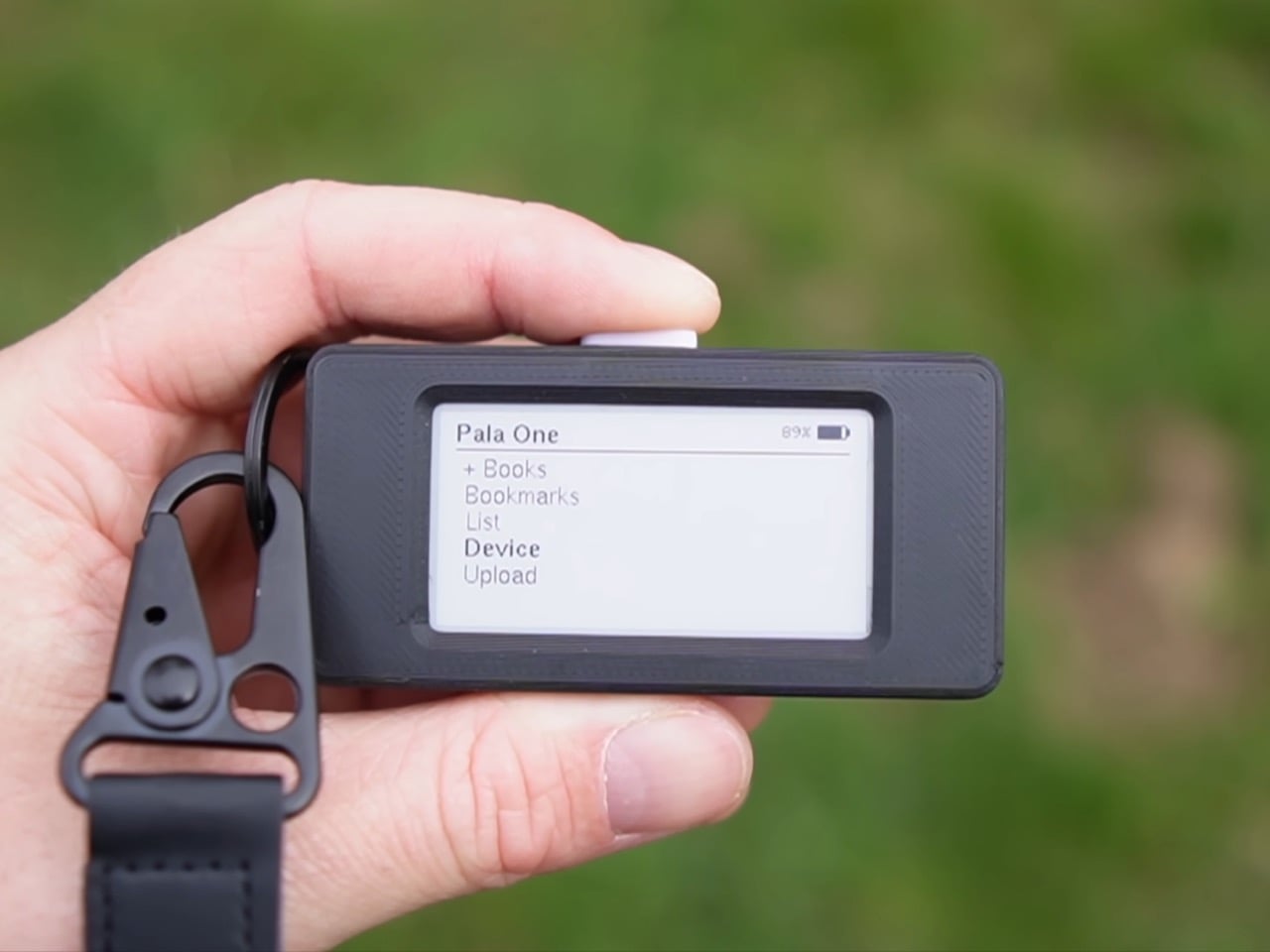
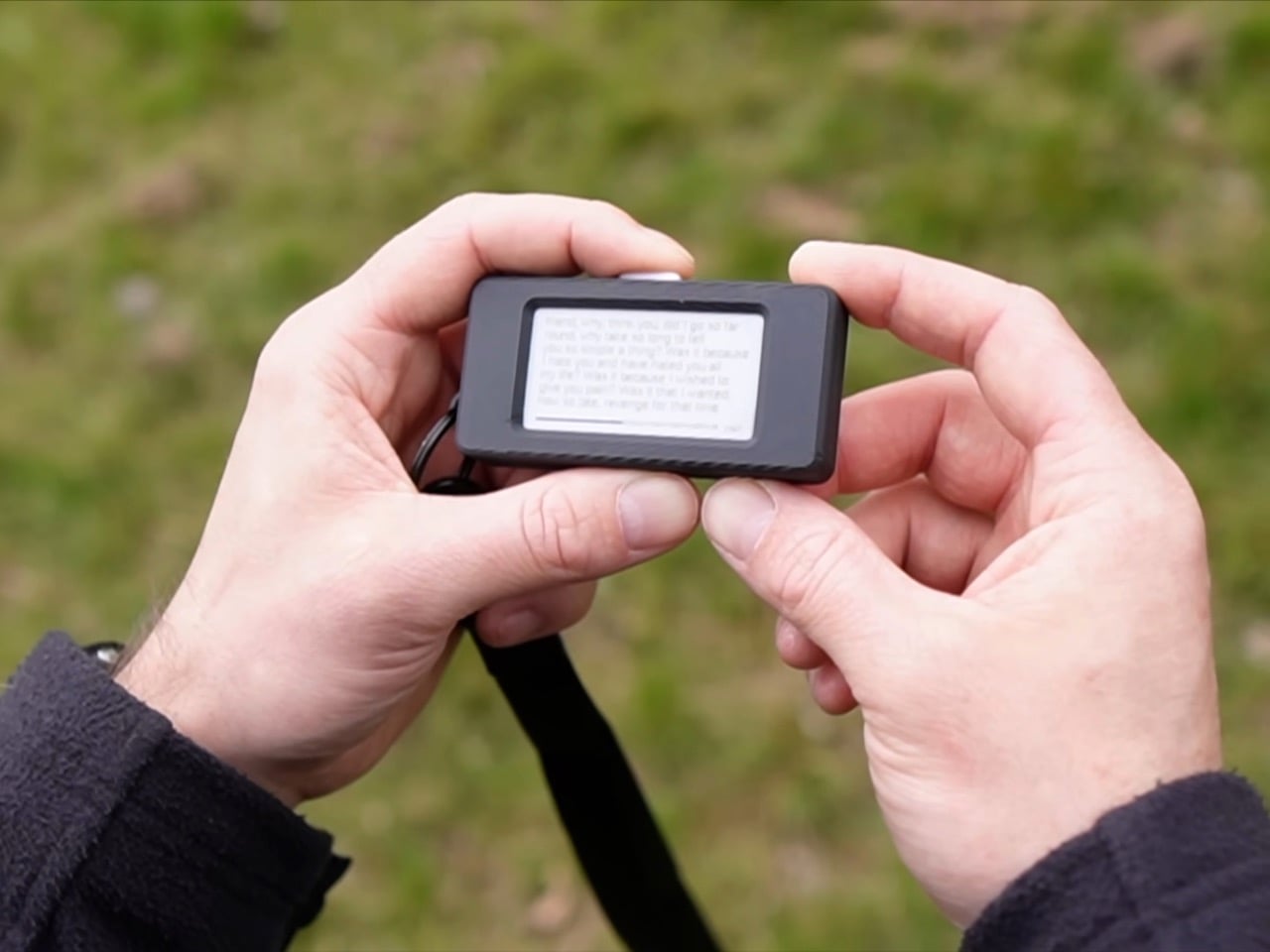
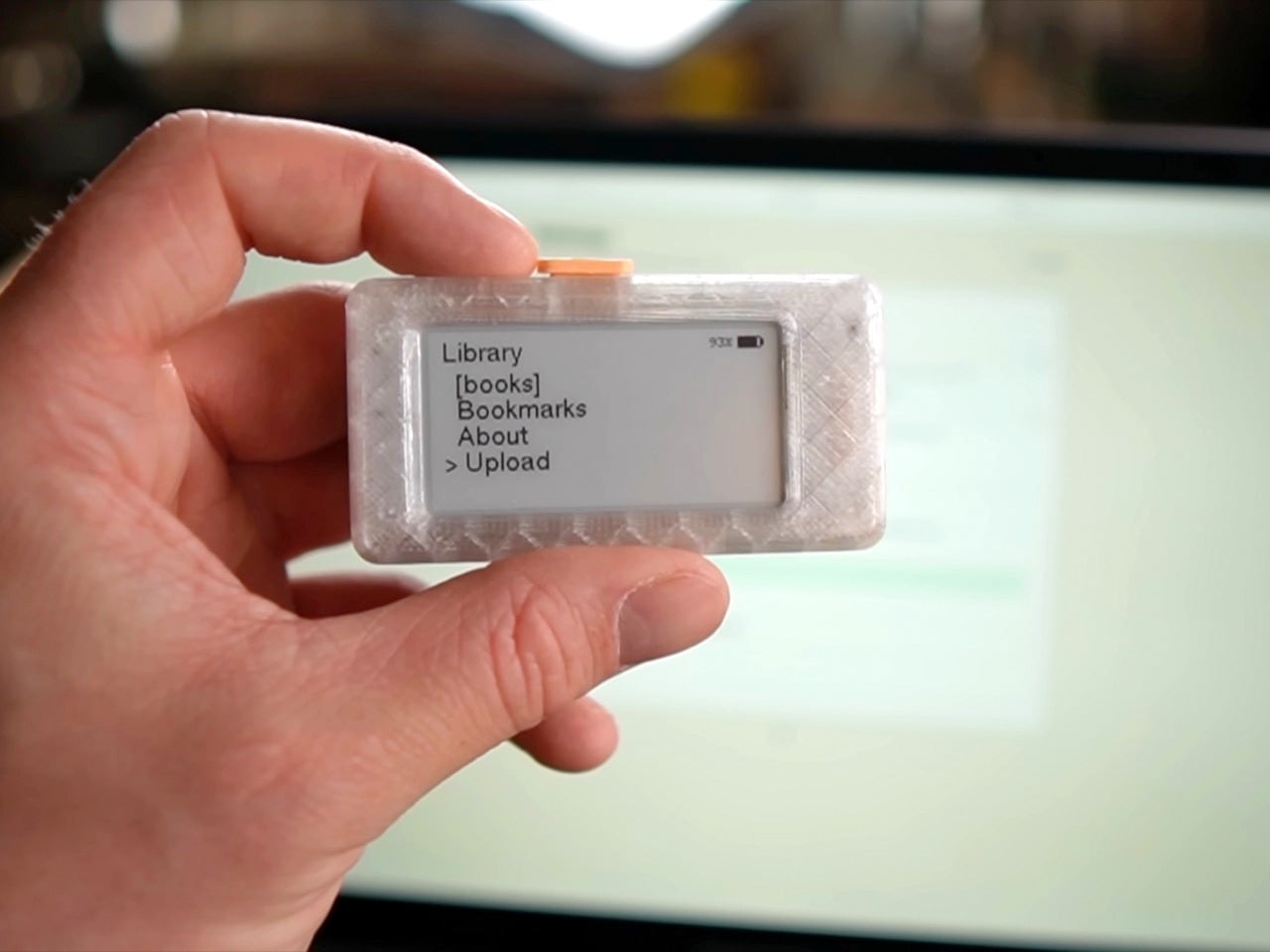
The Pala One is a fully functional e-reader that fits in a closed fist. Lagier 3D-printed the case, built the firmware around an ESP32 microcontroller, and designed the whole interaction model around a single physical button. The screen is small, the library caps out at six to ten books, and the interface is deliberately minimal. What it trades in screen real estate it returns in portability so complete that the device clips to a keychain and disappears into daily life. Lagier rebuilt it from scratch after the first version went viral in maker communities, and version two firmware adds folder support, list-making, faster load times, and a properly printable case. He has read over a thousand pages on it personally, and credits the Pala One’s size for making that possible.

Designer: Paul Lagier

The case snaps together using one sliding piece on one side and screws on the other, a redesign driven entirely by community feedback after builders reported that the original pin system was unreliable on cheaper printers. M2 threaded inserts are optional but give the finished object a product-grade solidity that the first version lacked. A small loop on the chassis lets you run a lanyard or keychain through it, which sounds like a minor detail until you realise it is actually the whole point. A device that lives on your keys or your bag strap is a device that is genuinely always available, and availability is the entire thesis of the Pala One.

Lagier discovered, embarrassingly late by his own admission, that the ESP32’s 8 MB of onboard flash was being allocated so inefficiently that only 1.5 MB was actually available for books. By repartitioning the storage and adding automatic compression on upload, he pushed usable book storage up to around 5.5 MB. A typical 300 to 400 page book compresses down to roughly 0.5 MB, which means the device comfortably holds a small personal library. A storage indicator in the web interface keeps the math visible. Books load instantly even from deep within the text, bookmarks sync reliably, and a new position-jump feature handled through the web viewer means you are never stranded inside a long chapter with no way to navigate.

Lagier added a dedicated list section to version two, letting you create to-do lists, shopping lists, or anything else in the web interface and check items off directly on the device. Combined with folders for organising your library and bulk bookmark export for pulling your annotations out all at once, the Pala One starts to feel less like a gadget and more like a considered companion object. The single button controls everything, cycling through menus and pages with a logic that becomes muscle memory within minutes. There is something almost meditative about an interface with exactly one input.

The Kindle is a genuinely good product. So is the Kobo. Both are vastly more capable than the Pala One in every measurable specification, and neither of them has gotten me to read more. The Pala One’s entire argument is that the best reading device is the one that is physically present when the impulse to read strikes, and a device the size of an AirPods case wins that argument by default. Lagier has made the files available on his Ko-fi page, with a one-time purchase granting access to all future updates. If you own a 3D printer and have an afternoon free, the most compelling reading device of 2025 costs you almost nothing to build.

The post World’s Tiniest E-Reader Is The Size Of An AirPods Case – And It Makes You Read More first appeared on Yanko Design.
Pebblebee’s $60 Keychain Screams 130dB So You Don’t Have To

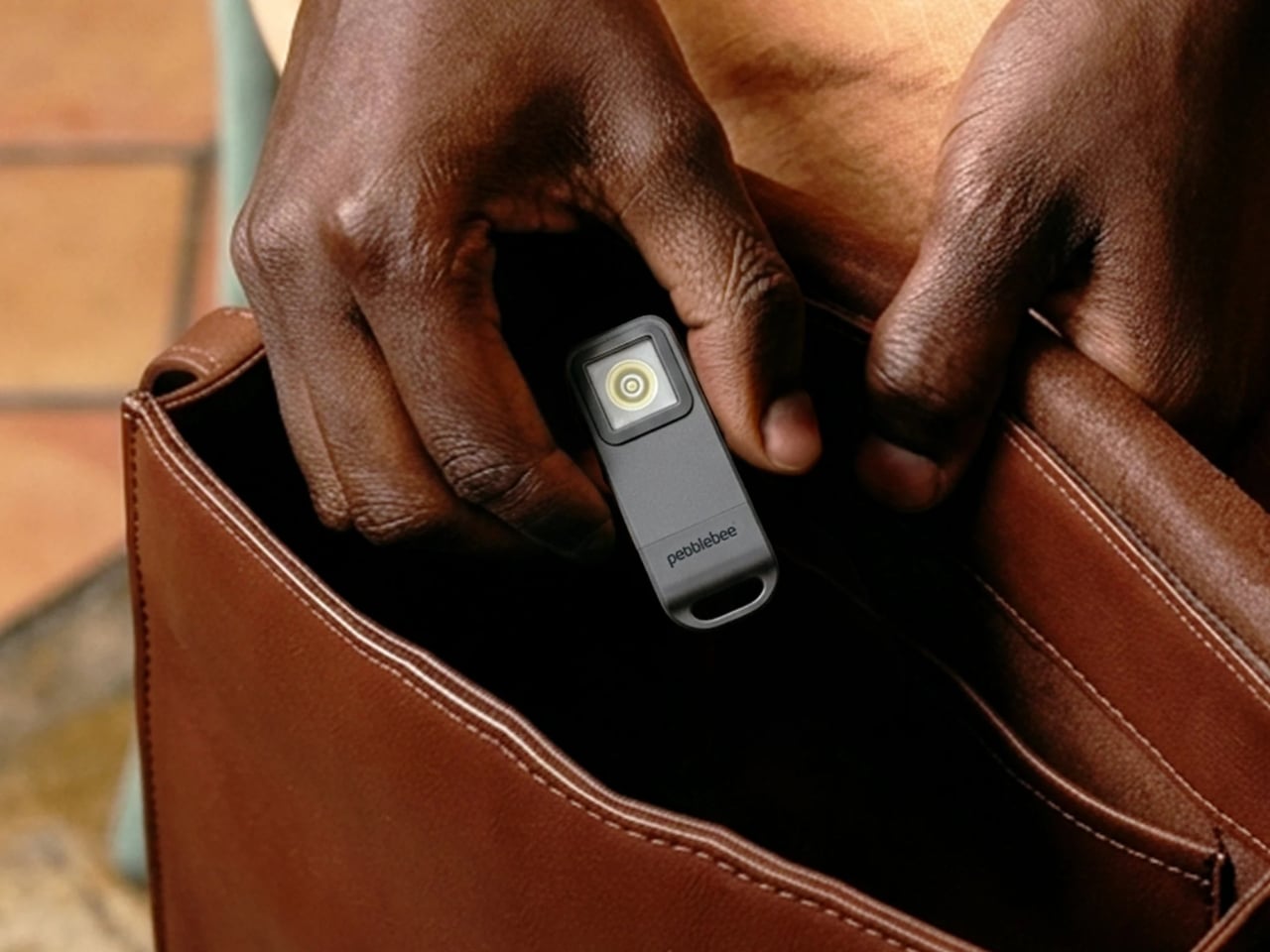
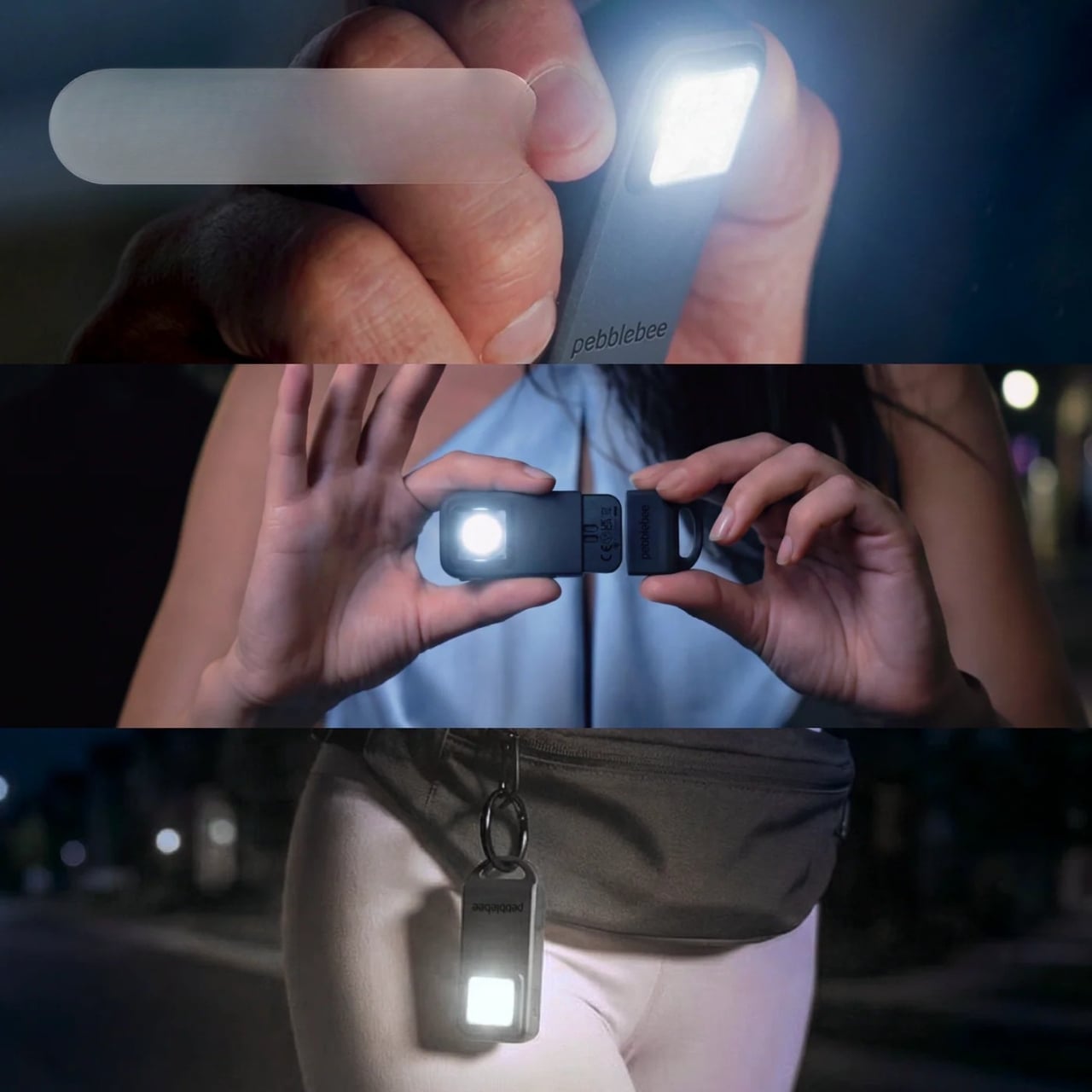
Most of us run through the same mental checklist before leaving the house. Phone, wallet, keys. Pebblebee is quietly making a case for adding one more item to that list: a keychain-sized device called the Halo that can track your lost items, light up a dark parking garage, and scream at 130 decibels if things go wrong. That last part is what makes it genuinely interesting.

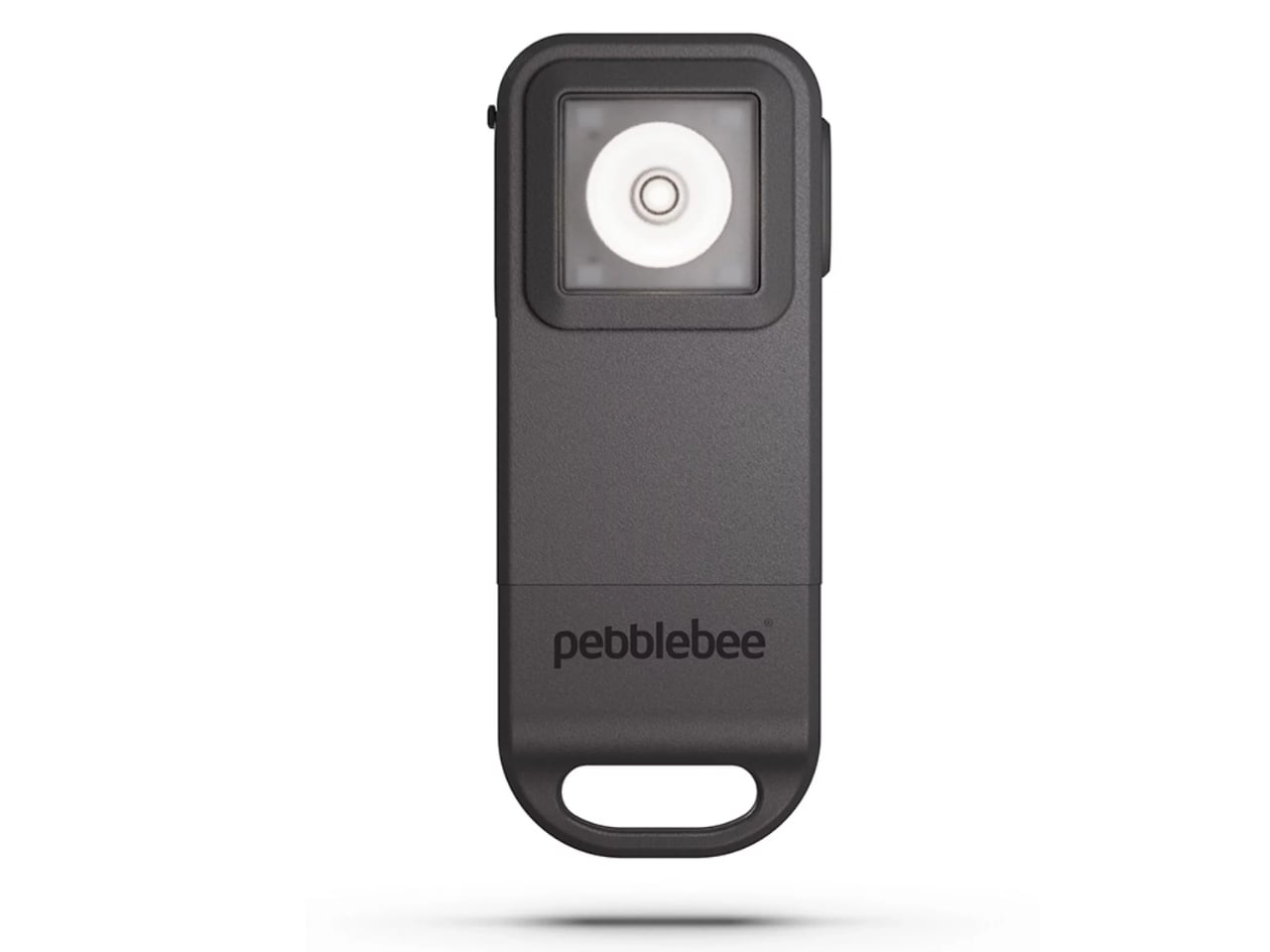
Personal safety gadgets have had a bit of an awkward adolescence in tech. Standalone alarm keychains, panic button apps, and GPS trackers each do one thing with varying degrees of reliability. The Halo, launched by Seattle-based Pebblebee in April 2026, makes the more ambitious argument that all three functions belong in a single device you already carry everywhere. It clips onto your keychain, weighs just one ounce, and is priced at $59.99 with a 12-month Alert Live subscription included.

Designer: Pebblebee

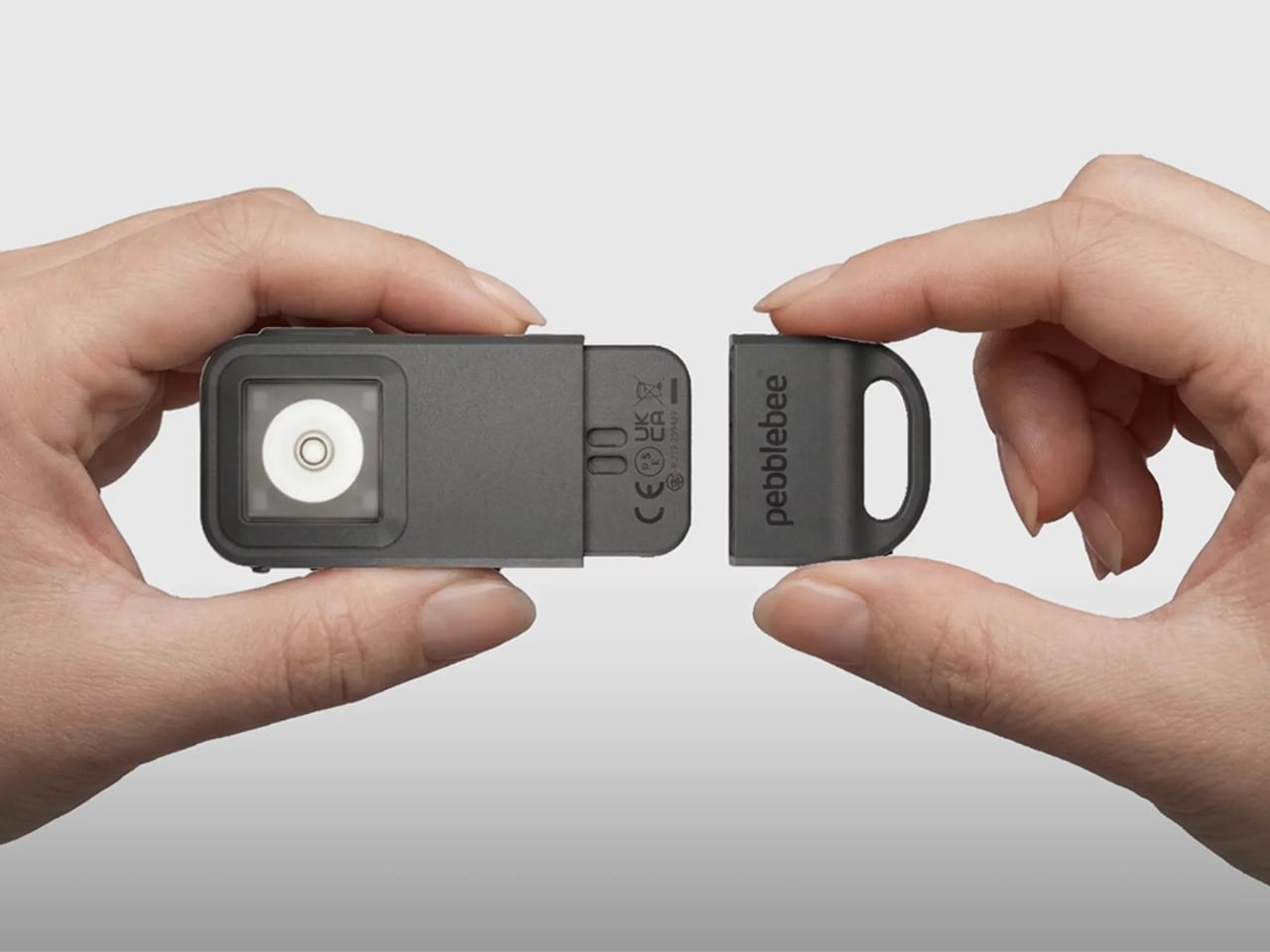
The activation mechanism is intuitive and, frankly, smart. Pull the device apart and three things happen at once: a 130dB siren activates (roughly the volume of a jackhammer at close range), a 150-lumen strobe light starts flashing, and your real-time location is shared with up to five trusted contacts in what Pebblebee calls your Safety Circle. The pull-apart trigger works in your favor because it’s instinctive. You don’t have to navigate an app or remember a button sequence when your adrenaline is already running.

There’s also a quieter option. Rapid presses of the side button send a silent alert to your Safety Circle without triggering the siren or the lights. That kind of discretion matters more than people give it credit for. Not every unsafe situation benefits from making a scene.

On the tracking side, the Halo works with Google’s Find Hub on Android, tapping into a crowd-sourced network to help locate misplaced items. It’s IP66 water-resistant, handles rain without issue, and the battery lasts up to a year on a full charge. These are specs that feel like they belong to a product that actually thought things through.

The bigger question is whether a product like this can shift how people think about daily carry. I think it might, and I say that as someone who has dismissed this category before. The AirTag normalized putting a small tracker on your keys. The Halo takes that familiar habit and layers in real utility that most people weren’t actively seeking until they actually see it. Pebblebee says the device was built with the late-night campus walker, the solo runner, and the traveler navigating an unfamiliar city in mind. That description covers most adults at some point in any given week.

It would be easy to read a product like this as capitalizing on anxiety. But the Halo doesn’t feel cynical in that way. The pull-apart mechanism, the silent alert, the 150-lumen flashlight that’s actually useful rather than just a line in a spec sheet. These details suggest a team that ran through realistic scenarios before finalizing the design. The way a product handles edge cases usually tells you more about its intentions than the headline features do. The Alert Live subscription becomes a paid plan after the included first year. It’s required for live location sharing and expanding your Safety Circle beyond five contacts. Worth keeping in mind, but as a first-year value proposition, the package holds up well.
Personal safety gadgets have a habit of ending up in the junk drawer after the initial enthusiasm fades. The novelty wears off, the routine doesn’t stick. The Halo’s real advantage is that it gives you no particular reason to leave it behind. It lives on your keys, goes wherever you go, and the flashlight earns its keep on a regular Tuesday night. If you ever need the siren, you’ll be glad the upgrade was a keychain addition and not a drawer item. The most thoughtful design decisions are often the ones that make something so easy to carry, you forget it’s there until the moment you really need it. The Halo seems to understand that.

The post Pebblebee’s $60 Keychain Screams 130dB So You Don’t Have To first appeared on Yanko Design.