The office is no longer a place. For a growing number of professionals, work happens across a rotating cast of locations, on trains, in hotel lobbies, at standing desks in co-working spaces, at airport gates between meetings. What gets carried through all of that has quietly become one of the more personal decisions in a working day. The bag has to hold a laptop, a water bottle, travel documents, chargers, and sometimes a change of clothes, while still looking appropriate in every environment it passes through. Most bags manage the functional half of that requirement passably well; the visual half tends to be where the compromises show.
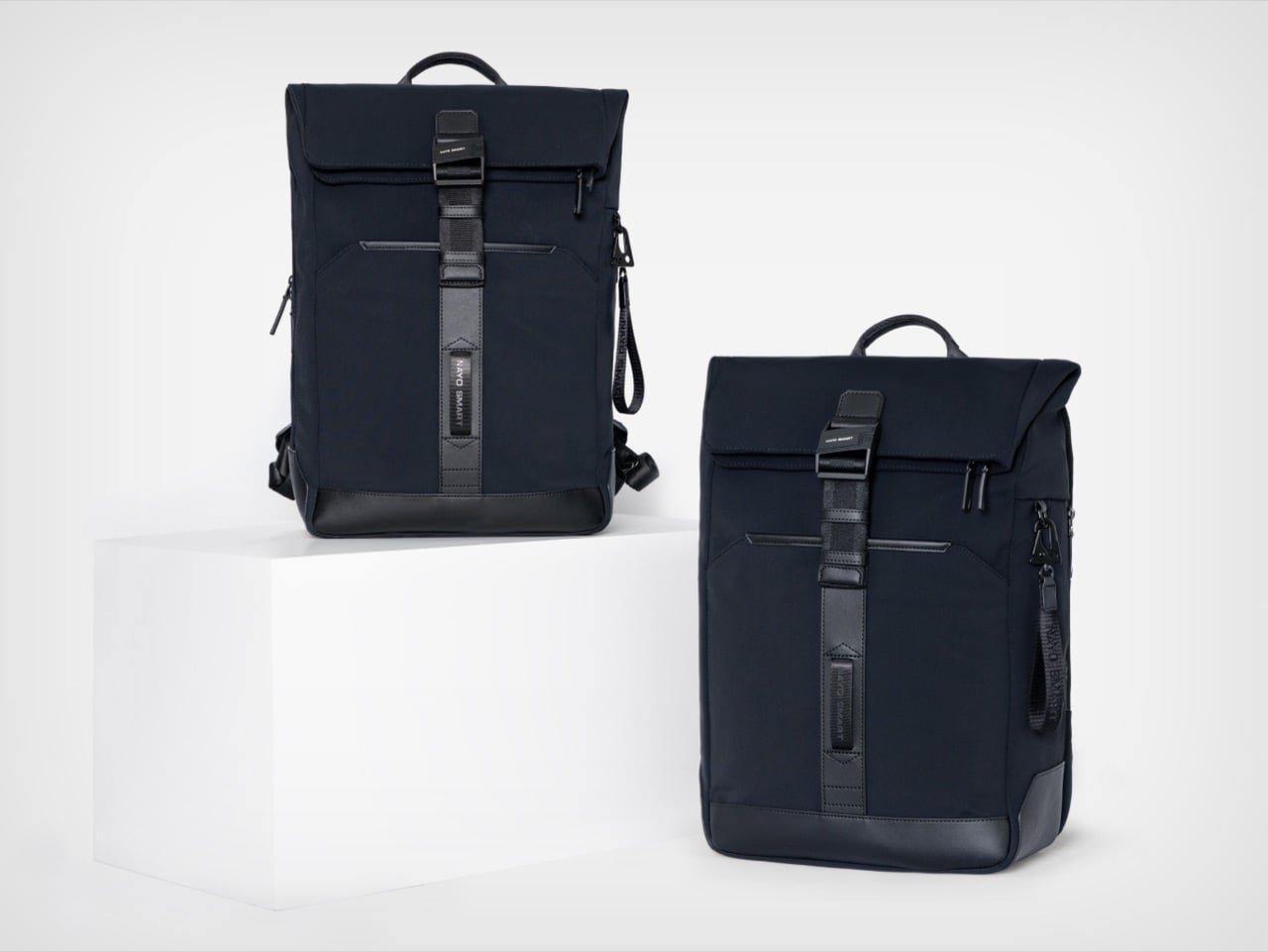
Nayo Smart designed the Herman Pro around exactly this reality. The half-roll-top silhouette keeps things looking composed from the outside, while the internal architecture handles an impressive amount of organized complexity. A dedicated laptop compartment sits separately from the main storage zone, accessible directly from the back panel for quick retrieval at security. The L-shaped main opening lays nearly flat for visibility and easy packing. A FIDLOCK magnetic buckle secures the flap in one motion, and hidden pockets, a side waterproof sleeve, and a luggage strap round out a carry system built around real transit habits rather than feature checklists.
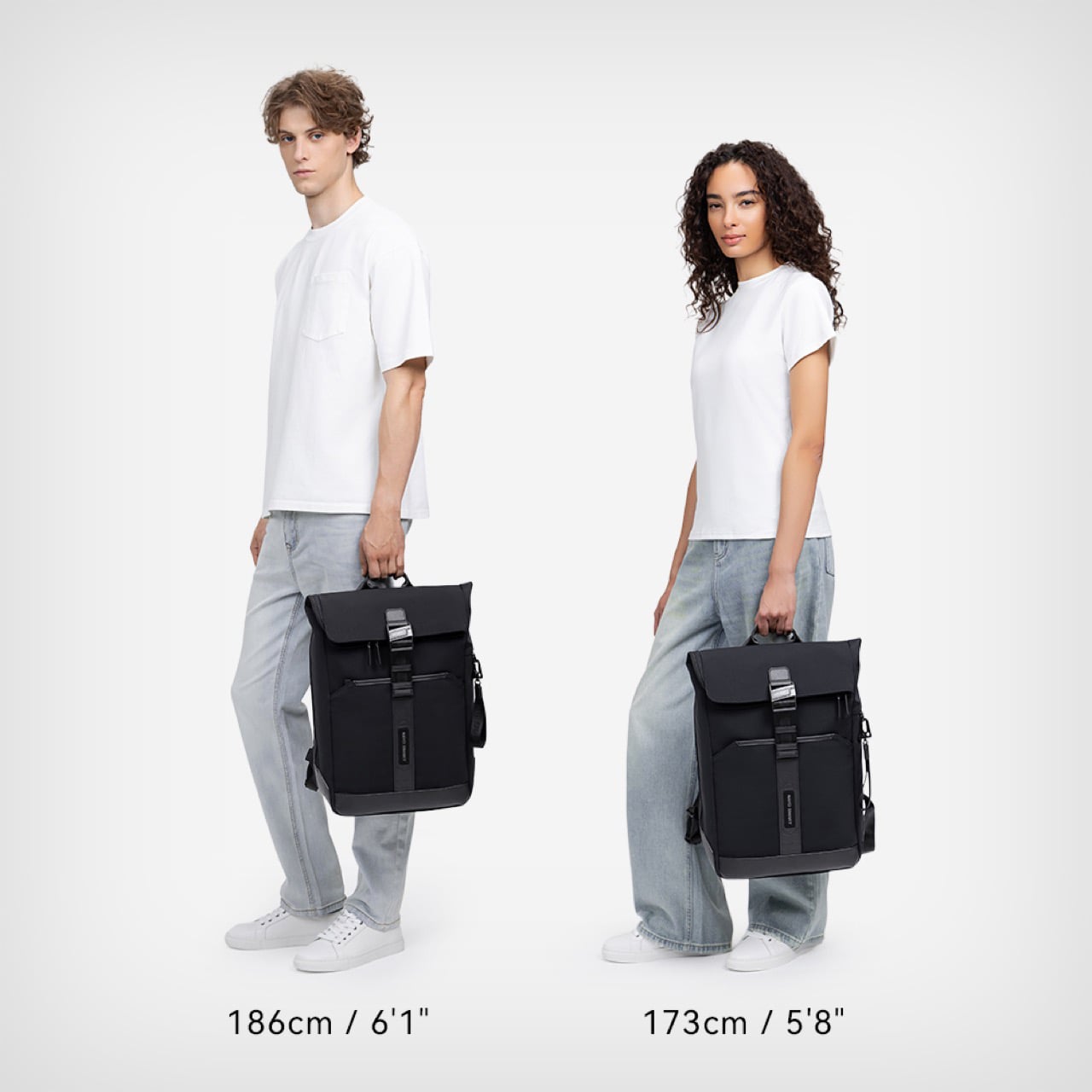
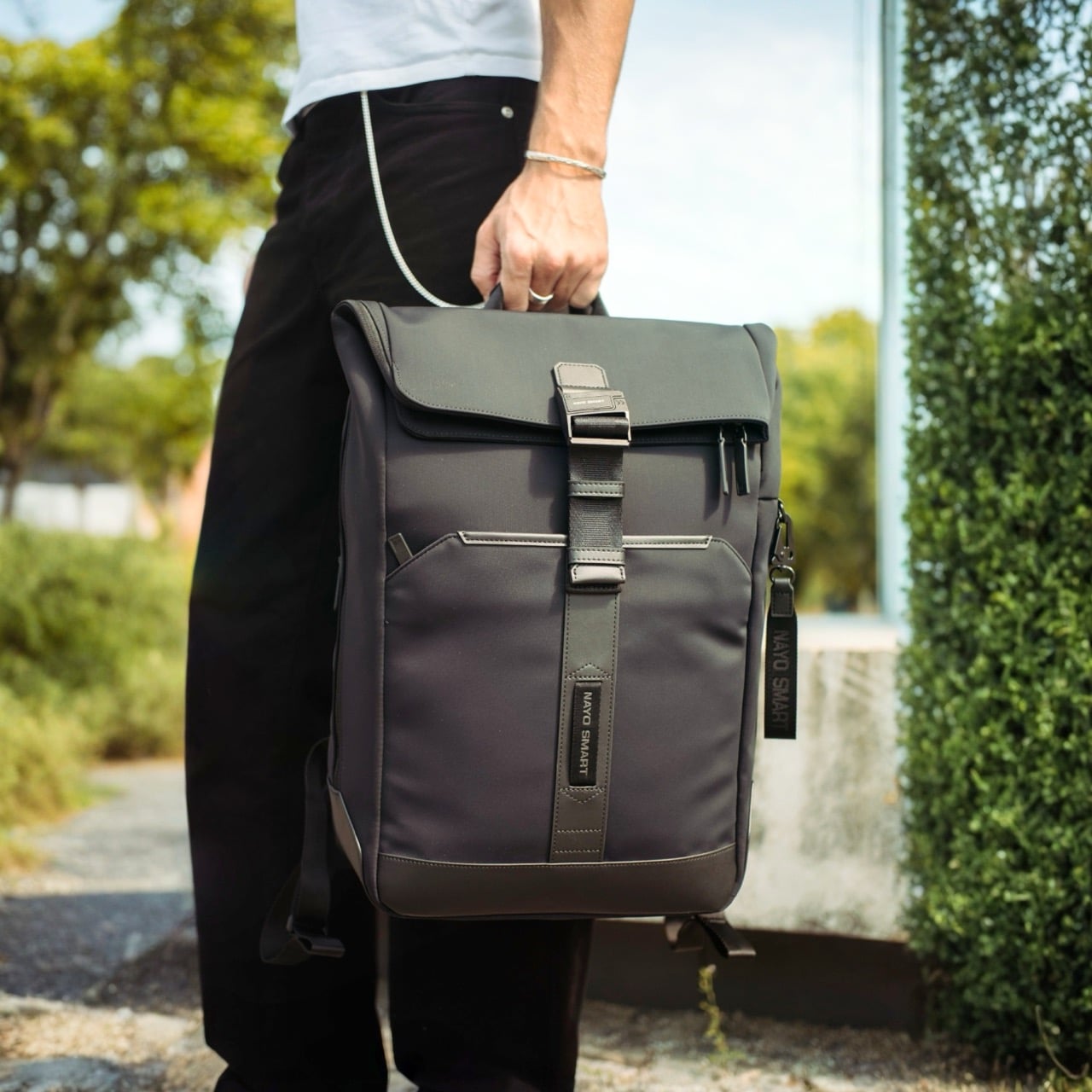
The most immediate visual quality of the Herman Pro, looking at it against the body, is how settled the silhouette stays. Many contemporary backpacks have evolved into highly technical, feature-heavy products that prioritize utility, and the result is often a bag that reads more like field gear than office carry. The Herman Pro’s exterior has been edited rather than accumulated. A clean rectangular body in dark nylon, a structured top flap held down by the FIDLOCK buckle, and a vertical webbing strap running the full length of the front panel make up the entirety of what faces the world. Both colorways, the deep black and the muted forest green, land firmly on the right side of understated, and the structured base gives the bag a stable, planted quality that prevents the slouching common in softer nylon designs.
Beyond durability and weather resistance, equal importance was placed on tactile quality, structure retention, visual texture, and long-term everyday usability, and the parachute-inspired water-repellent NA-TEX fabric was ultimately selected because it balances performance with a more refined and premium visual character. The surface has a matte density to it that holds its character under different lighting conditions, which matters for a bag that moves between a boardroom and a café in the same afternoon. Water beads off without leaving marks or altering the fabric’s structure, the kind of weather performance that earns trust over months of daily use rather than in a single dramatic rain test. A slightly firmer, smoother material at the base grounds the bag both structurally and visually, adding subtle zoning to the exterior without making a statement of it. Tactile quality was clearly weighed alongside durability here, and the difference from a generic nylon backpack is noticeable at first contact.
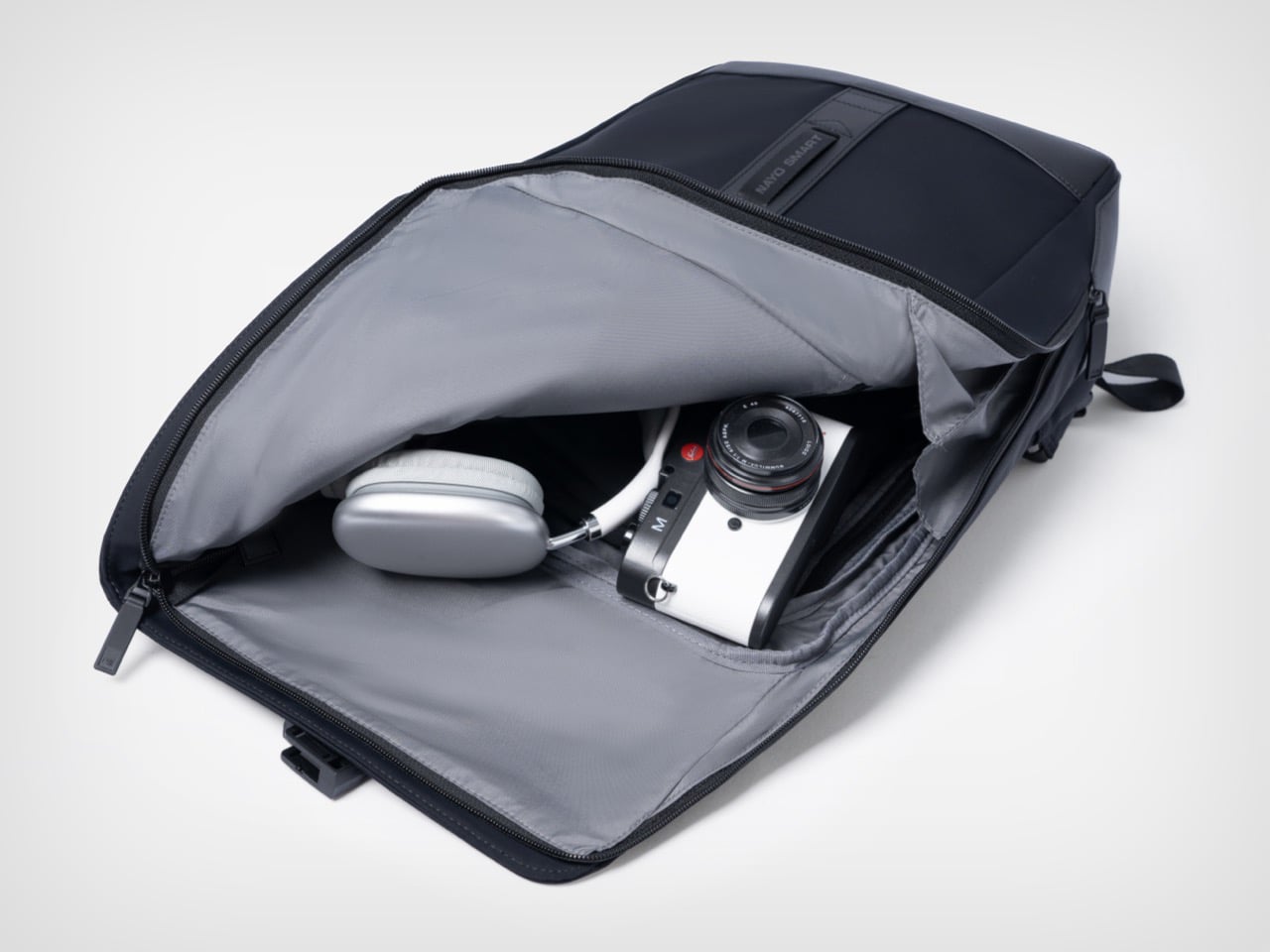
The L-shaped opening improves packing visibility and access in a way that is genuinely hard to go back from once you’ve experienced it. A conventional top-loader reveals its contents in layers, demanding that you excavate through whatever went in last to find what you need now. The L-shaped zipper runs across the top and down one full side, so the flap swings away and the entire main compartment opens in a single motion, nearly flat. The light gray interior lining amplifies this, creating strong contrast against dark items so headphones, cables, and loose accessories are immediately locatable rather than lost at the bottom. Cameras, over-ear headphones, and a tablet all fit comfortably in the main zone without competing for space with the laptop, which lives in an entirely separate section of the bag.
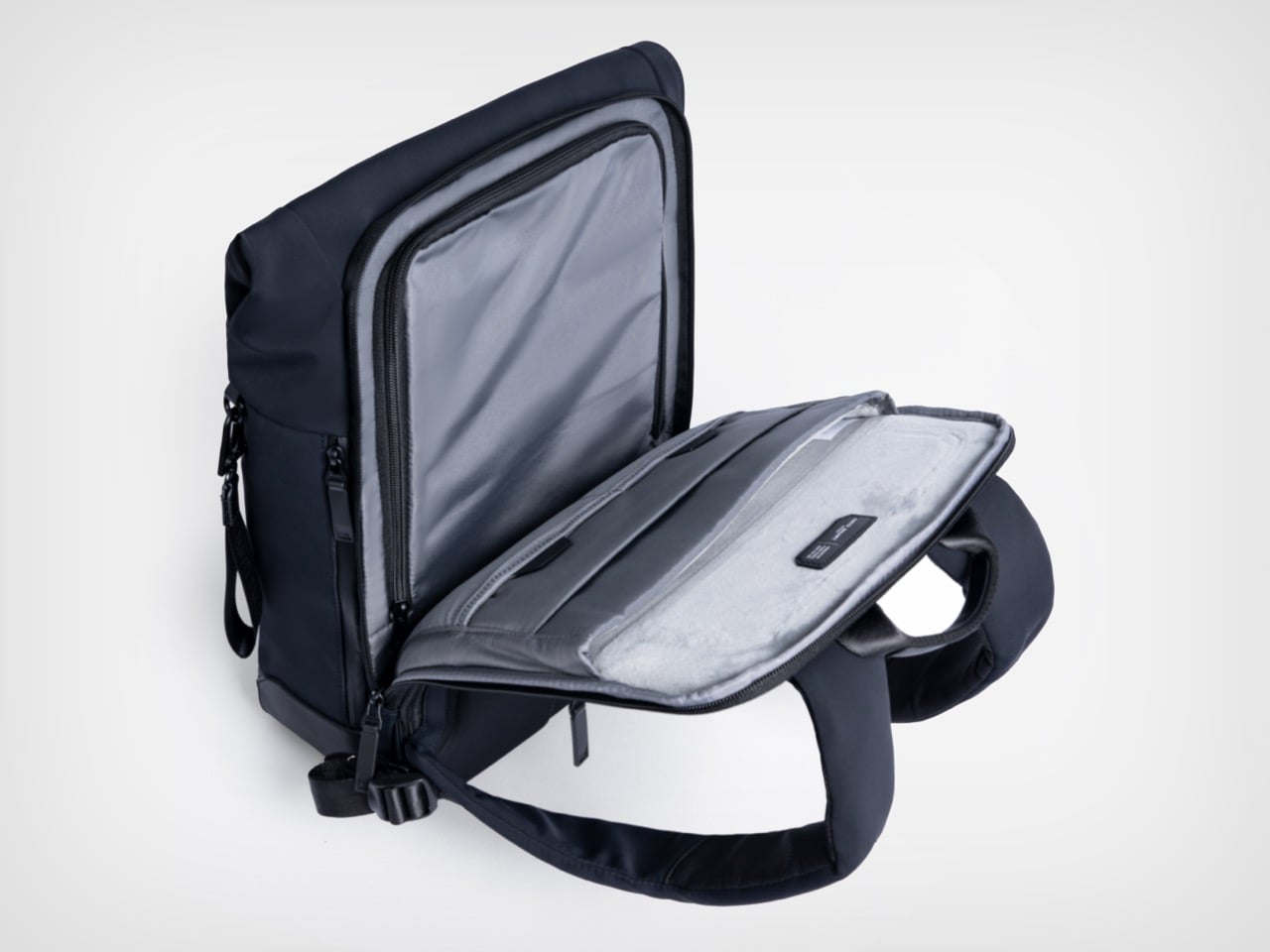
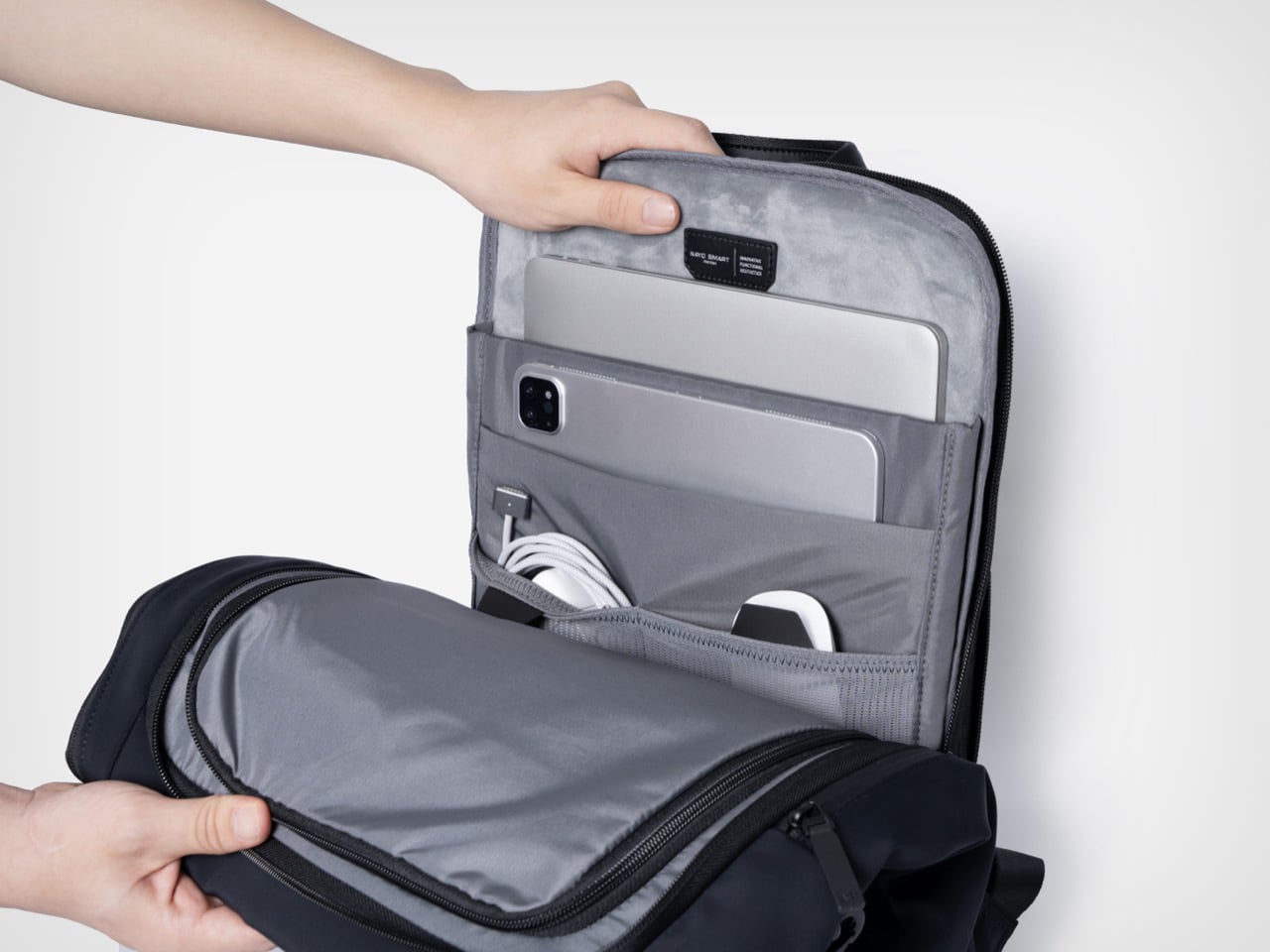
The independent laptop compartment, accessed directly from the rear panel, is one of the more practically useful organizational decisions in the Herman Pro’s design. Airport security typically means pulling the laptop out in a motion that requires setting the whole bag down, opening the main compartment, and digging through accumulated carry chaos. The back-access panel changes that entirely, allowing the laptop to slide out cleanly without touching the main storage zone. The dedicated laptop and digital device organization helps separate work essentials from personal items, and the compartment fits modern 15-inch laptops without forcing anything, with a padded tablet slot sitting alongside it. What looks like a relatively minor structural decision on paper becomes one of those carry conveniences that is hard to give up.
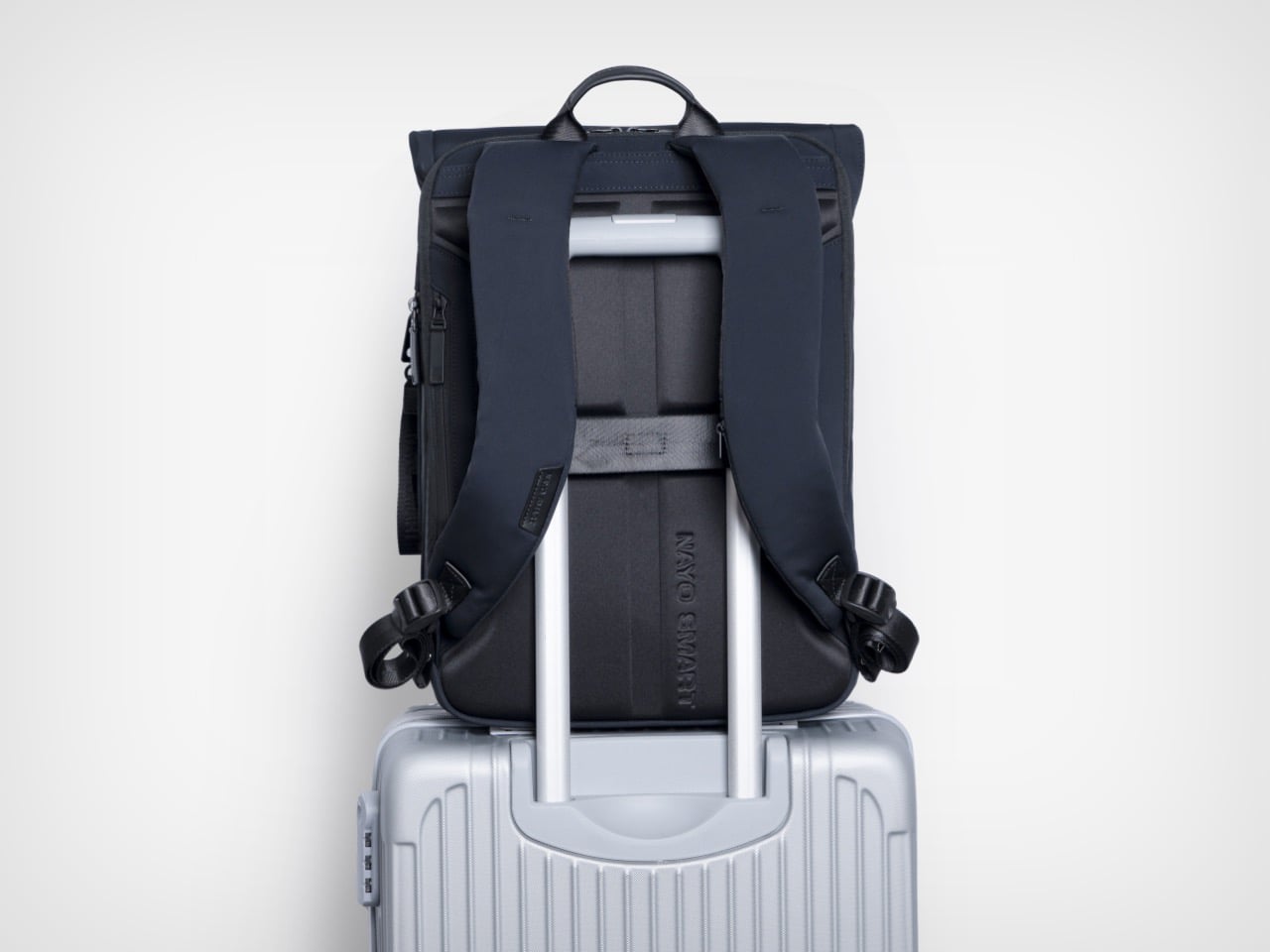
FIDLOCK’s magnetic buckle system has been appearing across premium outdoor and travel gear for several years now, and its inclusion here reads as a purposeful hardware specification rather than a borrowed credential. The mechanism snaps shut with one hand in a single motion and releases just as cleanly, removing the small but cumulative friction of a conventional buckle from what might amount to dozens of open-and-close cycles across a travel week. Hidden anti-theft pockets add a layer of security for passports and cards, while a hidden front zipper pocket handles flat documents or a transit card in a separate zone entirely. The side waterproof pocket accommodates a water bottle or umbrella without disrupting the bag’s profile from the front. A nylon luggage strap on the rear panel completes the transit toolkit, locking the Herman Pro cleanly onto a roller case handle when the load demands it.
Nayo Smart is a Singapore-based brand operating in a market that has gotten genuinely competitive at this price tier. The Herman Pro starts at $169 for the black colorway, placing it in direct conversation with well-regarded carry brands like Aer, Boundary Supply, and Tropicfeel, all of which have raised baseline expectations around what a commuter or travel backpack should deliver. Reviewers have already been reaching for the “affordable Tumi alternative” framing, which is a pointed comparison given how aggressively Tumi’s pricing has drifted upward over the past decade. The more interesting discussion may not simply be how functional a backpack can become, but how modern business backpacks are evolving alongside changes in work culture, mobility, and contemporary everyday lifestyles, and the Herman Pro fits into that conversation as a considered example of how a business travel backpack can become more organized, more comfortable, and more visually restrained without losing the practical performance that modern professionals expect. Both colorways are available directly through nayosmart.com, in standard 20L and large 25-30L sizing.
The office is no longer a place. For a growing number of professionals, work happens across a rotating cast of locations, on trains, in hotel lobbies, at standing desks in co-working spaces, at airport gates between meetings. What gets carried through all of that has quietly become one of the more personal decisions in a working day. The bag has to hold a laptop, a water bottle, travel documents, chargers, and sometimes a change of clothes, while still looking appropriate in every environment it passes through. Most bags manage the functional half of that requirement passably well; the visual half tends to be where the compromises show.
Nayo Smart designed the Herman Pro around exactly this reality. The half-roll-top silhouette keeps things looking composed from the outside, while the internal architecture handles an impressive amount of organized complexity. A dedicated laptop compartment sits separately from the main storage zone, accessible directly from the back panel for quick retrieval at security. The L-shaped main opening lays nearly flat for visibility and easy packing. A FIDLOCK magnetic buckle secures the flap in one motion, and hidden pockets, a side waterproof sleeve, and a luggage strap round out a carry system built around real transit habits rather than feature checklists.
The most immediate visual quality of the Herman Pro, looking at it against the body, is how settled the silhouette stays. Many contemporary backpacks have evolved into highly technical, feature-heavy products that prioritize utility, and the result is often a bag that reads more like field gear than office carry. The Herman Pro’s exterior has been edited rather than accumulated. A clean rectangular body in dark nylon, a structured top flap held down by the FIDLOCK buckle, and a vertical webbing strap running the full length of the front panel make up the entirety of what faces the world. Both colorways, the deep black and the muted forest green, land firmly on the right side of understated, and the structured base gives the bag a stable, planted quality that prevents the slouching common in softer nylon designs.
Beyond durability and weather resistance, equal importance was placed on tactile quality, structure retention, visual texture, and long-term everyday usability, and the parachute-inspired water-repellent NA-TEX fabric was ultimately selected because it balances performance with a more refined and premium visual character. The surface has a matte density to it that holds its character under different lighting conditions, which matters for a bag that moves between a boardroom and a café in the same afternoon. Water beads off without leaving marks or altering the fabric’s structure, the kind of weather performance that earns trust over months of daily use rather than in a single dramatic rain test. A slightly firmer, smoother material at the base grounds the bag both structurally and visually, adding subtle zoning to the exterior without making a statement of it. Tactile quality was clearly weighed alongside durability here, and the difference from a generic nylon backpack is noticeable at first contact.
The L-shaped opening improves packing visibility and access in a way that is genuinely hard to go back from once you’ve experienced it. A conventional top-loader reveals its contents in layers, demanding that you excavate through whatever went in last to find what you need now. The L-shaped zipper runs across the top and down one full side, so the flap swings away and the entire main compartment opens in a single motion, nearly flat. The light gray interior lining amplifies this, creating strong contrast against dark items so headphones, cables, and loose accessories are immediately locatable rather than lost at the bottom. Cameras, over-ear headphones, and a tablet all fit comfortably in the main zone without competing for space with the laptop, which lives in an entirely separate section of the bag.
The independent laptop compartment, accessed directly from the rear panel, is one of the more practically useful organizational decisions in the Herman Pro’s design. Airport security typically means pulling the laptop out in a motion that requires setting the whole bag down, opening the main compartment, and digging through accumulated carry chaos. The back-access panel changes that entirely, allowing the laptop to slide out cleanly without touching the main storage zone. The dedicated laptop and digital device organization helps separate work essentials from personal items, and the compartment fits modern 15-inch laptops without forcing anything, with a padded tablet slot sitting alongside it. What looks like a relatively minor structural decision on paper becomes one of those carry conveniences that is hard to give up.
FIDLOCK’s magnetic buckle system has been appearing across premium outdoor and travel gear for several years now, and its inclusion here reads as a purposeful hardware specification rather than a borrowed credential. The mechanism snaps shut with one hand in a single motion and releases just as cleanly, removing the small but cumulative friction of a conventional buckle from what might amount to dozens of open-and-close cycles across a travel week. Hidden anti-theft pockets add a layer of security for passports and cards, while a hidden front zipper pocket handles flat documents or a transit card in a separate zone entirely. The side waterproof pocket accommodates a water bottle or umbrella without disrupting the bag’s profile from the front. A nylon luggage strap on the rear panel completes the transit toolkit, locking the Herman Pro cleanly onto a roller case handle when the load demands it.
Nayo Smart is a Singapore-based brand operating in a market that has gotten genuinely competitive at this price tier. The Herman Pro starts at $169 for the black colorway, placing it in direct conversation with well-regarded carry brands like Aer, Boundary Supply, and Tropicfeel, all of which have raised baseline expectations around what a commuter or travel backpack should deliver. Reviewers have already been reaching for the “affordable Tumi alternative” framing, which is a pointed comparison given how aggressively Tumi’s pricing has drifted upward over the past decade. The more interesting discussion may not simply be how functional a backpack can become, but how modern business backpacks are evolving alongside changes in work culture, mobility, and contemporary everyday lifestyles, and the Herman Pro fits into that conversation as a considered example of how a business travel backpack can become more organized, more comfortable, and more visually restrained without losing the practical performance that modern professionals expect. Both colorways are available directly through nayosmart.com, in standard 20L and large 25-30L sizing.
The phone is always the easy answer. Timer goes off — reach for it. Stuck on a thought — reach for it. Five minutes later, you’ve watched three videos and forgotten what you were working on. The real cost of deep work isn’t effort; it’s attention. And attention is exactly what these five desk objects are designed to protect, each one quietly replacing a digital habit with something more physical and deliberate.
None of these are apps or subscription tools. They’re objects — things you touch, twist, write on, and look at from across the room. Some are already on shelves. Others are still concepts. All of them point in the same direction: toward a desk that improves your focus so your phone can do less. Here are five designs worth making room for.
1. Air Powered Segment Clock
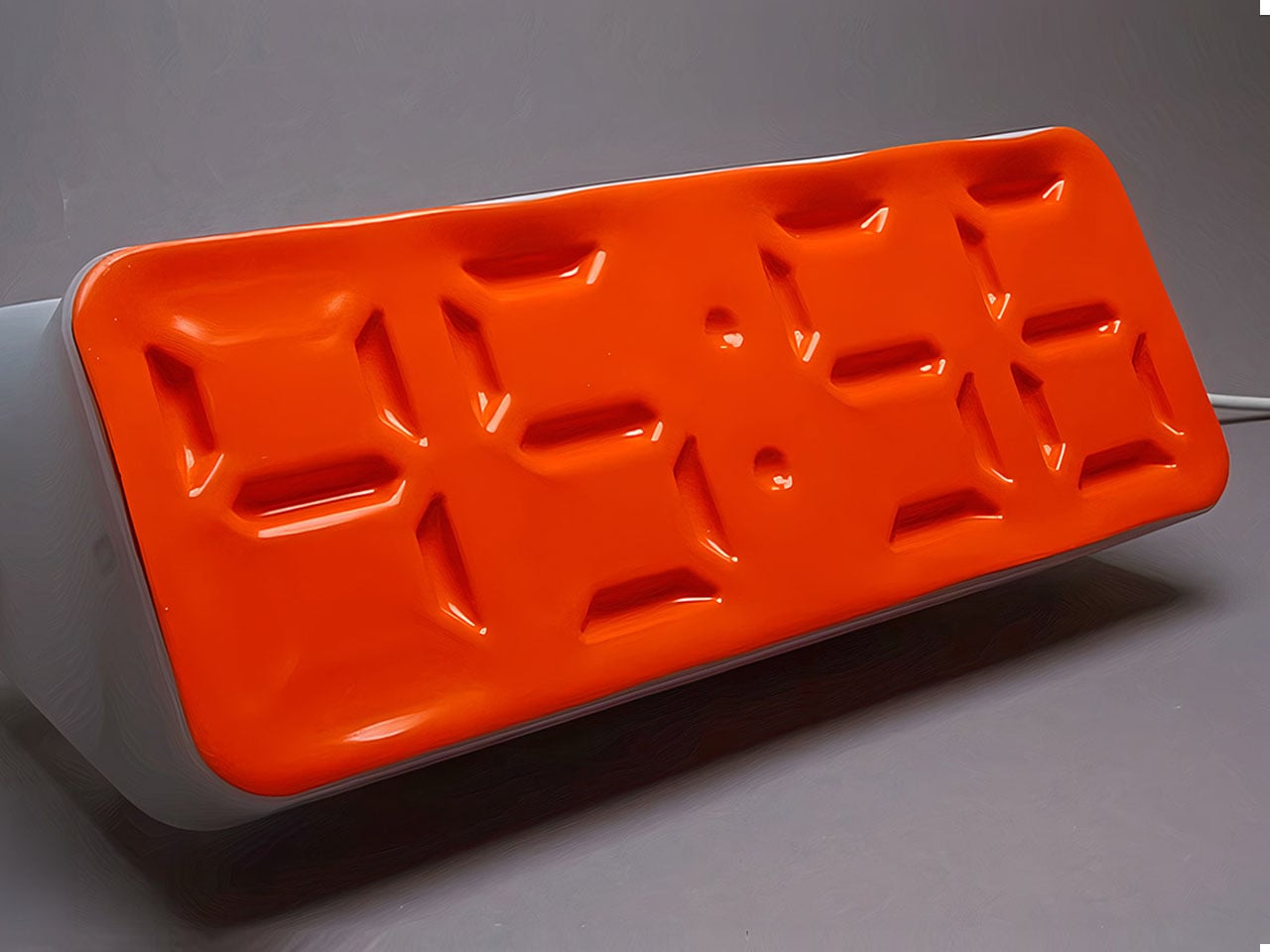
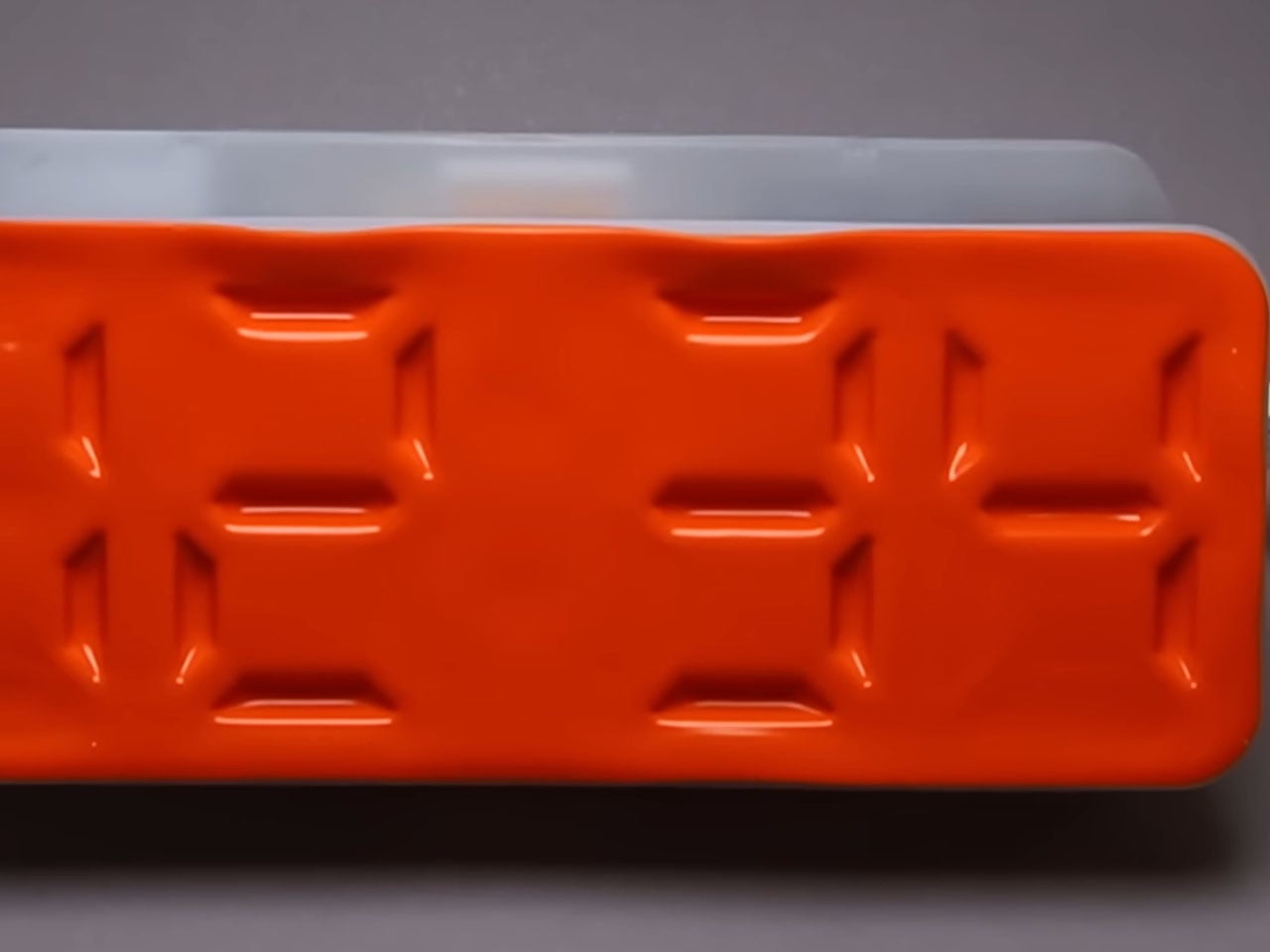
Time-checking is one of the most common reasons people pick up their phones — and one of the quickest ways to lose focus. The Air Powered Segment Clock answers that with something genuinely unlike anything else on a desk: a four-digit display that uses no LEDs at all. Instead, vacuum pressure pulls sections of a flexible silicone membrane inward to form each digit, the way a pneumatic system flexes a muscle. It’s mechanical, quiet, and mesmerizing to watch change.
What makes the engineering remarkable is that each segment behaves like a memory cell — holding its shape after pressure is removed, only resetting when the next command arrives. The architecture mirrors how RAM functions. The clock is DIY-built from 3D-printed parts, a small vacuum pump, solenoid valves, and an Arduino, and it includes a stopwatch mode. It lives on your desk to tell you the time, and that’s it — there’s nothing else it can tempt you with.
What we like:
The pneumatic segments hold each digit without continuous power, making it a genuinely low-energy timekeeping system
Watching the silicone membrane shift and settle is a micro-moment of calm between tasks
What we dislike:
As a DIY build, it requires significant technical skill to replicate — this isn’t something you can simply order
The vacuum pump and solenoid system adds mechanical complexity that may require periodic maintenance
2. OrigamiSwift Mouse
A mouse might seem like an unlikely candidate for this list, but the Origami Swift earns its place by making your physical workspace feel intentional. Designed by Horace Lam and inspired by the art of origami, it folds completely flat — just 4.5mm thin and 40 grams — and snaps into full mouse form in under half a second. That small ritual of unfolding and clicking into position is a quiet but real signal to your brain that work is starting now.
Bluetooth 5.2 keeps connectivity fast and reliable, with a wireless range of up to 32.8 feet in open areas, and the USB-C rechargeable battery lasts up to three months on a single charge. Soft-click buttons and a smooth glide keep sessions quiet and distraction-free. Compatible with Mac, Windows, and Android, it performs like a full-sized mouse when open and disappears into a bag without drama when the day is done.
The fold-to-activate gesture creates a physical transition into work mode that a trackpad or standard mouse doesn’t offer
At 40 grams with a three-month battery life, it’s both genuinely portable and technically capable
What we dislike:
The folded form factor requires adjustment for users accustomed to traditional palm-grip mice
Soft-click buttons may feel less satisfying for those who prefer strong tactile feedback
3. Note
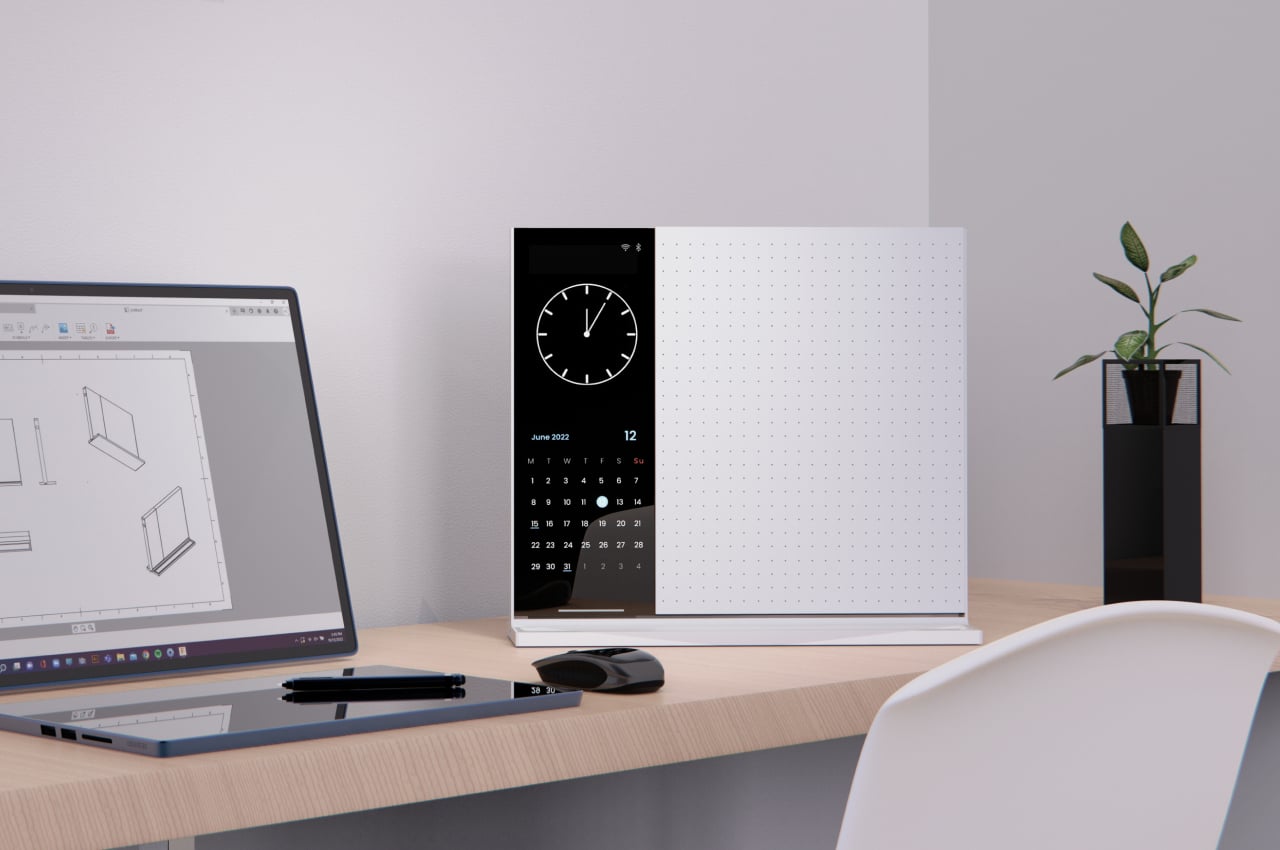
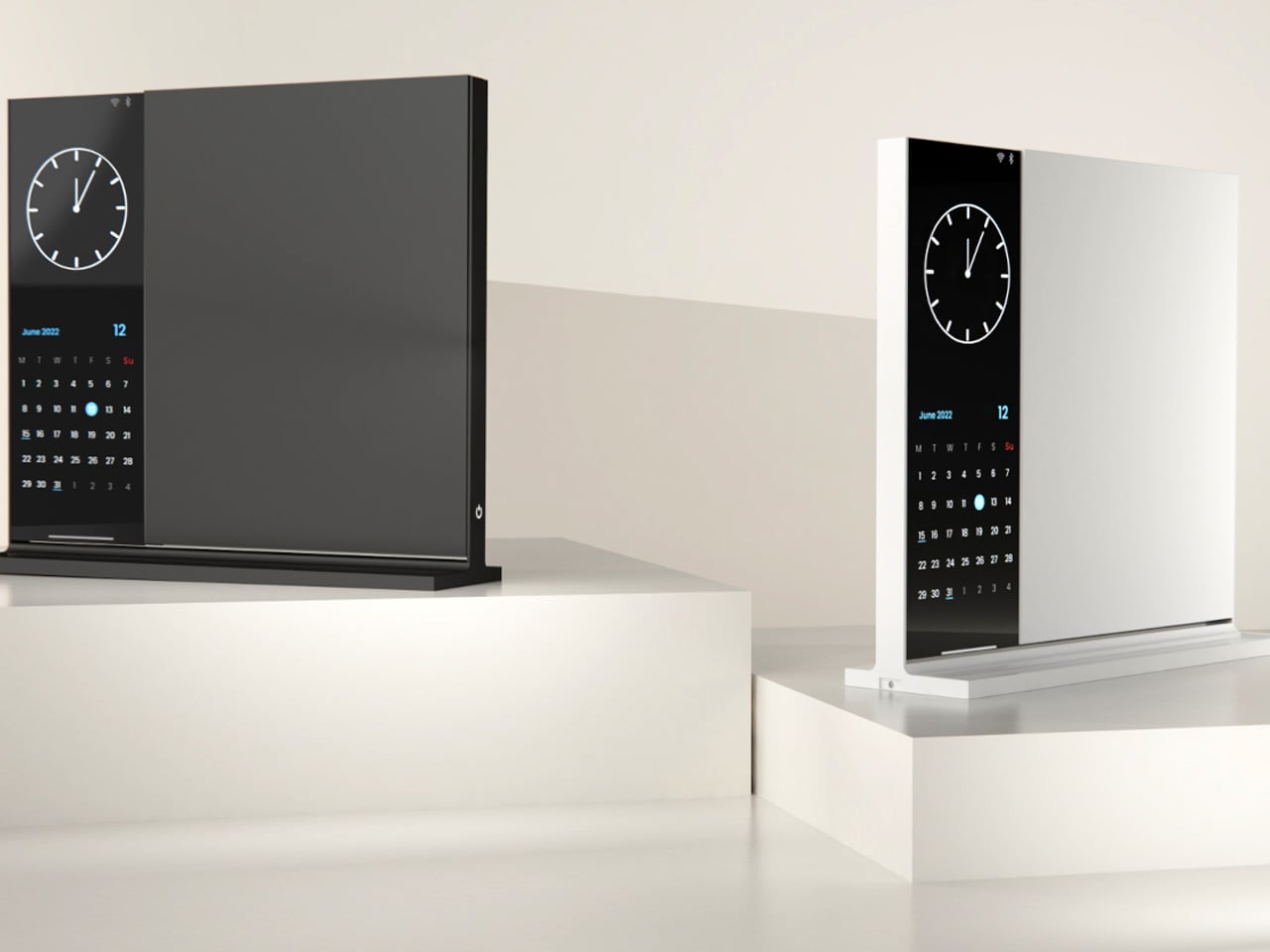
The Note is deceptively simple: a desk object that bridges analog note-taking with just enough digital utility to make it genuinely useful. The device pairs a whiteboard surface for jotting ideas with a small built-in display on the left side that shows the time, date, and music controls. Rather than asking you to open an app or unlock a screen, Note keeps that essential information directly in your peripheral vision, fixed and passive.
The design addresses something real: the modern digital workstation is so fully loaded that reaching for anything — a timestamp, a song, a quick note — means crossing through a notification minefield. Note keeps those basic needs on the desk and offline. Sketch an idea on the whiteboard, check the time from the side display, and keep moving. It doesn’t replace your technology. It quarantines the parts of it that constantly pull your attention away from the work directly in front of you.
What we like:
Combining a whiteboard surface with a peripheral display eliminates two of the most common reasons for picking up a phone
The minimal form factor stays present without demanding attention
What we dislike:
Note remains a concept with no confirmed production timeline or retail availability
The side display’s feature range is limited compared to a full smart display, which may frustrate users who want more
4. Immerge Desk Timer
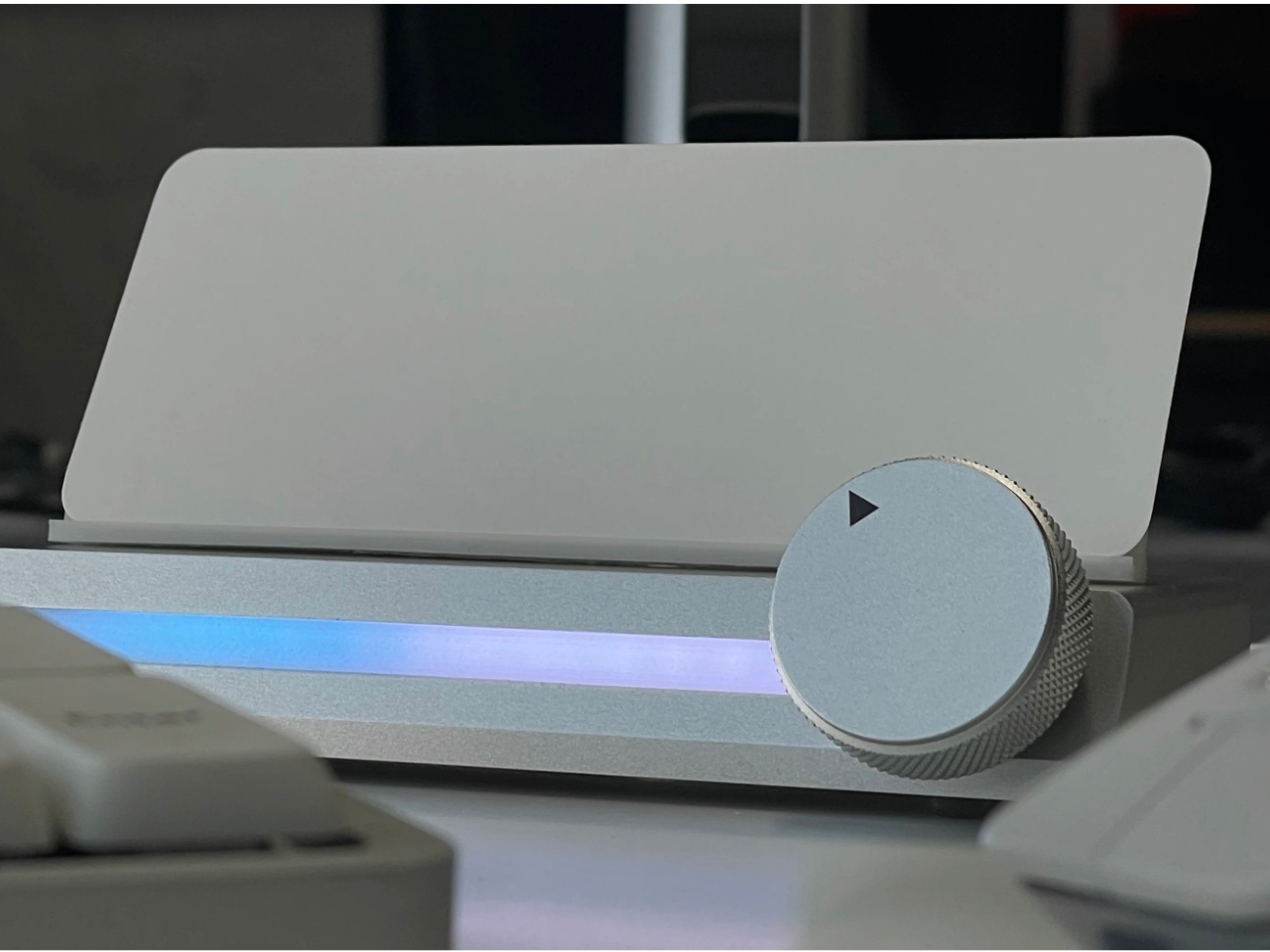
There’s a reason so many people use the Pomodoro method but can’t stick to it: phone timers live on the same device that breaks focus. The Immerge Desk Timer by Adam Cole Edwards is a concept for a CNC-machined aluminum timer with an anodized finish, designed to sit on your desk as a physical commitment to a work block. A smooth-rotating wheel sets the desired interval. There’s no screen, no app, and no chance of a notification bleeding through from something else.
A built-in note card slot on the front holds a small index card — space to write the day’s top priority, a single task, or a short reflection. That combination of timer and intention-setting turns the Immerge into something more considered than a countdown. The design language is deliberately understated, built to complement any desk without demanding to be noticed. It’s still a concept, but the idea it represents — analog focus as a deliberate cultural choice — feels overdue.
What we like:
The integrated note card slot pairs time management with written intention, reinforcing focus before a session even begins
CNC-machined aluminum with an anodized finish places it firmly in premium desk object territory
What we dislike:
The Immerge remains a concept with no confirmed production timeline or pricing
A purely analog timer offers no connectivity for users who track productivity data or want to log sessions
5. MagBoard Clipboard
Paper has a focus advantage that screens don’t: it notifies you of nothing. The MagBoard Clipboard leans into that advantage while solving the one real problem with loose paper — keeping it together. A Magnet x Lever mechanism secures up to 30 sheets without a traditional spring clip, and releasing or adding pages takes nothing more than a light press on the edge. It’s made in Japan, and the material quality reflects that without needing to announce it.
The hardcover design means you can write on it standing up, on a couch, or anywhere a thought shows up. The surface is water-resistant and easy to clean. Available in A4 and A5 sizes, it accepts any paper you choose — blank, grid, dotted, printed, perforated, or mixed. There’s no prescribed format and no app syncing required. You write what you think, in whatever order makes sense, and reorganize whenever the work demands it.
The Magnet x Lever system secures any combination of paper types without marking or damaging sheets
Water-resistant hardcover construction makes it practical well beyond a standard desk setup
What we dislike:
The 30-sheet capacity may feel limiting for users who work through large volumes of material in a single session
Unlike digital tools, there’s no built-in way to search, tag, or retrieve older pages
The Best Tools Are the Ones That Stay Out of the Way
The phone isn’t going anywhere, and none of these objects pretend otherwise. What they offer is friction — the deliberate, productive kind. A clock that reads time through air pressure. A timer shaped from aluminum. A clipboard that holds whatever paper you choose. Each one introduces a small ritual into the day, and rituals are how deep work actually gets done. The setup matters more than most people give it credit for.
Good desk design is quiet. It works without asking to be noticed and keeps your attention where it belongs. These five objects don’t promise a productivity revolution — they just remove one more reason to reach for your phone. Sometimes that’s enough to finish the thing you’ve been putting off. Not because you became more disciplined overnight, but because nothing interrupted you long enough to break the thread.
Steve Jobs pulled the original MacBook Air out of a manila envelope in 2008 and the laptop industry never recovered. What followed was nearly two decades of manufacturers treating thinness as the primary measure of ambition. Apple refined the aluminum unibody chassis into a design language so influential that Dell, Samsung, HP, and virtually every other PC maker began chasing the same silhouette. The problem was that aluminum unibody construction left almost no room for battery expansion. The chassis became the constraint, and battery capacity was the thing that gave way. Users got a premium-feeling machine that needed a charger by mid-afternoon.
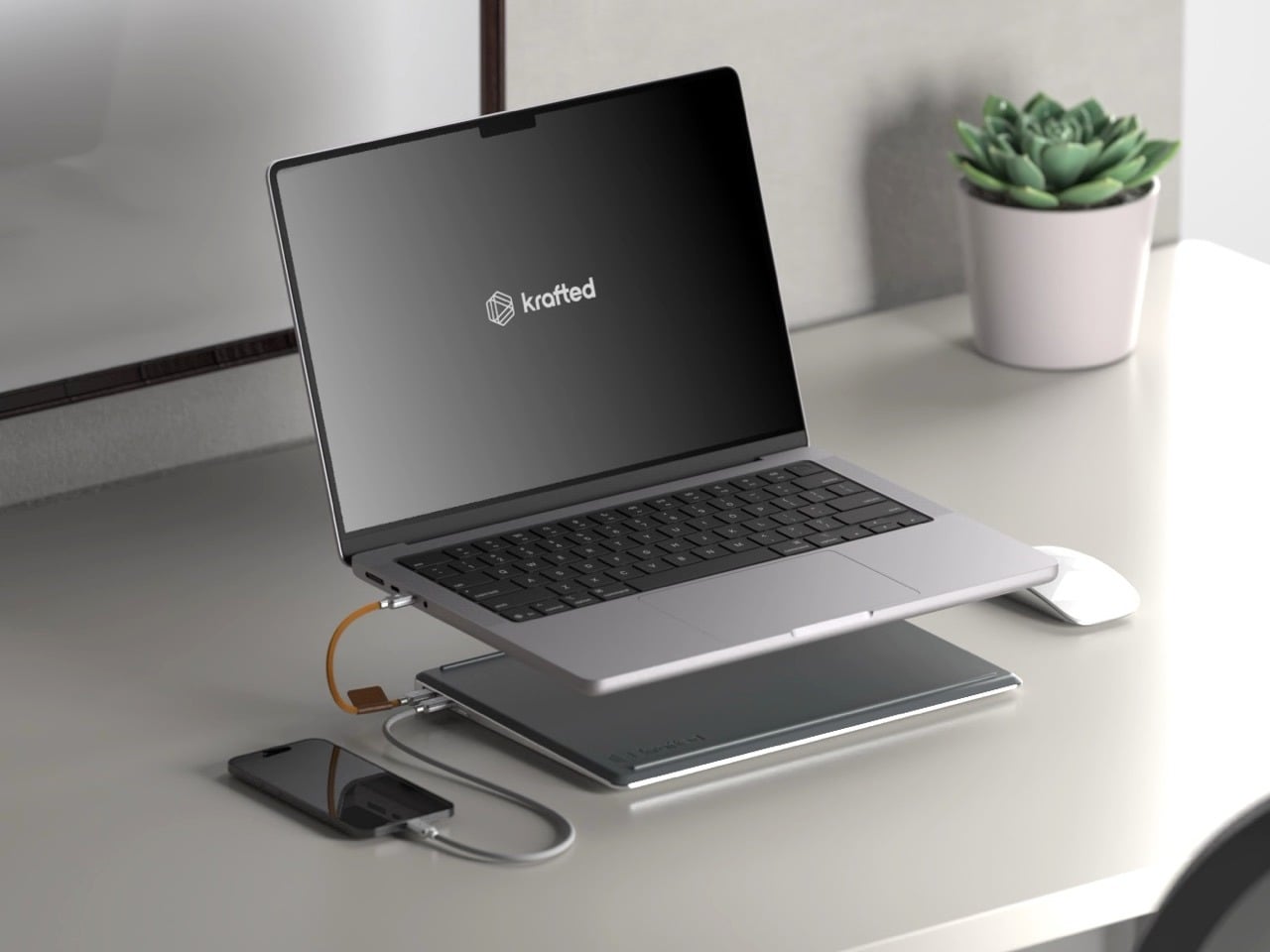
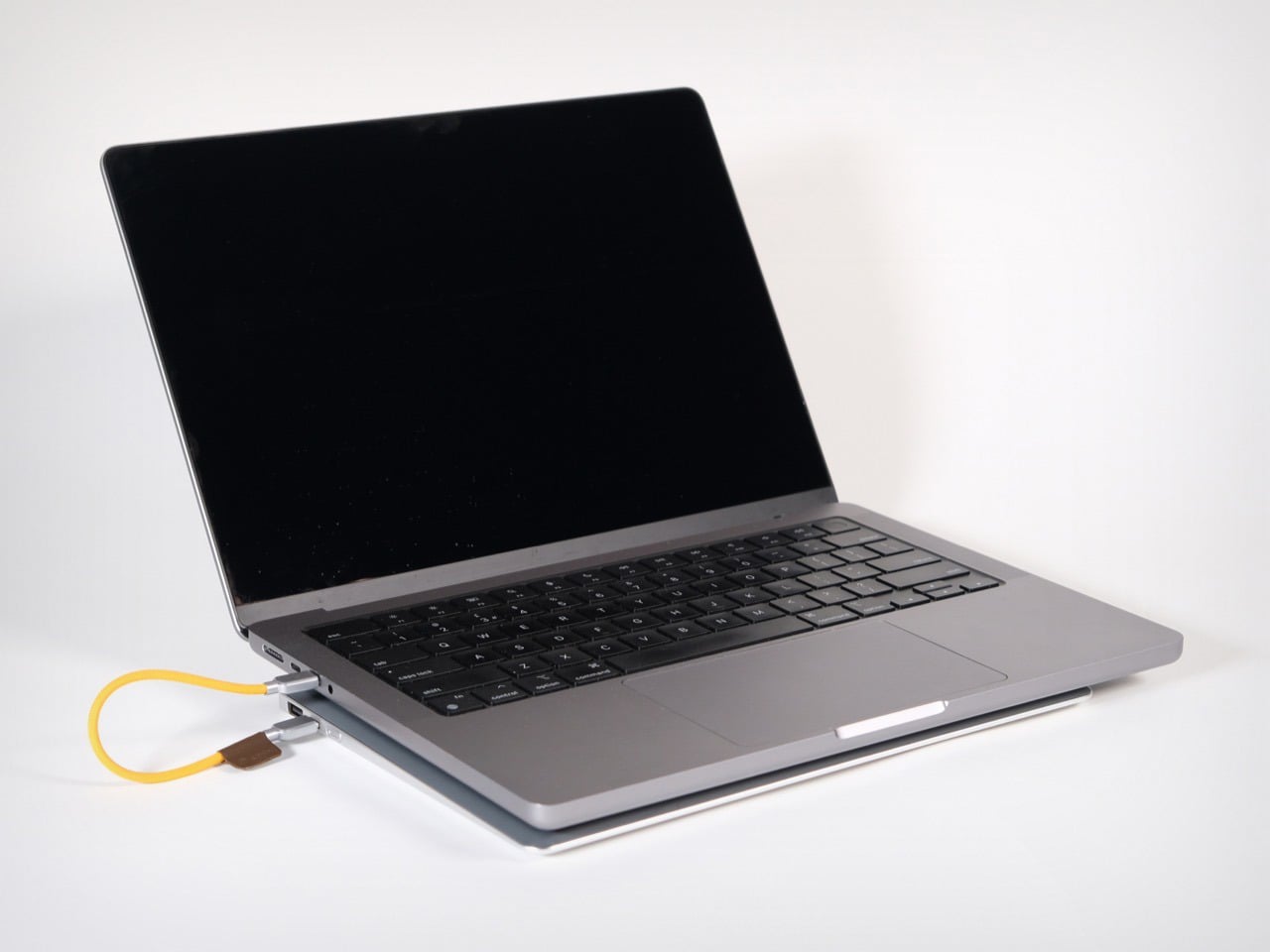
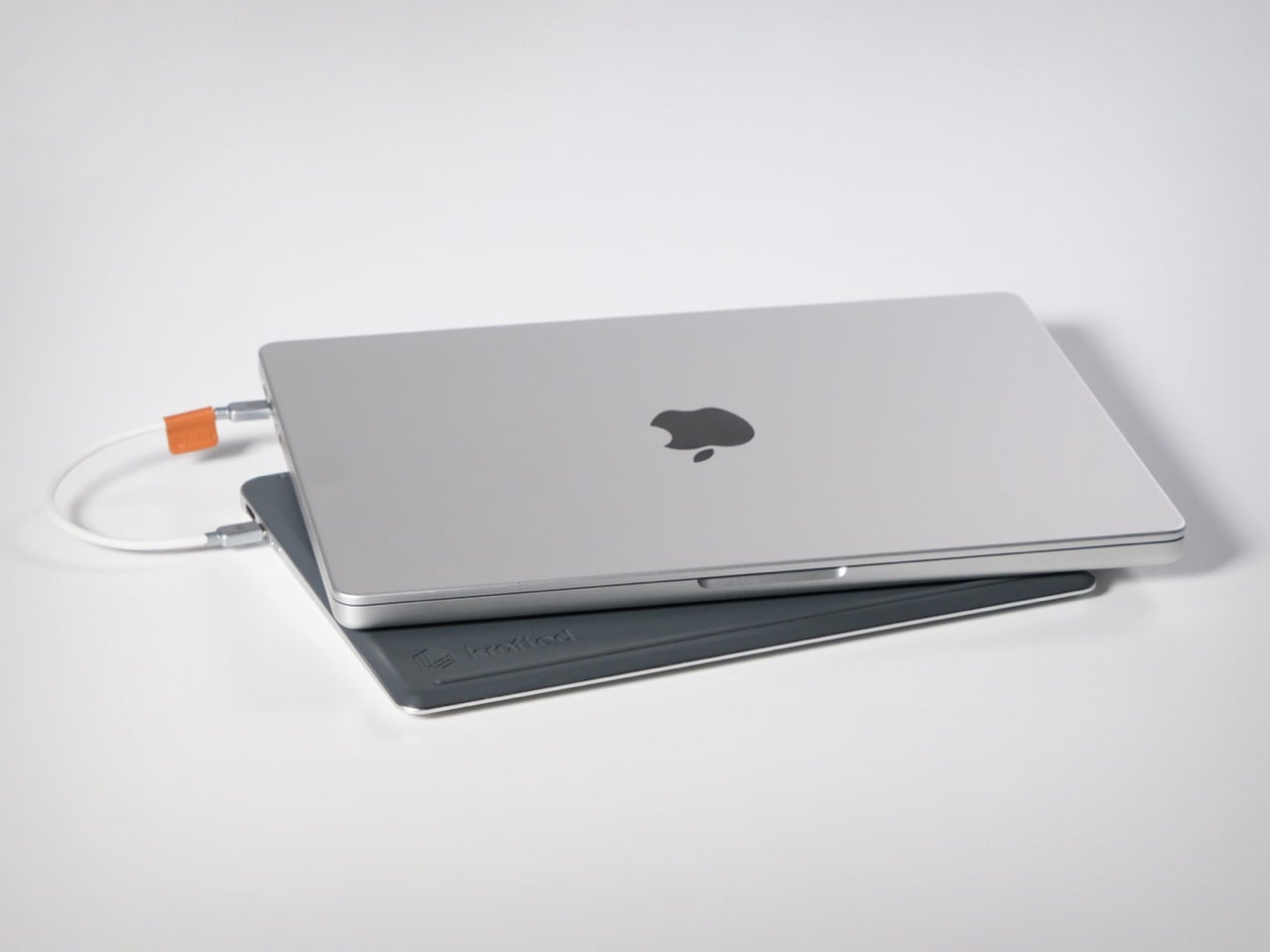
Krafted Edge, from a London-based team currently 14x funded on Kickstarter, takes that surrendered battery volume and turns it into a dedicated companion slab. At 12.88mm thin, matched to a laptop’s footprint, it slides into the same bag sleeve and sits flush underneath the machine on any desk. The 65W USB-C output handles a MacBook or Dell XPS at full charge speed, and a user-replaceable battery module means the unit survives well beyond the obsolescence cycle that Apple’s own design philosophy helped normalize.
Most power banks are designed as self-contained objects, with their own visual identity, their own color language, their own form factor logic. Edge is designed to be a subordinate layer, a second slab that borrows the laptop’s rectangle and adds nothing extraneous. Silicone ventilation bars on the underside keep the laptop’s chassis from sitting flush against the battery surface, managing heat without vents or fans. That is a detail most companies would have skipped in the name of simplicity, and Krafted chose to solve it instead.
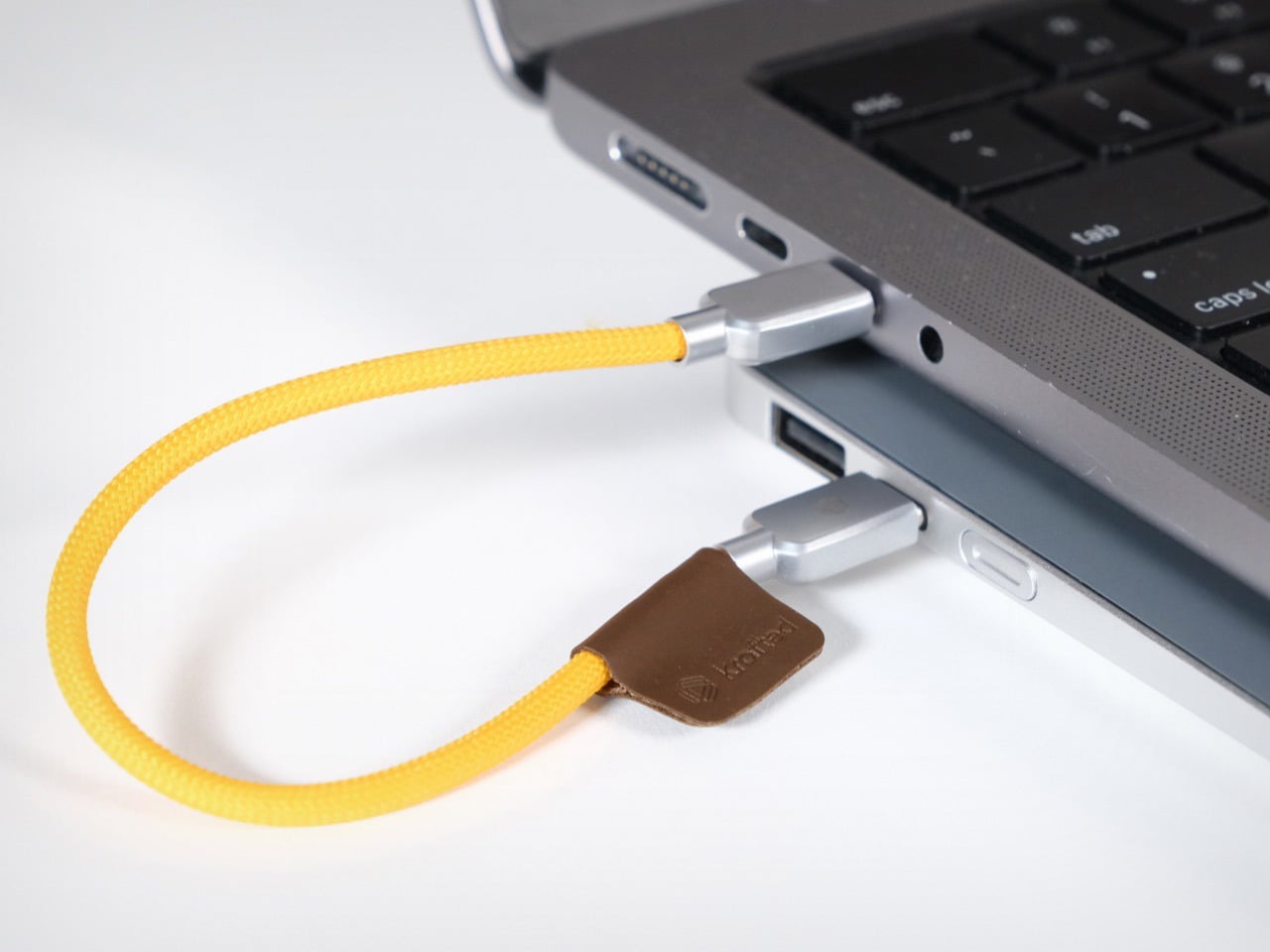
Twenty thousand milliamp hours at 65W USB-C output means Edge can push full-speed charging to a MacBook Air or Dell XPS, a level of output most portable batteries cannot match for laptop use. In practical terms, that translates to up to three full laptop charges, four phone charges, and thirty-five headphone charges from a single Edge. The USB-C and USB-A ports run simultaneously, meaning a laptop and phone can charge at the same time, the actual use case for anyone working through a long travel day. The USB-A port covers older devices and accessories from the same slim device. The spec sheet reads like something Krafted reverse-engineered from real-world work patterns rather than from what was cheapest to manufacture at a given wattage.
Aircraft-grade aluminium forms the housing, with ocean-bound plastic components used for the detailing, braided metal connectors on the cable, and a plant-based leather tag, meaning the material story carries a traceable supply chain rather than a footnote about corporate responsibility. On the certification side, Edge carries CE, UKCA, and UN38.3 compliance, and at approximately 74Wh, it falls comfortably below the 100Wh threshold that most international airlines enforce as the carry-on limit for lithium battery devices, no special permission required. That number matters more than it might seem right now. Airlines across multiple jurisdictions have been tightening restrictions on portable power devices in cabin luggage, and the last thing a frequent flyer needs is a power bank confiscated at security. Edge is built to travel as cleanly as the laptop it supports, which is the whole point of matching its form factor in the first place.
The replaceable battery system means Edge has a limitless lifespan. You do not throw it away when the battery degrades, you replace the module. Krafted breaks the single-use cycle that defines the category, so the aluminium chassis, the cables, the connectors, and the circuitry all outlive the cells inside them. That is a sustainability argument, but also a value proposition, because an object built to outlast a single battery’s lifespan is fundamentally different from a disposable product dressed up in premium materials. For a category historically treated as a commodity, the replaceable module puts Edge in the same conversation as tools you service rather than gadgets you replace. In a world where Apple sells its own batteries as non-serviceable components and charges accordingly, that philosophy lands as a genuine design position.
The Krafted Edge is available at a discounted $139 price tag, while the MSRP reads $200 if you wait to buy it after the Kickstarter campaign ends. A dual pack costs you $249 right now, netting you 37% savings. The Krafted Edge ships globally, with deliveries set for July 2026.
There is a different kind of that happens in late June. Your feed fills with gear photographed in good light, linked before the image has finished loading, and gone from stock by the time you circle back. Some of it is noise. Some of it quietly solves a problem you have been working around for years without naming it. The ten products here belong to the second category, and every one of them is genuinely worth the attention.
They cover the full arc of a summer day, from the first outdoor coffee to the last photograph before the light drops. Not one of them asks you to sacrifice design quality for function, or function for form. These are the products that spread because they earn it, objects that change something specific about the next few months. Whether you find three of them or all ten, your summer bag has room for the upgrade.
1. Camera (1)
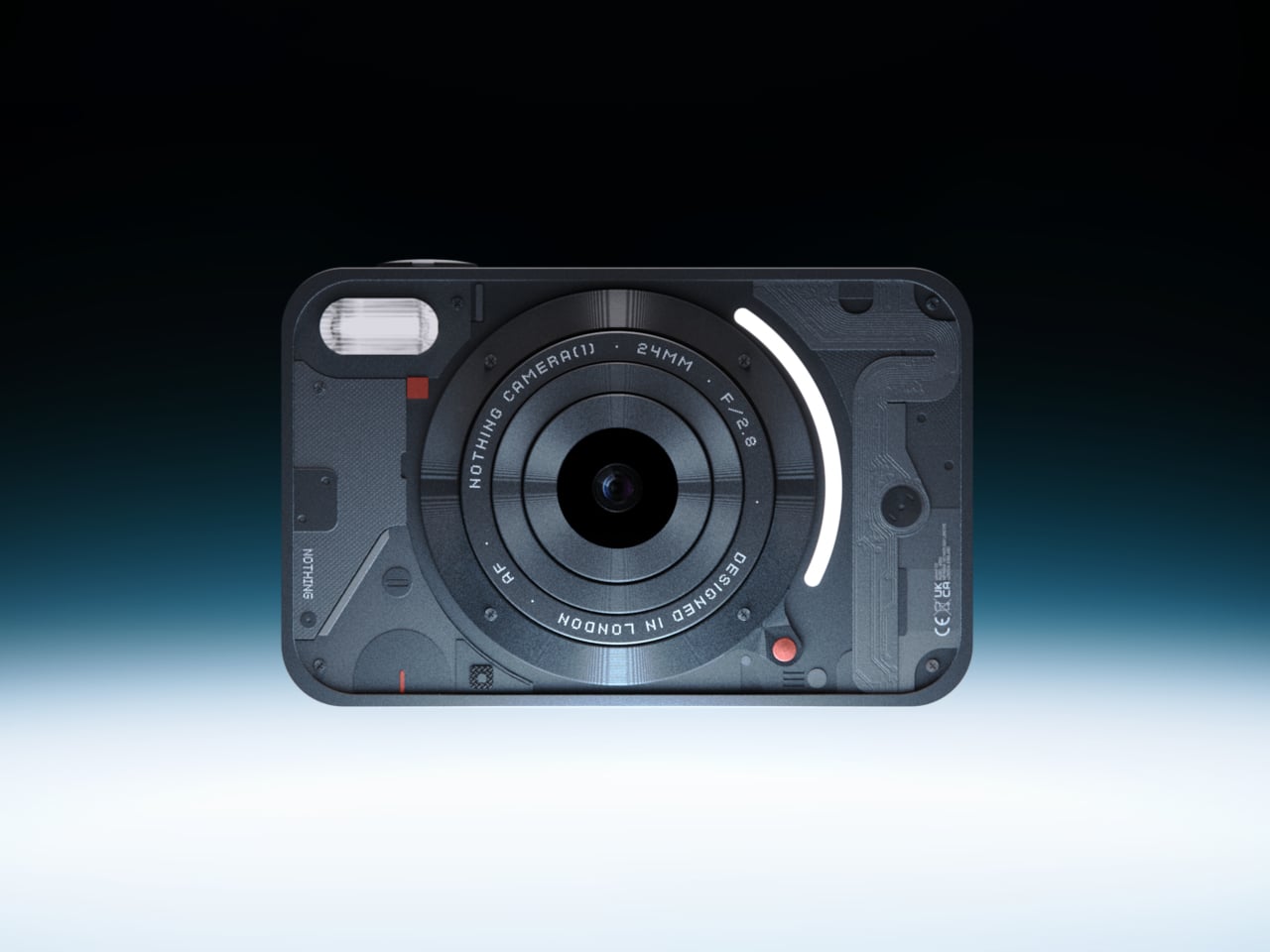
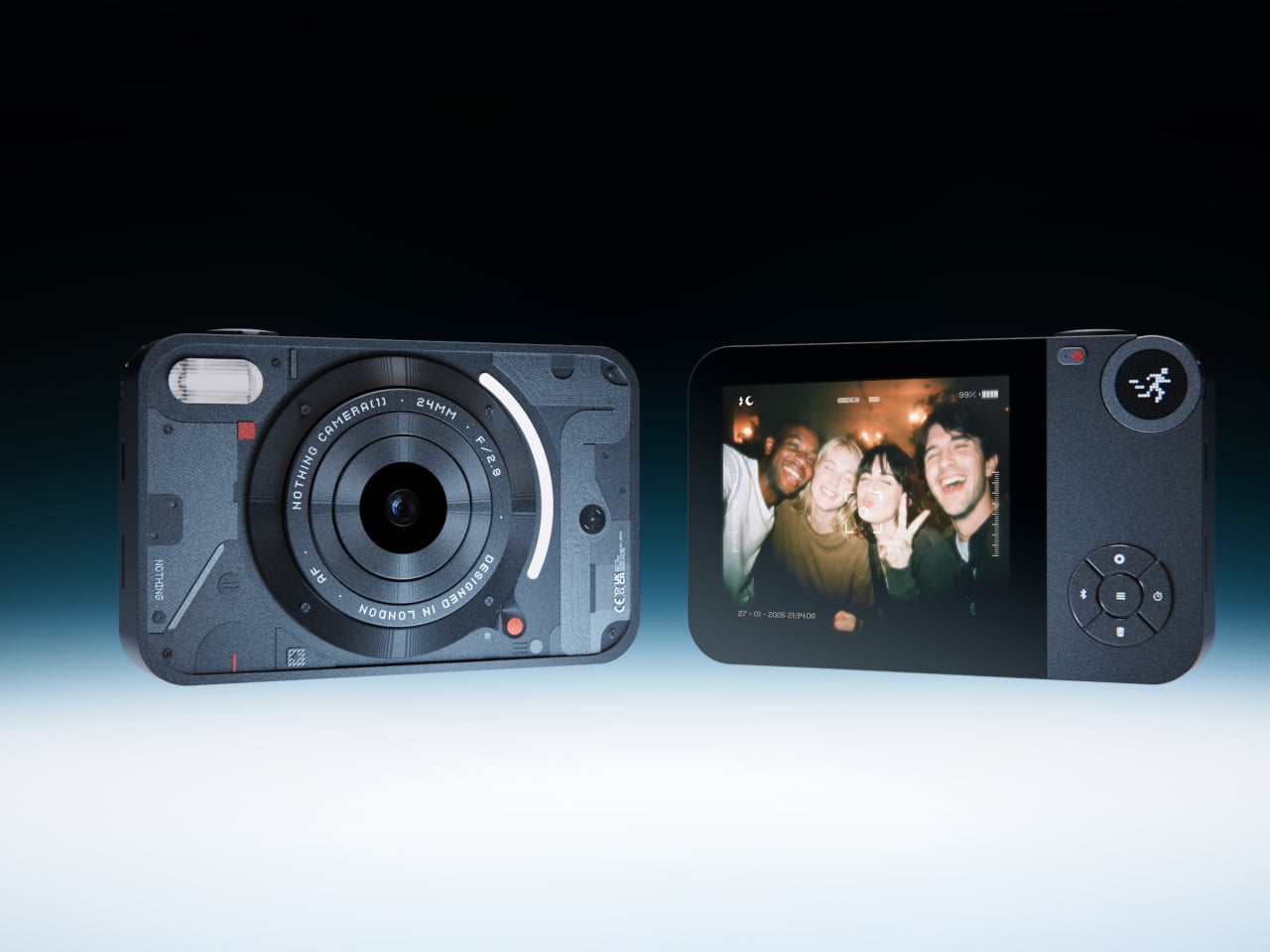
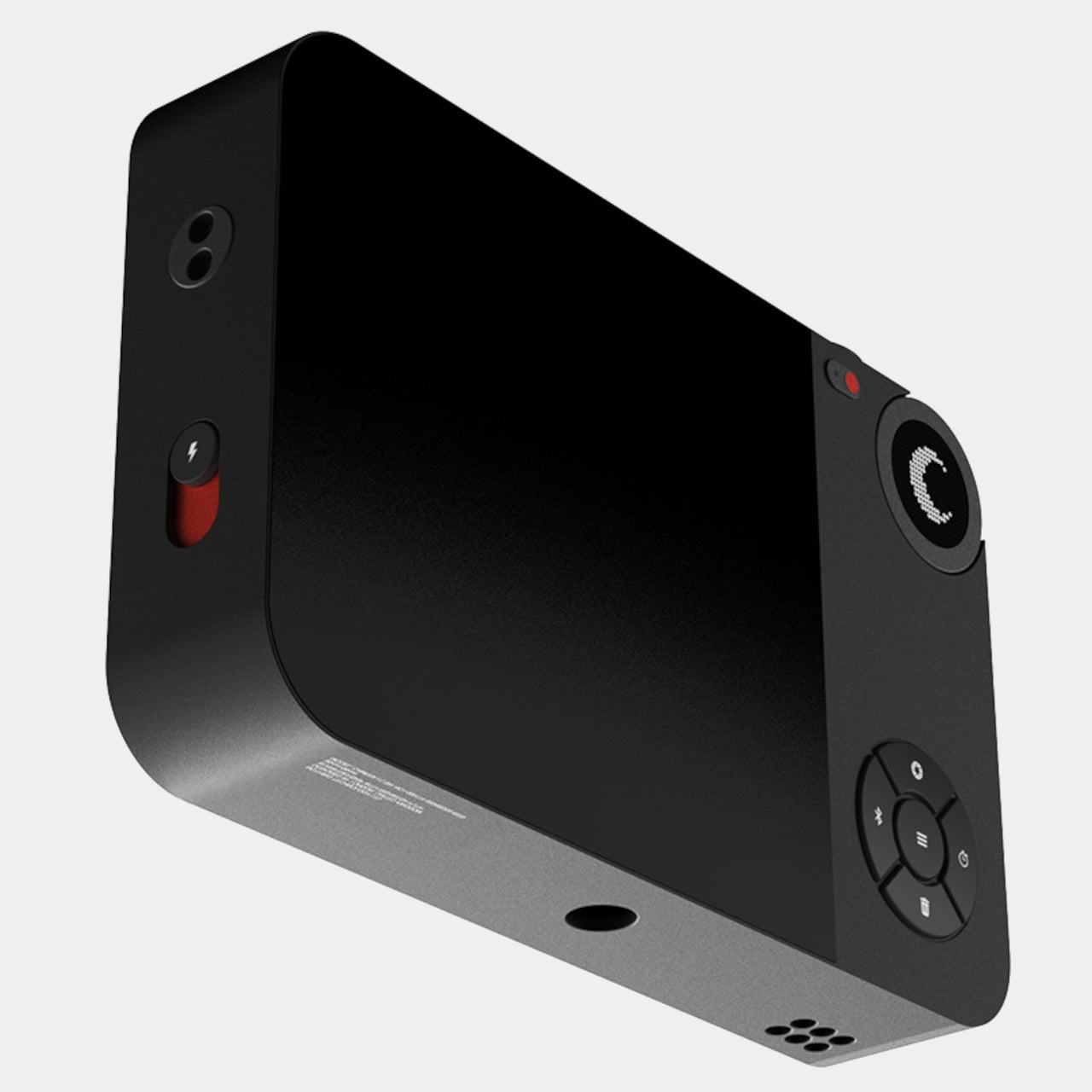
Most photographs live inside phones now, buried between notifications, grouped by algorithm, and rarely looked at twice. A growing number of people have started picking up older digital cameras to make shooting feel like a separate, deliberate act. Camera (1) is a concept design by Rishikesh Puthukudy that explores what a modern compact could feel like if built around physical controls and tactile feedback rather than software layers and touchscreen menus. All main controls sit on one edge, placing the shutter, a mode dial with a small glyph display, and a D-pad within reach of thumb and index finger without shifting grip or touching a screen.
The concept draws its design language from Nothing’s transparent, hardware-forward aesthetic. A curved light strip around the lens pulses during the self-timer, confirms focus lock, and signals when video is being recorded. The engraved lens ring, marked with focal length and aperture, turns zoom and focus into a physical twist rather than a digital pinch. A bead-blasted metal shell, circuit-like relief panel, and small red accents give it a technical, considered character.
What We Like
Physical edge controls and glyph-based mode dial put the entire interaction in the hand rather than on a screen, which is exactly what compact camera design has been missing
Bead-blasted metal body and red accent details communicate material intent and quality without relying on branding
What We Dislike
A concept with no confirmed production path means you are left admiring the idea rather than buying the object
The design draws heavily from Nothing’s visual language, which will feel derivative to those who follow that brand closely
2. Shark ChillPill
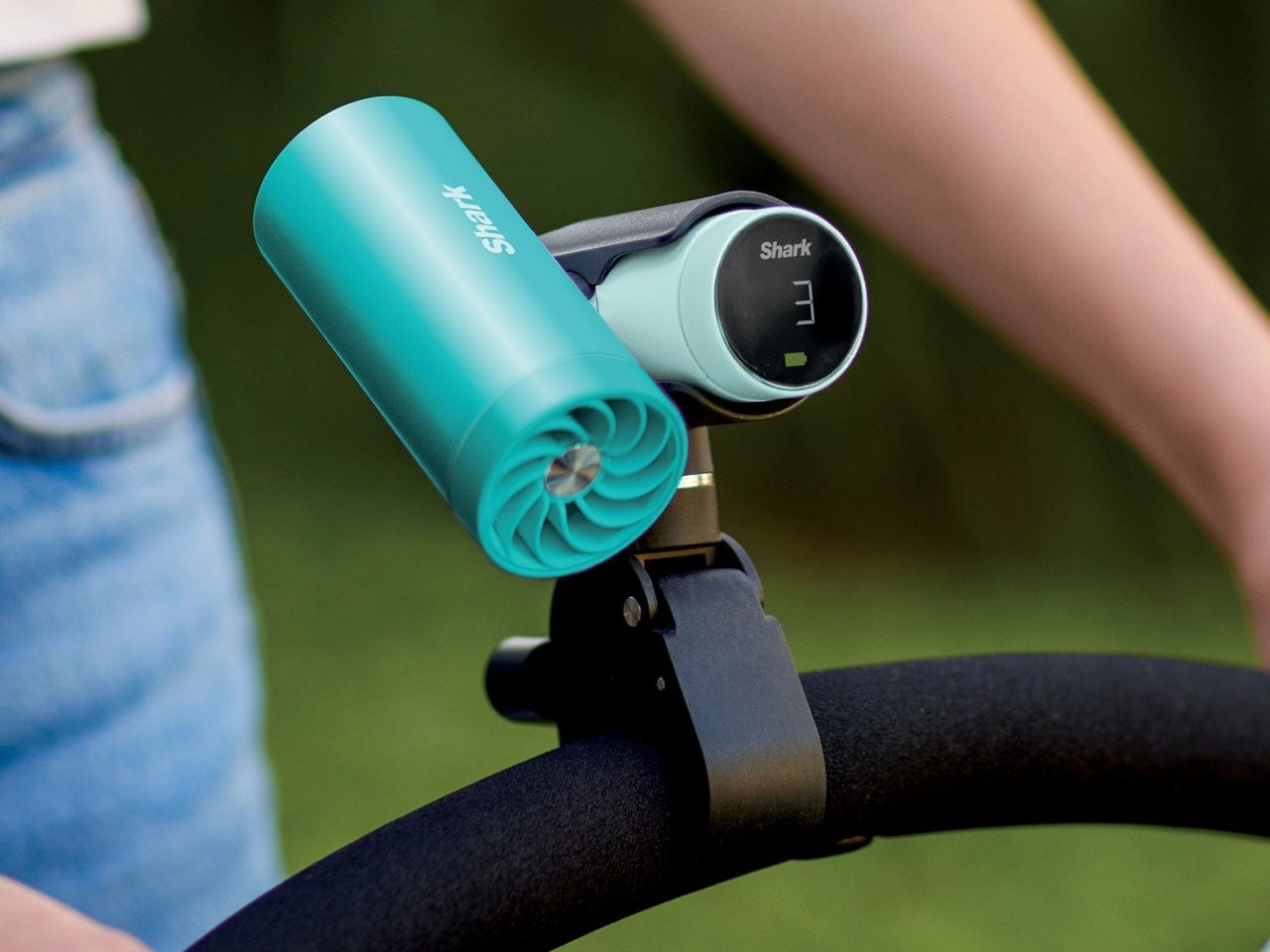
Most personal cooling devices ask you to make a simple trade: accept bulk, noise, or mediocre performance in exchange for staying cool. The Shark ChillPill declines the trade. Its three-function body is compact enough to clip to a bag strap, a wristlet, or a stroller bar, and each mode does something genuinely distinct. A bladeless fan with ten adjustable speed settings delivers steady airflow at up to 25 feet per second. An evaporative mist system produces what SharkNinja calls a dry-touch effect, refreshing skin without the soaked-fabric sensation most spray fans leave behind.
The third function sets it apart. The InstaChill cooling plate, a cryo-inspired metal surface, reduces skin temperature by up to 16 degrees Fahrenheit within seconds when pressed against a pulse point on the neck or wrist. Battery life reaches eleven hours on the lowest fan setting, with USB-C charging returning it to full in roughly three and a half hours. Priced at $149.99 and available in seven colorways including Glacier, Matcha, and Rose Gold, it is the rare piece of personal tech that adapts to the activity rather than defining it.
What We Like
Three distinct cooling modes in one portable body that clips, sits, or wears across any outdoor context
Eleven-hour battery on low covers a full outdoor day without any recharging anxiety
What We Dislike
Maximum fan output reduces runtime to around ninety minutes, requiring some planning on longer days
The premium price over single-function portable fans requires commitment before knowing how much all three modes get used
3. All-in-One Grill
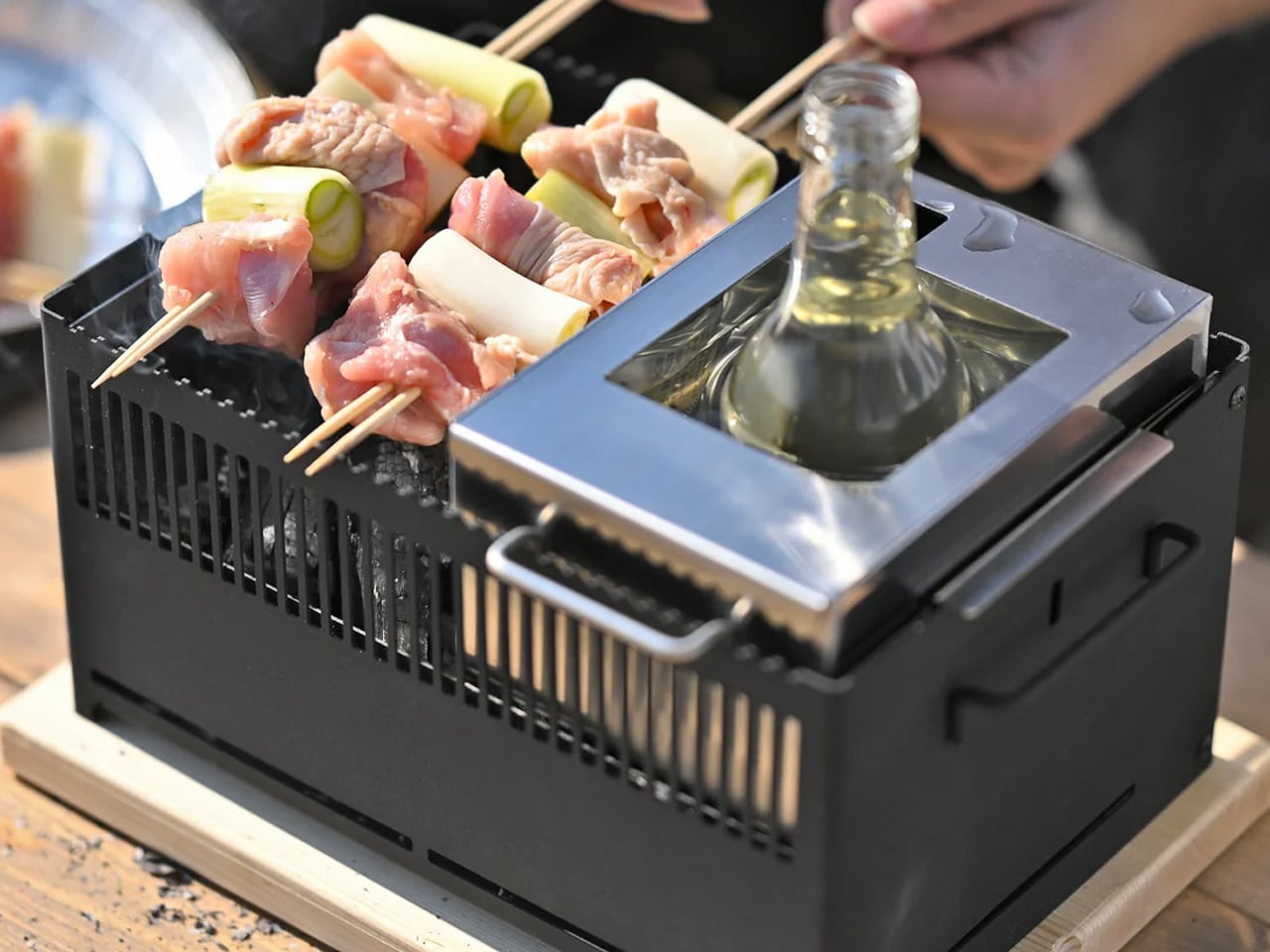
Outdoor cooking has always had a logistics problem. Bring a single-function grill and eat variations of the same thing all weekend. Haul a full kit and spend the first hour on setup rather than cooking. The All-in-One Grill, made by a small family-owned Japanese factory specializing in sheet metal fabrication, takes a third position. Interchangeable cooking modules cover barbecuing, frying, grilling, steaming, smoking, and stew cooking from a single portable tabletop base designed to maximize limited space without dominating any camp table it lands on.
A dedicated upright module warms bottles directly, mulled wine included, a specific practical detail that most outdoor cooking systems treat as someone else’s problem. The modular construction that makes it versatile also simplifies cleanup: each component can be handled independently rather than breaking the whole unit down at once. One device handles what most setups need four for, and it packs into a footprint that leaves room for everything else.
Six cooking methods from one portable base without multiple fuel sources or separate devices
Dedicated bottle-warming module covers a specific outdoor ritual that most cooking systems overlook entirely
What We Dislike
Modular systems accumulate small components that are easy to misplace in the field
Tabletop-only design limits cooking capacity for groups larger than four or five people
4. DraftPro Top Can Opener
Drinking from a can is convenient. Actually tasting what is inside it requires something better. Designed by award-winning Japanese designer Shu Kanno and built in Japan, the DraftPro Top Can Opener removes the entire lid of a standard can to create a wide-mouth, glass-like opening that changes the experience immediately. The aroma lifts the moment the top comes off. The first sip feels more direct, more open, more intentional. A smooth-edged finish removes the safety concern that has historically made full-removal openers feel like a rough trade rather than an upgrade.
The function extends well past beer. With the top removed, ice drops in directly. A mixer or citrus can be added without needing a separate cup. The can itself becomes a cocktail vessel that requires no additional tools. It works with domestic and international can sizes, making it as useful at a campsite abroad as in a backyard.
Full top removal releases aroma and creates a draft-style drinking experience that a standard can opening physically cannot deliver
The can-as-vessel format allows ice, mixers, and garnishes without reaching for additional cups or shakers
What We Dislike
Single-function design earns its place only if canned drinks appear regularly in your outdoor routine
No published specification for how the cutting mechanism holds up across extended use over time
5. TMB: The Modular Bottle
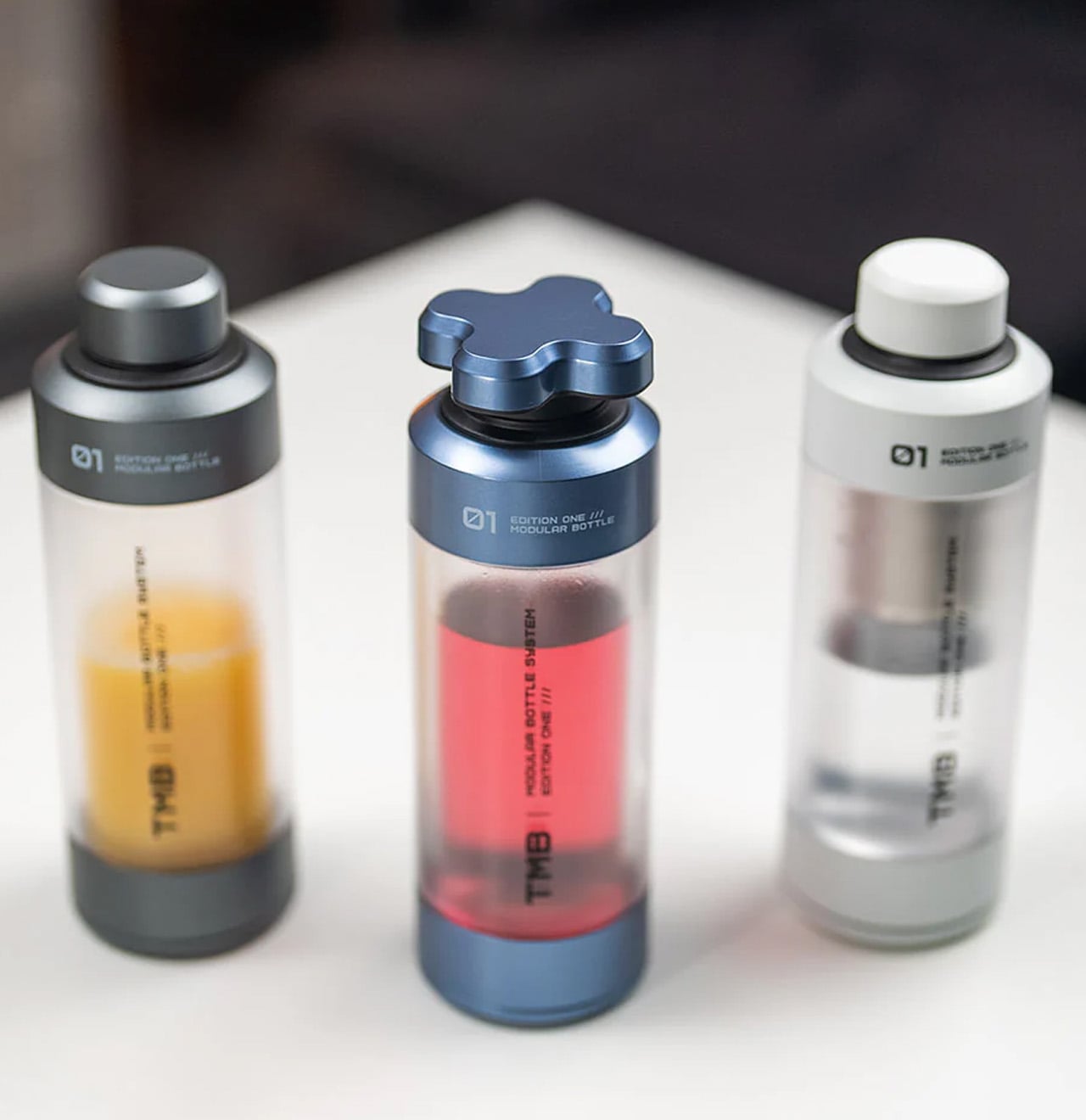
Most bottles make one implicit promise: hold liquid without leaking. The TMB Modular Bottle starts from that baseline and keeps going. The borosilicate glass interior keeps every drink tasting like itself rather than the container, a material property that separates it decisively from the steel and plastic alternatives dominating this category. A translucent mid-section gives a real-time view of remaining liquid without removing the lid. Modular tops include a tea infuser, a shaker ball, and interchangeable caps, shifting configuration based on what the day or activity requires.
A built-in secret compartment handles small EDC items, supplements, or snack portions. The glass interior cleans thoroughly without the residual odor buildup that makes most reusable bottles unpleasant after weeks of regular use. For summer travel, the modularity earns its weight because the same bottle that starts a morning with loose-leaf tea covers an afternoon of plain water and an evening cocktail shaker setup without adding anything else to the bag.
What We Like
Borosilicate glass interior preserves drink flavor without absorbing taste or odor regardless of what you put in it
Modular tops cover tea brewing, protein shaking, and standard hydration from a single body without any additional vessels
What We Dislike
Glass interior carries more breakage risk than steel alternatives under rough outdoor handling or travel
Modular assembly adds cleaning complexity compared to a straightforward single-piece bottle
6. MokaMax
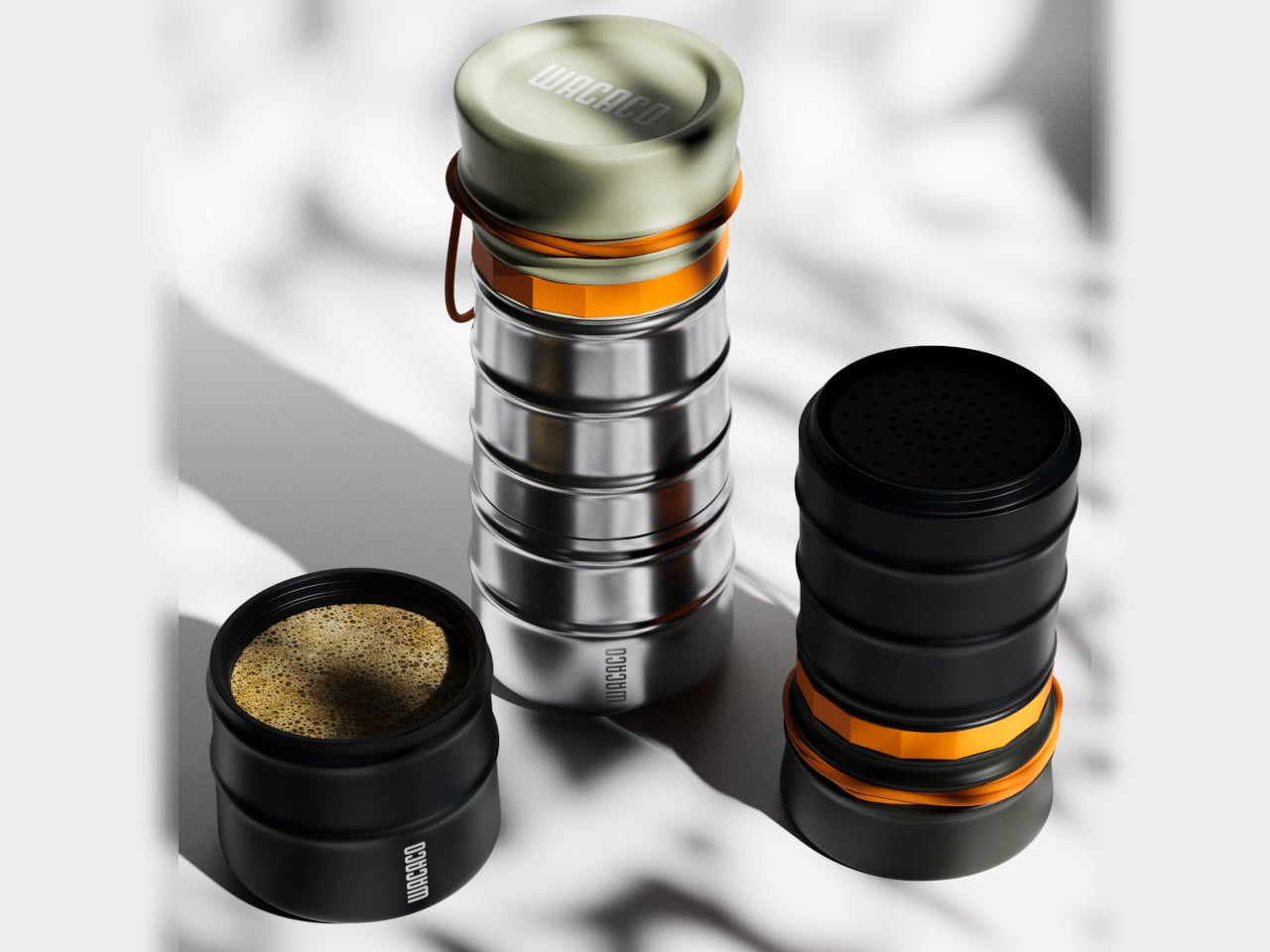
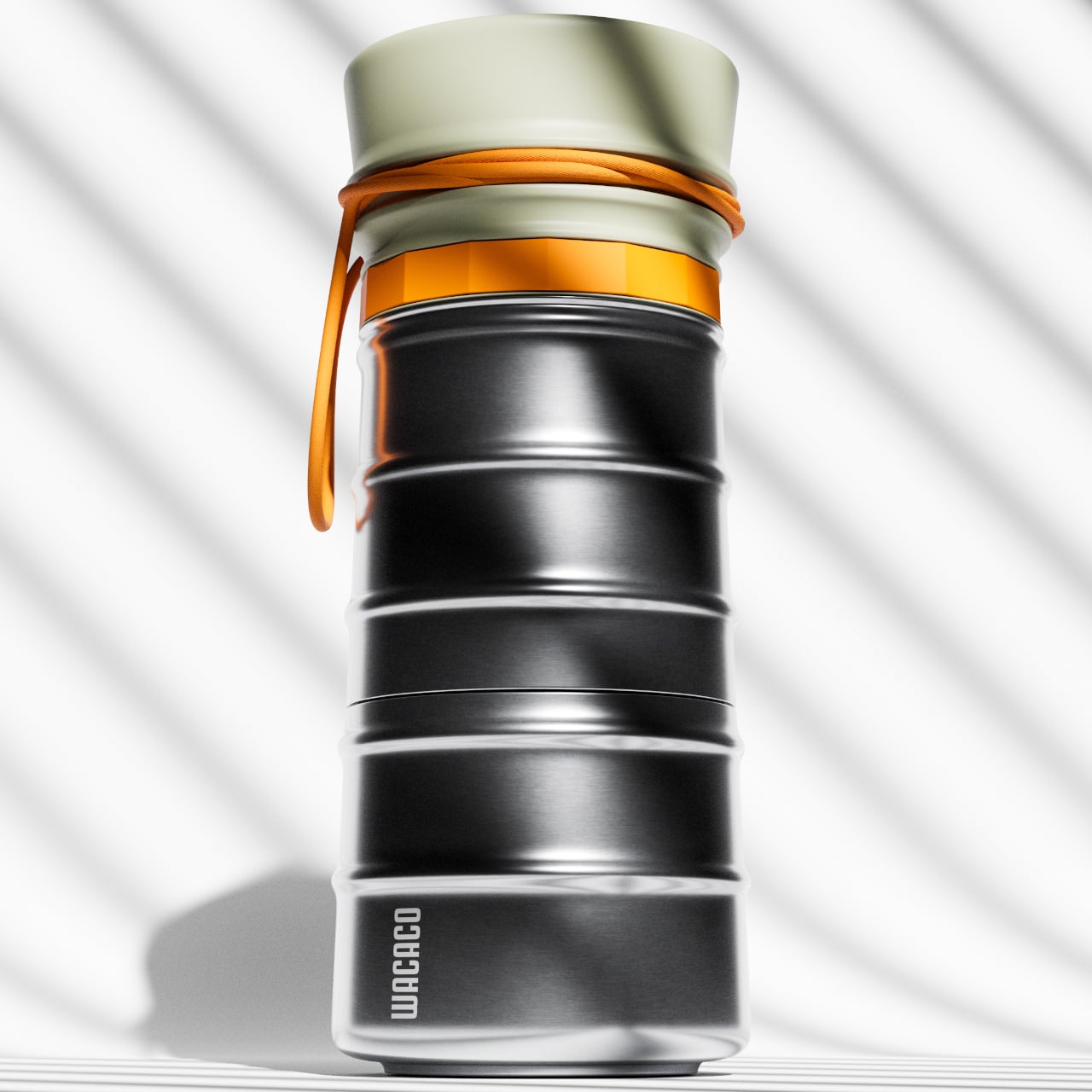
The campsite coffee situation has always been a negotiation between quality and effort. Every solution asks you to accept some version of the compromise: gritty grounds, a cold mug, a disposable capsule, a second bag of kit. The MokaMax resolves it by integrating a full pressure brewer into a ridged stainless steel travel mug, delivering espresso-style coffee in under three minutes using boiling water from any source. The brewer, the vessel, and the lid, which doubles as a cup, are a single sealed system with no loose components to lose between campsites or cities.
At 400 grams fully loaded, it fits in the front pocket of most travel backpacks and carries nothing superfluous. The ridged stainless exterior gives it a visual identity distinct from every other travel mug on a shelf, communicating outdoor utility without the rubberized bulk that most portable coffee gear defaults to. For summer mornings at a campsite, a hotel room in a new city, or a long train ride through somewhere worth paying attention to, the MokaMax handles the coffee ritual with equipment that fits the occasion without requiring a word of explanation.
What We Like
Pressure brewer and carrying vessel integrated into one sealed body means no separate components and no compromises across a summer of movement
Ridged stainless form integrates visually with quality outdoor gear rather than looking out of place beside it
What We Dislike
Cleaning the pressure chamber thoroughly on the road requires a sink and a few uninterrupted minutes that travel rarely provides on schedule
Espresso-style output will not satisfy those who prefer larger-volume filter coffee while camping or traveling
7. RedMagic Deuterium Power Card Pro
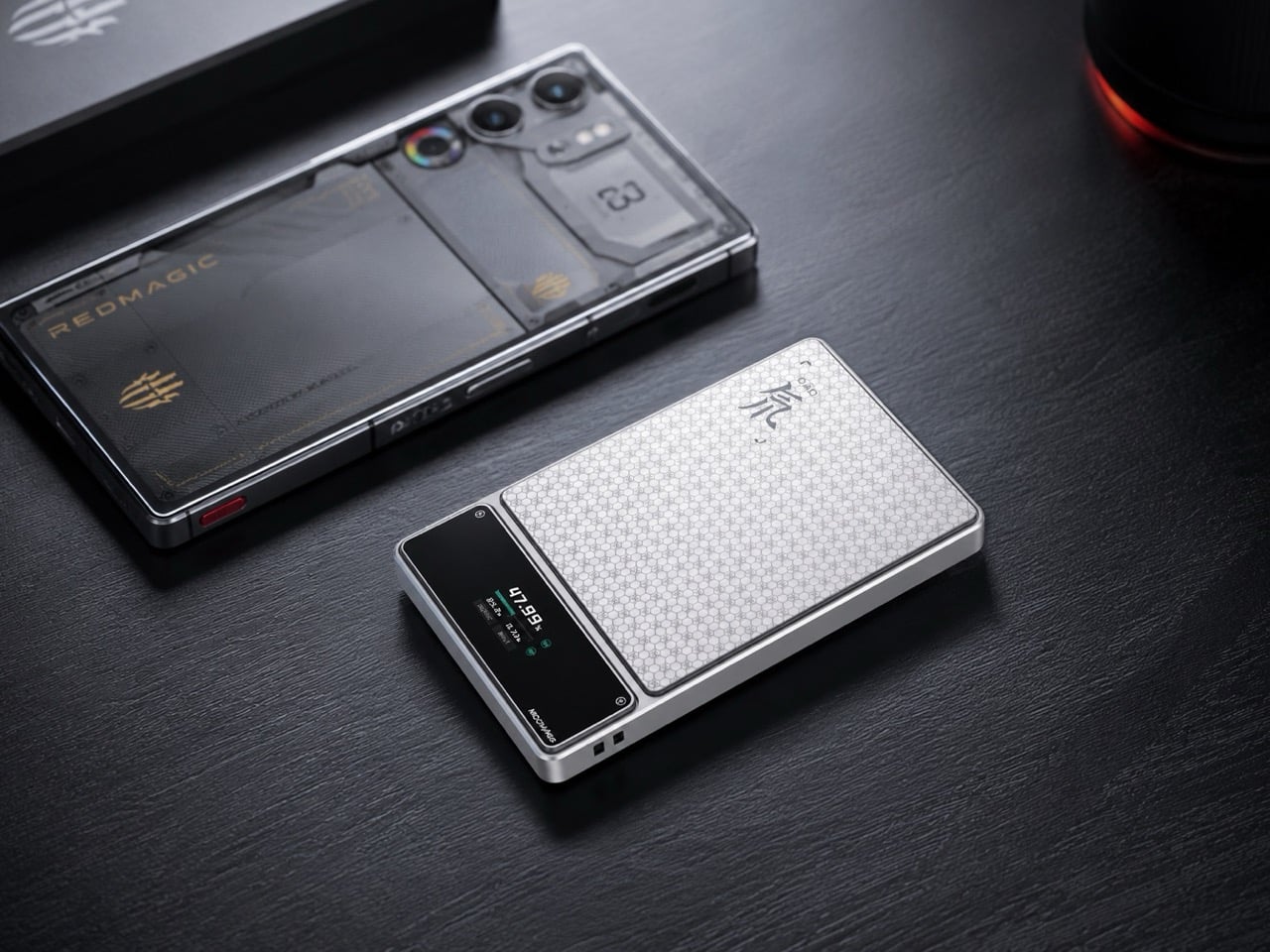
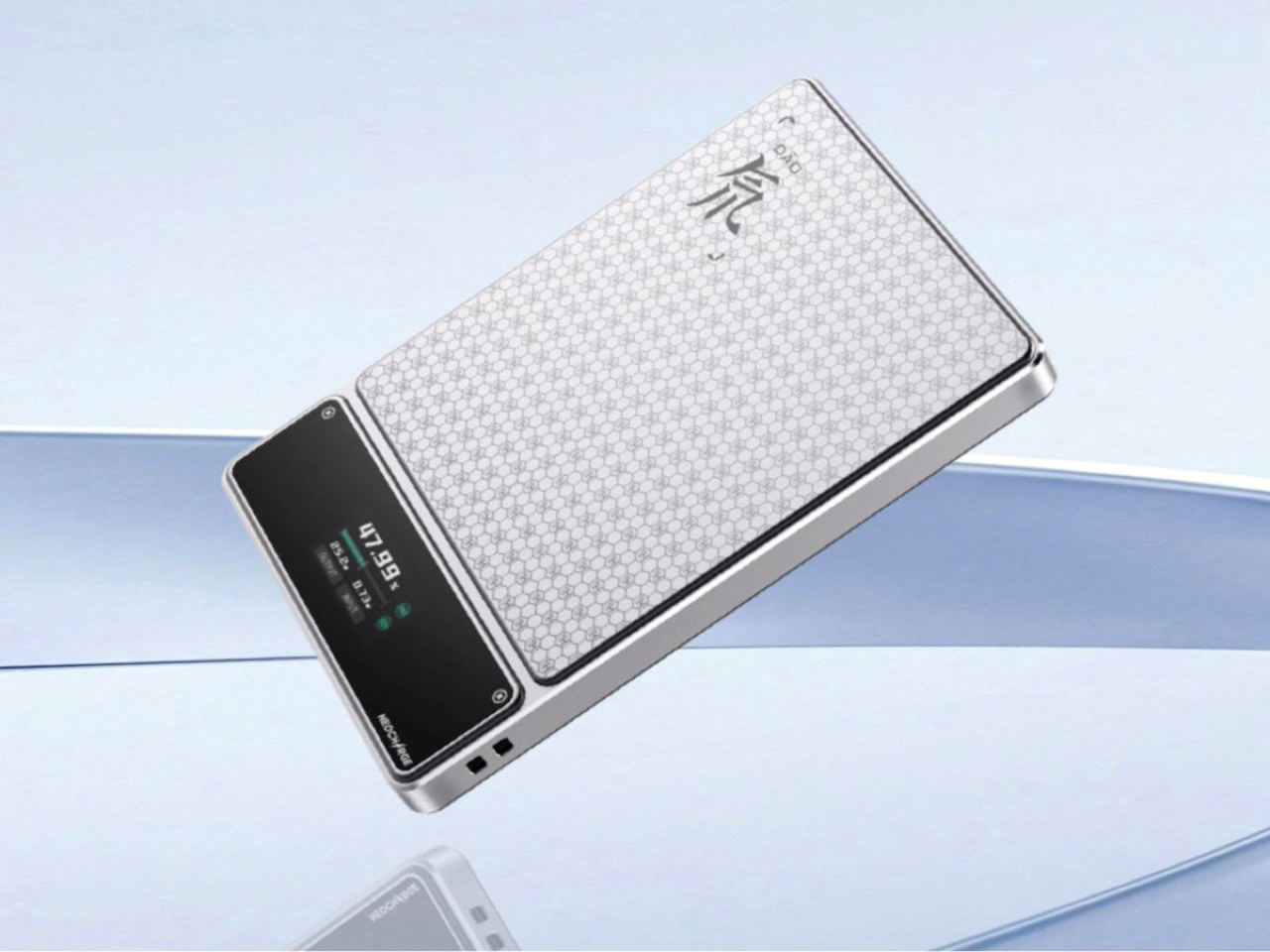
Aviation rules around lithium batteries keep tightening, and most power bank manufacturers have responded by adding a line to the FAQ. RedMagic responded by adding a dedicated hardware button to the device. The Deuterium Power Card Pro includes a one-touch flight mode that cuts wireless transmission immediately at the press of a single control, addressing the airline regulations that have turned gate-side power bank checks into a genuine inconvenience. The H21 honeycomb pattern engraved into the anodized aerospace aluminum body gives it a texture that reads as premium hardware rather than commodity carry gear.
A 25W wireless charging pad and 45W wired output handle most modern smartphones at full speed. An AI-assisted thermal management system monitors a five-layer heat dissipation stack in real time, keeping surface temperatures controlled during wireless charging where cheaper alternatives tend to run noticeably warm. A rectangular status display shows exact battery percentage rather than the single LED indicator dot that most power banks still ship with. Available in 5,000 and 10,000 mAh configurations, with pricing and a confirmed release date still pending at the time of publishing.
What We Like
One-touch flight mode solves the airline power bank regulation problem that every other manufacturer currently treats as the passenger’s responsibility
Rectangular display showing exact battery percentage is a small but genuinely useful upgrade over the LED dots most competitors use
What We Dislike
Pricing and release date remain unconfirmed, making it the most compelling item on this list that cannot yet be added to a cart
The RedMagic brand identity is built around gaming hardware, which may feel tonally mismatched for travelers whose gear skews toward neutral aesthetics
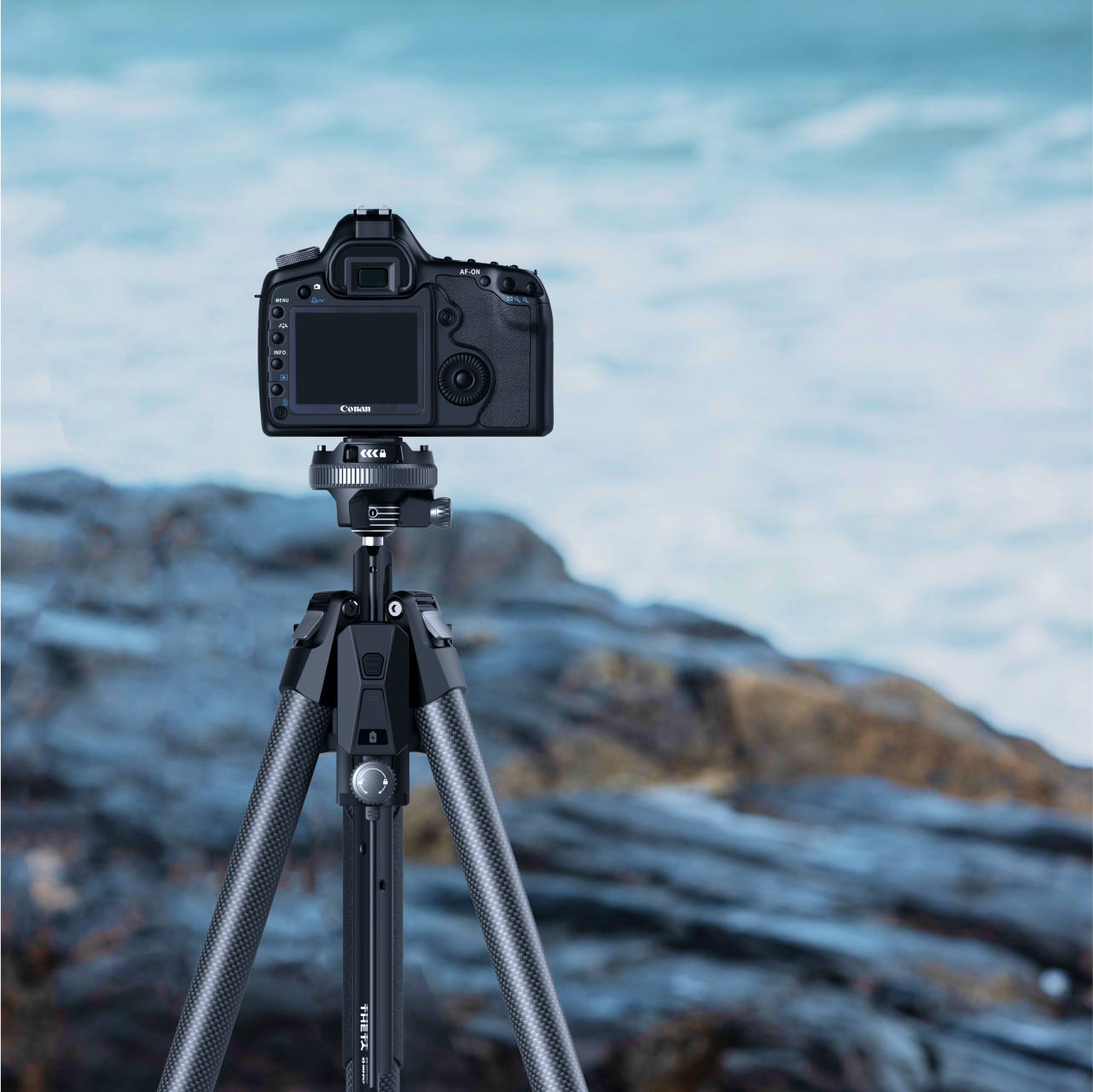
8. Benro Theta Tripod
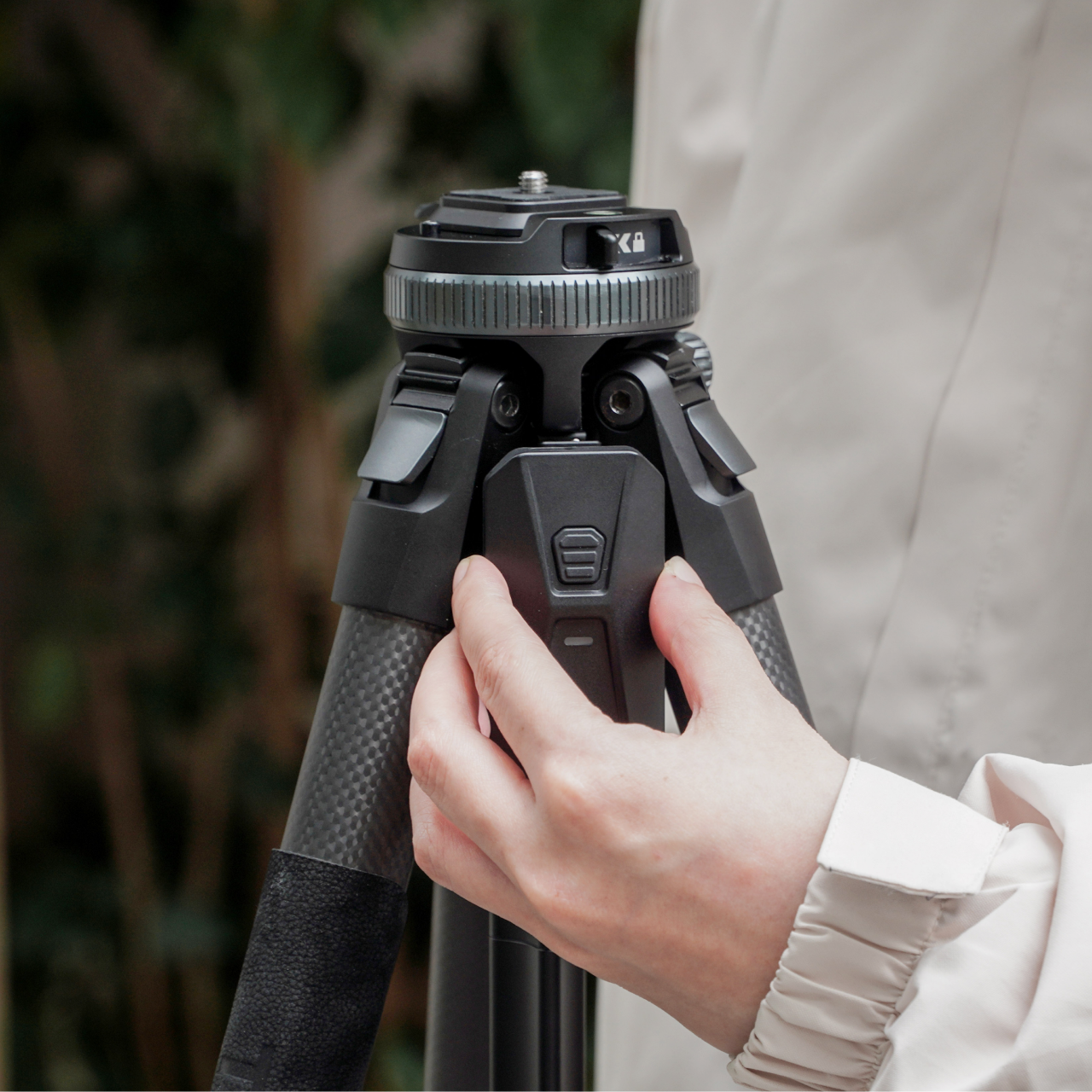
A level horizon used to be a manual discipline. You twisted the head, watched a bubble, made small corrections, twisted again, repeated. The Benro Theta removes that entire sequence with a motorized auto-leveling system that reads the surface, adjusts the head, and confirms the camera is plumb before you look through the viewfinder. Benro positions it as the world’s first smart modular travel tripod, and the auto-leveling claim holds, particularly for photographers who regularly set up on uneven terrain and have run out of patience for repeating the process twice every time.
The body weighs 331 grams and runs on a 2500 mAh battery that delivers up to three hours of motorized operation. Arca standard compatibility keeps it immediately compatible with existing head and plate systems without requiring new accessories to bridge the gap. The modular construction adapts the Theta across shooting configurations without needing a separate travel head. For the summer photographer who sets up quickly and moves rather than spending the golden hour leveling equipment, the auto-leveling feature alone covers the cost of the upgrade. Available from Benro directly at benrousa.com.
What We Like
Motorized auto-leveling removes the most time-consuming manual step in tripod setup, especially on uneven outdoor terrain
Arca standard compatibility integrates immediately with existing accessories without requiring additional purchase
What We Dislike
Three-hour battery means extended shooting sessions require either a recharge mid-day or a backup power source
Premium construction and motorized system place it above conventional travel tripods at the same weight class
9. Battery-Free Amplifying iSpeakers
The pitch is simple enough to sound too good: set your phone in the slot, and Duralumin, the aircraft-grade aluminum alloy used in aerospace construction, does the amplification. No Bluetooth pairing. No battery charging. No setup at all. The metal body channels and amplifies your phone’s speaker output through material physics rather than electronics, adding warmth and volume with zero power draw. Golden ratio proportions give it a visual presence that reads as a considered object on a surface, not another piece of audio hardware waiting to be plugged in.
For summer specifically, the always-ready quality matters in a way that becomes obvious the first time you do not have to think about it. There is no battery level to check before heading outside, no cable to remember, no update that delays the morning. Set the phone in and music plays. Optional Bloom and Jet modular accessories let you direct the sound output if the environment calls for more control.
No battery, no power, and no setup required means it is always immediately ready without any preparation
Aircraft-grade Duralumin construction shaped to golden ratio proportions is a genuine material and design achievement at any price
What We Dislike
Amplification quality depends entirely on the phone’s own built-in speaker, so the result varies significantly by device
Sound-directing modular accessories are sold separately at additional cost
10. Canon Gimbal Camera
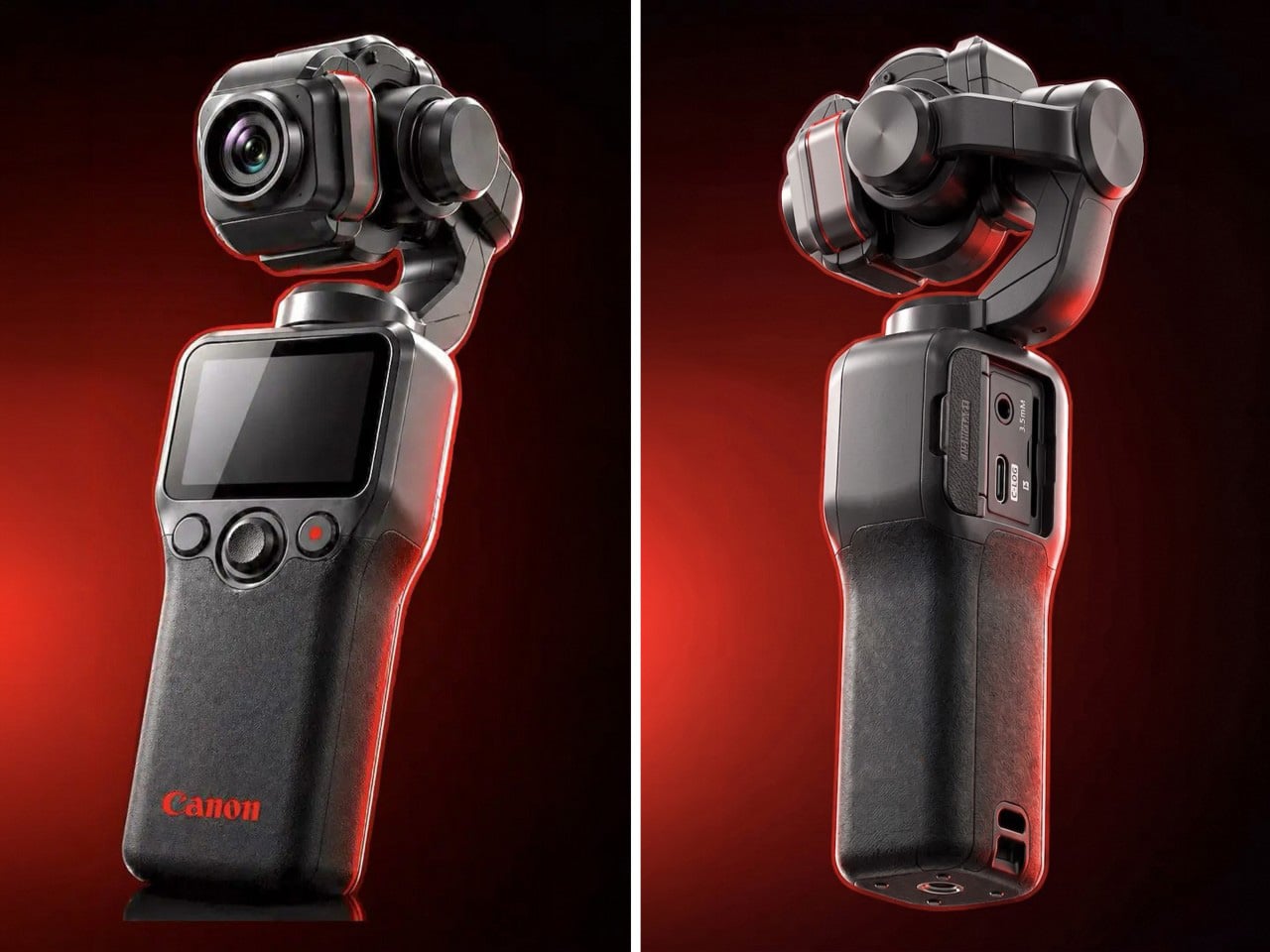
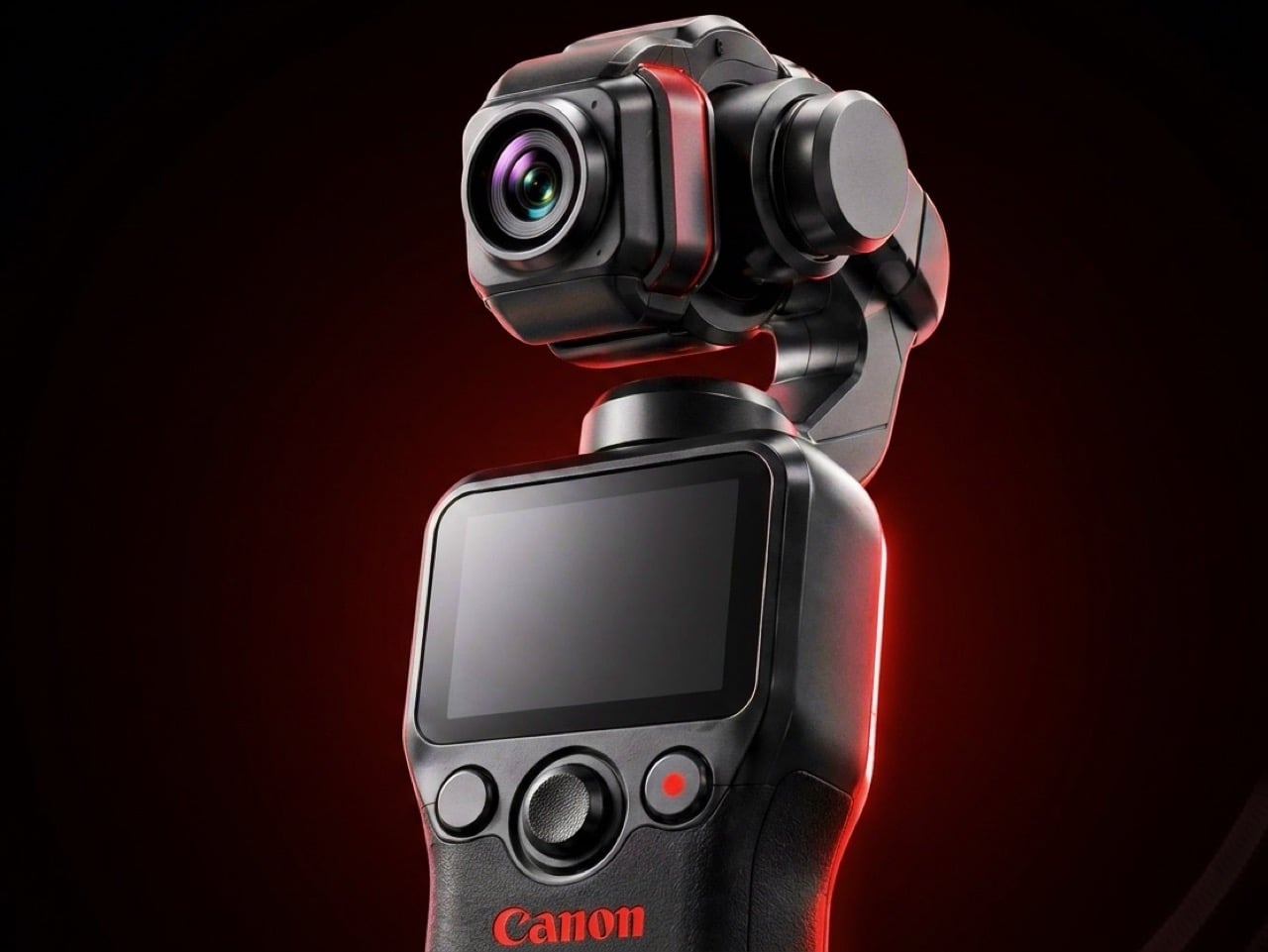
Canon has filed three gimbal camera patents since 2021, each one more practically minded than the last. The April 2026 filing describes a compact handheld body with a fixed lens, three-axis stabilization, a grip-mounted screen, and a folding mechanism that guides the gimbal head into a safe resting position before cutting motor power. That shutdown sequence is the engineering detail most readers will pass over, and the one that signals the most serious product thinking. Mechanical wear from limp-motor shutdowns is the quiet failure mode that causes cameras in this category to age faster than their owners expect.
DJI launched the Osmo Pocket 4 in April 2026 with a 1-inch sensor and 4K at 240fps. Insta360 followed closely. Canon is entering the category with five years of increasingly precise engineering, a fixed-lens form factor that prioritizes portability over interchangeable versatility, and a color science reputation that outdoor and travel shooting consistently validates. No release date has been confirmed and no pricing announced. Based on the patent arc from 2021 through 2026, this reads like a company that has done the homework carefully and is nearly ready to deliver.
What We Like
Smart folding shutdown mechanism addresses a real mechanical failure point that the rest of the pocket gimbal category has consistently ignored
Five-year patent arc spanning increasingly specific engineering detail signals a product shaped by sustained development rather than a reactive market response
What We Dislike
Remains a patent with no confirmed launch date or price, making it the most compelling item on this list and still out of reach
Canon’s track record in premium compact formats suggests a launch price that will require serious consideration before committing
The Right Gear Stays in the Bag Past August
Summer tends to reveal what gear actually holds up. The items that stay in the bag past August are the ones that solve something specific without creating new problems to manage. Not every product on this list is purchasable today. The Canon Gimbal and Camera (1) both exist in the space between a promise and a product. The RedMagic Power Card Pro is close. Everything else is available now and worth the decision.
The best summer kit is not the most comprehensive one. It is the one built around the things you actually reach for. Three of these will make more difference than ten purchased out of obligation. Pick the gaps your current setup has never filled properly, and start there. Everything on this list was designed by someone who looked at a specific problem and decided it deserved a real answer. Summer is a good time to find out which answers fit yours.
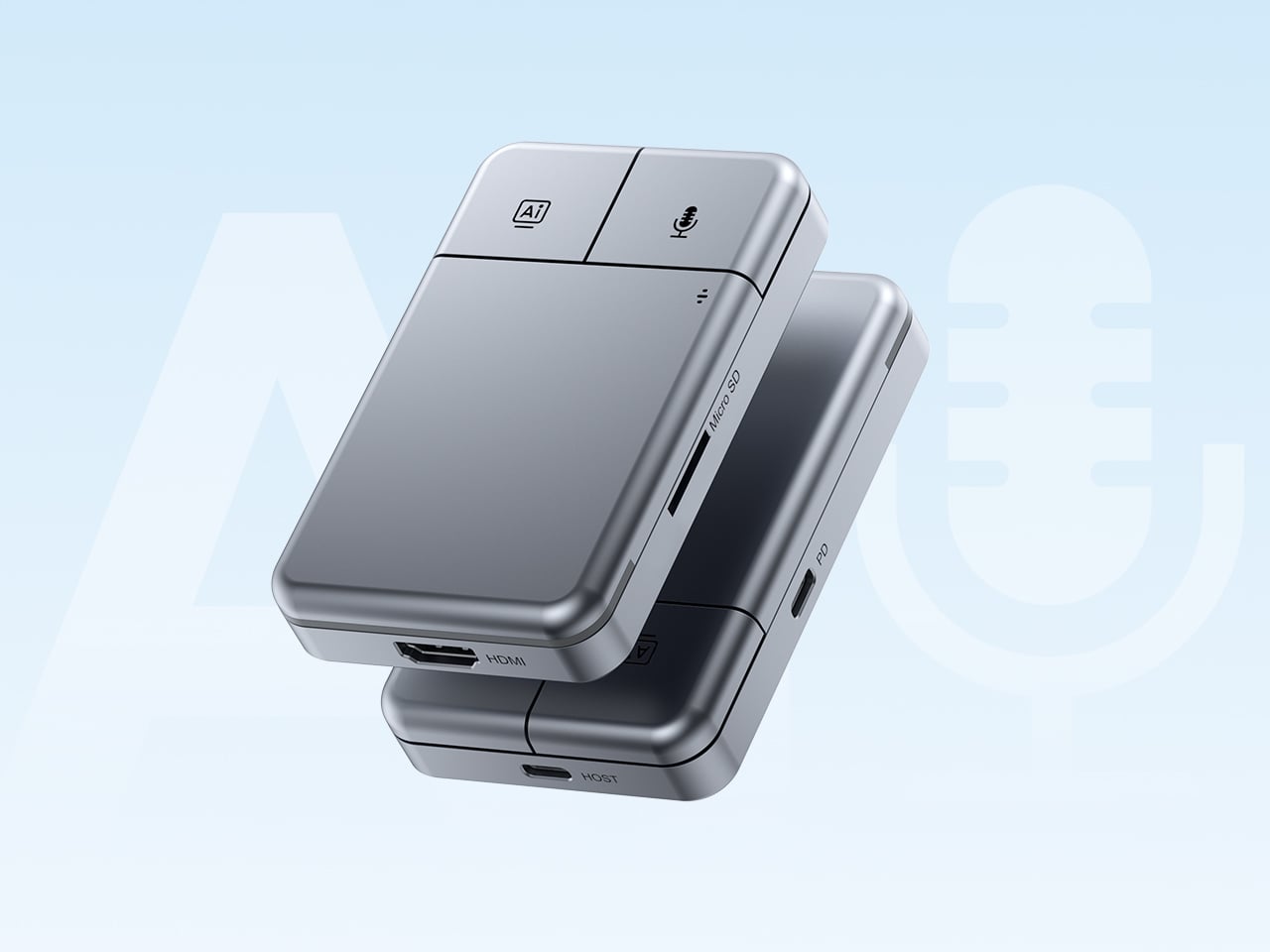
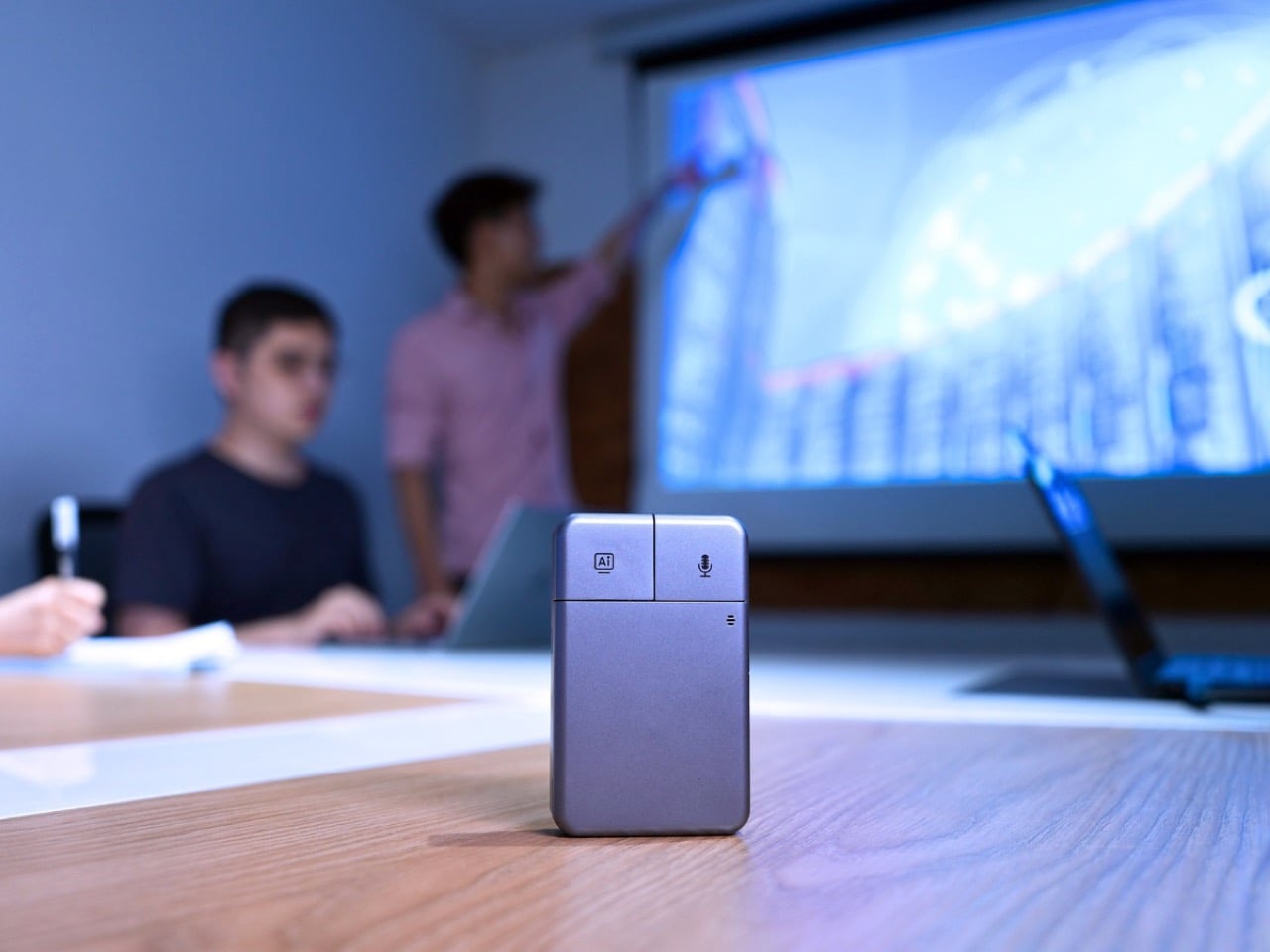
Put the DockOrb A1 on a conference table without context and someone will reach for it expecting a scroll wheel. The gray brushed-aluminum slab, the gently rounded corners, and two physical buttons in familiar left-right symmetry on the top face read entirely as peripheral hardware. What the device actually does is listen, think, and report. Powered by OpenAI GPT-5, Google Gemini 2.5 Pro, and Anthropic Claude Sonnet 4, DockOrb A1 is a professional AI meeting and desktop assistant. The label on the box says meeting assistant; the object in the hand says otherwise.
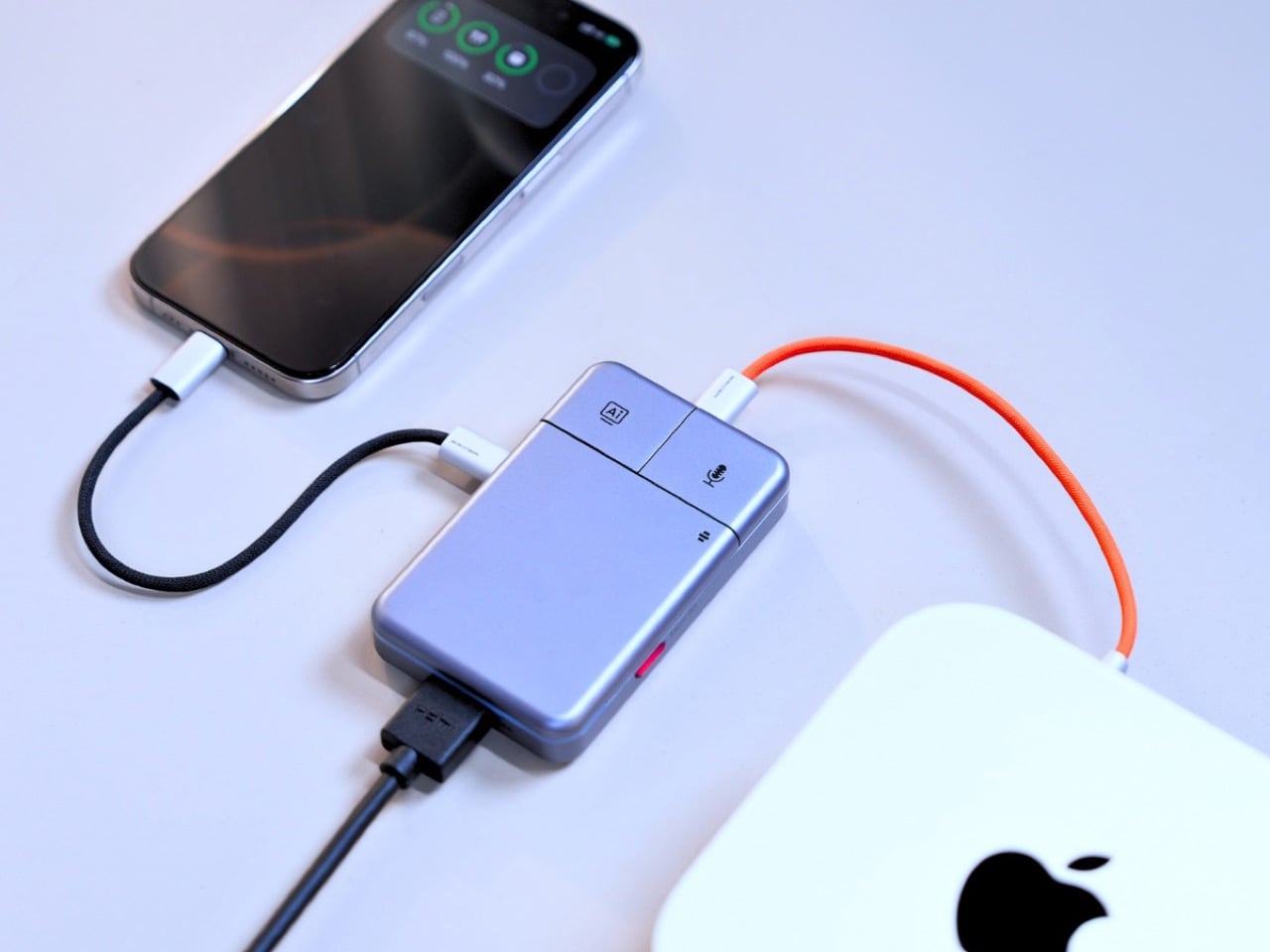
The category it operates in has been filling up quickly. Plaud built a card-thin wearable that magnetically clips to your phone. HiDock shaped a USB-C hub into a ChatGPT-powered meeting stenographer, and we covered that launch here at YD. DockOrb’s A1 lands somewhere between those two worlds, combining a fully functional multiport dock with a multi-model AI engine, 100W PD, and 4K@60Hz HDMI output. Unlike either of those predecessors, it handles display output and power delivery in the same housing, making the desk real estate argument for a single device considerably more loaded.
The mouse silhouette is instantly familiar, and anyone who’s ever used a computer will be able to navigate the DockOrb intuitively. Two buttons arranged horizontally on a flat top surface is the correct solution for a device that needs to be operated with a single press in a meeting context, no fumbling, no menus, no distraction. With a dedicated AI button and real-time processing, DockOrb A1 analyzes ongoing discussions and provides actionable suggestions and insights, helping teams improve collaboration and make decisions more efficiently without interrupting the meeting flow. LED status is handled by a single indicator, white for idle and blue for active capture, readable from across a conference table without breaking eye contact with whoever is speaking. The problem is that all of this correct ergonomic logic is housed inside a form that the product world has spent two decades teaching people to recognize as a pointing device.
Rather than anchoring to a single AI model, the A1 integrates with Esteno, an advanced AI fusion-processing software platform. Esteno integrates multiple advanced AI models, including OpenAI GPT-5, Google Gemini 2.5 Pro, and Anthropic Claude Sonnet 4. Each model is optimized for tasks such as speech-to-text, summarization, contextual reasoning, and insight generation. By intelligently routing tasks to the most suitable model, the system delivers efficient, flexible, and high-quality meeting intelligence across different use cases. That architectural approach is genuinely unusual in this category, where most competitors commit to a single backbone and build their entire brand identity around it.
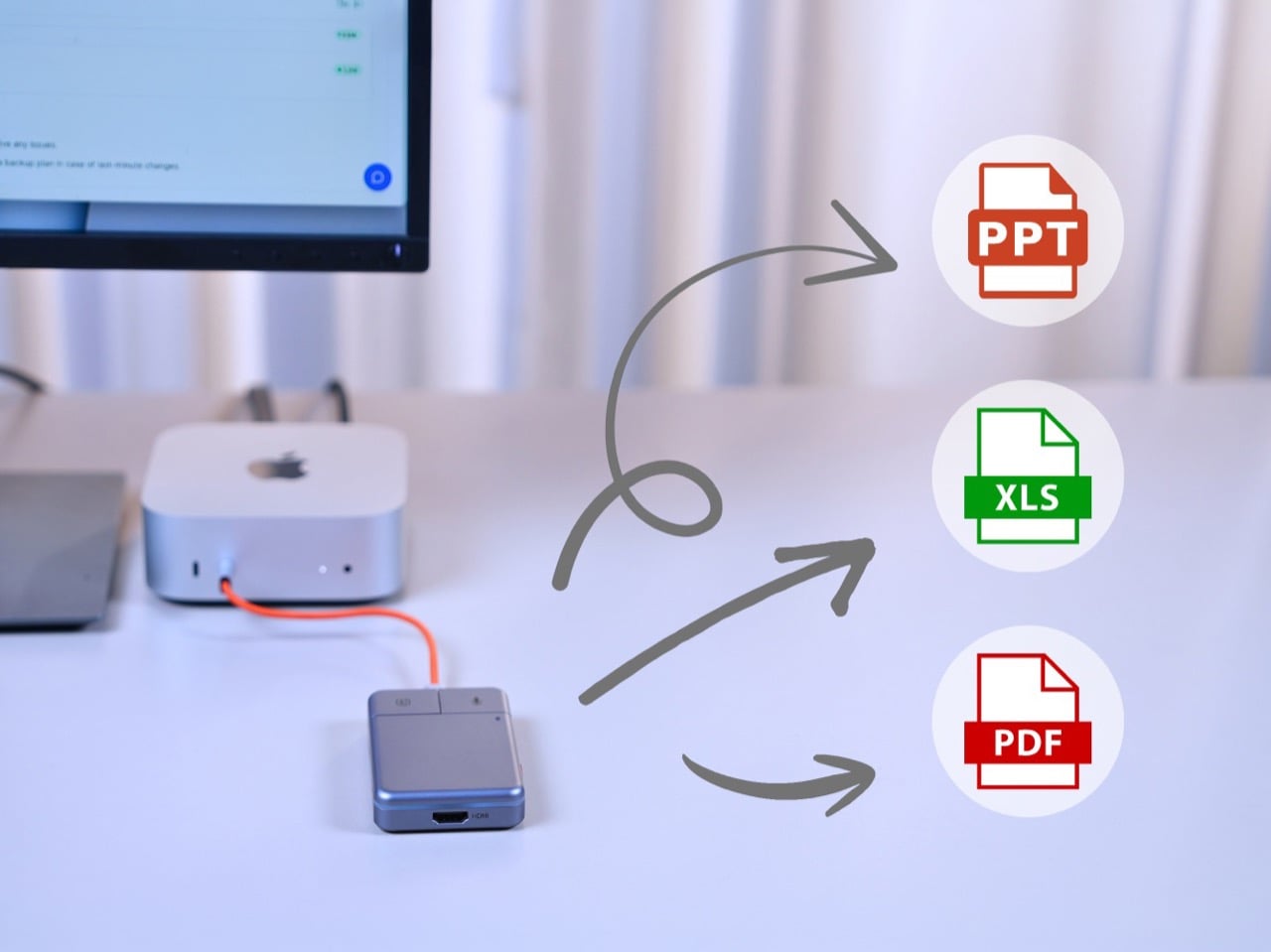
Plaud’s card-thin approach to meeting intelligence, at 2.9mm thick and MagSafe-compatible, is built on the premise that the recorder travels everywhere with you, riding on the back of your phone. The A1 has no such intention, operating through USB power without a built-in battery, with a compact design, dedicated recording button, and AI activation key for stable and simple meeting operation. In exchange for that fixed-desk commitment, it handles 4K video output at 60Hz over HDMI and 100W power delivery over USB-C, turning the dock into the single device your entire workstation routes through. After transcription and analysis, DockOrb A1 automatically generates structured meeting reports highlighting key decisions, action items, and follow-up tasks, which can be exported directly in PDF, Excel, or PowerPoint formats. Getting a properly formatted, structured report out of a recorded conversation without manual reformatting is a genuine subtraction from the post-meeting to-do list, and it’s the kind of output that separates a real workflow tool from a novelty recorder.
Following ISO and SOC data protection standards, DockOrb A1 secures recorded audio and AI-generated content through encrypted storage and processing, allowing users to export, archive, or delete files at any time while ensuring full control over their data. That’s pointed positioning in a market where corporate IT departments are increasingly skeptical about meeting audio being routed through third-party AI servers without accountability. Recordings, transcripts, summaries, and reports from multiple meetings can be stored and organized within a centralized memory archive, with AI-powered indexing and searchable meeting names, content, or dates, so teams can quickly retrieve past discussions, track long-term decisions, and build a continuously growing knowledge base. Built on a platform-independent architecture, DockOrb A1 processes audio from Zoom, Teams, Google Meet, mobile devices, and more, delivering consistent transcription, analysis, and structured outputs. Retrieving a specific discussion from three months prior becomes a search query rather than a manual scroll through unlabeled audio files.
The Kickstarter campaign prices the A1 at $89 for the Super Early Bird tier against an MSRP of $149. Shipping is targeted for August 2026, with production beginning the month prior. Plaud’s Note Pro retails at $169 on the market and handles no dock hardware whatsoever, making the A1’s value calculation sharper for anyone already planning to put a USB-C hub on their desk. The Esteno software platform tiers at $8 per month for Basic, covering 600 minutes of monthly transcription, and $15 per month for Pro, which adds 2,400 minutes, unlimited AI features, and priority processing. That’s a fully loaded meeting intelligence setup, dock and display output included, for a first-year cost that lands well under what most enterprise-grade transcription tools charge for software alone.
Smart speakers have become some of the most visually forgettable objects in modern homes. A cylinder, a puck, a fabric-wrapped drum, placed wherever the Wi-Fi is strong and largely invisible once the novelty wears off. They do their jobs well enough, but none of them look like they belong in a collection or on a desk that someone cares about. The hardware has always been purely functional, and the design has always shown it.
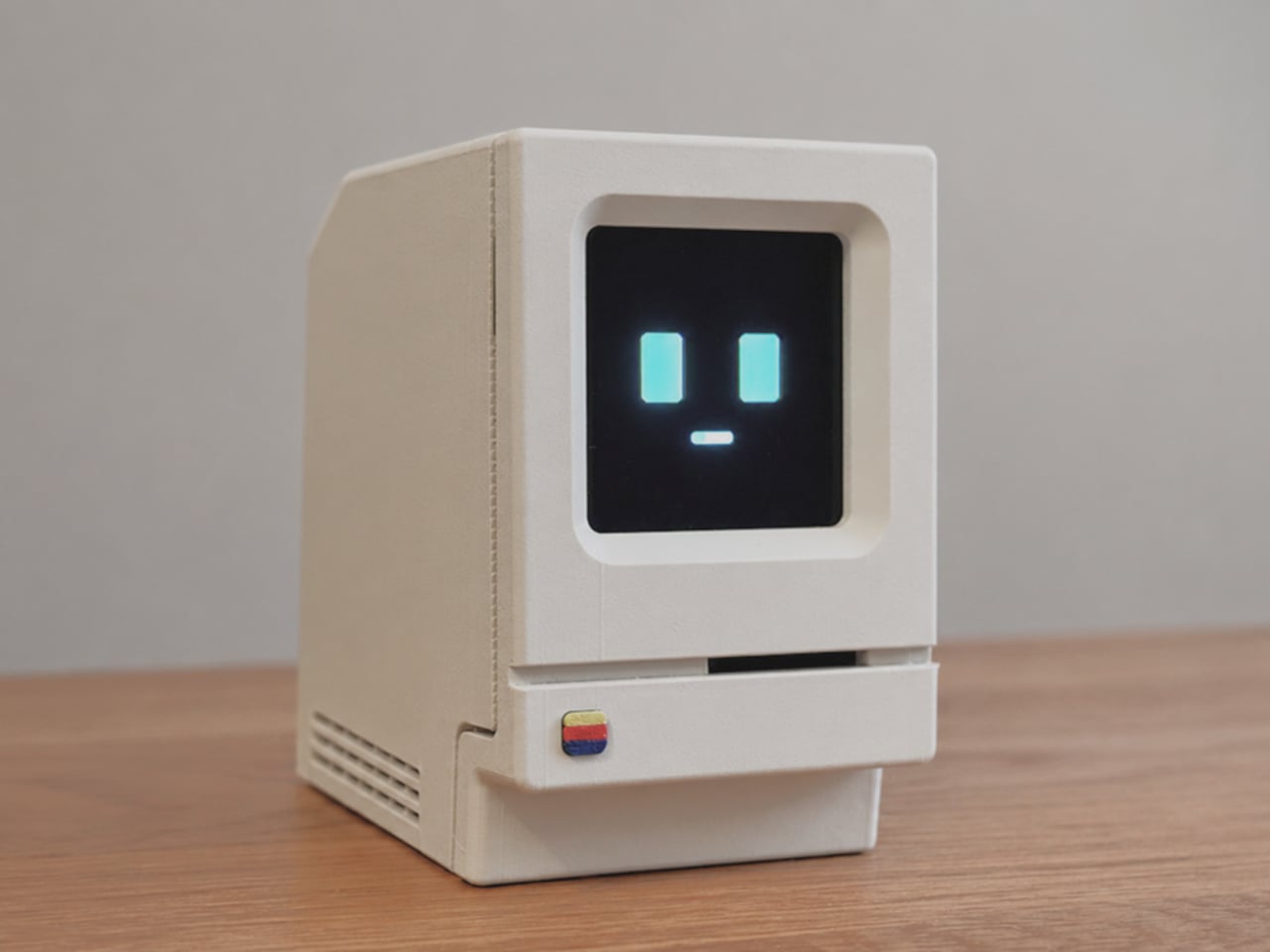
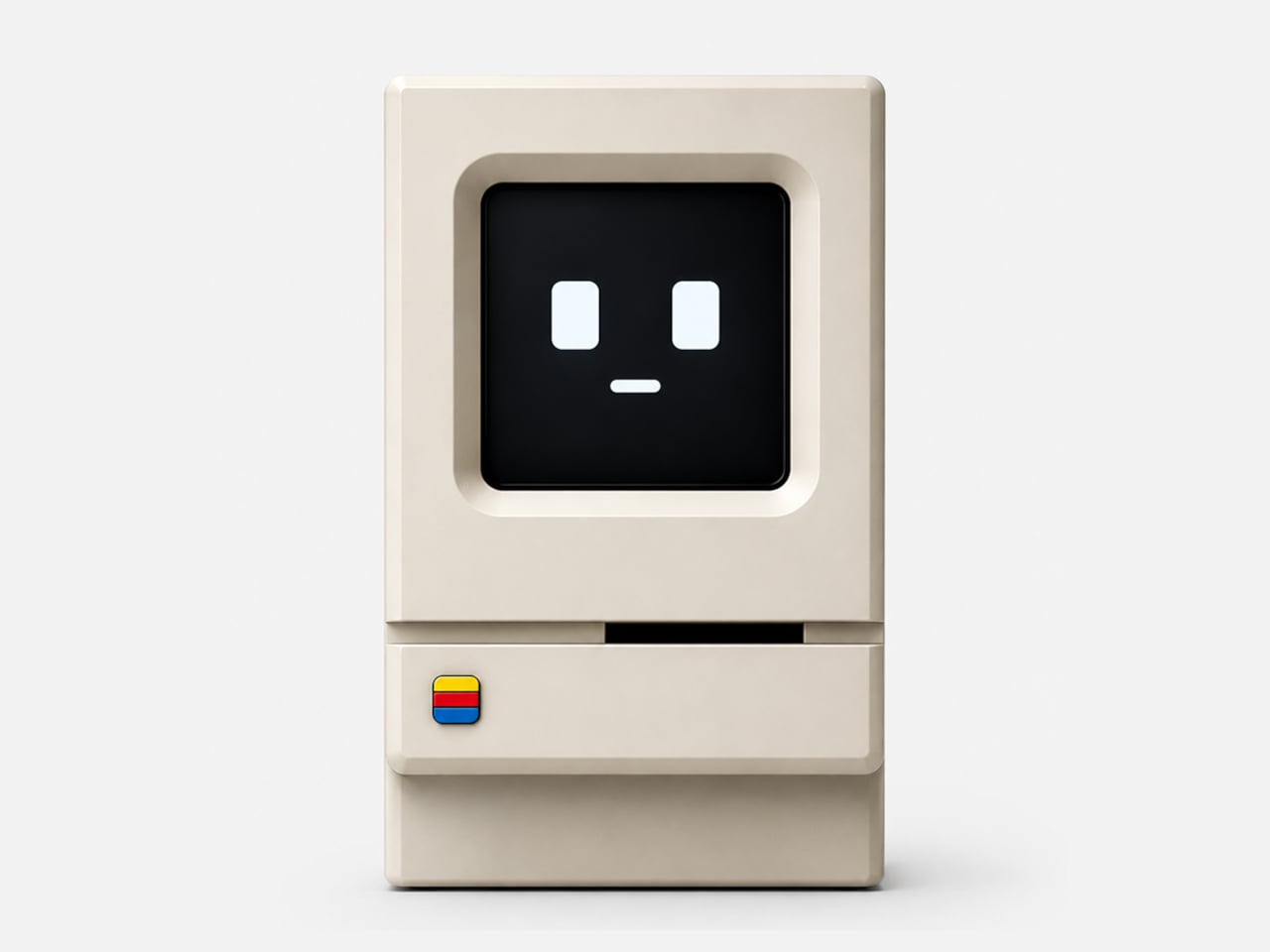
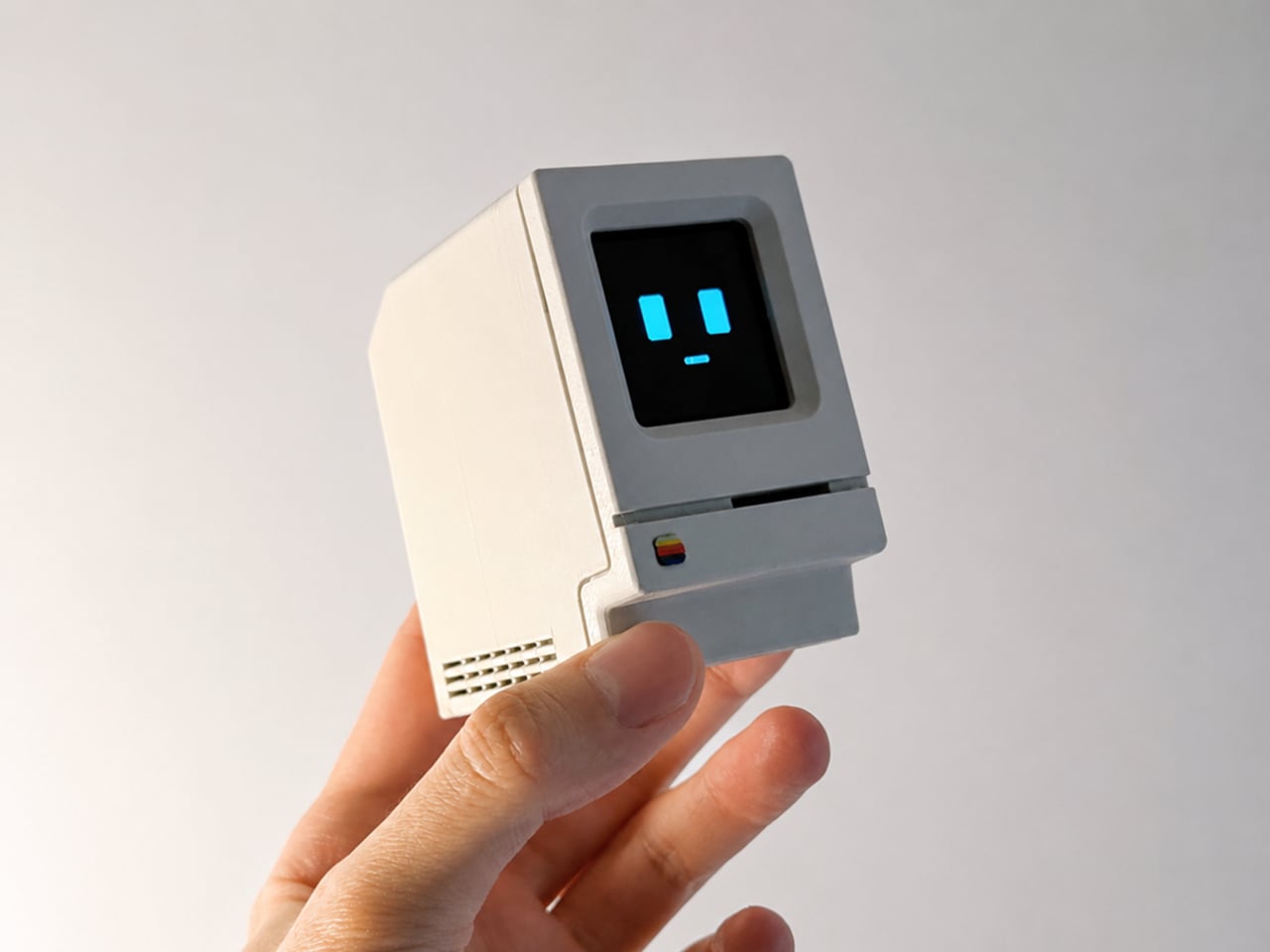
Alisher Ashimov approached the idea of a desk-based AI assistant from a completely different direction. Kira, his open-source project, takes its visual cues directly from the original 1984 Macintosh, a machine whose beige monolith silhouette is arguably the most iconic in personal computing history. The result is a voice-activated AI companion that looks more like a cherished collectible than a utility device.
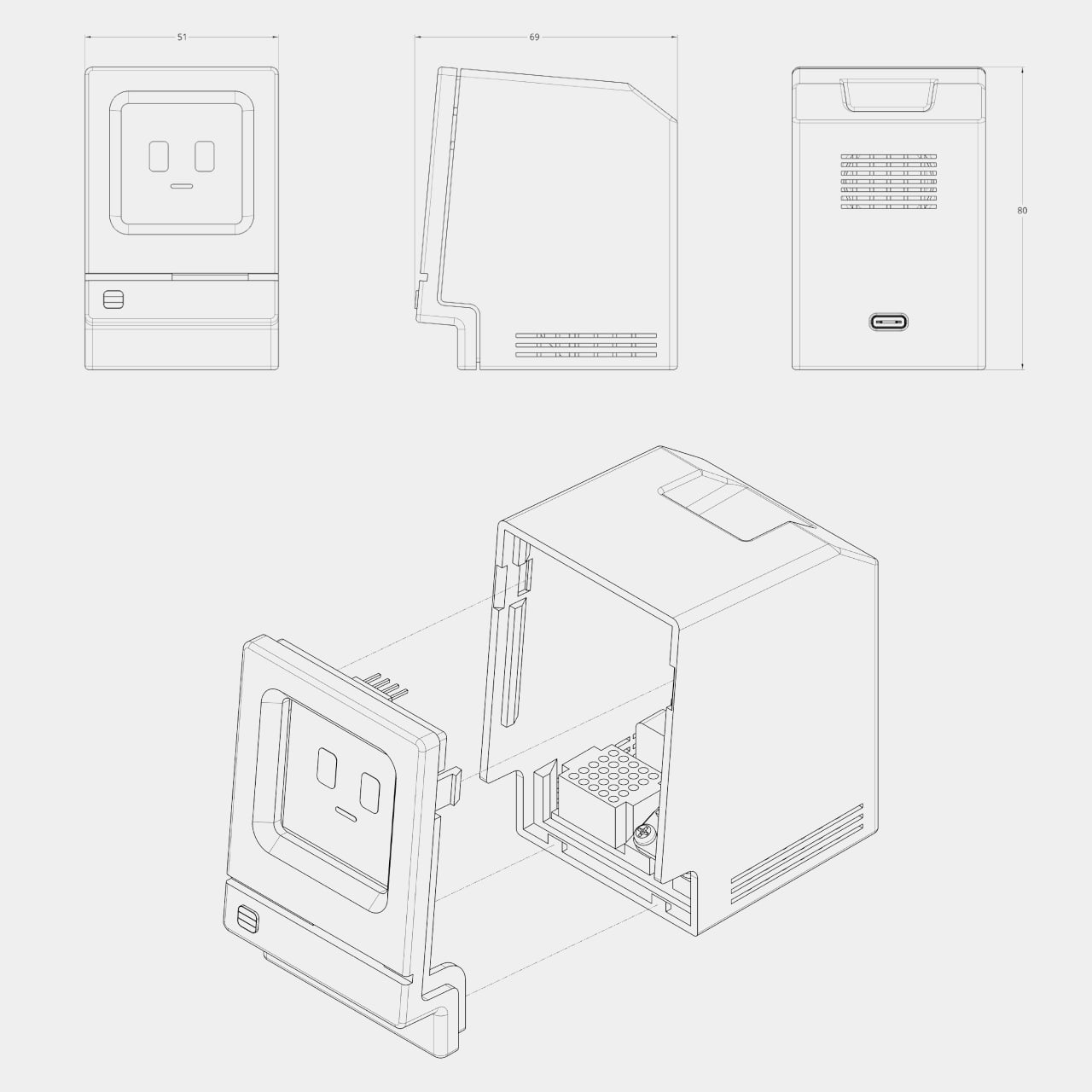
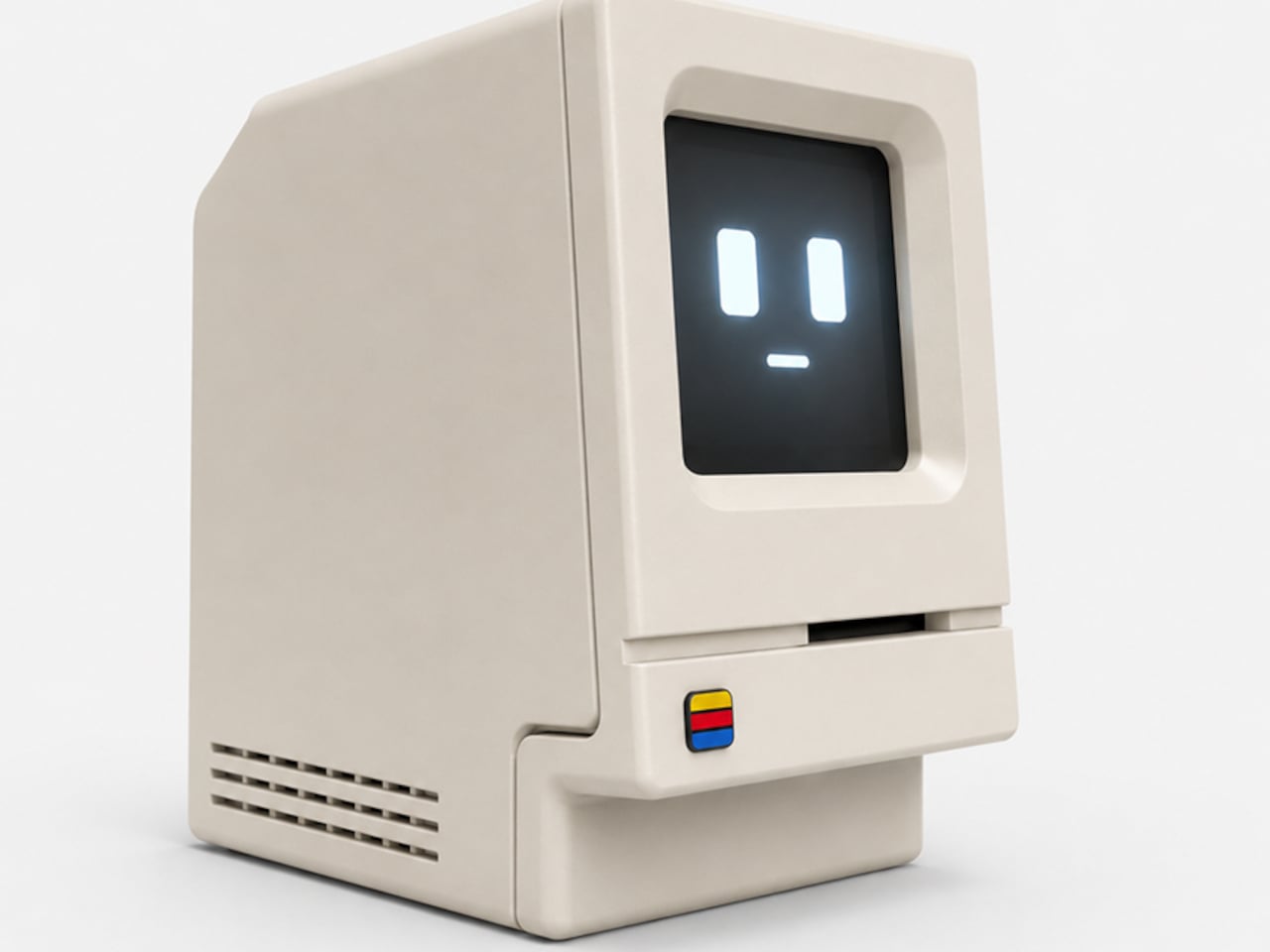
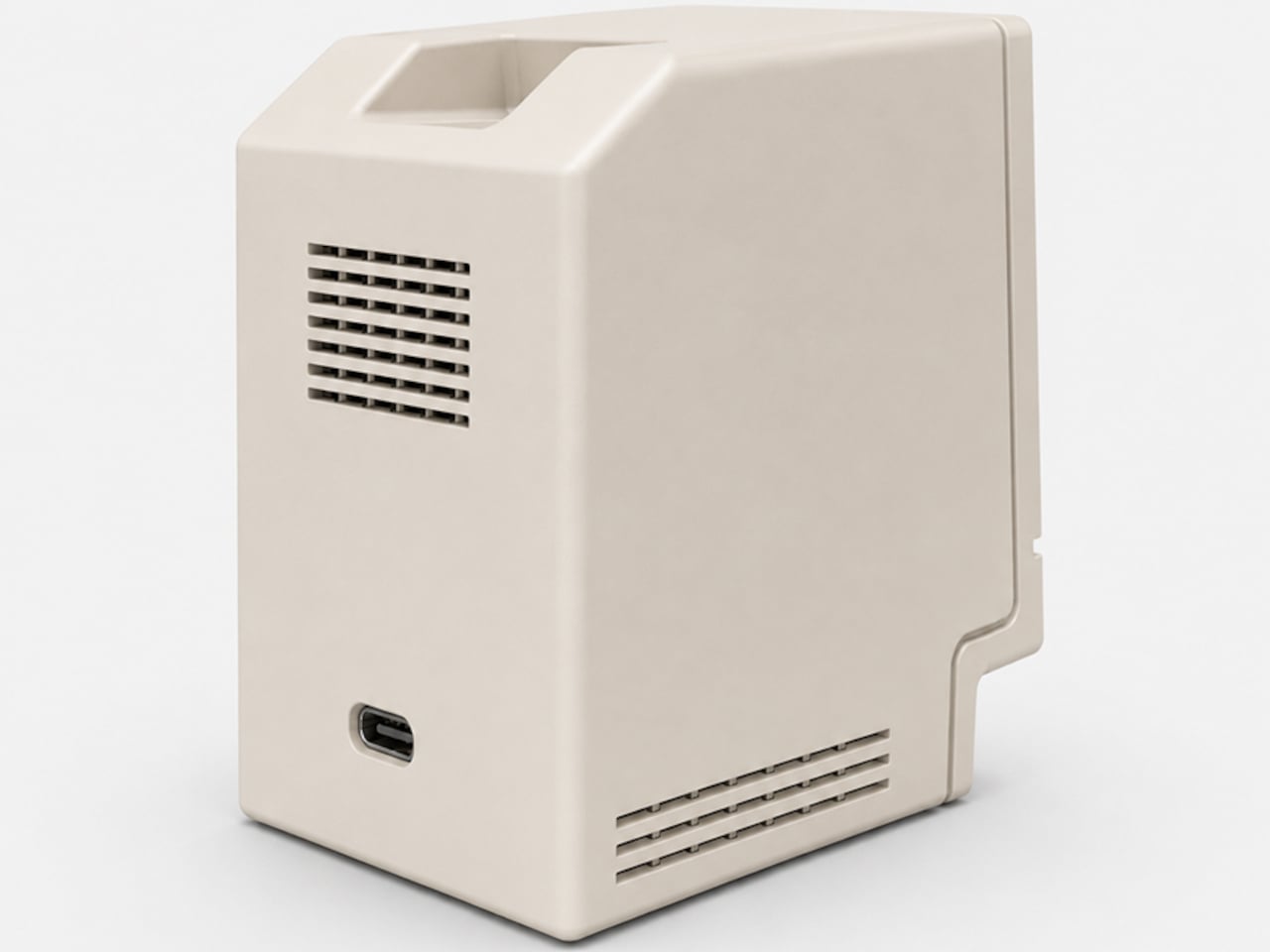
The enclosure is 3D printed in a single recommended filament color: Light Khaki matte PLA, the closest approximation of that distinctive Apple beige. Rounded top corners, a recessed front panel, horizontal side vents, and a decorative floppy-drive-style slot below the display all reproduce the original’s proportions at pocket scale, somewhere around 80mm wide. A small four-color badge on the lower front panel adds the final recognizable touch.
Where the original Macintosh showed a desktop environment, Kira shows a face. The 1.5-inch OLED display renders two rectangular eyes and a small dash mouth, animating expressively in response to interaction. The wake word is “Hey, Kira,” and from there, a built-in microphone picks up questions while a 4Ω, 3W speaker delivers spoken answers through the sculpted housing. It handles everyday voice queries the same way any smart assistant does, just with considerably more personality sitting on the shelf.
The electronics are deliberately approachable. The core is a Seeed Studio XIAO ESP32-S3 Sense, a capable and compact microcontroller with built-in Wi-Fi, Bluetooth, and a microphone. The rest of the bill of materials, a speaker, amplifier, SH1107 OLED module, mini breadboard, and jumper wires, are available on Amazon for modest amounts. The 3D-printed enclosure is optimized to print in about three hours across two plates with minimal support material, and an assembly guide walks builders through wiring, assembly, and firmware flashing.
The software carries the same open-ended spirit as the hardware. Voice, language, the assistant’s character, and memory settings are all user-definable, which means Kira isn’t locked into a single personality or a single cloud service. Tinkerers can tune the firmware directly. Ashimov has published the files freely, with no commercial barriers between the design and anyone with a printer and an afternoon to spare.
The objects people choose to keep on their desks tend to say something about them. A tiny Macintosh-shaped AI assistant that you built yourself and tuned to your own preferences says rather a lot. It combines a piece of design history, a genuinely capable voice interface, and an honest invitation to understand exactly how the thing works, all in a form that most people will stop and ask about the moment they see it.
The home office has become the most personal room in the house — and somehow still the hardest room to shop for. He already has the monitor arm, the mechanical keyboard, the cable organizer that never actually organized anything. The things worth giving now aren’t upgrades to what he owns. They’re objects that introduce something genuinely new to how a desk feels, functions, and performs — gifts that earn a permanent spot rather than a polite shelf appearance.
The best home office gifts of 2026 share one quality: they’re genuinely hard to explain without handling them. A pen that never needs ink. A lamp that works anywhere without a single cord. A speaker bar that makes RGB feel like a design choice rather than a gamer’s checkbox. These aren’t novelties with a short shelf life. They’re tools and objects with real staying power — the kind of things you’d buy for yourself if someone hadn’t already beaten you to it.
1. Mosaic
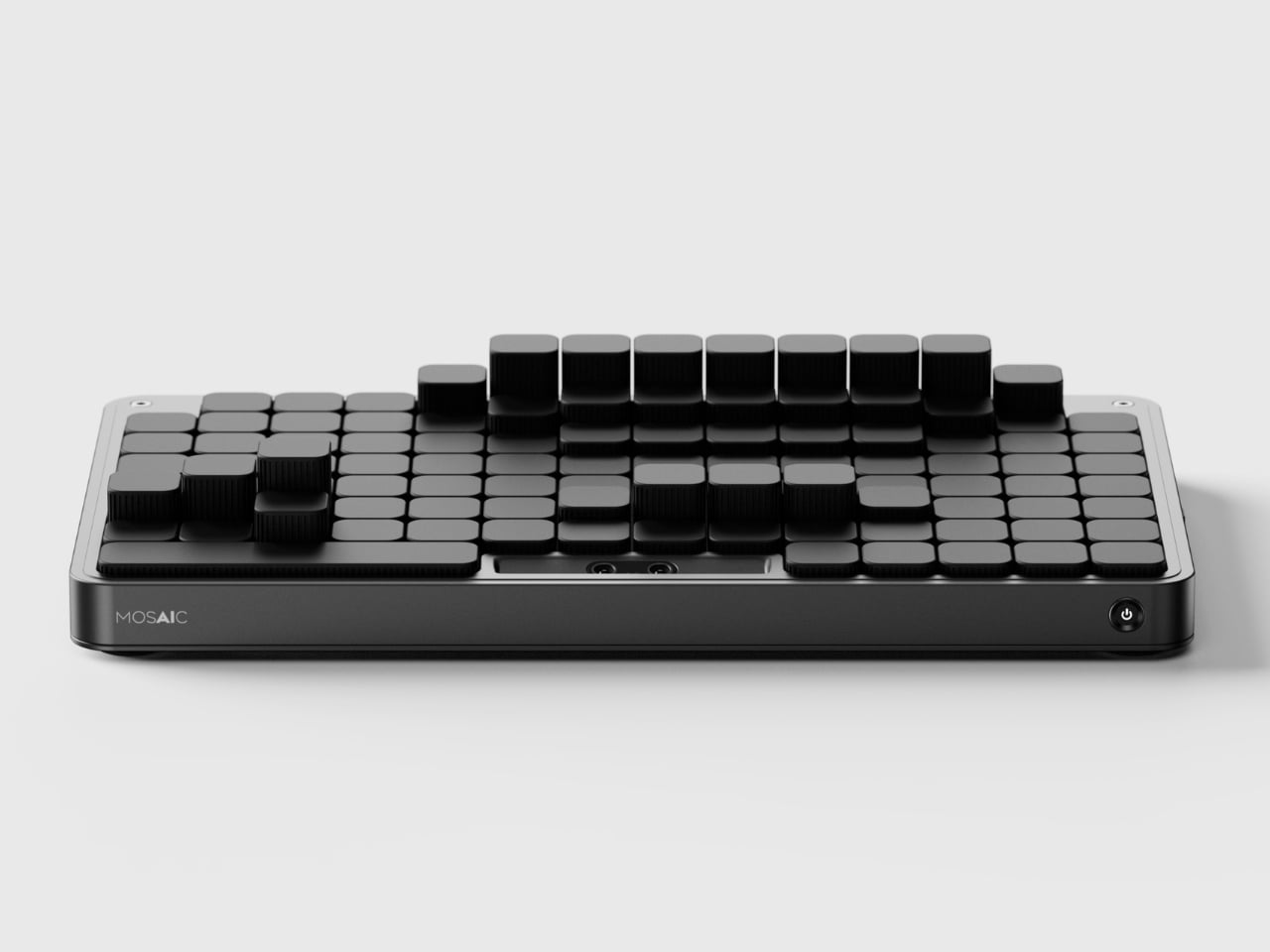
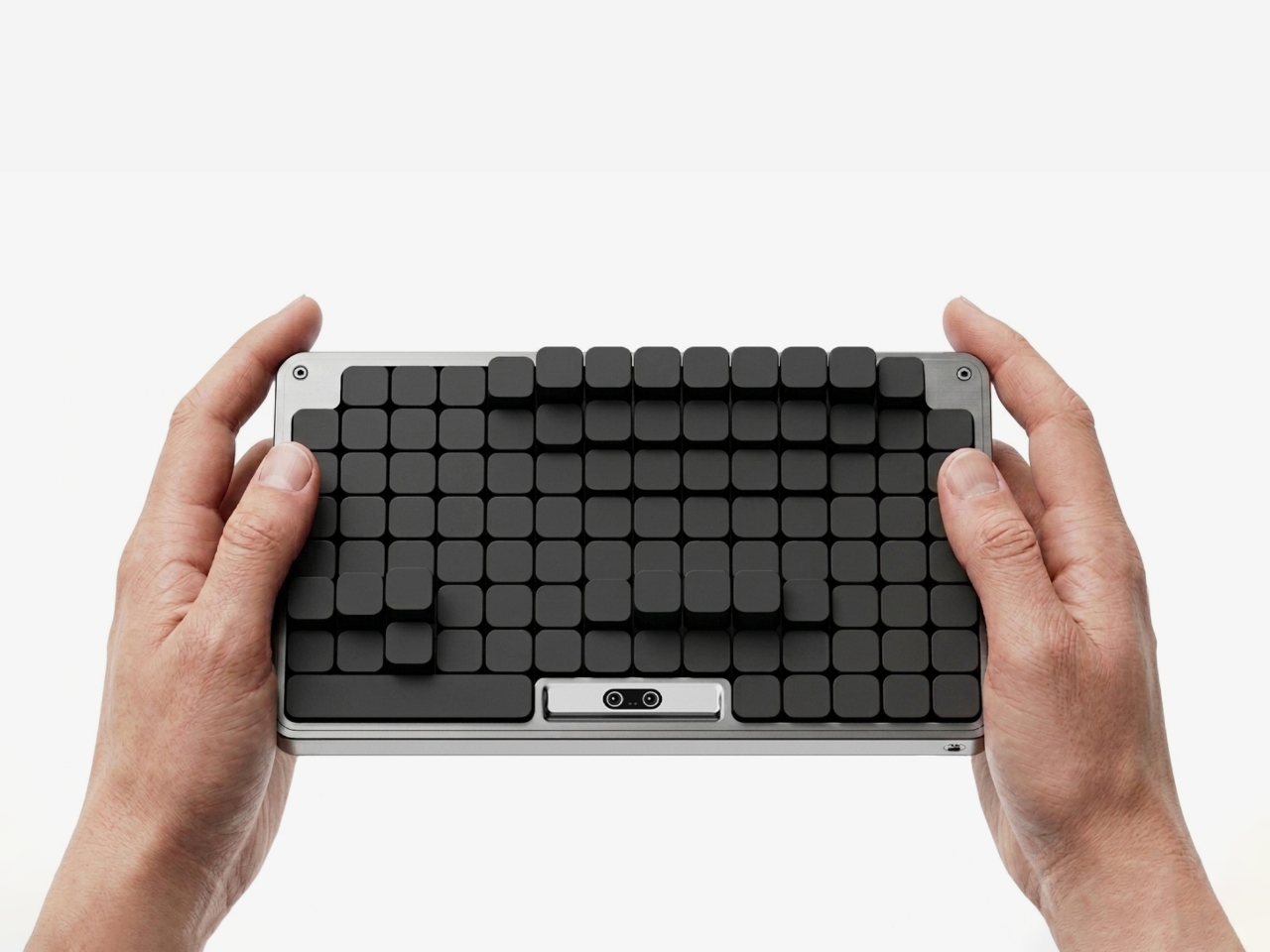
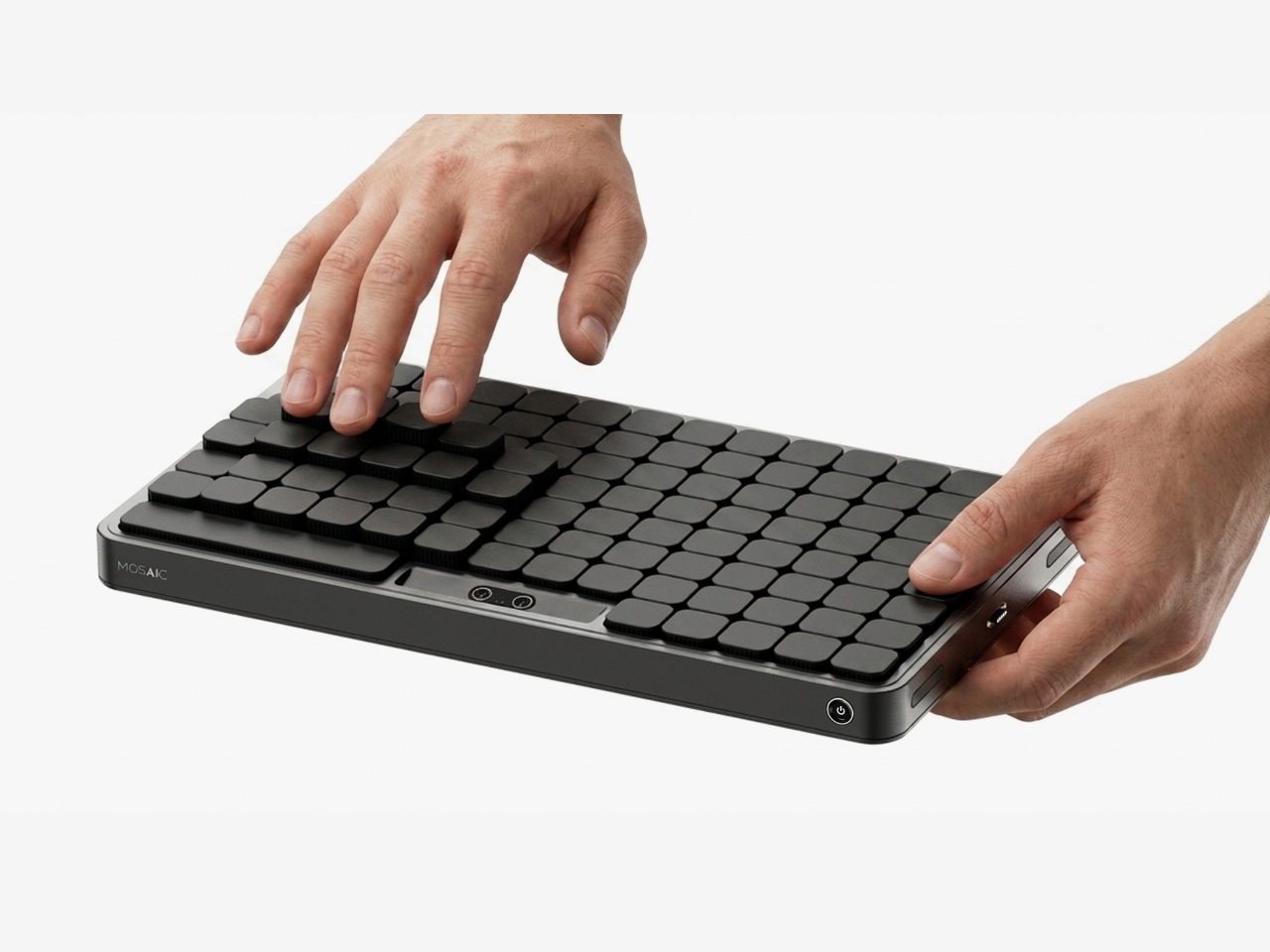
The most striking thing about the Mosaic isn’t what it does — it’s what it undoes. Most desk organizers arrive with a fixed grid of compartments and expect you to adapt, which is exactly why most of them end up abandoned in a drawer within weeks. The Mosaic flips the dynamic entirely, using AI to learn how objects get arranged and rearranged on a real desk over time, then reshaping its modular surface to match those habits rather than a designer’s assumptions about them.
What that looks like in practice is a tray that never quite looks finished — and that’s entirely the point. As a setup evolves, it moves with you, accommodating a new phone dock here, a relocated notebook there, without requiring a full reset. The dark modular surface carries a kind of purposeful architecture that reads as considered rather than cluttered. For anyone who has bought a beautiful organizer only to abandon it two weeks later, the Mosaic is the version that actually earns its permanent place.
What We Like
Learns and adapts to actual desk behavior instead of imposing a fixed layout
Modular surface reads as architectural on the desk — purposeful rather than busy
What We Dislike
AI calibration takes time before it fully understands desk patterns and adjusts accordingly
Darker aesthetic may not suit lighter or more minimal setups
2. Precision Sakura Metal Puzzle
The Precision Sakura Metal Puzzle is the kind of object that earns its spot on a desk by doing almost nothing visible — until you pick it up. Machined to a 0.004mm tolerance, it captures the shape of Japan’s most iconic flower in a set of pieces so similar to each other that distinguishing them becomes its own discipline. No solution is included. The intent was never to finish it quickly. The intent is to spend sustained, satisfying time with something that genuinely demands your attention.
For the person who says he has everything, this is a rare thing: an object that introduces something entirely new to the desk. It works as a precision puzzle and a sculptural display piece simultaneously, the polished metal finish clean enough to hold its own against far more expensive objects. Even unsolved, it belongs on the desk. When you finally do close it, the satisfaction is the kind no app or productivity widget has ever come close to delivering.
0.004mm machining tolerance makes every piece feel intentional and genuinely premium
Functions as desk sculpture whether actively mid-solve or sitting completed
What We Dislike
No solution included — a real test of patience for anyone expecting a guided experience
Small scale means pieces are easy to lose on a desk that isn’t kept clear
3. Pininfarina Aero Ethergraf
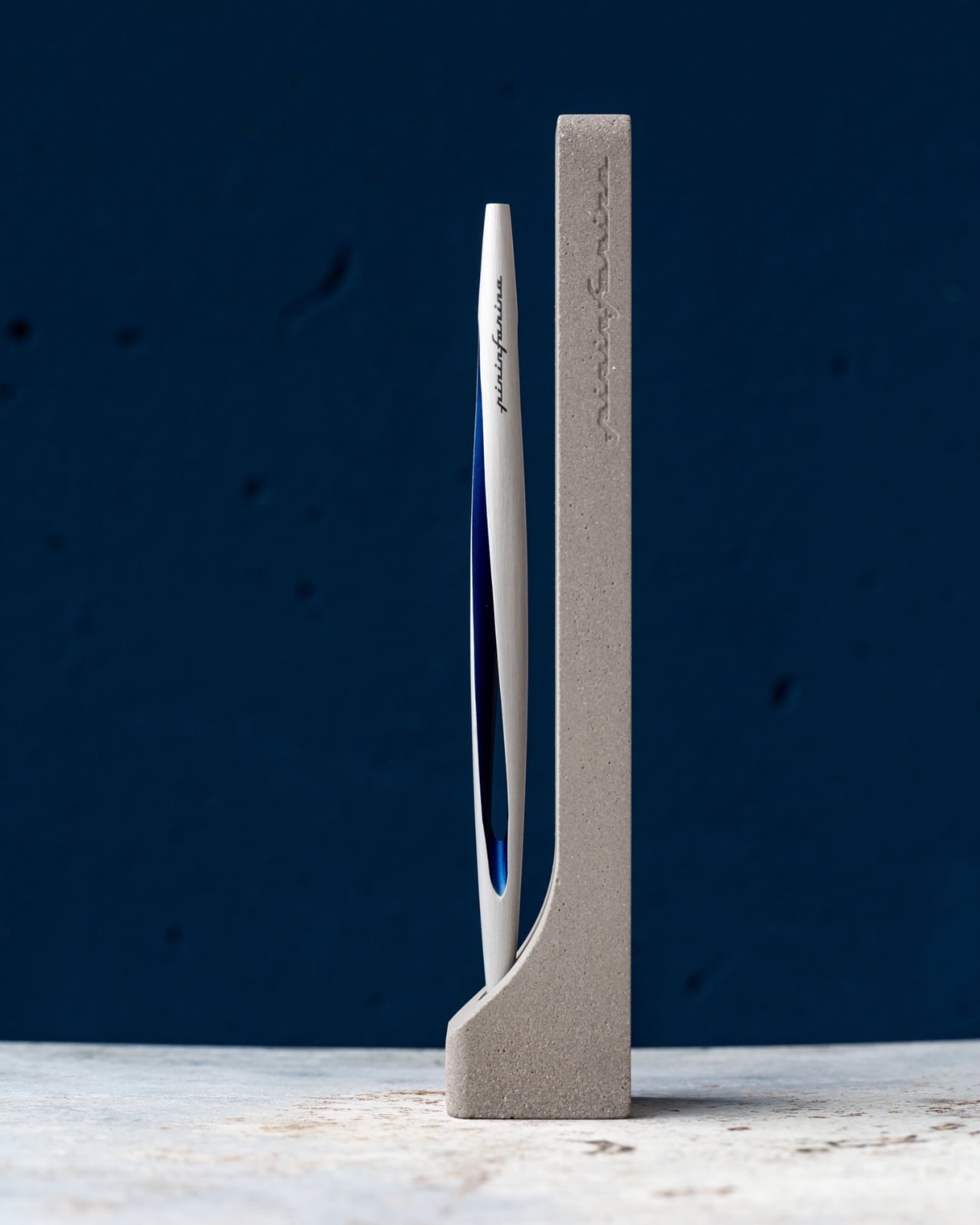
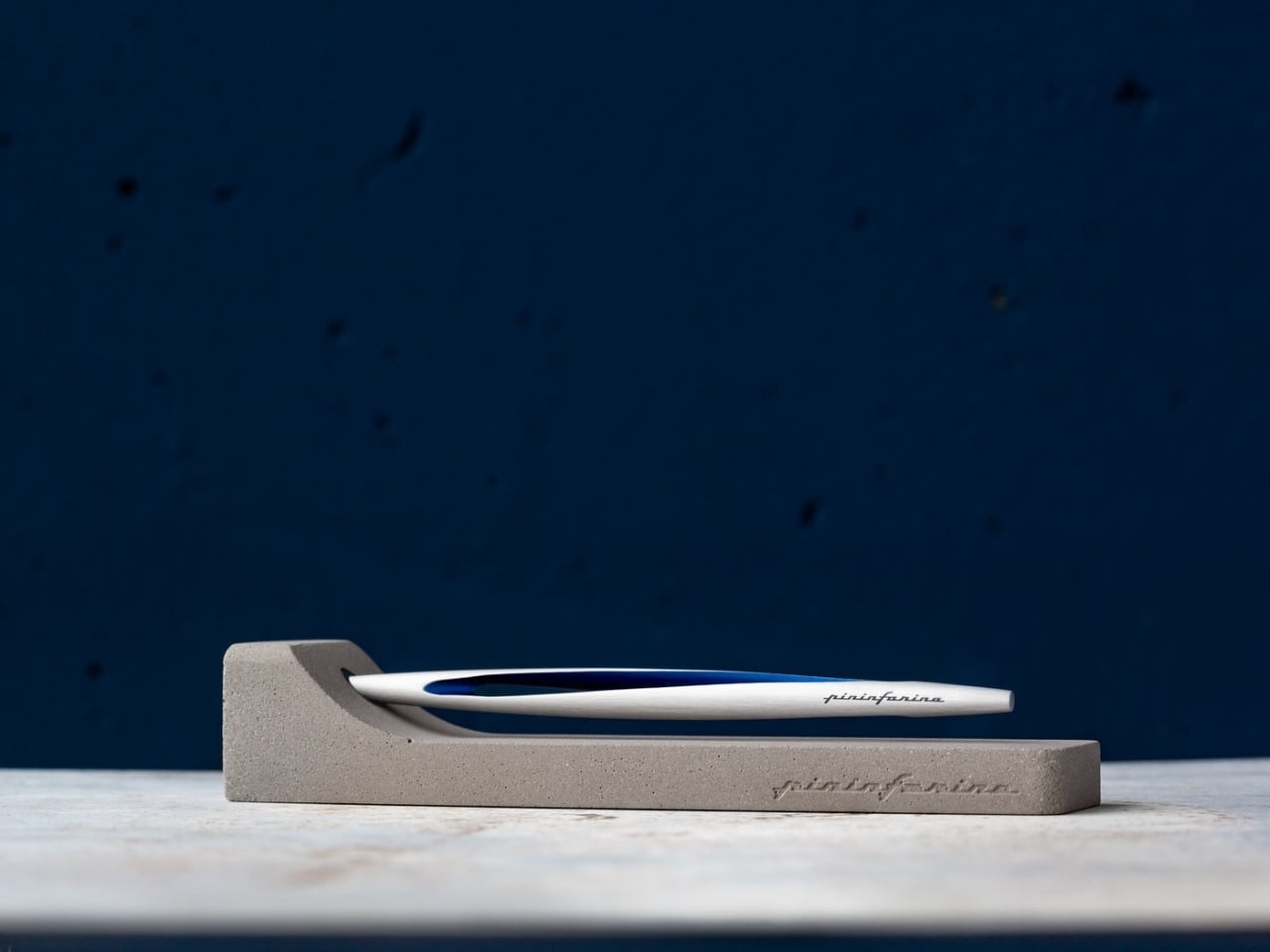
Pininfarina’s name lives in the curves of Ferraris and Maseratis, but the Aero Ethergraf makes a more interesting argument — that restraint is the harder design problem. Made from aerospace-grade aluminum, it weighs 17 grams and measures 160mm, numbers that don’t fully prepare you for how it sits in the hand. The tip is Ethergraf, a patented metal alloy that writes through oxidation, leaving a permanent mark on paper without a single drop of ink. No cartridges. No refills. No maintenance, ever.
It ships paired with a raw concrete stand — a deliberate material contrast that, on a desk, reads as sculpture rather than office supply. Handcrafted in Italy and rooted in a technique older than the modern ballpoint, the Aero makes every other writing instrument on the desk feel temporary by comparison. For a man who already has everything, it’s a quiet, permanent counterargument. Because nothing else quite like it exists on any desk, anywhere.
What We Like
Ethergraf tip writes indefinitely through oxidation — zero maintenance, zero refills, ever
Concrete stand creates genuine material tension that turns the pen into desk sculpture
What We Dislike
Performs best on dedicated paper — not every standard notebook will reveal the tip’s quality clearly
Concrete stand adds bulk that may feel heavy in a stripped-back minimal setup
4. Anywhere-Use Lamp
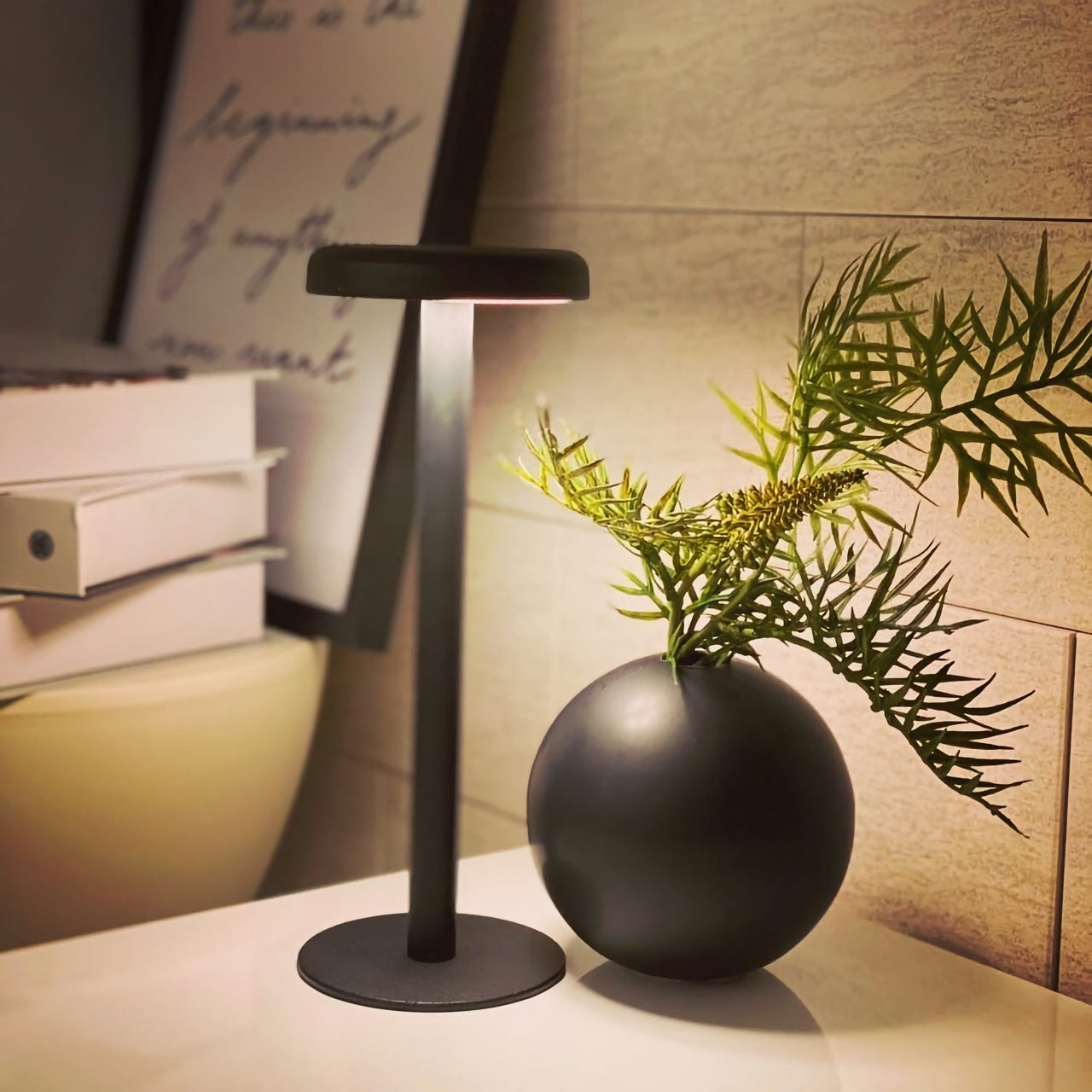
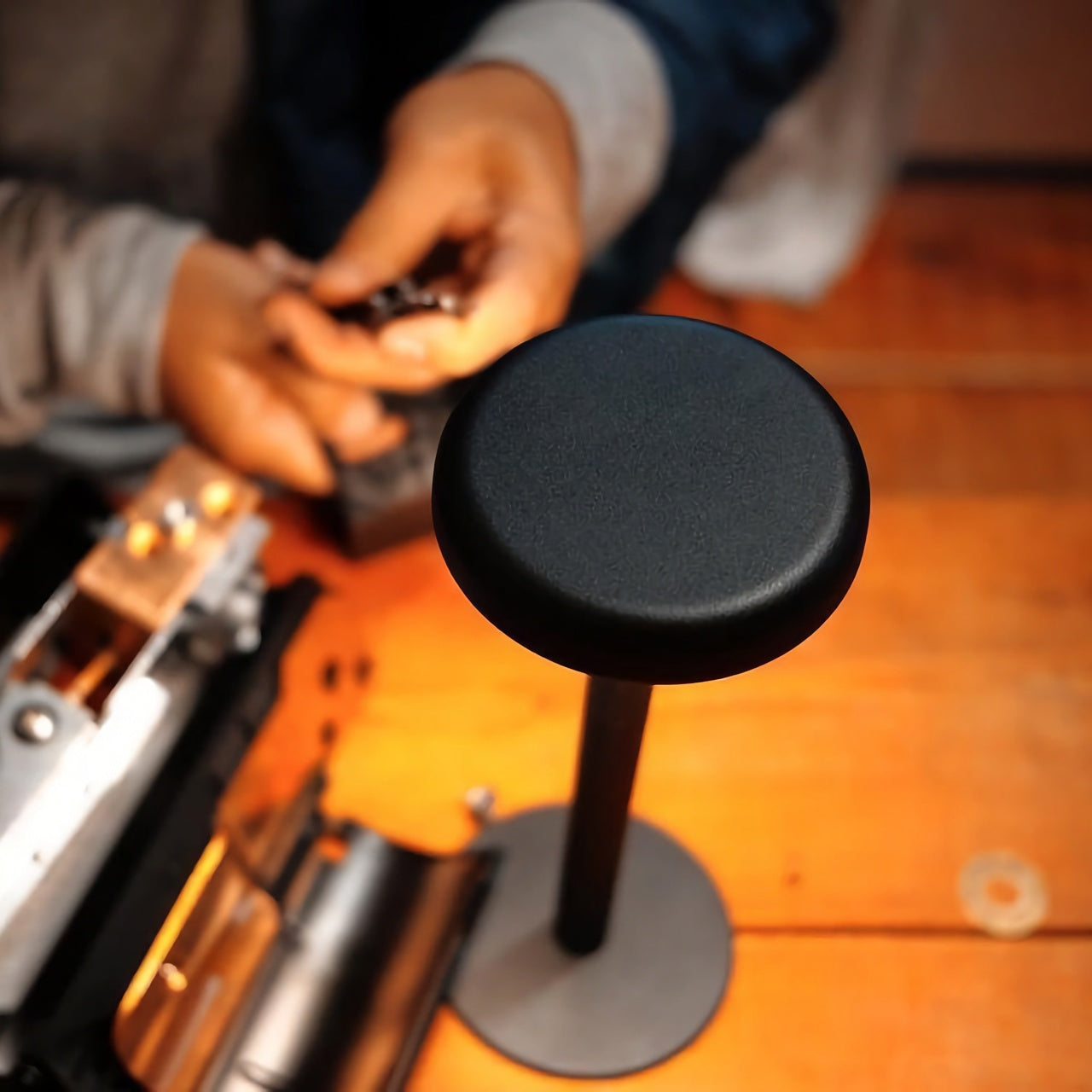
The Anywhere-Use Lamp starts from one honest premise: good light shouldn’t be tethered to a wall. Running on four AA batteries, it removes every cord and cable from the equation, making it as functional in a hotel room, on a bookshelf, or in an outdoor corner as it is on a permanent desk. Six high color rendering LEDs produce warm, soft output that settles naturally into a space without announcing itself as the room’s loudest design decision. The result is light that feels like it always belonged where you put it.
Available in black, white, and an Industrial edition with a scratch-detailed metal base that treats surface wear as character rather than damage, it holds across every desk aesthetic without effort. Pressing any edge of the cap cycles through four brightness levels with a haptic click that makes even that small interaction feel considered. Modular construction means it breaks down flat for a bag. At $149, the Anywhere-Use Lamp is one of the most versatile objects on this list — earning its price through location freedom alone, before you’ve even switched it on.
AA battery power removes all cord dependency and gives it genuine, unconditional location freedom
Industrial edition’s scratch-detailed base treats material wear as intentional character, not a flaw
What We Dislike
AA batteries mean ongoing replacement costs compared to a rechargeable alternative
Four brightness levels may feel limited for those who prefer more granular control over output
5. Edifier Melo Bar
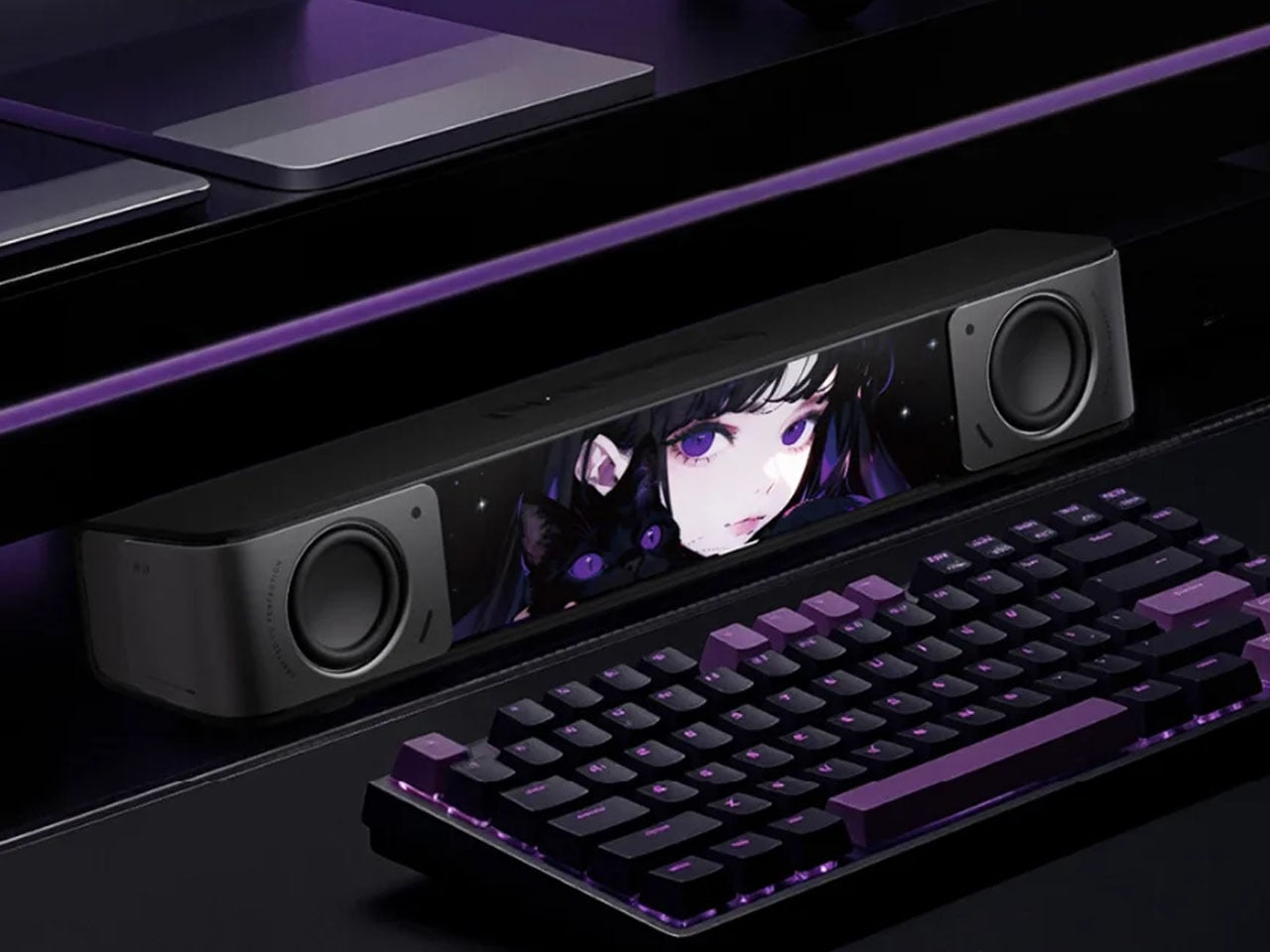
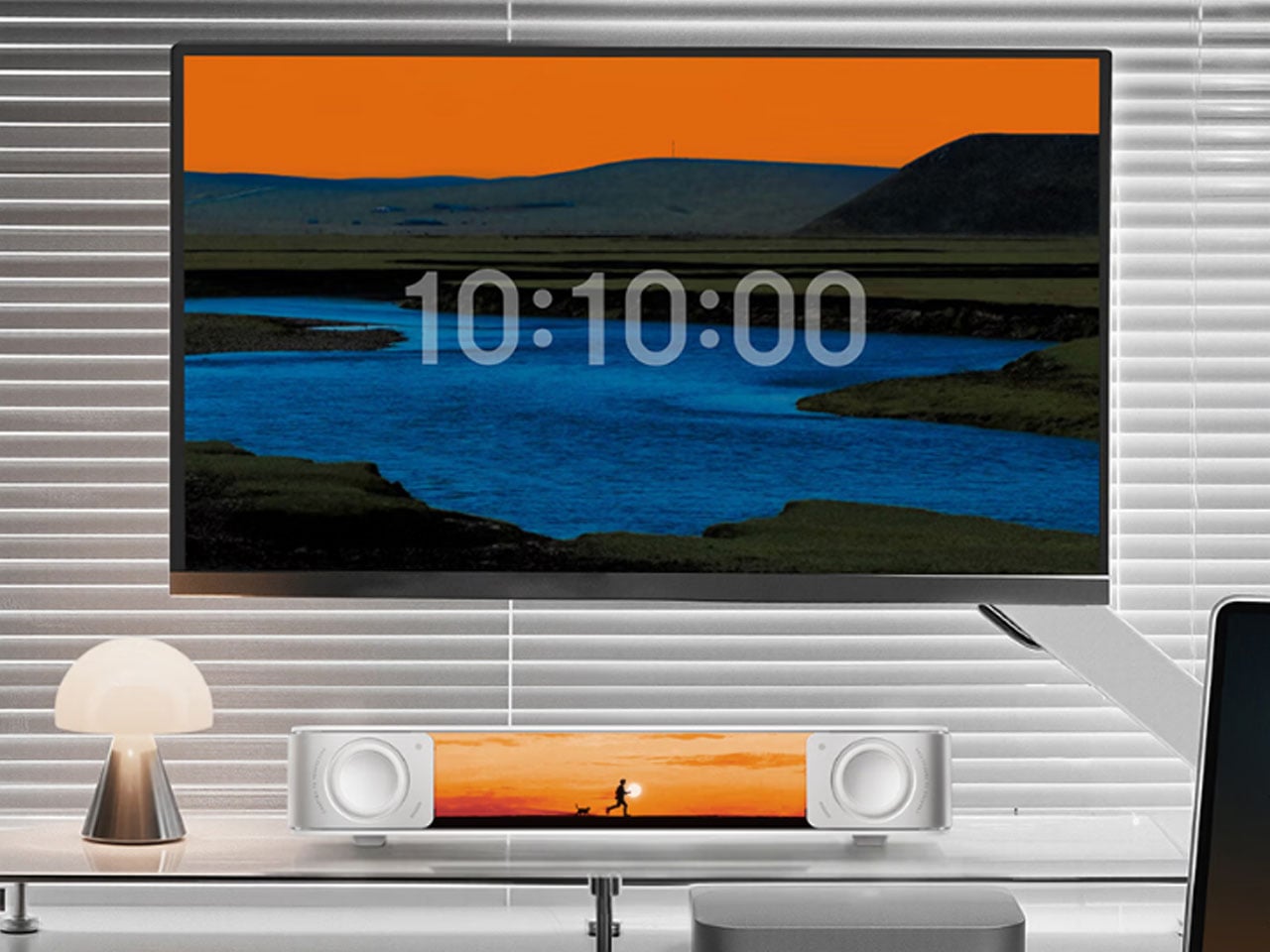
The Edifier Melo Bar does the thing most desk speaker bars never quite pull off — it makes RGB feel like a design decision rather than a hardware checkbox. Three distinct audio modes handle music, gaming, and movie listening, each tuned differently and each backed by near-field sound clear enough to remind you how much you’ve been tolerating laptop audio. The interchangeable front panels are the detail that separates it from every other bar on the market, letting the object adapt to the desk instead of demanding the desk adapt around it.
The light output is deliberately understated for something that supports 16.8 million colors and 15 carefully tuned lighting themes. It frames a setup rather than overwhelming one — adding ambient depth without demanding that the desk revolve around it. For a home office that already has the monitor, the keyboard, and the cable routing handled, this is the piece that completes the sensory experience rather than complicating it. Sound and light are treated as a single designed object. That’s harder to achieve than it sounds, and the Melo Bar gets it consistently right.
What We Like
Interchangeable front panels let the speaker blend into or intentionally accent any desk aesthetic
Three dedicated audio modes handle every use case without asking for a compromise
What We Dislike
RGB-heavy profile may feel redundant on setups that already favor a completely dark aesthetic
Near-field performance is strongest close to the desk — less effective across a larger open room
The Right Desk Tells You Something About the Person Behind It
Each of these five objects earns its place for reasons that go further than specs. The Mosaic learns. The Sakura puzzle challenges. The Aero Ethergraf lasts forever. The Anywhere-Use Lamp untethers. The Melo Bar performs and illuminates. None of them exist because a spec sheet demanded them — they exist because someone asked what a desk should actually feel like and then had the discipline to build the answer without compromise.
The man who says he has everything doesn’t need another gadget. He needs the object he didn’t know was missing — and all five of these are exactly that. Each carries intention, permanence, and the kind of quiet confidence that makes a desk feel genuinely complete rather than just assembled. Buy one, and it earns its keep. Buy all five, and you’ve given someone the most considered setup they’ve ever worked from.
The EDC community is particular about what earns a place in their pockets. Titanium hardware, precision multitools, and machined accessories all go through plenty of scrutiny before they make the cut. Yet for all that attention to detail, accurate measurement is still largely a workshop activity. A full-size caliper stays on the bench. A rough estimate fills the gap. Something between the two has been missing.
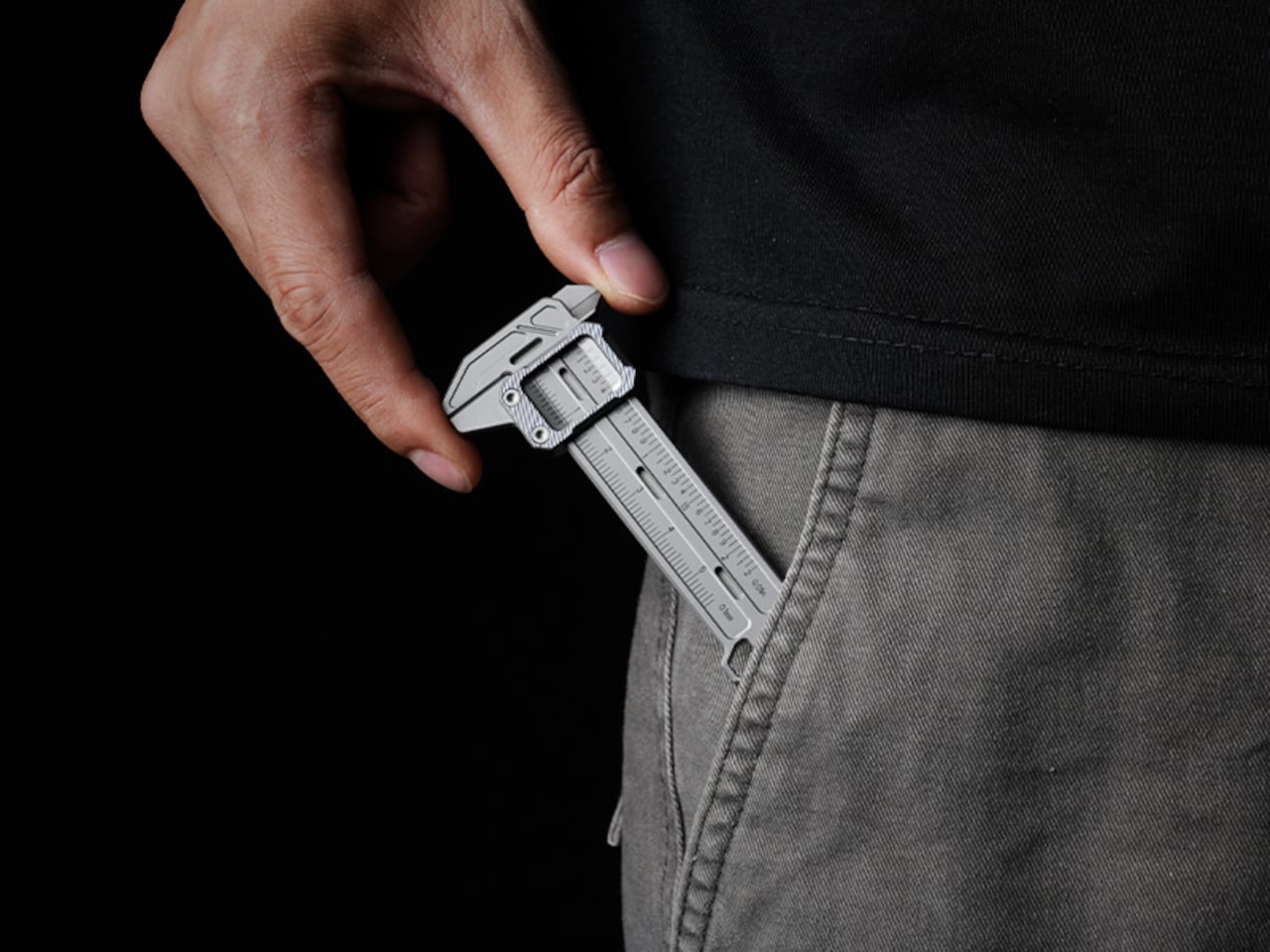
TiCal Pro 2.0 is designed to fill that gap and makes a bold case for being the first pocket caliper you’d actually trust for real measurement work. It’s not trying to replace the full-size tool on your workbench, but to bring genuine vernier precision down to something that clips to your keychain, hangs from a cord, or disappears into your pocket.
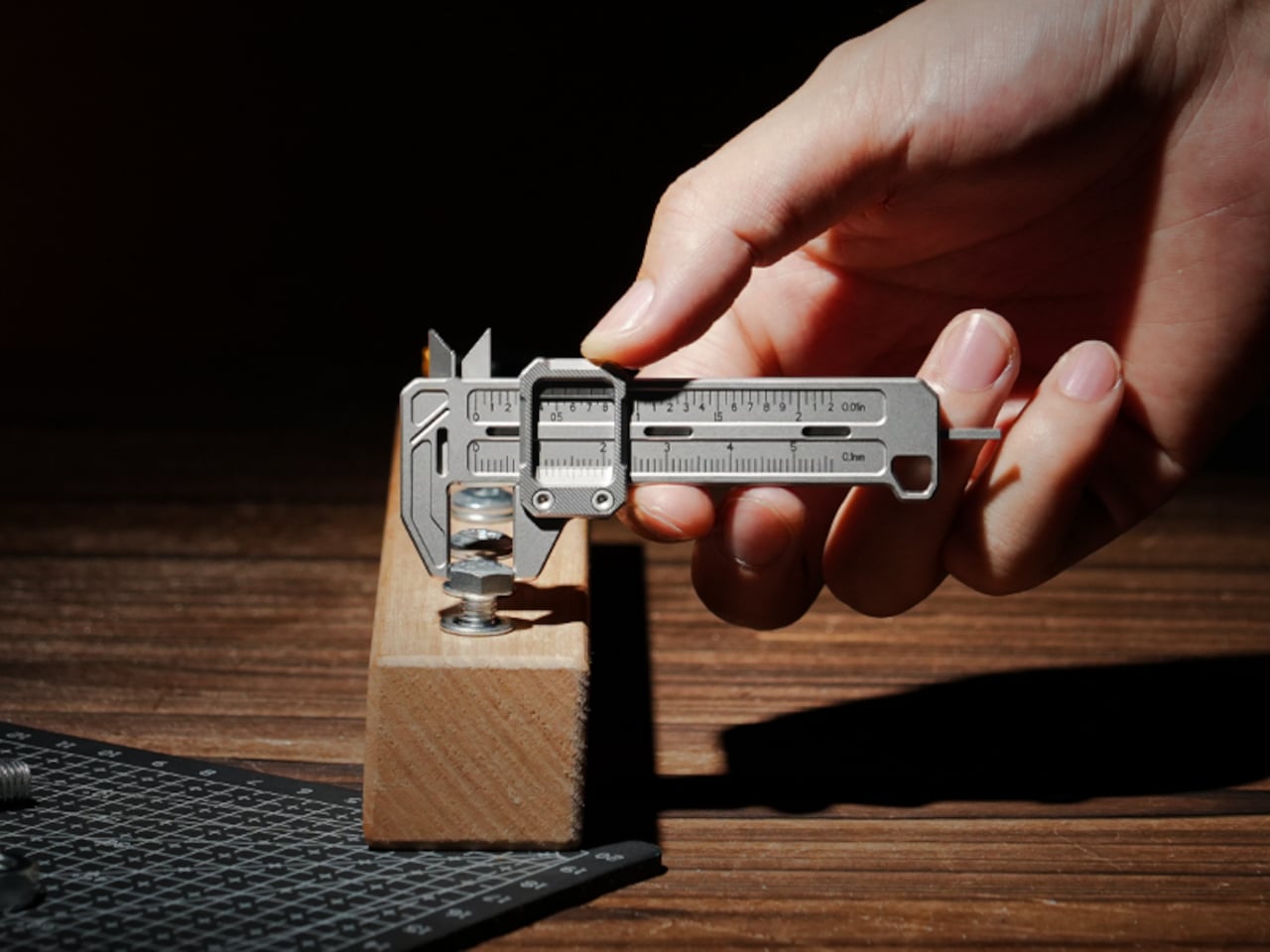
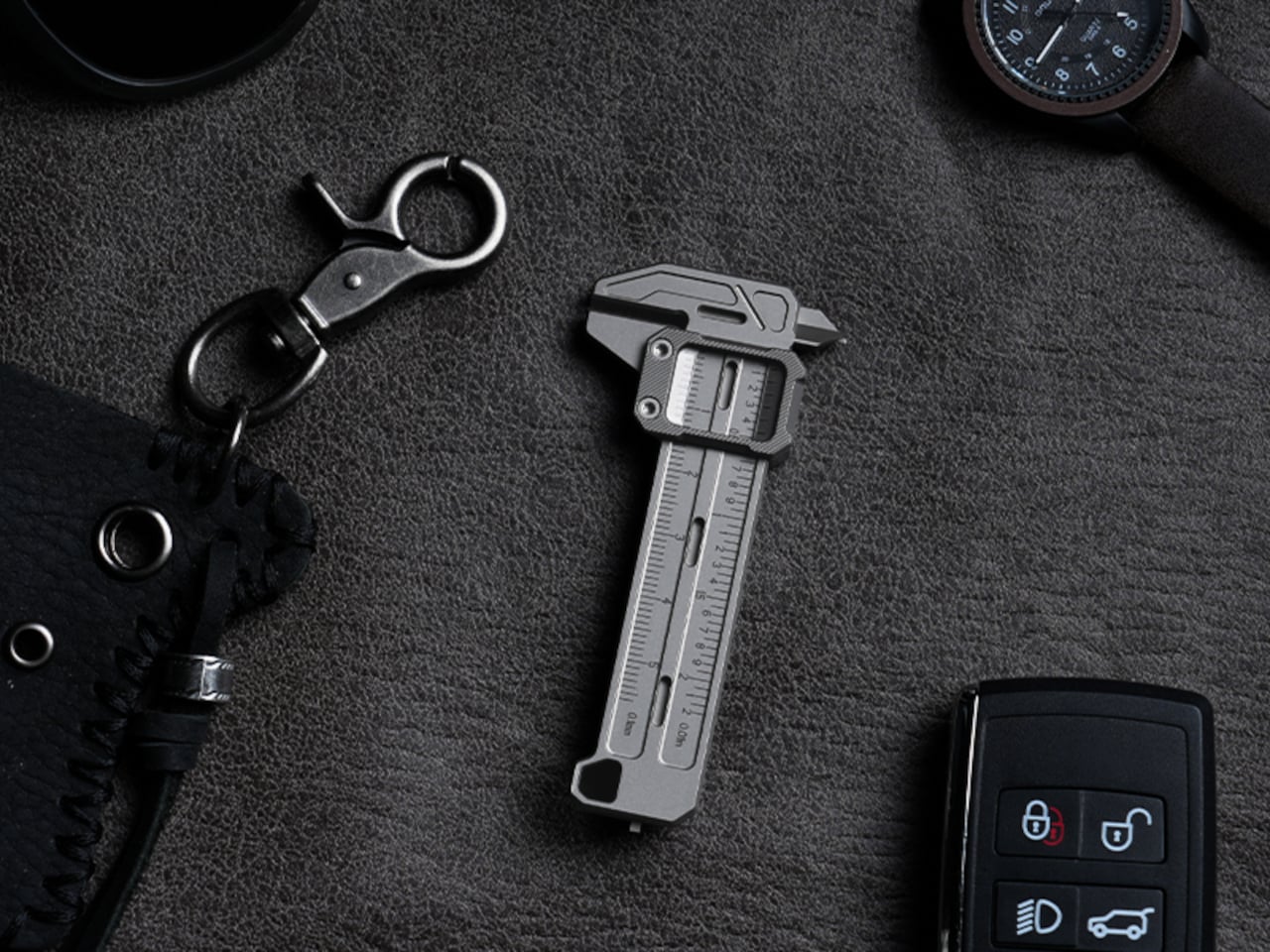
What sets it apart from the usual pocket-tool crowd is a deliberate narrowness of purpose. There’s no bottle opener, no ruler on the back, and no attempt to make it busier than it needs to be. TiCal Pro 2.0 does one thing: it measures. Outer diameters, inner diameters, and depth, with jaws and a depth rod machined as integral parts of a single titanium frame.
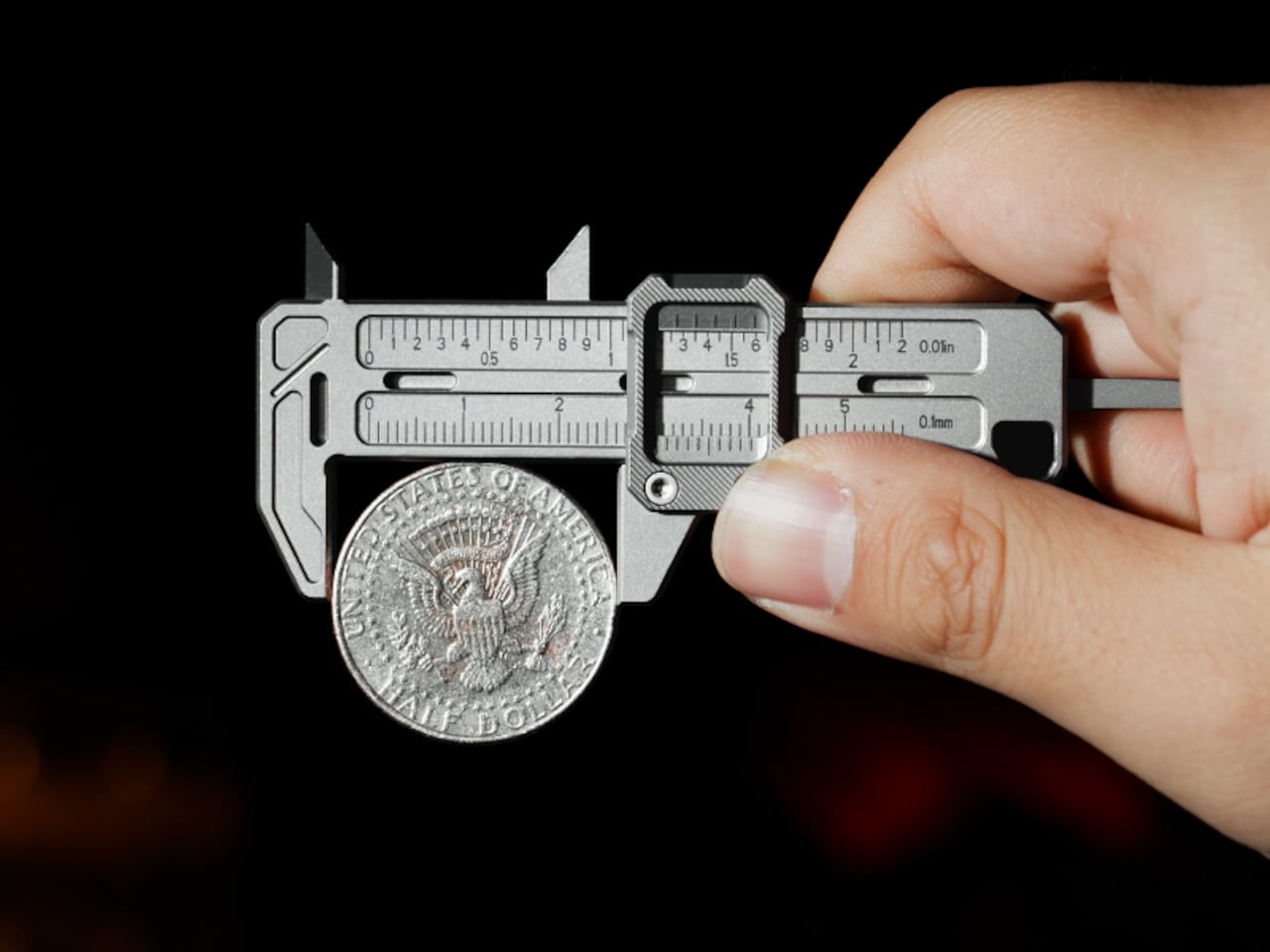
One of the more practical details is the dual-scale vernier system. Makers who move between metric drawings and imperial hardware know the frustration of converting on the fly. TiCal Pro 2.0 carries both inch and millimeter scales simultaneously, synchronized so that a single glance gives you both readings at once. There’s no mental math involved and far less room for the errors that unit conversion can invite.
With a resolution down to 0.01-inch for imperial measurements and 0.1mm for metric ones, it’s built for the kind of small-dimension work that usually gets left to guesswork outside the workshop. The scales themselves are laser-engraved deeply enough to resist daily wear, which matters a lot for something that lives in your pocket. Shallow printed markings fade quickly; these stay sharp and legible through regular carry.
Precision tools have a tactile dimension that often gets overlooked. TiCal Pro 2.0 addresses this with a self-lubricating POM ball rail system that delivers a silk-smooth slide with no oil and no grinding. The damping is also adjustable with a standard T5H driver, letting you set the slide resistance to your preference so the jaw stays exactly where you put it, no locking screw needed.
The choice of Grade 5 titanium for the body is practical rather than decorative. It offers the strength of steel at half the weight and is corrosion-proof, shrugging off sweat, rain, and shop fluids without complaint. For a tool meant to stay on your person at all times, that kind of durability makes a genuine difference in how willing you’ll actually be to carry it.
Think about the moments when a precise measurement would’ve been useful. A screw that looks like the right size but isn’t. A 3D-printed part that fits almost perfectly but not quite. A watch lug you’re trying to match without guessing. A keyboard stabilizer that needs a bit of finessing. These are the moments where a quick estimate wins by default simply because the right tool isn’t close enough.
At 3.37 inches long and weighing only 37.6g (1.33 oz), it’s compact enough to clip to a keychain or hang as a pendant, always within reach but never in the way. Four integrated tritium slots add a subtle glow for low-light situations, and the tool is available in either Sandblast Titanium or PVD Black, two very different expressions of the same object.
None of that changes the fact that a full-size caliper will always offer more range and a longer measurement stroke. But TiCal Pro 2.0 isn’t competing with the bench tool; it’s filling the space where that tool never goes. Precision doesn’t always happen in a workshop, and this small titanium instrument quietly makes the case that it doesn’t have to.
The EDC community is particular about what earns a place in their pockets. Titanium hardware, precision multitools, and machined accessories all go through plenty of scrutiny before they make the cut. Yet for all that attention to detail, accurate measurement is still largely a workshop activity. A full-size caliper stays on the bench. A rough estimate fills the gap. Something between the two has been missing.
TiCal Pro 2.0 is designed to fill that gap and makes a bold case for being the first pocket caliper you’d actually trust for real measurement work. It’s not trying to replace the full-size tool on your workbench, but to bring genuine vernier precision down to something that clips to your keychain, hangs from a cord, or disappears into your pocket.
What sets it apart from the usual pocket-tool crowd is a deliberate narrowness of purpose. There’s no bottle opener, no ruler on the back, and no attempt to make it busier than it needs to be. TiCal Pro 2.0 does one thing: it measures. Outer diameters, inner diameters, and depth, with jaws and a depth rod machined as integral parts of a single titanium frame.
One of the more practical details is the dual-scale vernier system. Makers who move between metric drawings and imperial hardware know the frustration of converting on the fly. TiCal Pro 2.0 carries both inch and millimeter scales simultaneously, synchronized so that a single glance gives you both readings at once. There’s no mental math involved and far less room for the errors that unit conversion can invite.
With a resolution down to 0.01-inch for imperial measurements and 0.1mm for metric ones, it’s built for the kind of small-dimension work that usually gets left to guesswork outside the workshop. The scales themselves are laser-engraved deeply enough to resist daily wear, which matters a lot for something that lives in your pocket. Shallow printed markings fade quickly; these stay sharp and legible through regular carry.
Precision tools have a tactile dimension that often gets overlooked. TiCal Pro 2.0 addresses this with a self-lubricating POM ball rail system that delivers a silk-smooth slide with no oil and no grinding. The damping is also adjustable with a standard T5H driver, letting you set the slide resistance to your preference so the jaw stays exactly where you put it, no locking screw needed.
The choice of Grade 5 titanium for the body is practical rather than decorative. It offers the strength of steel at half the weight and is corrosion-proof, shrugging off sweat, rain, and shop fluids without complaint. For a tool meant to stay on your person at all times, that kind of durability makes a genuine difference in how willing you’ll actually be to carry it.
Think about the moments when a precise measurement would’ve been useful. A screw that looks like the right size but isn’t. A 3D-printed part that fits almost perfectly but not quite. A watch lug you’re trying to match without guessing. A keyboard stabilizer that needs a bit of finessing. These are the moments where a quick estimate wins by default simply because the right tool isn’t close enough.
At 3.37 inches long and weighing only 37.6g (1.33 oz), it’s compact enough to clip to a keychain or hang as a pendant, always within reach but never in the way. Four integrated tritium slots add a subtle glow for low-light situations, and the tool is available in either Sandblast Titanium or PVD Black, two very different expressions of the same object.
None of that changes the fact that a full-size caliper will always offer more range and a longer measurement stroke. But TiCal Pro 2.0 isn’t competing with the bench tool; it’s filling the space where that tool never goes. Precision doesn’t always happen in a workshop, and this small titanium instrument quietly makes the case that it doesn’t have to.