7 Best Japanese Kitchen Gadgets & Tools So Clever They Make Every Meal Feel Like a Ceremony

Japanese kitchenware operates on a different frequency than most Western cooking tools. Where mass-market brands chase multifunctionality and feature bloat, Japanese design strips everything back to the single gesture that matters: the cut, the strain, the flip, the pour. The result is objects that feel less like gadgets and more like quiet collaborators in your cooking process, each one shaped by decades of manufacturing precision in regions like Tsubame and Niigata, where metalworkers have been refining their craft since the Edo period.

We have curated seven of the most thoughtfully designed Japanese kitchen tools that deserve a permanent place in your cooking routine. These are not flashy unitaskers destined for a drawer. They are carefully considered pieces of functional design that treat the act of cooking with the same seriousness as the meal itself, and each one brings something to your kitchen that no Western equivalent has managed to replicate with the same level of care.

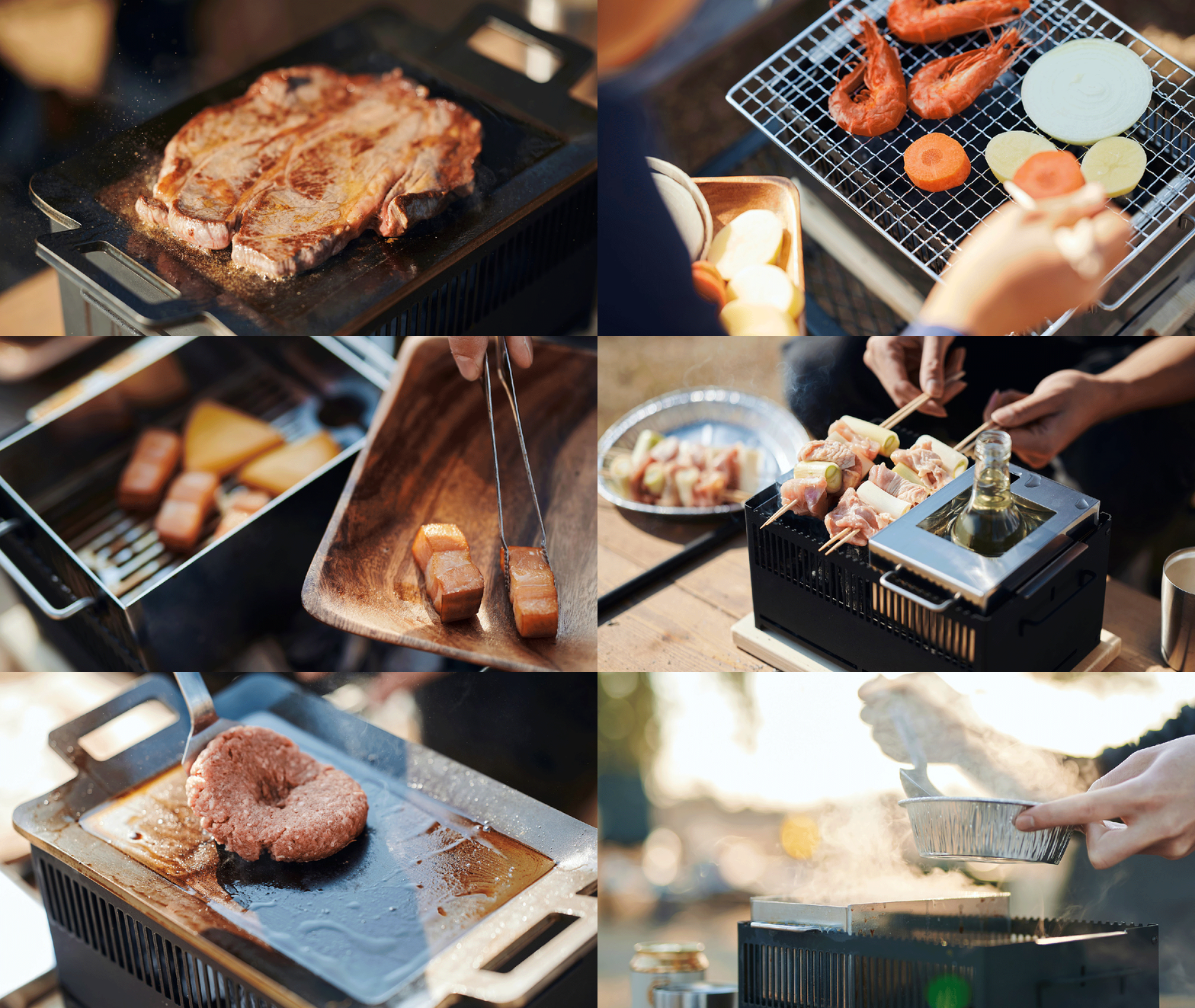
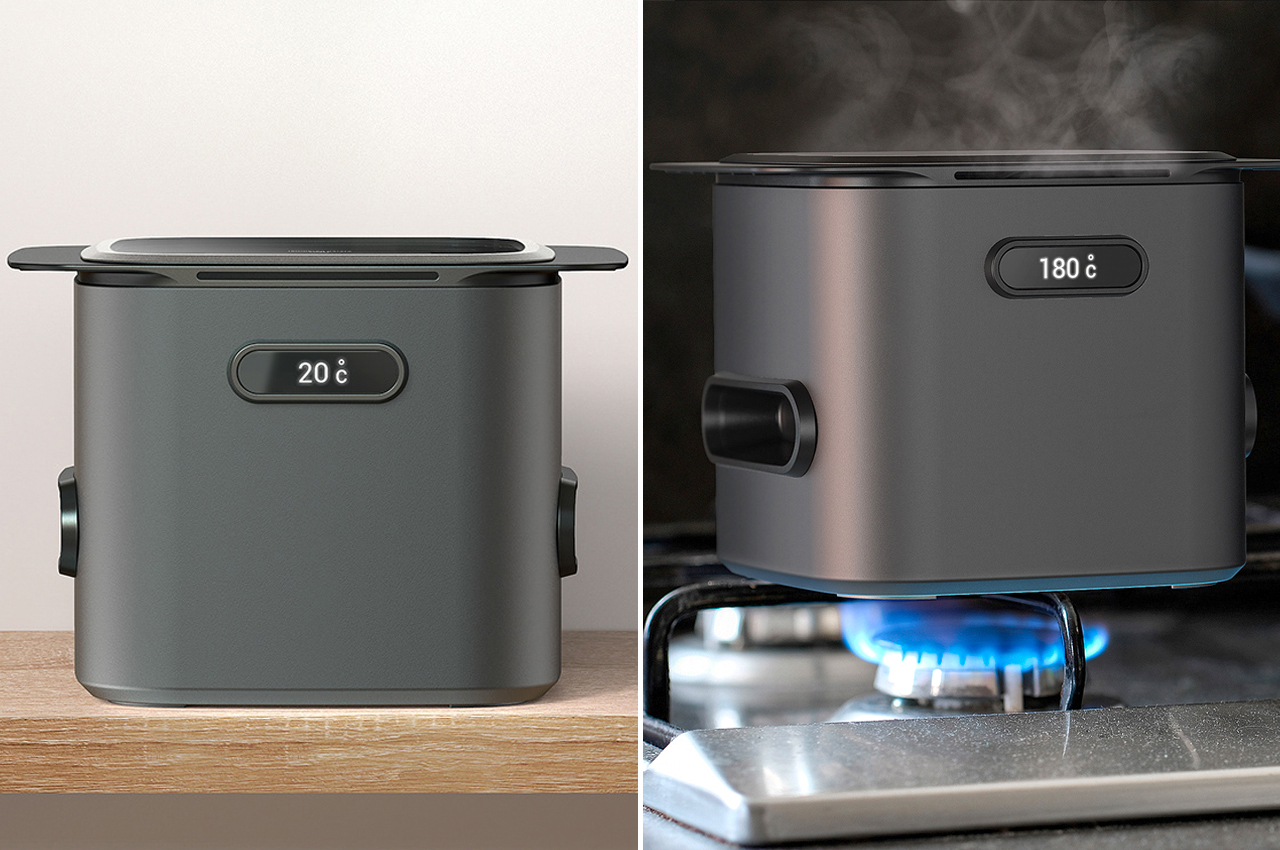
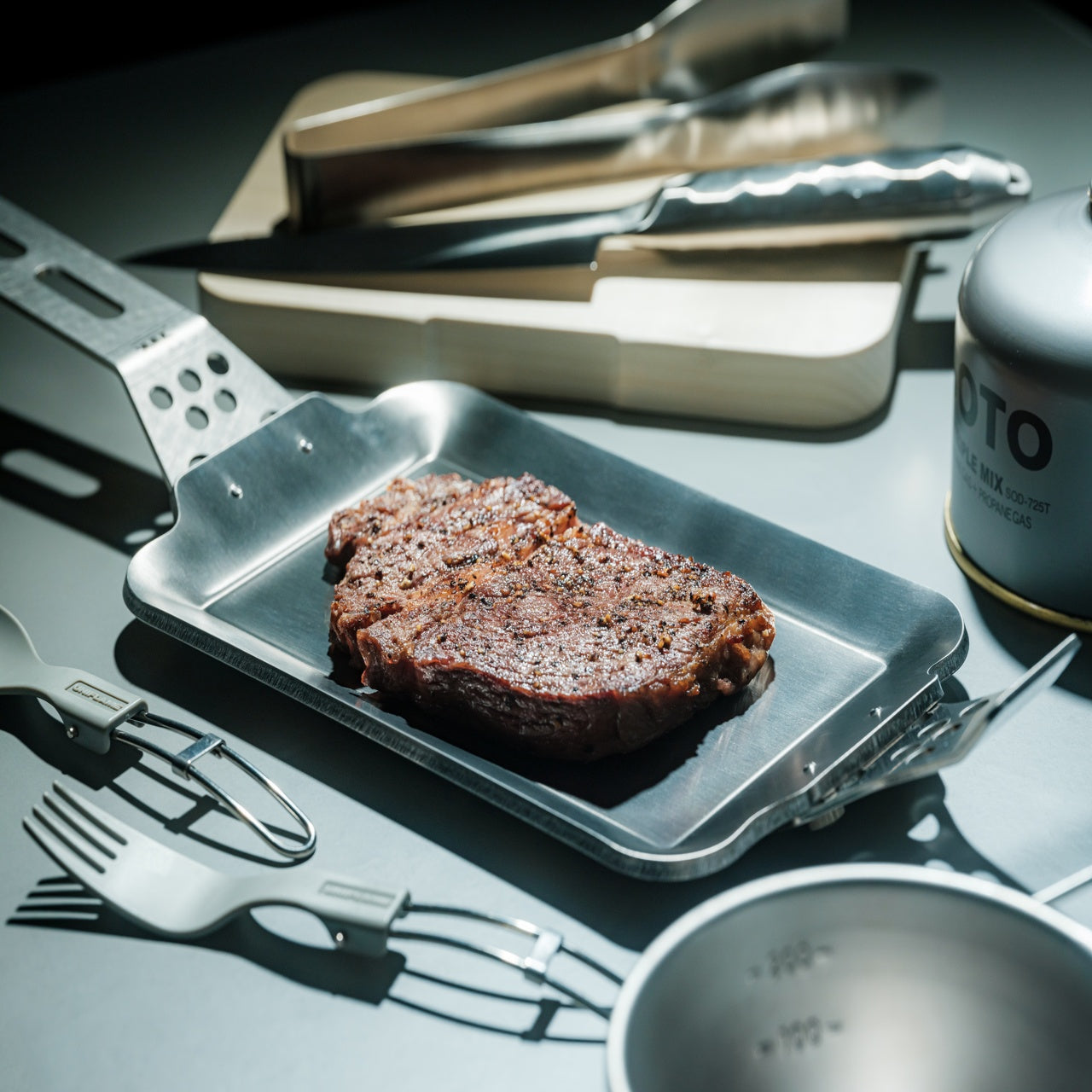
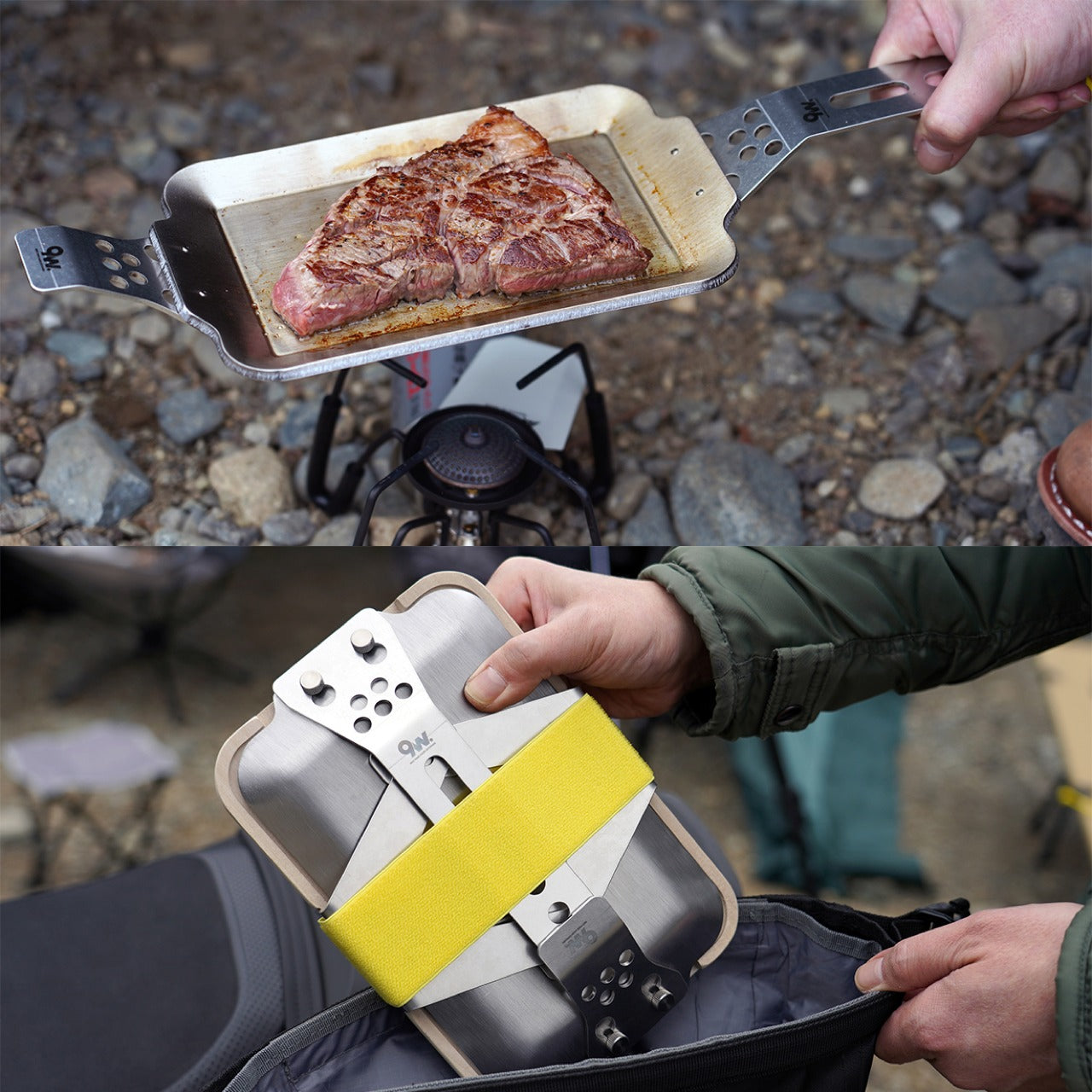
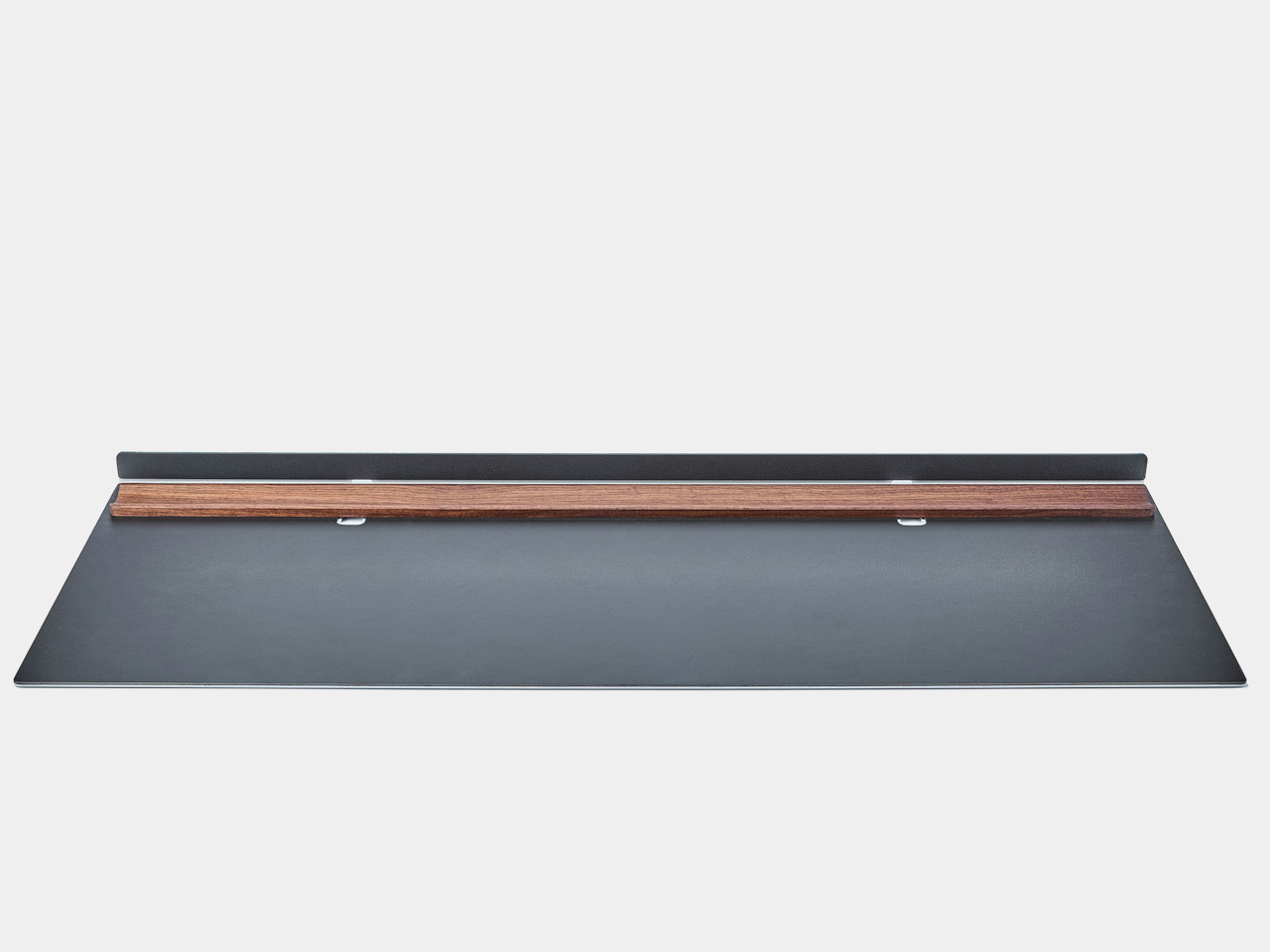
1. Iron Frying Plate

This piece of cookware collapses the distance between the stove and the table in a way that feels both radical and sensible. Made from 1.6mm-thick mill scale steel, the plate arrives rust-resistant, stick-resistant, and ready for immediate use without the lengthy seasoning ritual most iron cookware demands. The wooden handle attaches and detaches with one hand, transforming the object from cooking tool to serving vessel in a single motion. Mill scale steel is an unusual choice for consumer cookware because most manufacturers sand it off during production, but leaving it intact creates a natural non-stick surface that improves with use.

The heat distribution across that thin steel body brings out caramelization and texture in ways that thicker cast iron struggles to match, and the visual warmth of iron against a wooden table turns an ordinary weeknight dinner into something more composed. For a kitchen where counter space is limited, and dishes pile up fast, eliminating one entire step of the cooking-to-eating chain is not a gimmick. It is a rethinking of how we interact with food once it leaves the heat, and the pan-to-plate logic makes cleanup faster than any two-vessel alternative.

Click Here to Buy Now: $69.00

What we like

  • The one-hand detachable wooden handle makes the transition from stove to table seamless and eliminates the need for separate serving dishes.
  • Mill scale steel requires no initial seasoning, so it is usable straight out of the box, unlike most raw iron cookware on the market.

What we dislike

  • The thin 1.6mm steel will not retain heat as long as heavier cast iron, which means food cools faster once removed from the burner.
  • Eating directly from a frying surface takes some adjustment, and the flat profile does not contain sauces or runny dishes well.

2. Akebono Square Sandwich Cutter & Sealer

Sandwich-making in most kitchens involves a knife, a cutting board, and the quiet disappointment of fillings oozing out the sides. The Akebono cutter and sealer replaces that entire sequence with a single press that cuts and crimps simultaneously, producing sealed pockets that hold their shape through a commute, a school day, or a few hours in a lunchbox. Made in Japan with durable, food-safe materials, the tool is dishwasher-safe and simple enough for children to operate without supervision.

What makes it more than a novelty is how it changes the approach to sandwich construction entirely. Instead of spreading fillings thin to prevent spillage, the sealed edges allow for generous, layered interiors: curries, egg salad, fruit, and cream combinations that would be impossible with open-edge bread. Japanese convenience stores have perfected the sealed sandwich format for decades, and this tool brings that same logic to a home kitchen for a fraction of the cost, turning a five-minute task into a two-minute one.

What we like

  • The simultaneous cut-and-seal action locks fillings inside, making it ideal for runny or layered ingredients that would fall apart in a regular sandwich.
  • Dishwasher-safe construction and a straightforward press mechanism mean there is almost no learning curve and minimal cleanup.

What we dislike

  • The square format limits bread choices, as it works best with standard sliced bread and does not accommodate artisan loaves or thicker cuts.
  • Sealed sandwiches can trap steam when made with warm fillings, resulting in soggy bread if not cooled before sealing.

3. Three Snow Stainless Steel Round Mesh Oil Skimmer

Most oil skimmers sold outside Japan are clunky perforated ladles that catch large debris and let everything else through. The Three Snow skimmer operates on a different principle. Manufactured in Tsubame, Niigata, this tool uses 18-8 stainless steel mesh available in fine (40 mesh, 0.4mm) and coarse (16 mesh, 1.2mm) options, giving it the ability to filter particles most skimmers ignore completely. The fine mesh variant catches even the smallest frying residue, which means cleaner oil that lasts longer between changes.

Beyond deep-frying, the tool doubles as a scum remover for stocks and soups and works as a miso strainer, making it one of the more versatile single-form tools in a Japanese kitchen. Available in 12cm, 15cm, and 18cm diameters, the sizing accommodates everything from a small saucepan to a full-sized fryer. At roughly 90 to 140 grams, depending on size, the weight is negligible during long frying sessions. Tsubame stainless steel has earned its reputation: the corrosion resistance and structural integrity of these skimmers outlast most competitors by years.

What we like

  • The fine 40-mesh option catches debris as small as 0.4mm, which keeps frying oil cleaner far longer than standard perforated skimmers allow.
  • Multi-use functionality as a miso strainer, scum skimmer, and oil filter means it earns its space in a drawer more than most single-purpose tools.

What we dislike

  • Fine mesh requires more careful cleaning than a simple perforated ladle, as particles can embed in the weave and are difficult to dislodge without a brush.
  • The shallow depth (25mm to 35mm, depending on size) limits the volume of debris it can collect in a single pass during heavy frying sessions.

4. Playful Palm Grater

Conventional box graters are bulky, awkward to store, and dangerous to clean. The Playful Palm grater is none of those things. Cut from a single aluminum alloy plate and curled into a form that sits naturally in the palm, this tool reimagines what a grater can physically be. The curve creates a natural channel that directs grated cheese, ginger, garlic, or zest toward the dish below, and the ergonomic fit means the grating hand stays protected behind the plate rather than hovering over exposed blades.

Available in multiple colors, the grater looks more like a piece of desktop sculpture than a kitchen tool, which is part of the design intent. Japanese kitchen philosophy often resists the idea that tools should be hidden in drawers between uses, and a grater this visually appealing can sit on a counter without disrupting the space. The compact size makes it ideal for tableside use: grating Parmesan directly over pasta, adding fresh wasabi at the last second, finishing a salad with lemon zest. The palm grater treats garnishing not as an afterthought but as a distinct step worth its own dedicated instrument.

Click Here to Buy Now: $25.00

What we like

  • The single-plate aluminum construction eliminates crevices and joints, making it far easier to clean than traditional multi-sided graters.
  • The palm-fit ergonomic design keeps fingers behind the grating surface, reducing the risk of nicked knuckles that plague box grater users.

What we dislike

  • The compact grating surface is not suited for large-volume tasks like shredding an entire block of cheese for a casserole.
  • Aluminum alloy, while lightweight, is softer than stainless steel and will dull faster with frequent use on hard ingredients like nutmeg or frozen ginger.

5. Conte Drip-Free Oil Pot with Fine Mesh Filter

Reusing frying oil is standard practice in Japanese home cooking, and the Conte oil pot is the tool that makes it effortless. A fine black stainless steel mesh catches food particles left behind from tempura, tonkatsu, or karaage, and the non-reflective black finish serves a practical purpose: it allows a clear view of the oil level from above, something shiny stainless steel interiors make nearly impossible. The precisely curved rim eliminates drips during pouring, a detail that sounds minor until considering how many oil pots leave trails across the stovetop.

Angled knobs on the lid and strainer allow one-handed operation, so pouring oil back into a pan while holding an ingredient in the other hand becomes routine rather than a balancing act. Available in small (300ml) and large (700ml) sizes, the pot scales to different cooking habits. The small version is suited for seasoning cast iron or saving oil after pan-frying dumplings, while the large handles full frying sessions comfortably. Both sizes sit compactly beside a stove without crowding the workspace, making oil reuse clean, dignified, and free of the greasy mess that discourages most home cooks from attempting it.

What we like

  • The drip-free rim design eliminates oil trails on the stovetop, solving a problem that nearly every other oil storage container ignores.
  • The black stainless steel mesh filter makes oil clarity visible from above, so determining when to discard rather than reuse becomes a visual check instead of a guessing game.

What we dislike

  • The small 300ml version fills up rapidly and is too limited for anyone who deep-fries regularly or cooks for more than two people.
  • Stainless steel retains oil odors over time, and thorough degreasing between uses requires more effort than a quick soap-and-water rinse.

6. Oku Knife

Scottish artist and metalworker Kathleen Reilly designed the Oku knife as a direct response to a problem most Western cutlery ignores: where does the knife go between bites? Informed by the Japanese tradition of chopstick rests (hashioki), which lift eating utensils off the table surface to prevent contamination, the Oku features a handle folded 90 degrees from the blade. This fold allows the knife to rest with its handle on the table while the blade sits perpendicularly in the air, touching nothing.

The result is a tool that solves a cleanliness issue most diners have accepted as unsolvable: the dirty knife laid flat against a tablecloth or balanced on the edge of a plate. Hooking the blade along the edge of a cutting board or plate creates what Reilly describes as an intimacy between the two objects, and the angular geometry locks the knife in position rather than allowing it to slide. For a kitchen where multiple cutting tasks happen in sequence, the Oku provides a resting solution that no flat-handled knife can match. It is a rare case of form and function arriving at the same conclusion through a single geometric decision.

What we like

  • The 90-degree fold solves the dirty-knife-on-table problem that flat cutlery has ignored for centuries, keeping the blade cleanly suspended between uses.
  • The hookable design creates stability on plate rims and cutting board edges, eliminating the wobble and sliding common with standard knives at rest.

What we dislike

  • The unconventional handle angle requires a different grip than traditional knives, which may feel awkward during extended cutting or food prep sessions.
  • As a handcrafted piece by an independent metalworker, availability and pricing are limited compared to mass-produced alternatives.

7. Obsidian Black Salad & Serve Tongs

Salad tongs tend to be one of two things: flimsy spring-loaded mechanisms that lose grip on the third toss, or heavy stainless steel clamps better suited to a barbecue than a dinner table. The Obsidian Black tongs occupy neither category. Made from SUS821L1 stainless steel (a variant twice as strong as the standard SUS304 used in most kitchen tools), they achieve a thinner, lighter profile without sacrificing structural integrity. One head is shaped as a spoon, the other as a spork, and this asymmetry is the design’s smartest move.

That mismatched pairing allows the tongs to clamp down on leafy greens with the same confidence as slippery pasta or bite-sized grain bowls, because each head approaches the food from a different angle. At 20cm in length, the reach is sufficient for deep salad bowls without compromising control. The black finish creates visual contrast against greens, fruits, and light-colored dishes, which makes plating feel more considered, and the high corrosion resistance of SUS821L1 steel means the finish holds up through years of use. For a kitchen that treats presentation as part of the cooking process, these tongs turn the final step of assembling a dish into something deliberate.

Click Here to Buy Now: $32.00

What we like

  • SUS821L1 stainless steel is twice as strong as the standard SUS304, allowing a thinner profile that feels lighter in the hand without bending or flexing under load.
  • The asymmetric spoon-and-spork head design grips a wider range of textures and food types than matching heads would, from arugula to penne.

What we dislike

  • The 20cm length may feel short for tossing salads in oversized serving bowls or deep mixing containers.
  • The dark finish, while visually striking, can show water spots and fingerprints more readily than brushed or polished stainless steel.

Where This Leaves Your Kitchen

Japanese kitchen tools share an unspoken philosophy that the best gadgets do not announce themselves. They integrate. They become invisible extensions of the hand, the stove, the table, dissolving the seams between preparation, cooking, and eating until the whole sequence feels like a single continuous act. The seven tools on this list operate exactly within that logic, each one addressing a friction point that most cooks have simply accepted as normal.

Investing in these pieces is not about filling a kitchen with more objects. It is about replacing thoughtless tools with considered ones, swapping volume for precision, and treating the daily act of making food with the same intentionality that Japanese design applies to everything it touches. A kitchen built around tools like these does not feel cluttered. It feels ready.

The post 7 Best Japanese Kitchen Gadgets & Tools So Clever They Make Every Meal Feel Like a Ceremony first appeared on Yanko Design.

6 Camping Mugs From Japan That Make Coffee Taste Better (Science Says So)

You know that first sip of coffee in the morning, the one where everything just clicks? Turns out, the mug you’re drinking from has more to do with that feeling than you might think. Research has shown that ceramic mugs maintain temperature better, have a neutral flavor profile that won’t interfere with your brew, and even influence how your brain perceives taste. Studies suggest that the shape, material, and even the color of a cup can shift how sweet, intense, or satisfying a coffee actually tastes. In short, your vessel is not just a vessel. It is part of the experience.

And when it comes to vessels, Japanese ceramics have been quietly setting the standard for centuries. Right now, Japanese design is having a well-deserved moment in the spotlight, with hot beverage lovers drawn to its philosophy of wabi-sabi, finding grace in imperfection, and a deep respect for intentional, handcrafted beauty. A Japanese ceramic mug is not mass-produced or cookie-cutter. It carries the marks of its maker, the character of its kiln, and a quiet soul that only deepens with use. Bring one to your next camping trip, and that early morning brew by the fire? It just became a whole experience. These six Japanese camping mugs are proof of that.

1. Ceramic Cup

Japan’s relationship with coffee is a serious one, and the objects surrounding that ritual tend to reflect it. This Ceramic Cup is a product of that culture: a 350ml vessel crafted from Japanese ceramic with a smooth, refined finish and a natural wood handle, designed to slow the act of drinking down into something closer to meditation. It’s the kind of cup you buy because you’ve decided your daily coffee deserves better than whatever was left in the cabinet.

The pairing of ceramic and wood isn’t accidental. The ceramic body holds heat beautifully, keeping your pour at temperature while you linger over it, while the wood handle stays cool and grounded in your grip. At $60, the Ceramic Cup sits in that satisfying range of objects that feel like a genuine investment in small daily pleasures, the kind you notice every single morning and never quite get tired of.

Click Here to Buy Now: $60.00. Hurry, only a few left!

Why do we love this mug?

Bring it camping and it becomes something else entirely. Picture a particular kind of morning: cold air, slow light, the sound of a stove clicking to life. That morning deserves a proper cup. The sturdy ceramic and warm wood handle make that ritual feel intentional, even deliberate. It’s not just a mug. It’s a reason to wake up a few minutes earlier.

2. Haori Cup

When designer Tomoya Nasuda set out to revive the 400-year-old Japanese craft of Hakata Magemono, the painstaking art of hand-bending thin cedar wood plates into curved forms, the world took notice. The response was a resounding answer to the question of whether people still care about objects made with genuine cultural depth and human skill. Named after the haori, the traditional Japanese garment that wraps itself around the body, the cup follows the same principle: a single wooden plate, coaxed by hand into a form that feels both ancient and entirely new.

What elevates the Haori Cup from beautiful object to exceptional mug is how it actually performs. The bentwood construction provides natural insulation, keeping your coffee comfortable to hold whether it’s steaming hot or poured over ice, with no burning fingers and no sweating cup. The cedar wood lends a subtle, clean fragrance to each sip: a whisper of forest, not a shout. Available in several colorways including the delicate “Sakura,” every cup is handmade and genuinely one of a kind, shaped by the same grain patterns and hands that define any true craft object.

Why do we love this mug?

Bring the Haori Cup camping and something clicks into place. Holding warm coffee in a vessel bent from a single piece of Japanese cedar, sitting among trees that look not so different from the ones that made it, that’s the kind of moment you came outside for. It’s lightweight, it’s alive with history, and it makes your first cup of the morning feel less like a caffeine delivery system and more like a ceremony worth showing up for.

3. Earth Friendly Tumbler

There’s something poetic about a vessel that eventually gives itself back to the earth. The Earth Friendly Tumbler from Japan’s EcoCraft line is made from a biodegradable resin derived from paper and corn, meaning that when its long life finally ends, it quietly decomposes into water and CO₂ through natural microbial action. It’s a cup that carries the philosophy of the country that made it: thoughtful, restrained, and deeply intentional about its place in the world.

What keeps you reaching for it, though, is how it feels. The surface has a distinctive texture that sits somewhere between ceramic and wood, warm to the touch, satisfying in the palm, and nothing like the cold uniformity of plastic. Its minimalist design is clean enough for a city desk but earthy enough for the forest, and starting at just $25, it’s an easy yes. Because each tumbler’s material is shaped naturally through the biodegradable process, no two are exactly alike, a quiet nod to the Japanese ideal of wabi-sabi.

Click Here to Buy Now: $25.00. Hurry, only a few left!

Why do we love this mug?

For the camper who takes their environmental footprint as seriously as their coffee, this tumbler is a natural match. It’s light enough for a day hike, beautiful enough to sit on a camp table at sunrise, and carries with it the rare satisfaction of knowing the mug in your hand is doing the planet a quiet favor.

4. Titanium Mug

Titanium has always been the material of people who won’t compromise, and Japan’s precision metalworkers know how to honor that reputation. This mug is engineered from pure titanium, a material roughly 45% lighter than stainless steel yet equal to it in strength, which means the first time you pick it up, the lightness will catch you off guard. It feels almost implausibly slight in your hand for something this solid.

But the real story is what titanium does for your coffee. Unlike stainless steel, titanium imparts zero metallic taste or odor to your drink, so your coffee arrives exactly as it was brewed, nothing added, nothing taken away. Its lower thermal conductivity also means heat moves through the walls more slowly, keeping your drink warmer for longer on cold mornings. And with use, the titanium surface develops a gradual oxide film, a deepening, iridescent patina that makes each mug grow more beautiful and personal over time.

Why do we love this mug?

This is gear built for the outdoors without apology. It can be placed directly over a camp stove, it’s impervious to rust even in wet conditions, and its ultralight profile makes every gram-counting backpacker smile. It’s the mug you bring on every trip and eventually can’t imagine leaving behind.

5. T-Go Mini

The premise of the T-Go Mini is a simple one: great coffee shouldn’t require you to leave your standards at the trailhead. This compact travel mug was designed for people who refuse to accept that “outdoor coffee” has to mean bad coffee. Small enough to disappear into any pack, it strips the camping mug back to its most essential form and then gets every detail of that form exactly right.

“Mini” here means refined, not reduced. The T-Go Mini is shaped by the Japanese design principle of doing more with less: a tighter footprint, a secure seal, heat retention that punches above its size, and a construction that speaks of deliberate craft rather than cost-cutting. It’s the kind of object that reveals itself slowly. The more you use it, the more you appreciate what its designers chose not to include, and why.

Why do we love this mug?

For the hiker, the trail runner, or the minimalist camper who’s already decided every gram matters, the T-Go Mini is an easy decision. Slip it into a chest pocket, a jacket pouch, or a side sleeve, and let it quietly prove that the best outdoor gear doesn’t ask you to compromise. It just asks you to pay attention.

6. Pilmoa Mug

The Pilmoa Mug is a second-generation design refined through real-world feedback and use. It represents something increasingly rare in the outdoor gear market: a mug designed by people who actually think carefully about what it means to drink coffee well, not just to drink it conveniently.

The Pilmoa is built around the small details that most camping mugs overlook: the feel of the rim against your lips, the balance of the cup in a cold hand, the way heat distributes through its walls on a slow morning. These are the quiet, almost invisible considerations that separate a mug you tolerate from one you genuinely look forward to. It’s not trying to do everything, just trying to do one thing with the kind of focus that Japanese product design consistently brings to the table.

Why do we love this mug?

Compact and carefully conceived, the Pilmoa earns its place in any outdoor kit. Whether you’re setting it beside a stove in the backcountry or pulling it from a hip pack mid-hike, it holds its ground. It’s the kind of mug that reminds you, every time you use it, that good mornings outdoors are worth planning for.

Six mugs, six philosophies, one shared conviction: that how you drink matters as much as what you drink. Whether you reach for the biodegradable quiet of the Earth Friendly Tumbler, the handcrafted soul of the Haori Cup, or the no-compromise precision of the Titanium Mug, each of these objects carries the same Japanese understanding that a well-made vessel is never just a vessel. It is an argument, made in clay or cedar or titanium, that ordinary moments deserve extraordinary attention. Science already told us that the cup shapes the experience. Japan has known that for centuries. So the next time you find yourself at a campsite with cold air in your lungs and a stove hissing to life, think carefully about what you pour your coffee into. The right mug won’t just hold your drink. It will hold the whole morning.

The post 6 Camping Mugs From Japan That Make Coffee Taste Better (Science Says So) first appeared on Yanko Design.

5 Best Desk Lamps That Light Your Workspace Better Than Any Overhead Light Ever Could

Overhead lighting was never built for you specifically. It floods an entire room without discrimination, casting flat light across everything and solving nothing in particular. A well-chosen desk lamp operates differently — it targets exactly where concentration happens, reduces strain during long sessions, and brings something intentional to a space that a ceiling fixture simply cannot. The best ones do all of this while looking like they genuinely deserve to be there.

The five lamps here approach desk lighting from genuinely different directions — one learns your habits through AI, another is cast from real tractor headlight molds, one travels anywhere on AA batteries, and another chases a color accuracy standard most manufacturers don’t bother measuring. Each solves a real problem. Whether your workspace is a compact corner or a dedicated professional studio, there is a lamp on this list worth your full attention.

1. Anywhere-Use Lamp

The Anywhere-Use Lamp is designed around one honest principle — good light shouldn’t be restricted to places with power outlets. Running on four AA batteries, it removes every dependency on wall sockets and charging cables, making it as useful in a hotel room or a garden corner as it is on a permanent desk. Six high color rendering LEDs produce warm, soft output that settles gently into a space rather than announcing itself as the primary light source in the room.

Available in black, white, and an Industrial edition with a scratch-detailed metal base that treats surface wear as character rather than damage, the Anywhere Use Lamp adapts across settings without effort. Pressing any edge of the cap cycles through four brightness levels with a satisfying haptic click that makes the interaction feel considered. The modular construction breaks down quickly enough to slip into a bag, and on a desk, it reads as a minimal sculpture — quietly impressive without demanding attention from everything around it.

Click Here to Buy Now: $149.00

What We Like

  • AA battery power gives it genuine location freedom that no rechargeable or corded lamp on this list can honestly match.
  • The Industrial edition’s scratch-detailed metal base treats material imperfection as an intentional design quality rather than a manufacturing oversight.

What We Dislike

  • Four disposable AA batteries are less sustainable than a built-in rechargeable solution would be for users who run them daily.
  • Warm, atmospheric output may feel insufficient for task-heavy environments that demand stronger, more directional illumination.

2. The Lampster

The Lampster is the most funded lamp in crowdfunding history, a record that speaks to how rare genuinely characterful lighting actually is. Its head is cast from the same 40-year-old molds used for real tractor headlights, a material fact that sits at the center of everything the lamp is. Born as a side project between an architect and an engineer, it carries the kind of specificity that only arrives when something was made first for its creators, not for a market.

Functionally, the Lampster holds 120 LEDs across warm and cool white tones, controlled by a capacitive touch button on the head that adjusts intensity without needing a phone. An RGB light source connects to a mobile app that monitors power draw, saves custom settings for reading, writing, or focused work, and syncs the lamp to music. The head rotates 360 degrees while the aluminum neck bends freely in any direction. It sits on a desk and immediately becomes the most interesting object in the room.

What We Like

  • Cast from original 40-year-old tractor headlight molds, giving it a material provenance no competing desk lamp can replicate.
  • App-controlled RGB plus adjustable warm and cool white LEDs cover every working scenario without requiring separate hardware.

What We Dislike

  • Filling the hollow body with gravel for proper ballast adds a hands-on setup step that feels slightly misaligned with a premium purchase.
  • Full smart functionality depends on a mobile app, which may frustrate users who prefer straightforward, always-available physical controls.

3. DEEP

DEEP is what happens when a lamp decides your working environment should configure itself around you rather than the other way around. Turn it on with a spinning-top-inspired power button, tell it what you are about to do — studying, coding, reading, creative work — and it adjusts both lighting and ambient sound automatically. The AI underneath isn’t a selling point bolted on at the last stage. It actively shapes your workspace conditions before you’ve had to think about them yourself.

A camera positioned at eye level monitors your focus state in real time, functioning like a built-in productivity coach without requiring a separate device. Side buttons allow precise manual overrides, and when adjustments are saved, the system builds a personal profile that becomes more attuned the longer the lamp sits on your desk. Over repeated sessions, DEEP learns the exact conditions under which you concentrate best and begins applying them without being asked — a meaningfully different relationship with a piece of desk hardware.

What We Like

  • AI-driven environment configuration learns and refines your preferences over repeated sessions, becoming genuinely more useful the longer you use it.
  • Camera-based real-time focus monitoring replaces any need for an external productivity tracking application or additional device on your desk.

What We Dislike

  • A built-in camera positioned at eye level may not sit comfortably with users who value privacy in their personal workspace.
  • As a concept-stage design, software longevity, update support, and manufacturer reliability over time remain unconfirmed.

4. Lumio Ovo

Most adjustable lamps eventually disappoint. Multiple joints accumulate play, precise positioning becomes a daily compromise, and what is marketed as flexible control quietly becomes a frustration. The Lumio Ovo addresses this by reducing the entire adjustment system to a single pivot — a seesaw-style motion that rotates a full 360 degrees around a central point and feels exact from the very first interaction. No creaking. No wobble. No accumulated looseness. Precise, repeatable directional control housed in a form that makes no apologies.

Lumio left the central pivot fully exposed rather than hiding it inside a casing, which turns the structural solution into the lamp’s most compelling visual element. At rest on a desk, the Ovo reads as a kinetic art object — the kind of piece that earns a comment from anyone who sees it for the first time. Nudge it gently, and it finds its new position with an ease that lamps carrying three times the moving parts rarely manage to deliver with the same quiet confidence.

What We Like

  • A single-pivot seesaw mechanism eliminates the joint loosening and positional drift that eventually compromise most multi-hinge desk lamps.
  • The exposed pivot transforms the engineering solution into the lamp’s defining aesthetic element, making form and function genuinely inseparable.

What We Dislike

  • Detailed light output and color temperature specifications are not widely published, making pre-purchase performance evaluation difficult.
  • The balance-based seesaw motion may not satisfy users who need a lamp to lock firmly into position without any residual movement.

5. Redgrass R9 Desk Lamp

Standard color rendering measurements evaluate eight color samples and call it accurate. Redgrass developed a methodology that evaluates 99 and achieved an extended CRI score of 98.5 — a number that places the R9 in a fundamentally different category. The practical result is light that renders color the way natural daylight does. For painters, illustrators, and anyone whose work depends on seeing accurate hues under artificial conditions, the difference is immediate and impossible to ignore.

At 1800 lumens and 3700 lux measured at 45 centimeters, the R9 delivers serious, sustained output from 96 custom-made LEDs arranged across two independently rotating bars. That dual-bar configuration isn’t decorative — it eliminates the shadows a single light source always casts across detailed work surfaces. It holds the Red Dot Best of the Best and iF Design Awards, and professional teams behind Avatar and The Lord of the Rings have adopted it as a standard studio tool.

What We Like

  • An extended CRI of 98.5 evaluated across 99 color sample sets is an accuracy benchmark that no conventional desk lamp currently comes close to reaching.
  • Two independently rotating light bars eliminate surface shadows in a way that a single light source is physically incapable of replicating.

What We Dislike

  • At $279.99, the R9 demands a meaningful financial commitment, even when the performance makes a fair and honest case for itself.
  • The clamp-based mount and larger physical footprint make it a less natural fit for compact or minimal desk setups.

The Right Light Changes Everything

Each lamp here solves something a ceiling fixture never bothered to think about. The Lampster gives a desk a genuine personality. The Anywhere Use Lamp follows you without conditions. DEEP maps your habits and builds the environment around them. The Ovo reduces all mechanical complexity to a single satisfying gesture. The R9 shows you the color the way it was actually meant to appear. All five refuse to treat workspace lighting as an afterthought worth quietly tolerating.

Good lighting doesn’t just help you see — it sustains concentration, reduces physical strain, and signals that a workspace was assembled with real intention. The difference between a desk lamp and an overhead light isn’t simply positional. One serves the room. The other serves you. Once that distinction becomes clear, returning to a fixture that has no idea what you’re working on or how long you’ve been sitting there becomes genuinely difficult to justify.

The post 5 Best Desk Lamps That Light Your Workspace Better Than Any Overhead Light Ever Could first appeared on Yanko Design.

Two ESR Accessories That Fix the iPad’s Most Frustrating Problems

The iPad has a funny relationship with its own potential. Apple builds these devices with silicon that outpaces many laptops, pairs them with displays that creative professionals genuinely covet, sandwiches everything into one impossibly sleek slab of glass and aluminum… and then just announces them without obsessively planning the broader ecosystem. The Magic Keyboard, while capable, is expensive, as is the Pencil. One confines you to a laptop-style of using, the other to a conventional tablet. This, I believe, is Apple building a symbiotic relationship with third-party accessory makers who, more often than not, do a better job than Apple at really planning an ecosystem around powerful devices like the iPad Pro… and at a much lower price point.

ESR has made a habit of knowing how to harness the iPad’s hybrid potential correctly. The Shift Keyboard Case (Detachable) and the Geo Digital Pencil read like two products designed by people who use an iPad seriously and got tired of being held back. One brings detachable keyboard flexibility and a generous trackpad to a category Apple makes expensive and rigid. The other brings Find My tracking and Bluetooth shortcuts to stylus use, features that make you wonder why they were ever considered optional. Together, they close the loop on what a well-designed iPad workflow actually needs.

ESR Shift Keyboard Case: Designed Around How People Actually Use an iPad

The biggest issue with turning an iPad into a laptop has always been the finality of it. Most keyboard cases, including Apple’s own, lock the device into a landscape, clamshell-style format that feels clumsy the moment you want to use it as a tablet again. The Shift Keyboard Case is built around a strong magnetic connection that sidesteps this entire problem. The keyboard half simply lifts away from the stand and case, leaving the protected iPad behind. This design treats the keyboard as a powerful, dedicated tool you bring in for serious typing, not as a permanent attachment you have to constantly wrestle with. It’s a simple mechanical solution to a complicated user experience problem, and it fundamentally changes how you approach the device.

When the keyboard is attached, the setup feels remarkably committed to a proper laptop workflow. ESR put a large, click-anywhere trackpad at the center of the design, which is the correct choice now that iPadOS has such robust cursor support. It lets you navigate, select text, and use gestures without your hands ever leaving the typing area. The keys themselves are backlit, with enough travel to feel responsive for long-form writing rather than just firing off a quick email. This combination of a full-featured keyboard and a genuinely usable trackpad is what separates a serious work setup from a temporary compromise, and it’s clear which side of that line ESR was aiming for.

Once you detach the keyboard, the other half of the product’s intelligence becomes apparent. The remaining case and stand function independently, offering multiple viewing angles in both landscape and, crucially, portrait orientation. This is a detail that many competitors miss entirely. Being able to set the iPad up vertically for reading documents, coding, or taking video calls respects the fact that not all work happens in a 16:9 window. The stand mechanism is sturdy enough to support the iPad securely on a desk, making it a useful tool for media viewing or as a secondary display, all without the keyboard taking up space.

Putting it all together, the Shift case presents a complete, two-part system that adapts to the task at hand. The protective shell keeps the iPad safe, while the keyboard and stand components offer a level of functional flexibility that feels genuinely thoughtful. It’s a design that acknowledges the iPad is not a laptop, nor is it just a tablet; it’s a hybrid device that thrives when its accessories allow it to switch between roles effortlessly. The entire package is less about forcing the iPad into a new shape and more about giving its existing, versatile shape the tools it needs to be useful in more situations.

Why We Recommend It

At $89.99, the Shift Keyboard Case costs roughly a fifth of what Apple charges for the Magic Keyboard, and that price gap alone would almost be enough. What makes the recommendation easy, though, is that the Shift Case actually offers something the Magic Keyboard doesn’t: the ability to leave the keyboard behind entirely. Apple’s solution commits you to a permanent clamshell, while the Shift Case treats that keyboard as a deployable tool with a specific job to do. For anyone who uses their iPad across genuinely different contexts, a desk in the morning, a couch in the evening, a bag in between, that modularity has real, daily value. The backlit keys and click-anywhere trackpad raise the floor on what a $90 keyboard case is supposed to feel like, making it difficult to justify spending more for fewer options.

Click Here to Buy Now: $89.99 | Amazon Link Here.

ESR Geo Digital Pencil: A Stylus That’s Actually Hard to Lose

The most intelligent feature in the Geo Digital Pencil has nothing to do with drawing. It’s the integration of Apple’s Find My network, a decision so logical it feels like an oversight on Apple’s part. Not only can you locate the stylus using Apple’s Find My, you can even ping it through the app, causing the stylus to emit an audio alert for helping find it easily. This elevates the stylus from an easily misplaced accessory into a trackable piece of hardware, just like an AirTag or a pair of AirPods. Losing a stylus between sofa cushions or leaving it behind in a cafe is a common, expensive problem. By making the Geo Pencil locatable on a map directly within the Find My app, ESR has addressed a genuine point of user anxiety with a clean, native software solution that requires no extra apps or dongles.

Standardizing on a USB-C charging port was the other correct, user-first decision. It aligns the pencil with the charging ecosystem of the iPad, the Mac, and countless other modern devices, eliminating the need to carry a separate, proprietary cable. The port is discreetly located near the top of the stylus, allowing for a full charge in just 20 minutes, which is fast enough to rescue a dead battery right before a meeting or class. This commitment to a universal standard removes a significant point of friction from the daily workflow, acknowledging that convenience is a critical feature in any tool you rely on.

For actual creative and navigational input, the pencil delivers the features that cover the majority of use cases. It has full tilt sensitivity, allowing you to vary line thickness for shading in apps like Procreate, and its palm rejection is reliable enough for you to rest your hand on the screen while writing. While it doesn’t include pressure sensitivity, a feature reserved for high-end artistic work, it adds utility elsewhere. Once paired over Bluetooth, the top button becomes a shortcut key: a single tap returns you to the home screen, and a double tap opens the multitasking view, turning the stylus into a capable system remote.

These thoughtful features add up to a tool designed for the realities of daily use. The pencil snaps magnetically to the side of compatible iPads for easy storage, and its weight and balance feel comfortable for long note-taking sessions. It operates with pixel-perfect precision and no discernible lag, behaving exactly as you would expect a native stylus to. The Geo Digital Pencil is a clear example of a product designed to complete an experience, addressing the practical needs of organization, charging, and system navigation that make an iPad a genuinely more capable device.

Why We Recommend It

The Apple Pencil USB-C, Apple’s most affordable stylus, retails at $79 and offers no Find My support, no Bluetooth shortcuts, and no battery indicator. The Geo Digital Pencil costs $32.99 and has all three. That comparison does most of the heavy lifting, but the more interesting case for the Geo Pencil is what it means for the kind of person who carries an iPad between locations constantly, students, freelancers, people working from cafes and conference rooms. Styluses disappear. They roll off desks, get left in bags, and turn up missing at the worst possible moment. Having Find My baked in at this price point converts a frustrating accessory into a dependable one, and that reliability is worth more in practice than any spec on a sheet. The 20-minute full charge via USB-C keeps it from becoming another thing you have to carefully manage, and the tilt sensitivity and Bluetooth shortcuts round out a package that punches well above its category.

Click Here to Buy Now: $32.99 $36.99 (11% off). Hurry, deal ends in 48-hours! Amazon Link Here.

The post Two ESR Accessories That Fix the iPad’s Most Frustrating Problems first appeared on Yanko Design.
Two ESR Accessories That Fix the iPad’s Most Frustrating Problems

The iPad has a funny relationship with its own potential. Apple builds these devices with silicon that outpaces many laptops, pairs them with displays that creative professionals genuinely covet, sandwiches everything into one impossibly sleek slab of glass and aluminum… and then just announces them without obsessively planning the broader ecosystem. The Magic Keyboard, while capable, is expensive, as is the Pencil. One confines you to a laptop-style of using, the other to a conventional tablet. This, I believe, is Apple building a symbiotic relationship with third-party accessory makers who, more often than not, do a better job than Apple at really planning an ecosystem around powerful devices like the iPad Pro… and at a much lower price point.

ESR has made a habit of knowing how to harness the iPad’s hybrid potential correctly. The Shift Keyboard Case (Detachable) and the Geo Digital Pencil read like two products designed by people who use an iPad seriously and got tired of being held back. One brings detachable keyboard flexibility and a generous trackpad to a category Apple makes expensive and rigid. The other brings Find My tracking and Bluetooth shortcuts to stylus use, features that make you wonder why they were ever considered optional. Together, they close the loop on what a well-designed iPad workflow actually needs.

ESR Shift Keyboard Case: Designed Around How People Actually Use an iPad

The biggest issue with turning an iPad into a laptop has always been the finality of it. Most keyboard cases, including Apple’s own, lock the device into a landscape, clamshell-style format that feels clumsy the moment you want to use it as a tablet again. The Shift Keyboard Case is built around a strong magnetic connection that sidesteps this entire problem. The keyboard half simply lifts away from the stand and case, leaving the protected iPad behind. This design treats the keyboard as a powerful, dedicated tool you bring in for serious typing, not as a permanent attachment you have to constantly wrestle with. It’s a simple mechanical solution to a complicated user experience problem, and it fundamentally changes how you approach the device.

When the keyboard is attached, the setup feels remarkably committed to a proper laptop workflow. ESR put a large, click-anywhere trackpad at the center of the design, which is the correct choice now that iPadOS has such robust cursor support. It lets you navigate, select text, and use gestures without your hands ever leaving the typing area. The keys themselves are backlit, with enough travel to feel responsive for long-form writing rather than just firing off a quick email. This combination of a full-featured keyboard and a genuinely usable trackpad is what separates a serious work setup from a temporary compromise, and it’s clear which side of that line ESR was aiming for.

Once you detach the keyboard, the other half of the product’s intelligence becomes apparent. The remaining case and stand function independently, offering multiple viewing angles in both landscape and, crucially, portrait orientation. This is a detail that many competitors miss entirely. Being able to set the iPad up vertically for reading documents, coding, or taking video calls respects the fact that not all work happens in a 16:9 window. The stand mechanism is sturdy enough to support the iPad securely on a desk, making it a useful tool for media viewing or as a secondary display, all without the keyboard taking up space.

Putting it all together, the Shift case presents a complete, two-part system that adapts to the task at hand. The protective shell keeps the iPad safe, while the keyboard and stand components offer a level of functional flexibility that feels genuinely thoughtful. It’s a design that acknowledges the iPad is not a laptop, nor is it just a tablet; it’s a hybrid device that thrives when its accessories allow it to switch between roles effortlessly. The entire package is less about forcing the iPad into a new shape and more about giving its existing, versatile shape the tools it needs to be useful in more situations.

Why We Recommend It

At $89.99, the Shift Keyboard Case costs roughly a fifth of what Apple charges for the Magic Keyboard, and that price gap alone would almost be enough. What makes the recommendation easy, though, is that the Shift Case actually offers something the Magic Keyboard doesn’t: the ability to leave the keyboard behind entirely. Apple’s solution commits you to a permanent clamshell, while the Shift Case treats that keyboard as a deployable tool with a specific job to do. For anyone who uses their iPad across genuinely different contexts, a desk in the morning, a couch in the evening, a bag in between, that modularity has real, daily value. The backlit keys and click-anywhere trackpad raise the floor on what a $90 keyboard case is supposed to feel like, making it difficult to justify spending more for fewer options.

Click Here to Buy Now: $89.99 | Amazon Link Here.

ESR Geo Digital Pencil: A Stylus That’s Actually Hard to Lose

The most intelligent feature in the Geo Digital Pencil has nothing to do with drawing. It’s the integration of Apple’s Find My network, a decision so logical it feels like an oversight on Apple’s part. Not only can you locate the stylus using Apple’s Find My, you can even ping it through the app, causing the stylus to emit an audio alert for helping find it easily. This elevates the stylus from an easily misplaced accessory into a trackable piece of hardware, just like an AirTag or a pair of AirPods. Losing a stylus between sofa cushions or leaving it behind in a cafe is a common, expensive problem. By making the Geo Pencil locatable on a map directly within the Find My app, ESR has addressed a genuine point of user anxiety with a clean, native software solution that requires no extra apps or dongles.

Standardizing on a USB-C charging port was the other correct, user-first decision. It aligns the pencil with the charging ecosystem of the iPad, the Mac, and countless other modern devices, eliminating the need to carry a separate, proprietary cable. The port is discreetly located near the top of the stylus, allowing for a full charge in just 20 minutes, which is fast enough to rescue a dead battery right before a meeting or class. This commitment to a universal standard removes a significant point of friction from the daily workflow, acknowledging that convenience is a critical feature in any tool you rely on.

For actual creative and navigational input, the pencil delivers the features that cover the majority of use cases. It has full tilt sensitivity, allowing you to vary line thickness for shading in apps like Procreate, and its palm rejection is reliable enough for you to rest your hand on the screen while writing. While it doesn’t include pressure sensitivity, a feature reserved for high-end artistic work, it adds utility elsewhere. Once paired over Bluetooth, the top button becomes a shortcut key: a single tap returns you to the home screen, and a double tap opens the multitasking view, turning the stylus into a capable system remote.

These thoughtful features add up to a tool designed for the realities of daily use. The pencil snaps magnetically to the side of compatible iPads for easy storage, and its weight and balance feel comfortable for long note-taking sessions. It operates with pixel-perfect precision and no discernible lag, behaving exactly as you would expect a native stylus to. The Geo Digital Pencil is a clear example of a product designed to complete an experience, addressing the practical needs of organization, charging, and system navigation that make an iPad a genuinely more capable device.

Why We Recommend It

The Apple Pencil USB-C, Apple’s most affordable stylus, retails at $79 and offers no Find My support, no Bluetooth shortcuts, and no battery indicator. The Geo Digital Pencil costs $32.99 and has all three. That comparison does most of the heavy lifting, but the more interesting case for the Geo Pencil is what it means for the kind of person who carries an iPad between locations constantly, students, freelancers, people working from cafes and conference rooms. Styluses disappear. They roll off desks, get left in bags, and turn up missing at the worst possible moment. Having Find My baked in at this price point converts a frustrating accessory into a dependable one, and that reliability is worth more in practice than any spec on a sheet. The 20-minute full charge via USB-C keeps it from becoming another thing you have to carefully manage, and the tilt sensitivity and Bluetooth shortcuts round out a package that punches well above its category.

Click Here to Buy Now: $32.99 $36.99 (11% off). Hurry, deal ends in 48-hours! Amazon Link Here.

The post Two ESR Accessories That Fix the iPad’s Most Frustrating Problems first appeared on Yanko Design.

Two ESR Accessories That Fix the iPad’s Most Frustrating Problems

The iPad has a funny relationship with its own potential. Apple builds these devices with silicon that outpaces many laptops, pairs them with displays that creative professionals genuinely covet, sandwiches everything into one impossibly sleek slab of glass and aluminum… and then just announces them without obsessively planning the broader ecosystem. The Magic Keyboard, while capable, is expensive, as is the Pencil. One confines you to a laptop-style of using, the other to a conventional tablet. This, I believe, is Apple building a symbiotic relationship with third-party accessory makers who, more often than not, do a better job than Apple at really planning an ecosystem around powerful devices like the iPad Pro… and at a much lower price point.

ESR has made a habit of knowing how to harness the iPad’s hybrid potential correctly. The Shift Keyboard Case (Detachable) and the Geo Digital Pencil read like two products designed by people who use an iPad seriously and got tired of being held back. One brings detachable keyboard flexibility and a generous trackpad to a category Apple makes expensive and rigid. The other brings Find My tracking and Bluetooth shortcuts to stylus use, features that make you wonder why they were ever considered optional. Together, they close the loop on what a well-designed iPad workflow actually needs.

ESR Shift Keyboard Case: Designed Around How People Actually Use an iPad

The biggest issue with turning an iPad into a laptop has always been the finality of it. Most keyboard cases, including Apple’s own, lock the device into a landscape, clamshell-style format that feels clumsy the moment you want to use it as a tablet again. The Shift Keyboard Case is built around a strong magnetic connection that sidesteps this entire problem. The keyboard half simply lifts away from the stand and case, leaving the protected iPad behind. This design treats the keyboard as a powerful, dedicated tool you bring in for serious typing, not as a permanent attachment you have to constantly wrestle with. It’s a simple mechanical solution to a complicated user experience problem, and it fundamentally changes how you approach the device.

When the keyboard is attached, the setup feels remarkably committed to a proper laptop workflow. ESR put a large, click-anywhere trackpad at the center of the design, which is the correct choice now that iPadOS has such robust cursor support. It lets you navigate, select text, and use gestures without your hands ever leaving the typing area. The keys themselves are backlit, with enough travel to feel responsive for long-form writing rather than just firing off a quick email. This combination of a full-featured keyboard and a genuinely usable trackpad is what separates a serious work setup from a temporary compromise, and it’s clear which side of that line ESR was aiming for.

Once you detach the keyboard, the other half of the product’s intelligence becomes apparent. The remaining case and stand function independently, offering multiple viewing angles in both landscape and, crucially, portrait orientation. This is a detail that many competitors miss entirely. Being able to set the iPad up vertically for reading documents, coding, or taking video calls respects the fact that not all work happens in a 16:9 window. The stand mechanism is sturdy enough to support the iPad securely on a desk, making it a useful tool for media viewing or as a secondary display, all without the keyboard taking up space.

Putting it all together, the Shift case presents a complete, two-part system that adapts to the task at hand. The protective shell keeps the iPad safe, while the keyboard and stand components offer a level of functional flexibility that feels genuinely thoughtful. It’s a design that acknowledges the iPad is not a laptop, nor is it just a tablet; it’s a hybrid device that thrives when its accessories allow it to switch between roles effortlessly. The entire package is less about forcing the iPad into a new shape and more about giving its existing, versatile shape the tools it needs to be useful in more situations.

Why We Recommend It

At $89.99, the Shift Keyboard Case costs roughly a fifth of what Apple charges for the Magic Keyboard, and that price gap alone would almost be enough. What makes the recommendation easy, though, is that the Shift Case actually offers something the Magic Keyboard doesn’t: the ability to leave the keyboard behind entirely. Apple’s solution commits you to a permanent clamshell, while the Shift Case treats that keyboard as a deployable tool with a specific job to do. For anyone who uses their iPad across genuinely different contexts, a desk in the morning, a couch in the evening, a bag in between, that modularity has real, daily value. The backlit keys and click-anywhere trackpad raise the floor on what a $90 keyboard case is supposed to feel like, making it difficult to justify spending more for fewer options.

Click Here to Buy Now: $89.99 | Amazon Link Here.

ESR Geo Digital Pencil: A Stylus That’s Actually Hard to Lose

The most intelligent feature in the Geo Digital Pencil has nothing to do with drawing. It’s the integration of Apple’s Find My network, a decision so logical it feels like an oversight on Apple’s part. Not only can you locate the stylus using Apple’s Find My, you can even ping it through the app, causing the stylus to emit an audio alert for helping find it easily. This elevates the stylus from an easily misplaced accessory into a trackable piece of hardware, just like an AirTag or a pair of AirPods. Losing a stylus between sofa cushions or leaving it behind in a cafe is a common, expensive problem. By making the Geo Pencil locatable on a map directly within the Find My app, ESR has addressed a genuine point of user anxiety with a clean, native software solution that requires no extra apps or dongles.

Standardizing on a USB-C charging port was the other correct, user-first decision. It aligns the pencil with the charging ecosystem of the iPad, the Mac, and countless other modern devices, eliminating the need to carry a separate, proprietary cable. The port is discreetly located near the top of the stylus, allowing for a full charge in just 20 minutes, which is fast enough to rescue a dead battery right before a meeting or class. This commitment to a universal standard removes a significant point of friction from the daily workflow, acknowledging that convenience is a critical feature in any tool you rely on.

For actual creative and navigational input, the pencil delivers the features that cover the majority of use cases. It has full tilt sensitivity, allowing you to vary line thickness for shading in apps like Procreate, and its palm rejection is reliable enough for you to rest your hand on the screen while writing. While it doesn’t include pressure sensitivity, a feature reserved for high-end artistic work, it adds utility elsewhere. Once paired over Bluetooth, the top button becomes a shortcut key: a single tap returns you to the home screen, and a double tap opens the multitasking view, turning the stylus into a capable system remote.

These thoughtful features add up to a tool designed for the realities of daily use. The pencil snaps magnetically to the side of compatible iPads for easy storage, and its weight and balance feel comfortable for long note-taking sessions. It operates with pixel-perfect precision and no discernible lag, behaving exactly as you would expect a native stylus to. The Geo Digital Pencil is a clear example of a product designed to complete an experience, addressing the practical needs of organization, charging, and system navigation that make an iPad a genuinely more capable device.

Why We Recommend It

The Apple Pencil USB-C, Apple’s most affordable stylus, retails at $79 and offers no Find My support, no Bluetooth shortcuts, and no battery indicator. The Geo Digital Pencil costs $32.99 and has all three. That comparison does most of the heavy lifting, but the more interesting case for the Geo Pencil is what it means for the kind of person who carries an iPad between locations constantly, students, freelancers, people working from cafes and conference rooms. Styluses disappear. They roll off desks, get left in bags, and turn up missing at the worst possible moment. Having Find My baked in at this price point converts a frustrating accessory into a dependable one, and that reliability is worth more in practice than any spec on a sheet. The 20-minute full charge via USB-C keeps it from becoming another thing you have to carefully manage, and the tilt sensitivity and Bluetooth shortcuts round out a package that punches well above its category.

Click Here to Buy Now: $32.99 $36.99 (11% off). Hurry, deal ends in 48-hours! Amazon Link Here.

The post Two ESR Accessories That Fix the iPad’s Most Frustrating Problems first appeared on Yanko Design.
Two ESR Accessories That Fix the iPad’s Most Frustrating Problems

The iPad has a funny relationship with its own potential. Apple builds these devices with silicon that outpaces many laptops, pairs them with displays that creative professionals genuinely covet, sandwiches everything into one impossibly sleek slab of glass and aluminum… and then just announces them without obsessively planning the broader ecosystem. The Magic Keyboard, while capable, is expensive, as is the Pencil. One confines you to a laptop-style of using, the other to a conventional tablet. This, I believe, is Apple building a symbiotic relationship with third-party accessory makers who, more often than not, do a better job than Apple at really planning an ecosystem around powerful devices like the iPad Pro… and at a much lower price point.

ESR has made a habit of knowing how to harness the iPad’s hybrid potential correctly. The Shift Keyboard Case (Detachable) and the Geo Digital Pencil read like two products designed by people who use an iPad seriously and got tired of being held back. One brings detachable keyboard flexibility and a generous trackpad to a category Apple makes expensive and rigid. The other brings Find My tracking and Bluetooth shortcuts to stylus use, features that make you wonder why they were ever considered optional. Together, they close the loop on what a well-designed iPad workflow actually needs.

ESR Shift Keyboard Case: Designed Around How People Actually Use an iPad

The biggest issue with turning an iPad into a laptop has always been the finality of it. Most keyboard cases, including Apple’s own, lock the device into a landscape, clamshell-style format that feels clumsy the moment you want to use it as a tablet again. The Shift Keyboard Case is built around a strong magnetic connection that sidesteps this entire problem. The keyboard half simply lifts away from the stand and case, leaving the protected iPad behind. This design treats the keyboard as a powerful, dedicated tool you bring in for serious typing, not as a permanent attachment you have to constantly wrestle with. It’s a simple mechanical solution to a complicated user experience problem, and it fundamentally changes how you approach the device.

When the keyboard is attached, the setup feels remarkably committed to a proper laptop workflow. ESR put a large, click-anywhere trackpad at the center of the design, which is the correct choice now that iPadOS has such robust cursor support. It lets you navigate, select text, and use gestures without your hands ever leaving the typing area. The keys themselves are backlit, with enough travel to feel responsive for long-form writing rather than just firing off a quick email. This combination of a full-featured keyboard and a genuinely usable trackpad is what separates a serious work setup from a temporary compromise, and it’s clear which side of that line ESR was aiming for.

Once you detach the keyboard, the other half of the product’s intelligence becomes apparent. The remaining case and stand function independently, offering multiple viewing angles in both landscape and, crucially, portrait orientation. This is a detail that many competitors miss entirely. Being able to set the iPad up vertically for reading documents, coding, or taking video calls respects the fact that not all work happens in a 16:9 window. The stand mechanism is sturdy enough to support the iPad securely on a desk, making it a useful tool for media viewing or as a secondary display, all without the keyboard taking up space.

Putting it all together, the Shift case presents a complete, two-part system that adapts to the task at hand. The protective shell keeps the iPad safe, while the keyboard and stand components offer a level of functional flexibility that feels genuinely thoughtful. It’s a design that acknowledges the iPad is not a laptop, nor is it just a tablet; it’s a hybrid device that thrives when its accessories allow it to switch between roles effortlessly. The entire package is less about forcing the iPad into a new shape and more about giving its existing, versatile shape the tools it needs to be useful in more situations.

Why We Recommend It

At $89.99, the Shift Keyboard Case costs roughly a fifth of what Apple charges for the Magic Keyboard, and that price gap alone would almost be enough. What makes the recommendation easy, though, is that the Shift Case actually offers something the Magic Keyboard doesn’t: the ability to leave the keyboard behind entirely. Apple’s solution commits you to a permanent clamshell, while the Shift Case treats that keyboard as a deployable tool with a specific job to do. For anyone who uses their iPad across genuinely different contexts, a desk in the morning, a couch in the evening, a bag in between, that modularity has real, daily value. The backlit keys and click-anywhere trackpad raise the floor on what a $90 keyboard case is supposed to feel like, making it difficult to justify spending more for fewer options.

Click Here to Buy Now: $89.99 | Amazon Link Here.

ESR Geo Digital Pencil: A Stylus That’s Actually Hard to Lose

The most intelligent feature in the Geo Digital Pencil has nothing to do with drawing. It’s the integration of Apple’s Find My network, a decision so logical it feels like an oversight on Apple’s part. Not only can you locate the stylus using Apple’s Find My, you can even ping it through the app, causing the stylus to emit an audio alert for helping find it easily. This elevates the stylus from an easily misplaced accessory into a trackable piece of hardware, just like an AirTag or a pair of AirPods. Losing a stylus between sofa cushions or leaving it behind in a cafe is a common, expensive problem. By making the Geo Pencil locatable on a map directly within the Find My app, ESR has addressed a genuine point of user anxiety with a clean, native software solution that requires no extra apps or dongles.

Standardizing on a USB-C charging port was the other correct, user-first decision. It aligns the pencil with the charging ecosystem of the iPad, the Mac, and countless other modern devices, eliminating the need to carry a separate, proprietary cable. The port is discreetly located near the top of the stylus, allowing for a full charge in just 20 minutes, which is fast enough to rescue a dead battery right before a meeting or class. This commitment to a universal standard removes a significant point of friction from the daily workflow, acknowledging that convenience is a critical feature in any tool you rely on.

For actual creative and navigational input, the pencil delivers the features that cover the majority of use cases. It has full tilt sensitivity, allowing you to vary line thickness for shading in apps like Procreate, and its palm rejection is reliable enough for you to rest your hand on the screen while writing. While it doesn’t include pressure sensitivity, a feature reserved for high-end artistic work, it adds utility elsewhere. Once paired over Bluetooth, the top button becomes a shortcut key: a single tap returns you to the home screen, and a double tap opens the multitasking view, turning the stylus into a capable system remote.

These thoughtful features add up to a tool designed for the realities of daily use. The pencil snaps magnetically to the side of compatible iPads for easy storage, and its weight and balance feel comfortable for long note-taking sessions. It operates with pixel-perfect precision and no discernible lag, behaving exactly as you would expect a native stylus to. The Geo Digital Pencil is a clear example of a product designed to complete an experience, addressing the practical needs of organization, charging, and system navigation that make an iPad a genuinely more capable device.

Why We Recommend It

The Apple Pencil USB-C, Apple’s most affordable stylus, retails at $79 and offers no Find My support, no Bluetooth shortcuts, and no battery indicator. The Geo Digital Pencil costs $32.99 and has all three. That comparison does most of the heavy lifting, but the more interesting case for the Geo Pencil is what it means for the kind of person who carries an iPad between locations constantly, students, freelancers, people working from cafes and conference rooms. Styluses disappear. They roll off desks, get left in bags, and turn up missing at the worst possible moment. Having Find My baked in at this price point converts a frustrating accessory into a dependable one, and that reliability is worth more in practice than any spec on a sheet. The 20-minute full charge via USB-C keeps it from becoming another thing you have to carefully manage, and the tilt sensitivity and Bluetooth shortcuts round out a package that punches well above its category.

Click Here to Buy Now: $32.99 $36.99 (11% off). Hurry, deal ends in 48-hours! Amazon Link Here.

The post Two ESR Accessories That Fix the iPad’s Most Frustrating Problems first appeared on Yanko Design.
5 Best Gadgets Every Tech-Savvy Digital Nomad Is Quietly Packing Right Now

The digital nomad bag has evolved past the obvious picks. Laptop, charger, earbuds, done. That kit worked five years ago when remote work meant answering emails from a beach hostel. Now, the people doing this full-time run dual-monitor editing setups from Lisbon apartments, take client calls from co-working spaces in Chiang Mai, and file deadlines from airport lounges without missing a beat. The gear that makes that possible is not the laptop itself but the small, clever peripherals around it, the ones that turn a single USB-C port into a proper workstation and collapse back into a carry-on when it is time to move again.

We have been tracking the gadgets that keep surfacing in nomad communities and tech-forward travel kits this year, and five products stood out for the same reason: they each solve a specific friction point that remote workers hit repeatedly. Not gimmicks, not luxury upgrades, but tools that collapse the gap between a fixed desk setup and a backpack-based office. Some are shipping now, others are in the crowdfunding stage with strong traction. All of them earn space in a bag that has no room to waste.

1. Nothing Power (1)

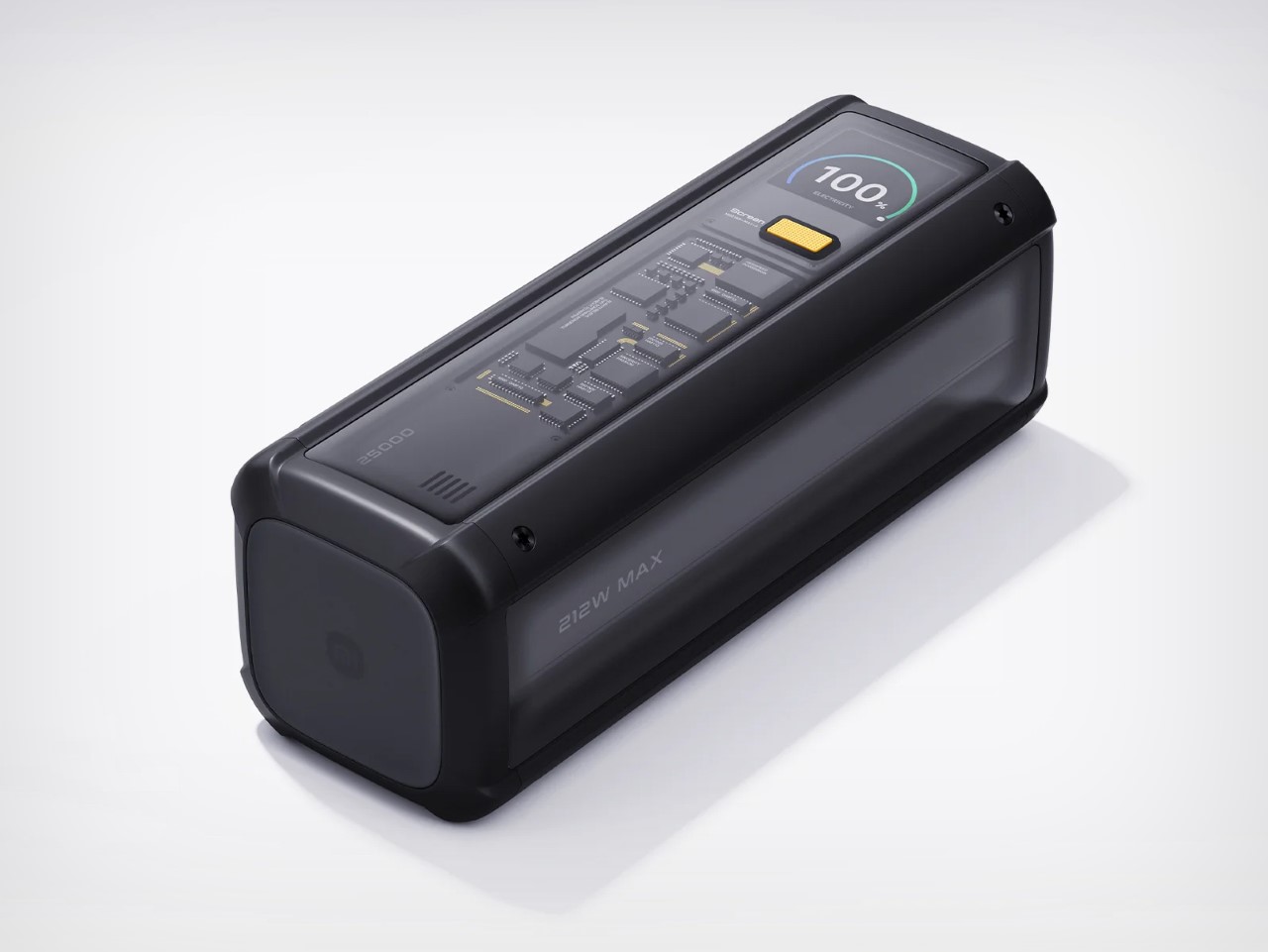
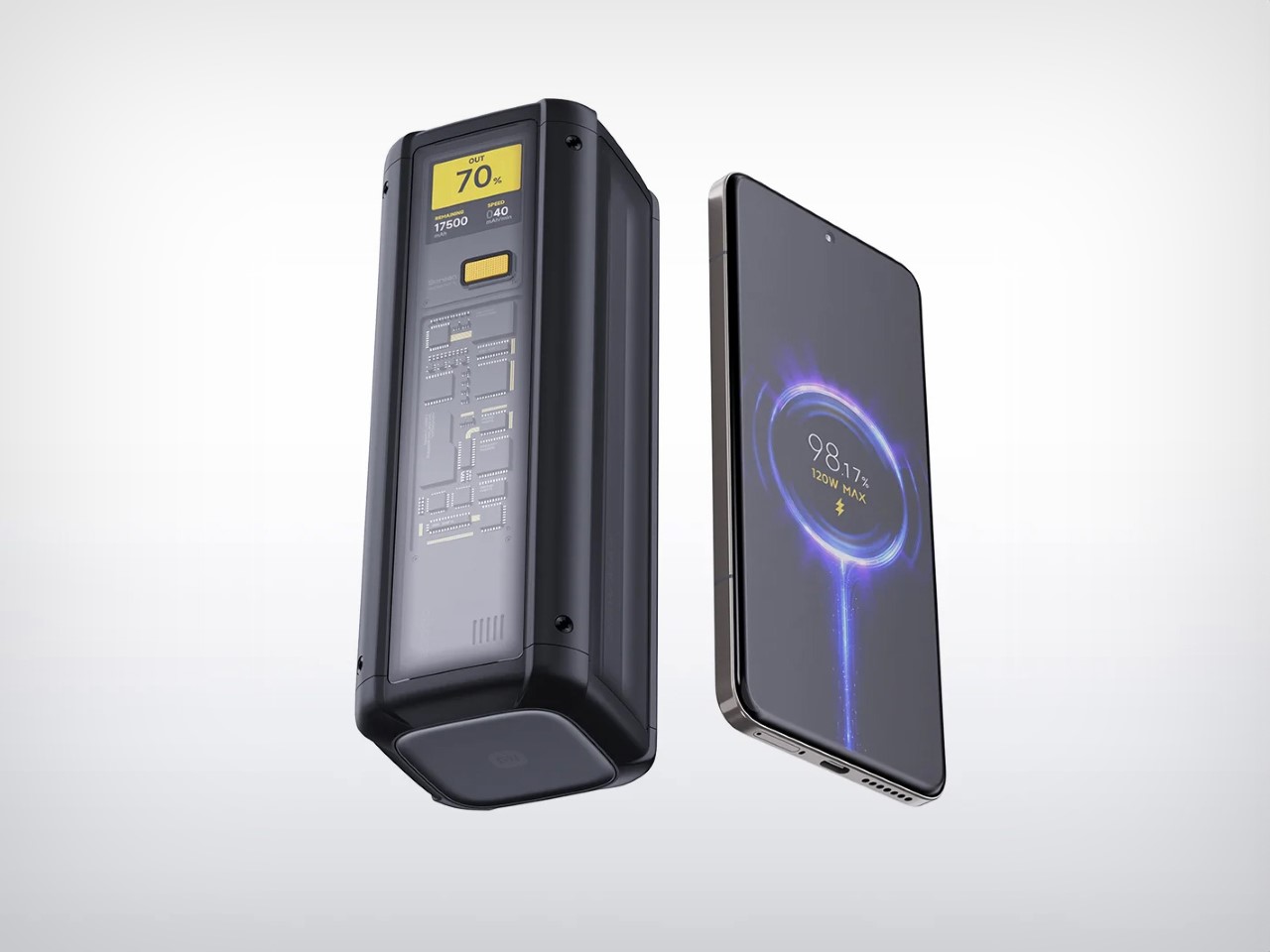
Power banks are the least glamorous item in any travel kit, which is exactly why most of them look like featureless plastic bricks. The Nothing Power (1) is a concept design that imagines what Nothing’s Glyph interface would look like on a battery bank: transparent layers, LED light paths that show charging status and notifications, and the same design language that made the Nothing Phone (1) and Phone (2) stand out in a sea of identical smartphones.

The concept proposes a 20,000mAh capacity with 65W fast charging, enough to hit 50% battery on a phone in under 20 minutes. Dual USB-C ports handle two devices simultaneously. The Glyph LEDs do more than look interesting; they provide intuitive visual feedback for charging status and battery levels without needing to press a button or check a display. Nothing actually had a power bank in development at one point, but scrapped it due to durability concerns with the transparent casing cracking on impact. This concept reimagines that idea with a cleaner silhouette and enough surface area to make the Glyph interface feel purposeful rather than decorative. For nomads who carry a power bank every single day, the idea that it could be a well-designed object instead of an anonymous slab is appealing. This is not a production product yet, but the demand in Nothing’s community forums suggests it is an idea the brand should revisit.

What we like

  • Glyph LED interface provides at-a-glance charging status without screens or buttons, which is faster and more intuitive than hunting for a tiny indicator light on a conventional power bank.
  • 20,000mAh capacity with 65W fast charging (as proposed in the concept) would cover a full day of heavy device use for multiple gadgets.

What we dislike

  • This is a concept design, not an official Nothing product, and the transparent casing durability issue that killed the original project remains unsolved.
  • Transparent construction would likely show internal wear, dust, and scratches over time, especially in a bag that gets tossed around daily.

2. KeyGo Gen2

1

Carrying a laptop, a portable monitor, and a separate keyboard creates a three-device problem that digital nomads have been trying to solve with lighter versions of each. KeyGo Gen2 collapses all three into one folding slab. It is an ultra-slim keyboard with a built-in 13-inch 4K/60Hz IPS touchscreen, CNC-machined aluminum construction, built-in speakers, and a 180-degree hinge that folds everything flat to 19.3mm thick when closed. A single USB-C cable handles video, power delivery (up to 65W), and data.

The original KeyGo raised over $185,000 in its first campaign, featuring a 720p screen. Gen2 bumps that to full 4K at 3,840 x 2,160, ten-point multitouch, adjustable brightness up to 300 nits, and a weight of about 1 kilogram (2.2 pounds). Unfold it, plug in a USB-C cable, and a laptop instantly gains a second display sitting right below eye level with a full keyboard beneath it. It works with Windows, macOS, Linux, and Android, which means it also pairs with mini PCs and tablets for people building ultra-compact travel rigs. The crowdfunding campaign has already passed $300,000 in pledges, with early bird pricing around $279 and estimated delivery in May 2026. For nomads editing video on cafe tables, managing spreadsheets in airport lounges, or running code with documentation on a secondary panel, this eliminates the portable monitor and keyboard as separate line items in the bag.

Click Here to Buy Now: $329 $658 ($329 off). Raised over $521,000.

What we like

  • Replaces a portable monitor and external keyboard with a single folding device, cutting significant weight and bag space from a travel workstation.
  • 4K touchscreen with 10-point multitouch and 300-nit brightness makes it genuinely usable for detail work like photo editing and timeline scrubbing.

What we dislike

  • At 1 kilogram, it is not featherlight, and the 19.3mm closed profile is thicker than a standalone portable keyboard would be.
  • Crowdfunding status means the product is not shipping yet, and the final typing experience can only be judged once production units are in hand.

3. TWS ChatGPT Earbuds

Wearable AI has spent the last two years stuck in an awkward phase. Smart pins looked strange. Pendant cameras felt forced. Smart glasses screamed, “I am recording.” This concept hides cameras inside TWS earbud stems, positioned near the natural line of sight, and pairs them with ChatGPT to create a visual AI assistant that lives entirely in the ears. No screen. No conspicuous hardware. Just a familiar form factor doing something new.

For digital nomads navigating foreign cities, the use cases are immediate. The earbuds can read menus in unfamiliar languages, interpret street signs, describe scenes, and guide navigation through voice alone, all without pulling a phone from a pocket. The social advantage is that earbuds are already normalized. People wear them everywhere without drawing attention, which removes the friction of face-mounted cameras that make conversations uncomfortable. Voice interaction keeps hands free for luggage, laptops, or coffee. The AI processes visual input in real time and responds through audio, creating an assistive loop that does not require staring at a screen. This is a concept at this stage, not a shipping product, but it represents the direction wearable AI is heading. For nomads who spend their weeks moving between cities and languages, an AI assistant that sees what the wearer sees and speaks directly into the ear could replace a handful of translation apps, navigation tools, and accessibility aids with a single pair of earbuds.

What we like

  • Familiar earbud form factor avoids the social awkwardness of face-mounted cameras, making it usable in meetings, cafes, and public spaces without drawing stares.
  • Hands-free visual AI assistance for translation, navigation, and scene description addresses real daily friction for nomads moving between countries.

What we dislike

  • Concept status means no confirmed specs, battery life, or pricing, so the product’s real-world viability is unproven.
  • Privacy concerns around always-available cameras in earbud stems will be unavoidable once production models enter public spaces.

4. HubKey Gen2

The typical nomad desk involves a laptop teetering on a cafe table surrounded by a small constellation of dongles, adapters, and cables fighting for two USB-C ports. HubKey Gen2 consolidates that mess into a single compact cube. It is an 11-in-1 USB-C hub with dual HDMI ports (both 4K at 60Hz), two USB-A 3.1 ports, one USB-C 3.1 port, SD and TF card readers, a 2.5 Gbps Ethernet jack, a 3.5mm audio port, and a 100W USB-C PD charging port. One cable from the cube to the laptop brings everything online.

What separates it from standard hubs is the top panel. Five programmable shortcut keys and a central control knob sit above the ports, turning the hub into a mini control surface. Volume, mute, screen lock, screenshot, display off: tasks that normally require keyboard shortcuts or menu diving can be done with a single tap or twist. The driver system offers 170 presets with full macro customization across Windows, macOS, Linux, and Steam Deck. At 7 x 7 x 3 cm, the cube disappears into a laptop bag pocket. For photographers and videographers constantly offloading cards while driving external displays, this removes the need for three or four separate adapters.

What we like

  • Dual 4K/60Hz HDMI output from a single hub means a nomad can build a two-monitor setup at any co-working space without carrying separate adapters for each display.
  • Programmable shortcut keys and a physical knob add hands-on control that standard hubs do not offer, cutting repetitive menu navigation during editing and video calls.

What we dislike

  • The compact form factor means ports are tightly packed along the edges, which can cause thicker cables or drives to crowd each other.

5. OrigamiSwift Mouse

Trackpads work fine until they do not. Precise selections in spreadsheets, long editing sessions, and detailed design work all benefit from a real mouse, but carrying a conventional one eats bag space that nomads cannot spare. OrigamiSwift solves this by folding a full-sized Bluetooth mouse down to a 4.5mm-thick slab that weighs just 40 grams (1.41 ounces). Magnetic snaps lock the two sides together in under half a second, and the mouse powers on automatically when assembled. Fold it flat again, and it slides into a laptop sleeve or even a shirt pocket.

Under the origami-inspired exterior sits a 4000 DPI HD infrared sensor capable of tracking at up to 30 inches per second, paired with Bluetooth 5.2 for stable, dongle-free connectivity across Mac, Windows, Android, and iPadOS. A 500mAh lithium polymer battery charges via USB-C and lasts up to three months on a single charge, which effectively removes battery anxiety from the equation. The vegan leather skin adds grip and surface compatibility, while mechanical click switches on the left and right buttons provide tactile feedback. A touch-sensitive scroll area replaces a physical wheel, which keeps the profile flat. At around $49 to $69, depending on the retailer, it sits in a reasonable range for a travel peripheral that genuinely disappears when not in use. The trade-off is that it is not built for gaming or high-speed precision work, but for the spreadsheet-to-email-to-design workflow that defines most nomad days; it handles everything a full-sized mouse would.

Click Here to Buy Now: $85.00

What we like

  • Folds to 4.5mm flat and weighs 40 grams, making it the most packable full-sized mouse option available for nomads who cannot sacrifice bag space.
  • Three-month battery life on a single USB-C charge means one less device to worry about charging between cities and time zones.

What we dislike

  • The touch scroll area, replacing a physical scroll wheel, takes adjustment, and some users report that it lacks the tactile precision of a traditional wheel during fast scrolling.
  • Not suitable for gaming or tasks demanding sub-millisecond response times, so users with hybrid work-and-play setups will still need a second mouse.

What the nomad bag looks like now

These five gadgets share a design philosophy that would have seemed niche a few years ago: they treat portability not as a marketing checkbox but as the primary constraint around which everything else is engineered. A hub that replaces four dongles. A keyboard that is also a 4K monitor. A mouse that folds into a credit card sleeve. A power bank that communicates through light. Earbuds that double as a visual AI assistant. Each one subtracts something from the bag while adding a capability that used to require a dedicated device.

The shift is worth paying attention to. Remote work hardware is no longer about miniaturizing desk products and hoping they survive a carry-on. The best nomad gear now starts from the constraints of movement, weight, and setup speed, then works backward to figure out how much functionality can fit inside those limits. Two of these products are concepts, two are crowdfunding, and one is shipping today. That ratio will flip fast. The bag is getting lighter, the workspace is getting more capable, and the gap between a fixed office and a cafe table keeps narrowing.

The post 5 Best Gadgets Every Tech-Savvy Digital Nomad Is Quietly Packing Right Now first appeared on Yanko Design.

5 Best Portable Bluetooth Speakers of Spring 2026 — Designed for the Outdoors, Not Your Bookshelf

Most portable speakers end up on a shelf somewhere, playing lo-fi beats while someone makes coffee. There is nothing wrong with that, but it is not what these five were made for. We picked speakers that actually want to leave the house, products built around weather resistance, battery stamina, and the kind of design thinking that considers mud, rain, and a campfire playlist as standard operating conditions. Spring 2026 has delivered some interesting options, from retro survival radios to subwoofer-equipped tanks that laugh at puddles.

What makes this list different from the usual roundup is the lens we are looking through. These are not ranked by loudness or spec-sheet one-upmanship. We looked at form factor, material durability, portability logic, and whether each speaker solves a real outdoor problem or just pretends to with an IP rating sticker. Some are brand new releases, others are designs that aged into relevance this season. All five belong outside.

1. RetroWave 7-in-1 Radio

Emergency radios tend to look like emergency radios: bulky, utilitarian, designed to sit in a basement kit next to expired granola bars. The RetroWave wraps seven functions inside a form factor borrowed from mid-century Japanese transistor radios, with a tactile tuning dial and a design warm enough to earn kitchen counter space. Those seven functions: Bluetooth speaker, MP3 player (USB and microSD), AM/FM/shortwave radio, flashlight, clock, SOS alarm, and power bank. Hand-crank charging and a solar panel provide off-grid power when outlets vanish, a capability no Bluetooth-only speaker on this list can match.

The outdoor logic differs from the rest of this roundup. The RetroWave competes on self-sufficiency, not audio fidelity. A hand crank and solar panel mean it never truly dies. The flashlight and SOS siren add safety utility for trail emergencies. Bluetooth and MP3 playback handle entertainment with respectable sound for a multi-function device, though the tuning-dial analog radio experience is where the personality lives. Shortwave reception opens up international broadcasts and emergency channels that streaming apps cannot access. As an everyday speaker, it has charm. As an emergency tool that also plays music, it is hard to argue against keeping one in a daypack. It belongs on this list not because it sounds the best, but because it is the only speaker here that could keep working days after every other device has gone dark.

Click Here to Buy Now: $89.00

What we like

  • Hand-crank and solar charging make it the only speaker here that generates its own power, a genuine survival feature for off-grid situations.
  • Seven functions (speaker, radio, flashlight, clock, SOS alarm, MP3 player, power bank) consolidate multiple pieces of outdoor gear into one device.

What we dislike

  • Audio quality does not match dedicated Bluetooth speakers on this list, as the multi-function design compromises driver space and tuning.
  • The retro aesthetic, while appealing, may feel out of place for users who prefer minimal, modern gear in their outdoor kits.

2. Marshall Emberton III

The Emberton III wraps textured silicone and metal grille construction around meaningful upgrades over its predecessors. Two 2-inch full-range drivers and two passive radiators push 360-degree sound through Marshall’s True Stereophonic system, so placement on a picnic blanket or backpack strap matters less than it would with front-firing alternatives. An IP67 rating allows submersion in one meter of water for 30 minutes, and the 32+ hours of battery life cover an entire weekend trip without an outlet. A 20-minute quick charge returns six hours of playback, the kind of math that matters when departure is in half an hour, and the speaker is dead.

Bluetooth 5.3 with LE Audio readiness and upcoming Auracast support means multi-speaker setups are on the horizon. A built-in microphone, absent from earlier Embertons, handles hands-free calls. The signature brass control knob manages volume, track skipping, and play/pause with tactile precision that wet or gloved hands appreciate far more than a touchscreen. At $159, it sits in a competitive zone against the Sonos Roam 2 and JBL Flip 6, but neither offers this battery endurance. Marshall’s sound leans warm and full at moderate volumes, though pushing past 85% introduces harshness common to speakers this size.

What we like

  • 32+ hours of battery life covers multi-day trips, and the 20-minute quick charge for six hours of playback is a practical safety net.
  • IP67 rating handles submersion, dust, and sand, making it one of the most weather-resistant speakers at this price.

What we dislike

  • Sound gets harsh at very high volumes, a physical limitation of the small driver size that DSP tuning cannot fully solve.
  • No 3.5mm auxiliary input means Bluetooth is the only connection option, eliminating wired backup for devices with dead wireless.

3. Brane X

Most portable speakers fake bass by boosting mid-bass frequencies and letting psychoacoustics fill the gaps. Brane X uses a proprietary Repel-Attract Driver (RAD) that cancels internal air pressure forces, producing real sub-bass down to 27.1 Hz from a speaker just 9.3 inches wide. Five drivers total, including a 6.5 x 9-inch RAD subwoofer, two midrange drivers, and two dome tweeters, are powered by four class-D amplifiers exceeding 200 watts combined. A 72 watt-hour battery provides up to 12 hours of runtime, and full IP57 waterproofing means rain and poolside splashes are non-issues.

Outdoors, the five-driver array creates a soundstage that holds up when listeners spread across a campsite or patio. A custom DSP engine runs 500 million EQ calculations per second, maintaining clarity at volumes where competitors distort. Wi-Fi adds Spotify Connect and SiriusXM streaming, Alexa handles voice control, and the Brane app offers custom EQ and grouping for up to eight speakers. At 7.7 pounds, it is heavier than pocket alternatives, but the acoustic payoff justifies the weight for anyone tired of thin, tinny campsite sound. A 3.5mm auxiliary port also accommodates turntables, a rare inclusion in the wireless-first portable category.

What we like

  • Bass response down to 27.1 Hz from a portable form factor is a genuine engineering achievement unmatched in this size class.
  • IP57 waterproofing combined with 200+ watts of amplification delivers serious sound in weather that would sideline most premium speakers.

What we dislike

  • 7.7 pounds limits grab-and-go spontaneity for hiking or cycling trips compared to sub-2-pound alternatives.
  • Battery tops out at 12 hours at moderate volume, less than half of what the Emberton III offers on a single charge.

4. The Harman Kardon Traveller Concept

The Traveller rethinks what a portable speaker should look like for people who actually travel with one. The form factor draws from Sony point-and-shoot cameras, producing a slab so slim it fits alongside a passport wallet. Touch controls and LED indicators sit on top, maintaining the clean design language of the Harman Kardon Esquire Mini 2. A high-density battery delivers up to 10 hours of playback, and reverse charge functionality turns the speaker into an emergency power bank when a connected phone dies mid-hike. Dual microphones with echo and noise cancellation handle calls in windy outdoor conditions.

The outdoor advantage here is not ruggedness but presence. The slimmest speaker is useless if it stays home because packing it is inconvenient. The Traveller solves that by occupying almost no space, fitting into a carry pouch alongside chargers and cables. Three planned colorways (black, silver, electric blue) suggest a product designed to be seen, not hidden. Sound quality carries the Harman Kardon name, though the slim profile necessarily limits low-end output compared to thicker options on this list. For backpackers and frequent flyers who treat portability as the primary feature, this concept points toward a smarter kind of outdoor speaker: one designed to be forgotten in the bag until needed.

What we like

  • Reverse charge functionality doubles the speaker as an emergency power bank, solving two travel problems with one device.
  • Ultra-slim form factor fits in jacket pockets and travel pouches, the most packable option on this list by a wide margin.

What we dislike

  • This is a concept design, not a production product, so availability and final specs remain unconfirmed.
  • Slim profile inherently limits bass depth and volume ceiling compared to thicker, driver-stacked competitors.

5. Side A Cassette Speaker

Somewhere between a novelty gift and a legitimate audio device, the Side A leans closer to legitimate than the shape suggests. Styled after a real mixtape with a transparent shell and a Side A label, it hides a Bluetooth 5.3 speaker inside a back-pocket form factor. The cassette shape forced designers to tune for warm, analog-flavored sound within the tightest enclosure possible, and the result has a cozy quality that bigger, flatter-response speakers do not replicate. MicroSD support adds offline MP3 playback, useful on trails where phone battery conservation matters more than streaming. A clear case doubles as a display stand for desk use indoors.

Outdoors, the Side A works best as a personal-zone speaker. It will not fill a campsite, but clipped to a bag or perched on a rock beside a hammock, it handles solo listening and small-circle hangouts without the bulk of a larger unit. Bluetooth 5.3 delivers stable pairing, and range holds reliably when a phone is in a tent and the speaker is by the fire. At sub-$50, it is a low-risk purchase and an easy gift for anyone nostalgic about cassette culture. The trade-off is clear: do not expect room-filling volume or chest-thumping bass. This is a speaker for people who value character and portability over raw performance, and within that lane, it delivers more than the price suggests.

Click Here to Buy Now: $49

What we like

  • Bluetooth 5.3 and microSD playback cover both streaming and offline listening, handling connectivity gaps common on outdoor trips.
  • Pocket-sized cassette form factor weighs almost nothing, lowering the barrier to actually bringing a speaker on every outing.

What we dislike

  • Volume and bass are physically limited by the tiny enclosure, making it unsuitable for group listening in open spaces.
  • MicroSD support handles MP3 files only, excluding FLAC, WAV, and other formats that audio-conscious users may prefer.

Where spring leaves us

These five speakers share one trait that separates them from the hundreds of Bluetooth speakers released every quarter: they were designed with an awareness that speakers leave houses. That sounds obvious, but most portable speaker design still optimizes for countertops and nightstands, treating water resistance and battery life as checkbox features rather than core design drivers.

The Emberton III and Brane X represent two ends of the outdoor audio spectrum, one betting on endurance, the other on acoustic performance that refuses to compromise because the ceiling is sky instead of drywall. The Traveller and Side A cassette challenge the assumption that outdoor speakers need to be chunky, proving slimness and personality coexist with genuine trail usefulness. And the RetroWave reminds us that the most capable outdoor device might be the one that never needs charging at all. Spring is for getting outside. These are the speakers who want to come along.

The post 5 Best Portable Bluetooth Speakers of Spring 2026 — Designed for the Outdoors, Not Your Bookshelf first appeared on Yanko Design.
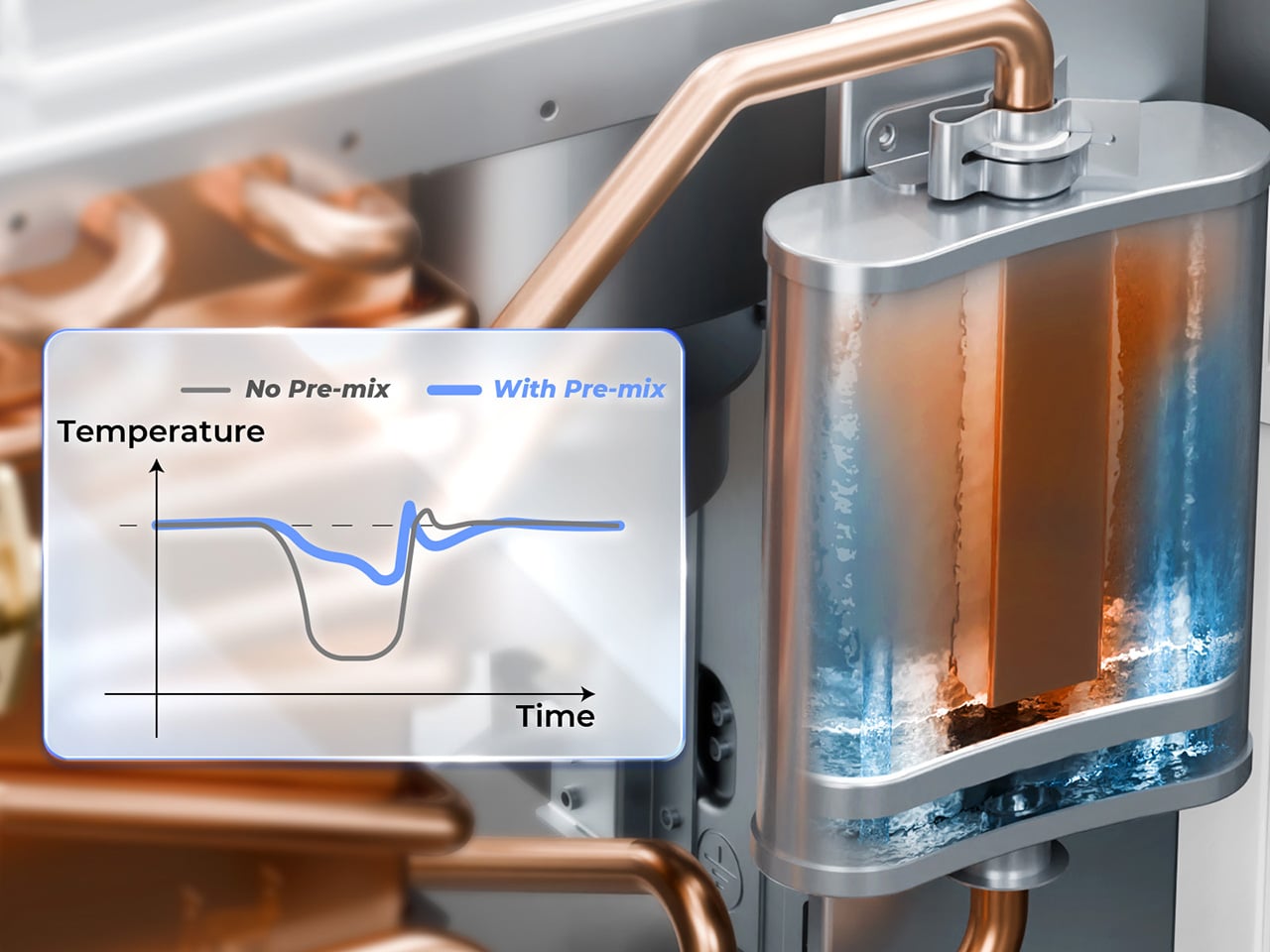
This AI Desk Terminal Has a Screen, Knob, and Voice Control

AI has become a permanent fixture in how we work, but accessing it still feels strangely clumsy. Most of the time, it means opening yet another browser tab, typing a prompt into a chat window, waiting for a response, then copying it somewhere else. The irony is thick: tools designed to save time end up buried under the same pile of windows and notifications they were supposed to help manage.

The DECOKEE Quake approaches this problem sideways, and the solution is physical. It is a desktop terminal built around an 8.88-inch ultra-wide IPS touchscreen and a single rotary control knob, designed to sit alongside a keyboard rather than compete with the monitor above it. Everything about the form factor suggests a device that wants to be glanced at, tapped, and spoken to, not stared at for hours.

Designer: DECOKEE

Click Here to Buy Now: $279 $359 (22% off). Hurry, only 66/500 left! Raised over $231,000.

Pick it up and the construction registers immediately. The body is CNC-machined aluminum alloy with an anodized matte finish, a material choice that gives the Quake a density and coolness that plastic peripherals simply cannot replicate. A transparent backplate on the rear adds a subtle design signature, while the adjustable stand lets the screen tilt anywhere from flat to 60 degrees. At roughly 800g, it has enough heft to stay planted on a desk without feeling like an anchor.

1

That ultra-wide screen has a 1920×480 resolution at 450 nits or brighter, and its unusual aspect ratio turns out to be a deliberate design decision. Rather than mimicking a small monitor, the panel is shaped for control surfaces: rows of customizable touch shortcuts, status dashboards, system stats, and meeting interfaces laid out horizontally. The rotary knob beside it offers infinite rotation with a push-button click and an RGB light ring that changes color based on what mode the Quake is operating in, turning a simple input device into a status indicator.
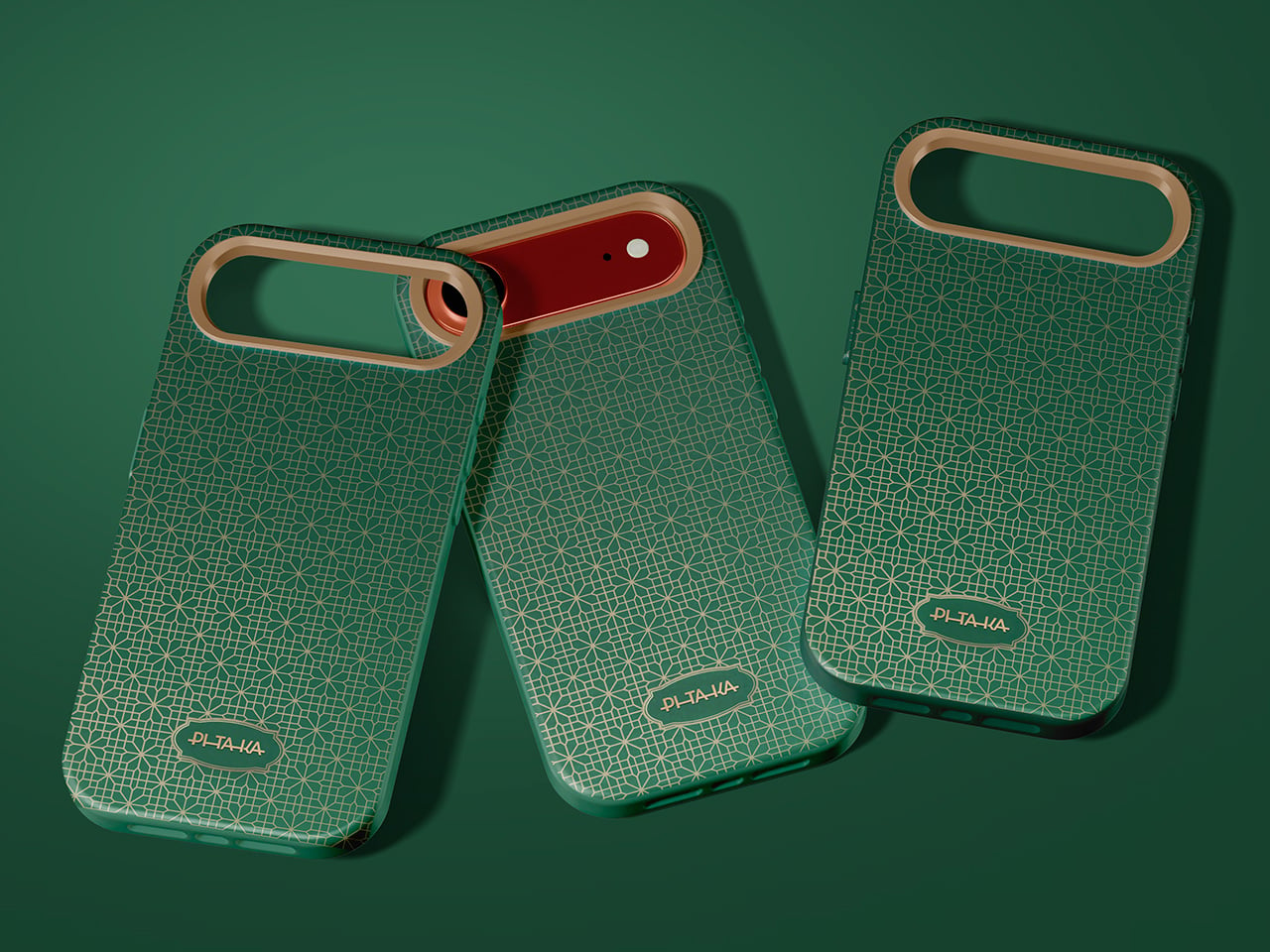
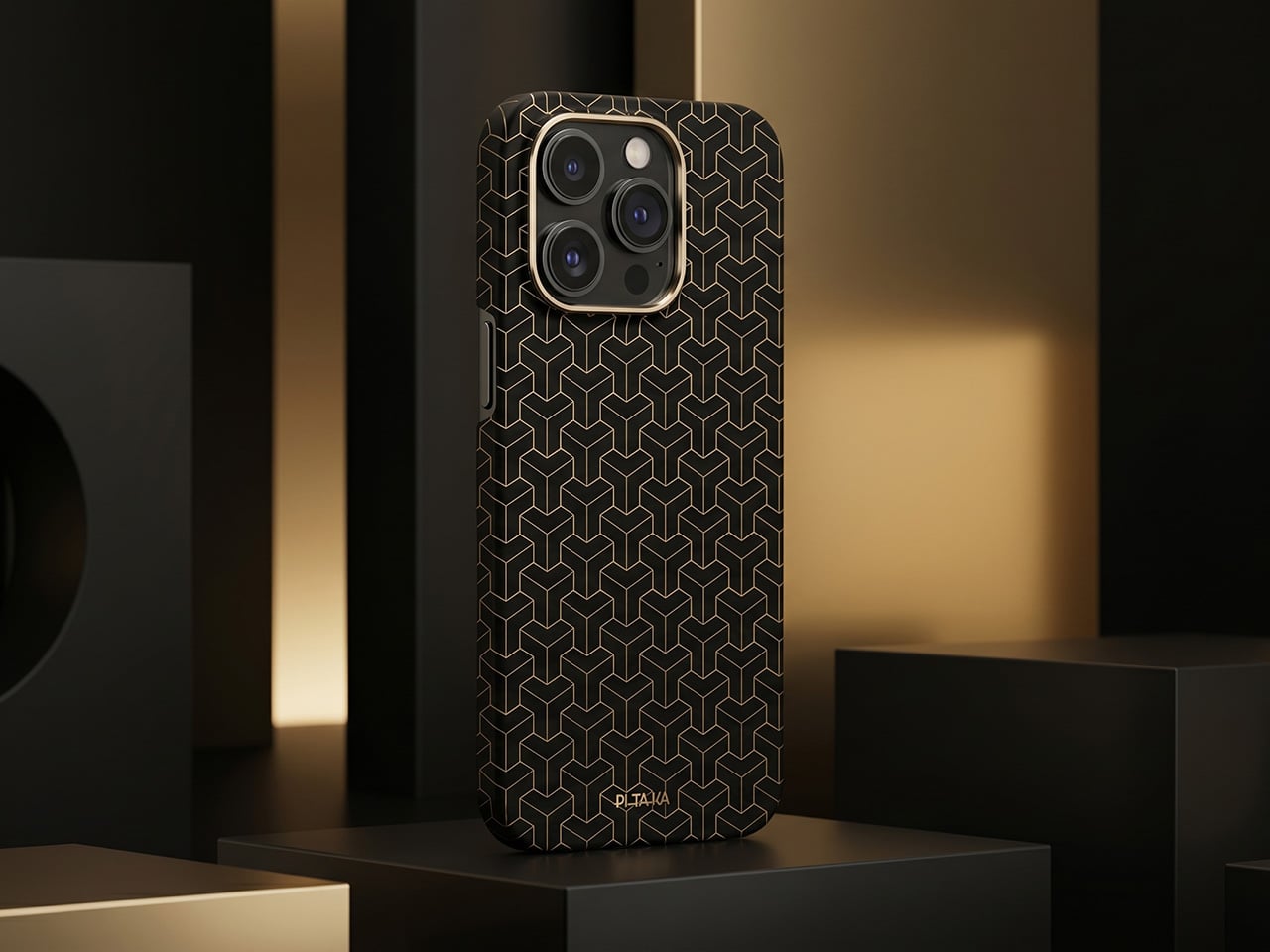
1

Where the Quake earns its “AI copilot” label is in meetings. Tap a button, and it begins recording through a built-in far-field microphone with noise reduction, then auto-generates a structured transcript and summary when the call ends. Ten summary templates let the output match the context, whether it is a standup, a client call, or a brainstorm. Real-time translation covers 17 languages, and a system-level mic mute button works across every app on the computer, not just Zoom or Teams.

1

Beyond meetings, holding the knob and speaking activates a conversational AI layer with over 100 configurable assistant roles. Ask it to generate a shortcut layout for Photoshop, and it builds one on screen, ready to use. Ask for a translation, a compliance check, or a math solution, and the response appears on the Quake’s display without ever pulling focus from the main monitor. The same voice input can produce custom wallpapers and emojis, though the novelty of AI-generated desktop art will vary by taste.

1

1

The feature list stretches further than expected for a device this compact. A system monitoring mode displays real-time CPU, memory, and network stats. A Discord overlay gives gamers channel and mute controls without alt-tabbing. Home Assistant integration (through API setup) allows single-tap smart home control from the touchscreen. There is even a music player with a vinyl-inspired interface that connects to Spotify or plays local files, which is a charming if unexpected addition to a productivity device.

1

What makes the Quake interesting as a design object is the underlying argument it makes about where AI belongs on a desk. Not trapped inside a browser tab, not buried in a notification, but sitting in a physical surface with tactile controls and a screen that stays visible. Whether that argument holds up after months of daily use is something only shipped units will answer.

Click Here to Buy Now: $279 $359 (22% off). Hurry, only 66/500 left! Raised over $231,000.

The post This AI Desk Terminal Has a Screen, Knob, and Voice Control first appeared on Yanko Design.