Revopoint MINI 2 3D scanner brings precision and innovation to your projects

Have you ever wished to put your knickknacks and small treasured mementos in your personal Metaverse room? Or maybe you need a replacement part for a toy or machine that has long gone out of production. You can try modeling these real-world objects using sophisticated 3D software, but not only is it a painstaking process, the end result might not be as accurate and precise as the real thing. What you need is a simple yet powerful tool to digitize physical objects, and that’s what Revopoint’s upgraded MINI 2 handheld 3D scanner offers, providing designers, makers, and all kinds of creatives the power they need to scan small objects not only with speed but, more importantly, with accuracy and precision as well.

Designer: Revopoint

Click Here to Buy Now: $821 $912 ($91 off). Hurry, deal ends in 48-hours!

3D scanning was once confined to large machines inside professional studios, but thanks to advancements in technology, you can now hold such a scanner in your hand that offers a high level of accuracy and an accessible price tag. You might think that a handheld, portable device would have to sacrifice features just for the sake of size, but the Revopoint MINI 2 3D scanner breaks from the mold and surpasses expectations. With its blue light-powered single-frame precision of up to 0.02 mm and an accuracy reaching up to 0.05 mm, it makes short work of any small object you throw at it, quickly turning real-world three-dimensional objects into their virtual 3D counterparts.

Single Capture Range @ Nearest Distance 52 x 64 @ 120 mm

Single Capture Range @ Furthest Distance 168 x 132 @ 250 mm

An insect scanned by Revopoint MINI 2. Credit: PUTV

The Revopoint MINI 2 presents a significant upgrade from its predecessor across the board. Its single-frame scanning range now reaches 168 mm x 132 mm at a distance of 250 mm, and the scanning speed is now faster at 16 fps. The RGB camera doubles its pixel count and even comes with a larger aperture that lets more light in, allowing it to capture more intricate color details than before. And with a new flash LED system that removes shadows from the object, you can get more uniform colors as well.

Up to 16 fps Scanning Speeds – Create ready-to-use models in seconds.

A 50-cent coin scanned by Revopoint MINI 2. Credit: PUTV.

A ring scanned by Revopoint MINI 2. Credit: PUTV

The MINI 2 isn’t just a leap in power, it is also easier to use as well. A 9-axis IMU (inertial measurement unit) makes sure you still get properly aligned frames, even with shaky hands or fast movement. Revopoint also added tactile buttons directly on the device to make it easier to start or pause the scan and adjust the depth camera’s exposure right then and there, saving you from having to fumble for the right buttons to tap on a phone or a computer. And to make sure the scanned data is also transmitted quickly, the new MINI 2 gets a new USB-C port and support for Wi-Fi 6 for wired and wireless connectivity options.

Up to 2 Megapixels Depth/RGB Cameras Resolution

With more powerful features in a compact and portable package, the Revopoint MINI 2 creates a world of possibilities when scanning small objects quickly and accurately. Scan a part of a toy or a machine to 3D print a replacement when parts are no longer available. Scan pieces of art or historical artifacts to preserve mankind’s legacy for future generations. Or scan designs, prototypes, and other physical items to integrate these objects into your creative workflow. Whether you’re 3D printing gears for replacements, scanning body parts for non-invasive medical analysis, or designing for realistic virtual worlds, the Revopoint MINI 2 3D scanner delivers the precision and power you need to get the job done right at a shockingly cost-effective price point.

Click Here to Buy Now: $821 $912 ($91 off). Hurry, deal ends in 48-hours!

The post Revopoint MINI 2 3D scanner brings precision and innovation to your projects first appeared on Yanko Design.
Magnetic Charging Cable with a Built-in Power Bank might be the most GENIUS Smartphone Accessory

Ever had a charging cable but nowhere to plug it? Or a power bank but no charging cable to connect it to your phone? The IVYCable Gen2 is an oddly brilliant product that solves both those problems. Designed like a relatively thick charging cord, the IVYCable Gen2 actually has four separate power banks built into its design. They’re all connected together, giving you up to 2800mAh of storage, and boast a clever magnetic design that lets the entire cable snap into a rectangular shape for easy, tangle-free carrying no matter where you go. Either use it as a charging cable by connecting it to a power brick/outlet… or just plug the cable into the phone on its own – the IVYCable Gen2 doubles as either a pass-through charging cable, or a power bank. Isn’t that simply genius?!

Designer: Matt Chang

Click Here to Buy Now: $43 $69 (38% off) Hurry, only a few days left!

The IVYCable Gen2’s design sits at the unique cross-section between cables and power banks. It’s thicker than your conventional cable, yet much thinner than any power bank, with a magnetic design that lets it snap together or apart, depending on whether you want a compact portable mass, or a long cable for charging your devices. The highlight, however, is the five mini power banks that connect together to form the IVYCable Gen2. With a Type-A port at one end, a Type-C port at another, and flexible TPU connectors in between, the IVYCable Gen2’s five power banks have a max capacity of 2800mAh – enough to charge your phone from 0-100. The magnetic snapping action of the individual power bank modules also gives the IVYCable Gen2 the appeal of a fidget toy with how effortlessly (and satisfyingly) it shapeshifts from compressed to extended formats.

The IVYCable Gen2 solves a unique problem by bridging the gap between charging cables and power banks in a fun, addictive way

This unique shapeshifting design allows the IVYCable Gen2 to be used both as a charging cord, or a power bank. As a charging cord, the IVYCable Gen2 works with both Android and iOS devices thanks to its USB-C to Lightning connector that lets you swap between the two ports depending on what device you have. The cable works as a pass-through charging apparatus, outputting 10.5W of max power. That may not be a lot compared to the kinds of superspeed cables that go as high as 120W to fast-charge your devices, but the IVYCable Gen2’s 10.5W is a comfortable balance between speed and safety, ensuring your phone’s battery doesn’t degrade too fast. Meanwhile, when used as a pass-through charging cable, the IVYCable Gen2 charges its own batteries too, knocking two birds with one stone.

Disconnect the cable from a power source and it BECOMES the power source. The IVYCable Gen2’s built-in power bank immediately kicks into action, giving you battery backup for your phone or any other device just when you need it. The magnetic snapping feature then comes in hand, allowing you to bunch the cable up into a rectangular mass that you can then carry around with your phone easily (or slip it right into your pocket along with your phone). The fact that it has its own built-in charging ports means you don’t need a separate cable (which you would with regular power banks), and the best part is its ability to extend into a ‘long’ power bank if you want to keep the IVYCable Gen2 in your handbag but have your phone in your hand.

The unique design format, however, is the IVYCable Gen2’s most impressive feature. It solves a problem that not many people ever thought of solving, by creating a charging cable with a built-in battery that also has the ability to charge your phone on its own without being plugged in. It’s convenient to carry, easy to use, and the magnetic feature works both as a great organization tool (ensuring your cable never gets bunched or knotted up) to keep your desk and bag clean, as well as a fidget toy that your hands will want to play with all the time!

The IVYCable Gen2 comes in two color options – a classic silver version, and a stealthy anodized black variant. Both start at $43 (discounted from the original $69) and ship internationally starting April 2024.

Click Here to Buy Now: $43 $69 (38% off) Hurry, only a few days left!

Click Here to Buy Now: $43 $69 (38% off) Hurry, only a few days left!

The post Magnetic Charging Cable with a Built-in Power Bank might be the most GENIUS Smartphone Accessory first appeared on Yanko Design.
The Future Is Here! Introducing Flying Umbrellas To Take Convenience To The Next Level

In the fast-paced world of technological innovation, where convenience is key, I Build Stuff, a content creator, has taken the concept of hands-free technology to new heights—literally. In a recent creation that has captured the imagination of tech enthusiasts and casual observers alike, I Build Stuff has designed a flying umbrella drone that hovers above users, shielding them from the rain in a futuristic and whimsical fashion.

Designer: I Build Stuff

In an era dominated by smart devices and voice-controlled assistants, the integration of hands-free technology into everyday objects is a natural progression. The flying umbrella drone is a prime example of this trend, offering a unique solution to the age-old predicament of holding an umbrella while navigating through rain showers.

The concept behind the flying umbrella may seem straightforward—attach propellers, install a drone, and affix an umbrella. However, the designer encountered numerous technical challenges during the development process, leading to a journey of trial and error. The result is a remarkable fusion of cutting-edge technology and creativity.

The core structure of the flying umbrella is a cross-shaped frame made of 3D-printed parts, extending from the edges of a traditional umbrella. At each end of the frame, small propellers resembling a hurricane’s rotation lift the umbrella into the air. To ensure lightweight yet robust construction, carbon fiber tubes form the skeleton of this innovative device, enabling it to gracefully soar above its user.

Crucial to the functionality of the flying umbrella is the incorporation of a flight controller and an electric stability control circuit. The designer meticulously soldered wires to the circuit, regulating the motor’s speed to prevent the device from flying off uncontrollably. The flight controller, programmed to maintain stability, keeps the flying umbrella gracefully following its user.

Despite initial success during the pilot flight, the inventor faced challenges during subsequent tests. The flying umbrella exhibited erratic behavior, shaking violently during one instance. The inventor took a pause, addressing the issues and stabilizing the system, even going so far as to encase the electronics in plastic wrap to protect them from moisture.

While concerns about the device’s stability persist, the I Build Stuff creator has showcased its effectiveness in protecting against drizzles. Anticipating future improvements, the inventor envisions adding a camera and programming the flying umbrella to autonomously follow users, eliminating the need for manual control.

The current controller-operated system opens the door to exciting possibilities. However, the prospect of a fully autonomous flying umbrella holds promise, making this invention accessible to a broader audience. The potential for hands-free technology to benefit not only tech-savvy individuals but also the elderly or those less proficient with remote controllers is an exciting prospect on the horizon.

In a world where innovation knows no bounds, the flying umbrella drone stands out as a quirky yet functional creation, redefining the way we navigate rainy days. As technology continues to evolve, the prospect of a completely hands-free experience with a flying umbrella is both intriguing and eagerly awaited by enthusiasts around the globe.

The post The Future Is Here! Introducing Flying Umbrellas To Take Convenience To The Next Level first appeared on Yanko Design.
Raspberry Pi Water Cooling Kit is weird, cute, and probably overkill

While 3D printing blasted open the doors for creatives to bring their designs to life, the Raspberry Pi can be credited for empowering not just makers and modders but also a younger generation of budding engineers and scientists by giving them access to a cheap, small yet powerful computer. The single-board computer or SBC has become the basis for many electronics projects and DIY solutions, ranging from smart home security systems to out-of-this-world “cyberdeck” computers. The Raspberry Pi 5, the latest and so far most powerful model available, does have certain performance limits, but you can overclock its processor to really squeeze out all that you can, at the expense of overheating the board, of course. The tiny computer will then need some cooling system, but this particular kit tries to take lessons learned from desktop PCs and apply them in an effective but honestly comical manner.

Designer: seeed studio

Water cooling is a well-known solution used in desktop computers to prevent the system from overheating while keeping the processor operating at maximum efficiency. Of course, water doesn’t actually touch the sensitive electronics but draws heat away instead. Cool water travels toward the hotter areas while the heated water travels away from the hot spots and gets cooled by something like a fan. Given the space required to safely and effectively implement it, it’s no surprise that this system is usually only found on large desktop towers.

Compared to those gargantuan computers, the Raspberry Pi only has a fraction of the power but it can still be pushed to the limit by overclocking its CPU. The most common solutions in the market are small heat sinks and tiny fans that provide passive and active cooling, respectively, but some might feel that those just aren’t enough. For really power-hungry setups, this water cooling kit made especially for the Raspberry Pi 5 will probably suffice, if not actually excessive.

The Water Cooling Kit is easily more than five times the size of the small board computer, composed of a water tank and a large fan that cools down the hot water. This contraption is connected to a Raspberry Pi via two silicone hoses, one for hot water and another for cool water, with a radiator sitting on top of the Raspberry Pi’s processor. This kit supposedly halves the temperature of an overclocked Raspberry Pi 5 down to a toasty 37C, depending on the load.

But, yes, you will have to sacrifice a lot to have such a water-cooled Raspberry Pi, starting with the $120 price tag. While the kit can work with multiple Raspberry Pi boards to maximize the cooling efficiency, you’ll have to buy the extra hoses and radiators to make that work. You also definitely lose the Raspberry Pi’s biggest benefit, its small form factor that allows it to be used in almost any project imaginable. Then again, some of those projects do require pushing the small computer to its limit, at which point you might need something over-the-top like this.

The post Raspberry Pi Water Cooling Kit is weird, cute, and probably overkill first appeared on Yanko Design.
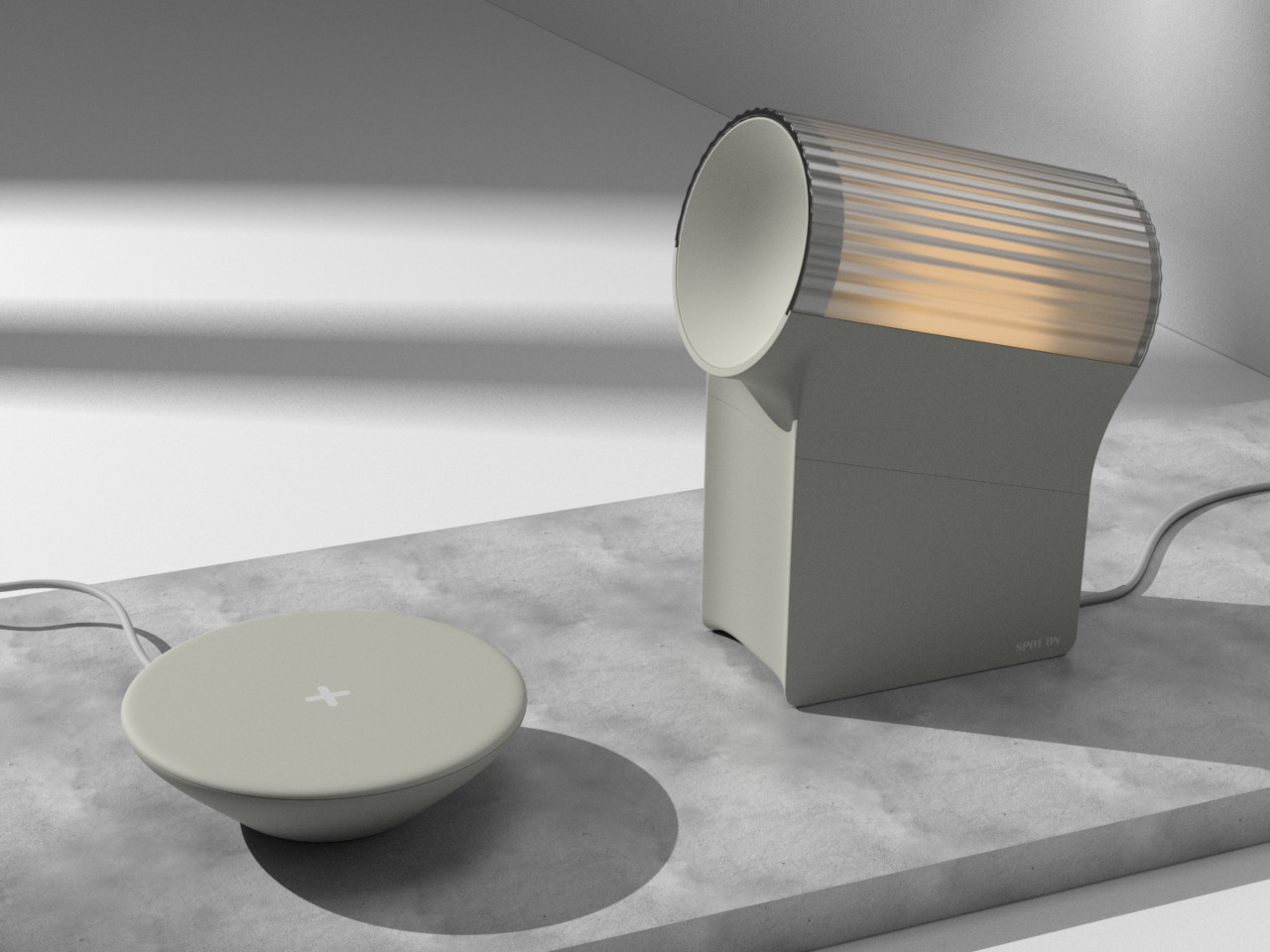
Suzuki Omnichord is back to offer a fun and interesting way to make music

When you think of musical instruments, you will probably first think of things like pianos and guitars. Electronic musical instruments, on the other hand, conjure up images of keyboards, electric guitars, and complicated synthesizers. Suzuki’s Omnichord, on the other hand, is an odd yet curious duck that stands somewhere in between these two extremes. First launched in 1981, this electronic device empowered anyone to make music or accompany a song even without previous musical experience or even reading notes. The Omnichord’s distinctive electronic sounds and novel design made it quite a hit, but the product faded into obscurity back in 1996. To commemorate its upcoming 40th anniversary, Suzuki decided to give today’s generation a taste of that unique experience with a new model that recreates the original so faithfully down to using the same analog circuits.

Designer: Suzuki

Imagine just pressing a few buttons and sliding your finger on a flat surface and then suddenly producing wonderful music. That’s pretty much the experience that the Suzuki Omnichord offered, presenting people, whether musically trained or not, the joys of creating music with ease and freedom. There are no wrong notes, just new harmonies and beats to be discovered and incorporated into your masterpiece. It’s like an adventure for novices but also a new territory for veterans who want to add a unique flavor to their music.

The new Suzuki Omnichord OM-108 tries to bring that 80s experience to the 21st century, reproducing the tonality that characterized that period while also adding modern features that cater to today’s more demanding audience. To accurately recreate the same tones of the OM-84, perhaps the most popular Omnichord ever released, Suzuki opted to go completely old school and apply the same analog circuitry that gave the original its distinctive electronic sounds. It also has that popular harp sensor or strumplate that lets you easily slide or tap your finger to produce the “notes” that will make up your music.

The new OM-108 model boasts 108 chords, hence the name, as well as many new functions, like a switch that changes the way chords and rhythms are played. There’s also a drum pad mode that turns the chord keys as well as the sturmplate itself into beats. And like with many modern electronic musical instruments, you can connect the Omnichord to external MIDI devices to mix tones to your heart’s delight. Plus, the built-in speaker can be turned on or off when you connect an external speaker, useful when you want to monitor your own sound during a live performance.

The Suzuki Omnichord OM-108 may look like a toy, but the unique sounds it lets you produce are pure joy, at least to fans of the electronica genre. Its revival coincides with the retro craze gripping many industries and is a perfect example of a design that manages to remain relevant decades after its last appearance. That said, you’ll have to wait a bit before you can get your hands on the newest Omnichord, as sales aren’t expected to start until July, with the price and market availability still unknown.

The post Suzuki Omnichord is back to offer a fun and interesting way to make music first appeared on Yanko Design.
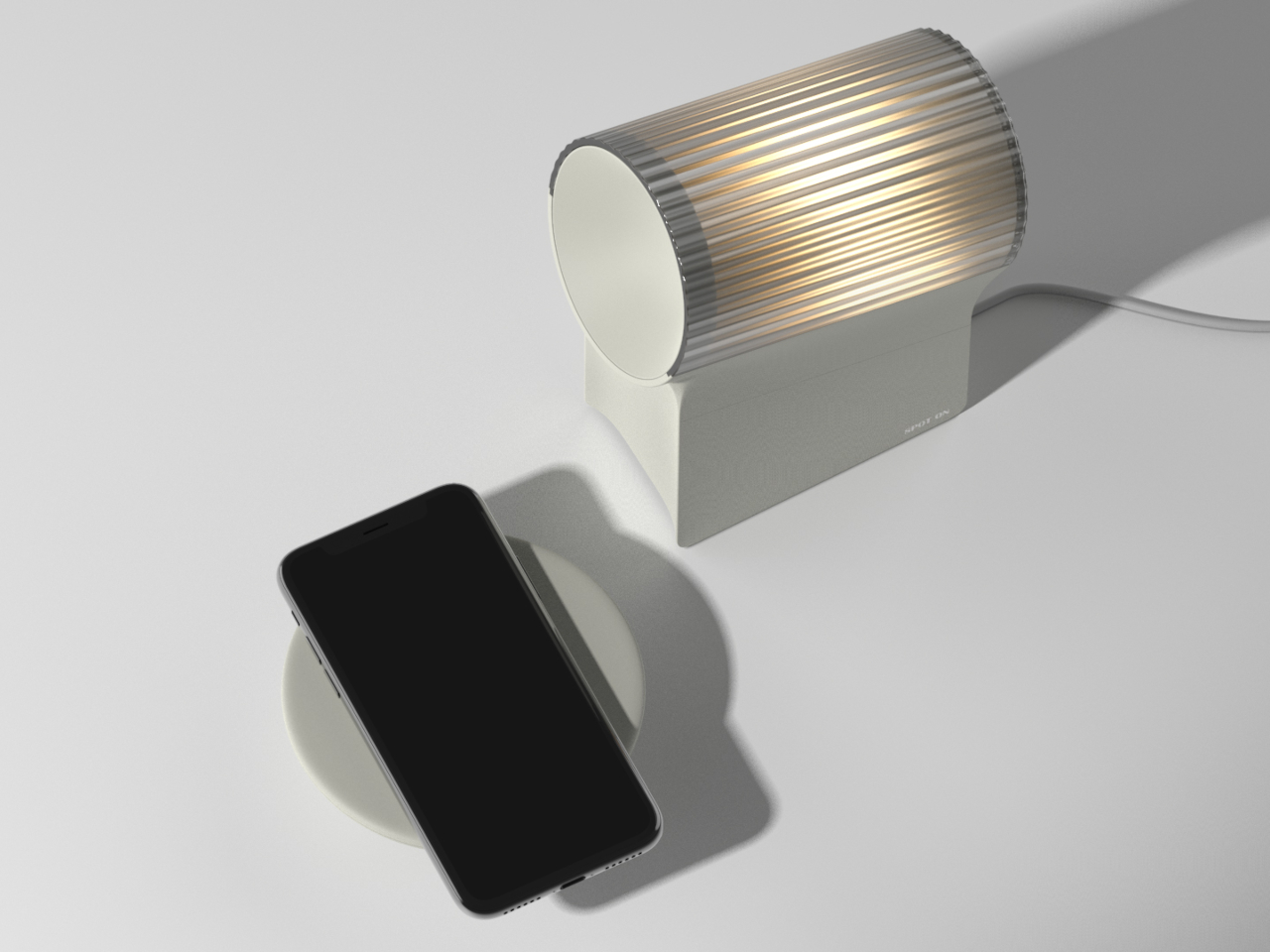
A MacBook without a Screen? This Apple Keyboard concept comes with a built-in Projector Display

If the iMac is all-screen, the MacBook Go is the absolute opposite – it’s all keyboard. Built with its own DLP projector, this all-in-one keyboard is everything you need to work anywhere. Just find yourself an empty wall, pair a Magic Mouse for convenience, and you’re ready to go. The keyboard-shaped device is, in fact, a full-fledged computer, running on Apple’s own silicon. Who needs spatial computing when you can have a computer in your keyboard!?

Designer: Pablo Rubio Villarroel

Designed by Pablo Rubio, the MacBook Go aims at building a new format for computing. It integrates projector and keyboard into one deceptively compact form factor, creating a novel way to carry your workstation with you, sans screen. Instead, the keyboard projects a high-resolution massive 120Hz screen onto any surface you point it at, giving you something much better than multiple screens – one massive screen that can house all your windows and tabs.

Outwardly, the MacBook Go looks and feels exactly like a MacBook without the display. It has everything the MacBook’s 65% keyboard has to offer, from the function keys on the top with the TouchID key on the top right corner, to even the large speakers on either side. Underneath its hood, however, the keyboard is a Mac computer through and through, with its own projector that can automatically orient, keystone, and focus the screen so you don’t spend half an hour sitting and aligning the display. What the keyboard lacks, however, on first glance, is a kickstand for height adjustment… but I’m probably being pedantic.

The relatively thick design blesses the MacBook Go with an abundance of ports, as well as more powerful speakers that rely on bigger drivers. With a range of video outputs including HDMI and DisplayPort, along with two USB-A ports, two USB-C ports, a Micro-SD card slot, and a 10-Gig Ethernet port, this concept device ensures all-round connectivity. The inclusion of a 3.5mm headphone jack is a nod to both traditionalists and professionals who need reliable audio connections.

But what does this mean for the traditional workstation? In the design world, and indeed in many fields, the shift from bulky CPU towers to sleek, powerful laptops is well underway. Some might argue that the Vision Pro is the natural successor to the MacBook, but I’d probably disagree. The MacBook Go feels like a unique intermediary step, albeit portable projectors for work haven’t really caught on. Nevertheless, the MacBook Go sacrifices a stationary display for unparalleled portability and flexibility, giving you a massive projected screen instead of limiting you to a 13 or 15-inch laptop display. The implications are profound, especially for professionals who are always on the move.

Believe it or not, this isn’t the first time someone’s crammed an entire computer into a keyboard. Just a few short years ago, Pentaform managed to fit a full Windows 10 PC into their Abacus Basic keyboard, complete with 4 GB of RAM, 512 GB of storage, and an entirely sustainable outer body made from bioplastic. I doubt Apple would ever make any of their machines from plastic, so the MacBook Go definitely lacks that distinction. It does, however, make up for it with a projector lens, which Pentaform’s Abacus Basic keyboard lacked.

The post A MacBook without a Screen? This Apple Keyboard concept comes with a built-in Projector Display first appeared on Yanko Design.
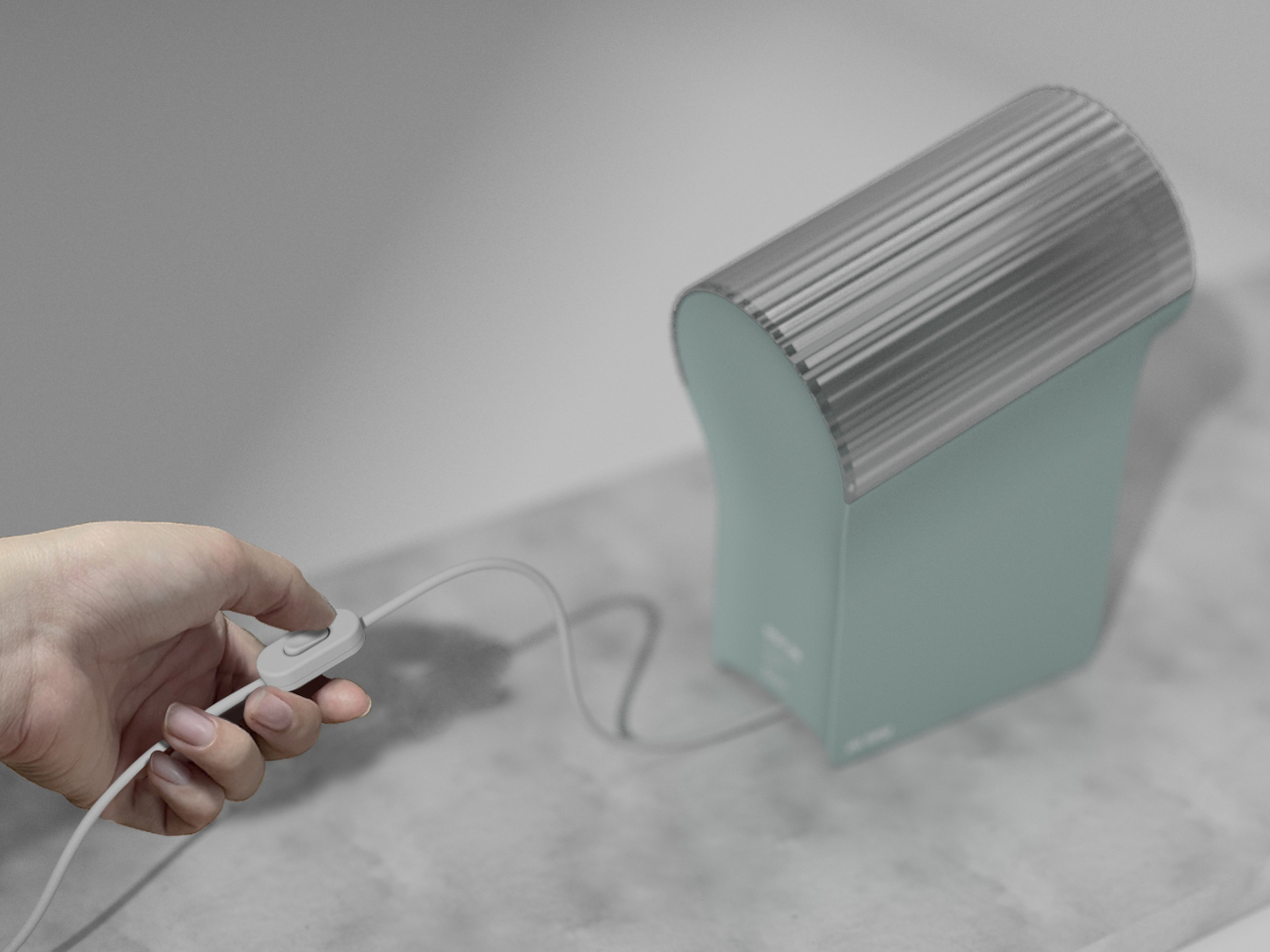
Beautiful wireless charger concept reminds you to take some time off

Wireless chargers are all the rage these days, taking on different shapes, sizes, and functions. Some are simple flat beds for your phone and accessories to lie on, while others raise the design a bit higher, literally, with stands that magnetically hold your devices up. The one common trait that these products have is that they mostly lean towards minimalist design trends, which is good for keeping a clean and tidy look but bad for missed opportunities. Minimalist or not, that wireless charger will still take up some space on your desk or shelf, so why not let it serve another purpose, like this rather simple yet elegant desk clock that does more than just charge your phone; it also tells you to take a break and charge yourself as well.

Designer: Nihoy Lahiri

Although they still need to make contact with a flat surface, wireless chargers, especially the magnetic variety, opened up new possibilities for designs. No longer tied down by charging cables, the only limits are creativity, imagination, and, of course, the laws of physics and electronics. Transforming a charging pad into something that has use even when it’s not charging a phone is a smart way of making use of space, which is what Zenith tries to offer with a subtle spiritual purpose behind its design as well.

Even without a phone, Zenith already looks like a decorative piece that calls your attention not just to the actual clock but also to its design. The gentle curves of its body convey a more organic and less daunting image compared to something that looks completely angular and mechanical, like what many desk clocks look like. The translucent material makes the entire structure look ephemeral and almost mystical, adding to the spiritual character of the design.

The arch-shaped void at the bottom is where you will let your phone lie while it charges. The empty space is a perfect contrast to the roundness and whiteness of the clock above it. It’s a small version of a Yin Yang composition that further enhances the design’s otherworldly appeal. Zenith’s deeper message, however, goes beyond its aesthetic.

By combining a wireless charger with a timekeeping piece, people will be forced to look at the clock every time they lay down the phone to recharge. It visually nudges their mind to take stock of their own internal battery levels, giving them pause and practicing a little bit of mindfulness. With the clock positioned above the smartphone rather than the other way around, it gives a subtle reminder that time should have a higher importance in our lives than tools. It is the zenith, so to speak, that guides our lives, not the phones that, more often than not, send us on a downward spiral of distractions.

The post Beautiful wireless charger concept reminds you to take some time off first appeared on Yanko Design.
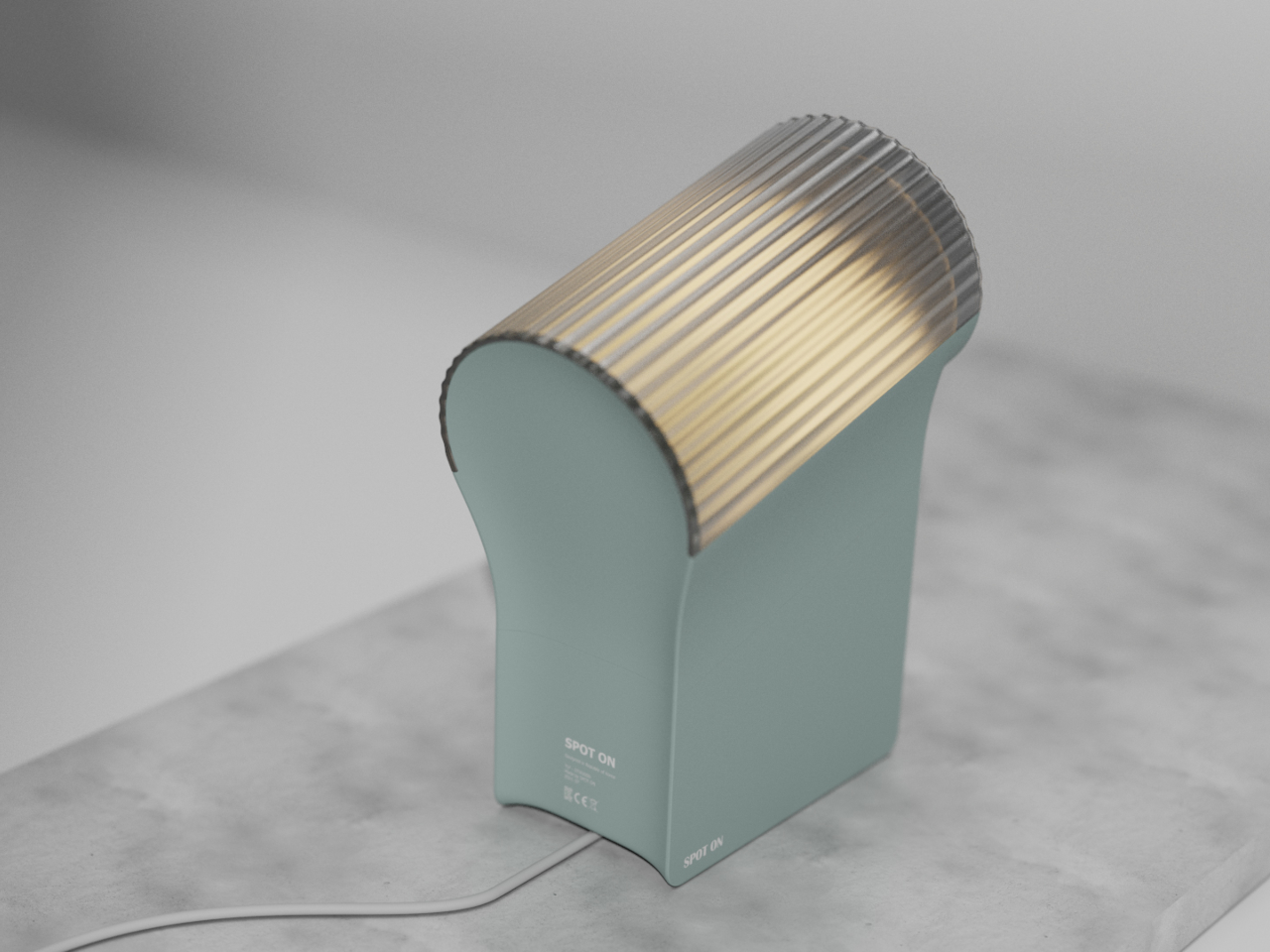
Beautiful wireless charger concept reminds you to take some time off

Wireless chargers are all the rage these days, taking on different shapes, sizes, and functions. Some are simple flat beds for your phone and accessories to lie on, while others raise the design a bit higher, literally, with stands that magnetically hold your devices up. The one common trait that these products have is that they mostly lean towards minimalist design trends, which is good for keeping a clean and tidy look but bad for missed opportunities. Minimalist or not, that wireless charger will still take up some space on your desk or shelf, so why not let it serve another purpose, like this rather simple yet elegant desk clock that does more than just charge your phone; it also tells you to take a break and charge yourself as well.

Designer: Nihoy Lahiri

Although they still need to make contact with a flat surface, wireless chargers, especially the magnetic variety, opened up new possibilities for designs. No longer tied down by charging cables, the only limits are creativity, imagination, and, of course, the laws of physics and electronics. Transforming a charging pad into something that has use even when it’s not charging a phone is a smart way of making use of space, which is what Zenith tries to offer with a subtle spiritual purpose behind its design as well.

Even without a phone, Zenith already looks like a decorative piece that calls your attention not just to the actual clock but also to its design. The gentle curves of its body convey a more organic and less daunting image compared to something that looks completely angular and mechanical, like what many desk clocks look like. The translucent material makes the entire structure look ephemeral and almost mystical, adding to the spiritual character of the design.

The arch-shaped void at the bottom is where you will let your phone lie while it charges. The empty space is a perfect contrast to the roundness and whiteness of the clock above it. It’s a small version of a Yin Yang composition that further enhances the design’s otherworldly appeal. Zenith’s deeper message, however, goes beyond its aesthetic.

By combining a wireless charger with a timekeeping piece, people will be forced to look at the clock every time they lay down the phone to recharge. It visually nudges their mind to take stock of their own internal battery levels, giving them pause and practicing a little bit of mindfulness. With the clock positioned above the smartphone rather than the other way around, it gives a subtle reminder that time should have a higher importance in our lives than tools. It is the zenith, so to speak, that guides our lives, not the phones that, more often than not, send us on a downward spiral of distractions.

The post Beautiful wireless charger concept reminds you to take some time off first appeared on Yanko Design.
Death Stranding edition Backbone One controller sports a pee-colored semi-transparent body shell

Hideo Kojima’s Death Stranding is coming to iOS devices later this month and you’ll need a sharp gamepad to have the tactical advantage in-game. Backbone has got you covered on that front with a BackBone One Death Stranding Limited Edition controller. This comes on the back of the recently unveiled second-generation version of the highly rated USB-C controller for the iPhone 15 and Android controller.

Now the brand has collaborated with the developer of the highly anticipated title to develop a unique-looking gamepad that for you could either be a golden bliss or a piece of piss! That’s because the color is so peculiar, you’ll have your own subjective opinion on it. By the way, this is not the first time such a controller has made its first appearance since there was a DualShock 4 in the same hue.

Designer: Backbone One

Death Stranding is coming to iOS and Mac on January 30, 2024, and on the very same day, Backbone will make the special edition controller available for purchase in the United States. Playing this crazy haunted open-world title with touchscreen controls is going to be difficult, so if you own the iPhone 15 series, you are better off getting this mobile controller before the stock runs out. The new version (limited edition and standard one) has incremental upgrades including magnetic adapters for an ergonomic fit and a revamped D-pad.

The controller is inspired by the peaking technologies of 2000, explaining the transparent plastic casing that exposes the hardware inside. That hue somehow reminds me of the portable jars for carrying Bridge Babies around. While the front sports a cool transparent yellowish hue, the rear has a more standard solid yellow-orange and graphite color scheme.

Get this limited edition Backbone One mobile controller for $150 and you’ll suit yourself to the free iOS download code for the game. Also, the USB-C connection should be good for connectivity with Android devices.

The post Death Stranding edition Backbone One controller sports a pee-colored semi-transparent body shell first appeared on Yanko Design.
This Neck-worn Power Bank for the Vision Pro may be better than Apple’s own battery pack

Virtually everyone who’s tried the Vision Pro has mentioned one pain-point, its external battery pack. Designed to strap to your Vision Pro like an IV drip for your headset, this battery pack isn’t particularly elegantly designed. It’s a rather heavy metal cuboid that’s tethered to your headset, and the only way to elegantly store it while in use is to slide it into your pocket – leaving a sole wire that dangles from your head to your waist, coming in the way of your hand while you move around.

It’s almost like Apple WANTS you to know that they’re great at primary products but terrible at accessories, after various debacles surrounding the questionable designs of the Magic Mouse, the Air Power Mat, the Gen 1 Apple Pencil’s charging solution, and the carrying case for the AirPods Max. The Vision Pro’s battery pack is yet another example of Apple’s questionable approach to product functionality, but it seems like ZyberVR has a better fix. The Neck Power Bank, as its name suggests, straps two lithium-ion battery packs around your neck. Perfect for spatial computing, this power bank rests naturally along the curve of your neck, and connects to your AR/VR headset via a rather short cable. It’s an elegant solution to a rather simple problem, and even allows you to move around unencumbered.

Designer: Kylin Wu

Click Here to Buy Now

The Neck Power Bank assumes the familiar horseshoe shape of a neck pillow, a pair of sporty earphones, or one of those neck-worn air conditioners. The power bank boasts a fresh and ergonomic design that sets it apart from the rest. Featuring a flexible center frame, it simplifies the process of unfolding and wearing it comfortably around your neck. Prioritizing ergonomic principles, it skillfully redistributes weight onto your shoulders, effectively relieving neck strain. The product seamlessly conforms to your shoulder’s natural curve, ensuring a secure fit during physical activities and minimizing unwanted shaking. This cutting-edge design departs from convention, effectively eliminating the discomfort often associated with prolonged use and offering users a more convenient, stable, and enjoyable charging experience.
With a robust overall capacity of 10,000mAh, the neck-worn device ensures a seamless 2-3 hours of XR device use, freeing users from battery anxiety. Additionally, the Neck Power Bank packs a removable 5000mAh backup battery that can be hot-swapped during use. Thanks to the quick-release switch, users can effortlessly swap out a depleted battery in a matter of seconds. The removed battery can be charged independently, guaranteeing uninterrupted power and catering to the demands of power users.

A USB-C port allows you to connect the power bank to a host of AR/VR headsets like Meta’s Quest series, Sony’s PlayStation VR, or even other devices like headphones or even your smartphone. ZyberVR even boasts compatibility with Apple’s upcoming Vision Pro headset, although you’d need a proprietary connector cable that can attach to the Vision Pro (which launches February 2nd). That shouldn’t take time, as Apple would probably want third-party manufacturers to build out accessories to make the headset more lucrative. After all, if they want developers to start building a software ecosystem around the product… a hardware ecosystem would surely help contribute to the Vision Pro’s eventual success!

Click Here to Buy Now

The post This Neck-worn Power Bank for the Vision Pro may be better than Apple’s own battery pack first appeared on Yanko Design.