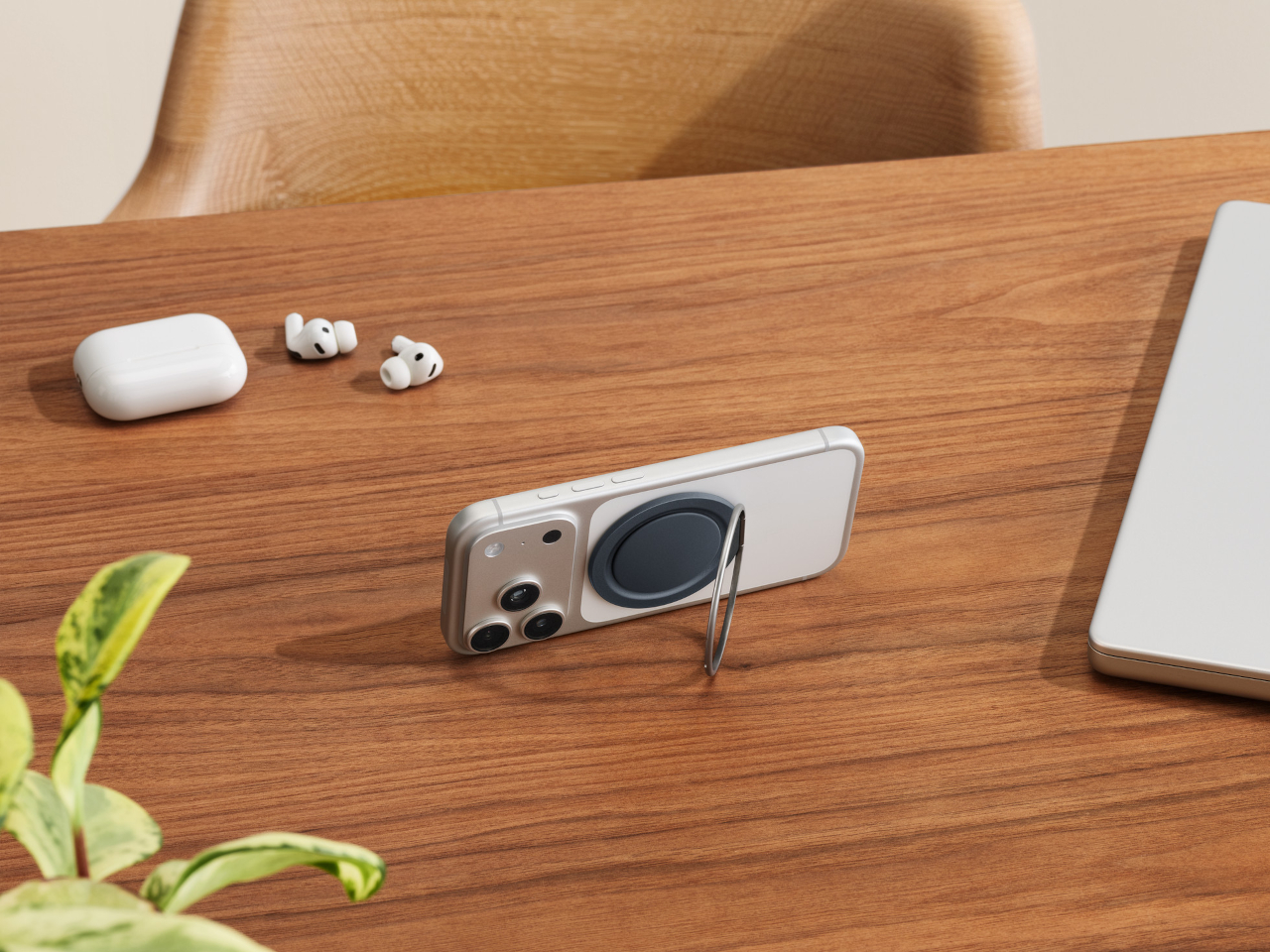
This Case Fixes iPhone’s Weak Selfie Camera with a Second Screen

The iPhone’s rear cameras keep getting better, but selfies still rely on a smaller, lower-resolution front sensor, and storage upgrades cost considerably more than a microSD card. People who shoot a lot of photos and video feel squeezed on both fronts, choosing between spending hundreds on internal storage or dealing with blurry front-camera selfies. Selfix is a case for the iPhone 17 Pro that tackles both problems at once.

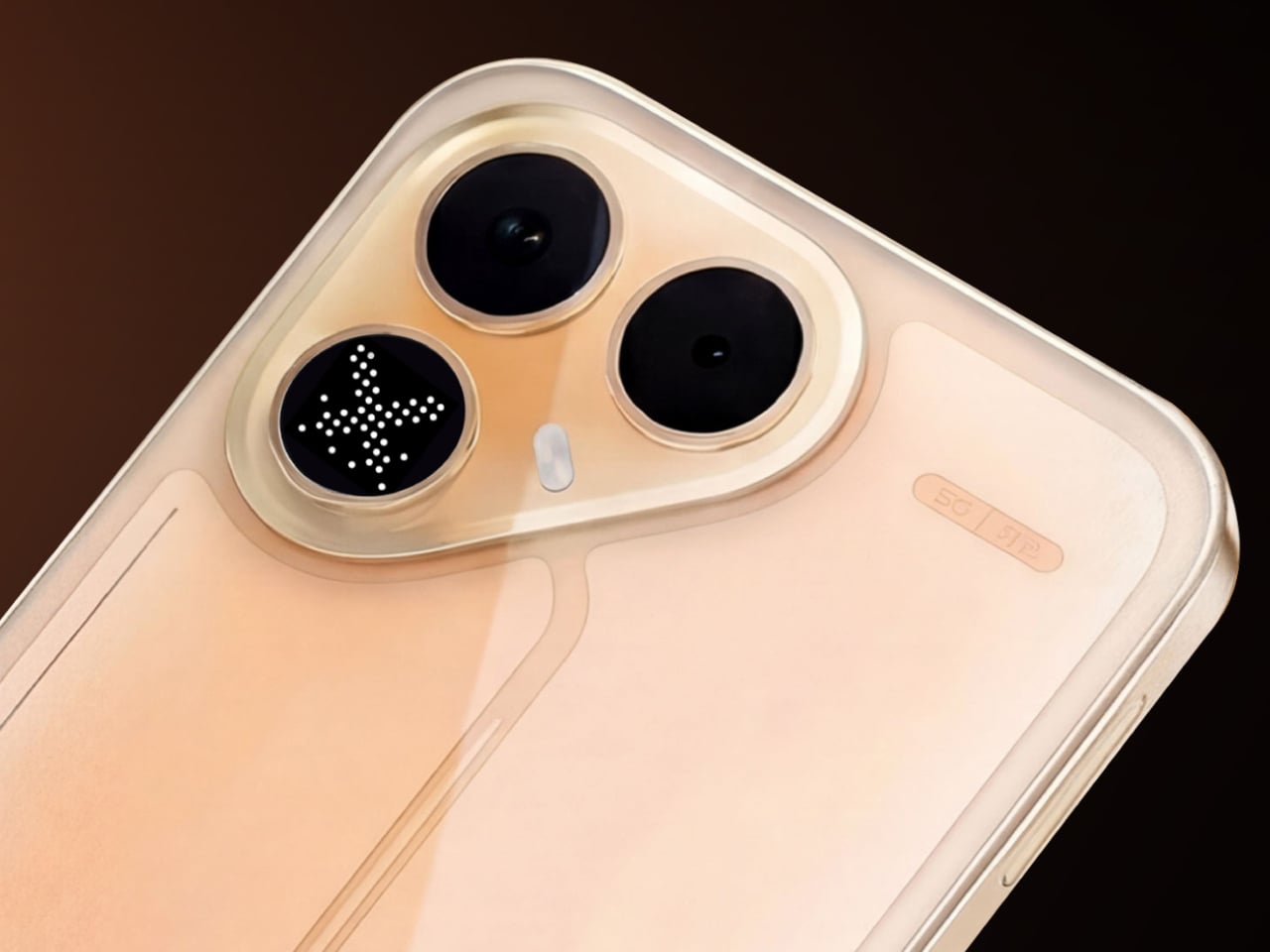
Selfix is a case for the iPhone 17 Pro and Pro Max that adds a circular 1.6-inch AMOLED screen to the back and hides a microSD slot inside. The rear screen acts as a tiny viewfinder so you can use the 48 MP rear cameras for selfies, while the card slot lets you add up to 2 TB of storage without touching Apple’s upgrade menu or monthly cloud fees.

Designer: Selfix

The rear display mirrors the camera view so you can frame yourself, adjust in real time, and pick any of the rear lenses, from ultra-wide group shots to telephoto portraits. You get the main sensor’s larger 1/1.28-inch glass, Night Mode, and up to 8× optical zoom for selfies, instead of guessing with a cropped front camera and hoping everyone fits into the narrower field of view.

Selfix connects through the phone’s USB-C port and does not need a separate app. You snap the case on, open the camera, and the rear screen wakes up. A dedicated button on the case lets you turn the display off when you are not using it to save battery. The idea is to feel like a built-in second screen, not another gadget that needs pairing, permissions, and a drawer full of instructions.

The case includes a microSD slot that supports cards up to 2 TB, using the same USB-C connection to integrate with the phone. A 512 GB card costs around $50, while Apple’s $200 jump for the same capacity makes swappable storage a compelling alternative. Heavy shooters can archive trips or projects without paying monthly cloud fees or deleting older work to make room for new sessions.

Selfix is made from high-quality TPU and comes in Oat White, Blush Pink, and Midnight Black, sized to match the 17 Pro and Pro Max. It adds some thickness, bringing the total to 17mm, but in return, you get a grippy shell, a second screen, and a hidden storage bay. The design aims to look like a natural extension of the phone rather than a bolt-on camera rig or accessory that screams afterthought.

Selfix is aimed at people who care enough about image quality to use the rear cameras for everything, and who are tired of juggling storage or paying the upgrade tax. A case that quietly turns the iPhone into a dual-screen shooter with expandable memory makes you wonder why the phone did not ship this way, especially when the rear cameras already outclass the front by a significant margin, and storage remains artificially expensive.

The post This Case Fixes iPhone’s Weak Selfie Camera with a Second Screen first appeared on Yanko Design.

Gomi Phone Case Is 100% Recycled, and No Two Look Exactly the Same

Phone cases change often. New phone, new case, new colour, and those old cases quietly pile up in drawers or end up in landfill. The accessory industry treats cases as fast fashion, even though the phone inside is already a major environmental hit. Gomi is a small Brighton studio trying to slow that churn down with a different promise, a case that can be repaired forever and remoulded when you upgrade.

The forever phone case is handmade from 100% recycled plastic, backed by a simple guarantee, free repairs for life, and a £20 (around $28) upgrade when you get a new phone. Instead of buying a new case every upgrade cycle, you send the old one back, and they remold the same material into a new form factor, turning the case into something closer to a subscription on the material itself rather than another piece of disposable gear.

Designer:
Gomi

The case is made from recycled plastic that can be reheated and reshaped, so chips and cracks can be repaired, and whole cases can be melted down into new ones. There is no such thing as an end of life in their model; the material either becomes another case or another Gomi product. That circular loop is the core idea, not just the fact that the plastic came from waste in the first place.

Each case is pressed from mixed plastic, creating a marbled pattern that cannot be repeated. No two cases are the same, which makes the randomness part of the appeal rather than a defect. Colourways like Panther or pastel mixes become loose guidelines rather than exact prints, and the result is a one-of-one object that looks like a tiny slab of recycled terrazzo wrapped around your phone, and no one else has the exact pattern.

The practical side covers raised edges for screen and camera protection, a snug fit, and drop testing to what Gomi calls military grade. You can add MagSafe compatibility as an option, which means a ring of magnets inside the case to keep chargers, wallets, and docks aligned. If you do not use MagSafe accessories, you can skip it, but the option keeps the case compatible with modern iPhone habits and workflows.

Every case is handmade in Brighton, UK, by a small independent team, and buying one supports that workshop rather than a faceless factory. The brand leans into that, promising free delivery across the UK, EU, and USA, and a 30-day money-back guarantee. It is a small detail, but it reinforces the idea that this is a long-term relationship, not a one-off impulse buy you forget about when the next design trend arrives.

The forever case quietly asks you to think about your phone differently. The device may still change every few years, but the material wrapped around it does not have to. A case that can be repaired, remoulded, and upgraded for a small fee instead of being replaced entirely is a modest shift, yet in a category built on disposability and seasonal colour drops, it starts to feel like a surprisingly radical one.

The post Gomi Phone Case Is 100% Recycled, and No Two Look Exactly the Same first appeared on Yanko Design.

This Phone Concept Stacks a 3.5-Inch LCD Above a 5.2-Inch E Ink Screen

Modern phones have turned into pocket TVs, huge OLED slabs that are great for video and games but terrible for focus. Most E Ink phones go to the opposite extreme, either dropping color screens entirely or putting an E Ink panel on the back while keeping a full-size color display on the front. This dual-screen concept tries a different take, stacking both screens on the same face, with a small color LCD above a larger monochrome E Ink panel.

The basic layout is a 3.5-inch IPS LCD at the top and a 5.2-inch E Ink panel below, both on the front. The numbers are 1280 × 800 resolution at 120 Hz for the LCD and 1300 × 838 at 300 ppi for the E Ink. The clear back with a single camera and simple branding quietly signals that this phone is not chasing the usual multi-lens, all-screen spec race, instead treating the front as a composition of two very different surfaces.

Designer: Mechanical Pixel

The smaller LCD becomes the “burst of color” zone for time, notifications, music controls, and quick interactions, while the larger E Ink area is reserved for reading, notes, and simple widgets. This creates a hardware-level hierarchy; the calm, monochrome screen is where you spend most of your time, and you consciously move your attention to the smaller, brighter panel when you really need it, which changes the default state of the device from hyperactive to quiet.

The obvious pros are less visual noise, better eye comfort, and potentially much better battery life. E Ink only draws power when it refreshes, so a reading-first layout means the phone can idle for long stretches without burning through charge. For people who mostly message, read, and check calendars, the big E Ink panel could handle most of the day while the LCD stays off or in a low-duty role, extending runtime significantly.

The trade-offs are nothing to scoff at, though. A 3.5-inch LCD, even at 120 Hz, is not ideal for immersive video, complex productivity apps, or touch-heavy games. UI designers would need to rethink layouts for that smaller window, or accept that some tasks are better on a tablet or laptop. The E Ink panel’s slower refresh also limits it to taps and page turns, which is fine for reading but not for fast, gesture-driven interfaces that rely on immediate visual feedback.

This concept uses hardware to enforce a kind of digital minimalism. Instead of relying on focus modes and grayscale filters, it bakes the idea into the front of the phone, a big, calm screen for reading and a small, hyperactive one for everything else. For people who like the idea of a phone that nudges them toward books and away from endless feeds, that stacked layout feels like a surprisingly sharp design argument, where the very shape of the device encourages a different relationship with what lives on it.

The post This Phone Concept Stacks a 3.5-Inch LCD Above a 5.2-Inch E Ink Screen first appeared on Yanko Design.
This E‑Ink Phone Case With An AI Recorder Practically Kills Your Notes And Voice Memos Apps

My ideal phone case has always been two different products at once. Part of me wants a permanent E Ink panel for boarding passes, social QR codes, and a to do list that never disappears behind a lock screen. Another part wants an AI notetaker like the Plaud, with its own mic, its own record button, and reliable transcription. Until now, those wants have fought for the same patch of real estate on the back of my phone. Reetle’s SmartInk I feels like someone finally noticed that clash. Instead of asking me to choose, it fuses the two roles into a single shell. The E-Ink side handles the quiet, persistent information, while the hardware in the case listens, records, and hands everything off to the phone for syncing and AI summaries. In practice, that turns the case from decoration into the main interface for how I capture and review my day.

This approach is what makes the SmartInk I compelling. It treats the phone case as active, functional hardware rather than a passive bumper. The core insight is that the back of a phone is wasted space, a blank canvas that could be doing useful work. By integrating an E-Ink screen, Reetle creates a low-power dashboard for glanceable information. The marketing materials show exactly what you would expect: calendars, QR codes, and checklists living on a paper-like display that is always visible in sunlight. This is a familiar concept, but the execution here feels more deliberate. The screen is not just a secondary display; it is the intended output for the case’s other primary function, which is where things get really clever.

Designer: REETLE

Click Here to Buy Now: $119 $199 (40% off) Hurry! Only 9 Days Left.

Input comes from a dedicated, one-press record button built right into the case’s frame. This is a critical piece of the design, as it removes all the friction of modern recording. There is no need to unlock your phone, hunt for an app, and tap a tiny on-screen icon. You just press the side of the case. That single, simple action captures audio and sends it to the companion app over Bluetooth or Wi-Fi for processing. This is the kind of tactile, immediate functionality that is often lost in software-driven devices. It turns the act of recording from a deliberate, multi-step process into a pure reflex, which is exactly what you want when an important idea strikes.

Once the audio is in the app, the system’s AI gets to work. It transcribes the speech, identifies key points, and can even generate structured to-do lists from a rambling conversation. This is where the workflow comes full circle. Those summaries and tasks can be pushed right back to the E-Ink screen, closing the loop between capture and review. A meeting’s action items can appear on the back of your phone moments after the meeting ends. This creates a powerful, self-contained ecosystem where the case captures the input and the case also displays the output, turning your entire phone into a much smarter notepad.

That E-Ink display is the centerpiece of the whole pitch. It covers nearly the entire back of the phone, acting as a persistent, low-power canvas for whatever information matters most at the moment. The use cases are immediately obvious and practical: a boarding pass that will not disappear when your battery is low, a QR code for your portfolio ready at a moment’s notice, or your daily calendar visible without a single tap. Reetle calls it a “Widget Switching Display,” which suggests a dynamic hub where you can cycle through different views, from a simple to-do list to custom artwork. Crucially, this is also where the AI-generated summaries from your recordings are meant to live, turning a static information panel into an active part of your workflow.

The case has its own power source, offering 10 hours of continuous reading or 10 hours of recording, with a standby time of seven days. That is a respectable battery budget for an accessory, and it recharges via MagSafe passthrough, which seems rather fascinating because it implies that power passes through an E-Ink display into the case – which is fairly game-changing if you ask me. I don’t think I’ve seen any device allow charging right through an existing component sitting between two charging coils. That aside, the Reetle also packs a tempered-glass back and a military-grade protective construction that keeps itself as well as your phone secure from accidental drops.

The entire UX is powered by the Reetle mobile app. This app is the command center, connecting to the case via Bluetooth and managing everything from firmware updates to AI processing. It is where you review your full transcriptions, organize your notes, and customize the widgets that appear on the E Ink display. You can choose which calendar to show, which to-do list to sync, and which images or QR codes to display. The connection uses both Bluetooth and Wi-Fi, which provides flexibility for syncing large audio files quickly when a known network is available. The success of the whole experience rests on this software being intuitive, reliable, and deeply integrated into the phone’s operating system.

What is particularly ambitious is the sheer breadth of compatibility Reetle is promising. The product is not just for the latest iPhone 17 Series. The compatibility list extends back to the iPhone 13 series, and even is compatible with the new iPhone Air (although you’re killing the Air’s appeal by mounting a thick E-Ink case on it>) The plan also includes a massive range of Android flagships from Samsung, Google, Sony, Huawei, Vivo, and others. This indicates a vision for the SmartInk I as a platform-agnostic tool, not just another Apple-centric accessory. Producing perfectly fitted cases for so many different chassis designs is a significant manufacturing challenge, but it shows a commitment to serving a much wider market.

The Reetle SmartInk I is currently on Kickstarter, where it has already flown past its initial funding goal. The early-bird price is set at about $119, with a target shipping date of February 2026. For a product category that has been largely defined by aesthetics and materials, the SmartInk I represents a genuine functional leap. It is a thoughtful synthesis of E-Ink, AI, and hardware design that re-imagines what a phone case can be. It is no longer just a protective shell; it is an active partner in managing your information and capturing your ideas. Heck, it’s probably better than any other AI accessory I’ve seen all year!

Click Here to Buy Now: $119 $199 (40% off) Hurry! Only 9 Days Left.

The post This E‑Ink Phone Case With An AI Recorder Practically Kills Your Notes And Voice Memos Apps first appeared on Yanko Design.
IKEA’s $10 Donut Charger is the Quirkiest Tech Accessory You Need

IKEA has always understood that good design is about more than just aesthetics; it’s about making everyday life just a little bit smarter and a whole lot more delightful. From the iconic, ubiquitous flat-pack furniture phenomenon that has furnished college dorms and first apartments worldwide, to their surprisingly savvy and rapidly expanding smart home gear, the Swedish powerhouse consistently sneaks into our lives with functional, well-priced objects. They have a unique talent for translating high-level function into accessible, everyday items, democratizing design in a way few other companies can match.

But their latest accessory, the VÄSTMÄRKE wireless charger, feels like they stopped designing furniture for a minute and started making tech that belongs on a designer’s desk or maybe even a breakfast tray. And truth be told, I’m all for this kind of quirky but also highly functional kind of device, especially for someone who always needs to charge one gadget or another and appreciates a bit of personality in their tech landscape.

Designer: IKEA

Forget the sleek metal pucks and boring black slabs that define the typical wireless charger landscape. The VÄSTMÄRKE arrives in a striking, happy red color which is a shade that manages to be both playful and aggressive. It is wrapped in soft, tactile silicone, and is shaped unmistakably like a bright, circular donut. Yes, a donut. This accessory is a masterclass in playful industrial design, immediately standing out in a crowded market where everything is trying desperately to be minimal and invisible, striving for that elusive “zero design” aesthetic. The VÄSTMÄRKE loudly rebels against that. At around ten dollars, it’s an absolute steal and an impulsive buy designed to bring a little pop culture fun and necessary color into your daily tech routine. It’s an instant dopamine hit for your desk.

But don’t let the adorable, pastry-like exterior fool you into thinking this is merely a cute paperweight that’s all style and no substance. Underneath that cheerful, friendly silicone exterior is a genuinely modern piece of charging tech that proves IKEA is serious about functionality. The VÄSTMÄRKE supports the new Qi2 standard, which is the current industry gold standard for magnetic wireless charging. This means it offers fast 15-watt charging speeds which is on par with high-end, premium alternatives, and, crucially for modern phone users, it includes precise magnetic alignment. This makes it instantly compatible with systems like Apple’s MagSafe or Google’s emerging PixelSnap standard, ensuring your phone snaps perfectly into place every single time. That magnetic click maximizes charging efficiency and eliminates the frustrating hunt for the sweet spot, a common annoyance with older, non-magnetic wireless pads.

Where the VÄSTMÄRKE truly shines, however, is in its secret identity, offering two hidden functions that transform it from a simple charger into a genuine utility tool, a Swiss Army knife of power. The whole device is built around a clever fold-out core. You can flip the top half up and invert the ring, effectively turning the charger into an impromptu, stable, PopSocket-style grip for your phone. Imagine charging on the go, then seamlessly using the attached charger, which is still magnetically clamped to your device, to secure your grip while scrolling through social media, watching a video, or taking a complicated selfie. It’s a brilliant crossover of charging and ergonomic convenience that no one specifically asked for, but everyone who uses it will immediately wonder how they lived without it.

The second genius trick tackles the bane of all tech lovers: the cable tangle. That circular cutout, which doubles as the grip, is also a clever storage solution. The VÄSTMÄRKE includes an integrated USB-C cord, which is another nod to modernity and universal compatibility. When you’re done charging or ready to travel, you can simply wrap the cable neatly and snugly around the center gap and snap the silicone top back down. The cord disappears completely into the design, keeping your bag or pocket blissfully knot-free and preventing the charger itself from becoming a tangle magnet. It’s a supremely thoughtful nod to portability, making this the ideal budget travel companion for anyone constantly on the move.

The VÄSTMÄRKE is the perfect embodiment of IKEA’s approach to the smart home and personal tech. It’s cheap, utterly practical, uses high-level Qi2 technology typically reserved for more expensive gear, and comes wrapped in a delightful design that is guaranteed to spark conversation and smiles. It’s a testament to the idea that functional tech doesn’t have to be visually dull or take itself too seriously. Sometimes, the best design is the one that looks like it belongs on the menu rather than on the motherboard. If you’re looking for a dash of color, a clever set of features, and next-gen magnetic charging without emptying your wallet, this little red donut is an unexpected, delightful, and highly functional winner.

The post IKEA’s $10 Donut Charger is the Quirkiest Tech Accessory You Need first appeared on Yanko Design.
MagSafe Breadboard Turns Your iPhone Into a Circuit Prototyping Lab

Show me another MagSafe breadboard. I’ll wait. Kevin Yang’s Commi Board is the only one, and that alone tells you something about how design students occasionally see opportunities that entire industries miss. The engineering is smarter than it looks: instead of embedding a full microcontroller and battery into a phone accessory, Yang uses GPIO communication to let your smartphone handle the processing. Your phone already has more power than an Arduino Mega, better connectivity than most dev boards, and a screen you actually want to look at. Commi Board just provides the physical interface for components and the software to make it work. You get four programming methods ranging from conversational AI to a proper IDE, real-time circuit validation, and a small display that shows execution status. Dimensions are tight: 62mm by 98mm when installed, with the board itself at 62mm by 82mm when detached.

The color scheme gives strong Flipper Zero vibes, but there’s a key difference between that infamous pen-testing tool and this humble breadboard. Flipper wants to be everything: NFC reader, IR blaster, sub-GHz radio, GPIO interface, and more. Commi Board has a tighter scope and probably benefits from that focus. It’s specifically for prototyping circuits and validating code, not for pentesting your neighbor’s garage door. The modular design splits into the breadboard surface and a MagSafe mounting frame with that distinctive ring cutout for phone cameras. Everything connects through USB-C 3.2, BLE, or Bluetooth, and the cloud storage means you can start a project on your phone and pick it up later without dealing with local file management. Yang has a working theoretical PCB prototype with tested connectivity, though the full API integration is still in mockup phase. For a student project that started in June 2024, this is surprisingly far along.

Designer: Kevin Yang

Most IoT hardware tries to do everything and ends up mediocre at all of it. You get a device with its own processor, battery, screen, and connectivity stack, essentially rebuilding a worse version of the phone already in your pocket. Yang went the opposite direction. Commi Board is parasitic by design, borrowing your phone’s computational power, display, internet connection, and power management. What remains is pure interface: holes for components, GPIO pins for communication, and minimal onboard electronics to translate between physical circuits and software. This approach means lower weight, cheaper manufacturing, and no battery degradation to worry about in three years. After 3 years, swap your phone, but continue your tinkering. Sounds almost revolutionary, no?

You can tell Yang actually built and tested this thing because of how the modular split works. Sometimes you want the board magnetically stuck to your phone for portable testing. Other times you need it detached because your circuit blocks the camera or needs more space to breathe. The MagSafe frame has that circular cutout positioned exactly where iPhone camera arrays sit, which matters more than it sounds. Misalign that by a few millimeters and the magnetic connection feels sketchy. The orange border serves double duty as brand identity and a visual indicator of where the two pieces separate. Good industrial design makes functional divisions obvious without needing instruction manuals, and this pulls it off cleanly.

Four programming methods cover a wide range of experience levels, from ‘never touched circuitry in my life’ to ‘I ship builds and hardware for a living.’ Beginners can type “make an LED blink every second” and watch AI spit out working code. That builds intuition about syntax without requiring fluency first, which is how people actually learn instead of how computer science departments think they should learn. Visual block programming handles the intermediate phase where you understand logic flow but typing semicolons still feels unnatural. Puzzle-piece interfaces work surprisingly well for teaching conditionals because the physical constraints mirror logical ones. Then there’s the full IDE for anyone comfortable with text editors or shipping actual products. Most educational platforms force you to switch ecosystems as you level up, losing all your previous projects in the migration. This keeps you on the same hardware using the same project files, just changing how you communicate with the circuits.

Yang claims GPIO communication lets the phone simulate most microcontrollers, which holds up for Arduino-class applications but gets questionable under pressure. Smartphones have absurd amounts of raw compute, but they run full operating systems with schedulers and background processes that introduce latency. Blinking LEDs and reading sensors? Totally fine. Tight timing loops or bit-banging niche protocols? You’ll probably hit walls. The spec sheet lists USB-C 3.2 alongside Bluetooth and BLE, which tells me Yang ran into exactly these problems during development. USB-C handles the demanding stuff while Bluetooth covers casual wireless control. That’s the kind of tiered connectivity you see from someone who tested their assumptions and had to architect around reality.

And the Commi Board comes with cloud storage too, allowing you to save your projects/builds/experiments in a secure place that isn’t bound to your phone. Imagine the alternative – you get inspired, start wiring something up, then life happens and three weeks later you can’t remember which transistor you needed or where you saved that working code. Friction kills momentum harder than technical difficulty does. Being able to pull up a half-finished project on your phone while standing in a component aisle trying to remember your parts list solves a real problem. The project-sharing community is obviously coming next, which transforms this from a standalone product into a platform. If Yang opens the API properly for third-party development, this could turn into something way bigger than a thesis project. Right now there’s a working PCB prototype with tested connectivity, which means the core tech functions. Let’s hope Yang gets to a point where he can take this to a startup level, or even crowdfunding. I know I’d have my money ready.

The post MagSafe Breadboard Turns Your iPhone Into a Circuit Prototyping Lab first appeared on Yanko Design.
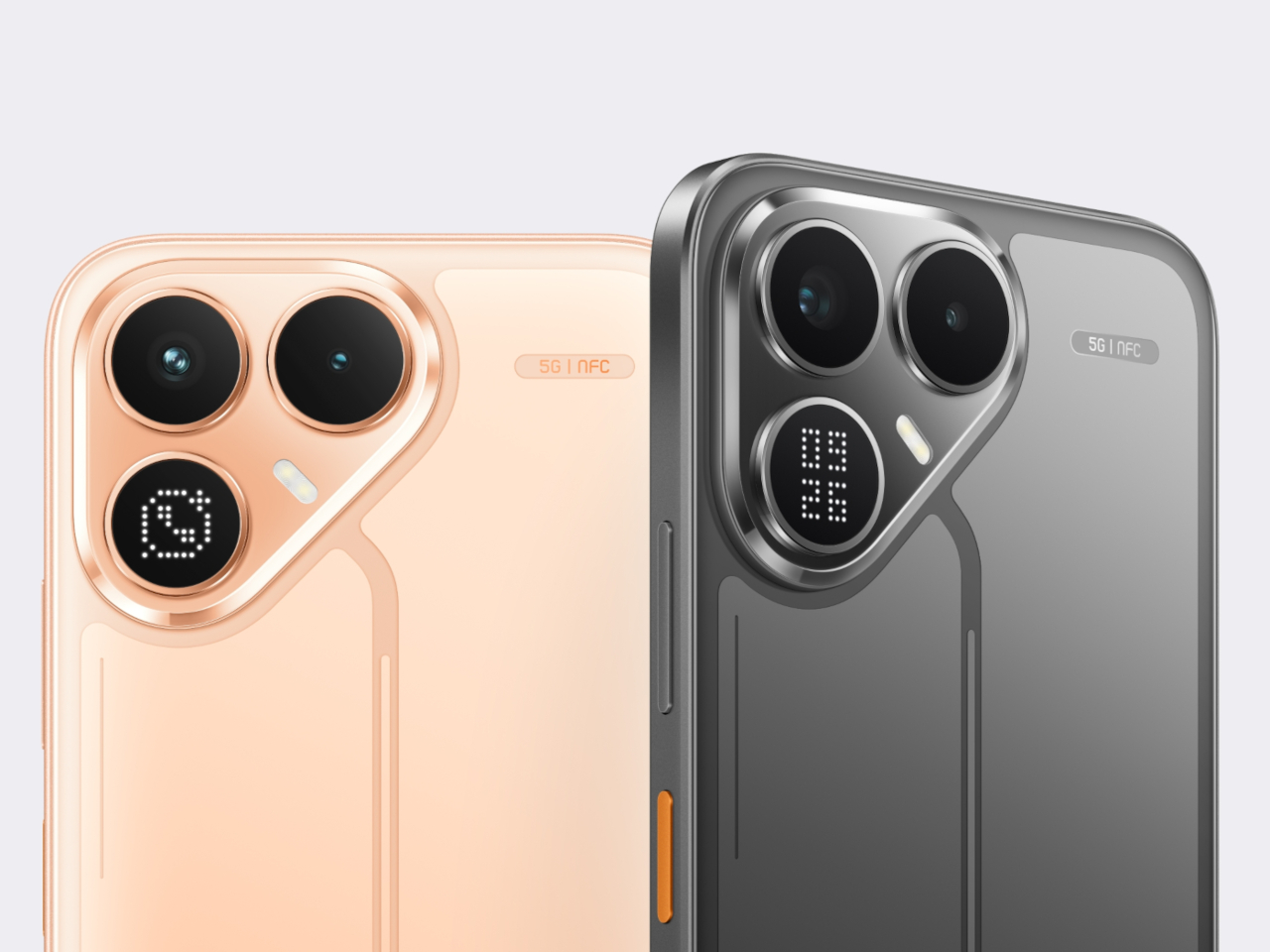
Huawei’s Dubai Trio: A Foldable That Disappears, Earbuds That Double Down, and a Router Disguised as a Mountain

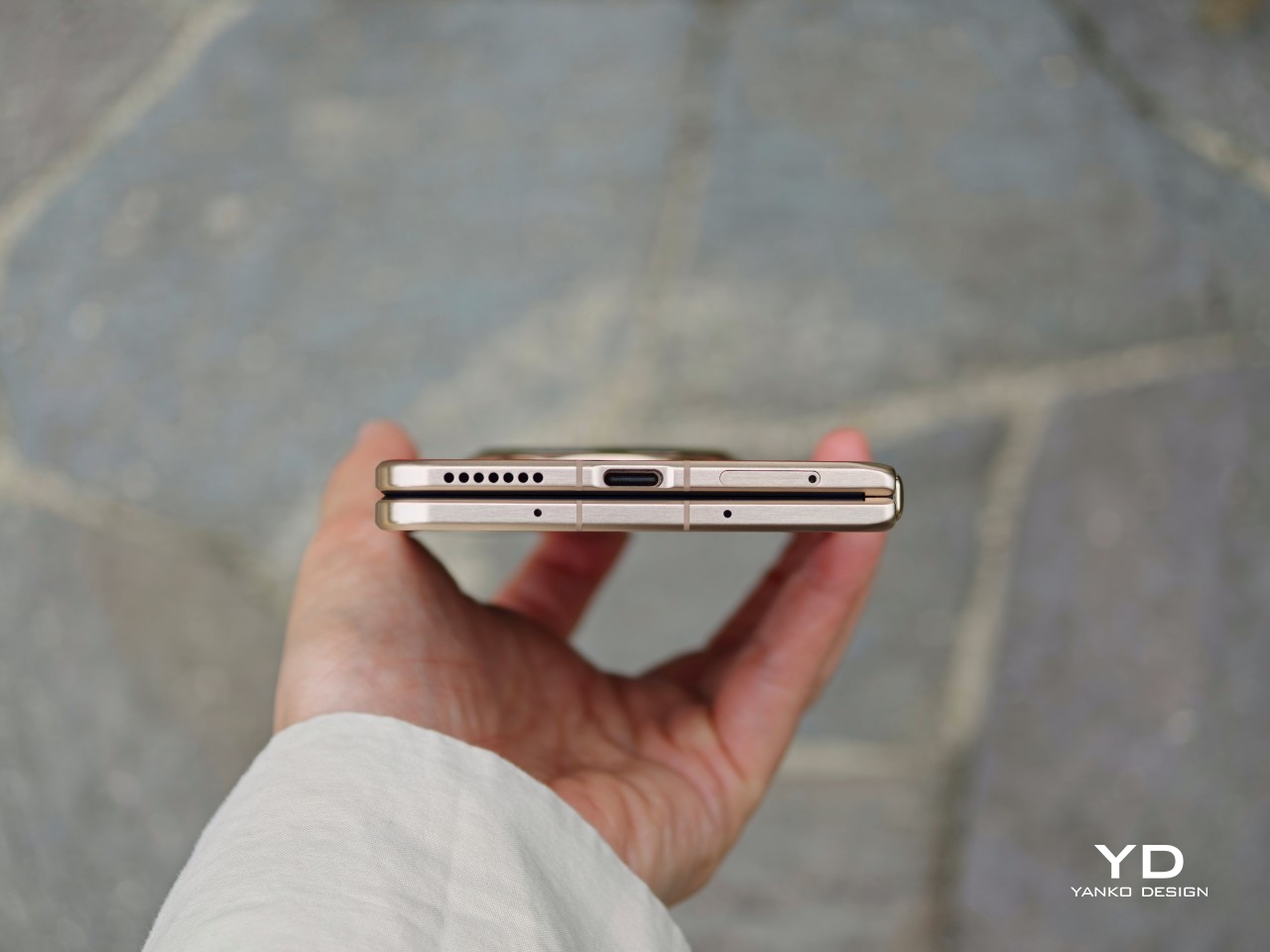
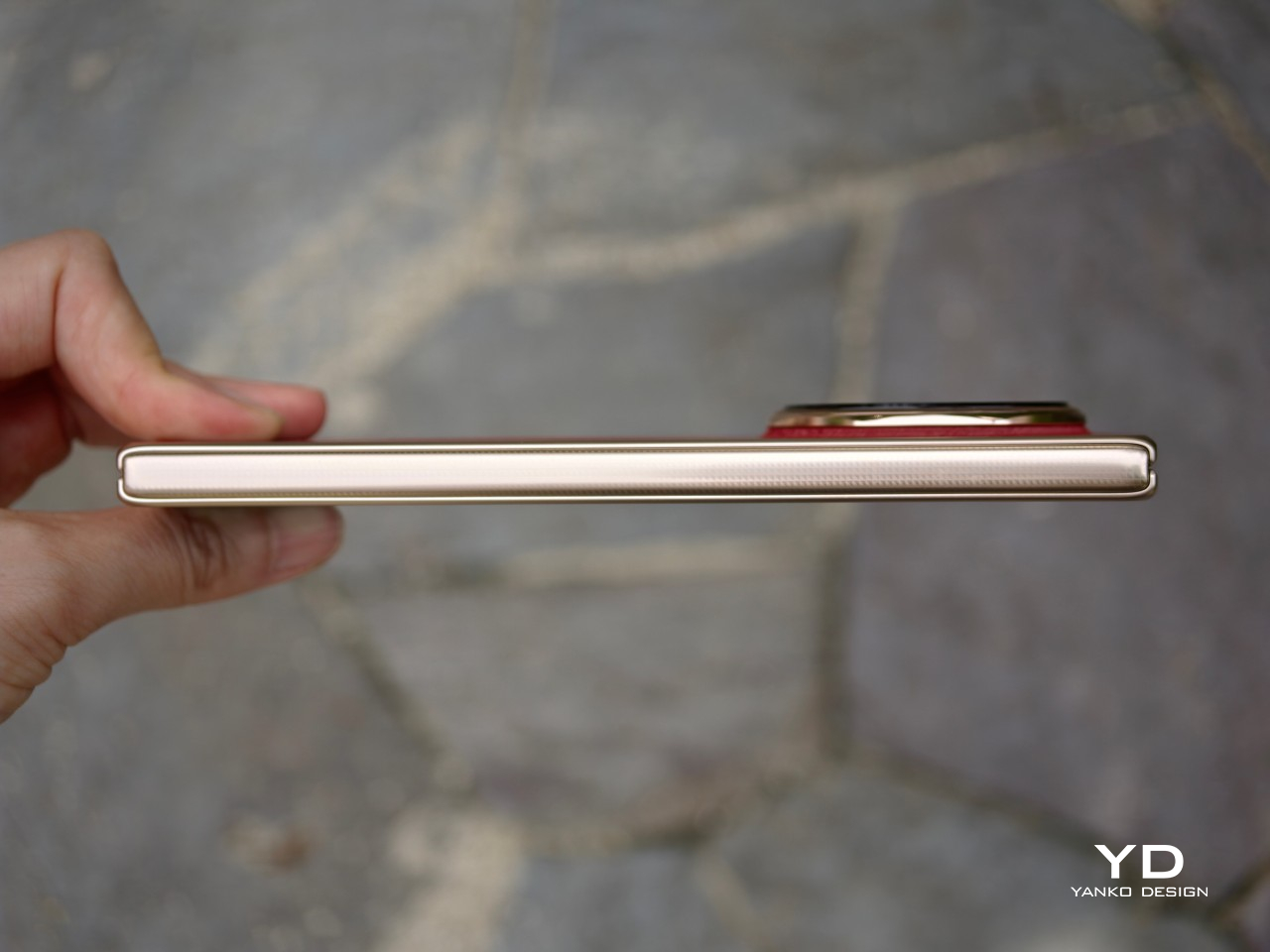
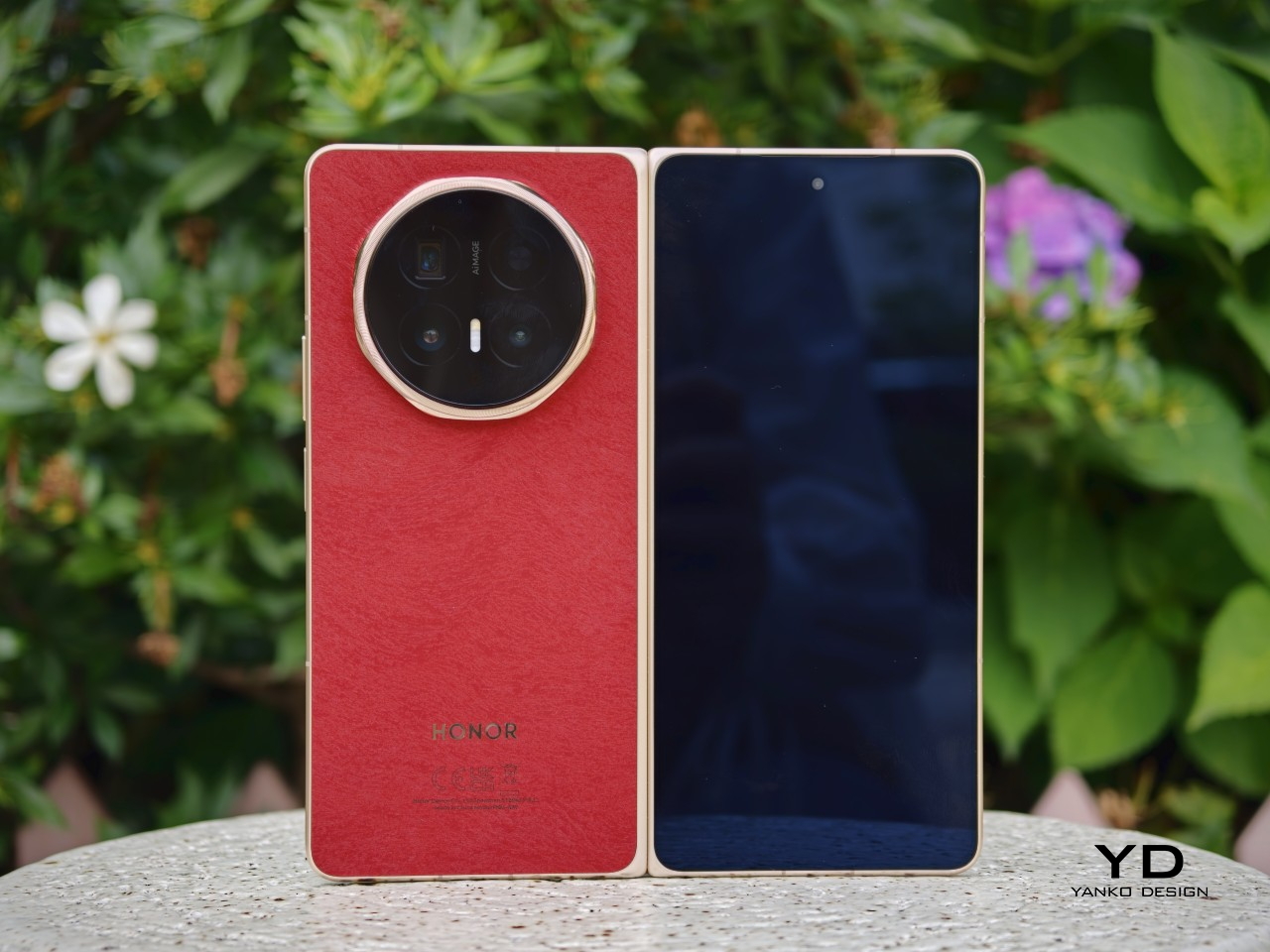
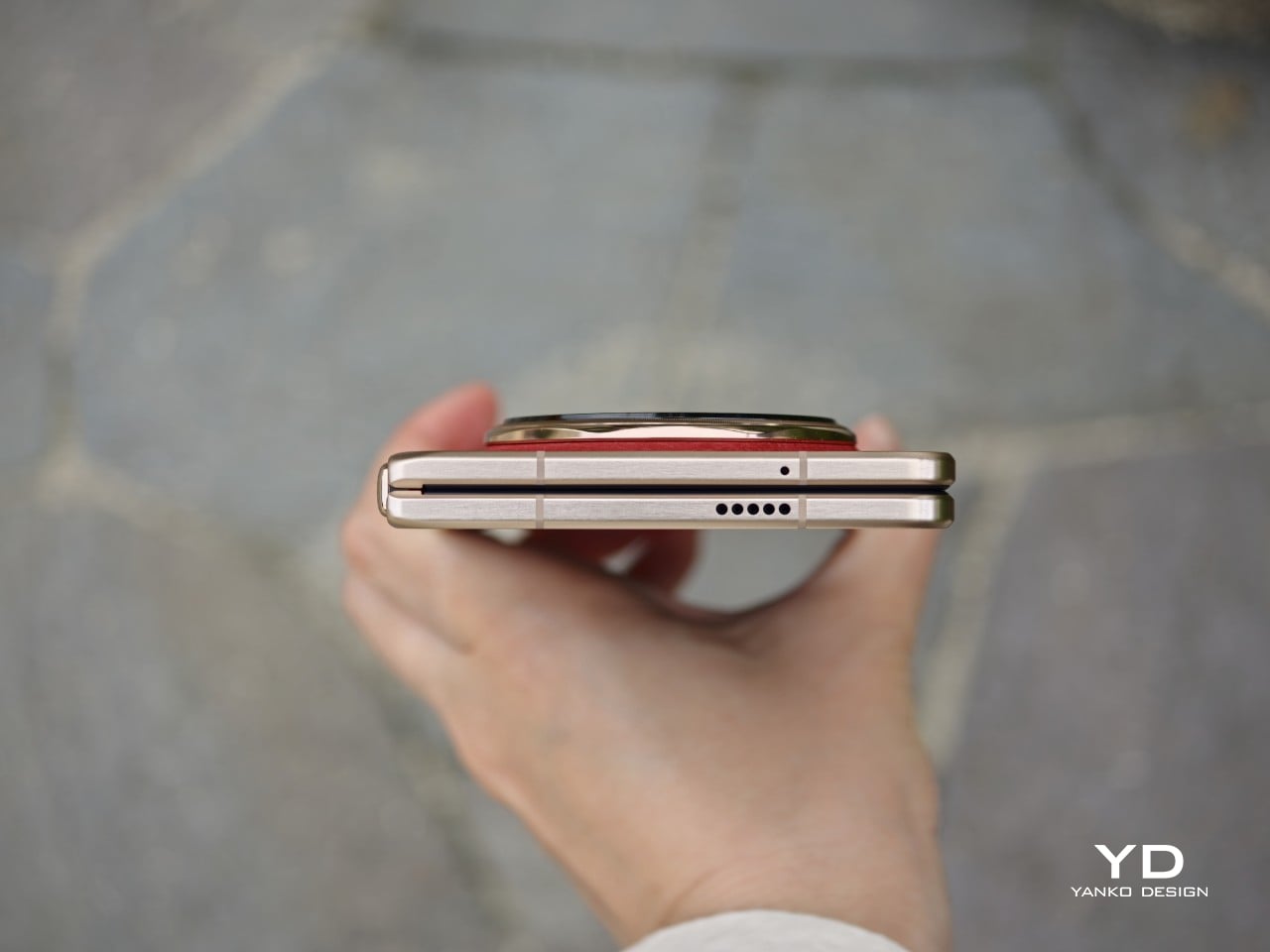
Five years into the foldable smartphone experiment, thinness remains the singular obsession. Huawei just crossed a threshold that reframes the conversation. The Mate X7, unveiled today at the company’s Dubai global launch alongside the FreeClip 2 earbuds and a Wi-Fi 7 mesh router, measures 4.5mm when unfolded. That figure matters less as specification than as experience: the fold becomes incidental to use rather than the defining characteristic of handling.

The Mate X7: Engineering the Fold Away

Huawei traces its foldable lineage to 2019, positioning itself as the category’s original commercializer. Six generations later, the design philosophy has crystallized into something specific and unambiguous: make the fold invisible to daily interaction. Quad-curved edges. A 4.5mm unfolded profile. Under 10mm closed. These dimensions place the Mate X7 closer to conventional smartphone territory than any previous book-style foldable has achieved. The engineering ambition centers not on what the fold enables, but on eliminating what the fold disrupts.

Where previous generations housed cameras in circular modules, the Time-Space Portal introduces flat edges to the protrusion. Huawei weaves between 900 and 1,700 threads into the finish, creating a textile-like visual texture that catches light across micro-patterns. This thread-woven treatment ships exclusively in China. Global variants arrive in standard colorways. The material strategy treats the camera bump as design opportunity rather than engineering compromise, an approach that signals continued investment in tactile differentiation where competitors minimize and apologize.

Both displays run at 2.4K resolution. Adaptive refresh spans 1Hz to 120Hz. The outer screen peaks at 3,000 nits while the inner reaches 2,500 nits, and high-frequency PWM dimming addresses the eye strain concerns that have plagued OLED panels since their adoption. These specifications alone would be unremarkable in any conventional flagship. Achieving them across two flexible panels within a 4.5mm envelope represents the actual engineering story, the quiet difficulty hidden beneath familiar numbers.

Durability targets the foldable’s historical weakness with measurable aggression. Drop resistance improved 100% over the previous generation according to Huawei’s internal testing. Impact resistance matched that improvement. The outer glass uses second-generation crystal armor technology. The inner screen employs a three-layer composite structure including a non-Newtonian fluid layer, material that increases rigidity under sudden impact pressure while remaining flexible during normal operation. Hinge redesign contributes over 100% improvement in bend resistance. IP59 certification covers high-temperature and water-jet resistance when open, with IP8 rating when the device closes.

Camera architecture compresses flagship-grade optics into 26% less volume than equivalent modules. A 50MP main sensor pairs with variable mechanical aperture reaching f/1.49. The 50MP telephoto deploys a vertical periscope structure, a first for the foldable category, achieving 3.5x optical zoom within constrained depth. Light intake improved 127% through these spatial optimizations. Second-generation ultrachroma sensors handle color science while LOPIC technology extends dynamic range for stills and video alike.

Battery capacity reaches 5,300mAh for global markets. The Chinese variant ships at 5,600mAh, the difference attributed to European import regulations that cap certain cell chemistries. Wired charging supports 66W. Wireless reaches 50W. Thermal management relies on an 18% larger vapor chamber paired with graphene-based loop dissipation. Additional antennas distributed around the device edges address connectivity challenges arising when folding reorients internal components relative to cell towers and Wi-Fi access points.

Wi-Fi 7 Mesh: Infrastructure as Object

Router design typically optimizes for invisibility. Mesh systems tuck behind furniture or blend into wall-mounted anonymity. Huawei inverts this assumption entirely. The main unit mimics a mountain range enclosed within a transparent dome. Extender units feature indirect lighting resembling whisky glasses set on a shelf. Touch controls on each surface adjust lighting modes and network settings. The design explicitly treats network infrastructure as decorative object rather than functional necessity demanding concealment.

Technical specifications support the visual ambition without contradiction. Wi-Fi 7 operates with six antennas, three at 2.4GHz frequency. 4K SQAM and Multilink Operation enable simultaneous connections across frequency bands for devices supporting the standard. The main router includes active cooling via internal fan for sustained high-throughput scenarios. Up to two extenders pair with each base unit.

This approach acknowledges domestic reality: mesh routers occupy visible positions in living spaces. Huawei treats that visibility as opportunity for intentional form rather than problem requiring solution.

FreeClip 2: Iteration on a Proven Form

Three million first-generation FreeClip units shipped, establishing category viability that justifies continued investment. Open-ear designs occupy a specific niche: awareness of surroundings traded against audio immersion. The sequel addresses the original’s primary limitations through incremental refinement. Weight dropped 9% to 4.1 grams per earbud. Case dimensions shrank 11% while narrowing 17%. The redesigned Seabridge improves comfort across extended wear sessions where the previous generation began to fatigue.

Dual 11mm diaphragms share a single magnetic circuit, an engineering choice that doubles bass output compared to the previous generation while reducing acoustic ball size by 11%. The architecture trades spatial efficiency for low-frequency presence that open-ear designs historically lacked. Battery life extends to 9 hours per earbud and 38 hours total with case, improvements of one and two hours respectively. IP57 certifies the earbuds while the case carries IP54.

For deeper examination of the FreeClip 2’s material execution and acoustic performance, my full review covers the dual-diaphragm engineering and comfort improvements in detail.

Automatic left/right detection, swipe volume controls, and head gesture support complete the interaction model. Huawei Audio Connect supports iOS and Samsung devices, with no Google Play availability announced. Color options span Denim Blue, Feather Sand White, Modern Black, and Rose Gold.

Market Position

Global launch proceeds December 11, 2025 from Dubai. Pricing remains unannounced. Product configuration suggests premium positioning matching or exceeding the previous generation’s placement.

For the foldable category broadly, the Mate X7’s dimensional achievements demonstrate that thinness progression continues regardless of engineering complexity. The mesh router and FreeClip 2 complete an ecosystem play: smartphone, audio, and home networking under unified design language. Huawei signals capability breadth alongside flagship ambition, using Dubai as statement of global market re-entry after years of constraint.

The post Huawei’s Dubai Trio: A Foldable That Disappears, Earbuds That Double Down, and a Router Disguised as a Mountain first appeared on Yanko Design.
AYANEO Pocket PLAY Brings Back the Slider Phone, Now With D-Pad

AYANEO is known for gaming handheld devices that run Windows and, sometimes, Android, but not phones. Most gaming phones still feel like regular slabs with RGB lights and higher refresh rates, treating games as an app category instead of the reason the device exists. Pocket PLAY is AYANEO’s first smartphone, and they are not shy about calling it “more than a phone,” framing it as a handheld console that happens to live on a SIM card instead of a desktop operating system.

AYANEO calls it “the ultimate fusion of mobile phone and gaming handheld,” built “in the name of games, made for the dreams of gamers.” The minimalist front follows golden-ratio proportions and AYANEO’s “handheld artistry” philosophy, looking like a clean black slab until you slide it open and the real personality appears. The idea is that it should not shout gamer aesthetic when you are checking email, only when you want to play.

Designer: AYANEO

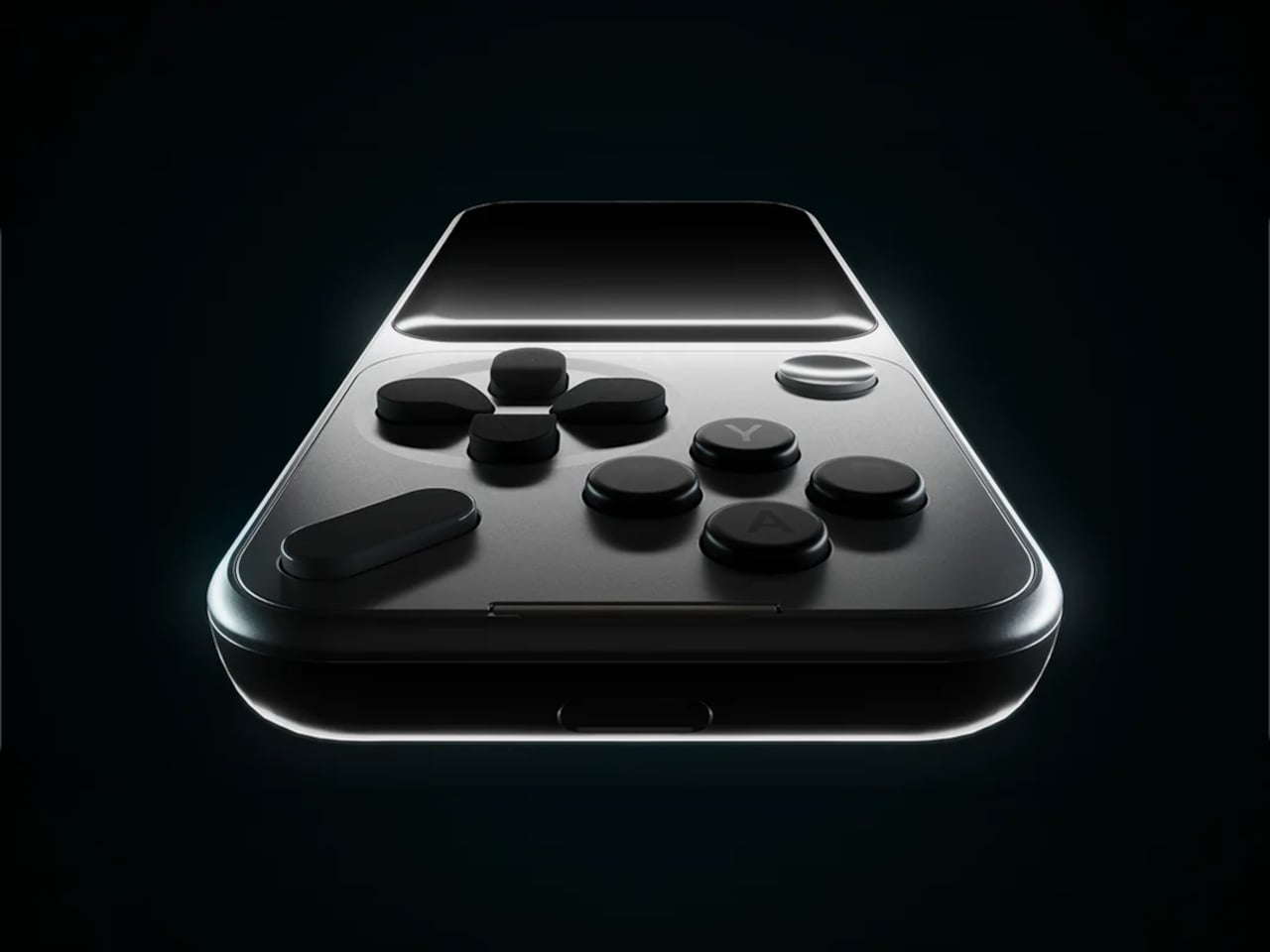
The classic side-slide mechanism is a light push that reveals a full controller under the screen. Anyone who remembers Sony’s Xperia Play will feel a flicker of déjà vu, another Android phone that hid a gamepad under a slider. The difference is that Pocket PLAY arrives in a world where handheld gaming and emulation are mainstream, and AYANEO has spent years building hardware for that exact crowd, not for casual mobile gamers who might try it once.

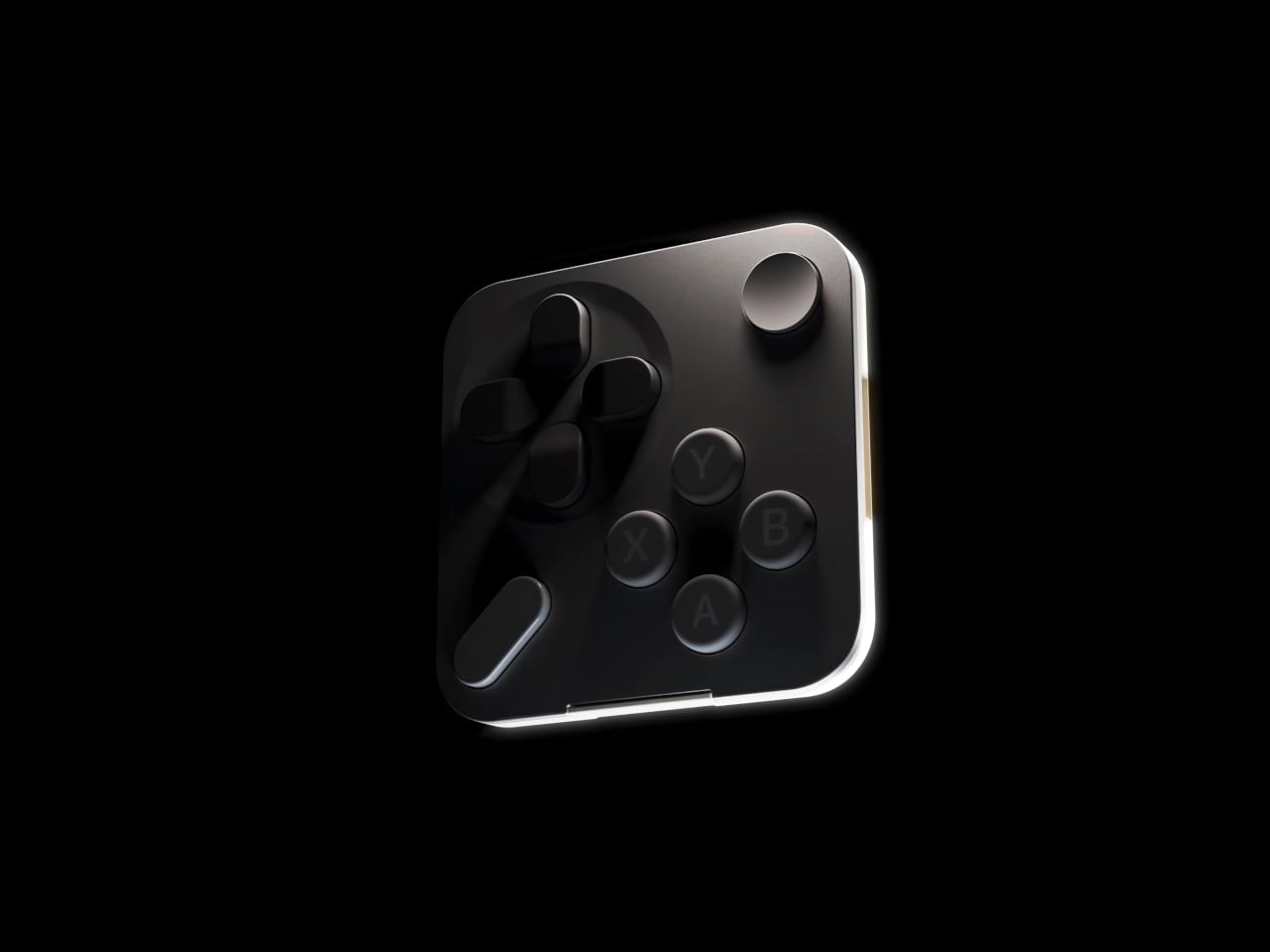
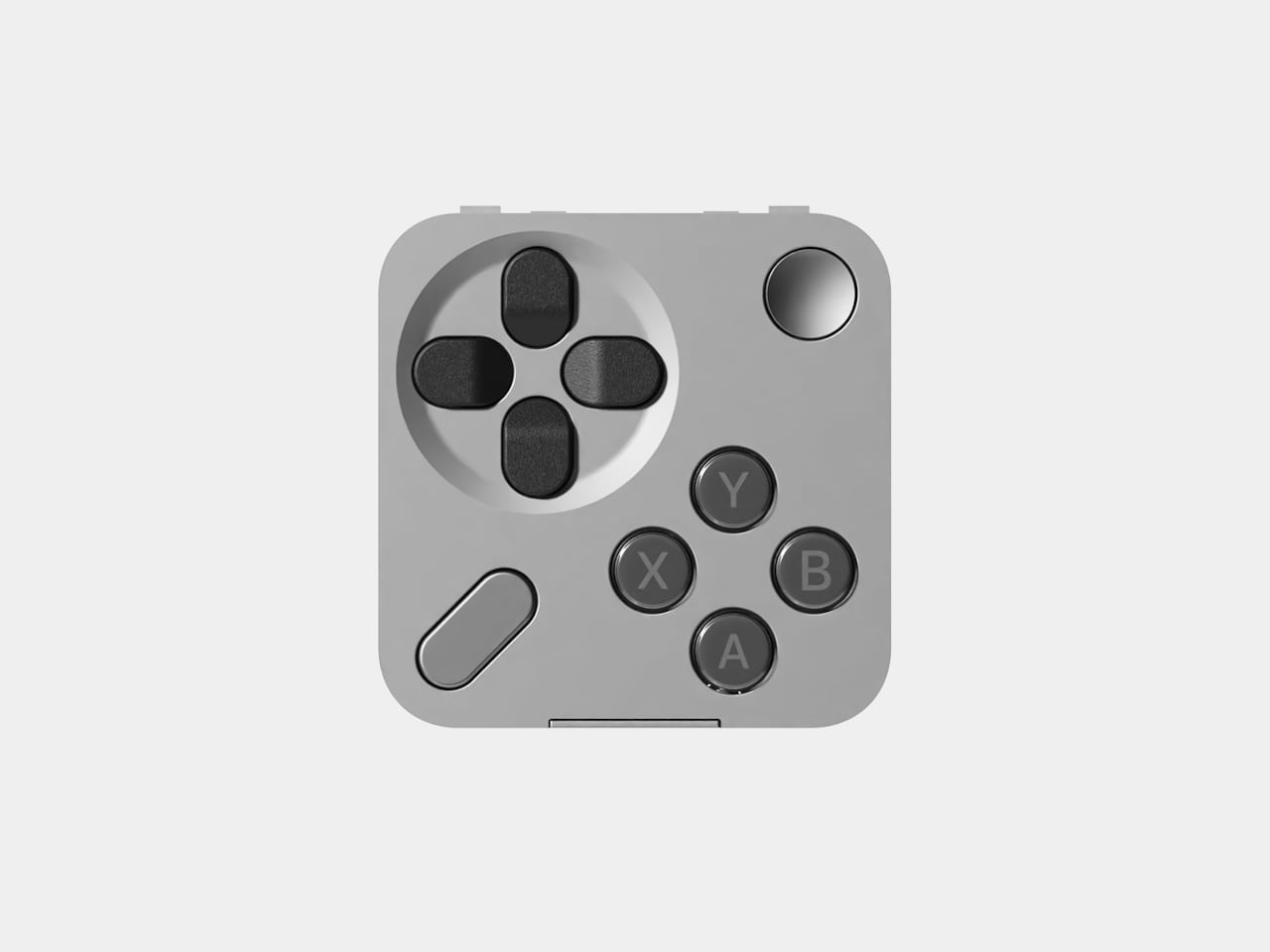
Pocket PLAY reinterprets a standard gamepad layout in a compact way, with a D-pad, ABXY buttons, and shoulder controls tuned for the sliding mechanism. AYANEO promises crisp, light presses and fast response, and a grip shaped so your fingers land where you expect. The idea is that you slide, and you are instantly in handheld mode, no adaptation period or clip-on accessories. The D-pad and buttons are meant to bring back the pure, satisfying feel of classic handheld gaming.

The dual intelligent touchpads sit where analog sticks might go, and they can map virtual joysticks, act as traditional touch surfaces, or trigger custom input combinations. That opens up camera control, mouse-like input for streaming PC games, or macro shortcuts for complex titles. The positioning is ergonomic, and the goal is to make every swipe and tap feel natural, closing the gap between a dedicated handheld and a phone that also runs Genshin Impact or emulators.

AYANEO leans into “cyber-romanticism” language, calling handhelds a culture and a shared emotional language among players. Pocket PLAY is pitched as a tribute to classic designs and an exploration of how handheld spirit can extend to a new medium. It is meant to feel like a daily-carry extension of the devices people already use for emulation and retro gaming, not a generic Android gaming phone with triggers and marketing.

Xperia Play hinted at this form factor years ago, but the ecosystem and audience were not ready. Pocket PLAY picks up that thread with modern hardware, a serious controller, and a brand that already lives in handheld culture. For players who want a phone that slides into a console instead of just another slab with shoulder buttons, it feels like a very specific dream finally getting another shot, this time built by people who actually understand why sliders and D-pads still matter.

The post AYANEO Pocket PLAY Brings Back the Slider Phone, Now With D-Pad first appeared on Yanko Design.
AYANEO Pocket PLAY Brings Back the Slider Phone, Now With D-Pad

AYANEO is known for gaming handheld devices that run Windows and, sometimes, Android, but not phones. Most gaming phones still feel like regular slabs with RGB lights and higher refresh rates, treating games as an app category instead of the reason the device exists. Pocket PLAY is AYANEO’s first smartphone, and they are not shy about calling it “more than a phone,” framing it as a handheld console that happens to live on a SIM card instead of a desktop operating system.

AYANEO calls it “the ultimate fusion of mobile phone and gaming handheld,” built “in the name of games, made for the dreams of gamers.” The minimalist front follows golden-ratio proportions and AYANEO’s “handheld artistry” philosophy, looking like a clean black slab until you slide it open and the real personality appears. The idea is that it should not shout gamer aesthetic when you are checking email, only when you want to play.

Designer: AYANEO

The classic side-slide mechanism is a light push that reveals a full controller under the screen. Anyone who remembers Sony’s Xperia Play will feel a flicker of déjà vu, another Android phone that hid a gamepad under a slider. The difference is that Pocket PLAY arrives in a world where handheld gaming and emulation are mainstream, and AYANEO has spent years building hardware for that exact crowd, not for casual mobile gamers who might try it once.

Pocket PLAY reinterprets a standard gamepad layout in a compact way, with a D-pad, ABXY buttons, and shoulder controls tuned for the sliding mechanism. AYANEO promises crisp, light presses and fast response, and a grip shaped so your fingers land where you expect. The idea is that you slide, and you are instantly in handheld mode, no adaptation period or clip-on accessories. The D-pad and buttons are meant to bring back the pure, satisfying feel of classic handheld gaming.

The dual intelligent touchpads sit where analog sticks might go, and they can map virtual joysticks, act as traditional touch surfaces, or trigger custom input combinations. That opens up camera control, mouse-like input for streaming PC games, or macro shortcuts for complex titles. The positioning is ergonomic, and the goal is to make every swipe and tap feel natural, closing the gap between a dedicated handheld and a phone that also runs Genshin Impact or emulators.

AYANEO leans into “cyber-romanticism” language, calling handhelds a culture and a shared emotional language among players. Pocket PLAY is pitched as a tribute to classic designs and an exploration of how handheld spirit can extend to a new medium. It is meant to feel like a daily-carry extension of the devices people already use for emulation and retro gaming, not a generic Android gaming phone with triggers and marketing.

Xperia Play hinted at this form factor years ago, but the ecosystem and audience were not ready. Pocket PLAY picks up that thread with modern hardware, a serious controller, and a brand that already lives in handheld culture. For players who want a phone that slides into a console instead of just another slab with shoulder buttons, it feels like a very specific dream finally getting another shot, this time built by people who actually understand why sliders and D-pads still matter.

The post AYANEO Pocket PLAY Brings Back the Slider Phone, Now With D-Pad first appeared on Yanko Design.
AYANEO Pocket PLAY Brings Back the Slider Phone, Now With D-Pad

AYANEO is known for gaming handheld devices that run Windows and, sometimes, Android, but not phones. Most gaming phones still feel like regular slabs with RGB lights and higher refresh rates, treating games as an app category instead of the reason the device exists. Pocket PLAY is AYANEO’s first smartphone, and they are not shy about calling it “more than a phone,” framing it as a handheld console that happens to live on a SIM card instead of a desktop operating system.

AYANEO calls it “the ultimate fusion of mobile phone and gaming handheld,” built “in the name of games, made for the dreams of gamers.” The minimalist front follows golden-ratio proportions and AYANEO’s “handheld artistry” philosophy, looking like a clean black slab until you slide it open and the real personality appears. The idea is that it should not shout gamer aesthetic when you are checking email, only when you want to play.

Designer: AYANEO

The classic side-slide mechanism is a light push that reveals a full controller under the screen. Anyone who remembers Sony’s Xperia Play will feel a flicker of déjà vu, another Android phone that hid a gamepad under a slider. The difference is that Pocket PLAY arrives in a world where handheld gaming and emulation are mainstream, and AYANEO has spent years building hardware for that exact crowd, not for casual mobile gamers who might try it once.
Pocket PLAY reinterprets a standard gamepad layout in a compact way, with a D-pad, ABXY buttons, and shoulder controls tuned for the sliding mechanism. AYANEO promises crisp, light presses and fast response, and a grip shaped so your fingers land where you expect. The idea is that you slide, and you are instantly in handheld mode, no adaptation period or clip-on accessories. The D-pad and buttons are meant to bring back the pure, satisfying feel of classic handheld gaming.

The dual intelligent touchpads sit where analog sticks might go, and they can map virtual joysticks, act as traditional touch surfaces, or trigger custom input combinations. That opens up camera control, mouse-like input for streaming PC games, or macro shortcuts for complex titles. The positioning is ergonomic, and the goal is to make every swipe and tap feel natural, closing the gap between a dedicated handheld and a phone that also runs Genshin Impact or emulators.

AYANEO leans into “cyber-romanticism” language, calling handhelds a culture and a shared emotional language among players. Pocket PLAY is pitched as a tribute to classic designs and an exploration of how handheld spirit can extend to a new medium. It is meant to feel like a daily-carry extension of the devices people already use for emulation and retro gaming, not a generic Android gaming phone with triggers and marketing.

Xperia Play hinted at this form factor years ago, but the ecosystem and audience were not ready. Pocket PLAY picks up that thread with modern hardware, a serious controller, and a brand that already lives in handheld culture. For players who want a phone that slides into a console instead of just another slab with shoulder buttons, it feels like a very specific dream finally getting another shot, this time built by people who actually understand why sliders and D-pads still matter.

The post AYANEO Pocket PLAY Brings Back the Slider Phone, Now With D-Pad first appeared on Yanko Design.