The first wave of magnetic power banks taught us to appreciate convenience. They were clever, handy, and perfect for a little extra power without thinking about cables. But for serious charging, we still reached for a wall adapter. That era is officially closing. The conversation has shifted from simple convenience to genuine performance, with a new generation of devices promising the speed and reliability we once sacrificed for portability. These accessories are built to be daily drivers, not just emergency backups.
INIU’s SnapGo Air is a direct reflection of this new standard. It arrives with a spec sheet that reads less like a compact battery and more like a dedicated charging hub. With 10,000mAh of capacity, it delivers a full 25W of power wirelessly via the new Qi2.2 standard and an impressive 45W through its integrated USB-C GoCord. This device is engineered around the idea that your portable charger should be just as capable as the one you leave at home, finally aligning the promise of magnetic charging with the power that modern devices demand.
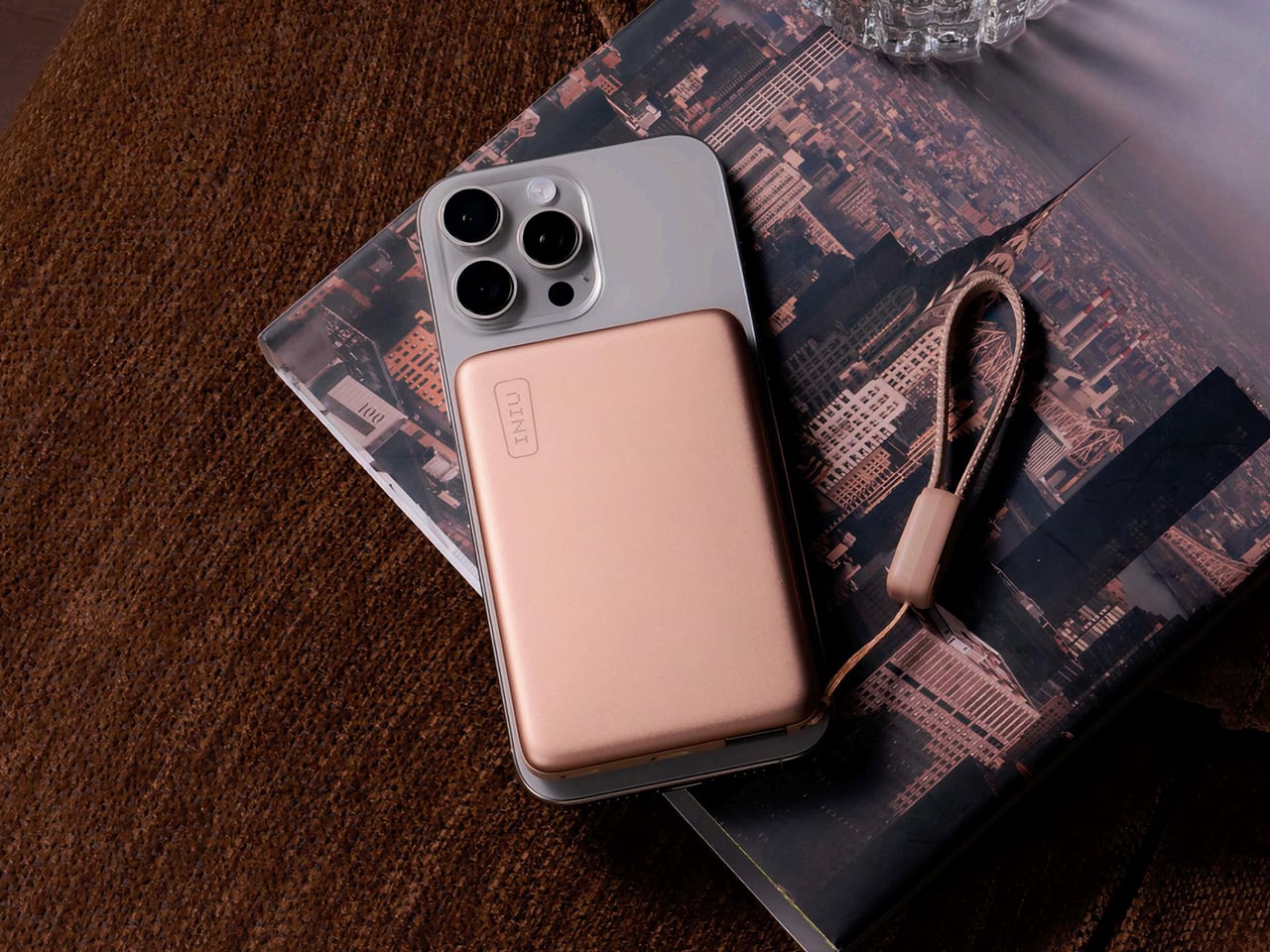
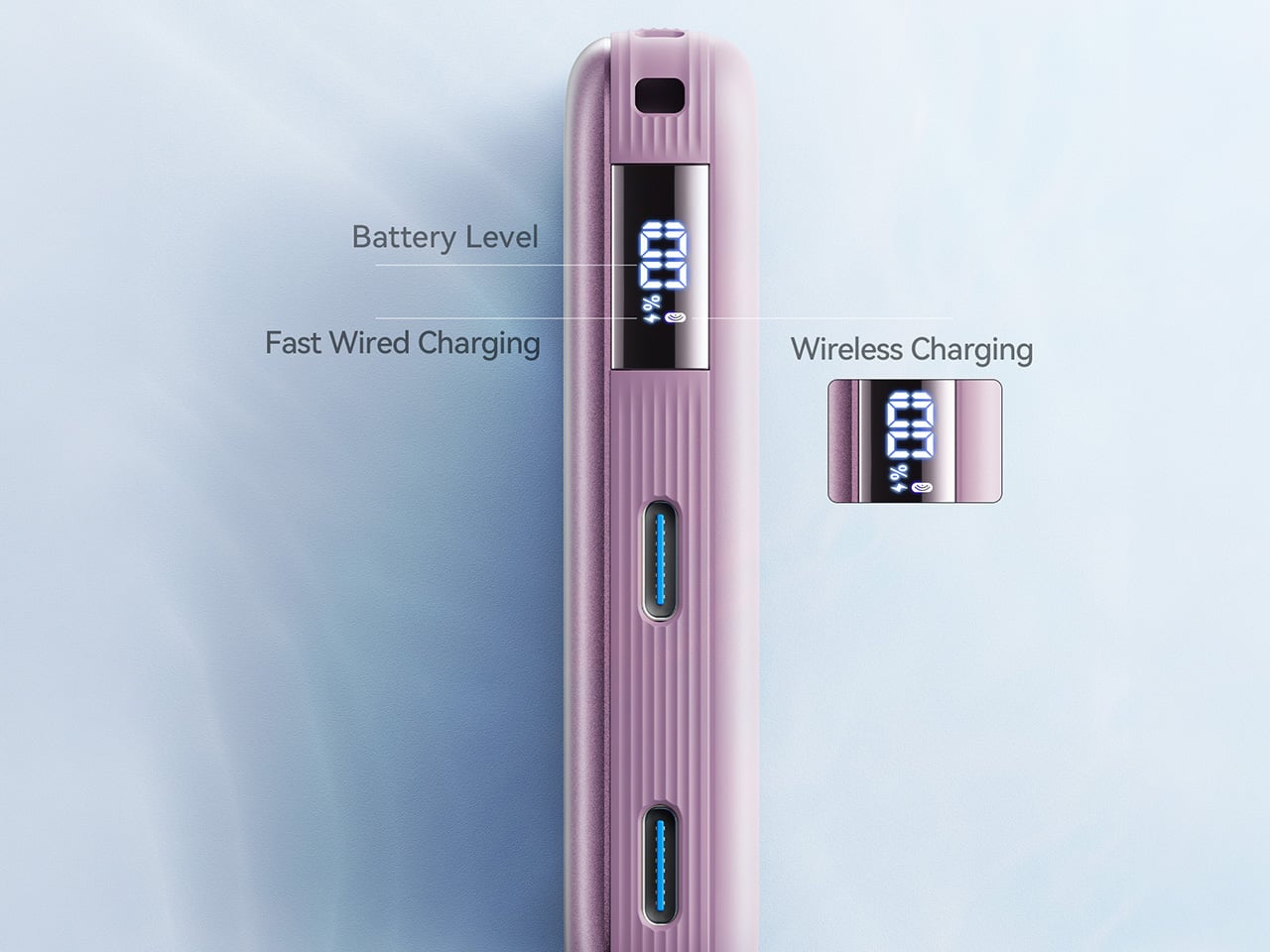
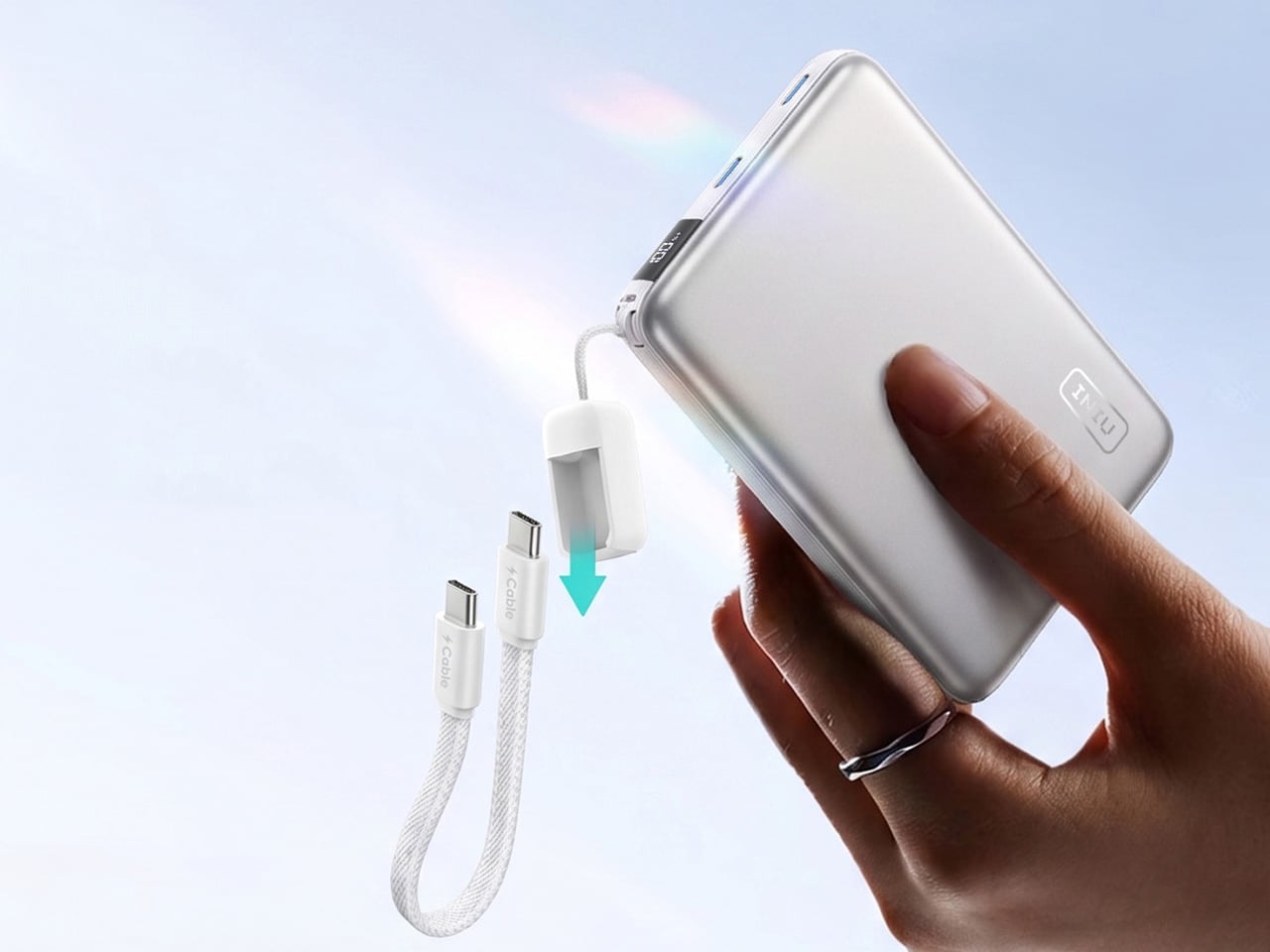
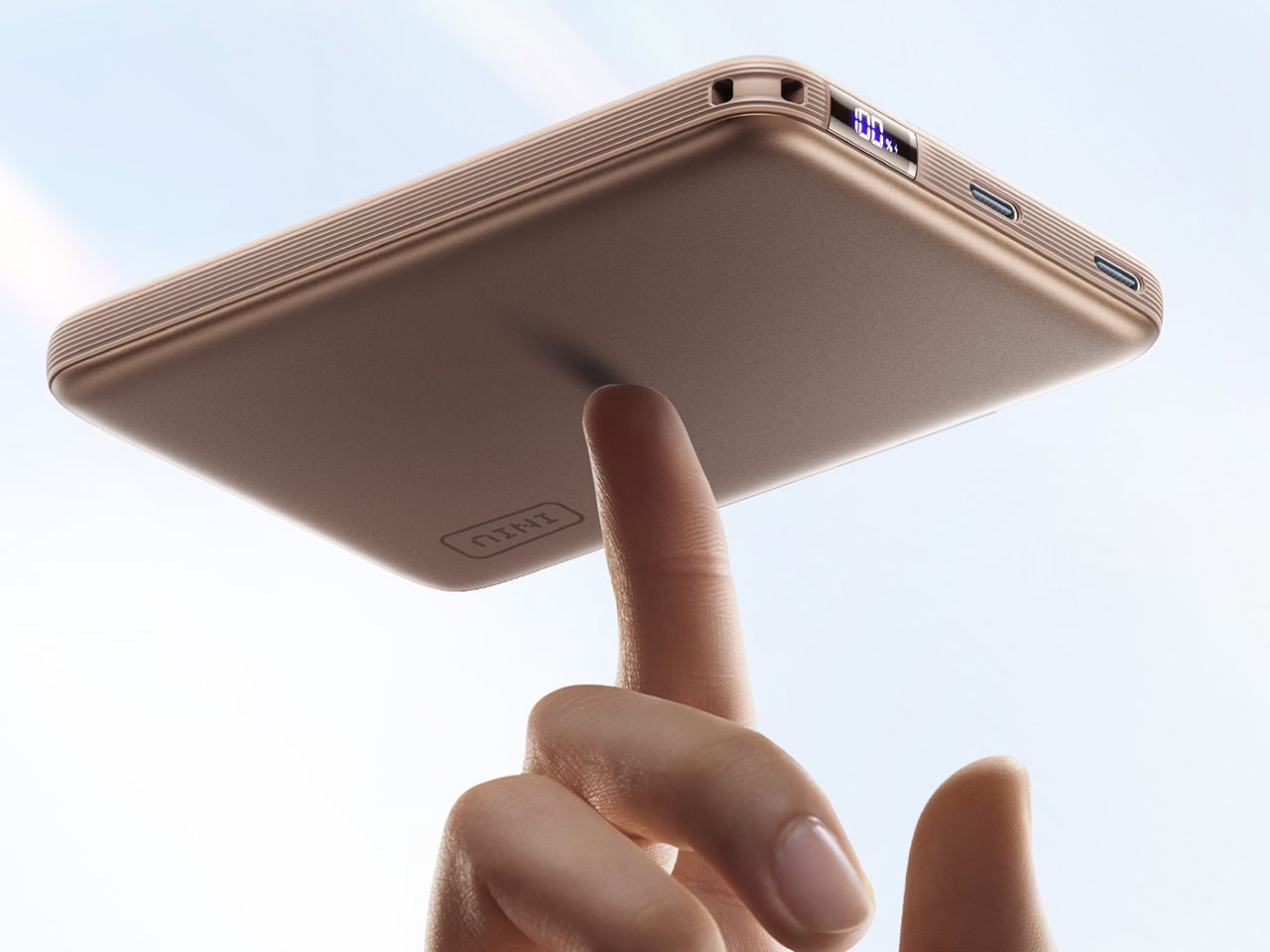
The SnapGo Air is unapologetically design-led, which makes sense for a product that spends most of its life attached to the back of your phone. INIU crafted the body from anodized aluminum with a soft-touch finish, and the result feels premium in a way that most power banks never bother to be. At just 0.5 inches thick and weighing about 195 grams, it maintains a profile slim enough to slip into a jacket pocket or a small bag without any bulk anxiety. The integrated GoCord is color-matched to the body and tucks neatly into a recessed channel, so there are no dangling cables or awkward clips. You get the utility of a built-in cable without the visual mess that usually comes with it. A minimalist LCD display on the side shows battery level and charging status without cluttering the overall aesthetic. The whole package comes in a range of finishes including Metallic Mocha, Soft Lilac, Sunset Orange, and Midnight Navy, giving it the feel of a fashion accessory instead of a generic gadget.
The real engineering here is actually thermal control (which is increasingly becoming a concern given airline and travel regulations). Wireless charging at higher speeds has always come with a heat penalty, and that heat becomes a problem when you’re holding a phone with a battery pack magnetically clamped to the back. INIU addresses this with its Temp Guard 3.0 system, which monitors the internal temperature 9,000 times per second and keeps the surface under 104 degrees Fahrenheit during use. The company claims this is about 14 degrees cooler than typical industry performance, and while I can’t verify those lab numbers without independent testing, the underlying point is valid. If you want people to use wireless charging as their primary method, you have to solve the heat problem first. The SnapGo Air also carries UL certification and INIU’s 18-layer SmartProtect system, which covers everything from overvoltage protection to foreign object detection. In a category where fly-by-night products are common, that level of certification matters.
That being said, the design and engineering doesn’t ignore actual practicality or functionality. The 25W wireless output means you can get an iPhone 17 Pro to 50 percent in around half an hour, which is genuinely fast enough to be useful in real-world situations. The 45W wired output via the GoCord is even faster, and it also means you can charge a wider range of devices including tablets and even some lightweight laptops. The power bank can charge three devices simultaneously, one wirelessly and two through its dual USB-C ports, which is genuinely handy when you’re traveling or working from a coffee shop. A full recharge of the bank itself takes about 1.8 hours, so it cycles back into usable condition quickly.
The INIU SnapGo Air is priced at $54.99 in the US, with regional pricing set at £49.99 in the UK, €54.99 in the EU, and A$69.99 in Australia. Sure, that positions it in the mid-premium end of the magnetic power bank category, but I dare you to find me a power bank that looks good, feels invisible, and performs so well you might just choose it over a wall charger.
The first wave of magnetic power banks taught us to appreciate convenience. They were clever, handy, and perfect for a little extra power without thinking about cables. But for serious charging, we still reached for a wall adapter. That era is officially closing. The conversation has shifted from simple convenience to genuine performance, with a new generation of devices promising the speed and reliability we once sacrificed for portability. These accessories are built to be daily drivers, not just emergency backups.
INIU’s SnapGo Air is a direct reflection of this new standard. It arrives with a spec sheet that reads less like a compact battery and more like a dedicated charging hub. With 10,000mAh of capacity, it delivers a full 25W of power wirelessly via the new Qi2.2 standard and an impressive 45W through its integrated USB-C GoCord. This device is engineered around the idea that your portable charger should be just as capable as the one you leave at home, finally aligning the promise of magnetic charging with the power that modern devices demand.
The SnapGo Air is unapologetically design-led, which makes sense for a product that spends most of its life attached to the back of your phone. INIU crafted the body from anodized aluminum with a soft-touch finish, and the result feels premium in a way that most power banks never bother to be. At just 0.5 inches thick and weighing about 195 grams, it maintains a profile slim enough to slip into a jacket pocket or a small bag without any bulk anxiety. The integrated GoCord is color-matched to the body and tucks neatly into a recessed channel, so there are no dangling cables or awkward clips. You get the utility of a built-in cable without the visual mess that usually comes with it. A minimalist LCD display on the side shows battery level and charging status without cluttering the overall aesthetic. The whole package comes in a range of finishes including Metallic Mocha, Soft Lilac, Sunset Orange, and Midnight Navy, giving it the feel of a fashion accessory instead of a generic gadget.
The real engineering here is actually thermal control (which is increasingly becoming a concern given airline and travel regulations). Wireless charging at higher speeds has always come with a heat penalty, and that heat becomes a problem when you’re holding a phone with a battery pack magnetically clamped to the back. INIU addresses this with its Temp Guard 3.0 system, which monitors the internal temperature 9,000 times per second and keeps the surface under 104 degrees Fahrenheit during use. The company claims this is about 14 degrees cooler than typical industry performance, and while I can’t verify those lab numbers without independent testing, the underlying point is valid. If you want people to use wireless charging as their primary method, you have to solve the heat problem first. The SnapGo Air also carries UL certification and INIU’s 18-layer SmartProtect system, which covers everything from overvoltage protection to foreign object detection. In a category where fly-by-night products are common, that level of certification matters.
That being said, the design and engineering doesn’t ignore actual practicality or functionality. The 25W wireless output means you can get an iPhone 17 Pro to 50 percent in around half an hour, which is genuinely fast enough to be useful in real-world situations. The 45W wired output via the GoCord is even faster, and it also means you can charge a wider range of devices including tablets and even some lightweight laptops. The power bank can charge three devices simultaneously, one wirelessly and two through its dual USB-C ports, which is genuinely handy when you’re traveling or working from a coffee shop. A full recharge of the bank itself takes about 1.8 hours, so it cycles back into usable condition quickly.
The INIU SnapGo Air is priced at $54.99 in the US, with regional pricing set at £49.99 in the UK, €54.99 in the EU, and A$69.99 in Australia. Sure, that positions it in the mid-premium end of the magnetic power bank category, but I dare you to find me a power bank that looks good, feels invisible, and performs so well you might just choose it over a wall charger.
The first wave of magnetic power banks taught us to appreciate convenience. They were clever, handy, and perfect for a little extra power without thinking about cables. But for serious charging, we still reached for a wall adapter. That era is officially closing. The conversation has shifted from simple convenience to genuine performance, with a new generation of devices promising the speed and reliability we once sacrificed for portability. These accessories are built to be daily drivers, not just emergency backups.
INIU’s SnapGo Air is a direct reflection of this new standard. It arrives with a spec sheet that reads less like a compact battery and more like a dedicated charging hub. With 10,000mAh of capacity, it delivers a full 25W of power wirelessly via the new Qi2.2 standard and an impressive 45W through its integrated USB-C GoCord. This device is engineered around the idea that your portable charger should be just as capable as the one you leave at home, finally aligning the promise of magnetic charging with the power that modern devices demand.
The SnapGo Air is unapologetically design-led, which makes sense for a product that spends most of its life attached to the back of your phone. INIU crafted the body from anodized aluminum with a soft-touch finish, and the result feels premium in a way that most power banks never bother to be. At just 0.5 inches thick and weighing about 195 grams, it maintains a profile slim enough to slip into a jacket pocket or a small bag without any bulk anxiety. The integrated GoCord is color-matched to the body and tucks neatly into a recessed channel, so there are no dangling cables or awkward clips. You get the utility of a built-in cable without the visual mess that usually comes with it. A minimalist LCD display on the side shows battery level and charging status without cluttering the overall aesthetic. The whole package comes in a range of finishes including Metallic Mocha, Soft Lilac, Sunset Orange, and Midnight Navy, giving it the feel of a fashion accessory instead of a generic gadget.
The real engineering here is actually thermal control (which is increasingly becoming a concern given airline and travel regulations). Wireless charging at higher speeds has always come with a heat penalty, and that heat becomes a problem when you’re holding a phone with a battery pack magnetically clamped to the back. INIU addresses this with its Temp Guard 3.0 system, which monitors the internal temperature 9,000 times per second and keeps the surface under 104 degrees Fahrenheit during use. The company claims this is about 14 degrees cooler than typical industry performance, and while I can’t verify those lab numbers without independent testing, the underlying point is valid. If you want people to use wireless charging as their primary method, you have to solve the heat problem first. The SnapGo Air also carries UL certification and INIU’s 18-layer SmartProtect system, which covers everything from overvoltage protection to foreign object detection. In a category where fly-by-night products are common, that level of certification matters.
That being said, the design and engineering doesn’t ignore actual practicality or functionality. The 25W wireless output means you can get an iPhone 17 Pro to 50 percent in around half an hour, which is genuinely fast enough to be useful in real-world situations. The 45W wired output via the GoCord is even faster, and it also means you can charge a wider range of devices including tablets and even some lightweight laptops. The power bank can charge three devices simultaneously, one wirelessly and two through its dual USB-C ports, which is genuinely handy when you’re traveling or working from a coffee shop. A full recharge of the bank itself takes about 1.8 hours, so it cycles back into usable condition quickly.
The INIU SnapGo Air is priced at $54.99 in the US, with regional pricing set at £49.99 in the UK, €54.99 in the EU, and A$69.99 in Australia. Sure, that positions it in the mid-premium end of the magnetic power bank category, but I dare you to find me a power bank that looks good, feels invisible, and performs so well you might just choose it over a wall charger.
The first wave of magnetic power banks taught us to appreciate convenience. They were clever, handy, and perfect for a little extra power without thinking about cables. But for serious charging, we still reached for a wall adapter. That era is officially closing. The conversation has shifted from simple convenience to genuine performance, with a new generation of devices promising the speed and reliability we once sacrificed for portability. These accessories are built to be daily drivers, not just emergency backups.
INIU’s SnapGo Air is a direct reflection of this new standard. It arrives with a spec sheet that reads less like a compact battery and more like a dedicated charging hub. With 10,000mAh of capacity, it delivers a full 25W of power wirelessly via the new Qi2.2 standard and an impressive 45W through its integrated USB-C GoCord. This device is engineered around the idea that your portable charger should be just as capable as the one you leave at home, finally aligning the promise of magnetic charging with the power that modern devices demand.
The SnapGo Air is unapologetically design-led, which makes sense for a product that spends most of its life attached to the back of your phone. INIU crafted the body from anodized aluminum with a soft-touch finish, and the result feels premium in a way that most power banks never bother to be. At just 0.5 inches thick and weighing about 195 grams, it maintains a profile slim enough to slip into a jacket pocket or a small bag without any bulk anxiety. The integrated GoCord is color-matched to the body and tucks neatly into a recessed channel, so there are no dangling cables or awkward clips. You get the utility of a built-in cable without the visual mess that usually comes with it. A minimalist LCD display on the side shows battery level and charging status without cluttering the overall aesthetic. The whole package comes in a range of finishes including Metallic Mocha, Soft Lilac, Sunset Orange, and Midnight Navy, giving it the feel of a fashion accessory instead of a generic gadget.
The real engineering here is actually thermal control (which is increasingly becoming a concern given airline and travel regulations). Wireless charging at higher speeds has always come with a heat penalty, and that heat becomes a problem when you’re holding a phone with a battery pack magnetically clamped to the back. INIU addresses this with its Temp Guard 3.0 system, which monitors the internal temperature 9,000 times per second and keeps the surface under 104 degrees Fahrenheit during use. The company claims this is about 14 degrees cooler than typical industry performance, and while I can’t verify those lab numbers without independent testing, the underlying point is valid. If you want people to use wireless charging as their primary method, you have to solve the heat problem first. The SnapGo Air also carries UL certification and INIU’s 18-layer SmartProtect system, which covers everything from overvoltage protection to foreign object detection. In a category where fly-by-night products are common, that level of certification matters.
That being said, the design and engineering doesn’t ignore actual practicality or functionality. The 25W wireless output means you can get an iPhone 17 Pro to 50 percent in around half an hour, which is genuinely fast enough to be useful in real-world situations. The 45W wired output via the GoCord is even faster, and it also means you can charge a wider range of devices including tablets and even some lightweight laptops. The power bank can charge three devices simultaneously, one wirelessly and two through its dual USB-C ports, which is genuinely handy when you’re traveling or working from a coffee shop. A full recharge of the bank itself takes about 1.8 hours, so it cycles back into usable condition quickly.
The INIU SnapGo Air is priced at $54.99 in the US, with regional pricing set at £49.99 in the UK, €54.99 in the EU, and A$69.99 in Australia. Sure, that positions it in the mid-premium end of the magnetic power bank category, but I dare you to find me a power bank that looks good, feels invisible, and performs so well you might just choose it over a wall charger.
The first wave of magnetic power banks taught us to appreciate convenience. They were clever, handy, and perfect for a little extra power without thinking about cables. But for serious charging, we still reached for a wall adapter. That era is officially closing. The conversation has shifted from simple convenience to genuine performance, with a new generation of devices promising the speed and reliability we once sacrificed for portability. These accessories are built to be daily drivers, not just emergency backups.
INIU’s SnapGo Air is a direct reflection of this new standard. It arrives with a spec sheet that reads less like a compact battery and more like a dedicated charging hub. With 10,000mAh of capacity, it delivers a full 25W of power wirelessly via the new Qi2.2 standard and an impressive 45W through its integrated USB-C GoCord. This device is engineered around the idea that your portable charger should be just as capable as the one you leave at home, finally aligning the promise of magnetic charging with the power that modern devices demand.
The SnapGo Air is unapologetically design-led, which makes sense for a product that spends most of its life attached to the back of your phone. INIU crafted the body from anodized aluminum with a soft-touch finish, and the result feels premium in a way that most power banks never bother to be. At just 0.5 inches thick and weighing about 195 grams, it maintains a profile slim enough to slip into a jacket pocket or a small bag without any bulk anxiety. The integrated GoCord is color-matched to the body and tucks neatly into a recessed channel, so there are no dangling cables or awkward clips. You get the utility of a built-in cable without the visual mess that usually comes with it. A minimalist LCD display on the side shows battery level and charging status without cluttering the overall aesthetic. The whole package comes in a range of finishes including Metallic Mocha, Soft Lilac, Sunset Orange, and Midnight Navy, giving it the feel of a fashion accessory instead of a generic gadget.
The real engineering here is actually thermal control (which is increasingly becoming a concern given airline and travel regulations). Wireless charging at higher speeds has always come with a heat penalty, and that heat becomes a problem when you’re holding a phone with a battery pack magnetically clamped to the back. INIU addresses this with its Temp Guard 3.0 system, which monitors the internal temperature 9,000 times per second and keeps the surface under 104 degrees Fahrenheit during use. The company claims this is about 14 degrees cooler than typical industry performance, and while I can’t verify those lab numbers without independent testing, the underlying point is valid. If you want people to use wireless charging as their primary method, you have to solve the heat problem first. The SnapGo Air also carries UL certification and INIU’s 18-layer SmartProtect system, which covers everything from overvoltage protection to foreign object detection. In a category where fly-by-night products are common, that level of certification matters.
That being said, the design and engineering doesn’t ignore actual practicality or functionality. The 25W wireless output means you can get an iPhone 17 Pro to 50 percent in around half an hour, which is genuinely fast enough to be useful in real-world situations. The 45W wired output via the GoCord is even faster, and it also means you can charge a wider range of devices including tablets and even some lightweight laptops. The power bank can charge three devices simultaneously, one wirelessly and two through its dual USB-C ports, which is genuinely handy when you’re traveling or working from a coffee shop. A full recharge of the bank itself takes about 1.8 hours, so it cycles back into usable condition quickly.
The INIU SnapGo Air is priced at $54.99 in the US, with regional pricing set at £49.99 in the UK, €54.99 in the EU, and A$69.99 in Australia. Sure, that positions it in the mid-premium end of the magnetic power bank category, but I dare you to find me a power bank that looks good, feels invisible, and performs so well you might just choose it over a wall charger.
The first wave of magnetic power banks taught us to appreciate convenience. They were clever, handy, and perfect for a little extra power without thinking about cables. But for serious charging, we still reached for a wall adapter. That era is officially closing. The conversation has shifted from simple convenience to genuine performance, with a new generation of devices promising the speed and reliability we once sacrificed for portability. These accessories are built to be daily drivers, not just emergency backups.
INIU’s SnapGo Air is a direct reflection of this new standard. It arrives with a spec sheet that reads less like a compact battery and more like a dedicated charging hub. With 10,000mAh of capacity, it delivers a full 25W of power wirelessly via the new Qi2.2 standard and an impressive 45W through its integrated USB-C GoCord. This device is engineered around the idea that your portable charger should be just as capable as the one you leave at home, finally aligning the promise of magnetic charging with the power that modern devices demand.
The SnapGo Air is unapologetically design-led, which makes sense for a product that spends most of its life attached to the back of your phone. INIU crafted the body from anodized aluminum with a soft-touch finish, and the result feels premium in a way that most power banks never bother to be. At just 0.5 inches thick and weighing about 195 grams, it maintains a profile slim enough to slip into a jacket pocket or a small bag without any bulk anxiety. The integrated GoCord is color-matched to the body and tucks neatly into a recessed channel, so there are no dangling cables or awkward clips. You get the utility of a built-in cable without the visual mess that usually comes with it. A minimalist LCD display on the side shows battery level and charging status without cluttering the overall aesthetic. The whole package comes in a range of finishes including Metallic Mocha, Soft Lilac, Sunset Orange, and Midnight Navy, giving it the feel of a fashion accessory instead of a generic gadget.
The real engineering here is actually thermal control (which is increasingly becoming a concern given airline and travel regulations). Wireless charging at higher speeds has always come with a heat penalty, and that heat becomes a problem when you’re holding a phone with a battery pack magnetically clamped to the back. INIU addresses this with its Temp Guard 3.0 system, which monitors the internal temperature 9,000 times per second and keeps the surface under 104 degrees Fahrenheit during use. The company claims this is about 14 degrees cooler than typical industry performance, and while I can’t verify those lab numbers without independent testing, the underlying point is valid. If you want people to use wireless charging as their primary method, you have to solve the heat problem first. The SnapGo Air also carries UL certification and INIU’s 18-layer SmartProtect system, which covers everything from overvoltage protection to foreign object detection. In a category where fly-by-night products are common, that level of certification matters.
That being said, the design and engineering doesn’t ignore actual practicality or functionality. The 25W wireless output means you can get an iPhone 17 Pro to 50 percent in around half an hour, which is genuinely fast enough to be useful in real-world situations. The 45W wired output via the GoCord is even faster, and it also means you can charge a wider range of devices including tablets and even some lightweight laptops. The power bank can charge three devices simultaneously, one wirelessly and two through its dual USB-C ports, which is genuinely handy when you’re traveling or working from a coffee shop. A full recharge of the bank itself takes about 1.8 hours, so it cycles back into usable condition quickly.
The INIU SnapGo Air is priced at $54.99 in the US, with regional pricing set at £49.99 in the UK, €54.99 in the EU, and A$69.99 in Australia. Sure, that positions it in the mid-premium end of the magnetic power bank category, but I dare you to find me a power bank that looks good, feels invisible, and performs so well you might just choose it over a wall charger.
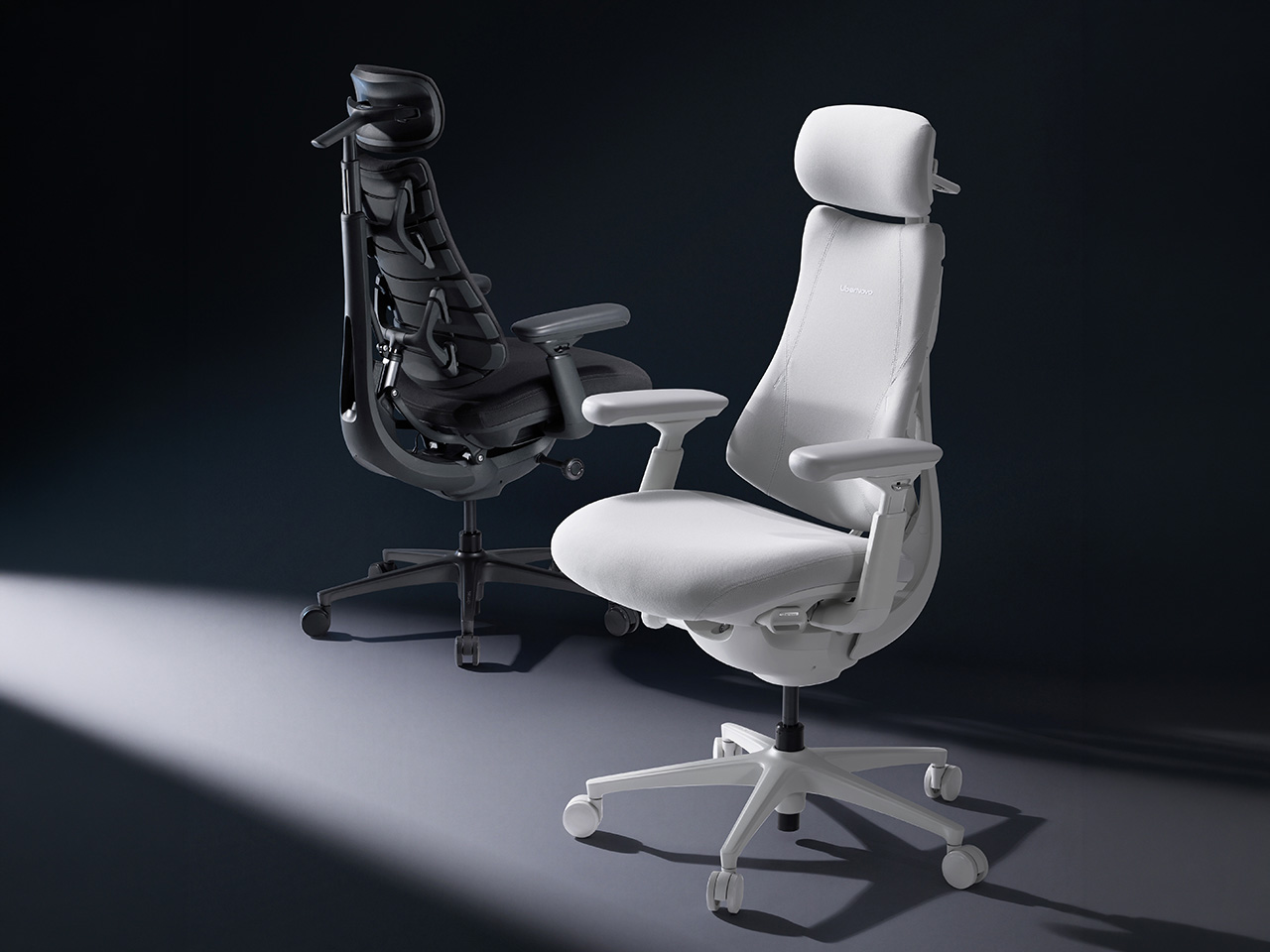
The ergonomic chair market has grown into a fairly crowded space, with brands competing on lumbar support, adjustability ranges, and premium materials. For most people, the options are plentiful. What hasn’t changed much, though, is the underlying assumption that comfort is something you configure once and hold. Set the lumbar height, dial in the recline tension, and somehow maintain that position for the next eight hours.
LiberNovo builds its chairs around the belief that support should adapt to movement rather than resist it. The brand’s focus on long-term spinal health through dynamic ergonomics has earned recognition from prestigious publications and awards bodies. With the LiberNovo Prime Sale now underway, its lineup is available at some of the steepest discounts the brand has offered.
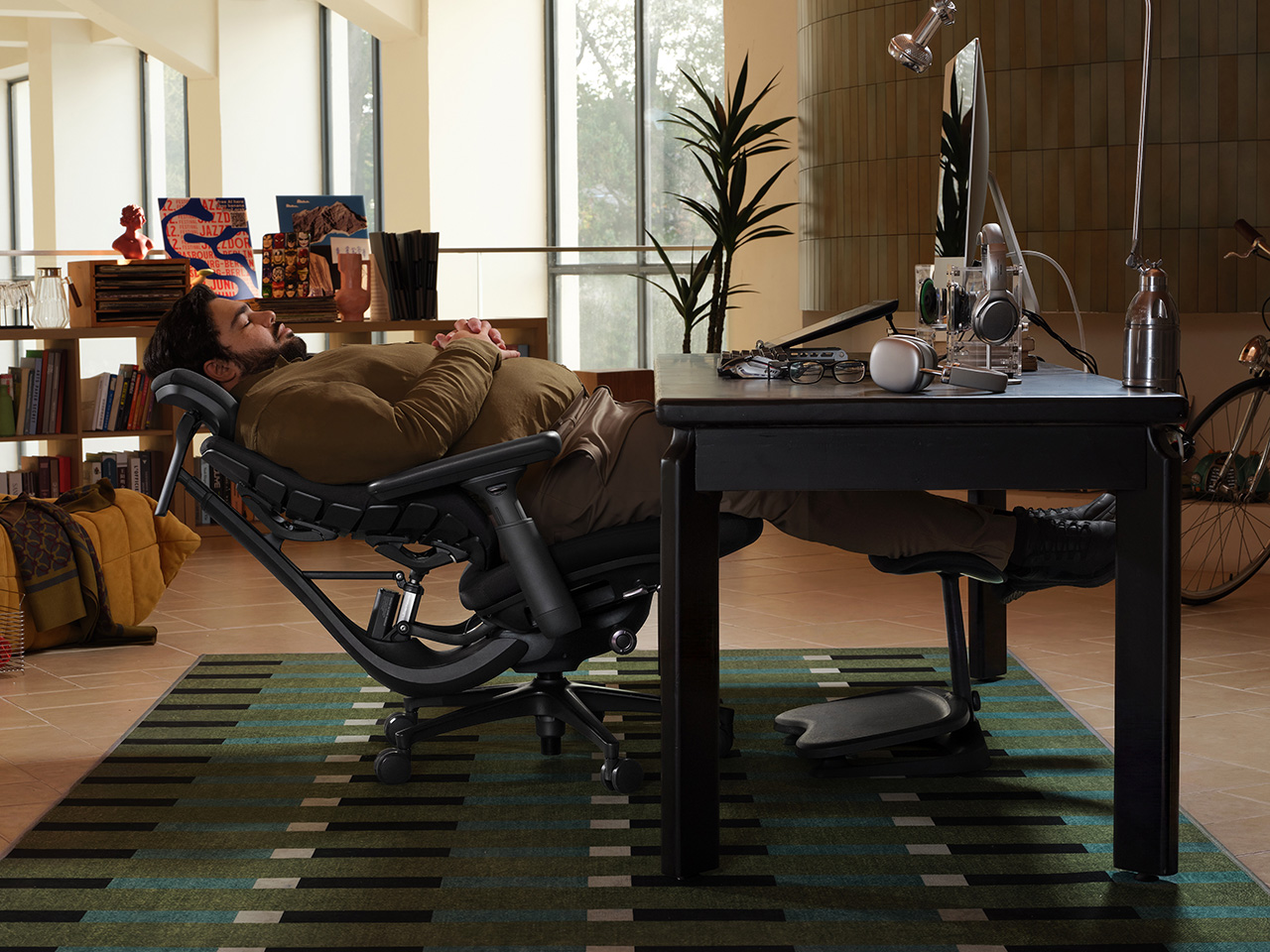
The problem with static chairs becomes clearer when you look at how people actually sit. Research shows the average person shifts posture about 13 times per hour, totaling over 127 unconscious adjustments in a 9.8-hour workday. Conventional chairs treat every shift as a problem. The Omni treats them as input, with 60 precision joints and four synchronized mechanisms continuously responding to keep the back, neck, hips, and arms supported.
LiberNovo Maxis
The backrest is where this becomes most tangible. The Bionic FlexFit system uses eight flexible panels, 14 dual-link points, and 16 ball joints, letting the back support flex and contour rather than press back with a rigid frame. The ErgoPulse motor sculpts the lumbar curve to maintain spinal alignment as the user moves, so whether leaning back to think or shifting forward to focus, the support follows without manual input.
LiberNovo Omni
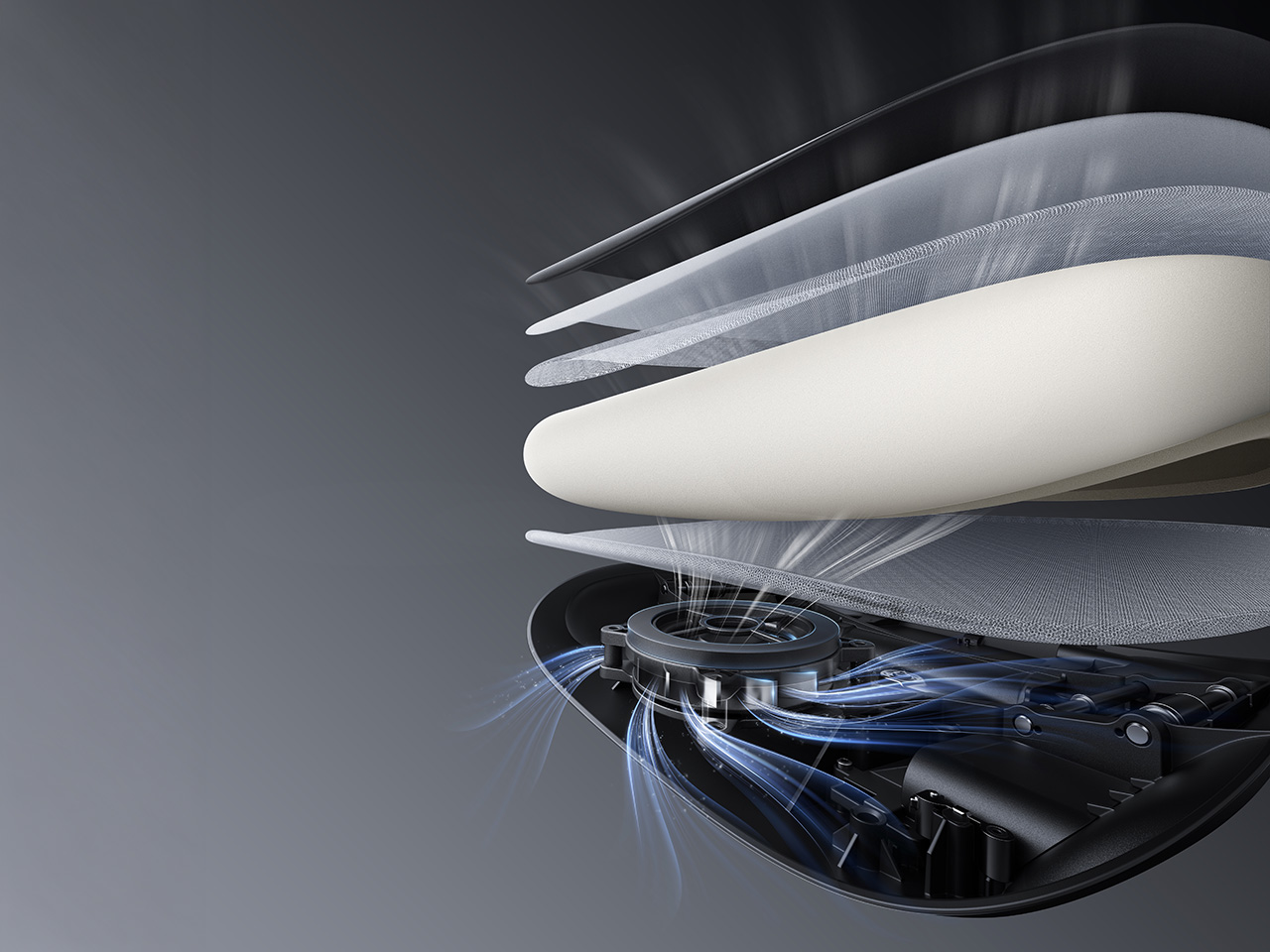
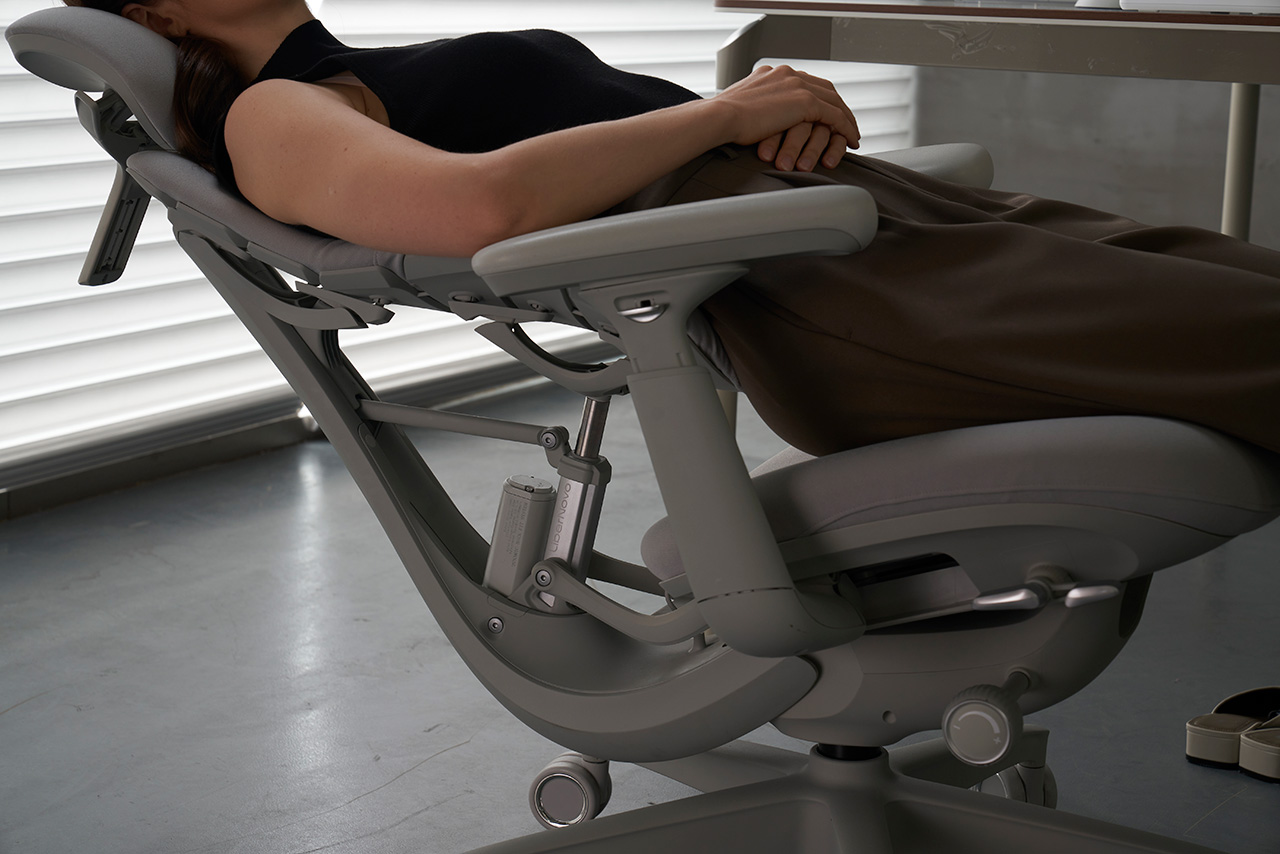
Two features push the Omni into less familiar ergonomic territory. OmniStretch is a five-minute motorized spinal decompression cycle built directly into the chair, guiding the backrest through a gentle stretch sequence to release tension and restore alignment mid-session. Active AirFlow Seat Ventilation draws cool air through a five-layer breathable seat structure using a quiet centrifugal fan, with built-in sensors that pause the airflow automatically whenever you leave the seat.
LiberNovo Omni SE
The standard Omni is the balanced choice, pairing electric lumbar control, OmniStretch, and the Dynamic Support System in one cohesive package. The Prime Sale includes flash deals on selected Omni bundles from June 18 to July 11, and the full campaign launches June 23. The US Premium Bundle, including the Omni chair, Footrest Stepsync, and battery, is priced at $829 against an MSRP of $1,449, a 43% discount. EU buyers get the steepest cut, with the bundle at €939 versus an MSRP of €1,826, a 49% savings.
Not everyone needs the full stack, though. The Omni SE is the most accessible, with manual lumbar support and the same core ergonomic architecture, but without OmniStretch or a built-in battery. The Omni Pro is the fully featured version, adding Active AirFlow Seat Ventilation, a high-grade aluminum alloy base, and Danish Gabriel Atlantic Fabric. The brand new Maxis Series rebuilds the platform for users between 5’10” and 6’7″. In the US, Super Early Bird pricing for these runs through July 31, with discounts of up to 44% off. The Omni SE starts from $569, with the Omni Pro starting at $909, and the Maxis from $809.
The sale adds a few extras worth noting. Qualifying purchases above regional thresholds are eligible for Lucky Spin Rewards, including a chance at a free chair or footrest. All purchases during the Prime Sale will earn triple rewards points for future orders. Additionally, Omni orders over $850 qualify for an exclusive complimentary gift bundle. It’s a straightforward set of incentives attached to a lineup that was already worth paying attention to before the discounts.
There was a time when the desk was just a surface. One more flat space to pile things on – a laptop, a charger, a cold coffee, a tangle of cables you stopped seeing years ago. No system. No intention. Just the low hum of “good enough.”
But as more of us rethink the spaces we work in this year – decluttering our setups, upgrading what we touch every day, and trading disposable gadgets for objects built to last – something has quietly shifted. Mechanical keyboards are surging again. Design-led desk pieces sell out faster than they restock. And the desk, of all things, has become the one place we’re finally willing to treat with a little care.
It isn’t about productivity hacks or another ergonomic chair. It’s about presence. The handful of objects you reach for, look at, and live beside during the hours you’re most focused. Here are seven that understand the assignment. Build it slowly, piece by piece.
1. MelGeek Centauri80 – the keyboard that grew up
Best for the centerpiece of a serious setup.
For fifty years, the keyboard kept the same quiet contract. Switches under keycaps, keycaps under fingers. Functional. Forgettable. Then MelGeek asked a different question – what if the thing you touch most all day could also be the thing you most want to look at?
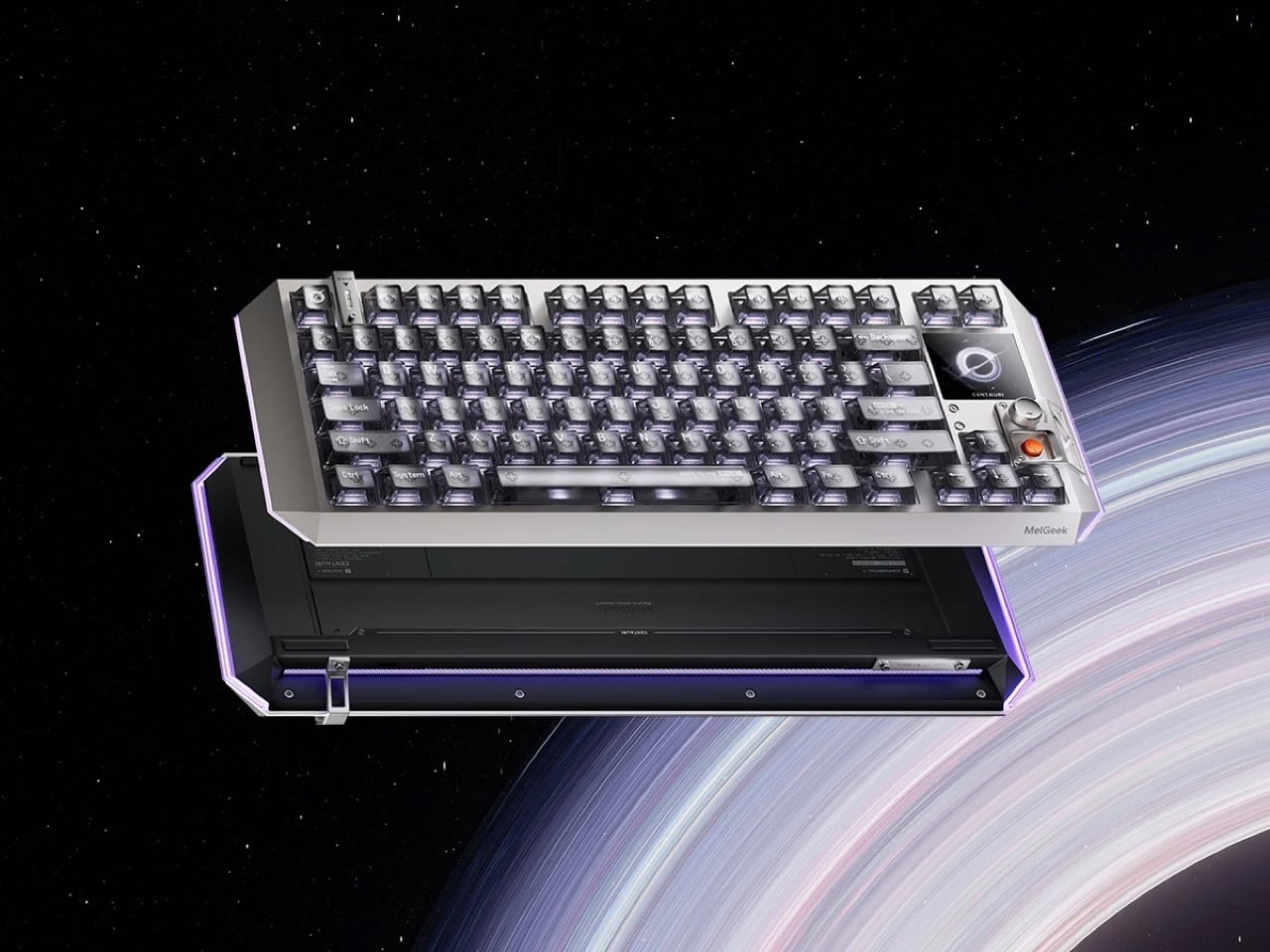
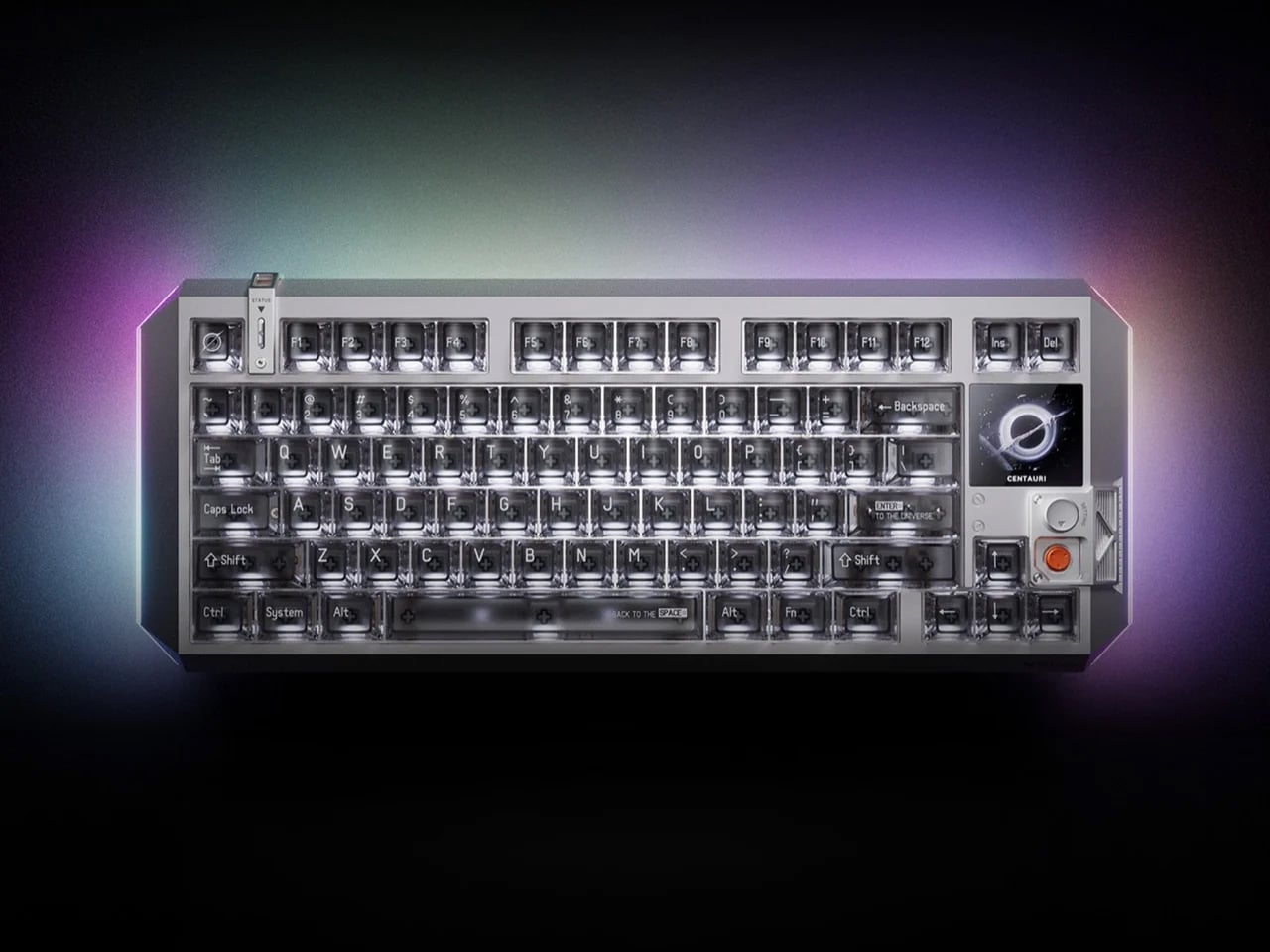
The MelGeek Centauri80 is the answer. It’s an 80% Hall Effect board with a tiny 1.78-inch OLED set into one corner, sharp as an Apple Watch face, and a rotary dial called the Super Dock beside it. Swap a wallpaper. Toggle a macro. Dial in the light. All without ever leaving your work. Underneath, a suspended aluminum body and a five-layer gasket mount turn every keystroke into a deep, controlled thud – the sound keyboard people chase for years.
It isn’t cheap at $299. But this was never about typing faster. It’s about a tool that finally feels like it belongs on a desk you actually care about.
Why it earns desk space:
This keyboard sits next to a budget keyboard the way a machined mechanical watch sits next to a Casio – both keep time, but only one is also a statement about what an object is allowed to be.
2. Everlasting All-Metal Pencil – the last pencil you’ll buy
Best for the daily tool you’ll actually reach for.
The premise sounds too good to be true, so here it is straight: a pencil that never needs sharpening and never runs out.
It writes with a special alloy core in an aluminum body, leaving a faint, graphite-like line as you go – an estimated ten miles of writing before the tip shows real wear. No lead to snap. No sharpener to hunt for. No sad little stub at the end. And yes, it erases like an ordinary pencil.
It’s the cheapest thing on this list, and somehow the one you’ll reach for most. Balanced, matte, quietly heavier than it looks – the all-metal cousin of an Apple Pencil, for twenty dollars.
It replaces the thing you constantly replace with something you never have to replace again. That’s the whole brief, delivered completely.
3. Gather by Ugmonk – organize your desk the way a designer would
Best for the foundation everything else sits on.
Most desk organizers are built around storage. Gather is built around use – and that one difference changes everything.
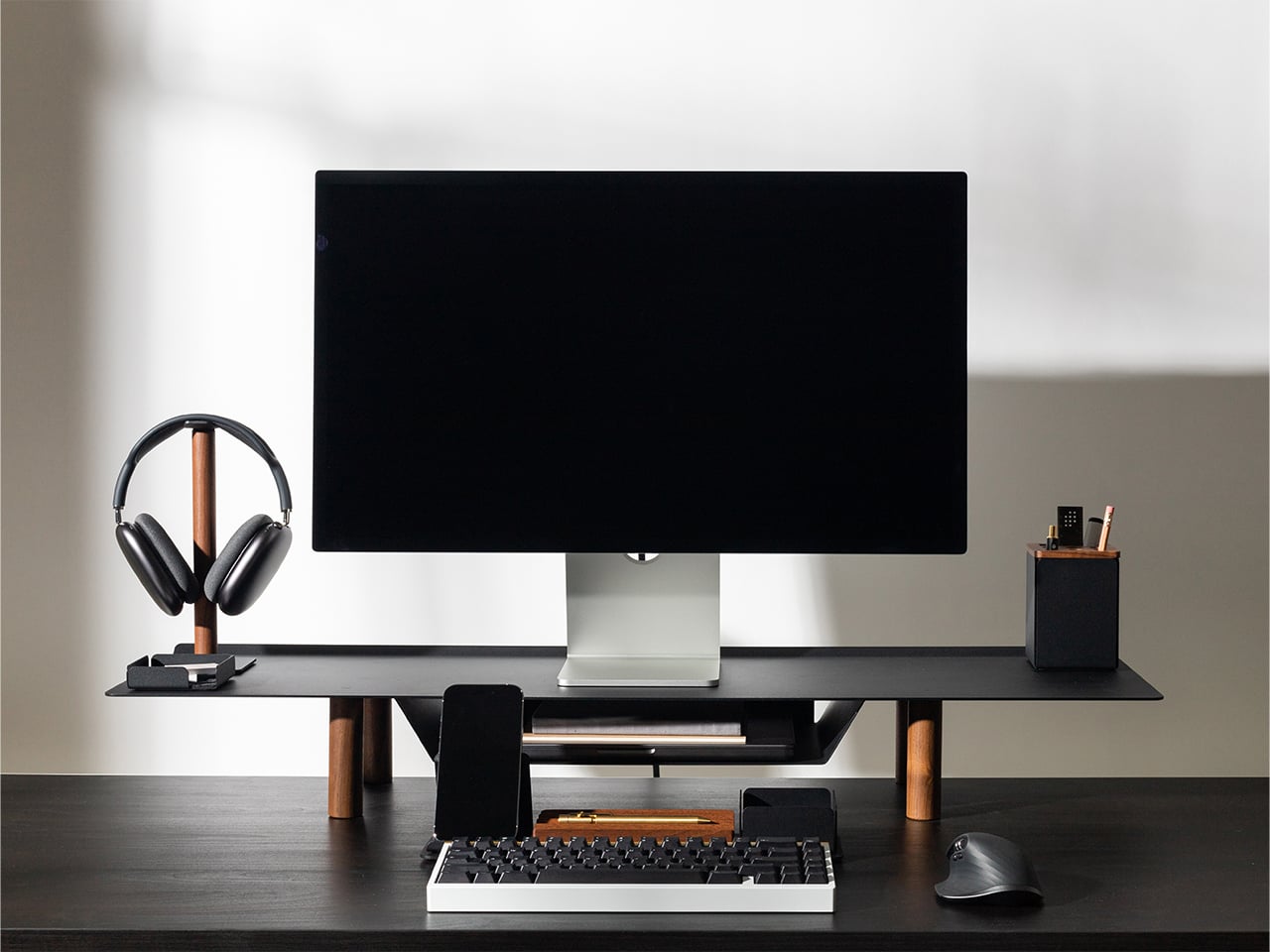
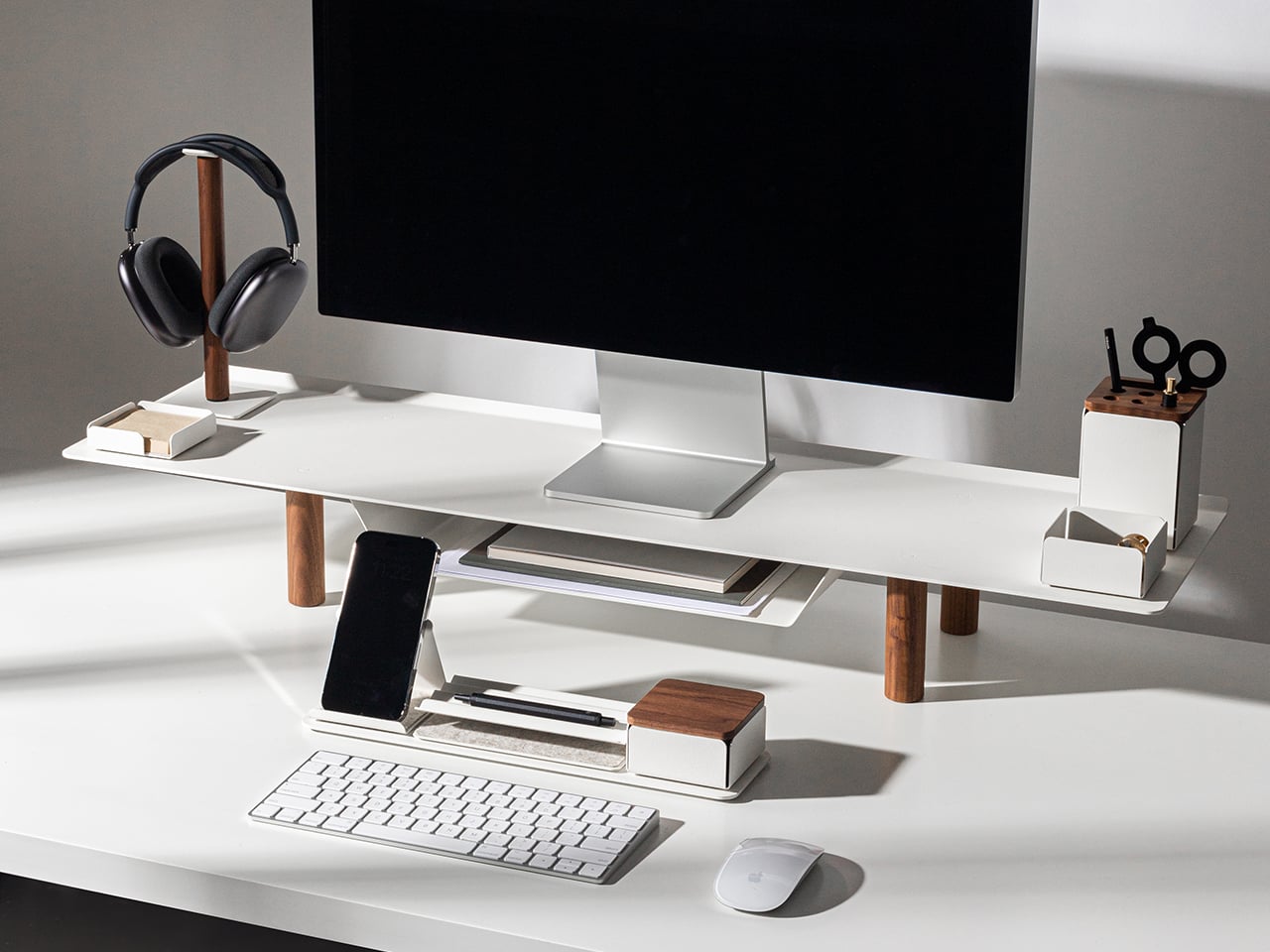
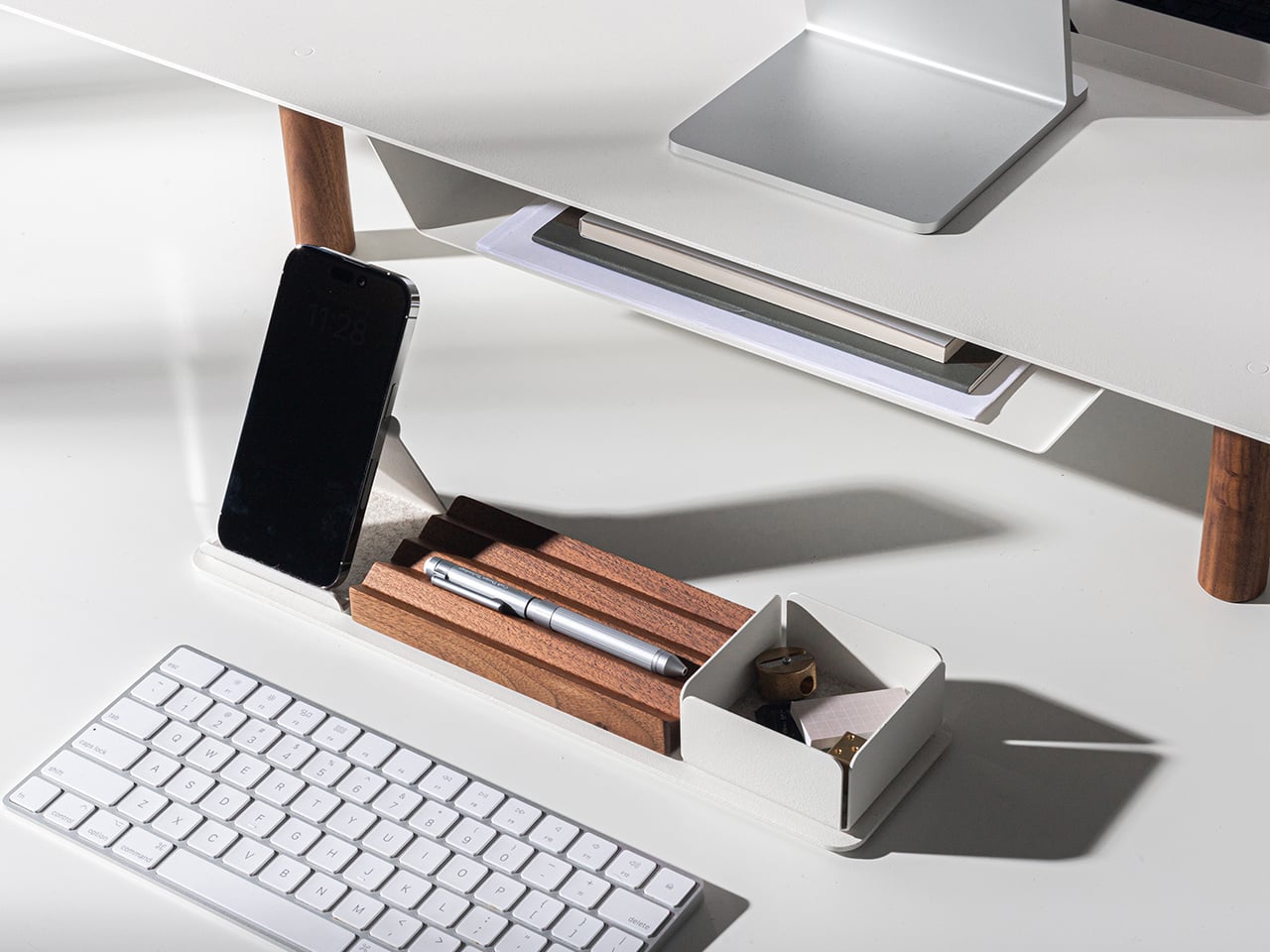
Designer Jeff Sheldon made it in powder-coated steel and solid walnut, by hand, in Pennsylvania. Every tray and stand clicks onto a magnetic base, so you can rearrange the whole thing in seconds and nothing ever slides out of place. No branding. No noise. Just the essentials, finally given a home.
Buy the pieces you need now. Add more when your days change. It’s the rare accessory you set up once and never think about replacing.
Why it earns desk space:
It’s not a storage solution. It’s a workflow solution that happens to look exactly the way a well-edited desk should.
4. Rolling World Clock – time zones made tactile
Best for anyone working across cities.
If you work with people in other cities, you’ve built some private system for the time-zone math. It works. It just isn’t beautiful.
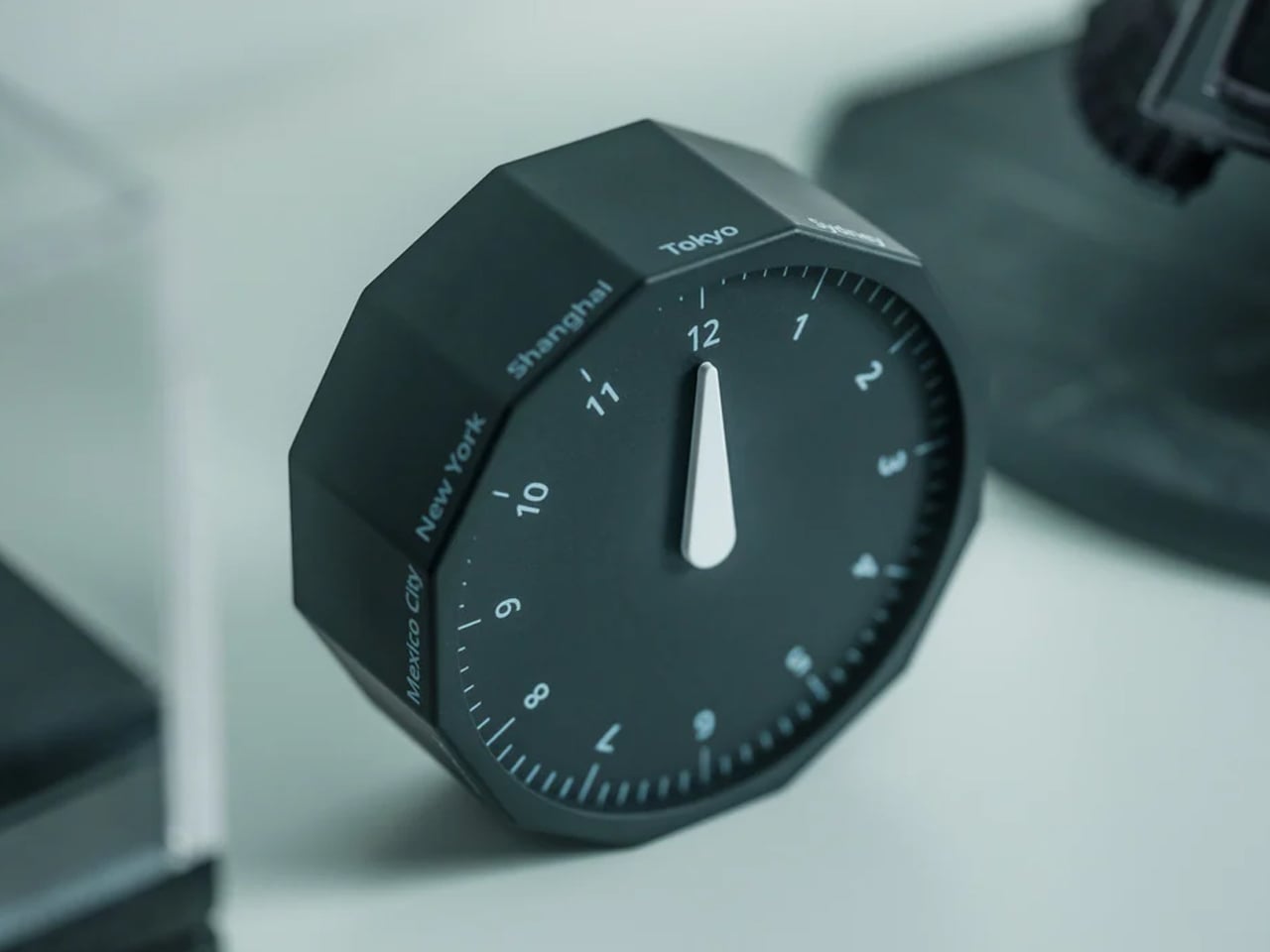
The Rolling World Clock replaces it with a single, satisfying motion. Twelve faces, each one a major city – London, Tokyo, New York, Sydney. Roll the one you want face-up, and a single hand tells you the hour there. No screen. No app. No menu buried three taps deep.
Designed by Masafumi Ishikawa and made in Japan, it’s about the size of a hockey puck and quiet enough to leave out between glances. A small thing that turns a tedious habit into something you reach for on purpose.
It turns a slightly tedious daily need – knowing what time it is on the other side of the world – into something you actually want to pick up and use.
5. The Oloid – a mathematical sculpture that makes thinking visible
Best for the finishing flourish and is cast in stainless steel, brass, or copper.
The one object nobody can walk past without picking up.
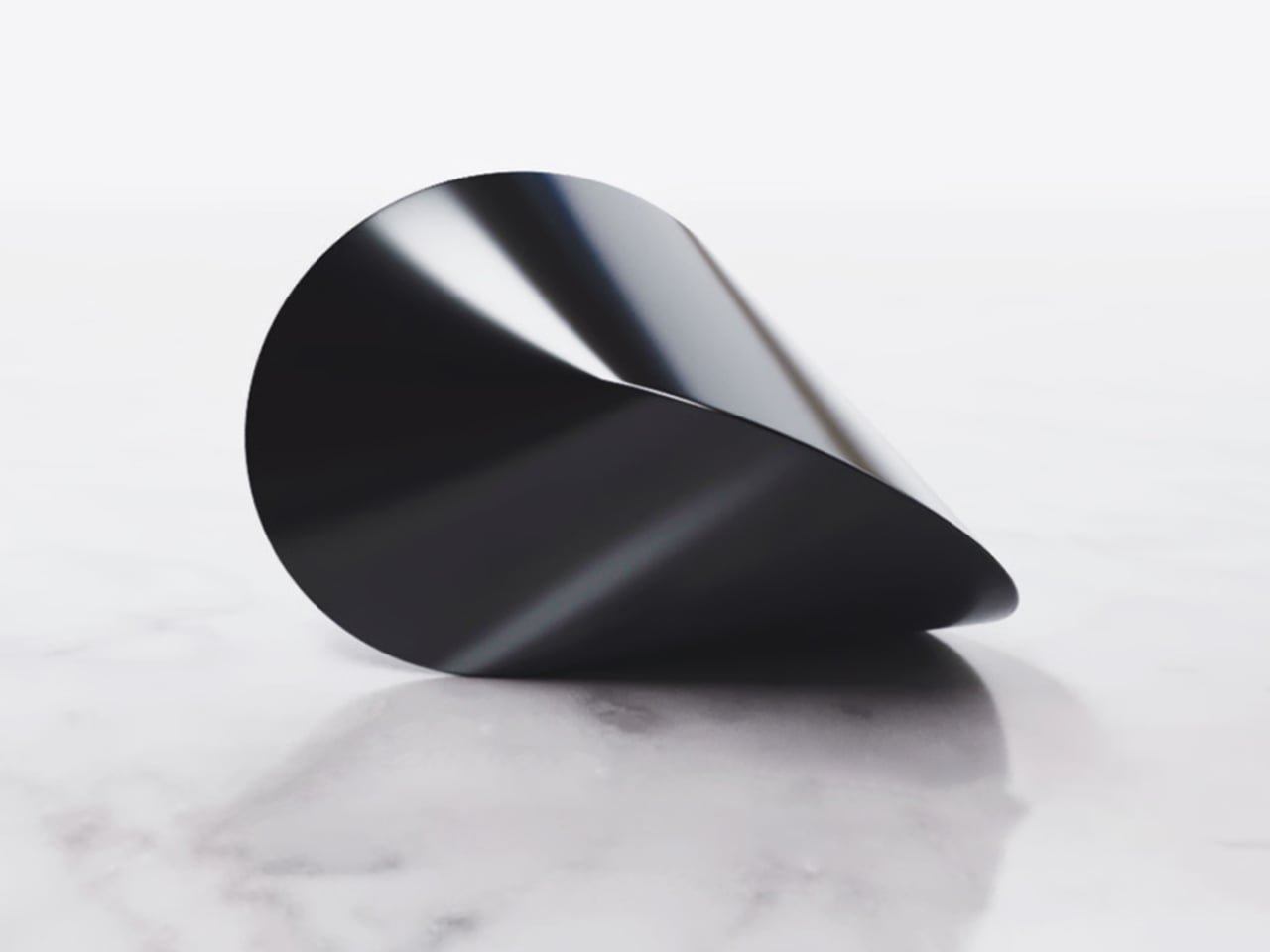
The Oloid is a piece of geometry first described by German mathematician Paul Schatz in 1929. It isn’t round – and yet it rolls, in a straight, hypnotic line, touching every point on its surface as it moves. No motor. No battery. Just math made solid, cast in mirror-polished stainless steel, brass, or copper.
It does nothing, and that’s the point. You reach for it when you’re stuck, turn it over while you think, and slowly it becomes the quiet center of the desk. Presence, in the palm of your hand.
Why it earns desk space:
It turns the act of thinking – which is invisible – into something you can hold in your hand.
6. Heritage Craft Unboxing Knife – the detail that changes the ritual
Best for the WFH delivery pile.
Every remote worker opens packages all day. Most of us reach for scissors, a key, a thumbnail – and leave the box looking like it lost a fight.
The Heritage Craft Unboxing Knife treats that small moment as something worth doing well. It’s milled from a single block of aluminum into a circular form shaped after a Paleolithic hand axe, sized to settle into your palm. The wave-like ridges aren’t decoration; they’re grip. The blade is angled to glide through tape without ever reaching what’s inside.
On the desk, it reads as a sculpture. In the hand, it reminds you that even the most ordinary ritual can be done with a little more care.
It’s the most frequently used object here that most people haven’t thought to upgrade yet – which is exactly why it makes such an immediate impression once they do.
7. Author Clock – the clock that tells time through literature
Best for the literature lover’s desk statement piece.
Most clocks tell you the time. This one tells you the time and hands you a sentence worth reading.
Instead of digits, the Author Clock shows a hand-picked literary line with the current hour woven into it – a fresh passage every minute, pulled from more than 13,000 lines across centuries of books. Glance over near eleven at night and you might catch something from Mrs Dalloway. The housing is solid white oak with a brass dial on the side; the e-paper screen is paper-white and never glares.
It pulled in more than $1.3 million from over 8,000 backers, which tells you something. Checking the time stops being a reflex. It becomes a pause.
Why it earns desk space:
It makes the most unremarkable moment of a workday, checking the time, worth noticing.
Your desk is a design statement whether you mean it to be or not
A desk quietly communicates how seriously you take your work, your space, and your time – whether you’ve thought about it or not.
These seven products aren’t a formula for the “perfect” setup. They’re a starting point for thinking about the objects you surround yourself with during the hours you’re most focused and most present. Some solve practical problems beautifully. Some are just worth having nearby while you think. All of them treat the desk as more than a surface.
Start with the foundation, add the daily tools, then let the statement pieces earn their spots over time. That’s the whole point of a design moment: it isn’t about buying more. It’s about choosing better.
The problem with buying tech for someone who follows tech is that he’s usually already seen it. His desk is deliberate. His bag is considered. His tech doesn’t accumulate — it earns a place and stays there. Shopping for him isn’t hard because he’s difficult. It’s hard because he’s usually right, and anything that doesn’t clear his bar comes back with a polite explanation.
The ten things on this list are the ones he hasn’t gotten to yet. Some of them are brand new. A few are still taking shape as concepts or patent filings worth tracking closely. None of them are the safe, obvious choice you grab when you’re not sure. Safe choices are what you give someone you don’t actually know that well, and the guy who has everything will see right through them.
1. Google Home Speaker
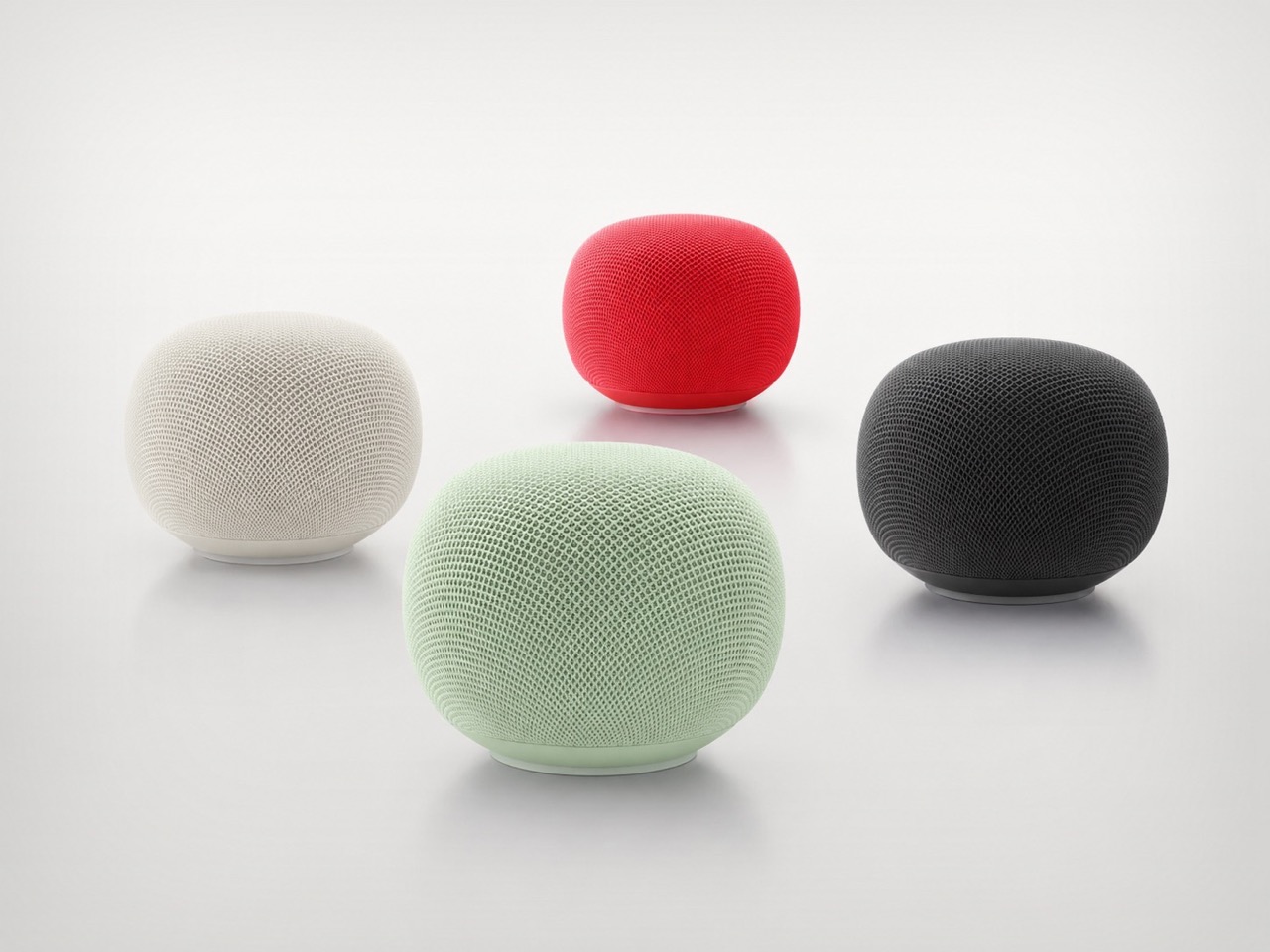
Google’s first new standalone smart speaker in nearly six years arrived in June 2026, and the gap is written into everything about it. The Nest Audio it replaces launched when people were buying anything that made a room feel less empty. The Google Home Speaker is a more considered object: small and rounded, available in colors the hardware team has always gotten right — the kind that make a shelf look slightly more curated without announcing a brand — with 360-degree audio and a light ring that tells you when Gemini is listening, thinking, or ready to respond.
The Gemini integration is the actual reason this speaker exists. Every Google product with enough surface area has been rewired into the AI model since 2025, and the kitchen turned out to be the most underserved room in the portfolio. What that means in practice is a speaker that answers hands-free cooking questions, manages a calendar, controls the broader smart home, and holds a conversation more fluently than any Nest device before it. Whether Google maintains attention on the category this time around is the only question worth watching.
What We Like
Gemini integration makes ambient AI genuinely useful in a room that needed it most
Soft, rounded form and considered color options read as a design object rather than tech hardware
What We Dislike
A six-year product gap makes long-term hardware commitment harder to trust
Full Gemini functionality requires staying inside the Google ecosystem to get the most out of it
2. OrigamiSwift Folding Mouse
Most travel mice solve the portability problem by building a smaller, worse mouse. The OrigamiSwift, designed by Horace Lam, takes a different approach entirely. It folds completely flat to 0.18 inches thick, slips into a pocket, and unfolds into a full-sized ergonomic form in under half a second. The triangular structure that makes the fold work comes directly from origami geometry, which gives the collapsed state enough rigidity to survive a bag without a case, and the open position enough stability for accurate, comfortable tracking on almost any surface you set it on.
At 40 grams, you stop noticing it in your bag within the first day of carrying it, which is exactly the point. A 4,000 CPI infrared sensor handles tracking, Bluetooth 5.2 keeps the connection fast and reliable, and a single USB-C charge on the built-in lithium polymer battery lasts up to three months. The soft-click buttons are quiet enough for a shared workspace without drawing any attention. For anyone who has carried a full-sized mouse in their bag out of sheer stubbornness about ergonomics, the OrigamiSwift is the design that finally makes the case for stopping.
Opens from flat to full-sized ergonomic form in under 0.5 seconds with no mechanical fuss
Three months of battery life per USB-C charge removes recharging from the equation entirely
What We Dislike
The slim profile and 40-gram weight take adjustment for anyone used to heavier, more substantial mice
Stock is very limited — only a handful of units remain in the shop
3. Volla Plinius
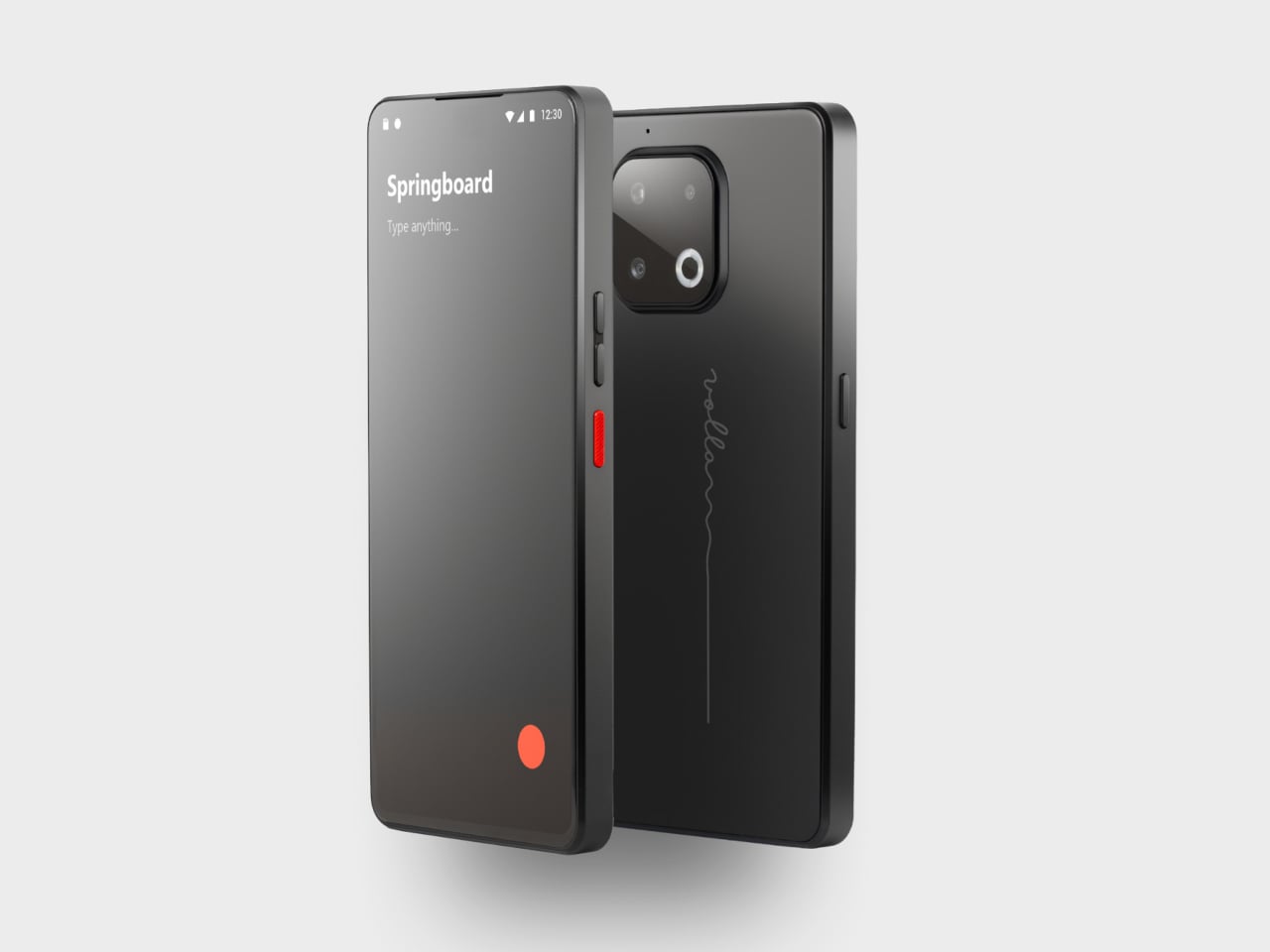
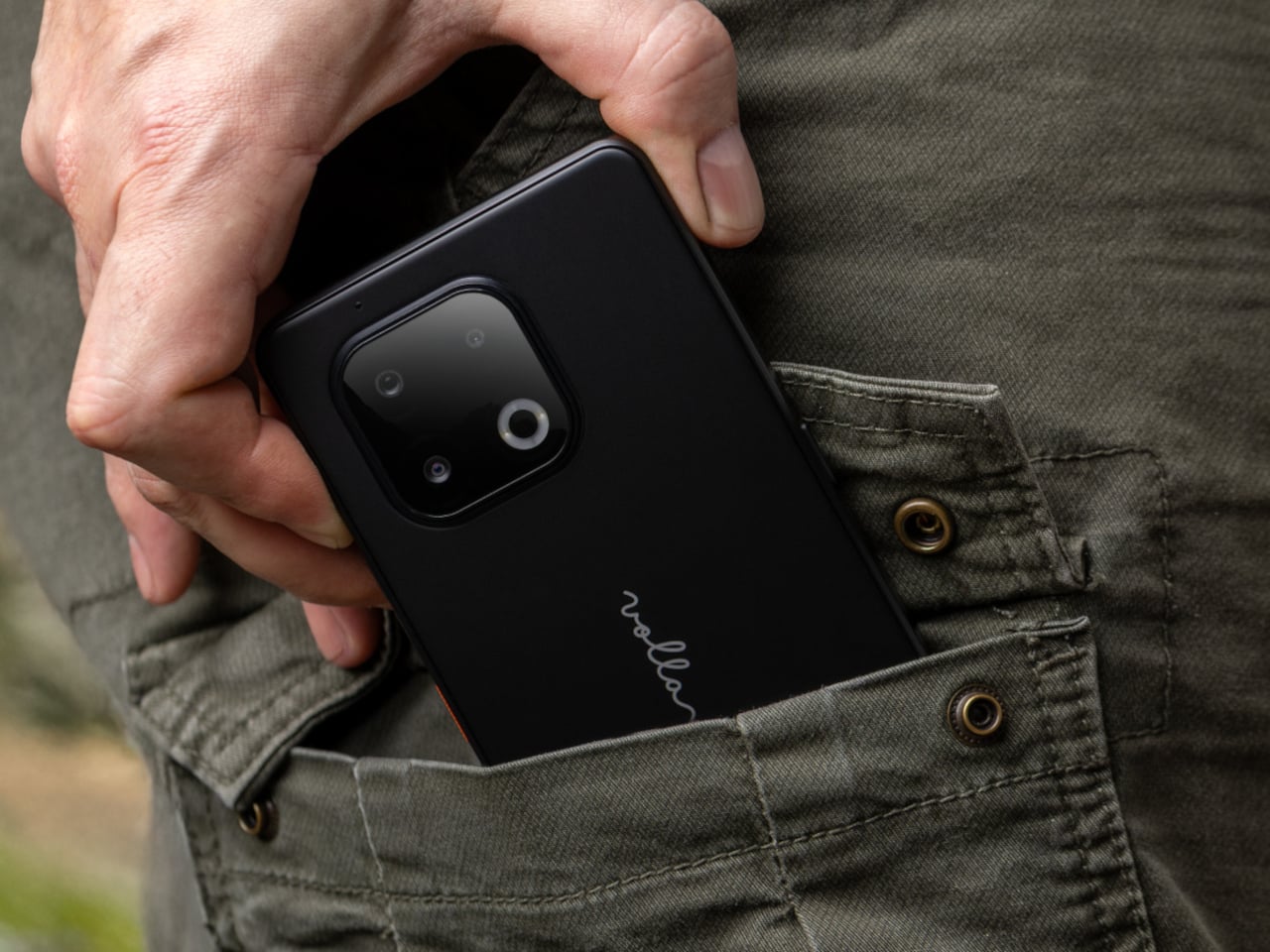
The Volla Plinius is named after Pliny the Elder, which is the kind of product name that tells you something about the people who built it. It’s a Google-free Android phone with an IP68 dust and water rating, a 6.67-inch FHD+ OLED display running at up to 120Hz, a 64MP main camera with phase-detection autofocus, an 8MP ultra-wide, and a 2MP macro, with 5G and a MediaTek Dimensity 7300 processor underneath. Out of the box, it runs Volla OS, a Google-free Android build with a clean, text-based interface and a Security Mode that governs which apps communicate with the outside world.
The detail that separates the Plinius from every other privacy phone is a user-replaceable battery you can swap with a standard screwdriver, even with the IP68 waterproofing intact. The 5,300mAh cell handles a full day comfortably, with 30W fast charging and 15W wireless charging both covered. Ubuntu Touch is available as a fully Linux-based OS from the UBports Foundation that doubles as a desktop environment when connected to a monitor. The standard Plinius starts at €598, with the Plus model adding 12GB of RAM, 256GB of storage, and a Pogo PIN connector for magnetic accessories at €698.
What We Like
User-replaceable battery with a standard screwdriver is a genuinely rare feature at any price, let alone with IP68 in place
Dual OS support means you can run Volla OS or full Ubuntu Touch on the same hardware
What We Dislike
The Pogo PIN modular accessory system is still early in its development
4. piBrick Pocket-CM5
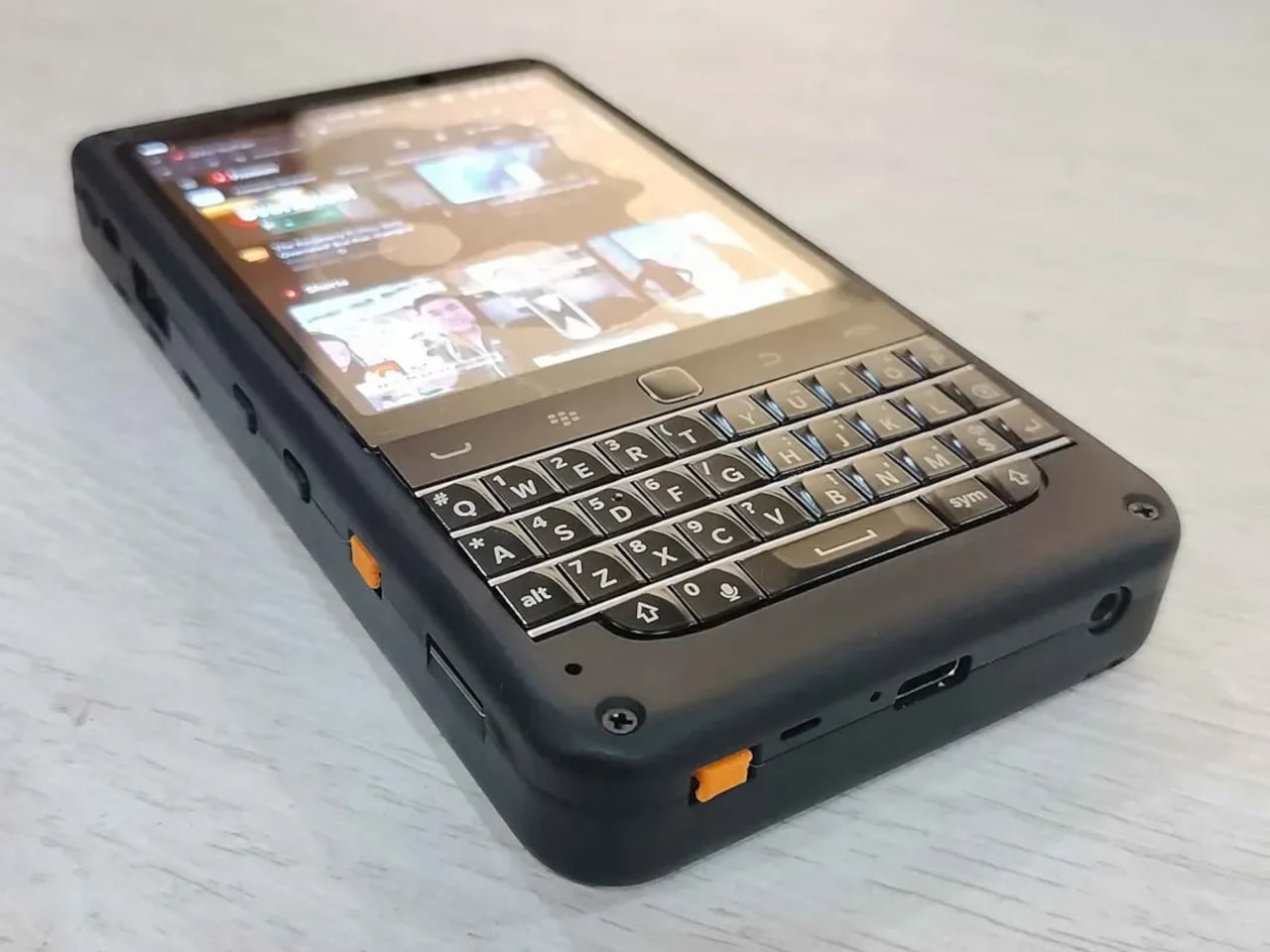
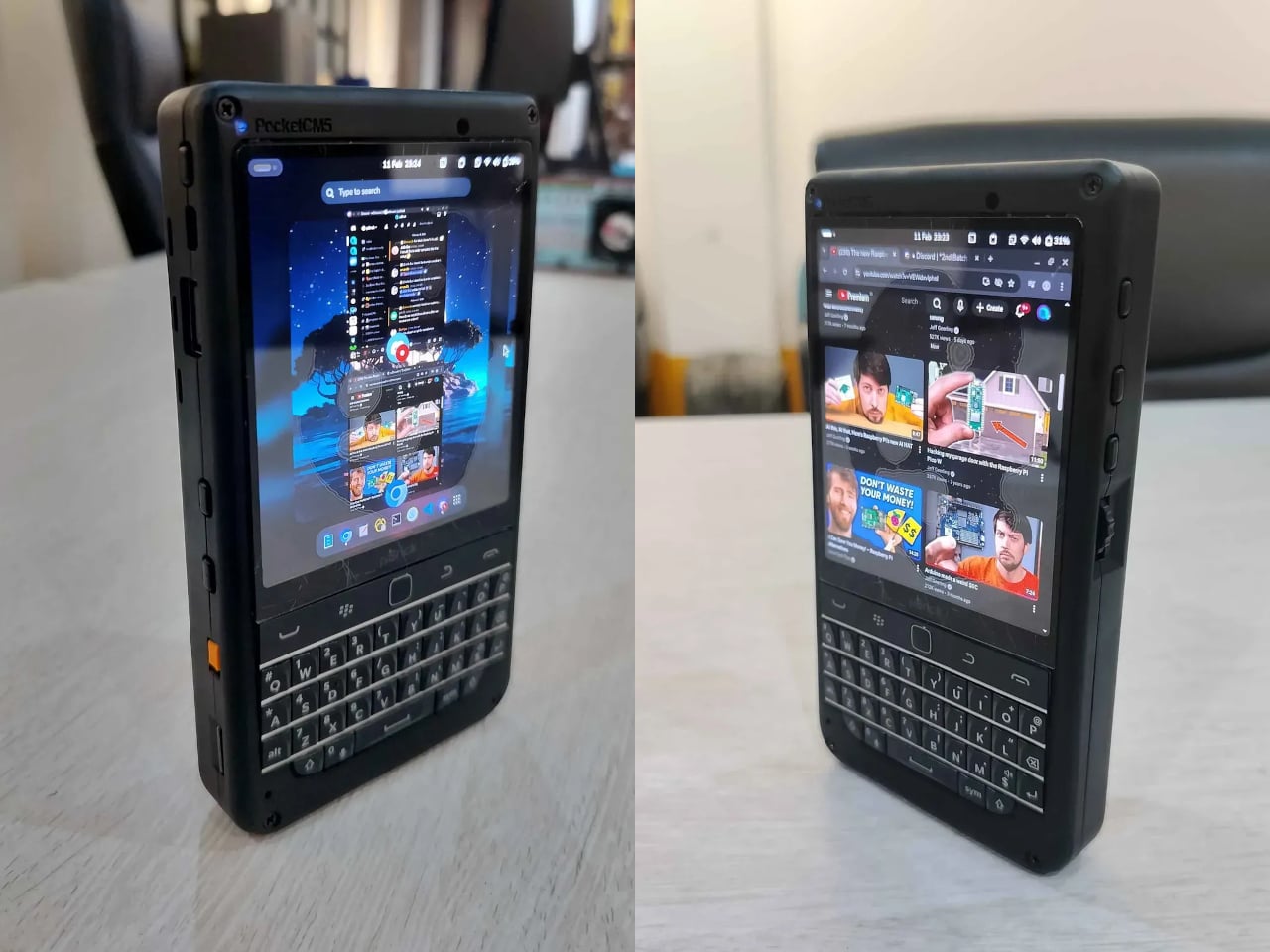
The piBrick Pocket-CM5 is an open-source handheld computer built around the Raspberry Pi Compute Module 5, a custom PCB designed for manufacturing at JLCPCB, and a 3D-printed shell. The whole parts list totals around $172, and what that buys is a device at smartphone proportions — 80mm × 145mm × 19.6mm — with a 3.92-inch AMOLED display at 1080 × 1240 pixels and 90Hz, a 5,000mAh battery, a compact QWERTY keyboard derived from the BlackBerry layout with an integrated trackpad, side rotary encoders, and five user-programmable buttons that give it a tactile depth no touchscreen-only device can replicate.
The feature that elevates the piBrick from impressive project to genuinely useful tool is USB-HID mode. Plug it into any external computer or server, and the keyboard and trackpad operate as a fully functional USB input device, independent of the Raspberry Pi running inside it. A sysadmin arriving at a server rack without a spare keyboard doesn’t need to find one. Full-size and micro-HDMI outputs allow the same device to drive an external display. NVMe SSD support in 2230 or 2242 formats adds storage beyond the SD card. The schematics, PCB files, and build instructions are open-source, making $172 the floor rather than the price.
What We Like
USB-HID mode turns it into a functioning keyboard and trackpad for any external computer or server
Full open-source hardware means the design belongs to anyone who wants to build on or modify it
What We Dislike
Requires hands-on assembly from a parts list rather than arriving as a finished, ready-to-use consumer device
The 3D-printed shell is functional but lacks the material quality of commercial hardware at this price level
5. StillFrame Headphones
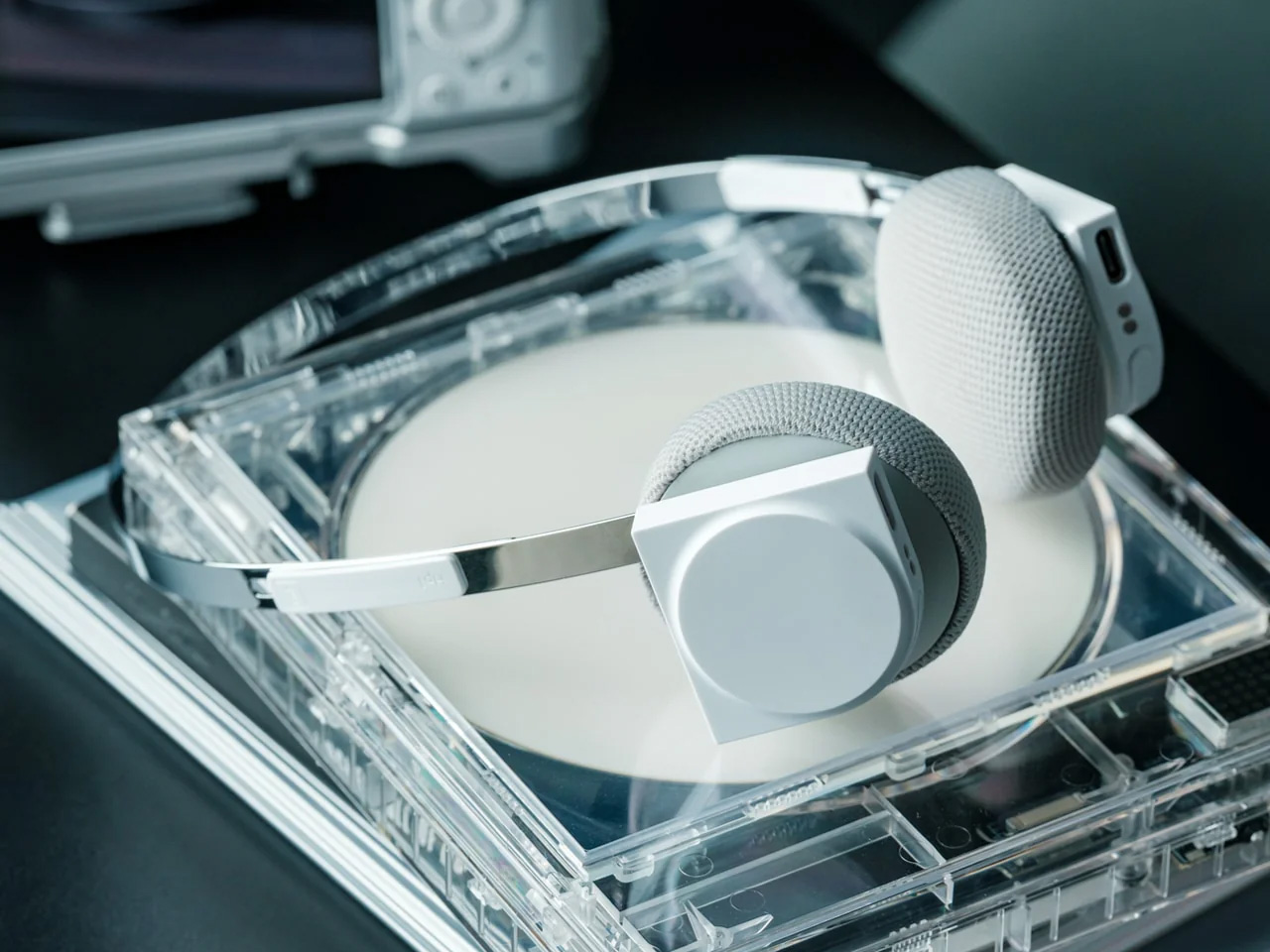
The StillFrame headphones are designed by Tatsufumi Funayama and weigh 103 grams, which is light enough that you genuinely stop noticing them across a full workday. The 40mm drivers produce a wide, open soundstage tuned for music that rewards real listening rather than functioning as background wallpaper. A stainless steel headband holds the structure with the right balance of strength and flex, and the fabric ear cushions attach magnetically, making swaps between the included colorways quick and satisfying in the way that small, well-engineered interactions tend to be. The form takes its reference from the quiet geometry of CD players from the 1980s and 1990s, and the connection is immediate once you see it.
At $245, the StillFrame competes on philosophy as much as on specification. Active noise cancellation and Transparency Mode are both on board, Bluetooth 5.4 handles wireless streaming, and a USB-C cable supports high-resolution wired playback for when the signal matters more than the convenience. Battery life runs to 24 hours. The internal circuit board is deliberately exposed within the housing, treated as part of the visual experience rather than something to hide behind plastic. The White model ships with Light Gray and Turquoise cushions included — two moods for the same object, quietly expressive without trying to be.
103g and an open soundstage make these the kind of headphones you wear for hours without wanting to take them off
The exposed circuit board and magnetic cushion system give the object a physical personality that most headphones flatten out entirely
What We Dislike
Only 4 units remain in the shop, which makes these effectively a limited run at this point
The on-ear design sits between over-ear and in-ear, and the level of passive isolation won’t suit everyone
6. Oppo Bubble
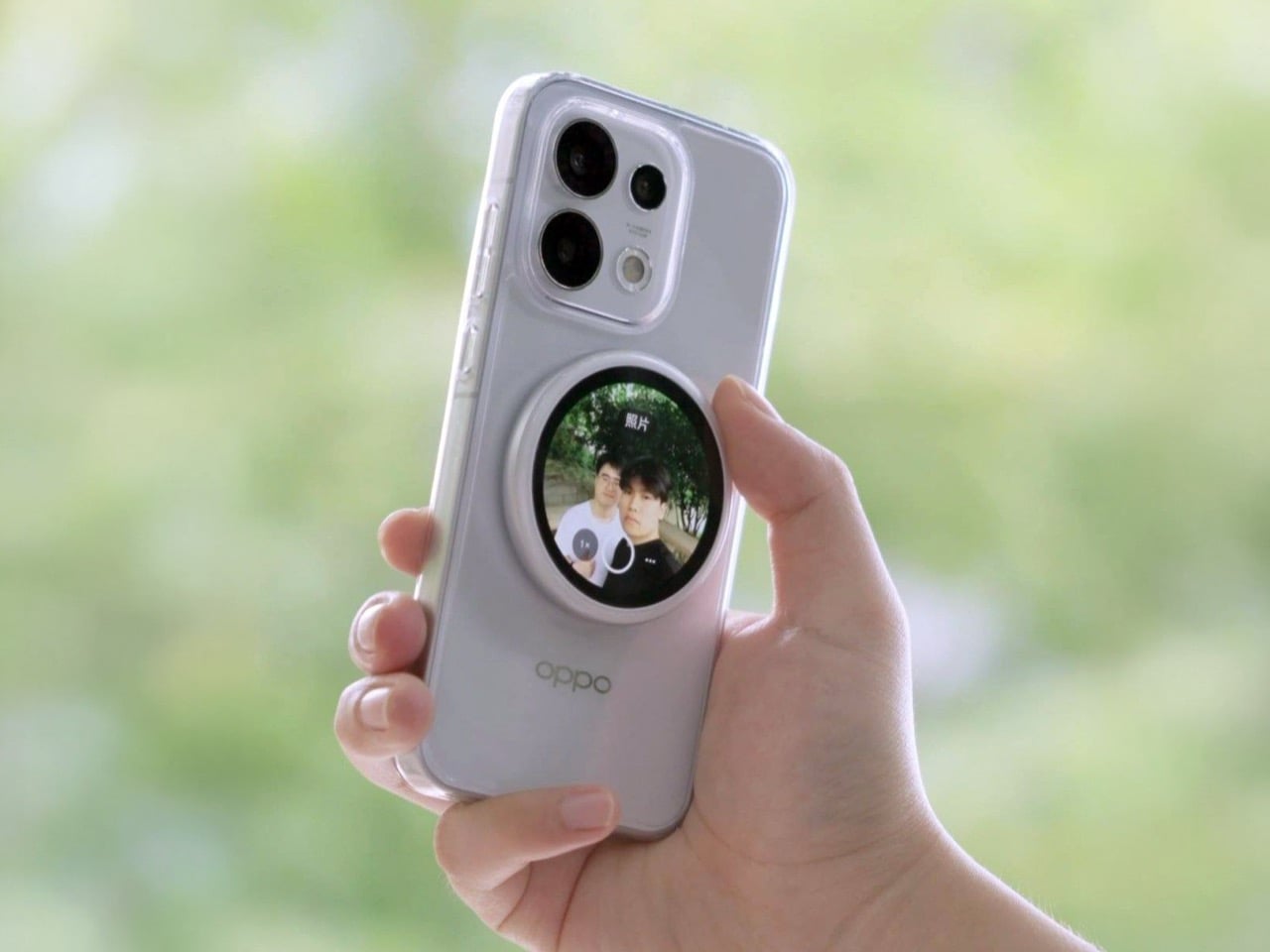
The rear camera has been the better camera for over a decade. Every benchmark, every low-light comparison, every zoom test confirms it, and yet selfie culture built itself entirely around the front-facing lens because there was no practical way to see what the good camera was capturing while it was pointed away from you. The Oppo Bubble is a small circular AMOLED touchscreen that attaches magnetically to the back of a phone and mirrors the rear camera’s live feed wirelessly, up to 10 meters away. It launched in China on May 25, 2026, alongside select Oppo Reno 16 devices, and includes a built-in remote shutter trigger. Apple has had the magnetic infrastructure for something like this since 2020. Oppo just claimed the screen real estate it left empty.
The circular AMOLED display is what makes the Bubble credible rather than merely clever. A low-resolution preview would sink the concept at its most basic job, so Oppo putting a proper screen in here is the detail that earns the price. A 550mAh battery keeps it running independently, and when the camera is off, the Bubble displays custom wallpapers, live photos, videos, and animated themes. Ten meters of wireless range repositions it from selfie mirror to legitimate remote shooting monitor — the kind of tool that used to require a separate Bluetooth trigger and a lot of hoping for the best.
What We Like
Ten meters of wireless range turns it from a selfie mirror into a proper remote monitor for tripod-mounted shooting
The circular AMOLED form gives it enough design personality to work as an accessory rather than just a functional attachment
What We Dislike
Live camera preview only works with select Reno 16 series Oppo devices at launch, which is a real limitation right now
No confirmed international release outside China as of June 2026
7. Lenovo ThinkTab X11
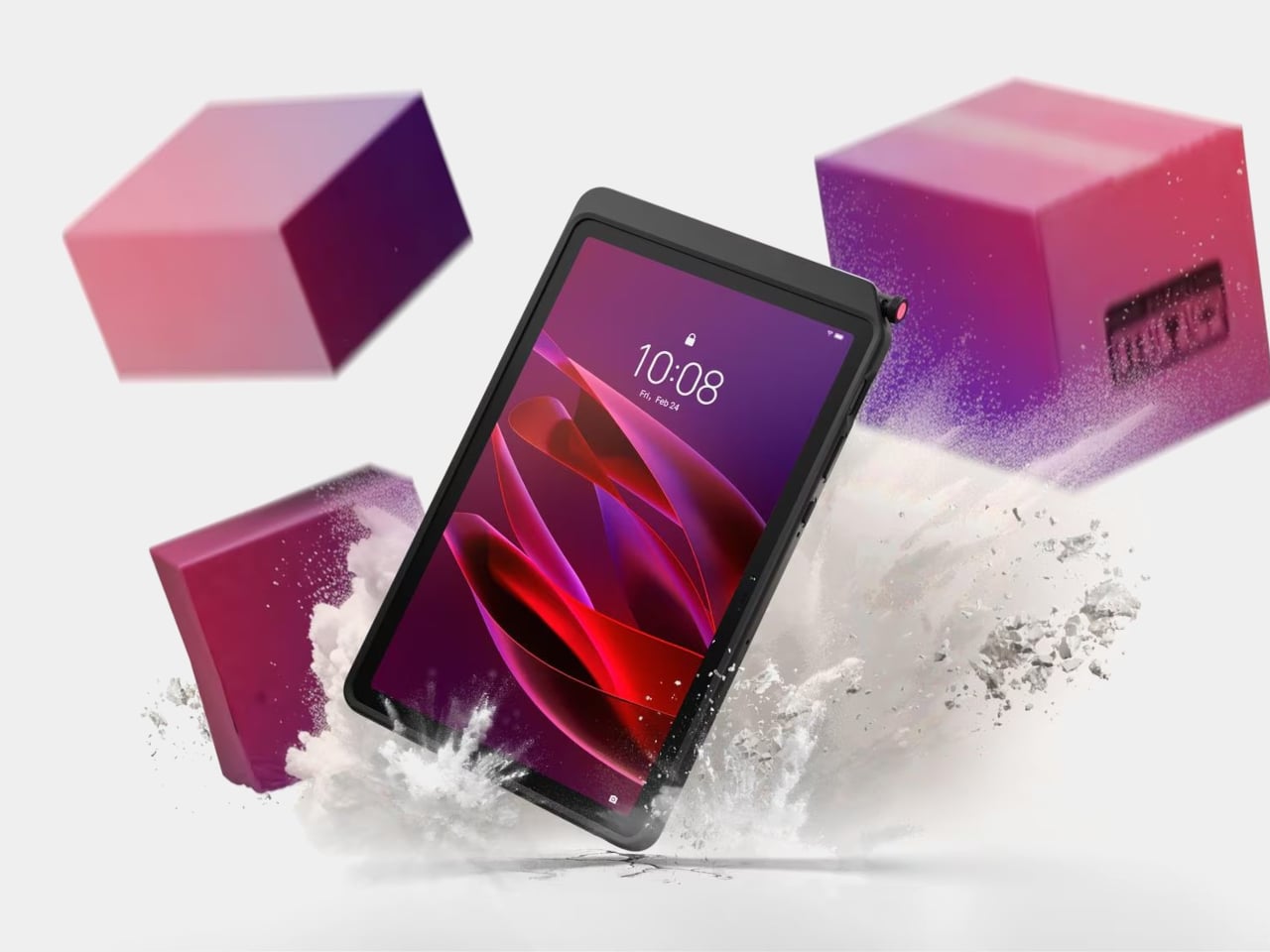
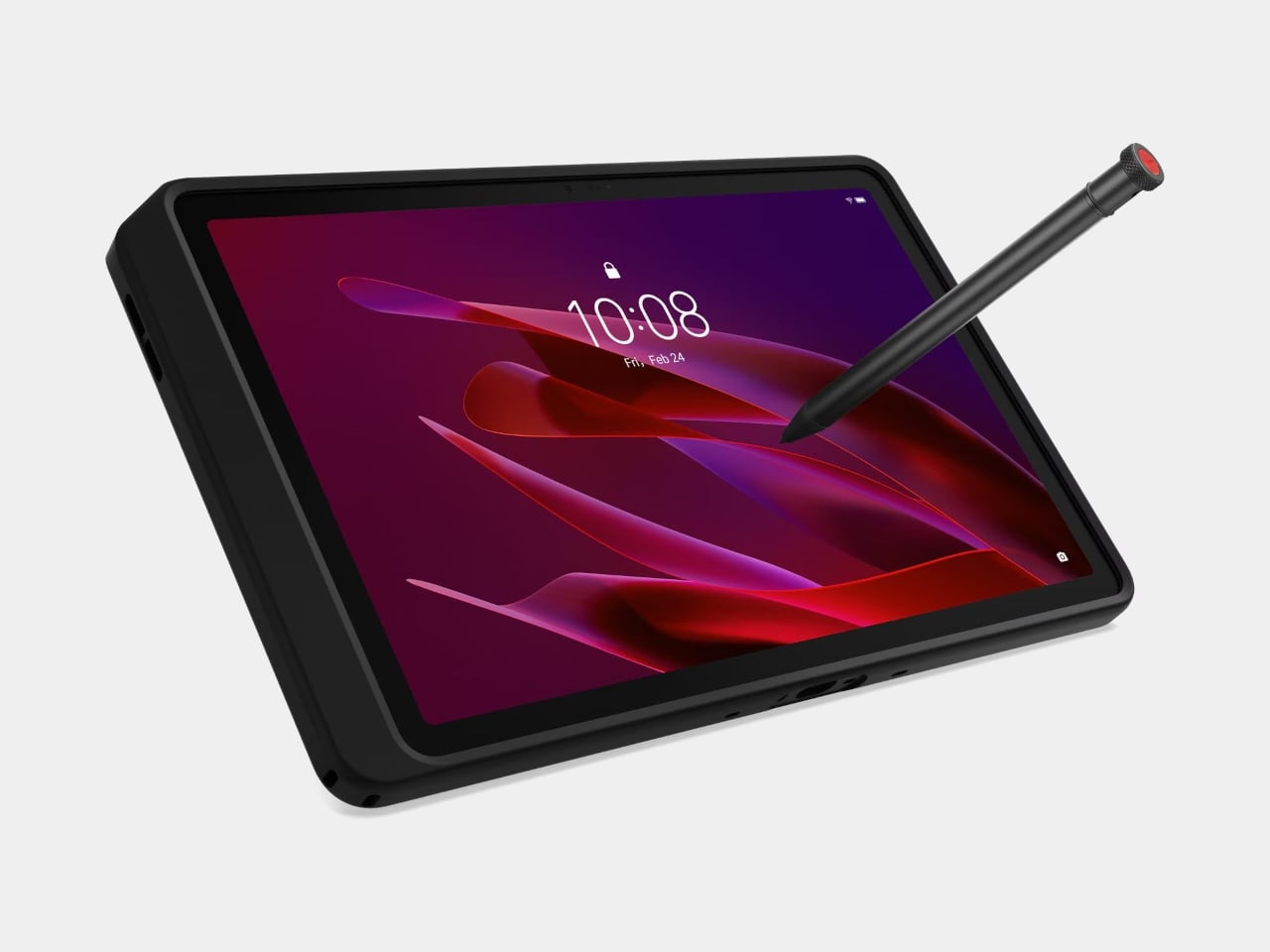
Rugged tablets have almost always meant choosing between enterprise-grade hardware at enterprise-grade prices, or pressing a consumer device into field conditions it was never designed to handle. The Lenovo ThinkTab X11 is an attempt to close that gap at $499, bringing it into reach for the people who actually use tablets in logistics, construction, transportation, manufacturing, and energy. The 10.95-inch display runs at 90Hz, reaches 800 nits under high brightness mode, and handles gloved hands and wet fingers without issue — the Snapdragon 7s Gen 3 runs the processing, with up to 12GB of RAM and 512GB of UFS 3.1 storage configurable depending on the deployment.
The battery design is what makes this genuinely interesting. The 10,200mAh cell removes on a screwless mechanism, so a worker can swap a depleted pack for a fresh one mid-shift without stopping to find a power outlet. In vehicle or fixed workstation deployments, the ThinkTab can run directly from DC power with no battery installed at all, eliminating heat buildup from continuous charging and removing long-term degradation from the equation entirely. The included case carries MIL-STD-810H certification, the device itself carries IP68, and the whole package ships with Android 16 alongside four years of security patches and two guaranteed major OS upgrades.
What We Like
Screwless hot-swap battery means mid-shift power changes are a practical workflow option, not a maintenance event
Battery-less DC operating mode for fixed deployments removes heat and degradation entirely from continuous-use scenarios
What We Dislike
At $499, it sits above consumer tablets doing lighter work, though well below comparable enterprise-only hardware
The Snapdragon 7s Gen 3 is a capable rather than cutting-edge processor for the price bracket
8. Nothing Book
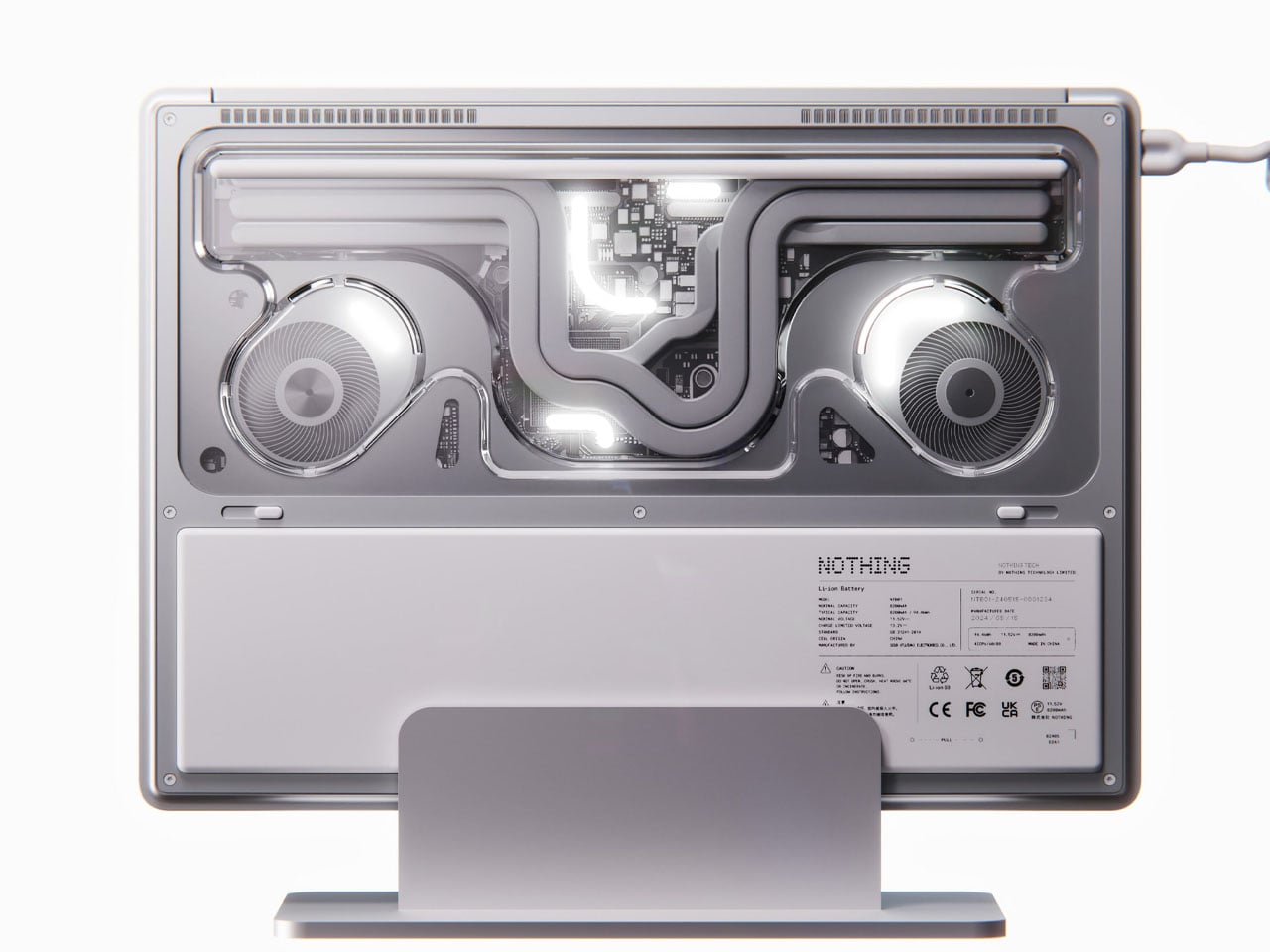
This is a concept, and it’s worth saying that plainly before anything else. The Nothing Book is a design exploration by Nikita Bukoros that takes the brand’s philosophy to its logical conclusion: a performance laptop that treats its internal architecture as the visual statement rather than hiding it. The see-through body layers the cooling system, circuit boards, and internal components into a composition that Bukoros describes as industrial art as much as consumer electronics. The see-through aesthetic Nothing built its identity around, originally inspired by the translucent polycarbonate designs of the late 1990s, reaches its most ambitious expression here.
The secondary screen mounted on the lid is the detail that makes the concept worth following. It is a slim external display that breaks the closed-laptop monotony entirely — you can push messages, symbols, emojis, or anything else in the classic Nothing font to whoever is looking at the back of your machine in a meeting or a cafe. Nikita moves beyond Nothing’s usual monochrome palette and offers the concept in hot red, cool green, subtle pink, and magnetic teal. A purpose-built charging dock triggers a cooling animation on the secondary display when the laptop is docked, which is the kind of considered detail that separates a design worth remembering from one worth scrolling past.
What We Like
The secondary lid screen is a genuinely original idea that gives the closed laptop a visual identity and purpose
See-through architecture makes the internal engineering part of the aesthetic rather than something to conceal behind a plain surface
What We Dislike
This is a concept, not a product — Nothing has confirmed a laptop is in development
The exposed internals aesthetic would face real structural and thermal engineering challenges in a shipping device
9. Canon Pocket Gimbal Camera
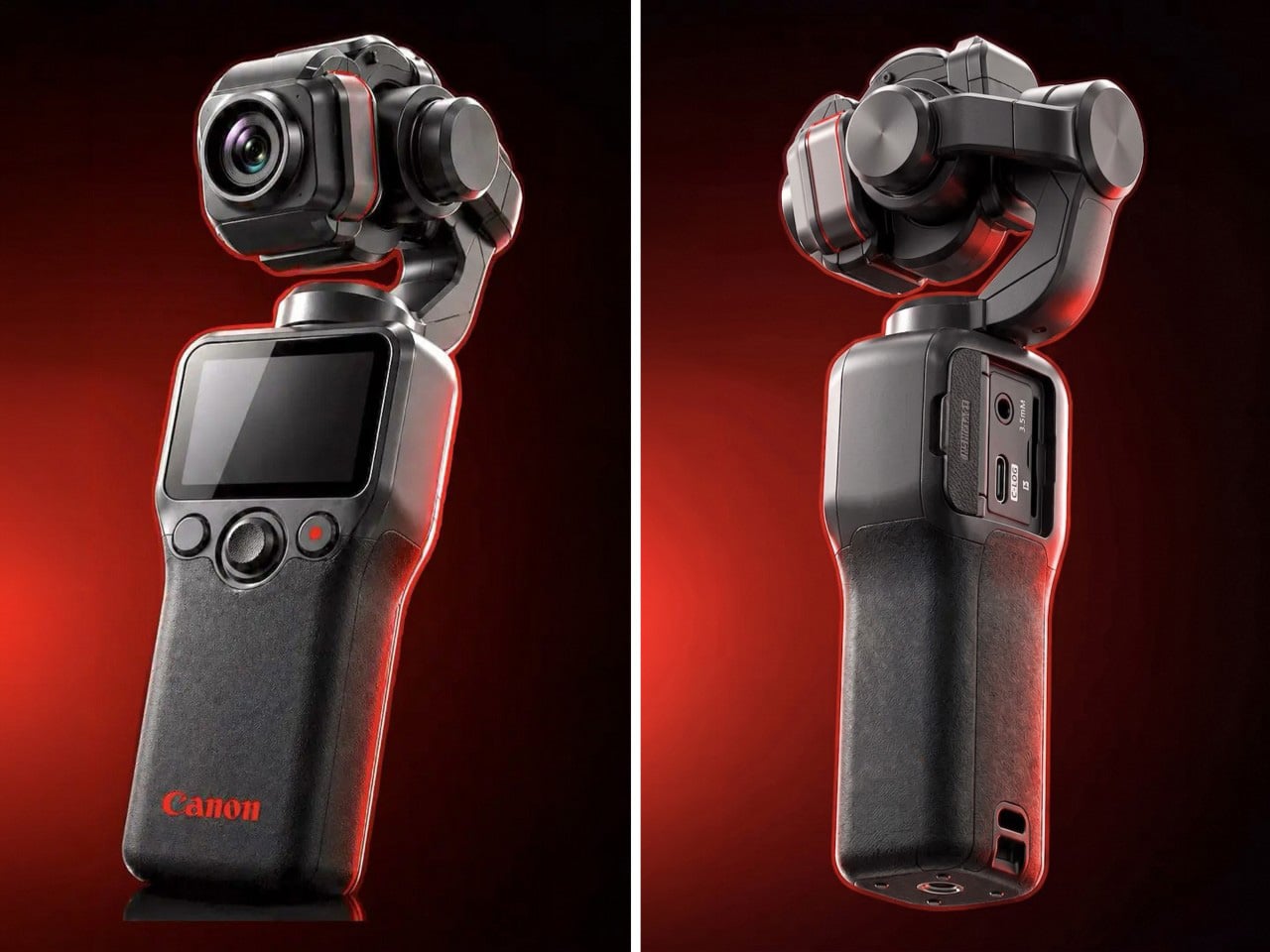
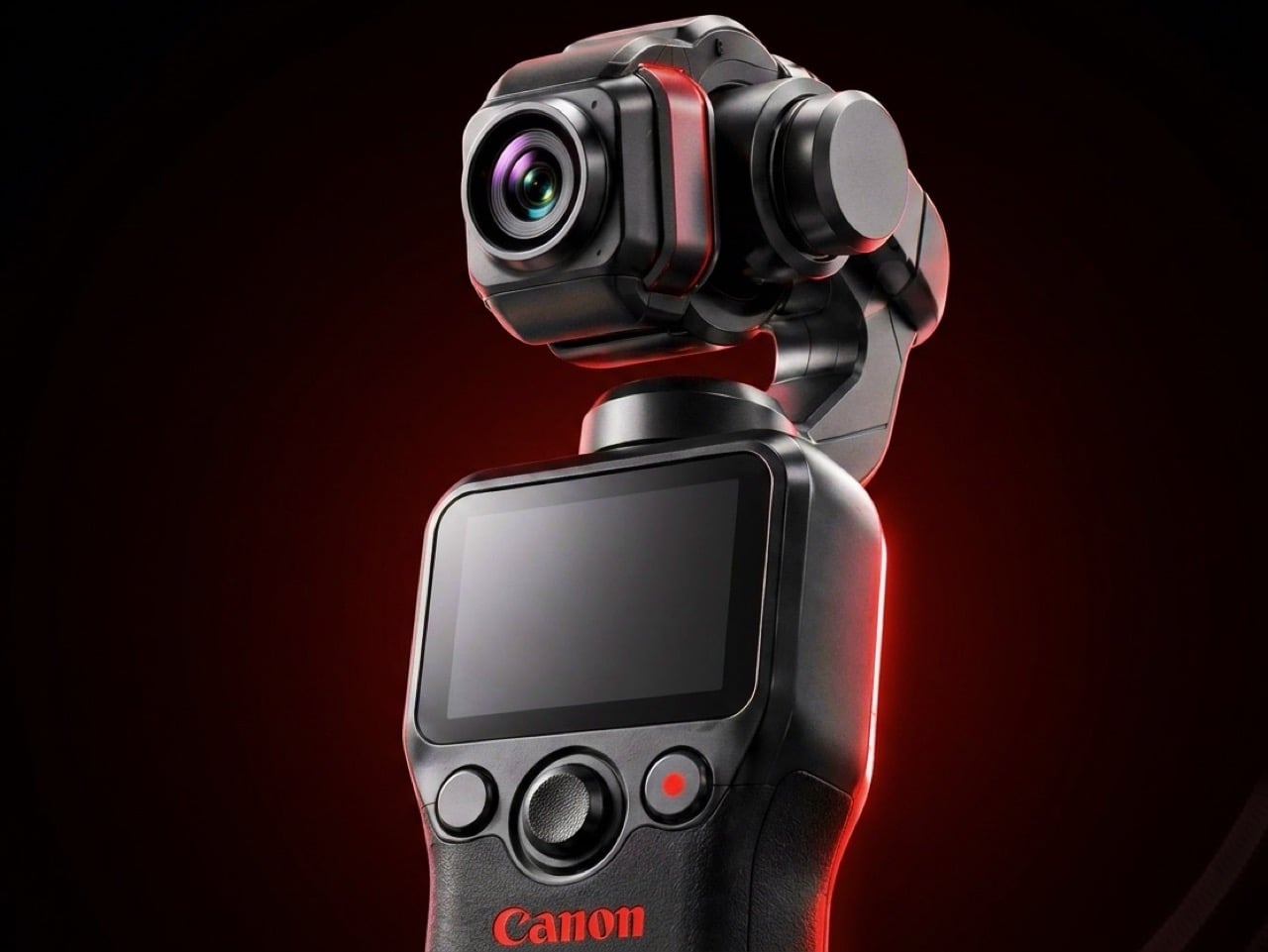
Canon filed a patent in April 2026 for a compact handheld camera with a fully integrated three-axis gimbal, a fixed lens, a grip with a screen, and a folding mechanism that protects the stabilizer head during storage. It is the most refined and product-ready of three gimbal-related patents Canon has filed since 2021, and the one that reads most like a brief handed to an engineering team rather than a thought experiment. The key detail is a smart shutdown sequence that uses magnetic sensors and image analysis to guide the gimbal safely into a folded position before cutting motor power, addressing a mechanical wear issue that has quietly frustrated gimbal camera owners for years.
The competitive timing is pointed. DJI’s drone business has faced regulatory scrutiny in the United States, and Canon has been tracking the pocket gimbal category across three progressive patent filings over five years — moving from cinema-level ambition in 2021, to an auto-flipping mechanism in 2025, to this fixed-lens, behavior-smart design in 2026. Canon’s color rendering, the warm, accurate output that photographers have built careers around, is a form of credibility no spec sheet can manufacture quickly. Whether this patent becomes a product remains unconfirmed, but the arc from moonshot to practical brief is the clearest signal yet that Canon intends to ship something.
What We Like
Smart shutdown using magnetic sensors and image analysis is a specific, practical engineering improvement, not a theoretical feature
Three filings over five years show a product being genuinely refined rather than filed and forgotten
What We Dislike
This is a patent, not an announcement — Canon’s 2021 interchangeable-lens gimbal concept never shipped
Fixed lens removes the ambition of the earlier patents, which some creators will register as a step back
10. Battery-Free Amplifying iSpeakers
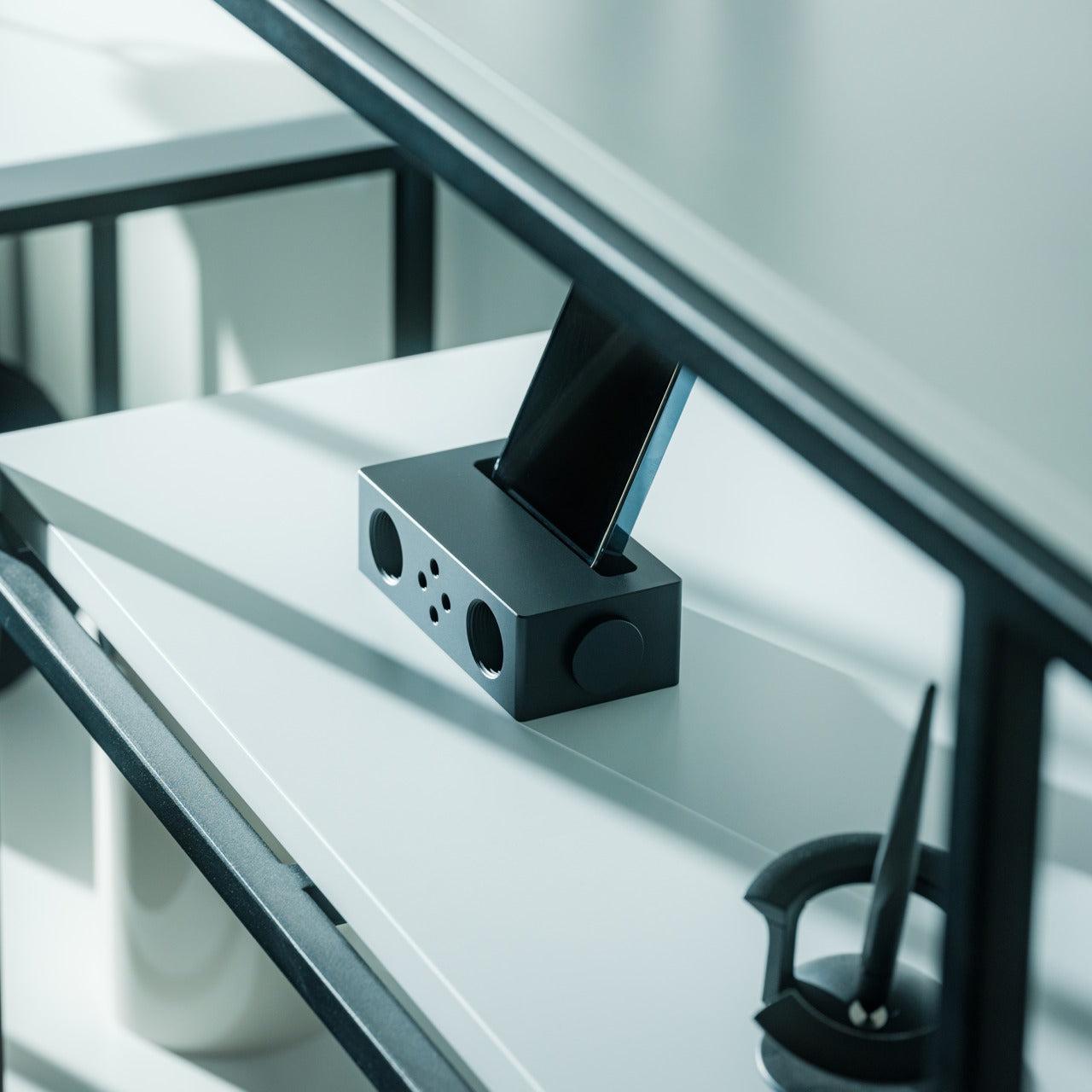
The premise behind the Battery-Free Amplifying iSpeakers is simple enough to say in one sentence: they amplify your iPhone’s audio through acoustic design alone, with no power source, no Bluetooth pairing, and no charging cycle to manage. At $179, they sit on a counter as a sculptural object even when the phone is nowhere near them, which is the standard any speaker worth keeping should meet before it earns a permanent place in the room. The best design objects don’t ask anything of you when they’re not being used. They just sit there, doing the room a favor.
For the guy who has accumulated Bluetooth speakers, wireless earbuds, a smart speaker with a subscription, and a desk speaker that needs a firmware update, a passive amplifier is the unexpected move. There is nothing to configure, nothing to pair, nothing to update, and nothing that goes wrong. You set the phone in, the sound fills the room, and that is the complete interaction.
Requires no power, no pairing, and no maintenance — the interaction is entirely physical
Functions as a display object on the counter whether a phone is in it or not
What We Dislike
Passive amplification has natural limits on output volume compared to any powered speaker
Works best in quiet rooms rather than competing with ambient noise
The Things He Didn’t Know He Was Missing
The man who already has everything doesn’t need more things. He needs the specific thing he hasn’t encountered yet — the speaker that finally has a brain worth talking to, the mouse that folds flat without a compromise on feel, the phone that keeps its data to itself, the handheld computer that doubles as a keyboard for any machine it’s plugged into. These aren’t impulse picks. Each one is here because it does something the obvious alternatives don’t, and because the guy you’re shopping for will notice the difference within the first ten minutes.
A few of these are still taking shape — a concept waiting on a decision, a patent waiting on a factory floor. That’s worth saying plainly, but it’s not a reason to dismiss them. The guy who has everything is usually the first to know what’s coming, and the first to make up his mind about it. A list that only includes what you can buy today isn’t a list for him. It’s a list for someone else entirely.
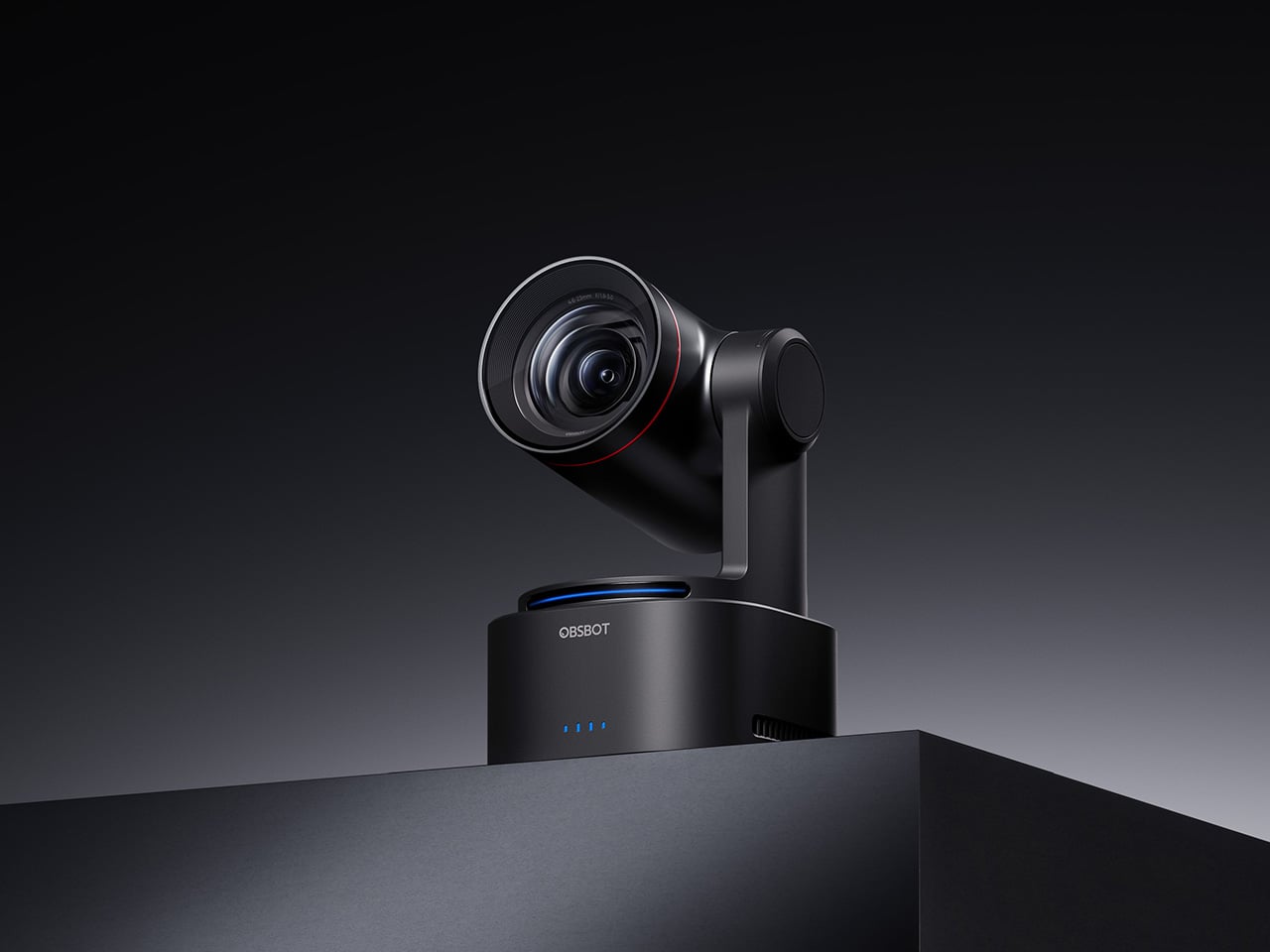
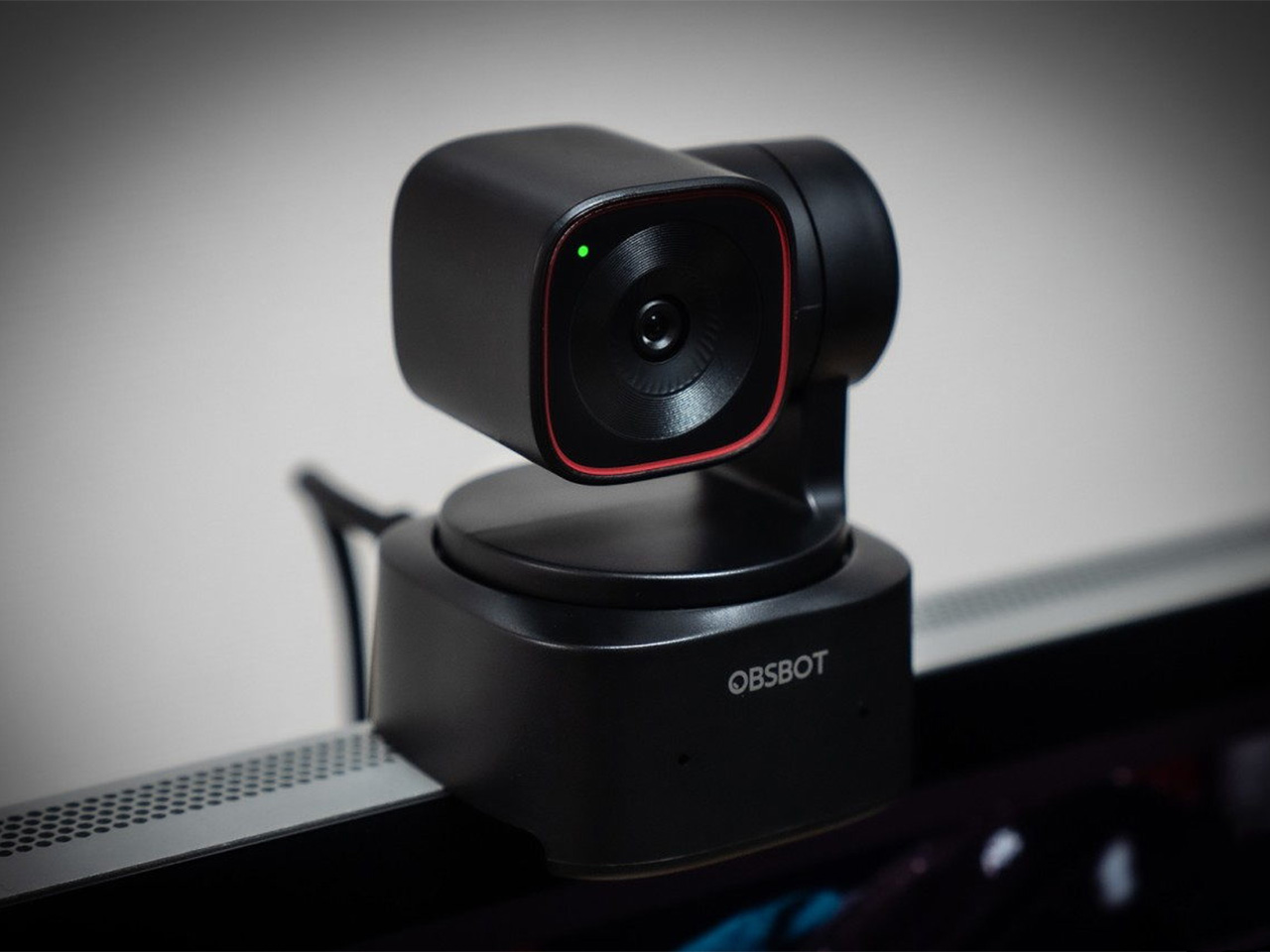
There is a camera brand that has shown up at International Broadcasting Conference, partnered with the Esports World Cup as an official camera provider, earned Editor’s Choice awards from music and DJ publications, and landed in the desk setups of remote workers, streamers, worship AV teams, and solo creators, all while keeping a relatively low profile compared to the legacy names in the category. OBSBOT, founded in 2016, has built its reputation the way durable hardware brands tend to: by making things that keep working, and keep getting better. Reviewers have consistently noted that firmware updates meaningfully improve OBSBOT cameras after purchase, which is a rarer quality in hardware than it should be.
Prime Day 2026 will put seven OBSBOT cameras on sale simultaneously, running through June 29 across Amazon and the OBSBOT official store. The lineup covers three distinct use cases: the Meet series for plug-and-play video calls and casual streaming, the Tiny series for creators and hybrid workers who want PTZ tracking at their desk, and the Tail 2 for anyone running a live production setup that used to require a full crew. The discounts range from around 15% on the newer Tiny 3 series to over 30% on the Tiny 2, which arrives at a price point that has not been seen before. Discounts hit on June 23rd – here is the full breakdown.
OBSBOT Tail 2 ($1088) – The AI Camera That Puts a Production Crew on Your Tripod
The OBSBOT Tail 2 is what happens when a camera is designed to solve the most persistent problem in solo and small-team video production: the need for a human operator. This is the company’s flagship live production camera, built around an advanced AI tracking system and a three-axis gimbal that does more than just pan and tilt. It is the world’s first PTZR (Pan-Tilt-Zoom-Roll) camera, with the Roll being a new game-changing feature that allows the entire lens and sensor assembly to rotate 90 degrees. This delivers true, uncropped vertical video, a clever piece of engineering that makes it immediately relevant for anyone creating content for mobile-first platforms. It pairs that mechanical intelligence with serious imaging hardware, including a large 1/1.5-inch CMOS sensor, a 5x optical zoom, and the ability to capture sharp 4K footage at a fluid 60 frames per second.
What separates the Tail 2 from a high-end webcam is how it fits into a professional workflow. It comes equipped with a full suite of broadcast-standard ports, including NDI, SDI, HDMI, and Ethernet, allowing it to integrate directly with live switching hardware and streaming software with minimal latency. For solo operators, the system works with gesture controls for hands-free adjustments, and a dedicated app provides granular remote control over framing and movement. This combination of broadcast-grade connectivity and intelligent automation is what makes the Tail 2 so versatile. It is equally at home as the primary camera for a DJ’s live stream, a dynamic tracking camera for a church service, or part of a multi-camera setup for a corporate event.
Why We Recommend
At its core, the Tail 2 is an investment in workflow efficiency. Tech reviewers have consistently framed it as a tool that can pay for itself, replacing the cost and complexity of hiring a camera operator for recurring shoots. The Prime Day discount reinforces that value proposition, knocking $200 off the price and bringing the non-NDI version down to $999. Breaking the thousand-dollar barrier is significant, shifting the Tail 2 from a niche professional tool to a much more accessible option for serious creators, small businesses, and organizations looking to upgrade their production quality. For anyone who needs cinematic, automated camera movement without a dedicated crew, this is the camera to get.
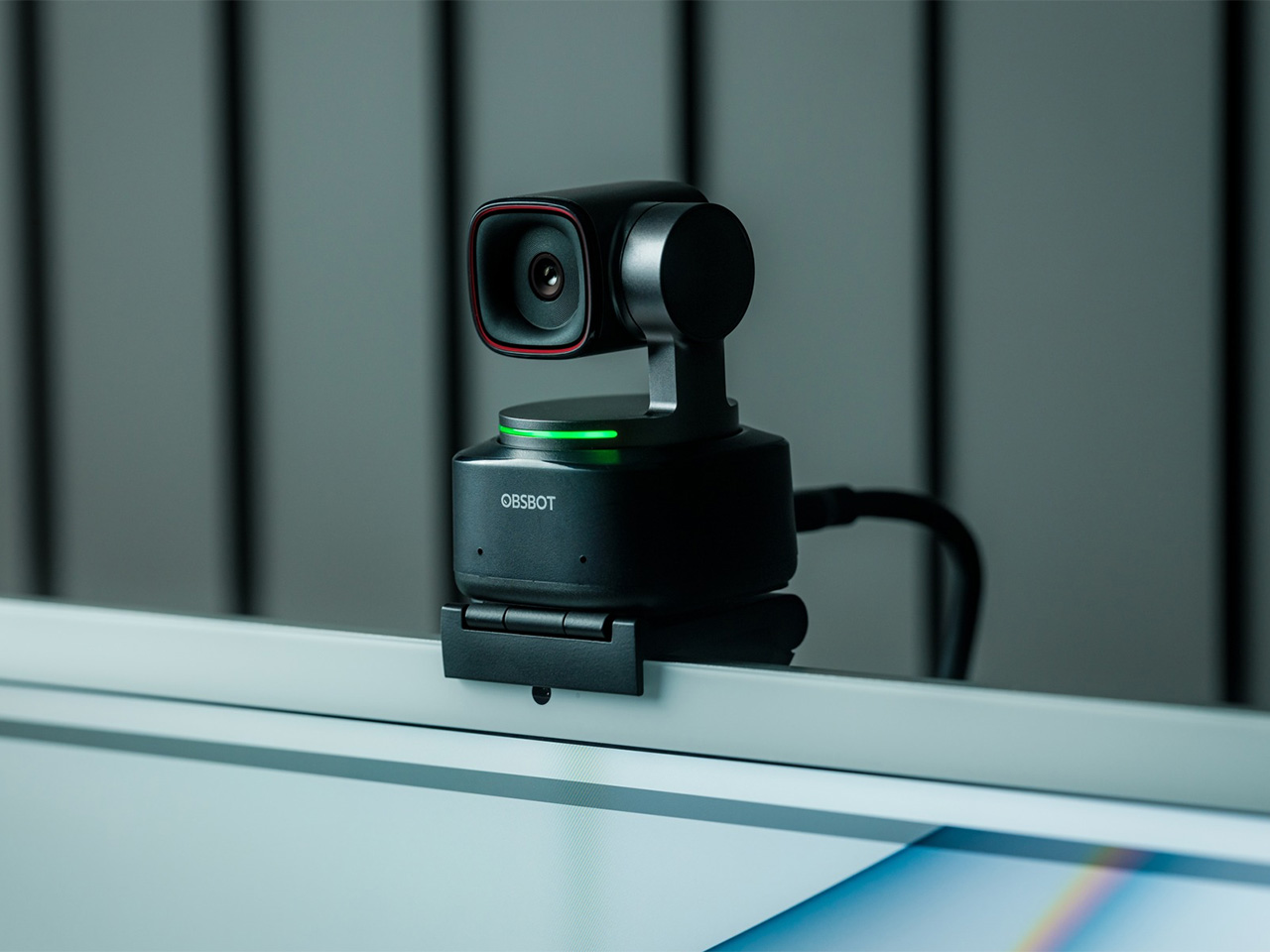
OBSBOT Tiny 3 ($296) – A Palm-Sized PTZ Camera with Full-Sized Ambition
The OBSBOT Tiny 3 is the company’s answer to a simple question: how much professional-grade technology can you fit into a webcam that is smaller than a cup of coffee? The answer, it turns out, is quite a lot. This is the flagship of the Tiny series, designed for creators and hybrid workers who want the absolute best imaging and tracking performance in a desk-friendly format. It starts with a massive 1/1.28-inch CMOS sensor, which is exceptionally large for a webcam and allows it to capture more light for a cleaner, more detailed 4K image. That sensor is paired with a pan-tilt-zoom system that moves with near-silent precision, keeping the subject perfectly framed.
Where the Tiny 3 really shows its intelligence is in the software and processing that drive its hardware. It inherits the refined AI Tracking 2.0 from the larger Tail 2, making its auto-framing and subject tracking remarkably smooth and reliable. It also features Gesture Control 2.0, allowing users to manage zoom and tracking with simple hand signals, a feature that feels genuinely useful in practice. For streamers and power users, the native integration with Elgato’s Stream Deck is a critical addition, bringing PTZ controls directly into their existing workflow. OBSBOT even added creative tools like virtual avatars and improved the audio with a five-mode stereo microphone system, rounding out a feature set that feels both powerful and polished.
Why We Recommend
The Tiny 3 is the pick for anyone who prioritizes having the latest and most refined technology on their desk. While other models in the lineup offer steeper discounts, the Prime Day price drop brings this premium, current-generation flagship under the $300 mark. This is the camera for the user who wants the best sensor, the most advanced AI tracking, and the tightest software integration OBSBOT offers in a webcam. It represents the peak of the Tiny series, and this is the most affordable it has been since its launch.
OBSBOT Tiny 3 Lite ($169) – The Same Intelligence with a Focus on Value
For many users, the appeal of the flagship Tiny 3 lies in its advanced AI brain, not necessarily its top-of-the-line sensor. OBSBOT created the Tiny 3 Lite for exactly that audience. This camera is built on the same intelligent foundation as its more expensive sibling, delivering the same seamless AI Tracking 2.0, responsive Gesture Control 2.0, and sharp 4K resolution. It is, for all practical purposes, the same smart user experience. The key difference, and the reason for its more accessible price, is the move to a slightly smaller 1/2-inch CMOS sensor. This strategic trade-off makes the Tiny 3 Lite an incredibly compelling option for anyone who works in a space with reasonably good lighting.
In practice, the Tiny 3 Lite feels nearly identical to the flagship during everyday use. It keeps you perfectly in frame during video calls, responds to hand gestures to zoom in on a whiteboard, and integrates with the same powerful OBSBOT software suite, including Stream Deck support. It also features a slightly different physical design with an integrated stand, making it incredibly simple to set up on any monitor or desk. By preserving the core software and AI features that define the Tiny 3 experience, OBSBOT has distilled the product down to its most important essentials, creating a camera that performs well above its price point.
Why We Recommend
The Tiny 3 Lite is the pragmatic choice in the Tiny 3 series. It offers access to OBSBOT’s latest-generation AI tracking and software ecosystem for a fraction of the flagship’s cost. The Prime Day deal, which brings the price down to $169, makes it one of the best values in the entire lineup for a current-generation product. If you want the smartest PTZ webcam on the market but do not need the absolute best low-light performance that the Tiny 3’s larger sensor provides, the Lite version is the smarter purchase. It delivers the features that matter most without the premium price tag.
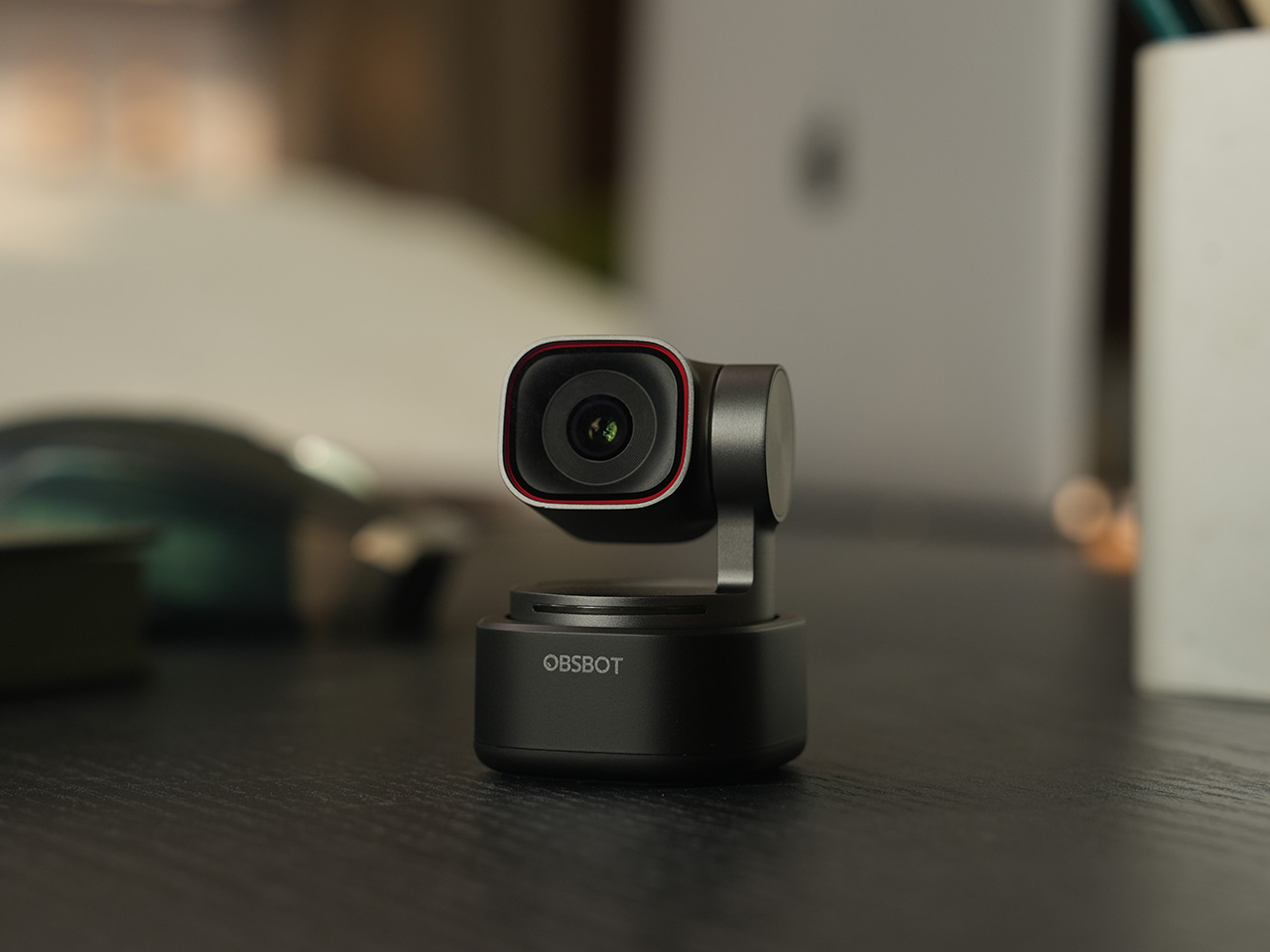
OBSBOT Tiny 2 ($229) – The Champion Webcam Now Available at Under $250
Before the Tiny 3 arrived, the Tiny 2 was OBSBOT’s undisputed flagship desk camera, and it remains a formidable piece of hardware. This is the camera that set the standard for what a premium AI webcam could be, pairing a huge 1/1.5-inch CMOS sensor with exceptionally fast autofocus and reliable AI tracking. That large sensor is a critical detail, as it gives the Tiny 2 excellent low-light capabilities and a natural depth of field that rivals even some of the newer models in the lineup. It established the features that now define the Tiny series, including effective auto-zoom, dynamic gesture controls, and even voice commands for a completely hands-free experience.
The Tiny 2 is a proven workhorse. It has benefited from years of firmware updates that have refined its performance, making it a stable and dependable choice for streamers, content creators, and professionals who need consistently great video. While it may not have every single new software feature from the Tiny 3 series, its core performance remains top-tier. The image quality from its large sensor and premium lens system is still a benchmark for the category, delivering a crisp, professional look that cheaper webcams simply cannot match. For many users, this level of raw performance is far more important than the latest software gimmicks.
Why We Recommend
This is arguably the single best deal of the entire Prime Day event. The Tiny 2 is seeing a massive price drop of $100, bringing it down to just $229, a discount of over 30% and its lowest price ever. This is a rare opportunity to get a former flagship product with a best-in-class sensor for the price of a mid-range webcam. For anyone prioritizing pure image quality over having the absolute newest model, the Tiny 2 offers a value proposition that is impossible to ignore. It is the smartest purchase for the performance-focused buyer.
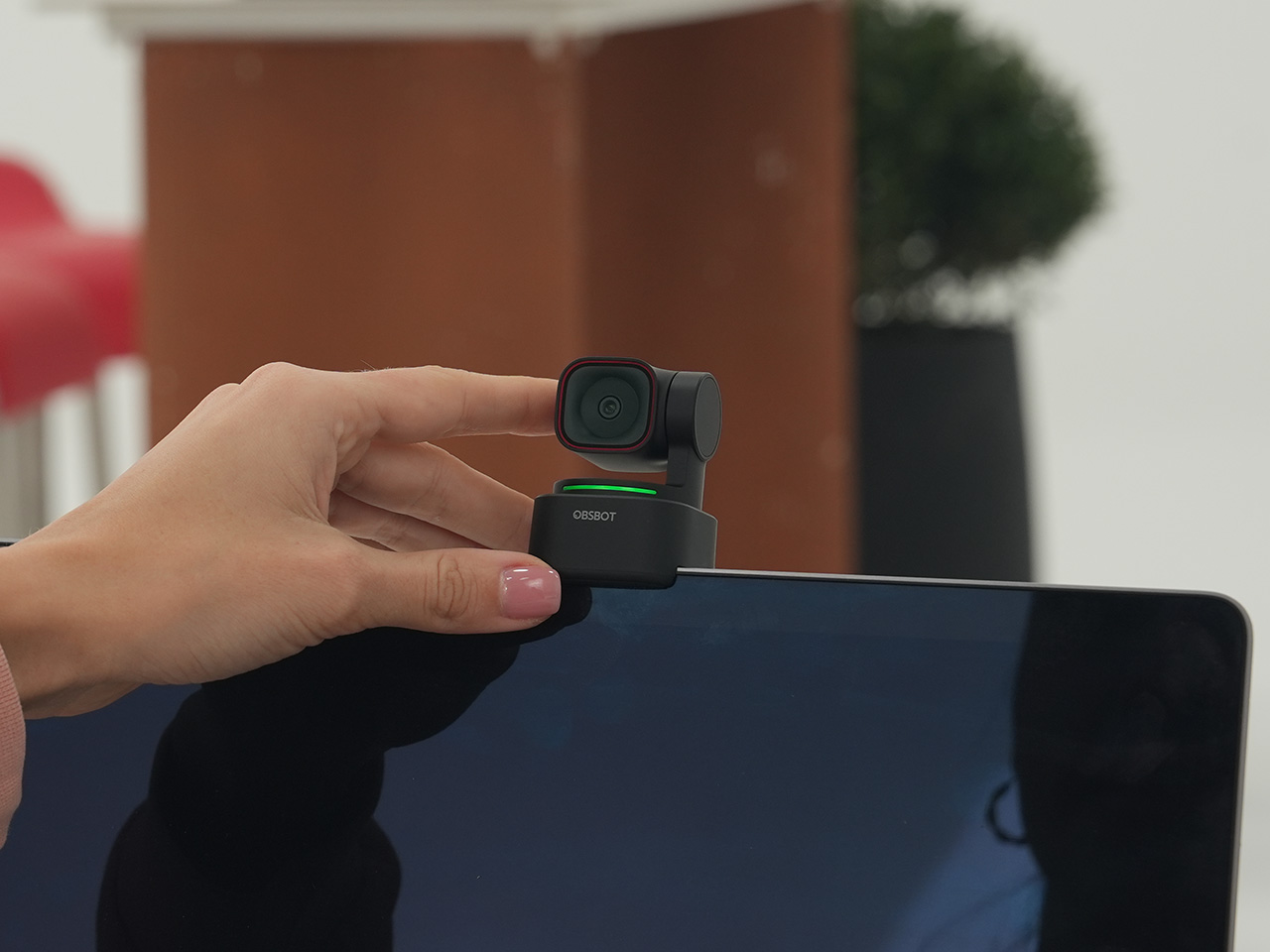
OBSBOT Tiny 2 Lite ($129) – The Smartest Way to Get into AI-Powered PTZ
The OBSBOT Tiny 2 Lite takes the intelligent core of the celebrated Tiny 2 and packages it into an even more accessible and affordable design. This camera is built for the user who wants to step up from a static webcam to the world of AI-powered pan, tilt, and zoom without paying a premium. It delivers the essential features that made its bigger brother a success, including reliable AI tracking with auto-zoom, crisp 4K resolution, and multipurpose tracking modes that can follow a subject’s whole body or focus just on their head and shoulders. It is a streamlined experience focused entirely on delivering smart, automated framing.
While it does not have the same massive sensor as the standard Tiny 2, the Tiny 2 Lite still produces a clean, professional image that is a significant upgrade over nearly any built-in laptop camera or budget webcam. The real magic, however, is in the motion. For presenters, educators, or streamers who move around, the camera’s ability to smoothly follow them is a game-changer. It also includes useful features like preset PTZ positions, allowing users to instantly switch between a tight shot and a wide view with the press of a button, a function typically found on much more expensive hardware.
Why We Recommend
This is the ultimate entry point into intelligent webcams. With the Prime Day discount bringing its price down to just $129, the Tiny 2 Lite is in a class of its own. At that price, it competes with high-end static webcams while offering a full suite of AI and PTZ features that its rivals lack. For anyone who has been frustrated by fixed-frame cameras but felt priced out of the AI tracking market, this deal removes that barrier. It offers the most important features of the Tiny 2 generation at a cost that makes it an easy and obvious upgrade.
OBSBOT Meet 2 ($99) – The 4K Webcam That Makes Every Meeting Smarter
The OBSBOT Meet 2 is designed to solve a very specific, modern problem: making you look and sound as professional as possible on a video call with the least amount of effort. This is not a complex PTZ camera for creators; it is a sleek, intelligent webcam for the hybrid worker, the remote professional, and anyone who spends their day in virtual meetings. It delivers a sharp, vibrant 4K image at 30 frames per second, providing a significant leap in clarity over standard-issue laptop cameras. Its compact and lightweight design allows it to sit discreetly atop any monitor or laptop, instantly elevating the look of a desk setup.
The real intelligence of the Meet 2 lies in its automation. It features fast, reliable AI-powered auto-framing that keeps you perfectly centered in the shot, even if you shift or lean. It can also widen its frame to include a second person, making it ideal for small group meetings in a huddle room. This is paired with a fast autofocus system that keeps the image sharp and professional. The setup is pure plug-and-play; you connect it via USB, and it works seamlessly with Zoom, Microsoft Teams, Google Meet, and other major platforms without requiring any complicated software or drivers. It is designed to be an invisible upgrade that simply makes you look better.
Why We Recommend
The Meet 2 hits the sweet spot between performance and simplicity. It offers two of the most important features from high-end cameras, 4K resolution and AI auto-framing, in an accessible, user-friendly package. The Prime Day deal makes its value proposition even stronger, dropping the price to just $99. For under a hundred dollars, it provides a massive upgrade in video quality and intelligence for any professional. This is the ideal camera for anyone who wants to improve their virtual presence without adding the complexity of a PTZ system.
OBSBOT Meet SE ($58) – The Easiest and Most Affordable Upgrade for Any Setup
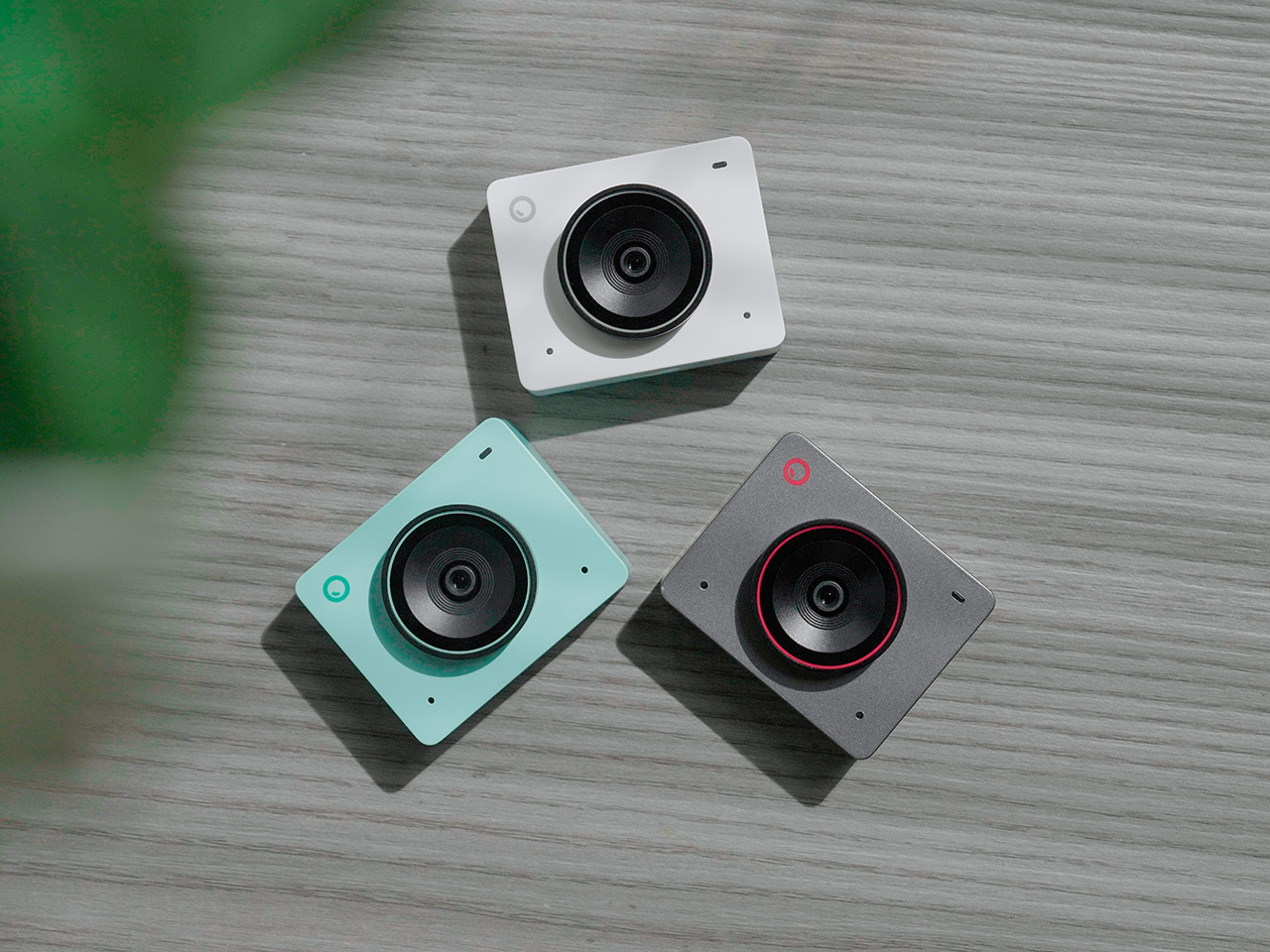
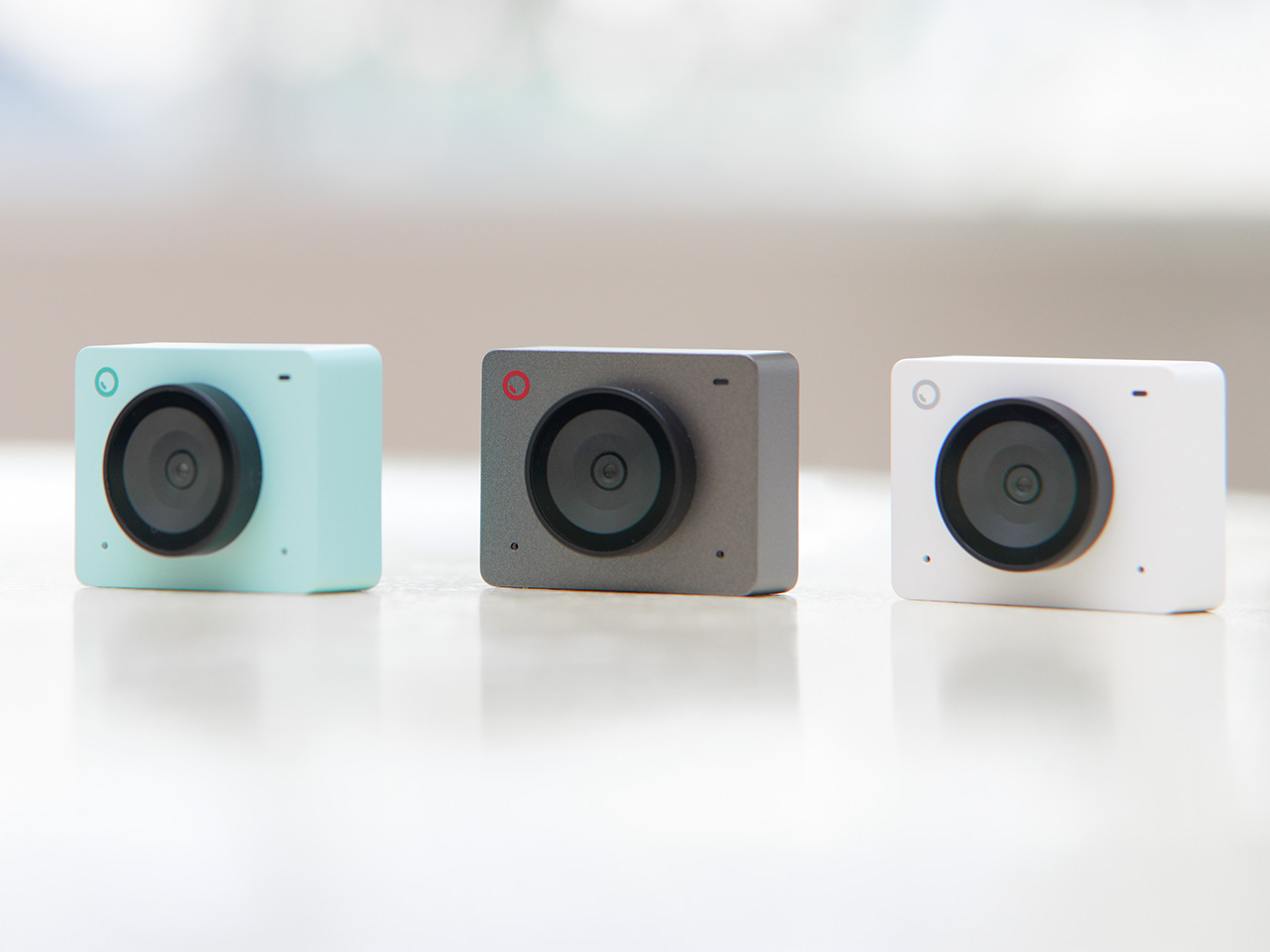
Sometimes, the best upgrade is the one you do not have to think about. The OBSBOT Meet SE is built on that principle. It takes the single most useful intelligent feature from its more expensive siblings, AI-powered auto-framing, and delivers it in a simple, incredibly affordable package. This camera is designed for anyone and everyone who is still using a basic, fixed-frame webcam and wants a better experience without any complexity. It captures clean, clear 1080p video and uses its AI brain to make sure you are always centered in the frame, looking professional and engaged.
The Meet SE is a masterclass in thoughtful, essentialist design. It is a true plug-and-play device that works the moment you connect it, with no drivers to install or complicated settings to configure. It even includes a physical privacy cover, a simple but crucial feature that provides peace of mind for remote workers and students. While its primary focus is on effortless video calls, OBSBOT also included a surprisingly capable 1/2.8-inch stacked CMOS sensor, which gives it better-than-expected image quality and even allows for high frame rate capture for smooth slow-motion effects, a rare bonus in a webcam at this price.
Why We Recommend
This is the definitive “no-brainer” upgrade. With its Prime Day price of just $58, the OBSBOT Meet SE is likely cheaper than the keyboard on your desk, yet it delivers a feature that was, until recently, reserved for premium cameras. It completely eliminates the problem of awkward, off-center framing on video calls for less than the cost of a nice dinner out. For students, remote workers, or anyone who simply wants to look better in their daily meetings without spending a lot of money or time, there is no better value to be found in this entire sale.