This Mod Made a Steam Machine Faceplate Charge Your Steam Controller

The Steam Machine has swappable faceplates, which is a genuinely good idea that Valve doesn’t appear to have fully exploited. The concept is essentially that the front panel of the console is a blank cosmetic slate, open to third parties and hobbyists to design around. So far, most of what’s been proposed has leaned on that word: cosmetic. Different textures, different graphics, different visual personalities for what is otherwise a matte black gaming cube.

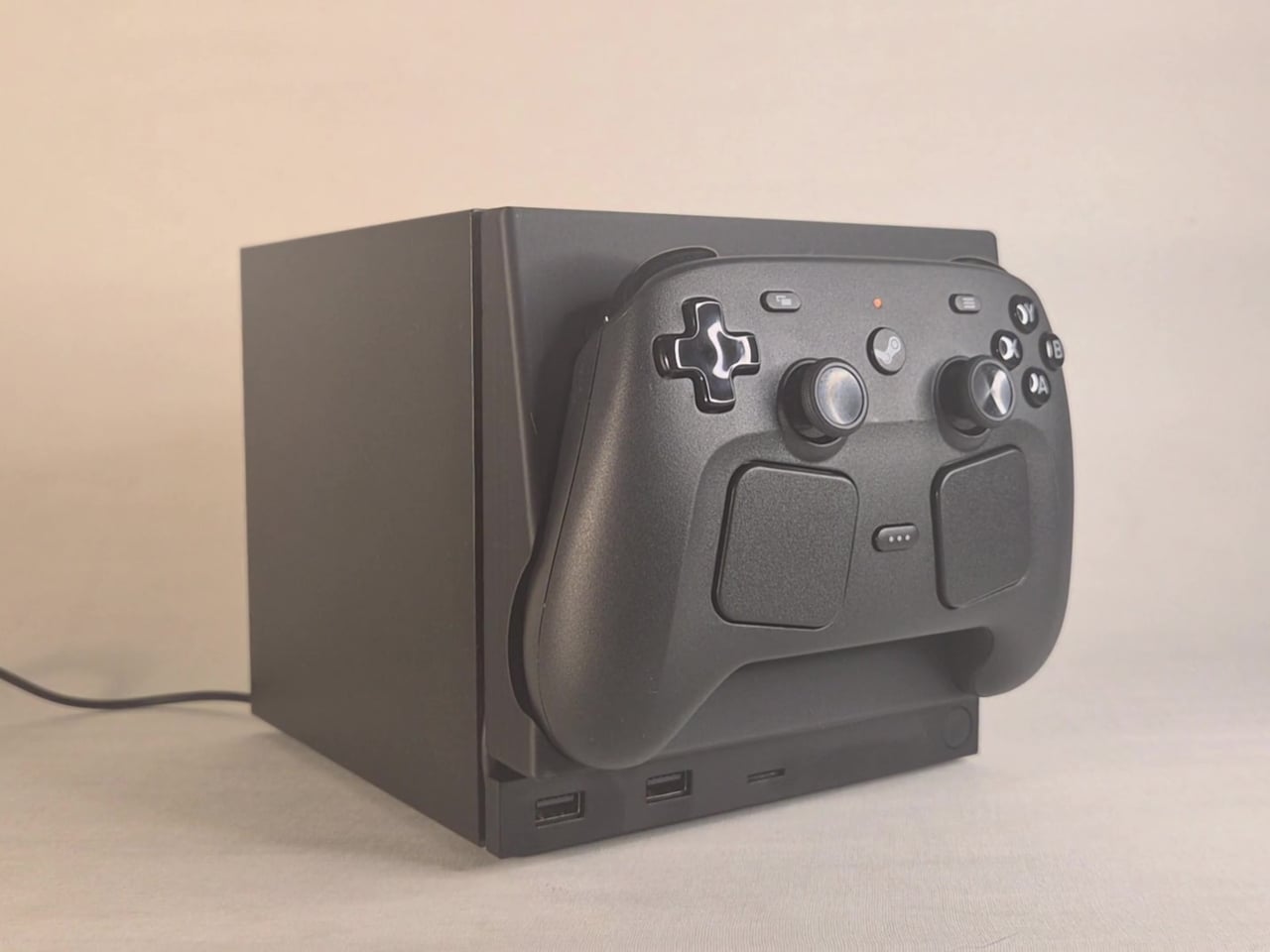
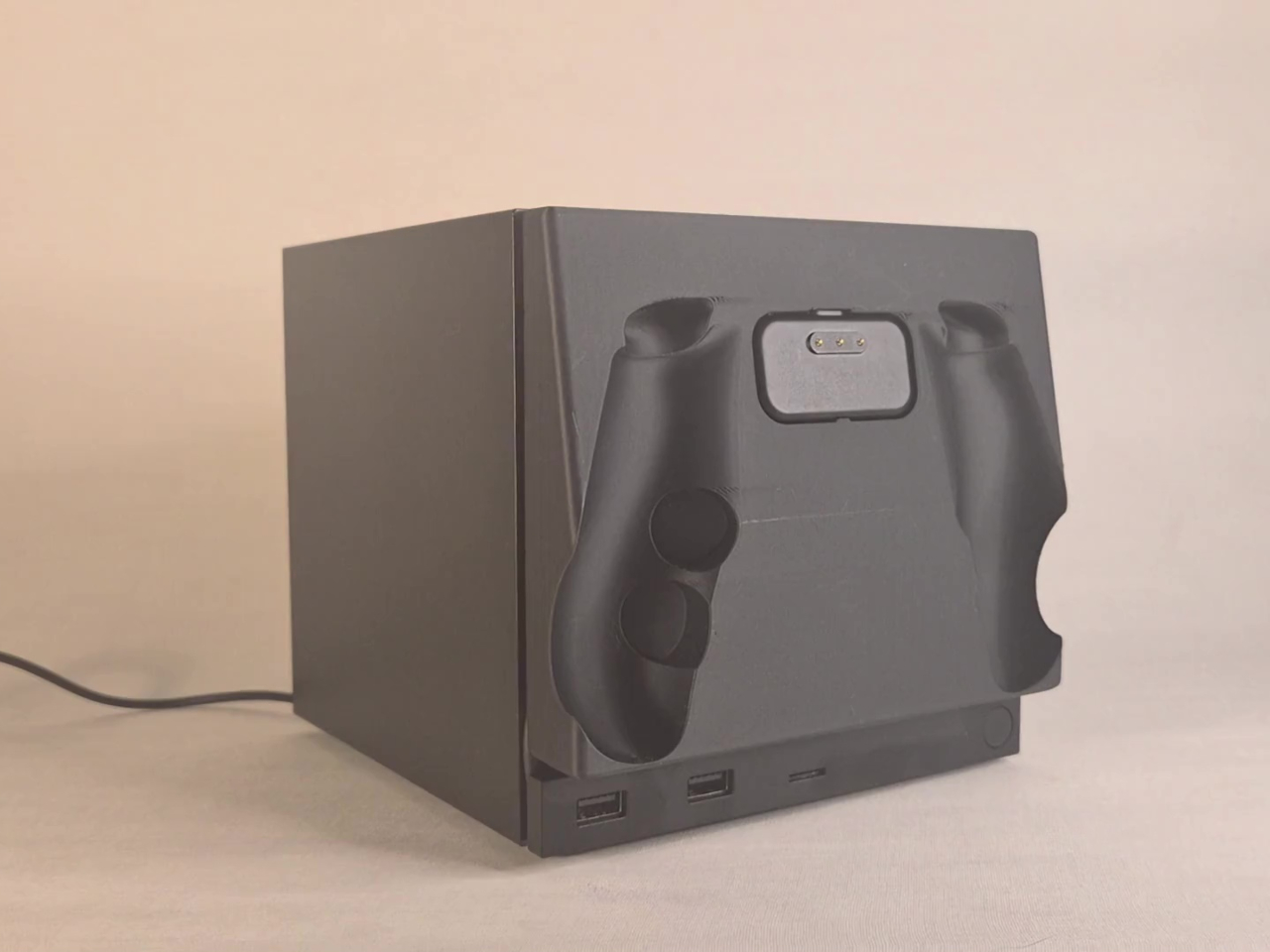
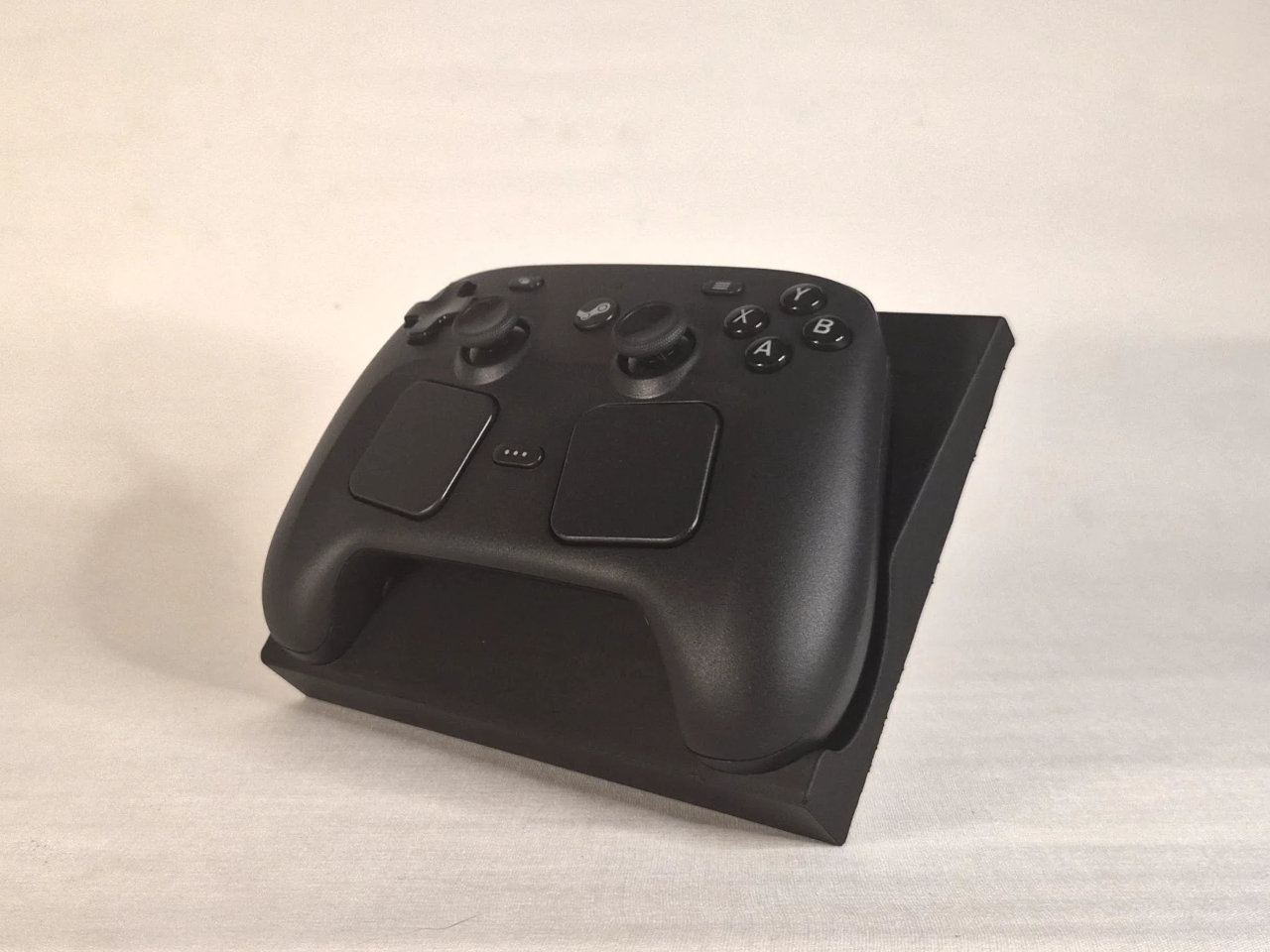
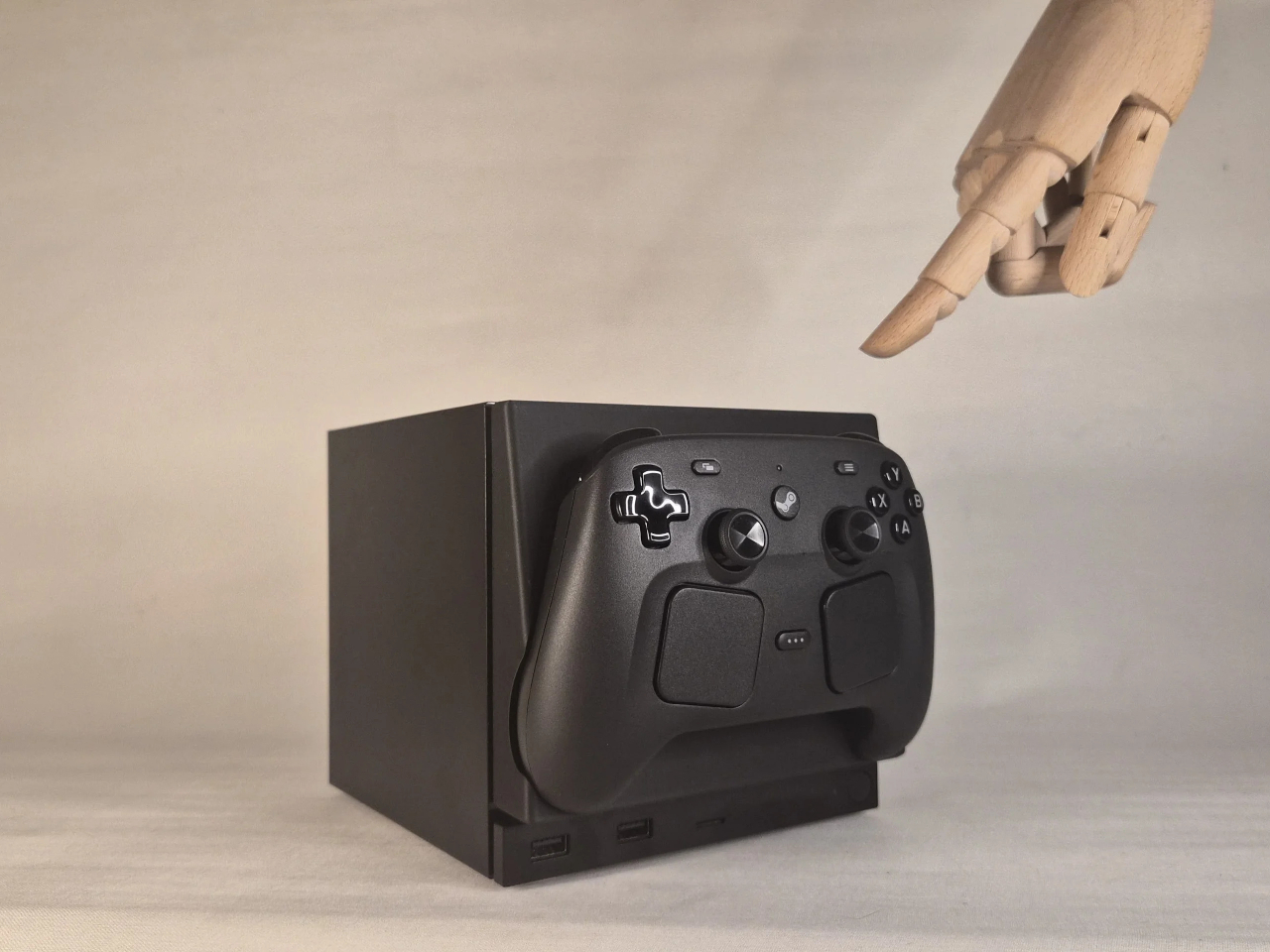
This faceplate mod takes a different approach by asking what the panel could actually do. The result is a replacement front cover that integrates a charging cradle for the Steam Controller directly into the face of the console, turning what would normally be dead real estate into a functional docking station. Set the controller down, it charges. Pick it up, it’s ready. No separate charging puck dangling off to the side.

Designer: NefariousnessWhole25

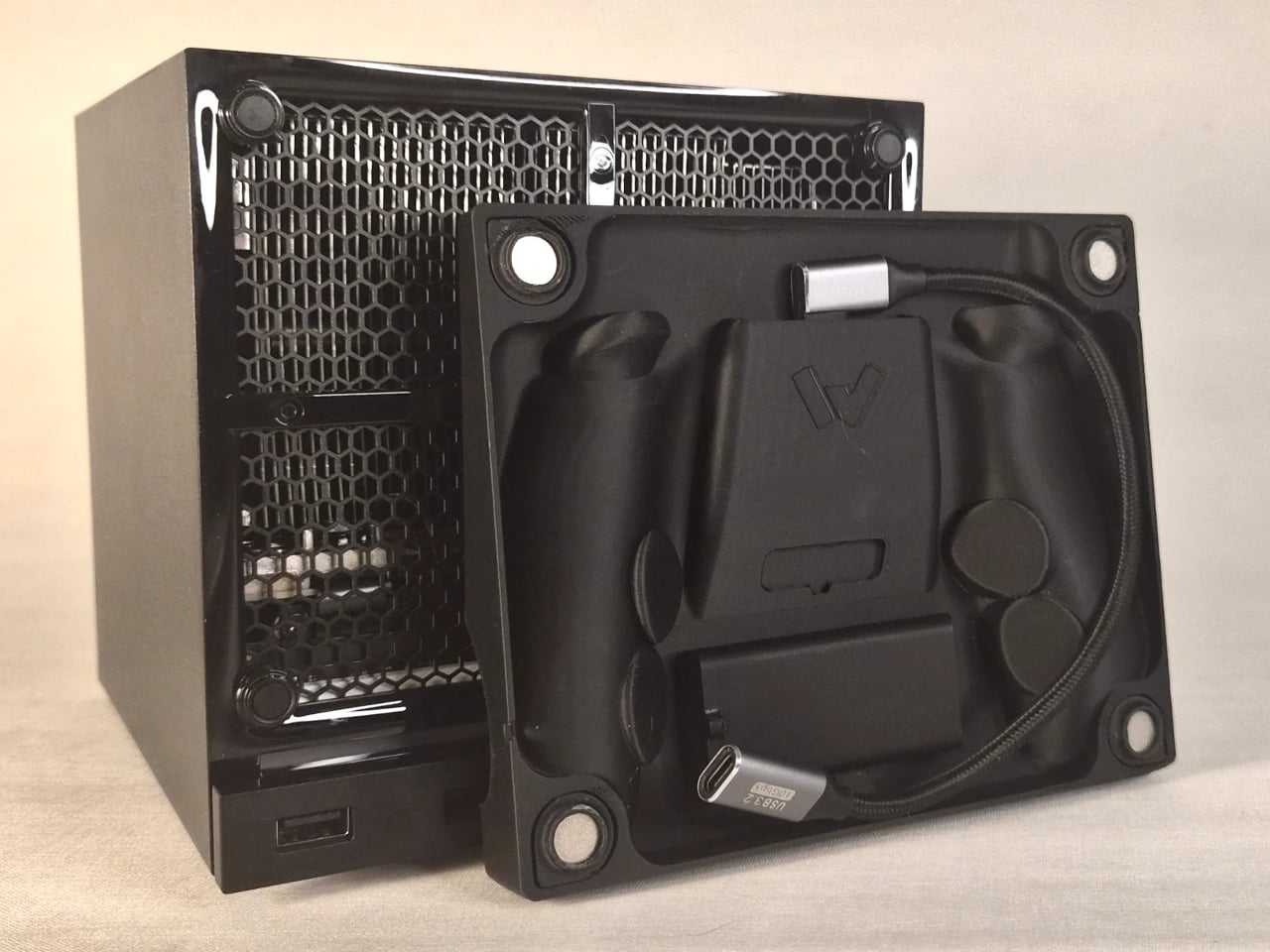
The charging mechanism uses the Steam Controller’s own wireless puck seated inside the faceplate cradle, with a USB cable routed discreetly around the inside edge of the panel and into one of the Steam Machine’s existing USB ports. It’s a routing solution rather than a rewiring one, which keeps the electrical side simple and reversible. The puck sits in the cradle, the controller sits on the puck, and the whole arrangement slots onto the front of the machine like any other faceplate.

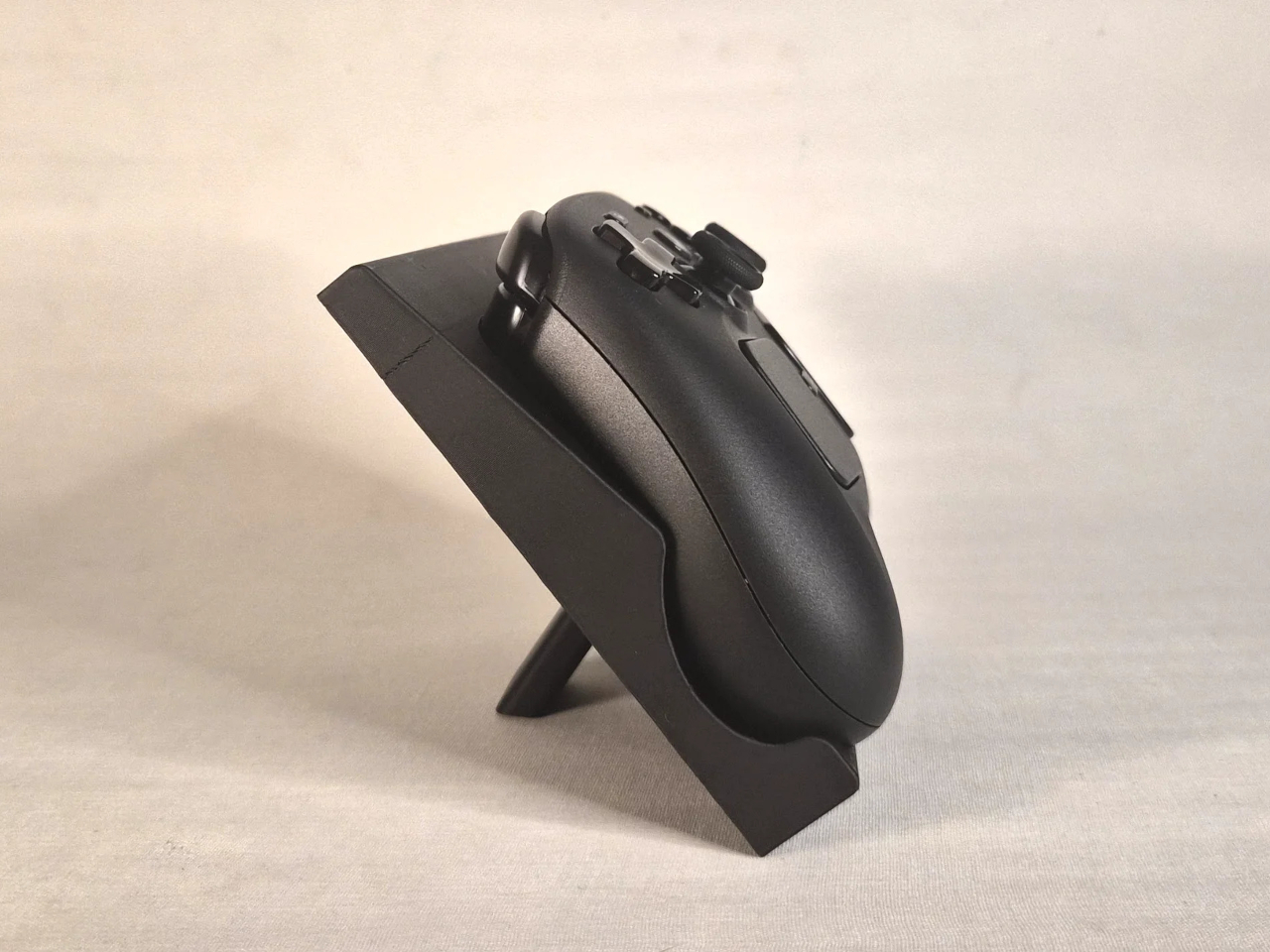
What makes it more than a wall mount with ambition is the kickstand built into the rear of the panel. It folds out from the back of the faceplate, propping the cradle up at an angle, turning the entire assembly into a standalone desk dock that works independently from the Steam Machine. Take the faceplate off the console and prop it up on a table, and it functions as a charging stand on its own terms.

The inspiration came partly from Valve’s own demonstration of an e-ink faceplate, which showed that the panel slot was capable of doing more than holding a decorative cover in place. That demonstration didn’t ship as a product, but it established the idea that the faceplate system had functional potential beyond aesthetics. This mod picks up that thread and takes it somewhere more immediately useful for anyone who has both pieces of Valve’s current hardware sitting on the same desk.

Design files haven’t been released yet, and there are no confirmed plans to sell finished units. The prototype is out, it works, and it raises a question worth asking about Valve’s approach to the faceplate ecosystem: if a single modder can turn the front panel into a functioning charging dock over a weekend, what would a dedicated accessory program actually look like at scale?

The post This Mod Made a Steam Machine Faceplate Charge Your Steam Controller first appeared on Yanko Design.

Someone Stuffed a Full Retro Console Inside an NES Controller for $17

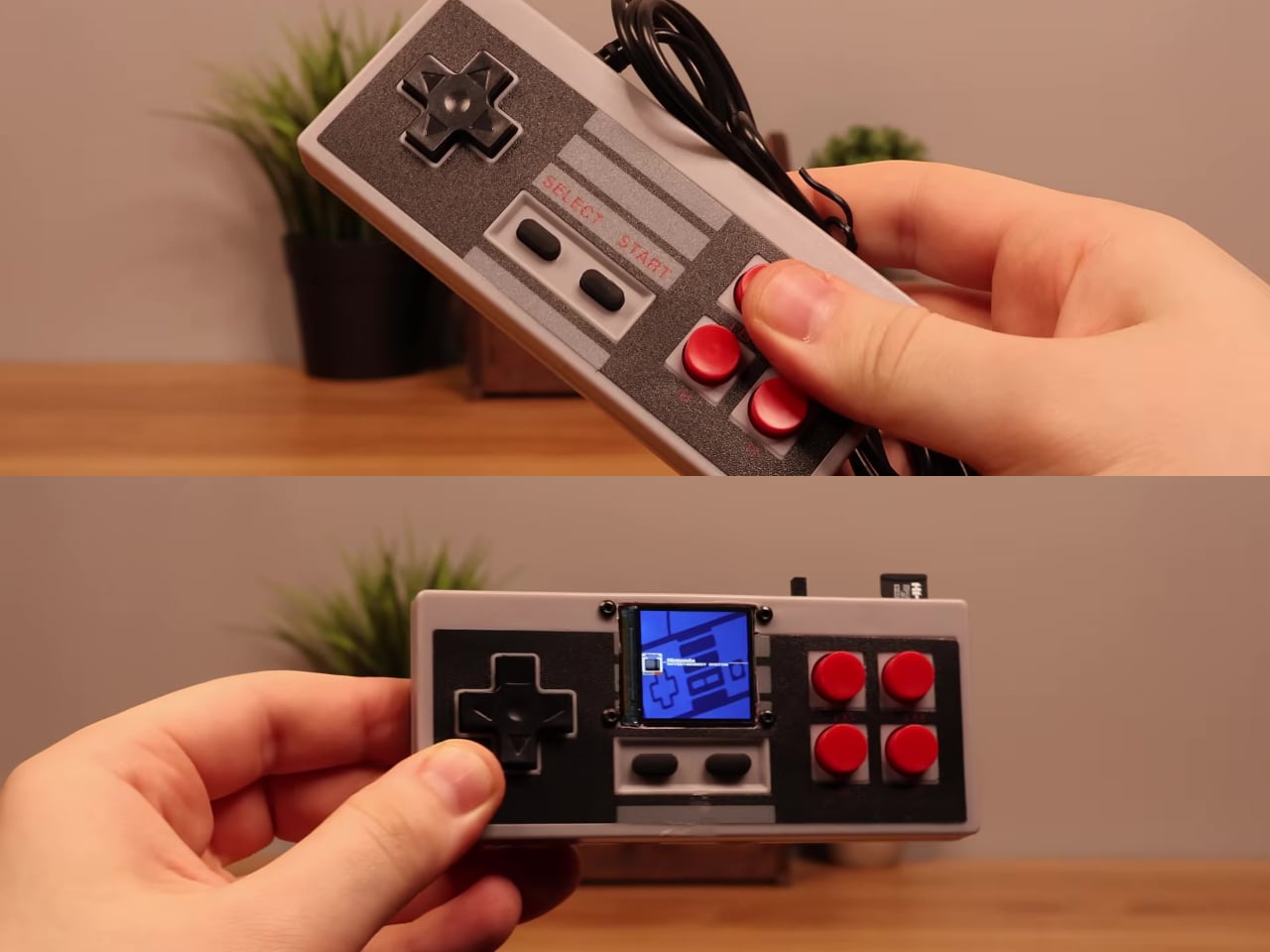
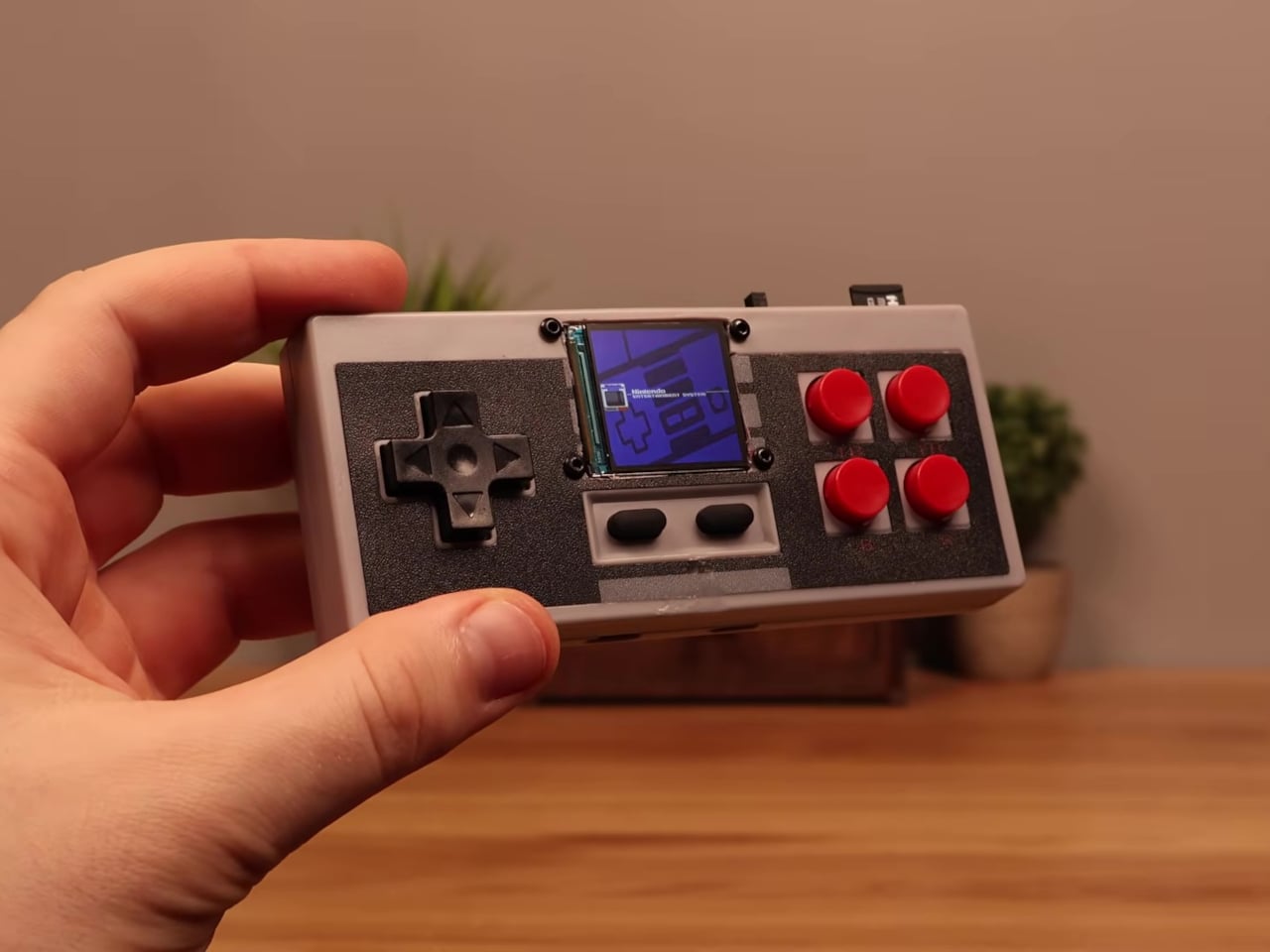
Most original NES controllers haven’t seen active duty in decades. They survive in storage bins and attic boxes, physically intact and perfectly functional as controllers, but with nothing left to plug them into. The consoles they were paired with have long since been replaced or decommissioned. The hardware was always well built, but the form factor has been sitting idle for years.

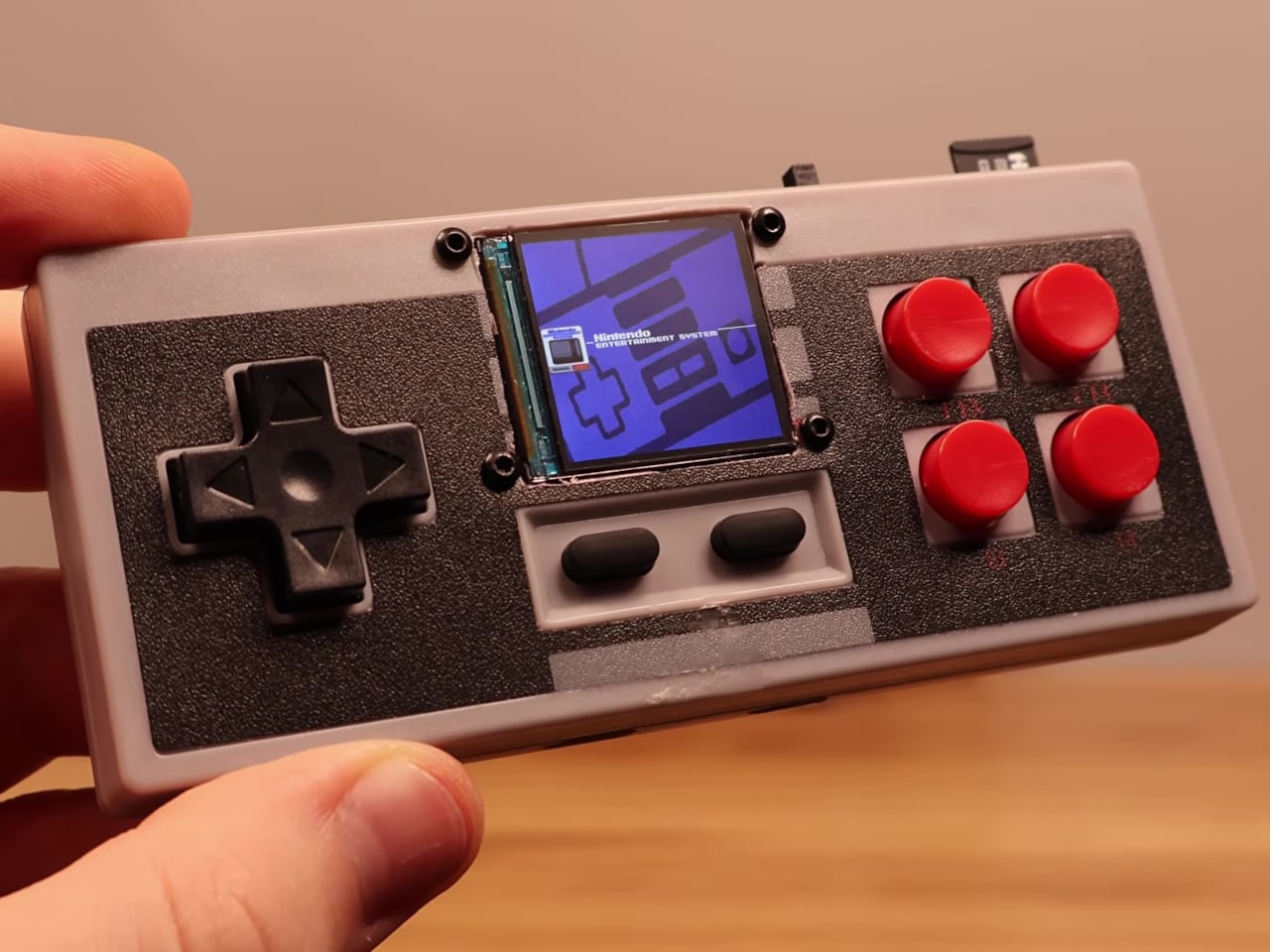
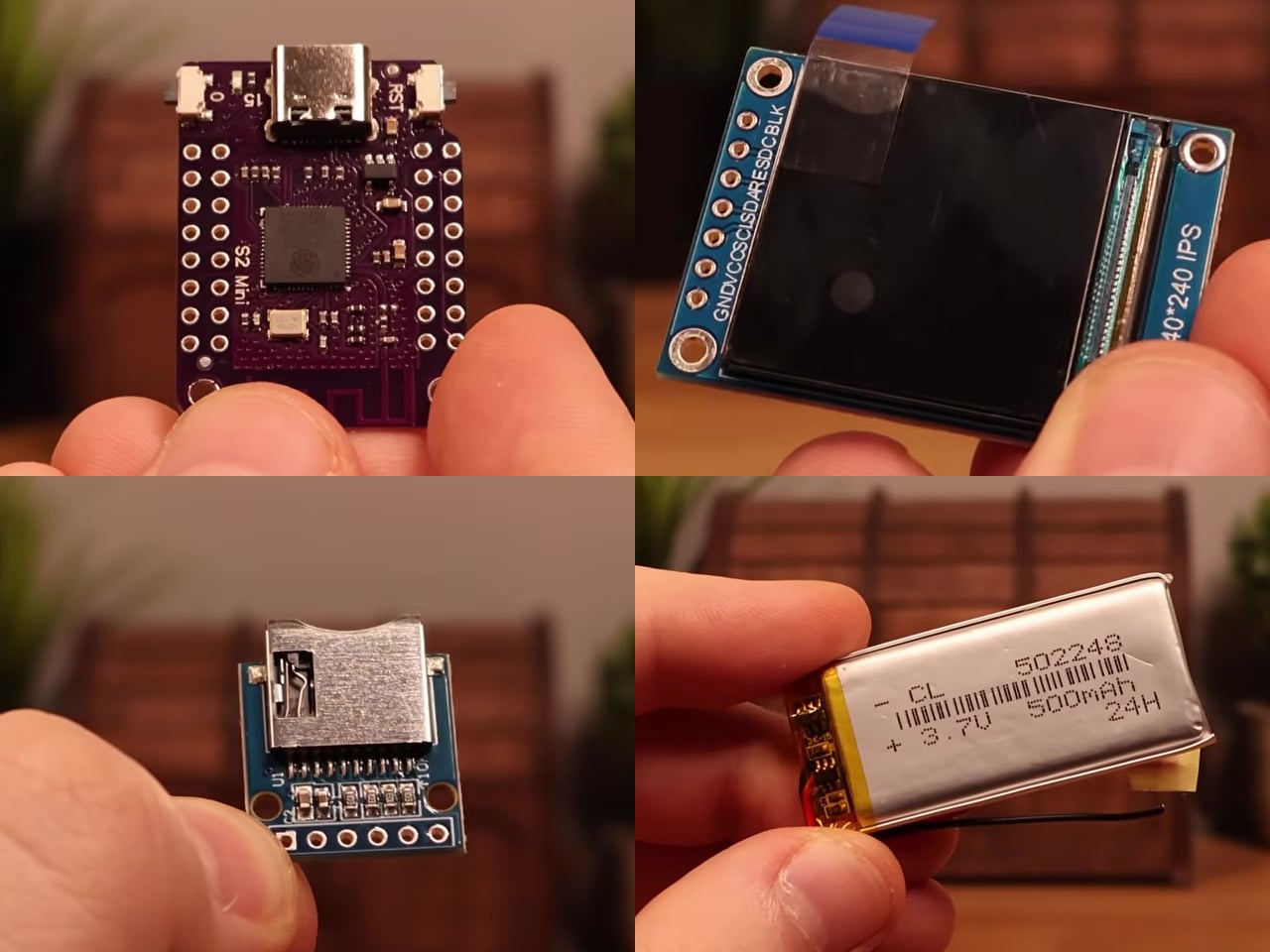
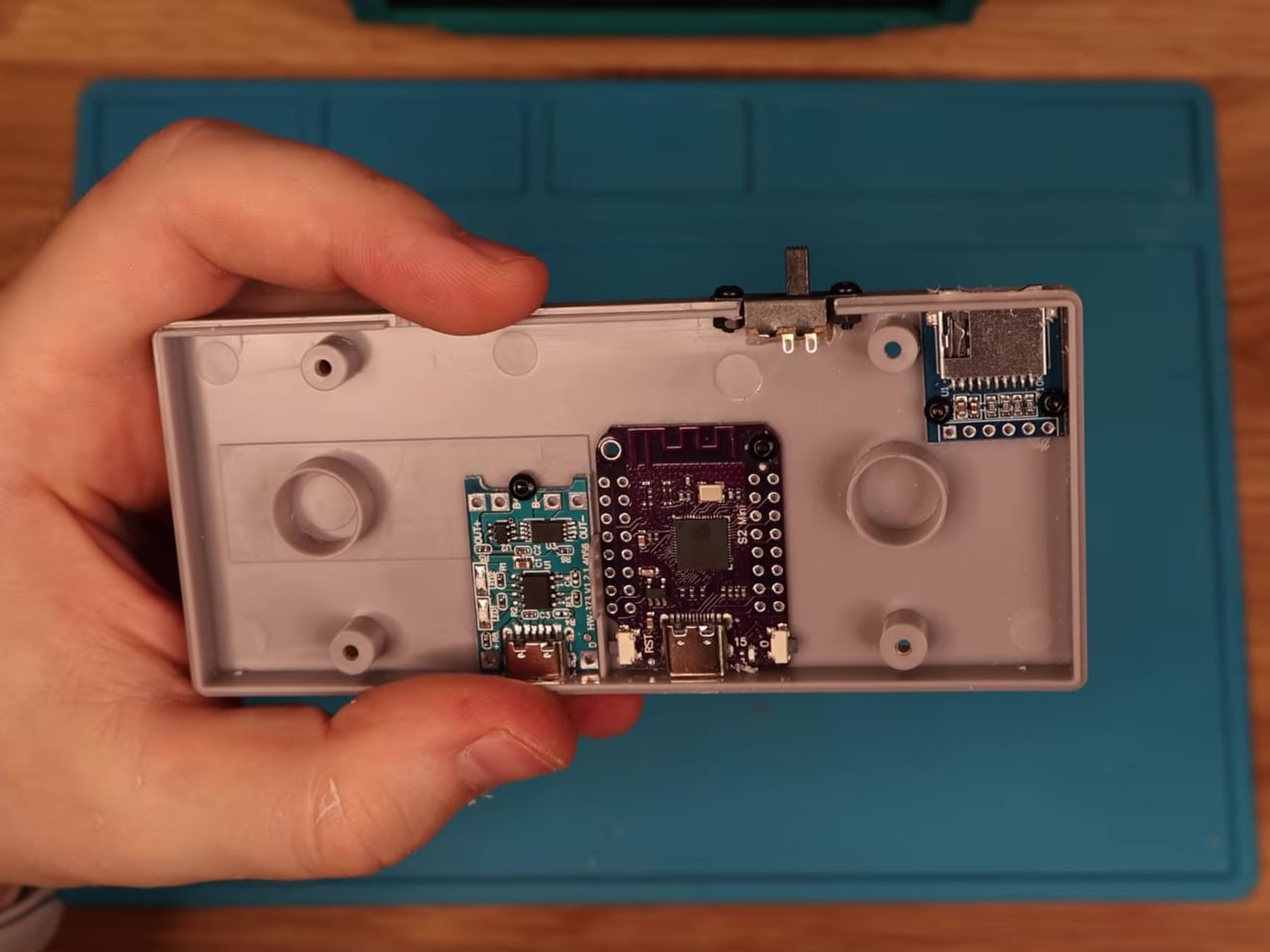
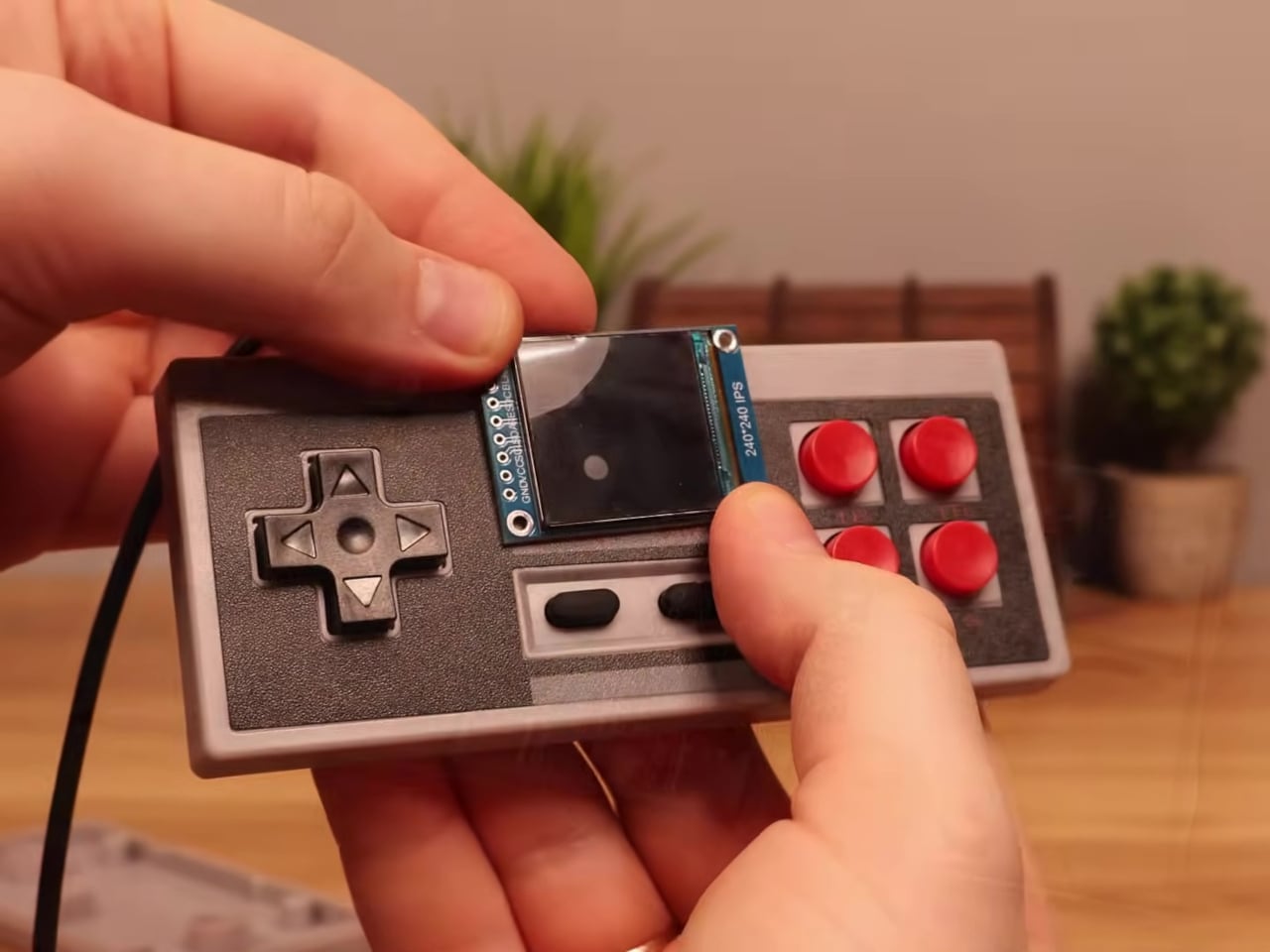
This mod changes the job description of that controller shell entirely. The electronics inside a standard NES-style gamepad were stripped out and replaced with a Wemos ESP32-S2 Mini development board, a 1.54-inch 240×240 TFT display, a MicroSD card module, a 500 mAh lithium-polymer battery, a charging board, a speaker, and a slide power switch. From the outside, it still looks exactly like an NES controller.

Designer: Logic Gate Labs

Choosing the right processor was essentially a geometry problem. A larger ESP32-S3 would have offered dual-core performance and enough PSRAM to keep entire game ROMs in memory, but it was too big to fit inside the housing. Smaller ESP32 variants without PSRAM lacked the memory for smooth emulation. The ESP32-S2 Mini landed in the narrow window between board size and processing capability that the build required.

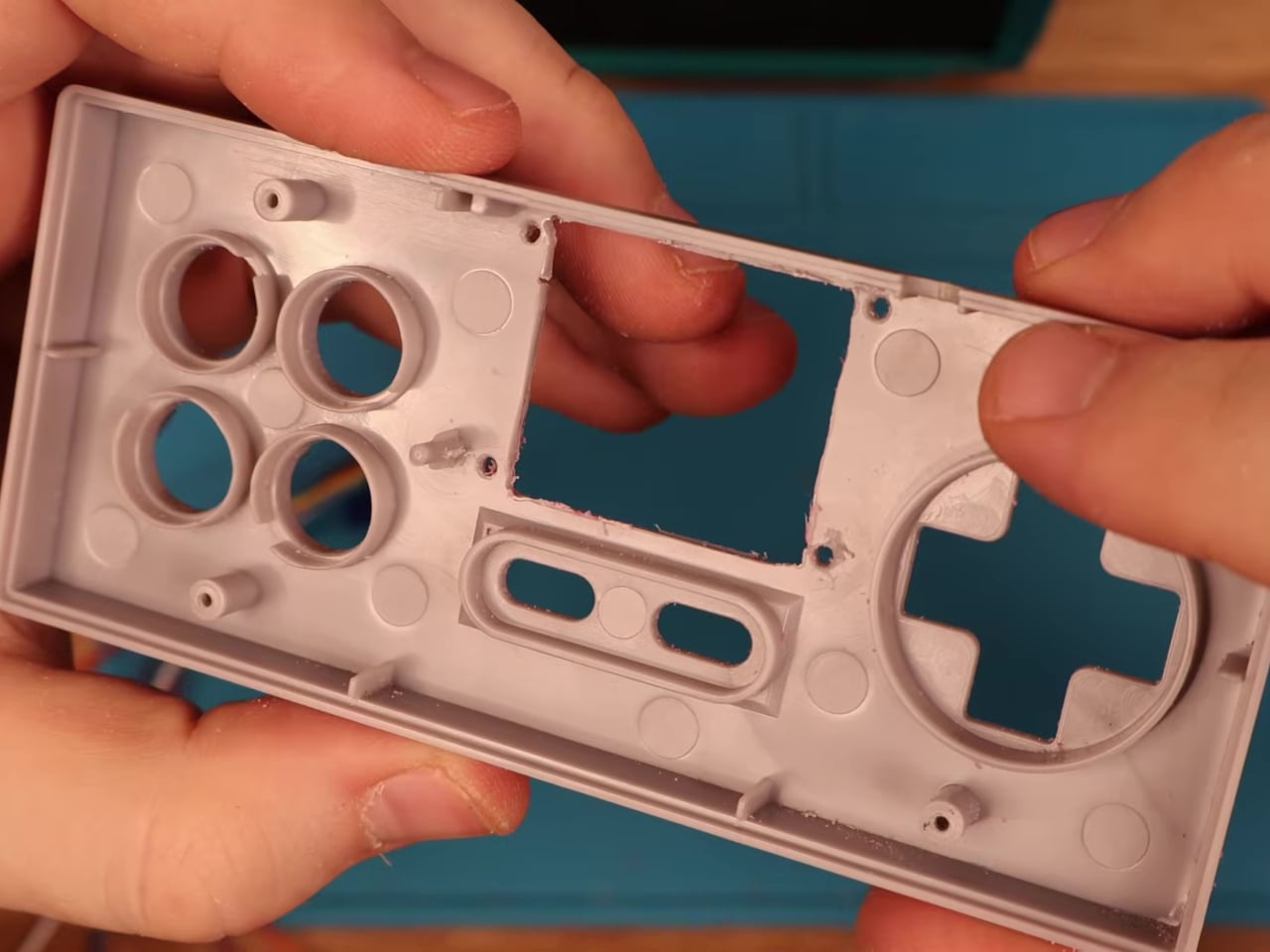
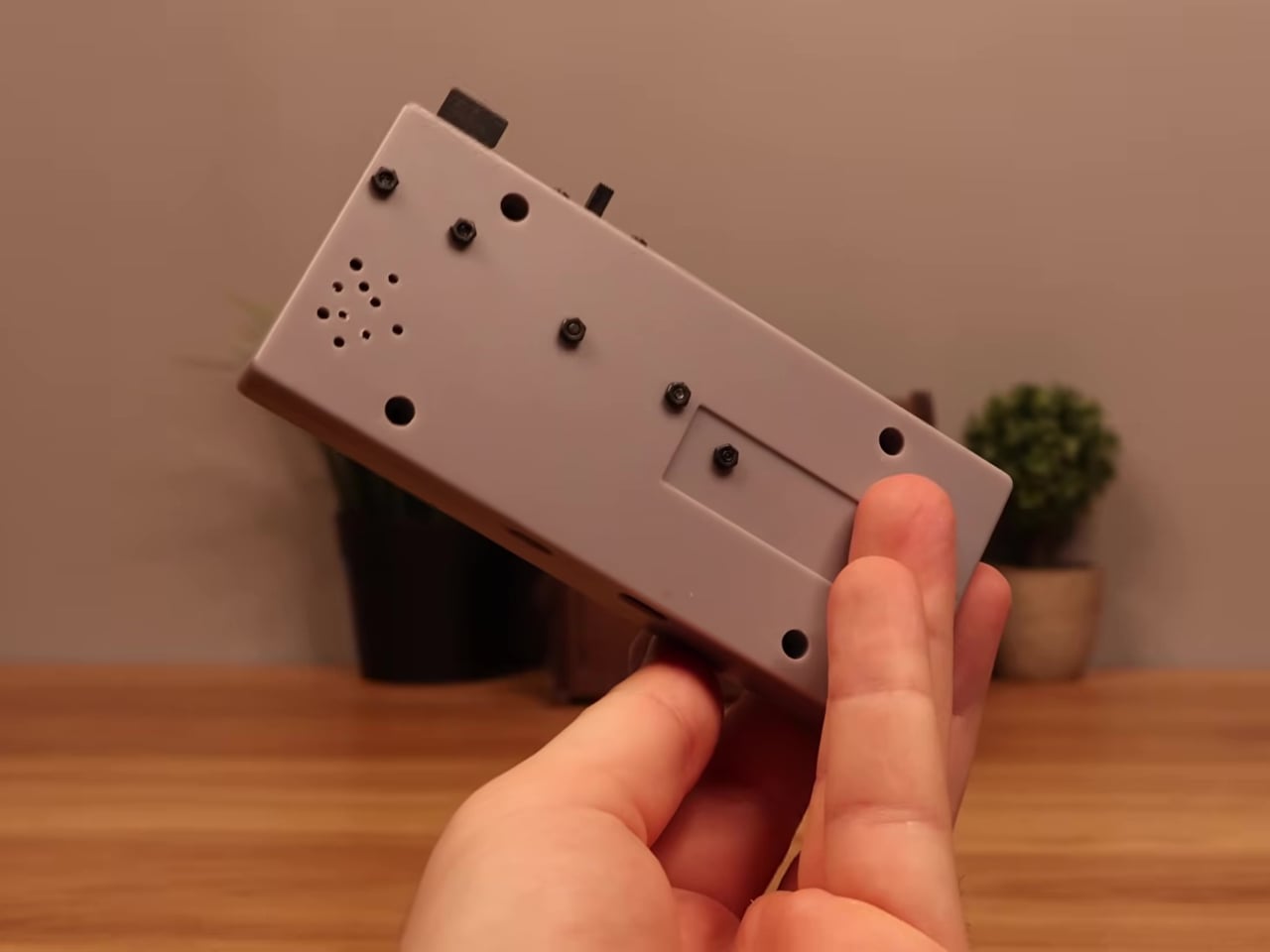
Getting everything to fit required real surgery on the shell. Internal plastic supports had to be trimmed back to make room for the display, and new openings were drilled for the screen, USB charging port, MicroSD slot, speaker, and power switch. A bare copper wire serves as a central ground distribution rail, cutting the number of individual ground wires needed and making it possible to actually close the controller afterward.

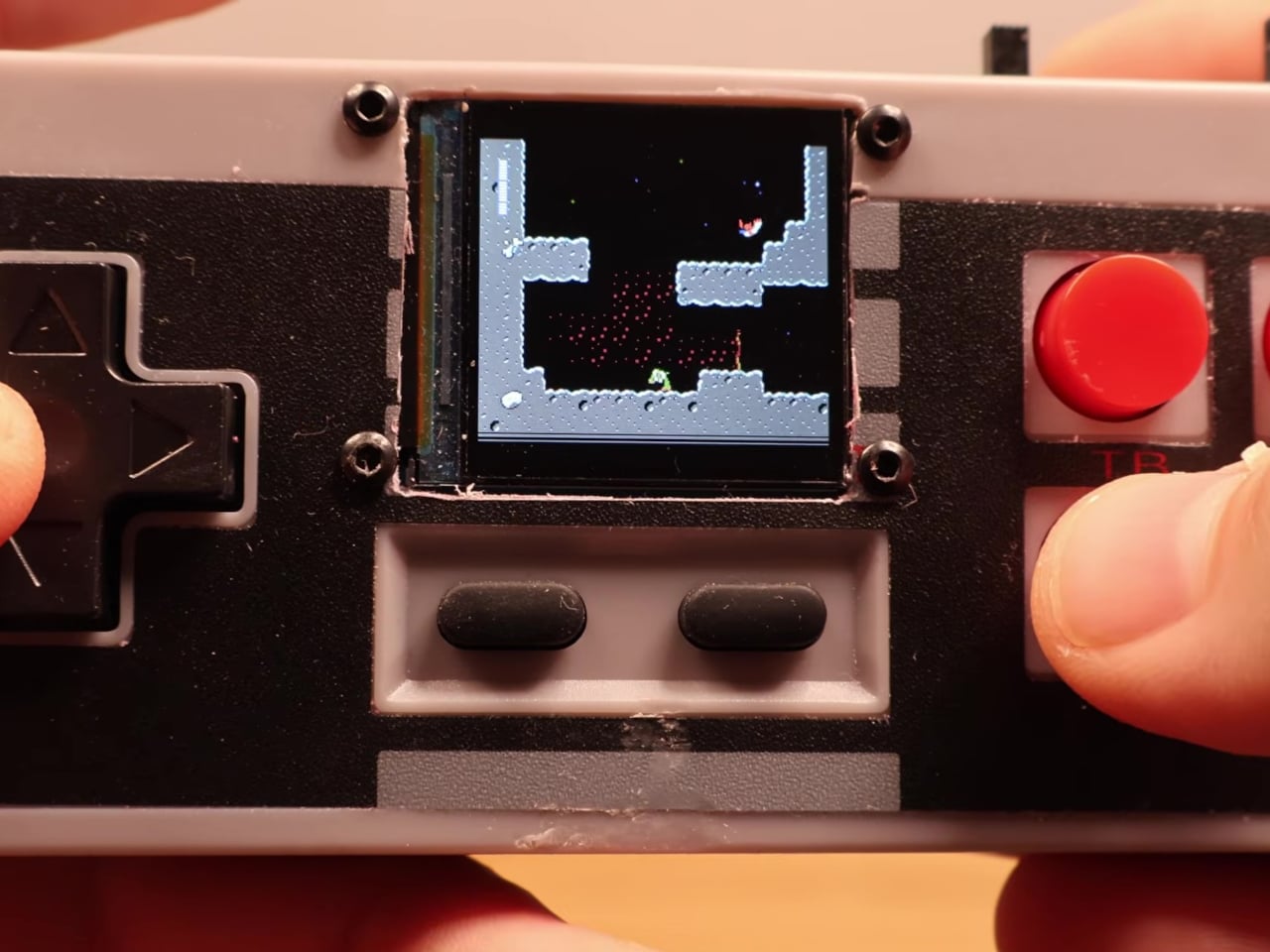
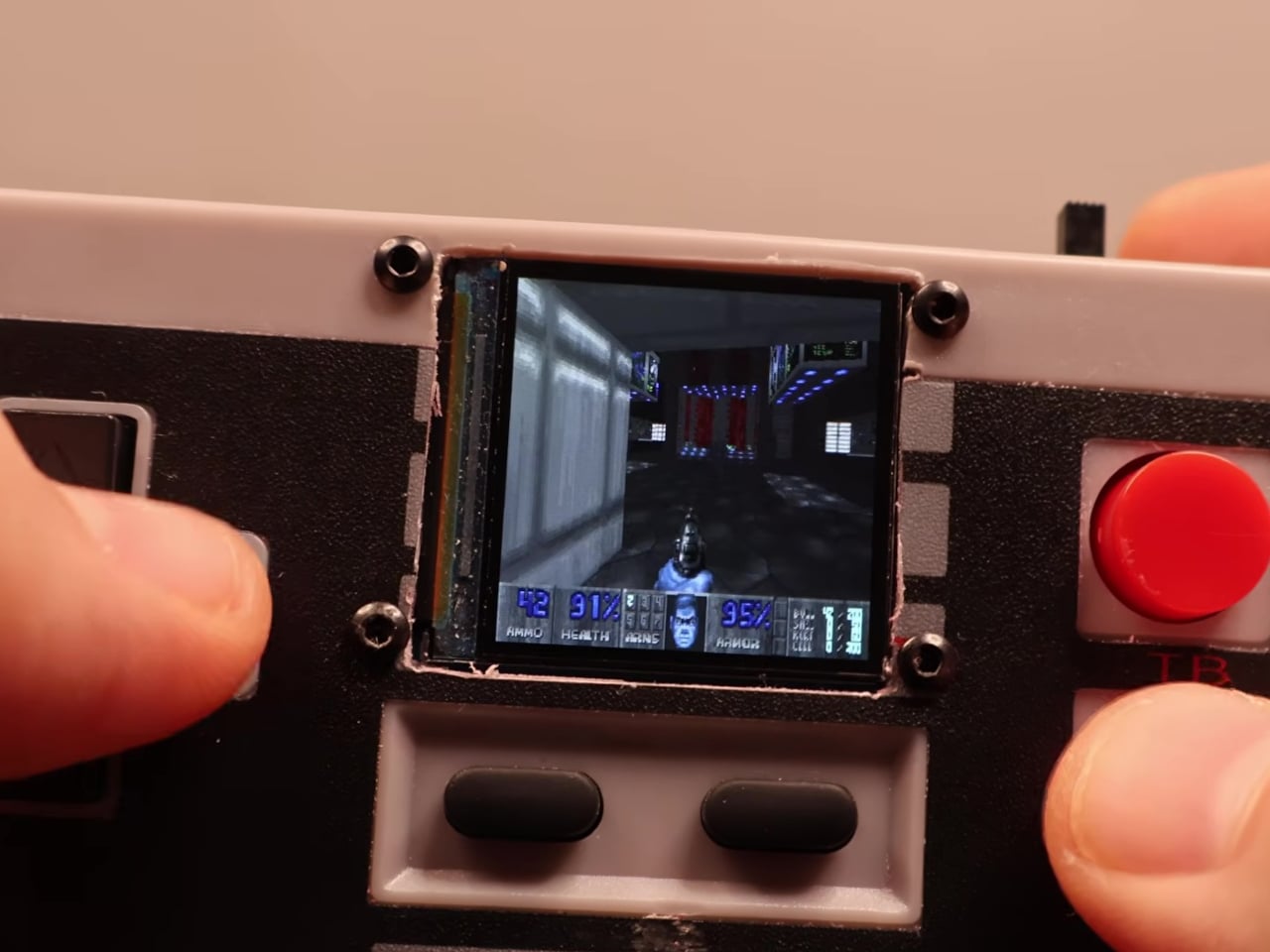
On the software side, the device runs the Retro-Go emulator framework, compiled using ESP-IDF and CMake since the ESP32-S2 isn’t a standard Retro-Go target. The result handles a range of classic 8-bit systems comfortably. As a bonus, Doom runs via PrBoom-Go from a Freedoom WAD file loaded on the MicroSD card, managing somewhere between five and 15 frames per second depending on the scene.

The total build cost runs about $17 using common suppliers, or closer to $8 when sourcing directly from overseas markets. That puts the project well under the price of a single modern game release. Flip the power switch, select a ROM from the MicroSD card, and the screen loads games that once required a dedicated console and television setup. No additional hardware is needed.

What makes this more than a novelty is how it reconsiders a form factor most people already have muscle memory for. The D-pad clicks the same way it always did, and the A and B buttons carry the same spring. What changed is where the signal goes after the press. Instead of traveling to a console that no longer exists, the controller now processes it directly inside its own shell.

The Retro-Go framework is open source, the parts are widely available, and the NES controller shell is one of the most common pieces of vintage hardware still circulating through the secondhand market. Nothing about this build required specialized equipment or proprietary components. The total part list costs less than a single new game on any current platform and fits inside hardware that most people already own.

The post Someone Stuffed a Full Retro Console Inside an NES Controller for $17 first appeared on Yanko Design.

Transparent Purple Makes This $35 Phone Controller Impossible to Ignore

Touch controls on smartphones are a compromise most mobile gamers have learned to live with. They work well enough for casual games designed around them, but the moment you try running a classic arcade title or an emulated game that expects physical buttons, things fall apart quickly. Your thumbs slide off invisible buttons, precision goes out the window, and the whole appeal of playing a retro game on the go quietly evaporates.

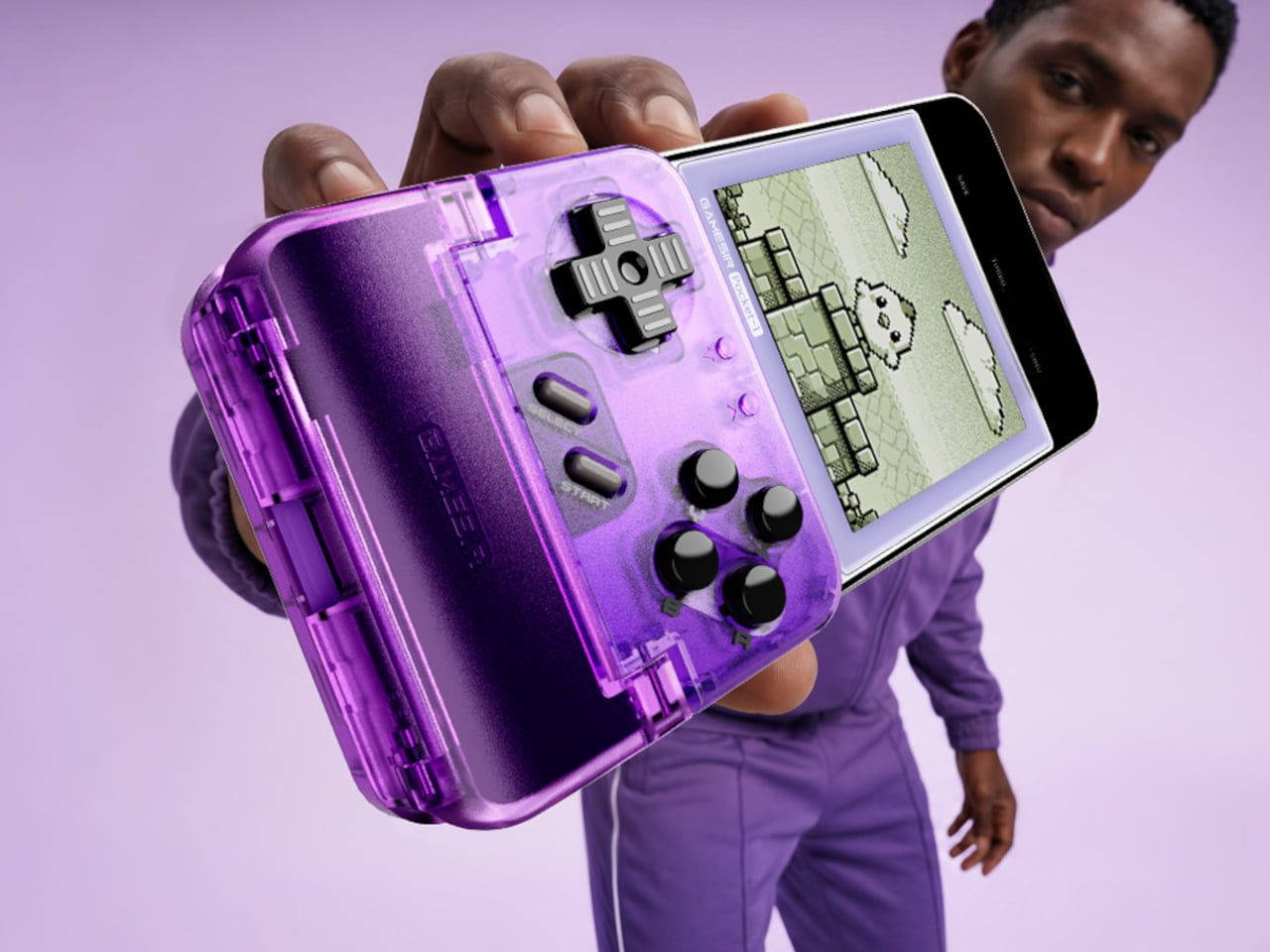
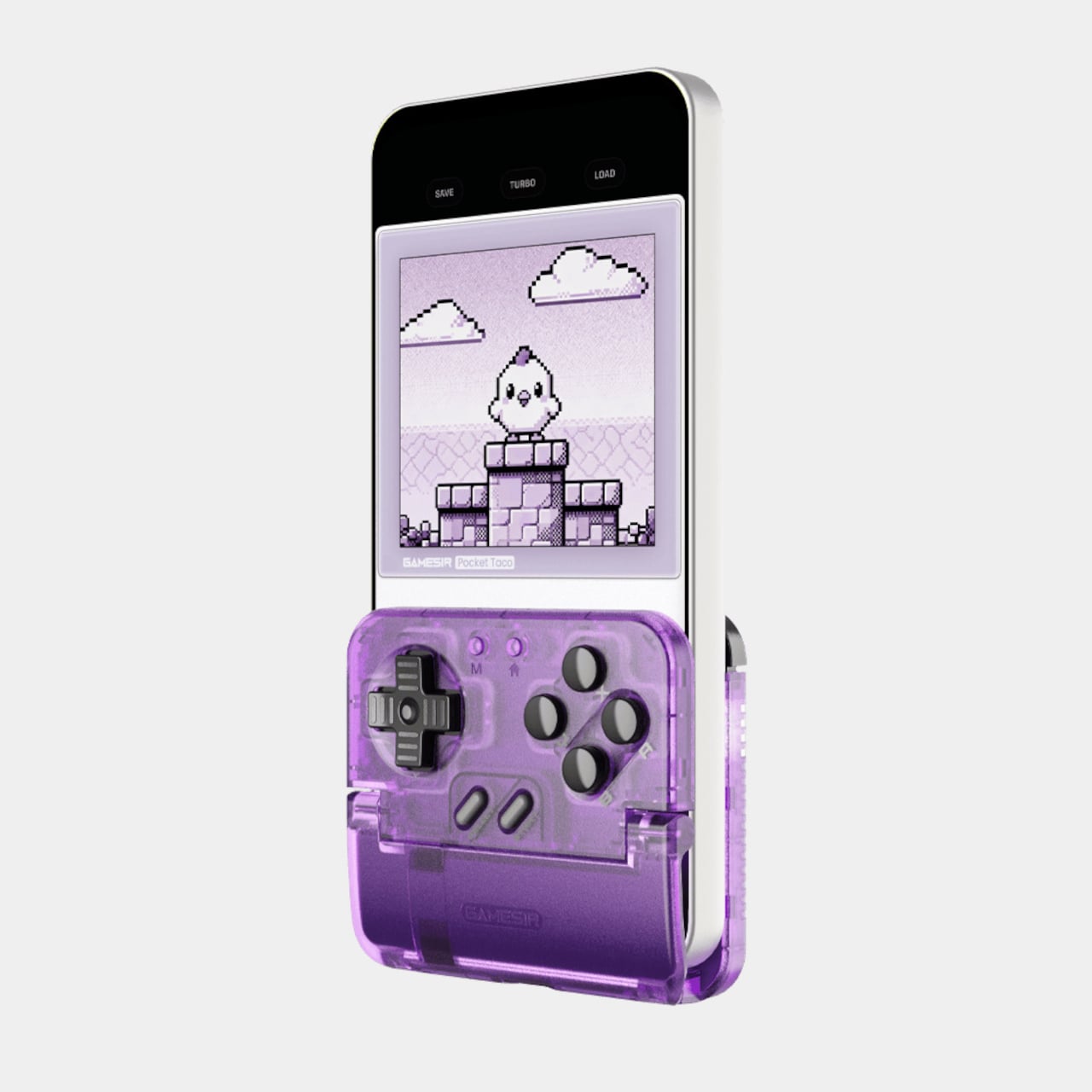
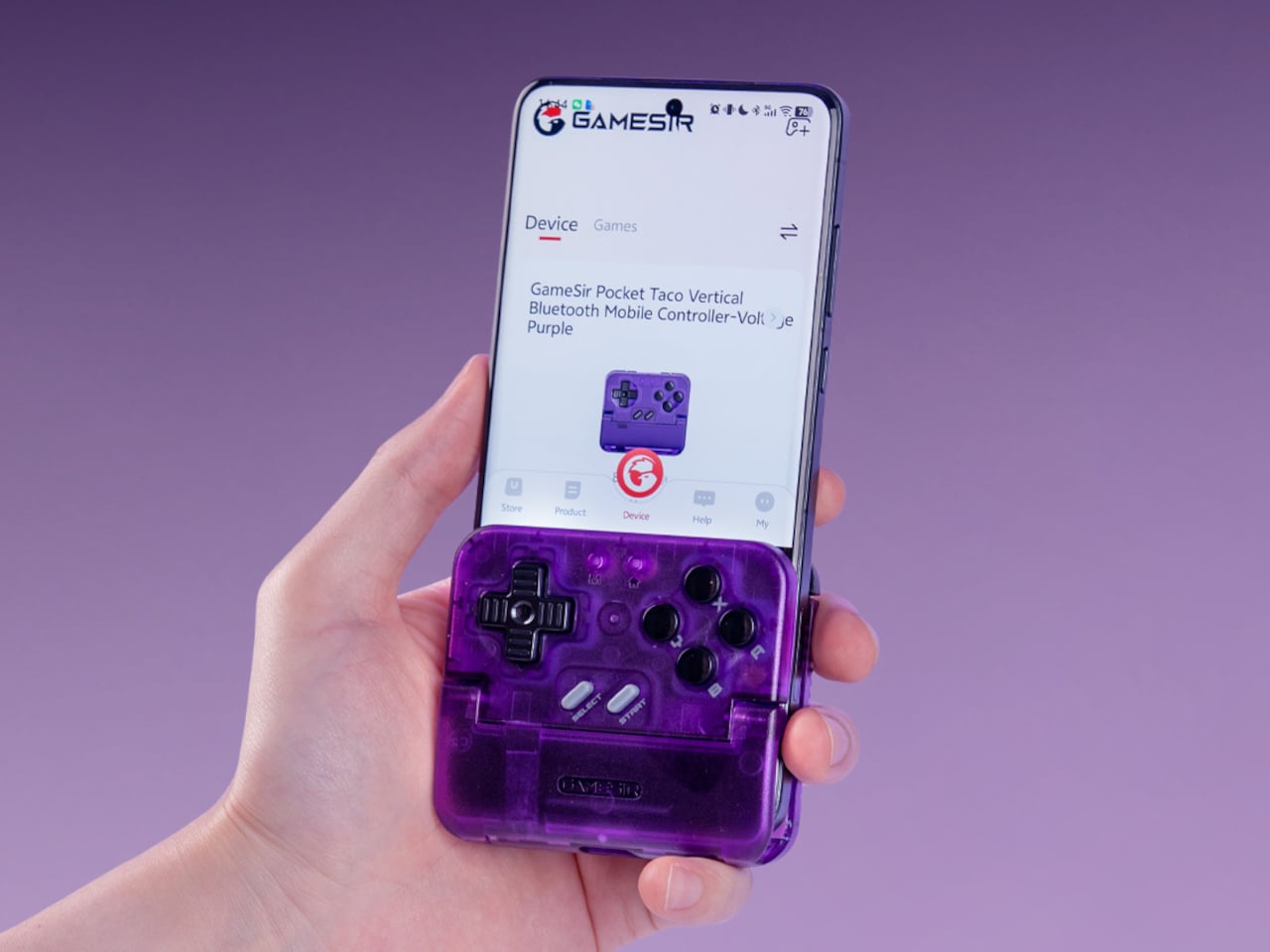
The GameSir Pocket Taco is a clamp-style vertical controller that clips around your phone and instantly turns it into something far closer to a proper handheld console. The design is vertical rather than the sideways landscape grip most mobile controllers use, which puts the phone in portrait style and gives the whole setup that unmistakable Game Boy silhouette. It’s a specific choice that makes a lot of sense for the kind of games it’s clearly built around.

Designer: GameSir

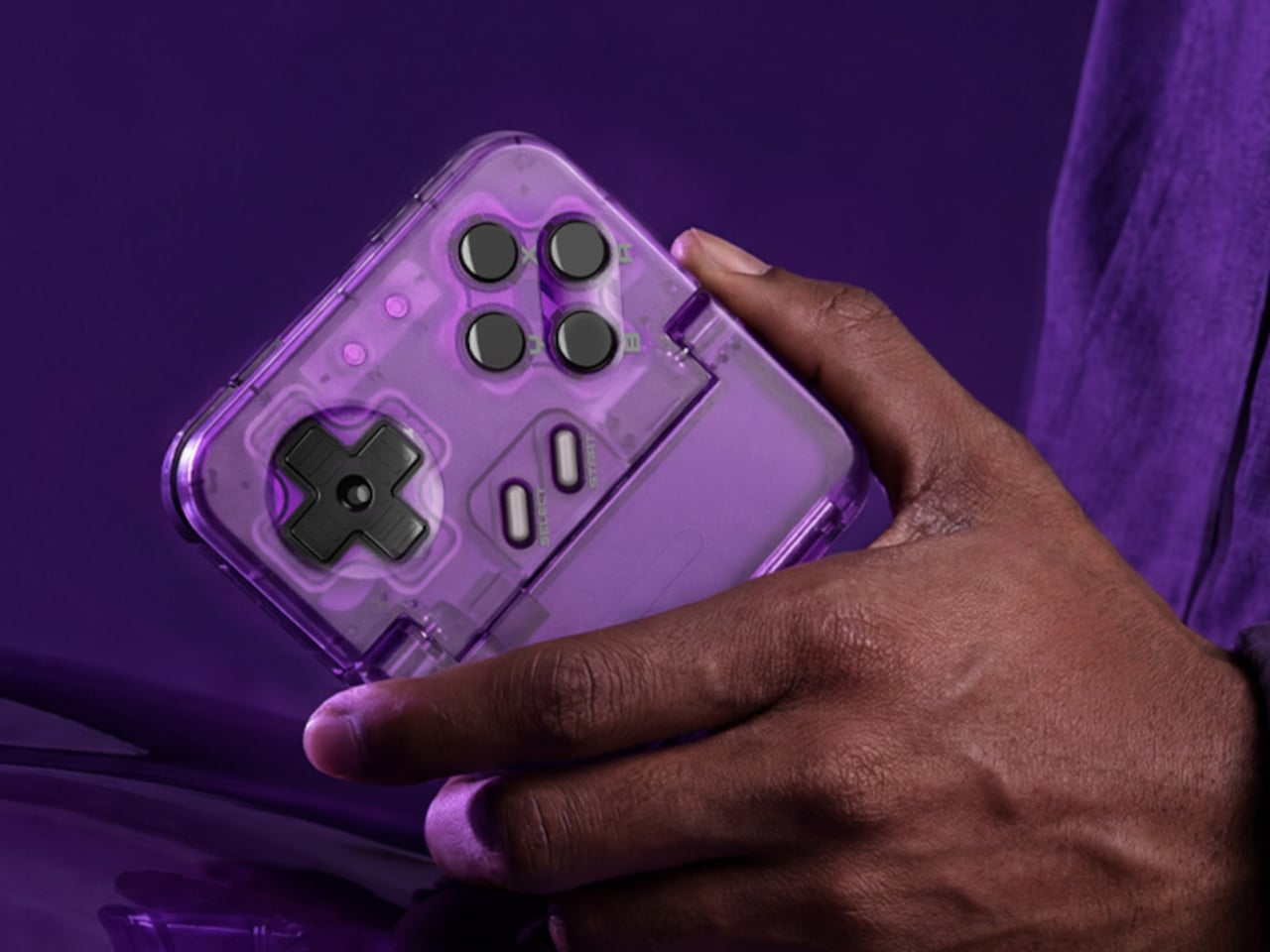
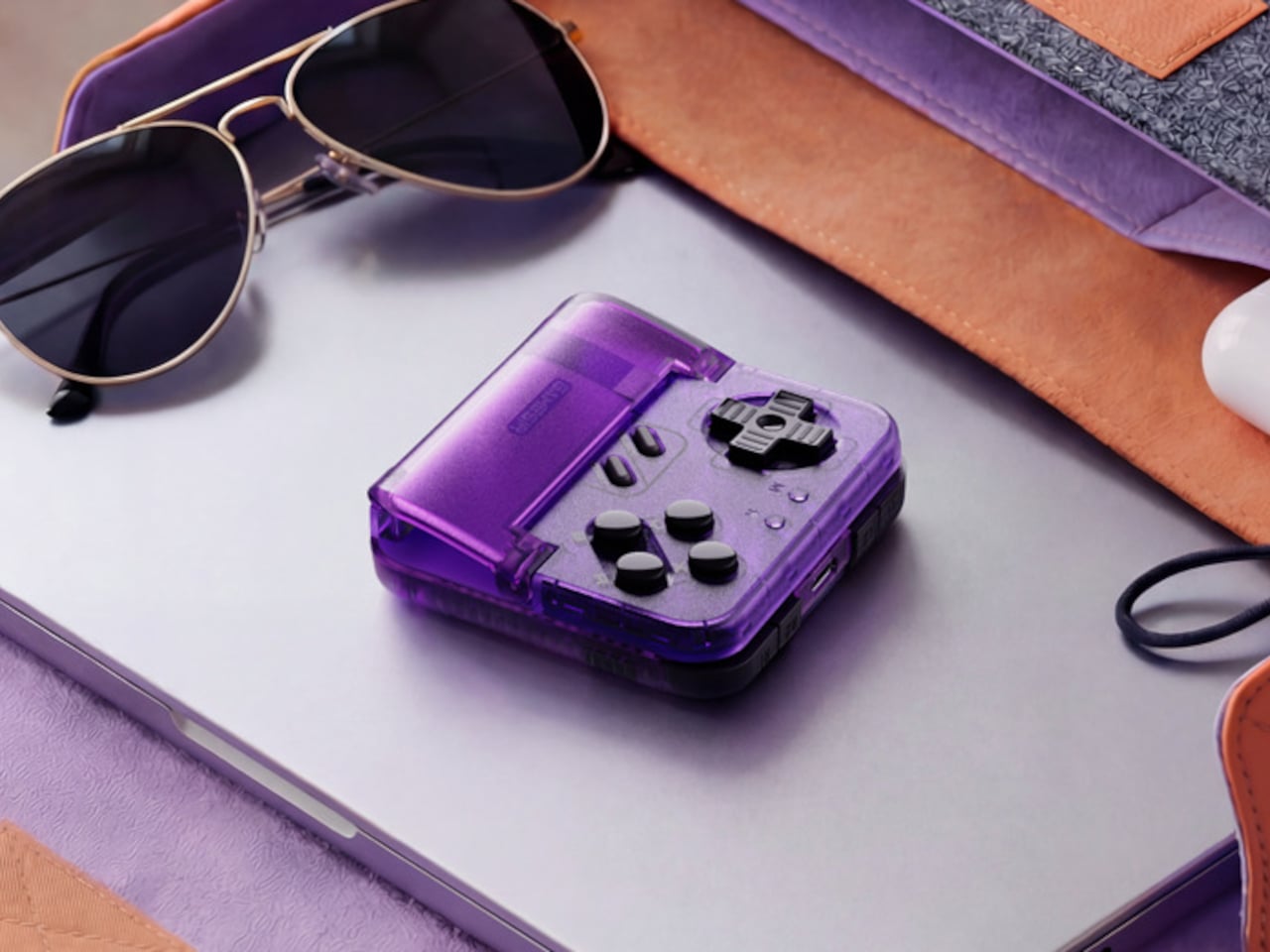
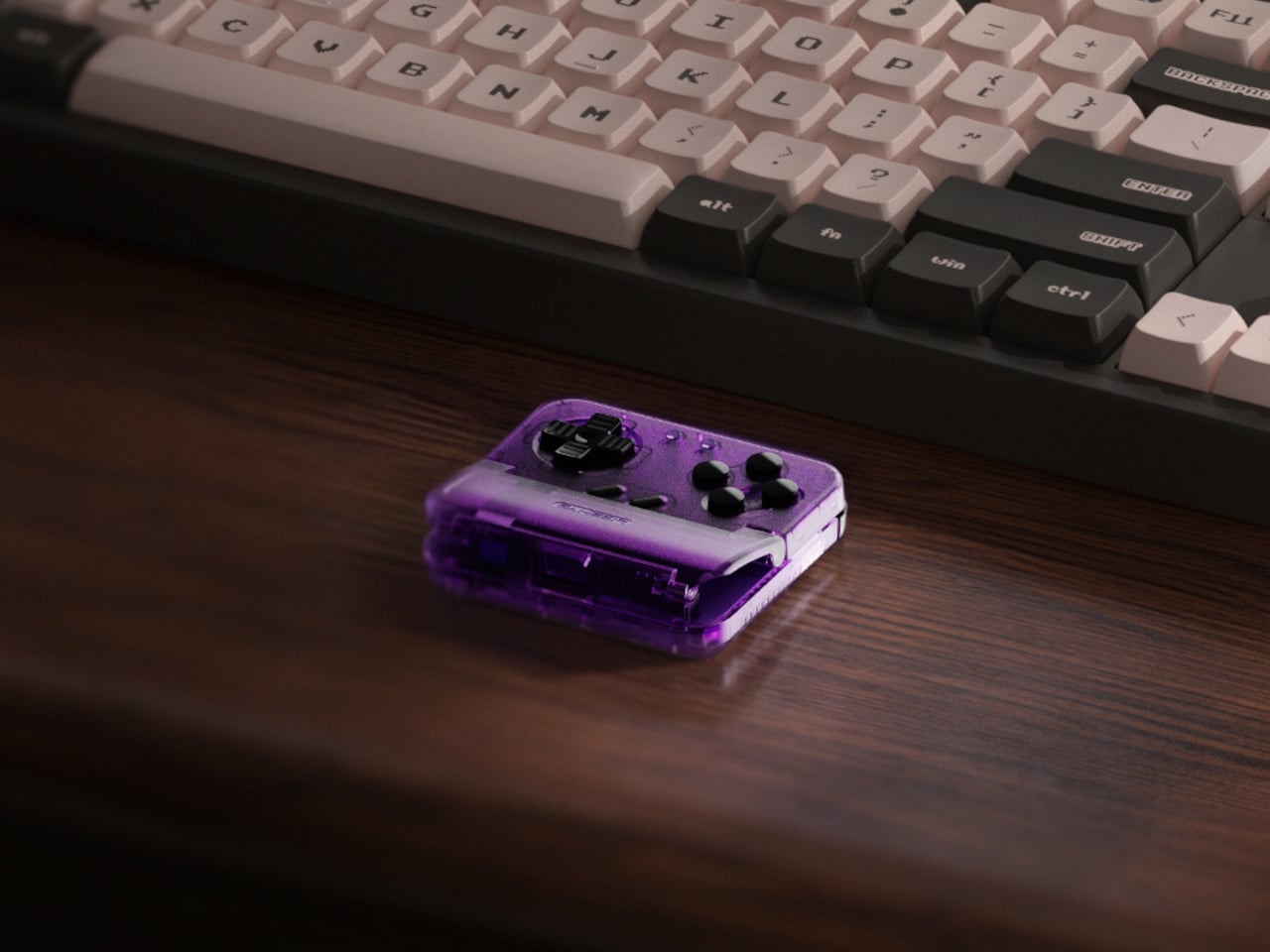
The Voltage Purple colorway is a new option for the Pocket Taco, arriving a few months after the original retro grey version launched. Where the original leaned into a deliberately aged aesthetic, Voltage Purple reads much more confidently as a contemporary gaming accessory. Both versions carry the same hardware and features, so the choice between them comes down entirely to how you want the thing to look in your hand.

The buttons are the central selling point. Cushioned membrane ABXY and D-pad inputs sit at the bottom of the controller, backed by tactile switch triggers and bumpers, and the whole layout comes together in a way that feels genuinely satisfying for side-scrollers, shoot ’em ups, and anything else designed around a proper gamepad. A turbo function covers all eight main buttons, which the hardcore retro gaming crowd will appreciate immediately.

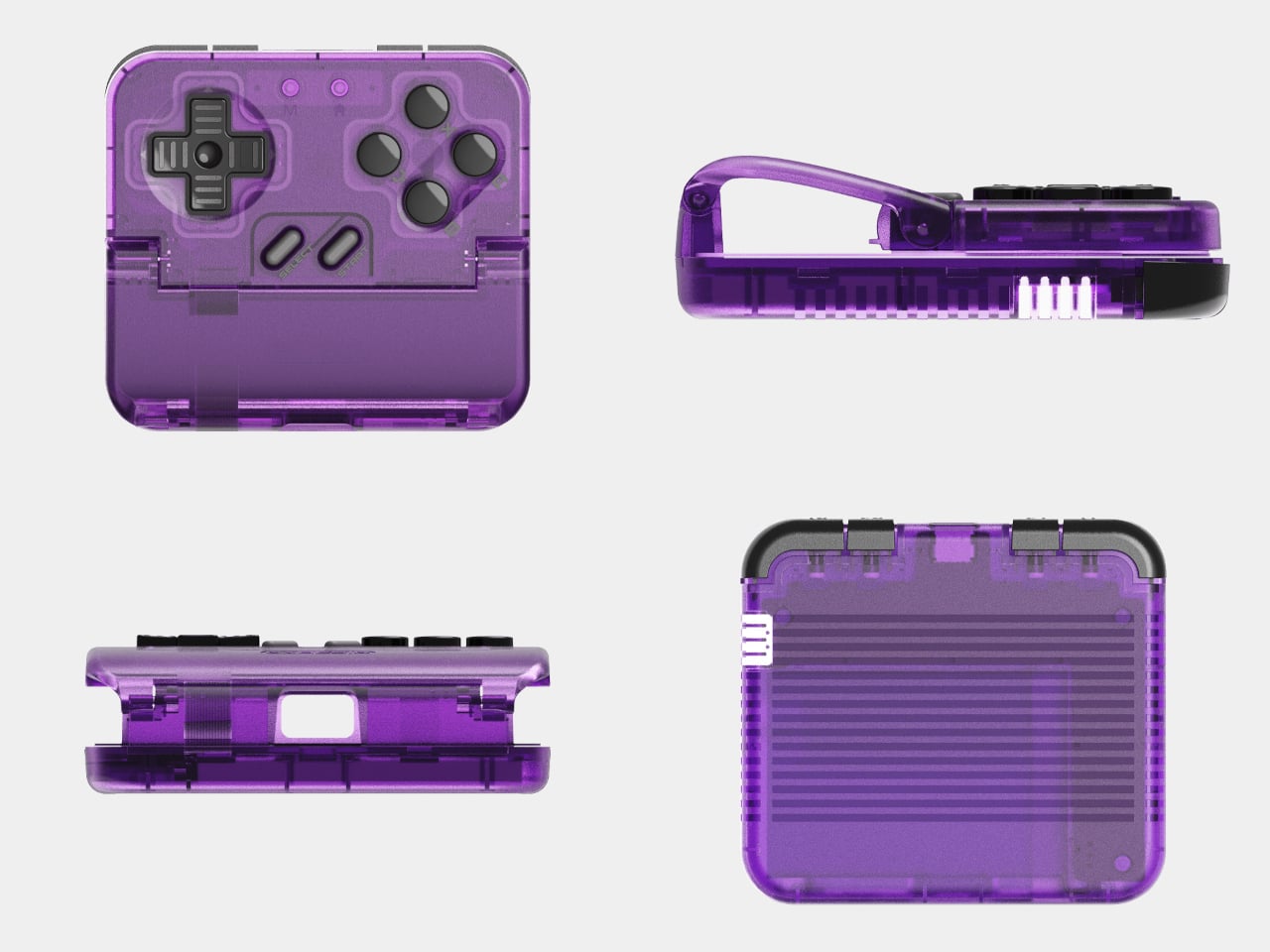
The Pocket Taco handles some practical concerns that most accessories at this price point ignore. Soft silicone pads line the phone clamp area to prevent scratches, a hollow gap at the bottom aligns with your phone’s charging port so you can top up during longer sessions, and the whole thing powers on automatically when you unfold it and shuts off when you close it. At 62.2 g, it barely adds any noticeable weight.

The GameSir App extends the experience further with button remapping, D-pad diagonal lock, and G-Touch and V-Touch functions for on-screen input simulation. There’s also a keyboard mode built in, letting you switch input types for games or apps that need it. A 600 mAh battery handles cordless sessions, and the package includes a storage box, a charging cable, and a lanyard so the whole thing stays organized between uses.

The Pocket Taco in Voltage Purple retails for $34.99, while the original grey version currently sits at $29.99. The $5 difference comes down entirely to the color choice. At 78mm x 70.9mm x 20.7mm, it slips into a pocket or bag with the storage box without much fuss, which keeps the pitch for daily carry entirely believable for anyone who tends to game in short bursts throughout the day.

It’s not a controller for every kind of mobile gaming. If you spend most of your time in landscape-format games that already support proper controller input, a horizontal grip will serve you better. But for anyone running emulators, arcade titles, or vertical shoot ’em ups on their phone, the Pocket Taco fills a gap that the rest of the mobile controller market has mostly ignored.

The post Transparent Purple Makes This $35 Phone Controller Impossible to Ignore first appeared on Yanko Design.

8BitDo’s Pro Fight Pad Has a Screen That Replaces the Companion App

Fighting game hardware has become its own obsession. Serious players spend as much time agonizing over their controller choice as they do drilling combos, and the debate between joystick traditionalists and leverless converts shows no sign of cooling down. The leverless controller strips the directional stick out entirely, replacing it with buttons for movement, a setup many top competitors swear produces faster and more precise inputs.

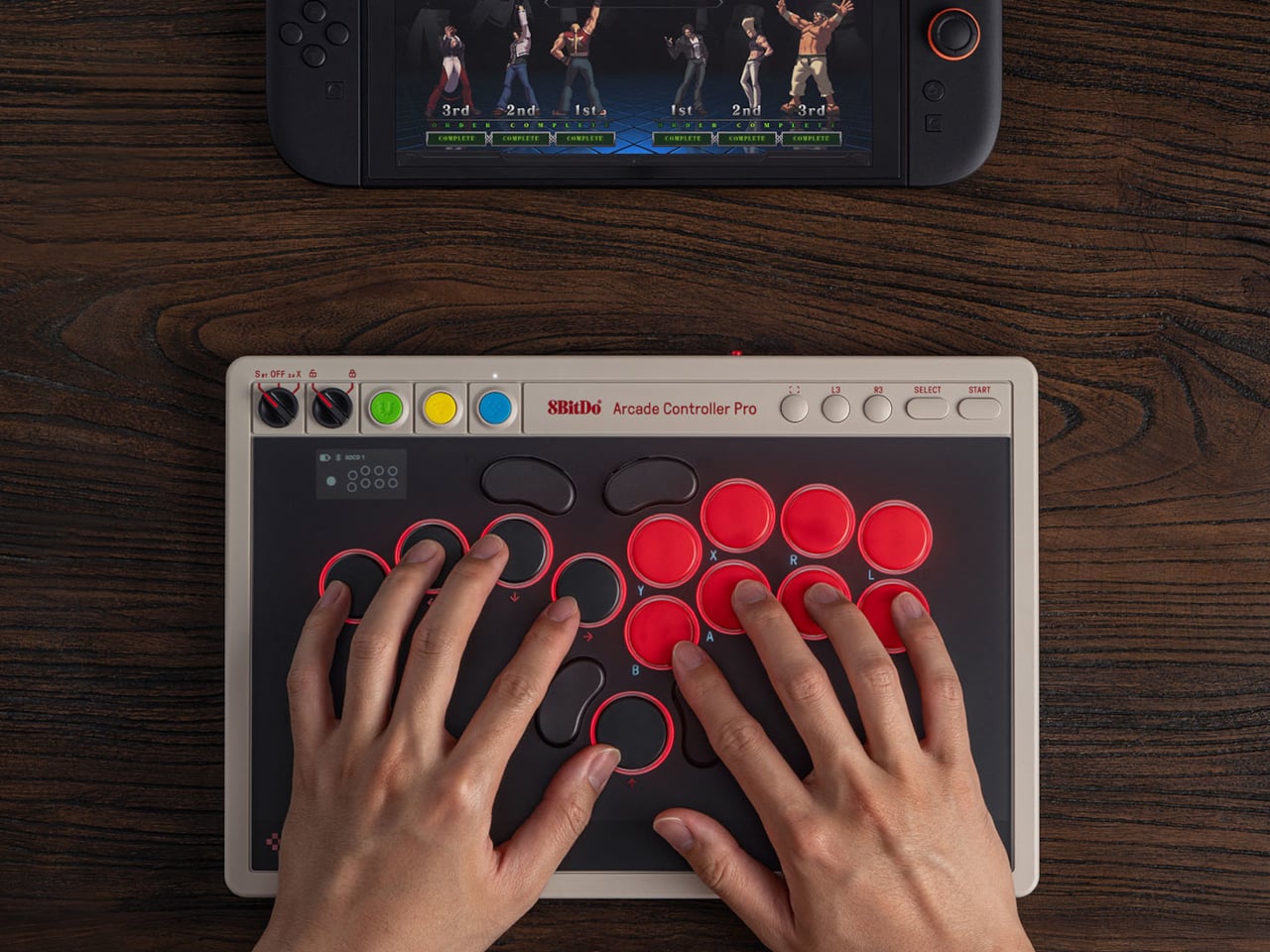
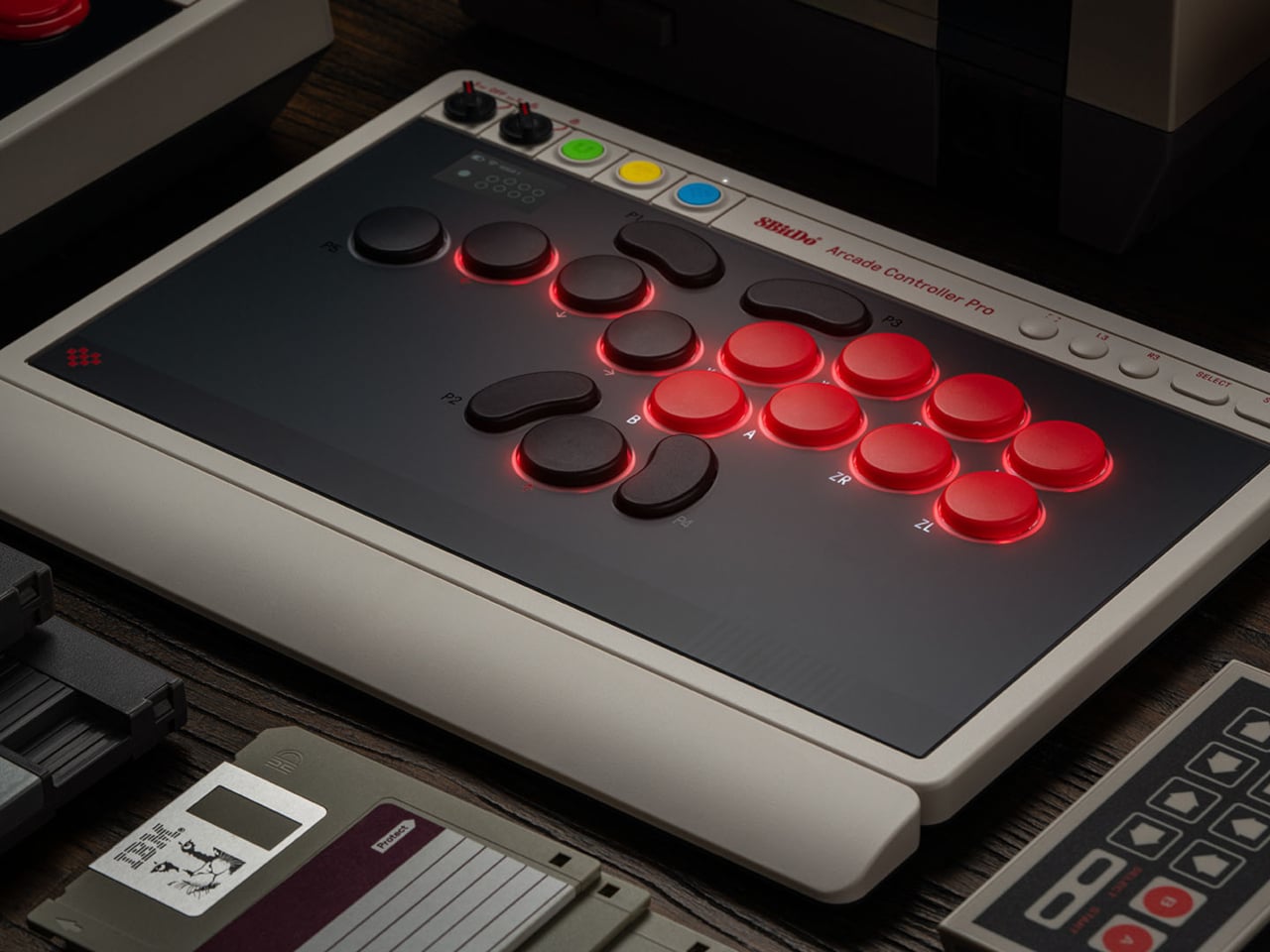
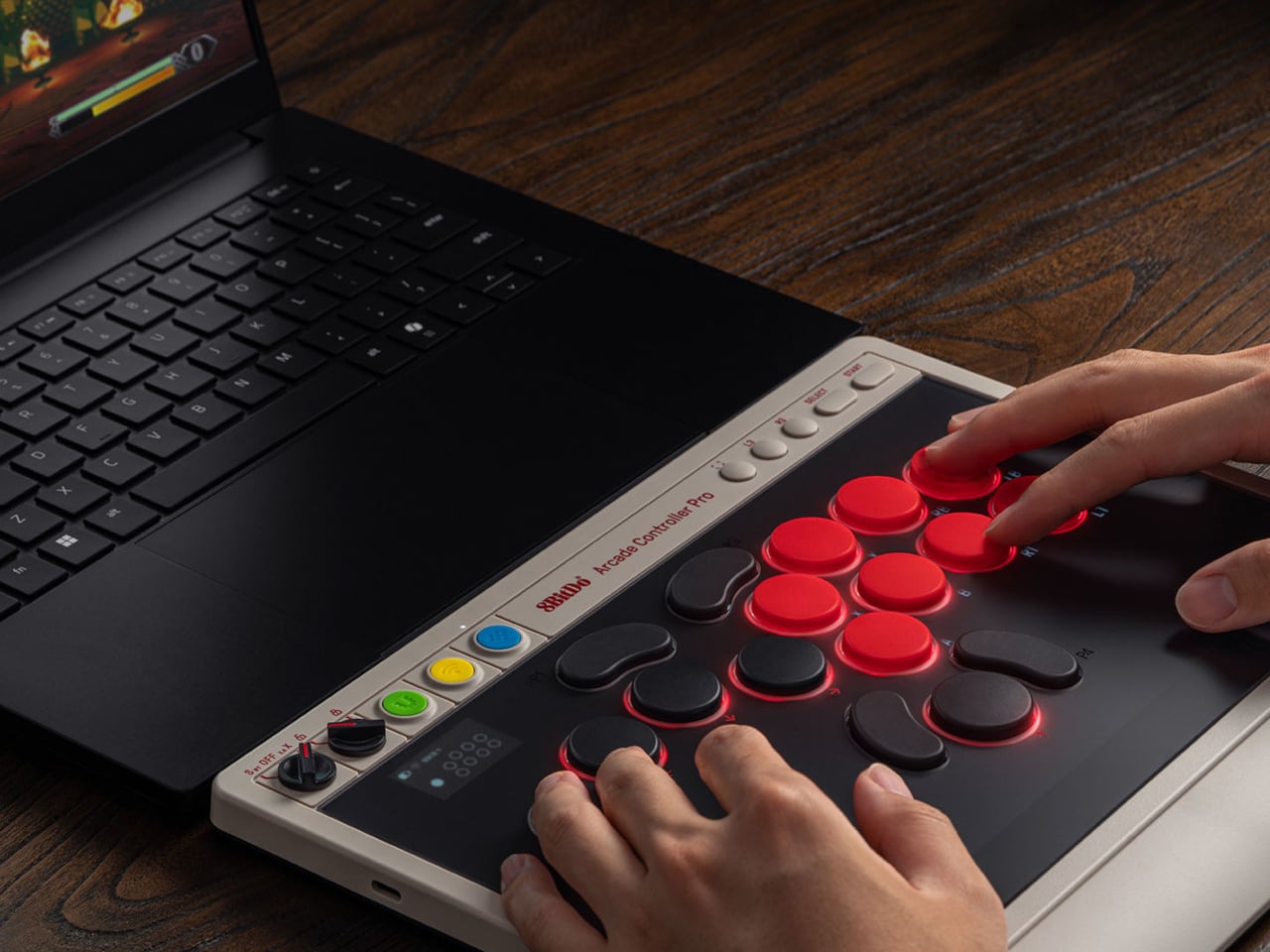
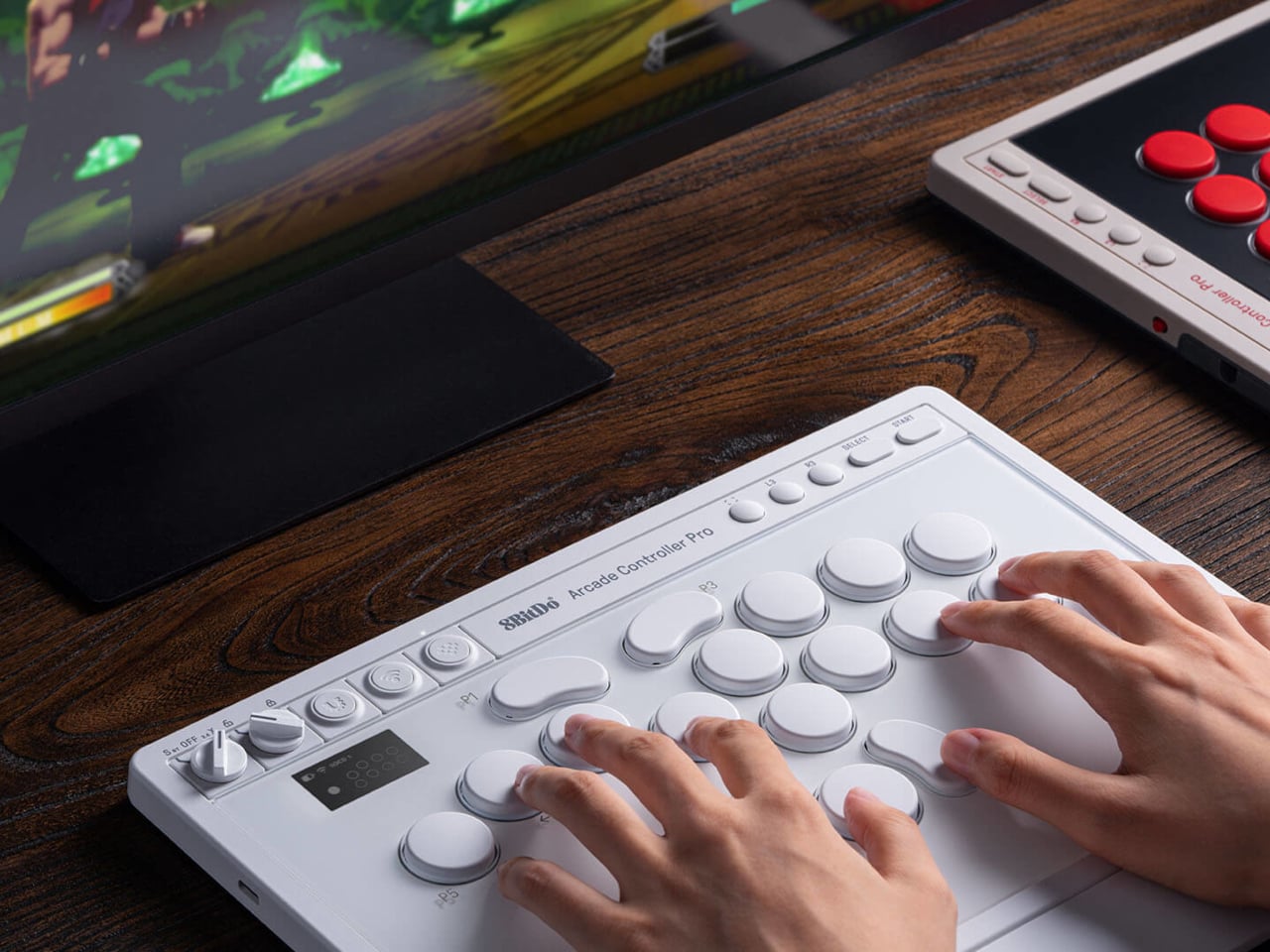
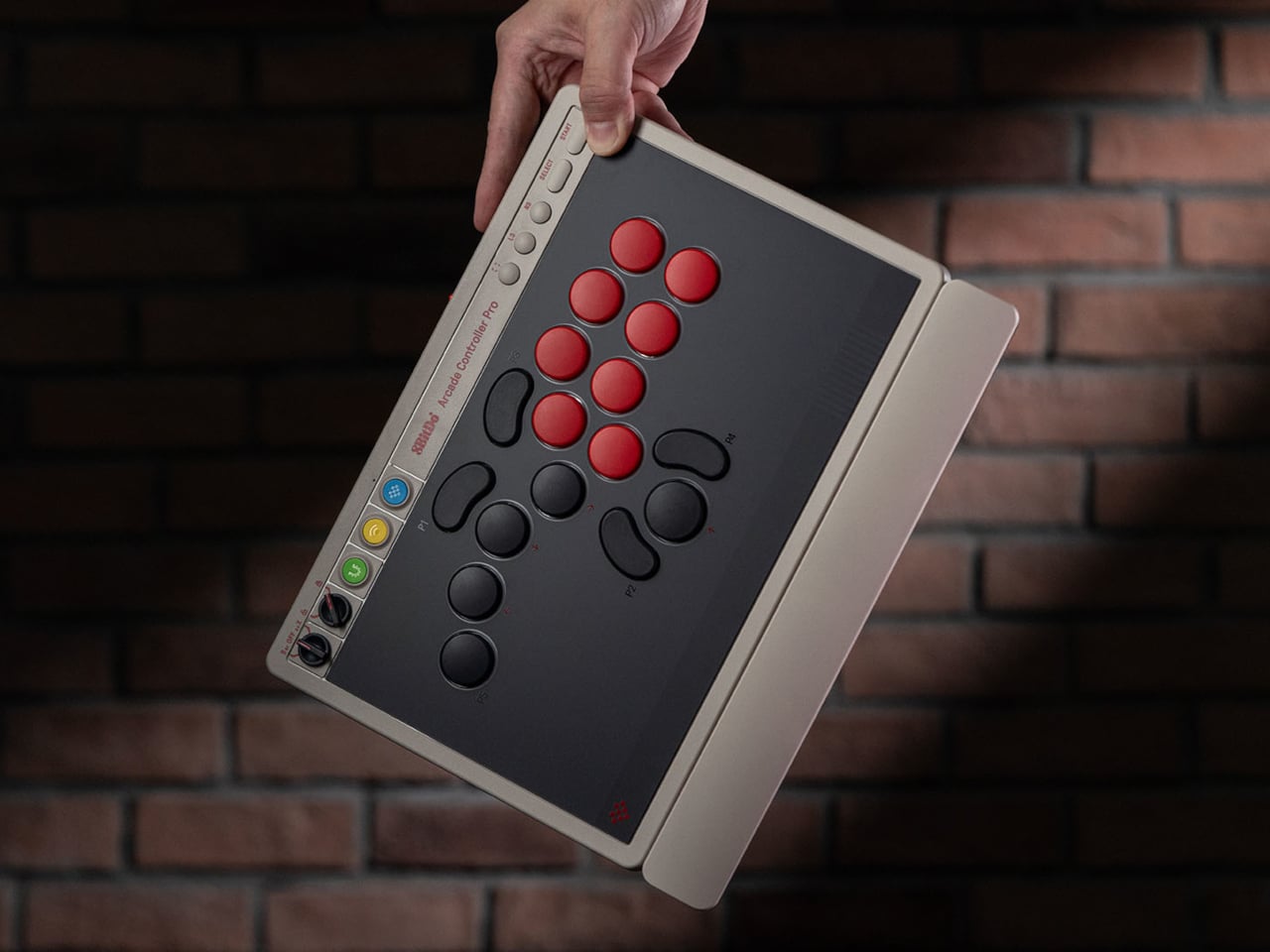
8BitDo released its first leverless arcade controller last year and now follows it up with the Arcade Controller Pro, a more performance-focused update aimed at the serious end of the market. The changes aren’t radical but they’re meaningful, touching everything from the button layout to how you manage settings mid-match. It’s a controller that doesn’t try to appeal to everyone, and that’s precisely the point.

Designer: 8BitDo

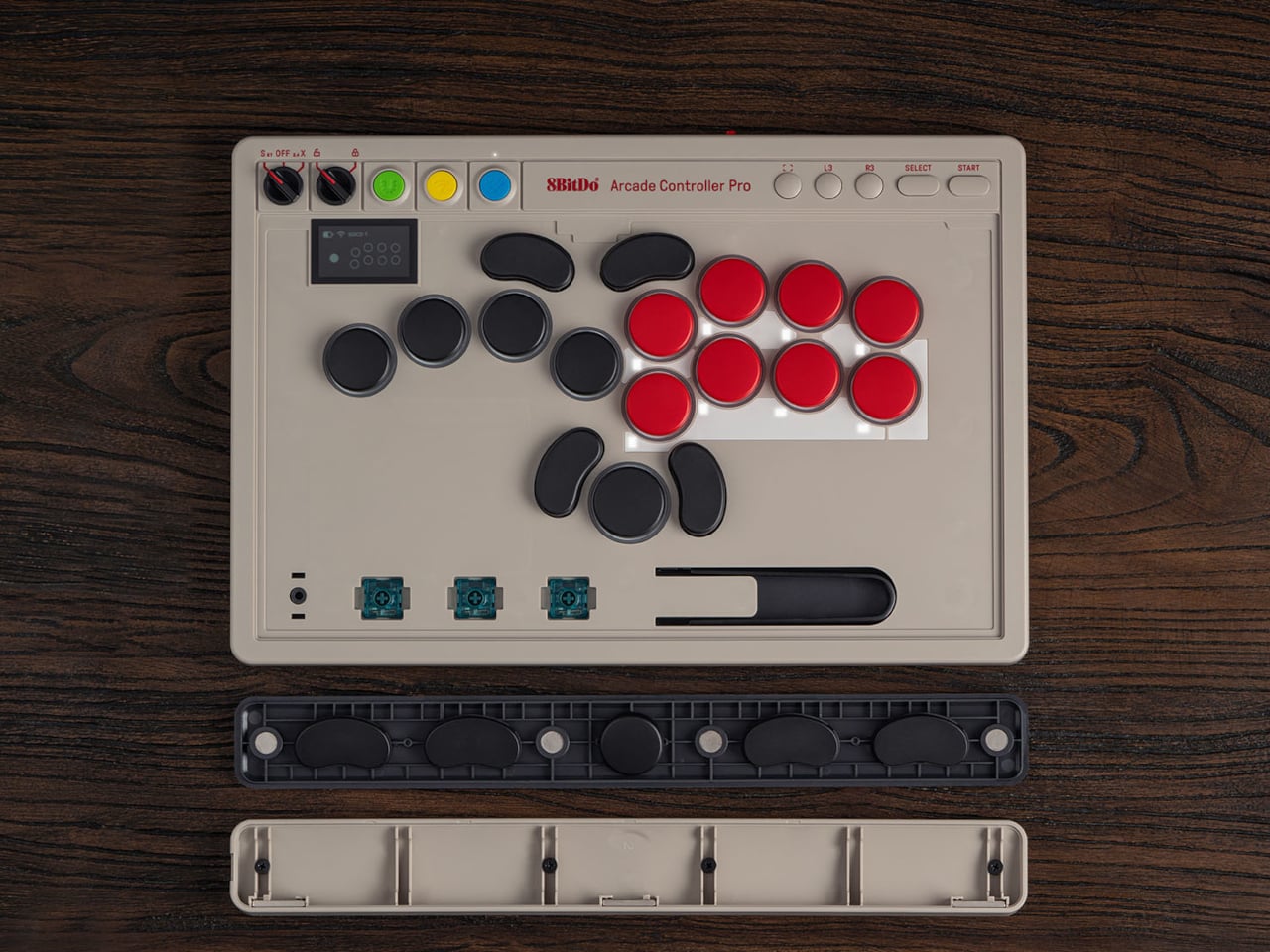
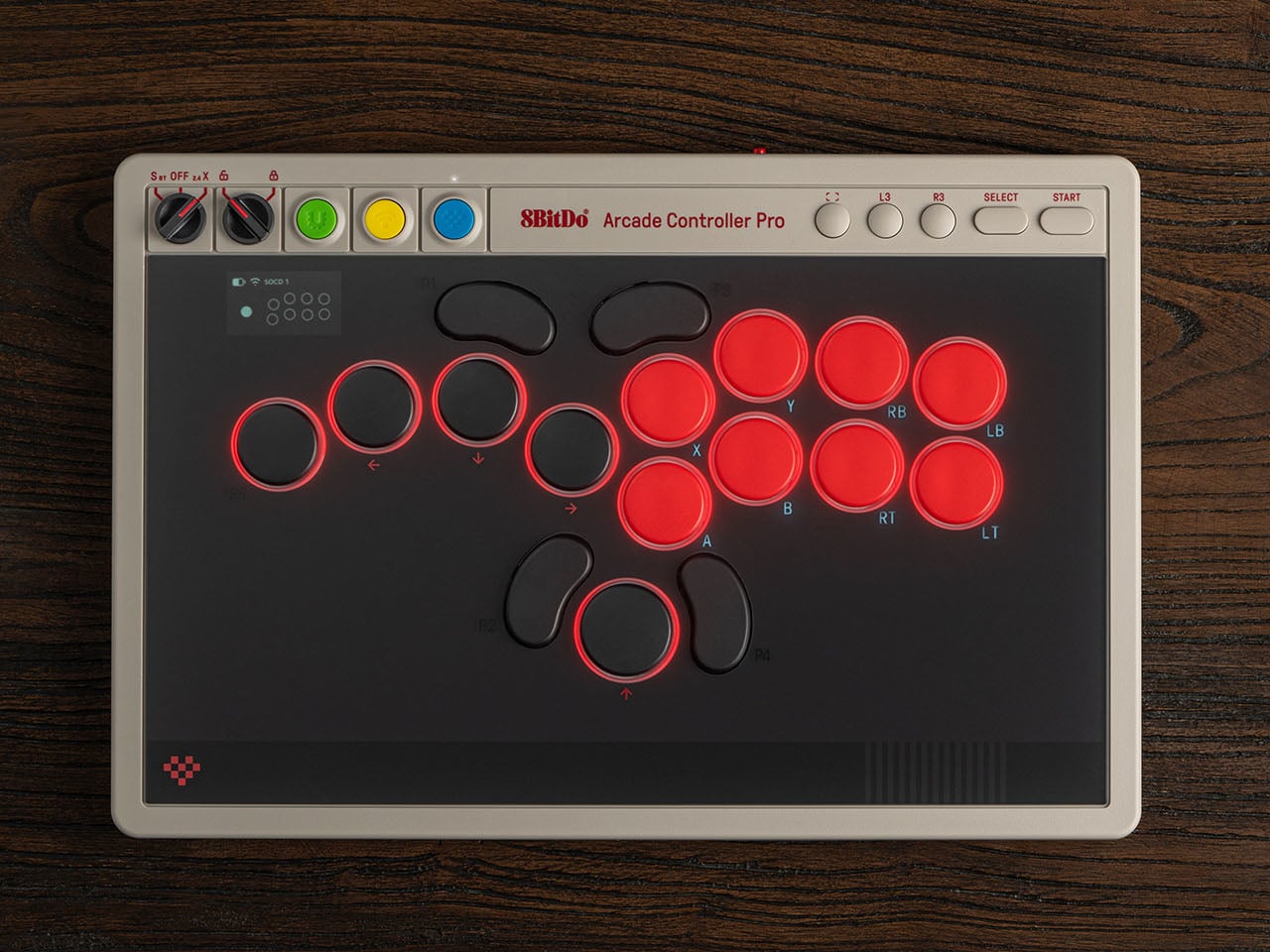
The button layout has been reworked with smaller, more tightly spaced caps that keep everything within natural reach. The programmable button count goes from four to five, with the fifth positioned on the far left to give the left hand more freedom during long sessions. Each round cap installs from any angle, and five flat lock caps come included to cover programmable buttons that shouldn’t be hit mid-match.

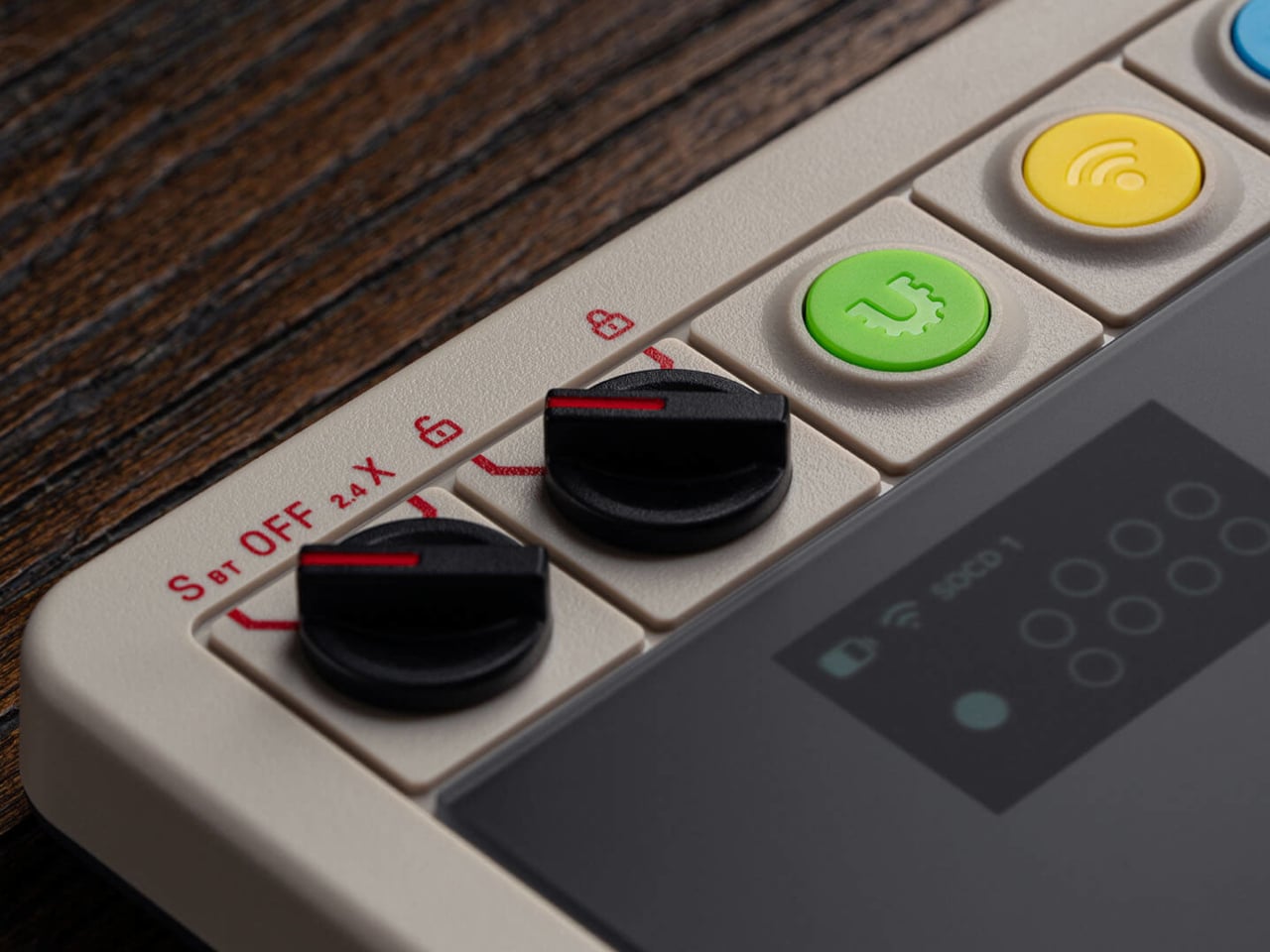
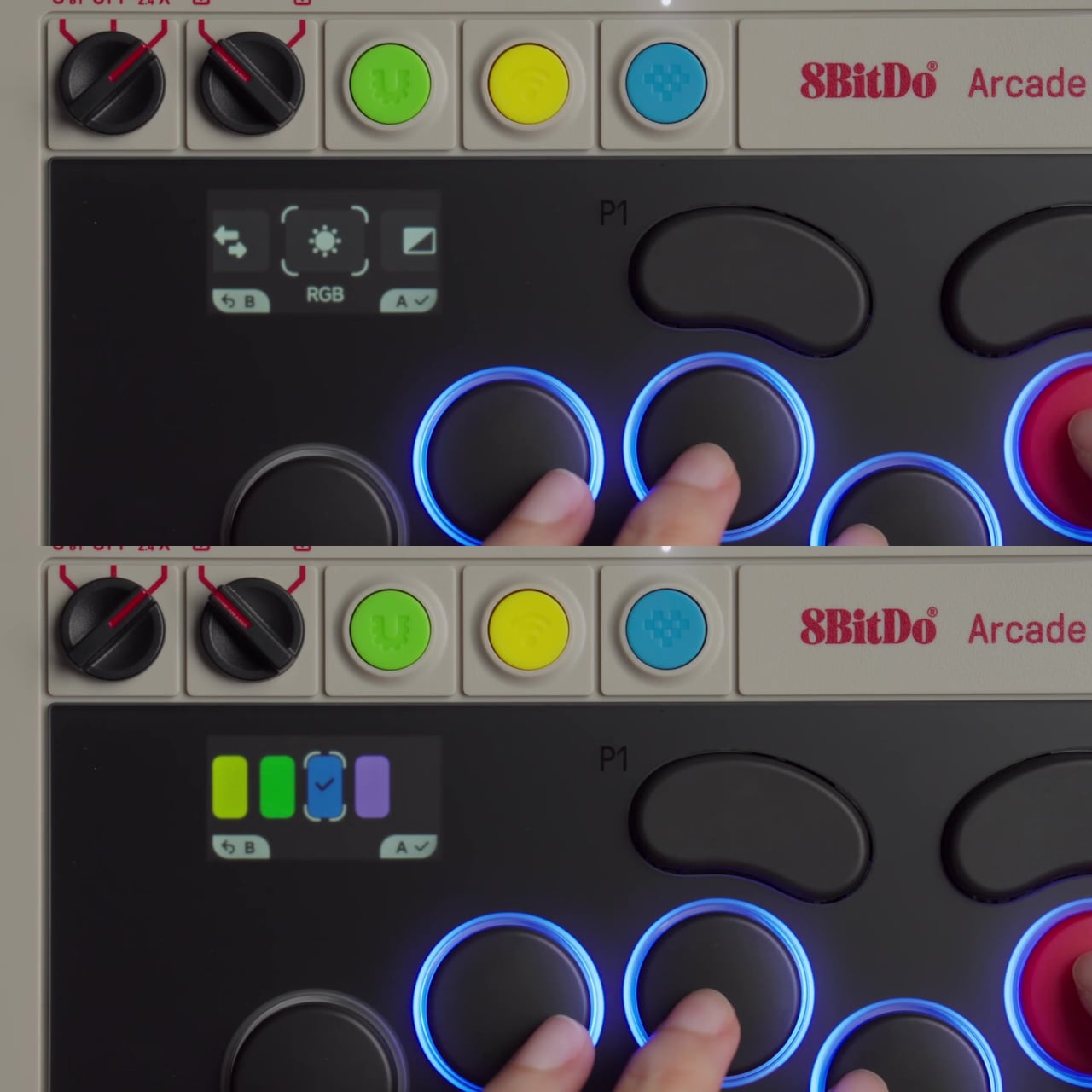
The most notable addition is the 1.47-inch display built into the controller body. It shows your inputs in real time and tracks battery status, but it also lets you adjust settings on-device without opening a companion app. SOCD modes, RGB lighting, and button remapping are all accessible through the screen, so you can make adjustments between rounds rather than leaving your setup to dig through software.

The switches are 8BitDo Core Green low-profile linear mechanicals, co-developed with Kailh specifically for this controller. They’re hot-swappable, and three spare switches, along with a switch puller, are stored inside the controller itself, accessible by lifting the front glass panel. That same interior also houses the accessories compartment that comes with the magnetic wrist rest, which attaches to the front of the unit.

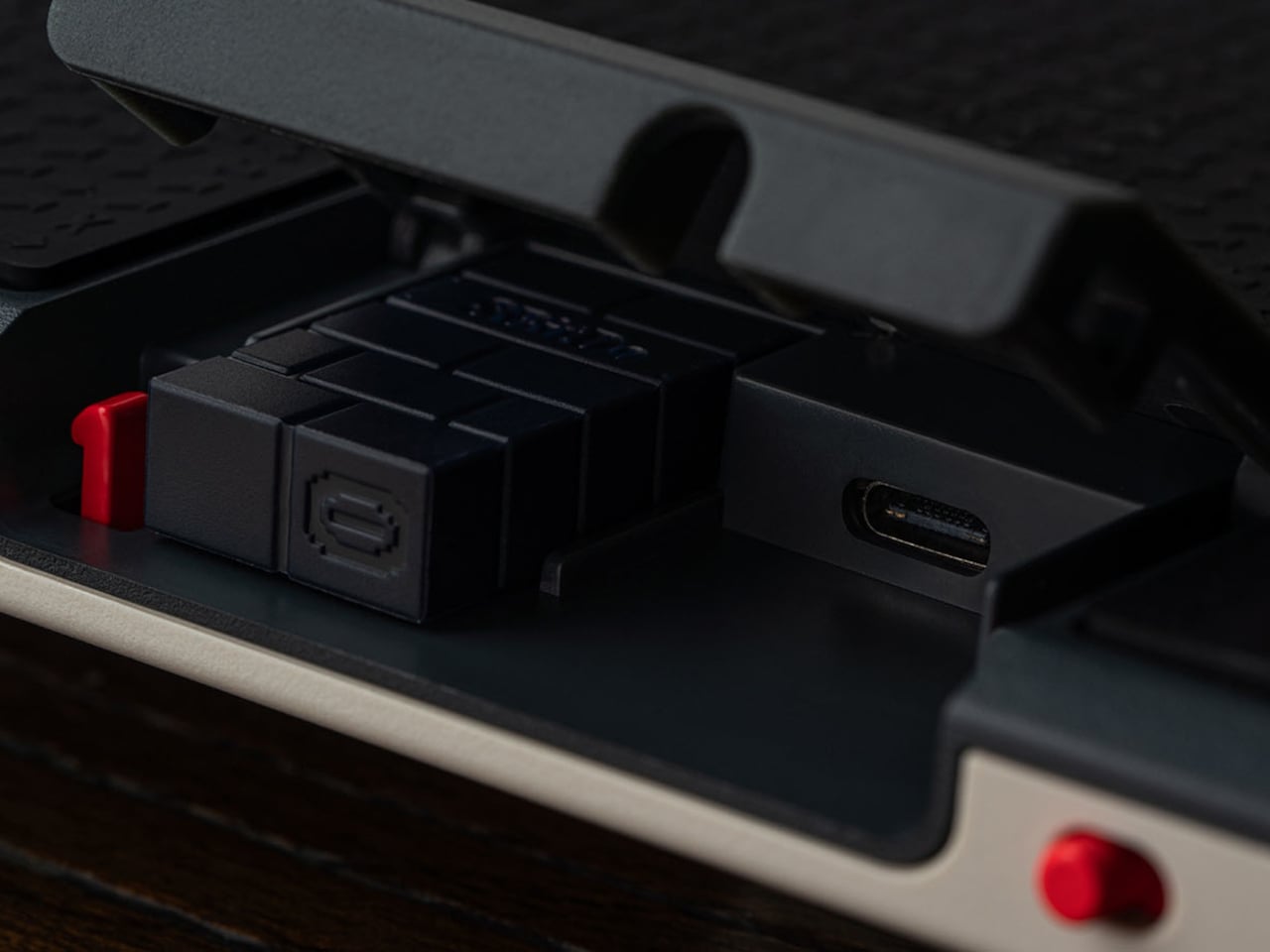
For competitive play, the controller covers the details that matter most in high-pressure moments. A tournament lock on the control panel prevents accidental inputs during a match, and a metal USB-C cable locking mechanism keeps the connection secure so it can’t pull loose mid-fight. Dual USB-C ports, one on the top and one on the side, let you route the cable in whichever direction keeps it out of the way.

Connectivity covers Bluetooth for Nintendo Switch and Switch 2, 2.4GHz wireless for Windows, and a wired USB-C option for both. The 3,000 mAh battery lasts approximately 15 hours with RGB turned off. For players who want to go further than the on-device display allows, 8BitDo Ultimate Software V2 opens up full button mapping and macro creation for an even more personalized setup.

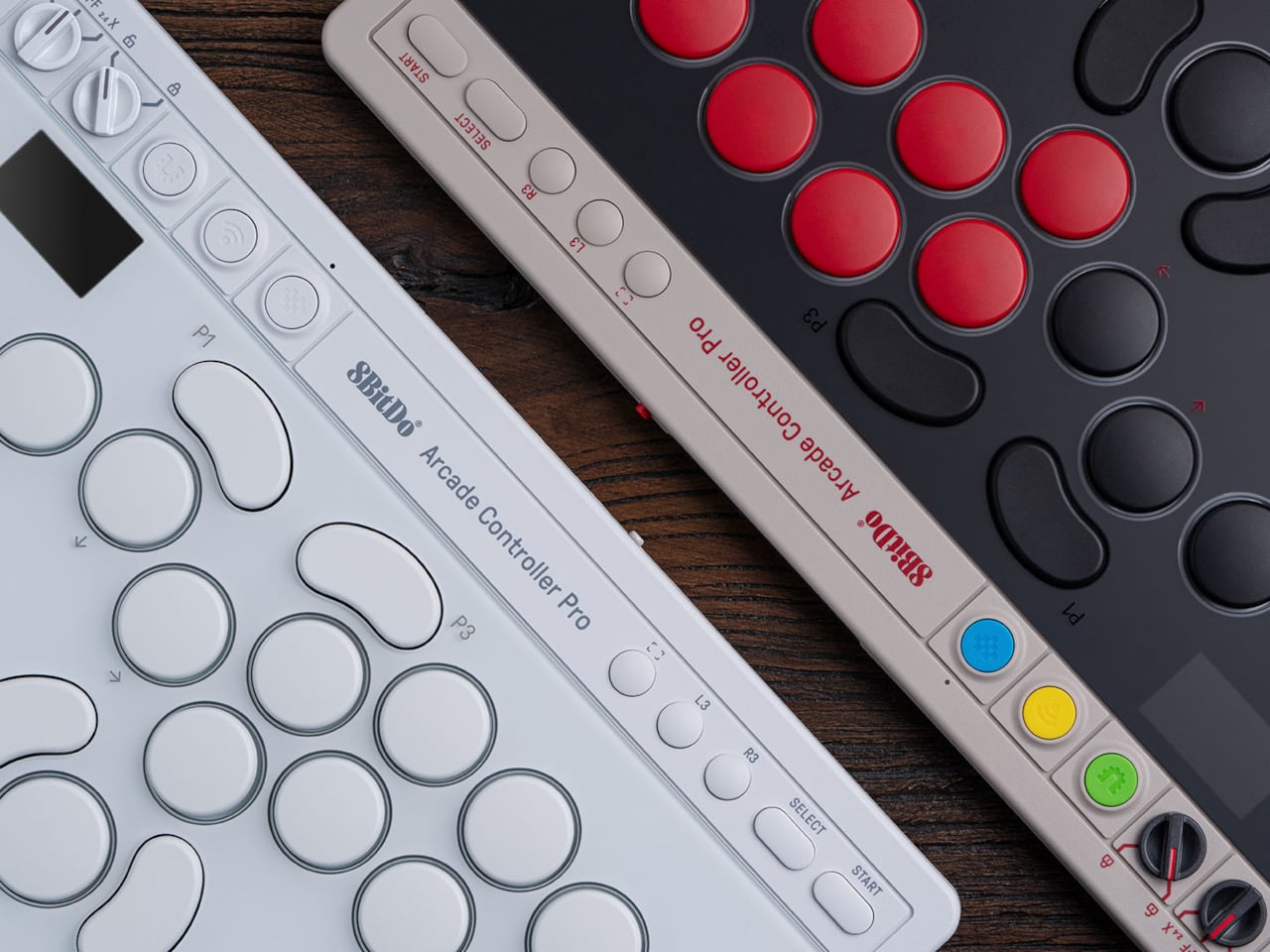
The Arcade Controller Pro is available in a NES-inspired colorway as well as a clean white edition, with a fingerprint-proof tempered glass faceplate and a non-slip silicone underside. A price and release date are yet to be announced. The original Arcade Controller was already a strong entry point into the leverless format, but this Pro model has clearly shifted its sights toward players who already know exactly what they want from a fight pad.

The post 8BitDo’s Pro Fight Pad Has a Screen That Replaces the Companion App first appeared on Yanko Design.

This $249 Phone Becomes a Game Console With One $29 Snap-On Tile

Feature phones have been having something of a quiet comeback, driven largely by people who are tired of the attention-capturing machinery baked into modern smartphones. Most of what’s on the market offers a stripped-back feature set with very little room to grow. Calls, texts, maybe a basic camera, and that’s about where the conversation ends, which hasn’t exactly made the category feel like an exciting place to be.

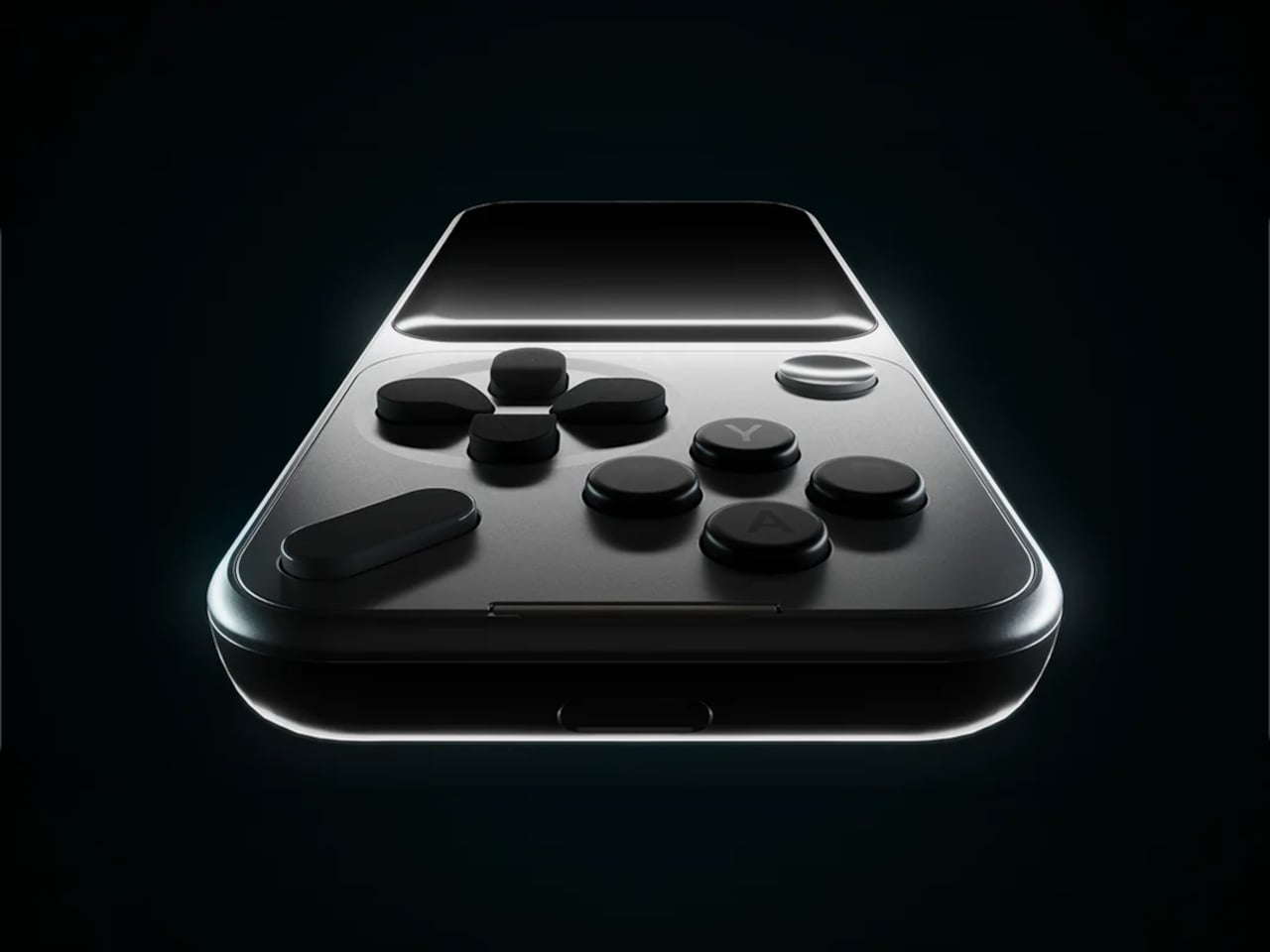
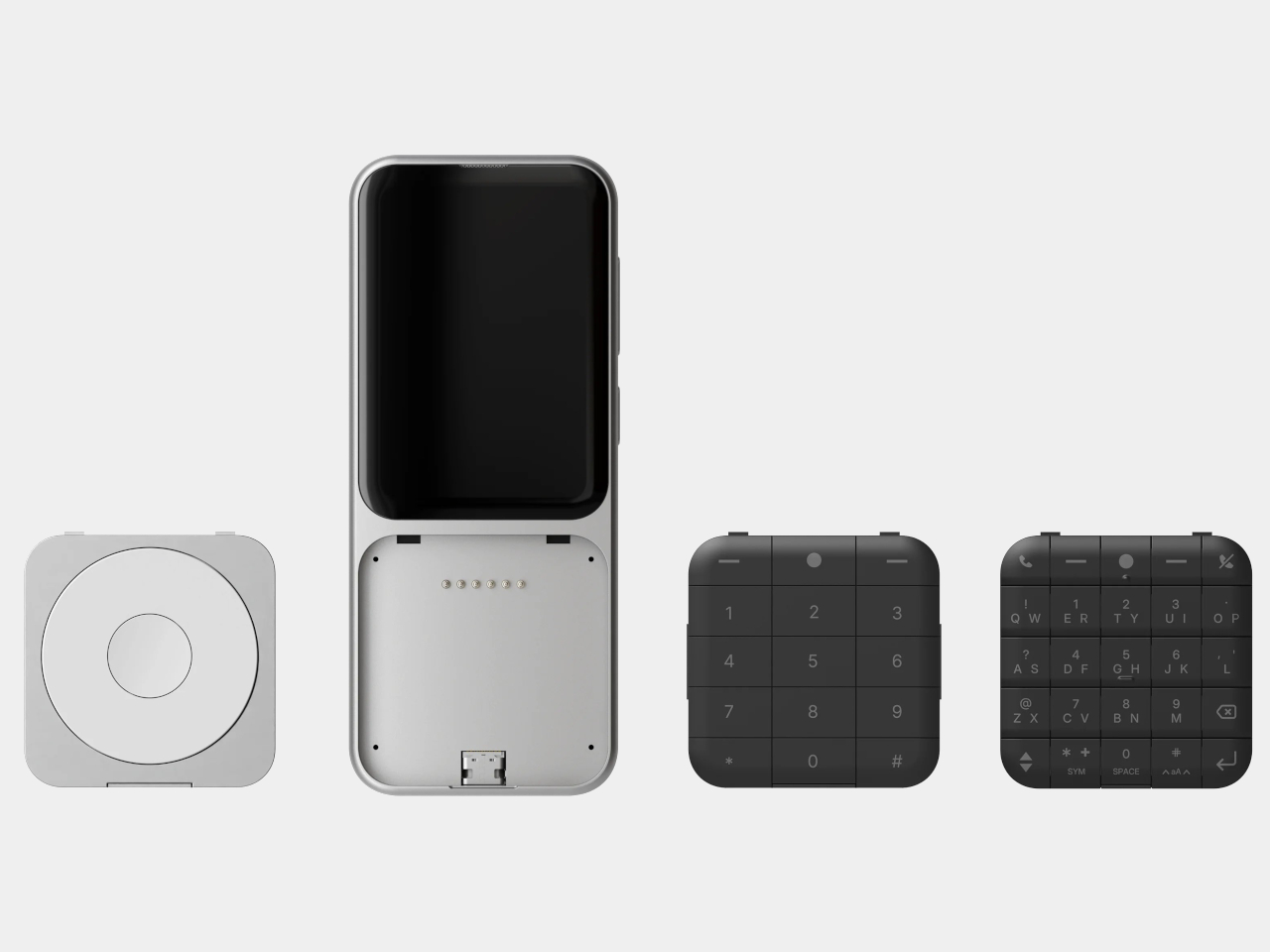
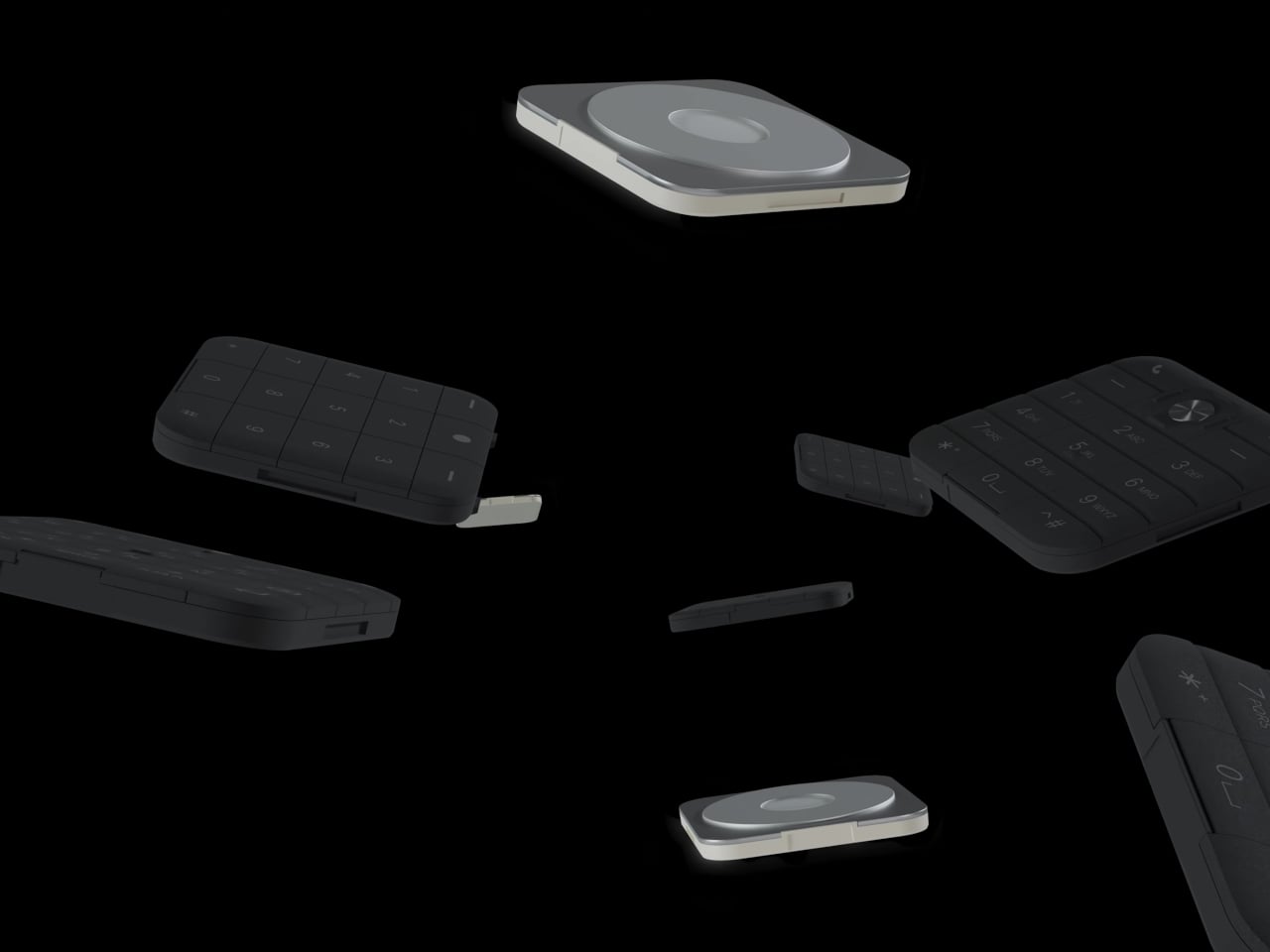
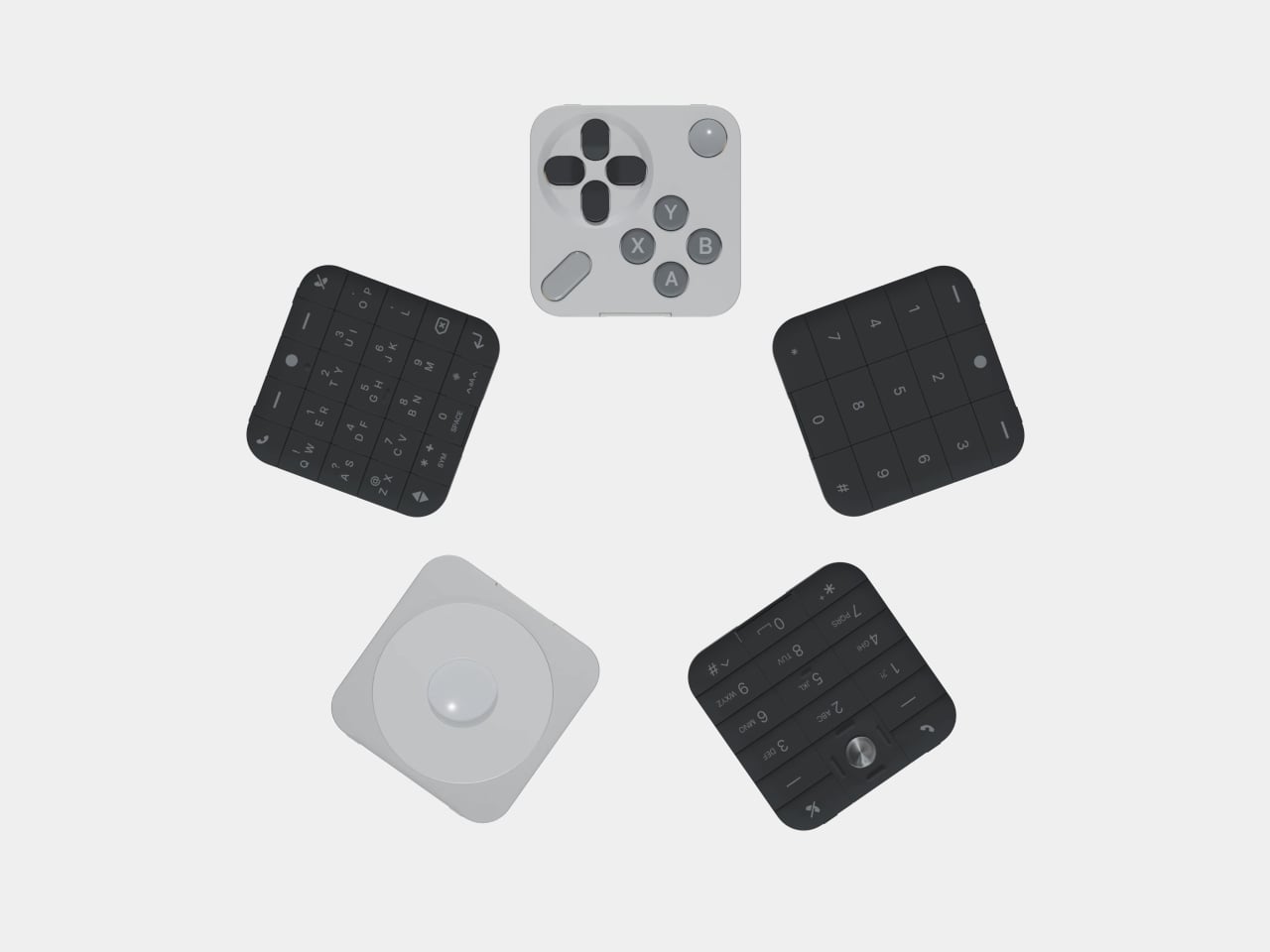
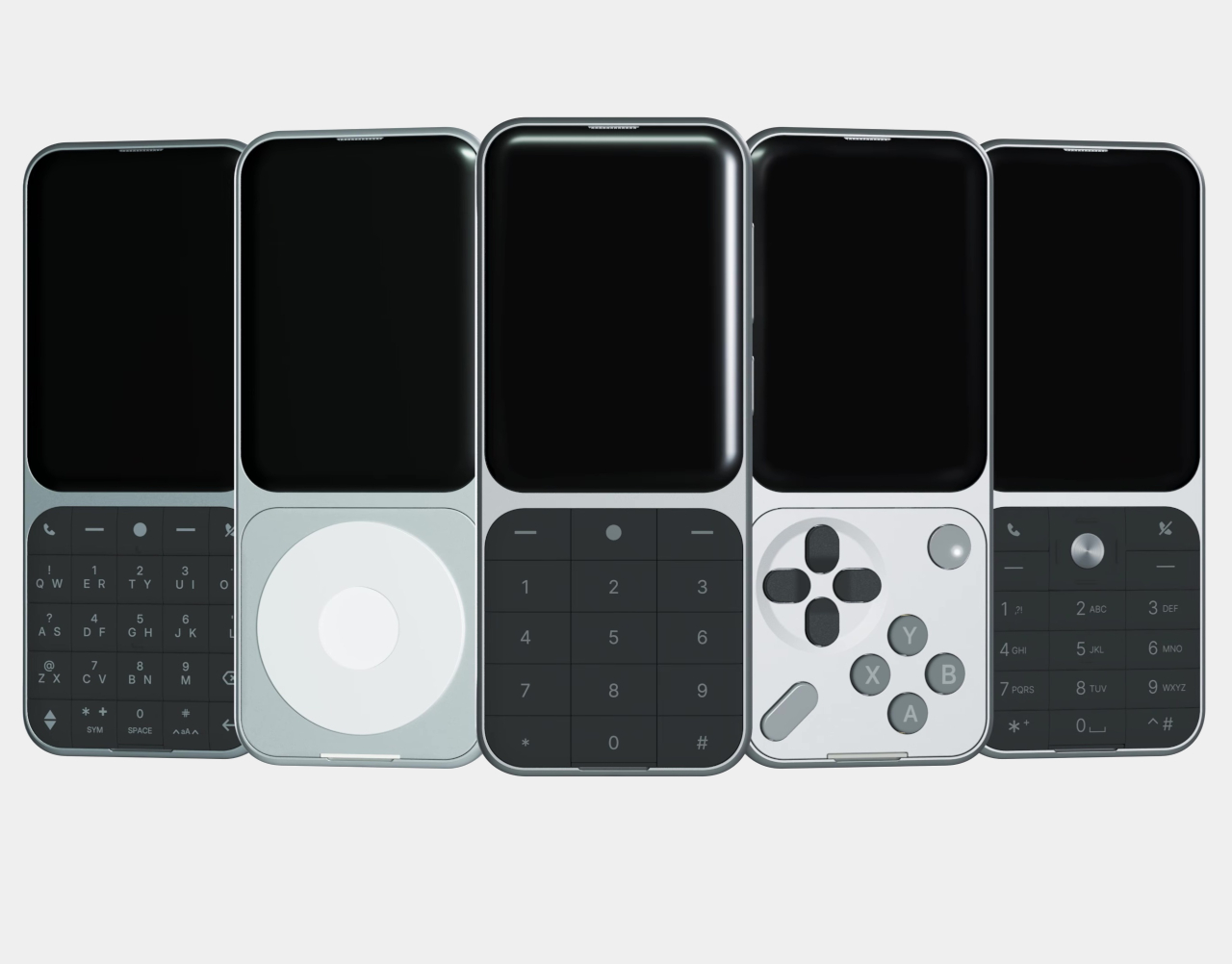
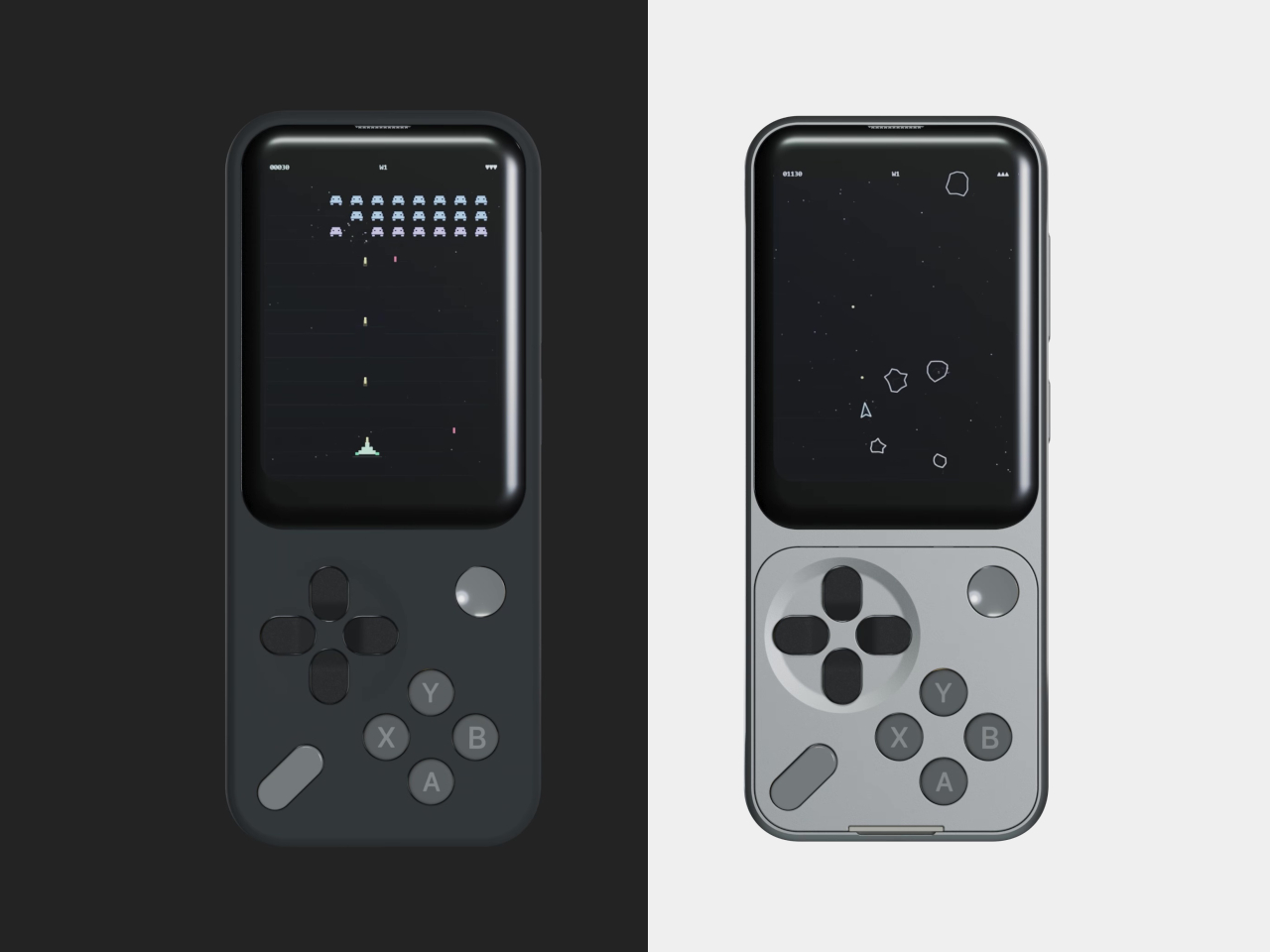
The Sidephone SP-01 has been quietly building a different kind of case for itself since its debut in 2025, not by piling features onto a simple phone but by letting users choose what kind of phone they want through a swappable modular keypad system. The Mini Controller Keypad is the fourth tile to join that family, and it’s the most unexpected one yet.

Designer: Sidephone

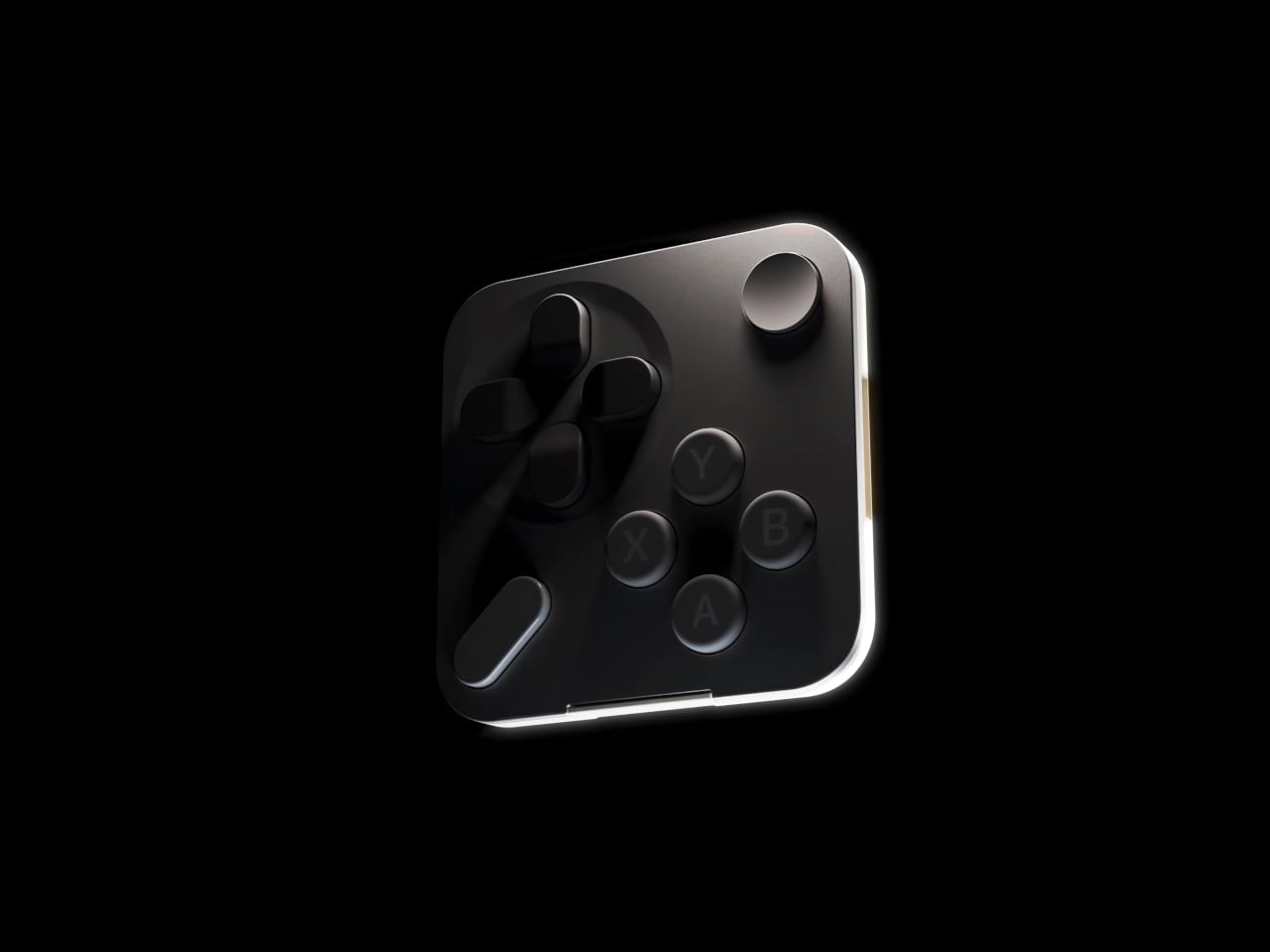
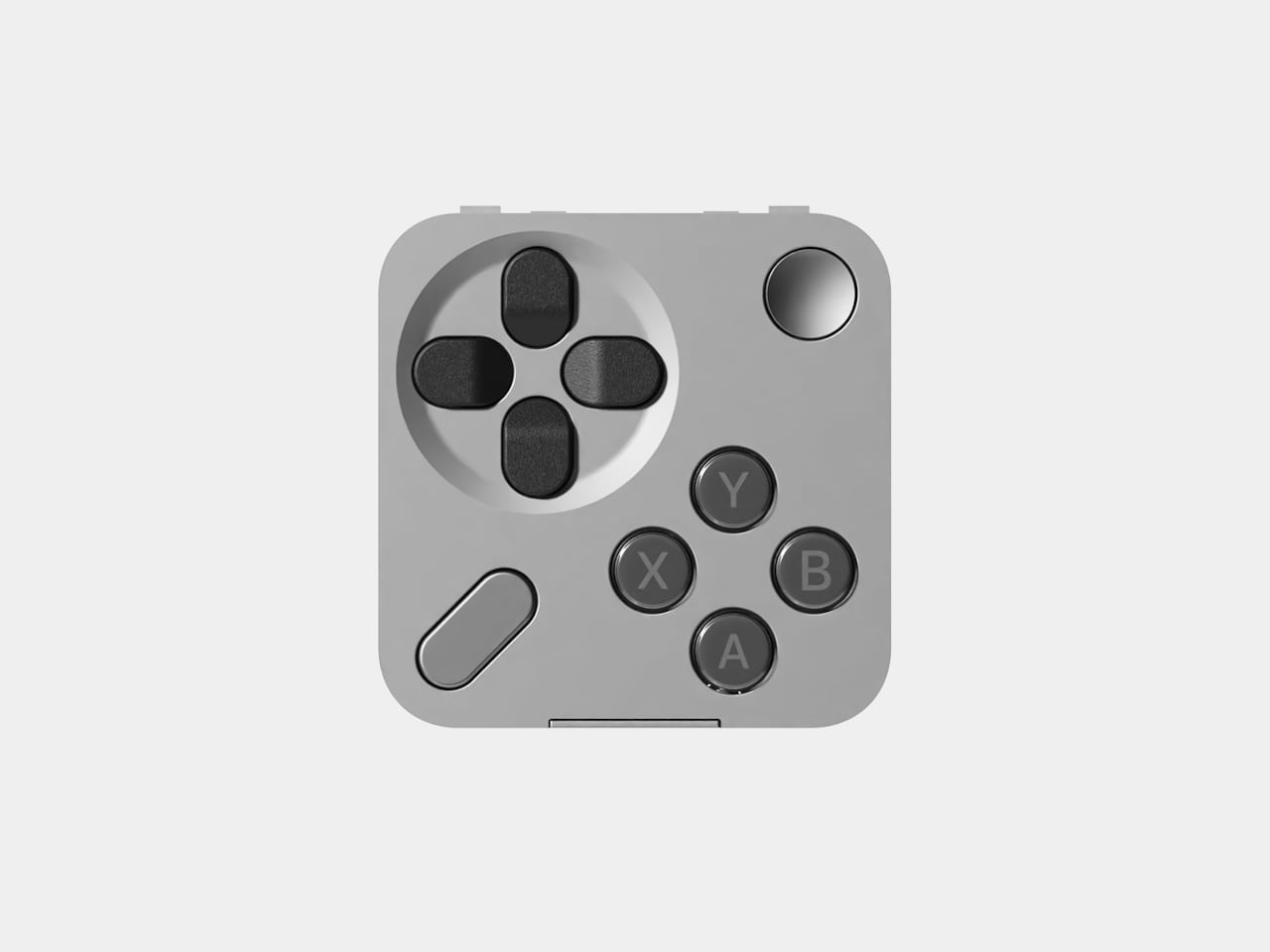
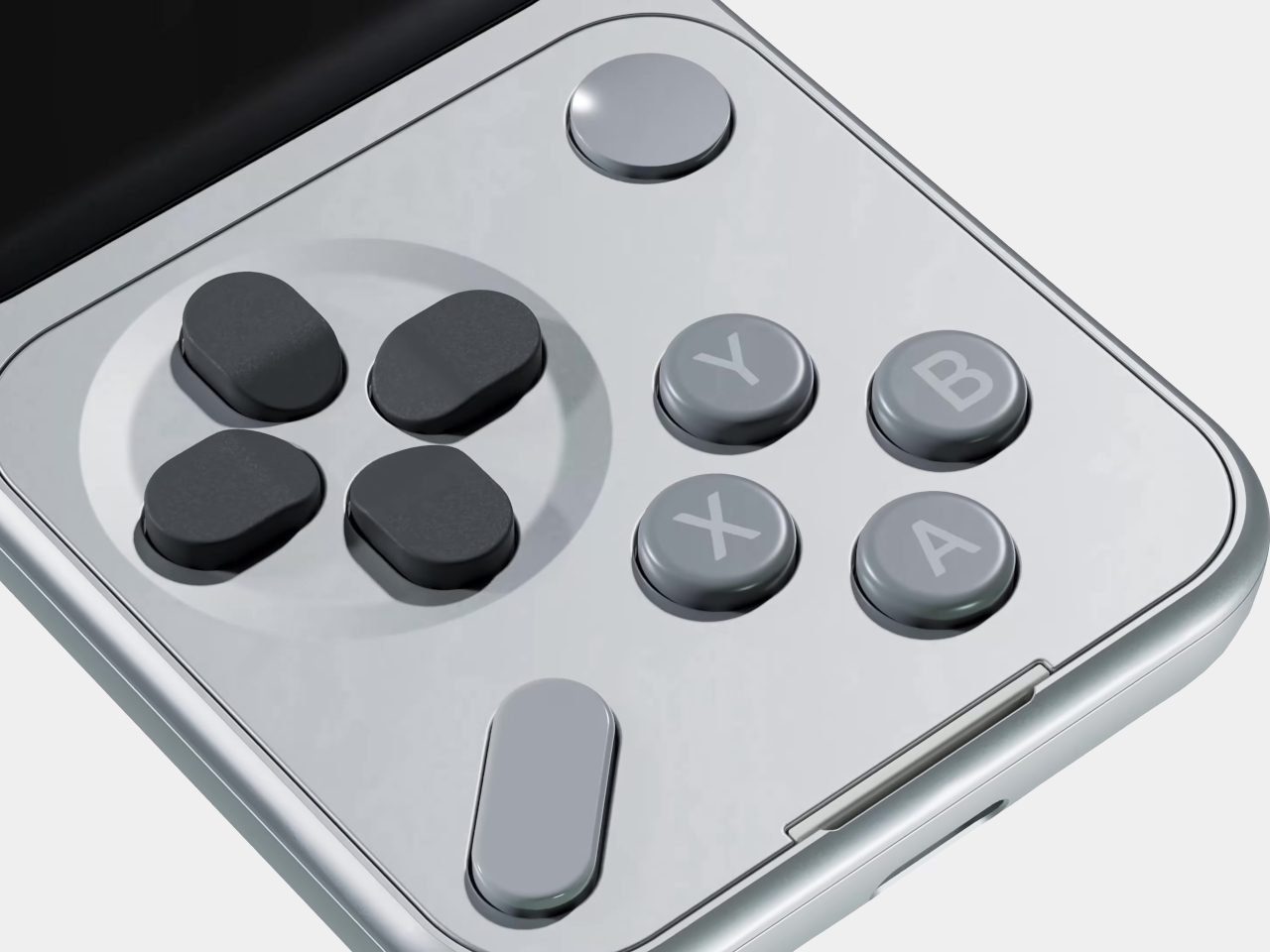
Unlike the T9 pad used for texting or the Sundial’s iPod-wheel-style controls for music, the Mini Controller brings a game controller layout to the front of the phone. It carries a D-pad, A, X, Y, and B action buttons, plus Start and Select, all of which will feel immediately familiar to anyone who has ever held a handheld gaming device. The keypad sells separately for $29, the same price as the other add-on tiles.

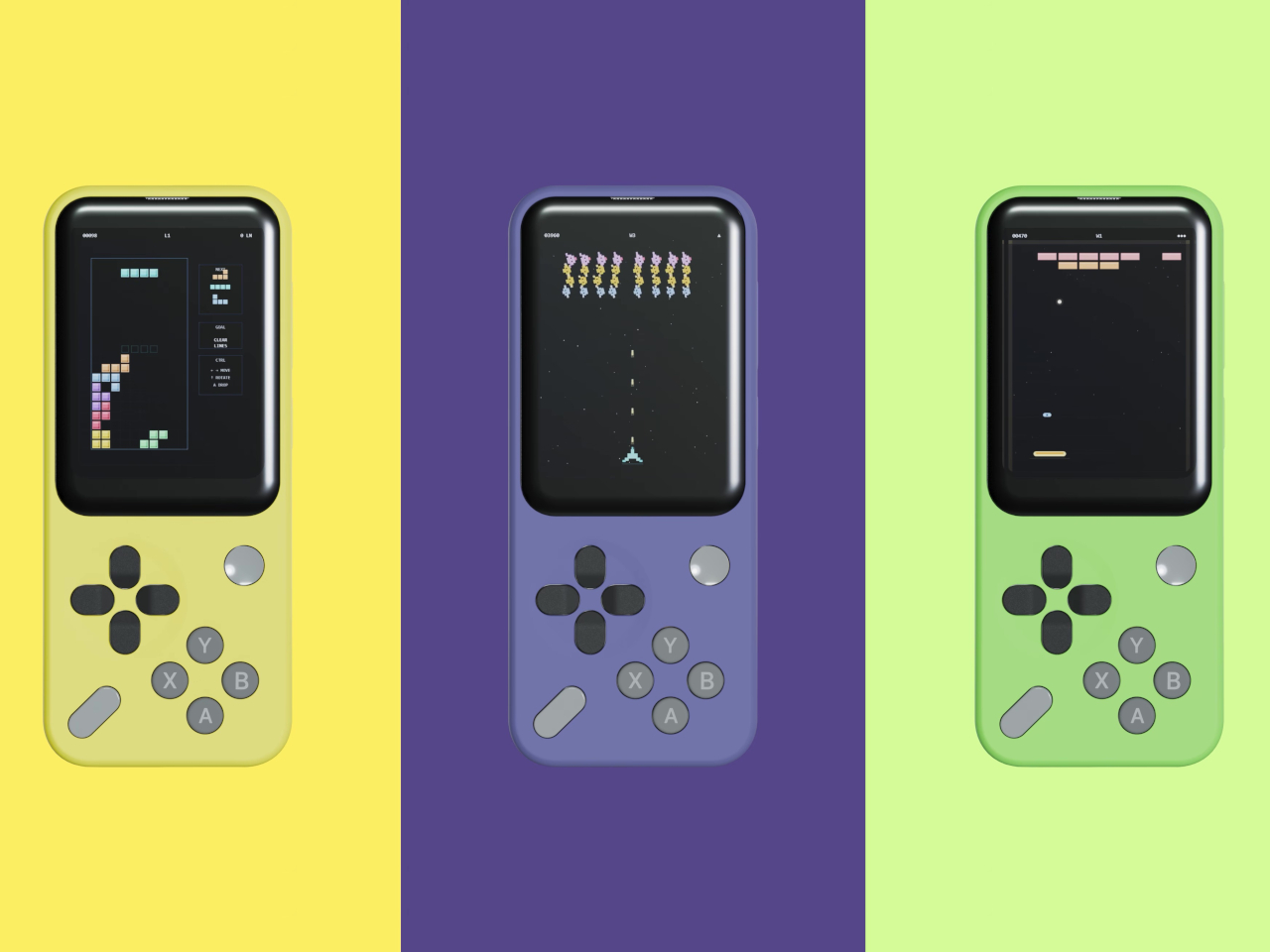
To go with the hardware, Sidephone has developed two mini games that ship alongside the keypad: Mini Asteroids and Mini Blocks. They’re clearly starter content rather than the main event, but they establish that this isn’t just a novelty tile. The company has plans to open a community development environment so that third-party developers can build their own games and apps for the platform, which is when things will likely get more interesting.

What Sidephone has been sketching out goes considerably further. GBA and arcade emulator support has been floated as a longer-term possibility, alongside universal smart remote functionality. If even a portion of that lands, the Mini Controller starts looking like less of a playful add-on and more of a meaningful expansion of what a deliberately simple phone can do on an idle evening.

The whole system rests on the premise that a feature phone doesn’t have to be a featureless object. The SP-01 runs a custom Android-based OS, carries a 2.8-inch touchscreen and a 12 MP camera, and supports essential apps without dragging in the full weight of a smartphone’s notification ecosystem. The swappable keypad system, which uses pogo-pin connectors and magnets to click tiles into place, is what allows the device to shift personalities without requiring a hardware upgrade.

The Mini Controller sits alongside a growing family of tiles that now spans T9 dialing, compact QWERTY typing, scroll-wheel media control, and controller-style gaming. What started as a phone built around the premise of doing less has turned into a modular platform that keeps finding new things to do, each one contained in a $29 tile that snaps onto the same core hardware.

The post This $249 Phone Becomes a Game Console With One $29 Snap-On Tile first appeared on Yanko Design.

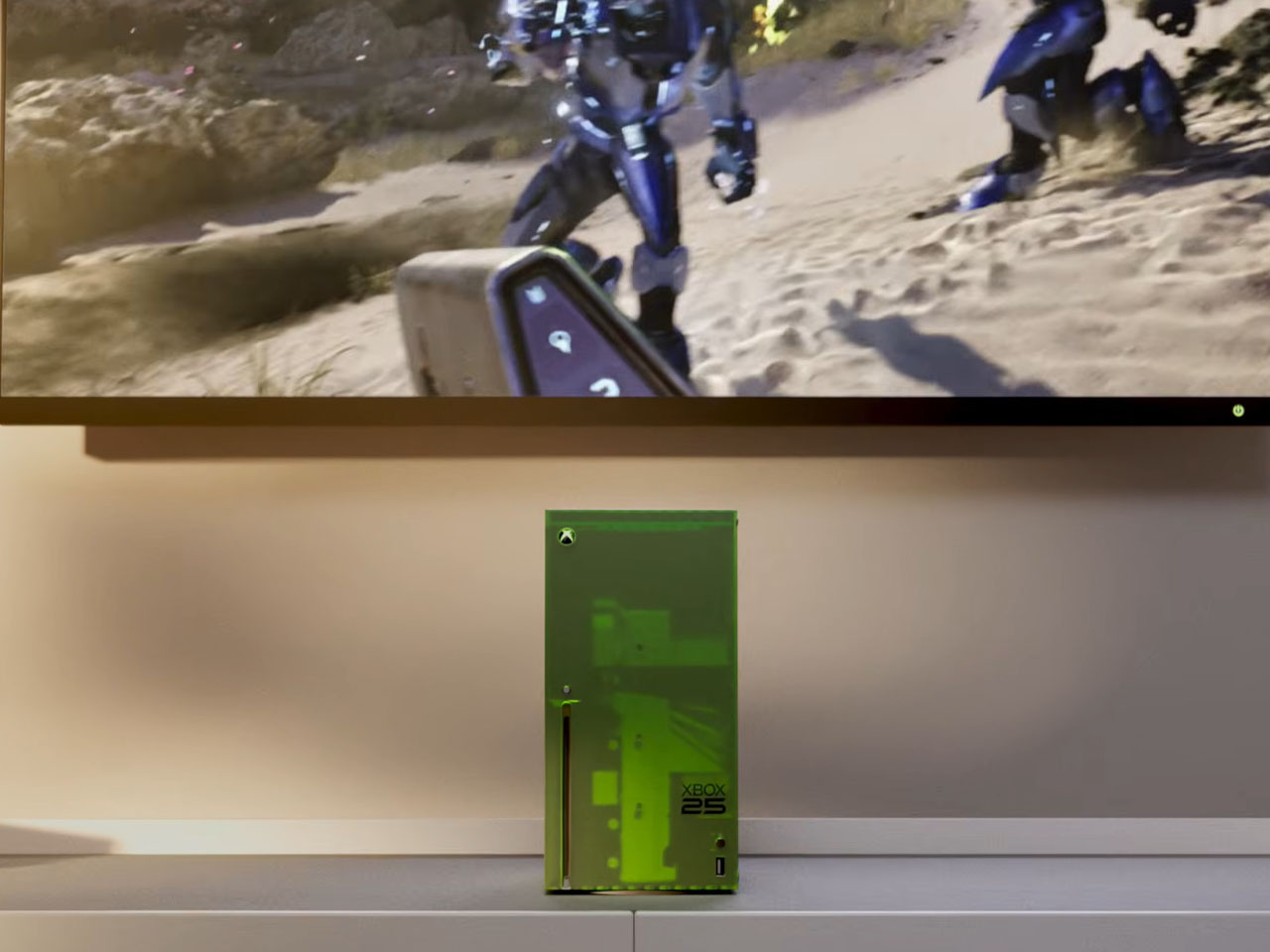
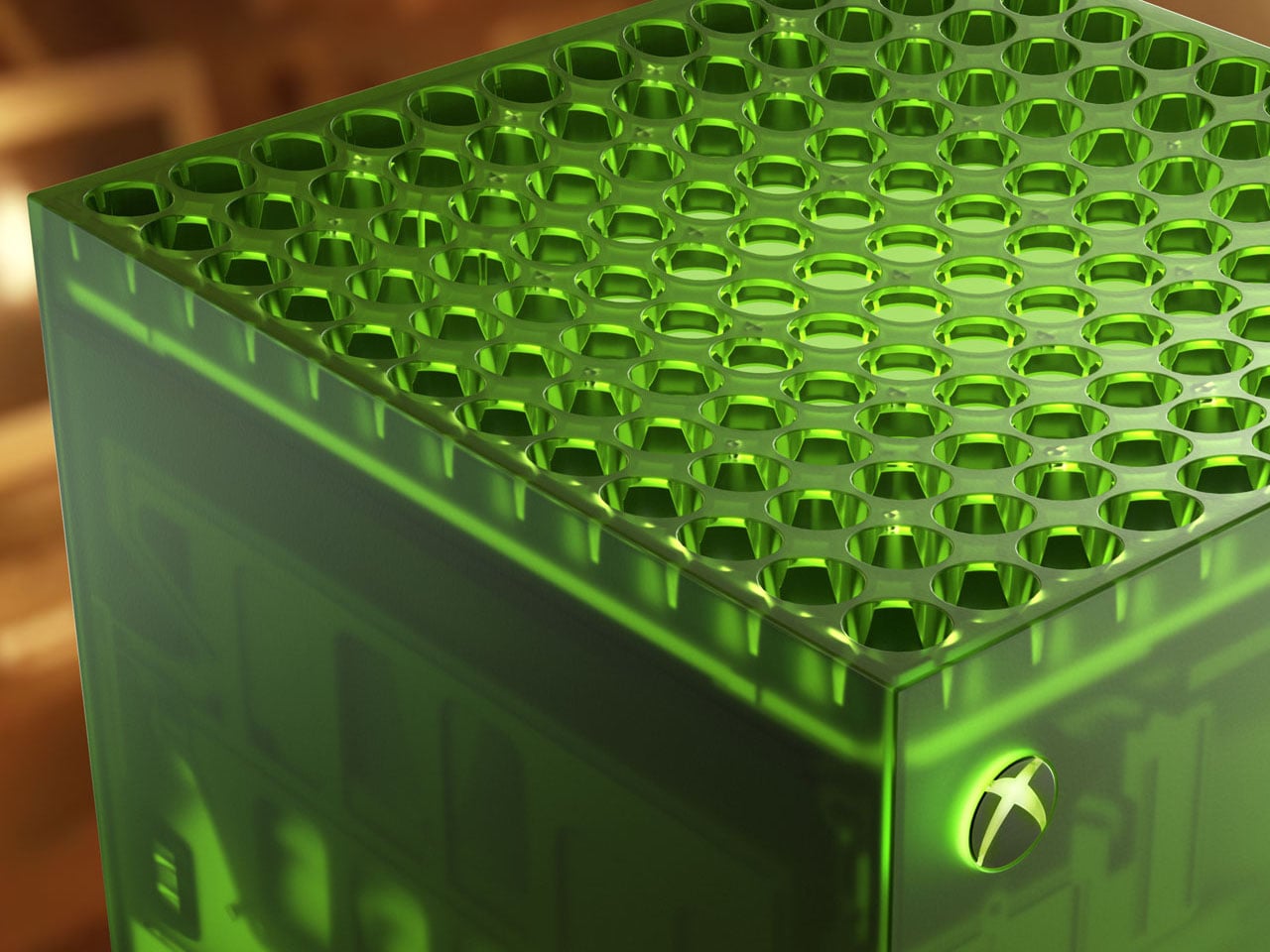
Xbox Series X25 Limited Edition celebrates brand’s 25 years of nostalgic gaming

Xbox limited edition makes are nothing uncommon, as Microsoft often delves into collaborations for some really interesting themed consoles and controllers. The gaming brand just turned 25 this year, and Microsoft isn’t going to let go of the opportunity to amaze fans.

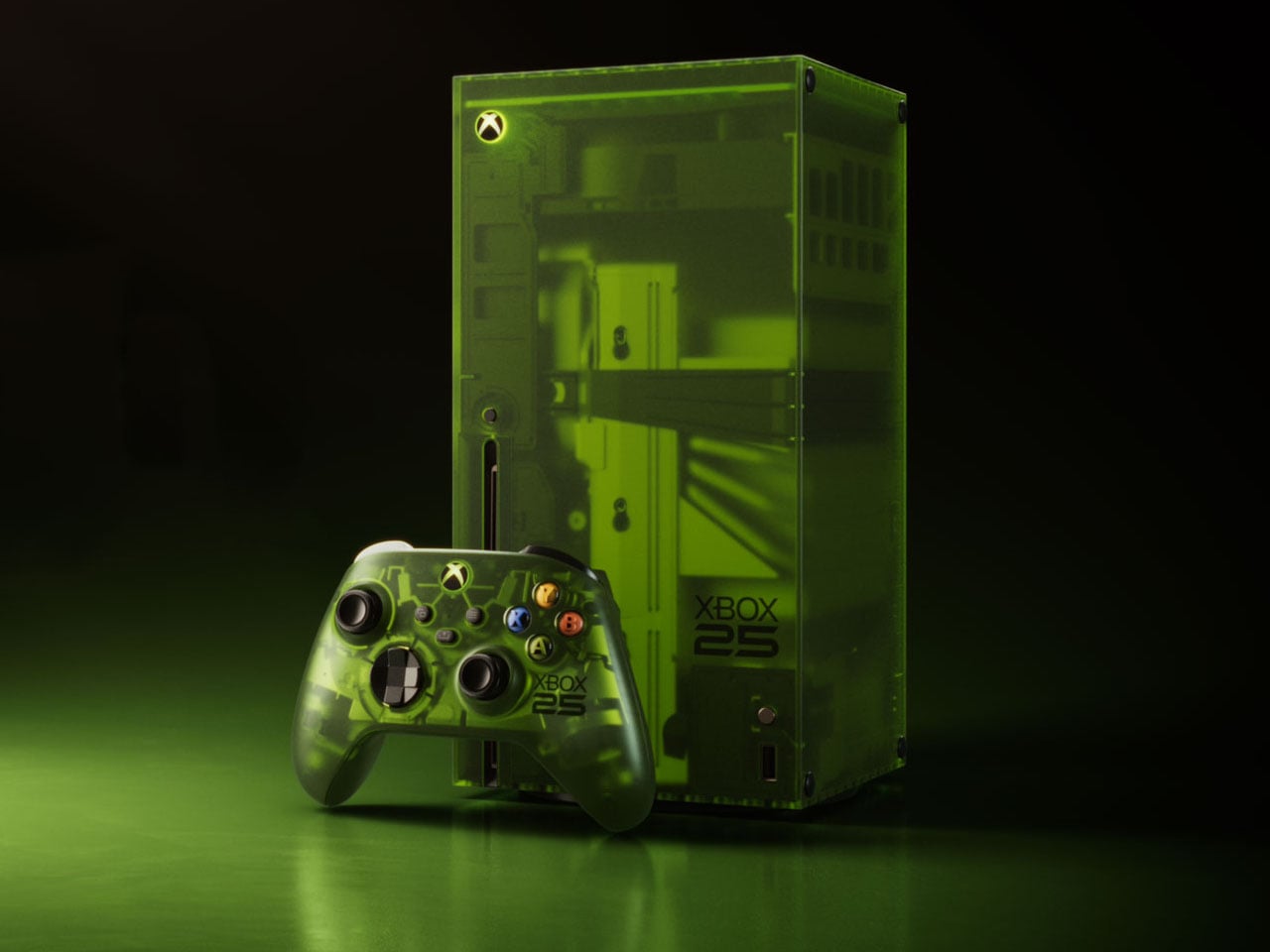
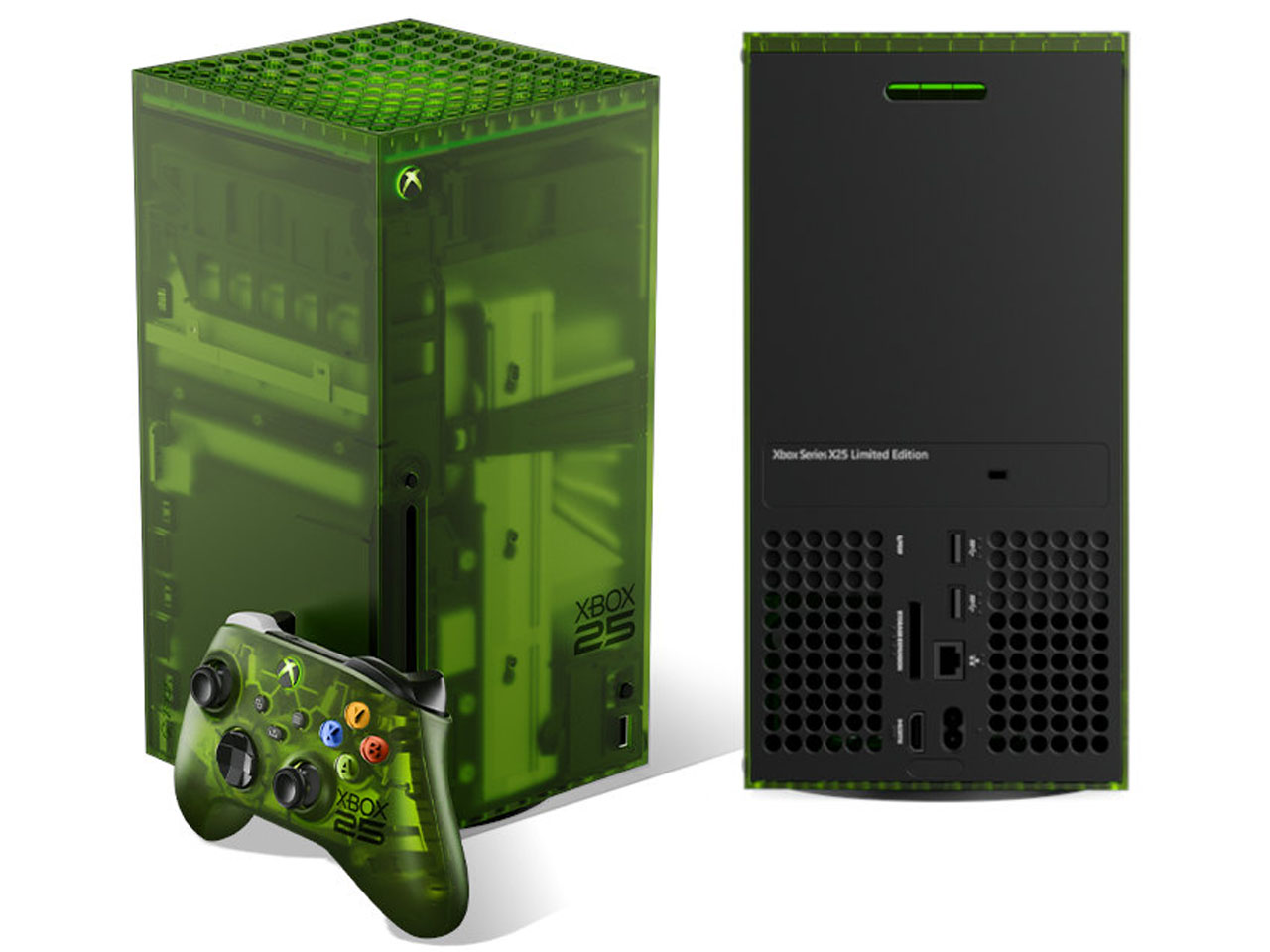
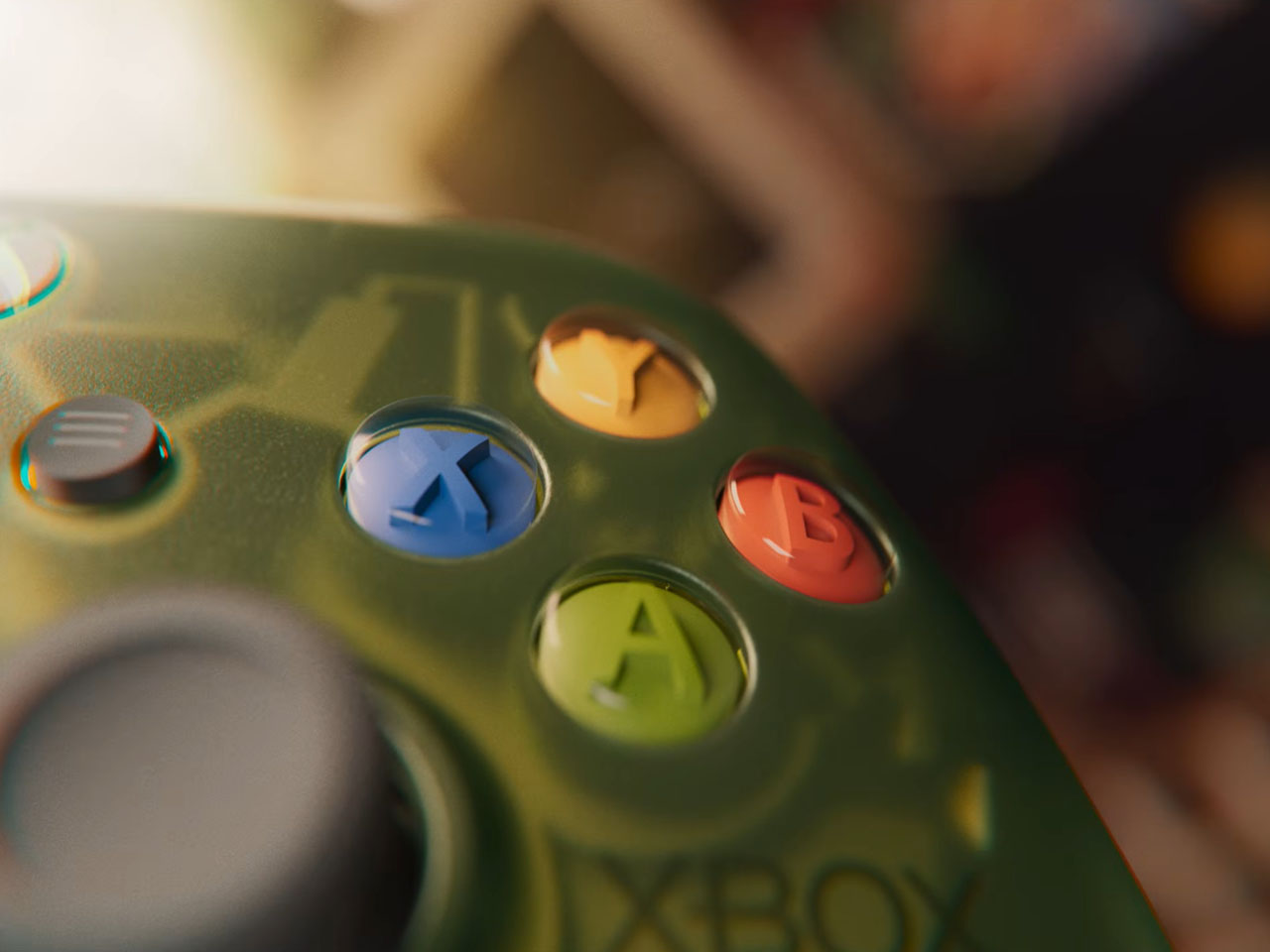
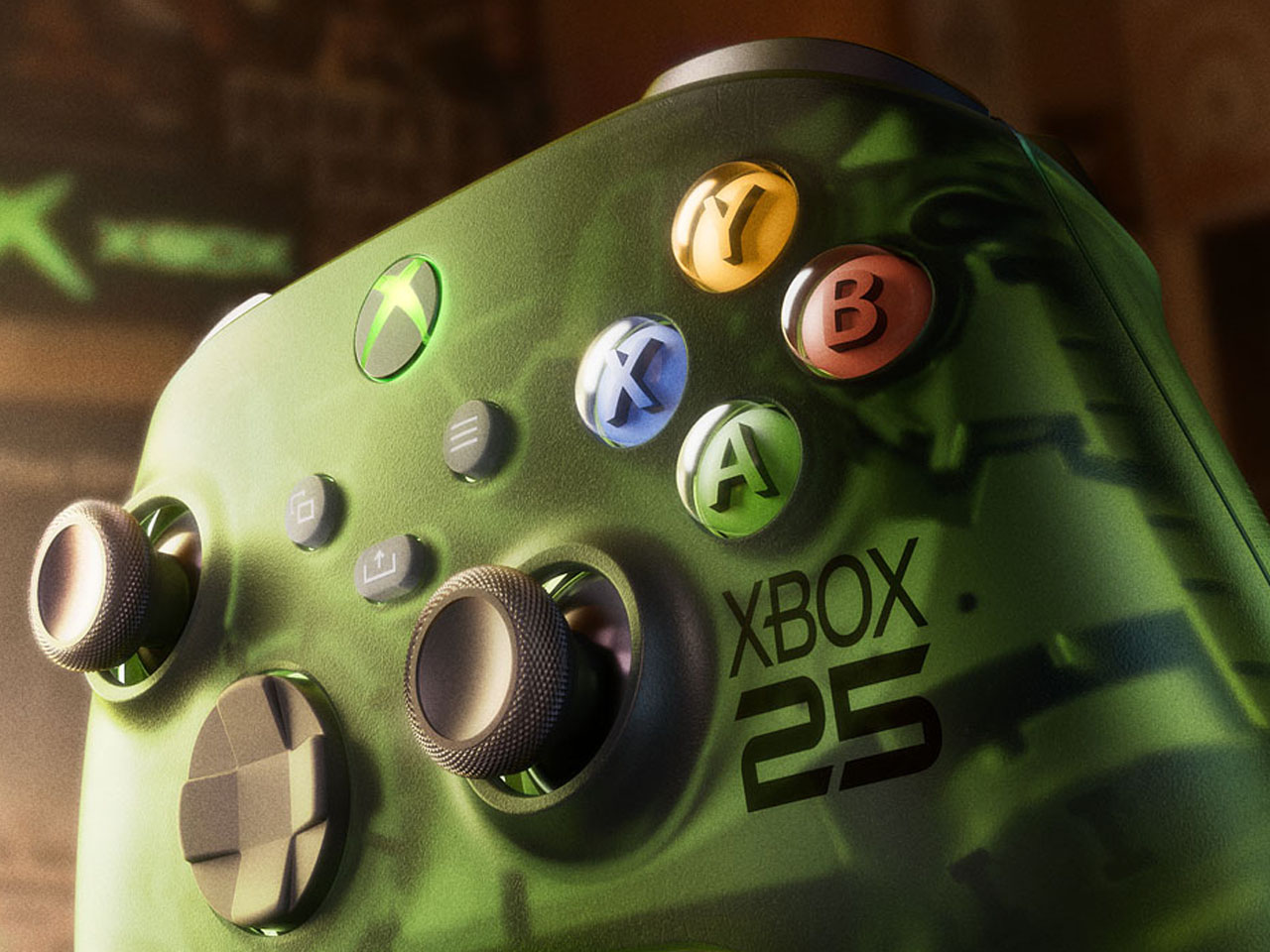
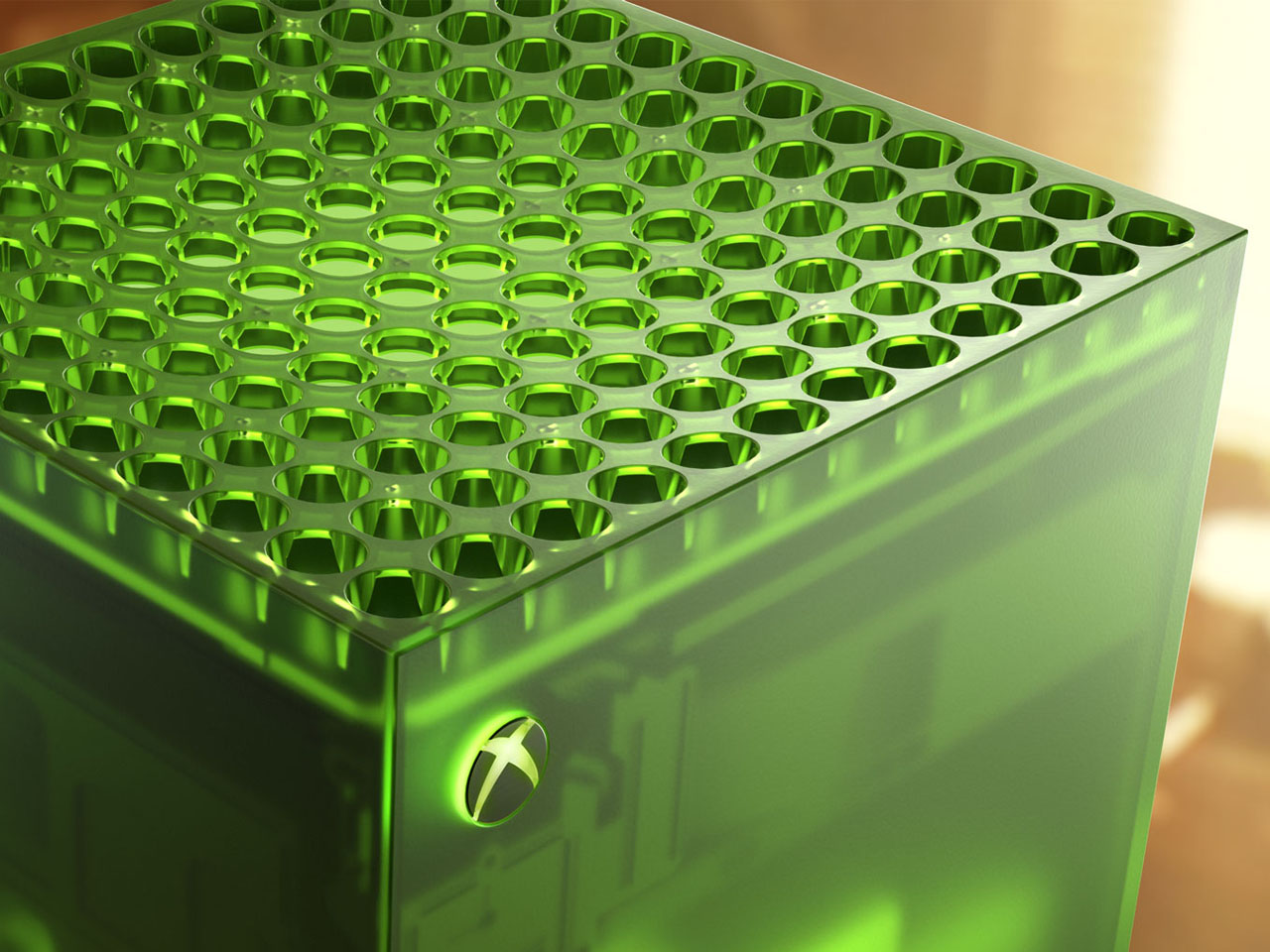
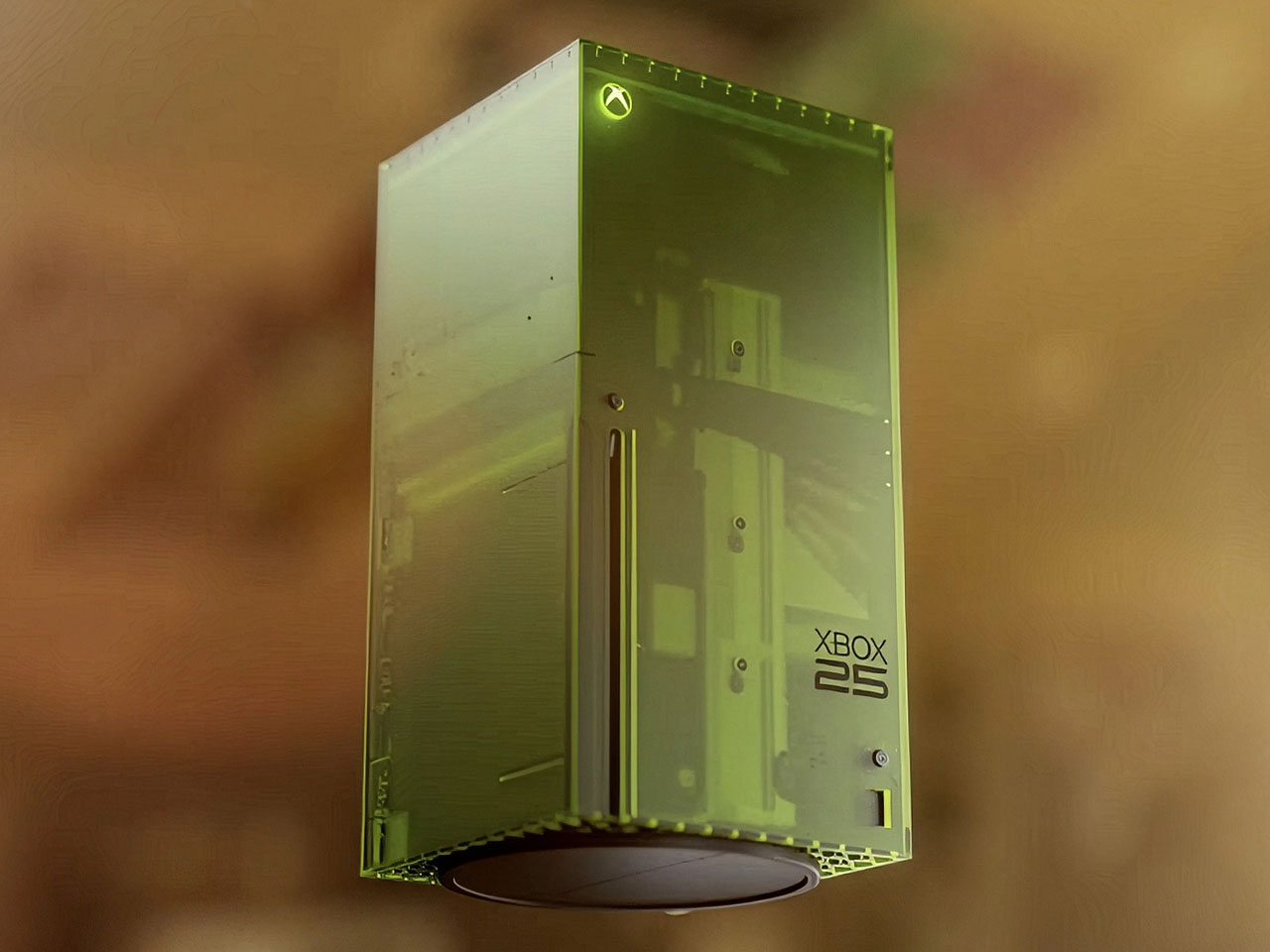
This is the limited edition Xbox 25th Anniversary Collection specifically designed to celebrate the quarter-century of Microsoft’s gaming brand. The special themed console and controller remember the platform’s historical development right from the time it came to the shelves, and also pays gratitude to its dedicated community of gamers.

Designer: Microsoft

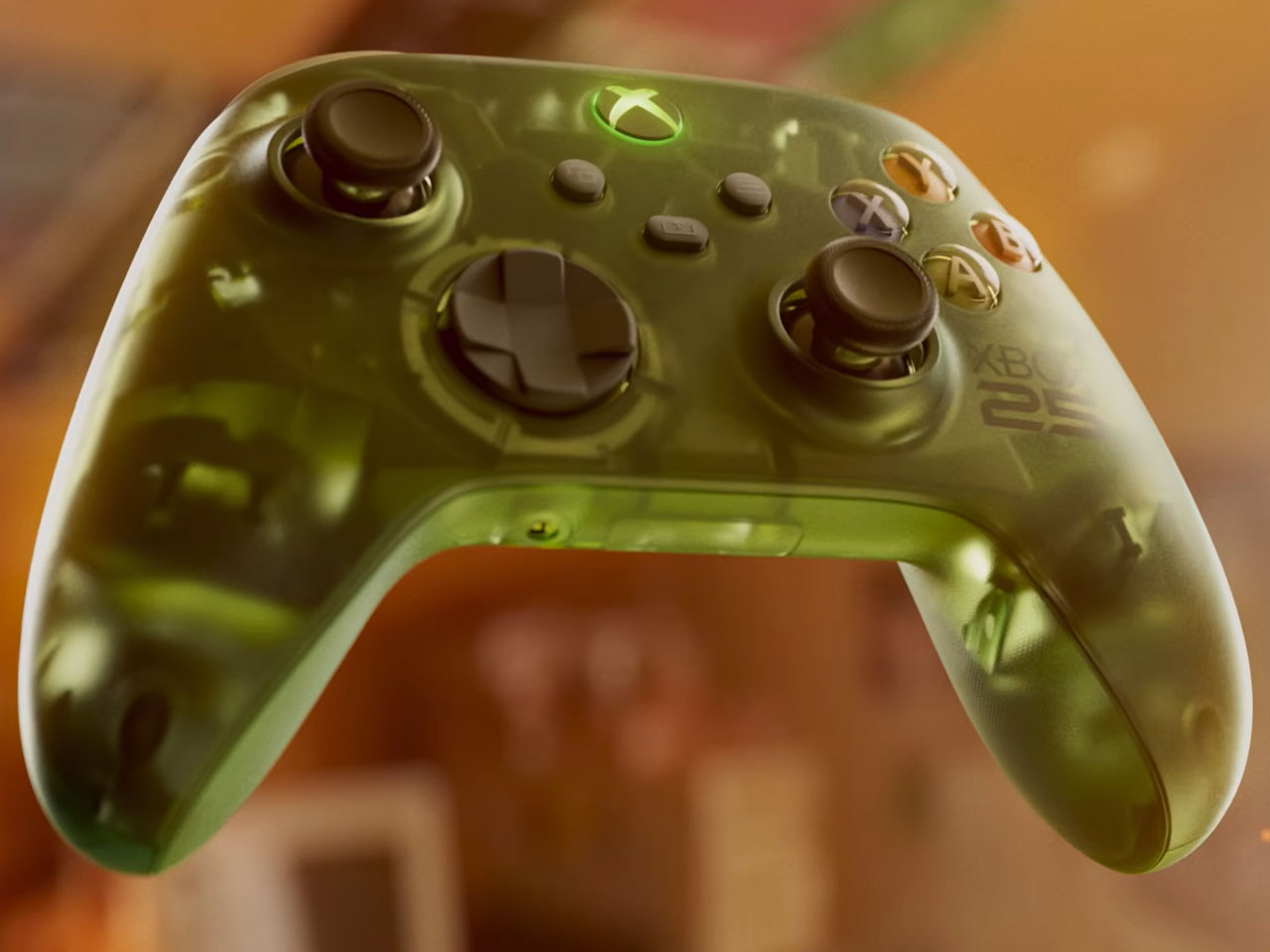
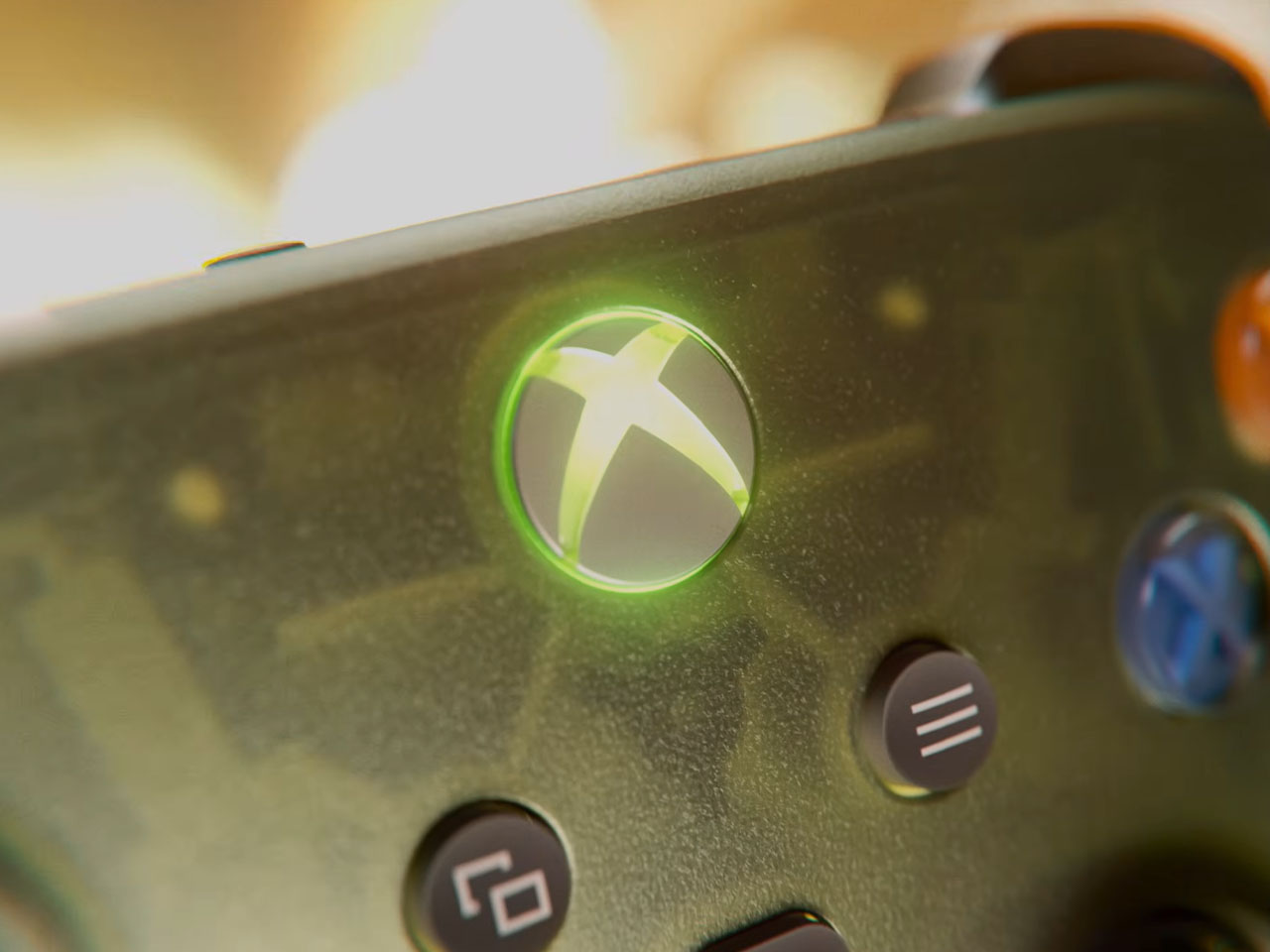
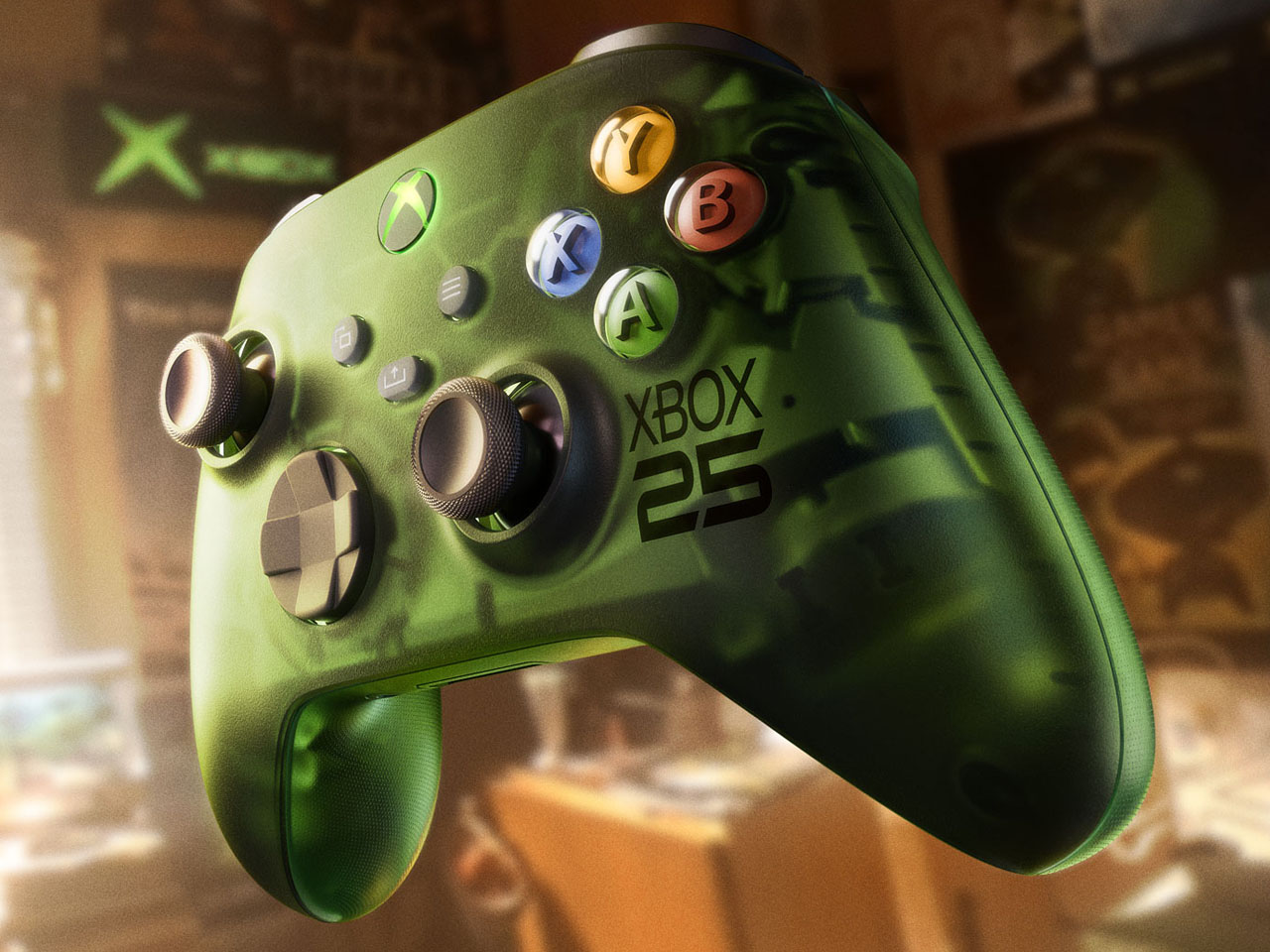
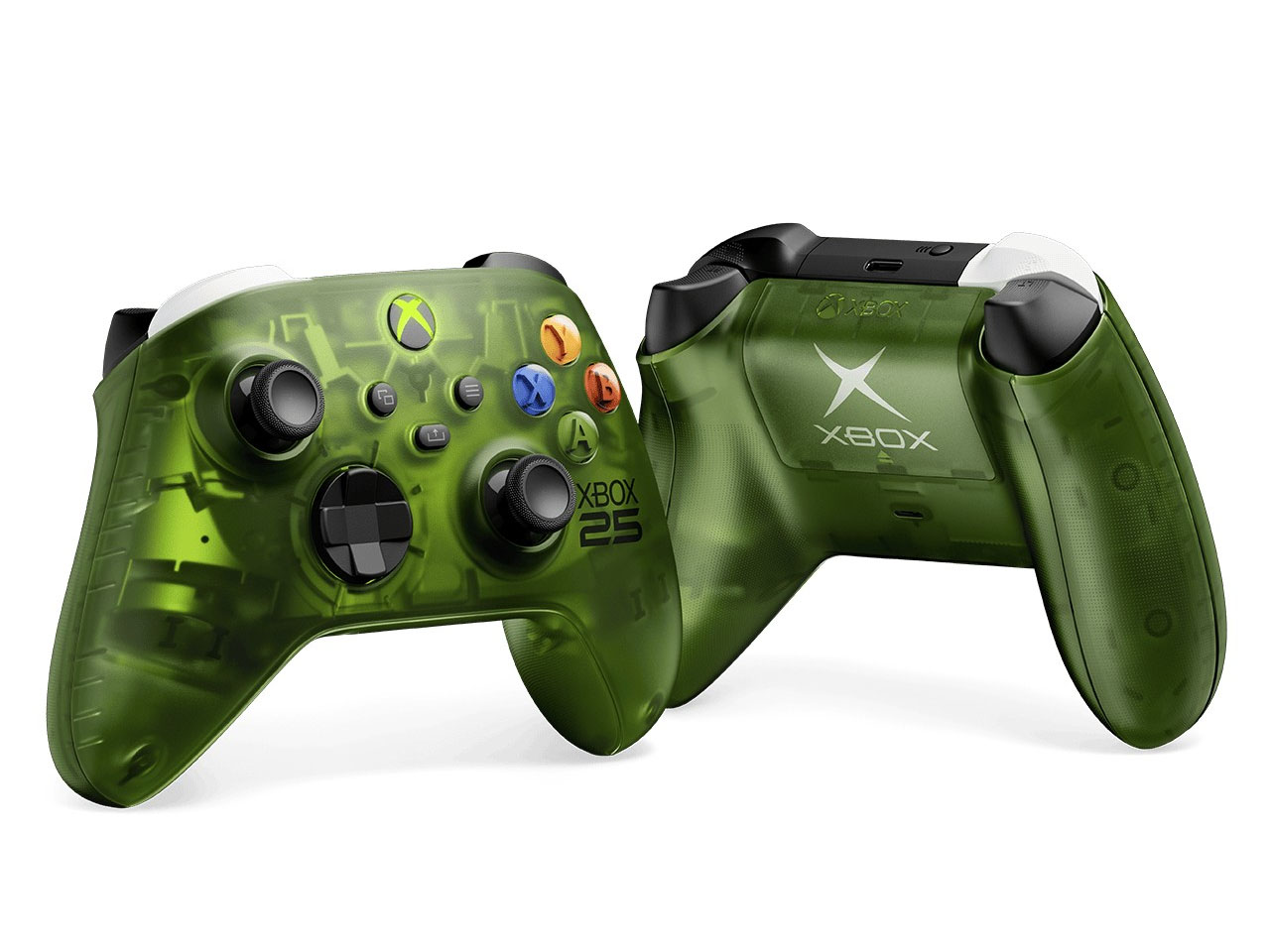
Since we are talking about the highly nostalgic element, the limited-edition creation is draped in the OG Green translucent theme. If you are an avid Xbox fan, that reminds me of the aesthetic worn by the original 2001 Xbox console. The fused hues of the outer shell are absolute dope, both on the console and the controller, while the backplate gets the more traditional black make. Apparently, this is the first time Microsoft has gone for the translucent treatment for the chassis on any current-generation console models. I’m glad they did, because the thing looks so magnetic.


According to Jason Ronald, VP Next Generation, “The XBOX Series X25 Limited Edition respects our history, with the power and performance of the XBOX Series X, including 1TB of storage, and a design that reflects where we’ve been and the community that’s been with us along the way.” Both the console and the controller are etched with the “Xbox 25” anniversary logo on the front. That is complemented by the “X” button that turns green as soon as the console is switched on.

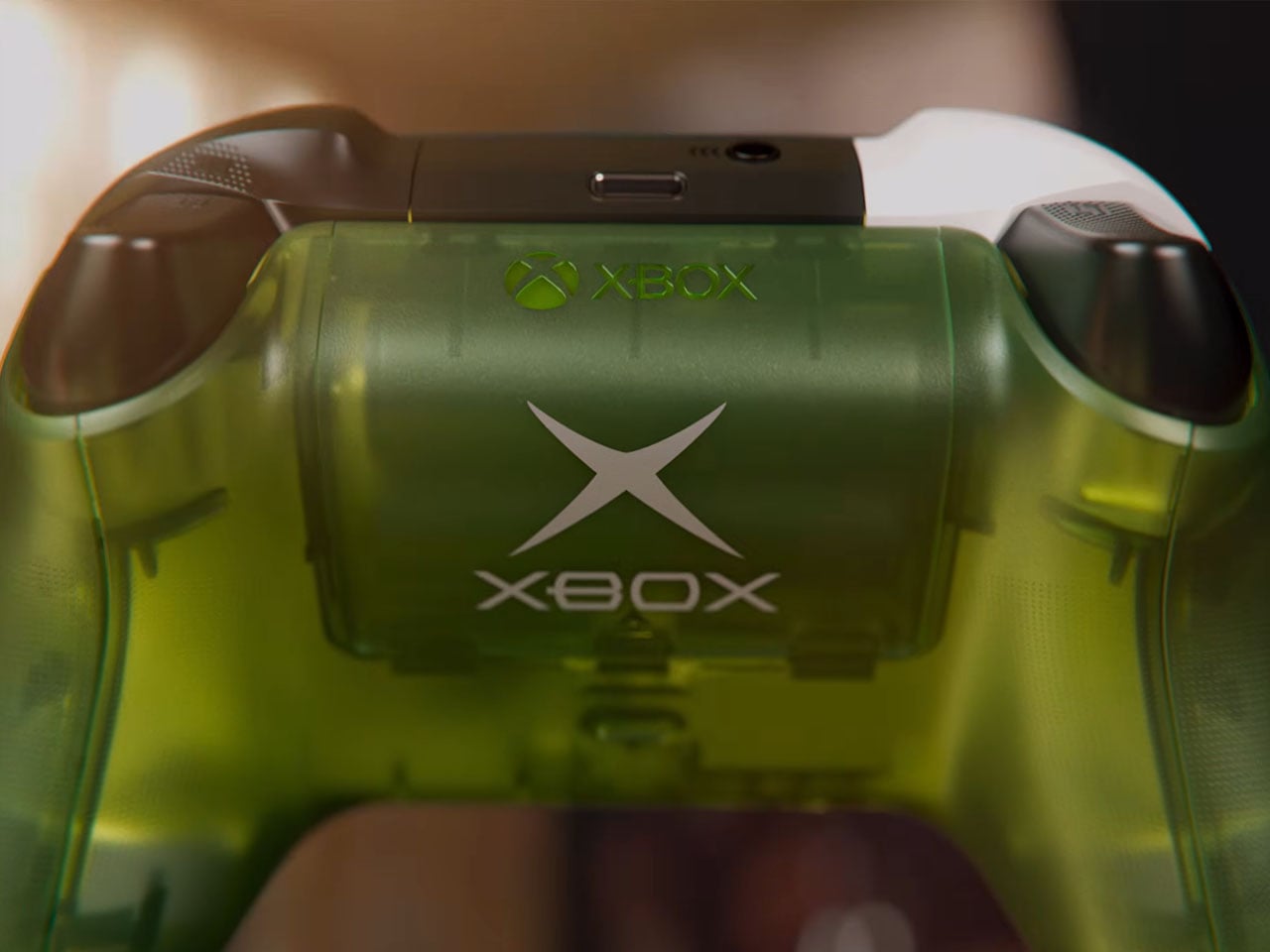
The controller comes with the original ABXY colors for the buttons, and the bumpers on the gamepad are black and white to go with the classic theme of the Duke controller. The translucent goodness flows to the rear, where the back case and the battery panel reveal the Xbox logo. That said, the texture feel and the ergonomic grip are more comparable to the current generation gamepads. Ronald added that there will be some “hidden surprises throughout” to keep things interesting for lucky owners.

Microsoft hasn’t detailed anything about the pricing of the special edition Xbox console, but it’ll be within bounds, I guess. Availability, though, is hinted at for select markets as a special edition collection in November. Those who fail to buy the collection can grab the XBOX Wireless Controller X25 Special Edition standalone as well, but that’s also a limited Edition offering.

The post Xbox Series X25 Limited Edition celebrates brand’s 25 years of nostalgic gaming first appeared on Yanko Design.

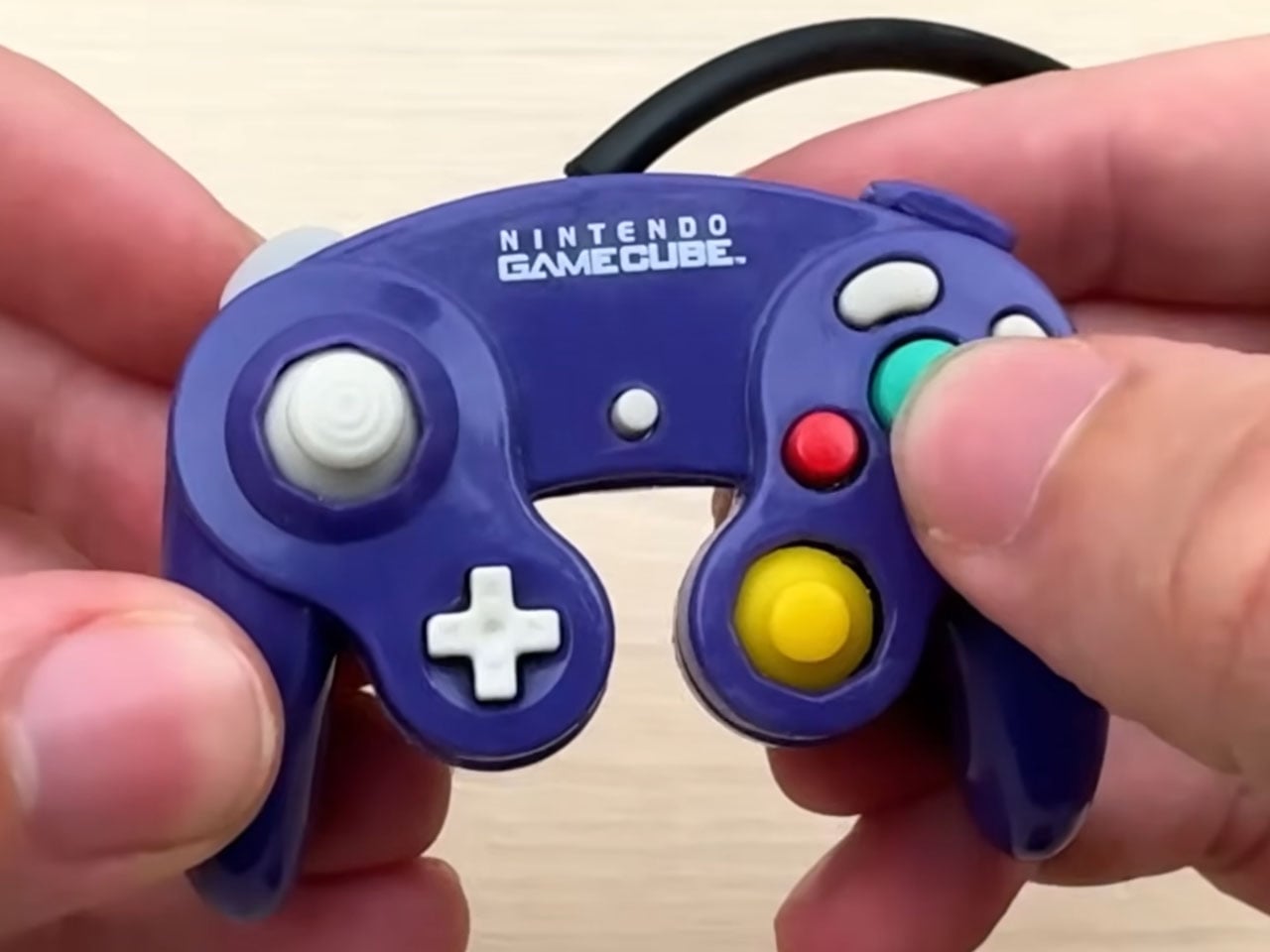
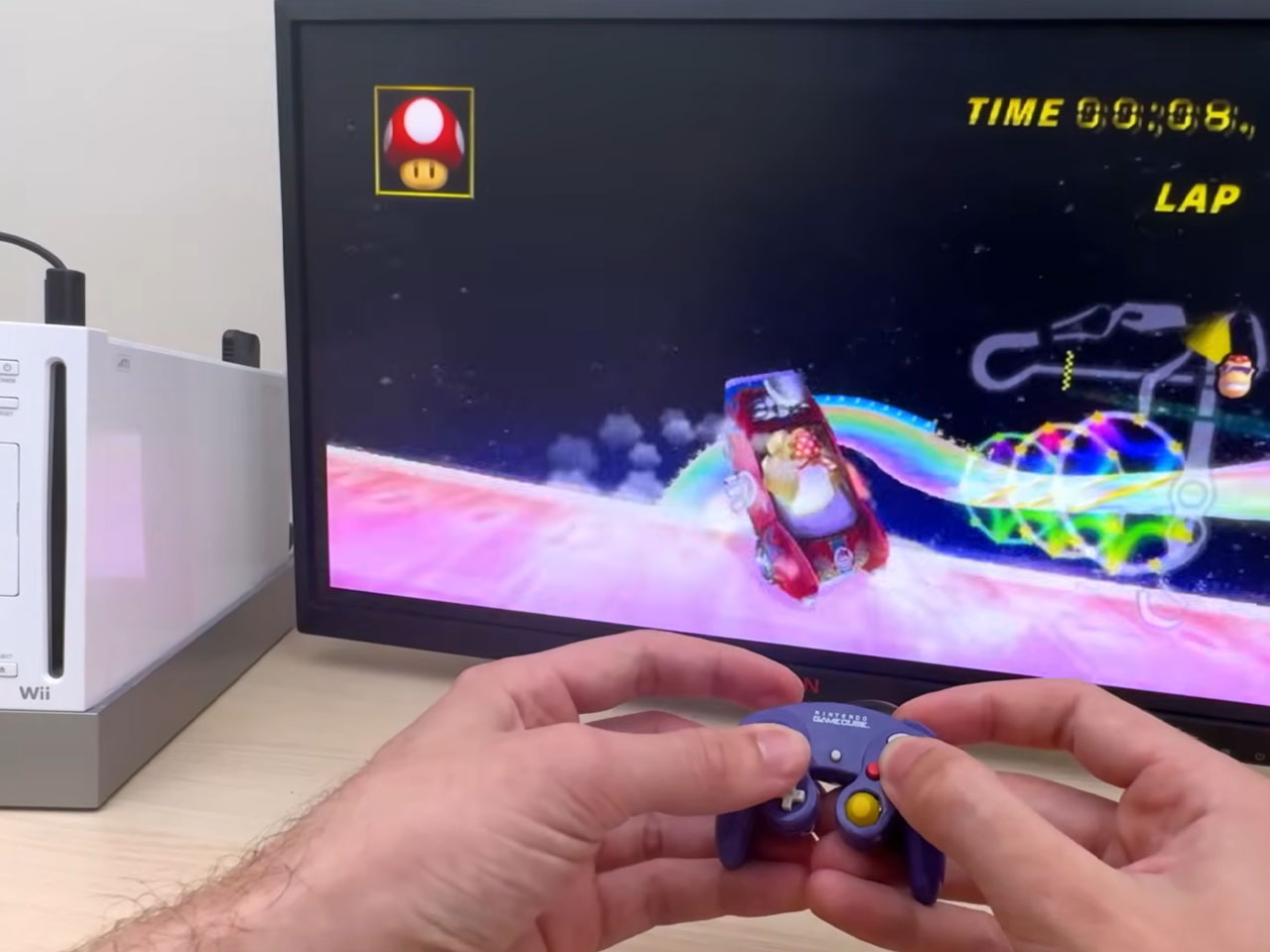
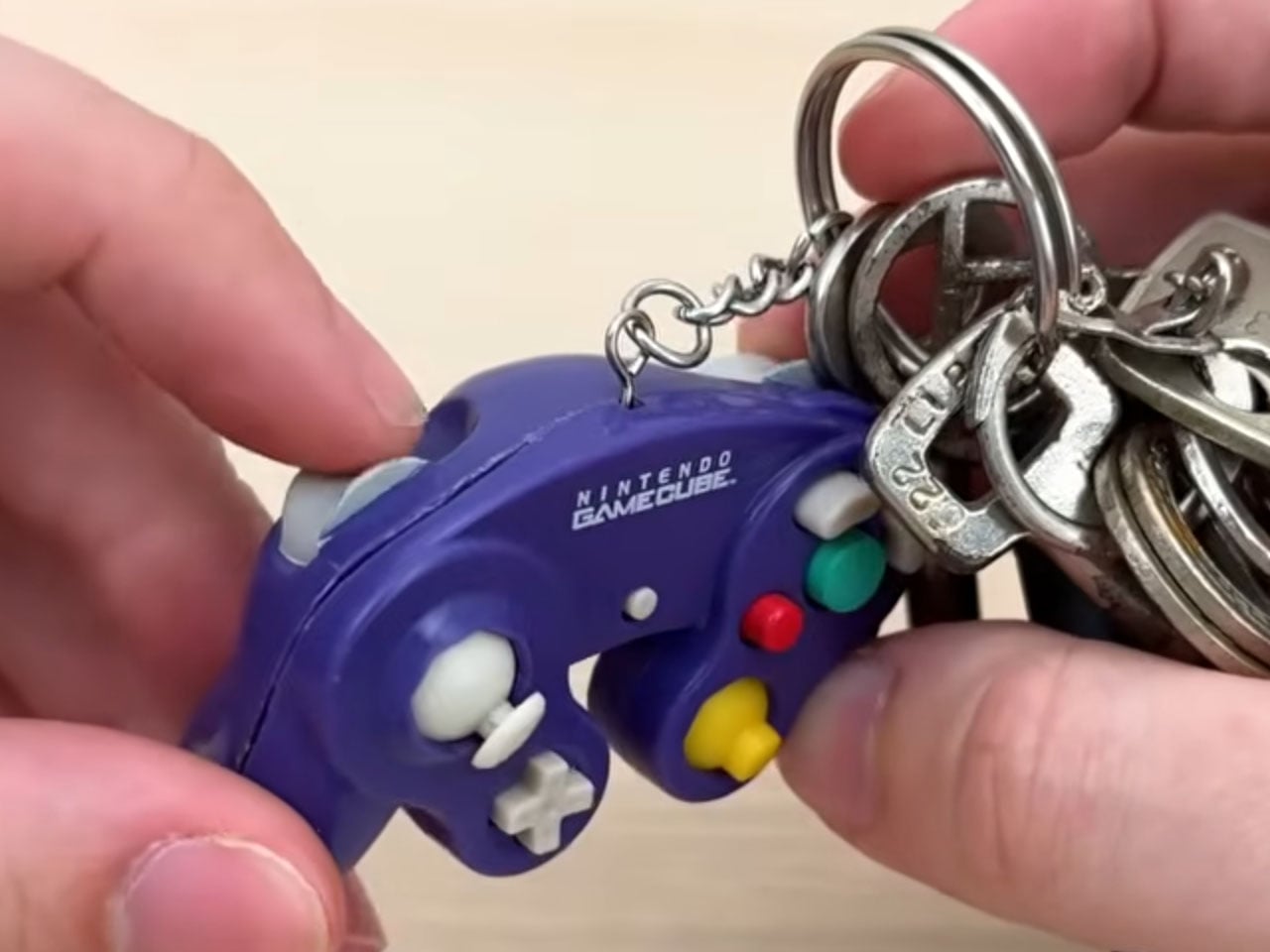
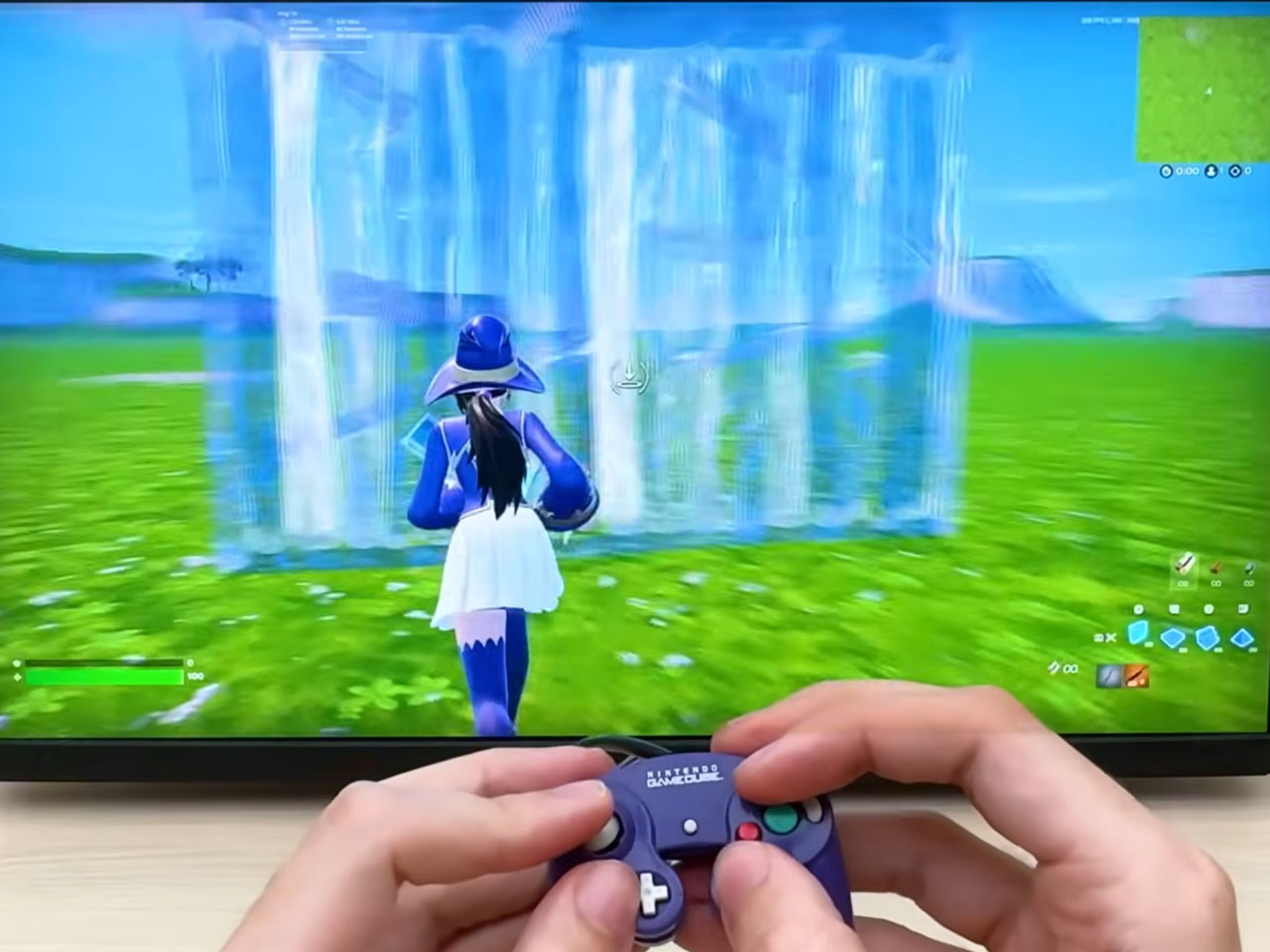
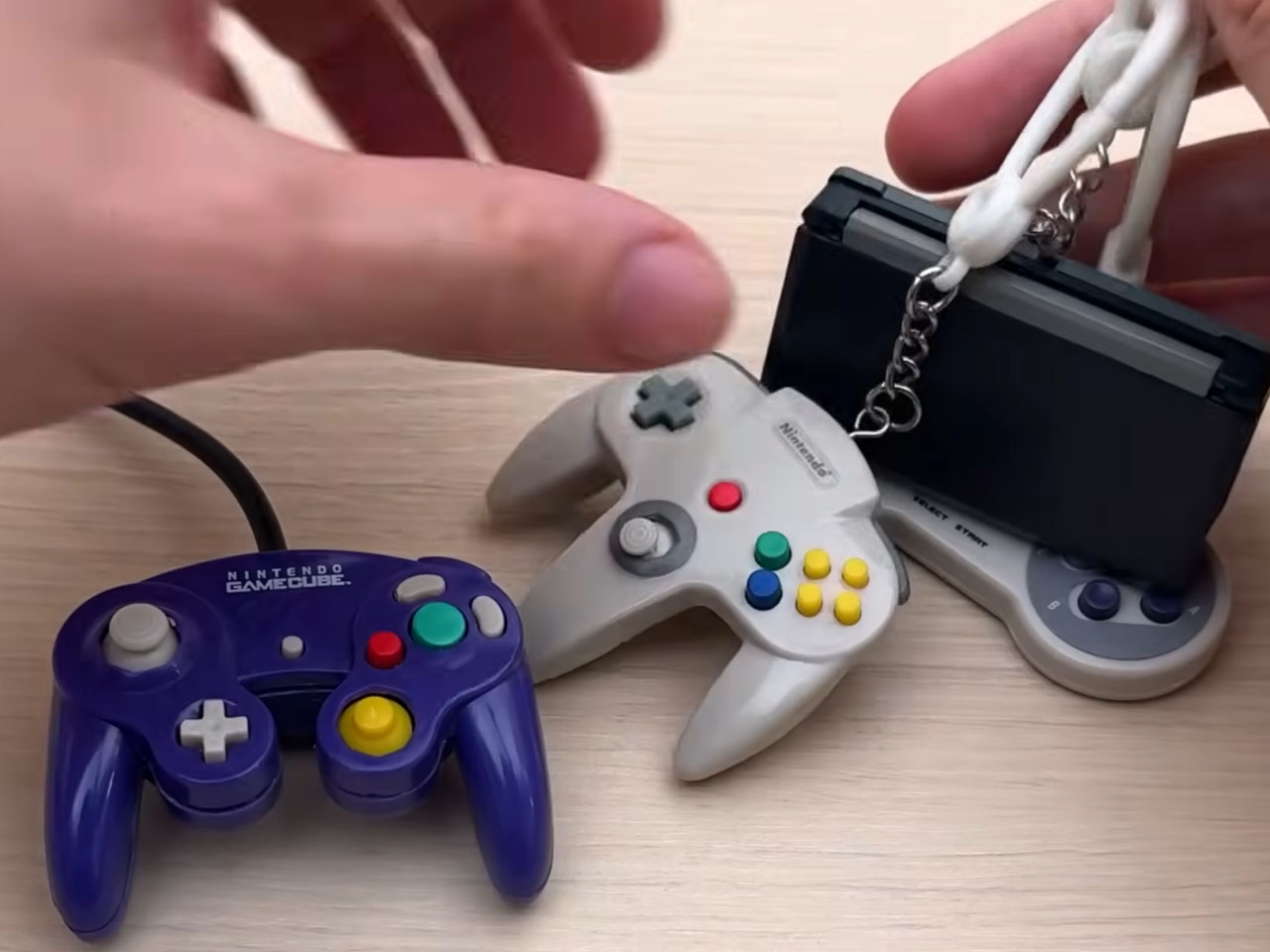
DIYer turns tiny GameCube keychain into a fully-functional controller

Controllers come in all shapes and sizes, depending on the gamers’ needs, and most importantly, their holding comfort. Things get really interesting as a lot of big tech companies invest a lot of effort in designing a one-size-fits-all controller, which holds good for long gaming sessions. While most controllers are more or less the same size, there’s always that element of curiosity for accessories that are radically different from the standard proportions.

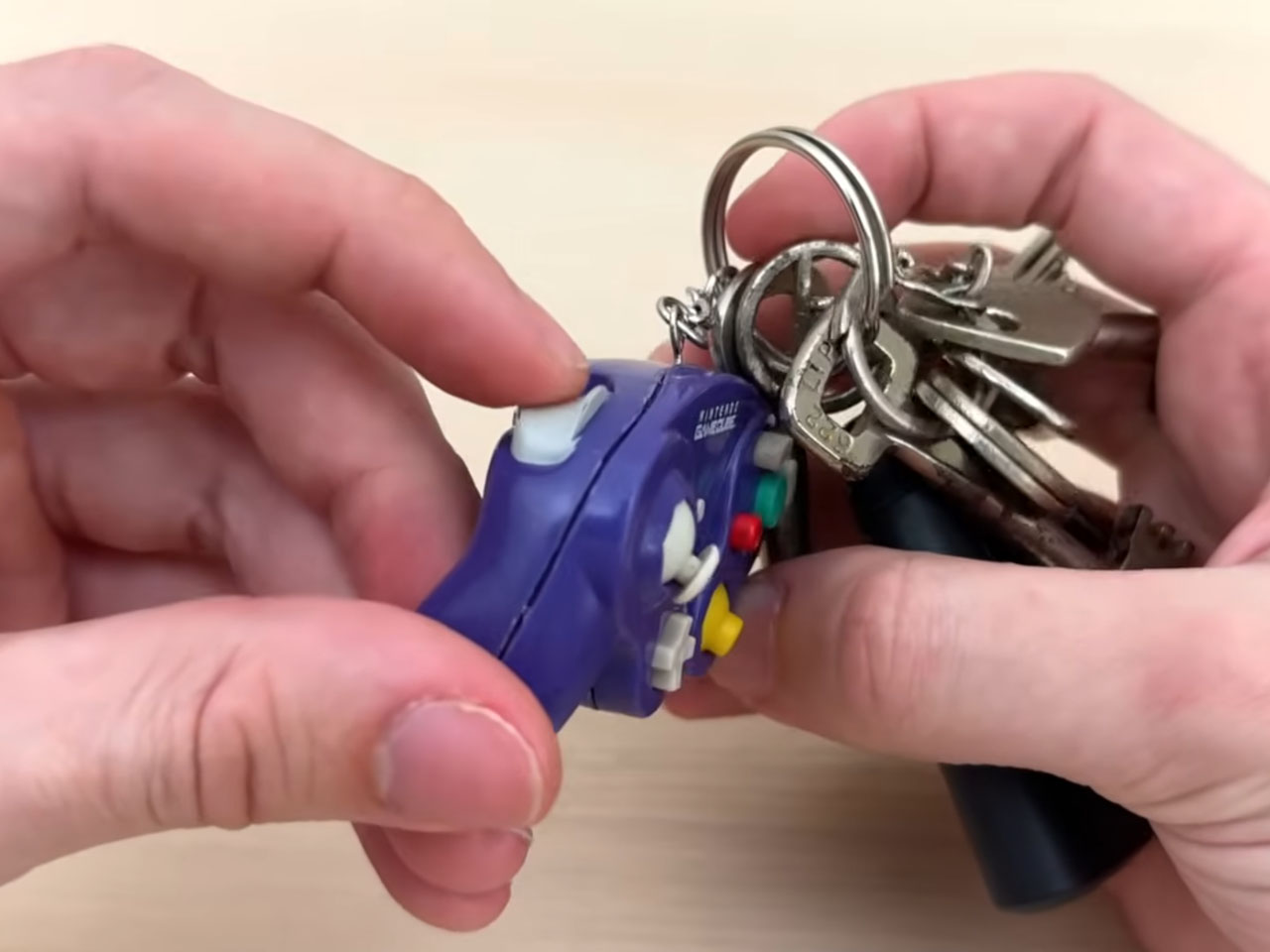
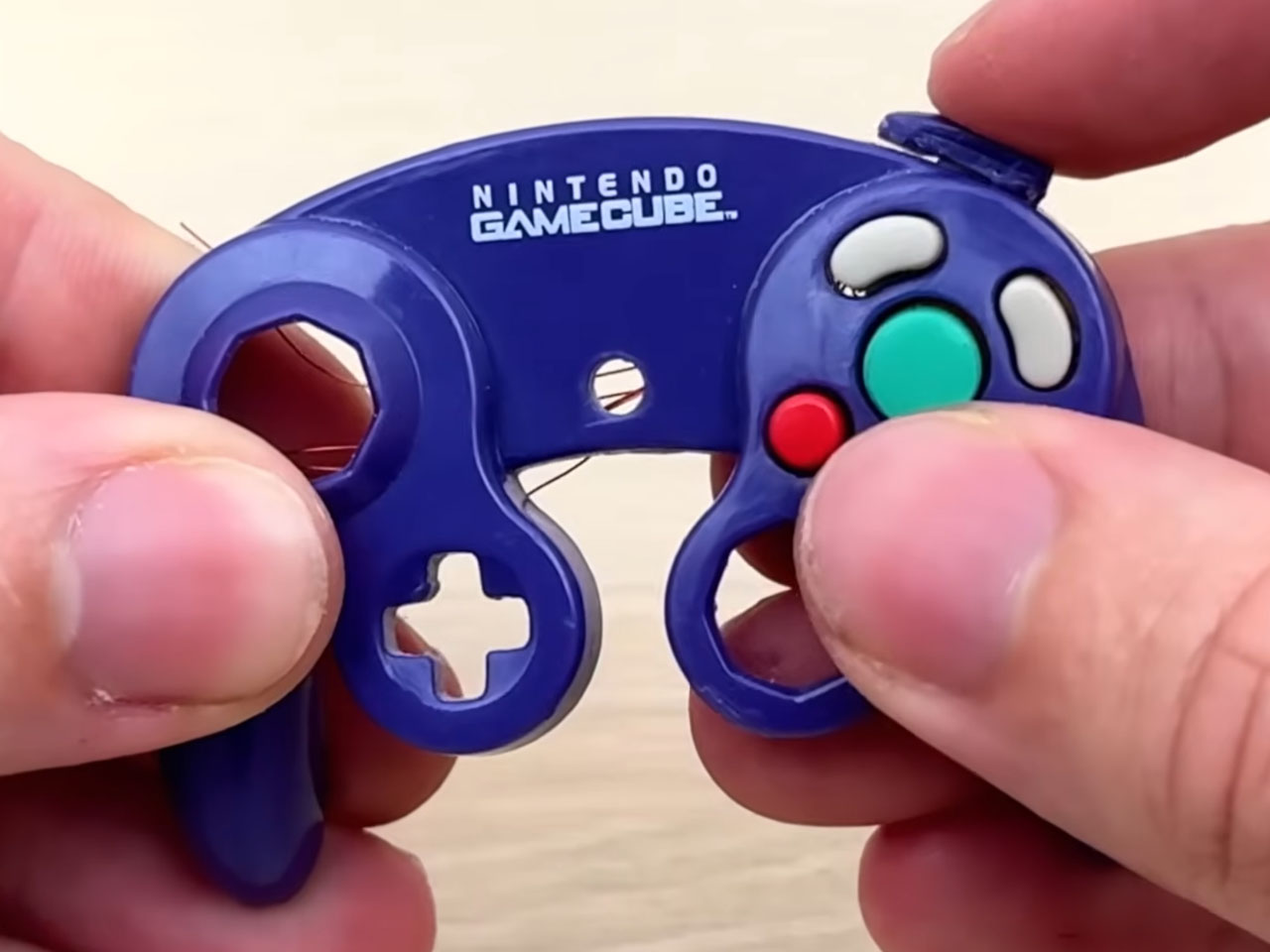
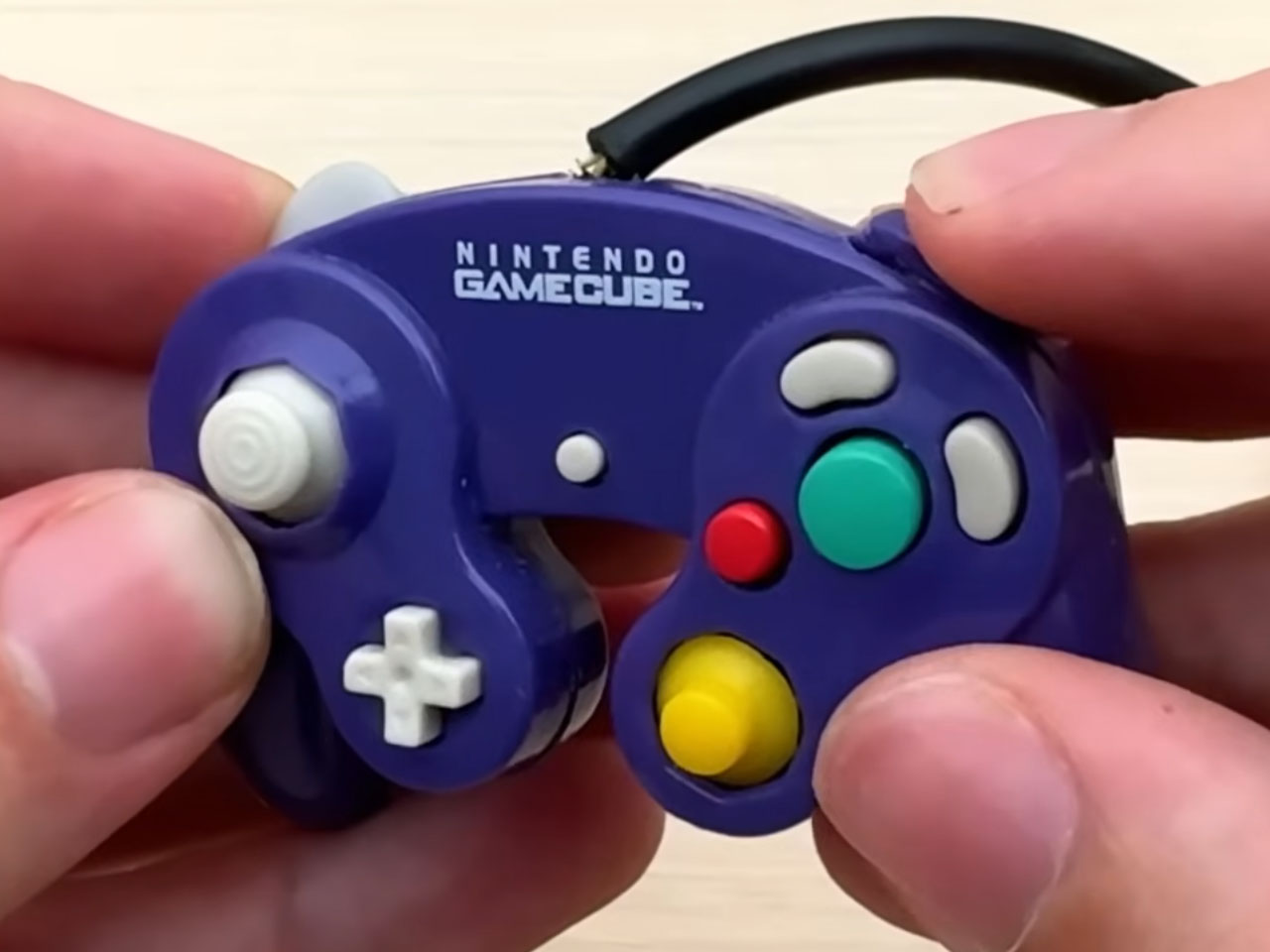
YouTuber Crux, who’s known for interesting creations with an infusion of gaming, has crafted a mini controller out of pure curiosity. Having got the Backpack Buddies GameCube controller keychain, he asked himself the question – can this be turned into a functional controller? That led to this interesting DIY project that is as intricate as things can get, since the maker is dealing with the super small size of things.

Designer: Crux

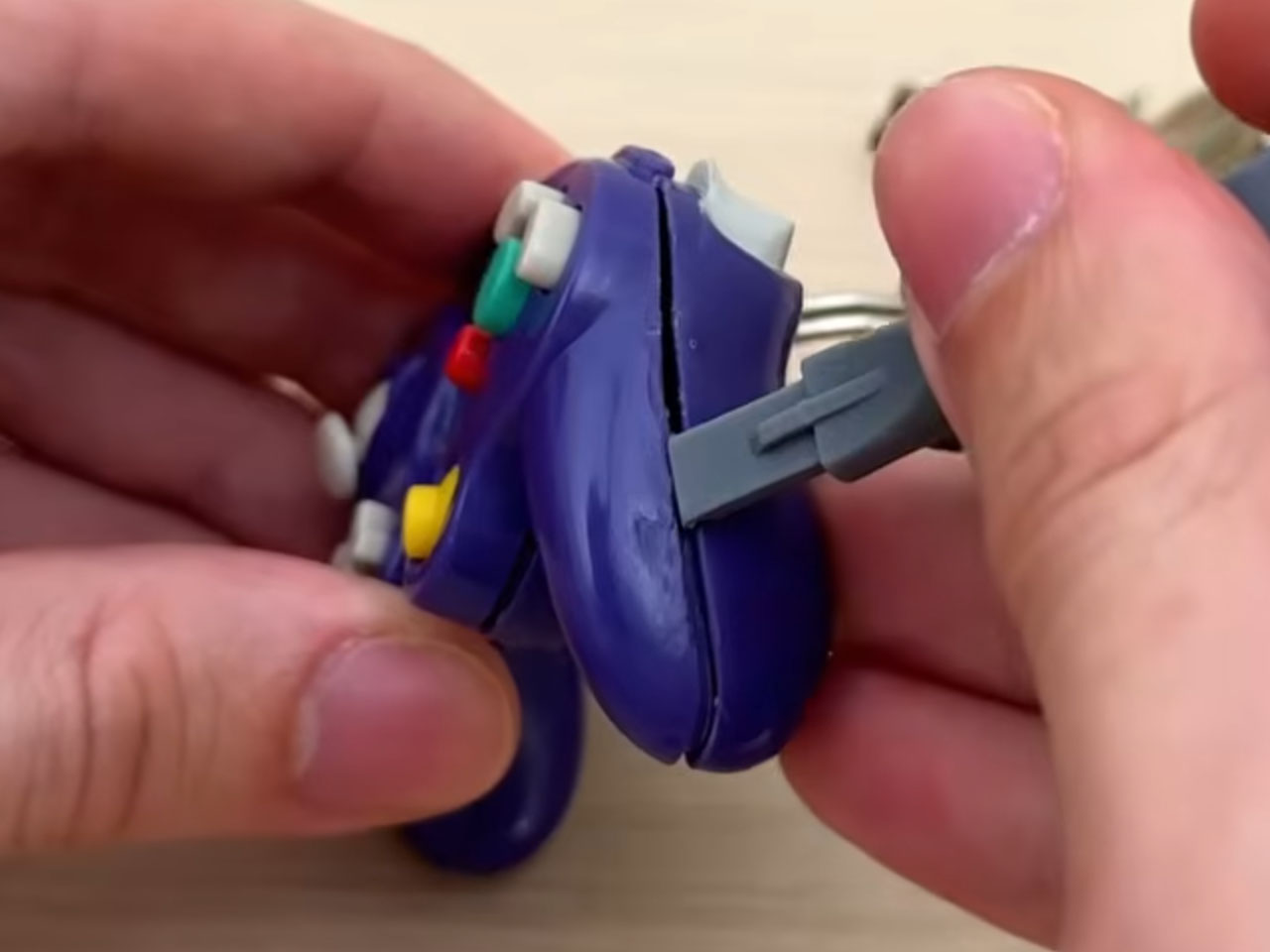
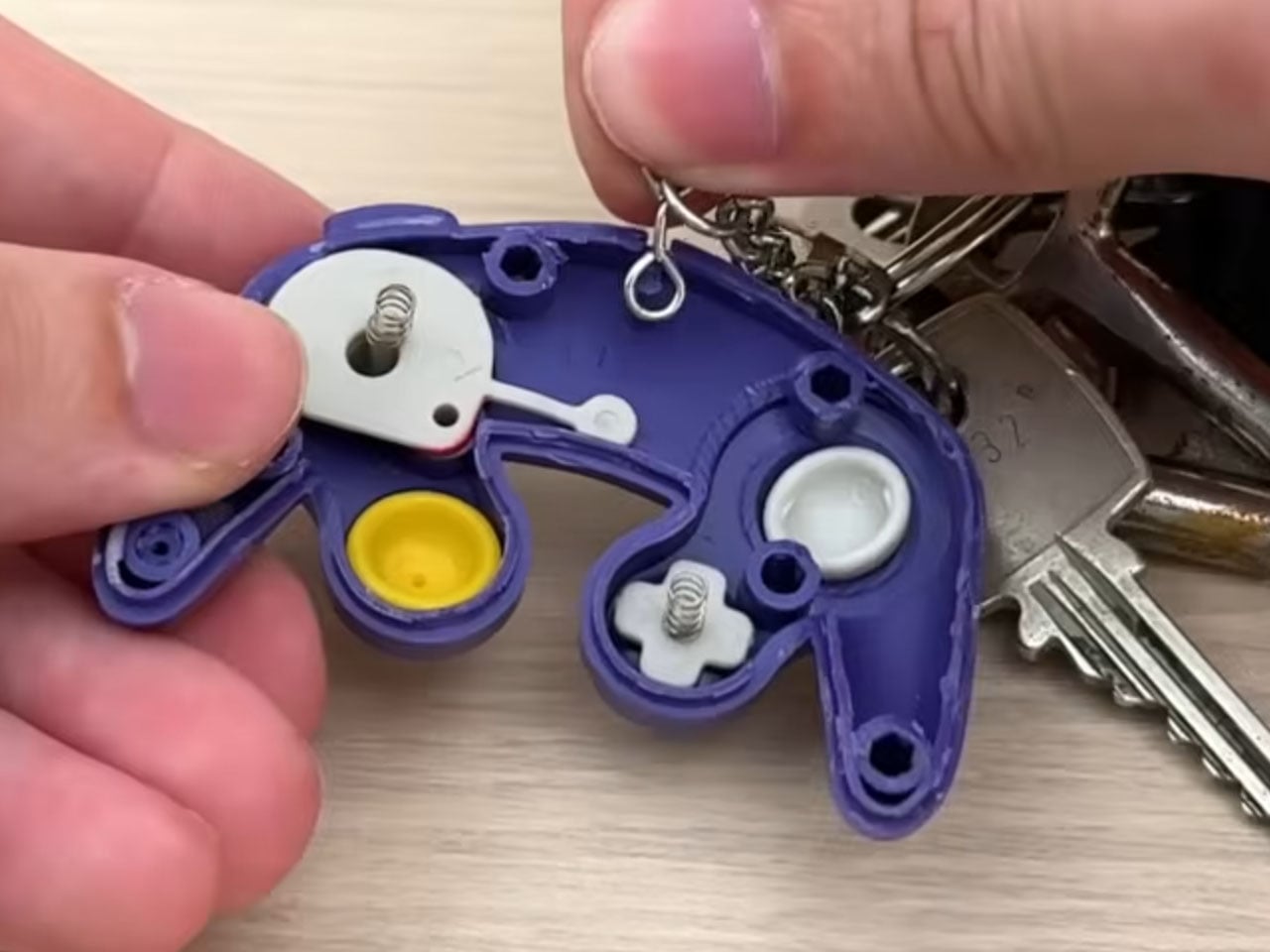
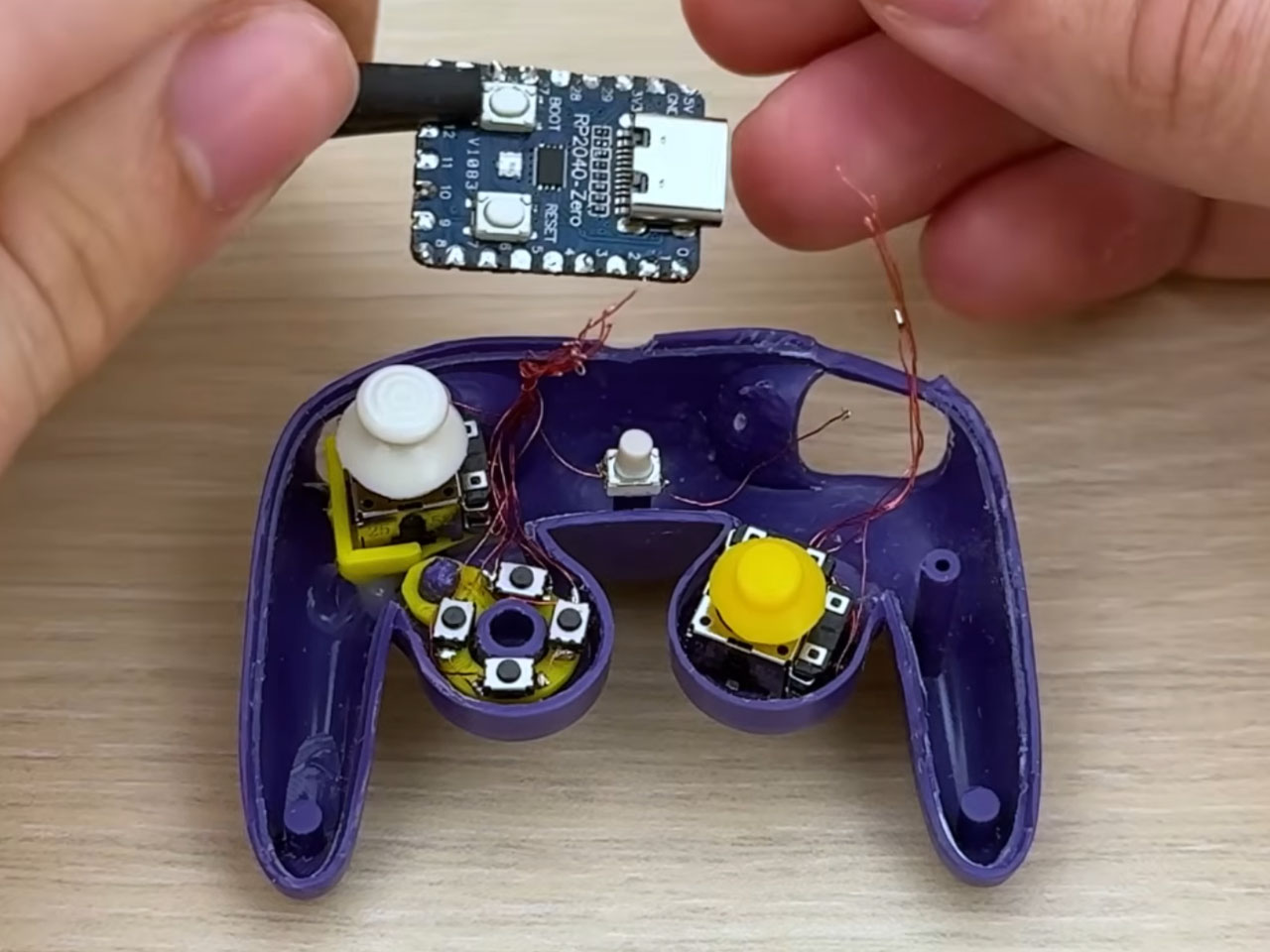
We all have keyrings in some form or another, and these cute little accessories evoke the feeling – what if these were functional? The DIYer addresses this curiosity with the functional GameCube controller keychain that looks extremely satisfying as it takes shape. Since he was dealing with very small proportions here, the rotary motor tool does the trick of shaving off the extra bit on the inside of the keychain controller to make space for all the electronics. To put together the intricate joysticks, D-Pad, and other buttons, the DIYer goes down the 3D printing lane. Of course, the button controls and the joysticks had to be mounted on a sturdy base on the inside; that’s why Crux goes for the surface-mount tactile switches.

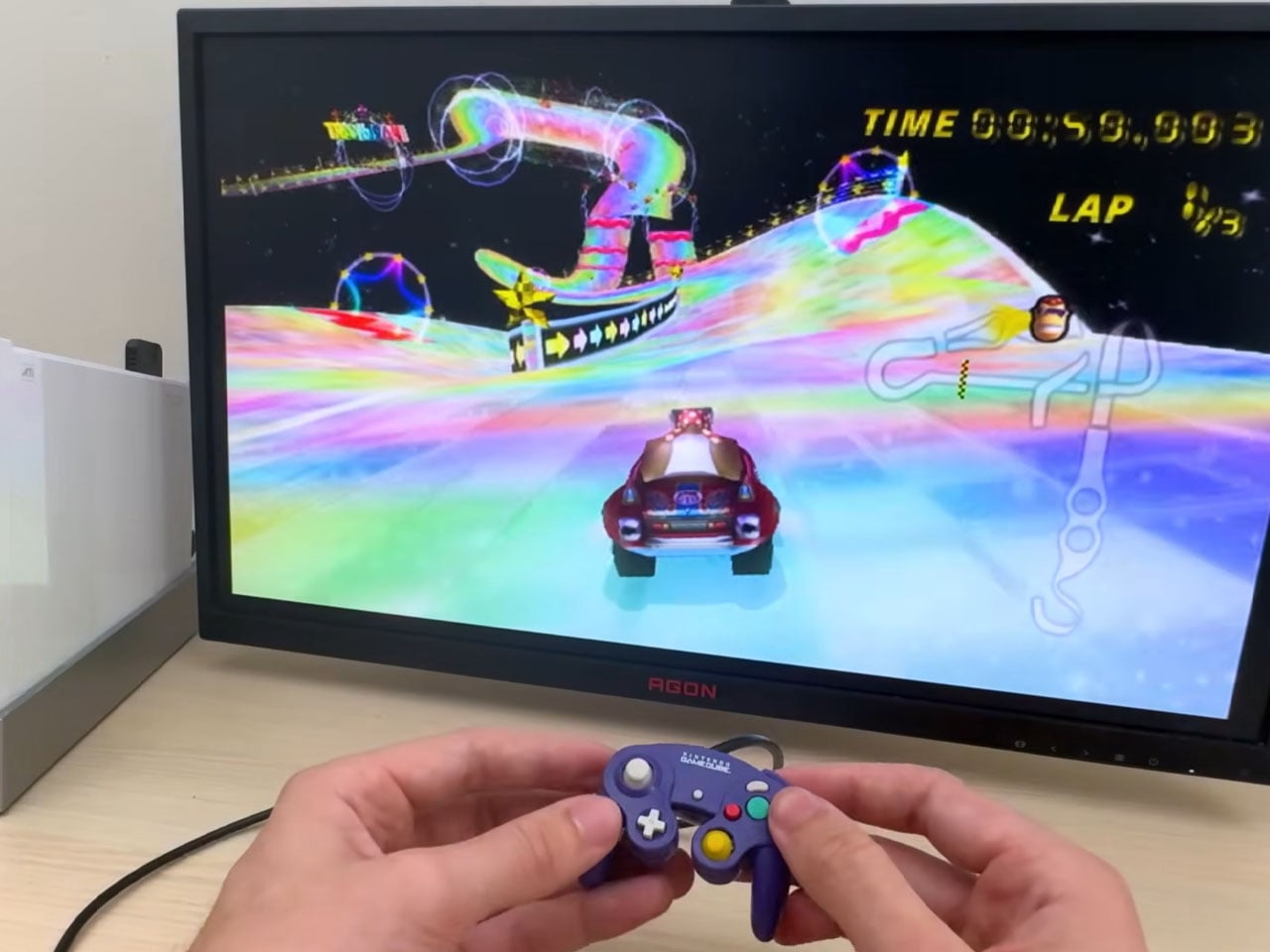
The DIY progresses with splitting the two controller halves and making up the necessary space to fit the electronics. The ultra-thin enameled wires connect the different components to the Waveshare RP2040-Zero microcontroller board, which is programmed with firmware that makes the cute little keychain gamepad act like a native GameCube controller. The final step involved salvaging the wire and plug from the real controller and attaching it to the output ports. Once everything is in place, it’s time to connect the controller to the port and enjoy some gaming. He demonstrates a session of Fortnite and then moves to Mario Kart Wii. All the inputs work as intended, and you just wish this thing were available to grab right away.

If you manage to check out the complete video till the end, Brux hints at more keychain projects in the future. These include the SNES controller, N64 controller, and 3DS controller, which are absolutely cool. Somehow, if he can manage a wireless keychain controller DIY, that would be sublime.

The post DIYer turns tiny GameCube keychain into a fully-functional controller first appeared on Yanko Design.

GameSir Made a Cotton Candy Xbox Controller That Kills Stick Drift

Gaming controllers have long leaned into one of two visual languages: aggressive, angular designs aimed at the competitive crowd, or the familiar, conservative look of first-party hardware that blends quietly into any living room setup. The color palette rarely strays far from matte black, carbon gray, or safe-for-everyone white, as if bold design choices were somehow at odds with serious performance.

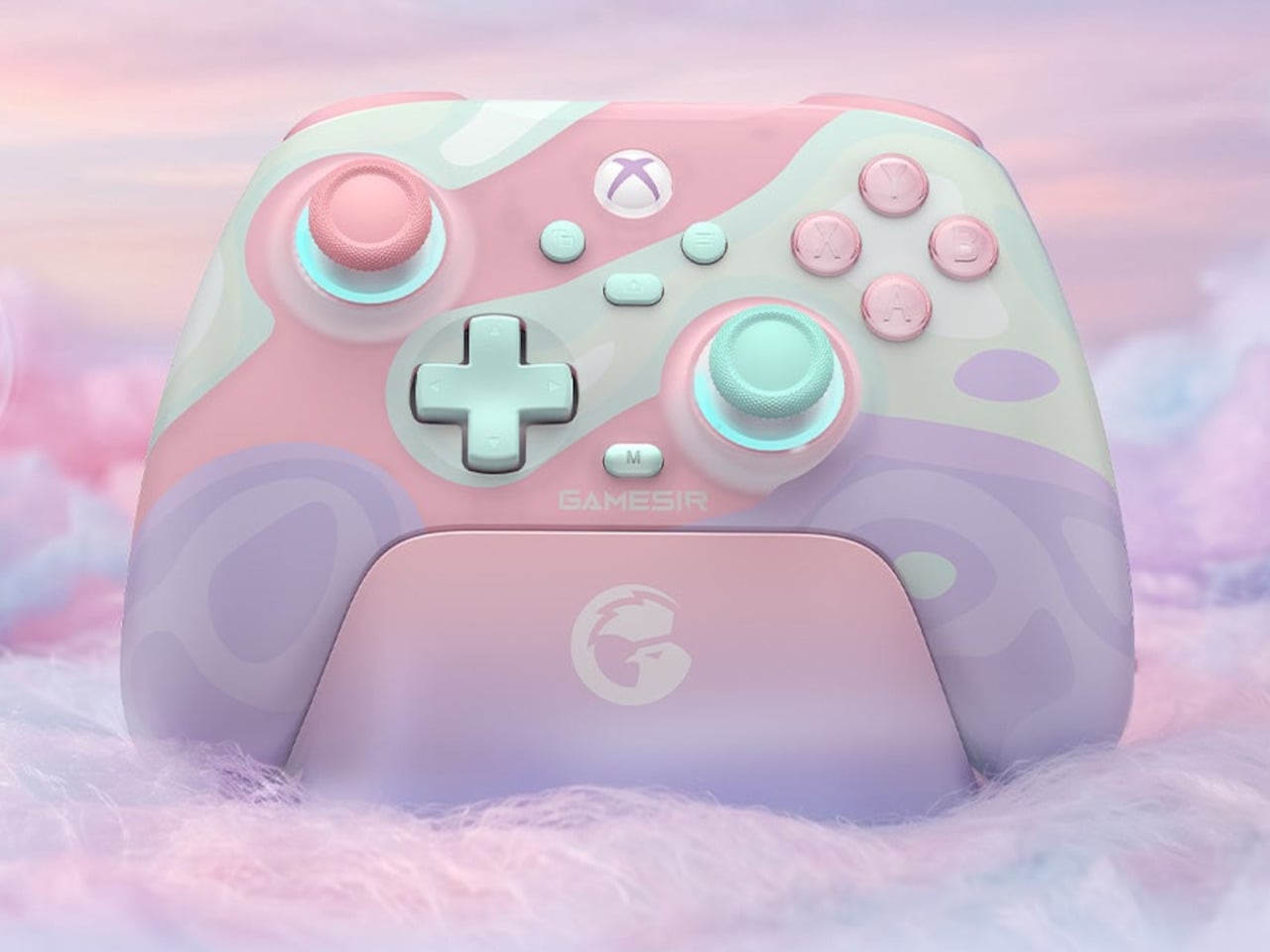
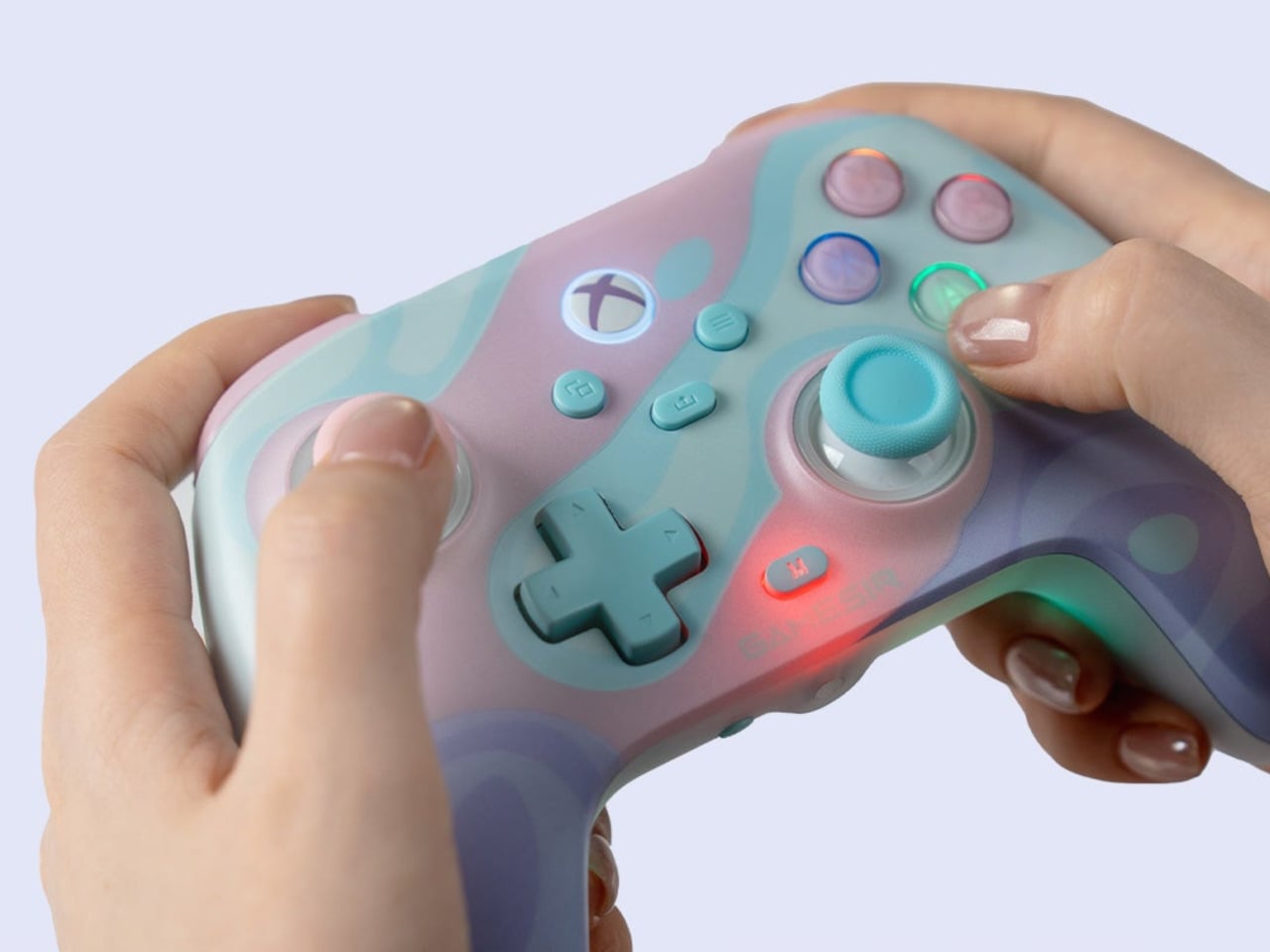
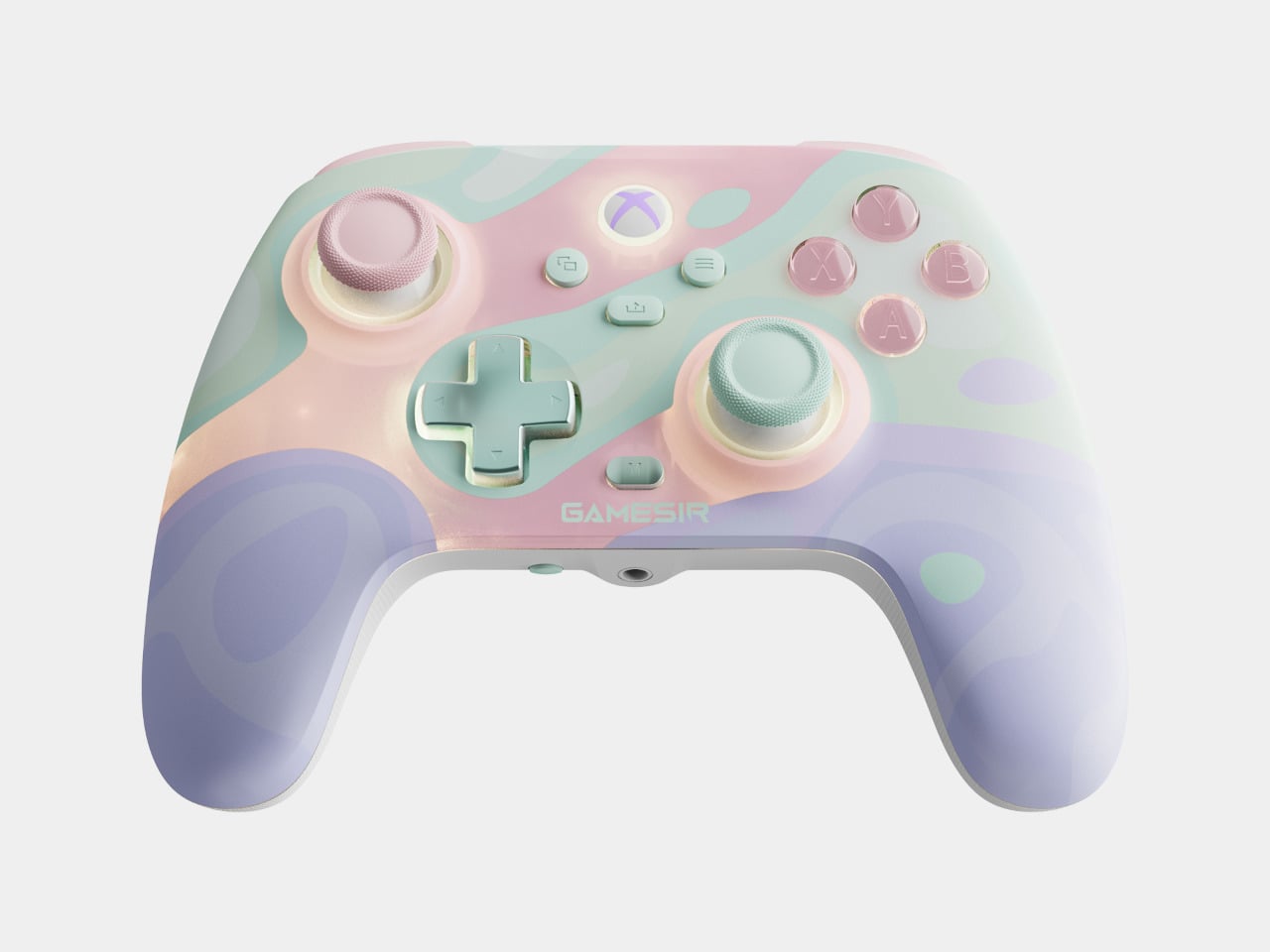
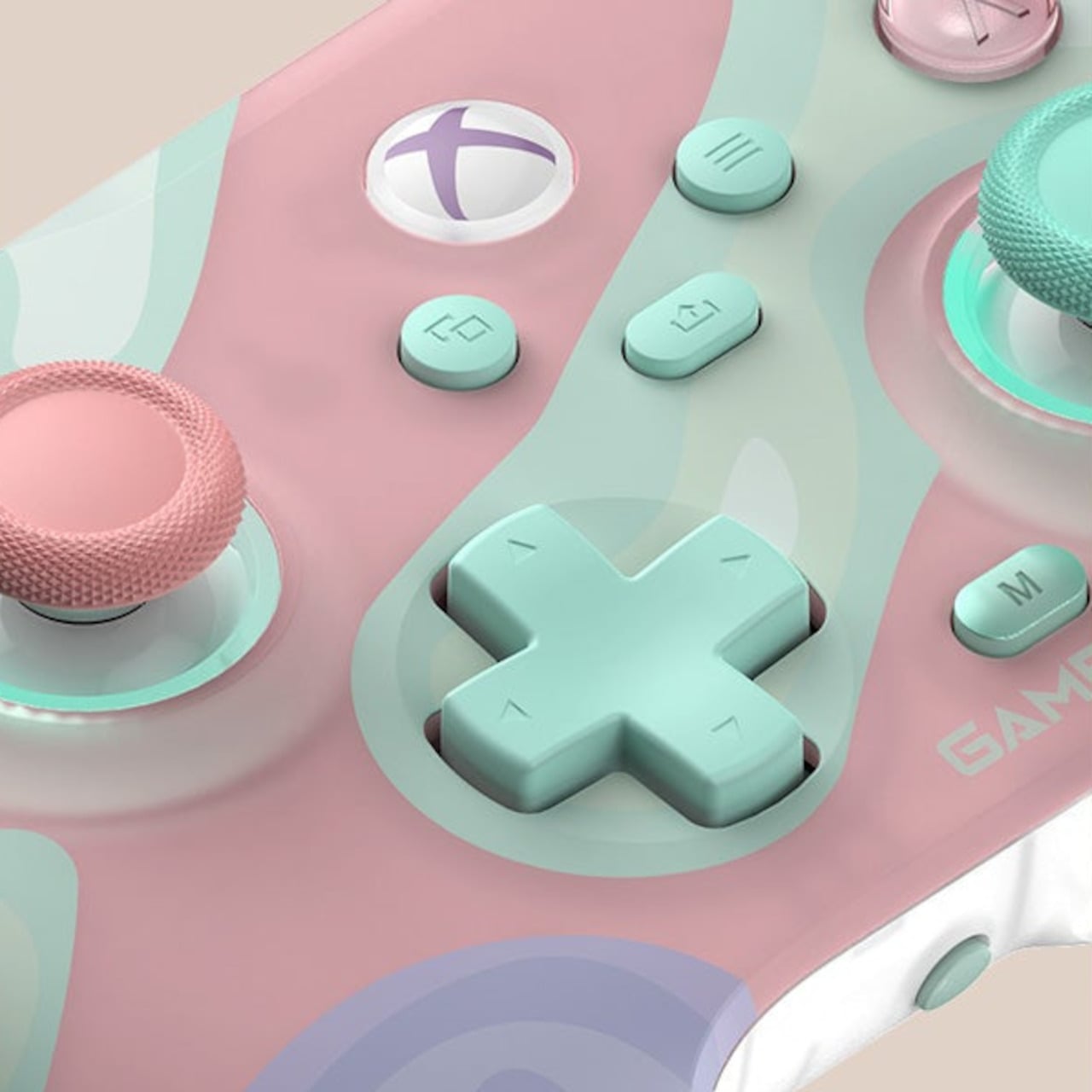
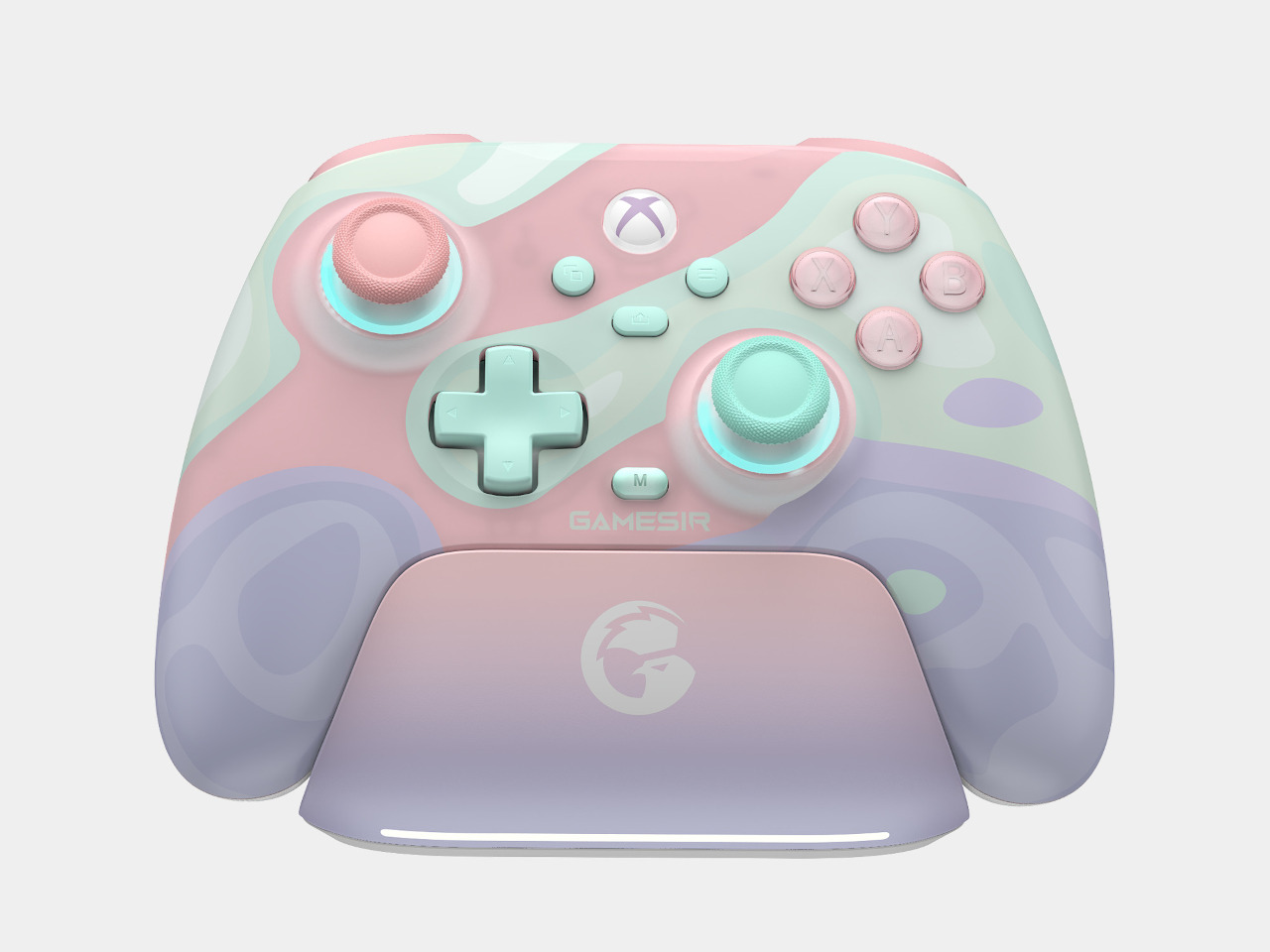
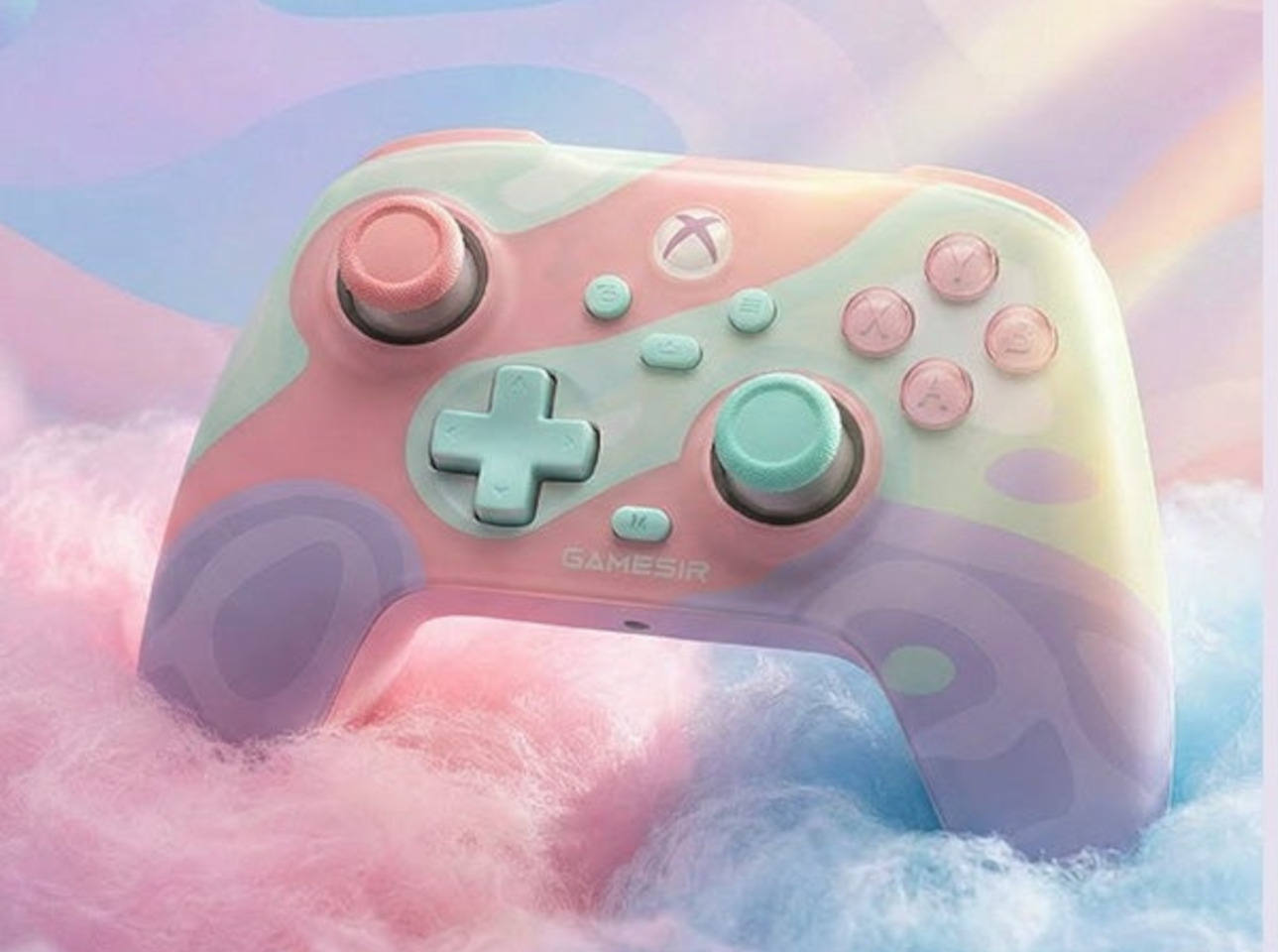
GameSir’s T7 Pro Sugar Whirl challenges that assumption with a translucent shell that blends soft pinks, blues, and lavenders, described by GameSir as a swirl of cotton candy and morning skies. It’s part of the brand’s Pastel Collection, and it’s officially licensed by Xbox, which means wireless connectivity to Xbox Series X|S and Xbox One isn’t an afterthought. The looks are deliberate, but so is the hardware underneath.

Designer: GameSir

At the core of the control experience are GameSir’s Mag-Res TMR (Tunneling Magnetoresistance) sticks, a non-contact magnetic technology that eliminates the stick drift that tends to plague conventional analog sticks over time. The Hall Effect analog triggers come with two-stage trigger stops, giving you a shorter pull when faster, more precise inputs matter most. For competitive play, both features represent a meaningful step up from standard controllers.

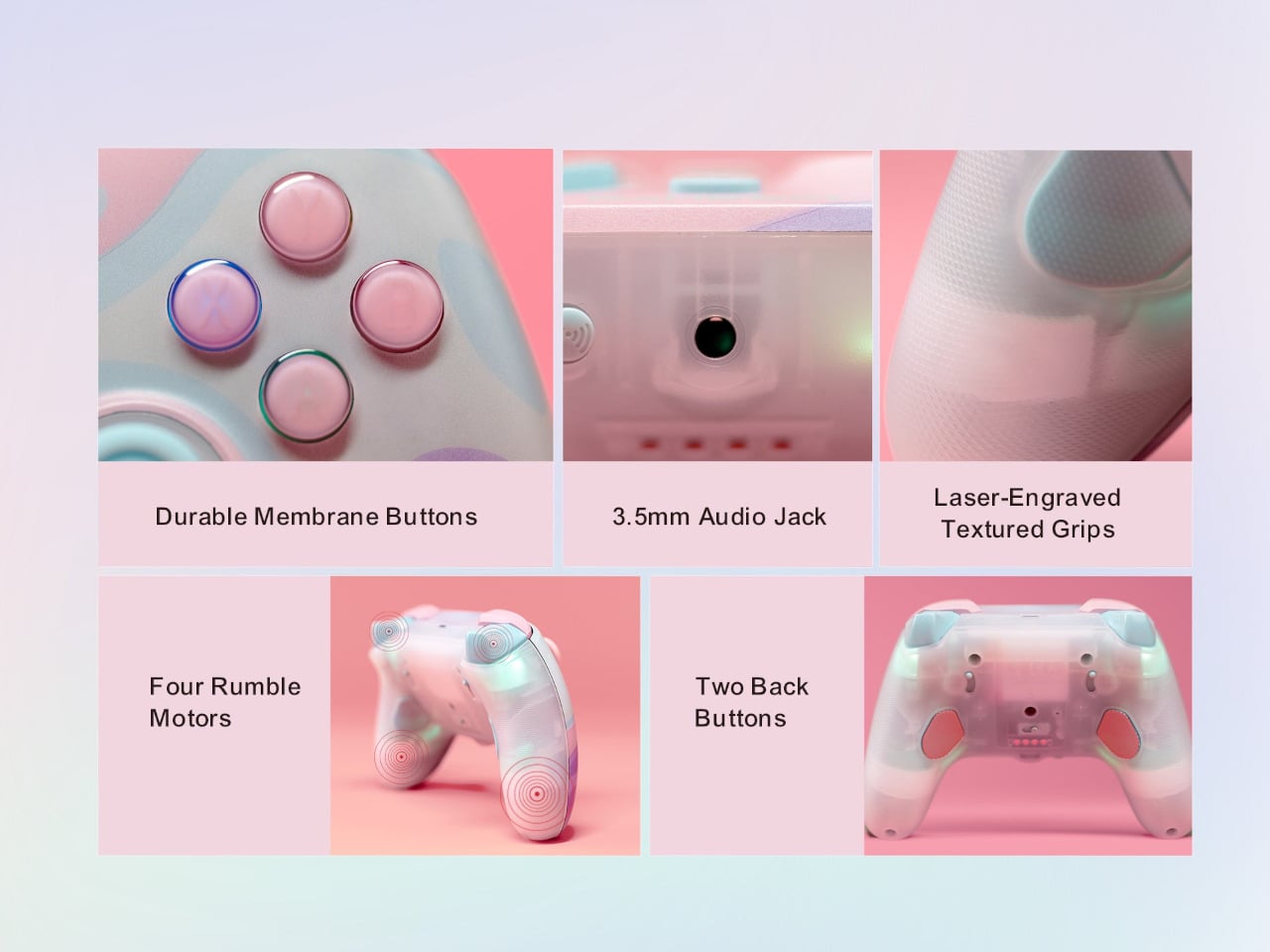
The controller also has two remappable back buttons, which can take on any function you assign through the GameSir Nexus software. Four rumble motors handle feedback, with a level of fine-tuning that most first-party controllers don’t offer. On PC, there’s also a six-axis gyroscope for motion control, making the T7 Pro Sugar Whirl versatile enough to keep up with platform-specific demands.

Connectivity follows a tri-mode approach. The controller pairs wirelessly to Xbox Series X|S and Xbox One via 2.4GHz, switches to Bluetooth for Android, and also works wired through USB-C. The polling rate reaches up to 1,000 Hz on PC and 250 Hz on Xbox, numbers that matter more when you’re playing anything that rewards split-second timing. A 3.5mm audio jack is included for headset use.

The 1,050 mAh battery charges via the included charging dock or through the USB-C port at the top of the controller. GameSir Nexus software handles all the customization, from button remapping and stick sensitivity to vibration intensity and RGB lighting effects. Multiple profiles can be saved and swapped between games, which saves the hassle of reconfiguring everything when switching between titles with very different control demands.

The RGB lighting adds another layer of visual personality, though it’s the translucent shell that does most of the aesthetic work. The pastel color blend is something the controller market doesn’t often attempt at this tier, and it comes off as genuinely considered rather than gimmicky. It’s the kind of design that sits on a desk and invites a second look from anyone who happens to walk into the room.

The post GameSir Made a Cotton Candy Xbox Controller That Kills Stick Drift first appeared on Yanko Design.

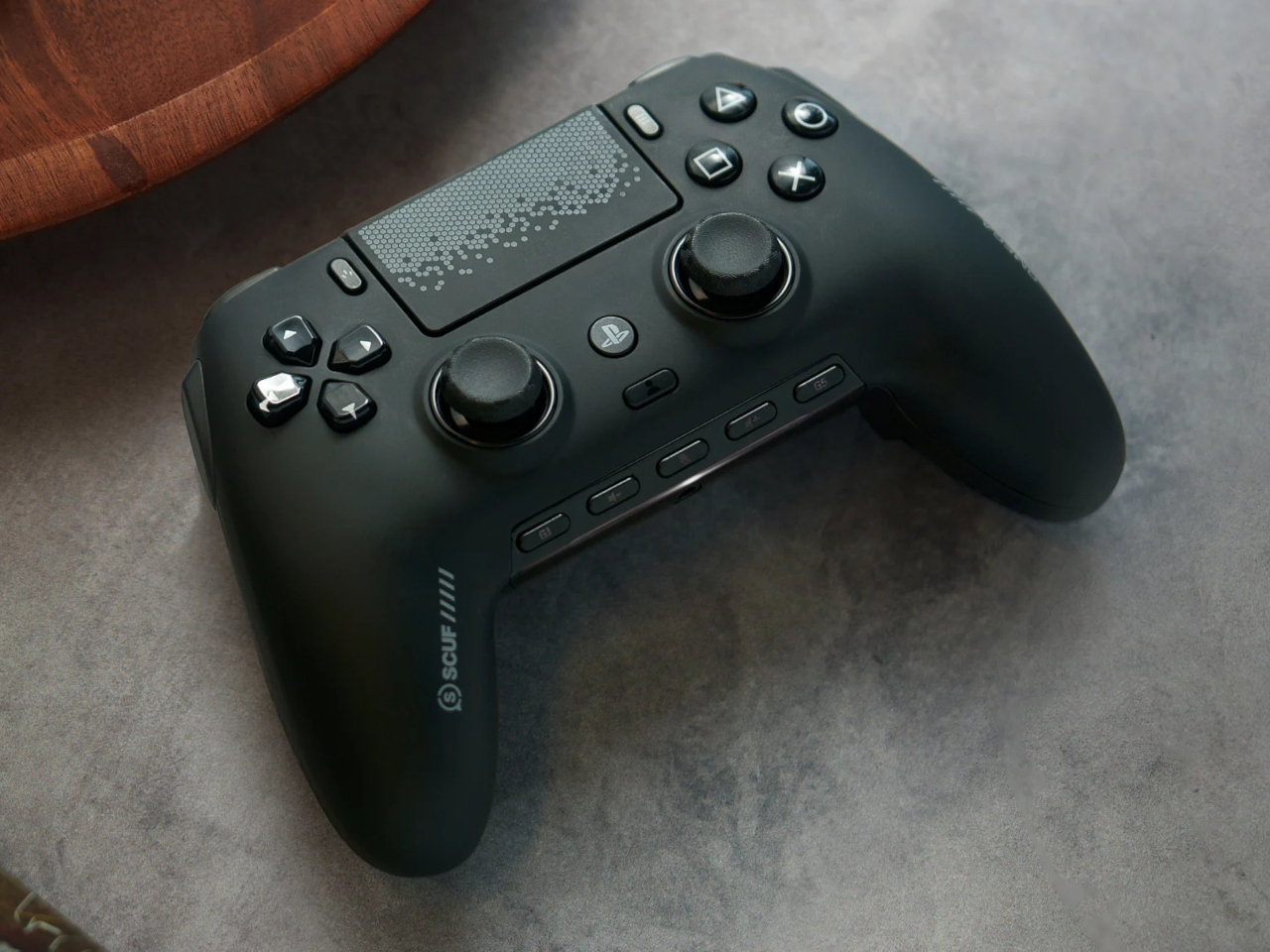
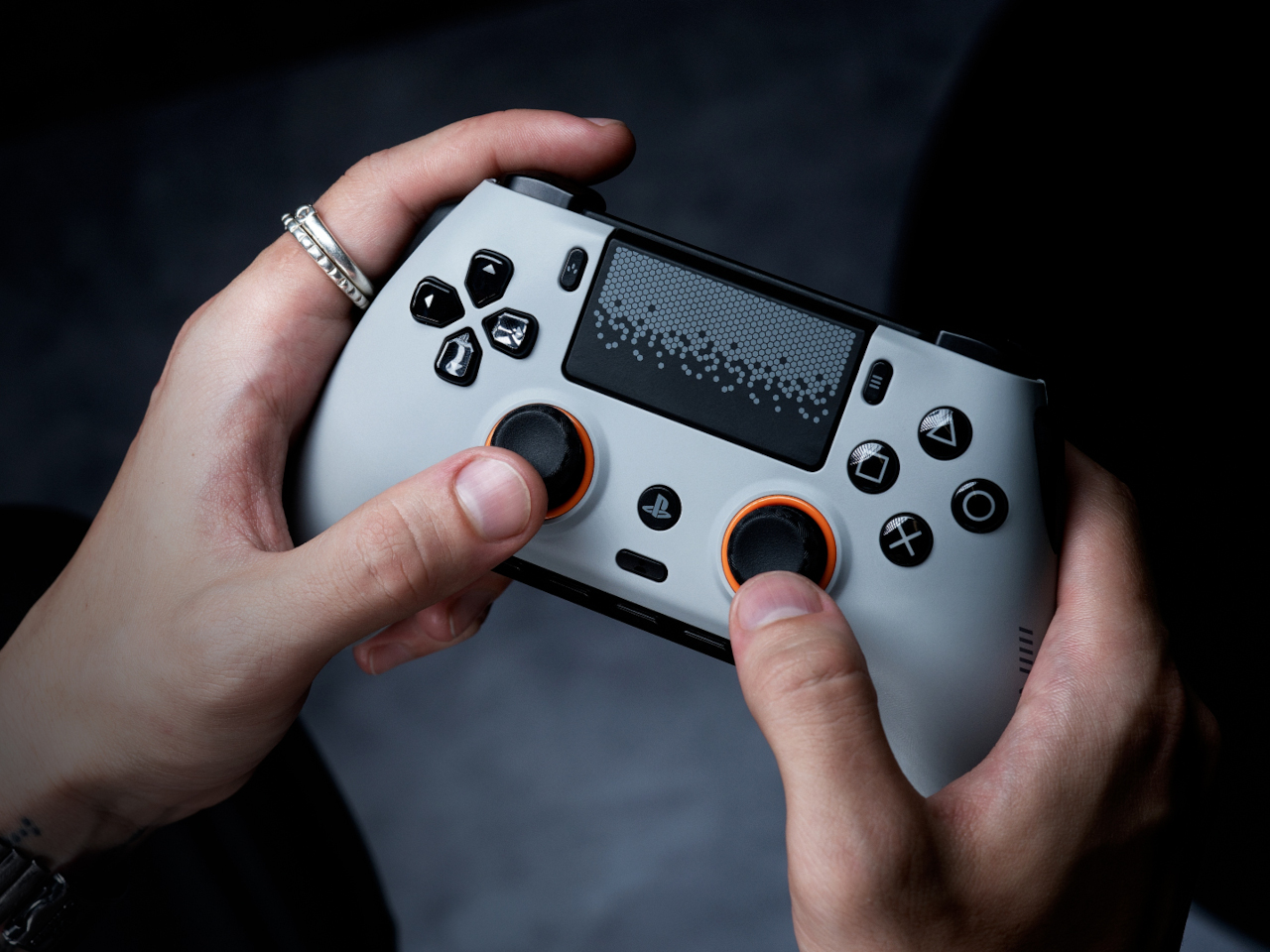
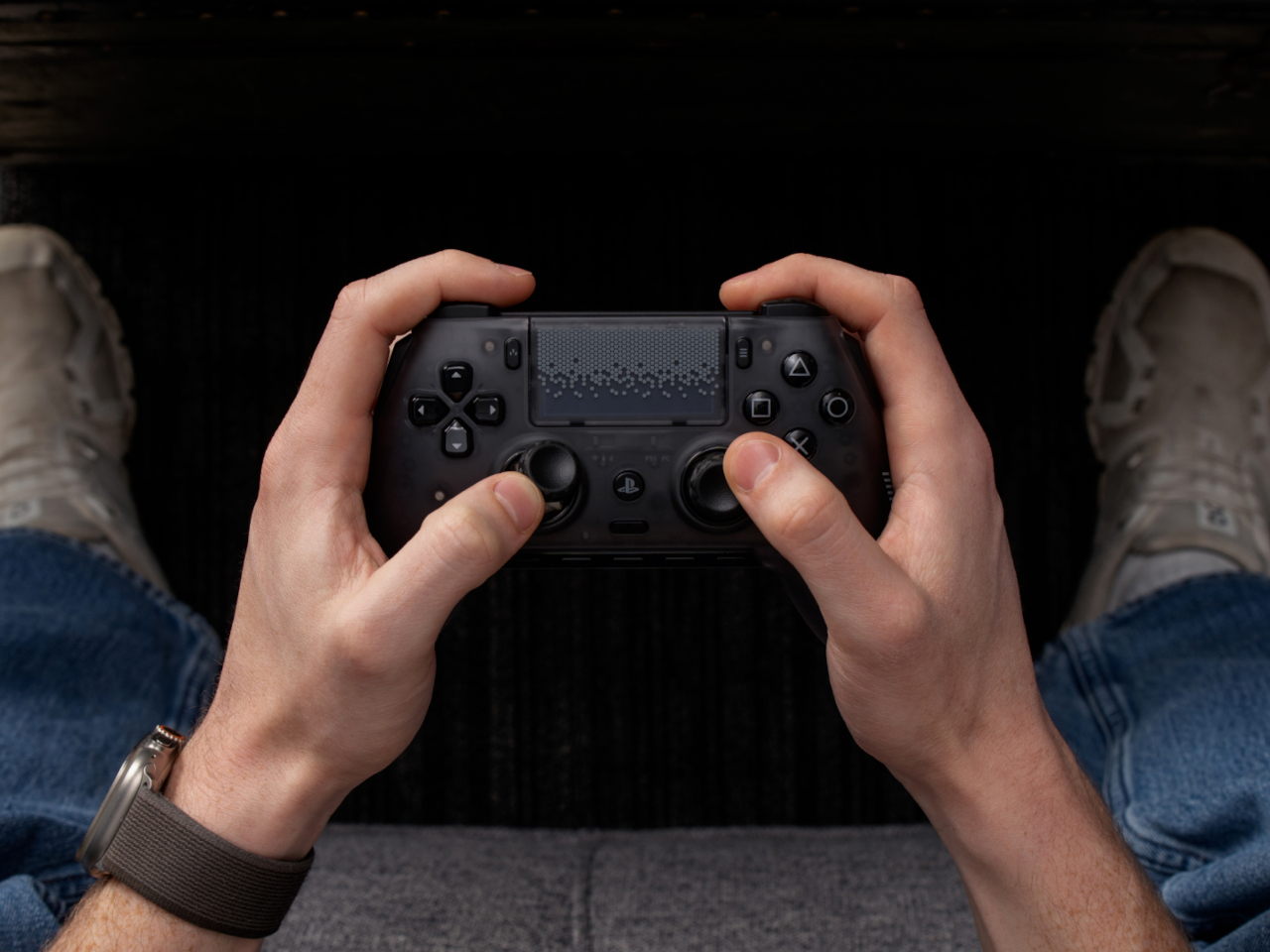
SCUF Omega Adds 11 Buttons to the PS5 Controller and One Fewer Excuse

The PlayStation 5’s DualSense controller is genuinely excellent for most kinds of gaming. Haptic feedback and adaptive triggers have added a new layer of immersion to mainstream titles, and the ergonomics are comfortable enough for long sessions. But competitive gaming operates by a different set of priorities, where fractions of a second matter more than vibrating triggers, and the standard pad wasn’t designed with that crowd in mind.

That’s the gap SCUF has been filling for 15 years across multiple platforms, and the Omega marks the first time it’s done so with an officially licensed PS5 controller. Built on feedback from professional players and championship-level esports teams, it doesn’t try to replicate the DualSense so much as rethink the PS5 controller from the ground up for a very specific type of player.

Designer: SCUF Gaming x Sony

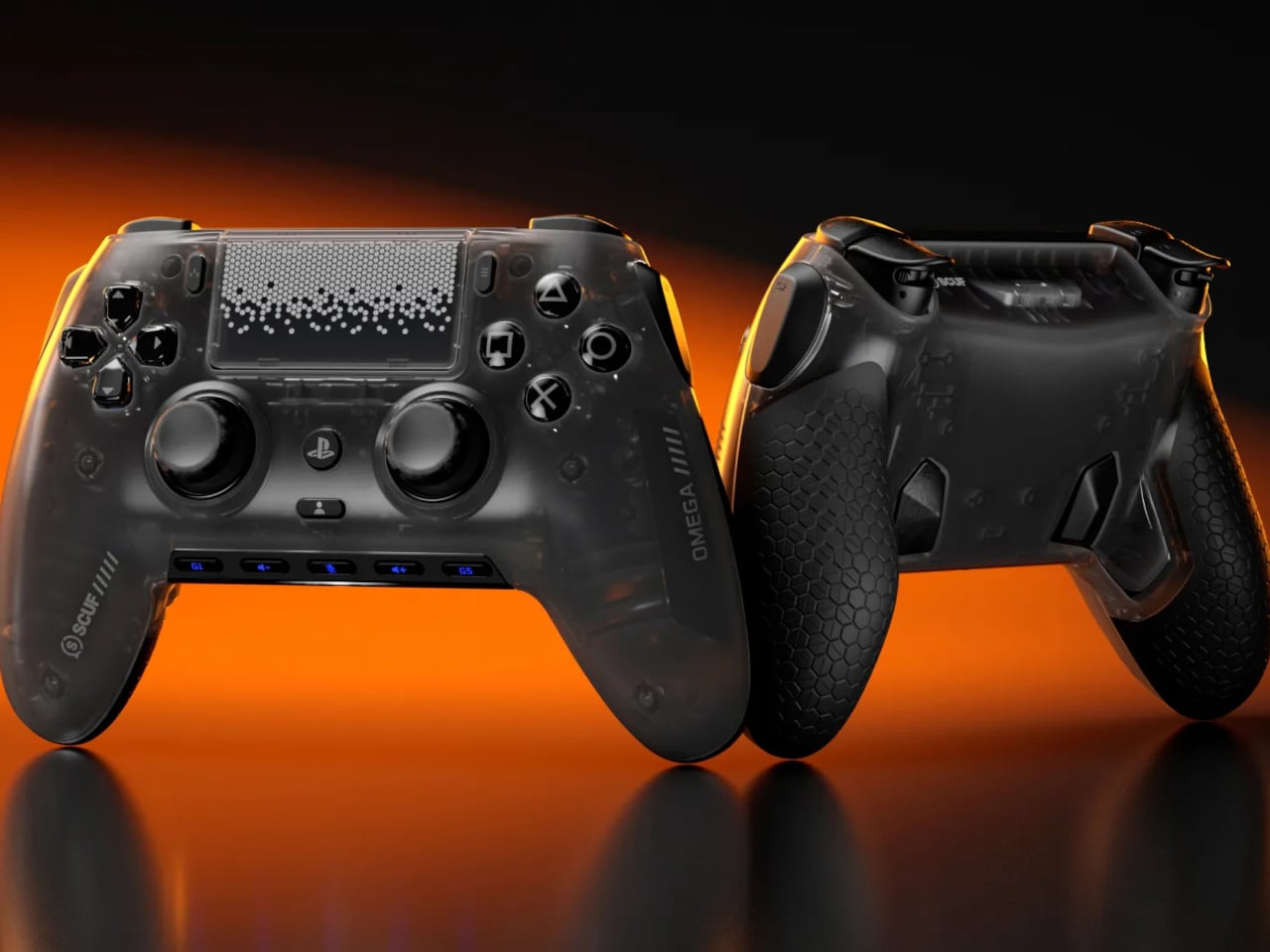
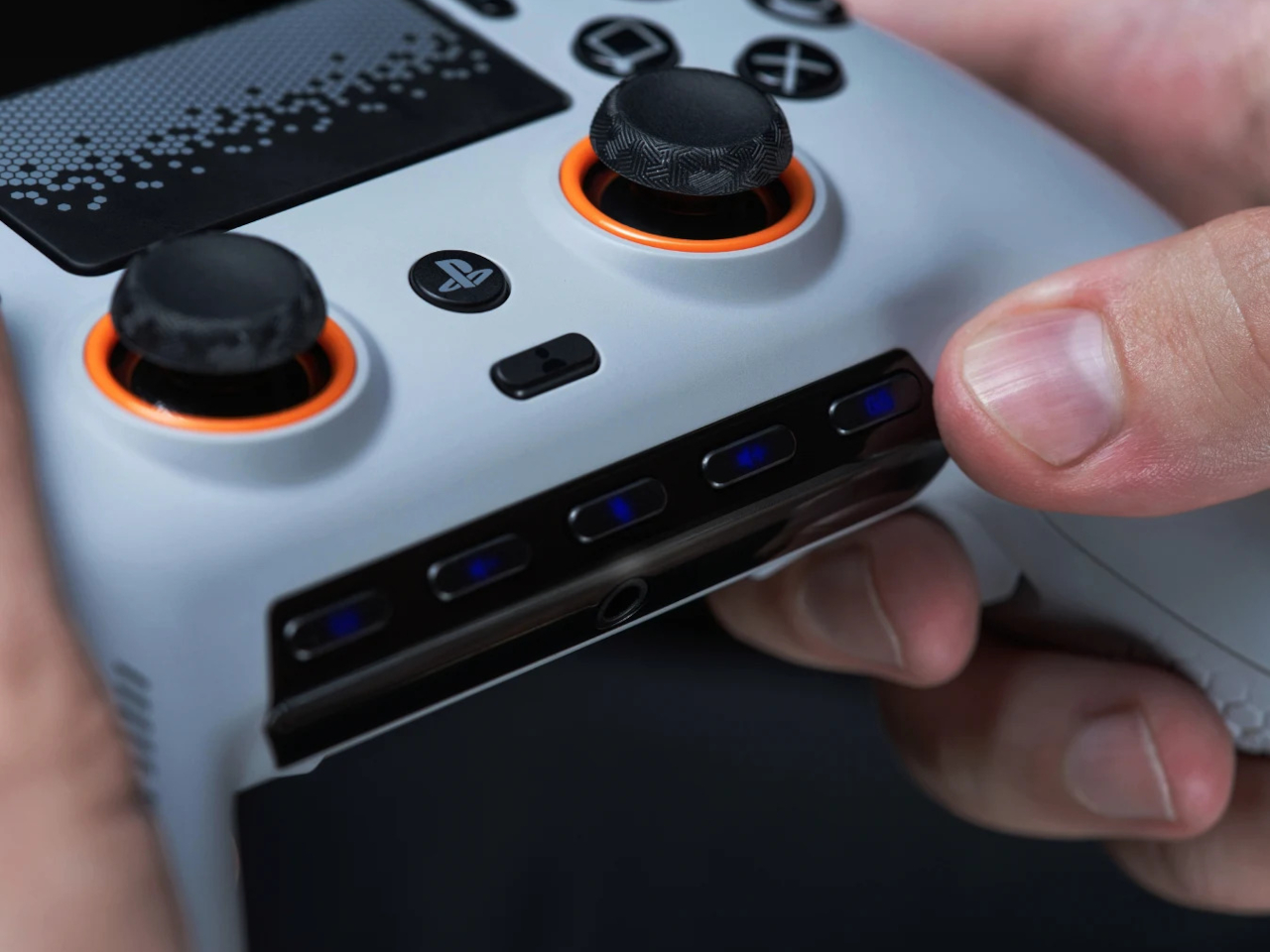
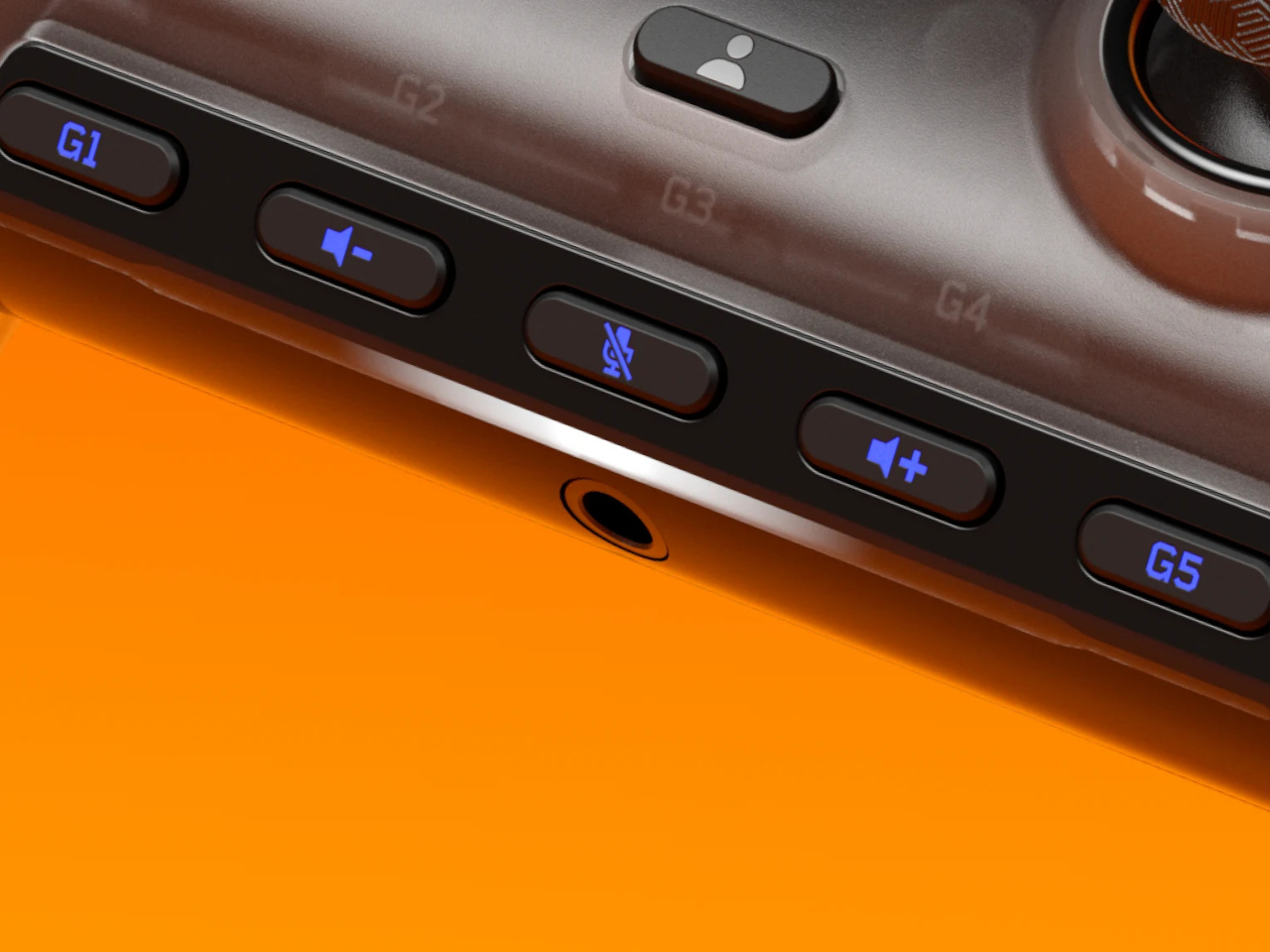
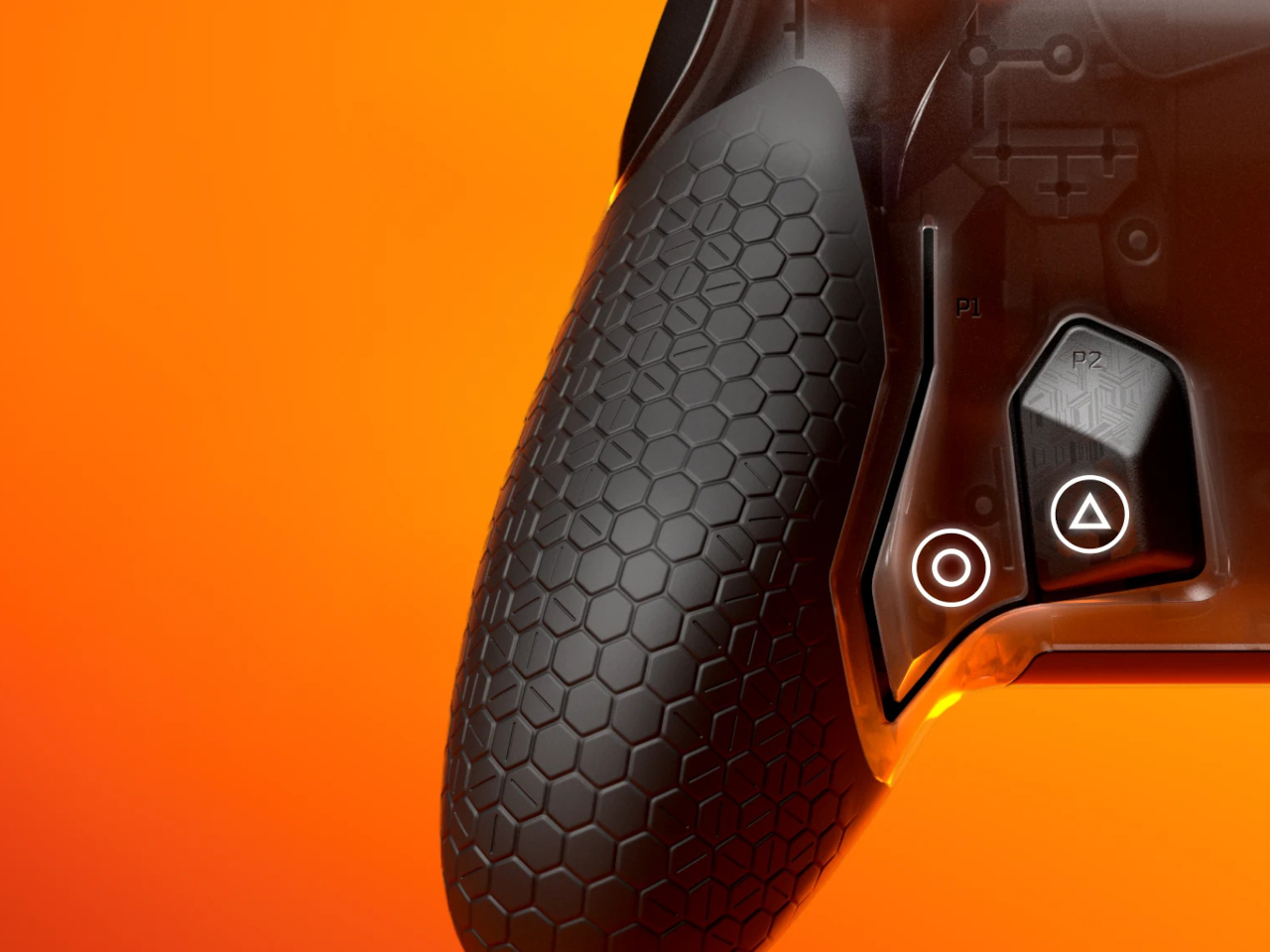
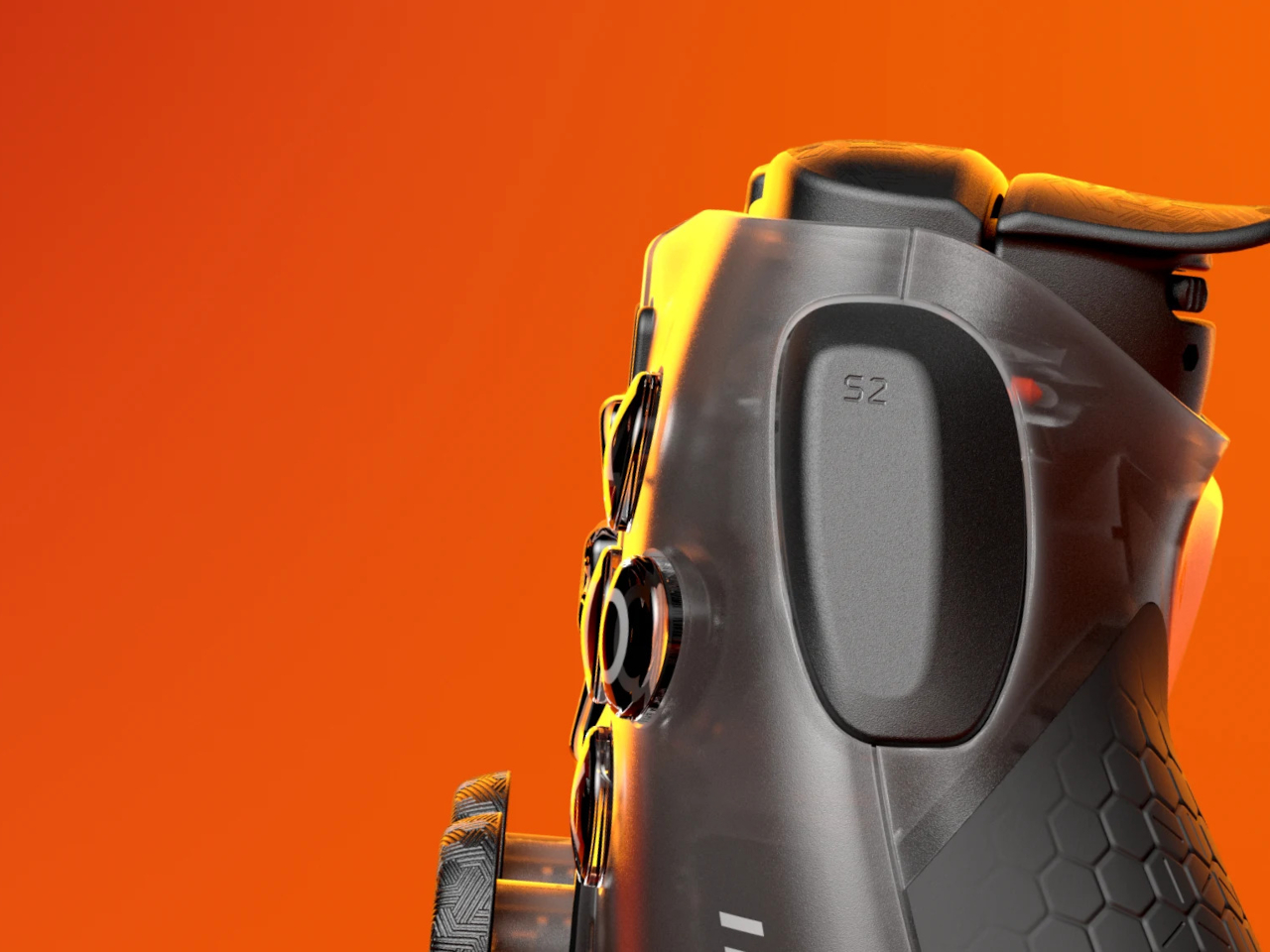
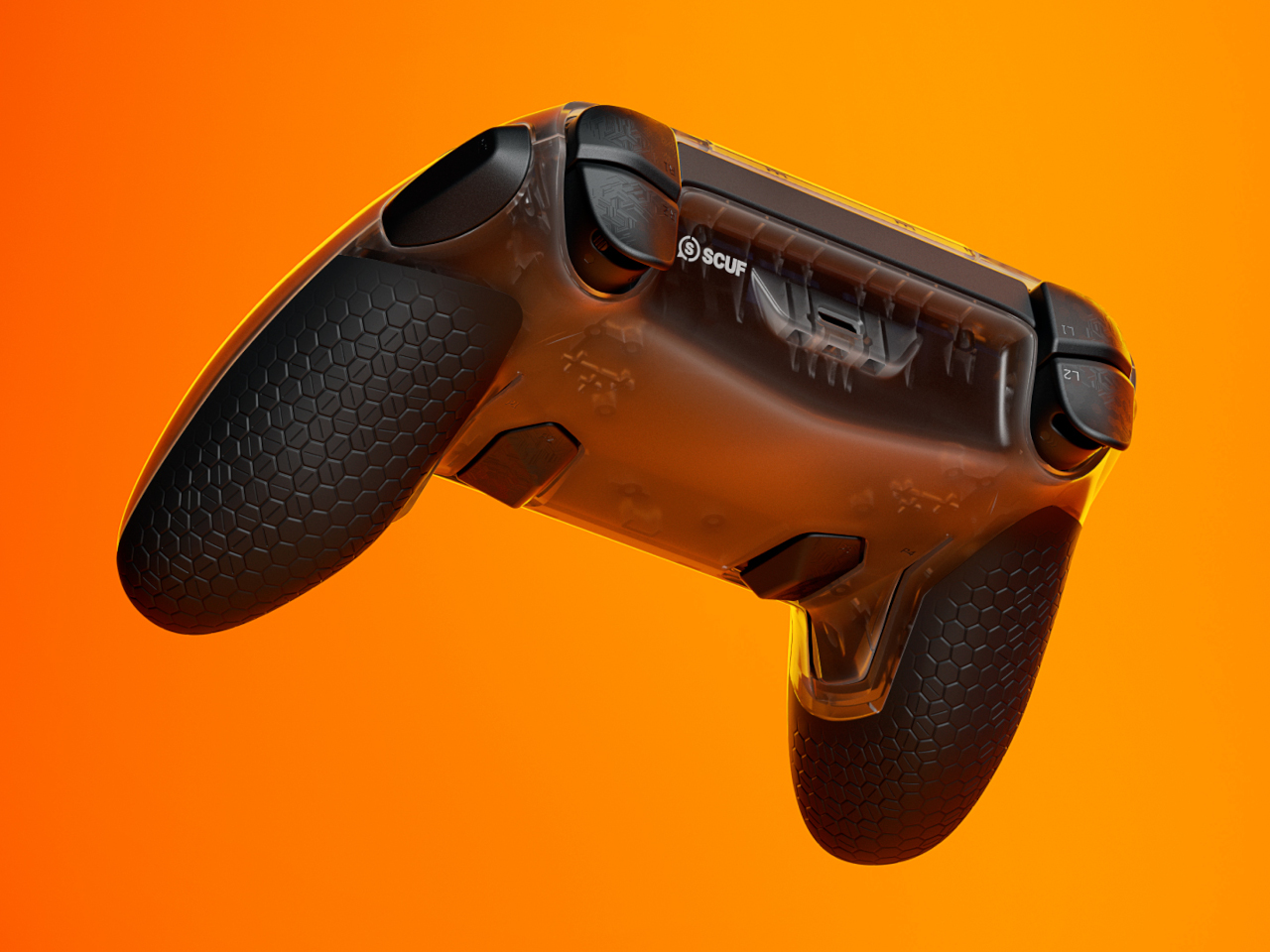
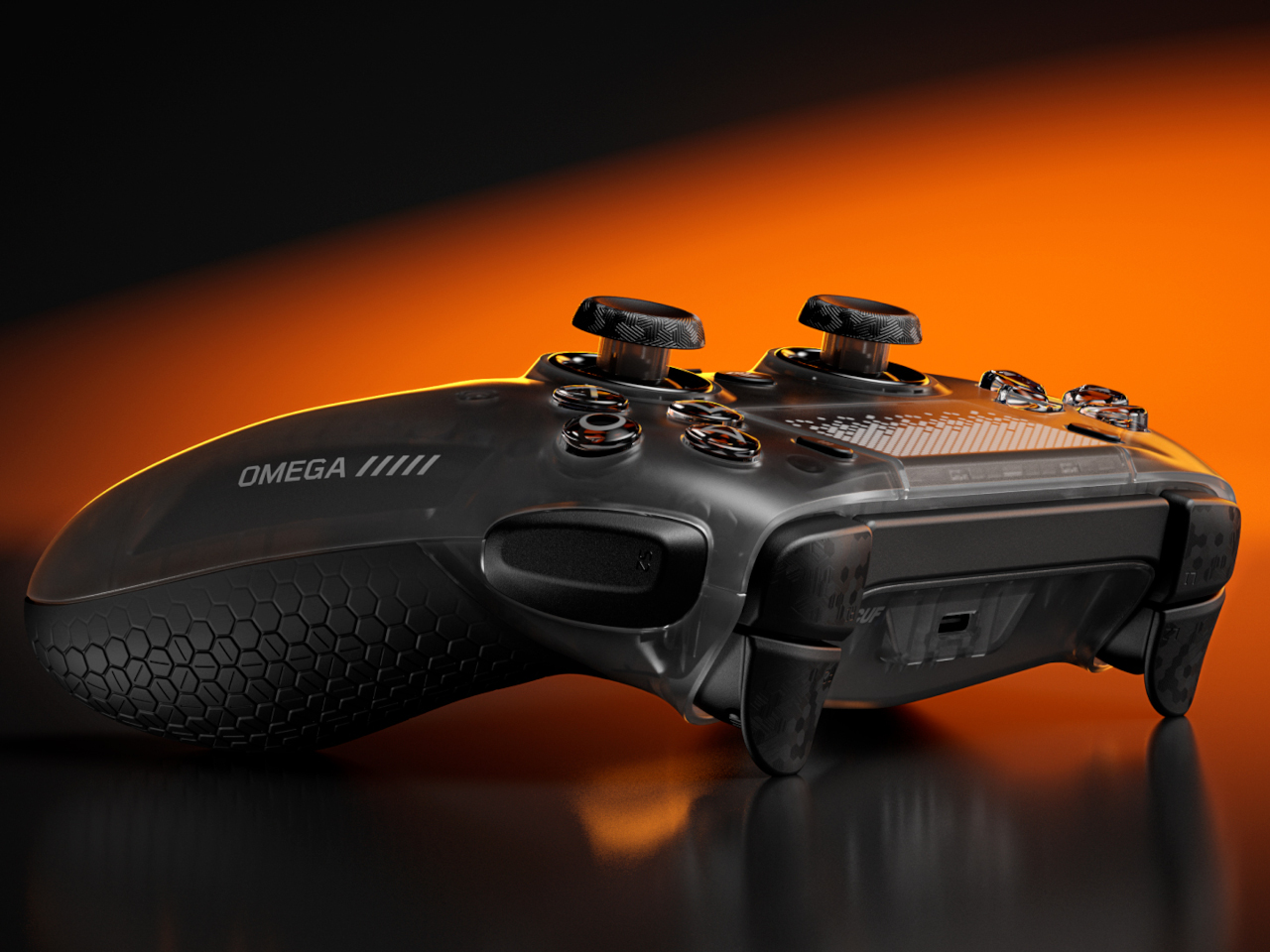
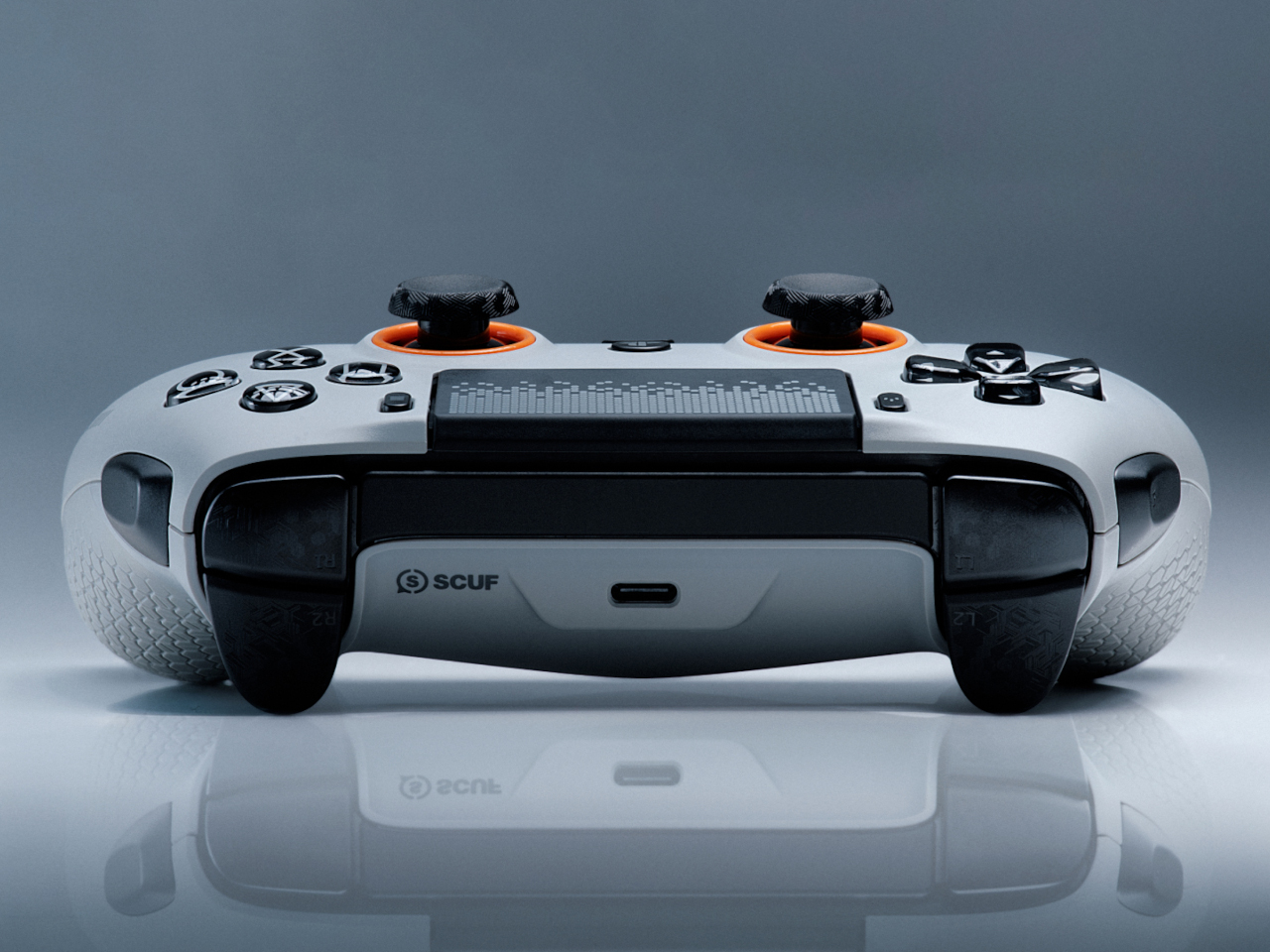
The most immediately striking feature is the sheer number of additional inputs. Beyond the standard button layout, the Omega adds four remappable rear paddles at the back, two SAX (Side Action) buttons on the sides of the grip, and five G-Keys near the bottom of the controller, all fully programmable. That’s 11 extra inputs, each of which can be mapped to any action through the SCUF Mobile App.

The rear paddles are the most critical of these for shooters. The whole point is to keep your thumbs planted on the thumbsticks while still executing jumps, crouches, or reloads through the paddles. In a close-range firefight, lifting a thumb to reach a face button even briefly can mean losing the engagement. The SAX buttons expand on this idea further, accessible without shifting your grip even slightly.

Adjustable Instant Triggers give the Omega another competitive edge. Each trigger toggles between a hair-trigger click mode designed for rapid FPS inputs and a full analog range for games that use throttle or feathered inputs. Swapping between those modes takes seconds and doesn’t require a tool. This alone makes the controller feel meaningfully different from the DualSense, not just cosmetically different.

There’s a notable tradeoff, though. The Omega drops adaptive triggers and haptic feedback entirely. Sony’s DualSense Edge made a similar call, only with the adaptive triggers. For SCUF, removing vibration also reduces weight and eliminates the buzz that can subtly disrupt stick control mid-game. The face plate is magnetic and swappable, and the controller connects wirelessly via Bluetooth or USB-A dongle, or wired via USB-C.

The SCUF Omega retails for $219.99 in the US and £209.99 in the UK. It works across PS5, PS5 Pro, PC, Mac, iOS, and Android, so the investment follows you across platforms. It costs more than the DualSense Edge’s closest equivalent, but the extra inputs, swappable face plate, and TMR sticks make a reasonable argument for the premium.

The post SCUF Omega Adds 11 Buttons to the PS5 Controller and One Fewer Excuse first appeared on Yanko Design.

A GameCube Controller on the Nintendo Switch 2? Meet Abxylute’s Deck-style Joy-Con Alternatives

When the Nintendo Switch 2 arrived in June 2025 at $449.99, it came with a 7.9-inch display, a faster processor, and a Joy-Con that doubles as a mouse. What it didn’t come with was a comfortable way to hold it for long sessions. The handheld form factor has always been a compromise between portability and ergonomics, and for players who log serious hours, that compromise starts showing up as wrist fatigue, awkward thumb angles, and a nagging wish for something with a proper grip. The accessory market has tried to fill that space for years, with results ranging from decent to deeply uninspiring.

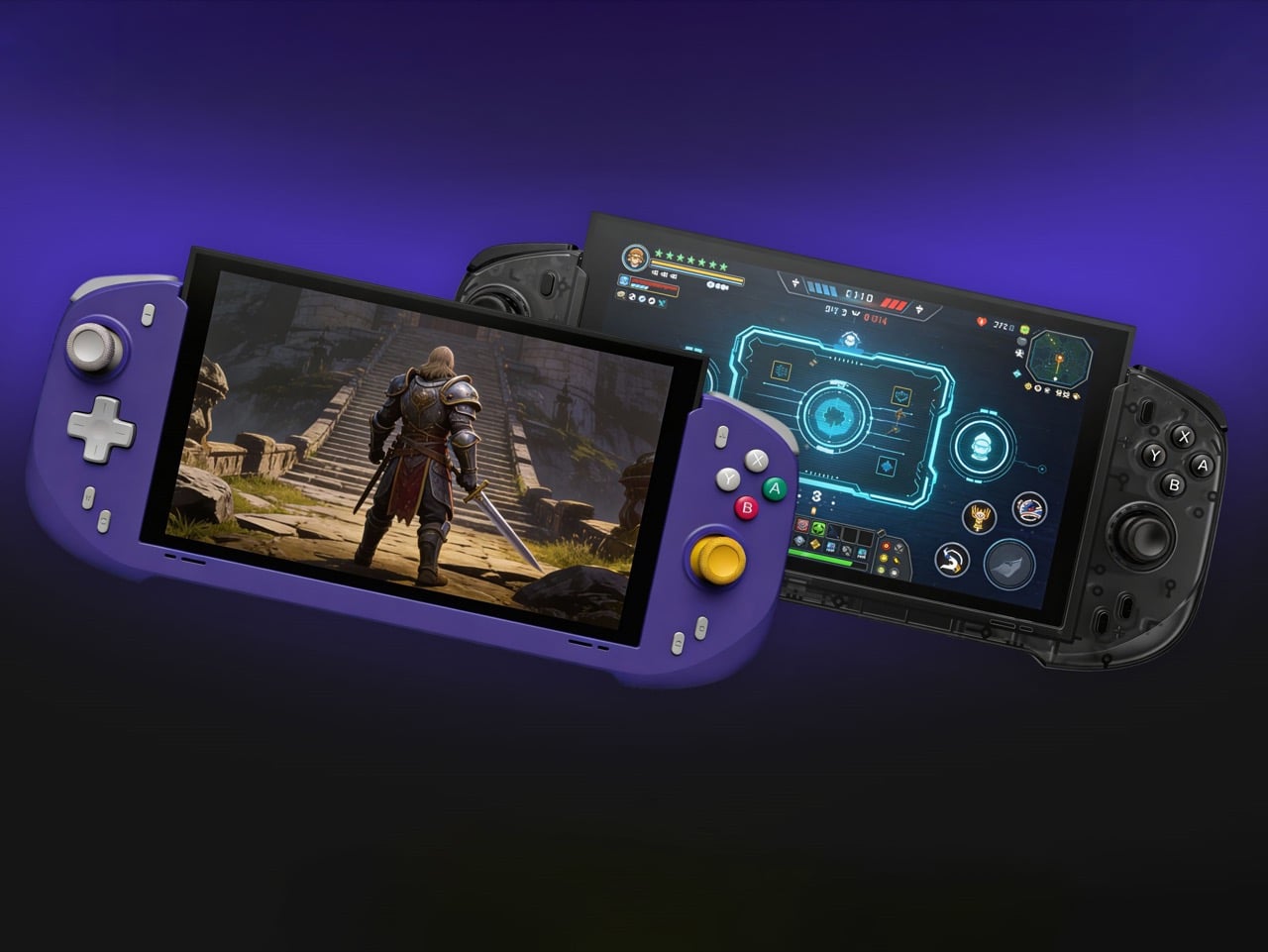
Abxylute’s answer comes in two forms: the N6 and the N9C, both deck-style controllers purpose-built for Switch 2 play. The N6 wraps the console in a full-size ergonomic grip with Hall-effect joysticks, native 9-axis motion control, a dedicated C Button for GameChat, and adjustable vibration levels the player can cycle through without leaving a session. The N9C leans into personality, drawing from GameCube design DNA with mechanical buttons, trigger switches, and a capacitive joystick system paired with swappable gates.

Designer: Abxylute

Click Here to Buy Now: $79 $110 (28% off) Hurry! Only 10 days left.
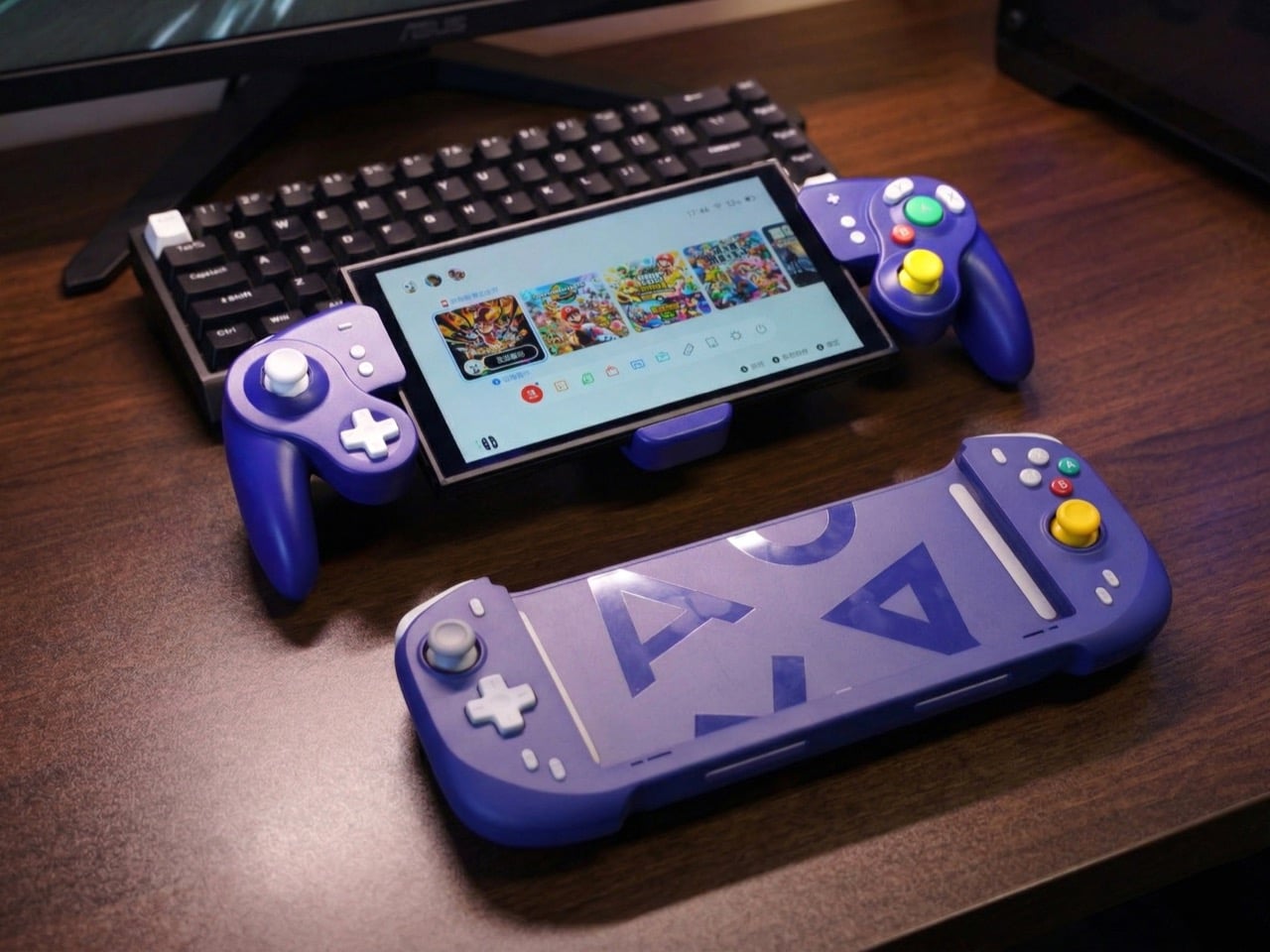
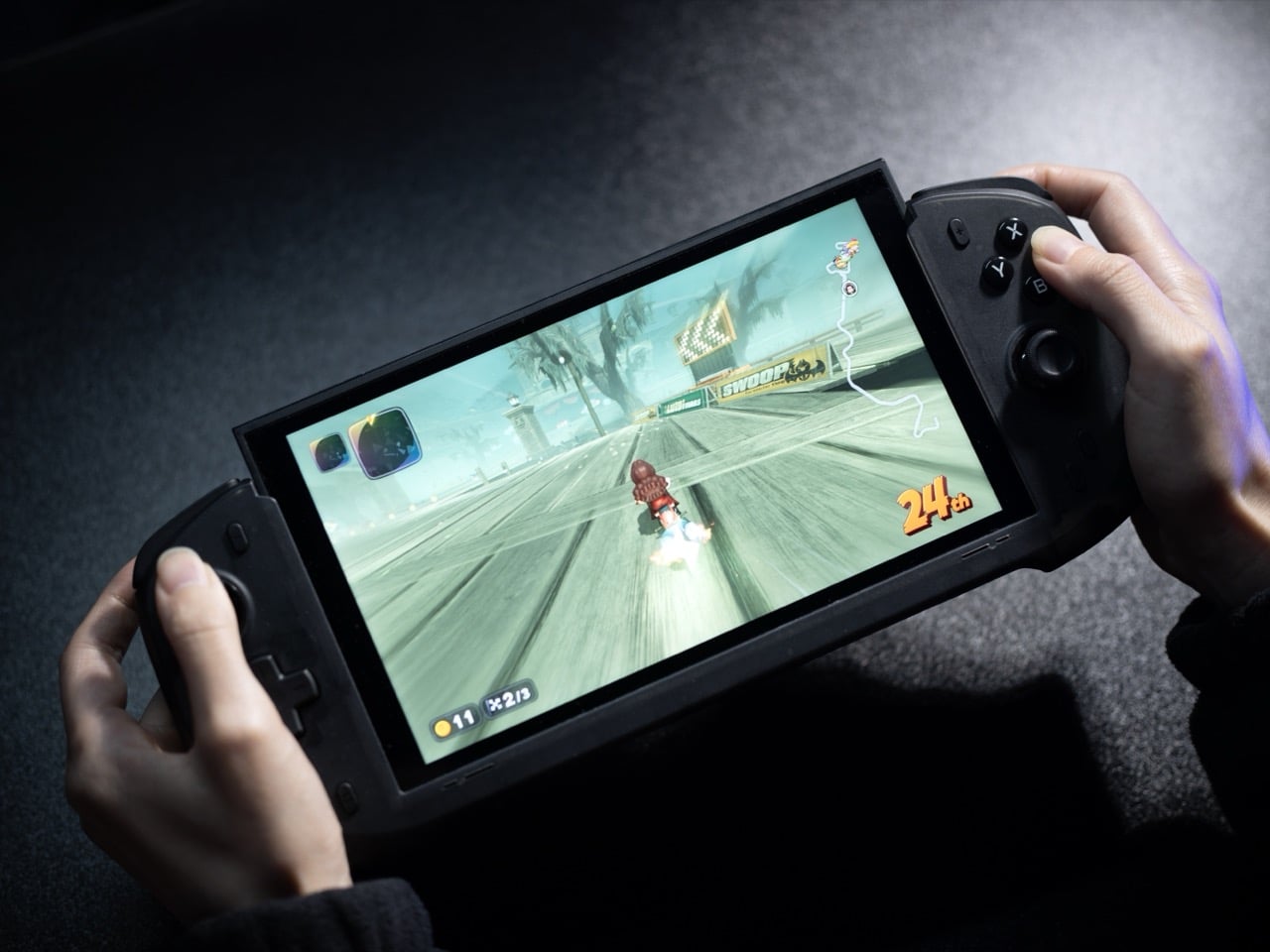
Joy-Cons were engineered for flexibility: detachable, shareable, usable solo or in pairs, functional as individual controllers for two-player sessions on a single console. That versatility comes at the cost of ergonomics, because a controller small enough to slide into a rail and function independently will never offer the grip depth, trigger travel, or palm support of something purpose-built for extended solo play. The N6 and N9C abandon that modularity entirely in favor of doing one thing exceptionally well, which is making handheld Switch 2 sessions feel like you’re holding a full-size controller instead of a tablet with thumbsticks glued to the sides. The tactile feedback is immediate and familiar, the kind of responsiveness you get from hardware designed around sustained single-player sessions rather than multi-function compromise. Both controllers connect via wired USB-C, skipping wireless pairing lag entirely, because when the target is solo handheld performance, eliminating variables takes priority over flexibility.

The N6’s open-top design is the first thing people will argue about online, and they’ll mostly be wrong. The Switch 2 stands over 11 cm tall, and a fully enclosed grip pushes that height further, putting your palms in the kind of awkward hover position that builds exactly the fatigue you were trying to avoid. Abxylute held the grip height at 8.5 cm, matching full-size controller proportions, so your palms have something to rest against rather than squeeze. The 7-inch grip width sits narrower than the console body deliberately, keeping your hands at a natural, relaxed spread instead of forcing them wide across a bulky frame. The physics of holding something for two hours straight are pretty straightforward, and this design reads those physics correctly.
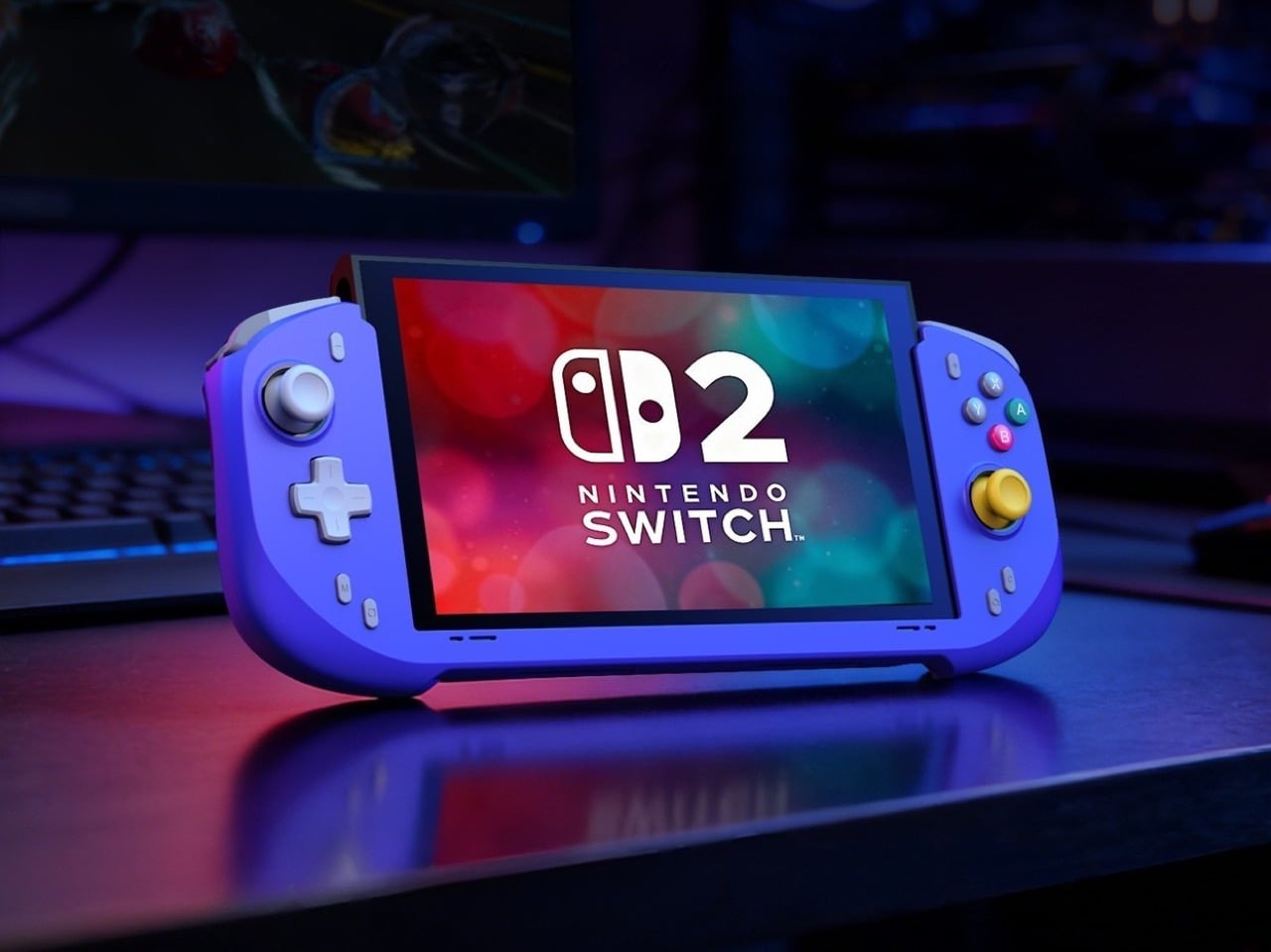
Hall-effect joysticks solve a specific, measurable problem that standard potentiometer sticks fundamentally cannot. Potentiometer sticks use resistive contact that physically degrades over repeated use, which is why drift rates climb after a year or two of regular play. Hall-effect reads joystick position magnetically, with zero physical contact between moving components, and the N6 bumps the stick travel angle to 23 degrees compared to 18 degrees on Joy-Con, giving your thumbs more range for fine-grained inputs. A POM anti-wear ring around each stick handles mechanical stability without adding stiffness or noise to the movement. It’s a small detail, but the kind that separates purpose-built hardware from a generic controller with a different shell. On a device you use daily, that engineering choice compounds in your favor in a way that contact-based sticks simply never will.
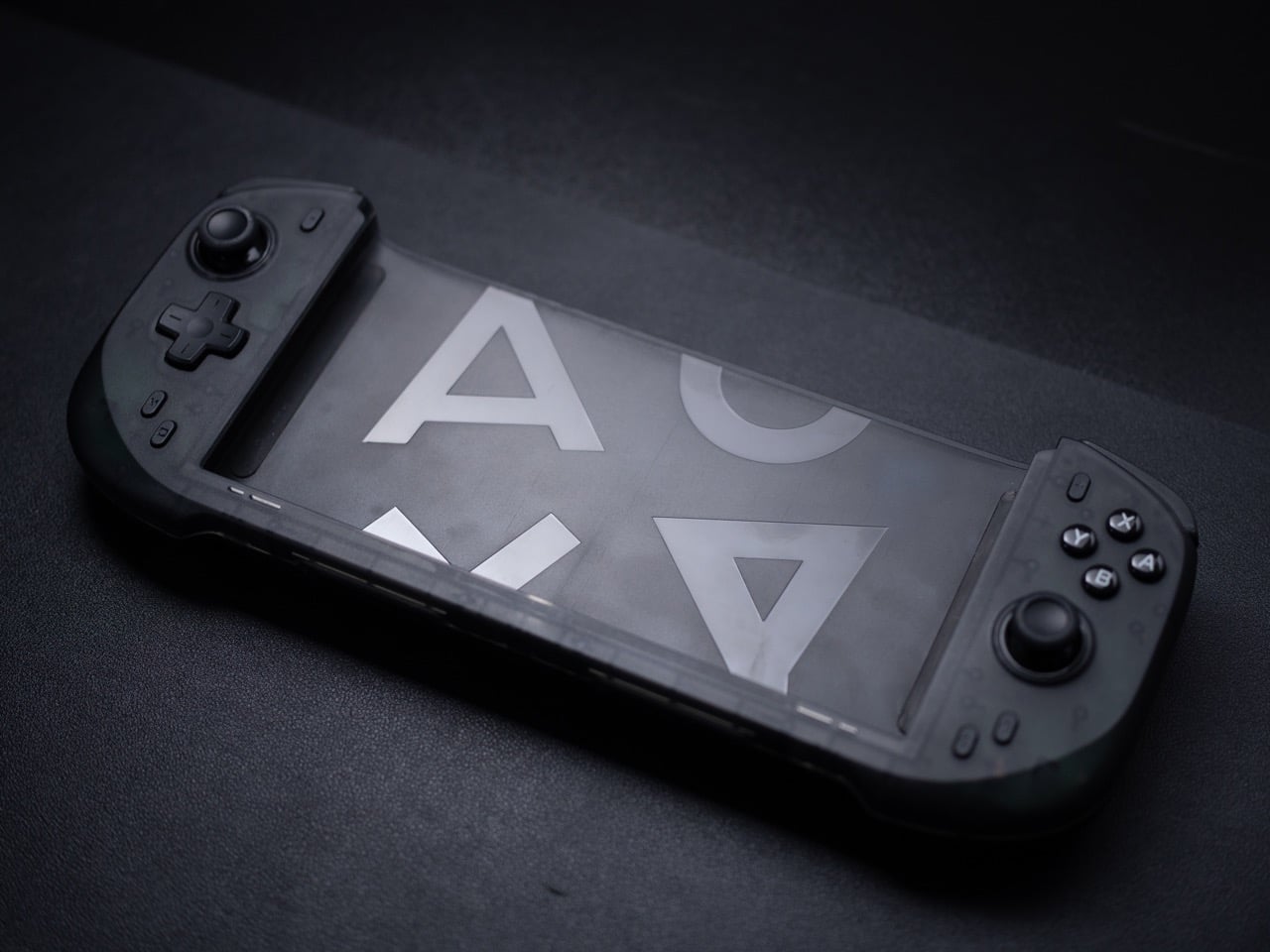
Inputs across the N6 break down by material type, and the distinctions matter. ABXY buttons use conductive rubber for cushioned presses that reduce finger fatigue; the D-pad uses tactile switches for sharper directional accuracy; shoulder buttons deliver tactile clicks for faster responses in action-heavy play; and the linear digital triggers provide a genuine 0-100% input range rather than binary on/off clicks. That trigger range matters considerably in racing games and anything relying on gradual pressure inputs. Vibration adjusts at four levels, 0%, 40%, 70%, and 100%, switchable via button combo directly on the controller, bypassing the game-by-game settings adjustment that the Pro Controller requires. The grip’s internal structure forms a resonance chamber that redirects the Switch 2’s speakers forward and reinforces bass by around 10%, which you’ll register in a quiet room as fuller, punchier audio than bare Joy-Cons produce.
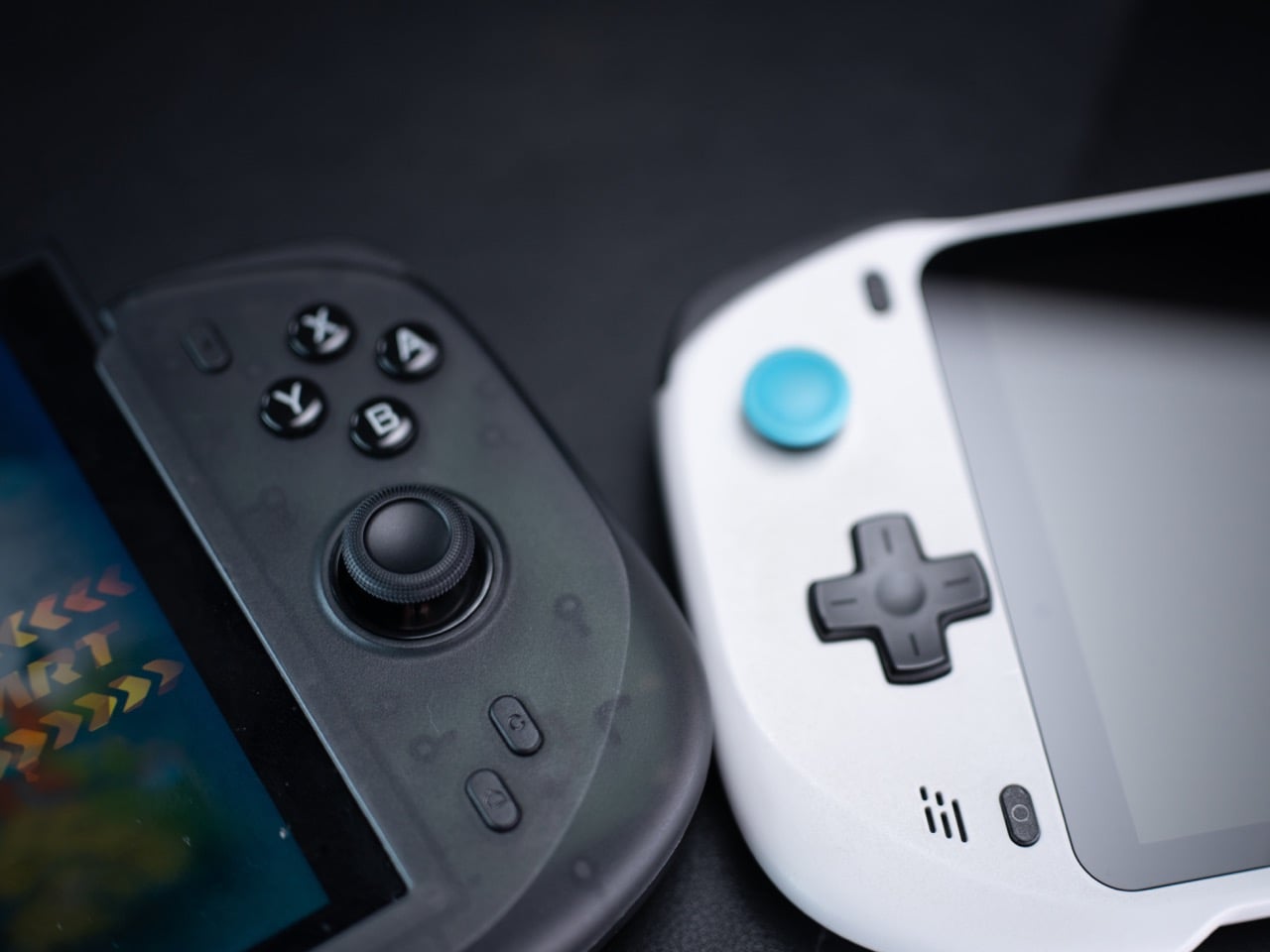
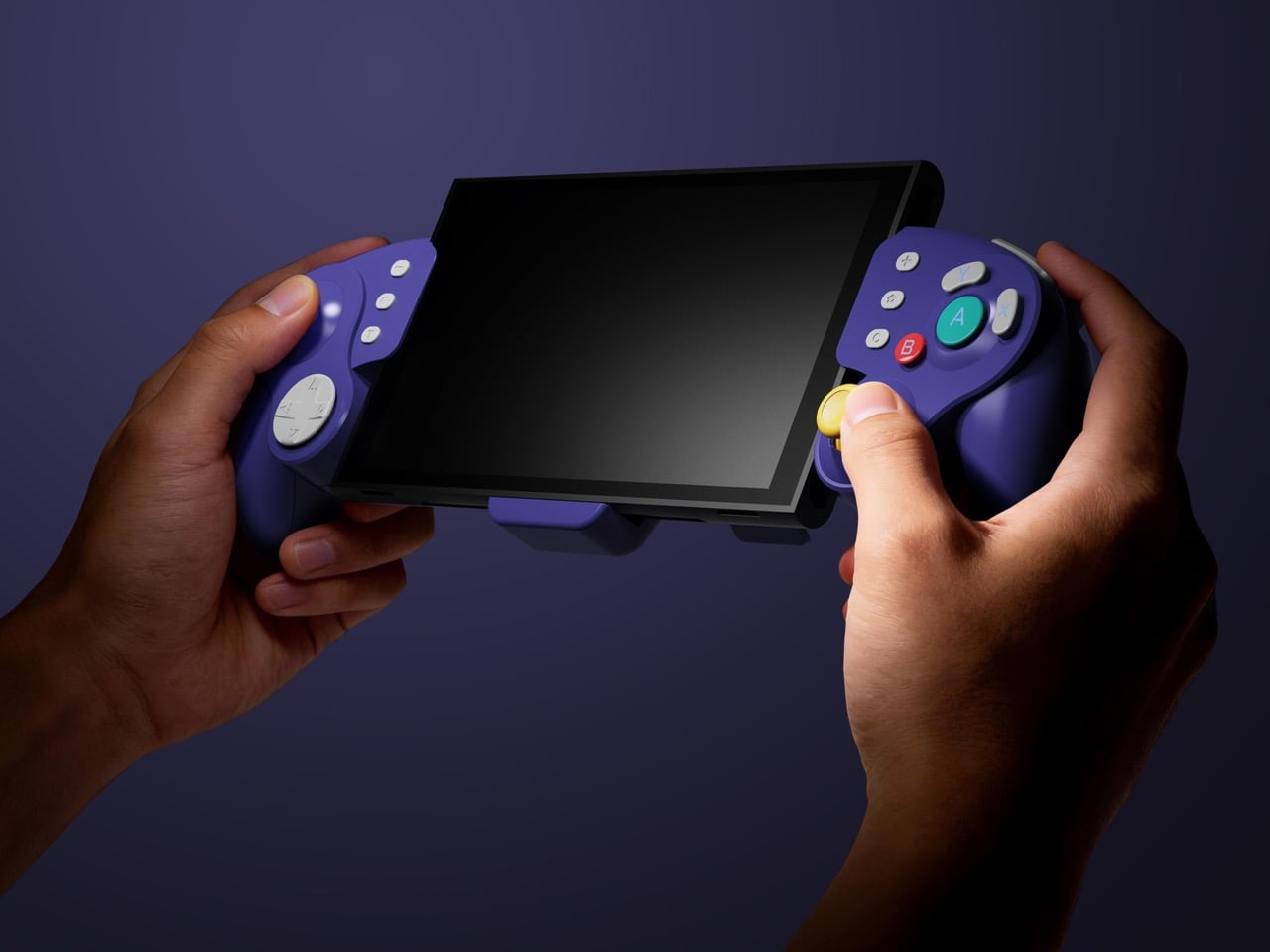
The N9C is doing something more niche and, honestly, more interesting. Where the N6 chases Pro Controller parity, the N9C chases the GameCube controller’s specific feel, complete with a centered A button and asymmetric face layout, rebuilt for a modern console using mechanical micro-switches and ALPS tactile shoulder buttons. Capacitive joysticks sidestep magnetic interference entirely, and the swappable 8-way and circular gate rings mean you can dial in a tight directional gate for fighters and swap to a smooth circular gate for platformers. A built-in battery hatch holds two replaceable batteries that reverse-charge the Switch 2 directly during play. Most grips on the market ignore battery life almost entirely, and a reverse charge system that powers the Switch 2 directly from the controller is a differentiator almost nothing else in this category offers.

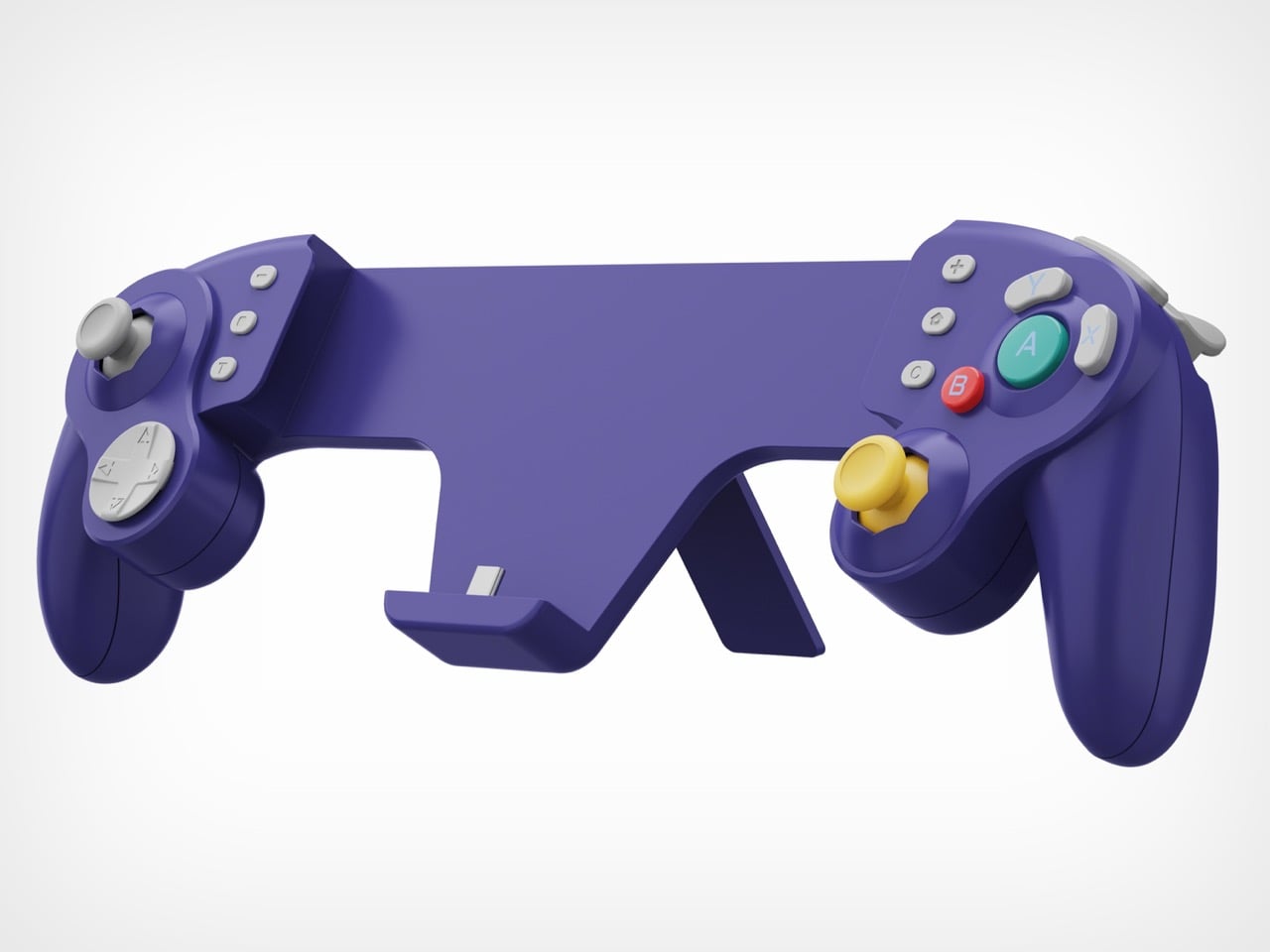
The N9C carries four programmable rear buttons, two per side compared to the N6’s one per side, and each supports the same macro-recording system that chains directional inputs and actions into a single trigger. Switch 2 system-level button remapping works natively, requiring no third-party software, so a custom layout travels across every game without reconfiguring anything. An integrated rear stand sets the N9C apart from virtually every grip in this category, giving the Switch 2 a propped tabletop angle without relying on the console’s own kickstand. The primary connection is wired USB-C for ultra-low latency, with BLE available for configuration only, keeping the input chain clean during actual play. Every N9C ships with both C-stick and ring-style joystick caps in the box, so players can dial in the stick feel before the packaging hits the trash.
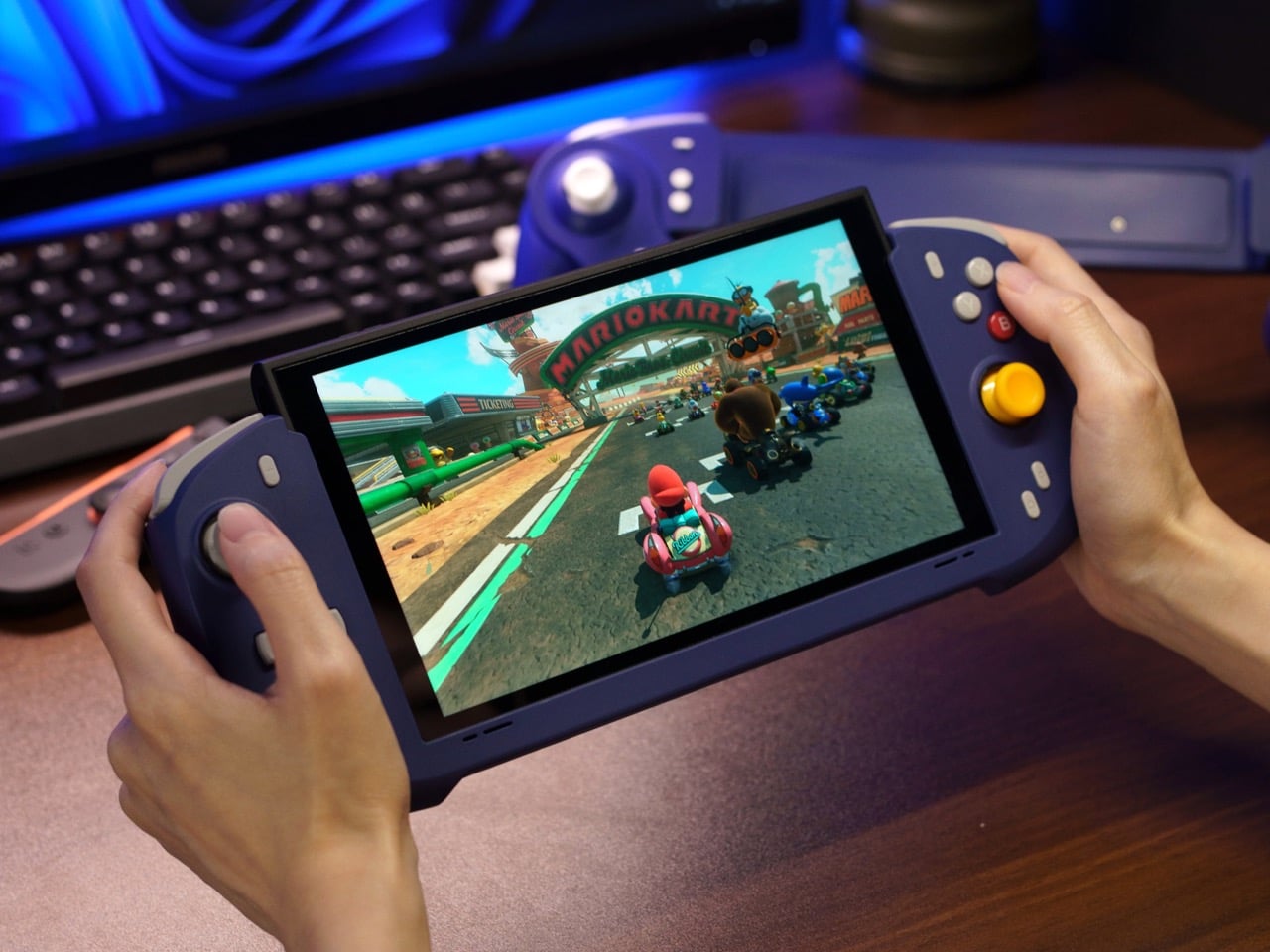
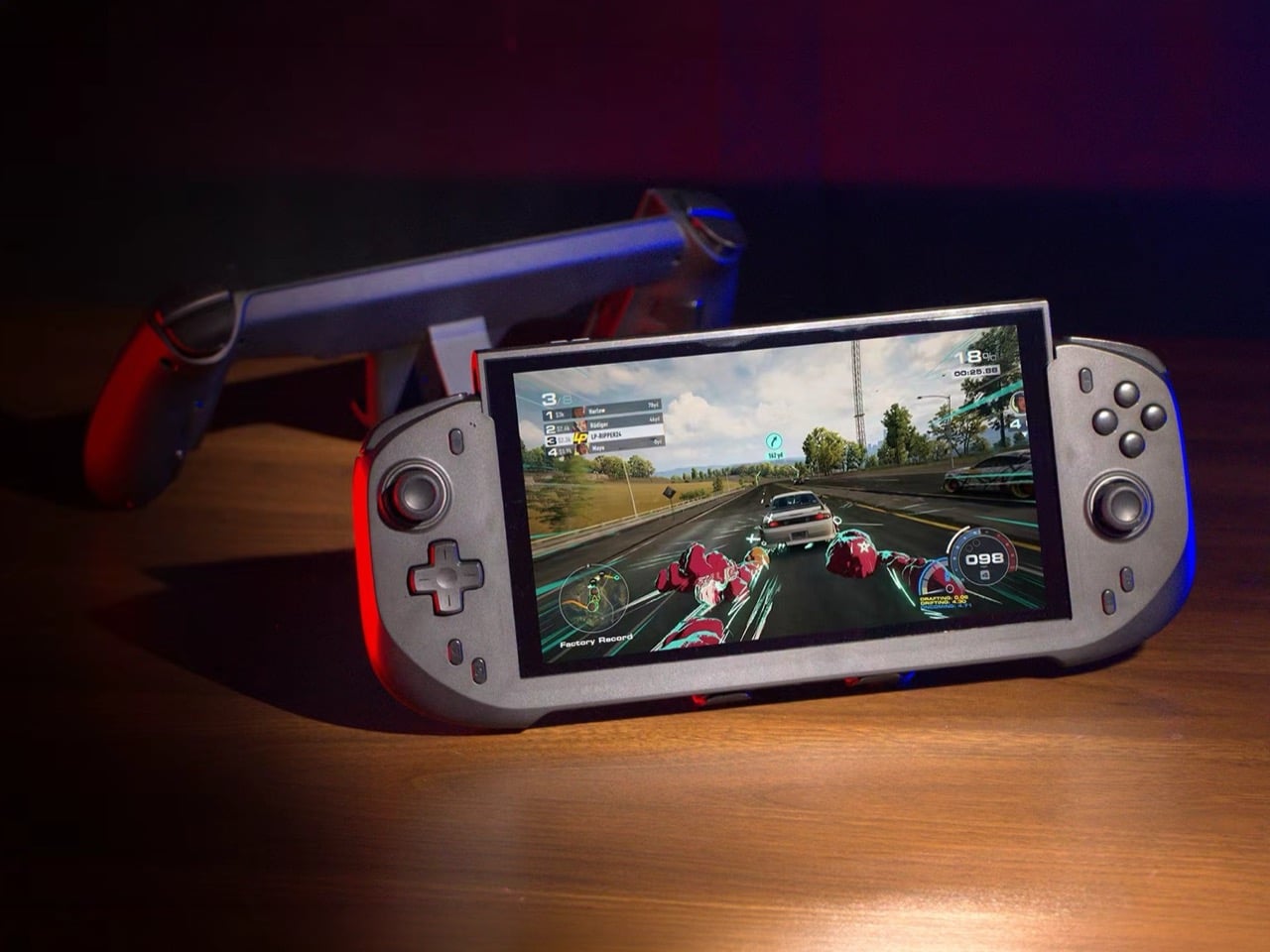
Mass production kicked off in March 2026, with shipping expected between April and June. Super Early Bird pricing runs $79 for the N6 (retail $110) and $89 for the N9C (retail $120), with a bundle sitting at $159. Nintendo’s own Pro Controller for Switch 2 retails at $79.99 and carries none of the Hall-effect sticks, programmable back buttons, or turbo functionality. Abxylute has shipped over 120,000 units across more than 20 projects to 100,000-plus customers, so the production infrastructure exists. What they’re solving for is specific: handheld Switch 2 play that performs at Pro Controller level without forcing players to accept the Joy-Con’s ergonomic ceiling as permanent.
Click Here to Buy Now: $79 $110 (28% off) Hurry! Only 10 days left.

The post A GameCube Controller on the Nintendo Switch 2? Meet Abxylute’s Deck-style Joy-Con Alternatives first appeared on Yanko Design.