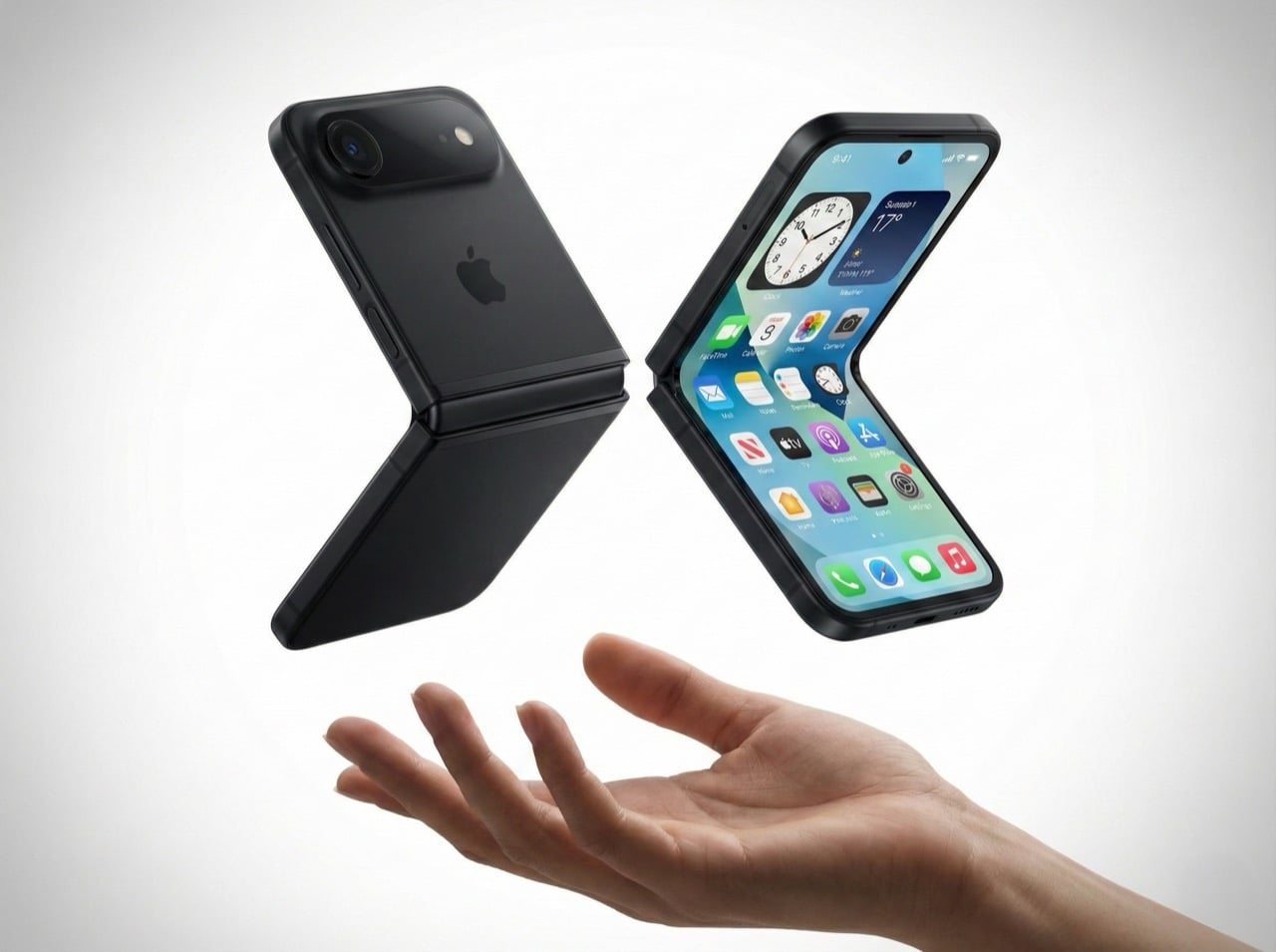
These Awesome Apple Intelligence Features Are Coming to iPhones Next Week

Happy Mobile Monday to our Yanko Design readers! This week, we’re diving into an exciting new chapter for Apple as they roll out Apple Intelligence, launching next week. These new features will be available for iPhone 16, iPhone 16 Plus, iPhone 16 Pro, iPhone 16 Pro Max, iPhone 15 Pro and iPhone 15 Pro Max. Let’s look at how these features will enhance our daily experiences, making our devices smarter and, frankly, more enjoyable to use.

Designer: Apple

Writing Tools: Making Communication Effortless

Apple’s Writing Tools fix grammar, polish your sentences, and fundamentally change how we interact with written communication on our devices. Picture those times when you’re drafting an important email and need to strike that tricky balance between being polite and assertive. The AI built into Writing Tools can take what you’ve written and enhance it—making it sharper, more concise, and clearly communicating your intent without stressing over every word. For those hectic mornings when every minute matters, these tools help save time and mental energy, letting you focus on what counts.

The beauty of these tools is how seamlessly they integrate throughout the Apple ecosystem. If you’re jotting down a quick note, sending a text, or drafting a work email, Writing Tools are there, and they are always ready to assist. Picture managing work emails, your child’s school schedule, and dinner plans all at once. The AI can summarize long message threads into key points, create quick response templates, and ensure your tone stays consistent—all without needing you to jump between apps.

For those who enjoy making lists or drafting detailed summaries, Writing Tools can transform lengthy paragraphs into bulleted lists or tables with just a click. It’s perfect for work presentations, project reports, or even just organizing your own thoughts quickly.

Upgraded Siri: A More Intuitive Assistant

The upcoming Siri upgrade features a new interface and a complete reimagining of how Siri fits into our daily routines. One of the biggest changes is Siri’s ability to take written commands. Picture being in a quiet place—a library, a meeting, or even a shared workspace—where speaking out loud to Siri isn’t appropriate. Now, you can type your command to Siri and get the help you need. It’s a new level of convenience for those times when silence is golden.

But Siri’s upgrades go beyond typing. The new language model means Siri is better at understanding more nuanced requests. Picture planning a trip and asking Siri for the best route that includes multiple stops. Siri’s new capabilities make it better at understanding complex phrasing and personal context, so it gives directions that are accurate and tailored to what you need. It feels natural, as Siri understands, even if you’re not 100% precise.

Another significant enhancement is tech support integration. Siri can now handle more complicated queries, acting like a first-line tech assistant. If you need to troubleshoot an Apple TV issue or reset a Wi-Fi setting, Siri is there to walk you through it step by step. This saves you from having to Google answers or read lengthy manuals—Siri has your back, providing real-time assistance when you need it most.

Smart Reply: Quick Responses, Whenever You Need Them

Smart Reply is Apple’s answer to the fast pace of modern communication. It’s made for those moments when you’re overwhelmed and just don’t have the time to craft a full response. Imagine being on a crowded train, managing incoming texts while trying not to miss your stop. With Smart Reply, your iPhone offers pre-generated, context-aware responses that fit the situation. You can quickly reply with “Sure, let’s do it!” or “I’ll get back to you soon,” without needing to type it all out.

These Apple Intelligence-suggested replies are based on the context of the conversation, which significantly reduces response time. Gmail users might be familiar with something similar. Whether it’s a quick work confirmation or a friend making lunch plans, Smart Reply helps keep the conversation moving without the stress of coming up with the perfect response.

Smart Reply provides efficient assistance for quick replies or acknowledgments but knows when to step aside for more complex conversations requiring a personal touch. For complex questions or sensitive discussions, the AI lets you take the lead, ensuring your personal touch isn’t lost. It’s about enhancing your workflow without taking over the parts that matter most.

Call Recording and Transcriptions: Never Miss a Detail

The new Call Recording and Transcriptions feature is a major upgrade, especially for anyone who needs to capture details accurately. Now, you can hit record during a call—whether it’s a regular phone conversation or FaceTime audio—and every detail will be saved as both audio and a written transcript. This is a huge win for people who need to remember every detail, from journalists conducting interviews to business professionals hashing out client agreements.

Think about those calls where important points are being discussed—deadlines, project requirements, or the finer details of an agreement. Instead of scrambling to take notes and potentially missing something, you can record the whole conversation and have a transcript saved directly in the Notes app. It makes going back to check on specific topics or quotes simple and quick—no more playing the entire conversation back and forth to find that one key moment. It’s about ensuring you never miss a beat, even when things get hectic.

For those with newer models like the iPhone 15 Pro, there’s an added convenience: real-time transcription and call summaries. Picture having a transcript generated in real-time while you’re still on the call, ready for reference once the call ends. It’s like having a personal meeting assistant that captures every nuance without you needing to lift a finger.

Notification Summaries and Summaries in Mail and Messages

Managing notifications can sometimes feel like a full-time job, but Notification Summaries are here to lighten the load. Apple Intelligence uses AI to group related notifications together, so instead of being hit with multiple reminders—like payment due, confirmation received, and receipts—you’ll get one clean, consolidated notification. This reduces clutter and keeps you informed without the constant barrage of pings. Your iPhone becomes a tool that serves you, not something that distracts you.

This summarizing power extends into Mail and Messages as well. Think of a long email chain where multiple people have chimed in. Instead of scrolling through every response, you get a neat summary that tells you what’s happened so far. Group messages benefit from this, too—especially when conversations go off-topic. Apple Intelligence boils it down so you can stay updated without sifting through the less relevant bits.

Photos Updates: Capture Moments, Your Way

The Photos app is getting smarter, too, with new AI-driven enhancements that make editing and managing your library a breeze. The new “Clean Up” tool, which works a lot like Google’s Magic Eraser, is one that I use daily. Picture capturing a gorgeous sunset, only to find that a stranger walked right through your shot. With just a tap, that stranger is gone, and your photo looks as perfect as you remember it. It’s a simple way to enhance your photos without needing to be an editing pro.

Searching your photos is also getting a lot easier. Now, you can use natural language to find what you want. Instead of scrolling through endless thumbnails, you can say, “photos of me and Dad at the beach last summer,” and your iPhone will bring those exact pictures to the front. It turns what used to be an exhausting hunt into a quick, pleasant moment of reminiscing.

Apple is also bringing “Memory movies” to the Photos app. You can prompt the AI with something like “last year’s birthday party,” it will create a video collage of the best photos and clips from that event. It’s about more than just storing memories; it’s about reliving them. The Photos app is evolving from a place to dump pictures into a tool that repeatedly helps you cherish those moments.

Intelligent Interruption in Focus Mode: Stay Informed Without the Noise

Focus Mode has been a great way to reduce distractions, but sometimes it can be too strict. Intelligent Interruption fixes that by letting genuinely important notifications get through, even when Focus Mode is on. This is extremely useful if you’re on a tight work deadline and don’t want any disruptions—except, say, an emergency message from your child’s school. With Intelligent Interruption, Apple Intelligence decides which notifications are crucial enough to break through the silence.

Apple’s AI learns what’s important to you over time, so it knows when to step in and when to back off. It could be an urgent email from your boss or a notification from a health app reminding you to take medication. This makes Focus Mode smarter, letting you maintain productivity while also keeping you in the loop when something really matters.

This kind of personalization is what makes Apple Intelligence so effective. By letting in the truly critical stuff, it keeps you productive and responsive, giving you peace of mind that you won’t miss anything important, even when you’re deep into work.

Non-AI System Upgrades: Enhancing the Overall Experience

Even without the AI bells and whistles, iOS 18.1 has plenty of new features to make your iPhone experience smoother. The redesigned Control Center is now more customizable than ever. You can arrange your connectivity shortcuts—like WiFi, Bluetooth, AirDrop, and cellular data—in whatever way makes the most sense for you. It’s all about making what you use most easy to reach, and if you ever decide you don’t like your setup, you can reset it back to the default with just a tap.

There’s also a new feature for file management. Now, you can drag and drop files while mirroring your iPhone to a Mac, making it seamless to move content between devices. Imagine starting a project draft on your phone and then dragging it onto your Mac for further editing—it’s the kind of fluid experience that makes working across devices feel less like a hassle and more like a true ecosystem.

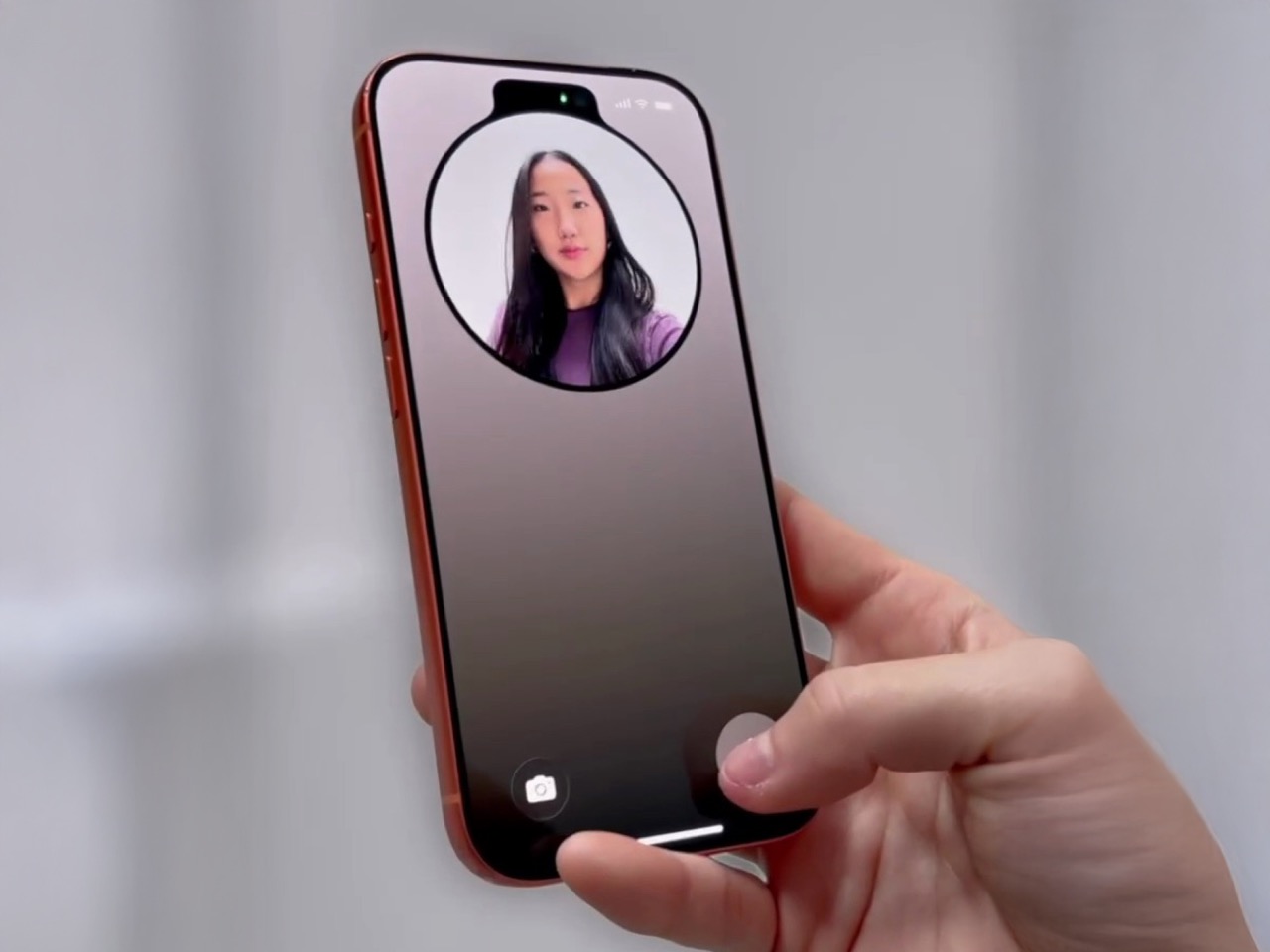
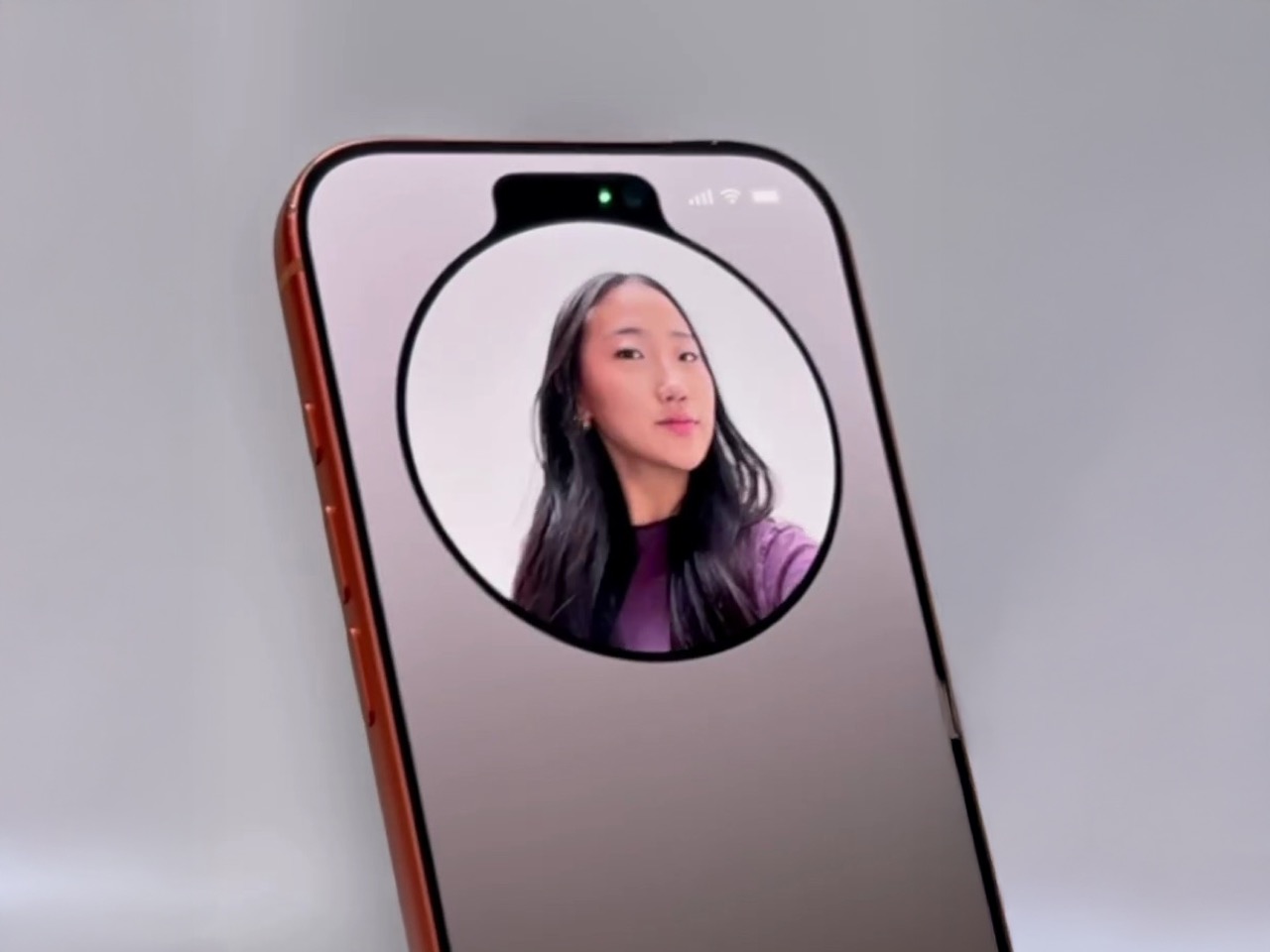
Expanded NFC chip functionality is another welcome addition. Third-party apps can now use your iPhone’s NFC capabilities for things like transit cards or hotel room keys, turning your phone into an even more versatile everyday tool. And if you’re using an iPhone 16, there’s a new capacitive Camera Control button that lets you jump to selfie mode instantly—perfect for capturing those candid moments without fumbling around.

What’s Not Quite Here Yet

While iOS 18.1 has plenty to be excited about, it’s just the beginning. Apple is already working on more features that are expected to roll out soon. Upcoming tools like Image Playground and Genmoji will let you create custom images and emojis, bringing a whole new level of personalization to how you express yourself. Imagine generating an emoji that perfectly captures your mood—it’s all about making tech a little more you.

Siri is also in for more updates down the road. Features like Visual Intelligence will allow Siri to give you information about your surroundings just by snapping a picture—whether that’s identifying a landmark, a plant, or something else entirely. And while Apple Intelligence will initially only be available in U.S. English, there’s hope that expansion into other languages and regions isn’t far behind.

These upcoming features are just a glimpse of what’s to come. For now, iOS 18.1 lays the foundation for a more intelligent and user-friendly iPhone experience, blending convenience with a deeper understanding of how we live our lives. It’s all about making your iPhone not just a tool, but a smarter companion. Stay tuned—this is just the start of what Apple Intelligence can do.

The post These Awesome Apple Intelligence Features Are Coming to iPhones Next Week first appeared on Yanko Design.
This Retro iPhone Case turns it into a Makeshift Old Windows PC with Clippy and Internet Explorer

Quite literally the opposite of Back to the Future, this iPhone 16 Pro case is more like “Forward to the Past”.

When you buy a phone, chances are you spring for a case immediately for one of two reasons – to either protect your phone, or to personalize it. However, Printables user Retron Print may have invented a new reason to add a case to your phone. Meet the iPhone Retro Case – a case that takes your cutting-edge smartphone and transforms it into a marvel of old-school technology. The two-part case sandwiches your phone in between, turning it into an old-timey CRT monitor (albeit with a functional main camera and dynamic island). To complement the case’s old-school design, Retron Print also equipped the phone with a retro home screen and custom icons and widgets. Although I’d personally love to have the iPhone stick to a Macintosh-based system, this one is unabashedly Windows, with a non-functional Clippy icon on the screen. Quite a downgrade from Siri and Apple Intelligence, no?

Designer: Retron Print

The beauty of the case is that it justifies every aspect of its retro design without compromise. Look at monitors from times of yore and they often had thick, chunky bezels. While most monitors came with a ‘chin’ which would either house a floppy disk reader or just control buttons, this retro case shifts the asymmetric chin to the side, with front-facing buttons that actually work. Built cleverly into the case’s mechanism are buttons that face forwards, but trigger the action and volume buttons on the side of the iPhone. The detailing’s prebuilt into the case’s design, and all you need to really do is 3D print and then assemble.

On the front, the case features an oval frame reminiscent of old CRT monitors, although it doesn’t obstruct the screen in any way. It’s a small but meaningful detail that gives the case a distinctly vintage vibe. Around the back, long, deep grooves evoke the look of classic desktop computers and also provide better grip. These thoughtful design elements ensure that while the case embraces nostalgia, it still offers the user a modern experience with improved functionality and tactile appeal. Meanwhile, speaker systems are accounted for too, with slots on the top and bottom that let you listen to audio from your iPhone.

When it comes to color options, Retron Print suggests using filament in shades like sandy beige, gray, or light brown to fully capture the retro essence. These muted tones are reminiscent of the classic electronics from decades past, enhancing the nostalgic appeal. This attention to detail extends to the print process itself. The case’s front and back panels are best printed on a textured print plate, adding an extra dimension to the overall look and feel, while the buttons should be printed on a smooth plate to maintain their tactile nature.

For those eager to bring a bit of retro flair to their iPhone, the case is available for iPhone 14 and iPhone 15 models. You can purchase the STL files for just $10 on Printables.com and print the case yourself, although this just includes the retro case’s 3D files and not the wallpaper and app icons. When it comes to color options, Retron Print suggests using filament in shades like sandy beige, gray, or light brown to fully capture the retro essence. These muted tones are reminiscent of the classic electronics from decades past, enhancing the nostalgic appeal.

However, commercial use of this model is restricted. To sell prints of this design, users must become a member of the Retron Print Commercial Club, ensuring that the creator, AndrzejG, receives credit and support for their work. This stipulation ensures that while the model is available for personal use, it remains protected against unauthorized distribution.

The post This Retro iPhone Case turns it into a Makeshift Old Windows PC with Clippy and Internet Explorer first appeared on Yanko Design.
iPhone 17 concept dreams of an interesting direction Apple will never take

Apple is both famed and notorious for its meticulous attention to detail and it has been hailed as a champion of product design in the tech industry. It rarely makes big changes to its design language, but when it does, it holds on to that aesthetic for years. It held onto the notch for six years before giving way to the island on the iPhone 15, and it still uses the square camera design it first introduced on the iPhone 11 back in 2019. That’s not to say that the iPhone 17 next year couldn’t be different from this year’s iPhone, and this concept tries to explore designs that could make sense but will probably never happen under Apple’s watch.

Designer: Mohamed Mahdy

Apple has championed minimalism for its most recent products, barely adding any vibrant colors or textured finishes to its iPhones and MacBooks, save a small number of special editions. It has left the doors wide open for case makers to offer those flavors to people who do want them, but it has reserved for itself classier aesthetics. Of course, it’s not like Apple has never embraced more eye-popping hues before, as proven by the candy iMac G3, the colorful iPhone 5c, and the current generation of vibrant flat-screen iMacs.

This Apple iPhone 17 conceptual design dares to venture into unknown territory with a design that, almost doesn’t look like Apple if not for the telltale logo. It does have the flat design of the current iPhones, but rather than a smooth and featureless chassis, it adds a bit of texture that looks almost like fabric. This can perhaps be an opportunity for Apple to use more sustainable recycled materials rather than just plain metal.

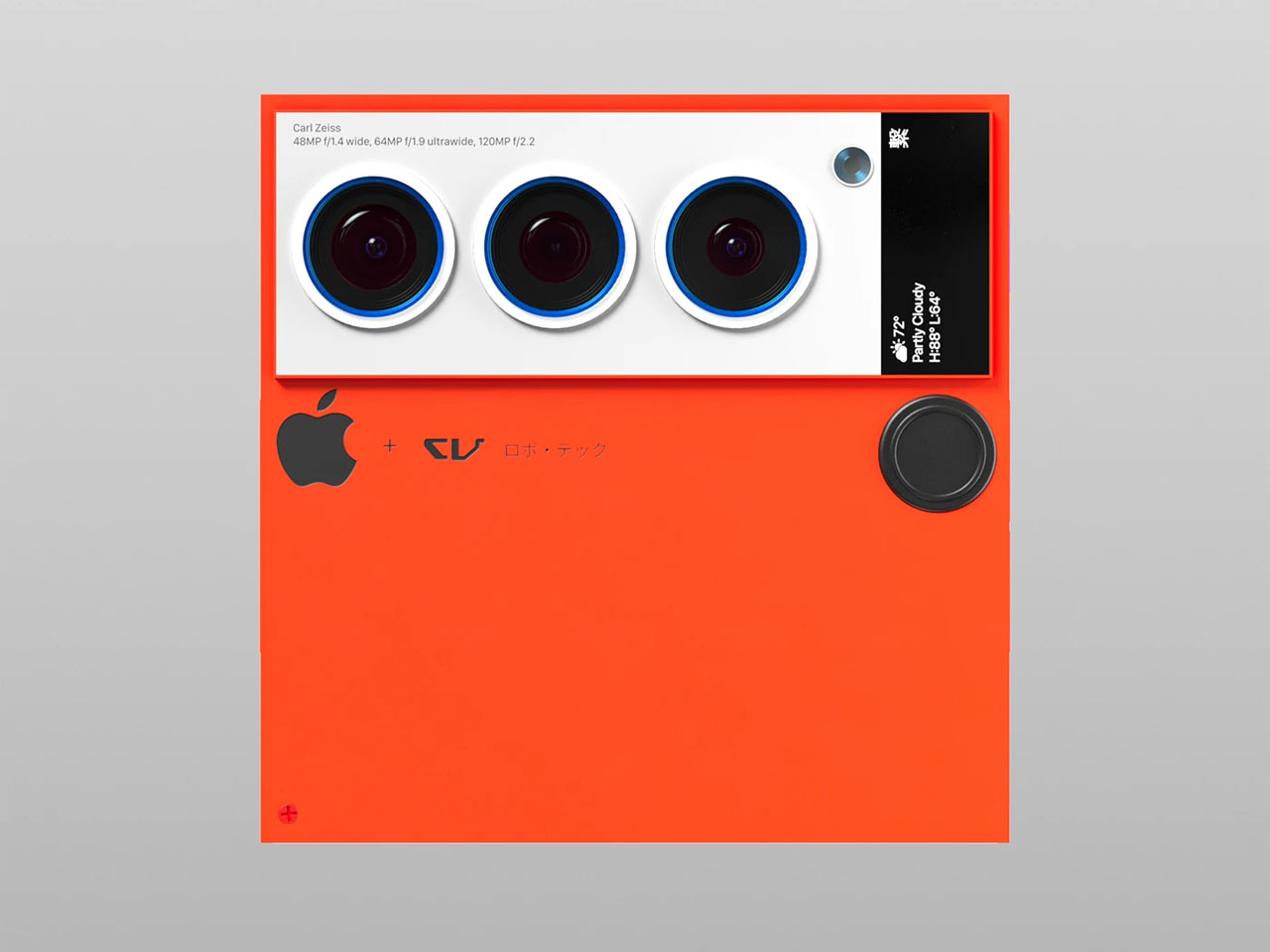
The biggest deviation, however, is the camera design, a pill shape that runs across the width of the phone. It has four cameras, something that has yet to happen on any iPhone, arranged in a row with the LED flash and 3D time-of-flight sensor in the middle. This design is one possible solution to the design puzzle that Apple will have to face when it does add another camera sensor to next year’s iPhone. It also fixes the wobbling problem that most smartphones have because they push the thick camera bump off to the corner.

Interesting as it may seem, it does feel unlikely that Apple would go this far if it ever does finally change the iPhone 17’s design. The changes are far too great and the benefits are far too few. It’s still an interesting thought experiment, of course, one that does try to at least stick to the general design of current iPhones. Chances are, however, that the company won’t be ready to make such a drastic leap, even with sustainability and ergonomics at stake.

The post iPhone 17 concept dreams of an interesting direction Apple will never take first appeared on Yanko Design.
iPhone 16 iFixit teardown reveals a huge step forward in sustainability

Today’s smartphones may be more advanced and more powerful than ever, but they still suffer from the same ailments that their ancestors experienced more than two decades ago. Screens get cracked, charging ports get worn down, and batteries die. Unlike the mobile phones of the past, however, the complex designs of modern smartphones make it impossible to even just replace a bloated or dying battery. Of course, companies have always defended this practice as protecting their brand and their intellectual property, but thankfully they’ve started turning around, and Apple just made what is perhaps the biggest step in that direction, short of simply letting owners pop off the iPhone 16’s back, pop out the old battery, and pop in a new one.

Designer: Apple (via iFixit)

The new “feature” that has the Internet abuzz involves the removable of those unwieldy “pull tabs” that doubled the work since you’d often still have to resort to some isopropyl alcohol at the end of the process. Instead, Apple’s new adhesive can dissolve under low electrical current, which means you can hook up the back of the exposed iPhone 16 or 16 Plus to an ordinary 9V battery and have that adhesive go away in a minute and a half. The voltage actually determines the length of waiting, and iFixit’s test showed that a 20V charge would have the battery ready to be removed in just 20 seconds.

This makes battery replacement significantly easier and less error-prone, though you’ll still have to do some alcohol cleanup to completely remove adhesive residue before installing a new battery. Considering batteries are one of the first things on a smartphone to die from natural wear and tear, they are also the most common parts that need to be repaired or replaced. This major improvement in repairability also improves the iPhone 16’s overall sustainability, as it reduces CO2 emissions in the long run.

The catch is that this groundbreaking adhesive is only available on the iPhone 16 and iPhone 16 Plus. The more advanced Pro models, ironically, still use the pull tab system, but Apple did make a little change to make that process less nerve-wracking. The shells of these batteries are now made of hard steel instead of soft pouches, so the chances of accidentally puncturing these sensitive and volatile batteries are now lower, which is very important since you’ll still need to pry them off without that magical dissolving adhesive.

The rest of the iPhone 16 teardown is pretty uneventful, which also means that Apple has retained its improved DIY repair experience this year. This helped the iPhone 16 garner a 7 out of 10 on iFixit’s repairability scale, which is pretty high for a “regular” smartphone that doesn’t promote the same kind of repairability and sustainability as the Fairphone. Hopefully, this new material will eventually land on the iPhone Pro models next year, becoming a major sustainability feature of all iPhones moving forward.

The post iPhone 16 iFixit teardown reveals a huge step forward in sustainability first appeared on Yanko Design.
Dieter Rams-inspired iPhone Standby Mode Dock comes from an alternate timeline

Have you ever wondered what would happen if two people from different time periods or locations met and worked together? Short of breaking the laws of time and space, we can only take a guess based on the works and ideas they left behind, though some “what if” collaborations feel more natural than others. The legendary industrial designer Dieter Rams, for example, has influenced generations of designers, some of whom became legends themselves and even carried on the spirit of his design philosophy. Perhaps nowhere is this association more pronounced than in the Ive-era Apple designs, particularly those that embraced minimalism to their very core. We might not need to imagine what a Rams-Ive collab would look like based on this rather simple yet intriguing iPhone dock that utilizes Standby Mode to become a modern version of the Braun DN 40 alarm clock that Rams designed.

Designer: Scott Yu-Jan x OVERWERK

Although probably best known for his Ten Principles of Good Design, Dieter Rams’ industrial designs not only became Braun products but also served as the inspiration for the likes of the original Apple iPod or the first Sony Walkman. His designs espoused a “less but better” philosophy, a foundation of modern minimalism, and among them was the DN 40 electronic, a funnel-shaped alarm clock that, as you might have guessed, did that and only that. There are dozens of alarm clocks today, of course, including an iPhone if you charge it horizontally to activate Standby Mode.

Inspired by this concept, musician OVERWERK created an initial prototype that simply housed a circular iPhone MagSafe charger to hold the phone at a specific angle similar to Rams’ design. It was basic, functional, and a bit cumbersome and wasteful. To take out the iPhone that sits flush inside the body, you have to press on one end of the phone to raise the opposite end and then pry it out. The rest of the clock’s chassis also held no purpose since there were no electronics to put in there as well.

Working together with designer and YouTuber Scott Yu-Jan, the design took an interesting turn and, thus, the iPhone DN 40 Dock was born. Two simple yet crucial changes were made to the original design, including adding an ejection button at the top that pushes the iPhone forward, detaching it from the MagSafe charger. Yu-Jan also added a space for the small Apple Watch MagSafe charger underneath the top cover at the back, allowing you to charge your AirPods on top. As a bonus, charging the AirPods case has a satisfying feeling when you simply put it down on top of the clock and it slides into place thanks to the power of magnets.

The result of this collaboration between two modern-day designers is a design object that feels like a collaboration between Rams and Ive, two designers with great respect for one another but never got the chance to work together. It has the minimalism of the original DN 40 clock but is made even simpler because you only need an iPhone and MagSafe chargers. You do need a 3D printer to make your own, though, and you might need to modify the design since this was made specifically for an iPhone 15 Pro. Fortunately, the design files are freely available so anyone can now have their own Rams-inspired iPhone Alarm Clock by their bed or desk.

The post Dieter Rams-inspired iPhone Standby Mode Dock comes from an alternate timeline first appeared on Yanko Design.
Upgrade your iPhone 16 Pro with TORRAS’ Shatterproof Screen Protector with the World’s Thinnest Black Border

The iPhone just launched the day before yesterday and if you’re lucky enough to have ordered one, trust me – there’s nothing more heartbreaking than seeing your brand-new phone get a scratch on the screen. Honestly, this feeling even applies to older iPhones. As much as Apple touts its phone’s Ceramic Shield display, it’s still fairly breakable (and very expensive). That’s where TORRAS’ $29.99 screen protector comes in handy. The GlassGo X is shatterproof, has an anti-fingerprint coating, and attaches to your phone using TORRAS’ 2-step process that produces perfect, bubble-free results. Pair it with the company’s Ostand 360° Spin Phone Case and your iPhone 16 Pro gets the best of all words – all-around protection as well as convenience in the form of a 360° grip and stand.

Designer: TORRAS

Click Here to Buy Now: $23.99 $29.99 (Use coupon code “yanko1620” to get 20% off on the screen protector). Hurry, deal ends in 48-hours.

The GlassGo X Screen Protector comes crafted from military-grade shatterproof glass. I usually find myself cringing at the use of phrases like military-grade, but the glass has a remarkable 9H hardness and is inherently shatterproof… which means it absorbs any impact without showing signs of wear and tear. Despite the extra protection, TORRAS has nailed the balance between durability and touch sensitivity by finding the sweet spot when it comes to materials and thickness, keeping the smooth interaction you expect from your iPhone.

Sporting narrower black borders, the GlassGo X compliments the iPhone 16 and 16 Pro’s immaculate minimal-bezel display. It’s designed to be as invisible as possible while giving you 100% screen coverage. No awkward gaps around the edges—this protector covers every inch of your display. Plus, it’s got an anti-fingerprint coating, so you won’t be constantly wiping off smudges.

One of the best parts? The 2-step installation makes applying it a breeze. Gone are the days of air bubbles that ruin the perfect look. TORRAS has engineered a setup that allows air to escape easily, giving you a flawless, bubble-free fit. And, with two protectors in each package, you’ve got a backup just in case you encounter problems installing the first phone. Or if you’ve bought an additional phone for your partner, it’s nice to have a ‘twofer’.

We’ve covered TORRAS’ Ostand cases in the past, and the iPhone 16 and 16 Pro series get their own 360° cases too, with a slim, built-in ring that pops out as well as rotates on an axis (a remarkable feat of engineering that we covered in-depth at CES this year). Designed for durability, style, and practical use, it features a curved back and rounded corners that provide all the protection in a streamlined form factor without any of the bulk. Speaking of streamlined, the cases also have a cutout for Apple’s Camera Control sapphire-crystal button with a flowing cutout design that makes the user interaction seamless. The real kicker, though, is the 40% stronger magnets within the ring, which hold on to MagSafe accessories and Qi2 chargers like an absolute pro.

The Ostand case comes in four color options—Nude, Black, Clear, and Grey—so you can match it to your style. Whether you’re going for a minimal look or something a little more rugged, TORRAS has you covered. Pair it with the GlassGo X and you’ve got top-tier protection without adding bulk or interfering with your phone’s sleek design.

Click Here to Buy Now: $23.99 $29.99 (Use coupon code “yanko1620” to get 20% off on the screen protector). Hurry, deal ends in 48-hours.

The post Upgrade your iPhone 16 Pro with TORRAS’ Shatterproof Screen Protector with the World’s Thinnest Black Border first appeared on Yanko Design.
7-foot iPhone 15 Pro Max is the world’s largest iPhone and it runs Android

If Steve Jobs ever knew that YouTube creators would someday run Android on an iPhone and bag a Guinness World Record for it, he probably would have never created an iPhone in the first place. Thankfully there are iPhones – in fact, iPhone 16 lineup is slated for launch today – and we get to see a giant functional replica of the currently top-of-the-line iPhone that measures 6.74 feet tall and weighs roughly 440 pounds.

If you are a DIYer or a tech aficionado there is a slim chance you haven’t heard of Matthew Perks and Arun Maini. The high-profile YouTubers, a.k.a. “DIY Perks” and “Mrwhosetheboss” respectively, have partnered to build a gigantic working replica of an iPhone 15 Pro Max. This humongous iPhone definitely destroys the very idea of a handheld phone, but despite its astounding size, it is immensely functional; which is why it has been adjudged the largest iPhone ever and awarded the official Guinness World Records for the same.

Designers: Arun Maini x Matthew Perks

From the videos about the making and the demonstration of its functionality for the record, I was convinced this is a way more powerful iPhone than Apple would ever make. But the excitement diminished slightly on learning that this Gulliver of iPhones in the Lilliput Island of smartphones runs Android with few tweaks and themed skin to achieve the iPhone appearance and functionality.

Taking nothing away from this highly detailed smartphone build: I’m back and impressed! And why not, this entire thing is built to the tune of $70,000. The construction starts with a massive LG 88-inch LG OLED TV for the touchscreen display, placed inside a specially designed aluminum casing. The hardware inside is no way short of impressive either.

Without going too much into detail, for that you’d enjoy better in the descriptive video above, this big iPhone comes with 128GB of RAM and 4TB of internal storage. The tipple camera array on the back is topped by a 45MP Canon R5 camera, sporting a 28mm lens, and a Sony RX10 Mark 4 to mimic the iPhone 15 Pro Max’s telephoto lens. With the details on the screen and in the body matching that off the inspiration iPhone, the largest iPhone can take impressive photos, recording 8K resolution videos, blast music at 50W, send emails, tap-to-pay for purchases, and even play Flappy Bird that iPhones haven’t been able to download in a decade now.

The post 7-foot iPhone 15 Pro Max is the world’s largest iPhone and it runs Android first appeared on Yanko Design.
Spigen unveils iPhone 16 Cases with gorgeous iMac G3-inspired nostalgic transparent design

Apple launches a new iPhone lineup every year and accessories makers step up to the challenge, delivering the finest MagSafe-compatible protective cases, ensuring the new iPhones stay safe and secure while looking good. At the launch of the new iPhone 16 devices, accessory maker Spigen – a name trusted by iPhone users for over a decade – has launched compatible cases to protect, accessorize, and power the new Apple devices.

To ensure the protective iPhone 16 cases remain essential to the users, Spigen has plenty of options, and most of them comply fit in its MagFit ecosystem: Cases that protect and keep the secured iPhone compatible with MagSafe charging and the world of snapping accessories. All these Spigen covers take care of the size alteration and the new capture button of the iPhone 16.

Designer: Spigen

Leading the pack, and for me, the most outstanding option in the collection is the iconic iMac G3-inspired case. Dubbed the Classic C1 and priced $59.99, this tribute to one of the most fashionable computers of the day, the C1 like the iMac G3 itself is all about the candy colors. Available in four color options – tangerine, Bondi blue, graphite, and ruby – and made from a two-piece PC and TPU, the iPhone 16 cases with its retro translucent design, are from the MagFit ecosystem and fashioned out for total MagSafe compatibility.

If you’re not the type who would want to travel back in time with the retro translucent design of the C1, but want a rugged phone case for additional protection against accidental falls; Spigen has the Rugged Armor (MagFit) priced at $39.99. Delivered with carbon fiber detailing and multi-layered bumper protection on all corners, the Armor is ready to take a punch. Moving on, with slimness in its name is the Slim Armor. This $54.99 case is MagSafe compatible and despite the form factor it conditions your iPhone to be in safe custody.

AI is the buzzword of late, and even the accessories maker wants to jump onto the bandwagon. To that accord, Spigen Tough Armor AI ($59.99) arrives with the power of artificial intelligence to protect the iPhone 16. Featuring XRD foam construction on the corners and thousands of impact data for trusted defense, the case is thrown in with a kickstand for undeniable user convenience. If you’re not willing to shell out 40-50 bucks for a protective iPhone 16 cover, Spigen has a more economical Core Armor in the collection. At $29.99, the Core Armor gives your iPhone 16 a sleek matte finish and grooves for extra good grip.

The post Spigen unveils iPhone 16 Cases with gorgeous iMac G3-inspired nostalgic transparent design first appeared on Yanko Design.
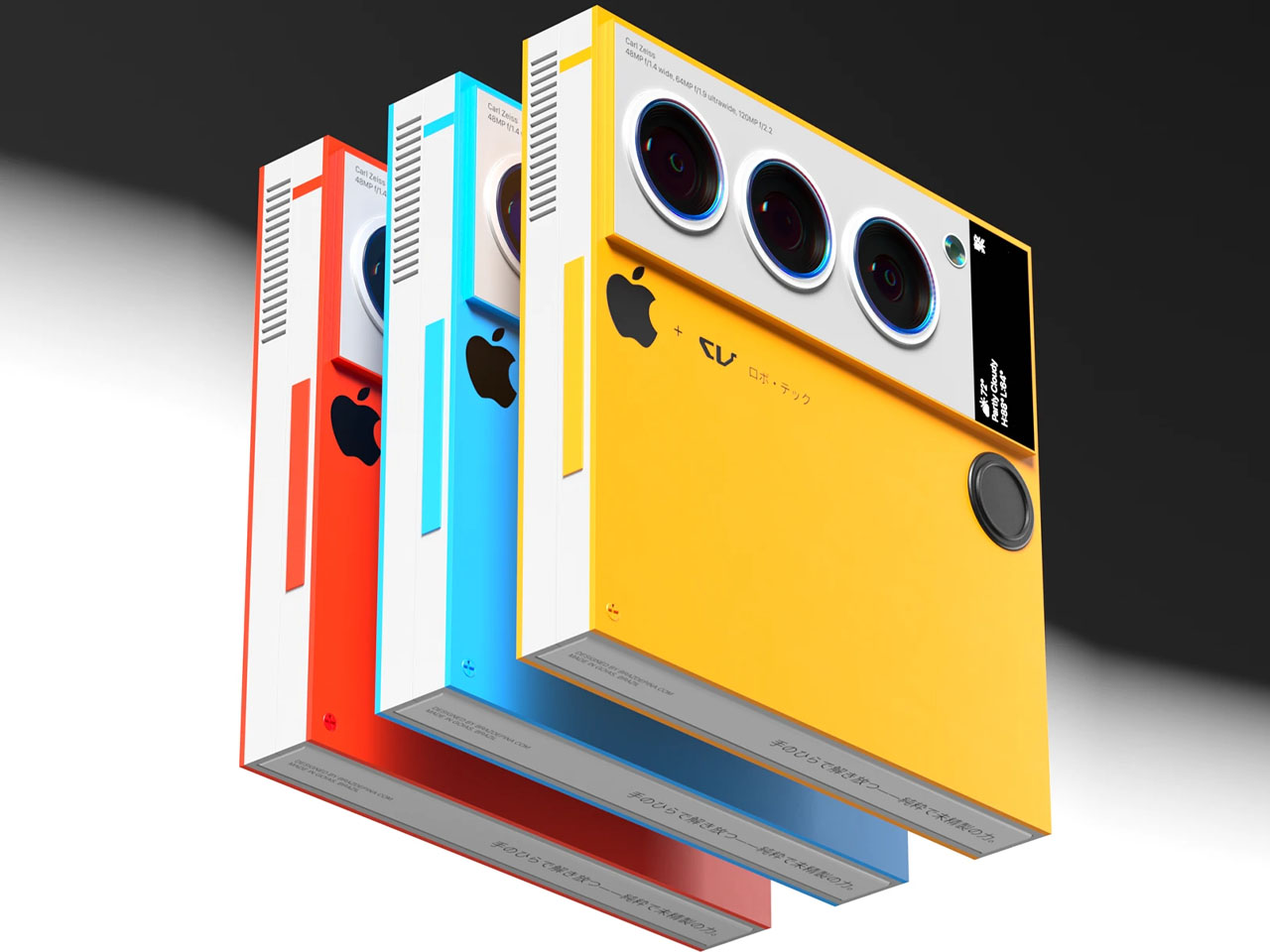
iPhone 16: Is it Worth the Upgrade? Here’s What You Need to Know

Apple’s latest iPhones are here: the iPhone 16, iPhone 16 Pro, and iPhone 16 Pro Max. With each release, many iPhone owners face the question of whether it’s worth upgrading. These new models bring changes in design, performance, and features, but the decision to upgrade depends on what you’re looking for in a smartphone. Let’s break down what each model offers and whether it’s a meaningful upgrade for you.

Designer: Apple

iPhone 16: The Standard Upgrade

The iPhone 16 sticks to Apple’s familiar formula but includes significant updates. The design remains the same as the iPhone 15, with a 6.1-inch display, Dynamic Island, and a range of new color options, including ultramarine and teal. The Ceramic Shield is now tougher, making it more durable than before, which is great for those who want a more resilient phone.

Apple iPhone 16

One of the most noticeable additions is the Camera Control button, which gives you easier access to the camera’s functions. This feature lets you tweak settings like zoom and exposure with a simple touch. The 48MP main camera remains, but the Ultra Wide lens is now more powerful, offering improved macro shots and better low-light performance.

Apple iPhone 16

For those who use their iPhone for everyday tasks—like texting, taking photos, and browsing—the iPhone 16 offers solid improvements but nothing groundbreaking. The A18 chip provides faster performance and efficiency, giving you slightly better battery life than older models. Still, if you’re coming from an iPhone 14 or 15, the jump in features might not be enough to justify the upgrade unless you care about the latest camera and design tweaks.

iPhone 16 Pro: Bigger Display, More Power

The iPhone 16 Pro is a more compelling option if you’re looking for more advanced features. This model sees an increase in display size, now 6.3 inches, and offers a design that pushes the boundaries of screen space with its thinner borders. The titanium frame makes the phone lighter and more durable, while the larger screen and Always-On Display ensure a better viewing experience.

Apple iPhone 16 Pro

One key difference with the Pro model is the performance. Powered by the new A18 Pro chip, the iPhone 16 Pro brings faster processing and improved efficiency. Whether you’re a power user who switches between apps or someone who enjoys gaming on their phone, the performance boost will be noticeable. This chip also enables high-end camera features, like the ability to shoot 4K video at 120 frames per second.

The camera system is a major selling point for photographers and content creators. The 48MP main sensor works with a new 48MP Ultra-Wide lens and a 5x optical zoom Telephoto lens, offering far more versatility in your photos. The Pro models also come with enhanced software, allowing users to adjust video playback speed after recording and capturing spatial photos and videos compatible with Apple’s Vision Pro headset.

The iPhone 16 Pro’s battery life is another highlight. Apple claims it will last much longer, which can make a difference for those who spend a lot of time on their phones during the day. If battery life, performance, and a more advanced camera are what you’re after, the iPhone 16 Pro could be worth the upgrade. But if you’re coming from the iPhone 15 Pro, these enhancements might not feel dramatic enough to switch immediately.

iPhone 16 Pro Max: The Full Experience

The iPhone 16 Pro Max is the largest and most expensive option in the lineup, with a 6.9-inch display. Like the iPhone 16 Pro, it features the new A18 Pro chip, which improves performance and power efficiency. The Pro Max also benefits from a bigger battery, offering the best battery life of any iPhone. This could be a crucial feature for those who need their phone to last throughout the day without recharging.

iPhone 16 Pro and Pro Max

The camera system is identical to the iPhone 16 Pro, with a 48MP main lens, 48MP Ultra Wide lens, and 5x optical zoom Telephoto lens. The Camera Control button gives you quick access to settings, while the new spatial video and photo features allow for immersive, 3D-like content creation. If you’re already a fan of Apple’s Pro Max series, the iPhone 16 Pro Max builds on what you love with a bigger screen, longer battery life, and even more camera options.

Apple iPhone 16 Pro Max Camera Control

However, if you don’t regularly use your phone for photography, gaming, or other heavy-duty tasks, the Pro Max’s price tag may not be justified. It’s designed for users who want the biggest and best of everything, but the size and cost might be overkill for casual users.

Should You Upgrade?

Whether you should upgrade to the iPhone 16, iPhone 16 Pro, or iPhone 16 Pro Max depends on your current use and what you value most in a smartphone.

Apple iPhone 16 Pro

  • If you’re using an iPhone 13 or older, upgrading to any model in the iPhone 16 series will give you substantial benefits. You’ll notice a significant improvement in speed, camera quality, and battery life. The design changes and software features like Camera Control will also enhance your daily use.
  • The decision is more complex if you’re using an iPhone 14 or 15. The iPhone 16 brings useful upgrades, but they might not feel revolutionary. If you prioritize camera performance or want the latest AI-driven features like Visual Intelligence, the iPhone 16 or 16 Pro might be worth it. However, if you’re content with your current phone, you could comfortably wait another year for more significant changes.
  • For Pro and Pro Max users: If you’ve already invested in a recent Pro model, the iPhone 16 Pro and Pro Max will feel familiar. The enhancements are valuable, especially for users who depend on their phones for photography, video, and gaming. But unless you need the latest camera features or the longest battery life, it may not be worth the immediate switch.

The iPhone 16, iPhone 16 Pro and iPhone 16 Pro Max offer a range of upgrades, but whether they’re worth the investment depends on your personal needs. If you’re using an older iPhone, these models will deliver significant improvements across the board. For those with newer models, the decision comes down to how much you value incremental updates in performance, battery life, and camera functionality. Ultimately, all three models are powerful devices, but the leap forward might not be enough to compel everyone to upgrade immediately.

The post iPhone 16: Is it Worth the Upgrade? Here’s What You Need to Know first appeared on Yanko Design.
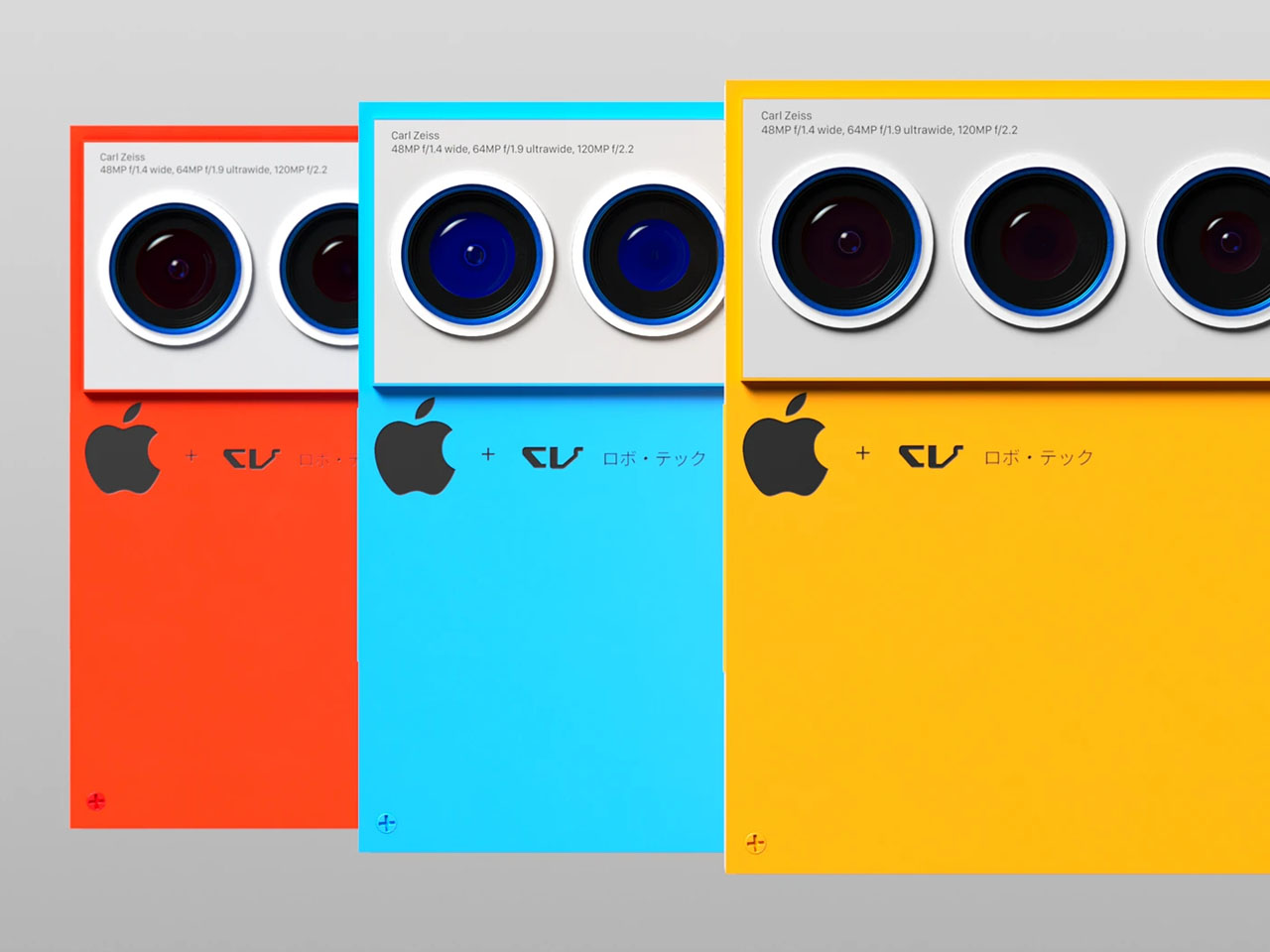
Rumors we got right (and wrong) with the September 2024 Apple Keynote

Apple’s September event remains every tech nerd’s most awaited time of the year for two reasons. For starters, it’s the announcement of brand-new gear that we can get our hands on… but more importantly, it’s a validation of everything we’ve been hearing and assuming over the years. There’s never a single day when people aren’t actively trying to find out details on what Apple will do next. The company has a rock-solid reputation for keeping its products under wraps until they’re ready to launch… but sometimes things slip through the cracks. Us nerds love to speculate on these rumors, and come September, the keynote feels like judgment day – where some rumors get turned into reality, and others into rubble.

As Apple unveiled their latest slew of devices today, it’s interesting to see exactly where the rumors were right, and where we were absolutely off mark. For starters, we all expected next-gen AirPods Max headphones (given that it’s been 4 years since their first launch) as well as a Watch Ultra 3. Apple conveniently skipped those devices, only to announce minor upgrades to them (nice way of saying they’re already perfect the way they are). Meanwhile, rumors of a ‘capture’ button on the iPhone seemed as good as true with phone-makers actually displaying iPhone 16 cases at IFA 4 days before Apple’s formal launch. So without further ado, here’s a look at all the rumors over the past year, and whether they made it or not.

Rumors we got wrong:

1. Apple Watch X would see a radical redesign for the 10th anniversary

Honestly, it feels a little heartbreaking to see that Apple didn’t give the Watch a 10th-anniversary makeover the way they did with the iPhone X back in 2017. A lot of us were pinning our hopes on seeing a radical redesign (some speculated flat edges like on the iPhone), while others tried hinting at a new form factor. None of that turned out to be true, as Apple announced a nominally slimmer Watch Series 10 (measuring 9.7 mm thick) with a larger display. The design, for the most part, remains entirely the same, except that now the Watch has a re-engineered speaker system that can play audio from podcasts and music apps, allowing you to listen clearly through your watch instead of needing AirPods.

2. Apple would announce a Watch Ultra 3

It seemed natural that a Watch Ultra 3 would drop this year, considering Apple refreshed the Watch Ultra after a single year too. However, the Watch Ultra 2 only got a new color upgrade this year, with a gorgeous satin black finish. Everything about the Watch Ultra 2 remains the same on the design and hardware front, although Apple did announce a set of stunning Milanese metal straps for both the Natural as well as the Satin Black color finishes.

3. Launch of the AirPods Pro 3 and AirPods Max 2

Apple launched the AirPods Pro 2 in September 2022, and the AirPods Max as early as September 2020. It felt all but natural to expect the company to give these devices their due upgrades, but it seemed like Apple had other plans. The company didn’t upgrade their highest-end earbuds and headphones but rather decided to give them a set of new protective features. The new AirPods (across the entire range) will have built-in hearing protection features that not only keep your ability to hear intact over time, but also provide tools to measure your hearing loss – something that’s usually a concern with prolonged earphone/headphone usage. Pending FDA approvals, the AirPods will have clinically validated hearing test features, as well as an over-the-counter hearing aid feature. Oh, and while the AirPods Max didn’t get an upgrade, they DID get 5 new color options, along with USB-C charging… finally.

4. Launch of an iPhone Slim

I had my doubts about this, but when Apple announced the world’s slimmest iPad clocking in at a mere 5.1 millimeters in thickness, it seemed like Apple had similar plans for the iPhone 16 series. However, none of that was true. Call it post-Bendgate-trauma or just something Apple isn’t planning on working on, but the iPhone Slim never really became a thing. I’ll be honest, if Apple DID want to make a slim iPhone, the best way to do it would be to turn it into a foldable… but it seems like we’re years away from that for now.

Rumors we got right:

1. The Apple Watch would get ZERO AI features

This felt surprisingly sad even for a rumor, but when WWDC rolled out, everyone was quick to notice that WatchOS didn’t get mentioned EVEN ONCE during the Apple Intelligence segment. I dismissed it as just a mere mistake, hoping that Apple would announce big AI features for the 10th anniversary Watch, but alas, the Watch Series 10 did NOT get any AI features. Sure, it has neural cores in its S10 SIP that uses machine learning to detect heart problems, falls, and now even sleep apnea… but ‘intelligent Siri’ won’t be coming to the Watch any time soon. Or any Apple Intelligence feature for that matter.
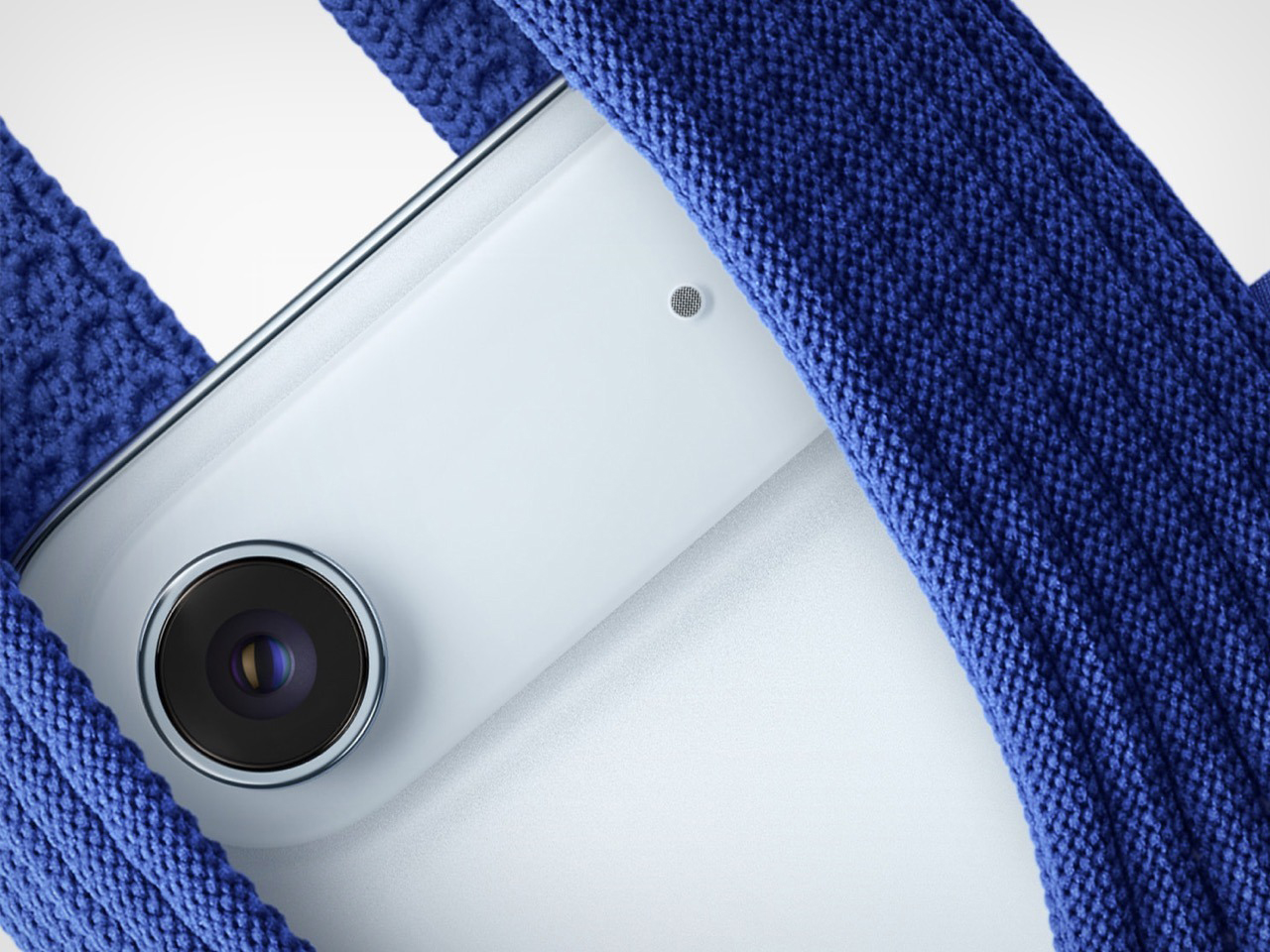

2. The AirPods Max would get upgraded to USB-C

It’s surprising that Apple’s ENTIRE consumer product line got upgraded to USB-C, but the AirPods Max got left behind. First announced in 2020 (when Lightning connectors were still a thing), Apple practically ignored their flagship headphones for the next 4 years (it still sold like hotcakes), and just as we were hoping for an AirPods Max 2, Apple just decided to give their existing headphone collection 5 new color variants. However, along with the new colors, the AirPods Max DID finally get upgraded to a USB-C charging protocol, which means practically every mobile device (AirPods, iPad, and iPhone) has officially ditched the Lightning connector. In fact, it’s just the Magic Mouse, Magic Trackpad, and the Magic Keyboard that still have a Lightning port on them… but I guess the EU isn’t complaining about those.

3. The iPhone 16 series would have a Camera Control button

Arguably the biggest change to Apple’s iPhone since the Action Button, the new Camera Control button is surprisingly great. We speculated that it would just be a simple shutter button, but news later highlighted that it would have haptic control, along with a touch-slide feature. Obviously, these rumors only highlight half the truth… because it’s easy to speculate on hardware, but not on software. The Camera Control button’s features were finally announced at the keynote, highlighting how capable this new button would be. Aside from opening the camera and clicking photos, the button can zoom in/out, adjust focus, switch through presets, and do a whole bunch of exciting new things.

4. A larger iPhone 16 Pro Max with a bigger battery, bigger 6.9″ display, and thinner bezels

Apple announcing their iPhone launch in the MIDDLE of IFA 2024 in Berlin felt like a strategic move… and turns out, it was one, because even though the iPhone 16 wasn’t announced, cases for the new iPhone 16 series were on display at IFA, causing everyone to get a fair idea of what the new phones would look and feel like. Once I saw these cases on display, I obviously had to take a closer look… and upon doing so, I couldn’t help but notice how the 16 Pro Max case was significantly larger than my 15 Pro Max smartphone. Turns out, Apple DID end up making their flagship phones bigger (with the iPhone 16 Pro Max having a whopping 6.9-inch display), while making displays thinner, and cramming an even larger battery into their phones. The largest on any iPhone, as Apple personnel tend to say.

5. The iPhone 16 would get a direct bump to the A18 chip

When Apple announced that their iPad Pros would skip the M3 and go directly to M4, my jaw dropped. It seemed inconceivable that Apple would leapfrog ITSELF, but once I saw the announcement, the rumor that the iPhone 16 would get an A18 chip seemed more believable. Traditionally, the base-model iPhones get the same chip as the previous year’s Pro models… but Apple decided to be kind this year. Given how so much of the new iPhone would be centered around Apple Intelligence, it made sense to build a NEW chipset just for handling these AI tasks. The iPhone 16 series is the first phone to get Apple’s latest A18 chipset, and as Tim Cook says, is truly the first iPhone built from the ground-up for Apple Intelligence.

The post Rumors we got right (and wrong) with the September 2024 Apple Keynote first appeared on Yanko Design.