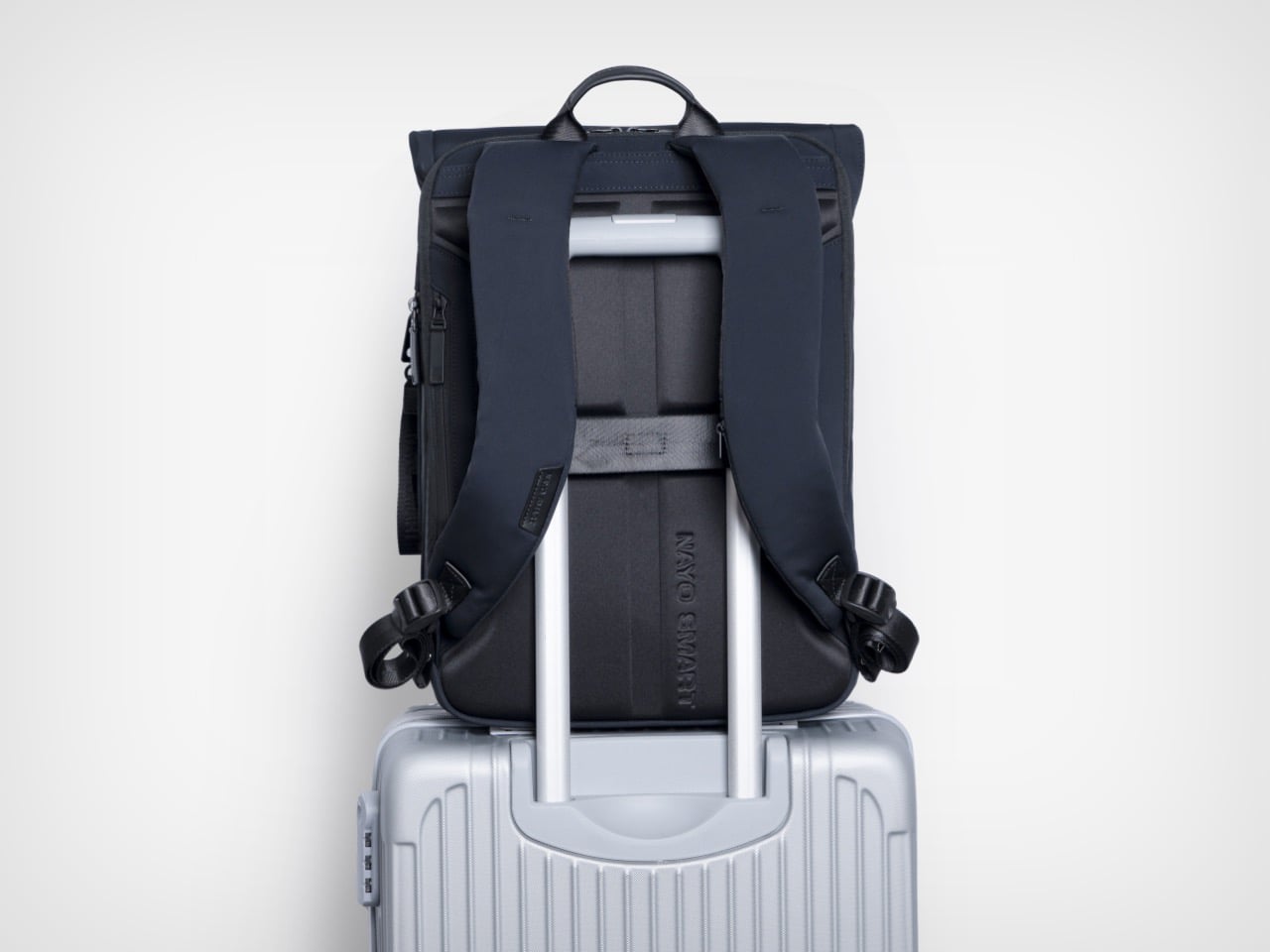
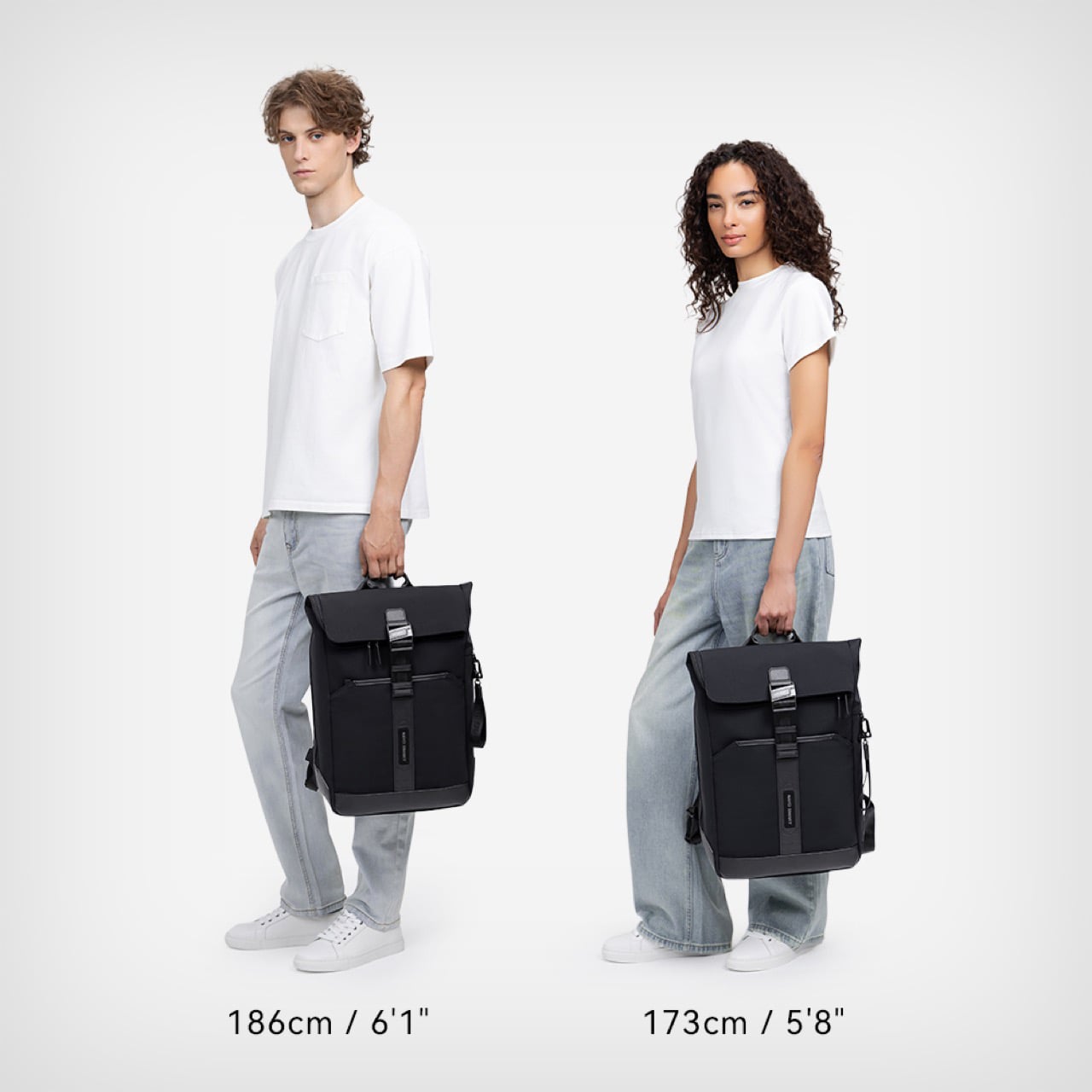
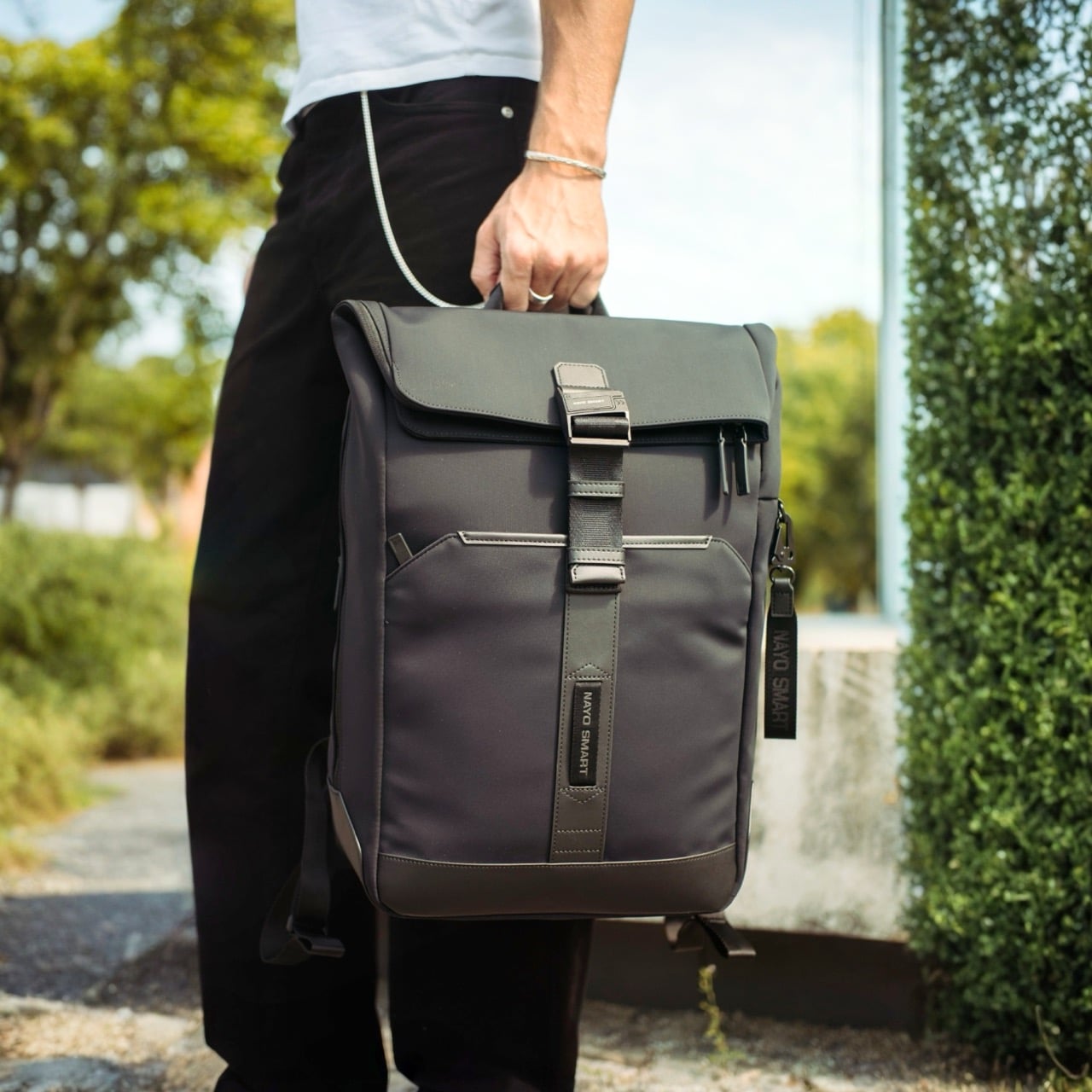
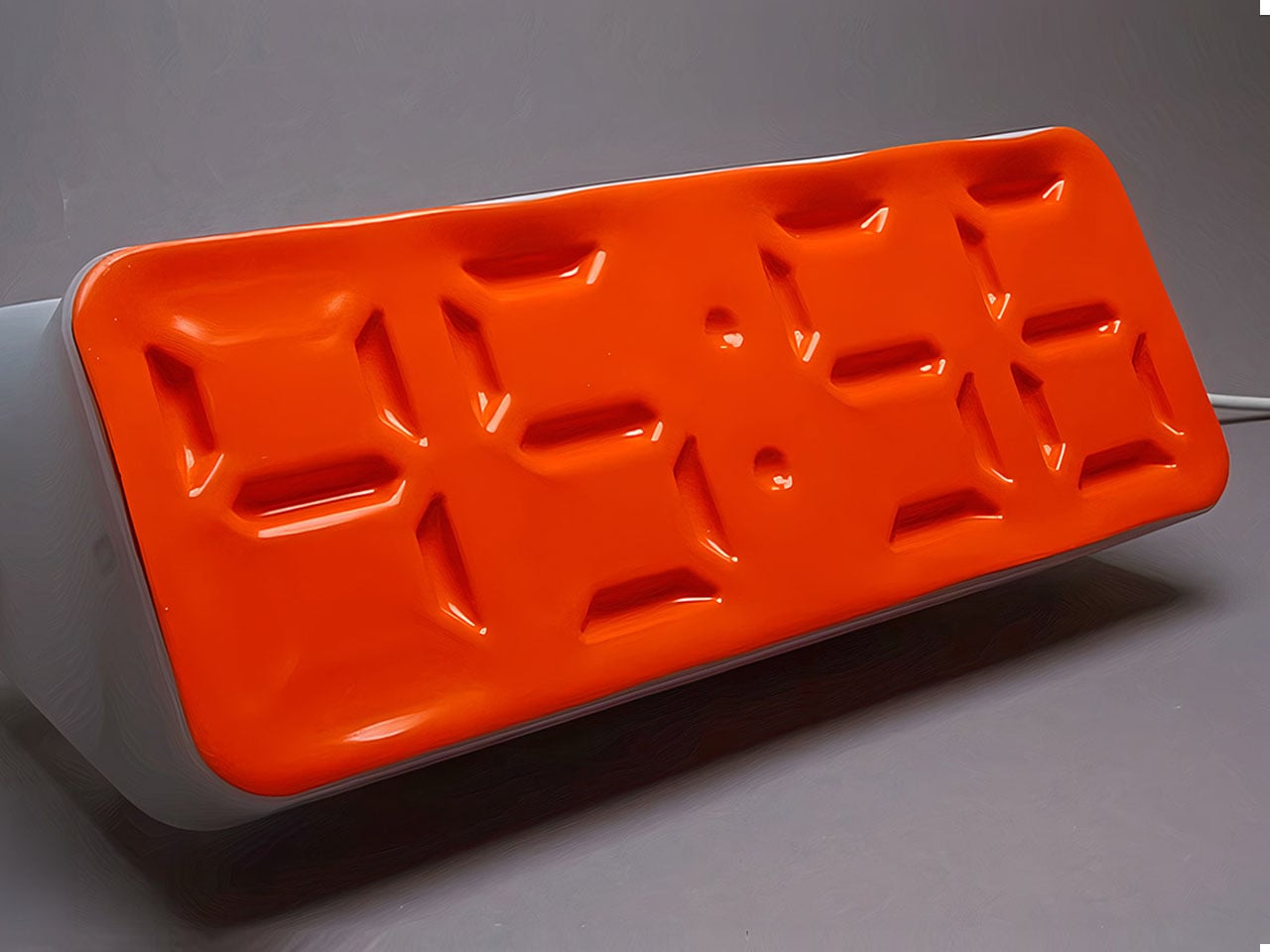
10 Minimalist Desk Accessories That Earn Their Footprint

The minimalist desk setup has become one of the most documented trends in home office design, particularly as hybrid work continues pushing people to invest more seriously in the spaces where they spend their days. Most products marketed toward that crowd lean hard on the visual side, neutral finishes, restrained forms, nothing that draws attention to itself. What they’re less reliable at is spatial logic.

The ten accessories on this list were chosen with that in mind. Each one has to pass a practical test, not just look calm on a desk, but actually justify the space it occupies. That means hiding clutter, combining functions, freeing surface area, or removing a small friction before it turns into a habit.

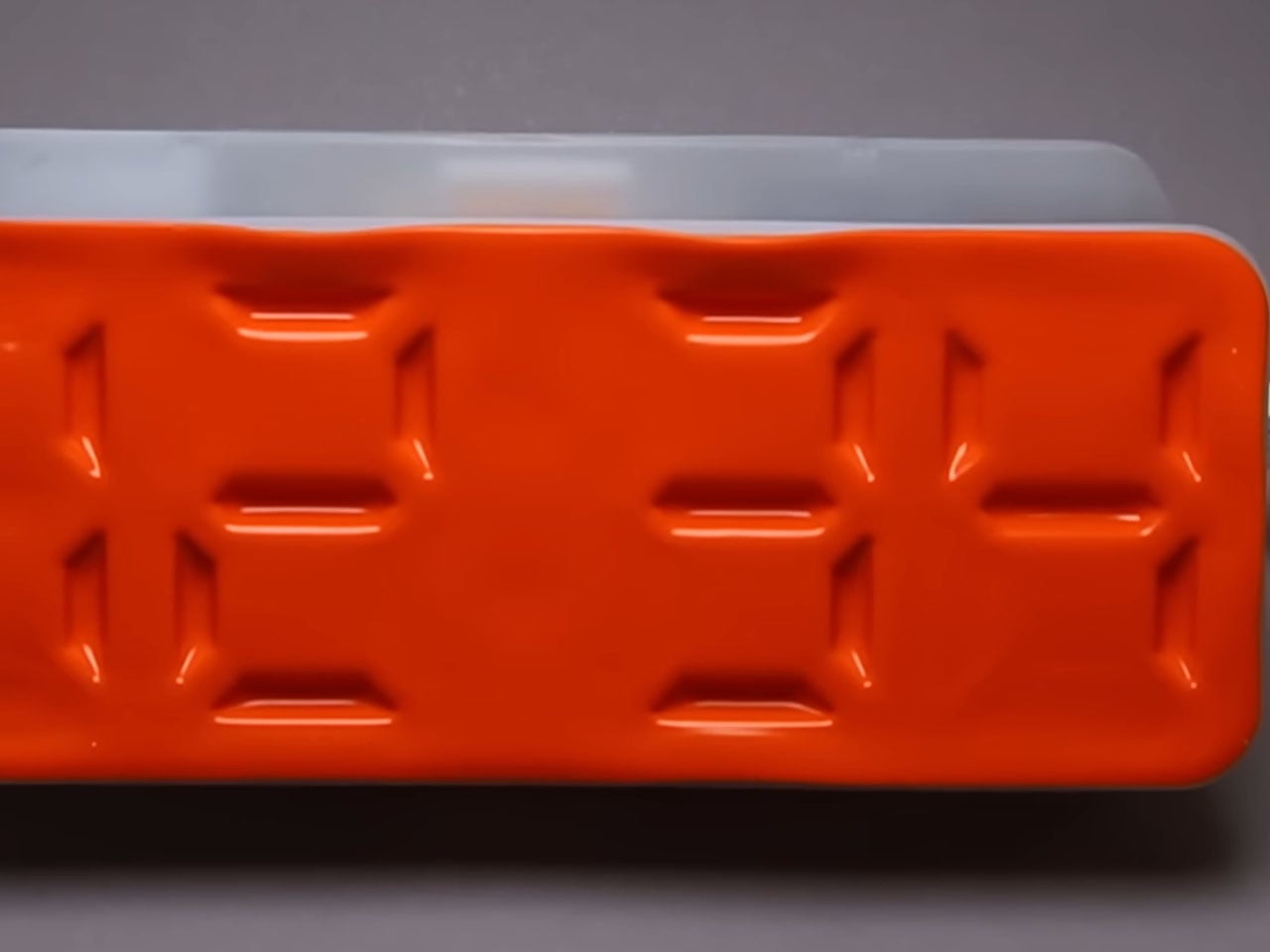
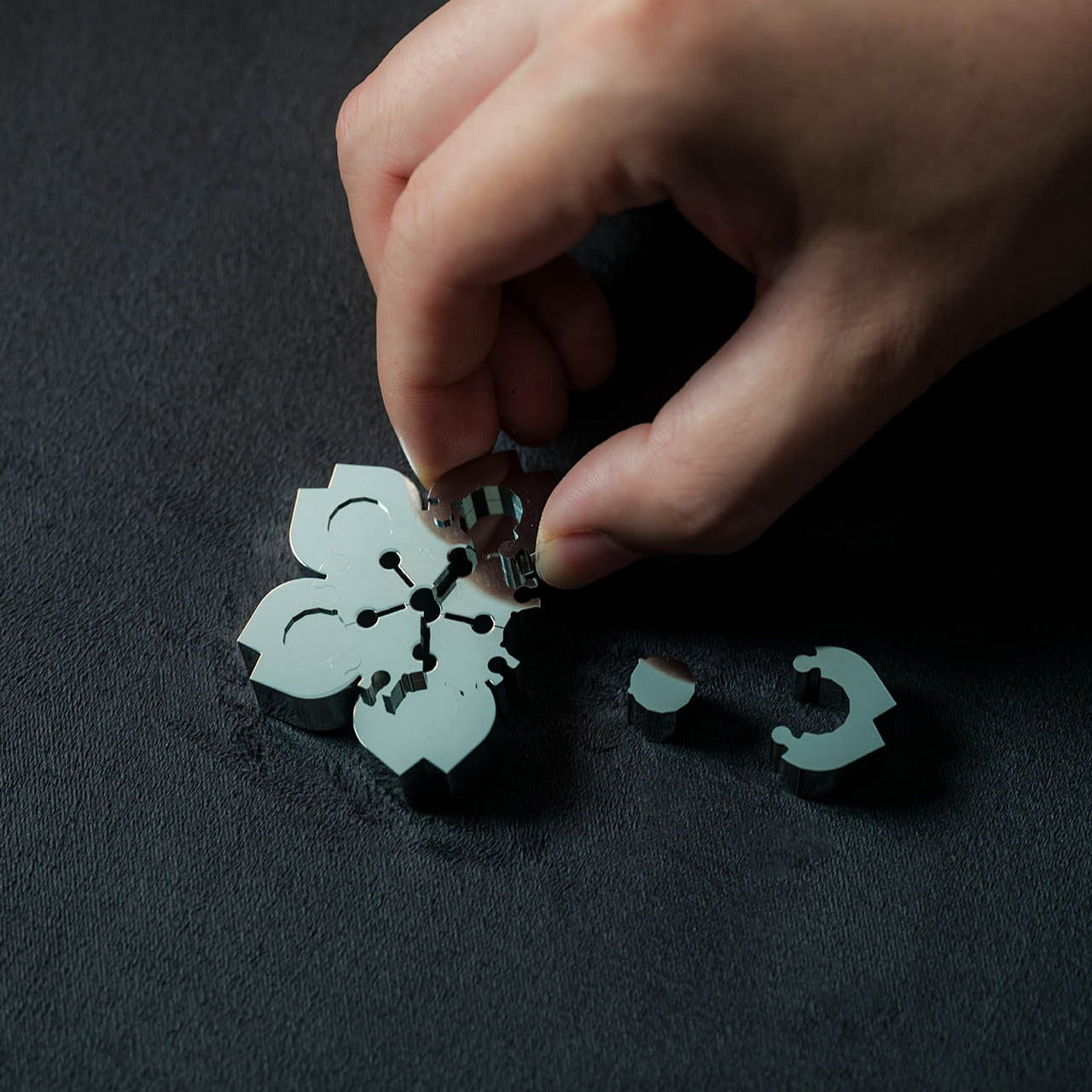
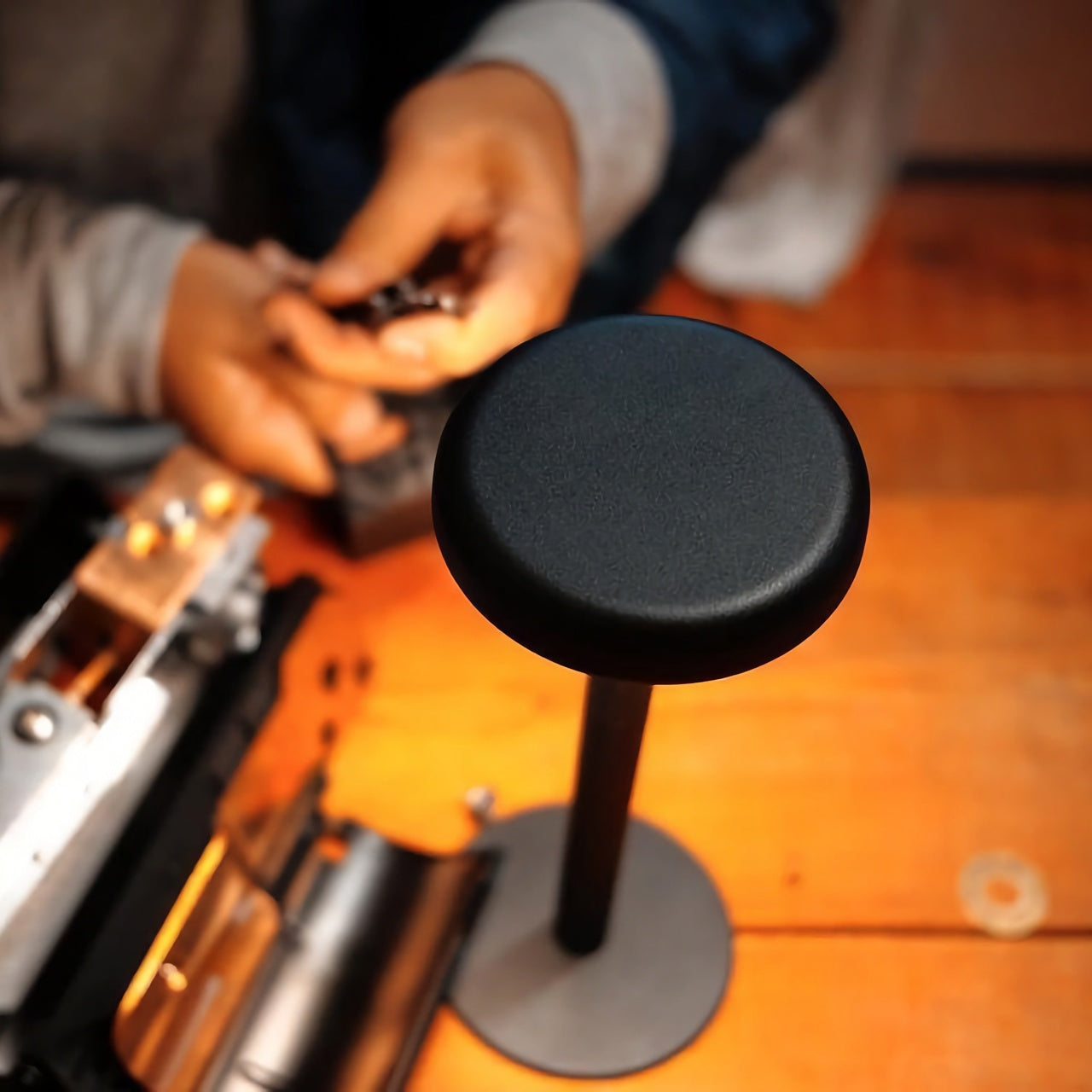
KNOB. Pen Tray

Most pen trays solve a narrow version of the problem. They give you a fixed layout, usually a rectangle divided into two or three compartments, and expect you to work around it forever. That’s fine until your tools change, and they always do. Changho Lee’s KNOB. Pen Tray takes a different approach by making the interior of the tray something you can actually reconfigure.

Designer: Changho Lee

The dividers are controlled by knobs that take their cues from gas burner controls, a design reference that also gives the tray its name. Turn them and the internal layout shifts, letting you organize pens alongside rulers, adapters, or whatever else needs a place. One tray handles what might otherwise require three, which makes a convincing case for its footprint. The mechanism can feel fiddly if you reorganize often.

Inseparable Notebook Pen

There’s a particular kind of frustration that comes with reaching for a pen and finding it’s no longer where you left it. It’s small enough to ignore once, but it happens often enough to become a genuine irritant. The Inseparable Notebook Pen doesn’t try to solve desk organization broadly. It solves this one specific problem by keeping the pen attached to the notebook it belongs with.

Click Here to Buy Now: $19.95

A magnetic clip secures the pen directly to the notebook cover, so the two travel as a unit and stay that way on the desk. There’s also a built-in silencer that softens the attach-and-release motion, which sounds like a small detail until you use it daily. The pen works best when paired with its intended notebook, so it’s less convincing as a standalone writing instrument.

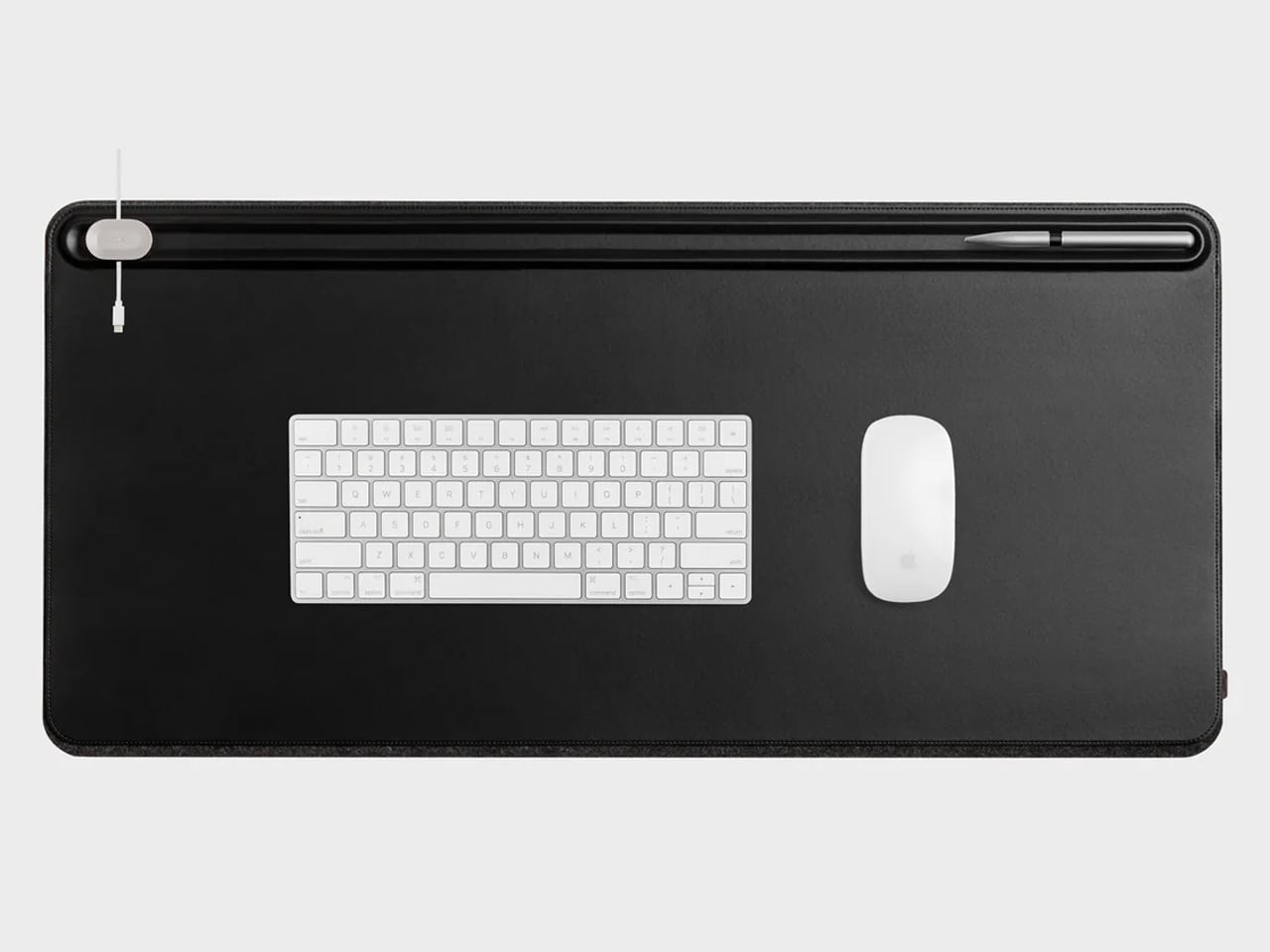
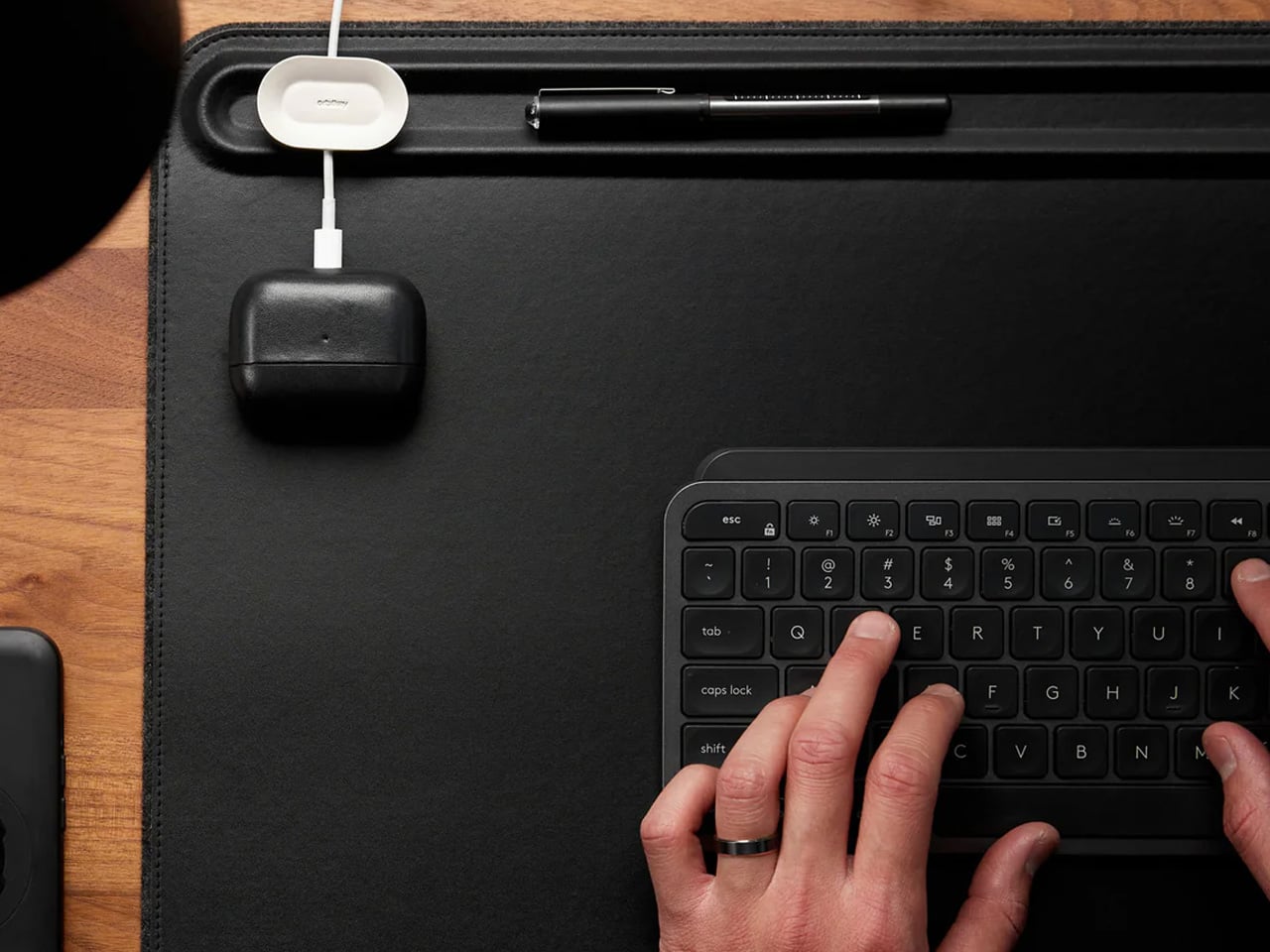
Orbitkey Desk Mat

Desk mats often get treated as the last layer of a setup, something you add once everything else is in place to make the whole thing look polished. The Orbitkey Desk Mat earns more than that role. It addresses one of the quieter problems on any active desk, the gradual spread of loose papers, sticky notes, and reference sheets that slowly take over the surface.

Designer: Orbitkey

A document hideaway built beneath the top layer lets you slip papers out of view without throwing anything away. They stay flat and within reach, invisible until you need them. A toolbar along one edge keeps stationery and smaller tools from drifting. Available in Black and Stone across two sizes, the mat works whether you’re running a compact home setup or a larger studio table.

ME-1 U-shaped Power Strip Concept

Cable management is one of those desk problems that most solutions only partially solve. You gather the cords, clip them together, maybe run them through a box, and the result is still visible, still part of the desk’s noise. Michael Kritzer’s ME-1 power strip concept takes a different position, arguing that the power strip itself should hang below the work surface rather than claim space on top of it.

Designer: Michael Kritzer

Curved into a U-shape, it can hang under a table or stick to metallic surfaces, while its two legs give you somewhere to wrap cables so they don’t trail freely. There’s also enough spacing between the alternating three-prong sockets and USB ports to fit bulky chargers without blocking each other. It’s still a concept, and questions about how far it protrudes remain, but the logic behind it is sound.

Oakywood Desk Shelf Pro

Monitor risers are supposed to help, and usually they do, but only as far as ergonomics go. The desk surface often ends up just as crowded as before, just with a platform sitting in the middle of it. The Oakywood Desk Shelf Pro approaches the problem differently, treating the riser not as an accessory but as furniture that earns its size by doing more than one job.

Designer: Oakywood

The shelf spans desk width, lifting the monitor to eye level while clearing space underneath for a keyboard or laptop, with steel legs at each end creating a floating effect. Built-in drawers tuck away stationery and small tech, and a felt-lined open shelf handles tablets or a closed laptop. It’s built from solid oak or walnut, not MDF with a plastic skin, and can hold up to 100 kg without flexing.

Practiko Otis Hanger 3.0

Minimalist desks look clean partly because many of them don’t come with built-in drawers. That’s a reasonable design choice until the pens, sticky notes, charging cables, and paper clips have nowhere to go and start accumulating on the surface instead. The Practiko Otis Hanger 3.0 adds that missing storage back without a single screw or permanent alteration.

Designer: Practiko

The system clips onto the desk edge and hangs beneath the work surface, giving you three trays and the full top plane back. The 3.0 version features more perforation points for finer divider adjustments, and three nested mini trays handle smaller items like paper clips, thumbtacks, or earbuds. Larger handles on each tray let you pull them out smoothly without looking down, which makes more of a difference in daily use than it sounds.

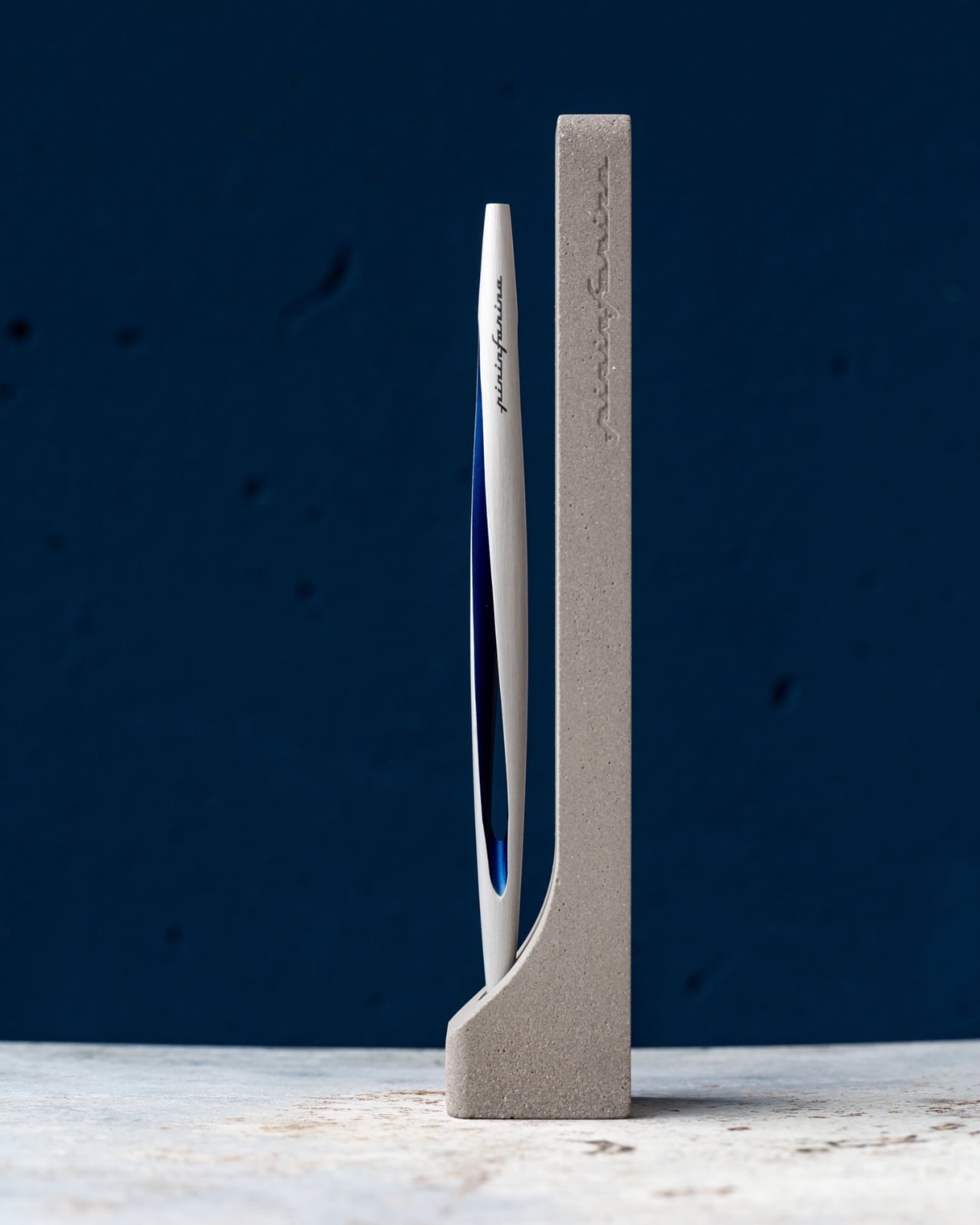
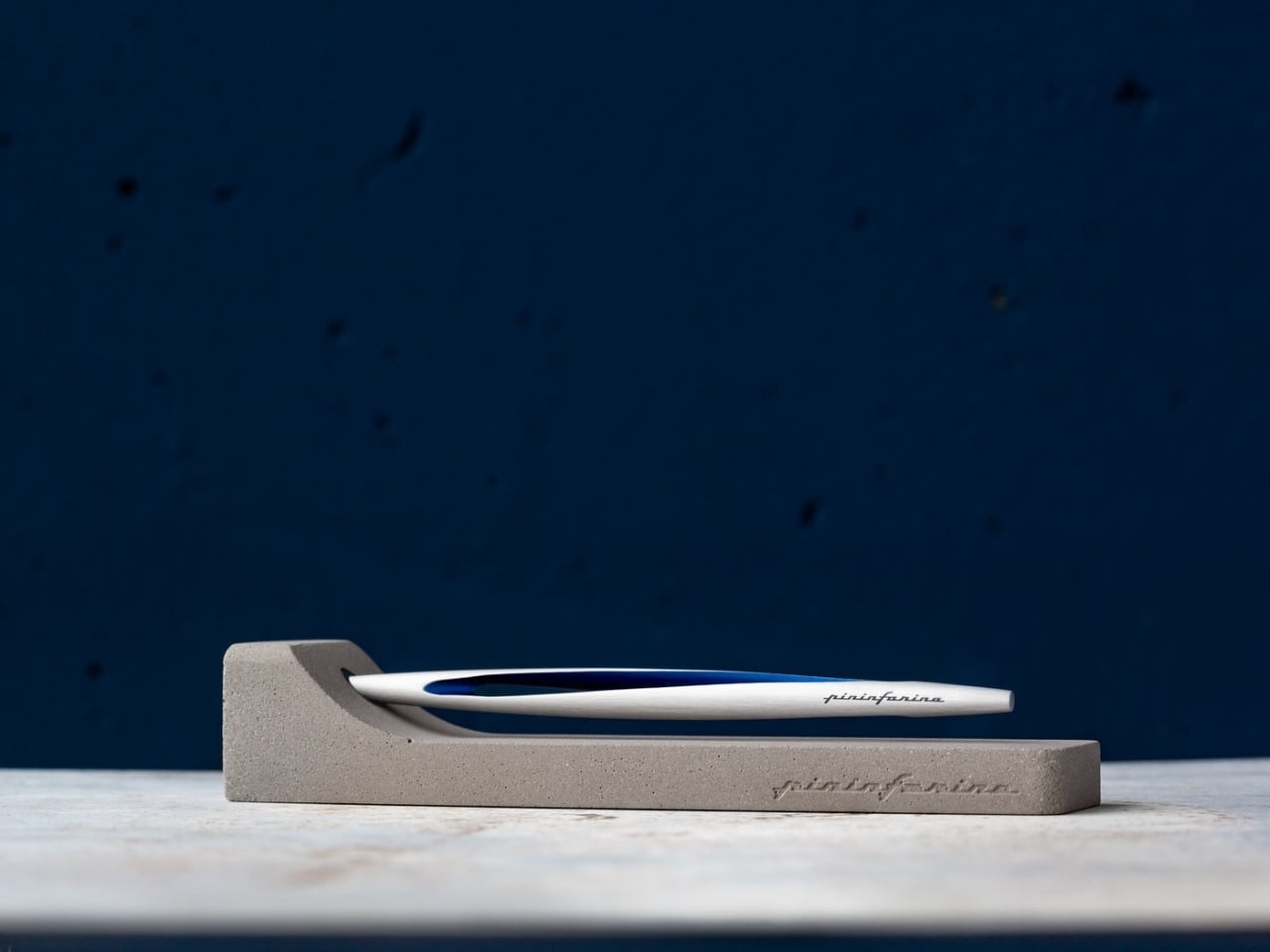
Nuka Eternal Stationery

There’s a version of minimalism that’s about owning as little as possible. There’s also one that’s about how much the things you do own keep asking of you. Nuka’s Eternal Stationery belongs to the second kind. Built around permanence rather than disposability, it’s a notebook-and-writing-tool system designed to stop demanding replenishment, which is its own quiet argument for staying on a well-edited desk.

Designers: Nikolay Lozinskiy (3D animation & Product Design), O0 design (Branding, 3D animation & Product Design), Evgenija Medvedeva (Product Design), vennndii (Product Shootings)

The notebook is waterproof and tear-proof, and pairs with a metal alloy tip that writes with the consistency of a traditional pencil but requires no sharpening and never breaks. Pages clear completely with the Nuka Magic Eraser, ready to be written on again. For anyone who writes regularly, the appeal is straightforward, though writers accustomed to ink on paper may need some adjustment time with the metal alloy tip.

Quiver Ruler

A ruler is one of the few tools that earns a place in a minimalist setup by compressing several small tasks into a single flat form. Tunir Maity’s Quiver does that more thoroughly than most. It’s an anodized aluminum ruler designed primarily for people who actually cut with one, not just measure. It treats shaky hands and imprecise cuts as design problems worth solving, not limitations the user is expected to compensate for.

Designer: Tunir Maity

A clip mechanism holds paper in place, a blade slit guides the cut in a straight line, and the weight distribution favors the cutting end, so you don’t have to press down as hard. It also includes a carabiner attachment for clipping to a bag. Quiver is currently a concept, so availability hasn’t been confirmed, and it’s more specialized than what a casual desk user would reach for day to day.

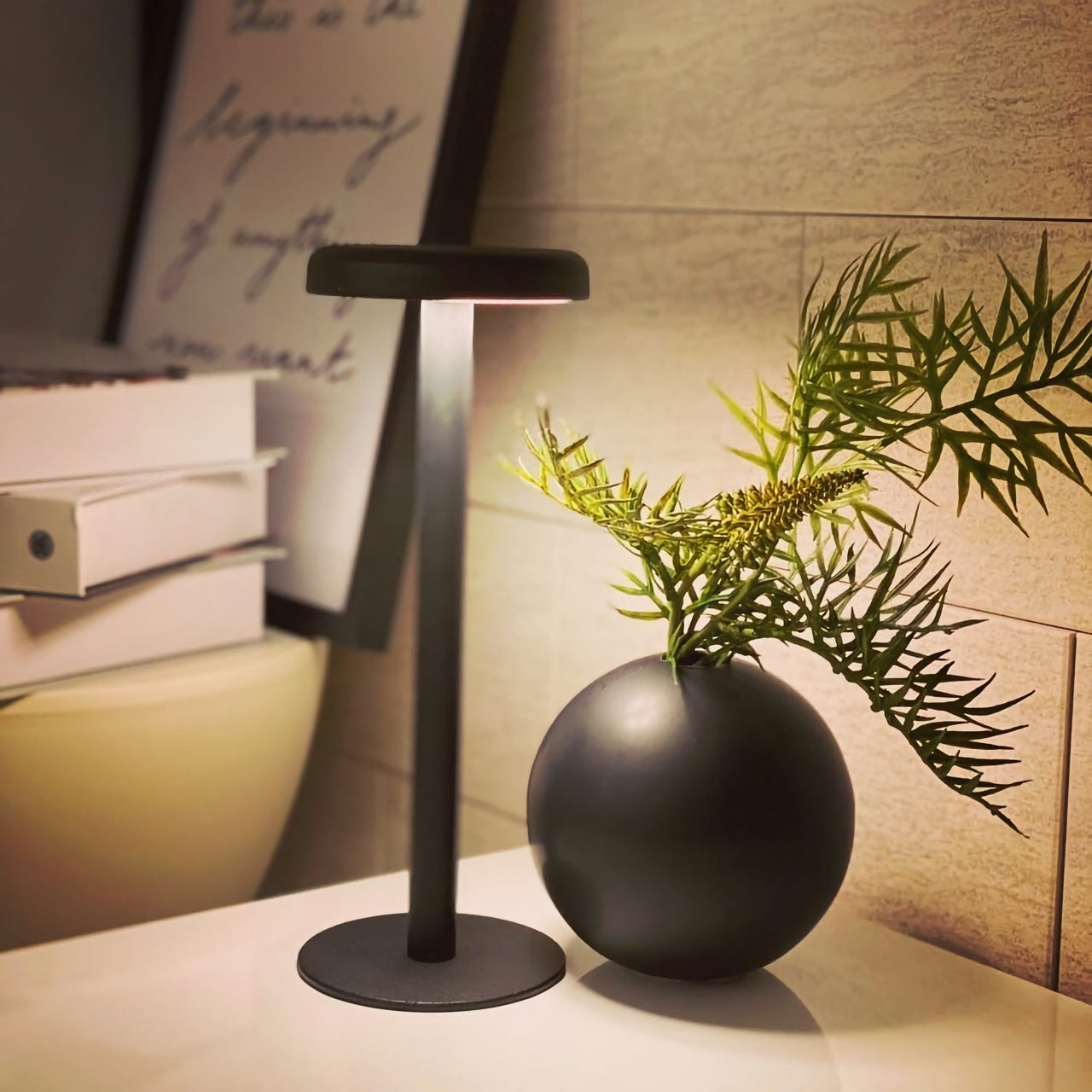
Ichi Portable Lamp

Desk lamps rarely fail in the obvious ways. Most give off enough light and last long enough. What they tend to get wrong is the base, which on wider models claims an entire desk corner, and the cord, which invariably ends up somewhere visible. The Ichi Portable Lamp, born from the collaboration between Fujita Kinzoku and TENT Design, keeps the form slim and goes cordless, addressing both without turning the lamp into a statement piece.

Click Here to Buy Now: $149

Powered by four standard AA batteries, it runs cordless without the limitations of proprietary chargers. Its warm, high-color-rendering CRI 95 LED creates a soft, radiant glow suitable for task work or winding down. The modular design disassembles into three parts and packs down to a slim 20mm thickness. It’s more portable than a permanent desk fixture, which is worth knowing if you need sustained, high-output lighting for long stretches.

Satechi 3-in-1 Foldable Wireless Charging Stand

Getting a phone stand onto a minimalist desk requires a stronger argument than just holding the phone upright. The Satechi 3-in-1 Foldable Wireless Charging Stand with Qi2 25W makes that argument by doing three jobs at once, replacing the tangle of separate charging pads that Apple users typically accumulate. Wireless charging was supposed to simplify things, but most setups end up with a different kind of mess instead.

Designer: Satechi

Set the iPhone down, and Qi2 snaps it into position, the Apple Watch gets its own fast-charge arm, and the AirPods rest on a pad below, all drawing from a single cable to the wall. The stand folds flat for travel and fits easily in a carry-on. A 45W USB-C adapter with US, EU, and UK plugs ships in the box. It’s most compelling for people already working within the Apple ecosystem.

Building a cleaner desk comes down to the same question applied to every object on it: what is it giving back for the space it takes? Color and material can make things look minimal, but they don’t make them earn their place. That’s a footprint budget, and it’s a much better framework for deciding what stays than any mood board, setup guide, or neutral palette.

The post 10 Minimalist Desk Accessories That Earn Their Footprint first appeared on Yanko Design.
8 Best Pens and Writing Instruments That Make You Actually Want to Pick Up a Pen Again

There is an argument happening on desks everywhere, and it is not about productivity systems or the right notebook grid. It is about whether the thing you write with deserves the same design attention as everything else you choose to own. For most people, a pen is a pen. For a small and growing number, it is the one object that connects thought to surface, and that connection is worth getting right. The instruments on this list take that idea seriously.

What unites them is not price or prestige. It is that each one treats the act of writing as a design problem worth solving from the beginning — the weight, the mechanism, the material, the way it sits in the hand before the nib or tip ever touches paper. Some are concepts. Some are products you can order today. All of them make the case that the writing instrument is still one of the most interesting objects in design.

1. Yamaha Swing Scribe

Yamaha’s answer to the question nobody thought to ask — what if a pen had a heartbeat? Part of the brand’s Scribe Tool Design 2024 project, the Swing Scribe draws its logic from the quill: as a feather naturally wobbles under air resistance while writing, it gives the act a physical rhythm. Yamaha made that incidental quality intentional. A weighted tip attached to a metal bar swings as the pen moves, feeding a small, steady pulse back into the hand with every stroke. No batteries. No app. Just physics.

The weight slides along the bar, letting you dial in the arc of the swing to match how you’re writing at any given moment. Pull it close to the pivot for a tighter, faster beat. Let it run wide for slow, deliberate work. This is the kind of design thinking that earns the word Kando — the Japanese concept of emotional resonance that sits at the core of everything Yamaha builds, from concert grands to this pen. It doesn’t make writing faster. It makes it more felt.

What we like:

  • The pendulum mechanism works without any power source, making it completely self-contained
  • Adjustable weight position means it adapts to the writer rather than demanding the writer adapt to it

What we dislike:

  • The swinging arm adds visual complexity that won’t suit every context or desk aesthetic
  • The concept hasn’t been tested across extended, high-volume writing sessions yet

2. Inseparable Notebook Pen

The premise is embedded in the name. Most pens and notebooks exist in a state of constant near-separation — the pen migrates to a bag, a pocket, another room, and the notebook sits waiting and useless. The Inseparable concept addresses this directly, building pen and notebook as a single resolved object rather than two products that happen to be sold together. The pen lives within the notebook’s architecture rather than being clipped to it as an afterthought, and removing it feels deliberate rather than accidental.

What makes this design interesting isn’t just the integration — it’s that the integration is the premise, and everything else follows from it. The proportions of the pen are dictated by the notebook. The notebook’s form is shaped around the pen’s presence. Neither object is compromised to serve the other, which is harder to achieve than it sounds. When a design solves a problem this specific and this common, it has a right to exist.

Click Here to Buy Now: $19.95

What we like:

  • Eliminates one of the most common and most irritating failures of the writing ritual entirely
  • The formal resolution between pen and notebook is tight — neither object feels like a concession

What we dislike:

  • Integration at this level commits you to one notebook format, limiting flexibility for writers who move between sizes
  • Writers who prefer their own paper choices will find the pairing restrictive

3. Da Vinci Pencil

Gabrilevich Design’s Da Vinci pencil concept earns its name not through ornamentation but through the kind of cross-disciplinary thinking that made Leonardo’s notebooks worth studying in the first place. The design draws from da Vinci’s own mechanical sketches — the geometry, the visible logic of moving parts, the sense that an object should reveal how it works rather than hide it. The result is a pencil that functions as a small piece of mechanical sculpture, beautiful precisely because nothing about its construction is concealed.

The concept challenges the pencil’s conventional muteness. Most pencils look like nothing in particular. The Da Vinci concept looks like something that was thought about — that has a position, a point of view about what a mark-making tool should communicate about the hand that uses it. Whether it writes better than a standard pencil is beside the point. It writes differently, and it makes you think about the act differently, which is often the more interesting design outcome.

What we like:

  • Treats a pencil as a vehicle for design philosophy rather than a commodity object
  • The exposed mechanical logic gives it a conceptual depth that most stationery completely lacks

What we dislike:

  • Concept-driven designs at this level of visual complexity often struggle in extended daily use
  • Visible mechanisms can introduce maintenance friction that disrupts the writing ritual

4. Levitating Pen 2.0 Cosmic Meteorite Edition

The levitating pen is a category that could easily slide into novelty, and the original versions of magnetic levitation pens leaned into that direction unapologetically. The 2.0 Cosmic Meteorite Edition changes the conversation by adding material seriousness to the spectacle. The pen itself incorporates genuine meteorite fragment material — iron-nickel alloy from outside the atmosphere — which gives the levitation a context it previously lacked. The object that hovers above its base is, in a measurable sense, from space.

That combination of astronomical material and magnetic suspension creates an object that earns its place on a desk in a way that pure spectacle cannot. It is a writing instrument that happens to be made partly from the oldest solid material you will ever hold, suspended above a surface by the same electromagnetic principles that govern planetary orbits. The writing experience is secondary to what the pen communicates as a resting object, and for a desk piece that doubles as a conversation anchor, that hierarchy is entirely appropriate.

Click Here to Buy Now: $399.00

What we like:

  • The meteorite material elevates the concept from a gadget to a genuine collectible
  • The levitation serves the narrative of the material rather than competing with it

What we dislike:

  • The magnetic base required for levitation eliminates any possibility of portability
  • Its function as a writing instrument is always secondary to its function as a display object

5. Qui Magnetic Pencil System

Qui operates on the premise that the friction between a pencil and the surface it lives on — a desk, a notebook, a wall — should be designed rather than incidental. The magnetic system allows the pencil to attach and detach from its designated surface with a satisfying, calibrated resistance, making the act of picking it up and setting it down feel considered rather than casual. This is a small interaction, but it happens dozens of times a day, and designing it well changes the quality of the entire writing practice.

The system thinking extends beyond the magnetic connection. The pencil’s geometry is resolved with the mounting surface as part of the design problem, not as a separate accessory. The result is that Qui occupies space well even when not in use, which is most of the time. A pencil that looks intentional when it is sitting still is a harder design challenge than one that merely writes well, and Qui understands that the resting state is part of the design.

What we like:

  • The system approach treats the pencil and its environment as a single design problem
  • The resting interaction — picking up and setting down — is as considered as the writing experience itself

What we dislike:

  • The magnetic system creates a dependency: without its base, the pencil loses its defining characteristic
  • Committing to a fixed mounting point works against the natural portability of a pencil

6. PENTAPA

Konstantin Diehl’s PENTAPA takes its name and its logic from the pentagon — five sides, each one a resolved surface rather than a generic round barrel. The five-sided form is unusual enough to read as a design decision the moment you pick it up, and practical enough to hold well once you begin writing. Pentagons don’t roll off desks. They register against the fingers in a way that circular barrels don’t, giving you tactile information about the nib’s orientation before the tip reaches paper.

PENTAPA belongs to a tradition of geometric pen design that runs from the hexagonal tradition of rOtring and Kaweco through to contemporary CNC-machined objects, but it finds its own position in that tradition rather than merely referencing it. Five sides is not the expected answer. It is the interesting one — the number that offers enough symmetry to feel resolved and enough irregularity to feel considered. That balance between the expected and the surprising is where most good pen design lives.

What we like:

  • The pentagonal form solves the rolling problem with more formal interest than a standard hexagon
  • The five-sided barrel gives the pen a distinct tactile identity that rewards extended daily use

What we dislike:

  • The unconventional geometry won’t suit every grip style or hand size
  • Finding a compatible pen case or sleeve requires more effort than standard round or hexagonal barrels

7. Everlasting All-Metal Pencil

The all-metal pencil solves a problem that the pencil has had since its invention: it runs out. A graphite core depletes. A pencil shortens. Eventually, it disappears entirely and takes with it whatever patina or character it had developed through use. The everlasting all-metal pencil replaces graphite with a metal alloy tip — typically an aluminum or similar soft-metal formulation — that deposits a mark through controlled abrasion rather than core consumption. The pencil does not shorten. It does not run out.

The mark is different from graphite — lighter, slightly metallic in tone, with a distinctive quality that serious writers and sketchers tend to either embrace or reject immediately. The design interest is in what remains when the core is removed: a pure metal object whose entire form is determined by how it feels to hold, since there is no pencil-to-grip ratio to manage, no sharpener to carry, no length to account for. The result is one of the most resolved objects in everyday carry design.

Click Here to Buy Now: $19.95

What we like:

  • Removes the pencil’s built-in obsolescence entirely, changing the object from consumable to permanent
  • With no core to deplete, the entire form is determined purely by how it feels to hold

What we dislike:

  • The mark quality is distinct enough from graphite to require genuine adjustment and won’t suit every application
  • Some writing and sketching tasks — particularly those requiring dense, dark marks — simply don’t translate well to a metal alloy deposit

8. The Bolen

The James Brand has built its reputation on EDC objects with no unnecessary elements — knives, tools, and pens that look like they were designed by someone who uses them. The Bolen is the brand’s pen, and it carries the same design logic as everything else in their catalogue: machined from quality materials, resolved in form, designed to be carried without thought and used with satisfaction. The clip works. The mechanism engages cleanly. The proportions sit right in the hand without adjustment.

What distinguishes the Bolen from most EDC pens is that the James Brand comes from a tool-making tradition rather than a stationery one, which means the pen is designed for carry first and desk presence second. That priority ordering produces a different object than you get from pen-first design — one that is slightly more aggressive in material and slightly more considered in how it lives in a pocket. It is the writing instrument for someone who doesn’t think of themselves as a pen person, and that is exactly who needs it most.

What we like:

  • The tool-making heritage produces genuine material integrity, with nothing present without a reason for being there
  • Carry-first design logic makes it the most naturally portable instrument on this list

What we dislike:

  • The EDC-first approach means it lacks the expressive personality of instruments designed for desk use
  • Writers who want the pen to feel special on the page rather than merely functional in the pocket may find it underwhelming

The Object in Your Hand Shapes the Thought on the Page

Eight instruments that represent eight different positions on what a writing tool should be. The Yamaha asks what happens when you give a pen a pulse. The Levitating Pen asks what happens when the material itself carries a story. The Bolen asks what happens when you design for the pocket before the page. None of these answers is the same, which is the point. The best design in any category is the kind that expands your sense of what the category can contain.

What they share is the conviction that the instrument matters — that the weight, the mechanism, the material, and the form of the thing in your hand have a real effect on what ends up on the page. That conviction used to belong only to serious writers and professional draughtsmen. The fact that you can now find it in a magnetic pencil system, a levitating desk object, and a pen designed by a motorcycle company suggests the rest of the world is catching up.

The post 8 Best Pens and Writing Instruments That Make You Actually Want to Pick Up a Pen Again first appeared on Yanko Design.
10 Genuis Gadgets That Turn Any Hotel Desk Into a Proper Workstation in 2026

The hotel desk is a fiction. A flat surface with a lamp, a notepad nobody uses, and an ethernet port from 2009. For the digital nomad, making it functional is entirely a gear problem — solved or compounded by what is in the bag. The right tools collapse the gap between a rented surface in a foreign city and a setup that performs as well as anything permanent back home.

Ten products made this list because each one addresses something specific about the mobile workstation problem. Not the flashy kind of specific that reads well in a press release, but the unglamorous kind — the port you ran out of, the cable you excavated for four minutes, the surface that made everything feel temporary. These are the tools that stop you from tolerating the desk you are given and start letting you build the one you need.

1. OrigamiSwift Mouse

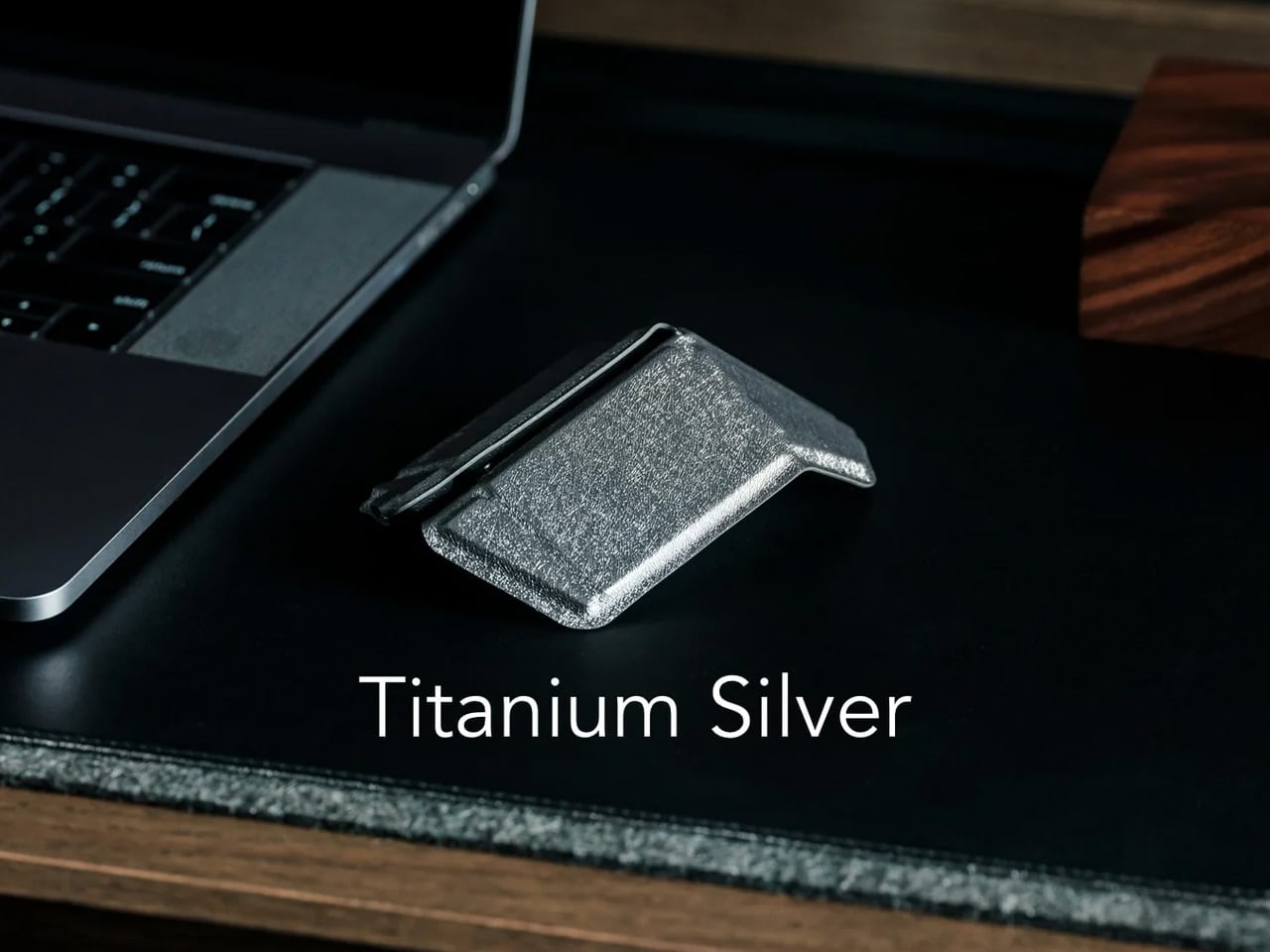
A trackpad handles most things until the work demands precision. Editing photos, building detailed spreadsheets, reviewing design files — these sessions expose the trackpad’s limits inside the first hour. The OrigamiSwift folds completely flat at 4.5mm, weighs 40 grams, and snaps open into a full-sized ergonomic mouse in under half a second via magnetic clips. Bluetooth 5.2 connects without a dongle, the infrared sensor tracks at 4000 DPI, and three months of battery life run on a single USB-C charge.

What makes this a permanent carry item rather than a novelty is the form factor. It slides into a laptop sleeve, drops into a shirt pocket, or sits flat in any corner of a tech pouch without displacing anything else. The fold is not a compromise — the shape is fully ergonomic and properly contoured for extended sessions. For nomads working in applications that reward a real mouse, this removes every excuse for not carrying one.

Click Here to Buy Now: $85.00

What We Like

  • Folds to 4.5mm and weighs 40 grams, pocketable without sacrificing full-size ergonomic comfort
  • Three-month battery life on a single USB-C charge keeps it out of the daily charging rotation entirely

What We Dislike

  • The touch-sensitive scroll area replaces a physical wheel, requiring real adjustment for heavy scrollers
  • Bluetooth-only connectivity means no wired fallback for tasks where minimal latency matters

2. HubKey Gen2

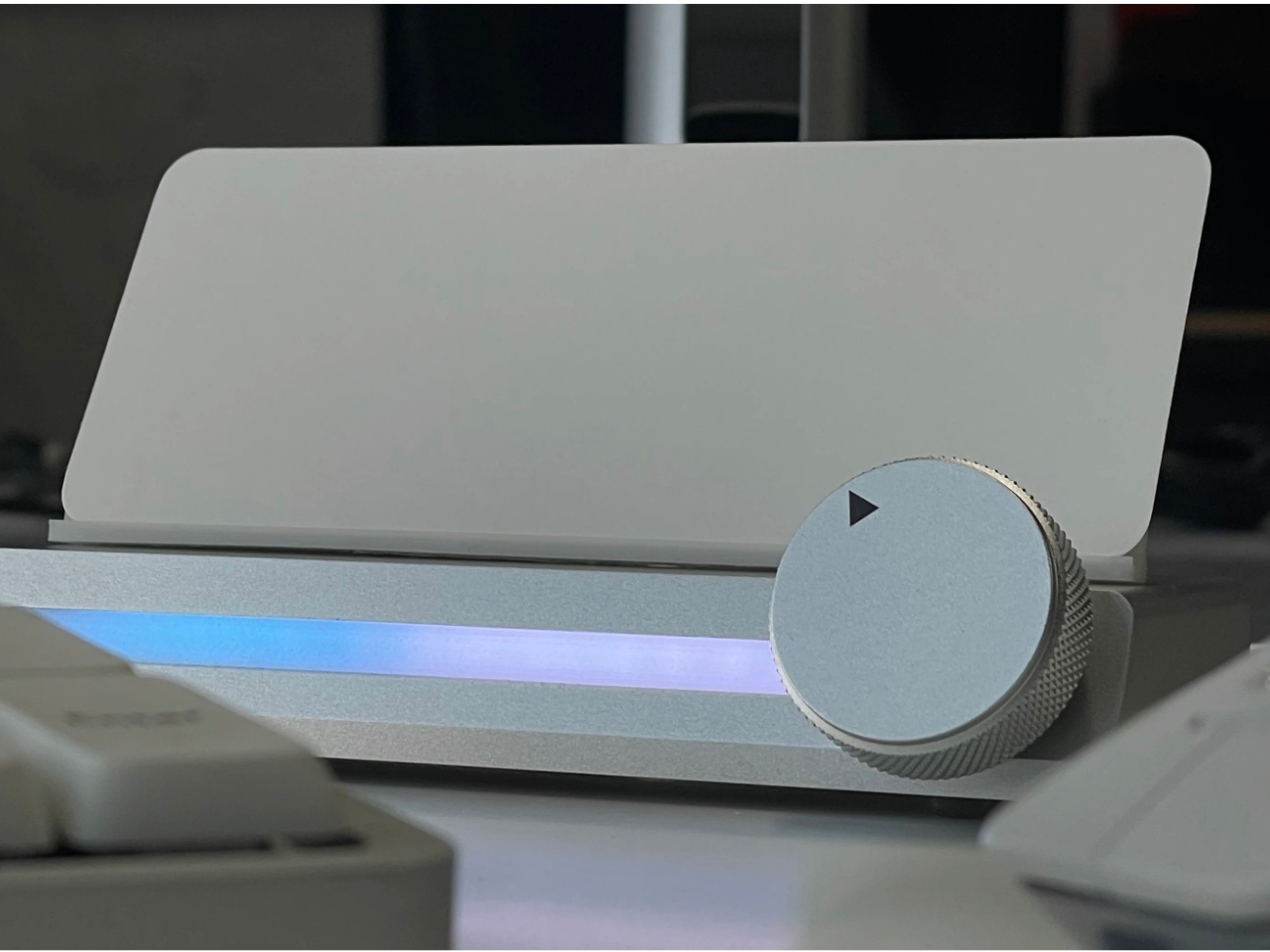
Two USB-C ports on a modern ultrabook sound fine until you are simultaneously charging, running an external display, reading an SD card, and needing ethernet at a co-working desk with unreliable Wi-Fi. HubKey Gen2 resolves the port shortage with 11 connections in one compact cube: dual 4K/60Hz HDMI outputs, USB-A 3.1, USB-C 3.1, SD and TF card readers, 2.5 Gbps ethernet, a 3.5mm audio jack, and 100W USB-C power delivery through a single cable.

The programmable shortcut keys and central control knob on the top panel are what separate this from every other travel hub. Volume, mute, screenshot, and display toggle become physical actions rather than keyboard shortcuts buried in menus. For anyone driving dual monitors from a co-working space or managing video calls across time zones, five tactile keys and a precision knob turn a connectivity device into a proper control surface. At 7 × 7 × 3 centimeters, it fits anywhere without announcing itself.

What We Like

  • Dual 4K/60Hz HDMI outputs let you build a two-monitor workstation from a single compact device
  • Programmable keys and a physical control knob bring hands-on workflow control that no standard hub offers

What We Dislike

  • Tightly packed ports mean thick cables or large drives can crowd each other along the edges
  • The cube form factor, while compact, is less pocketable than flat card-style hub alternatives

3. StillFrame Headphones

Concentration in a café, a co-working lobby, or an airport gate is a skill that requires backup. StillFrame provides it at 103 grams — on-ear headphones with 40mm drivers that produce an open, layered soundstage rather than a compressed signal. Active noise cancellation removes the environment when deep work requires it. Transparency mode pulls it back in with a tap when a gate announcement or colleague’s question needs to land. Both transitions happen cleanly, without drama or lag.

Twenty-four hours of battery life is the figure that justifies carrying these on long international routes. New York to Singapore, including a layover, without reaching for a charging cable. The retro-informed aesthetic references the deliberate listening era of physical media — a design decision that reads quietly and carries well in client-facing environments. For nomads spending serious hours in headphones across work sessions and transit days, the combination of weight, battery life, and sound quality earns the price.

Click Here to Buy Now: $245.00

What We Like

  • 24-hour battery life covers the longest intercontinental travel days without requiring a charge
  • At 103 grams, these stay genuinely comfortable through extended wear across full working days

What We Dislike

  • On-ear design provides less passive isolation than over-ear models in extremely loud transit environments
  • The retro aesthetic is distinctive but polarizing — not everyone wants a conversation piece on their ears

4. ASUS ZenScreen OLED MQ16AH

A second screen changes how you work, and the ZenScreen OLED MQ16AH is the portable monitor worth carrying. The 15.6-inch OLED panel delivers 100% DCI-P3 color coverage, matching studio-grade display accuracy at a fraction of the footprint. At 730 grams, it slides into most laptop sleeves alongside a thin ultrabook without requiring its own bag compartment. USB-C handles both video input and power delivery through a single cable, and the adjustable cover doubles as a multi-angle stand.

What makes OLED relevant specifically for nomadic work is panel behavior in variable light. Café windows, outdoor co-working terraces, hotel rooms with inconsistent artificial lighting — OLED handles contrast and legibility in conditions where LCD panels wash out and lose precision. ASUS includes a fabric sleeve so the screen travels protected. For creative professionals editing in temporary locations, this removes the monitor as a point of compromise in the mobile setup.

What We Like

  • 15.6-inch OLED with 100% DCI-P3 delivers studio-quality color accuracy in a 730-gram form that travels cleanly
  • Single USB-C cable handles both video signal and power delivery, keeping the desk free of extra cables

What We Dislike

  • At roughly $399, it sits at the premium end of portable monitors, with capable IPS alternatives at a lower cost
  • OLED panels carry a higher burn-in risk than IPS alternatives when static interface elements stay on screen long-term

5. Peak Design Tech Pouch

Cable management is the invisible tax on nomadic work. The time spent untangling cords, hunting for the right adapter, and repacking scattered accessories across a year of constant travel accumulates into something genuinely absurd. Peak Design built the Tech Pouch as an accordion-style organizer that opens completely flat, revealing modular loops, elastic pockets, and zippered compartments arranged with the same intentionality the brand applies to its camera gear. Everything has a designated position and stays there across every repacking cycle.

The weatherproof shell handles what transit actually looks like: overhead bins, bag drops, and light rain between a taxi and a terminal. What justifies the premium over a generic cable case is the layout logic. Cables stay separated. Adapters surface when reached for. The daily ritual of setting up at a new desk becomes faster and less irritating. For something touched every single day, the build quality means it survives years of travel without visible wear.

What We Like

  • Accordion design opens fully flat, giving complete visual access to every cable and adapter without excavation
  • Weatherproof construction handles the genuine roughness of daily transit without requiring careful handling

What We Dislike

  • At $59.95, it is a meaningful spend for a cable organizer, though the quality distributes that cost across years of use
  • Structured form takes up more interior bag volume than a soft-sided pouch, even when lightly packed

6. Xiaomi UltraThin Magnetic Power Bank 5000 15W

Power banks have had a design problem since the category was invented. They are essential and clunky in equal measure, reliable and bulky in the same breath. Xiaomi’s UltraThin Magnetic Power Bank 5000 starts with an answer at 6mm — thinner than most smartphones currently shipping. The aluminum alloy shell comes in Glacier Silver, Graphite Black, and Radiant Orange, each finished with a photolithographically etched logo. At 98 grams, it weighs less than two eggs and carries like nothing at all.

The engineering behind that form is silicon-carbon battery chemistry with 16% silicon content, enabling the energy density to fit 5,000mAh into a body this slim. It supports 15W wireless charging for compatible Android devices, 7.5W for iPhone, and 22.5W wired via USB-C, with two devices chargeable simultaneously while being recharged itself. Showcased at MWC 2026 in Barcelona, this is the first power bank in the category that genuinely does not feel like a concession made to the carrying requirement.

What We Like

  • At 6mm and 98 grams, it is the most pocket-friendly 5,000mAh power bank available — effectively weightless in daily carry
  • Silicon-carbon battery chemistry delivers the full 5,000mAh capacity without any dimensional sacrifice

What We Dislike

  • Wireless charging for iPhone is capped at 7.5W, noticeably below dedicated MagSafe speeds
  • 5,000mAh suits phones and earbuds well, but will not meaningfully extend a laptop’s runtime in a pinch

7. Side A Cassette Speaker

Music changes a workspace, even when the workspace is a shared lounge in Chiang Mai or a rented desk in a Lisbon co-working building. The Side A Cassette Speaker earns its bag space through character as much as function. Roughly the size of an actual cassette tape, it runs Bluetooth 5.3 with microSD support for offline playback when the Wi-Fi situation is characteristically unreliable. The clear shell and cassette label make it the kind of object people ask about across café tables.

The protective case doubles as a stand, keeping the speaker elevated and projecting properly on any flat surface. The warm, analog-tuned sound suits morning background music in a temporary apartment and wind-down playlists after a long day of client calls in equal measure. It is light enough to forget it is in the bag and distinctive enough to feel worth carrying. Among the ten products on this list, it is the one most likely to start a conversation at the desk next to yours.

Click Here to Buy Now: $49.00

What We Like

  • Palm-sized form with a case that doubles as a stand makes it the most packable speaker in its class
  • microSD support enables offline playback even when connectivity is completely absent

What We Dislike

  • No built-in microphone means it does not support speakerphone calls or group video conferencing
  • Volume ceiling suits personal and small-room listening, but will not carry in outdoor or open-plan group settings

8. Medispace

The ten-minute gap between back-to-back video calls is rarely used well. Most nomads fill it with email or a phone scroll — the cognitive equivalent of eating fast food between meetings. Medispace is a concept designed by Suosi Design, inspired by Himalayan singing bowls. It simulates more than ten types of bowl sound changes through a metal disc on the top surface, and houses noise-canceling earbuds inside its body, stored in what functions as an integrated case. The whole device fits in a palm.

The gesture of using it — tapping and touching the metal disc to trigger sound — mirrors the physical ritual of the Tibetan instruments it references. For nomads managing cognitive load across multiple time zones, the design makes a case for deliberate ten-minute resets between work blocks as a productivity strategy rather than a distraction. Medispace is currently a concept, and not yet in commercial production, but as an object that understands where sustained focus actually comes from, it belongs in this conversation.

What We Like

  • The singing bowl interaction model turns a between-meeting break into a deliberate reset rather than a passive phone scroll
  • Earbuds nested inside the device create a complete self-contained system that functions as both a case and a meditation prompt

What We Dislike

  • Medispace is a concept and is not currently available as a production product
  • Effectiveness as a focus tool depends on the user’s willingness to actually stop and use it during real work sessions

9. Orbitkey Desk Mat Slim

The working surface in a co-working space or hotel room is rarely clean, rarely the right size, and rarely yours. The Orbitkey Desk Mat Slim claims it anyway. Made from premium vegan leather on top and 100% recycled PET felt underneath, it lies flat, stays planted via an anti-slip backing, and turns whatever surface it lands on into a proper workspace. A magnetic cable holder keeps charging cables from drifting to the edge. A slim document pocket along the front holds papers out of sight.

For nomads who set up and break down a working surface daily, this mat compresses the ritual into a single unrolling action. Everything that belongs on the desk goes on the mat. When it is time to move, it rolls tight and fits inside a laptop sleeve or along the flat edge of a backpack. The vegan leather ages without cracking, the recycled PET felt resists compression over time, and the restrained design works equally well in a client-facing meeting room or a hostel common area.

What We Like

  • The document pocket reduces visible surface clutter without adding bulk or requiring a separate organizer
  • Rolls tightly enough to travel inside most laptop sleeves without claiming dedicated bag space

What We Dislike

  • The slim format may feel narrow for users running wide multi-monitor setups who want full horizontal coverage
  • The magnetic cable holder manages a small cable count cleanly, but becomes less effective in heavily wired configurations

10. Timekettle W4 AI Interpreter Earbuds

Language is the friction point that no amount of productivity hardware addresses. Client calls in Tokyo, supplier negotiations in Milan, co-working introductions in Mexico City — the moment a conversation requires a translation app, the professional register of the interaction collapses entirely. The Timekettle W4 treats this as a design problem worth solving properly: real-time two-way translation across 43 languages and 96 accents, with 98% accuracy and a 0.2-second lag that keeps conversation moving rather than stopping it between sentences.

The Bone-voiceprint sensor picks up speech through vibrations rather than ambient microphone capture, which means background noise from a conference hall or a busy co-working café stops interfering with the translation input. Share an earbud with a counterpart, speak naturally, and the Babel OS engine handles the rest. Four hours of continuous translation per charge extends to ten with the case. For nomads managing international client relationships from a carry-on, this closes the gap between understanding the meeting and merely attending it.

What We Like

  • Bone-voiceprint sensor isolates speech from background noise in loud environments where microphone-based translation fails
  • A 0.2-second translation lag keeps conversation genuinely natural rather than halting it into a sequence of pauses

What We Dislike

  • At $331.55, this is a professional investment rather than a casual travel accessory — positioned and priced accordingly
  • Four hours of continuous translation per charge requires active battery management across a full day of back-to-back meetings

The Desk You Build Is Better Than the One You’re Given

Every product on this list addresses a different layer of the same problem: making a temporary surface in a foreign city perform as well as a setup you designed yourself. The hub covers ports. The monitor covers screen real estate. The mat claims the surface. The translation earbuds cover language. The mouse, headphones, power bank, speaker, and pouch handle the frictions that accumulate quietly across a hundred working days in rooms that were never designed for serious output.

The nomadic workstation is personal by necessity — built piece by piece through the kind of deliberate editing that only comes from actually doing the work on the road. These ten products survive that edit. None of them announces themselves. Each one earns its bag space through what it changes about the day: fewer compromises, faster setups, cleaner surfaces, and the quiet confidence of arriving somewhere new and knowing the work will get done.

The post 10 Genuis Gadgets That Turn Any Hotel Desk Into a Proper Workstation in 2026 first appeared on Yanko Design.
5 Super Clever Accessories That Every Industrial Designer Has on Their Desk — and Why You Should Too

What a designer keeps on their desk is actually quite revealing. Every object has been considered, tested, and kept for a reason. Nothing sits there by accident. Industrial designers think about tools the way they think about products: function first, form as a close second, and longevity as the quiet measure of what’s worth keeping. The result is usually a desk that looks sparse but works hard, where each item earns its place daily.

These five accessories show up on those desks because they solve real problems well, and because they’re made with enough craft that reaching for them feels better than it strictly needs to. You don’t have to be a trained designer to benefit from that kind of thinking. Each one brings a quality of intention that makes the hours spent at a desk more considered, more comfortable, and more genuinely productive than the tools they quietly replace.

1. Everlasting All-Metal Pencil

Every designer has been stopped mid-sketch by a blunt pencil. The momentum breaks, the hand reaches for a sharpener, and the thought softens. The Everlasting All-Metal Pencil is engineered to make that sequence impossible. Built with a special alloy core inside an aluminum body, it leaves marks exactly like a traditional pencil: soft enough to erase, expressive enough to sketch with, and responsive enough to carry across a full page. The core never wears down, which means no sharpening, no snapping lead under pressure, and no reason to stop.

Where this pencil earns its place is in mixed-media work. The alloy core doesn’t bleed when you layer watercolor or water-based markers directly over it, so a sketch moves straight into a render without switching tools or waiting. It erases cleanly with a standard eraser, removing the usual objection to non-graphite alternatives. A new pocket-sized variant is now available, making the case for carrying this well beyond the desk even easier to argue. Work with one for a week, and reaching for anything else starts to feel like a step backwards.

Click Here to Buy Now: $19.95

What We Like

  • Never needs sharpening, keeping creative momentum intact from the first mark to the last
  • Works directly under watercolor and water-based markers without bleeding or running

What We Dislike

  • The alloy mark feels subtly different from traditional graphite, which takes some adjustment for those with strong pencil preferences
  • The upfront cost is higher than that of a standard pencil, even if it pays off considerably over time

2. MEMO

The best ideas don’t always arrive at your desk. They hit mid-conversation, on a train, in a corridor between meetings. The MEMO from New Things Lab is a bifold wallet whose inside panels are a fully functional dry-erase whiteboard — two surfaces that wipe clean and start over, with a built-in removable marker tucked into the fold. For an industrial designer, it replaces the back-of-receipt sketch with something you actually carry on purpose.

What makes it earn a place in this list isn’t the novelty — it’s the honesty. It acknowledges that capture tools need to live where ideas do, not just where work happens. The outside handles up to six cards, keeping it functional as a wallet without compromise. The design is deceptively simple: open it to reveal a whiteboard, close it to have a wallet. No app, no sync, no battery. Just a surface that’s always ready and always on you – you can use it on your desk, or on the go!

What we like

  • Dry-erase surface lets you capture and clear quick sketches without wasting paper
  • Combines two things you’re already carrying into one object with real daily utility

What we dislike

  • Six-card capacity is lean for anyone who carries more than the essentials
  • The whiteboard surface requires the bundled marker — losing it means the whole concept stalls

3. Horizon Helvetica® Ruler and Titanium S Mechanical Pencil

The Helvetica® Max doesn’t look like it should do this much. Credit card-sized and machined from 304 stainless steel using a Swiss-made Bystronic laser cutter, it measures up to 6 inches and 15 centimeters, carries a 180-degree protractor, includes both imperial and metric compasses, offers quick circle guides from 3mm to 10mm, and sports an isometric grid for 3D sketching. The bold Helvetica® Neue typeface keeps every marking legible at speed, and the absence of sharp edges means it clears airport security without a second thought.

The 2025 lineup adds Byzantine Purple, Irish Green, and Classic Blue colorways to both rulers, alongside upgraded silk-screen coating and UV-protected layering across all models, ensuring markings hold up visually over years of heavy use. The standout new release is the Horizon Titanium S mechanical pencil, which costs more and demands pocket space but earns both through material honesty and build quality. Team Horizon also released the Hypatia A5 Notebook to pair with the full lineup, turning a collection of individual tools into one cohesive sketching system worth building around.

What We Like

  • Packs a protractor, compass, circle guides, and isometric grid into a single credit card-sized stainless steel tool
  • UV-protected layering on 2025 models keeps silk-screen markings legible and intact through extended daily use

What We Dislike

  • The Titanium S pencil sits at a premium price point that requires deliberate budget consideration
  • Credit card-sized rulers have a natural ceiling when longer straight-edge measurements are part of the workflow

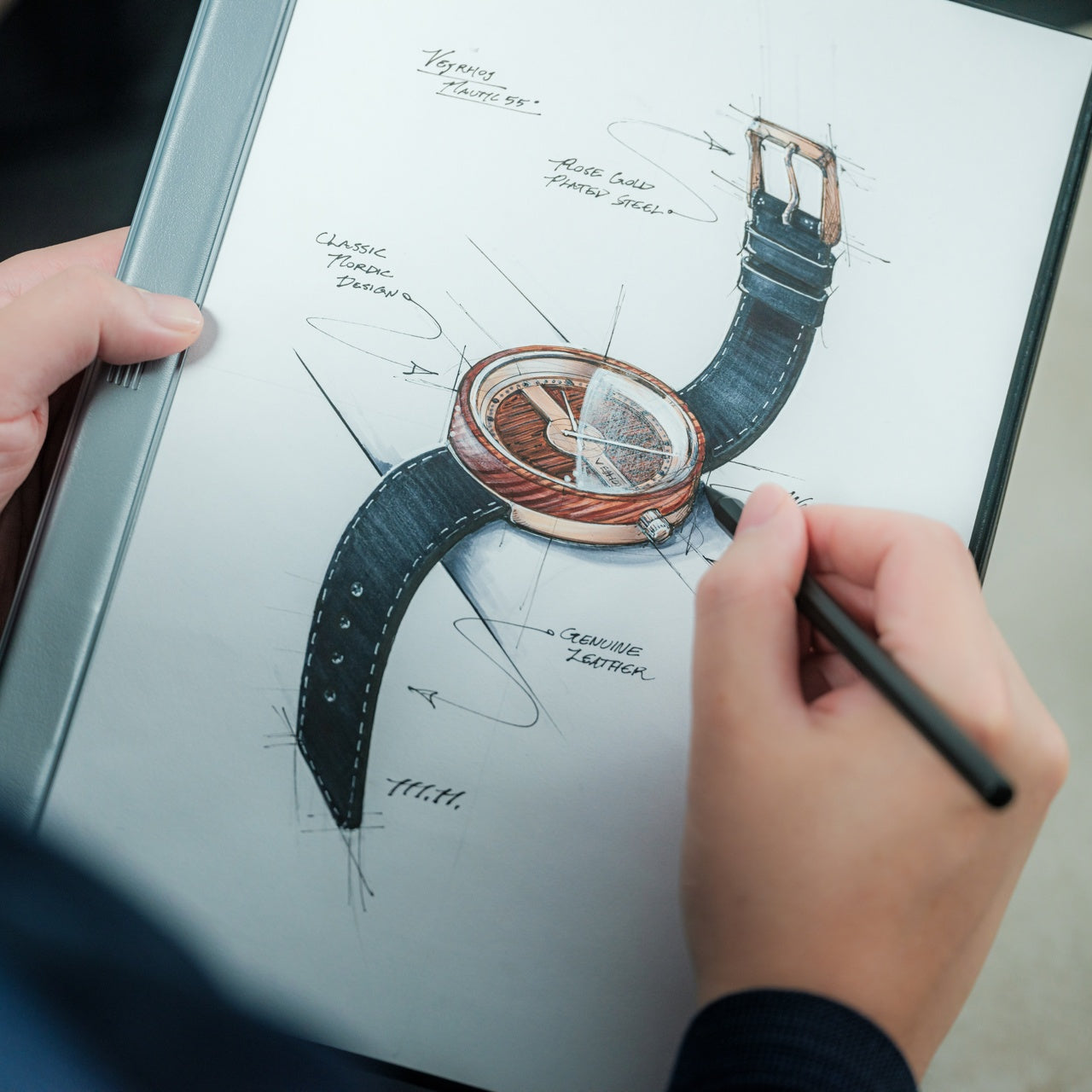
4. Magboard Clipboard

Notebooks make decisions for you before you’ve started working. They impose page order, dictate margins, and commit you to a format before a single idea is on the page. The Magboard Clipboard works without those constraints. A magnet and lever mechanism holds up to 30 sheets and lets you add, remove, and rearrange them in any order without disturbing what’s already there. Grid paper beside blank paper beside a printed reference sheet, clipped together in whatever configuration actually serves the work at hand.

The hardcover design makes writing while standing feel natural rather than effortful. Whether you’re on a site visit, in a client meeting, or moving away from the desk to think differently, the board provides the resistance your pen needs to move cleanly across the page. The cover is water-resistant and easy to wipe clean, which matters when the environment includes markers, paint, and the occasional spill. It doesn’t pretend your thinking is linear. It holds whatever you put in it and lets you decide the rest entirely on your own terms.

Click Here to Buy Now: $45.00

What We Like

  • The magnet and lever mechanism holds up to 30 sheets, giving complete freedom to add, remove, and rearrange pages at any point
  • Water-resistant hardcover makes it practical across studio, client, and field environments without any special handling

What We Dislike

  • The loose sheet format requires a separate system for organizing and archiving pages over time
  • Those who prefer the structure of a bound notebook may find the open format takes a brief adjustment to settle into

5. Grovemade Matte Studio Pad

Most desk pads do one thing and ignore everything else. They protect the surface, or they look good, or they’re cheap enough to replace without a second thought. The Grovemade Matte Studio Pad takes a different approach. Its matte surface is smooth and comfortable underhand, fingerprint resistant, and steady enough that paper doesn’t drift while you write or sketch. It’s inviting in the way good materials always are: you notice it immediately, understand why it works, and then stop noticing it because it never gets in the way.

Underneath the surface is where the engineering becomes clear. A brushed aluminum chassis keeps the pad flat and stable without flex. A cork underlayer cushions the desk from scratches and softens the whole assembly from below. A full-length hardwood tray runs along one edge, providing a tactile and visually grounded place to keep pens, a stylus, or a ruler within reach without cluttering the writing surface. Three materials, three problems solved, one object that feels deliberate in every direction. For anyone spending long hours at a desk, the quality of the surface beneath your hands matters more than most people realize until they’ve worked on something this well-made.

What We Like

  • Matte, fingerprint-resistant surface stays visually clean and composed through heavy daily use without any extra maintenance
  • Layered aluminum, cork, and hardwood construction addresses stability, desk protection, and tactile comfort all at once

What We Dislike

  • Premium materials place it well above budget desk pad options, making the initial purchase a deliberate decision
  • The full-length hardwood tray extends the pad’s overall footprint, which may not suit smaller or tighter desk setups

The Desk You Build Reflects How You Think

The best designer desks don’t impress people who visit them. They just make the work easier and the hours more worth spending. None of these tools announces itself or tries to be more than they are. What they share is a quality of being fully thought through, made by people who considered every detail and removed whatever didn’t need to be there. That discipline is what makes them worth having, whether you design for a living or not.

Good tools have a way of quietly changing how you work. You reach for them without thinking, trust them without checking, and after a while, you stop remembering what you used before. These five accessories earn that kind of invisible loyalty not through novelty but through honesty. They do exactly what they’re supposed to do, they do it well, and they keep doing it long after the first impression has worn off.

The post 5 Super Clever Accessories That Every Industrial Designer Has on Their Desk — and Why You Should Too first appeared on Yanko Design.
Designed Like a Lamborghini, This Laptop Stand Replaces 3 Accessories

Laptop stands have come a long way from the simple plastic risers that used to pass for ergonomic solutions. More students and young professionals are rethinking their workspaces, and the demand for accessories that do more with less is steadily growing. Add a lamp, a phone charger, and a stand for the screen, and before long, the desk meant for focus starts looking more like a cable management problem.

The Exolevate concept tackles that problem from an unexpected angle, wrapping the solution in a finish inspired by Lamborghini. It’s a laptop stand that aims to replace three separate accessories with one and, in doing so, cut the clutter while improving posture. The boldness of its design language makes it clear this wasn’t built for someone who just wants something functional and forgettable.

Designer: Arnav Ashwin

The concept’s starting point is a familiar complaint. Young adults who spend 35 to 40 percent of their time at a workstation gradually accumulate neck pain, back strain, and a screen position that was never quite right. Raising the laptop to eye level with adjustable height and angle addresses the most direct version of that problem, bringing the screen where it actually belongs.

That’s a good start, but Exolevate doesn’t stop there. The stand integrates an adjustable table lamp that swings out to light a writing area beside the laptop, which is useful for anyone splitting attention between a screen and physical notes. The lamp is built into the stand’s structure rather than added alongside it, which means one fewer cord to trace across the desk during a late-night study session.

The base takes the consolidation further. A wireless charging pad is embedded directly into the platform, so a phone can sit there and charge without an extra cable sneaking into the picture. It’s a thoughtful addition for anyone who already has too many things plugged in, and it frees up the desk surface for the notepad, the keyboard, and everything else that actually needs to be there.

None of that would look quite as interesting without the design language tying it together. Exolevate draws from Lamborghini’s aerodynamic forms, borrowing sharp angles and aggressive lines and translating them into the stand’s aluminum profile. The “electric kumquat” finish, a vivid orange sourced from trend forecaster WGSN, gives the concept the kind of confident, eye-catching presence that most workspace accessories aren’t bold enough to attempt.

The hinges use a two-way friction mechanism to hold the stand at any chosen angle without slipping, while the aluminum frame keeps the structure light. For a student who already has too much on the desk and not enough on the budget for a complete workspace overhaul, the Exolevate proposes a more consolidated answer. It’s a stand that also illuminates and charges, finished in a color that refuses to be ignored.

The post Designed Like a Lamborghini, This Laptop Stand Replaces 3 Accessories first appeared on Yanko Design.
5 Japanese Zen Desk Accessories That Turn a Tuesday Morning Into a Meditation

There is a particular kind of Tuesday that gets you. Not Monday, which at least carries the clean energy of a fresh start. Tuesday is when the week begins to feel long before it has any right to, when the desk stops feeling like a chosen space and starts feeling like a place you were assigned. The objects surrounding you have more influence over that feeling than most people acknowledge.

Wabi-sabi, the appreciation of imperfection and transience. Ma, the intentional use of space. Ikigai, the reason to get up. These are not aesthetic trends or interior design keywords. They are deeply considered frameworks for how the material world supports a good life. The five accessories here carry those values in practical, beautiful, desk-ready form — not to impress anyone walking by, but to make every Tuesday worth being present for.

1. ZenFlow Personal Aroma Diffuser

The ZenFlow Personal Aroma Diffuser earns its place on your desk through all your senses at once. It looks sculptural — a handcrafted porcelain filter sitting atop an anodized metal base in Silver, Gold, or Black — but the experience it creates is what makes it genuinely useful. The diffuser combines heat and airflow technology to evenly disperse essential oils through the air without water or mist, keeping your workspace clean and calm. It is aromatherapy without the clutter, without the fuss, and without the puddle on your desk.

For you, this means a desk environment that actively supports focus rather than merely existing around it. Switch between Normal Mode for stronger scent presence during deep work, Airflow Mode when you want subtlety, or ECO Mode for energy-efficient background relaxation throughout the day. The handcrafted porcelain filters are a product of Shibukusa Ryuzo Porcelain’s 180-year legacy, adding a layer of cultural weight to a device that already justifies itself on practicality alone. When the air around you smells intentional, the entire morning shifts slightly in your favor.

Click Here to Buy Now: $170.00

What We Like

  • Water-free technology keeps your desk surface completely clean and mess-free
  • Three adjustable modes let you match the diffuser to your energy level throughout the day

What We Dislike

  • Essential oil refills add an ongoing cost over time
  • The handcrafted porcelain filter requires careful handling to avoid breakage

2. Magboard Clipboard

Paper notebooks are personal things. They carry the texture of actual thinking — the crossed-out lines, the sketches in the margins, the half-finished sentences that eventually turn into something better. The Magboard Clipboard understands this in a way that most stationery products do not. Its magnet and lever mechanism lets you bind up to 30 loose sheets without any predefined layout, order, or margin, giving your note-taking the same flexibility as your actual thought process. The hardcover construction is rigid enough to write on while standing.

What it gives you is freedom from the structure that most notebooks quietly impose. Pull out a page, reorder your notes, add a fresh sheet mid-thought, and put everything back in whatever sequence makes sense for how your brain works that day. The water-resistant surface means the board travels without hesitation — into a client meeting, a coffee shop, or a commute in unpredictable weather. For anyone who thinks with a pen in hand, Magboard removes every practical reason not to write, and in doing so, makes the act of capturing ideas feel genuinely frictionless.

Click Here to Buy Now: $45.00

What We Like

  • Loose-sheet format lets you reorganize, remove, and add pages freely without tearing
  • Hardcover design supports writing without needing a flat surface underneath

What We Dislike

  • Loose pages can be easy to misplace if not managed with some care
  • The magnet and lever mechanism may feel unfamiliar to those used to traditional bound notebooks

3. Madco Table Lamp

Designed by Italian designer Elisa Ossino for Japanese brand Ambientec, the Madco Table Lamp takes the warmth of a festive Japanese lantern and distills it into something small, quiet, and considered. A sphere-shaped diffuser sits suspended within a sleek metal frame, available in five colors chosen to add playful elegance without overwhelming a space. It marks the first time Ambientec introduced color into its design language, and the restraint with which they did it says everything — there is nothing loud here, only warmth and a kind of confident understatement.

For you, the Madco is the kind of light source that changes the felt quality of your desk at the start or close of a working day. It is rechargeable via USB-C, fully portable, and waterproof, meaning it moves with you from desk to balcony to garden without complaint, creating soft visual conversations with plants and outdoor textures along the way. The 360-degree rotating light source lets you direct warmth exactly where you need it. It is less a lamp and more a mood rendered in physical form — the sort of object that makes the transition into work feel like a deliberate choice.

What We Like

  • USB-C rechargeable and waterproof, making it genuinely portable for indoor and outdoor use
  • The 360-degree rotating diffuser lets you customize and redirect light output precisely

What We Dislike

  • Battery life will limit continuous use, particularly at higher brightness settings
  • Available in five fixed colors only, which may not suit every interior palette

4. Aya & Sfera Desk Organizers

Ikigaiform describes their practice as Japanese minimalism meeting parametric design, a combination that produces objects feeling simultaneously ancient and quietly futuristic. Aya and Sfera began as full-size self-watering planters before being scaled down into desk-sized cups, carrying the same organic forms and intricate surface patterns into a far smaller footprint. The result is a pen holder — or catch-all, or shelf object — that shares design DNA with a living planter, blurring the line between the functional and the living in a way that feels entirely natural on a working desk.

What makes these organizers genuinely useful for you is the way they bring considered calm to whatever surface they occupy. Wabi-sabi aesthetics and Japandi sensibility run through every curve and surface pattern, making each piece feel deliberate rather than merely decorative. Whether you use them to hold pens, cables, a small succulent, or simply as a visual anchor on an otherwise noisy desk surface, they carry an almost-living quality that rewards closer attention. On a Tuesday morning when everything feels like an obligation, these small objects quietly remind you that your environment is something you actually designed.

What We Like

  • Organic forms and intricate surface textures make these genuinely rewarding to study up close
  • Compact size fits naturally on desks and shelves without claiming excessive space

What We Dislike

  • As a niche studio product, availability and restocking may be limited
  • The soft, organic form may not align with stark industrial or heavily geometric desk setups

5. Heritage Craft Unboxing Knife

Most box cutters are purely transactional. You use them, drop them into a drawer, forget them completely. The Heritage Craft Unboxing Knife refuses that fate entirely. Carved from a block of aluminum, its circular form directly references Paleolithic hand axes, a shape carrying the entire arc of human tool-making history within it. The wave-like patterns left by precision machining are not purely decorative — they give the object grip, texture, and a visual richness that makes you want to pick it up. It is the rare tool that actively asks to be handled.

For you, this is the object that stays on top of the desk rather than inside it. It is effective — genuinely sharp for slicing tape and opening packages — but it holds its position through presence as much as through function. The tapered form sits confidently on any surface, operating simultaneously as a tool and a quiet sculpture. Japanese design philosophy holds that objects should be worthy of the attention we give them, that usefulness and beauty are not separate qualities. The Heritage Craft Unboxing Knife takes that idea seriously, and in doing so, makes even the small ritual of opening a package feel like something worth noticing.

Click Here to Buy Now: $99.00

What We Like

  • Sculptural aluminum form means it stays visible on the desk rather than disappearing into a drawer
  • Wave-patterned machining provides both a secure grip and a distinctly artisanal visual quality

What We Dislike

  • The circular form may require a short adjustment period for those used to standard box cutters
  • Aluminum construction may accumulate visible surface scratches with regular daily use

The Desk Is the One Space You Actually Get to Choose

The desk is one of the few environments you actually control. Most of what shapes a Tuesday is decided before you sit down — the calendar, the emails, the inbox count. The objects you choose to keep in your immediate space are one of the last genuinely personal decisions left. These five accessories share a quality that goes beyond mere aesthetics: they each slow the eye down, just for a moment.

And in that pause, the morning becomes slightly less automatic. That is exactly what Japanese design has always understood — that objects worthy of attention gradually change the quality of attention you bring to everything else. You cannot redesign your calendar, your inbox, or your Tuesday. But you can redesign the surface in front of you. Fill it with objects that ask something of you. That, quietly, is more than enough.

The post 5 Japanese Zen Desk Accessories That Turn a Tuesday Morning Into a Meditation first appeared on Yanko Design.
Forget Taking Notes — These 5 Genuis Tools Do It Better Than Your Brain Ever Could

The meeting ends. The ideas fade. The action items that felt so clear twenty minutes ago are now a blur of half-remembered phrases scrawled in a margin you’ll never look at again. Note-taking has been a productivity staple for decades. Yet, most people are still terrible at it — not because they’re disorganized, but because the tools they’ve been handed have never really matched how the brain works under pressure, in flow, or during creative momentum.

These five tools take a different approach. Some are physical, some are digital, and one sits somewhere elegantly in between. What they share is a willingness to rethink the ritual from scratch: whether that means flipping a desk whiteboard to reveal a second surface, whispering a half-formed idea into your earbuds mid-walk, or letting a handwritten time cue trigger its own reminder automatically. Note-taking doesn’t have to be a discipline you fail at. These are the tools that prove it.

1. Note

The Note desk whiteboard is exactly what it sounds like, and that restraint is the point. A small vertical slate designed for the kind of thinking that doesn’t need to last: quick diagrams, passing ideas, calculations that only need to survive the afternoon. It sits on your desk without drama, works without setup, and erases with a single cloth wipe. For anyone who has stared at a page of old notes and wondered why they kept them, the appeal is immediate. Temporary thinking deserves a temporary surface.

What earns Note a place on this list beyond the obvious is the flip mechanism. The whiteboard rotates to reveal a second surface, doubling your working space without claiming any extra desk real estate. One side can carry a dotted grid for structured diagrams and spatial thinking, while the other stays plain for freeform notes. The vertical format also accepts sticky notes directly on the surface, so you’re never locked into one method. A quick wipe resets everything, and you’re back to a blank slate without the guilt of wasted paper or the overhead of an app.

What we like

  • The double-sided flip mechanism gives you twice the working surface while keeping the desk footprint identical
  • Accepts sticky notes directly on the board, so you can blend methods without committing to just one

What we dislike

  • Notes are entirely temporary, meaning anything worth keeping still needs to be photographed or transferred before you wipe
  • The vertical format may feel unnecessary for people whose thinking is already fully digital

2. HiNotes 3.0

Most meeting tools solve the easy part. They record, they transcribe, and they deliver a summary you’ll skim once and never open again. HiNotes 3.0 is built around what happens after that. The HiDock P1 hardware works through your own earbuds with no bots, no awkward announcements, no friction at the point of capture. As founder Sean Song puts it, the real productivity crisis was never about recording: “We have built some of the most sophisticated recording and transcription technology in history, and we are still leaving meetings with a list of things we never act on.” HiNotes is an attempt to fix the silence that follows.

Where HiNotes 3.0 genuinely separates itself is in two places: context and capture on the move. Action items come with the original conversation attached, not just a stripped-down to-do. The transcript lives behind a dedicated button in each note, expandable inline so you can cross-reference the AI output against what was actually said. Speaker labels are editable after the fact. And Whisper Notes handles the other end of the problem entirely: a low-friction way to voice-record ideas wherever they arrive, pulling scattered recordings from across the day into a single coherent summary. Seven frontier models, including GPT, Claude Sonnet, and Gemini Pro, are switchable per meeting, because different content asks for different kinds of intelligence.

Explore HiNotes 3.0 Here

What we like

  • Whisper Notes captures ideas on the move with zero friction, solving the single biggest gap that every other meeting tool leaves open
  • Per-meeting model switching gives users real control over how their content gets synthesized, rather than burying a single default choice

What we dislike

  • The full feature set requires the HiDock P1 hardware, which adds a meaningful cost above the software alone
  • Seven model options, while genuinely useful, may feel like unnecessary complexity for users who want one reliable tool and nothing more

3. Almo

Almo starts from one quietly brilliant question: what if your handwritten notes could set their own reminders? The premise sounds minor until you’ve lost track of a time-sensitive idea because writing it down felt like enough. Almo reads the time you scrawl next to a note and sets a gentle alert automatically, with no menus, no switching apps, no separate alarm to configure. It respects the ritual of writing by hand while adding the one layer of intelligence that handwriting has always lacked. The result is a device that feels less like a gadget and more like a natural extension of how most people already think.

The hardware is designed to live on a desk without demanding attention. A sturdy kickstand and a magnetic back mean it can sit upright on a surface, attach to a metal cabinet, or move between both throughout the day. The dedicated pen clips magnetically to the top, so it’s never missing when you need it. Writing and erasing feel immediate and light, which matters more than it sounds. A note-taking device that creates friction is one you quietly stop reaching for. Almo removes that excuse with a form that stays out of your way until the moment it needs to be useful.

What we like

  • Automatic reminders triggered by handwritten time cues remove a step that most people skip, which is the very step that causes ideas to go unfollowed
  • The magnetic pen attachment solves a persistently annoying problem with stylus-based devices in a way that feels genuinely considered

What we dislike

  • As a concept design, production availability remains uncertain, and the final version may differ from what has been shown
  • Handwriting recognition accuracy depends on legibility, which could limit reliability for fast writers or people with naturally loose handwriting

4. Rocketbook Reusable Sticky Notes

The sticky note is one of the most quietly brilliant office inventions ever made. Small, repositionable, and readable wherever you place it, it solves a spatial problem that digital tools have never fully replicated. The Rocketbook version keeps everything that works about the format and fixes the one thing that doesn’t: waste. Using the same whiteboard-like paper surface that Rocketbook has built its name on, these sticky notes wipe clean, hold their adhesive across multiple uses, and work in every situation where you’d reach for a regular one. The familiar format does most of the heavy lifting, and Rocketbook doesn’t get in its way.

The size itself is doing real design work here. Because sticky notes are small, the reusable format doesn’t feel like a compromise or a replacement for something better. You still get the spatial flexibility of rearranging your thinking across a wall, a whiteboard, or a monitor frame. The hoarding problem disappears too: one pad replaces the rotating stack of barely-used sheets that most people accumulate and eventually discard in bulk because the adhesive has given out. Sustainability and function are pointing in the same direction, which is rarer in stationery than it should be.

What we like

  • The reusable adhesive retains its stickiness across multiple uses, unlike standard sticky notes that degrade and lose grip over time
  • The small format preserves the spatial flexibility that makes sticky notes worth using, rather than scaling up into something that changes the whole behavior

What we dislike

  • The whiteboard surface requires a compatible marker rather than any pen, which introduces a small but real dependency into an otherwise simple system
  • Erasing requires a damp cloth, a noticeable shift from the instant-disposal habit that most sticky note users have spent years building

5. Personal Whiteboard

There is a version of note-taking that doesn’t need to be precious. No archiving, no syncing, no formatting decisions. Just a surface to think on and a way to clear it when you’re done. The Personal Whiteboard Notebook is built precisely for that kind of thinking: compact enough to carry anywhere, works with any standard whiteboard marker, and resets completely clean when you need it to. The object makes no claims beyond what it is. It gives fast, temporary thinking the right kind of home, and it does it without asking for anything complicated in return.

What makes the notebook more considered than it first appears is how the cover functions. It acts as an eraser, a built-in stand, and a storage pocket, so the entire system travels as a single self-contained unit. The Mag Force system doubles as a handle for the cover and a holder for the marker pen, keeping everything tight and within reach. Snap a photo before you wipe, and your notes move to wherever you need them without the board ever needing connectivity of its own. It is portable thinking fully resolved, in a format that fits in a bag without negotiation.

Click Here to Buy Now: $49.00

What we like

  • The multi-functional cover as eraser, stand, and storage pocket means the entire system is contained in one slim, travel-ready object
  • Compatible with any standard whiteboard marker, so there is no proprietary dependency keeping you tied to a specific brand or refill

What we dislike

  • The single-surface format limits working space compared to double-sided or larger alternatives if your thinking runs long
  • Cloud backup depends entirely on the user remembering to photograph before wiping, which is easy to forget in the middle of a fast-moving session

The Best Tool Is the One That Gets Out of Your Way

The brain is genuinely bad at holding onto things under pressure. Meetings, momentum, ideas that arrive mid-walk — they all create cognitive load that makes reliable recall harder than it feels in the moment. Research suggests that nearly 44% of action items go unexecuted after meetings, not because people lack the intention, but because the tools designed to help have been solving the wrong problem entirely. These five objects aim for the actual gap: the distance between capturing something and doing something with it.

None of them asks you to become a better note-taker. That’s what makes them worth paying attention to. The best productivity tools are the ones that disappear into how you already work, removing friction at exactly the right moment without adding new habits on top. Whether that means a wipe-clean surface on your desk or an AI that reads context back to you after the room empties, the logic is the same: less distance between the thought and what happens next. That’s not laziness. That’s design working the way it’s supposed to.

The post Forget Taking Notes — These 5 Genuis Tools Do It Better Than Your Brain Ever Could first appeared on Yanko Design.
Konstantin Grcic Finally Designed the Office Desk We Needed

We’ve been designing office desks essentially the same way for decades. Four legs, a flat surface, maybe a drawer if you’re lucky, and an ergonomic chair that costs more than your first car. So when Vitra and German industrial designer Konstantin Grcic quietly dropped the Scout Work Mobile just last month, I paid close attention.

The Scout Work Mobile is part of a larger family of workstation and meeting tables simply called Scout, launched on March 19 of this year. The collection comprises five pieces ranging from stationary desks to mobile variants, and it’s Grcic’s response to how offices actually function today versus how they were designed to function twenty years ago. The Scout Work Mobile is the one that caught my eye: a compact, trapezoidal desk on wheels with a tubular steel frame that rises up and encircles the work surface.

Designer: Konstantin Grcic

That frame is the whole story, really. It’s not decorative. It’s not there to look good in a mood board (though it absolutely does). The frame acts as a grab handle when you’re rolling the thing across a room, a mounting point for privacy screens, and a place to hang accessories. Without any attachments, it still creates what Vitra describes as a “room-within-a-room” effect, a bit of visual and psychological separation from whatever chaos is happening around you. For those of us who’ve had to MacGyver focus time in open-plan offices using noise-cancelling headphones and pure denial, that feels like a genuine design insight rather than a marketing afterthought.

Grcic is known for what Vitra calls a “severely simple” aesthetic. He doesn’t add things for the sake of adding them, and the Scout Work Mobile reflects that clearly: the height adjustment and tilting function work entirely without electricity. No motors, no app, no firmware updates required. It adjusts by hand. That might sound unremarkable, but compared to the increasingly tech-dependent office furniture being released right now, it reads almost like a radical statement.

The mobile aspect of Scout is where the design really earns its name. Return-to-office mandates are reshaping how companies think about their physical spaces, and the rigid assigned-desk model is quietly becoming a liability. Hot-desking, collaborative hubs, project clusters, training rooms that double as focus spaces. Modern offices are being asked to do a lot more with the same square footage. Scout was built for exactly that kind of environment. You grab it, roll it where you need it, work, and move on. No teardown required. No reconfiguration meeting on the calendar.

Grcic put it plainly in an interview with Vitra Magazine: “The aim is not to replace what already exists. Rather, the system is an extension or complementary offering that responds to different levels and styles of work.” That kind of restraint is rare in product design, where the temptation is always to pitch your thing as the only thing. Scout doesn’t ask to own your whole office. It just wants to be useful wherever you put it.

Aesthetically, it sits in that satisfying middle ground between industrial and refined. The tubular steel frame reads as utilitarian at first glance, but the trapezoidal silhouette and deliberate proportions make it feel considered rather than clinical. It’s the kind of furniture that would look at home in a forward-thinking tech company, a design school studio, or a well-curated co-working space. It isn’t trying to disappear into the background, and it certainly doesn’t need to.

What makes Scout genuinely interesting is that it treats mobility as a first principle rather than a feature tacked on after the fact. Desks on wheels have existed forever, but most of them feel like an afterthought, as if someone just bolted casters onto a standard table and called it agile. Grcic designed the Scout Work Mobile from the ground up with movement in mind, and the difference is visible in every element. Office furniture rarely makes me stop and think twice. The Scout Work Mobile managed to.

The post Konstantin Grcic Finally Designed the Office Desk We Needed first appeared on Yanko Design.
This Minimalist Analog World Clock Is the Upgrade You Didn’t Know Your Desk Needed

This 12-sided clock turns global timekeeping into a calmer desk ritual

Keeping up with different time zones sounds simple until it becomes part of your everyday routine. You check your phone before a call, open another tab to confirm the hour, do a quick mental calculation, and still second-guess whether it’s too early in Tokyo or too late in New York. Not to forget the perils of push-notifications – a quick check of time leads you down a drain of doom-scrolling that you take an hour to return from! To add a layer of analog convenience in this increasingly digital setup, I present the Rolling World Clock.

Why Traditional World Clocks Never Quite Feel Right

The Rolling World Clock takes a familiar category and gives it a much smarter form. Instead of relying on screens, menus, or a row of tiny city labels, this analog desk object turns world time into a simple physical interaction. Built with 12 sides, each representing a major timezone city, it lets you roll from one location to another and instantly read the local time with a single hand. It’s a cleaner, more tactile answer to a problem that has long been solved in ways that feel unnecessarily digital.

Designer: MASAFUMI ISHIKAWA .Design

Click Here to Buy Now: $49 Hurry, only a few left!

Change time zones with a single roll.

Using The Analog Experience Feels Better

That analog quality is a big part of the appeal. There’s a growing interest in devices that help people step back from constant digital interaction, and this clock fits neatly into that trend without feeling nostalgic for nostalgia’s sake. It still solves a modern problem, especially for people working with global teams or keeping in touch with friends and family abroad, but it does so in a way that feels grounded and human. You’re not swiping, tapping, or toggling between screens. You’re just rolling the object in your hand and reading the time.

Built for modern routines, expressed through simple interactions.

The city lineup also makes it genuinely useful. The 12 sides cover major global time zones, including London, Paris, Cape Town, Moscow, Los Angeles, Karachi, Mexico City, New York, Shanghai, Tokyo, Sydney, and New Caledonia. That gives it enough range to be practical for a wide variety of work and lifestyle needs, whether you’re coordinating meetings, planning travel, or just trying not to message someone at the wrong hour.

Built for a More Intentional Desk

For the desk setup fanatics, there’s also a strong aesthetic argument here. The Rolling World Clock is available in black and white, two finishes that make it easy to integrate into a modern desk setup without fighting for attention. It has the kind of understated presence that works especially well for young professionals who want their workspace to feel differentiated without becoming visually noisy. It’s functional, yes, but it also reads as a design object, the sort of piece that quietly signals taste.

Clean lines, one hand, no distractions.

That balance of utility and personality is what makes this more than a novelty. If you work across cities, collaborate with clients in different regions, or simply like the idea of keeping global time visible without adding another glowing screen to your day, this clock makes a strong case for itself. It taps into a broader shift toward analog tools that feel slower, more deliberate, and more human, while still solving a very modern problem.

Feels as good in the hand as it looks on the desk.

Why It’s Worth Picking Up Now

At $49, the Rolling World Clock lands in a sweet spot for a desk upgrade that feels distinctive without being overcommitted. It also has the kind of giftable appeal that comes from being both useful and conversation-worthy. And with only a few left, it carries just enough urgency to make hesitation a risky move.

If your desk could use an object that feels smarter, calmer, and more intentional than another digital widget, the Rolling World Clock is worth grabbing now. It’s currently available in the Yanko Design Shop in black and white, and with limited stock remaining, this is one of those rare functional design pieces you probably shouldn’t wait on.

The post This Minimalist Analog World Clock Is the Upgrade You Didn’t Know Your Desk Needed first appeared on Yanko Design.
5 Cool Desk Clocks That Actually Deserve a Spot on Your Desk in 2026

Your desk says a lot about the way you think. The objects you deliberately choose for it, rather than the ones that simply accumulate, reflect your values, your taste, and the kind of environment you want to work in. A great desk clock earns its place twice over: as a functional tool and as something genuinely worth looking at every day. The market is full of forgettable options, but the most interesting clocks right now are rethinking what a clock even needs to be, questioning material, interaction, and presence in equal measure.
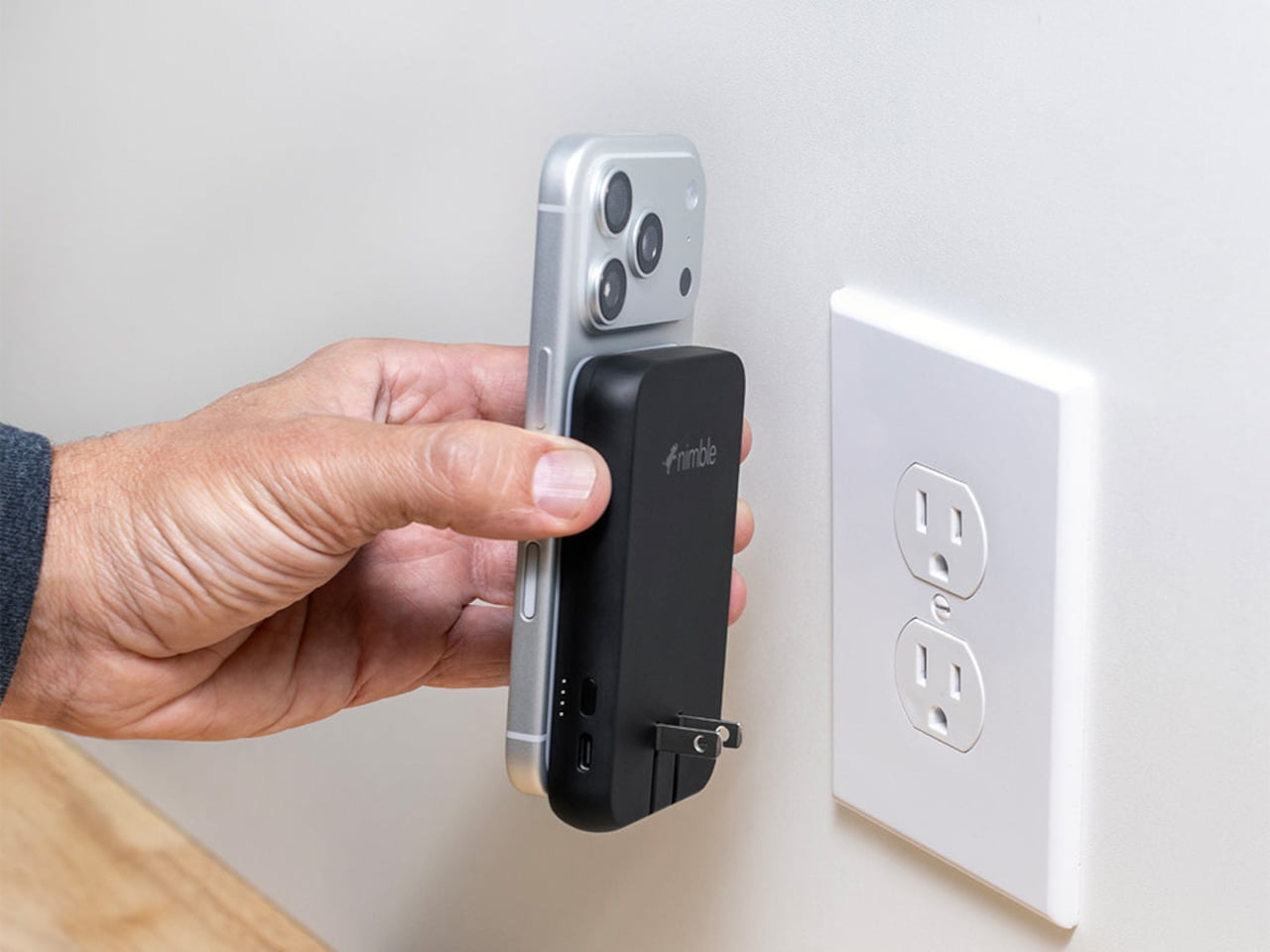
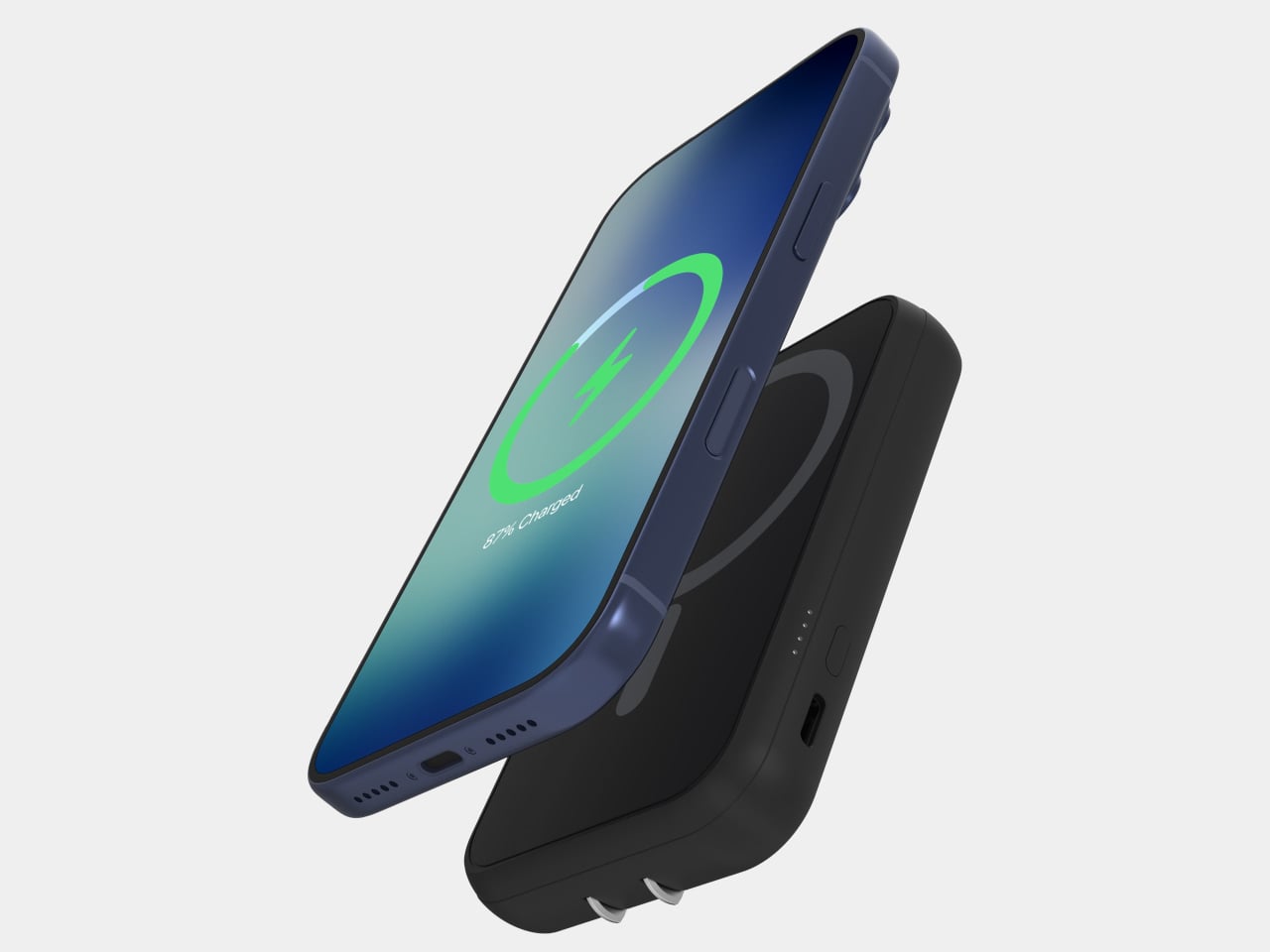
Whether you work from a home studio, a shared office, or somewhere between the two, the right clock changes the feeling of an entire space. These five designs prove that telling time is still a conversation worth having, and that choosing a clock carefully is an act worth taking seriously.

1. Rolling World Clock

For anyone who regularly works across time zones, converting time in your head is a small but persistent irritation. The Rolling World Clock removes that friction with an approach so intuitive it almost feels obvious: a 12-sided form with a major city on each face, from London and Paris to Tokyo, Sydney, and New York, read by a single hand. Roll the clock until your desired city faces upward and the hand tells you exactly where things stand. No screen, no calculation, no second device needed.

What keeps this clock compelling beyond its core function is the physicality of using it. Rolling a 12-sided object to check the time in Cape Town or Karachi is a tactile experience that no phone interface can replicate; it turns a routine check into something deliberate and satisfying. The minimalist form, available in both black and white, sits cleanly on any desk without visual competition, and the single hand keeps everything honest and uncluttered. It is a rare thing: a genuine conversation piece with a practical reason to exist.

Click Here to Buy Now: $49.00

What We Like

  • The rolling interaction gives checking global time a tactile quality that feels intentional rather than reflexive, adding a small moment of satisfaction to an everyday action.
  • The minimal form in black or white works across almost any desk aesthetic, functioning equally well as a decorative object and a practical timekeeping tool.

What We Dislike

  • Only 12 cities are represented, which means time zones outside those locations will still require some mental conversion on your part.
  • As an analog clock, precision is limited to the nearest quarter-hour, which may not suit those who need exact time readings at a glance.

2. Minimalist Desk Clock

Products that combine two functions usually compromise on both. This desk clock concept draws inspiration from Dieter Rams’ legendary Braun DN40, channeling the same visual restraint while placing a wireless charging pad on the top surface in a way that actually makes sense for daily use. The digital time display sits off to one side of the matte face, balanced by a date readout on the opposite end. Both are embedded flush into the surface, creating a presence that is visible when needed but never demanding your attention when you do not.

The placement of the wireless charger on top is obvious in the best possible way: your phone charges exactly where you can still see it, and the clock keeps doing its job without either function disrupting the other. The asymmetrical display layout reflects genuine compositional thinking, creating deliberate visual balance rather than defaulting to center alignment. For a desk already holding a notebook, a coffee cup, and a tangle of cables, this clock earns its spot by doing double duty without making a scene about it.

What We Like

  • The wireless charging surface sits intuitively on top, keeping your phone visible and accessible while it charges, without requiring a separate pad taking up additional desk space.
  • The asymmetrical display arrangement shows real compositional intention, making the object feel considered and specific rather than generically functional.

What We Dislike

  • This is currently a concept design and is not available to purchase, which limits it to an aspirational reference rather than a practical recommendation right now.
  • The matte embedded displays may lose legibility in dim environments without a backlight or ambient brightness adjustment, which the concept does not appear to address.

3. CAST

Meetings lose things. Good ideas get spoken into the room and never make it to a document, and most tools designed to fix that problem are more intrusive than the problem itself. CAST, a concept by designer Minseo Lee, takes a different approach entirely. Drawing its form from the Braun BC22, the device arrives as an arch-shaped tabletop companion with a circular display, tactile buttons, and a neutral finish that reads as a clock before it reads as anything else. It sits on the conference table and quietly gets to work.

During a meeting, CAST listens, identifies key points, and generates a concise summary when the session ends. A QR code appears on the display, and participants scan it to access their notes instantly, with no app download or login required. Outside of meetings, it functions as a standard clock, maintaining its understated presence without demanding attention. The dotted graphic details and calm proportions mean it suits an open-plan office as naturally as a private home studio. The best AI tools do not announce themselves; they simply make the room function a little more smoothly, and CAST embodies that idea completely.

What We Like

  • The QR code summary system is a genuinely clever solution, distributing meeting notes to every participant instantly without requiring anyone to install a specific app or create an account.
  • The Braun-inspired design ensures CAST reads as a clock first, which meaningfully reduces the psychological discomfort of having a recording device present during a conversation.

What We Dislike

  • As a concept, CAST is not yet available for purchase, meaning its real-world performance in noisy or complex meeting environments remains completely untested.
  • The quality of the AI-generated summaries will depend on microphone sensitivity and processing power, which are factors the industrial design itself ultimately cannot control.

4. Wooden Desk Clock

There is something quietly refreshing about a clock that does not try to do anything beyond telling the time beautifully. This wooden desk clock, developed in collaboration with Shapr3D, is exactly that kind of object. CNC-machined from walnut, cherry, or maple, each version uses the natural contrast of warm wood tones and smooth curved surfaces to create something that belongs on a desk the way a well-chosen book or a ceramic cup does. The analog face reads the hour in the most satisfying way possible, without apology.

The clock comprises two parts: a clock head that displays the time and a supportive frame that serves as both a base and a functional handle for adjusting the vertical viewing angle. It is a small detail, but one that shows genuine thought about how the object actually gets used on a real desk by a real person. In an era dominated by aluminum, glass, and screens, a clock machined from actual wood makes a quiet but firm statement about material honesty and the pleasure of things that simply do what they are supposed to do.

What We Like

  • Three wood type options, walnut, cherry, and maple, give the clock a material warmth and versatility that suits a genuinely wide range of desk setups and personal aesthetics.
  • The adjustable vertical viewing angle through the supportive frame reflects thoughtful, user-centered design that considers how the object will actually be used day to day.

What We Dislike

  • Natural wood requires more care than synthetic materials and may be susceptible to scratches or moisture damage over time without proper surface treatment or regular maintenance.
  • The purely analog format offers no smart features, which will not appeal to anyone who expects additional functionality beyond time-telling from a desk object in this category.

5. Moon Rocket Clock

A note upfront: this is not a typical desk clock. It is larger than everything else on this list, more visually assertive, and designed to occupy space rather than disappear into it. Made from specially polished stainless steel, the Moon Rocket Clock is a circular timepiece where printed numbers appear to float and gradually fade around the edges of the face, echoing the visual rhythm of the moon’s phases. The second hand carries a small rocket ship on its tip, which sounds ornamental until you watch it move and recognize the emotional charge the detail actually carries.

This clock works best where it has room to be itself, on a wide desk, a generous shelf, or a statement surface in a home studio. The polished stainless steel construction is durable and catches light in ways that cheaper materials simply do not, giving it a presence that reads as genuinely considered rather than simply bold. More than any other clock on this list, this one carries emotional meaning: a daily reminder to take your ambitions seriously, framed through the imagery of space travel and lunar exploration. It is bigger than usual, demands more visual real estate than a standard timepiece, and earns every bit of space it claims.

Click Here to Buy Now: $325.00

What We Like

  • The specially polished stainless steel construction gives the clock a premium material quality that holds up to daily visual scrutiny and looks better the more closely you examine it.
  • The rocket ship, second-hand, transforms an ordinary glance at the time into a small, recurring moment of inspiration that does not wear out with repetition.

What We Dislike

  • The larger footprint demands more desk space than a standard clock and may feel visually overwhelming on smaller or more tightly curated setups.
  • The bold, distinctive aesthetic is strong enough to require a specific kind of environment to land well, meaning it will not suit every desk or room it is placed in.

The Best Desk Objects Ask Nothing Back

A desk clock was never supposed to disappear. It got displaced gradually by phones and computers, and the slow collapse of single-purpose objects into multipurpose screens. But these five designs are a reminder of what that displacement costs. A clock sitting on your desk is a fundamentally different presence than a clock on your phone. It exists only to mark time, without asking you to respond to anything, check a message, or make a decision. That kind of quiet object has a value that is easy to underestimate and harder to replace.

Good design does not need to solve every problem at once. Sometimes it is about doing one thing well and doing it in a way that earns a permanent place in a room. Whether it is a rolling 12-sided clock that translates time zones through touch or a stainless steel moon keeping a rocket on its seconds hand, each of these clocks has earned its spot. The best desk objects are the ones that make you glad they are there each morning, and every single one of these is exactly that kind of thing.

The post 5 Cool Desk Clocks That Actually Deserve a Spot on Your Desk in 2026 first appeared on Yanko Design.