Two ESR Accessories That Fix the iPad’s Most Frustrating Problems

The iPad has a funny relationship with its own potential. Apple builds these devices with silicon that outpaces many laptops, pairs them with displays that creative professionals genuinely covet, sandwiches everything into one impossibly sleek slab of glass and aluminum… and then just announces them without obsessively planning the broader ecosystem. The Magic Keyboard, while capable, is expensive, as is the Pencil. One confines you to a laptop-style of using, the other to a conventional tablet. This, I believe, is Apple building a symbiotic relationship with third-party accessory makers who, more often than not, do a better job than Apple at really planning an ecosystem around powerful devices like the iPad Pro… and at a much lower price point.

ESR has made a habit of knowing how to harness the iPad’s hybrid potential correctly. The Shift Keyboard Case (Detachable) and the Geo Digital Pencil read like two products designed by people who use an iPad seriously and got tired of being held back. One brings detachable keyboard flexibility and a generous trackpad to a category Apple makes expensive and rigid. The other brings Find My tracking and Bluetooth shortcuts to stylus use, features that make you wonder why they were ever considered optional. Together, they close the loop on what a well-designed iPad workflow actually needs.

ESR Shift Keyboard Case: Designed Around How People Actually Use an iPad
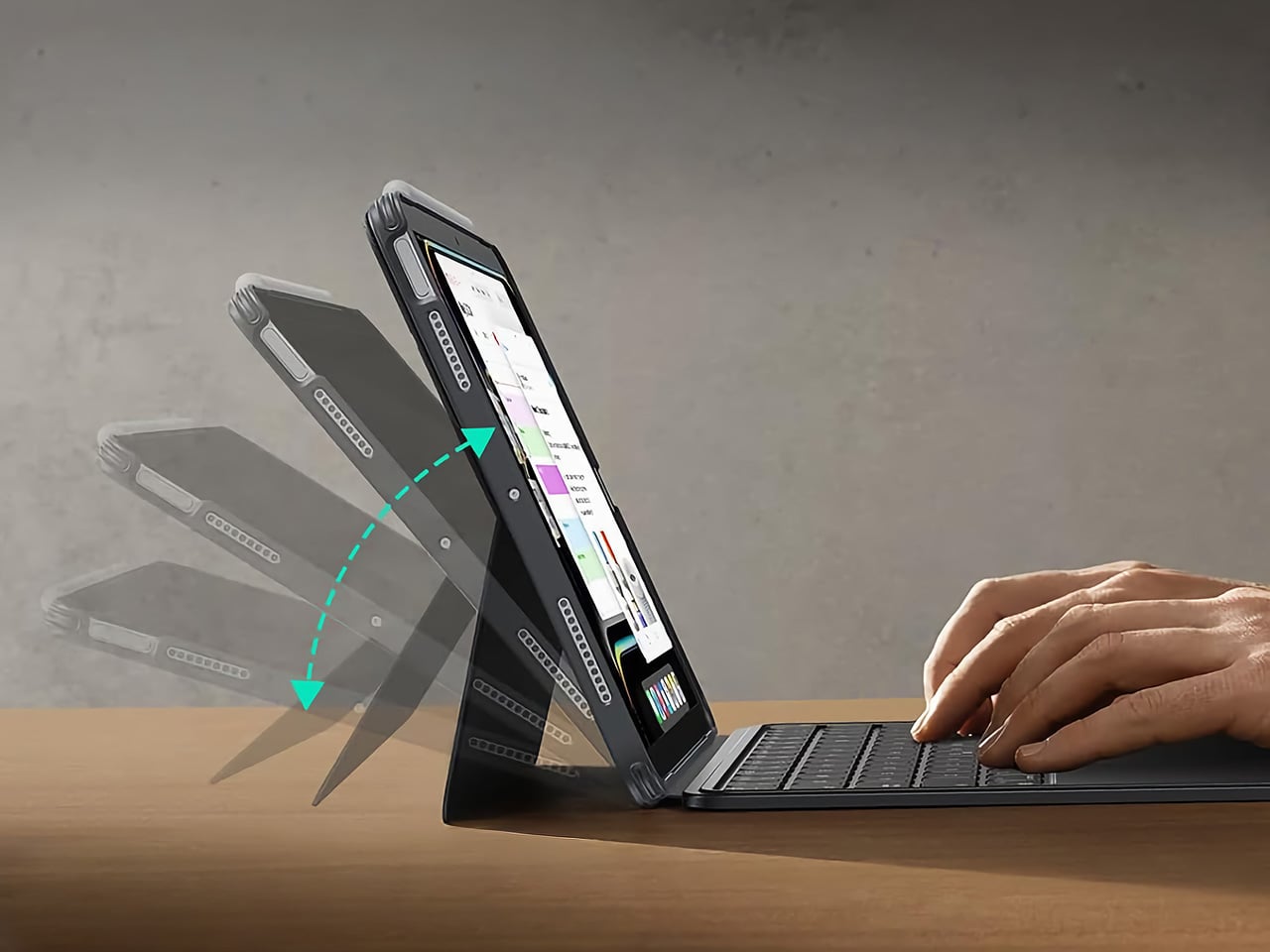
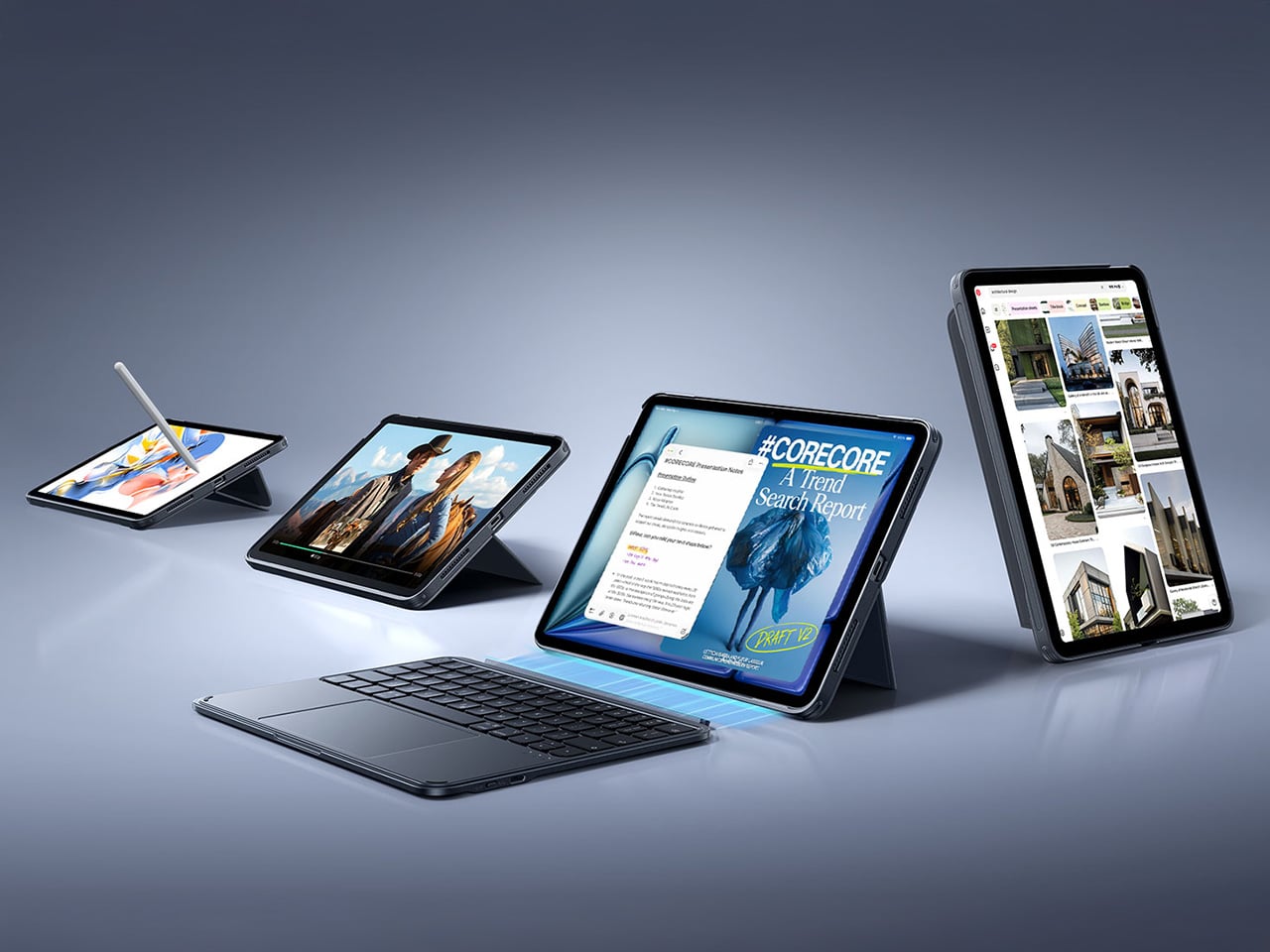
The biggest issue with turning an iPad into a laptop has always been the finality of it. Most keyboard cases, including Apple’s own, lock the device into a landscape, clamshell-style format that feels clumsy the moment you want to use it as a tablet again. The Shift Keyboard Case is built around a strong magnetic connection that sidesteps this entire problem. The keyboard half simply lifts away from the stand and case, leaving the protected iPad behind. This design treats the keyboard as a powerful, dedicated tool you bring in for serious typing, not as a permanent attachment you have to constantly wrestle with. It’s a simple mechanical solution to a complicated user experience problem, and it fundamentally changes how you approach the device.

When the keyboard is attached, the setup feels remarkably committed to a proper laptop workflow. ESR put a large, click-anywhere trackpad at the center of the design, which is the correct choice now that iPadOS has such robust cursor support. It lets you navigate, select text, and use gestures without your hands ever leaving the typing area. The keys themselves are backlit, with enough travel to feel responsive for long-form writing rather than just firing off a quick email. This combination of a full-featured keyboard and a genuinely usable trackpad is what separates a serious work setup from a temporary compromise, and it’s clear which side of that line ESR was aiming for.

Once you detach the keyboard, the other half of the product’s intelligence becomes apparent. The remaining case and stand function independently, offering multiple viewing angles in both landscape and, crucially, portrait orientation. This is a detail that many competitors miss entirely. Being able to set the iPad up vertically for reading documents, coding, or taking video calls respects the fact that not all work happens in a 16:9 window. The stand mechanism is sturdy enough to support the iPad securely on a desk, making it a useful tool for media viewing or as a secondary display, all without the keyboard taking up space.

Putting it all together, the Shift case presents a complete, two-part system that adapts to the task at hand. The protective shell keeps the iPad safe, while the keyboard and stand components offer a level of functional flexibility that feels genuinely thoughtful. It’s a design that acknowledges the iPad is not a laptop, nor is it just a tablet; it’s a hybrid device that thrives when its accessories allow it to switch between roles effortlessly. The entire package is less about forcing the iPad into a new shape and more about giving its existing, versatile shape the tools it needs to be useful in more situations.

Why We Recommend It
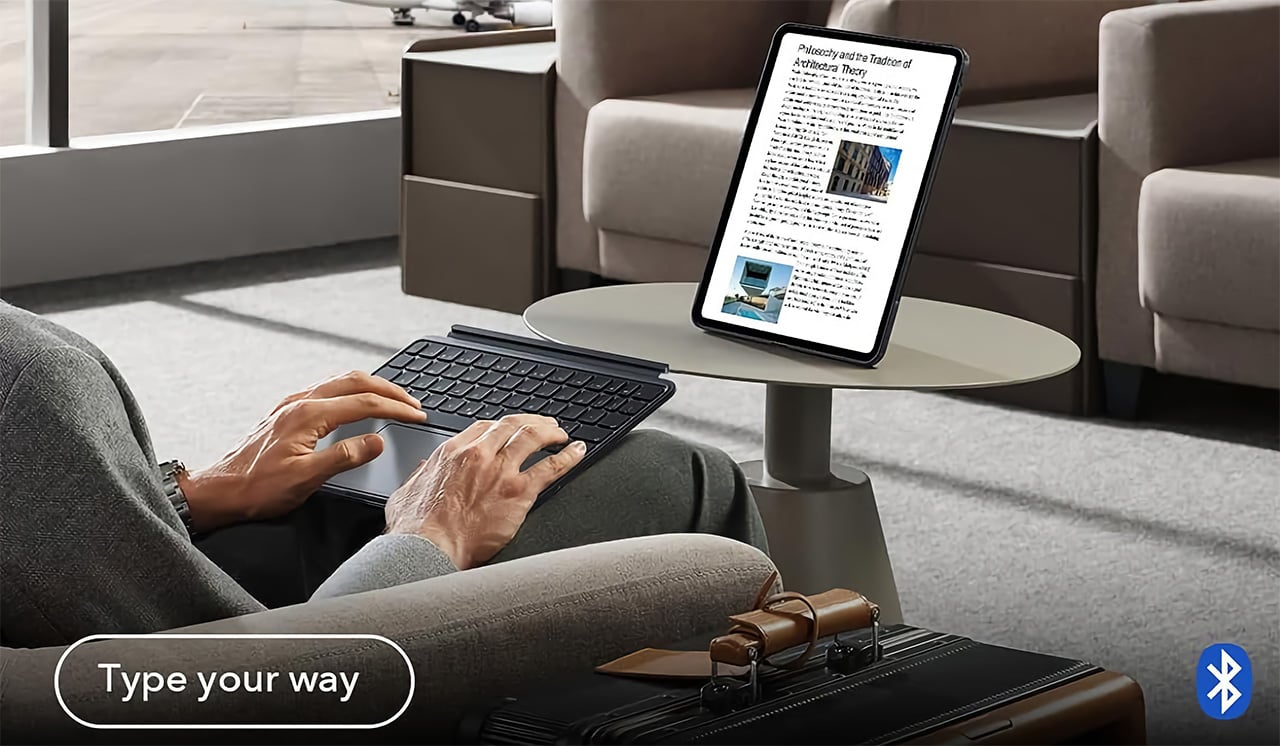
At $89.99, the Shift Keyboard Case costs roughly a fifth of what Apple charges for the Magic Keyboard, and that price gap alone would almost be enough. What makes the recommendation easy, though, is that the Shift Case actually offers something the Magic Keyboard doesn’t: the ability to leave the keyboard behind entirely. Apple’s solution commits you to a permanent clamshell, while the Shift Case treats that keyboard as a deployable tool with a specific job to do. For anyone who uses their iPad across genuinely different contexts, a desk in the morning, a couch in the evening, a bag in between, that modularity has real, daily value. The backlit keys and click-anywhere trackpad raise the floor on what a $90 keyboard case is supposed to feel like, making it difficult to justify spending more for fewer options.

Click Here to Buy Now: $89.99 | Amazon Link Here.

ESR Geo Digital Pencil: A Stylus That’s Actually Hard to Lose
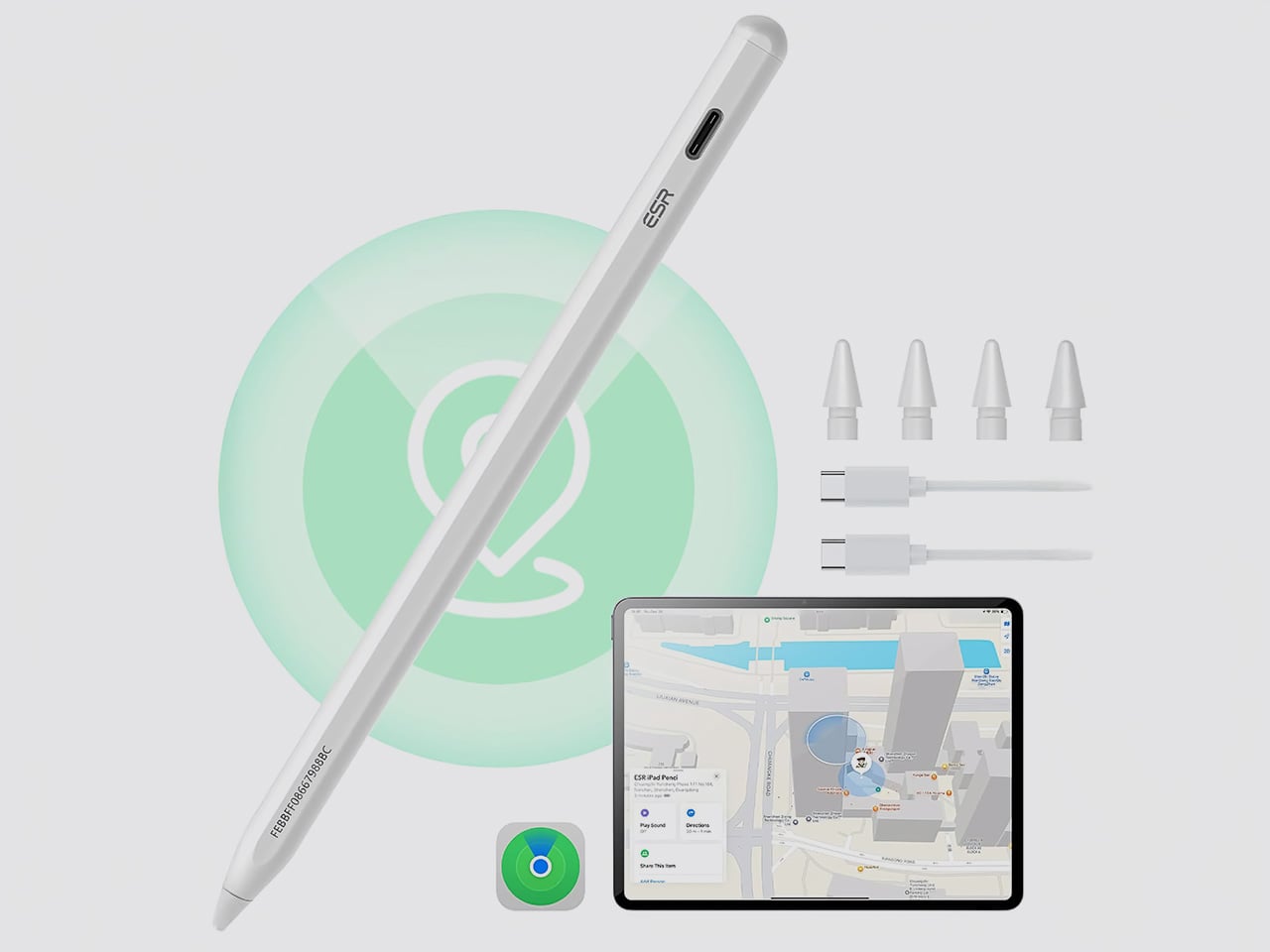
The most intelligent feature in the Geo Digital Pencil has nothing to do with drawing. It’s the integration of Apple’s Find My network, a decision so logical it feels like an oversight on Apple’s part. Not only can you locate the stylus using Apple’s Find My, you can even ping it through the app, causing the stylus to emit an audio alert for helping find it easily. This elevates the stylus from an easily misplaced accessory into a trackable piece of hardware, just like an AirTag or a pair of AirPods. Losing a stylus between sofa cushions or leaving it behind in a cafe is a common, expensive problem. By making the Geo Pencil locatable on a map directly within the Find My app, ESR has addressed a genuine point of user anxiety with a clean, native software solution that requires no extra apps or dongles.

Standardizing on a USB-C charging port was the other correct, user-first decision. It aligns the pencil with the charging ecosystem of the iPad, the Mac, and countless other modern devices, eliminating the need to carry a separate, proprietary cable. The port is discreetly located near the top of the stylus, allowing for a full charge in just 20 minutes, which is fast enough to rescue a dead battery right before a meeting or class. This commitment to a universal standard removes a significant point of friction from the daily workflow, acknowledging that convenience is a critical feature in any tool you rely on.

For actual creative and navigational input, the pencil delivers the features that cover the majority of use cases. It has full tilt sensitivity, allowing you to vary line thickness for shading in apps like Procreate, and its palm rejection is reliable enough for you to rest your hand on the screen while writing. While it doesn’t include pressure sensitivity, a feature reserved for high-end artistic work, it adds utility elsewhere. Once paired over Bluetooth, the top button becomes a shortcut key: a single tap returns you to the home screen, and a double tap opens the multitasking view, turning the stylus into a capable system remote.

These thoughtful features add up to a tool designed for the realities of daily use. The pencil snaps magnetically to the side of compatible iPads for easy storage, and its weight and balance feel comfortable for long note-taking sessions. It operates with pixel-perfect precision and no discernible lag, behaving exactly as you would expect a native stylus to. The Geo Digital Pencil is a clear example of a product designed to complete an experience, addressing the practical needs of organization, charging, and system navigation that make an iPad a genuinely more capable device.

Why We Recommend It
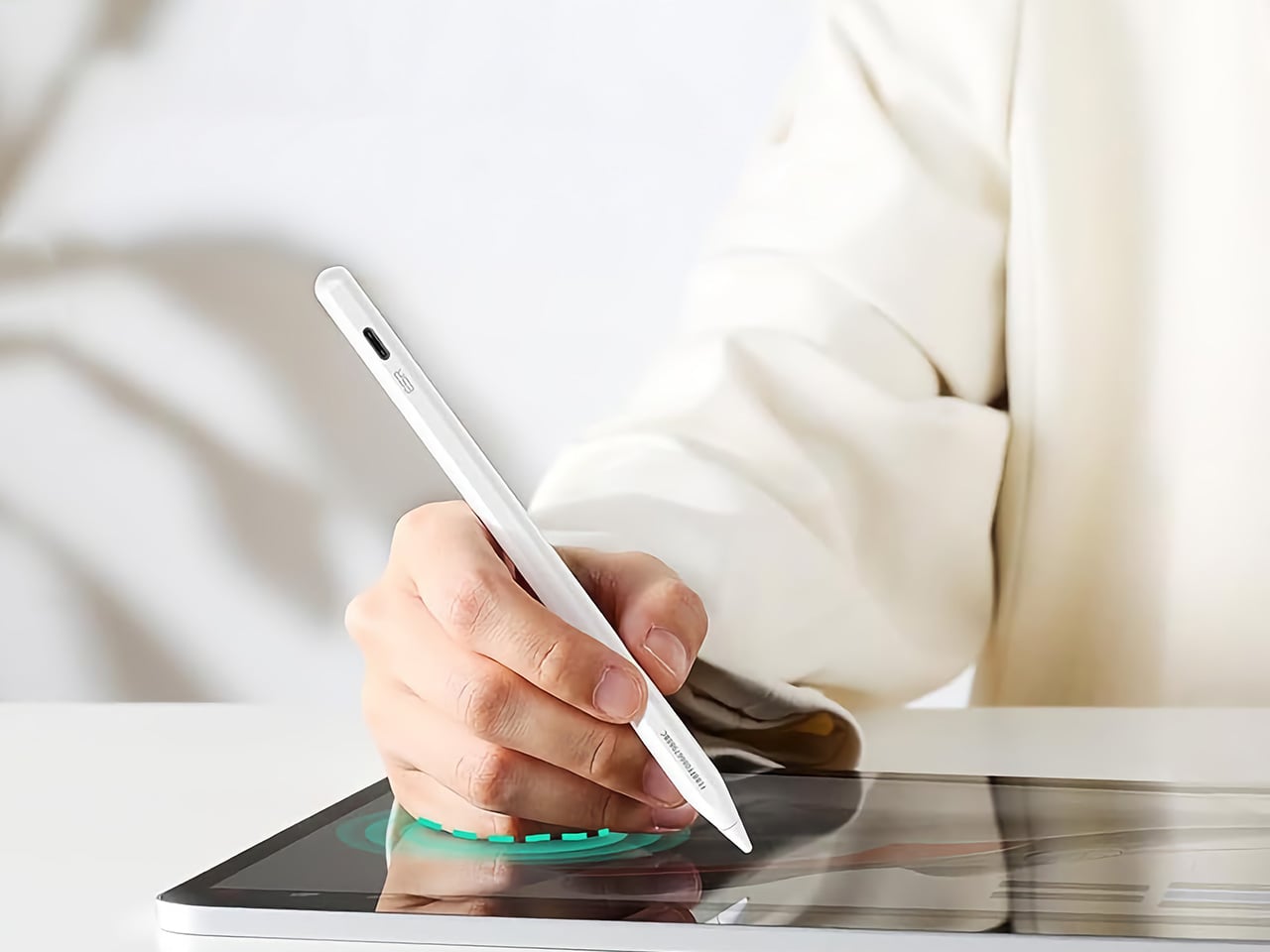
The Apple Pencil USB-C, Apple’s most affordable stylus, retails at $79 and offers no Find My support, no Bluetooth shortcuts, and no battery indicator. The Geo Digital Pencil costs $32.99 and has all three. That comparison does most of the heavy lifting, but the more interesting case for the Geo Pencil is what it means for the kind of person who carries an iPad between locations constantly, students, freelancers, people working from cafes and conference rooms. Styluses disappear. They roll off desks, get left in bags, and turn up missing at the worst possible moment. Having Find My baked in at this price point converts a frustrating accessory into a dependable one, and that reliability is worth more in practice than any spec on a sheet. The 20-minute full charge via USB-C keeps it from becoming another thing you have to carefully manage, and the tilt sensitivity and Bluetooth shortcuts round out a package that punches well above its category.

Click Here to Buy Now: $32.99 $36.99 (11% off). Hurry, deal ends in 48-hours! Amazon Link Here.

The post Two ESR Accessories That Fix the iPad’s Most Frustrating Problems first appeared on Yanko Design.
Two ESR Accessories That Fix the iPad’s Most Frustrating Problems

The iPad has a funny relationship with its own potential. Apple builds these devices with silicon that outpaces many laptops, pairs them with displays that creative professionals genuinely covet, sandwiches everything into one impossibly sleek slab of glass and aluminum… and then just announces them without obsessively planning the broader ecosystem. The Magic Keyboard, while capable, is expensive, as is the Pencil. One confines you to a laptop-style of using, the other to a conventional tablet. This, I believe, is Apple building a symbiotic relationship with third-party accessory makers who, more often than not, do a better job than Apple at really planning an ecosystem around powerful devices like the iPad Pro… and at a much lower price point.

ESR has made a habit of knowing how to harness the iPad’s hybrid potential correctly. The Shift Keyboard Case (Detachable) and the Geo Digital Pencil read like two products designed by people who use an iPad seriously and got tired of being held back. One brings detachable keyboard flexibility and a generous trackpad to a category Apple makes expensive and rigid. The other brings Find My tracking and Bluetooth shortcuts to stylus use, features that make you wonder why they were ever considered optional. Together, they close the loop on what a well-designed iPad workflow actually needs.

ESR Shift Keyboard Case: Designed Around How People Actually Use an iPad

The biggest issue with turning an iPad into a laptop has always been the finality of it. Most keyboard cases, including Apple’s own, lock the device into a landscape, clamshell-style format that feels clumsy the moment you want to use it as a tablet again. The Shift Keyboard Case is built around a strong magnetic connection that sidesteps this entire problem. The keyboard half simply lifts away from the stand and case, leaving the protected iPad behind. This design treats the keyboard as a powerful, dedicated tool you bring in for serious typing, not as a permanent attachment you have to constantly wrestle with. It’s a simple mechanical solution to a complicated user experience problem, and it fundamentally changes how you approach the device.

When the keyboard is attached, the setup feels remarkably committed to a proper laptop workflow. ESR put a large, click-anywhere trackpad at the center of the design, which is the correct choice now that iPadOS has such robust cursor support. It lets you navigate, select text, and use gestures without your hands ever leaving the typing area. The keys themselves are backlit, with enough travel to feel responsive for long-form writing rather than just firing off a quick email. This combination of a full-featured keyboard and a genuinely usable trackpad is what separates a serious work setup from a temporary compromise, and it’s clear which side of that line ESR was aiming for.

Once you detach the keyboard, the other half of the product’s intelligence becomes apparent. The remaining case and stand function independently, offering multiple viewing angles in both landscape and, crucially, portrait orientation. This is a detail that many competitors miss entirely. Being able to set the iPad up vertically for reading documents, coding, or taking video calls respects the fact that not all work happens in a 16:9 window. The stand mechanism is sturdy enough to support the iPad securely on a desk, making it a useful tool for media viewing or as a secondary display, all without the keyboard taking up space.

Putting it all together, the Shift case presents a complete, two-part system that adapts to the task at hand. The protective shell keeps the iPad safe, while the keyboard and stand components offer a level of functional flexibility that feels genuinely thoughtful. It’s a design that acknowledges the iPad is not a laptop, nor is it just a tablet; it’s a hybrid device that thrives when its accessories allow it to switch between roles effortlessly. The entire package is less about forcing the iPad into a new shape and more about giving its existing, versatile shape the tools it needs to be useful in more situations.

Why We Recommend It

At $89.99, the Shift Keyboard Case costs roughly a fifth of what Apple charges for the Magic Keyboard, and that price gap alone would almost be enough. What makes the recommendation easy, though, is that the Shift Case actually offers something the Magic Keyboard doesn’t: the ability to leave the keyboard behind entirely. Apple’s solution commits you to a permanent clamshell, while the Shift Case treats that keyboard as a deployable tool with a specific job to do. For anyone who uses their iPad across genuinely different contexts, a desk in the morning, a couch in the evening, a bag in between, that modularity has real, daily value. The backlit keys and click-anywhere trackpad raise the floor on what a $90 keyboard case is supposed to feel like, making it difficult to justify spending more for fewer options.

Click Here to Buy Now: $89.99 | Amazon Link Here.

ESR Geo Digital Pencil: A Stylus That’s Actually Hard to Lose

The most intelligent feature in the Geo Digital Pencil has nothing to do with drawing. It’s the integration of Apple’s Find My network, a decision so logical it feels like an oversight on Apple’s part. Not only can you locate the stylus using Apple’s Find My, you can even ping it through the app, causing the stylus to emit an audio alert for helping find it easily. This elevates the stylus from an easily misplaced accessory into a trackable piece of hardware, just like an AirTag or a pair of AirPods. Losing a stylus between sofa cushions or leaving it behind in a cafe is a common, expensive problem. By making the Geo Pencil locatable on a map directly within the Find My app, ESR has addressed a genuine point of user anxiety with a clean, native software solution that requires no extra apps or dongles.

Standardizing on a USB-C charging port was the other correct, user-first decision. It aligns the pencil with the charging ecosystem of the iPad, the Mac, and countless other modern devices, eliminating the need to carry a separate, proprietary cable. The port is discreetly located near the top of the stylus, allowing for a full charge in just 20 minutes, which is fast enough to rescue a dead battery right before a meeting or class. This commitment to a universal standard removes a significant point of friction from the daily workflow, acknowledging that convenience is a critical feature in any tool you rely on.

For actual creative and navigational input, the pencil delivers the features that cover the majority of use cases. It has full tilt sensitivity, allowing you to vary line thickness for shading in apps like Procreate, and its palm rejection is reliable enough for you to rest your hand on the screen while writing. While it doesn’t include pressure sensitivity, a feature reserved for high-end artistic work, it adds utility elsewhere. Once paired over Bluetooth, the top button becomes a shortcut key: a single tap returns you to the home screen, and a double tap opens the multitasking view, turning the stylus into a capable system remote.

These thoughtful features add up to a tool designed for the realities of daily use. The pencil snaps magnetically to the side of compatible iPads for easy storage, and its weight and balance feel comfortable for long note-taking sessions. It operates with pixel-perfect precision and no discernible lag, behaving exactly as you would expect a native stylus to. The Geo Digital Pencil is a clear example of a product designed to complete an experience, addressing the practical needs of organization, charging, and system navigation that make an iPad a genuinely more capable device.

Why We Recommend It

The Apple Pencil USB-C, Apple’s most affordable stylus, retails at $79 and offers no Find My support, no Bluetooth shortcuts, and no battery indicator. The Geo Digital Pencil costs $32.99 and has all three. That comparison does most of the heavy lifting, but the more interesting case for the Geo Pencil is what it means for the kind of person who carries an iPad between locations constantly, students, freelancers, people working from cafes and conference rooms. Styluses disappear. They roll off desks, get left in bags, and turn up missing at the worst possible moment. Having Find My baked in at this price point converts a frustrating accessory into a dependable one, and that reliability is worth more in practice than any spec on a sheet. The 20-minute full charge via USB-C keeps it from becoming another thing you have to carefully manage, and the tilt sensitivity and Bluetooth shortcuts round out a package that punches well above its category.

Click Here to Buy Now: $32.99 $36.99 (11% off). Hurry, deal ends in 48-hours! Amazon Link Here.

The post Two ESR Accessories That Fix the iPad’s Most Frustrating Problems first appeared on Yanko Design.
Two ESR Accessories That Fix the iPad’s Most Frustrating Problems

The iPad has a funny relationship with its own potential. Apple builds these devices with silicon that outpaces many laptops, pairs them with displays that creative professionals genuinely covet, sandwiches everything into one impossibly sleek slab of glass and aluminum… and then just announces them without obsessively planning the broader ecosystem. The Magic Keyboard, while capable, is expensive, as is the Pencil. One confines you to a laptop-style of using, the other to a conventional tablet. This, I believe, is Apple building a symbiotic relationship with third-party accessory makers who, more often than not, do a better job than Apple at really planning an ecosystem around powerful devices like the iPad Pro… and at a much lower price point.

ESR has made a habit of knowing how to harness the iPad’s hybrid potential correctly. The Shift Keyboard Case (Detachable) and the Geo Digital Pencil read like two products designed by people who use an iPad seriously and got tired of being held back. One brings detachable keyboard flexibility and a generous trackpad to a category Apple makes expensive and rigid. The other brings Find My tracking and Bluetooth shortcuts to stylus use, features that make you wonder why they were ever considered optional. Together, they close the loop on what a well-designed iPad workflow actually needs.

ESR Shift Keyboard Case: Designed Around How People Actually Use an iPad

The biggest issue with turning an iPad into a laptop has always been the finality of it. Most keyboard cases, including Apple’s own, lock the device into a landscape, clamshell-style format that feels clumsy the moment you want to use it as a tablet again. The Shift Keyboard Case is built around a strong magnetic connection that sidesteps this entire problem. The keyboard half simply lifts away from the stand and case, leaving the protected iPad behind. This design treats the keyboard as a powerful, dedicated tool you bring in for serious typing, not as a permanent attachment you have to constantly wrestle with. It’s a simple mechanical solution to a complicated user experience problem, and it fundamentally changes how you approach the device.

When the keyboard is attached, the setup feels remarkably committed to a proper laptop workflow. ESR put a large, click-anywhere trackpad at the center of the design, which is the correct choice now that iPadOS has such robust cursor support. It lets you navigate, select text, and use gestures without your hands ever leaving the typing area. The keys themselves are backlit, with enough travel to feel responsive for long-form writing rather than just firing off a quick email. This combination of a full-featured keyboard and a genuinely usable trackpad is what separates a serious work setup from a temporary compromise, and it’s clear which side of that line ESR was aiming for.

Once you detach the keyboard, the other half of the product’s intelligence becomes apparent. The remaining case and stand function independently, offering multiple viewing angles in both landscape and, crucially, portrait orientation. This is a detail that many competitors miss entirely. Being able to set the iPad up vertically for reading documents, coding, or taking video calls respects the fact that not all work happens in a 16:9 window. The stand mechanism is sturdy enough to support the iPad securely on a desk, making it a useful tool for media viewing or as a secondary display, all without the keyboard taking up space.

Putting it all together, the Shift case presents a complete, two-part system that adapts to the task at hand. The protective shell keeps the iPad safe, while the keyboard and stand components offer a level of functional flexibility that feels genuinely thoughtful. It’s a design that acknowledges the iPad is not a laptop, nor is it just a tablet; it’s a hybrid device that thrives when its accessories allow it to switch between roles effortlessly. The entire package is less about forcing the iPad into a new shape and more about giving its existing, versatile shape the tools it needs to be useful in more situations.

Why We Recommend It

At $89.99, the Shift Keyboard Case costs roughly a fifth of what Apple charges for the Magic Keyboard, and that price gap alone would almost be enough. What makes the recommendation easy, though, is that the Shift Case actually offers something the Magic Keyboard doesn’t: the ability to leave the keyboard behind entirely. Apple’s solution commits you to a permanent clamshell, while the Shift Case treats that keyboard as a deployable tool with a specific job to do. For anyone who uses their iPad across genuinely different contexts, a desk in the morning, a couch in the evening, a bag in between, that modularity has real, daily value. The backlit keys and click-anywhere trackpad raise the floor on what a $90 keyboard case is supposed to feel like, making it difficult to justify spending more for fewer options.

Click Here to Buy Now: $89.99 | Amazon Link Here.

ESR Geo Digital Pencil: A Stylus That’s Actually Hard to Lose

The most intelligent feature in the Geo Digital Pencil has nothing to do with drawing. It’s the integration of Apple’s Find My network, a decision so logical it feels like an oversight on Apple’s part. Not only can you locate the stylus using Apple’s Find My, you can even ping it through the app, causing the stylus to emit an audio alert for helping find it easily. This elevates the stylus from an easily misplaced accessory into a trackable piece of hardware, just like an AirTag or a pair of AirPods. Losing a stylus between sofa cushions or leaving it behind in a cafe is a common, expensive problem. By making the Geo Pencil locatable on a map directly within the Find My app, ESR has addressed a genuine point of user anxiety with a clean, native software solution that requires no extra apps or dongles.

Standardizing on a USB-C charging port was the other correct, user-first decision. It aligns the pencil with the charging ecosystem of the iPad, the Mac, and countless other modern devices, eliminating the need to carry a separate, proprietary cable. The port is discreetly located near the top of the stylus, allowing for a full charge in just 20 minutes, which is fast enough to rescue a dead battery right before a meeting or class. This commitment to a universal standard removes a significant point of friction from the daily workflow, acknowledging that convenience is a critical feature in any tool you rely on.

For actual creative and navigational input, the pencil delivers the features that cover the majority of use cases. It has full tilt sensitivity, allowing you to vary line thickness for shading in apps like Procreate, and its palm rejection is reliable enough for you to rest your hand on the screen while writing. While it doesn’t include pressure sensitivity, a feature reserved for high-end artistic work, it adds utility elsewhere. Once paired over Bluetooth, the top button becomes a shortcut key: a single tap returns you to the home screen, and a double tap opens the multitasking view, turning the stylus into a capable system remote.

These thoughtful features add up to a tool designed for the realities of daily use. The pencil snaps magnetically to the side of compatible iPads for easy storage, and its weight and balance feel comfortable for long note-taking sessions. It operates with pixel-perfect precision and no discernible lag, behaving exactly as you would expect a native stylus to. The Geo Digital Pencil is a clear example of a product designed to complete an experience, addressing the practical needs of organization, charging, and system navigation that make an iPad a genuinely more capable device.

Why We Recommend It

The Apple Pencil USB-C, Apple’s most affordable stylus, retails at $79 and offers no Find My support, no Bluetooth shortcuts, and no battery indicator. The Geo Digital Pencil costs $32.99 and has all three. That comparison does most of the heavy lifting, but the more interesting case for the Geo Pencil is what it means for the kind of person who carries an iPad between locations constantly, students, freelancers, people working from cafes and conference rooms. Styluses disappear. They roll off desks, get left in bags, and turn up missing at the worst possible moment. Having Find My baked in at this price point converts a frustrating accessory into a dependable one, and that reliability is worth more in practice than any spec on a sheet. The 20-minute full charge via USB-C keeps it from becoming another thing you have to carefully manage, and the tilt sensitivity and Bluetooth shortcuts round out a package that punches well above its category.

Click Here to Buy Now: $32.99 $36.99 (11% off). Hurry, deal ends in 48-hours! Amazon Link Here.

The post Two ESR Accessories That Fix the iPad’s Most Frustrating Problems first appeared on Yanko Design.
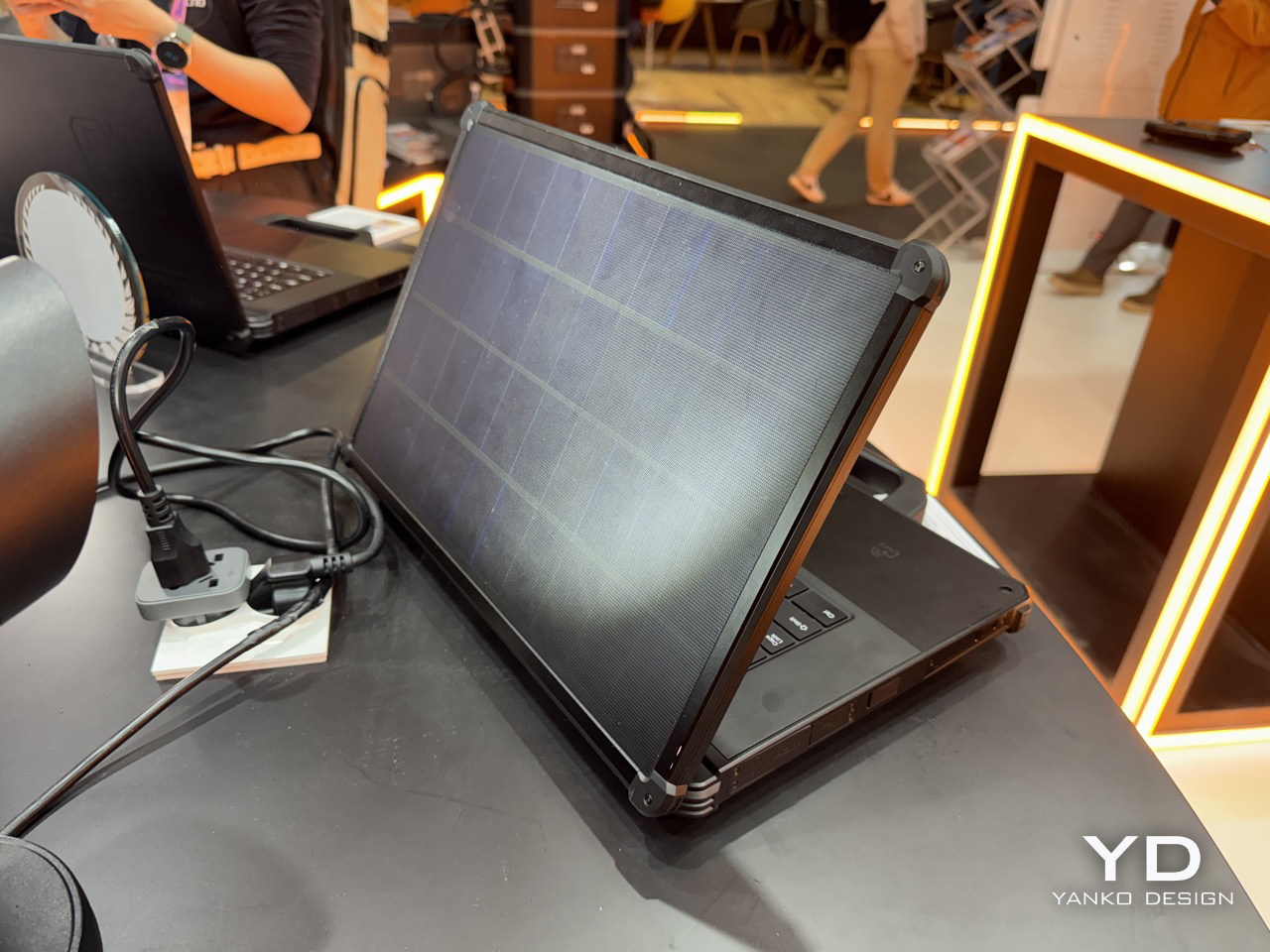
A Laptop With a Solar Panel Lid Just Showed Up at MWC 2026: Hands-on with Oukitel RG14-P

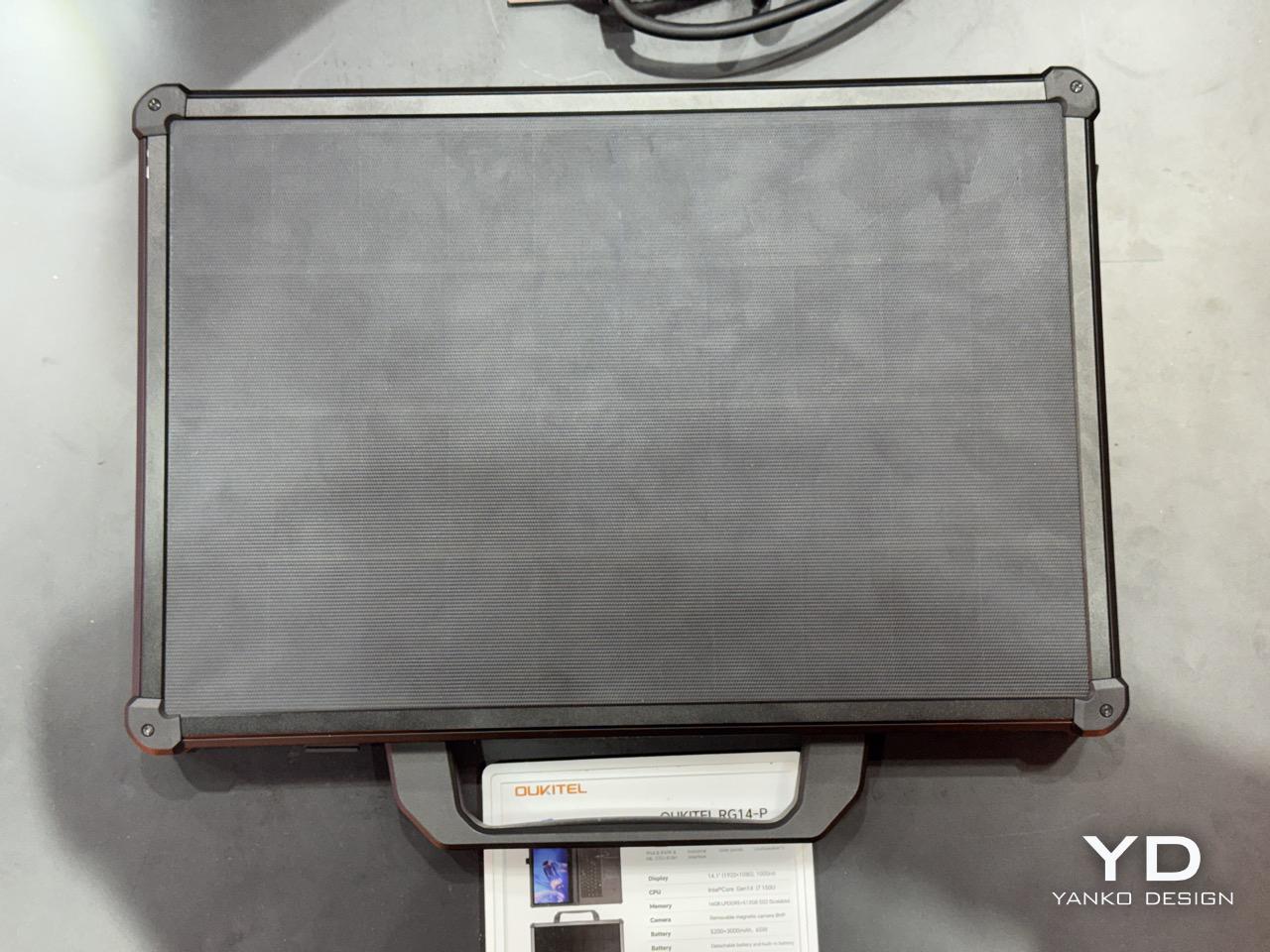
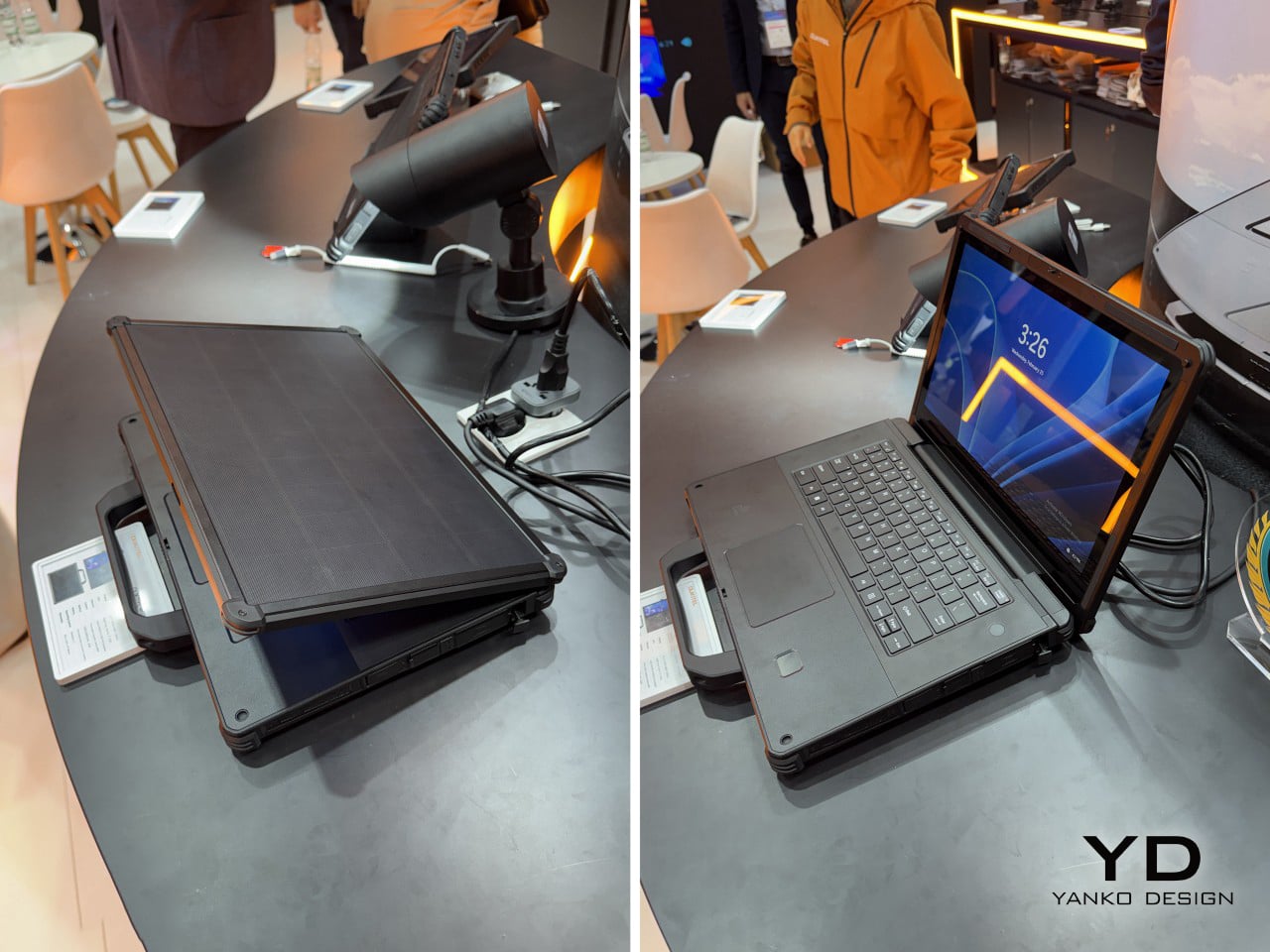
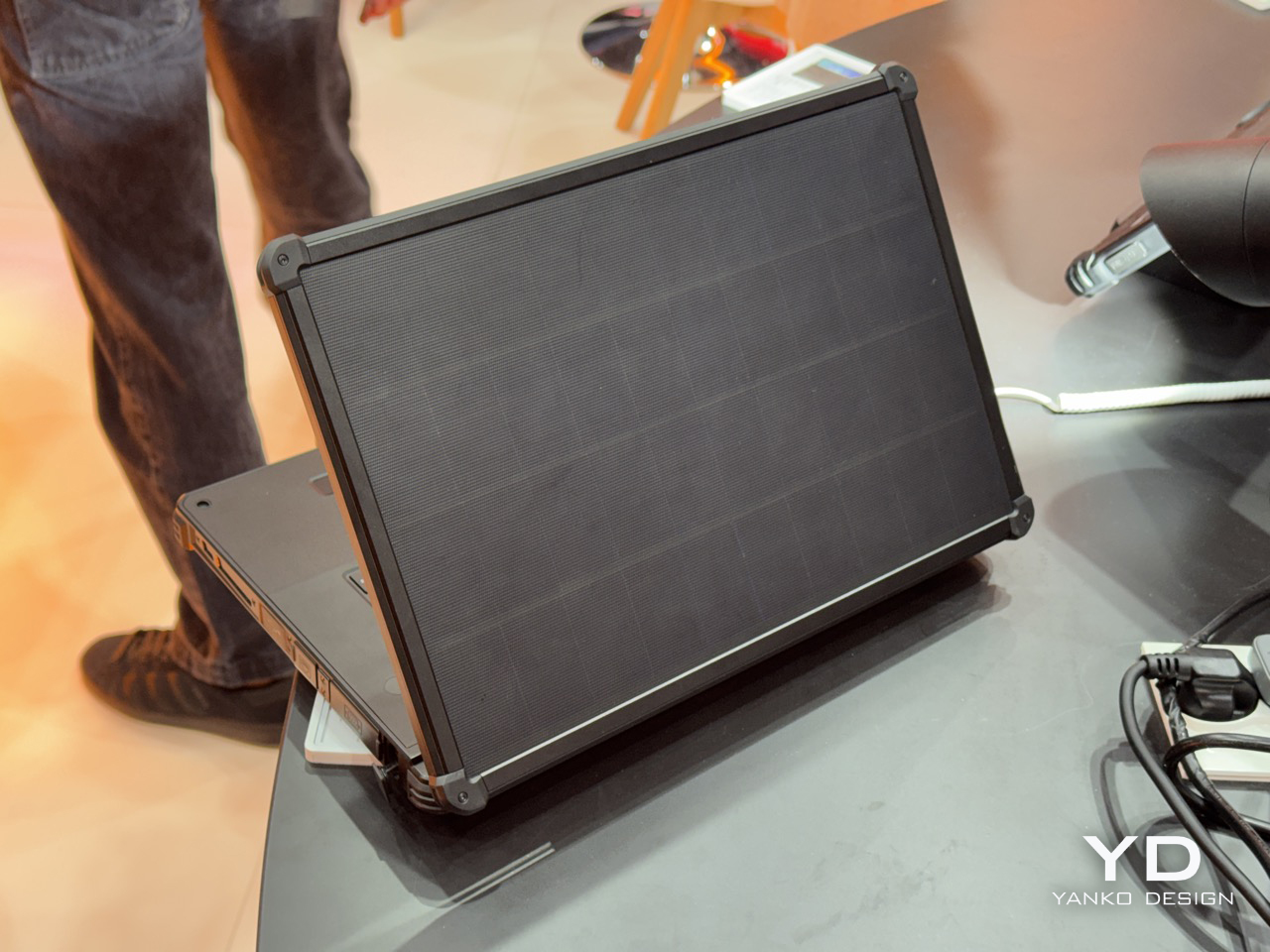
Solar charging on a laptop lid has been a niche curiosity since Samsung tried it with the NC215S netbook in 2011, a machine that needed two full hours of midday sun to buy you a single hour of runtime. Rough trade. The idea largely disappeared after that, surfacing occasionally in concept form, most recently with Lenovo’s Yoga Solar PC at MWC 2025, which packed 84 solar cells into an ultraslim lid at a reported 24.3% conversion efficiency. Lenovo’s version was sleek, consumer-friendly, and still a concept. Oukitel’s RG14-P, shown at MWC 2026 in Barcelona, skips the concept stage entirely and ships the thing.

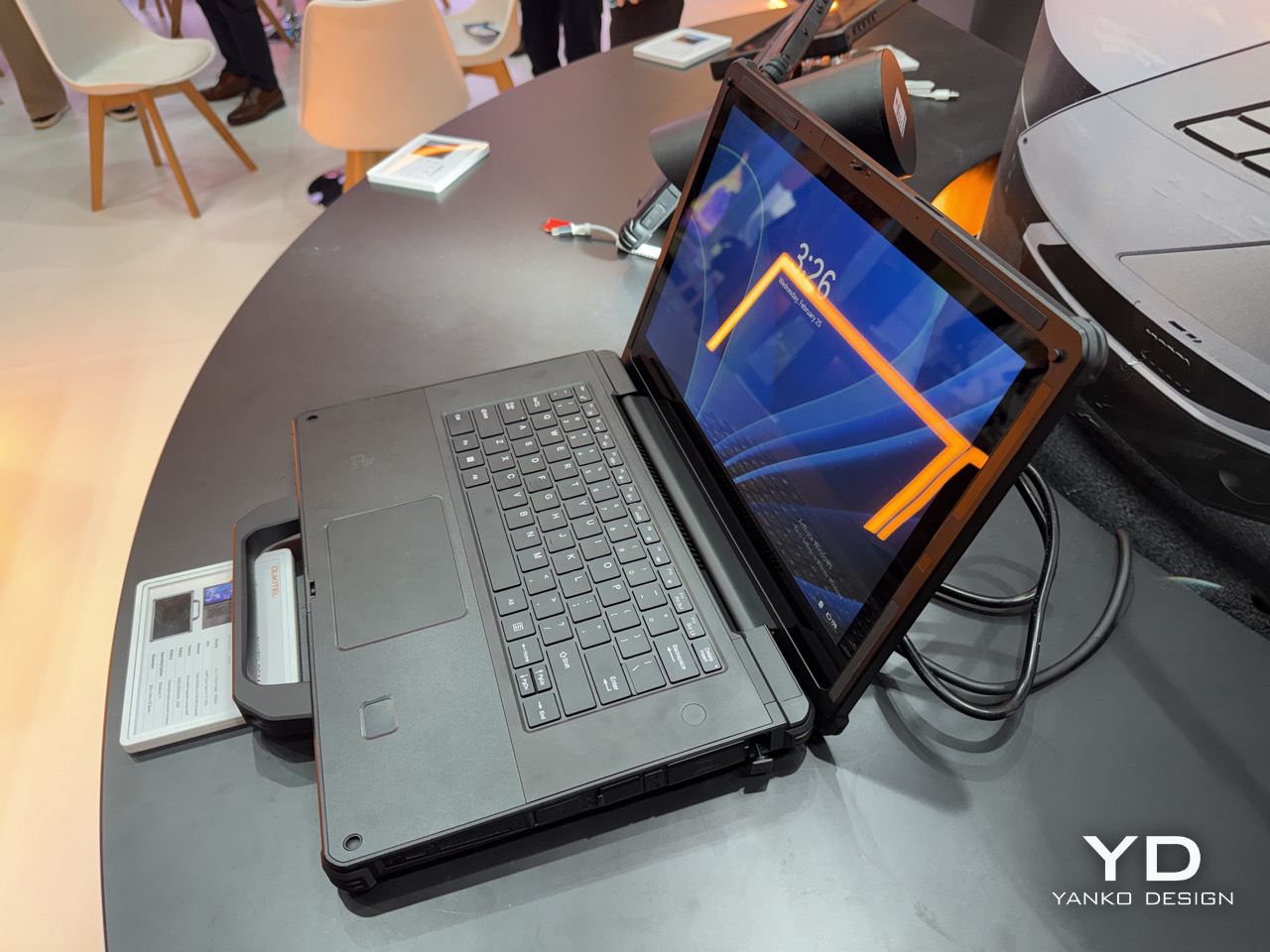
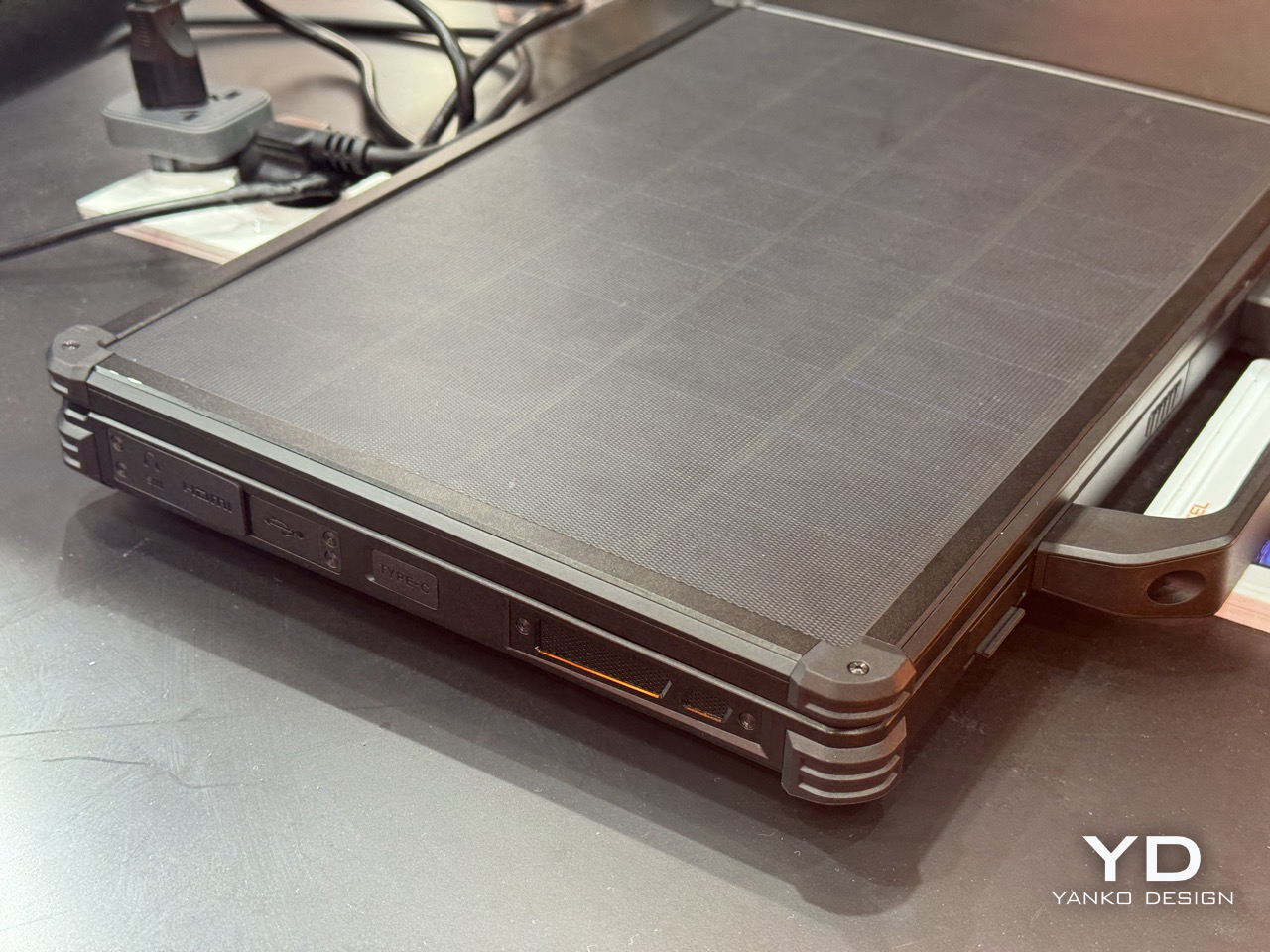
The RG14-P pulls 10W from its photovoltaic lid panel, enough to get the 95Wh dual-battery system to 50% in roughly six hours under optimal sunlight. That number sounds modest until you frame it correctly: this laptop is aimed at field engineers, utility inspectors, and emergency responders working in places where “finding a charging point” genuinely isn’t an option. For those people, six hours to half capacity under open sky is pretty meaningful. The dual-battery architecture pairs a 3,000mAh internal unit with a 5,200mAh hot-swappable external battery, meaning you can pull the secondary and slot in a fresh one without shutting the machine down. That feature gets requested loudly on job sites and almost never shows up.

Designer: Oukitel

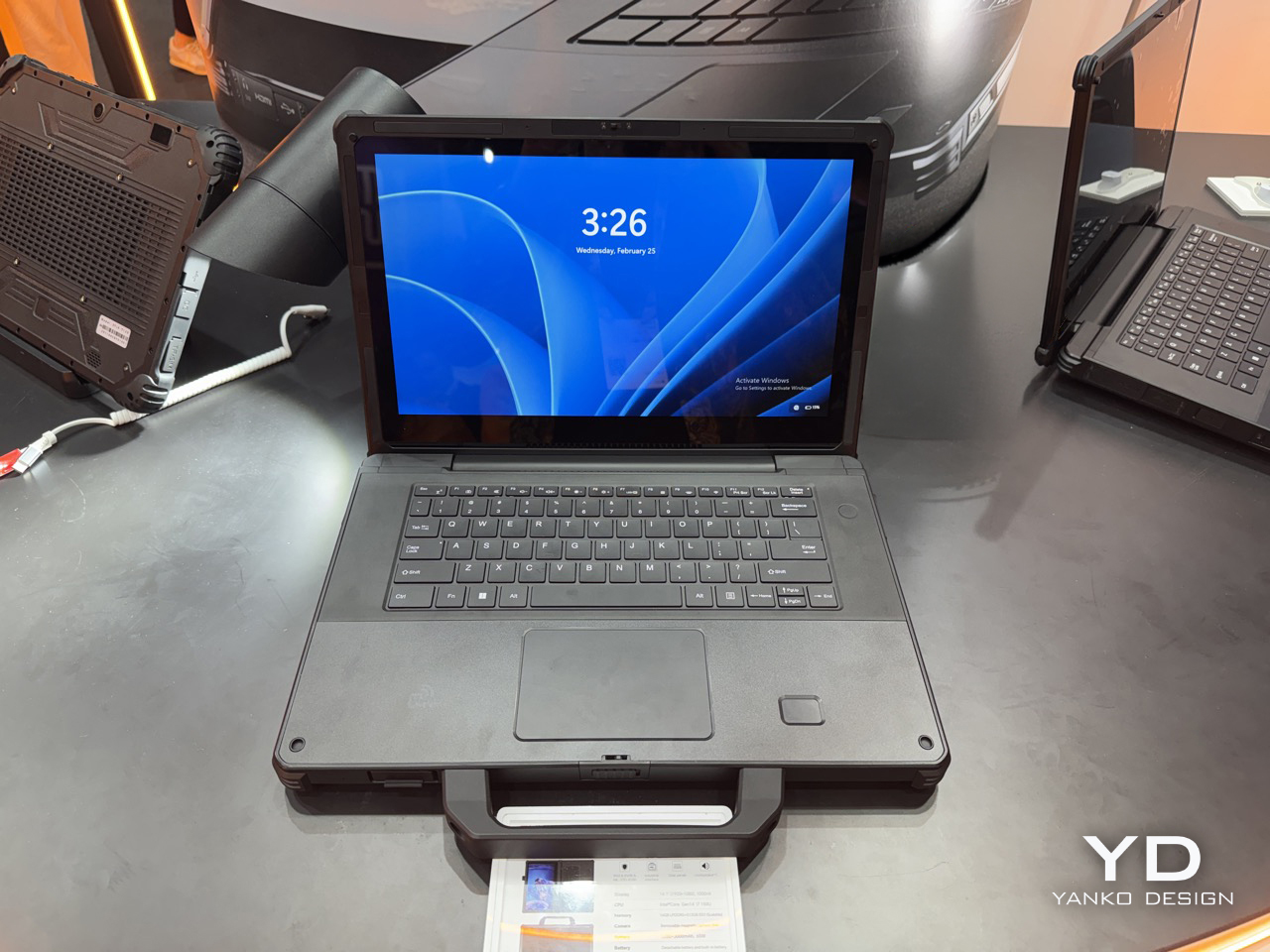
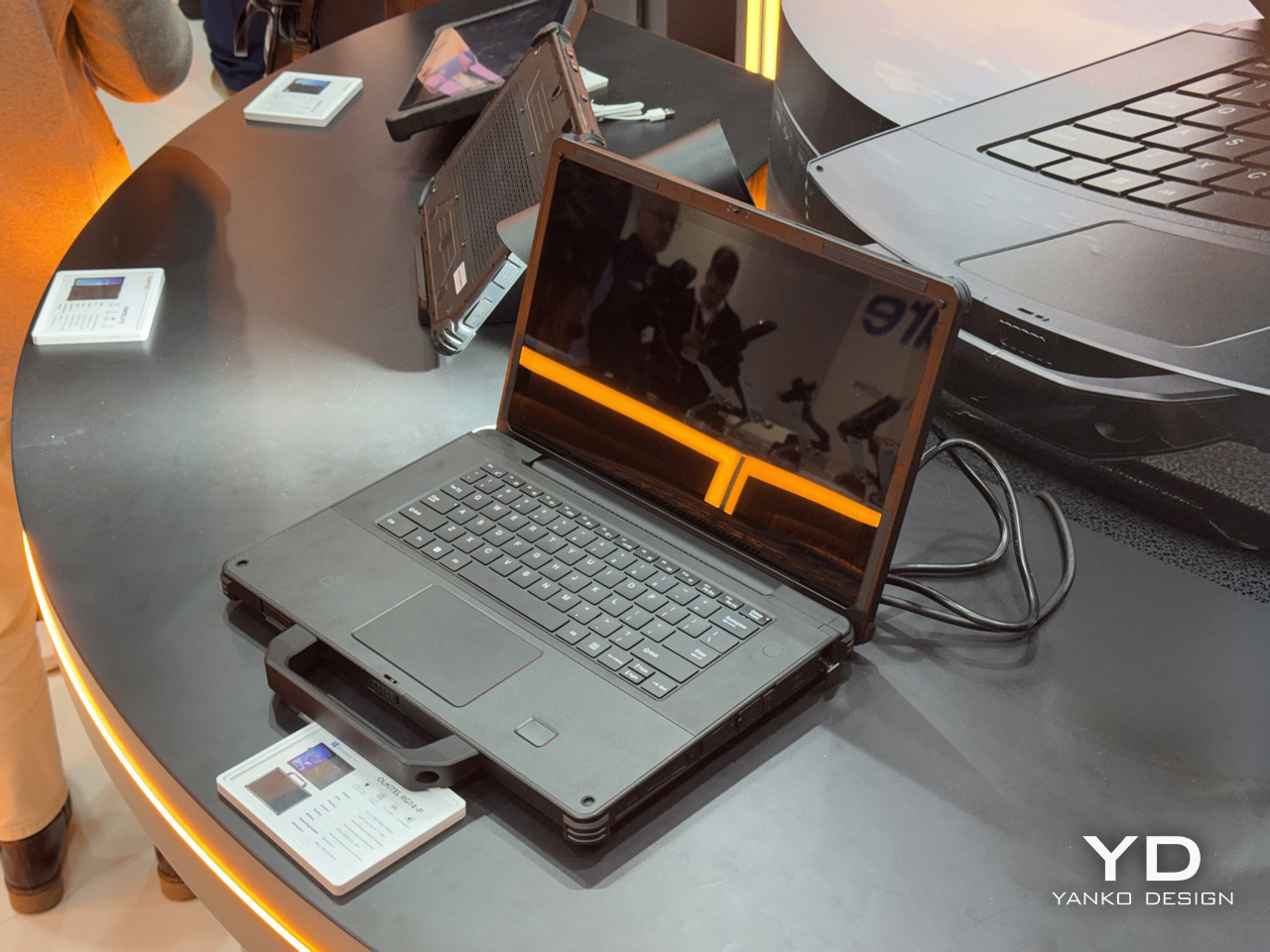
Under the lid, the RG14-P runs a 14th Gen Intel Core i7, 16GB of RAM, and 512GB of expandable storage, which puts it well past basic field terminal territory and into legitimate workstation range. The 14.1-inch touchscreen hits 1,000 nits, which matters enormously when your display is reflecting blue sky back at you. There’s also a 180-degree rotating magnetic camera, dual 5W speakers for noisy industrial environments, 65W fast charging as a backup, and IP68/IP69K certification currently in testing. IP69K specifically covers high-pressure, high-temperature jet spray, the kind of thing that happens near industrial cleaning equipment. The machine weighs 3.7kg, which is heavy, but rugged laptops have always made that tradeoff and nobody who needs one complains about it.

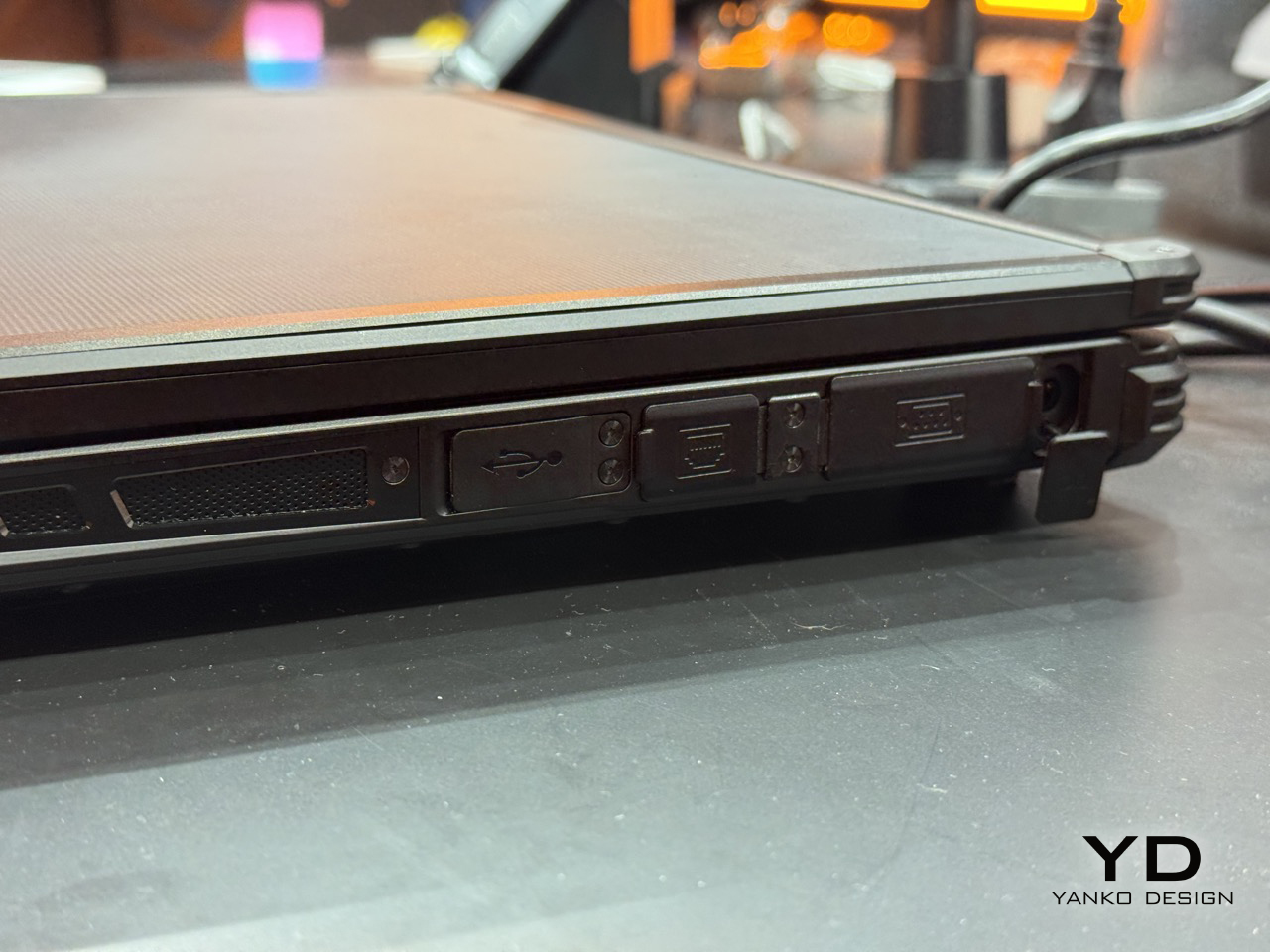
The connectivity stack is old-school in the best way: RS232, RJ45, HDMI, NFC, and fingerprint authentication. RS232 is serial protocol territory, the kind of interface still running on factory floor equipment and field measurement tools that haven’t been updated in a decade. Its presence signals that Oukitel actually mapped out real industrial workflows before finalizing the port selection, rather than building around a mood board. Compare that to where Lenovo has been spending its MWC energy lately: a rollable laptop at CES 2026 and a modular AI laptop concept at MWC 2026 that repositions the ThinkBook as an upgradeable platform. Both are interesting industrial design exercises, but neither one is solving a power access problem. The RG14-P is.

There’s also the RG14-L variant, which drops the solar lid and adds a built-in front camping light panel instead, turning the machine into a workstation and a light source simultaneously for night operations. Carrying less gear into a remote deployment is always a win, and building the light into the device rather than handing you a separate torch is exactly the decision you make when you’ve actually talked to the people using it. Pricing and availability are still unconfirmed post-Barcelona, and the IP68/IP69K certification is still in testing, so the most important durability claims haven’t been independently validated yet. Those are real open questions worth watching. But as a product that wraps the solar laptop concept around a genuine use case, with actual hardware specs and a shipping timeline, the RG14-P makes a far stronger argument for the idea than anything that’s come before it.

The post A Laptop With a Solar Panel Lid Just Showed Up at MWC 2026: Hands-on with Oukitel RG14-P first appeared on Yanko Design.

Meta signs a multimillion dollar AI licensing deal with News Corp

Meta has signed an AI licensing deal with News Corp that will allow the Meta AI maker to use content from The Wall Street Journal and other brands in its chatbot responses and for training of its AI models. News Corp confirmed to Engadget that it had struck a deal with Meta, but didn't provide specifics on the terms of the arrangement. According to The Wall Street Journal, Meta will pay News Corp. "up to $50 million a year" for a three-year deal that covers content from The Journal, as well as the media giant's other brands in the US and UK. 

News Corp previously struck a five-year deal with OpenAI that was valued at around $250 million. During a recent appearance at Morgan Stanley's annual Technology, Media & Telecom (TMT) conference, News Corp CEO Robert Thomson hinted that the media company was in the "advanced stage with other negotiations."

He described the company's overall approach to such arrangements as "a woo and a sue" strategy, depending on whether companies want to pay for content or scrape it without permission. "We have what you might call a woo and a sue strategy," he said. "We'll woo you. We'd like you to be our partner. But if you're stealing our stuff, we are going to sue you. So there'll be a discount for those who hand themselves in, and there'll be a penalty for those that resist."

A spokesperson for Meta confirmed that the two companies had reached an agreement . The company, which has been reorganizing its AI teams as it looks to create its next model, has struck a number of licensing deals in recent months. It previously signed multi-year agreements with USA Today, People, CNN, Fox News and other outlets. The company said at the time that “by integrating more and different types of news sources, our aim is to improve Meta AI’s ability to deliver timely and relevant content and information with a wide variety of viewpoints and content types.”

Update, March 3, 2026, 4:18PM PT: This story was updated with additional information from a Meta spokesperson.

This article originally appeared on Engadget at https://www.engadget.com/ai/meta-signs-a-multimillion-dollar-ai-licensing-deal-with-news-corp-234157902.html?src=rss

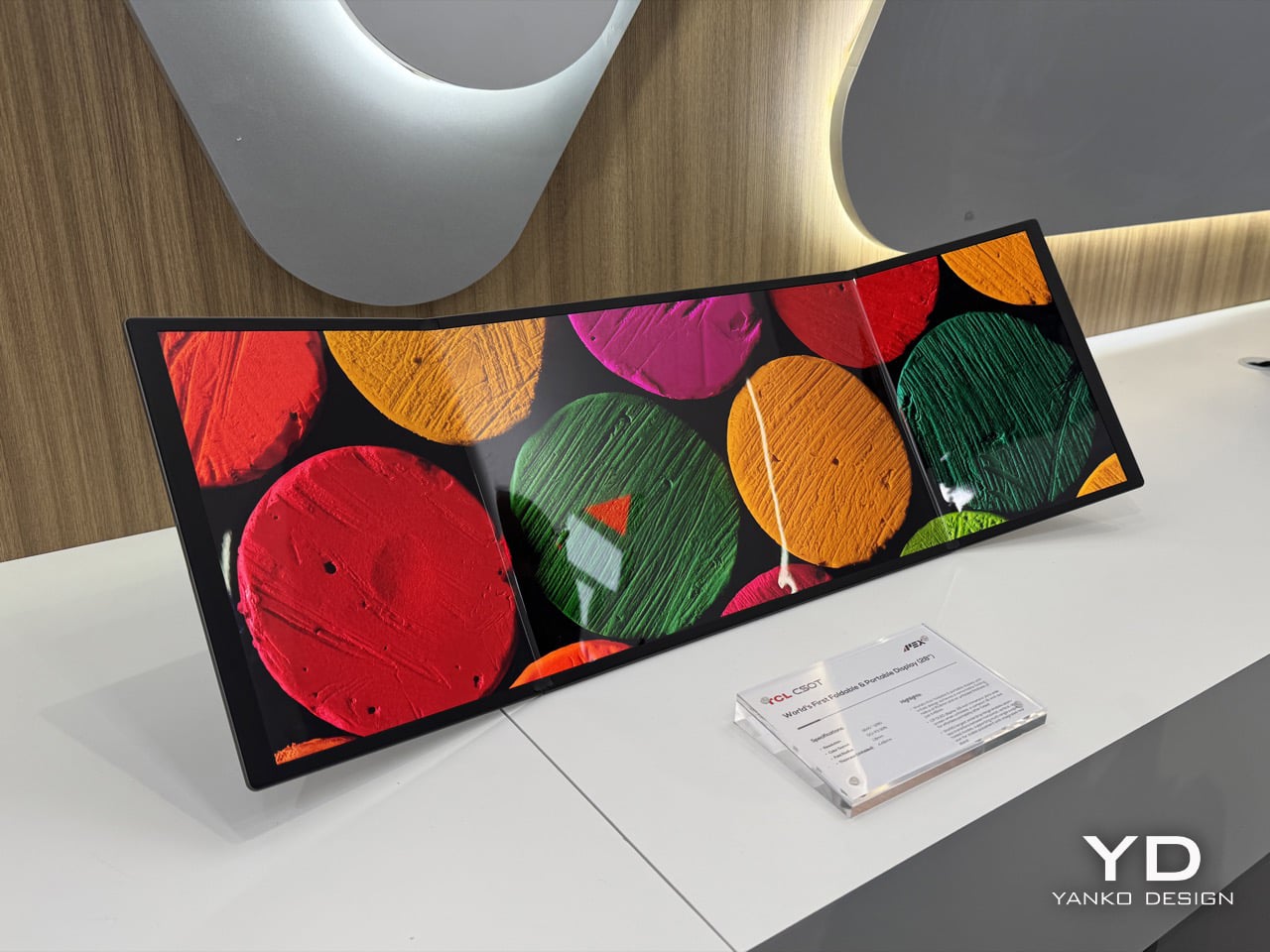
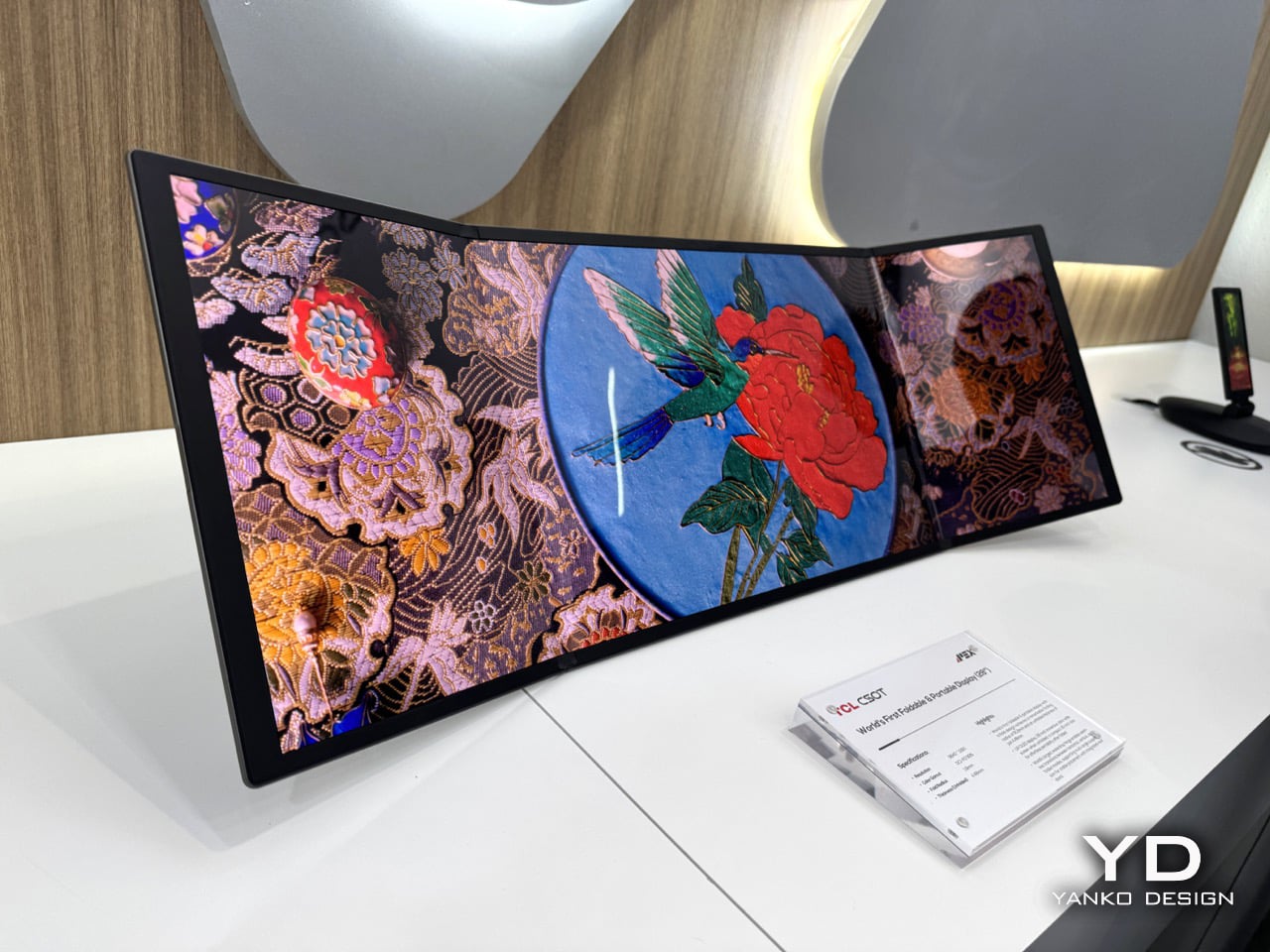
Meet The World’s First 28″ Tri-Fold Desktop Monitor: Hands-on with TCL CSOT Foldable Display at MWC 2026

The trifold idea has been tested to death on phones. Samsung, Huawei, and a handful of Chinese manufacturers have each taken their shot at folding a smartphone screen into thirds, with varying results. The Huawei Mate XT made headlines in 2024 as the world’s first mass-produced trifold phone, and then Huawei went further and stuffed a foldable display into a laptop. Lenovo tried something altogether weirder: a rollable screen that physically expands sideways, which is clever engineering built around a problem most people don’t have. TCL CSOT walked into MWC 2026 with a different angle entirely, and it landed.

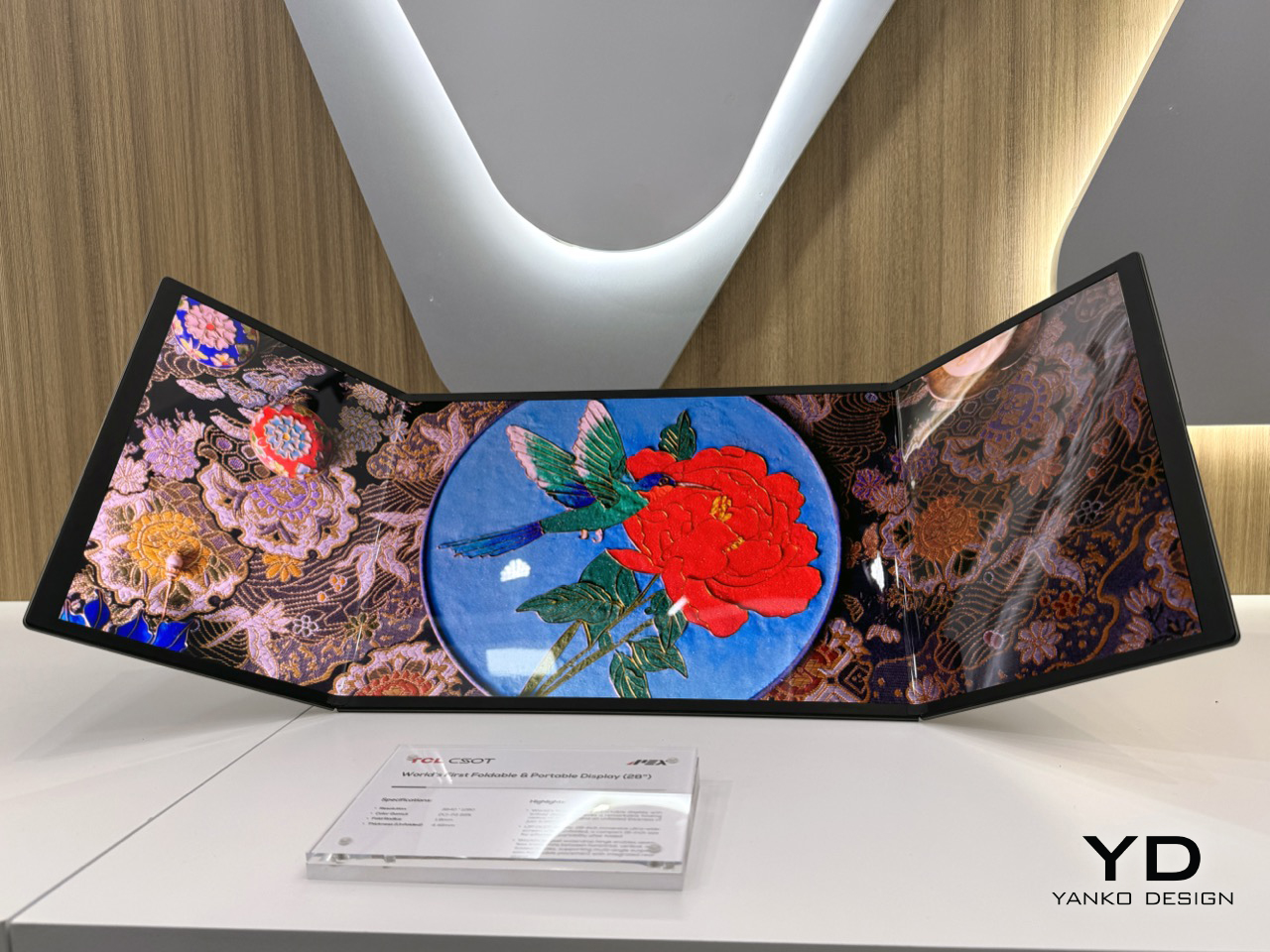
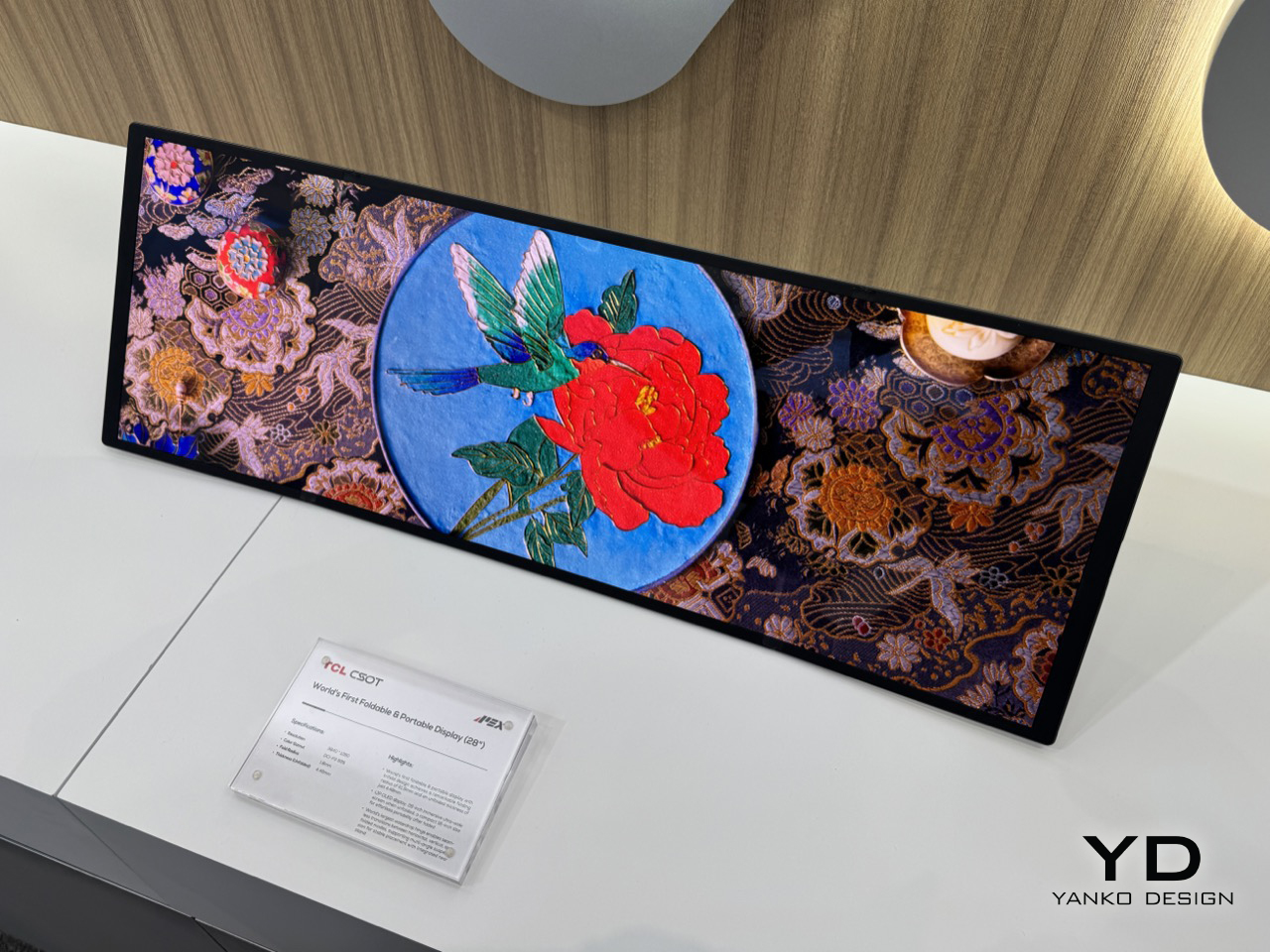
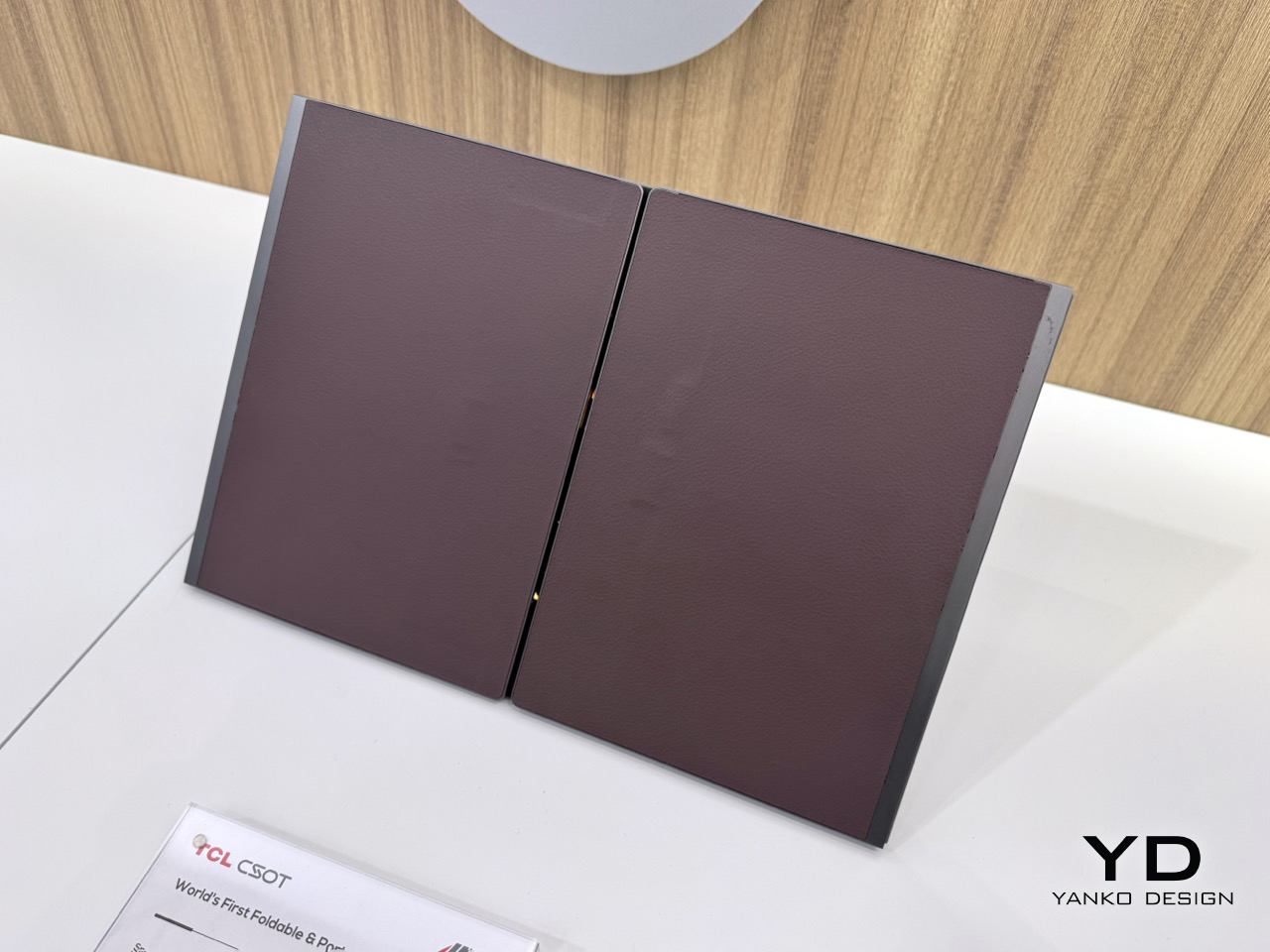
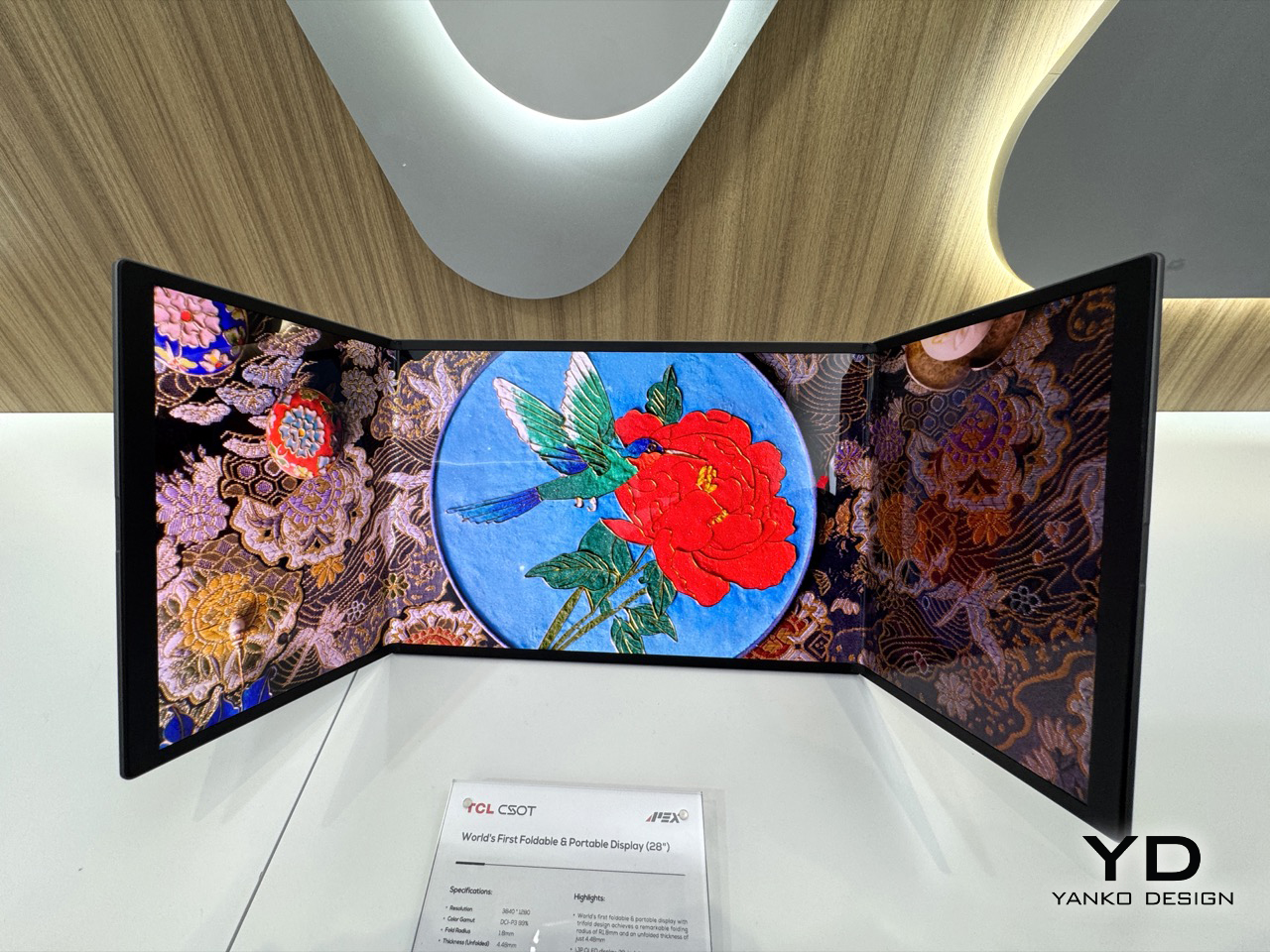
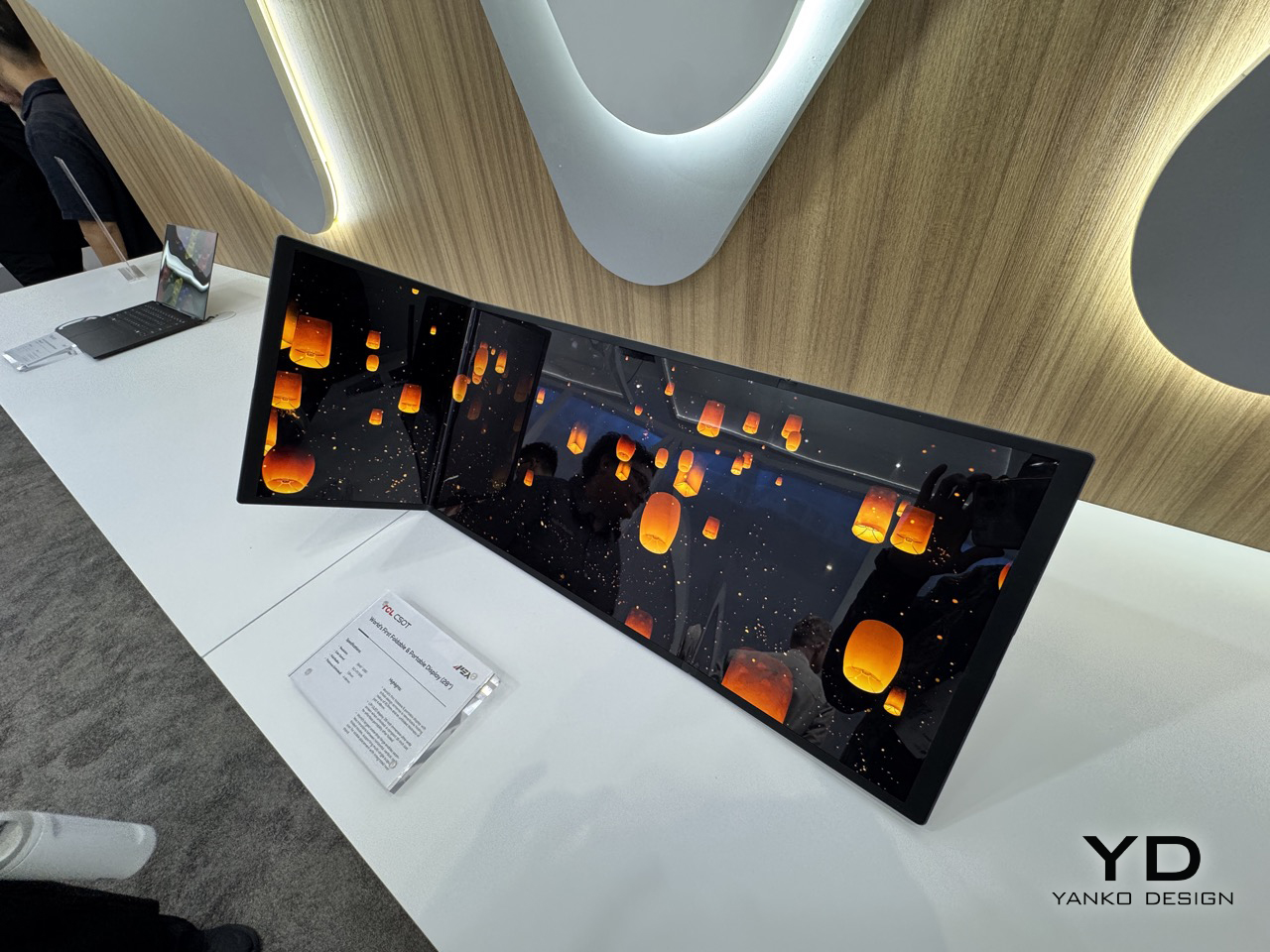
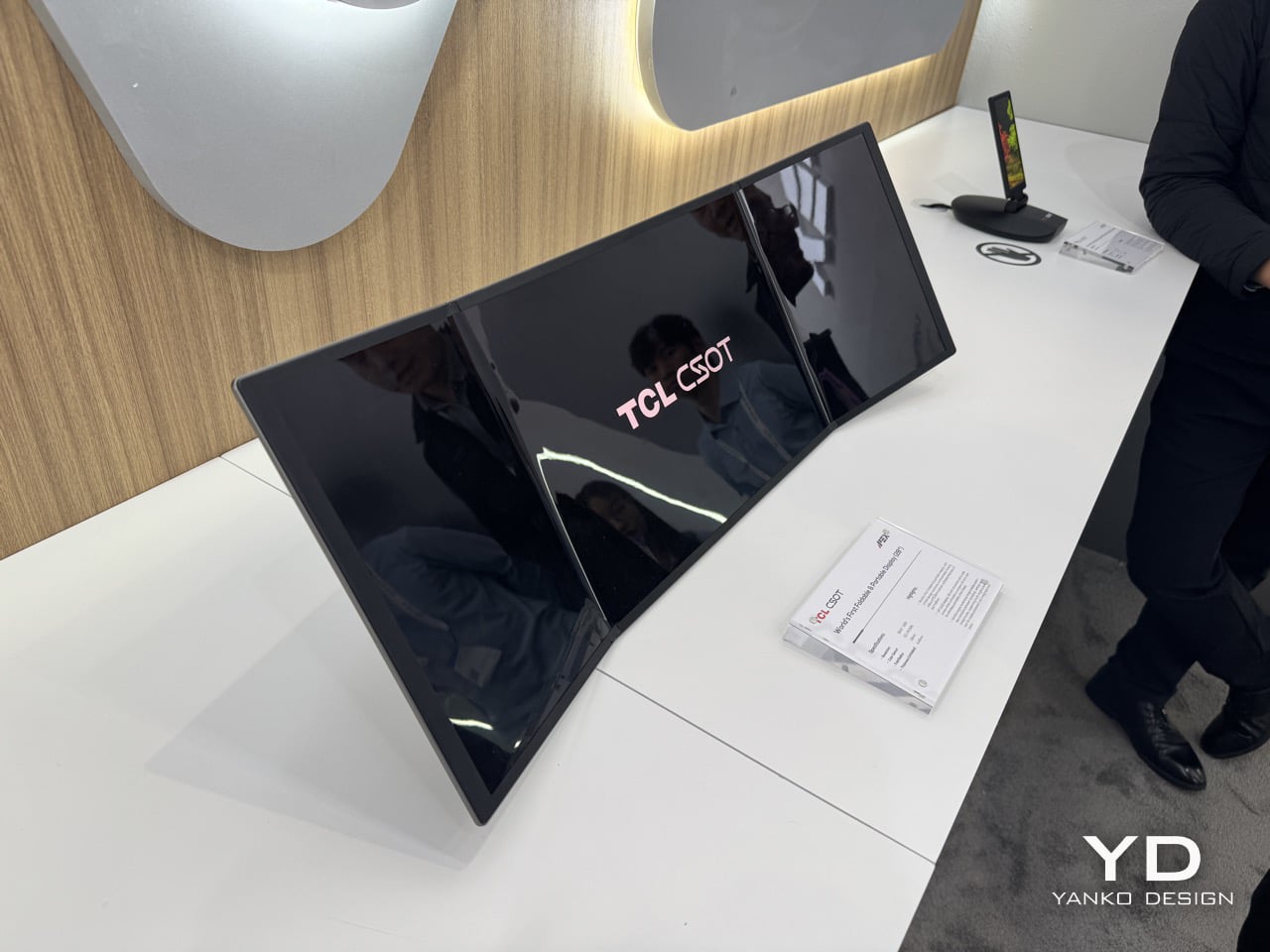
The 28-inch trifold monitor collapses to a 16-inch footprint for transport, which puts it roughly in line with what fits in a standard laptop bag. That 3840×1280 resolution spread across an ultra-wide aspect ratio gives you a panel that, when unfolded, genuinely looks absurd in the best way. The color gamut is DCI-P3 99%, so this is a cinema-grade screen, not a compromised one. What TCL has understood, and what the phone trifold race missed entirely, is that the use case for three folds is far stronger on a monitor than on a handset. Your phone doesn’t need 28 inches. Your desk setup, your hotel room, or your next flight absolutely does.

Designer: TCL

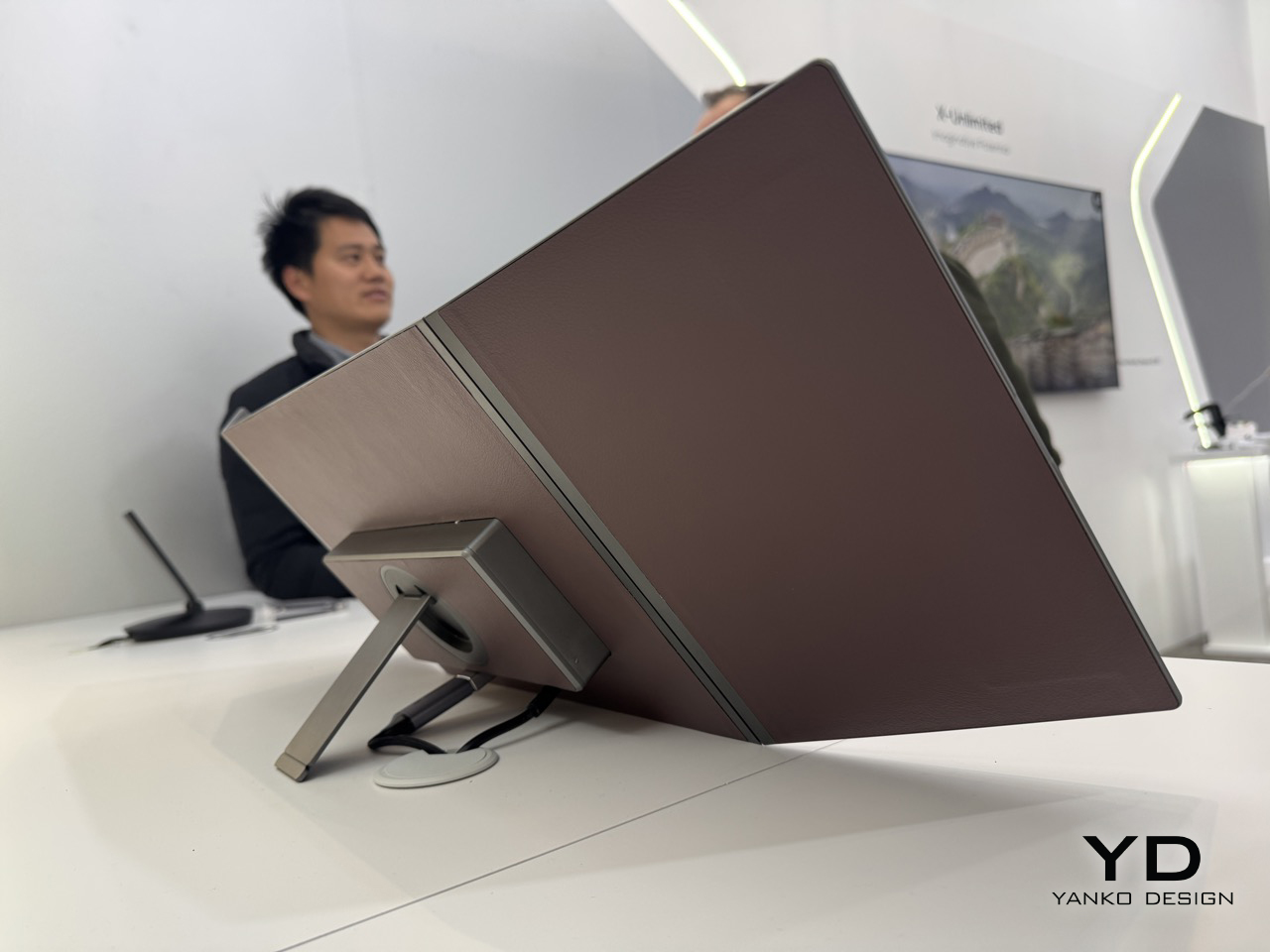
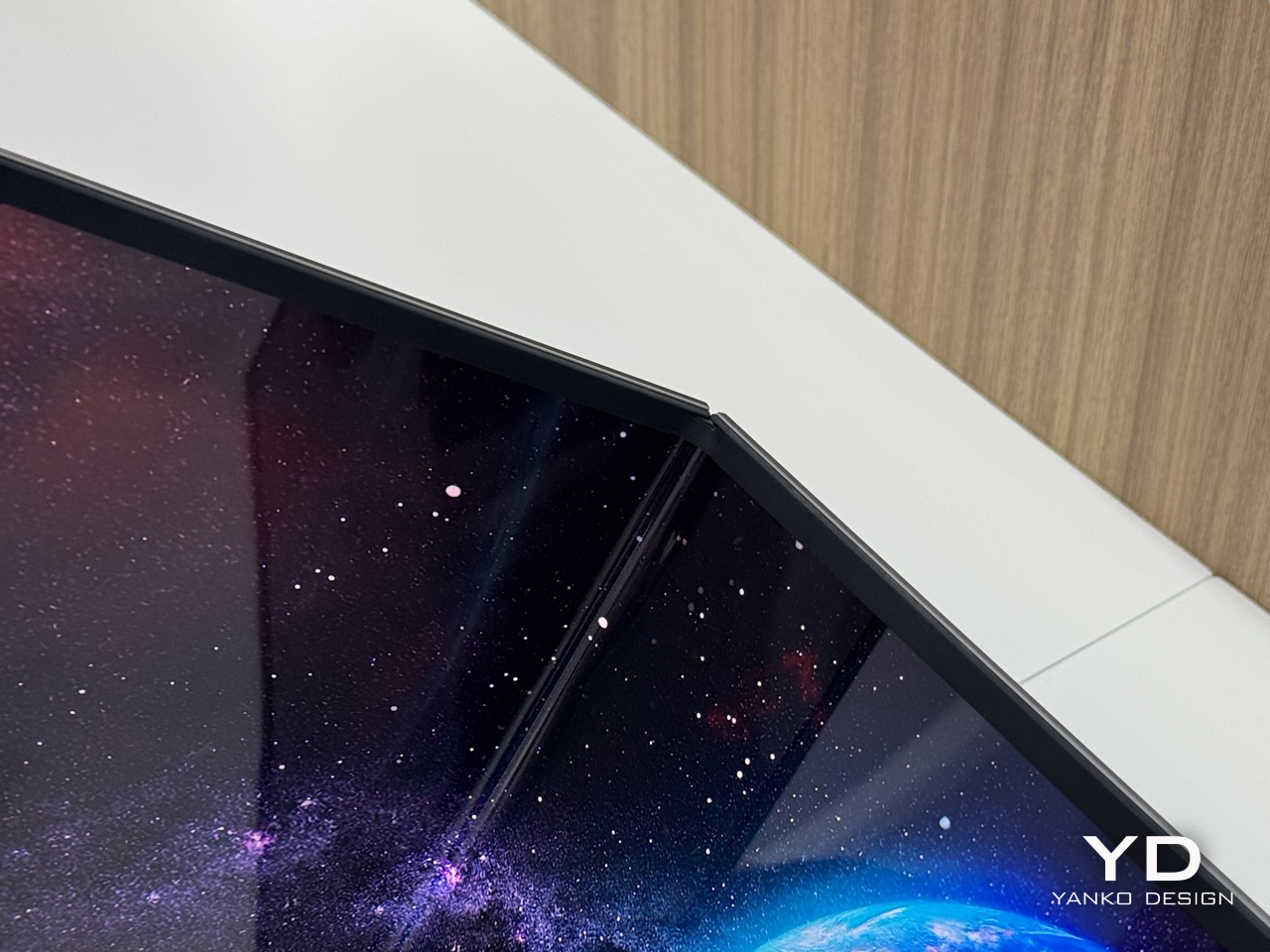
At 4.48mm when unfolded, the panel is thinner than most pencils, which makes the folded thickness even more impressive given the hinge hardware packed into it. The folding radius is R1.8mm, a number that sounds unremarkable until you consider how tight that crease is across a screen this wide, and how much precision engineering goes into preventing stress fractures at that radius. TCL calls the mechanism a waterdrop hinge, borrowed from the same architecture that the better phone foldables use, now scaled up to a 28-inch form factor. The hinge handles seamless transitions between horizontal, vertical, and folded positions, and the integrated rear stand supports multi-angle suspension with stable placement for however you need to prop it. That combination of hinge flexibility and stand design is what keeps this out of the conceptual gimmick category.

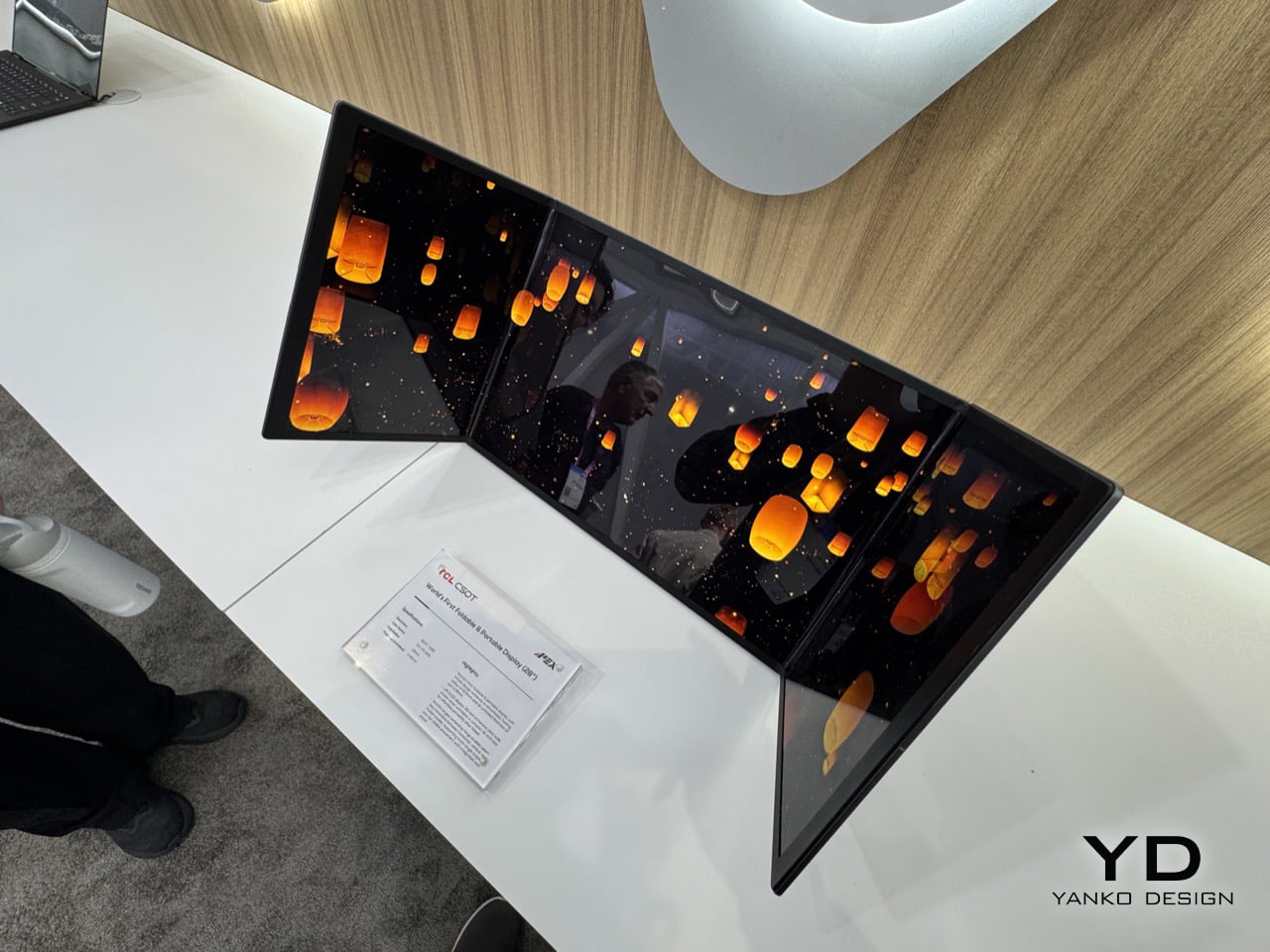
Keep it partially folded and you get something that starts behaving like a curved monitor. The two outer panels angle inward, creating a passive wrap effect that a flat ultra-wide simply cannot replicate without having a physical curve manufactured into the panel itself. The 3840×1280 field of view sits noticeably wider than what most monitors deliver below 34 inches on a flat panel, and the slight inward angle adds peripheral depth that genuinely affects how immersive the experience feels. The aspect ratio alone puts you in ultra-wide territory that most desktop users spend real money chasing. It rewards close-range use, the kind of face-in-screen focus you get at a proper workstation, not a portable screen propped on a table.

The IJP OLED (inkjet-printed OLED) process behind this panel is what makes the specs achievable. Inkjet printing deposits organic materials with greater precision and less material waste than conventional vapor deposition, which is part of why TCL can hit DCI-P3 99% at 4.48mm thick without anything feeling like a compromise. Huawei’s foldable laptop used a single crease, which limits reconfigurability to open or shut. Two folds changes the logic completely: fully open for productivity, partially folded for immersion, fully folded for transit. The trifold format finally has a product category where its complexity pays off.

TCL CSOT is not the consumer electronics brand most people recognize from the TV aisle. It is the panel manufacturing subsidiary of TCL Technology, founded in 2009, and it supplies display panels to other companies rather than selling directly to end users. Lenovo already uses TCL CSOT panels in devices including the Moto Razr 60 series and its rollable laptop concept. It’s worth noting that TCL CSOT won’t directly sell this 28″ monitor… but will rather license the technology out to manufacturers who see the merit in such a product existing. Maybe Lenovo’s next laptop could have such a display, who knows… As a result, no release window or pricing has been confirmed, but the production infrastructure is being built in parallel, which is a different situation from a pure prototype with no supply chain behind it.

The post Meet The World’s First 28″ Tri-Fold Desktop Monitor: Hands-on with TCL CSOT Foldable Display at MWC 2026 first appeared on Yanko Design.

Highguard has raided its last fortress, will shutdown on March 12

Highguard, the live-service multiplayer shooter that was announced at the Game Awards 2025, is shutting down on March 12. Developer Wildlight Studios shared that the game would be winding down alongside details of its final update, which include a new character, weapon and skill trees.

"Today we’re sharing difficult news. We have made the decision to permanently shut down Highguard on March 12," Wildlight Studios shared via a statement on the Highguard X account. "Since launch, more than two million players stepped into Highguard’s world. You shared feedback, created content, and many believed in what we were building. For that, we are deeply grateful. Despite the passion and hard work of our team, we have not been able to build a sustainable player base to support the game long term. Servers will remain online until March 12. We hope you’ll jump in with us one more time to show your support and get those final great matches in while we still can."

When Highguard shuts down next week, it will have been available to play for a grand total of 46 days. That's longer than the two weeks Concord received, but tragic for an online multiplayer game that was still in some form of active development. Wildlight Studios laid off some of its staff not long after Highguard launched, but a smaller team of developers has been supporting the game with new content since then, adding things like a "5v5 raid mode" and today's final update.

While it's easy to chalk up Highguard's failure to a shrinking appetite for live-service games or an inability to find an audience for the game's mix of competitive hero shooter and MOBA strategy mechanics, the reality is more complicated. The first hint that Highguard's launch might be troubled was the dearth of information or marketing shared about the game after its debut at the Game Awards. Wildlight Studios' staff was full of former Respawn employees who shadowdropped Apex Legends to great success, and Bloomberg reports Wildight's executives thought they could pull off something similar with Highguard. The difference is, little was known about Apex Legends until after it launched, while players had over a month to stew on the Highguard trailer and form all sorts of opinions.

Wildlight's inability to keep players coming back — SteamDB shows the game peaked at over 97,000 concurrent players and is now sitting at around 300 — also hurt its chances. Dwindling player counts reportedly played a role in one of Wildlight's investors, Tencent, pulling funding, which reduced the runway the studio had to continue working on the game and likely prompted its layoffs. It would be simple if the lesson here was for future studios to give up developing online multiplayer games, but it really seems like not one, but all of these elements led to Highguard's ultimate demise.

This article originally appeared on Engadget at https://www.engadget.com/gaming/highguard-has-raided-its-last-fortress-will-shutdown-on-march-12-225531035.html?src=rss

Ratatan is marching its way into your console library on July 16

The indie gaming news has been flying out of Nintendo's event today at a rapid-fire pace. One of the announcements came from rhythm game Ratatan, which will release on July 16. The title will be arriving that day on the Nintendo Switch 2, PlayStation 5 and Xbox Series X/S. It's already been available on PC since September as an early access game. 

Unfortunately, readers may notice that the original Switch isn't on that list, which is not an oversight. "At this time, we have determined that the multiplayer experience on Nintendo Switch has not yet reached the quality level we aim to deliver," the team said in a post on Steam. "As a result, we have decided not to proceed with a Nintendo Switch version for now."

We first got our hands on Ratatan during Summer Games Fest 2025. Although the studio of Ratata Arts may not sound familiar, this group includes several devs from team that created the Patapon games, a series that began in 2007. That lineage is clear in the core concept and in the slightly brain-breaking level of attention required to keep your little army of Cobuns in sync and on beat. Ratatan brings some roguelite and RPG customization into the mix along with the familiar rhythm mechanics.

This article originally appeared on Engadget at https://www.engadget.com/gaming/ratatan-is-marching-its-way-into-your-console-library-on-july-16-214540775.html?src=rss

TCL’s new NXTPAPER 3200-Nit AMOLED Display Feels Like Paper and Won’t Hurt Your Eyes

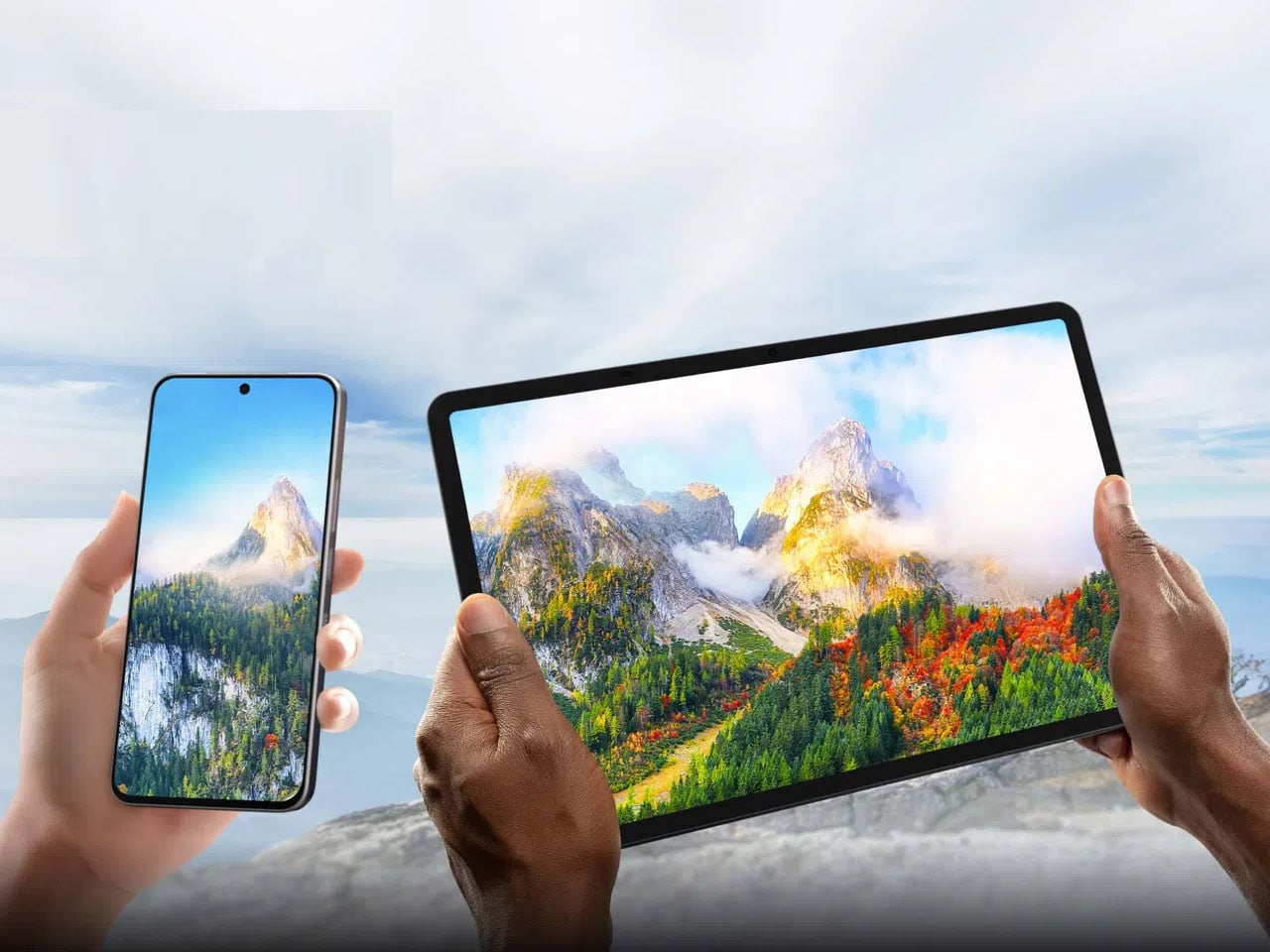
While other OEMs are working hard at smoothening software and hardware compatibility or fine-tuning camera array, TCL is quietly working on NXTPAPER display technology, to make sure users don’t have to choose between eye comfort and capability when picking up their next mobile device.

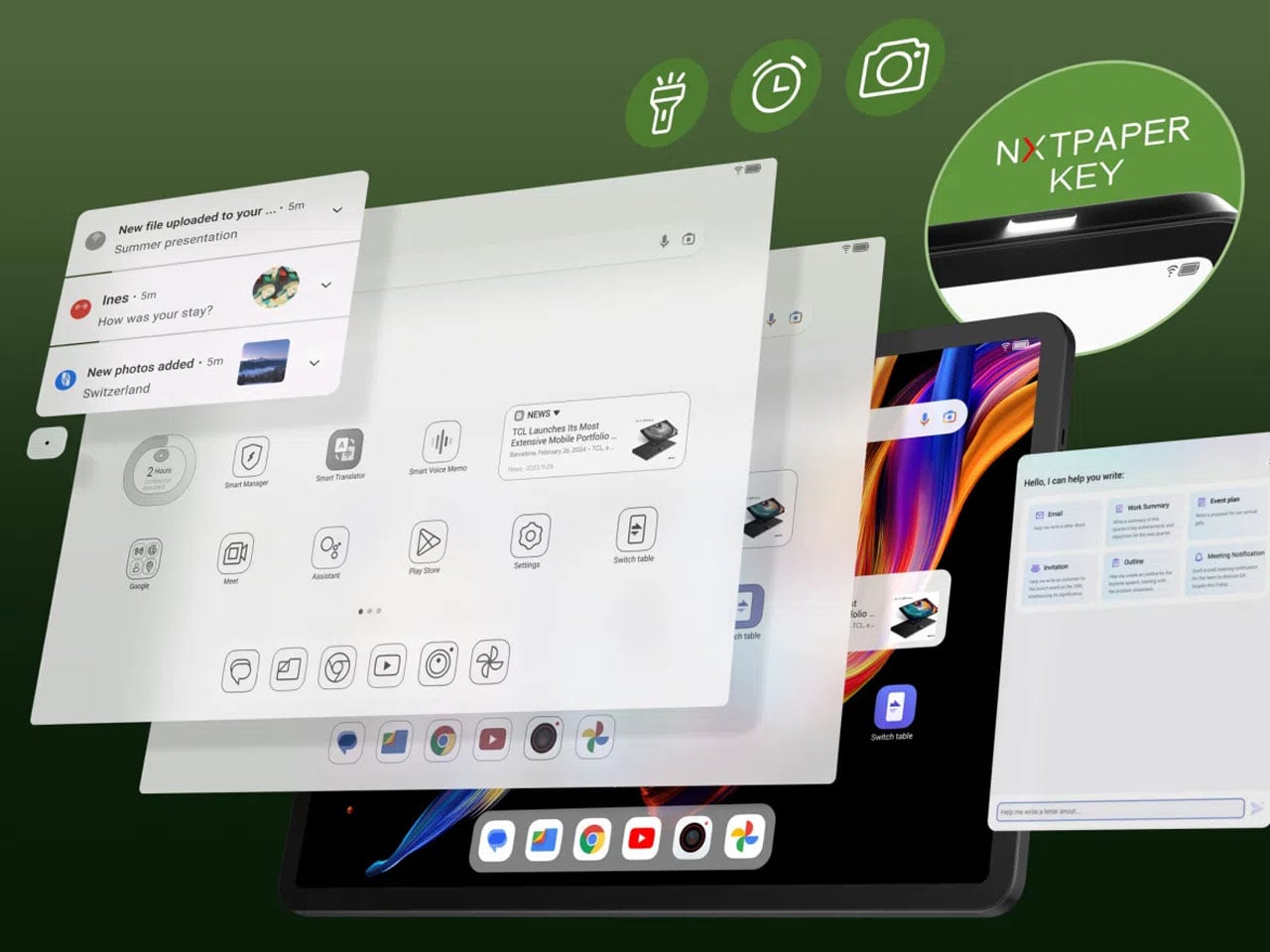
The Chinese corporation has some interesting devices already featuring NXTPAPER display on the market. Whether it’s the TCL NXTPAPER phones or the Note A1 tablet, the idea is simple: A device that has a high-performance display focused on eye-comfort and offers a paper-like reading experience. Now building this tech to the next level, TCL has taken to MWC 2026 to unveil a new NXTPAPER screen based on an AMOLED panel.

Designer: TCL

First launched in the year 2021, TCL’s NXTPAPER display technology has been ahead of the curve as a solution to screen fatigue, which we are becoming accustomed to. The earlier versions of the tech have appeared chiefly on LCD-based mobile devices. But with the introduction of the new, eye-protective experience built on AMOLED, TCL is setting new standards for the mobile industry.

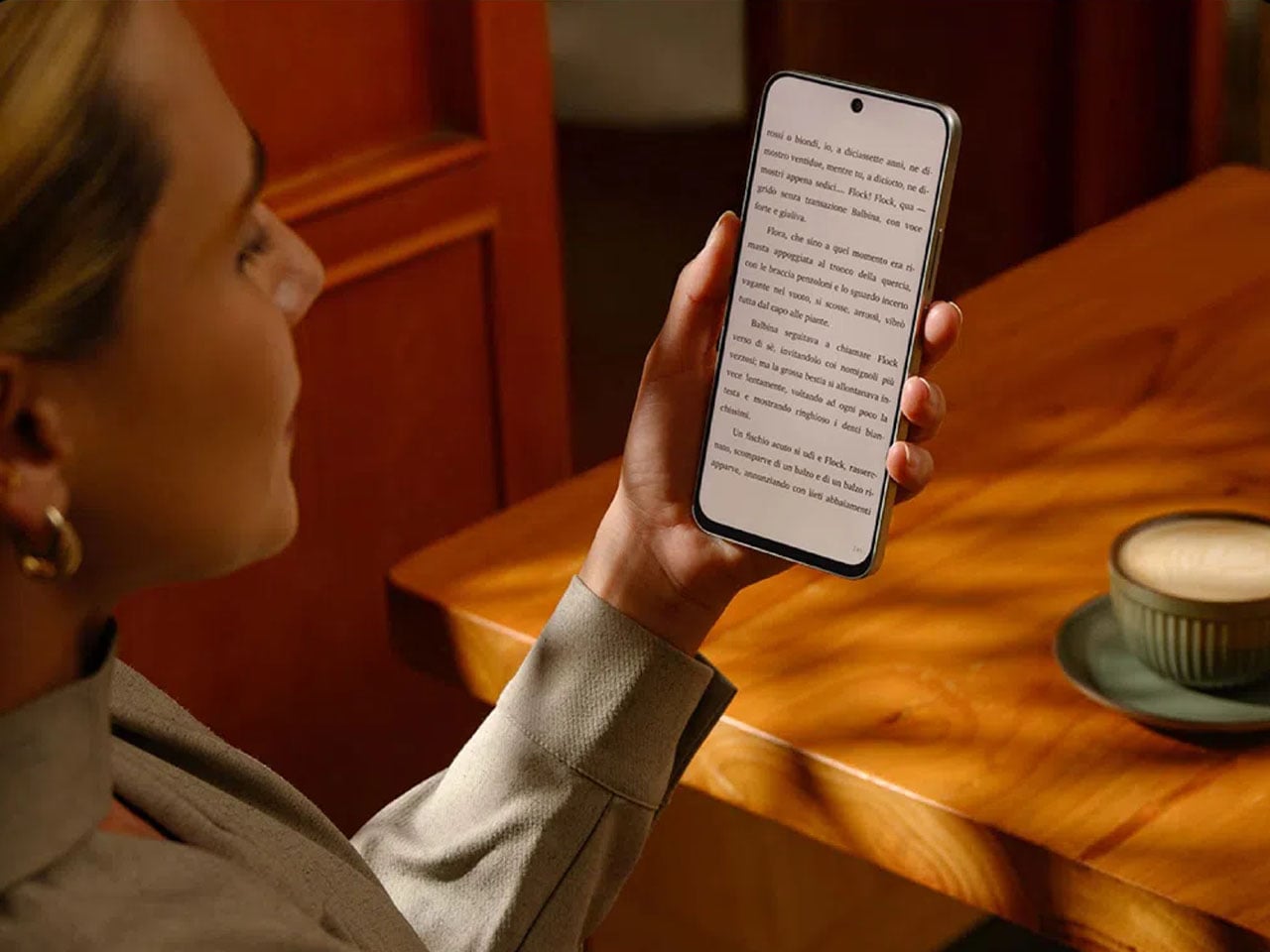
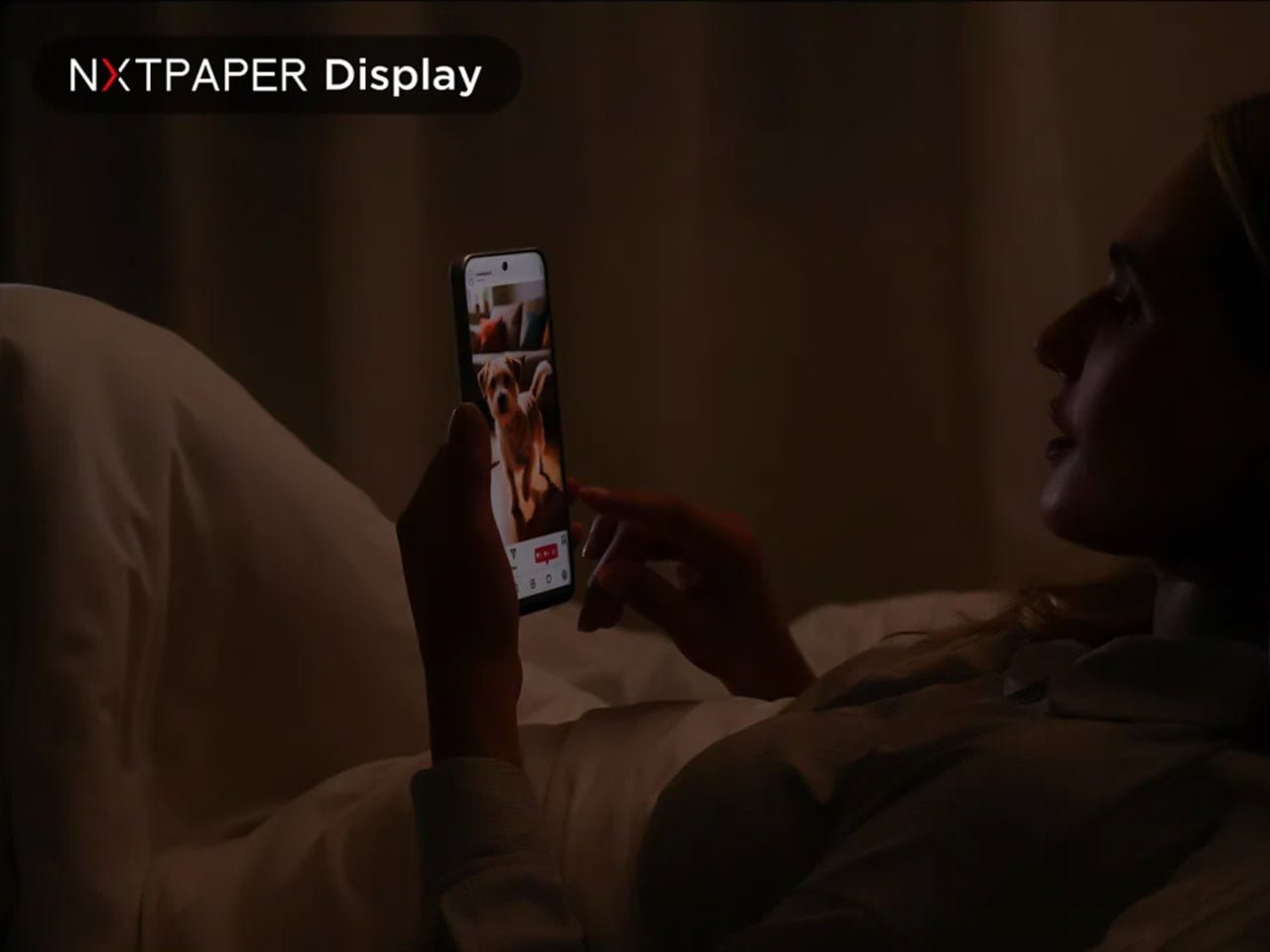
The comfortable, paper-like, full-color display based on an AMOLED panel, according to TCL, is likely to find its way into the first AMOLED NXTPAPER smartphone soon. If the reports are correct, we are looking at a time frame as early as the end of 2026. The display, still in the works, is designed to deliver rich colors and contrast that’s expected from AMOLED displays. Of course, while still maintaining a paper-like, eye-friendly viewing comfort.

According to the information shared with the press, the new AMOLED-based NXTPAPER display can reach peak brightness levels of up to 3200 nits. It boasts a 120Hz refresh rate and supports 100% coverage of the P3 color gamut, which is comparable to some of the flagship phones on the market. Despite the capabilities of everything AMOLED with a layer of comfort, the upgraded display, TCL says, remains easy on the eyes for long reading, viewing, or playing sessions as compared to other smartphones with a plain AMOLED display.

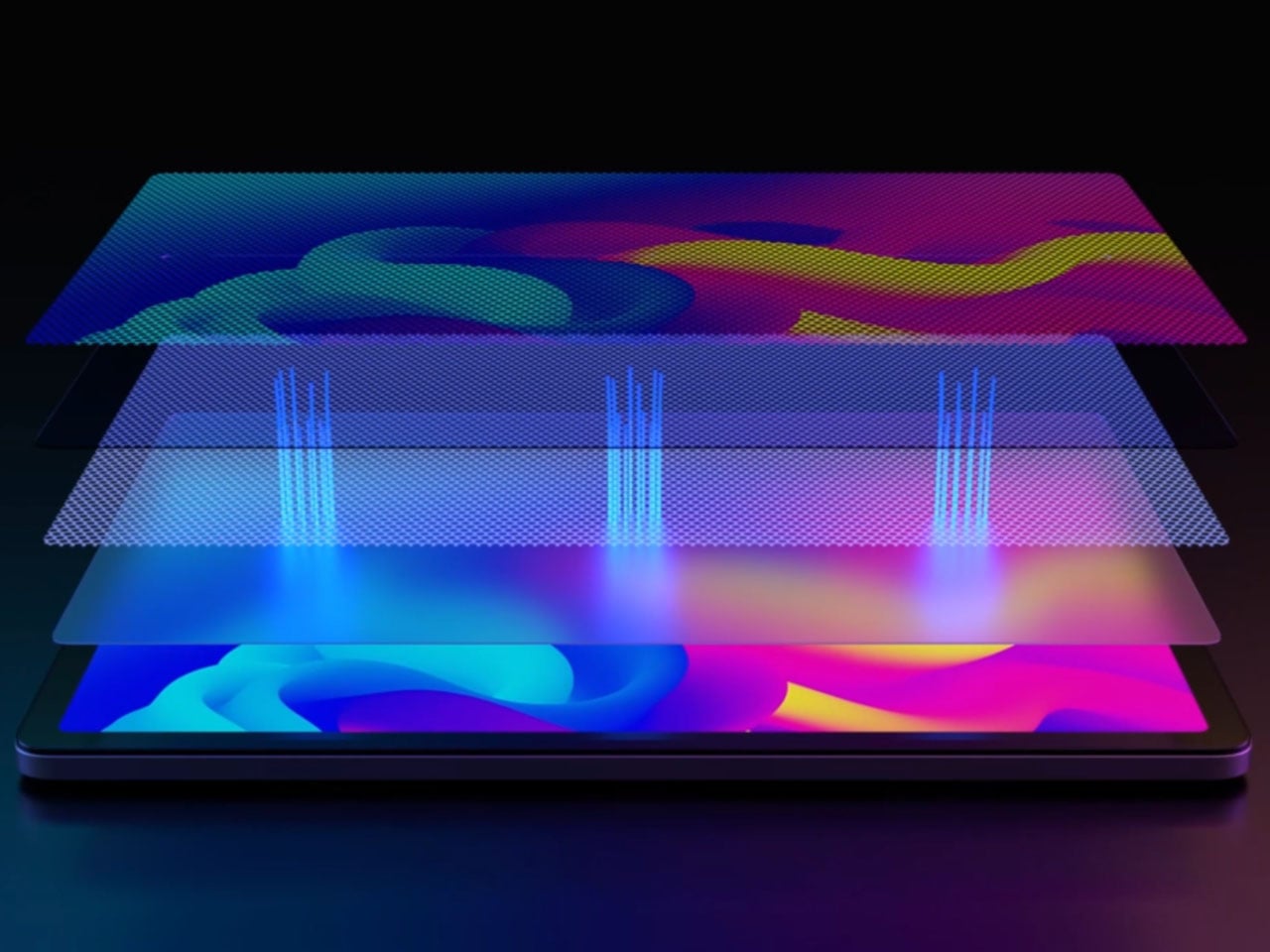
To achieve this comfort and paper-like visual texture, TCL has layered the AMOLED panel with an anti-glare coating and a light-homogenizing film. This helps the display upgrade at three levels. One, the screen can reach 90% circular polarization rate to reduce eye-glare; it can have lowered blue light emissions of 2.9%; and automatically adjust screen brightness and color according to the surrounding lighting conditions.

TCL has already created a concept phone based on the new NXTPAPER paneled AMOLED display, and it’s turning heads at the MWC. The company is hopeful to launch a phone with the technology by the end of the year, and when it does, I am sure I am going to be in the queue to get my hands on it.


The post TCL’s new NXTPAPER 3200-Nit AMOLED Display Feels Like Paper and Won’t Hurt Your Eyes first appeared on Yanko Design.
Skateboarding train game Denshattack! is out on June 17

Denshattack!, the skateboarding game that manages to mix an anime-inspired narrative with Tony Hawk Pro Skater-style grinding and wall-riding, is coming out on June 17. The game's publisher Fireshine Games announced its launch date alongside a new trailer at Nintendo's recent Indie World event.

If it wasn't clear from previous trailers, Denshattack! remains stylish as hell, filled to the brim with bright colors and over-the-top animation. The new trailer doesn't offer much more in terms of what the story of the game will be, but it does highlight its fast-paced gameplay, which will have you flipping and grinding a tiny train through settings like a futuristic cityscape, jungles and a snowy mountain region.

Among the other charms of Denshattack!, the game also features original songs from composers Tee Lopes (Sonic Mania), Ryo Nagamatsu (Splatoon series), Richard Jacques (Jet Set Radio series) and Takenobu Mitsuyoshi (Daytona USA). If you're at all curious to try Denshattack! before it comes out this summer, demos of the game are available to download right now for PC and Switch 2.

Denshattack! will be available on PC, PlayStation 5, Switch 2 and Xbox Series X/S when it launches June 17. The game will also be available to play via Xbox Game Pass.

This article originally appeared on Engadget at https://www.engadget.com/gaming/skateboarding-train-game-denshattack-is-out-on-june-17-210314631.html?src=rss