Seestar S30 Pro Captures Deep-Sky Photos While You Sleep

The romance of stargazing usually hits the reality of traditional astrophotography pretty hard. Heavy mounts, polar alignment, cables running from telescope to laptop, and software that can turn a clear night into troubleshooting instead of wonder. Phone cameras and basic star apps have helped, but they still leave a gap between pointing at the sky and capturing something worth keeping.

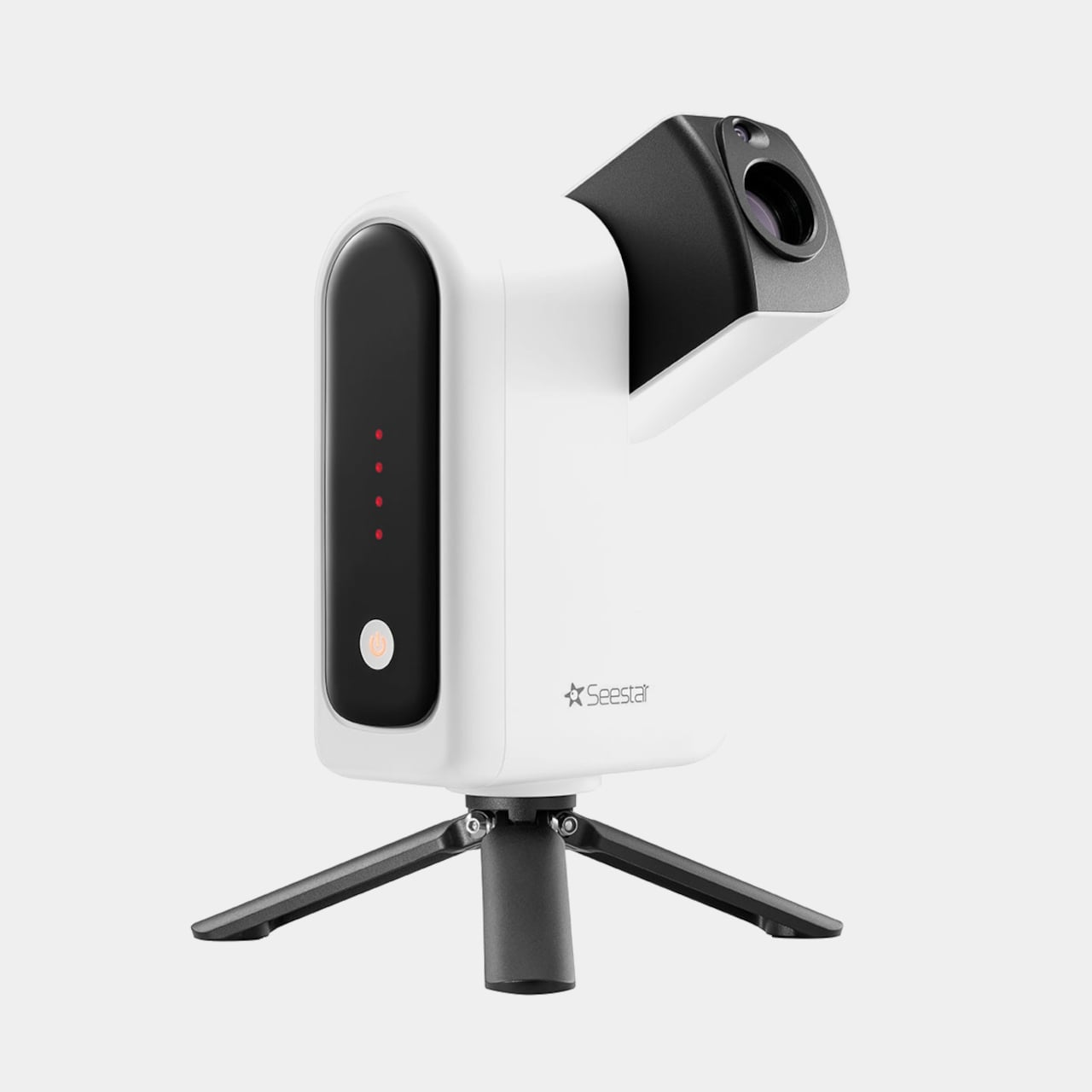
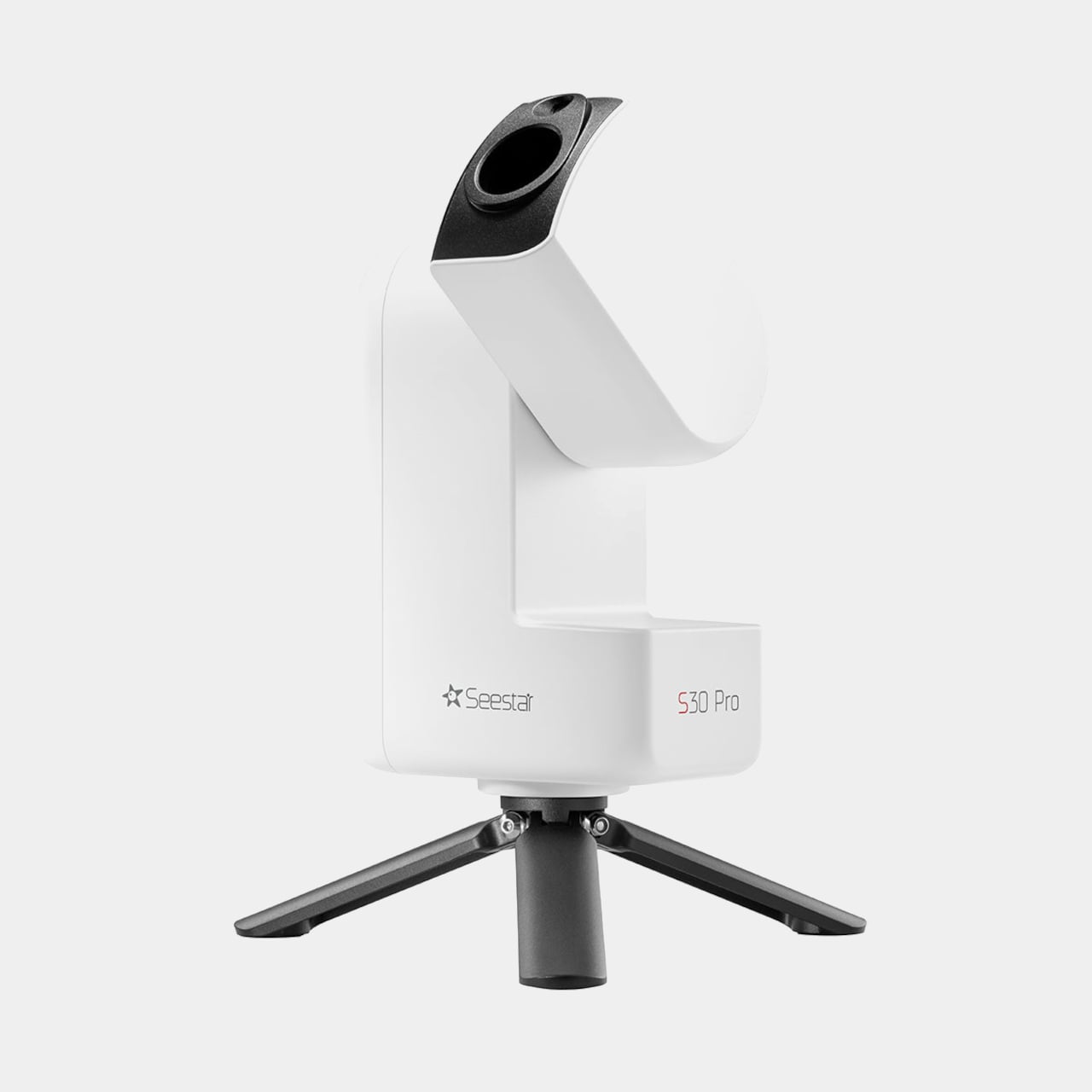
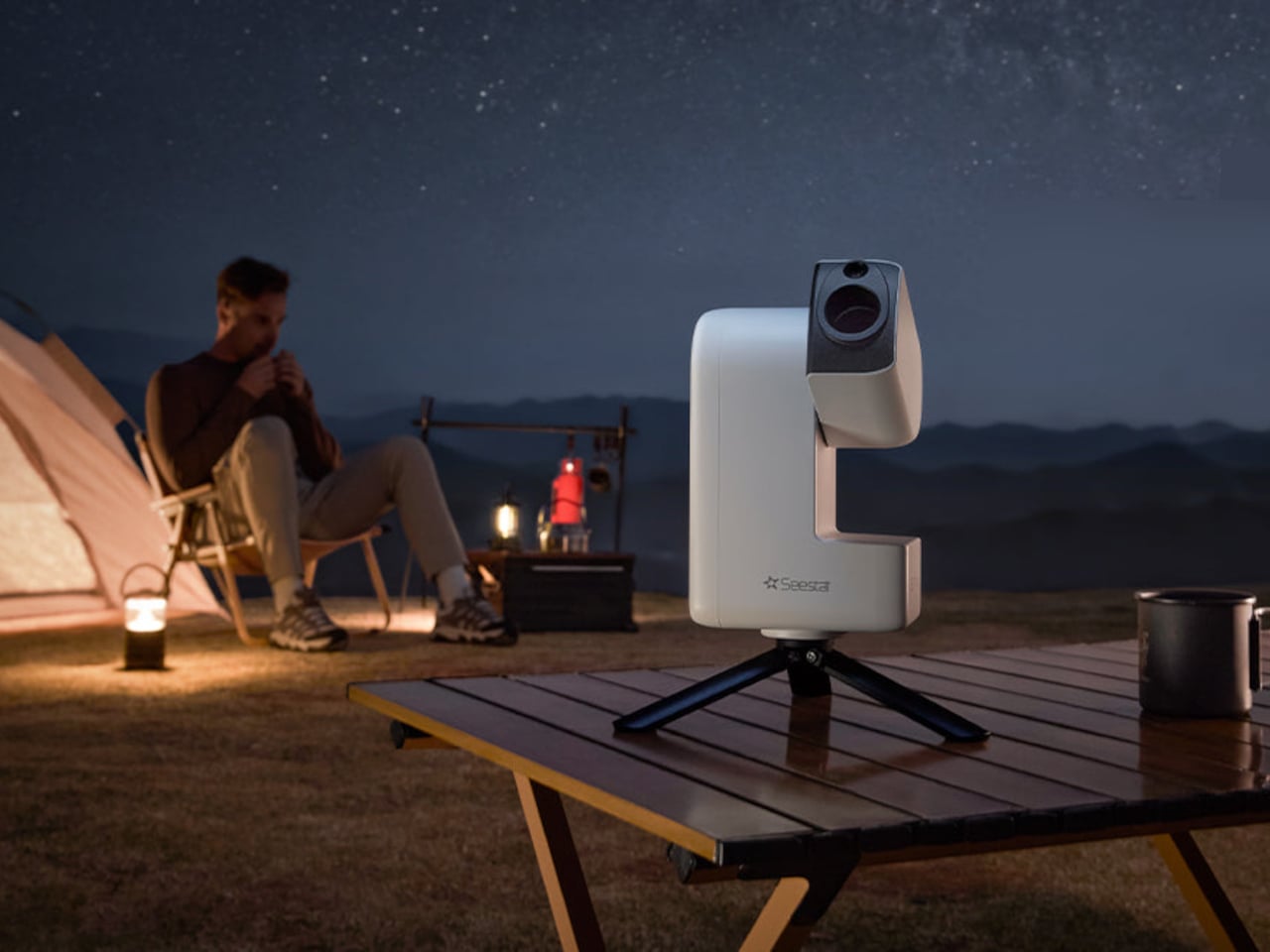
Seestar S30 Pro is a smart telescope that weighs about 1.65kg and folds a telescope, auto-focuser, camera, Alt-Az mount, filter wheel, and controller into one compact body. You power it on, tap your phone to connect, and the system is ready. The idea is to replace a trunk full of gear with a palm-sized observatory that lives in a backpack but still feels like a serious instrument.

Designer: ZWO ASTRO
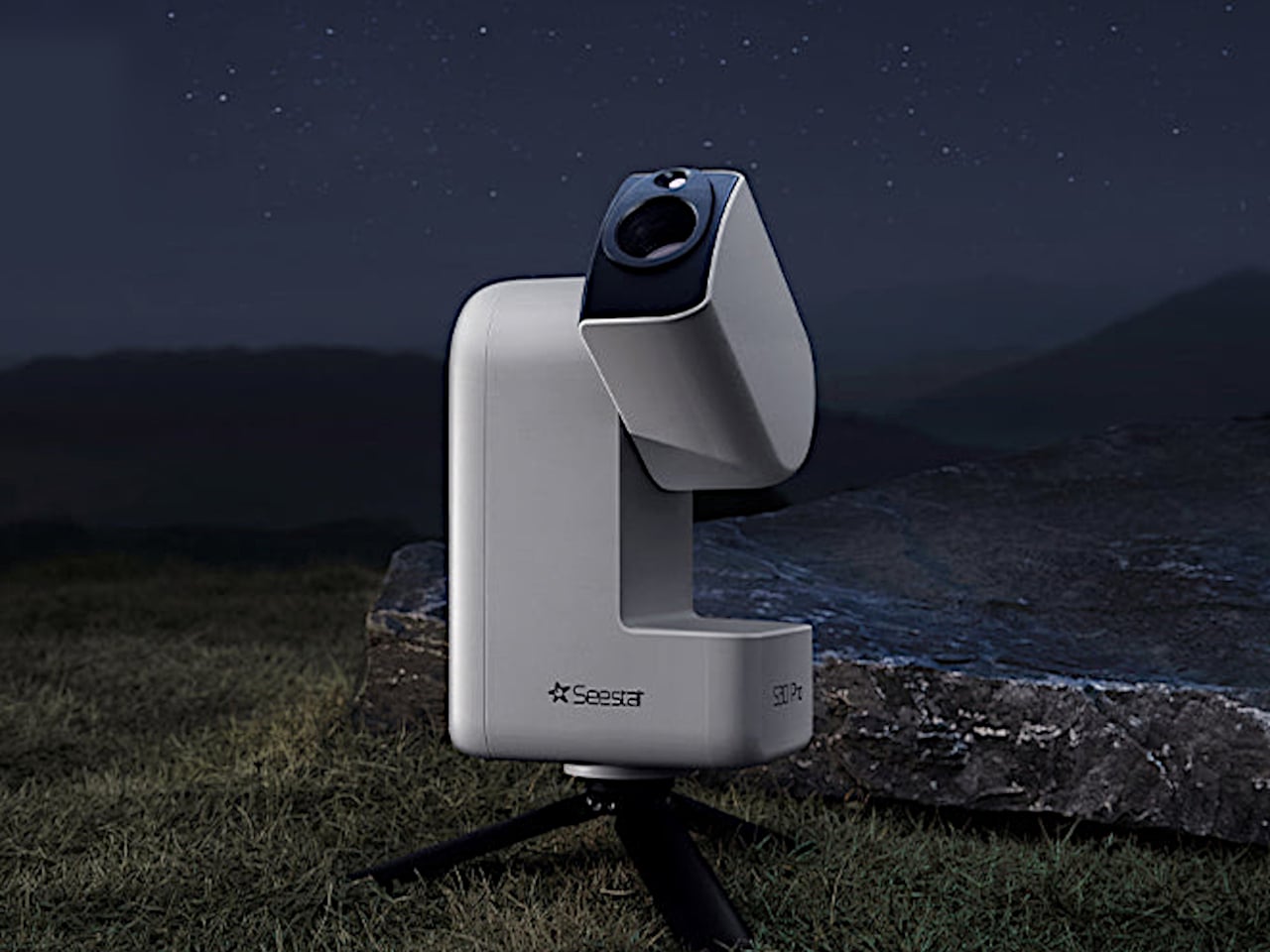
Setting it up under a clear sky, you open the app and choose from more than 80,000 deep-sky objects and 600,000 stars. With one-tap GOTO, the S30 Pro slews to the target, locks on, and starts tracking. You pick a mode, Stargazing, Milky Way, Solar System, or Scenery, and let the dual-lens 4K system with its IMX585 telephoto and IMX586 wide-angle sensors stack and refine frames.
Milky Way and star trails modes let you watch the sky drift across the frame or trace arcs over time-lapse. Built-in 8K stitching automatically mosaics horizontal or vertical panoramas, expanding the field far beyond a single frame. A freeze-the-ground feature separates foreground from sky, keeping the landscape sharp while the Milky Way stays crisp and trail-free, all from a single tap that would normally require separate exposures.
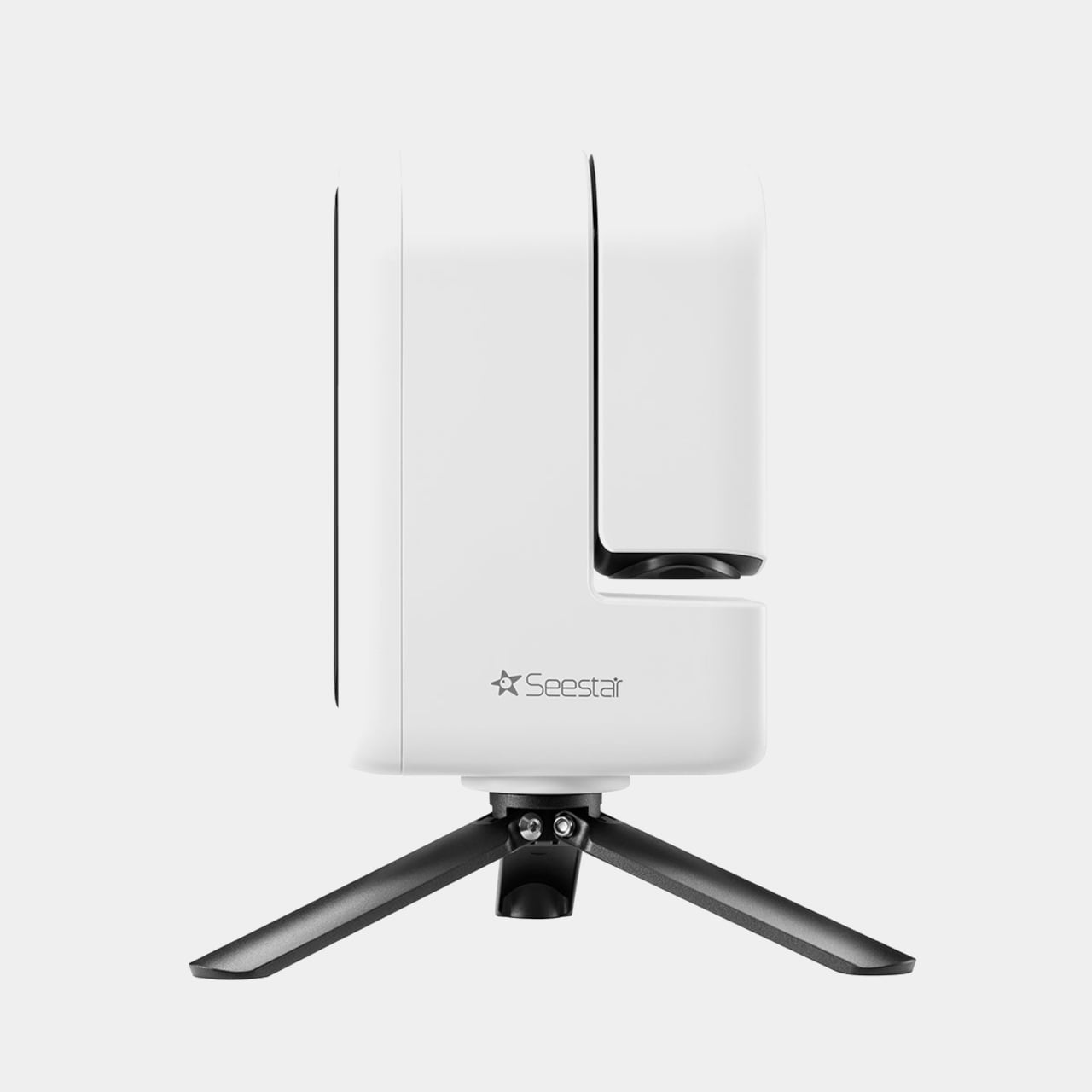
The 4-element apochromatic lens with extra-low dispersion glass minimizes chromatic aberration so stars stay round, and blacks stay neutral. A built-in triple filter system, dark field, UV/IR cut, and light pollution filter tuned for OIII and Hα, adapts to different conditions. Active anti-dew control gently warms the optics to prevent condensation, so long sessions do not end with a fogged-over lens and hours of wasted time.
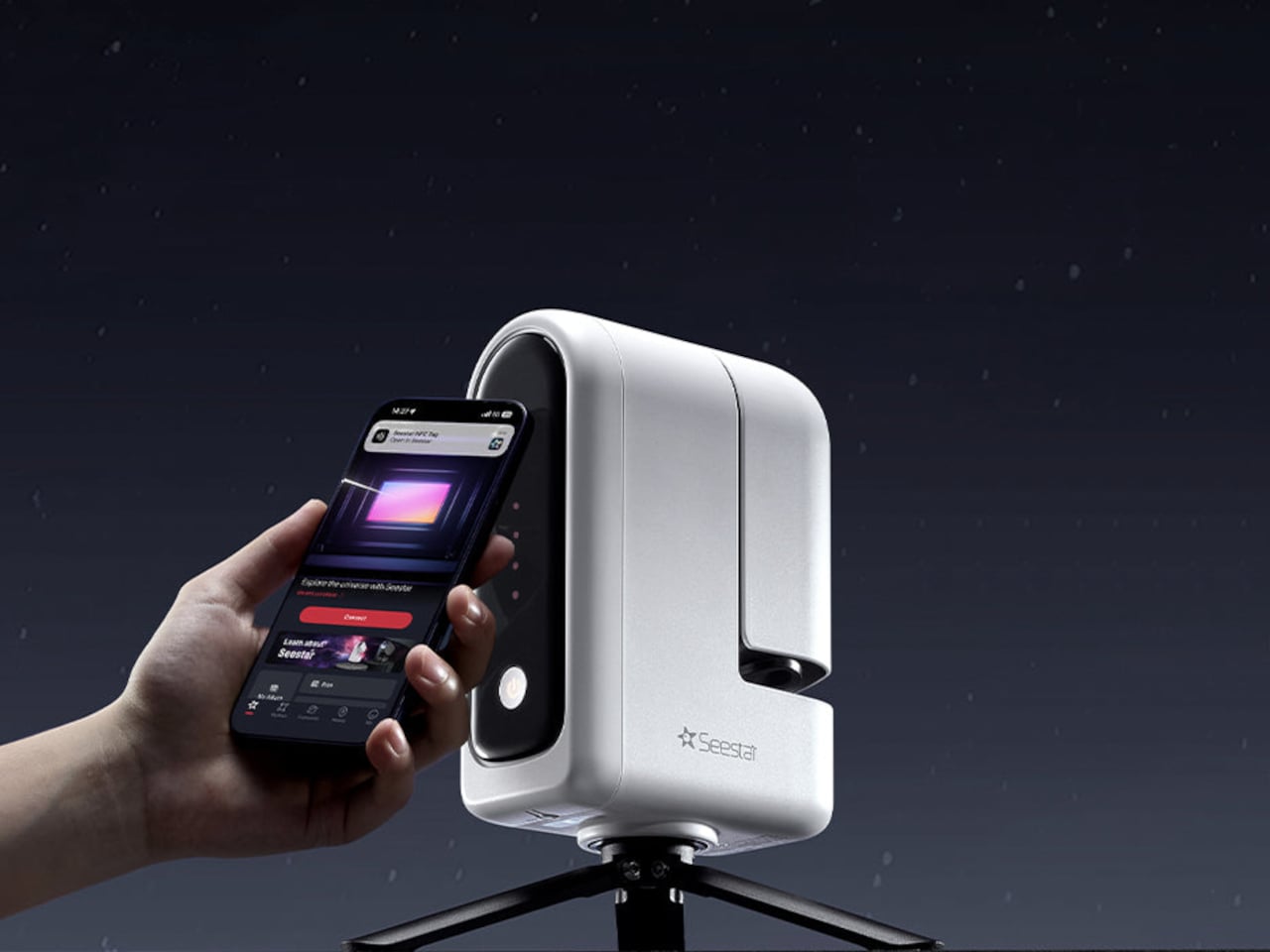
Plan mode lets you schedule a target and let Seestar handle locating, tracking, capturing, and processing while you sleep, so you wake up to finished data instead of staying up all night monitoring exposures. For longer exposures, an equatorial mode with additional accessories counters Earth’s rotation. During the day, the same device becomes an ultra-telephoto camera for birds, distant landscapes, or rocket launches, with smart tracking to keep subjects centered.
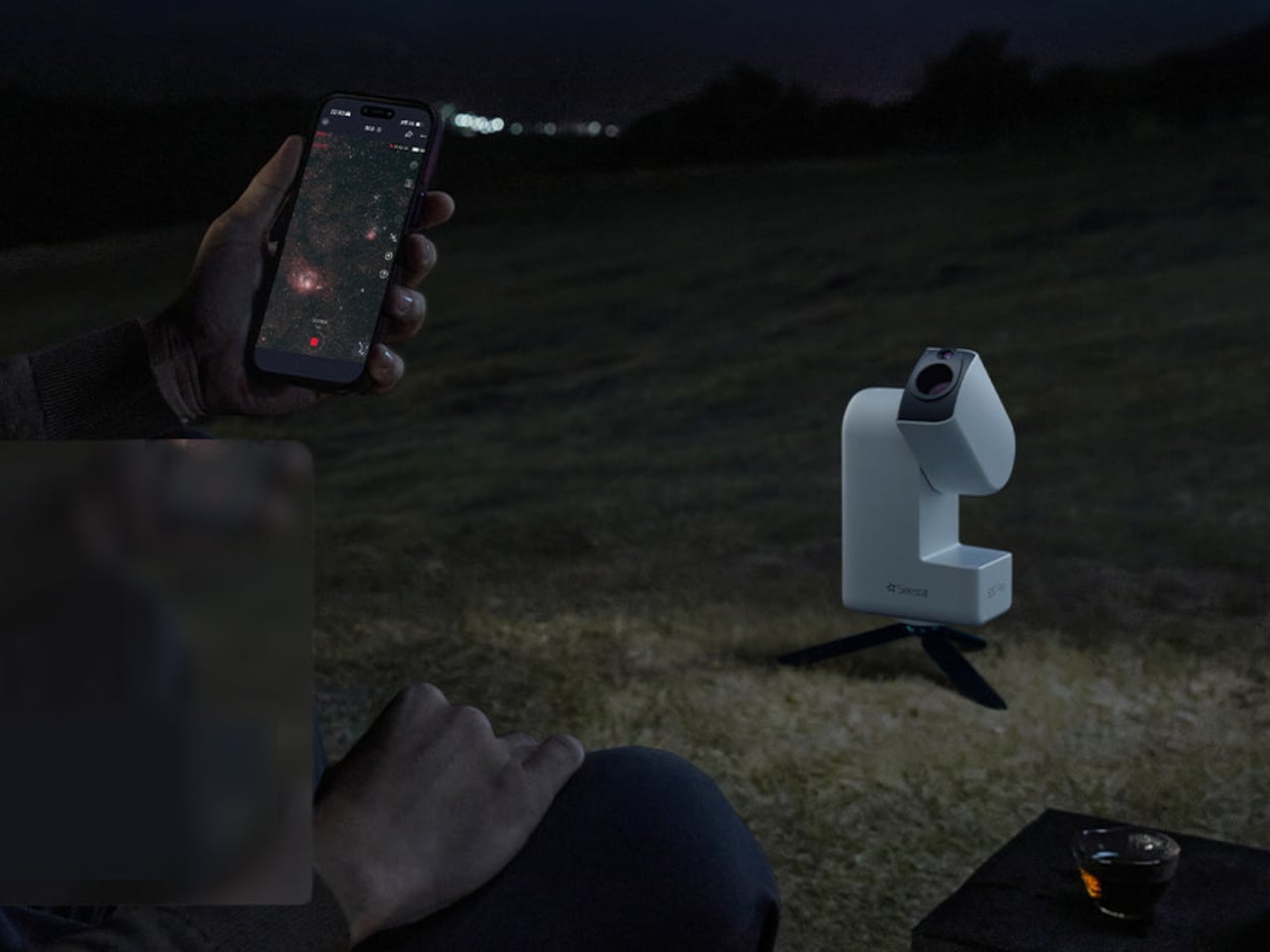
The S30 Pro sits inside a broader ecosystem, from the telescope network that lets you control Seestar units across regions to the AI assistant that responds to voice commands, and ASCOM Alpaca support that opens it up to software like NINA for advanced workflows. It is framed less as a gadget and more as a platform for exploring the sky, making the first steps effortless while leaving room to grow.
The post Seestar S30 Pro Captures Deep-Sky Photos While You Sleep first appeared on Yanko Design.
Google brings its Nano Banana image generator to Chrome

Following its recent AI makeover of Gmail, Google is bringing more Gemini-powered tools to Chrome. Starting today, a host of new features are rolling out for the browser, with more to come over the next few months. 

The first of the new features is a sidebar. Available to all Gemini in Chrome users, the interface allows you to chat with Gemini and keep a conversation going across multiple tabs. Google suggests the sidebar is useful for multitaskers. "Our testers have been using it for all sorts of things: comparing options across too-many-tabs, summarizing product reviews across different sites, and helping find time for events in even the most chaotic of calendars," the company writes. 

Now you can access Nano Banana, Google's in-house image generator, directly from Chrome. No need to go to the Gemini app.
Google

The sidebar is also where you access the second new feature Google is adding to Chrome. Following its successful rollout within the Gemini app, Nano Banana, Google's in-house image generator, is available directly inside of the browser. With the addition, you won't need to open a new tab when you want Gemini to make you an AI image. You also won't need to download and upload a file when you want Gemini to edit an existing image for you. Instead, you can complete both of those tasks from any of your open tabs, thanks to the new sidebar.    

Looking forward, Google plans to bring Personal Intelligence, which debuted inside of the Gemini app at the start of January, to Chrome in the coming months. Once the feature arrives, it will allow the browser to remember past conversations you've had with Gemini. In turn, Google says this will lead to a more personalized Chrome. "Personal Intelligence in Chrome transforms the browsing experience from a general purpose tool into a trusted partner that understands you and provides relevant, proactive, and context-aware assistance," the company said.

In the meantime, Gemini in Chrome already supports Google's Connected Apps feature, which allows the assistant to pull information from the company's other services, including Gmail and Calendar. During a press briefing, a Google employee demoed this feature by asking Gemini to pull up the dates of when their children would be on March break. Without telling the assistant where to look, Gemini sourced the correct time frame from the employee's email inbox.    

A new sidebar interface allows Chrome users to access Gemini from any of their open tabs.
Google

Last but not least, Google is previewing a new auto browse feature inside of Chrome. In the demo the company showed, an employee asked Gemini to find and buy them the same winter jacket they bought a few seasons ago. The assistant first drafted a plan outlining how best to tackle the request. It reasoned the best place to start was with a search of the employee's email inbox to determine the correct model and size of jacket. It then went shopping.

While Gemini was working on this task, the employee was free to continue browsing in Chrome. At several points in the process, the assistant would stop before continuing to obtain the employee's permission to move forward. For instance, it paused when it needed login credentials, and again when it needed a credit card number to complete the purchase. 

Judging from the demo, it will probably take you less time to do your online shopping and other browser tasks on your own. Google suggests the feature will appeal to those who are creatures of habit. Say you often order the same produce from a grocery delivery service every week, Gemini can automate the ordering. Plus, the feature is in preview, so early testers probably won't be too put off by Gemini's slow pace. In any case, Google AI Pro and Ultra subscribers in the US can try auto browse starting today.    

This article originally appeared on Engadget at https://www.engadget.com/ai/google-brings-its-nano-banana-image-generator-to-chrome-180000104.html?src=rss

French Ubisoft workers vote to strike

When deciding which video game to buy, "Is it fun?" is no longer the only consideration. Given the state of the industry, "Do I want to support this company?" is arguably more important. Take, for example, Ubisoft, where things seem to unravel more each day. After the floundering publisher floated even more layoffs this week, workers at its Paris headquarters said, "Enough is enough." They're now calling for a three-day strike.

Unions representing Ubisoft employees plan to strike from February 10 to 12. "With management being stubbornly entrenched in its authoritarian ways, we are calling Ubisoft employees across France to join this strike, along with the five unions present within the company," The Syndicat des Travailleureuses du Jeu Vidéo (Video Game Worker's Union) wrote in a statement.

The strike follows a series of heavy-handed cost-cutting moves at Ubisoft. It recently shut down its Halifax studio just 16 days after employees unionized. Last week, it closed its Stockholm studio and announced additional restructuring efforts worldwide. It also canceled six games and delayed seven others.

Then, earlier this week, the Assassin's Creed publisher proposed cutting 200 jobs at its Paris headquarters. Under French labor law, the company would organize the cuts through the nation's Rupture Conventionnelle Collective (RCC) process. It would require a mutual agreement between the company and the labor union.

Yves Guillemot, CEO and co-founder of Ubisoft, speaks at the Ubisoft Forward livestream event in Los Angeles, California, on June 12, 2023. The event features a look at upcoming Ubisoft games. (Photo by Robyn Beck / AFP) (Photo by ROBYN BECK/AFP via Getty Images)
Ubisoft CEO Yves Guillemot
ROBYN BECK via Getty Images

Adding even more fuel to the fire, Ubisoft will now require workers to return to the office five days each week. (The company had previously agreed to two work-from-home days per week.) Although Ubisoft framed the mandate as being about efficiency and collaboration, it's easy to view this as a cudgel to further reduce its headcount. One Ubisoft developer, who hinted as much while voicing his opposition to the mandate on LinkedIn, said he was suspended without pay for three days as a punitive measure.

The workers' union saw all of this and decided it was time to act. "We're calling for a HALT to management's obsession with penny-pinching and worsening our working conditions," the Syndicat des Travailleureuses du Jeu Vidéo wrote. "It's time for a real accountability from company executives, starting from the top! Without the workers, and generous public funding, Ubisoft would never have been able to grow this much. WE are Ubisoft, and WE are shutting it down February 10th to 12th!"

This article originally appeared on Engadget at https://www.engadget.com/gaming/ubisoft-173241918.html?src=rss

How to cancel Windscribe and get your money back

Windscribe isn't a VPN for everybody, and it's not trying to be. Despite its high-achieving free plan, it didn't quite make my list of the best VPNs, largely due to alienating interface choices and swingy download speeds. Its iconoclastic approach to everything from design to pricing to its online knowledge base will likely win some customers for life and turn others off.

For those in the latter camp, I've written up this guide for cancelling Windscribe. Follow the instructions below to stop Windscribe from auto-renewing, cancel third-party subscriptions, delete your account altogether and get a refund.

The most important thing to know before we start is that Windscribe's money-back guarantee only lasts seven days — if you paid for a subscription, you have to cancel before then to get a refund. It's a tighter period than most VPNs, so be ready to decide fast.

To cancel Windscribe Pro, simply stop your payment method from automatically renewing for the next subscription period. Once you've done this, you can continue using Windscribe Pro until the end of the current period, then you'll be downgraded to the free version. Here are the steps to follow.

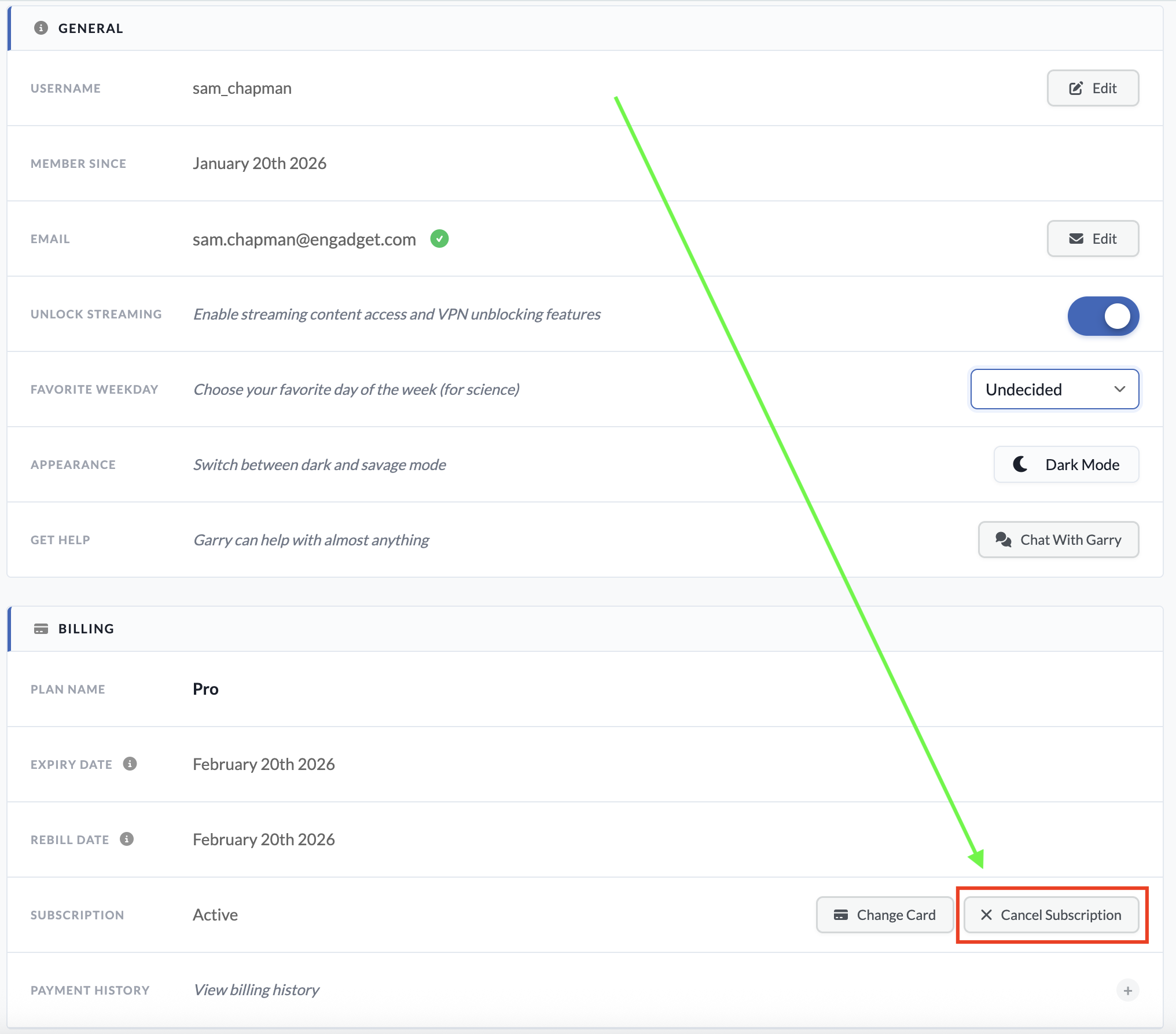
  1. In your browser, navigate to windscribe.com. Click the words My Account at the top of the home page.

  2. Scroll down to the billing section. On the subscription line, click the button marked Cancel Subscription.

  3. You'll be taken to a new page. Enter your password in the Your Password field. Below, enter a reason for cancellation (this can be "none" or possibly "suck it," which Windscribe should approve of).

  4. Click the Cancel Subscriptions button at the bottom of the page to end automatic renewal on your account.

You can reach this page by logging into your account on Windscribe.com.
Sam Chapman for Engadget

If your account also included a static IP subscription, there's no way to cancel that through the usual dashboard. You'll have to submit a support request by asking the Garry chatbot, which can be accessed by clicking the icon at the bottom-right corner of any page on windscribe.com.

When you subscribe to an app through a third party like the Apple App Store or Google Play Store, that same third party also handles cancellations and refunds. Windscribe itself won't be able to do anything for you here.

If you subscribed through Google Play on an Android phone, you can cancel by opening the Google Play Store app and tapping your profile icon at the top-right (a circle with the first letter of your username inside). Tap Payments & Subscriptions in the menu that appears, then subscriptions on the next page. Find your Windscribe subscription, tap it and click Cancel Subscription to end payments.

If you went through the App Store on an Apple device, open the Settings app, then tap on your name at the top of the screen. Tap Subscriptions and scroll down to your Windscribe subscription. Tap it, then tap Cancel Subscription.

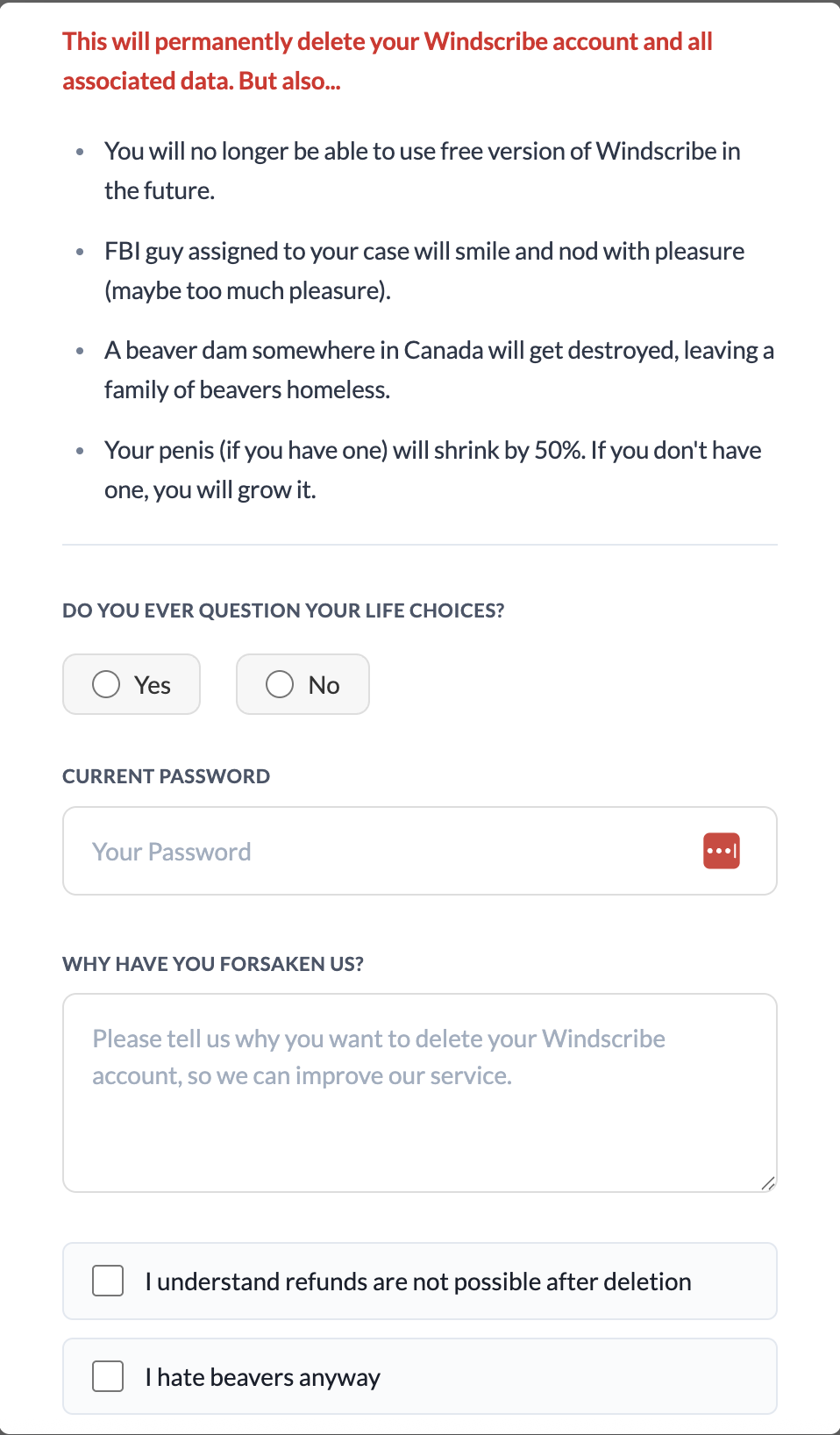
If you're certain you want to stop using Windscribe and never start up again, you can scrub your presence from its servers by deleting your account. To do this, go to windscribe.com and click the My Account button in the header bar. Scroll all the way to the bottom and click on the obnoxiously titled Give Up On Privacy button. This will show you the following image.

I realize I'm harping on this, but Windscribe gets exceptionally punchable when you try to delete your account.
Sam Chapman for Engadget

You'll have to fight through several attempts at comedy to finish deleting your account. Click Yes or No when asked if you ever question your life choices. Enter your password, write whatever you want as a cancellation reason and check both of the boxes below the text field. The Delete Account button should finally be clickable; do it. Once you've pulled the trigger, you won't be able to use the same email address to sign up for another account.

As I warned above, you can only get a refund from Windscribe for seven days after paying for a subscription. You also cannot get your money back if you've used more than 10GB of data since the start of the payment period. Finally, you can only get refunded on the first payment of each subscription — renewals are not eligible.

If you're within those limits, you can request your money back by starting a conversation with the Garry chatbot. Click the chatbot icon at the bottom-right of the Windscribe website to start a chat. Be warned that you might have to stand firm through several attempts to fix your complaints before you can actually initiate the refund process.

Windscribe is a VPN with a lot of good points. That said, by the time you've waded through a swamp of dick jokes to complete the process, I wouldn't blame you for feeling validated in your decision to get rid of it.

There are plenty of good VPNs that can replace Windscribe. My favorite is Proton VPN, which also has a free plan, though without the ability to select your own server. ExpressVPN is simple and powerful, if a little overpriced, while Surfshark is the fastest VPN overall. If you liked Windscribe for its non-VPN features, NordVPN has the best range of extra perks.

This article originally appeared on Engadget at https://www.engadget.com/cybersecurity/vpn/how-to-cancel-windscribe-and-get-your-money-back-173000785.html?src=rss

This Trolley Stacks and Rotates Like Shipping Containers at a Port

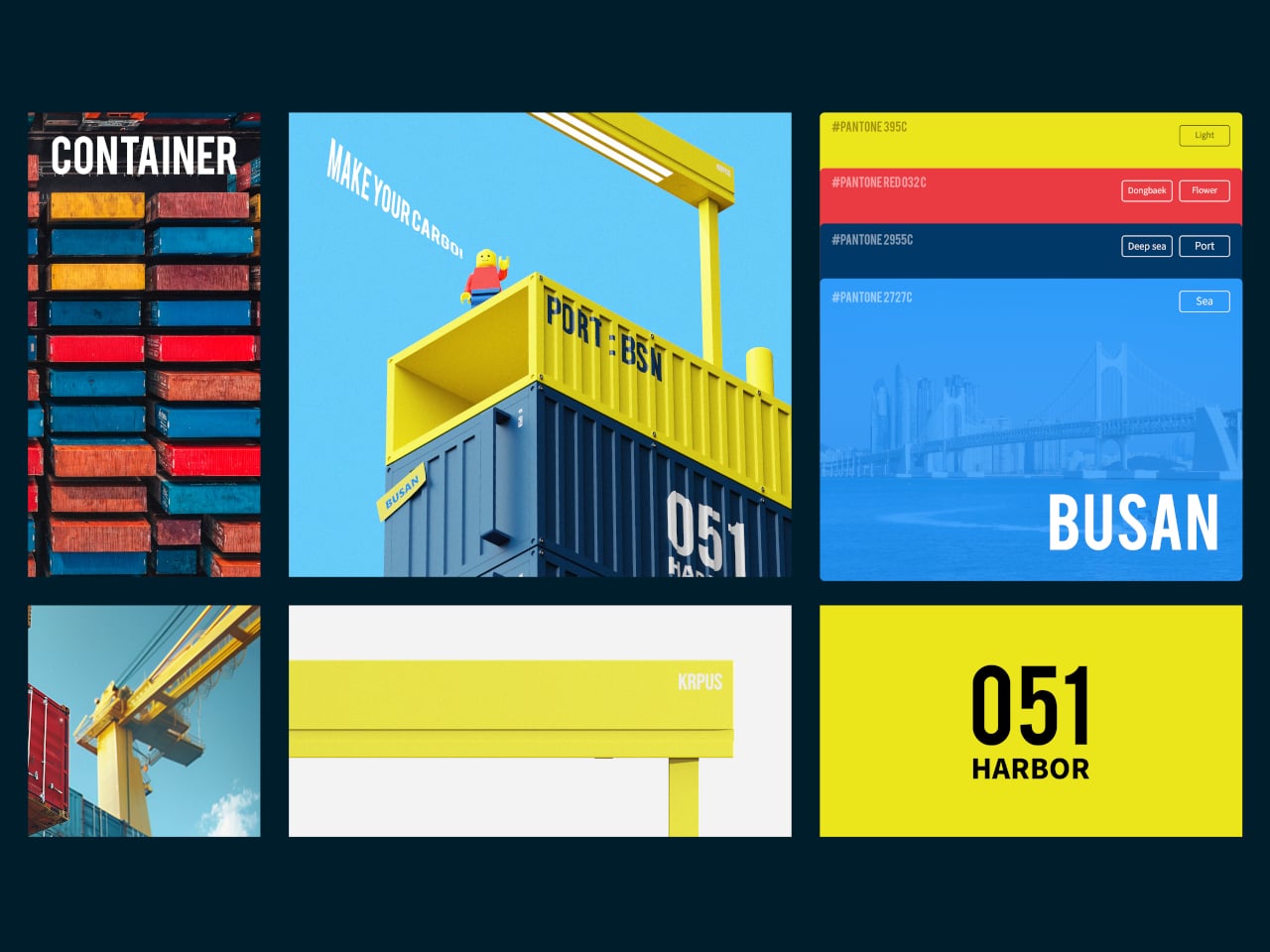
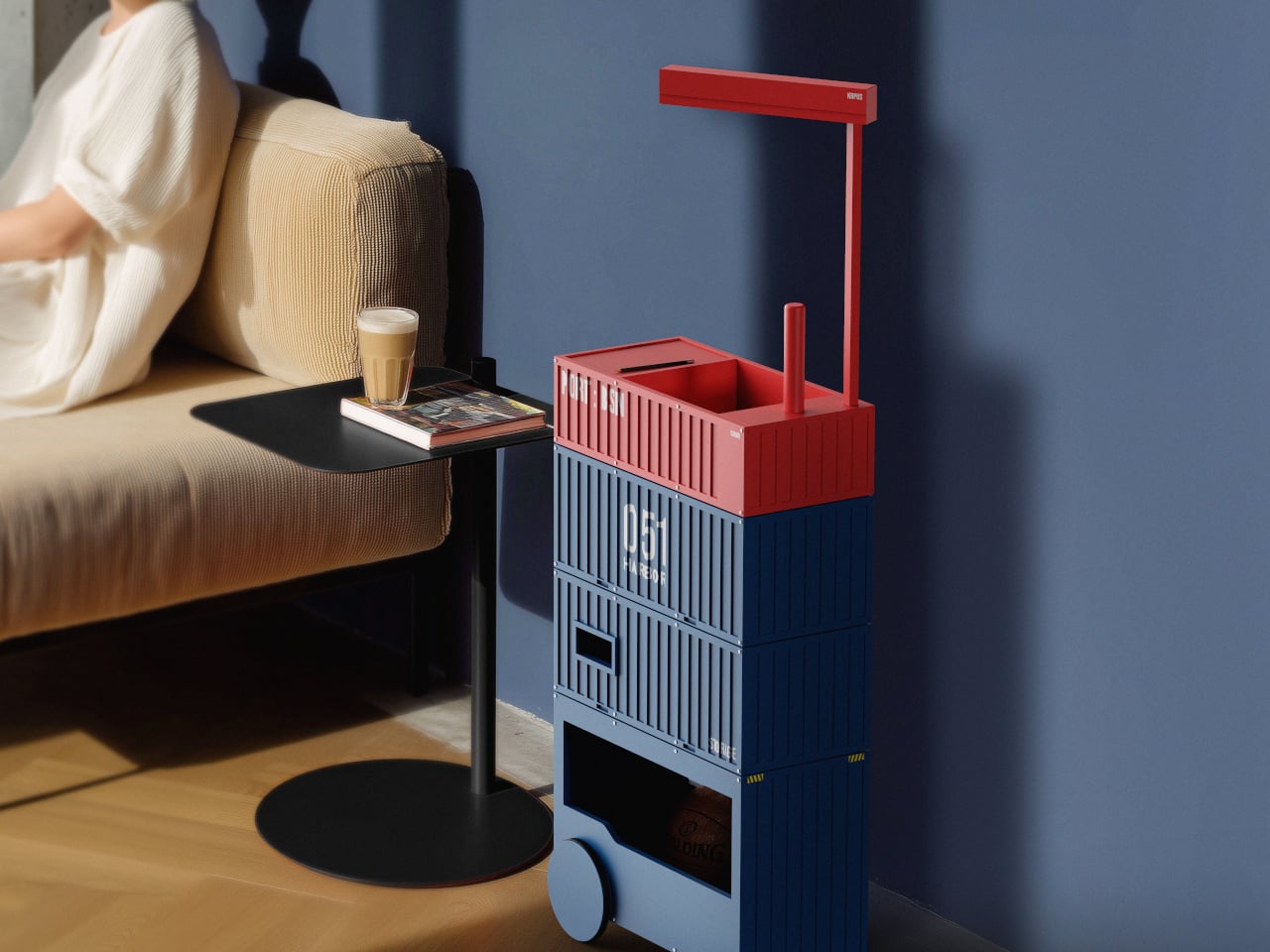
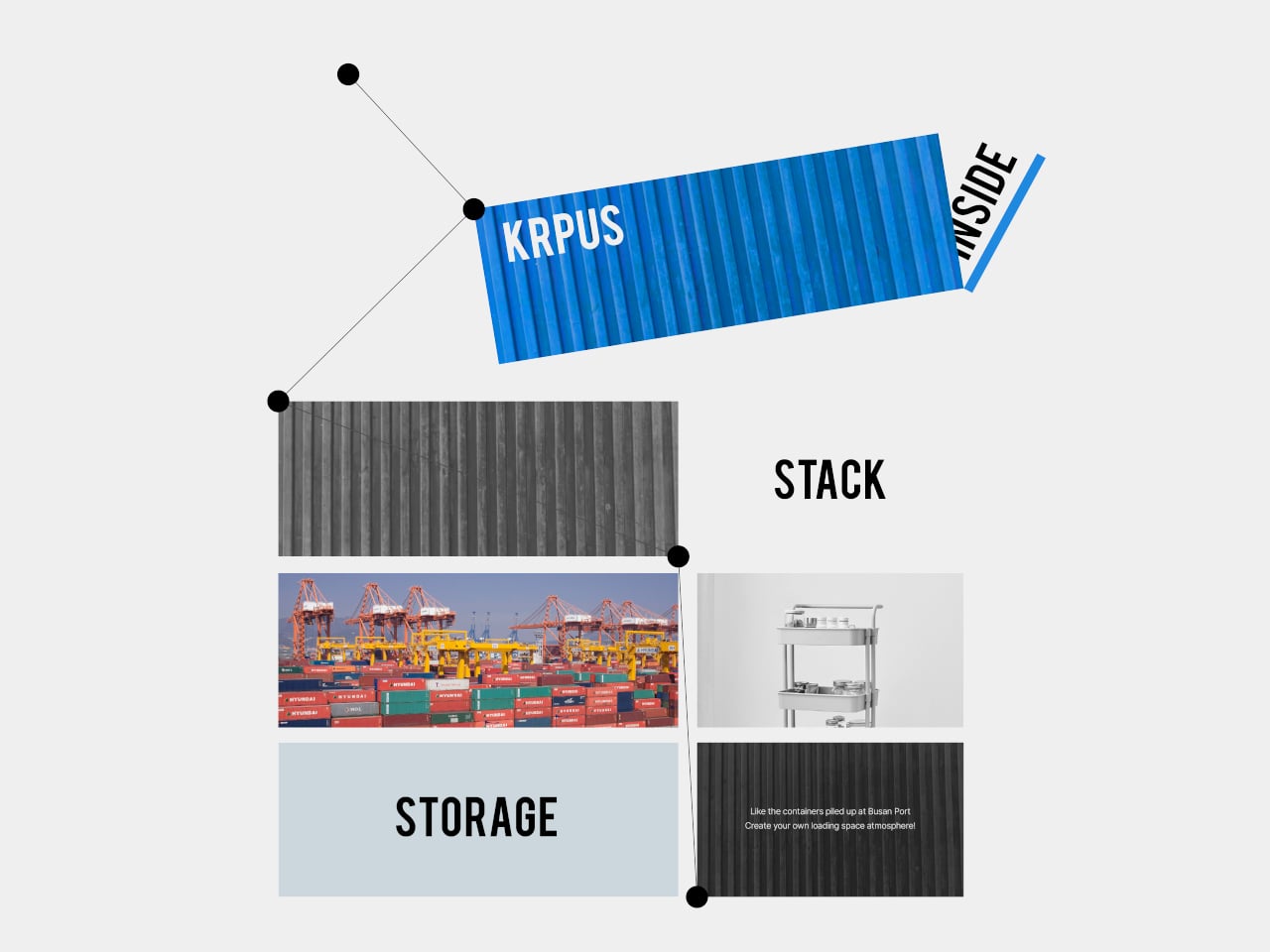
Most storage furniture sits where you put it, fixed shelves and cabinets that do their job but rarely respond to how space changes during a day. Trolleys help with mobility, but they often feel generic, more utility than character. Harbor 051 is a storage trolley that borrows its logic from a place built entirely around movement and stacking, Busan Port, where containers shift and cranes swing in a constant choreography.

Busan’s harbor is where standardized containers are stacked and moved in regular patterns, and where cranes handle goods with a rhythm that becomes its own visual language. Harbor 051 takes that logistical landscape and reinterprets its structure and rhythm into storage furniture, applying the repetition and organized arrangement of containers to the way the trolley is built and used at home, echoing the port’s distinctive sense of flow.

Designers: Ho joong Lee, Ho taek Lee

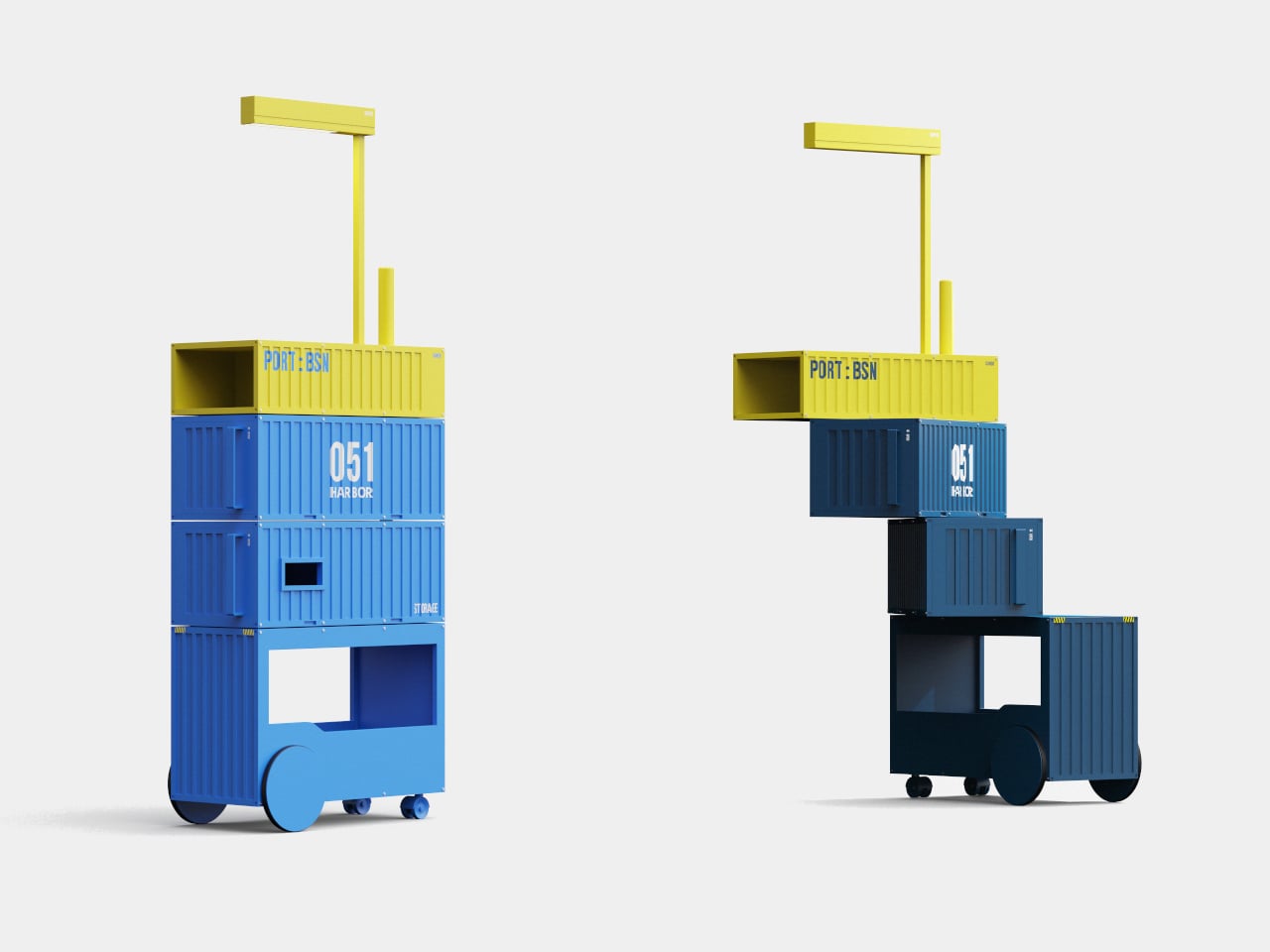
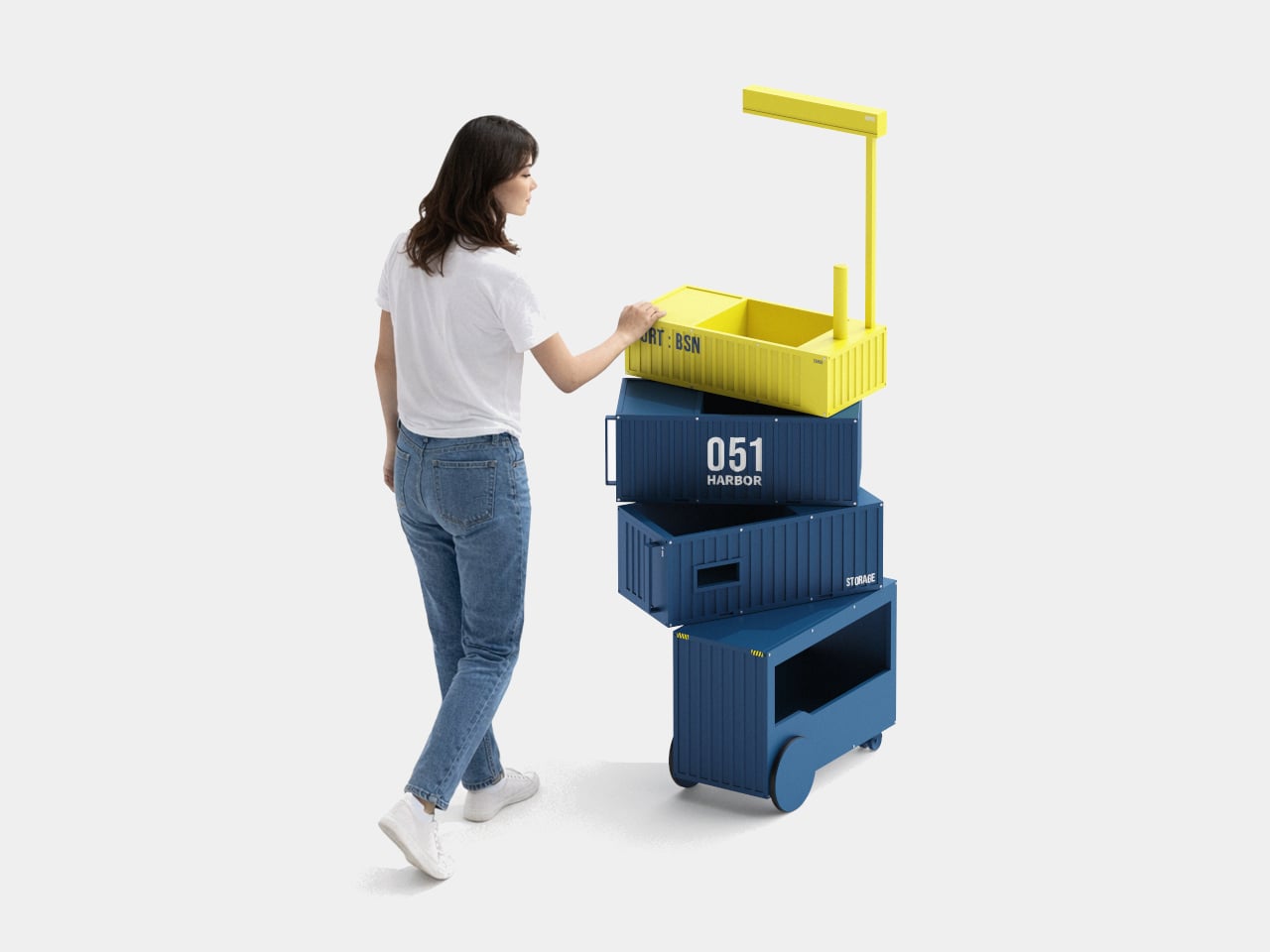
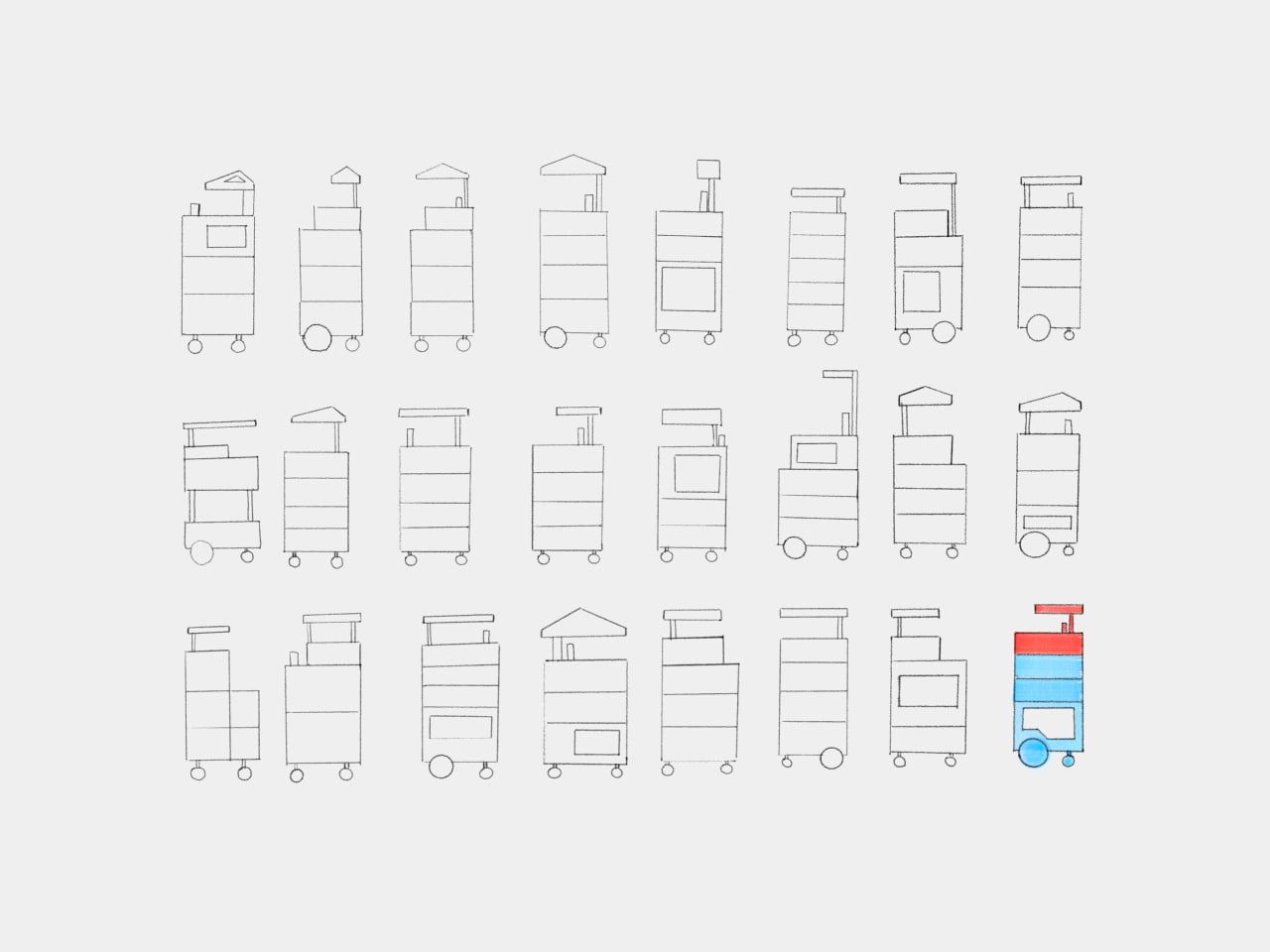
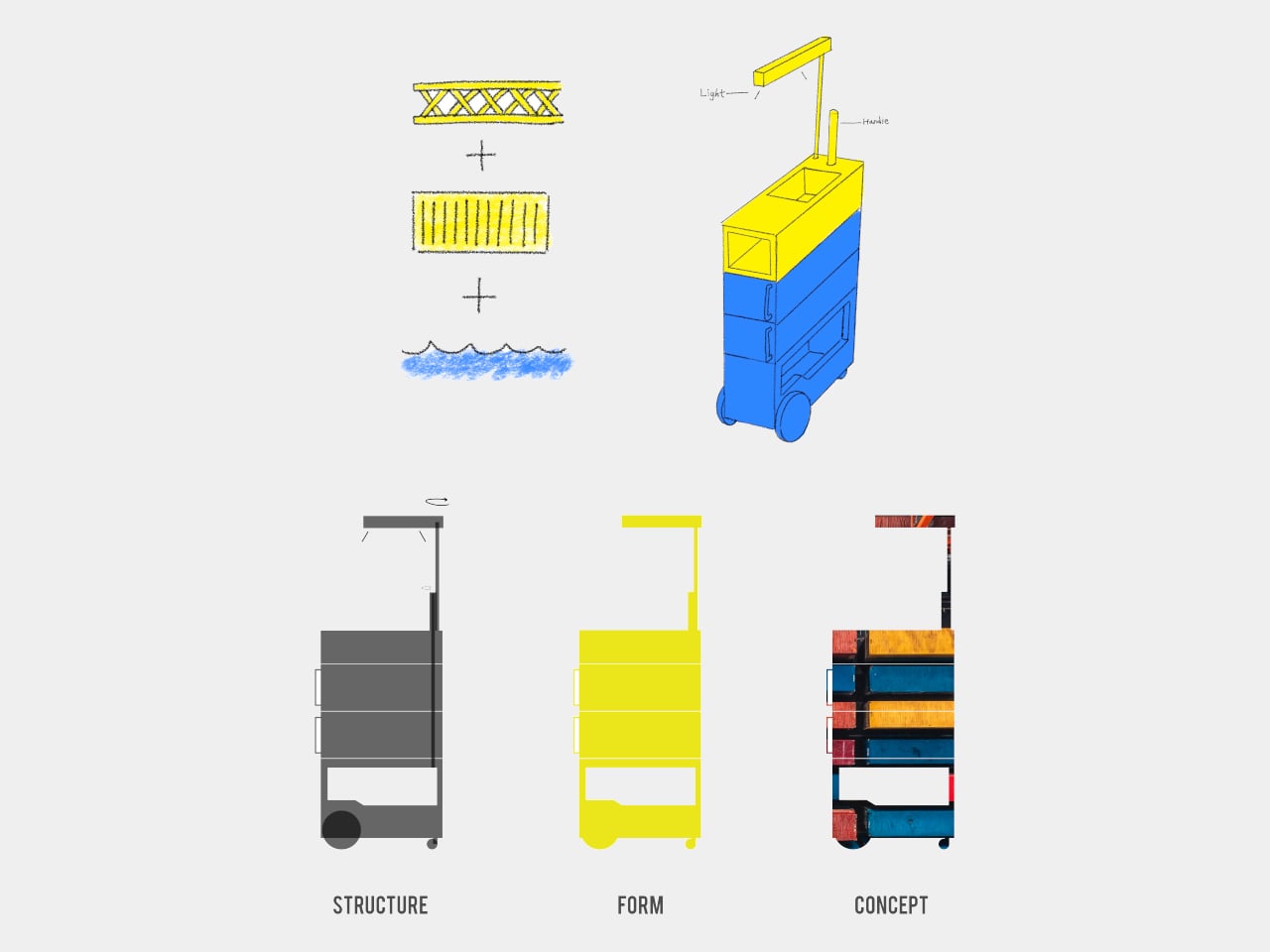
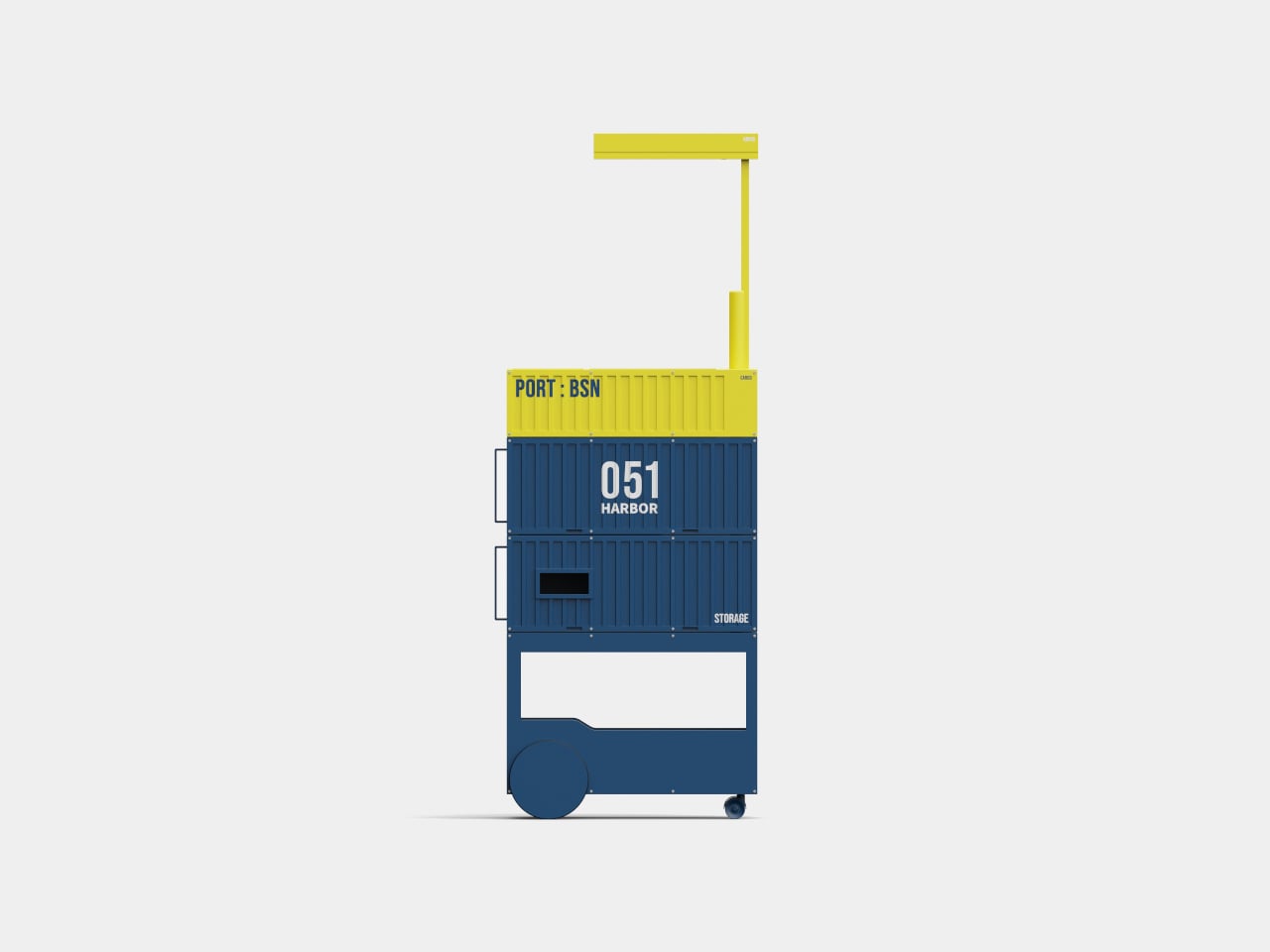
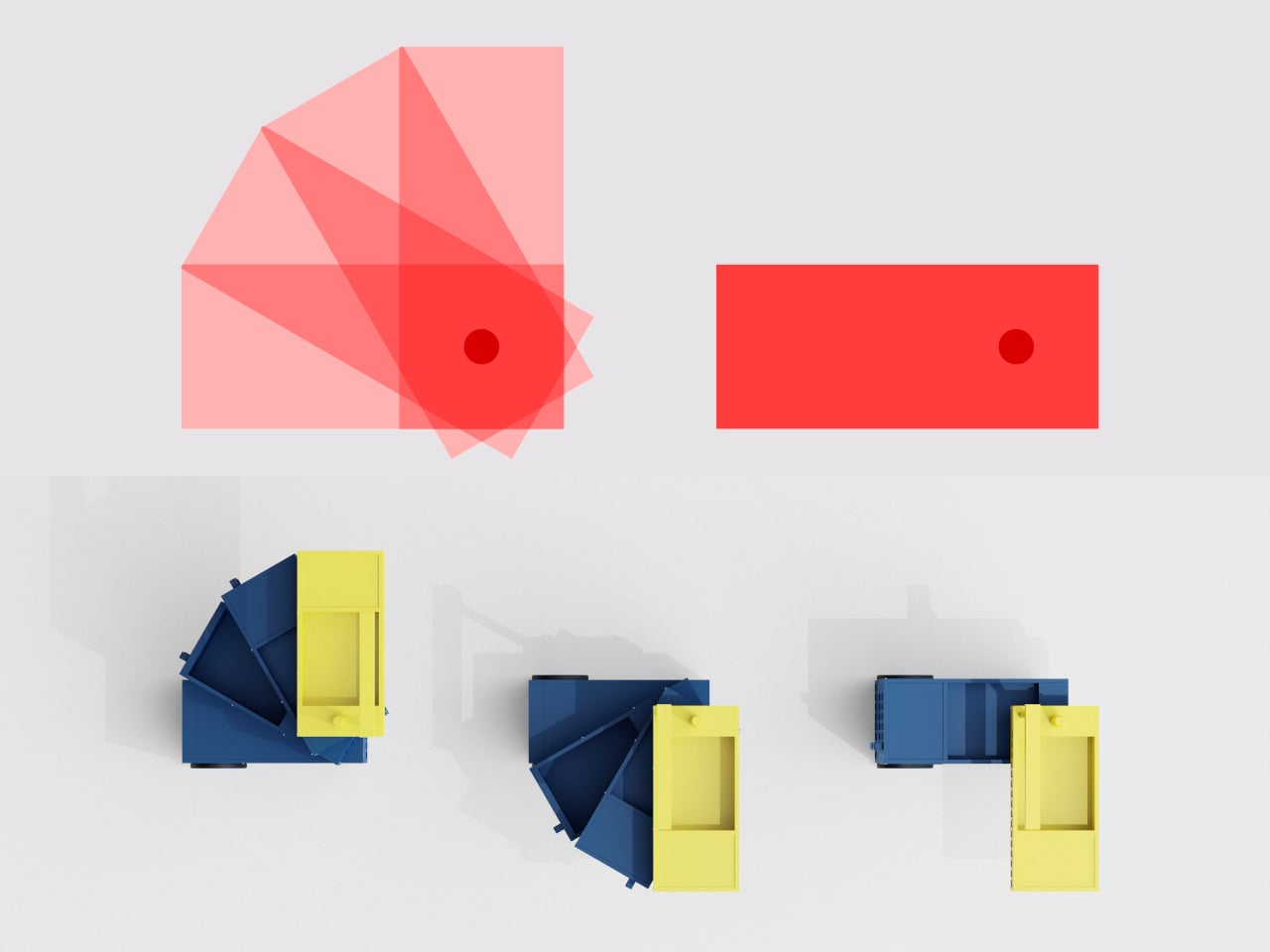
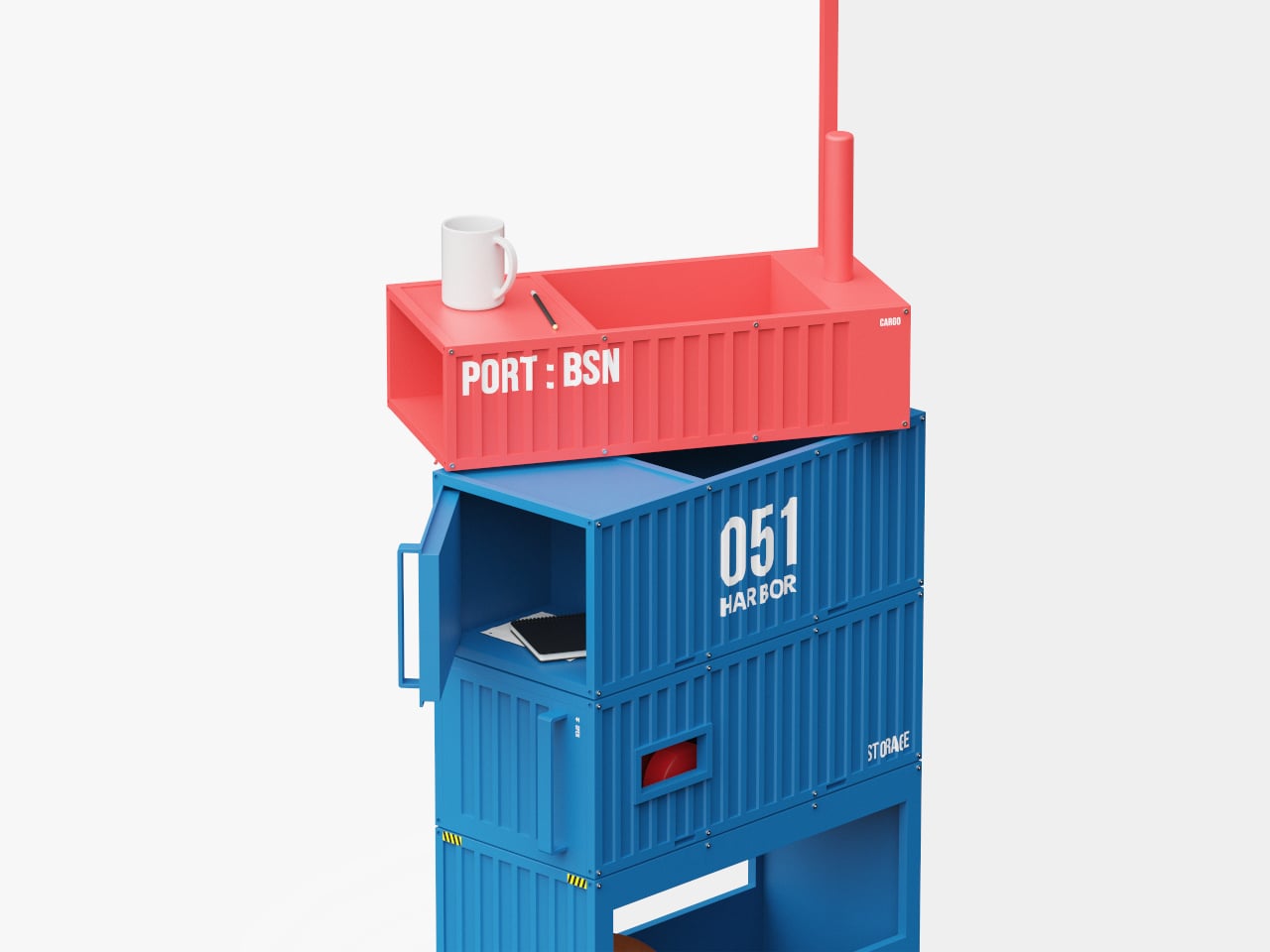
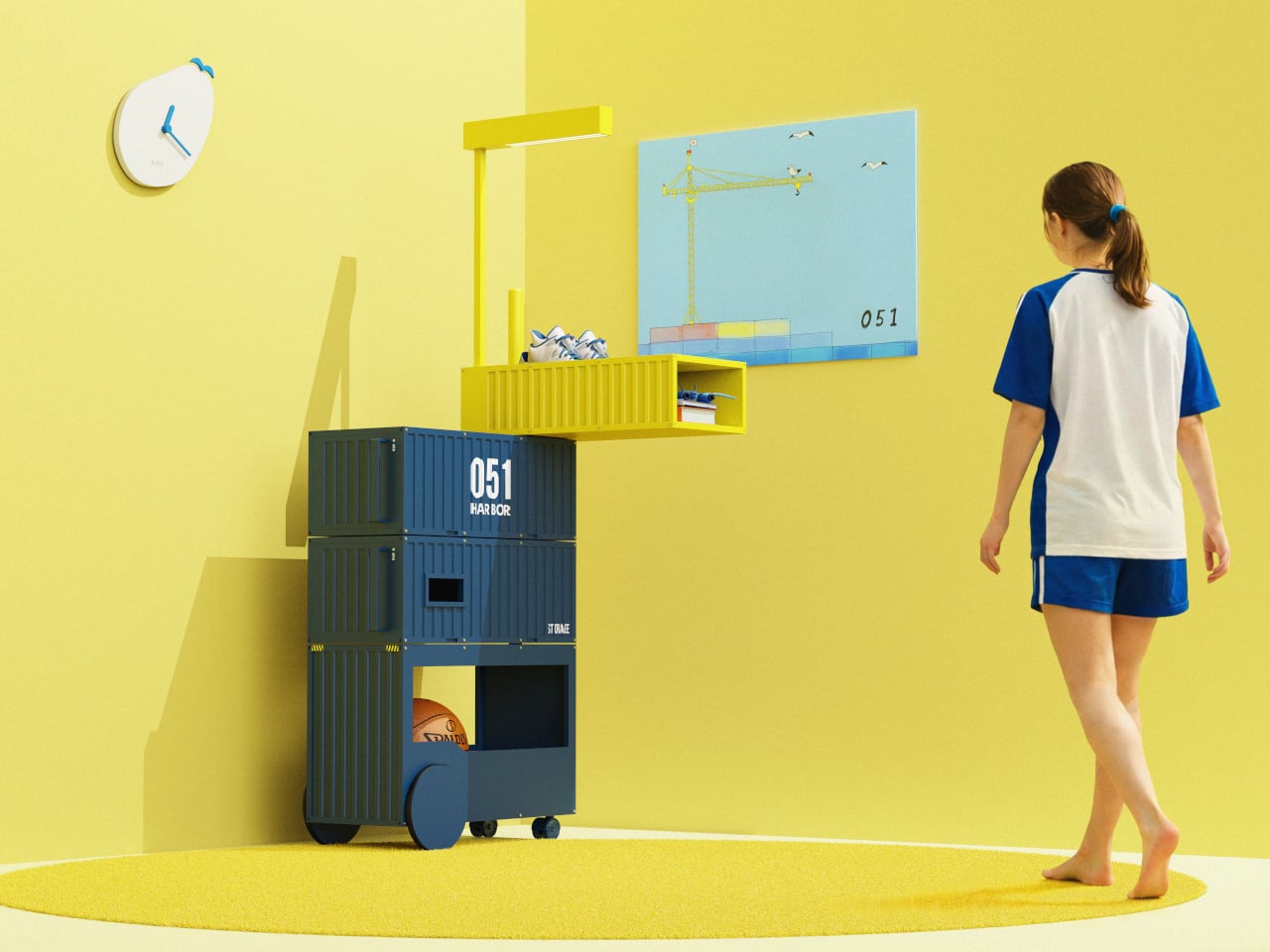
The trolley consists of four container-like boxes stacked on a wheeled base, each able to pivot around a central axis. In a narrow hallway or next to a desk, you keep them aligned as a compact tower. When you settle on the sofa or work at a table, you swing modules out to the side, opening up access to books or supplies without taking over the floor.

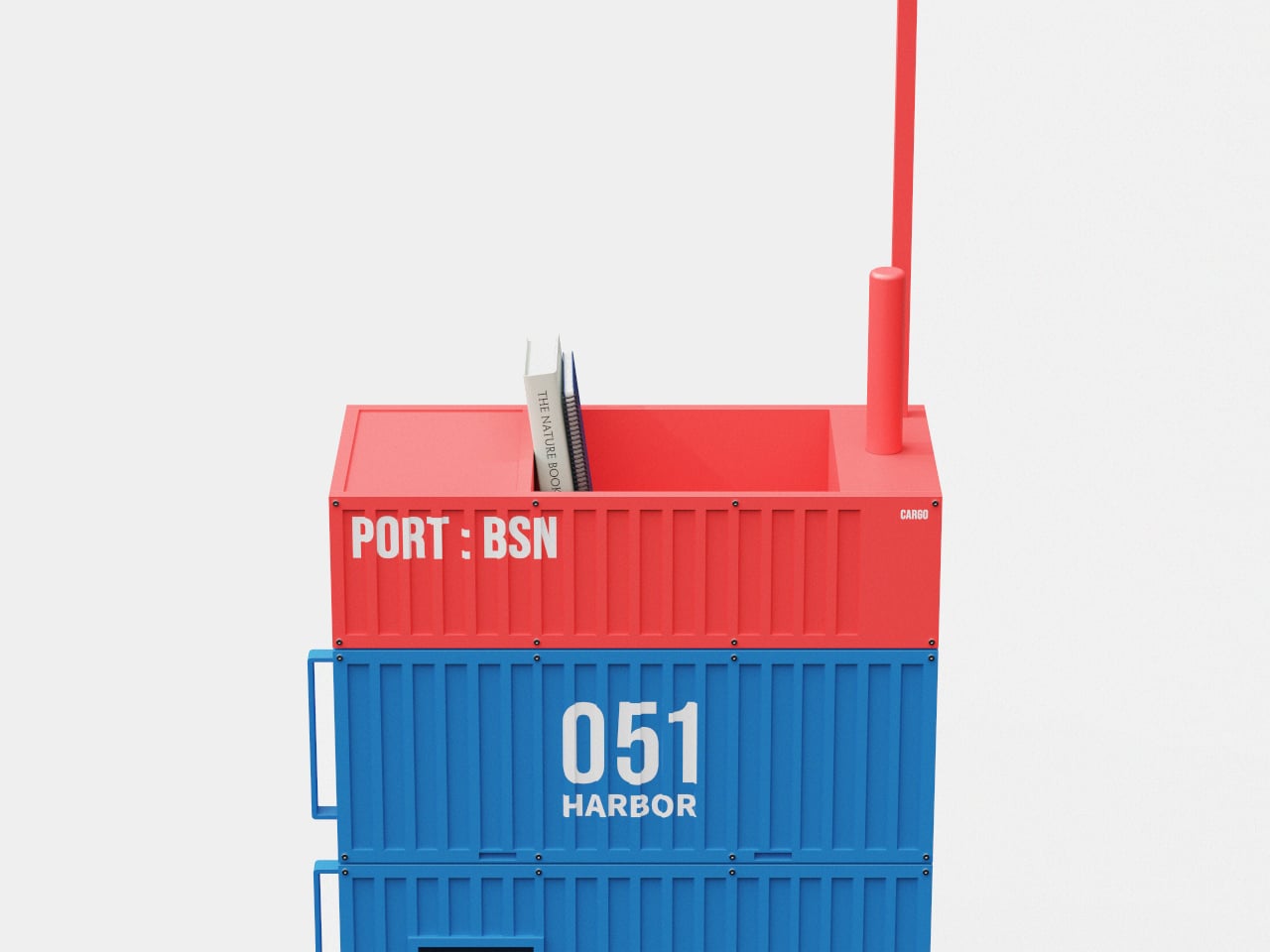
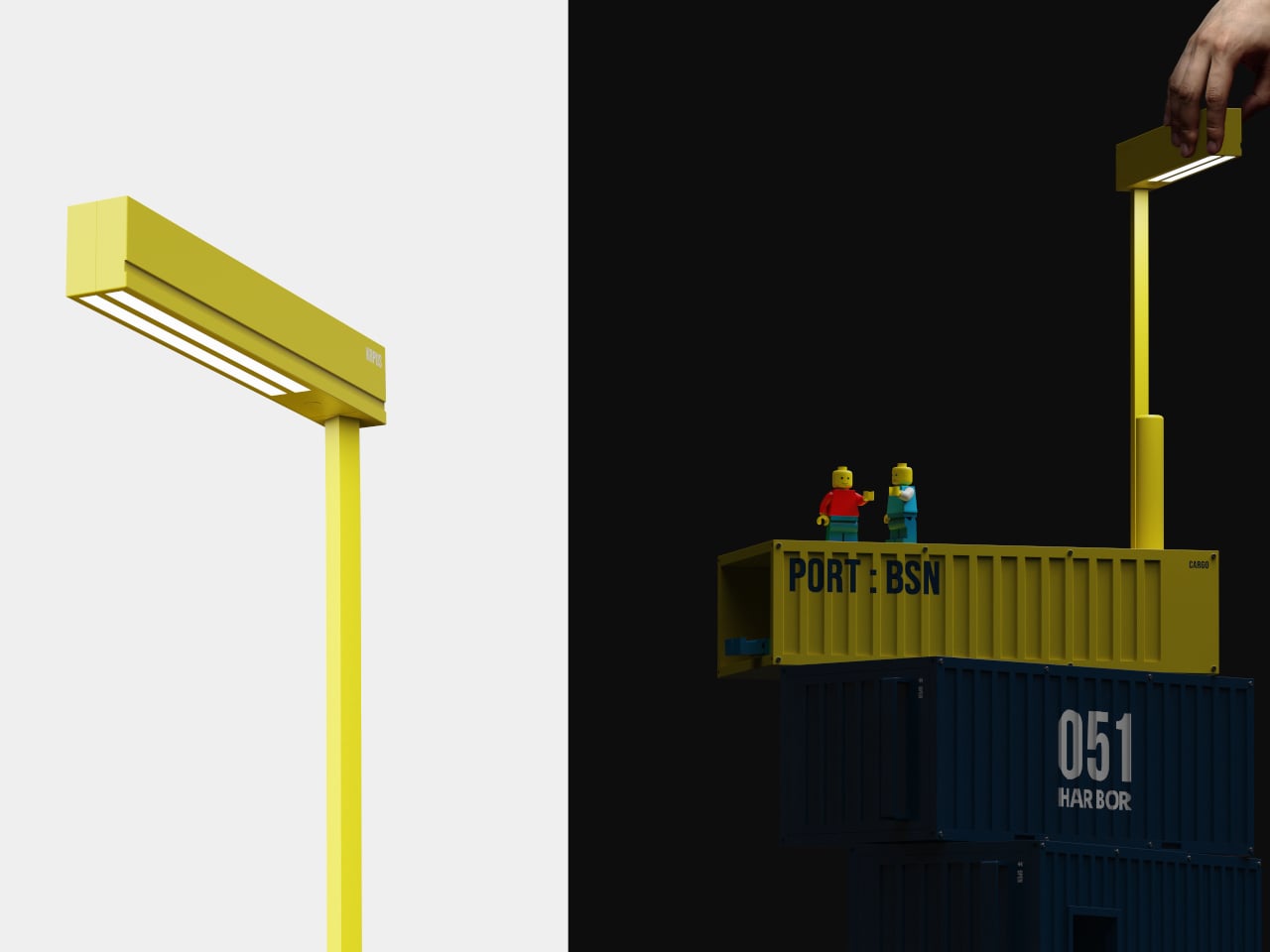
A vertical mast rises from the top, capped with a horizontal beam that doubles as a light. It reads like a tiny crane or gantry, giving the trolley a clear front and sense of direction. In a living room, that light becomes a reading lamp or soft ambient glow, while the mast acts as a subtle signpost, a little landmark instead of anonymous storage hiding in a corner.

The colors are pulled directly from Busan and its port. Yellow comes from cranes and working equipment, navy and blue from the sea in front of and beyond the harbor, and red from the camellia flower that represents the city. In practice, that means a base of deep blue containers, a bright yellow mast, or a red top module bringing energy into an otherwise neutral space.

Harbor 051 is more than a playful reference. The rotating structure makes storage and placement genuinely flexible, the wheels let it move between rooms, and the integrated light adds another layer of function. It is a small example of how a logistics system’s order and rhythm can become a domestic tool instead of staying at the edge of the city.

Harbor 051 brings a city’s backbone into something you can live with every day. Instead of a generic cart, you get a trolley that feels like a stack of containers paused mid-movement, ready to pivot as your day shifts. Storage does not have to be invisible to be useful; sometimes the most satisfying pieces are the ones that quietly carry a story from outside your window into the room where you spend time.

The post This Trolley Stacks and Rotates Like Shipping Containers at a Port first appeared on Yanko Design.

Razer made a web app version of Synapse

Gaming peripheral company Razer has announced the beta release of Synapse Web, a browser-based version of its desktop software. The web app is intended for quick adjustments when away from home, such as LANs or tournaments, where downloading the full desktop version may not be possible or practical.

At launch, Synapse Web will only support the Razer Huntsman V3 Pro keyboards, though Razer says more devices will be added down the line. Using any Chromium-based browser, users can make quick changes to key settings, apply Chroma RGB quick effects and manage on-board profiles. These profiles can then be viewed, edited and saved directly to the keyboard’s device memory, so the configuration stays consistent when moving between PCs.

The company says the new web-based tool is meant to "complement" Synapse 4, the most recent desktop version, but its appeal may be in providing an alternative altogether. Even a cursory search online will turn up years of complaints that Synapse is riddled with bugs, so fans of the brand may be happy to use a pared-down web app if it means more reliability. Razer says you'll still need the full app for advanced customization and "deeper device integration" like multi-device RGB syncing or game-specific profiles.

This article originally appeared on Engadget at https://www.engadget.com/gaming/pc/razer-made-a-web-app-version-of-synapse-170715465.html?src=rss

MSI’s refreshed Prestige series laptops are now available to buy

The latest lineup of MSI's Prestige laptops is now available to buy. The company unveiled its next-generation business laptop at CES earlier this month, all of them powered by the latest Intel Core Ultra Series 3 processors.

Available in configurations that include up to the Intel Core Ultra 9, the updated Prestige series are equipped with chunky 91Wh batteries and, depending on the model, offer over 30 hours of 1080p video playback. In more real-world terms, if you’re on a work trip and know you won’t always have a power supply to hand, you can trust one of these to get you through a day of heavy multi-tasking.

The new Prestige models are encased in full aluminum and are slimmer than their predecessors. They feature vapor chamber cooling and dual-fan architecture to ensure they stay cool and quiet while you work. If you pick up one of the convertible 2-in-1 Flip models, you can work with a stylus too.

There’s a 2.8K OLED display option for the Prestige 16 and 16 Flip, with support for VRR and DisplayHDR True Black 1000. The Flip 14 keeps the OLED, but the resolution drops to FHD+ and you lose the VRR.

The full lineup is now available in the US, with prices starting at $1,299. 

This article originally appeared on Engadget at https://www.engadget.com/computing/laptops/msis-refreshed-prestige-series-laptops-are-now-available-to-buy-165234479.html?src=rss

Freescape puts side-extending inflatable pop-up roof on a Ford camper van

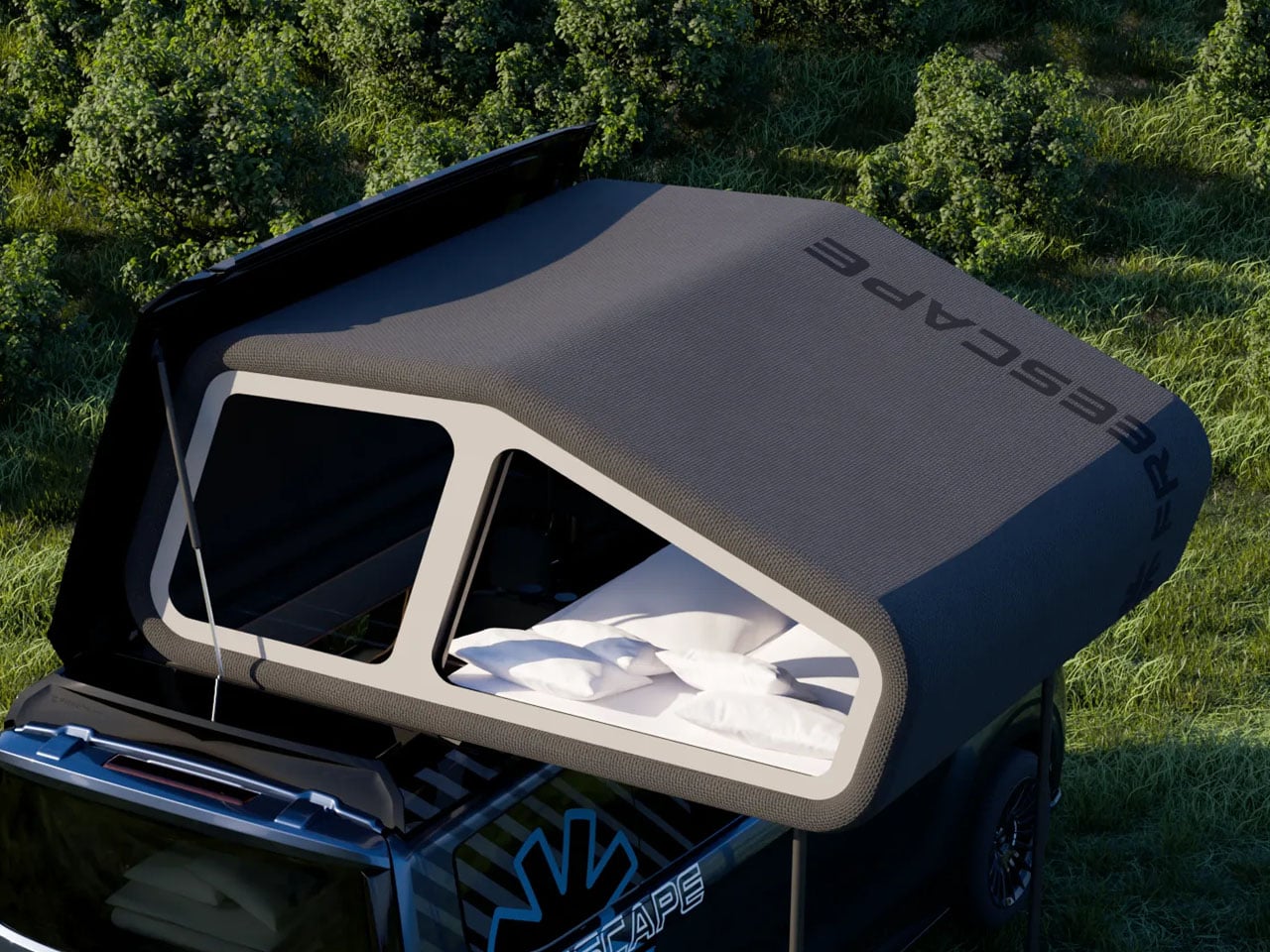
Just a few days ago, we saw a caravan featuring a pretty unique pop-up roof concept. It used an electronically lifting upper shell to double the interior space. The Freescape camper van is another rig that stands out thanks to its innovative pop-up roof system. It features an inflatable rooftop system that expands the vehicle’s interior and creates a comfortable sleeping area in a truly unconventional way.

The roof tent swivels to one side, rather than sitting directly above the living area, leaving full headroom inside the van at all times. It is for the first time that such a concept for expanding the camper van living space has surfaced and is making way into a production vehicle. The van features a roof that tilts toward the driver’s side, allowing an inflatable tent inside to create a full sleeping space on the rooftop. It takes almost seven minutes for the entire thing to set up. The retraction is much quicker; more on that later.

Designer: Freescape

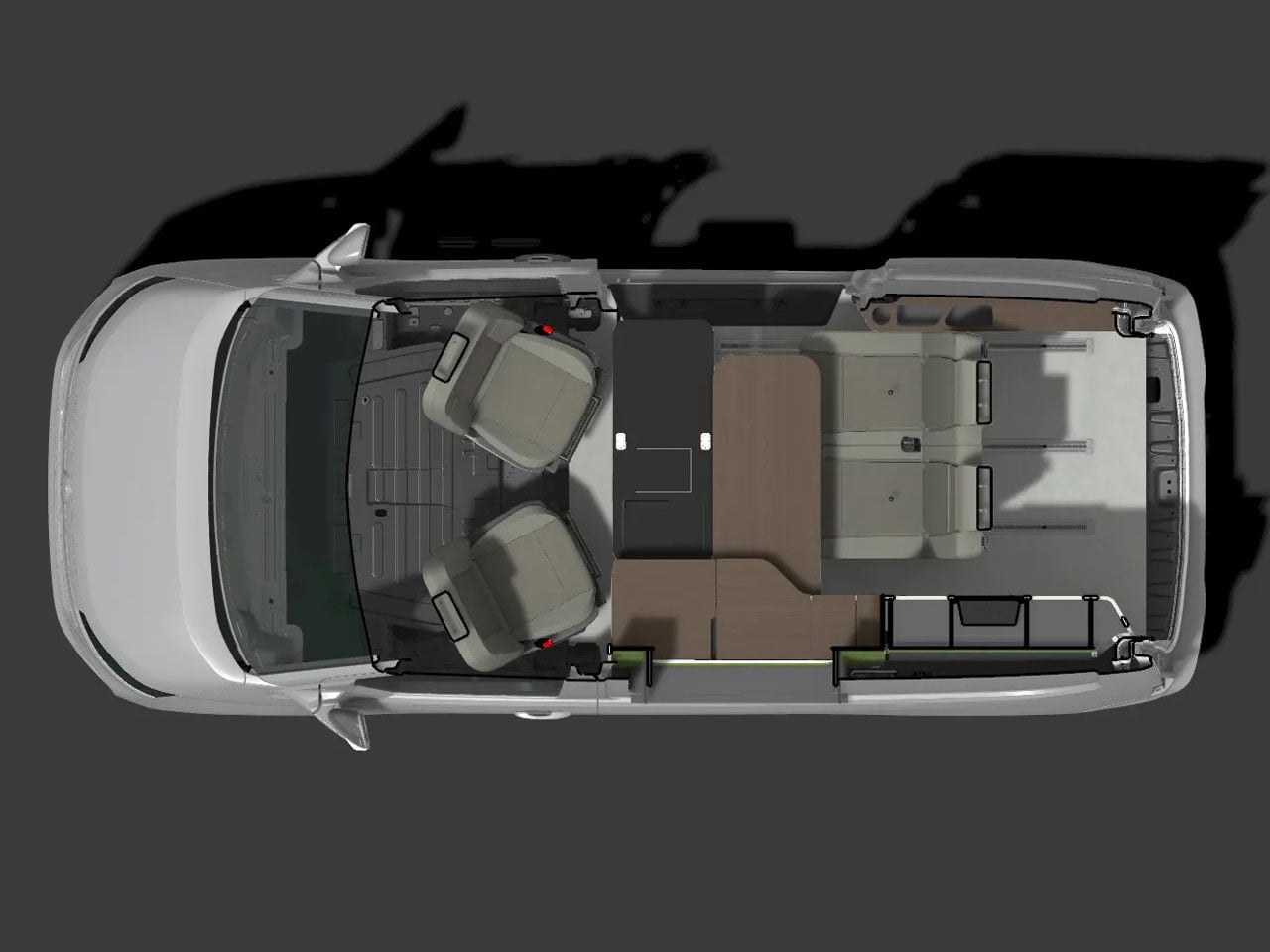
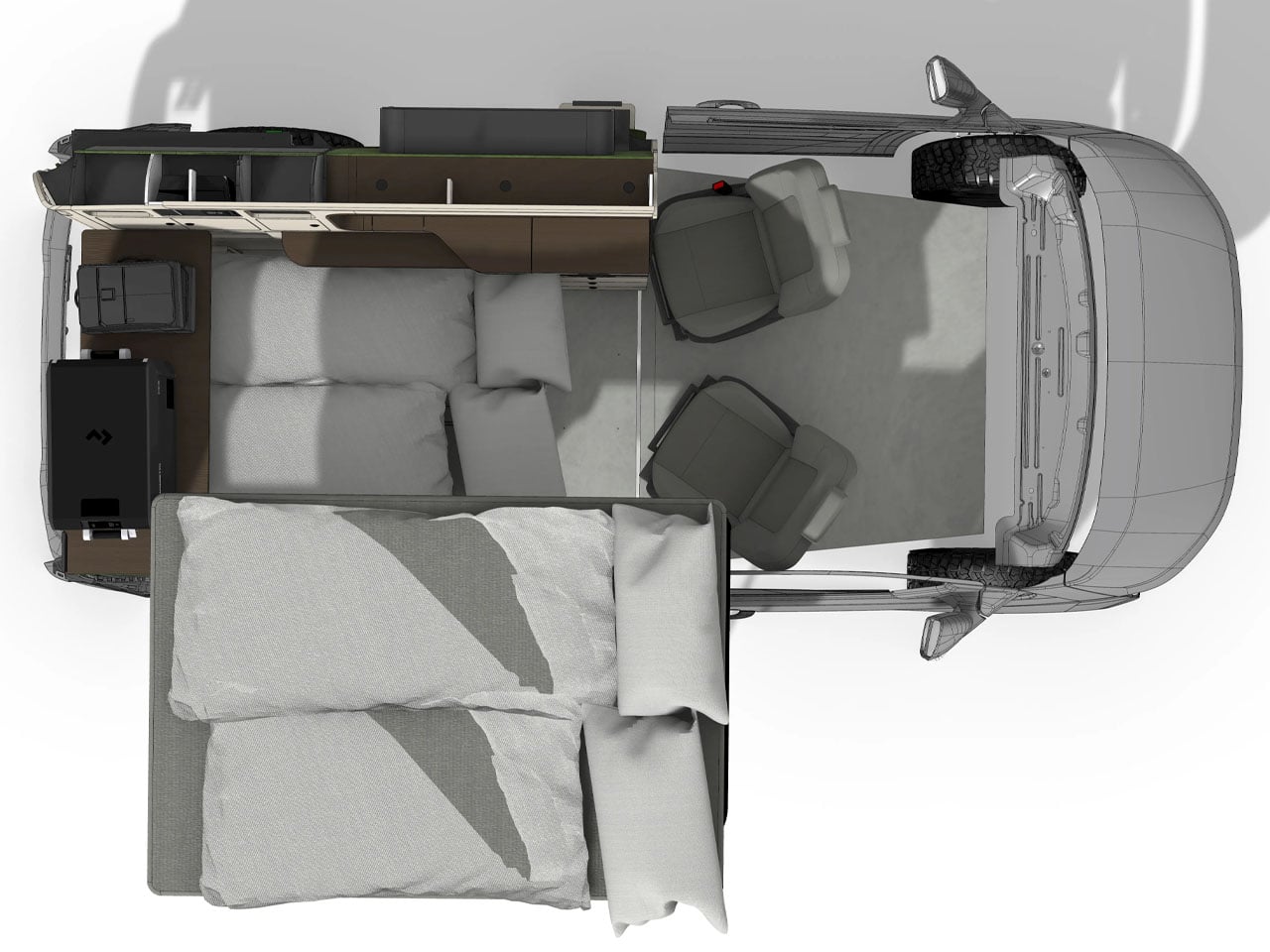
The new Freescape camper van has a flexible floor plan, which is also starkly different from ideas we have seen over the past. But, it’s frankly the patented pop-up roof that stands out on this all-wheel drive adventure camper van, which is based on the Ford Tourneo Custom and is configurable for the great outdoors and also for city commuting.

s

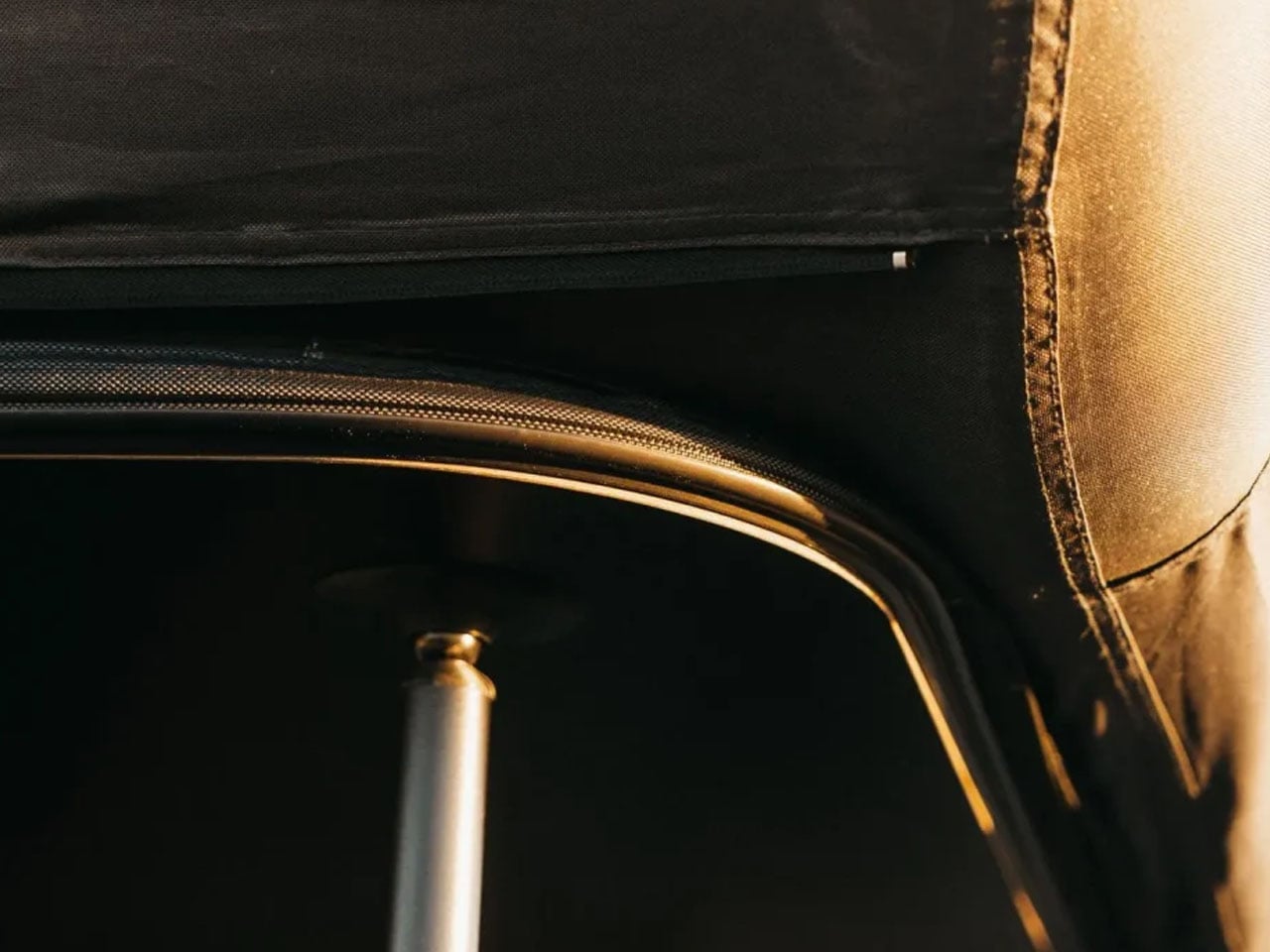
The side-extending pop-up roof of the Freescape camper van leaves the full amount of headroom inside the van while providing a 79 x 55-in double bed to sleep two people comfortably. It is set up on two support poles for stability. The roof-top tent is designed with multiple valves; one, to make the deflation quicker, and two to help prevent complete failure if one valve were to leak. Once deflated, it is easy to fold the tent back inside and close the roof.

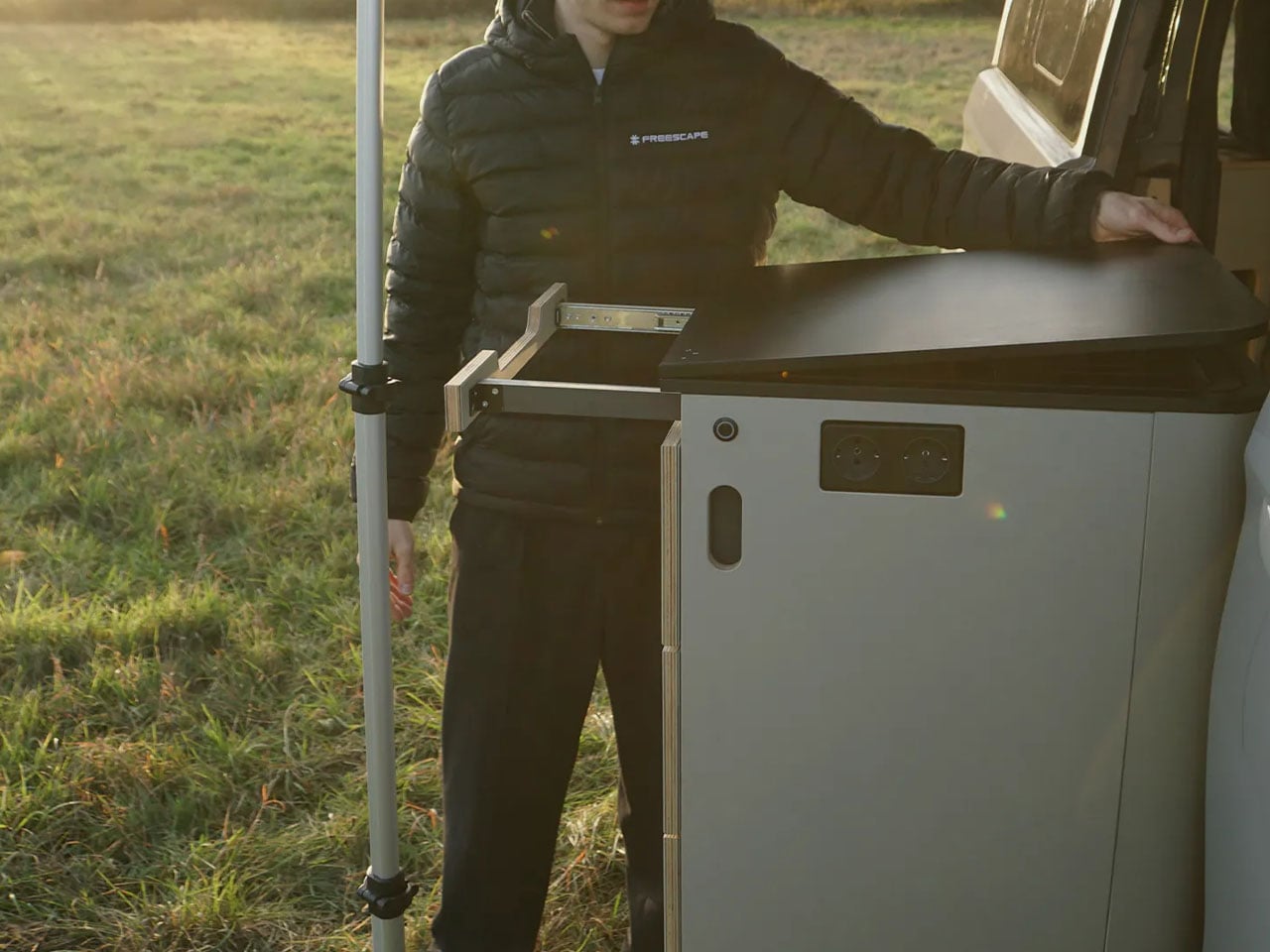
The advantages of a side-expanding roof are manifold. In addition to providing a sleeping space that’s not directly in the van’s roof, hindering the interior headroom, it also functions as an awning, providing shade and weather protection without a separate awning. The camper van has a swivel-out kitchen, which can be aligned below the extended roof awning.

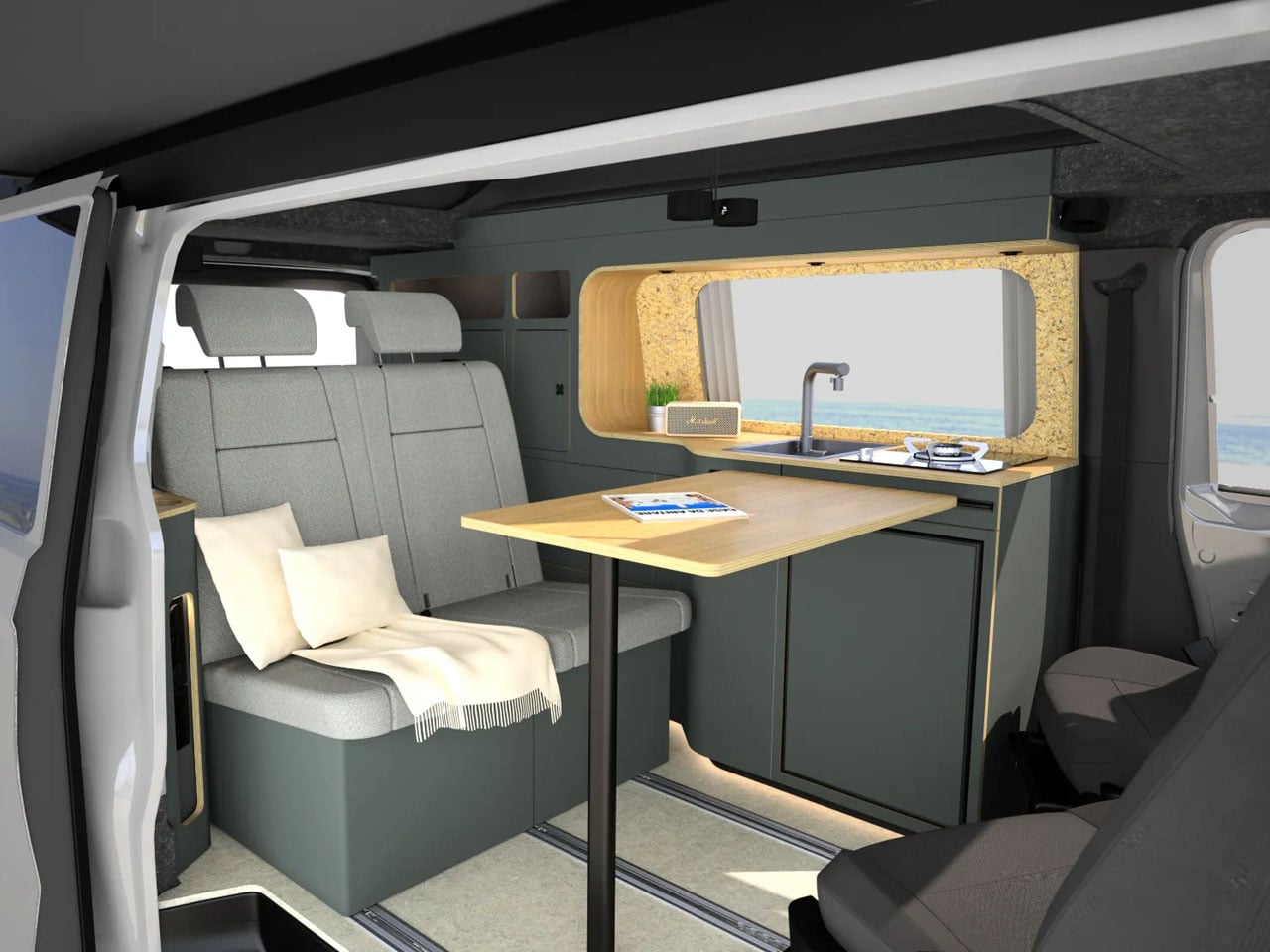
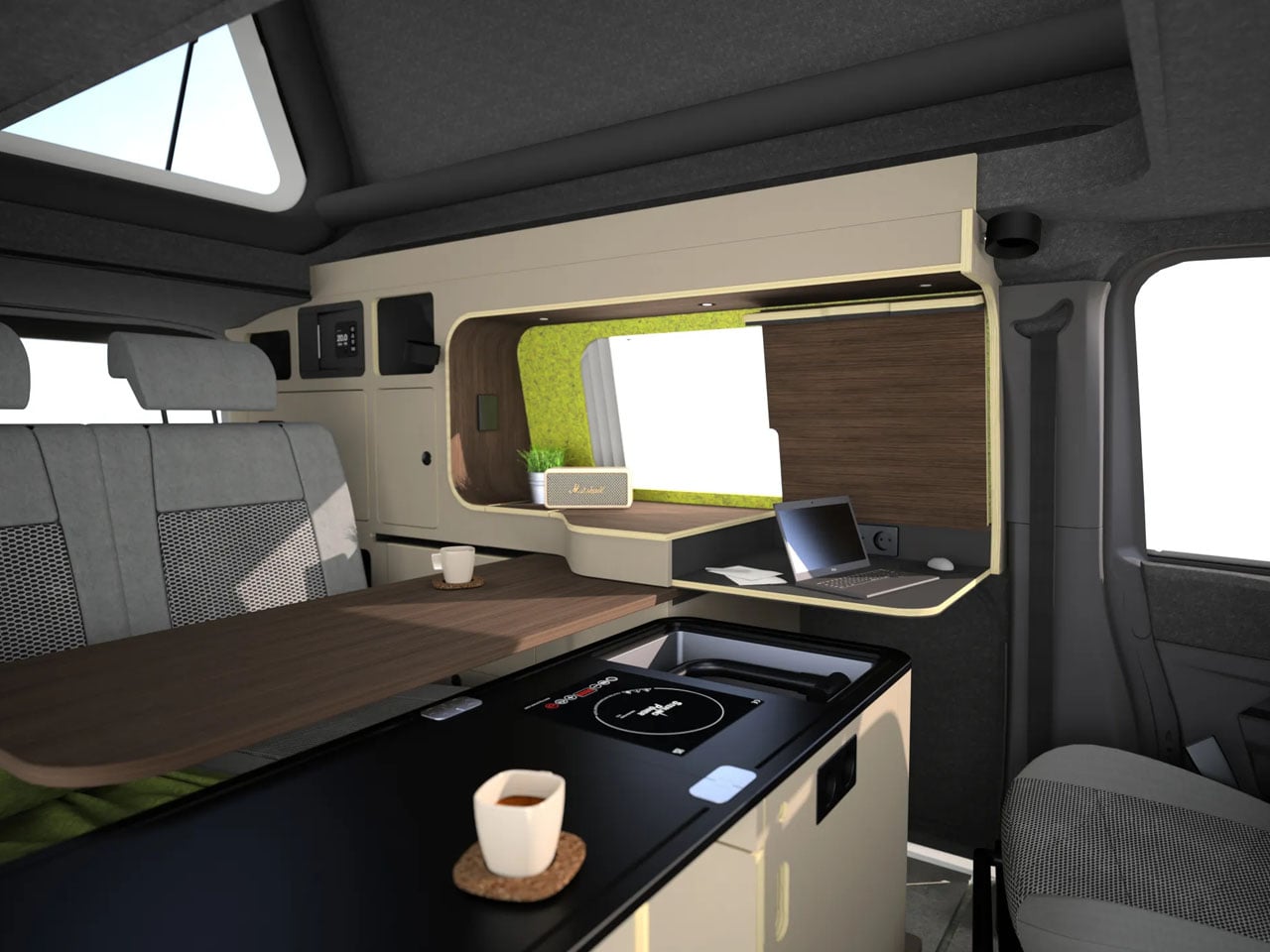
Definitely, Freescape camper van’s inflatable roof is the undeniable difference from the crowd, but the uniqueness of this van doesn’t really stop at the roof. The interior is equally cool. It’s provided with floor rails to move the seats and other hardware around the inside. The seats in the cockpit turn around to face the living area, while those at the back can be lowered to create another bed.

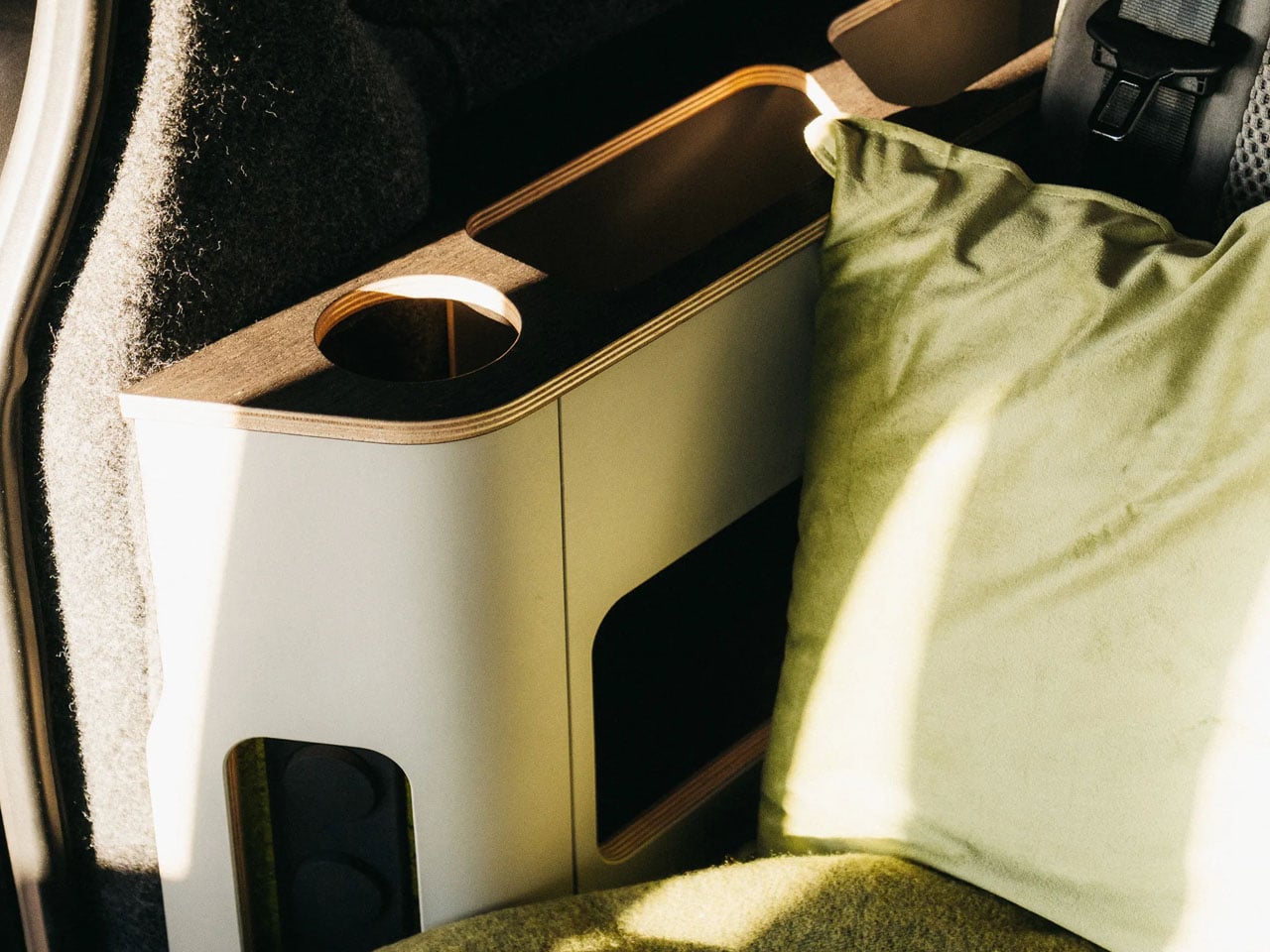
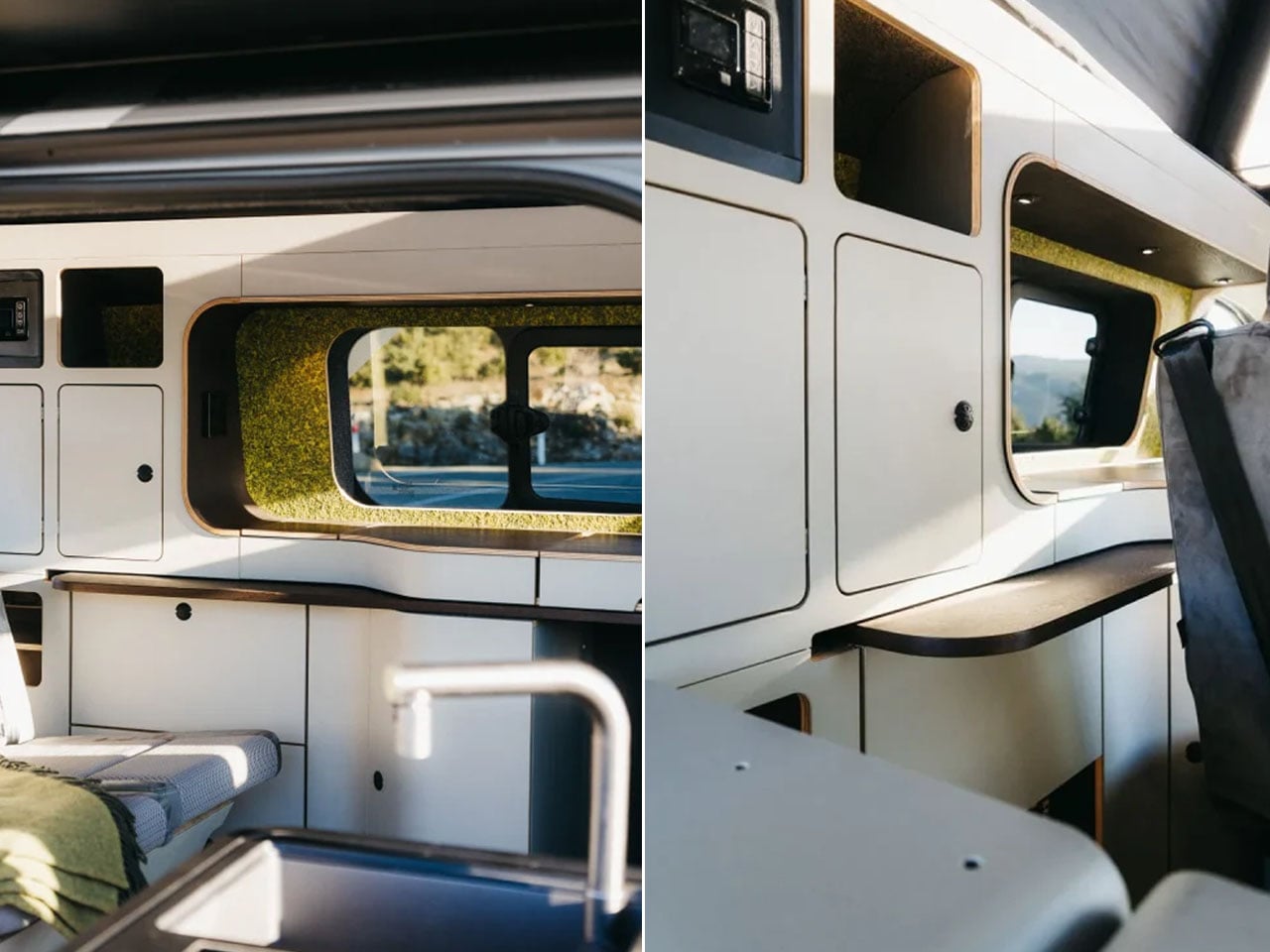
In the middle of the campervan is the multipurpose kitchen block that slides practically around the cabin and even extends out for outdoor cooking. It is provided with an induction cooktop, a worktop extension, and a sink. In addition to this, the sliding swivelling table, which pivots out of the wall, to the middle of the vehicle, functions as a table or work desk.  The camper van may be compact, but it comes with shelf-like modules that stack up in the tailgate area. The removable storage modules can be arranged as required or removed to make space for your sporting gear.

The Freescape is an ideal city commuter is the configuration possibilities inside, but it can also be equipped for off-grid adventures with 340 watts of solar power, a 300-Ah lithium battery, and a 3,000-W inverter. The camper van features a diesel camp heater, portable dry toilet, and a 25-liter fresh water tank, which also connects to an outdoor shower. The demo model for now is based on the Ford Tourneo Custom and costs $79,990. The company aims to provide plans for the Volkswagen Transporter and Caravelle in the near future.

The post Freescape puts side-extending inflatable pop-up roof on a Ford camper van first appeared on Yanko Design.
Scott Pilgrim EX will hit PC and consoles on March 3

Fans of co-op beat-‘em-ups and fictional bass players who kind of suck as human beings might want to mark March 3 on their calendars. That’s when Scott Pilgrim EX is set to hit PS4, PS5, Xbox Series X/S, Xbox One, Nintendo Switch and Steam. 

Developer and publisher Tribute Games announced the release date in a new trailer, which also revealed two more playable characters: Matthew Patel (a member of the League of Evil Exes) and Robot-01, a creation of the Katayanagi Twins. One more fighter will be unveiled in the coming weeks. 

Tribute worked with Scott Pilgrim creator Bryan Lee O’Malley on an original storyline for the game. After Scott’s bandmates in Sex Bob-omb are kidnapped and demons descend on Toronto, Scott and Ramona Flowers set out to save the day with some unexpected allies. Anamanaguchi are making new music for the game, after providing the soundtrack for Scott Pilgrim vs. The World: The Game way back when. 

I’m a fan of Scott Pilgrim vs. The World and I dug Tribute's last two games, Marvel Cosmic Invasion and Teenage Mutant Ninja Turtles: Shredder’s Revenge. So it's safe to say I'll be trying out Scott Pilgrim EX in a few weeks. 

This article originally appeared on Engadget at https://www.engadget.com/gaming/scott-pilgrim-ex-will-hit-pc-and-consoles-on-march-3-160427832.html?src=rss

Super Bowl 2026 TV deals: The best sales we found this week on OLEDs and other smart TVs ahead of kickoff

The big game is one of the few instances now in the US where most people gather around the TV to watch the live event together. While the teams playing in Super Bowl 2026 are the true stars of the show (and Bad Bunny, of course), your TV is a pretty important part of the puzzle of putting together an excellent Super Bowl party. Maybe you’ve been thinking about replacing an aging set, or you’re itching for a full refresh of your home theater setup — either way, you’ll want to try to get a good deal on a new TV. Thankfully, the weeks leading up to the Super Bowl can be a great time to shop for a new TV.

Generally, TV prices steadily decrease after a new model comes out. Some 2026 TV models were announced at CES and are forthcoming things year, making now a good time to look for discounts on 2025 sets. Aside from the holiday shopping season, now is one of the best times of the year to save on a TV. Here, we’ve curated the best Super Bowl TV deals we could find this year, from already affordable sets discounted even further to high-end OLEDs that are hundreds of dollars off.

You can easily find solid 1080p and 4K TV sets within this budget-friendly price range. What you’ll be more limited in is size — most TV deals under $500 we’re seeing right now are on sets up to 55 inches. There are a few 65- and 75-inch models in there, but the pickings are slim.

Roku 24-inch 720p smart TV for $100 (18 percent off)

TCL 40-inch Class S3 1080p smart TV for $150 (21 percent off)

Roku 55-inch 4K smart TV for $248 (29 percent off)

Roku 55-inch Mini LED 4K smart TV for $348 (30 percent off)

TCL 75-inch Class S5 4K smart TV for $480 (26 percent off)

This is where you want to look if you want your new TV to have the richest colors, deepest blacks and excellent contrast performance. Of course, that all comes at steeper prices — it can be difficult to find a good OLED set for less than $1,000, even on sale.

Sony 55-inch Bravia XR8B 4K smart TV for $998 (9 percent off)

Samsung 65-inch Class OLED S95F 4K smart TV for $2,298 (23 percent off)

Sony 77-inch Bravia XR A95L OLED 4K smart TV for $3,498 (30 percent off)

This will likely be the sweet spot for many people when it comes to TV features, performance and price. Good 4K sets are common in this price range, and you’ll also find some Mini LED sets available here as well.

TCL 65-inch Class T7 4K smart TV for $500 (29 percent off)

Hisense 75-inch QD7 Mini-LED 4K smart TV for $548 (16 percent off)

Amazon 65-inch Fire TV Omni Mini LED 4K smart TV for $920 (16 percent off)

TCL 65-inch Class QM8K Mini LED 4K smart TV for $998 (33 percent off)

A good TV is key, but having the right peripherals and accessories to go along with it will complete your home theater setup. Deals we’re tracking right now include discounts on streaming devices, soundbars and projectors.

Sonos big game sale — up to 20 percent off home theater gear: Get the Sonos Beam soundbar for $130 off, the Era 300 speaker for $100 off and more

Roku Streaming Stick HD 2025 for $16 (47 percent off)

Roku Ultra streamer for $78 (22 percent off)

Samsung HW B400F soundbar with built-in subwoofer for $100 (29 percent off)

Anker Nebula Capsule 3 projector for $540 (28 percent off)

Valerion VisionMaster Max 4K projector for $3,999 (20 percent off)

This article originally appeared on Engadget at https://www.engadget.com/deals/super-bowl-2026-tv-deals-the-best-sales-we-found-this-week-on-oleds-and-other-smart-tvs-ahead-of-kickoff-160000654.html?src=rss