The DJI Express UAV Drone Helps Easily Deliver Cargo Over Inter-City Journeys

Designed to extend the range of delivery from specific hubs, the DJI Express can easily make short inter-city commutes to deliver cargo and supplies without needing a semi-truck or even a dedicated driver. Perfect for smaller cities located next to bigger ones, the drone takes on the role of a delivery-agent, helping easily and rapidly cover large distances to complete deliveries.

Designer: Qingsheng Meng

The DJI Express UAV concept, created by China-based Qingsheng Meng, explores a different format from the drones you’re currently used to. Unlike most quadcopter-shaped aerial devices, the Express takes on the shape of a winged eVTOL that can fly longer distances like your regular airplane. However, significantly smaller than most airplanes, the Express UAV, as its abbreviation suggests, doesn’t have any humans inside it. The unmanned aircraft is controlled entirely remotely, relying on a combination of sensors for route-mapping and obstacle avoicance, and a rather massive camera unit on the tip that allows the remote pilot to look around as they maneuver the craft.

The drone’s design can functionally be split into a few distinct groups. You’ve got yourself a winged aircraft with propellers on each side. A high-definition camera mounted on a 2-axis gimbal on the front allows the drone to ‘see’, while the body of the aircraft houses a battery module on top, and the cargo payload at the bottom. Finally, a tail with a dedicated propeller helps with steering and stability.

A close-up of the top shows you the drone’s detachable battery, which comes with an easy-to-pull-out handle for swapping battery cells during a delivery cycle. However, the drone has its own charging port too, allowing you to charge said battery packs – a feature that can be used while the drone’s grounded for a significant number of hours. In front of the battery is a flip-switch that lets you set the drone to auto or manual, hinting at fully-autonomous flying capabilities thanks to the intelligent obstacle-avoidance sensors on the top as well as the bottom of the craft.

The DJI Express UAV’s design also has a rather well-ventilated fuselage that allows wind to rapidly cool the motor and batteries during flight. Cool air passes through the UAV’s body, helping maintain optimal temperatures during flight and keeping the battery healthy over longer journeys. Given the UAV’s fan-made conceptual nature, there are really no concrete details of its size or capabilities, although DJI does have a delivery drone in its enterprise roster – the Flycart 30. That being said, the Flycart still has a quadcopter-style design that severely limits its range and ability to deliver cargo over inter-city commutes.

The post The DJI Express UAV Drone Helps Easily Deliver Cargo Over Inter-City Journeys first appeared on Yanko Design.
Keurig Just Killed The Coffee-Pod With Their New Biodegradable Compressed Coffee Pucks

Around 2.25 billion cups of coffee are consumed on a daily basis, and even if a fraction of them are produced in Keurig or Nespresso machines, those are a LOT of coffee pods that get thrown in the waste after they’re used. Keurig’s finally tackling this persisting problem with the K-Round, an alternative to the pod that’s biodegradable, plastic-free, and still manages to produce a great brew. The K-Round is essentially a compressed disc or puck of coffee grounds (sort of how your local barista tamps down coffee into a puck), bound together with plant-based materials like cellulose. The K-Rounds go into Keurig’s upcoming machine, the Alta, which can process these rounds, extracting coffee from them without leaving you with a throwaway plastic and metal coffee pod like your regular Keurig machine currently does.

Designer: Keurig

Every company reaches a level of scale where it suddenly becomes difficult to sustain growth, and Keurig’s CEO Bob Gamgort mentioned that the company had reached that point. Creating great coffee is easy, but that isn’t precisely what Keurig does. The company creates great ‘single-serve’ coffee, helping users brew exactly one cup at a time instead of an entire pot and then having to either consume more coffee than needed or throw the rest. The company pioneered the single-serve coffee movement, and now, in order to grow even further, has realized that generating more waste in the form of use-and-throw pods isn’t particularly tenable.

Enter the K-Round, a puck of compressed coffee that achieves a few things. For starters, it does away with the pod entirely, using only plant-based natural materials in its design. The K-Round is entirely biodegradable and leaves no waste apart from a small leftover disc that can easily be composted or discarded with natural waste. But more distinctly, the K-Round reinvents the perception of the pod by allowing users to have a sensorial experience BEFORE the coffee is even brewed. Most coffee pods are shrouded in mystery – nobody knows what’s in them or how they work, and all you really have is a label on top that tells you what’s inside the pod. The K-Round on the other hand, is much more sensorial. Users can actually look at the pod and see how coarse or fine the grounds are, or if they’re light or dark-roasted. The pods also give off a distinct coffee aroma, helping prepare you for the brewing/drinking journey you’re about to embark on, all while keeping the process relatively simple – place the pod in the machine, shut the lid, hit the button, and voila! Barista-level coffee brewed in mere minutes.

The K-Rounds are essentially just roasted/ground coffee that’s been compressed into the shape of a puck, and bound together using a plant-based coating of cellulose and alginate (the same stuff used to create those bursting pearls in boba tea). Different variants also have sorbitol, a form of sugar that’s 50% as sweet as sucrose, and is non-fermenting (you don’t want the coffee turning into alcohol in the pod). The engineers at Keurig Dr. Pepper (yes, that’s the name of the company, I didn’t know they were co-owned either) developed the K-Rounds to be space-saving, shelf-stable, and entirely plant-based, while still ensuring that the resulting coffee tastes great and doesn’t have any underlying undesired flavors or aromas. Their inspiration for the puck shape came from the way baristas tamped down coffee into pucks before loading them into coffee machines. The pucks come in a variety of sizes, depending on the type of brew. Espressos are smaller and flatter, while other ‘larger’ brews like double shots or tall cold-brews result in taller pucks. The K-Rounds currently only work with the upcoming Keurig Alta coffee machine, which can apparently identify each puck and automatically adjust temperature, water-level, and brew time accordingly. Notably, the Alta is designed to be backwards compatible too, and will accept the older use-and-throw K-Cups coffee-pods too. The Alta and K-Rounds don’t have an official date – Keurig says it’s still fine-tuning the two based on consumer feedback. If you want to be a part of the beta test, Keurig’s inviting coffee aficionados to sign up on their website.

The post Keurig Just Killed The Coffee-Pod With Their New Biodegradable Compressed Coffee Pucks first appeared on Yanko Design.

10 Things To Consider Before Planning To Study Design Abroad

We’re finally at a point where design as an occupation holds the same mental weight as medicine, engineering, or law. The past two decades have seen a rapid rise in ‘design’ and ‘design thinking’ becoming permanent parts of the professional vocabulary, and with that, there’s a steady rise in the demand for designers. The educational setup, however, is still taking time to catch up to the industry’s need for designers, which is why even today there are still just a handful of institutions that command the design education space. A lot of them are in the global west, undoubtedly, but the global east is picking up pace too, offering young designers and aspirants the ability to travel to a whole variety of countries to study and specialize in design. If you’re reading this, chances are that you’re either thinking of studying design abroad, or you’ve already studied design abroad… or you’re just design-curious.

The allure of studying design abroad is undeniable—new experiences, exposure to international design perspectives, and the promise of personal growth. However, before your dreams take flight across borders, there are critical considerations that can make or break your educational journey. From cultural nuances and the constant evolution of design requirements to financial planning and accreditation standards, venturing into foreign territories for a design education requires meticulous preparation. My objective here is not just to guide you through practical steps but also to present you with a wealth of options when it comes to planning your career trajectory.

1. Evaluate the Worth of Studying Design Abroad

The decision to study design abroad is more than a question of education; it’s an exploration into cultural diversity and global perspectives. Exposure to different design philosophies, techniques, and cultural aesthetics can significantly enrich a designer’s creative arsenal. International programs often boast cutting-edge technology and facilities, alongside faculty who are leaders in their fields. However, this comes at a cost, both financially and emotionally, as you step away from the familiar comforts of home. It’s essential to balance these factors against your personal and professional goals. Does the international exposure align with your career aspirations? Can the unique experiences and skills acquired abroad offer you a distinctive edge in the competitive design industry? These are questions only you can answer, making this initial evaluation a cornerstone of your decision-making process.

2. Choose the Right College or Program

Choosing the right institution is a multifaceted decision encompassing several critical factors. Reputation is often the first consideration, but digging deeper into the curriculum offered, faculty expertise, and the strength of the alumni network can provide greater insight into the program’s value. The program’s location can also significantly influence your learning experience, offering unique cultural and design opportunities. Accreditation ensures that the education you receive meets global standards, essential for your future employability. Lastly, consider the program’s connections to the design industry, including internship and employment opportunities post-graduation. Each of these factors plays a crucial role in not just shaping your educational experience but also in laying a solid foundation for your future career in design.

3. Future-Proof Your Education: Choose Programs with Potential

The design industry is continually evolving, driven by advances in technology and shifts in societal needs. Future-proofing your education means choosing programs that not only provide a solid foundation in traditional design principles but also incorporate emerging fields such as UX/UI design, sustainable design, or digital media. Programs that emphasize adaptability, critical thinking, and innovation prepare students to navigate the rapidly changing landscape of the design industry. Look for curriculums that blend theoretical knowledge with practical application, offering opportunities to work on real-world projects and collaborate with industry professionals. This approach not only enhances learning but also ensures that students graduate with a portfolio that showcases their skills in addressing contemporary design challenges.

4. The Merits of Studying Design in Your Own Country

While international study offers unique advantages, considering the merits of studying in your own country is equally important. Cultural relevance in design can be a significant factor, especially if you intend to work within your local market post-graduation. Studying domestically can also be more cost-effective, reducing the need for international travel and living expenses. Moreover, local education systems are often well-aligned with the country’s specific design industry needs, providing relevant networking opportunities and internships. However, this doesn’t preclude international opportunities; many domestic programs offer exchange or study abroad options, allowing students to gain international exposure without committing to a full degree program overseas.

5. Job Opportunities: Local vs. Global Market Readiness

The design job market is incredibly diverse – design itself doesn’t have a standalone industry, it instead builds on the capabilities of other industries, whether it’s medical, consumer-goods, architecture, city planning, etc. Understanding the demand for specific design skills in your target market—whether local or international—is crucial. Programs that offer robust internship and placement services can significantly enhance your employability by providing practical experience and industry contacts. Networking, both in-person and online, can open doors to job opportunities not advertised publicly. However, international students should also consider a few things before planning on studying abroad. Aside from mere market readiness or a burgeoning need for your skill-sets, it’s important to evaluate the future from a social, economical, and even political lens. Looming sociopolitical unrest could lead to disruptions in your studies/work, low-skill work could be replaced by AI, a weak economy could easily affect job availability.

6. The Financial Aspect: Weigh Costs Against Benefits

The financial implications of studying design abroad are a major consideration. Tuition fees for international students can be substantial, and when combined with the cost of living, travel, and materials, the total expense can be daunting. Exploring scholarship opportunities, financial aid, and part-time work options can help mitigate these costs. It’s essential to conduct a cost-benefit analysis, considering the potential return on investment in terms of career opportunities and salary prospects. Ask yourself – “Will my salary grow proportionate to how much I’m investing in my career?” While the initial financial outlay may be significant, the long-term benefits of an international design education can outweigh the costs for many students.

7. Learning Vs. Earning – Upskilling Amidst Work

The debate between pursuing further studies and entering the workforce directly presents a compelling consideration: the possibility of learning while earning. This approach champions the idea of upskilling within the context of a job, where theoretical knowledge meets practical application. It’s a strategy that not only keeps the financial wheels turning but also enriches a designer’s skill set and experience in real-world settings. It allows aspiring designers to avoid the substantial financial and time investments typically associated with studying abroad, without sacrificing the advancement of their skills and careers. You build a skill set while building your savings – it’s a win-win.

8. Legal Considerations and Work Rights for International Students

Understanding the legal framework of your host country is essential for international students. This includes visa requirements, work rights during and after your studies, and potential pathways to permanent residency or employment. Regulations vary widely between countries, so it’s important to research thoroughly and plan accordingly. Many countries offer post-study work visas that allow graduates to remain in the country and gain valuable work experience, enhancing their career prospects.

9. Building a Global Network: Long-Term Career Advantages

One of the most significant benefits of studying design abroad is the opportunity to build a global network. Connections with fellow students, faculty, and industry professionals can provide invaluable support and opportunities throughout your career. These relationships can lead to collaborative projects, job offers, and partnerships. Actively engaging in your institution’s alumni network, attending industry events, and participating in design competitions can help you build and maintain these critical connections.

10. Reflection: Is Further Studies in Design Worthwhile?

Finally, reflecting on the value of further studies in design is crucial. While formal education can provide a strong foundation, the design industry also values experience, portfolio strength, and creativity. Consider whether your career goals are best served by further academic study or by gaining practical experience through internships, freelance projects, or starting your own design venture. For many, a combination of both education and practical experience offers the best path to a successful career in design.

The post 10 Things To Consider Before Planning To Study Design Abroad first appeared on Yanko Design.

These Colorful Acrylic Furniture Pieces Are Like If Willy Wonka Met IKEA

Furniture so yummy-looking you’d want to lick them…

Meet Flare, a collection of furniture by Draga & Aurel designed to explore the theme of refraction. The furniture’s relatively blockish shape comes from the fact that it’s manufactured out of multicolored blocks of lucite (a patented version of acrylic resin known for its sheer glass-like transparency) that look practically like pieces of candy fused together to form functional decor pieces. The collection includes tables and decorative totem pieces, all of which are painstakingly crafted by hand, and are completely unique in their pattern and color composition. Much like wooden furniture are distinctly unique because of their woodgrain, Flare’s tables and totems have their distinct color-grains that make each unit individualistic. Unlike wood, however, these pieces have a kind of funky pop-futurism to them that’ll grab your attention and probably even cause you to salivate. I’d probably recommend against licking them.

Designer: Draga & Aurel

Draga & Autel’s collection boasts a range of coffee tables and a unique totem-style sculpture. Each piece is meticulously handcrafted from sheets of Lucite in various colors, shapes, and thicknesses. These sheets are layered and glued together to create the furniture’s bold, geometric forms, for instance, the use of bold geometric shapes creates a sense of dynamism and stability. The chunky shapes and vibrant hues reference minimalism, space-age design, and the captivating patterns of optical art.

A defining characteristic of the Flare collection is its exploration of light refraction. The layered acrylic creates a kaleidoscope effect, with the colors shifting and transforming depending on the viewer’s position. This dynamic interplay of light adds a captivating element of intrigue to any space.

The meticulous craftsmanship is evident in each piece of the Flare collection. Lucite sheets are hand-selected and cut to precise specifications before being carefully layered and glued together. This attention to detail ensures that each piece is not only beautiful but also built to last.

The Flare collection is a perfect example of how design can bridge the gap between art and function. The pieces are not only conversation starters but also provide practical surfaces for everyday use. Their only tragedy is the fact that they probably won’t go with most conventionally decorated homes. The Flare fits well in more quirky, minimalist houses dominated by pops of color and whimsy.

The post These Colorful Acrylic Furniture Pieces Are Like If Willy Wonka Met IKEA first appeared on Yanko Design.

SwitchBot’s new smart lock opens with voice commands, fingerprints, passcodes, and even your Apple Watch

It’s 2024 and if you’re bummed that you can start your EV with your mobile phone, but can’t open the door to your house with it, the folks at SwitchBot just designed the perfect little accessory. Designed to retrofit onto your existing deadbolt door lock, the SwitchBot Lock Pro has 15 different unlocking options, from letting you use your phone or Apple Watch, to voice commands, biometrics, numeric PINs, or hey, even your regular key if you’re feeling a little old-fashioned. Or maybe get it to unlock when you say “Open Sesame” if you’re feeling extra whimsical!

Designer: Switchbot

Click Here to Buy Now: $89.99 $119.99 (Use Coupon Code on the Site to get $30 off). Hurry, deal ends soon!

The Lock Pro follows in the footsteps of the original SwitchBot Lock, which retrofitted onto deadbolt locks to turn them into smart IoT locks. The new Pro variant still transforms deadbolt locks into smart ones, but comes with a sleeker design that integrates right into your door frame, a higher torque output that unlocks and locks doors with absolute ease, and even the inclusion of a number pad and biometric sensor that lets you unlock doors with a PIN or your fingerprint. There’s a minimal amount of assembly, the Lock Pro runs on replaceable AA batteries, and it also supports the Matter IoT protocol which means the Lock Pro can seamlessly communicate with all your other smart home devices, whether they’re from Google, Apple, Amazon, or any other third party company running on the Matter protocol.

Designed with both American and European markets in mind, this retrofit smart lock integrates seamlessly into existing hardware, supporting all common deadbolt locks. Installation is a breeze, taking a mere 5 minutes – for US deadbolts, SwitchBot Lock Pro comes equipped with tailored adapters that allow for effortless cylinder changes, while European users can opt for different mounting plates based on the protrusion of their cylinder. This ingenious design eliminates the need for complex DIY modifications, making the transition to a smart lock a minimal-effort experience without any specialist tools or even requiring calling a handyman. You visit SwitchBot’s website to check whether the Lock Pro is compatible with your door lock for the US or the EU.

At the core of the SwitchBot Lock Pro lies an upgraded motor that boasts an impressive 20 kgf/cm² of torque – more than double the force of its predecessor. This increased power ensures smooth operation, even with multiple locks, and faster unlocking times, providing effortless entry every time. Whether you’re a tenant, apartment resident, or a smart home enthusiast, the SwitchBot Lock Pro is a must-have addition to your connected living space.

Fingerprint Enabled

In essence, the Lock Pro builds on the sheer elegance of its predecessor, which allowed wireless locking and unlocking using Bluetooth devices like your phone or Apple Watch, or through smart home commands via the SwitchBot Hub. Retaining those existing features, the Lock Pro adds a few more for good measure, including a numeric keypad that sits on the outside, allowing residents (or any of your guests) to enter the house with a bespoke PIN code. Aside from the keypad, the SwitchBot Lock Pro sports a biometric sensor too, with a lightning-fast fingerprint recognition time of just 0.3 seconds. It can store up to 100 fingerprints and supports virtual passwords, emergency passwords, and fingerprints for enhanced security.

With up to 15 unlocking solutions available, including one-time passcodes, expiration passcodes, remote unlocking, voice unlocking, and Apple Watch unlocking, the SwitchBot Lock Pro offers a variety of usage methods that cater to pretty much all kinds of people whether they’re tech-savvy or tech-averse. Yes, you can still use your regular key, just in case you’re wondering! Support for Matter means your Lock Pro can also communicate with all your smart home devices, allowing you to remote lock/unlock your door or even set up routines (like automatically locking all doors after midnight). The Lock Pro, however, still requires the use of SwitchBot’s Hub to communicate via WiFi with other devices.

The SwitchBot Lock Pro runs on standard 4 x AA batteries, offering an impressive battery life of 6-9 months, 1.5 times longer than other retrofit smart locks. An optional SwitchBot Dual Power Pack offers an eco-friendly alternative to standard single-use batteries, with a rechargeable design and an ingenious relay power system that ensures uninterrupted use by letting you hot-swap one battery pack at a time while the Lock Pro runs solely on the second battery pack while one of them charges. Additionally, the Lock Pro features passive power supply unlocking, allowing access even if battery replacement is delayed.

Employing AES-128-CTR encryption at the software level, the Lock Pro provides robust protection against potential virtual threats. On the hardware front, the lock sports an auto-lock feature that utilizes a magnetic sensor, ensuring heightened safety and reliability by automatically securing the door based on its open/closed state, and surpassing the effectiveness of timer locks. Users can stay informed with real-time updates on lock and door statuses via their phones, and receive automatic reminders, ensuring peace of mind with every exit.

This isn’t SwitchBot’s first IoT rodeo – the company’s product roster features both standard as well as creative IoT devices like their award-winning curtain-opening robot, the button-pusher that turns regular switches into smart ones, and the Meter – a temperature and humidity sensor that lets you ensure every room in your house is at the right environment setting. The Lock Pro is a perfect addition to SwitchBot’s ecosystem, advancing their existing Lock product with newer features and more unlocking methods including keypad and fingerprint-based input. Whether you’re a family seeking convenience and security, an Airbnb host managing guest access, a fitness enthusiast with hands full of groceries, or a smart home aficionado seeking seamless integration, the SwitchBot Lock Pro offers a tailored solution. From fingerprint unlocking for family members to remote guest access for hosts, quick access for post-workout arrivals, and automated routines for smart home enthusiasts, the Lock Pro quite literally ‘unlocks’ a whole world of possibilities!

Click Here to Buy Now: $89.99 $119.99 (Use Coupon Code on the Site to get $30 off). Hurry, deal ends soon!

The post SwitchBot’s new smart lock opens with voice commands, fingerprints, passcodes, and even your Apple Watch first appeared on Yanko Design.
The Kershaw Iridium is a highly-dependable pocket knife with a classic design and a sub-$100 price tag

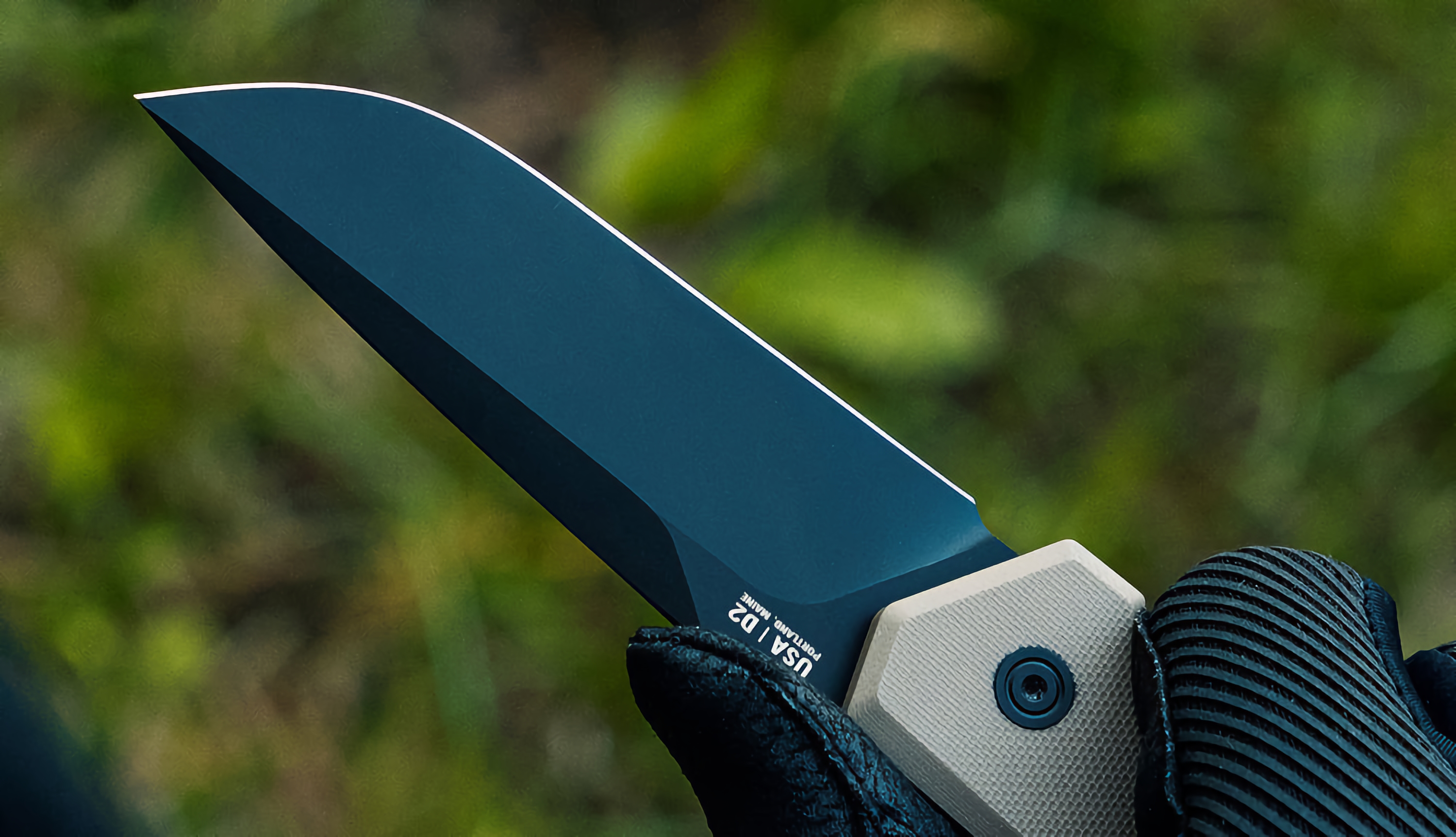
If there ever was an emoji for a pocket knife, it would probably look like the Kershaw Iridium. Designed with an aesthetic that I can only describe as a modern classic, the Iridium ticks all the boxes with its clean aesthetic, grippy aluminum handle, more-than-capable D2 steel blade with a spear-point profile, and Kershaw’s new DuraLock technology that secures the blade in its open position while it’s in use. The Iridium is dependable, ambidextrous, and folds down to a 4.5-inch form factor that weighs a mere 3.3 ounces and fits right in your pocket after use.

Designer: Kershaw

Click Here to Buy Now

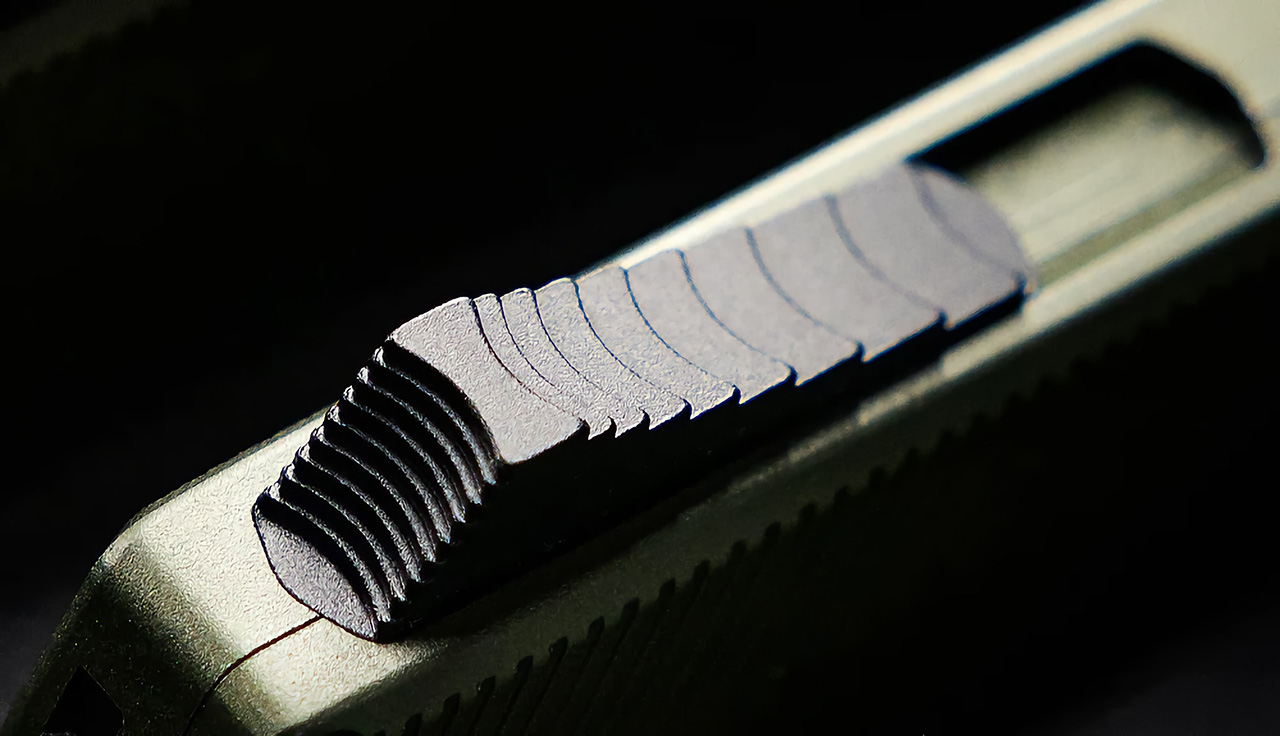
The Iridium boasts a comfortable 6061-T6 aluminum handle with a gray anodized finish. Its ambidextrous DuraLock mechanism ensures secure blade lockup, while the reversible deep-carry pocket clip makes it convenient for both left and right-handed users. The entire build uses black-oxide hardware for a sleek look and added durability.

At 7.9 inches overall and a weight of 3.3 ounces, the Iridium finds a comfortable balance between pocketability and functionality. The 4.5-inch closed length makes it easy to carry daily, while the 8-inch overall length tackles various EDC and outdoor tasks.

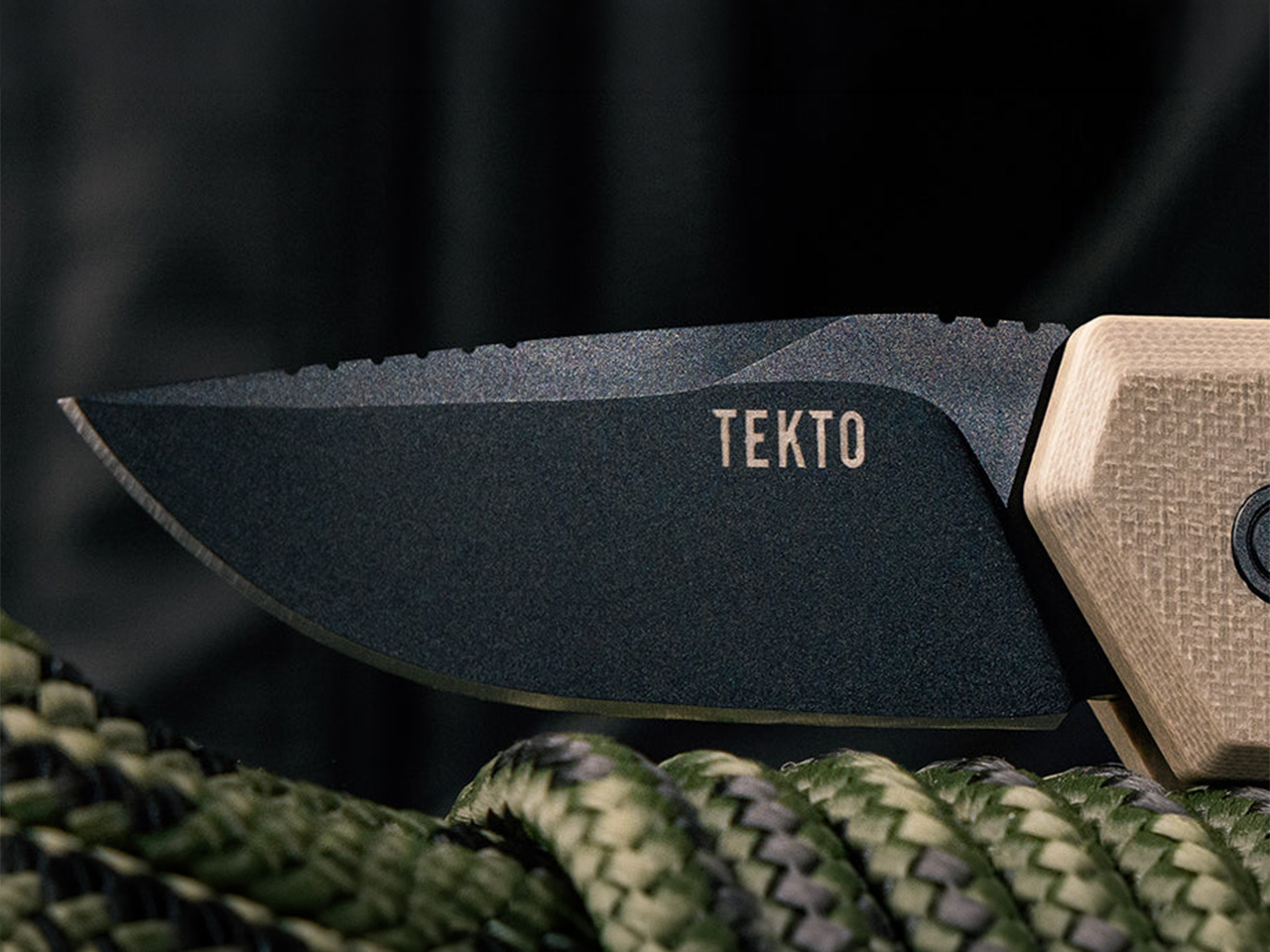
The Iridium’s crown jewel is its 3.4-inch D2 high-carbon tool steel blade. D2 steel offers excellent edge retention and wear resistance, making it ideal for everyday cutting chores. The blade features a utilitarian drop-point profile and a thickness of 0.107 inches, providing enough strength for tougher jobs. Jimping at the base of the spine enhances grip during precise cuts.

Deployment is smooth and effortless thanks to the KVT ball-bearing pivot system. The blade can be opened using dual thumb studs or a simple flick of the wrist with the DuraLock mechanism engaged. Kershaw backs the Iridium with a lifetime warranty, giving the EDC an heirloom quality so you can pass it down to your children.

The Kershaw Iridium is a compelling choice for those seeking a full-size, well-built EDC knife without breaking the bank. It boasts high-performance materials, a comfortable design, and a versatile blade profile – all at an accessible price tag. The Iridium is also available in a blacked-out version and a reverse tanto blade variant for people looking for something a little more edgy and unconventional.

Click Here to Buy Now

The post The Kershaw Iridium is a highly-dependable pocket knife with a classic design and a sub-$100 price tag first appeared on Yanko Design.

Gorgeous hardwood Headphone Stand brings a classy minimalism to your tech setup

Crafted out of either walnut or ash wood, the Arch headphone stand rests majestically on your desk, allowing you to place headphones on its gently arched top. The stepped design in the wood feels reminiscent of Bauhaus-style architecture, and adds an understated beauty to your table with how it creates bands of light and shadow. Designed for people serious about maintaining a theme around their workspace, the Arch is an alternative to those rather industrial-looking hooks and metal headphone stands. If you’re a fan of Grovemade‘s stuff, this one might just be perfect for you.

Designer: The Hrdwood Ltd.

The Hrdwood Arch is perfect for desk setups dominated by earthy tones and the use of wooden elements. The stand can be placed anywhere on your desk (although we recommend placing a cloth below to prevent it from scratching your table). Each stand is meticulously crafted from three wood panels joint together, creating a beautiful wood grain that almost follows the arch around its bend.

At its narrowest point, the Arch is just above an inch wide (1.18 inches to be precise), and therefore accepts pretty much any headphone. The wooden grain provides just the right amount of friction to ensure the headphones don’t go sliding off, and the solid wood stand is heavy enough to not lift upwards when you try to take the headphones off.

The stand comes in two variants – one made from a darker walnut wood, while another employs a lighter ashwood construction. Both have their own distinct flavors, so to speak, and fit in well with different kinds of decor. The ashwood blends seamlessly with bamboo-based furniture, while the walnut works supremely well with darker wood or black anodized metal. Both pair perfectly with glass tables too… and that tiny space underneath the arch is sort of perfect for storing your AirPods Pro case just on the off-chance you happen to have those too.

The post Gorgeous hardwood Headphone Stand brings a classy minimalism to your tech setup first appeared on Yanko Design.

Some Apple Vision Pros are cracking down the center. To understand why, look at the shape of the KitKat bar.

Feel free to call it the “Spatial KitKat Hypothesis”…

The Apple Vision Pro wasn’t designed to bend, but when you’ve got two straps pulling on the massive headset from either side with a human head in the middle acting as a wedge of sorts, the headset’s bound to feel some stress at its weakest point. Theoretically, that weakest point lies at the nose bridge, or the narrowest part of the Vision Pro’s design. If you imagine the Vision Pro to be a massive KitKat, or a Toblerone, or any bar of chocolate for that matter, it’s usually the narrowest part that’s designed to snap, resulting in a perfectly broken piece of chocolate. The problem here, however, is that this particular ‘chocolate’ is a cutting-edge spatial computer that costs upwards of $3500.

It seems like Apple products don’t really have great luck when it comes to structural soundness. If you remember exactly 10 years ago, #BendGate was plaguing the 2014 iPhone 6, a scandal that arose after people found their iPhones bending in their pockets when they sat down. Sure, Apple worked hard to fix the iPhone 6’s flimsy design (in part because people were just walking into Apple Stores and folding iPhones in half), but #bendgate still lives on in infamy, especially through its latest avatar, or what people are calling #CrackGate. Multiple users are reporting that the Vision Pro’s glass is cracking almost perfectly down the center, for no apparent reason. The crack runs almost perfectly symmetrically, going from the nose upwards, causing an extremely visible fault line right down the center. While it doesn’t seem to affect the Vision Pro’s actual functionality, it’s just like getting a scratch right down the side of your Lamborghini, emotionally gut-wrenching.

The reason, however, isn’t really clear (in part because Apple hasn’t officially addressed the issue or offered repairs), but multiple users have their own theories. Some sleuths noticed that the crack almost always emerges right near the LiDAR sensor, causing speculations that the invisible light from the sensor may be weakening the glass. Others claim it’s a heat-related issue, caused by the fact that most people don’t turn their Vision Pros off after using it for the day, causing it to heat up and the aluminum frame to expand, cracking the glass. The latter theory makes much more sense than the former, but there’s yet another issue that could just contribute to the glass’ structural weakness, and its most simple explanation lies in the shape of a KitKat bar.

Unless you’re an absolute psychopath who chomps right into the KitKat bar, chances are you follow the protocol of breaking it down its linear ridge, creating individual KitKat fingers that you can easily eat. The bar’s practically designed for this interaction, allowing you to snap off individual ‘batons’ that you can either share or eat on your own. The physics behind this design is as simple as it gets. The individual fingers are connected by a small valley of chocolate, which can easily be snapped with little pressure. The reason the KitKat always breaks at this ridge is because it’s easily the most vulnerable part of the chocolate bar. Similarly, the Vision Pro has the same problem. The ‘nose bridge’ on the front is where the Vision Pro’s glass panel is at its narrowest. Apply enough stress to the area and chances are, just like a KitKat bar, it’ll break there first.

Heat could be a contributing factor to this structural weakness, but let’s not forget, the Vision Pro comes with a headband that’s secured to its sides. Wear the Vision Pro on your face, and the headbands tug on the headset from the left and right, while your face being the solid mass it is, applies forward pressure. The rest of the Vision Pro is made from Aluminum, a material famous for being able to bend easily (no points for guessing what the iPhone 6 was made of), but glass – especially curved and hardened glass like the one on the front of the Vision Pro – isn’t really susceptible to bending. The result? A crack at its weakest point, caused by people wearing the headset too tight, coupled with the obvious heat issues because people don’t turn their Vision Pro off every night.

There are two solutions to this problem – the first comes from MKBHD and a bunch of other tech experts, who recommend turning the Vision Pro off after use and disconnecting the battery pack every night so the headset doesn’t keep running and heat up. The second solution is much more obvious, and is an indication of Apple’s hubris. In the pursuit of creating ‘the greatest spatial device ever seen’, Apple’s premium choice of materials is biting them in their backside. The Vision Pro’s aluminum structure is notoriously heavy, causing neck fatigue for people wearing it for long hours… but more importantly, the use of glass on the front seemed highly unnecessary. A well-polished plastic facade on the front would have worked just as fine, even if it didn’t line up with Apple’s ‘luxury’ image. It would have been stronger, easier to produce, and would probably have helped Apple cut costs and boost profits – to the benefit of the consumer. Instead, Apple’s being predictably silent while multiple users are fuming at the prospect of having a difficult-to-ignore crack on their rather expensive $3500 headset.

The post Some Apple Vision Pros are cracking down the center. To understand why, look at the shape of the KitKat bar. first appeared on Yanko Design.

This Electric Delivery Scooter’s base-mounted batteries can be automatically changed by robots

Electric vehicles are increasingly becoming preferred over gas-driven vehicles, but that doesn’t take away from the fact that EVs still have two psychological barriers they need to overcome – range anxiety, and long charging periods. Even with supercharging networks, you still need to wait multiple minutes to boost your batteries as compared to a gas station where you’ve filled your tank in probably under a minute. Electric cars and bikes are still working around trying to find a more tenable solution, but Hanoi-based Carota Design has a clever alternative. The D05 Electric Delivery Scooter concept comes with batteries located in the bottom, but what’s interesting is that they’re only detachable from the bottom too (you can’t lift them out through the top). As a result, the D05 also comes with a unique servicing platform that automatically detaches and replaces battery packs. All you need to do is drive onto the platform and park your electric scooter and an automated setup in the platform takes over the rest, detaching your old battery and inputting a new one, quite like a factory line. The process takes under a minute, is much safer than having humans remove and replace batteries, and is virtually theft and tamper-proof too, since you’d have to tip the entire scooter over onto its side if you wanted to manually take the battery out yourself. Sure, it’s just a concept for the time-being, but even on paper, it completely checks out.

Designer: Carota Design

The e-scooter has a rather utilitarian design, given its function. Made for last-mile commutes for deliveries, the scooter adopts a blockish form factor, highlighting its inner components and the two storage areas (one on the front, and one on the side). The D05 seats just one, has a low-hanging form factor that’s made further stable by the base-mounted heavy Li-ion batteries, and even though it’s fairly utilitarian, comes with a rather slick design featuring an interplay between silver and black parts, a clever use of lime green giving the e-scooter a splash of color, and hubless wheels that contribute to the D05’s future-forward design.

The battery-changing platform is pretty simple schematically, but does require a fair bit of technical expertise. The scooter needs to be parked perfectly on the platform for the arm to extend outwards, grab the old battery, disengage it, and replace it with a new battery. It’s rather similar to Tesla’s self-plugging charging snake from nearly a decade ago (2015 to be precise) but doesn’t require to be that calibrated. The battery modules move upwards and downwards, and one single platform can store as many as 7 battery packs (as per the schematic shown above), or even more if you detail it further. The process takes roughly a minute, quite like changing batteries on a TV remote, and once your new batteries are in, the scooter is ready to go.

That being said, having a replaceable battery system, no matter how convenient, does have its concerns. For starters, you need to produce MANY more batteries than EVs, since your battery network will have to account for availability, shortages, etc. That itself is a strain on the environment, but more so, the consumer faces a unique problem too – you don’t know whether the new, charged battery being put in your EV has 100% battery health. The freshly charged battery being added to your e-scooter at the charging platform could be 5-10 years old and therefore offer less range than a brand-new one. Moreover, older batteries could offer vulnerabilities, making the overall system slightly unsafe if they’re not monitored and taken out of circulation. In the broader scheme of things, having a charging network makes more sense because you can simply plug your e-scooter into any power outlet to be on the safe side instead of swapping out your batteries. Hopefully, EV companies could design a hybrid system of charging and battery replacement, making the adoption of EVs much smoother. Older batteries could eventually be recycled too, reducing strain on the environment in the longer run.

The post This Electric Delivery Scooter’s base-mounted batteries can be automatically changed by robots first appeared on Yanko Design.

This gorgeous Umbrella-inspired lampshade can be opened or closed to adjust brightness

A worthy winner of last year’s Tyvek Design Awards, the Wagasa Lamp has a beautiful design and an even more alluring interaction that lets you adjust the lamp’s brightness. Taking inspiration from the shape of an umbrella or parasol, the lamp comes with a shade made from flexible Tyvek fabric (developed by DuPont) attached to wooden rods. The lamp can be unfurled or shut like an umbrella, exposing or enclosing the empty space within, which increases or decreases the amount of light that makes its way out of the lamp. This unique interaction gives the Wagasa Lamp just one of those beautiful user experiences that makes it an instant crowd favorite – but even more importantly, the lamp’s innately Asian/Japanese aesthetic makes it a wonderful inclusion in any minimalist or oriental-themed home!

Designer: Solenn Roch

The Wagasa lamp’s design comprises just two materials outside the lamp’s bulb and electrical housing. You’ve got the Tyvek shade, made of two sheets of the synthetic paper-like material, and a wooden structure that holds the Tyvek shades up, allowing you to adjust their position. “The translucent Dupont Tyvek material diffuses light softly, creating a warm atmosphere,” mentions Swiss-based Solenn Roch.
The design is almost identical to the kind of umbrellas found in cocktails and drinks, and operates the same way too. Here, a threaded base lets you rotate a knob to adjust the open-ness or closed-ness of the umbrella, while the outer umbrella cone’s width helps determine the lamp’s brightness. When completely opened/horizontal, the lamp allows much more light to filter outwards from the top and bottom, diffusing wonderfully through the Tyvek shade. Close it, however, and the conical area decreases, also closing the empty space inside the lamp to create a smaller illuminating area. The controls aren’t precise, but they’re fun as heck, and you’ll find yourself constantly reaching for the rotating knob to show off the lamp to your guests!

The current prototype is made out of 3D-printed plastic parts, although Solenn hopes to make a version out of natural wood soon.

The beauty of the Wagasa lamp lies entirely in its simplicity and playfulness. In a lot of ways, principally, it works quite similar to the IKEA PS 2014 Pendant Lamp, but while that lamp allures with its uniquely faceted pattern, this one is just a call-back to a simpler time, coupled with a wonderfully Eastern-themed minimalist aesthetic.

The post This gorgeous Umbrella-inspired lampshade can be opened or closed to adjust brightness first appeared on Yanko Design.