Aqara FP300 Detects You Even When You’re Sitting Perfectly Still

Smart home sensors have gotten pretty good at detecting when you walk into a room, but they’re still terrible at knowing when you’re actually there. Most motion sensors trigger when you move, then assume you’ve left the moment you sit down to read or work at a desk. That means your lights flicker off while you’re still in the room, forcing you to wave your arms like you’re trying to flag down a rescue helicopter. It’s the kind of everyday annoyance that makes smart homes feel less smart and more like they’re making educated guesses.

The Aqara Presence Multi-Sensor FP300 solves this with a combination of PIR and 60GHz mmWave radar sensors that detect both motion and stationary presence. That dual-sensor setup means the device knows you’re there even if you’re sitting perfectly still, which is exactly what presence detection should have been doing all along. The sensor also packs temperature, humidity, and light sensors into its compact body, turning it into a five-in-one device that can automate everything from lighting to climate control based on actual occupancy.

Designer: Aqara

The FP300 itself is a small, cylindrical unit that measures just 42mm on each side and 50mm tall. It’s designed to blend in rather than stand out, with a clean white finish and subtle Aqara branding. The real advantage is how flexible placement can be. You can mount it on walls or ceilings, stick it in corners, attach it to magnetic surfaces like refrigerators, or just set it on a shelf or desk without any mounting hardware at all. That wireless freedom is rare for presence sensors, which usually require wired power or specific mounting positions.

Of course, being battery-powered raises questions about longevity, but Aqara claims up to three years of battery life when using Zigbee, or two years with Thread. That’s running on two replaceable CR2450 coin cells, which is surprisingly long for a device that’s constantly monitoring presence and environmental conditions. You can extend that further by disabling certain sensors or adjusting reporting intervals if you don’t need every data point the device can collect.

The FP300 supports both Zigbee and Thread protocols, which means it works with pretty much every major smart home platform through Matter. Apple Home, Google Home, Alexa, SmartThings, and Home Assistant are all compatible, though you’ll need either an Aqara hub for Zigbee or a Thread border router to get everything working. Using Zigbee unlocks extra customization options in the Aqara Home app, like adjusting detection sensitivity and tweaking reporting intervals.

What makes the FP300 feel genuinely useful is how those five sensors work together. The presence detection ensures lights stay on when you’re in the room, while the light sensor prevents them from turning on during the day. The temperature and humidity data can trigger your HVAC system only when someone’s actually home, saving energy without sacrificing comfort. It’s the kind of layered automation that makes smart homes feel less gimmicky and more practical.

At around $50, the FP300 sits between basic motion sensors that miss half your movements and wired presence sensors that cost more and require professional installation. For anyone building out a smart home without tearing into walls or dealing with complicated wiring, that’s a reasonable trade-off. The fact that you can just plop it on a shelf and have it start working makes the whole setup feel refreshingly simple for once.

The post Aqara FP300 Detects You Even When You’re Sitting Perfectly Still first appeared on Yanko Design.

New Steam Machine and Controller Bring Living Room Gaming Back to PCs

Living room gaming has always meant choosing between the simplicity of consoles and the raw power of PCs. Consoles offer plug-and-play convenience with hardware that fits neatly under your TV, but you’re locked into their ecosystems and performance limits. Gaming PCs deliver the horsepower and flexibility, but they’re often noisy, bulky, and require enough desk space to house a small village. Valve’s original Steam Machine experiment tried bridging this gap back in 2015, but awkward controllers and limited adoption meant the idea fizzled out before it could catch on.

Now Valve is trying again, and this time the pieces actually fit together. The new Steam Machine and Steam Controller arrive in early 2026 as part of a broader hardware ecosystem that includes the Steam Deck and Steam Frame VR headset. These aren’t just updated versions of old ideas; they’re built on years of learning from the Steam Deck’s success, with designs that finally deliver on the promise of powerful, flexible PC gaming in a package your living room won’t reject.

Designer: Valve

Steam Machine

The Steam Machine packs desktop-class gaming into a cube that’s roughly six inches on each side. The matte black enclosure features a magnetically swappable front faceplate and a customizable LED strip that displays system status, download progress, or whatever color gradient suits your mood. It’s a minimalist design that hides pretty impressive hardware, including a semi-custom AMD Zen 4 CPU and RDNA3 GPU capable of 4K gaming at 60fps with FSR enabled. Valve claims it’s over six times more powerful than the Steam Deck, which should handle most AAA titles without breaking a sweat.

Inside, you get 16GB of DDR5 RAM plus 8GB of dedicated VRAM, with storage options of either 512GB or 2TB NVMe SSDs. Both models include microSD expansion if you need even more space. The internal power supply means no bulky external brick cluttering your entertainment center, and the whole thing runs whisper-quiet even under load. Valve designed the cooling system to handle demanding games without turning your living room into a wind tunnel, which is a thoughtful touch for something meant to sit in plain sight.

The I/O situation is refreshingly generous. You get DisplayPort 1.4 and HDMI 2.0 outputs for connecting to TVs or monitors, with support for resolutions up to 8K at 60Hz or 4K at 240Hz, depending on which port you use. There are five USB ports total, split between the front and back, plus Gigabit Ethernet and Wi-Fi 6E for connectivity. The Steam Machine also has a built-in wireless adapter that pairs directly with up to four Steam Controllers, letting you wake the system from your couch without fumbling for a keyboard.

Of course, the Steam Machine runs SteamOS, the same Linux-based operating system that powers the Steam Deck. The interface is designed for controllers rather than mice, with fast suspend and resume that works like a console. That said, it’s still a PC underneath, so you can install whatever apps or operating systems you want. Valve isn’t locking you into anything, which feels like a rare bit of freedom in hardware that’s otherwise pretty locked down these days.

Steam Controller

The new Steam Controller takes everything Valve learned from the Steam Deck’s controls and packages it into a standalone gamepad. The layout is familiar if you’ve used a Steam Deck, with two full-size magnetic thumbsticks, dual square trackpads, and all the standard buttons you’d expect. The thumbsticks use TMR technology for better durability and responsiveness, and they support capacitive touch for enabling motion controls. The trackpads are pressure-sensitive and include haptic feedback, making them viable for games that normally require a mouse.

What sets this controller apart are the extras. Four assignable grip buttons sit on the back, letting you map additional controls without taking your thumbs off the sticks or pads. There’s also a feature Valve calls Grip Sense, which uses capacitive sensors along the handles to enable gyro aiming when you hold the controller and disable it when you let go. It’s a small detail that makes aiming in shooters feel more natural without requiring you to toggle a button every time you want precision.

The controller connects via a dedicated wireless puck that doubles as a magnetic charging dock. The puck uses a 2.4GHz connection with about 8ms latency, which is noticeably faster than Bluetooth and feels snappy during gameplay. You can also connect via Bluetooth or USB-C if you prefer, and the 8.39Wh battery is rated for over 35 hours of play. One puck can handle up to four controllers, which makes local multiplayer setups pretty straightforward.

Customization runs deep thanks to Steam Input, which lets you remap every button, adjust sensitivity, and tweak haptics to your liking. Community configurations are available from day one, so you can load presets for thousands of games or build your own and share them. The controller also works across Valve’s entire ecosystem, from PCs and laptops to Steam Deck and the new Steam Machine, with infrared LEDs that let the Steam Frame VR headset track it for mixed-reality gameplay.

Valve’s hardware lineup is expanding into a proper ecosystem rather than just scattered experiments. The Steam Machine and Steam Controller arrive as the cornerstones of that vision, offering power and flexibility without forcing you to choose between the simplicity of consoles and the openness of PCs. Whether that’s enough to pull gamers off the couch and away from their PlayStations remains to be seen, but the pieces are finally in place.

The post New Steam Machine and Controller Bring Living Room Gaming Back to PCs first appeared on Yanko Design.

Nomad Made a Credit Card AirTag Thin Enough to Fit in Your Wallet

Losing your wallet ranks somewhere between forgetting your keys and realizing you left the stove on in terms of minor panic attacks. The sinking feeling when you pat your pockets and find nothing but lint is pretty much universal, yet most tracking solutions require bulky add-ons that won’t fit properly or make your wallet noticeably thicker. AirTags work great for bags and keychains, but stuffing one into your wallet feels like carrying a small hockey puck between your cash and cards.

Nomad’s Tracking Card Pro solves this by fitting Apple Find My technology into something that looks and feels exactly like a premium metal credit card. At just 2.5mm thick, it’s three times slimmer than an AirTag and slides into any wallet without adding noticeable bulk. The real achievement is cramming a rechargeable battery and wireless charging into that thin form, then making it last up to 16 months on a single charge.

Designer: Nomad Goods

The card itself is deceptively simple. A polycarbonate and aluminum body with a matte black or white finish, subtle Nomad branding on top, and a small chip icon that mimics what you’d see on an actual credit card. There’s a wireless charging symbol near the bottom and a tiny LED indicator that lights up when charging, but otherwise it’s designed to blend in completely with your other cards.

Charging happens wirelessly on any Qi or MagSafe pad, and Nomad claims you can even charge it through leather wallets without removing the card. That’s actually pretty handy for something you’re meant to leave in place and forget about until you need it. Heck, the IPX7 waterproof rating means the occasional spill or rainstorm won’t kill it, which is reassuring for something that lives in your pocket most of the time.

Setup is straightforward if you’ve ever used an AirTag. Pop open the Find My app, add the Tracking Card Pro, and name it whatever you want. From there it works like any other Find My device, pinging nearby Apple devices to report its location. The global network means your wallet can be tracked almost anywhere someone with an iPhone happens to be.

Of course, the slimness comes with trade-offs. The card is about as thick as two credit cards stacked together, so it does take up a slot in your wallet. The audio alert for locating the card works but isn’t particularly loud, so you’ll want to be relatively close when triggering it. That said, the primary use is tracking via the Find My app anyway, where you can see the card’s location on a map. If you want an even thinner option, the 1.3mm Slimca HERE 2 Tracker Card can even charge via USB-C despite its super-thin profile.

At $39, the Tracking Card Pro sits between cheap alternatives that barely work and premium options that don’t offer much extra. It’s currently on preorder with shipments expected by mid-January, and there’s a discount if you buy multiple cards. For anyone who’s ever spent an afternoon tearing apart their house looking for a wallet, or worse, realized it’s gone while standing in line at checkout, that’s probably money well spent.

The post Nomad Made a Credit Card AirTag Thin Enough to Fit in Your Wallet first appeared on Yanko Design.

This Power Strip Is Shaped Like an Original NES Console

Power strips live beneath desks or behind furniture where nobody has to look at them. Black plastic housings with rows of identical outlets do their jobs without offering anything visually interesting or worth displaying. They’re purely functional objects designed to disappear, which works fine until you’re building a desk setup where aesthetics matter as much as keeping devices charged, and everything ends up looking generic and forgettable.

The Trozk Game Style Socket recreates the Nintendo Famicom console as a functional charging station, bringing the red and white color scheme and design language from 1983 directly onto modern desks. Instead of hiding, this power strip sits visibly where it becomes a conversation starter about childhood gaming memories while handling the practical work of powering laptops, phones, and whatever else needs electricity. The nostalgia hits immediately for anyone who remembers cartridge-based gaming.

Designer: PTPC

The body follows the Famicom’s rectangular shape with rounded edges and cream-colored plastic accented by deep red panels. Vertical ridges run along the sides like ventilation grilles from the original hardware. A large red power button sits on one side, positioned exactly where you’d expect a console’s main switch. The whole thing commits fully to looking like a game system from four decades ago instead of just borrowing surface details.

The front panel displays a pixel-style LED screen showing voltage, current draw, and operational status through green numbers and colored bar graphs pulled straight from early arcade interfaces. Small smiley face icons and retro graphics appear alongside the readings, making functional information feel playful. The screen provides genuinely useful data about power consumption while looking like something that should be showing your high score instead.

Multiple AC outlets cover the top and rear surfaces alongside two USB-A ports and one USB-C port for fast charging. The layout spaces everything out enough that bulky adapters don’t block neighboring outlets. The USB-C handles modern quick-charge protocols, while the AC sockets accept different plug types depending on your region. Everything you’d typically plug into a standard power strip works here, just with significantly more personality surrounding it.

Tactile buttons along the front feel satisfying to press like actual controller buttons instead of mushy switches that typical power strips use. The plastic housing looks and feels substantial rather than cheap. Internal construction visible in assembly diagrams shows thoughtful engineering with proper component spacing and secure mounting for all electrical elements. Surge protection and safety features likely come standard, though specific certifications aren’t detailed.

The socket works best on desks where the retro gaming aesthetic adds character to setups that would otherwise look like every other workspace filled with identical black rectangles. It organizes charging needs while referencing shared cultural memories. The Trozk Game Style Socket treats charging as an opportunity for design that carries emotional weight, making daily device management slightly more joyful for anyone who appreciates objects that tell stories.

The post This Power Strip Is Shaped Like an Original NES Console first appeared on Yanko Design.

AeroPress Made a Coffee Grinder That Fits Inside the Plunger

Manual grinders designed for travel usually give up something important to stay portable. Compact versions use cheaper burrs that grind unevenly, producing bitter coffee no matter how carefully you brew it. Premium grinders with Italian burrs deliver consistent results but end up too bulky for backpacks, forcing you to choose between bringing mediocre equipment or leaving the grinder at home and buying pre-ground beans that taste stale before the bag even opens.

AeroPress’s new manual grinder fits completely inside the AeroPress plunger without any parts sticking out or requiring disassembly beyond detaching the magnetic handle. Italian titanium-coated burrs handle everything from espresso-fine to French press coarse across sixty distinct settings. The all-metal construction weighs enough to feel serious without becoming awkward to pack alongside other camping gear or travel essentials that compete for limited bag space.

Designer: AeroPress

The body uses knurled aluminum with vertical ridges that provide grip when your hands are cold or slightly damp from washing beans. Dark gray metal keeps it looking professional instead of cheap. The catch holds twenty-five grams, which matches single-dose brewing perfectly and eliminates the waste that comes from grinding more coffee than you actually need for one cup or pot.

Grind adjustment happens through a numbered dial that clicks between sixty settings spanning the full range from powder-fine espresso to chunky cold brew. The grinder ships preset to medium-fine, which works immediately for AeroPress without fiddling with settings first. Twist coarser for French press. Dial finer for moka pot or espresso. The changes happen quickly without tools or confusing calibration steps that make adjusting grind size feel like solving a puzzle.

The handle attaches magnetically when you’re grinding and slides into a groove along the body when you’re done, where magnets hold it flat against the metal surface. This lets the entire grinder collapse into a cylinder that fits inside the AeroPress plunger without anything jutting out awkwardly. Pull it out, snap the handle on, grind your beans, and brew using two pieces of gear that nest together the whole trip.

Dual bearings inside the crank mechanism keep grinding smoothly enough that your arm doesn’t tire halfway through processing a full dose. The long handle provides leverage that makes each rotation easier compared to compact grinders with short cranks that require more effort and more turns to process the same amount of beans. This matters early mornings when you’re not fully awake yet or outdoors when cold air makes everything feel harder.

Cleaning requires no tools beyond the included brushes that sweep out residual grounds from the burr chamber and catch. The all-metal construction handles temperature swings and outdoor conditions better than grinders with plastic parts that crack when cold or warp inside hot cars. The lifetime warranty on the burr set suggests AeroPress expects this grinder to last years of regular use without degrading performance.

The grinder extends what AeroPress does well into the grinding stage, giving users who already trust the company’s brewers a matching tool that shares the same design priorities around portability, build quality, and making excellent coffee. The combination of premium burrs, thoughtful engineering, and genuine compactness makes it one of the few manual grinders that actually delivers on portability claims without compromising the grind consistency serious coffee brewing demands daily.

The post AeroPress Made a Coffee Grinder That Fits Inside the Plunger first appeared on Yanko Design.

Samsung Movingstyle Screens Roll From Room to Room on Wheels

TVs stay bolted to walls where they were installed years ago. Monitors sit on desks connected to power outlets and computers through cables that limit how far they can go. Tablets work anywhere, but shrink everything down to sizes that feel cramped during longer sessions. Most screens plant themselves in one spot and expect you to come to them instead of moving to where you actually need them.

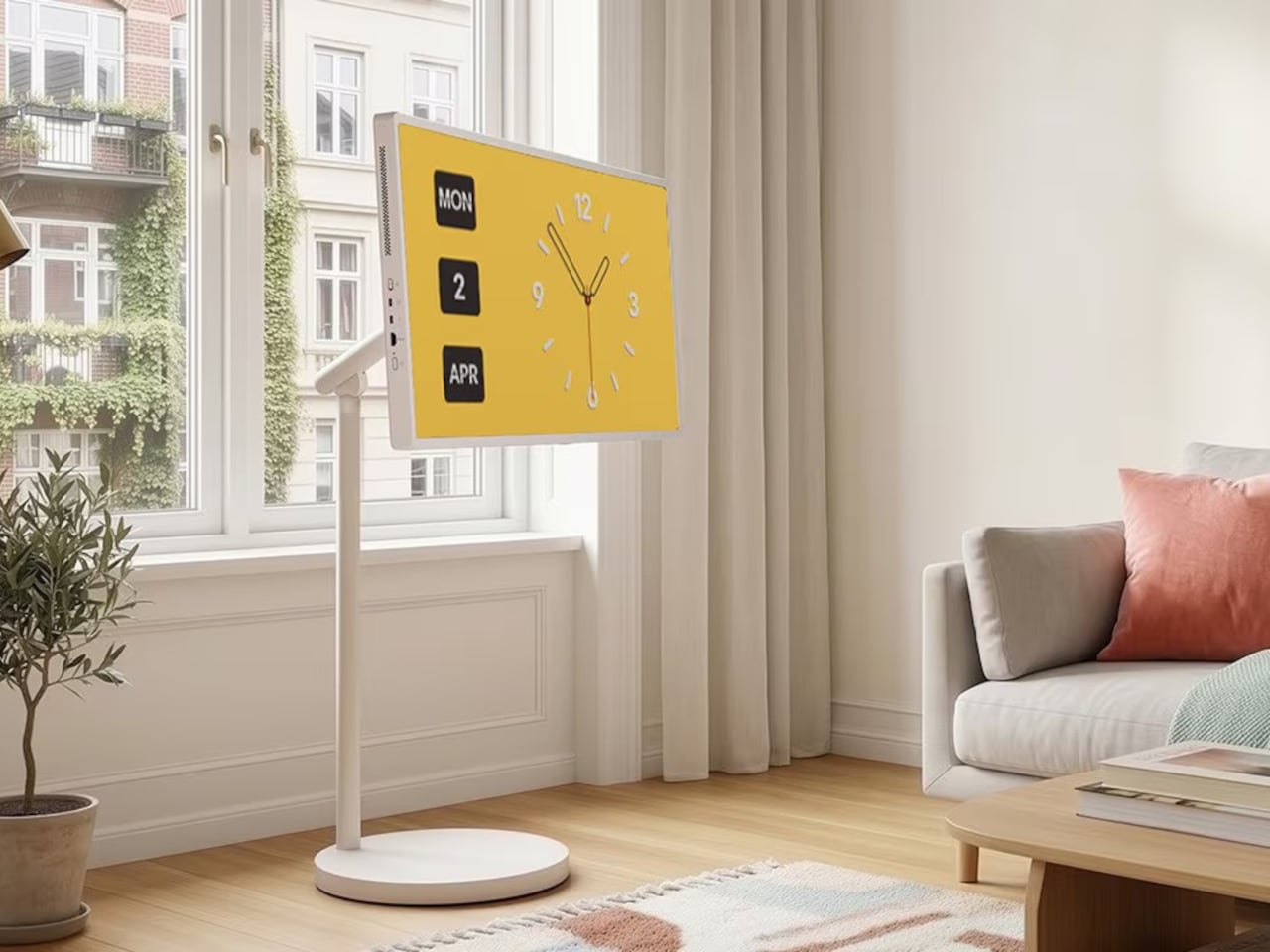
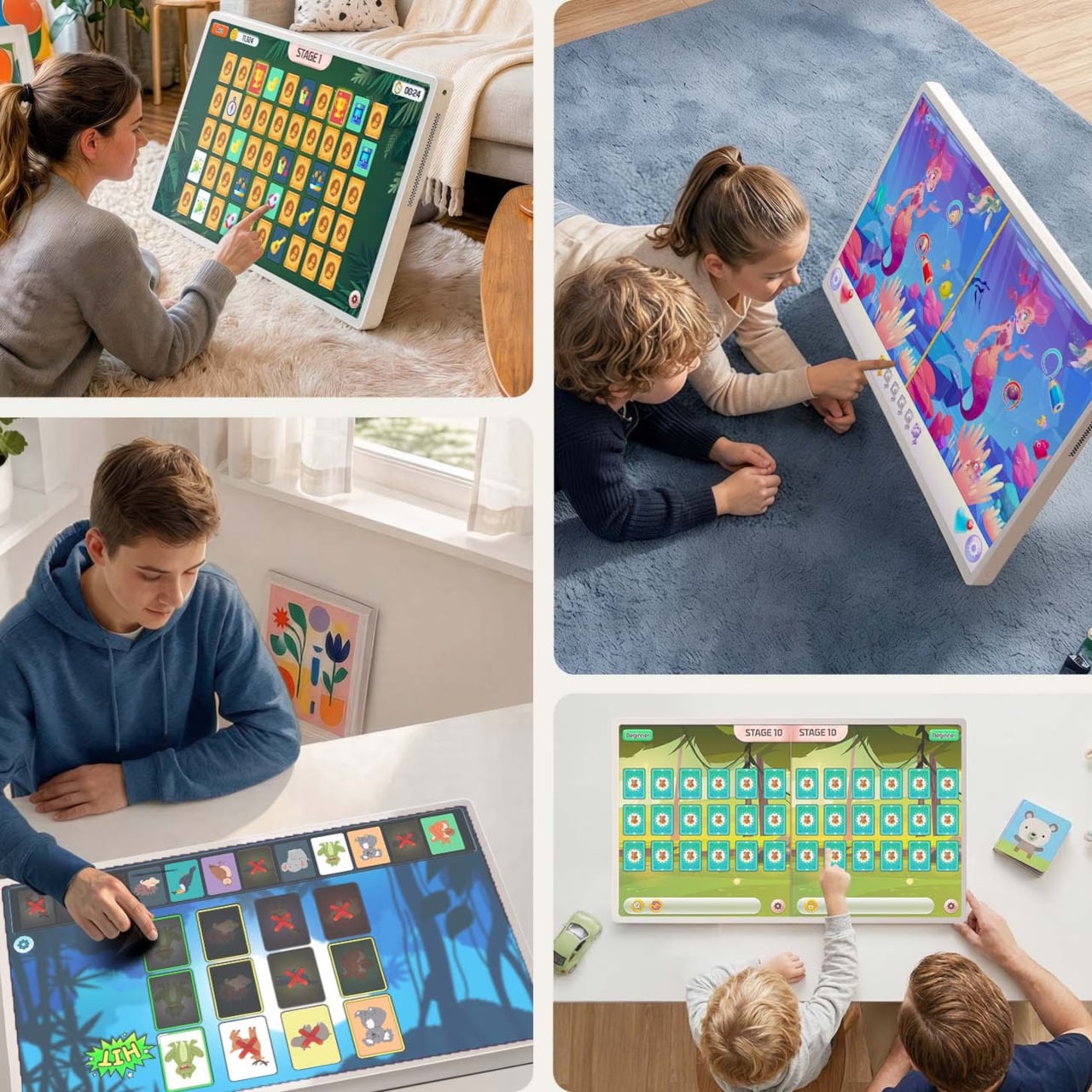
Samsung’s Movingstyle lineup builds screens meant to follow you around instead of staying put. The twenty-seven-inch touchscreen and thirty-two-inch M7 monitor both roll on stands with wheels hidden underneath, so moving them between rooms takes minimal effort. The smaller version also detaches from its stand completely and runs on battery for three hours when you carry it by the handle built into the kickstand.

Designer: Samsung

The touchscreen model weighs enough to feel substantial but not so much that carrying it around feels like a workout. The white finish and slim bezels keep it looking clean rather than gadget-heavy. The kickstand holds the battery and all the internal components in one integrated module, which means fewer parts that could fail over time compared to designs that scatter everything separately.

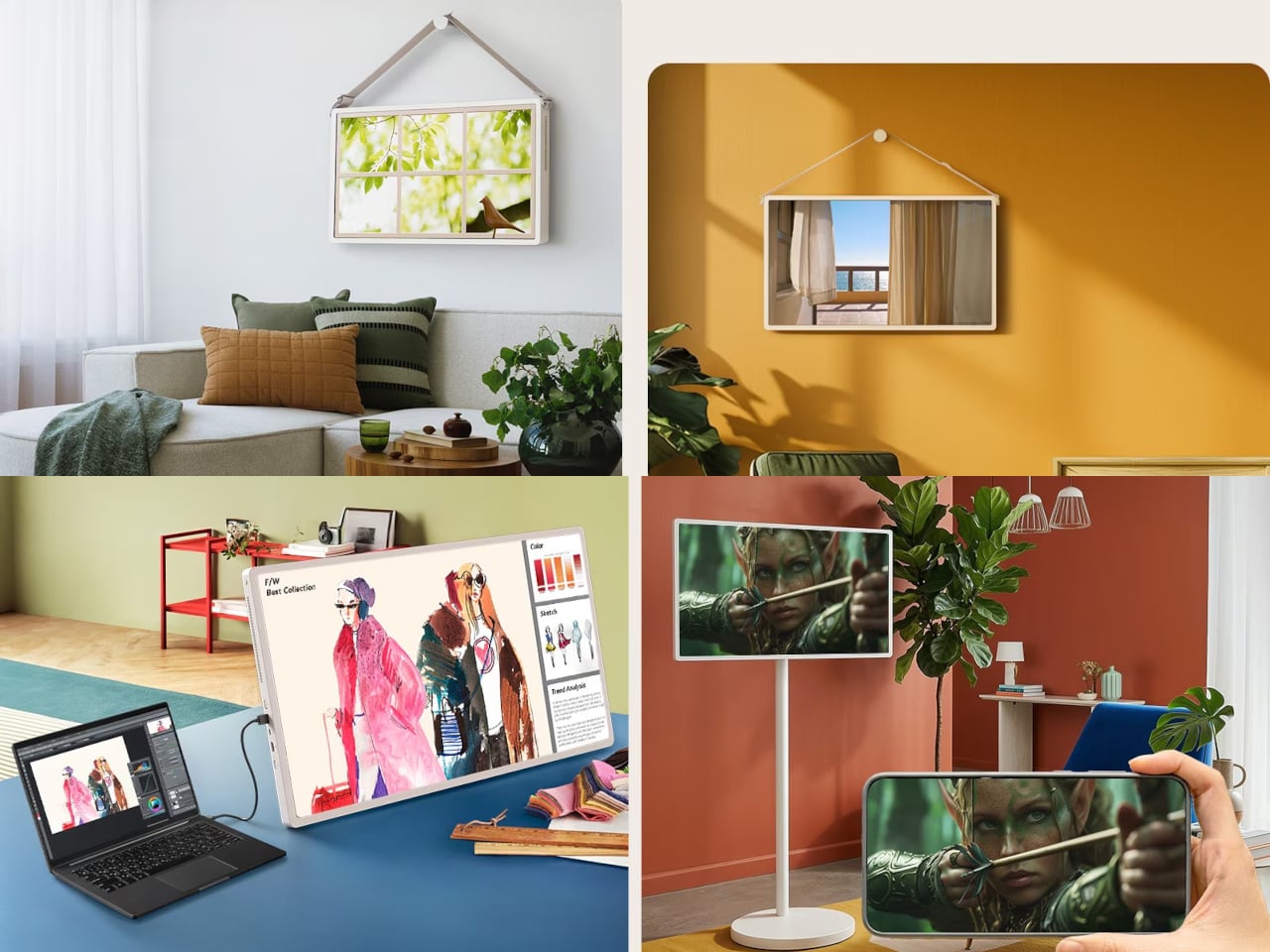
Touch response works smoothly for tapping through menus, swiping between apps, or sketching directly on screen when ideas need capturing quickly. The same screen works just as well from across the room when you’re using the remote to browse shows. This dual approach handles both close-up work and relaxed viewing without requiring different devices for different situations.

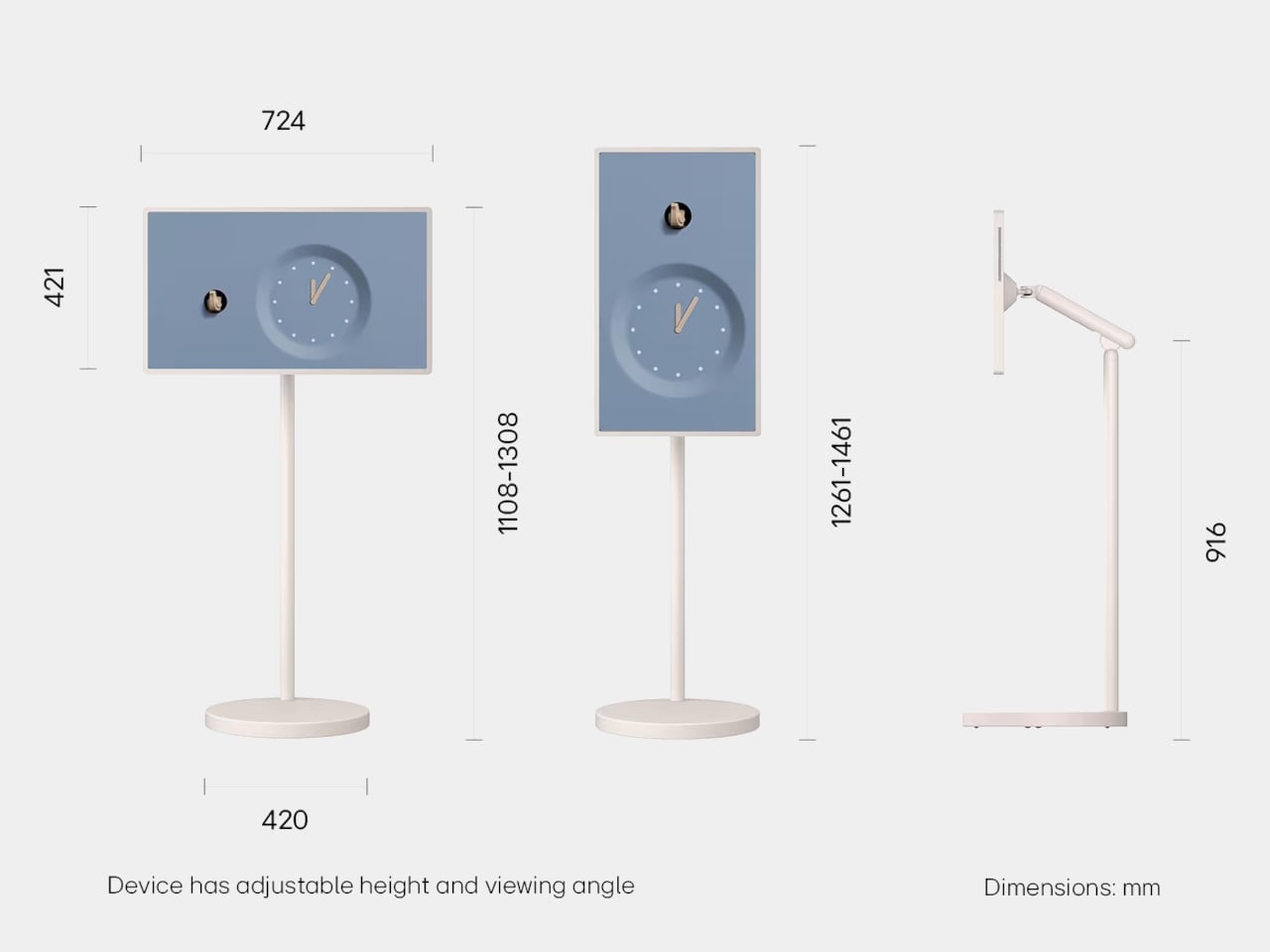
The M7 grows to thirty-two inches with 4K resolution, positioning itself more as a rolling workstation. The stand adjusts height and tilts the screen to whatever angle works best. Wheels roll quietly across floors, whether you’re moving over hardwood or carpet. The power cable runs through the stand’s column to keep everything tidy instead of trailing along the floor waiting to get tripped over.

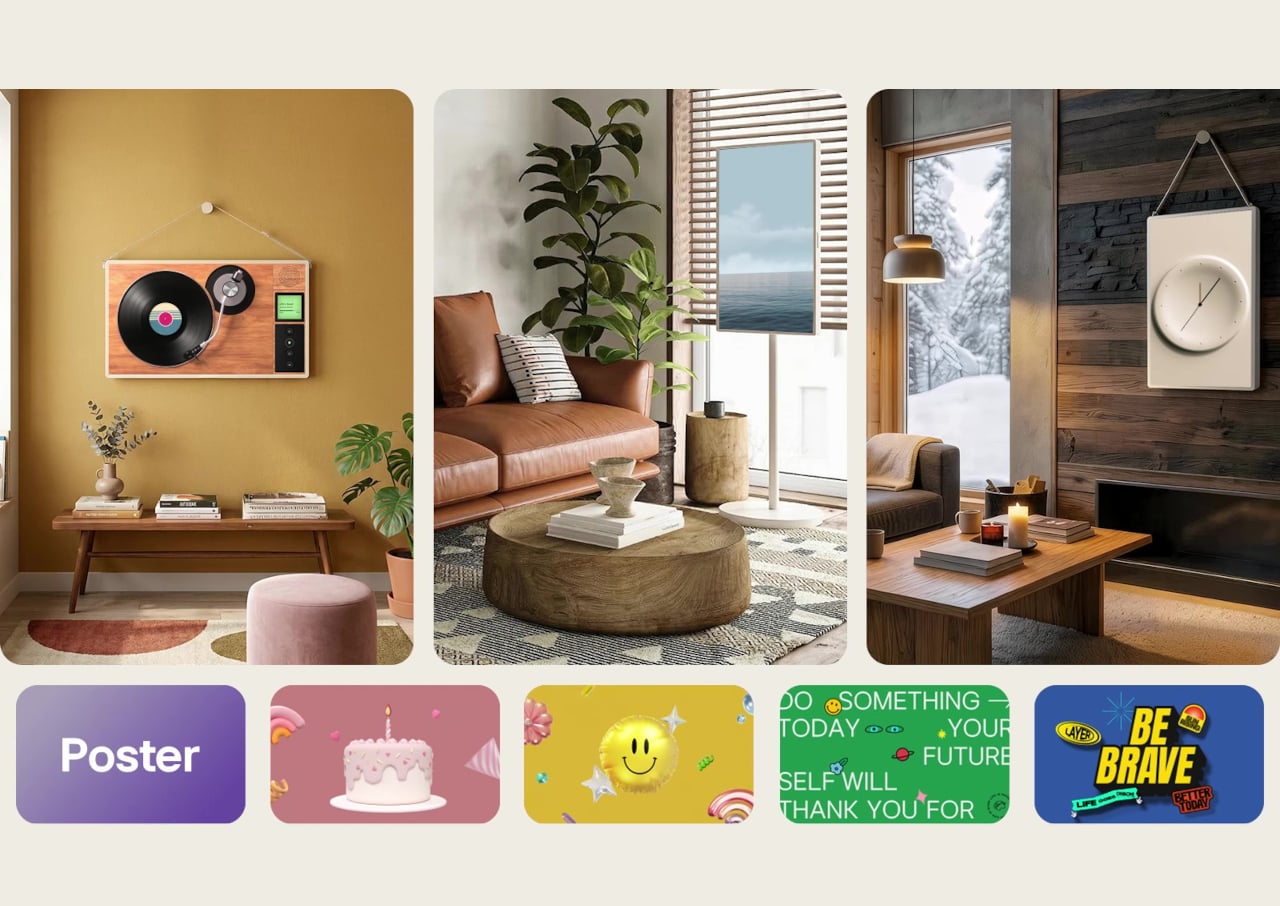
Both screens run Tizen OS with access to Samsung TV Plus for streaming without subscriptions, Gaming Hub for playing console games through cloud services, and the Art Store displaying museum-quality pieces when the screen sits idle. User profiles keep recommendations separated, so everyone in the house gets content matched to what they actually watch instead of a jumbled mix.

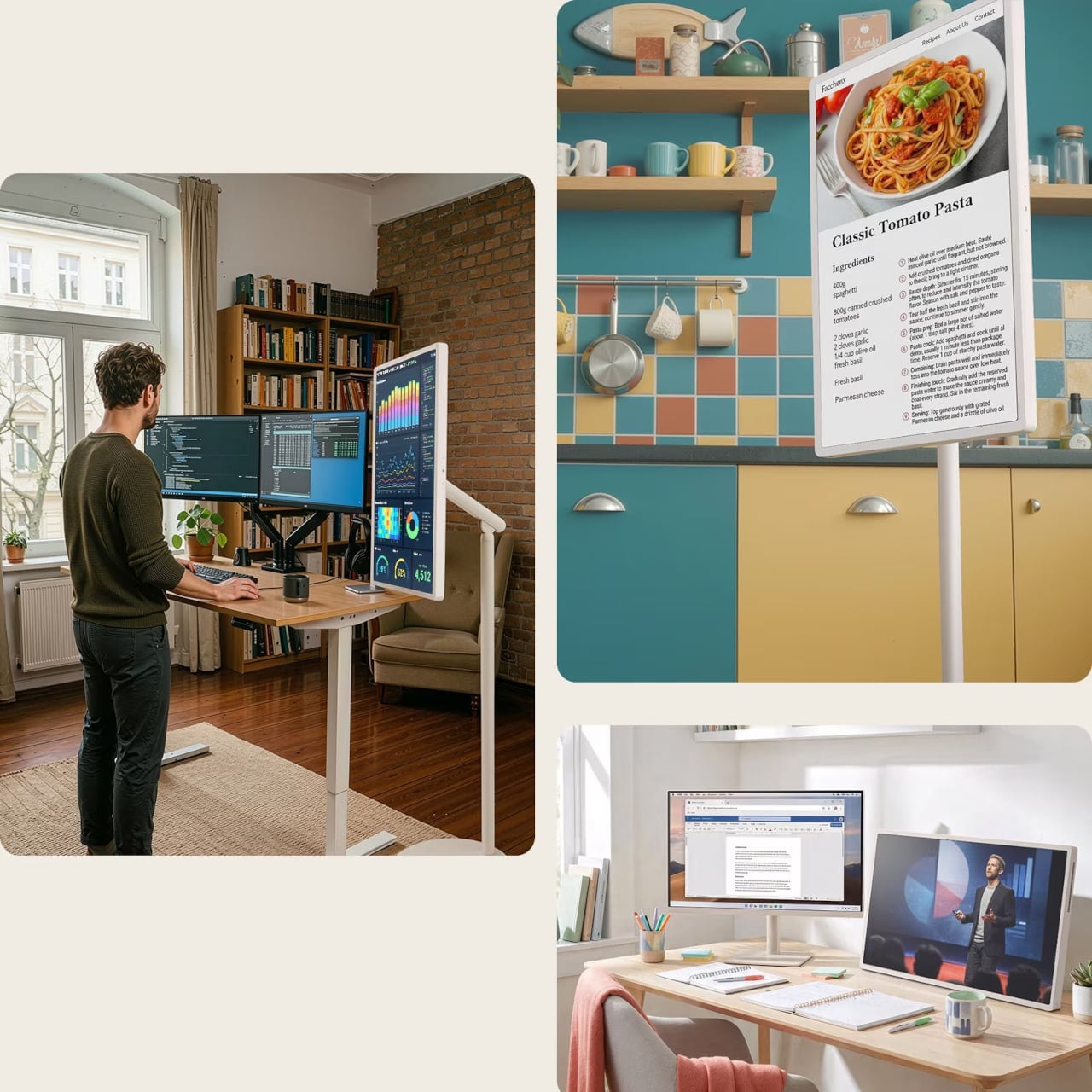
The smaller Movingstyle might start in the kitchen, showing recipes during breakfast prep, roll to the living room for afternoon video calls, then end up in the bedroom for late-night shows. The M7 could sit in the home office all week for work, then roll out to the patio for weekend movie nights or into the workout space for following along with fitness videos.

Ports sit centered on the back panel instead of scattered along edges, which keeps cables organized and the rear view clean when the screen sits visible from multiple angles. Both models switch between landscape and portrait orientation smoothly, useful for vertical content or using the Movingstyle as a presentation tool during meetings.

The Movingstyle lineup treats screens as objects that should follow your routines instead of forcing you to build schedules around where they happen to be installed permanently. The combination of touchscreen interaction, battery-powered portability, and rolling mobility brings genuine flexibility to spaces where fixed installations would limit how and when you actually use them. Samsung’s approach feels overdue for technology meant to serve daily life.

The post Samsung Movingstyle Screens Roll From Room to Room on Wheels first appeared on Yanko Design.
Water Bottle Inspired by Japanese Kintsugi Celebrates Cracks

Water bottles rarely carry meaning beyond their function. Most exist purely to hold liquid, stay cold, and survive daily wear without much thought given to what they represent or how they make you feel. They’re tools that disappear into routines, useful but forgettable, designed for efficiency rather than connection. Few products in this category attempt to add narrative or emotional weight to something as ordinary as staying hydrated throughout the day.

The Takeya Kintsugi Collection draws from the Japanese art of repairing broken ceramics with gold, a practice that treats fractures as features worth highlighting rather than flaws to hide. Instead of concealing damage, Kintsugi transforms cracks into golden seams that tell stories of resilience and renewal. The collection applies this philosophy to water bottles through gold-accented crackle patterns that wrap around the surface, turning each one into a small meditation on strength found through imperfection.

Designer: Takeya

Gold lines branch across the matte finish in patterns that catch light differently depending on angle and movement. The effect feels deliberate rather than decorative, like each bottle carries its own history of breaks and repairs even though they arrive new. The visual reference works because it doesn’t just borrow aesthetics but commits to the underlying philosophy.

Four colorways offer different personalities while maintaining the same gold crackle treatment. Blanc presents soft and minimal. Rose adds warmth through its blush tones. Bleu Marine brings depth and boldness. Noire creates dramatic contrast where gold lines feel most pronounced against the matte black surface. Each color changes how the Kintsugi pattern reads visually, giving the same design language multiple emotional registers depending on what resonates personally.

The bottles hold meaning beyond their appearance through how they’re built to withstand actual use. Triple-wall insulation keeps water cold for thirty-six hours, which matters during long days when refilling isn’t convenient. The silicone bumper protects against drops and impacts that inevitably happen when objects get carried everywhere. These protective features align with the Kintsugi metaphor perfectly, the bottle is designed to endure damage gracefully rather than pretend damage won’t occur.

Using the bottle becomes a small daily ritual that carries more weight than typical hydration. The gold lines serve as visual reminders that imperfection doesn’t diminish value but can enhance it when embraced intentionally. Every scratch or ding the bottle accumulates over time adds to its story rather than detracting from its appearance, which inverts how we typically think about wear and aging in consumer products.

The Kintsugi Collection makes hydration feel less mechanical and more mindful by connecting a simple daily act to a philosophy that’s survived centuries. The bottles function as practical tools while serving as small, portable reminders that strength often comes from what we repair and carry forward rather than what remains pristine and untouched.

The post Water Bottle Inspired by Japanese Kintsugi Celebrates Cracks first appeared on Yanko Design.
Phone-sized 138g E-Reader Answers Questions About What You’re Reading

E-readers typically force a trade-off between portability and capability. Compact models fit easily in bags but often lack processing power or features beyond basic reading. Larger tablets offer more functionality but become awkward to carry daily. Most devices focus on storage capacity and screen size while ignoring the need for smarter tools that support active reading and deeper engagement with content rather than just passive consumption.

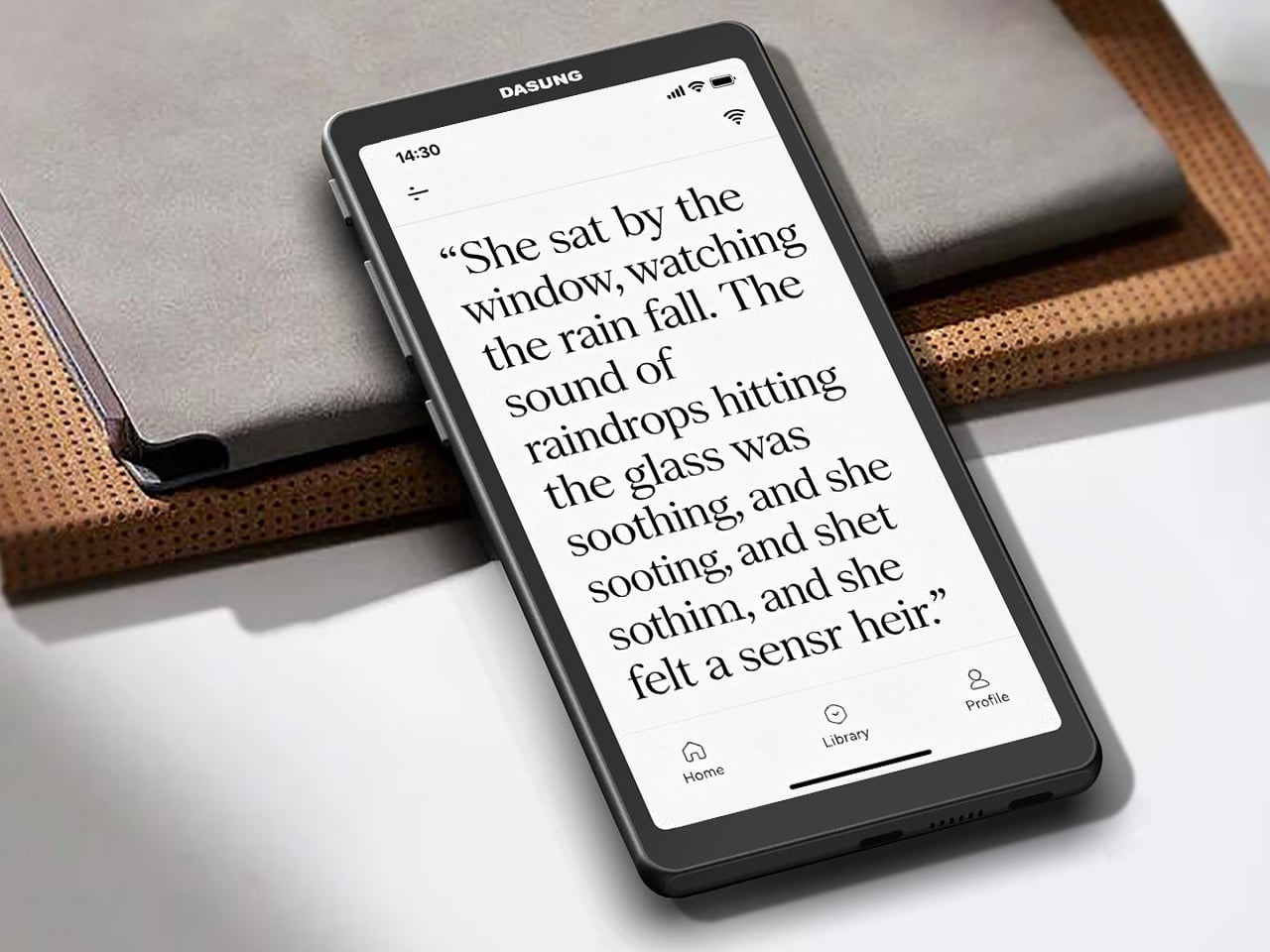
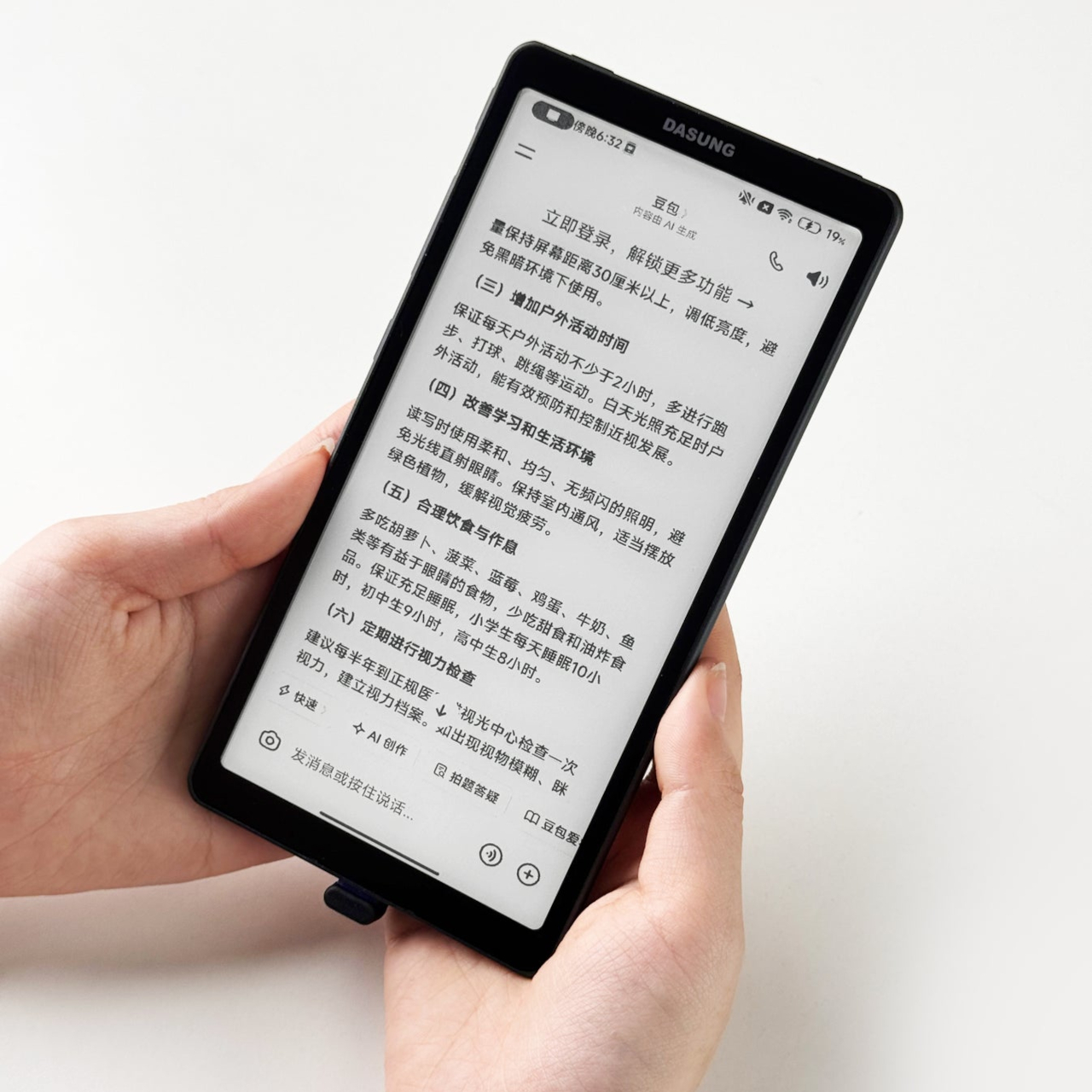
The Viwoods AIPaper Reader measures roughly six inches diagonally and weighs just one hundred thirty-eight grams, making it slim enough to slip into coat pockets or small bags without adding noticeable bulk. Running Android 16 with 4G cellular support, the device combines traditional E Ink reading comfort with AI-powered features that answer questions, highlight key passages, and help build personal knowledge bases directly from whatever you’re reading at the moment.

Designer: Viwoods

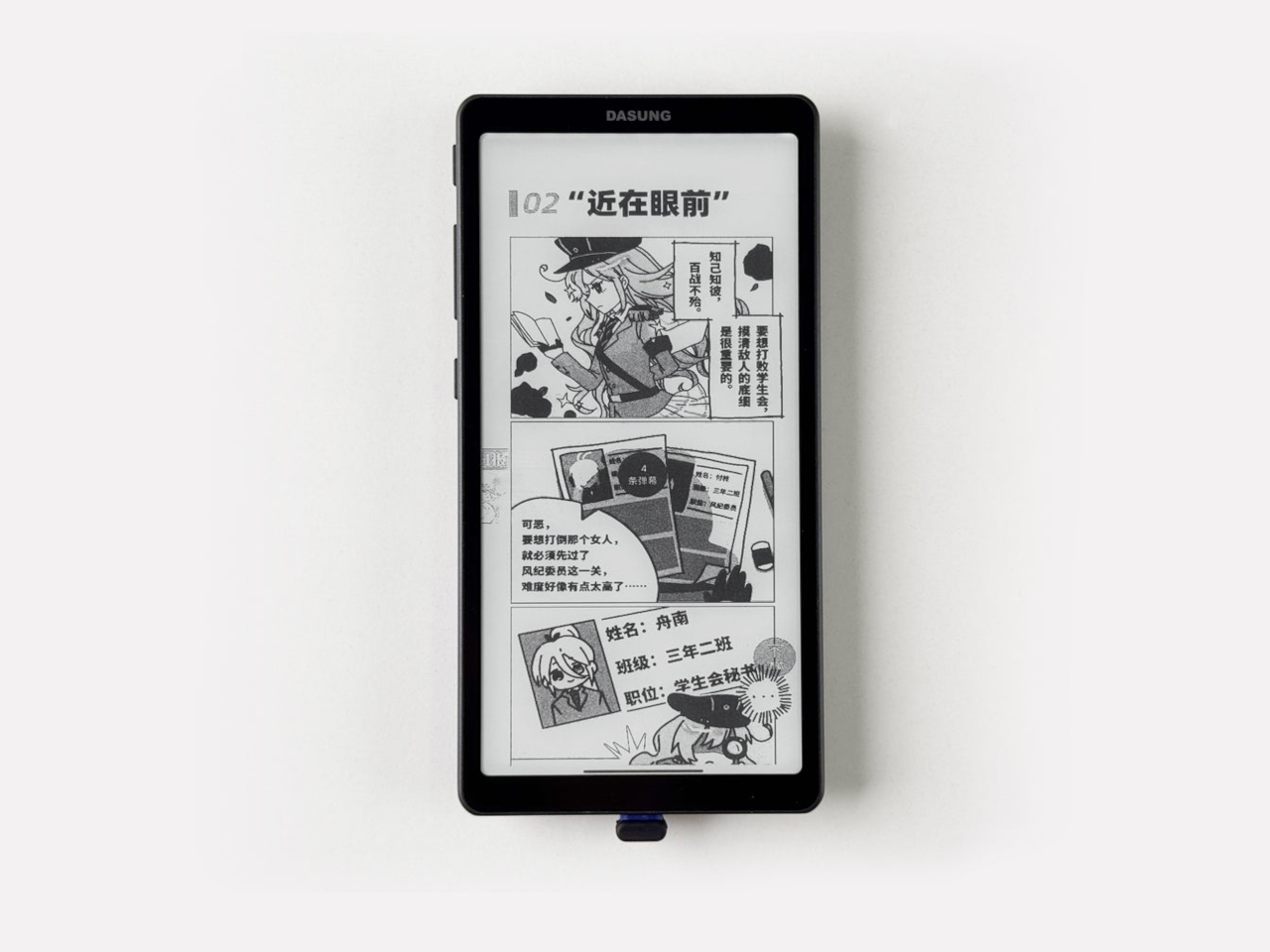
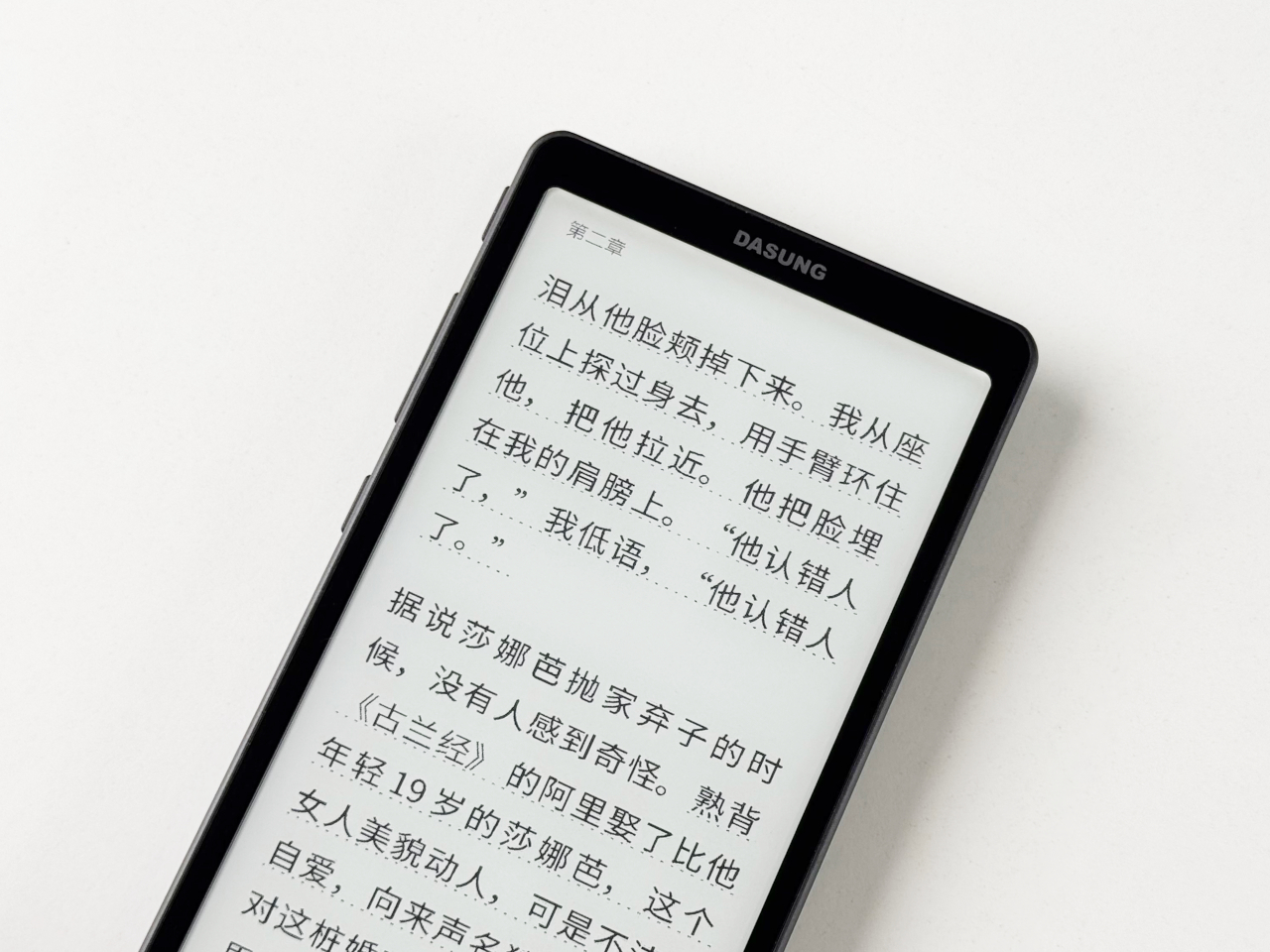
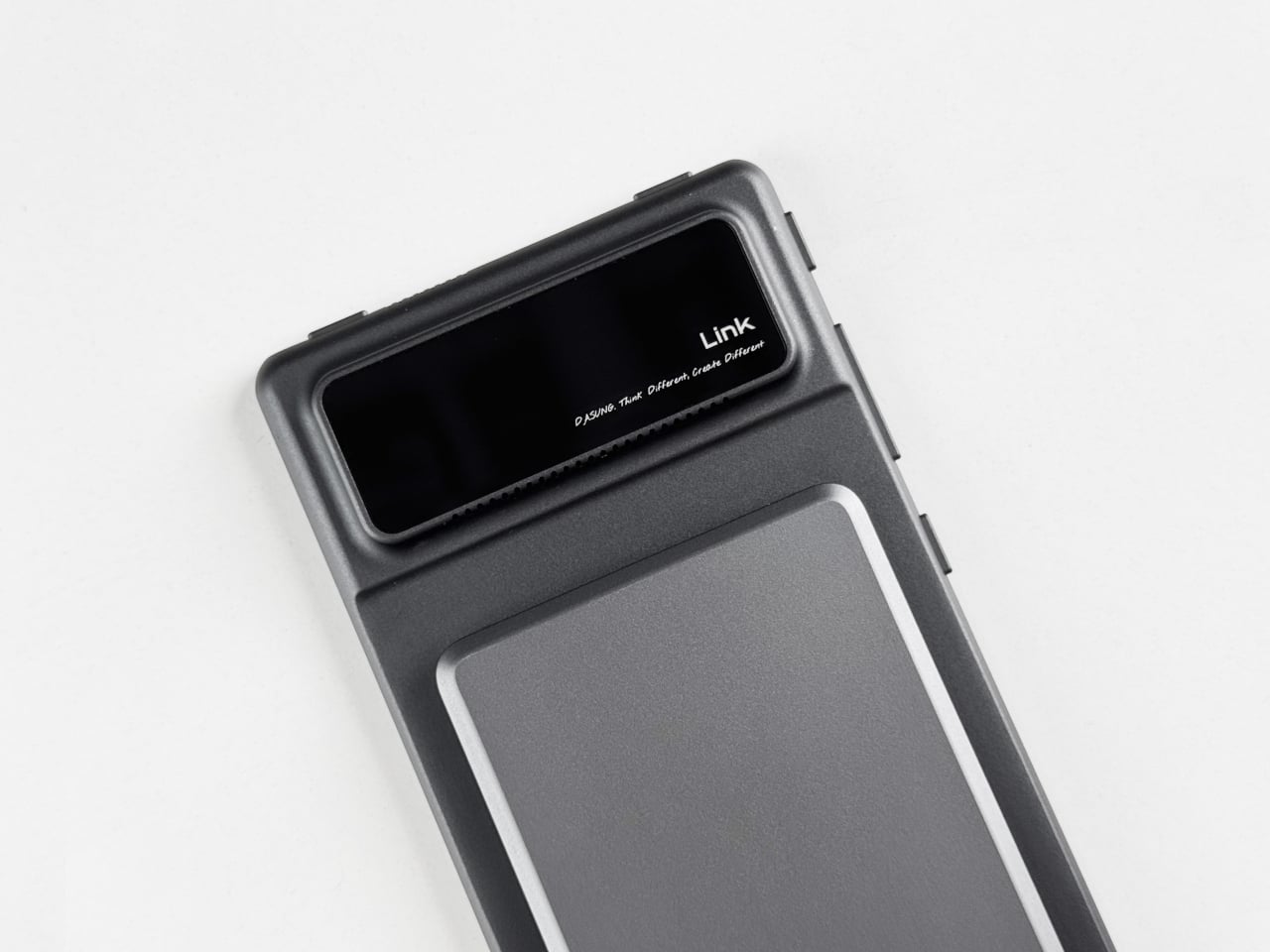
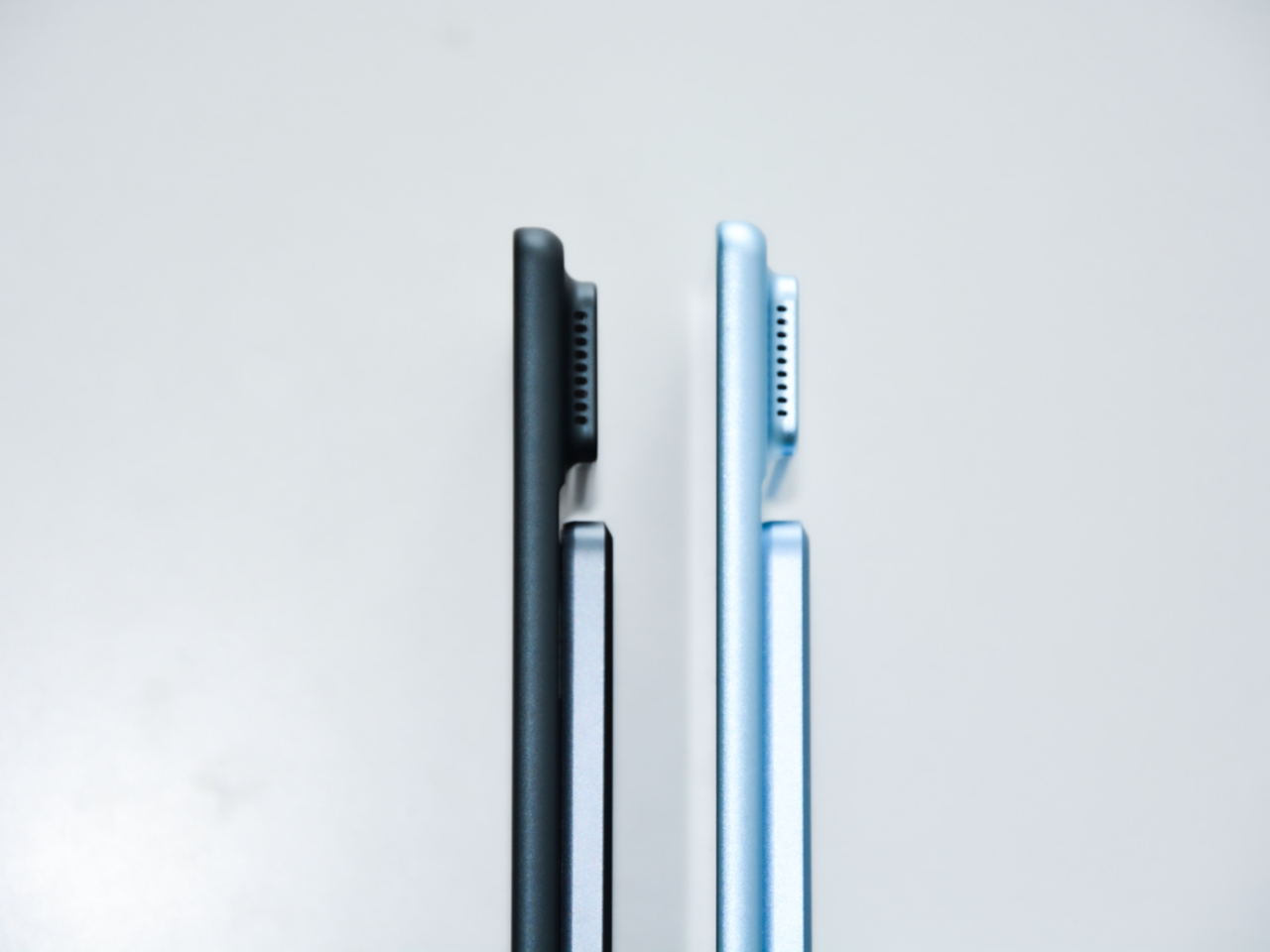
The device’s profile measures 6.7mm thin, which makes it feel more like carrying a smartphone than a dedicated reading device. The minimalist design uses slim bezels around the 6.13-inch Carta 1300 E Ink display, keeping the footprint compact while maintaining enough screen real estate for comfortable reading without constant page turns. Available in black and white or color display versions, the aesthetic stays clean and understated throughout.

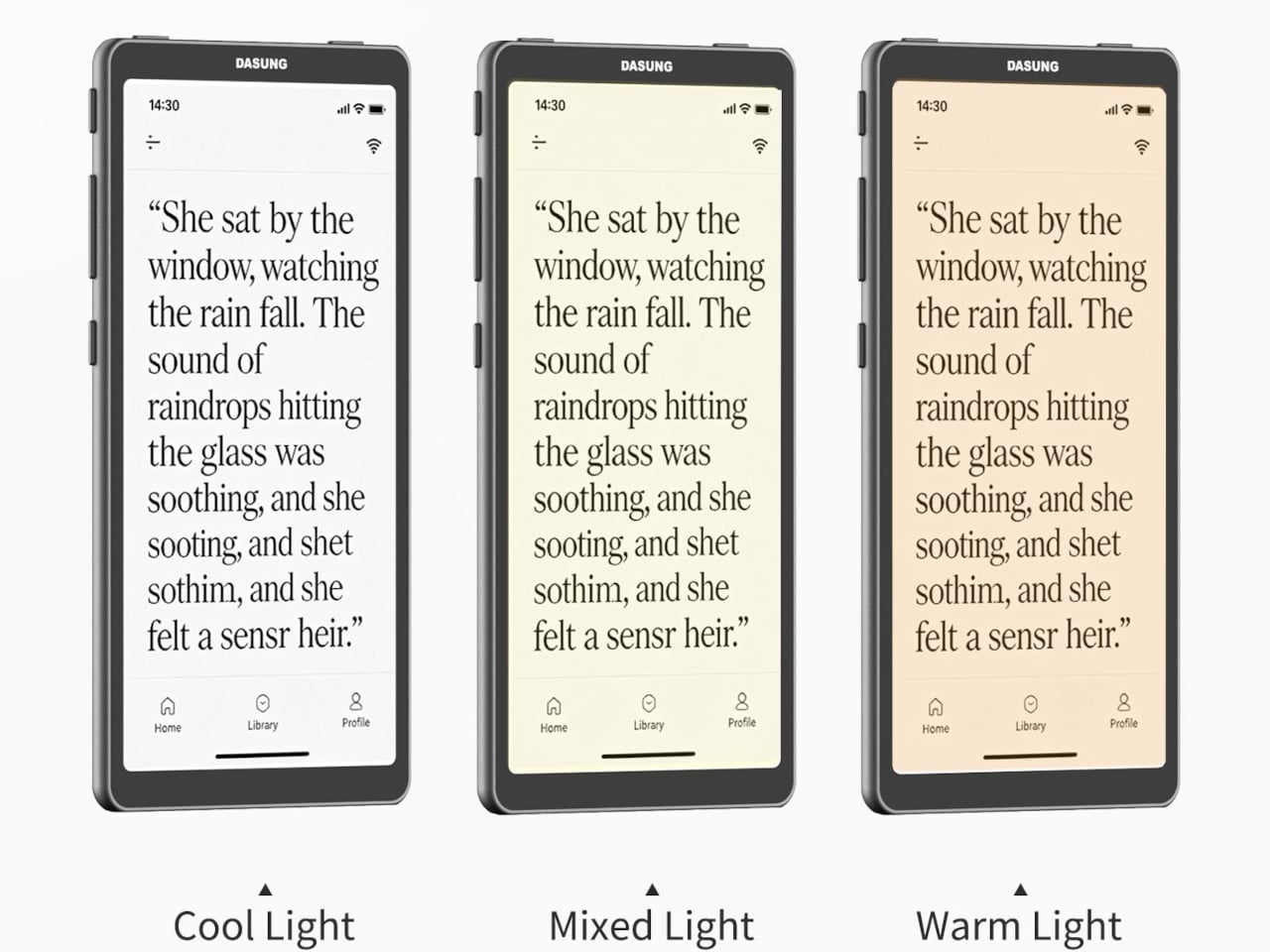
The three hundred PPI resolution keeps text crisp across different font sizes and formats, while the adjustable front light means reading happens comfortably whether you’re outside in daylight or in bed at midnight. The E Ink display eliminates the eye strain that comes from staring at backlit phone or tablet screens for extended periods, which matters during long reading sessions or when your eyes already feel tired.

Integrated AI runs through ChatGPT-5, Gemini, or DeepSeek, depending on preference, offering instant answers to questions about content without leaving the page or opening separate apps. Highlight a passage and ask for clarification. The AI responds contextually based on what you’re reading. Save interesting excerpts to the knowledge basement feature, which organizes captured passages into a searchable personal library that builds over time.

The octa-core processor and 4GB of RAM keep navigation smooth despite E Ink’s inherent display refresh limitations. Multiple refresh modes adjust speed versus clarity depending on whether you’re reading static text or navigating menus. The device handles PDF, EPUB, MOBI, and other common formats without requiring conversion software or workarounds before loading files onto the reader.

4G cellular connectivity separates this from most E Ink devices, enabling cloud library access, book downloads, and AI features anywhere cell service reaches without hunting for Wi-Fi networks. The 2580mAh battery supports weeks of typical reading between charges, given E Ink’s minimal power consumption when displaying static pages. Android 16 and Google Play support mean standard reading apps install alongside specialized ones, giving users flexibility beyond proprietary ecosystems that lock you into specific bookstores or formats.

The Viwoods AIPaper Reader sits between simple e-readers that only display text and full tablets that introduce too many distractions through notifications and competing apps demanding attention. It delivers AI-assisted reading, organized knowledge capture, cellular connectivity for anywhere access, and genuine portability within a form factor slim enough to disappear into daily carry routines without demanding the pocket space or mental bandwidth that smartphones and larger tablets constantly require.

The post Phone-sized 138g E-Reader Answers Questions About What You’re Reading first appeared on Yanko Design.
1.3mm Tracker Card Charges via USB-C, Trumps AirTag and Tile Slim

Losing your wallet, passport, or bag is a universal frustration that can turn a busy day or a big trip into a scramble of retracing steps and hoping for a miracle to happen in your favor. Most tracking cards promise peace of mind, but end up bulking up your wallet like a small pebble wedged between your cards or running out of battery just when you need them most during critical moments when losing something could ruin your plans.

The Slimca HERE 2 is a rethink of what a tracker card can be for modern life and daily carry needs. At just 1.3mm thick, it’s as slim as a credit card, bends without breaking under pressure, and works with both Apple Find My and Android Find Hub seamlessly across platforms. It’s a tracker designed to disappear into your daily life completely until you need it, then spring into action when it matters most.

Designer: Jerry & Minami

Click Here to Buy Now: $29.4 $42 (30% off). Hurry, only 629/1200 left! Raised $88,000.

Imagine rushing through airport security, your mind on deadlines and gate changes, when you realize your wallet isn’t in your pocket anymore. That sinking feeling hits, but your phone buzzes with an alert from the Slimca HERE 2, telling you exactly where you left it. No panic, no frantic backtracking through three terminals—just a quick glance at your phone and a confident walk back to the checkpoint where you set it down.

Slimca HERE 2 is crafted from mirror-finish 304 stainless steel, giving it a premium look and the resilience to flex up to 15 degrees without snapping under pressure from daily use. Slip it into a wallet slot next to your debit cards, tuck it behind your passport in a travel pouch, or drop it in a bag’s hidden pocket, and it vanishes completely without a trace. No bulge, no awkward fit, just seamless integration with your essentials.

Unlike plastic trackers that crack or warp over time from repeated stress, HERE 2’s steel body shrugs off pressure from sitting on hard surfaces, bending when you squeeze into tight spaces, or getting jostled in crowded subways during rush hour. The minimalist face features a single button for playing a sound when you need to locate it, a charging light for battery status, and subtle gold or silver branding that keeps the look clean and timeless.

One of the biggest innovations of the Slimca HERE 2 is the USB-C port ingeniously integrated into its 1.3mm frame, allowing for easy, direct charging with any standard cable you already own for other devices. A single charge lasts up to five months, and the battery supports 100 cycles. The rechargeable design and stainless steel construction make Slimca HERE 2 a sustainable choice for conscious consumers who care about reducing waste while ensuring that their tracker is always ready for the next adventure.

Slimca HERE 2 is one of the only tracker cards to support both Apple Find My and Android Find Hub networks, so you’re covered no matter what phone you use or switch to in the future. Pair it with your device in seconds, and you’ll get instant notifications if you leave your wallet or bag behind at a coffee shop, plus the ability to play a sound to help you find it when it’s nearby but hidden.

For travelers who’ve had their luggage separated from them, students who lose their wallets between classes, and anyone who values peace of mind without carrying bulky gadgets, HERE 2’s blend of durability and discretion solves real problems elegantly. The tracker becomes invisible until the moment you need it, then delivers exactly what you need without fuss or complicated apps. And when you do need to bring it out, the HERE 2’s mirror-polished steel and impossibly slim profile make it as much a design object as a tech accessory worth showing off.

Click Here to Buy Now: $29.4 $42 (30% off). Hurry, only 629/1200 left! Raised $88,000.

The post 1.3mm Tracker Card Charges via USB-C, Trumps AirTag and Tile Slim first appeared on Yanko Design.
Someone Made a Brick Phone Power Bank with a Working Walkie Talkie

Portable chargers occupy that weird space between essential and forgettable, living in bags until phones hit red battery warnings. Most focus exclusively on capacity and charging speed while looking like every other rectangular black slab available. They serve their purpose well enough, keeping devices alive through long days, but they offer nothing beyond that single function and tend to blend into the background of everyday carry items.
The Trozk Walkie Talkie Power Bank combines a 20,000mAh battery with a built-in walkie-talkie and wraps everything in a design that recreates the iconic Motorola DynaTAC brick phone from the 1980s. The result is a charger that handles modern fast charging while enabling actual radio communication between units, all while looking deliberately bold and retro enough to spark conversations wherever it appears.

Designer: Trozk

The brick phone form commits completely to the reference, including a removable antenna, tactile buttons arranged like a vintage keypad, and a red LED display showing battery percentage in real time. Available in white with black and red accents, the power bank is substantially larger and more visually striking than typical portable chargers, which makes it feel more like a statement piece than a forgettable accessory that hides in pockets.

Two USB-C ports and one USB-A port allow simultaneous charging of three devices at a maximum combined output of 165W, while a single port can deliver 140W through PD3.1 fast charging for power-hungry laptops. The device distributes power intelligently based on what’s connected, automatically adjusting output to match requirements without needing manual settings or complicated menus to navigate through before charging starts.

The walkie-talkie function enables direct voice communication between two units through built-in radio frequency, working across multiple regions including the United States, Europe, Australia, Japan, Taiwan, and China. Press the walkie-talkie button and speak, and the other unit receives immediately. This becomes genuinely useful during camping trips, hiking with separated groups, or anywhere cell reception fails but coordination still matters for safety or convenience.

A voice recorder mode captures memos or conversations directly onto the device in retro style, adding another function beyond charging and communication that makes the power bank more versatile. The LED display cycles between battery percentage, voltage readings, and current draw depending on which button gets pressed, providing real-time information about how devices are charging and how much power remains available.

Four electric-vehicle grade battery cells provide the 20,000mAh capacity while ensuring durability that outlasts cheaper cells prone to faster degradation over charge cycles. The power bank meets airline safety regulations for carry-on luggage, making it suitable for air travel without concerns. The tactile buttons and clear LED display remove the need to check charging status through phone apps or complicated interfaces.

The Trozk Walkie Talkie Power Bank handles practical charging requirements while looking deliberately different from standard portable batteries. It brings retro aesthetics, built-in communication, and high-capacity fast charging together in ways that make keeping devices alive during travel, outdoor activities, or daily routines feel slightly more interesting than plugging into yet another anonymous black rectangle.

The post Someone Made a Brick Phone Power Bank with a Working Walkie Talkie first appeared on Yanko Design.