OpenAI brings its Codex coding app to Mac, with new multi-agent abilities included

Since last spring, OpenAI has offered Codex. What started life as the company's response to Claude Code is becoming something more sophisticated with the release of a new dedicated macOS app. At its most basic form, Codex is a programming agent capable of writing code for users, but now it can also manage multiple AI assistants that can work together to complete more complex tasks.

OpenAI gives an example of how this could work in practice. The company used Codex to create a Mario Kart-like racing game, complete with a selection of different playable cars, eight tracks and a collection of powerups players can use against the competition. For a single AI agent, generating a game from scratch, with all the needed visual assets, would be a tough ask, but Codex was able to complete the task because it could delegate the work of making the game to different models with complementary capabilities. 

For example, it turned to GPT Image for the visual assets, while a separate model simultaneously coded the web game. "It took on the roles of designer, game developer and QA tester to validate its work by actually playing the game," OpenAI says of the process. 

If that sounds complicated, OpenAI has tried to make it more approachable with a section of the app titled Skills. The feature bundles “instructions, resources, and scripts so Codex can reliably connect to tools, run workflows, and complete tasks according to your team’s preferences," the company explains. "The Codex app includes a dedicated interface to create and manage skills. You can explicitly ask Codex to use specific skills, or let it automatically use them based on the task at hand."

As you might imagine, Codex can also automate repetitive tasks. A dedicated Automations section of the app allows you to schedule tasks, which the software will complete in the background. "At OpenAI, we’ve been using Automations to handle the repetitive but important tasks, like daily issue triage, finding and summarizing CI failures, generating daily release briefs, checking for bugs, and more," the company said. 

The release of the Codex macOS app comes as AI startups explore what a group of AI agents working in parallel can accomplish. At the start of the year, Anysphere, the company behind Cursor, found it was possible to build a working web browser from scratch using such an approach, though it did encounter problems along the way. 

For a limited time, OpenAI is making Codex available to ChatGPT Free and Go users so they can see what's possible with this new software. At the same time, the company is doubling rates for Plus and Pro subscribers.

This article originally appeared on Engadget at https://www.engadget.com/ai/openai-brings-its-codex-coding-app-to-mac-with-new-multi-agent-abilities-included-183103262.html?src=rss


Michael Jantzen Just Turned Solar into a 16-Arm Moving Sculpture

Most renewable energy systems hide in plain sight. Rooftop solar panels blend into shingles, batteries sit in containers behind fences, and wind turbines spin in distant fields. They quietly do their jobs without helping anyone understand what happens inside them, which feels like a missed opportunity when you are trying to build support for systems that might keep the planet livable for another generation or two.

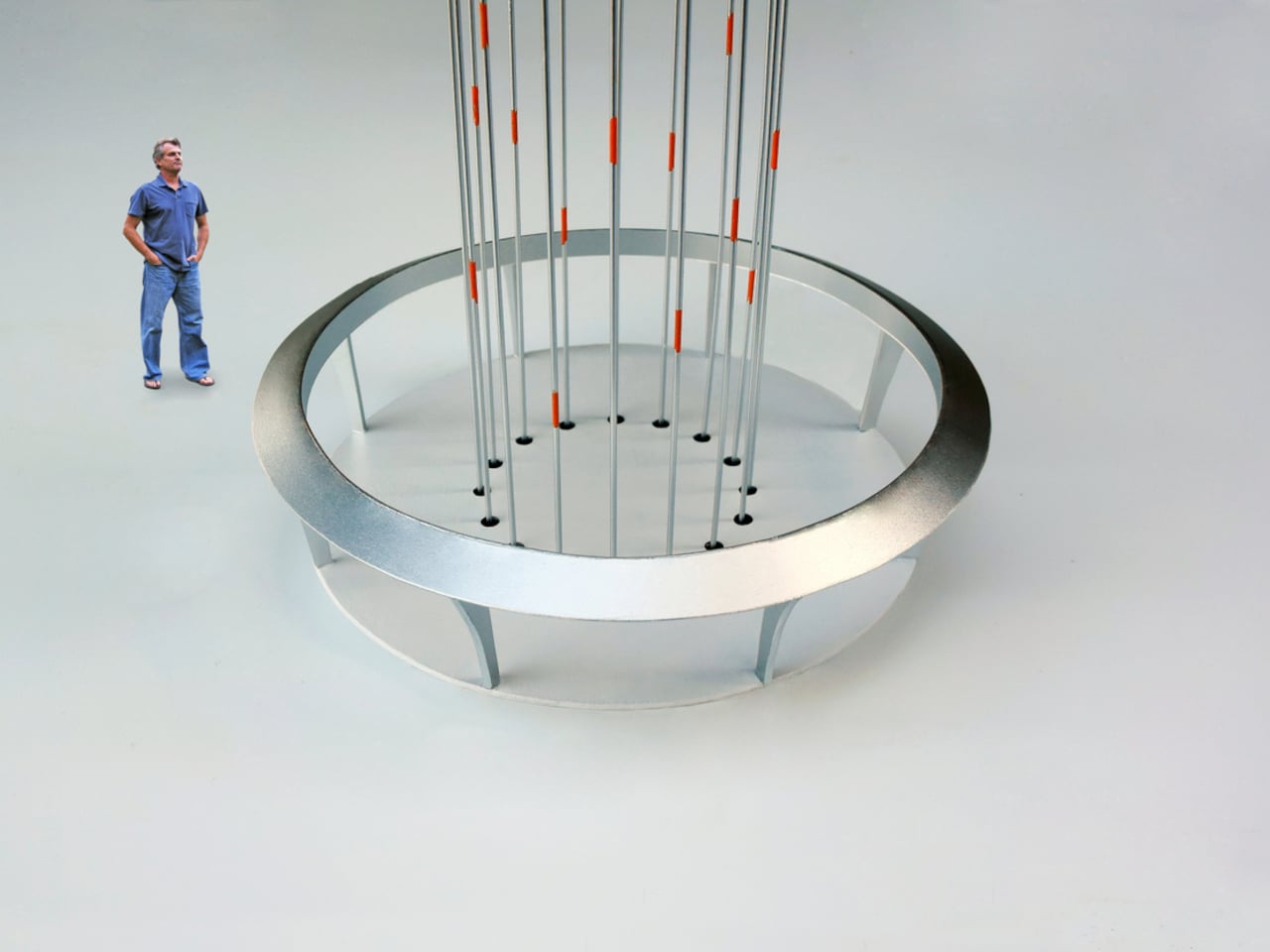
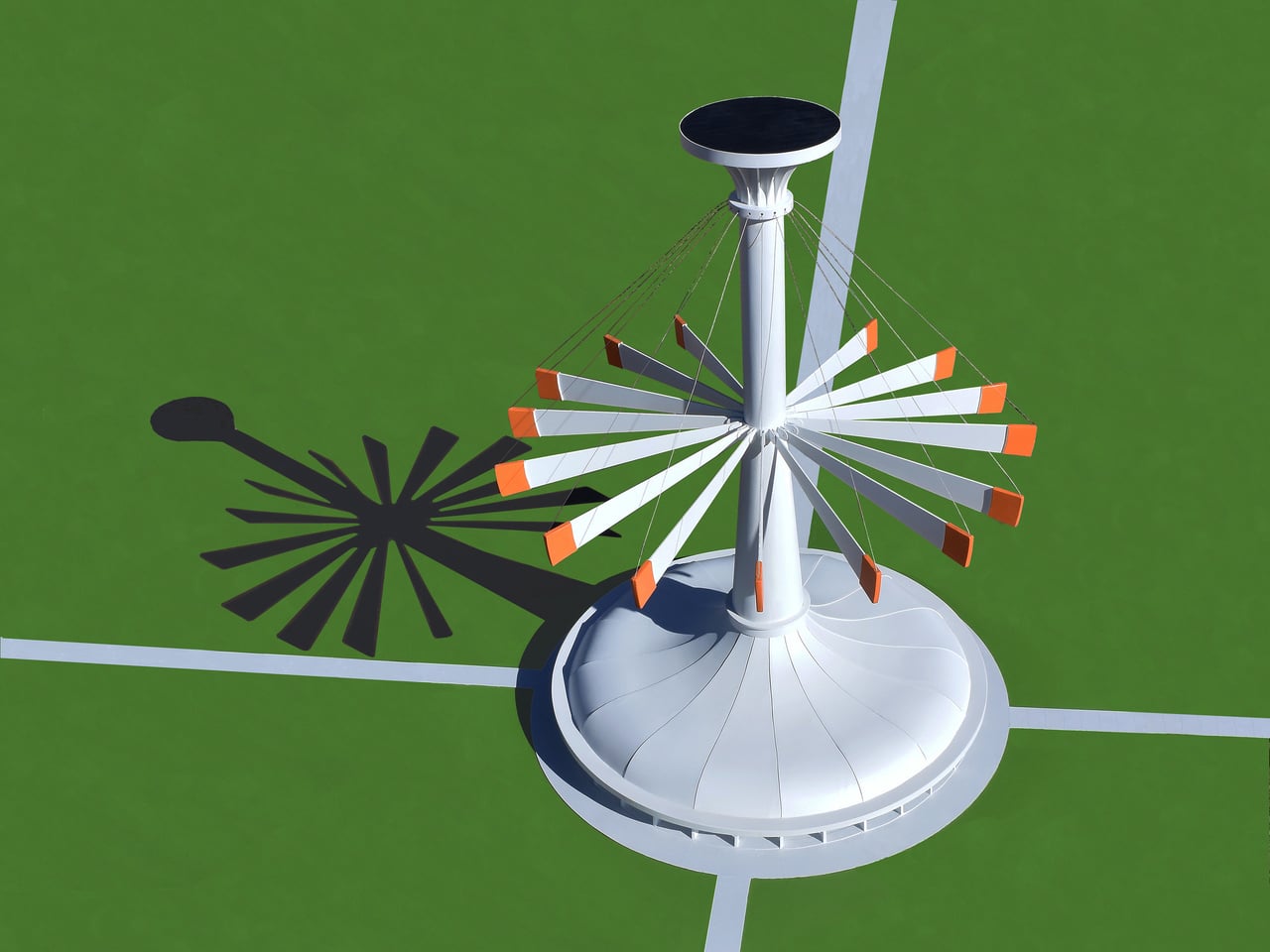
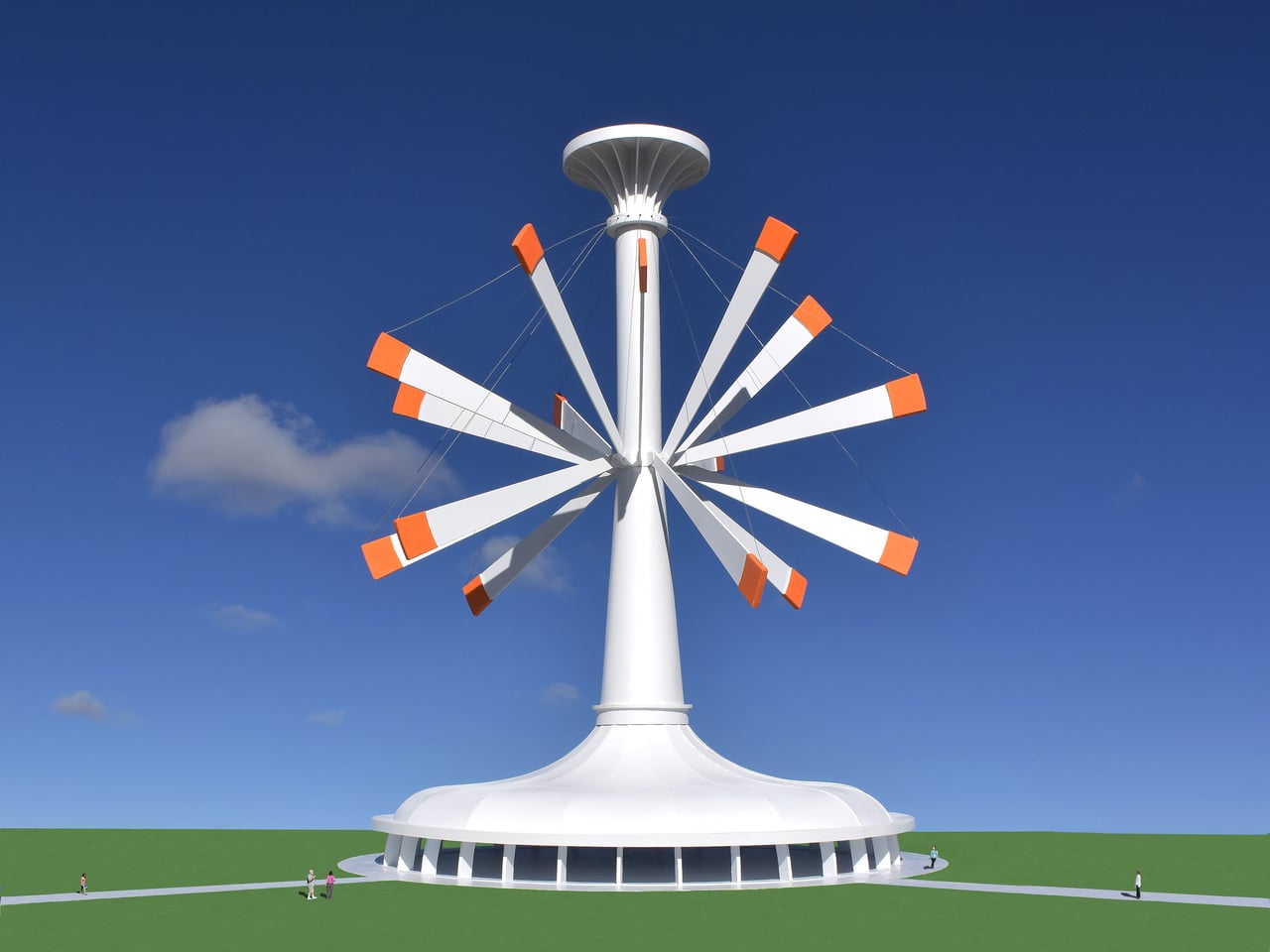
Michael Jantzen’s Solar and Gravity Powered Art and Science Pavilion treats that visibility problem as a design challenge. The conceptual structure combines a public exhibition space under an umbrella-shaped roof with a tall central tower supporting 16 long, weighted steel arms. Those arms lift and lower throughout the day, creating shifting silhouettes while demonstrating how solar power and gravity work together as a functional energy system rather than just theoretical concepts.

Designer: Michael Jantzen

The cycle works simply enough. A solar cell array at the top powers 16 winches that pull the weighted arms upward, storing potential energy. When the pavilion needs electricity, or when someone wants to change its shape, the arms fall back down under gravity. Their descent drives 16 generators that feed power to the building or local grid, turning stored height into usable electricity without batteries or other complex systems getting in the way.

Arriving on a sunny afternoon, you would see the arms at different angles around the tower, sometimes clustered vertically, sometimes fanned out like a mechanical flower. The shifting positions are not just decorative but are the visible result of energy being stored and released. You can read the building’s energy state in its skyline without needing a diagram, which turns out to be a surprisingly rare thing for infrastructure to offer at any scale.

Inside, the umbrella roof shelters a large floor for exhibitions, lectures, or performances. At the center, 16 cables drop through holes in the floor, each marked with an orange spot matching the orange-tipped arms outside. Those cables connect to winches and generators below, making the mechanical core part of the exhibition rather than something hidden. Visitors can track which arms are up or down by watching cables move, turning passive observation into something closer to active participation.

Of course, the setup means the building becomes a working model while hosting events about climate or technology. People walk through exhibitions while the structure demonstrates solar capture and gravity storage without needing to explain every detail. The pavilion functions as a tourist attraction, classroom, and public art that teaches through motion instead of asking you to absorb paragraphs about conversion rates nobody remembers afterward.

Jantzen’s proposal might never be built as drawn, but treating energy flows as choreography feels worth exploring. It hints at a future where infrastructure does not just work efficiently behind walls, it performs visibly in ways that invite people to understand systems that usually stay hidden until something breaks. Making those processes watchable might matter more than squeezing out another efficiency percentage point, which is something worth considering the next time we design places meant to teach.

The post Michael Jantzen Just Turned Solar into a 16-Arm Moving Sculpture first appeared on Yanko Design.

A developer turned Wikipedia into a social media-style feed

While it's important to stay informed about what's going on in the world, endlessly scrolling through your social media feeds and absorbing what's likely to be a largely negative influx of information can't be great for your mental wellbeing. Perhaps with an eye on stopping you from doomscrolling, developer Lyra Rebane created Xikipedia, a social media-style feed of Wikipedia entries.

The web app algorithmically displays info from Simple Wikipedia. "It is made as a demonstration of how even a basic non-[machine learning] algorithm with no data from other users can quickly learn what you engage with to suggest you more similar content," the Xikipedia landing page reads. "No data is collected or shared here, the algorithm runs locally and the data disappears once you refresh or close the tab."

You can opt to see entries from certain categories (including custom ones) and you can like “posts,” each of which is a summary of the relevant Simple Wikipedia entry. Liking a post makes it more likely for posts from the same category, parent categories and linked articles to appear in your feed, Rebane explained.

You can click or tap on a post to visit the full article. It's important to note that, since Xikipedia pulls text and images from random articles, you'll probably see some NSFW material if you scroll for long enough, so be warned. You'll also likely need to wait a beat for Xikipedia to load its 40MB of data.

As someone who has a bookmark that takes me to a random Wikipedia article whenever I click it, I love the idea of Xikipedia. The Simple English Wikipedia has more than 278,000 articles, so there are hundreds of thousands of posts available to scroll through. However, it doesn’t seem to be updated as often as the main version of Wikipedia. The discography section of one musician's page I ended up on was missing their two most recent albums. Still, it's worth treating this like Wikipedia proper: as a starting point for discovering new things (sort of in the tradition of StumbleUpon).

This article originally appeared on Engadget at https://www.engadget.com/apps/a-developer-turned-wikipedia-into-a-social-media-style-feed-174924280.html?src=rss

This Coat Rack Vanishes Into Your Wall When You Don’t Need It

Coat racks are designed to be covered. Designers refine sculptural hooks and stands that look great in catalogs, but the moment you hang coats and bags, they disappear under fabric. No matter how interesting the form, the object gets visually erased by its own function. Most designs pretend this is not happening, even though vanishing under outerwear is basically written into the job description from the start.

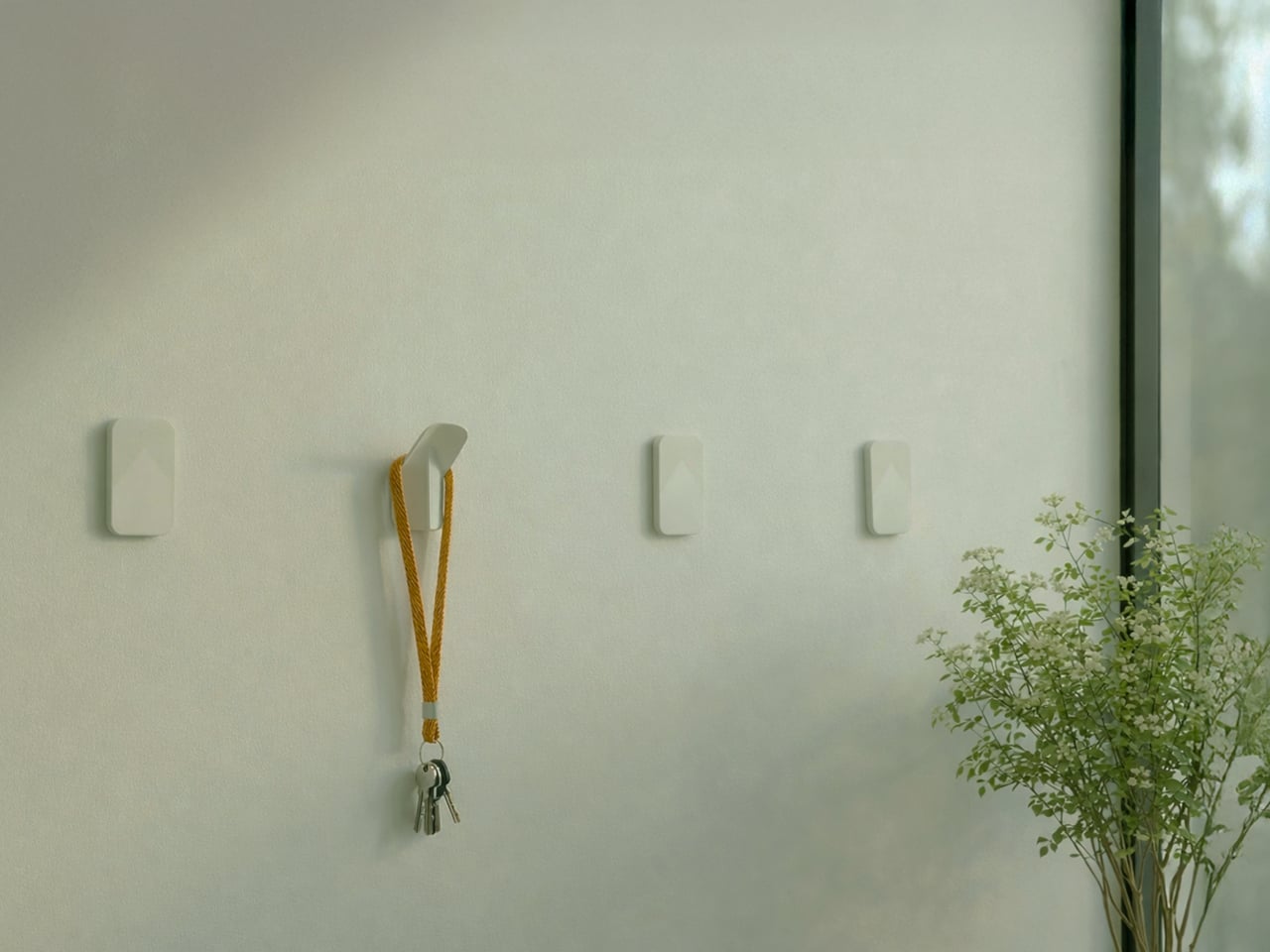
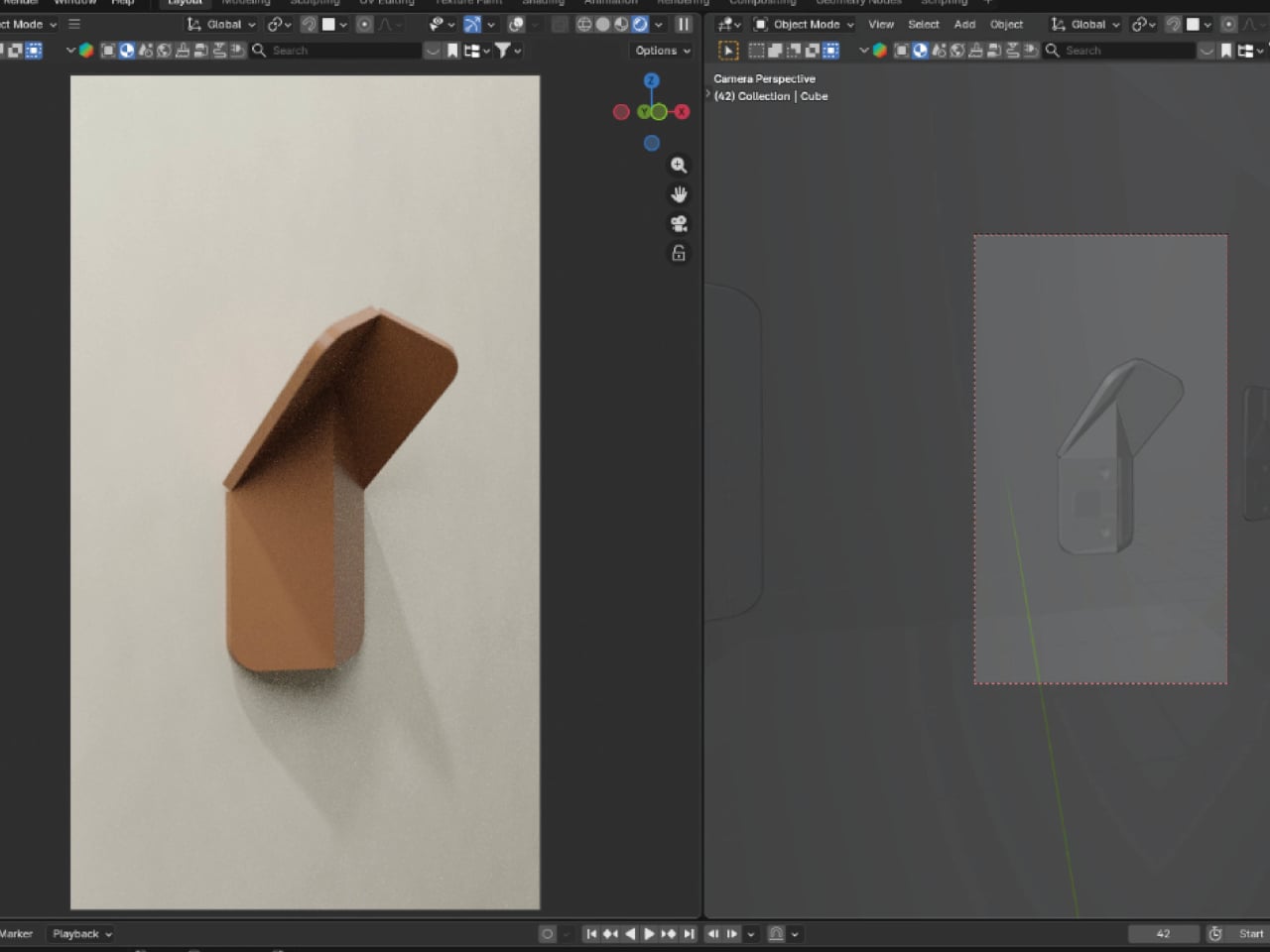
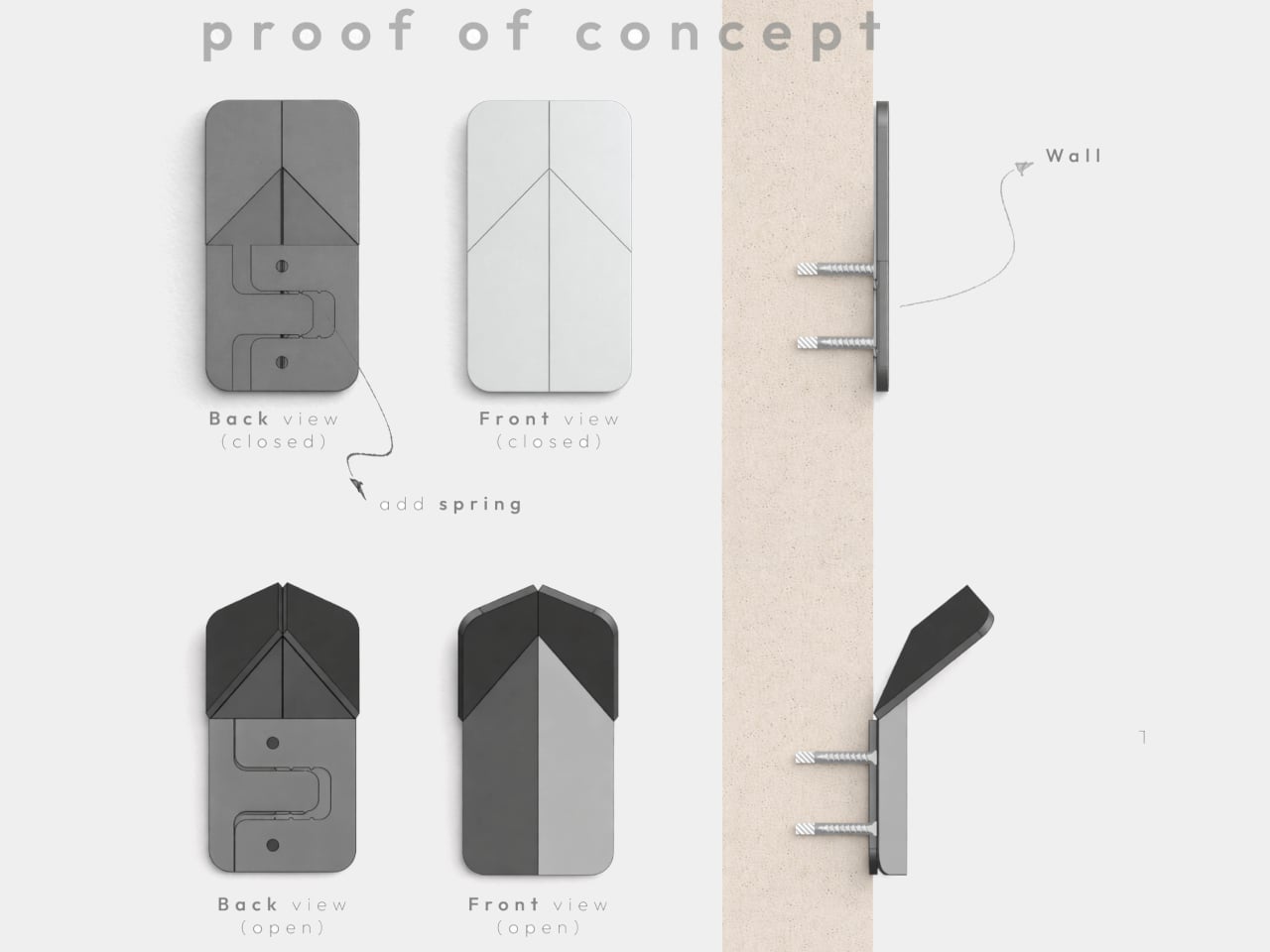
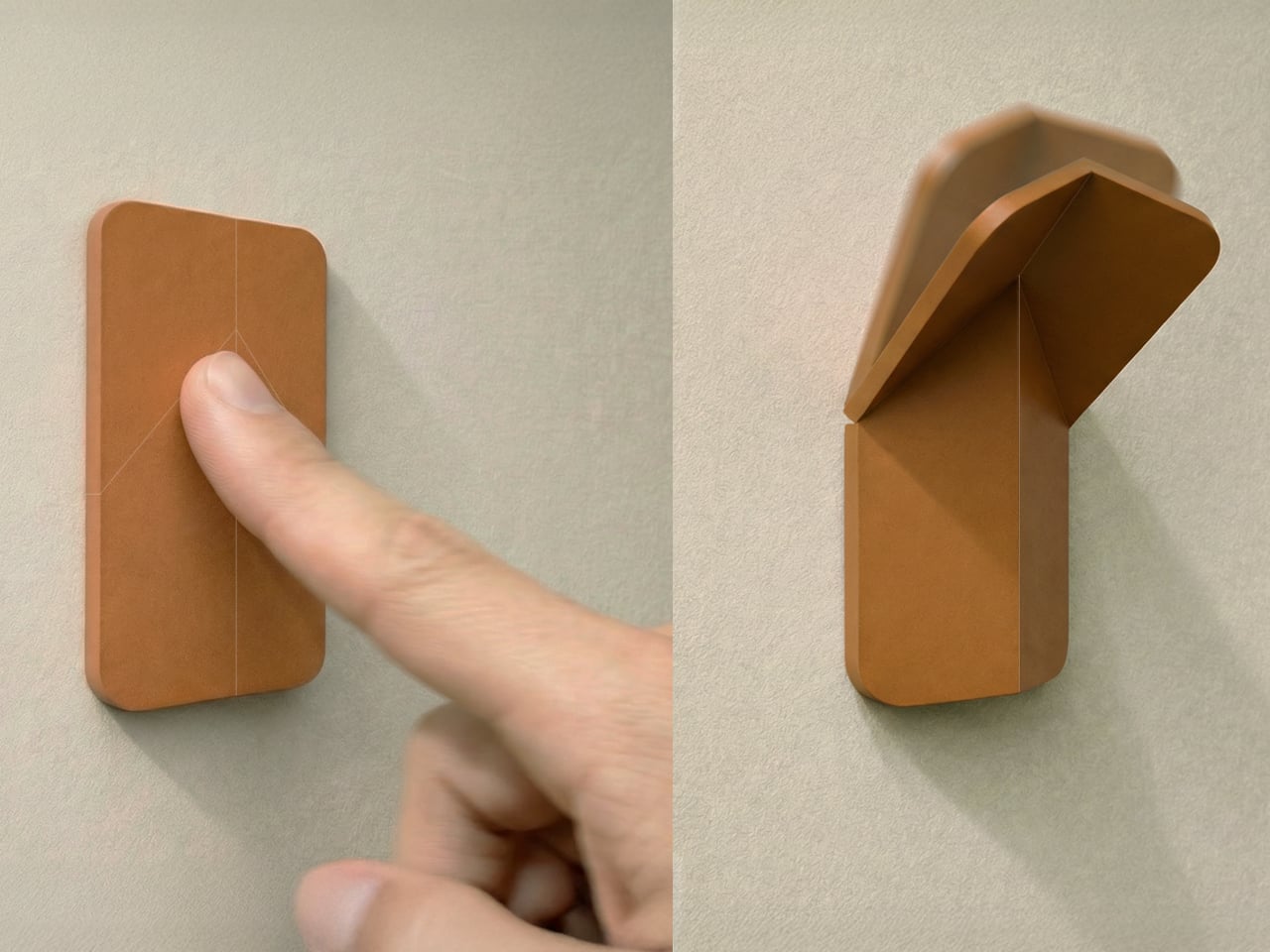
VELTO accepts that contradiction instead of fighting it. The wall-mounted coat rack stays completely flat when not in use and only reveals itself when needed. The philosophy revolves around the idea that design does not always need to shout to be valuable, and sometimes disappearing is actually the point. When closed, it sits flush against the wall like a small tile and can be painted the same color to blend entirely.

Designer: Brent De Meulenaere

The transformation happens with a single push. A spring-assisted mechanism lets the flat panel unfold into a hook that holds coats, bags, or scarves without extra effort. The movement is inspired by origami, turning a flat surface into a functional volume through precise folds. The interaction becomes a small, deliberate gesture every time you come home or leave, pressing the panel and watching it quietly fold out to catch your jacket.

The object starts from a single flat shape laser-cut from polypropylene, which flexes repeatedly without breaking, and can be painted in any color. That flat-pack logic keeps production efficient and reduces waste. You can paint VELTO to disappear into the wall or let it stand out as a subtle accent, depending on whether you want it to blend or quietly announce itself in the entryway.

In narrow hallways or compact entryways, every protruding object becomes something you bump into or work around. Traditional coat racks and hooks always occupy space, even when empty, creating visual clutter on days when you are not using them. VELTO stays flat until pressed, so walls remain clean most of the time. When guests arrive or winter coats come out, hooks appear on demand, then fold back once everything is put away.

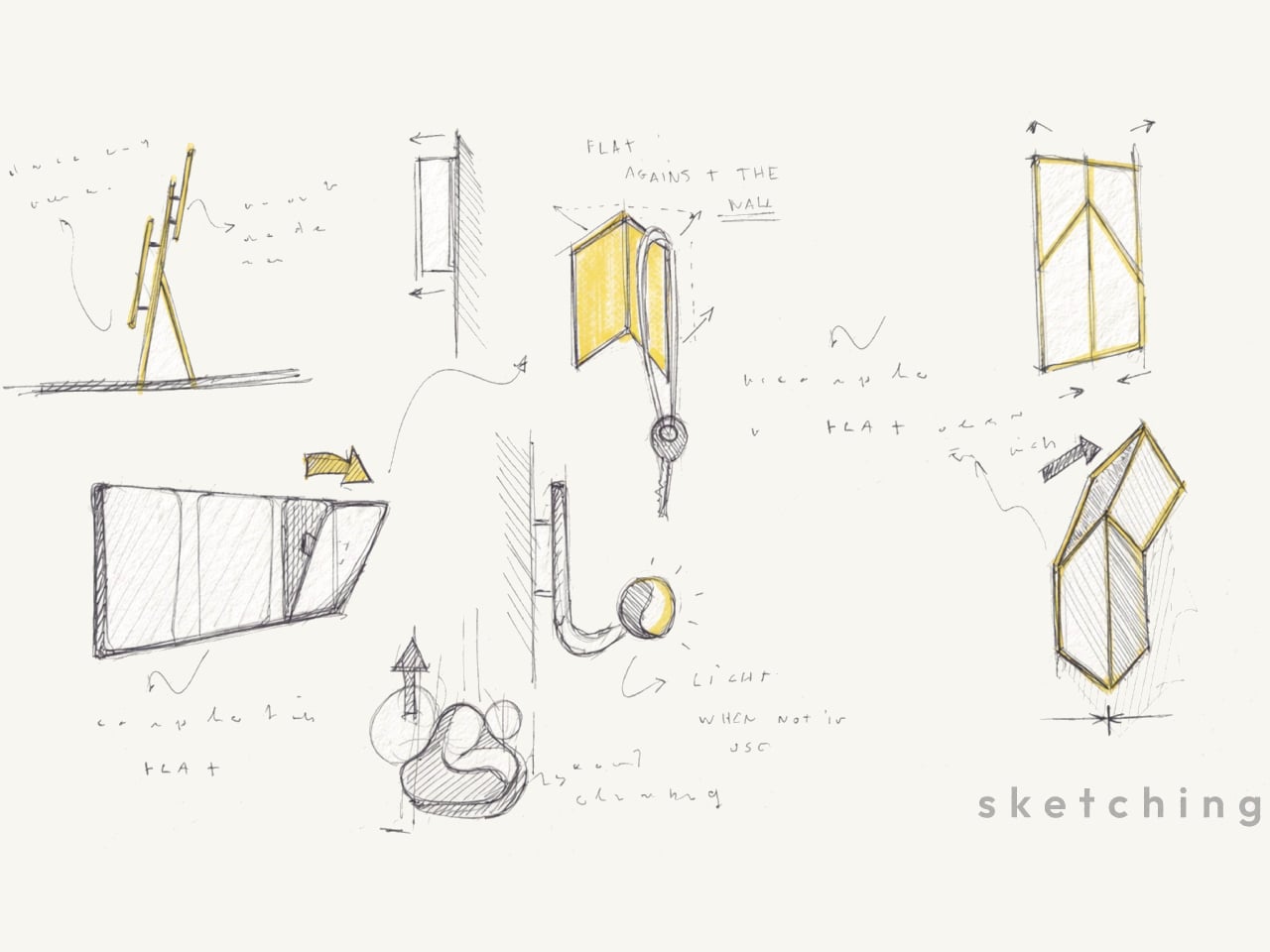
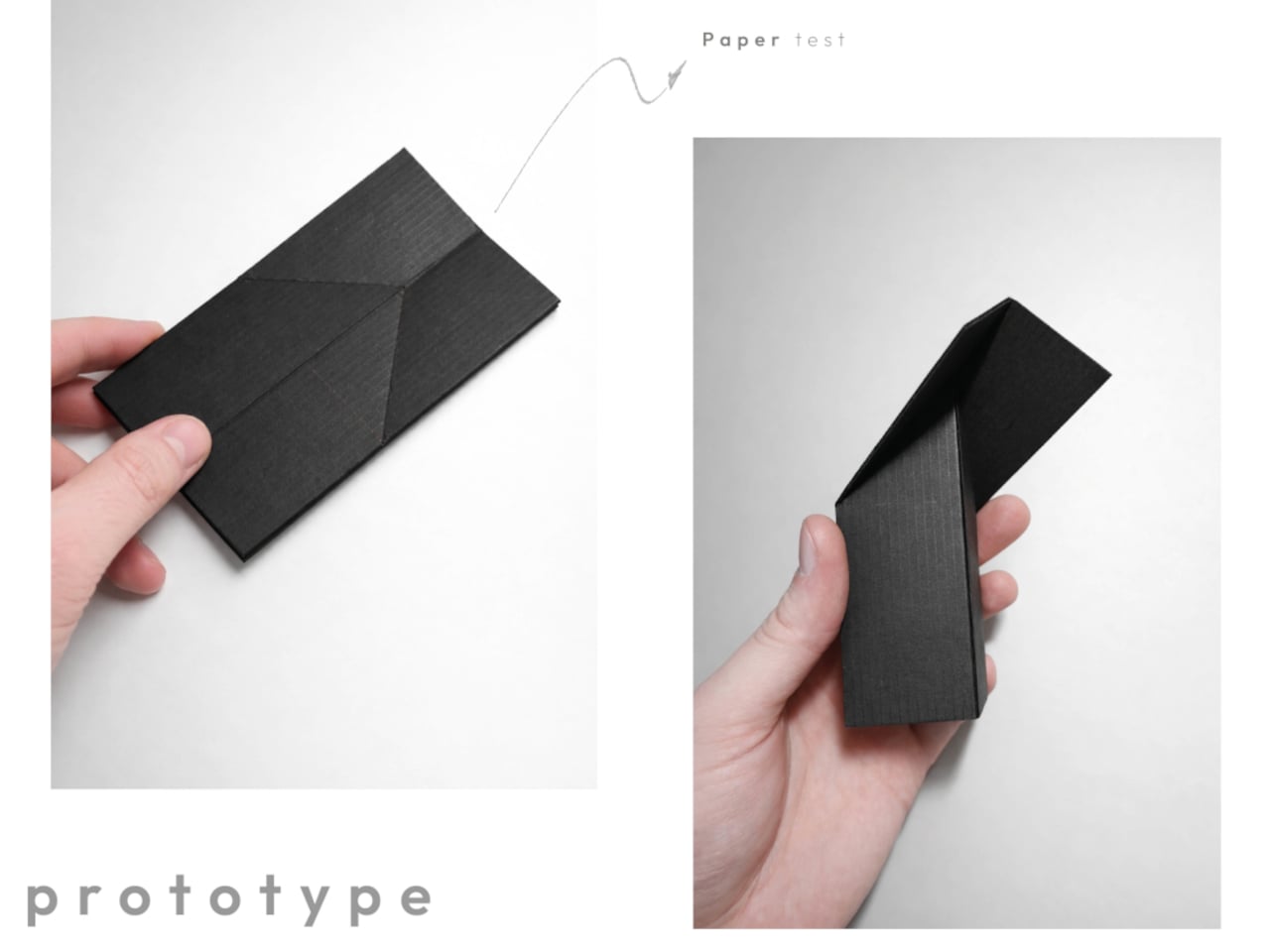
The project grew from sketches about movement and hinges rather than styling, followed by paper models and prototypes testing folding angles, opening force, and stability. Only after the mechanism felt right did the designer refine proportions and edges. That process shows in the final concept, where the memorable part is not a decorative detail but the calm, almost self-explanatory way the object transforms when you actually need it.

VELTO treats absence as a feature instead of a problem. Rather than trying to dominate a room, it tries to coexist quietly with walls and daily routines, only stepping forward when you need a place to hang something. In a world full of products competing for attention, a coat rack designed to be covered and happy to disappear feels like a surprisingly refreshing stance.

The post This Coat Rack Vanishes Into Your Wall When You Don’t Need It first appeared on Yanko Design.

Grok, which maybe stopped undressing women without their consent, still undresses men

It looks like Grok is still being gross. Elon Musk says his chatbot stopped making sexualized images without a person's consent, but The Verge recently discovered this is not entirely true. It maybe (and I say maybe) stopped undressing women without their consent, but this doesn't seem to apply to men.

A reporter with the organization ran some tests with Grok and found that the bot "readily undresses men and is still churning out intimate images on demand." He confirmed this with images of himself, asking Grok to remove clothing from uploaded photos. It performed this task for free on the Grok app, via the chatbot interface on X and via the standalone website. The website didn't even require an account to digitally alter images.

The company recently said it has taken steps to "prevent the Grok account from allowing the editing of images of real people in revealing clothing such as bikinis." However, the reporter had no problem getting the chatbot to put him in "a variety of bikinis." It also generated images of the subject in fetish gear and in a "parade of provocative sexual positions." It even generated a "naked companion" for the reporter to, uh, interact with.

He suggested that Grok took the initiative to generate genitalia, which was not asked for and was visible through mesh underwear. The reporter said that "Grok rarely resisted" any prompts, though requests were sometimes censored with a blurred-out image.

This controversy started several weeks ago when it was discovered that Grok had generated millions of sexualized images over a period of 11 days. This includes many nonconsensual deepfakes of actual people and over 23,000 sexualized images of children. This led to investigations in both California and Europe. X was actually banned in both Indonesia and Malaysia, though the former has since lifted that ban.

X claimed it has "implemented technological measures" to stop this sort of thing, but these safeguards have proven to be flimsy. In other words, the adjustments do stop some of the more obvious ways to get Grok to create deepfakes, but there are still methods to get around this via creative prompting.

It's also worth noting that journalists asking for a comment on the matter get slapped with an autoreply that reads "legacy media lies." Going with the fake news thing in 2026? Yikes.

This article originally appeared on Engadget at https://www.engadget.com/ai/grok-which-maybe-stopped-undressing-women-without-their-consent-still-undresses-men-170750752.html?src=rss

Blizzard’s quality assurance workers finally have a union contract

Almost three years after starting the bargaining process with Microsoft, quality assurance workers at two Blizzard locations have ratified a union contract. The agreement covers 60 workers at Blizzard Albany and Blizzard Austin.

The agreement includes guaranteed pay increases across the three years of the contract, assurances that workers will be given fair credits and recognition on games that ship, discrimination-free disability accommodations, restrictions on crunch (i.e. mandatory overtime) and "protection to immigrant workers from unfair discipline and loss of seniority while streamlining legal verification." Stronger rules around the use of AI are included in the contract as well.

“At a time when layoffs are hitting our industry hard, today is another big step in building a better future for video game workers at every level,” Blizzard Albany quality analyst Brock Davis said in a statement. “For quality assurance testers, this contract provides us wages to live on, increased job security benefits and guardrails around artificial intelligence in the workplace.”

As with other unions in Microsoft's game divisions, the Blizzard QA workers organized with the Communications Workers of America. This marks the third union agreement at Microsoft after ZeniMax and Raven Software workers ratified contracts last summer. Several other Blizzard divisions have unionized within the last year, including the cinematics team, Overwatch developers and a unit that works on Diablo.

This article originally appeared on Engadget at https://www.engadget.com/big-tech/blizzards-quality-assurance-workers-finally-have-a-union-contract-162614979.html?src=rss

Flagship Ayaneo Pocket S Mini handheld is tailored for retro game fanatics

Current-generation handhelds have a much wider 16:9 screen ratio than older ones, and Ayaneo wants to get that right. Unlike the Pocket PLAY or the Pocket Fit Elite, which are intended for playing modern titles, the newly launched Pocket Mini S handheld targets the more novel 4:3 aspect ratio, which fits well with older titles from PlayStation 1 and Nintendo 64 that are emulated on modern devices. So, retro gamer lovers will not freak about those thick black bands on either side of the screen to make up for the aspect ratio adjustment.

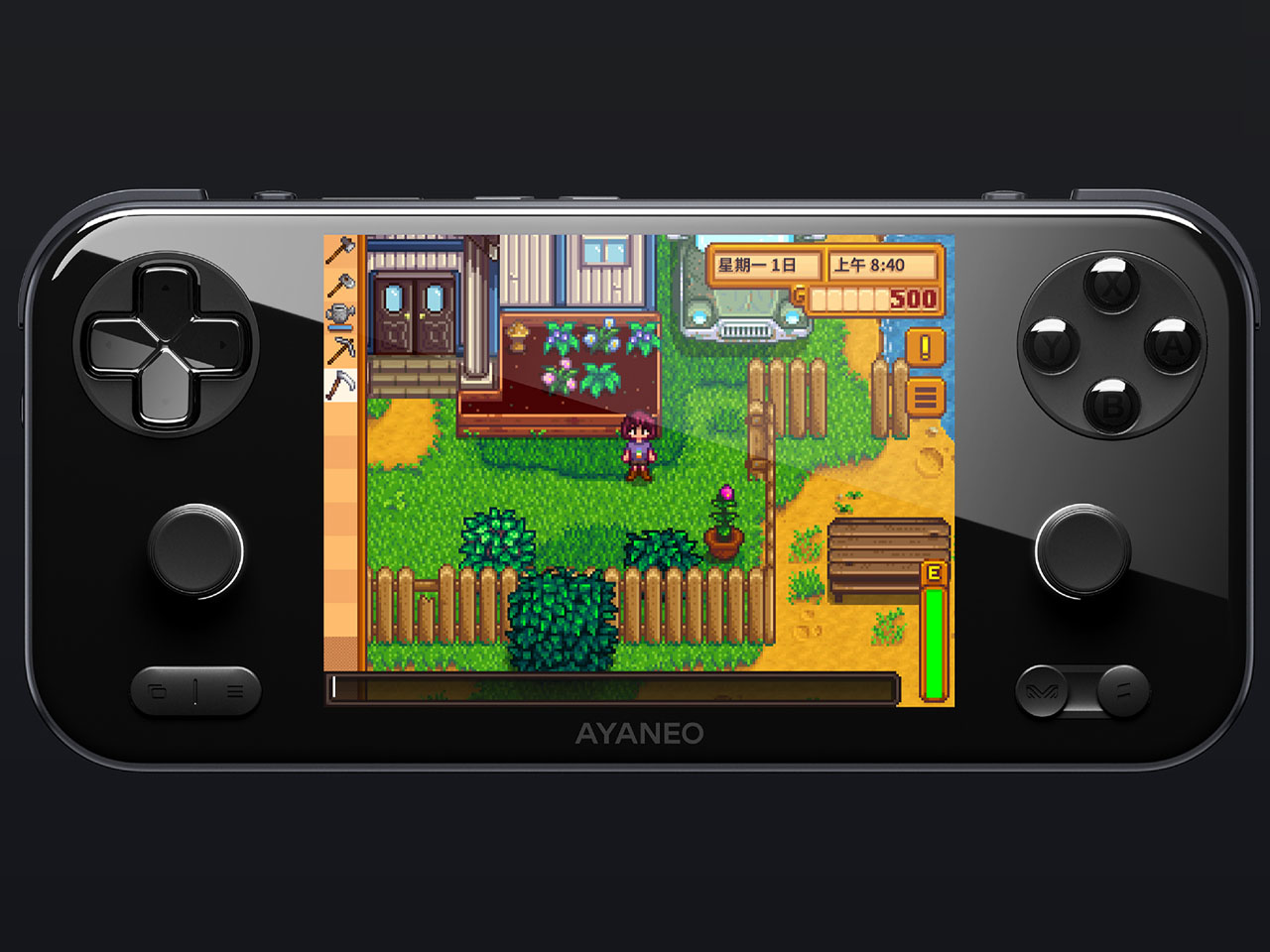
For gamers who prefer the horizontal orientation for playing titles like Stardew Valley, Ayaneo has brought this handheld alongside the affordable Pocket Air Mini and the Pocket VERT, which has a more retro handheld feel to it with the 4:3 aspect ratio. The new handheld brings more meat to the equation for gamers who want better performance, compared to the Pocket VERT. This gives gamers more options to choose from the Ayaneo line-up.

Designer: Ayaneo

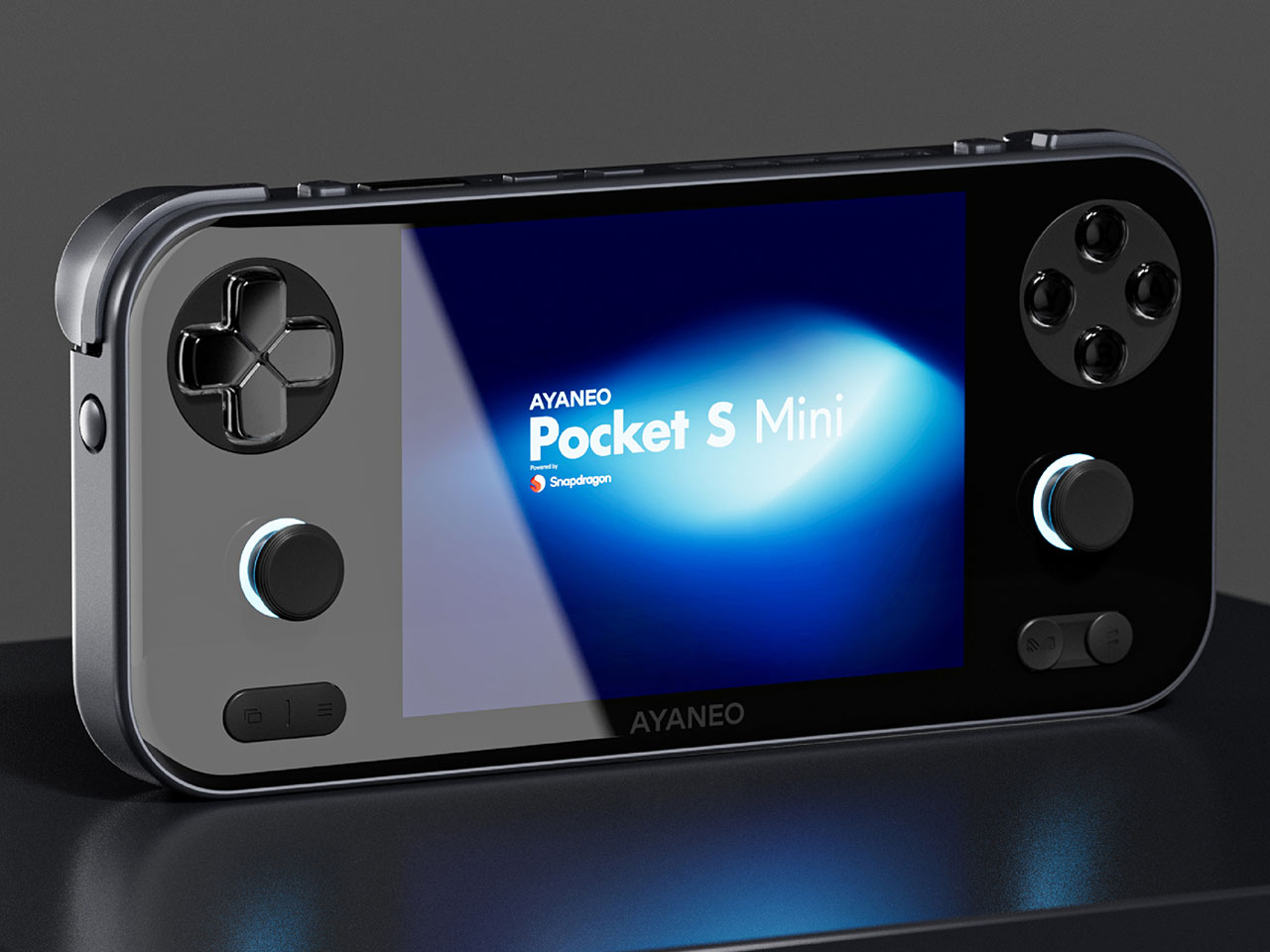
Pocker Mini S comes with a 4.2-inch LCD screen having 1280×960 resolution for rendering classic games that hardcore gamers like to play now and then. The ideal aspect ratio means there is no cropping or stretching of the in-game elements. This flagship gaming device is powered by the Snapdragon G3x Gen 2 SoC, and the graphics are handled by the 8-core CPU and 4nm technology Adreno A32 graphics card. The top variant of the handheld comes with 16GB of ultra-fast LPDDR5x RAM and UFS 4.0 storage for enjoying demanding emulated games without any lag or overheating. To keep the latter at bay, Ayaneo has a built-in active cooling fan and the biomimetic fishbone design to ensure maximum frame rates are sustained over long gaming sessions.

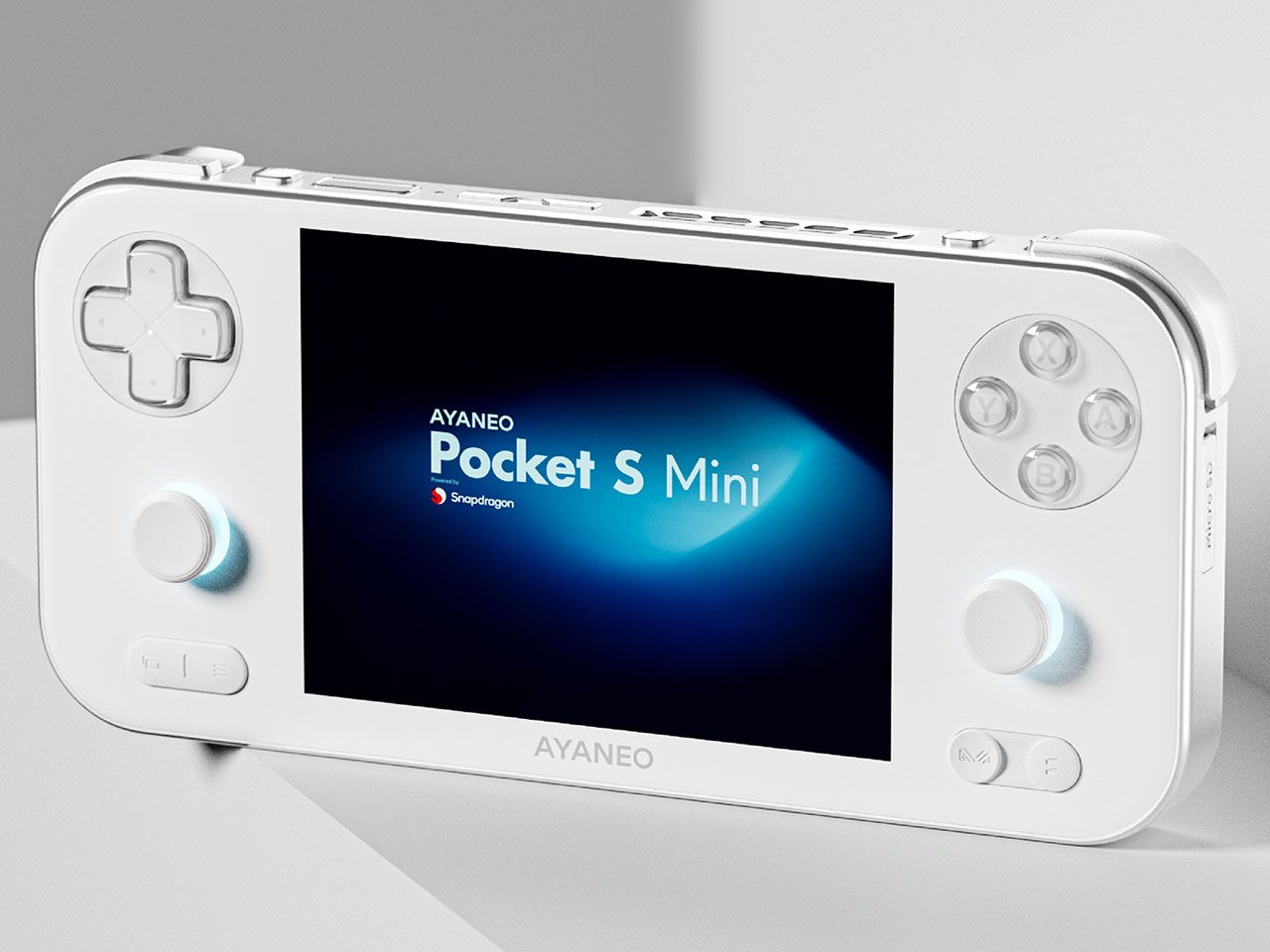
Buttons on the handheld follow the Pocket VERT’s trail with crystal-texture, and two small Hall Effect RGB joysticks adopting the Pocket ACE’s design aesthetics. The D-pad with conductive rubber internals adds to the premium feel of the Pocker S Mini. Weighing a respectable 305 grams, the unibody metal body handheld is CNC-milled and measures a comfortable 167.1 x 77.85 x 18.5mm with flat aesthetics and contoured edges for better ergonomic grip and reach of the shoulder buttons. The Android 14-powered device has a 6,000mAh high-density battery that supports PD fast charging.

Ayaneo Pocket S Mini is available in three color variants – Ice Soul White, Obsidian Black, and Retro Power (available in the top variant). The handheld can be preordered from the official website for early bird pricing of $319 for the 8GB+128GB model and $479 for the 16GB+512GB Retro Power edition model. Early buyers will also get the exclusive accessory bundle. Later on, the retail prices will jump to $399 and $599, respectively.

The post Flagship Ayaneo Pocket S Mini handheld is tailored for retro game fanatics first appeared on Yanko Design.

Fold Metal Once, Organize Your Entire Desk Forever

Most desks accumulate the same clutter. A stack of paper that never stays neat, a pen cup filled with tools you never touch, and business cards sliding around until they fall behind the monitor. The typical solution is plastic organizers that do not age well and do not really help. They just give the mess a slightly more defined shape while taking up even more space on the desk.
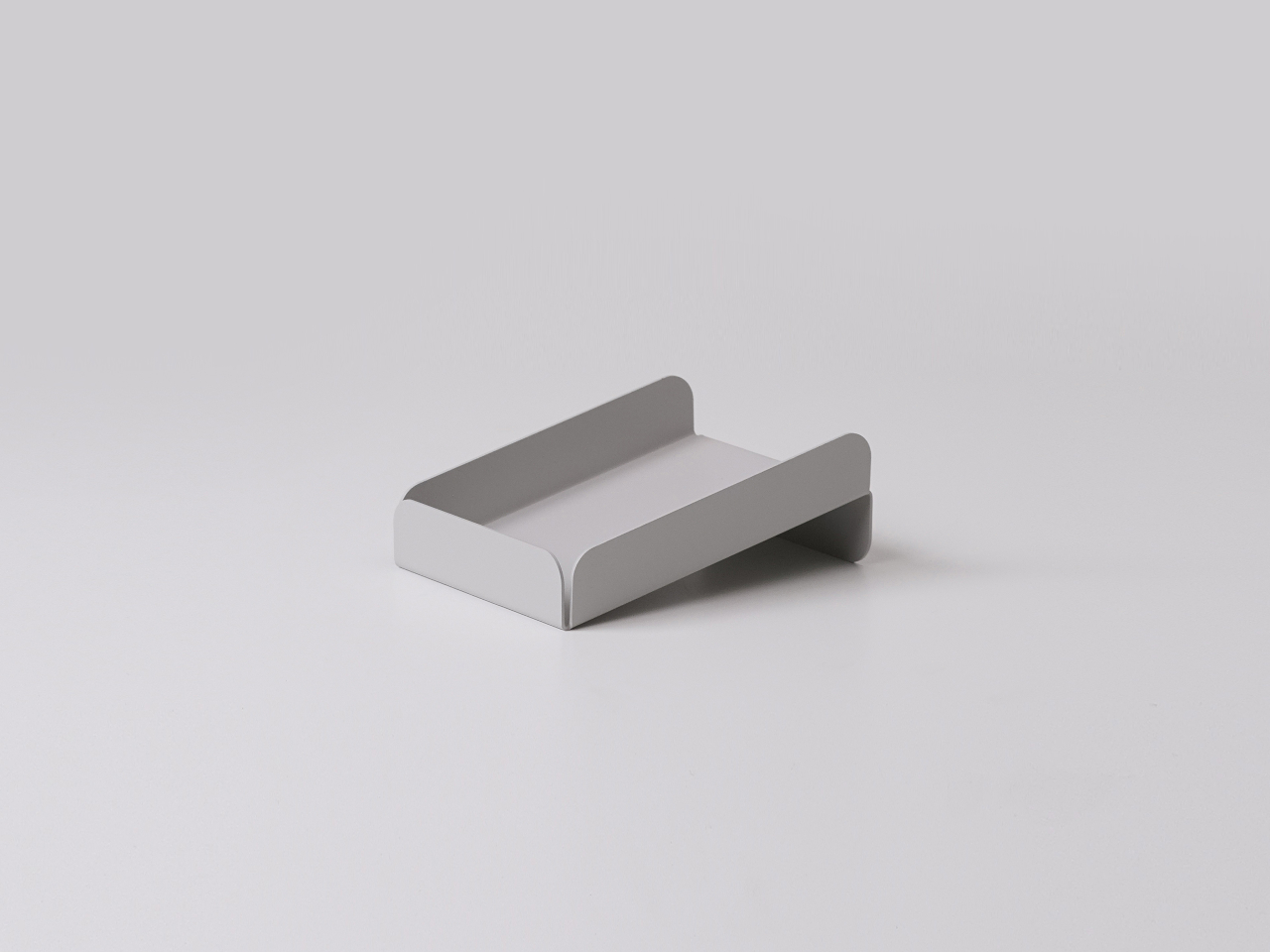
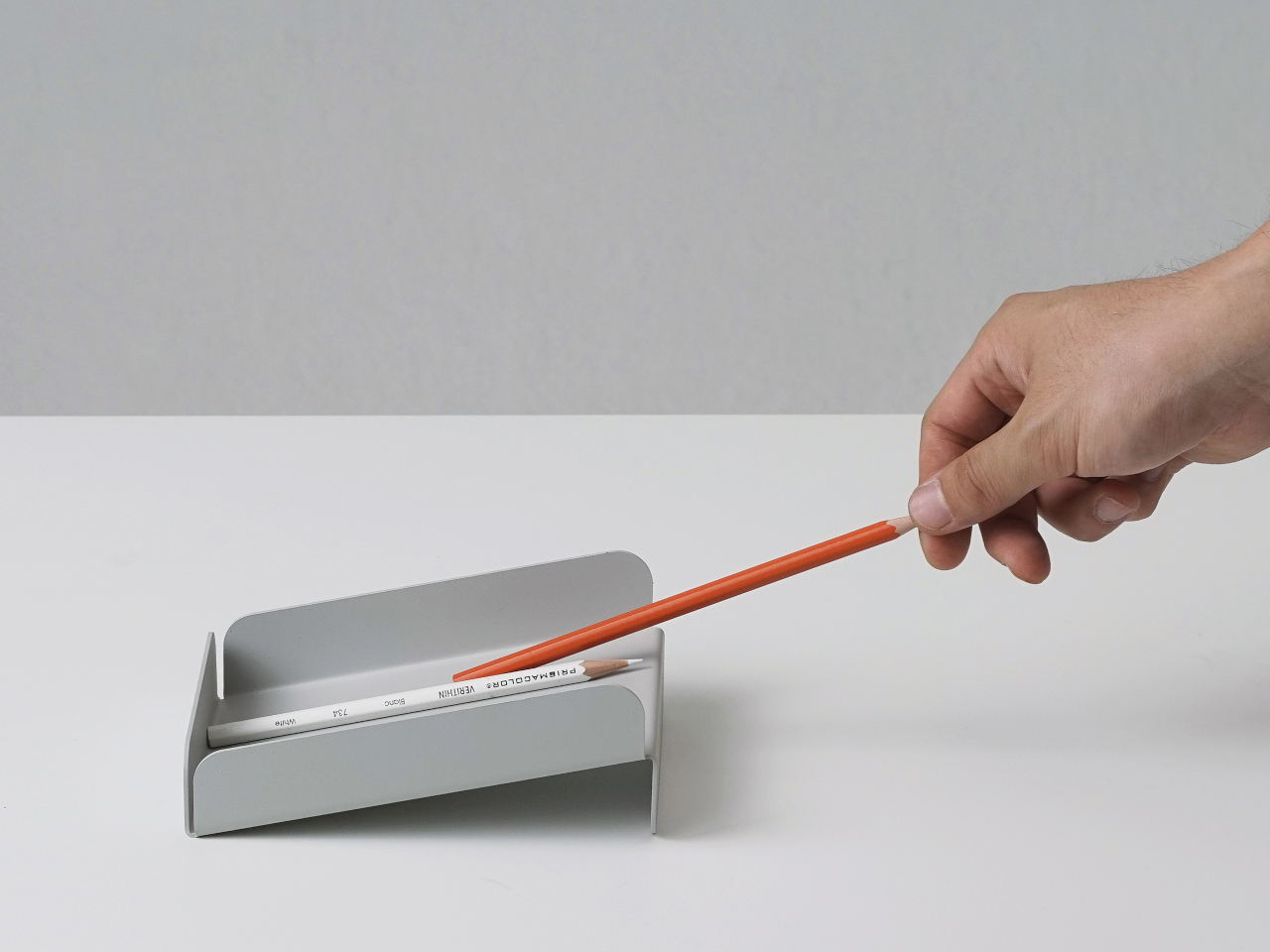
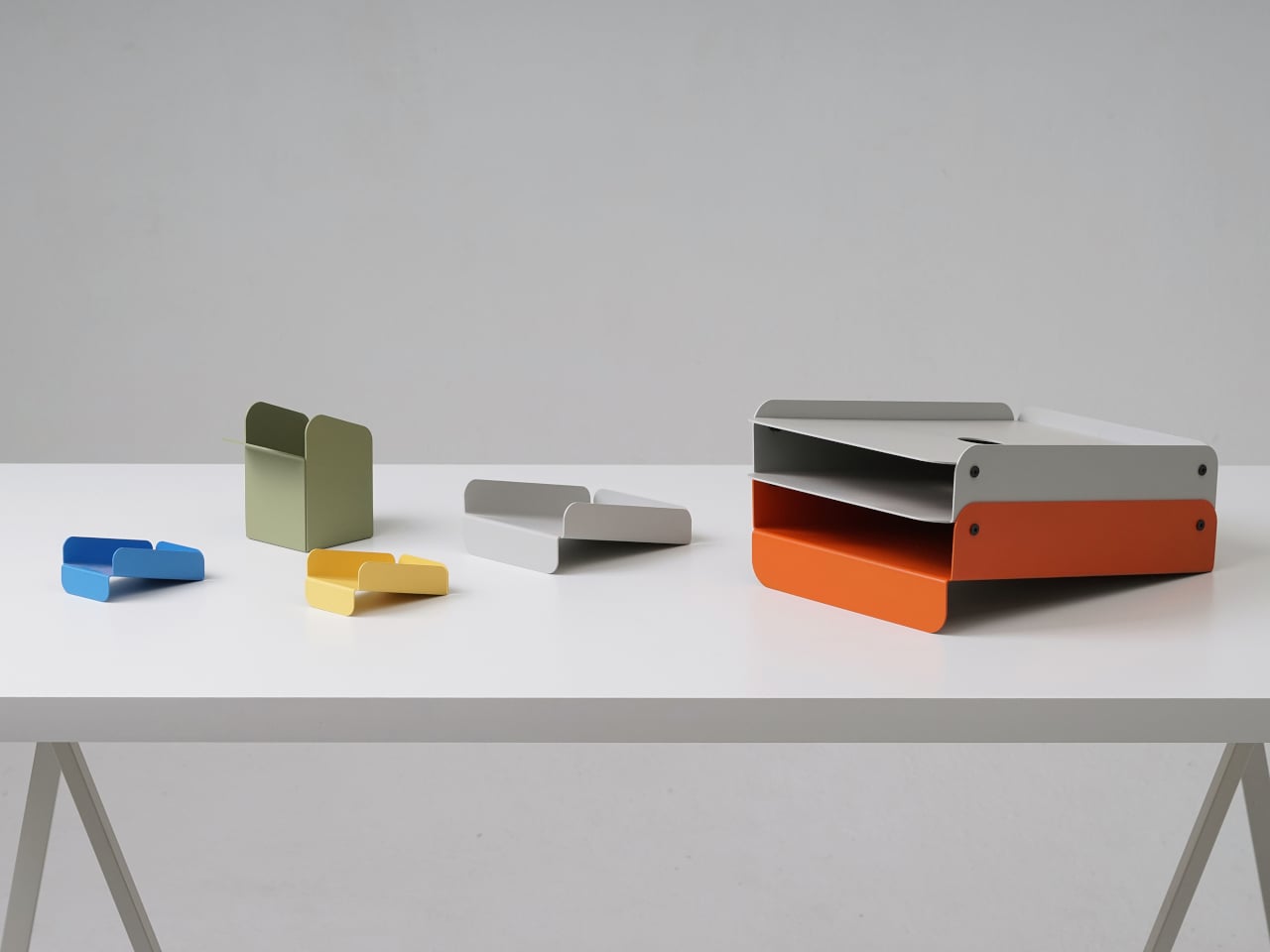
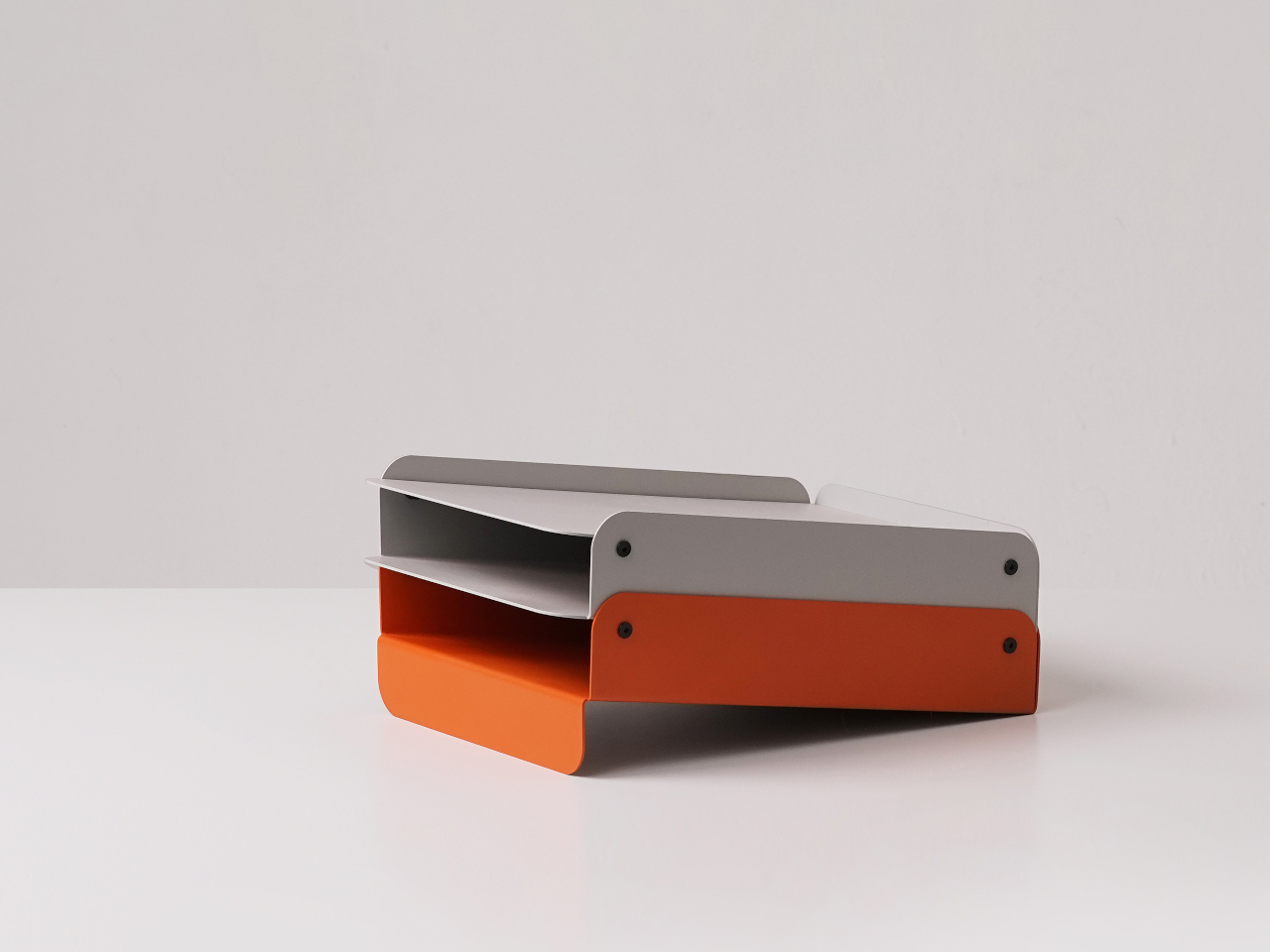
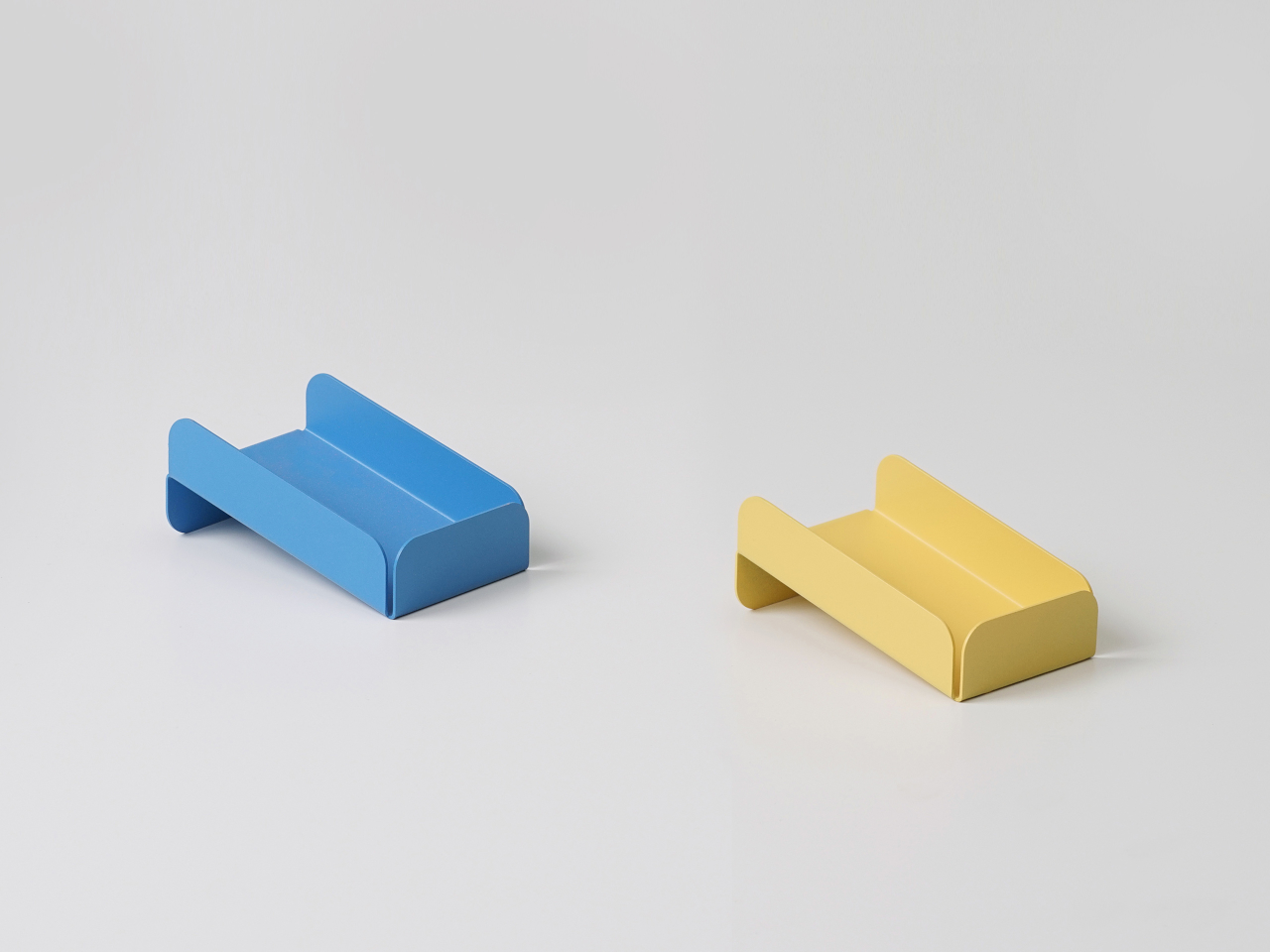
That is where Foldy comes in. This small family of office trays starts from a single 1.6 mm metal sheet bent into shape. Sheet-metal bending is cheap, durable, and works for small runs, but usually looks industrial. Foldy leans into that process while rounding every edge and coating pieces in soft matte colors, so they feel more like friendly desk companions than leftover machine parts from a factory floor.

Designer: Hoyoung Joo (studio SF-SO/SFSO)

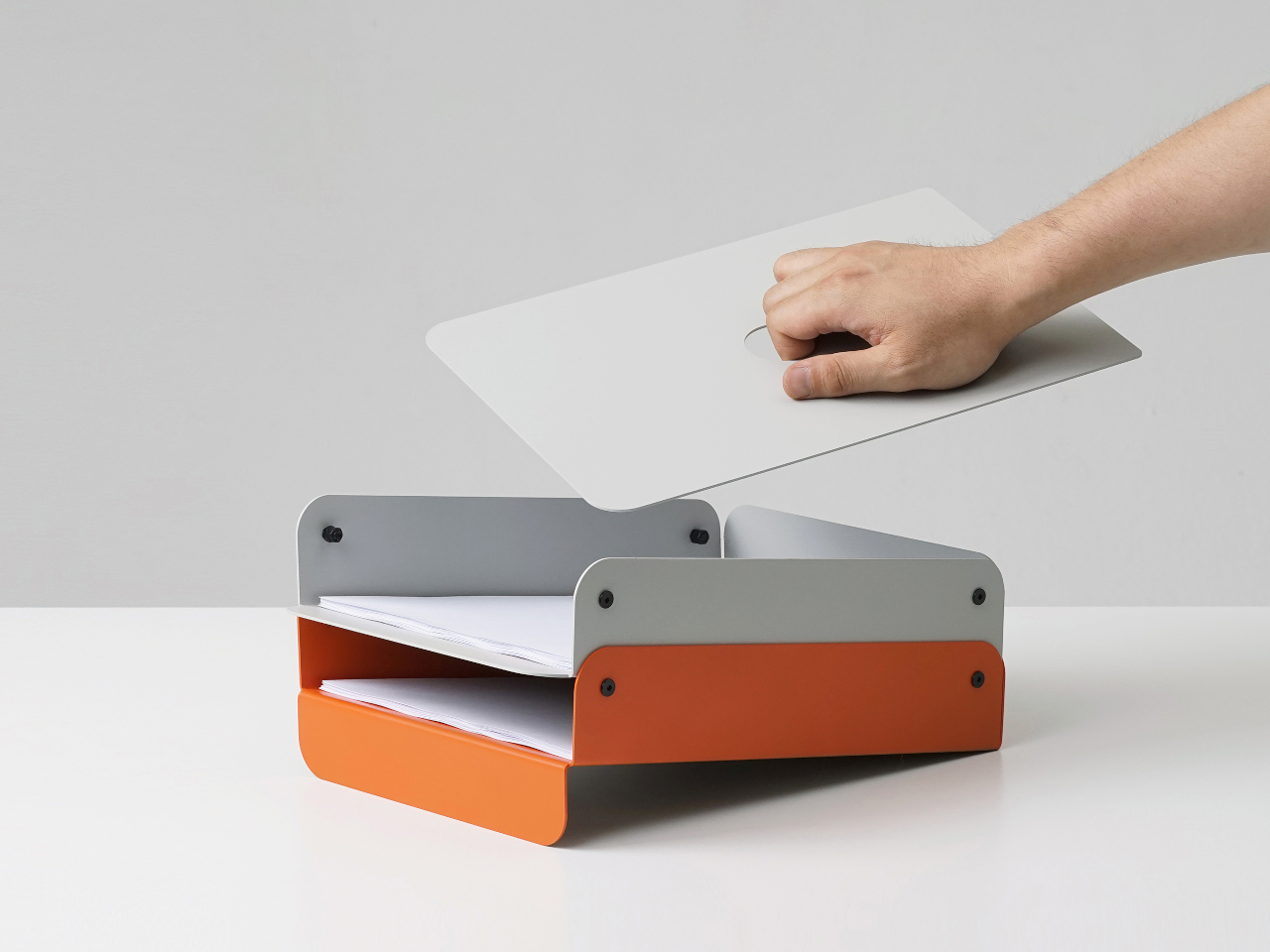
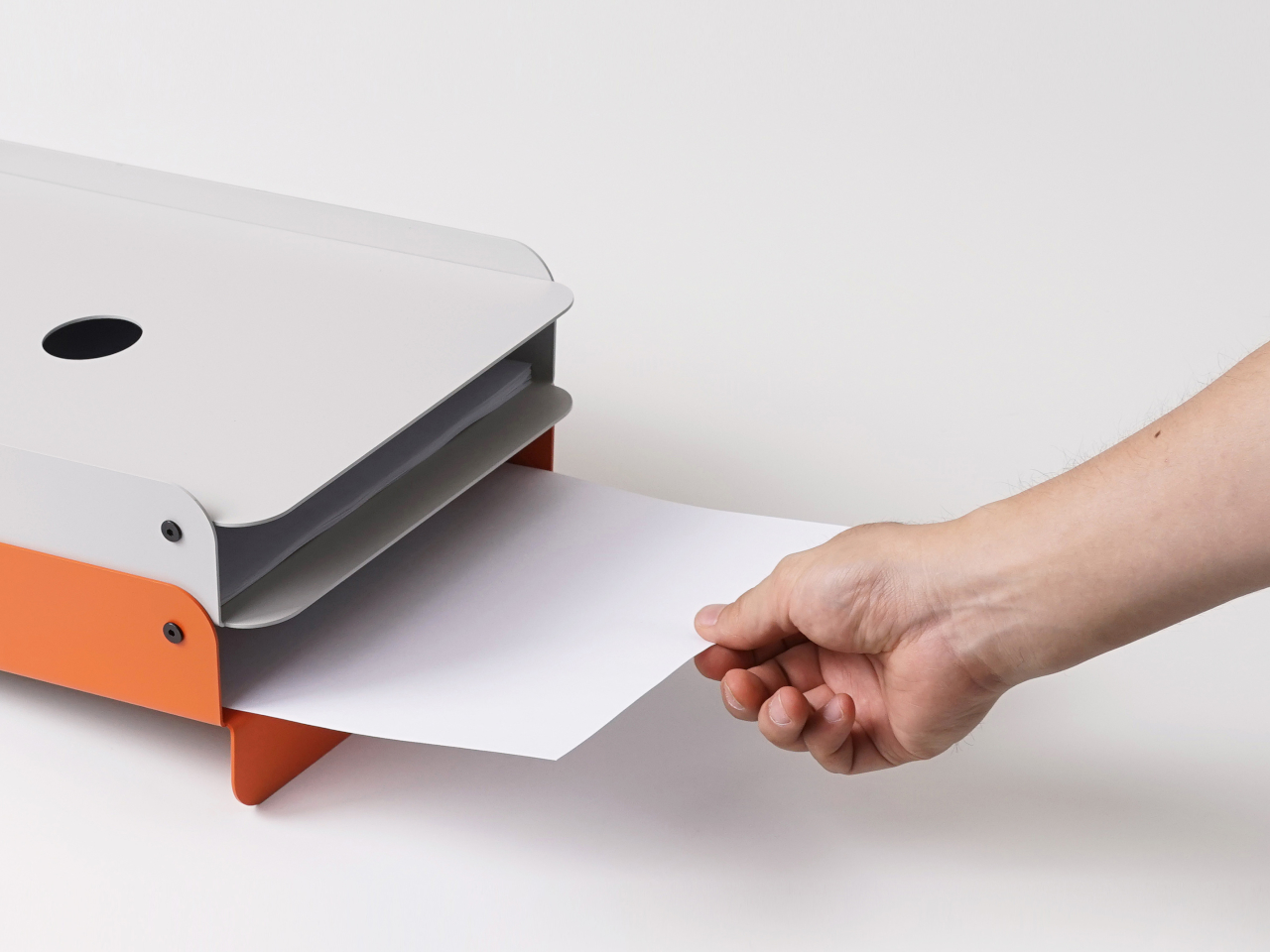
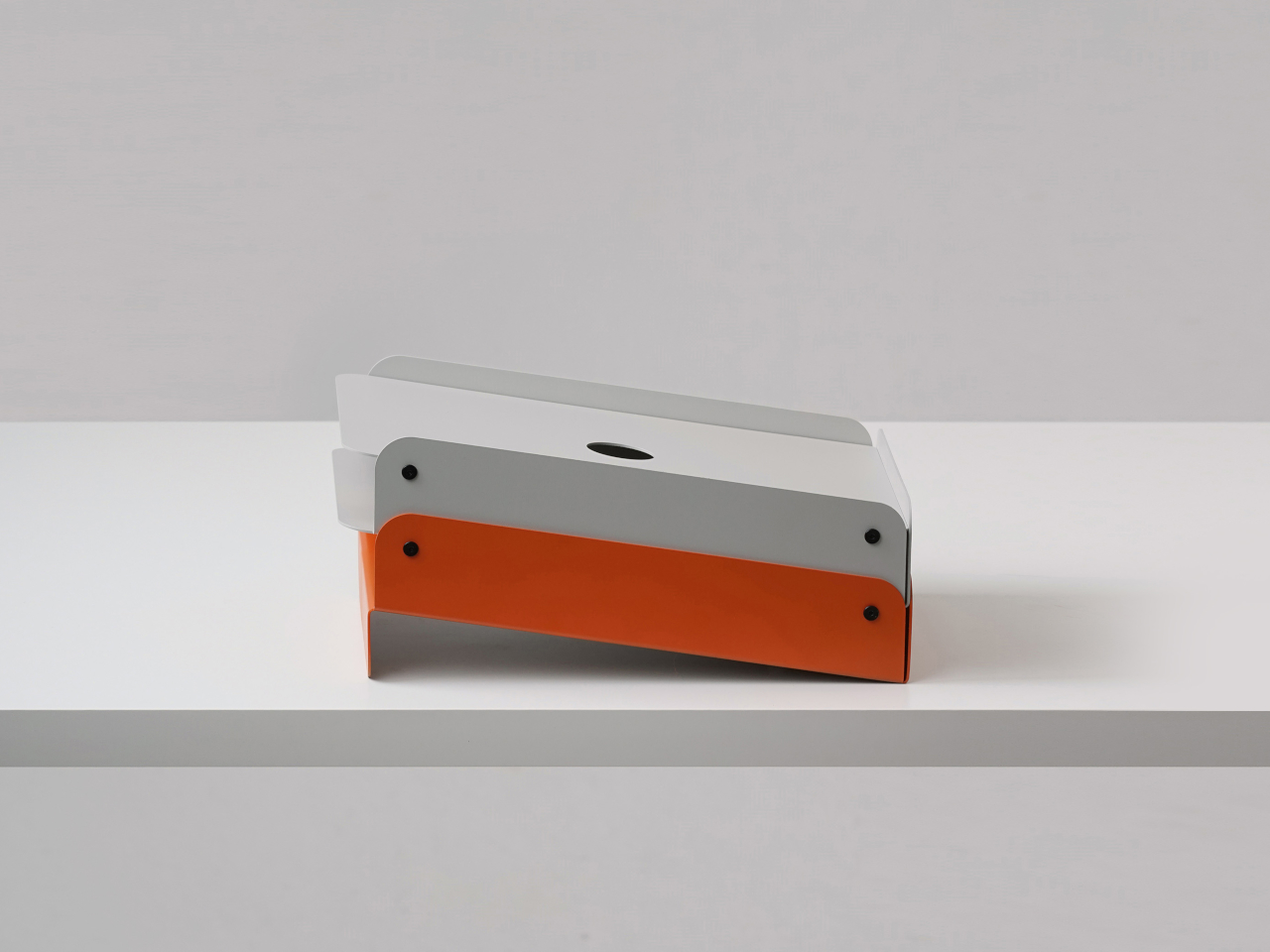
The paper tray tackles how people actually stack A4 sheets and half-finished printouts. The slightly slanted face lets paper slide back into alignment instead of creeping forward. The two-level, stackable design separates “now” piles from “later” piles without spreading across the desk, and the metal construction keeps everything solid instead of flimsy enough to tip when fully loaded with documents waiting for signatures.

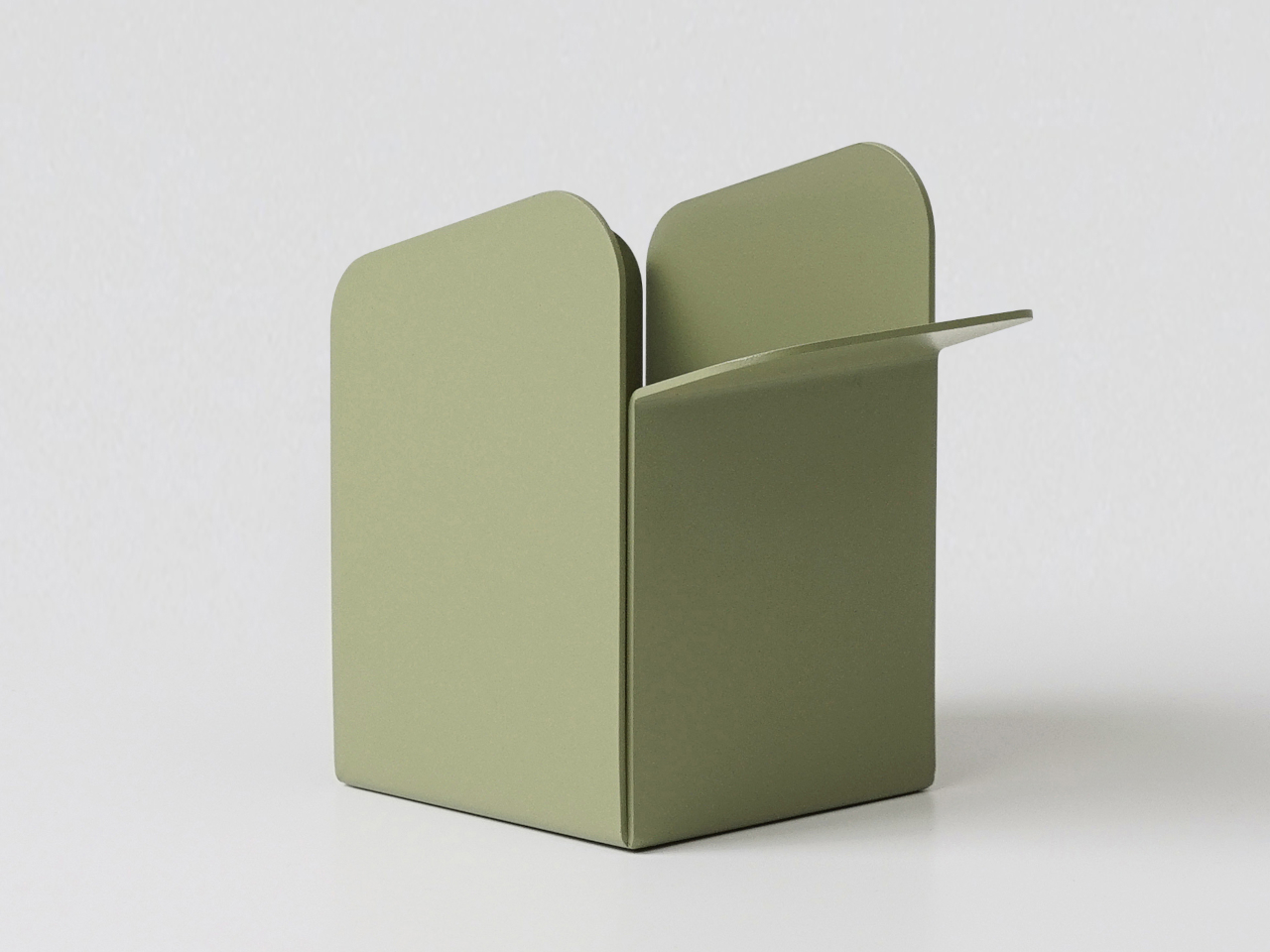
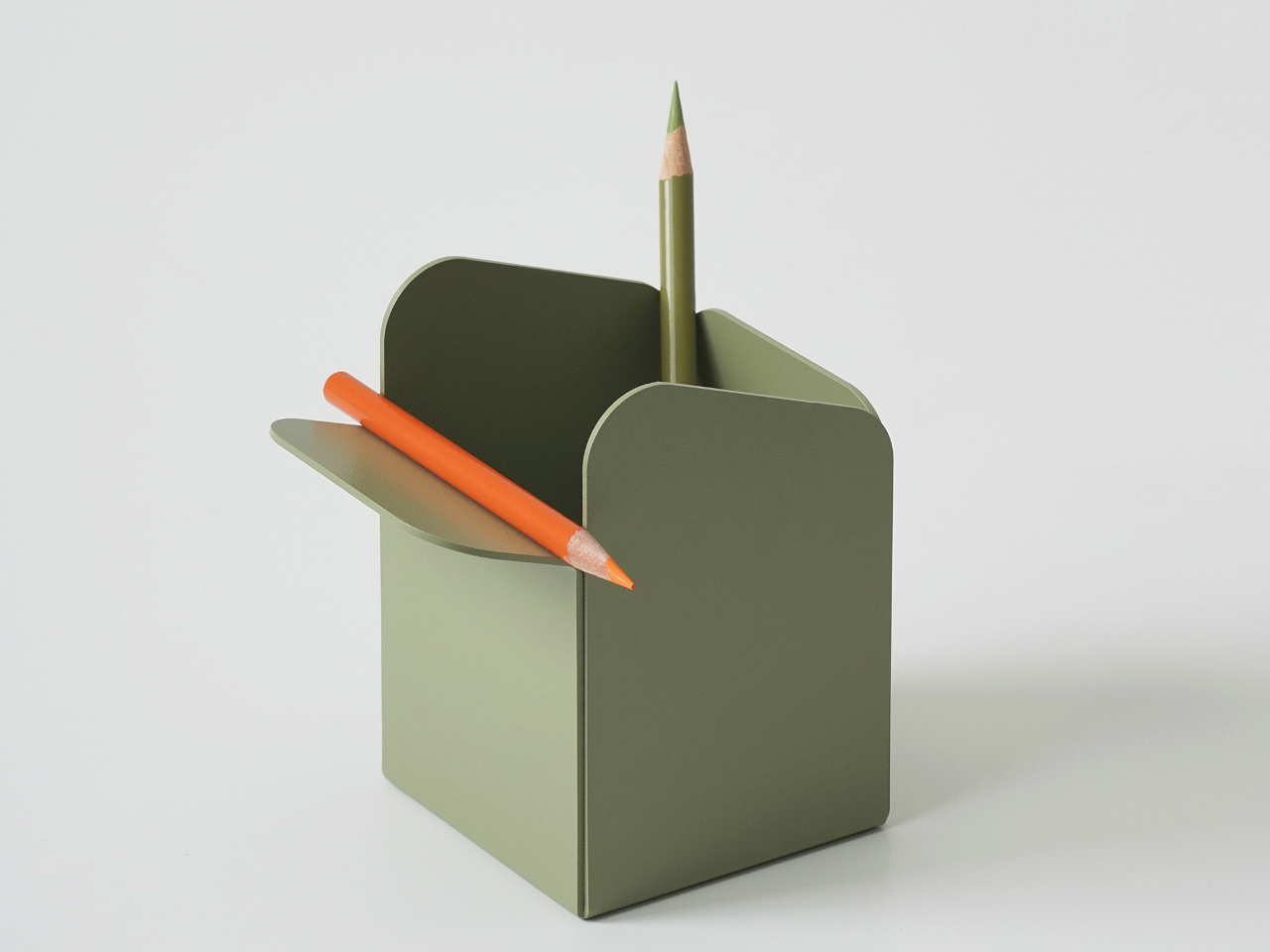
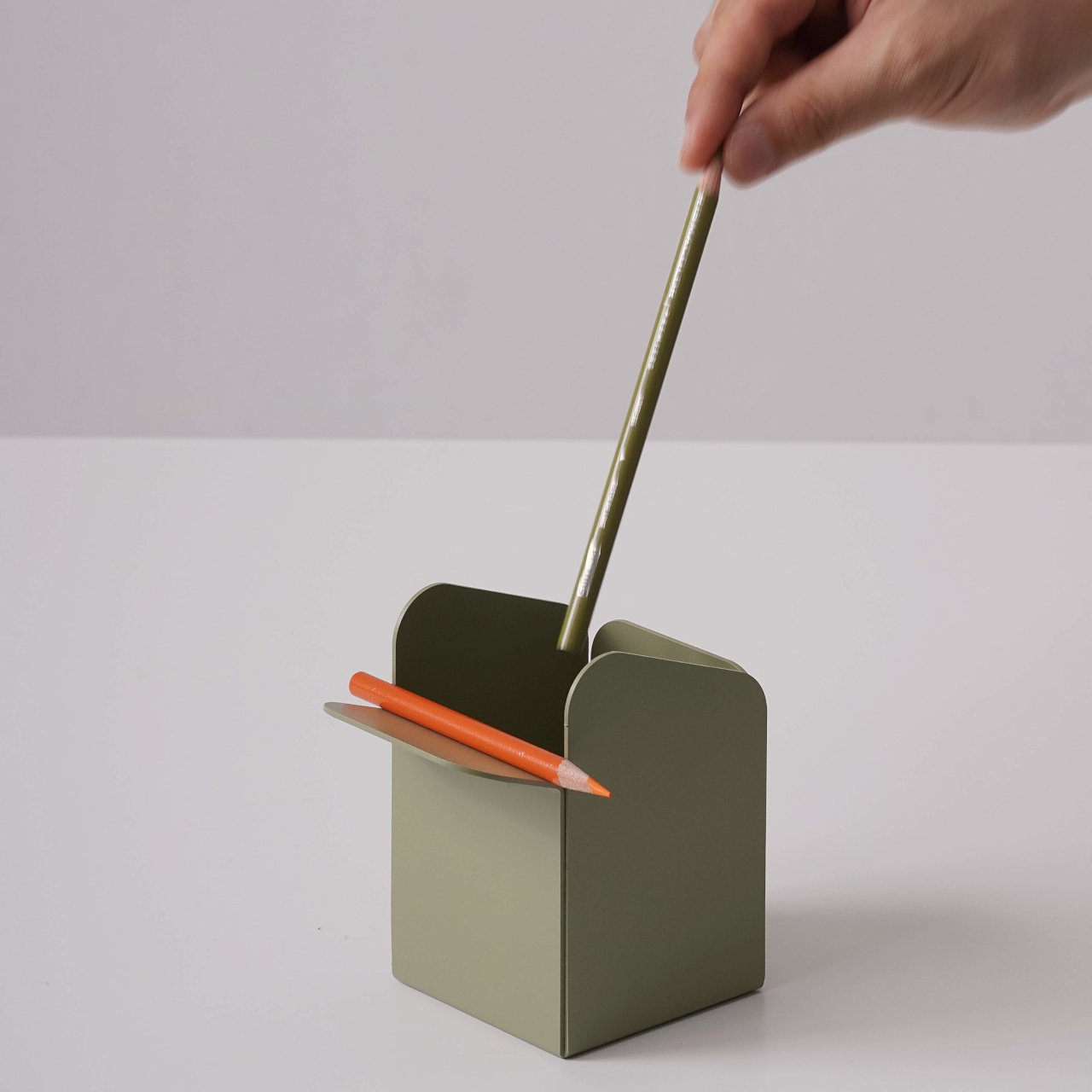
The pen holder responds to a different frustration. Most pencil cups are graveyards for dried-out markers and forgotten highlighters, which means digging through clutter every time you need your favorite pen. Foldy’s version keeps the upright cavity but adds a folded lip on the front where one or two favorite tools rest horizontally. It acknowledges that you always reach for the same pens, so it gives them a front row seat.

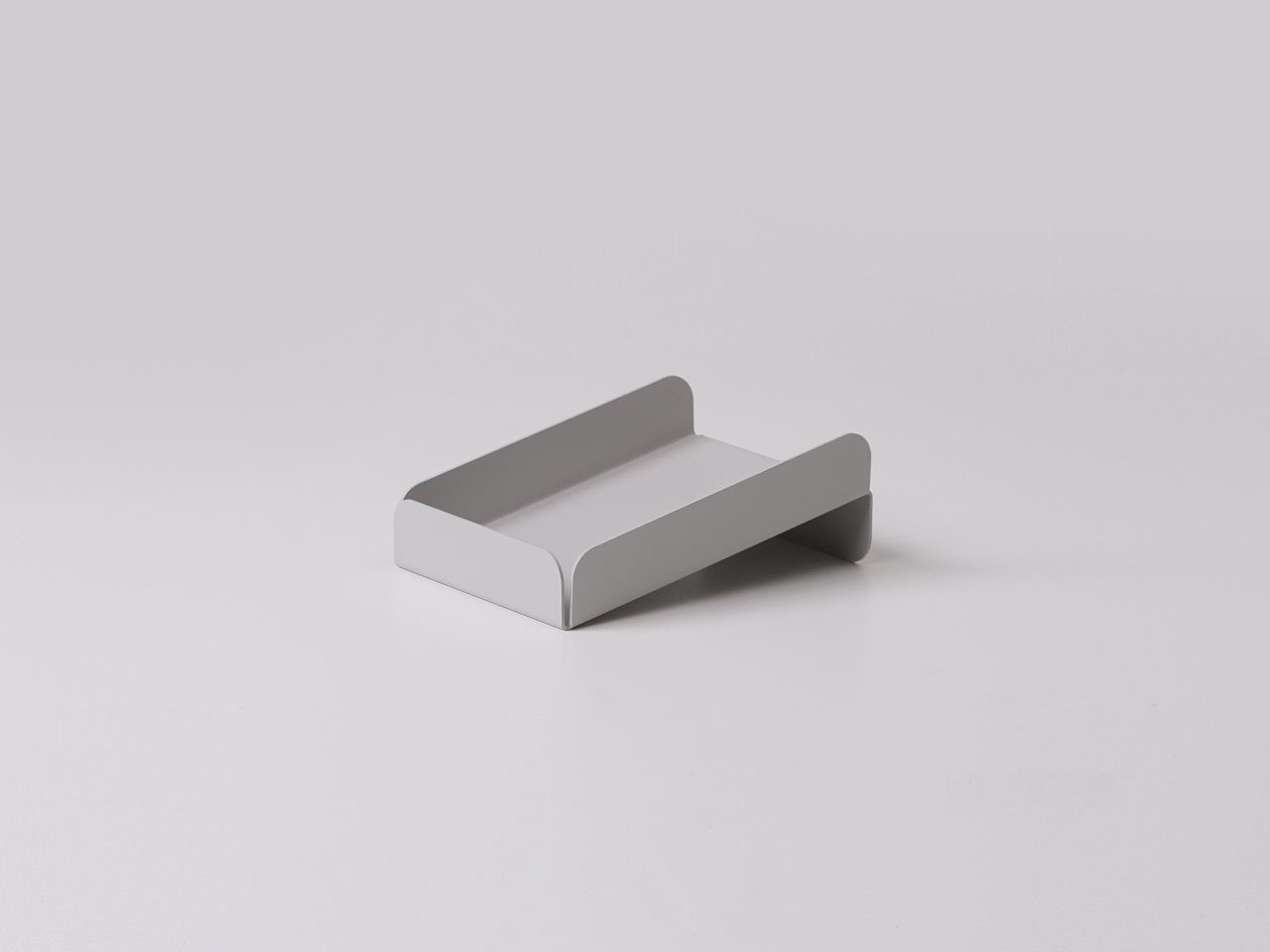
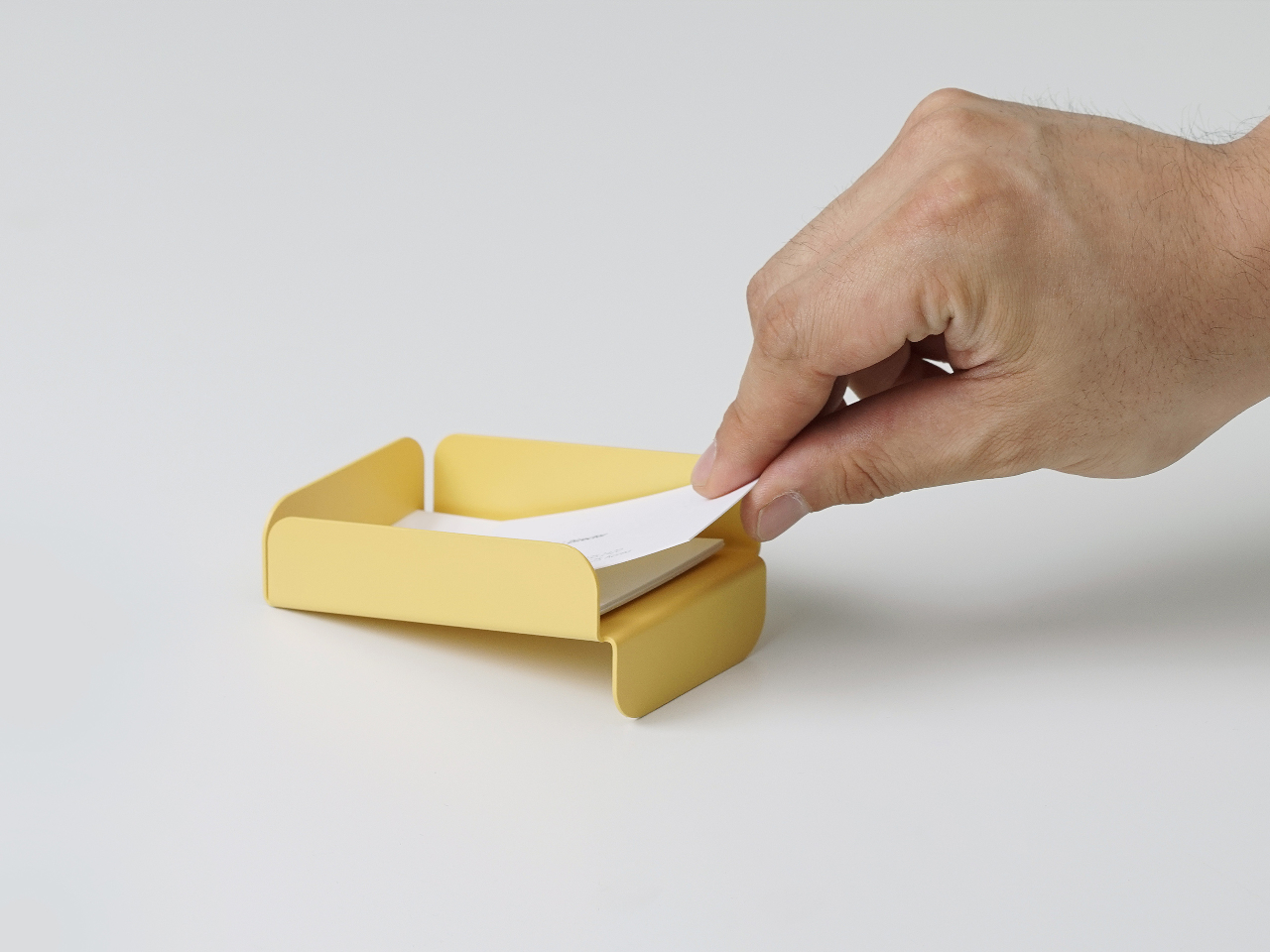
The low pencil tray and business card tray follow the same logic. The pencil tray is just a shallow channel that keeps a pen from rolling away when you set it down between tasks. The card tray is angled so business cards naturally settle into a neat stack and are easier to pick up with a thumb instead of sliding flat fingers underneath them. Both share rounded edges and folded profiles, making them feel like siblings.

Of course, tactile details matter as much as organizational logic. The rounded corners and matte finishes take the edge off metal, literally and visually. The colors, from muted greens to brighter blues and yellows, are soft enough not to shout but distinct enough to zone different functions. The result is a set of objects that look simple but feel surprisingly considered once you start using them daily.

Foldy shows what happens when you let manufacturing drive form for something as humble as a paper tray. Instead of hiding the fold, it celebrates it, and instead of fighting everyday habits like reaching for the same pen or letting paper drift forward, it leans into them. The result is desk tools that quietly tidy things up without asking you to reorganize your entire workflow or pretend to keep your desk perfectly clean all the time.

The post Fold Metal Once, Organize Your Entire Desk Forever first appeared on Yanko Design.

Apple Presidents’ Day sales are live: Get the Apple Watch Series 11 for $299, plus more deals to shop now

If you need a little help with your New Year's resolution to be more active, you can save on the latest Apple Watch right now. The Apple Watch Series 11 is on sale for $299 for Presidents' Day, which is $100 off and the lowest price we've seen. A number of other Apple devices are on sale for the holiday as well.

We named the Apple Watch Series 11 as our choice for best smartwatch overall. It scored a 90 in our review thanks to its 24 hours-plus of battery life and a thin, light design that's easy to wear. It also offers new health metrics, including Apple's hypertension alerts system and Sleep Score. 

The Apple Watch Series 11 deal is available on the 42mm case with a small/medium band. It also only includes GPS and four colorways: the Jet Black and Space Gray aluminum cases with a Black sport band, the Rose Gold aluminum case with a Light Blush sport band and the Silver aluminum case with a Purple Fog sport band.

Among the other Presidents' Day Apple deals are mostly accessories: there are solid deals on AirPods, AirTags (the first-gen trackers, not the new, second-gen ones), the iPhone Air battery pack and even Apple's new crossbody straps that attach to the company's iPhone cases so you can essentially "wear" your iPhone like a bag. As with most Apple first-party accessories, you can find plenty of more affordable, third-party versions of them as alternatives. But if you're keen on outfitting your phone with Apple's own gear, it's best to wait for discounts like these. We've collected the best Presidents' Day sales on Apple gear below so you don't have to go searching for them.

Follow @EngadgetDeals on X for the latest tech deals and buying advice.

This article originally appeared on Engadget at https://www.engadget.com/deals/apple-presidents-day-sales-are-live-get-the-apple-watch-series-11-for-299-plus-more-deals-to-shop-now-151616701.html?src=rss