There’s no shortage of ways to get your screen onto a larger display these days, but the experience rarely matches the simplicity it should have. Adapters pile up in bags, cables stretch across desks, and software-based casting tools have a talent for dropping at the worst possible moment. For a market that’s moved so decisively toward wireless, display connectivity has been surprisingly slow to catch up.
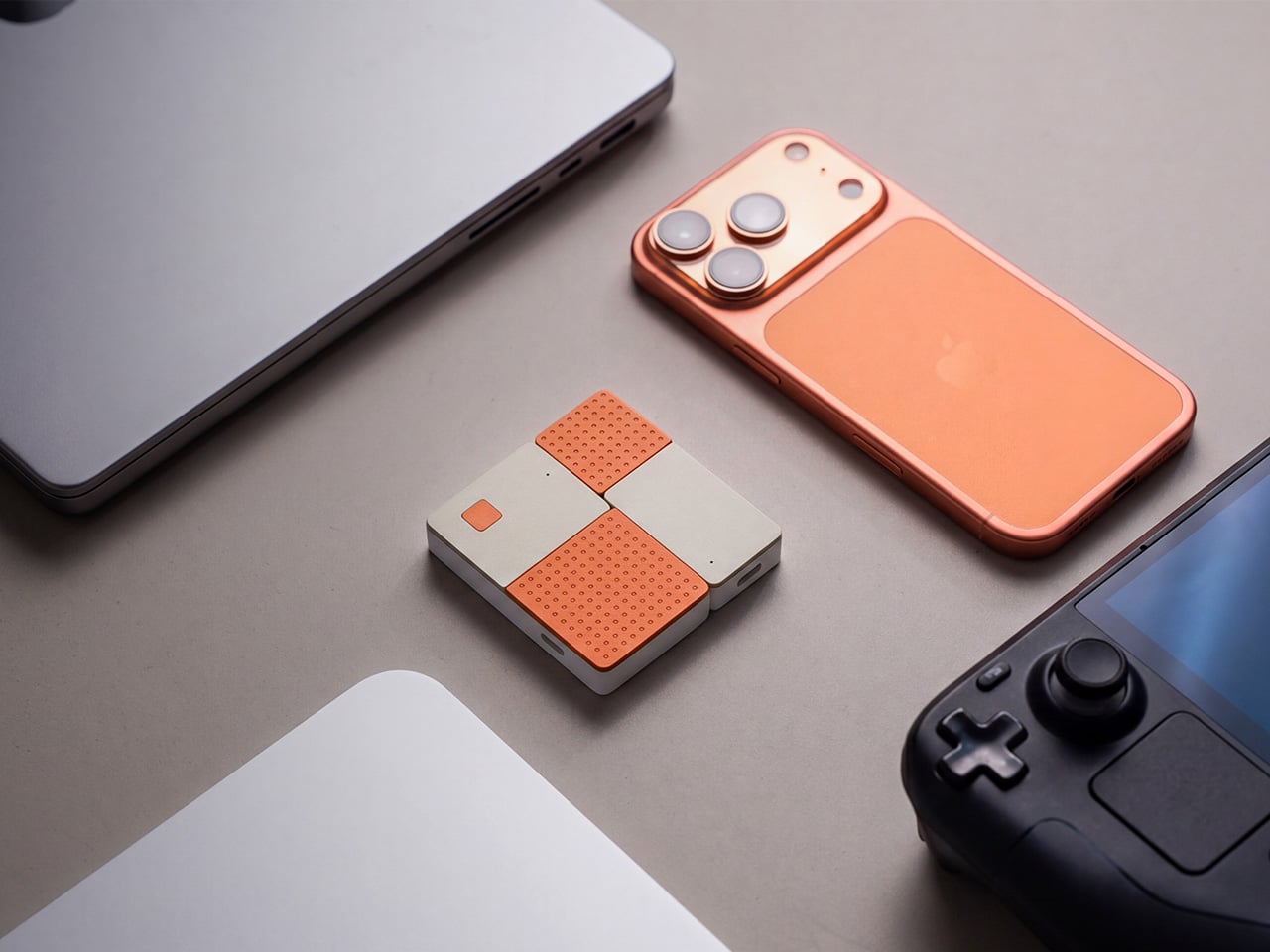
The MouseArc G1 is a wireless HD transmitter and receiver set that takes that problem head-on, without leaning on apps, network menus, or the complicated routines that have made similar devices tedious. It also doesn’t look the part of a utilitarian tool. The G1 sports a puzzle-tile design in white and orange that gives it a visual identity far removed from a typical AV dongle.
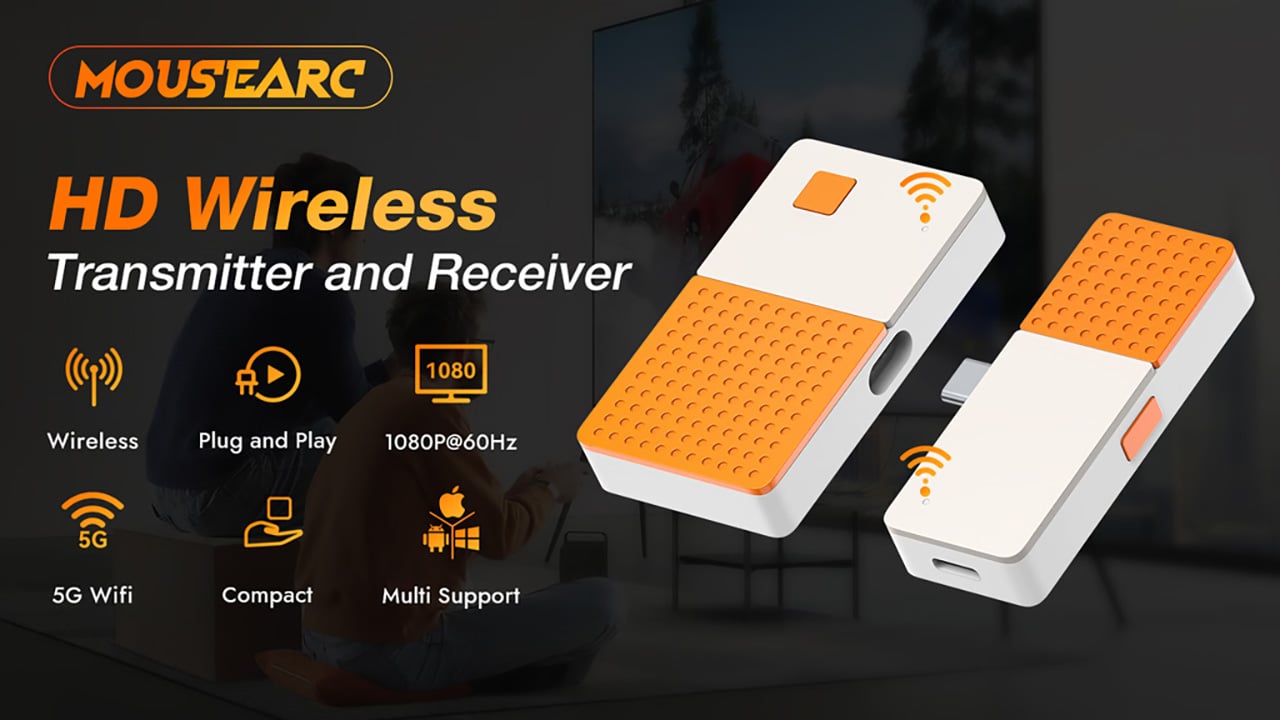
The kit includes a USB-C transmitter for source devices and an HDMI receiver for the display. Both come factory pre-paired, so there’s nothing to configure right out of the box. No app installs, no Bluetooth pairing, no hopping onto a Wi-Fi network. You plug the transmitter into your laptop or phone, connect the receiver to a TV or projector, and you’re ready almost immediately.
The G1 runs on 802.11ac 5G peer-to-peer Wi-Fi, operating on a dedicated channel rather than borrowing bandwidth from your home network. That separation keeps the signal clean and resistant to interference, which pays off noticeably during longer sessions. It’s also rated for up to 50m in open areas, making it a practical option for conference rooms, lecture halls, and larger commercial spaces.
Think about walking into a conference room with your laptop, needing to get a presentation up before the meeting starts. With the G1 already connected to the room’s display, the only step is plugging in the transmitter. There’s no wrestling with the AV system, no scrambling for a compatible cable, and no awkward silence while everyone politely watches you troubleshoot.
That same ease carries into more personal moments. Connecting a phone or tablet to a TV for a movie night is about as involved as plugging in a USB drive. The G1 works with a wide range of USB-C devices that support DisplayPort Alt Mode, from iPhones and iPads to MacBooks and Samsung Galaxy phones, so there’s a good chance what you already own qualifies.
For anything where motion matters, the G1 supports 1080p at 120Hz, with a dedicated processing unit keeping visuals sharp and movement fluid. Fast-moving scenes stay clear without the blur or judder that can make wireless display setups feel like a step backward. Audio stays synced throughout as well, which rounds out an experience that holds up well for gaming, sports, and high-motion content.
Something that often goes unaddressed with wireless display kits is what happens to your device’s power while you’re casting. The G1 includes a 100W PD 3.0 pass-through charging port, so your laptop or phone stays charged while the transmitter is in use. For anything running longer than a quick demo, that detail makes a real difference to how the session actually plays out.
Then there’s the form factor. At 6.5cm x 6cm x 1.3cm and around 32g, the G1 is compact enough to pocket or slip into a bag without thought. The puzzle-tile silhouette and white and orange finish give it a visual personality that stands apart from the usual AV dongle, which feels like a deliberate design choice for something meant to travel daily.
What the G1 delivers is a cleaner way to use the displays you already own. Whether it’s a presentation, a movie, a classroom session, or a gaming moment on a bigger screen, it handles the connection without demanding anything back. That quiet, friction-free reliability is genuinely hard to find in a category that tends to make everything feel more complicated than it needs to be.
There’s no shortage of ways to get your screen onto a larger display these days, but the experience rarely matches the simplicity it should have. Adapters pile up in bags, cables stretch across desks, and software-based casting tools have a talent for dropping at the worst possible moment. For a market that’s moved so decisively toward wireless, display connectivity has been surprisingly slow to catch up.
The MouseArc G1 is a wireless HD transmitter and receiver set that takes that problem head-on, without leaning on apps, network menus, or the complicated routines that have made similar devices tedious. It also doesn’t look the part of a utilitarian tool. The G1 sports a puzzle-tile design in white and orange that gives it a visual identity far removed from a typical AV dongle.
The kit includes a USB-C transmitter for source devices and an HDMI receiver for the display. Both come factory pre-paired, so there’s nothing to configure right out of the box. No app installs, no Bluetooth pairing, no hopping onto a Wi-Fi network. You plug the transmitter into your laptop or phone, connect the receiver to a TV or projector, and you’re ready almost immediately.
The G1 runs on 802.11ac 5G peer-to-peer Wi-Fi, operating on a dedicated channel rather than borrowing bandwidth from your home network. That separation keeps the signal clean and resistant to interference, which pays off noticeably during longer sessions. It’s also rated for up to 50m in open areas, making it a practical option for conference rooms, lecture halls, and larger commercial spaces.
Think about walking into a conference room with your laptop, needing to get a presentation up before the meeting starts. With the G1 already connected to the room’s display, the only step is plugging in the transmitter. There’s no wrestling with the AV system, no scrambling for a compatible cable, and no awkward silence while everyone politely watches you troubleshoot.
That same ease carries into more personal moments. Connecting a phone or tablet to a TV for a movie night is about as involved as plugging in a USB drive. The G1 works with a wide range of USB-C devices that support DisplayPort Alt Mode, from iPhones and iPads to MacBooks and Samsung Galaxy phones, so there’s a good chance what you already own qualifies.
For anything where motion matters, the G1 supports 1080p at 120Hz, with a dedicated processing unit keeping visuals sharp and movement fluid. Fast-moving scenes stay clear without the blur or judder that can make wireless display setups feel like a step backward. Audio stays synced throughout as well, which rounds out an experience that holds up well for gaming, sports, and high-motion content.
Something that often goes unaddressed with wireless display kits is what happens to your device’s power while you’re casting. The G1 includes a 100W PD 3.0 pass-through charging port, so your laptop or phone stays charged while the transmitter is in use. For anything running longer than a quick demo, that detail makes a real difference to how the session actually plays out.
Then there’s the form factor. At 6.5cm x 6cm x 1.3cm and around 32g, the G1 is compact enough to pocket or slip into a bag without thought. The puzzle-tile silhouette and white and orange finish give it a visual personality that stands apart from the usual AV dongle, which feels like a deliberate design choice for something meant to travel daily.
What the G1 delivers is a cleaner way to use the displays you already own. Whether it’s a presentation, a movie, a classroom session, or a gaming moment on a bigger screen, it handles the connection without demanding anything back. That quiet, friction-free reliability is genuinely hard to find in a category that tends to make everything feel more complicated than it needs to be.
There’s no shortage of ways to get your screen onto a larger display these days, but the experience rarely matches the simplicity it should have. Adapters pile up in bags, cables stretch across desks, and software-based casting tools have a talent for dropping at the worst possible moment. For a market that’s moved so decisively toward wireless, display connectivity has been surprisingly slow to catch up.
The MouseArc G1 is a wireless HD transmitter and receiver set that takes that problem head-on, without leaning on apps, network menus, or the complicated routines that have made similar devices tedious. It also doesn’t look the part of a utilitarian tool. The G1 sports a puzzle-tile design in white and orange that gives it a visual identity far removed from a typical AV dongle.
The kit includes a USB-C transmitter for source devices and an HDMI receiver for the display. Both come factory pre-paired, so there’s nothing to configure right out of the box. No app installs, no Bluetooth pairing, no hopping onto a Wi-Fi network. You plug the transmitter into your laptop or phone, connect the receiver to a TV or projector, and you’re ready almost immediately.
The G1 runs on 802.11ac 5G peer-to-peer Wi-Fi, operating on a dedicated channel rather than borrowing bandwidth from your home network. That separation keeps the signal clean and resistant to interference, which pays off noticeably during longer sessions. It’s also rated for up to 50m in open areas, making it a practical option for conference rooms, lecture halls, and larger commercial spaces.
Think about walking into a conference room with your laptop, needing to get a presentation up before the meeting starts. With the G1 already connected to the room’s display, the only step is plugging in the transmitter. There’s no wrestling with the AV system, no scrambling for a compatible cable, and no awkward silence while everyone politely watches you troubleshoot.
That same ease carries into more personal moments. Connecting a phone or tablet to a TV for a movie night is about as involved as plugging in a USB drive. The G1 works with a wide range of USB-C devices that support DisplayPort Alt Mode, from iPhones and iPads to MacBooks and Samsung Galaxy phones, so there’s a good chance what you already own qualifies.
For anything where motion matters, the G1 supports 1080p at 120Hz, with a dedicated processing unit keeping visuals sharp and movement fluid. Fast-moving scenes stay clear without the blur or judder that can make wireless display setups feel like a step backward. Audio stays synced throughout as well, which rounds out an experience that holds up well for gaming, sports, and high-motion content.
Something that often goes unaddressed with wireless display kits is what happens to your device’s power while you’re casting. The G1 includes a 100W PD 3.0 pass-through charging port, so your laptop or phone stays charged while the transmitter is in use. For anything running longer than a quick demo, that detail makes a real difference to how the session actually plays out.
Then there’s the form factor. At 6.5cm x 6cm x 1.3cm and around 32g, the G1 is compact enough to pocket or slip into a bag without thought. The puzzle-tile silhouette and white and orange finish give it a visual personality that stands apart from the usual AV dongle, which feels like a deliberate design choice for something meant to travel daily.
What the G1 delivers is a cleaner way to use the displays you already own. Whether it’s a presentation, a movie, a classroom session, or a gaming moment on a bigger screen, it handles the connection without demanding anything back. That quiet, friction-free reliability is genuinely hard to find in a category that tends to make everything feel more complicated than it needs to be.
There’s no shortage of ways to get your screen onto a larger display these days, but the experience rarely matches the simplicity it should have. Adapters pile up in bags, cables stretch across desks, and software-based casting tools have a talent for dropping at the worst possible moment. For a market that’s moved so decisively toward wireless, display connectivity has been surprisingly slow to catch up.
The MouseArc G1 is a wireless HD transmitter and receiver set that takes that problem head-on, without leaning on apps, network menus, or the complicated routines that have made similar devices tedious. It also doesn’t look the part of a utilitarian tool. The G1 sports a puzzle-tile design in white and orange that gives it a visual identity far removed from a typical AV dongle.
The kit includes a USB-C transmitter for source devices and an HDMI receiver for the display. Both come factory pre-paired, so there’s nothing to configure right out of the box. No app installs, no Bluetooth pairing, no hopping onto a Wi-Fi network. You plug the transmitter into your laptop or phone, connect the receiver to a TV or projector, and you’re ready almost immediately.
The G1 runs on 802.11ac 5G peer-to-peer Wi-Fi, operating on a dedicated channel rather than borrowing bandwidth from your home network. That separation keeps the signal clean and resistant to interference, which pays off noticeably during longer sessions. It’s also rated for up to 50m in open areas, making it a practical option for conference rooms, lecture halls, and larger commercial spaces.
Think about walking into a conference room with your laptop, needing to get a presentation up before the meeting starts. With the G1 already connected to the room’s display, the only step is plugging in the transmitter. There’s no wrestling with the AV system, no scrambling for a compatible cable, and no awkward silence while everyone politely watches you troubleshoot.
That same ease carries into more personal moments. Connecting a phone or tablet to a TV for a movie night is about as involved as plugging in a USB drive. The G1 works with a wide range of USB-C devices that support DisplayPort Alt Mode, from iPhones and iPads to MacBooks and Samsung Galaxy phones, so there’s a good chance what you already own qualifies.
For anything where motion matters, the G1 supports 1080p at 120Hz, with a dedicated processing unit keeping visuals sharp and movement fluid. Fast-moving scenes stay clear without the blur or judder that can make wireless display setups feel like a step backward. Audio stays synced throughout as well, which rounds out an experience that holds up well for gaming, sports, and high-motion content.
Something that often goes unaddressed with wireless display kits is what happens to your device’s power while you’re casting. The G1 includes a 100W PD 3.0 pass-through charging port, so your laptop or phone stays charged while the transmitter is in use. For anything running longer than a quick demo, that detail makes a real difference to how the session actually plays out.
Then there’s the form factor. At 6.5cm x 6cm x 1.3cm and around 32g, the G1 is compact enough to pocket or slip into a bag without thought. The puzzle-tile silhouette and white and orange finish give it a visual personality that stands apart from the usual AV dongle, which feels like a deliberate design choice for something meant to travel daily.
What the G1 delivers is a cleaner way to use the displays you already own. Whether it’s a presentation, a movie, a classroom session, or a gaming moment on a bigger screen, it handles the connection without demanding anything back. That quiet, friction-free reliability is genuinely hard to find in a category that tends to make everything feel more complicated than it needs to be.
There’s no shortage of ways to get your screen onto a larger display these days, but the experience rarely matches the simplicity it should have. Adapters pile up in bags, cables stretch across desks, and software-based casting tools have a talent for dropping at the worst possible moment. For a market that’s moved so decisively toward wireless, display connectivity has been surprisingly slow to catch up.
The MouseArc G1 is a wireless HD transmitter and receiver set that takes that problem head-on, without leaning on apps, network menus, or the complicated routines that have made similar devices tedious. It also doesn’t look the part of a utilitarian tool. The G1 sports a puzzle-tile design in white and orange that gives it a visual identity far removed from a typical AV dongle.
The kit includes a USB-C transmitter for source devices and an HDMI receiver for the display. Both come factory pre-paired, so there’s nothing to configure right out of the box. No app installs, no Bluetooth pairing, no hopping onto a Wi-Fi network. You plug the transmitter into your laptop or phone, connect the receiver to a TV or projector, and you’re ready almost immediately.
The G1 runs on 802.11ac 5G peer-to-peer Wi-Fi, operating on a dedicated channel rather than borrowing bandwidth from your home network. That separation keeps the signal clean and resistant to interference, which pays off noticeably during longer sessions. It’s also rated for up to 50m in open areas, making it a practical option for conference rooms, lecture halls, and larger commercial spaces.
Think about walking into a conference room with your laptop, needing to get a presentation up before the meeting starts. With the G1 already connected to the room’s display, the only step is plugging in the transmitter. There’s no wrestling with the AV system, no scrambling for a compatible cable, and no awkward silence while everyone politely watches you troubleshoot.
That same ease carries into more personal moments. Connecting a phone or tablet to a TV for a movie night is about as involved as plugging in a USB drive. The G1 works with a wide range of USB-C devices that support DisplayPort Alt Mode, from iPhones and iPads to MacBooks and Samsung Galaxy phones, so there’s a good chance what you already own qualifies.
For anything where motion matters, the G1 supports 1080p at 120Hz, with a dedicated processing unit keeping visuals sharp and movement fluid. Fast-moving scenes stay clear without the blur or judder that can make wireless display setups feel like a step backward. Audio stays synced throughout as well, which rounds out an experience that holds up well for gaming, sports, and high-motion content.
Something that often goes unaddressed with wireless display kits is what happens to your device’s power while you’re casting. The G1 includes a 100W PD 3.0 pass-through charging port, so your laptop or phone stays charged while the transmitter is in use. For anything running longer than a quick demo, that detail makes a real difference to how the session actually plays out.
Then there’s the form factor. At 6.5cm x 6cm x 1.3cm and around 32g, the G1 is compact enough to pocket or slip into a bag without thought. The puzzle-tile silhouette and white and orange finish give it a visual personality that stands apart from the usual AV dongle, which feels like a deliberate design choice for something meant to travel daily.
What the G1 delivers is a cleaner way to use the displays you already own. Whether it’s a presentation, a movie, a classroom session, or a gaming moment on a bigger screen, it handles the connection without demanding anything back. That quiet, friction-free reliability is genuinely hard to find in a category that tends to make everything feel more complicated than it needs to be.
Anyone who’s deep in the Apple ecosystem knows the charging problem all too well. There’s an iPhone that needs its MagSafe puck, an Apple Watch on its magnetic disc, and AirPods waiting for their wireless spot. Before long, the desk or bedside table has turned into a tangle of cables and pads, and that’s without thinking about what happens when you need to travel.
The wireless charging accessory market has responded with a wave of multi-device stands, but most of them tend to pick a lane. Either fast and capable or foldable and portable, premium-looking or compact, but rarely all of the above. ADAM elements is trying to change that with the Mag 3 Ultra, a foldable 3-in-1 charging station designed to cover all those bases without asking you to give something up.
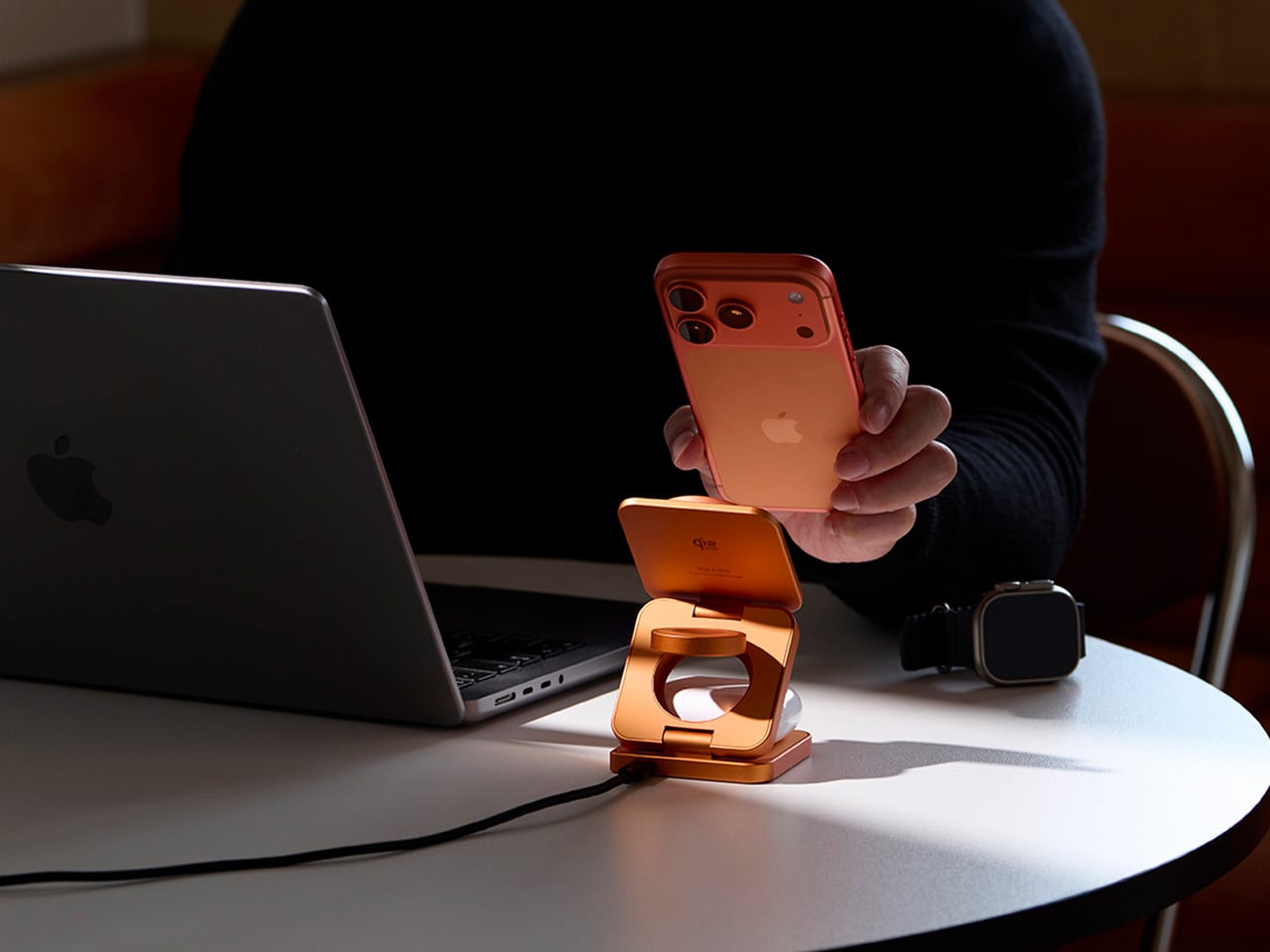
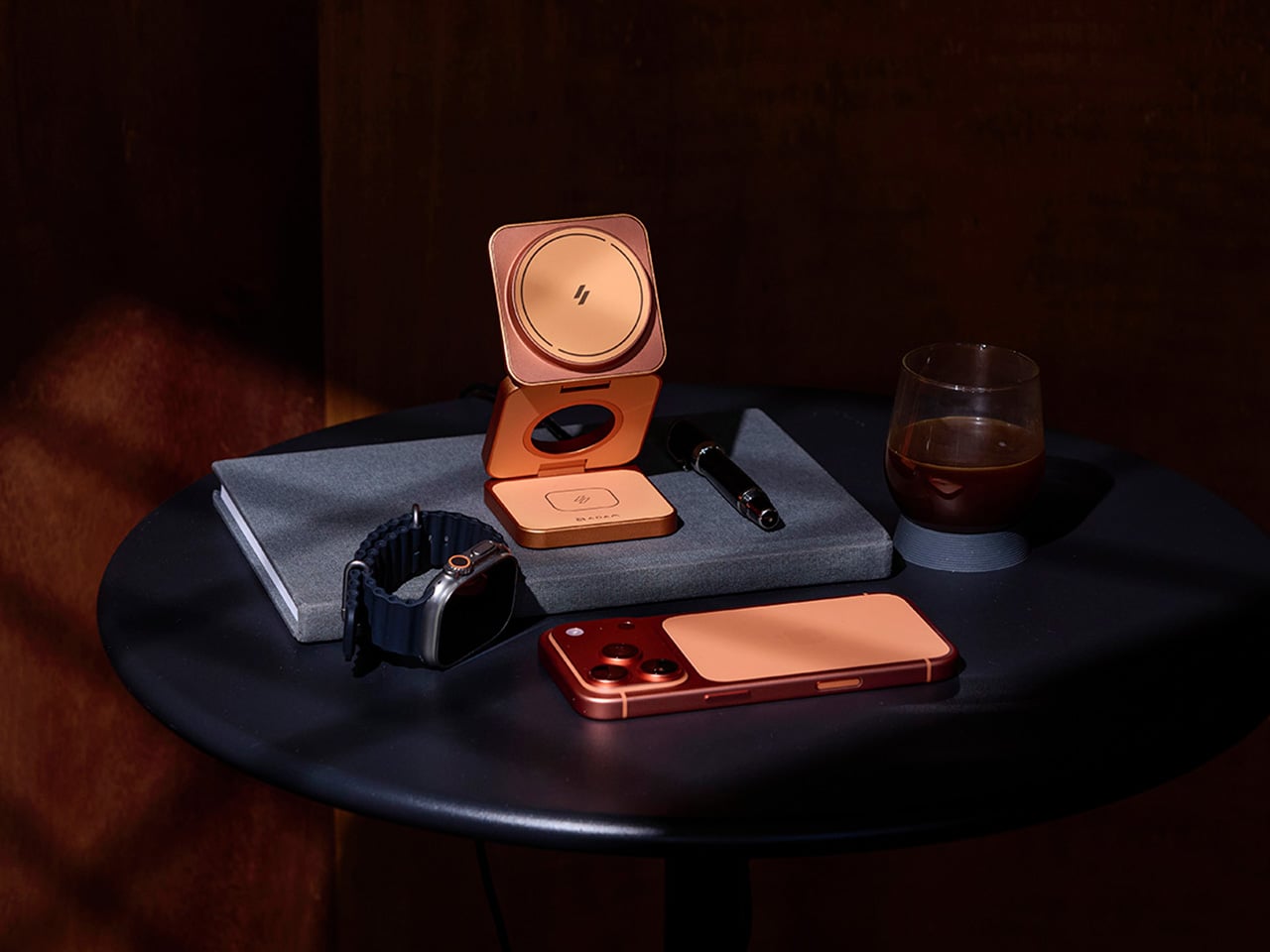
The first thing you notice about the Mag 3 Ultra is that it doesn’t look like most charging accessories. It’s made from precision CNC-machined aluminum alloy with a sandblasted texture and anodized finish, so it sits well alongside the premium devices it’s designed to power. It comes in three colorways: Titanium, Gray, and Orange, with Orange being the most visually striking of the three.
On the performance side, the Mag 3 Ultra’s main phone module is certified under the WPC Qi2 25W standard, which ADAM elements says delivers notably faster charging efficiency than 15W-class Qi2 chargers. The 25W output works best on the iPhone 16 and 17 series, while MagSafe-compatible iPhones from the 12 through 15 series still get Qi2 15W. Either way, it’s well ahead of older wireless charging speeds.
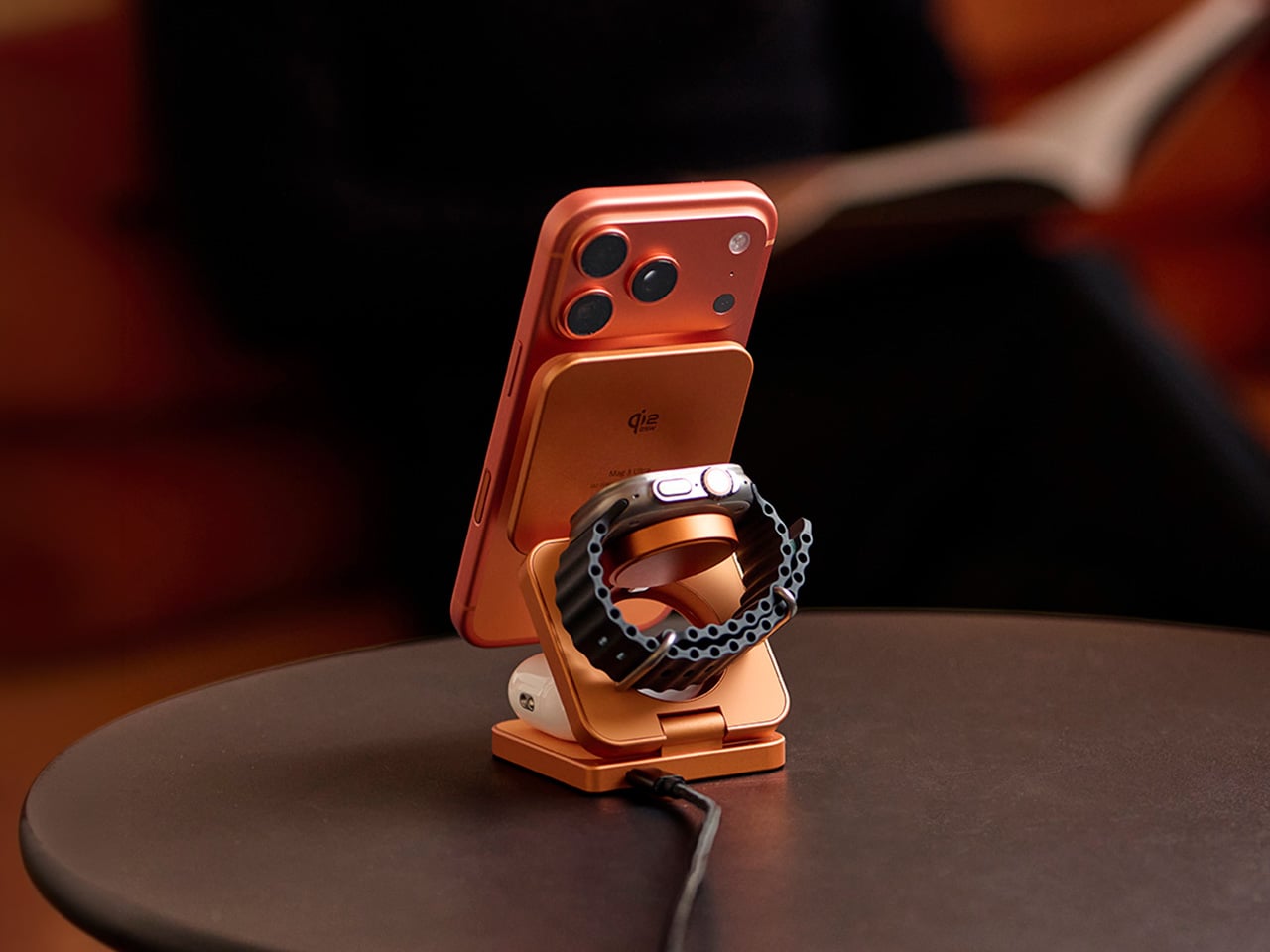
What makes the Mag 3 Ultra genuinely convenient is how it handles all three devices at once. Your phone snaps magnetically onto the main pad, your Apple Watch or Samsung Galaxy Watch sits on the dedicated watch dock, and your AirPods rest on the base charging area. It all happens concurrently, and the whole setup takes up a small footprint with just one USB-C cable.
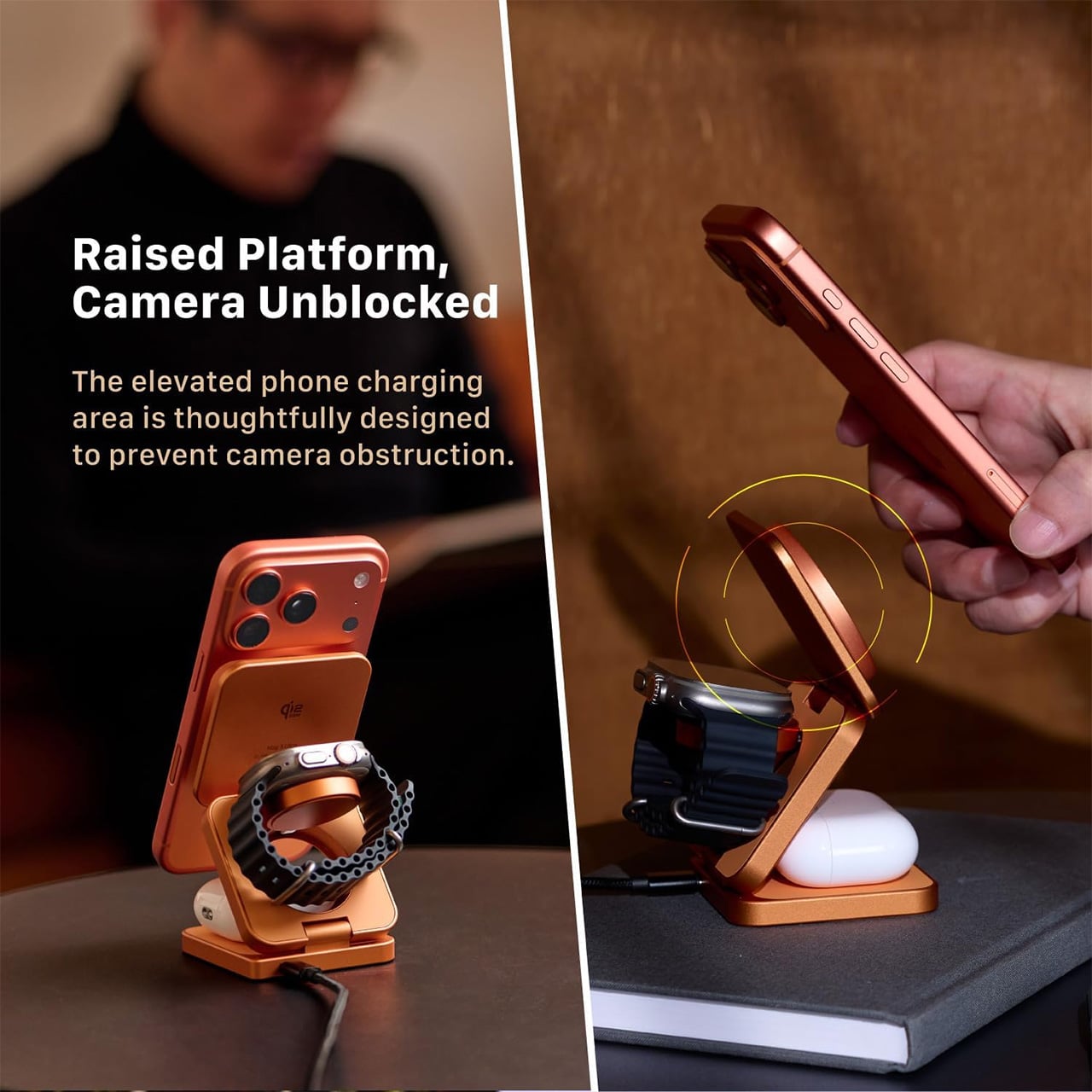
The phone charging pad sits raised above the base, which keeps the camera bump clear and unobstructed. It’s a small but thoughtful design choice that makes the charger genuinely usable while it’s working. The magnetic connection holds the phone in both portrait and landscape orientations, so you can catch up on messages, follow a tutorial, or stream something while your battery climbs.
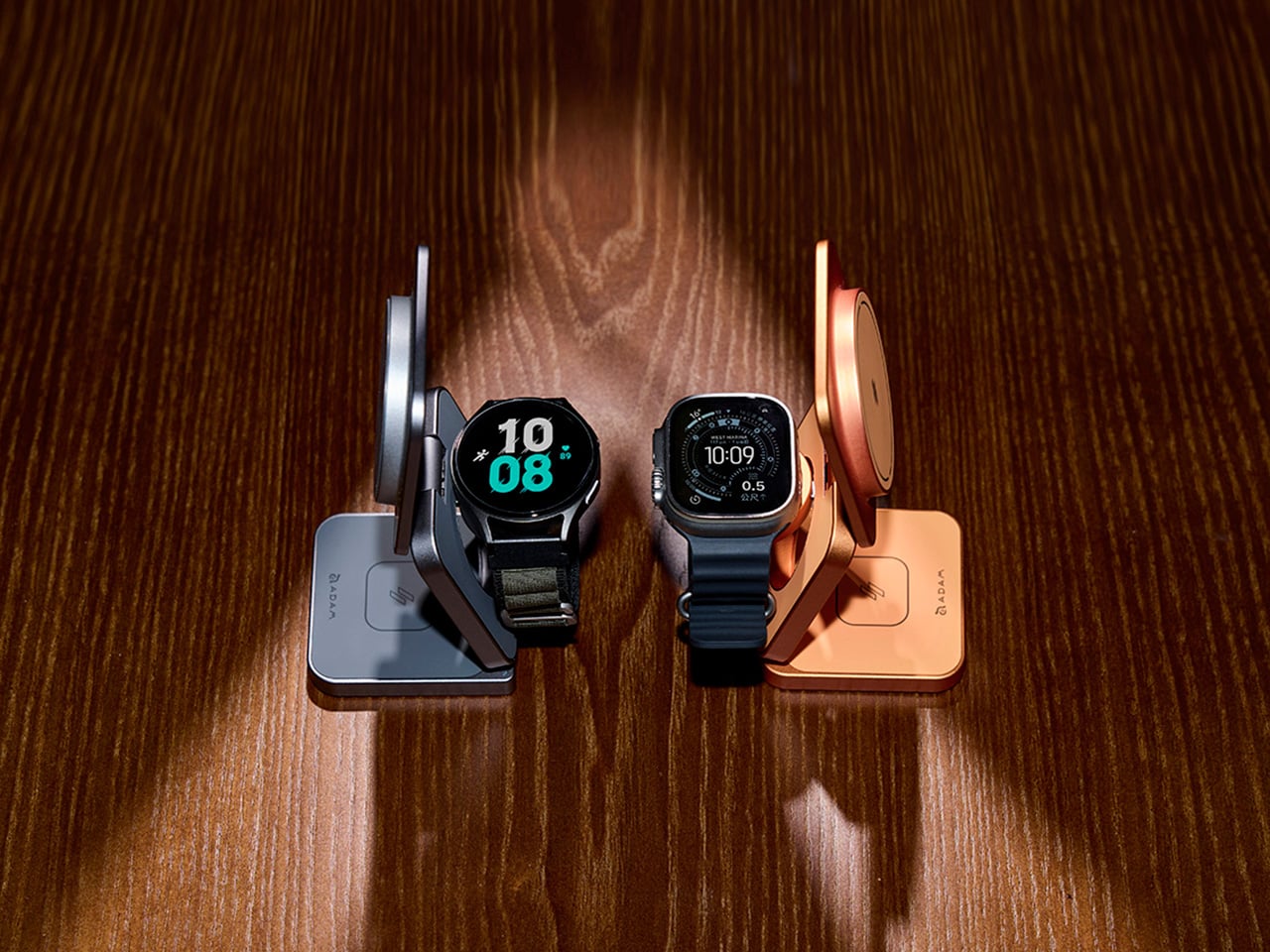
The watch module is worth noting for its dual-system compatibility. It supports both Apple Watch and Samsung Galaxy Watch via magnetic charging, which makes the Mag 3 Ultra a practical option for households where not everyone is on the same wearable platform. It’s a sensible call that broadens the charger’s appeal well beyond the strictly Apple-only crowd that most competitors in this category target.
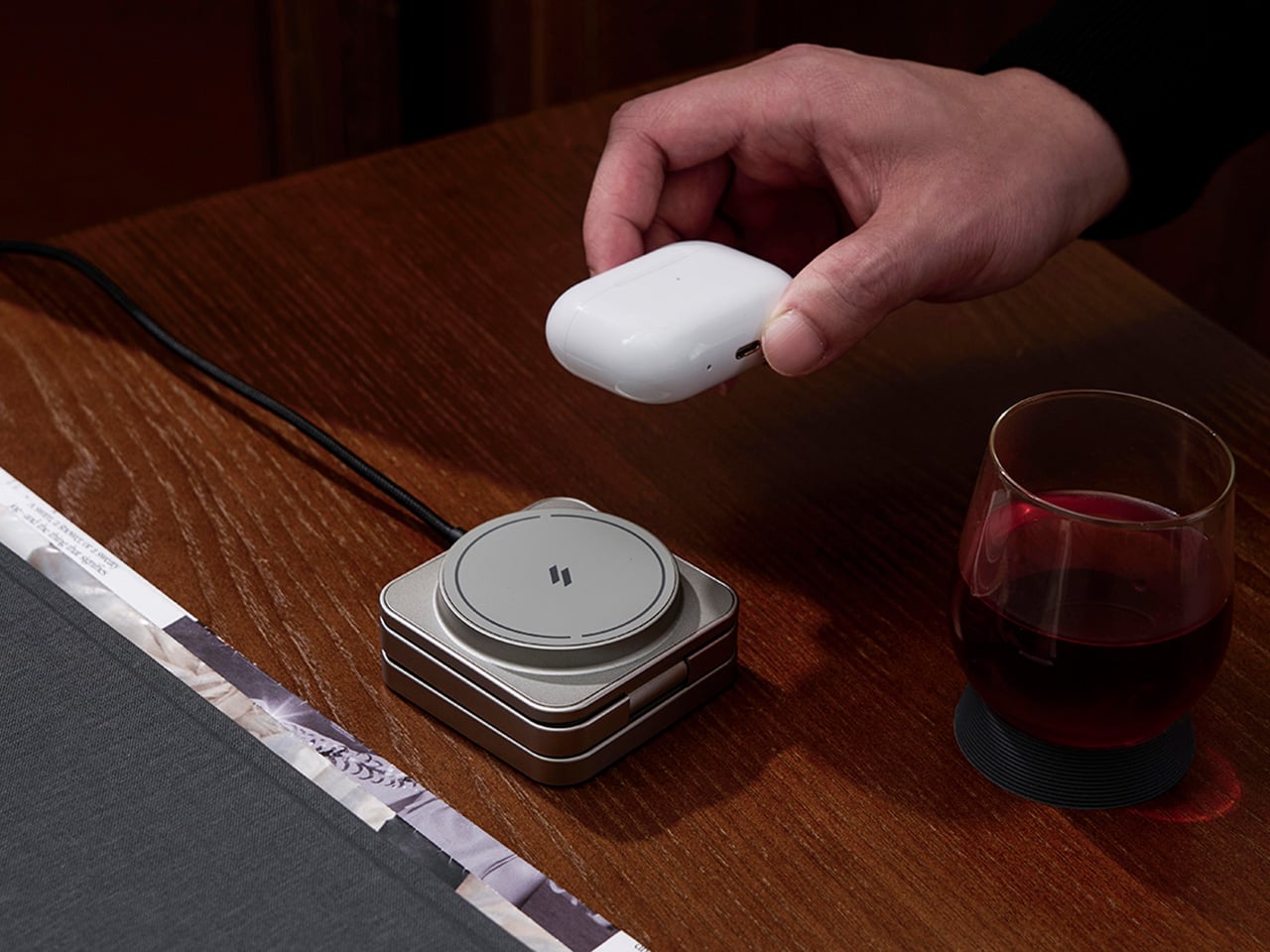
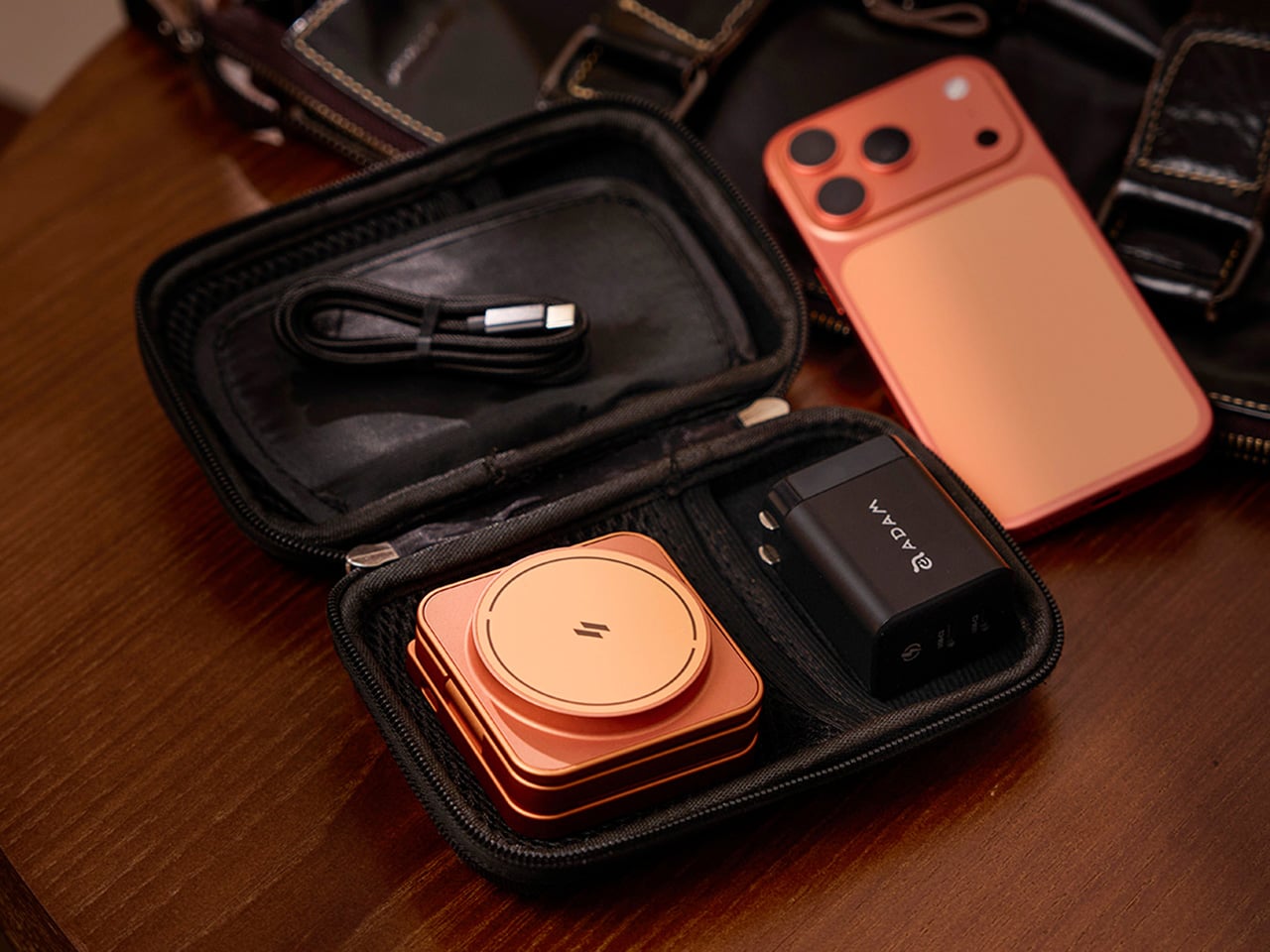
The foldable design is arguably where the Mag 3 Ultra makes its strongest case. It collapses to 66mm x 66mm x 29.5mm and weighs 205.5g, small enough to slip into a bag pocket or carry-on. A 100cm USB-C cable and protective fabric pouch are included, so the same station that lives on your desk can just as easily go on the road.
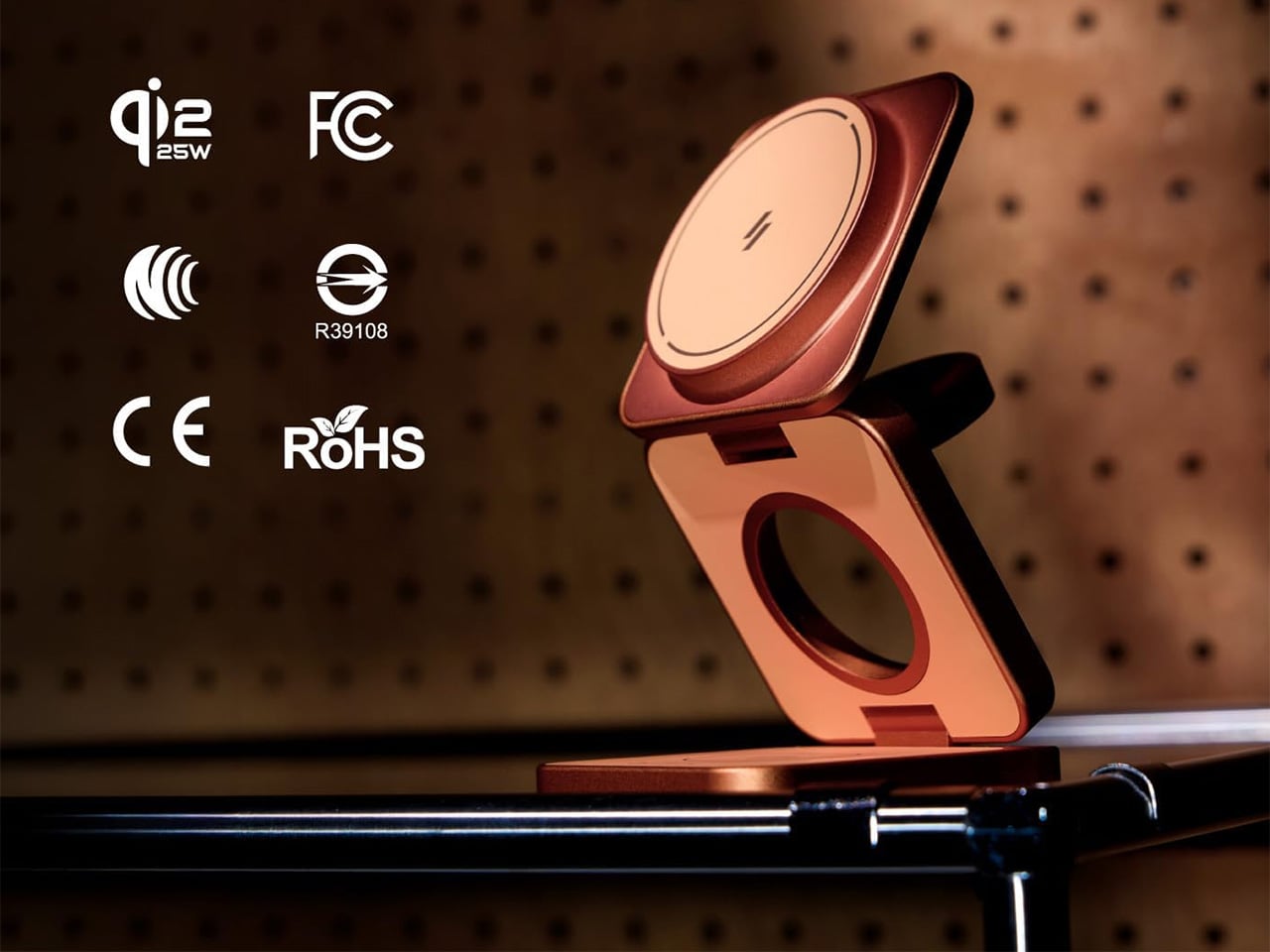
There’s also a solid set of safety protections built in, including Foreign Object Detection to prevent metal interference during charging, along with overcharge, overheat, and short-circuit safeguards. It carries Qi2, CE, FCC, RoHS, BSMI, and NCC certifications. For peak simultaneous three-device performance, ADAM elements recommends pairing it with a 45W or higher USB-C PD adapter, and it comes backed by a three-year limited warranty.
Wireless charging accessories rarely get talked about the same way a well-designed product would, but the Mag 3 Ultra is a good reason to start. The three colorways it comes in, especially that bold Orange, are a clear sign that ADAM elements wants this sitting on your desk where people can actually see it, not tucked behind your laptop where most chargers tend to end up.
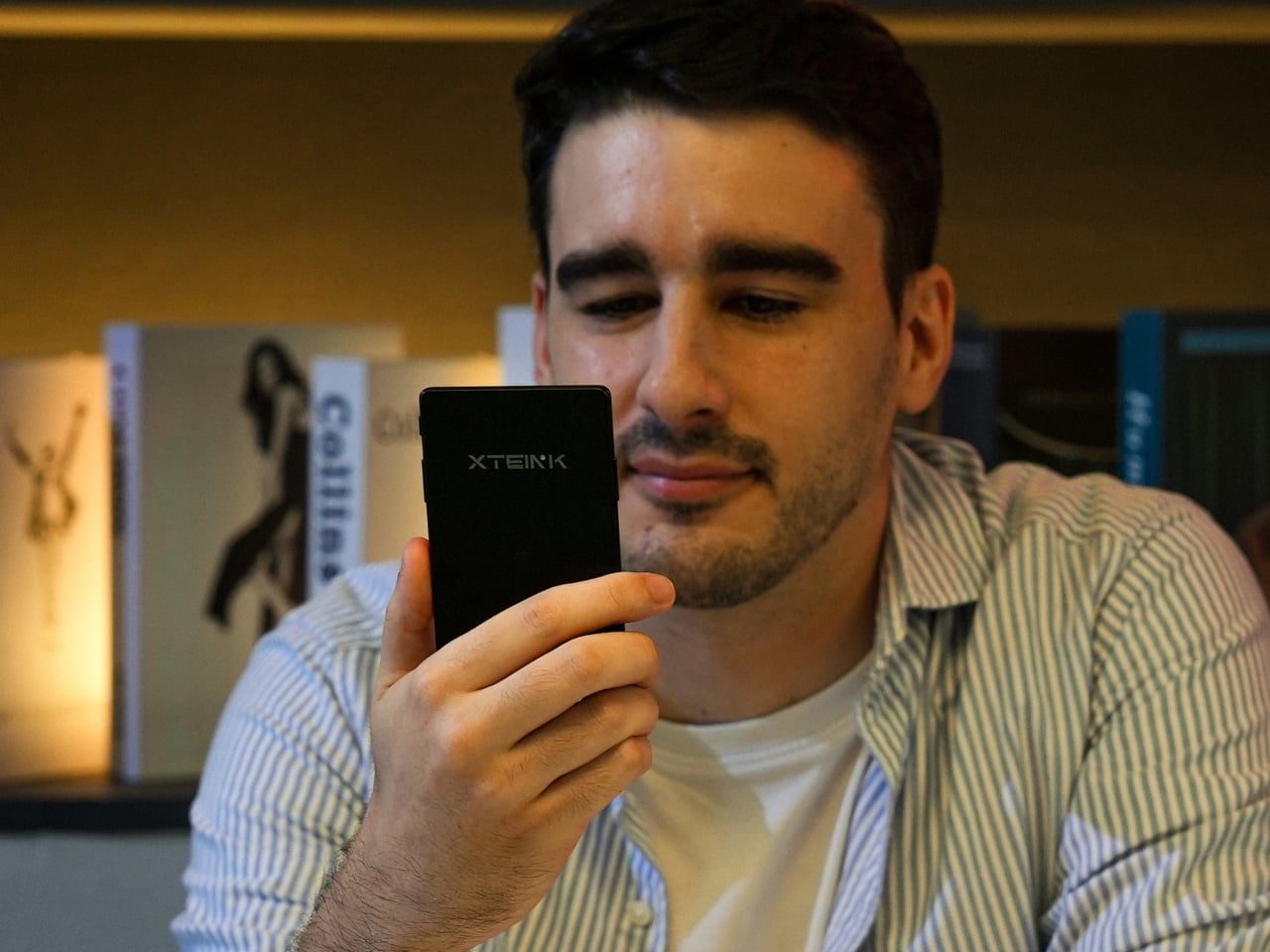
Pocket-sized e-readers have existed in one form or another for years, but most have struggled to be genuinely pocketable. Anything much larger than a phone immediately stops feeling like a carry-anywhere device and starts feeling like something you have to plan around. The original Xteink X4 built a loyal following by treating compact form and distraction-free reading as non-negotiables, with physical buttons, a clean 4.3-inch E-Ink screen, and a $69 price that was hard to argue with.
The one complaint that kept surfacing was the absence of a frontlight. Reading in dim conditions meant clipping on a separate lamp or giving up entirely, which was an odd gap for a device otherwise built around serious reading habits. The Xteink X4 Pro addresses that directly. It launches at $99 with an adjustable warm-to-cool front light built in, removing the need for any workarounds when the lighting situation isn’t ideal.
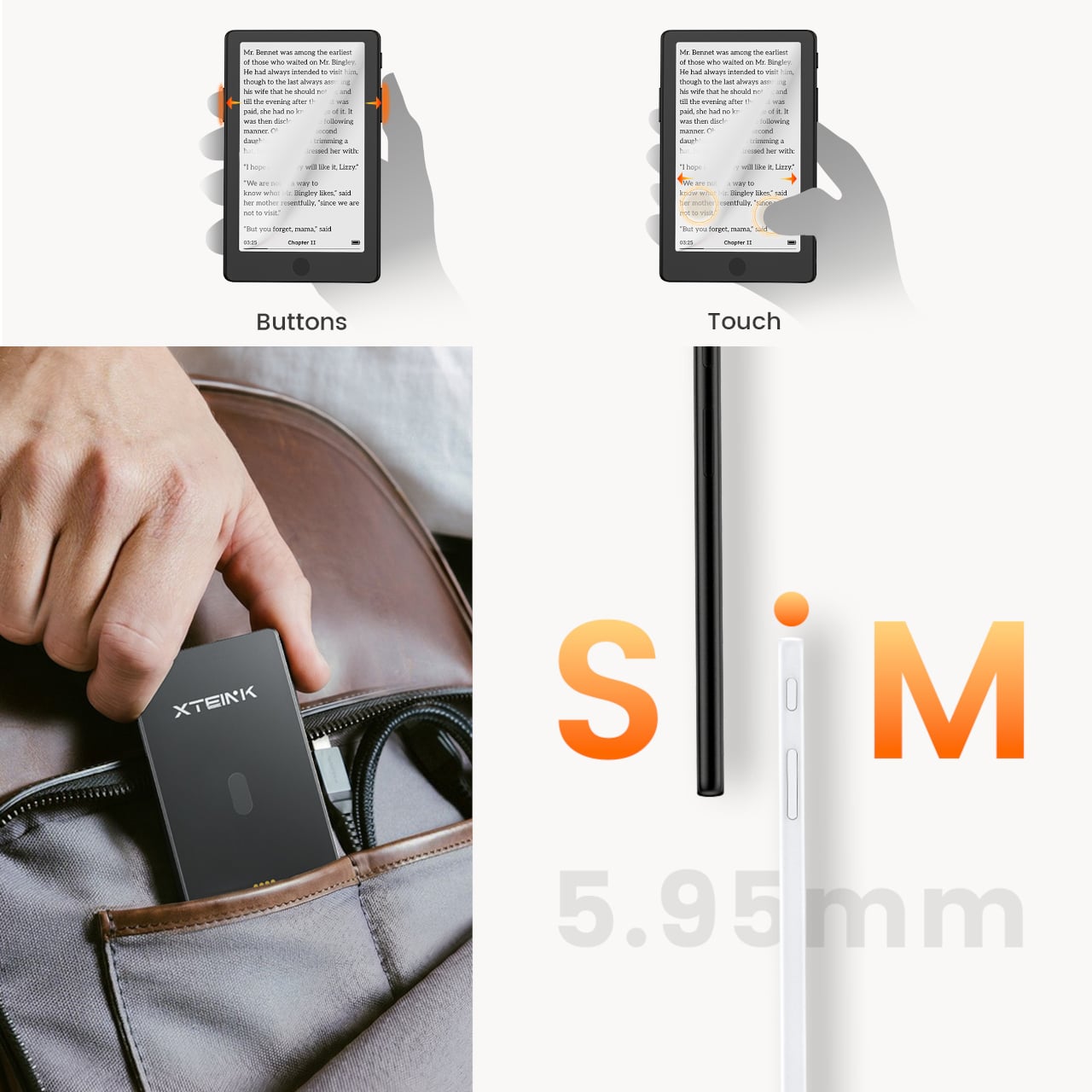
The frontlight isn’t the only addition. The X4 Pro also introduces a touchscreen for navigation, though it retains physical page-turn buttons along the sides for anyone who’d rather not tap the display while reading. That combination matters because part of what made the standard X4 appealing was the tactile, no-swipe experience. The Pro doesn’t discard that, but it layers touch navigation on top for people who want it.
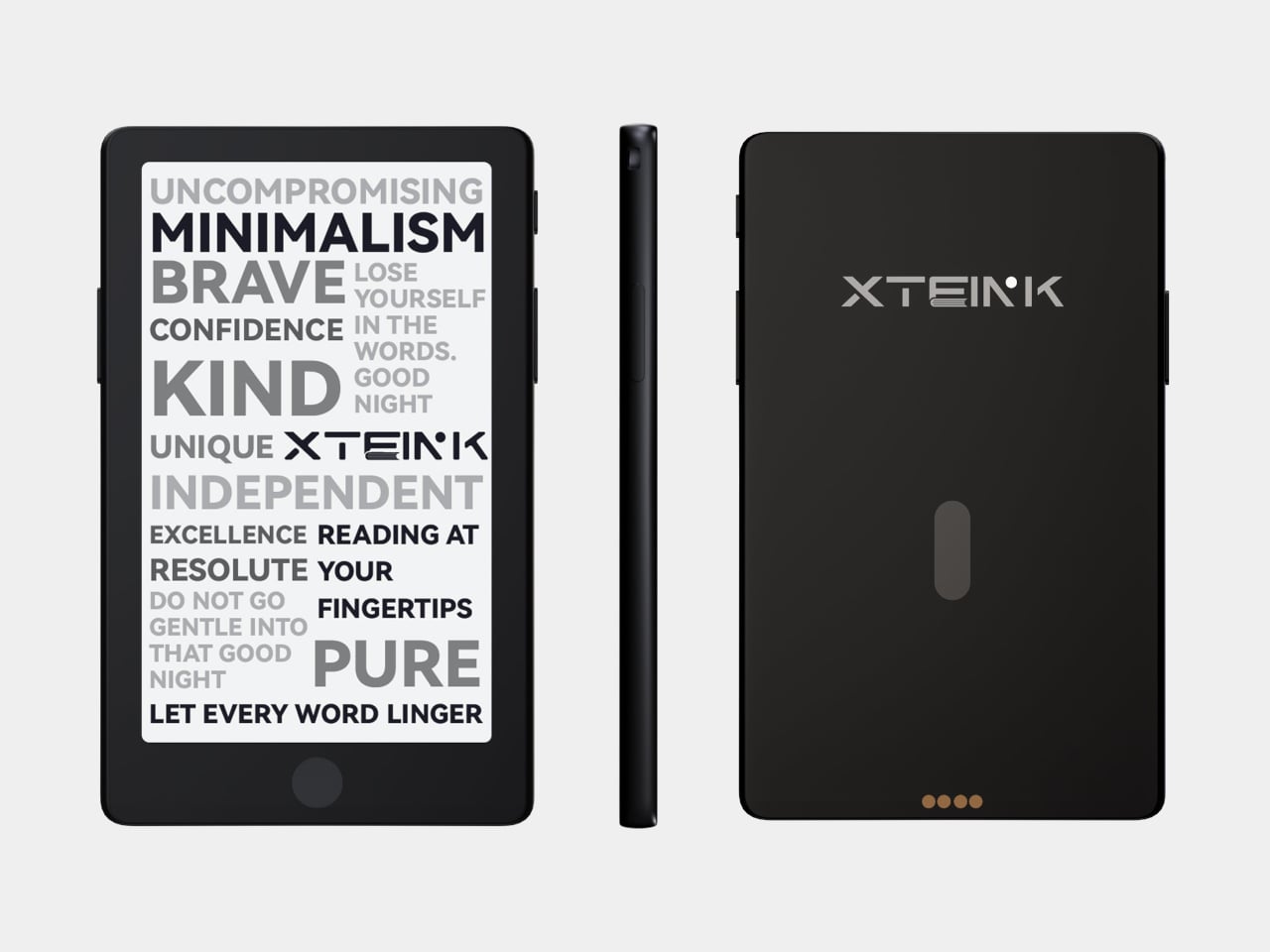
The trade-offs are real and worth noting. The front navigation buttons that sat below the screen on the original have been removed on the Pro, replaced by the touchscreen. More significantly, the USB-C port is gone, swapped out for a proprietary pogo-pin magnetic connector. That means carrying a specific cable rather than reaching for any USB-C cord already in a bag. The X3 has used the same pogo-pin setup since its release, so it’s a known quantity, but it’s still a step backward in convenience for anyone who valued USB-C universality.
The physical footprint barely changes. Despite adding layers for the light and touch sensor, the X4 Pro is actually marginally thinner at 5.95mm versus the X4’s approximately 6.4mm, and sheds a couple of grams to land at 72g. The same 4.3-inch, 220-PPI E-Ink display carries over, and battery life holds steady at around 14 days per charge. Storage remains the same 16GB microSD configuration with expansion support.
It’s a focused upgrade rather than an overhaul. The X4 Pro doesn’t try to compete with full-featured six-inch Kindles or Android-based E-Ink tablets. It stays small, stays quiet, and now stays lit, at $99 for people whose reading life regularly extends past sunset.
For existing X4 owners, the calculus comes down to one question: how often does dim lighting stop you from reading? If the answer is rarely, the base X4, for $30 less with USB-C and front buttons intact, still has a strong case. For anyone who’s been waiting to pick up an Xteink device but held off specifically because of the missing frontlight, the Pro closes that gap without fundamentally changing what the device is about.
Summer has a way of convincing you that working from a terrace in Lisbon or a cabin in the Dolomites will feel seamless. It rarely does. The gap between the idealized workation and the experience comes down to a few specific friction points: a dead device mid-call, no sense of what time it is back home, a trackpad making everything slower, and a hotel room that actively fights your sleep.
These five objects aren’t here because they photograph well in a flat lay. Each one solves a recurring problem that surfaces the moment you leave your home office. Some are brand-new hardware. One is a concept that shows exactly where phone design needs to go. All of them are built with the same underlying logic: less bulk, more intention, nothing wasted.
1. Lenovo ThinkTab X11
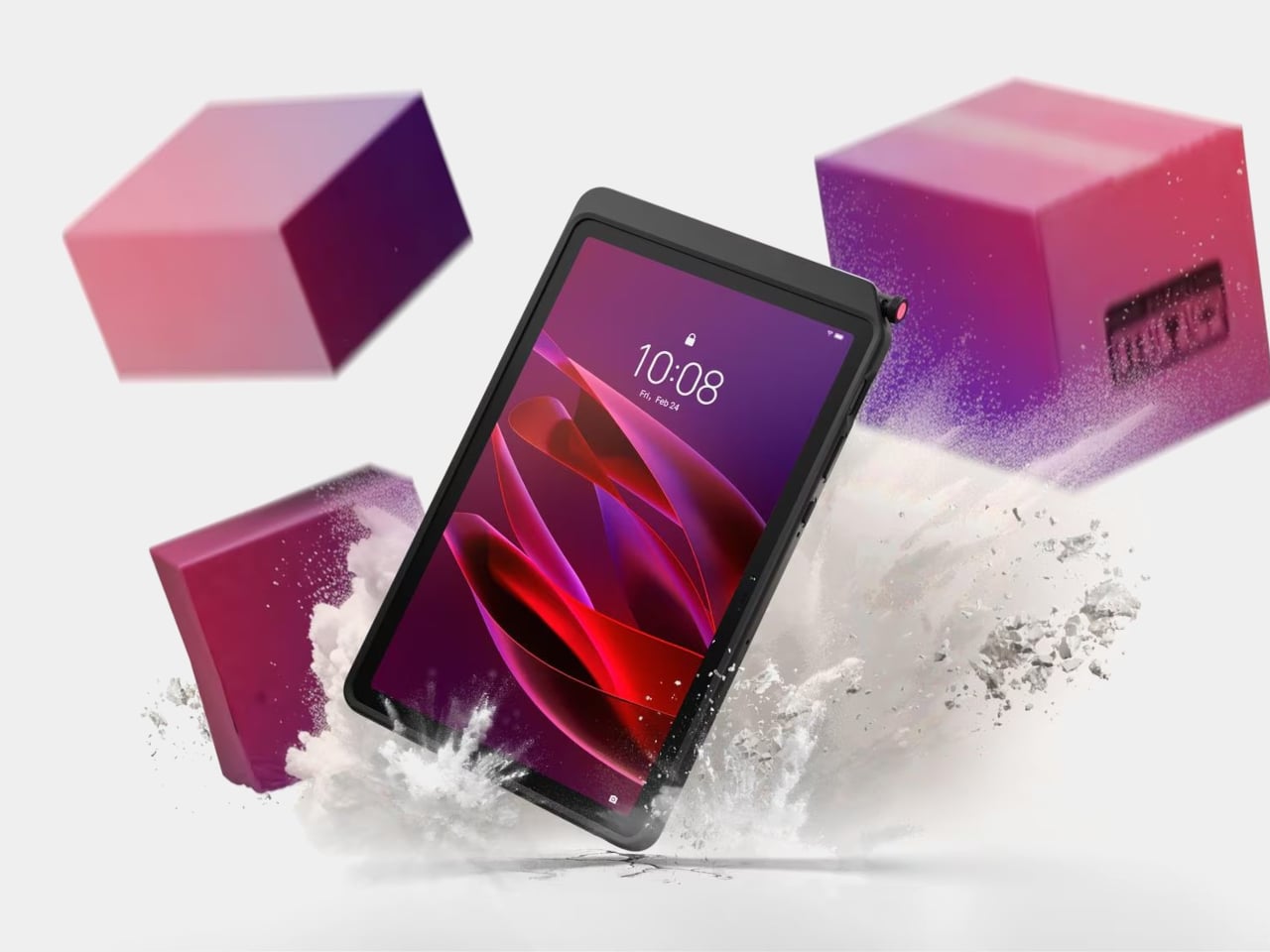
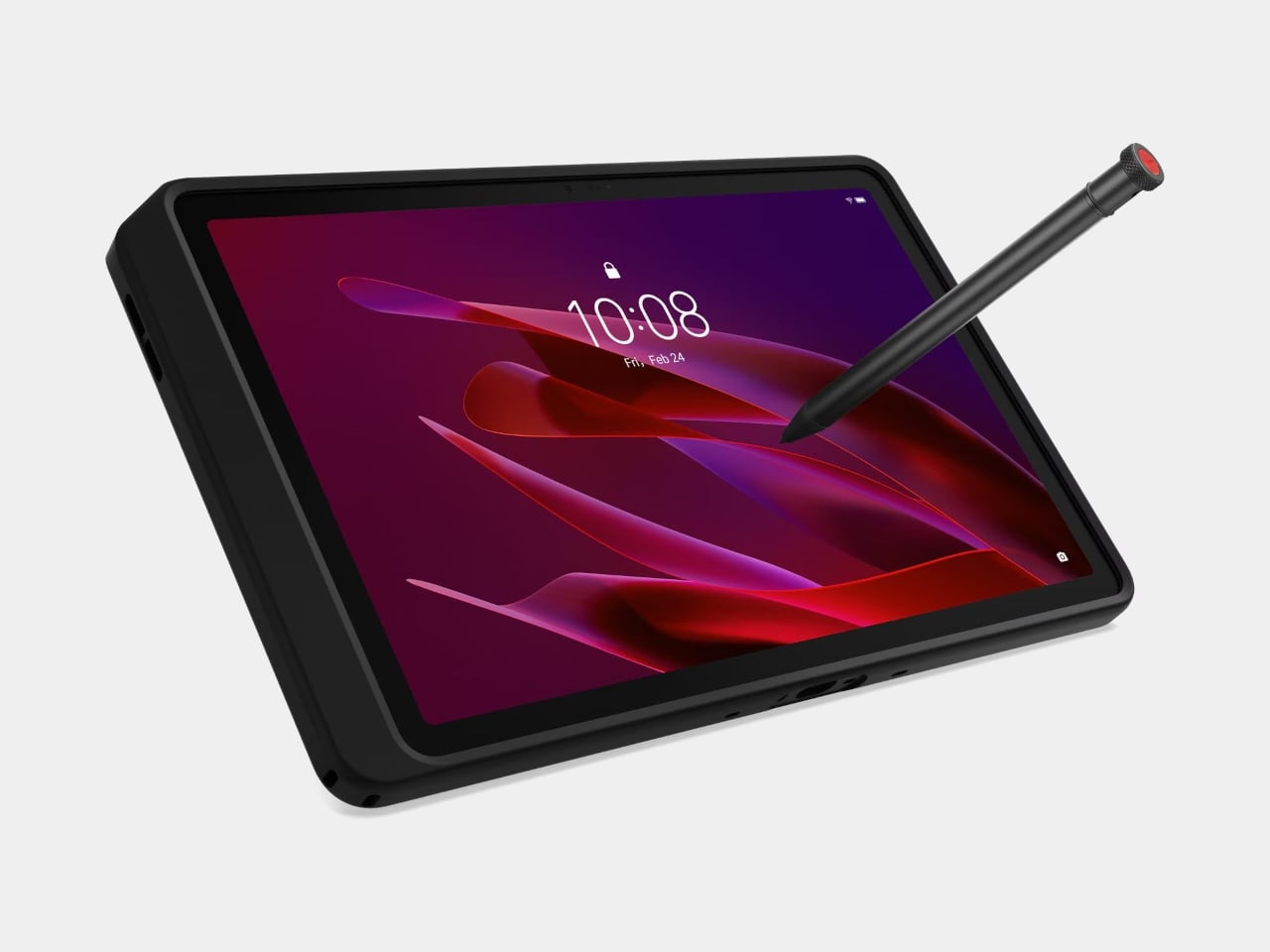
The story most tablets tell goes: thin is better, sleek is the goal, and if you drop it, that’s your problem. The Lenovo ThinkTab X11 tells a different one. It’s the first device in Lenovo’s Think portfolio to run Android, built for people who work outside of offices, starting at $499. That lands well below what enterprise rugged hardware typically costs, and it brings credentials those environments actually need rather than borrowing them from a device designed for a glass desk.
The most unusual feature isn’t the IP68 rating or the MIL-STD-810H drop certification. It’s the battery. The 10,200 mAh cell removes without tools using a screwless mechanism, so a depleted pack swaps for a fresh one without stopping work. For fixed deployments, it runs with no battery installed at all, reducing heat buildup and eliminating long-term cell degradation. The 10.95-inch 90 Hz display works with gloved hands and wet fingers, and the Snapdragon 7s Gen 3 handles processing with up to 12 GB of RAM.
What we like
The screwless swappable battery is a design decision most tablet makers abandoned years ago and shouldn’t have
MIL-STD-810H certification and IP68 rating that hold up to actual field conditions, not just the marketing copy
What we dislike
Running Android 16 rather than a desktop OS limits compatibility for power users who depend on specific Windows software
The rugged case, while swappable for a plain back panel, adds bulk that minimal travel setups may not want to carry
2. Rolling World Clock
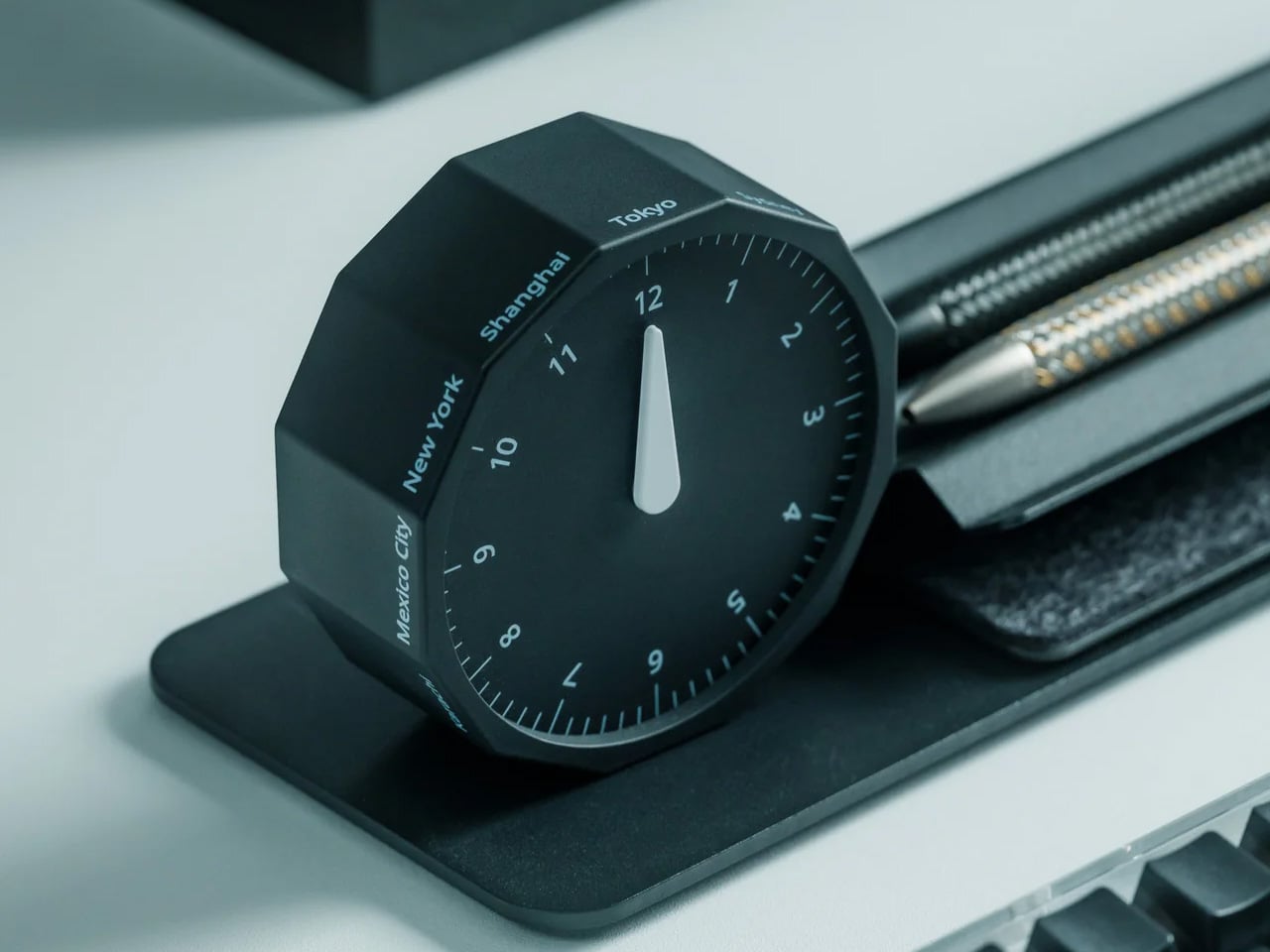
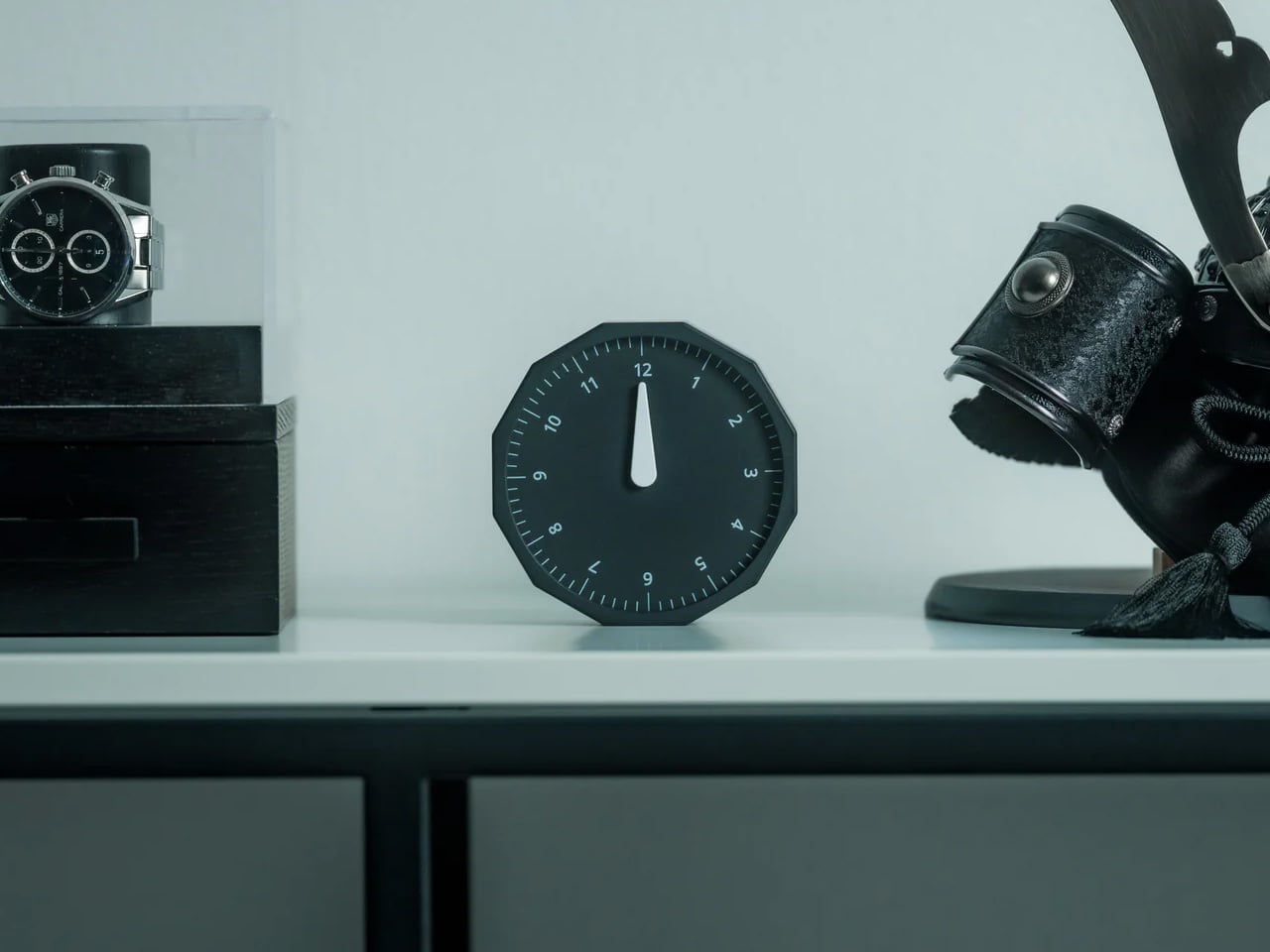
Remote work across time zones produces a specific kind of low-grade anxiety: the constant mental arithmetic of what time it is for your client in Tokyo, your team in Berlin, your editor in New York. Most solutions are digital, meaning another app and another screen. The Rolling World Clock handles it differently. It’s a physical object designed to give time zone awareness a permanent, glanceable presence on whatever surface you happen to be working from, at $49.
At that price, it occupies an increasingly rare space: the deliberate analog object that earns its place in a bag through presence rather than features. A world clock you can hold and orient matters in a way a phone widget doesn’t. It also removes the need to unlock a screen every time you run through time zone arithmetic, which at four in the afternoon after a long session is more useful than it immediately sounds.
At $49, it brings a physical dimension to time zone tracking that no app or notification panel actually replicates
A design-forward desk object that works regardless of whether your laptop is open or your phone is charged
What we dislike
As a physical clock, it requires manual adjustment when crossing into a new time zone rather than updating automatically
Limited product detail currently available on the YD Shop listing; worth confirming the display mechanism before ordering
3. Nothing 4a Pro E-ink Display Concept
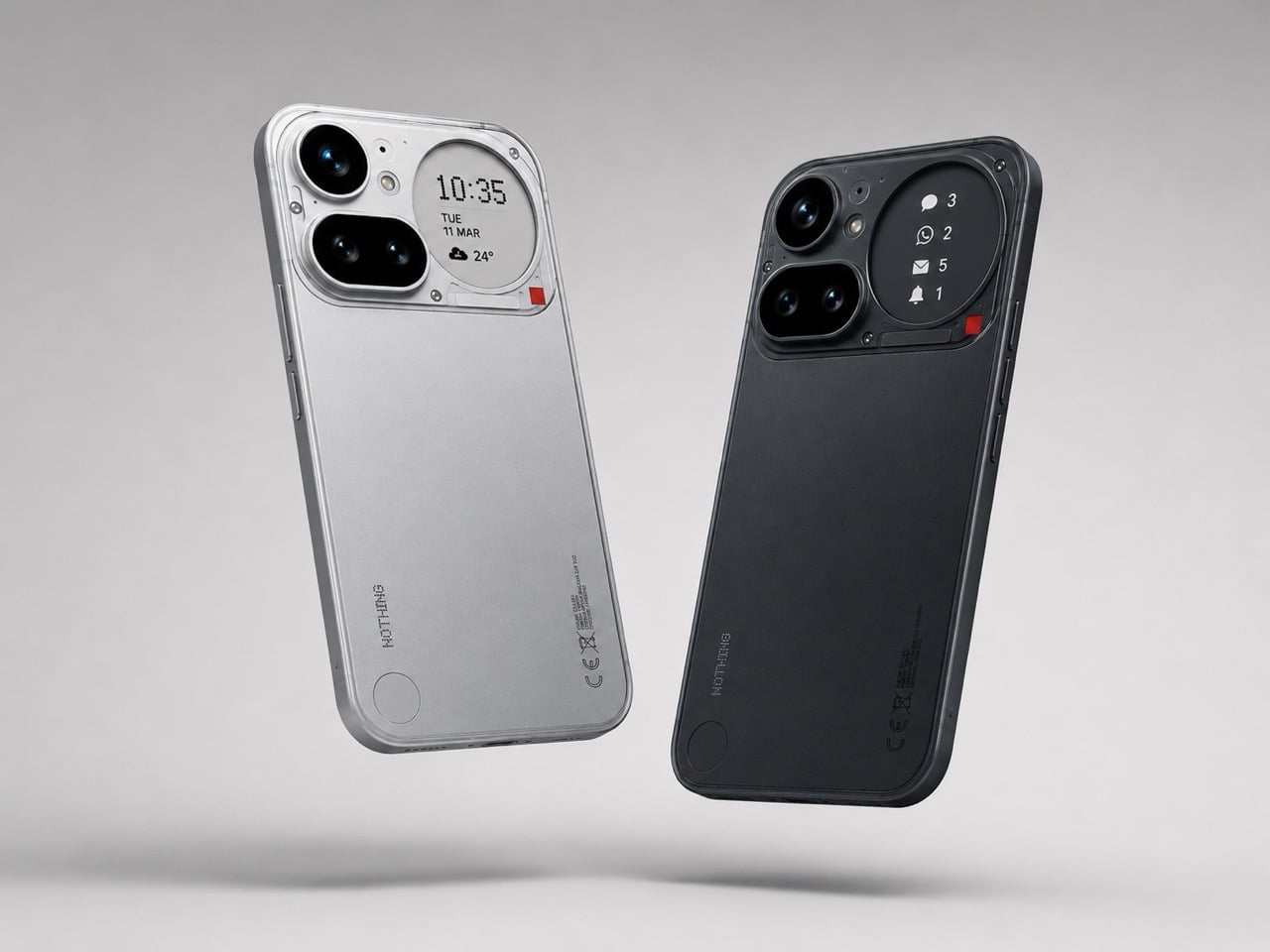
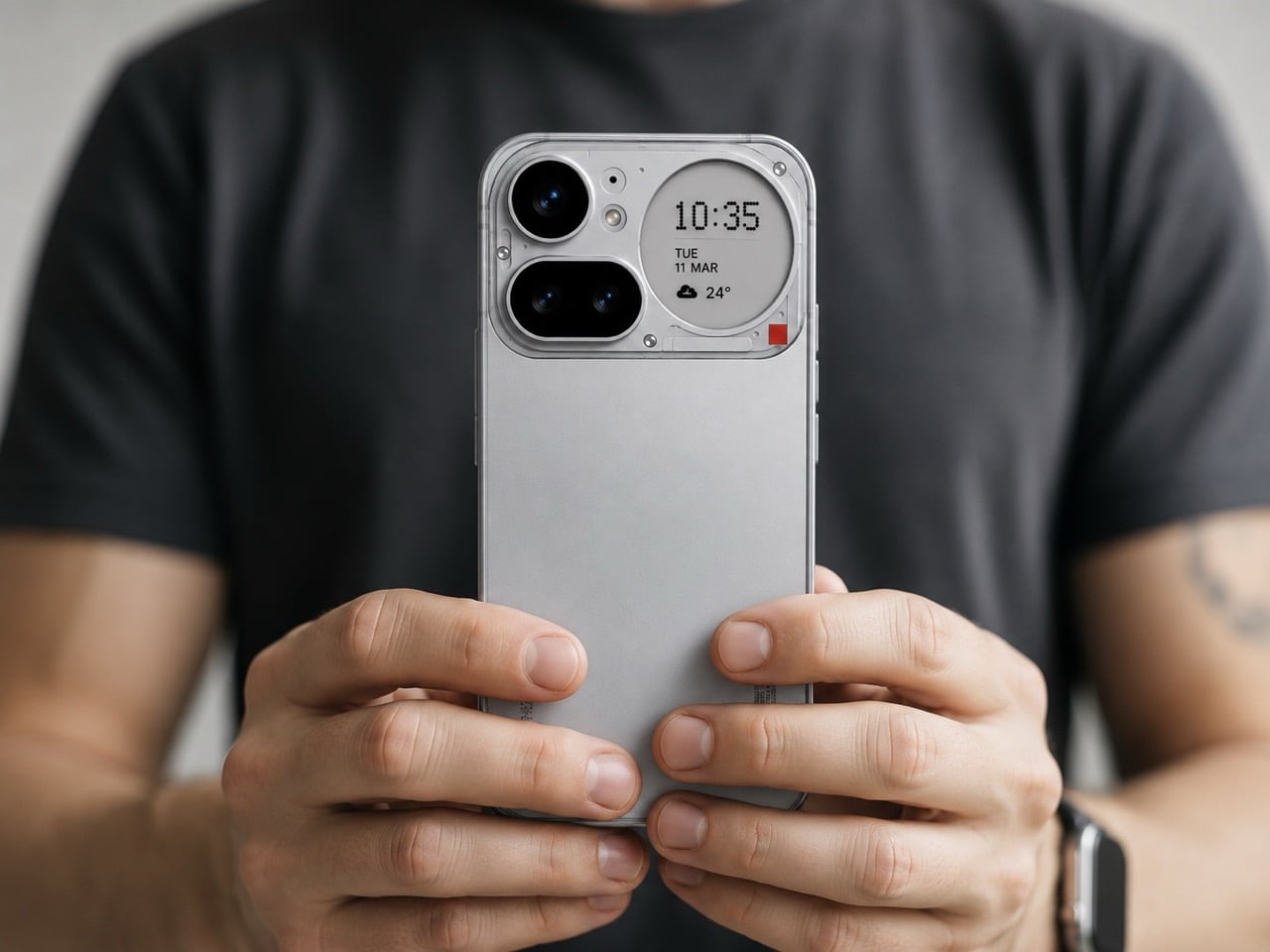
Not everything on this list ships tomorrow, and this one is upfront about that. The Nothing 4a Pro e-ink concept, imagined by Reddit user Taweros, replaces the Glyph Matrix on the back of Nothing’s phone with a small always-on e-ink display. Instead of spinning light patterns, the back shows something useful: a notification, a QR code at a networking event, the face of whoever is calling you. All without meaningfully touching battery life, since e-ink only draws power when the image changes.
The reason it belongs here is specific. When your bag is on the table at a co-working space, and you need to see whether that notification is worth picking up, a phone that surfaces information on its back without requiring you to unlock it removes a real interruption from your workflow. The Nothing 4a Pro hardware this concept builds on already runs a Snapdragon 7 Gen 4. The e-ink back is the single edit that would make it the travel phone worth actually wanting.
What we like
E-ink only draws power when the image changes, making a permanently visible ambient display a viable idea without a battery penalty
The concept makes a compelling case that the existing Nothing 4a Pro hardware is already there; the display and back panel are the only missing pieces
What we dislike
This is a concept render, not a product you can buy, and Nothing has given no public indication it’s moving in this direction
The e-ink area is small, which limits how much information it can usefully surface at a glance
4. OrigamiSwift Folding Mouse
At 40 grams and 0.18 inches thick when folded flat, the OrigamiSwift is the mouse that removes the excuse to keep using a trackpad. Designed by Horace Lam and rooted in origami’s structural logic, it unfolds in under half a second into a full-sized ergonomic form. The triangular folded geometry isn’t decorative. It provides the rigidity needed to hold its shape through long work sessions, on surfaces ranging from a co-working desk to the tray table of a long-haul flight.
Bluetooth 5.2 handles connectivity, the HD infrared sensor tracks at up to 4,000 CPI, and the USB-C battery lasts up to three months per charge. Soft-click buttons keep it quiet in shared spaces, which matters at a communal table three feet from a stranger on a call. For a travel mouse with this build quality and a three-month battery life, that’s not a difficult case to make.
At 40 grams and 0.18 inches flat, it genuinely disappears into any bag without requiring a dedicated compartment or a case
Three months of battery life on a single USB-C charge means one less thing to track, top up, or pack a cable for
What we dislike
The right-handed ergonomic form means left-handed users will need to look elsewhere entirely
At $85, it sits at the higher end of the travel mouse category, and some nomads will find comparable tracking performance at lower price points from established peripheral brands
5. Divoom FlowToo
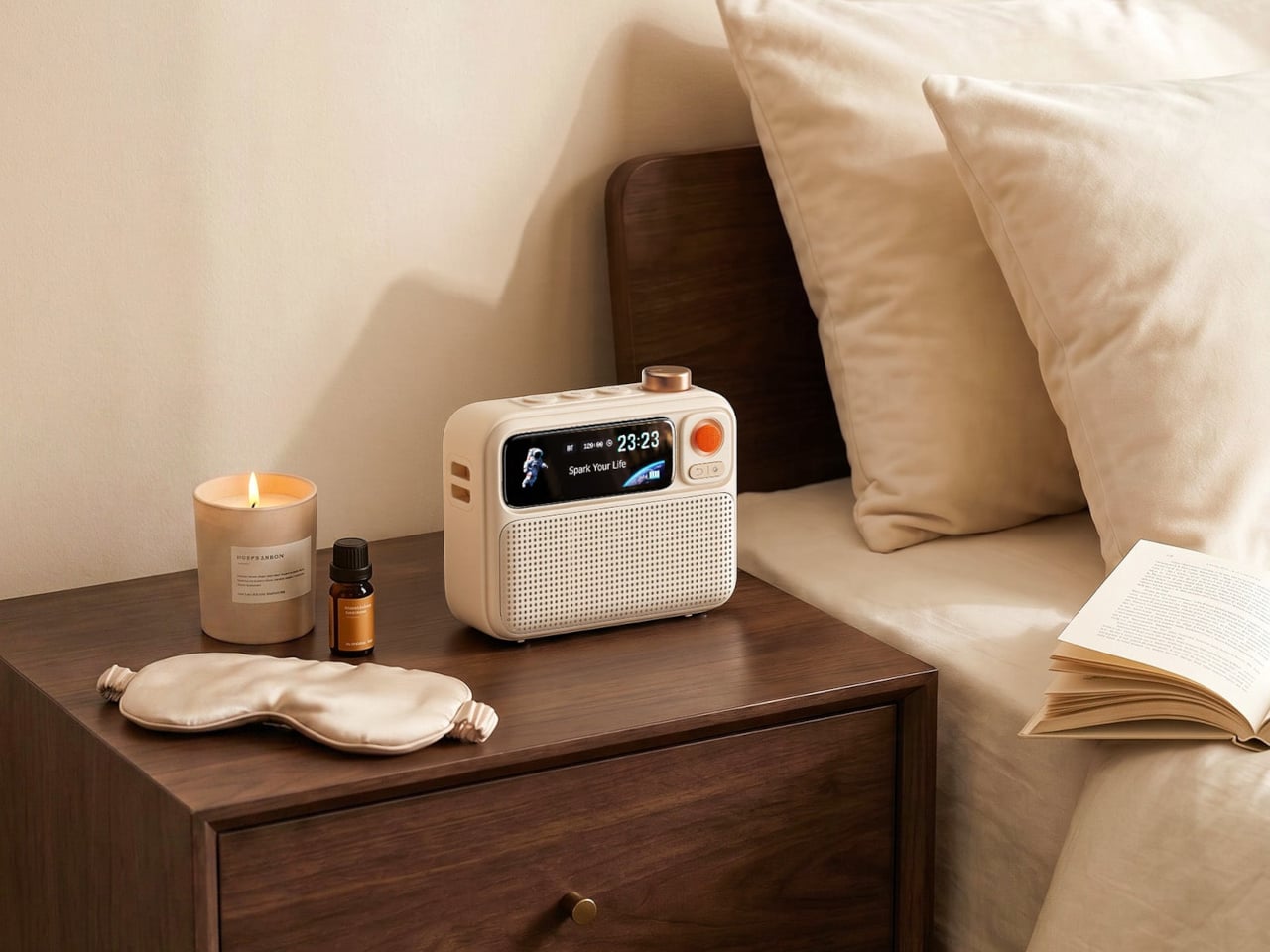
Serial hotel rooms accumulate a specific roster of problems. The alarm clock is always wrong. There’s no white noise option. Music has to come through a laptop speaker. The Divoom FlowToo addresses all three by collapsing a Bluetooth speaker, white noise machine, and alarm clock into one compact device with a 2.26-inch smart display. At $99.99, it doesn’t add to the nightstand pile. It replaces three items already on it, then does each job better than what it replaced.
The 10W amplifier and 45mm full-range driver make it a real speaker rather than an afterthought. The 90-plus built-in sounds cover rain, ocean, forest, and a wide enough library that finding something useful won’t take long. The wake function brings you up gradually with natural sounds and soft display light rather than a jarring tone, which matters when you’re functioning across time zones. The Divoom app handles alarm setting and sound selection from your phone, keeping the device itself simple to operate from any nightstand you find yourself at.
What we like
Collapsing three bedside devices into one compact object is the right instinct for anyone who travels with a carry-on and nothing else
The gradual natural-sound wake function is a genuine quality-of-life improvement over every hotel alarm clock in existence
What we dislike
The 2.26-inch display is small enough that the visualizer and animations read more as ambient mood than functional information
It runs on AC power with no built-in battery, which limits use to spaces with a wall outlet nearby
Pack Less. Work Better.
The best travel gear does two things well: it earns its weight, and it removes friction rather than adding it. Every object on this list was chosen because it solves a specific problem that shows up in the first week of working remotely, not a hypothetical one. A tablet that outlasts your work session. A mouse that doesn’t require you to compromise. A hotel room that finally lets you sleep properly.
One of them is a concept you can’t buy yet, and it’s worth watching. The rest are available now, four at price points that fall under $100. None of them are here because they looked good in a render. They’re here because the gap between a workation that works and one that slowly grinds you down usually comes down to a few objects you either packed or didn’t.
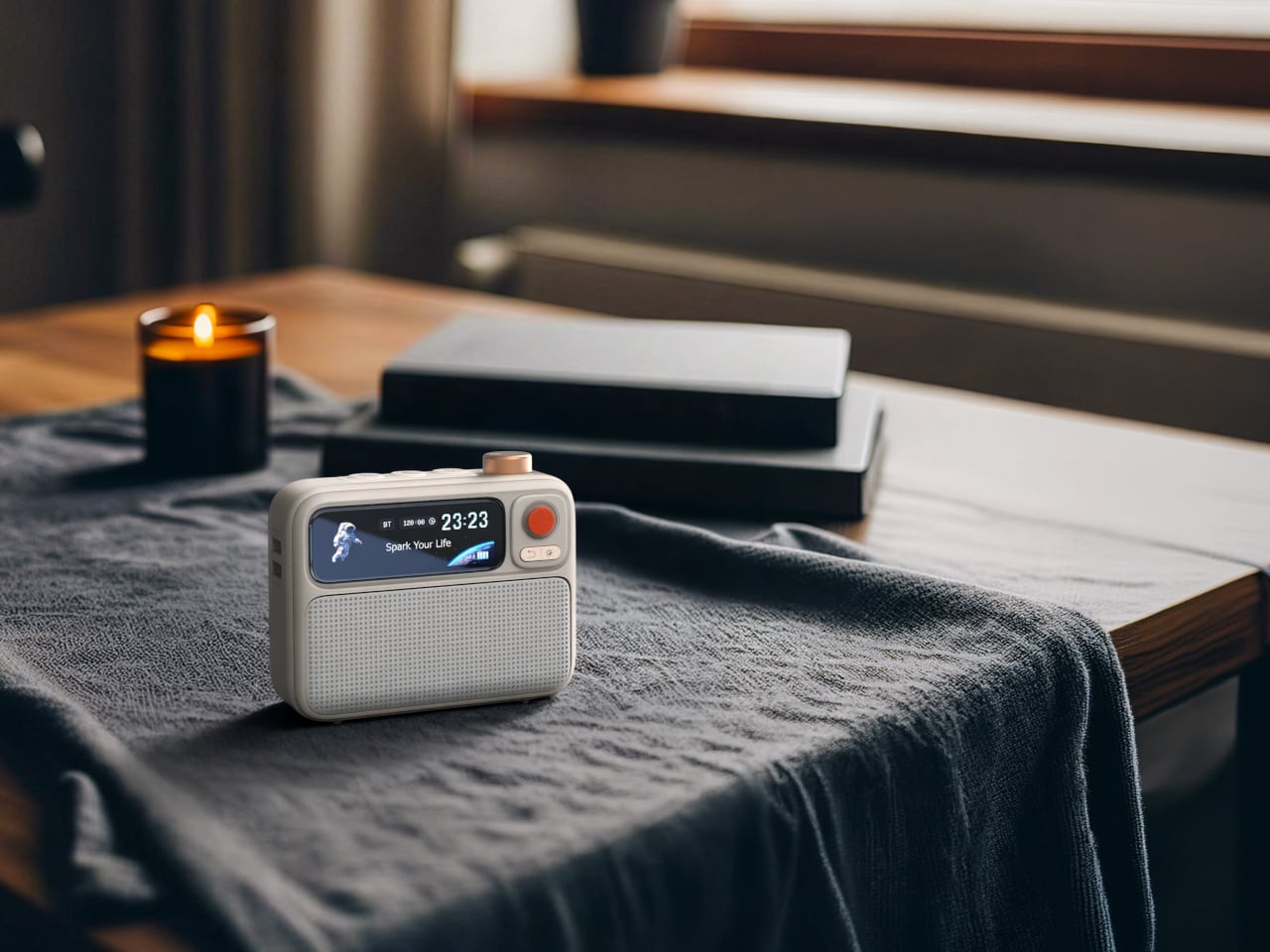
Dedicated music players gradually faded from use once streaming apps turned every smartphone into an on-demand jukebox. Carrying a separate device for audio began to feel redundant. That attitude has slowly changed. Growing numbers of listeners, tired of notifications and algorithm-driven queues, have started reaching for standalone players again, ones that let music be the only thing competing for their attention.
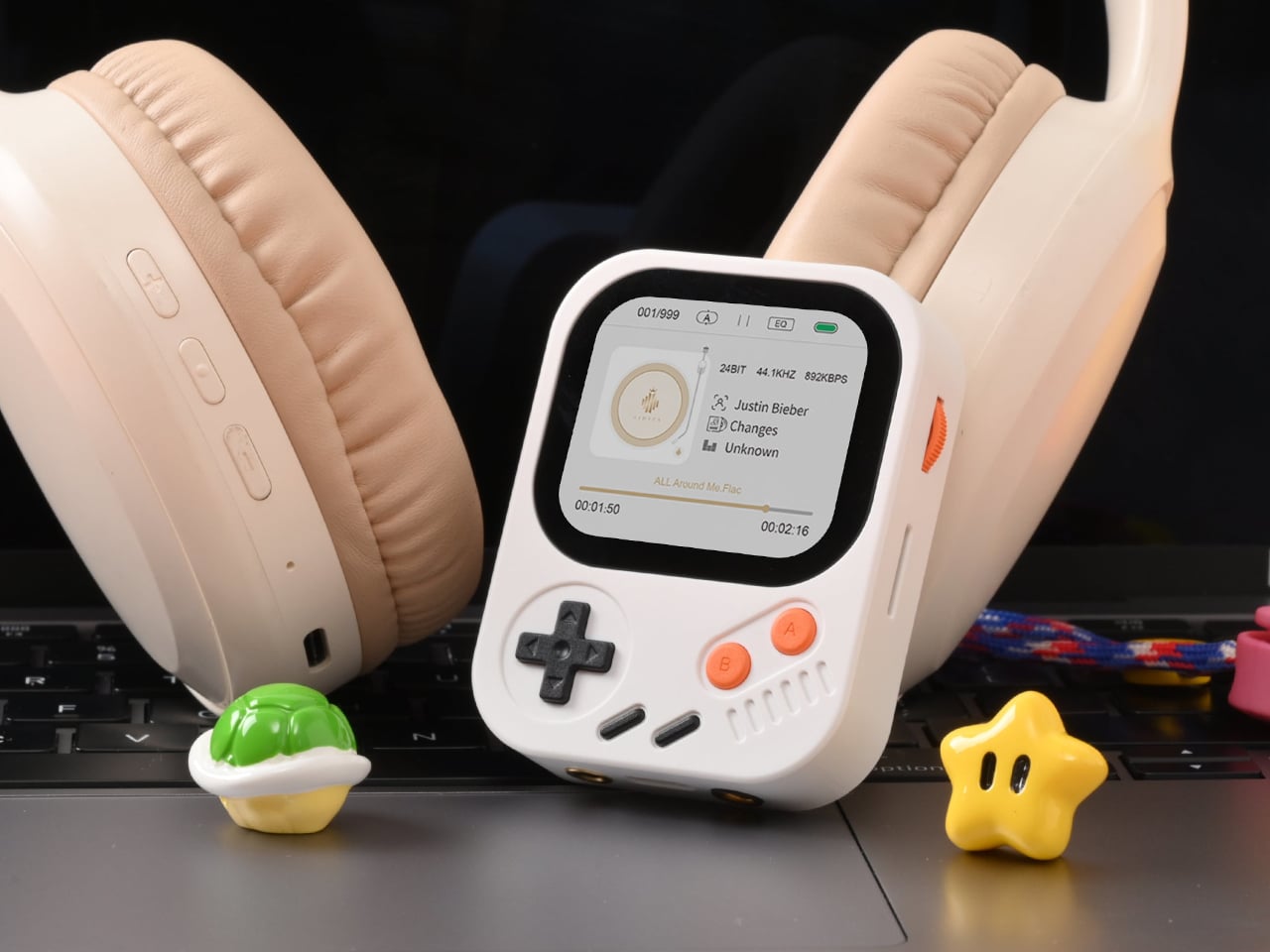
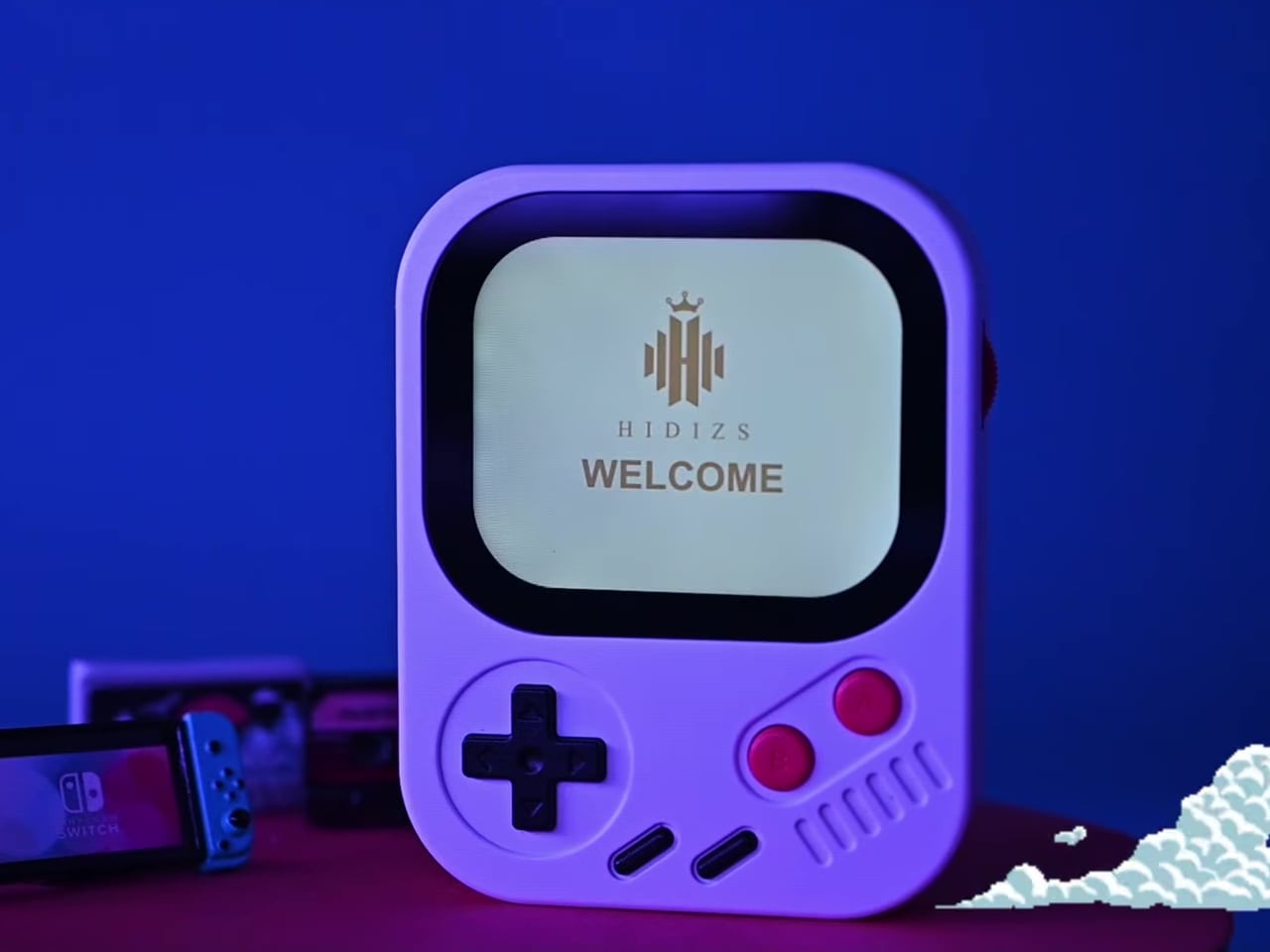
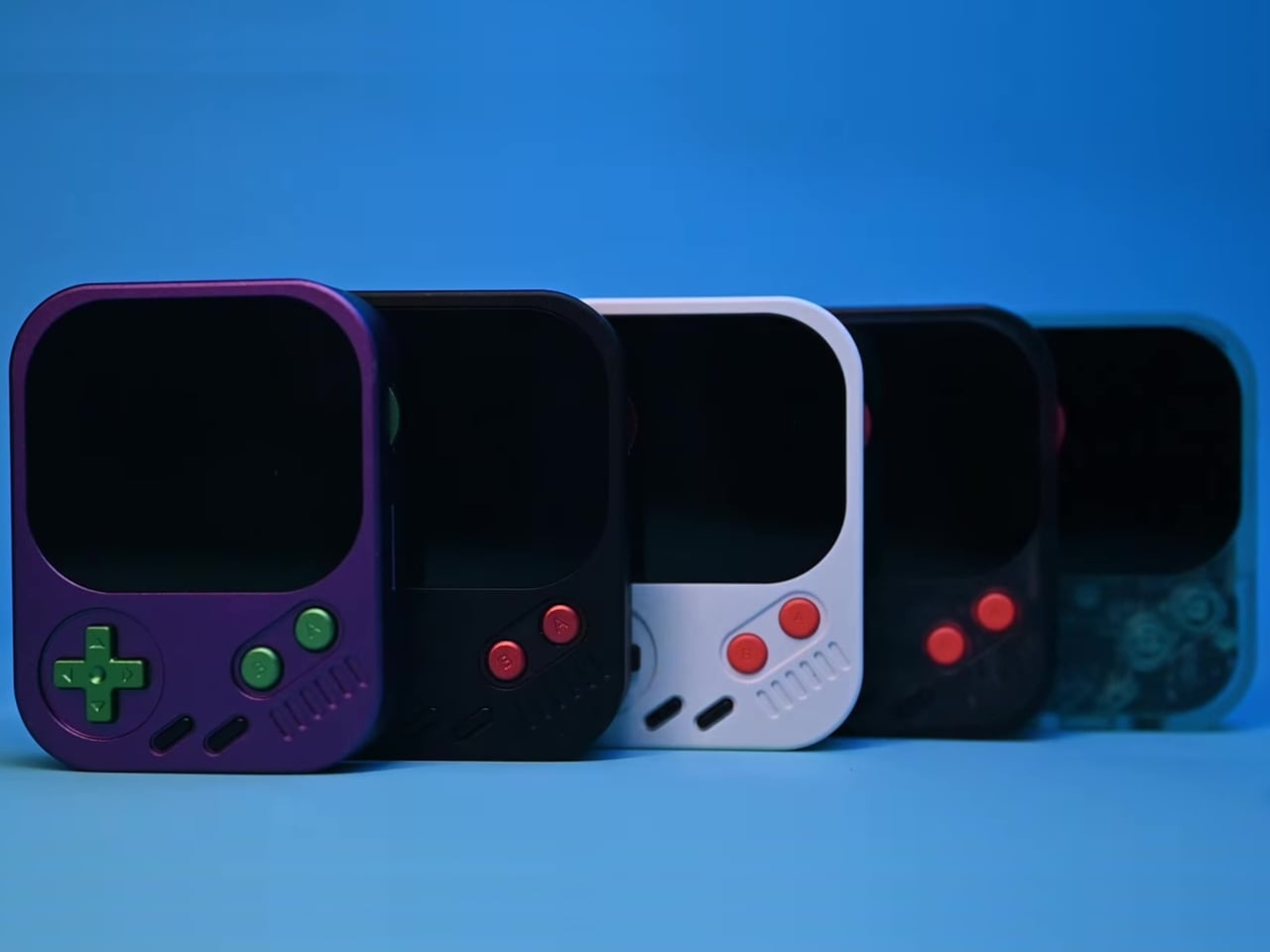
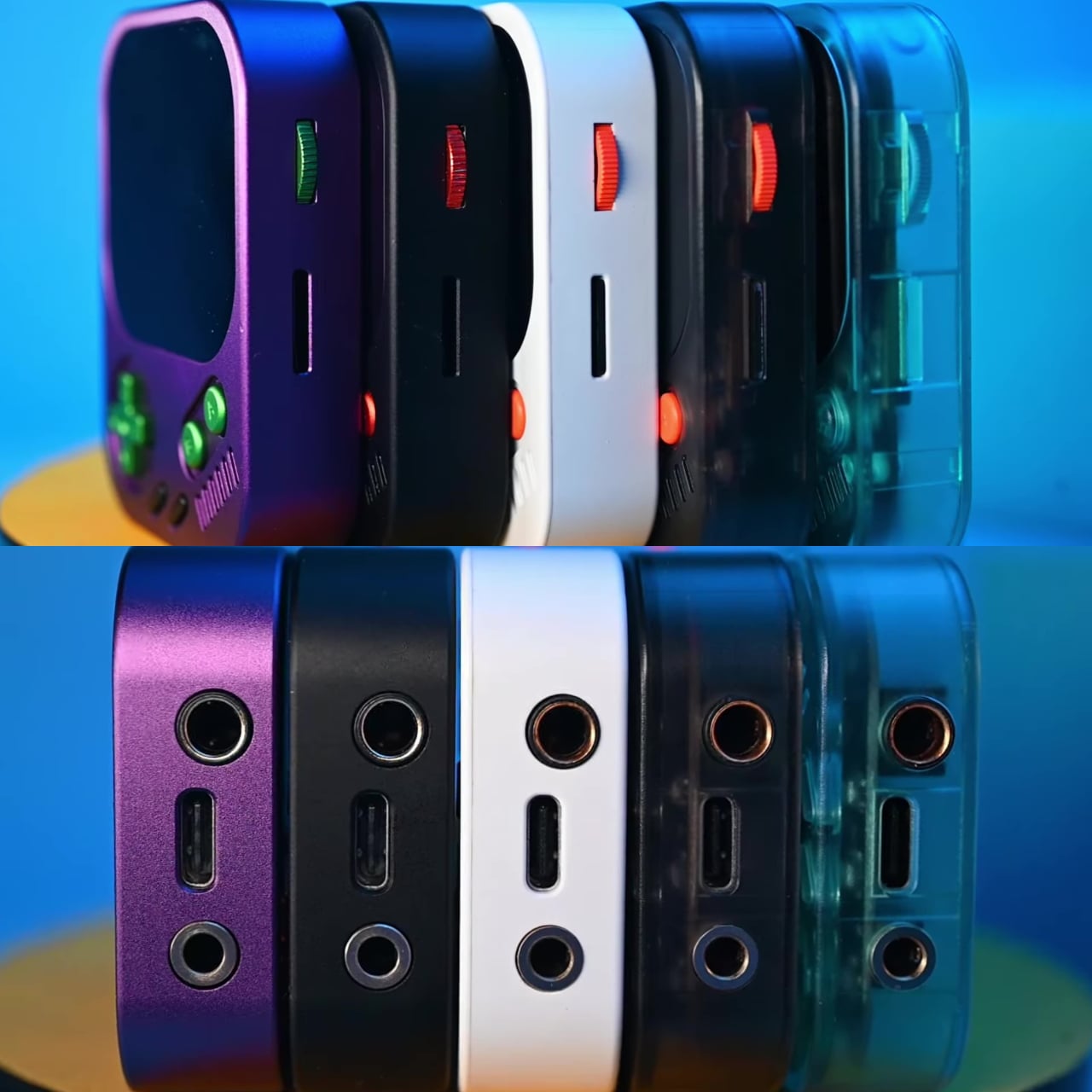
The Hidizs AP30 Music Boy addresses that growing appetite, though it does so in a way that isn’t easy to overlook. Rather than adopting the clean, minimal aesthetic common to most digital audio players, it draws heavily from the visual language of retro handheld gaming. The result is a device that looks playful and compact but carries serious audio hardware inside.
Physical directional buttons and a 2.0-inch IPS display give the AP30 an immediately tactile quality that touchscreen-only devices often lack. The plastic version weighs just 56g, while the CNC aluminum edition comes in at 80g. A small whale motif on the back adds a quiet nod toward environmental awareness, giving the device one more detail that makes it memorable beyond the spec sheet.
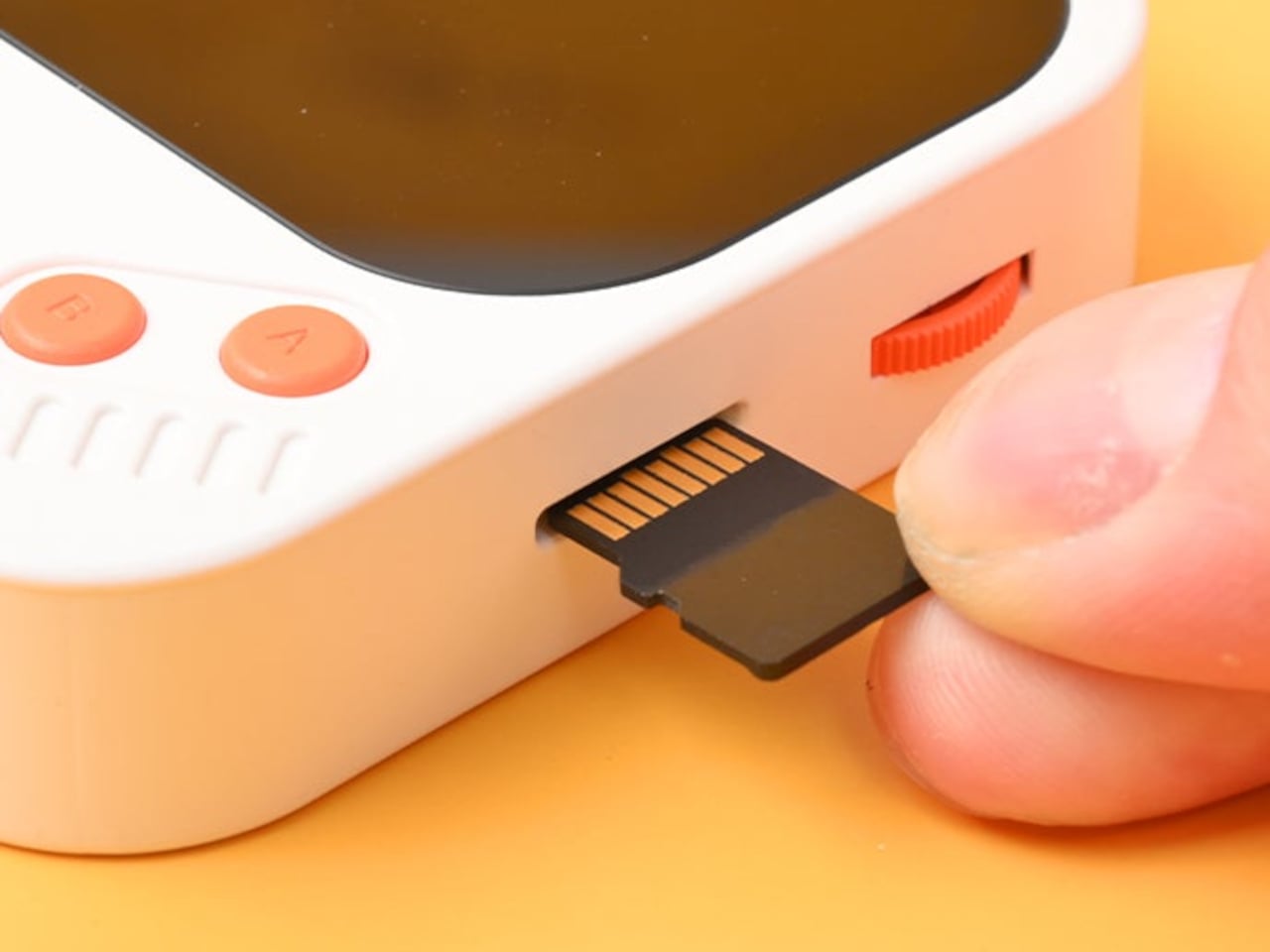
The “wearable” part of the AP30’s pitch has practical implications. It clips to bag straps, hangs from a neck lanyard, or attaches magnetically to the back of a phone via an optional case, keeping it physically accessible during exercise, commutes, or any activity that doesn’t leave a free hand. Storage starts at 128GB built-in and expands to 256GB via a microSD slot.
Behind the gaming console’s exterior is a Cirrus Logic CS43198 DAC paired with an RT6863 amplifier, supporting DSD256, PCM at 24-bit/192kHz, and lossless formats including FLAC, WAV, and ALAC. Everyday headphones connect to the 3.5mm single-ended output, while the 4.4mm balanced connection offers meaningfully stronger output for listeners using higher-end in-ear or over-ear monitors, with room to grow as their setup does.
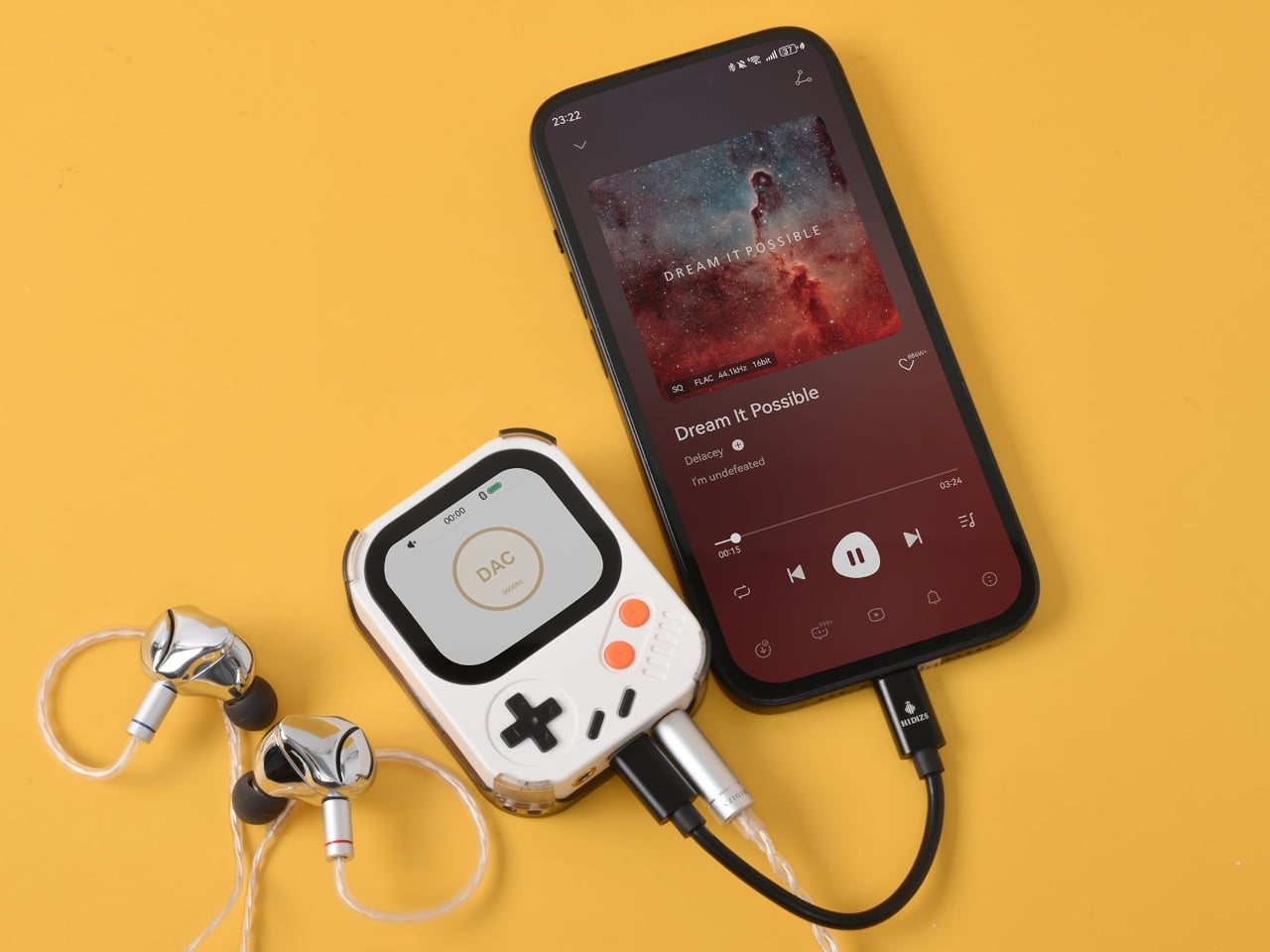
Bluetooth 5.3 with LDAC handles wireless listening without much compromise in audio quality, and the USB-C port doubles as a DAC input for computers and phones. Connect it that way, and the AP30 draws its own power, sparing the host device’s battery. The 1,200mAh cell manages 10 to 12 hours of continuous playback in single-ended mode and charges back to full in about one hour.
HidizsOS, the player’s Linux-based operating system, keeps the interface focused entirely on music rather than apps or streaming services. Customizable EQ presets and switchable digital hardware filters give listeners control over how their music sounds, and a built-in block puzzle game is a fitting Easter egg on a device with this much retro DNA. Both plastic and aluminum editions retail at $129.
There’s no streaming service, no social feed, and no notification waiting to derail the listening session. The AP30 runs on a locally stored library and asks for nothing more than a decent pair of earphones. For anyone who’s ever put a phone on silent just to get an hour of uninterrupted music, it makes a compelling case for carrying two things instead of one.
Managing multiple AI agents at once has become a surprisingly real friction point in modern knowledge work. Developers using tools like OpenAI’s Codex, which is closing in on nine million users, often run several threads simultaneously. Constantly switching between windows and chat screens to check each agent’s progress breaks the kind of focused flow that agentic workflows are supposed to create in the first place.
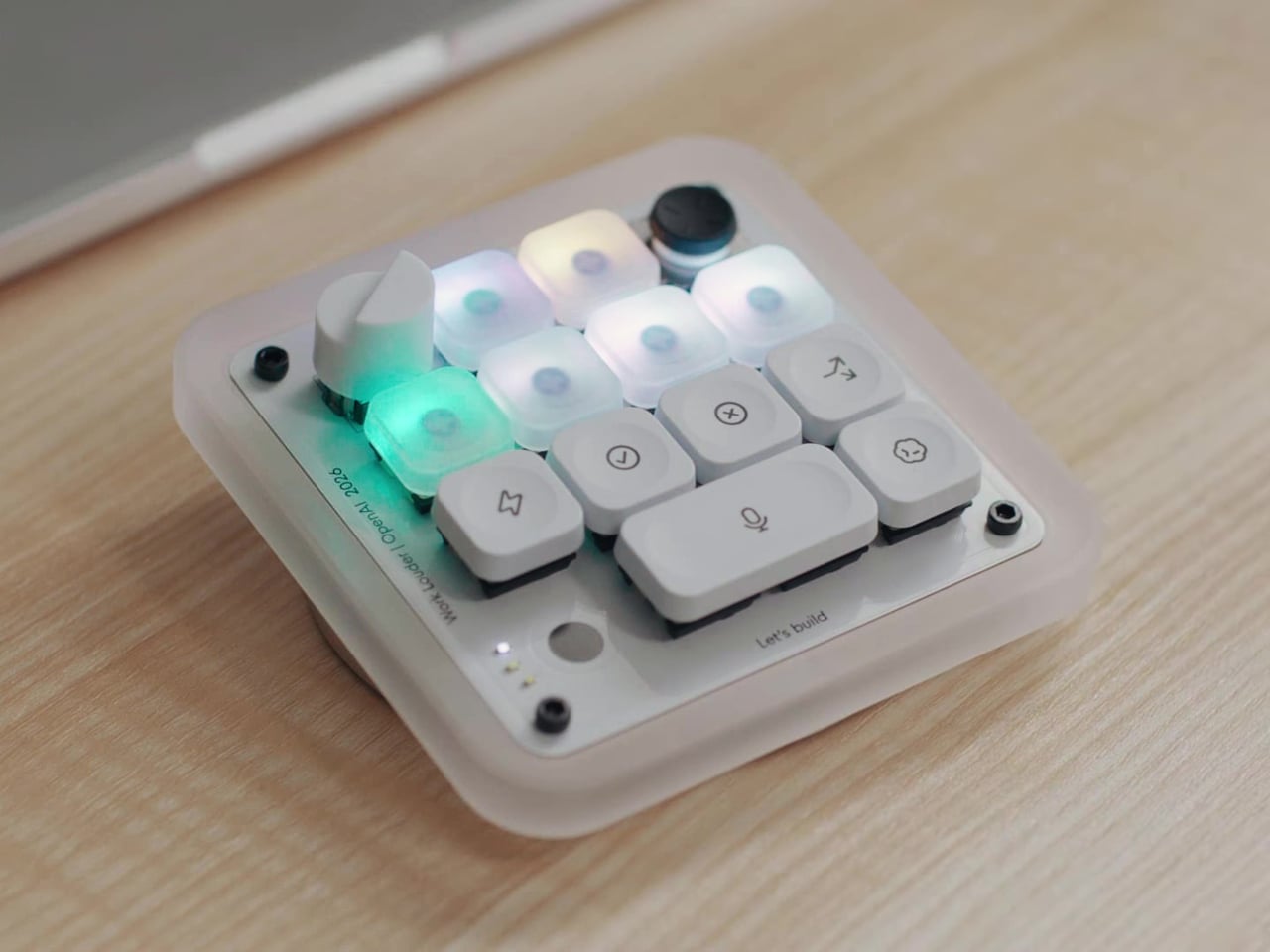
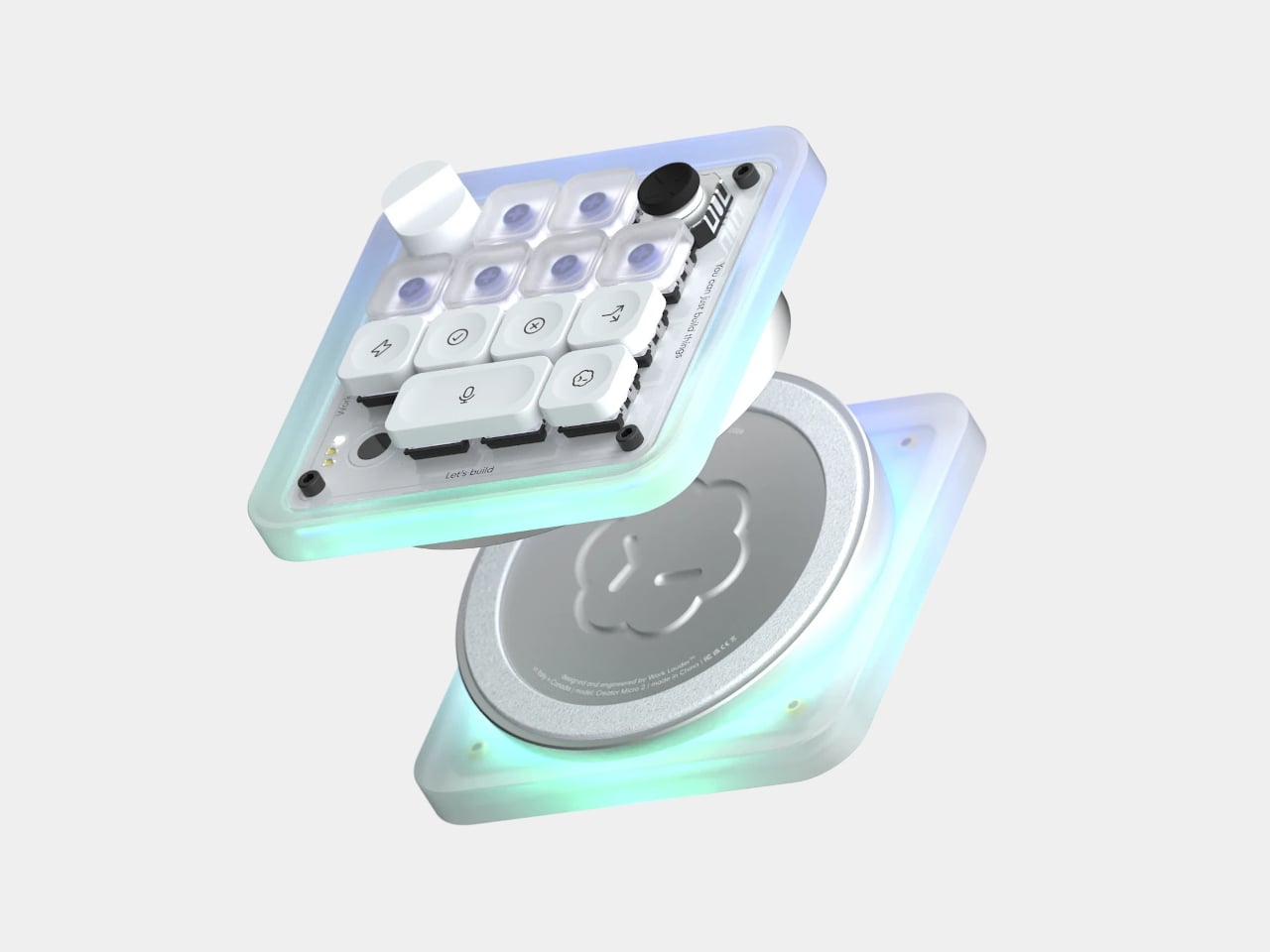
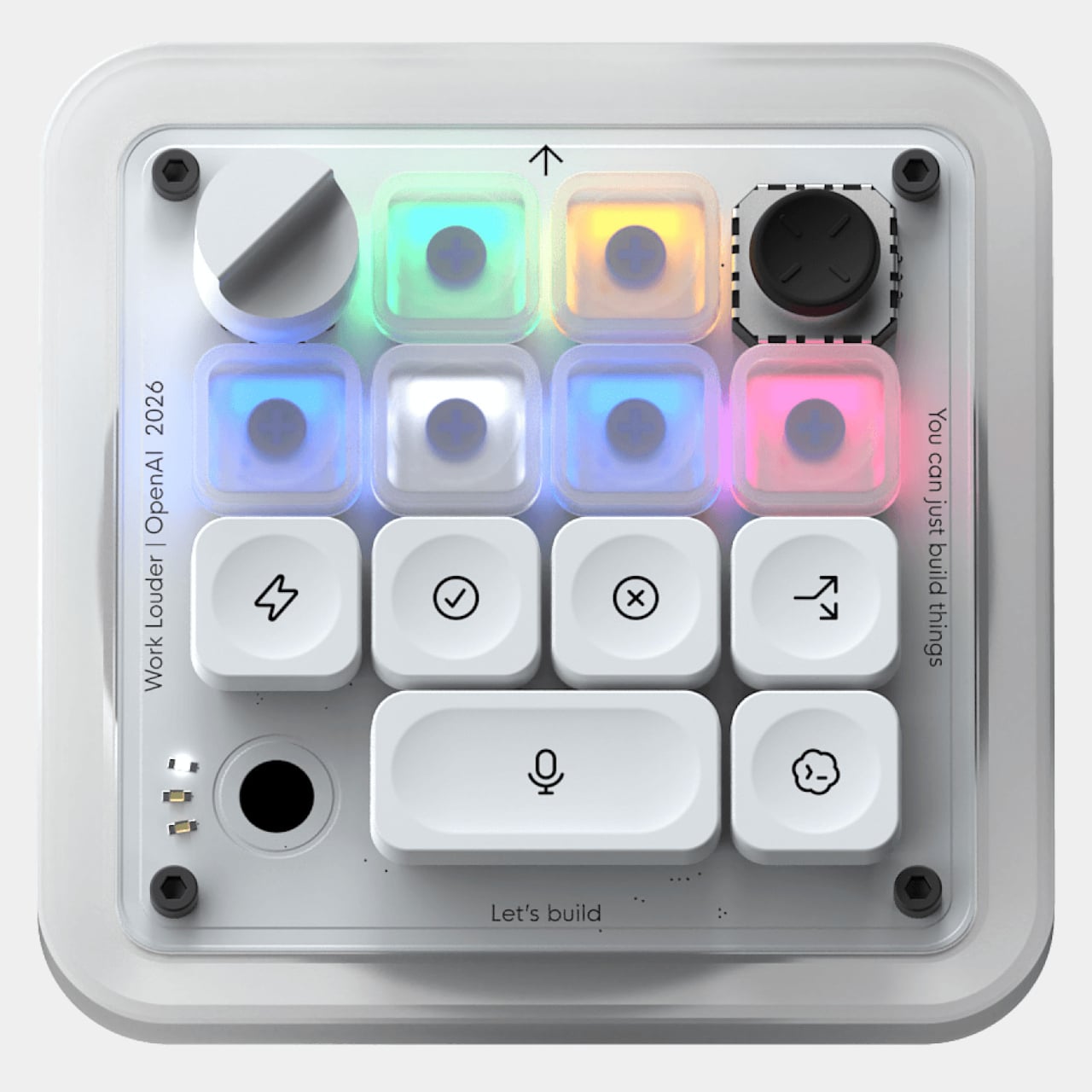
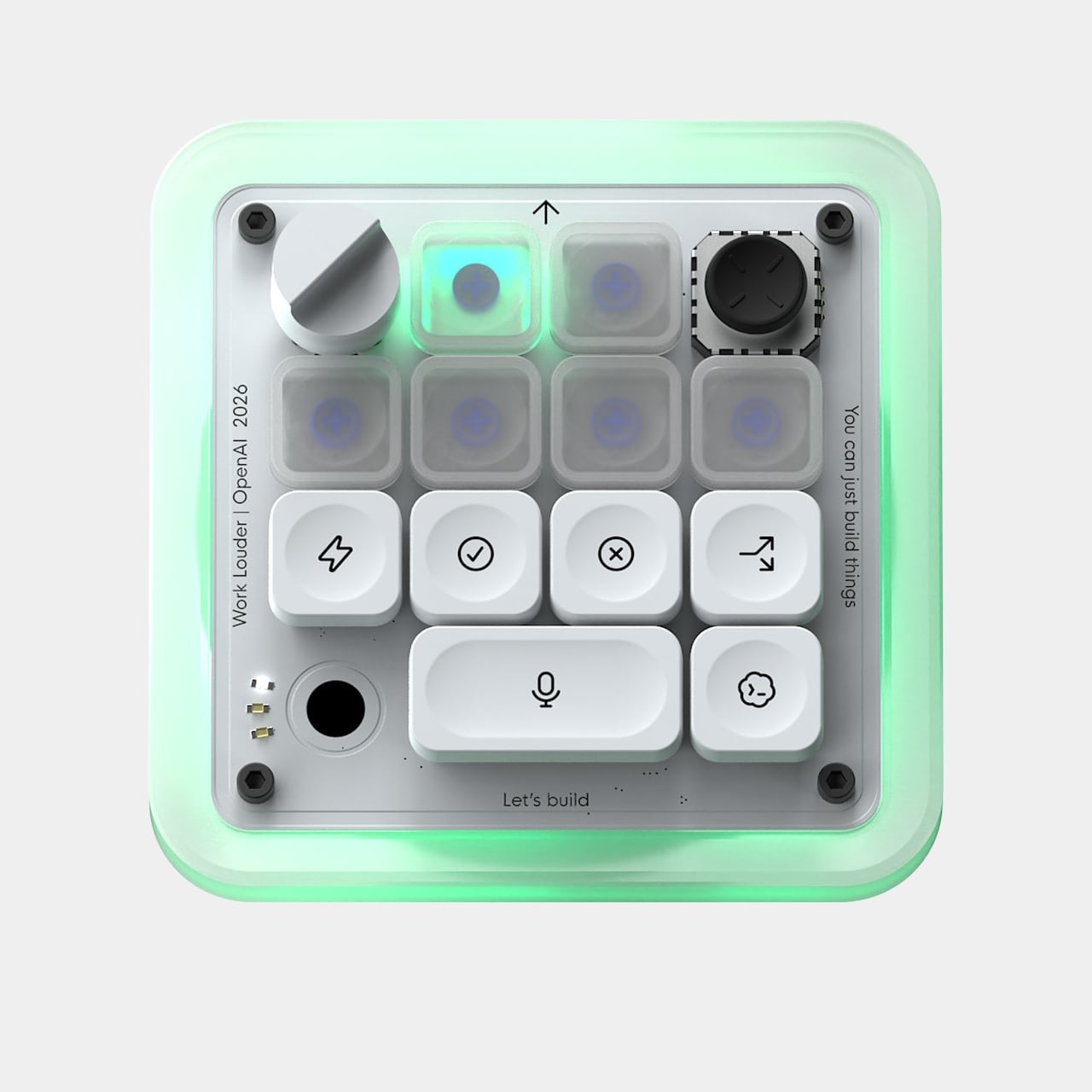
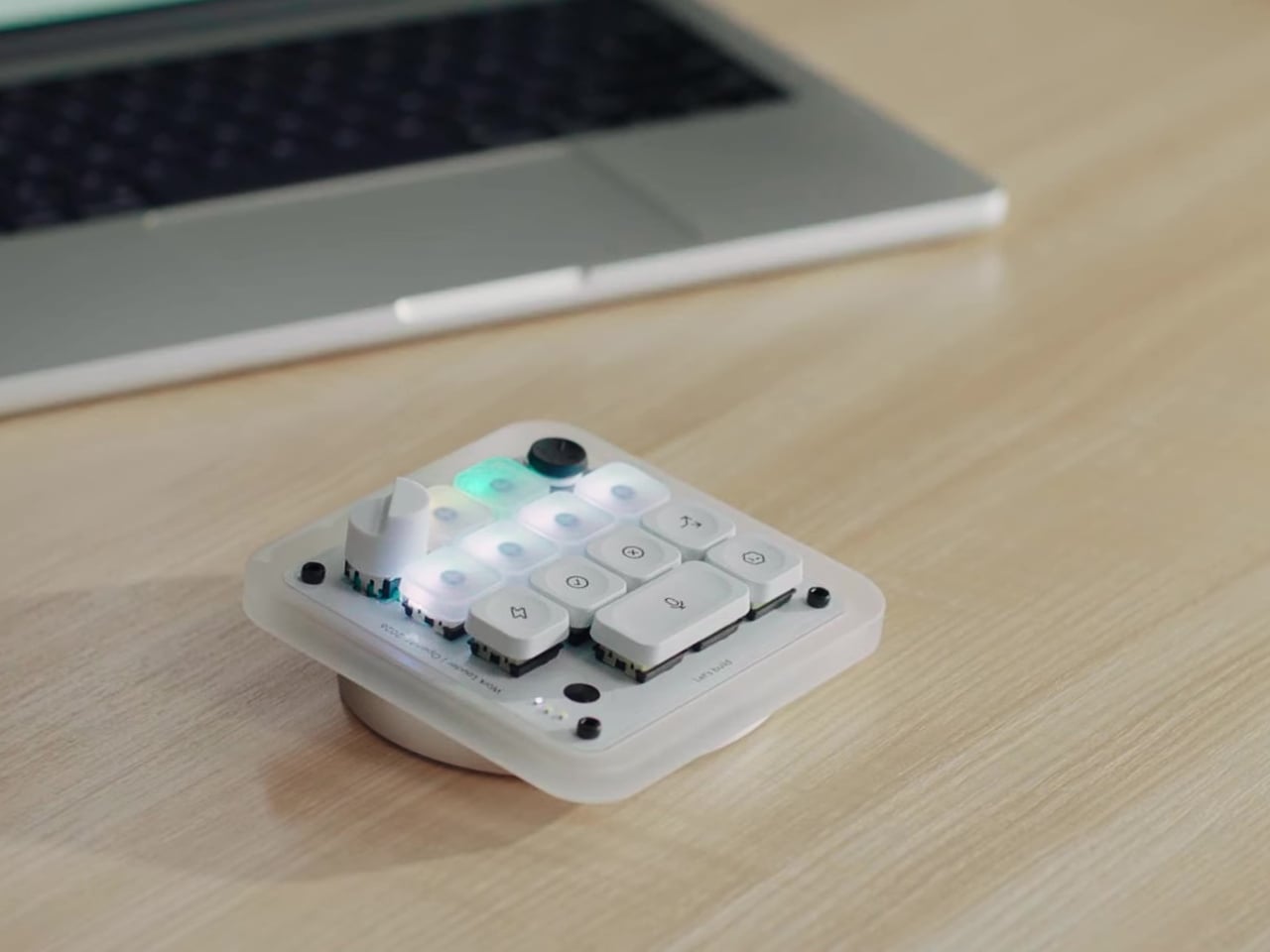
That’s the problem the Codex Micro, a collaboration between OpenAI and boutique keyboard maker Work Louder, tries to solve. It’s essentially a compact mechanical macropad purpose-built as a physical command center for AI agents, keeping the most important controls and status readouts within arm’s reach without requiring you to look at your screen. It’s a small but thoughtfully considered piece of hardware for heavy Codex users.
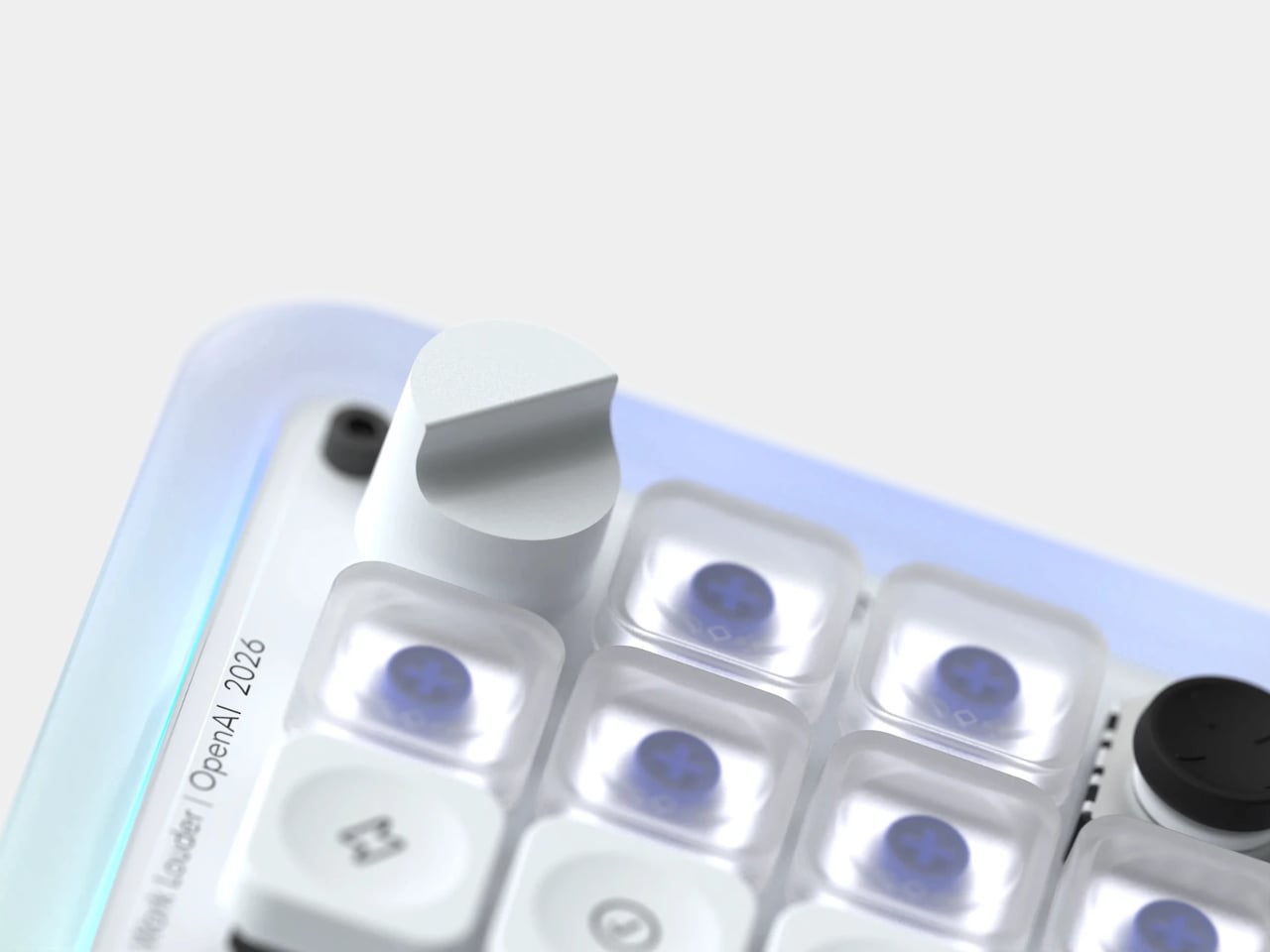
The heart of the device is its six frosted Agent Keys, each mapped to a separate Codex thread. They light up in different colors to reflect each agent’s status: white for idle, blue for thinking, green for completed tasks, amber when it needs your input, and red for errors. A single tap selects an agent in the background; a double tap brings it to the foreground.
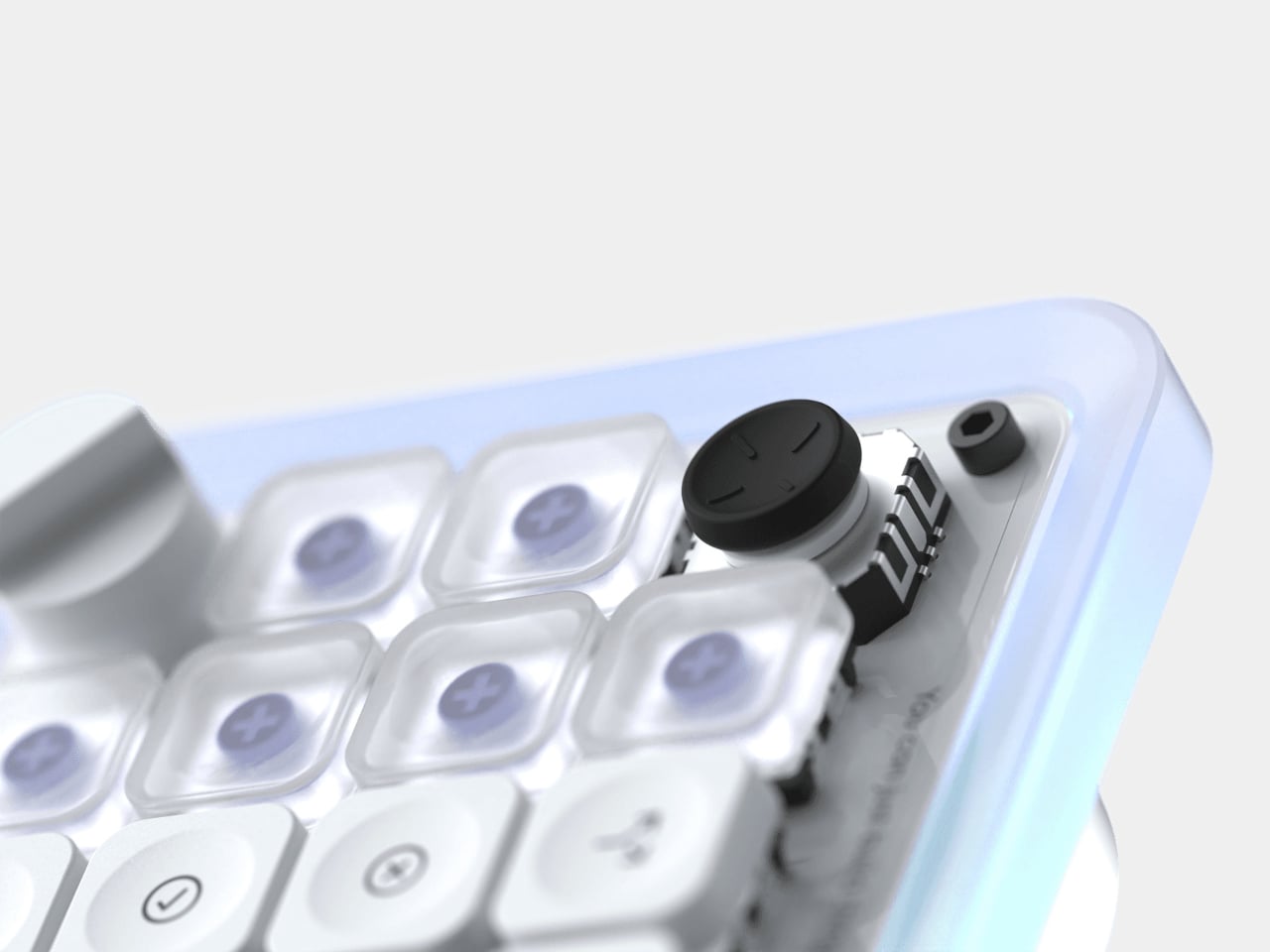
The dial and joystick add two more dimensions of tactile control. The rotary encoder lets you adjust how deeply your agent reasons through a problem, dialing things down for quick tasks and up when the work calls for more careful consideration. The four-directional joystick can be mapped to skills like toggling plan mode or navigating between threads, and it’s never more than a thumb’s flick away.
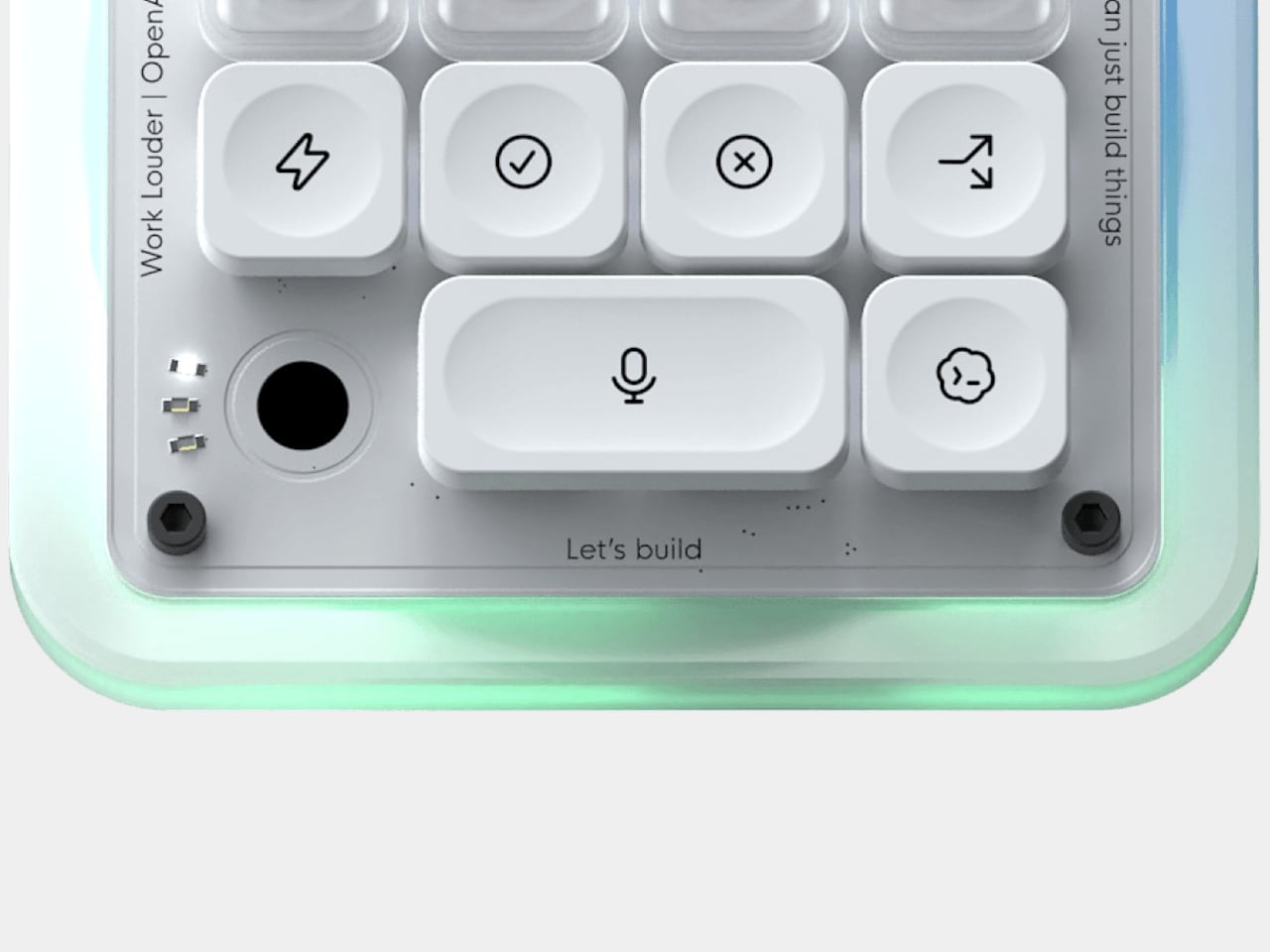
The largest button, which takes up twice the space, is for push-to-talk. A double-tap starts recording, and the ambient RGB shifts to a snaking green pattern to confirm it’s live. Once you stop speaking, a white effect takes over while Codex processes your voice, and a solid white cue signals it’s ready to send. It makes submitting a prompt feel more like dictating than typing.
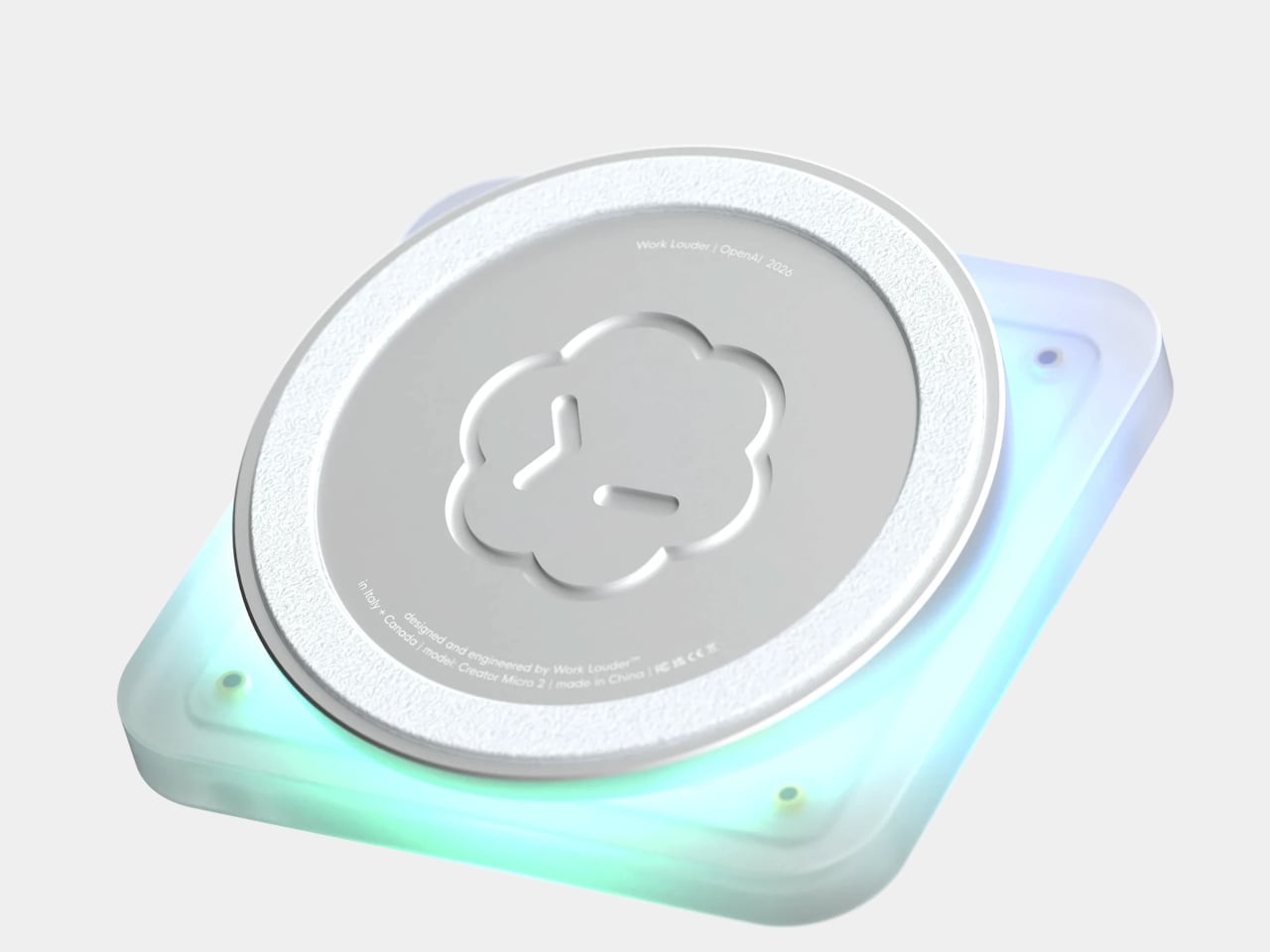
Beyond what it does, the Codex Micro is built to feel as good as it works. The body is made from sandblasted polycarbonate that diffuses the RGB lighting into a soft, even glow. The base, a solid aluminum block, keeps the whole unit planted on the desk thanks to an anti-slip ring. Buyers can choose between clicky or silent low-profile switches, with USB-C and Bluetooth connectivity.
What sets it apart from a generic programmable macropad is its direct integration with Codex itself. There’s no extra software to download or vet; key assignments and layouts can be adjusted natively within Codex. For more advanced setups, Work Louder’s Input app unlocks up to six programmable layers, letting you group different workflows into dedicated layouts without needing more desk space. It works on both Mac and Windows.
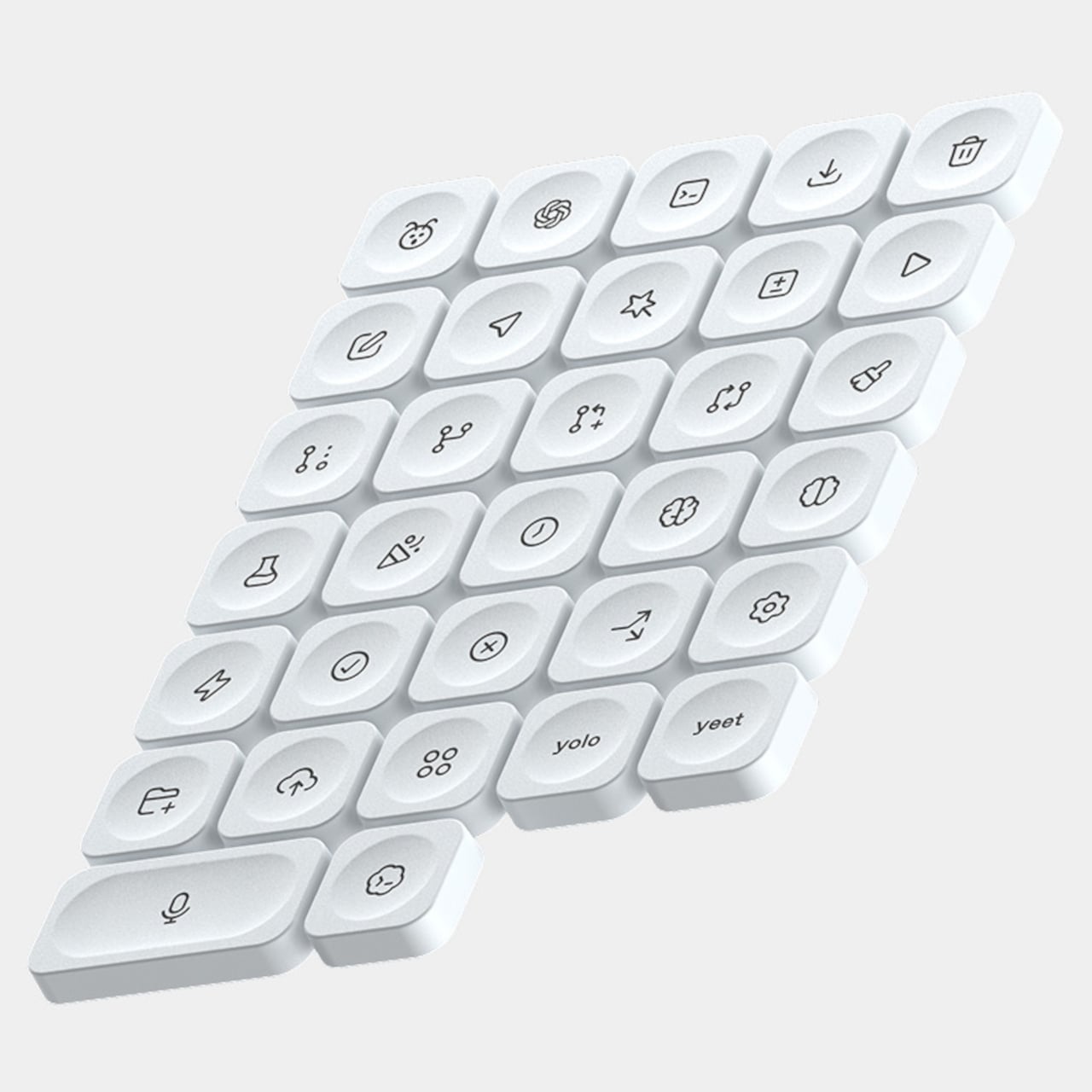
The Codex Micro ships with a USB-C to USB-C cable and the Codex Icon Keyset, a collection of 32 custom-designed keycaps with icons specific to Codex functions. It’s the kind of peripheral that’ll appeal to developers who’ve started treating their AI agents less like chat windows and more like teammates running parallel tasks. It’s priced at $230, and stocks have been limited since its launch.