The $180 Razer Mouse That Makes a Second Gaming Mouse Pointless

Gaming mice have always had a specialization problem. The ones built for MMOs come loaded with thumb buttons that feel excessive the moment you switch to a shooter. FPS mice are clean and fast but leave MOBA players reaching for keyboard shortcuts that shouldn’t need to be there. Buying two mice for two genres has been the practical answer, which is also the least satisfying one.

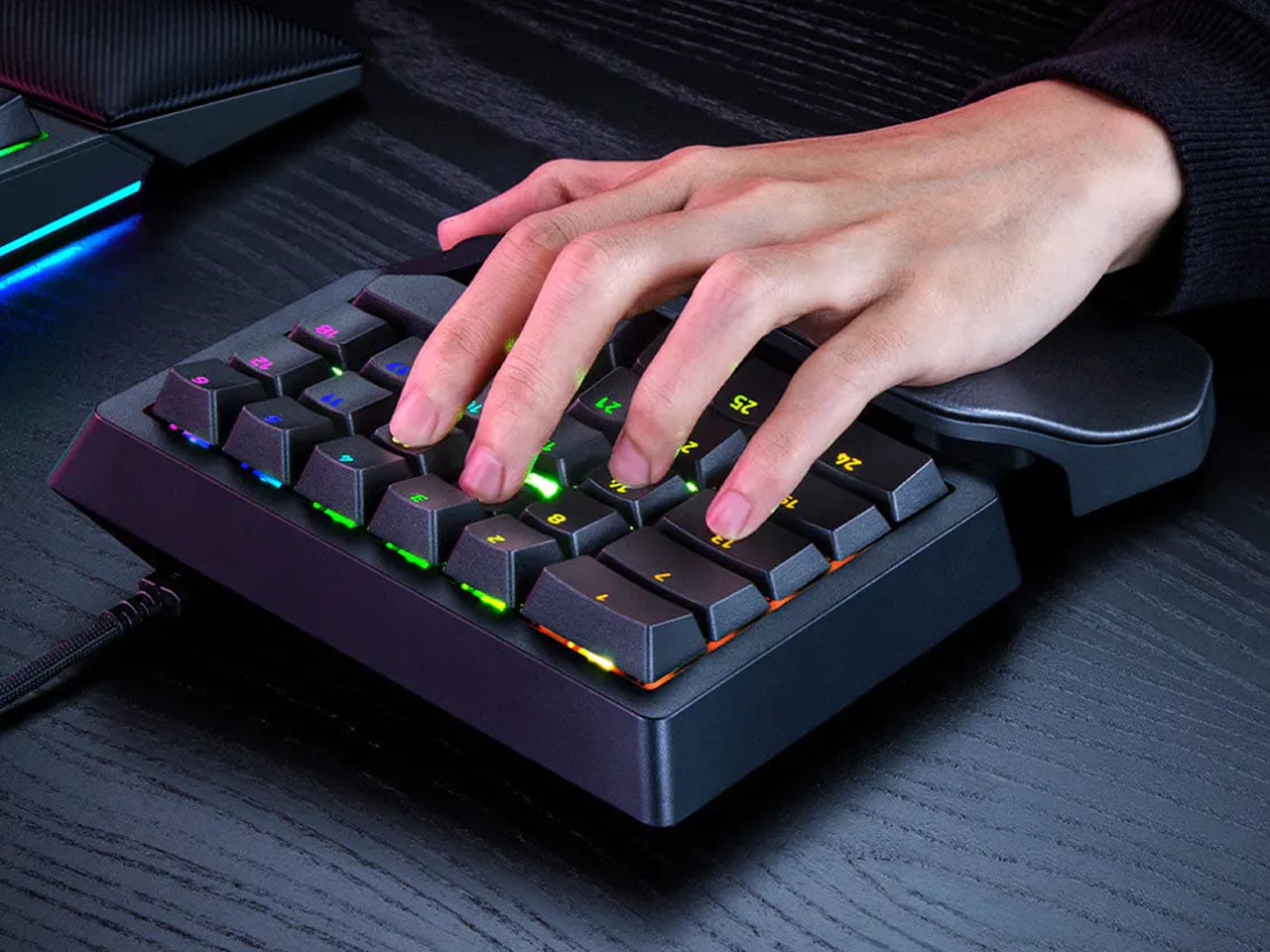
The Razer Naga V3 Pro addresses that directly. It ships with three magnetic side plates that swap out in seconds, each designed for a different genre of play. The 12-button grid suits MMOs, the six-button layout covers MOBAs and battle royale games, and the two-button plate clears the side for FPS use. One mouse, three configurations, and the same right-handed ergonomic shape throughout all of them.

Designer: Razer

The side button system itself isn’t new to the Naga line, but the V3 Pro brings the rest of the hardware up to the same level as what’s inside Razer’s top-tier esports mice. The Focus Pro 50K Optical Sensor Gen-3 powers tracking with up to 50,000 DPI and 390 IPS, the same sensor found in Razer’s dedicated competitive mice. Gen-4 optical switches handle clicks with a rated life of 100 million actuations and are designed to eliminate the bounce clicks that can misfire at the worst moments.

The scroll wheel also gets a meaningful upgrade here. The HyperScroll Tilt Wheel Gen-2 offers four distinct modes: Free-Spin for fast document scrolling, Tactile for click-by-click precision, Precision Tactile for finer steps, and Smart-Reel for automatic switching between modes. In an MMO, cycling through inventory with Free-Spin feels different from navigating a skill tree in Tactile mode, and having that level of control in the wheel itself is something most mice don’t bother offering.

Battery life holds up across both wireless modes. On HyperSpeed 2.4 GHz, the Naga V3 Pro runs for up to 155 hours; switch to Bluetooth and that extends to 280 hours. The mouse body weighs 112 g without a side plate, with the 12-button plate adding 20 g, the six-button adding 17 g, and the two-button adding 15 g. That last configuration brings the total down to where FPS players tend to want it, and the weight difference is noticeable enough in practice.

Up to 23 programmable buttons are available depending on the active plate, down from 23 to just two when the FPS plate is on. The pinky rest is also a button, lockable from the underside when not wanted, which adds one more control point without requiring any reach. Double-injection molded legends on the side buttons ensure the labels don’t wear off under daily use.

What the Naga V3 Pro argues, quietly but consistently, is that genre-specific peripherals don’t have to mean genre-specific hardware purchases. The plates snap off and on without tools, the transition between configurations takes less time than a loading screen, and the underlying hardware is good enough that nothing feels like a compromise.

The post The $180 Razer Mouse That Makes a Second Gaming Mouse Pointless first appeared on Yanko Design.

Sony’s Wolverine PS5 Comes in Two Very Different Designs, and Only One Feels Worth the Price

Sony has a pattern with these limited edition consoles now. Announce a big first party or Marvel game, dress up a PS5 to match, sell it alongside a matching controller. Ghost of Yotei got the black and gold treatment last time around, and it was fine, if a little safe. Wolverine is where that formula gets an upgrade.

This time Sony gave us two console designs instead of one. Battle Yellow is unapologetic, claw gouges and a screaming Wolverine face on a bright yellow panel. Adamantium is the plot twist, the same claw motif but stripped down to brushed metal that looks closer to a premium appliance than a video game tie in. Two designs, two totally different personalities, and somehow neither one feels like the compromise pick.

Designer: Jock for Sony & Marvel

Battle Yellow is the flagship of the two, sold as a full PS5 Digital Edition bundle for $649.99 with a matching DualSense controller and a code for the game. The artwork comes from Jock, the Scottish comic artist who worked on Wolverine’s key art, and you can actually tell. The claw slashes and the inked portrait have that loose, hand drawn energy comics get right and games usually flatten out. It is a rare case of licensed hardware art that does not look like clip art stapled onto a console.

Adamantium skips the yellow entirely and goes for brushed silver, but only as a console cover for PS5 Pro owners plus a standalone controller, no full bundle here. That is honestly the smarter buy for anyone who wants the Wolverine tie in without turning their entertainment center into a comic shop display. Same claw details, completely different mood. It reads expensive in a way the yellow version was never trying to.Adamantium skips the yellow entirely and goes for brushed silver, but only as a console cover for PS5 Pro owners plus a standalone controller, no full bundle here. That is honestly the smarter buy for anyone who wants the Wolverine tie in without turning their entertainment center into a comic shop display. Same claw details, completely different mood. It reads expensive in a way the yellow version was never trying to.

Here is where it gets less fun. This entire lineup drops during Sony’s second PS5 price hike in under a year, with the standard console now sitting a hundred dollars above where it started. So a $649.99 bundle for a digital only console, no disc drive option at all, lands at a moment when PS5 pricing is already a sore subject for a lot of players. The comments under every Wolverine reveal video prove that. People are annoyed about the missing disc drive way more than they are annoyed about yellow paint.

I get why Sony leans into these drops even now, maybe especially now. A great design distracts from a rough price conversation better than any spec sheet does, and Jock’s artwork is genuinely good enough to pull that off. But good design and good timing are not the same thing, and this lineup is proof you can nail one without fully nailing the other.

The post Sony’s Wolverine PS5 Comes in Two Very Different Designs, and Only One Feels Worth the Price first appeared on Yanko Design.

Sony’s Wolverine PS5 Comes in Two Very Different Designs, and Only One Feels Worth the Price

Sony has a pattern with these limited edition consoles now. Announce a big first party or Marvel game, dress up a PS5 to match, sell it alongside a matching controller. Ghost of Yotei got the black and gold treatment last time around, and it was fine, if a little safe. Wolverine is where that formula gets an upgrade.

This time Sony gave us two console designs instead of one. Battle Yellow is unapologetic, claw gouges and a screaming Wolverine face on a bright yellow panel. Adamantium is the plot twist, the same claw motif but stripped down to brushed metal that looks closer to a premium appliance than a video game tie in. Two designs, two totally different personalities, and somehow neither one feels like the compromise pick.

Designer: Jock for Sony & Marvel

Battle Yellow is the flagship of the two, sold as a full PS5 Digital Edition bundle for $649.99 with a matching DualSense controller and a code for the game. The artwork comes from Jock, the Scottish comic artist who worked on Wolverine’s key art, and you can actually tell. The claw slashes and the inked portrait have that loose, hand drawn energy comics get right and games usually flatten out. It is a rare case of licensed hardware art that does not look like clip art stapled onto a console.

Adamantium skips the yellow entirely and goes for brushed silver, but only as a console cover for PS5 Pro owners plus a standalone controller, no full bundle here. That is honestly the smarter buy for anyone who wants the Wolverine tie in without turning their entertainment center into a comic shop display. Same claw details, completely different mood. It reads expensive in a way the yellow version was never trying to.Adamantium skips the yellow entirely and goes for brushed silver, but only as a console cover for PS5 Pro owners plus a standalone controller, no full bundle here. That is honestly the smarter buy for anyone who wants the Wolverine tie in without turning their entertainment center into a comic shop display. Same claw details, completely different mood. It reads expensive in a way the yellow version was never trying to.

Here is where it gets less fun. This entire lineup drops during Sony’s second PS5 price hike in under a year, with the standard console now sitting a hundred dollars above where it started. So a $649.99 bundle for a digital only console, no disc drive option at all, lands at a moment when PS5 pricing is already a sore subject for a lot of players. The comments under every Wolverine reveal video prove that. People are annoyed about the missing disc drive way more than they are annoyed about yellow paint.

I get why Sony leans into these drops even now, maybe especially now. A great design distracts from a rough price conversation better than any spec sheet does, and Jock’s artwork is genuinely good enough to pull that off. But good design and good timing are not the same thing, and this lineup is proof you can nail one without fully nailing the other.

The post Sony’s Wolverine PS5 Comes in Two Very Different Designs, and Only One Feels Worth the Price first appeared on Yanko Design.

Your Entire Steam Library Now Fits in a Game Boy-Sized Handheld

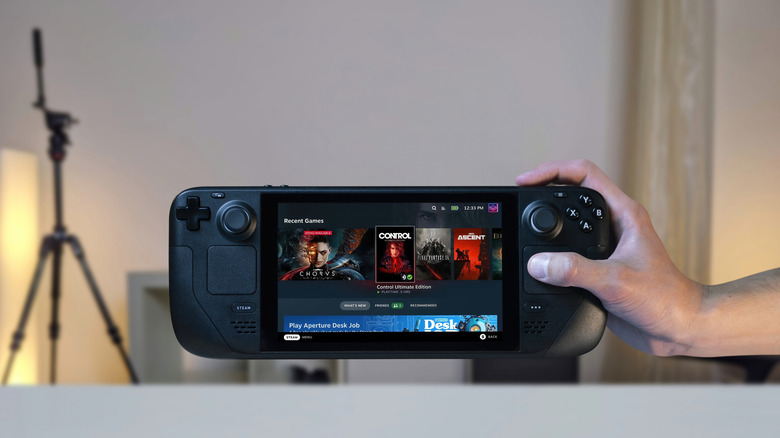
The Steam Deck modding community has taken Valve’s handheld gaming PC to some unexpected places. Modders have swapped in more RAM, loaded the hardware with terabytes of storage, and reshaped it in ways Valve never intended. Most of those efforts stay close to the original form factor, tweaking what’s already there without fundamentally changing what the device looks like or how compact it is.

The SteamBoy goes much further. Someone took the actual working internals of a Steam Deck LCD, pulled them out of the original shell, and rebuilt everything inside a 3D-printed chassis roughly the size of an original Game Boy. The form factor shifts from the Steam Deck’s wide, horizontal layout to a tall, vertical one, running entirely on genuine Steam Deck hardware without any custom-made components.

Designer: PhyFawkes

The parts at the heart of the build include the Steam Deck’s motherboard, battery, speakers, and all of the original button hardware. Getting these into a much smaller enclosure without custom-designed circuit boards is the notable achievement here. No bespoke PCBs were needed for the core assembly, which means everything is essentially the same Steam Deck hardware, just rearranged to fit a dramatically different shell.

The display is where things get more involved. Rather than reusing the original Steam Deck screen, the planned replacement is a 1200×1080 AMOLED panel at 90 Hz, originally made for VR headsets. Making it work requires a custom adapter PCB between the panel and the motherboard, which is still in progress. In the meantime, the current demo routes output through a television rather than displaying on the device itself.

What the demo does confirm is that the hardware runs. Plug it into a display and the Steam Deck’s full library is available, complete with its familiar interface, game compatibility, and controls. The face buttons, D-pad, and thumbsticks carry over from the original hardware, giving it the full input range of a Steam Deck inside a body that fits the silhouette and spirit of a Game Boy.

The tighter enclosure does come with trade-offs. Cramming full Steam Deck internals into a chassis this compact raises real concerns about thermal management, since the original design already runs warm under load. The shell is noticeably thicker than a vintage Game Boy as a result, a reasonable concession given what’s packed inside. Cooling and battery longevity under sustained use remain open questions for the build to address.

The SteamBoy is still a work in progress, somewhere between a proof of concept and a finished handheld. The screen situation alone involves a custom PCB that hasn’t been built yet, and getting it to a polished state requires further refinement of the enclosure and its internal arrangement. A teardown video documenting how everything fits together has since followed the original reveal, showing that the assembly is at least replicable.

There’s something telling about why a project like this resonates with people beyond the usual modding community. The Steam Deck is already a capable handheld gaming PC, but the idea of that same power in a Game Boy-sized body carries a different kind of appeal. It’s the same feeling that made the Game Boy endure for decades, distilled into something that can run a modern PC library.

The post Your Entire Steam Library Now Fits in a Game Boy-Sized Handheld first appeared on Yanko Design.

This Arduino-Powered Retro Handheld Is One Anyone Can Build at Home

DIY handheld gaming has always had a ceiling for newcomers. Most builds require custom-designed PCBs, hard-to-find specialized connectors, and at least a few evenings spent with a soldering iron before anything turns on. Results from experienced makers can be impressive, but getting there has traditionally demanded an electronics background and a comfort with tools that many people simply don’t have.

This Arduino UNO Q-based handheld console doesn’t ask for any of that. Every component can be ordered from a standard online retailer and assembled without soldering, making the build about as accessible as a maker project can get. The only parts requiring fabrication are the 3D-printed enclosure and buttons, which come together using heat-set inserts for a clean, professional-looking result that doesn’t betray its module-based origins.

Designer: zalmotek

The hardware list reads like an afternoon’s shopping. At the center is the Arduino UNO Q, pairing a Qualcomm Dragonwing QRB2210 processor running Debian Linux with a dedicated STM32 microcontroller for real-time input handling. Modulino Buttons and a Modulino Joystick handle the controls, an Arduino UNO Media Carrier connects an 8-inch Waveshare touchscreen and an Adafruit speaker, and a Waveshare UPS module provides battery support.

The software side is equally well thought out. The STM32 microcontroller monitors button presses and joystick movements, then passes that data to the Linux environment, where a Python daemon converts everything into standard USB gamepad commands. RetroArch handles the emulation without any complicated setup, so loading up a game doesn’t feel different from plugging a USB gamepad into a PC.

That smoothness pays off in practice. Sitting back with a handheld you built over a weekend and scrolling through titles from systems you grew up with, everything runs cleanly with proper controls and sound. It’s a bit chunkier than a commercial device, given the module-based construction, but the feel is more polished than the trade-off might suggest, especially for a build that skips custom PCBs entirely.

There’s also room to go further than emulation. The UNO Q can run the Godot game engine, which turns the same hardware into a development platform for original games. Between that and RetroArch’s support for a wide range of classic platforms, the console covers both ends of the gaming spectrum without requiring any additional hardware beyond what’s already in the build.

The full hardware list, assembly walkthrough, and complete source code are posted on Arduino Project Hub and GitHub, keeping everything open and reproducible. The documentation also frames the build as a starting point rather than a finished product, with options like swapping the display for a different size, redesigning the enclosure, or adding a Modulino Movement node for motion controls described as natural next directions.

None of that holds together without the right foundation, and the UNO Q’s dual-brain architecture provides it quietly. The STM32 handles time-sensitive inputs without lag while the Qualcomm processor manages the emulation stack, audio, and video at the same time. A software bridge connects the two, and clean communication between them is what keeps the console from feeling like a loose collection of modules.

The post This Arduino-Powered Retro Handheld Is One Anyone Can Build at Home first appeared on Yanko Design.