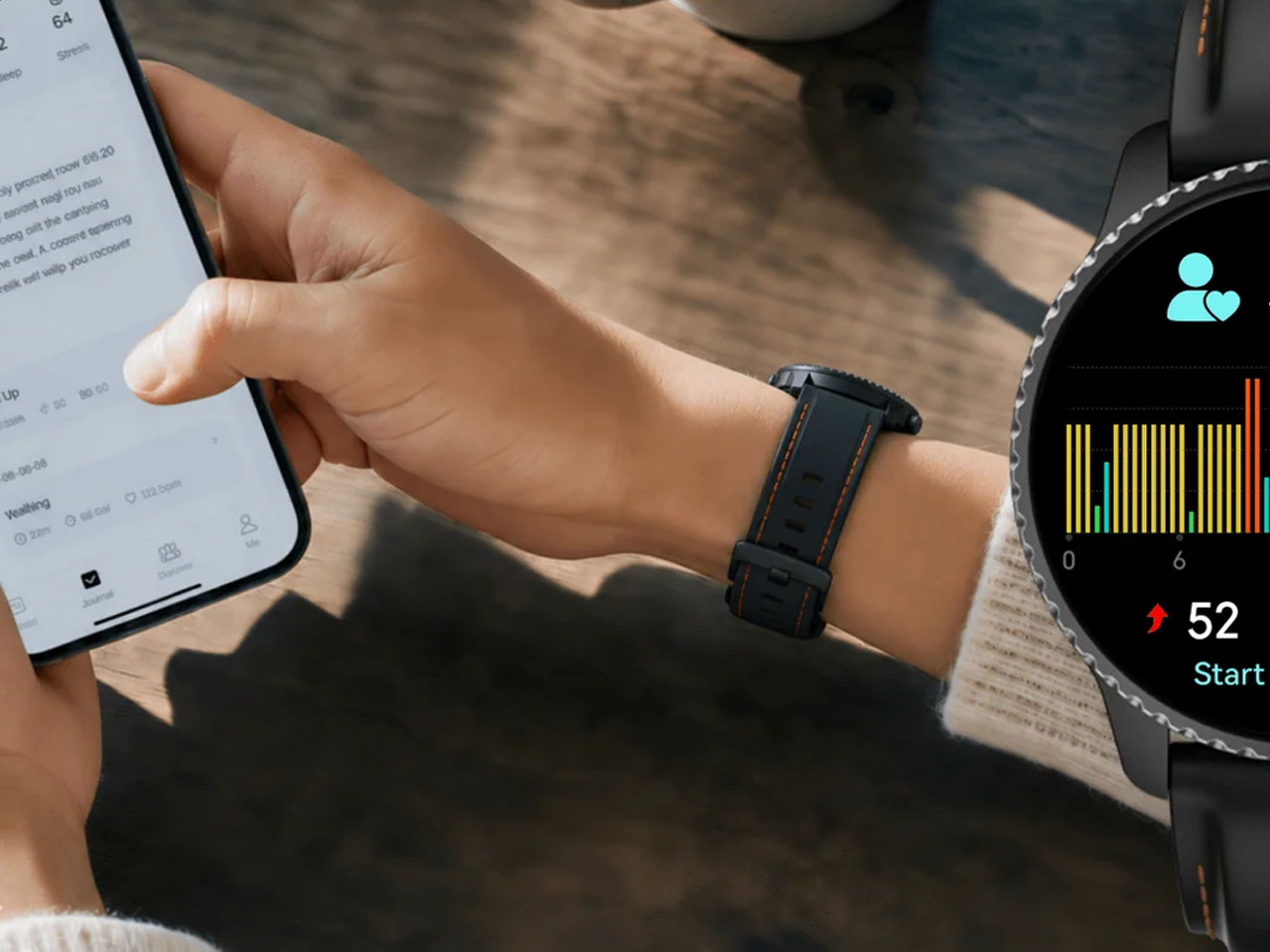
Milan Smart Glasses pack a 12MP camera, live translation in a stylish ‘non-gadget’ design

Le Corbusier wore round glasses. John Lennon wore round glasses. Several decades of architects, artists, and intellectuals who wanted to look like they read a lot wore round glasses. There is a long, slightly pretentious tradition attached to the panto and round frame silhouette, one that signals “considered, creative, European in a very specific mid-century way.” L’Atitude 52°N, the Berlin-based eyewear brand behind the Departure Collection, named their panto frame Milan for a reason, and they loaded it with a 12MP Sony camera, an AI assistant, and real-time translation into five languages before shipping it out the door.

Milan launches August 25th in the US and Europe, and the hardware it carries makes a more interesting case than the marketing copy would suggest. A 12MP Sony IMX681 sensor with a 107-degree ultra-wide field of view captures 1080p HD video and high-resolution stills, with a 6nm AI chip handling noise reduction, color processing, and exposure in real time. The Goya AI assistant manages music, calls, navigation, and battery checks by voice, while an AI Tour Guide feature uses the camera to visually identify landmarks and deliver 30-second expert commentary on demand. Live two-way translation covers five languages, all through the frame’s open-ear speakers and five-mic array. It comes in Olive and Obsidian from $399, with the photochromic lens option jumping that to $449.

Designer: L’Atitude 52°N

Click Here to Buy Now: $449

Milan’s matte finish and rounded panto silhouette exist in deliberate contrast to the BERLIN frame’s angular, navigator-coded geometry: BERLIN for a classic utility vibe, MILAN for culture. The EMS TR90 frame and self-adjusting temples bring the total to about 50 grams with lenses, genuinely light for a frame carrying cameras, microphones, speakers, and a 6nm AI processor inside it. Two colorways launch, Olive and Obsidian, each paired with gradient tinted or photochromic lens options that auto-adapt to changing light. Stainless steel spring hinges carry an ultra-wear-resistant nano technology coating tested over 20,000 cycles, three times harder than steel by L’Atitude 52°N’s own testing. IP65 sealing and a UV-hardened finish handle the elements, so the build is more rigorous than the silhouette lets on.

The Sony IMX681 sensor sits at the bridge with a 107-degree field of view that approximates natural peripheral vision reasonably well, and the 6nm AI processor handles real-time noise reduction, exposure calibration, and color enhancement so stills are usable without post-processing. Portrait and landscape modes are both supported, which matters for anyone managing content across platforms with different aspect ratio preferences. A tap on the frame or a “Hey Goya” voice command triggers capture, keeping hands free and the moment intact. 32GB of onboard storage holds everything locally until you sync via the companion app. The 1080p video ceiling is the one number that will catch attention from anyone shopping around, given that rival frames at lower price points are already delivering higher resolutions.

The AI Tour Guide uses the camera’s visual recognition to identify landmarks and artworks, delivering 30 seconds of expert commentary after a tap or voice trigger. Live Translation handles two-way voice conversation in English, German, French, Italian, and Spanish, with each session running up to five minutes before auto-closing. General Goya tasks work hands-free via the “Hey Goya” wake phrase, covering navigation, music, battery status, call management, and quick Q&A. All of it runs directly through the glasses without needing to pull out your phone or break the flow of whatever you are doing. A group communication Intercom Strap accessory is also in development, which will add offline mesh-networked voice chat with up to eight people simultaneously.

Open-ear stereo speakers and a five-microphone array handle audio in both directions, with AI noise reduction keeping voice commands readable even in crowded environments. Privacy is handled with more care than most of the category bothers with: photos and videos live locally on the device and are deleted after syncing to your phone, and Goya AI interactions leave nothing stored in the cloud. A physical LED on the frame lights up whenever recording is active, and covering it stops the camera immediately, audio included. Milan is built for GDPR compliance, which reflects the brand’s German roots and resonates with European buyers especially. Wi-Fi 6 and Bluetooth 5.4 handle connectivity, and the 200mAh battery delivers up to six hours of mixed use, with an IP67-rated charging case offering eight to ten full top-ups and a 20-minute fast-charge to 70%.

At $399 base and $449 with photochromic lenses, Milan is priced at the premium end of what is now a genuinely crowded field, with strong hardware available at lower price points from several well-funded players. The value case lives in design and privacy architecture rather than raw specs. The panto silhouette is more considered and more wearable than most competing frames, and the local-only media storage model is among the tightest privacy implementations shipping in this category today. Six hours of mixed-use battery is workable for a day out, but worth factoring in for anyone planning longer trips. The AI feature set is a meaningful differentiator, particularly for solo travelers navigating unfamiliar cities who would otherwise juggle translation apps, maps, and camera apps simultaneously.

Milan is available from August 25th on the L’Atitude 52°N website, with pre-orders placed before that date qualifying for a $50 discount. Gen 1 Departure Collection buyers, covering both BERLIN and MILAN, get full access to Goya AI features out of the box, including Voice Activation, AI Tour Guide, Live Translation, and AI Image Recognition, with no subscription required. L’Atitude 52°N has committed to giving users advance notice of any changes to that access model. The smart glasses space is genuinely crowded in 2026, with major players from tech and fashion all competing for the same audience. Milan’s answer is a panto frame, a matte finish, and a camera that asks you to simply look at the thing you want to remember. Le Corbusier would probably have approved, and he was notoriously difficult to impress.

Click Here to Buy Now: $449

The post Milan Smart Glasses pack a 12MP camera, live translation in a stylish ‘non-gadget’ design first appeared on Yanko Design.

The Cyberdeck Trend Went Viral and Raspberry Pi Just Made It Official

A cyberdeck, as Raspberry Pi defines it in its freshly published official build guide, is something you make to solve a problem that a conventional tablet or laptop simply can’t, or just to build something entirely your own for no reason beyond the satisfaction of doing it. That definition is broad on purpose. The cyberdeck trend has been all over social media and the Internet for months now, and Raspberry Pi has finally stepped in with its own version.

The concept traces back to William Gibson’s cyberpunk novels, where cyberdecks were the portable hacking tools of futuristic underground operators. What people are building now is less dystopian but arguably more interesting: compact, custom computers assembled from parts, housed in whatever enclosure the builder can imagine, running whatever software fits the project. Briefcases, mint tins, old pocket computers, wooden boxes, purses, prop replicas, and more have all served as cyberdeck enclosures.

Designer: Raspberry Pi

Raspberry Pi’s reference build keeps things approachable for first-timers. The brain of the whole thing is a Raspberry Pi 5 board paired with Raspberry Pi flash storage. The keyboard is the Rii RK302, a low-profile Bluetooth model small enough to fit inside the chosen case. Audio comes from the Pimoroni Picade Max USB Audio, a compact USB-C sound card with a 3W stereo amplifier that handles everything through a single connection, leaving the 40-pin GPIO header completely free for other uses.

Power comes from a LiPo battery tucked underneath the keyboard plate, a small but deliberate detail that keeps the layout clean while making the computing stack accessible whenever needed. The whole assembly sits inside a black Pelican-style hard case, which is weatherproof, carries a handle, and is widely available at various price points. It’s an unassuming container that happens to hold a working personal computer inside.

The guide is structured around four decisions: brains, peripherals, power supply, and case. Each section walks through the considerations that matter most, power consumption, processing power, fit, and form, without prescribing a single right answer. The Pelican-style case gets the most airtime because Raspberry Pi says the case is what defines a cyberdeck. Pick a different container, and you get a fundamentally different machine.

Customization is built into the concept from the start. A Raspberry Pi Pico can be added as a secondary processor to drive a smaller auxiliary display, control LEDs, or monitor the battery level in real time. The guide notes this explicitly and frames it as just the beginning of what you can bolt on. For anyone who wants a project that never really finishes, that’s part of the appeal.

The timing connects to something real. The viral wave of cyberdeck content on the Internet has pulled in creators who’ve built these machines into everything from jewelry boxes to rehabbed thrift store bags. Some have attracted millions of views. Raspberry Pi’s social team admitted it “hasn’t been able to get away from” the trend, which makes the official guide feel less like a product launch and more like the company finally joining a conversation it had been watching for a while.

The post The Cyberdeck Trend Went Viral and Raspberry Pi Just Made It Official first appeared on Yanko Design.

At $69.99, the Boya Notra Neo Is the AI Note-Taker That Students Can Finally Afford

The Plaud NotePin costs $169. Boya’s own Notra flagship launched in February 2026 at $149.99. For a stretch, if you wanted a dedicated AI recorder with real transcription and AI-powered organization, you were looking at spending north of $150, which quietly priced the category out of reach for the students and young professionals who arguably needed it most. Every new tech category does this: it launches expensive, finds its early adopters, and then figures out how to bring the price down. Boya just compressed that timeline significantly with the Notra Neo, a $79.99 AI recorder that retains the core AI note-taking experience of the flagship.

Launching September 4th at IFA 2026 in Berlin, the Notra Neo targets students, young professionals, multilingual users, and anyone who has been curious about AI note-taking but wasn’t ready to drop $150 on the experiment. The spec differences from the Notra are real but they’re calibrated: storage drops from 64GB to 8GB, the ambient pickup range goes from 10 meters to 5 meters, and battery life trims from 24 hours to 20. The core AI feature set remains available, with transcription across 140-plus languages, speaker identification, summaries, to-do lists, mind maps, and AI Search across your entire recording history. Automatic switching between Ambient, Phone Call, and Bluetooth recording modes means the device reads the situation and adjusts without you touching a setting. Pre-orders open August 24 at $69.99.

Designer: BOYA

Click Here to Buy Now: $69.99 $79.53 (12% off). Hurry, deal ends in 48-hour!

Boya’s automatic scenario detection handles context management silently: Ambient kicks in for face-to-face conversations, Phone Call for phone calls (obviously), and Bluetooth when you’re on a virtual meeting through your earbuds. In Ambient mode, the device picks up 360-degree audio within a 5-meter radius, covering most classroom or conference table setups without precise positioning. For first-timers already managing a phone, a laptop, and half a dozen tabs, that simplicity matters more than any individual spec. None of this requires navigating a settings menu mid-session or remembering which mode you last used. A similar friction-removal logic powered the REETLE E-Ink iPhone case YD covered last year, where a single dedicated record button built into the frame turned out to be the one design decision that made the entire product click.

Keeping the full AI feature set identical to the flagship Notra is genuinely the most interesting product decision Boya made with the Neo. Transcription runs across 140-plus languages and dialects with speaker labeling, making it a credible tool for multilingual classrooms, international teams, and professionals who regularly conduct conversations across more than one language. The AI layer generates summaries, to-do lists, mind maps, and insights from those recordings, with 60-plus professional templates calibrated for different scenarios. AI Search lets you query your entire recording history without scrubbing through audio, which shifts this from a recorder into a searchable knowledge base. Everything syncs and exports through the Boya OS App and Web, with format options for audio, transcripts, summaries, and mind maps.

The Notra Neo boasts a cleaner front face than its flagship counterpart, swapping the “BOYA Notra AI” label for a simple “Boya” wordmark on a smoother surface. The form factor follows the compact square silhouette now standard in this category, but the softer branding reads younger and more consumer. Nothing about the physical profile announces entry-level in the way cheaper electronics sometimes can’t avoid, which matters for users already self-conscious about carrying a dedicated recorder. At $80, the Notra Neo competes less with the Plaud than it does with the phone propped against a water bottle, and that’s a smarter fight to pick.

Pre-orders for the Notra Neo open August 24, 2026, at a discounted $69.99. At its budget-friendly price, this is the most accessible entry point into dedicated AI recording the category has seen, and for anyone who has been putting off the experiment, the excuse just ran out.

Click Here to Buy Now: $69.99 $79.53 (12% off). Hurry, deal ends in 48-hour!

The post At $69.99, the Boya Notra Neo Is the AI Note-Taker That Students Can Finally Afford first appeared on Yanko Design.

The Elide Dewrinkler Lets You Smooth Out Clothes While You’re Still Wearing Them

You step off the train, glance down, and your shirt looks like it spent the journey in a ball. You’re already late. There’s no iron in sight. The wrinkle-release spray you bought once left a faint watermark on your best dress shirt, and you’ve never trusted it since. Safaa Fojdar, a product design graduate from De Montfort University, has designed a device that speaks directly to that moment.

Elide is a portable, cordless dewrinkler built for on-body crease removal. The concept is straightforward, and the execution is clever: a vacuum-style nozzle funnels warm air onto fabric while gentle suction pulls the material taut. As the nozzle moves across a crease, the fabric is smoothed and held flat. The device operates at a skin-safe maximum temperature of 45 degrees Celsius, meaning it’s designed to be used directly on clothing you’re wearing, without risk of discomfort. A refillable spray bottle built into the cap lets you mist the fabric lightly before running the device over it, which helps release stubborn creases before the warm air locks them flat.

Designer: Safaa Forjdar

The science behind it is the Coandă effect, a fluid dynamics principle that describes how airflow tends to follow a curved surface rather than moving straight off it. Fojdar applies this to fabric, using the combination of moisture and suction to pull the material into alignment before the warm air dries and sets it. It’s a disciplined bit of physics applied to a genuinely everyday annoyance.

For deeper creases that need more persuasion, Elide is modular. A hot plate attachment converts the handheld device into a compact corded iron capable of reaching up to 200 degrees Celsius. The ironing module uses self-locking hinges that fold the plate away when not in use, keeping the form tight and pocketable. It’s the kind of considered modularity that turns a single-use gadget into a system.

Fojdar developed a working 3D-printed prototype and presented it at the New Designers event in London, where De Montfort University showcased its graduating talent. The inspiration came from a gap she couldn’t stop noticing: there was simply nothing on the market that could freshen up creased clothing without removing it, without leaving residue, and without requiring a power socket and a flat surface. Elide proposes an answer to that gap with real thought behind it.

Whether it makes it to production or stays a prototype, the logic is sound. The best design often starts exactly here: one specific, relatable problem and the patience to figure out why nothing has solved it yet.

The post The Elide Dewrinkler Lets You Smooth Out Clothes While You’re Still Wearing Them first appeared on Yanko Design.
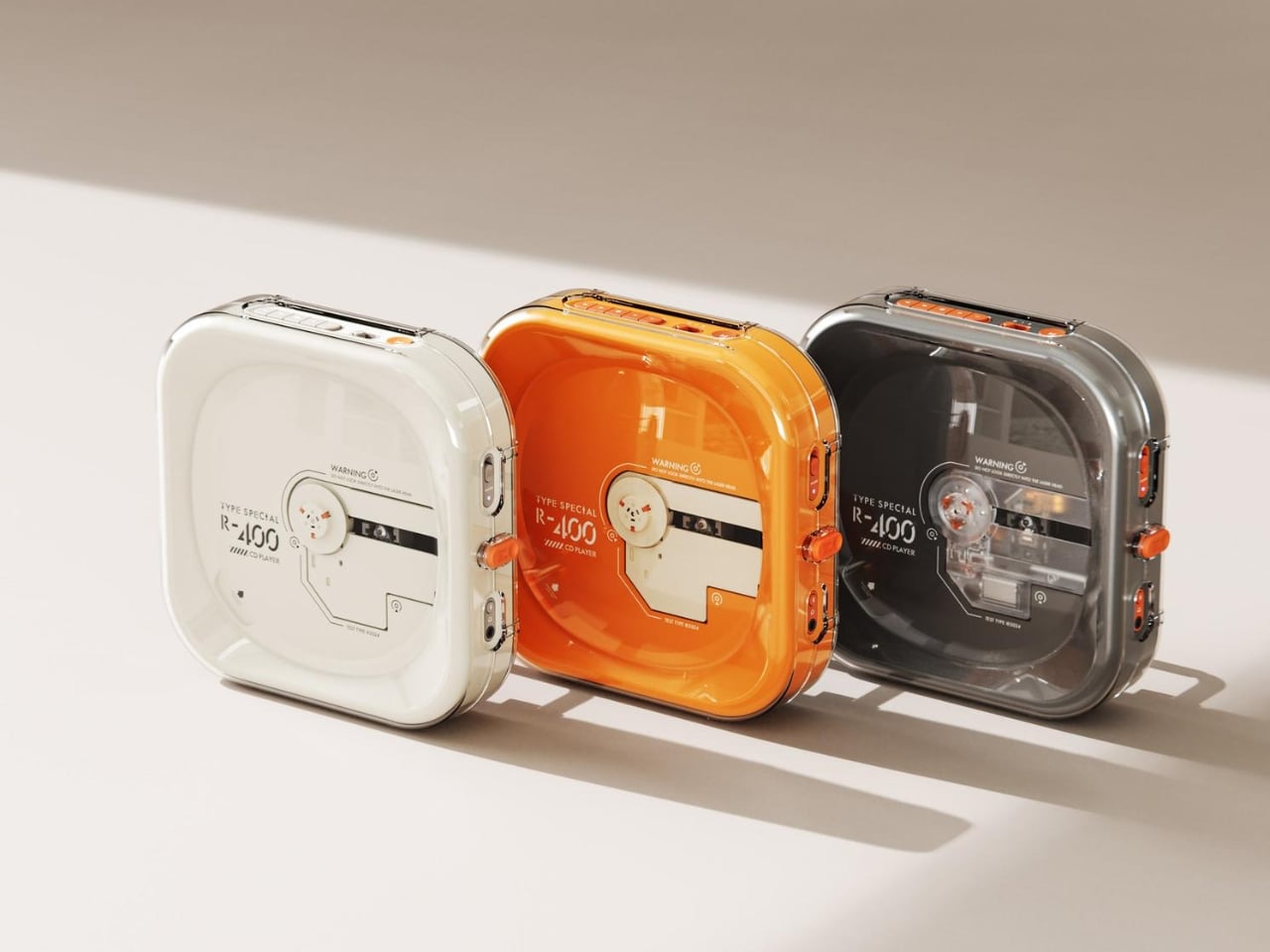
Rear Screens Were a Flagship Trick, so Honor Put One on a Budget Phone

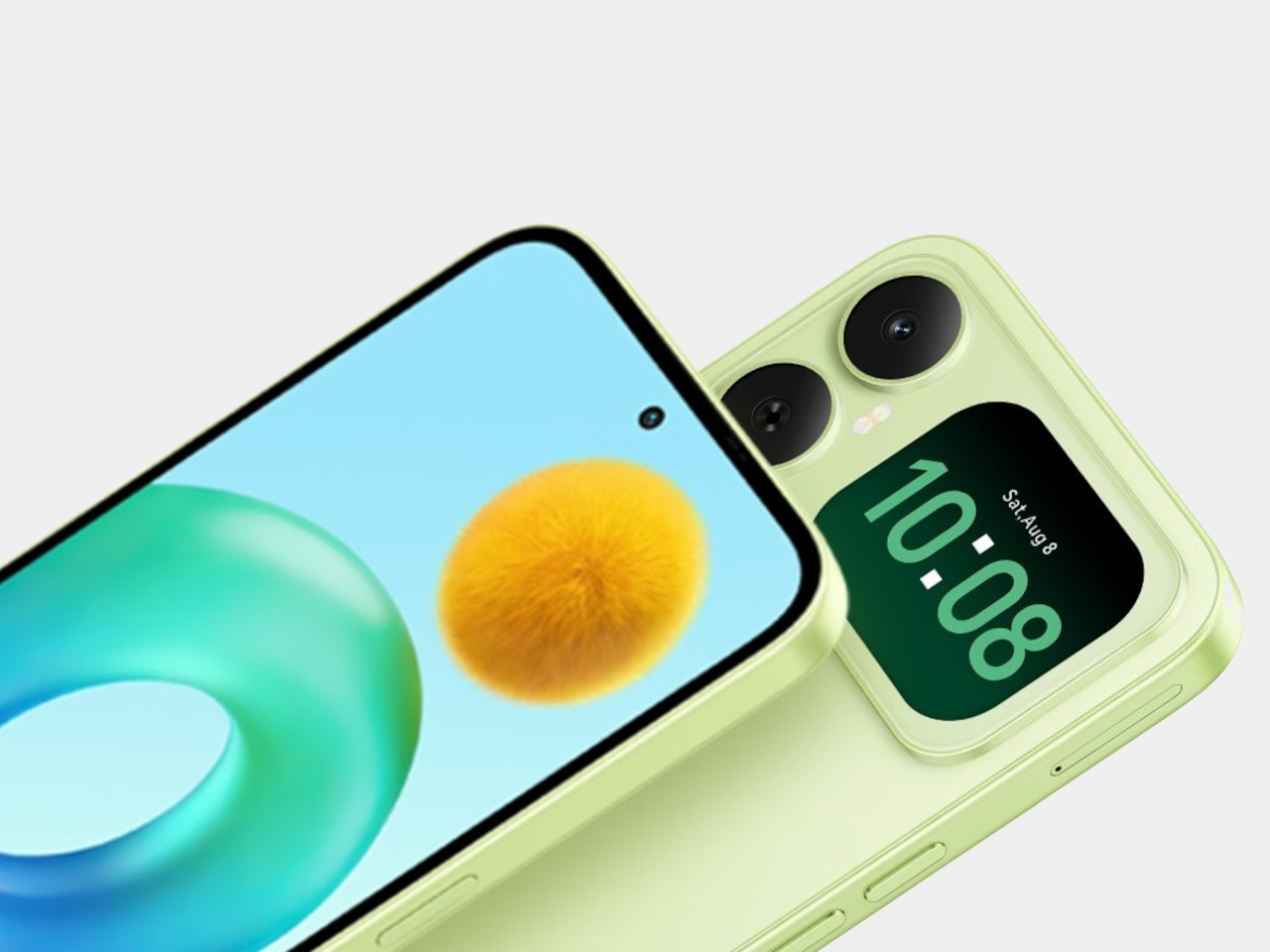
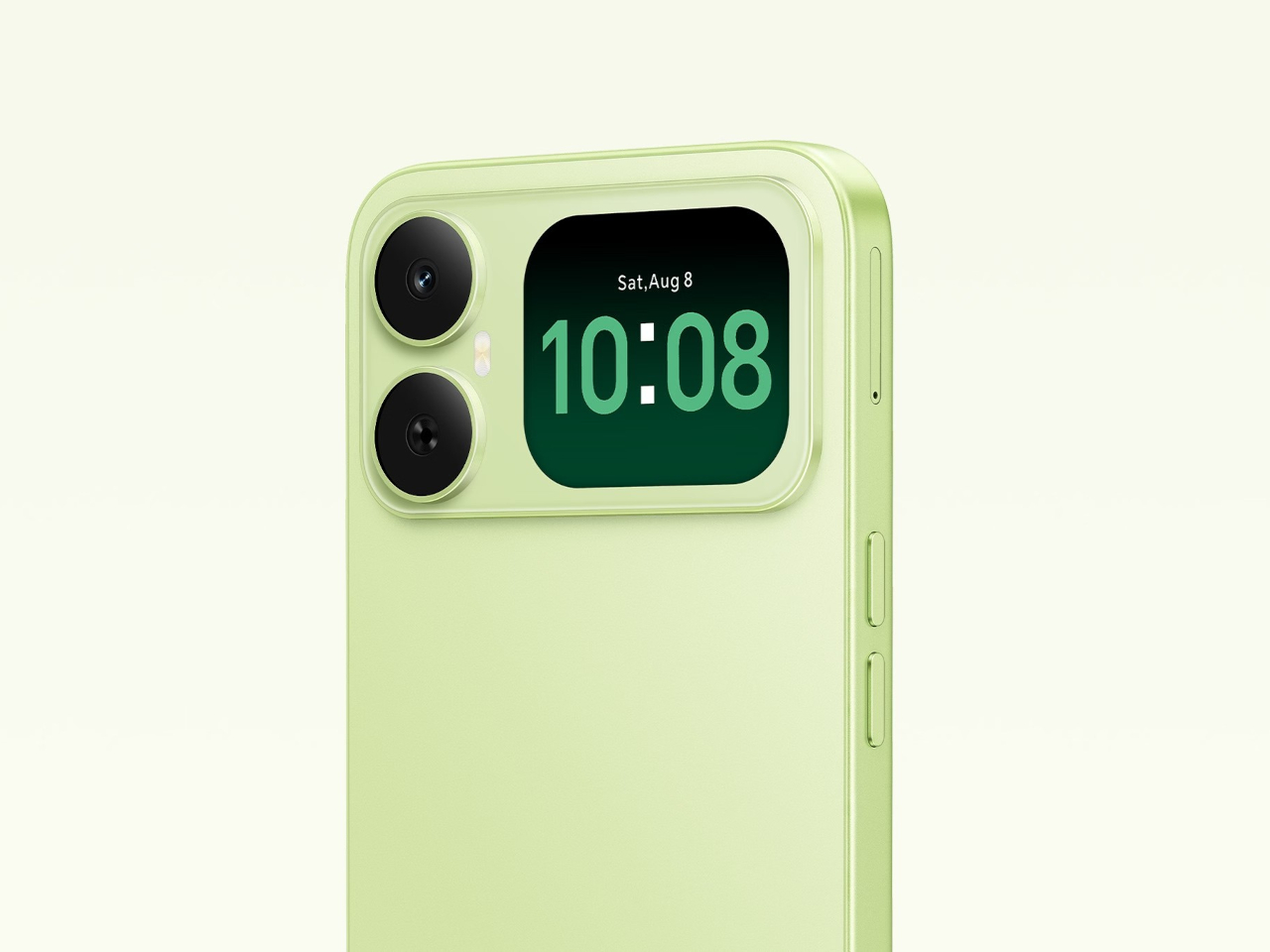
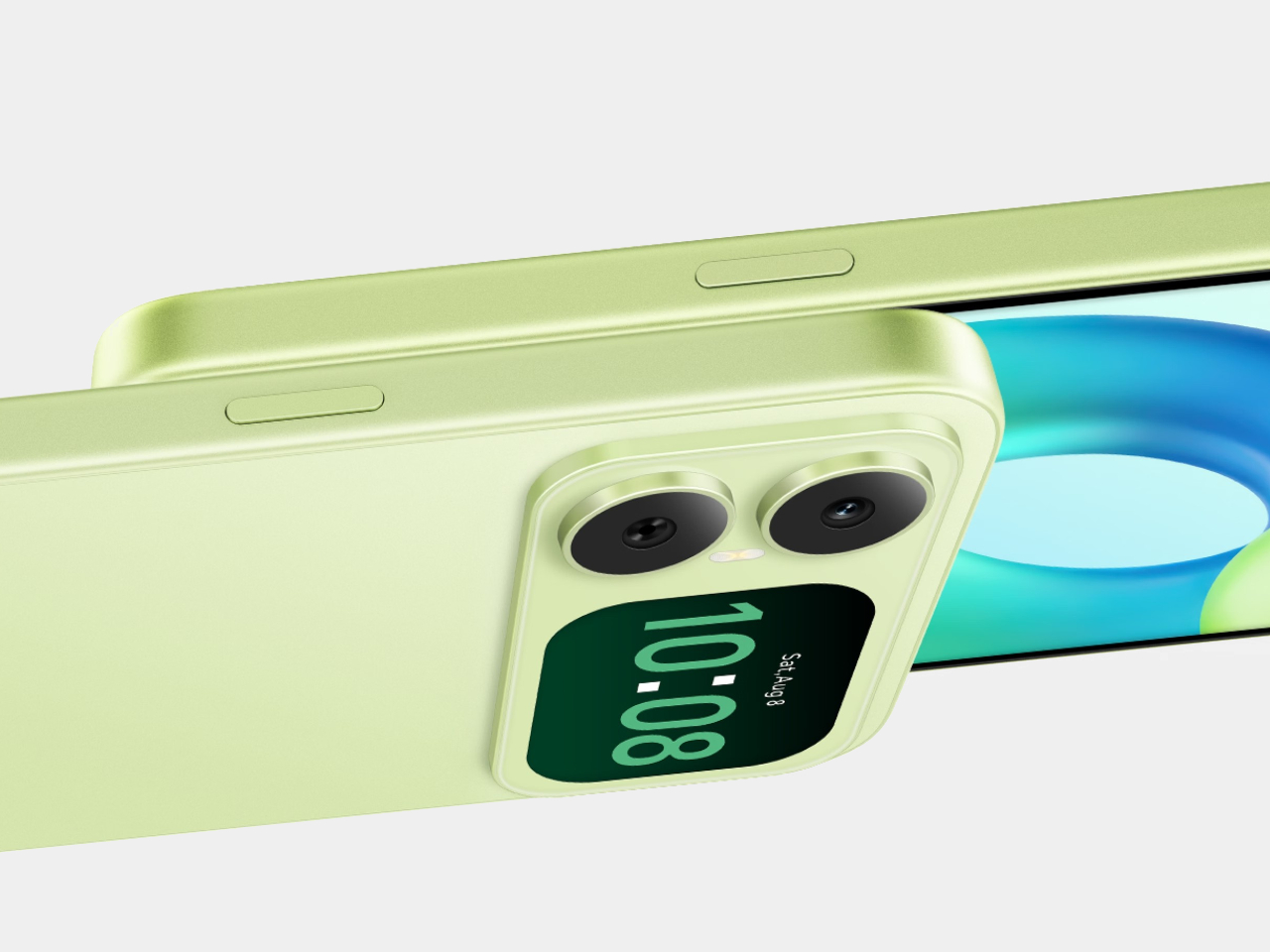
Secondary rear displays have been a flagship trick for a while, the kind of feature that premium phones use to justify their price tags. The Honor Play20A throws that logic out. It’s an entry-level 4G phone with a 6.9-inch main screen, a 6,000mAh battery, and a small secondary display built into the camera module on the back, at a price that isn’t anywhere near flagship territory.

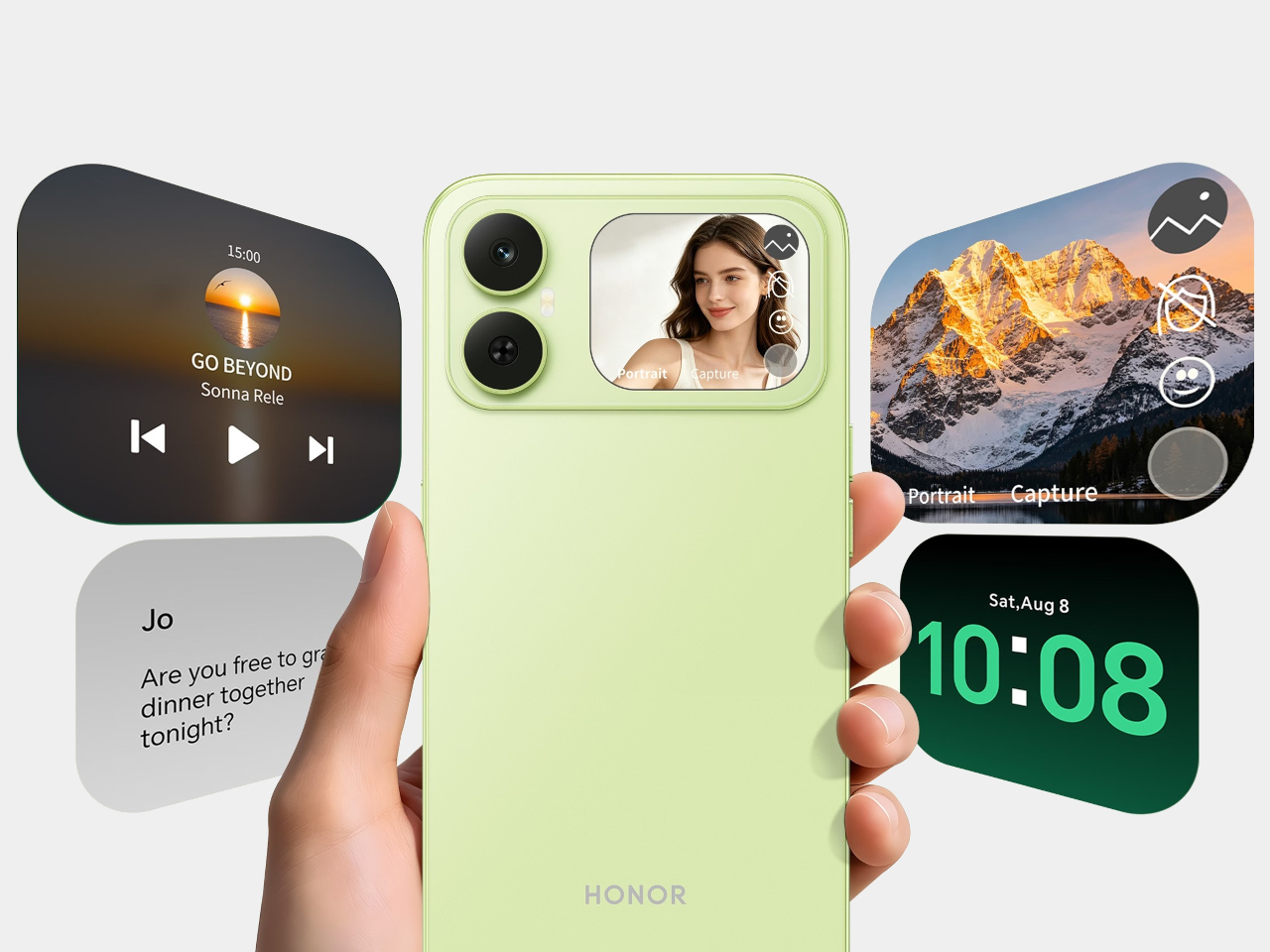
The rear screen isn’t just decorative. It shows the time, incoming call details, and what’s currently playing, so you can pause or skip tracks without flipping the phone over. It also works as a viewfinder, letting you frame shots with the 13MP rear camera rather than the 5MP front camera inside the notch. In practice, that means group photos taken with the better lens rather than settling for the weaker front sensor.

Designer: Honor

That 13MP rear camera is the only functional one despite the module’s appearance. There’s no telephoto, no depth sensor, no second anything hiding behind the glass. It’s a single lens, and the design leans into the secondary screen to make up for the hardware economy. For everyday shooting, the combination works reasonably well, and it sidesteps the common frustration of front cameras that can’t match the quality of the back.

The main screen is a 6.9-inch IPS LCD running at 90Hz with an HD+ resolution of 1600×720. It’s a big panel with slim bezels and a waterdrop notch, and 90Hz makes scrolling feel noticeably smoother than phones still running at 60Hz. That refresh rate isn’t guaranteed at this price point, which makes its inclusion here more meaningful than it might look on a spec sheet.

The 6,000mAh battery is the other headliner. It charges at 15W via USB-C, which is modest given the capacity, so filling it up from empty takes some patience. The trade-off is that you’re unlikely to drain it before the day is done under normal circumstances. A battery this size in a budget phone tends to last considerably longer than comparable handsets that prioritize thinness over endurance.

Running all of this is the MediaTek Helio G81, an octa-core chip built on a 12nm process. It handles messaging, browsing, video streaming, and social media without issue. Intensive tasks aren’t what this phone is built for, and the chip doesn’t pretend otherwise. Paired with 4GB of RAM and up to 128GB of storage, expandable to 1TB via microSD, the Honor Play20A is configured for people who need a phone to do a lot of everyday things reliably.

Connectivity stays at 4G, with no 5G on board, which fits a budget positioning but is worth noting for anyone in a market where 5G coverage has become the practical standard. The triple tray accommodates two SIM cards and a microSD card at the same time, without asking you to choose between extra storage and a second line. The secondary rear display is the feature that makes this phone worth talking about, but the battery and the large screen are what most buyers will end up living with daily.

The post Rear Screens Were a Flagship Trick, so Honor Put One on a Budget Phone first appeared on Yanko Design.

The Xperia 10 VIII Has Rare Android Features, but £549 Is the Catch

The Sony Xperia 10 VIII is a compact 6.1-inch Android phone with a 3.5mm headphone jack, a dedicated microSD slot, a 5,000mAh battery, and an IP68 water resistance rating. In 2026, that combination is genuinely hard to find on any phone, let alone a mid-ranger. It also costs £549, which is where the conversation gets complicated.

The display is one of the few areas where the 10 VIII makes a clear step forward. Sony says the OLED panel is roughly 50% brighter at maximum than last year’s model, and it pairs that with an automatic color-adjustment system that reads ambient light to keep text and maps legible in direct sun. For a compact phone that goes everywhere, screen visibility in bright conditions matters more than any benchmark.

Designer: Sony

The camera setup stays at 50MP on the main sensor and 13MP on the ultrawide, which is the same hardware as the Xperia 10 VII. The lens combination covers most of what everyday shooting actually demands, and Sony’s imaging tuning has always leaned toward natural color reproduction rather than the overly saturated processing that many phones default to. It’s a camera made for people who shoot, not people who want to appear to shoot.

Battery longevity is built into both the hardware and the software. The 5,000mAh cell comes with Sony’s battery-care system, which manages charge cycles to minimize long-term degradation. The company is also promising six years of software updates here, a notable jump from the four years offered on its predecessor. Getting six years out of a mid-range phone is a meaningful practical advantage.

The Snapdragon 6 Gen 3 inside is the same chip that powered the Xperia 10 VII, which launched a year ago. It handles social media, streaming, and everyday tasks without issue, but it doesn’t offer much over what existing owners already have. Sony added a Point & Pay shortcut for faster contactless payments, improved the speaker output, and redesigned the back panel with a translucent matte finish in Frozen White, Frosted Grey, and Misty Lilac.

The headphone jack and microSD slot are worth more than they might initially seem. Most phones at this price tier have dropped both, forcing wireless-only audio and fixed internal storage. For anyone who owns wired headphones worth actually using, or needs to carry large media libraries on a card, those two ports turn the 10 VIII into one of the few phones in this segment that doesn’t demand compromises to accommodate them.

At £549, the Xperia 10 VIII doesn’t have an easy answer to the competition. For similar or less money, there are phones with faster chips, bigger batteries, and more capable camera systems. Sony’s argument is that none of them are this compact and this fully equipped with legacy features in a single package. That’s a narrower pitch than it sounds, but it’s also a pitch that doesn’t have many other phones making it.

The post The Xperia 10 VIII Has Rare Android Features, but £549 Is the Catch first appeared on Yanko Design.

Carrying a Separate Power Bank Was Always Annoying, so Nokia Fixed It

The idea of carrying a power bank separately has never been particularly glamorous. It’s another thing to charge, another thing to forget, and another thing to dig out of your bag just when you need it. The Nokia 300 Charge sidesteps that by folding the power bank into the phone itself, a feature phone with a 3,700mAh battery that can share its charge with other devices.

That 3,700mAh figure sounds modest until you consider what it’s sitting inside. Most feature phones top out well below 2,000mAh, and the Nokia 110 Power only packs 1,750mAh, despite the name. The 300 Charge has more than double that, giving you up to 37 hours of talk time and over 40 days of standby. For a phone living in a drawer or a travel bag, those numbers genuinely matter.

Designer: HMD Global

The reverse charging works through the same USB-C port the phone charges from, activated by a dedicated button on the side. Press it, plug in a cable, and the 300 Charge starts pushing 10W out to whatever’s connected. An included 4-in-1 cable covers most devices you’d commonly carry, and the phone itself charges at the same 10W speed when it’s on the receiving end.

Long travel days and power outages share a common anxiety: a smartphone dying when there’s no wall socket in sight. You’d normally be counting on someone else’s power bank to get through. With the Nokia 300 Charge in your bag, you’re already carrying the solution. It’s the kind of device that makes sense stashed in a go-bag, a glove compartment, or a festival backpack before a long weekend.

Then there’s the torch. The Nokia 300 Charge has a high-power LED flashlight that’s reportedly four times brighter than the one on the Nokia 105. That kind of output actually matters when the power goes out, or you need to navigate somewhere dark. Rather than a gimmick, it’s one of the more immediately useful things on the device, especially given what the phone is designed to handle.

The phone is built for situations where things get knocked around. A rugged chassis with a textured, anti-slip grip keeps it secure in your hand, while the overall package comes in at 138 grams and about 15mm thick. It doesn’t feel like a compromise between durability and portability. Available in Sandstone, Green, and Black, the colorways lean practical rather than flashy.

On the inside, the Nokia 300 Charge keeps things simple. A 2.4-inch display, a microSD slot expandable up to 32GB, a 3.5mm headphone jack, and dual SIM support cover the basics. Connectivity is 2G only, which limits it to regions where that network infrastructure is still active. It’s worth confirming coverage before picking one up for travel, since some markets have already shut down their 2G networks.

The Nokia 300 Charge launched in the Philippines at around $32, with a wider international rollout expected. The battery is removable, a practical detail that most phone makers have quietly dropped. It charges at 10W via USB-C, matching the same output it provides when sharing power. A feature phone that calls, texts, lights your way, and tops up other devices at that price doesn’t need a complicated pitch.

The post Carrying a Separate Power Bank Was Always Annoying, so Nokia Fixed It first appeared on Yanko Design.
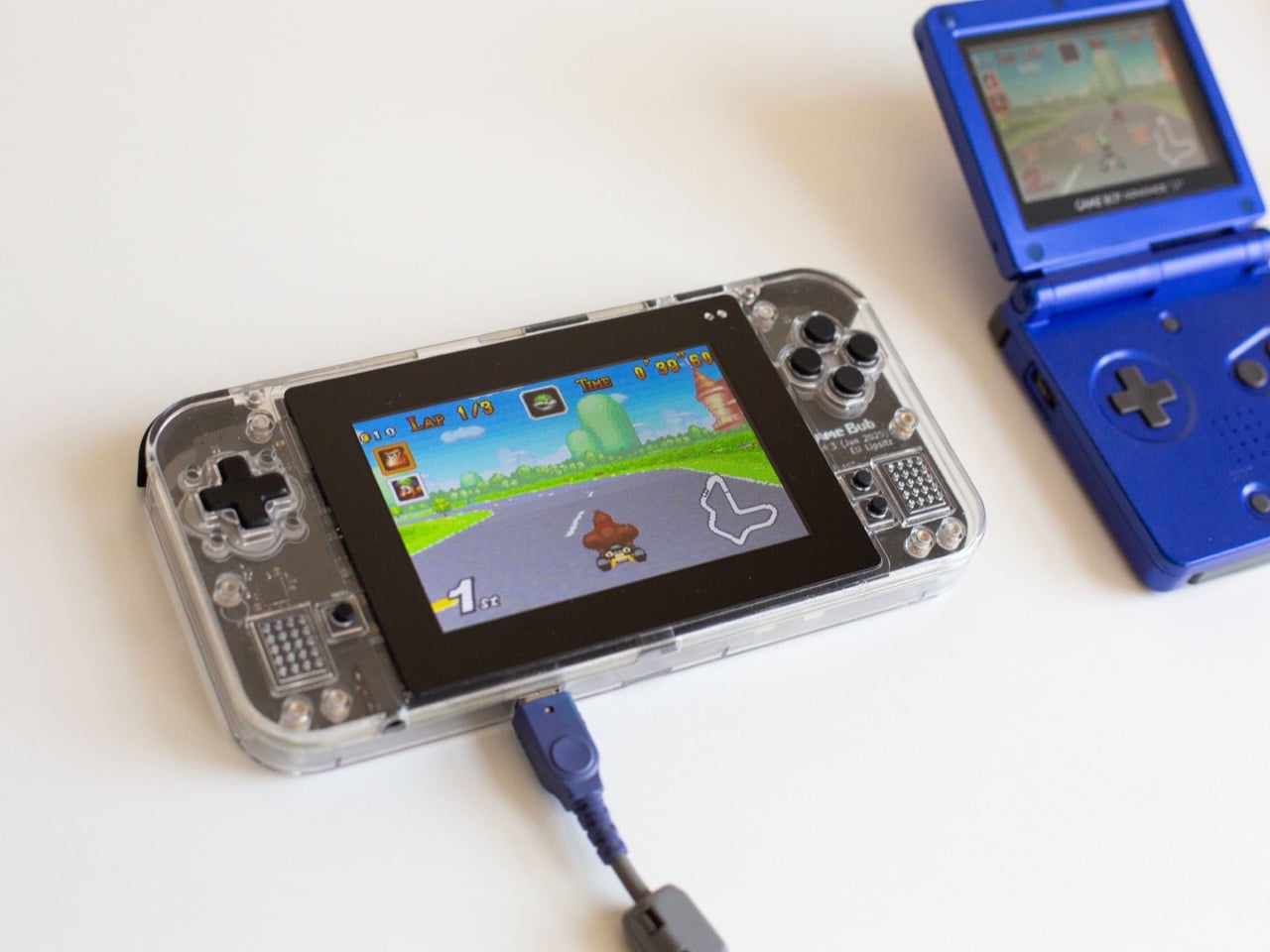
The Cassette Revival Has Had a Player Problem, and FiiO Just Fixed It

Vinyl already had its big cultural moment, dragging turntables and record stores back into the mainstream. Cassette tapes, quietly and without much fanfare, have been going through the same arc. Sales have been climbing for years, but the revival has lacked a player actually engineered for it. The FiiO CP11 is that player, and it comes with two years of R&D to back it up.

Getting to the CP11 wasn’t a straight line. FiiO originally planned to lead with the higher-end CP15, but as the new ultra-thin mechanism proved far more complex to engineer than expected, from structure and servo coordination to full system integration, the roadmap got reorganized. The CP11 was added earlier in the lineup so the new playback technology could reach people before everything else was perfected.

Designer: FiiO

The size of the thing is worth talking about. FiiO designed the CP11 to be genuinely pocketable, competitive with the Walkmans that defined portable listening decades ago. That’s a different proposition entirely from the thick, ungainly cassette players that have populated the modern revival market. The all-new ultra-thin transport mechanism is what makes that slim profile possible, and getting it right required repeated prototyping and refinement.

Inside, the CP11 moves away from the hardware compromises that hold most modern tape players back. It runs on a brushless motor paired with a new servo drive and revised circuit design, which together are meant to deliver more stable, accurate playback than conventional motors allow. The magnetic head has been upgraded as well, since even the warmest analog sound can only be as good as the head reading it.

Then there’s Bluetooth, which is probably the feature that makes the CP11 most interesting to a broader audience. The fully analog CP13, FiiO’s existing tape player, never had it. Adding wireless transmission here means you can pair the CP11 with any wireless headphones and listen to your mixtapes or favorite vintage tapes without a headphone cord to manage. The 3.5mm jack is still there for people who prefer it that way.

The design doesn’t try to pass off nostalgia as a substitute for intent. The body is clean and minimalist, available in cream, green, and silver colorways that feel more considered than retro-chic. There’s a battery hatch on the back, which suggests the cell might be user-replaceable, a small but meaningful detail for a device built around physical media and the culture of long listening sessions.

USB-C handles charging, which is a small but welcome concession to the present. It charges at 5V/2A, so any standard cable will do, and you won’t need to hunt for a specialized adapter while your tape collection gathers dust. Physical playback controls sit at the top alongside a dedicated Bluetooth button, keeping the experience tactile rather than forcing everything through a touchscreen or an app.

No pricing has been announced yet, though FiiO’s existing CP13 sells in the $99 to $110 range, giving some rough sense of where the CP11 might land. A late 2026 launch is the target, and the higher-end CP15 is progressing simultaneously, with its internals largely completed. The cassette revival doesn’t have a device worthy of leading it yet. The CP11 is making a case for the job.

The post The Cassette Revival Has Had a Player Problem, and FiiO Just Fixed It first appeared on Yanko Design.
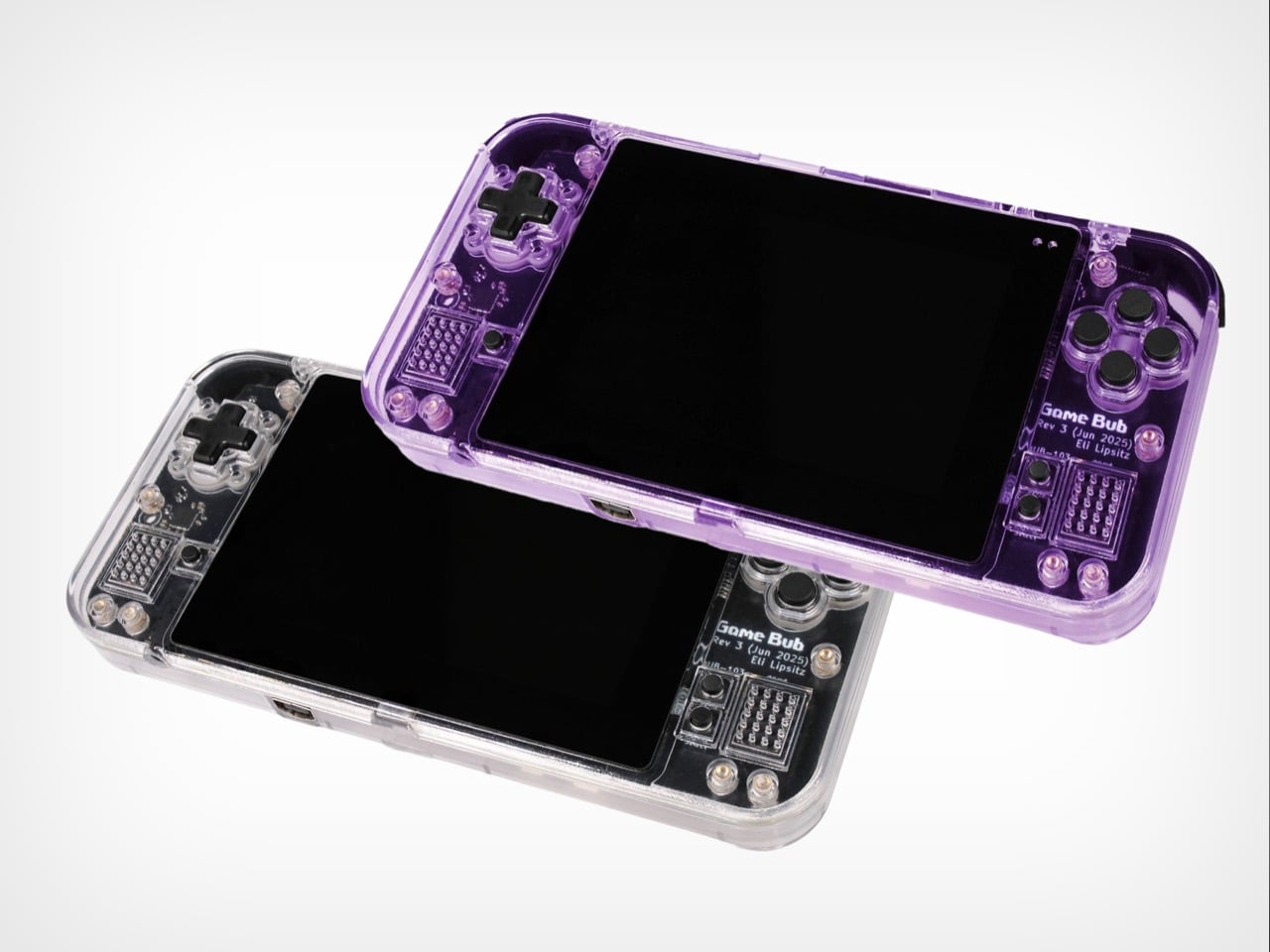
Full-Color 3D Printing Once Cost $50,000+, HeyGears Brings It to 10% of the Cost

True full-color 3D printing has always lived in industrial settings, with price tags starting at $50,000 and machinery too large for any studio shelf. Most desktop alternatives can’t close that gap on their own. The HeyGears G1 Series changes that, combining full-color 3D printing, 3D texture printing, 2D UV printing, and True DTF (Direct-to-Film) & DTG (Direct-to-Garment) fabric printing into one compact desktop machine anyone can actually set up at home or in a studio.

Beyond bringing full-color 3D printing to the desktop, the HeyGears G1X also delivers outstanding UV printing performance, offering up to 12× faster printing speeds with the Epson I3200-U1HD printhead, a 10× wider color gamut, more accurate color reproduction backed by G7 Colorspace’s highest-level color certification, and lower ink costs. What’s genuinely useful here is how fluidly the G1 Series moves between modes. A small gift shop, for instance, can run custom UV prints on mugs in the morning, emboss a leather journal cover in 3D texture mode in the afternoon, and print a full-color figurine in the evening, all from the same machine.

Designer: HeyGears

Click Here to Buy Now: HeyGears is currently offering G1X backers $500+ in additional promotional savings. Hurry, only a few left! Raised over $14.4 million.

The standout of the three is the full-color 3D printing. Using Precision Piezo Inkjet technology with instant UV curing, the G1X builds vibrant, paint-free models layer by layer at just 10 to 20 μm thick, roughly half the diameter of a human hair. Transparent and colored sections print in one continuous build, and there’s no post-print assembly to deal with since water-soluble supports simply dissolve in water.

A lot of that output quality comes down to the printhead. The G1X runs on an Epson i3200-U1HD, an industrial-grade unit with 3,200 high-density nozzles across eight ink channels, a maximum resolution of 1,440 x 2,400 DPI in UV printing, and over 10 million colors in its palette. The extra channels include light cyan and light magenta, which keep gradients and skin tones from going muddy.

The G1X also offers three UV printing modes to match different production priorities, whether you want maximum printing speed or a wider color gamut. Ultra-High-Speed Mode uses 4 white-ink channels to achieve up to 12× faster printing, while High-Speed Mode uses 2 white-ink + 2 varnish channels, reaching at least 6× faster printing. Finally, Wide-Gamut Mode utilizes Wide-Gamut inks, including Light Cyan (Lc) and Light Magenta (Lm) inks, for enhanced color reproduction, with printing speeds of at least 3× faster. Whether you prioritize speed or color performance, the G1X lets you choose the configuration that best fits your workflow.

For UV work, the machine isn’t limited to any single surface type. It works on wood, leather, glass, metal, acrylic, and ceramic, among over 400 compatible substrates in total. A rotary module handles cylindrical objects up to 245 mm tall, covering everything from mugs to tumblers, and an integrated line-scan camera auto-calibrates placement so curved surfaces print accurately without manual setup.

The 3D texture mode goes a step beyond standard UV printing, producing raised embossed effects, oil-painting-style relief, and wood-carved surfaces with a recommended height of 5mm (up to 150 mm). For apparel, the G1 Series supports True DTF and DTG printing with a water-based ink set built for wash durability, and that’s what makes it one of the few desktop platforms covering both hard-surface and fabric printing in a single unit.

HeyGears paired the hardware with a full software ecosystem that goes well beyond basic print management. Blueprint Studio handles everything from model preparation to batch layout, while HeyVerse adds AI tools for text-to-3D and image-to-3D generation. There’s also a LiDAR sensor in the print carriage that monitors layer thickness to within ±0.01mm in real time, helping maintain consistent output across longer production runs.

Printhead maintenance is often where UV systems let their owners down, and HeyGears hasn’t ignored that. A quad-layer anti-clogging system combines printhead heating, white-ink agitation, standby cleaning cycles, and a sealed moisturizing state during extended downtime. Three cleaning modes handle everything from a quick nozzle check to a thorough channel flush, and built-in air filtration captures ink mist and VOCs for cleaner indoor operation.

For someone running a small studio or a product-based creative business, the appeal goes beyond having one versatile machine. It means skipping three separate consumable budgets, three learning curves, and three maintenance routines. The i3200-equipped models carry a rated printhead lifespan of 12 to 24 months, while the open ink system offers material flexibility, and HeyGears’ lower-priced inks help keep material costs well below those of comparable industrial platforms. Turns out industrial-grade color doesn’t need an industrial-sized space after all. And with a limited-time $500+ cashback offer now available to G1X backers, you wouldn’t want to miss out on this opportunity to bring your designs to life, and in full color to boot!

Click Here to Buy Now: HeyGears is currently offering G1X backers $500+ in additional promotional savings. Hurry, only a few left! Raised over $14.4 million.

The post Full-Color 3D Printing Once Cost $50,000+, HeyGears Brings It to 10% of the Cost first appeared on Yanko Design.
CMF Clip Pro Review: More Than Just a Pretty Case

PROS:


  • Excellent physical controls

  • Distinctive case design

  • Comfortable open-ear fit

  • Balanced, clean sound

  • Polished Nothing X app

CONS:


  • Limited base weight

  • Price feels a little high by CMF standards

RATINGS:

AESTHETICS
ERGONOMICS
PERFORMANCE
SUSTAINABILITY / REPAIRABILITY
VALUE FOR MONEY

EDITOR'S QUOTE:

With smart physical controls, a comfortable fit, and more personality than most rivals, the CMF Clip Pro proves open-ear earbuds do not have to feel purely functional.

Open-ear earbuds used to feel like a niche product made for a very specific kind of listener. They were mostly aimed at runners, cyclists, and anyone who wanted to stay aware of their surroundings, and the category was long dominated by a small group of specialist brands. For years, that made open-ear audio feel practical rather than desirable, more about function than style.

That is no longer the case. Open-ear earbuds have quickly become one of the busiest segments in personal audio, with mainstream brands now entering the space and giving the format broader appeal. CMF, Nothing’s budget-focused sub-brand, is the latest to join them with the CMF Clip Pro. As you might expect, it leans heavily on design and distinctive hardware touches to stand out, including physical controls that give it more character than most rivals. On paper, it already feels more interesting than the average pair of open-ear earbuds. The real question is whether that personality translates into a product worth buying.

Designer: CMF (Nothing)

Aesthetics

CMF Clip Pro is a good reminder that an earbud case can matter just as much as the earbuds themselves. Here, the case is not just packaging. It is a big part of the product’s identity, and one of the first things that makes the Clip Pro stand out.

The shape is essentially a rounded rectangular pod. It is slightly chunky, but softly contoured, with curved corners, a matte finish, and a subtle rubber-like texture that feels warmer than the glossy plastic shells most earbuds still use. It also stands apart from the usual pebble-like cases, which gives it a more distinctive silhouette in the hand.

The detail that defines the whole design is the oversized circular dial at the top right corner, called Smart Dial. It immediately gives the case a focal point, but it also earns that space by being functional. The metallic finish, ridged edge, and two line markings give it a sharper, more engineered feel, which contrasts nicely with the softer body of the case.

The rest of the design is restrained. There is only a small CMF logo on top, with the status LED and USB-C port kept discreetly out of the way. That minimalism works in the case’s favor, because it lets the shape and the dial do most of the talking.

The color options reinforce that identity. Light Gray and Dark Gray are the safer choices, but Coral is the one that feels most like CMF. It is brighter, more playful, and better suited to a product that clearly wants to stand apart. Most importantly, the case feels designed with intent rather than treated as an afterthought, and that alone gives the Clip Pro an edge.

Ergonomics

The Smart Dial on the case is one of those details that immediately makes the product feel more thoughtful in hand. Each turn delivers crisp, clicky feedback, and pressing the dial has a satisfying weight to it. It feels tactile and deliberate rather than decorative, which makes everyday use that bit more enjoyable.

The case has a matte texture that feels soft in the hand, while the earbuds are mostly glossy. At around 52.1 x 26.7 x 51.0mm and roughly 38.8g, the case stays compact and easy to carry. I also like that it can stand upright on a surface, which is a small but practical advantage over the usual round, pebble-like earbud cases. Each earbud weighs just under 6g, and that lightness helps with long-term comfort.

The Clip Pro is easy to wear for hours without feeling pinchy or awkward. CMF has also built physical buttons into the rear section of each earbud, where they are easy to reach without much adjustment. The earbuds do not interfere with glasses either, which is a nice touch. They can clash slightly with earcuffs depending on their position, but in my experience that is only a minor issue.

There is still a small ergonomic quirk with the charging case. Putting the earbuds back can be a little confusing at first because the left and right sides are not interchangeable. The rear section needs to sit at the bottom with the C-bridge facing inward, and until that becomes second nature, the process feels slightly less intuitive than it should.

Performance

Sound quality is always the challenge with open-ear earbuds because the format comes with clear limits. Without a seal inside the ear canal, you do not get the same bass weight, isolation, or intimacy as you would from a good pair of in-ear buds. The goal here is not to beat traditional earbuds at their own game. It is to sound full and clear enough that the open-ear tradeoff feels worthwhile.

The CMF Clip Pro uses a 10.8mm dynamic driver and supports LDAC, AAC, and SBC codecs. In practice, the tuning is more restrained than on some of CMF’s other earbuds. I found the CMF Buds 2 and Buds 2 Pro I reviewed last year noticeably bass-heavy, but the Clip Pro does not lean in that direction, even with Bass Enhancement set to Level 2. Instead, it sounds more balanced, which suits this category better.

Bass still lacks the weight and punch you would get from sealed earbuds, but that is to be expected. The upside is that the sound never feels bloated or as if it is trying too hard to compensate. Clarity is decent, and the overall presentation is clean and easy to listen to. It is not especially rich or immersive, but for casual listening, podcasts, and everyday music, it works well enough.

There is no noise cancelling, and no real isolation either. Some leakage is still present, as you would expect from open-ear earbuds, but it is mild in everyday use. People nearby are unlikely to notice unless they are very close or you’re listening at high volume. CMF also includes an anti-leakage mode, but while it helps, it also makes the sound noticeably more muffled.

As for call quality, the CMF Clip Pro uses a four-mic setup, with two mics on each earbud, alongside noise reduction. It does a decent job of keeping voices clear enough for everyday calls, even in busier environments. It is reliable enough that taking calls on the go does not feel like a compromise.

The physical controls on both the earbuds and the case are easily one of my favorite things about the Clip Pro. In a category where touch controls often feel inconsistent, CMF takes a more tactile approach that immediately helps these stand out. The buttons on the earbuds are easy to use and support a surprisingly broad range of inputs, including double press, triple press, press and hold, and double press and hold. That gives the Clip Pro a level of flexibility that feels more thoughtfully implemented than many rivals.

What really elevates the experience is the Smart Dial on the case. It handles volume through rotation, and it can also be customized for playback, track skipping, voice assistant access, low lag mode, and call controls. That makes the case feel like more than a simple charging shell, giving the product a bit of personality in everyday use. More importantly, the physical controls work very well in practice. They feel responsive and dependable, which matters far more than simply offering a long list of possible shortcuts. My only complaint is that the sound cue for volume changes can lag slightly behind the actual adjustment.

The earbuds’ controls work right out of the box, while Smart Dial has to be enabled manually in the Nothing X app. Beyond that, the app lets you adjust features like spatial audio, anti-leakage mode, bass boost, low lag mode, and dual-device pairing. There are also five preset EQ modes, plus a custom three-band equalizer that gives you a good amount of control over the sound. Nothing X is not doing anything radically new, but it remains one of the best earbud apps around. It looks great, feels intuitive, and makes it easy to tweak settings without any fuss.

Battery life is rated at up to 10 hours on the earbuds themselves and up to 32.5 hours with the case, while a Long Battery Mode pushes that to 36 hours. In my testing, which included a mix of music, video, and a 20-minute video call, the earbuds still had more than 50 percent battery left after about five continuous hours of use, so CMF’s claim appears to hold up well. CMF also says a quick 10-minute charge can deliver up to four hours of playback, which adds to the overall convenience.

Sustainability

CMF leaves a few unanswered questions here. The Clip Pro earbuds themselves are rated IP54, which adds useful protection against dust and light splashes in daily use. The case, however, is only rated IPX2, so it is best kept away from water.

There is also less clarity around environmental impact than I would have liked. Unlike Nothing’s mainline products, CMF does not seem to clearly publish details on recycled materials, carbon footprint, packaging, or manufacturing for this line. That does not necessarily mean sustainability was ignored, but it does make the product harder to assess on those terms. For a brand that puts so much emphasis on design and presentation, a little more transparency here would have made the Clip Pro feel more complete.

Value

At $99, the CMF Clip Pro sits firmly in the mid-range. That price feels a little high by CMF standards, especially for a brand that has built its reputation on strong value. Even so, the Clip Pro still manages to punch above its price in a few key ways, particularly through its design, physical controls, comfort, and overall user experience.

That said, value here depends heavily on what you want from your earbuds. If you are drawn to the look, appreciate the physical controls, like the fit, and want an affordable open-ear option from a recognizable brand, $99 can still make sense. If you are comparing purely on specifications, protection, or feature depth, this one may feel a little less convincing.

Verdict

The CMF Clip Pro does not completely redefine what open-ear earbuds can be, but it gets more right than wrong. The sound still carries the usual limitations of the format, yet it is tuned with enough balance and clarity to work well for casual listening, podcasts, and everyday music. The price also feels a touch high for a CMF product. Even so, there is a lot to like here. The design is distinctive, the fit is comfortable, the controls are genuinely excellent, and the overall user experience feels more considered than most rivals in this space.

What makes the Clip Pro stand out is that it does not rely on one gimmick alone. The Smart Dial is clever, but it is also useful. The physical buttons are unusual, but they are there because they work. Add in a polished app and solid battery life, and you end up with a pair of open-ear earbuds that feels thoughtfully put together from top to bottom. It may not be the obvious value champion in CMF’s lineup, but it is one of the brand’s most interesting products yet, and one that gets the basics right in ways that matter.

The post CMF Clip Pro Review: More Than Just a Pretty Case first appeared on Yanko Design.