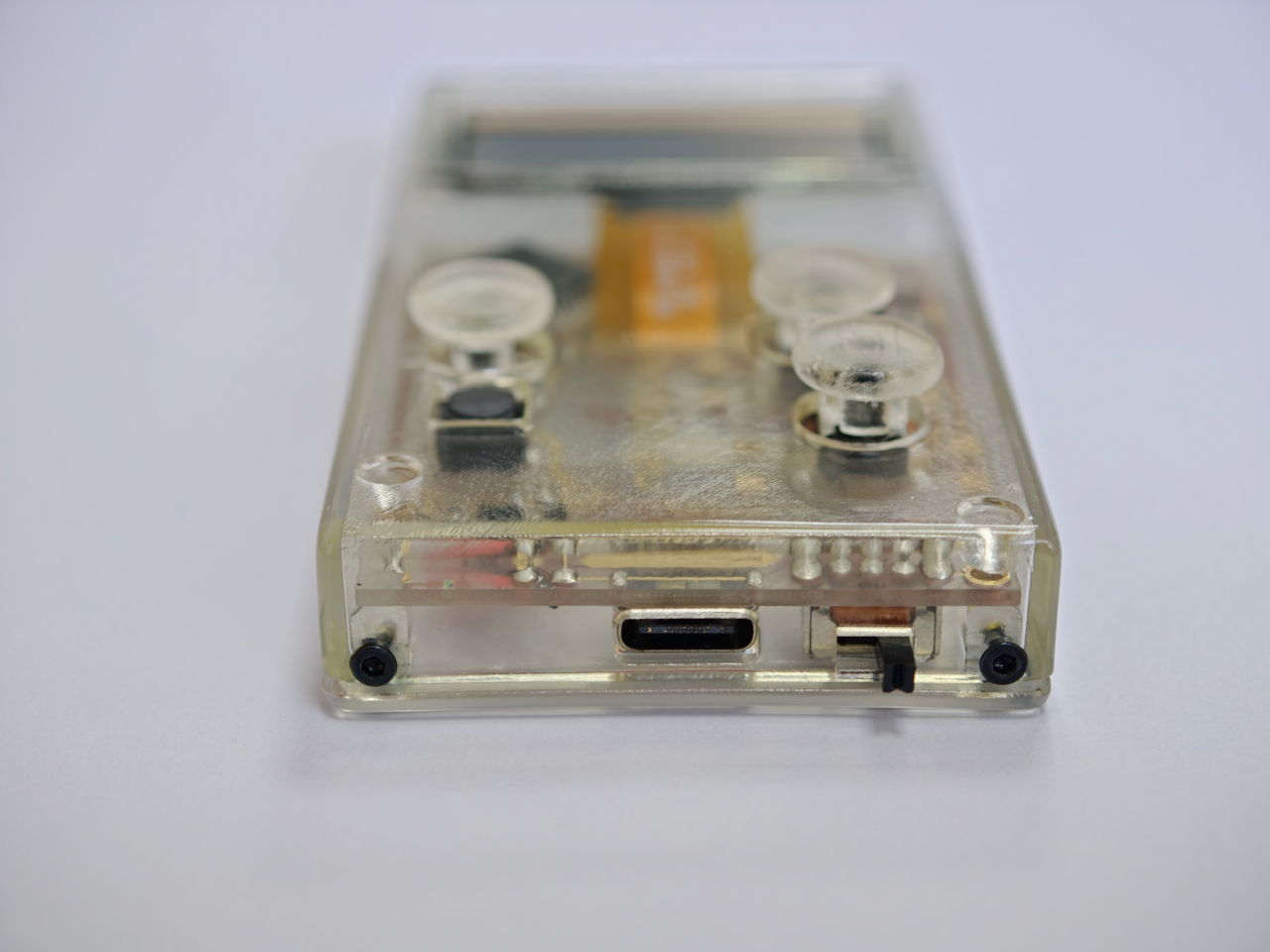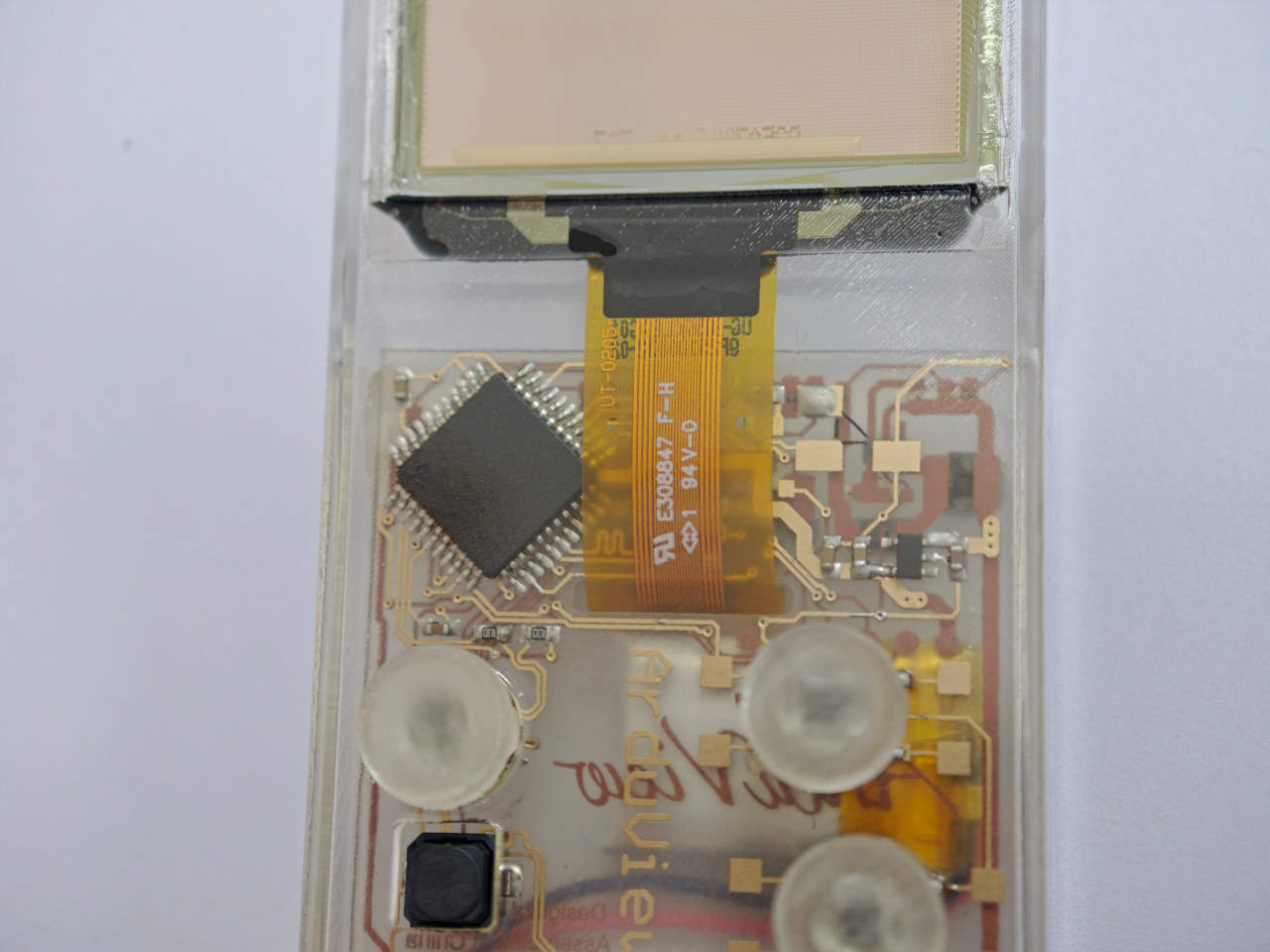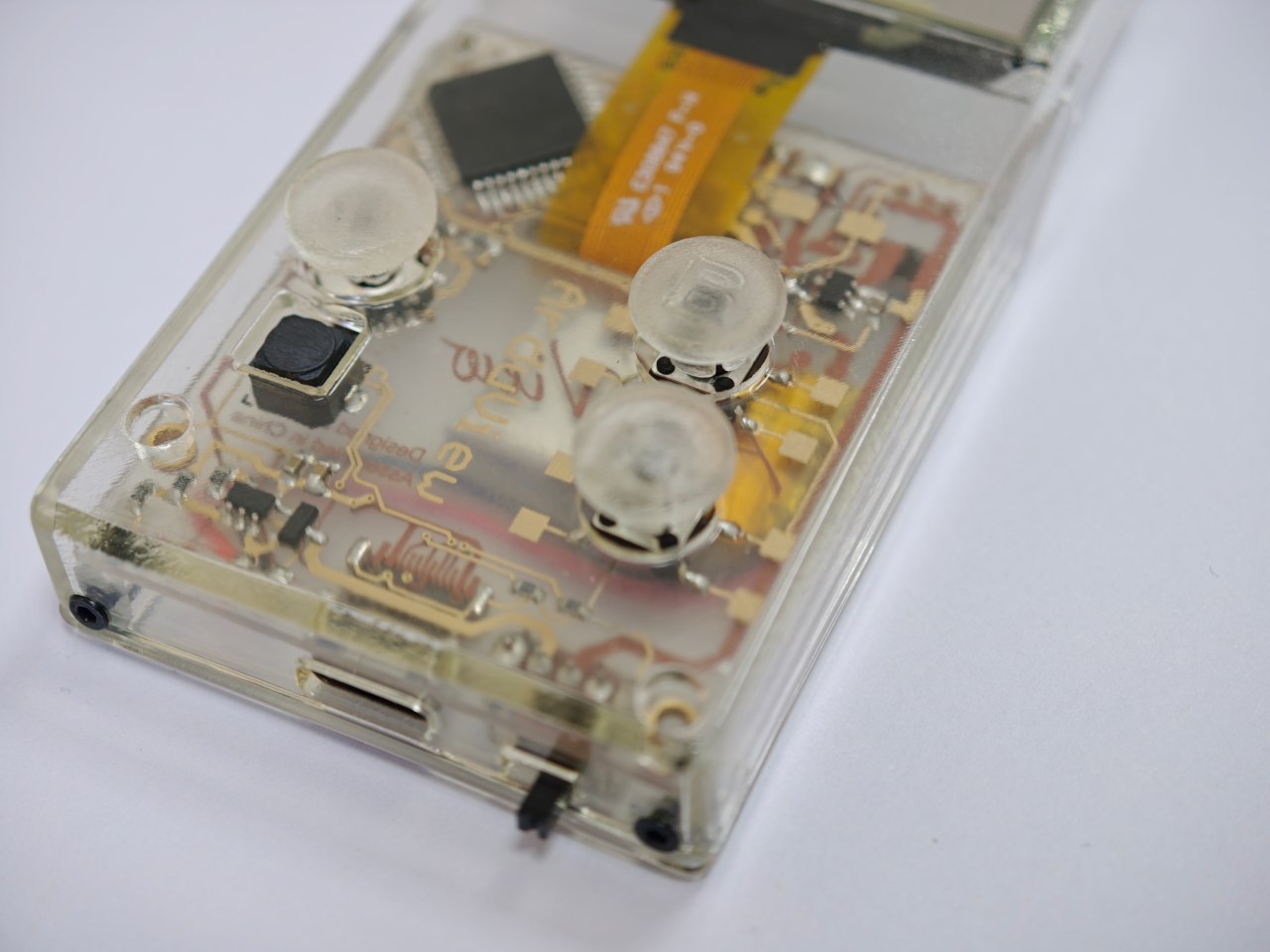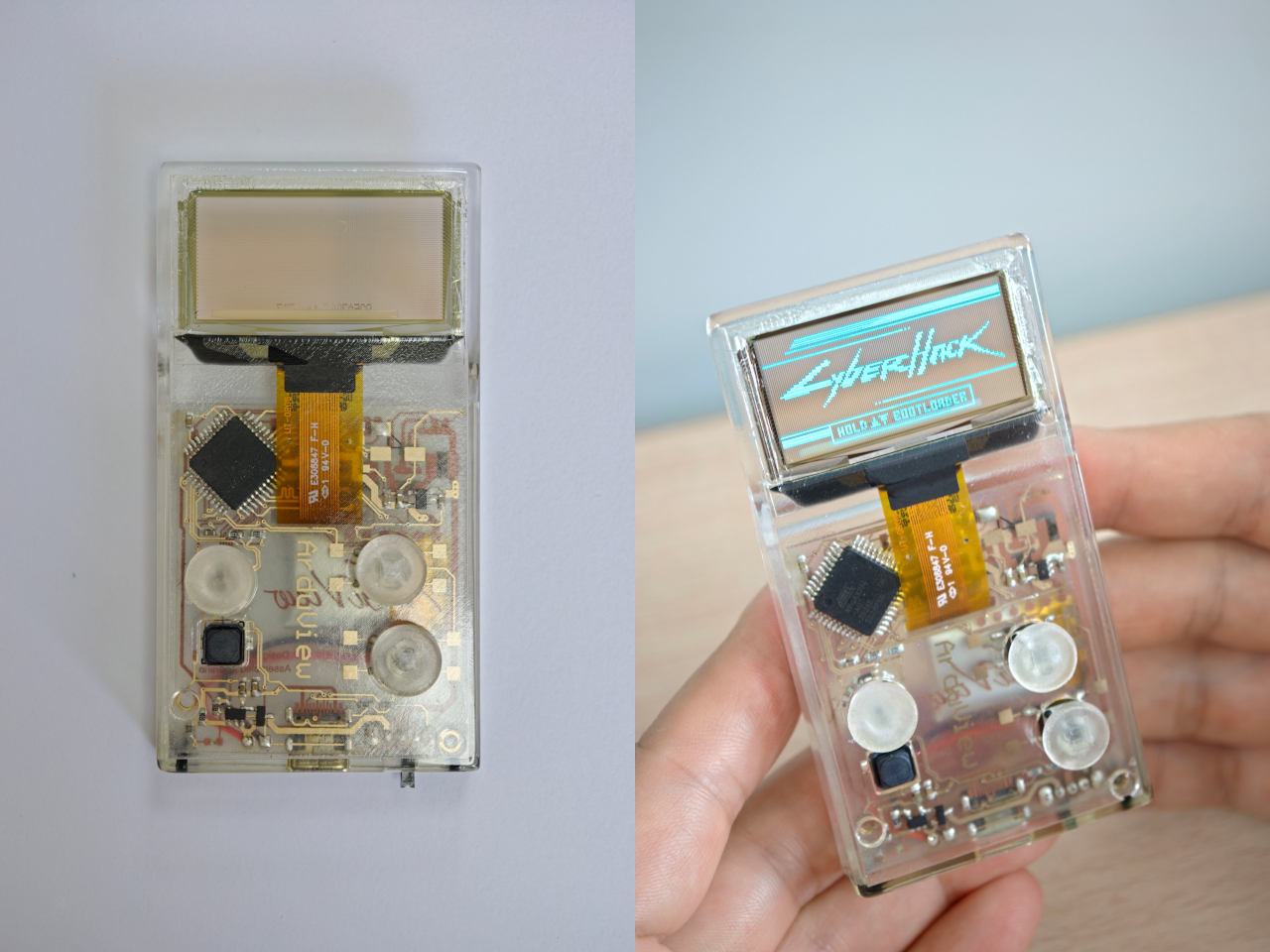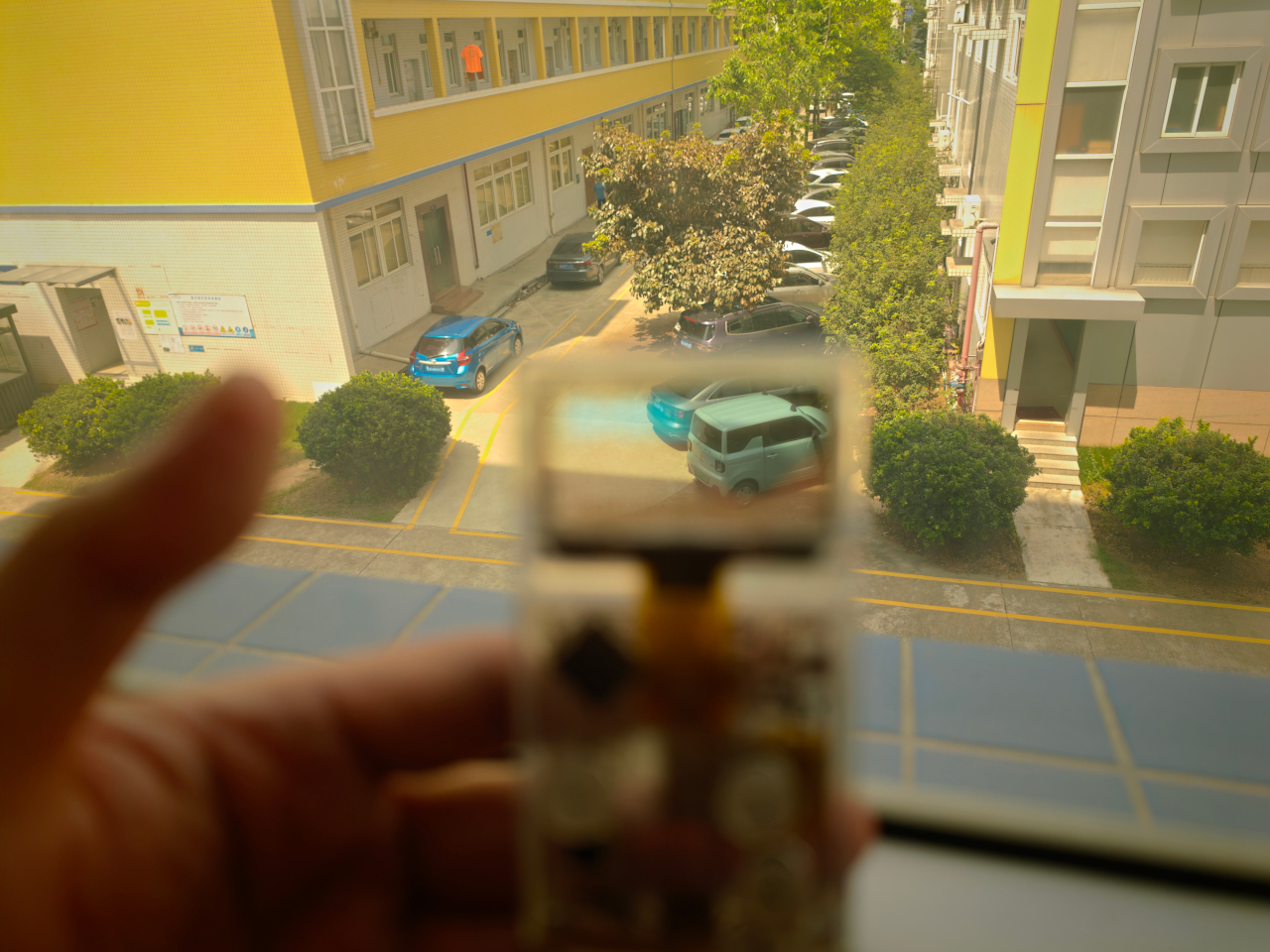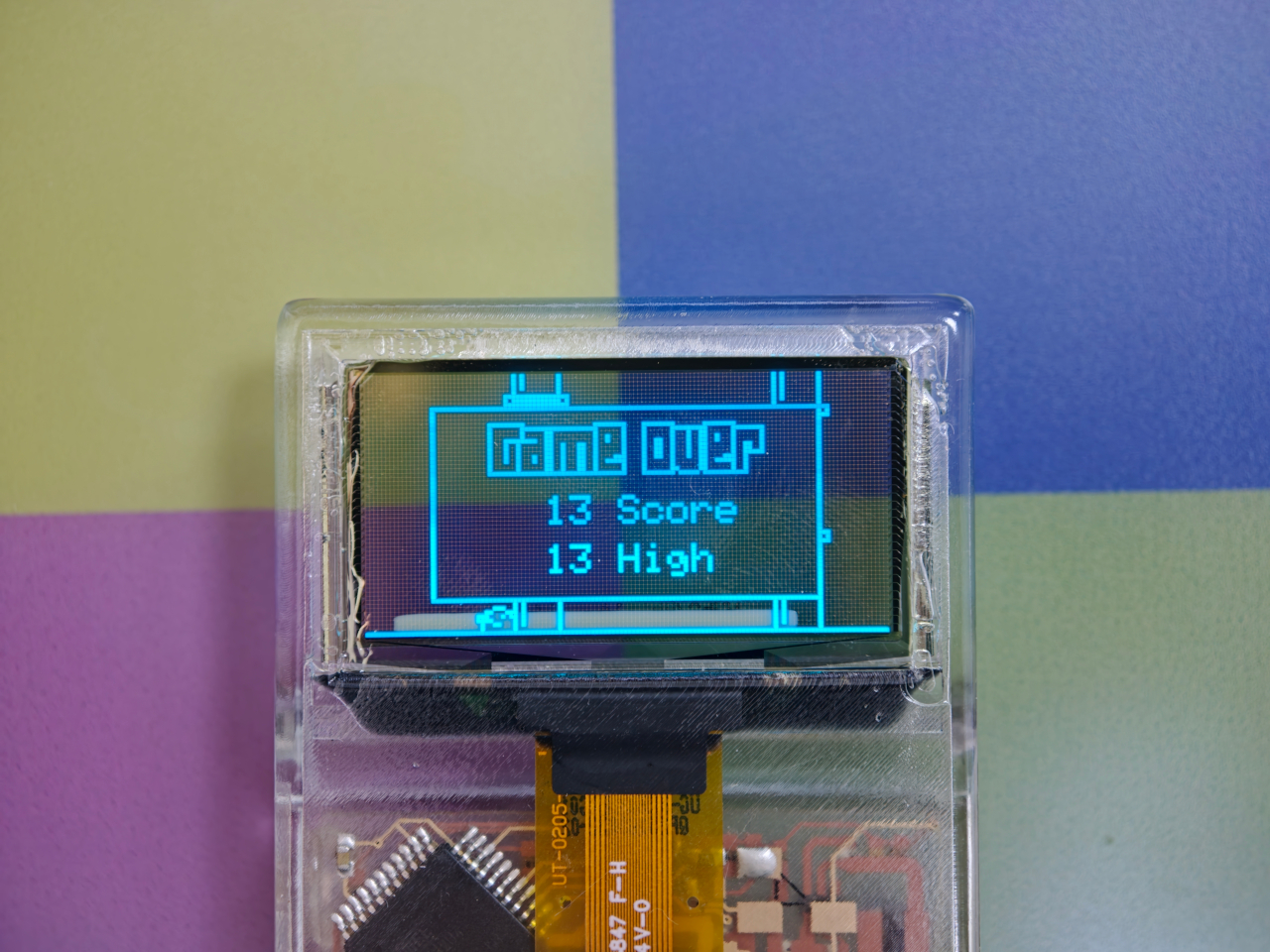
AI-powered Conway’s Arcade not only plays classic games, it invents them in real-time

Arcade machines once thrived as cultural objects as much as entertainment devices, combining bold industrial design and tactile controls to pull people into endless play. Over time, those cabinets became symbols of fixed experiences, each game defined by predictable patterns and tactically programmed outcomes. Conway’s Arcade revisits that familiar physical form but challenges the very idea of what an arcade game is supposed to be. This is done using computation, not as hidden infrastructure but as the driving force behind play itself.

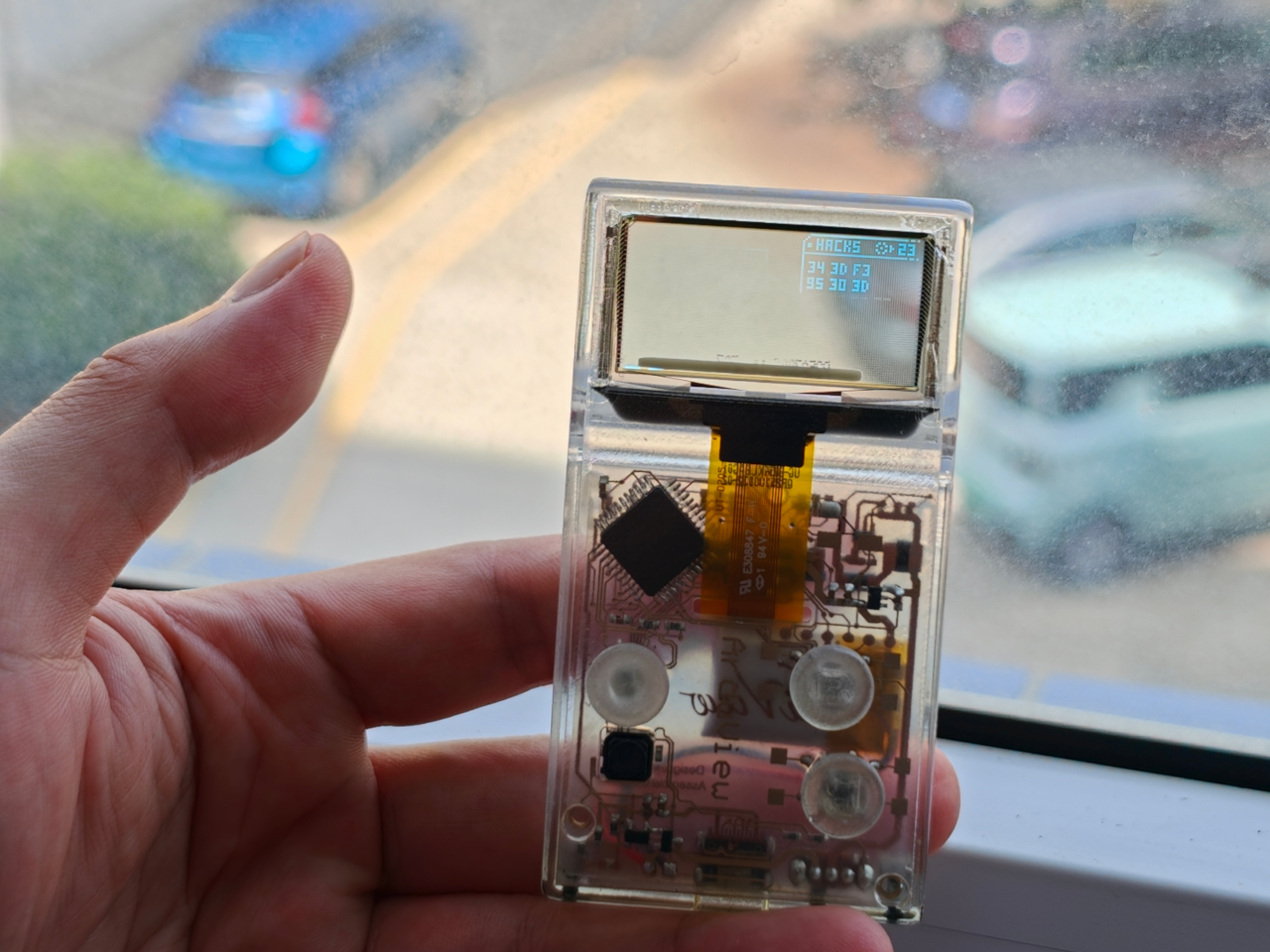
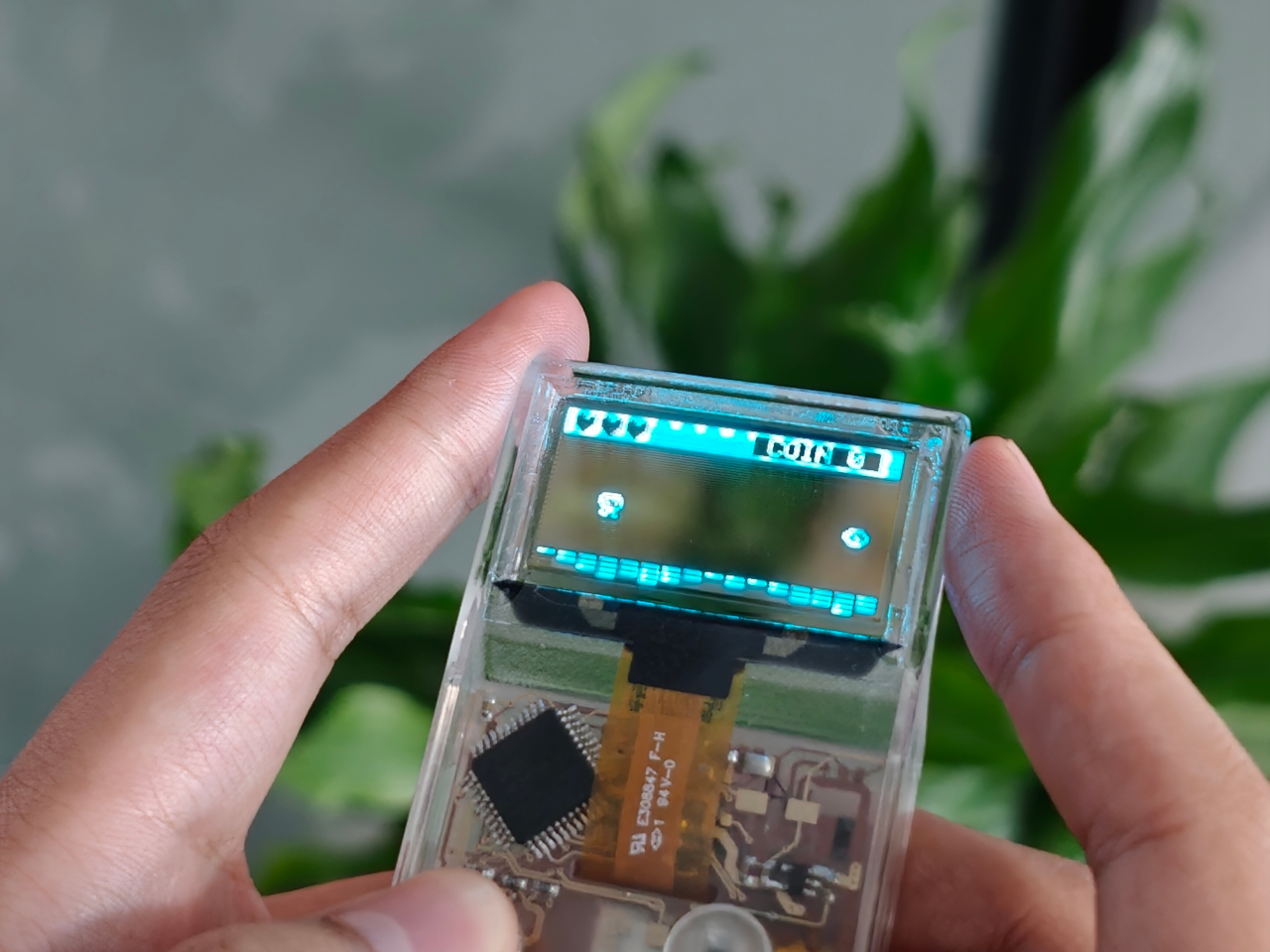
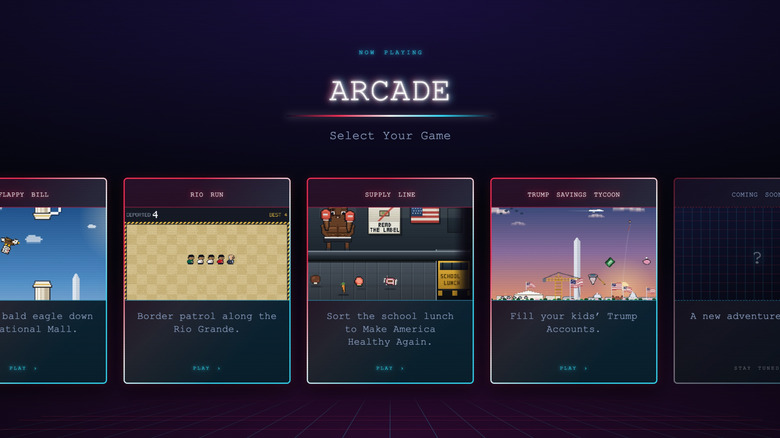
Created by technology agency SpecialGuestX for Google, Conway’s Arcade is a generative gaming installation that transforms classic arcade logic into an evolving, rule-based system. Unveiled at the NeurIPS 2025 conference, the project was designed to communicate complex computational ideas through direct interaction, replacing static gameplay with experiences that emerge in real time.

Designer: SpecialGuestX

Instead of loading pre-existing games, the system generates new gameplay variations inspired by well-known titles such as Space Invaders, Breakout, Flappy Bird, and the Chrome Dino game. The smart system recomposes the game’s mechanics through adaptive logic. The conceptual backbone of Conway’s Arcade is John Conway’s Game of Life, a mathematical model where simple rules governing cells lead to unexpectedly complex patterns.

SpecialGuestX translated this principle into a playable framework where movement, collision, and behavior are determined dynamically rather than scripted in advance. Player input influences how these rules evolve, meaning each session becomes a unique computational outcome rather than a repeatable level sequence. Familiar visual language and controls anchor the experience, while the underlying logic continually reshapes how the game behaves.

This generative approach is powered by adaptive systems that respond to interactions in real time, making the arcade gaming feel intuitive while remaining unpredictable. Players begin to sense patterns and relationships as they play, learning the logic through experimentation rather than instruction. The result is an experience that rewards curiosity, turning gameplay into a form of exploration rather than mastery over fixed mechanics.

The physical design of Conway’s Arcade reinforces this philosophy. The cabinet is constructed entirely from aluminum and designed as a lightweight, modular structure that can be assembled by a single person in under an hour. Fabricated by Barcelona-based workshop 6punyales, the hardware balances durability with portability, making it suitable for exhibitions and travel. Mechanical joysticks, tactile buttons, and red latched switches reference classic arcade interfaces, while clean lines, exposed structure, and a custom typeface give the machine a distinctly contemporary presence.

Visuals follow a restrained 8-bit aesthetic, not as nostalgia for its own sake but as a clear, readable interface for generative behavior. On screen, game elements act like independent agents within a system, making the effects of rule changes visible and understandable. Rather than hiding computation behind spectacle, Conway’s Arcade puts logic on display, using play as the medium for comprehension.

Commissioned by Google and presented to an audience deeply familiar with artificial intelligence and machine learning, Conway’s Arcade succeeds by making abstract ideas accessible. It reframes the arcade cabinet as a tool for communication, showing how simple rules can generate complexity, creativity, and the element of surprise.

The post AI-powered Conway’s Arcade not only plays classic games, it invents them in real-time first appeared on Yanko Design.

ROG Just Built the Gaming Headset Audiophiles Always Wanted

Gaming headsets tend to lean bass-heavy and closed-back, with flashy branding and mics that sound good enough for Discord but not much else. Planar-magnetic hi-fi headphones sound incredible but usually lack microphones and look out of place next to RGB keyboards. Players who care about both soundstage and winning often juggle two pairs or compromise, because the two worlds rarely meet in one product without awkward concessions.

That is where ROG Kithara comes in. It is ROG’s first open-back planar-magnetic gaming headset, developed with HIFIMAN. The collaboration brings 100mm planar drivers into a headset that still has a proper boom mic, in-line controls, and all the plugs you need for PCs, consoles, DACs, and laptops. It treats games like they deserve hi-fi instead of just tolerating them as background noise.

Designer: ROG (ASUS)

The planar drivers deliver an 8Hz to 55kHz frequency response with very low distortion, which translates into deep, controlled bass and crisp treble without smearing. The open-back design creates a wider, more natural soundstage, so footsteps, reloads, and distant movement sit in believable positions instead of clustering in your head. It helps both immersion and tactical awareness without needing surround processing that usually just muddies everything.

Playing a competitive shooter, you can distinguish a teammate reloading behind you from an enemy stepping on metal two floors up. The fast transient response keeps those cues sharp, and the open-back architecture stops explosions from masking subtle sounds entirely. You react faster because you are not guessing where anything came from. You are actually hearing it placed in space the way the sound designer intended it.

The on-cable MEMS boom microphone covers the full 20Hz to 20kHz range with a high signal-to-noise ratio, so your voice sounds more natural than typical narrow-band gaming mics. Separate signal paths for audio and mic on the dual 3.5mm cable keep game sound from bleeding into chat, which your squad will quietly appreciate even if they never ask what headset you switched to or notice until the crosstalk disappears.

The balanced cable with swappable 4.4mm, 3.5mm, and 6.3mm plugs lets you move from a desktop DAC to a laptop or console without changing headsets. The included USB-C to dual 3.5mm adapter covers modern laptops and handhelds. With 16-ohm impedance, Kithara is easy to drive without a rack of gear just to get it loud enough for late-night sessions.

Of course, the metal frame, eight-level headband adjustment, and two sets of ear pads, leatherette with mesh for focused sound and velour for a softer feel, mean you can tune comfort and tonality. The open-back design leaks sound and is best in quiet rooms, but for players who want one headset that handles ranked matches, long story games, and critical music listening, Kithara feels like a rare crossover that actually respects both sides.

The post ROG Just Built the Gaming Headset Audiophiles Always Wanted first appeared on Yanko Design.

Flagship Ayaneo Pocket S Mini handheld is tailored for retro game fanatics

Current-generation handhelds have a much wider 16:9 screen ratio than older ones, and Ayaneo wants to get that right. Unlike the Pocket PLAY or the Pocket Fit Elite, which are intended for playing modern titles, the newly launched Pocket Mini S handheld targets the more novel 4:3 aspect ratio, which fits well with older titles from PlayStation 1 and Nintendo 64 that are emulated on modern devices. So, retro gamer lovers will not freak about those thick black bands on either side of the screen to make up for the aspect ratio adjustment.

For gamers who prefer the horizontal orientation for playing titles like Stardew Valley, Ayaneo has brought this handheld alongside the affordable Pocket Air Mini and the Pocket VERT, which has a more retro handheld feel to it with the 4:3 aspect ratio. The new handheld brings more meat to the equation for gamers who want better performance, compared to the Pocket VERT. This gives gamers more options to choose from the Ayaneo line-up.

Designer: Ayaneo

Pocker Mini S comes with a 4.2-inch LCD screen having 1280×960 resolution for rendering classic games that hardcore gamers like to play now and then. The ideal aspect ratio means there is no cropping or stretching of the in-game elements. This flagship gaming device is powered by the Snapdragon G3x Gen 2 SoC, and the graphics are handled by the 8-core CPU and 4nm technology Adreno A32 graphics card. The top variant of the handheld comes with 16GB of ultra-fast LPDDR5x RAM and UFS 4.0 storage for enjoying demanding emulated games without any lag or overheating. To keep the latter at bay, Ayaneo has a built-in active cooling fan and the biomimetic fishbone design to ensure maximum frame rates are sustained over long gaming sessions.

Buttons on the handheld follow the Pocket VERT’s trail with crystal-texture, and two small Hall Effect RGB joysticks adopting the Pocket ACE’s design aesthetics. The D-pad with conductive rubber internals adds to the premium feel of the Pocker S Mini. Weighing a respectable 305 grams, the unibody metal body handheld is CNC-milled and measures a comfortable 167.1 x 77.85 x 18.5mm with flat aesthetics and contoured edges for better ergonomic grip and reach of the shoulder buttons. The Android 14-powered device has a 6,000mAh high-density battery that supports PD fast charging.

Ayaneo Pocket S Mini is available in three color variants – Ice Soul White, Obsidian Black, and Retro Power (available in the top variant). The handheld can be preordered from the official website for early bird pricing of $319 for the 8GB+128GB model and $479 for the 16GB+512GB Retro Power edition model. Early buyers will also get the exclusive accessory bundle. Later on, the retail prices will jump to $399 and $599, respectively.

The post Flagship Ayaneo Pocket S Mini handheld is tailored for retro game fanatics first appeared on Yanko Design.

Razer Just Built the Pokémon Desk Setup Every ’90s Kid Wanted

A lot of people who picked their first starter Pokémon on a Game Boy now sit in front of multi-monitor setups, pretending to be adults. Their desks are full of neutral black peripherals that say serious work, even though their playlists are lo-fi Pokémon remixes and their browser tabs tell a different story. The gear stays boring because that is what grown-up keyboards and mice are supposed to look like, apparently.

That is where Razer’s Pokémon collection comes in. Instead of one Pikachu mousepad, Razer built a full ecosystem that includes the BlackWidow V4 X keyboard, Cobra mouse, Kraken V4 X headset, and Gigantus V2 M mat. The line is officially licensed and leans into Kanto nostalgia, wrapping every peripheral in Pikachu, Bulbasaur, Charmander, and Squirtle graphics across bright yellow surfaces with synced Razer Chroma RGB lighting.

Designer: Razer x Pokemon

The BlackWidow V4 X Pokémon Edition keyboard anchors everything. Underneath the graphics, it is a mechanical keyboard with Razer’s clicky switches, six macro keys, and programmable RGB. You can map macros for raids or productivity shortcuts, and the mechanical switches help with both gaming and marathon typing. The Pokémon skin does not change performance; it just turns something you already needed into something that feels like a personal trophy from childhood.

The Cobra mouse and Gigantus V2 M mat work as a paired set. The lightweight wired mouse uses optical switches for durability and precision, with RGB lighting that syncs with the rest of your setup. The soft mat underneath is optimized for fast swipes, whether flicking through game menus or dragging layers in design software. Together, they turn everyday cursor movement into something that feels like your oldest digital companions are right there.

The Kraken V4 X headset pulls audio into the same universe. It supports surround sound for positional cues, has a clear mic for calls or streaming, and features RGB lighting around the earcups. You hear footsteps in matches, but you also use it for music while answering emails or video meetings without switching gear, which makes it more versatile than something covered in Pikachu art probably should be.

Of course, Razer points out the collection works for productivity and content creation, not just gaming. Mechanical keys help with typing speed, the mouse and mat work in design software or spreadsheets, and the headset handles conference calls. The Pokémon layer is simply a visual narrative on top of hardware you could justify buying even in plain black, which means you get function and nostalgia without compromise.

The collection treats your desktop as more than a neutral workspace. It acknowledges that the same person editing spreadsheets might still know every line of the Pokémon theme song, and both can coexist. Instead of hiding that part of yourself in a drawer of old cartridges, Razer lets it sit under your fingers, lighting up every time you log in and reminding you that being functional and still loving Pikachu are not mutually exclusive.

The post Razer Just Built the Pokémon Desk Setup Every ’90s Kid Wanted first appeared on Yanko Design.

REDMAGIC 11 Air Review: Fan-cooled Gaming Flagship at Just 207g, $499

PROS:


  • Slimmer and lighter design for a gaming smartphone

  • Distinctive gaming aesthetic

  • Large 7,000 mAh battery with 80W fast charging

  • More Accessible price point

CONS:


  • No wireless charging

  • Mediocre 8MP ultra-wide camera

  • Basic IP54 dust and water resistance

RATINGS:

AESTHETICS
ERGONOMICS
PERFORMANCE
SUSTAINABILITY / REPAIRABILITY
VALUE FOR MONEY

EDITOR'S QUOTE:

The REDMAGIC 11 Air doesn't apologize for being a gaming phone, but wraps it in the slimmest, lightest package the brand has made yet.

Gaming phones have split off into their own design species, leaning into transparent backs, RGB lighting, and visible cooling that looks more like sci‑fi props than communication devices. The REDMAGIC 11 Pro, which we reviewed recently, took that to its extreme with a liquid‑cooling window showing coolant flowing like spaceship controls. It made a strong visual statement but was unapologetically a gamer’s machine first and everything else a distant second.

REDMAGIC 11 Air tries to keep the same esports‑grade performance, active cooling, and transparent style in a slimmer frame. It packs a Snapdragon 8 Elite, 7,000mAh battery, 6.85‑inch 144Hz OLED, and 24,000 RPM fan into a 7.85mm, 207g body. Whether this Air approach can balance hardcore gaming with something closer to everyday usability, or just becomes a slightly thinner version of the same uncompromising brick, is worth finding out.

Designer: REDMAGIC

Aesthetics

The moment you see the REDMAGIC 11 Air, it announces itself as a gaming phone. Phantom transparent black and Prism transparent white finishes expose stylized internals, circuit‑like etching, and RGB‑lit fan and logo elements. This is not subtle or generalist; it is a cyberpunk, sci‑fi motif that wants to sit next to mechanical keyboards rather than hide in a leather case.

Despite the gaming‑first aesthetic, materials feel more refined than expected. The aluminum alloy frame, Gorilla Glass front and back, and 7.85mm thickness give it a solid feel. It is positioned as the lightest in the REDMAGIC lineup, which matters compared to the heavier 11 Pro. The curves and 20:9 aspect ratio help it sit more naturally in the hand, even if the styling still clearly prioritizes gamers over minimalists.

RGB lighting and transparent elements add atmosphere without chaos. Fan and logo lights sync with in‑game audio, making the back feel alive during sessions, but both can be toned down or disabled when you want less conspicuous carry. That duality helps if you like the gaming aesthetic but occasionally need to bring the phone into neutral environments where flashing lights feel out of place.

Ergonomics

Living with the 11 Air daily, the slimmer and lighter design makes a real difference. Long landscape gaming sessions feel less fatiguing, and the phone slips into pockets more easily than expected, given the 6.85‑inch display. The curved back and aluminum frame help with grip, and the 20:9 screen ratio balances a wide gaming canvas with something that still fits in most hands without constant readjusting.

The large screen dominates the front with a 95.1% screen‑to‑body ratio and slim bezels. That is great for immersion, but leaves little room to rest thumbs without touching the screen during landscape play. Fortunately, the shoulder triggers take over some of that load, letting the screen act more like a viewfinder while the top edges handle key inputs when you need them most.

Controls are where the gaming focus becomes clear. The 520Hz physical shoulder triggers are tuned for low‑latency and now work in portrait and landscape, giving flexibility for different games. Combined with the 0809 X‑axis linear motor for 4D haptics, the phone feels more like a handheld console, especially when triggers are mapped to aiming or abilities through Game Space’s interface.

Outside of gaming, the transparent back and RGB accents may not suit every situation, but the size and weight make it easier to carry than the 11 Pro or older gaming phones. One‑handed use is still a stretch given the display size, but basic tasks like messaging and browsing feel manageable if you are already used to large phones or phablets.

Performance

At the core sits the Snapdragon 8 Elite paired with RedCore R4, LPDDR5X RAM, and UFS 4.1 storage. Clock speeds reach 4.32GHz on the Oryon CPU and 1,250MHz on the Adreno 830 GPU. The dedicated RedCore R4 and CUBE scheduling engine focuses on stable frame rates rather than just benchmark spikes, which matters more in sustained gaming, where consistency beats bursts.

The ICE Cooling System backs that up with a large vapor chamber, graphene thermal layers, and a 24,000 RPM turbo fan. Unlike the REDMAGIC 11 Pro’s dramatic liquid‑cooling window showing coolant flowing like sci‑fi, the REDMAGIC 11 Air hides cooling under the transparent back. It opts for slimness while still actively managing CPU and GPU temperatures during long sessions, which keeps performance from throttling halfway through a match.

The active cooling fan is audible when it spins up under heavy load. It is not loud enough to overpower game audio, but it is noticeable in quiet rooms. For a device prioritizing sustained performance, this is expected, and fan behavior can be tuned in Game Space if you prefer cooler operation or less noise during specific sessions or when gaming in shared spaces.

Cameras are solid without being the headline. The 50 MP main sensor with OIS delivers clean photos for social media and casual shots, and the 16 MP front camera handles selfies and video calls well enough. The 8MP ultra-wide camera is a bit of a disappointment in this day and age, but it’s not exactly terrible. These are clearly not camera‑phone specs, but they work fine for anyone who needs decent everyday photography alongside gaming.

Battery and charging are part of the performance story. The 7,000 mAh battery is generous in this slim chassis, going over a day with general use, and hours upon hours of binging video streaming at max brightness. The 80W fast charging refills quickly, while Charge Separation routes power to the motherboard during plugged‑in gaming, reducing heat and protecting battery health over time.

Worth noting is the absence of wireless charging. For a phone focused on performance and internal cooling, skipping wireless charging feels like a conscious choice to prioritize battery size, thermals, and layout. It is not a deal‑breaker with rapid wired charging, but it is worth keeping in mind if you are used to charging pads between sessions or overnight.

Sustainability

Durability starts with materials. The aluminum alloy frame, Gorilla Glass GG7i front, and Gorilla Glass 5 back give a solid, premium feel that should handle knocks better than plastic gaming phones. The combination of metal and tempered glass makes it feel built to survive being tossed into bags, dropped onto desks, and carried through crowds without showing age too quickly or feeling fragile.

IP54 dust and water resistance is a pragmatic compromise. For a device packed with vents, fans, and shoulder triggers, pushing water resistance higher would likely require trade‑offs in cooling capacity or thickness. The phone will survive light rain or dusty environments, but it is not meant for submersion or rough outdoor abuse, worth keeping in mind if you game near water or in harsh conditions.

Value

At launch, the REDMAGIC 11 Air starts at $499 ($529 in the US and Canada) for 12 GB + 256 GB and goes up to $599 ($629 in North America) for 16 GB + 512 GB. That puts it in upper mid‑range territory, but with hardware rivaling more expensive phones in gaming performance, especially when you factor in cooling, battery, and gaming‑specific controls that most flagships skip entirely.

Value shows up in what you get for that money. At this price, you are getting Snapdragon 8 Elite, active cooling with a 24,000 RPM fan and vapor chamber, 7,000mAh battery with 80W charging, 6.85‑inch 144Hz OLED, and 520 Hz shoulder triggers. Many similarly priced phones focus on cameras or slimness, leaving gaming performance to throttle once heat builds, so the 11 Air feels like a focused tool rather than a jack‑of‑all‑trades.

Of course, this focus narrows the audience. The transparent, RGB‑lit, cyberpunk design and heavy emphasis on Game Space features, triggers, and haptics make the 11 Air most appealing to mobile gamers. For someone who barely plays and cares more about camera versatility or minimalist aesthetics, much of what makes this device interesting will feel like overkill or actively off‑putting.

Contrasting it with the REDMAGIC 11 Pro helps clarify positioning. The Pro leans harder into showpiece territory with its visible liquid‑cooling window and heavier footprint, while the 11 Air trades some spectacle for slimness and lighter weight. For gamers who want REDMAGIC’s performance and style but prefer something easier to carry daily, the Air’s pricing and positioning make sense as a more practical but still gaming‑centric option.

Verdict

REDMAGIC 11 Air takes the brand’s familiar ingredients, transparent design, RGB accents, active cooling, shoulder triggers, and wraps them in a slimmer chassis that feels more manageable than previous monsters. It does not pretend to be a mainstream flagship, but within its lane of delivering stable high‑fps gaming and distinct visual identity, it hits targets convincingly. The flagship silicon, thermal management, and gaming controls make it hard to ignore if mobile gaming matters to you.

For people who treat mobile gaming seriously and who like the idea of a semi‑transparent, cyber‑mech slab with a fan inside more than a polished glass rectangle, REDMAGIC 11 Air makes a strong case. It will not convert everyone, and it is not trying to, but for the crowd it speaks to, it offers a rare mix of performance, personality, and practicality at a price undercutting many conventional flagships while still feeling like a purpose‑built tool.

The post REDMAGIC 11 Air Review: Fan-cooled Gaming Flagship at Just 207g, $499 first appeared on Yanko Design.

5 Best Gaming Concepts To Revolutionize Gaming In 2026

Gaming hardware has reached an inflection point where pure performance no longer separates the exceptional from the ordinary. Today’s players demand experiences that merge technical capability with thoughtful design, creating tools that feel intuitive, personal, and genuinely innovative. The concepts emerging from design studios around the world reflect this shift, prioritizing clever form factors, sustainable interaction models, and aesthetics that challenge gaming’s aggressive visual language.

These five gaming concepts push beyond incremental improvements to reimagine how we hold, power, display, and interact with gaming hardware. From ultra-compact controllers that defy ergonomic conventions to coin-operated mechanics that transform strategy itself, each design addresses real friction points while offering fresh perspectives on what gaming equipment can become when liberated from market expectations.

1. ONO Compact Controller

The gaming controller has ballooned in size over successive console generations, growing ever more complex with paddle buttons, touchpads, and haptic motors layered beneath increasingly aggressive shell designs. Alban Contrepois challenges this evolution with the ONO, a capsule-shaped controller that condenses every essential input into a device barely larger than a smartphone. The design philosophy centers on radical simplification without functional sacrifice, proving that ergonomics need not require bulk when the fundamentals are properly considered.

What makes the ONO particularly compelling is its platform-agnostic approach to button labeling and connectivity. Rather than PlayStation symbols or Xbox letters, the action buttons feature abstract geometric shapes, allowing the controller to work seamlessly across mobile, console, and cloud gaming platforms without visual confusion. The rounded capsule form sits naturally in palms without requiring the exaggerated wing grips found on conventional controllers, while dual analog sticks and shoulder buttons maintain full modern functionality. Contrepois even offers the 3D files freely, inviting makers to fabricate their own working prototypes and experiment with personal modifications.

What We Like

  • Genuinely pocket-portable form factor solves real mobility challenges for travelers and commuters
  • Platform-neutral button design eliminates ecosystem lock-in and branding conflicts
  • Free 3D files democratize access and encourage community iteration
  • Minimalist aesthetic appeals to players seeking less visually aggressive hardware

What We Dislike

  • Compact size may create hand cramping during extended gaming sessions
  • Lack of haptic feedback or adaptive triggers limits next-generation console compatibility

2. Goo-Inspired Sony Controller Concept

Gaming peripherals have long treated controllers as utilitarian plastic shells, functional objects devoid of personality or emotional resonance. This translucent controller concept rejects that paradigm entirely, transforming the gaming peripheral into a living entity that breathes alongside your gameplay. The bulbous form draws inspiration from the Switch Pro controller’s compact proportions while introducing cloudy black plastic construction that appears deceptively ordinary in its dormant state. Power activation unlocks the controller’s true character as mesmerizing internal illumination floods through the translucent shell.

The controller’s arms pulse rhythmically like breathing lungs, creating an organic connection between player and hardware that traditional rumble motors can only hint at. This breathing illumination responds dynamically to gameplay, intensifying during combat sequences and softening during exploration moments. The translucent construction allows internal LED arrays to project mood-responsive visuals that serve as ambient feedback, communicating game states through color shifts and pulsation patterns. The design treats controllers as character-driven accessories rather than sterile tools, acknowledging that gaming hardware can enhance immersion through visual poetry as effectively as through haptic precision.

What We Like

  • Breathing illumination patterns create an organic emotional connection between the player and the hardware
  • Cloudy translucent construction offers visual intrigue without an aggressive gamer aesthetic
  • Mood-responsive lighting provides ambient gameplay feedback beyond traditional rumble
  • Compact bulbous ergonomics maintain comfort during marathon gaming sessions

What We Dislike

  • Continuous lighting effects may prove distracting during competitive gameplay, requiring total focus
  • Translucent materials reveal fingerprints, smudges, and internal dust accumulation over time

3. Braun-Inspired Minimalist Controller

Gaming controllers have descended into a visual arms race where aggressive angles, neon lighting, and textured grips compete for shelf presence in increasingly chaotic ways. Mark Moes’s Braun-inspired controller concept offers a deliberate counterpoint, channeling Dieter Rams’ “less but better” philosophy into a design that prioritizes calm functionality over visual stimulation. The result feels refreshingly restrained in a market drowning in aesthetic noise.

The controller’s soft rectangular form features gentle curves and a balanced symmetry that prioritizes long-session comfort without resorting to exaggerated ergonomic flourishes. A matte finish in off-white, gray, and black creates visual breathing room, while subtle orange accents on key buttons provide functional highlights without devolving into RGB chaos. The design strips away the threatening visual language that dominates contemporary gaming hardware, instead offering an aesthetic that could comfortably sit on a minimalist desk alongside Braun audio equipment or carefully chosen office accessories.

What We Like

  • Minimalist aesthetic creates a calming alternative to gaming’s visual aggression
  • Thoughtful color choices and material finishes demonstrate timeless design principles
  • Design proves gaming hardware can achieve sophistication without sacrificing functionality
  • Subtle orange accents provide necessary visual guidance without overwhelming the composition

What We Dislike

  • Understated design may lack shelf presence in retail environments dominated by flashy competitors
  • Premium materials and finishes could drive manufacturing costs beyond mass-market viability

4. X-Cube Gaming Mini PC

The gaming PC market has polarized into either massive RGB-laden towers or anonymous black boxes that hide their capabilities behind conservative shells. KiwiDesign’s X-Cube Gaming Mini PC embraces a third path with its cyberpunk-inspired aesthetic that treats internal components as design features rather than elements to conceal. Equipped with an Intel 14-core i9 processor and NVIDIA 4060 GPU, the X-Cube delivers flagship AAA gaming performance wrapped in a form factor that celebrates technical complexity rather than minimizing it.

The cubic design showcases internal components through transparent panels that transform technical infrastructure into a visual spectacle, creating an industrial aesthetic that aligns with cyberpunk’s machine-worship sensibility. A 4-inch front-mounted display provides real-time performance monitoring while offering customizable interface options for personalization. Multi-faceted air intake grilles ensure adequate thermal management during demanding gaming sessions while reinforcing the mechanical design language. The X-Cube targets enthusiasts who view their gaming hardware as centerpiece objects deserving architectural prominence rather than discrete appliances hidden beneath desks.

What We Like

  • Transparent design celebrates technical components as aesthetic features worth displaying
  • The integrated performance monitoring screen provides useful real-time system information
  • Compact mini PC form factor delivers flagship performance without requiring massive tower footprints
  • Cyberpunk aesthetic offers clear differentiation in a homogenized mini PC market

What We Dislike

  • Transparent components showcase dust accumulation and cable management challenges
  • Bold aesthetic may alienate players preferring understated hardware that blends into living spaces

5. CoinPlay Handheld Console

Retro gaming handhelds typically rely on nostalgia as their primary selling proposition, recreating classic form factors without reimagining the interaction model itself. The CoinPlay concept disrupts this pattern by incorporating coin-operated mechanics directly into gameplay, transforming limited-use power-ups into physical objects that demand strategic consideration. Rather than endless continues and infinite lives, CoinPlay restricts powerful abilities to physical coins that must be carefully deployed at crucial moments.

The handheld features a top-mounted coin slot that accepts special power-up tokens in different colors, each providing distinct in-game advantages. Blue coins might restore health or grant extra lives, while red tokens could unlock weapons or essential items. Orange coins might boost attack power or strengthen defenses. The physical limitation creates genuine strategic tension absent from conventional handheld gaming, forcing players to weigh when deploying their finite resources will provide maximum advantage. The design evokes Game Boy DMG proportions with standard D-pad, face buttons, and shoulder controls, ensuring compatibility with classic arcade-style titles where strategic power-up deployment feels most natural.

What We Like

  • Coin-operated mechanic creates genuine strategic depth through resource scarcity
  • Physical power-up tokens provide tactile interaction missing from digital-only interfaces
  • Design successfully modernizes arcade coin-op nostalgia without requiring actual payment
  • Limited resources encourage thoughtful gameplay rather than brute-force repetition

What We Dislike

  • Physical coin requirement creates potential loss and replacement headaches
  • The chunky form factor may prove uncomfortable during extended gaming sessions

Looking Forward

These five concepts share a common thread beyond their innovative approaches to gaming hardware. Each design challenges assumptions about what gaming equipment must look like, how it should function, and who it serves. The ONO proves that portability need not sacrifice functionality. The Nintendo Switcher demonstrates that gaming design language can transcend its category. Mark Moes’ minimalist controller shows restraint as a viable alternative to visual aggression. The X-Cube celebrates technical complexity as an aesthetic virtue. And CoinPlay reimagines digital scarcity through physical objects.

What makes these concepts particularly valuable is their willingness to question established patterns rather than simply iterating on existing templates. As gaming continues expanding beyond traditional demographics and use cases, hardware design must evolve to serve increasingly diverse needs and aesthetic preferences. These concepts point toward futures where gaming equipment embraces portability, sustainability, sophistication, transparency, and strategic physicality as core values worth pursuing.

The post 5 Best Gaming Concepts To Revolutionize Gaming In 2026 first appeared on Yanko Design.

Functional LEGO Nintendo controller that you can also make

Gaming on your consoles with your preferred controller goes a long way in having an in-game strategic advantage. When you do want to go a bit casual, experimenting with a different-looking controller is a refreshing change. All the better when thegaming setup is built out of LEGO bricks. Take, for example, the detailed LEGO PS One console kit that emulates everything from the controller and CDs to the memory cards. But being a non-functional LEGO set takes away some of the charm. However, we’ve come across a build that may not be extensive, but sure is impressive with its complete functional approach.

The Nintendo Pro controller line-up comes at a premium price tag, and that prompted creator Brux to make one of his own in LEGO flavor. To keep things simple, the DIYer adapts the Nintendo controller’s original design. Piecing together the choice bricks to come up with the controller shape is hypnotic, and the best thing is that you can also make one for yourself. That’s because the DIY is not as complex as some of the other builds we’ve seen in our time.

Designer: Brux

The brain of the LEGO controller is the Waveshare ESP32-S3-Zero development board, which lies just beneath the thin brick layer. The sorcery is done by converting the button action into Switch understandable input, letting you play games just like you would with the official controller. If we go more technical, the DIY gamepad acts as a USB HID device. To make the button inputs precise, he put a lot of time into crafting the A, B, X, Y cluster, the D-pad, Home, and Capture bricks.

Similarly, the analog joysticks have bespoke circuit boards connected to the potentiometers for smooth in-game movements. The shoulder buttons get the potentiometers and the analog trigger pull for precision input, like the variable acceleration in racing games. Getting all the electronic components and the wires inside the limited space needs to be appreciated here. To add a bit of spice to the whole build, the controller docks the minifigure right beside the USB-C port that connects to the Switch.

The controller is wired to keep the technical complexity to a minimum. Brux has been kind enough to provide all the details of the DIY, and we would categorize it as a “Medium” difficulty project if you fancy the LEGO controller’s prospects. Of course, you can put in your input to make it compatible with other consoles or handhelds as well.

The post Functional LEGO Nintendo controller that you can also make first appeared on Yanko Design.

Morphable Shows How a Game Controller Could Adjust to Your Hands

Settling in for “just one more run” usually means your thumbs, wrists, or forearms start complaining long before the game is done. Most controllers are fixed objects that expect your body to adapt, which can lead to repetitive strain or numbness. You either push through the discomfort or take breaks that feel like interruptions, but rarely can you adjust the hardware itself to match how your hands actually feel in that moment.

Morphable is a DIY adjustable gamepad built around a peanut-shaped shell and sliding modules for the joystick and buttons. It is designed to reduce strain by letting you reposition inputs to match your hands and play style, and if something starts to feel off mid-game, you can shift the layout instead of stopping. The whole thing is open-source and 3D-printable, built by someone who wanted their controller to adapt.

Designer: maggs_cas

Playing a demanding game for an hour or two, you might start with a familiar layout and then nudge a button rail closer to your thumb when your reach starts to feel tight. Maybe you slide the joystick slightly inward so your wrist can straighten, or move a frequently used button lower so another finger can take over. The controller encourages micro-adjustments that let different muscles share the work instead of overloading the same joints.

Each button sits on a small sled that rides on a rail, held in place by magnet tape. Underneath, copper tape runs along the base, and wires press against it to carry signals. The joystick uses a similar sled and rail. This setup means you can slide modules around freely while the Arduino inside still sees every press and movement, maintaining electrical contact as things shift without needing screws.

Morphable uses an Arduino Leonardo, which can pretend to be a USB keyboard. The three buttons and joystick axes are wired to specific pins, and the code maps them to keys like E, J, and K for games such as Hollow Knight. Because it shows up as a keyboard, you can remap controls in software and experiment with different layouts without being locked into a console’s default scheme.

The main body is a smooth, 3D-printed peanut shape that fills both palms and keeps wrists in a more neutral position than a flat gamepad. There are no sharp edges, and the weight is spread across the hands instead of concentrated under the thumbs. Combined with the movable modules, the shell lets you tune the controller to your posture instead of the other way around.

Morphable is less about one perfect layout and more about the idea that your ideal layout changes over a night, a week, or a year. Hardware does not have to be static; it can be something you keep adjusting as your body and habits shift. Fixed plastic shells dominate the market, but a controller that invites you to move things around to stay comfortable feels like a quietly radical prototype.

The post Morphable Shows How a Game Controller Could Adjust to Your Hands first appeared on Yanko Design.

These Fallout Nuka-Cola artisan keycaps are ridiculous, beautiful, and exactly what your keyboard deserves

Fallout never lets go of Nuka-Cola. You can be ankle deep in irradiated sludge, low on ammo, and still your brain pings when you see that red script on a rusted machine. The games trained everyone to read those machines as little probability engines. Maybe caps, maybe chems, maybe a ghoul behind the door. That association sticks. You see Nuka-Cola now and your fingers almost reach for the VATS key out of habit.

So when Drop and Dwarf Factory freeze that whole relationship inside a 1U keycap, it feels weirdly logical. Four tiny scenes, all Nuka flavored. Vending machine, bottle crate, Power Armor helmet, Thirst Zapper. Each one parked on an SA R1 profile shell, roughly 18 millimeters across, tall enough to tower over your number row. They are desk jewelry that behaves like keyboard hardware, and that crossover is where this stuff gets interesting.

Designer: Dwarf Factory for Drop

The sheer density of the diorama in each cap is something you have to respect. We are talking about a standard 1U footprint, roughly 18 millimeters square, that contains a fully realized scene with foliage, weathering, and legible micro-branding. The clear resin shell acts as a magnifier, giving the internal sculpture a sense of depth that tricks the eye. You can see the undercuts on the vending machine and the individual ropes on the bottle crate. Achieving that kind of fidelity in a multi-stage casting process, for a part that needs to meet the mechanical tolerances of a keyboard stem, is no small feat.

They were smart about the four designs they chose, too. It feels like a curated set that covers the core pillars of the Nuka-Cola experience: the vending machine for environmental storytelling, the bottle crate for loot, the Thirst Zapper for that weird corporate goofiness, and the Power Armor helmet for combat. It tells a more complete story than just slapping a Vault Boy face on a key. Together, they create a tiny narrative across your function row, a silent testament to the wasteland’s most persistent brand.

These things are tall, sitting at a full SA R1 profile height of around 16 millimeters. On a low-profile board they would look like monoliths, but that verticality feels right for Fallout’s chunky, retro-futuristic hardware. Dwarf Factory is using its standard multi-part resin casting and hand-painting process, all sealed in a polished acrylic shell. They fit standard Cherry MX stems, so compatibility is wide, but anyone running Kailh Box switches is out of luck due to the wider housing. It’s a niche product for a niche within a niche, and the specs reflect that.

Of course, that kind of hand-painted, multi-stage resin work is why these things have a seventy-dollar question mark attached to each key. That price point immediately pushes them out of the realm of simple accessories and into the category of functional jewelry for your desk. You are not just buying a keycap, you are commissioning a tiny sculpture that happens to be keyboard-compatible. It is an absurd purchase by any rational metric, but the entire custom keyboard hobby abandoned rationality several years ago. This is for the person who sees their keyboard as a gallery, not just a tool.

The way they interact with backlighting is another clever touch. The glow-in-the-dark pigment and internal geometry create this irradiated halo effect at night, with light bouncing around inside the resin instead of just shining through a legend. It looks like your keyboard has been sitting a little too close to a glowing sea. Drop one of these on a retro-themed beige board and it looks like canonical hardware from the Fallout universe. Put it on a modern RGB rig and it becomes a preserved relic, a piece of the old world trapped in a futuristic frame.

Given their handmade nature, these keycaps don’t come cheap. Each individual cap starts at $69 from Drop’s website (unless they get sold out and sell on the aftermarket for even higher). I assume the handcrafting cost is high, but the licensing fees with Fallout are even higher. Drop’s even debuted Fallout-themed mechanical keyboards/keycaps/mats that are more mass-produced which sell for a lot cheaper (you can see them in the images above and below)… although if you’re a bit of a collector, you’d want to spring for the artisan stuff, whether it’s to mount on a keyboard or showcase on a platform behind a glass cover.

The post These Fallout Nuka-Cola artisan keycaps are ridiculous, beautiful, and exactly what your keyboard deserves first appeared on Yanko Design.

Japan’s Pokémon Hotel Rooms Put 100+ Characters on Your Ceiling (And Gyarados in Your Bathroom)

Snorlax is napping on your bed. Rayquaza soars across the ceiling. Gyarados splashes through your bathroom walls. This is not a fever dream—this is checking into a MIMARU Pokémon Room, where over 100 beloved characters have escaped their Poké Balls to transform apartment-style hotels across Japan into immersive wonderlands.

Since their 2019 debut, these themed accommodations have evolved from a novel concept into a hospitality phenomenon, now spanning 10 properties in Tokyo, Kyoto, and Osaka. The latest renovation doubles down on what made them irresistible: more Pokémon, more family-friendly spaces, and meticulous attention to detail. Water-types gather in bathrooms. Food-loving characters populate kitchens. Even the dining table and tableware echo the iconic Poké Ball design. For families seeking more than generic hotel rooms and Pokémon fans wanting to live inside their childhood obsession, MIMARU has created something genuinely special.

Designers: Nintendo & Mimaru Hotels

Most themed hotels give you a logo on the wall and call it a day. MIMARU went full maximalist and put 100+ Pokémon across every available surface including the ceiling, which most designers treat like dead space. The apartment format solves the actual problem of traveling with kids or groups: you need a kitchen, you need separate sleeping areas, you need room to exist without climbing over each other. Scaling from the 2019 launch to 10 properties across Tokyo, Kyoto, and Osaka means this concept is making serious money. Hotels kill ideas that don’t work. They expand what drives bookings.

Custom Poké Ball plates and mugs mean you’re eating breakfast off themed dinnerware. The dining table itself has the circular red and white design built in. These aren’t afterthought details or cheap branded merchandise they threw in a gift shop basket. The tableware extends the experience into every meal without being obnoxious about it. You’re drinking coffee from a Poké Ball mug while surrounded by wall art of Charizard and Dragonite. The layering works because each element reinforces the others instead of competing for attention.

You walk in and there’s a massive Snorlax plushie sprawled across Poké Ball bedding. Every guest photographs this thing. Every review mentions it. It’s become the signature element that people specifically request when booking. The plushie works because it’s tactile, huggable, and perfectly in-character for Snorlax to be permanently napping on your bed. It’s also shameless Instagram bait, which means free marketing from every family that stays there. The design team knew exactly what they were doing when they made this the centerpiece.

Water-types live in the bathroom. Food-obsessed Pokémon populate the kitchen. Flying and legendary types take over the ceiling murals. Someone actually thought about spatial logic instead of randomly slapping characters everywhere like a kid with stickers. Lapras and Magikarp around the bathtub makes intuitive sense. Pikachu hanging out near the dining table with other food-loving characters feels natural when you’re making breakfast. This kind of ecosystem thinking is rare in themed spaces, which usually prioritize maximum logo visibility over coherent storytelling. The renovation team understood that immersion breaks when placement feels arbitrary.

Every stay includes MIMARU-exclusive merchandise you can’t get anywhere else. Limited edition fabric bags, collectible items that only guests receive. This is retention marketing dressed up as a perk, and it’s extremely effective. People collect these things. They post about them. They keep them as physical reminders of the experience, which triggers “remember when we stayed at the Pokémon hotel” conversations years later. Creating scarcity around a hotel stay is smart business. Making guests feel like they’re part of something exclusive rather than just renting a room builds the kind of emotional attachment that drives repeat bookings.

The properties sit near major tourist hubs and transportation centers, which balances fantasy with practicality. You can spend your day exploring Shibuya or Kyoto’s temples, then return to your Pokémon sanctuary at night. International families especially appreciate the apartment setup because it lets them cook meals and avoid the exhausting hotel-restaurant cycle. Guest feedback consistently uses phrases like “living in the Pokémon world,” which is the gold standard for themed hospitality. You want people feeling transported, not just tolerating cute wallpaper for a night.

The post Japan’s Pokémon Hotel Rooms Put 100+ Characters on Your Ceiling (And Gyarados in Your Bathroom) first appeared on Yanko Design.