SHARPAL’s Credit Card Knife Sharpener Is the EDC Accessory You Didn’t Know You Were Missing

The most carried EDC is also, statistically, the most neglected one. Pocket knives get used daily and sharpened almost never, because the sharpening step requires a separate tool that most people don’t carry. Bench stones are too large. Pocket rods are awkward. Folding sharpeners add bulk and usually deliver mediocre results on any blade worth maintaining. The gap between “I should sharpen this” and “I have what I need to sharpen this, right now” stays wide for most knife carriers, and a dull edge is the tax they pay for it.

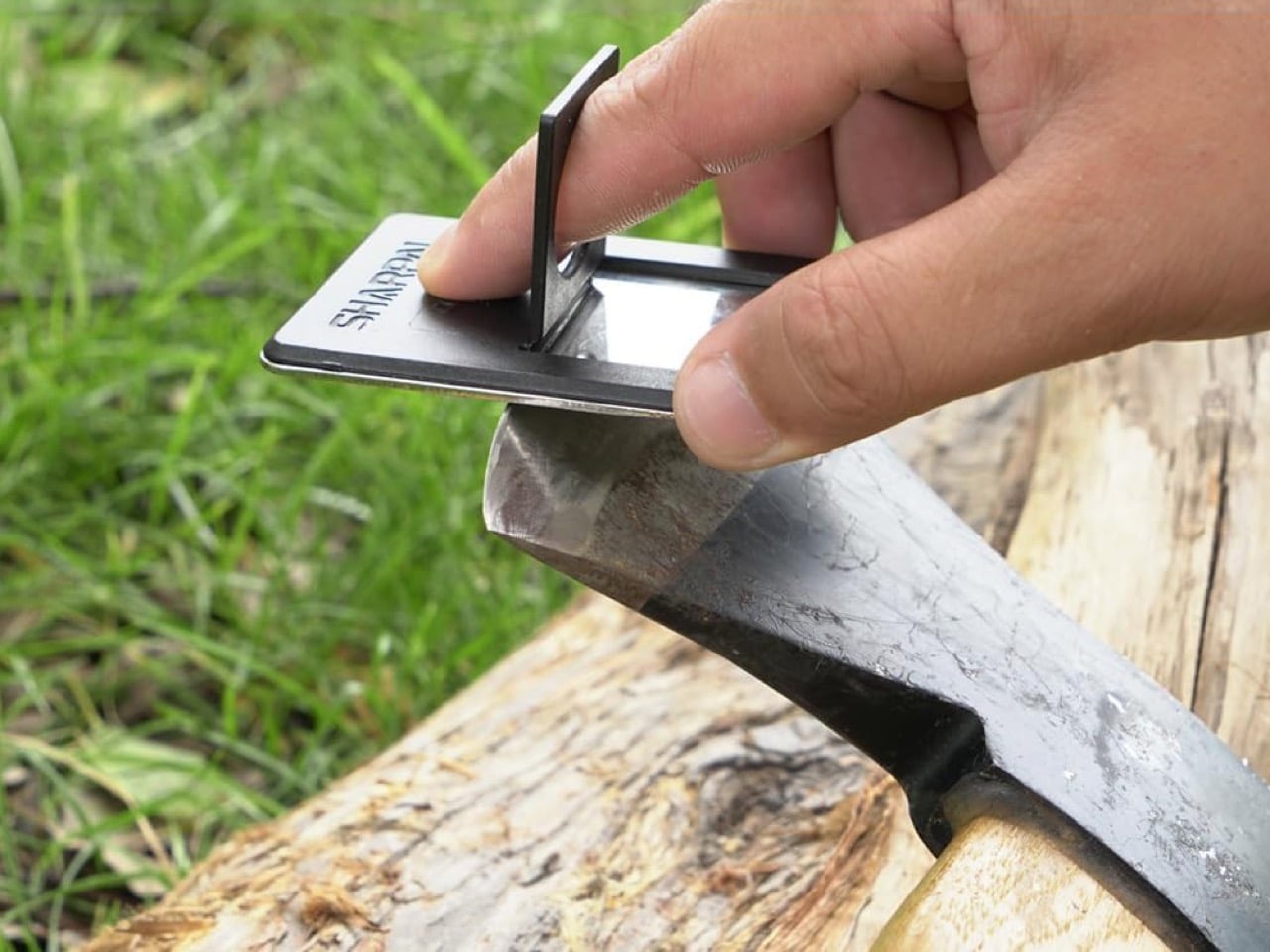
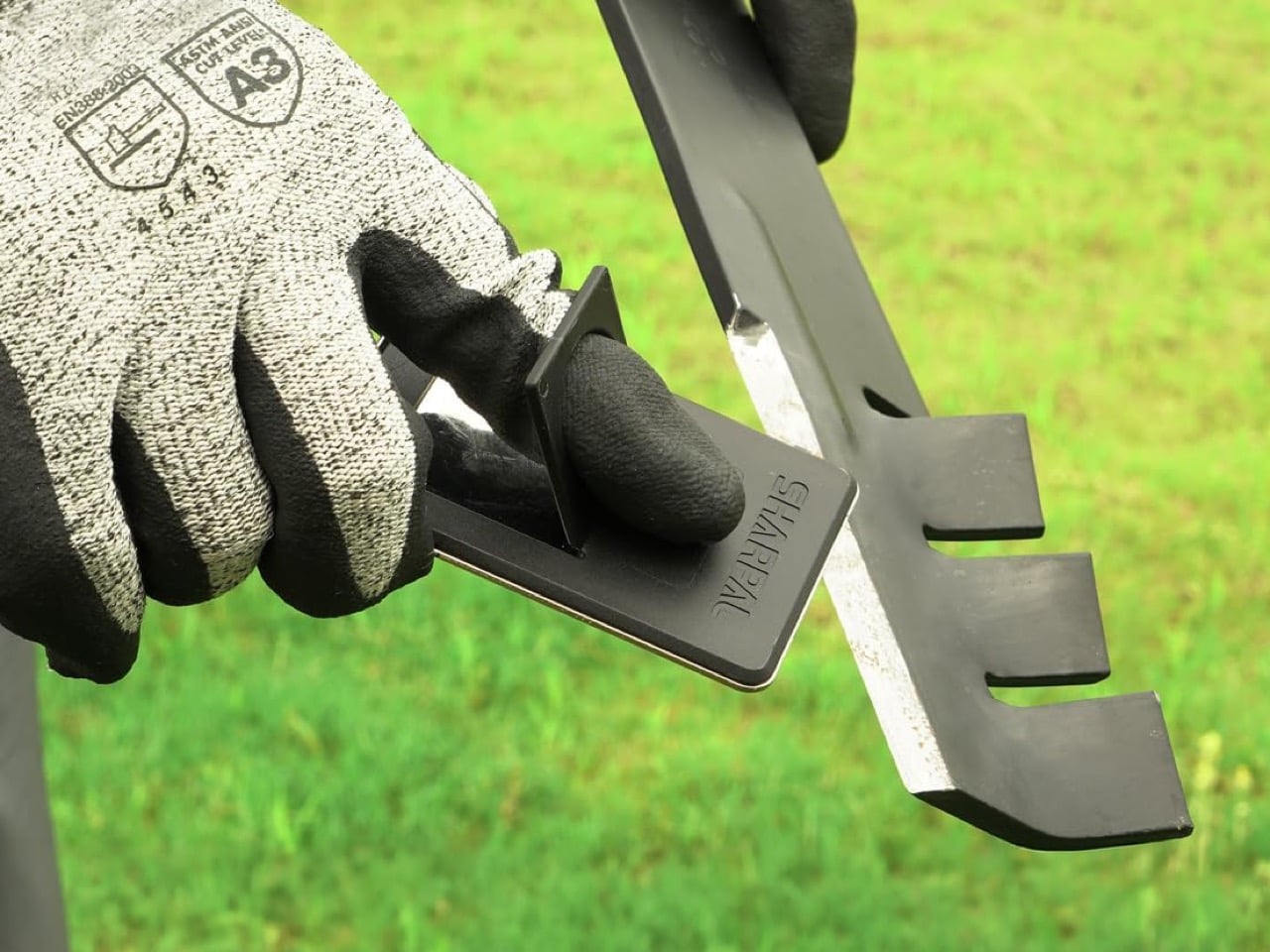
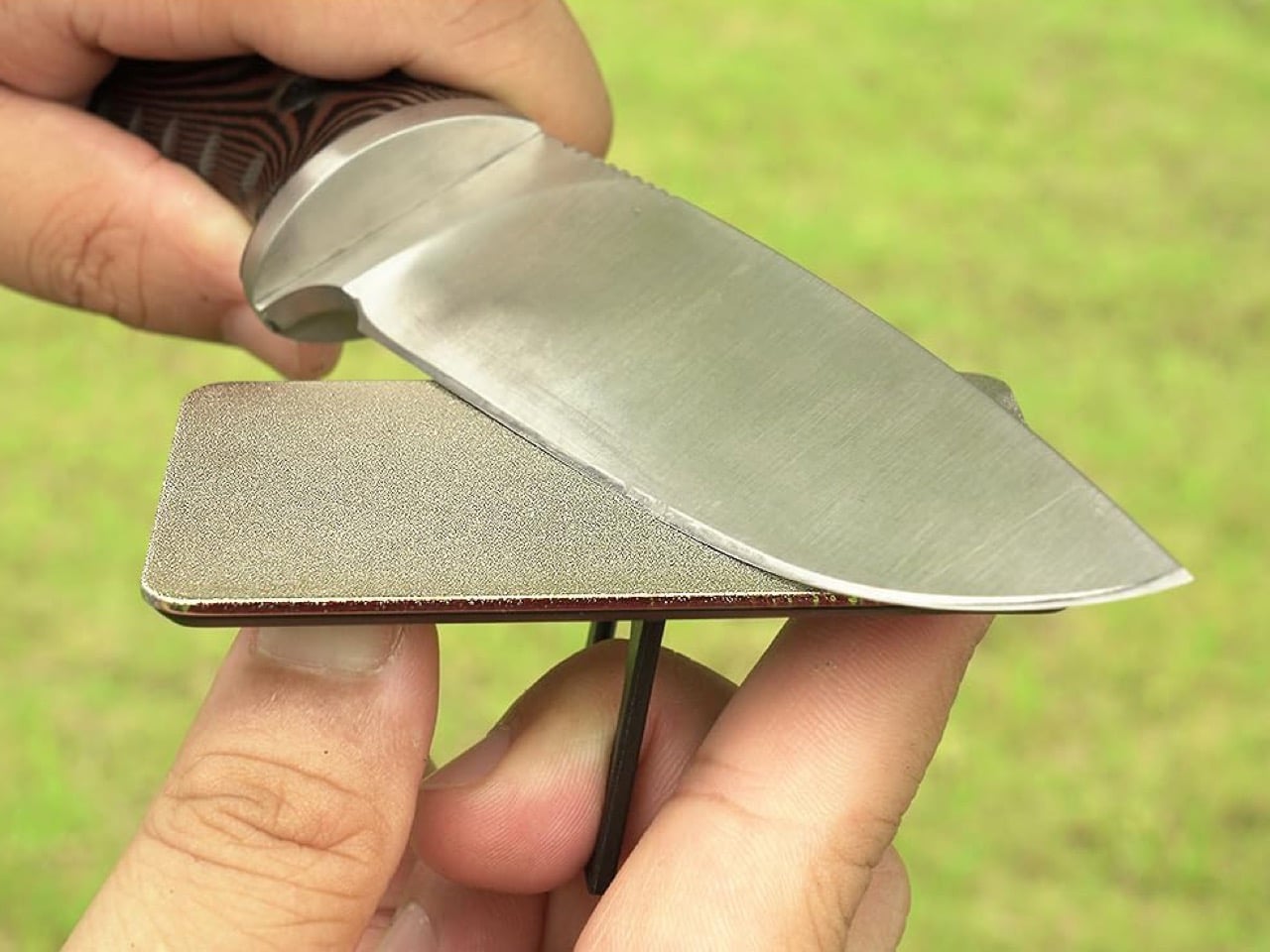
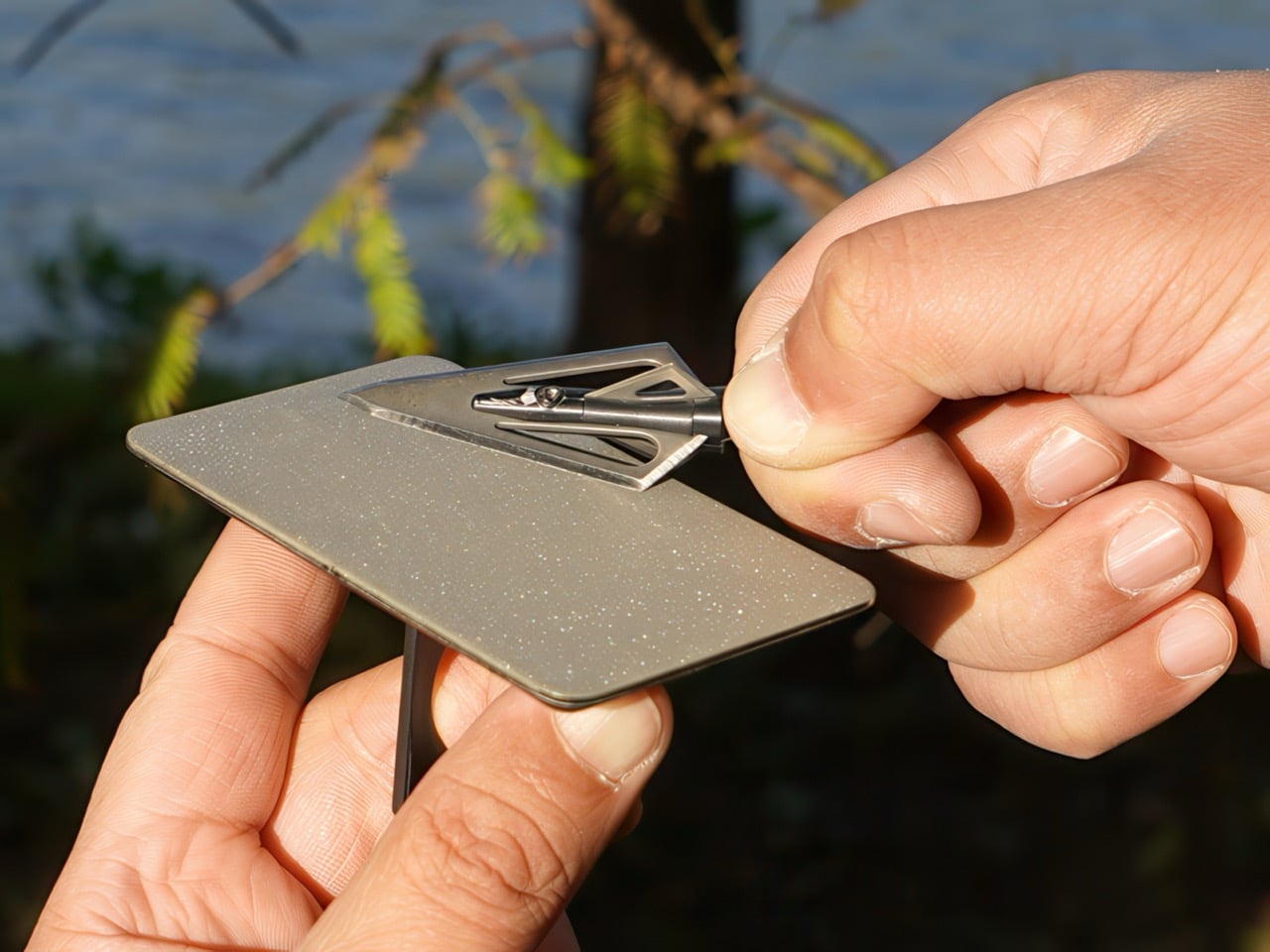
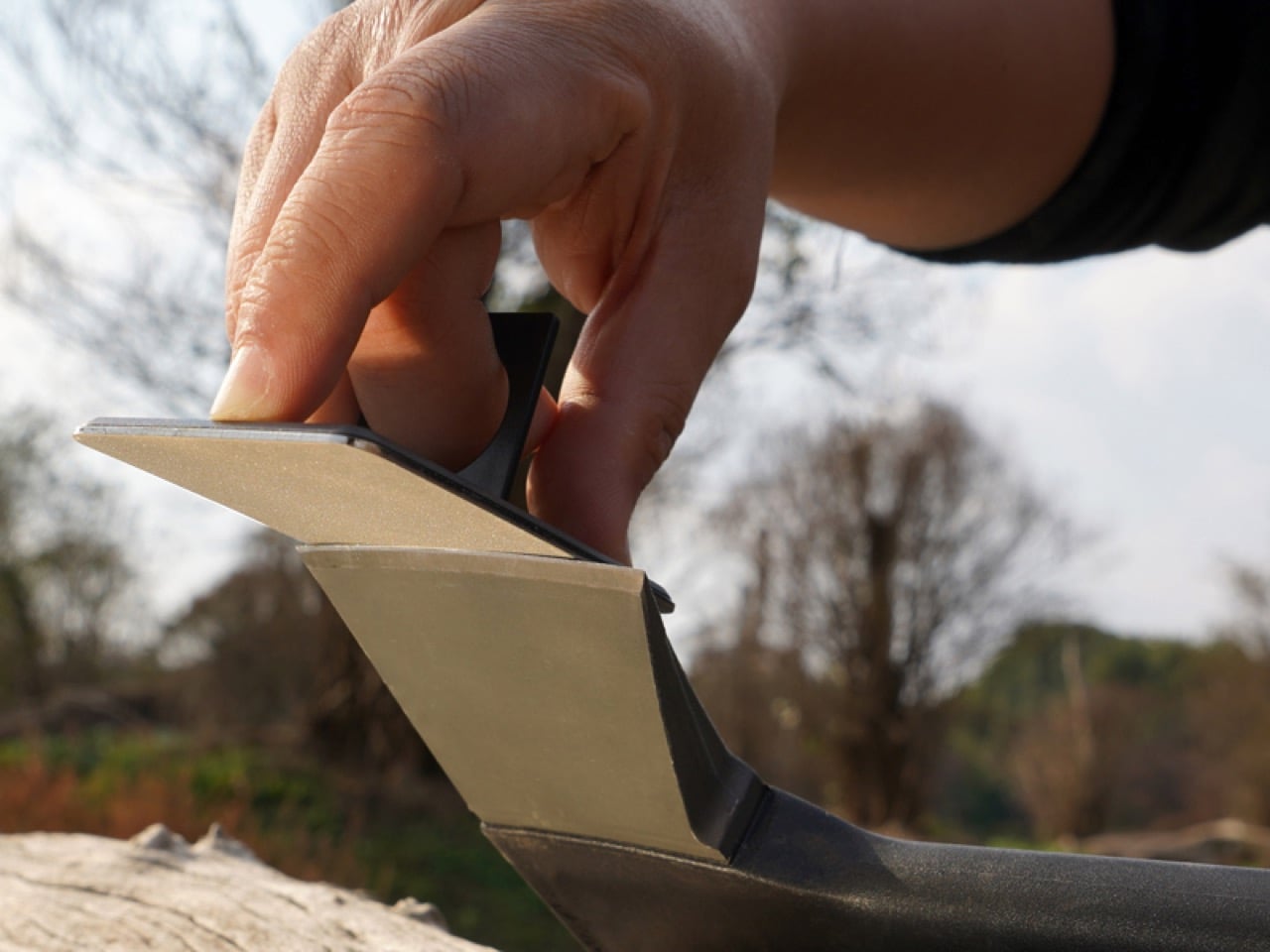
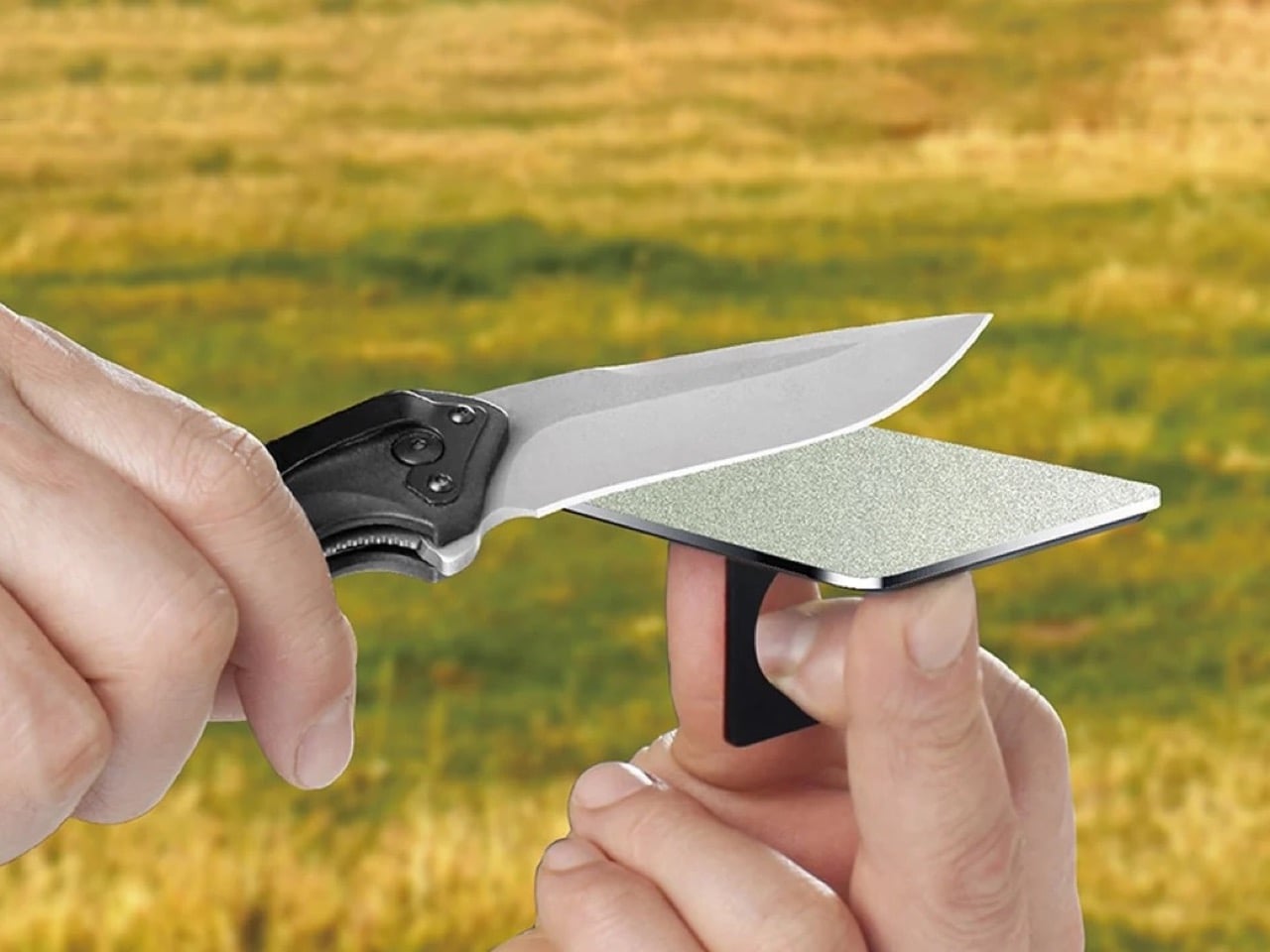
SHARPAL’s answer to that gap is the 113N, a sharpening stone built to credit-card dimensions so it lives wherever your cards live. The stainless steel base measures 3.5 by 2.12 inches and runs just 0.13 inches thick, making it genuinely wallet-compatible rather than merely wallet-adjacent. Industrial monocrystalline diamond abrasive is electroplated across the working face at 325 grit, a coarse cut that restores real edges rather than just polishing ones that don’t need it. A folding ring grip on the back keeps your fingers clear, and a mirror-polished reverse doubles as a signal reflector when the situation calls for it.

Designer: Sharpal Inc.

Click Here to Buy Now

Using the 113N in the field is a straightforwardly satisfying experience. The ring grip deploys with a simple fold, slipping over your middle finger and holding the card firmly against your palm while you work the blade across the surface. The contact feels authoritative in a way that smaller pocket sharpeners simply cannot replicate, because the working surface is large enough to take full strokes on a 3 or 4 inch blade without having to reposition mid-pass. The dry sharpening design means no oil, no mess, no preparation ritual, which matters enormously when you’re using it at a campsite, on a trail, or standing over a cutting board somewhere inconvenient. Steel swarf wipes off with a cloth, and the surface stays flat because there’s no hollow ceramic or soft bonded matrix to wear unevenly.

The abrasive choice separates the 113N from the pile of cheap credit-card sharpeners that populate the lower end of this category. Monocrystalline diamond means each abrasive particle is a single uninterrupted crystal structure, harder and more consistent than the polycrystalline alternatives found in bargain products. SHARPAL electroplates those crystals in nickel directly onto the stainless steel substrate, which keeps the surface flat and bonded over repeated use. The 325 grit rating places this firmly in coarse territory, 45 microns per particle, suited to reestablishing a proper edge bevel on a blade that’s gone genuinely dull. For finishing work or touch-ups on a maintained edge, SHARPAL also offers the same card format in 600 grit (114N) and 1200 grit (115N), and the three-pack of all three grits is one of the better value propositions in the entire sharpening category.

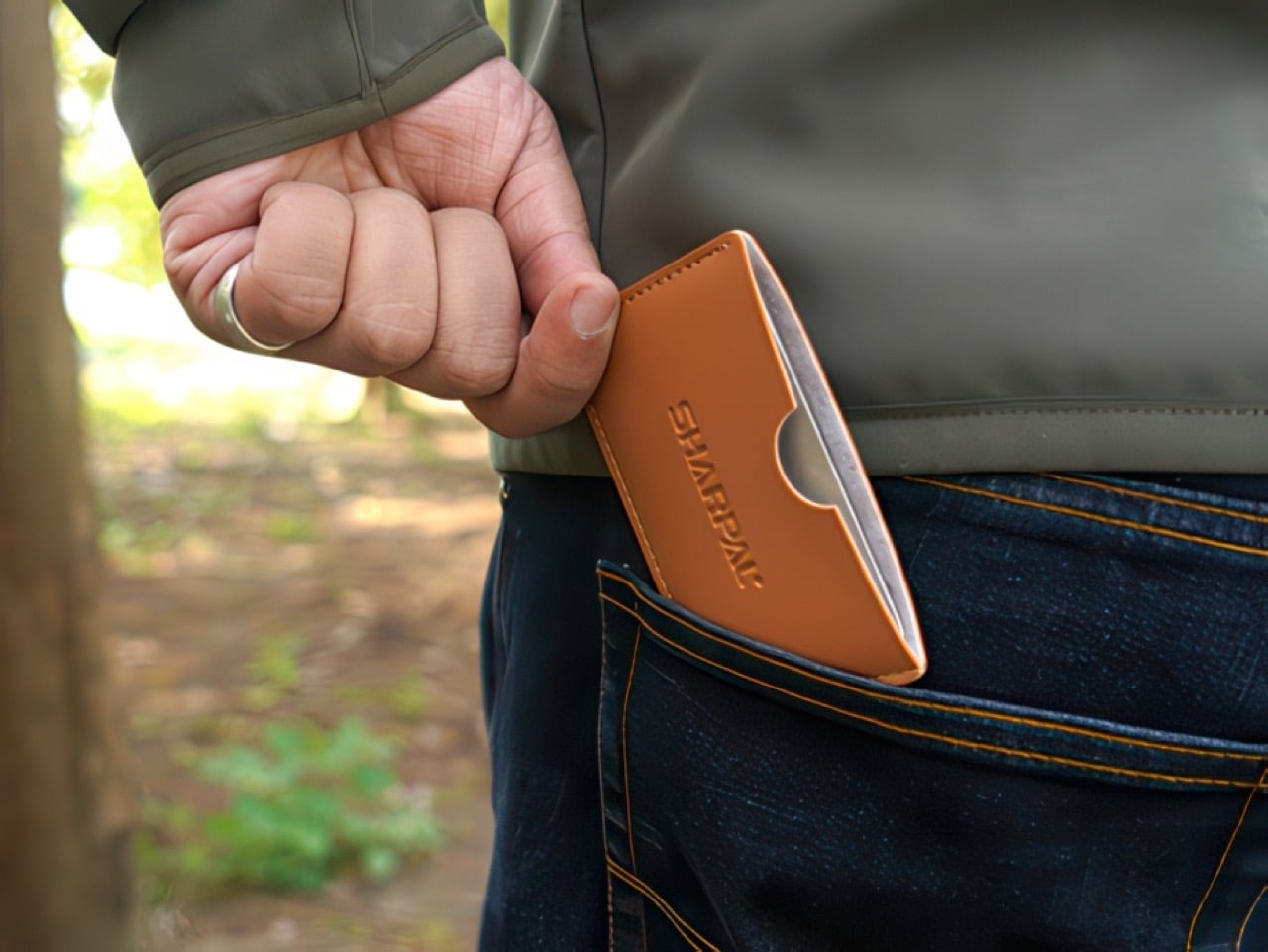
That’s just one side of the 113N, on the flip side of the abrasive knife-sharpener is a mirror-finish that has a unique feature. Any polished metal surface can redirect sunlight for emergency signaling, making it incredibly useful in a pinch. Sure, it’s not the primary reason to buy the 113N, but it’s a well-considered detail that fits the ethos of a tool designed to be carried rather than stored. The tan leather pouch included with the card completes the package in a way that feels considered rather than obligatory, protecting the abrasive face and giving the card a home inside a jacket or bag pocket.

The 113N lists for around $10 on Amazon for a single card, or $27 for a 3-pack that includes all three grits. Carrying the 113N alongside a decent folder like the Civivi Elementum or the Vosteed Vombat turns a passive carry into an active one, meaning the blade you grab in a pinch is actually sharp enough to matter. The one thing I’d love to see in a future revision is a dual-grit version with 325 on one face and 600 on the other, eliminating the need to carry two cards for a complete field sharpening session. Until then, the three-pack remains the obvious answer.

Click Here to Buy Now

The post SHARPAL’s Credit Card Knife Sharpener Is the EDC Accessory You Didn’t Know You Were Missing first appeared on Yanko Design.

This Ceramic Vase Is Actually a Phone Speaker That Needs No Power

The home has become increasingly cluttered with gadgets that need charging, pairing, and their own dedicated spaces. Even something as simple as playing music from a smartphone often involves a Bluetooth speaker sitting on a shelf, waiting for its battery to drain. There’s been a quiet counter-movement in product design, where objects do their jobs without power and sit in a room the way a vase or a mug would.

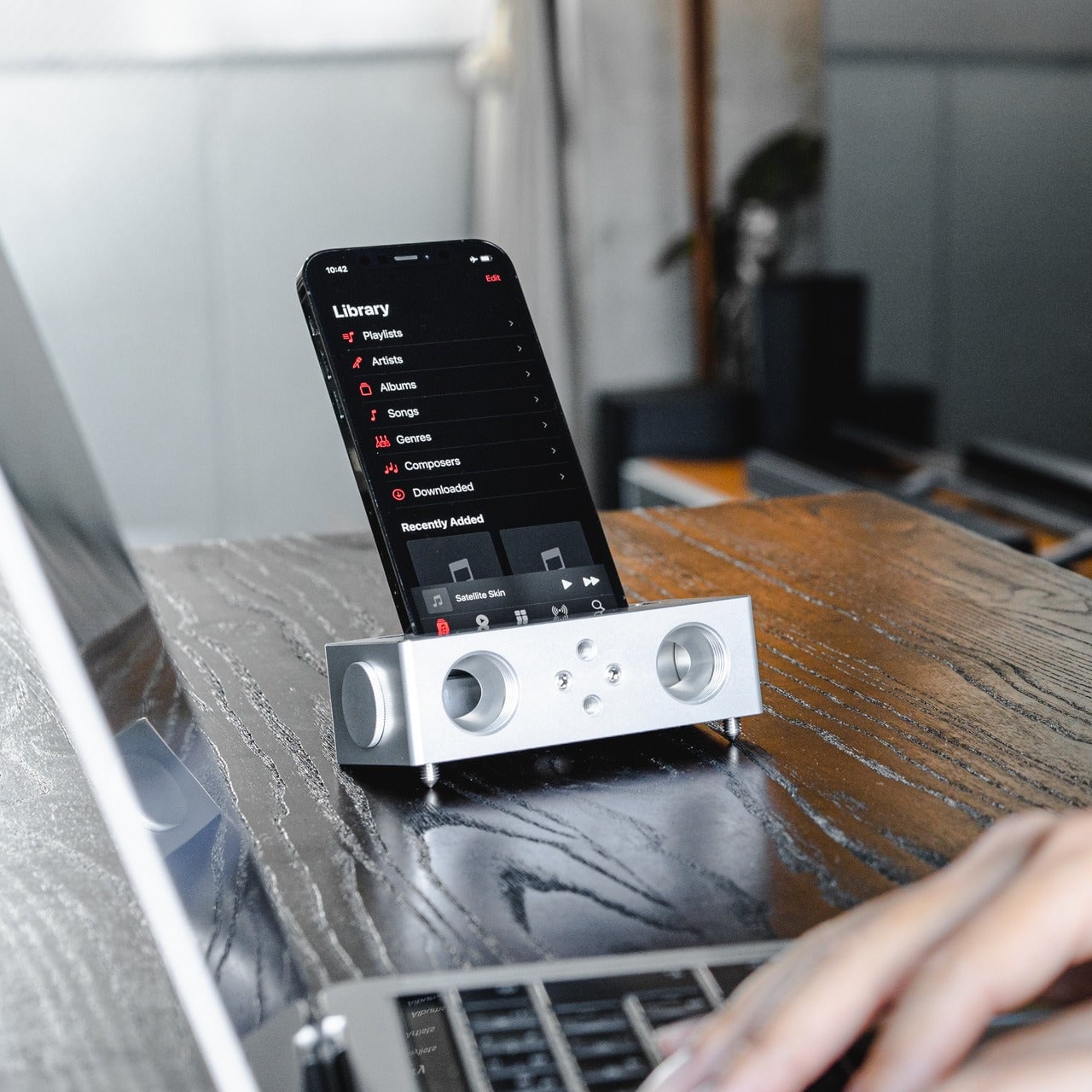
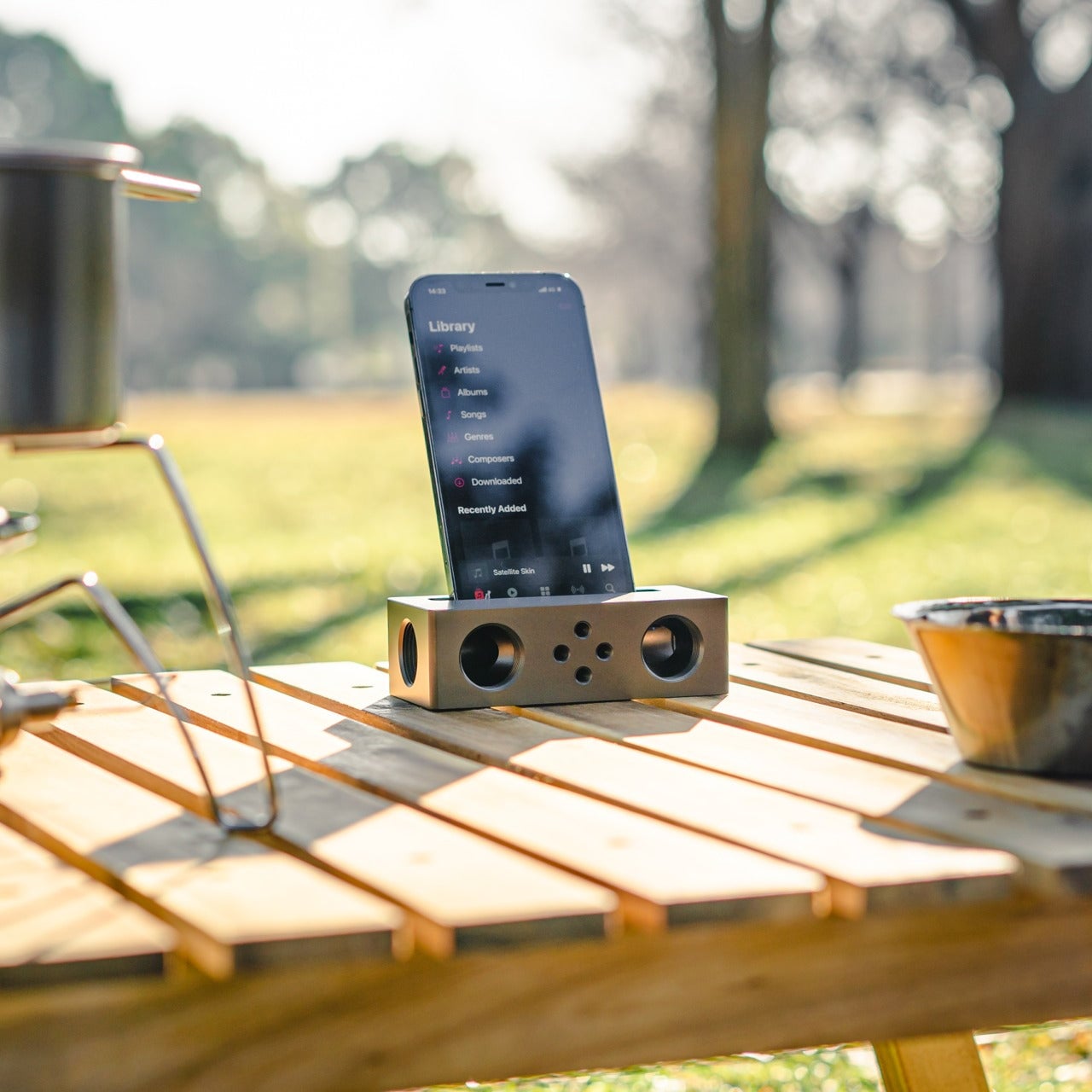
Kenji Abe’s ECHO is exactly that kind of object. It’s an analog speaker that amplifies smartphone audio simply by being set on top of the phone, requiring no power, no pairing, and no setup beyond placing it down. The concept takes its cues from wind instruments and seashells, two forms that have been shaping and projecting sound for centuries without the help of electricity.

Designer: Kenji Abe

The inside of ECHO works like a chamber, built to catch the phone’s audio and carry it outward in soft, diffused waves rather than projecting it directly. The geometry draws from the same logic as a cupped hand, but with more control over how sound travels. The result isn’t a dramatic volume boost so much as a room-filling quality that feels warmer than a powered speaker on a desk.

The choice of material makes as much of a statement as the form. Abe uses glazed ceramic, the same material found in vases, mugs, and tableware, giving ECHO a texture and presence that belongs in a home rather than on a tech shelf. It doesn’t look like an accessory. It looks like something that was always there, something that simply happened to be placed near a phone.

That quality matters when the phone is on the kitchen counter and you want music while cooking, or on a desk where you’d rather not have a speaker taking up permanent residence. ECHO doesn’t need to live next to a charging cable or be put away between uses. It sits on the table and becomes part of the room, as unobtrusive as any other ceramic piece nearby.

A guest walking in wouldn’t necessarily clock it as a tech product. That’s partly the point. The glazed surface catches light the way pottery does, and the form is quiet enough to sit beside books or plants without demanding attention. When a phone is slid underneath it, it starts doing its job. When the phone is gone, it just stays there, still looking like it belongs. The same underlying principle runs through the Battery-free Amplifying iSpeakers, where a Duralumin metal enclosure amplifies a smartphone’s audio without any power.

Abe designed ECHO to exist comfortably in a room even when it isn’t doing anything, a goal most speakers never consider. Most audio accessories announce themselves. This one quietly waits, and when a phone is close enough to fill the cavity with sound, the room gets a little warmer and a little fuller without anyone having to reach for a power button.

The post This Ceramic Vase Is Actually a Phone Speaker That Needs No Power first appeared on Yanko Design.

The 5 Best Tech Gadgets of May 2026

May 2026 is a good time to be paying attention. Gadgets aren’t just getting faster or thinner; the best ones this month are getting more intentional. There’s a shared thread running through every standout: each was built around a real constraint, a real behavior, or a real cultural moment, rather than a spec sheet searching for an audience. Five products rose above the rest, and each earns its spot for a distinctly different reason.

From a foldable phone that demolishes the category’s $800 price floor to a Nintendo Switch add-on that turns a gaming console into a live production rig, the range here is unusually wide. What connects them is the quality of thinking underneath. These aren’t renders looking for investment. They’re real objects designed to change how you work, listen, create, and move through a day. That’s the only brief that actually matters.

1. NASA Artemis Watch 2.0

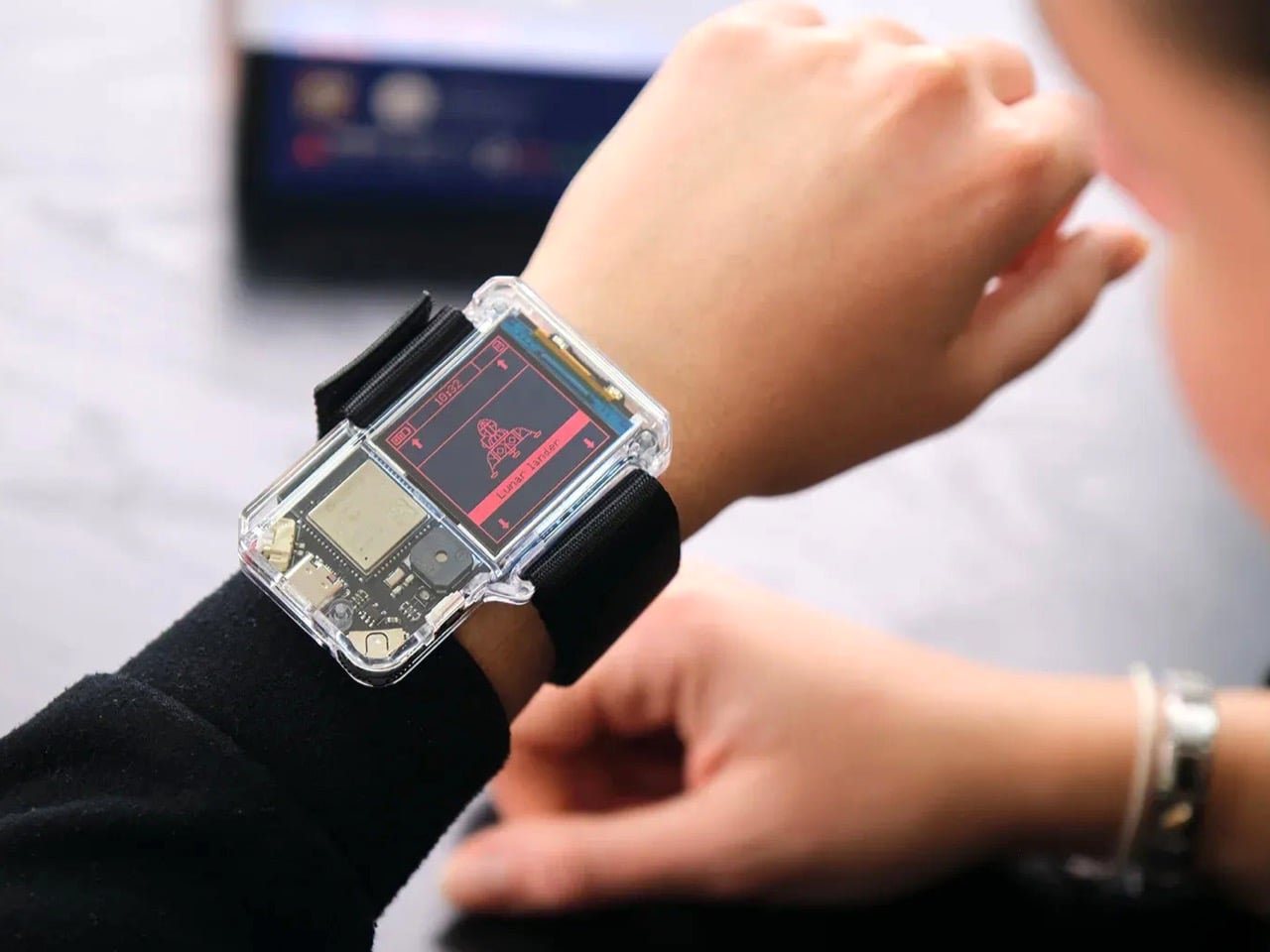
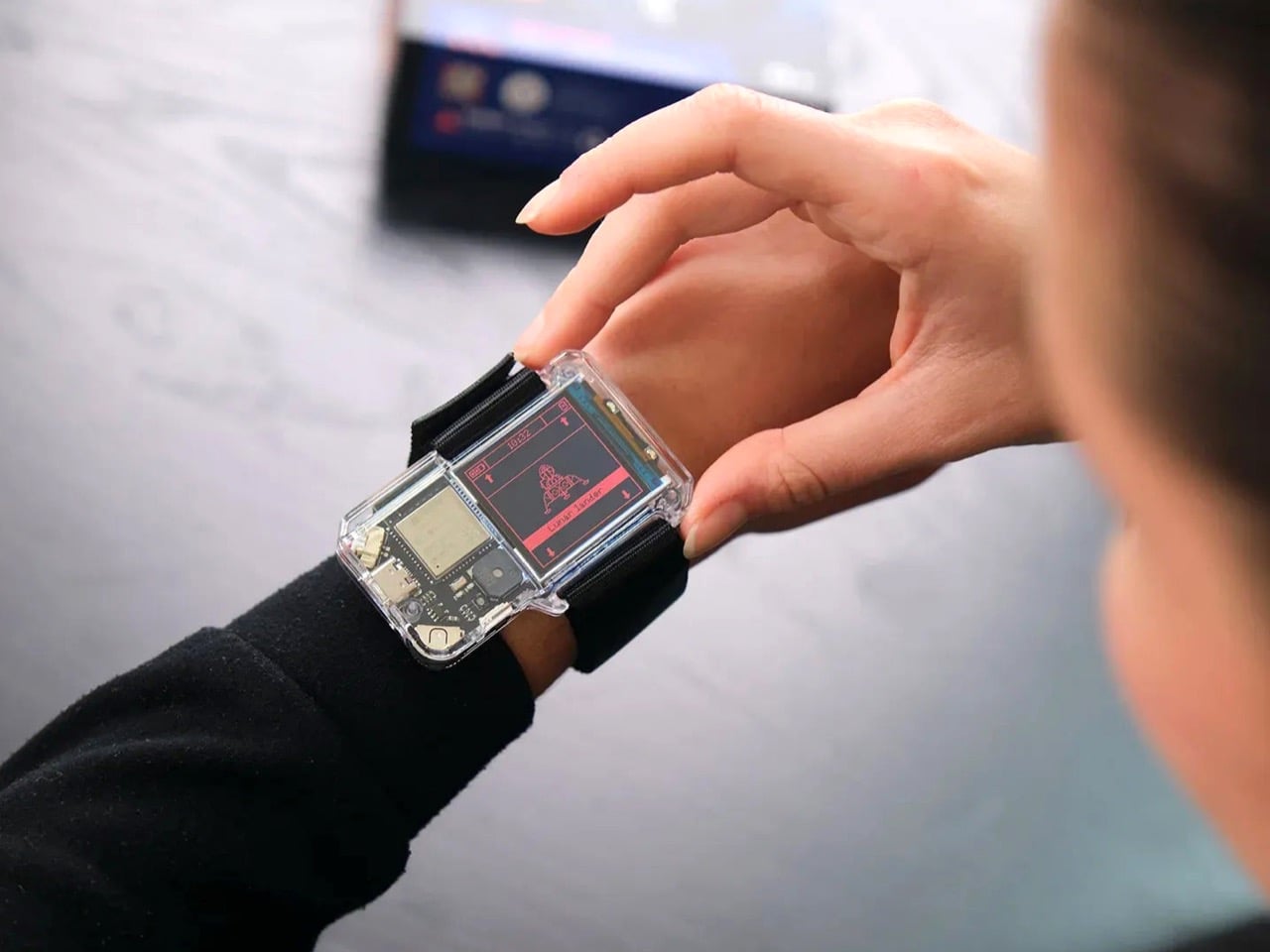
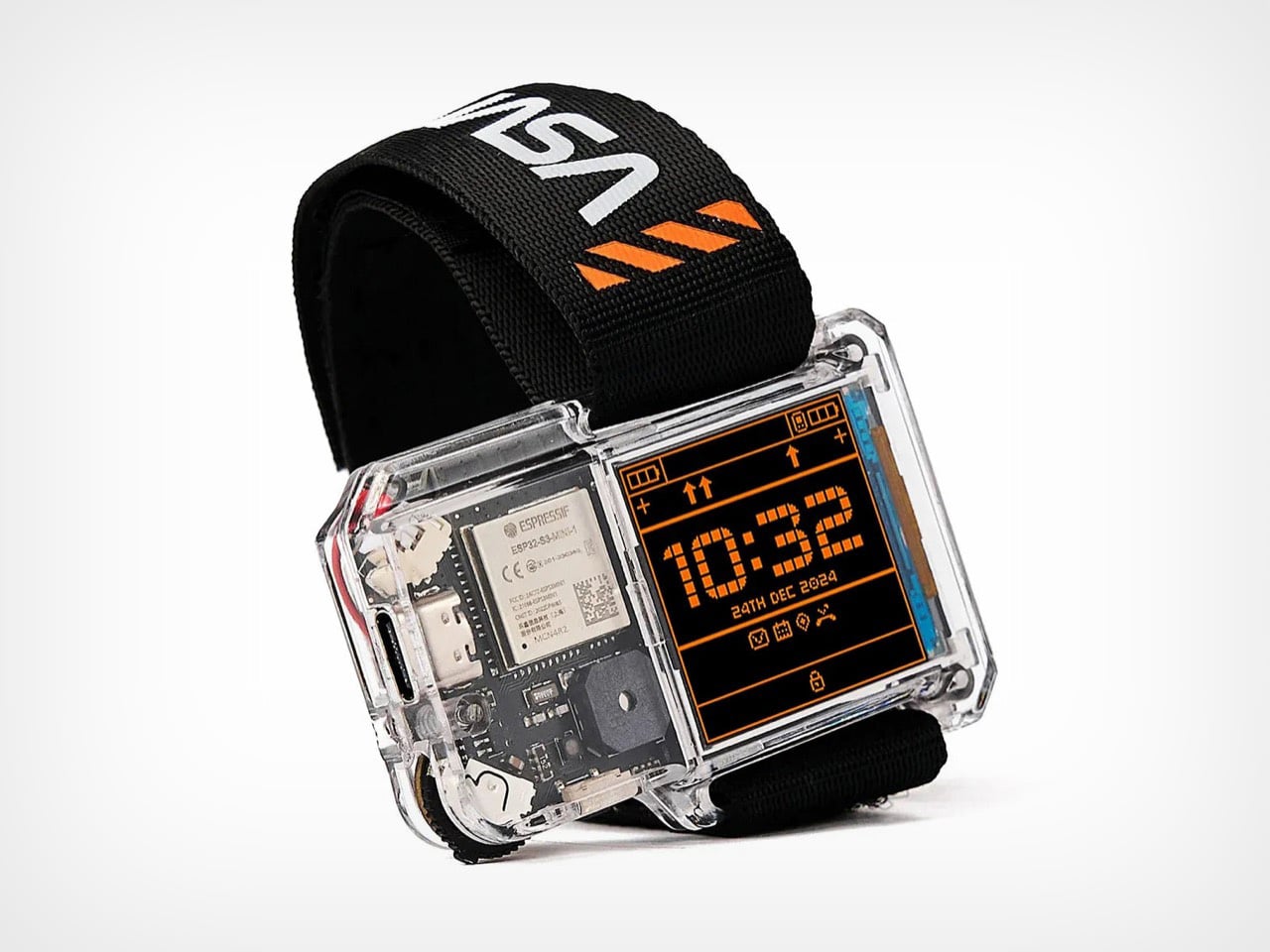
NASA’s Artemis II lifted off from Kennedy Space Center on April 1, 2026, carrying four astronauts on humanity’s first crewed lunar journey in over 50 years. CircuitMess timed the NASA Artemis Watch 2.0 directly into that cultural gravity. At $129, it’s a fully assembled, ready-to-use programmable smartwatch built around a dual-core ESP32 microcontroller, with a full-color LCD screen, accelerometer, gyroscope, compass, and temperature sensor packed into a wristband designed for anyone aged nine and up who wants more than a fitness tracker strapped to their wrist.

What makes it worth your attention is the depth it offers without demanding anything upfront. Out of the box, it pairs with iOS and Android over Bluetooth for activity tracking and notifications. When curiosity takes over, the firmware is fully open-source and reprogrammable in Python, CircuitBlocks, or the Arduino IDE. Build custom watch faces, write your own apps, and modify sensor behavior as far down as you want to go. The Artemis Watch 2.0 is one of the rarer gadgets at this price: it genuinely grows with the person wearing it.

What we like

  • Fully open-source firmware supports Python, CircuitBlocks, and Arduino, giving both beginners and experienced coders meaningful room to explore and build
  • Ships fully assembled and ready to use straight out of the box, lowering the barrier to entry without removing any of the technical depth underneath

What we dislike

  • At $129, it asks for more commitment than most impulse purchases in the kids’ tech category allow for
  • Screen performance in direct sunlight hasn’t been addressed in any available documentation

2. OrigamiSwift Mouse

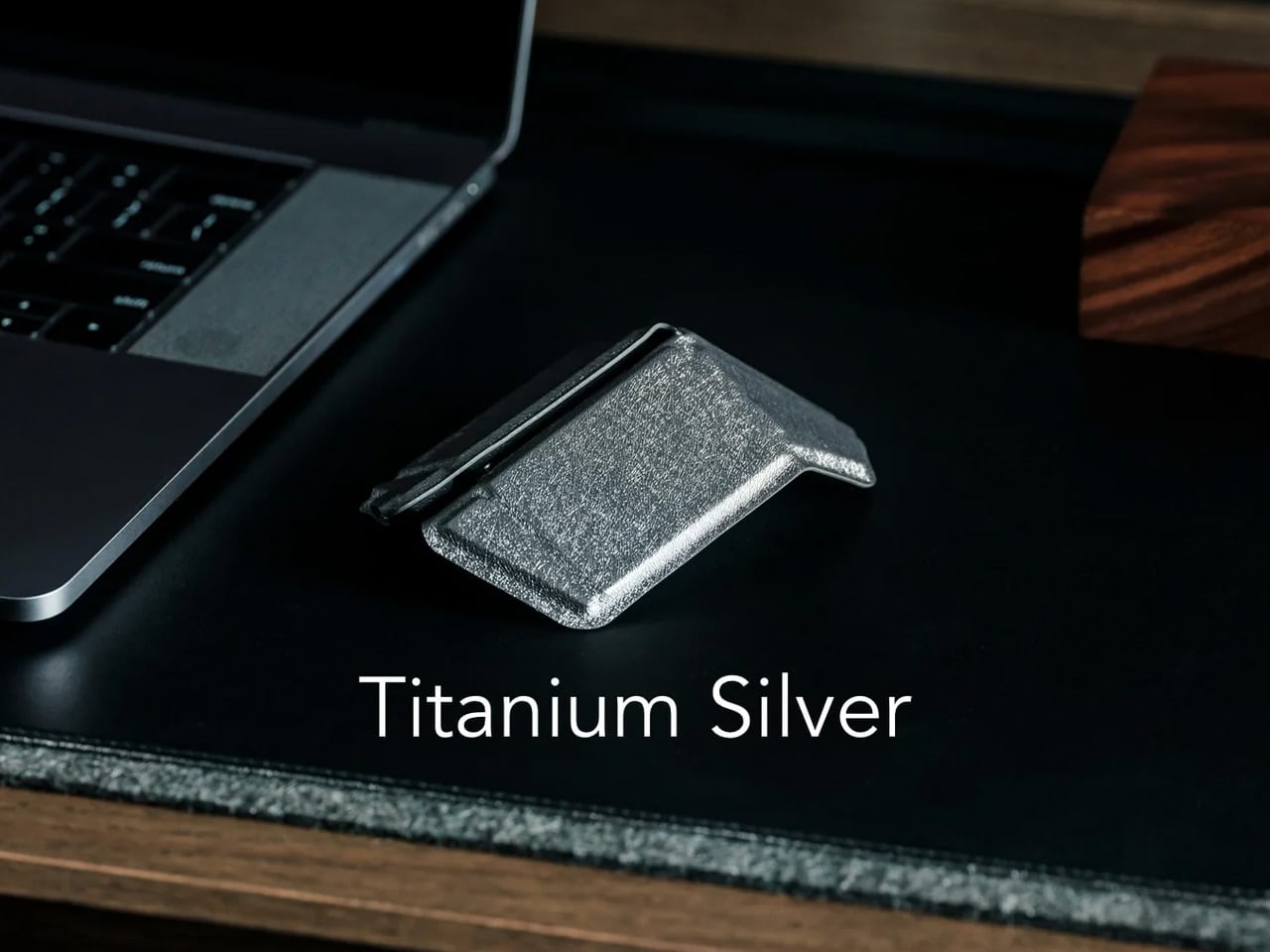
Every frequent traveler has made the same quiet compromise: leave the proper mouse at home or carry something too small to work with comfortably for more than an hour. OrigamiSwift was built precisely around that problem. It’s a Bluetooth mouse that folds flat when not in use, weighs just 40 grams, and opens into full working position in under half a second. The origami-inspired form isn’t a styling exercise. It’s a structural answer to the oldest tension in portable peripherals: comfort has always cost you size.

The ergonomic shaping holds up across extended work sessions, which matters more than most product pages acknowledge. Whether you’re finalizing a presentation at an airport gate or editing documents in a co-working space, OrigamiSwift stays comfortable in your hand and disappears into a bag when you’re done. The ultra-thin profile and minimal build weight mean it never adds anything meaningful to your load. For anyone who genuinely works from wherever they happen to be, this is the mouse that finally makes sense to own.

Click Here to Buy Now: $85.00

What we like

  • 40-gram weight and flat-fold profile make it practically invisible in any bag, disappearing entirely until you actually need it
  • Sub-0.5-second activation means there’s no friction at all between being packed and being productive

What we dislike

  • Available listings don’t confirm DPI range or scroll wheel responsiveness for anyone doing precision work
  • Bluetooth-only connectivity may create compatibility friction with older desktop setups that lack wireless support

3. Ai+ Nova Flip

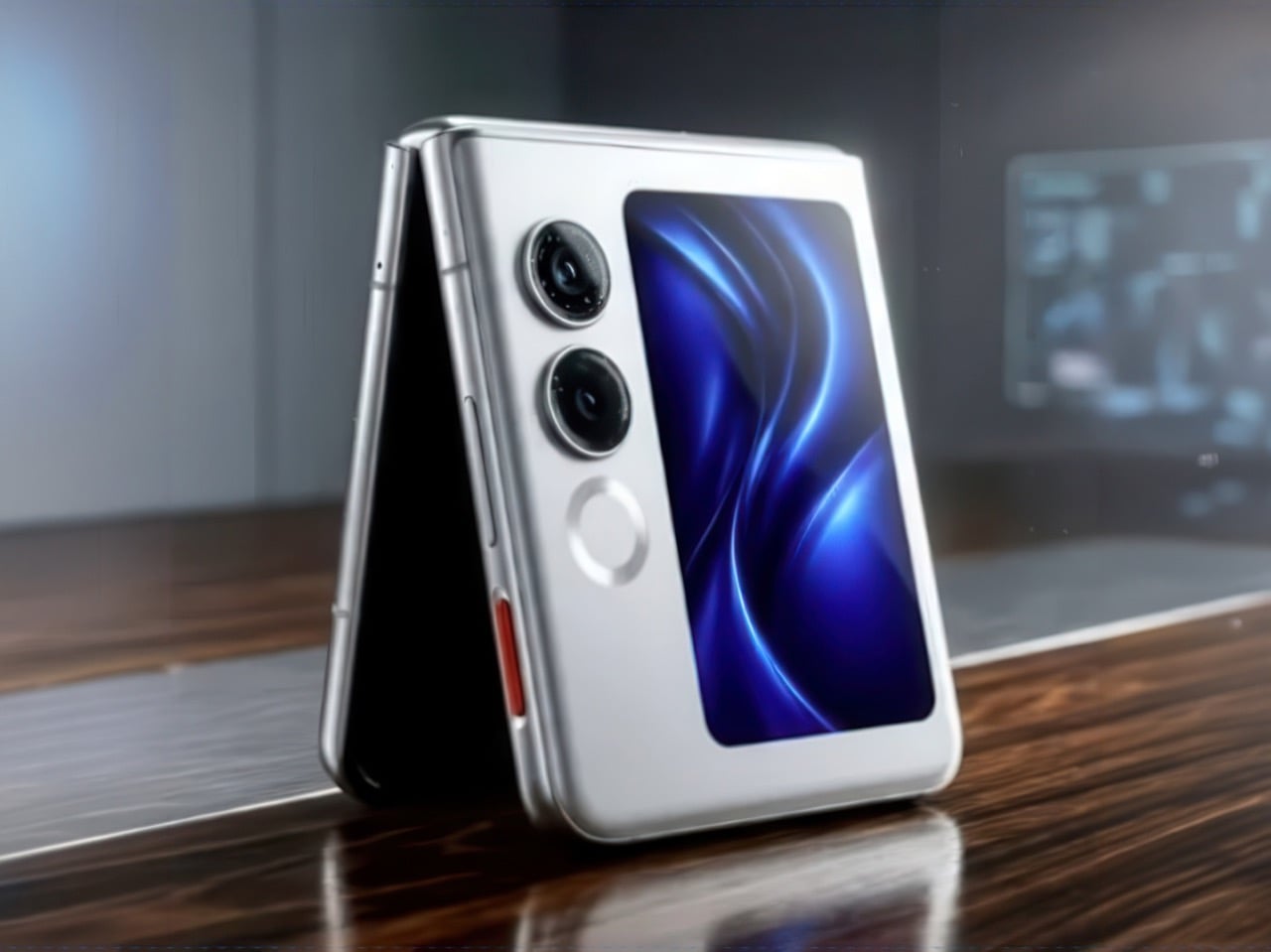
The foldable phone category has spent five years convincing itself that the flip experience carries a natural premium of $800 or more. Ai+ is testing that assumption head-on with the Nova Flip, launched in India at Rs 29,999, roughly $320, making it the most accessible foldable phone on the market. The inner display is a 6.9-inch AMOLED panel resolving at 2790 x 1188 pixels, complemented by a 3.1-inch AMOLED cover screen. MediaTek’s Dimensity 7300 handles processing, paired with 8GB of LPDDR4X RAM and 256GB of internal storage.

The spec list doesn’t read like a budget compromise. A 50-megapixel primary camera, a 32-megapixel front shooter, and a 4325mAh battery with 33W wired charging all hold credibly against devices at double the price. 5G, NFC, and an IP64 dust and splash rating close out a package that would feel serious in any category. The Nova Flip doesn’t just undercut the competition on price. It quietly forces a harder conversation about what the flip form factor has genuinely been worth at $1,000 all along.

What we like

  • $320 pricing opens the foldable phone experience to an entirely new audience that the category has ignored since its beginning
  • The 4325mAh battery is a genuinely surprising capacity for the flip form factor at any price point, let alone this one

What we dislike

  • The 2-megapixel depth lens reads as the weakest component in an otherwise strong and well-considered camera array
  • Long-term hinge durability at this price tier is unproven and worth tracking carefully over time

4. Akai MPC Switch

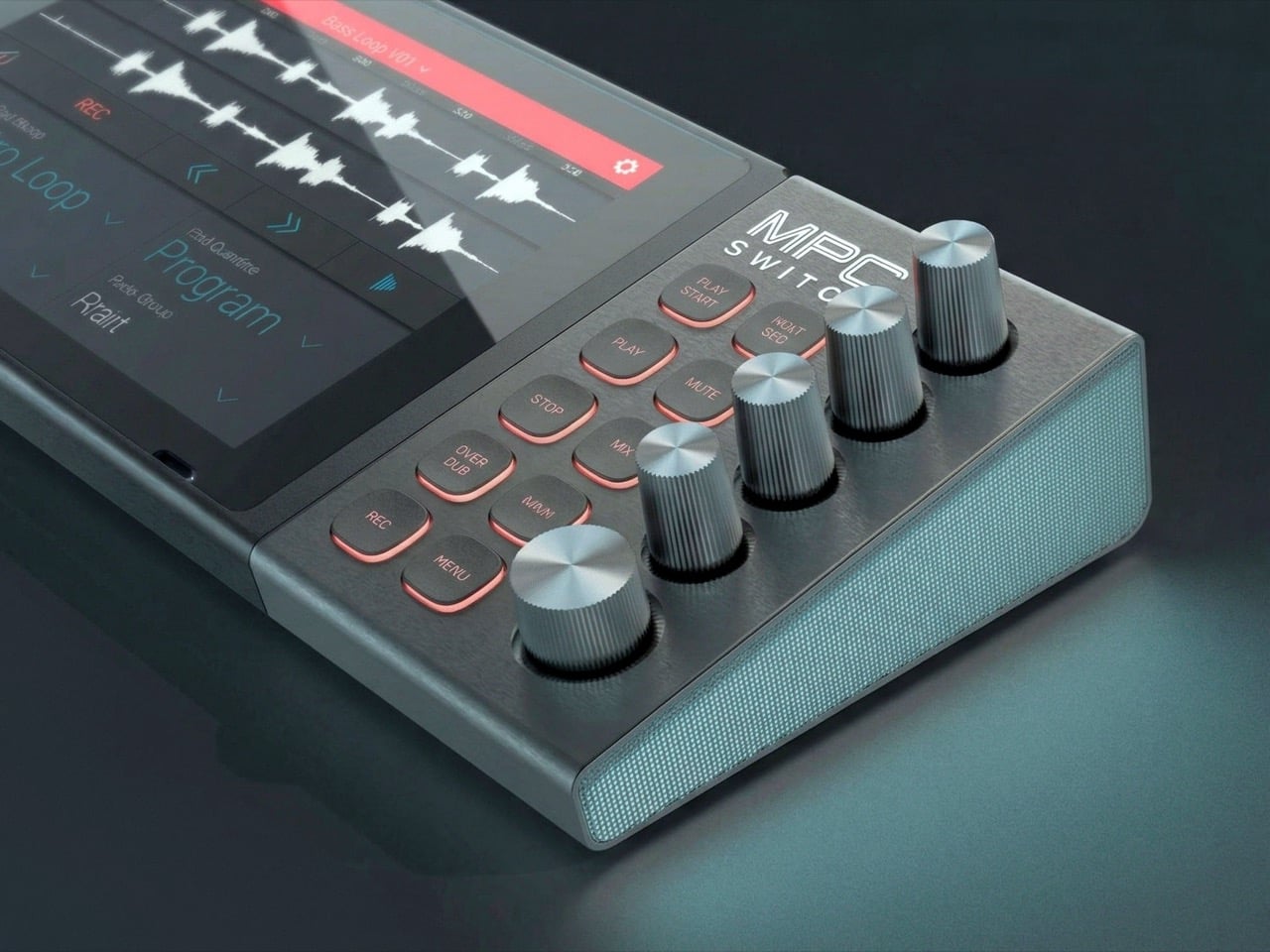
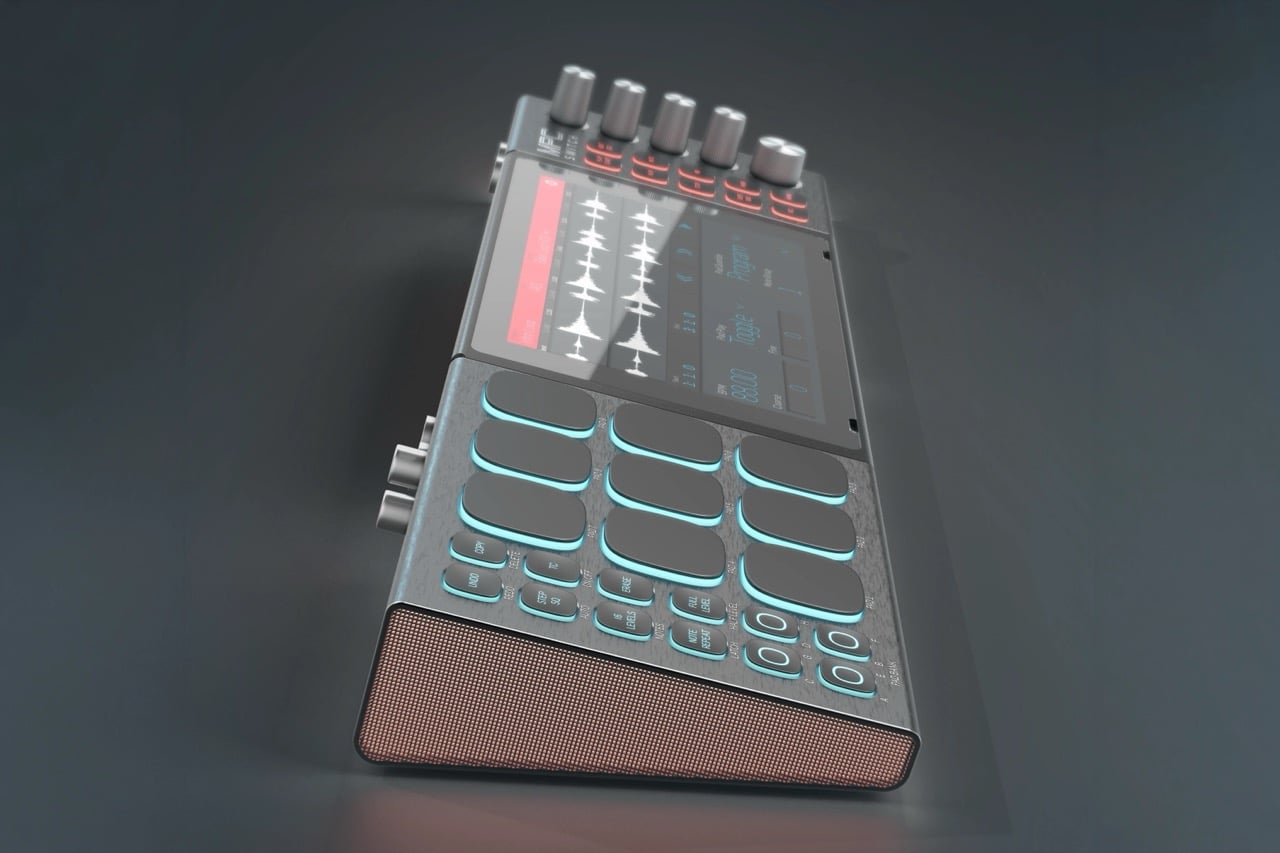
Alquemy’s Akai MPC Switch concept asks a question that feels obvious the moment someone finally puts it to you: if laptop-grade software can run on portable hardware, why can’t a capable gaming console handle serious music production? The MPC Switch is a pair of controller units designed to snap directly onto the sides of a Nintendo Switch, replacing the Joy-Cons with MIDI inputs, outputs, and a full DAW running on the console’s own screen. The control layout reflects real production workflows rather than a stylized render built for social media.

The appeal runs deeper than the novelty of the form. The concept treats the Switch as a legitimate interface surface: something you game on when you need to and produce or perform on when the moment calls for it. Swap the Joy-Cons for the MIDI setup, and you’re there. Whether Nintendo or Akai ever moves this into production is a separate question entirely, but Alquemy has made a persuasive case that the idea deserves a real answer. The best concepts don’t just look good. They make you wonder why nobody shipped it first.

What we like

  • MIDI integration and a credible DAW interface position the Switch as a serious production platform rather than a novelty peripheral
  • The Joy-Con snap mechanism makes the transition between gaming and music production genuinely seamless in concept

What we dislike

  • No confirmed production timeline means this remains aspirational, with no clear path in your hands
  • The Switch’s processing ceiling may be a real constraint for complex, multi-layer production sessions

5. StillFrame Headphones

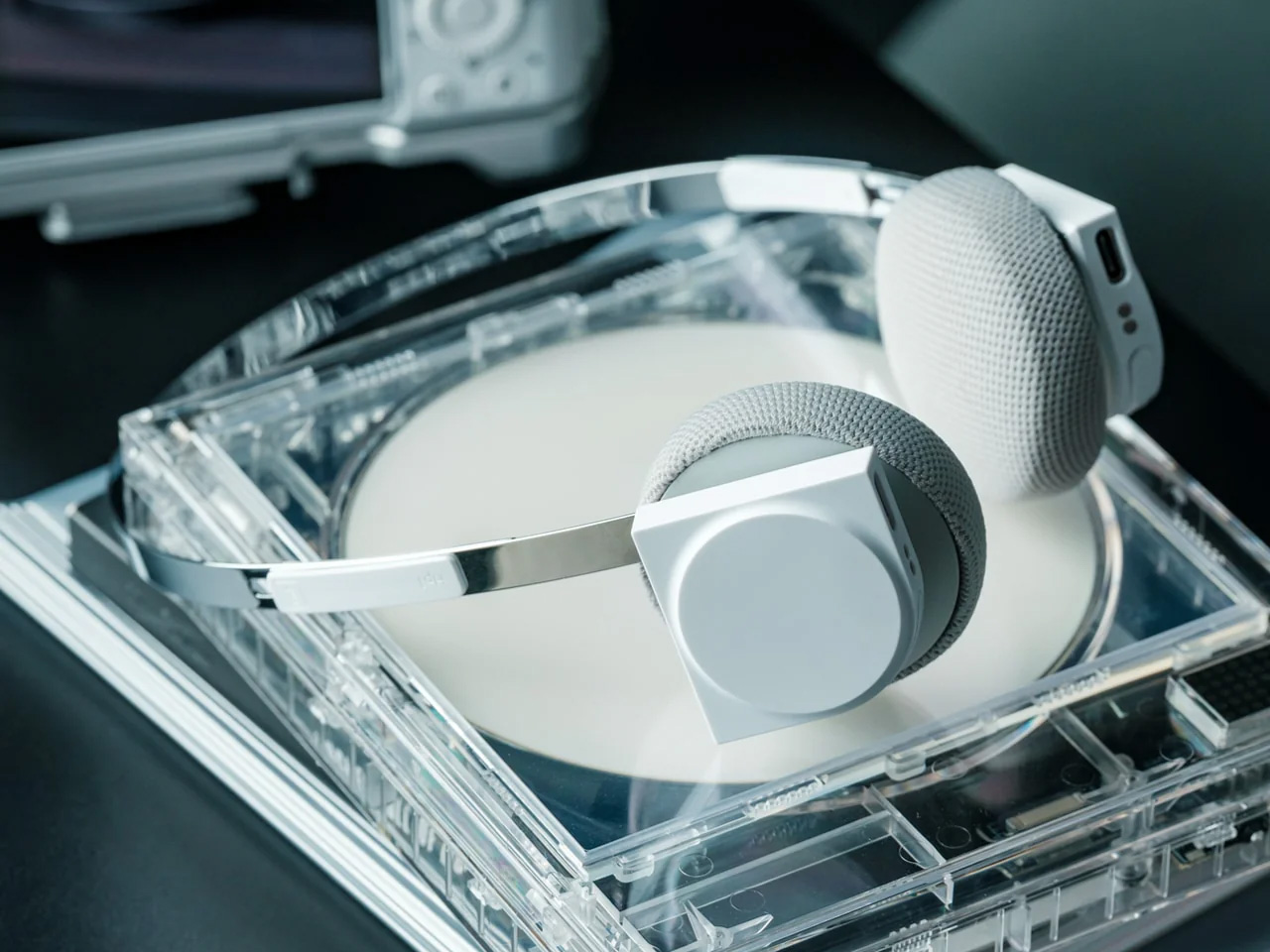
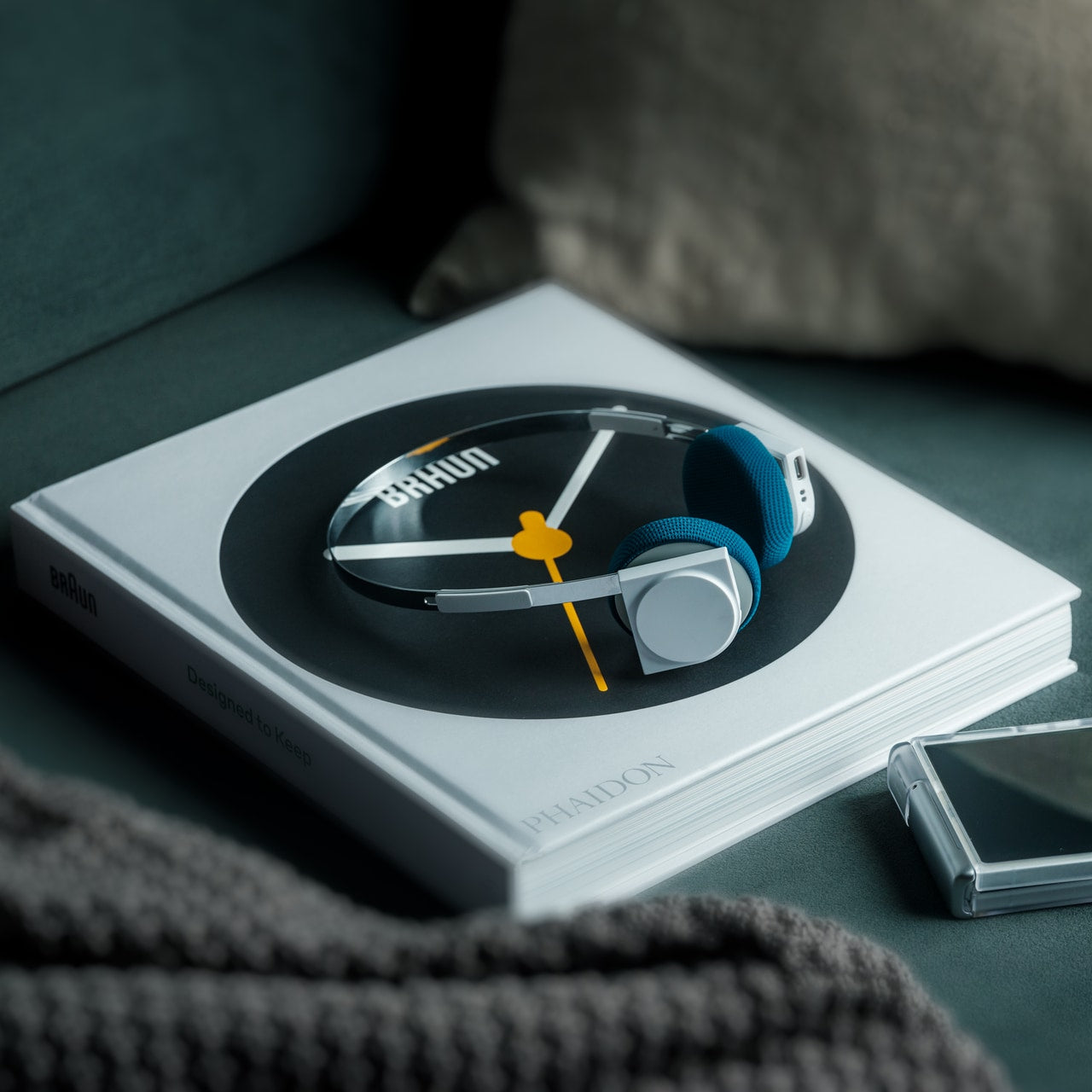
Most headphone designs land at one of two poles: the over-ear build that announces itself before you even put it on, and the in-ear solution that disappears but gives nothing back in soundstage. StillFrame lands somewhere more considered than either. At 103 grams, it sits closer to weightless than wearable. The 40mm drivers are tuned for a wide, open soundstage that pulls spatial detail and melodic texture out of tracks that most headphones flatten into undifferentiated background noise.

Active noise cancellation closes you off when focus demands it. Transparency mode reconnects you to the room when the world around you matters more. Battery holds at 24 hours, covering a full workday, an overnight flight, and the morning after with no cable required. Switching between modes takes a single tap. StillFrame was designed around the premise that how you listen should adapt to where you are, not the other way around. That’s a harder brief to execute cleanly than it sounds, and the weight alone suggests it’s been taken seriously.

Click Here to Buy Now: $245.00

What we like

  • 103 grams is a genuinely rare achievement for an over-ear headphone carrying both ANC and full-size 40mm drivers
  • 24-hour battery life covers the kind of all-day, real-world use that most headphones in this category only claim to handle

What we dislike

  • No published information on codec support, like LDAC or aptX, for listeners who prioritize wireless audio fidelity
  • Colorway and finish options appear limited in current listings, which may be a sticking point for buyers who care about visual identity

The Only Standard That Matters Is the One You Can Feel

May 2026’s strongest gadgets share something harder to write into a spec sheet than battery life or pixel count. Each was designed around a specific friction point and resolved it with a precision that feels purposeful rather than accidental. The Artemis Watch converts a cultural moment into a learning platform. The Nova Flip resets the floor of an entire category. The OrigamiSwift solves a portability problem that dozens of mice before it never genuinely addressed.

StillFrame and the Akai MPC Switch represent opposite ends of the development spectrum, one shipping and one conceptual, but both make the same underlying argument: that considered design changes the terms of what a product is allowed to be. Whether you’re optimizing a travel bag or rethinking a music studio from a gaming console, the standard these five set is worth taking seriously. The best gadgets this month aren’t the loudest ones in the room. They’re the most resolved.

The post The 5 Best Tech Gadgets of May 2026 first appeared on Yanko Design.

This 4-in-1 Hands-free Flashlight Clips To Clothes, Snaps to Your Phone, and Stands on Its Own

A Red Dot Design Award and a $210,000 Kickstarter campaign are two very different kinds of validation. One comes from a jury of design professionals evaluating form, function, and coherence. The other comes from tens of thousands of people who looked at a product and handed over money before it shipped. SparkO, the compact wearable EDC flashlight from California’s ScoutLite, earned both. That combination suggests something specific about the object: it reads clearly to designers and solves something real for everyday people. At $45.99 and 40 grams, the barrier to entry is low enough that hesitation becomes difficult to justify.

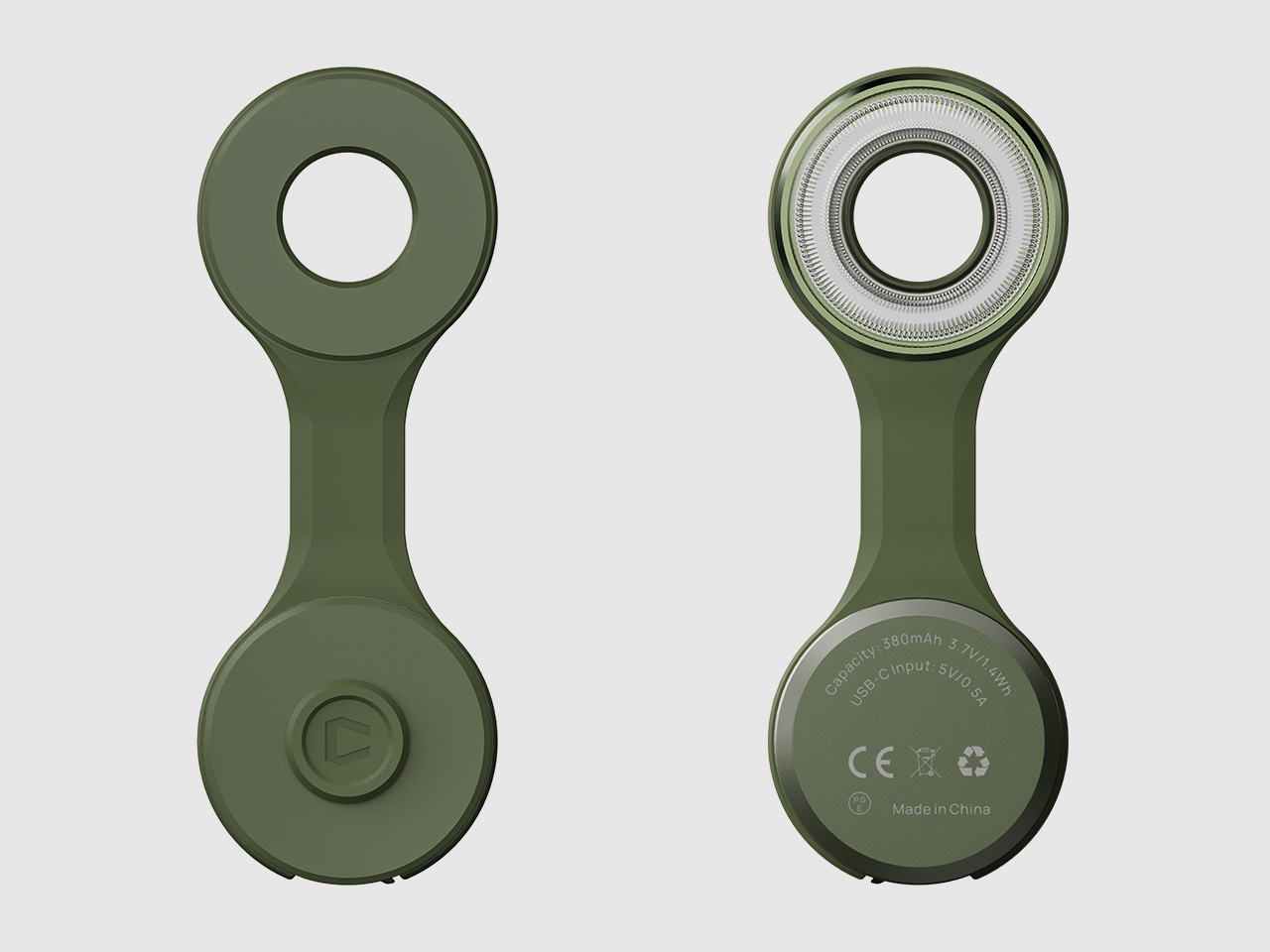
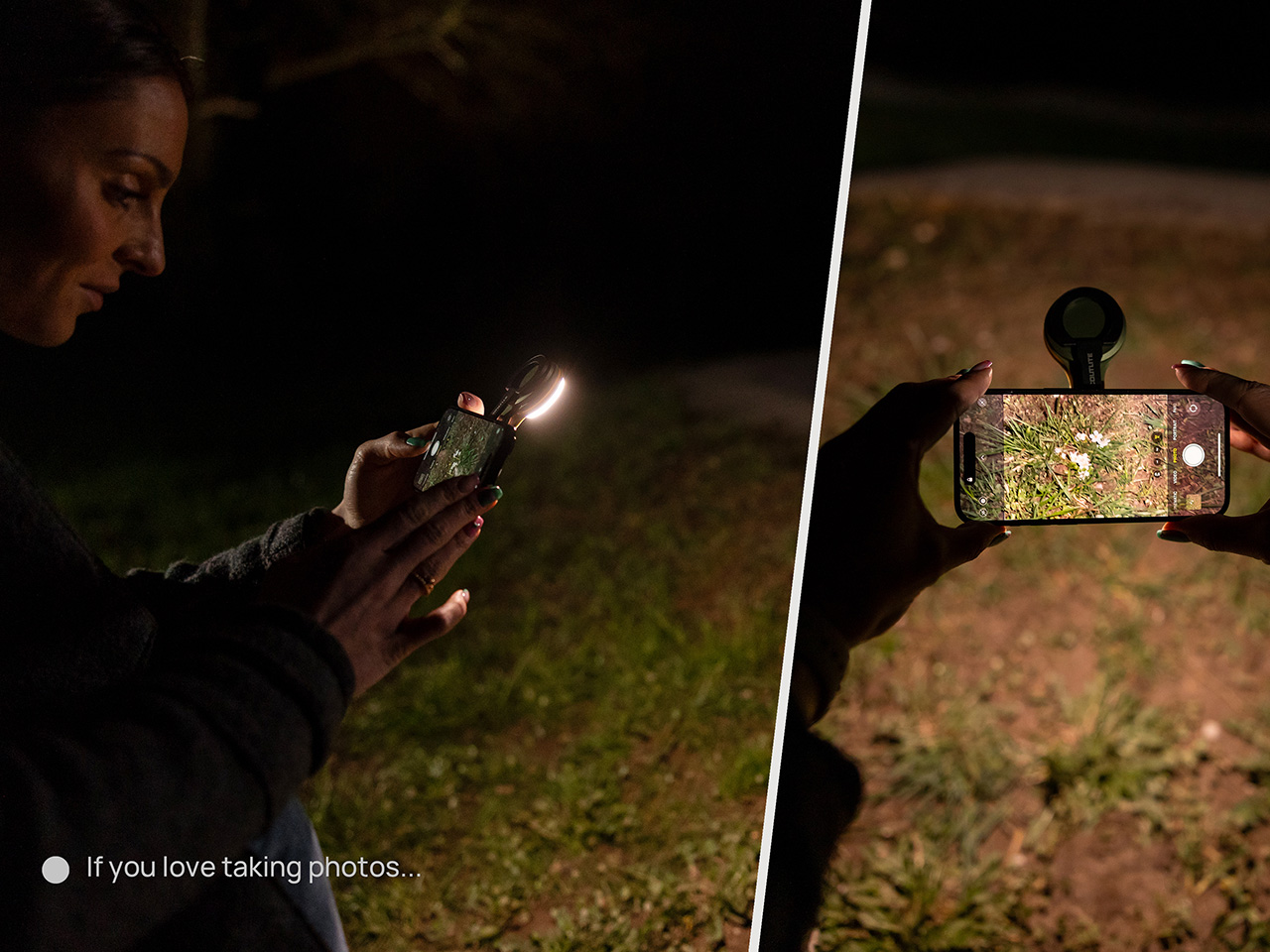
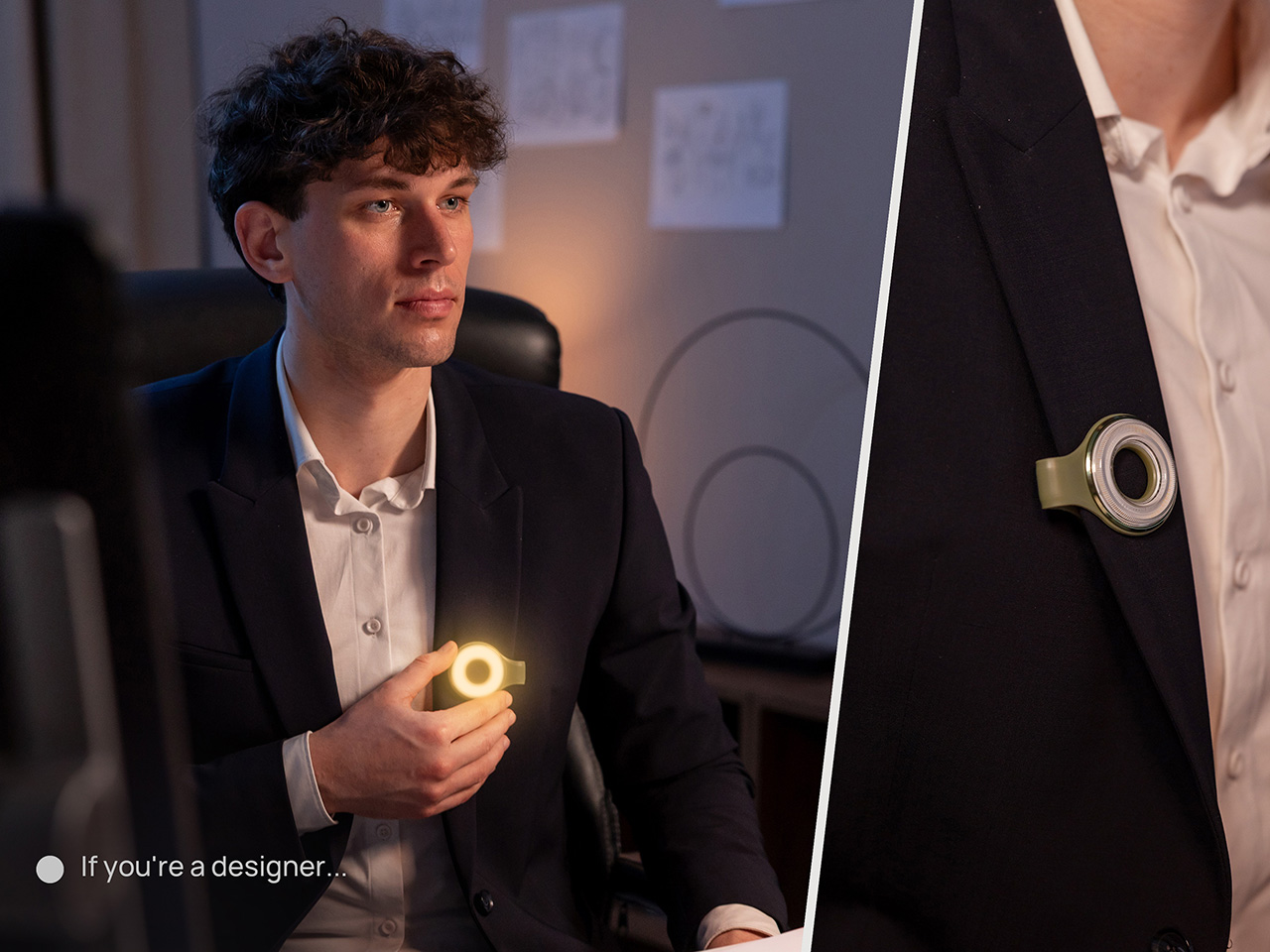
Two photos of SparkO are enough to grasp the concept: a disc-shaped body, a silicone loop that clips and doubles as a kickstand arm, and a circular LED array wrapped in a fine prismatic lens ring. The anodized metal bezel is color-matched to whichever of the four options you pick, Forest Moss, Basalt Black, Glacier Blue, or Canyon Clay. It clips to a bag strap or jacket, snaps magnetically to a MagSafe iPhone, props upright on the optional ring stand, or rides on clothing as a hands-free wearable. That range of deployment is the whole argument for SparkO, and ScoutLite backs it with 300 lumens, three color temperatures, four brightness levels, a red light mode, CRI 95+ rendering, a 14.5-hour runtime, and USB-C charging. At a campsite, a workbench, or a dim restaurant table, the light adapts to the situation rather than demanding you adapt to it.

Designer: Ten

Click Here to Buy Now: $41.40 $45.99 (10% off, use coupon code “YK10”). Hurry, deal ends in 48-hours!

The disc form is a real departure from the cylindrical tube that has defined flashlight design for over a century. A cylinder forces you to hold it; a disc invites you to wear it, clip it, or set it down facing wherever light needs to go. The silicone loop is soft enough to flex over thick fabric and structured enough to hold position once seated, its geometry doubling as the kickstand arm when the magnetic ring base enters the picture. The circular LED face is surrounded by a concentric prismatic lens ring that distributes light broadly and evenly, borrowing visual language from photography ring lights rather than from tactical torches. That framing signals the breadth of SparkO’s intended audience: the tradesperson and the camper, but equally the commuter, the hobbyist, and the photographer working in low light.

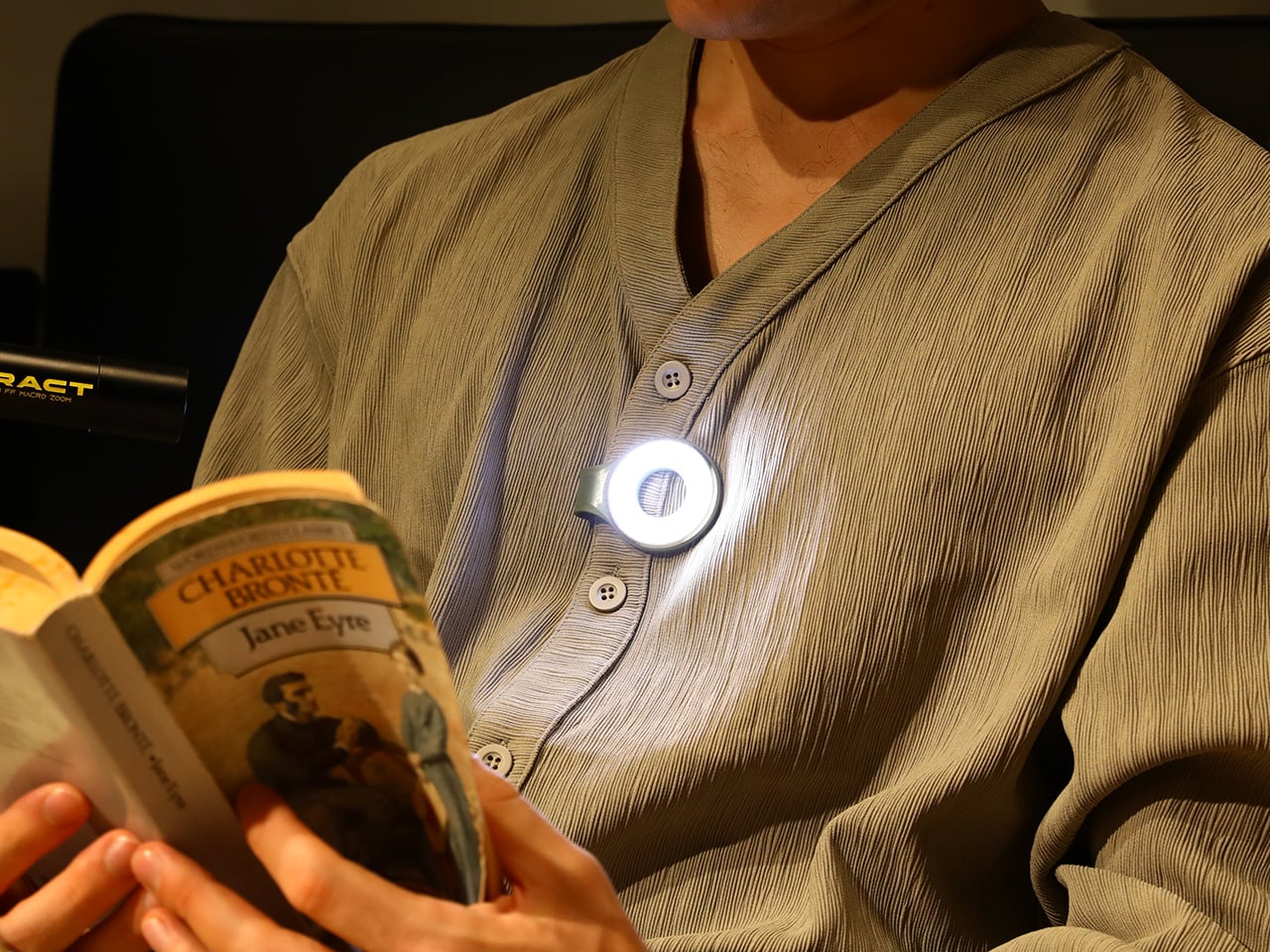
Clipped to a chest pocket or jacket collar, SparkO illuminates whatever your hands are working on without requiring you to hold anything, which is the core use case that conventional EDC lights have historically fumbled. Snapped to the back of an iPhone Pro via the magnetic base, it becomes a fill light for close-up photography, turning a phone into something resembling a professional lighting rig for the cost of a decent lunch. The ring stand converts the same unit into a bedside reading lamp or a compact task light with a footprint smaller than a drink coaster. Each scenario calls for a different mounting method, and the transitions between them take seconds rather than a setup ritual. Four modes sounds like a marketing stretch right up until you’ve run through all of them in a single day, and then it starts to feel like the accurate count.

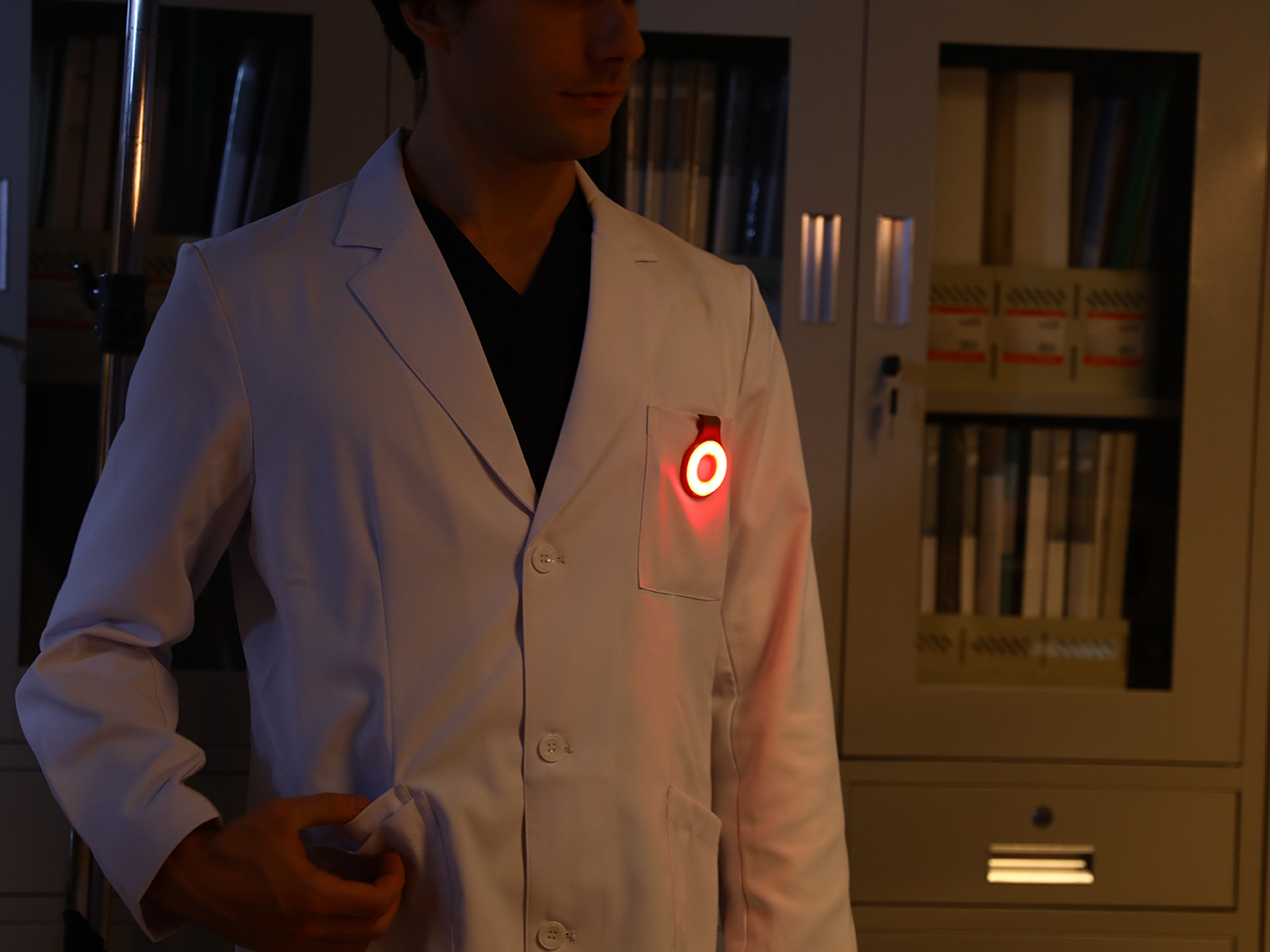
Three hundred lumens is the right range for a light this size: capable outdoors, tolerable at close range, and not so aggressive that it becomes a problem in tight spaces. The three color temperature options matter more than the lumen figure in daily use, covering the gap between a warm amber reading mode and a cooler beam suited to detailed work. CRI 95+ color rendering is what sets SparkO apart from most of the EDC lighting field, reproducing colors accurately enough that the light reads close to natural daylight, which makes a genuine difference for craftspeople and photographers. The red mode preserves night-adapted vision on a trail or at a campsite, a small but real addition for outdoor use. Runtime at 14.5 hours and USB-C charging put SparkO on a weekly recharge cycle with a cable it shares with everything else in a modern carry kit.

ScoutLite has built a product that lands on the right side of the three virtues the EDC community consistently responds to: compact, accessibly priced, and solving a problem the existing field handles poorly. The Red Dot Award carries credibility for an audience that pays attention to such things, while the $210,000 Kickstarter result is a harder signal to argue with, because crowdfunding backers are betting on a design that communicates its own value clearly enough that waiting feels unnecessary. At $45.99, the decision practically makes itself, especially given that the clip, the magnet, the stand, and the wearable mode collectively cover more scenarios than most EDC kits manage with multiple dedicated tools. Whether ScoutLite follows this up with accessories or a higher-output variant, SparkO sets a credible benchmark for what a wearable EDC light should cost, weigh, and do. The category has needed something this considered for a while.

Click Here to Buy Now: $41.40 $45.99 (10% off, use coupon code “YK10”). Hurry, deal ends in 48-hours!

The post This 4-in-1 Hands-free Flashlight Clips To Clothes, Snaps to Your Phone, and Stands on Its Own first appeared on Yanko Design.

7-in-1 Titanium Ruler That Draws Perfect Circles, Measures Angles, and Works as a Caliper. Yes, Really.

EDC and stationery have been moving closer together for years. Pens became precision objects. Rulers became desk jewelry. Pocket tools started borrowing the language of industrial design, while analog work tools picked up the portability and finish standards of everyday carry. Somewhere in that overlap, products began chasing a sharper balance between usefulness and desire.

UnioArc feels tailored for that exact overlap. It carries the visual language of titanium EDC, but its purpose lives firmly in the world of measurement, drawing, and layout. That combination gives it an immediate hook. It speaks to the person who keeps a notebook close, notices edge quality, values compact gear, and wants a tool that can move from workbench to sketchbook to shirt pocket without feeling out of place.

Designer: TiBang

Click Here to Buy Now: $55 $95 (42% off). Hurry, only a few left! Raised over $85,000.

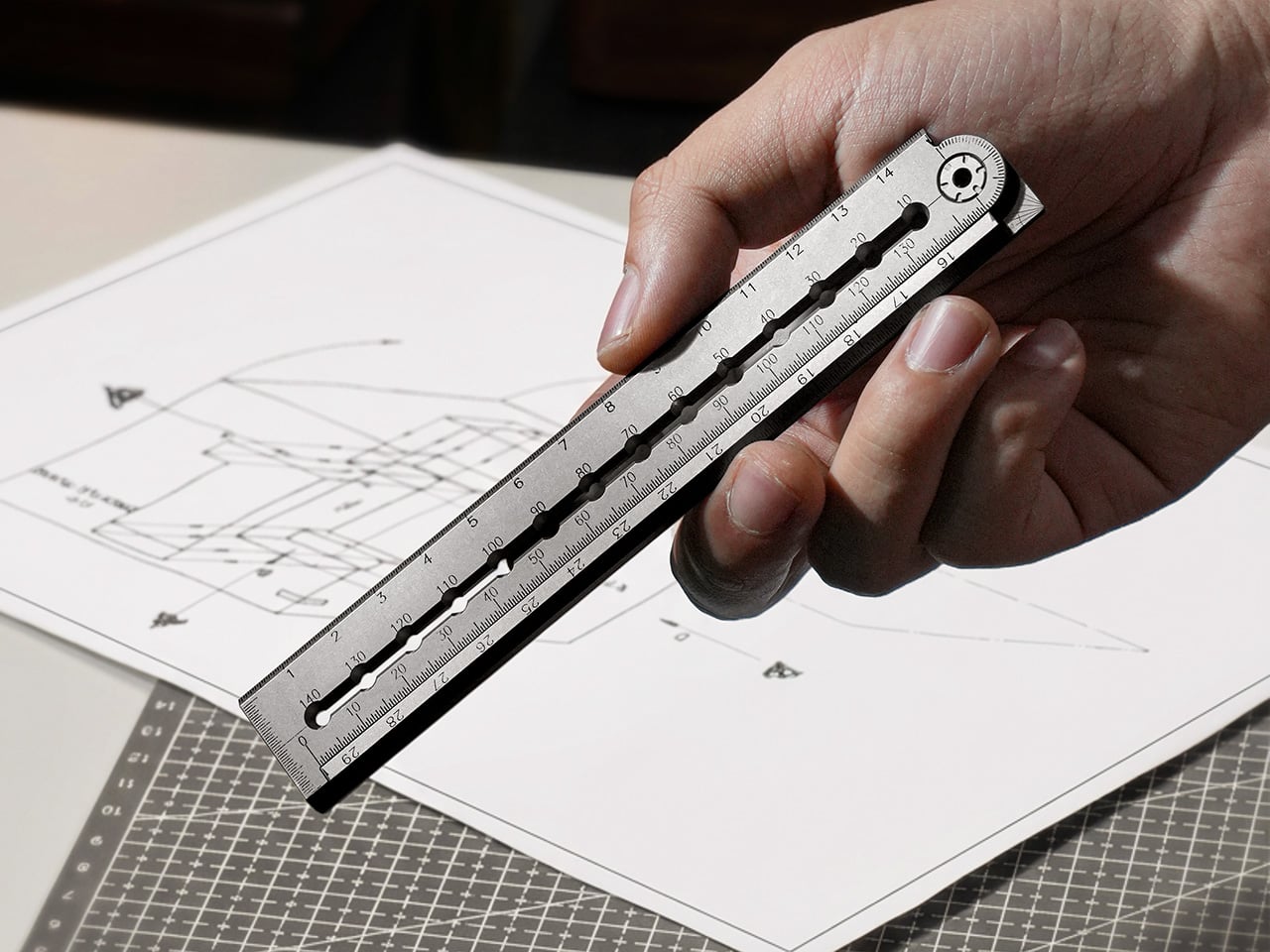
Seven measurement and drawing functions collapse into a single folding titanium ruler. Closed, it measures 145mm, roughly smartphone length. One motion releases the magnetic lock, the sleeve joint clicks straight, and it extends to 295mm for full A4 coverage. No sliding mechanisms. No multi-step deployment. The transformation happens edge to edge, from zero to full length in a single click. Three scales cover metric, imperial, and a dedicated millimeter track. All markings are laser-engraved into the titanium surface, which means they will never fade, peel, or rub off. The zero point starts right at the tip, eliminating offset math when measuring depth or inserting the edge into tight spaces.

A 0.5mm recessed groove runs along the bottom edge. It catches a pen tip, holds it stable, and lets you mark immediately after measuring. That same groove improves grip when you’re holding the ruler at an angle or cutting against it. The flat middle edge guides craft knife blades flush against the surface for clean cuts without wobble. The top edge carries a 25-degree bevel to reduce glare and improve readability under direct light. Three edge profiles, three distinct jobs, one continuous form. This kind of multi-layer thinking shows up throughout the design, where individual features earn their place by doing multiple things well instead of one thing adequately.

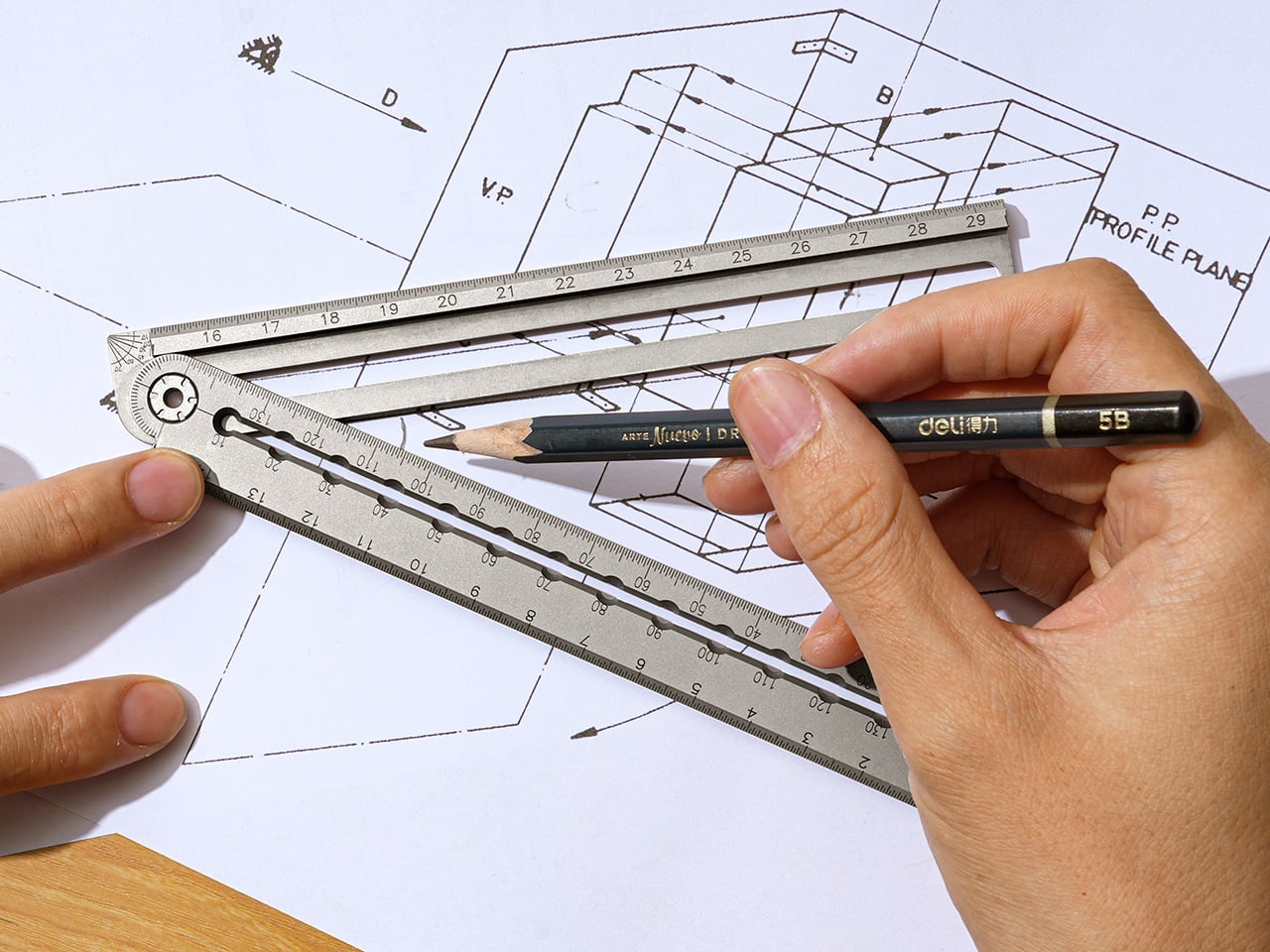
Precision compass holes span 140mm in 10mm increments. Insert one pen through a hole near the pivot (the sleeve joint), insert another at the desired radius, and draw smooth circles from 10mm to 140mm diameter. No center puncture. No damaged paper or leather. Swap the stylus pen for a craft knife and you can cut perfect circles in paper, thin materials, or vinyl without leaving a center mark. For woodworkers and leather crafters, this solves a persistent workflow annoyance. A full 180-degree protractor sits engraved at 5-degree increments. Need to mark 35 degrees? 55 degrees? Read it directly, no interpolation required. A 90-degree quick-check corner handles faster right-angle verification. A small arrow indicator simplifies complementary angle reading: subtract the arrow-aligned angle from 180 degrees and you have the answer without rotating the tool or doing mental math.

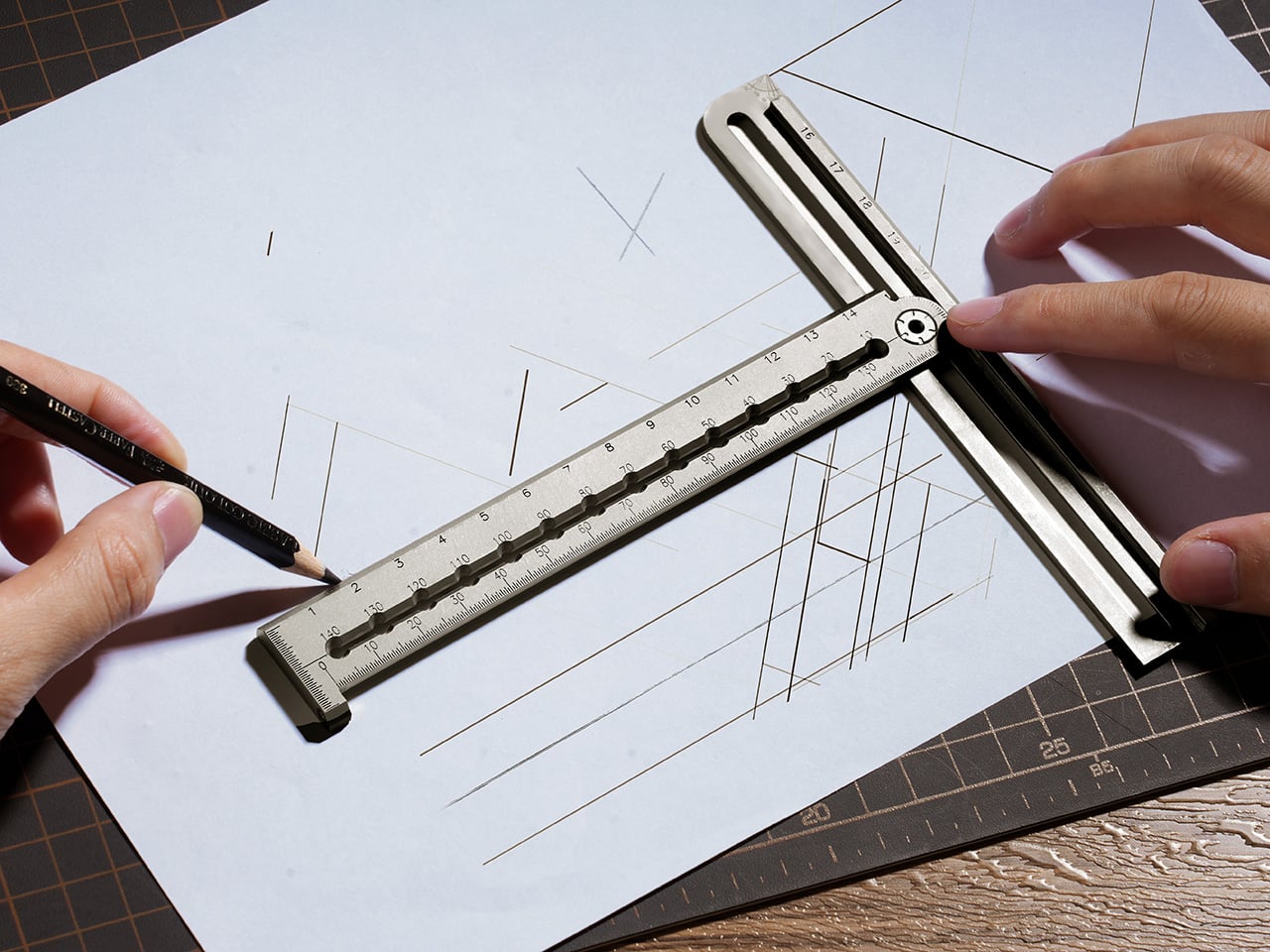
Fold the ruler to 90 degrees, align the reference line with your scale, and set any spacing you want for parallel lines. The arms lock into a true right angle with no wobble or drift as you move across the page. For architectural sketches, textile patterns, or technical drawings, this turns a multi-tool task into a single-ruler operation. The locking mechanism holds firm enough for consistent spacing across long runs. The same two arms that handle linear measurement also slide apart while staying parallel, clamping around boards, straps, or stock to give direct thickness readings. It functions like a simplified caliper without requiring a separate tool. In workshops or on job sites where you need quick material checks, this compresses another measurement step into the same instrument you’re already holding.

No screws hold the sleeve joint together. No washers. Nothing to tighten or maintain. Resistance comes from precision fit between machined titanium surfaces. The two arms slide into each other and lock at 180 degrees with zero gap, zero step, zero play. That interlocking geometry prevents the common folding ruler problem where pen tips drop into gaps or lines skip at the hinge. The transition from one arm to the next reads as seamless. This is critical because any interruption in the edge breaks the flow when you’re drawing continuous lines or cutting long paths. TiBang solved it by making the joint itself part of the measurement surface instead of treating it as a hinge that happens to sit between two rulers.

Grade 5 Titanium throughout, CNC-machined from solid stock rather than stamped or cast. That process ensures consistent dimensional accuracy across every unit and allows for fine detail work in the compass holes, protractor markings, and edge profiles. Sandblasted titanium gives a raw, matte appearance that develops micro-patina over time. PVD Black applies a deep black coating with increased surface hardness for a technical, permanent look. Both finishes share identical machining tolerances and functional geometry. Weight sits at 66.5 grams, just over two ounces. Light enough to carry all day without noticing, heavy enough to feel substantial when you pick it up. The 5mm thickness keeps it shirt-pocket slim, fits inside notebook sleeves, slides into small tool rolls. Fold it shut and magnets snap the arms together with a tactile click. No rubber bands. No retention clips. It stays closed in your pocket and opens when you want it to.

Architects, product designers, woodworkers, leather crafters, engineers, and EDC enthusiasts will recognize the workflow this tool targets. Anyone who moves between sketching, prototyping, and layout work carries some version of this measurement kit already. UnioArc compresses that kit into a single pocketable object, which is exactly the kind of consolidation that makes sense for people who work across locations or keep minimal setups. TiBang has two previous Kickstarter campaigns behind them, both shipped with 100% fulfillment and zero missed deliveries. Mass production and backer surveys are scheduled for May and June 2026, with quality inspection and packaging slated for July and August 2026. The timeline accounts for buffer periods around international shipping and customs clearance, which suggests they’ve learned from previous campaigns how to build realistic delivery windows.

Close-up of a hand using a metal scale ruler over architectural sketches on a drafting mat.

UnioArc is live on Kickstarter with a Launch Day pricing of approximately $55 USD (42% off MSRP of $95) and Super Early Bird pricing climbing to $60. The ruler works standalone, but optional add-ons include a leather sheath in two colors for $12, a PVD Black finish upgrade for $15, and a Pocket Titanium Everlasting Mini Pen for $9. Shipping begins in July and August 2026 following quality inspection. All reward tiers include free worldwide shipping with no additional fees. TiBang manufactures, ships globally, and communicates throughout the process.

Click Here to Buy Now: $55 $95 (42% off). Hurry, only a few left! Raised over $85,000.

The post 7-in-1 Titanium Ruler That Draws Perfect Circles, Measures Angles, and Works as a Caliper. Yes, Really. first appeared on Yanko Design.

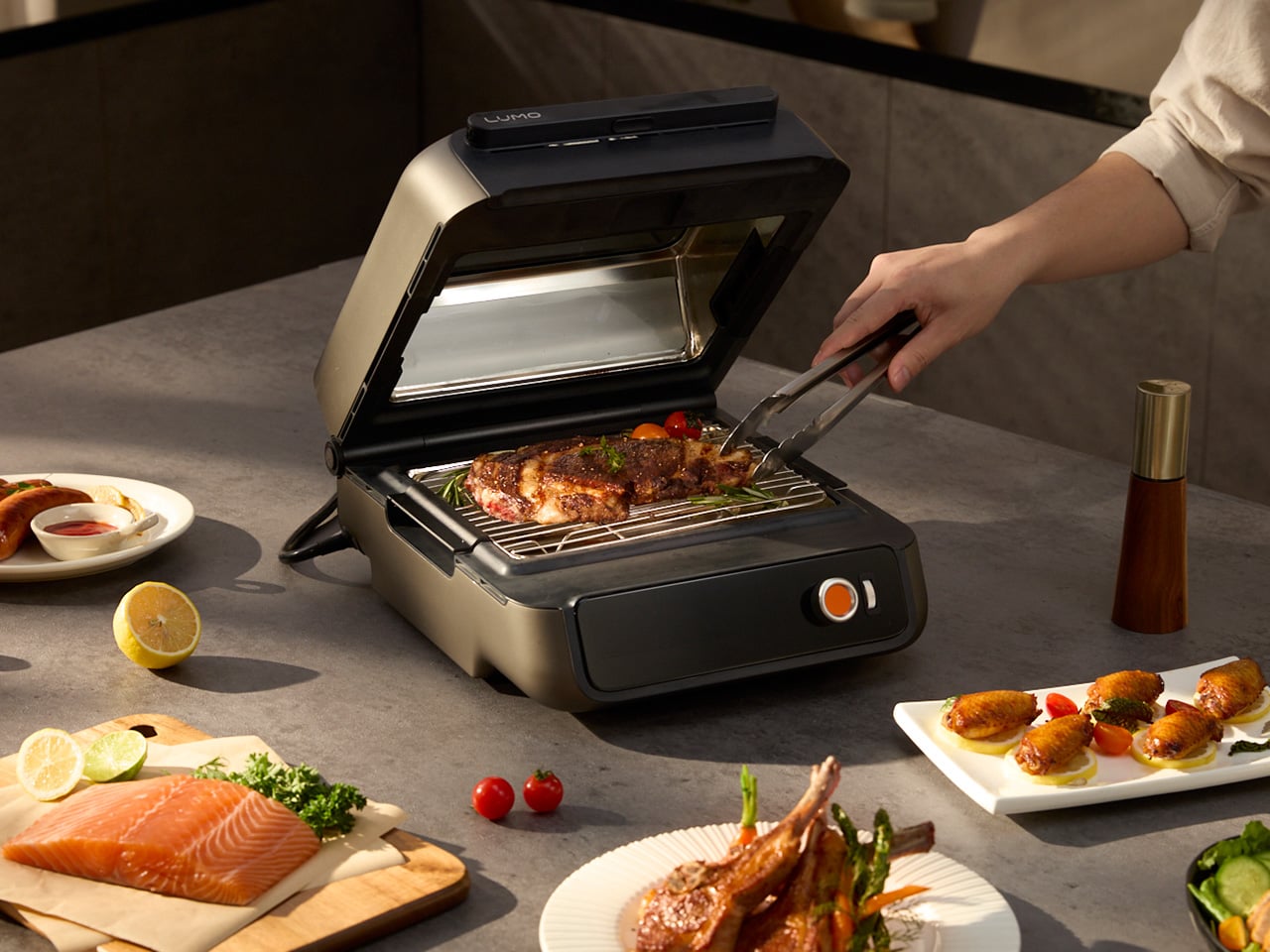
The LUMO Grill Cooks With Light, Heats in Seconds, and Brings Charcoal Flavor Without the Smoke

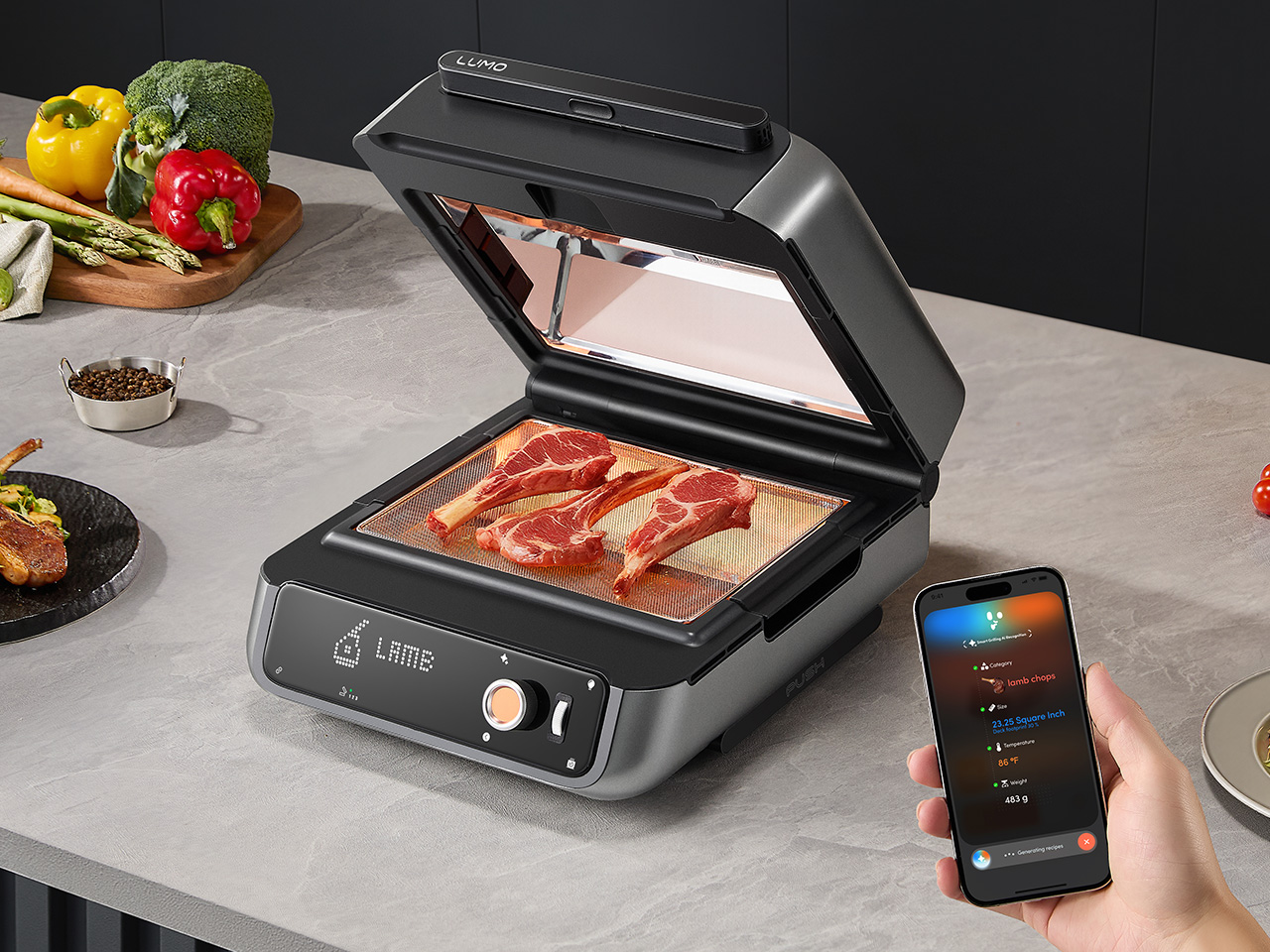
The George Foreman Grill sold more than a hundred million units, which tells you everything about how badly people want to cook without the setup, the smoke, and the outdoor requirement. What that number fails to explain is why, after thirty years of competing products, the fundamental problem remains unsolved. Every electric contact grill since 1994 has operated on the same basic principle: a hot plate pressing food against another hot plate, dripping grease onto a heating element, producing varying degrees of smoke and varying degrees of disappointment. The category has iterated endlessly on that geometry, adding digital timers and non-stick coatings and fold-flat designs, without ever questioning the physics underneath. Hong Kong startup COZYTIME is questioning them with the LUMO, a grill that cooks with focused far-infrared light instead of contact heat, and the approach changes the smoke problem by addressing it at the source.

Four precision reflectors focus infrared energy at food from multiple angles simultaneously, creating 360-degree heat coverage that cooks evenly from edge to center while retaining moisture, unlike hot-air convection heating, which dehydrates food. The side-mounted heating elements keep grease physically separated from any heat source, so drippings fall into a grease tray rather than the heating tube, preventing smoke from forming at the source. No filters, no fans, no workarounds. An AI system called CookPilot uses AI Vision and two built-in sensors to automatically detect food type, thickness, surface area, temperature, and weight, then selects the ideal cooking program from a library covering over 40 food types. A swappable Flavor Module lets you add authentic smoked taste to any cook by loading pellet fuels into the module, inserting it into the LUMO, and switching to Indoor Smoker Mode, where the enclosed chamber traps and circulates smoke around the food while a tight seal keeps the home clean. COZYTIME is pricing the LUMO at $329, against a retail price of $499. This pricing is exclusively available to crowdfunding backers, and the campaign will end on May 23! If you’re interested in LUMO, pledge now before it’s gone!

Designer: COZYTIME

Click Here to Buy Now: $329 $499 (34% off). Hurry, only 159/500 left! Raised over $344,000.

We covered LUMO hands-on at CES 2026 and came away calling it “genuinely novel in a category that’s seen mostly incremental tweaks for decades.” Far-infrared radiation transfers energy directly into food molecules rather than heating surrounding air first, which is how the LUMO reaches cooking temperature in a fraction of a second, using four precision reflectors to deliver full surround heating from multiple angles, cooking up to 4x faster than traditional appliances, without long preheat times or outdoor setups. Traditional contact grills heat the plate and then conduct that energy into the protein surface, a fundamentally different thermal pathway that drives more moisture out of food in the process. COZYTIME claims the infrared approach locks in 76.6 percent of natural food juices compared to conventional methods, a figure that, if it holds in real kitchen conditions, represents an actual cooking outcome improvement rather than a specification exercise. The four-reflector geometry is the physical enabler: each reflector focuses infrared energy at the food surface from a distinct angle, eliminating cold zones and removing any need to flip.

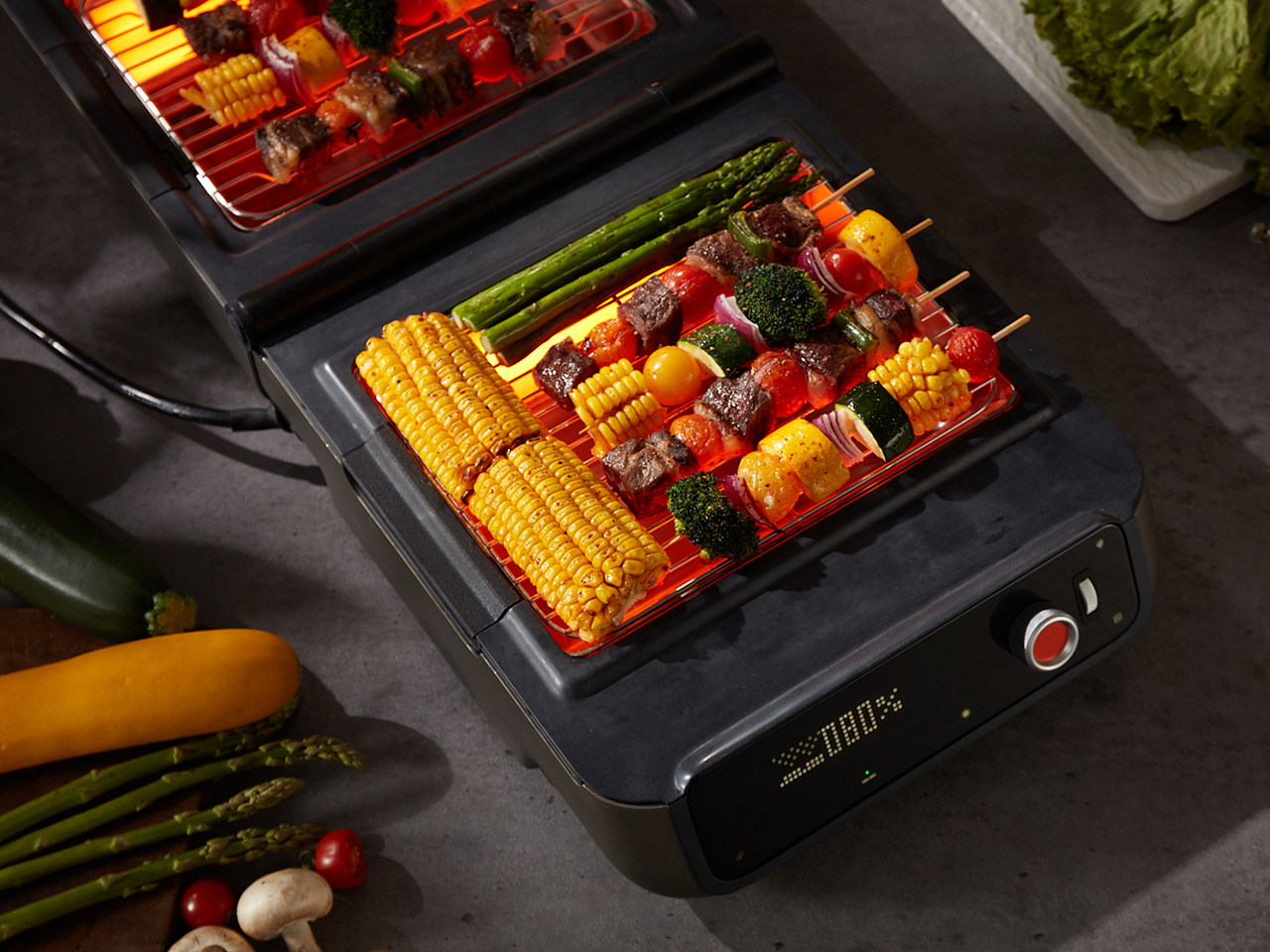
The unit handles thick steaks, skewers, quick snacks, large dinners, and even pizza, thanks to its TriForma StateShift System that allows for three different grill modes. In Indoor Smoker Mode, enclosed heating circulates warmth evenly to a maximum of 230°C (446°F), mimicking a full oven capable of pizza, casseroles, and slow-roasted steaks, and pairs with the Flavor Module for authentic smoked dishes like tender beef brisket. Fast Grill Mode hits a maximum of 270°C (518°F), where the semi-open lid concentrates heat for rapid grilling and juice-locking, delivering steakhouse-quality flavor in minutes, ideal for weeknight meals when time is short but standards aren’t. Flat Grill Mode opens to 180 degrees, creating two independent heating zones, so you can grill steaks on one side at high heat while roasting vegetables on the other, with no batch cooking and no waiting, which makes it particularly suited to dinner parties. Two heat zones running independently in a single countertop footprint is the kind of practical design decision that sounds obvious in retrospect but rarely makes it into a consumer appliance.

LUMO’s most compelling trick may be how seriously it treats flavor, because this is one of the more thoughtful attempts yet at bringing authentic charcoal-style cooking indoors. Plenty of indoor grills promise grill marks, very few deal convincingly with the taste itself. COZYTIME approaches that problem with a dedicated Flavor Module that burns pellets inside the unit’s enclosed chamber, allowing smoke to circulate around the food while the side-heat architecture keeps grease from hitting the heating elements and creating unwanted kitchen smoke. That separation is what makes the idea work. You get the smoky, grilled character people actually associate with charcoal cooking, without turning the room into part of the process. With the Flavor Module attached, the Heat Slider heats wood pellets to release rich smoky flavor during cooking, and when slid out with the griddle plate, it doubles as a high-heat searing surface for deep browning, crisp crusts, and smaller tasks like melting cheese or simmering sauces. LUMO also uses AI Vision to recognize different meats and automatically adjust heat and cooking time to match preferred doneness, from blue rare to well-done. Food-contact surfaces are made exclusively of premium food-grade stainless steel.

The LUMO app adds a layer of control that makes the grill feel more like a connected cooking platform than a standalone appliance. It offers three recipe paths, including curated official recipes from a cloud library, fully custom recipes with adjustable time and temperature for each step, and one-click AI-generated recipes created by CookPilot, with any recipe shareable through a code or posted to the LUMO community. From the app, users can track cooking progress and food status in real time, adjust temperature and timing remotely, and get notified when food is ready. That flexibility extends to the accessory ecosystem too. COZYTIME currently offers nine add-ons in total, including six cooking accessories and three additional accessories designed to broaden what the LUMO can do day to day. On the cooking side, there’s a wireless meat thermometer for real-time core temperature tracking, flavorwood pellets for smoke infusion through the Flavor Module, an extra stainless grill grate for back-to-back cooking, a fine mesh grill grate for smaller foods like shrimp and asparagus, and a Heat Slider griddle plate for intense high-heat searing up to 450°C.

Outside the cooking accessories, COZYTIME also offers a travel bag for transport and storage, plus extended coverage options for added peace of mind. Cleanup remains refreshingly low-friction, with food only touching stainless grill grates and grease trays that lift out for a quick wipe or rinse, while detachable parts are dishwasher-safe and the side-heat architecture keeps grease away from chamber walls, minimizing residue elsewhere in the unit. At 14.3 pounds, the LUMO is still portable enough to move between kitchen counter, balcony, and dining table without feeling like a project.

Retail pricing sits at $499, with the current order price at $329 – that’s a 34% reduction off the MSRP.Every unit ships with the LUMO itself with built-in Heat Slider, a region-appropriate power cord, a user manual, two stainless steel grill grates, the Flavor Module, two detachable grease trays, and a grill grate lifter. Shipping is free across the United States (excluding PR, HI, and AK), Canada, Mexico, Singapore, South Korea, Japan, Hong Kong, Australia, New Zealand, and most of Europe starting July 2026.

Click Here to Buy Now: $329 $499 (34% off). Hurry, only 159/500 left! Raised over $344,000.

The post The LUMO Grill Cooks With Light, Heats in Seconds, and Brings Charcoal Flavor Without the Smoke first appeared on Yanko Design.

10 Genuis Gadgets That Turn Any Hotel Desk Into a Proper Workstation in 2026

The hotel desk is a fiction. A flat surface with a lamp, a notepad nobody uses, and an ethernet port from 2009. For the digital nomad, making it functional is entirely a gear problem — solved or compounded by what is in the bag. The right tools collapse the gap between a rented surface in a foreign city and a setup that performs as well as anything permanent back home.

Ten products made this list because each one addresses something specific about the mobile workstation problem. Not the flashy kind of specific that reads well in a press release, but the unglamorous kind — the port you ran out of, the cable you excavated for four minutes, the surface that made everything feel temporary. These are the tools that stop you from tolerating the desk you are given and start letting you build the one you need.

1. OrigamiSwift Mouse

A trackpad handles most things until the work demands precision. Editing photos, building detailed spreadsheets, reviewing design files — these sessions expose the trackpad’s limits inside the first hour. The OrigamiSwift folds completely flat at 4.5mm, weighs 40 grams, and snaps open into a full-sized ergonomic mouse in under half a second via magnetic clips. Bluetooth 5.2 connects without a dongle, the infrared sensor tracks at 4000 DPI, and three months of battery life run on a single USB-C charge.

What makes this a permanent carry item rather than a novelty is the form factor. It slides into a laptop sleeve, drops into a shirt pocket, or sits flat in any corner of a tech pouch without displacing anything else. The fold is not a compromise — the shape is fully ergonomic and properly contoured for extended sessions. For nomads working in applications that reward a real mouse, this removes every excuse for not carrying one.

Click Here to Buy Now: $85.00

What We Like

  • Folds to 4.5mm and weighs 40 grams, pocketable without sacrificing full-size ergonomic comfort
  • Three-month battery life on a single USB-C charge keeps it out of the daily charging rotation entirely

What We Dislike

  • The touch-sensitive scroll area replaces a physical wheel, requiring real adjustment for heavy scrollers
  • Bluetooth-only connectivity means no wired fallback for tasks where minimal latency matters

2. HubKey Gen2

Two USB-C ports on a modern ultrabook sound fine until you are simultaneously charging, running an external display, reading an SD card, and needing ethernet at a co-working desk with unreliable Wi-Fi. HubKey Gen2 resolves the port shortage with 11 connections in one compact cube: dual 4K/60Hz HDMI outputs, USB-A 3.1, USB-C 3.1, SD and TF card readers, 2.5 Gbps ethernet, a 3.5mm audio jack, and 100W USB-C power delivery through a single cable.

The programmable shortcut keys and central control knob on the top panel are what separate this from every other travel hub. Volume, mute, screenshot, and display toggle become physical actions rather than keyboard shortcuts buried in menus. For anyone driving dual monitors from a co-working space or managing video calls across time zones, five tactile keys and a precision knob turn a connectivity device into a proper control surface. At 7 × 7 × 3 centimeters, it fits anywhere without announcing itself.

What We Like

  • Dual 4K/60Hz HDMI outputs let you build a two-monitor workstation from a single compact device
  • Programmable keys and a physical control knob bring hands-on workflow control that no standard hub offers

What We Dislike

  • Tightly packed ports mean thick cables or large drives can crowd each other along the edges
  • The cube form factor, while compact, is less pocketable than flat card-style hub alternatives

3. StillFrame Headphones

Concentration in a café, a co-working lobby, or an airport gate is a skill that requires backup. StillFrame provides it at 103 grams — on-ear headphones with 40mm drivers that produce an open, layered soundstage rather than a compressed signal. Active noise cancellation removes the environment when deep work requires it. Transparency mode pulls it back in with a tap when a gate announcement or colleague’s question needs to land. Both transitions happen cleanly, without drama or lag.

Twenty-four hours of battery life is the figure that justifies carrying these on long international routes. New York to Singapore, including a layover, without reaching for a charging cable. The retro-informed aesthetic references the deliberate listening era of physical media — a design decision that reads quietly and carries well in client-facing environments. For nomads spending serious hours in headphones across work sessions and transit days, the combination of weight, battery life, and sound quality earns the price.

Click Here to Buy Now: $245.00

What We Like

  • 24-hour battery life covers the longest intercontinental travel days without requiring a charge
  • At 103 grams, these stay genuinely comfortable through extended wear across full working days

What We Dislike

  • On-ear design provides less passive isolation than over-ear models in extremely loud transit environments
  • The retro aesthetic is distinctive but polarizing — not everyone wants a conversation piece on their ears

4. ASUS ZenScreen OLED MQ16AH
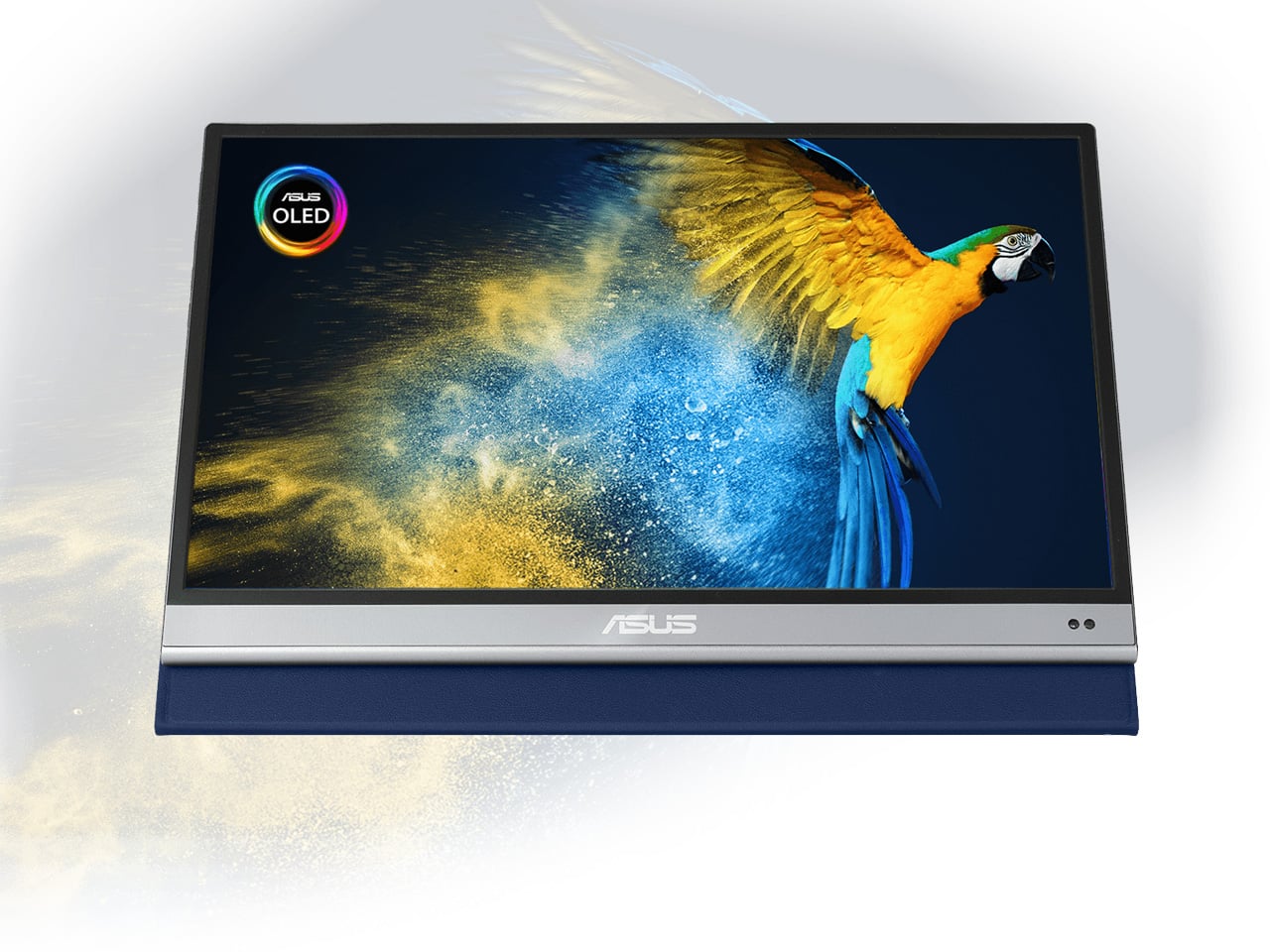
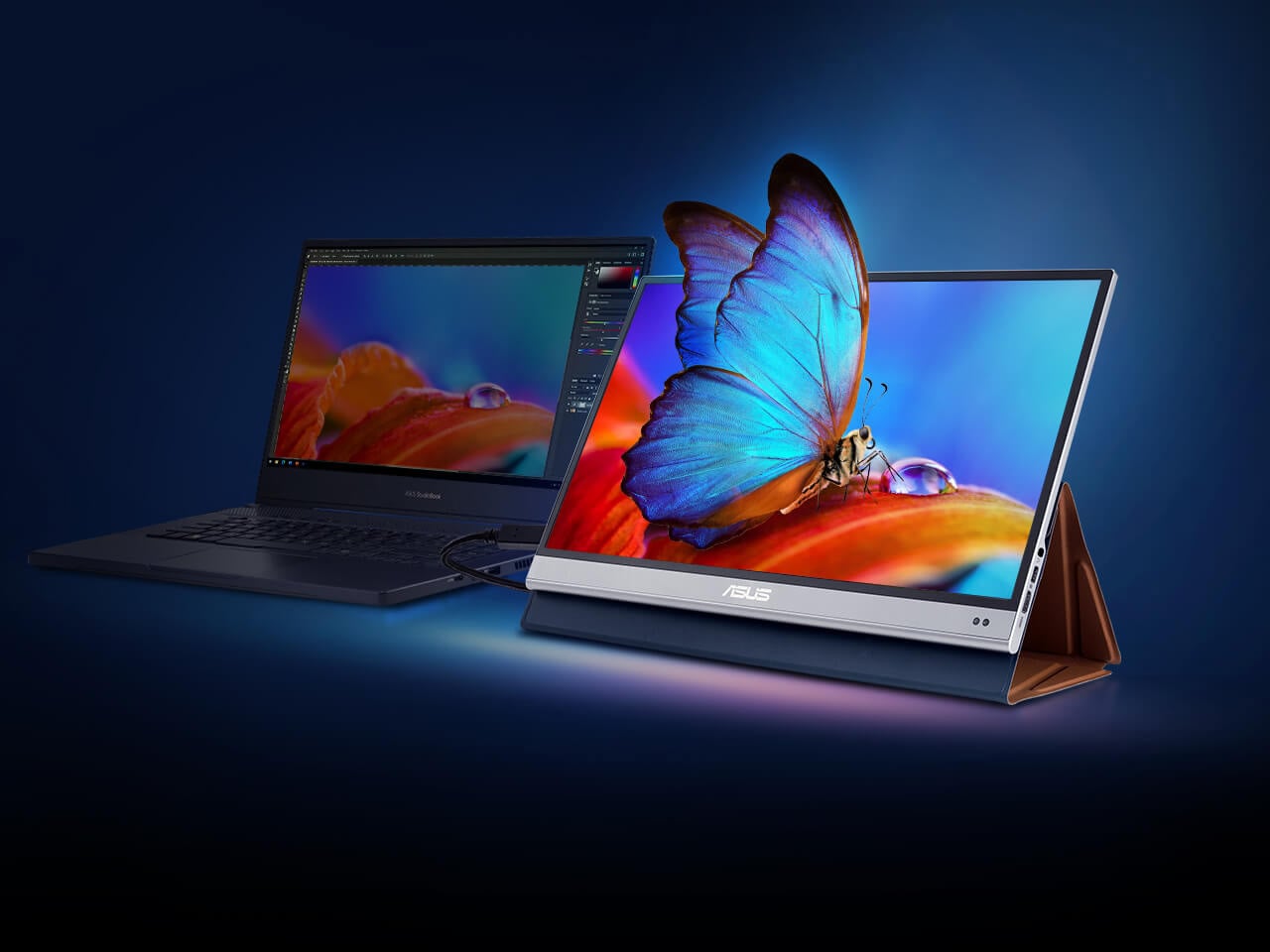
A second screen changes how you work, and the ZenScreen OLED MQ16AH is the portable monitor worth carrying. The 15.6-inch OLED panel delivers 100% DCI-P3 color coverage, matching studio-grade display accuracy at a fraction of the footprint. At 730 grams, it slides into most laptop sleeves alongside a thin ultrabook without requiring its own bag compartment. USB-C handles both video input and power delivery through a single cable, and the adjustable cover doubles as a multi-angle stand.

What makes OLED relevant specifically for nomadic work is panel behavior in variable light. Café windows, outdoor co-working terraces, hotel rooms with inconsistent artificial lighting — OLED handles contrast and legibility in conditions where LCD panels wash out and lose precision. ASUS includes a fabric sleeve so the screen travels protected. For creative professionals editing in temporary locations, this removes the monitor as a point of compromise in the mobile setup.

What We Like

  • 15.6-inch OLED with 100% DCI-P3 delivers studio-quality color accuracy in a 730-gram form that travels cleanly
  • Single USB-C cable handles both video signal and power delivery, keeping the desk free of extra cables

What We Dislike

  • At roughly $399, it sits at the premium end of portable monitors, with capable IPS alternatives at a lower cost
  • OLED panels carry a higher burn-in risk than IPS alternatives when static interface elements stay on screen long-term

5. Peak Design Tech Pouch
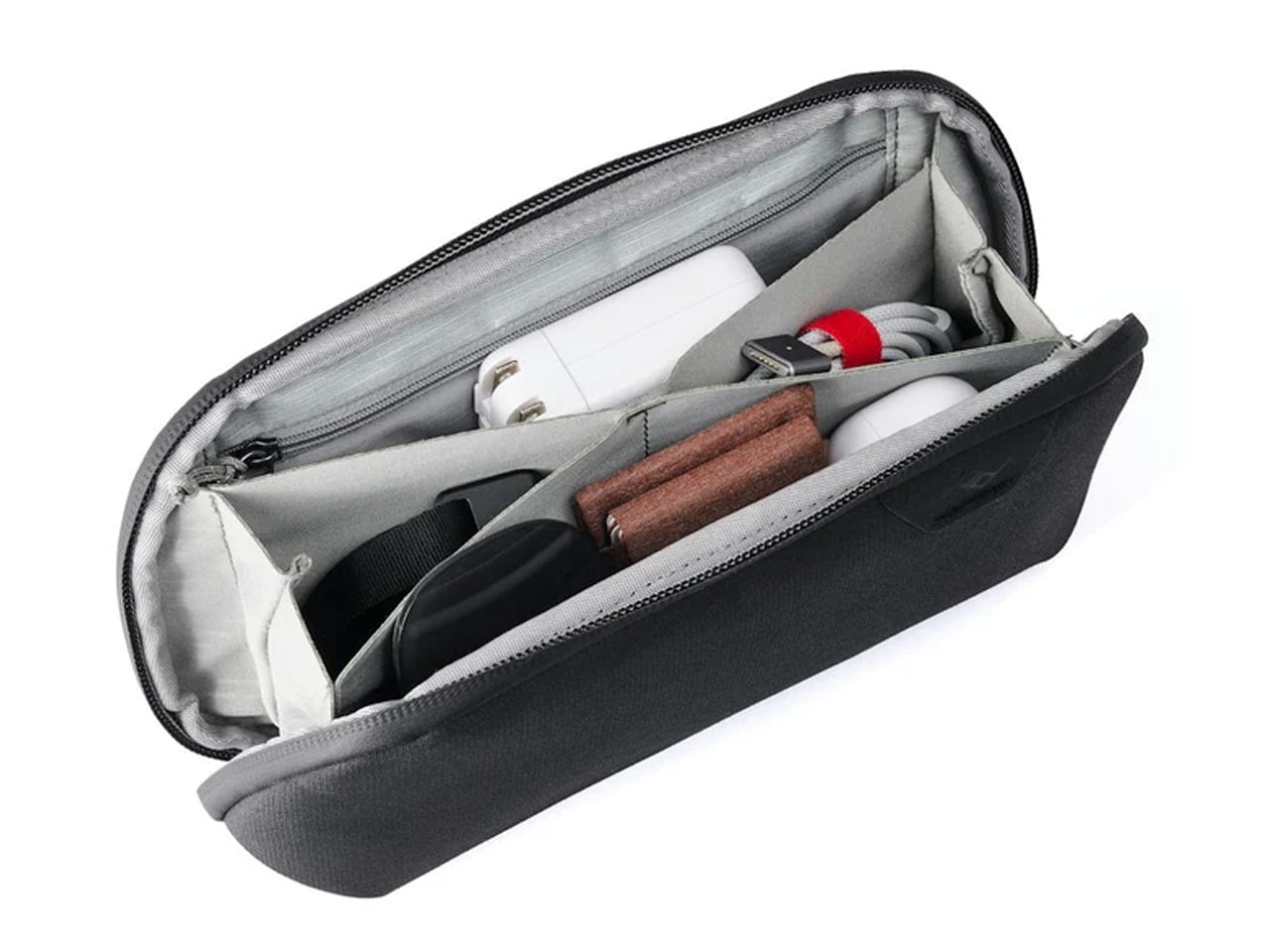
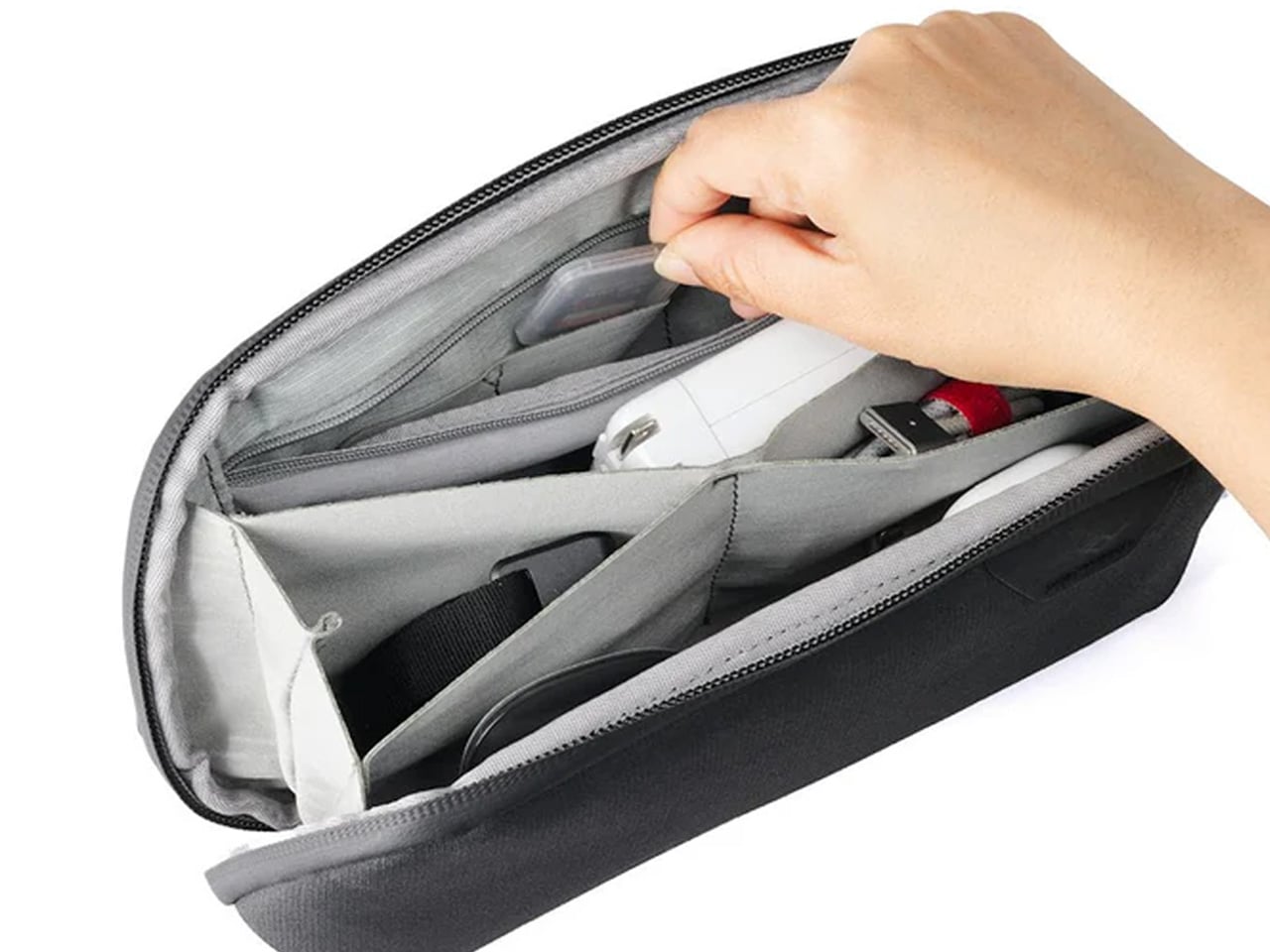
Cable management is the invisible tax on nomadic work. The time spent untangling cords, hunting for the right adapter, and repacking scattered accessories across a year of constant travel accumulates into something genuinely absurd. Peak Design built the Tech Pouch as an accordion-style organizer that opens completely flat, revealing modular loops, elastic pockets, and zippered compartments arranged with the same intentionality the brand applies to its camera gear. Everything has a designated position and stays there across every repacking cycle.

The weatherproof shell handles what transit actually looks like: overhead bins, bag drops, and light rain between a taxi and a terminal. What justifies the premium over a generic cable case is the layout logic. Cables stay separated. Adapters surface when reached for. The daily ritual of setting up at a new desk becomes faster and less irritating. For something touched every single day, the build quality means it survives years of travel without visible wear.

What We Like

  • Accordion design opens fully flat, giving complete visual access to every cable and adapter without excavation
  • Weatherproof construction handles the genuine roughness of daily transit without requiring careful handling

What We Dislike

  • At $59.95, it is a meaningful spend for a cable organizer, though the quality distributes that cost across years of use
  • Structured form takes up more interior bag volume than a soft-sided pouch, even when lightly packed

6. Xiaomi UltraThin Magnetic Power Bank 5000 15W
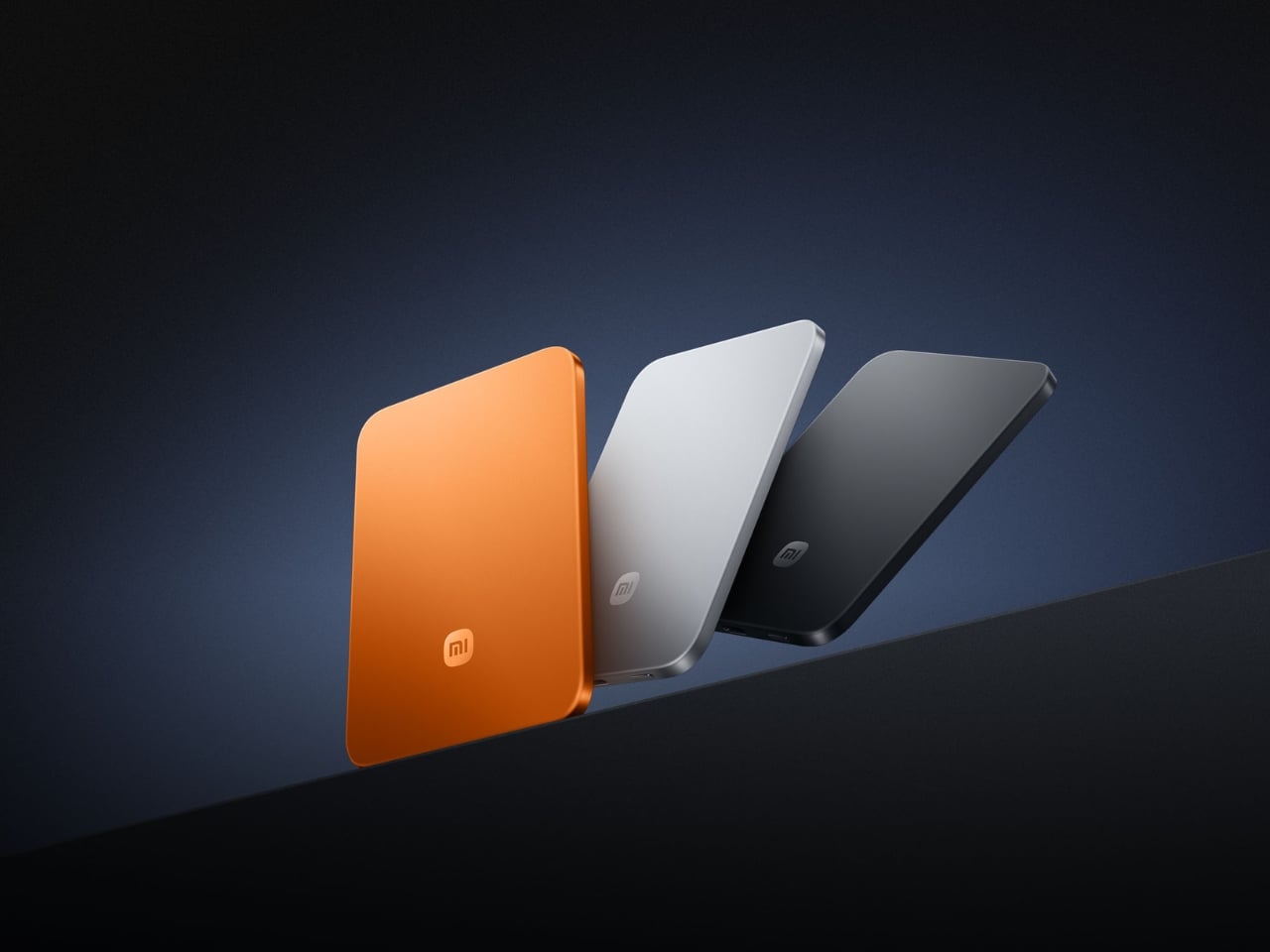
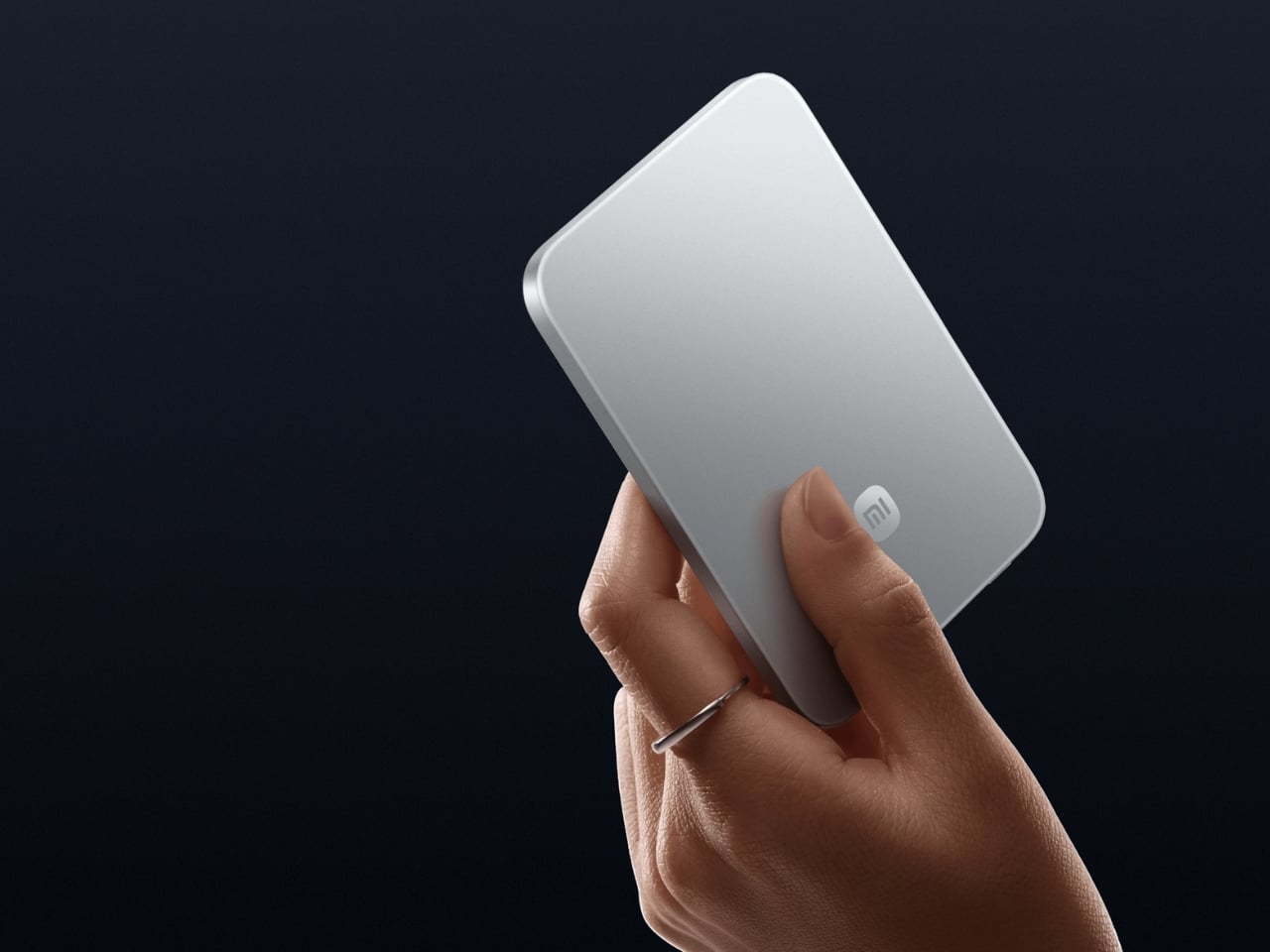
Power banks have had a design problem since the category was invented. They are essential and clunky in equal measure, reliable and bulky in the same breath. Xiaomi’s UltraThin Magnetic Power Bank 5000 starts with an answer at 6mm — thinner than most smartphones currently shipping. The aluminum alloy shell comes in Glacier Silver, Graphite Black, and Radiant Orange, each finished with a photolithographically etched logo. At 98 grams, it weighs less than two eggs and carries like nothing at all.

The engineering behind that form is silicon-carbon battery chemistry with 16% silicon content, enabling the energy density to fit 5,000mAh into a body this slim. It supports 15W wireless charging for compatible Android devices, 7.5W for iPhone, and 22.5W wired via USB-C, with two devices chargeable simultaneously while being recharged itself. Showcased at MWC 2026 in Barcelona, this is the first power bank in the category that genuinely does not feel like a concession made to the carrying requirement.

What We Like

  • At 6mm and 98 grams, it is the most pocket-friendly 5,000mAh power bank available — effectively weightless in daily carry
  • Silicon-carbon battery chemistry delivers the full 5,000mAh capacity without any dimensional sacrifice

What We Dislike

  • Wireless charging for iPhone is capped at 7.5W, noticeably below dedicated MagSafe speeds
  • 5,000mAh suits phones and earbuds well, but will not meaningfully extend a laptop’s runtime in a pinch

7. Side A Cassette Speaker

Music changes a workspace, even when the workspace is a shared lounge in Chiang Mai or a rented desk in a Lisbon co-working building. The Side A Cassette Speaker earns its bag space through character as much as function. Roughly the size of an actual cassette tape, it runs Bluetooth 5.3 with microSD support for offline playback when the Wi-Fi situation is characteristically unreliable. The clear shell and cassette label make it the kind of object people ask about across café tables.

The protective case doubles as a stand, keeping the speaker elevated and projecting properly on any flat surface. The warm, analog-tuned sound suits morning background music in a temporary apartment and wind-down playlists after a long day of client calls in equal measure. It is light enough to forget it is in the bag and distinctive enough to feel worth carrying. Among the ten products on this list, it is the one most likely to start a conversation at the desk next to yours.

Click Here to Buy Now: $49.00

What We Like

  • Palm-sized form with a case that doubles as a stand makes it the most packable speaker in its class
  • microSD support enables offline playback even when connectivity is completely absent

What We Dislike

  • No built-in microphone means it does not support speakerphone calls or group video conferencing
  • Volume ceiling suits personal and small-room listening, but will not carry in outdoor or open-plan group settings

8. Medispace

The ten-minute gap between back-to-back video calls is rarely used well. Most nomads fill it with email or a phone scroll — the cognitive equivalent of eating fast food between meetings. Medispace is a concept designed by Suosi Design, inspired by Himalayan singing bowls. It simulates more than ten types of bowl sound changes through a metal disc on the top surface, and houses noise-canceling earbuds inside its body, stored in what functions as an integrated case. The whole device fits in a palm.

The gesture of using it — tapping and touching the metal disc to trigger sound — mirrors the physical ritual of the Tibetan instruments it references. For nomads managing cognitive load across multiple time zones, the design makes a case for deliberate ten-minute resets between work blocks as a productivity strategy rather than a distraction. Medispace is currently a concept, and not yet in commercial production, but as an object that understands where sustained focus actually comes from, it belongs in this conversation.

What We Like

  • The singing bowl interaction model turns a between-meeting break into a deliberate reset rather than a passive phone scroll
  • Earbuds nested inside the device create a complete self-contained system that functions as both a case and a meditation prompt

What We Dislike

  • Medispace is a concept and is not currently available as a production product
  • Effectiveness as a focus tool depends on the user’s willingness to actually stop and use it during real work sessions

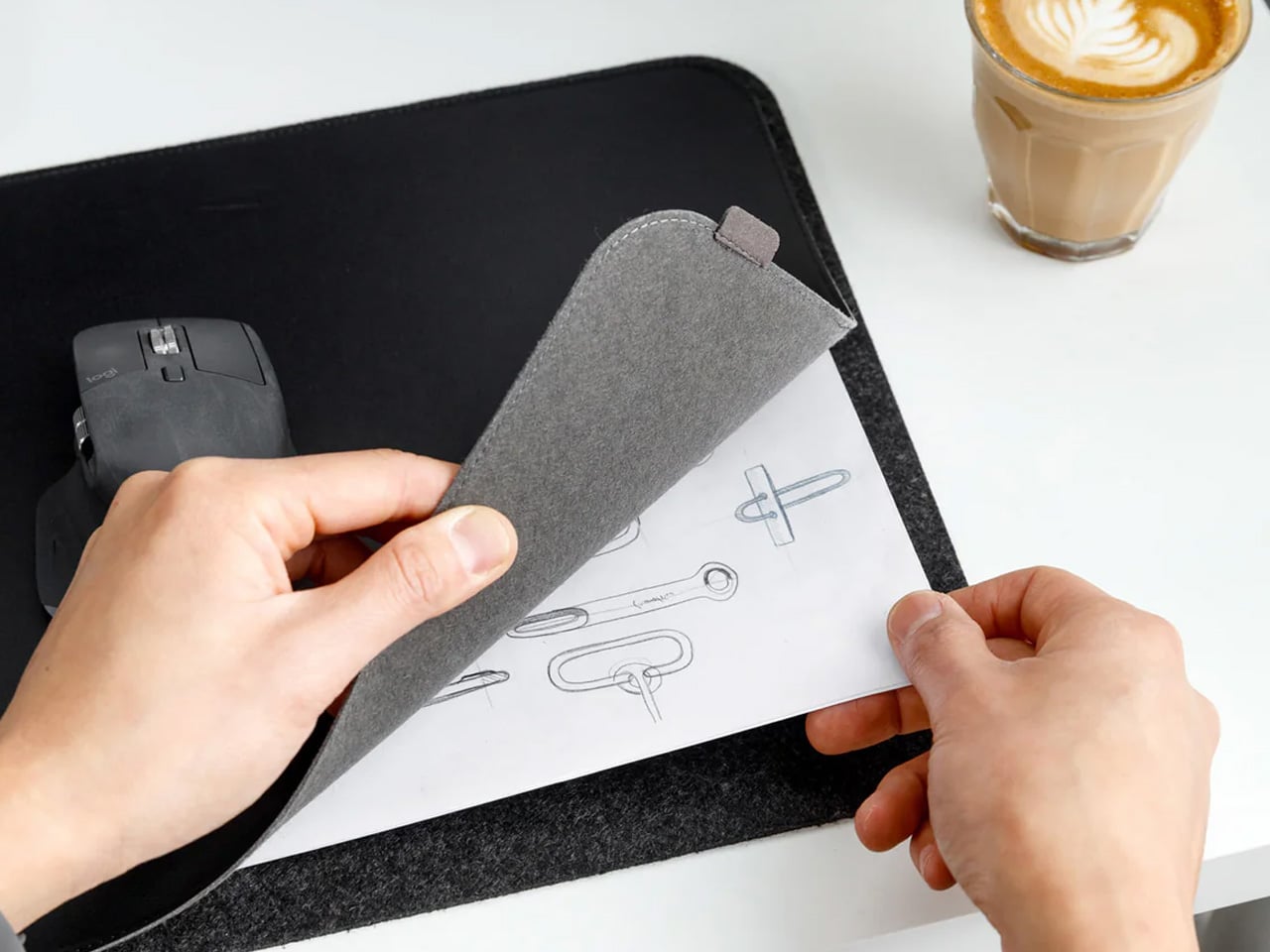
9. Orbitkey Desk Mat Slim

The working surface in a co-working space or hotel room is rarely clean, rarely the right size, and rarely yours. The Orbitkey Desk Mat Slim claims it anyway. Made from premium vegan leather on top and 100% recycled PET felt underneath, it lies flat, stays planted via an anti-slip backing, and turns whatever surface it lands on into a proper workspace. A magnetic cable holder keeps charging cables from drifting to the edge. A slim document pocket along the front holds papers out of sight.

For nomads who set up and break down a working surface daily, this mat compresses the ritual into a single unrolling action. Everything that belongs on the desk goes on the mat. When it is time to move, it rolls tight and fits inside a laptop sleeve or along the flat edge of a backpack. The vegan leather ages without cracking, the recycled PET felt resists compression over time, and the restrained design works equally well in a client-facing meeting room or a hostel common area.

What We Like

  • The document pocket reduces visible surface clutter without adding bulk or requiring a separate organizer
  • Rolls tightly enough to travel inside most laptop sleeves without claiming dedicated bag space

What We Dislike

  • The slim format may feel narrow for users running wide multi-monitor setups who want full horizontal coverage
  • The magnetic cable holder manages a small cable count cleanly, but becomes less effective in heavily wired configurations

10. Timekettle W4 AI Interpreter Earbuds

Language is the friction point that no amount of productivity hardware addresses. Client calls in Tokyo, supplier negotiations in Milan, co-working introductions in Mexico City — the moment a conversation requires a translation app, the professional register of the interaction collapses entirely. The Timekettle W4 treats this as a design problem worth solving properly: real-time two-way translation across 43 languages and 96 accents, with 98% accuracy and a 0.2-second lag that keeps conversation moving rather than stopping it between sentences.

The Bone-voiceprint sensor picks up speech through vibrations rather than ambient microphone capture, which means background noise from a conference hall or a busy co-working café stops interfering with the translation input. Share an earbud with a counterpart, speak naturally, and the Babel OS engine handles the rest. Four hours of continuous translation per charge extends to ten with the case. For nomads managing international client relationships from a carry-on, this closes the gap between understanding the meeting and merely attending it.

What We Like

  • Bone-voiceprint sensor isolates speech from background noise in loud environments where microphone-based translation fails
  • A 0.2-second translation lag keeps conversation genuinely natural rather than halting it into a sequence of pauses

What We Dislike

  • At $331.55, this is a professional investment rather than a casual travel accessory — positioned and priced accordingly
  • Four hours of continuous translation per charge requires active battery management across a full day of back-to-back meetings

The Desk You Build Is Better Than the One You’re Given

Every product on this list addresses a different layer of the same problem: making a temporary surface in a foreign city perform as well as a setup you designed yourself. The hub covers ports. The monitor covers screen real estate. The mat claims the surface. The translation earbuds cover language. The mouse, headphones, power bank, speaker, and pouch handle the frictions that accumulate quietly across a hundred working days in rooms that were never designed for serious output.

The nomadic workstation is personal by necessity — built piece by piece through the kind of deliberate editing that only comes from actually doing the work on the road. These ten products survive that edit. None of them announces themselves. Each one earns its bag space through what it changes about the day: fewer compromises, faster setups, cleaner surfaces, and the quiet confidence of arriving somewhere new and knowing the work will get done.

The post 10 Genuis Gadgets That Turn Any Hotel Desk Into a Proper Workstation in 2026 first appeared on Yanko Design.
Tesla Left a Glaring Gap in Every Model 3 and Model Y. This $379 HUD Fixes It.

Fighter pilots have had heads-up displays since the 1950s, because asking a human to look down at instruments while traveling at 600 miles per hour and making life-or-death decisions is an engineering failure, not a pilot failure. The technology migrated to production cars in 1988 when GM offered the first automotive HUD in the Oldsmobile Cutlass Supreme, and every generation of premium vehicle design since has treated it as table stakes. Tesla rewrote so many conventions of the automobile that it’s easy to forget it left one important capability behind. For all the innovation packed into the Model 3 and Model Y, their dashboards direct critical driving data to a screen mounted nowhere near where human eyes naturally rest during forward motion. TrantorVision built NeuroHUD to close that gap, and the Kickstarter campaign funded in 30 minutes.

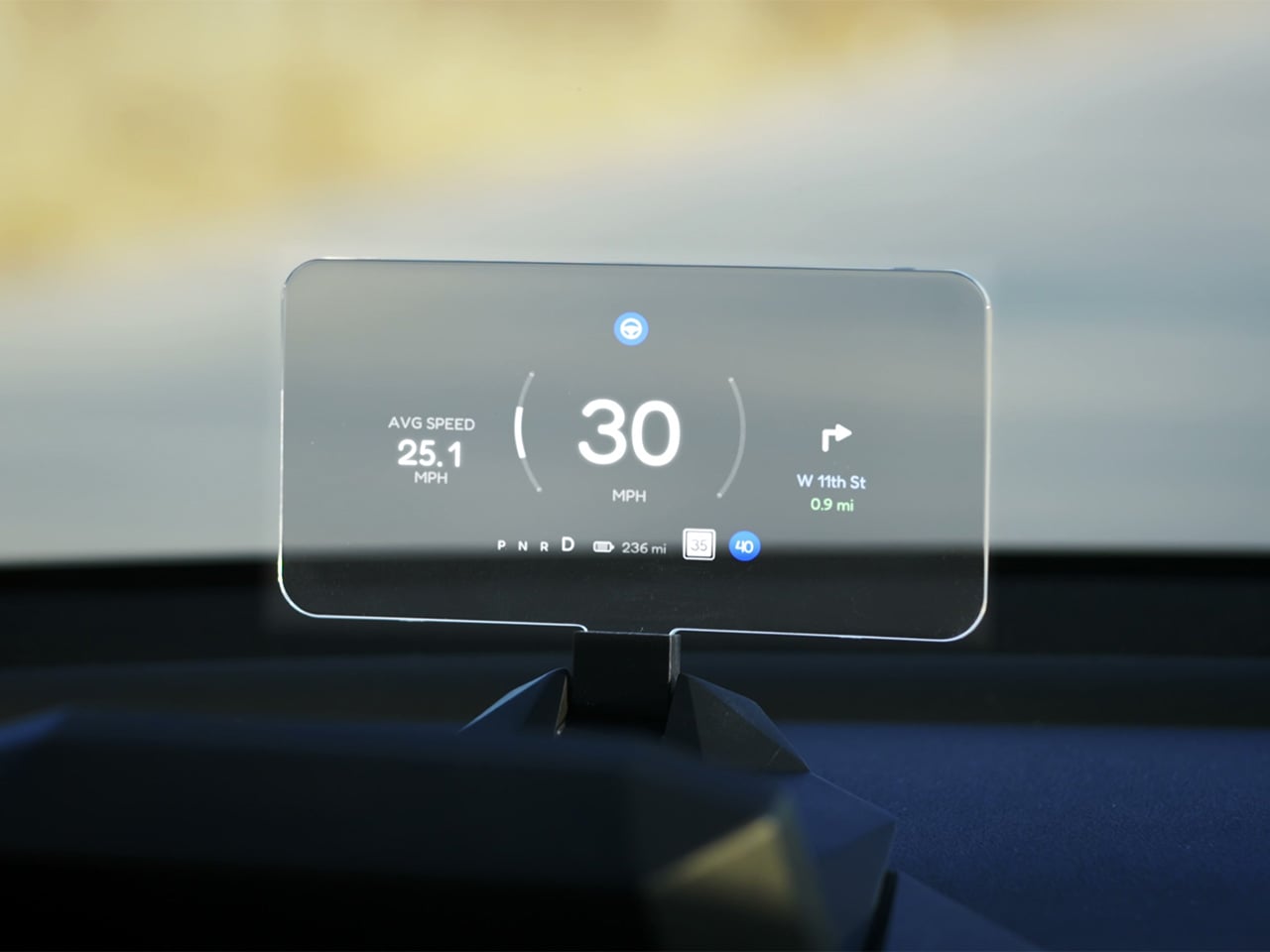
Built alongside a community of over 4,000 Tesla owners from mid-2025 through early 2026, NeuroHUD projects Tesla driving data directly into the driver’s forward sightline rather than leaving it on a screen at center console height. Installation takes about one minute, requires no tools and no disassembly, and leaves the factory wiring completely untouched, keeping the manufacturer’s warranty intact. The compute module clips behind Tesla’s center screen and draws power through a single USB-C cable, with no hardwired connections and no vehicle modifications of any kind. From there, a dual-channel data system reads Tesla’s screen directly through AI cameras and simultaneously pulls deeper vehicle telemetry through the Tesla API, creating a richer information layer than either method could supply alone. The result covers speed, navigation, gear state, battery range, blind-spot alerts, and takeover warnings, all projected directly in the driver’s line of sight.

Designer: TrantorVision

Click Here to Buy Now: $379 $629 (40% off). Hurry, only a few left! Raised over $474,000.

A pair of 150-degree AI fisheye cameras face Tesla’s display and read high-frequency data like speed at 50 Hz, fast enough to keep the HUD readout synchronized with the car’s actual state without perceptible lag at any velocity. Lower-frequency information, covering gear position, battery range, and navigation turns, arrives through the Tesla API on a separate channel, and the system routes each data type through the appropriate pipeline based on how quickly it needs to update. End-to-end latency on the AI vision side sits as low as 20 milliseconds, tighter than many production-fitted HUDs achieve through direct hardware integration. The onboard processor is a 6-core Arm DynamIQ chip paired with an Arm Mali G610 MP4 GPU and 4GB of LPDDR4 RAM, running Ubuntu Core Linux with Wi-Fi 6 and Bluetooth 5.4 connectivity. That compute specification would look comfortable in a mid-range Android tablet, which gives a sense of how much processing headroom TrantorVision has reserved for future OTA feature additions.

At 1,500 nits of peak brightness, NeuroHUD’s 4-inch TFT LCD panel is engineered specifically around the failure mode that sinks most aftermarket HUDs in real-world use: direct sunlight washout. The panel runs at 480×800 resolution with a 140-degree viewing angle, keeping displayed information legible across a wide range of driver head positions without requiring precise alignment to a narrow sweet spot. The modular Light Engine gives drivers a genuine choice of projection method rather than committing them to a single approach. Combiner Mode positions a semi-transparent screen in the driver’s sightline for the sharpest image quality, with projected information appearing to float in the forward visual field at a focal distance that keeps eyes aimed naturally at the road. Windshield Projection Mode throws the image directly onto the glass for a more immersive overlay, and both modes switch without tools or any hardware intervention.

HomeControl is a GPS-triggered garage automation system that learns the driver’s RF remote signal, geolocates the home driveway, and fires the garage door automatically as the car turns in, with a physical button for manual override available at any time. Screen Mirroring turns the HUD into a secondary phone display, meaning Google Maps or Waze can be projected directly onto the combiner or windshield without any dependency on Tesla’s native navigation system. UI customization runs three levels deep: a mobile app for toggling individual elements, a full UI editor for precise sizing and positioning of each data element, and an open API interface for users who want to build a custom renderer entirely from scratch. A community layer lets drivers share layouts or download configurations built by other NeuroHUD owners worldwide, making the display experience as much a living software product as a hardware one. The combination of GPS automation, open API access, and a community-driven layout library gives NeuroHUD a software depth that compounds as its user base grows.

TrantorVision began the project in January 2025 with the goal of building a heads-up display designed around Tesla’s unique display architecture from the ground up. By May 2025 an engineering prototype was assembled and the AI vision system validated through real-world road testing; by July the product was publicly announced with a community already exceeding 4,000 Tesla owners across multiple platforms. Production design locked in December 2025, with the first batch of production samples arriving in January 2026. The device supports Model 3 from 2017 to 2023, Model Y from 2020 to 2025, Model 3 Highland from 2023 onward, Model Y Juniper from 2025 onward, and the Cybertruck from 2023 onward, covering both left-hand-drive and right-hand-drive configurations with Model 3/Y Standard trim included. An OTA Compatibility Upgrade Service is built in, meaning the hardware is designed to receive future software capabilities without requiring a new unit.

The standard NeuroHUD carries an early bird price of $379 against a retail MSRP of $629, covering Tesla data integration, mobile app control, UI community access, the custom UI editor, screen mirroring, and CarPlay and Android Auto support. The NeuroHUD Pro steps to $429 at early bird pricing, down from $729 retail, adding HomeControl, Windshield Projection Mode, deeper Tesla API integration, and enhanced hardware built to grow its feature set through over-the-air updates. Both tiers ship with a windshield film, USB-C power cable, Thunderbolt cable, 12V car adapter, cable clips, and a quick start guide, backed by a one-year warranty. Shipping is free to the continental United States and Canada, with a flat $10 covering the EU, UK, Australia, Hong Kong, and all other worldwide regions, with customs fees covered for most major markets. Global delivery is scheduled to begin between September and October 2026.

Click Here to Buy Now: $379 $629 (40% off). Hurry, only a few left! Raised over $474,000.

The post Tesla Left a Glaring Gap in Every Model 3 and Model Y. This $379 HUD Fixes It. first appeared on Yanko Design.

300W and 7 Ports: This GaN Charger Makes Every Other Multi-Port Charger Look Embarrassingly Weak

Most GaN chargers on the market right now treat 140W like a finish line. Satechi hit it with their ChargeView hub and added a wattage display, which was genuinely useful. Voltix pushed to 180W with 7 ports and called it a day. Belkin went sideways into docking territory with their 146W 11-in-1 hub, bundling in connectivity features that most people opening a laptop at a coffee shop will never touch. The entire category seems to have collectively decided that anything past 150W requires compromises elsewhere, whether in size, port count, or heat management.

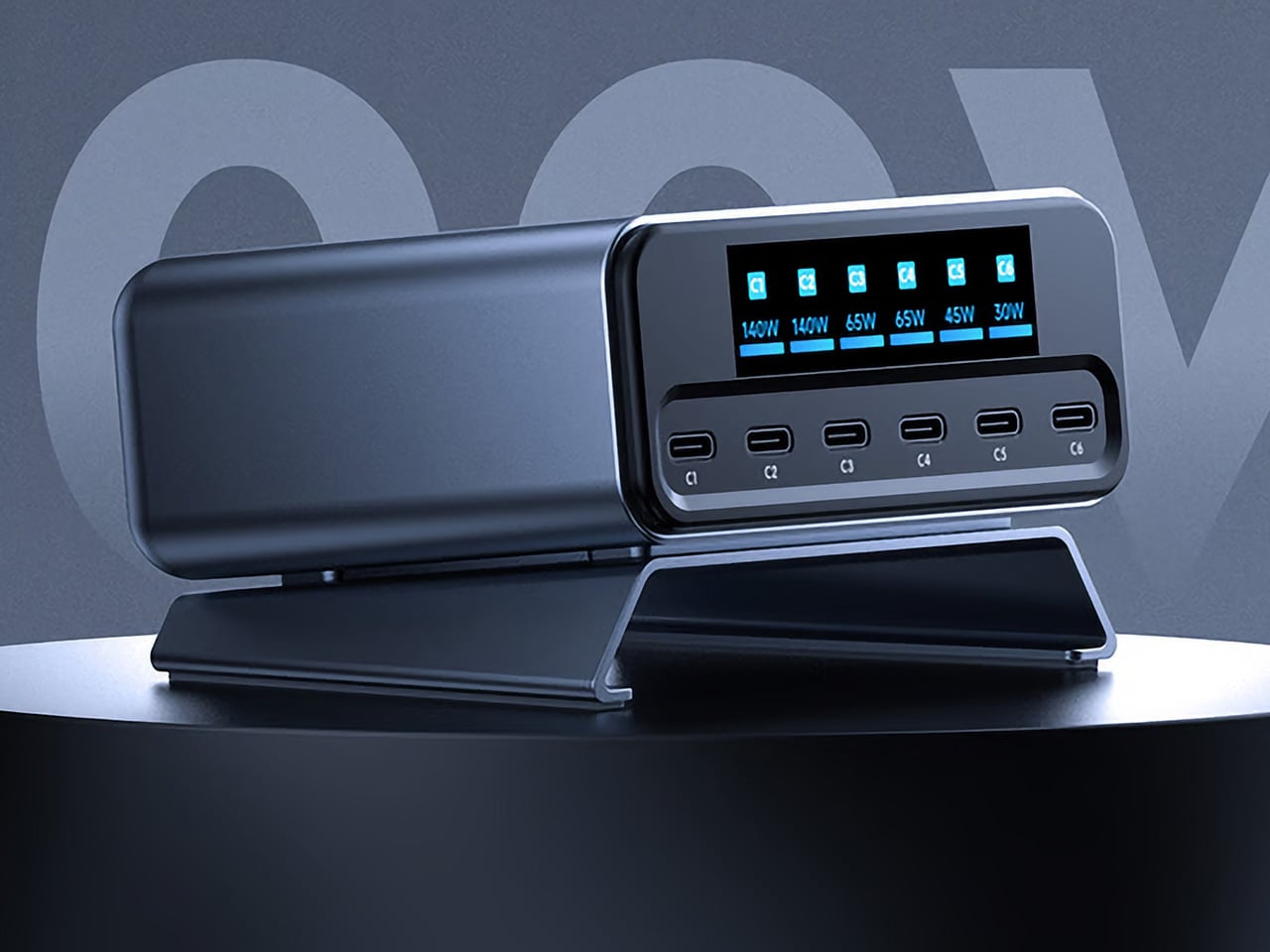
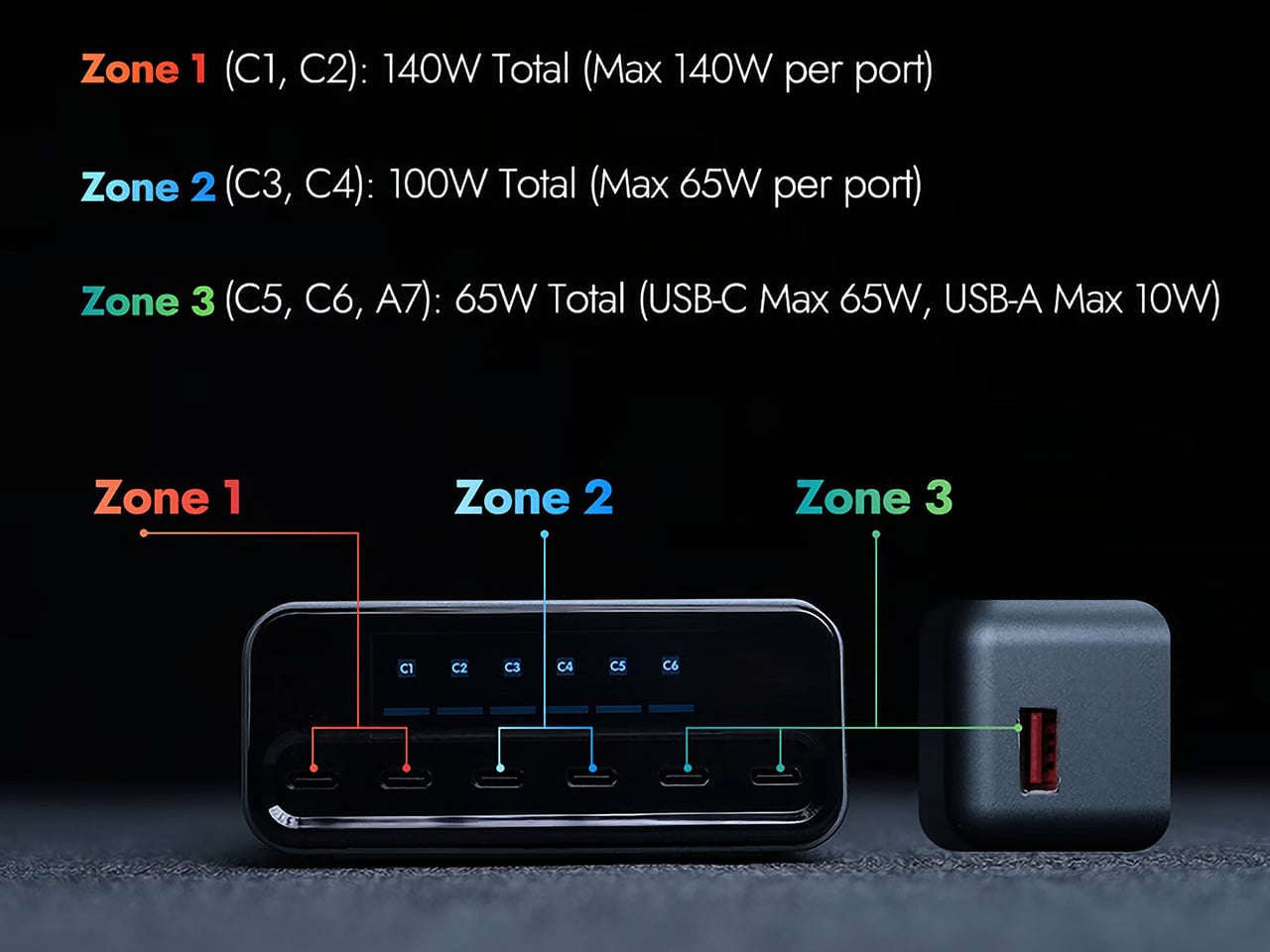
MUITAVY Gen2 delivers 300W across 7 ports without requiring a docking station footprint or a cooling fan that sounds like a jet engine spooling up. The 3-zone distribution system splits power intelligently: Zone 1 covers two USB-C ports at 140W total with 140W max per port, Zone 2 handles two more at 100W total with 65W max per port, and Zone 3 manages the remaining three ports (two USB-C, one USB-A) at 65W total. A switchable LCD display cycles through individual port output, temperature monitoring, and total wattage draw. At 492g and roughly the footprint of two stacked iPhones, it’s heavier than a travel charger but lighter than most docking hubs attempting similar output.

Designer: MUITAVY

Click Here to Buy Now: $119 $200 (40% off). Hurry, only a few left!

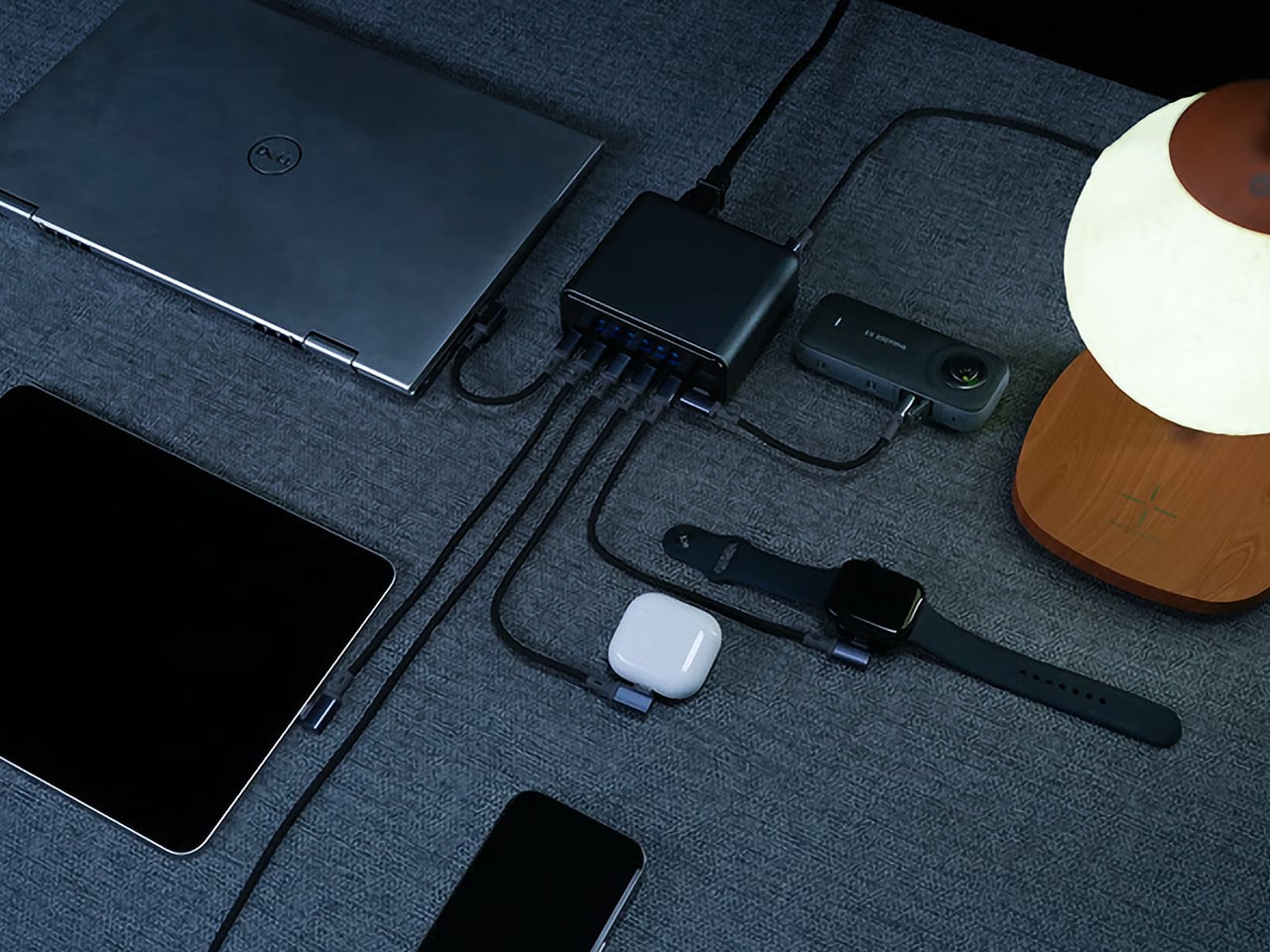
The MUITAVY Gen2 splits its power across three distinct zones. Zone 1’s 140W max per port means you can run a MacBook Pro M5 Max at full tilt on C1 while simultaneously fast-charging an iPad Pro through C2 without either device entering slow-charge purgatory. Zone 2’s dual 65W ports handle the middle tier, perfect for a MacBook Air, a Windows ultrabook, or a Steam Deck that needs a proper feed. Zone 3 covers the accessories: AirPods, a Kindle, a smartwatch, a Bluetooth speaker, whatever low-draw gear is cluttering your desk. The zones don’t borrow from each other, so plugging your phone into Zone 3 won’t suddenly throttle the laptop in Zone 1. That allocation is a lot like having a compartmentalized travel case or backpack with dedicated slots for organizing all your stuff, rather than just one big empty space that you chuck things into and pray for the best.

PD 3.1 handles the protocol layer, which is the same standard powering Satechi’s ChargeView and the top-tier Anker and Belkin hubs. The smart management chip inside the Gen2 reallocates power in milliseconds as devices connect or disconnect, so you’re not waiting for a handshake cycle every time you unplug your phone. The chip also handles trickle charge detection, which matters when you’re topping off a device that’s already at 95% and doesn’t need the full 65W anymore. That freed-up wattage gets redistributed across the other active ports without you lifting a finger. It’s the kind of behind-the-scenes efficiency that GaN was supposed to deliver all along but rarely does outside the premium tier.

The LCD display is where MUITAVY takes a page directly from Satechi’s playbook and expands on it. A side-mounted touch button cycles through three display modes: individual port wattage, temperature and performance stats, and total output. The Satechi ChargeView only shows wattage per port, which is helpful but incomplete. Adding temperature monitoring makes sense at 300W, where heat becomes a genuine concern rather than a footnote in the manual. If the hub is running hot because you’ve got seven devices pulling maximum draw simultaneously, you’ll know about it before anything thermal throttles or shuts down. The display itself is clear, bright enough to read in daylight, and updates in real time rather than refreshing every few seconds like cheaper implementations.

Size and weight sit in a reasonable middle ground. At 102.4 x 92.0 x 43.9mm, the Gen2 is larger than a typical travel charger but smaller than most desktop hubs attempting this kind of output. The 492g weight keeps it stable on a desk without needing a separate stand or adhesive pad to stop it from sliding around when you’re plugging cables in and out. For comparison, the Satechi ChargeView weighs 465g and still ships with a dedicated stand to keep it upright. MUITAVY’s footprint is wide enough that it sits flat without tipping, and the cable ports are positioned on opposite ends so you’re not dealing with a tangled mess of USB-C cables all emerging from the same side.

Universal compatibility extends beyond just USB-C and USB-A port selection. MUITAVY offers four input cable options to match regional plug standards: Type B for the US, Canada, Japan, and Mexico; Type I for China, Australia, and New Zealand; Type E for Germany, France, Spain, and Italy; Type G for Brazil, Hong Kong, Singapore, and Malaysia. That’s a detail most charger manufacturers ignore, assuming you’ll just buy a separate adapter if you’re traveling internationally. At 300W, though, plug compatibility becomes critical. You’re pulling serious current from the wall, and using a flimsy third-party adapter with a high-draw hub is how you blow a fuse or start a small fire in a hotel room. MUITAVY handles it at the hardware level, which is the correct approach.

The Gen2 comparison chart against the original MUITAVY is almost comical. Gen1 topped out at 200W total, 100W single-port max, 6 output ports, and a single power distribution zone with no display at all. It weighed 200g and measured 145 x 72 x 72mm, so it was lighter and taller but delivered significantly less power. Gen2 is a complete rebuild rather than an iterative spec bump, which is rare in a category where most “Gen 2” products just swap the exterior color and call it progress. The jump from 200W to 300W, from 1 zone to 3, and from no display to a multi-mode LCD suggests MUITAVY actually listened to feedback and designed around real-world use cases rather than just chasing a higher number for the product page.

The Early Bird pricing sits at $119 against a $200 MSRP, which positions it directly against the Voltix 180W at full retail and well below the Satechi ChargeView when you account for the wattage and port count difference. At $200 MSRP, it’s competing with premium desktop hubs from Belkin and Anker, but those products typically bundle data passthrough, HDMI outputs, and Ethernet jacks that add cost without adding charging capacity. MUITAVY Gen2 is a pure charging hub with no data connectivity, so the entire 300W budget goes toward power delivery rather than being split across multiple functions. Shipping costs are reasonable for hardware of this class: $19 for a single unit to the US, Canada, EU, UK, or Australia; $15 for Asia. The hub ships with the Gen2 unit, an AC input cable matched to your region, and a user manual. Expected delivery is mid-July 2026, with production ramping up in June.

Click Here to Buy Now: $119 $200 (40% off). Hurry, only a few left!

The post 300W and 7 Ports: This GaN Charger Makes Every Other Multi-Port Charger Look Embarrassingly Weak first appeared on Yanko Design.

8 Memorial Day Weekend Gadgets for the Man Who’d Rather Be Outside

The campsite is not a compromise. For a certain kind of person, the space between the trees gets the same deliberate attention as a living room — gear chosen for how it looks before dawn and how it performs after midnight. Memorial Day weekend is the season’s first real test of that instinct. These eight products are for the man who sets up camp with the same consideration he’d give a well-arranged shelf.

None of these are impulse buys. They’re the objects that earn a permanent spot in the pack — things you reach for every trip, not things that get forgotten in the garage. The sequence here runs from what you carry in your pocket, a titanium cylinder that glows for a quarter century without a battery, to what you use to cut the final rope of the night. A full campsite, deliberately assembled.

1. NoxTi

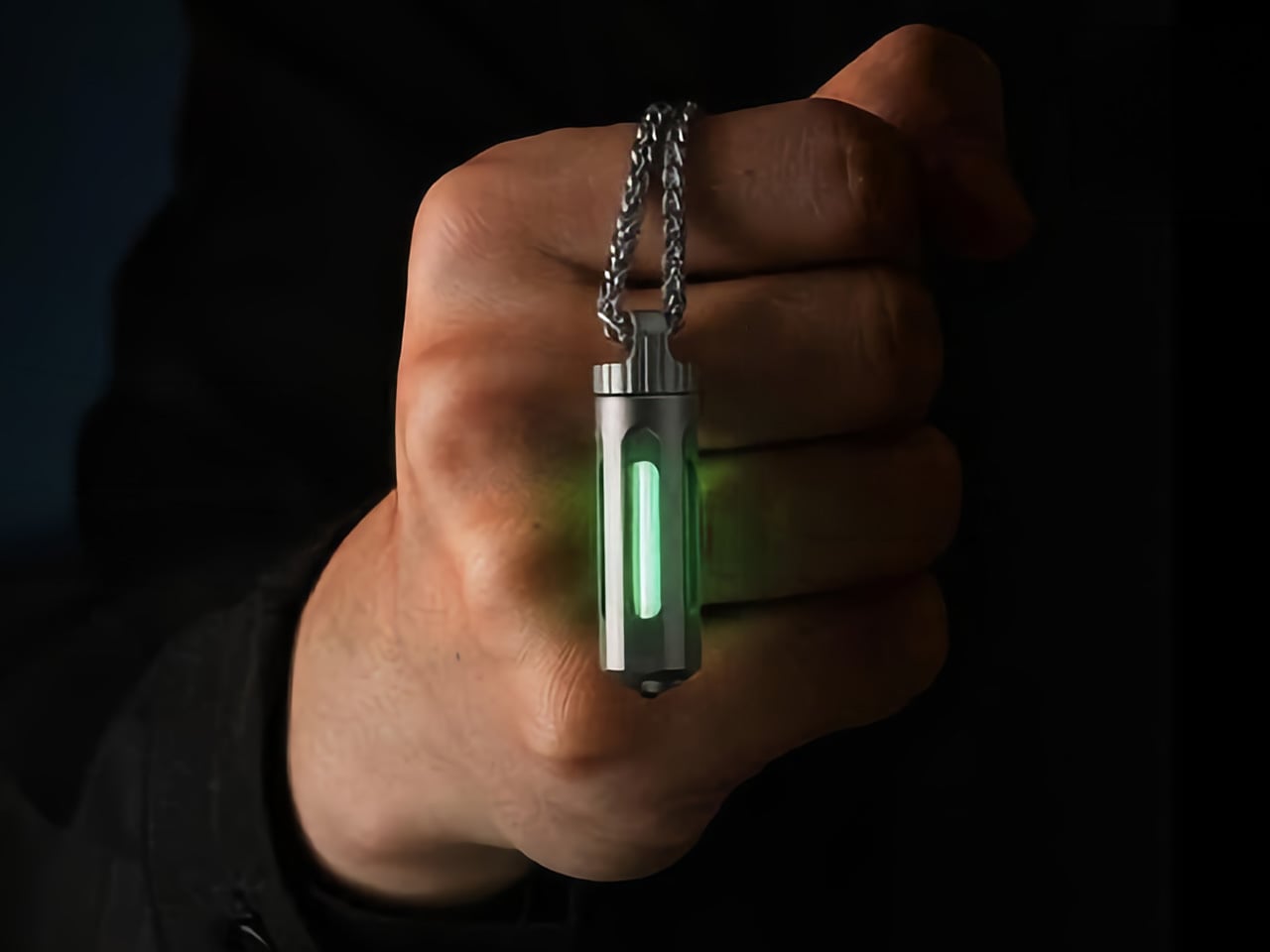
The NoxTi is a 45mm titanium cylinder that glows in the dark for 25 years without a battery, a charge, or any maintenance beyond replacing the tritium vial when it eventually dims two decades from now. The physics are not LED and not phosphorescent. Tritium is a radioactive isotope whose decay generates light continuously — the same principle behind military watch lume and nuclear exit signs. Xedge has machined this process into something that lives on your keychain.
The body is Grade 5 titanium — Ti-6Al-4V, the aerospace alloy — CNC-machined to tight tolerances with two silicone O-rings securing a quartz-protected vial that transmits 92% of available light. A ceramic-tipped glass breaker sits at one end. At 10.7 grams, it registers on the keychain the way a quality key does: present but not intrusive. Six color options run from Ice Blue to Sunset Orange. At camp, it tells you exactly where your keys are without reaching for your phone. That is the entire point.
What We Like:

  • Twenty-five years of continuous glow with zero batteries is a design achievement no other consumer lighting product can match
  • CNC-machined Grade 5 titanium with a field-replaceable vial system makes this effectively a permanent carry object
  • Six colorway options mean it reads as a design choice, not a utility clip

What We Dislike:

  • The glow is intentionally faint — it’s an orientation tool, not a navigation light, and expecting it to illuminate a path is a misreading of what it is

2. RetroWave 7-in-1 Radio

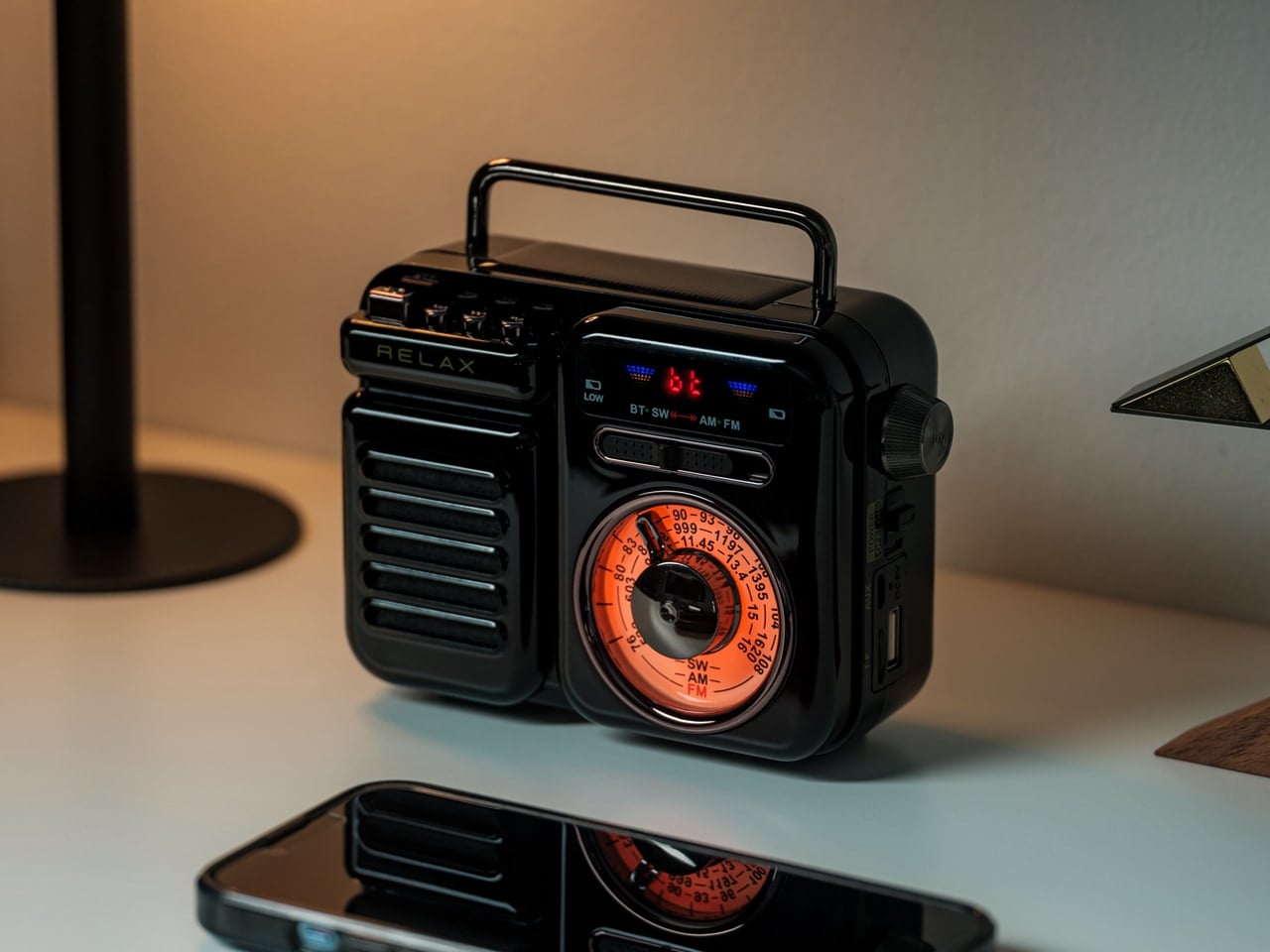
The RetroWave is seven things in one body: AM/FM/NOAA weather radio, Bluetooth speaker, USB charger, flashlight, reading lamp, SOS beacon, and clock. What makes it relevant for this list isn’t the feature count — it’s the form. The body is warm, compact, and tactile in a way that most multi-function gadgets simply aren’t. It looks like something discovered in a well-curated mountain cabin rather than panic-bought before a storm. That quality of looking chosen rather than grabbed is the distinction that matters here.

The hand-crank and solar charging panel mean the RetroWave can generate its own power, shifting it from a convenience item to a genuine piece of off-grid infrastructure. Up to 20 hours of radio playback on a full charge gives you a real entertainment window across the whole weekend. At $89, it sits at exactly the right price for a camp staple — the kind of thing that earns a permanent place in the bag because removing it would feel like forgetting something essential.

Click Here to Buy Now: $89.00

What We Like:

  • Hand-crank and solar charging make this fully self-sufficient — no cables, no wall outlet, no dependency on a power bank that itself needs charging
  • The warm retro form makes it the one piece of gear on the table that reads as a design decision rather than a utility purchase
  • NOAA weather radio is genuinely useful emergency infrastructure, not a gimmick

What We Dislike:

  • The Bluetooth speaker is functional, but won’t satisfy audiophiles

3. Haven Spectre

The Haven Spectre solves the problem every hammock sleeper knows: the banana curve. Traditional hammocks fold your body into a shape your lumbar tolerates for an hour and resents for the rest of the trip. The Spectre uses carbon fiber spreader bars and Monolite mesh panels to hold you flat — the same sleep position as a proper bed, suspended between two trees. At 4 pounds 4 ounces for the full kit, it’s lighter than most sleeping bags at a fraction of the pack footprint.

The Spectre includes a Silpoly rainfly, interior mesh pockets, an internal ridgeline for hanging gear, and an external sling for footwear. The mesh walls give you a full 360-degree view of wherever you’ve camped, which is either the point or not — the Spectre doesn’t decide that for you. Haven prices this from $485 with a 285-pound weight capacity and a packed size of 16 by 7 by 5 inches. For the man who considers where he sleeps as carefully as where he sits, this is the right answer to the right question.

What We Like:

  • Carbon fiber spreader bars deliver a genuinely flat sleep position that no conventional hammock can replicate — this is the difference between sleeping in a hammock and sleeping on one
  • The full kit, coming in under 4.5 pounds, is a meaningful spec for anyone packing in on foot
  • 360-degree mesh walls make wherever you camp feel worth waking up inside

What We Dislike:

  • From $485, this is the most expensive item on the list and reflects a very specific solution to a very specific problem — it’s not the entry point for casual hammock camping
  • Setup requires two trees at appropriate spacing, which means the terrain selects you as much as you select it

4. All-in-One Grill

The All-in-One Grill is made in Japan from stainless steel, and it carries that origin in its proportions. This is not a portable grill that apologizes for being portable — the construction is taut, the lines are clean, and the 11.8-inch base feels proportioned rather than compromised. It functions as a grill, a pot, and a smoker through a modular lid system, which means the same object that handles your morning eggs can be doing low-and-slow work by mid-afternoon. That’s a significant range for one piece of equipment.

At $449, this is the investment piece of the list, and it earns that position through longevity rather than novelty. Stainless steel built to Japanese manufacturing standards doesn’t warp, doesn’t corrode, and doesn’t develop the hot spots that ruin cheaper grills after a single season. The thick plate grill net and included pot lid for steaming and smoking mean you’re not returning for accessories down the line. Compact enough for a car boot, deliberate enough for a kitchen shelf once camping season ends.

Click Here to Buy Now: $449

What We Like:

  • Three distinct cooking modes — grilling, pot cooking, and smoking — from a single compact body is the kind of functional intelligence that makes you question why other portable grills are built the way they are
  • Japanese stainless steel construction is built for decades of use, not seasons
  • The proportions are clean enough that this sits on a kitchen counter without embarrassment when camping season ends

What We Dislike:

  • The compact dimensions are ideal for two; feeding a larger group requires patience between rounds and a considered approach to sequencing what cooks when

5. Olight Baton 4

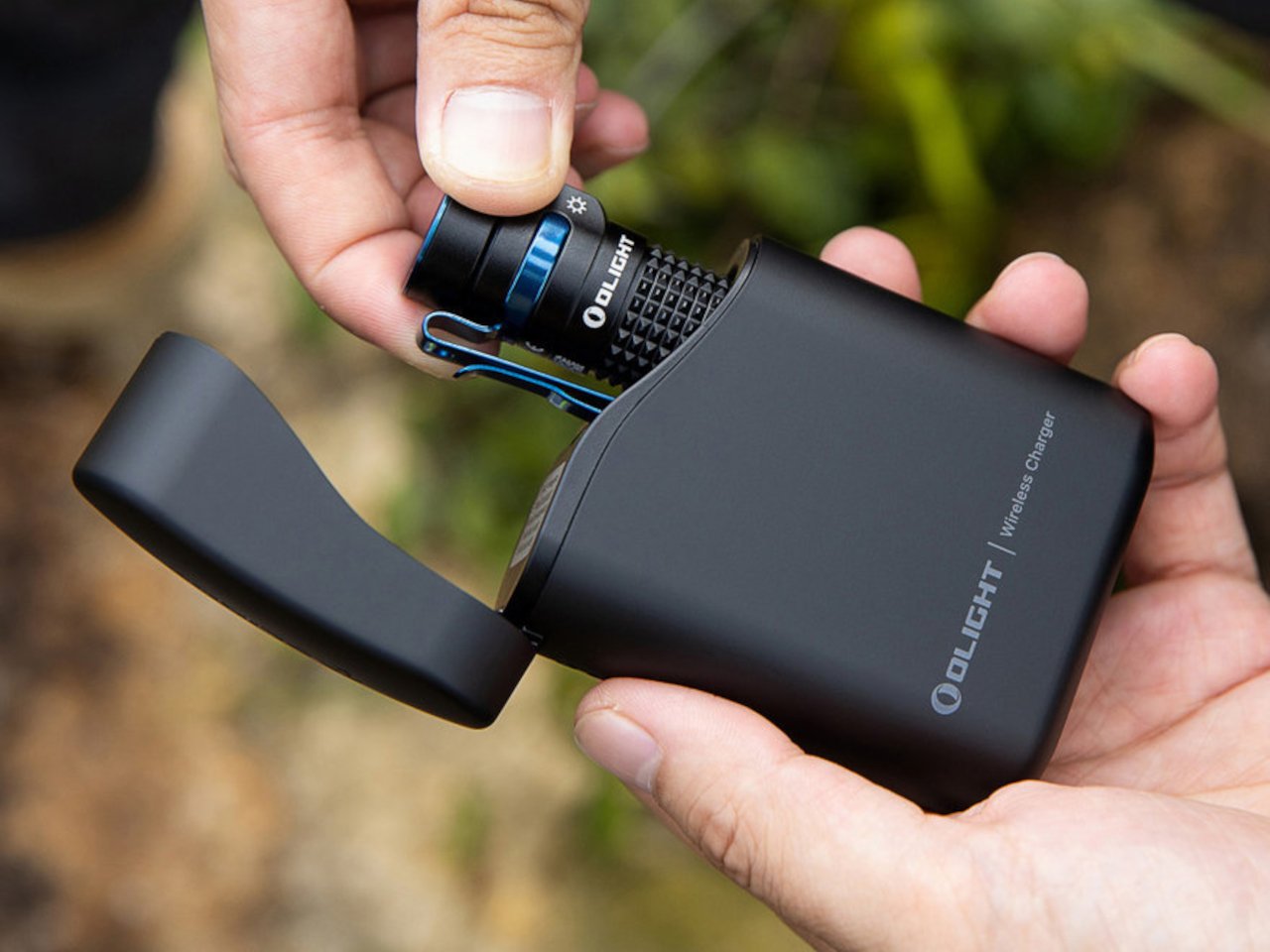
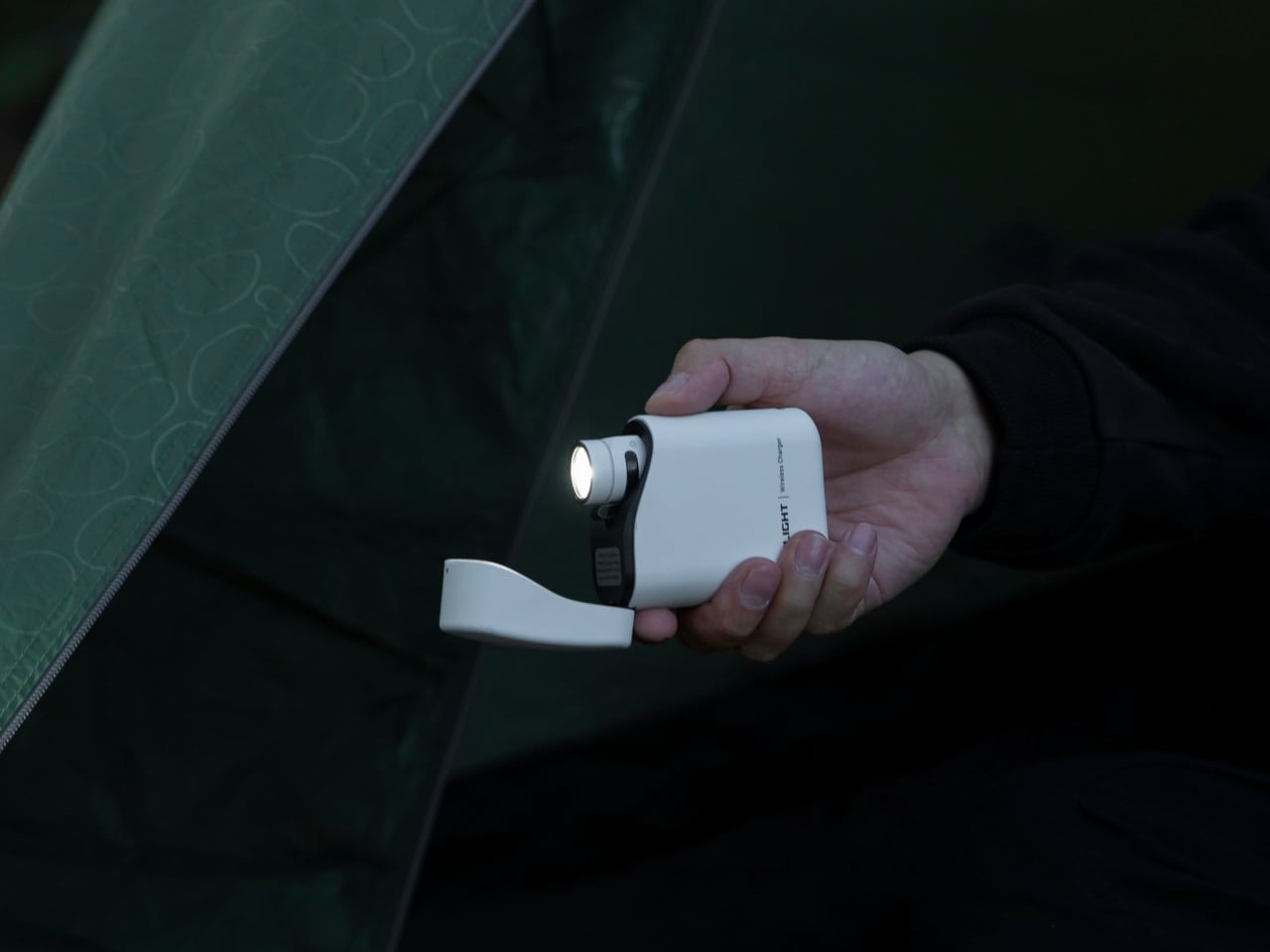
The campsite flashlight is the object most people under-invest in, and the one they most regret the moment the sun drops. The Olight Baton 4 is the correction to that habit. At 1,300 lumens from a body not much larger than a lighter, it puts out more light than most people realize is possible at this price. The magnetic charging case doubles as a 5,000mAh power bank, meaning the Baton arrives at the campsite charged and stays that way across the full weekend without drama.

What earns the Baton 4 its place here over cheaper alternatives is Olight’s attention to the carry experience. The clip sits deep in the pocket, the button has a deliberate texture that works with gloves, and the machined body feels significantly more expensive than $54.99. Five brightness modes cover everything from reading in a tent to lighting a path fifty meters out in total darkness. It disappears into your pocket until the moment it becomes the most important thing at your site.

What We Like:

  • 1,300 lumens from a body small enough to forget about until needed is a remarkable engineering result at this price
  • The charging case solving two problems — storage and backup power — with one purchase is exactly the kind of design thinking that creates long-term loyalty
  • Five brightness modes mean the Baton handles reading light and trail light from the same pocket object

What We Dislike:

  • The charging case adds bulk that doesn’t sit comfortably alongside the light in a single pocket — you carry them separately or leave the case in the bag
  • USB-C charging is reserved for the newer Pro model; the base Baton 4 uses a proprietary magnetic connector

6. Stanley Perfect Pour Over Brew Set

The Pour Over Brew Set strips the morning ritual down to its essentials: a stainless steel cone filter, a cup base that doubles as your vessel, and nothing disposable. No paper filters, no waste, no fragile glass sitting at risk on a folding table. You grind your beans, pour your water, and the coffee lands in a Stanley cup ready for the day. The whole thing stacks into itself, making it one of the most compact brewing systems available for outdoor use.

What separates this from the sea of portable coffee gadgets is Stanley’s refusal to compromise the cup. The base isn’t an afterthought — it’s the same vacuum-insulated construction as the tumblers the brand built its reputation on. Your coffee stays genuinely hot for hours, which matters less at a kitchen counter and considerably more at a campsite at 6 am with the temperature still in the low thirties. At $79.99, it’s one of the most honest objects on this list: built to last, built to be used every single morning.

What We Like:

  • The metal cone filter eliminates disposables — no paper filters, no emergency store runs mid-trip
  • The vacuum-insulated base keeps coffee hot well past the pour, which at altitude and in cold morning air is less a luxury than a necessity
  • The whole system stacks into itself with nothing left over — it’s one of the tidiest pack-and-go brewing solutions available

What We Dislike:

  • This is a single-cup system — group camping requires multiple sequential pours, and the output speed depends heavily on grind size, which takes some practice to dial in correctly
  • It’s a ritual for one, not a breakfast solution for four

7. CIVIVI Button Lock Elementum II

A camp knife earns its place not through drama but through frequency: the rope that needs cutting, the package that won’t open, the branch that wants trimming. The Elementum II handles all of that without demanding attention. At 3.12 ounces with a 3-inch Nitro-V steel blade, it carries like it isn’t there until the moment you need it. The button lock opens single-handed — a detail that sounds minor until you’re holding something else with the other hand.

CIVIVI’s design language is where this knife punches well above its price point. The G10 handle scales sit flush against titanium-anodized liners, and the overall profile is lean enough to disappear in a front pocket without printing. Nitro-V holds an edge longer than the VG-10 steel found in knives twice the cost.

What We Like:

  • The button lock deploys cleanly one-handed every time, and the deep-carry clip keeps the knife invisible in a pocket without shifting during a full day of activity
  • Nitro-V edge retention is genuinely better than anything in this price bracket has any right to deliver
  • The slim profile and anodized liner finish make this look like a $150 knife in hand

What We Dislike:

  • At 3 inches, the blade sits at the shorter end for heavier camp tasks — batoning or breaking down larger cuts of food will show its limits quickly
  • G10 color options are conservative for a knife that otherwise looks this considered

8. Marshall Kilburn III

The Kilburn III is what happens when a speaker brand takes outdoor audio seriously without abandoning the aesthetic identity that made it recognizable. The guitar amp proportions, the gold script logo, the herringbone strap — these aren’t cosmetic decisions bolted onto a utility product. They’re what make the Kilburn the speaker people leave sitting on the picnic table rather than packing back into a bag. At 40 hours of battery life, you don’t need to manage it across a long weekend. It simply plays.

Where the RetroWave Radio earns its place through versatility, seven functions, self-sufficient power, and emergency utility, the Kilburn earns its place through one thing done exceptionally well. If music is the reason you’re packing a speaker at all, this is the one that justifies the weight. The Kilburn III adds reverse charging to its feature set, meaning it can top up your phone or flashlight from its own battery, a practical outdoor function that speakers at this price point rarely bother to include. The sound is tuned for open space rather than indoor rooms: the wider the environment, the more the Kilburn opens up and fills it.

What We Like:

  • Forty hours of battery across a weekend means you set it down Friday afternoon and don’t think about charging it until Monday
  • Reverse charging turns the speaker into backup power for other gear — a thoughtful outdoor feature that makes the price easier to justify
  • The design holds up on a picnic table the way it does on a shelf — it looks like it belongs wherever you put it

What We Dislike:

  • At 2.6 kilograms, the Kilburn III is a car-camping speaker — backpackers need not apply
  • The $379.99 price demands a committed relationship with good outdoor audio; this is not the speaker you buy casually

Pack Well, Camp Better

The best campsite doesn’t happen by accident. It’s the result of eight or ten or twenty decisions made before you leave the driveway — what you bring, how it’s designed, and whether the sum of those choices creates something that feels assembled with genuine intention. Every product on this list earns its place through that logic: not because it has the most features or the most impressive spec sheet, but because it’s worth carrying, worth using, and worth looking at.

Memorial Day weekend is three days. That’s enough time for coffee at dawn, a full day over the grill, an evening of music around a fire, and a night spent flat in a hammock looking at whatever sky you drove to find. These objects exist to make those three days feel less like roughing it and more like the kind of life you’d choose if you designed one deliberately. Pack well.

The post 8 Memorial Day Weekend Gadgets for the Man Who’d Rather Be Outside first appeared on Yanko Design.