Snake-Shaped Razer Boomslang Mouse Returns 20 Years Later With 45K DPI

At the end of the 1990s, when most PC mice were beige, ball-based, and capped at a few hundred DPI, the original Razer Boomslang showed up with a weird snake-head shape and a 2,000-DPI mechanical sensor. Razer now calls it the world’s first gaming mouse, and whether or not you want to argue that title, it definitely helped turn the mouse from a beige accessory into a performance peripheral that people obsessed over.

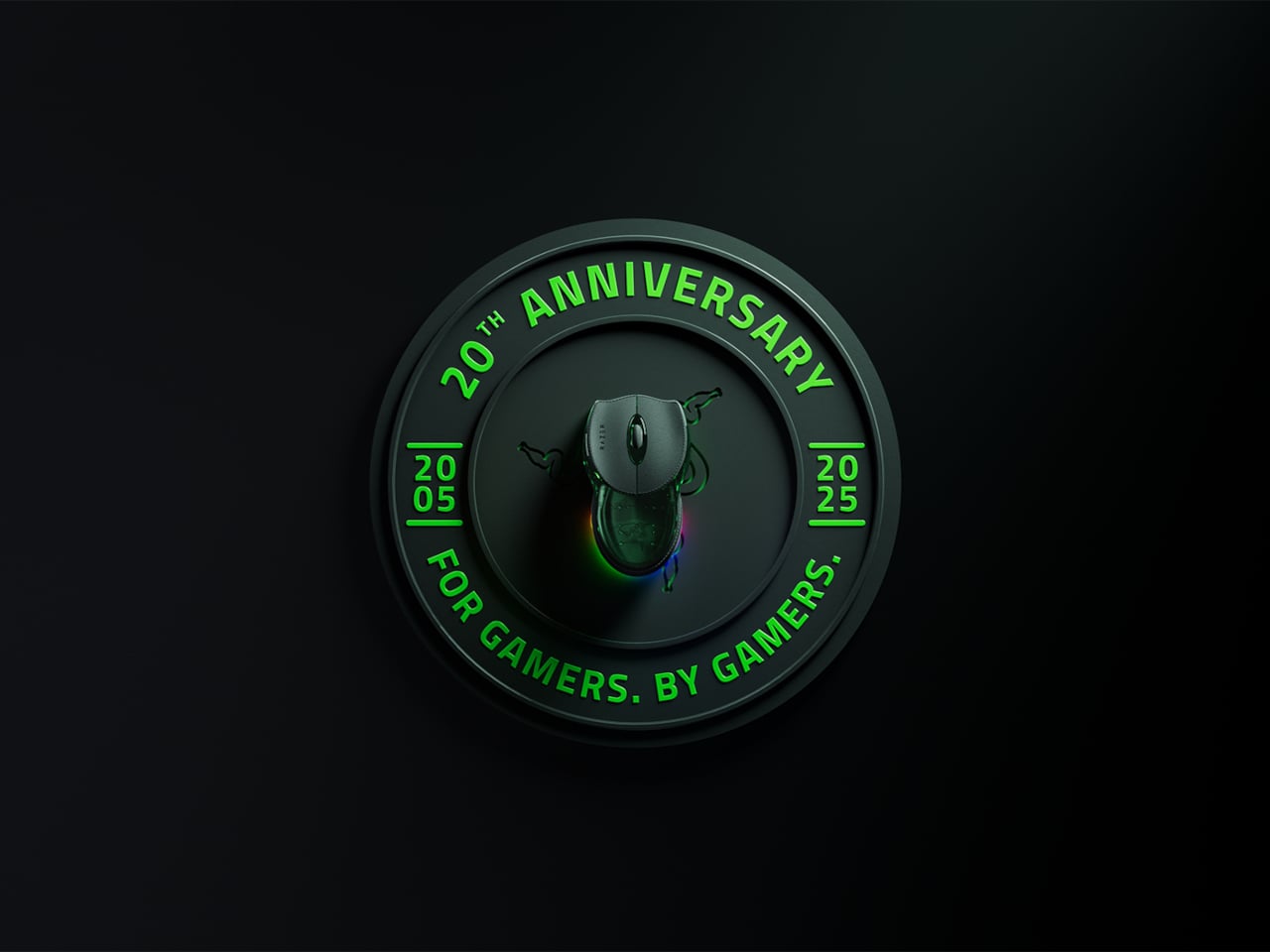
The Boomslang 20th Anniversary Edition is Razer’s way of revisiting that moment with twenty years of hindsight. It is a one-time release limited to 1,337 units worldwide, each uniquely serialized, with the #1337 unit reserved as a “leet” nod for one lucky fan. It is aimed squarely at people who either owned the original or wished they had, but it is also a fully modern mouse that can live on a current desk without feeling like a prop.

Designer: Razer
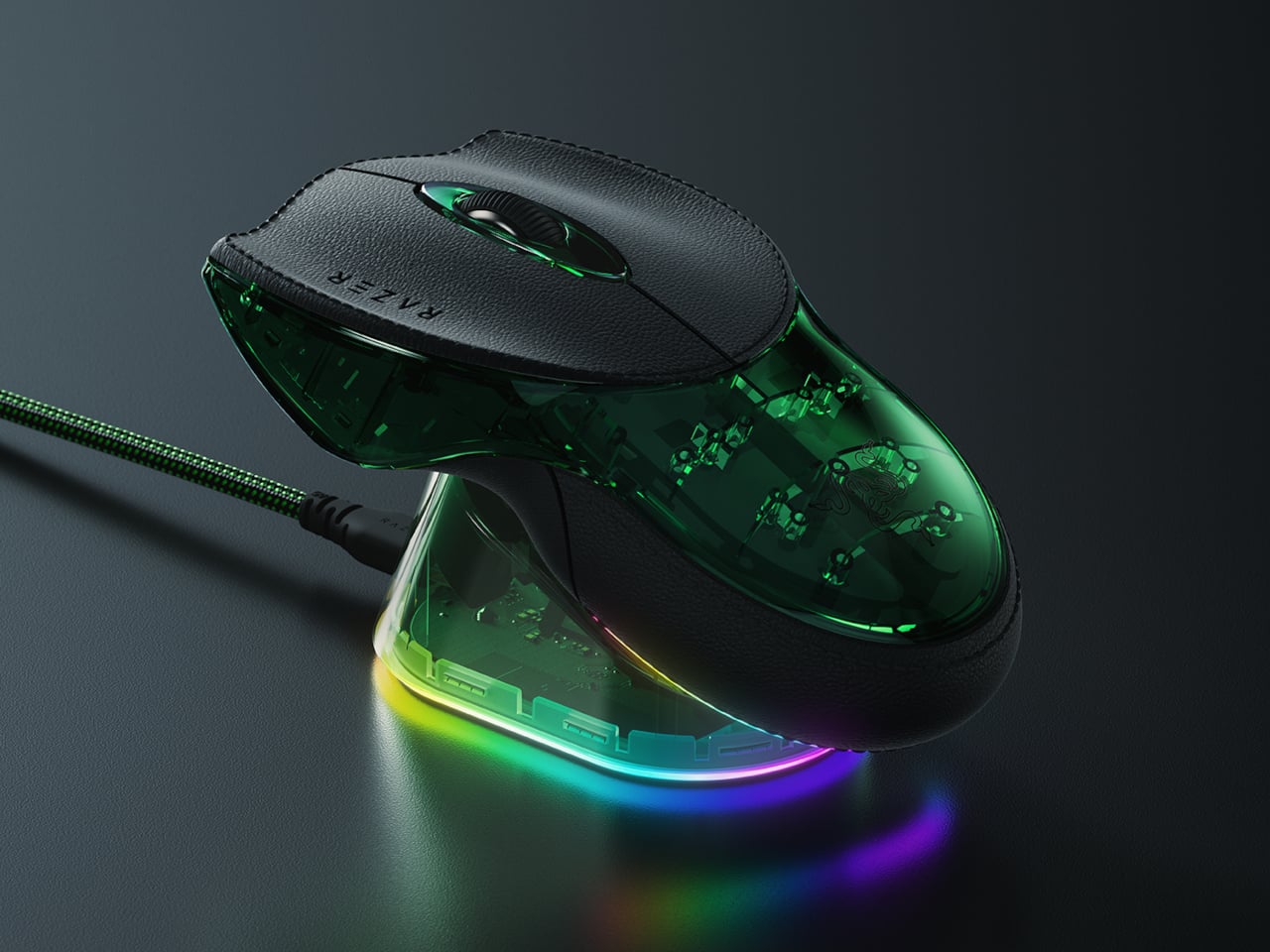
On the outside, the new Boomslang keeps the iconic snake-head outline and true ambidextrous form, preserving the low, wide body that made the original stand out. The translucent shell and underglow are deliberate echoes of that first model, but the lighting is now a nine-zone Razer Chroma RGB system that can be tuned in Synapse. The idea is that, at a glance, it still reads as a Boomslang first, and as a spec sheet second.
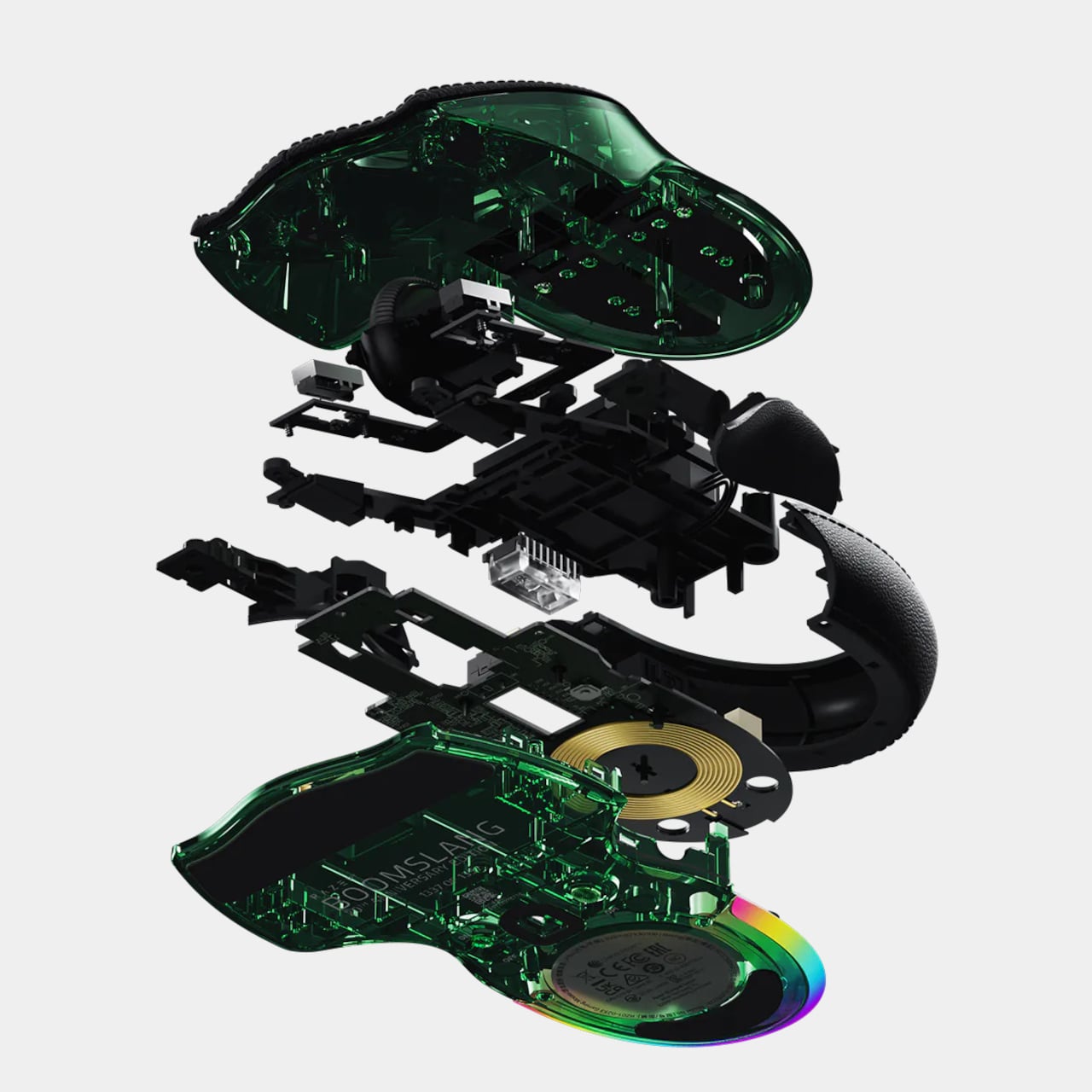
Inside, everything is from 2025. The Razer Focus Pro 45K optical sensor offers up to 45,000 DPI with 99.8 percent resolution accuracy, a ridiculous number compared to the original’s 2,000-DPI ball. HyperPolling Wireless pushes the polling rate up to 8,000 Hz, which means the mouse can report its position to the PC eight thousand times per second. Gen-4 optical switches handle primary clicks with a 100-million-click lifespan and no debounce delay.
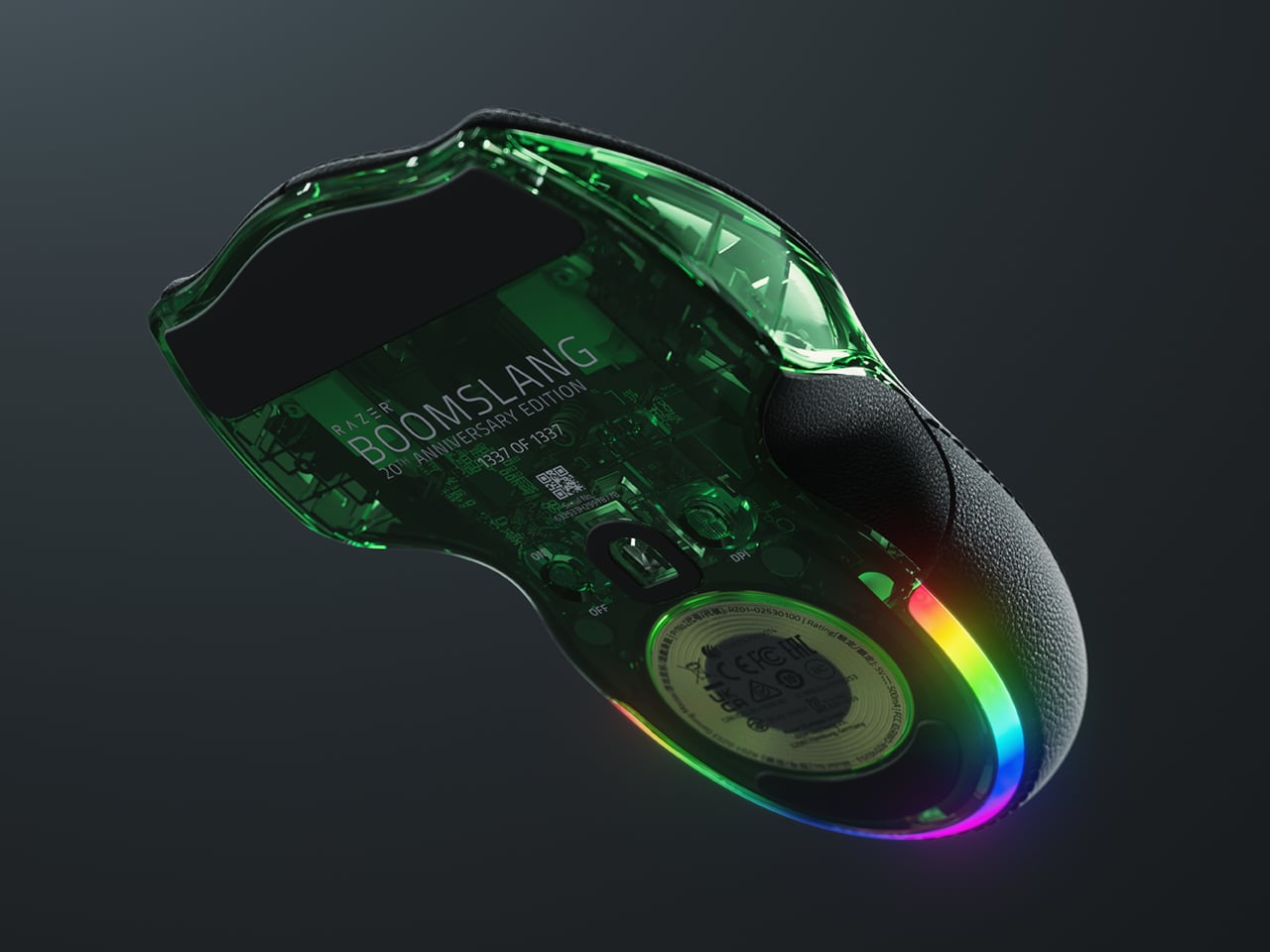
Charging and connectivity also get a full reboot. The mouse is fully wireless and ships with a Razer Mouse Dock Pro that acts as both a magnetic charging base and a dedicated wireless receiver. Drop the Boomslang on the dock, and it starts charging automatically, while the dock handles HyperPolling Wireless up to 8,000 Hz over a single USB cable. It is a neat contrast to the wired-only original that helped define the gaming-mouse category.
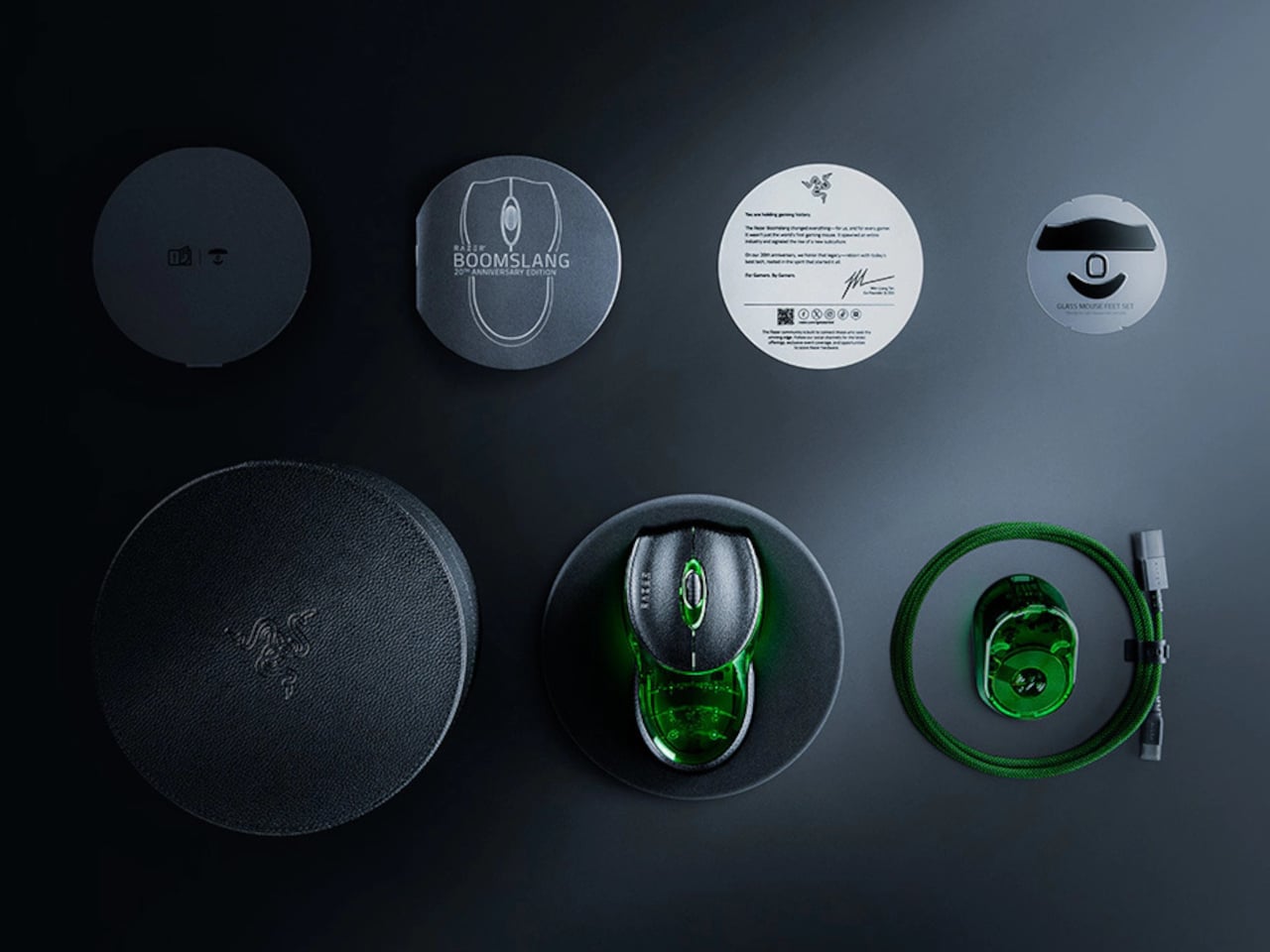
Material and feel have been nudged into more premium territory. The primary buttons are wrapped in PU leather for extra grip and a more tactile press, which is a small but noticeable change if you are used to hard plastic shells. Underneath, nine zones of Chroma underglow can be customized with 16.8 million colors and effects, and eight programmable controls can be mapped to macros and profiles in Synapse.

The Boomslang 20th Anniversary Edition is a reminder that the idea of a gaming mouse had to be invented once, by a translucent, snake-shaped oddball that rolled a ball at 2,000 DPI. This remake uses that nostalgia to show how far sensors, switches, and wireless tech have come. For anyone who grew up on early Razer gear, it is a small, serialized time machine that also happens to be a high-end mouse in 2025.
The post Snake-Shaped Razer Boomslang Mouse Returns 20 Years Later With 45K DPI first appeared on Yanko Design.
AYANEO Pocket PLAY Brings Back the Slider Phone, Now With D-Pad

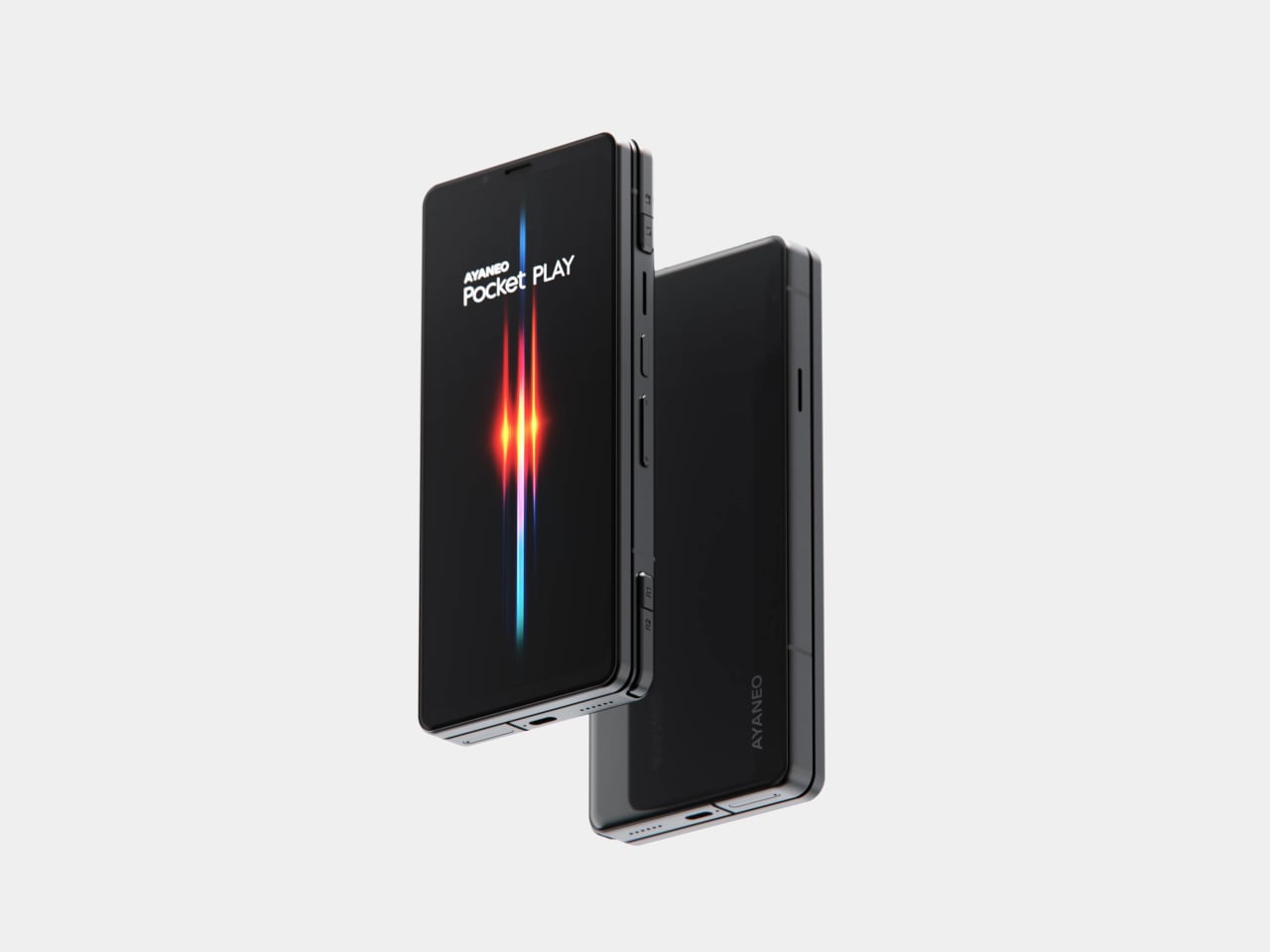
AYANEO is known for gaming handheld devices that run Windows and, sometimes, Android, but not phones. Most gaming phones still feel like regular slabs with RGB lights and higher refresh rates, treating games as an app category instead of the reason the device exists. Pocket PLAY is AYANEO’s first smartphone, and they are not shy about calling it “more than a phone,” framing it as a handheld console that happens to live on a SIM card instead of a desktop operating system.

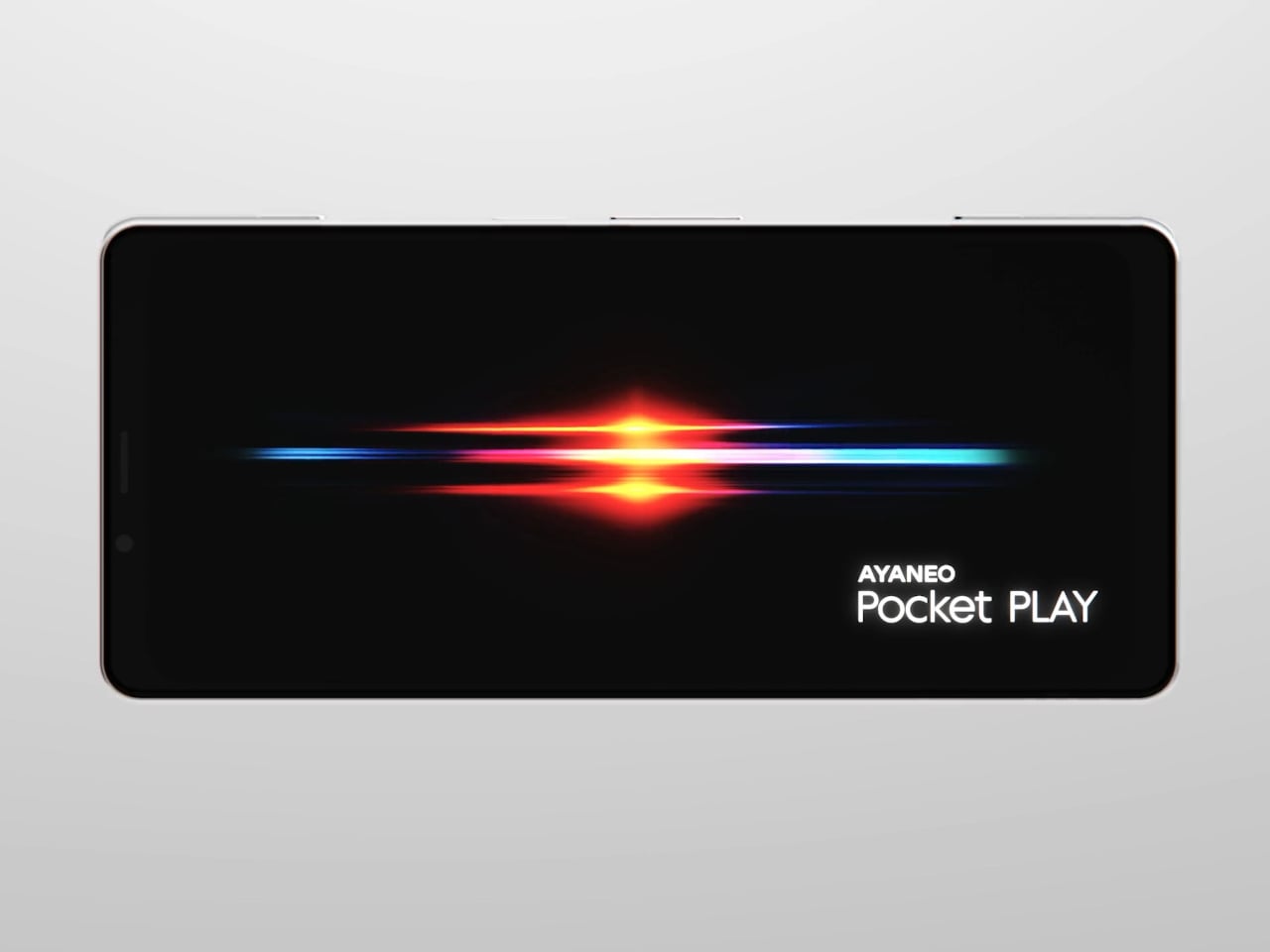
AYANEO calls it “the ultimate fusion of mobile phone and gaming handheld,” built “in the name of games, made for the dreams of gamers.” The minimalist front follows golden-ratio proportions and AYANEO’s “handheld artistry” philosophy, looking like a clean black slab until you slide it open and the real personality appears. The idea is that it should not shout gamer aesthetic when you are checking email, only when you want to play.

Designer: AYANEO

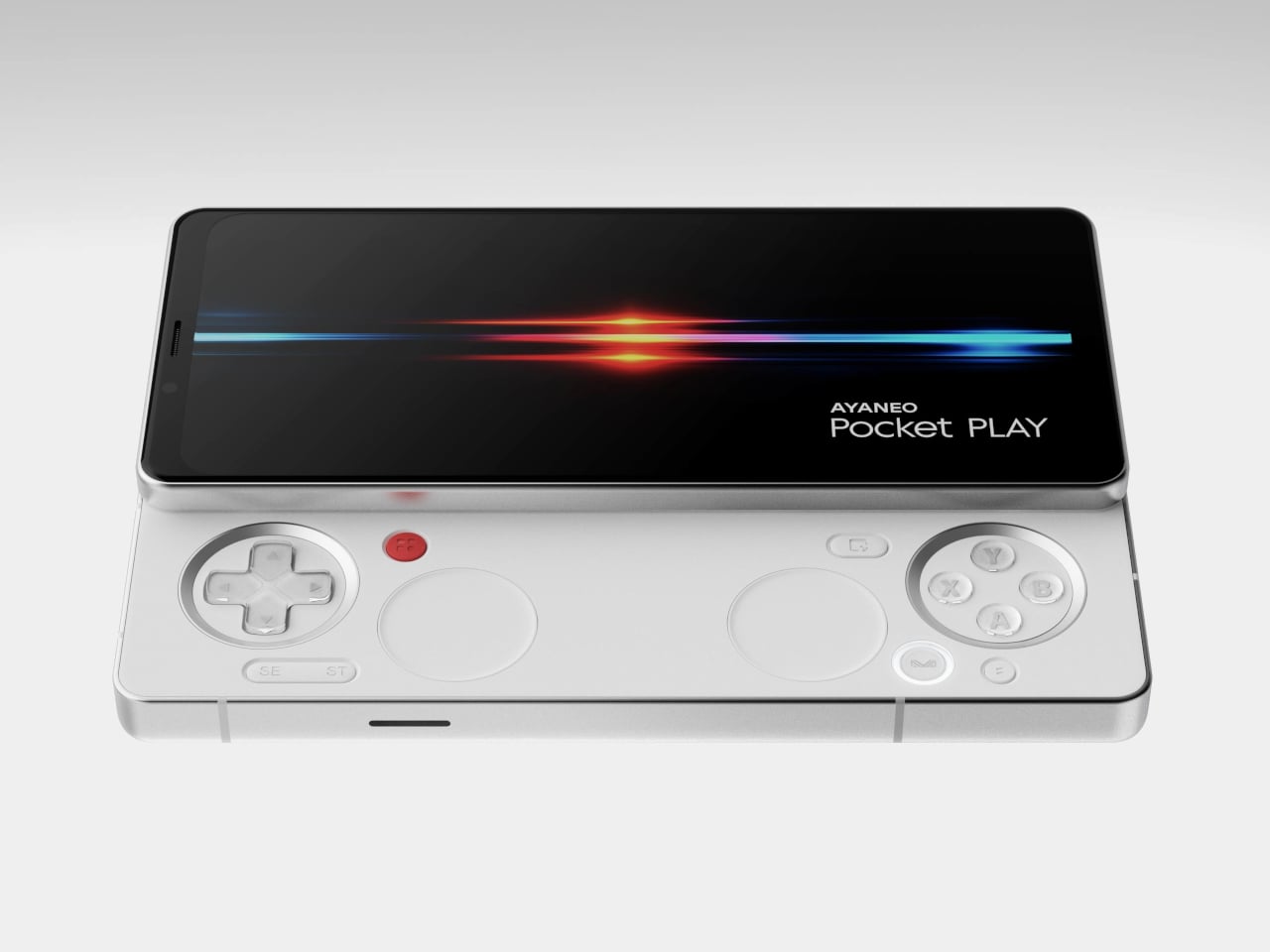
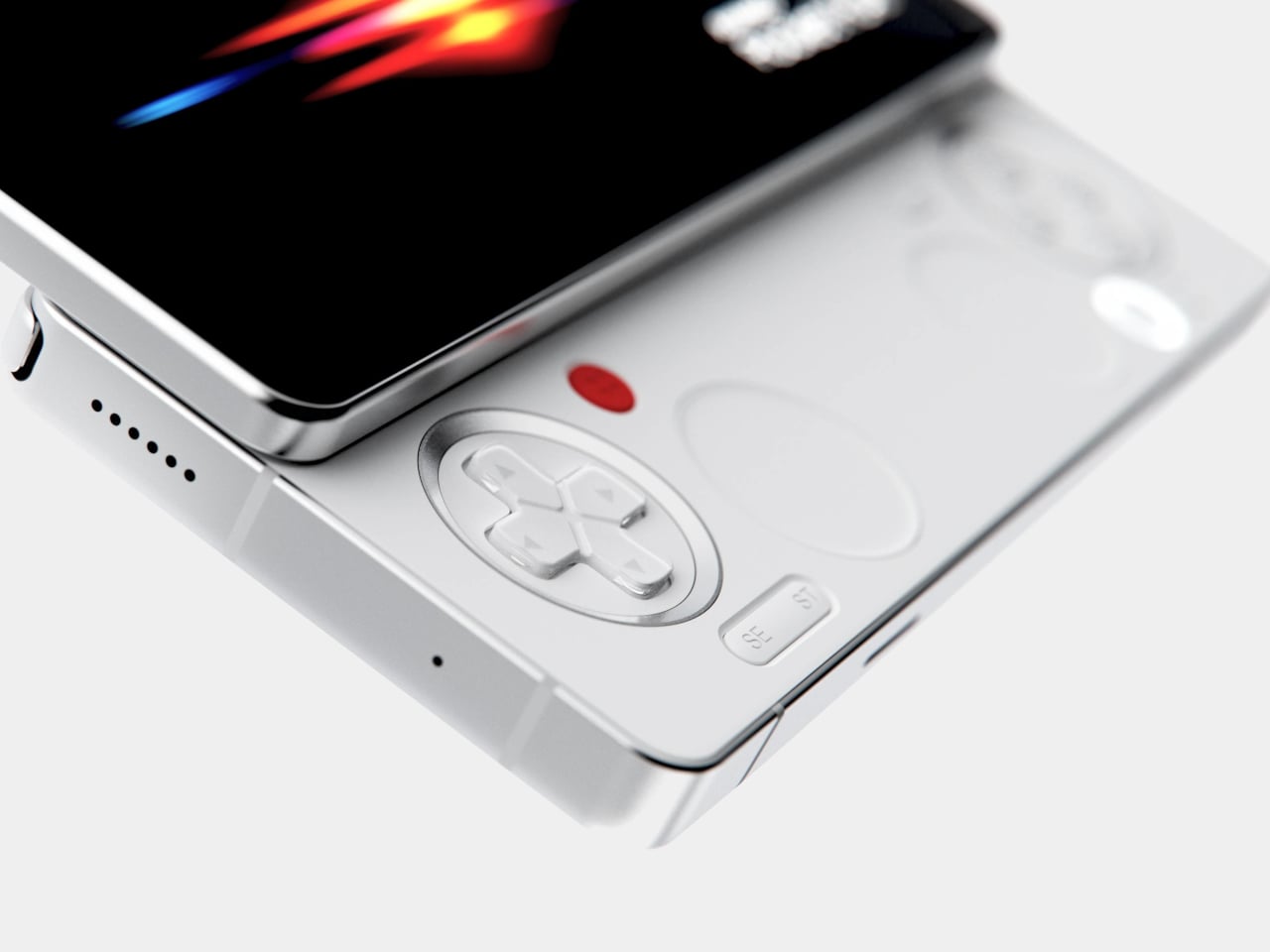
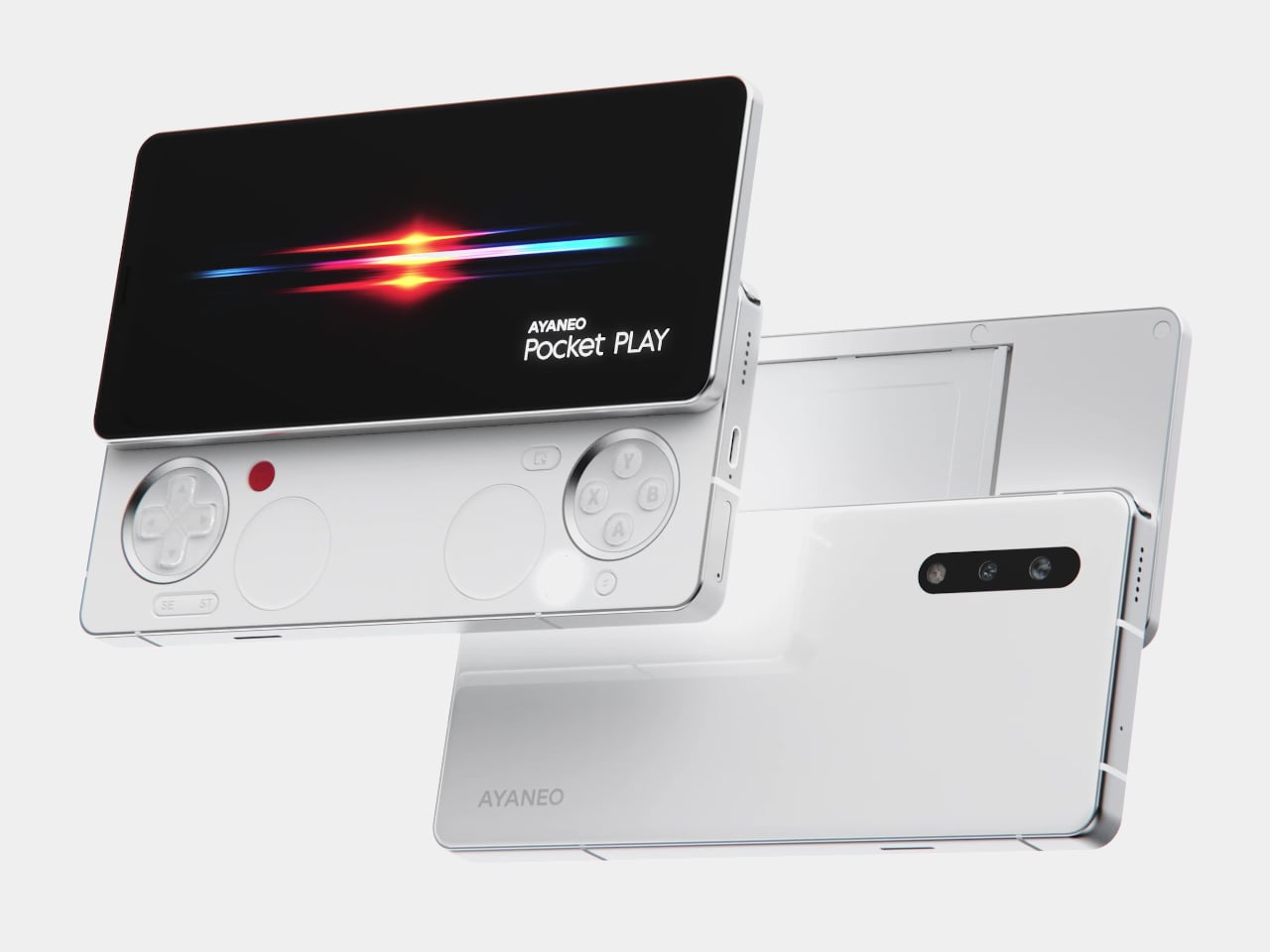
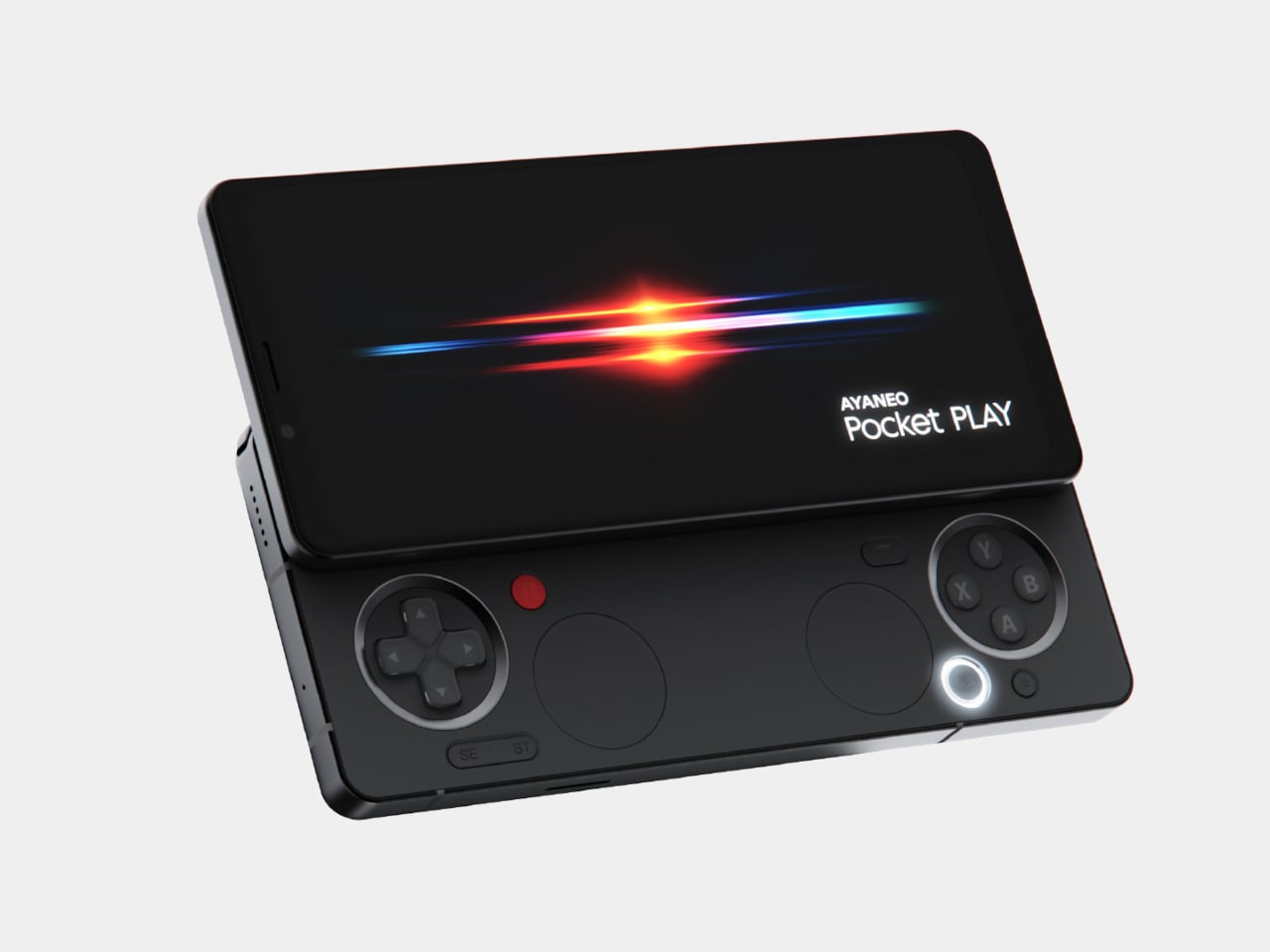
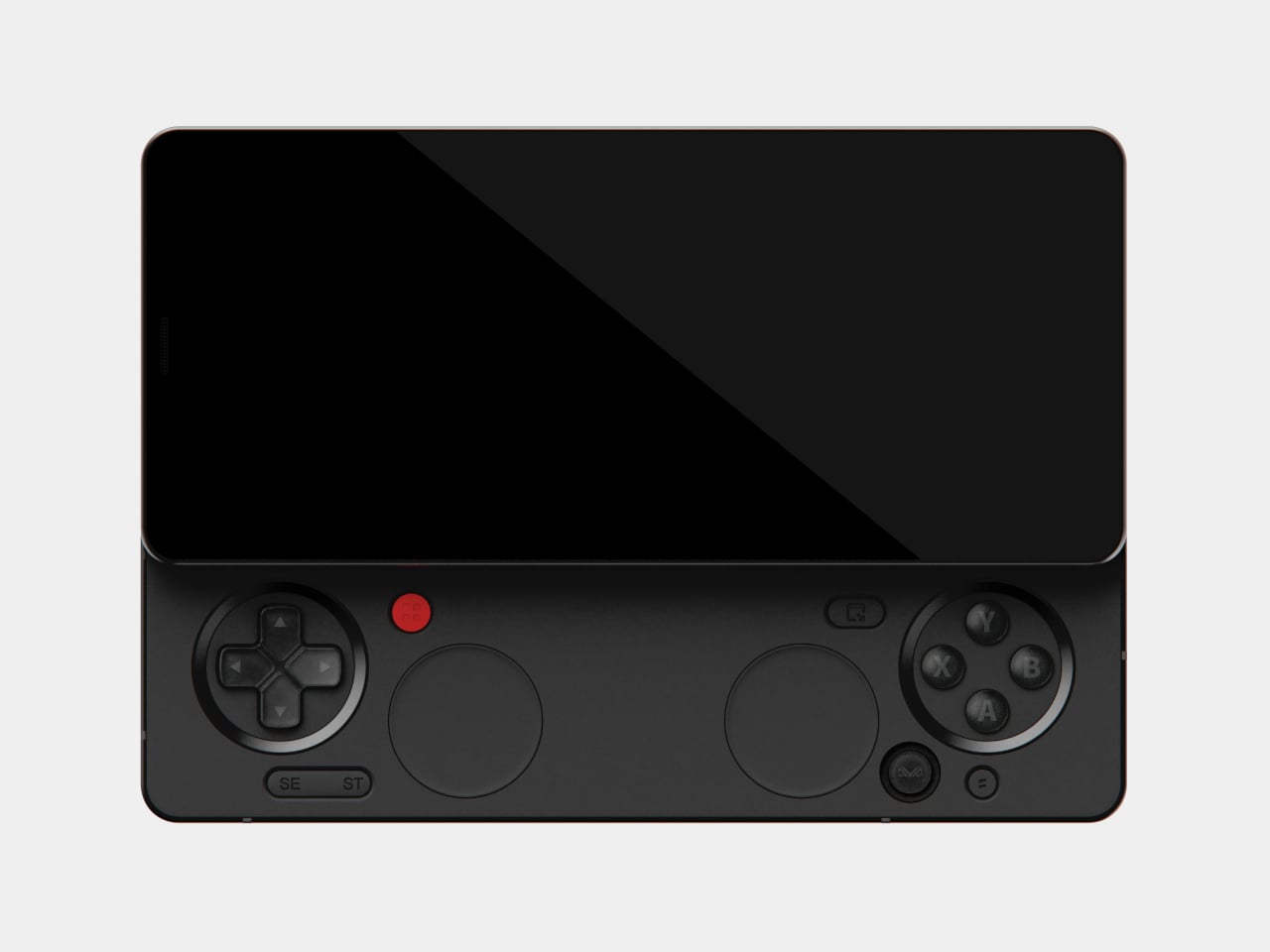
The classic side-slide mechanism is a light push that reveals a full controller under the screen. Anyone who remembers Sony’s Xperia Play will feel a flicker of déjà vu, another Android phone that hid a gamepad under a slider. The difference is that Pocket PLAY arrives in a world where handheld gaming and emulation are mainstream, and AYANEO has spent years building hardware for that exact crowd, not for casual mobile gamers who might try it once.

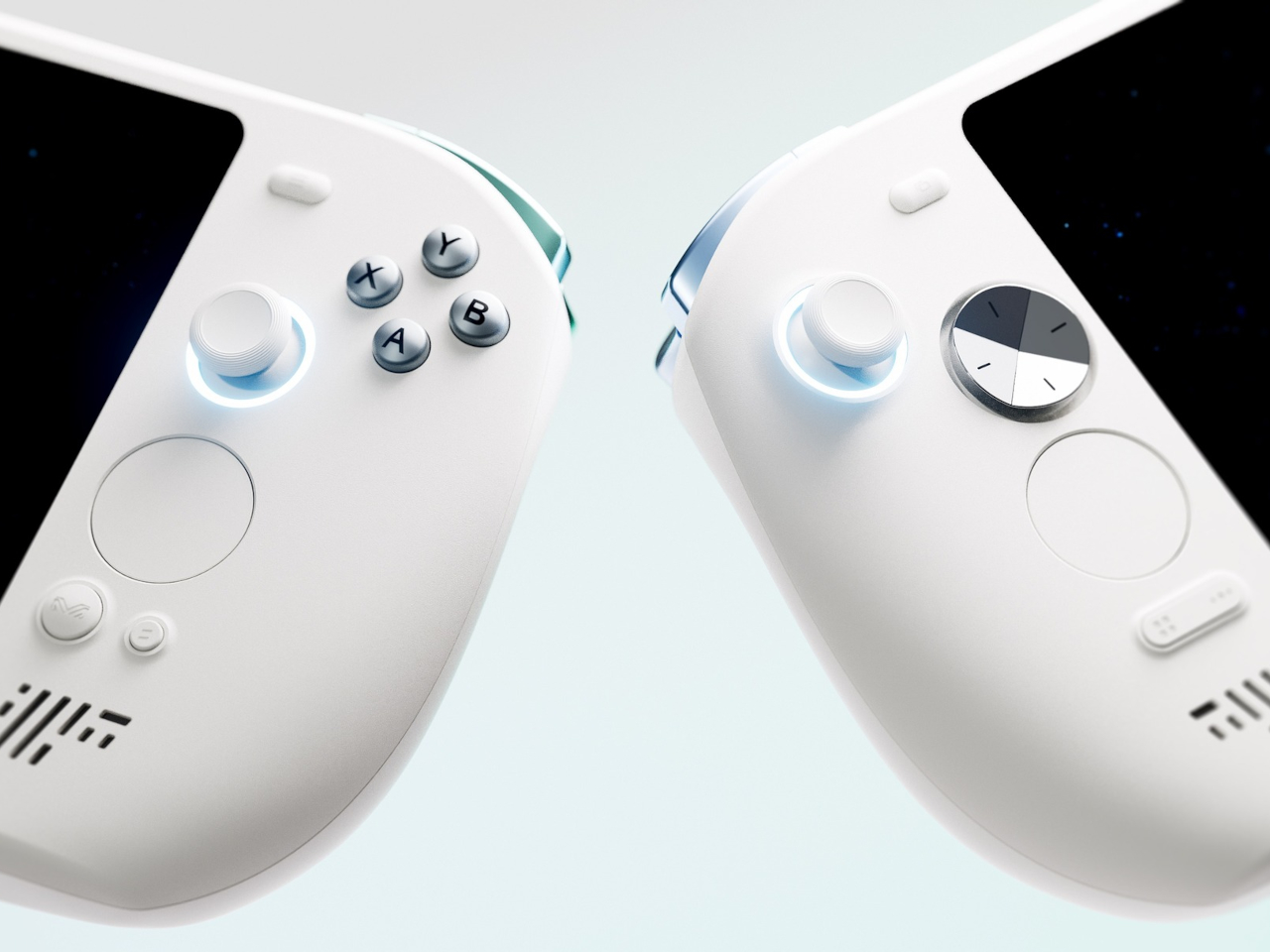
Pocket PLAY reinterprets a standard gamepad layout in a compact way, with a D-pad, ABXY buttons, and shoulder controls tuned for the sliding mechanism. AYANEO promises crisp, light presses and fast response, and a grip shaped so your fingers land where you expect. The idea is that you slide, and you are instantly in handheld mode, no adaptation period or clip-on accessories. The D-pad and buttons are meant to bring back the pure, satisfying feel of classic handheld gaming.

The dual intelligent touchpads sit where analog sticks might go, and they can map virtual joysticks, act as traditional touch surfaces, or trigger custom input combinations. That opens up camera control, mouse-like input for streaming PC games, or macro shortcuts for complex titles. The positioning is ergonomic, and the goal is to make every swipe and tap feel natural, closing the gap between a dedicated handheld and a phone that also runs Genshin Impact or emulators.

AYANEO leans into “cyber-romanticism” language, calling handhelds a culture and a shared emotional language among players. Pocket PLAY is pitched as a tribute to classic designs and an exploration of how handheld spirit can extend to a new medium. It is meant to feel like a daily-carry extension of the devices people already use for emulation and retro gaming, not a generic Android gaming phone with triggers and marketing.

Xperia Play hinted at this form factor years ago, but the ecosystem and audience were not ready. Pocket PLAY picks up that thread with modern hardware, a serious controller, and a brand that already lives in handheld culture. For players who want a phone that slides into a console instead of just another slab with shoulder buttons, it feels like a very specific dream finally getting another shot, this time built by people who actually understand why sliders and D-pads still matter.

The post AYANEO Pocket PLAY Brings Back the Slider Phone, Now With D-Pad first appeared on Yanko Design.
AYANEO Pocket PLAY Brings Back the Slider Phone, Now With D-Pad

AYANEO is known for gaming handheld devices that run Windows and, sometimes, Android, but not phones. Most gaming phones still feel like regular slabs with RGB lights and higher refresh rates, treating games as an app category instead of the reason the device exists. Pocket PLAY is AYANEO’s first smartphone, and they are not shy about calling it “more than a phone,” framing it as a handheld console that happens to live on a SIM card instead of a desktop operating system.

AYANEO calls it “the ultimate fusion of mobile phone and gaming handheld,” built “in the name of games, made for the dreams of gamers.” The minimalist front follows golden-ratio proportions and AYANEO’s “handheld artistry” philosophy, looking like a clean black slab until you slide it open and the real personality appears. The idea is that it should not shout gamer aesthetic when you are checking email, only when you want to play.

Designer: AYANEO

The classic side-slide mechanism is a light push that reveals a full controller under the screen. Anyone who remembers Sony’s Xperia Play will feel a flicker of déjà vu, another Android phone that hid a gamepad under a slider. The difference is that Pocket PLAY arrives in a world where handheld gaming and emulation are mainstream, and AYANEO has spent years building hardware for that exact crowd, not for casual mobile gamers who might try it once.

Pocket PLAY reinterprets a standard gamepad layout in a compact way, with a D-pad, ABXY buttons, and shoulder controls tuned for the sliding mechanism. AYANEO promises crisp, light presses and fast response, and a grip shaped so your fingers land where you expect. The idea is that you slide, and you are instantly in handheld mode, no adaptation period or clip-on accessories. The D-pad and buttons are meant to bring back the pure, satisfying feel of classic handheld gaming.

The dual intelligent touchpads sit where analog sticks might go, and they can map virtual joysticks, act as traditional touch surfaces, or trigger custom input combinations. That opens up camera control, mouse-like input for streaming PC games, or macro shortcuts for complex titles. The positioning is ergonomic, and the goal is to make every swipe and tap feel natural, closing the gap between a dedicated handheld and a phone that also runs Genshin Impact or emulators.

AYANEO leans into “cyber-romanticism” language, calling handhelds a culture and a shared emotional language among players. Pocket PLAY is pitched as a tribute to classic designs and an exploration of how handheld spirit can extend to a new medium. It is meant to feel like a daily-carry extension of the devices people already use for emulation and retro gaming, not a generic Android gaming phone with triggers and marketing.

Xperia Play hinted at this form factor years ago, but the ecosystem and audience were not ready. Pocket PLAY picks up that thread with modern hardware, a serious controller, and a brand that already lives in handheld culture. For players who want a phone that slides into a console instead of just another slab with shoulder buttons, it feels like a very specific dream finally getting another shot, this time built by people who actually understand why sliders and D-pads still matter.

The post AYANEO Pocket PLAY Brings Back the Slider Phone, Now With D-Pad first appeared on Yanko Design.
AYANEO Pocket PLAY Brings Back the Slider Phone, Now With D-Pad

AYANEO is known for gaming handheld devices that run Windows and, sometimes, Android, but not phones. Most gaming phones still feel like regular slabs with RGB lights and higher refresh rates, treating games as an app category instead of the reason the device exists. Pocket PLAY is AYANEO’s first smartphone, and they are not shy about calling it “more than a phone,” framing it as a handheld console that happens to live on a SIM card instead of a desktop operating system.

AYANEO calls it “the ultimate fusion of mobile phone and gaming handheld,” built “in the name of games, made for the dreams of gamers.” The minimalist front follows golden-ratio proportions and AYANEO’s “handheld artistry” philosophy, looking like a clean black slab until you slide it open and the real personality appears. The idea is that it should not shout gamer aesthetic when you are checking email, only when you want to play.

Designer: AYANEO

The classic side-slide mechanism is a light push that reveals a full controller under the screen. Anyone who remembers Sony’s Xperia Play will feel a flicker of déjà vu, another Android phone that hid a gamepad under a slider. The difference is that Pocket PLAY arrives in a world where handheld gaming and emulation are mainstream, and AYANEO has spent years building hardware for that exact crowd, not for casual mobile gamers who might try it once.

Pocket PLAY reinterprets a standard gamepad layout in a compact way, with a D-pad, ABXY buttons, and shoulder controls tuned for the sliding mechanism. AYANEO promises crisp, light presses and fast response, and a grip shaped so your fingers land where you expect. The idea is that you slide, and you are instantly in handheld mode, no adaptation period or clip-on accessories. The D-pad and buttons are meant to bring back the pure, satisfying feel of classic handheld gaming.

The dual intelligent touchpads sit where analog sticks might go, and they can map virtual joysticks, act as traditional touch surfaces, or trigger custom input combinations. That opens up camera control, mouse-like input for streaming PC games, or macro shortcuts for complex titles. The positioning is ergonomic, and the goal is to make every swipe and tap feel natural, closing the gap between a dedicated handheld and a phone that also runs Genshin Impact or emulators.

AYANEO leans into “cyber-romanticism” language, calling handhelds a culture and a shared emotional language among players. Pocket PLAY is pitched as a tribute to classic designs and an exploration of how handheld spirit can extend to a new medium. It is meant to feel like a daily-carry extension of the devices people already use for emulation and retro gaming, not a generic Android gaming phone with triggers and marketing.

Xperia Play hinted at this form factor years ago, but the ecosystem and audience were not ready. Pocket PLAY picks up that thread with modern hardware, a serious controller, and a brand that already lives in handheld culture. For players who want a phone that slides into a console instead of just another slab with shoulder buttons, it feels like a very specific dream finally getting another shot, this time built by people who actually understand why sliders and D-pads still matter.

The post AYANEO Pocket PLAY Brings Back the Slider Phone, Now With D-Pad first appeared on Yanko Design.
Remember Need For Speed? Someone built a real-life Mini Map from the game to use in your car

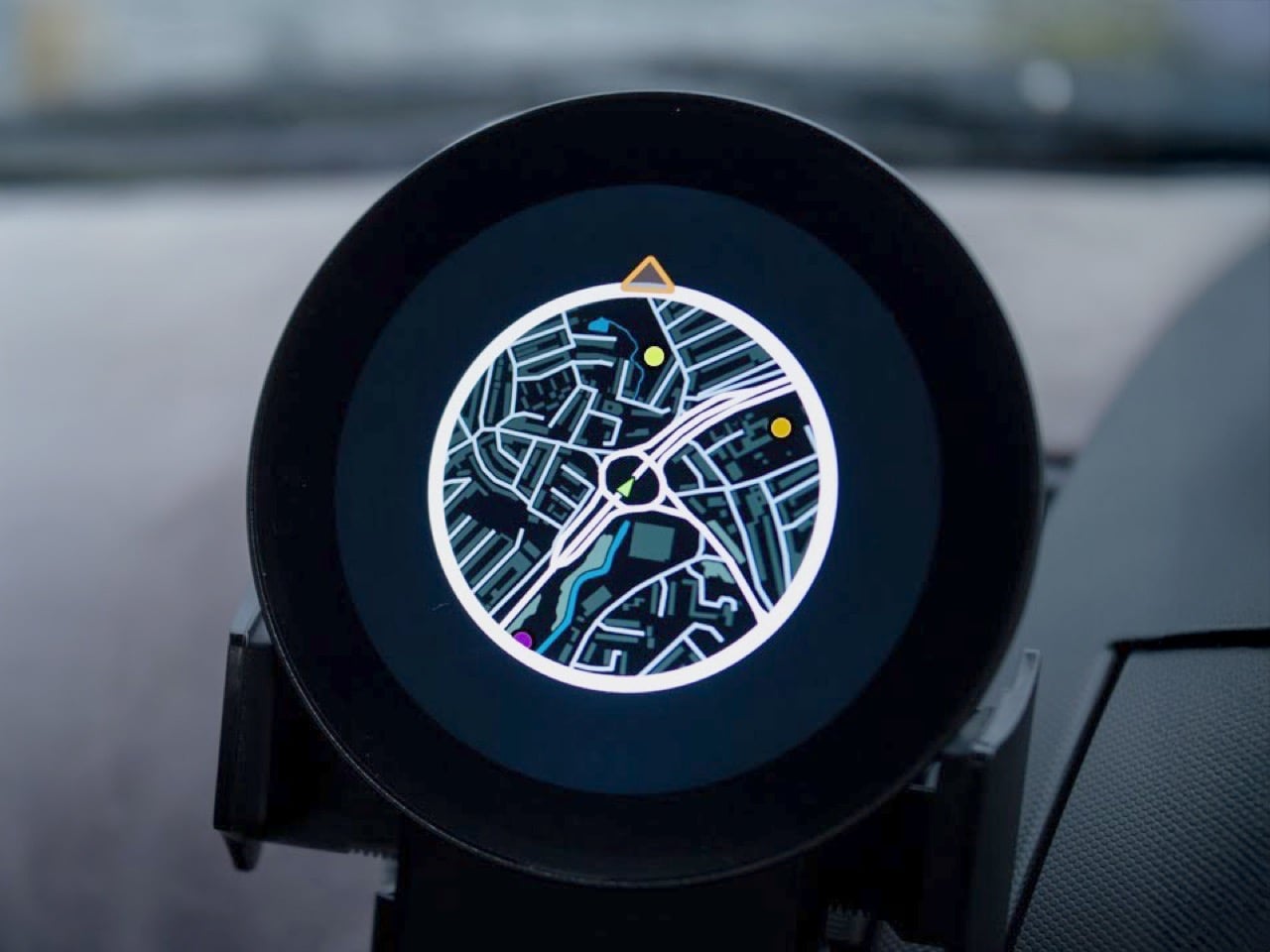
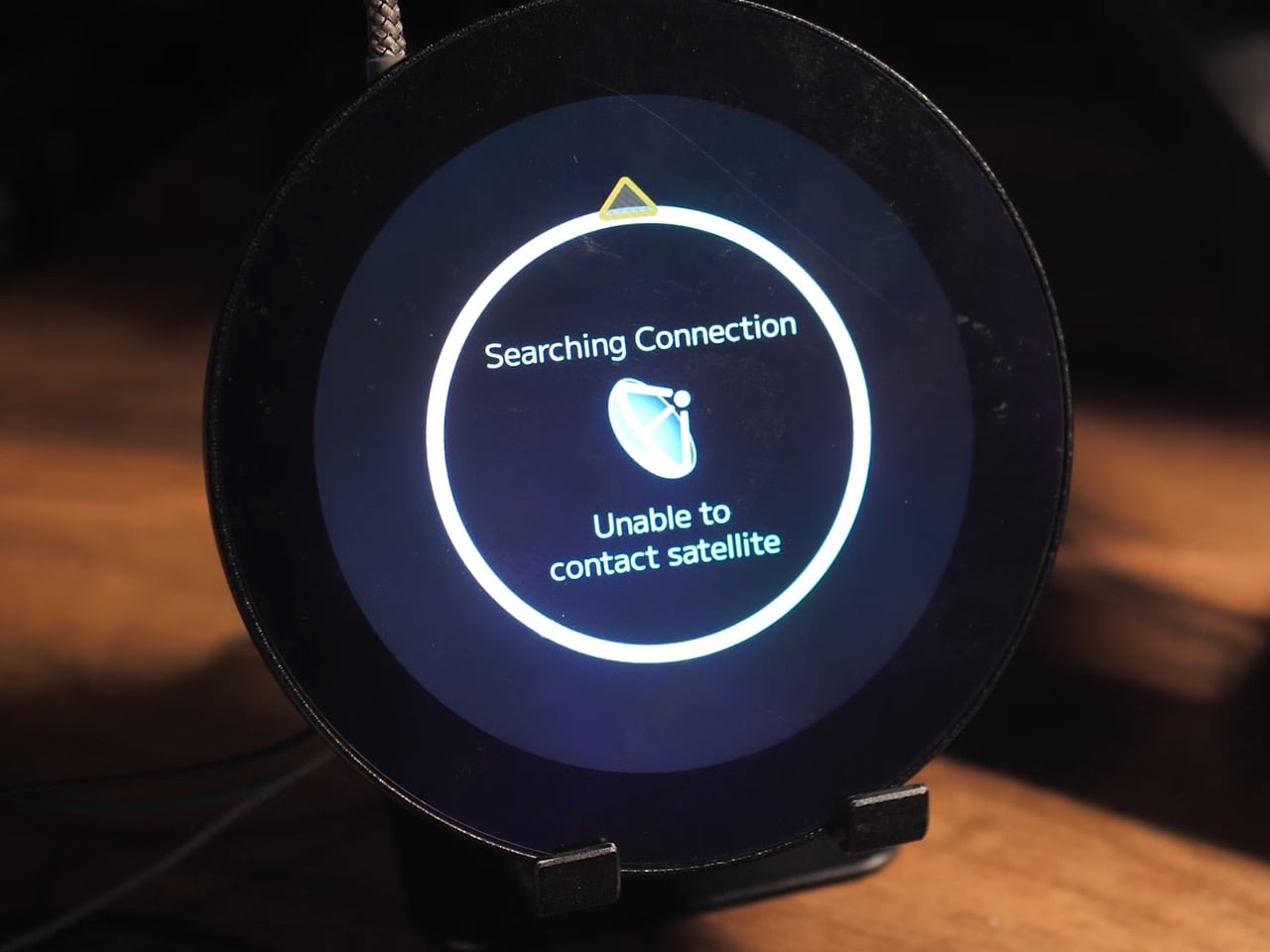
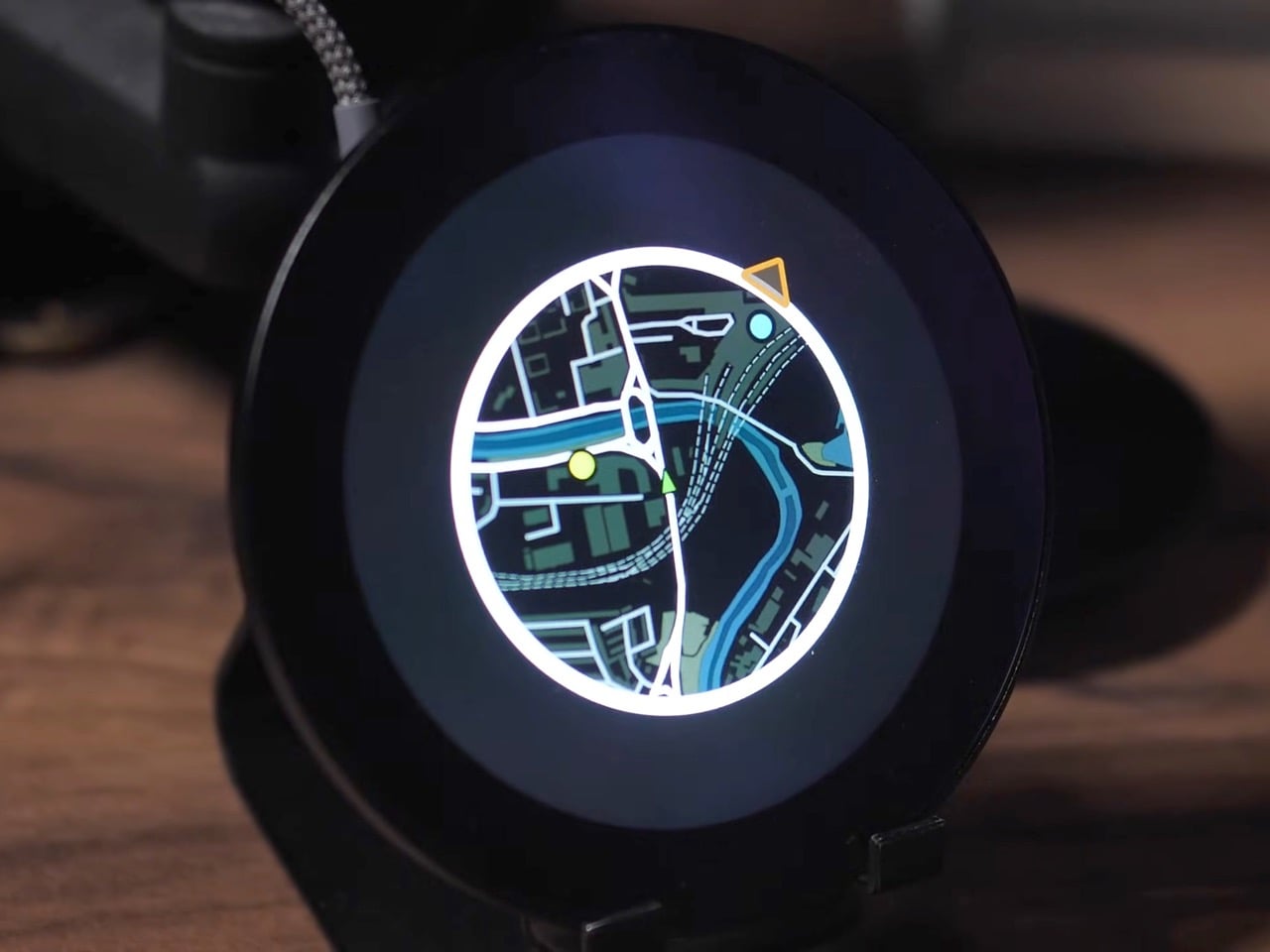
The mini map has been a staple of racing and open-world games for decades, teaching us to navigate virtual cities with quick glances at a corner of the screen. A developer has now made that experience tangible, building a GPS-based mini map system for actual driving that recreates the look and feel of Need for Speed Underground 2. What everyone said was impossible on an ESP32 microcontroller is now working smoothly in a real car, tracking position, displaying waypoints, and making everyday drives feel unexpectedly game-like.

Getting this to work on a $20 microcontroller meant processing the entire UK into 2.5 million map tiles, totaling 236GB of data stored on an SD card. The ESP32 loads them dynamically based on your heading, only pulling in new tiles from the direction you’re traveling because each one takes a tenth of a second to load. We’re talking weeks of optimization just to get map tiles loading fast enough, clever tricks to avoid tanking the frame rate, and some creative compromises that make the whole thing feel polished despite running on hardware that costs less than takeaway for two. What’s particularly cool is that all the code is open-source, meaning you could theoretically generate tiles for your own city styled after whatever game you’re nostalgic for.

Designer: Garage Tinkering

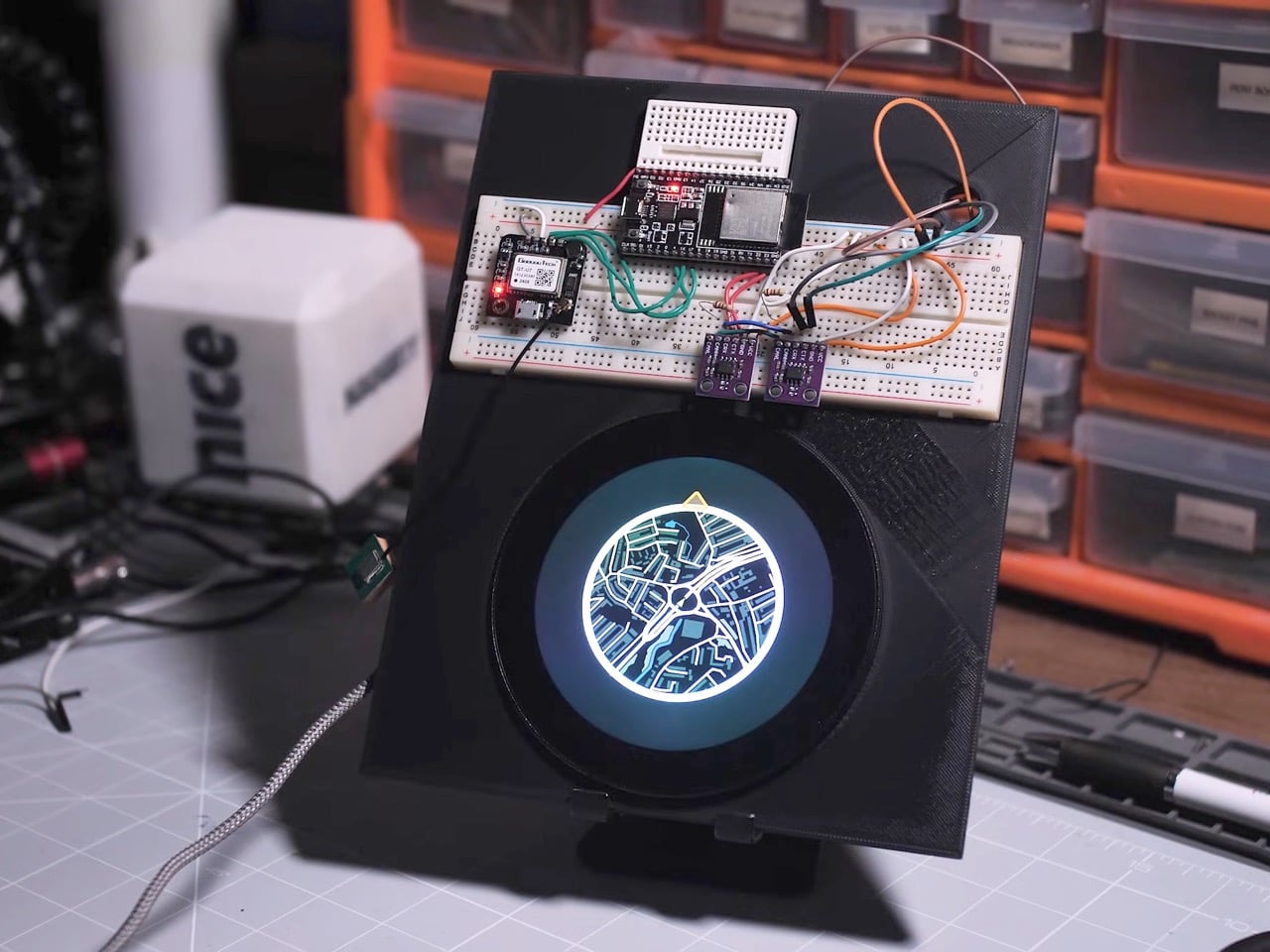
The project runs on an ESP32-P4, the flagship chip in the ESP32 family, paired with a 3.4-inch 800×800 pixel WaveShare display. If it couldn’t work on this combination, it wasn’t going to work on any ESP32, which is exactly why the developer chose it. The alternative would have been admitting defeat before even starting, and where’s the fun in that?

The map generation process alone is wonderfully excessive. Using QGIS, a geospatial mapping tool, the developer pulled road data from Ordnance Survey, transportation waypoints from the UK Department of Transportation, and petrol stations from Open Street Maps via a custom Python script that parsed through a 2GB dataset looking for anything tagged with “amenity=fuel.” The result was 2.5 million map tiles covering the entire UK at zoom level 16, totaling 236GB of data. Processing took 35 hours. Converting those tiles to a format the ESP32 could read took another 18 hours. Transferring everything to an SD card took 22 more hours. This is the kind of project where you start things running before bed and hope they’re done by morning.

Getting smooth performance meant rethinking how traditional GPS navigation works. Each tile takes roughly 0.1 seconds to load from the SD card, which sounds fast until you realize how many tiles you’d need if you loaded everything around you constantly. The solution was directional loading. If you’re heading north, only load new tiles coming in from the top. The tiles on the sides and bottom don’t need refreshing because you’re moving away from them. Just shuffle the existing data around in memory and you’ve saved yourself a bunch of unnecessary SD card reads.

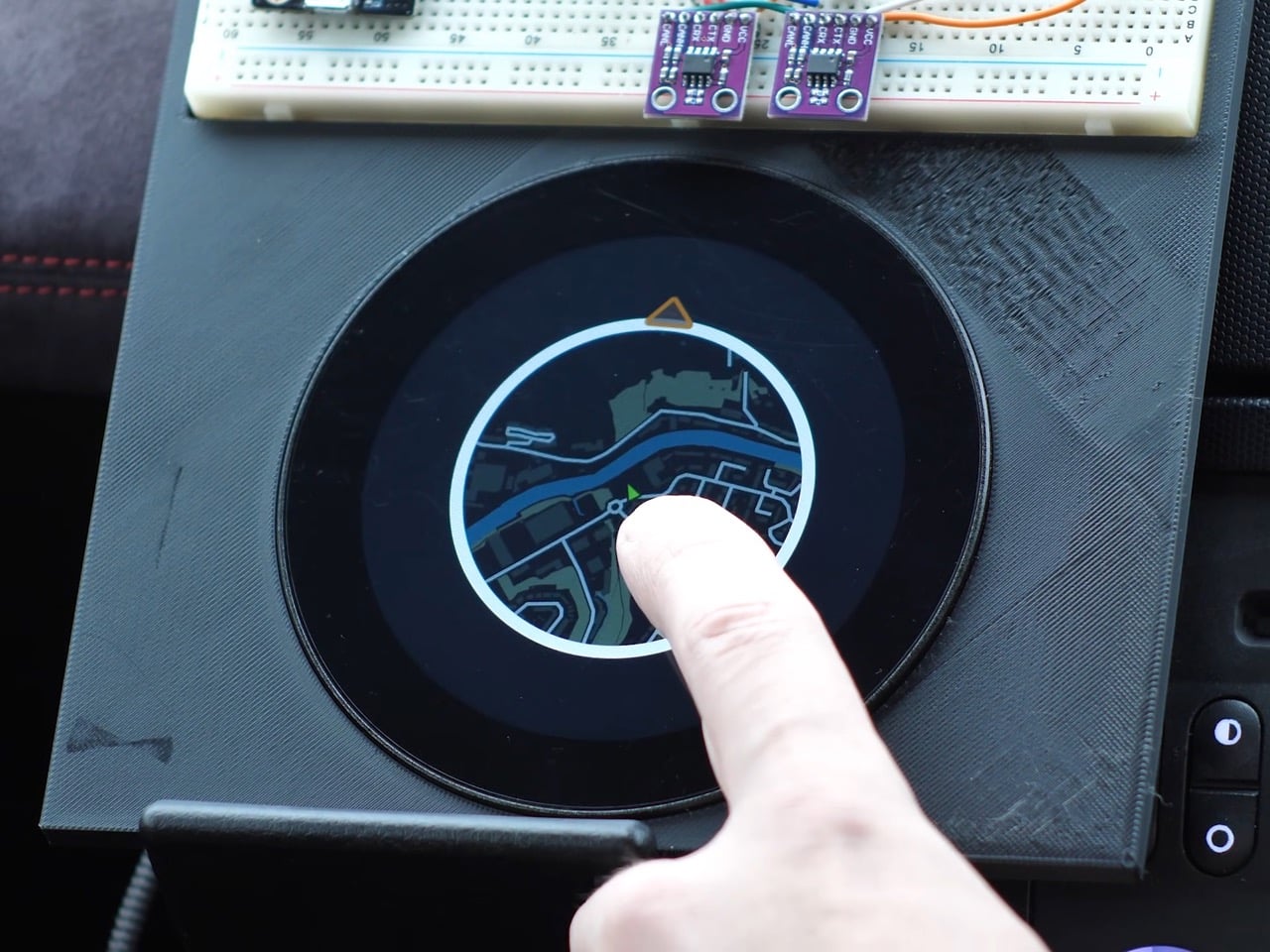
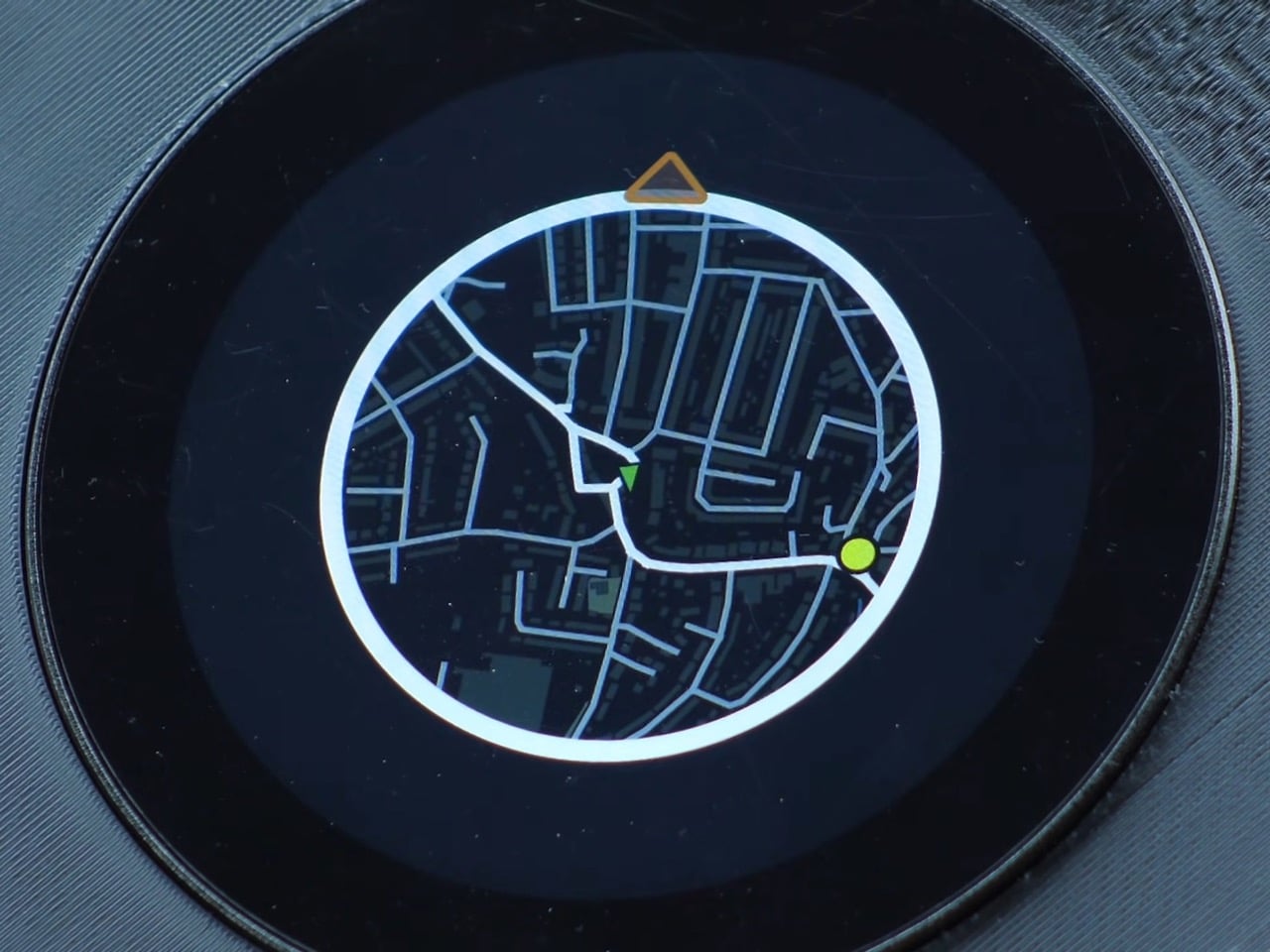
The other big performance win came from abandoning authenticity. The original plan was to rotate the entire map grid so it moved like it does in Need for Speed, with the car always pointing up. Turns out rotating large image grids on an ESP32 makes everything stuttery and unpleasant. The fix was keeping the map oriented north and rotating just the car icon to show your heading. It’s less true to the game but infinitely smoother in practice, which matters more when you’re actually using the thing.

The current prototype isn’t exactly plug-and-play elegant though. The GPS module sits on a breadboard outside the main device, creating a larger footprint than the sleek circular display suggests. It’s functional but definitely looks like a dev setup rather than a finished product. Still, the developer plans to integrate everything into a full Need for Speed inspired dashboard for their Nissan 350Z, which should clean up the form factor considerably. And since all the code is open-source and free to use, anyone with the patience for multi-day processing times can adapt it for their own area and preferred game aesthetic.

The post Remember Need For Speed? Someone built a real-life Mini Map from the game to use in your car first appeared on Yanko Design.
The 8BitDo 64 controller just got an iMac G3 inspired makeover in 8 new colors

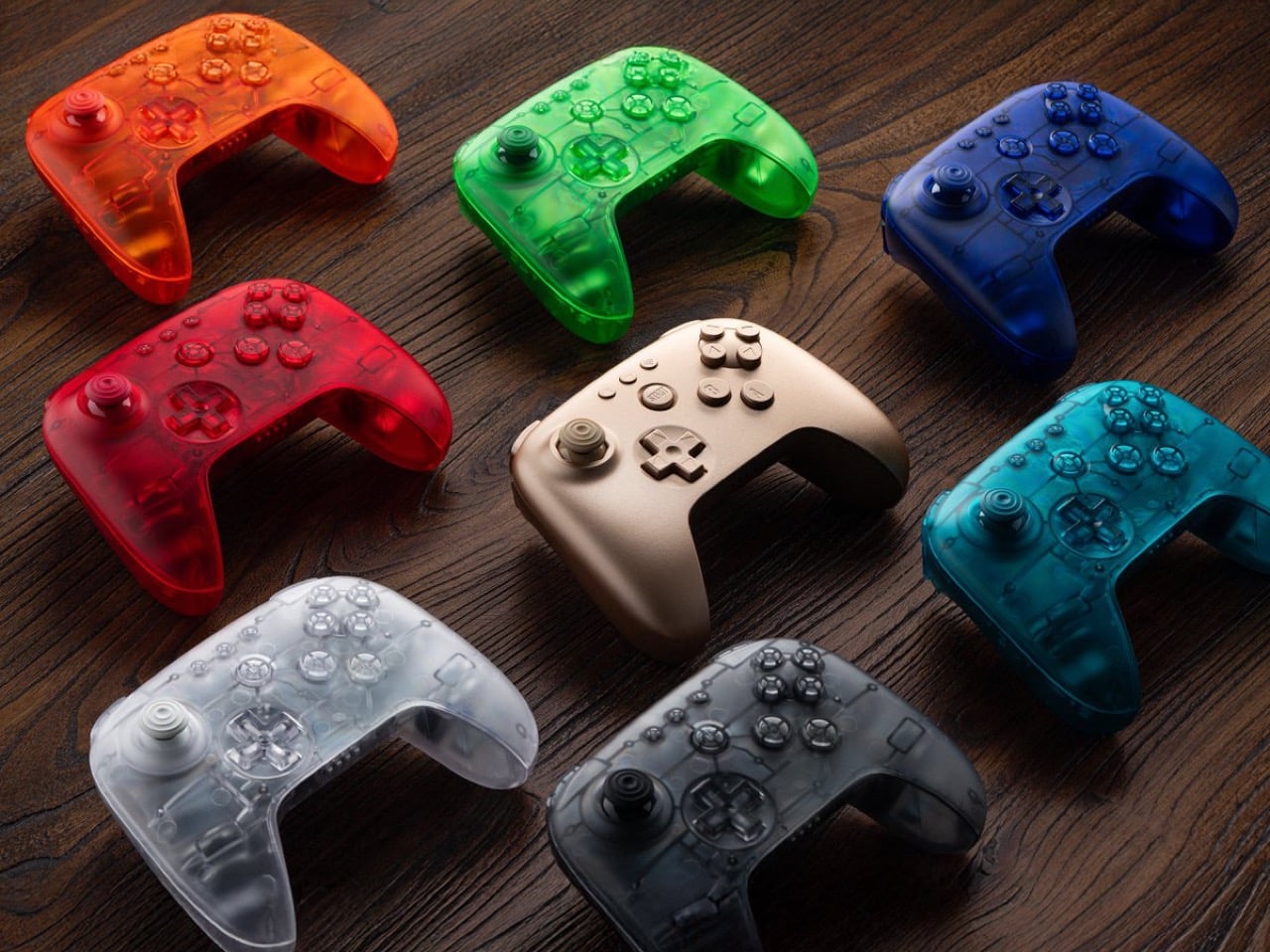
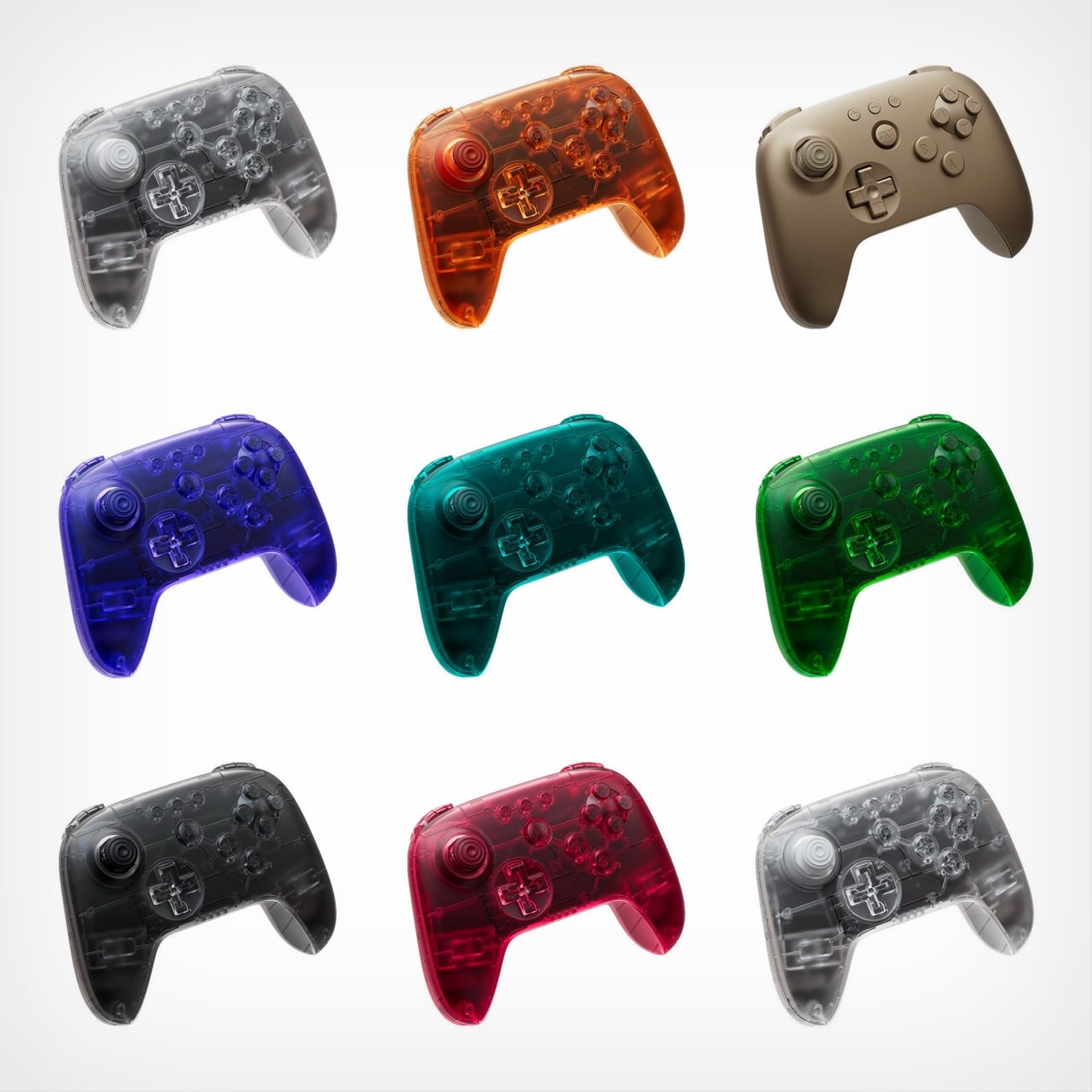
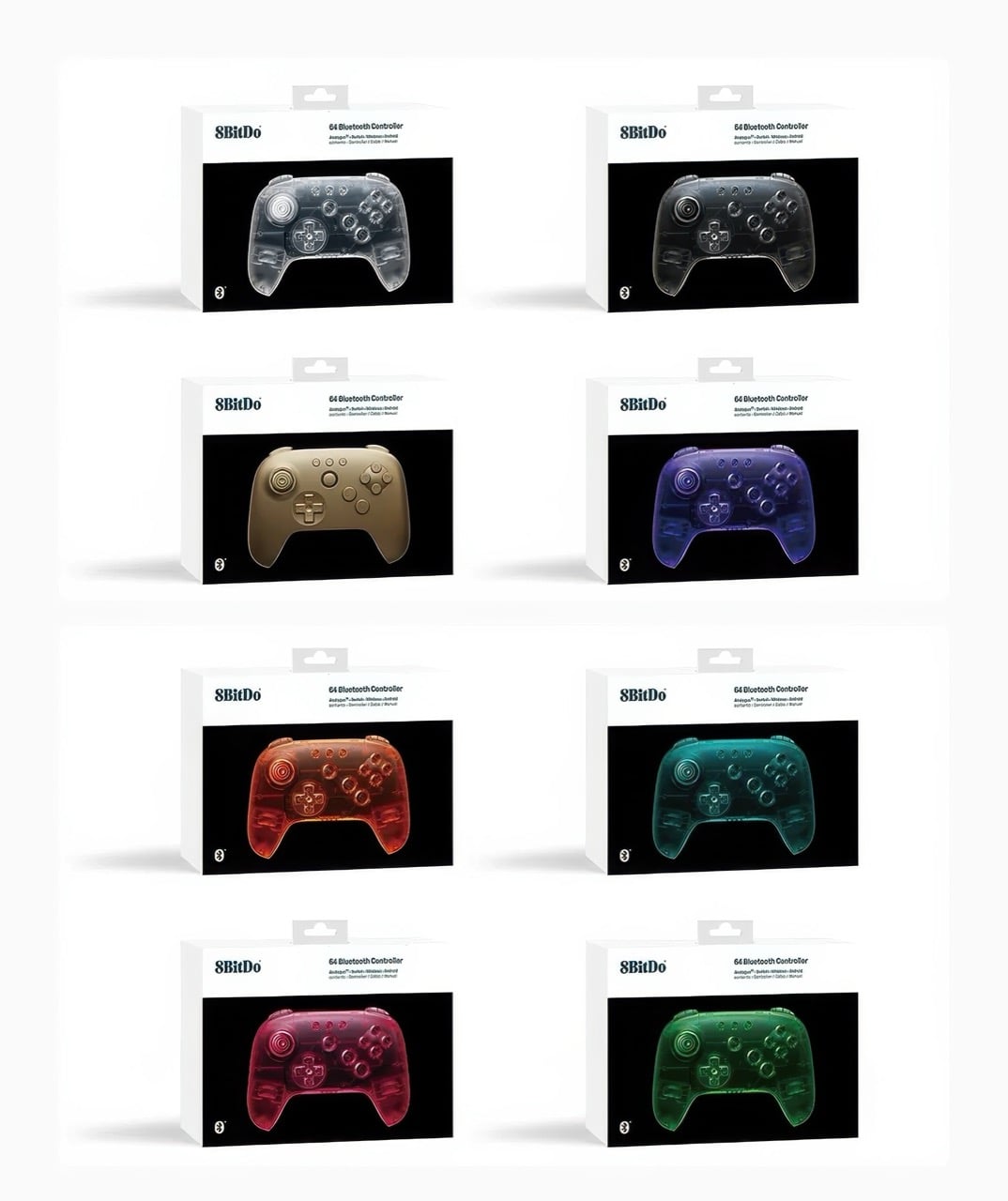
Remember when technology came in flavors instead of just space gray and black? 8BitDo certainly does, and the company is channeling serious late-90s energy with its newly announced Funtastic Limited Editions. These eight new colors for the 64 Bluetooth Controller embrace the translucent design language that once made the iMac G3 a cultural phenomenon and the N64 Funtastic series highly collectible. Now that aesthetic is back, adapted for modern gaming needs.

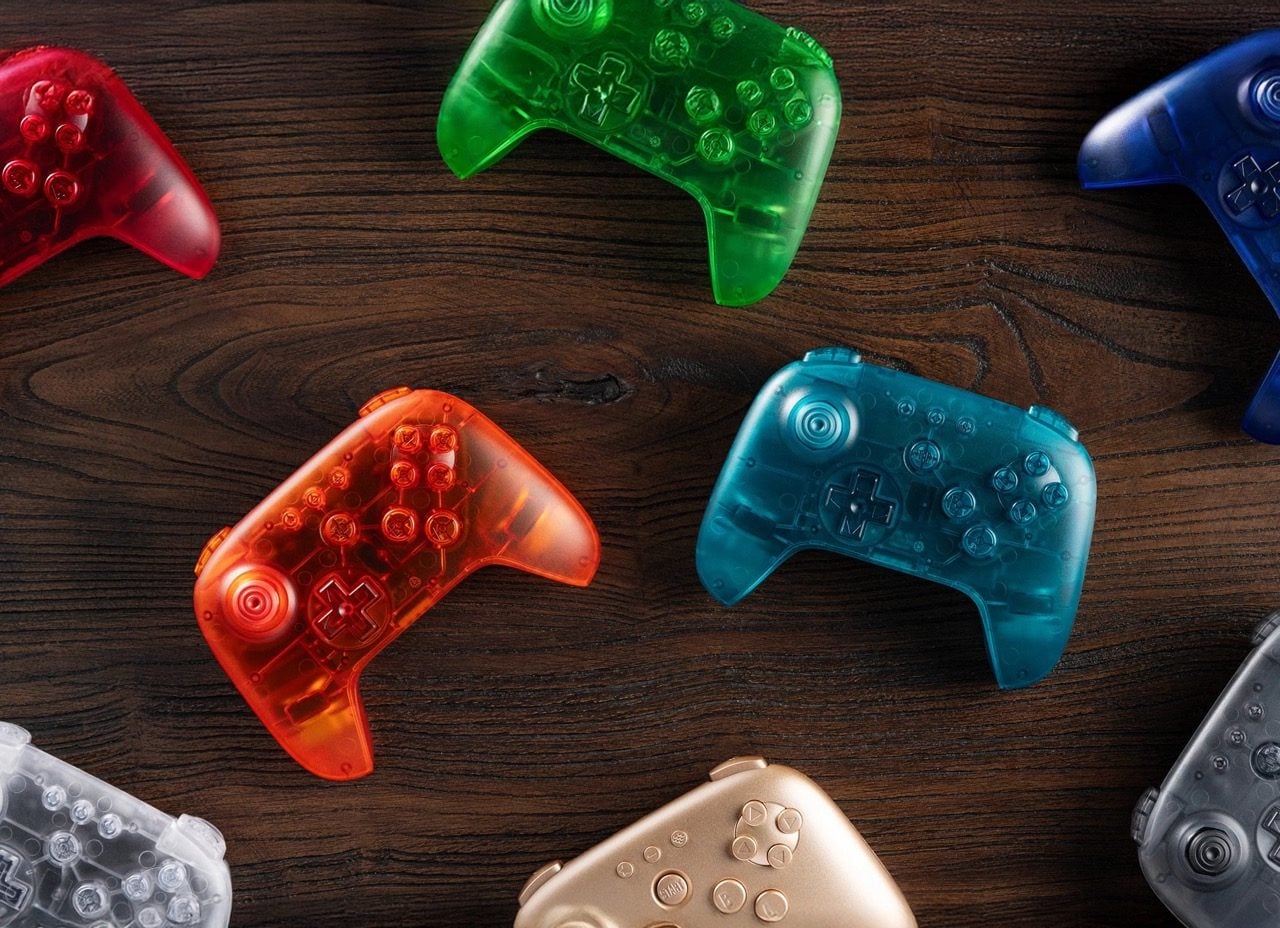
The lineup includes seven see-through variants alongside a solid Gold option, bringing the total 64 Controller color count to eleven. Each model maintains full compatibility with the Analogue 3D, Nintendo Switch family, Android devices, and Windows PCs through Bluetooth or USB connectivity. At $44.99, they command a small premium over standard colors, but that hasn’t stopped 8BitDo from warning potential buyers about extremely limited quantities. Pre-orders begin December 10 at 8 AM PST, with units shipping in February 2026.

Designer: 8bitdo

Look, I get why 8BitDo went this route. The Analogue 3D crowd skews heavily nostalgic, and these controllers speak directly to people who spent their formative years with an atomic purple N64 controller in hand. Clear, Jungle Green, Watermelon Red, Smoke Black, Ice Cyan, Fire Orange, Gold, and Grape Purple. These aren’t subtle nods to the past. They’re full-throated love letters to an era when product designers believed technology should spark joy rather than disappear into minimalist oblivion. The translucent shells let you peek at the circuit boards inside, which feels refreshingly honest in an age where everything’s sealed up tighter than Fort Knox. There’s something genuinely appealing about seeing the guts of your gear, even if modern miniaturization means there’s less to actually see than there was in 1998.

What strikes me is how this design language has aged. When Jonathan Ive and his team at Apple dropped the iMac G3 in Bondi Blue, it felt revolutionary because computing had spent decades looking like beige office equipment. Nintendo followed suit with their Funtastic series, and suddenly every product category had a translucent variant. Then it all died out around 2002, victim of its own ubiquity and the rising tide of aluminum unibody minimalism. But here we are in 2025, and these candy-colored shells feel fresh again. Maybe enough time has passed, or maybe we’re all just exhausted by the relentless sameness of contemporary industrial design.

The $44.99 price point sits five bucks above the standard black and white models, which retail for $39.99. That’s a reasonable premium for limited edition colorways, especially given that 8BitDo isn’t skimping on features. Full Bluetooth connectivity, wired USB support, compatibility across multiple platforms. The February 2026 ship date feels distant, but that’s standard for limited runs where manufacturing slots are precious. What concerns me more is 8BitDo’s emphasis on “highly limited quantities.” That phrasing usually means either genuine scarcity or artificial hype-building, and with gaming peripherals, it’s often hard to tell which until pre-orders go live. Either way, if you want one of these translucent beauties sitting next to your Analogue 3D, setting a December 10 alarm is probably wise.

The post The 8BitDo 64 controller just got an iMac G3 inspired makeover in 8 new colors first appeared on Yanko Design.
The best laptops for gaming and schoolwork in 2026

A good laptop for both gaming and schoolwork strikes a balance that goes beyond raw power. It should handle essays and research during the day, then jump into your favorite games when you are ready to take a break. That mix is easier to find now, with more laptops offering capable GPUs, solid battery life and designs that do not look out of place in a classroom.

Whether you want a budget gaming laptop for lighter titles or a more powerful system that can run demanding games, there is something that fits just about every schedule and workload. We rounded up the best laptops for gaming and schoolwork so you can find a machine that does both without compromise.

As we’ve mentioned, gaming laptops are especially helpful if you're doing any demanding work. Their big promise is powerful graphics performance, which isn't just limited to PC gaming. Video editing and 3D rendering programs can also tap into their GPUs to handle laborious tasks. While you can find decent GPUs on some productivity machines, like Dell's XPS 15, you can sometimes find better deals on gaming laptops. My general advice for any new workhorse: Pay attention to the specs; get at least 16GB of RAM and the largest solid state drive you can find (ideally 1TB or more). Those components are both typically hard to upgrade down the line, so it’s worth investing what you can up front to get the most out of your PC gaming experience long term. Also, don’t forget the basics like a webcam, which will likely be necessary for the schoolwork portion of your activities.

The one big downside to choosing a gaming notebook is portability. For the most part, we'd recommend 15-inch models to get the best balance of size and price. Those typically weigh in around 4.5 pounds, which is significantly more than a three-pound ultraportable. Today's gaming notebooks are still far lighter than older models, though, so at least you won't be lugging around a 10-pound brick. If you’re looking for something lighter, there are plenty of 14-inch options these days. And if you're not into LED lights and other gamer-centric bling, keep an eye out for more understated models that still feature essentials like a webcam (or make sure you know how to turn those lights off).

Not necessarily — it really depends on how you define "last longer." In terms of raw performance, gaming laptops tend to pack more powerful components than standard laptops, which means they can stay relevant for longer when it comes to handling demanding software or modern games. That makes them a solid choice if you need a system that won’t feel outdated in a couple of years, especially for students or creators who also game in their downtime.

But there’s a trade-off. All that power generates heat, and gaming laptops often run hotter and put more strain on internal components than typical ultraportables. If they’re not properly cooled or regularly maintained (think dust buildup and thermal paste), that wear and tear can shorten their lifespan. They’re also usually bulkier and have shorter battery life, which can impact long-term usability depending on your daily needs.

Gaming laptops can last longer performance-wise, but only if you take good care of them. If your needs are light — browsing, writing papers and streaming — a standard laptop may actually last longer simply because it’s under less stress day-to-day.

The GPU plays a big role in how your laptop handles visuals — and it’s especially important if you’re using your computer for both gaming and school.

For gaming, the GPU is essential. It’s responsible for rendering graphics, textures, lighting and all the visual effects that make your favorite titles look smooth and realistic. A more powerful GPU means better frame rates, higher resolutions and the ability to play modern games without lag or stuttering.

For schoolwork, the GPU matters too — but its importance depends on what you're doing. If your school tasks mostly involve writing papers, browsing the web or using productivity tools like Google Docs or Microsoft Office, you don’t need a high-end GPU. But if you’re working with graphic design, video editing, 3D modeling or anything else that’s visually demanding, a good GPU can speed things up significantly and improve your workflow.

Georgie Peru contributed to this report.

This article originally appeared on Engadget at https://www.engadget.com/computing/laptops/best-laptops-for-gaming-and-school-132207352.html?src=rss

The 29 best PC games you can play right now for 2025

PC gamers have almost too many options when it comes to titles to play, which is a great problem to have. With decades of games to choose from (and the first port of call for most indie titles, too), the options are endless. You also get the perks of (nearly always flawless) backward compatibility and console-beating graphical performance — if you've got the coin for it when you’re building your perfect kit or picking up a high-powered gaming laptop.

The whole idea of what a gaming PC is and where you can play it is shifting, too, with the rise of handheld gaming PCs like the Steam Deck. We've tried to be broad with our recommendations here on purpose; here are the best PC games you can play right now.

Check out our entire Best Games series including the best Nintendo Switch games, the best PS5 games, the best Xbox games, the best PC games and the best free games you can play today.

This article originally appeared on Engadget at https://www.engadget.com/gaming/pc/the-best-pc-games-150000910.html?src=rss

This Car Key Fob Doubles as a Retro Gaming Console

Remember the pure, unfiltered joy of steering a remote-control car around your living room as a kid? That magical feeling of control, the anticipation as you pressed the buttons, watching your tiny vehicle zoom across the floor? Designer Ishwari Patil remembers too, and she’s asking a pretty wild question: what if you could feel that same rush with your actual, full-sized car?

Enter Playfob, a concept that’s here to shake up one of the most overlooked objects in our daily lives. Think about it. We obsess over our phone cases, carefully curate our accessories, and treat our watches as extensions of our personality. But car key fobs? They’ve been stuck in design purgatory, purely functional gray blobs we shove into pockets and forget about. Patil saw this gap and decided to do something about it.

Designer: Ishwari Patil

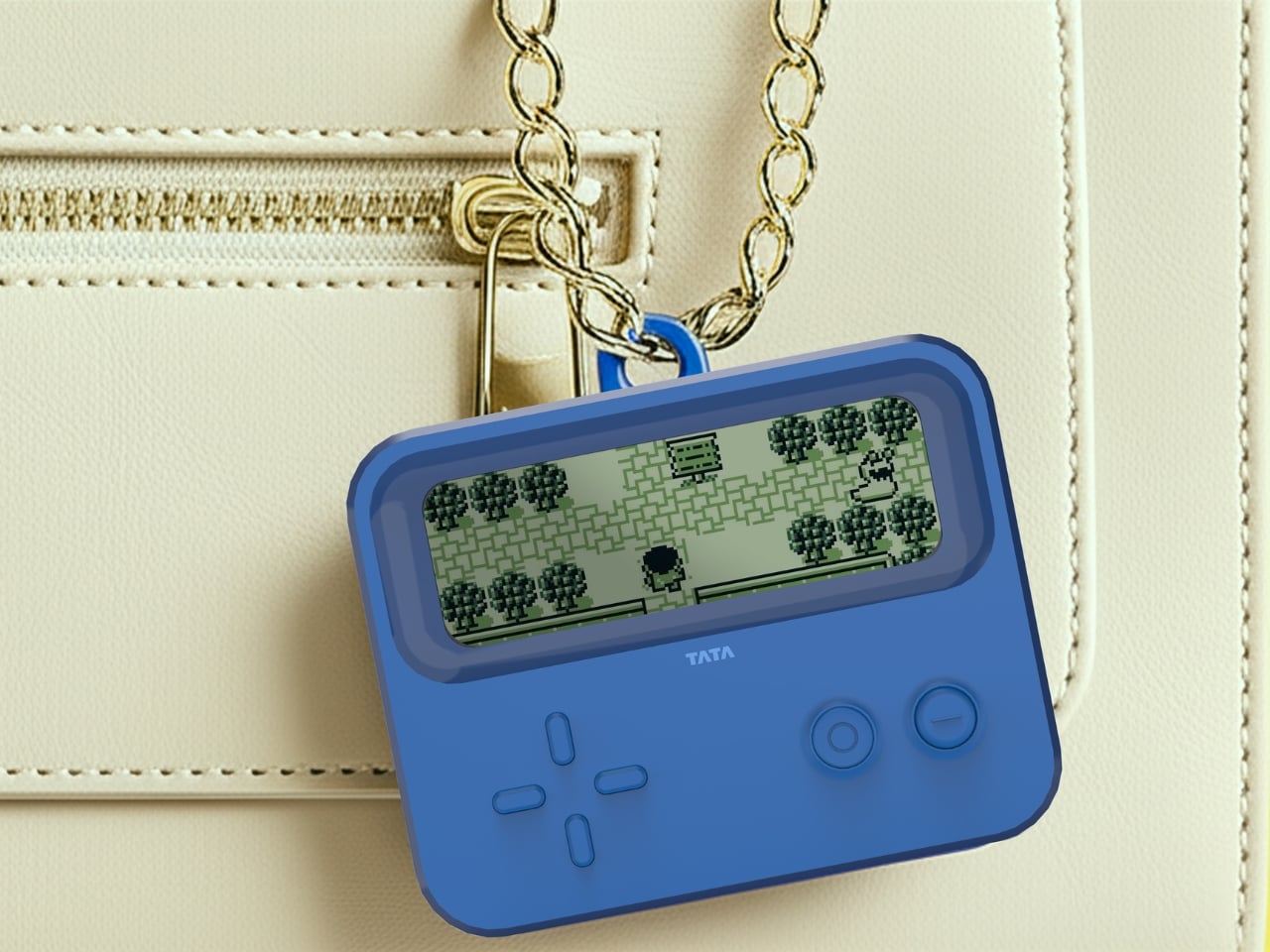
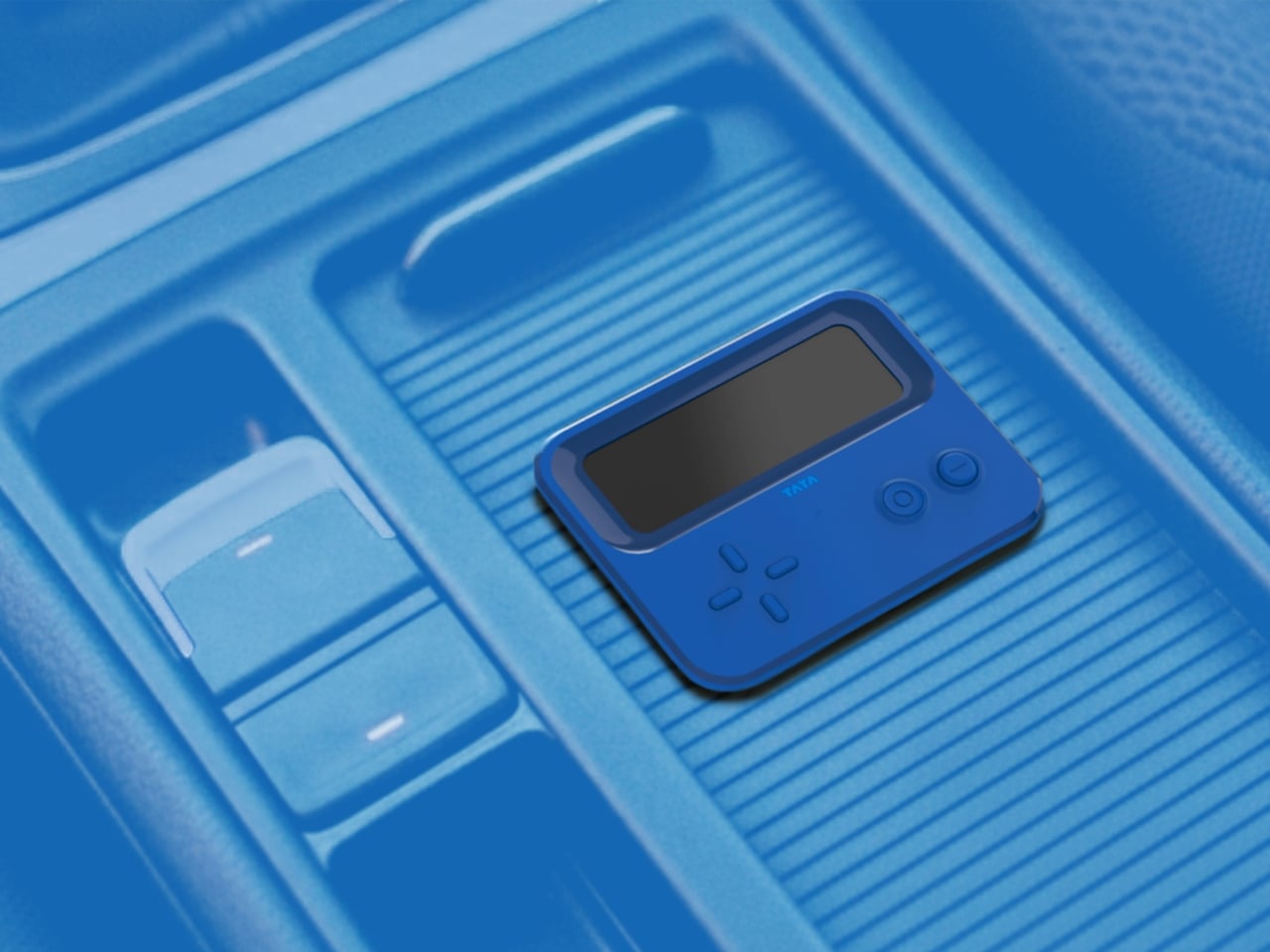
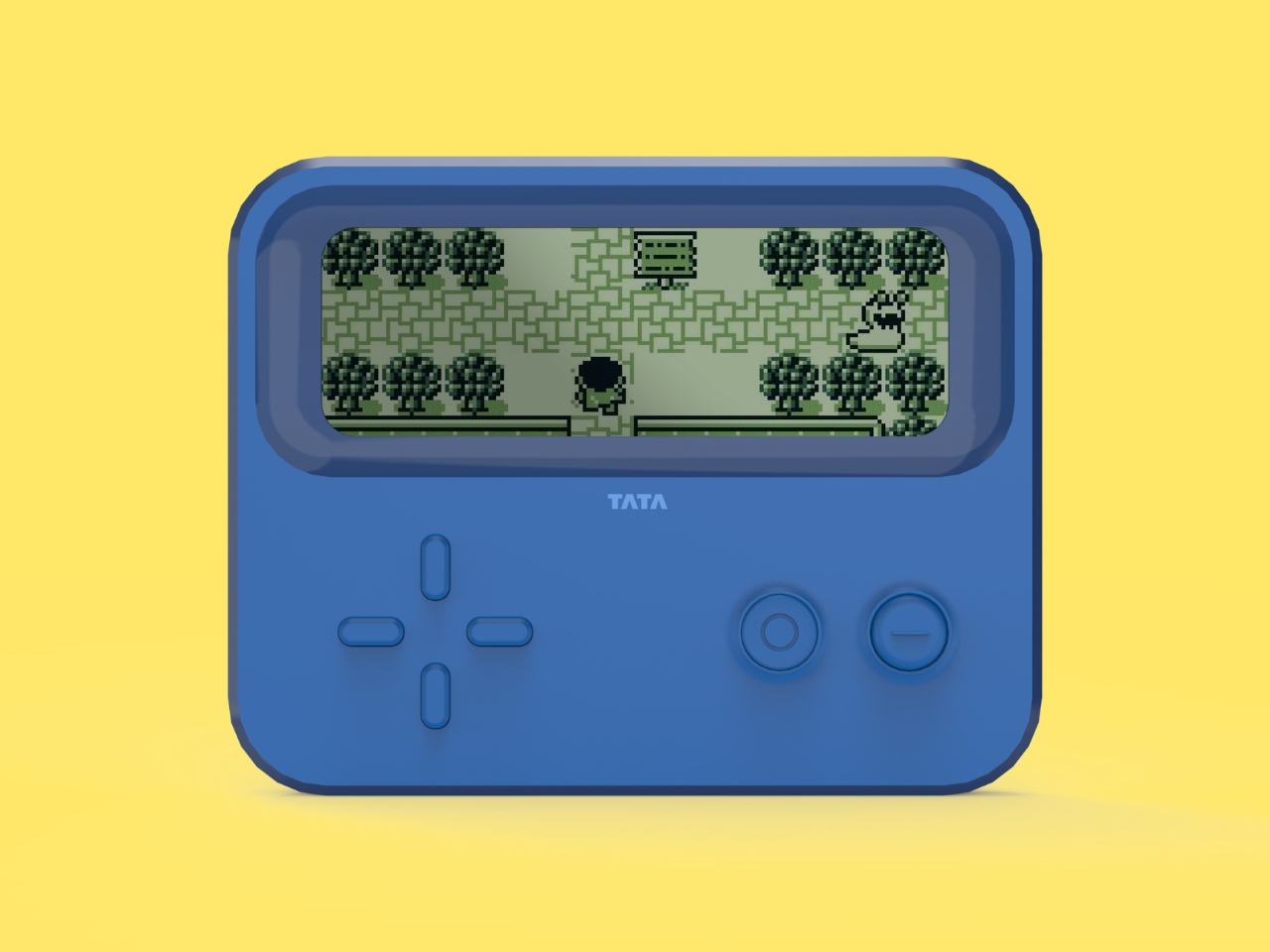
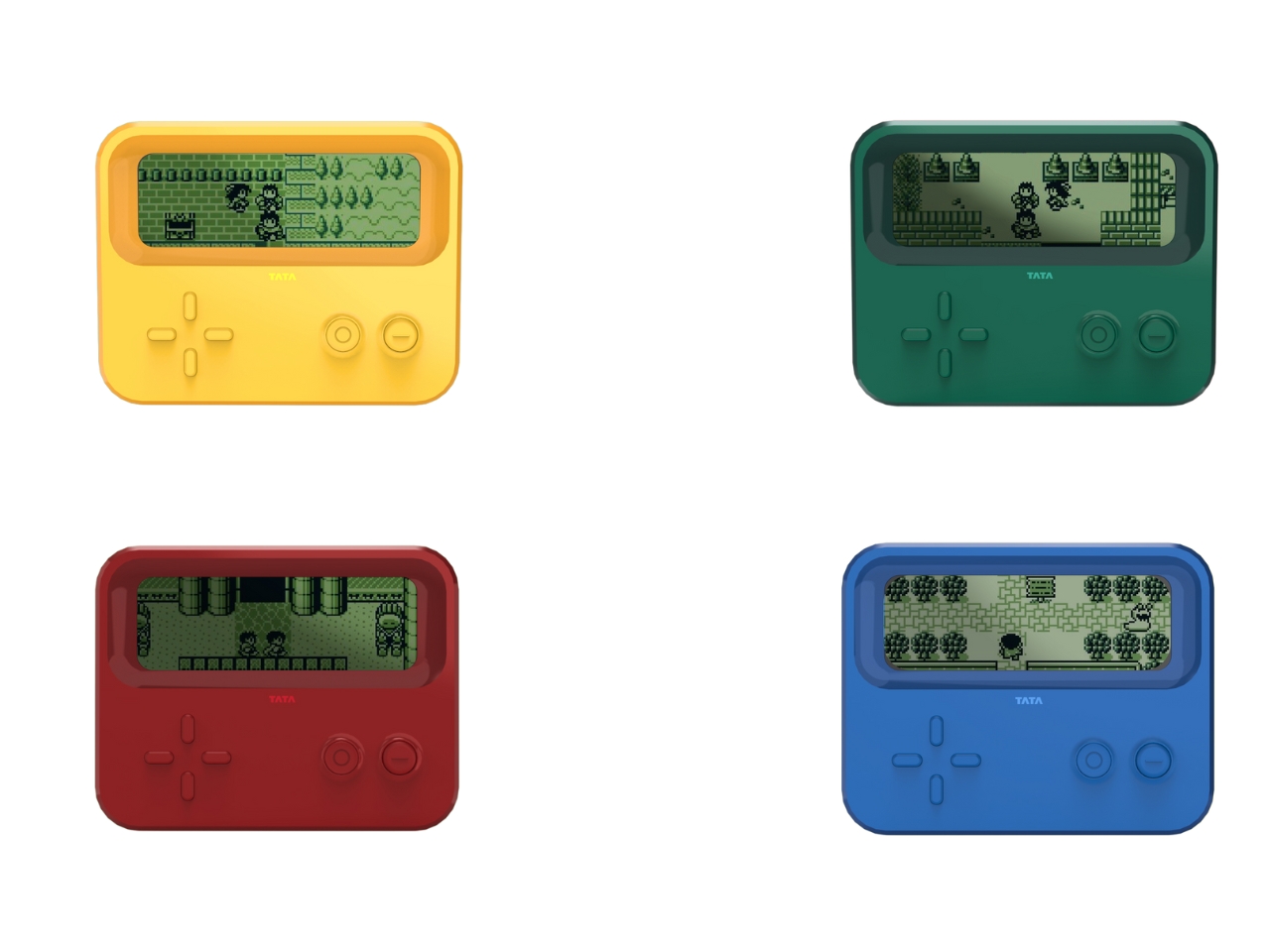
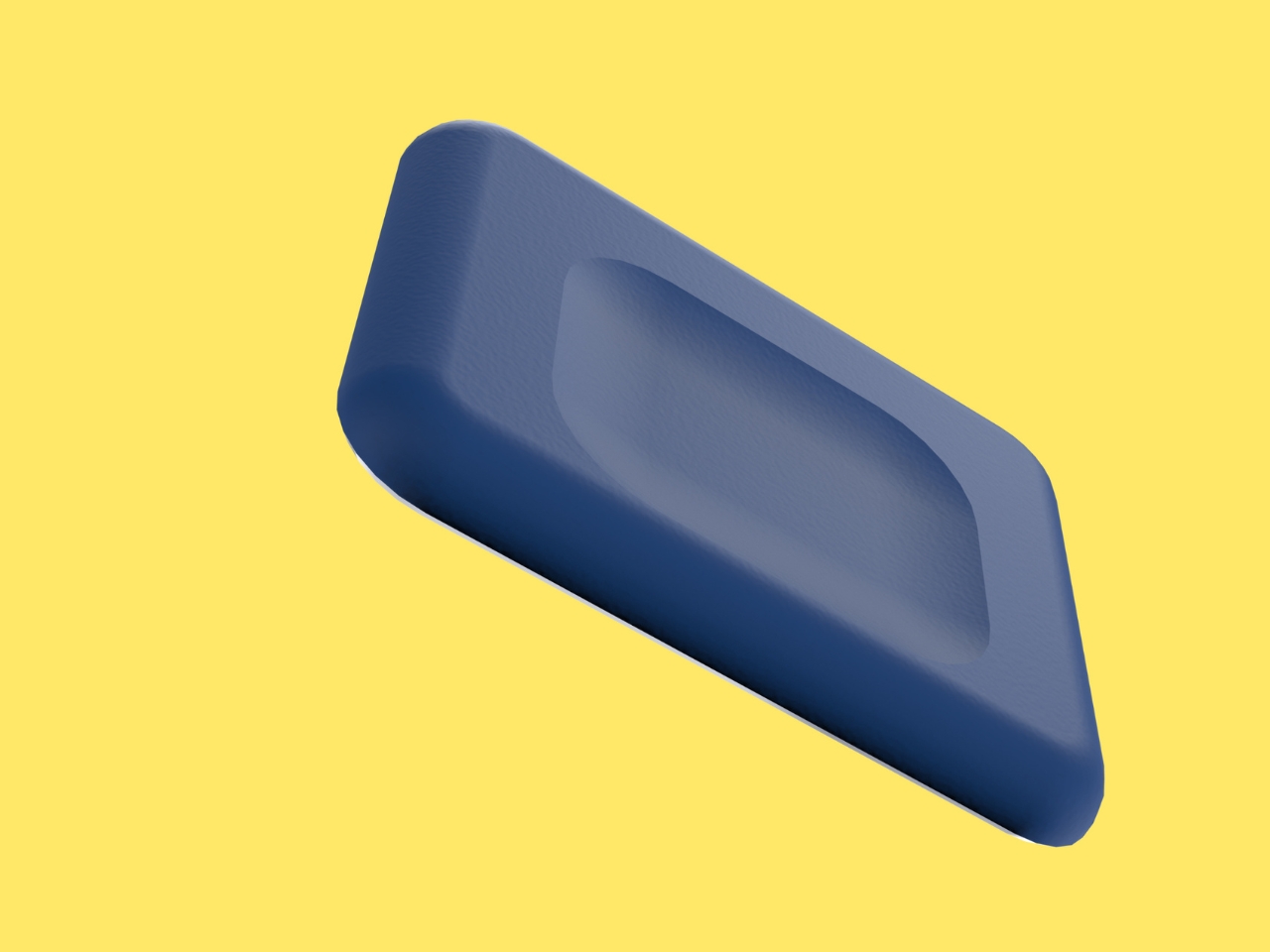
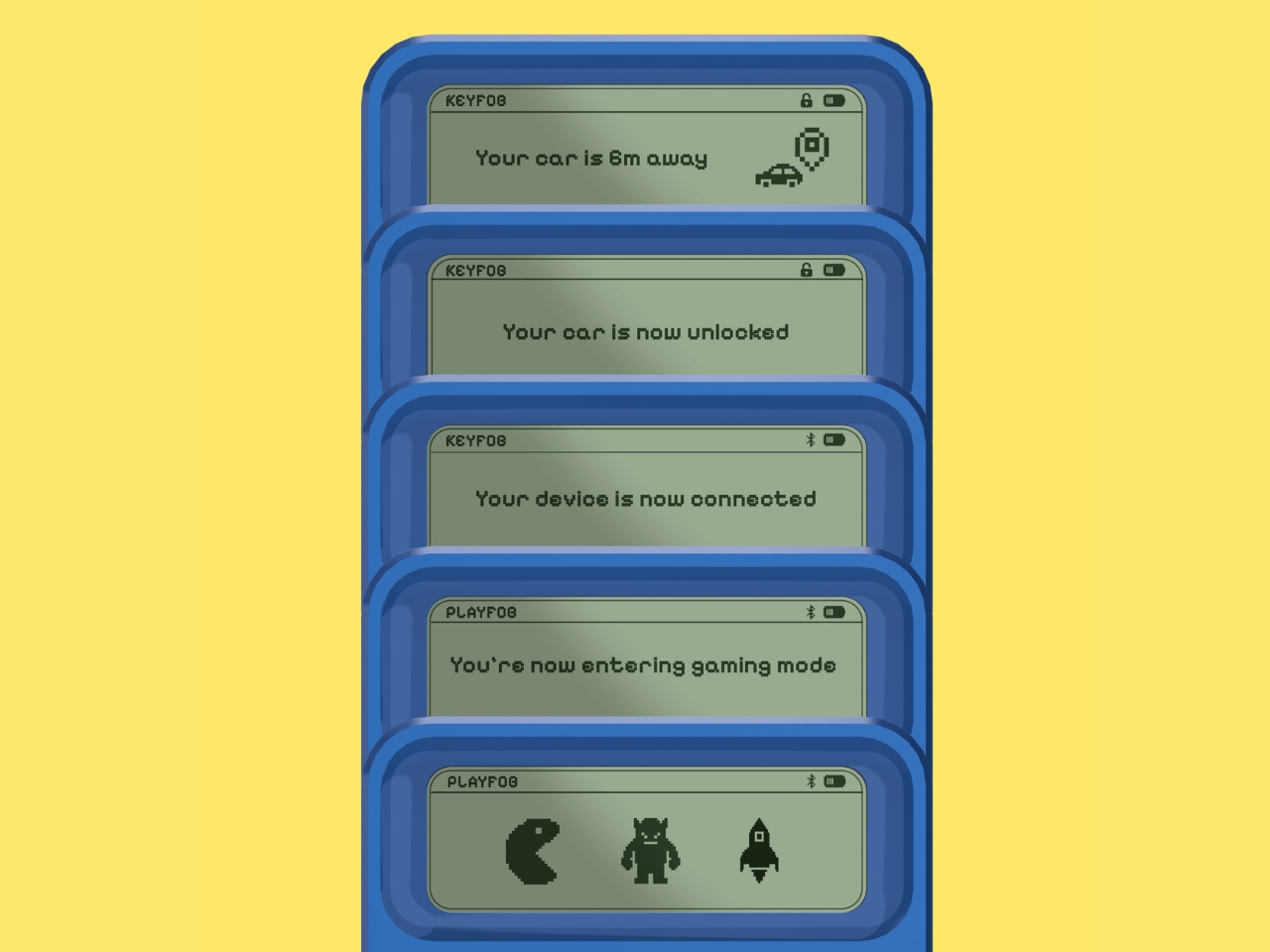
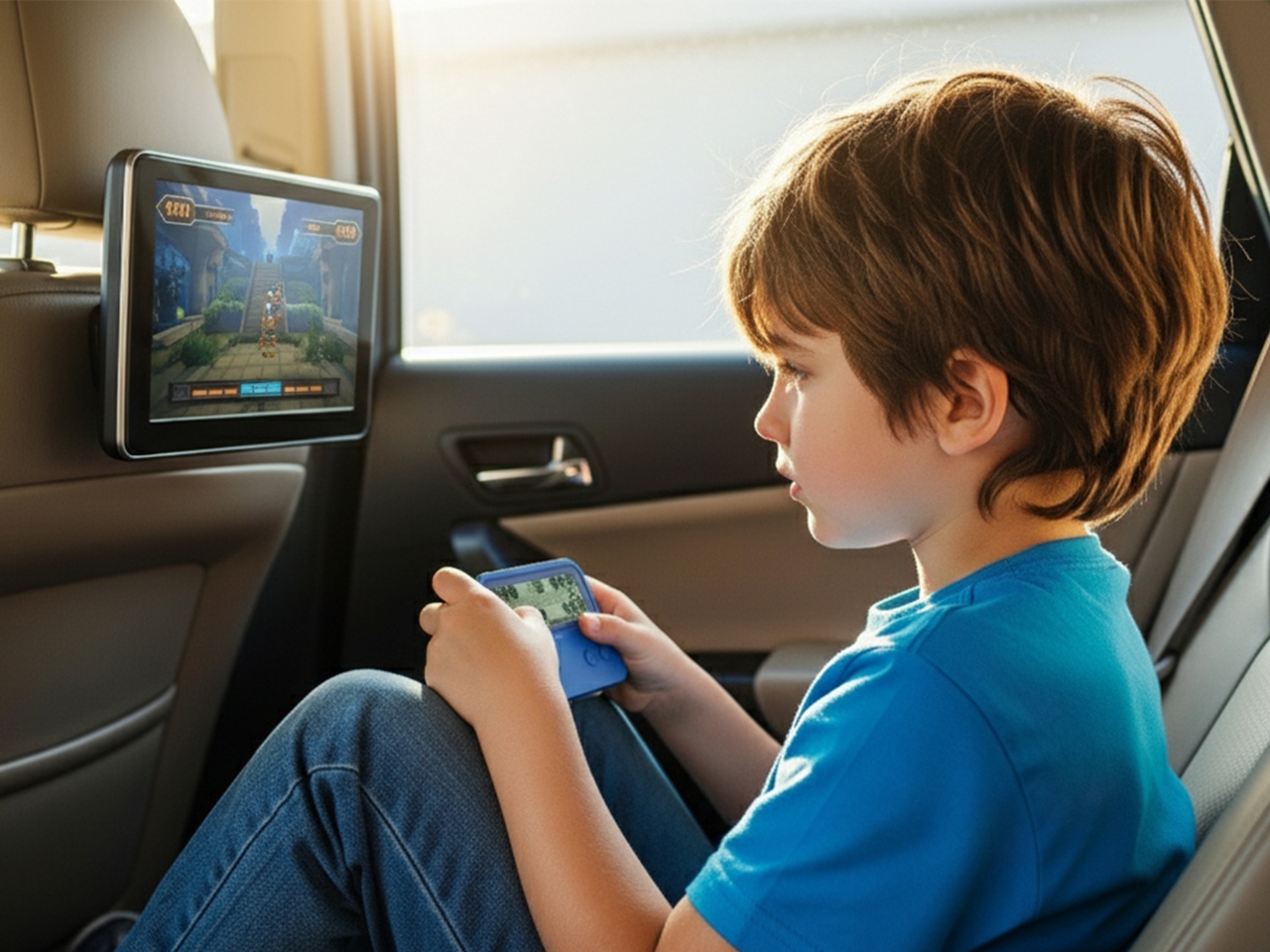
The genius of Playfob lies in its refusal to play it safe. This isn’t just a key fob with a few extra features slapped on. It’s a complete reimagining of what this everyday object could be. The device transforms into a compact gaming console, complete with that glorious Game Boy-inspired aesthetic, bright nostalgic colors, and a monochrome screen that immediately transports you back to simpler times. When you dock it in your car, it connects to the vehicle’s screen, turning waiting time into playtime.

But here’s where it gets really interesting. Playfob taps into something designers call the “kidult” trend, where adults aren’t just tolerating nostalgic design but actively seeking it out. We want objects that bring comfort and joy, that remind us of times when things felt less complicated. It’s why we see grown adults collecting toys, why retro gaming is having such a massive moment, and why anything that evokes childhood gets us reaching for our wallets.

Of course, a key fob still needs to be, you know, a key fob. Playfob doesn’t sacrifice functionality for fun. It includes Bluetooth connectivity, on-screen feedback when you lock or unlock your car, and GPS-enabled parking assist for those moments when you’ve wandered through three parking garage levels and have absolutely no idea where you left your vehicle. These features bring the humble fob into the modern age without losing sight of its core purpose.

Then there’s the feature that really brings the remote-control car fantasy full circle. Using the built-in D-pad (yes, just like your old Nintendo controller), you can actually move your car remotely in tight spaces. Squeezed into a parking spot with barely enough room to breathe? No problem. Navigate your car out from the comfort of the sidewalk. It’s practical, sure, but it’s also just incredibly cool.

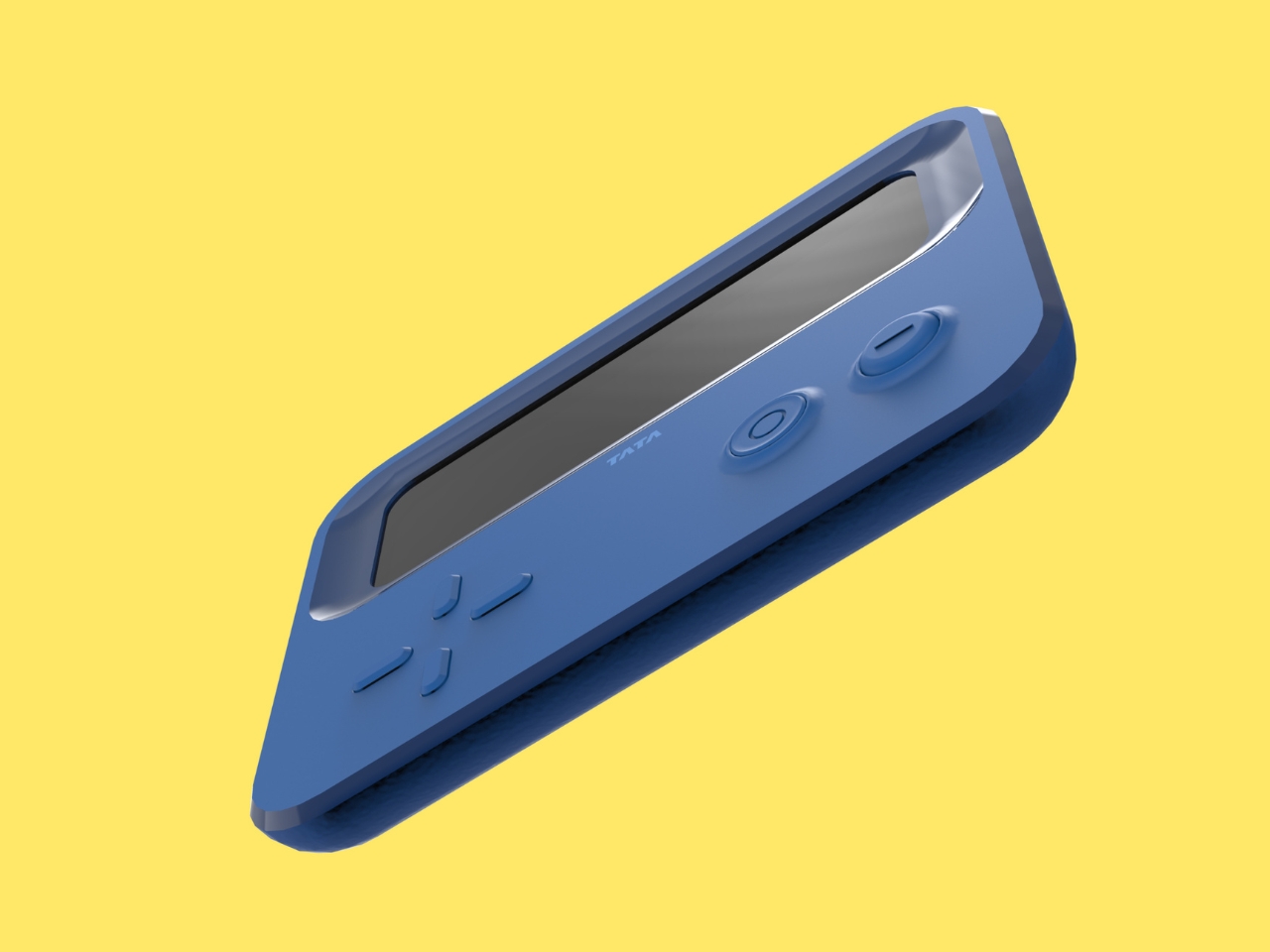
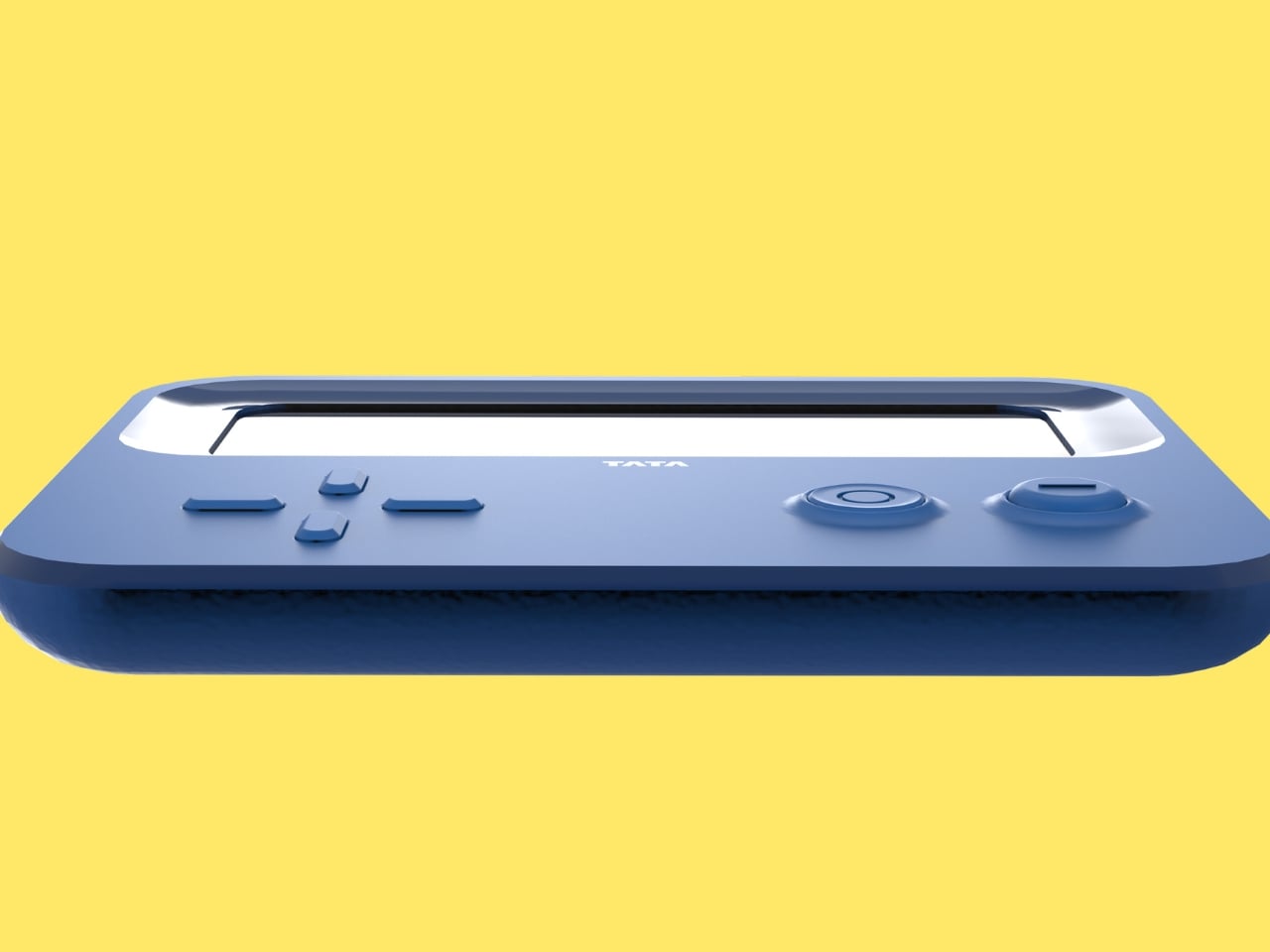
The design itself is deliberately larger than typical key fobs, and that’s entirely the point. While most fobs are designed to disappear, Playfob wants to be seen. It features a rubberized grip that feels good in your hand, intuitive button layouts that make sense without needing a manual, and those vibrant colors that make it feel less like a tech accessory and more like a statement piece. It’s meant to dangle from your bag, to spark conversations, to be an object you actually enjoy carrying around.

What makes this concept so compelling is how it challenges our assumptions about automotive design. Cars have become increasingly personalized over the years, with customizable interiors, ambient lighting, and infotainment systems that sync with our digital lives. Yet somehow, the thing that literally gives us access to all of this remained stubbornly utilitarian. Playfob suggests that every touchpoint matters, that even the smallest interaction with our vehicles could be an opportunity for delight rather than drudgery.

Patil developed this concept during a summer internship at Tata Motors, which makes you wonder what else might be possible when young designers are given the freedom to question conventions. Playfob might be a personal project, but it represents something bigger: a shift toward designing objects that don’t just work well but feel good to use, that acknowledge our emotional needs alongside our practical ones.

Whether or not we’ll ever see Playfob in production remains to be seen. But as a design statement, it’s already succeeded in making us reconsider what a car key could be. And honestly? It makes every boring black fob in existence look just a little bit sadder by comparison.

The post This Car Key Fob Doubles as a Retro Gaming Console first appeared on Yanko Design.
AYANEO Just Built a 115Wh Strix Halo Handheld and Killed Portability

Gaming handhelds are supposed to fit in your hands, but AMD’s new Strix Halo processors generate serious heat and drain batteries faster than you can finish a boss fight. The GPD Win 5 and OneXFly Apex responded by strapping external battery packs to their backs, which works, but looks like your handheld is wearing a fanny pack in the wrong spot. It’s practical but awkward, and it raises an obvious question: if you’re adding external batteries anyway, why not just make the whole device bigger?

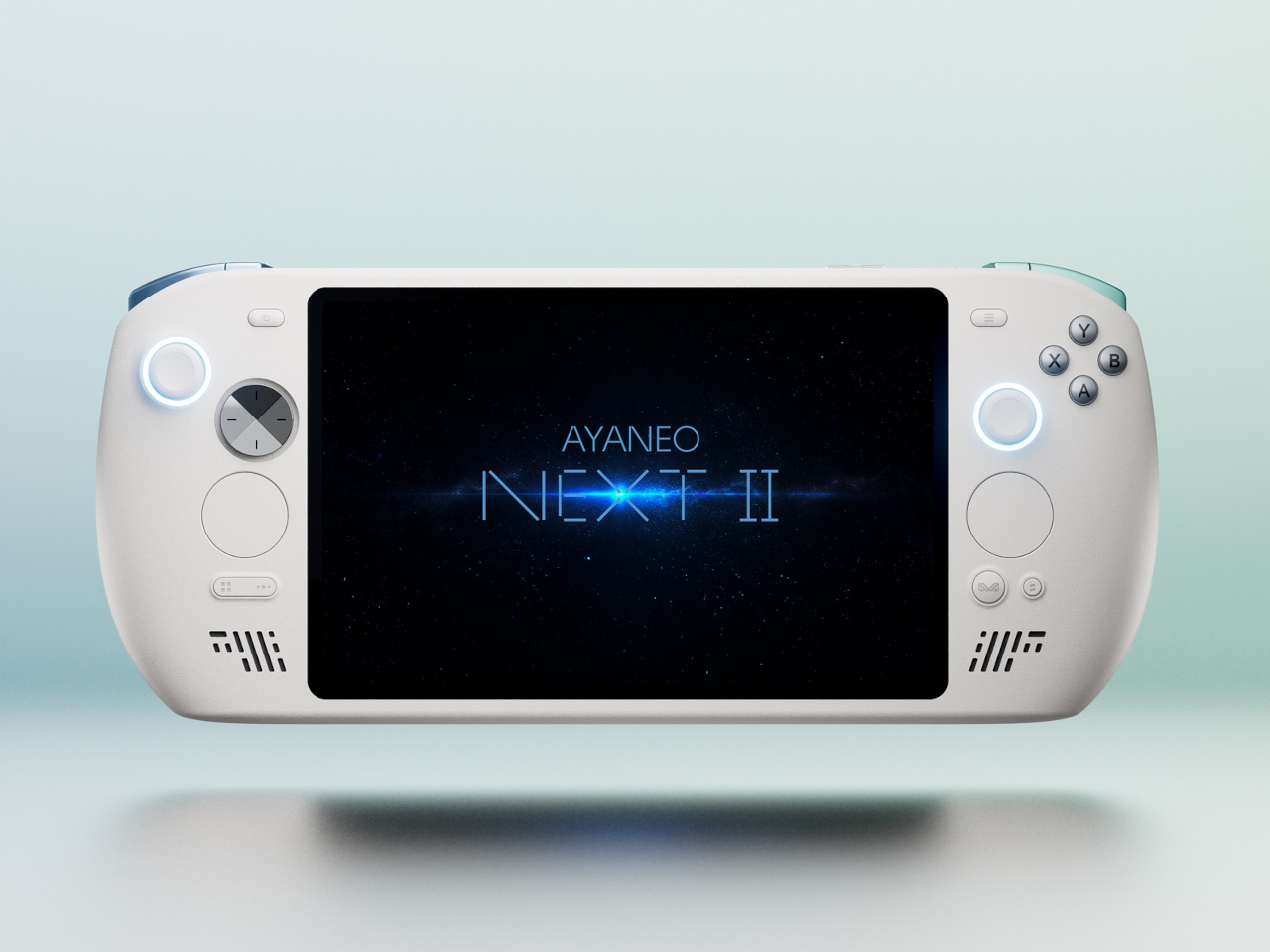
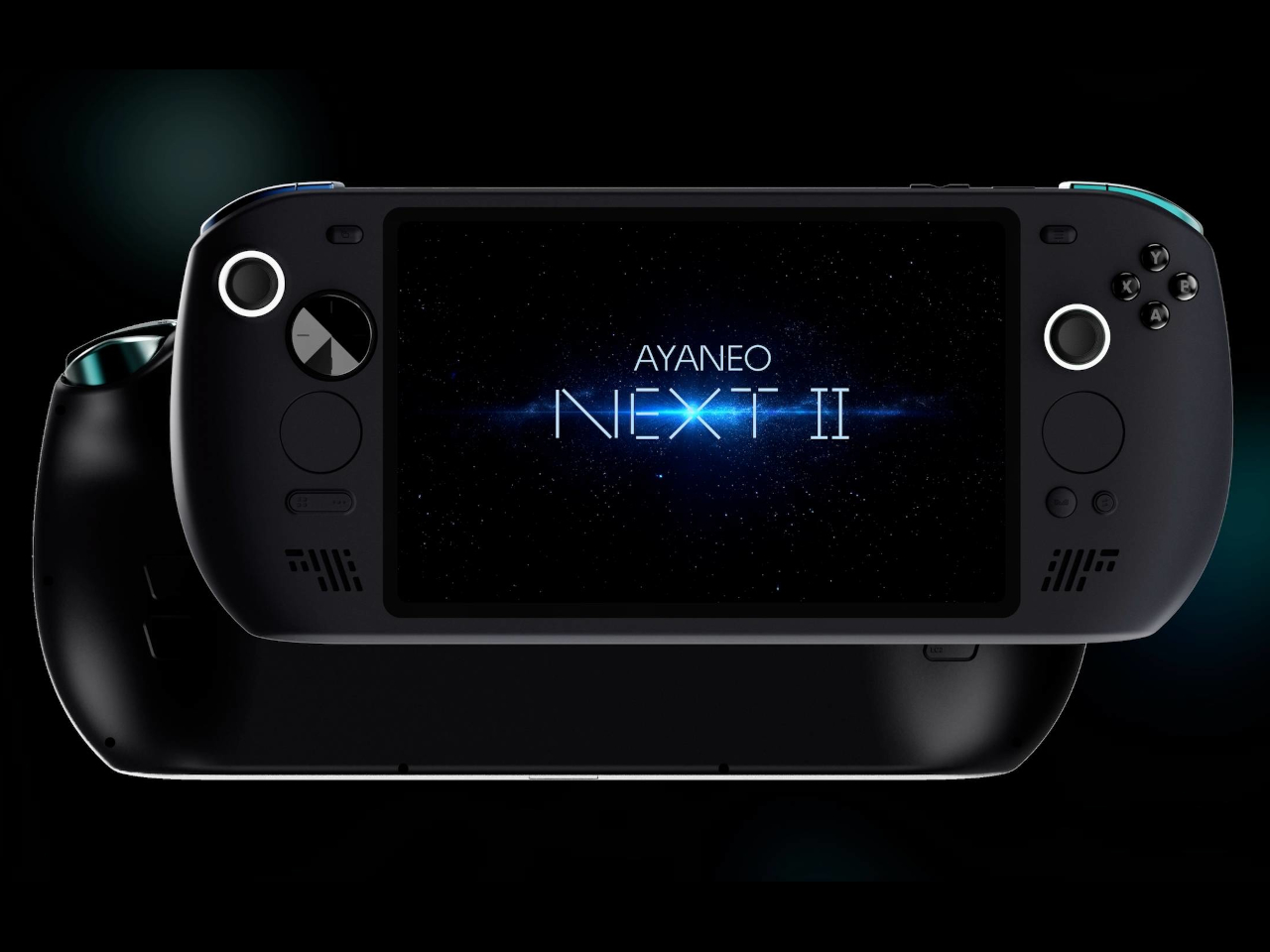
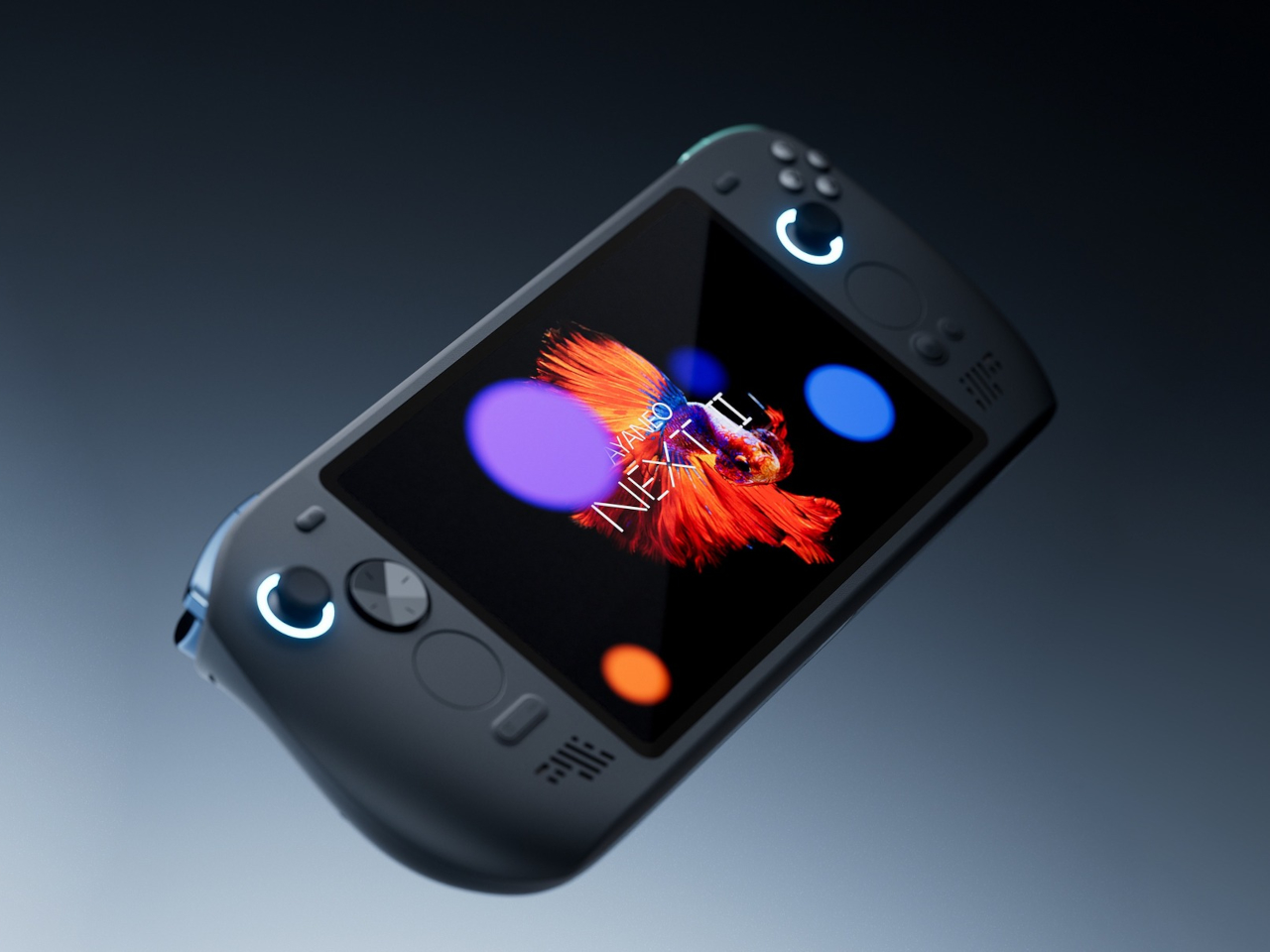
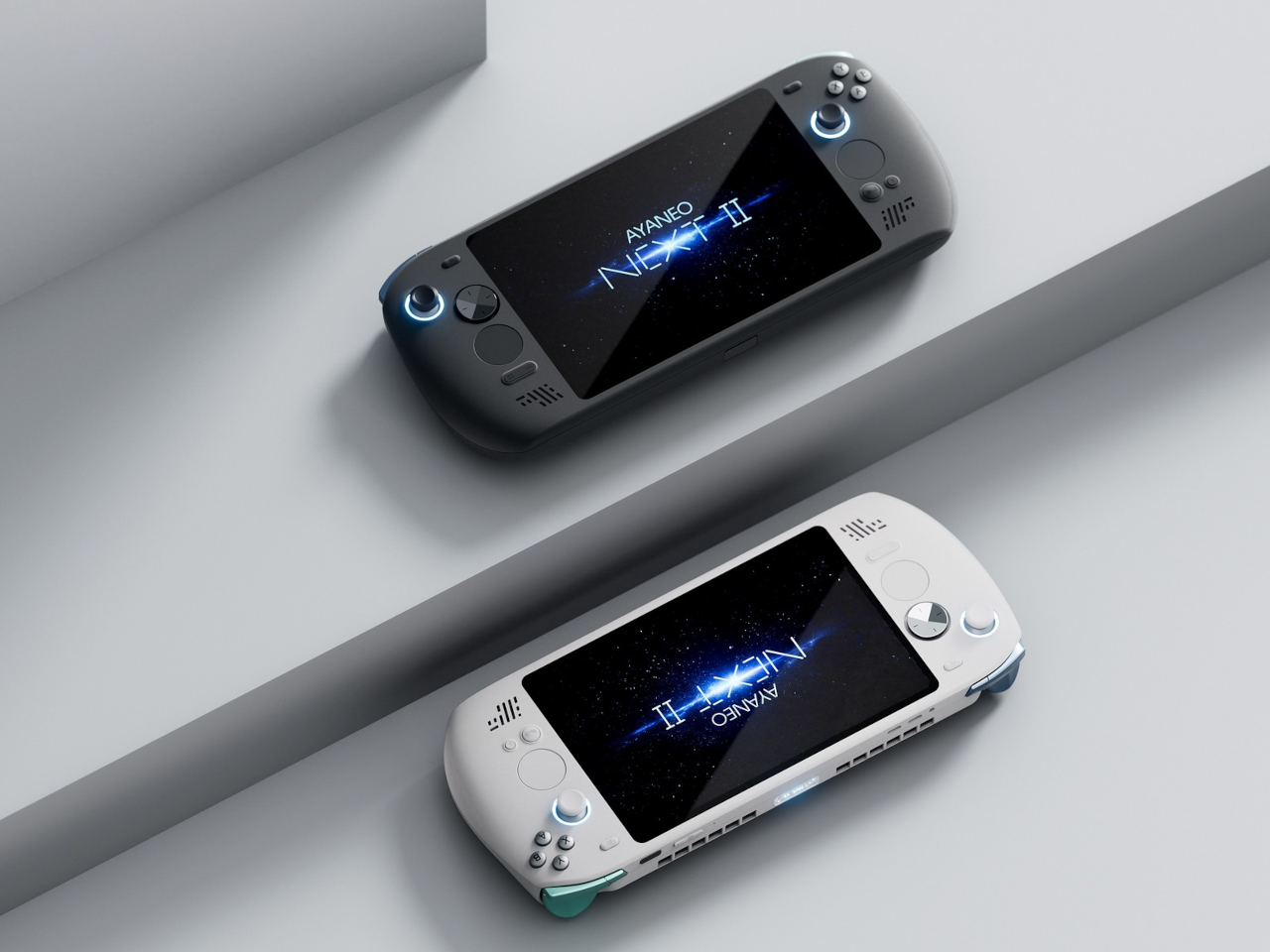
AYANEO apparently asked that same question and decided to run with it. The AYANEO NEXT II skips external packs entirely, hiding a massive 115Wh battery and a 9.06-inch OLED inside a thick, sculpted body that feels more like a portable gaming monitor with grips than something you’d slip into a backpack. It’s AYANEO’s answer to Strix Halo’s power demands, and the solution involves simply accepting that this thing was never going to be pocketable in the first place.

Designer: AYANEO

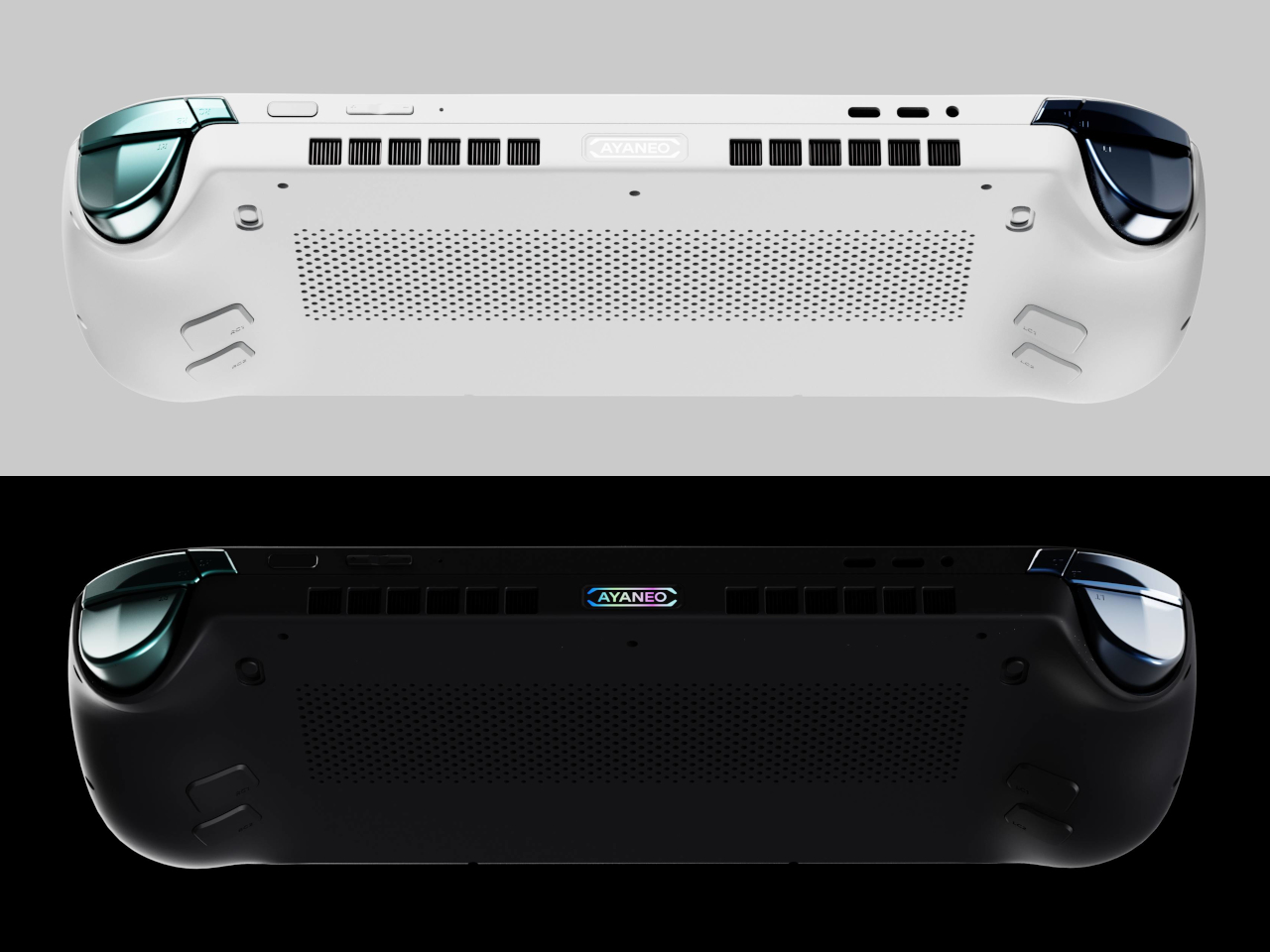
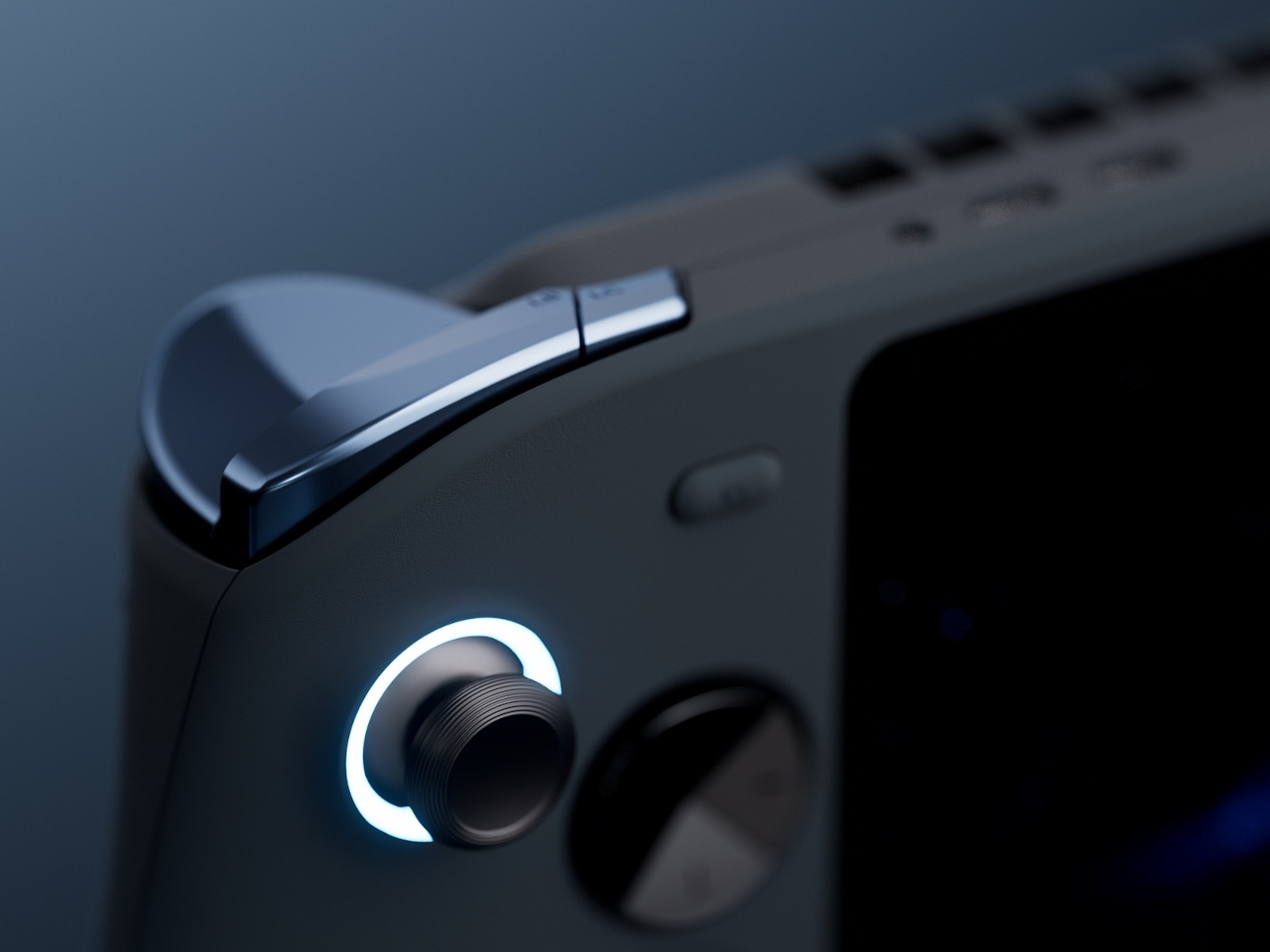
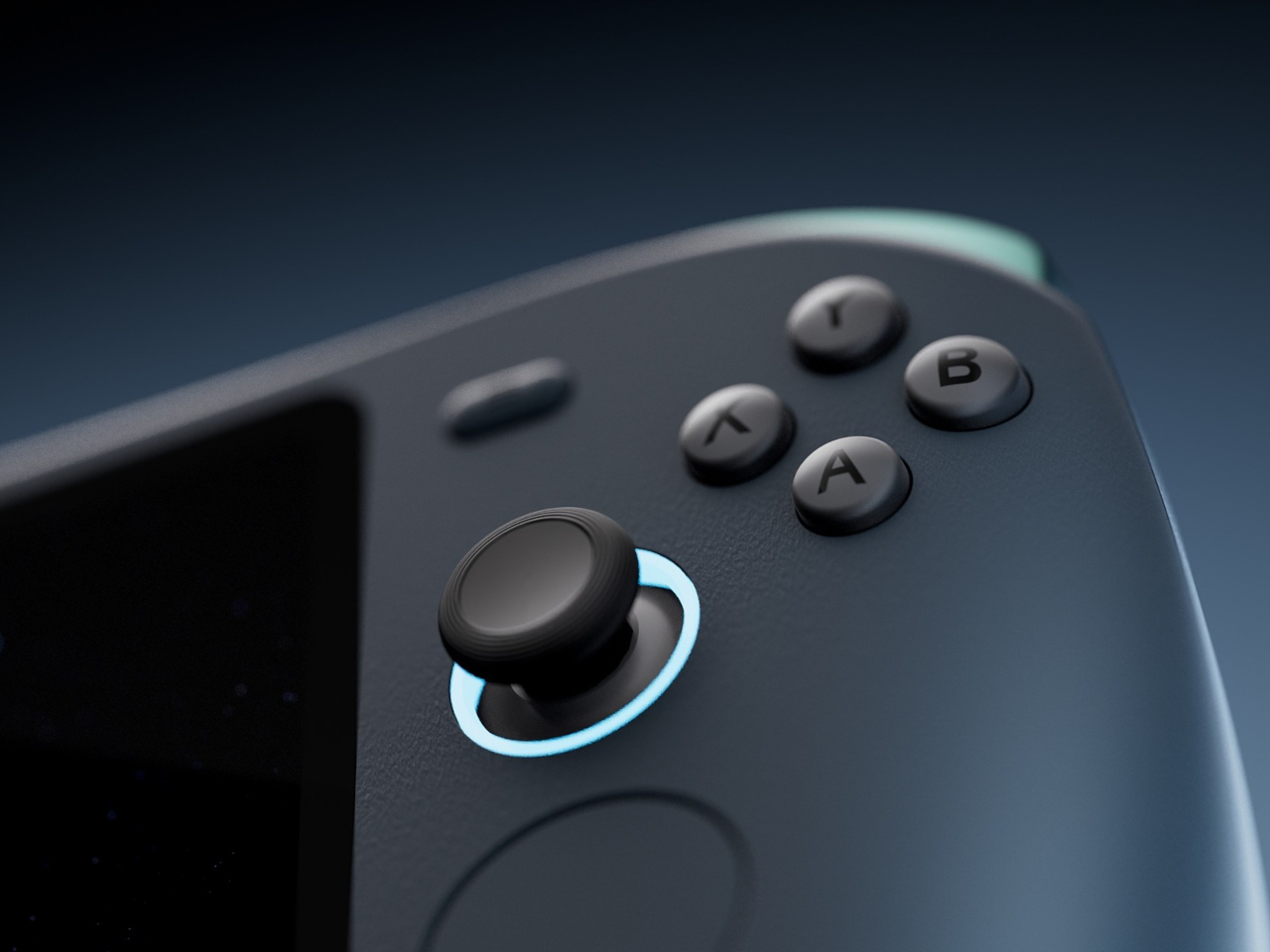
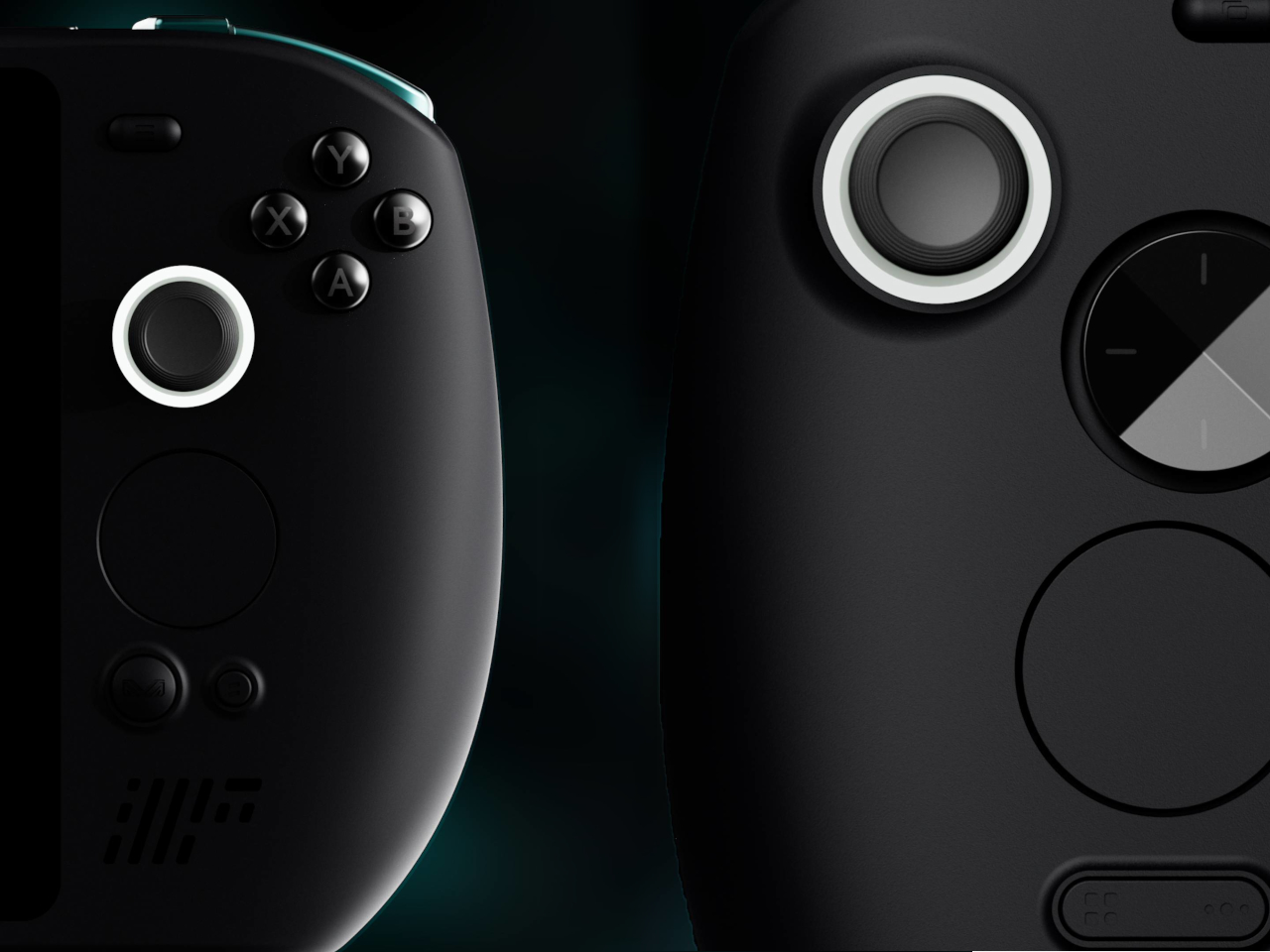
The design doesn’t apologize for its size. Deep grips flare outward like a proper gamepad, and the body is thick enough to house dual cooling fans without turning into a space heater. Hall effect sticks sit where your thumbs expect them, surrounded by a floating D-pad, dual touchpads, and speakers that actually face you instead of firing sound into your lap. It looks less like a Switch rival and more like someone decided gaming monitors needed handles attached.

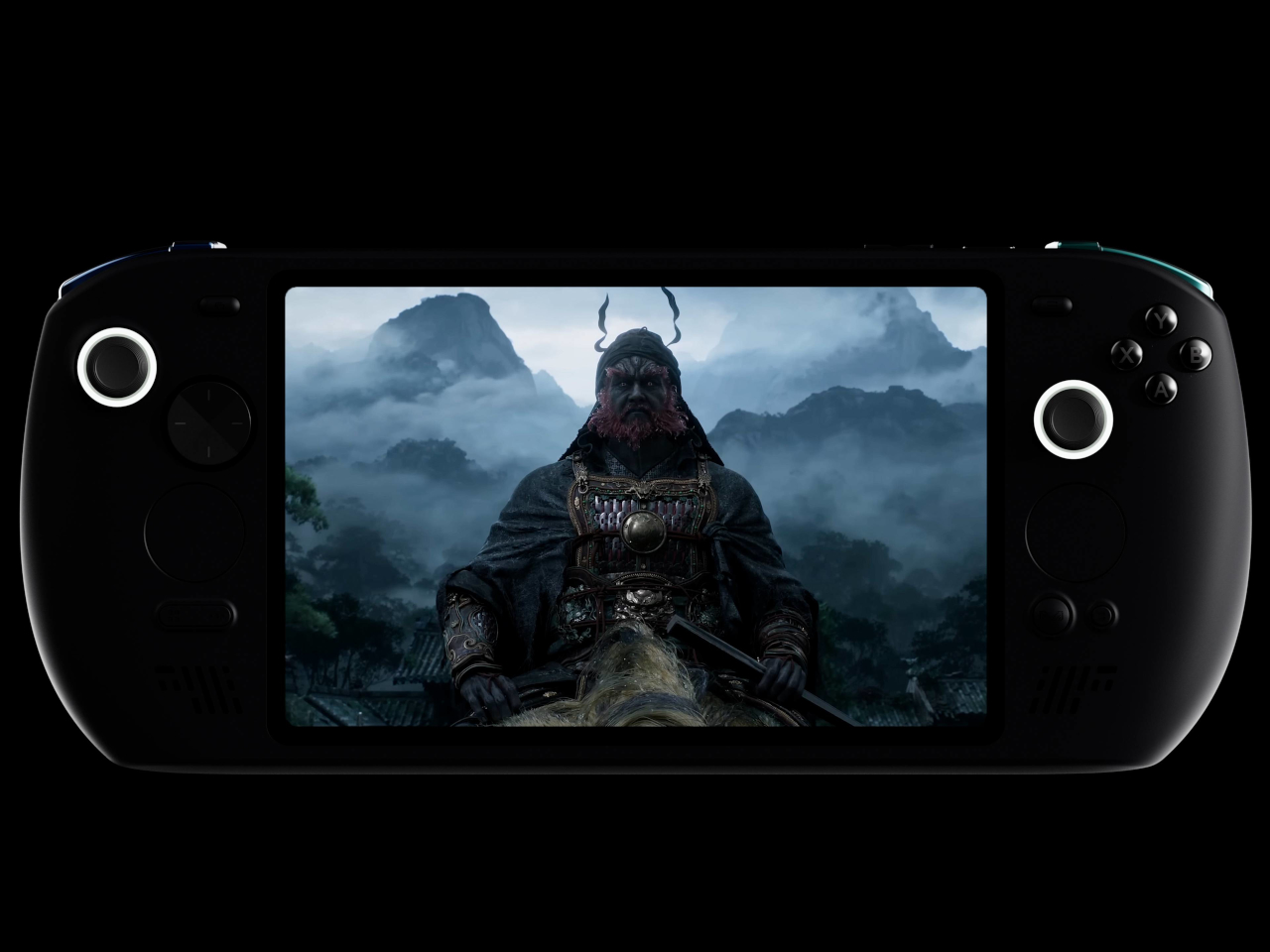
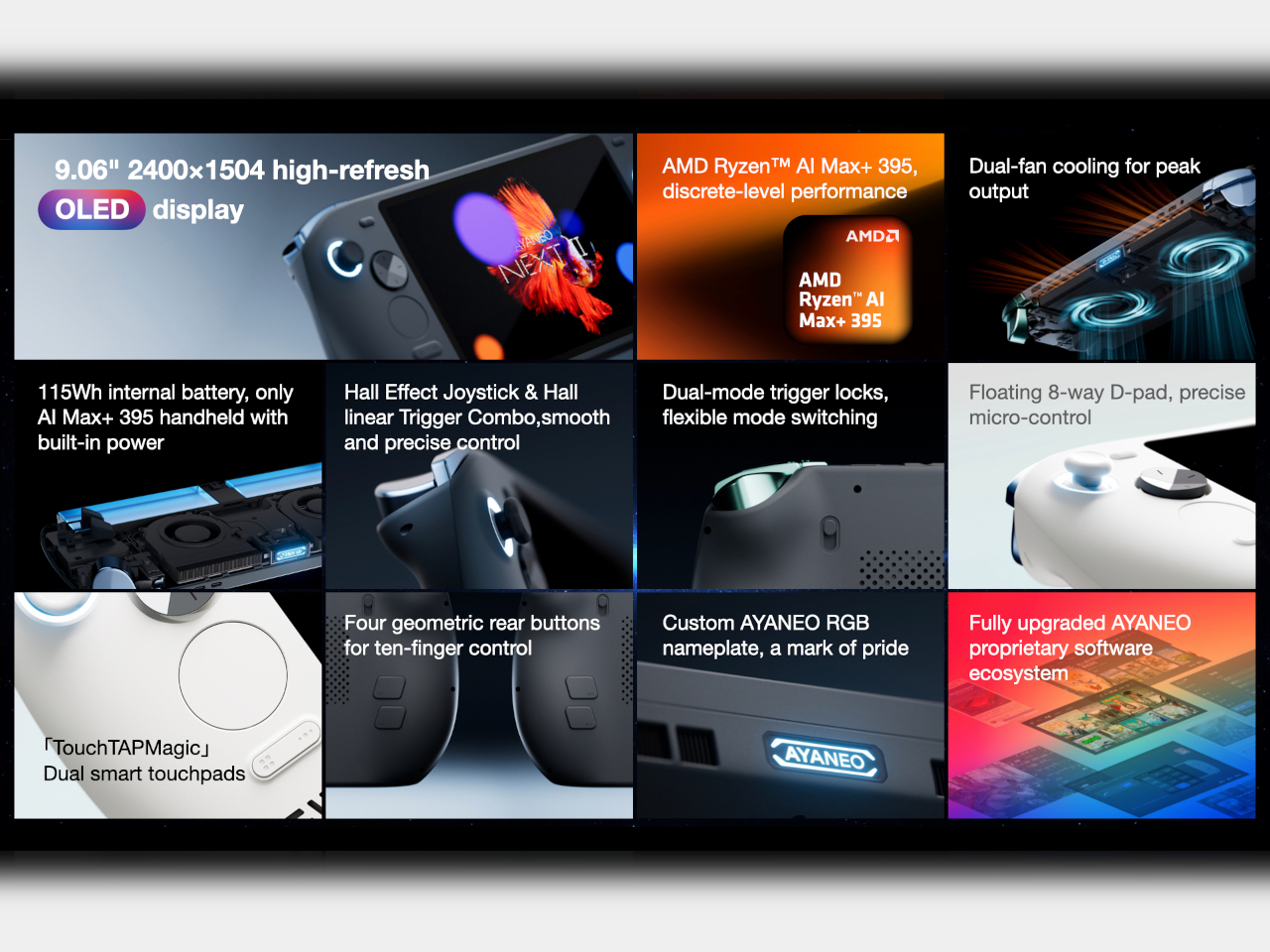
That 9.06-inch screen uses an unusual 3:2 aspect ratio instead of the typical widescreen shape most games expect. You get a gorgeous OLED panel with refresh rates up to 165Hz and brightness that peaks at 1100 nits, which sounds fantastic until you realize most games will either add black bars or run nowhere near 165 frames per second at this resolution anyway. Still, it’s lovely for desktop windows and emulators that appreciate the extra vertical space.

The 115Wh battery is where things get complicated. Everything stays hidden inside for a cleaner look and more console-like feel, but that capacity might cause questions at airport security since many airlines cap carry-on batteries at 100Wh. You also can’t swap batteries when one dies, and constantly feeding an 85-watt processor means faster charge cycles and potential long-term wear. You’re looking at two to three hours of heavy gaming before hunting for an outlet.

The dual cooling fans work hard to keep Strix Halo from overheating, and you’ll definitely hear them during intense sessions. AYANEO claims it can sustain up to 85 watts, which should let the integrated Radeon graphics handle modern games at respectable settings, though you’ll also feel warmth radiating from the vents. This is less a grab-and-go portable and more something you carry from the couch to the desk when you need a scenery change.

AYANEO loaded the NEXT II with premium controls that enthusiasts will genuinely appreciate. Hall effect sticks and triggers promise zero drift, dual-stage trigger locks switch between smooth analog and clicky digital modes, and rear buttons plus dual touchpads give you more inputs than a standard controller. A magnetic haptic motor adds feedback that tries to mimic console vibration, and the AYASpace software hides Windows behind a console-style launcher with performance tuning options built in.
The AYANEO NEXT II essentially stops pretending to be portable. It won’t fit in a jacket pocket, might get flagged at airport security, and is almost certainly too heavy for comfortable one-handed play in bed. But if you want something that feels more like a small gaming monitor with built-in controls rather than a device you’d actually carry around town, this oversized approach makes a strange kind of sense. You just have to accept that portability took a back seat to screen size and battery capacity.

The post AYANEO Just Built a 115Wh Strix Halo Handheld and Killed Portability first appeared on Yanko Design.