Meditation device concept hides earbuds inside to help shut off external noise

When I want to shut out the outside world and just focus, I put on a pair of noise-cancelling earphones. Sometimes I also want to meditate and since I live in an area where outside noise is constant, earphones and headphones are pretty helpful. What if you actually have a device that is primarily meant to help you meditate, relax, and get in touch with your inner self, with listening to music just being a secondary function?

Designer: Suosi Design

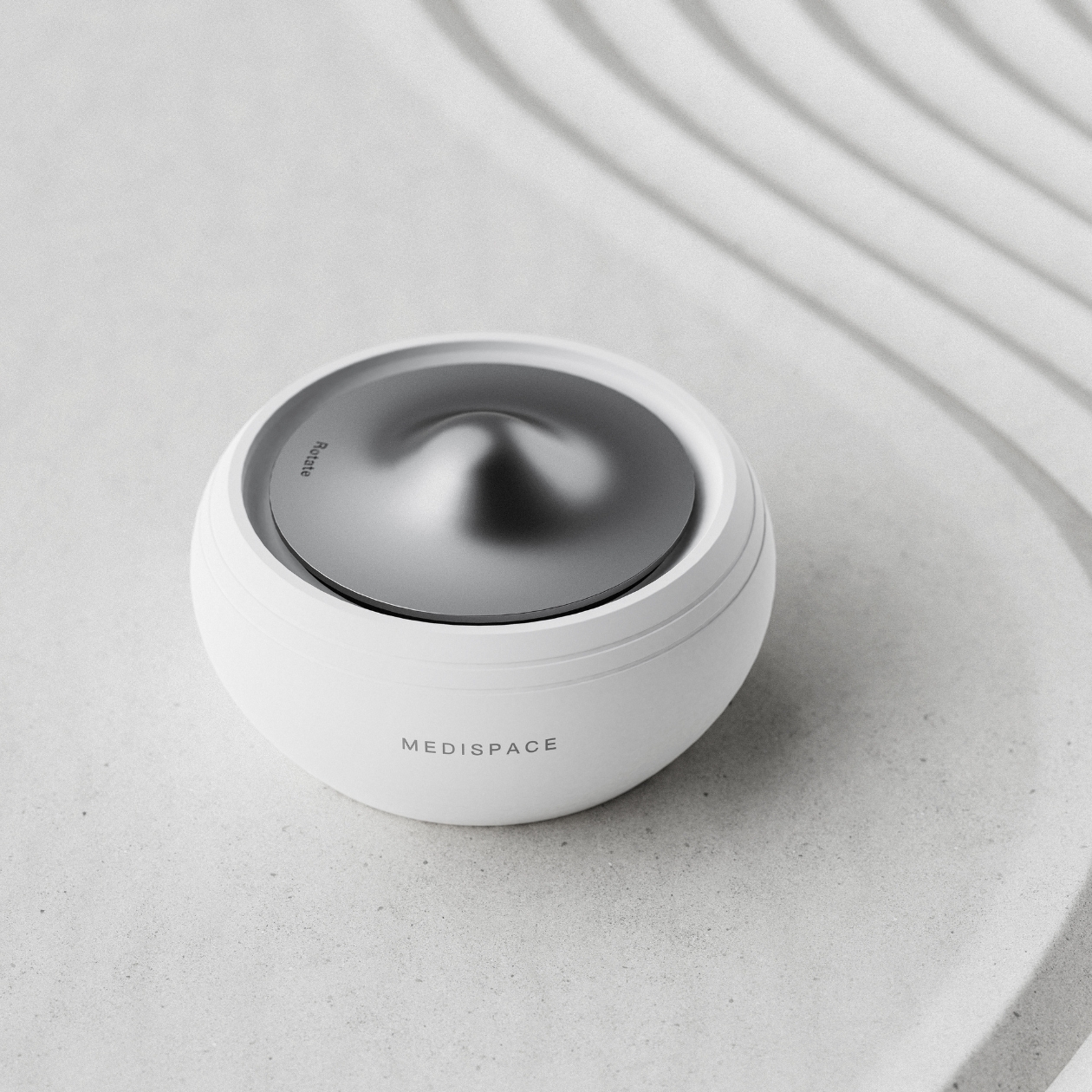
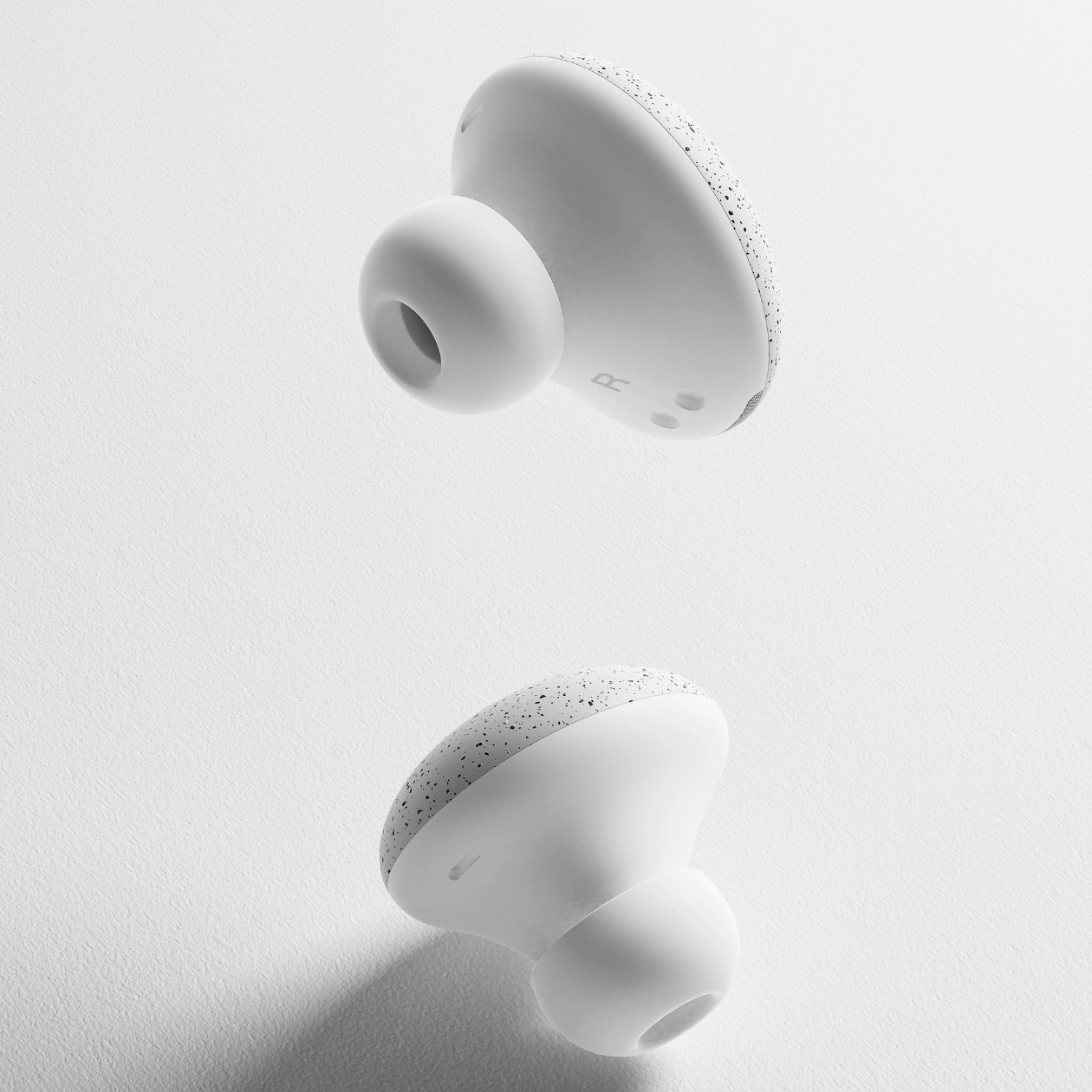
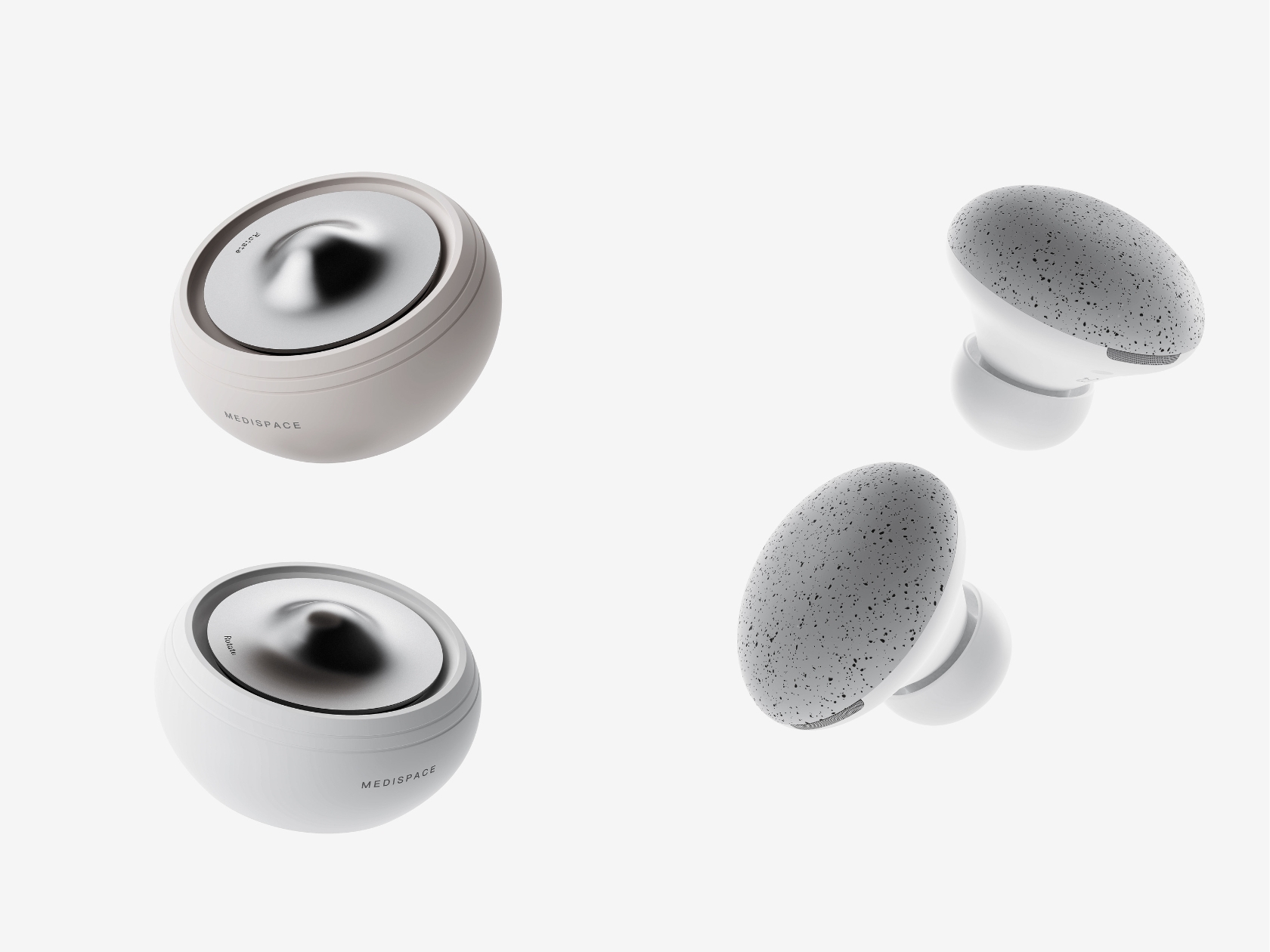
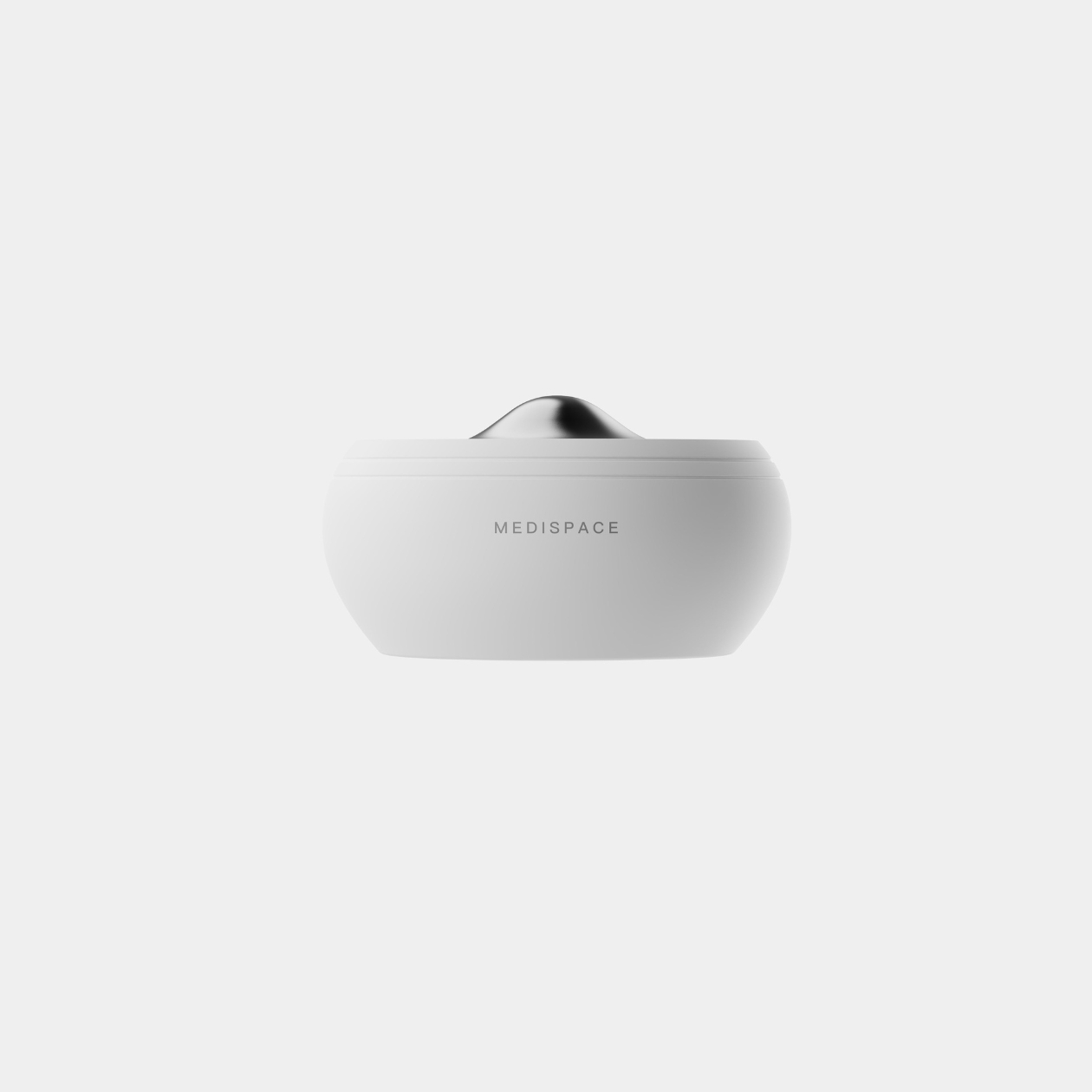
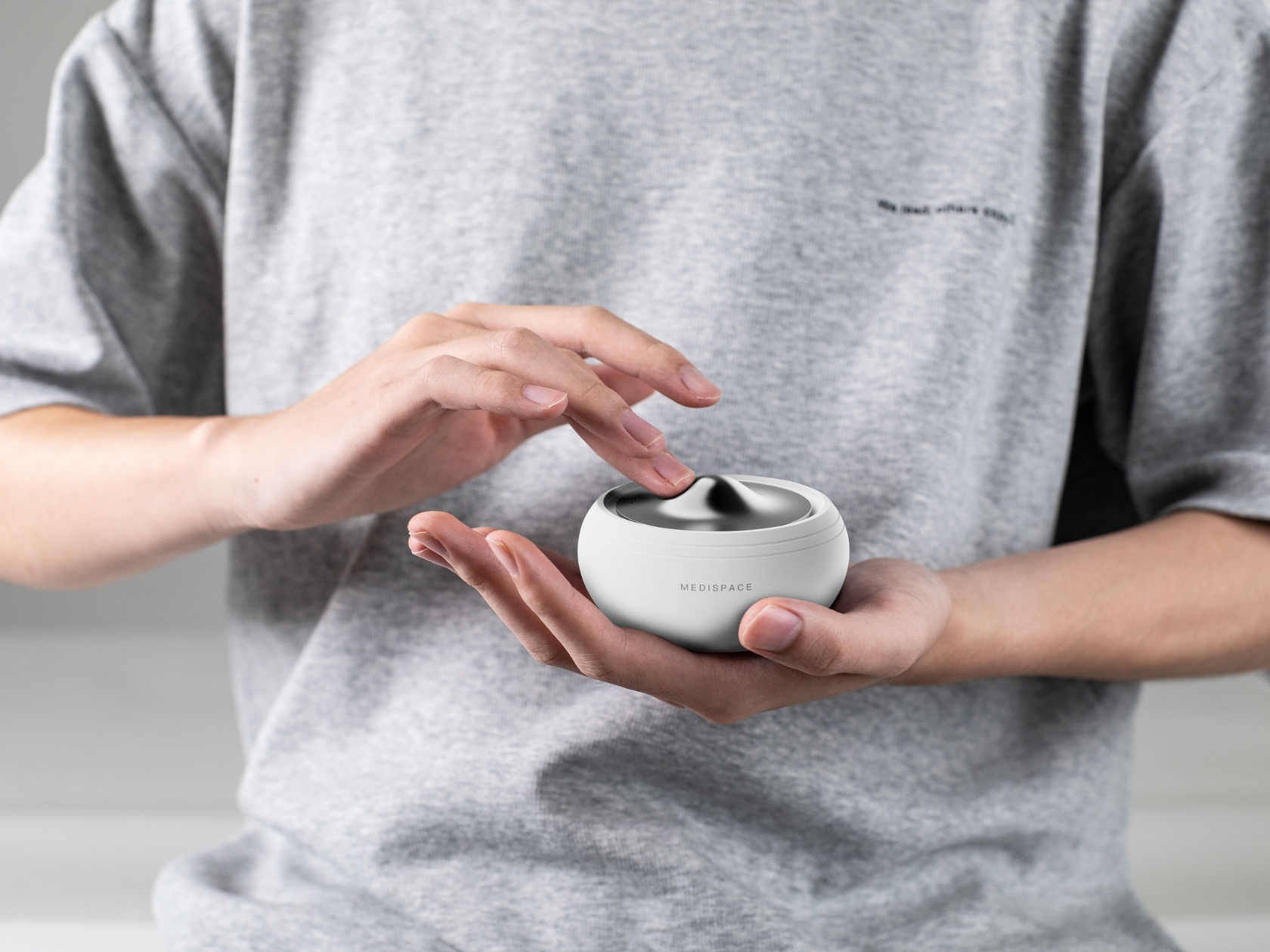
Medispace is a concept for a meditation device inspired by the singing bowls from the Himalayas. Just like the Tibetan bowls that are meant to help you relieve stress and get into your inner self by tapping and touching it, this device is meant to do that but with an urbanite twist. The device is small enough to fit into your palm so it’s easy to make it “sing” as you try to meditate. And what makes it more modern is that there are noise-canceling earbuds that you can use to fully immerse yourself in your meditation.

The device is able to simulate more than ten kinds of singing bowl sound changes. This makes you feel like you are actually using one of those Tibetan bowls as you touch and tap the metal disc on top of the Medispace. Inside, it functions more like a charging case for your earbuds which are part of your meditative experience. Medispace itself looks like a night cream moisturizer container which makes sense since that can also be part of your self-care routine. The earbuds look like your typical listening device but a bit bigger and with a seemingly textured/pebbled surface.

It’s an interesting concept to combine a meditative device with earbuds. But since we live in a world that offers up a lot of distractions, we need all the help we can get to shut off the outside world every once in a while and focus on things like deep breathing, meditation, and our inner lives.

The post Meditation device concept hides earbuds inside to help shut off external noise first appeared on Yanko Design.

This Wireless Gaming Mouse’s Charging Display Dock will put Apple’s Magic Mouse to shame

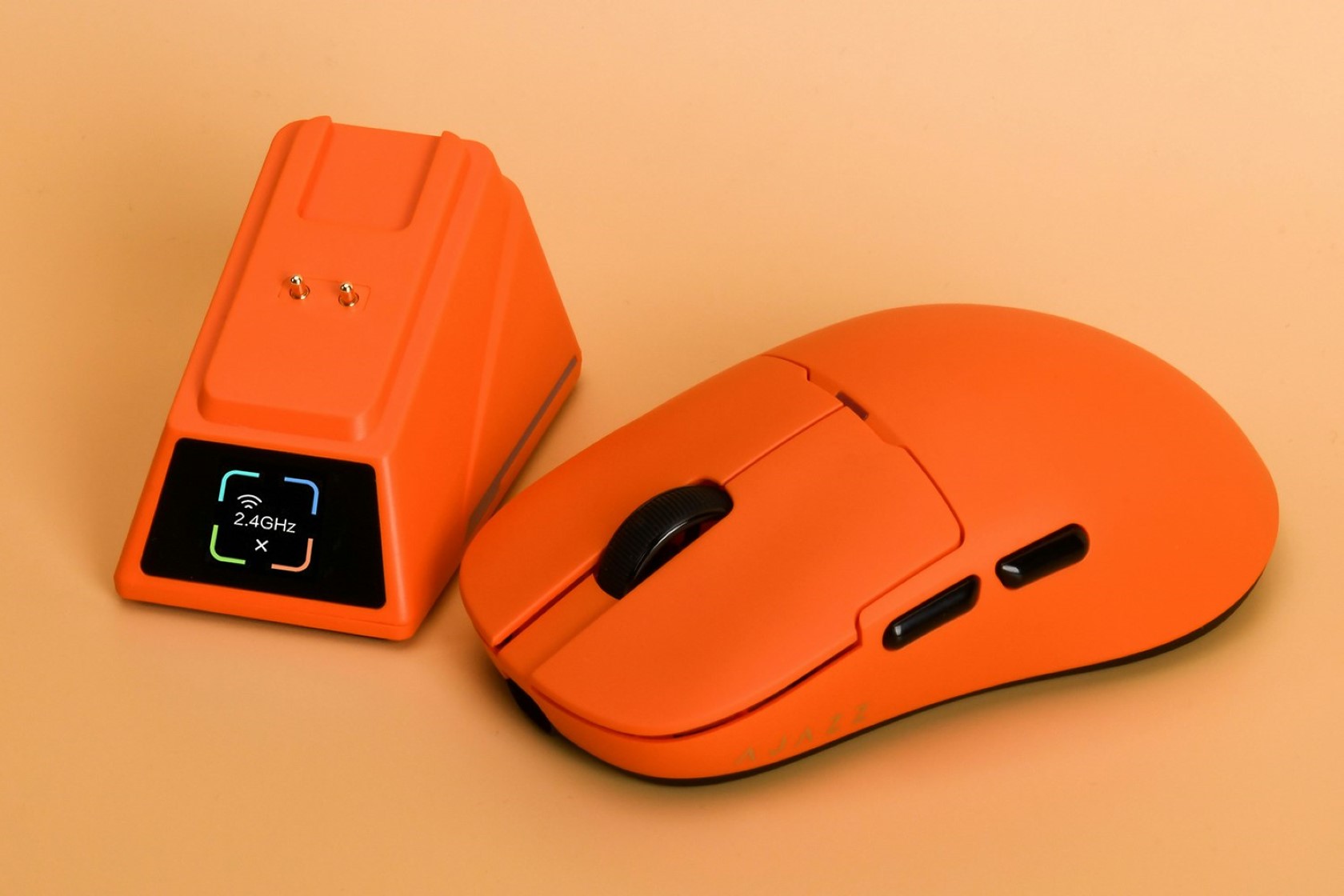
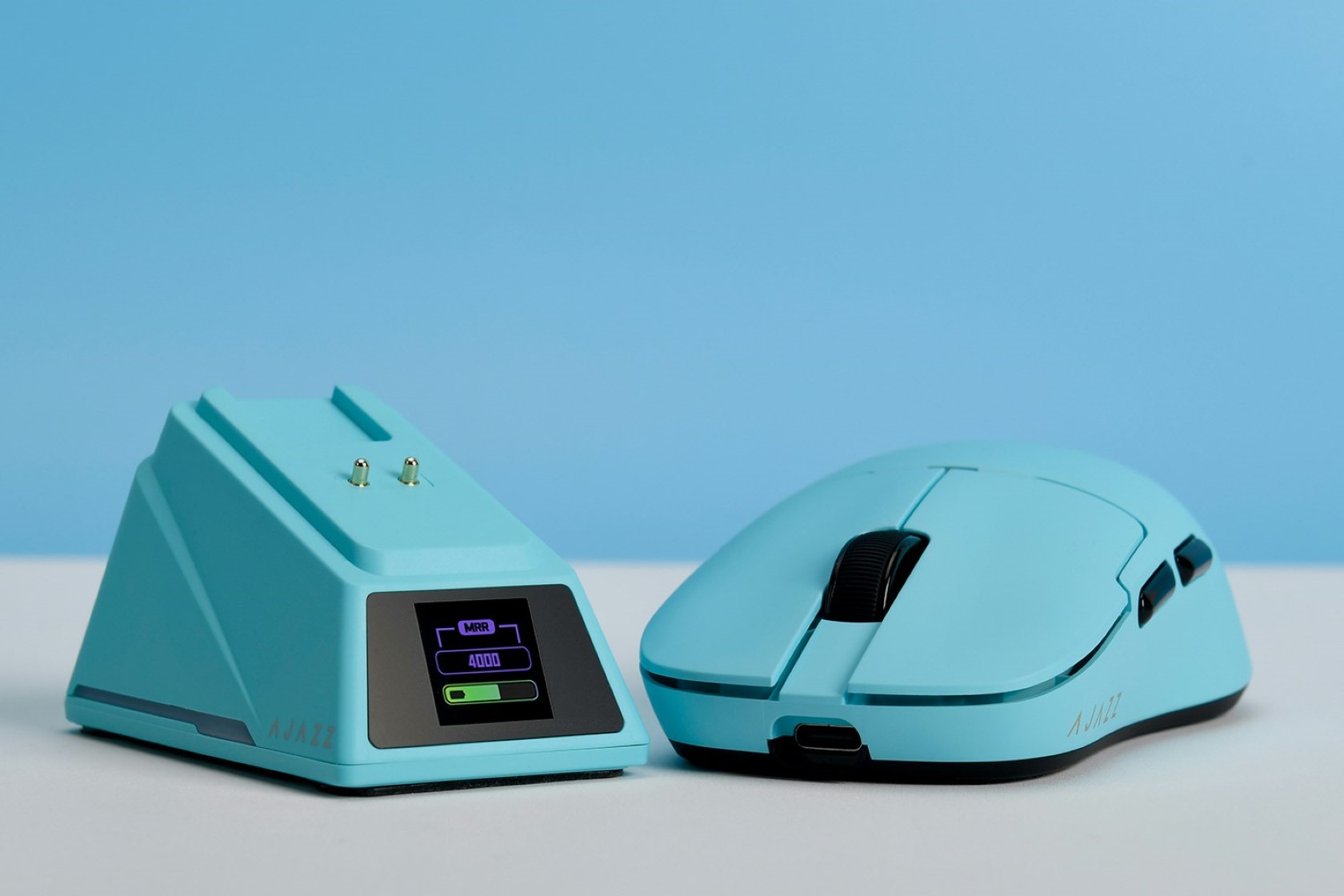
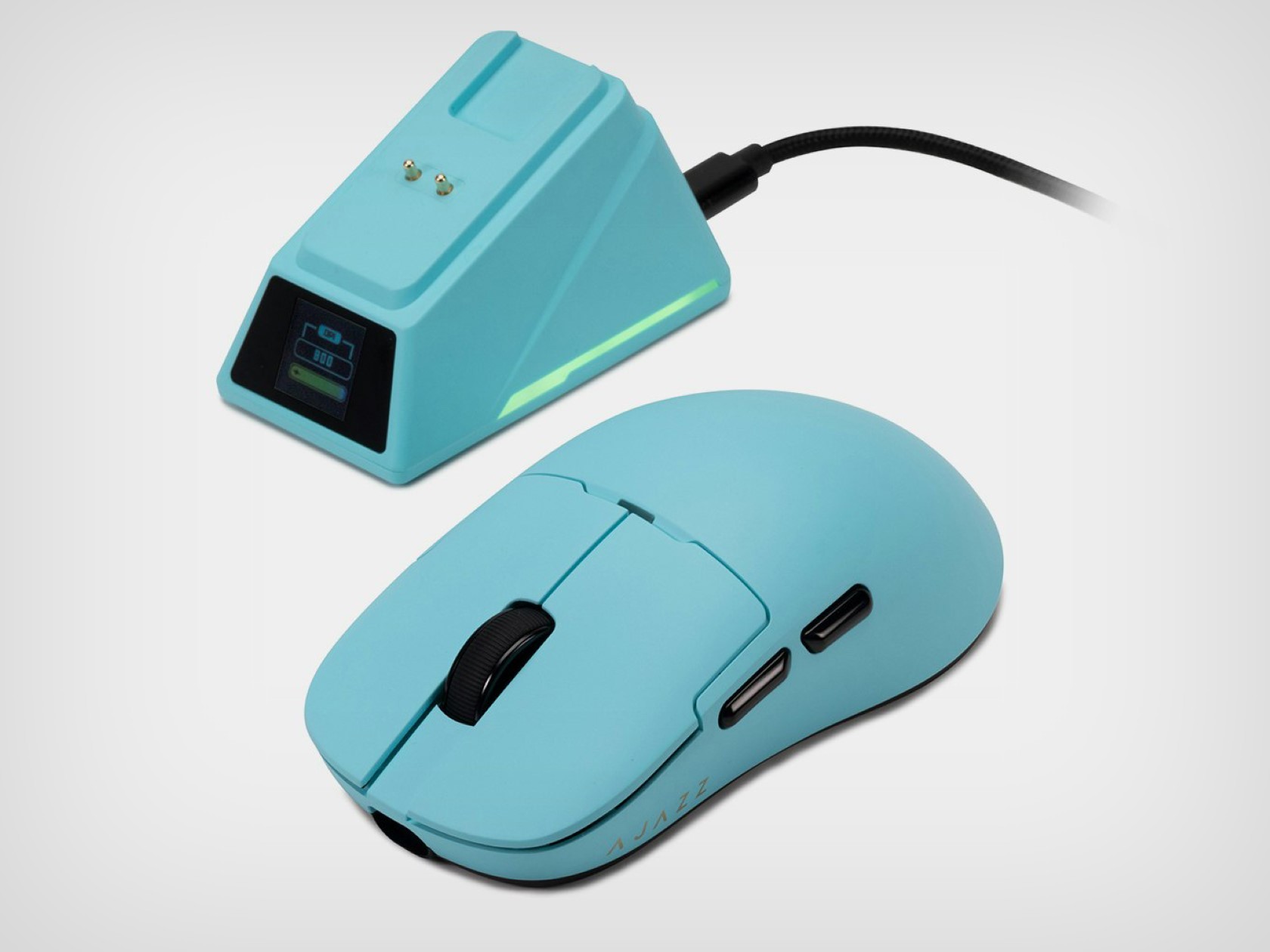
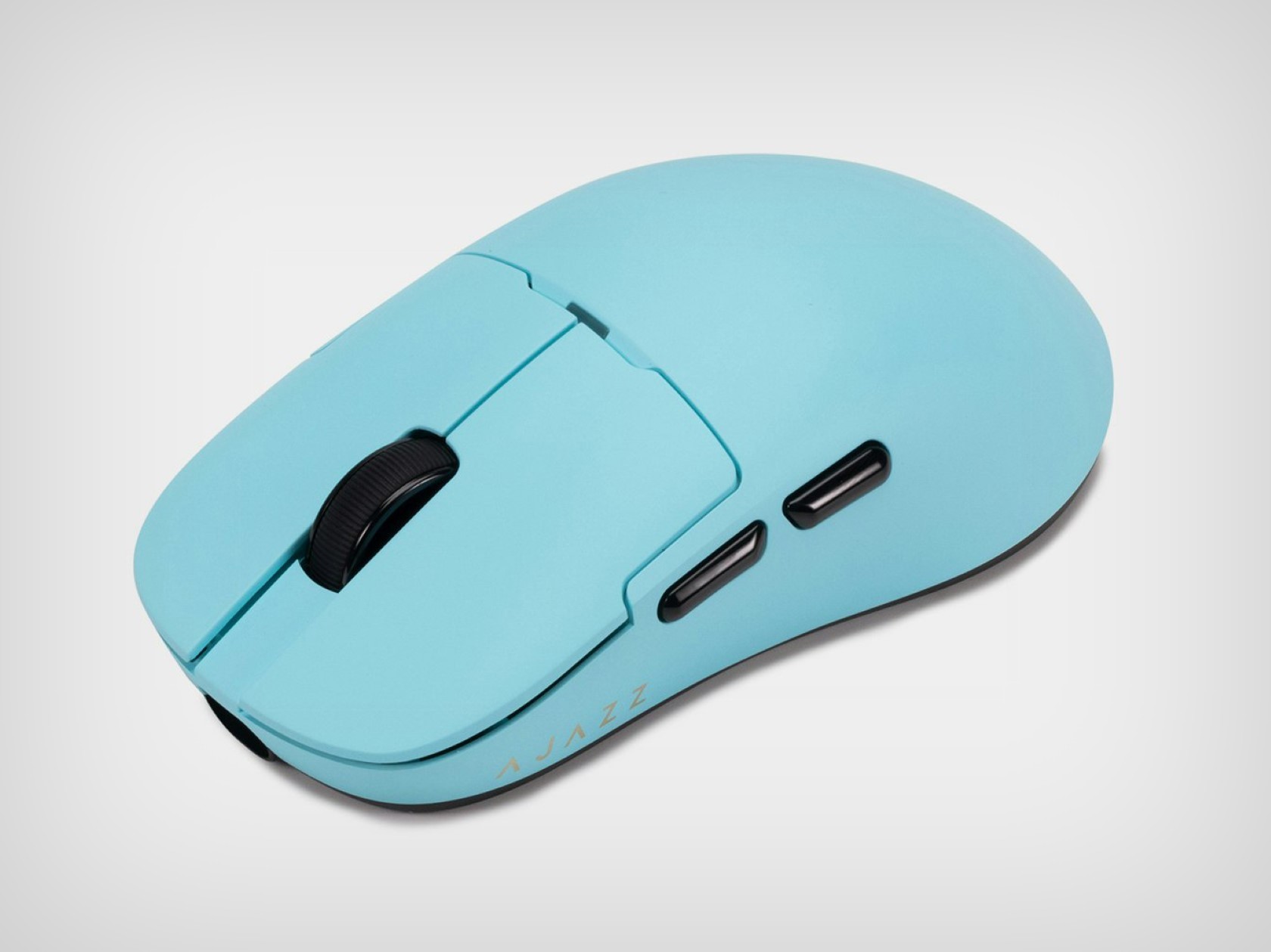
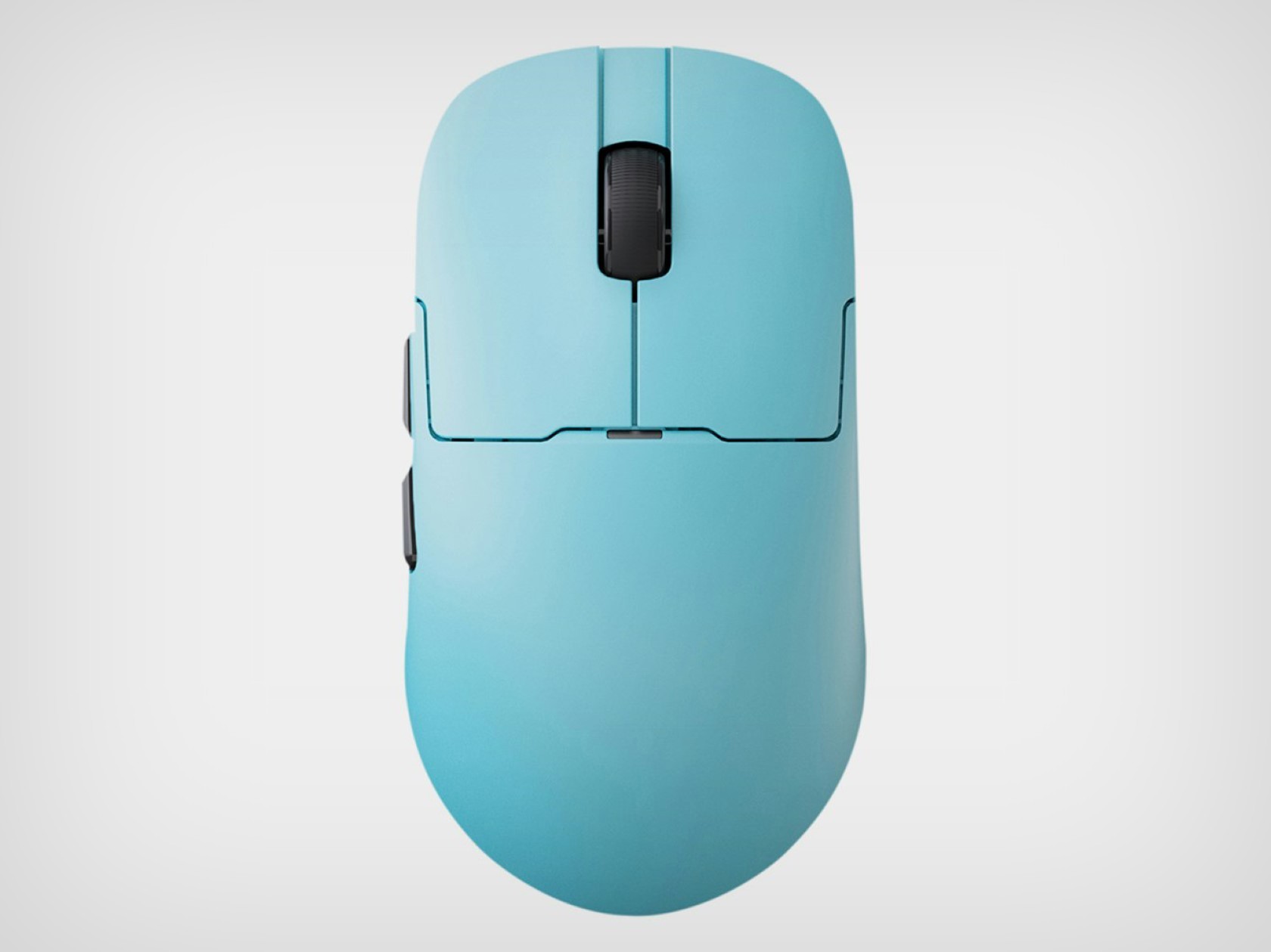
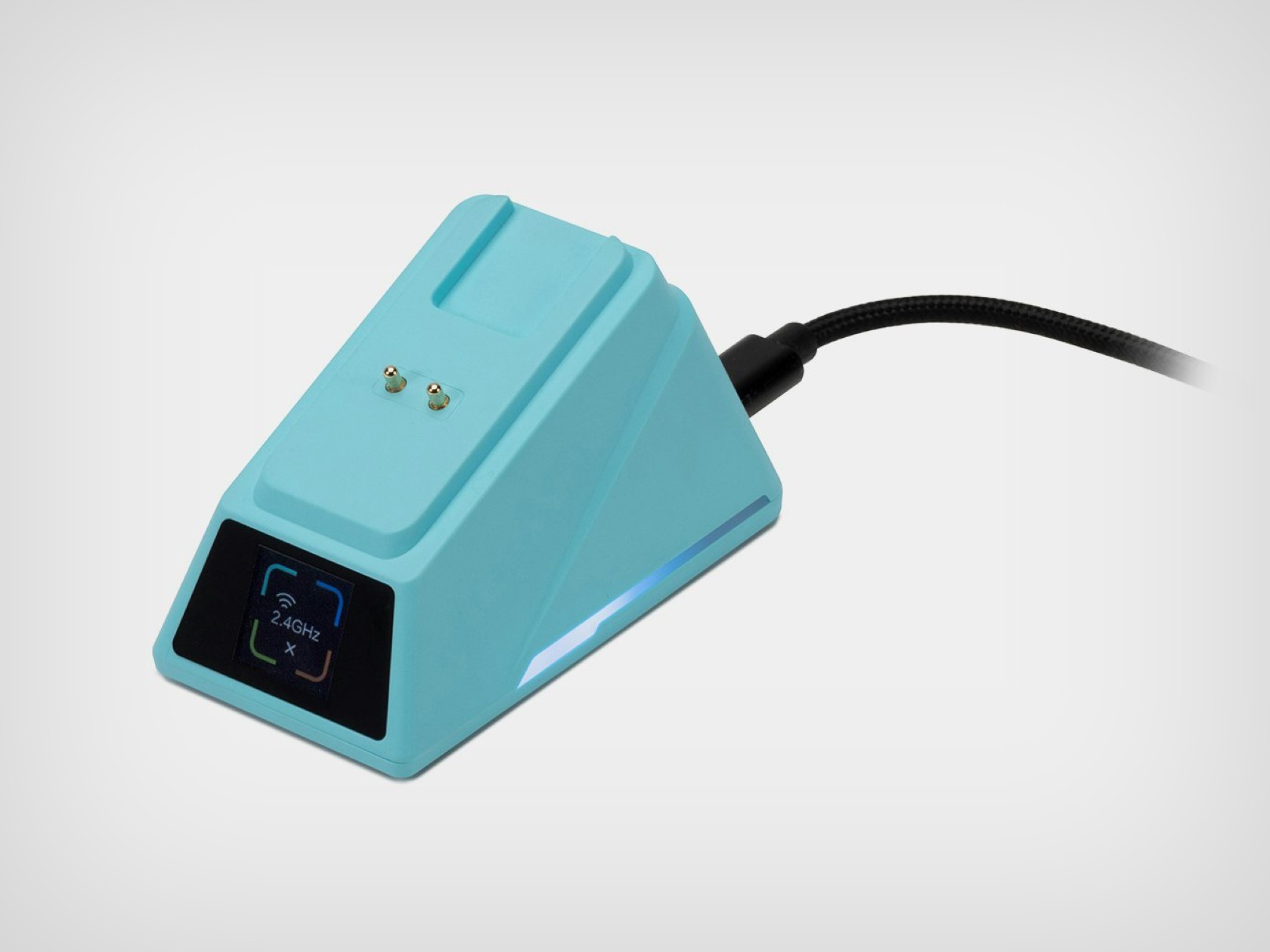
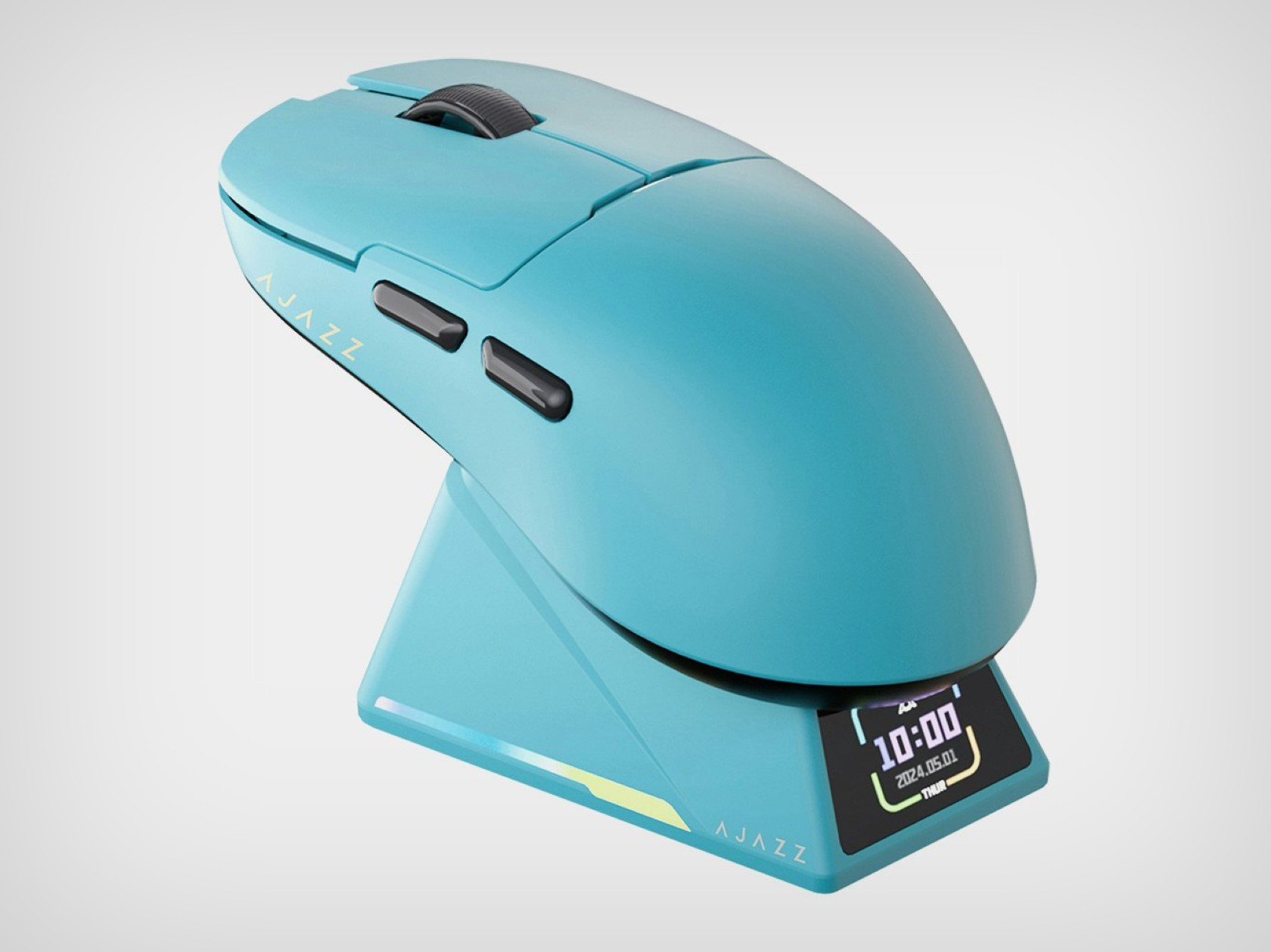
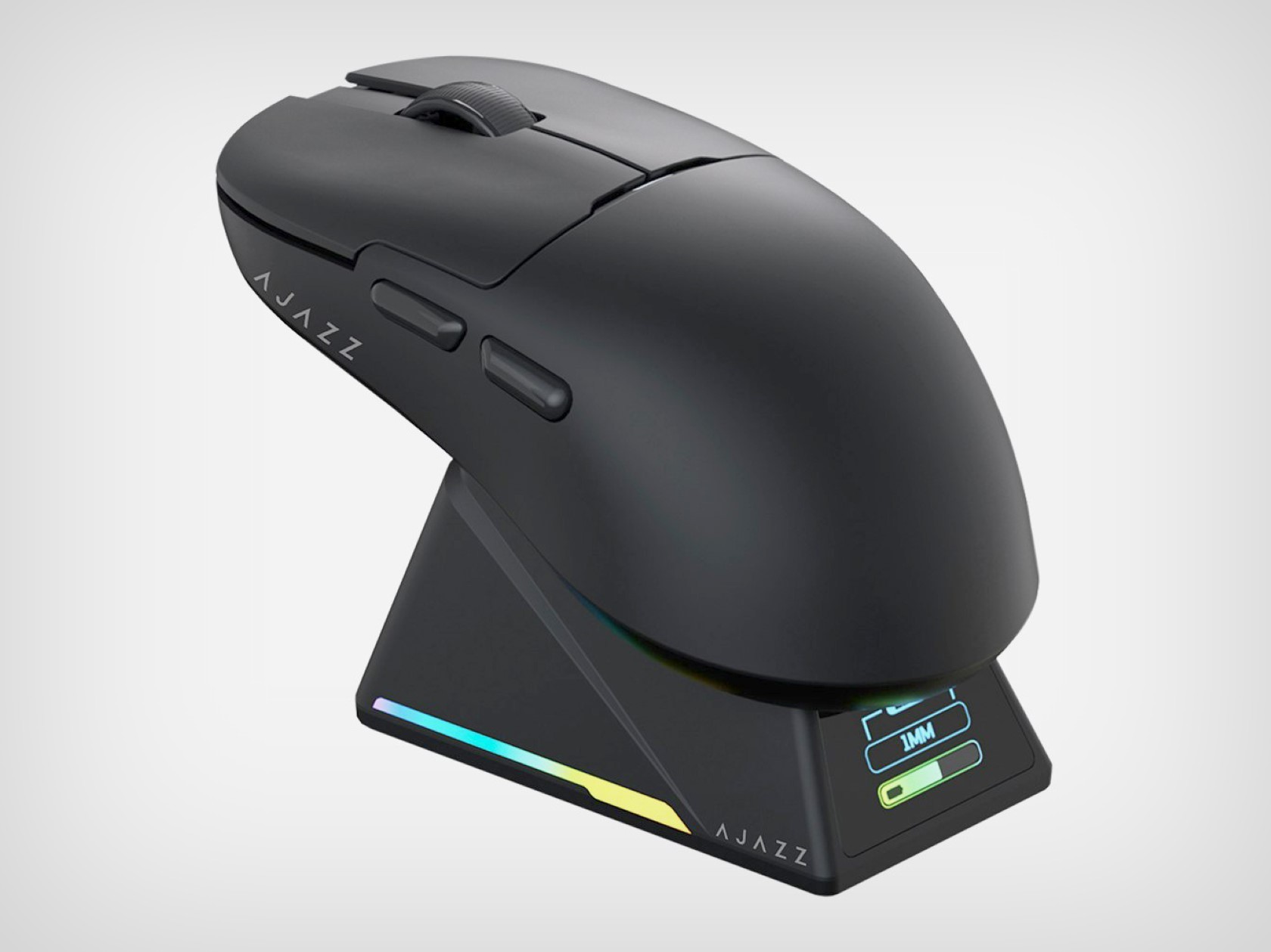
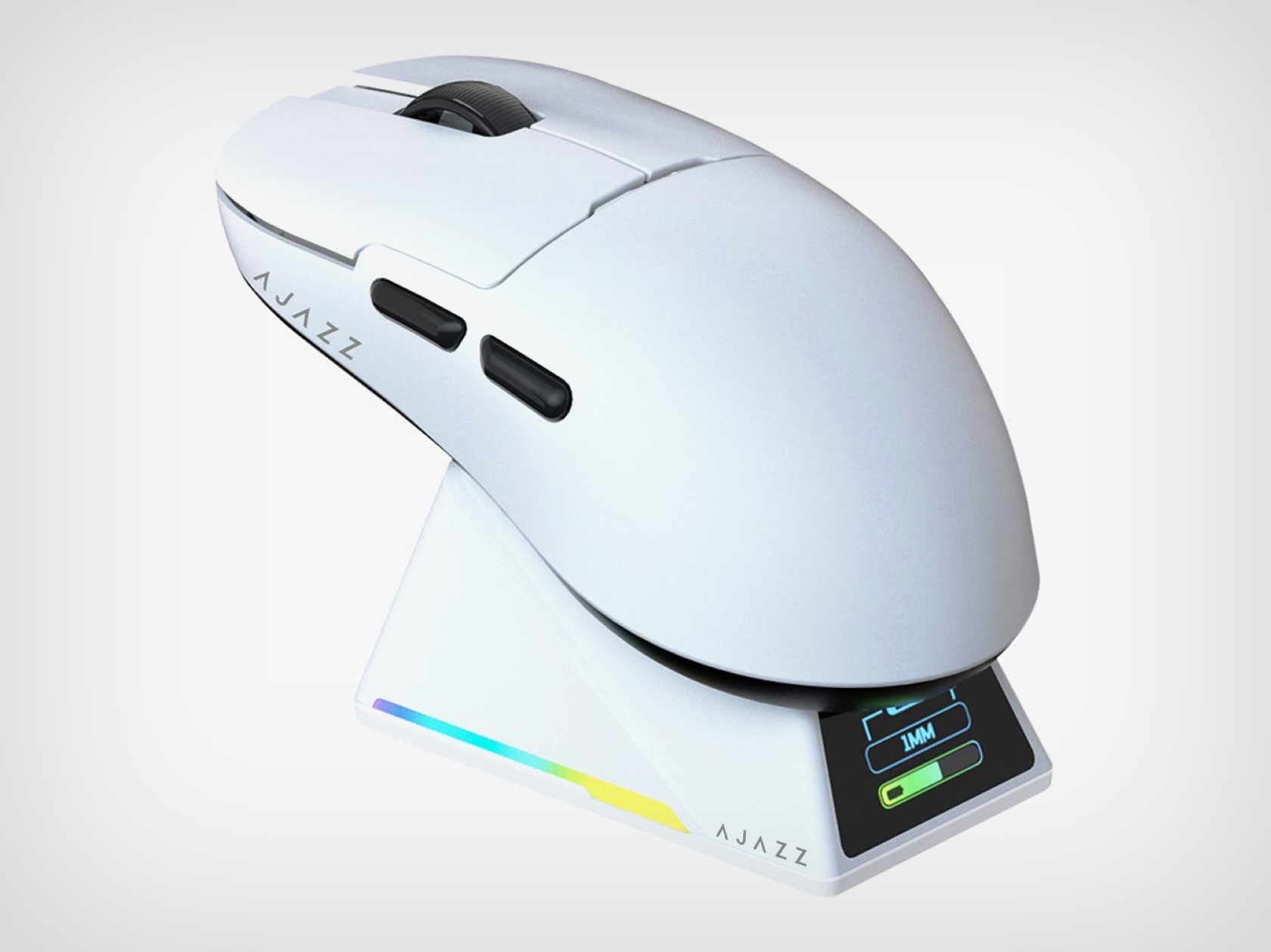
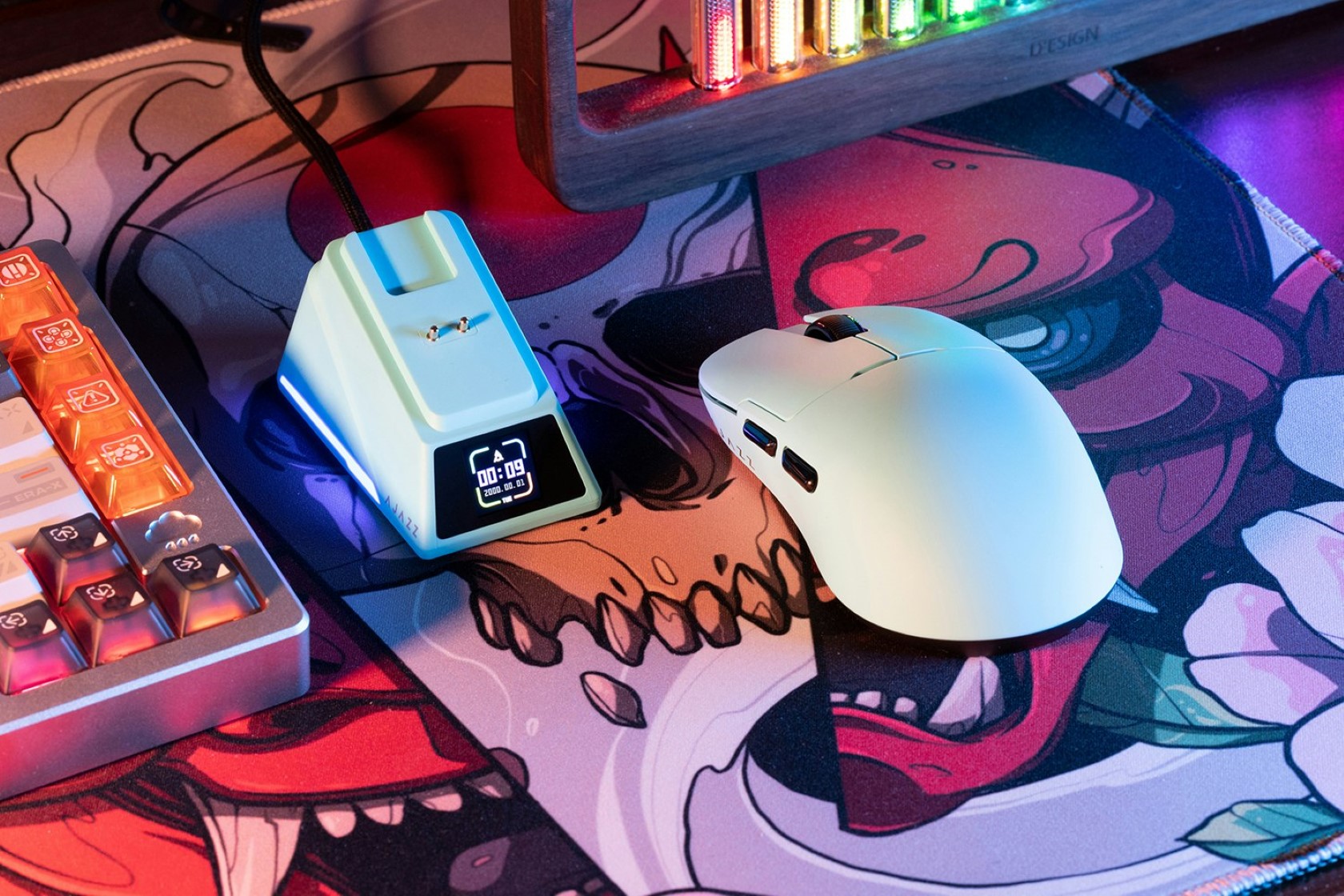
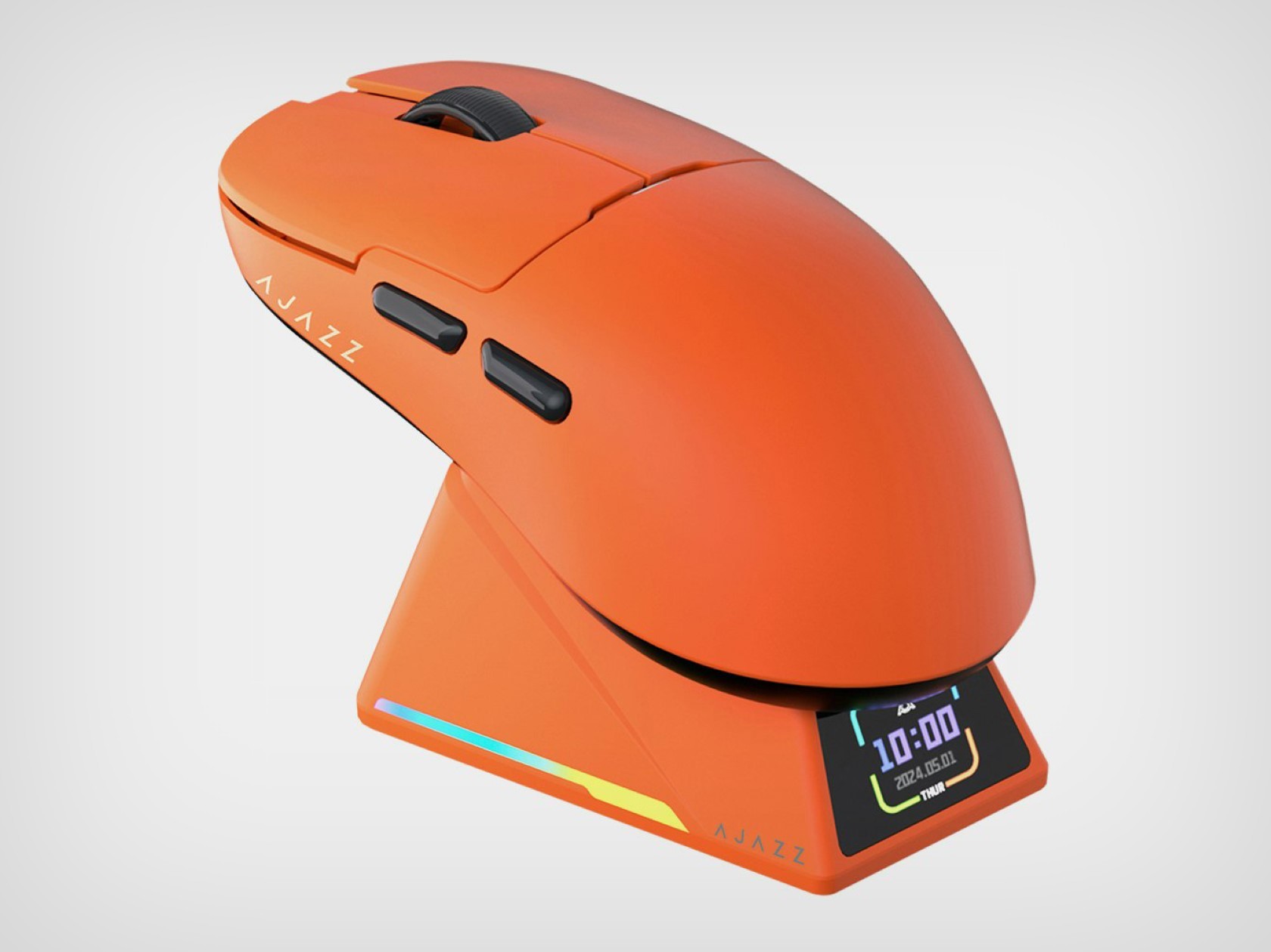
It’s been nearly 10 years since Apple launched the infamous Magic Mouse 2 and its absurd charging port placement. While the 2-trillion-dollar company hasn’t done much to improve its flagship mouse’s design, AJAZZ launched a clever little gaming mouse with a much better charging solution. The AJAZZ AJ159 Apex mouse comes with a wireless design that’s both ergonomic and functional, but its most impressive feature is its charging dock/cradle. Designed to hold your mouse when not in use, this cradle keeps your gizmo rested at an accessible angle while it charges, but more importantly, it comes with a screen on the front that works as a tiny widget for displaying the time, date, battery level, or mouse connection status. It’s a clever solution that works elegantly and impresses too, with just a $79.99 price tag… I guess Apple could use some design inspiration.

Designer: AJAZZ

One of the highlights of the AJ159 Apex is its PixArt PAW3950 optical sensor. This sensor is known for its incredible tracking accuracy, with a maximum DPI (dots per inch) of 30,000 and a blazing-fast IPS (inches per second) tracking speed of 750. This translates to ultra-smooth cursor movements, no matter how quickly you flick your wrist across the mousepad. Additionally, the 8,000Hz polling rate ensures minimal latency between your actions and what appears on the screen. In layman’s terms, your clicks and movements will be registered almost instantaneously, giving you a crucial edge over your opponents.

Beyond raw performance, the AJ159 Apex is lightweight and durable, making it a perfect candidate for a gaming mouse. The mouse itself is incredibly lightweight, clocking in at just 56 grams. This featherweight design minimizes fatigue during extended gaming sessions and allows for effortless movements. Durability is also a focus, with Huanuo switches rated for a lifespan of 100 million clicks. These switches provide a satisfying and crisp click feel, ensuring your commands are registered accurately.

For added customization, the AJ159 Apex is QMK programmable. This open-source software allows you to tailor the mouse buttons’ functions to your specific needs and preferences. Whether you prefer complex macros or simple remappings, the AJ159 Apex can adapt to your playstyle. The AJ159 Apex offers three modes: wired USB-C, 2.4 GHz wireless, and Bluetooth. This versatility allows you to choose the connection method that best suits your setup, whether you prioritize low latency or a clutter-free desk.

Perhaps the most unique feature of the AJ159 Apex is its magnetic charging dock. This innovative design not only keeps your mouse juiced up but also doubles as a storage solution. The dock even features a small display that can show relevant information or even custom GIFs. It’s a small touch, but it adds a bit of flair and functionality to the overall package.

The AJAZZ AJ159 Apex is available in four colors (black, blue, orange, and white) to suit your aesthetic preferences. With its impressive specs, user-friendly features, and innovative design, the AJ159 Apex is a strong contender for gamers seeking a high-performance and feature-rich mouse.

The post This Wireless Gaming Mouse’s Charging Display Dock will put Apple’s Magic Mouse to shame first appeared on Yanko Design.

Nature-inspired toy-like calculator tries to get kids more interested in math

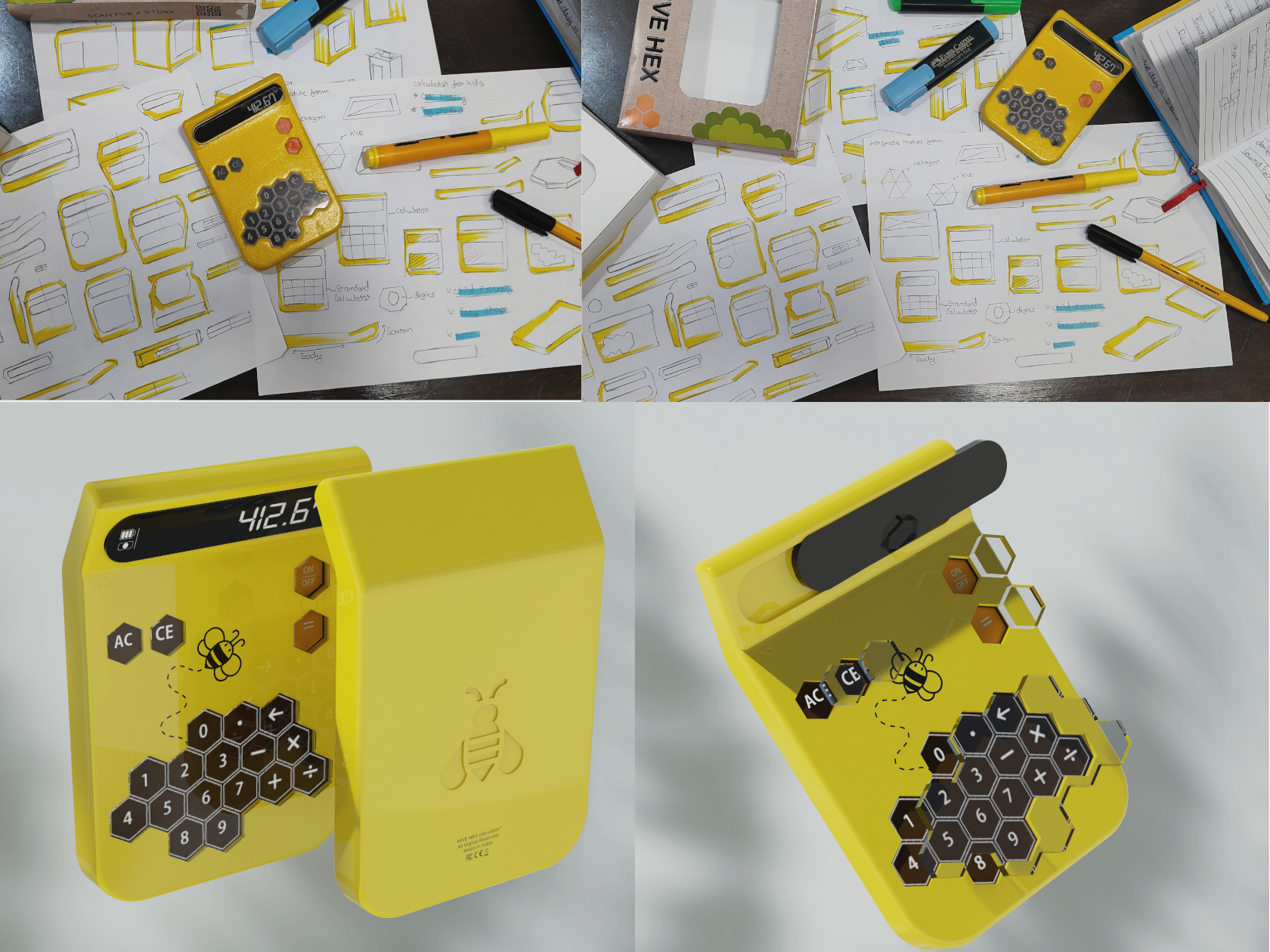
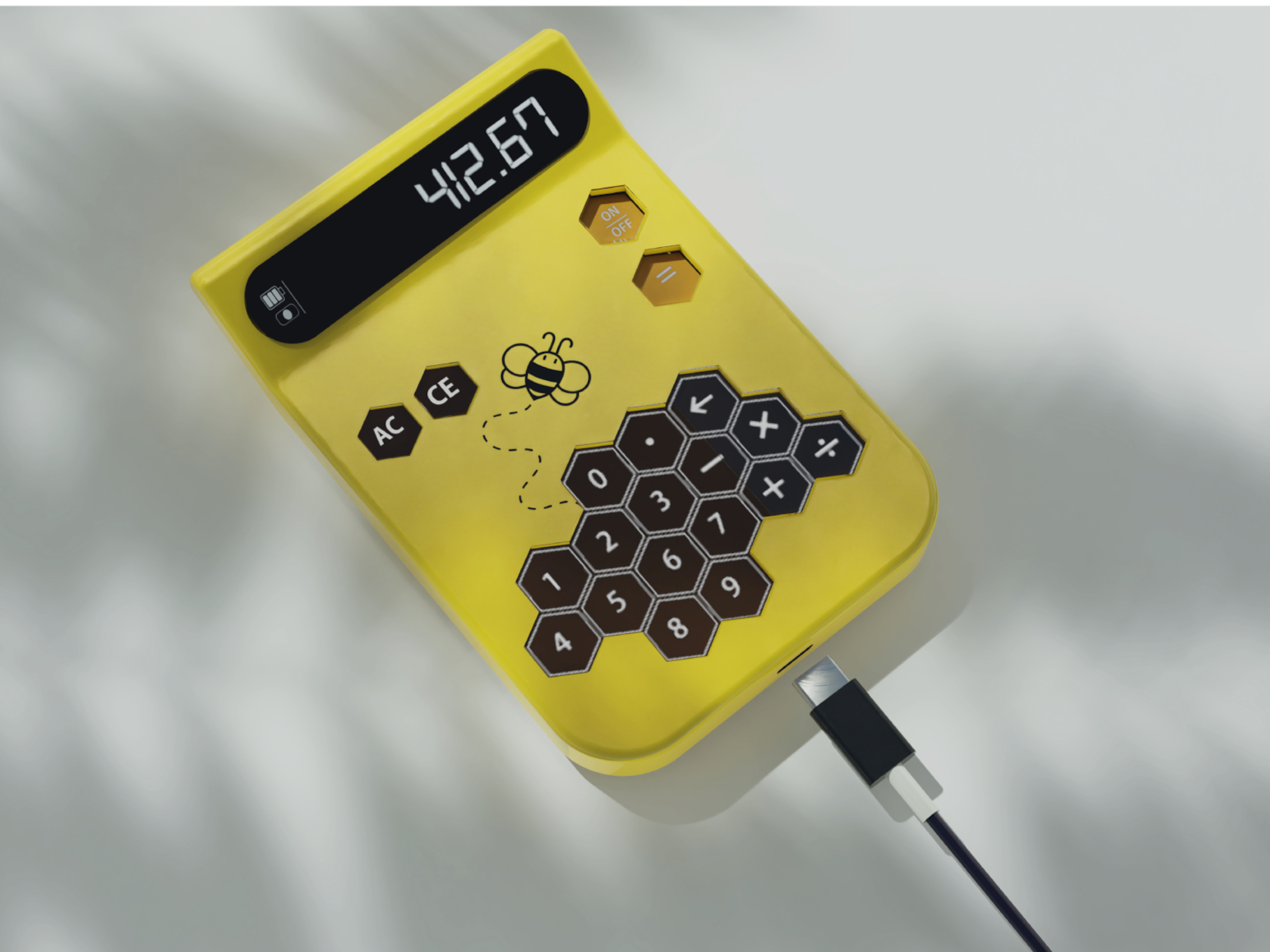
With plenty of phones and tablets around, kids are becoming more and more tech-savvy every generation. That, however, doesn’t always mean they are getting smarter or more skilled in other aspects of learning as well, particularly sciences and math that are more closely related to tech. There are plenty of apps that try to teach the basics, including reading and writing, but younger kids also need to develop their sense of touch, which requires more tactile experiences while learning. This calculator tries to pique children’s curiosity and engage not just their minds but also their senses, and it takes inspiration from one of nature’s hardest workers: bees and their geometric honeycombs.

Designer: Mohit Joshi

Calculator designs are not uncommon, but the vast majority of them utilize simple shapes like squares, circles, or even rounded squares, sometimes known as “squircles.” Not surprising, as these tools are designed for adults who value efficiency and performance primarily with aesthetics coming second only. The opposite is true for kids, however, whose short attention spans require designs that are captivating and intriguing, and keeping the design still functional is the challenge.

Some consider the hexagon to be the perfect shape because it isn’t flat like a square, can fit together better than circles, and is more space-efficient than triangles. Nature has a perfect example of this geometric shape in action as can be seen in beehives, particularly the honeycomb structures they form. While the real thing can be dangerous to children, bees are sometimes portrayed in fun and funny ways, especially given how hard they work and how well they guard their honey.

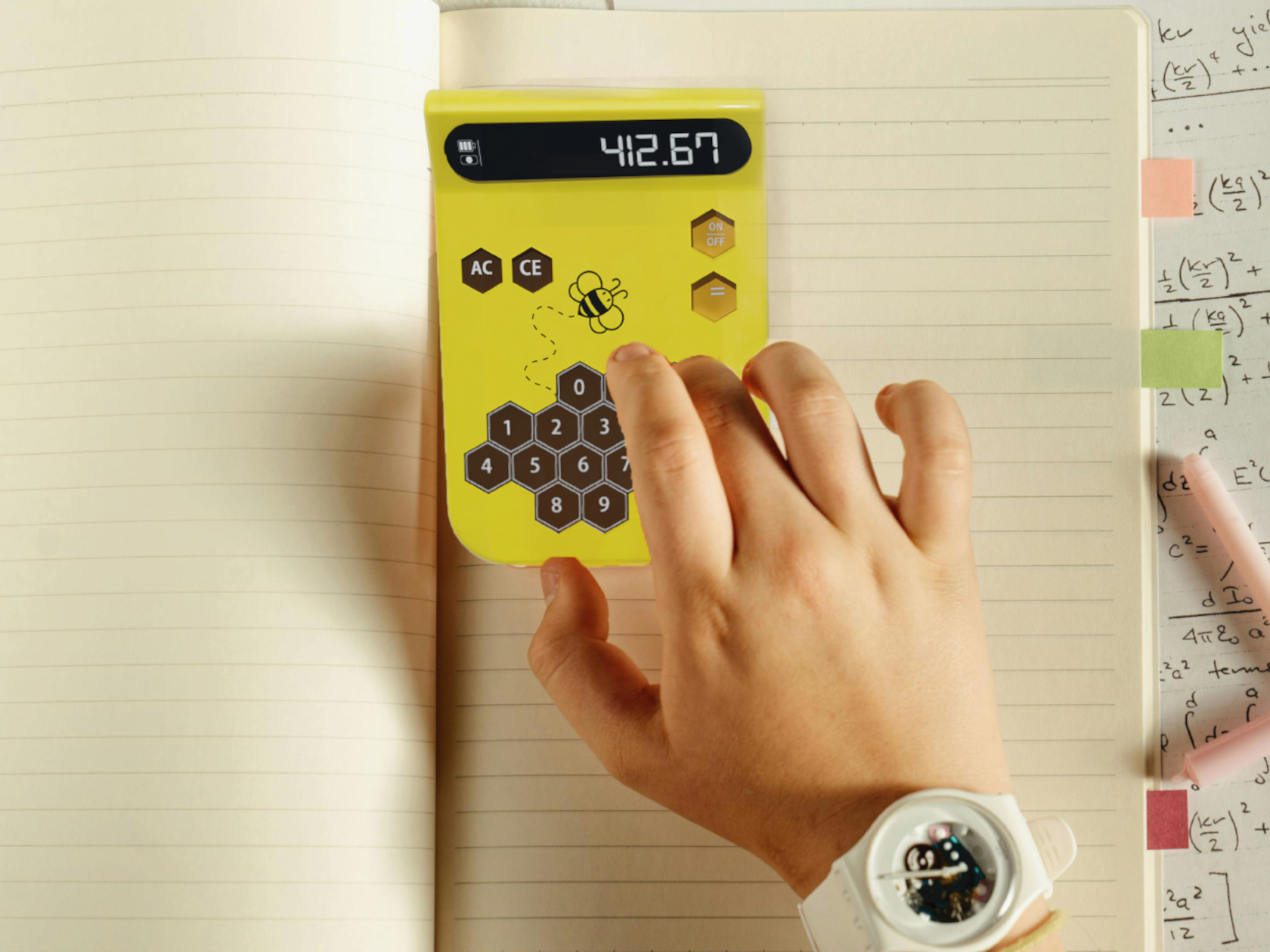
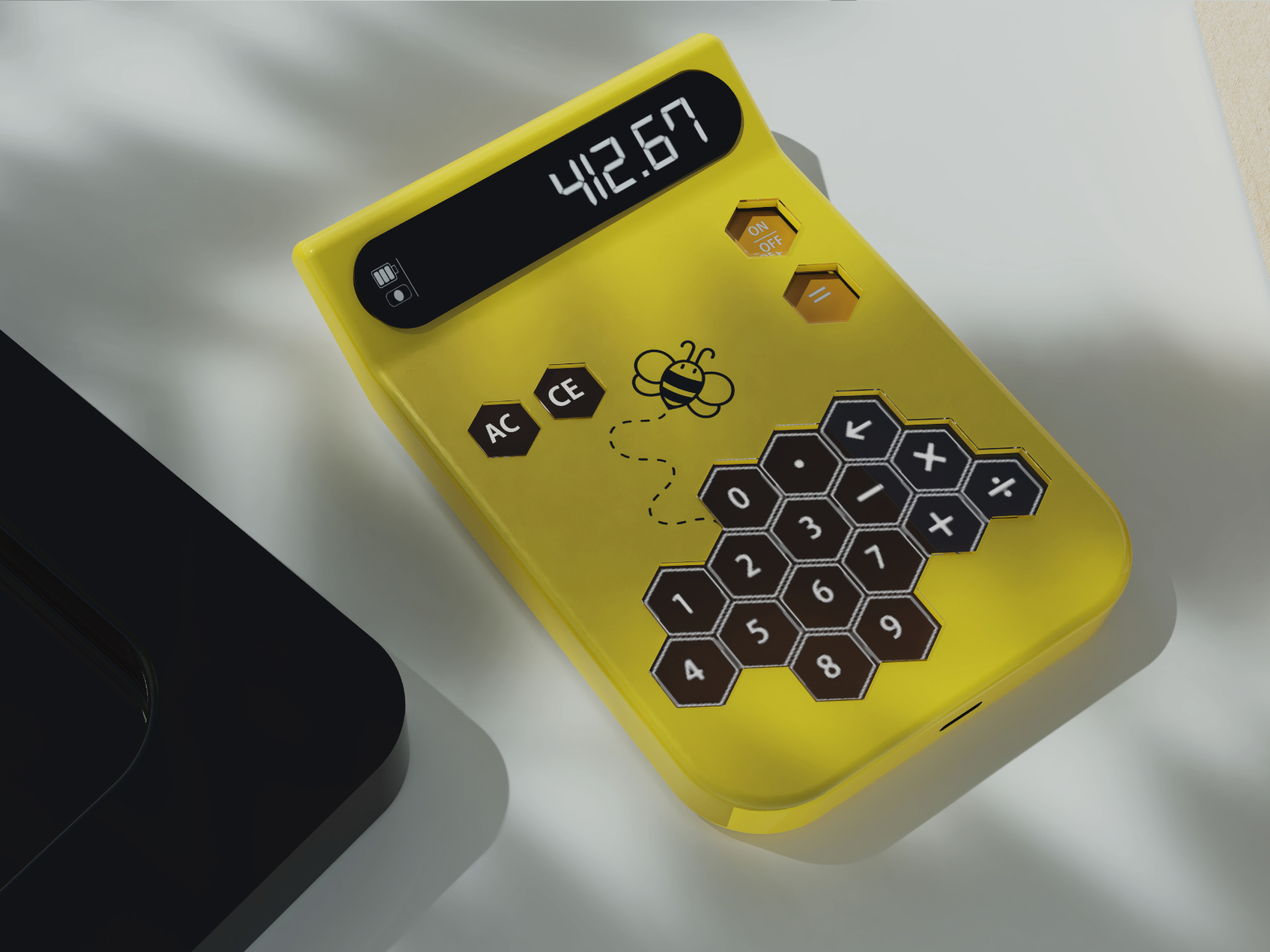
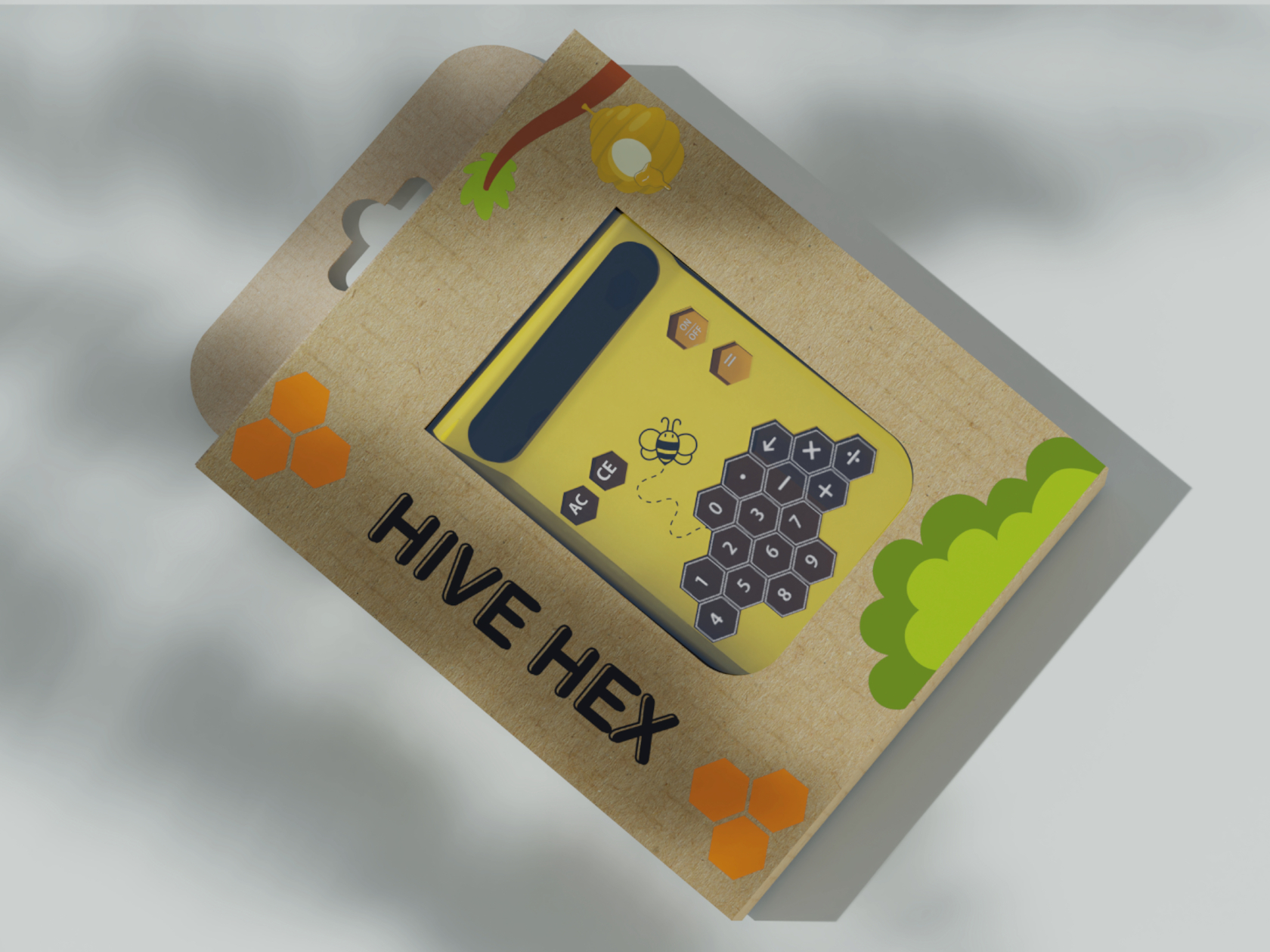
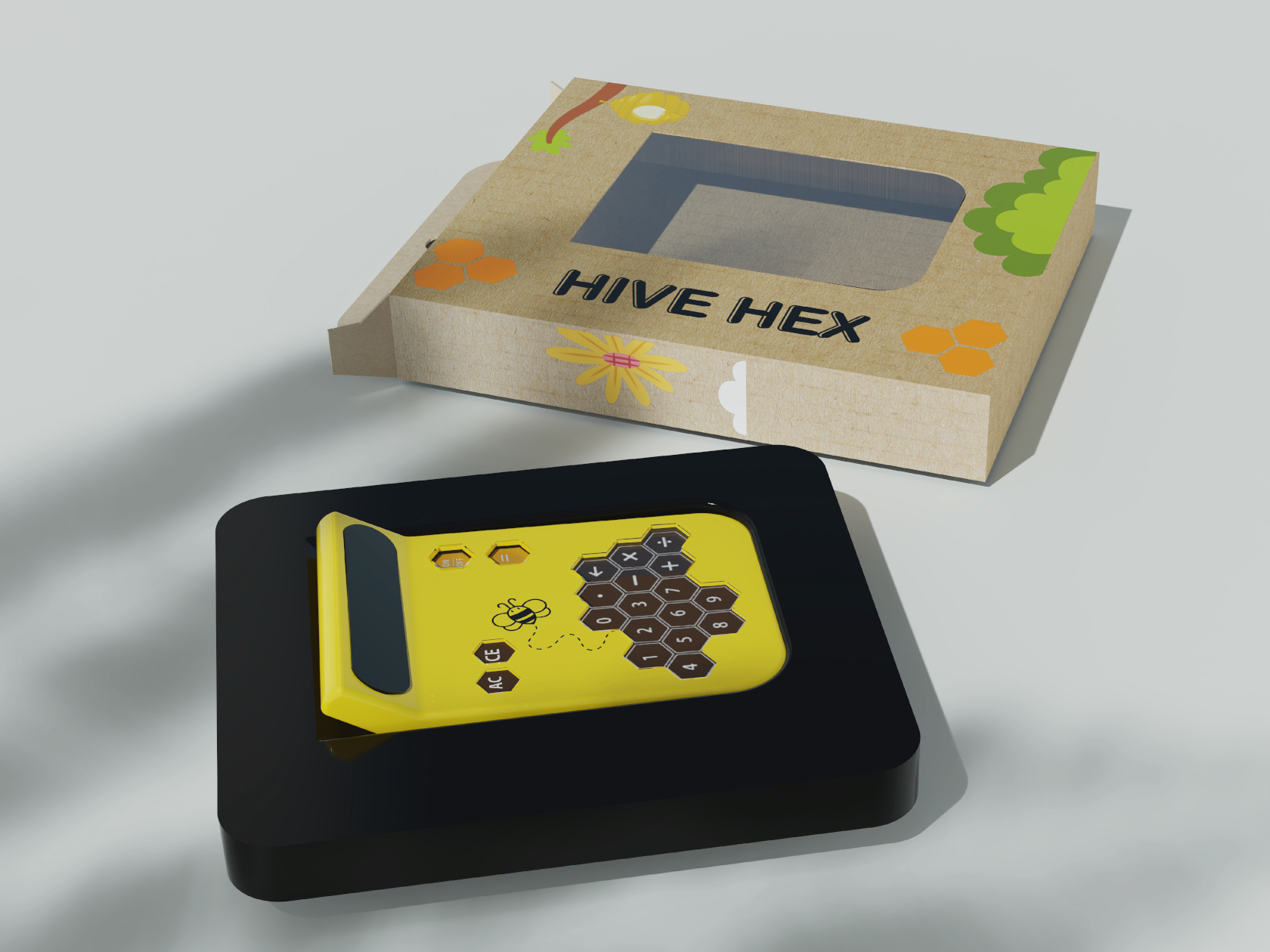
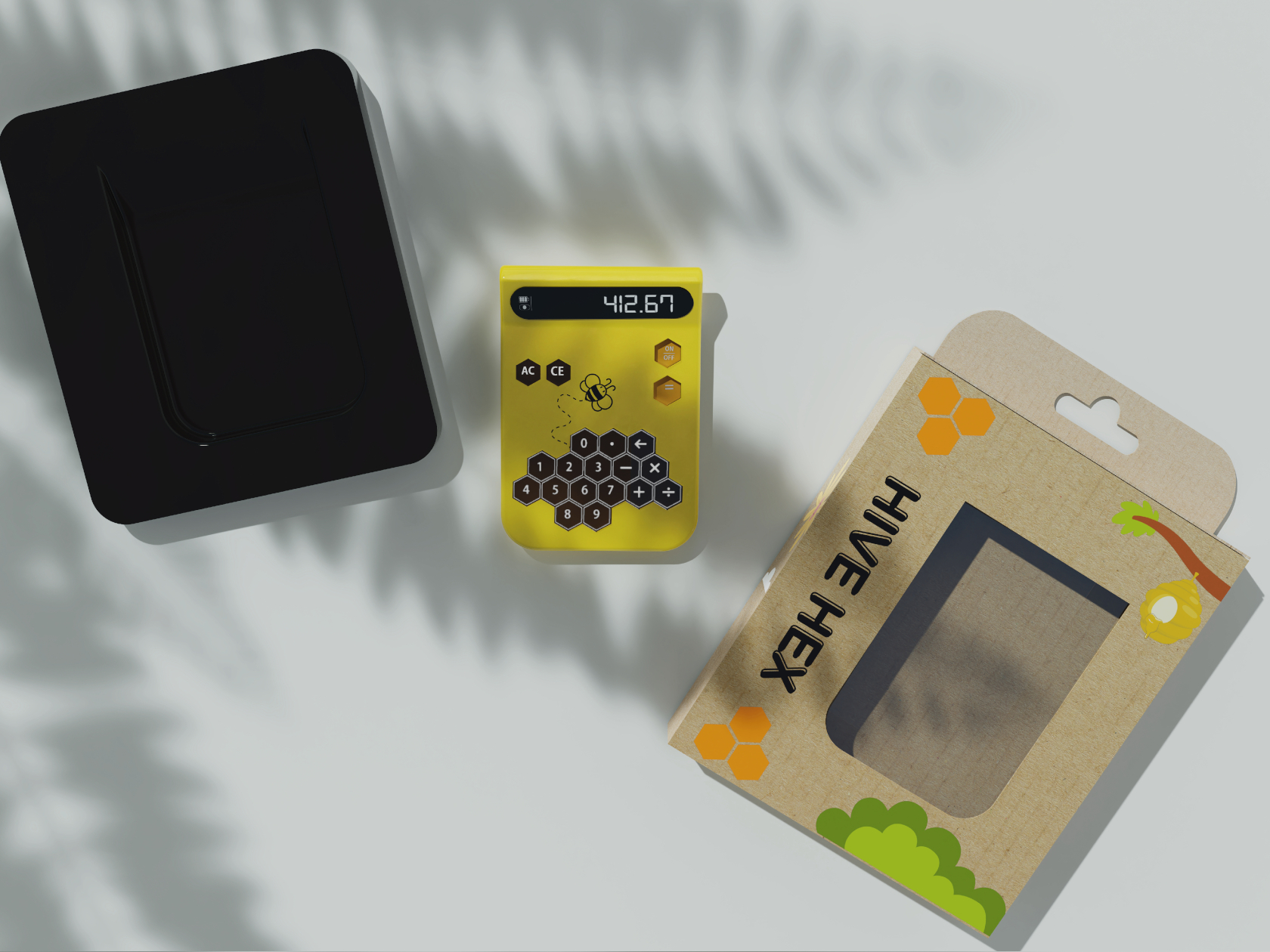
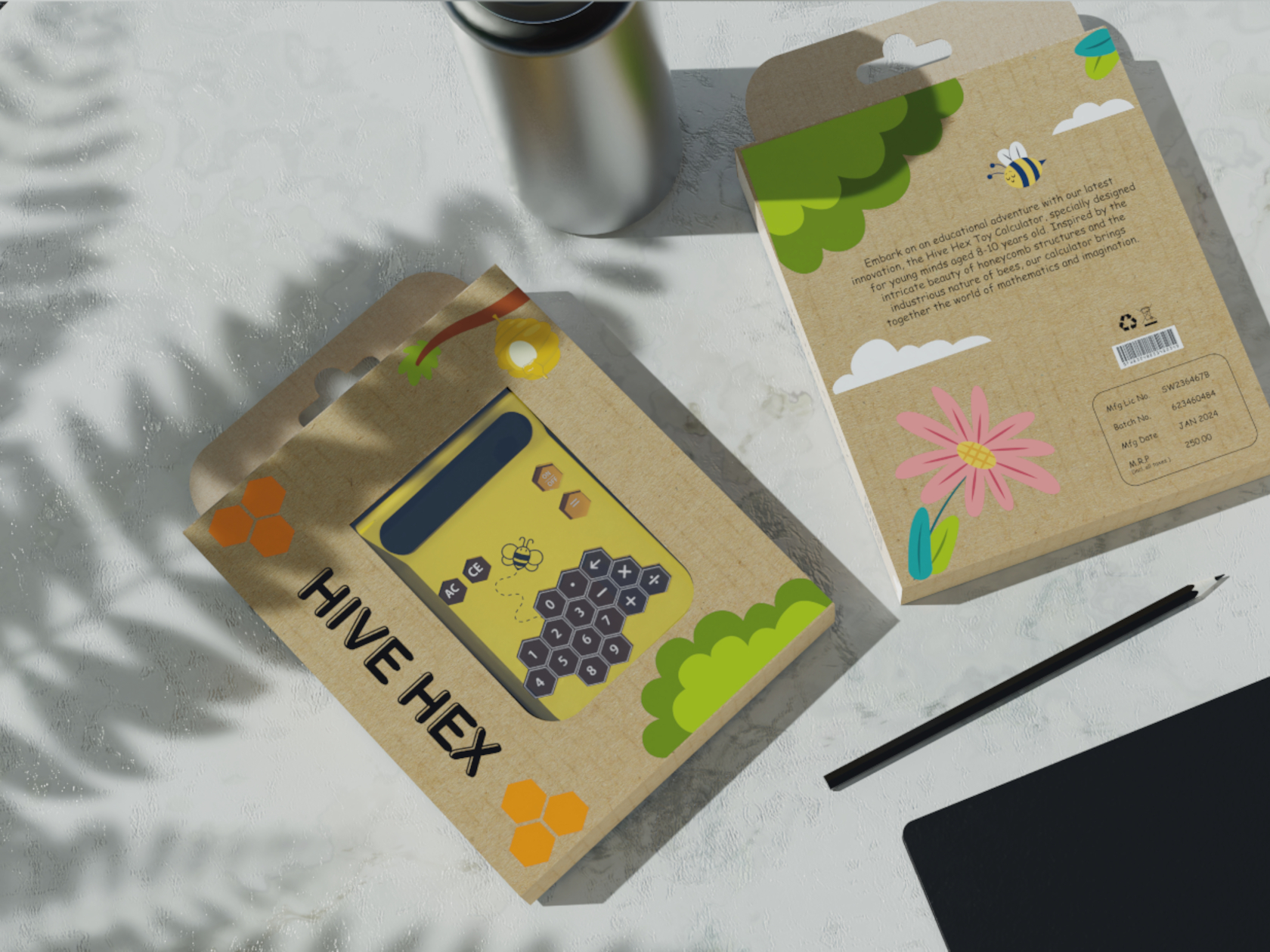
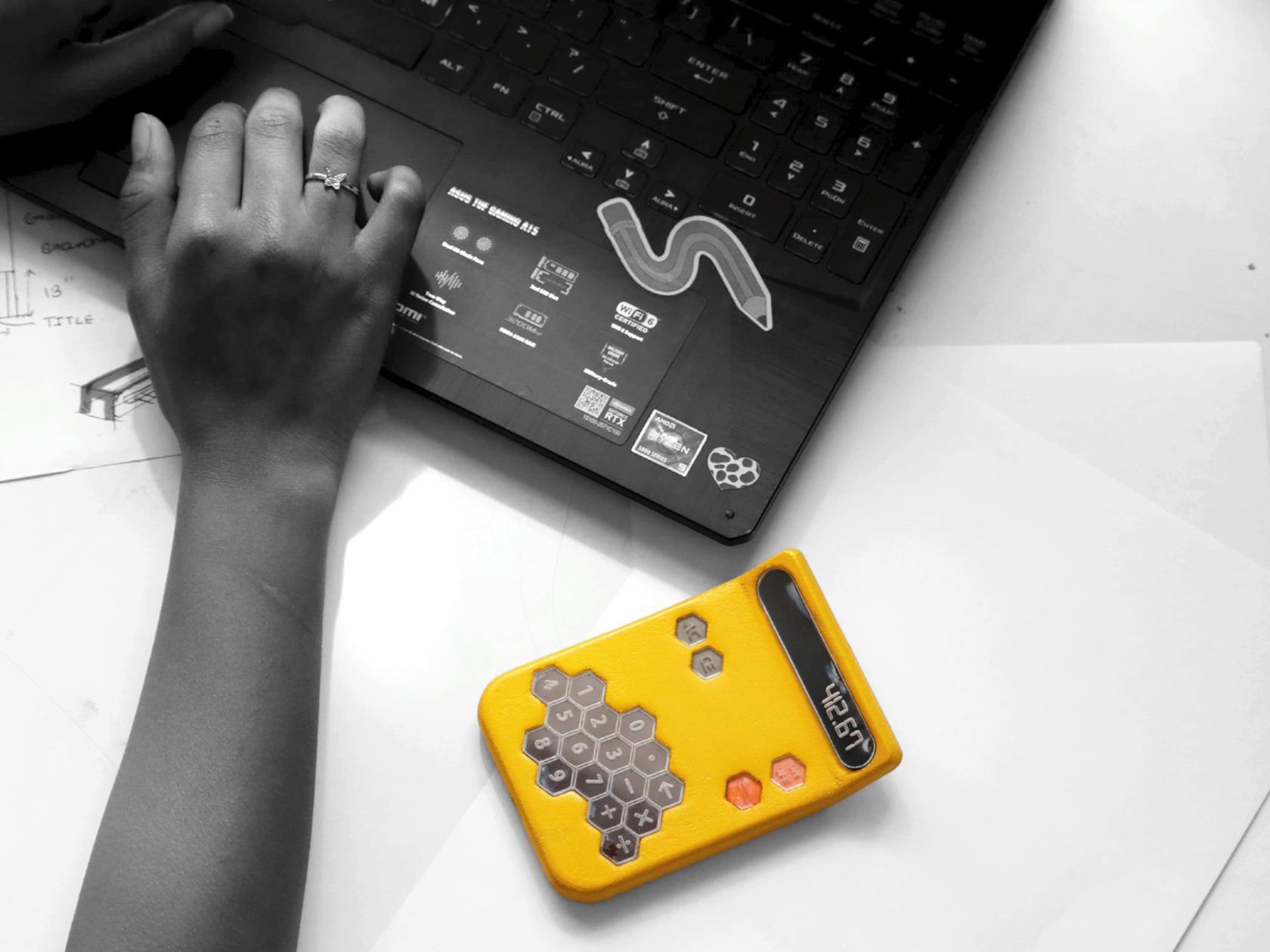
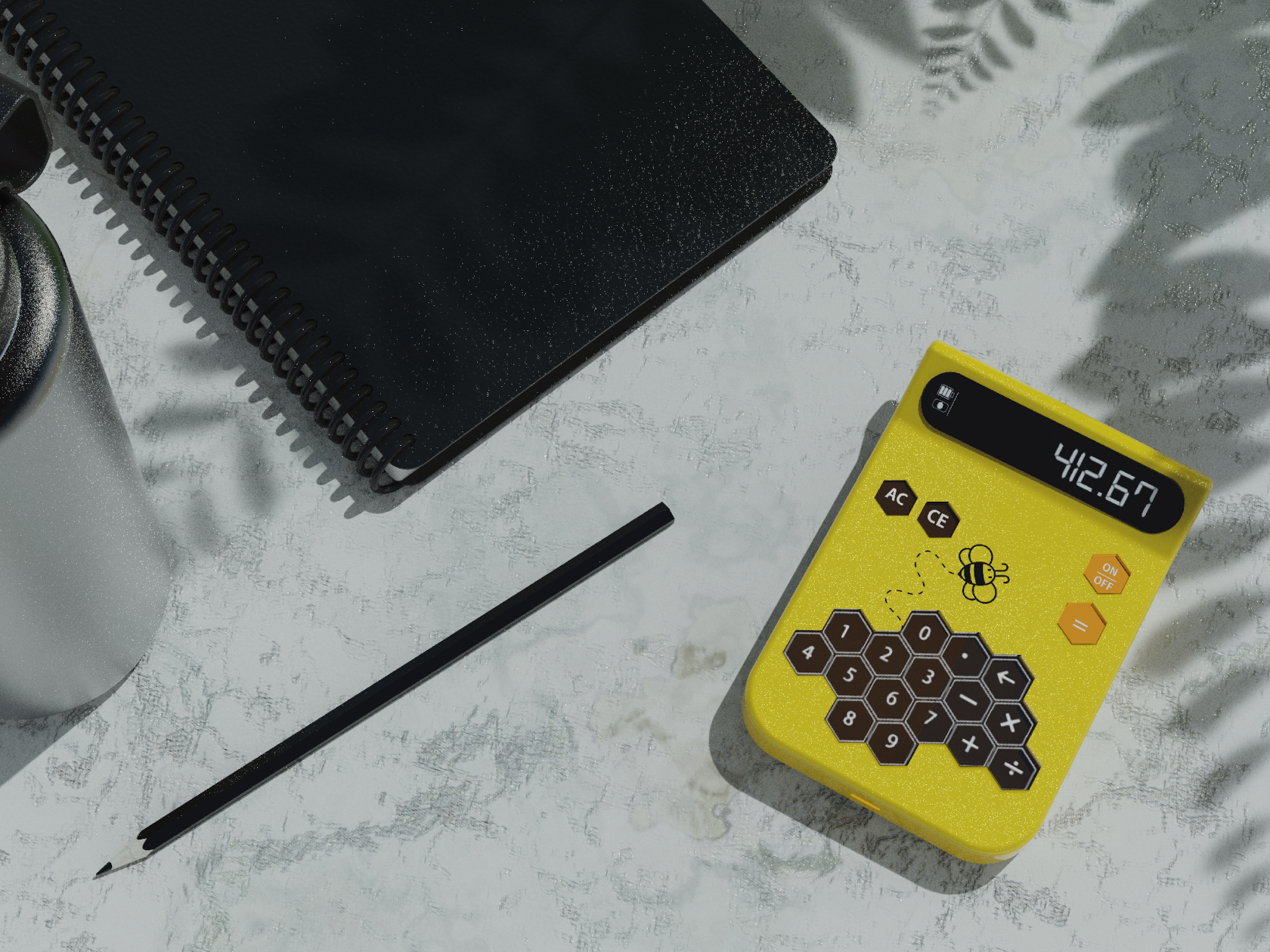
Hive Hex combines this shape and inspiration into a device that should be more interesting to use than even the sleekest and most minimalist calculator. The yellow color alone is eye-catching enough, but the puzzle-like hexagonal keys give a sense of whimsy and playfulness with their unbalanced composition, unlike the symmetrical arrangement of calculator buttons. That said, the non-standard layout of keys could prove to be confusing when the child “graduates” to grownup tools.

This toy-like yet functional calculator is a great example of how a bit of creative design can significantly change how a product appeals to different groups of people. Of course, some adults might criticize the use of calculators in the early stages of math education, but the calculator does more than just help kids solve number problems. The Hive Hex Toy Calculator could help give children a more lasting impression of how math doesn’t have to be boring or even scary, a positive attitude that they could carry with them throughout the rest of their lives.

The post Nature-inspired toy-like calculator tries to get kids more interested in math first appeared on Yanko Design.

Concrete iPhone MagSafe Stand adds a touch of Brutalism to your Desk Setup

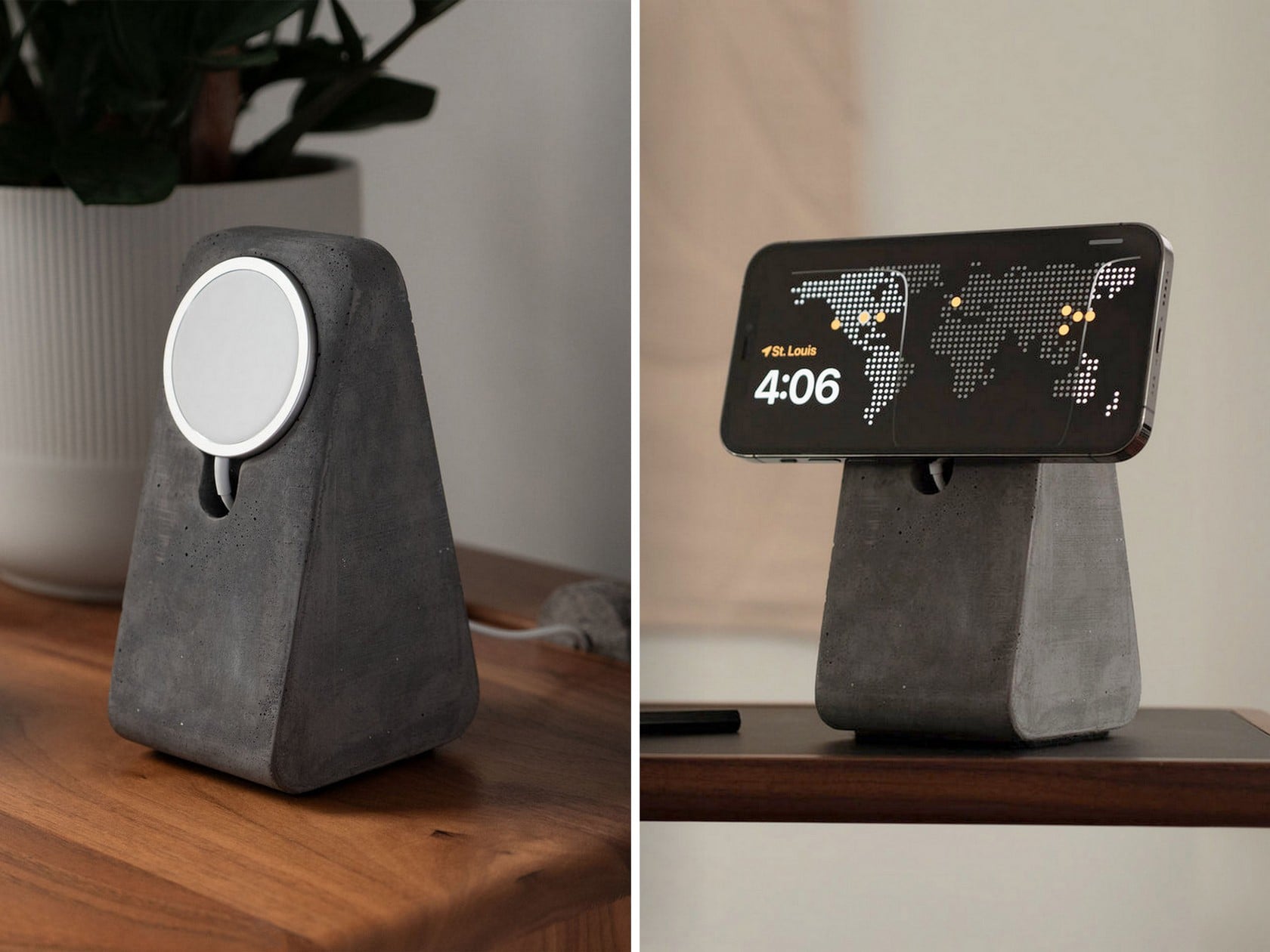
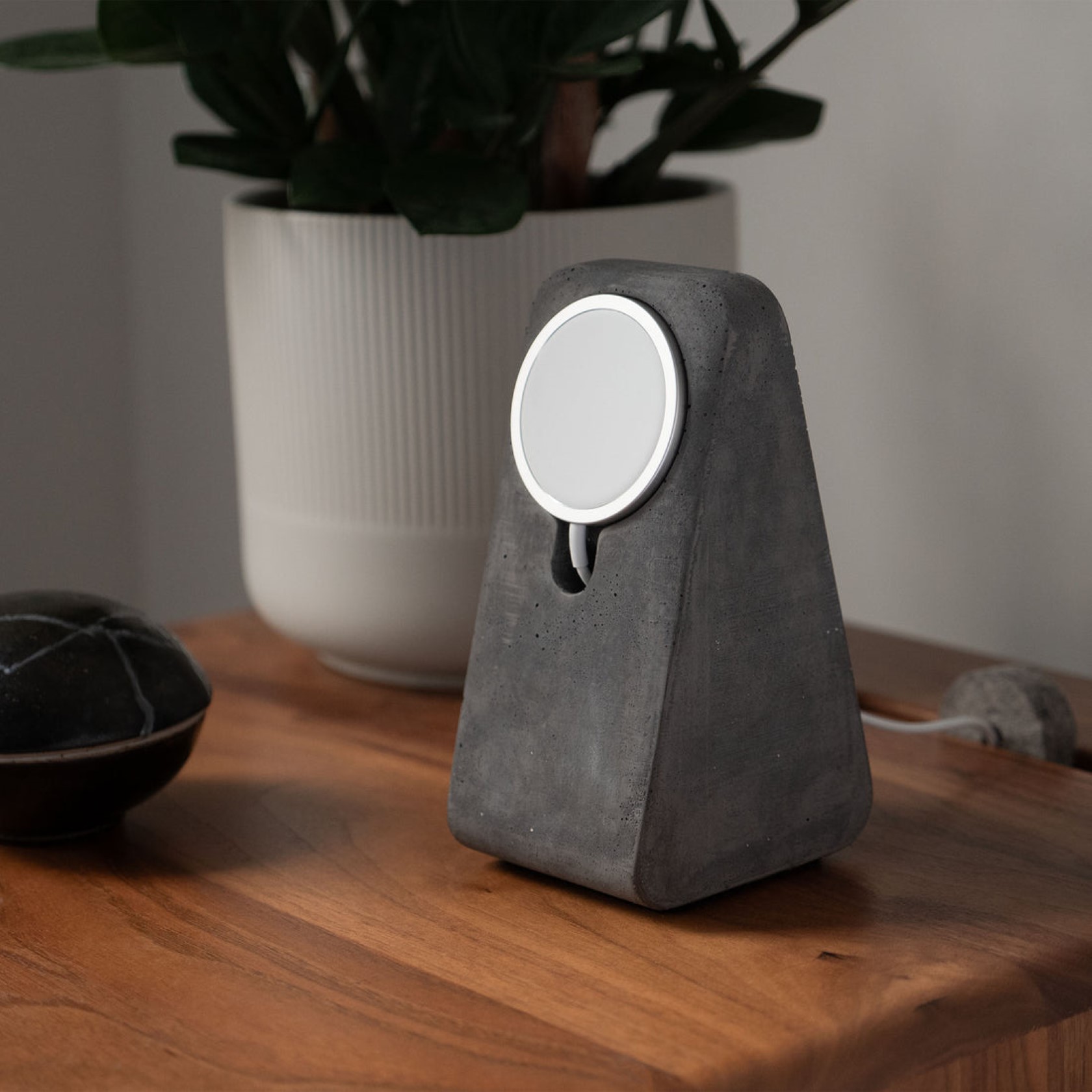
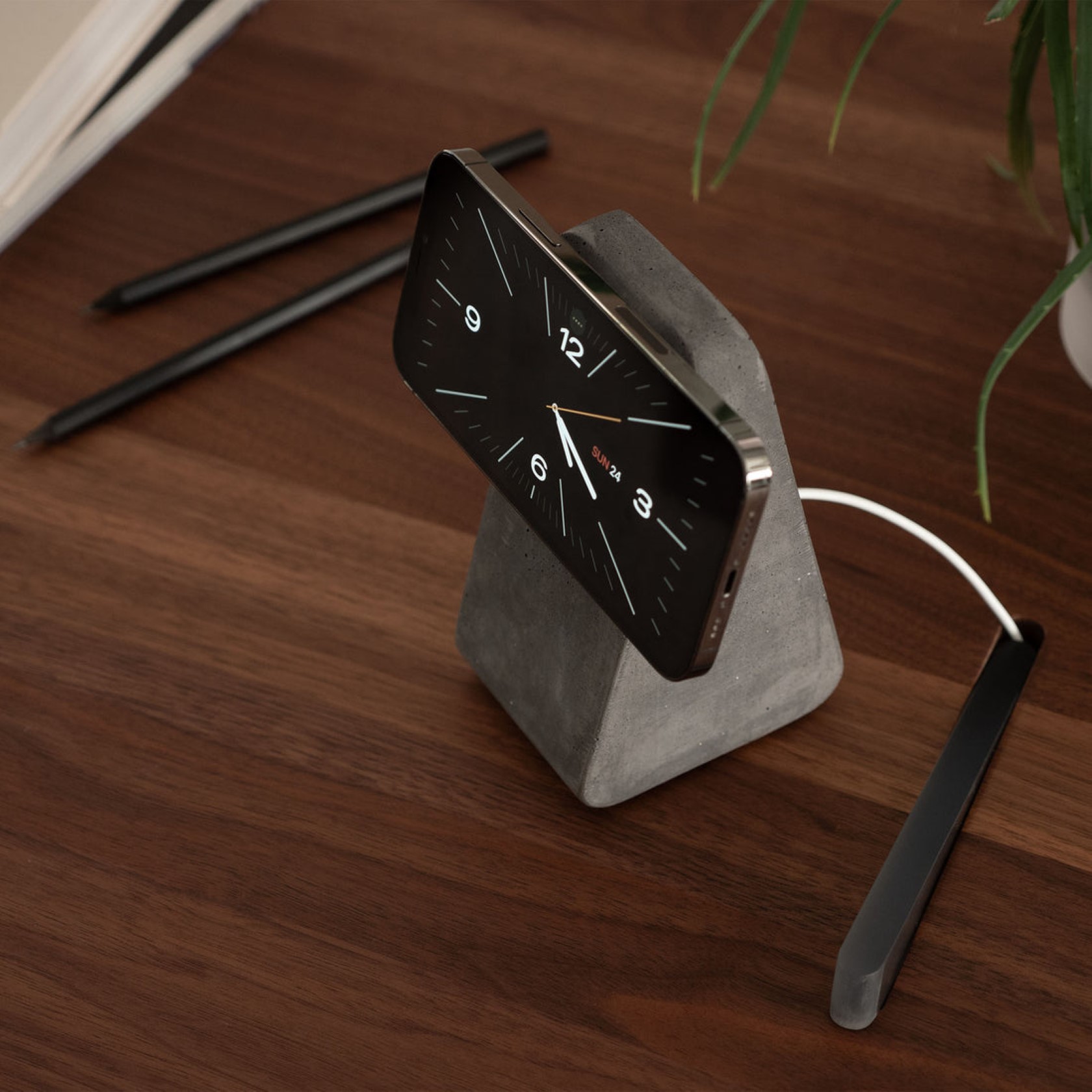
I think it’s wonderful that we managed to create an entire art movement out of trauma and recovery. The Brutalist design period was mainly seen as a post-war period when buildings were being rebuilt to help cities restore themselves. With very little money to spend on opulence, architects often opted for more utilitarian styles, relying purely on concrete (sometimes without even so much as a coat of paint) to reconstruct societies and neighborhoods. This is a period that people associate with pure functionality to the point of emotional coldness, and somehow, it managed to turn into an architectural style even though the severe limitations on aesthetics. Today, brutalism is seen as a design style that reflects a clutter-free mind, or an almost industrial approach to life – brutalism is getting revived in homes, and even in home decor, with people making their own concrete side tables, using exposed concrete facades indoors, and opting for concrete stationery/decor too. To that end, the Monument brings a wonderful touch of brutalism to homes. Inspired by the cold architecture of brutalist Germany/UK and Soviet-era Russia (with a touch of Arrakis from Dune), the Monument is a monolithic stand that docks your iPhone’s MagSafe charger.

Designer: The Artifox

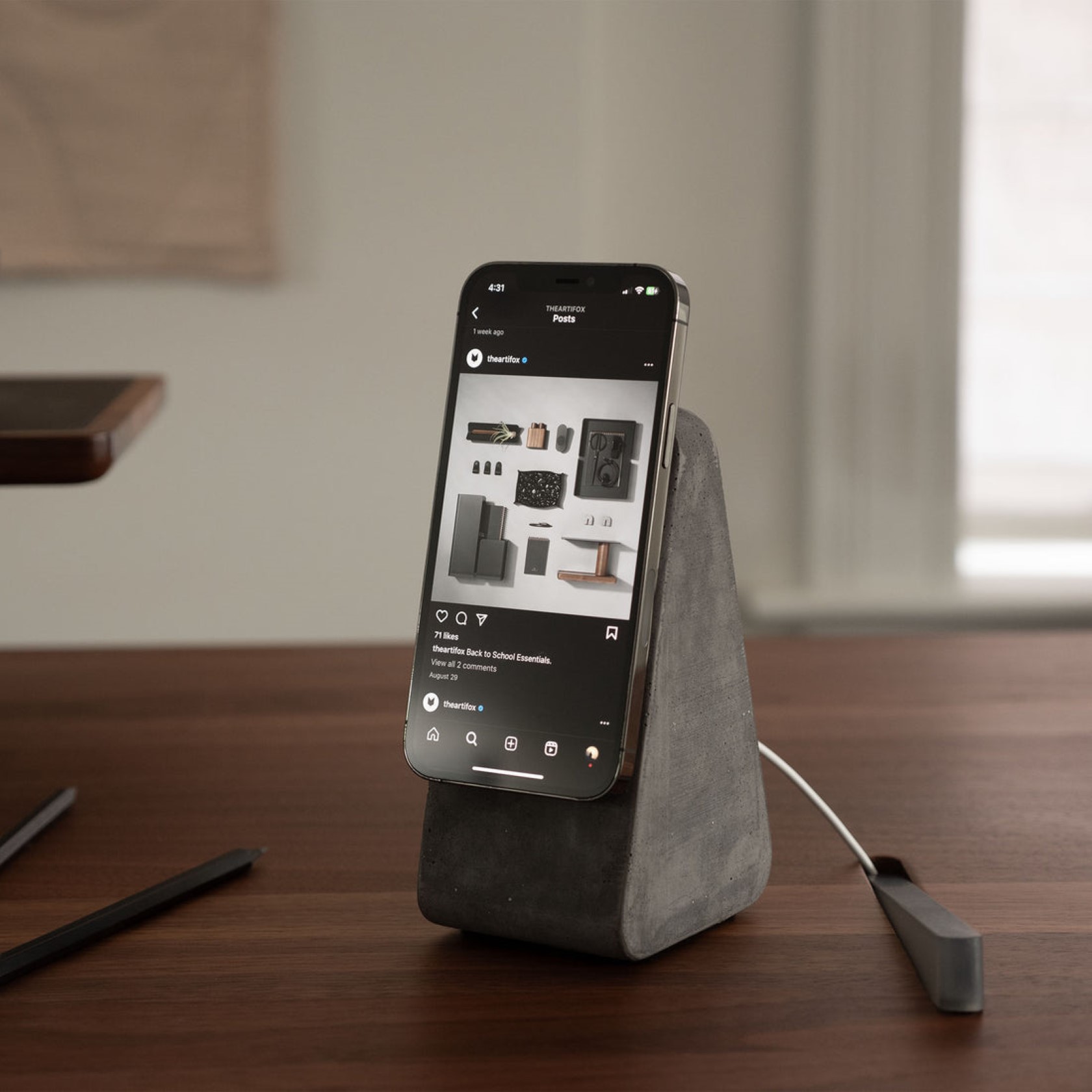
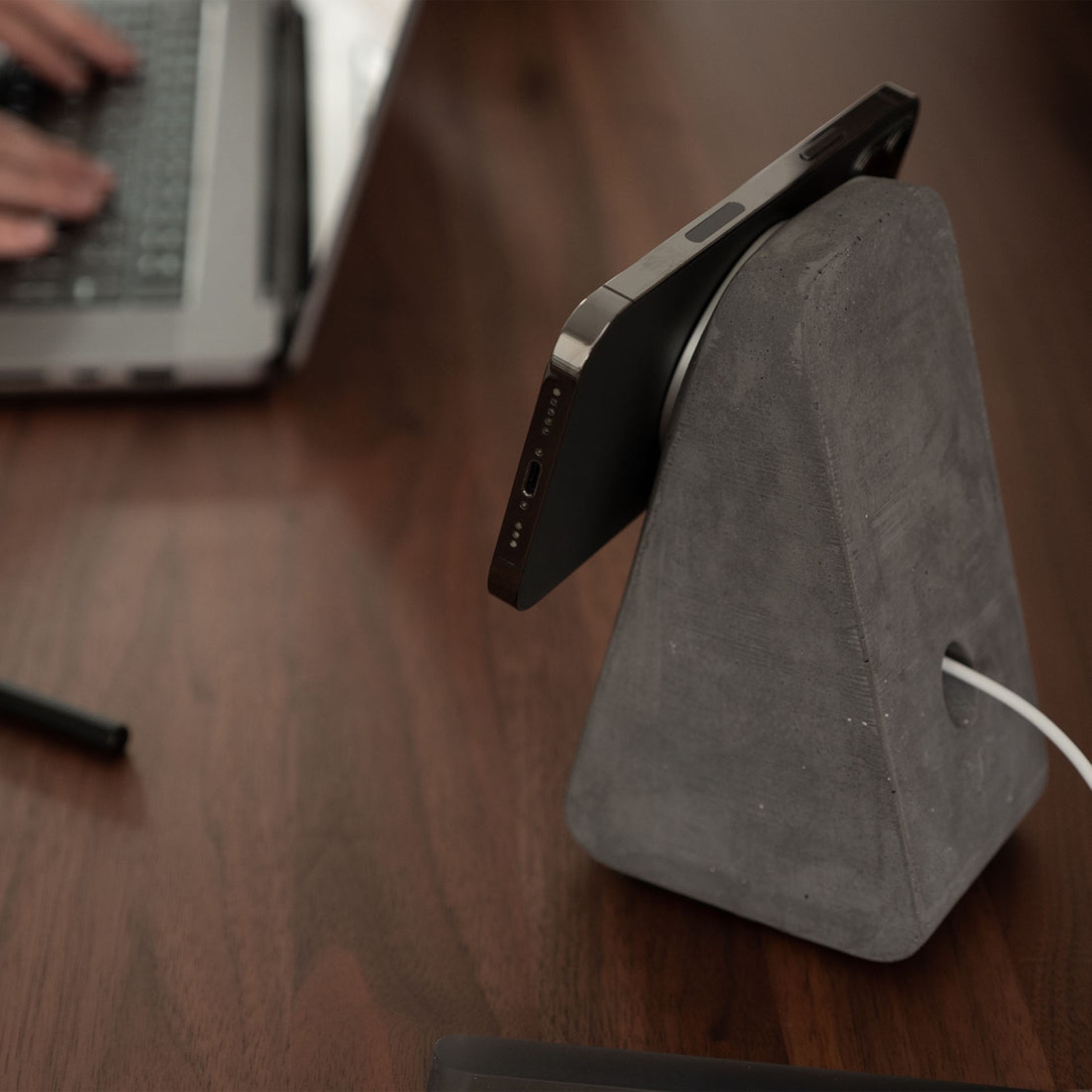
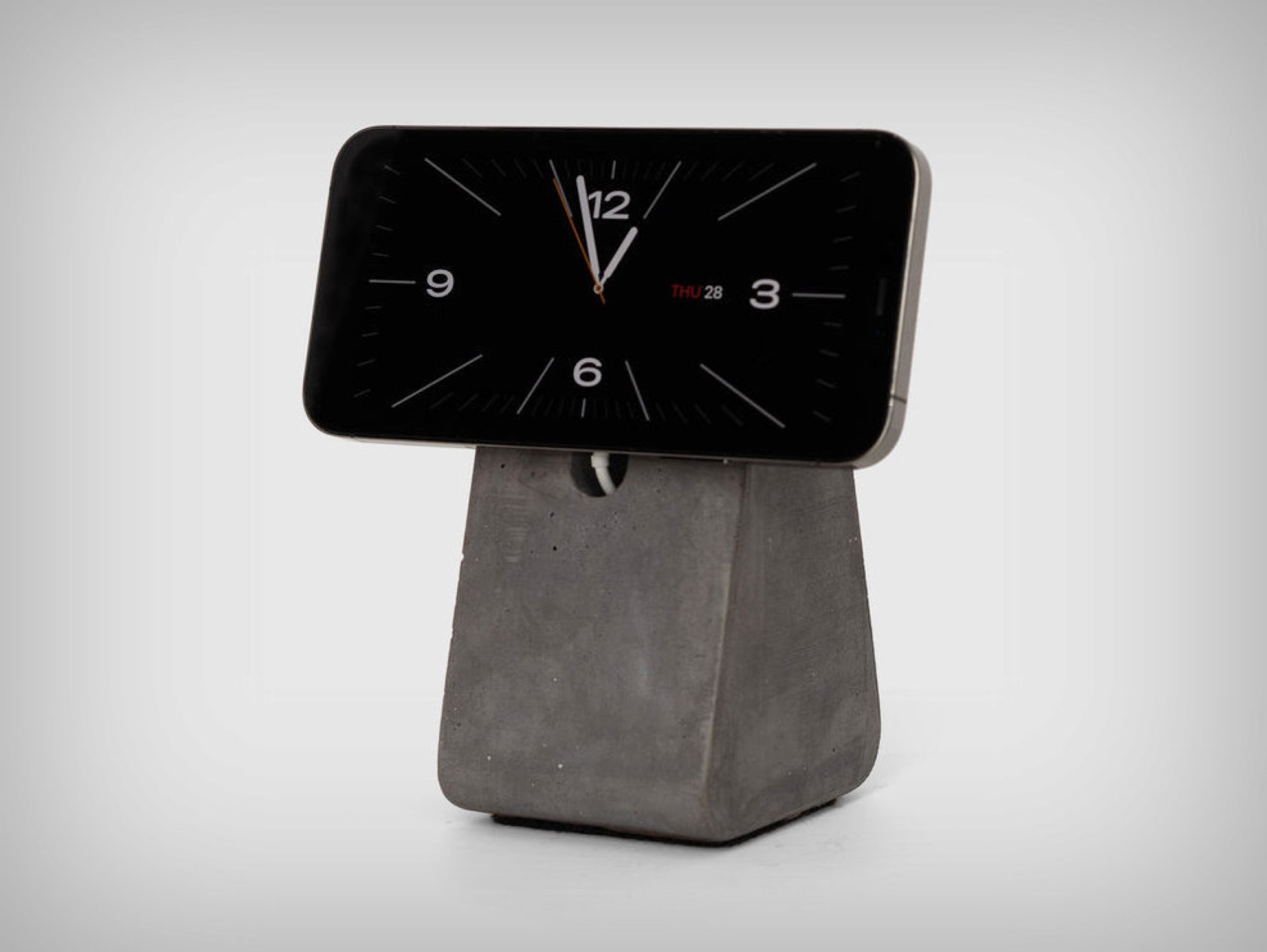
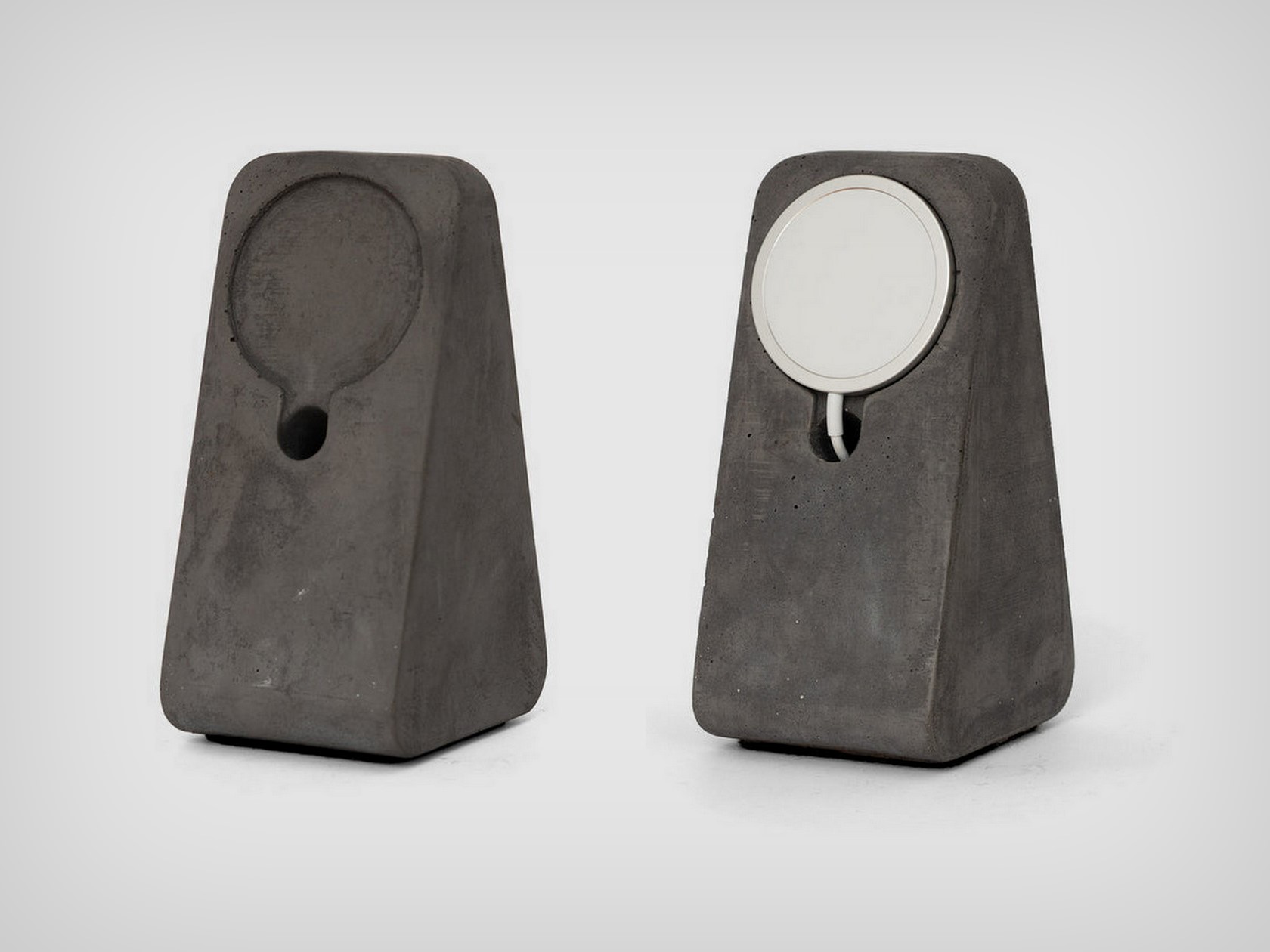
The stand comes cast in a single block, with no extra parts, glue, or fasteners. It’s as monolithic and brutalist as it gets. The relatively clean design emphasizes the brutalist approach further. Place the Monument anywhere on table and you can pass the Apple MagSafe Wireless Charger right through it, effectively concealing the wire within the Monument’s hollow body. A micro-suction pad holds the charger in place, and the MagSafe magnets allow your iPhone to securely attach to the Monument, allowing it to charge.

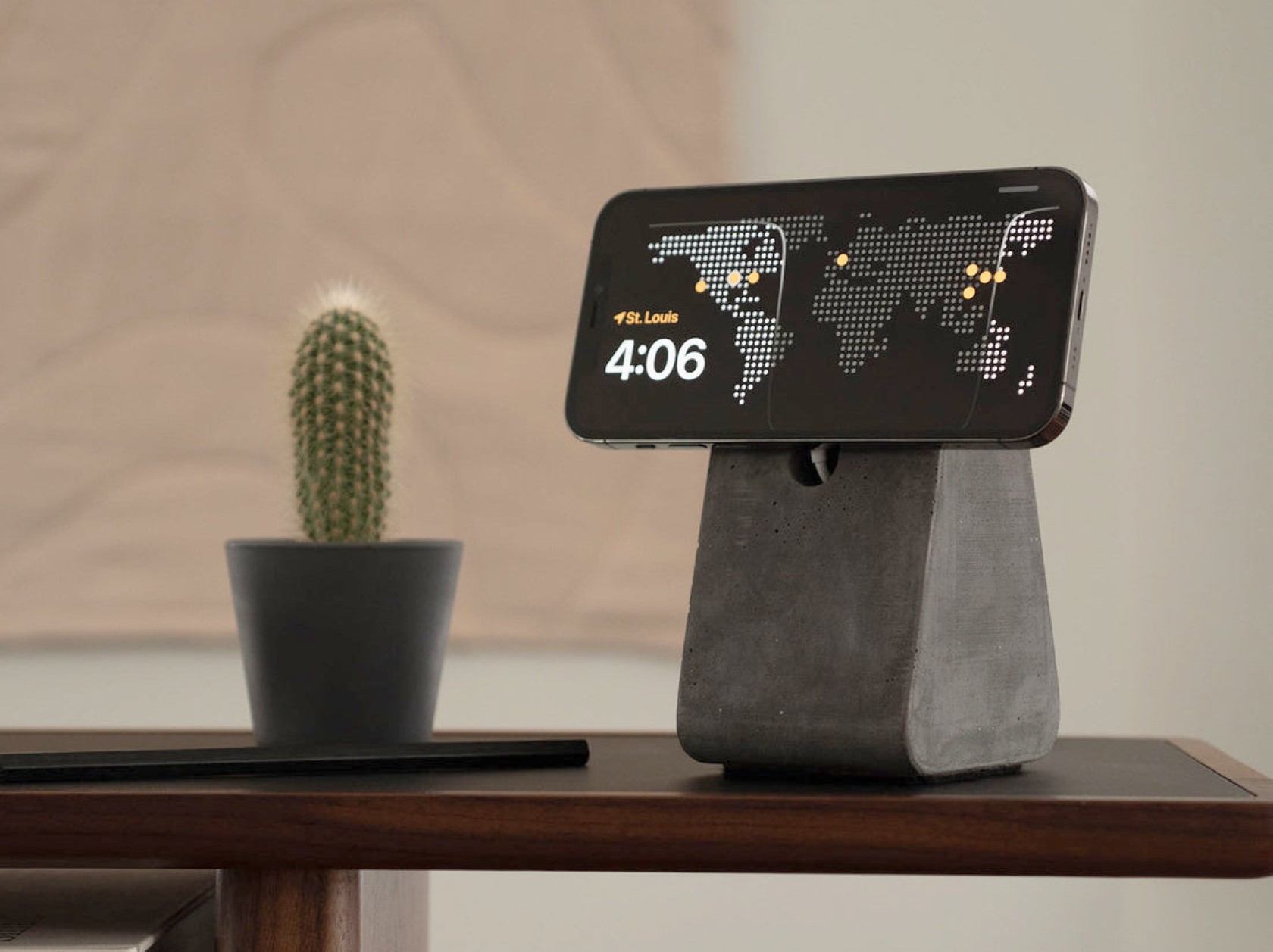
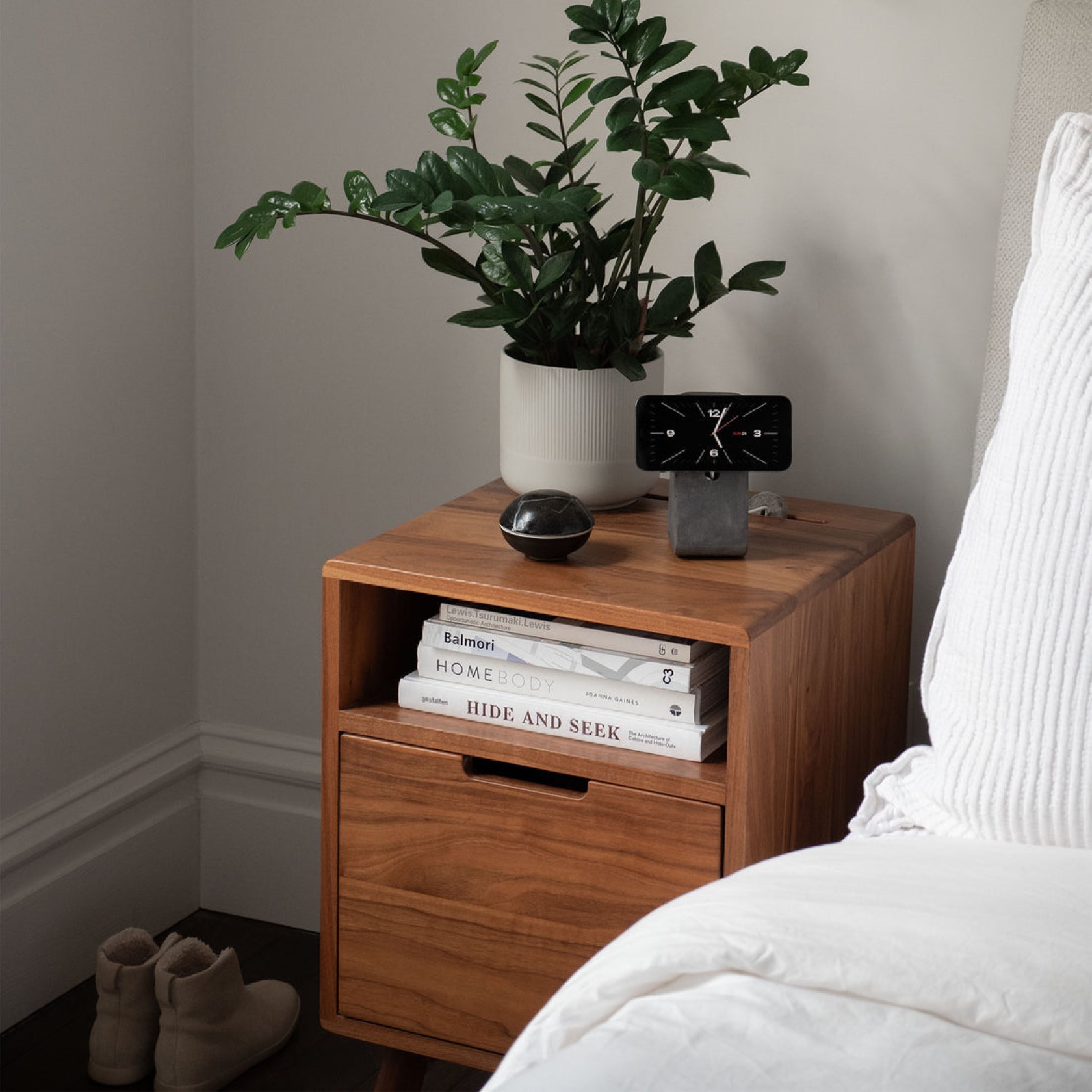
The Monument is position-agnostic. You can mount your iPhone either in portrait mode, allowing you to make video calls or watch TikTok videos. Flip it into horizontal mode and you can either watch YouTube/Netflix on it, or activate the iPhone’s Standby Mode which turns the screen into a functional display with clocks, calendars, widgets, and photos to choose from.

At a whopping 2lbs, the Monument is as stable as can be, so you can stop worrying about your phone ever getting knocked over. A felt base ensures that the stand doesn’t scratch your tables either. Each Monument is made in the USA, and comes in two colors – a lighter Natural color, and a darker Charcoal finish (shown here), and starts at $90.

The post Concrete iPhone MagSafe Stand adds a touch of Brutalism to your Desk Setup first appeared on Yanko Design.

AYANEO Pocket EVO: A Powerful Evolution in Android Handheld Gaming with a 120Hz OLED Display

It seems like Android gaming hasn’t had a moment in a while. With Nintendo Switch 2 news circling around, and Sony’s PlayStation Portal, and also the news of Assassin’s Creed coming to iPhones, it truly does feel like Android gaming got left in the past for a hot minute. Thankfully that minute didn’t last too long, considering players like AYANEO are always cooking something new. It just seems like yesterday that the company dropped the Next Lite console, and now they’re gearing for their next move in handheld gaming.

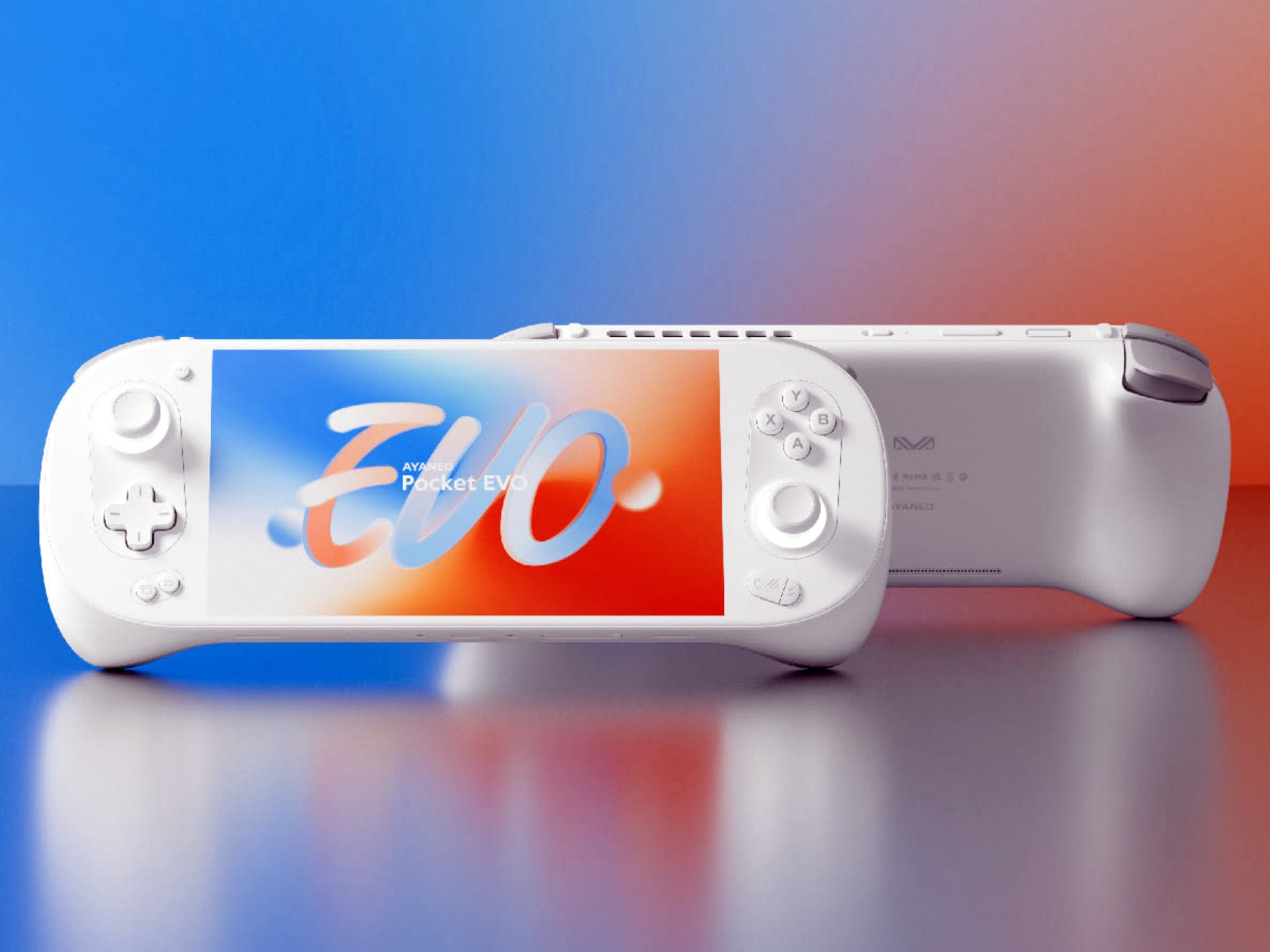
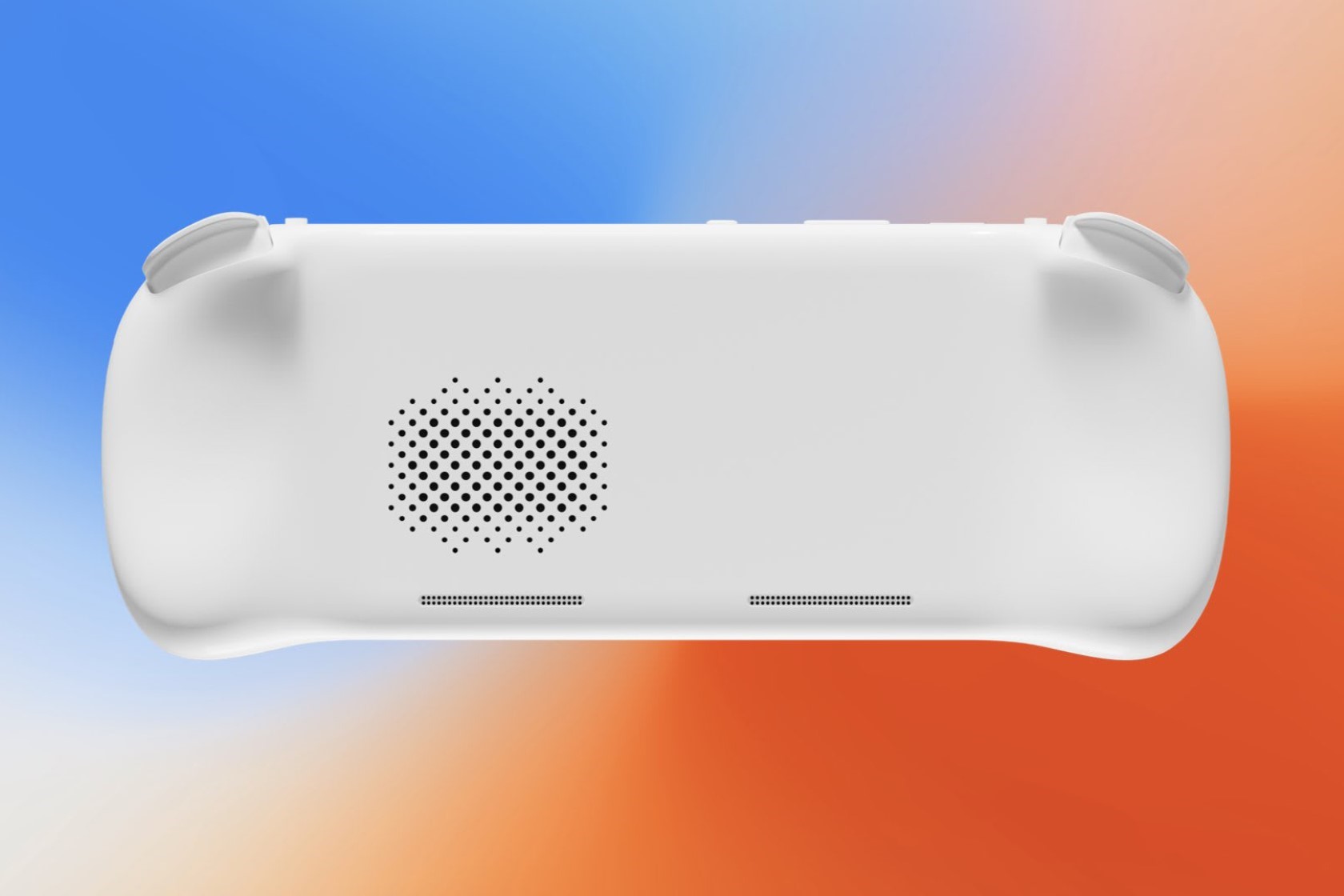
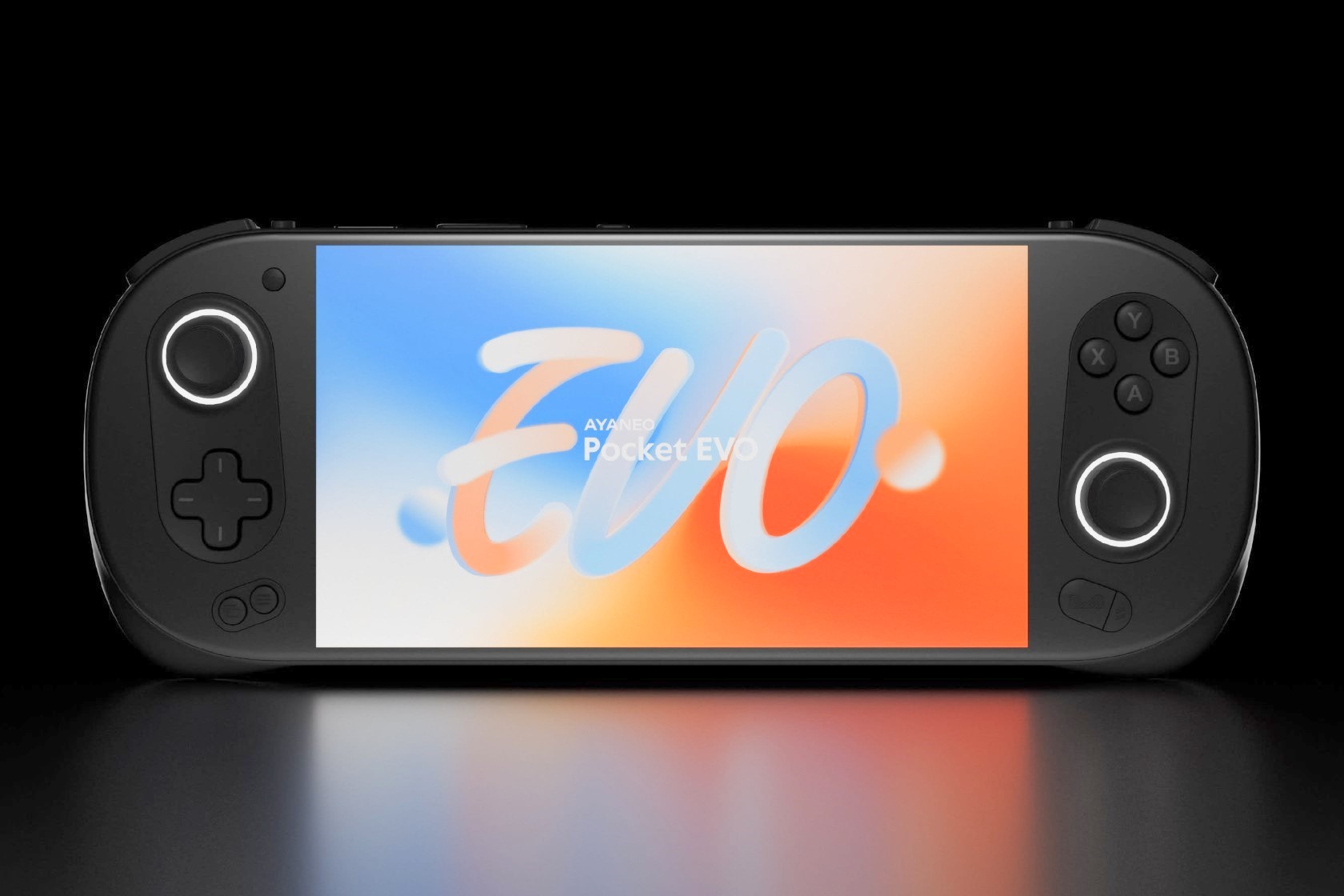
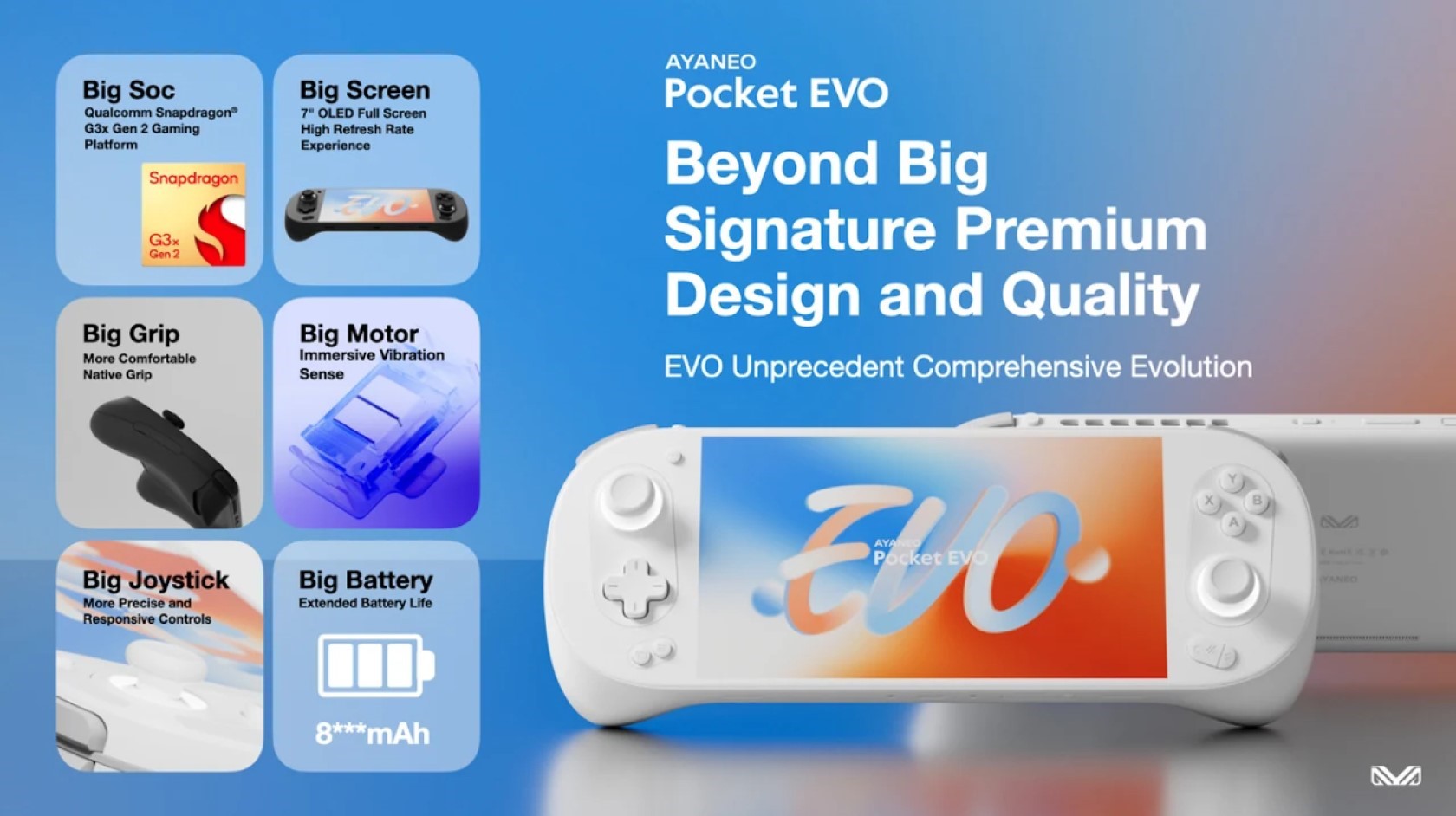
The AYANEO Pocket EVO seamlessly integrates exceptional performance with a sleek, user-friendly design. The world’s first Android handheld with a 7″ 1080P OLED 120Hz high-refresh-rate display, it boasts a Qualcomm Snapdragon G3x Gen 2 chipset that provides the muscle to effortlessly power through demanding high-resolution mobile games, streaming services, and cloud gaming. This combination makes the Pocket EVO a versatile and unmatched powerhouse in the large-screen Android handheld market.

Designer: AYANEO

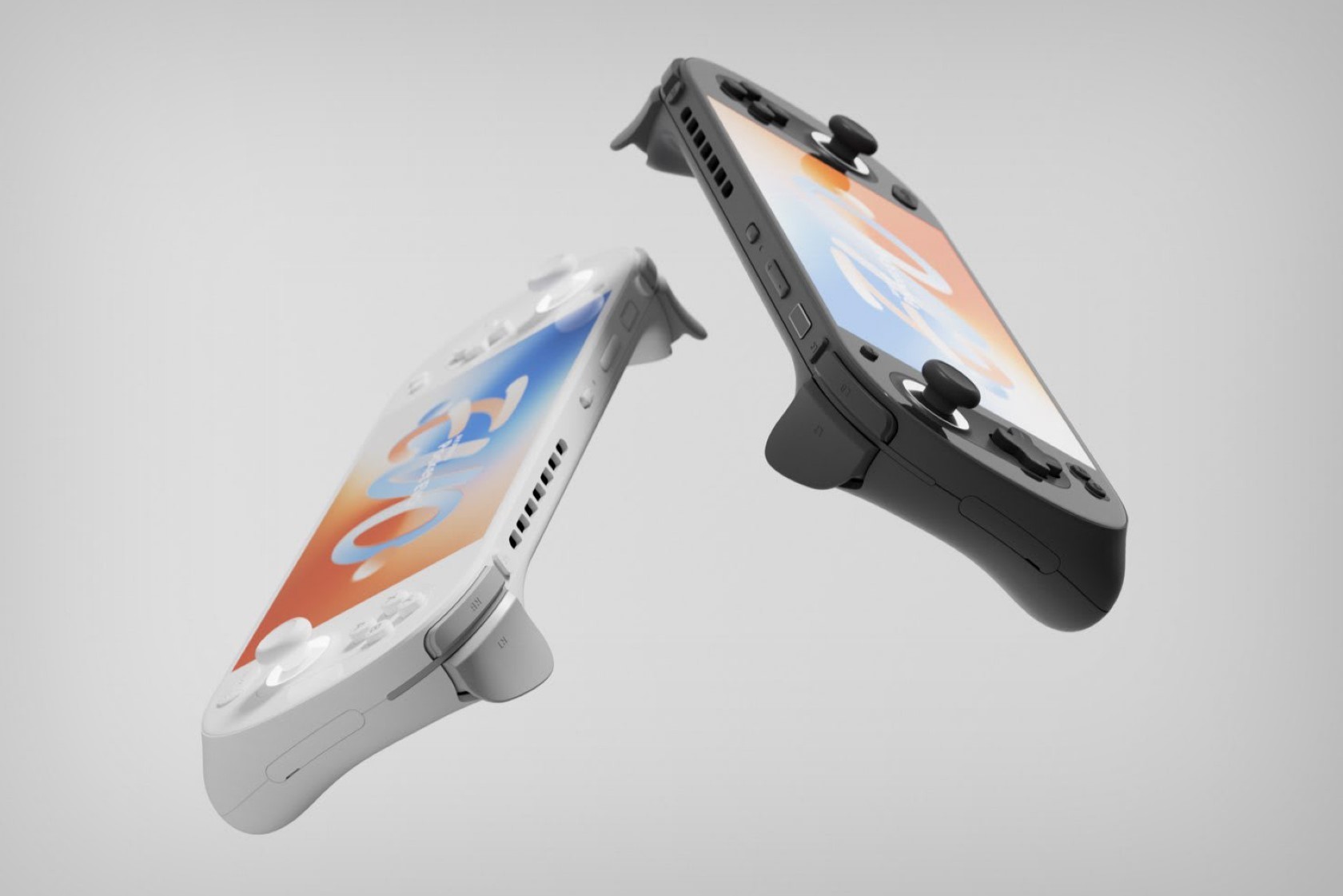
The name “EVO” perfectly embodies the Pocket EVO’s philosophy – evolution. It represents a complete overhaul of the Android handheld experience, offering unparalleled advancements in performance, aesthetics, display technology, and control configurations. The design draws inspiration from AYANEO’s award-winning Windows handhelds, inheriting a touch of refined elegance often missing in the Android handheld space. The Pocket EVO boasts a meticulously crafted new mold, resulting in a remarkably slim and lightweight body. The contours are carefully considered to enhance both visual appeal and comfortable gripping. The streamlined screen design and use of OLED technology deliver breathtaking color reproduction and a slimmer overall profile, pushing the boundaries of handheld display technology.

Under the hood, the Qualcomm Snapdragon G3x Gen 2 Gaming Platform delivers 15W of esports-grade performance, making light work of even the most demanding retro games and graphically intensive Android titles on the highest settings. The larger form factor allows for a more comprehensive cooling system, incorporating a larger heatsink and fan comparable to those found in X86-based devices. This translates to significant improvements in active cooling efficiency, extending sustained performance output and keeping heat dissipation in check.

The control configuration breaks new ground for Android handhelds. The Pocket EVO is the first to feature hall-sensing joysticks, providing a wider range of motion and precise feedback, free from drift and dead zones. The meticulously designed button layout ensures that intense gameplay sequences won’t hinder your grip, striking a perfect balance between aesthetics and comfortable control.

The highly regarded ergonomic grip has been further refined with adjusted curves for a more natural and comfortable experience. The Pocket EVO also features the largest HD linear motor ever implemented in an Android handheld. This, coupled with the comprehensive vibration settings offered through AYASpace software, delivers nuanced, multi-dimensional vibration feedback that deepens immersion across various gaming scenarios.

Despite its slim profile, the AYANEO Pocket EVO manages to pack in a massive battery exceeding 8000mAh, making it the Android handheld with the largest battery capacity among 7-inch devices. Gamers who enjoy streaming and cloud gaming will appreciate the support for the latest high-speed WiFi protocol, offering theoretical speeds of up to 30Gbps for lower latency and more stable data transmission.

Continuing the tradition of AYANEO’s software innovation, the Pocket EVO comes pre-installed with the AYA Home desktop launcher and AYA Space management software. These user-friendly interfaces offer features like performance mode customization, device spoofing for compatibility, button mapping, and optimized game library management. Future software upgrades promise to introduce even more functionalities, further enhancing the user experience.

The post AYANEO Pocket EVO: A Powerful Evolution in Android Handheld Gaming with a 120Hz OLED Display first appeared on Yanko Design.

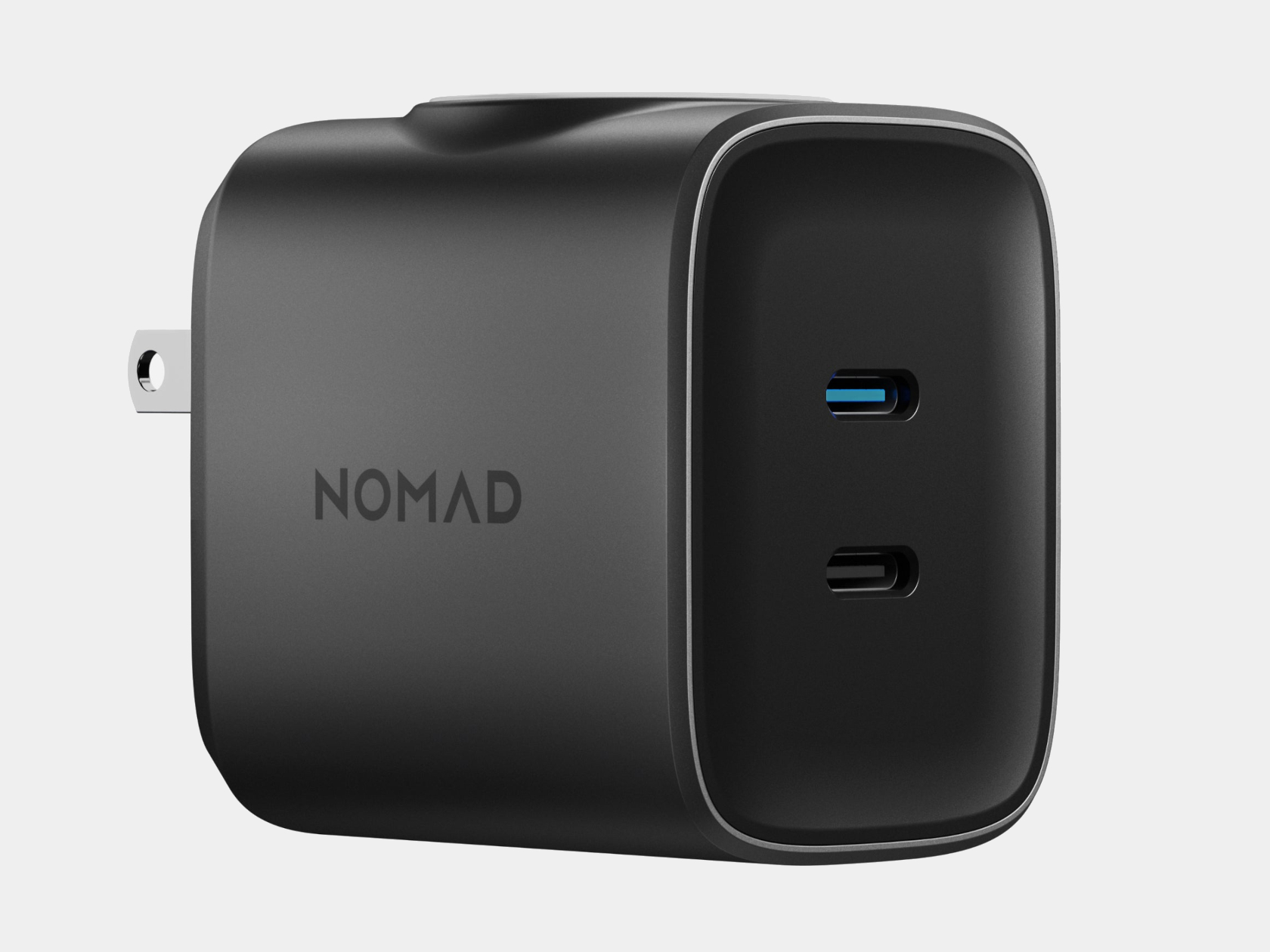
Nomad 65W AC Adapter has a genius way to charge your Apple Watch and AirPods

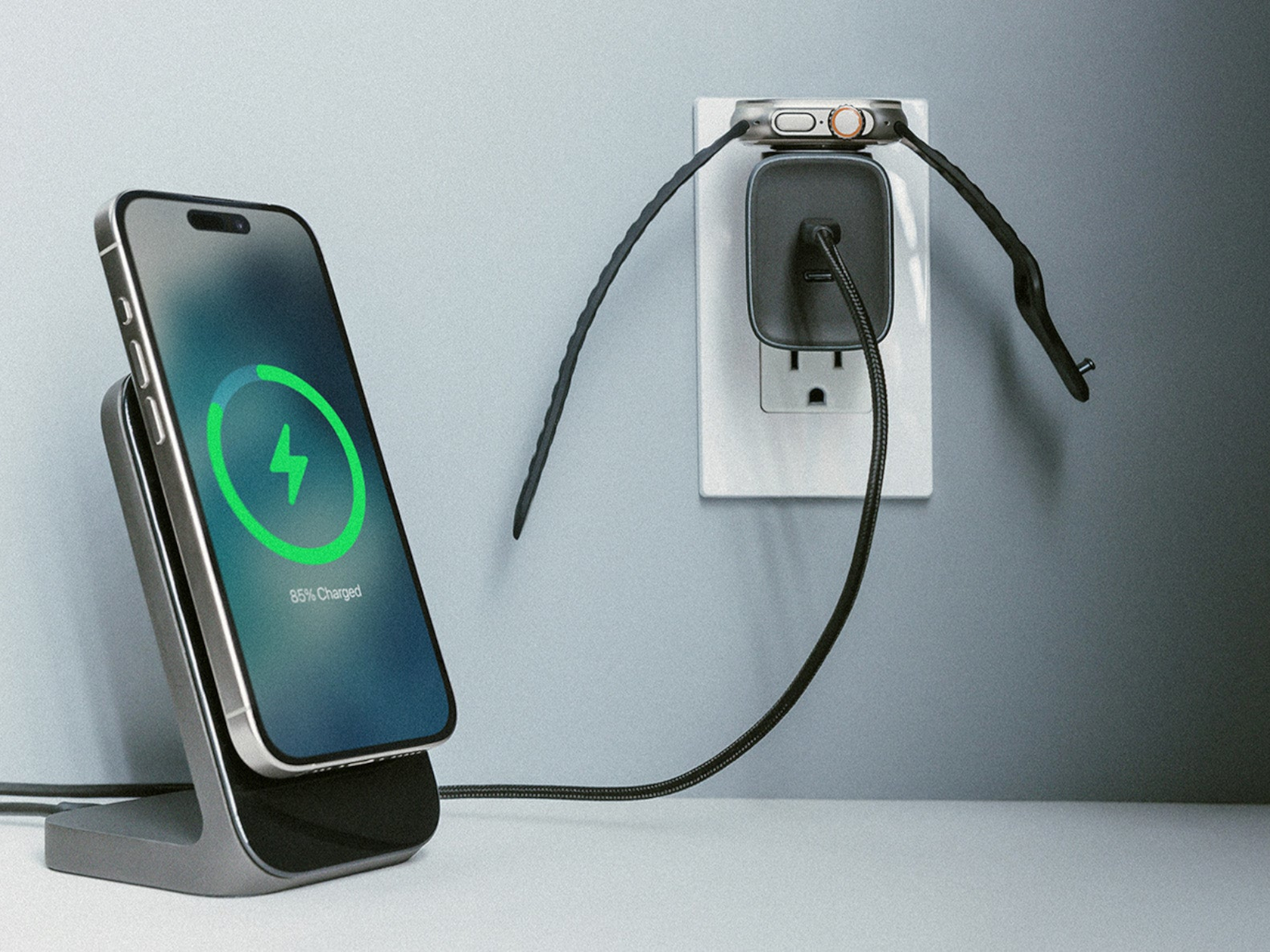
It’s almost a fact of an Apple user’s life that owning one product means owning two or three others or even more. iPhone owners are more likely to own AirPods or even an Apple Watch than any other earbuds or smartwatch brand, which does mean they often need accessories that support all two or three. That’s particularly true when it comes to chargers, which is why many Apple-compatible products come in a 3-in-1 design. Unfortunately, those often come with bulky designs to make space for devices, especially where wireless charging is supported because of the space the charging coils take up. This new 65W AC Power Adapter from Nomad, however, has a rather creative solution to that space problem, especially when you need to quickly charge your Apple Watch or even your AirPods.

Designer: Nomad

With so many people owning more than one electronic device, power adapters that have multiple USB ports are a common sight these days. Even Apple eventually launched a dual USB-C charger, though it ironically doesn’t have enough power to support charging multiple Apple devices at the same time, at least not when you have iPhones and iPads and more. Thankfully, there’s a thriving market for third-party accessories, leaving plenty of room for outside-the-box designs like the new Nomad 65W Power Adapter Apple Watch Edition.

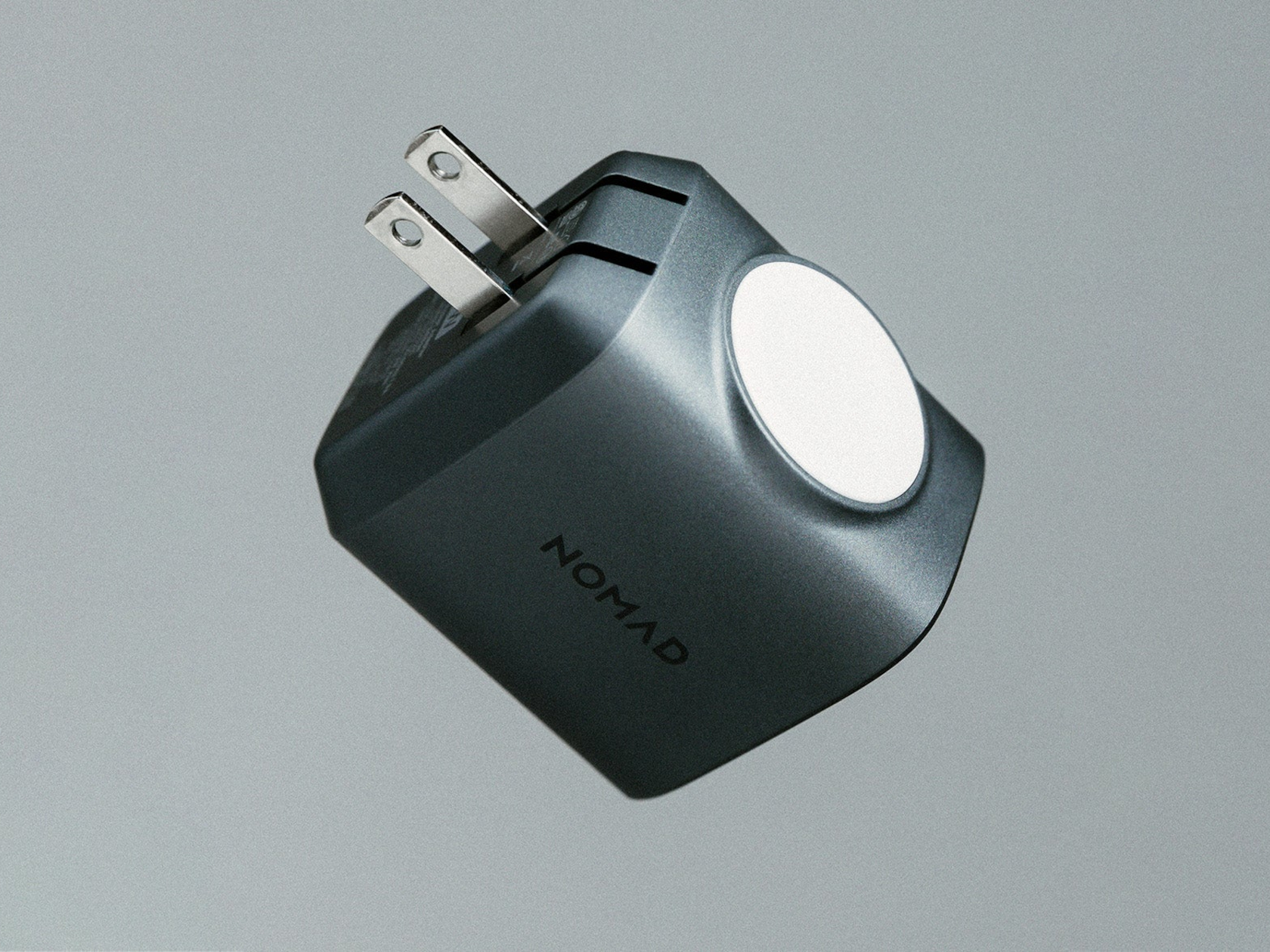
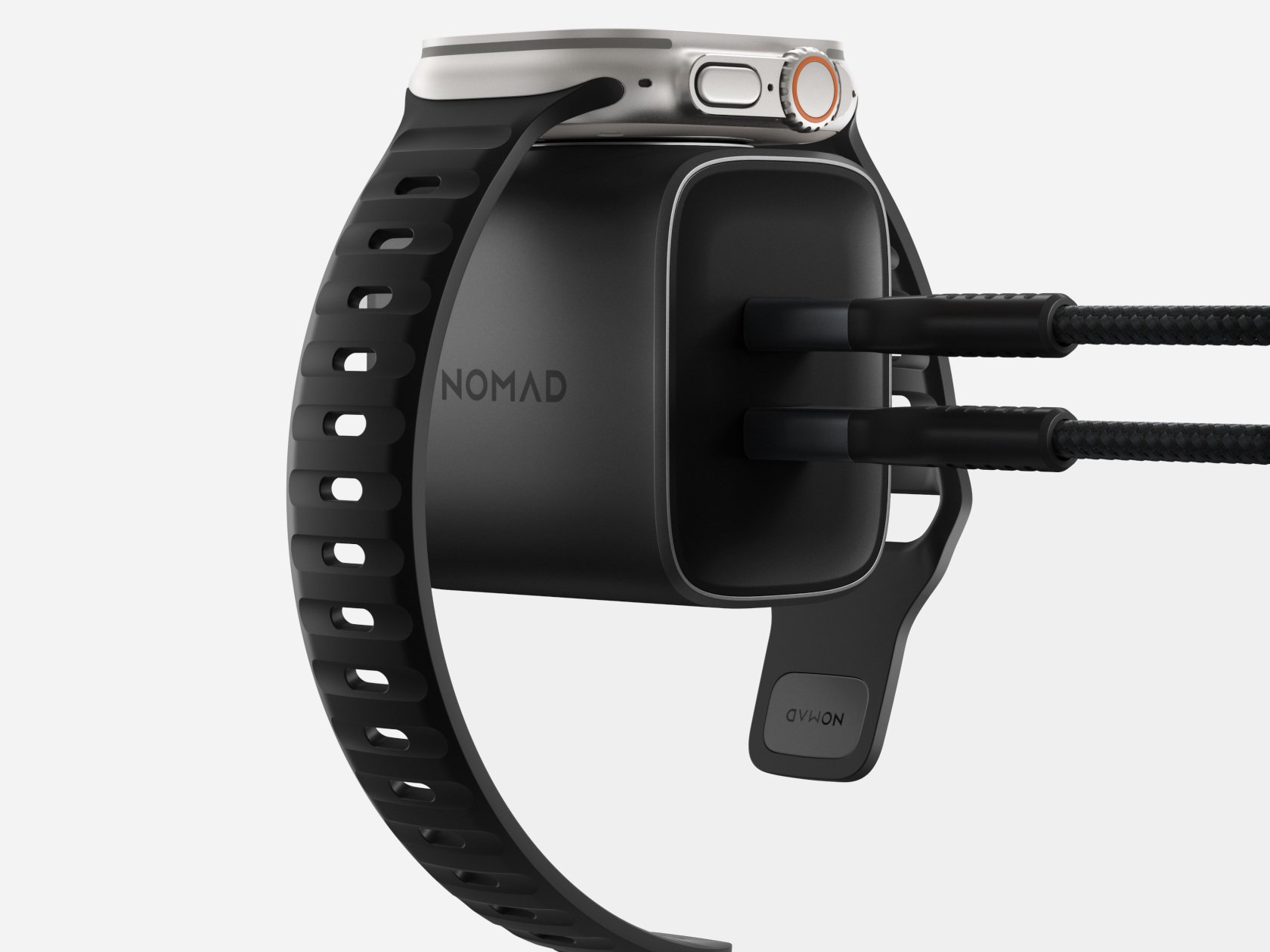
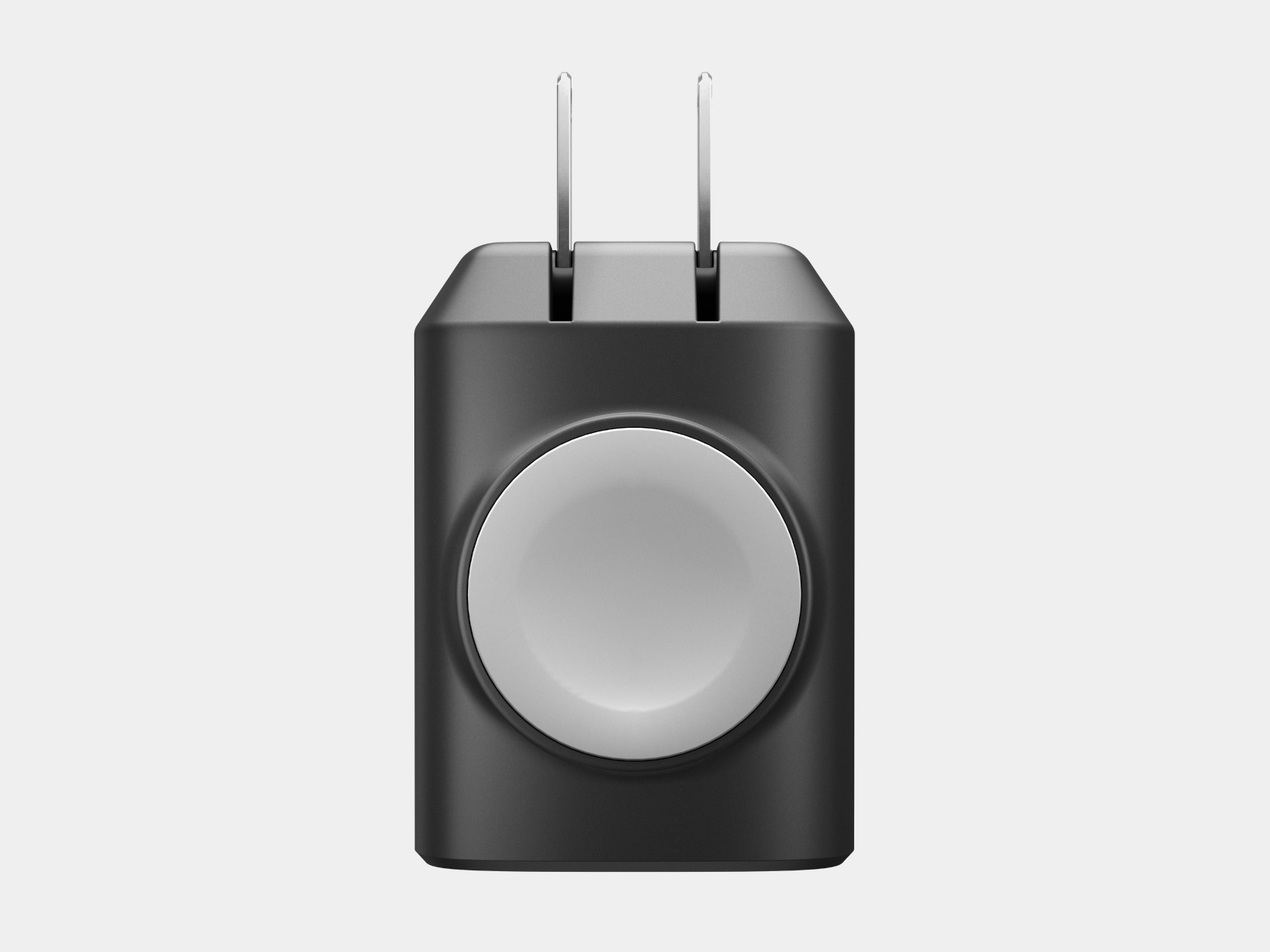
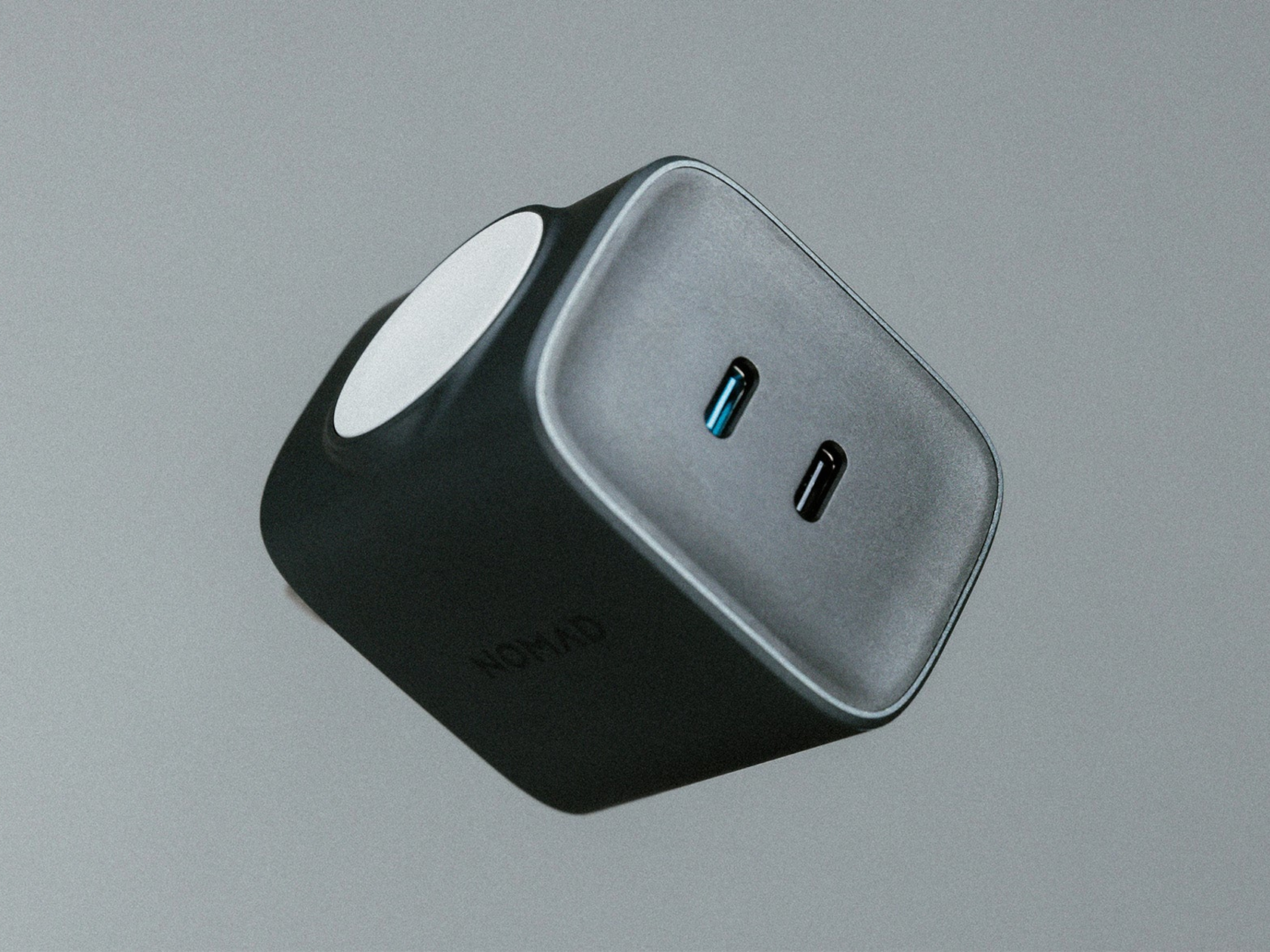
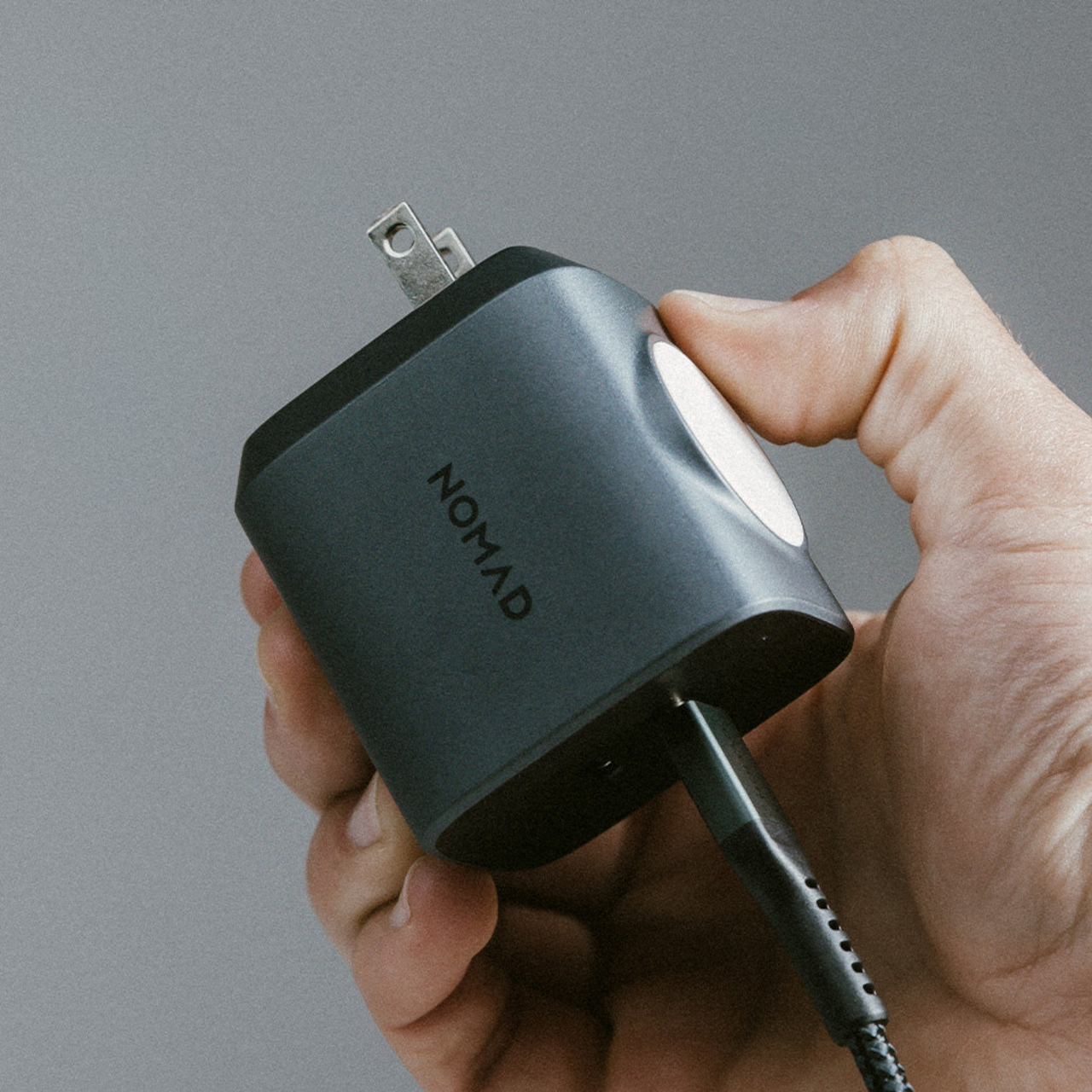
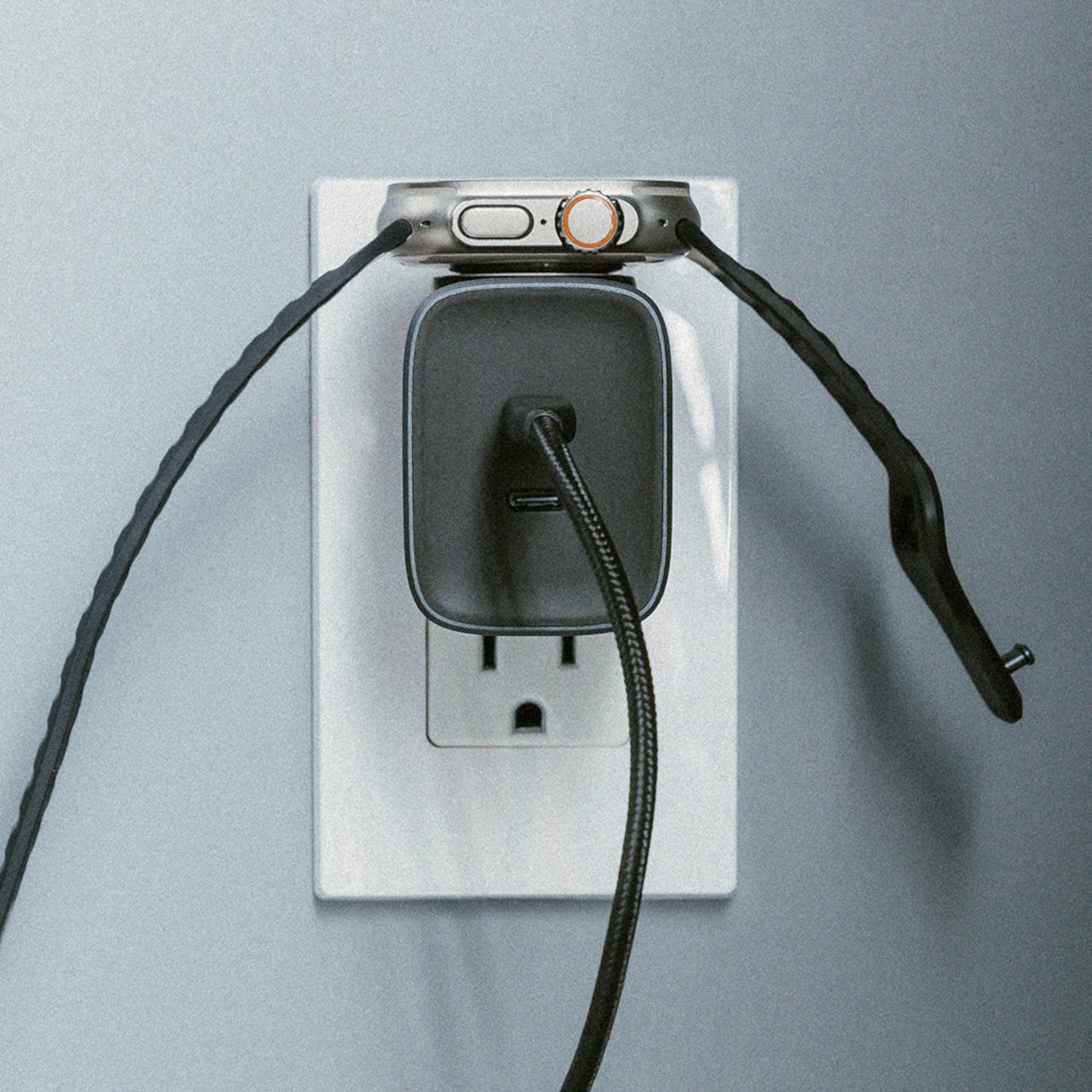
As the name says, this particular power brick is designed with Apple’s smartwatch in mind, and it charges it in a rather unique way. The top of the charger is actually a wireless charger that supports not just the Apple Watch but also some AirPods with cases that support wireless charging. For Apple Watch Series 7 and later, it can even do fast charging, so you’ll be off to the races in no time flat.

That’s not the only notable feature that it has, of course. The Nomad 65W AC Adapter features two USB-C ports, each giving the full power output if used on its own, and that’s enough to even charge a MacBook Pro or fast charge a MacBook Air. If used at the same time, however, the top USB-C port indicated with a blue accent will push out 45W of power, leaving the lower port with only 20W.

Best of all, Nomad’s AC charger is nearly half the size of Apple’s official charger thanks to GaN technology. This makes the adapter a great traveling companion, and its creative design will let you easily charge your Apple Watch on a bedside wall socket, no additional charging pads or cables required.

The post Nomad 65W AC Adapter has a genius way to charge your Apple Watch and AirPods first appeared on Yanko Design.

Ultimea’s $299 Budget Projector gives you a massive 120-inch Movie Theater experience at Home

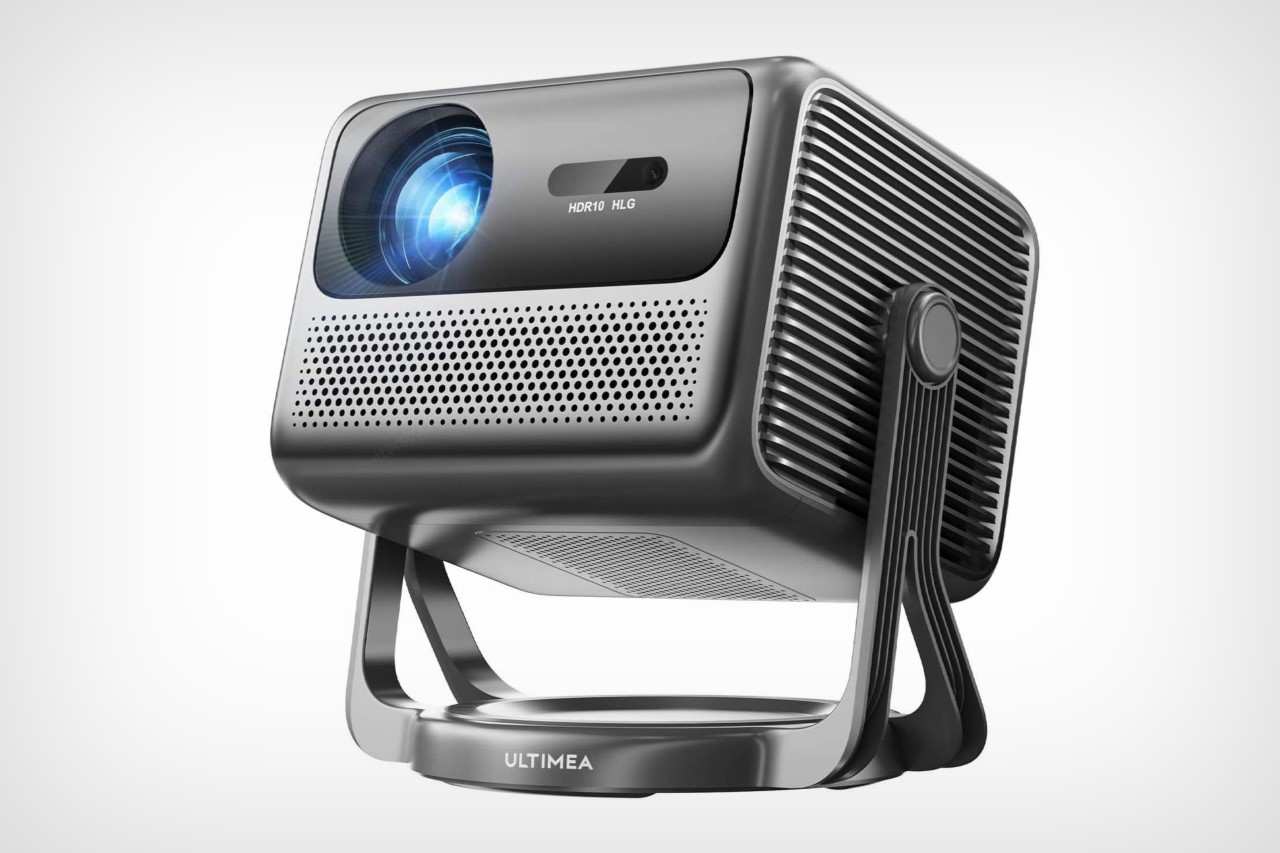
I’ve said it for ages, but televisions are an intermediary product stage. Just the way smartphones are a passing phase for the next big thing, televisions are too – the only difference is that the next big thing after TVs exists… it’s just that not everyone owns one yet. I’m talking about projectors. They’re usually portable, can project screens as large as 120 inches, and in a matter of seconds, turn your home into a theater. Modern projectors come with smart OS features, image correction capabilities, and more importantly, they’re now just as affordable as TVs are. The Ultimea Nova C40, with its $299 price tag offers an incredibly compelling option for those looking to switch from a 40-something-inch TV to a viewing experience that’s larger than life. The Full HD projector comes with a unique gimbal design tat lets it face practically anywhere (you could watch a movie on your ceiling if you want), with automatic focus and keystone features so the projector can instantly align its image instead of having you do it. Sure – it’s no staggering 4K OLED TV, but as a proud owner of an HD projector myself, size matters to the experience much more than pixel density and resolution.

Designer: Ultimea

Click Here to Buy Now
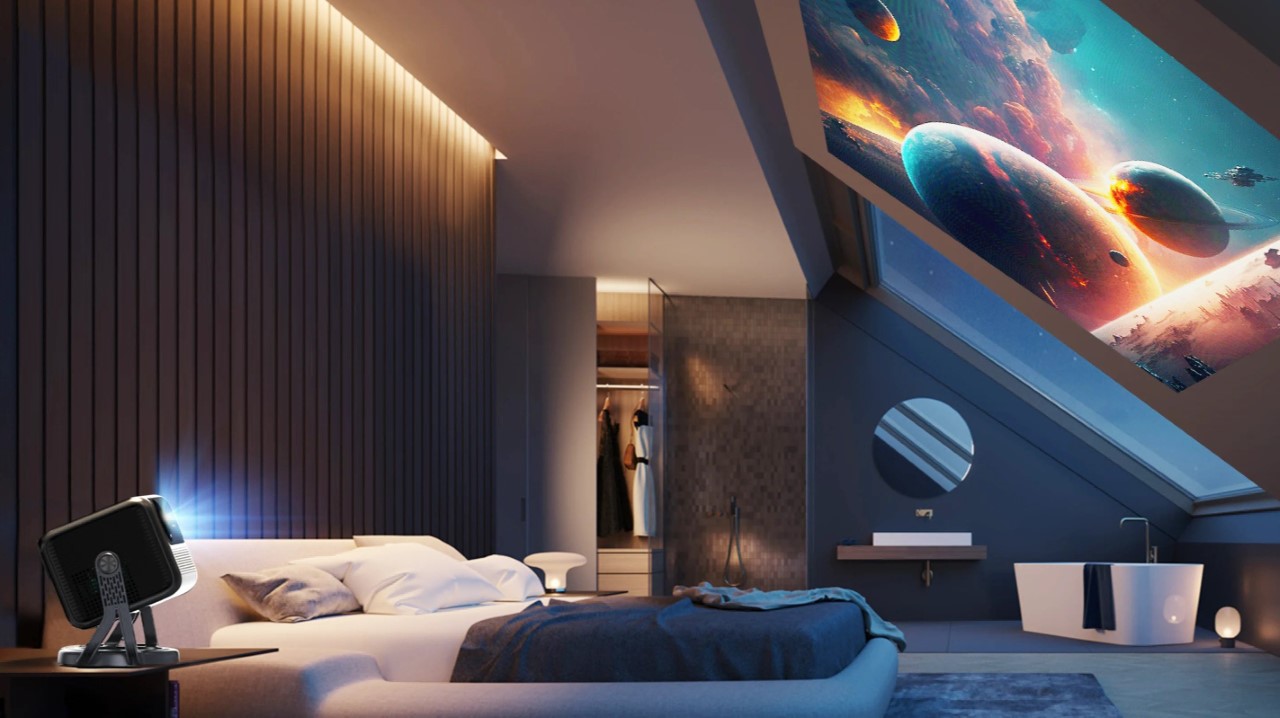
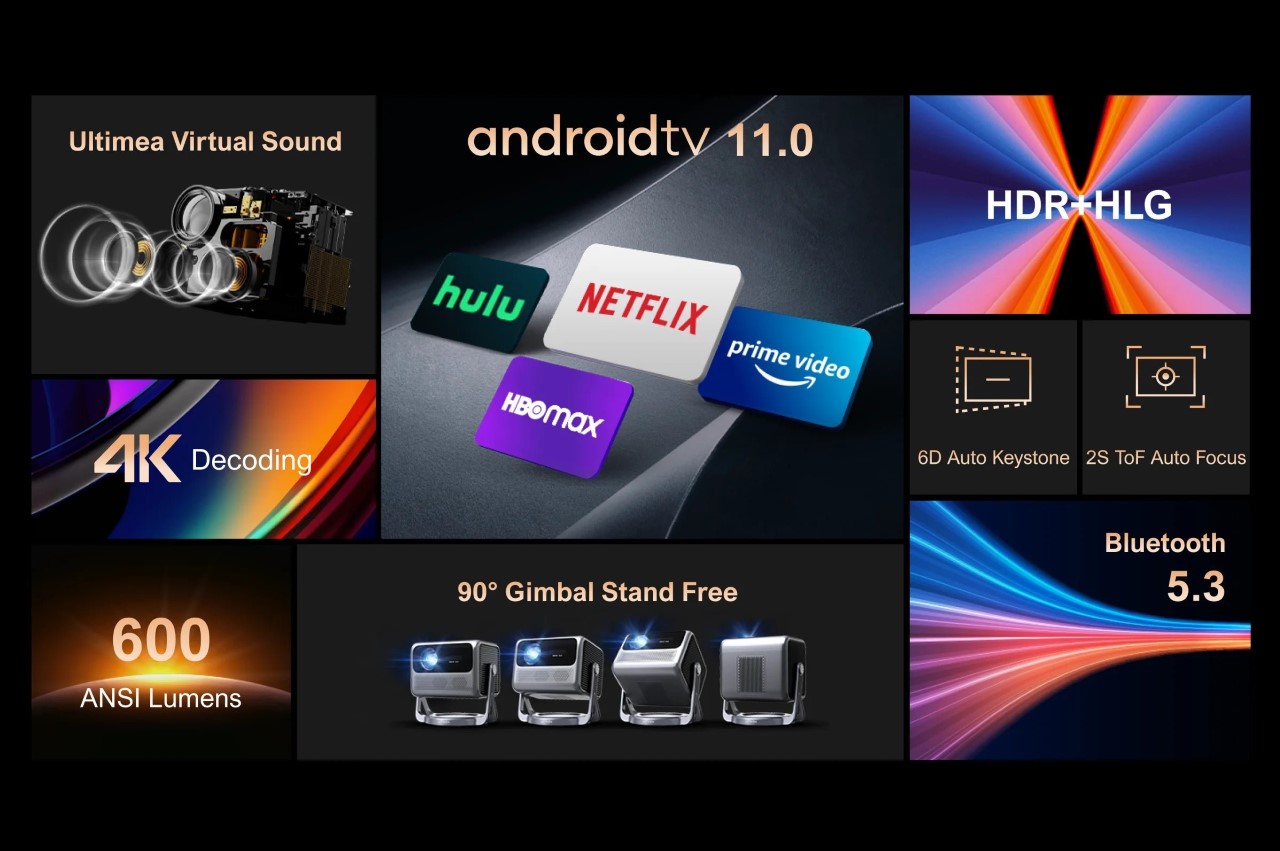
The Nova C40 packs a fair bit of punch for its price category, delivering a projection as large as 120 inches. 600 ANSI lumens is fairly bright for dark and dimly-lit rooms, and the presence of a built-in AndroidTV 11.0 OS means access to all your favorite apps on demand. Want to take things to another level, HDMI and USB ports let you hook your laptop or gaming console to the projector for immersive work and gaming. The large 120-inch display completely surrounds your periphery in gaming content… and for work, you can multitask with efficiency by turning the large display into multiple smaller windows.
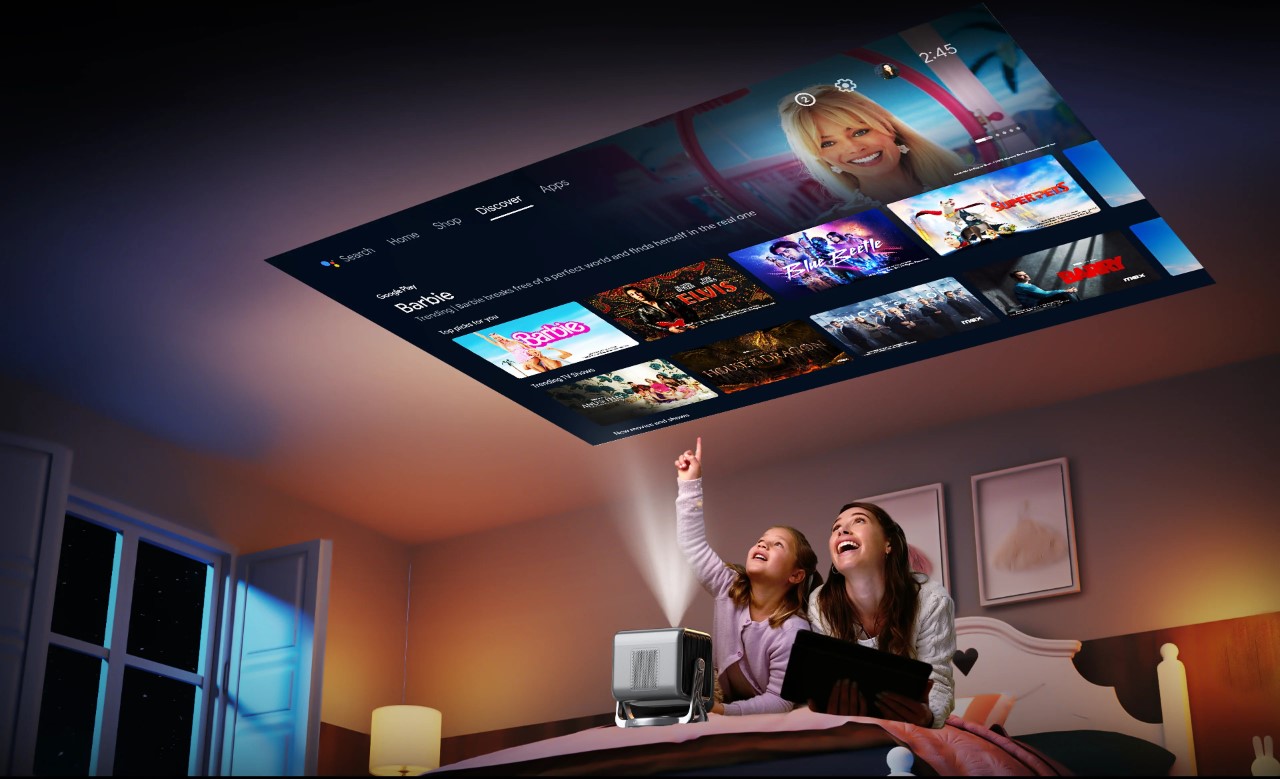
The throw ratio of 1.25:1 translates to a projected image size between 80 and 120 inches diagonally when placed at a relatively short distance. This makes it ideal for smaller rooms or even outdoor movie nights, transforming your backyard into a cinematic haven under the stars. Setting up the projector is a breeze, thanks to automatic keystone correction and autofocus features. No more fiddling with dials – the C40 ensures a crisp and properly aligned image in seconds, with zero effort.
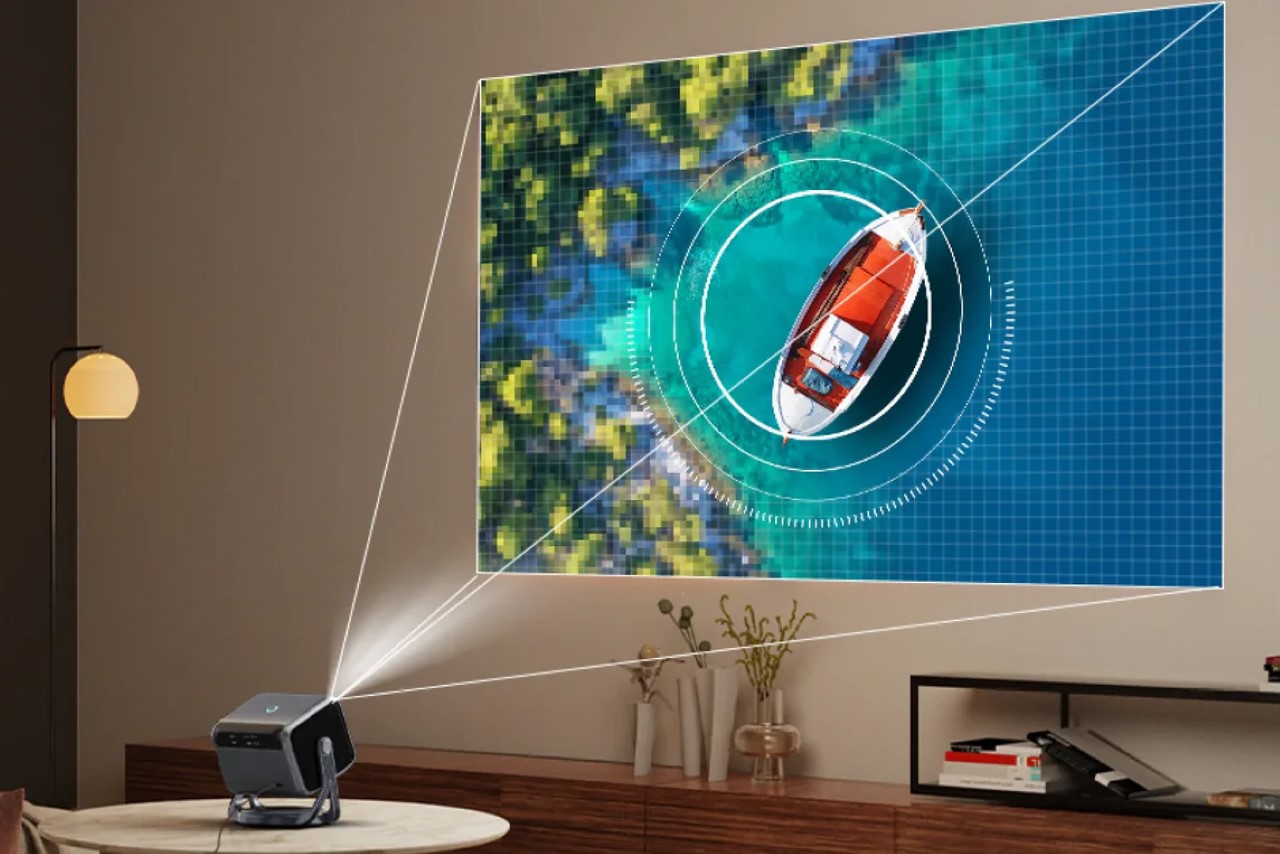
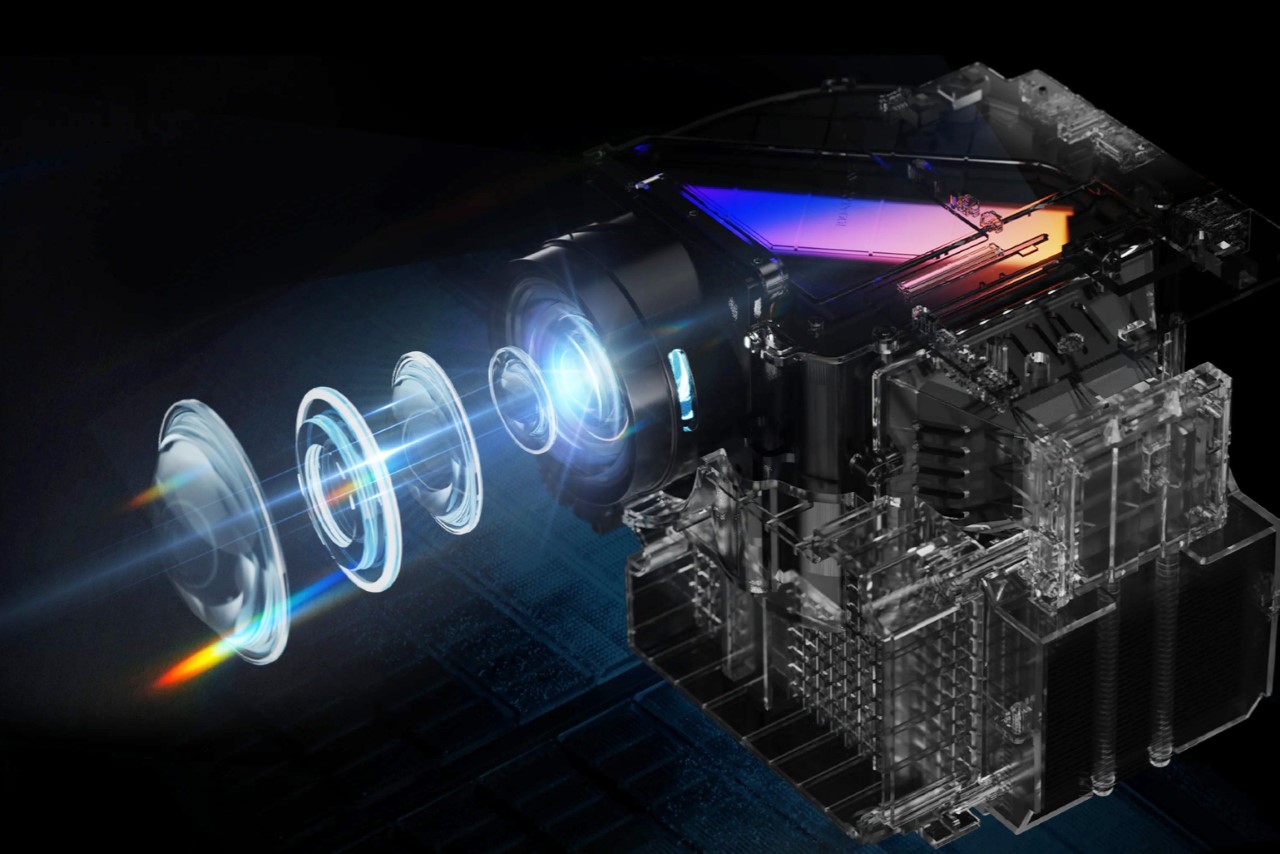
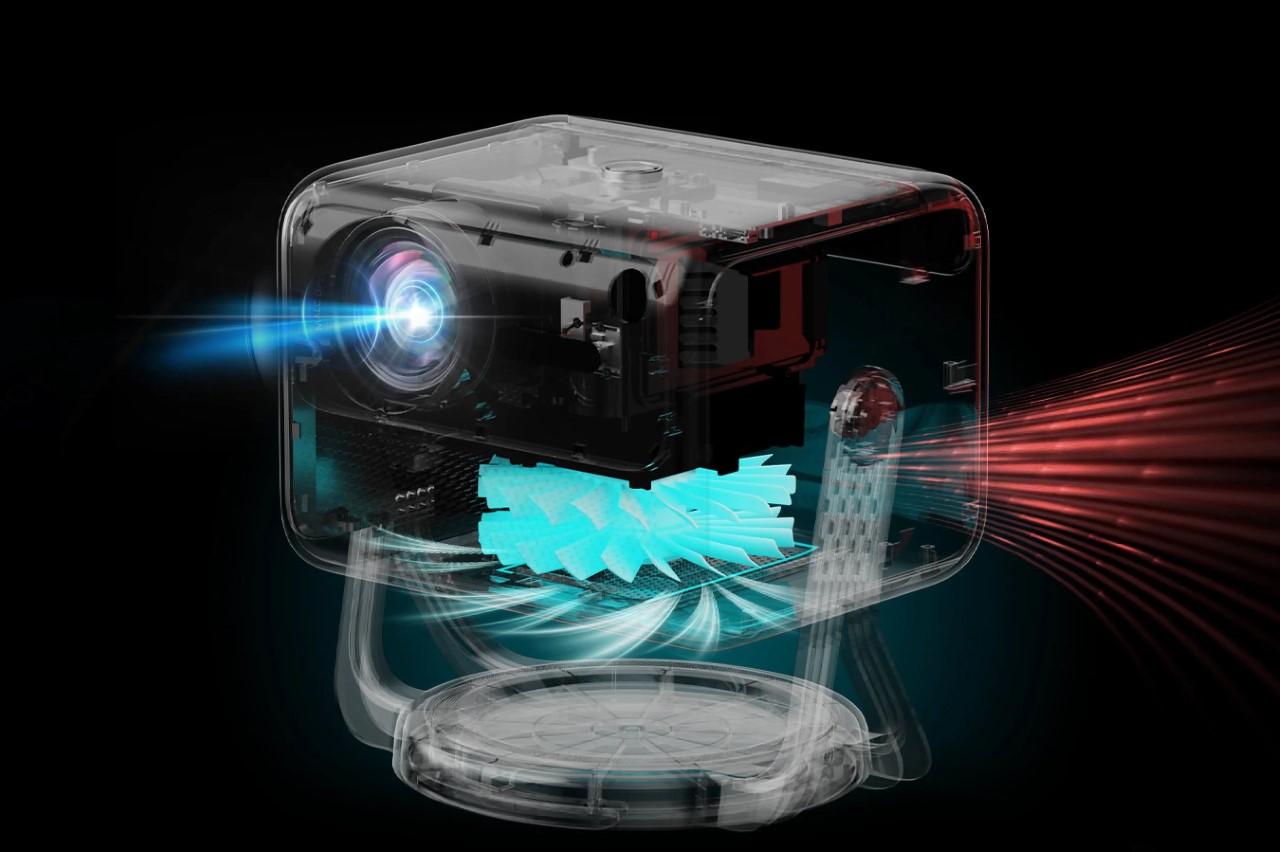
One of the C40’s standout features is its fully sealed optical unit. This innovative design choice aims to minimize dust infiltration, potentially enhancing image quality and extending the projector’s lifespan. With a brightness of 600 ANSI lumens, the C40 performs best in slightly subdued environments. While not ideal for projecting movies in brightly lit rooms, it delivers a watchable experience in dimmer settings. The projector boasts a native Full HD (1080p) resolution, but upscaling capabilities allow it to handle 4K content. It covers 95% of the NTSC color gamut, ensuring a decent range of colors for vibrant visuals.
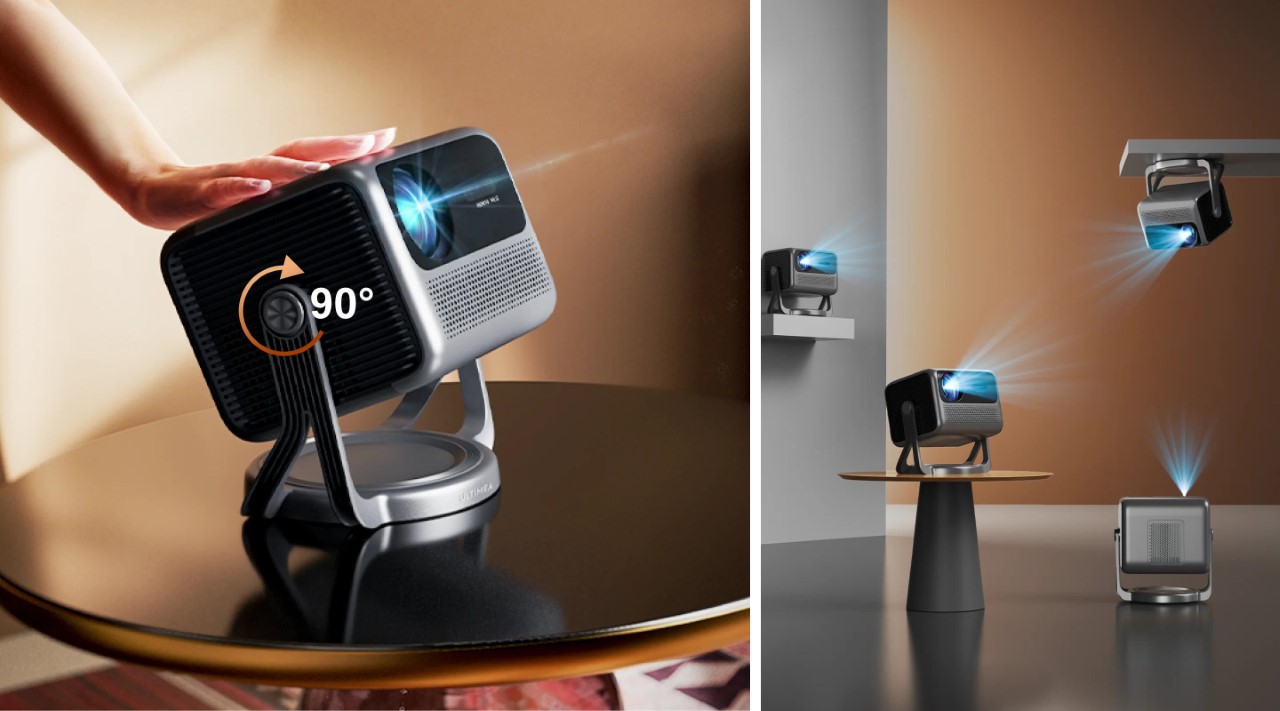
The Nova C40’s design integrate a gimbal that lets you point your projector in practically any direction. Face it forwards, tilt it at an angle, or even directly upwards, the 90° freedom of the C40 is perfect for all kinds of adjustments. Moreover, the base also supports ceiling mounts, so you can attach your C40 to a beam or to the ceiling for a more traditional experience. Me personally, I love the fact that the projector is fairly mobile, which means you can travel from room to room with it.
The Nova C40 breaks free from the shackles of external media players by integrating Android TV 11 directly into the system. This built-in smart platform grants access to popular streaming services like Netflix and Prime Video, eliminating the need for additional devices. Feeling the urge to explore a wider entertainment library? The C40 allows you to download additional apps, expanding your options and catering to diverse interests.

For seamless connectivity, the C40 offers an HDMI input, perfect for connecting laptops, gaming consoles, or other external devices. It also boasts Bluetooth 5.3, enabling you to connect external speakers for a more immersive audio experience. Additionally, Bluetooth allows for voice control through the remote, adding a layer of convenience. While the built-in 5-watt speakers might suffice for casual viewing, a soundbar connected via Bluetooth can significantly elevate the audio quality, transforming movie nights into truly cinematic experiences.
So, who exactly is the Ultimea Nova C40 designed for? Movie buffs seeking a cinematic experience at home will find the C40’s Full HD resolution with upscaling capabilities delivers crisp visuals for a captivating experience. While the brightness might not be ideal for brightly lit rooms, creating a movie night ambiance with dimmed lights unlocks the projector’s true potential. Casual gamers on a budget can also enjoy the thrill of big-screen gaming without breaking the bank. However, it’s important to note that the C40 might not be ideal for fast-paced, competitive games due to the potential of slight input lag. Presenters on the go will appreciate the portability and ease of use that the C40 offers, children will love the idea of having a cinema experience in their bedroom before going to bed, and friends will probably invite you to every single backyard party for movie or sports nights.
Click Here to Buy Now

The post Ultimea’s $299 Budget Projector gives you a massive 120-inch Movie Theater experience at Home first appeared on Yanko Design.

Amazon Echo Spot returns with a fresh new look that ditches the camera

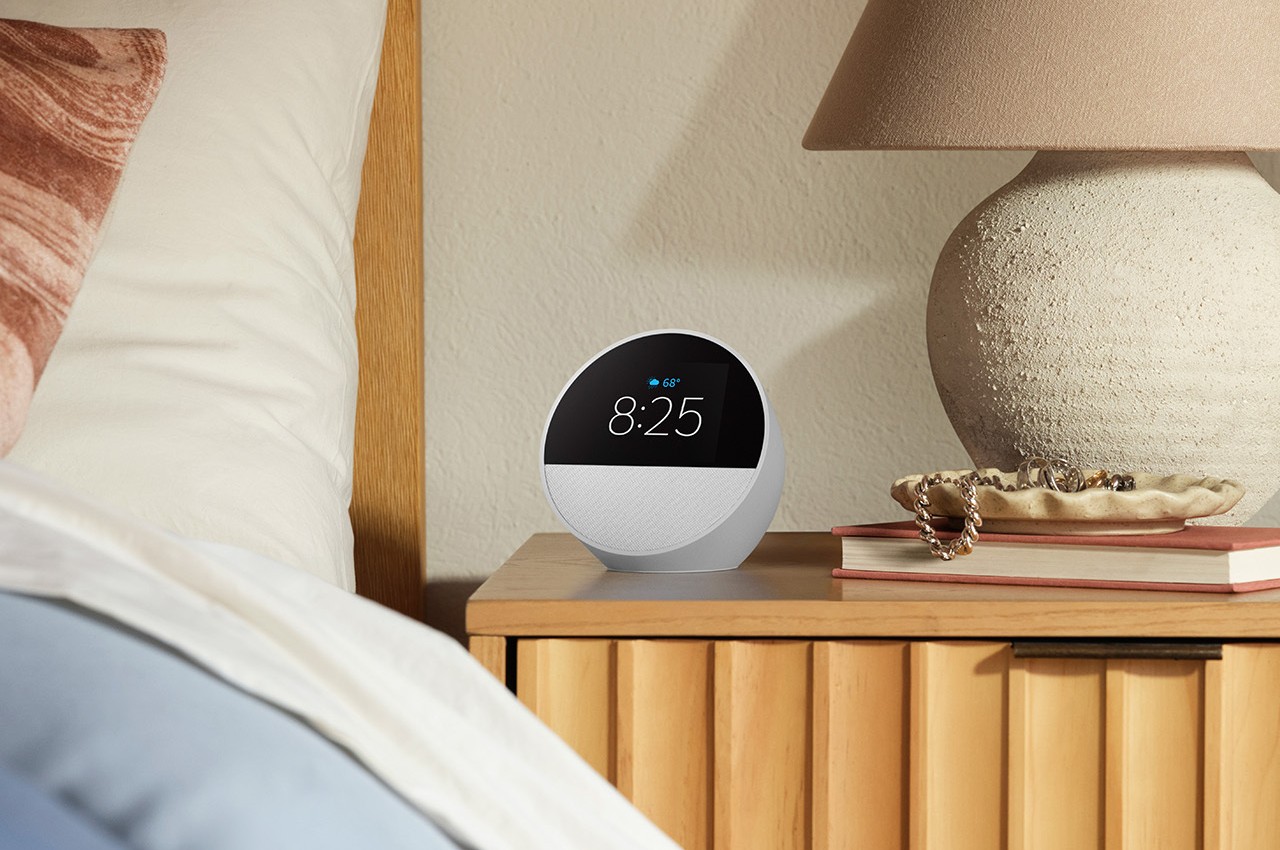
We rarely hear about new smart speakers these days. Either they have died off or that all wireless speakers are expected to be smart anyway. Even rarer, however, is news on smart speakers with displays, a.k.a. smart displays, outside of a few select devices, like the Google Pixel Tablet, and rumors, like a new Apple HomePod with a screen. Even Amazon, arguably the brand that really kicked off the smart speaker market, is pretty silent, at least until now. Seven years after it first launched, the controversial Echo Spot is making a comeback, bearing an aesthetic that is more modern, more soothing, and, more importantly, more privacy-focused.

Designer: Amazon

The first Amazon Echo Spot launched in 2017 as the smaller sibling to the Echo Show, perhaps the market’s first smart display. It had a funky circular screen and was positioned as a hi-tech bedside alarm clock rather than a general-purpose smart speaker with a display like the Echo Show. Unfortunately, two things made it less palatable even to Amazon’s loyal following: its price and the fact that it had a camera, a big no-no for something that’s supposed to stay in a very private part of your home.

After what felt like forever, the second-gen Echo Spot is finally rolling out with a design that addresses both concerns. At $79.99, it’s immediately half the launch price of its predecessor, and Prime Members can even get it for only $44.99 for Prime Day. It also no longer has a camera, but you can still make audio calls as usual. At least you won’t have to worry about people peeking at you, accidentally or otherwise.

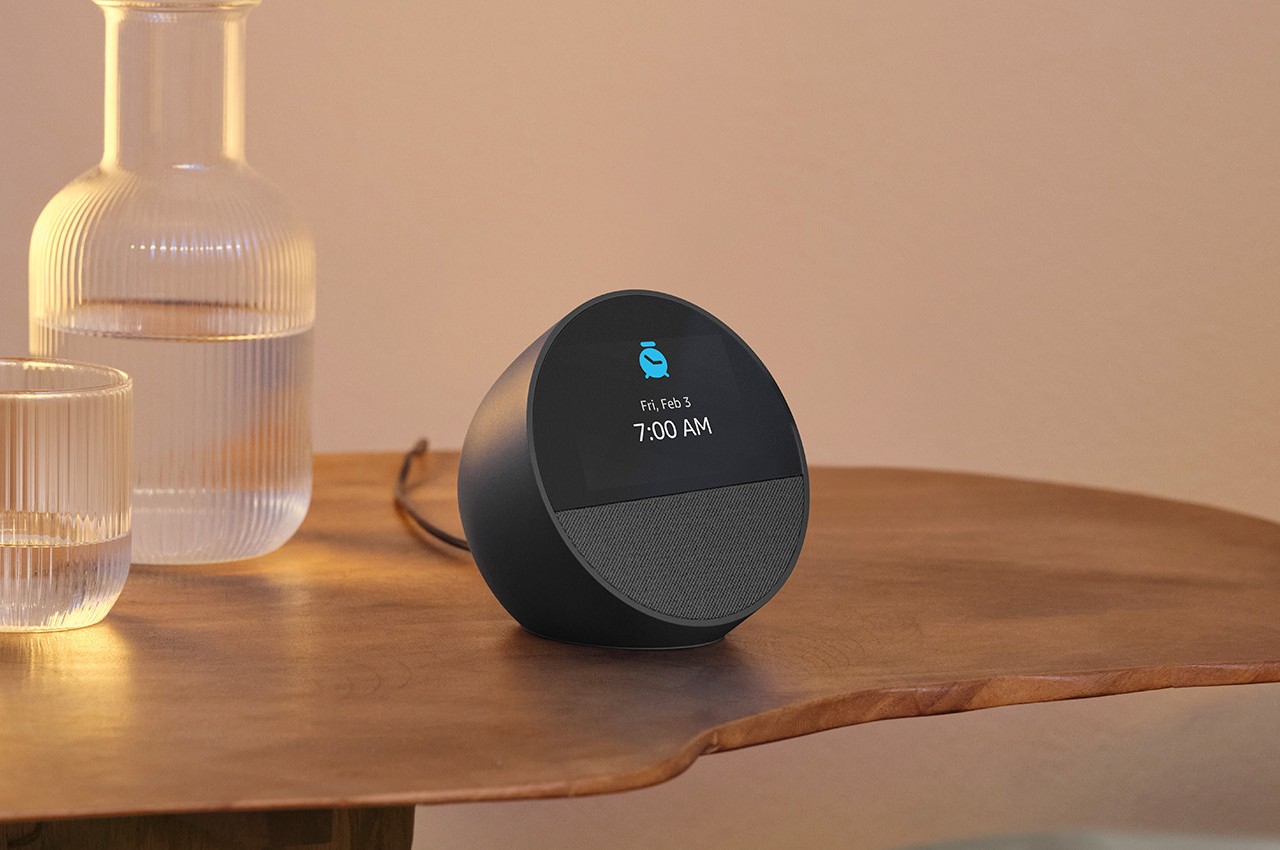
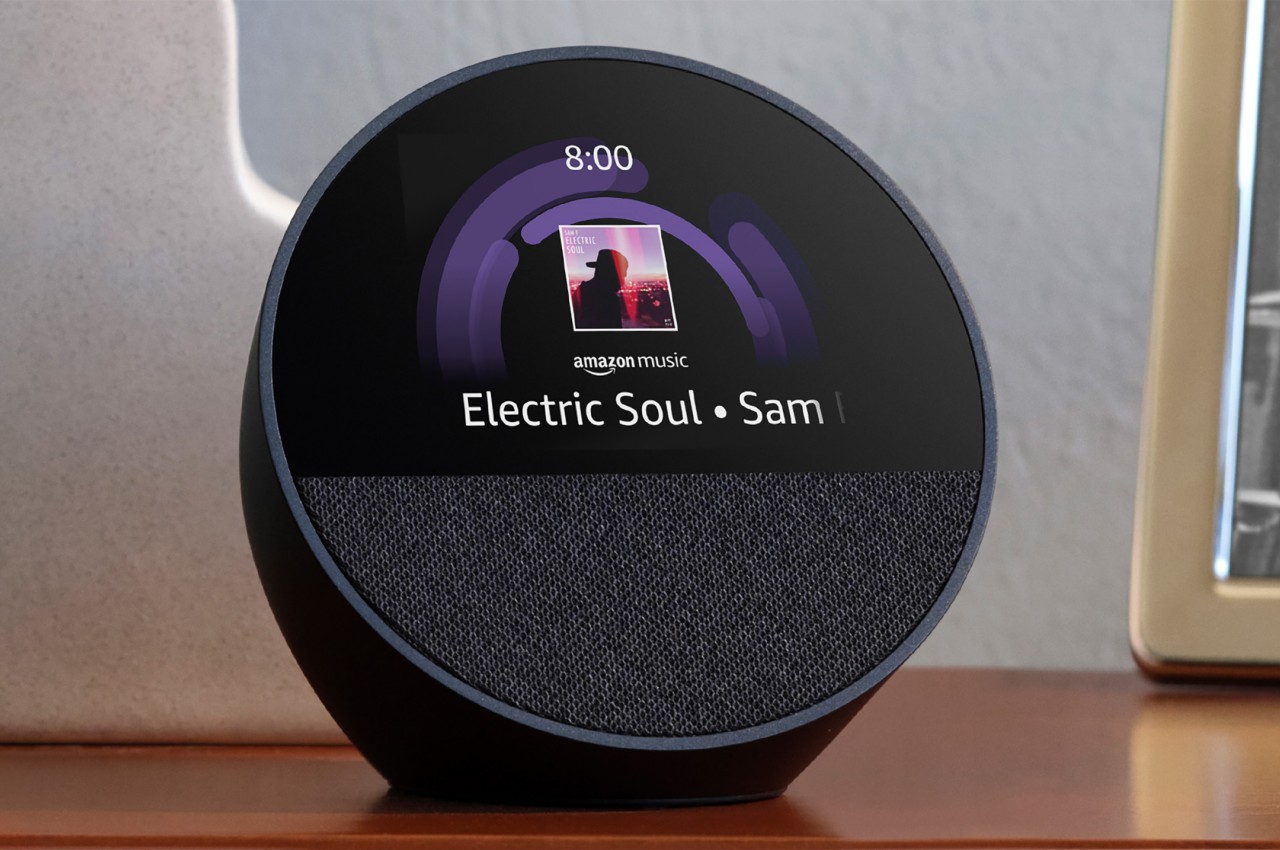
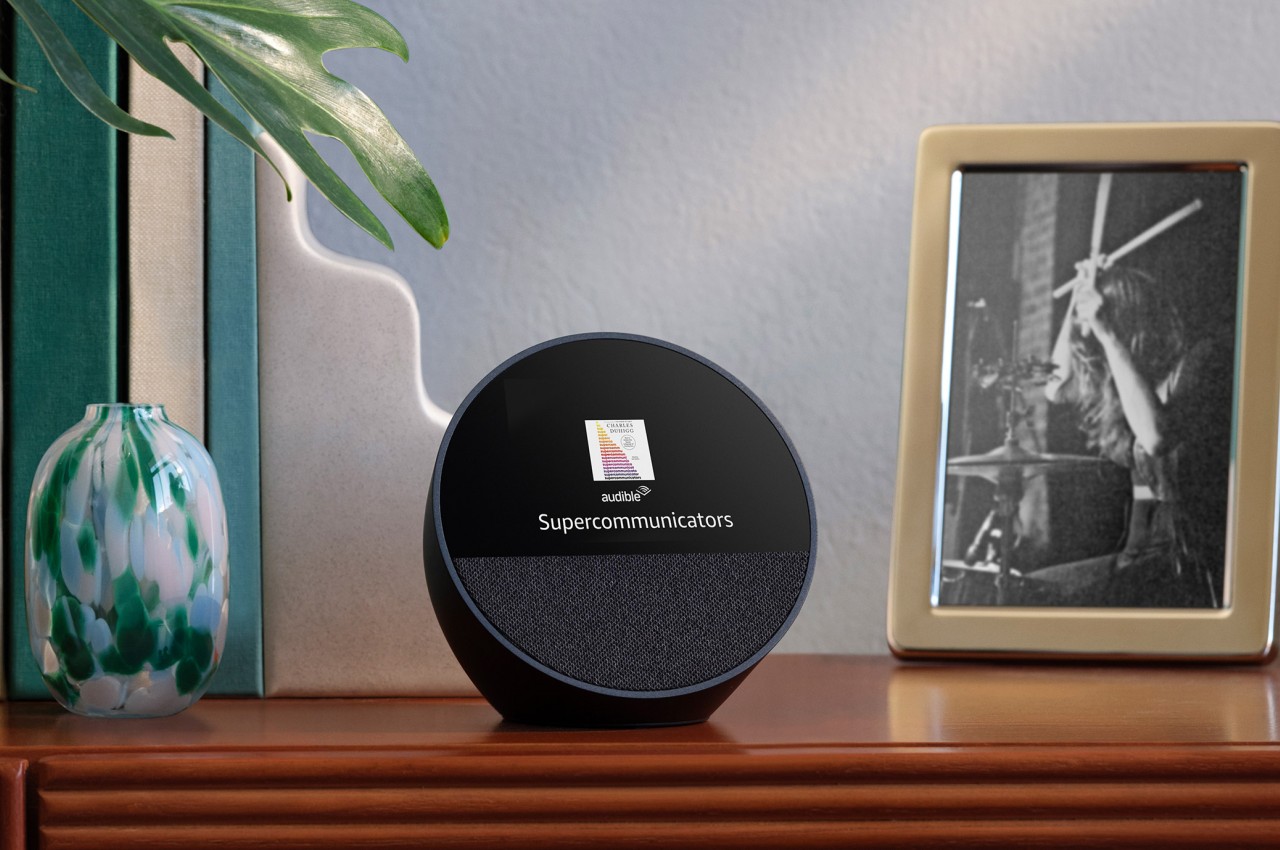
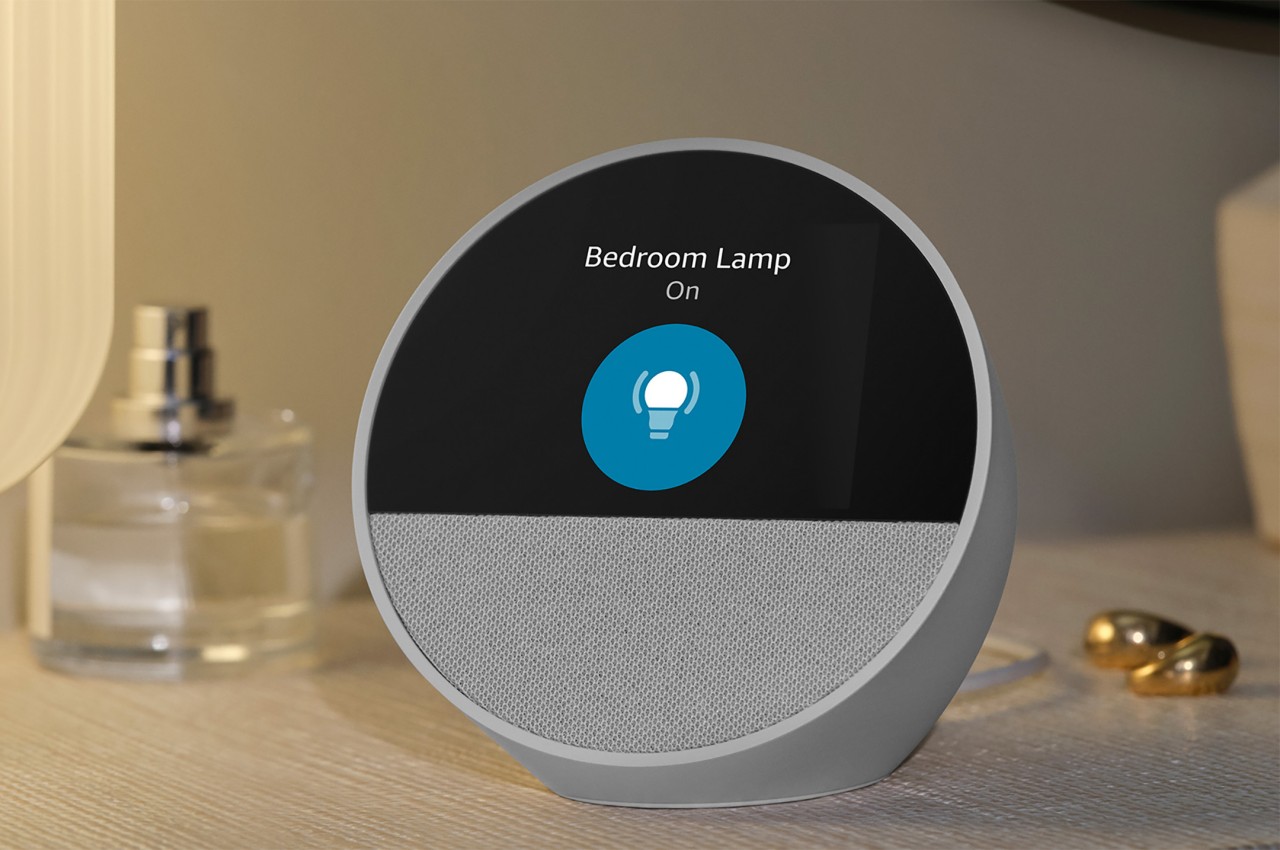
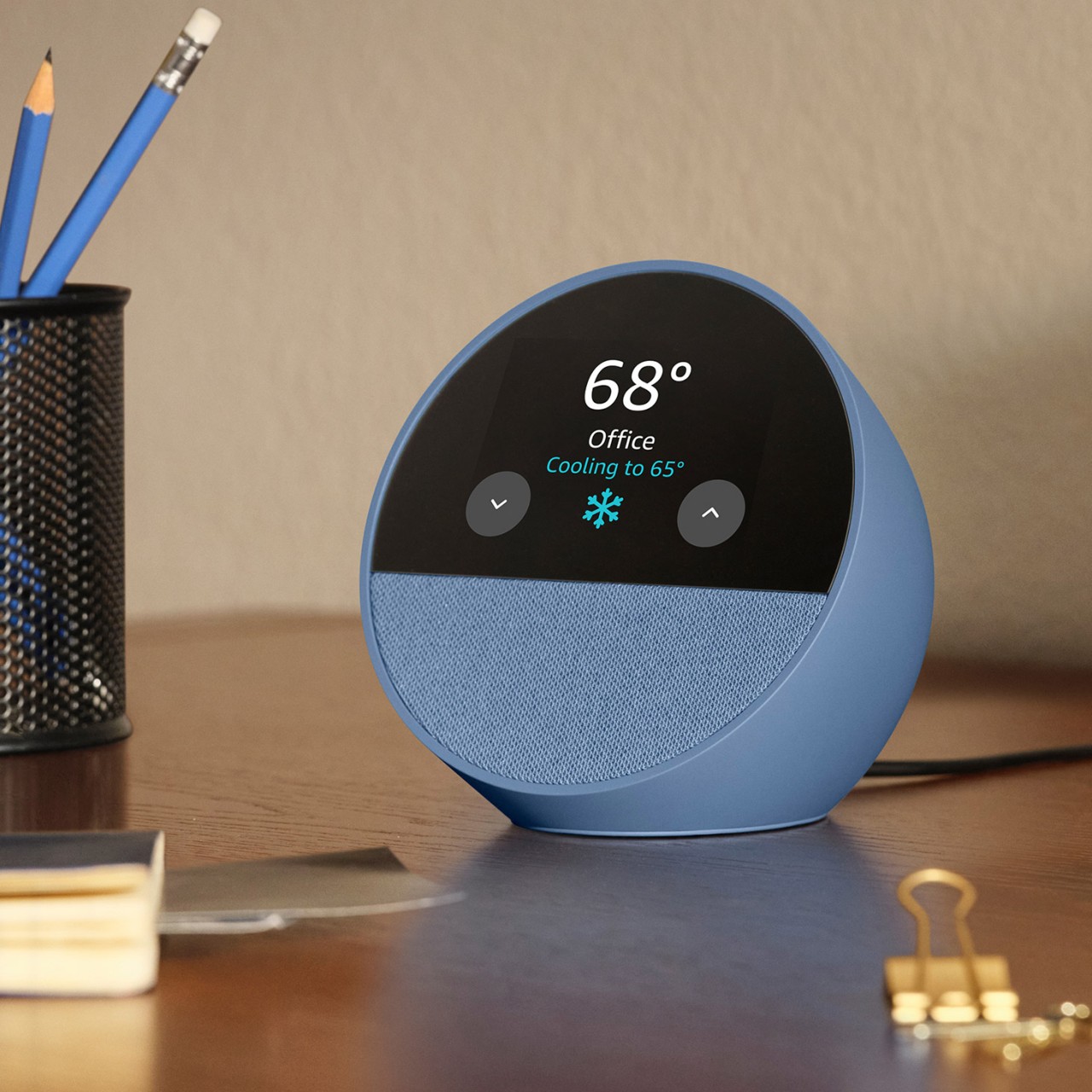
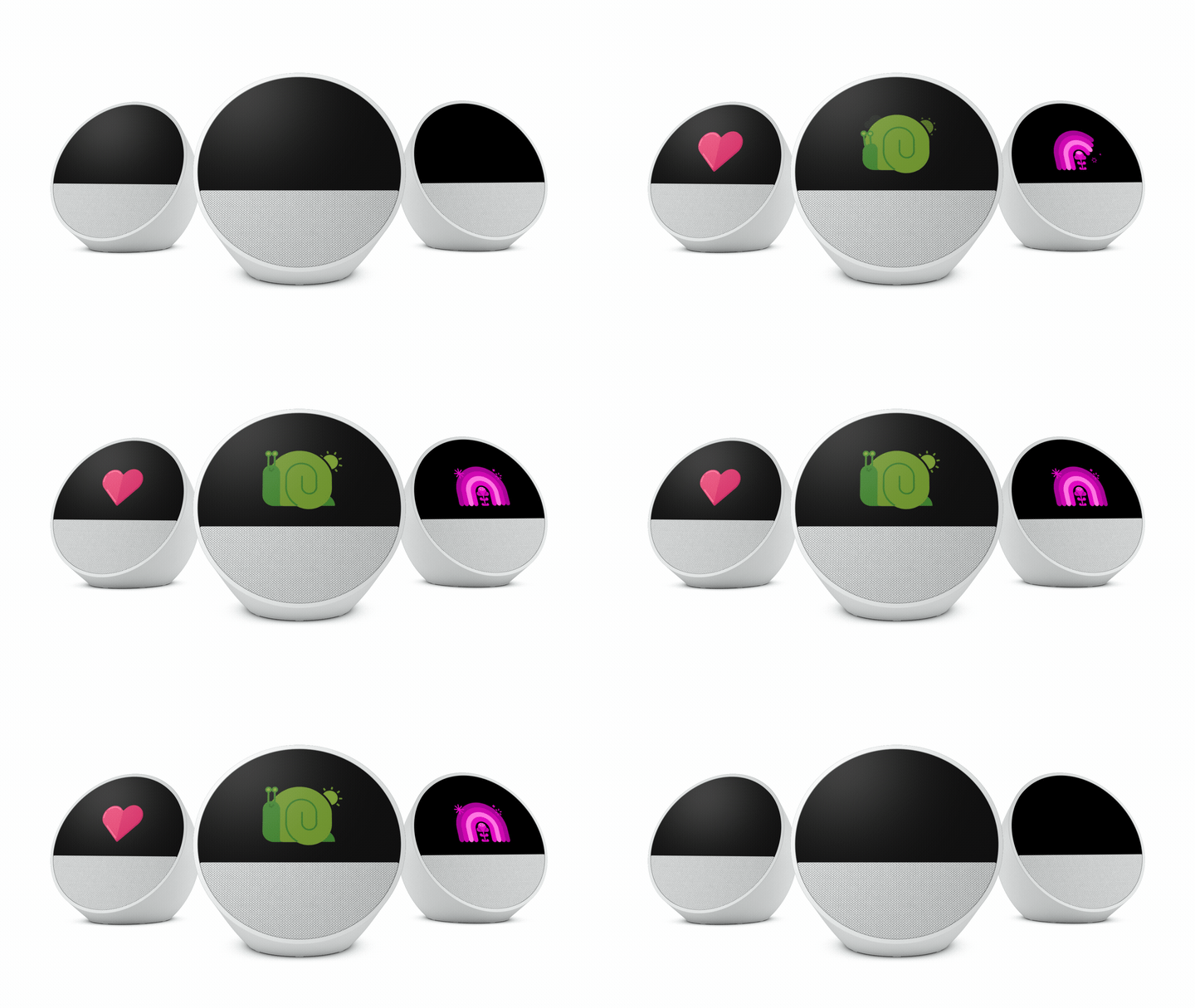
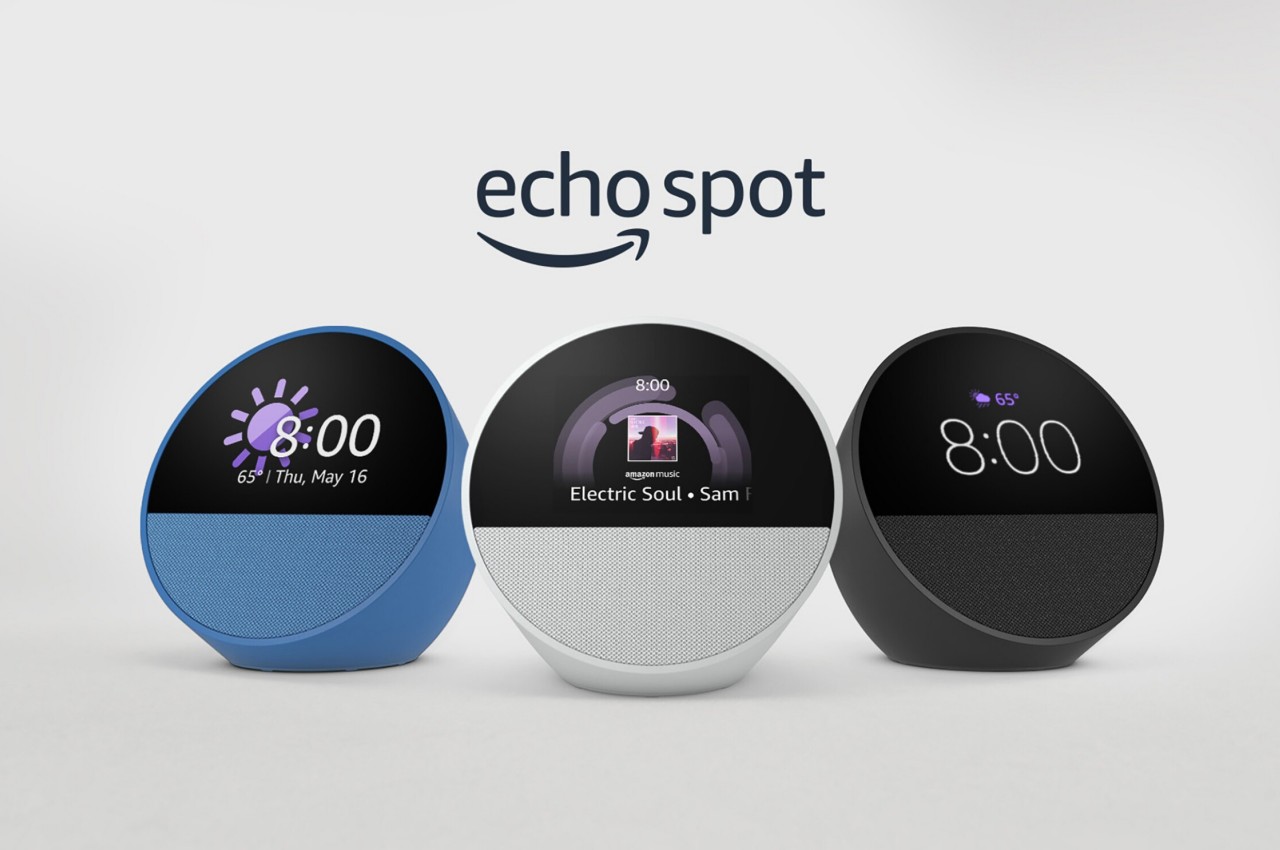
With that functionality out of the way, there’s no longer a reason for a full display on the front, freeing Amazon to adopt a new design that is admittedly more suited for a bedroom. It still has a spherical shape that looks more like a tilted bowl, and the outer surface is still the same matte plastic material. The front, however, is now split in half, with a brighter and more vibrant screen taking up the upper portion, and a fabric-covered 1.73-inch front-facing directional speaker. The new Echo Spot also comes in a new Ocean Blue colorway in addition to the traditional Black and Glacier White.

1

1

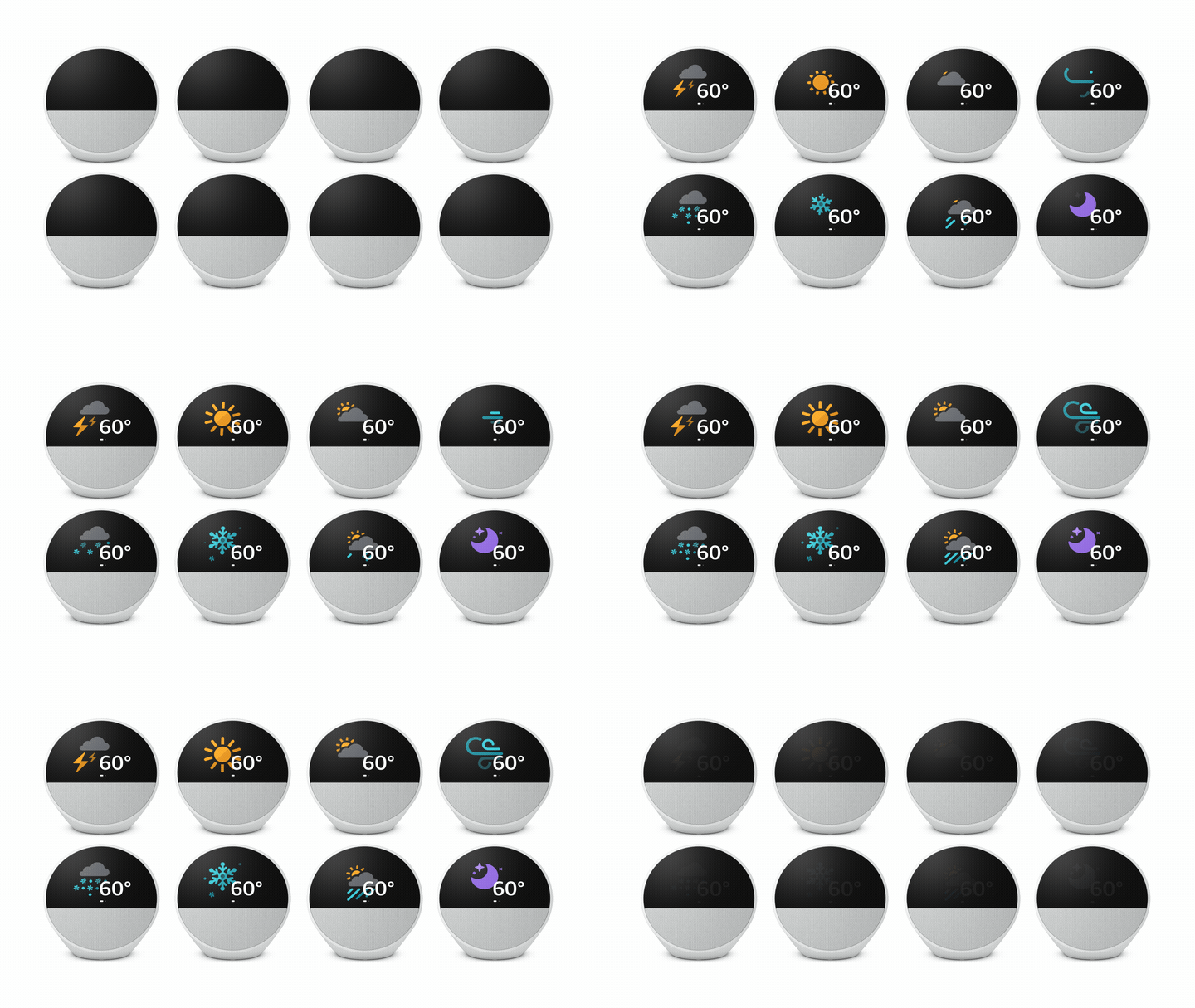
You can still touch that screen to control some of the speaker’s smart functions, though it really shines more when giving visual feedback to queries and commands. Being Amazon, the focus is on voice control and AI smarts, including routines and the ability to control other smart devices in the house. This does mean that the Echo Spot is always listening even if it is never watching, but there’s a physical mute button on its back when you really want that privacy in the bedroom.

The post Amazon Echo Spot returns with a fresh new look that ditches the camera first appeared on Yanko Design.

Foldable keyboard is actually a powerful pocket PC that just needs a screen

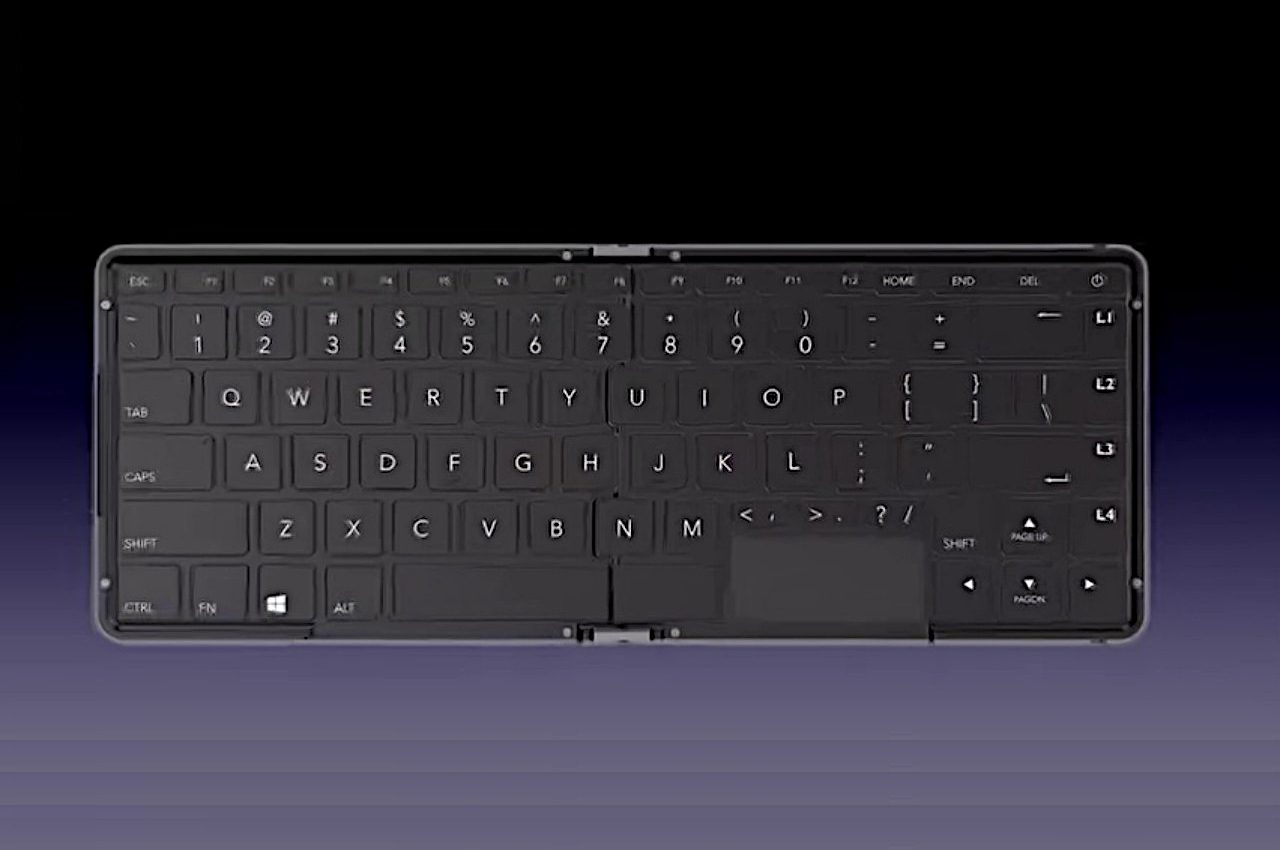
Small-form computers are becoming quite the fad these days, and not just the mini PCs that sit on our desks or hidden behind monitors. There are, of course, handheld gaming PCs like the Steam Deck and ASUS ROG Ally X that are full-fledged computers in their own right. Even the latter, however, might have some trouble being called portable because of their large sizes, at least compared to the sleek and thin Nintendo Switch. There are compromises to be made, however, the smaller you want the device to become, but this rather intriguing design eschews the part that you least expect. Masquerading as a thick and hefty foldable keyboard, this literal pocket PC will let you work or even play anywhere, as long as you have a monitor with you as well.

Designer: Linglong

It’s pretty amazing how far computing technology has gone when it comes to minimizing the space taken up by components. Handheld gaming PCs, for example, have hardware that you’d normally only find in gaming laptops from a few years back. Despite that, there’s no escaping the laws of physics, especially if you have to make room for things like a small display and controls. But if all you really want is a computer you can take with you anywhere, then this foldable keyboard PC is probably the way to go.

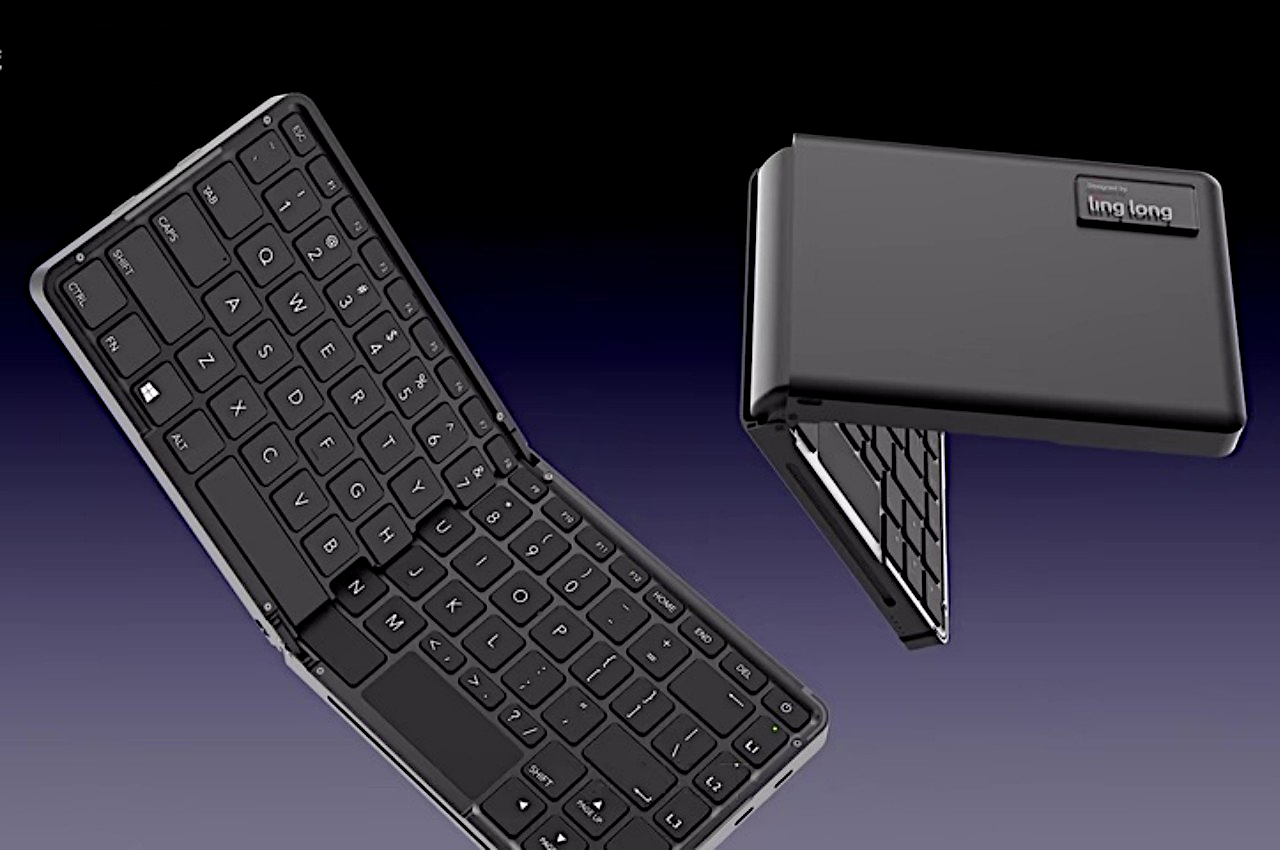
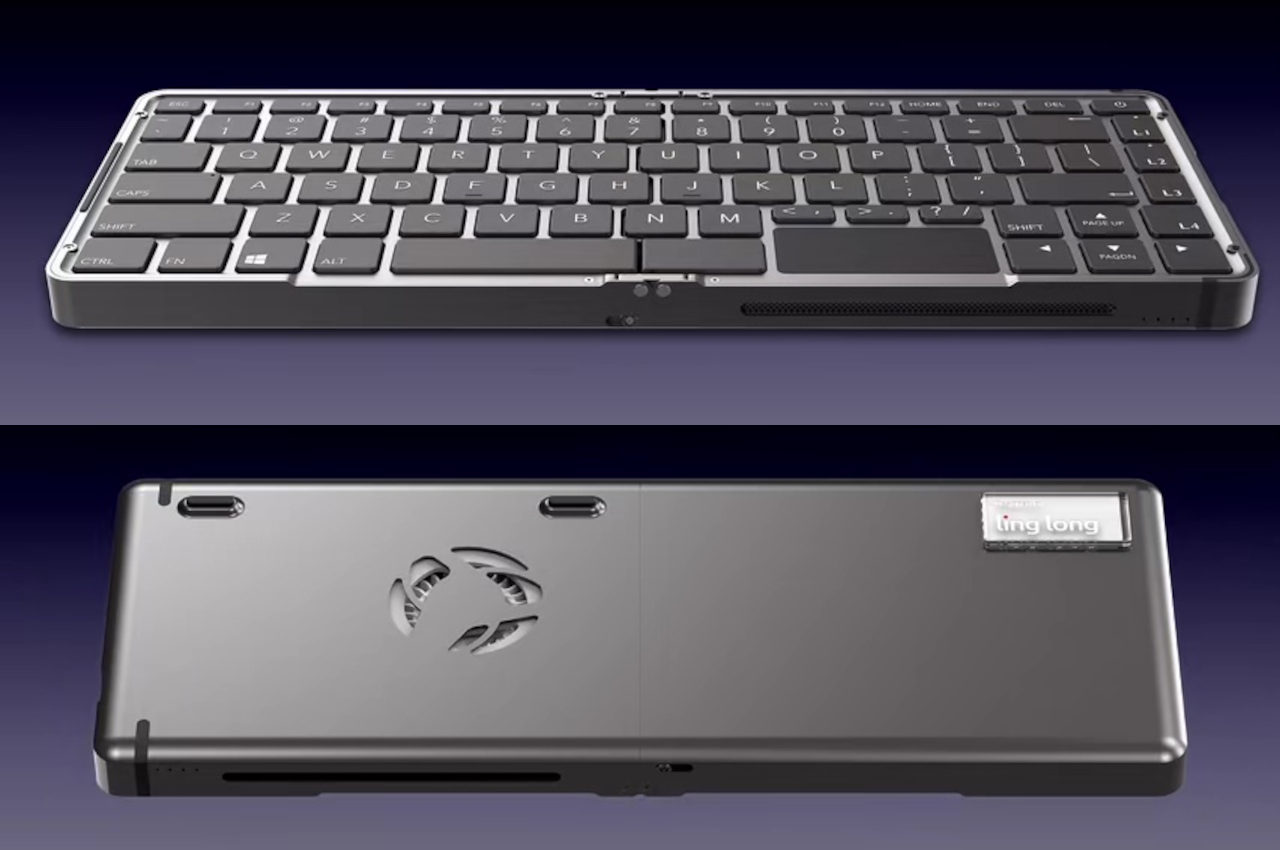
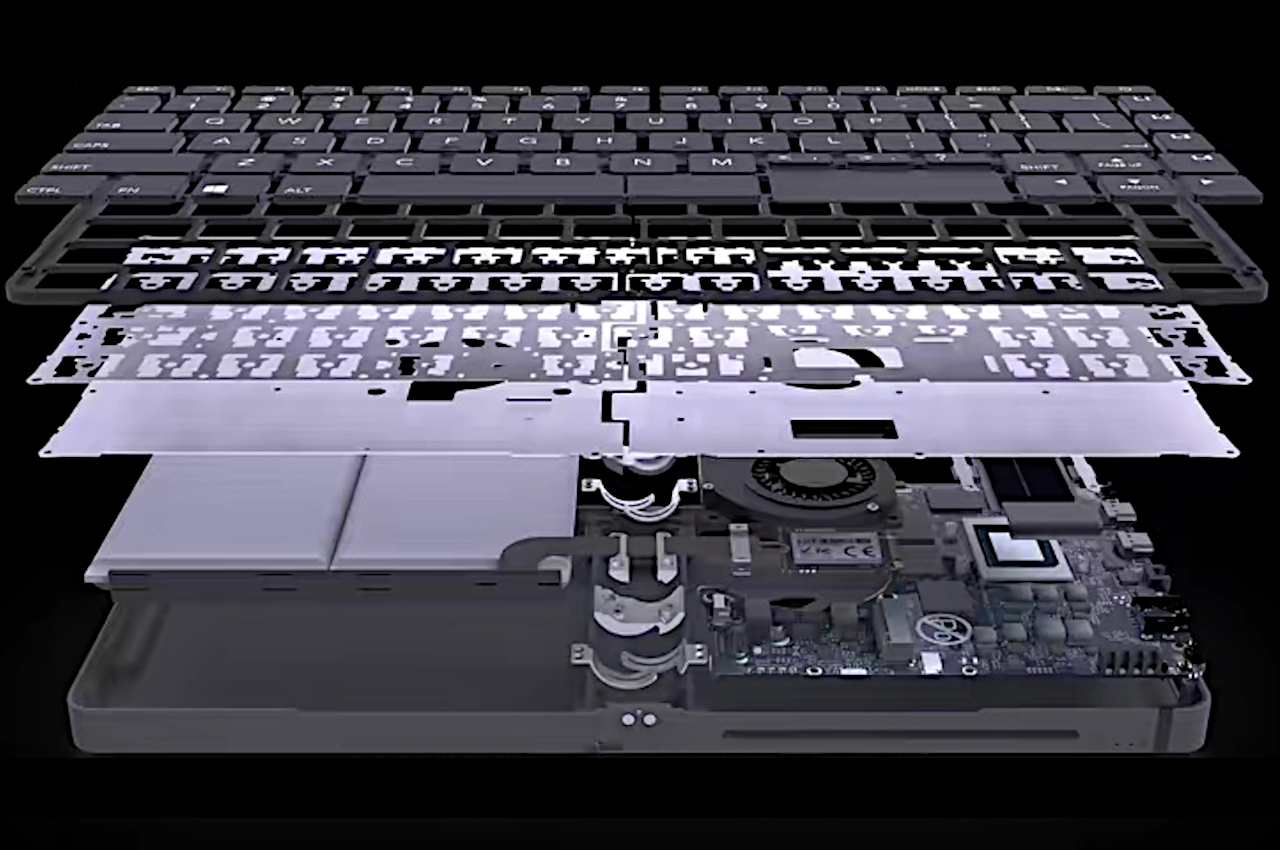
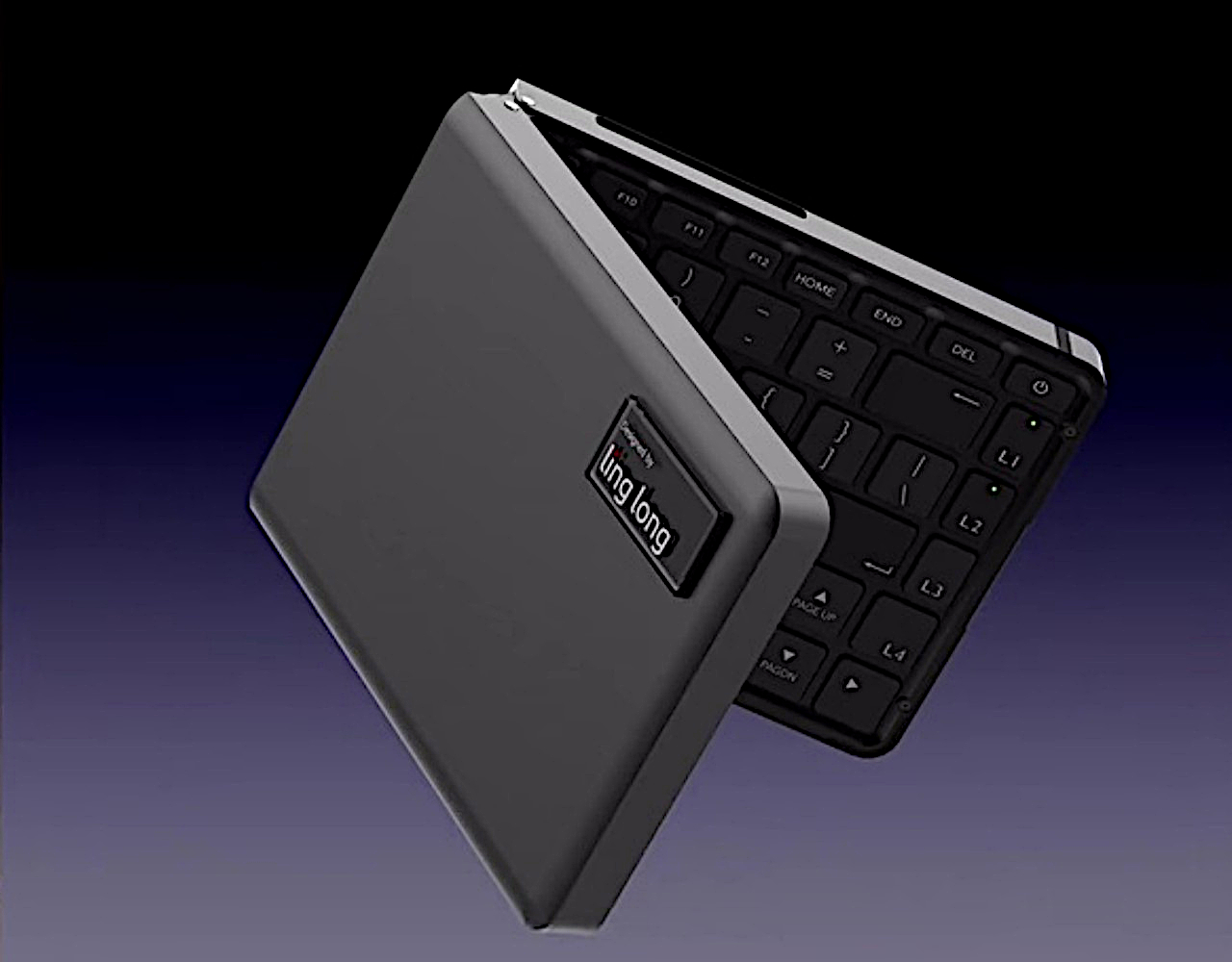
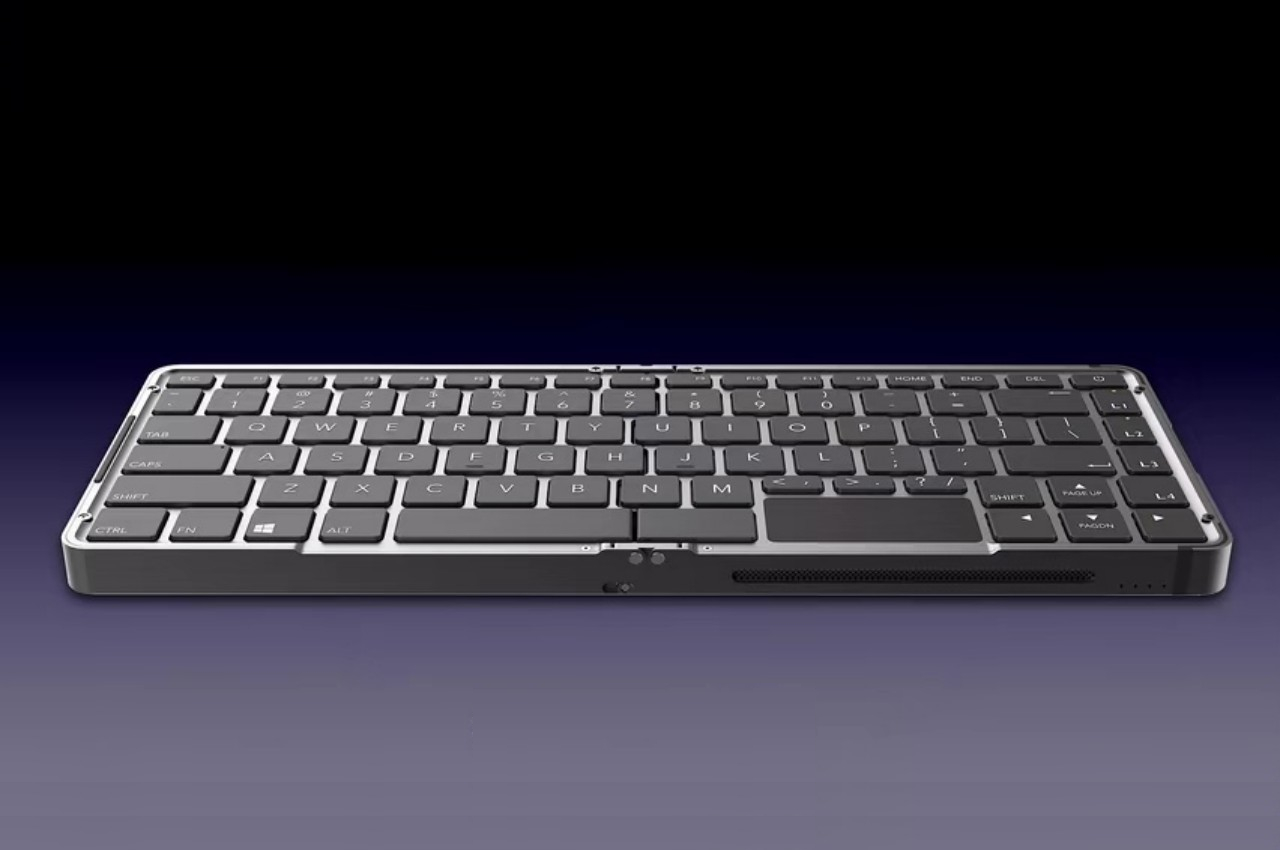
It’s small enough to fit in your back pocket, presuming you have very large pockets or don’t mind having a large bulge on your behind. It looks like and behaves like those typical single-fold foldable keyboards, except it’s quite thick and heavy in comparison. There’s a reason for that, of course, and that’s because it’s hiding an almost complete PC package, processor, memory, and even battery. All that’s missing is a screen.

It runs on an AMD Ryzen 7 8840U processor, the very same chip used by powerful gaming handhelds, with up to 32GB of RAM and 1TB of storage. These pieces fit inside one half of the keyboard, along with a fan and cooling system to keep the tiny computer running smoothly without burning up. The other half houses a 60W battery, advertised to run for up to 10 hours of light computing, presuming you don’t have a screen attached.

Unless you’re some kind of technomancer, you will, of course, want to connect it to a display, but that’s where the fun starts as well. That display doesn’t have to be a traditional traditional monitor after all. It could be a portable monitor, a pen display, or, better yet, smart glasses like the Xreal Airs. With a tiny touchpad and the built-in battery, this could very well be the perfect setup for these XR glasses, though the limited availability of this China-only device will have some probably just dreaming of better days.

The post Foldable keyboard is actually a powerful pocket PC that just needs a screen first appeared on Yanko Design.
Mobile power bank concept can be used horizontally or vertically to maximize space

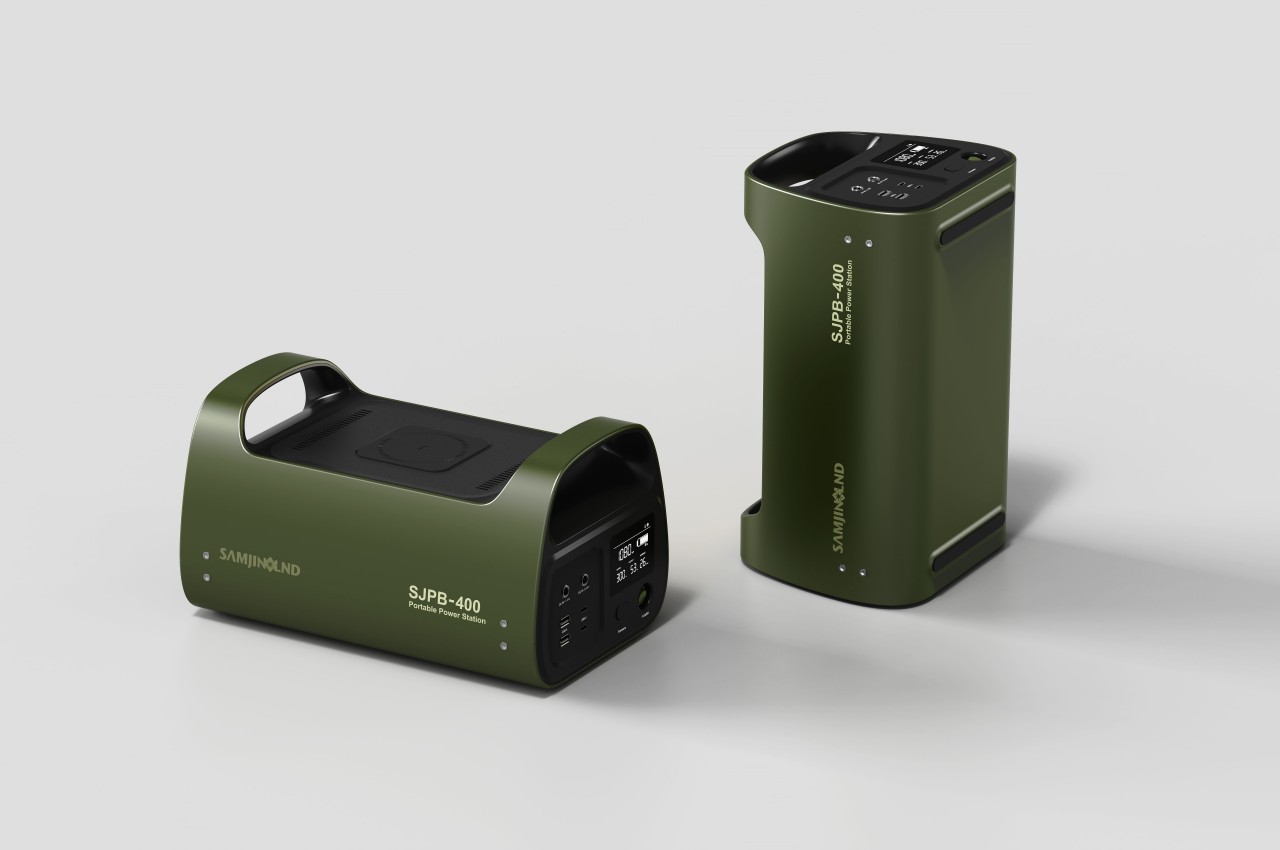
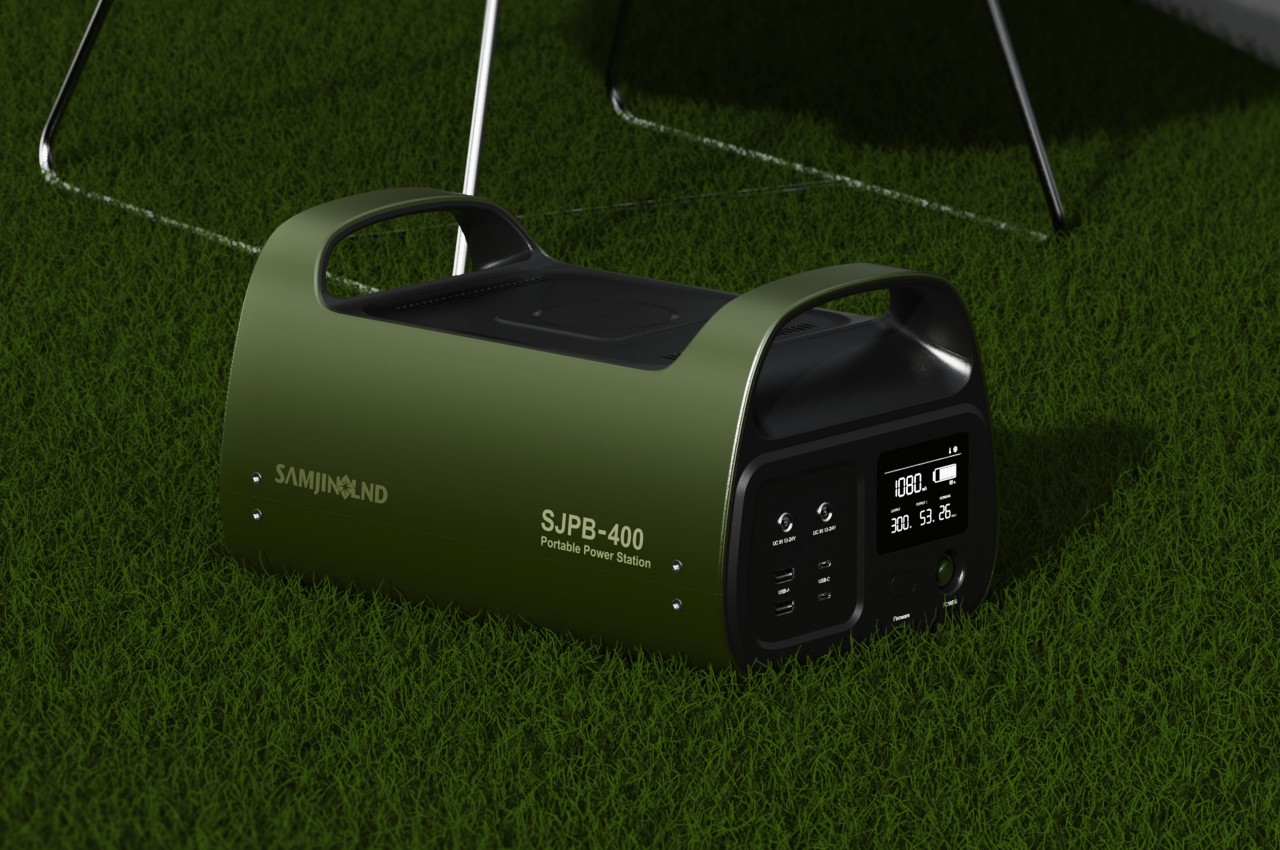
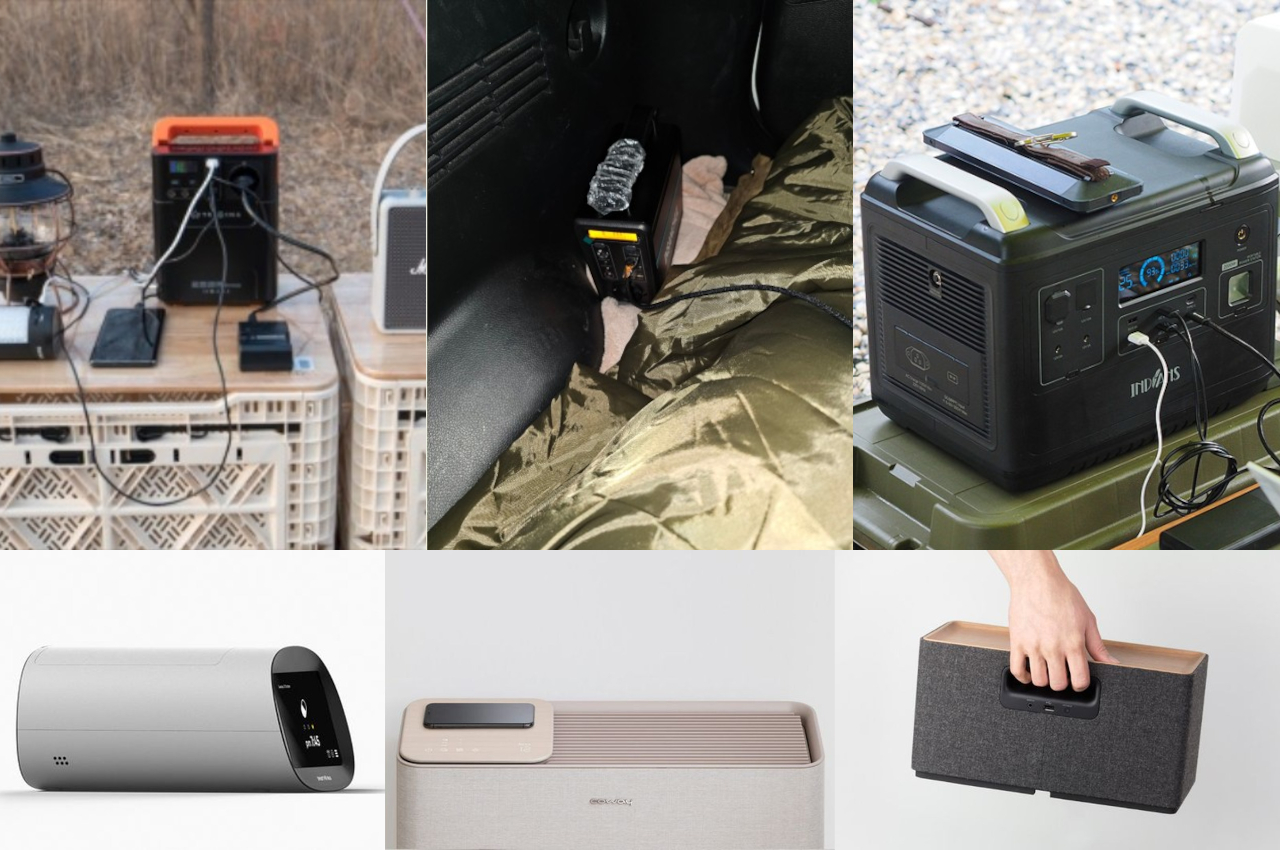
It’s almost comical how we’ve become so attached to our electronic devices that we start to panic whenever our batteries go red. That’s why there’s a large and thriving market for all kinds of portable battery solutions, ranging from pocket-sized blocks just for your smartphone to hulking boxes for a few night’s stay outdoors. The latter, while portable, aren’t exactly space-efficient, especially when it comes to the horizontal space you need to use them. This concept for a portable power station literally turns the design on its head by letting you use the large battery standing up, except for one or two cases where you’ll need it to lie down anyway.

Designer: Real Design

The design convention for large power stations is horizontal boxes as these are definitely the most space-efficient shapes. You can easily stow them in cabinets, trunks, and other storage solutions while allowing you to pack other objects beside or even on top of them. When in use, however, that horizontal orientation can actually be wasteful, especially if you don’t have much space on the ground or on the table in the first place.

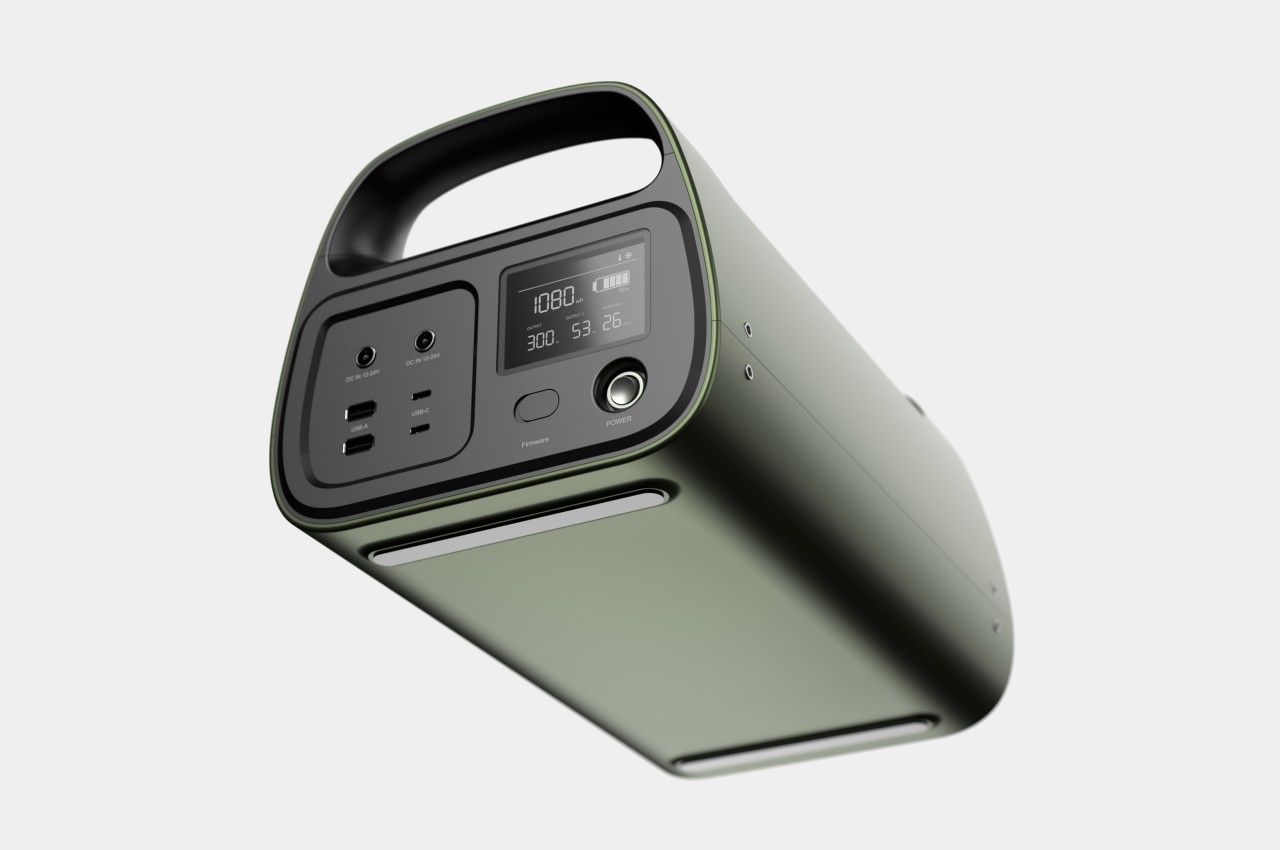
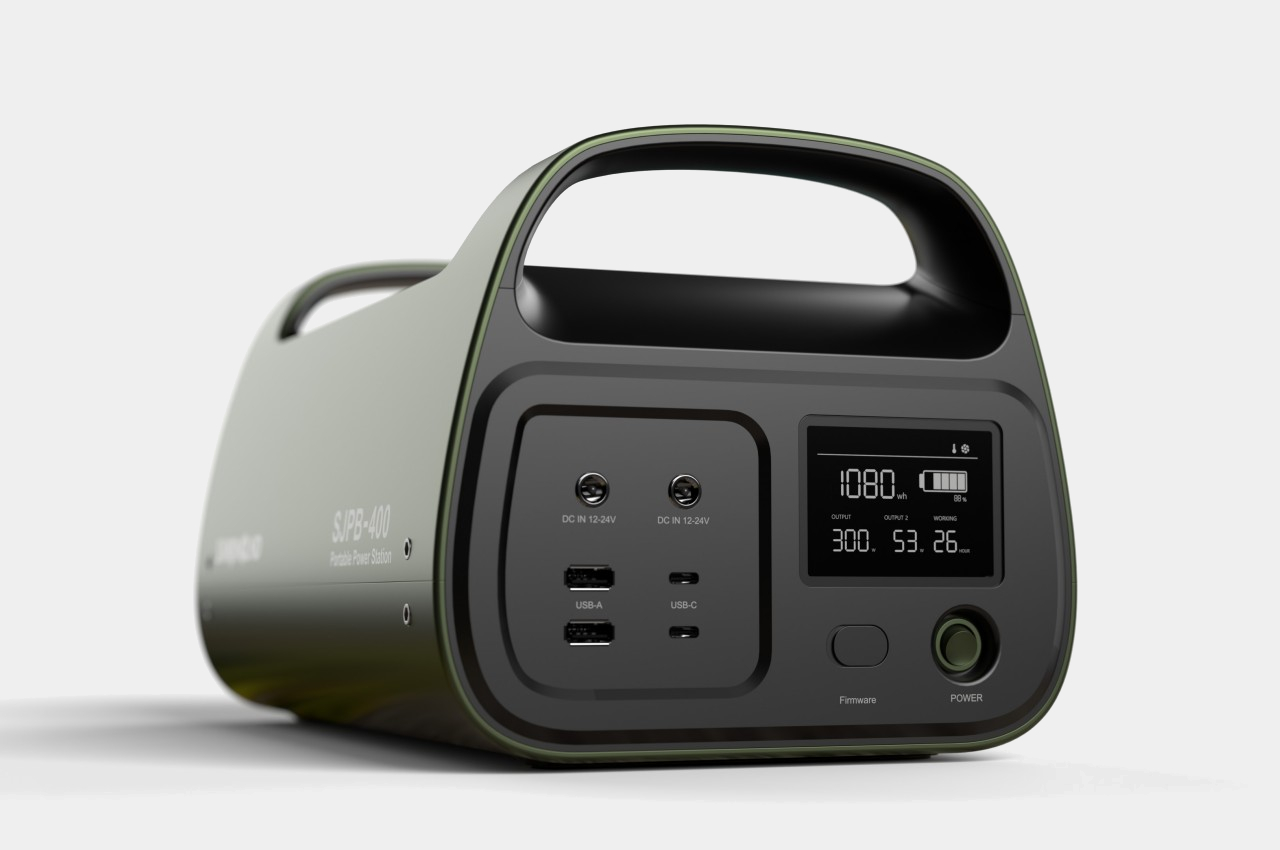
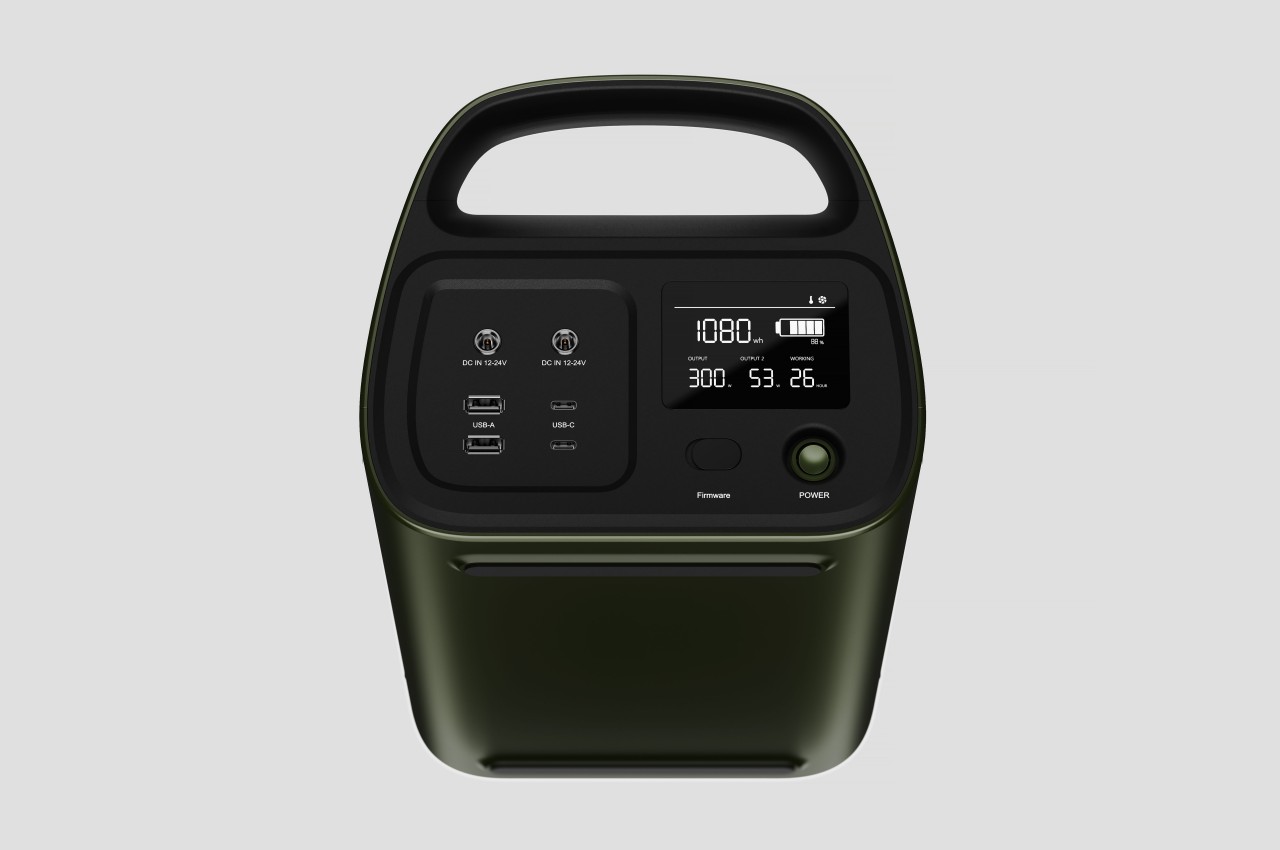
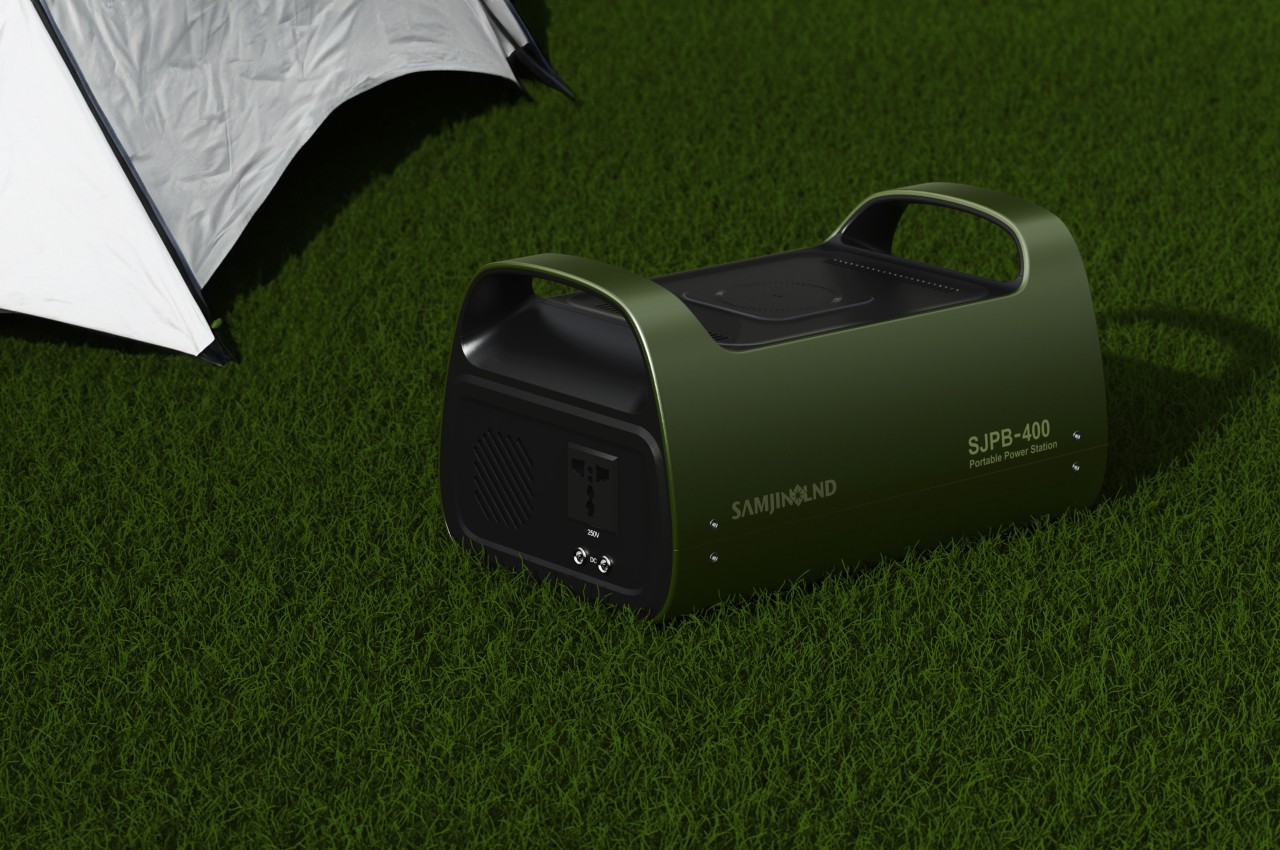
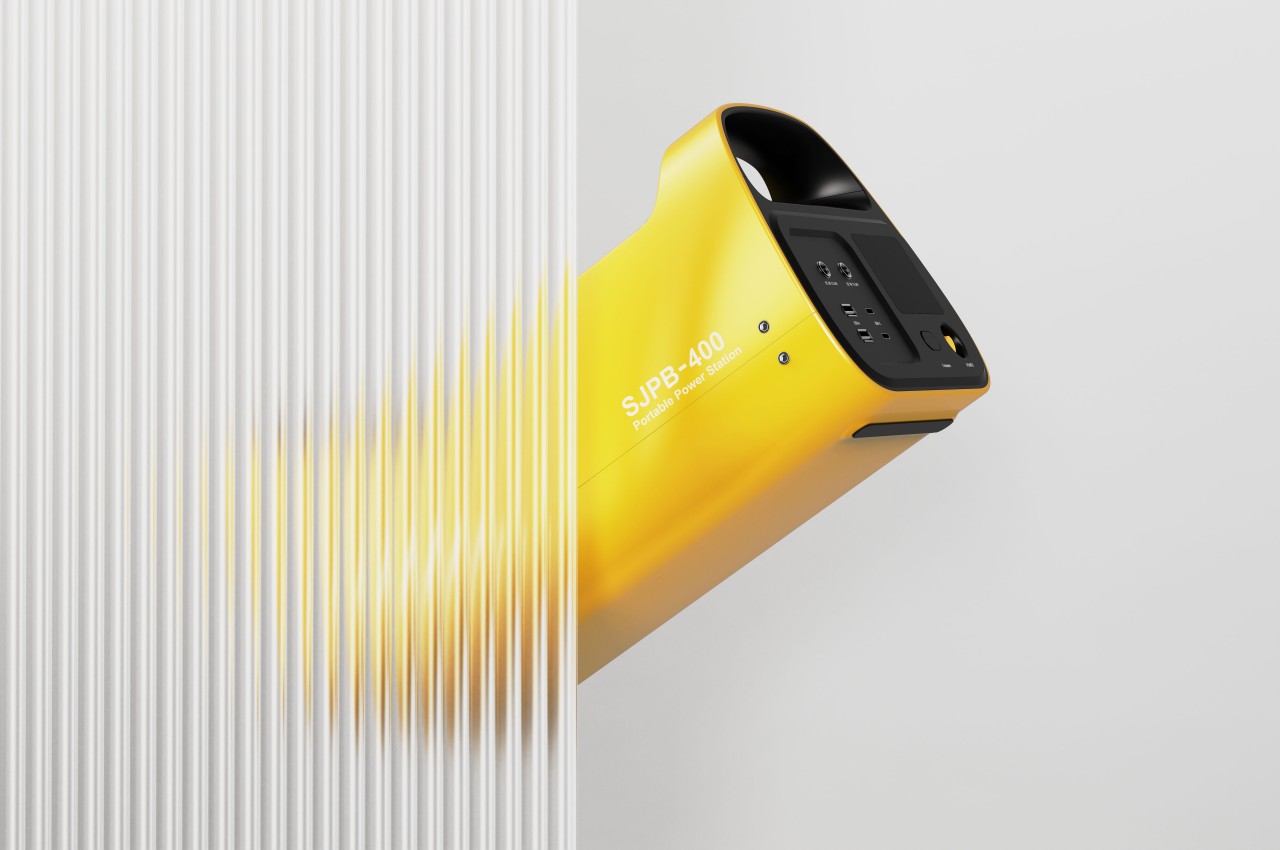
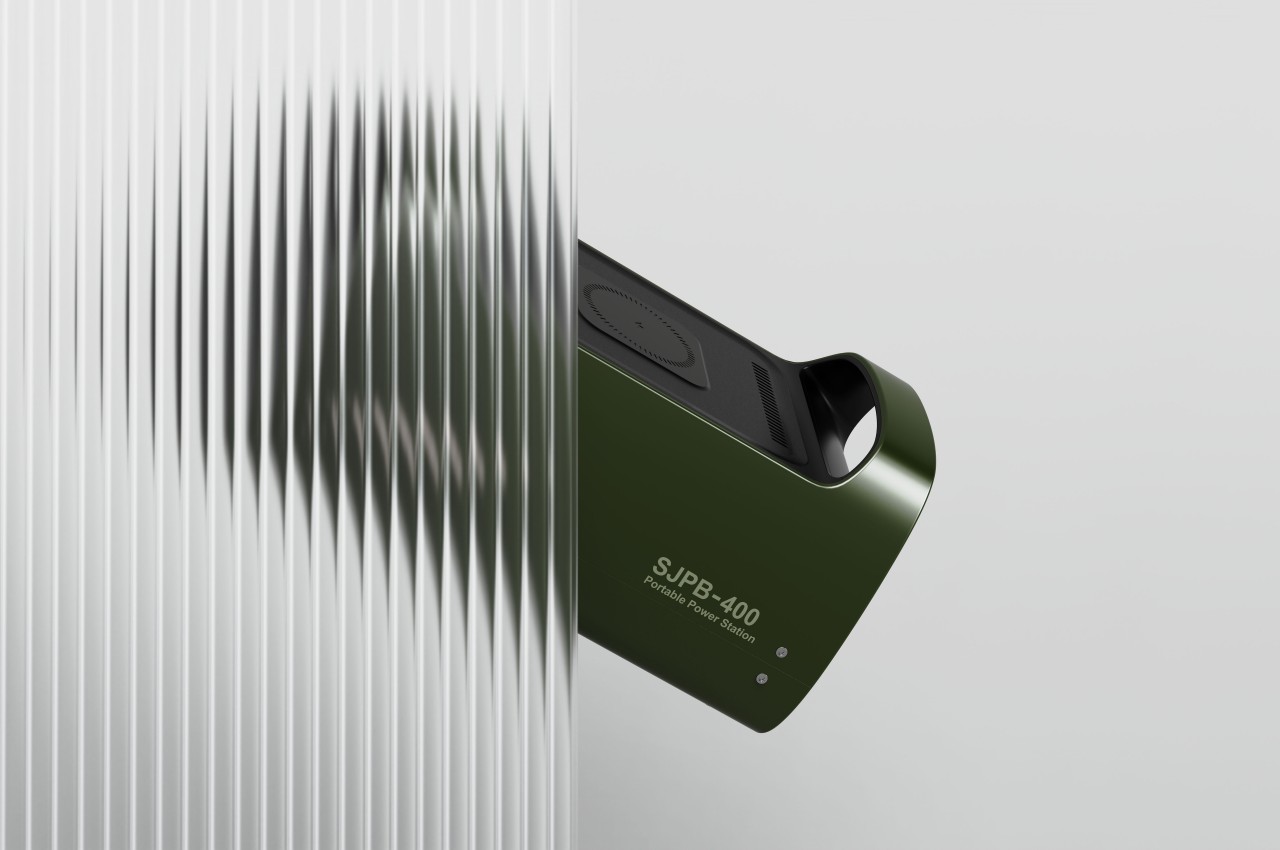
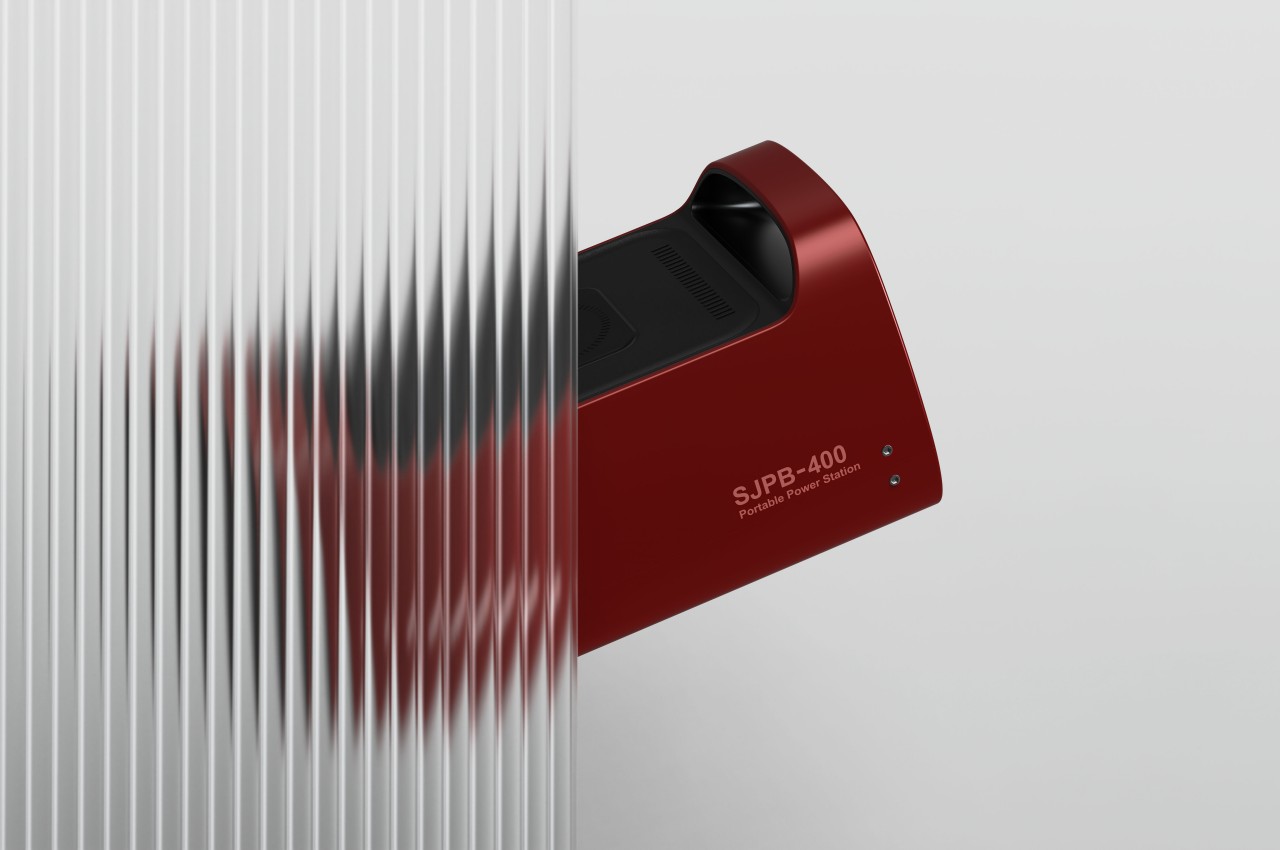
The SJPB-400 Mobile Power Bank is designed with a dual orientation in mind, allowing you to stand it up and put it down on the ground beside your table. You can still have easy access to its most important ports since they’re located not in the “front” of the box but off to one side, which becomes the “top” of the power bank in that position. Other boxy power stations can probably be put up like that as well, but not only are their vents blocked, the ports become harder to use as well.
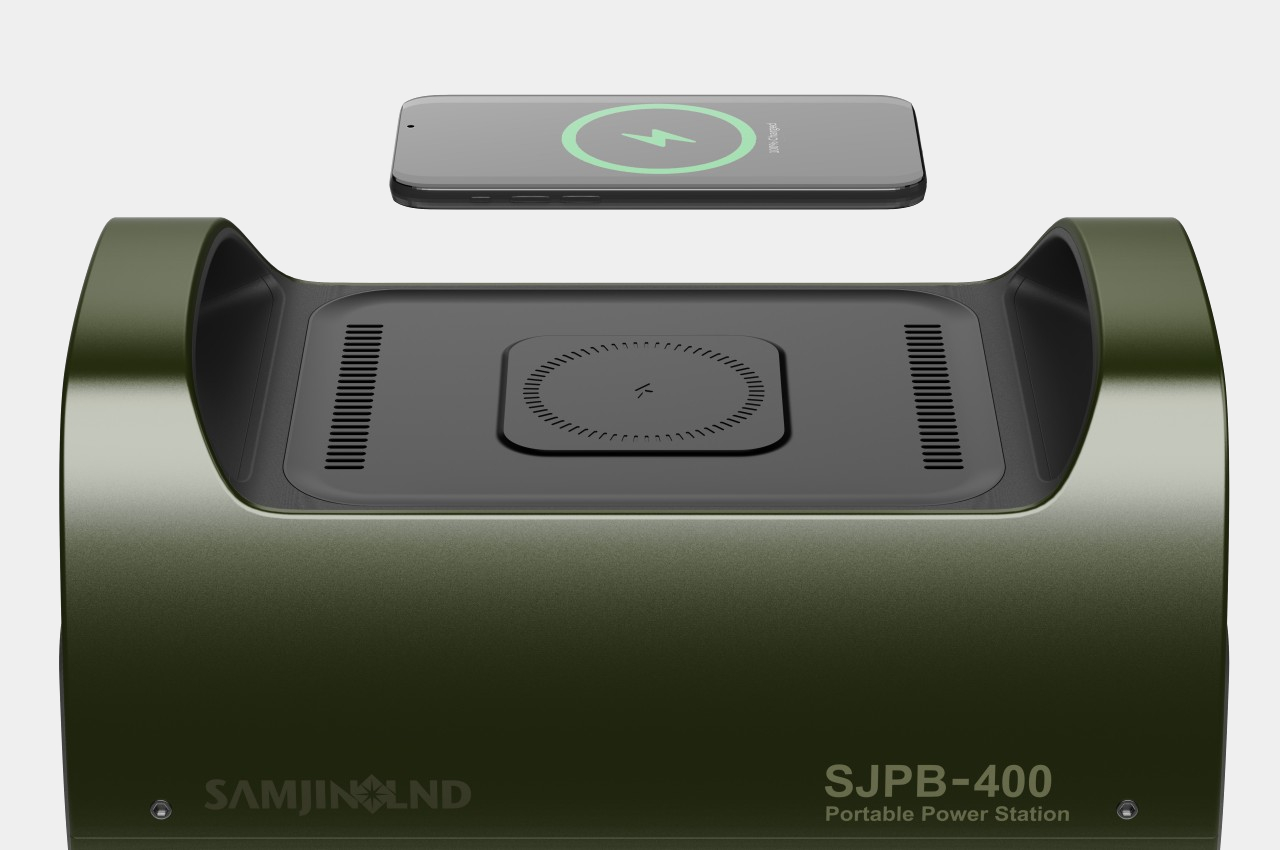
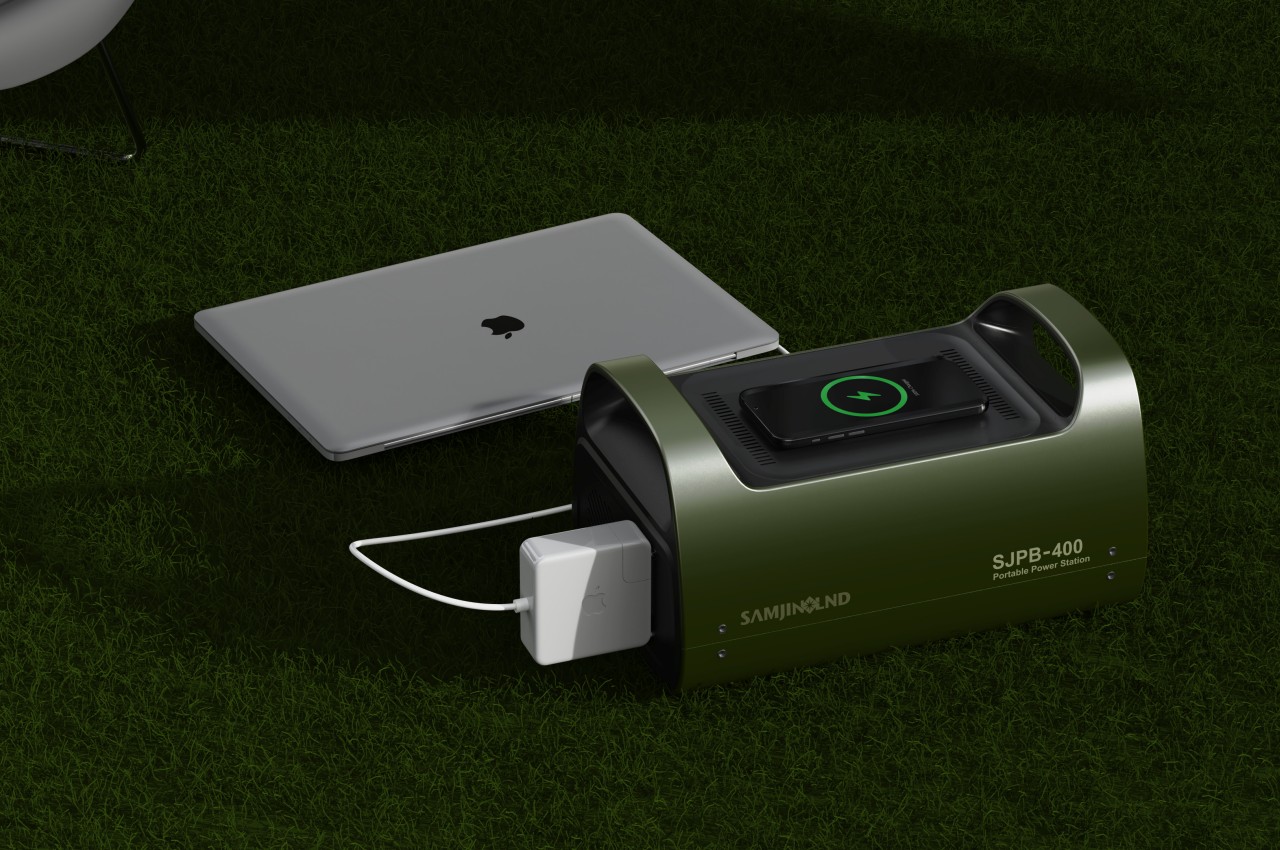
Admittedly, this flexible design does have its disadvantages, even in the case of the SJPB-400 concept. This mobile power bank has a wireless charger on its longer side, so you can’t use it while it’s standing up and vertical, not unless it uses MagSafe or similar technologies that will keep the phone from falling. Regardless, the lone AC outlet on the opposite side of the USB ports will remain inaccessible, so it’s something the user will have to consider on a case-to-case basis.

One design feature of this concept that goes against its space efficiency is the handles on each side. They do improve the power bank’s portability and ergonomics when carrying it, but it comes at the expense of compactness and simplicity. You won’t be able to put anything on top that doesn’t fit between those handles, so packing will become a puzzle game of trying to fit pieces together.

The post Mobile power bank concept can be used horizontally or vertically to maximize space first appeared on Yanko Design.