Handle-free mug exercises your grip while sipping your coffee

Drinking coffee or tea is often imagined as a relaxing and chill activity. That’s why cups and mugs for these drinks are designed with comfort in mind. Handles are, of course, the main part that makes it possible to hold even a piping-hot mug of cocoa with confidence.

But what if you took that conventional handle away? Would that mean being cursed with cold or, worse, lukewarm beverages only? This mug has a rather interesting answer to the question no one really asked, designing a mug that you can still safely grip regardless of the contents, presuming you have the finger strength to do it. Or, at the very least, develop that strength from gripping this mug made for rock climbers.

Designer: ma3t

Grabbing a mug of hot liquid with your bare hands is nothing short of dangerous, which is why handles were made for this kind of drinkware. As long as you keep most of your hand away from the mug’s body, however, you’re mostly safe from burns and pain. Even if you just need to grip some parts with your fingertips, all will be fine. Hopefully.

The Pinch Hold Mug was designed precisely in that fashion. While most of the mug is smooth, one side has a rough and uneven surface that would remind you of a rocky crag on the side of a cliff. There are specific indentations where you could place your fingers on and grip them with just your fingertips. It’s definitely a precarious grip, unlike the confidence of a handle, so why would anyone design such a mug?

The answer is that while this mug still lets you enjoy your coffee, tea, or cocoa, it also makes you work for it by exercising your grip every time you want to lift it up. In other words, it’s designed precisely to exercise how you would hold on to rocks while climbing mountain faces and cliffs. If you haven’t guessed yet, it’s a mug designed for rock climbers, but anyone with a strong grip can also get some exercise as well.

The Pinch Hold Mug also strikes an interesting visual, with the juxtaposition of smooth and rough surfaces on opposite sides. It’s made from bone china with a white finish, which is a bit ironic for its rocky inspiration. There’s also a tinier Espresso Cup version designed to hold double shots with some milk for those who like their coffee strong and their grips small.

The post Handle-free mug exercises your grip while sipping your coffee first appeared on Yanko Design.

Circular trackpad concept tries to upgrade the way we use computers

The computer mouse is innately an unintuitive device and yet has become the most common way we interact with computers. There might be times when direct input through touchscreens is better, but that only works if you’re using a tablet or a touch-enabled monitor. A trackpad, like the ones built into laptops, stands somewhere in between, but it isn’t of much use to desktop users or even for laptops that have very small trackpads.

Apple users have the advantage of having something like the Magic Trackpad exactly for that purpose, but the choices on the Windows side of the computing landscape are very slim. Most of them simply offer the same limited functionality as laptop trackpads, as if they just yanked those out and made them a separate device. This concept, however, goes the extra mile to make the trackpad not only look more elegant but also offer a better user experience.

Designer: Ivan Llaneza

Unlike a touchscreen, a mouse provides an indirect interaction method where you use it to move a cursor around as a proxy for your finger. A trackpad works the same way but uses a more or less flat surface that, to some extent, makes it almost feel like you’re remotely doing it on the screen rather than moving a soap-shaped device. The ergonomic problem with laptop trackpads is their location beneath the keyboard, so some prefer having an external version off to the side in place of a mouse.

PAD is a trackpad design concept that provides an experience similar to the Apple Magic Trackpad. But unlike that already popular solution, the design goes beyond simply replicating a trackpad. For one, its circular, dome-shaped design gives it a unique appearance, and its focus on premium materials separates it from typical plastic mice.

More importantly, however, PAD thinks of ways to improve or augment that user experience. Given its circular shape, it’s possible to press not just the left and right edges but also the front and the back for additional mouse buttons. The top surface is also touch-sensitive, so touch gestures also work there. In fact, the middle of the dome can have an embedded fingerprint scanner, which makes PAD a secure authentication tool as well.

The design also goes beyond mouse functions, and it’s not just the RGB lighting around the rim. Since you won’t be moving PAD around your desk, it’s possible to use it as data storage. It can also have a microphone and small speakers for use with an AI assistant. The latter might be overkill for a computer pointing device, but given how AI is being incorporated into almost everything, it won’t be an alien concept in just a few years.

The post Circular trackpad concept tries to upgrade the way we use computers first appeared on Yanko Design.

Nokia 7610 5G concept is a dreamy fusion of past and future

The former mobile giant Nokia was both famed and notorious for its innumerable phones, some of which have gone down in history for their iconic designs. There are some, however, that have also gone down in infamy for their odd designs that, while eye-catching, end up being unusable. Although not the biggest culprit, the Nokia 7610 belongs to the latter group with its curved and off-center keypad.

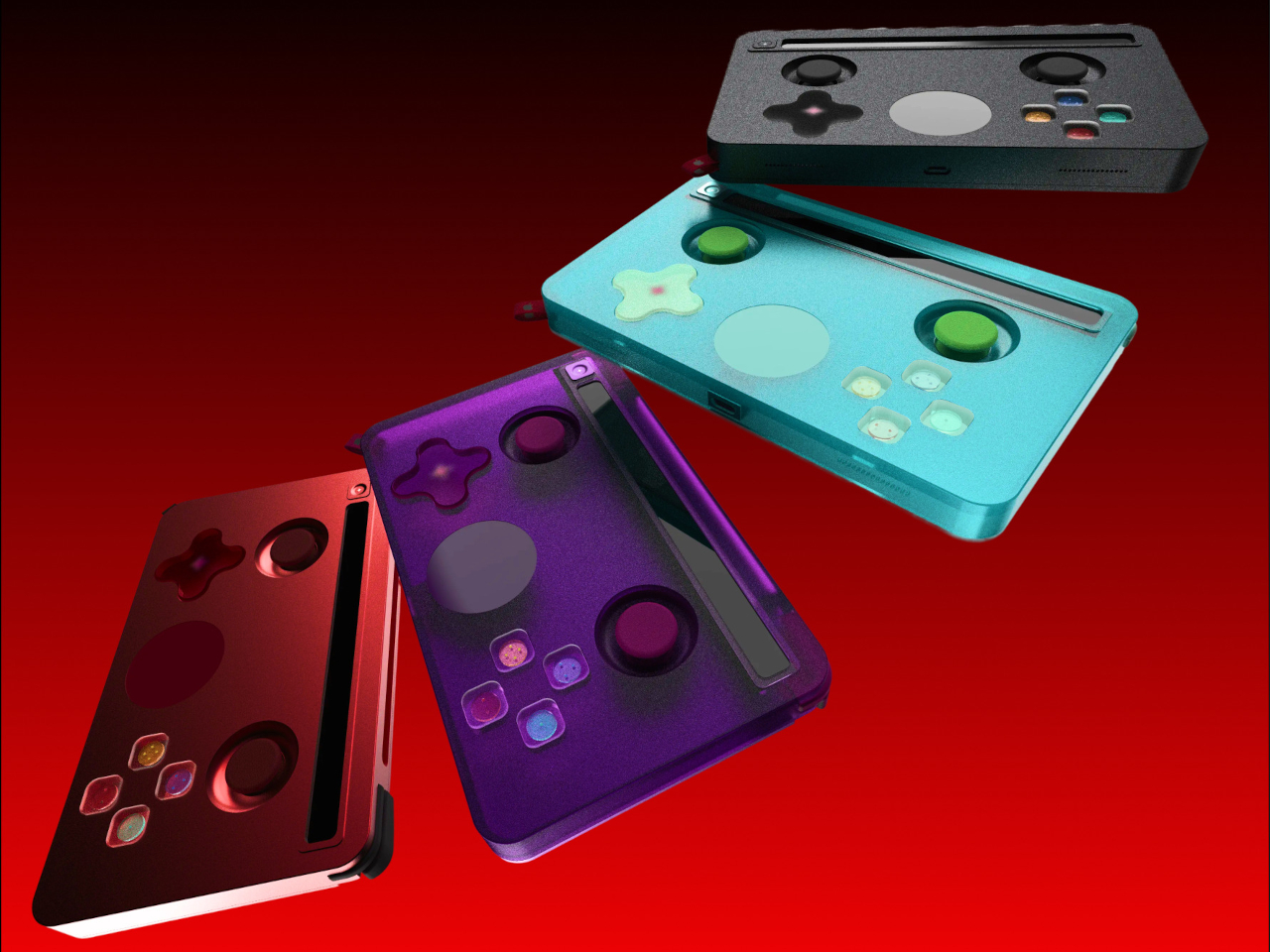
With HMD reviving some of Nokia’s classic designs, there has been some interest in modern interpretations of these peculiar phones. This concept design for a 5G variant of this “stylish” phone, for example, retains the basic contours of the original but thankfully prioritizes usability over glamour, though not without a gimmick of its own.

Designer: AndroidLeo

Although it stuck to the conventional vertical candy bar format, the Nokia 7610 is characterized by an odd combination of sharp and curved corners on opposite sides, giving it a leaf-like shape. What made it even more unusual, however, was the shape of its keys. While it also conformed to the T9 layout, the keys curved a bit and had non-uniform sizes, making them harder to hit accurately by muscle memory alone.

The Nokia 7610 5G concept ditches that novelty for a more standard keypad layout, one that would be instantly familiar to users of those old phones. The keypad is, however, still off to the right side, and the empty spot on the left is taken up by a large flat circular that functions as a sort of joystick controller. Whether that has any actual useful function is debatable, but it does make the phone look unique and a little more balanced.

In almost all other aspects, this concept would look like any Android-like phone, but there are some details you’d be hard-pressed to find in modern smartphones. There’s a headphone jack, for one, which is a rare sight these days. The battery is also replaceable, hidden behind a removable panel on the back.

These details are a homage to some of the things that made Nokia phones great, despite their odd and sometimes unusable designs. There is a strong focus on functionality, paired with the courage to risk novel and untested designs. We’re unlikely to see the Nokia 7610 revived the way other Nokia classics have been, but this concept is still an interesting experiment in reinterpreting that design language for modern needs and tastes.

The post Nokia 7610 5G concept is a dreamy fusion of past and future first appeared on Yanko Design.

Best Glass Cup Made with Recycled Glass for a Delightful Drink Every Time

Drinking, whether it’s water, coffee, or soda, is such an essential part of human life that we usually do it on autopilot. That’s why we also take for granted the vessel we’re drinking from, not realizing how much it can affect not only the taste but also the entire experience. Materials can subtly change the flavor of the drink or even create toxins, while uninspiring designs can affect our moods without us even realizing why we feel so sour or down. More importantly, we rarely take into account how our cups and glasses can affect the health of the planet in the long run. That’s definitely a lot to take in for a single cup, but this simple yet striking glassware makes it all so simple, providing a design that’s not only beautiful on the outside but also on the inside, especially for the world we live in.

Designer: HMM (Human Made Method) Design

Click Here to Buy Now: $35

The Problem: Bland, Harmful Drinkware

Glasses, mugs, and cups are so ubiquitous that we barely give them a second look whenever we drink. But like the mess that starts to pile up on our desks or in our rooms, they actually have an effect on our minds and our moods. Drinking from a plain, uninspiring, and rough cup is a completely different experience from using a smooth, beautiful, and luxurious vessel. The latter makes every sip feel special as if enjoying fine wine even when you’re simply drinking water. It uplifts the spirit as much as it nourishes the body.

And there’s the fact that not all drinkware is made equal, even those made from metal and glass. They can have harmful chemicals mixed in that interact with the liquid inside, changing their flavors and sometimes even causing harm to our health. They also slowly kill the planet, especially the numerous plastic drinkware that fill the market and our cupboards. Wouldn’t it be nice to feel great not only because you’re drinking from a beautiful glass cup but also because you know you’re doing your small part to protect the planet? That’s the blissful drinking experience that this exquisite glass cup is offering, made from recycled glass that, in turn, is also completely recyclable.

Why is this the Best Glass Cup

This sustainable glass cup has a beauty that goes beyond just appearances. It uses glass that’s collected and recycled by Taiwan’s largest glass recycling center and the product is a material that’s also 100% recyclable glass. This means that at the end of its life, this beautiful glass cup can be properly disposed of or even recycled for some other use, creating a circular economy that keeps on giving without harming the planet in the process.

Admittedly, that invisible detail might be lost on some people, especially when they’re distracted by the cup’s beauty. Rather than just a straightforward cylindrical body, the glass’s faceted shape has 12 angles that stand for the 12 hours on a clock’s face, symbolizing the cycle of the day and of life. And instead of being clear and transparent, glass-dyeing techniques add a visual flavor to the cup whenever light passes through it and the beverage inside. Each glass is handmade by seasoned craftsmen, which sometimes results in tiny bubbles or traces on the surface of the glass. Rather than being imperfections, these give each cup a unique character and story, adding to the vessel’s charm.

Who this Glass Cup is For

With such a stylish and elegant glass, anyone can experience a more meaningful drink, regardless of their preferred beverage. With a heat-proof handle, holding a cup of your favorite coffee blend is no problem. And with its smooth circular inner surface, cleaning after a drink of wine is no sweat at all. A delight to the eyes and a treat for your lips, this Sustainable Glass Cup turns every sip into a deeper, multi-sensory experience, allowing you to savor not only the unadulterated flavors of your favored beverages but also the gratifying thoughts of supporting a circular economy that will create a brighter and greener tomorrow.

Click Here to Buy Now: $35

The post Best Glass Cup Made with Recycled Glass for a Delightful Drink Every Time first appeared on Yanko Design.

Artistic wall clock design adds a symbol-laden design object to your space

Almost all homes have one or more wall clocks to tell the time, but if that’s all they ever did, they would be a waste of precious space. They’re also a missed opportunity to add more value to a space with their presence, which is why there are plenty of clock designs that span a wide range of motifs and styles. Some are spartan and minimalist, while others are luxurious and elaborate.

Still, others are simple yet bear a lot of meaning to those who dare to look closer. This design, for example, might simply look like a beautiful yet ordinary clock. At least until you realize that it’s almost like it’s staring back at you, inviting you to get lost in its fusion of art and functionality.

Designer: Ivan Llaneza

Although there are people who prefer digital watches or even smartwatches, it seems that the majority still lean toward the timeless appearance of an analog wall clock. Even if it doesn’t offer a precise reading, especially from a distance, these circular objects with their thin moving hands convey a more relatable concept of time compared to changing numbers. There’s an almost mystical aspect to the notion of time, and analog clocks are able to capture it better than digital ones.

Time’s Gaze is a design that tries to express that character in a striking yet subtle way. While the clock face itself is a simple circle with golden accents for the hands and markers, it’s the combination of the intersecting wooden arcs behind it that gives it a more interesting appearance. Although its default installation is vertical, turning it sideways reveals a shape similar to an all-seeing eye gazing back at you.

Another and more subtle symbolism expressed by this clock design is that of the broken infinity symbol. The regular looping iconography represents eternity and a continuous flow of time. Breaking it at the ends, so to speak, captures a small segment of that, like a snapshot of time to represent the present moment.

Even without these deeper meanings, the Time’s Gaze clock design is definitely an eye-catching (pardon the pun) design object. It’s a bit strange that it’s not designed to be mounted in a horizontal position, which would make its “eye” metaphor more evident. Perhaps that stops it from being a little too obvious and unsettling, like some otherworldly being spying on you all the time.

The post Artistic wall clock design adds a symbol-laden design object to your space first appeared on Yanko Design.

Bowl-shaped meditation speaker concept uses picture cards to play the perfect music

There is a great deal of interest in mindfulness practices that almost borders on obsession, so it’s no surprise that there are just as many apps advertising the perfect solution. Even something like playing calming music has dozens of smartphone apps for it. It’s a handy feature that you can take with you and use anywhere, but it also carries the risk of temptations and distractions.

A dedicated meditation device can take away those pitfalls, especially if it comes in a form that inspires a more relaxed state. Even better if it has a simple interaction model that takes away any ambiguity or complexity, like this speaker concept that uses a simple method of placing artful photo cards to play matching relaxing music.

Designers: Jianshen Yuan, Dingyu Xiao, Boyuan Pan, “me me” (Suosi Design)

Having a dedicated speaker just for playing calming, meditative music might sound overkill, but it has plenty of perks when it comes to putting you in a more relaxed state of mind. In theory, these would be designed with a specific use case in mind and won’t burden the user with unrelated features and controls. It would also adopt an aesthetic that inspires relaxation and meditation, rather than trying to appeal to fashion or outdoor use.

miinfm, for example, combines two shapes immediately associated with meditation – a bowl used in some Asian cultures, as well as the smooth slopes of a Zen landscape. Other than three embossed controls in front, there are no other details that would distract your eyes. In form alone, the speaker already has a minimalist visual that leads the mind into a deeper state of thinking.

The more interesting aspect of this design concept, however, is the way it selects which music to play. Rather than having you choose from a list from a display or from your phone, the speaker makes use of physical cards for that purpose. These cards look like instant camera photos with artistic imagery, and you simply insert the card in the “valley” between the mountain peaks where an infrared scanner is hidden to identify the card.

The exact implementation detail for this simple yet creative mechanism is left to speculation, but it is definitely not impossible to pull off. Although it does require some physical action by the user rather than an automated process, it actually enhances the experience by creating a ritual to prepare both your body and your mind. Light a candle or incense, slip in a meditation card, and relax to the calming tunes from this aesthetic speaker.

The post Bowl-shaped meditation speaker concept uses picture cards to play the perfect music first appeared on Yanko Design.

Split-flap mechanical clock puts a dynamic piece of pixel art on your wall

As if constantly checking the time wasn’t distracting enough, having a clock that encourages you to look at it all the time spells trouble for your productivity. Riding the retro wave, this clock brings the popular pixel graphics design of yesteryears to your living space. Waiting for the clock hands to “turn” almost becomes a tense waiting game, and you probably end up losing more time just by watching it.

Klapklok, however, is more than just a quirky-looking clock. It’s also a unique audiovisual experience that brings delight to the senses at the turning of the hour. It makes time feel more dynamic and palpable, perhaps creating a stronger relationship to the concept of time compared to just passively looking at a regular clock, no matter how beautiful that might be.

Designer: Miniot

The split-flap mechanism used by old clocks and scoreboards is itself a blast from the past, but this clock employs it in a way that combines it with another retro design convention. Using 69 elements, the Klapklok creates what is practically a giant pixelated rounded square, where each “pixel” flips from white to black and vice-versa. Of course, the movement is anything but random, and the hands of the clock “move” every 2.5 minutes to tell the time.

The movement of the flaps is subtle but not altogether silent. It’s more like a gentle whisper than a rigid clank. Every hour, all 69 flaps quickly change to display the time as a number, creating a peaceful rustle like the flapping of butterfly wings. Despite the mechanical visual of flipping surfaces, the overall effect is more calming, almost mesmerizing.

It might all look simple, but this wonder clock is carefully handcrafted using premium materials. The base is milled out of high-performance bio polyurethane, while flaps are made from a paper-like yet durable composite material. The hinges are completely transparent to disappear from view and a metal USB-C cable for power perfectly complements the design, even if it’s always visible.

While its primary purpose is to tell time, Klapklok can also be used as a pixel art display. A smartphone app lets owners draw on that rounded square canvas, utilizing those 69 elements to show an icon or letters. It’s a fun and engaging feature that makes the clock useful even after you’ve grown tired of being distracted by its tempting design.

The post Split-flap mechanical clock puts a dynamic piece of pixel art on your wall first appeared on Yanko Design.

Air purifier concept visualizes indoor pollution for easier visibility

Given how people are now so aware of the air quality in their own homes, it’s no surprise that air purifiers are becoming a staple in living spaces. At first, these appliances looked the part they played, clinical and technical, sticking out like a sore thumb in your living room. Some designs now incorporate more interesting aesthetics, colors, and materials, but in exchange, they have also become a little bit more difficult to use because of their hidden interfaces.

Aeroview is a concept design that tries to blend these two worlds together. Although it does stand tall in the middle of a room, it has a certain visual that comes off as more than just an appliance. More importantly, it makes its operation so simple that you only need to take a look to see how dirty the air is, and a little tap to clean it up as well.

Designers: Jihun Choi, Youngbin Yu, Jiseong Kim

Knowing how the level of indoor pollution, or rather the volume of particular matter (PM), isn’t just a matter of interest. It can help make an air purifier more efficient by only turning it on when it’s actually needed. Many devices show the information as numbers on a display, but that often requires you to waste your time walking to the air purifier, bending down, or squinting to see the numbers.

This air purifier design concept uses a more visible visual to convey the same information even from a distance. The tall tower of the appliance has transparent PDLC glass film on all four sides, and its opacity changes depending on the detected amount of fine dust and other particles in the air. It would be like watching a glass window get murky and opaque as dust starts to accumulate on its surface.

Using Aeroview is also just as easy. Simply press down on its domed top to activate the mechanism that lifts that cover and pushes the sides out, creating paths for dirty air to flow in from the side and purified air to blow from the top. The whole user experience revolves around simplicity without burying information behind multiple levels of menus, though the iconography used to convey that information does leave a bit of guesswork.

Aeroview is a fusion of stylish design and technological marvel, operating in a manner that brings some visual interest to your space. It doesn’t completely hide its identity as an air-purifying appliance, but it also uses that very same characteristic to make it look more at home in your home.

The post Air purifier concept visualizes indoor pollution for easier visibility first appeared on Yanko Design.
Make your own Steam Deck handheld gaming PC using a modular laptop

Handheld gaming devices are quite the fad these days, especially now that major PC makers have all joined the bandwagon. Although we’re reaching a point where all internal specs are becoming identical, there’s still a variety of designs and features available. Just like laptops, however, these designs are fixed and you can only select from what others have already made.

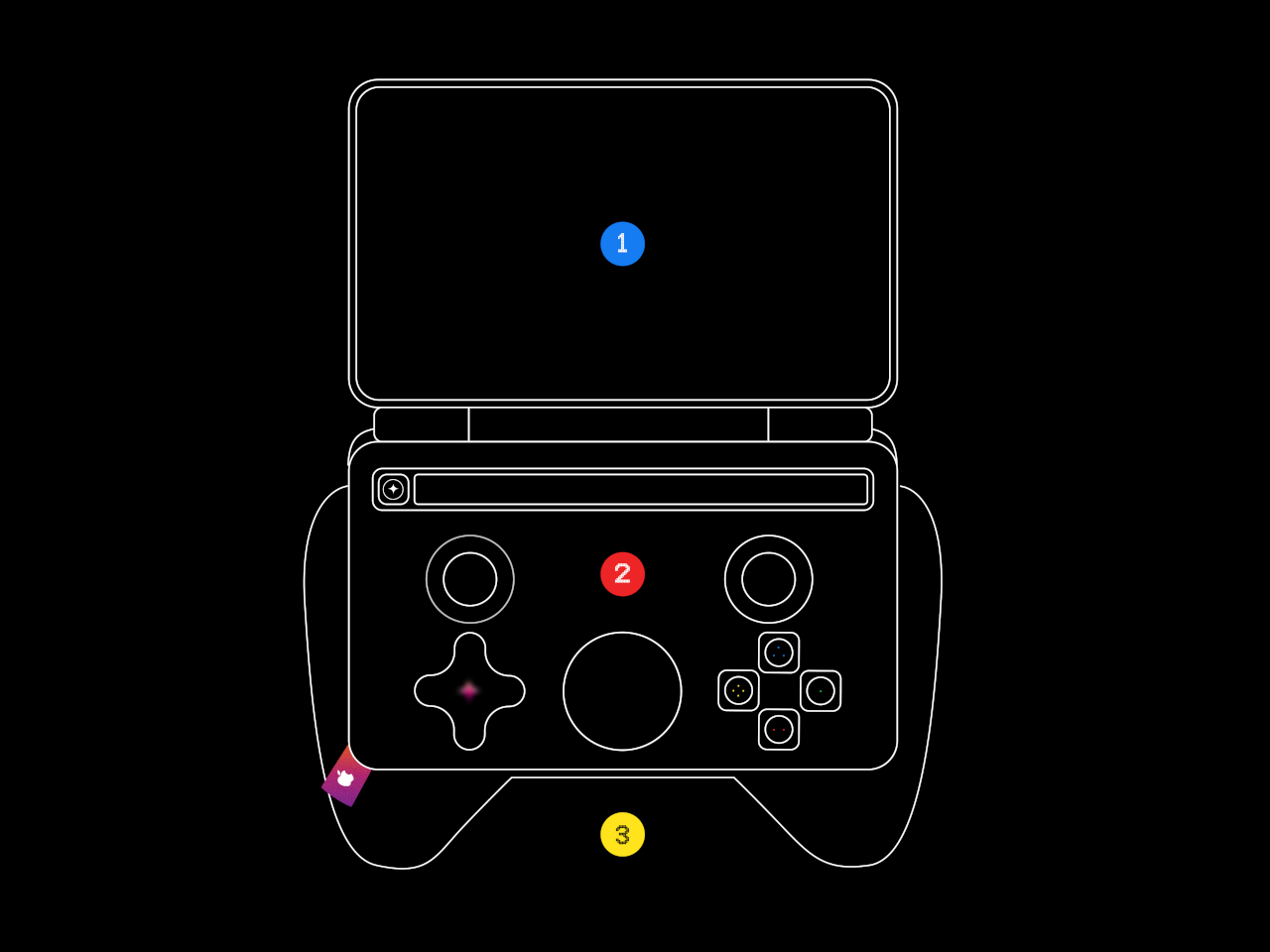
Embodying the spirit of desktop computers, this latest DIY project enables you to build your own Steam Deck clone, presuming you have the parts and skills to assemble one. Unlike other configurations, however, this isn’t relying on some low-power computer like the Raspberry Pi but instead leans on the power provided by a modular laptop design.

Designer: Beth Le

There is no shortage of mods and projects to build custom handheld PCs, whether for gaming or light computing, but the majority of these use small but under-powered single-board computers or SBCs. These are cheap, easy to cram into small shells, but will hardly be able to play any games outside of retro emulators. The problem is that there isn’t an SBC powerful enough to support that use case.

That’s where the Framework modular laptop comes in. Thanks to its modular design, it is possible to actually purchase the mainboard of such a powerful computer, and the 13-inch variant happens to be an adequate size to stuff inside a 3D-printed gaming handheld shell. Although it doesn’t exactly have gaming-worthy specs, it’s still powerful enough to run some AAA games with low settings.

The Beth Deck, which is the name for this hot new build-it-yourself handheld PC, doesn’t stop there. It also uses a matching Framework 13 battery and many off-the-shelf parts. Everything that can’t be bought can be 3D printed, and the claim is that you barely need to solder anything. You could almost say it’s like playing with LEGO, except with computer parts instead of bricks.

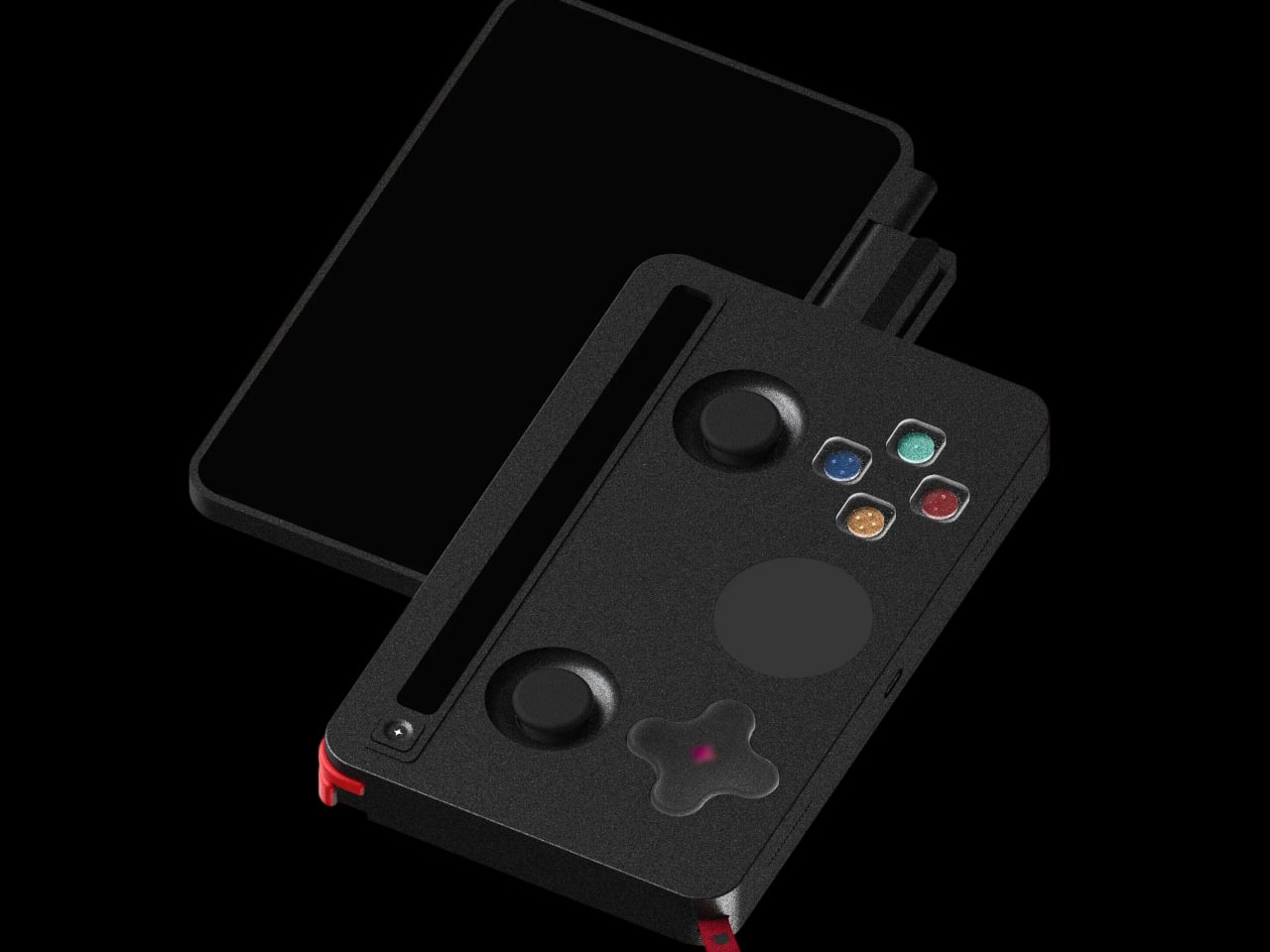
It’s not the perfect handheld design, of course, since the Framework 13 mainboard isn’t designed for that purpose. It does, however, reveal the possibilities available with such a modular component available for as low as $199. It might even inspire other designs that customize not just the appearance but also the controls. After all, if you can easily make a Steam Deck clone, why stop at being just a Steam Deck clone?

The post Make your own Steam Deck handheld gaming PC using a modular laptop first appeared on Yanko Design.
MagSafe phone stand concept adds hands-free face tracking for perfect framing

Video calls have become a staple of online communication today, whether it’s for meetings or even just personal one-on-one calls. Unfortunately, the devices we use for video calls haven’t caught up quickly with the trend, and we’re only recently seeing webcams with better sensors or phone stands with better angles. Even then, however, there is still some missing aspects to make these videos more engaging and natural.

This simple-looking phone stand tries to deliver that missing piece by making sure that the user’s face is always within the frame during those video calls. It isn’t a one-trick pony, though, and can keep your phone’s battery topped up or be an interesting piece of desk decor even when not in use.

Designer: Kunal Wagh

Webcams are admittedly getting more sophisticated, both in terms of hardware as well as software. While those integrated into laptop screen bezels are limited to simply upgrading their imaging sensors, external cameras are now sporting stabilizers and gimbals. There are also apps that do automatic focus, zooming, and framing. That’s all fine if you’re using your computer, but not if your smartphone is your device of choice.

Orbit is a design concept for a phone stand that brings those features to mobile devices. It’s practically a MagSafe-compatible charging stand with a unique, minimalist design that makes it look good even when not in use. It pretty much looks like a miniature trophy, with a dome-like shape on top held aloft by two thin arms.

Simply place the phone on the stand and go about your video call or even watch videos. Orbit will simply follow your face to make sure that you always have a clear view of the screen or that your face is always in frame. The concept doesn’t exactly explain the software that makes this possible, but it’s not that difficult to pull off given today’s technology.

Of course, it also functions as a charger to make sure your battery never goes empty, whether you’re on a call or not. Unlike a phone gimbal, Orbit’s simpler design makes it suitable for use almost anywhere, even when away from your desk, as long as you have a power source to keep that charger and internal motors running.

The post MagSafe phone stand concept adds hands-free face tracking for perfect framing first appeared on Yanko Design.