Infinix and Pininfarina Phone: Flush Camera, Hidden Display

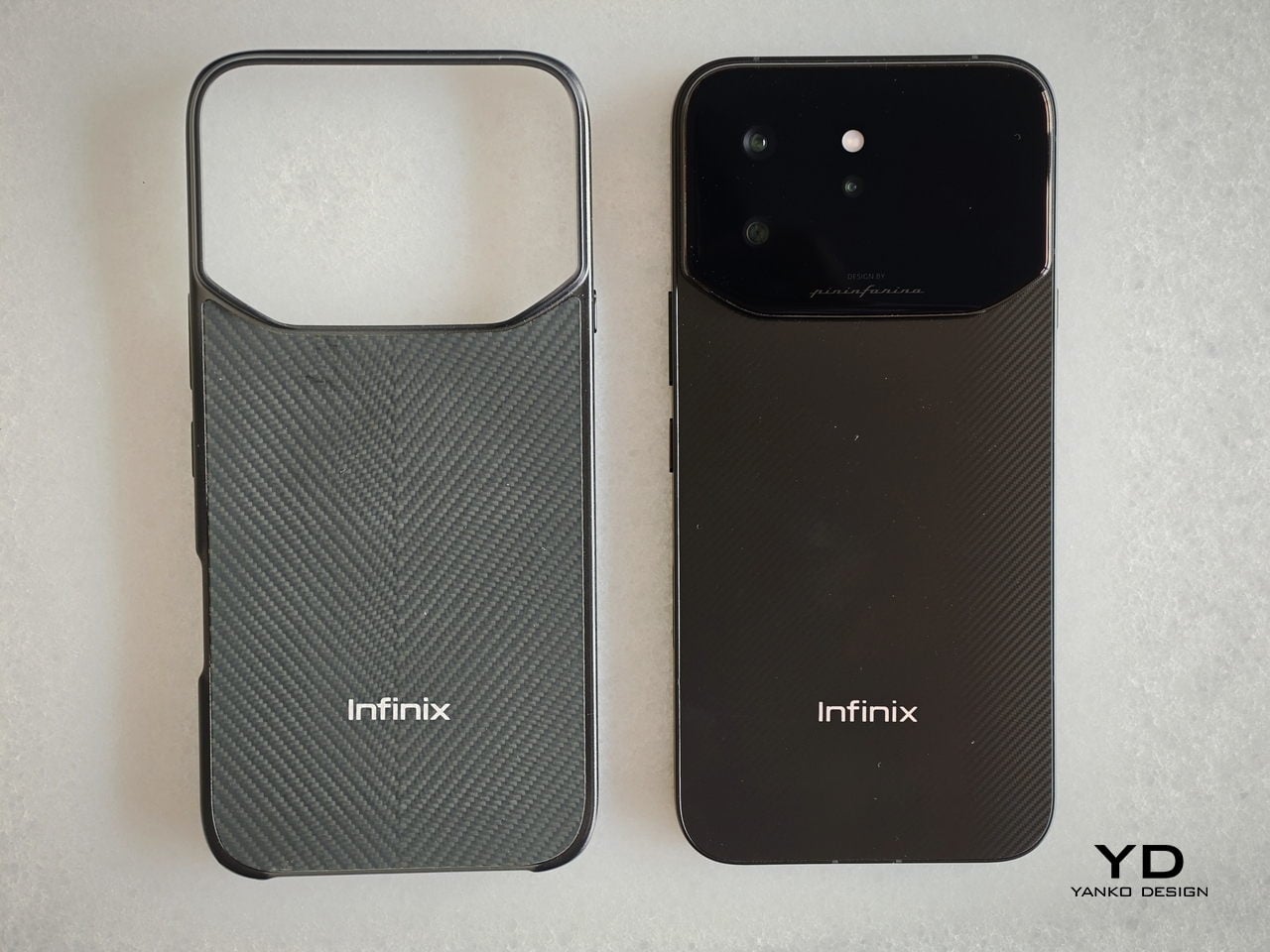
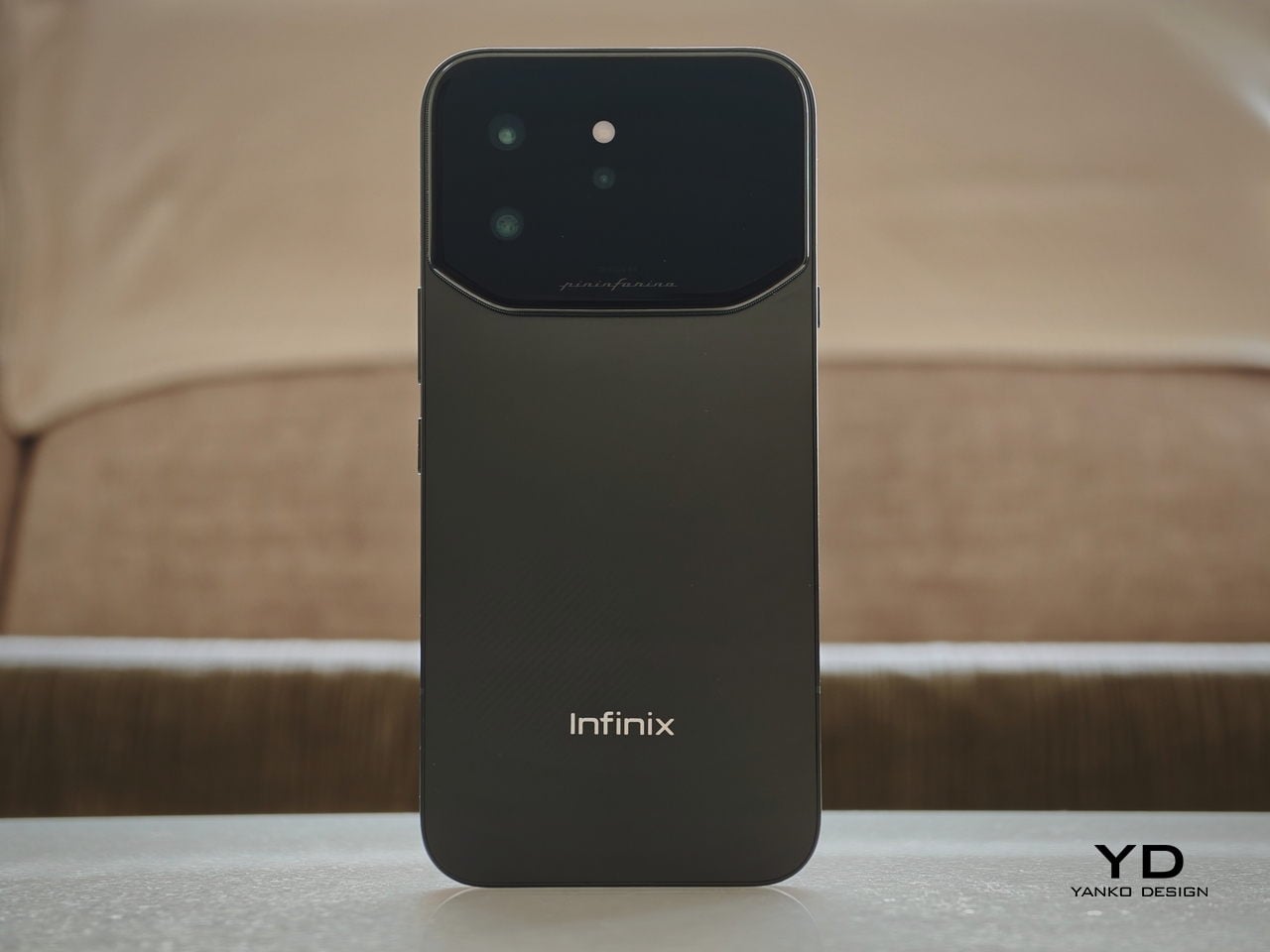
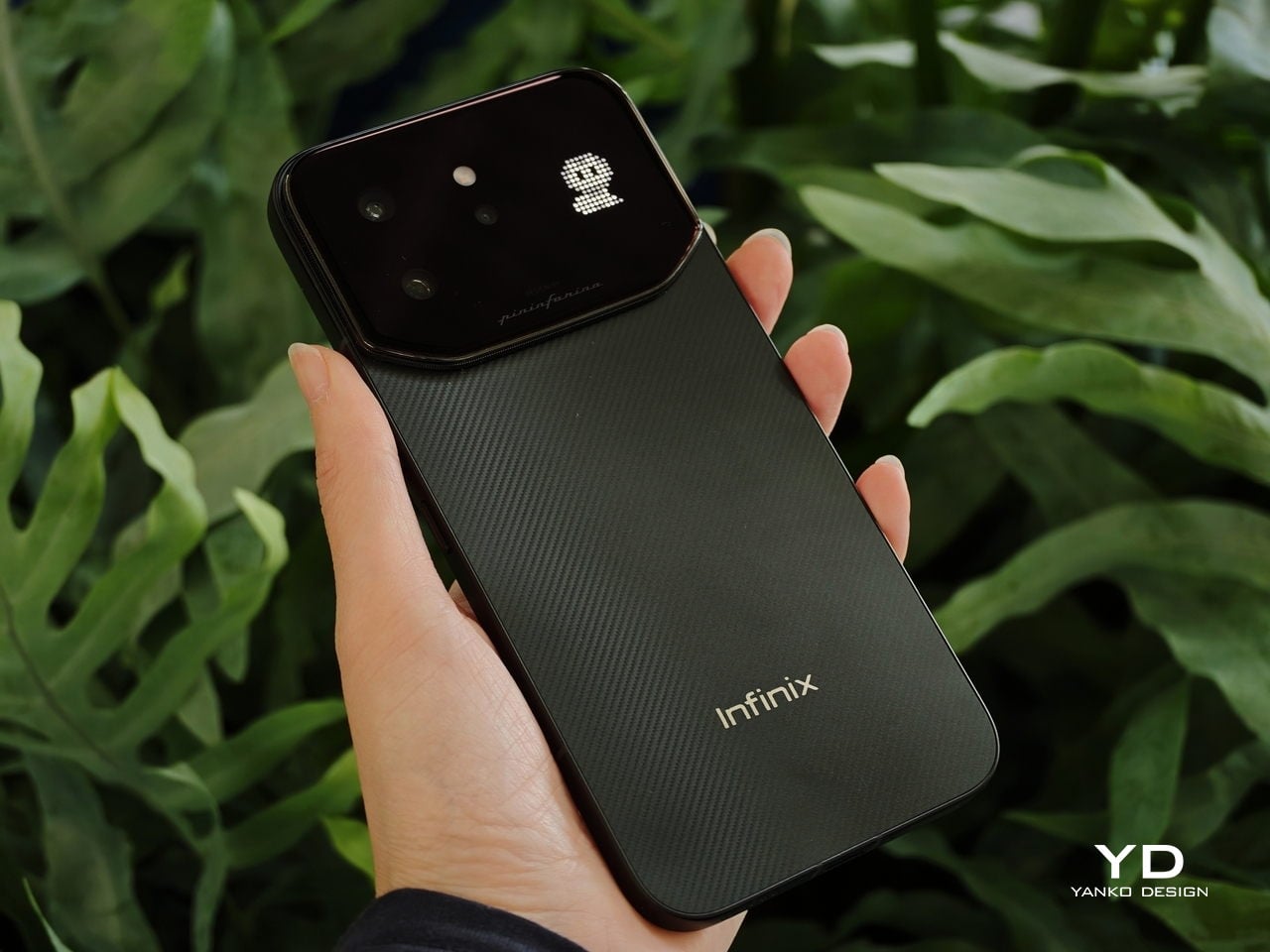
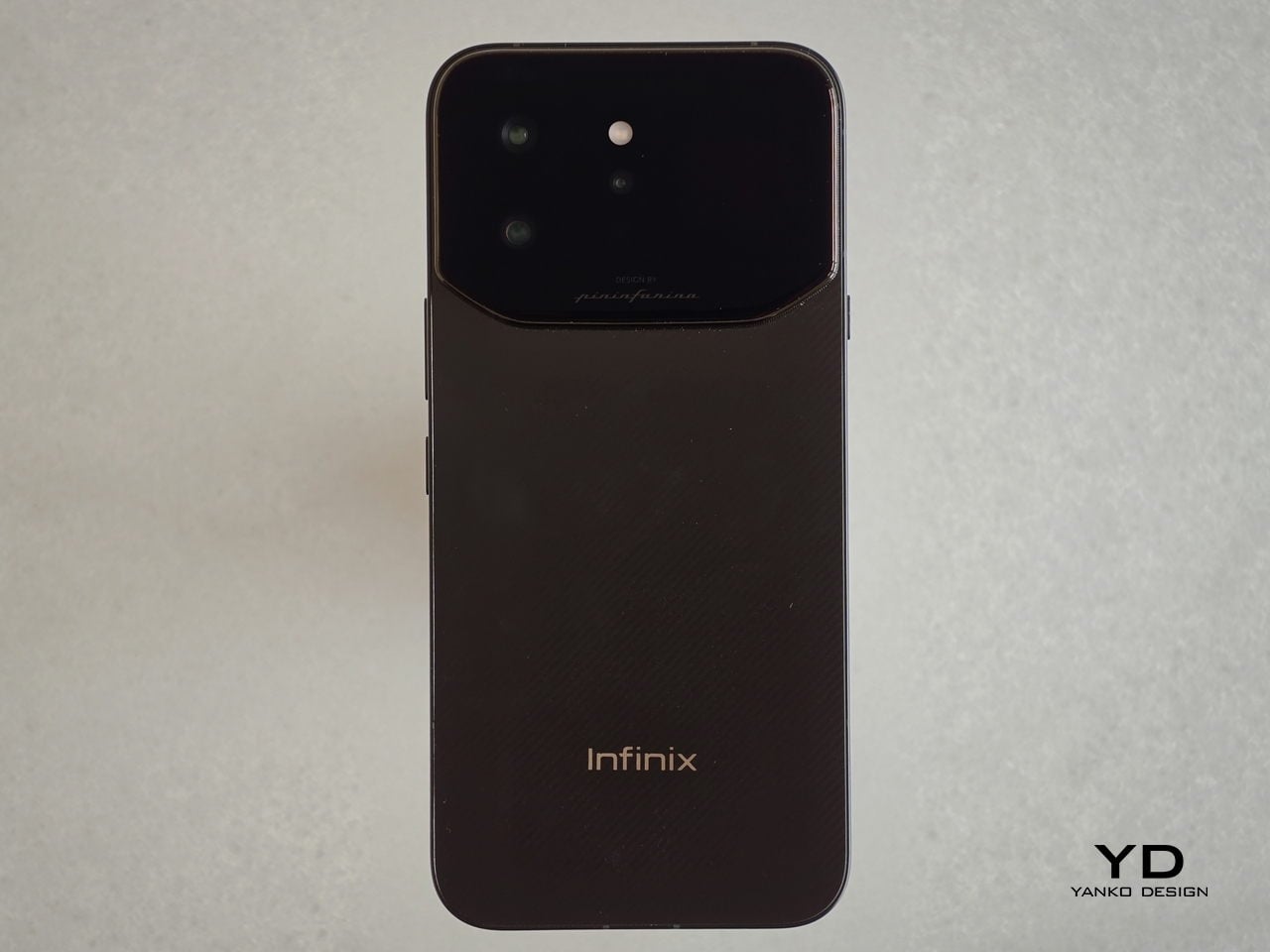
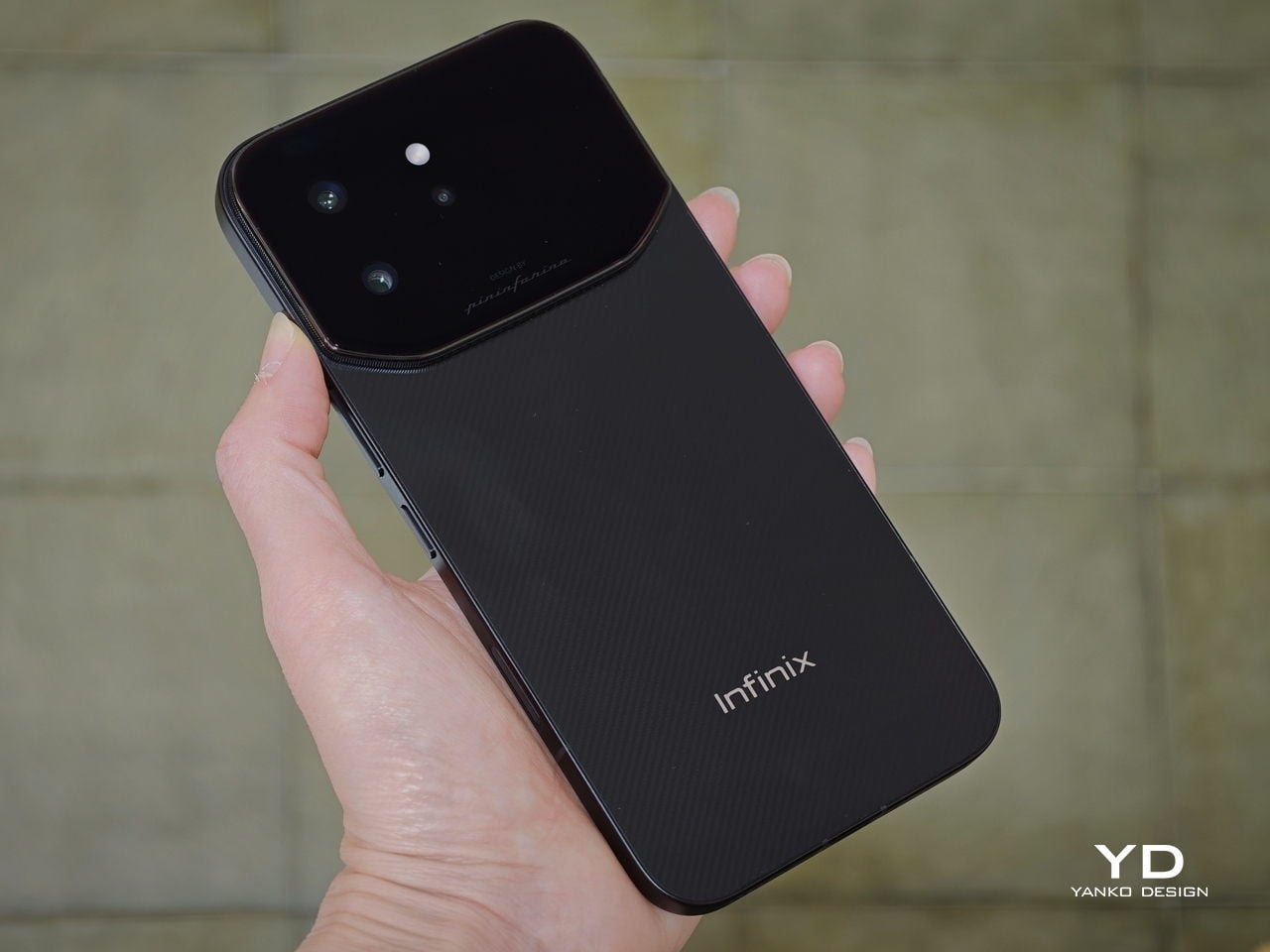
The camera bump problem has quietly become one of those things smartphone designers just accept these days. Every generation, the sensors get bigger, the modules get thicker, and the back of your phone starts looking like a small mountain range. Infinix decided to do something about that with the NOTE 60 Ultra, working with Pininfarina (yes, the Italian firm behind some of the most famous Ferrari bodies ever made) to create a rear panel where the triple-camera array, a hidden notification display, and a lighting strip all vanish into a single flush glass surface.

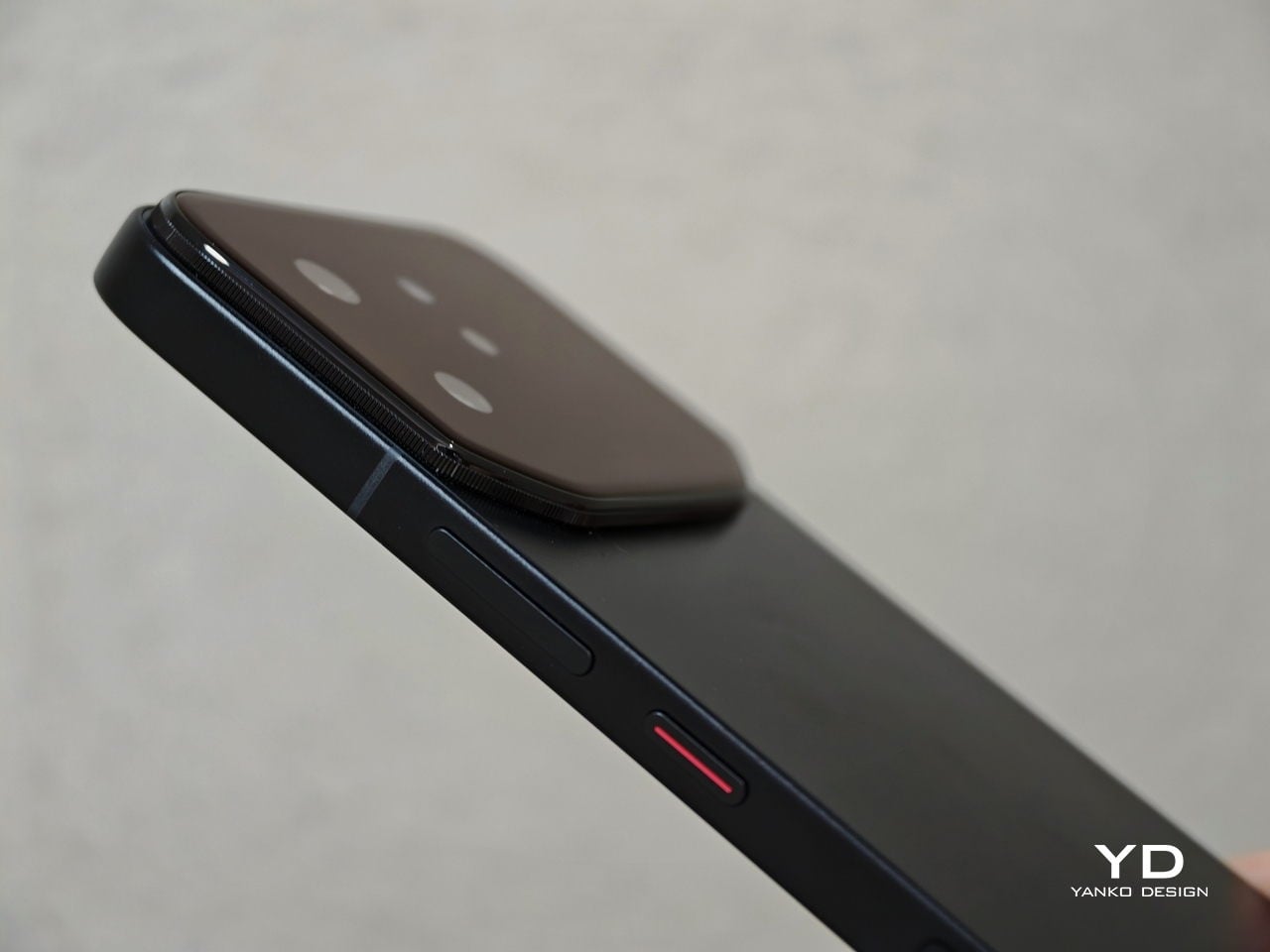
That design approach has a name: the Uni-Chassis Cam Module. It borrows from the unibody monocoque philosophy that makes sports car bodies both sleeker and more rigid, applying the same logic to a phone’s rear. The entire back is formed from a single continuous sheet of Gorilla Glass Victus, keeping the profile at 7.9mm while housing everything beneath without any visible interruption. The engineering explanation actually makes it look cooler once you know it.

Designer: Infinix x Pininfarina

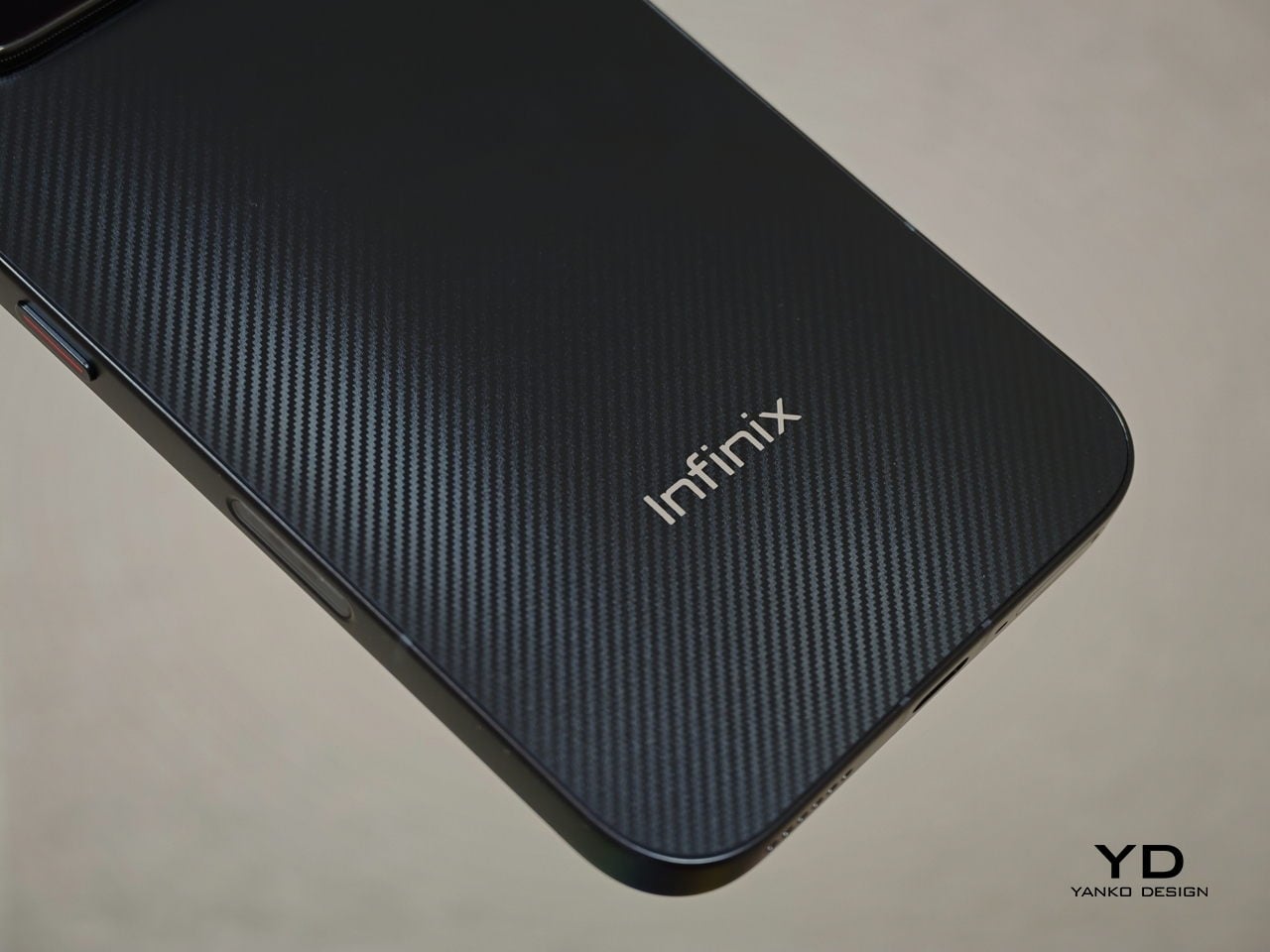
Pininfarina’s influence extends to the four color options as well. Torino Black has a Kevlar-weave texture referencing basalt fiber; Monza Red borrows its surface geometry from the Daytona SP3 grille. Each colorway has a distinct material treatment, not just a tint on a shared base finish. These are details that often disappear between concept and mass production, so the fact that they survived here says something about how seriously the collaboration was taken.

Photography is anchored by a 200-megapixel Samsung ISOCELL HPE main sensor. The 1/1.4-inch sensor area and f/1.69 aperture mean the full-resolution mode captures enough data to crop aggressively without losing sharpness. Paired with it is a 50-megapixel Samsung ISOCELL JN5 periscope telephoto with its own optical image stabilization, offering a native 3.5x optical zoom that extends to 7x losslessly before reaching 100x digitally.

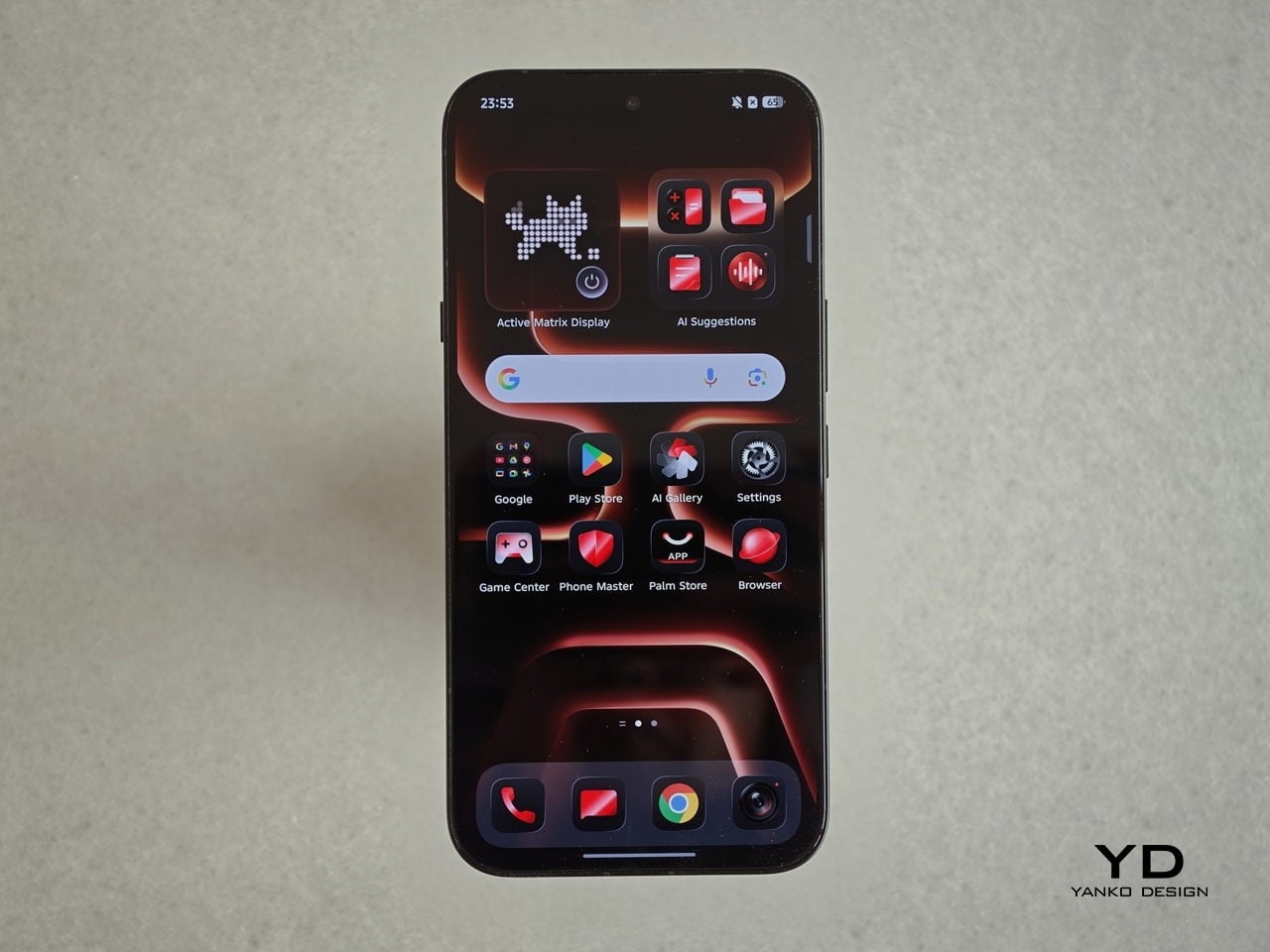
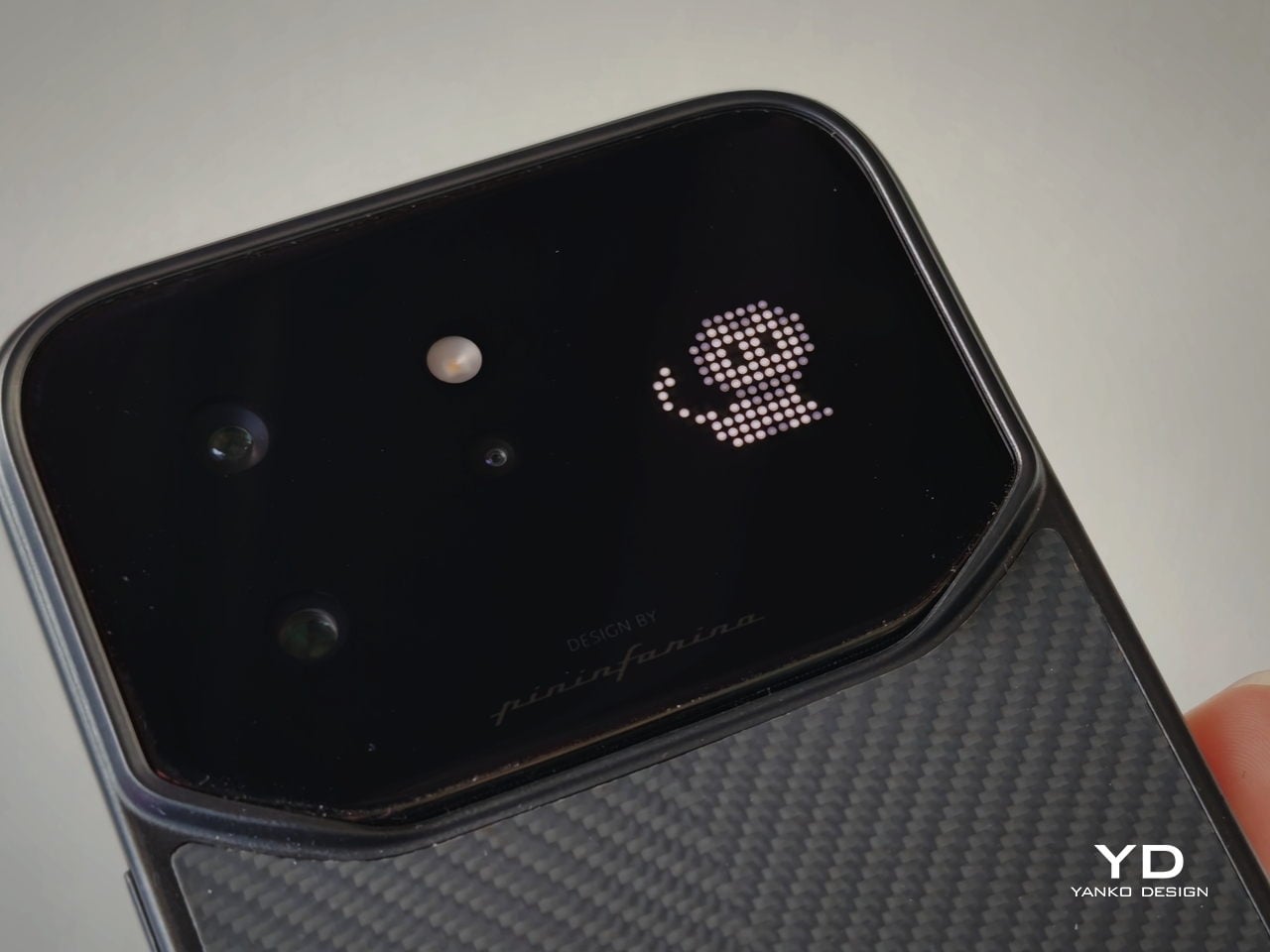
Tucked beneath the glass rear is the Active Matrix Display, a dot-matrix LED panel that surfaces through the glass when needed and disappears completely when dormant. It handles notification alerts, time and weather readouts, animated pixel pets, and two motion-controlled mini-games. The panel draws no power when inactive, leaving the flush rear surface completely undisturbed until it decides it has something to say.

The NOTE 60 Ultra also introduces Infinix’s XDR Image Engine, which applies a full-chain HDR workflow from capture all the way through to the 1.5K display. In practical terms, this means the phone is managing highlight and shadow detail simultaneously when shooting high-contrast scenes, rather than picking one at the expense of the other. That workflow supports 4K 60fps video recording with Full-Link HDR 10+ for footage up to 4K 30fps.

Inside, the MediaTek Dimensity 8400 Ultimate runs an all-big-core architecture where all eight Arm Cortex-A725 cores operate at full performance. Infinix’s own optimization engine manages CPU allocation and background memory compression on top, which is the kind of system-level tuning typically reserved for higher-tier chips. A 3D IceCore cooling system with a 5,142-square-millimeter vapor chamber handles heat across intensive sessions.

The 7,000mAh silicon-carbon battery has twice the silicon content of the previous generation, allowing higher energy density without a thicker body. It charges fully in 48 minutes via 100W wired charging, and Infinix included a self-healing function that runs low-current cycles to slow long-term anode degradation, recovering roughly 1% of battery health every 200 charge cycles. There is also 50W wireless charging for the days when a cable feels like too much effort.

Perhaps the most distinctive addition is the two-way satellite communication via Thuraya’s GEO satellite network, covering around 120 countries across Asia, Europe, and Africa. This goes beyond the one-way SOS messaging seen on other phones: the NOTE 60 Ultra supports actual voice calls at up to 4kbps and two-way SMS, activated through a Thuraya SIM card without any additional registration. For frequent travelers in areas with patchy terrestrial coverage, that is a genuinely useful difference.

The post Infinix and Pininfarina Phone: Flush Camera, Hidden Display first appeared on Yanko Design.

5 Best Desk Lamps That Light Your Workspace Better Than Any Overhead Light Ever Could

Overhead lighting was never built for you specifically. It floods an entire room without discrimination, casting flat light across everything and solving nothing in particular. A well-chosen desk lamp operates differently — it targets exactly where concentration happens, reduces strain during long sessions, and brings something intentional to a space that a ceiling fixture simply cannot. The best ones do all of this while looking like they genuinely deserve to be there.

The five lamps here approach desk lighting from genuinely different directions — one learns your habits through AI, another is cast from real tractor headlight molds, one travels anywhere on AA batteries, and another chases a color accuracy standard most manufacturers don’t bother measuring. Each solves a real problem. Whether your workspace is a compact corner or a dedicated professional studio, there is a lamp on this list worth your full attention.

1. Anywhere-Use Lamp

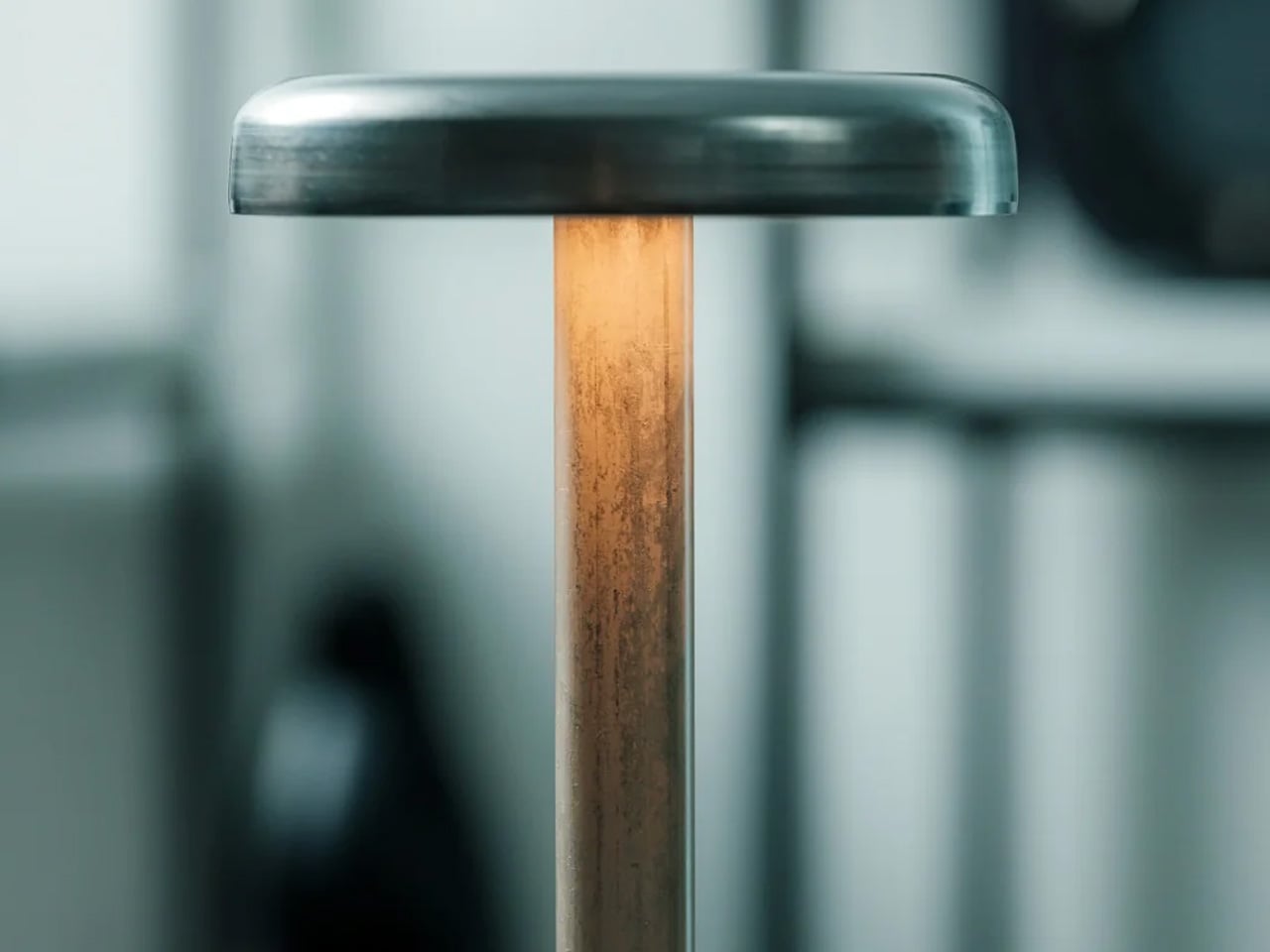
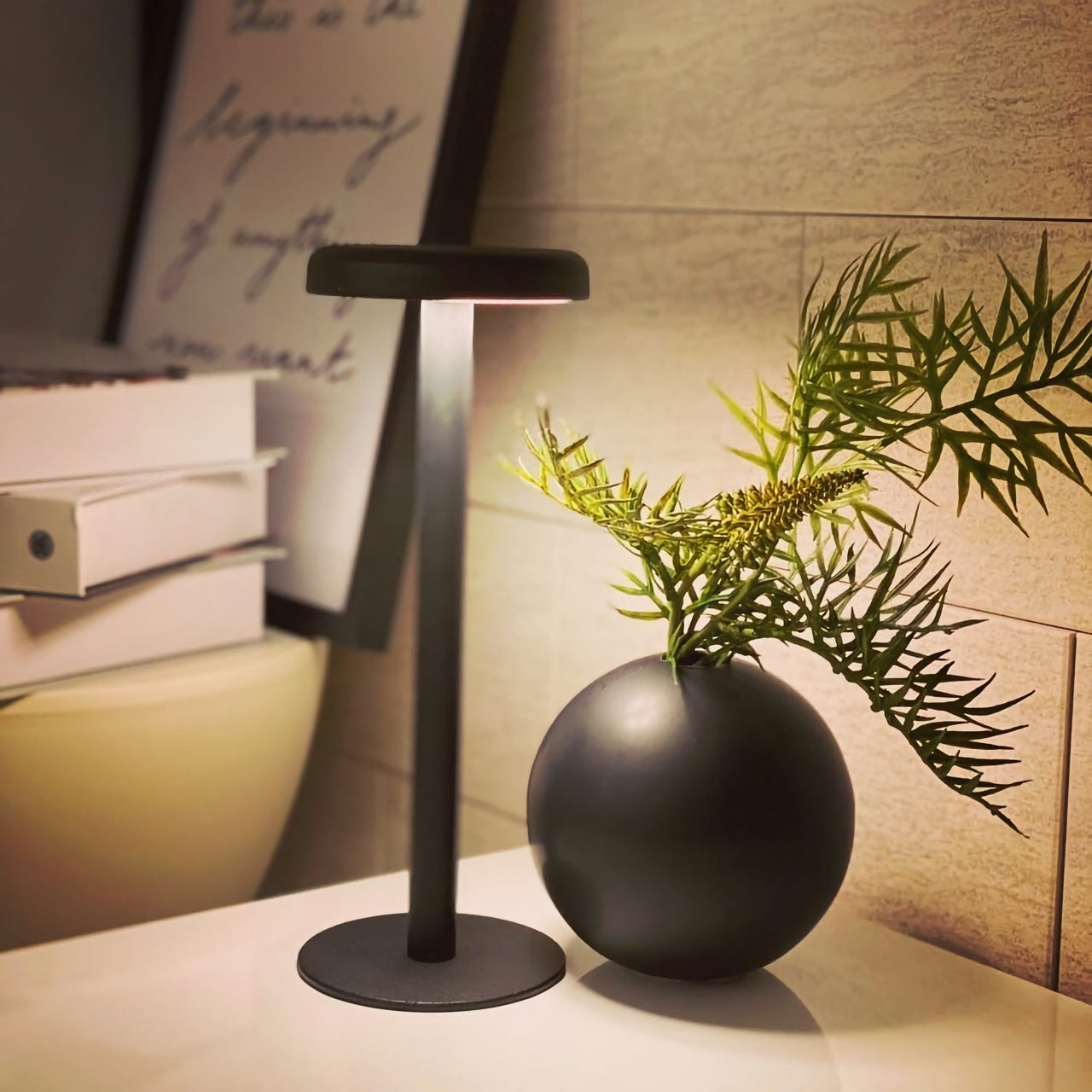
The Anywhere-Use Lamp is designed around one honest principle — good light shouldn’t be restricted to places with power outlets. Running on four AA batteries, it removes every dependency on wall sockets and charging cables, making it as useful in a hotel room or a garden corner as it is on a permanent desk. Six high color rendering LEDs produce warm, soft output that settles gently into a space rather than announcing itself as the primary light source in the room.

Available in black, white, and an Industrial edition with a scratch-detailed metal base that treats surface wear as character rather than damage, the Anywhere Use Lamp adapts across settings without effort. Pressing any edge of the cap cycles through four brightness levels with a satisfying haptic click that makes the interaction feel considered. The modular construction breaks down quickly enough to slip into a bag, and on a desk, it reads as a minimal sculpture — quietly impressive without demanding attention from everything around it.

Click Here to Buy Now: $149.00

What We Like

  • AA battery power gives it genuine location freedom that no rechargeable or corded lamp on this list can honestly match.
  • The Industrial edition’s scratch-detailed metal base treats material imperfection as an intentional design quality rather than a manufacturing oversight.

What We Dislike

  • Four disposable AA batteries are less sustainable than a built-in rechargeable solution would be for users who run them daily.
  • Warm, atmospheric output may feel insufficient for task-heavy environments that demand stronger, more directional illumination.

2. The Lampster

The Lampster is the most funded lamp in crowdfunding history, a record that speaks to how rare genuinely characterful lighting actually is. Its head is cast from the same 40-year-old molds used for real tractor headlights, a material fact that sits at the center of everything the lamp is. Born as a side project between an architect and an engineer, it carries the kind of specificity that only arrives when something was made first for its creators, not for a market.

Functionally, the Lampster holds 120 LEDs across warm and cool white tones, controlled by a capacitive touch button on the head that adjusts intensity without needing a phone. An RGB light source connects to a mobile app that monitors power draw, saves custom settings for reading, writing, or focused work, and syncs the lamp to music. The head rotates 360 degrees while the aluminum neck bends freely in any direction. It sits on a desk and immediately becomes the most interesting object in the room.

What We Like

  • Cast from original 40-year-old tractor headlight molds, giving it a material provenance no competing desk lamp can replicate.
  • App-controlled RGB plus adjustable warm and cool white LEDs cover every working scenario without requiring separate hardware.

What We Dislike

  • Filling the hollow body with gravel for proper ballast adds a hands-on setup step that feels slightly misaligned with a premium purchase.
  • Full smart functionality depends on a mobile app, which may frustrate users who prefer straightforward, always-available physical controls.

3. DEEP

DEEP is what happens when a lamp decides your working environment should configure itself around you rather than the other way around. Turn it on with a spinning-top-inspired power button, tell it what you are about to do — studying, coding, reading, creative work — and it adjusts both lighting and ambient sound automatically. The AI underneath isn’t a selling point bolted on at the last stage. It actively shapes your workspace conditions before you’ve had to think about them yourself.

A camera positioned at eye level monitors your focus state in real time, functioning like a built-in productivity coach without requiring a separate device. Side buttons allow precise manual overrides, and when adjustments are saved, the system builds a personal profile that becomes more attuned the longer the lamp sits on your desk. Over repeated sessions, DEEP learns the exact conditions under which you concentrate best and begins applying them without being asked — a meaningfully different relationship with a piece of desk hardware.

What We Like

  • AI-driven environment configuration learns and refines your preferences over repeated sessions, becoming genuinely more useful the longer you use it.
  • Camera-based real-time focus monitoring replaces any need for an external productivity tracking application or additional device on your desk.

What We Dislike

  • A built-in camera positioned at eye level may not sit comfortably with users who value privacy in their personal workspace.
  • As a concept-stage design, software longevity, update support, and manufacturer reliability over time remain unconfirmed.

4. Lumio Ovo

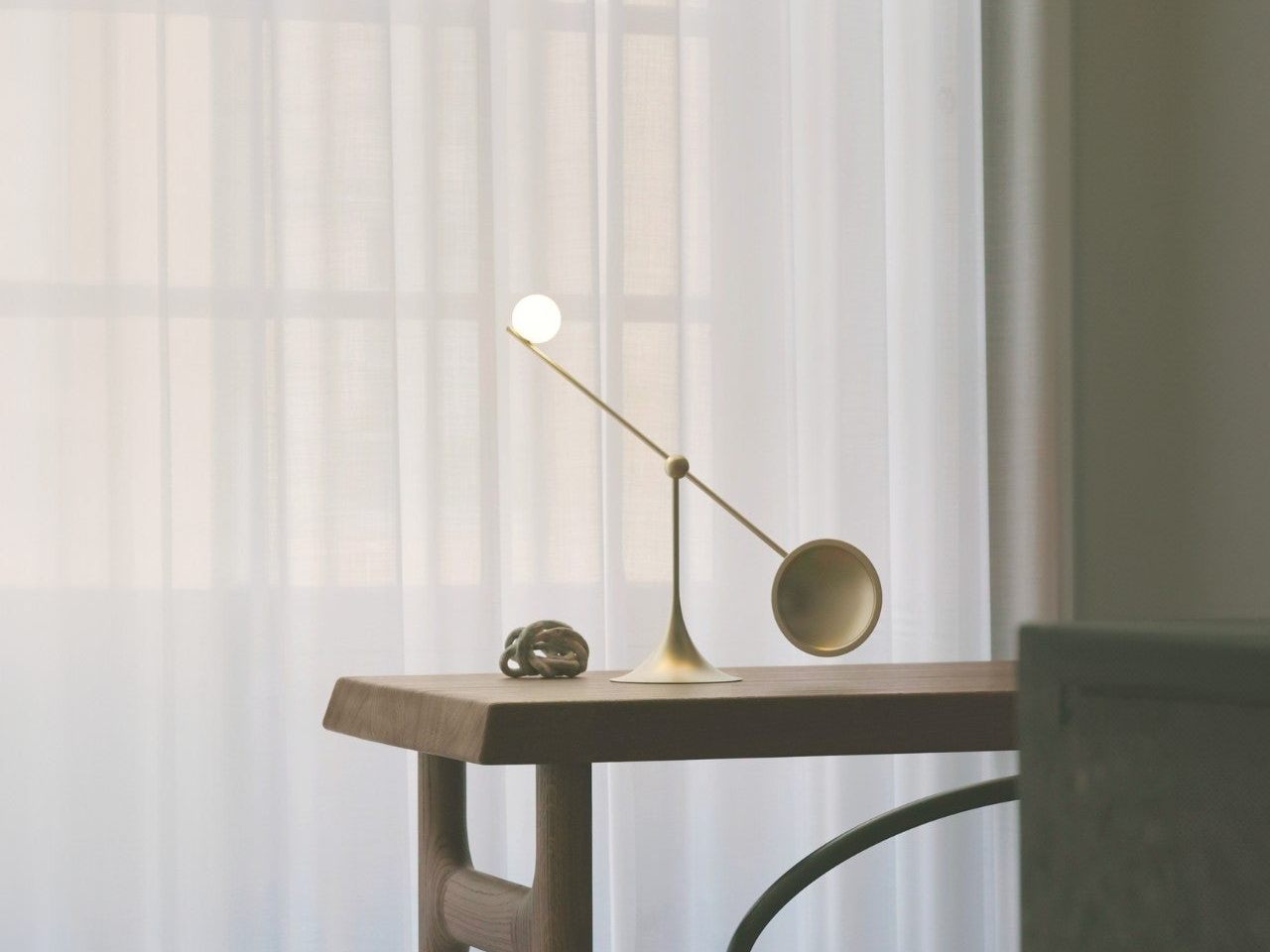
Most adjustable lamps eventually disappoint. Multiple joints accumulate play, precise positioning becomes a daily compromise, and what is marketed as flexible control quietly becomes a frustration. The Lumio Ovo addresses this by reducing the entire adjustment system to a single pivot — a seesaw-style motion that rotates a full 360 degrees around a central point and feels exact from the very first interaction. No creaking. No wobble. No accumulated looseness. Precise, repeatable directional control housed in a form that makes no apologies.

Lumio left the central pivot fully exposed rather than hiding it inside a casing, which turns the structural solution into the lamp’s most compelling visual element. At rest on a desk, the Ovo reads as a kinetic art object — the kind of piece that earns a comment from anyone who sees it for the first time. Nudge it gently, and it finds its new position with an ease that lamps carrying three times the moving parts rarely manage to deliver with the same quiet confidence.

What We Like

  • A single-pivot seesaw mechanism eliminates the joint loosening and positional drift that eventually compromise most multi-hinge desk lamps.
  • The exposed pivot transforms the engineering solution into the lamp’s defining aesthetic element, making form and function genuinely inseparable.

What We Dislike

  • Detailed light output and color temperature specifications are not widely published, making pre-purchase performance evaluation difficult.
  • The balance-based seesaw motion may not satisfy users who need a lamp to lock firmly into position without any residual movement.

5. Redgrass R9 Desk Lamp

Standard color rendering measurements evaluate eight color samples and call it accurate. Redgrass developed a methodology that evaluates 99 and achieved an extended CRI score of 98.5 — a number that places the R9 in a fundamentally different category. The practical result is light that renders color the way natural daylight does. For painters, illustrators, and anyone whose work depends on seeing accurate hues under artificial conditions, the difference is immediate and impossible to ignore.

At 1800 lumens and 3700 lux measured at 45 centimeters, the R9 delivers serious, sustained output from 96 custom-made LEDs arranged across two independently rotating bars. That dual-bar configuration isn’t decorative — it eliminates the shadows a single light source always casts across detailed work surfaces. It holds the Red Dot Best of the Best and iF Design Awards, and professional teams behind Avatar and The Lord of the Rings have adopted it as a standard studio tool.

What We Like

  • An extended CRI of 98.5 evaluated across 99 color sample sets is an accuracy benchmark that no conventional desk lamp currently comes close to reaching.
  • Two independently rotating light bars eliminate surface shadows in a way that a single light source is physically incapable of replicating.

What We Dislike

  • At $279.99, the R9 demands a meaningful financial commitment, even when the performance makes a fair and honest case for itself.
  • The clamp-based mount and larger physical footprint make it a less natural fit for compact or minimal desk setups.

The Right Light Changes Everything

Each lamp here solves something a ceiling fixture never bothered to think about. The Lampster gives a desk a genuine personality. The Anywhere Use Lamp follows you without conditions. DEEP maps your habits and builds the environment around them. The Ovo reduces all mechanical complexity to a single satisfying gesture. The R9 shows you the color the way it was actually meant to appear. All five refuse to treat workspace lighting as an afterthought worth quietly tolerating.

Good lighting doesn’t just help you see — it sustains concentration, reduces physical strain, and signals that a workspace was assembled with real intention. The difference between a desk lamp and an overhead light isn’t simply positional. One serves the room. The other serves you. Once that distinction becomes clear, returning to a fixture that has no idea what you’re working on or how long you’ve been sitting there becomes genuinely difficult to justify.

The post 5 Best Desk Lamps That Light Your Workspace Better Than Any Overhead Light Ever Could first appeared on Yanko Design.

Elgato’s Wave Next Connects Your Mic, Software, and Stream Deck

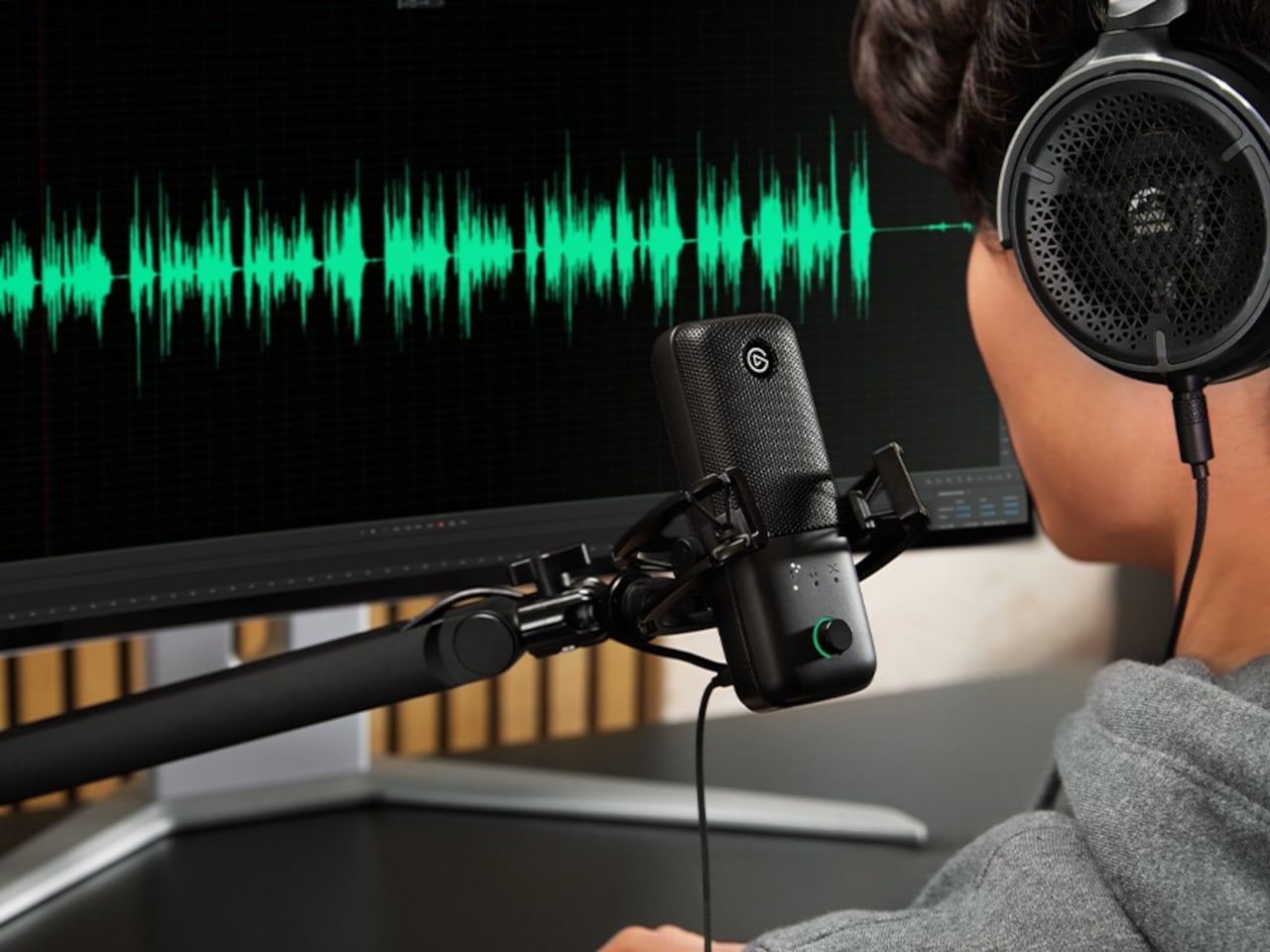
Audio setups for creators have long followed a predictable pattern: buy a microphone, download some software, spend an afternoon reading forums about signal chains, and still end up with a slightly imperfect result. Elgato spent five years watching that process play out across hundreds of thousands of real setups. Wave Next is what they built after deciding most of it didn’t have to be that complicated.

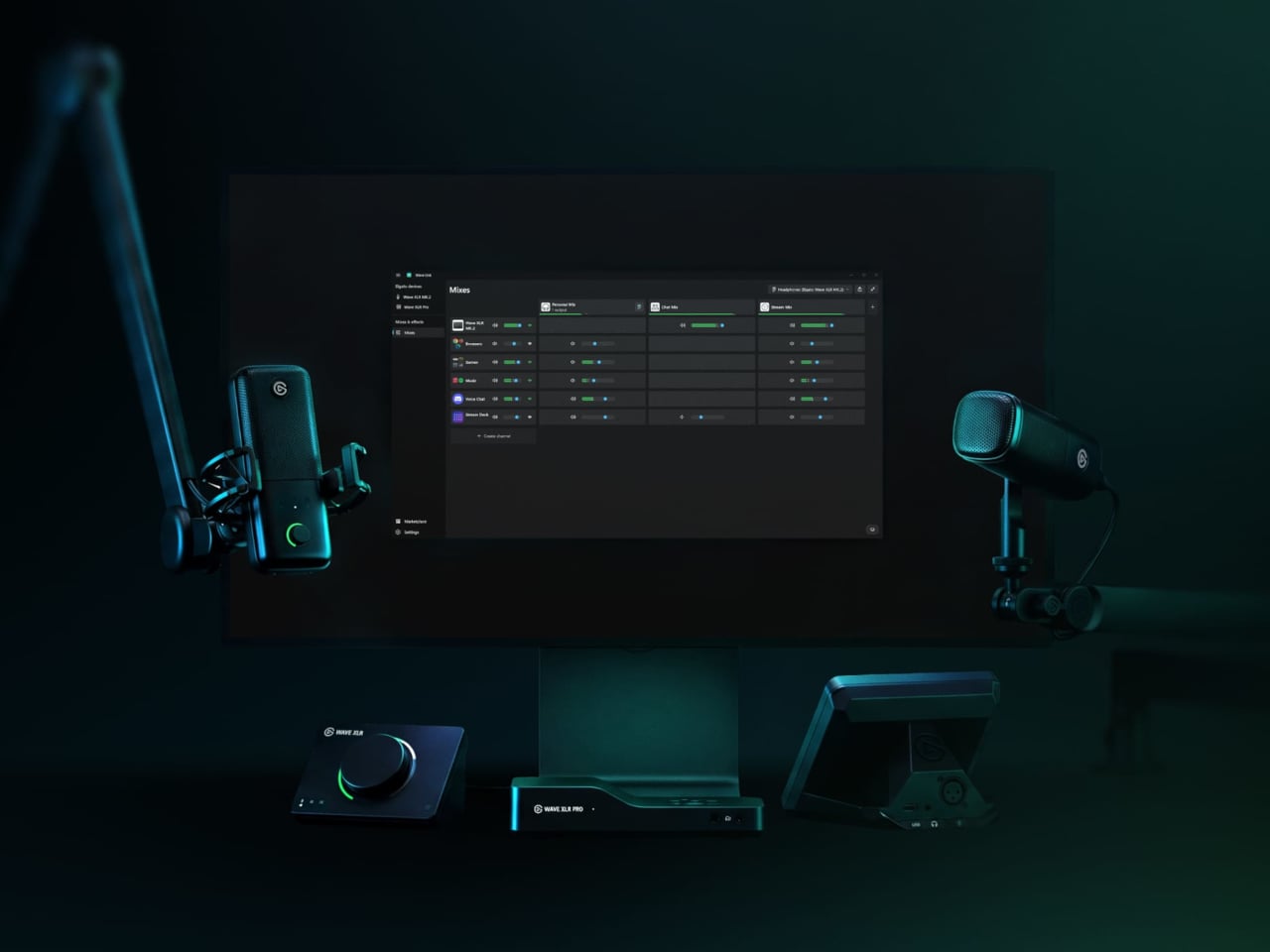
The centerpiece is a custom chip called Wave FX Processor, developed in partnership with Lewitt Audio. It shifts critical audio processing directly onto the hardware, so the microphone signal arrives in every application already polished, without virtual audio devices or routing workarounds. Clipguard 2.0 handles distortion prevention through multiple analog-to-digital converters and 32-bit floating-point internal processing, while five onboard DSP effects shape the voice in real time with zero latency and no CPU load.

Designer: Elgato

VST Insert technology creates a dedicated low-latency path between the hardware and the computer so that studio-grade software effects can be injected directly back into the hardware signal chain. The processed audio then flows as a single input into any application. A creator streaming, recording, and on a video call simultaneously doesn’t need to configure three separate signal paths to get consistent sound across all three outputs.

Wave:3 MK.2

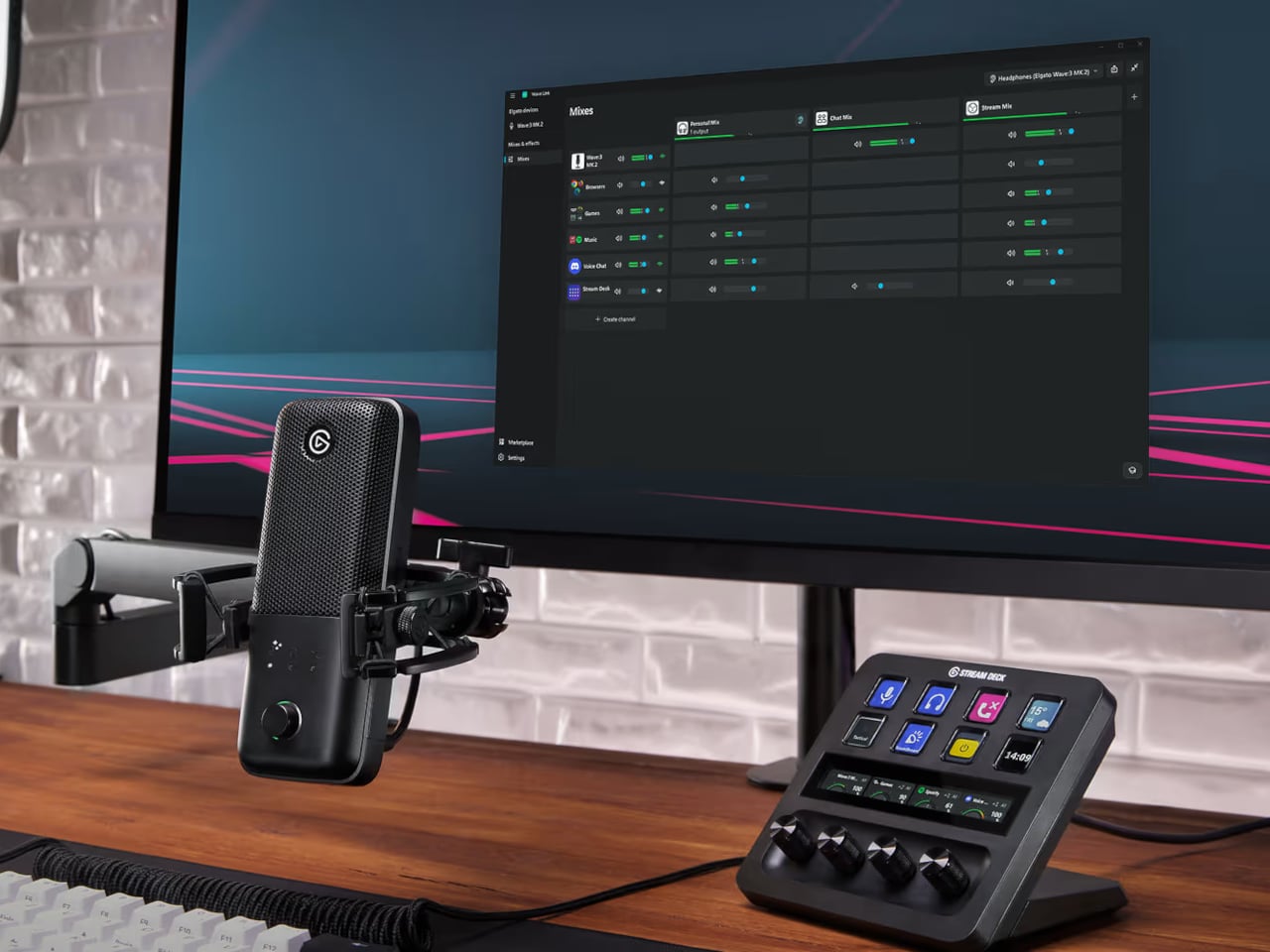
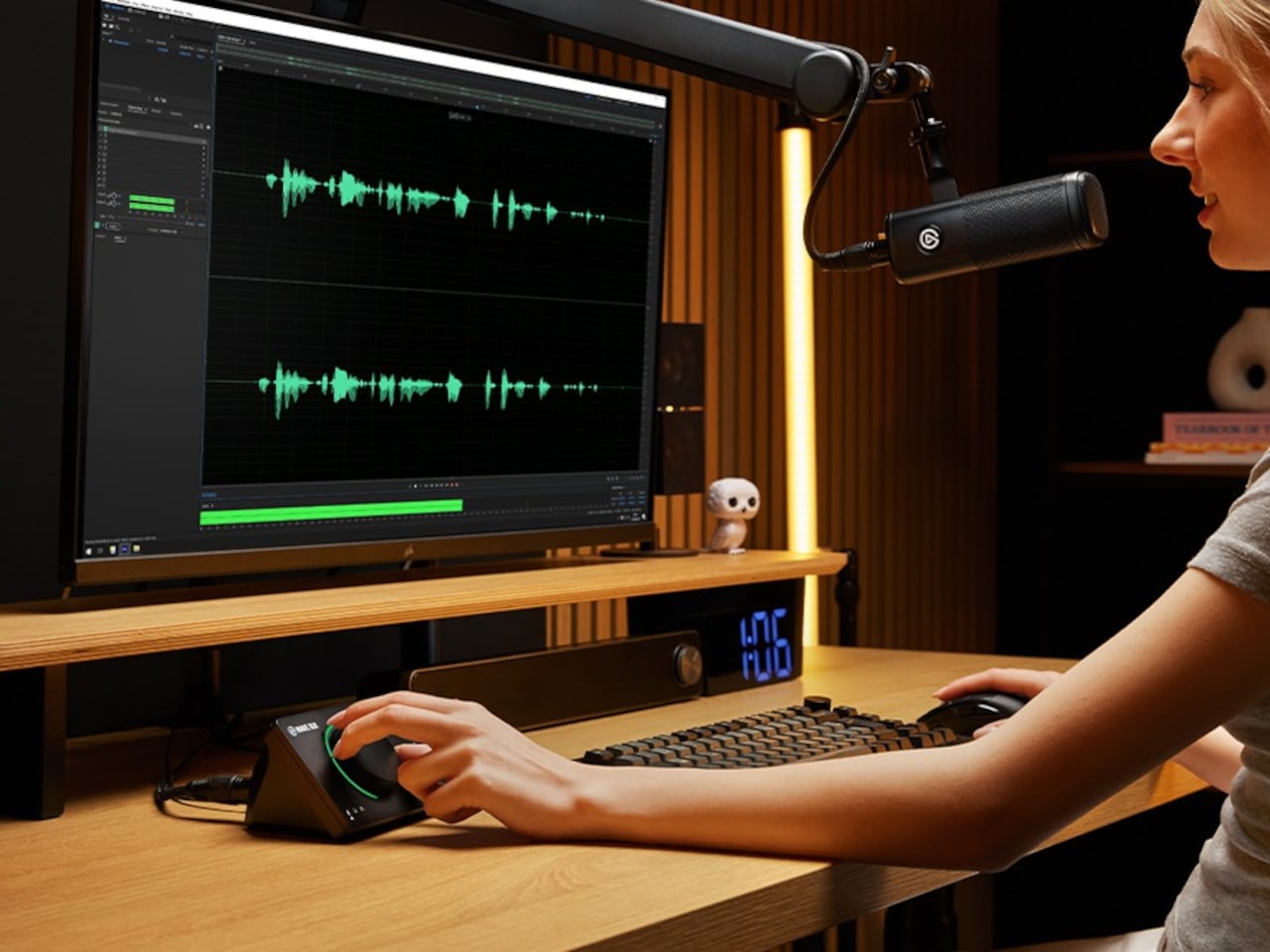
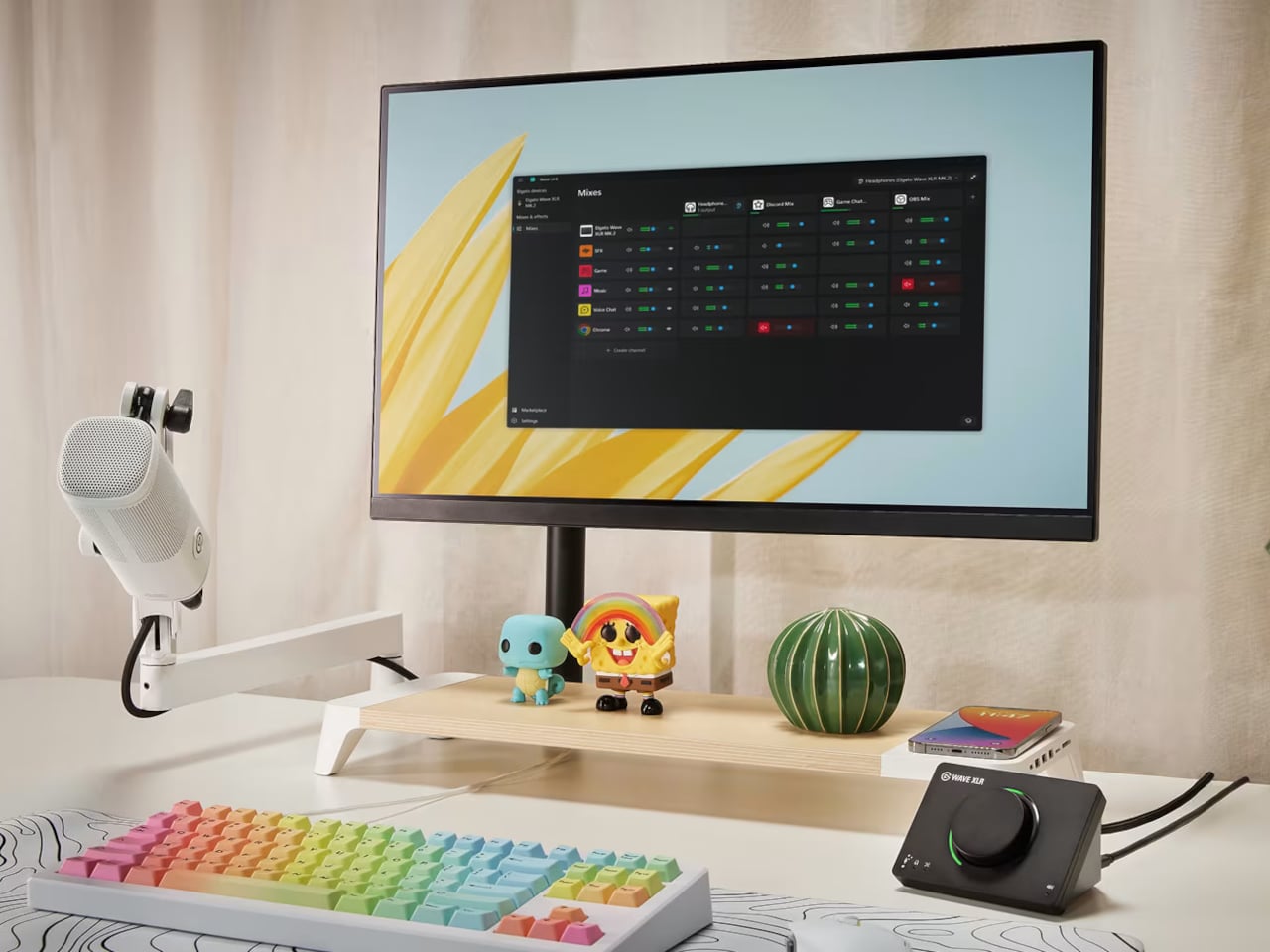
That software layer is Wave Link 3.0, overhauled completely and now free to download for Windows and macOS. It works with virtually any microphone or audio interface, not just Elgato hardware, though Wave devices unlock deeper features: guided setup, device control panels, and an Auto Gain Wizard. Up to five independent submixes let users route voice, music, game audio, and chat to separate outputs, each shaped individually through a horizontal routing table replacing traditional channel strips.

Wave XLR MK.2

XLR Dock MK.2

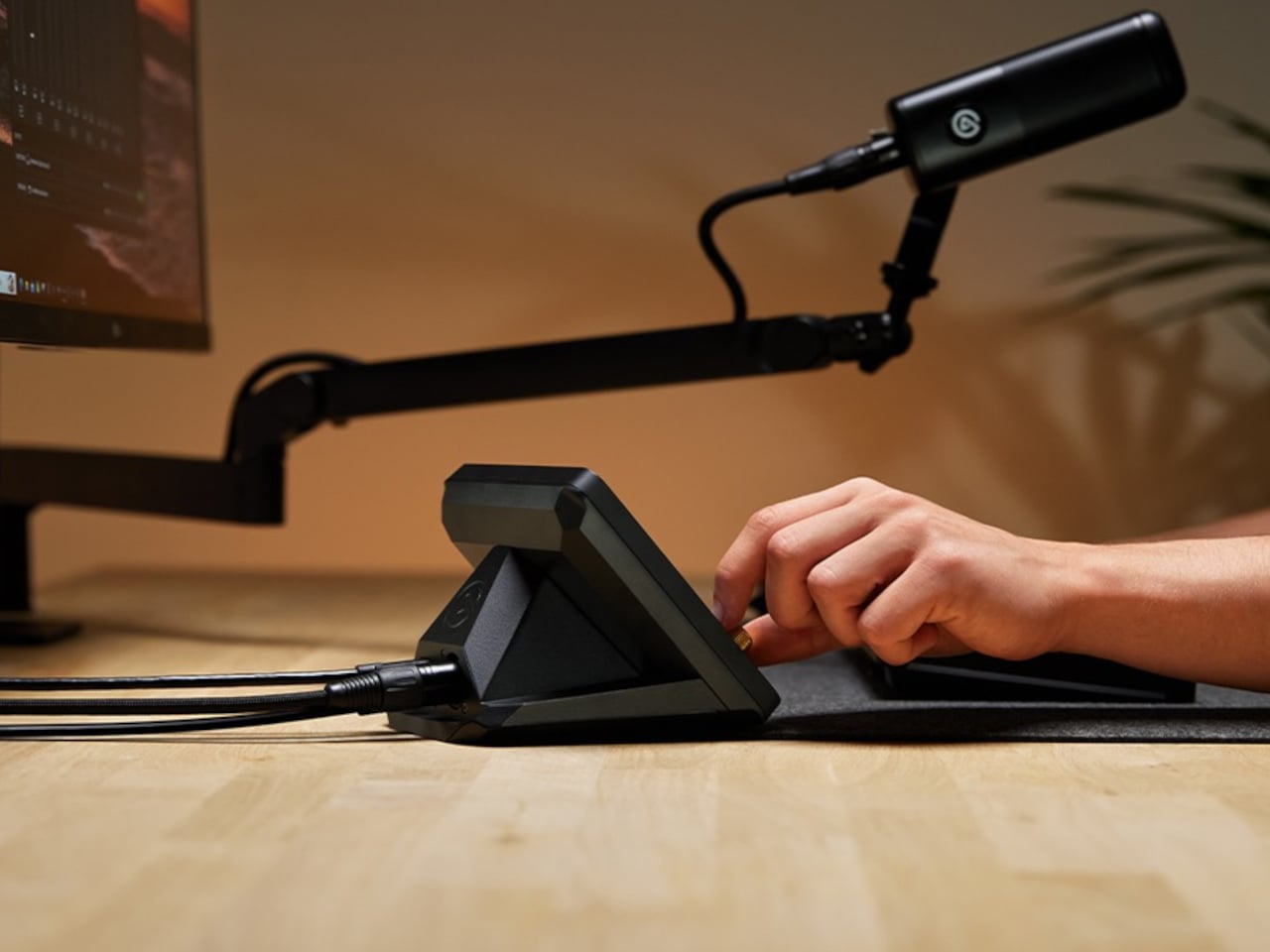
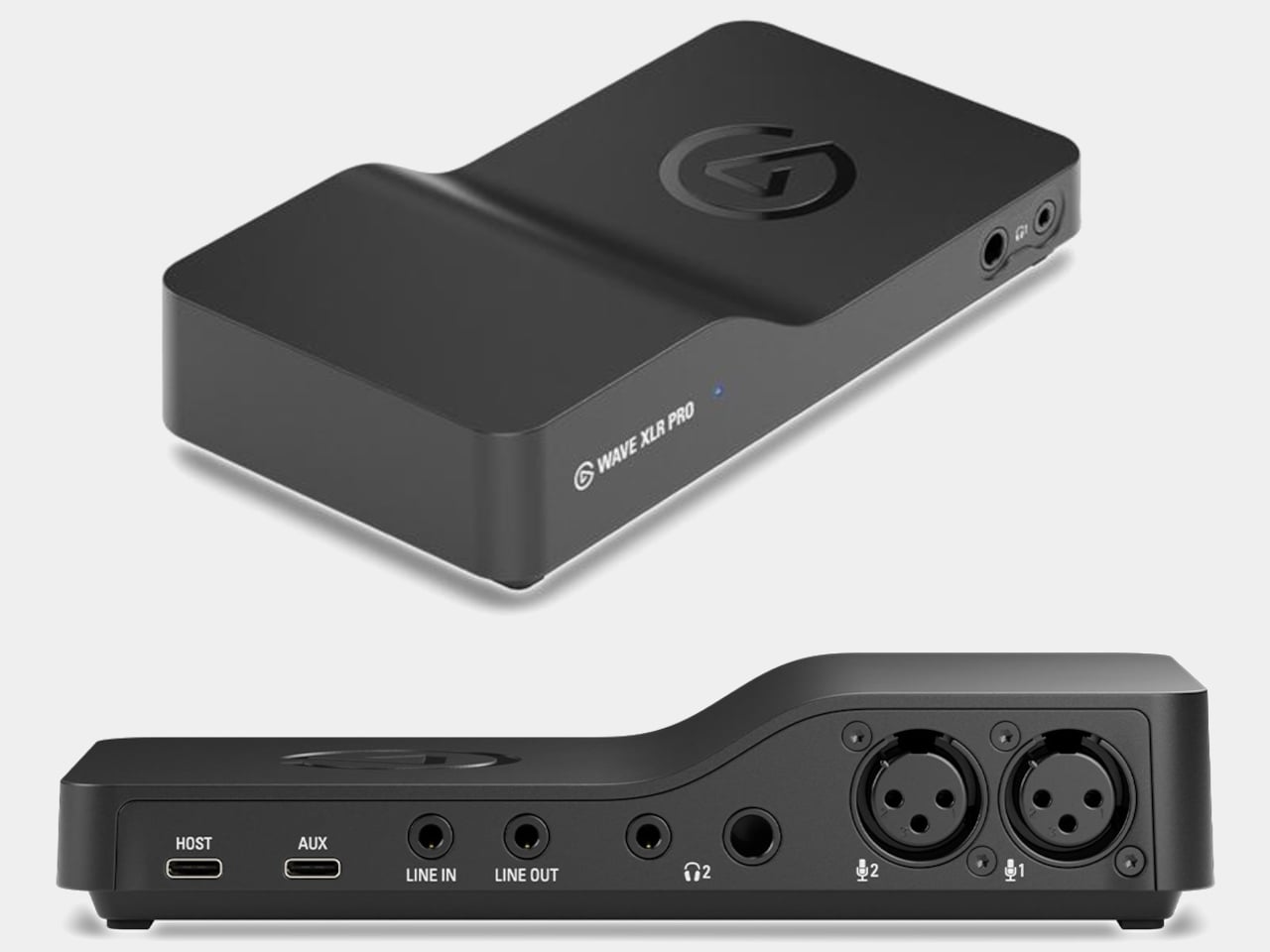
Four devices carry the Wave FX Processor. Wave:3 MK.2 is the USB condenser option, built around a supercardioid capsule tuned with Lewitt, with settings that persist across systems. Wave XLR MK.2 targets XLR microphone users with 80 dB of clean gain and 135 dB of dynamic range. XLR Dock MK.2 integrates directly into Stream Deck +. Wave XLR Pro, arriving in Q2 2026, adds dual XLR inputs and five hardware-based zero-latency monitoring mixes for two-person or multi-source setups.

Wave XLR Pro

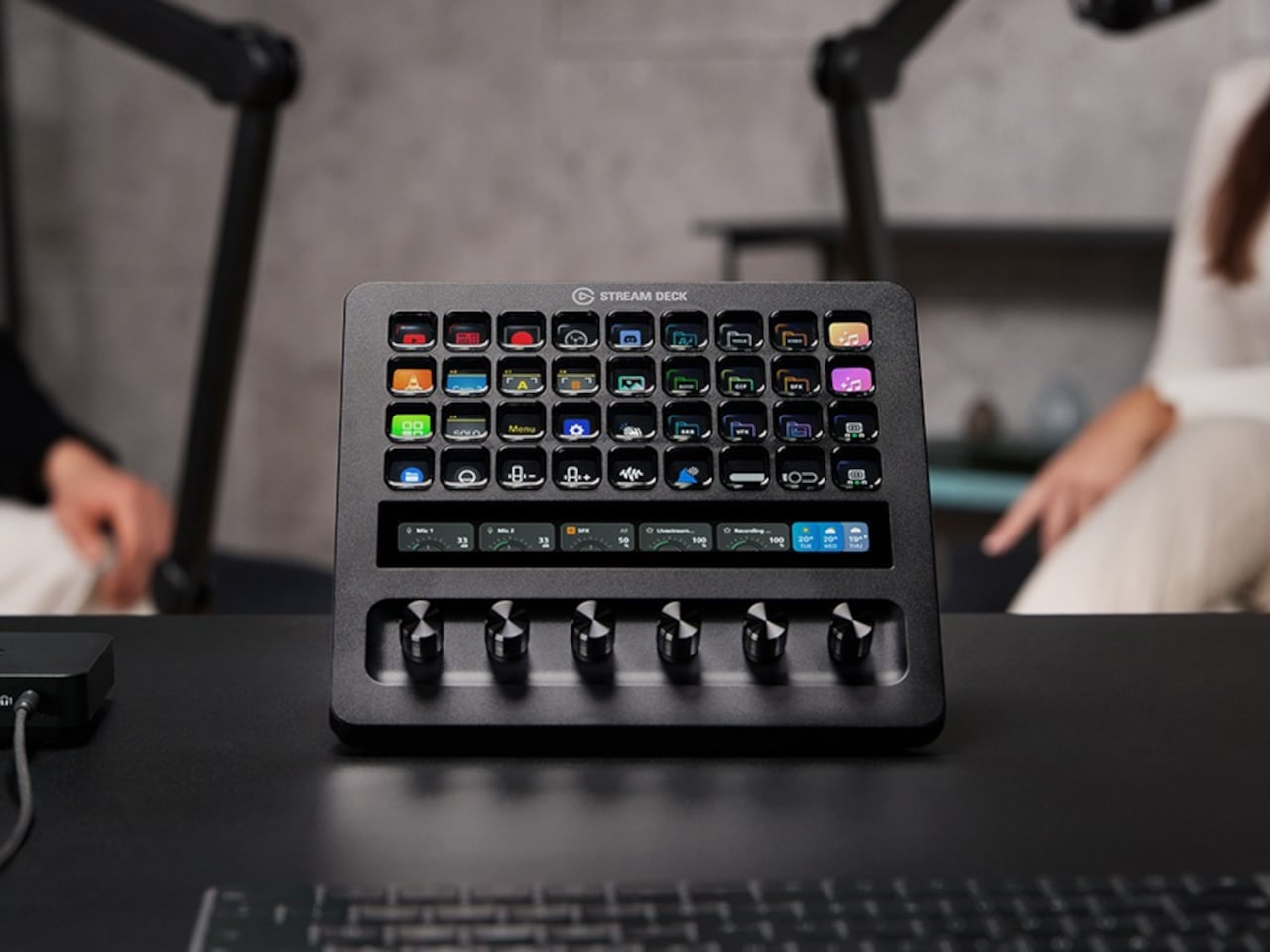
Stream Deck + XL brings physical control to the entire ecosystem through 36 customizable LCD keys, six multifunction dials, and an ultra-wide touch strip for adjusting levels, toggling effects, and switching mixes without opening a single menu. Paired with Wave XLR Pro, it handles what would traditionally require a dedicated mixing desk, though at a fraction of the footprint. That’s a meaningful trade-off for anyone short on desk space.

Stream Deck + XL

The pitch Elgato is making with Wave Next isn’t that audio production should be simple. It’s that the complexity should be optional, readable when you need it, and invisible when you don’t. For creators already deep in the Stream Deck ecosystem, the integration will feel almost obvious. For everyone else, it’s a more honest question of how much control they actually want.

The post Elgato’s Wave Next Connects Your Mic, Software, and Stream Deck first appeared on Yanko Design.

Motorola’s AI Pendant Turns Conference Talks Into LinkedIn Posts

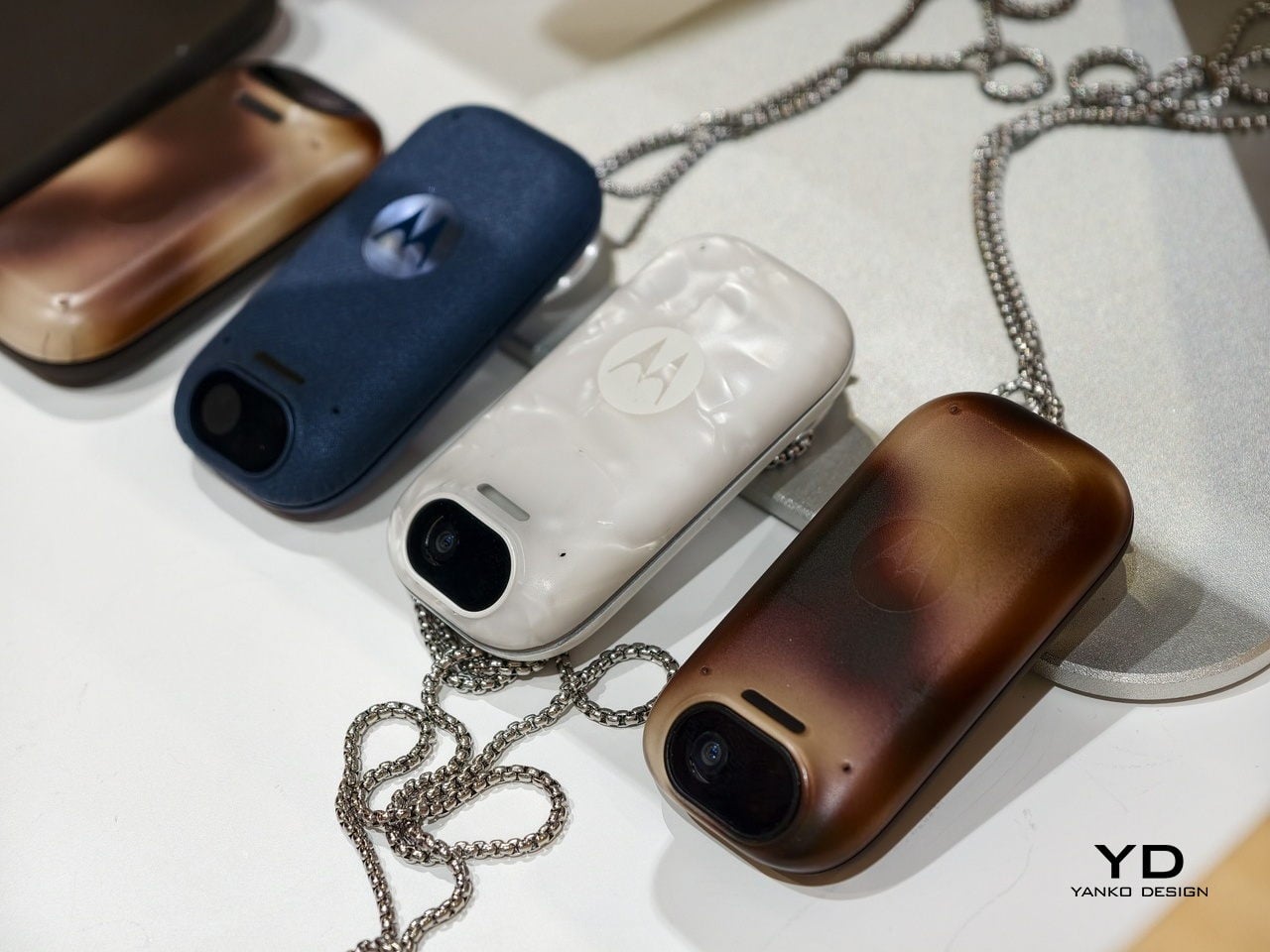
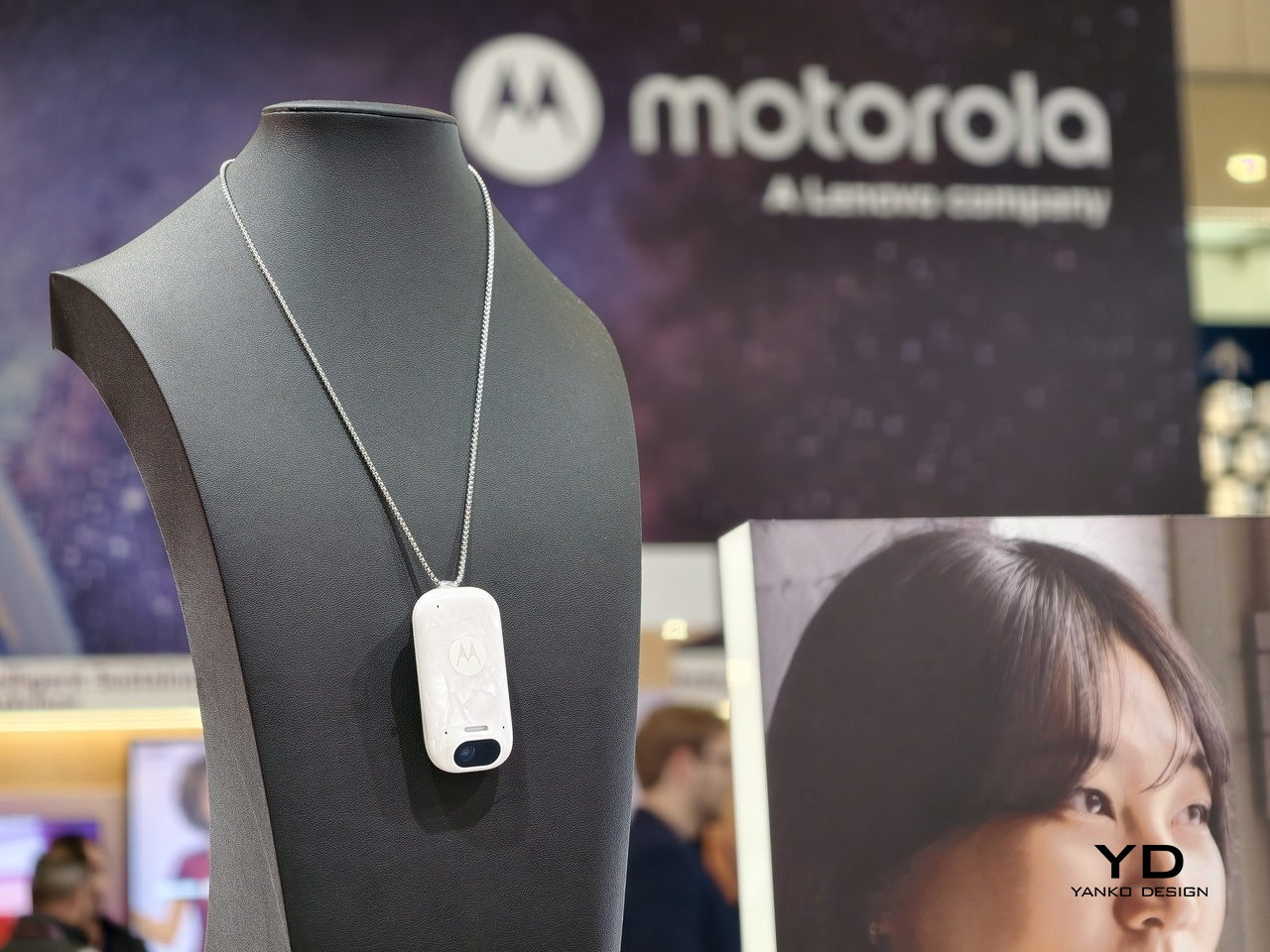
There’s a particular kind of friction that comes with using AI during moments that actually matter. You’re in a meeting or a keynote, and consulting your phone means breaking focus, fumbling with a screen, and silently signaling to everyone around you that you’d rather be somewhere else. Motorola’s 312 Labs team identified this as a design problem worth solving, and Project Maxwell is what came out of it.

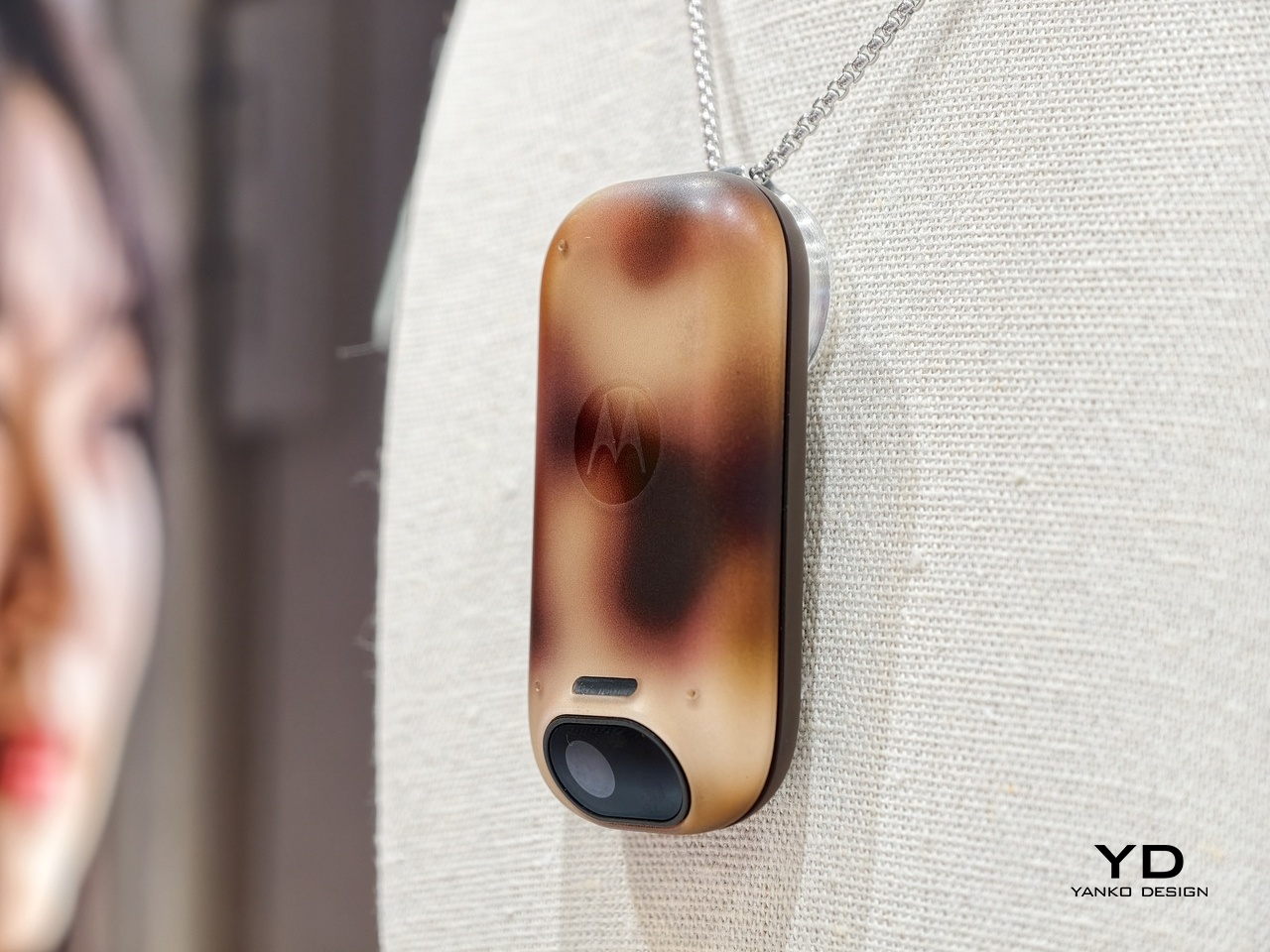
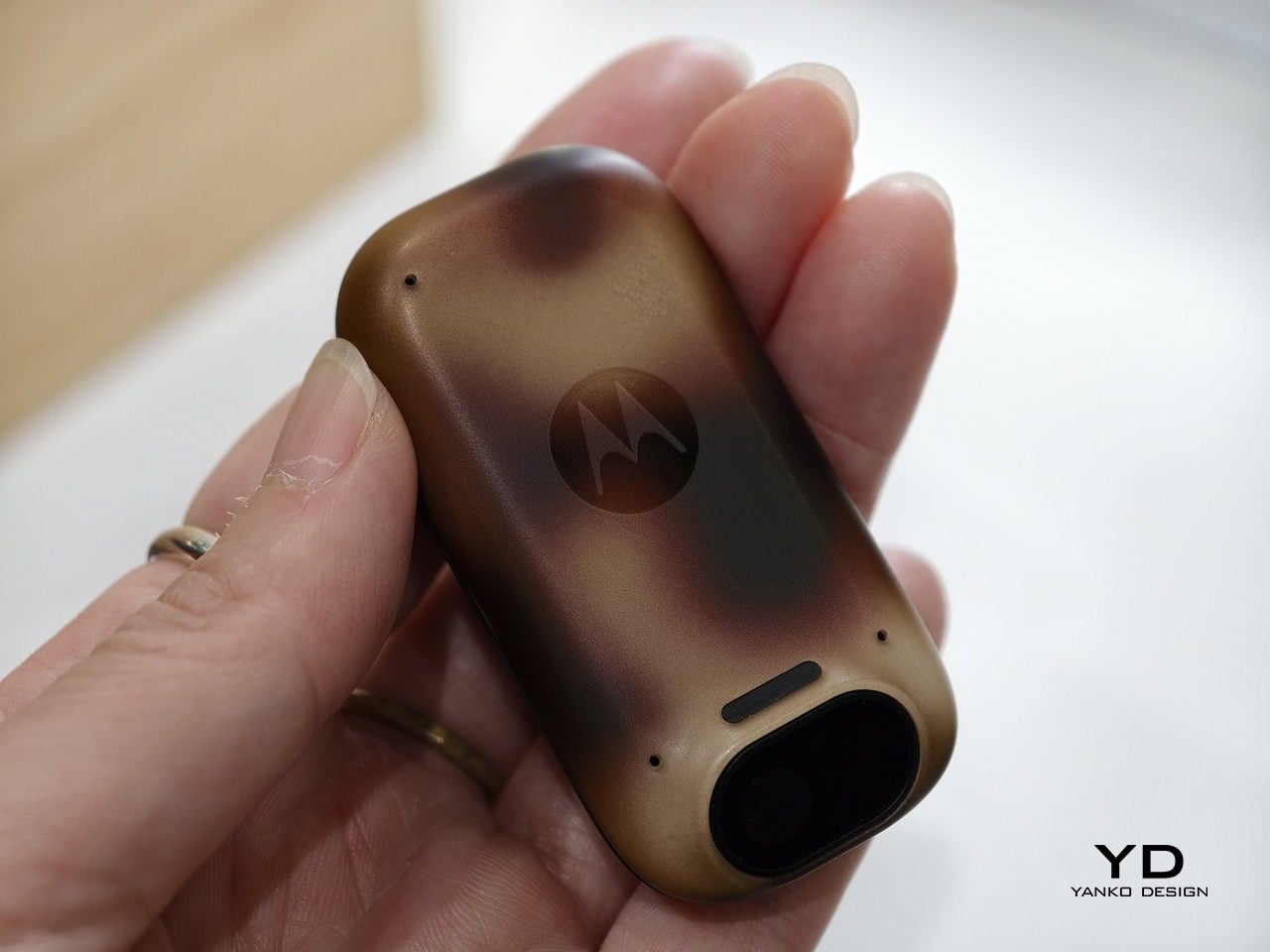
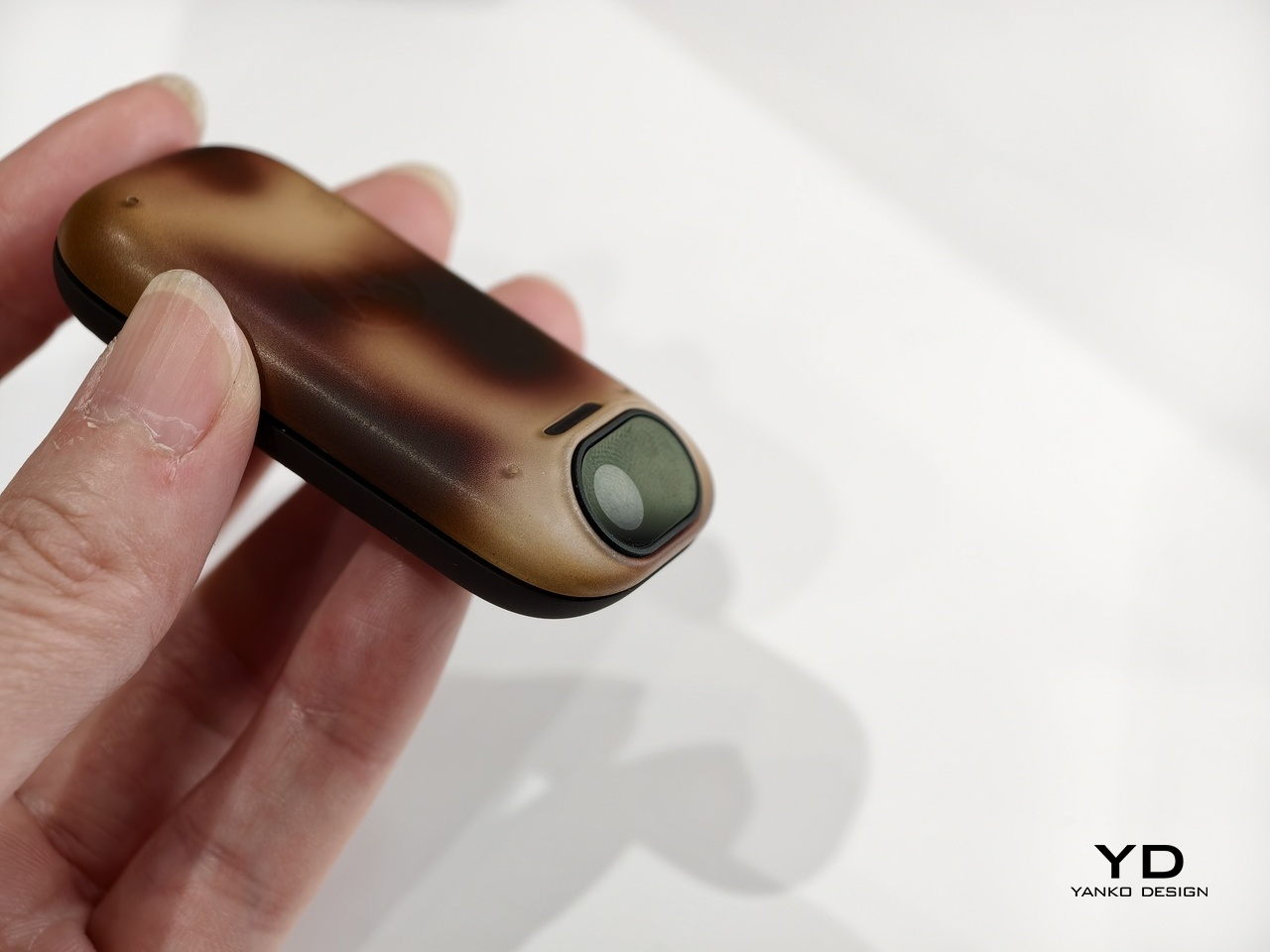
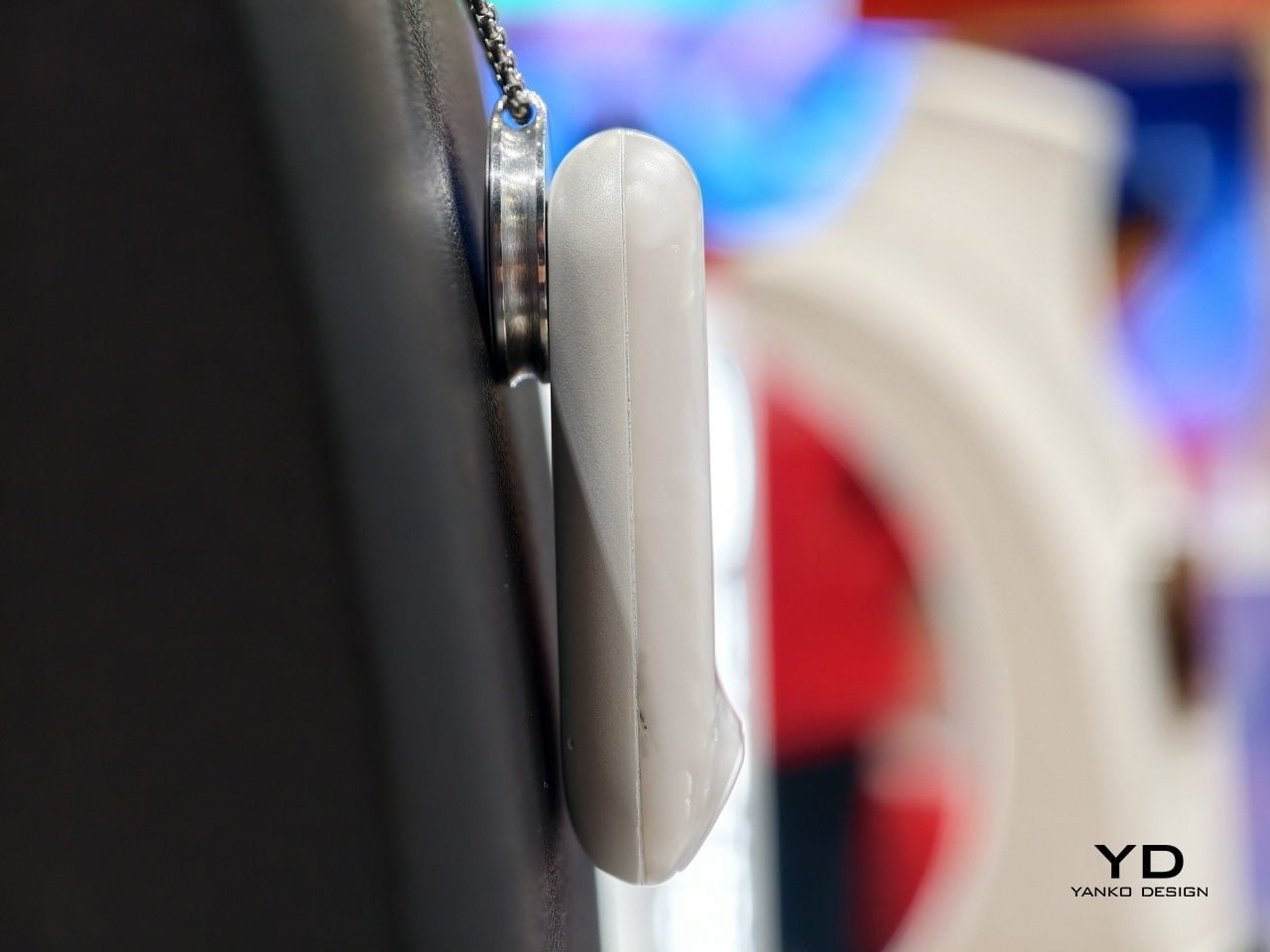
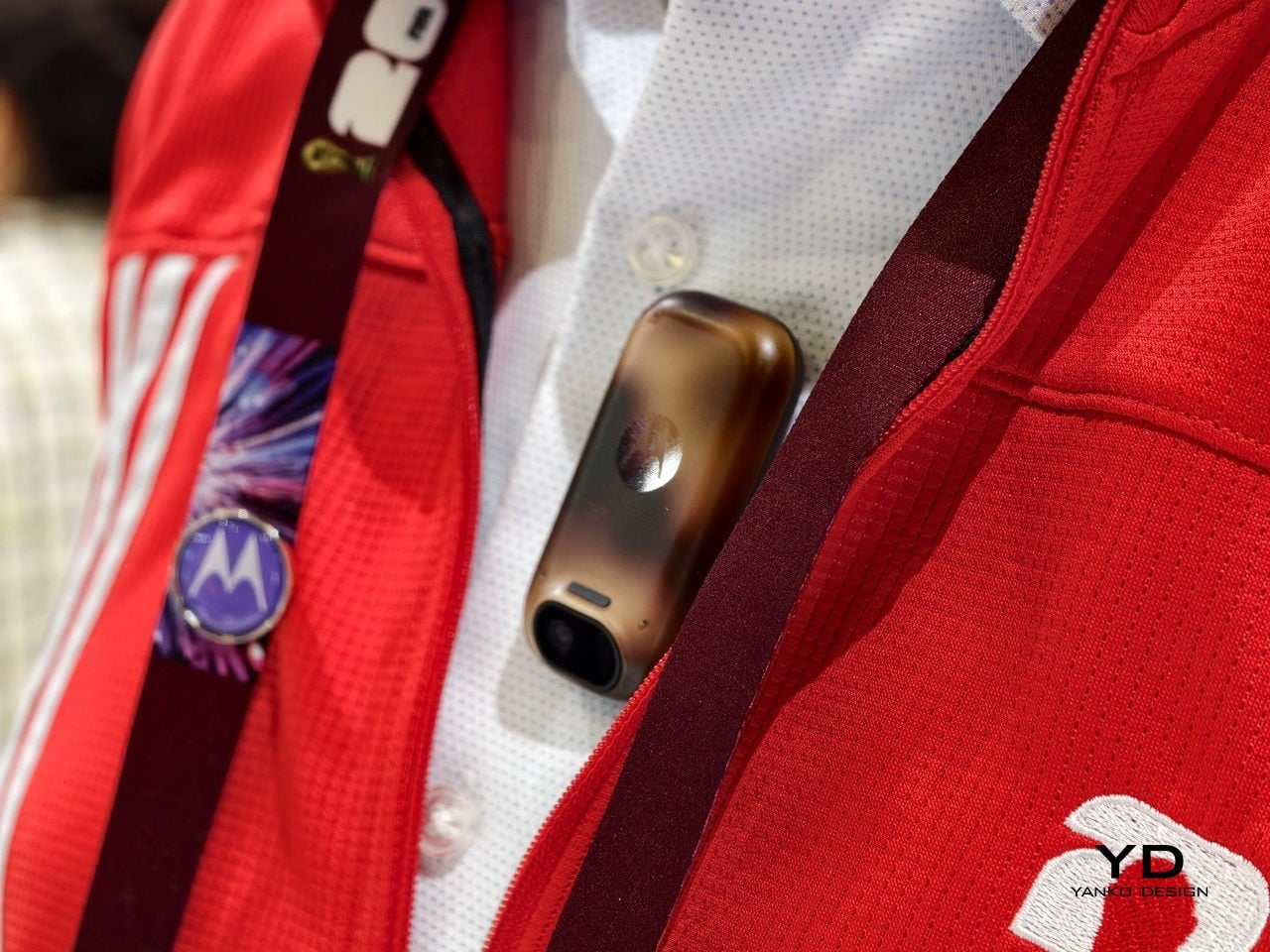
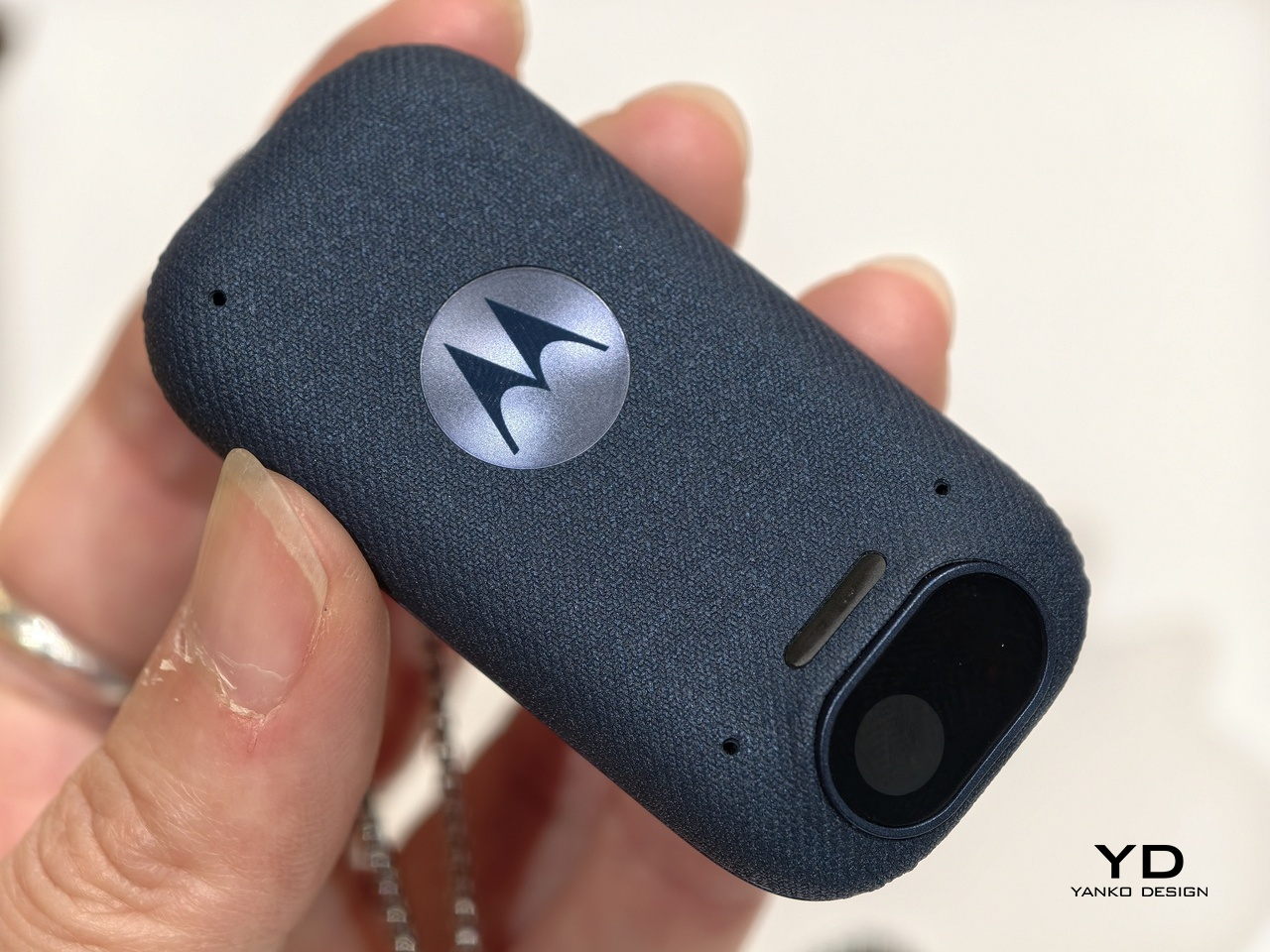
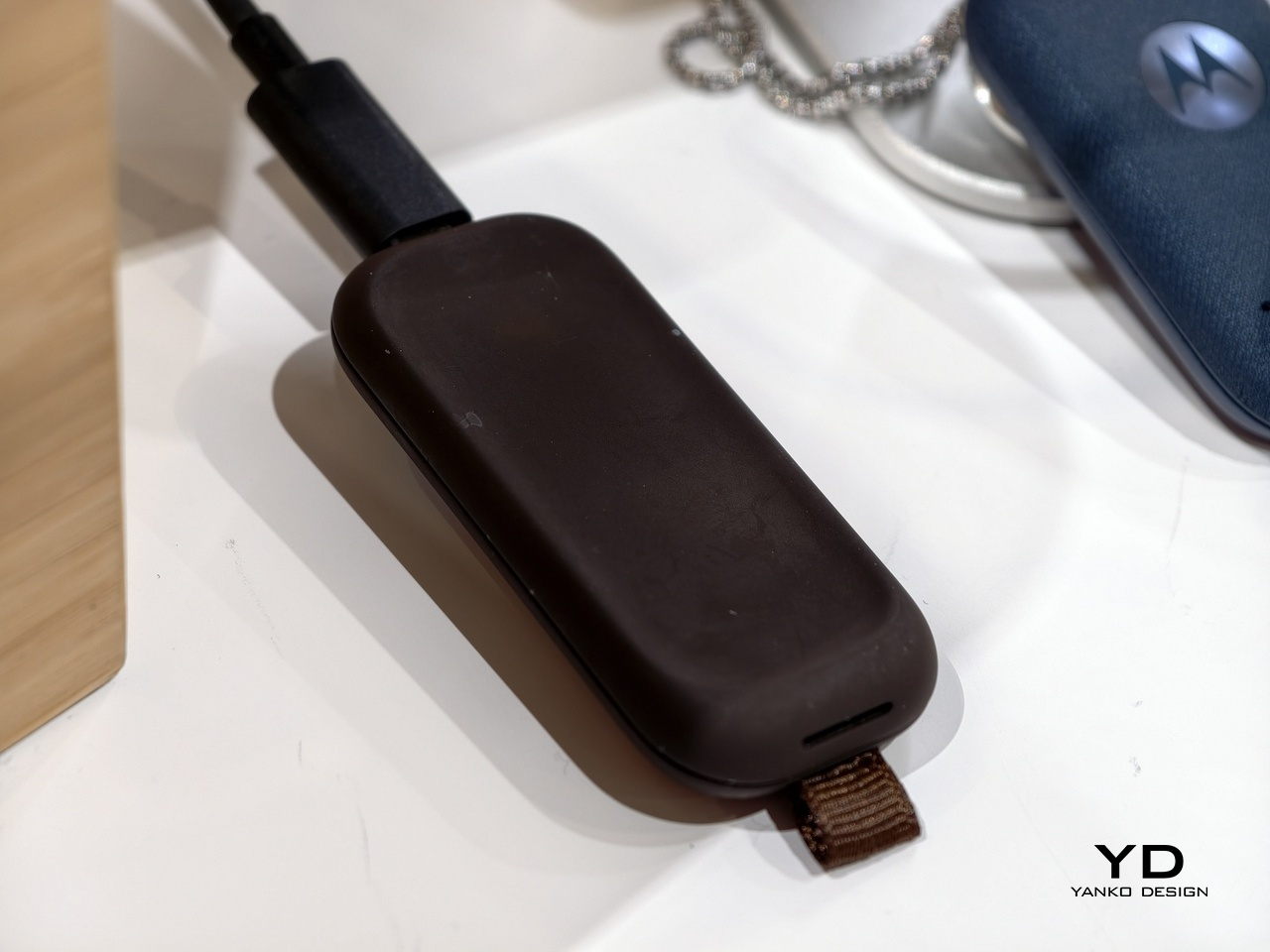
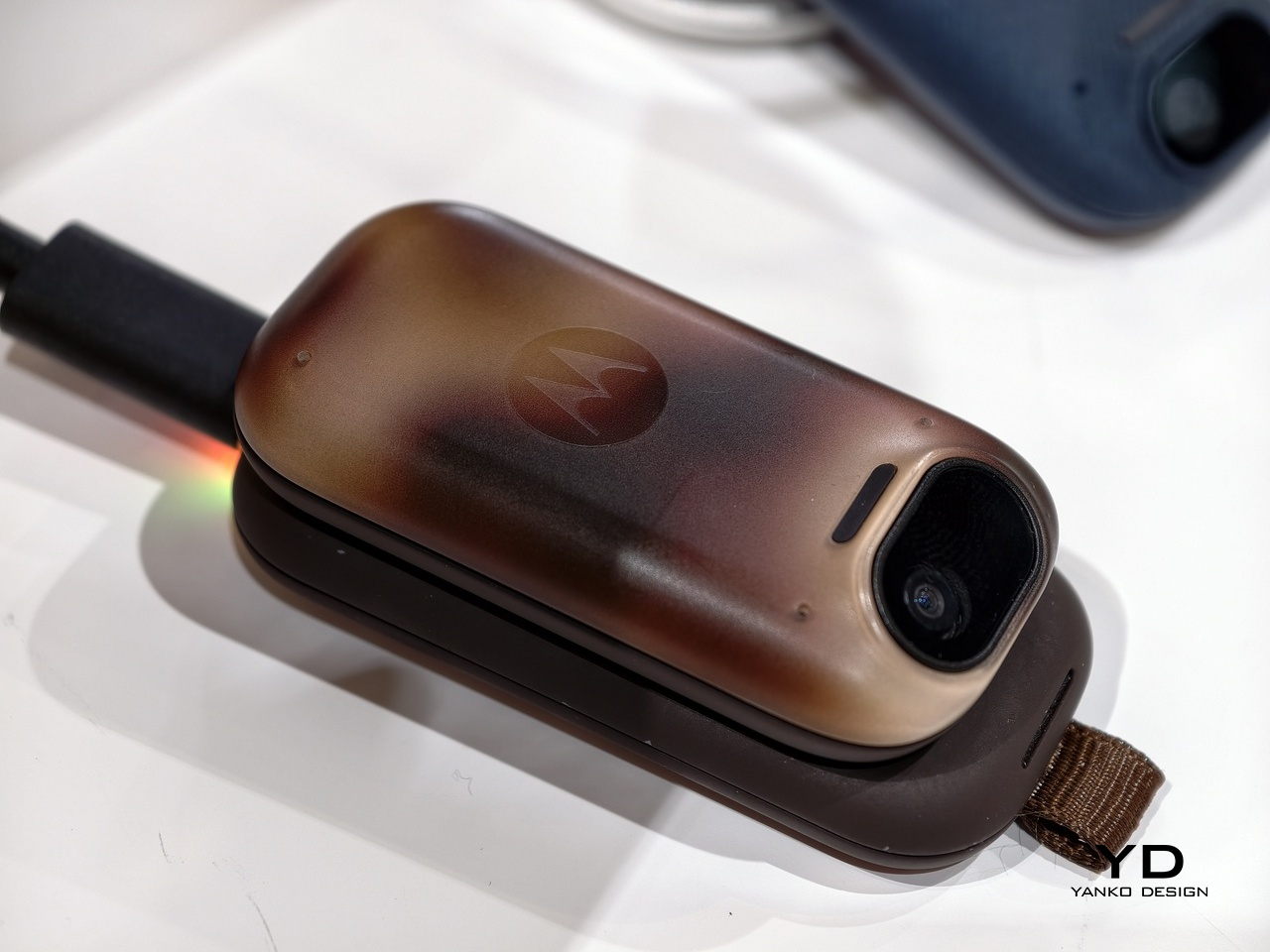
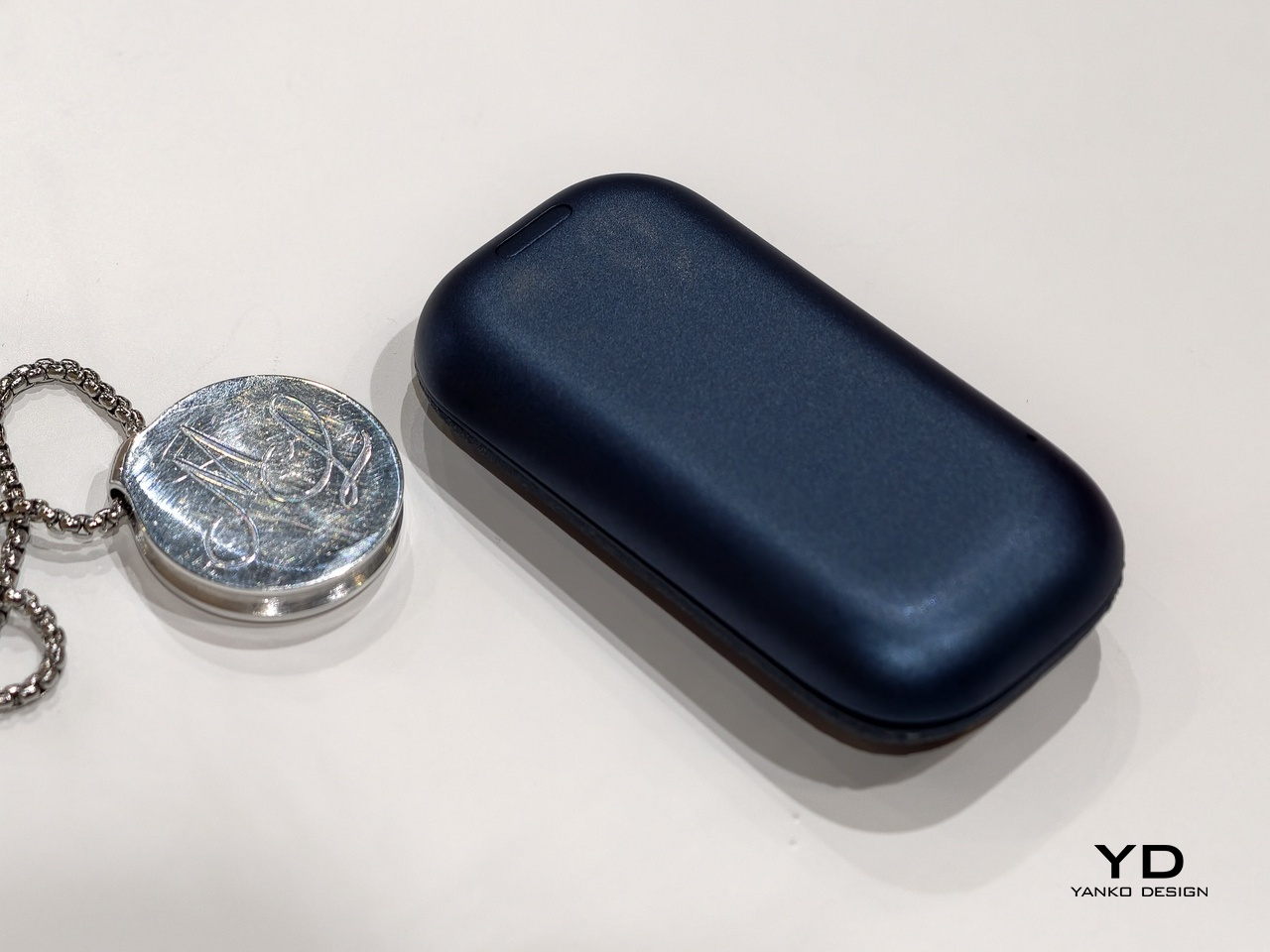
The device is a pendant, small enough to disappear against a shirt, worn on a metal chain with a rounded rectangular body that wouldn’t look out of place as functional jewelry. At one end sits a wide-angle camera lens in a dark housing, flanked by a slim LED indicator. It comes in a range of distinct finishes: a tortoiseshell amber with deep brown gradients, a matte navy with woven textile-like texture, a sculptural marbled white, and a deep chocolate brown.

Designer: Motorola

When prompted, Project Maxwell continuously captures what you see and hear, then processes that through what Motorola calls Multimodal Perception Fusion, combining input from its camera, microphones, and sensors to deliver real-time, contextual recommendations. The second technical layer, Natural Language Interaction and Intention Capture, is built on Large Action Models that don’t just respond to queries but execute tasks. The difference between describing an action and performing it is exactly the point.

Motorola illustrates the concept with a conference scenario: you prompt Maxwell before a keynote, let it absorb the room, and walk out with a ready-to-edit LinkedIn post, without opening a single app. The idea is that AI works best when it fits into what you’re already doing rather than demanding you stop to interact with it. That’s not a new pitch for wearable tech, but it’s rarely been this well-considered from a form standpoint.

Real questions remain, and Motorola is the first to say so. Project Maxwell is a proof of concept without pricing, a release date, or confirmed hardware specifications. The concerns around continuous environmental capture, consent, and data handling tend to get louder the closer a device like this gets to an actual shelf. How those boundaries get communicated in any future product will matter as much as the hardware.

What 312 Labs has made clear is that Maxwell’s learnings feed directly into Motorola’s Qira AI ecosystem. Even if this exact pendant never ships, the interaction model it’s testing, hands-free, context-aware, and action-capable, is the direction Motorola is heading. The more interesting question isn’t whether a wearable AI pendant is useful. It’s whether people will actually want to wear one.

The post Motorola’s AI Pendant Turns Conference Talks Into LinkedIn Posts first appeared on Yanko Design.

Two ESR Accessories That Fix the iPad’s Most Frustrating Problems

The iPad has a funny relationship with its own potential. Apple builds these devices with silicon that outpaces many laptops, pairs them with displays that creative professionals genuinely covet, sandwiches everything into one impossibly sleek slab of glass and aluminum… and then just announces them without obsessively planning the broader ecosystem. The Magic Keyboard, while capable, is expensive, as is the Pencil. One confines you to a laptop-style of using, the other to a conventional tablet. This, I believe, is Apple building a symbiotic relationship with third-party accessory makers who, more often than not, do a better job than Apple at really planning an ecosystem around powerful devices like the iPad Pro… and at a much lower price point.

ESR has made a habit of knowing how to harness the iPad’s hybrid potential correctly. The Shift Keyboard Case (Detachable) and the Geo Digital Pencil read like two products designed by people who use an iPad seriously and got tired of being held back. One brings detachable keyboard flexibility and a generous trackpad to a category Apple makes expensive and rigid. The other brings Find My tracking and Bluetooth shortcuts to stylus use, features that make you wonder why they were ever considered optional. Together, they close the loop on what a well-designed iPad workflow actually needs.

ESR Shift Keyboard Case: Designed Around How People Actually Use an iPad
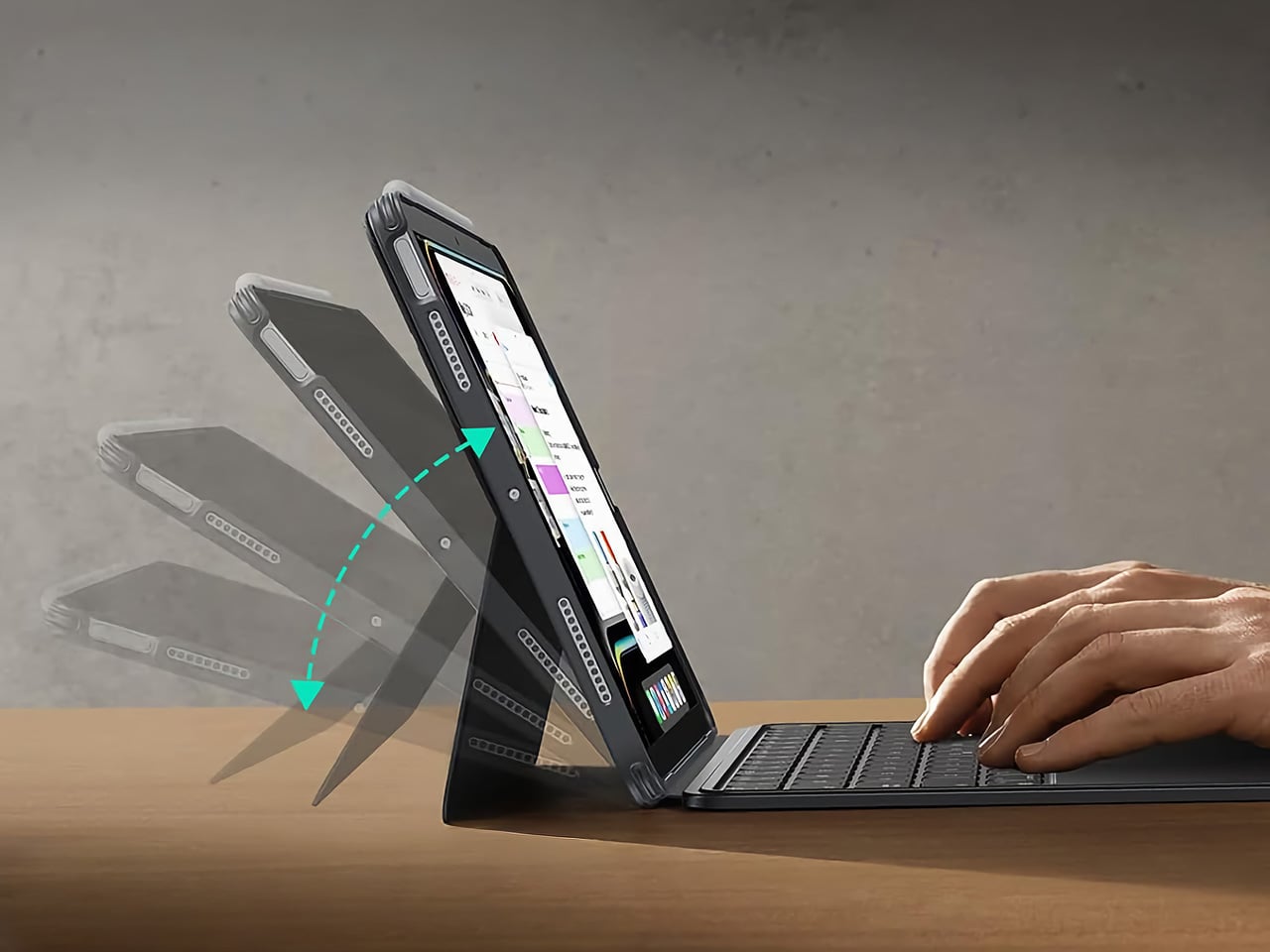
The biggest issue with turning an iPad into a laptop has always been the finality of it. Most keyboard cases, including Apple’s own, lock the device into a landscape, clamshell-style format that feels clumsy the moment you want to use it as a tablet again. The Shift Keyboard Case is built around a strong magnetic connection that sidesteps this entire problem. The keyboard half simply lifts away from the stand and case, leaving the protected iPad behind. This design treats the keyboard as a powerful, dedicated tool you bring in for serious typing, not as a permanent attachment you have to constantly wrestle with. It’s a simple mechanical solution to a complicated user experience problem, and it fundamentally changes how you approach the device.

When the keyboard is attached, the setup feels remarkably committed to a proper laptop workflow. ESR put a large, click-anywhere trackpad at the center of the design, which is the correct choice now that iPadOS has such robust cursor support. It lets you navigate, select text, and use gestures without your hands ever leaving the typing area. The keys themselves are backlit, with enough travel to feel responsive for long-form writing rather than just firing off a quick email. This combination of a full-featured keyboard and a genuinely usable trackpad is what separates a serious work setup from a temporary compromise, and it’s clear which side of that line ESR was aiming for.

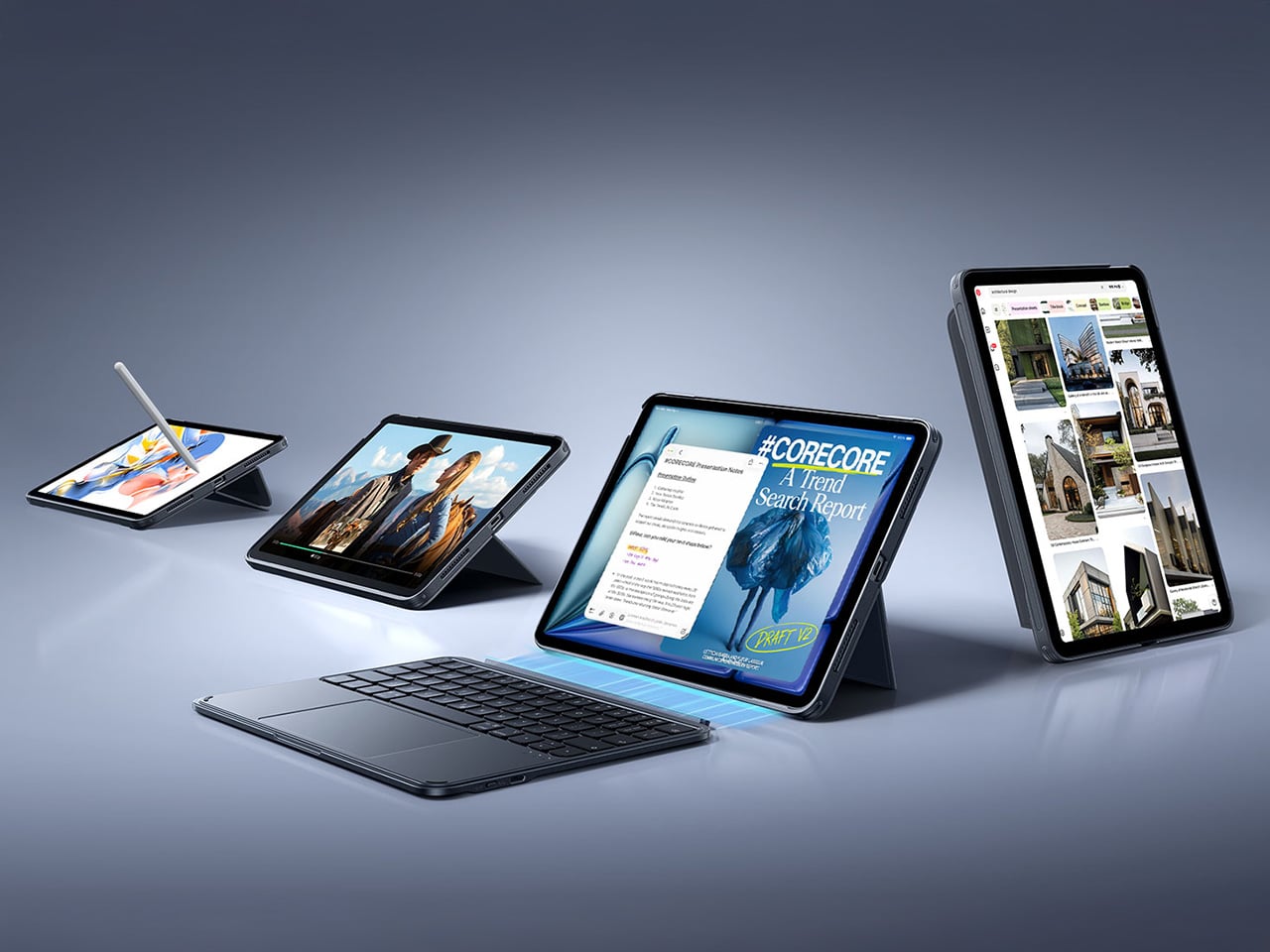
Once you detach the keyboard, the other half of the product’s intelligence becomes apparent. The remaining case and stand function independently, offering multiple viewing angles in both landscape and, crucially, portrait orientation. This is a detail that many competitors miss entirely. Being able to set the iPad up vertically for reading documents, coding, or taking video calls respects the fact that not all work happens in a 16:9 window. The stand mechanism is sturdy enough to support the iPad securely on a desk, making it a useful tool for media viewing or as a secondary display, all without the keyboard taking up space.

Putting it all together, the Shift case presents a complete, two-part system that adapts to the task at hand. The protective shell keeps the iPad safe, while the keyboard and stand components offer a level of functional flexibility that feels genuinely thoughtful. It’s a design that acknowledges the iPad is not a laptop, nor is it just a tablet; it’s a hybrid device that thrives when its accessories allow it to switch between roles effortlessly. The entire package is less about forcing the iPad into a new shape and more about giving its existing, versatile shape the tools it needs to be useful in more situations.

Why We Recommend It
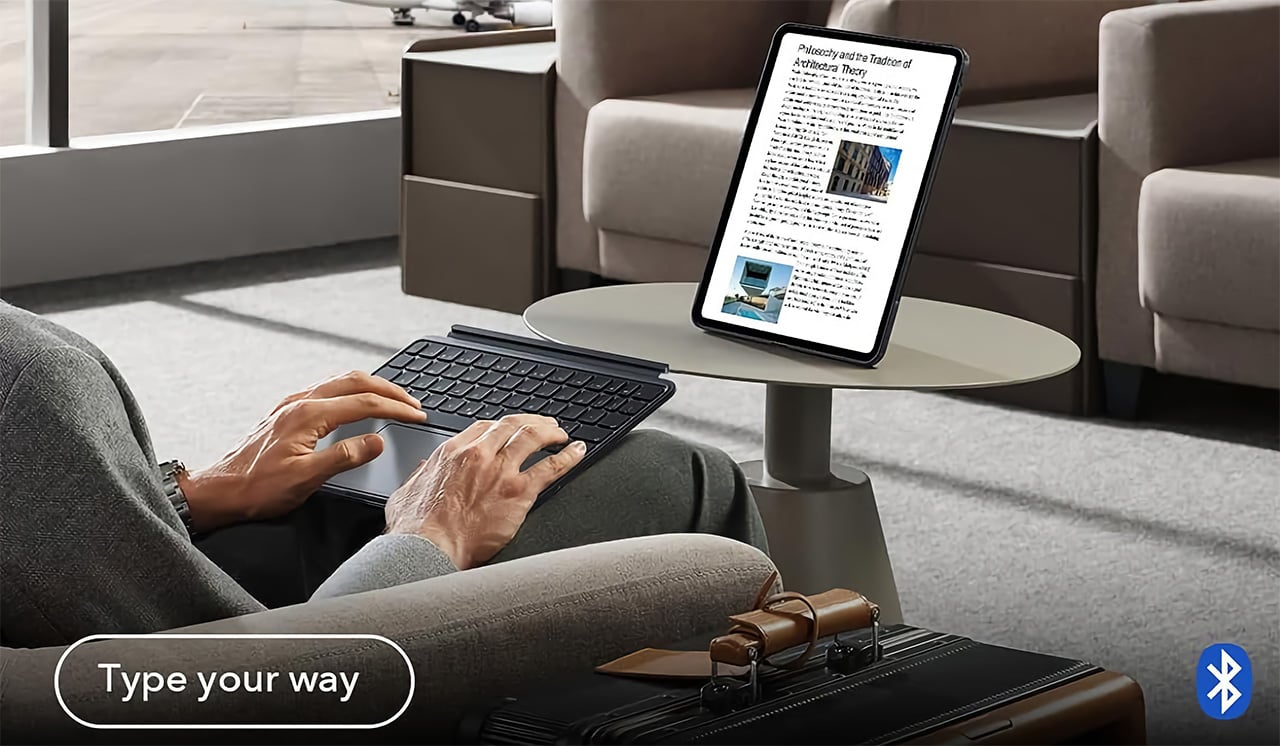
At $89.99, the Shift Keyboard Case costs roughly a fifth of what Apple charges for the Magic Keyboard, and that price gap alone would almost be enough. What makes the recommendation easy, though, is that the Shift Case actually offers something the Magic Keyboard doesn’t: the ability to leave the keyboard behind entirely. Apple’s solution commits you to a permanent clamshell, while the Shift Case treats that keyboard as a deployable tool with a specific job to do. For anyone who uses their iPad across genuinely different contexts, a desk in the morning, a couch in the evening, a bag in between, that modularity has real, daily value. The backlit keys and click-anywhere trackpad raise the floor on what a $90 keyboard case is supposed to feel like, making it difficult to justify spending more for fewer options.

Click Here to Buy Now: $89.99 | Amazon Link Here.

ESR Geo Digital Pencil: A Stylus That’s Actually Hard to Lose
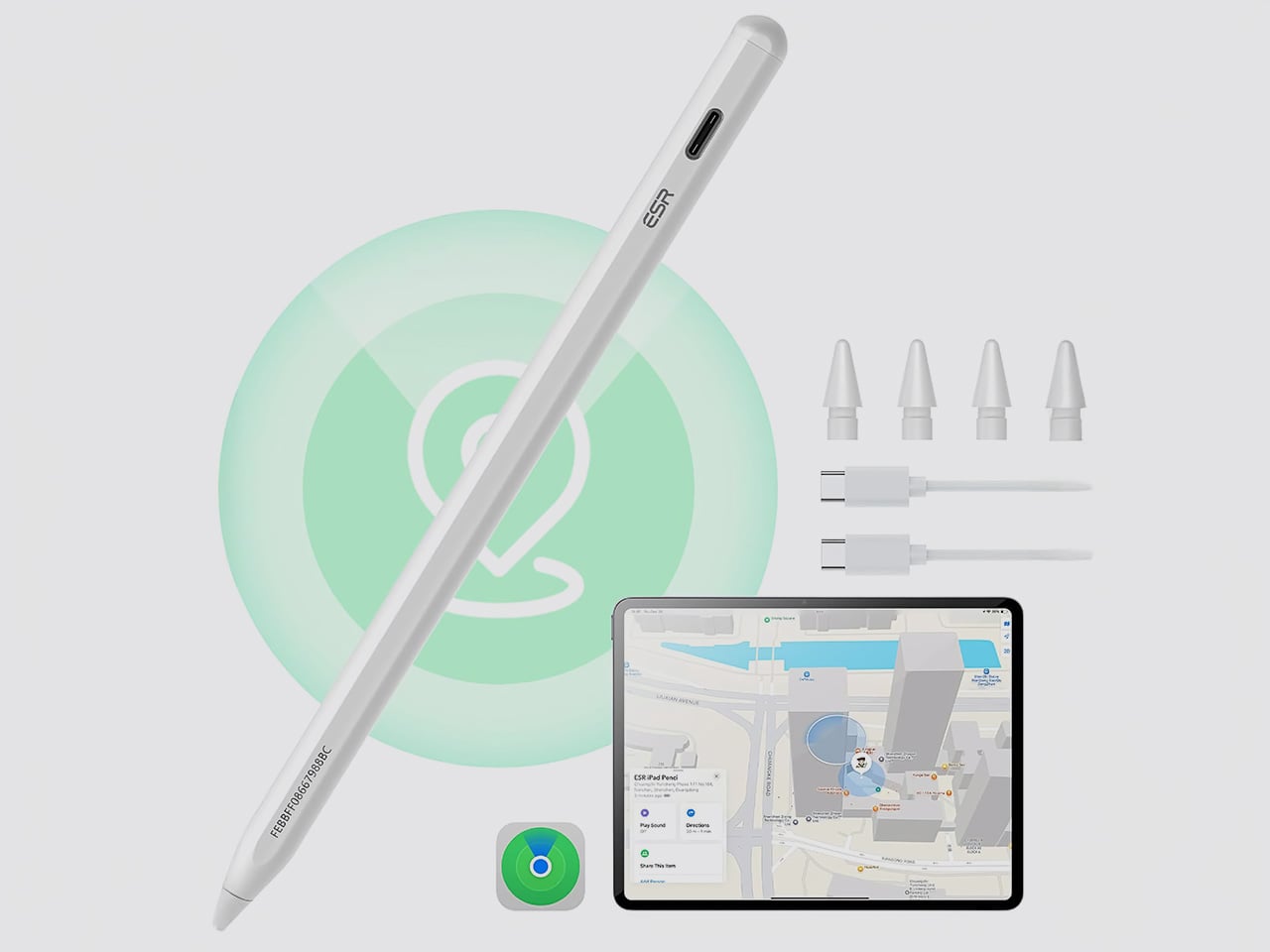
The most intelligent feature in the Geo Digital Pencil has nothing to do with drawing. It’s the integration of Apple’s Find My network, a decision so logical it feels like an oversight on Apple’s part. Not only can you locate the stylus using Apple’s Find My, you can even ping it through the app, causing the stylus to emit an audio alert for helping find it easily. This elevates the stylus from an easily misplaced accessory into a trackable piece of hardware, just like an AirTag or a pair of AirPods. Losing a stylus between sofa cushions or leaving it behind in a cafe is a common, expensive problem. By making the Geo Pencil locatable on a map directly within the Find My app, ESR has addressed a genuine point of user anxiety with a clean, native software solution that requires no extra apps or dongles.

Standardizing on a USB-C charging port was the other correct, user-first decision. It aligns the pencil with the charging ecosystem of the iPad, the Mac, and countless other modern devices, eliminating the need to carry a separate, proprietary cable. The port is discreetly located near the top of the stylus, allowing for a full charge in just 20 minutes, which is fast enough to rescue a dead battery right before a meeting or class. This commitment to a universal standard removes a significant point of friction from the daily workflow, acknowledging that convenience is a critical feature in any tool you rely on.

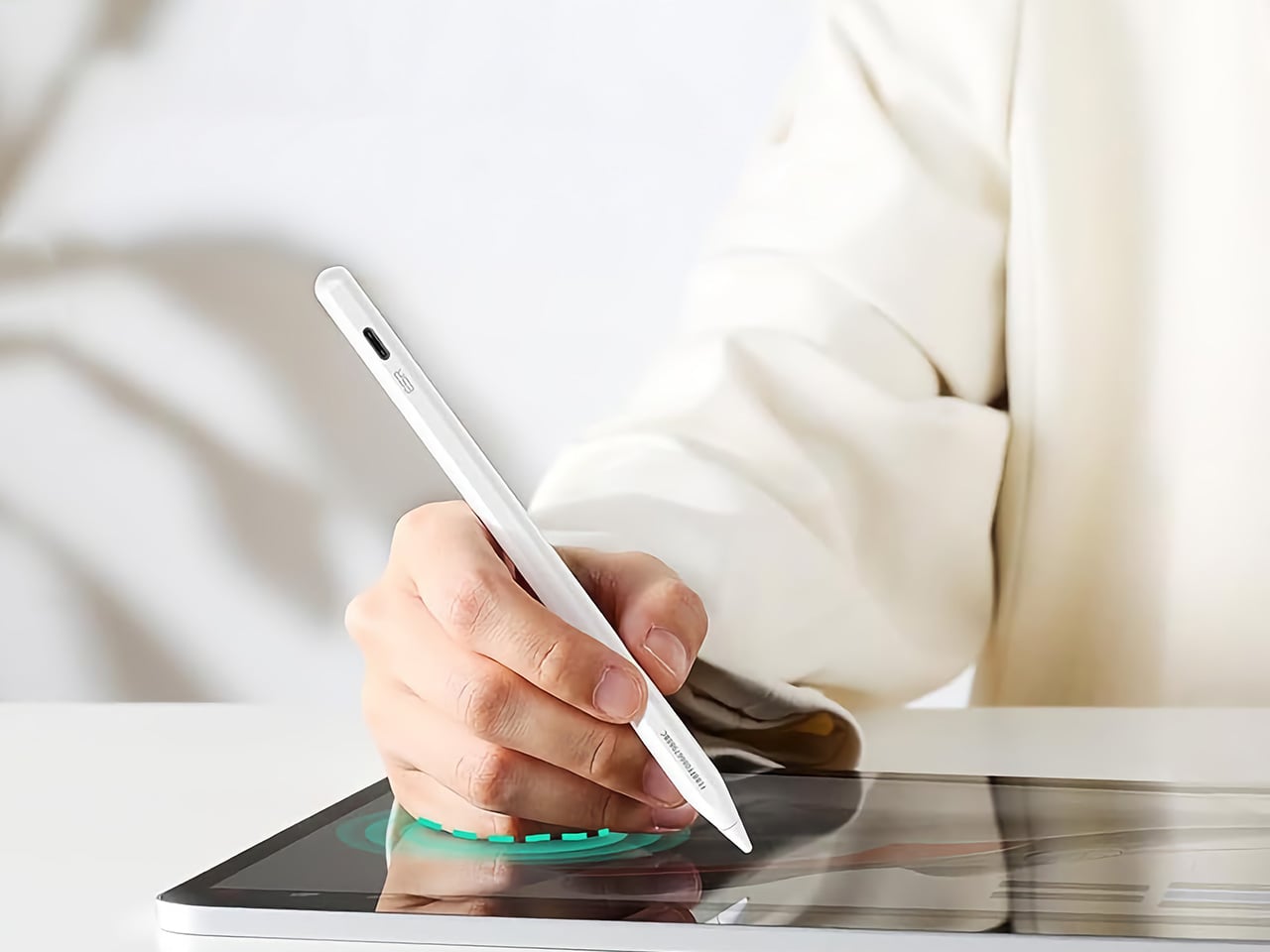
For actual creative and navigational input, the pencil delivers the features that cover the majority of use cases. It has full tilt sensitivity, allowing you to vary line thickness for shading in apps like Procreate, and its palm rejection is reliable enough for you to rest your hand on the screen while writing. While it doesn’t include pressure sensitivity, a feature reserved for high-end artistic work, it adds utility elsewhere. Once paired over Bluetooth, the top button becomes a shortcut key: a single tap returns you to the home screen, and a double tap opens the multitasking view, turning the stylus into a capable system remote.

These thoughtful features add up to a tool designed for the realities of daily use. The pencil snaps magnetically to the side of compatible iPads for easy storage, and its weight and balance feel comfortable for long note-taking sessions. It operates with pixel-perfect precision and no discernible lag, behaving exactly as you would expect a native stylus to. The Geo Digital Pencil is a clear example of a product designed to complete an experience, addressing the practical needs of organization, charging, and system navigation that make an iPad a genuinely more capable device.

Why We Recommend It
The Apple Pencil USB-C, Apple’s most affordable stylus, retails at $79 and offers no Find My support, no Bluetooth shortcuts, and no battery indicator. The Geo Digital Pencil costs $32.99 and has all three. That comparison does most of the heavy lifting, but the more interesting case for the Geo Pencil is what it means for the kind of person who carries an iPad between locations constantly, students, freelancers, people working from cafes and conference rooms. Styluses disappear. They roll off desks, get left in bags, and turn up missing at the worst possible moment. Having Find My baked in at this price point converts a frustrating accessory into a dependable one, and that reliability is worth more in practice than any spec on a sheet. The 20-minute full charge via USB-C keeps it from becoming another thing you have to carefully manage, and the tilt sensitivity and Bluetooth shortcuts round out a package that punches well above its category.

Click Here to Buy Now: $32.99 $36.99 (11% off). Hurry, deal ends in 48-hours! Amazon Link Here.

The post Two ESR Accessories That Fix the iPad’s Most Frustrating Problems first appeared on Yanko Design.
Two ESR Accessories That Fix the iPad’s Most Frustrating Problems

The iPad has a funny relationship with its own potential. Apple builds these devices with silicon that outpaces many laptops, pairs them with displays that creative professionals genuinely covet, sandwiches everything into one impossibly sleek slab of glass and aluminum… and then just announces them without obsessively planning the broader ecosystem. The Magic Keyboard, while capable, is expensive, as is the Pencil. One confines you to a laptop-style of using, the other to a conventional tablet. This, I believe, is Apple building a symbiotic relationship with third-party accessory makers who, more often than not, do a better job than Apple at really planning an ecosystem around powerful devices like the iPad Pro… and at a much lower price point.

ESR has made a habit of knowing how to harness the iPad’s hybrid potential correctly. The Shift Keyboard Case (Detachable) and the Geo Digital Pencil read like two products designed by people who use an iPad seriously and got tired of being held back. One brings detachable keyboard flexibility and a generous trackpad to a category Apple makes expensive and rigid. The other brings Find My tracking and Bluetooth shortcuts to stylus use, features that make you wonder why they were ever considered optional. Together, they close the loop on what a well-designed iPad workflow actually needs.

ESR Shift Keyboard Case: Designed Around How People Actually Use an iPad

The biggest issue with turning an iPad into a laptop has always been the finality of it. Most keyboard cases, including Apple’s own, lock the device into a landscape, clamshell-style format that feels clumsy the moment you want to use it as a tablet again. The Shift Keyboard Case is built around a strong magnetic connection that sidesteps this entire problem. The keyboard half simply lifts away from the stand and case, leaving the protected iPad behind. This design treats the keyboard as a powerful, dedicated tool you bring in for serious typing, not as a permanent attachment you have to constantly wrestle with. It’s a simple mechanical solution to a complicated user experience problem, and it fundamentally changes how you approach the device.

When the keyboard is attached, the setup feels remarkably committed to a proper laptop workflow. ESR put a large, click-anywhere trackpad at the center of the design, which is the correct choice now that iPadOS has such robust cursor support. It lets you navigate, select text, and use gestures without your hands ever leaving the typing area. The keys themselves are backlit, with enough travel to feel responsive for long-form writing rather than just firing off a quick email. This combination of a full-featured keyboard and a genuinely usable trackpad is what separates a serious work setup from a temporary compromise, and it’s clear which side of that line ESR was aiming for.

Once you detach the keyboard, the other half of the product’s intelligence becomes apparent. The remaining case and stand function independently, offering multiple viewing angles in both landscape and, crucially, portrait orientation. This is a detail that many competitors miss entirely. Being able to set the iPad up vertically for reading documents, coding, or taking video calls respects the fact that not all work happens in a 16:9 window. The stand mechanism is sturdy enough to support the iPad securely on a desk, making it a useful tool for media viewing or as a secondary display, all without the keyboard taking up space.

Putting it all together, the Shift case presents a complete, two-part system that adapts to the task at hand. The protective shell keeps the iPad safe, while the keyboard and stand components offer a level of functional flexibility that feels genuinely thoughtful. It’s a design that acknowledges the iPad is not a laptop, nor is it just a tablet; it’s a hybrid device that thrives when its accessories allow it to switch between roles effortlessly. The entire package is less about forcing the iPad into a new shape and more about giving its existing, versatile shape the tools it needs to be useful in more situations.

Why We Recommend It

At $89.99, the Shift Keyboard Case costs roughly a fifth of what Apple charges for the Magic Keyboard, and that price gap alone would almost be enough. What makes the recommendation easy, though, is that the Shift Case actually offers something the Magic Keyboard doesn’t: the ability to leave the keyboard behind entirely. Apple’s solution commits you to a permanent clamshell, while the Shift Case treats that keyboard as a deployable tool with a specific job to do. For anyone who uses their iPad across genuinely different contexts, a desk in the morning, a couch in the evening, a bag in between, that modularity has real, daily value. The backlit keys and click-anywhere trackpad raise the floor on what a $90 keyboard case is supposed to feel like, making it difficult to justify spending more for fewer options.

Click Here to Buy Now: $89.99 | Amazon Link Here.

ESR Geo Digital Pencil: A Stylus That’s Actually Hard to Lose

The most intelligent feature in the Geo Digital Pencil has nothing to do with drawing. It’s the integration of Apple’s Find My network, a decision so logical it feels like an oversight on Apple’s part. Not only can you locate the stylus using Apple’s Find My, you can even ping it through the app, causing the stylus to emit an audio alert for helping find it easily. This elevates the stylus from an easily misplaced accessory into a trackable piece of hardware, just like an AirTag or a pair of AirPods. Losing a stylus between sofa cushions or leaving it behind in a cafe is a common, expensive problem. By making the Geo Pencil locatable on a map directly within the Find My app, ESR has addressed a genuine point of user anxiety with a clean, native software solution that requires no extra apps or dongles.

Standardizing on a USB-C charging port was the other correct, user-first decision. It aligns the pencil with the charging ecosystem of the iPad, the Mac, and countless other modern devices, eliminating the need to carry a separate, proprietary cable. The port is discreetly located near the top of the stylus, allowing for a full charge in just 20 minutes, which is fast enough to rescue a dead battery right before a meeting or class. This commitment to a universal standard removes a significant point of friction from the daily workflow, acknowledging that convenience is a critical feature in any tool you rely on.

For actual creative and navigational input, the pencil delivers the features that cover the majority of use cases. It has full tilt sensitivity, allowing you to vary line thickness for shading in apps like Procreate, and its palm rejection is reliable enough for you to rest your hand on the screen while writing. While it doesn’t include pressure sensitivity, a feature reserved for high-end artistic work, it adds utility elsewhere. Once paired over Bluetooth, the top button becomes a shortcut key: a single tap returns you to the home screen, and a double tap opens the multitasking view, turning the stylus into a capable system remote.

These thoughtful features add up to a tool designed for the realities of daily use. The pencil snaps magnetically to the side of compatible iPads for easy storage, and its weight and balance feel comfortable for long note-taking sessions. It operates with pixel-perfect precision and no discernible lag, behaving exactly as you would expect a native stylus to. The Geo Digital Pencil is a clear example of a product designed to complete an experience, addressing the practical needs of organization, charging, and system navigation that make an iPad a genuinely more capable device.

Why We Recommend It

The Apple Pencil USB-C, Apple’s most affordable stylus, retails at $79 and offers no Find My support, no Bluetooth shortcuts, and no battery indicator. The Geo Digital Pencil costs $32.99 and has all three. That comparison does most of the heavy lifting, but the more interesting case for the Geo Pencil is what it means for the kind of person who carries an iPad between locations constantly, students, freelancers, people working from cafes and conference rooms. Styluses disappear. They roll off desks, get left in bags, and turn up missing at the worst possible moment. Having Find My baked in at this price point converts a frustrating accessory into a dependable one, and that reliability is worth more in practice than any spec on a sheet. The 20-minute full charge via USB-C keeps it from becoming another thing you have to carefully manage, and the tilt sensitivity and Bluetooth shortcuts round out a package that punches well above its category.

Click Here to Buy Now: $32.99 $36.99 (11% off). Hurry, deal ends in 48-hours! Amazon Link Here.

The post Two ESR Accessories That Fix the iPad’s Most Frustrating Problems first appeared on Yanko Design.
Two ESR Accessories That Fix the iPad’s Most Frustrating Problems

The iPad has a funny relationship with its own potential. Apple builds these devices with silicon that outpaces many laptops, pairs them with displays that creative professionals genuinely covet, sandwiches everything into one impossibly sleek slab of glass and aluminum… and then just announces them without obsessively planning the broader ecosystem. The Magic Keyboard, while capable, is expensive, as is the Pencil. One confines you to a laptop-style of using, the other to a conventional tablet. This, I believe, is Apple building a symbiotic relationship with third-party accessory makers who, more often than not, do a better job than Apple at really planning an ecosystem around powerful devices like the iPad Pro… and at a much lower price point.

ESR has made a habit of knowing how to harness the iPad’s hybrid potential correctly. The Shift Keyboard Case (Detachable) and the Geo Digital Pencil read like two products designed by people who use an iPad seriously and got tired of being held back. One brings detachable keyboard flexibility and a generous trackpad to a category Apple makes expensive and rigid. The other brings Find My tracking and Bluetooth shortcuts to stylus use, features that make you wonder why they were ever considered optional. Together, they close the loop on what a well-designed iPad workflow actually needs.

ESR Shift Keyboard Case: Designed Around How People Actually Use an iPad

The biggest issue with turning an iPad into a laptop has always been the finality of it. Most keyboard cases, including Apple’s own, lock the device into a landscape, clamshell-style format that feels clumsy the moment you want to use it as a tablet again. The Shift Keyboard Case is built around a strong magnetic connection that sidesteps this entire problem. The keyboard half simply lifts away from the stand and case, leaving the protected iPad behind. This design treats the keyboard as a powerful, dedicated tool you bring in for serious typing, not as a permanent attachment you have to constantly wrestle with. It’s a simple mechanical solution to a complicated user experience problem, and it fundamentally changes how you approach the device.

When the keyboard is attached, the setup feels remarkably committed to a proper laptop workflow. ESR put a large, click-anywhere trackpad at the center of the design, which is the correct choice now that iPadOS has such robust cursor support. It lets you navigate, select text, and use gestures without your hands ever leaving the typing area. The keys themselves are backlit, with enough travel to feel responsive for long-form writing rather than just firing off a quick email. This combination of a full-featured keyboard and a genuinely usable trackpad is what separates a serious work setup from a temporary compromise, and it’s clear which side of that line ESR was aiming for.

Once you detach the keyboard, the other half of the product’s intelligence becomes apparent. The remaining case and stand function independently, offering multiple viewing angles in both landscape and, crucially, portrait orientation. This is a detail that many competitors miss entirely. Being able to set the iPad up vertically for reading documents, coding, or taking video calls respects the fact that not all work happens in a 16:9 window. The stand mechanism is sturdy enough to support the iPad securely on a desk, making it a useful tool for media viewing or as a secondary display, all without the keyboard taking up space.

Putting it all together, the Shift case presents a complete, two-part system that adapts to the task at hand. The protective shell keeps the iPad safe, while the keyboard and stand components offer a level of functional flexibility that feels genuinely thoughtful. It’s a design that acknowledges the iPad is not a laptop, nor is it just a tablet; it’s a hybrid device that thrives when its accessories allow it to switch between roles effortlessly. The entire package is less about forcing the iPad into a new shape and more about giving its existing, versatile shape the tools it needs to be useful in more situations.

Why We Recommend It

At $89.99, the Shift Keyboard Case costs roughly a fifth of what Apple charges for the Magic Keyboard, and that price gap alone would almost be enough. What makes the recommendation easy, though, is that the Shift Case actually offers something the Magic Keyboard doesn’t: the ability to leave the keyboard behind entirely. Apple’s solution commits you to a permanent clamshell, while the Shift Case treats that keyboard as a deployable tool with a specific job to do. For anyone who uses their iPad across genuinely different contexts, a desk in the morning, a couch in the evening, a bag in between, that modularity has real, daily value. The backlit keys and click-anywhere trackpad raise the floor on what a $90 keyboard case is supposed to feel like, making it difficult to justify spending more for fewer options.

Click Here to Buy Now: $89.99 | Amazon Link Here.

ESR Geo Digital Pencil: A Stylus That’s Actually Hard to Lose

The most intelligent feature in the Geo Digital Pencil has nothing to do with drawing. It’s the integration of Apple’s Find My network, a decision so logical it feels like an oversight on Apple’s part. Not only can you locate the stylus using Apple’s Find My, you can even ping it through the app, causing the stylus to emit an audio alert for helping find it easily. This elevates the stylus from an easily misplaced accessory into a trackable piece of hardware, just like an AirTag or a pair of AirPods. Losing a stylus between sofa cushions or leaving it behind in a cafe is a common, expensive problem. By making the Geo Pencil locatable on a map directly within the Find My app, ESR has addressed a genuine point of user anxiety with a clean, native software solution that requires no extra apps or dongles.

Standardizing on a USB-C charging port was the other correct, user-first decision. It aligns the pencil with the charging ecosystem of the iPad, the Mac, and countless other modern devices, eliminating the need to carry a separate, proprietary cable. The port is discreetly located near the top of the stylus, allowing for a full charge in just 20 minutes, which is fast enough to rescue a dead battery right before a meeting or class. This commitment to a universal standard removes a significant point of friction from the daily workflow, acknowledging that convenience is a critical feature in any tool you rely on.

For actual creative and navigational input, the pencil delivers the features that cover the majority of use cases. It has full tilt sensitivity, allowing you to vary line thickness for shading in apps like Procreate, and its palm rejection is reliable enough for you to rest your hand on the screen while writing. While it doesn’t include pressure sensitivity, a feature reserved for high-end artistic work, it adds utility elsewhere. Once paired over Bluetooth, the top button becomes a shortcut key: a single tap returns you to the home screen, and a double tap opens the multitasking view, turning the stylus into a capable system remote.

These thoughtful features add up to a tool designed for the realities of daily use. The pencil snaps magnetically to the side of compatible iPads for easy storage, and its weight and balance feel comfortable for long note-taking sessions. It operates with pixel-perfect precision and no discernible lag, behaving exactly as you would expect a native stylus to. The Geo Digital Pencil is a clear example of a product designed to complete an experience, addressing the practical needs of organization, charging, and system navigation that make an iPad a genuinely more capable device.

Why We Recommend It

The Apple Pencil USB-C, Apple’s most affordable stylus, retails at $79 and offers no Find My support, no Bluetooth shortcuts, and no battery indicator. The Geo Digital Pencil costs $32.99 and has all three. That comparison does most of the heavy lifting, but the more interesting case for the Geo Pencil is what it means for the kind of person who carries an iPad between locations constantly, students, freelancers, people working from cafes and conference rooms. Styluses disappear. They roll off desks, get left in bags, and turn up missing at the worst possible moment. Having Find My baked in at this price point converts a frustrating accessory into a dependable one, and that reliability is worth more in practice than any spec on a sheet. The 20-minute full charge via USB-C keeps it from becoming another thing you have to carefully manage, and the tilt sensitivity and Bluetooth shortcuts round out a package that punches well above its category.

Click Here to Buy Now: $32.99 $36.99 (11% off). Hurry, deal ends in 48-hours! Amazon Link Here.

The post Two ESR Accessories That Fix the iPad’s Most Frustrating Problems first appeared on Yanko Design.
Two ESR Accessories That Fix the iPad’s Most Frustrating Problems

The iPad has a funny relationship with its own potential. Apple builds these devices with silicon that outpaces many laptops, pairs them with displays that creative professionals genuinely covet, sandwiches everything into one impossibly sleek slab of glass and aluminum… and then just announces them without obsessively planning the broader ecosystem. The Magic Keyboard, while capable, is expensive, as is the Pencil. One confines you to a laptop-style of using, the other to a conventional tablet. This, I believe, is Apple building a symbiotic relationship with third-party accessory makers who, more often than not, do a better job than Apple at really planning an ecosystem around powerful devices like the iPad Pro… and at a much lower price point.

ESR has made a habit of knowing how to harness the iPad’s hybrid potential correctly. The Shift Keyboard Case (Detachable) and the Geo Digital Pencil read like two products designed by people who use an iPad seriously and got tired of being held back. One brings detachable keyboard flexibility and a generous trackpad to a category Apple makes expensive and rigid. The other brings Find My tracking and Bluetooth shortcuts to stylus use, features that make you wonder why they were ever considered optional. Together, they close the loop on what a well-designed iPad workflow actually needs.

ESR Shift Keyboard Case: Designed Around How People Actually Use an iPad

The biggest issue with turning an iPad into a laptop has always been the finality of it. Most keyboard cases, including Apple’s own, lock the device into a landscape, clamshell-style format that feels clumsy the moment you want to use it as a tablet again. The Shift Keyboard Case is built around a strong magnetic connection that sidesteps this entire problem. The keyboard half simply lifts away from the stand and case, leaving the protected iPad behind. This design treats the keyboard as a powerful, dedicated tool you bring in for serious typing, not as a permanent attachment you have to constantly wrestle with. It’s a simple mechanical solution to a complicated user experience problem, and it fundamentally changes how you approach the device.

When the keyboard is attached, the setup feels remarkably committed to a proper laptop workflow. ESR put a large, click-anywhere trackpad at the center of the design, which is the correct choice now that iPadOS has such robust cursor support. It lets you navigate, select text, and use gestures without your hands ever leaving the typing area. The keys themselves are backlit, with enough travel to feel responsive for long-form writing rather than just firing off a quick email. This combination of a full-featured keyboard and a genuinely usable trackpad is what separates a serious work setup from a temporary compromise, and it’s clear which side of that line ESR was aiming for.

Once you detach the keyboard, the other half of the product’s intelligence becomes apparent. The remaining case and stand function independently, offering multiple viewing angles in both landscape and, crucially, portrait orientation. This is a detail that many competitors miss entirely. Being able to set the iPad up vertically for reading documents, coding, or taking video calls respects the fact that not all work happens in a 16:9 window. The stand mechanism is sturdy enough to support the iPad securely on a desk, making it a useful tool for media viewing or as a secondary display, all without the keyboard taking up space.

Putting it all together, the Shift case presents a complete, two-part system that adapts to the task at hand. The protective shell keeps the iPad safe, while the keyboard and stand components offer a level of functional flexibility that feels genuinely thoughtful. It’s a design that acknowledges the iPad is not a laptop, nor is it just a tablet; it’s a hybrid device that thrives when its accessories allow it to switch between roles effortlessly. The entire package is less about forcing the iPad into a new shape and more about giving its existing, versatile shape the tools it needs to be useful in more situations.

Why We Recommend It

At $89.99, the Shift Keyboard Case costs roughly a fifth of what Apple charges for the Magic Keyboard, and that price gap alone would almost be enough. What makes the recommendation easy, though, is that the Shift Case actually offers something the Magic Keyboard doesn’t: the ability to leave the keyboard behind entirely. Apple’s solution commits you to a permanent clamshell, while the Shift Case treats that keyboard as a deployable tool with a specific job to do. For anyone who uses their iPad across genuinely different contexts, a desk in the morning, a couch in the evening, a bag in between, that modularity has real, daily value. The backlit keys and click-anywhere trackpad raise the floor on what a $90 keyboard case is supposed to feel like, making it difficult to justify spending more for fewer options.

Click Here to Buy Now: $89.99 | Amazon Link Here.

ESR Geo Digital Pencil: A Stylus That’s Actually Hard to Lose

The most intelligent feature in the Geo Digital Pencil has nothing to do with drawing. It’s the integration of Apple’s Find My network, a decision so logical it feels like an oversight on Apple’s part. Not only can you locate the stylus using Apple’s Find My, you can even ping it through the app, causing the stylus to emit an audio alert for helping find it easily. This elevates the stylus from an easily misplaced accessory into a trackable piece of hardware, just like an AirTag or a pair of AirPods. Losing a stylus between sofa cushions or leaving it behind in a cafe is a common, expensive problem. By making the Geo Pencil locatable on a map directly within the Find My app, ESR has addressed a genuine point of user anxiety with a clean, native software solution that requires no extra apps or dongles.

Standardizing on a USB-C charging port was the other correct, user-first decision. It aligns the pencil with the charging ecosystem of the iPad, the Mac, and countless other modern devices, eliminating the need to carry a separate, proprietary cable. The port is discreetly located near the top of the stylus, allowing for a full charge in just 20 minutes, which is fast enough to rescue a dead battery right before a meeting or class. This commitment to a universal standard removes a significant point of friction from the daily workflow, acknowledging that convenience is a critical feature in any tool you rely on.

For actual creative and navigational input, the pencil delivers the features that cover the majority of use cases. It has full tilt sensitivity, allowing you to vary line thickness for shading in apps like Procreate, and its palm rejection is reliable enough for you to rest your hand on the screen while writing. While it doesn’t include pressure sensitivity, a feature reserved for high-end artistic work, it adds utility elsewhere. Once paired over Bluetooth, the top button becomes a shortcut key: a single tap returns you to the home screen, and a double tap opens the multitasking view, turning the stylus into a capable system remote.

These thoughtful features add up to a tool designed for the realities of daily use. The pencil snaps magnetically to the side of compatible iPads for easy storage, and its weight and balance feel comfortable for long note-taking sessions. It operates with pixel-perfect precision and no discernible lag, behaving exactly as you would expect a native stylus to. The Geo Digital Pencil is a clear example of a product designed to complete an experience, addressing the practical needs of organization, charging, and system navigation that make an iPad a genuinely more capable device.

Why We Recommend It

The Apple Pencil USB-C, Apple’s most affordable stylus, retails at $79 and offers no Find My support, no Bluetooth shortcuts, and no battery indicator. The Geo Digital Pencil costs $32.99 and has all three. That comparison does most of the heavy lifting, but the more interesting case for the Geo Pencil is what it means for the kind of person who carries an iPad between locations constantly, students, freelancers, people working from cafes and conference rooms. Styluses disappear. They roll off desks, get left in bags, and turn up missing at the worst possible moment. Having Find My baked in at this price point converts a frustrating accessory into a dependable one, and that reliability is worth more in practice than any spec on a sheet. The 20-minute full charge via USB-C keeps it from becoming another thing you have to carefully manage, and the tilt sensitivity and Bluetooth shortcuts round out a package that punches well above its category.

Click Here to Buy Now: $32.99 $36.99 (11% off). Hurry, deal ends in 48-hours! Amazon Link Here.

The post Two ESR Accessories That Fix the iPad’s Most Frustrating Problems first appeared on Yanko Design.
A Laptop With a Solar Panel Lid Just Showed Up at MWC 2026: Hands-on with Oukitel RG14-P

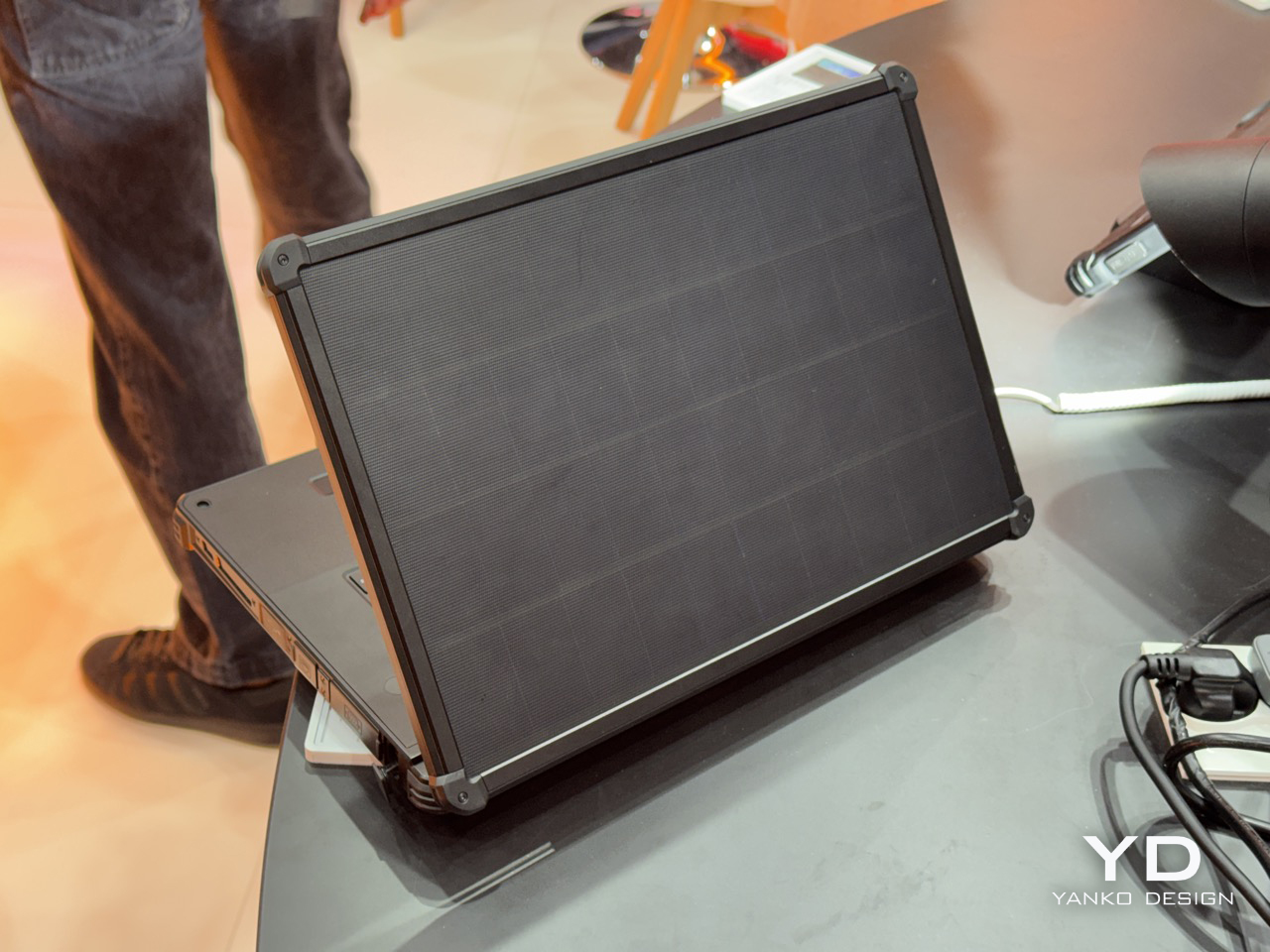
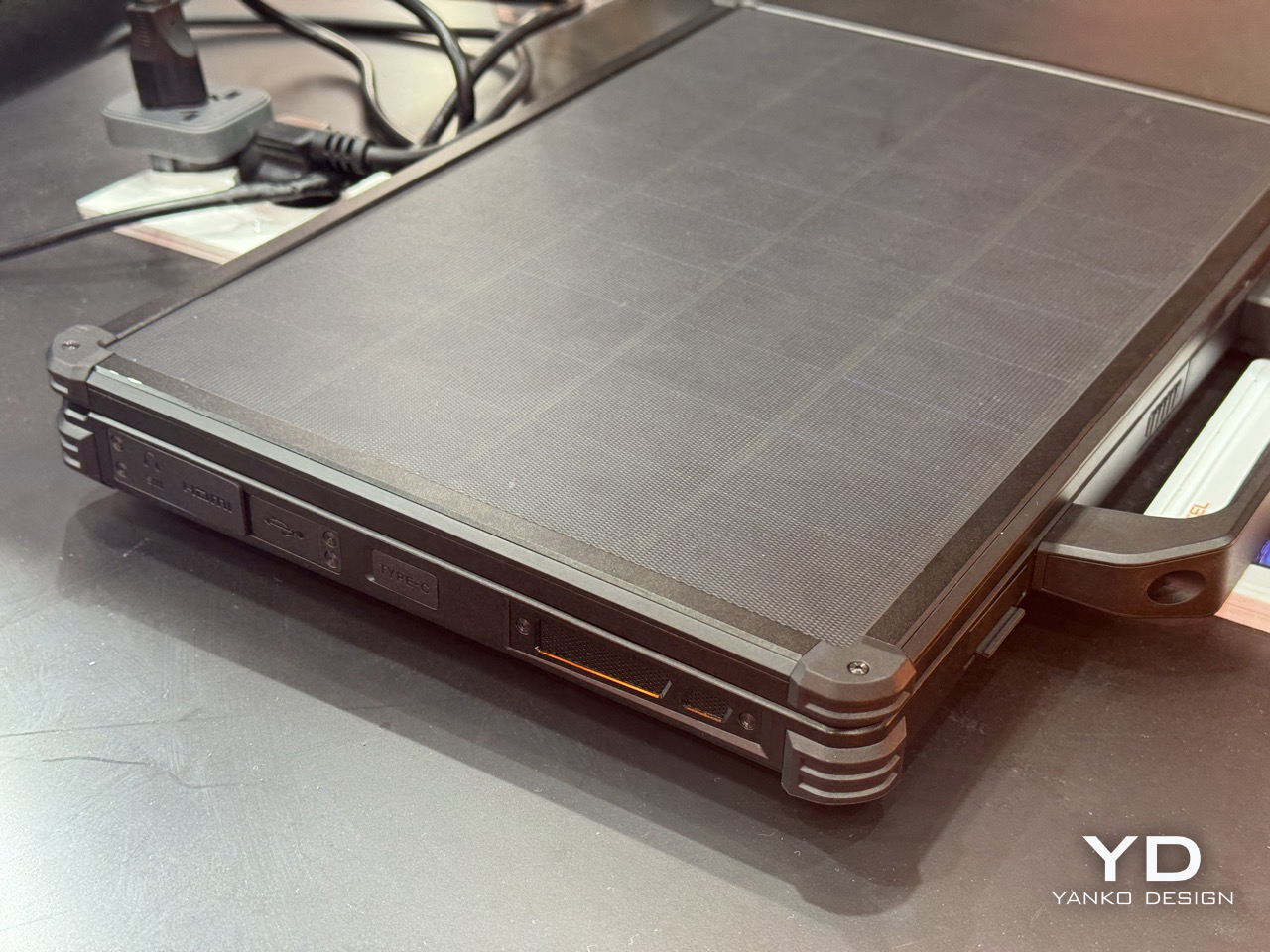
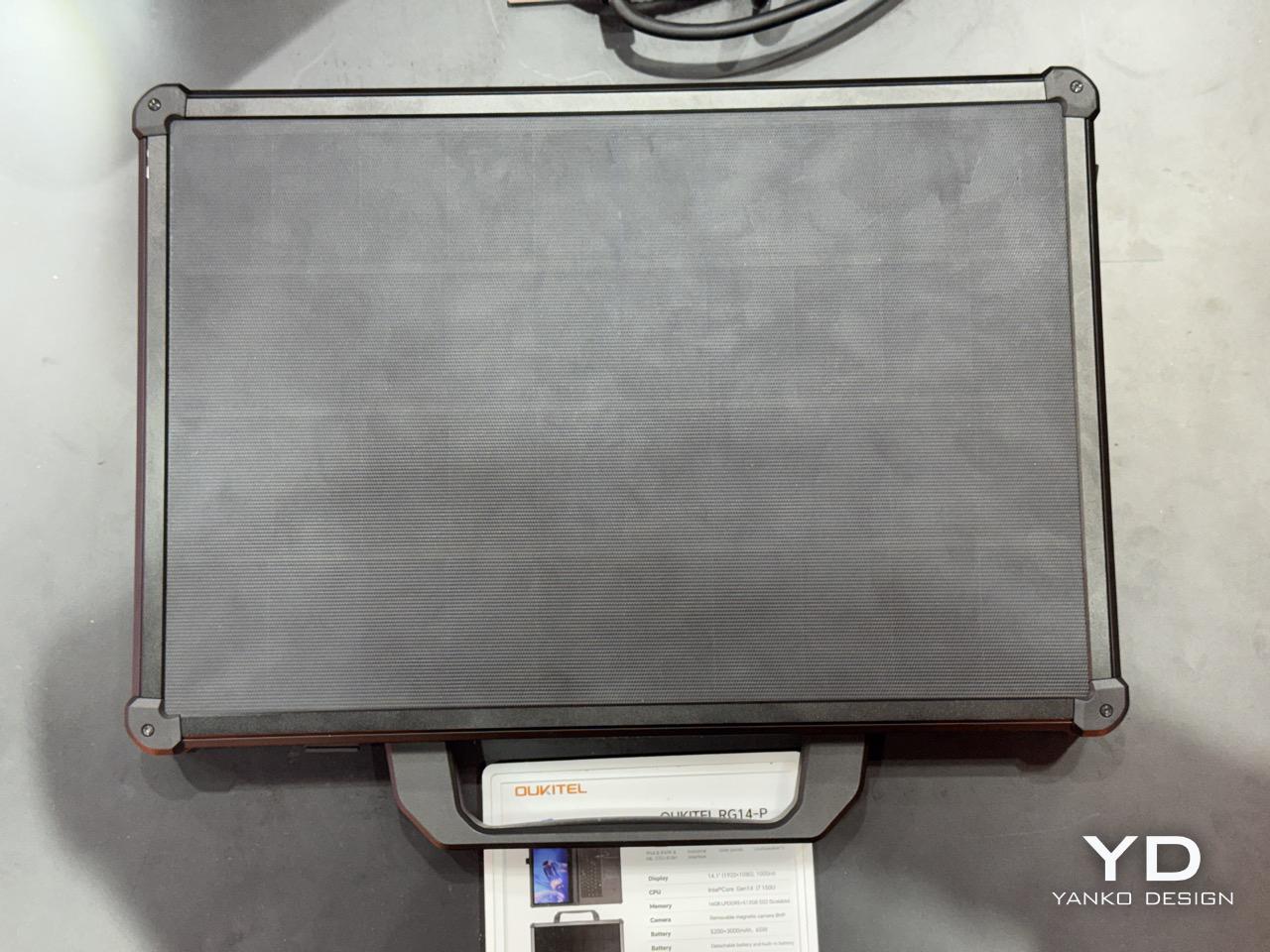
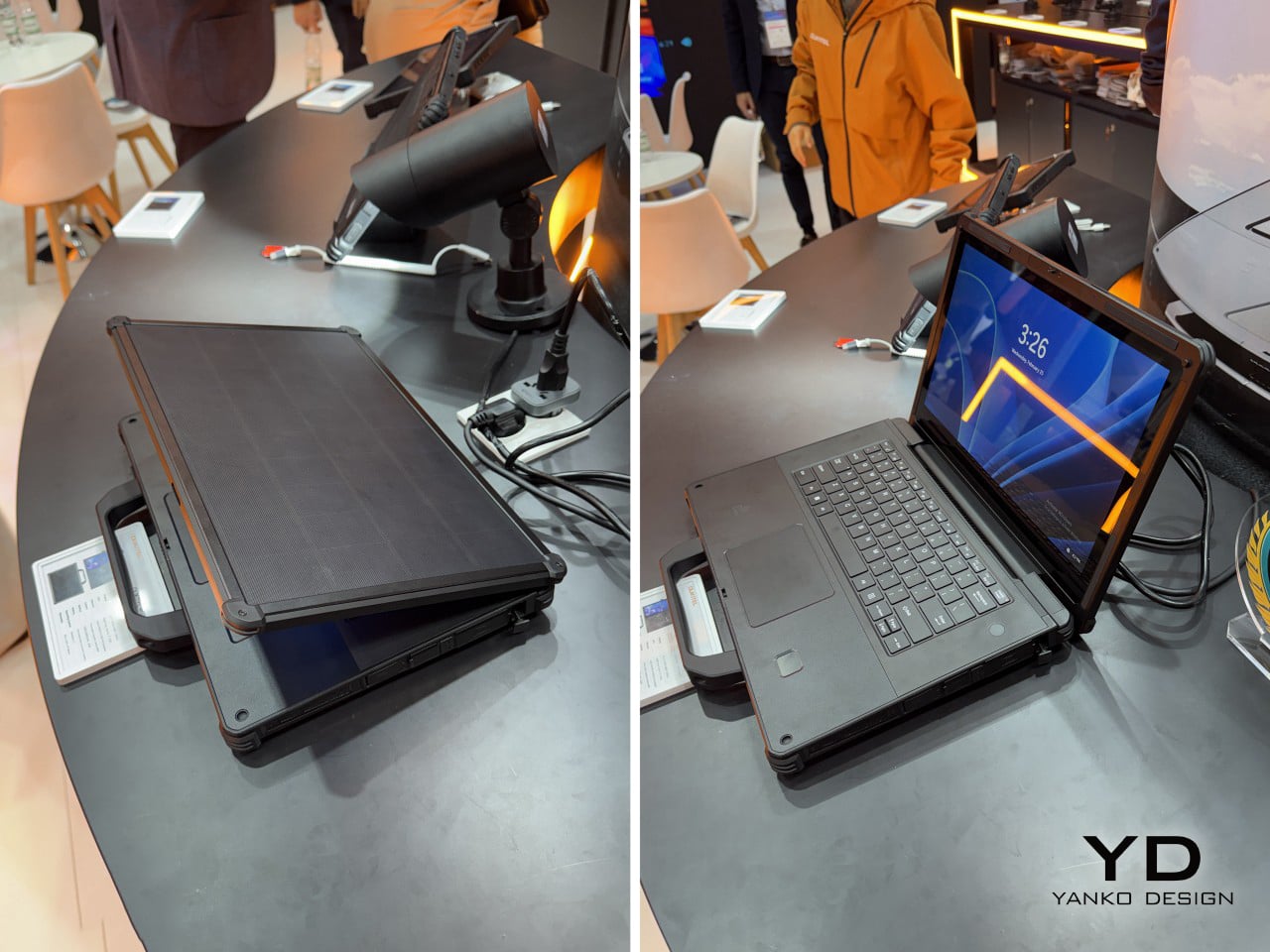
Solar charging on a laptop lid has been a niche curiosity since Samsung tried it with the NC215S netbook in 2011, a machine that needed two full hours of midday sun to buy you a single hour of runtime. Rough trade. The idea largely disappeared after that, surfacing occasionally in concept form, most recently with Lenovo’s Yoga Solar PC at MWC 2025, which packed 84 solar cells into an ultraslim lid at a reported 24.3% conversion efficiency. Lenovo’s version was sleek, consumer-friendly, and still a concept. Oukitel’s RG14-P, shown at MWC 2026 in Barcelona, skips the concept stage entirely and ships the thing.

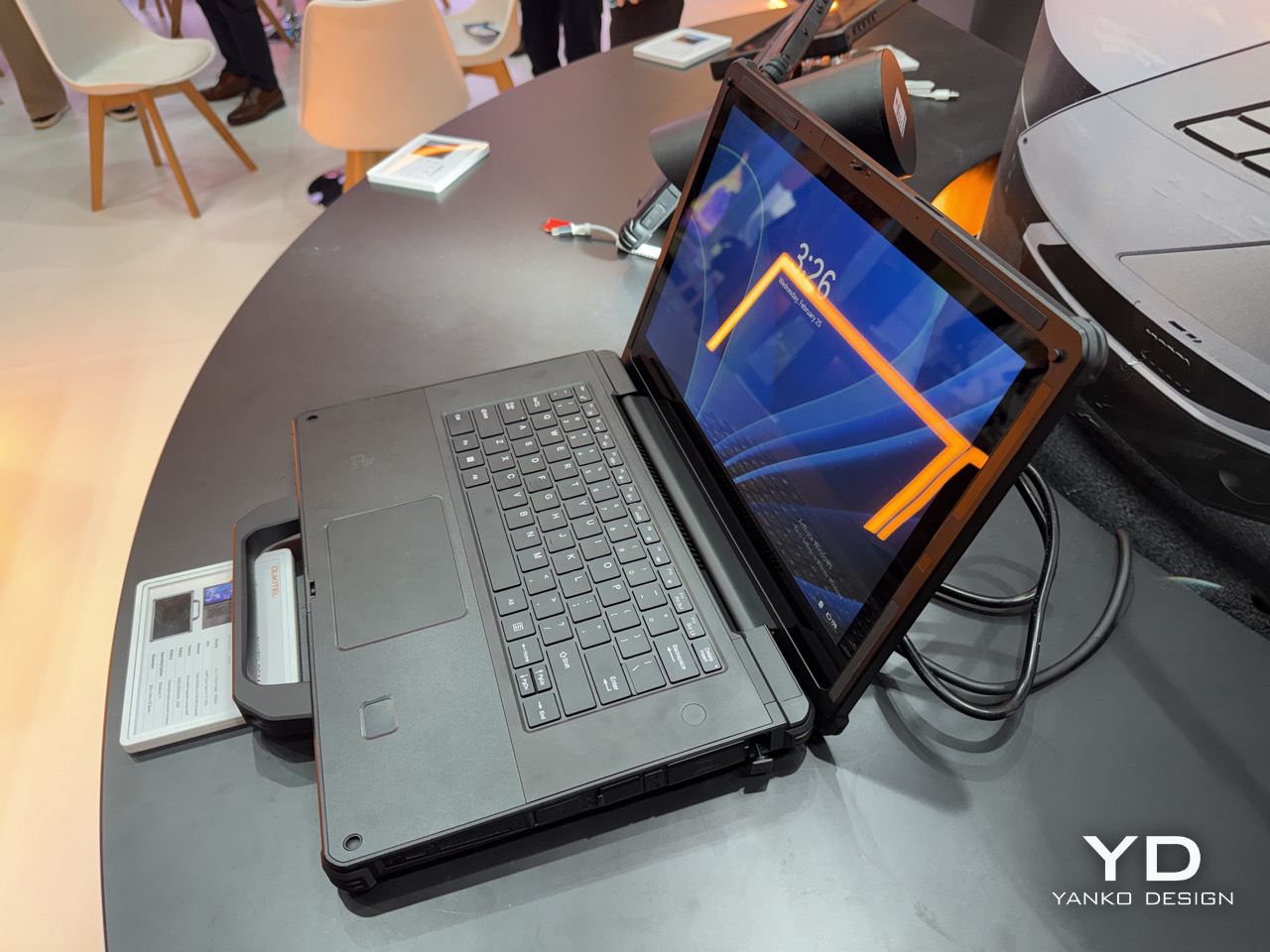
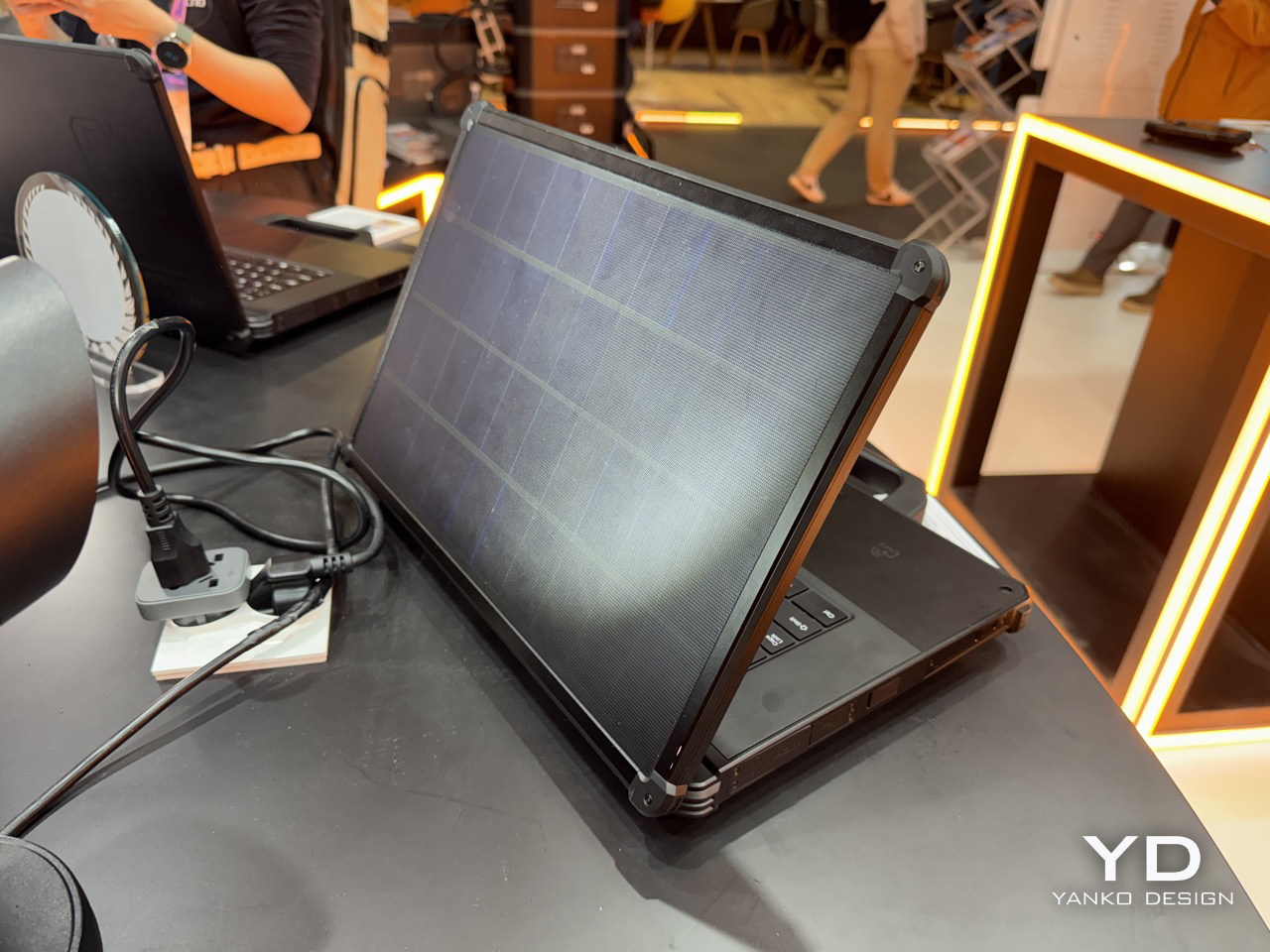
The RG14-P pulls 10W from its photovoltaic lid panel, enough to get the 95Wh dual-battery system to 50% in roughly six hours under optimal sunlight. That number sounds modest until you frame it correctly: this laptop is aimed at field engineers, utility inspectors, and emergency responders working in places where “finding a charging point” genuinely isn’t an option. For those people, six hours to half capacity under open sky is pretty meaningful. The dual-battery architecture pairs a 3,000mAh internal unit with a 5,200mAh hot-swappable external battery, meaning you can pull the secondary and slot in a fresh one without shutting the machine down. That feature gets requested loudly on job sites and almost never shows up.

Designer: Oukitel

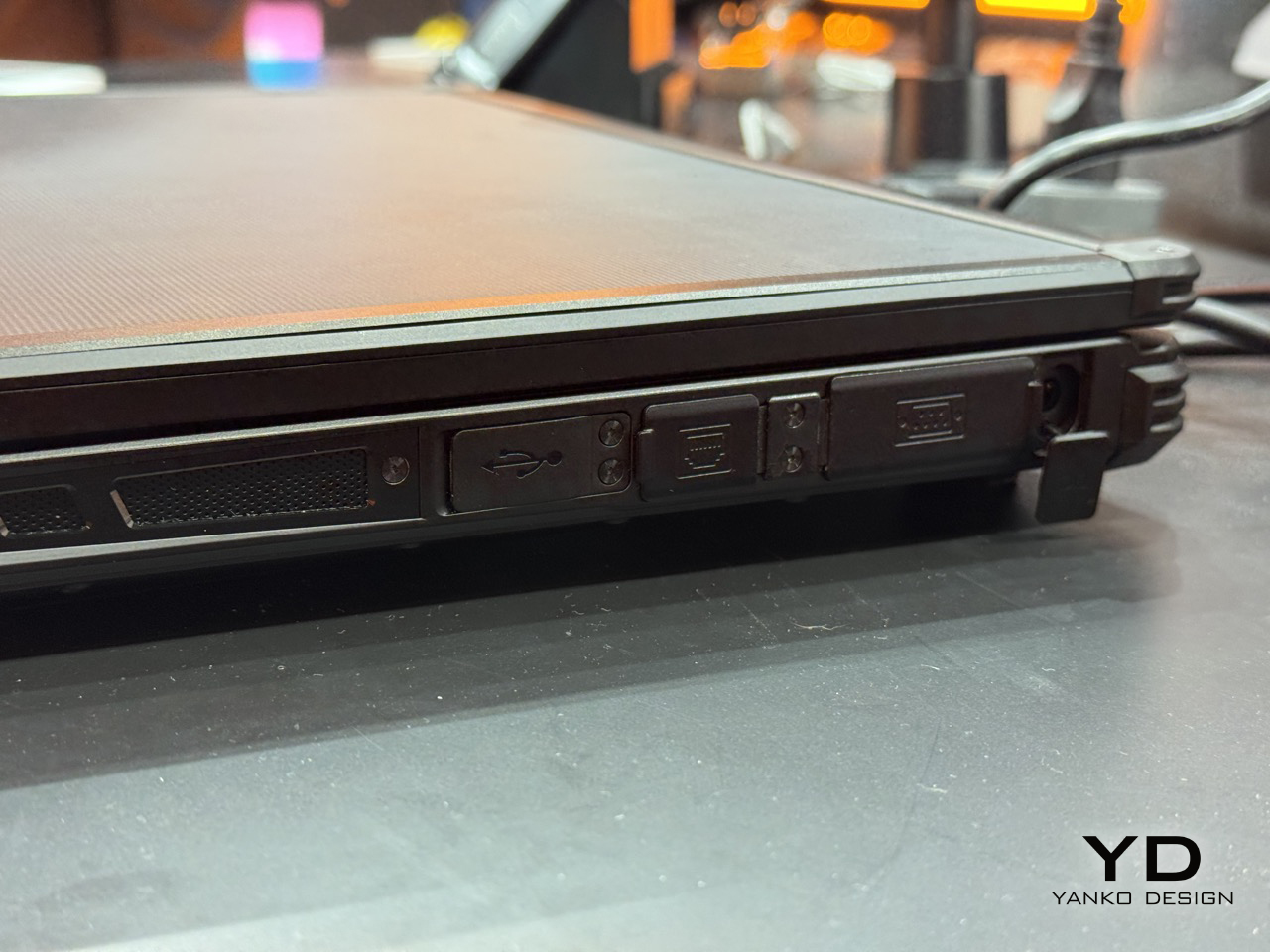
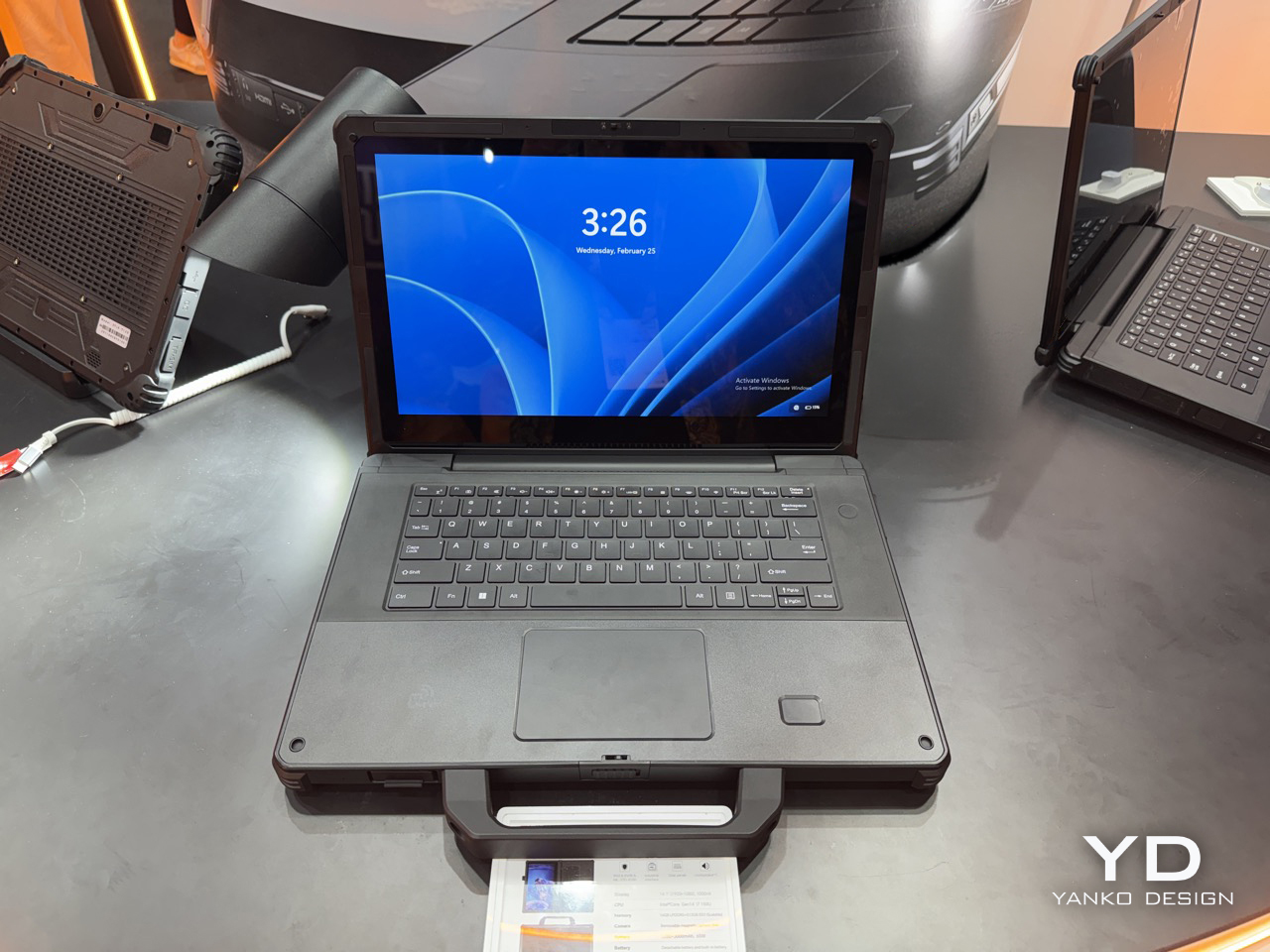
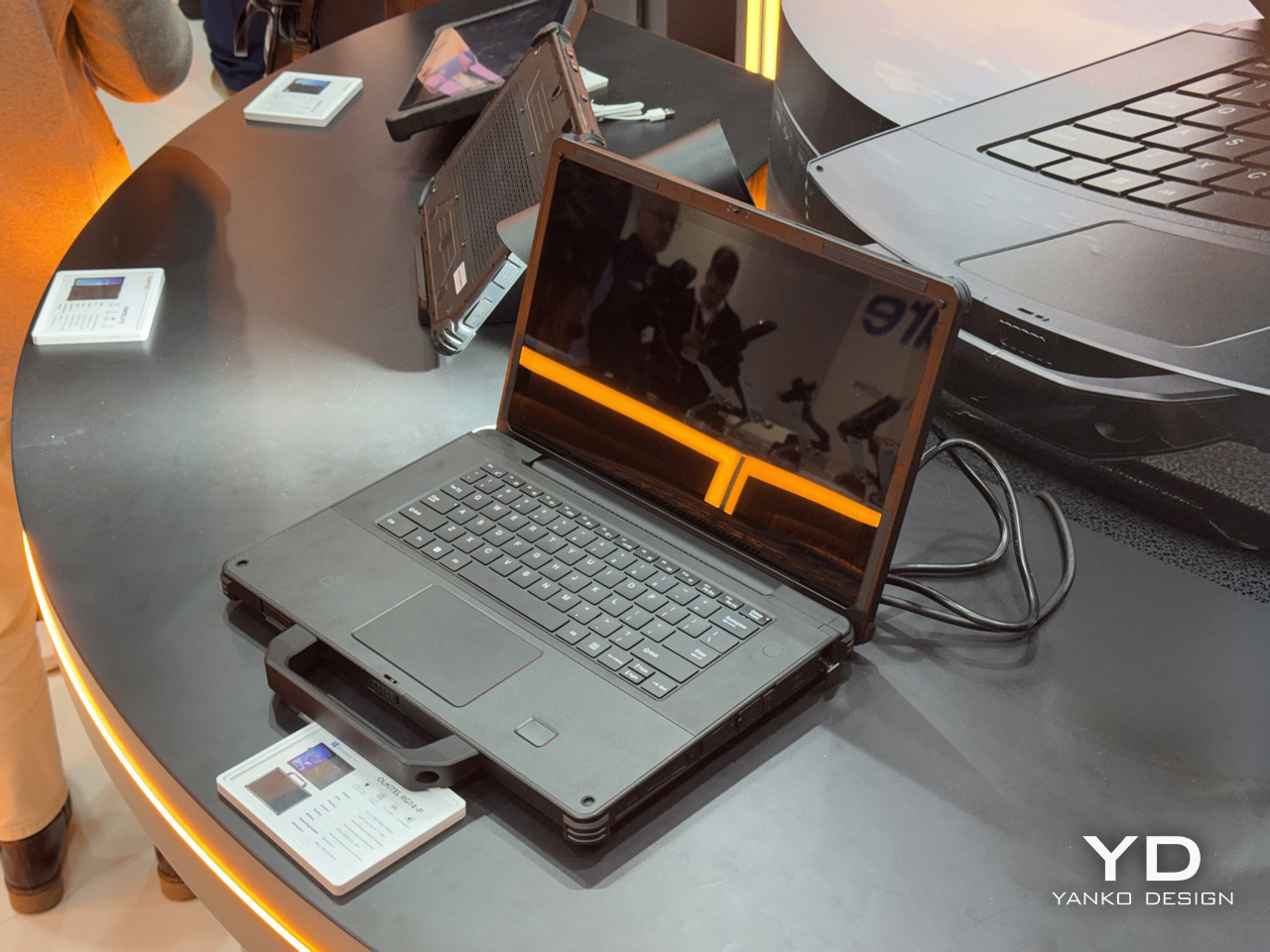
Under the lid, the RG14-P runs a 14th Gen Intel Core i7, 16GB of RAM, and 512GB of expandable storage, which puts it well past basic field terminal territory and into legitimate workstation range. The 14.1-inch touchscreen hits 1,000 nits, which matters enormously when your display is reflecting blue sky back at you. There’s also a 180-degree rotating magnetic camera, dual 5W speakers for noisy industrial environments, 65W fast charging as a backup, and IP68/IP69K certification currently in testing. IP69K specifically covers high-pressure, high-temperature jet spray, the kind of thing that happens near industrial cleaning equipment. The machine weighs 3.7kg, which is heavy, but rugged laptops have always made that tradeoff and nobody who needs one complains about it.

The connectivity stack is old-school in the best way: RS232, RJ45, HDMI, NFC, and fingerprint authentication. RS232 is serial protocol territory, the kind of interface still running on factory floor equipment and field measurement tools that haven’t been updated in a decade. Its presence signals that Oukitel actually mapped out real industrial workflows before finalizing the port selection, rather than building around a mood board. Compare that to where Lenovo has been spending its MWC energy lately: a rollable laptop at CES 2026 and a modular AI laptop concept at MWC 2026 that repositions the ThinkBook as an upgradeable platform. Both are interesting industrial design exercises, but neither one is solving a power access problem. The RG14-P is.

There’s also the RG14-L variant, which drops the solar lid and adds a built-in front camping light panel instead, turning the machine into a workstation and a light source simultaneously for night operations. Carrying less gear into a remote deployment is always a win, and building the light into the device rather than handing you a separate torch is exactly the decision you make when you’ve actually talked to the people using it. Pricing and availability are still unconfirmed post-Barcelona, and the IP68/IP69K certification is still in testing, so the most important durability claims haven’t been independently validated yet. Those are real open questions worth watching. But as a product that wraps the solar laptop concept around a genuine use case, with actual hardware specs and a shipping timeline, the RG14-P makes a far stronger argument for the idea than anything that’s come before it.

The post A Laptop With a Solar Panel Lid Just Showed Up at MWC 2026: Hands-on with Oukitel RG14-P first appeared on Yanko Design.
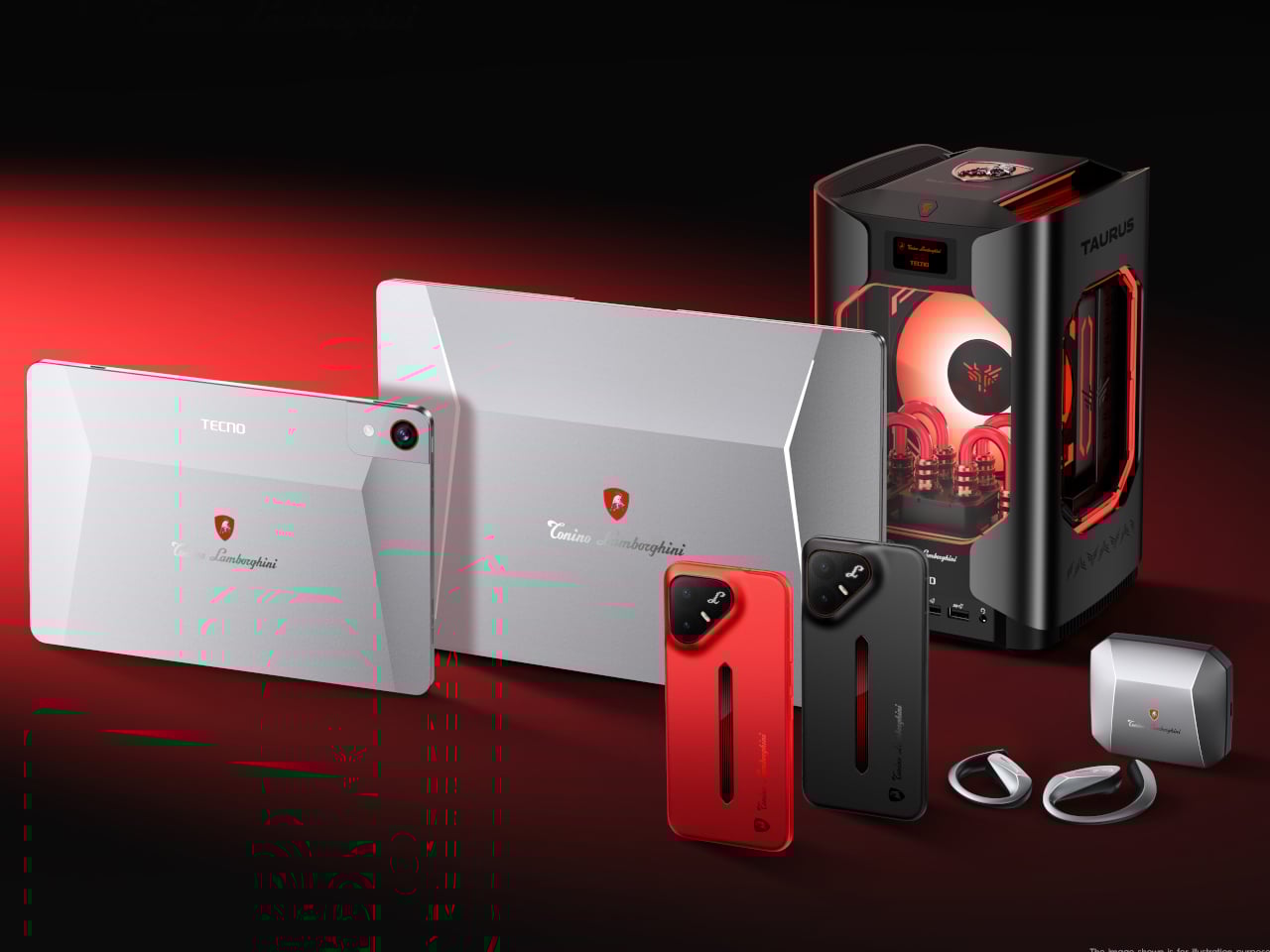
TECNO and Tonino Lamborghini Built the Smallest Water-Cooled Gaming PC

Tech collaborations with fashion and luxury brands usually follow a familiar, slightly tired script. A logo goes on the back of an otherwise unchanged device, a press release says something about “shared values,” and that’s more or less it. So when TECNO announced its partnership with Tonino Lamborghini at MWC 2026 in Barcelona, it was fair to be skeptical about what “Italian design meets cutting-edge technology” would actually look like in practice.

It turns out the answer involves water-cooling tubes, a 241-pixel LED matrix on the back of a phone, and a mini gaming PC that looks like it belongs on the set of a science fiction film. The collaboration goes beyond a branding exercise. It’s a full product line with a consistent visual language running across all of it.

Designer: TECNO x Tonino Lamborghini

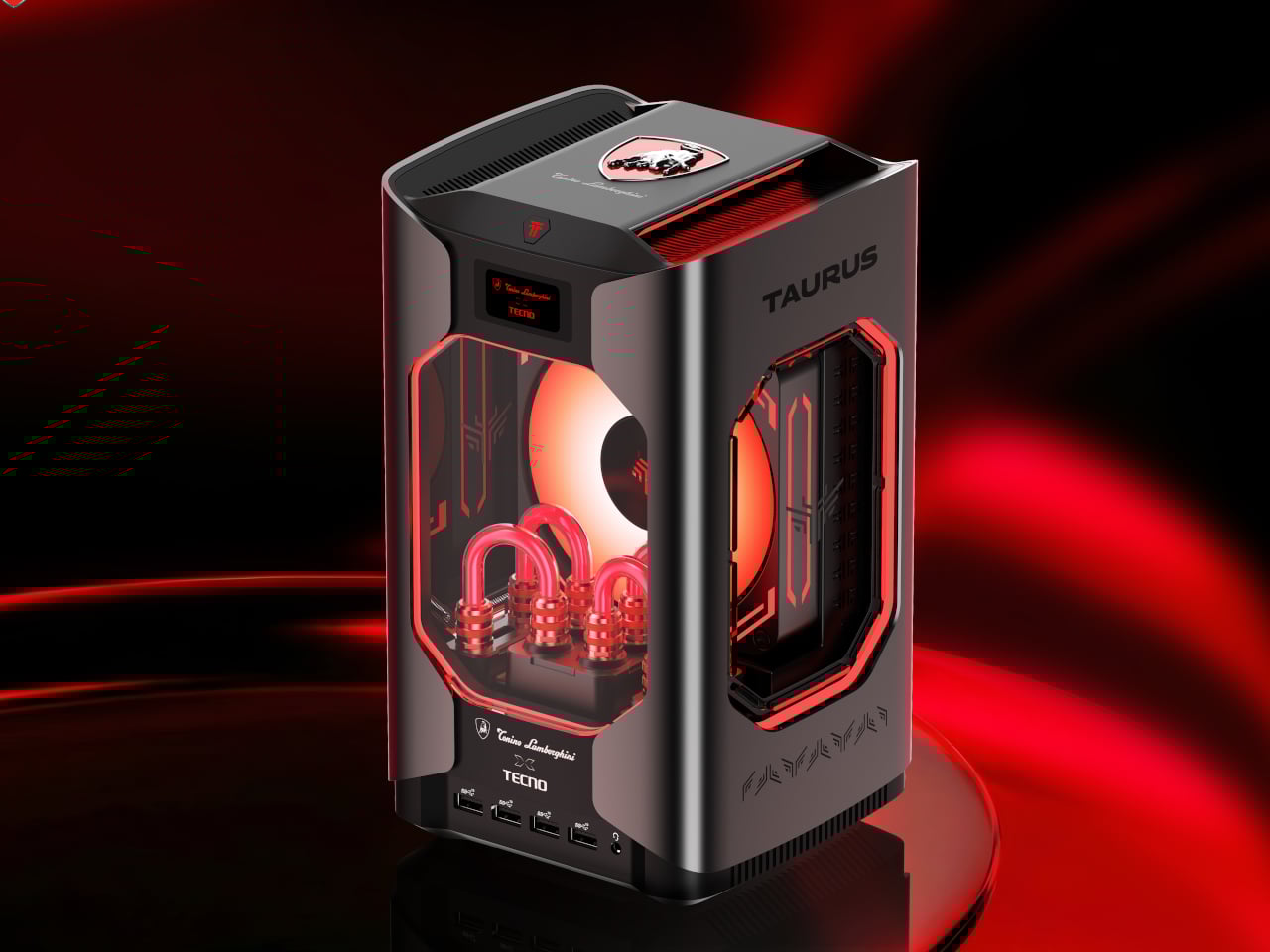
The centerpiece is the Tonino Lamborghini TECNO TAURUS, officially the MEGA Mini G1 Pro, the follow-up to the MEGA Mini G1, which TECNO claimed as the world’s first and smallest water-cooled gaming PC. The TAURUS keeps that cooling system, building around a roughly 10,000 mm² pure copper cold plate and a triple-fan setup inside a gunmetal all-metal chassis.

Through the transparent side panel, you can see the red water-cooling tubes looping around the internals, glowing under orange-tinted fans. Rather than hiding the engineering, it’s deliberately flaunting it. A small status screen on the front body lets you monitor CPU and GPU performance in real time, without opening a separate dashboard on another screen.
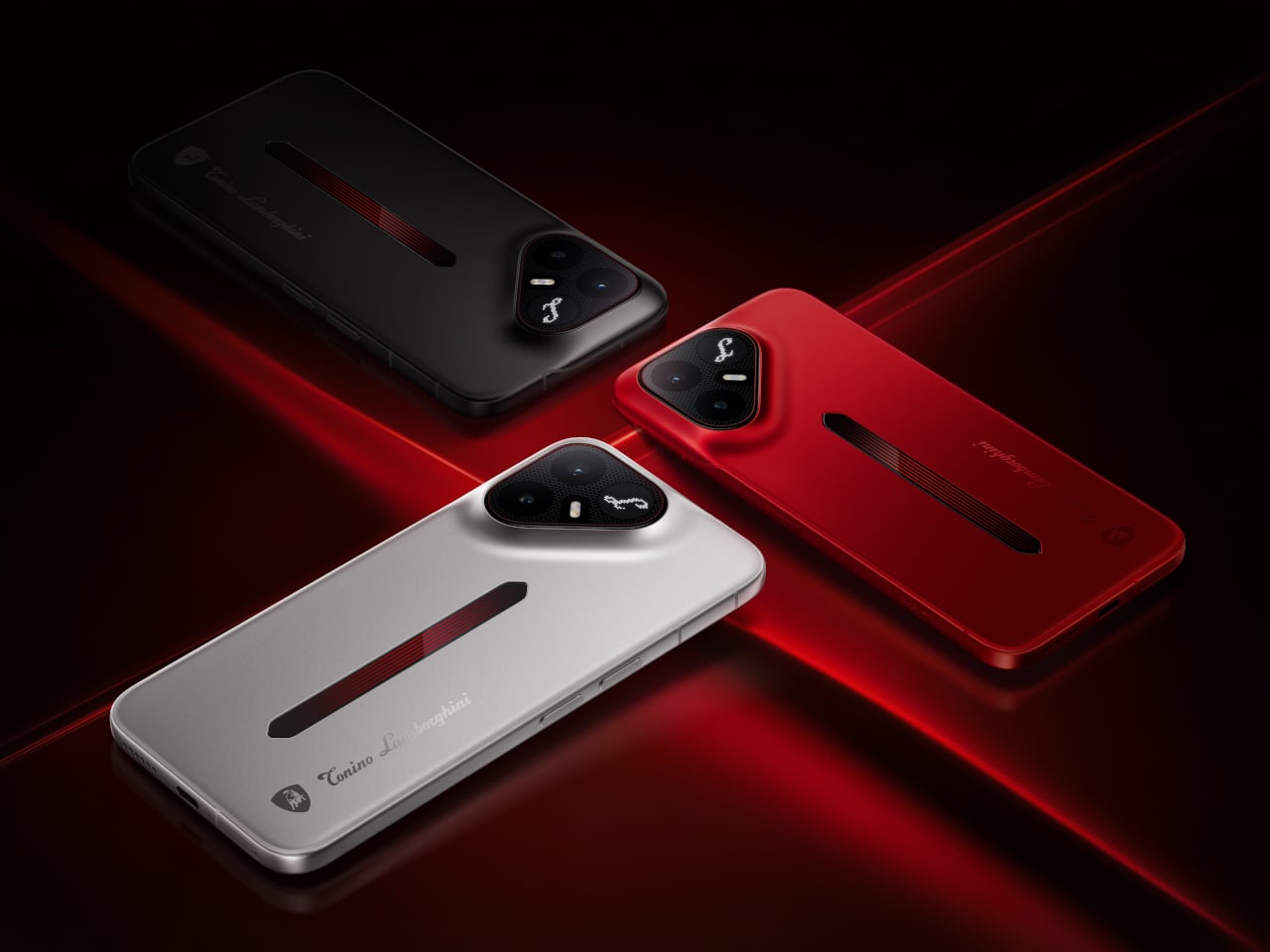
The second launched product is the TECNO POVA Metal Tonino Lamborghini Limited Edition, which TECNO is calling the world’s first full-metal unibody 5G phone. The camera module takes a triangular form, housing the Lamborghini “L” badge at its center, sitting flush against an uninterrupted metal back with bezels down to 0.99 mm.
A vertical slot running down the body doubles as a pulse light strip. The rear also features a 241-pixel independent LED dot matrix that can display call alerts, notifications, and custom animations. It sounds like a gimmick, but it’s one of the few times a phone’s notification system has been treated as a surface design decision. The phone runs on a Snapdragon processor and comes in silver, matte black, and red colorways.

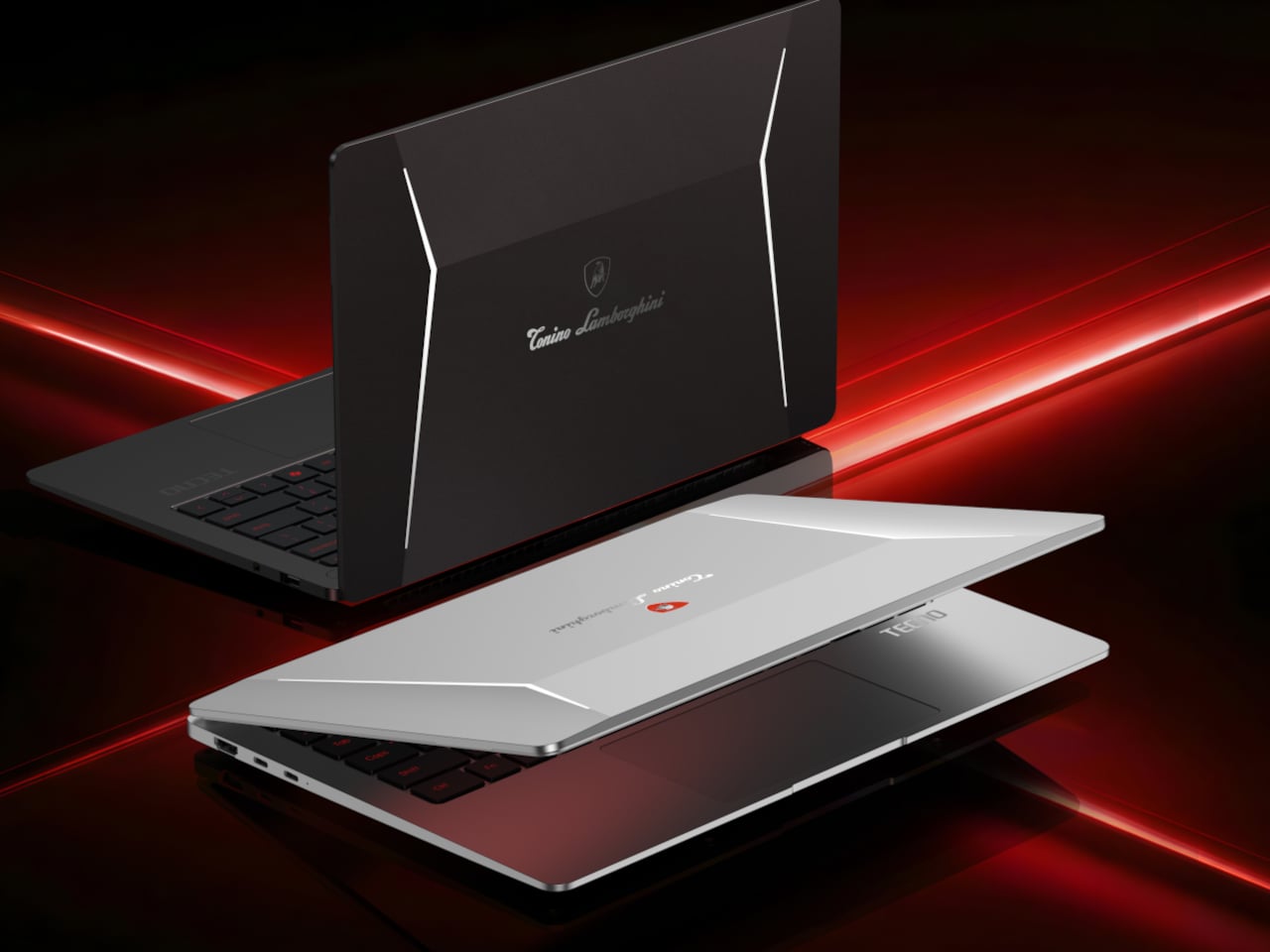
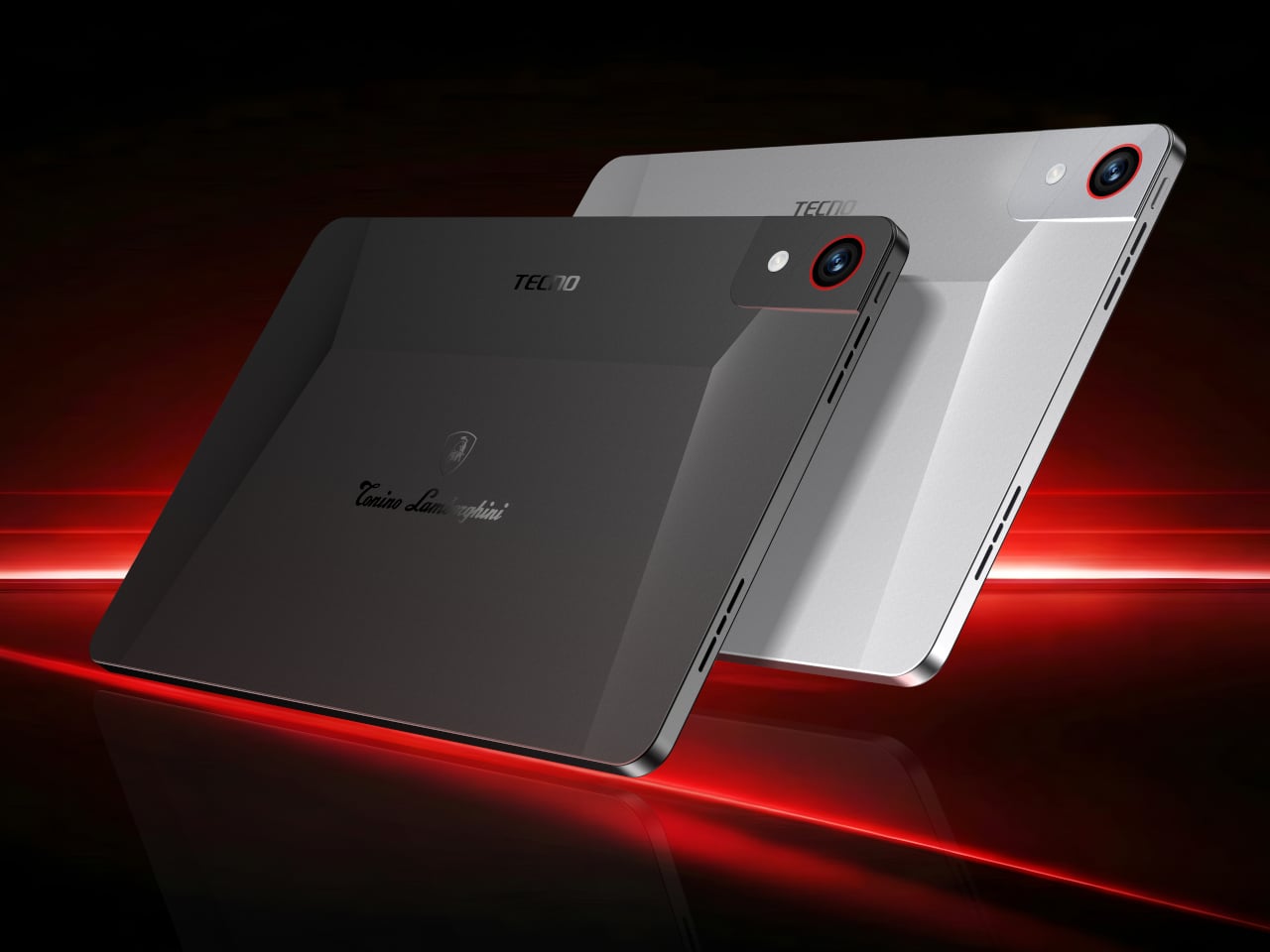
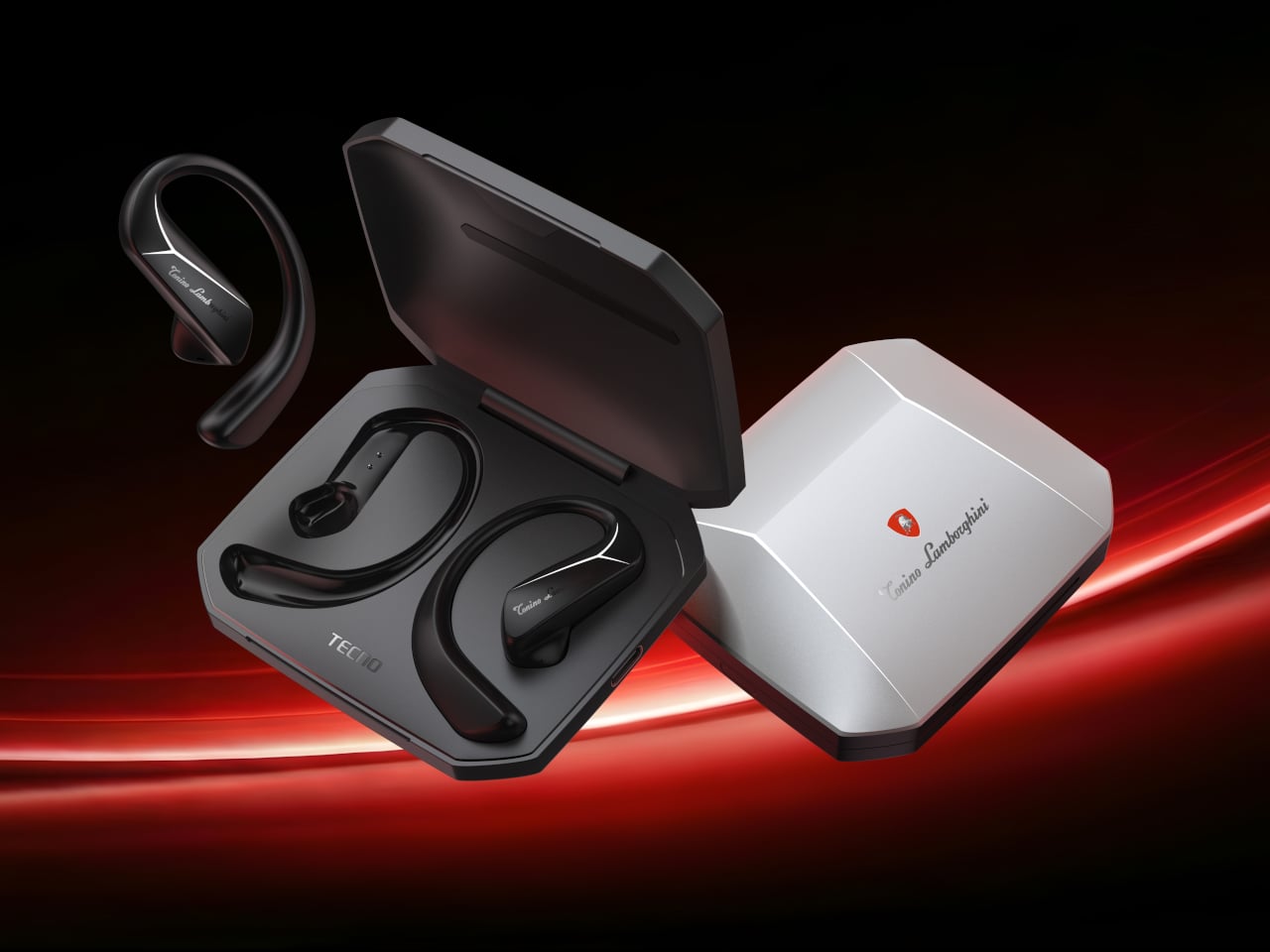
Beyond these two, TECNO showed a concept AIoT ecosystem extending the design language to laptops, tablets, and open-ear earphones, all carrying the same red-and-gunmetal palette and the Tonino Lamborghini shield badge. The laptops feature a sharp V-shaped crease across the lid, the tablets get red-ringed cameras, and the earphone case is angular enough to feel at home next to the rest of the lineup.

The real question this collaboration leaves open is whether the Tonino Lamborghini aesthetic, bold as it is, adds genuine character to these devices or just visual noise. Luxury branding on tech hardware has a long and uneven track record, and most of it ages poorly once the novelty fades. TECNO is betting the design has enough substance to outlast the MWC spotlight.

The post TECNO and Tonino Lamborghini Built the Smallest Water-Cooled Gaming PC first appeared on Yanko Design.