Apple To Launch $599 MacBook With An A18 Pro Chip Inside? Here’s What We Know

The budget laptop market has long been dominated by Chromebooks and entry-level Windows machines, but Apple may be about to crash the party. Reports indicate the tech giant is preparing to launch a $599 MacBook featuring the A18 Pro chip, offering desktop-class macOS performance at a price point that directly challenges competitors. If true, this could be Apple’s biggest strategic shift in the laptop space in over a decade.

The rumored device would mark a dramatic departure from Apple’s traditional pricing strategy, which has kept MacBooks firmly in premium territory. But with Chromebooks capturing the education market and budget Windows laptops satisfying casual users, Apple has watched from the sidelines as millions of potential customers chose competitors simply because the price of entry was too high. This move could change that calculus entirely.

Designer: Apple
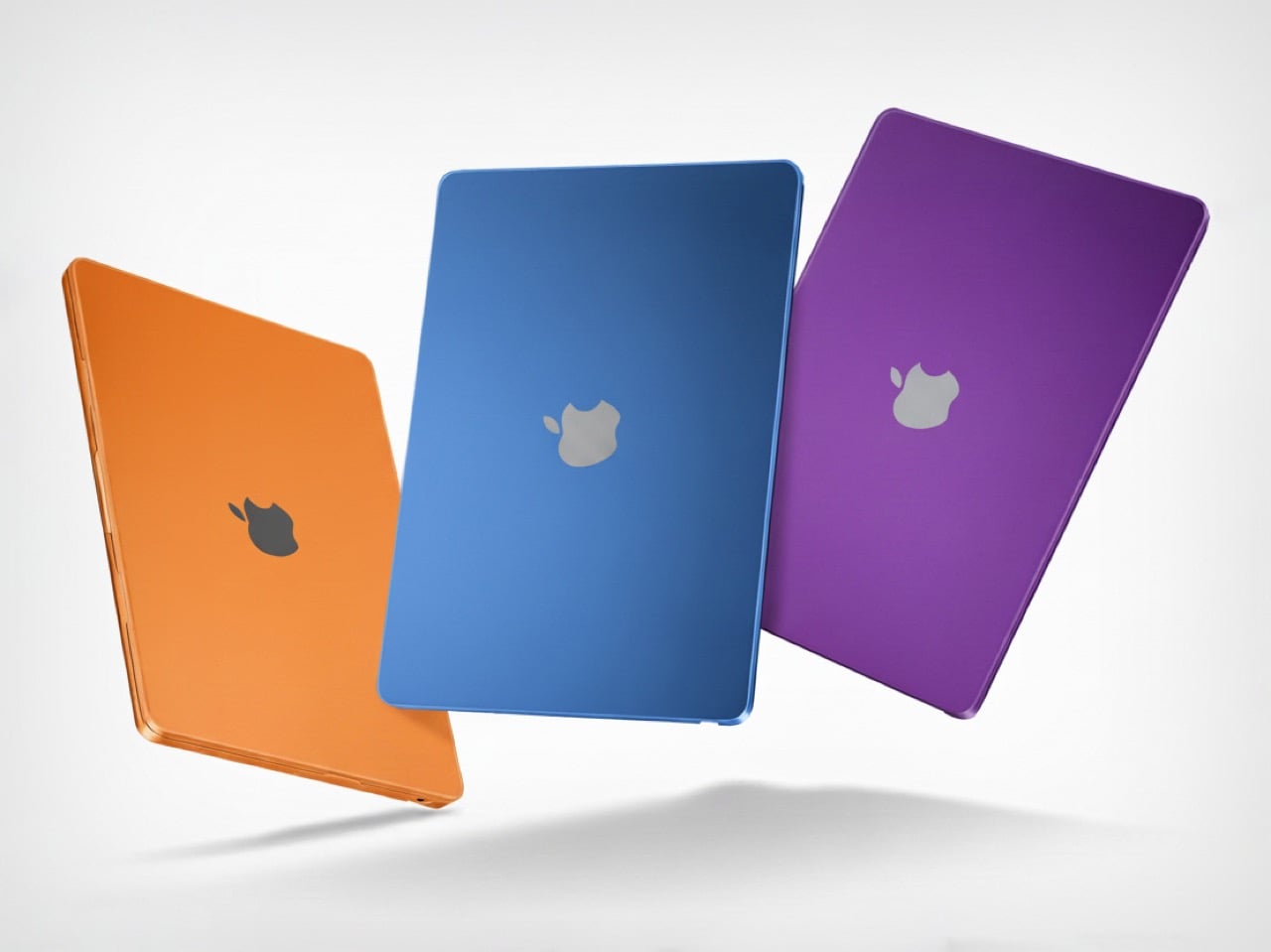
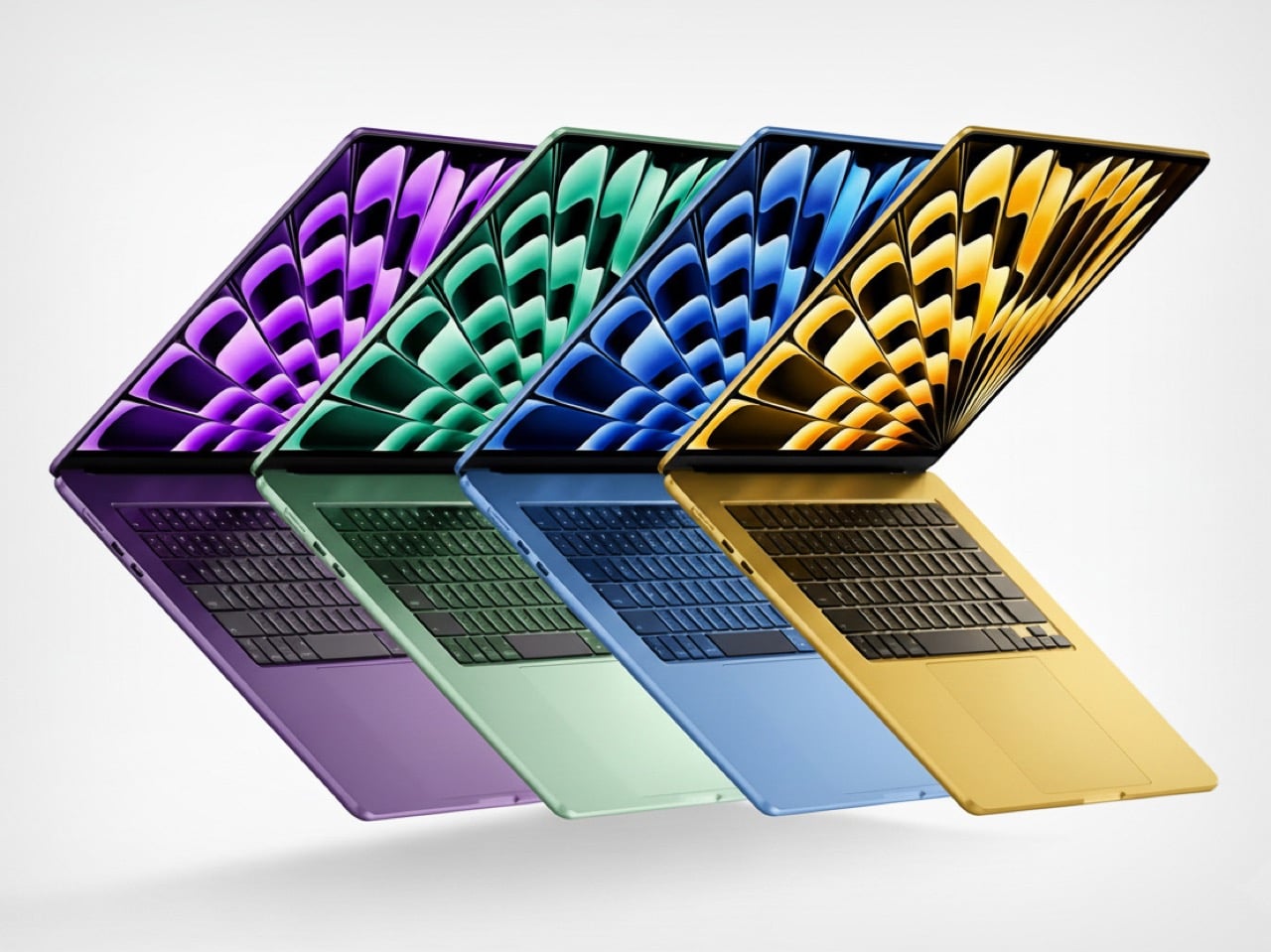
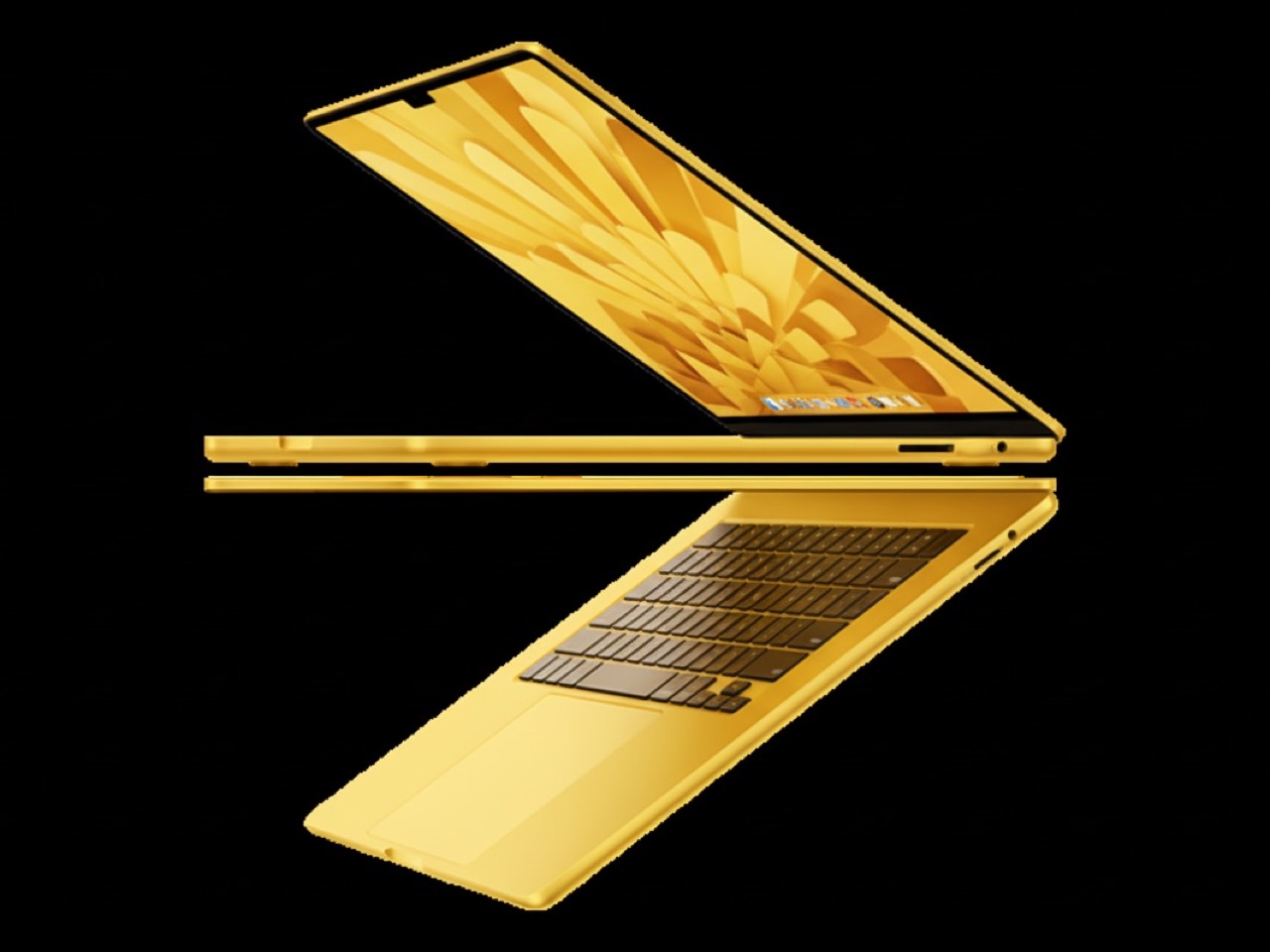
The laptops could sport a colorful design, helping differentiate it from the more capable Air and Pro models.

The A18 Pro chip is the same processor that powers the iPhone 16 Pro, and Apple claims it delivers performance comparable to the M1 MacBook Air. That’s a legitimately capable chip for everyday computing tasks like web browsing, document editing, video streaming, and light photo work. You’re looking at a 12.9-inch display housed in what’s described as an ultra-thin, lightweight frame, with color options including silver, blue, pink, and yellow. The base model comes with 8GB of RAM, though there’s reportedly an option to upgrade to 16GB. It runs full macOS, which means you get access to the entire Apple ecosystem and software library, something Chromebooks fundamentally cannot offer.

But here’s where things get interesting, and where Apple’s compromises become obvious. No Thunderbolt ports. Limited external display support. That base 8GB of RAM is going to struggle with anything beyond basic multitasking. This machine is clearly designed for a specific user: students writing papers, casual users checking email and browsing the web, first-time Mac buyers who want to dip their toes into the ecosystem without dropping two grand. Apple isn’t trying to replace the MacBook Air or Pro with this device. They’re creating an entirely new category within their lineup, one that prioritizes accessibility over capability.
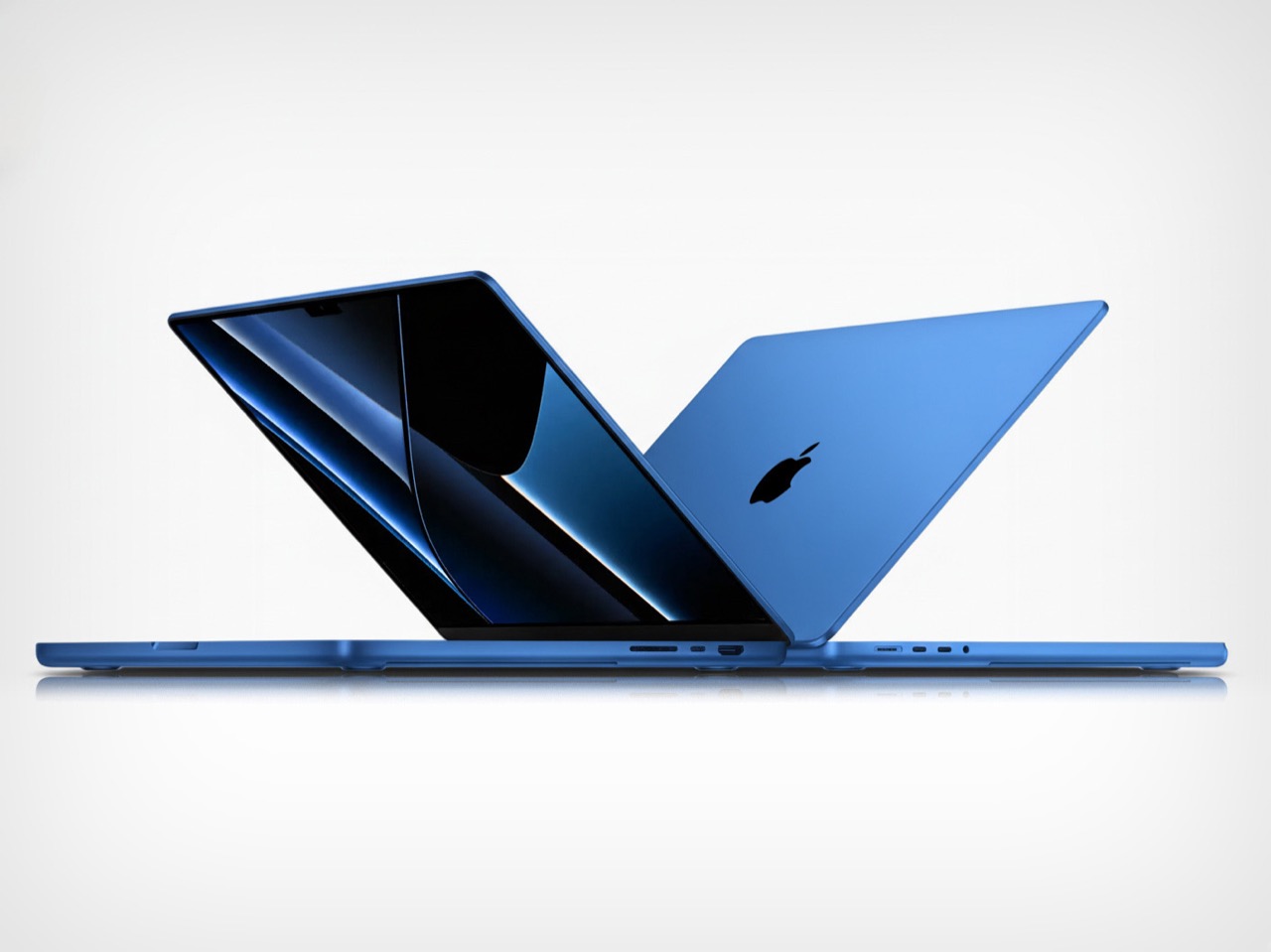
Spring 2026 puts this launch alongside the M5 MacBook Air, which will undoubtedly carry a higher price tag and more robust specs. Apple gets to segment their market cleanly: budget buyers get the A18 Pro MacBook, mainstream users get the M5 Air, and professionals stick with the Pro and Max configurations. Analysts are predicting this could boost MacBook shipments by up to 40 percent, which would be massive for a company that’s watched competitors dominate the sub-$700 laptop space for years.

There’s a real risk here that Apple cannibalizes their own iPad sales. Why would someone buy an iPad in the same price range when they could get a full laptop with macOS instead? The value proposition shifts dramatically when you’re comparing a tablet with accessories that cost more than this MacBook to an actual laptop with a keyboard included. Apple clearly thinks the trade-off is worth it, betting that bringing more people into the Mac ecosystem will pay dividends down the line when those users eventually upgrade to pricier models.
The post Apple To Launch $599 MacBook With An A18 Pro Chip Inside? Here’s What We Know first appeared on Yanko Design.
This 3-in-1 Mouse Just Fixed Everything Wrong with Magic Mouse


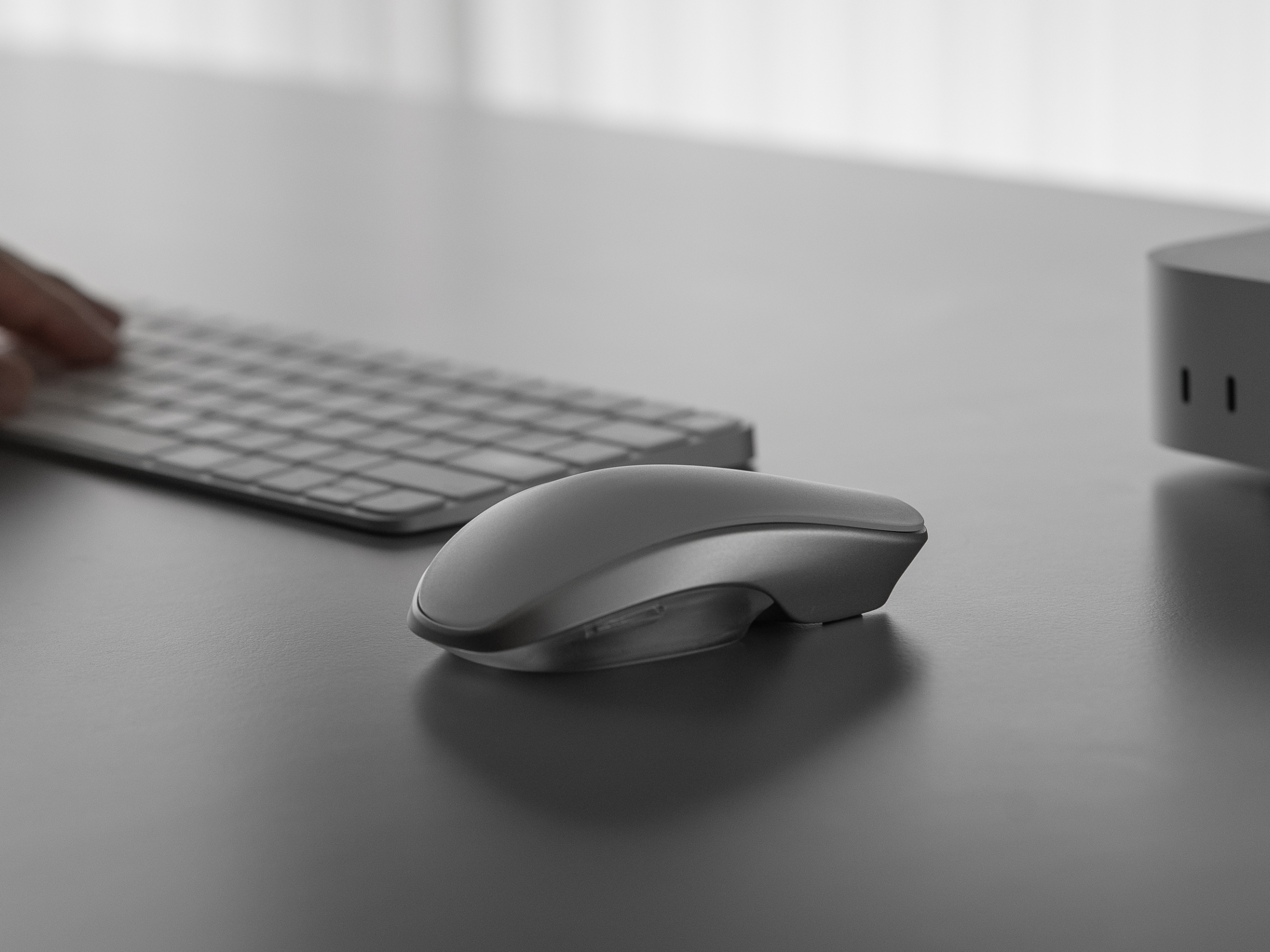
The computer mouse has barely evolved in decades. Sure, we’ve added more buttons, improved the sensor technology, made them wireless, and added haptic feedback, but the fundamental interaction remains stubbornly unchanged. The Melt Mouse arrives to challenge that stagnation with a radical proposition that transforms a single device into a mouse, a trackpad, and a customizable shortcut pad, all wrapped in a seamless aluminum body with clean lines and an uninterrupted surface.

What makes this device remarkable goes beyond its ability to multitask. The Melt Mouse represents a philosophical shift in how we think about input devices. Rather than cluttering your workspace with separate peripherals for different tasks, Melt Interface has created a unified tool that adapts to your workflow instead of forcing you to adapt to it.

Designer: Melt Interface

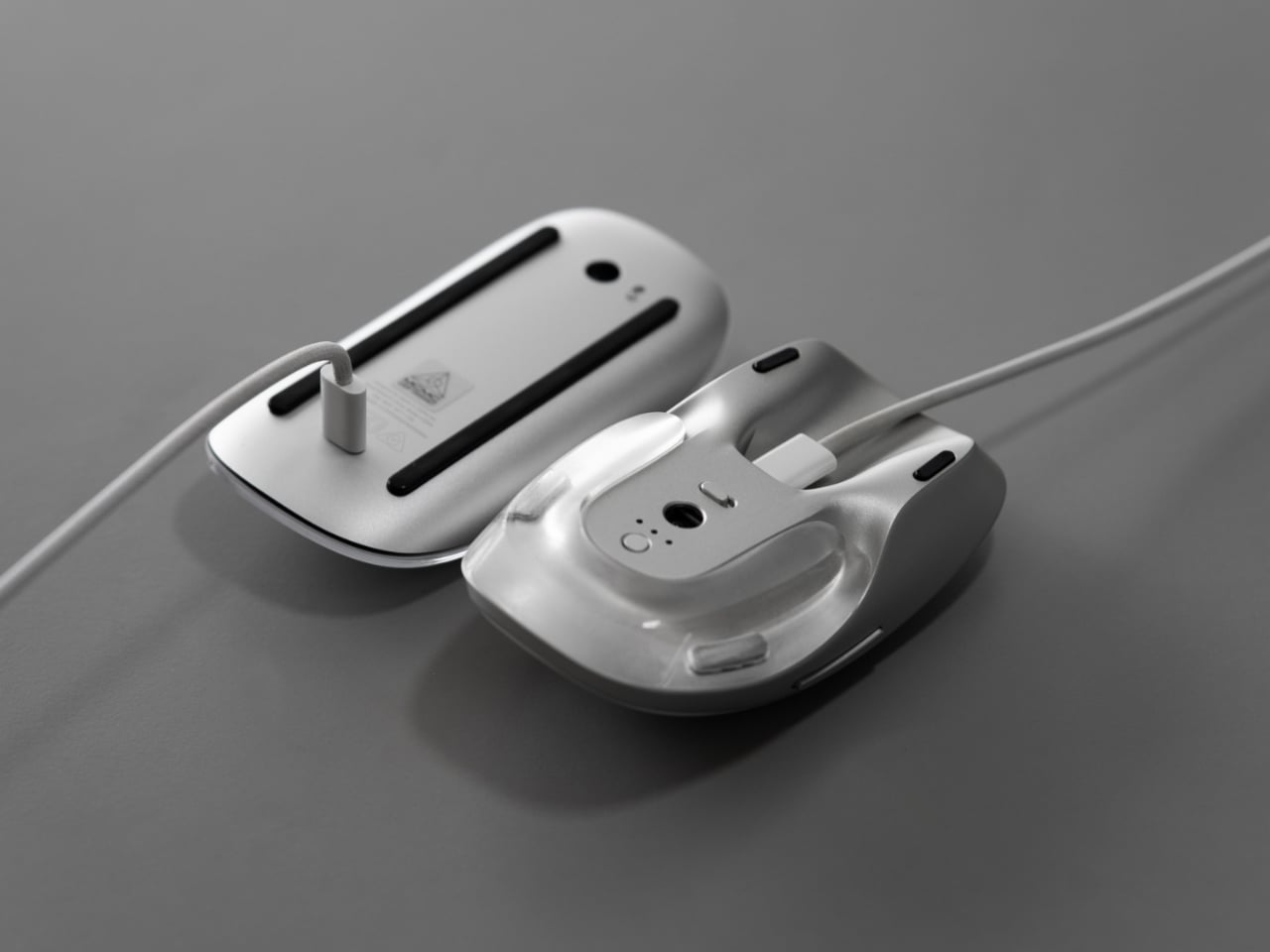
The design language clearly draws inspiration from Apple’s Magic Mouse aesthetic. That same smooth, button-free glass surface and minimalist aluminum construction creates an immediate visual connection. However, where Apple’s approach prioritizes form over function to sometimes frustrating results, the Melt Mouse appears to learn from those missteps.

The charging port sits in a practical location rather than underneath the device. The ergonomic profile offers more substantial palm support than the Magic Mouse’s notoriously flat design. This feels like taking Apple’s design philosophy and asking what happens when you actually prioritize the user experience alongside the visual appeal.

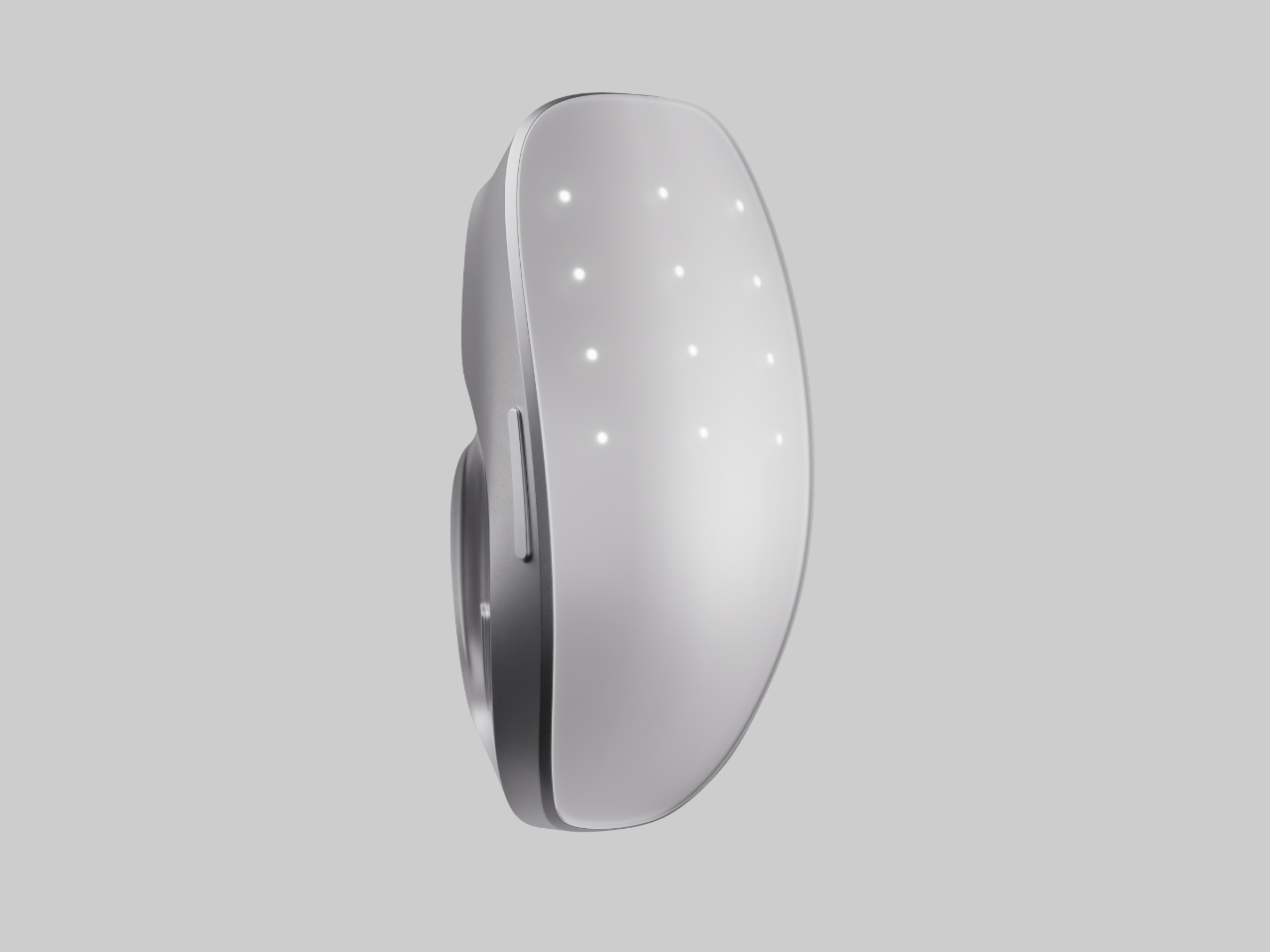
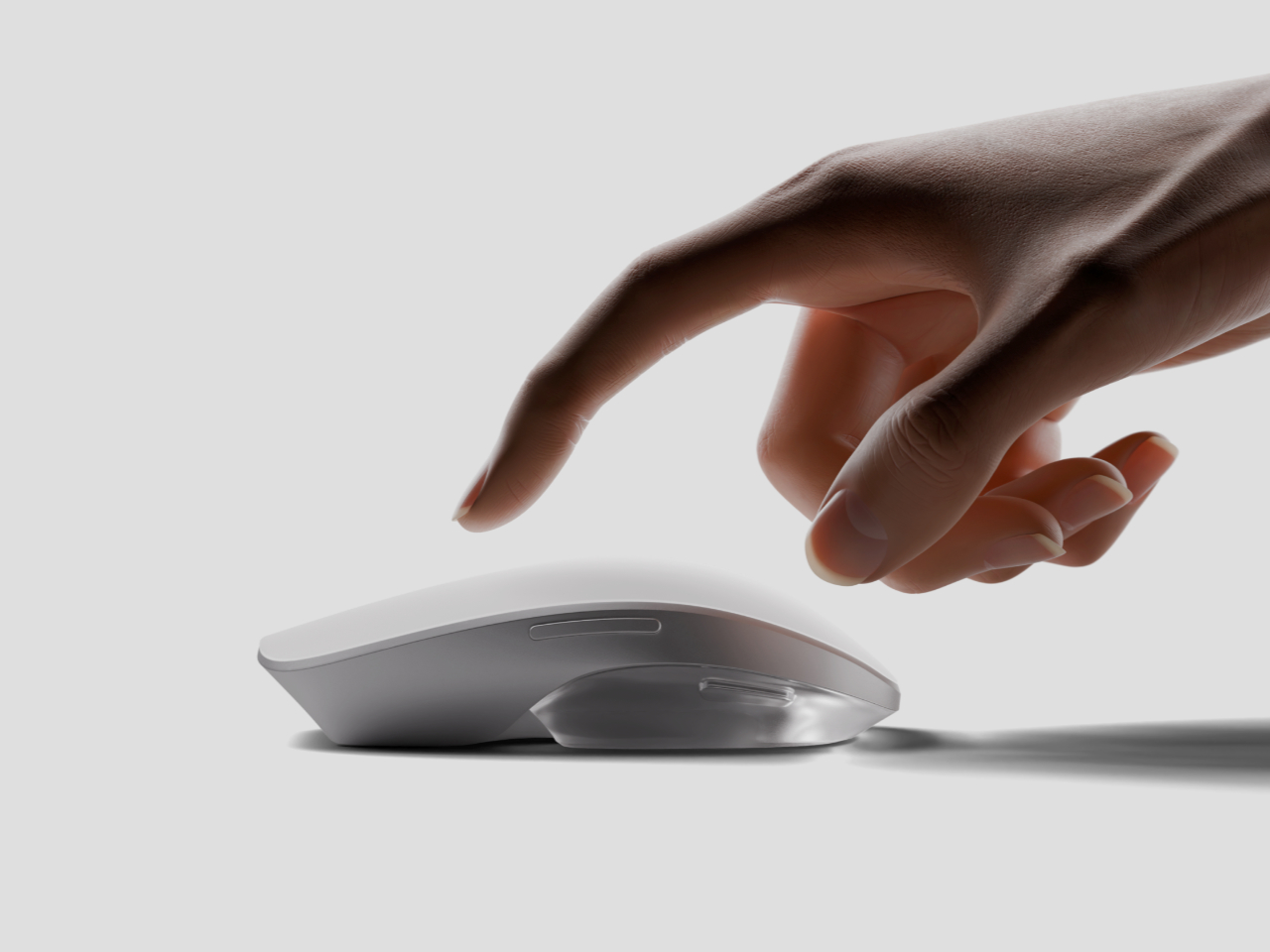
Where the Magic Mouse offers basic touch gestures, the Melt Mouse takes that concept considerably further. The entire top surface consists of a single curved plane of micro-textured glass that functions as a precision touchpad. The surface recognizes multi-finger gestures while maintaining the ergonomic advantage of a mouse form factor. For tasks requiring pixel-perfect precision in design work, it offers up to 6,000 DPI resolution.

Physical buttons have disappeared from the front, replaced by haptic feedback technology that provides tactile responses mimicking traditional scroll wheels and clicks. The system promises silent operation while maintaining sensory confirmation for each action. Users can customize the pressure sensitivity, adjusting from light taps to firm presses depending on preference. This button-free approach maintains the minimalist profile while potentially reducing mechanical failure points over time.

The device offers mode-switching through customizable gestures like double tapping or long pressing. These actions transform the mouse into a trackpad, number pad, or shortcut pad on demand. Twelve dots appear on the glass surface in numpad mode, providing visual reference points for number entry. Those same twelve positions become programmable shortcuts that can trigger macros or application-specific commands. The software allows different profiles for different applications, with the mouse adapting its shortcut layout accordingly.

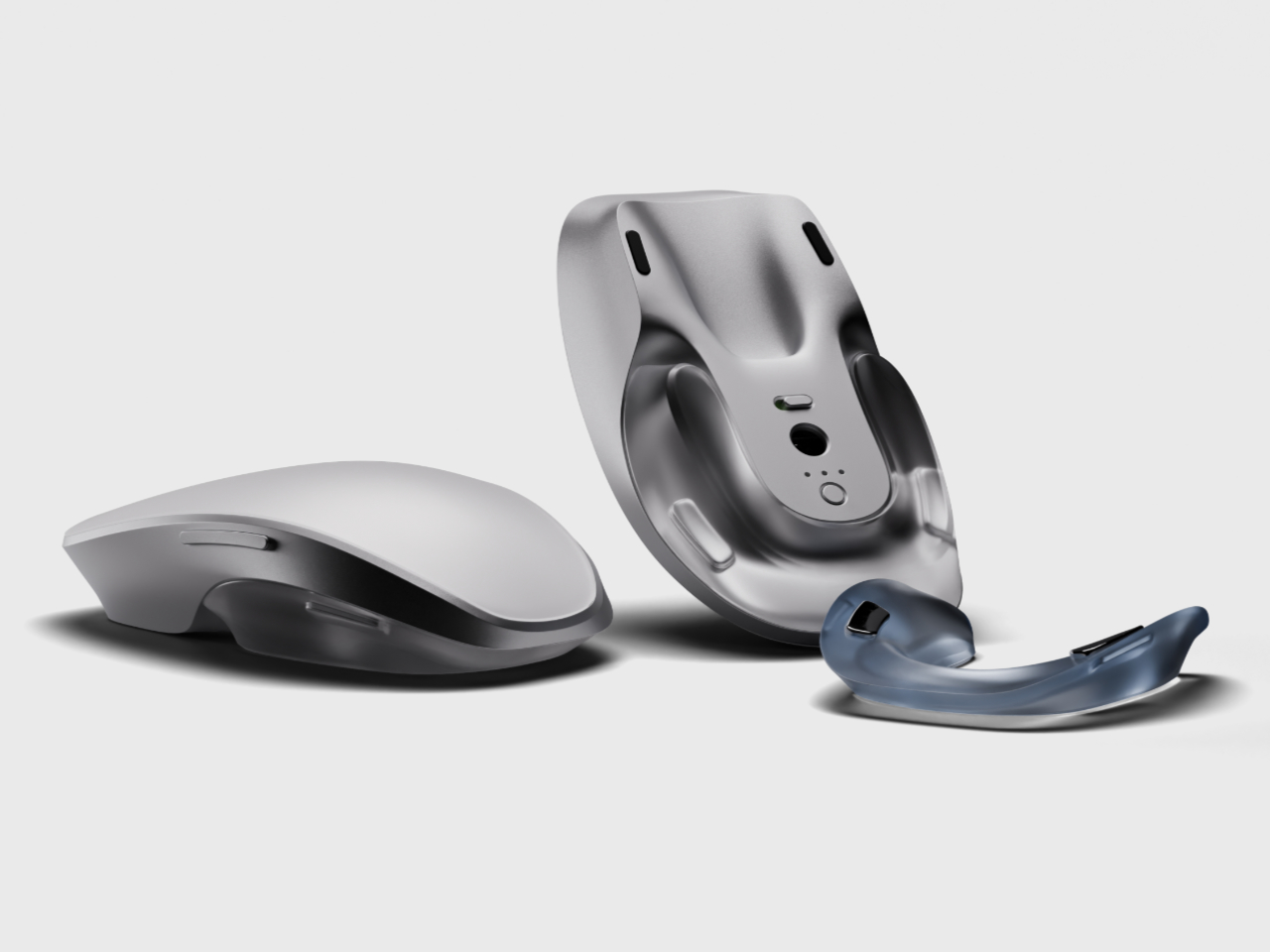
The body gets machined from a single block of aluminum with an anodized finish that adds durability and refined tactile quality. The seamless construction eliminates gaps where dirt accumulates or mechanisms fail. Every surface transition flows smoothly into the next, creating an object that looks substantial on any desk setup. The shape follows the natural resting position of your hand, with curves that cradle your palm.

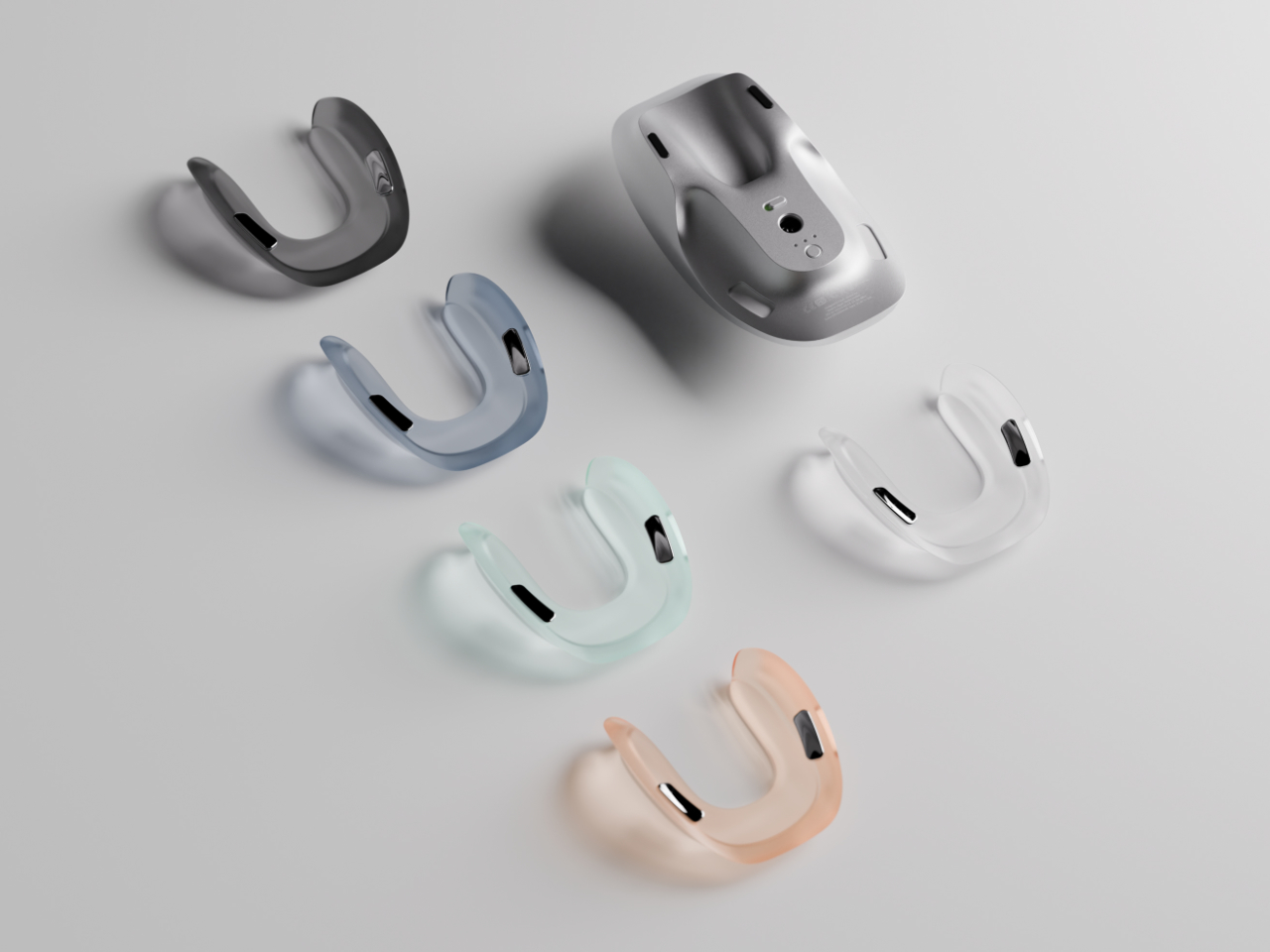
Customization extends beyond software to the physical design through the MagSole system. The bottom sole attaches magnetically and swaps effortlessly between five different colors. This allows users to match the mouse to their desk setup or simply change the look based on mood. The magnetic attachment system makes switching between colors a matter of seconds without tools or complicated mechanisms.

Wireless connectivity keeps desks free from cable clutter while maintaining the responsiveness required for professional creative work. Two physical buttons remain on the side of the device for functions that benefit from traditional tactile feedback. The combination of wireless freedom, sensor accuracy, and hybrid input methods creates a technical foundation designed to support rather than limit creative possibilities. Customizable software manages profiles, shortcuts, and sensitivity settings across different applications.

Melt Interface has created something that challenges assumptions about mouse design. The Melt Mouse demonstrates that minimalist aesthetics and multiple functions can coexist in a single device. By combining mouse, trackpad, and shortcut pad capabilities into one seamless package, they’ve proposed a new direction for interaction design that attempts to bridge physical and digital workflows through consolidated hardware.

The post This 3-in-1 Mouse Just Fixed Everything Wrong with Magic Mouse first appeared on Yanko Design.
New Film Camera With LiDAR Autofocus Brings Modern Tech to 35mm

Film photography is having a renaissance, but most point-and-shoots on the market are either vintage relics with unpredictable quirks or new models that miss the tactile magic of analog shooting entirely. For anyone who wants the joy of film with the reliability of modern tech, the search can feel endless and frustrating. Most cameras force you to choose between nostalgia and convenience, never delivering both at once.

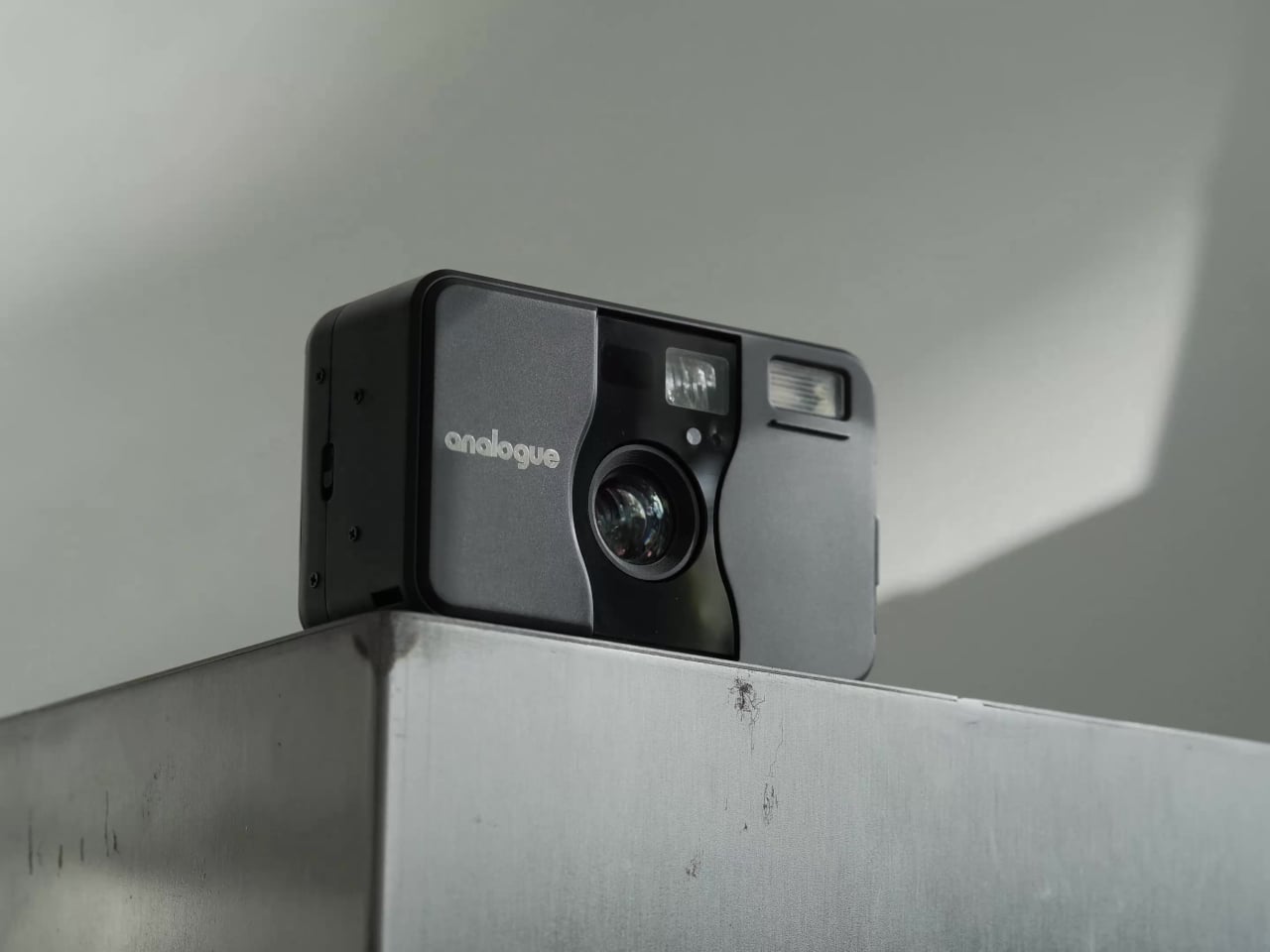
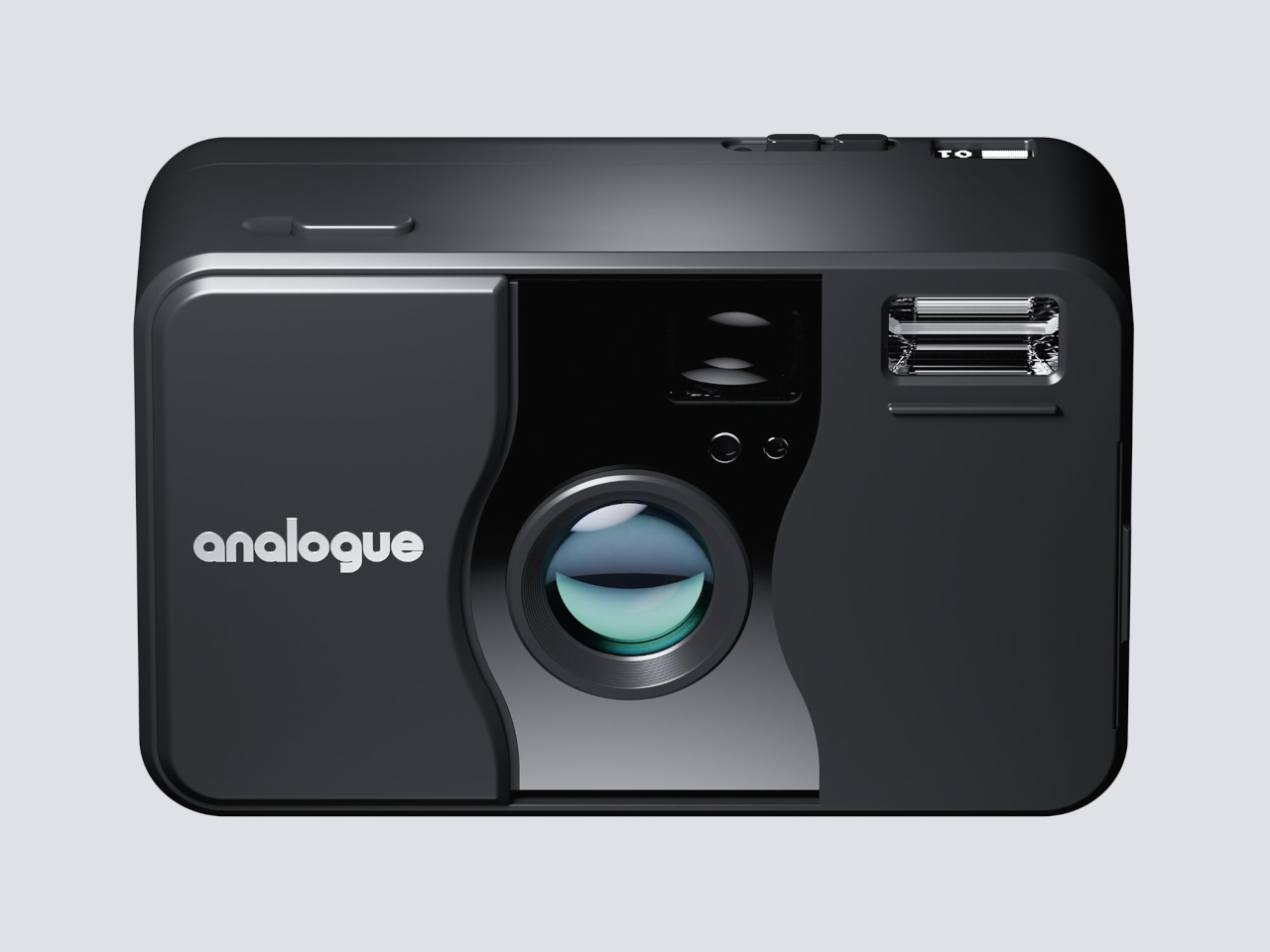
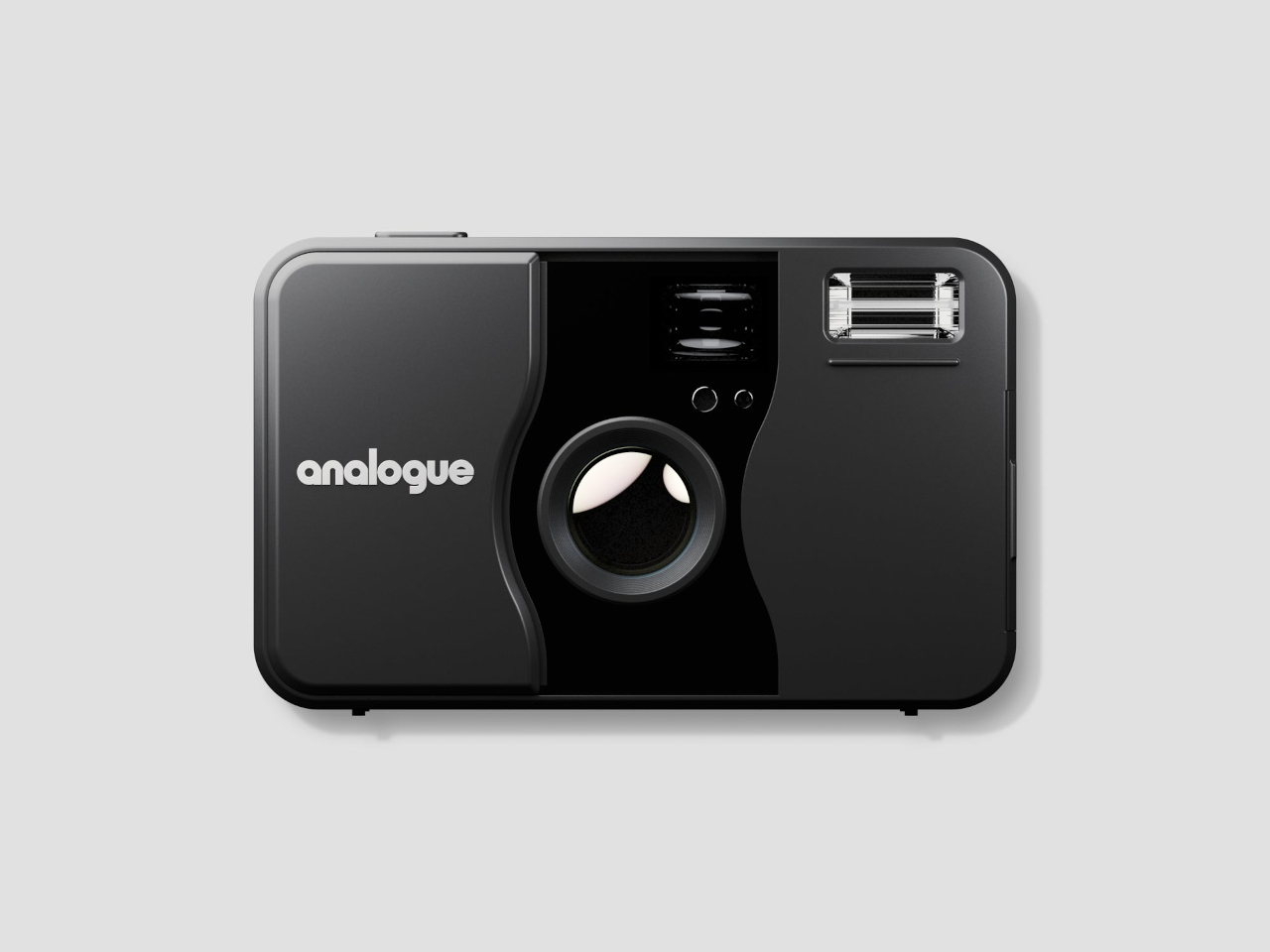
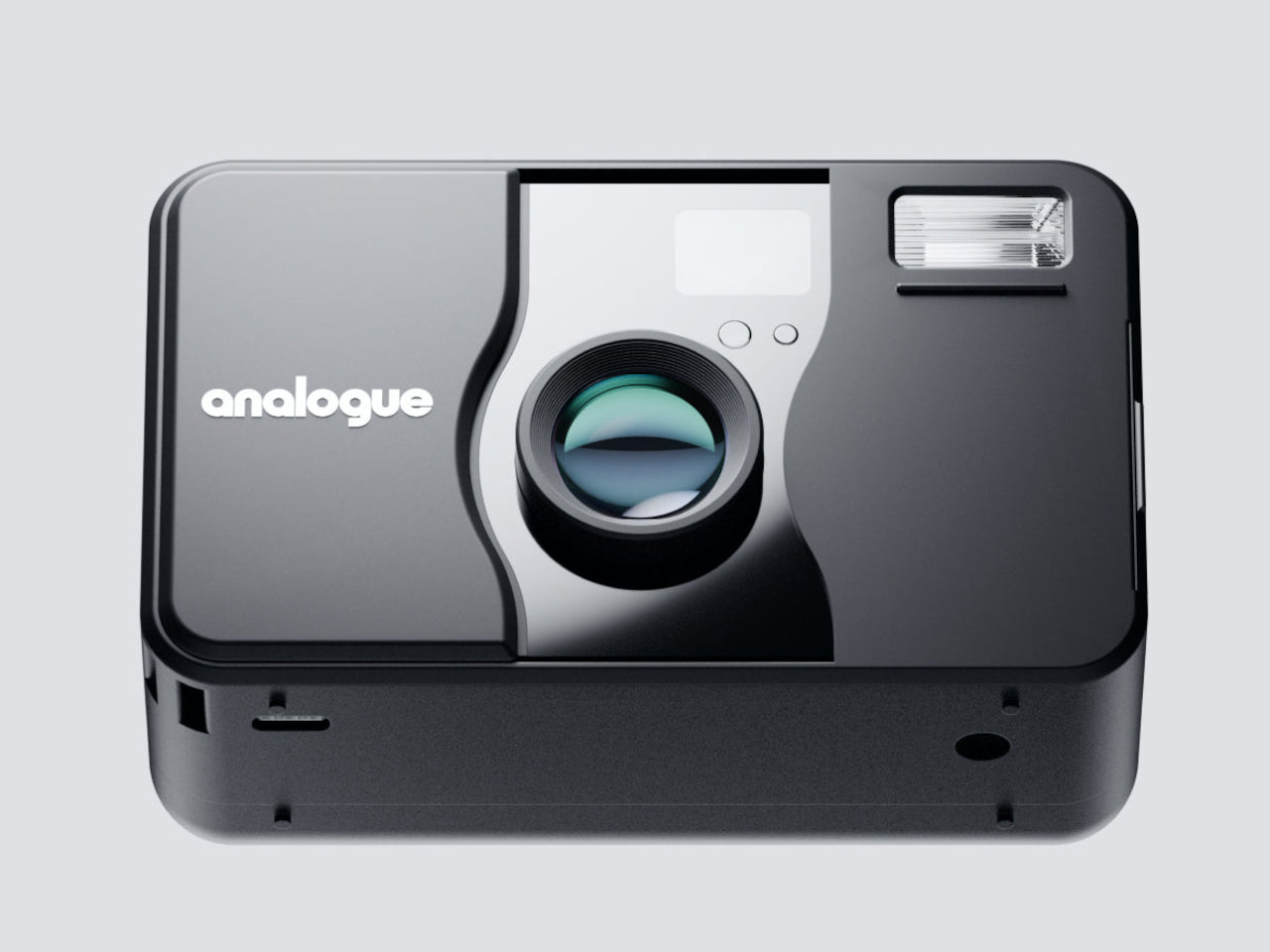
The Analogue aF-1 camera bridges that gap by blending the best of both worlds into one compact package designed for modern film shooters. With classic looks, a fast 35mm f/2.8 lens, and digital features like LiDAR autofocus and automatic film handling, it’s a camera that makes every shot feel intentional and every moment easier to capture without the usual hassles. The aF-1 brings together decades of camera evolution successfully.

Designer: Analogue

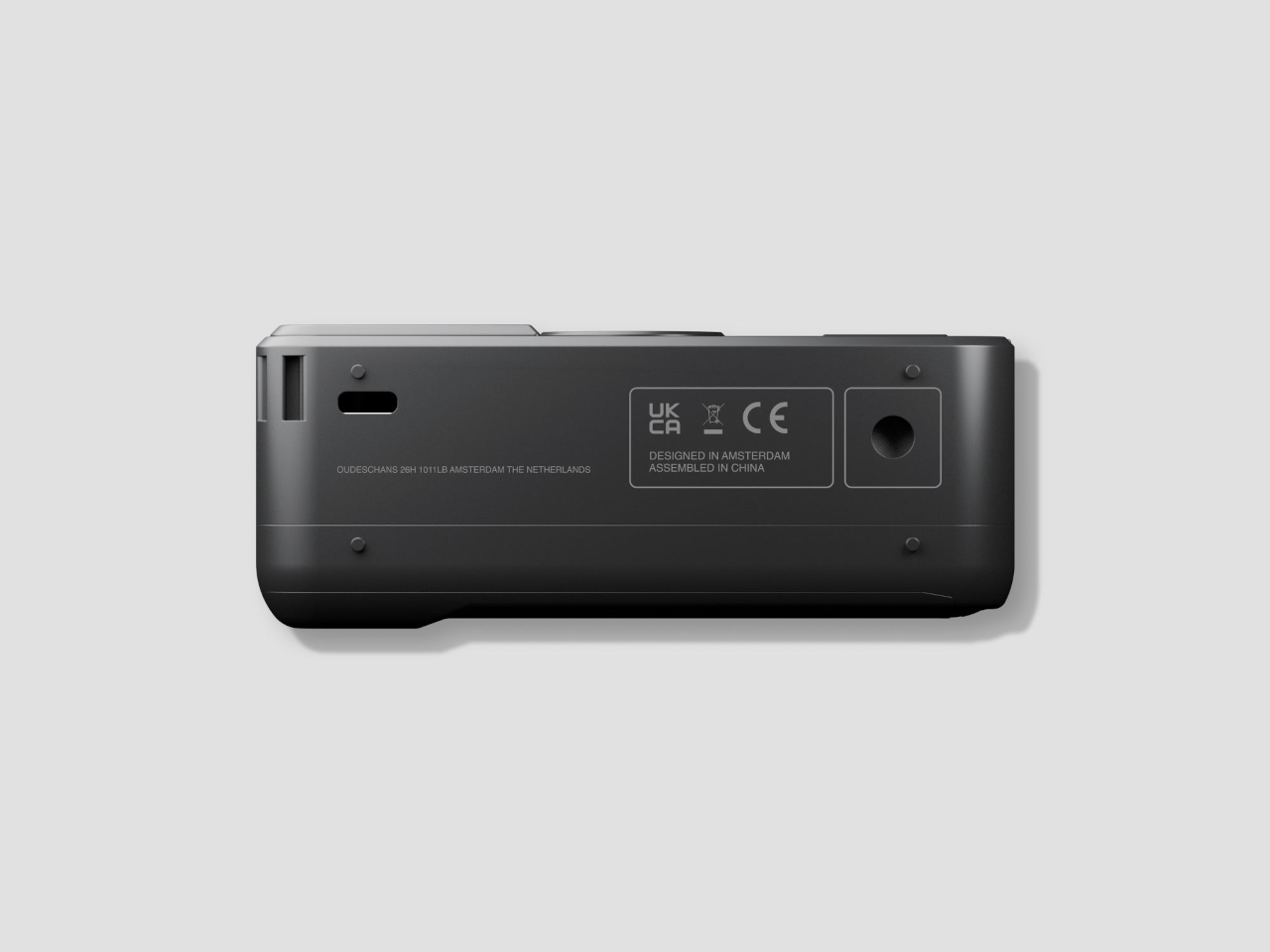
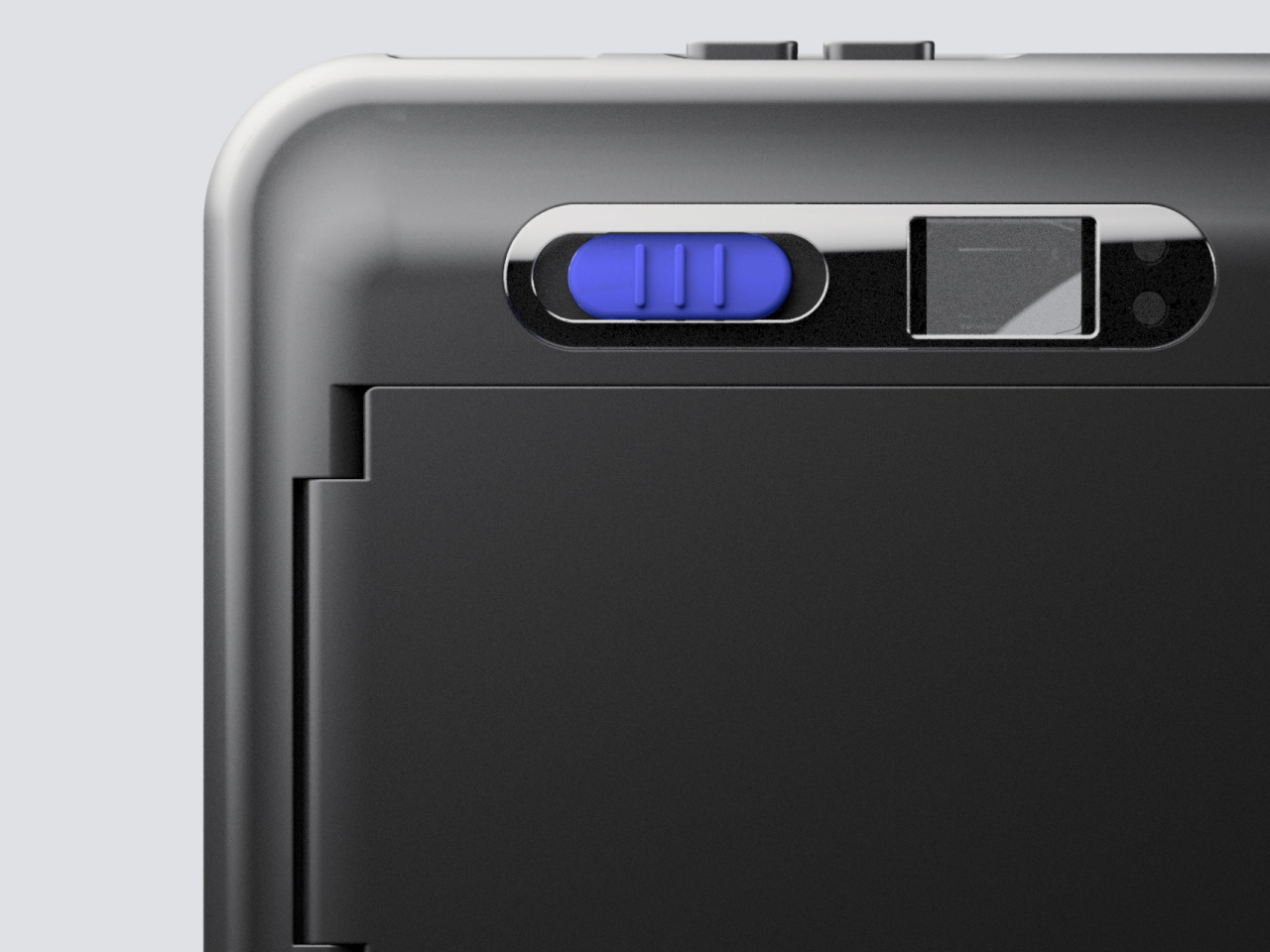
The aF-1’s minimalist, matte-finished body is inspired by iconic compacts of the past like the Olympus Mju and Contax T series, but it’s newly manufactured with modern materials and a robust, splashproof build rated IPX4 for weather resistance. The 35mm f/2.8 lens with its 6-element Double Gauss optical design delivers sharp images and pleasing depth, while the Albada viewfinder and two-stage shutter make framing and focusing intuitive.

Its compact size and rounded edges make it easy to slip into a bag or pocket, ready for spontaneous street shots or travel adventures wherever creativity strikes unexpectedly. The splash resistance means light rain or coastal spray won’t stop you from shooting during outdoor adventures, and the robust build stands up to daily carry and occasional bumps without requiring excessive care or bulky protective cases.

The real magic is in how the camera mixes analog charm and digital reliability seamlessly throughout the shooting experience. LiDAR and Time-of-Flight sensors power fast, accurate autofocus from 0.5 meters to infinity, so you never miss a fleeting moment even in tricky light conditions where vintage cameras would struggle. The automatic film loader, advance, and rewind mean you can focus on shooting compositions, not fiddling with film mechanics.

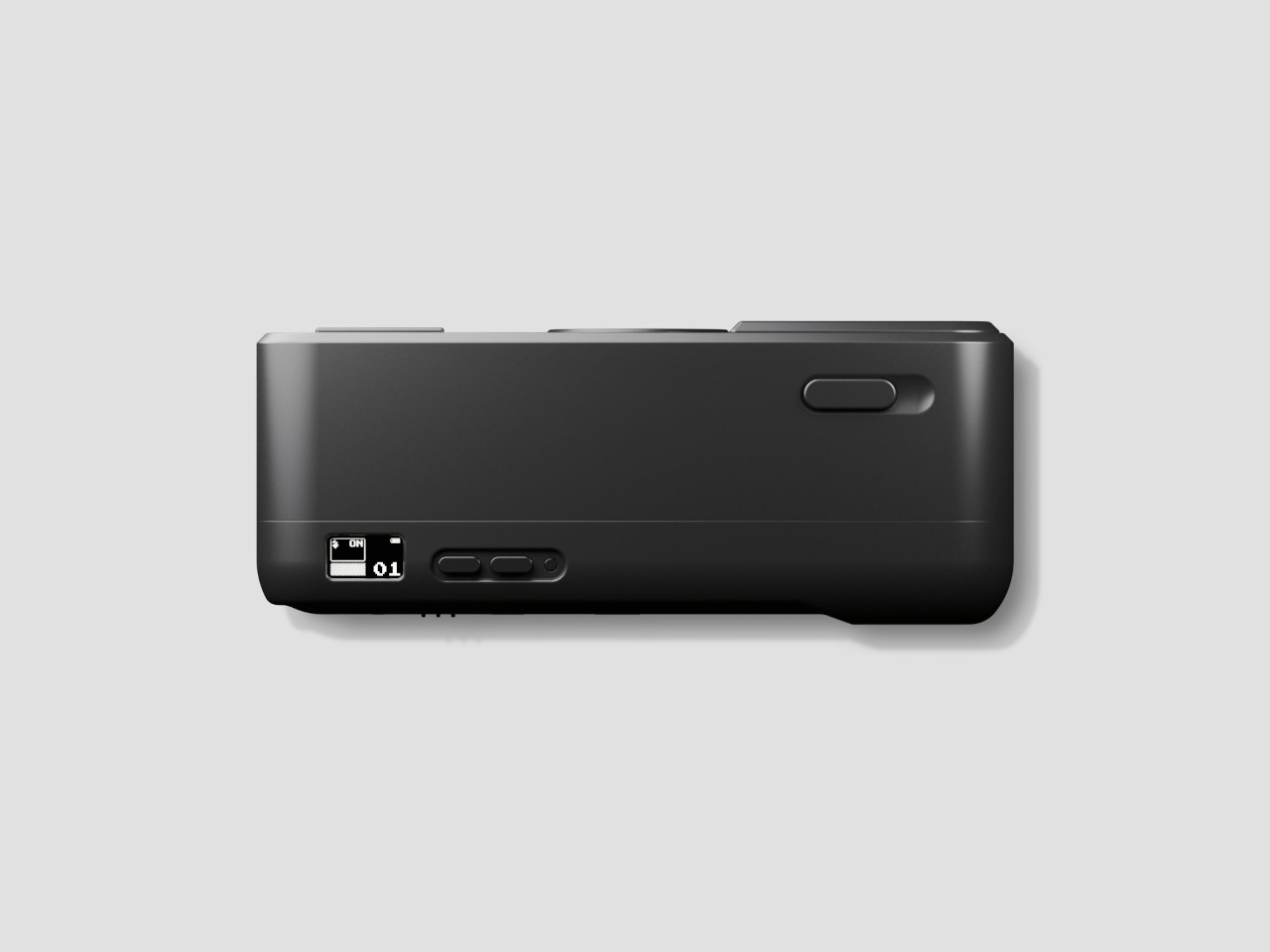
The GN8 flash recycles in as little as half a second between shots, with physical toggles for Auto, Forced, Anti Red-eye, Nightmode, and Off modes, giving you full manual control in any lighting situation you encounter. The fast recycle time means you’re always ready for the next shot without waiting around impatiently, and the flash reaches up to three meters at ISO 100 for properly lit group shots.

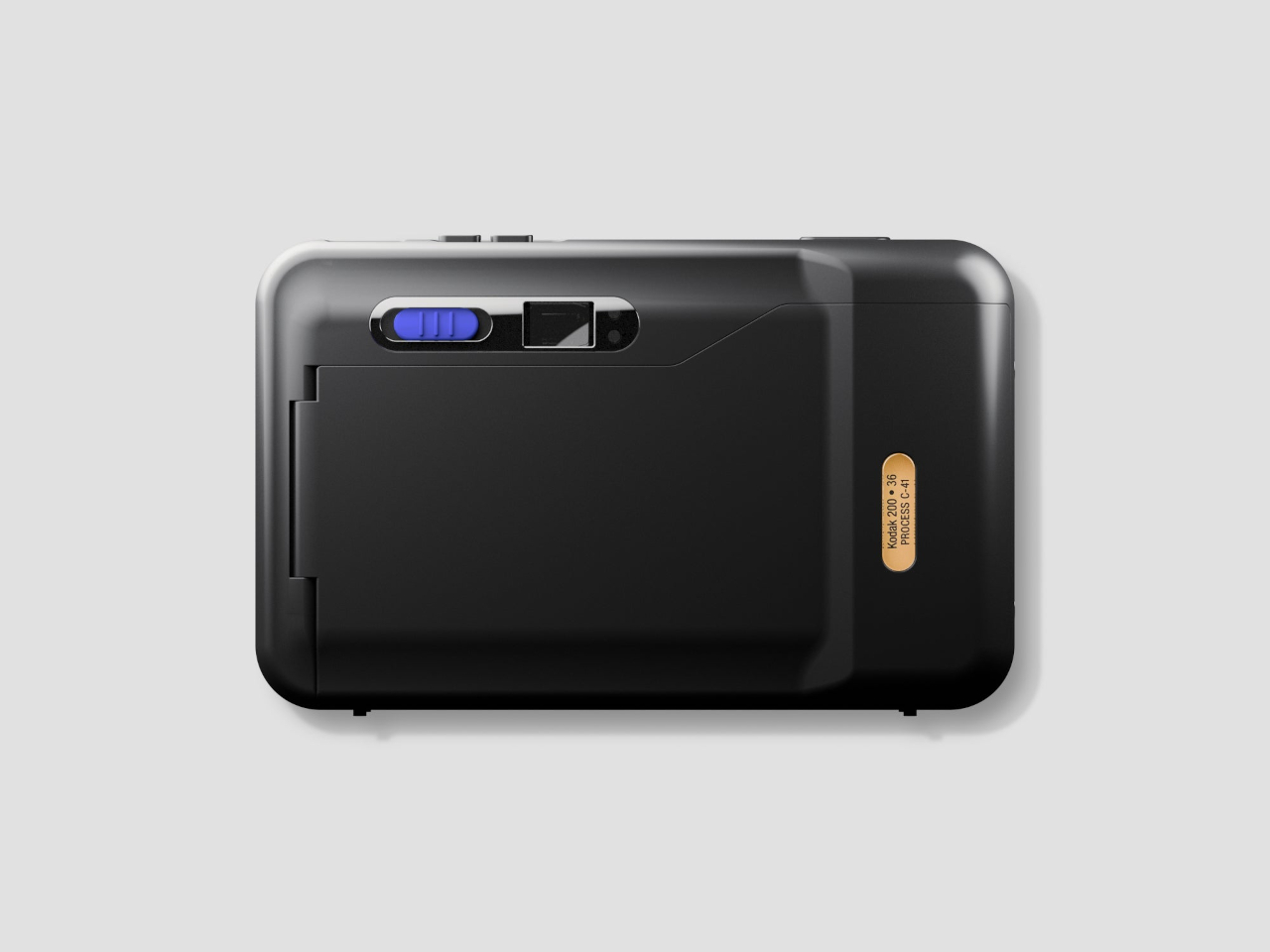
The aF-1 uses standard 35mm film with DX-coded ISO support from 25 to 5000 and is powered by a widely available CR123A battery that’s easy to find anywhere in the world. The shutter speed ranges from 1/1000 to 4 seconds for creative flexibility across different lighting scenarios. A 10-second self-timer and focus/exposure lock add creative options for group shots or experimental long exposures during golden hour.

Shooting with the aF-1 is about slowing down and savoring each frame, but without the headaches of vintage gear that breaks or requires constant servicing and repair from specialists. The camera’s blend of analog feel and digital reliability makes film photography less intimidating and more rewarding for newcomers while giving experienced shooters the dependability they need for important moments worth preserving forever on physical film.

The post New Film Camera With LiDAR Autofocus Brings Modern Tech to 35mm first appeared on Yanko Design.
This Genius Modular Power Strip Lets You Swap Outlets, USB Ports, and Wireless Pads Like LEGO Bricks

Every power strip you’ve ever bought was designed for someone else. Too many USB-A ports when you need USB-C. No wireless charging. Or it has wireless charging but not enough wired ports. You’re stuck buying what manufacturers think you need, not what you actually need. TobenOne flips that script entirely. It’s a modular magnetic charging hub you build yourself. Snap on the modules you want, skip the ones you don’t. Need more USB-C? Add a module. Upgrade your setup later? Swap it out. It’s your desk, your devices, your rules.

The concept sounds almost embarrassingly obvious once you see it. A sleek aluminum rail serves as your base, and four circular magnetic modules snap onto it in whatever configuration makes sense for your setup. One module handles Qi wireless charging for your phone. Another packs three USB-C ports. There’s a USB-A 2.0 module for legacy gear and a hybrid USB-A 3.0 plus USB-C module for high-speed data transfer (I’ll dive into this later). The whole thing connects to your laptop via a single cable, and from there you can rearrange the modules however you want. It’s like someone finally asked “what if power strips worked like LEGO?” and actually followed through.

Designer: Tobenone

Click Here to Buy Now: $89 $179 (50% off). Hurry, only 262/500 left!


Most of us have been through this cycle multiple times. You buy a hub or power strip based on your current gear. Six months later you upgrade your phone or laptop or tablet, and suddenly the thing you bought has the wrong port mix. Maybe you needed more USB-C than you thought. Maybe that wireless charging pad you bought separately is now just another piece of desk clutter taking up space. The traditional solution is to buy another hub, add to your desk clutter like another Jenga block along with other power strips/bricks/dongles, and pretend your cable management isn’t spiraling into chaos.

TobenOne’s approach means you buy a system once and just shape-shift it based on your current or future needs. The modules are independent of the strip itself, so when USB-C becomes even more dominant than it already is, you don’t trash your entire hub. You just swap out one module for another. It’s a small shift in thinking that has surprisingly large implications for how we manage our tech ecosystems. And this doesn’t just mean convenience, it’s a much more sustainable approach too. E-waste from obsolete charging gear is a legitimate problem, and modular design that lets you replace components instead of entire devices is one of the few practical ways to address it without requiring everyone to become minimalist monks who own three possessions.

The execution is incredibly clean – the modules themselves are incredibly sleek, all brushed metal sides and matte black tops with minimal branding. When you snap them onto the base, they sit flush and lock in with what appears to be strong enough magnetic force to stay put during normal use. There’s even a volume control module that lets you adjust your computer’s audio directly from the hub, which feels like the kind of small quality-of-life feature that gives your power strip some power-user features. No more fumbling with software volume sliders or keyboard shortcuts. Just twist the module. Clever, no?

The modules attach to the front, but two USB-C ports on the side deliver power input and output. Plug the TobenOne into a power source and it’s good to go… plug the other USB-C end into your laptop and it becomes a passthrough charger while also giving those modules data connectivity to your laptop. That means you can use USB-A ports not just for charging devices, but also for connecting thumb drives, hard disks, etc. for high-speed data transfer. Suddenly your power strip is capable of so much more. And you could choose to keep the TobenOne on your table, or even wall-mount it so that you can attach your phone to its MagSafe module directly to the wall. That gives you full control without all the desk clutter. It’s a power strip, but it’s also a dongle, but it’s also a convenient companion that doesn’t get in the way of your minimalist desk setup.

And the LEGO meets IKEA meets MagSafe meets every tech user’s needs approach is just sheer genius (I honestly wonder why nobody built this before). You’re literally building your own charging solution the way you’d build with blocks, except these blocks and the arrangements you make have actual utility beyond satisfying your inner child. It’s personal, just the way your IKEA furniture feels personal because you made it ‘for yourself’. The magnetic attachment system borrows from Apple’s MagSafe philosophy. That satisfying click when things snap into place, the alignment guides that make sure everything sits correctly, the ease of detachment when you need to reconfigure. There’s no complex assembly. No configuration software. No firmware updates to manage. You literally just snap things together and they work. That balance is harder to strike than it sounds, and most modular tech products fail by skewing too far in one direction or the other.

The modular design gives you a whopping eleven total ports and charging options across all four modules when fully loaded. That’s wireless charging plus ten wired connections, which should be more than enough for most desk setups unless you’re running a home server farm. The base model at roughly $89 USD feels extremely value-forward for what’s being offered, but early bird Kickstarter pricing always provide discounts to attract early adopters. Expect the retail price to land somewhere around $179 once this actually ships. Even at that price point, the value proposition holds up when you consider you’re replacing multiple separate chargers, hubs, and wireless charging pads with a single integrated system.

I spent all of 2025 touting how GaN chargers were the future of tech (because of how tiny and powerful they are)… the TobenOne fleshes out an alternate reality in which the power strip isn’t ‘dead’, it’s replaced by something more shape-shifting, more modular, more ‘you’. Want to JUST have plug points? Go ahead. Maybe want to swap them ALL for USB ports? That’s allowed too. Can sacrifice one idle module? Take it out and add a MagSafe charger for your phone… or better still, the volume knob that lets you control your desktop/laptop’s system volume. The power strip suddenly becomes a hub… and stops being the archaic device that never really changed in all these decades. Pretty cool, isn’t it?

Click Here to Buy Now: $89 $179 (50% off). Hurry, only 262/500 left!

The post This Genius Modular Power Strip Lets You Swap Outlets, USB Ports, and Wireless Pads Like LEGO Bricks first appeared on Yanko Design.
Dreamfarm’s Genius Measuring Cup Squeegees Itself Clean Every Time

You know that moment when you’re trying to measure out peanut butter and half of it stays stubbornly stuck to the measuring cup? Or when you’re spooning honey and it seems like no matter how much you scrape, there’s always that last bit clinging to the sides, taunting you? Yeah, we’ve all been there. It’s one of those tiny kitchen frustrations that feels like it should have been solved decades ago.

Well, Australian design company Dreamfarm finally decided to do something about it. Their UpCup is a 4-in-1 adjustable measuring cup that scrapes itself clean for wet, dry, and sticky ingredients. And honestly, it’s one of those designs that makes you wonder why nobody thought of it sooner.

Designer: Dreamfarm

Click Here to Buy Now

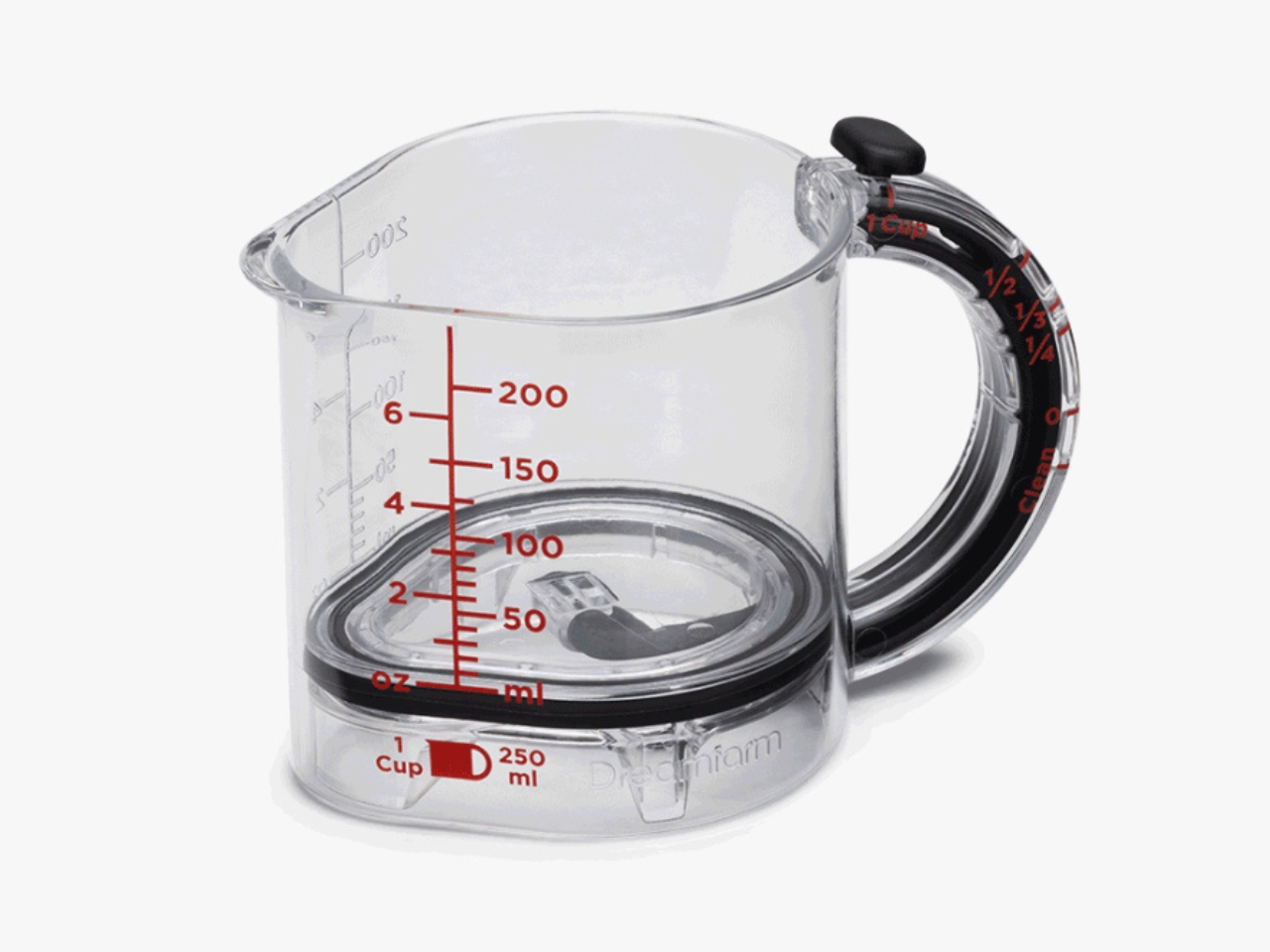
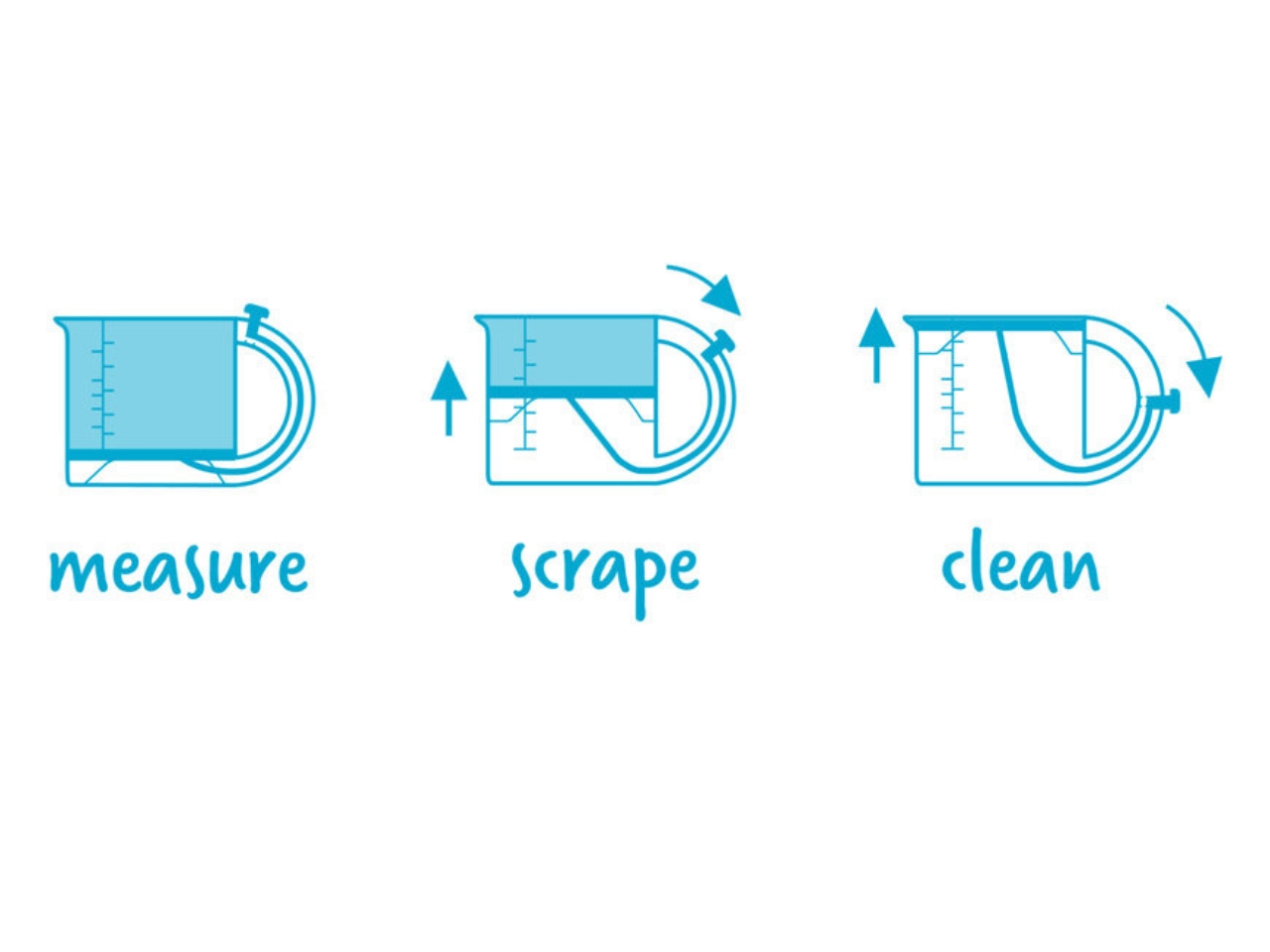
Here’s how it works. The UpCup’s adjustable base raises to create 1 cup, ½ cup, ⅓ cup, and ¼ cup measuring cups, all in a single cup. So instead of cluttering your kitchen drawer with four different measuring cups, you just need this one clever little device. You choose your measurement on the handle, fill it up, and then press the slider down to push everything out.

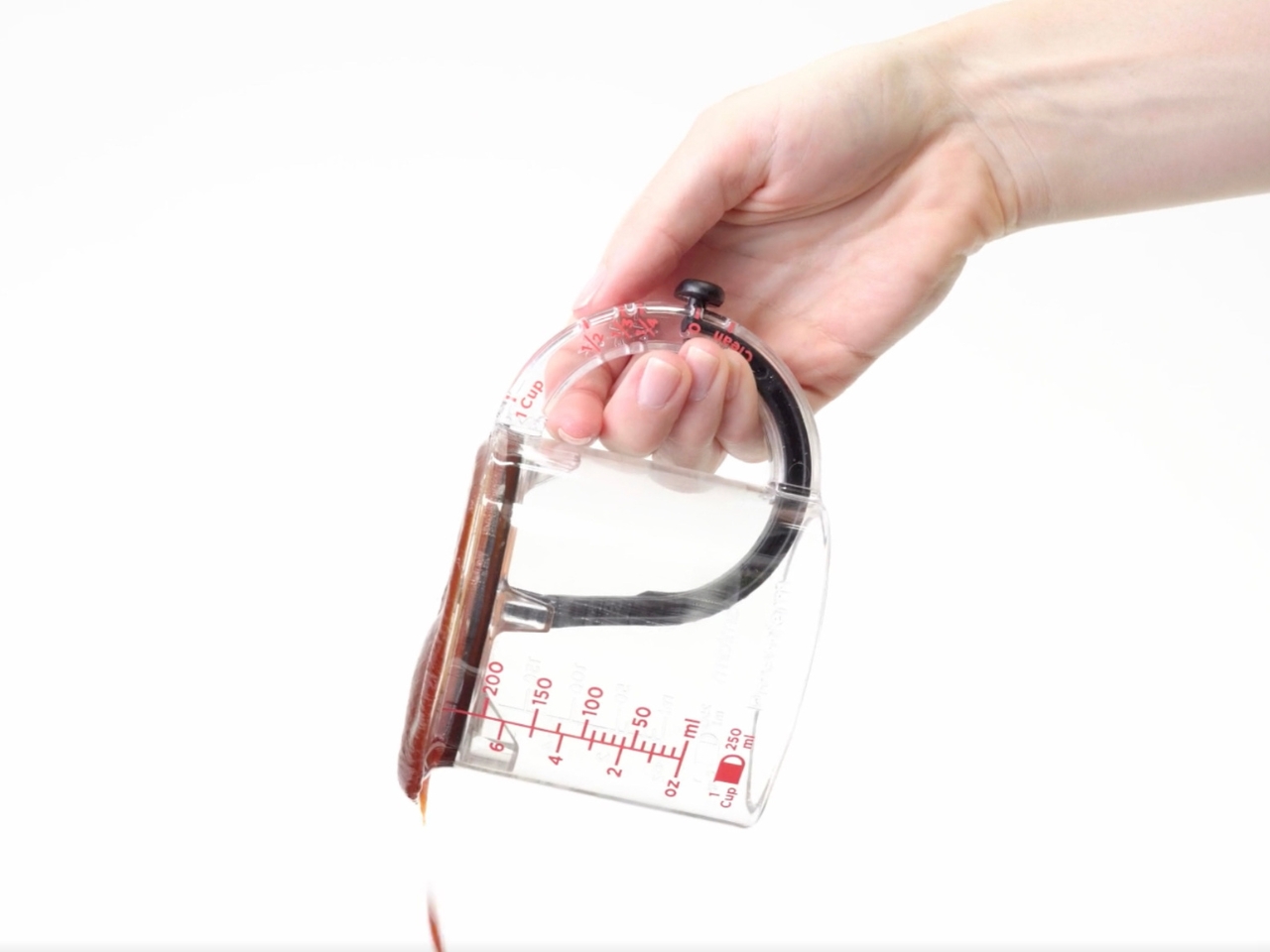
But here’s where it gets really clever. A watertight seal around the adjustable base squeegees the UpCup clean as it moves, making it perfect for peanut butter, mayonnaise, honey, and other sticky ingredients. As the base rises up through the cup, it acts like a built-in squeegee, pushing every last drop of whatever you’re measuring straight into your bowl. No waste, no scraping with a spatula, no wrestling with stubborn ingredients. Think about all those times you’ve measured sticky ingredients. Maple syrup that pools at the bottom. Tahini that refuses to let go. Coconut oil that somehow gets everywhere except where you want it. The UpCup handles all of it with the same simple push mechanism. The base extends fully to push out every last drop, and can be removed for thorough, dishwasher-safe cleaning.

The design is refreshingly straightforward. It’s made from clear, BPA-free Tritan plastic, so you can see exactly what you’re measuring. The measurements are both printed in red and embossed directly into the plastic, which means they’ll never wear off no matter how many times you run it through the dishwasher. And speaking of heat, it can handle temperatures up to 212°F, so you can use it for hot ingredients too.

What’s particularly smart about this design is how Dreamfarm thought about the entire user experience. Since it’s self-cleaning, you can use it for all your ingredients and then toss it in the dishwasher for an overall cleaning afterwards. Need to measure out flour, then peanut butter, then honey for the same recipe? Just push the slider between each ingredient and you’re good to go. No need to wash it three times in the middle of cooking. It’s also perfect for those recipes where precision matters. When you’re baking and need exactly a third of a cup of oil, you can actually get exactly that amount into your mixing bowl instead of losing some to the measuring cup. Those small losses add up, and they can actually affect your final results, especially in baking where ratios really matter.

The UpCup is one of those kitchen tools that feels obvious once you see it. It solves a problem we’ve all just accepted as part of cooking, and it does it in a way that’s simple, functional, and honestly pretty satisfying to use. There’s something deeply pleasing about watching that base rise up and push every single drop of sticky ingredient exactly where you want it. Dreamfarm has built a reputation for rethinking everyday kitchen tools, and the UpCup is a perfect example of their approach. They didn’t just make another measuring cup. They looked at how people actually use measuring cups, identified the frustrations, and designed a solution that makes the whole process better.

Is it revolutionary? Maybe not. But it’s the kind of thoughtful, problem-solving design that makes everyday tasks just a little bit easier. And in the kitchen, where we’re constantly juggling multiple ingredients and timing everything perfectly, those little improvements really do matter. No more scraping, no more waste, and no more measuring cup drawer overflowing with nested cups. Just one smart tool that actually works the way you wish all measuring cups did.

Click Here to Buy Now

The post Dreamfarm’s Genius Measuring Cup Squeegees Itself Clean Every Time first appeared on Yanko Design.
Waveshare MK20 Macro Keyboard Turns LCD Keys Into Creative Tools

For anyone who juggles creative projects, streaming, or multitasking throughout the day, a regular keyboard just doesn’t cut it anymore for complex workflows. Shortcuts, macros, and visual feedback can make or break your workflow, but most macro pads feel either too basic for serious work or too locked down to customize the way you actually need them to function properly for your specific use case.

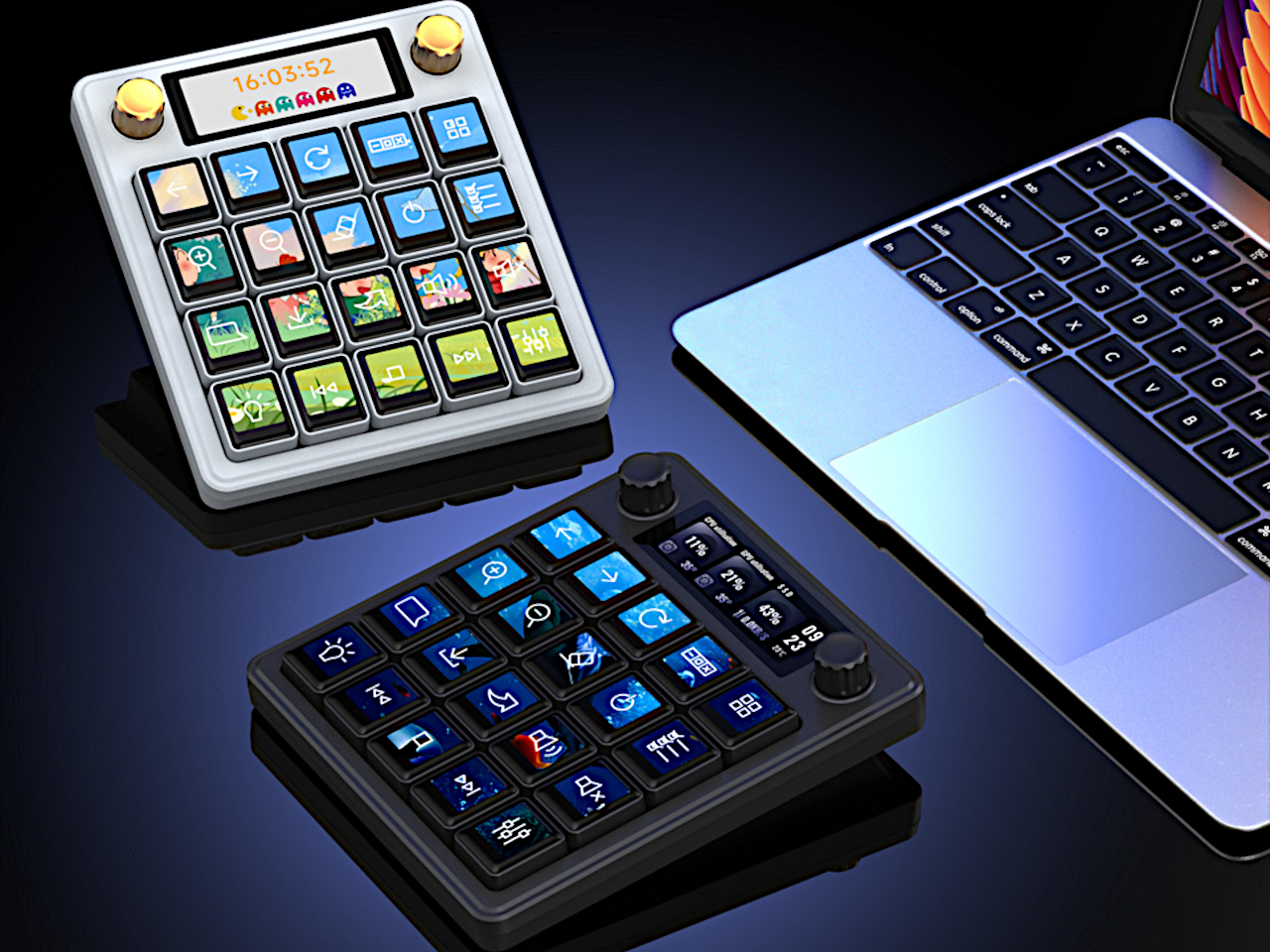
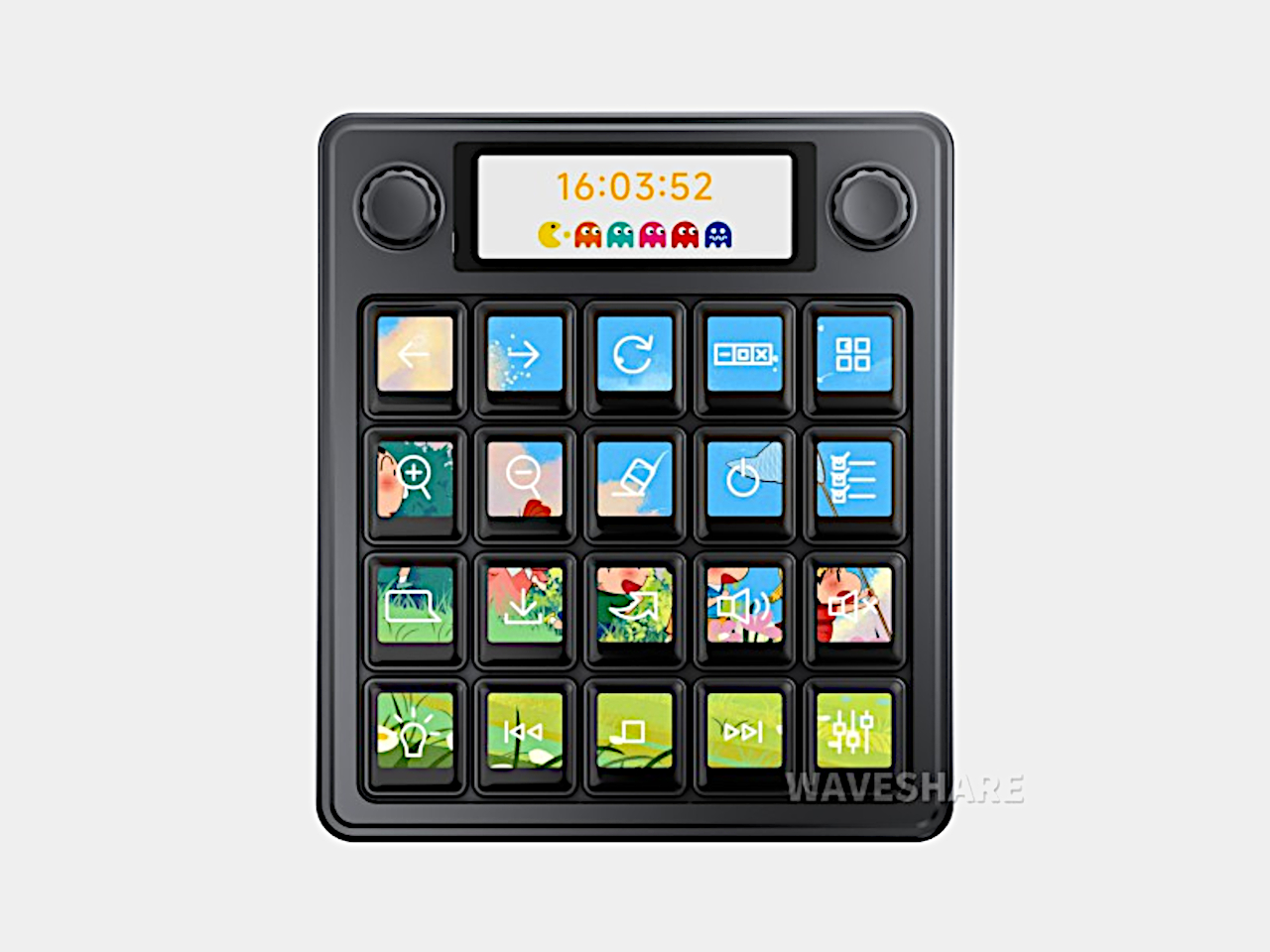
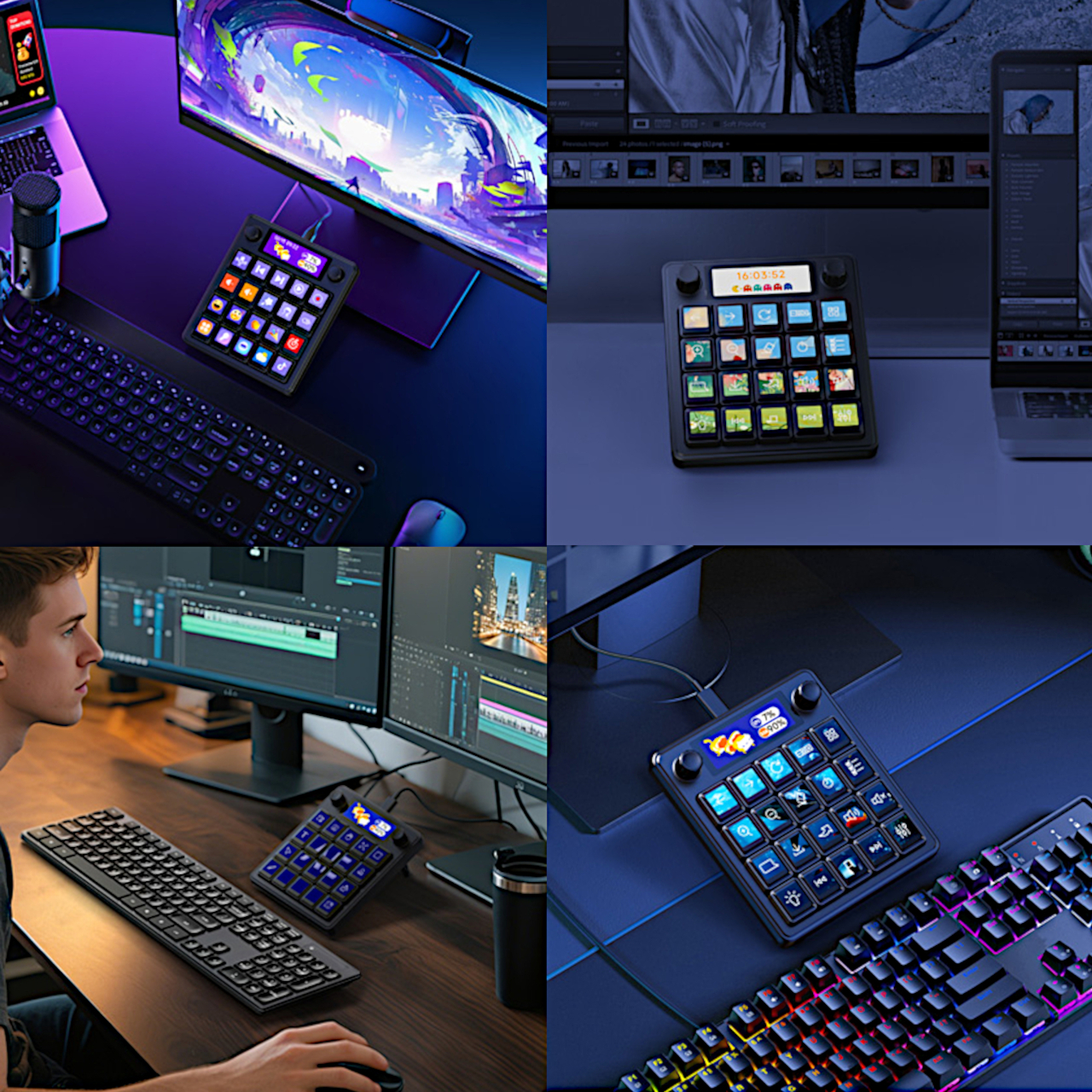
The Waveshare MK20 macro keyboard changes the game with 20 mechanical keys, each topped with a full-color LCD display, a 2.8-inch secondary screen, and dual programmable knobs for precise control. It’s a control deck that’s as expressive as it is powerful, designed for users who want complete creative freedom over their workspace and workflow without compromising on build quality or functionality.

Designer: Waveshare

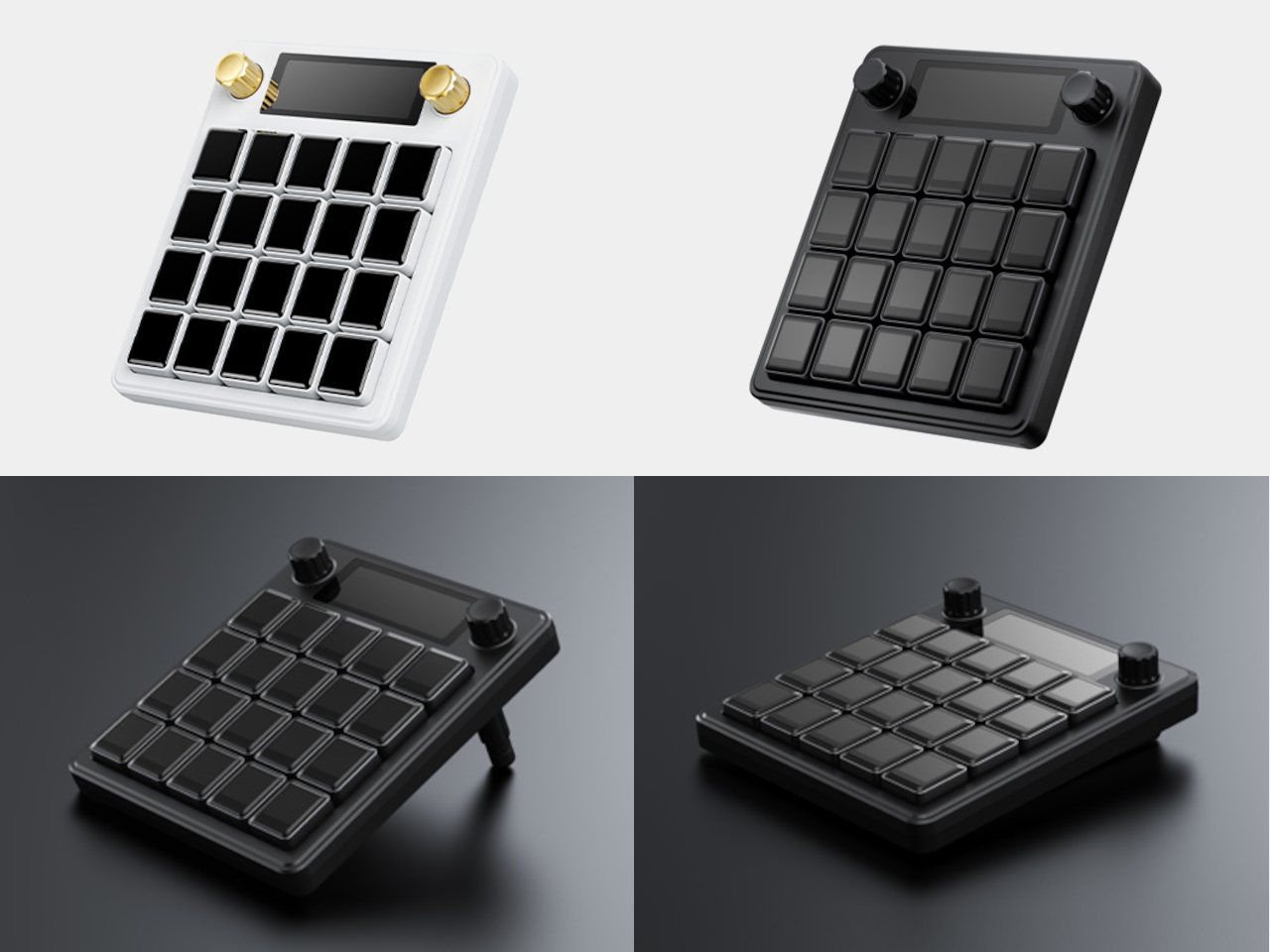
The MK20’s compact, square form is crafted from aluminum alloy with a 2.5D high-transparency acrylic lens, giving it a premium, sturdy feel that matches high-end keyboards and professional gear. Available in black or white finishes, it looks right at home next to professional monitors and mechanical keyboards on any creative desk. The build quality is immediately apparent, with satisfying tactile feedback and durable materials throughout.

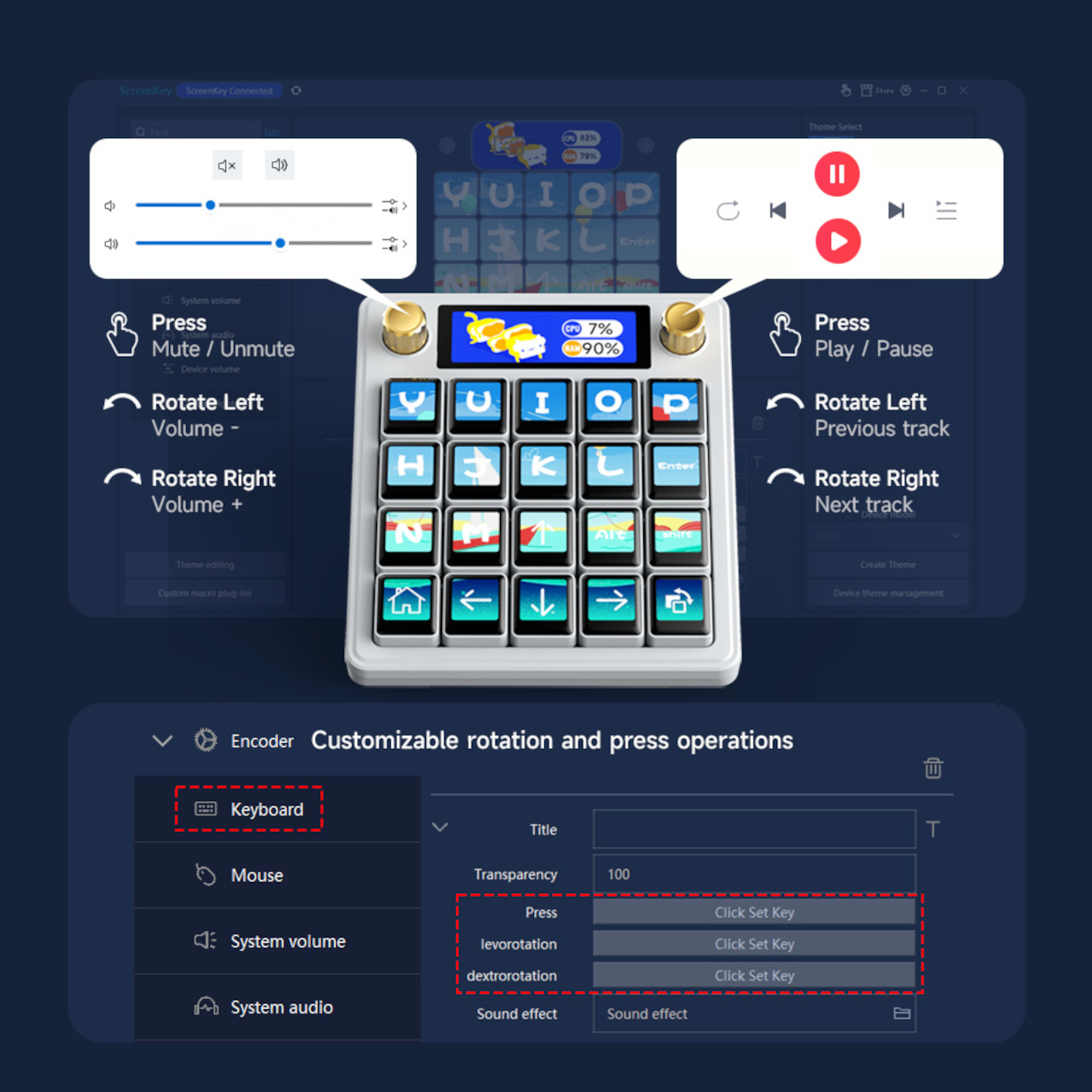
Each 0.85-inch LCD keycap can display static images, animated GIFs, or even video snippets, letting you theme your deck for different apps, games, or moods throughout your day and workflow changes. The secondary 2.8-inch display up top shows system stats, weather widgets, or custom information at a glance. The 20-screen splicing feature lets you create panoramic backgrounds across all keys for stunning visual effects.

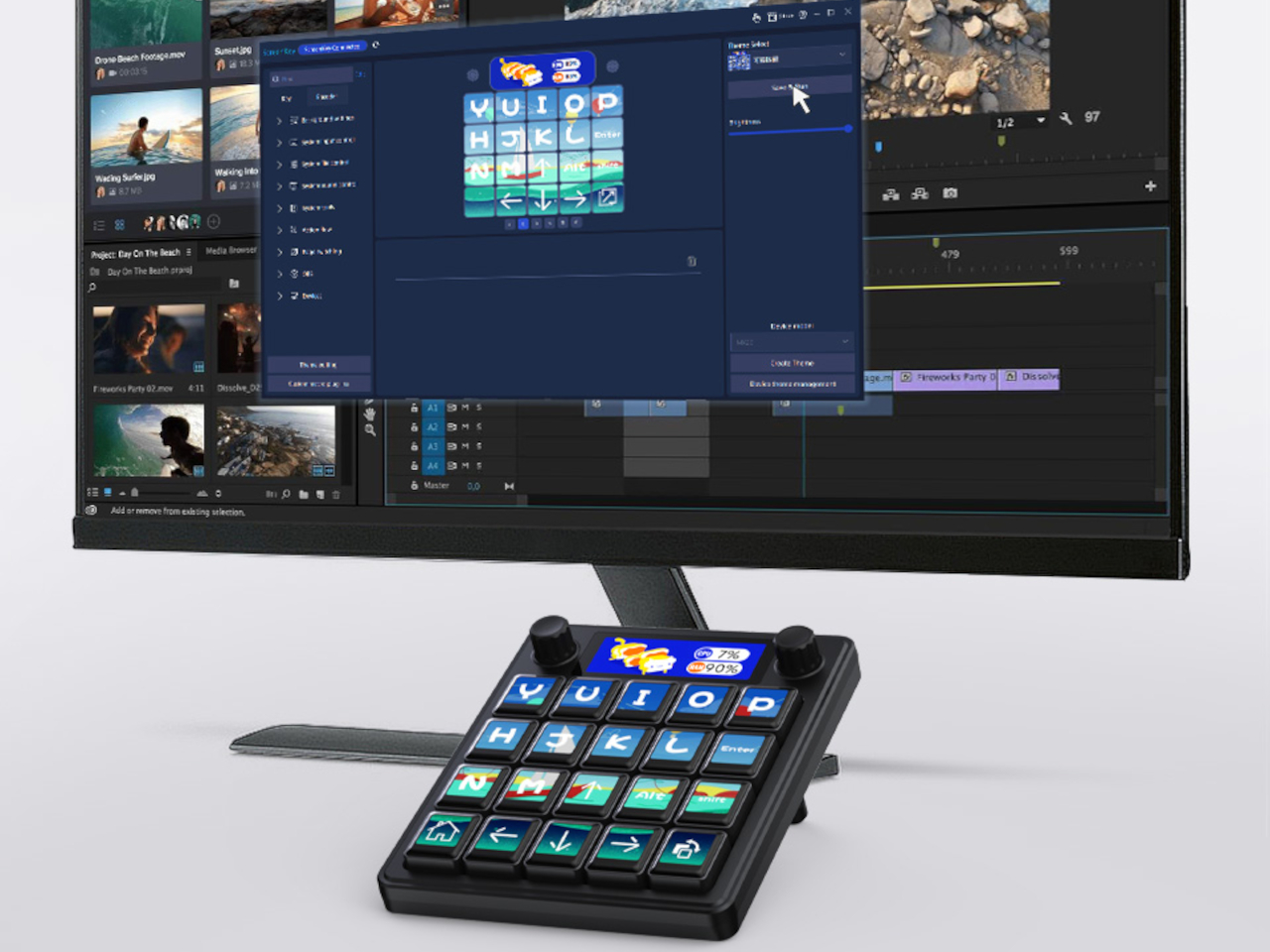
Two high-precision, anti-slip aluminum knobs can be programmed for volume, timeline scrubbing, zoom, or any function you need during work or play sessions. Both rotation and press actions are supported, making them perfect for creative software like Premiere Pro or Photoshop, where precision control matters most. The tactile feel and smooth operation make adjustments satisfying and accurate every time you use them.

The MK20 runs a dual-system architecture with a T113-S3 processor running Linux for complex display logic and a GD32 MCU running QMK firmware for zero-latency mechanical input. Macros, key combinations, and mouse control are natively supported in QMK, and the drag-and-drop theme editor means you don’t need coding skills to make it your own or share configurations with the community.

The keyboard supports dynamic theme editing, real-time data widgets like CPU temperature and network stats through LibreHardwareMonitor integration, and even AI voice interaction for hands-free control during busy sessions. Home Assistant integration lets you control smart lights, devices, or automation with a single tap. The feature set goes far beyond basic macro functionality into true workspace automation territory.

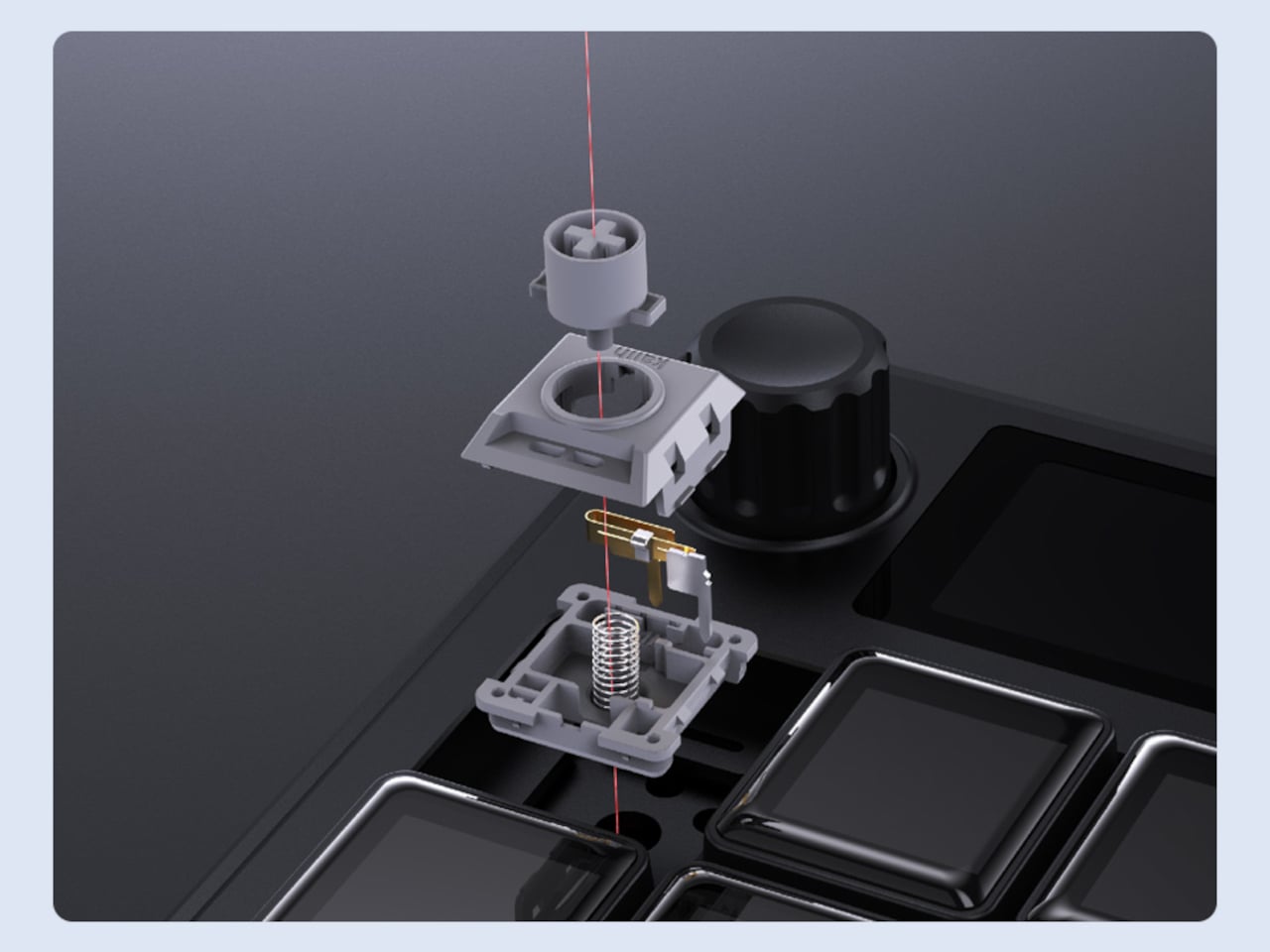
With a detachable 24-degree stand, USB-C connectivity, Kailh Box Silent switches for quiet operation, and hot-swappable keys, the MK20 adapts to any workspace setup seamlessly. Whether you’re editing video timelines, streaming gameplay, or automating repetitive office tasks, it brings both power and personality to your desktop without taking up excessive space or requiring complicated software installation procedures.

The Waveshare MK20 is a macro keyboard built for users who want complete creative control over their workflow and visual environment. With its LCD keys, dual knobs, and open-source foundation, it offers the kind of flexibility and personality that typical macro pads simply cannot match, making it a compelling upgrade for anyone serious about their desktop productivity and creative expression.

The post Waveshare MK20 Macro Keyboard Turns LCD Keys Into Creative Tools first appeared on Yanko Design.
AI Lantern Speaker Designed to Reduce Anxiety With Light and Sound

Most home gadgets are designed for function, not feeling or emotional connection. Lamps and speakers fill their roles effectively enough, but rarely do they offer comfort or companionship during quiet nights or moments when you need a little extra calm to soothe anxiety. Finding a device that addresses both practical needs and emotional well-being remains surprisingly difficult in modern home technology.

Calmtern reimagines what a home object can be by blending a portable lantern with an AI speaker in one thoughtful package. It turns light and sound into a source of emotional support, making every room feel a little more welcoming and a lot more personal. The concept is simple yet powerful: bring comfort wherever you go in your home, whenever you need it most.

Designer: Hyun Jin Oh

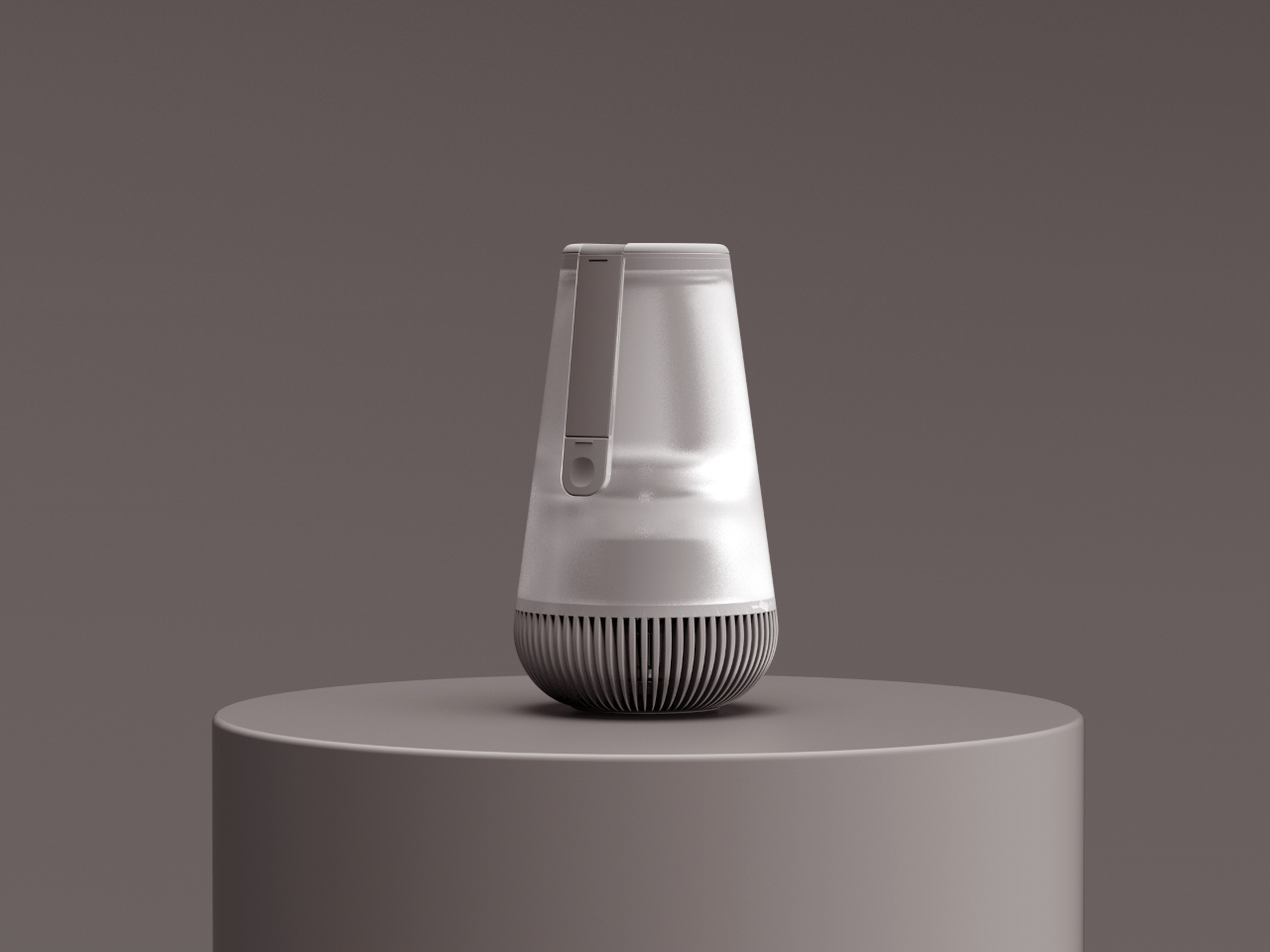
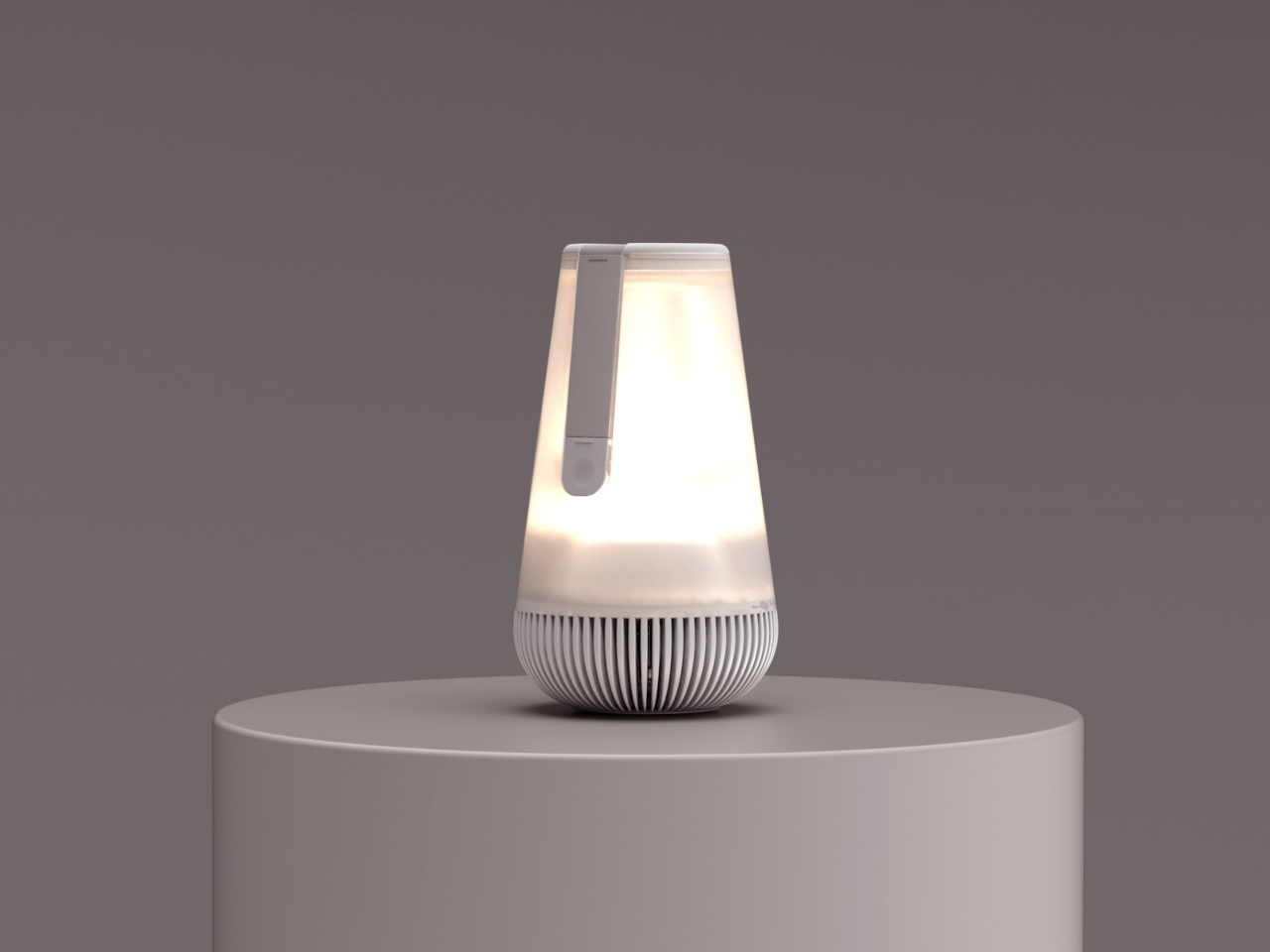
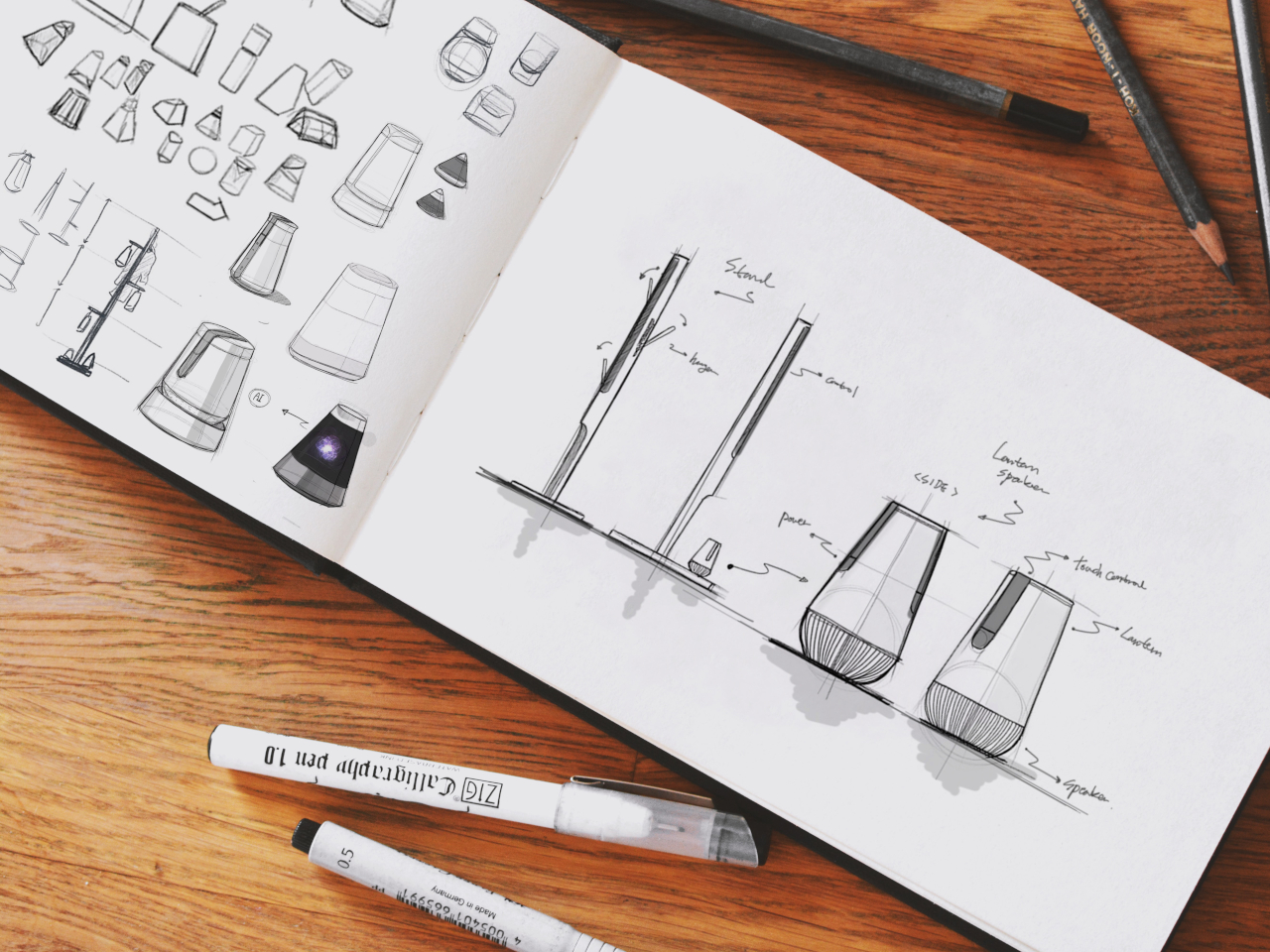
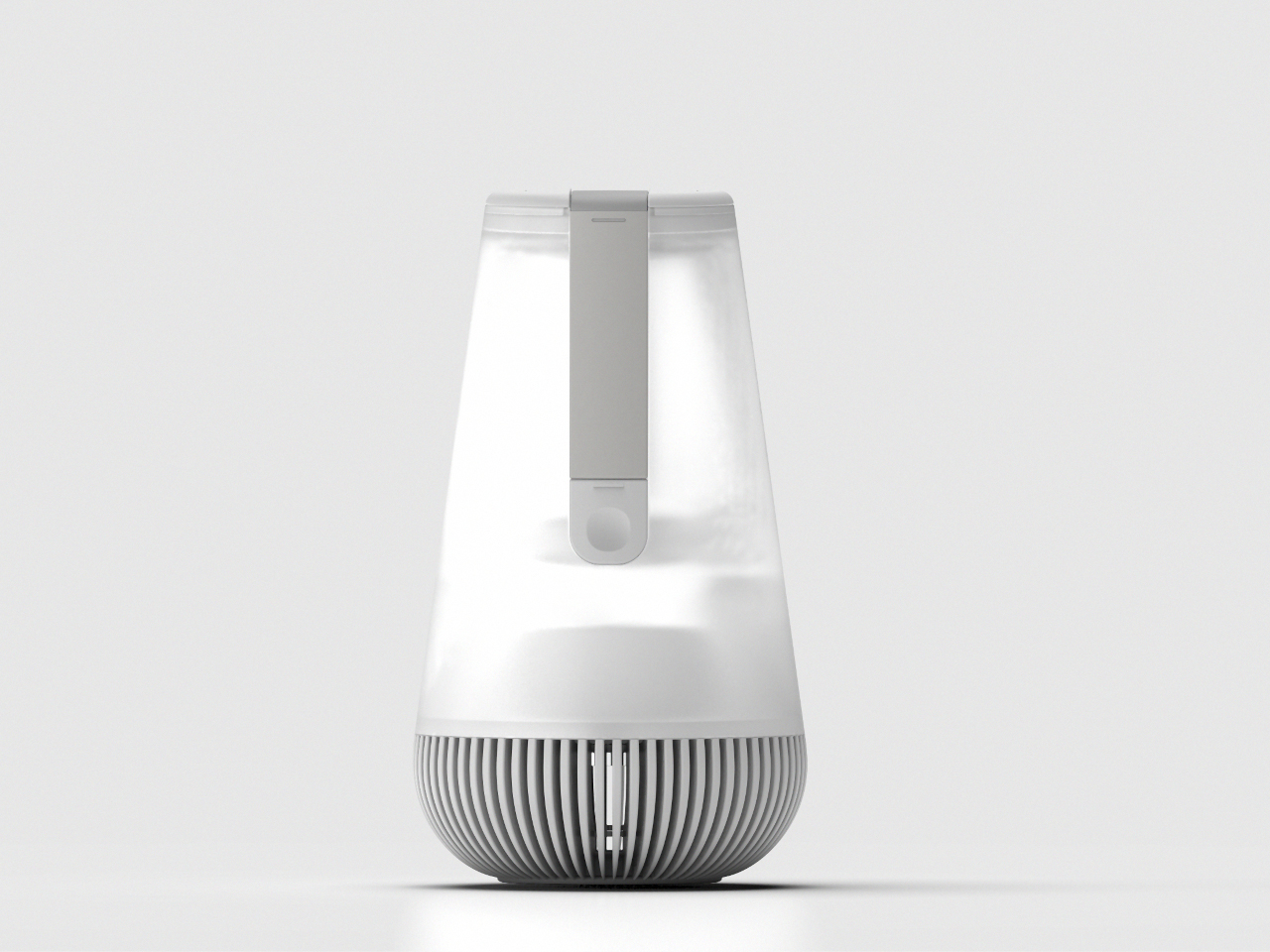
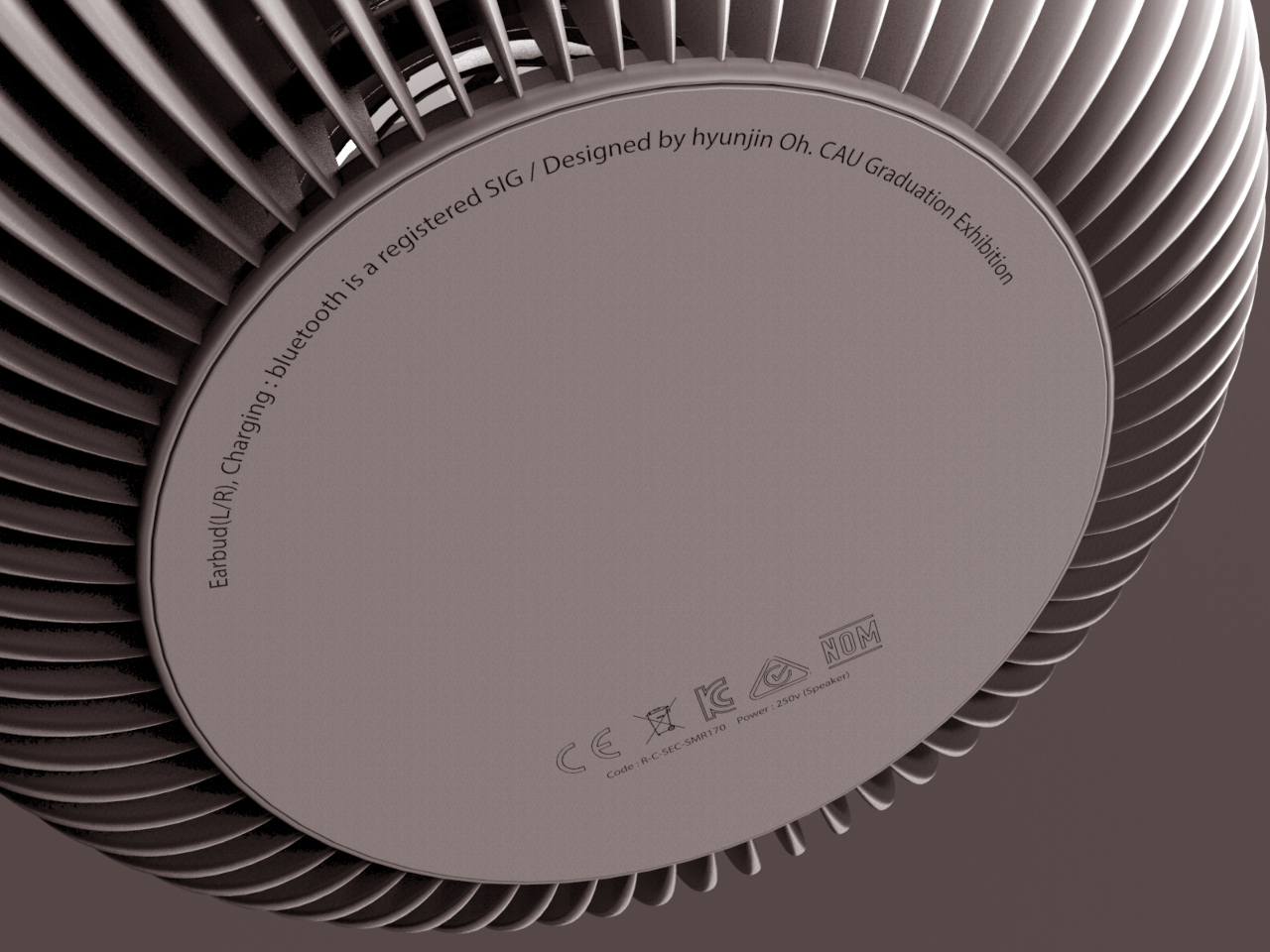
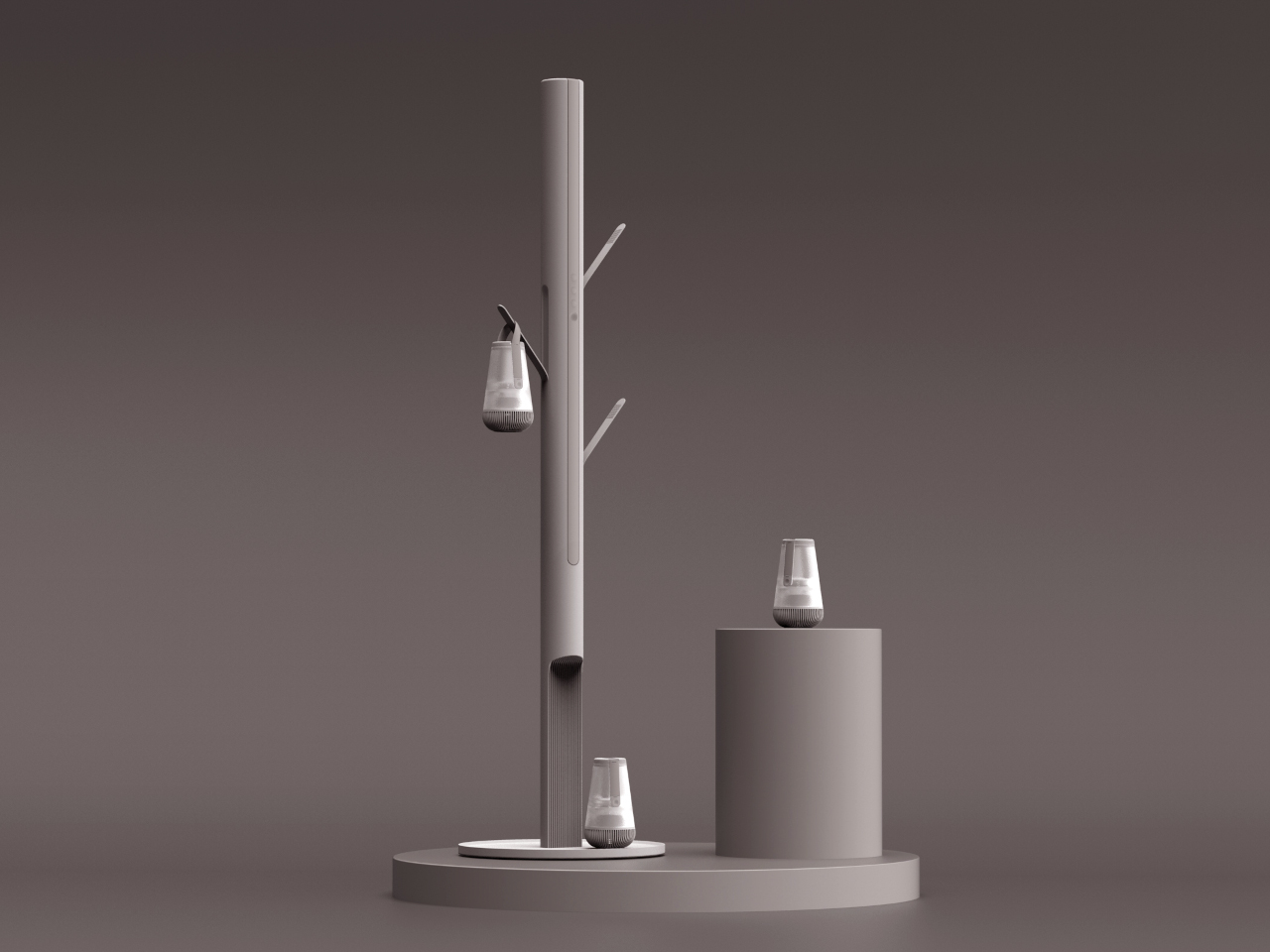
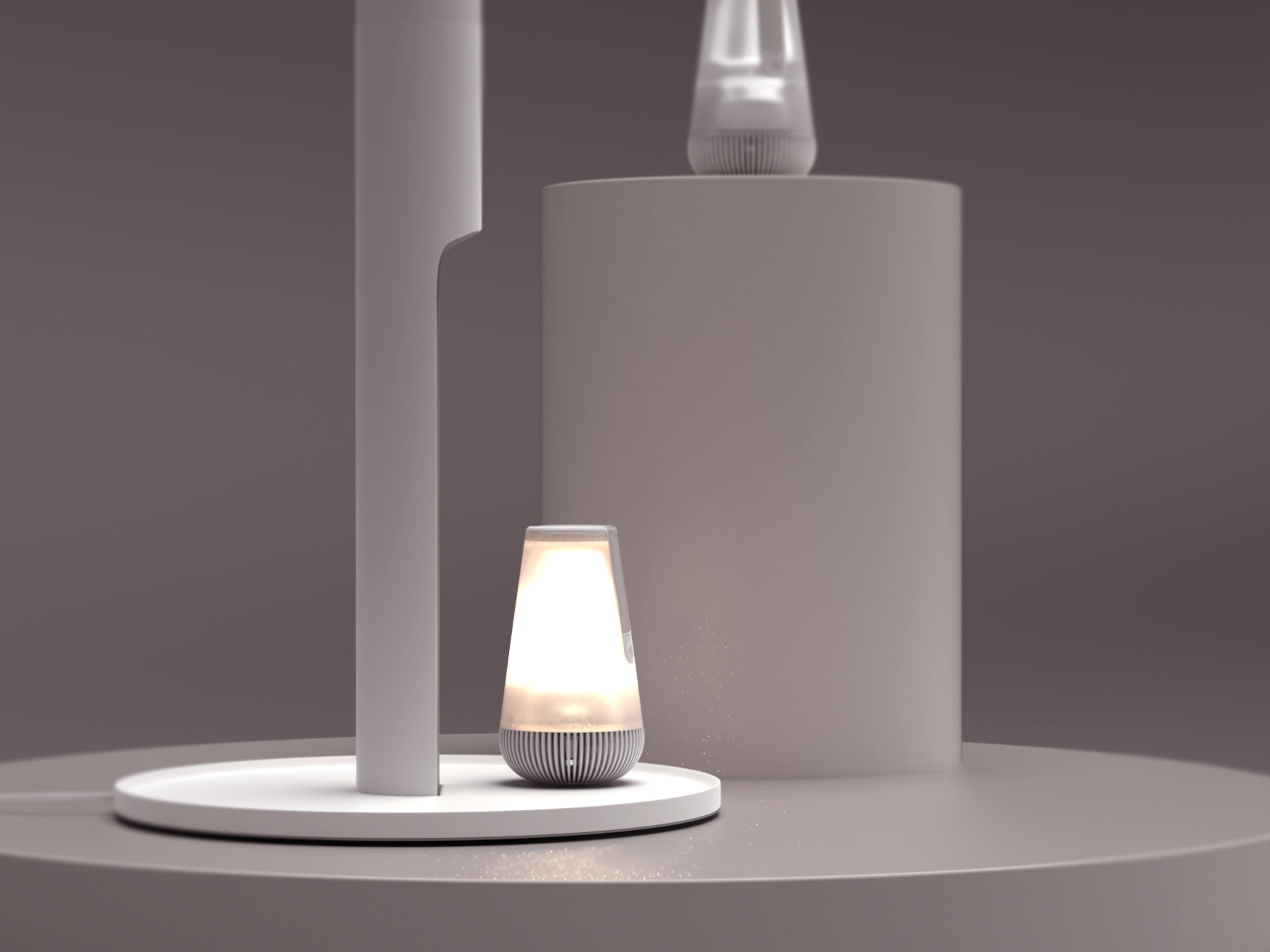
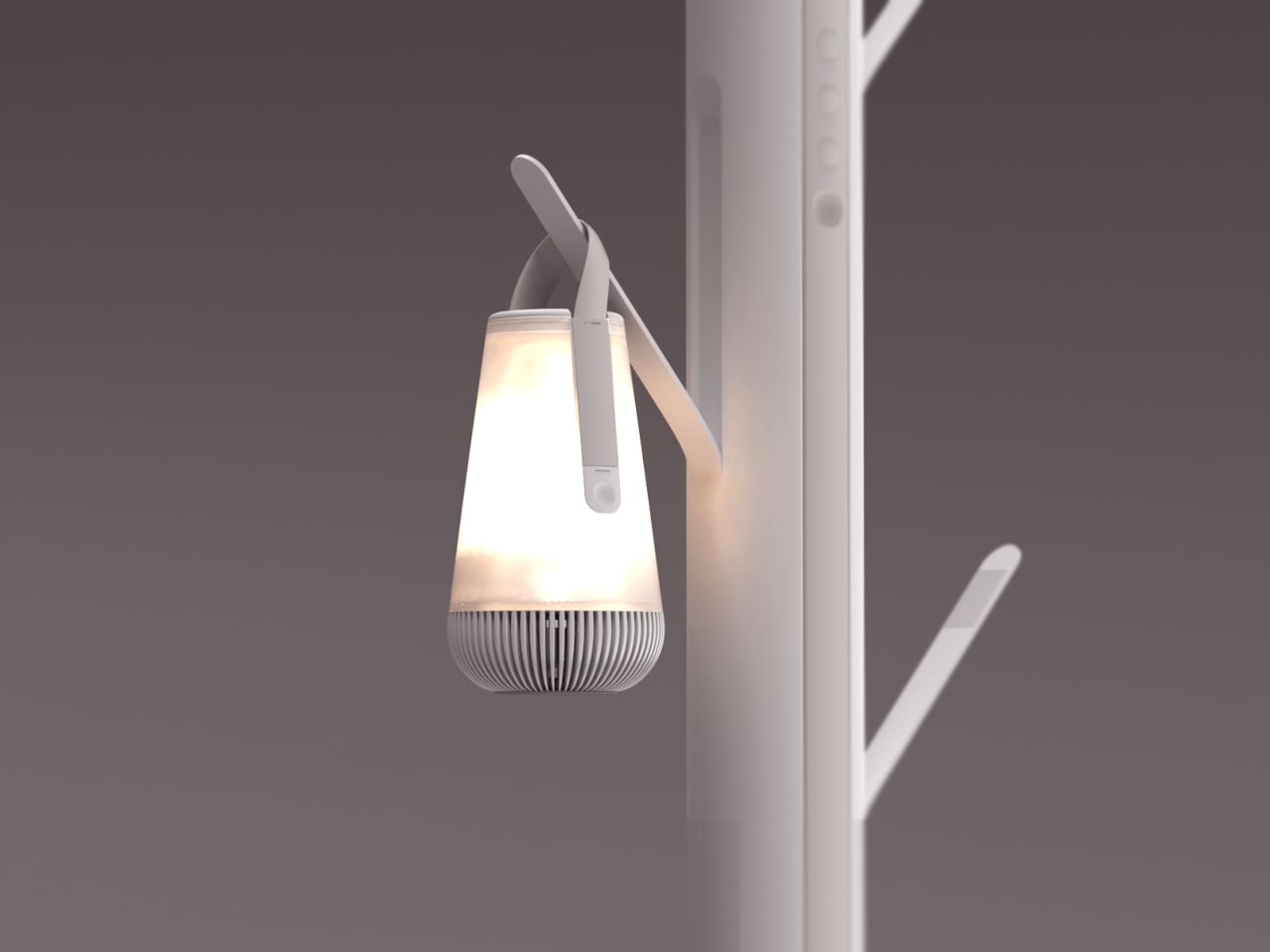
Calmtern’s silhouette is inspired by classic lanterns, with a translucent upper body for soft, diffused light and a ribbed base that houses the speaker and controls. The integrated handle makes it easy to carry from room to room, hang on a minimalist stand, or set on a bedside table wherever comfort is needed. The portable form invites movement and flexibility throughout your daily routine.

The minimalist design, matte white finish, and lack of visible branding let Calmtern blend into any space seamlessly, from modern apartments to cozy bedrooms and hallways. The ribbed texture provides visual interest and tactile grip, while the clean silhouette feels timeless rather than trendy. It’s a device that looks as good on display as it does tucked away when not in use.

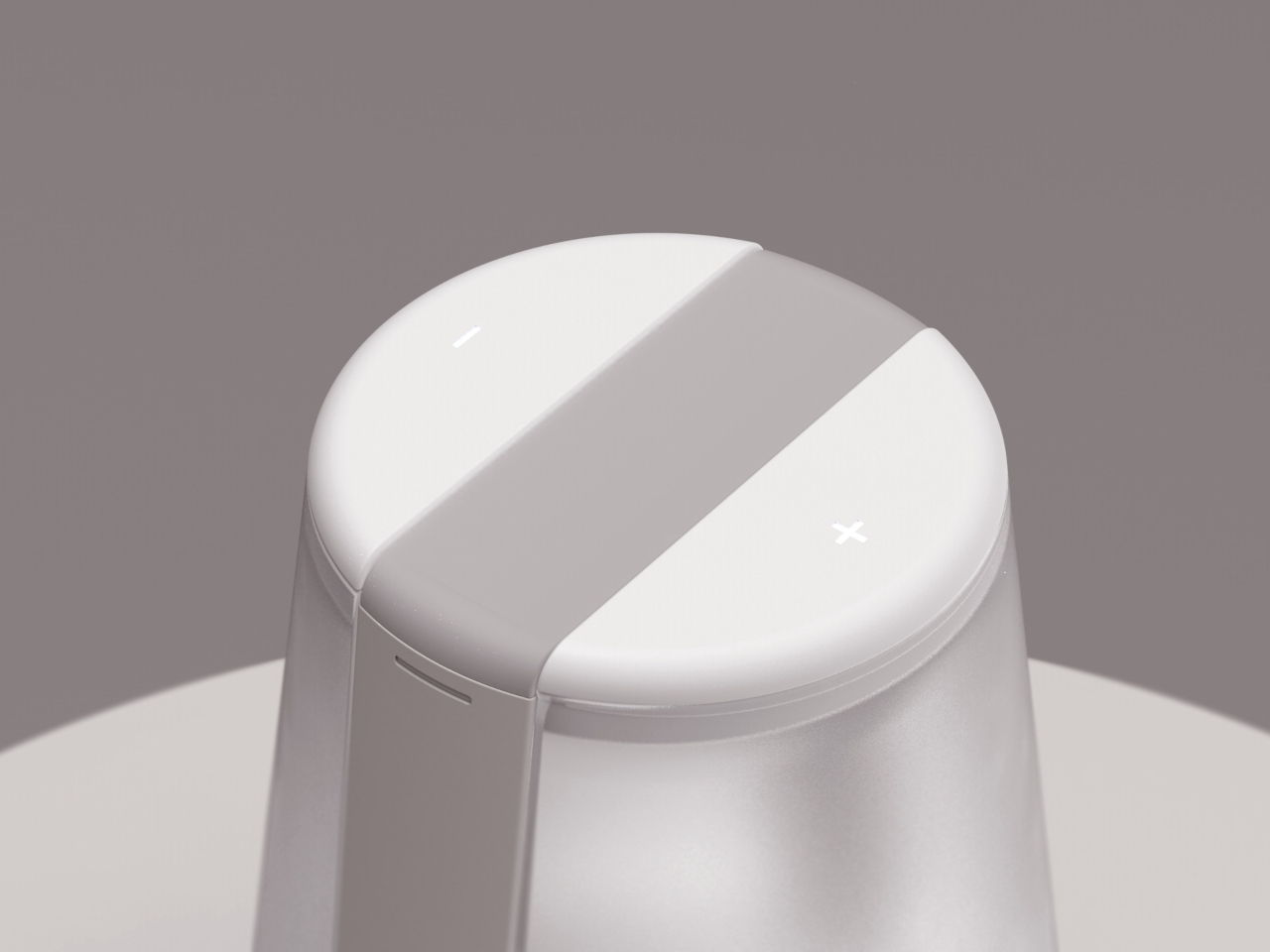
The lantern emits a gentle, warm glow that reduces anxiety and creates a cozy atmosphere perfect for late-night reading, winding down before bed, or simply making a dark room feel safe and inviting. Touch controls on the top panel make it easy to adjust brightness or volume without fumbling for switches or apps in the dark when you’re half asleep.

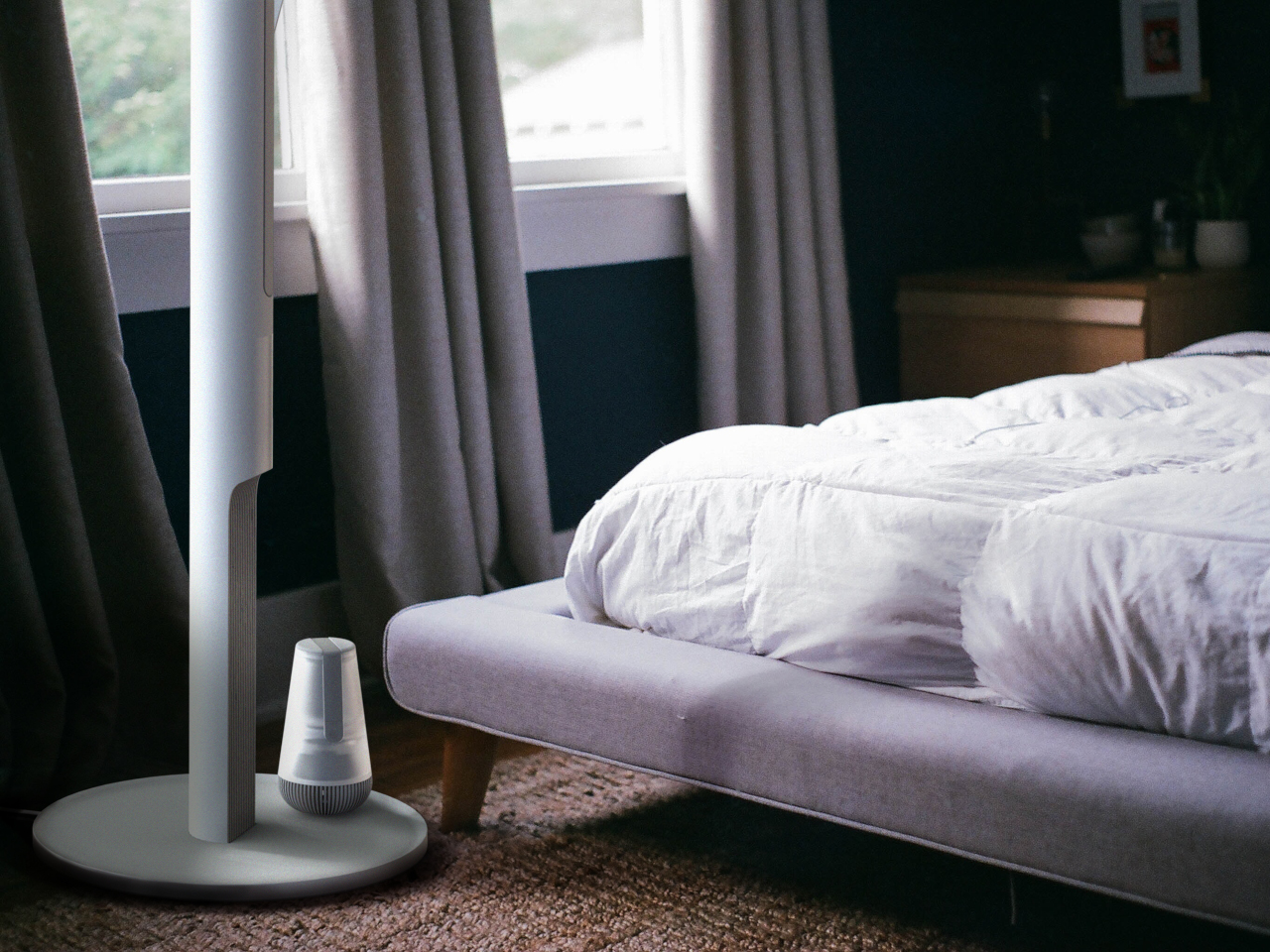
Calmtern is designed to move with you throughout your daily life and routines. Use it as a reading lamp beside your favorite chair, a bedside companion that plays calming sounds for sleep, or a portable speaker for music and podcasts in any room. The rechargeable design means it’s just as useful on a patio as in a hallway, and the gentle light is ideal for nighttime trips.

Beyond practical functionality, Calmtern is a calming presence that helps reduce feelings of loneliness or anxiety when living alone, making the home feel warmer and more inviting during difficult moments. The combination of soft light, smart sound, and intuitive controls creates a daily ritual of comfort and relaxation that goes beyond what typical smart home devices offer users.

The sculptural form and ambient glow turn Calmtern into a visual anchor for any room, sparking conversation and encouraging moments of pause in otherwise hectic days. For anyone who wants their home to feel as good as it looks while maintaining simplicity and emotional comfort, this concept offers a compelling vision of design where technology and well-being move together naturally.

The post AI Lantern Speaker Designed to Reduce Anxiety With Light and Sound first appeared on Yanko Design.
$500 Laptop Clones Microsoft’s $2,000 Surface Laptop Studio

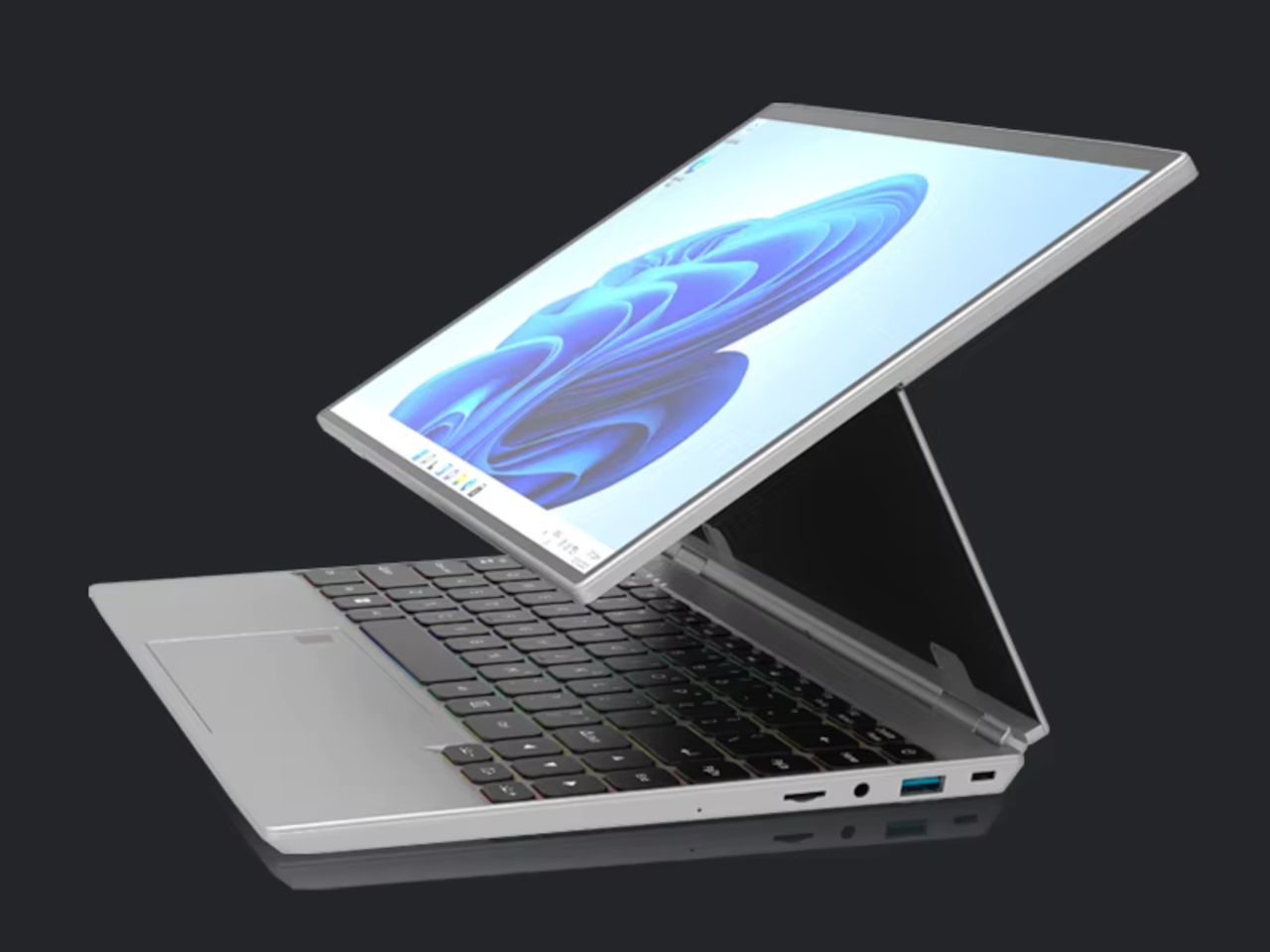
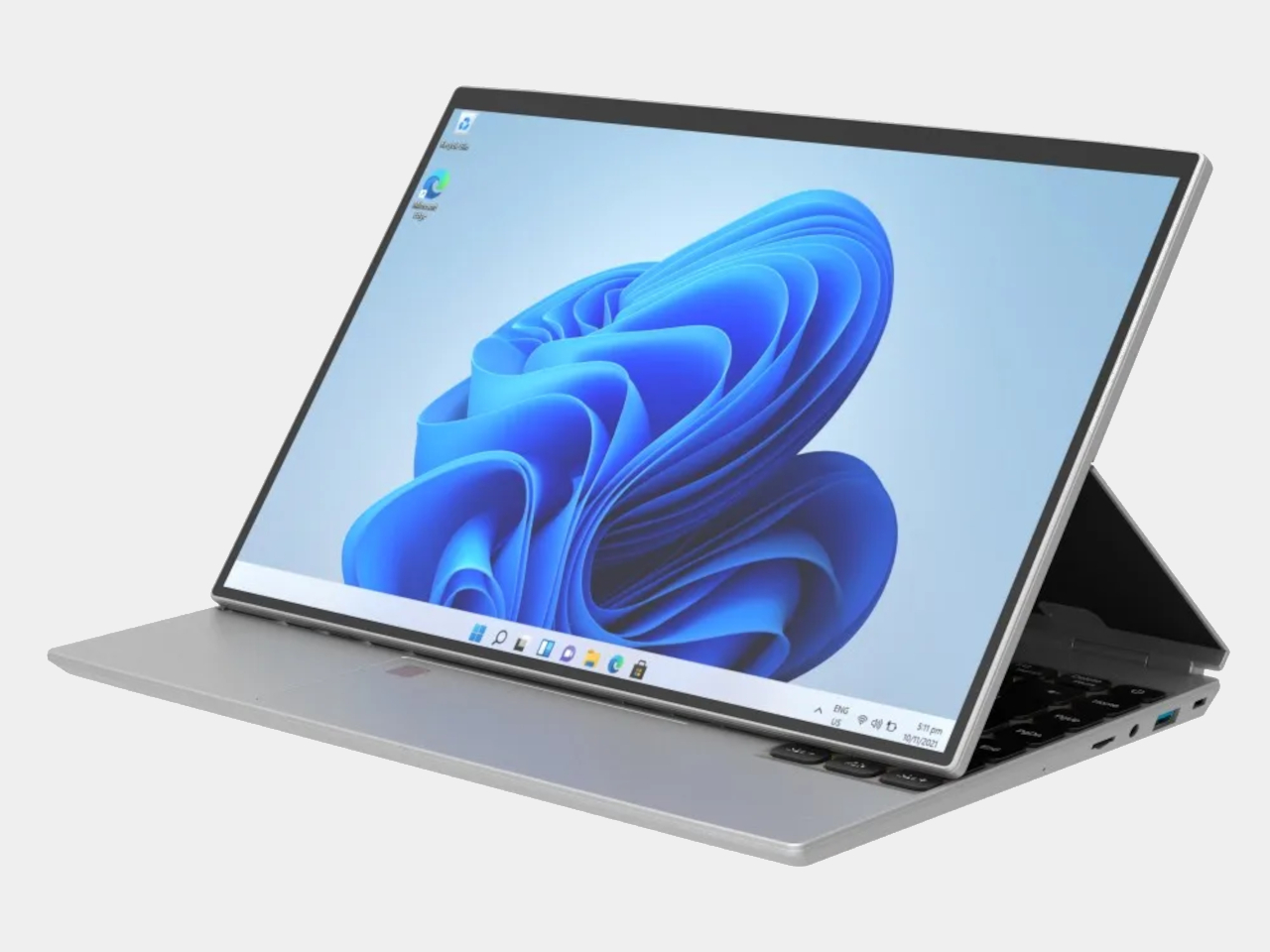
Convertible laptops with creative, flexible hinges are usually reserved for the premium end of the market, where prices climb well beyond what most people can comfortably afford. The Microsoft Surface Laptop Studio is a dream machine for designers and students. Still, its price tag puts it completely out of reach for anyone working with a tight budget or limited funds for technology investments that exceed a thousand dollars.

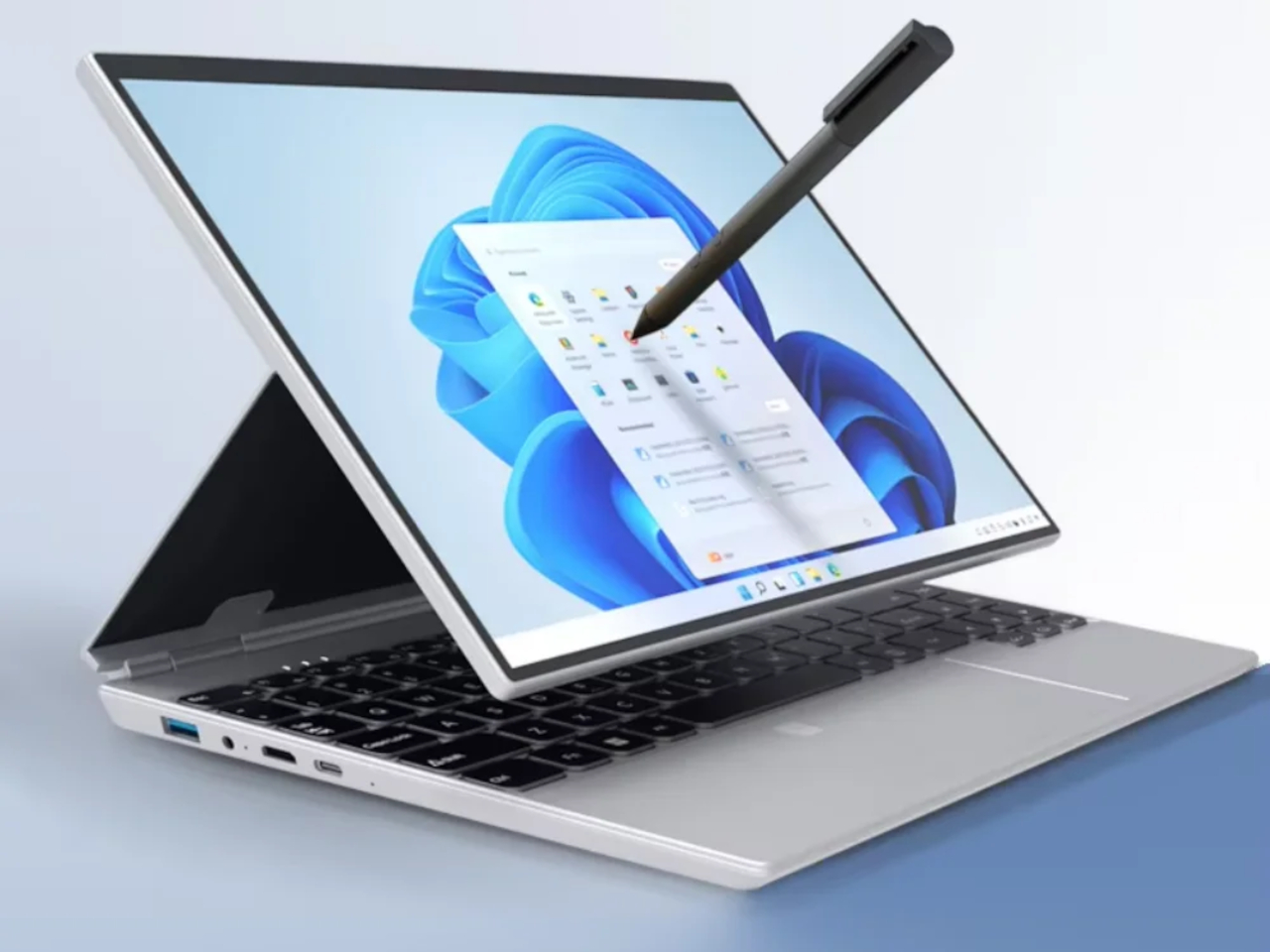
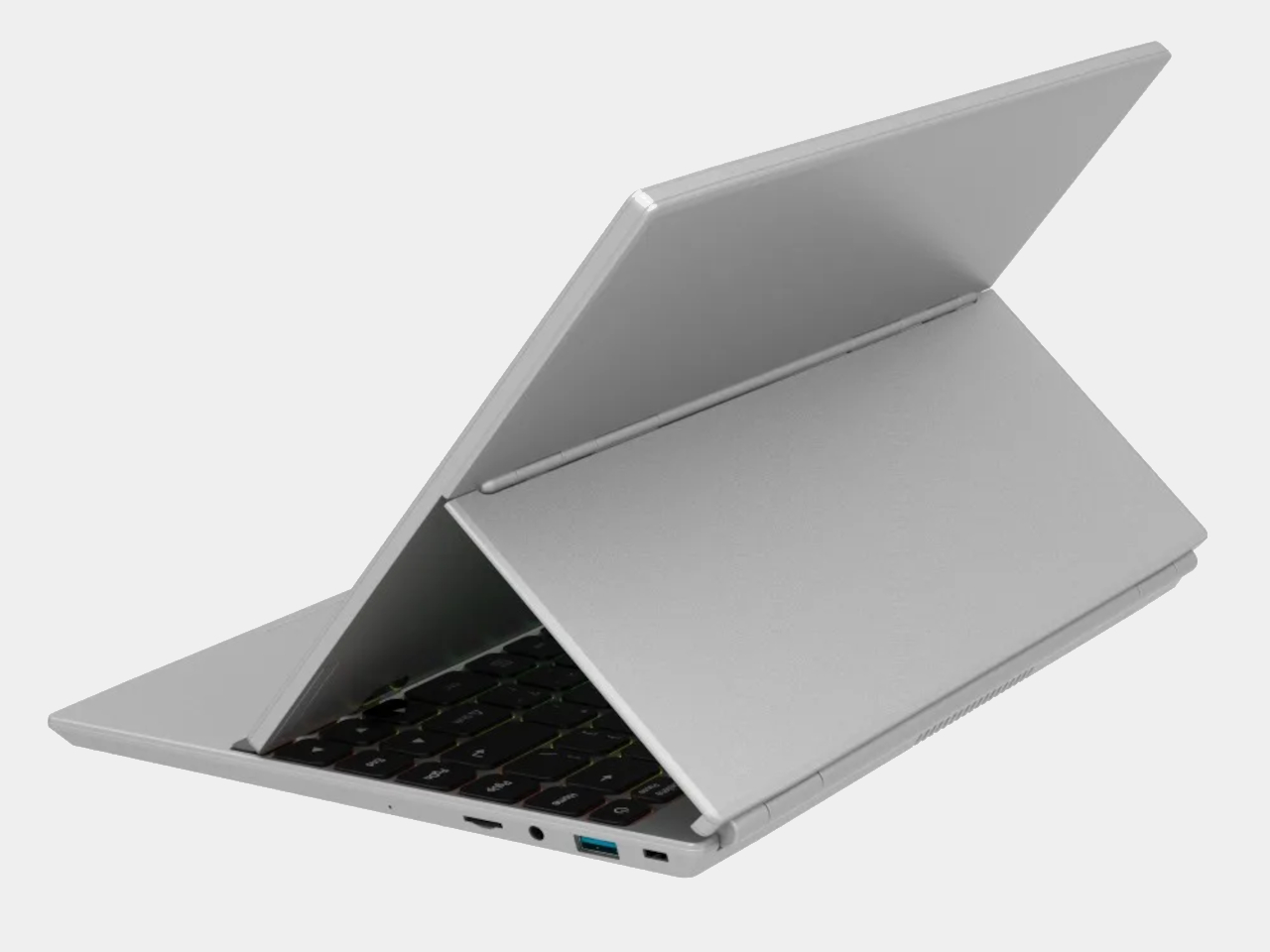
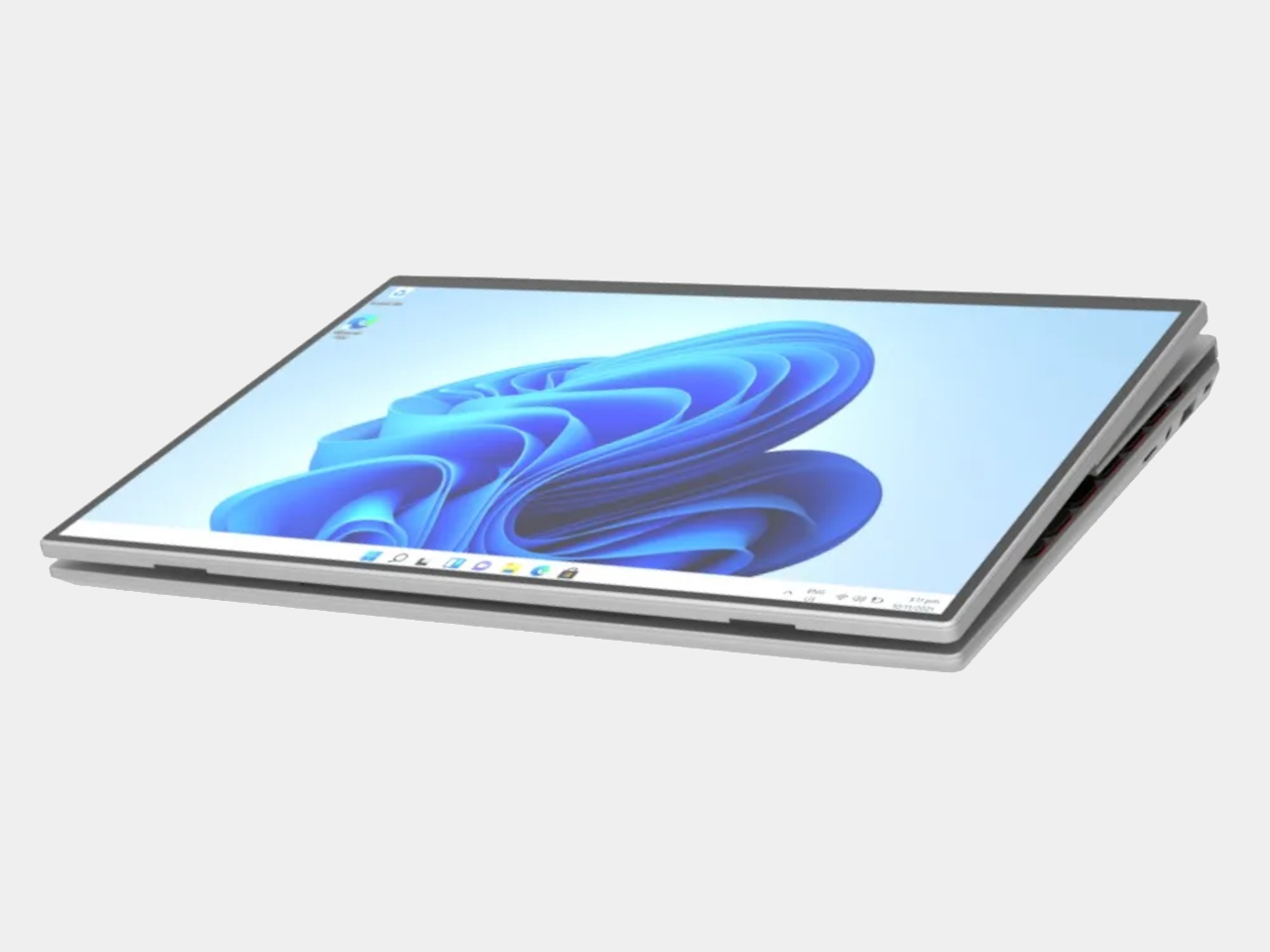
The NWNLAP H140S brings that unique pull-forward, 4-in-1 design to a much lower price point, around $500, depending on promotions and configurations you choose. It’s a laptop that looks the part and offers surprising versatility for everyday tasks, but also comes with a few trade-offs you’ll want to consider carefully before making a purchase. The design inspiration is clear, but so are the practical compromises.

Designer: NWNLAP

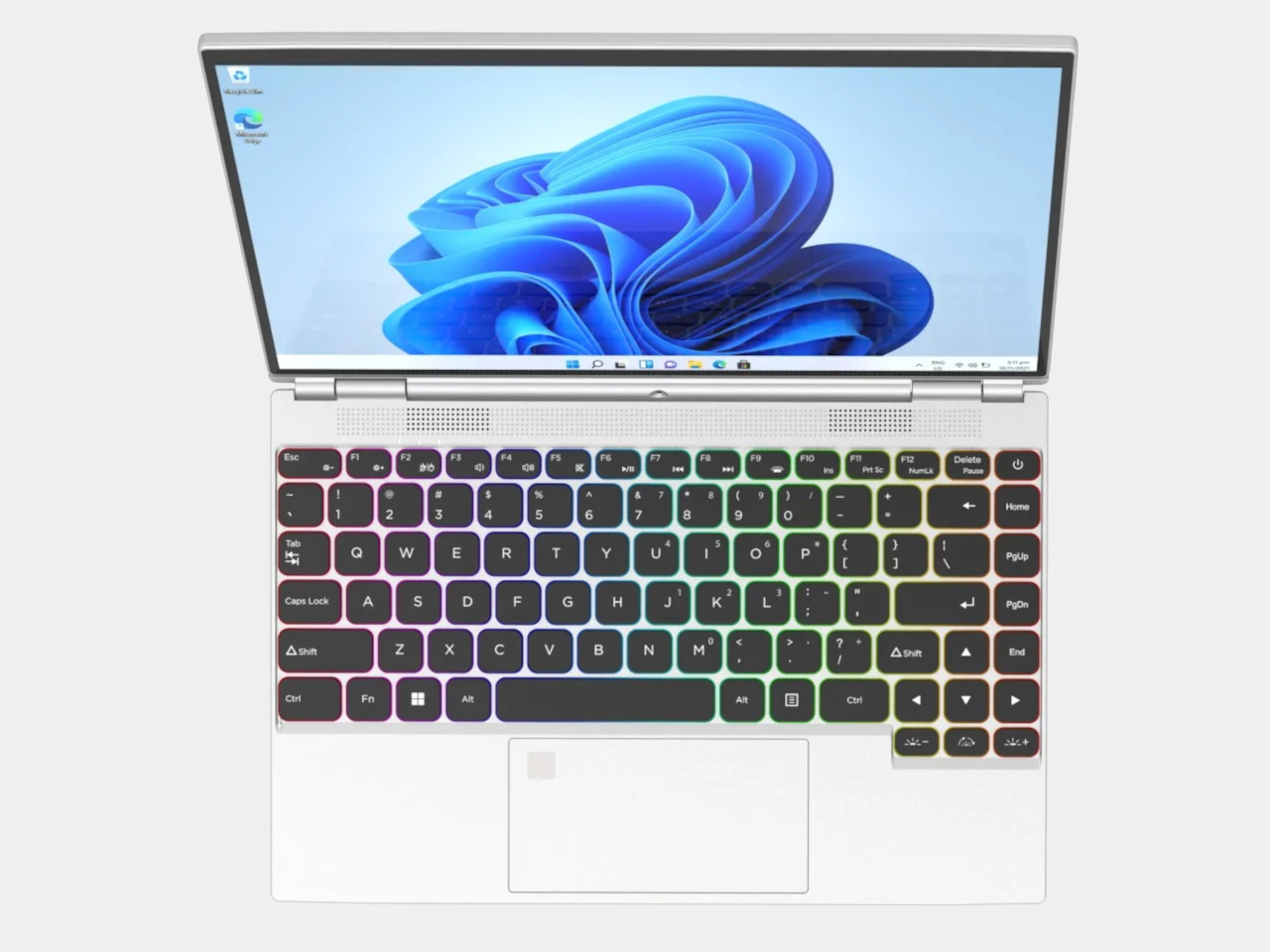
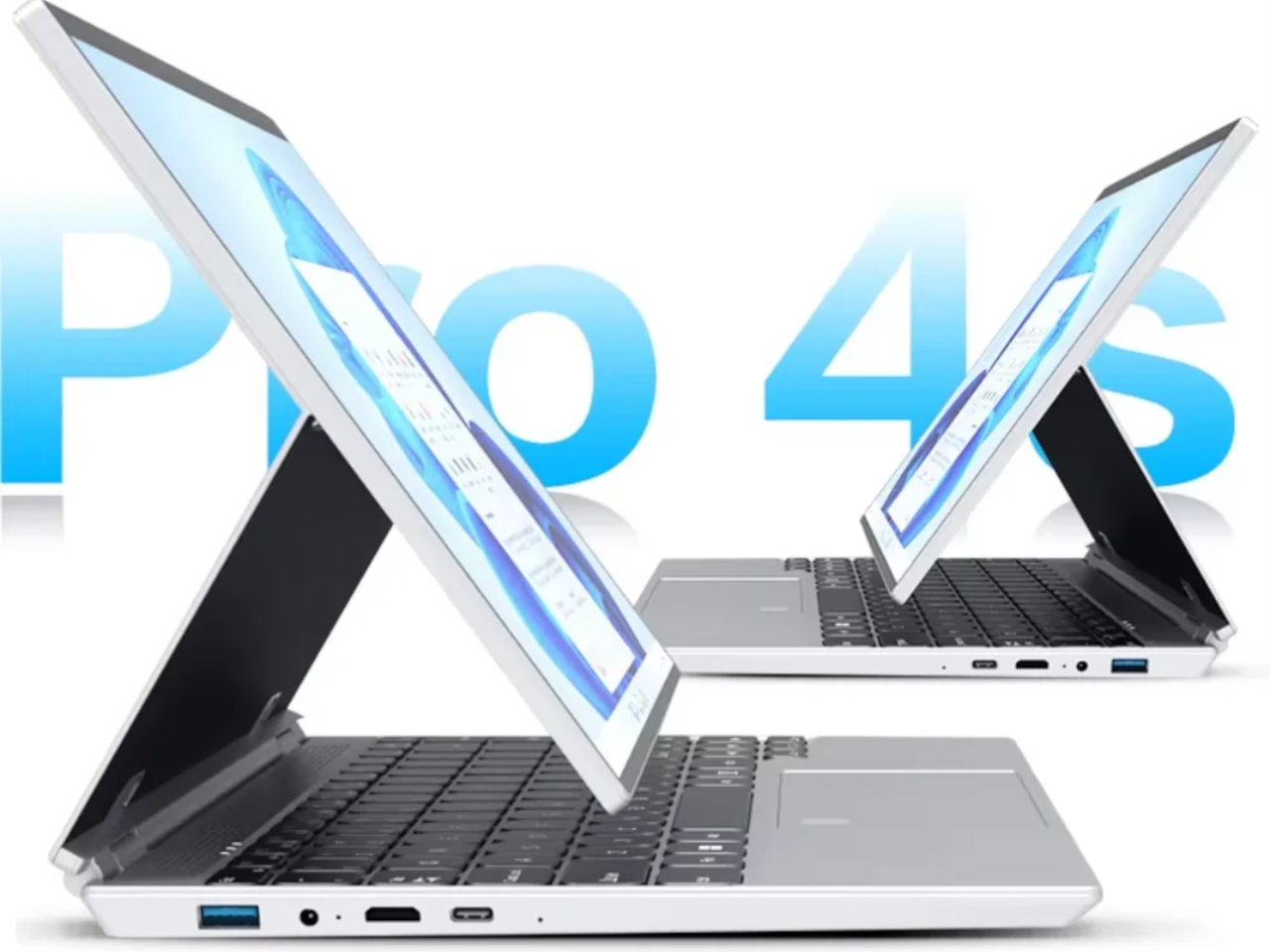
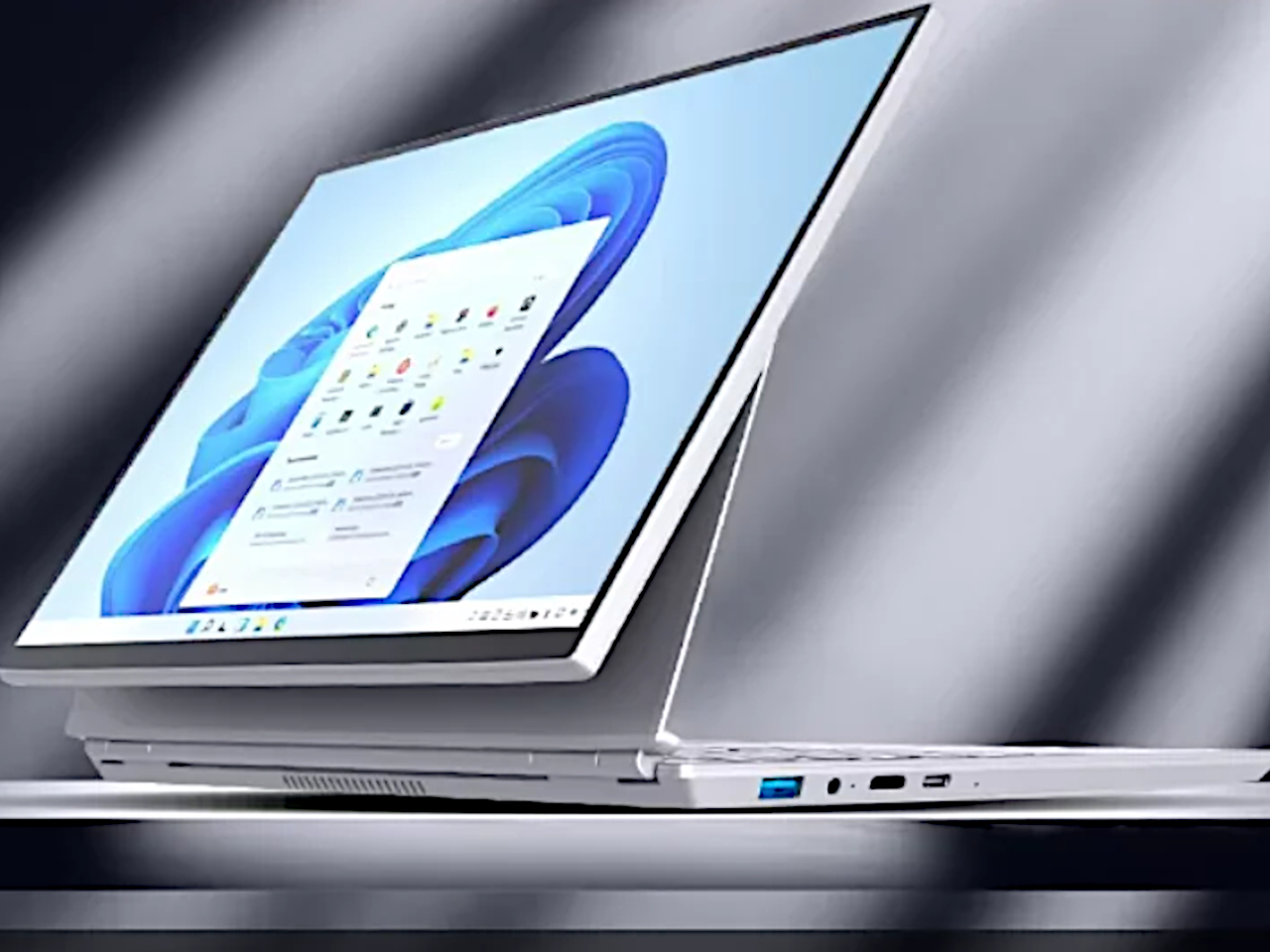
The H140S stands out with its 14-inch touchscreen and a 360-degree hinge that lets you use it as a traditional laptop, tablet, tent, or presentation stand during meetings and classes. The 16:10 aspect ratio at 1920×1200 resolution and slim aluminum profile give it a modern, premium vibe that’s genuinely hard to find in this price range for convertible designs.

The minimalist lines and overall aesthetic echo the Surface Studio’s distinctive appearance, making it a statement piece for classrooms, coffee shops, or home offices where visual presentation matters to you. For students or remote workers who want their tech to look professional without spending professional-level money on flagship devices, the visual appeal alone makes it worth considering despite its performance limitations.

Under the hood, the H140S runs on an Intel 12th Gen N95 processor with up to 32GB DDR4 RAM and SSD storage options reaching up to 2TB for extensive file storage needs. It’s more than enough for web browsing, note-taking, video calls, and office work throughout the day, but don’t expect smooth gaming, video editing, or heavy creative workloads that demand dedicated graphics processing power.

The 1920×1200 IPS LCD touchscreen is bright and responsive enough for reading, sketching with a stylus, or streaming video content during breaks, but it can’t match the color accuracy, contrast, or peak brightness of true premium panels found in laptops costing three times as much or more. The difference becomes noticeable when working with photos or design files that require precise color representation.

With two USB 3.0 ports, USB-C, mini HDMI, microSD card slot, and a 7-color RGB backlit keyboard, the H140S covers the basics for students and remote workers without requiring dongles for everything you need. Dual-band Wi-Fi and a 4500mAh battery promise several hours of use, though battery life will depend heavily on your workload and brightness settings throughout the day.

The H140S is fundamentally about trade-offs and knowing what you’re getting for your money before committing. You get a flexible, Surface Studio-inspired design and impressive specs for around $500, but you’ll notice compromises in display quality, trackpad precision, build refinement, and overall performance under demanding tasks. For those who want the look and versatility of a premium convertible without the premium price, it’s a smart option.

The post $500 Laptop Clones Microsoft’s $2,000 Surface Laptop Studio first appeared on Yanko Design.
Keycaps Shaped Like Tiny Retro TVs Take 47 Hours to Handcraft

For anyone who spends hours at a keyboard, the desk becomes more than just a workspace. It’s a personal canvas for self-expression and creativity. Keyboards are no longer just tools for typing, but a way to express personality, nostalgia, and a love for design in the smallest details. Every keycap, color, and texture tells a story about who you are and what you value in your daily environment.

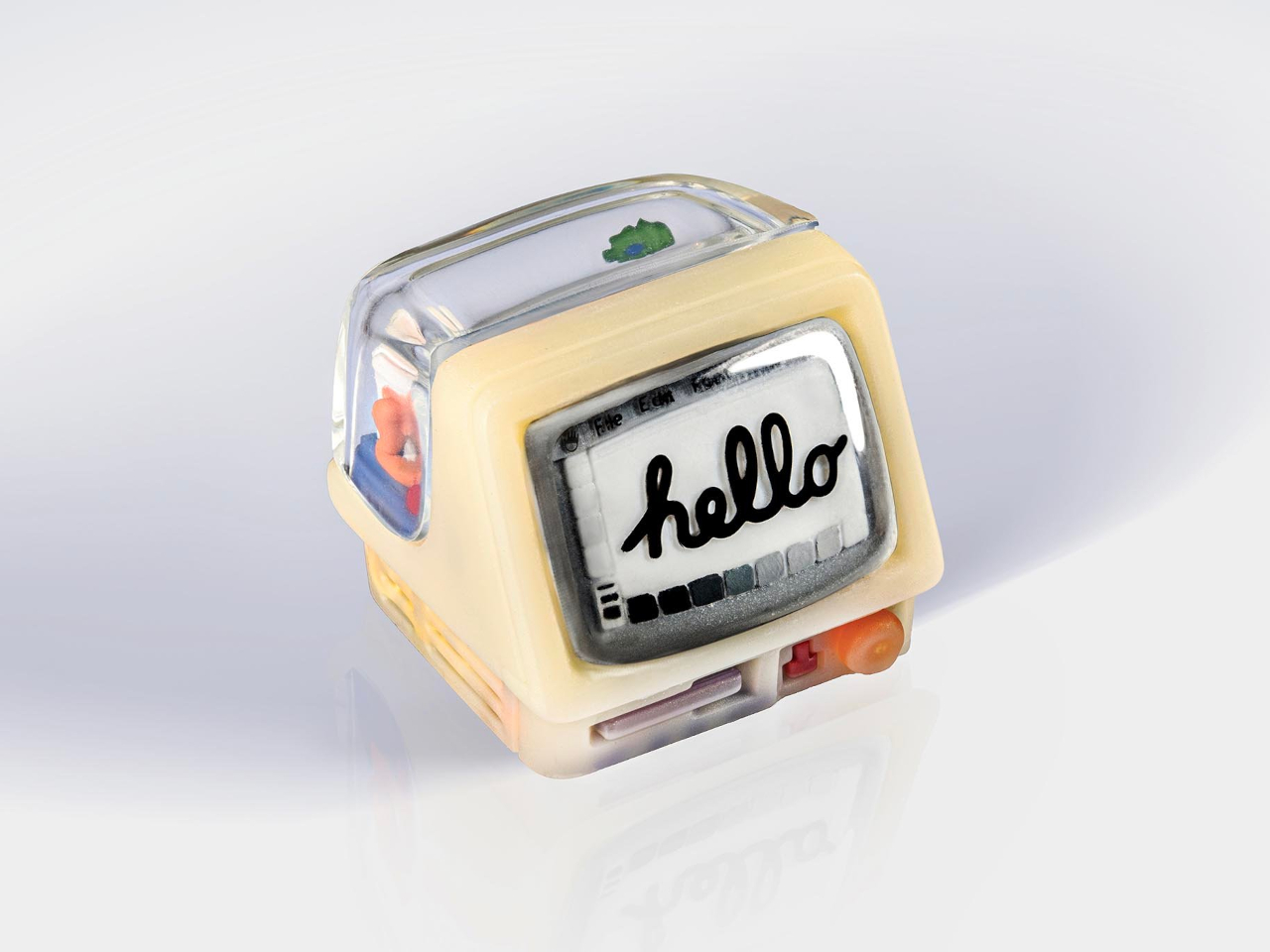
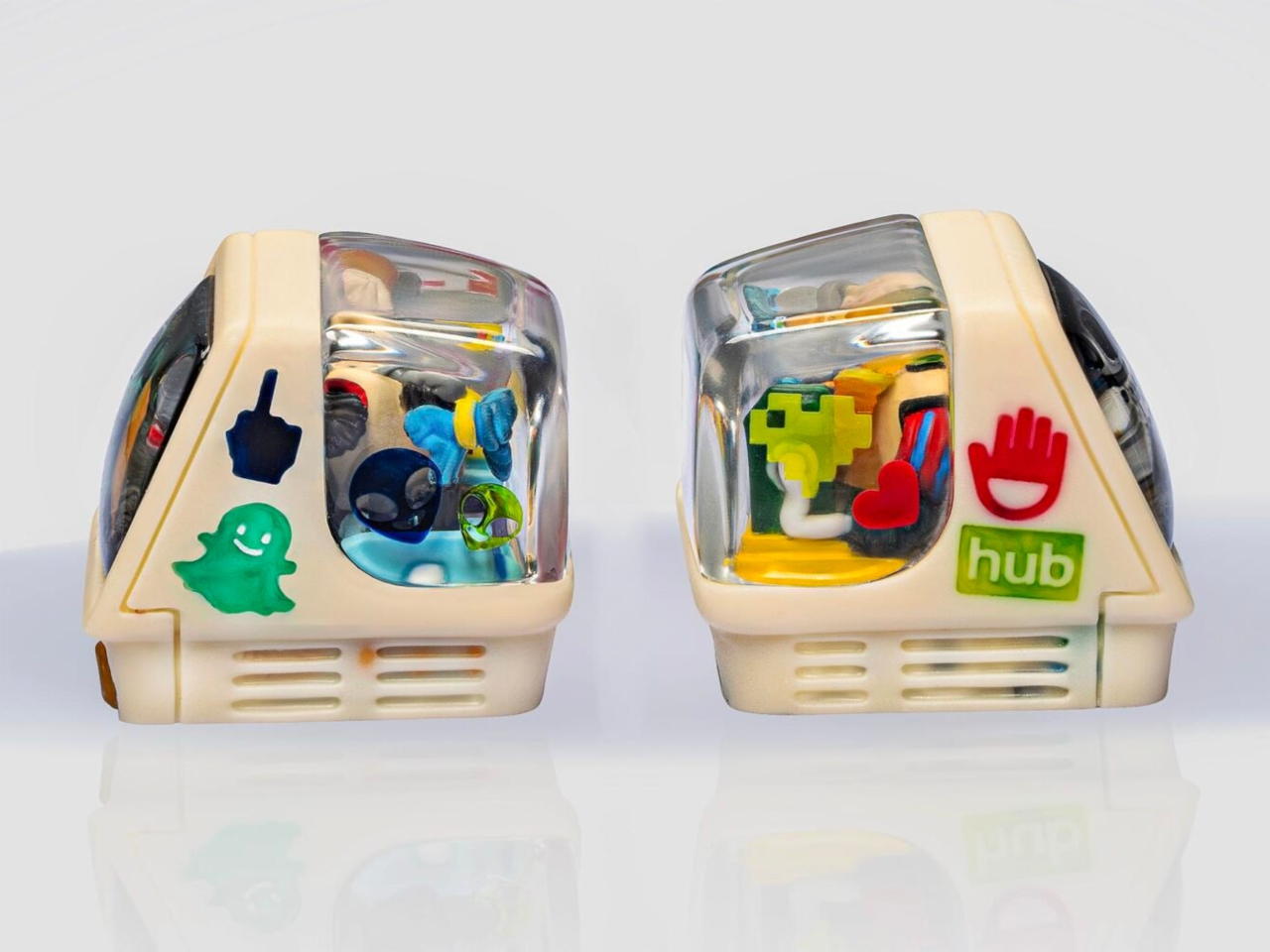
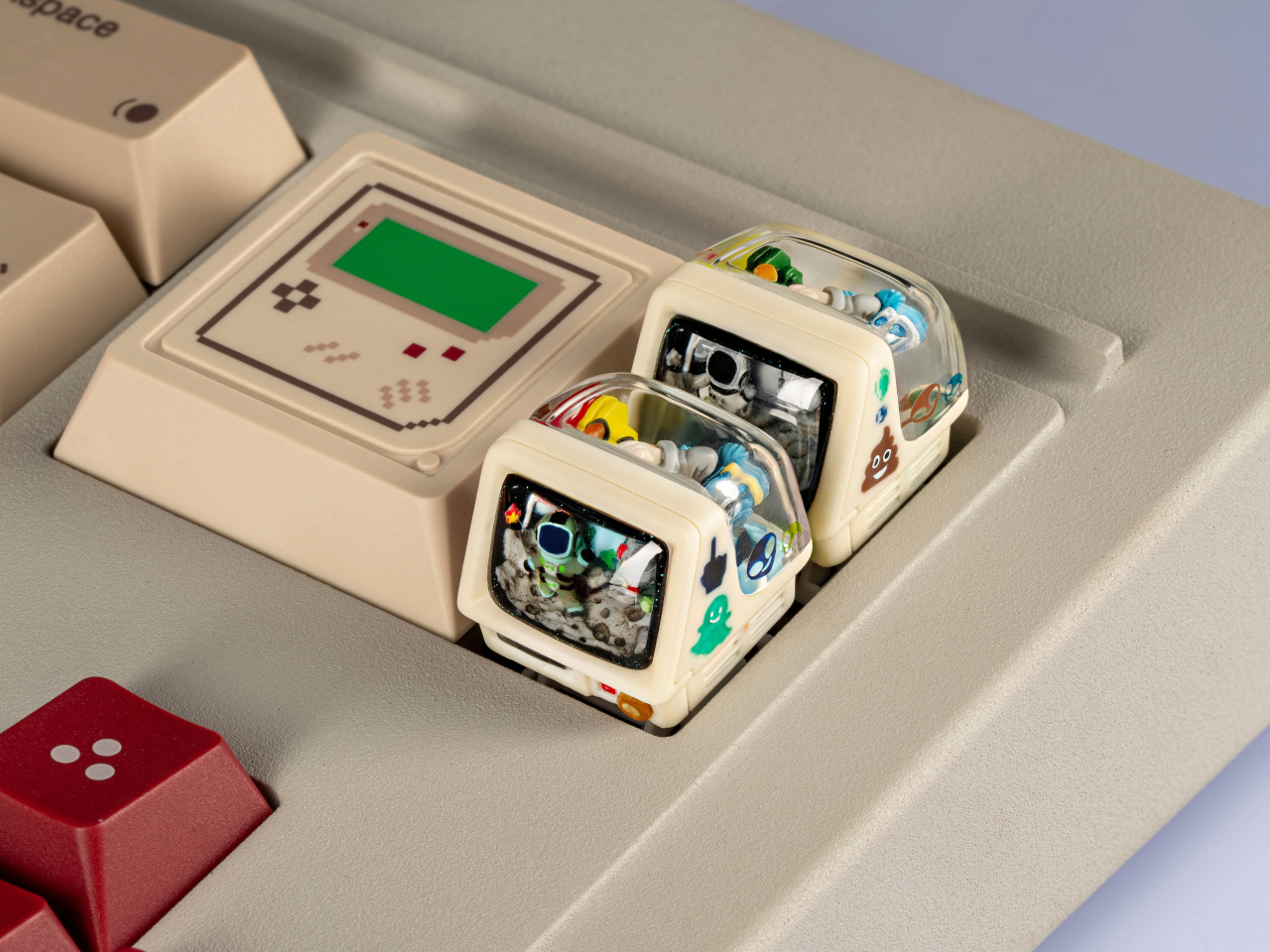
Jelly Key’s Retro TV Series – First Frame artisan keycaps are a tribute to that spirit of personal expression and craft. Inspired by the golden age of home computing and the original Macintosh 128K from 1984, these miniature TVs bring a playful, handcrafted touch to any keyboard setup. They’re tiny works of art that celebrate the intersection of technology and nostalgia.

Designer: Jelly Key

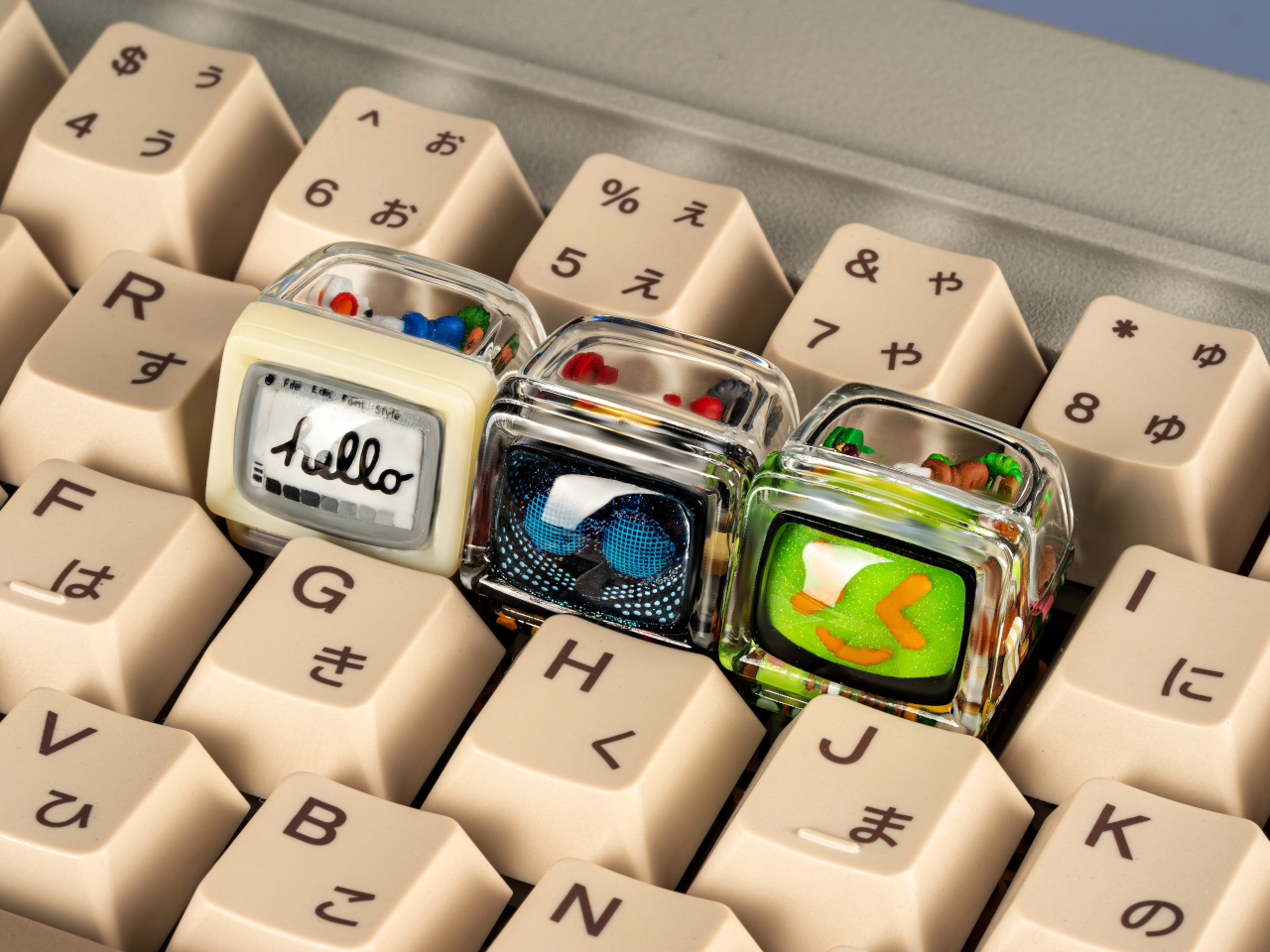
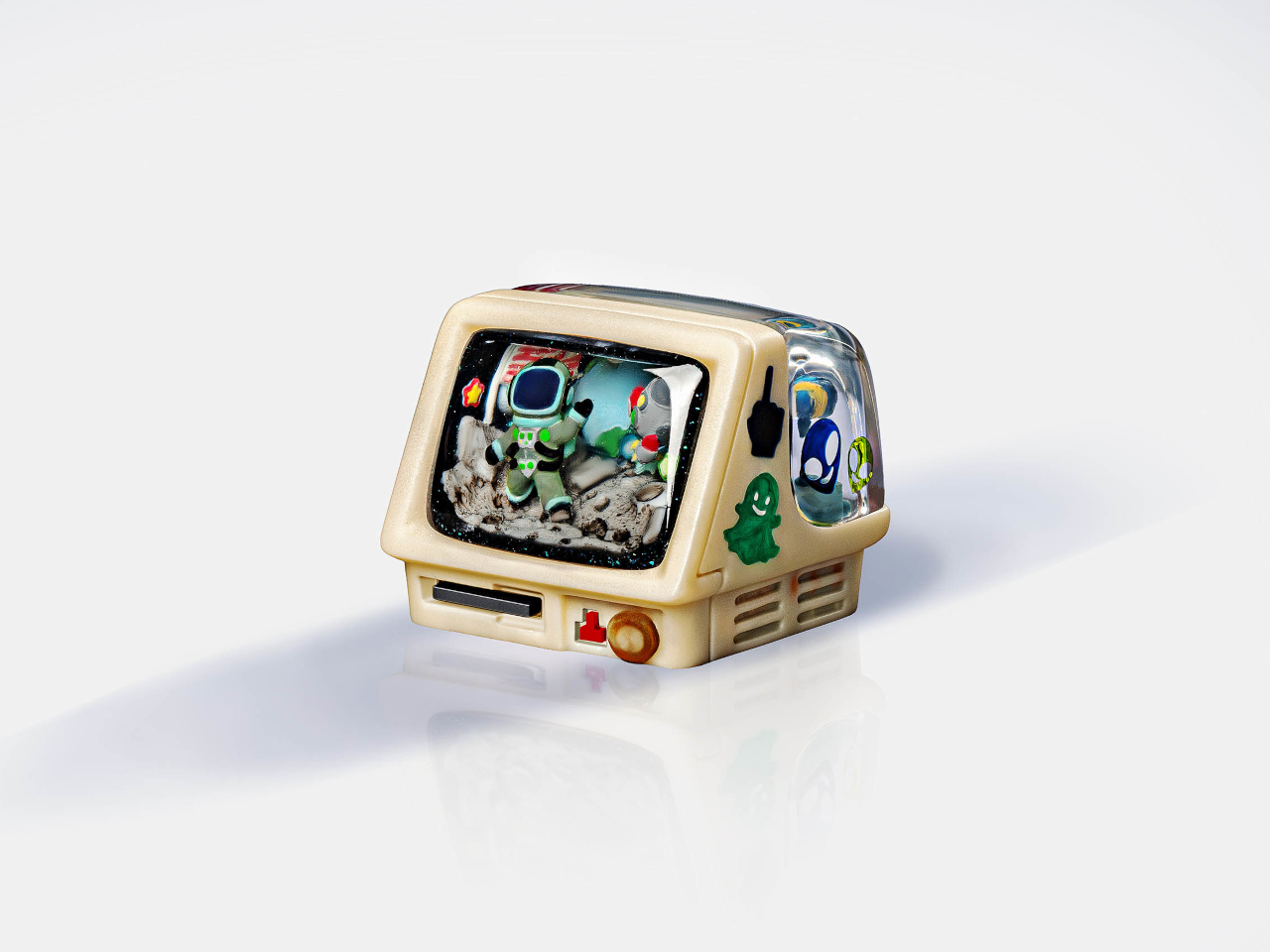
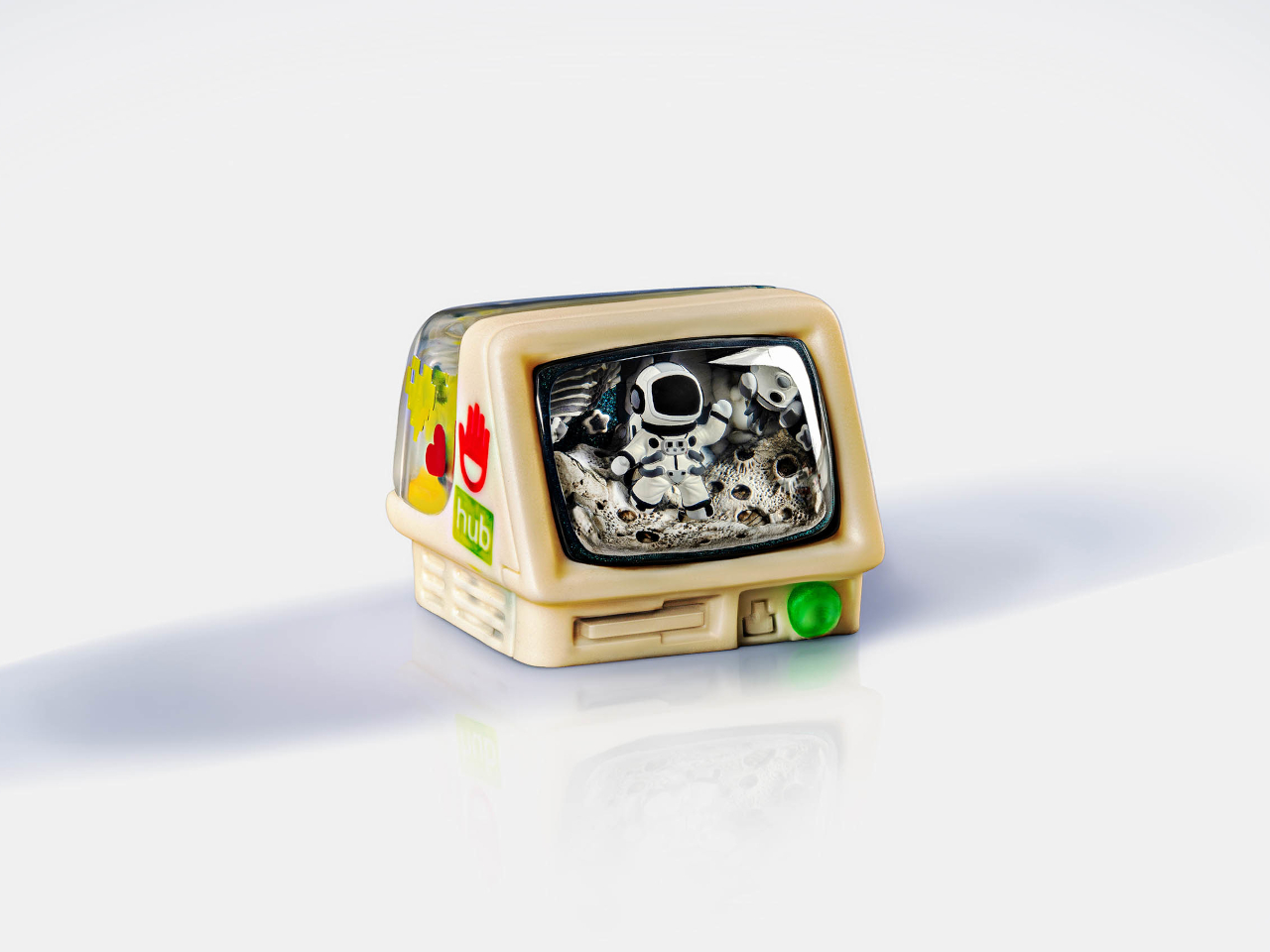
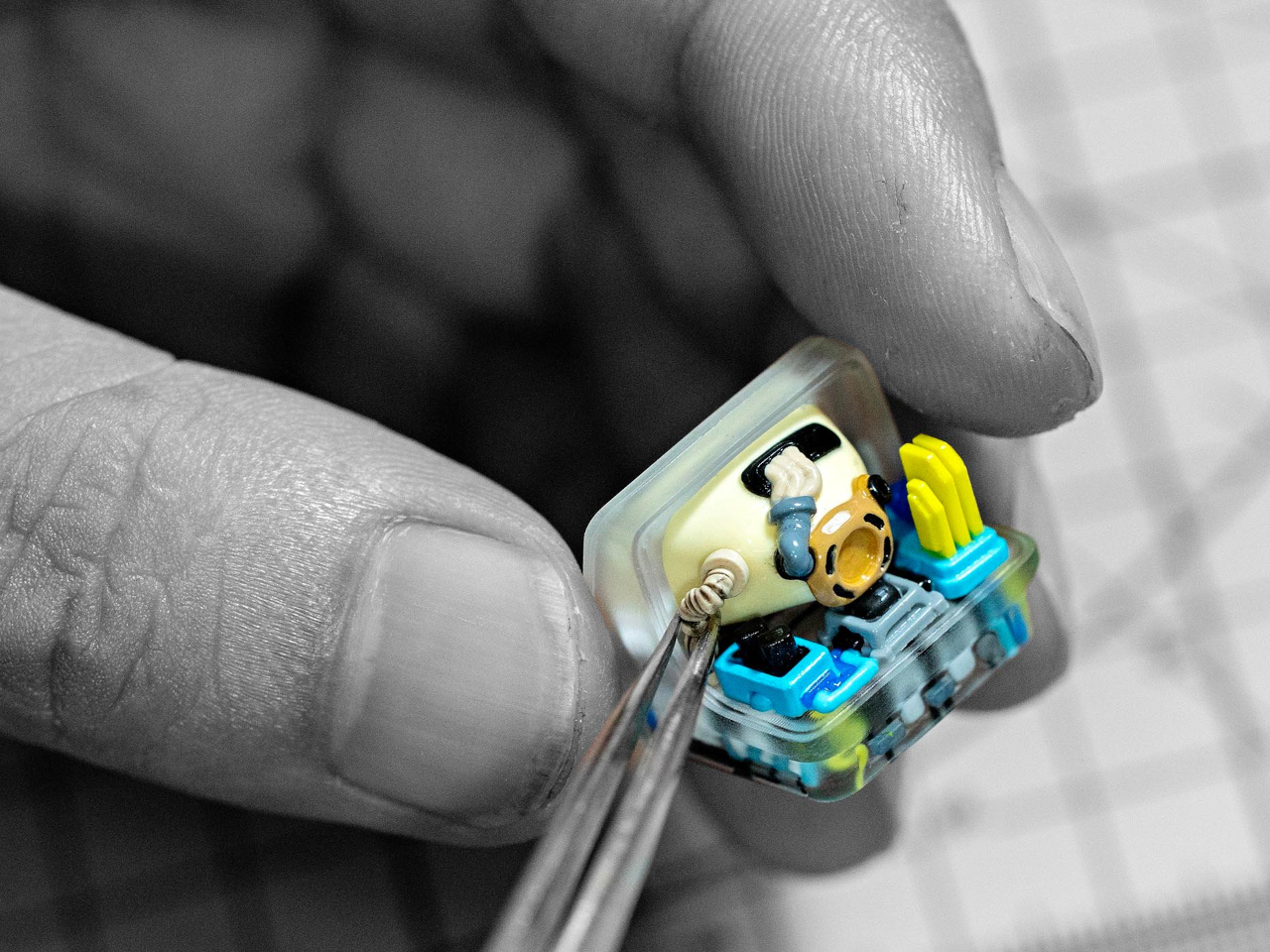
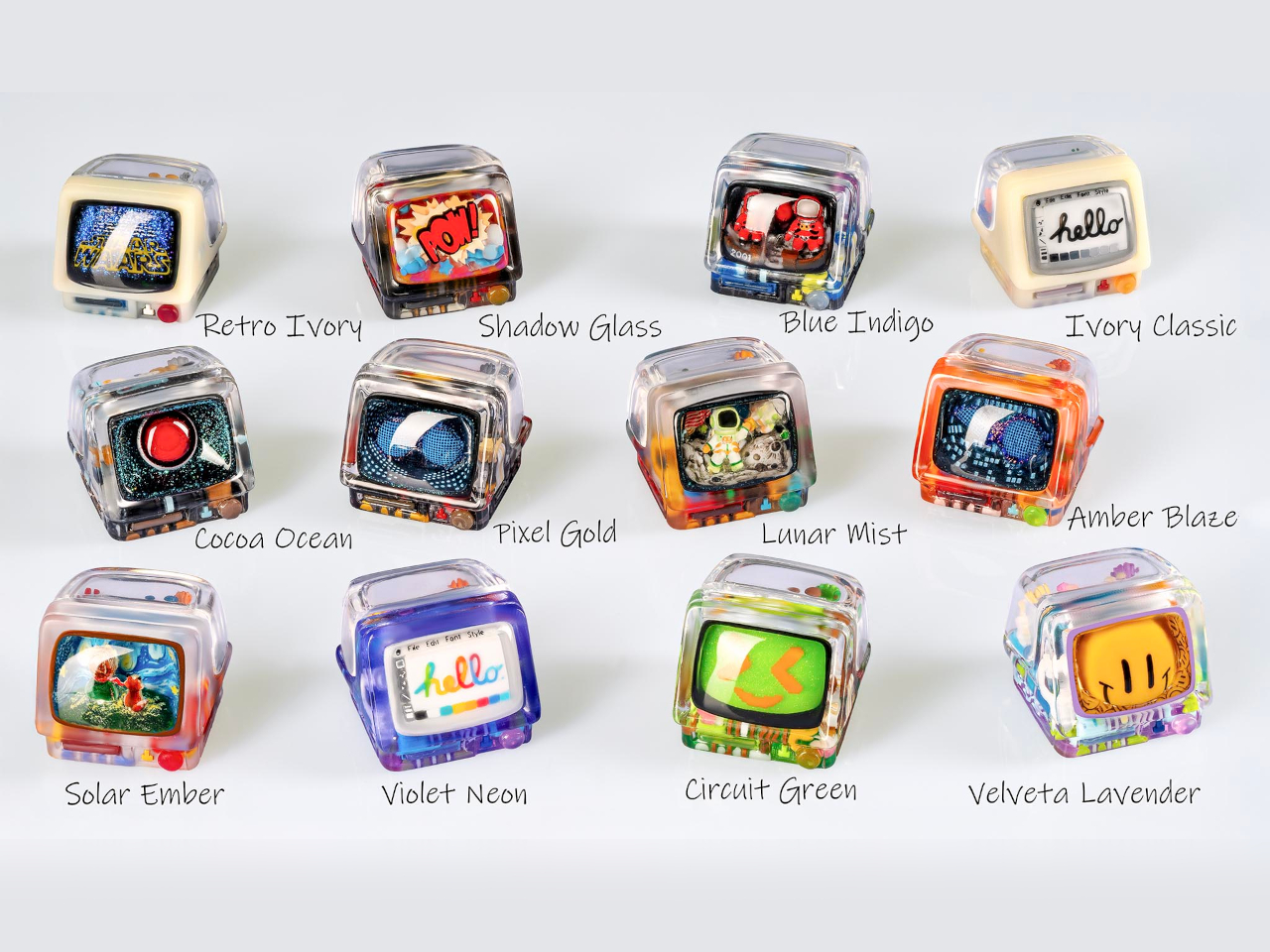
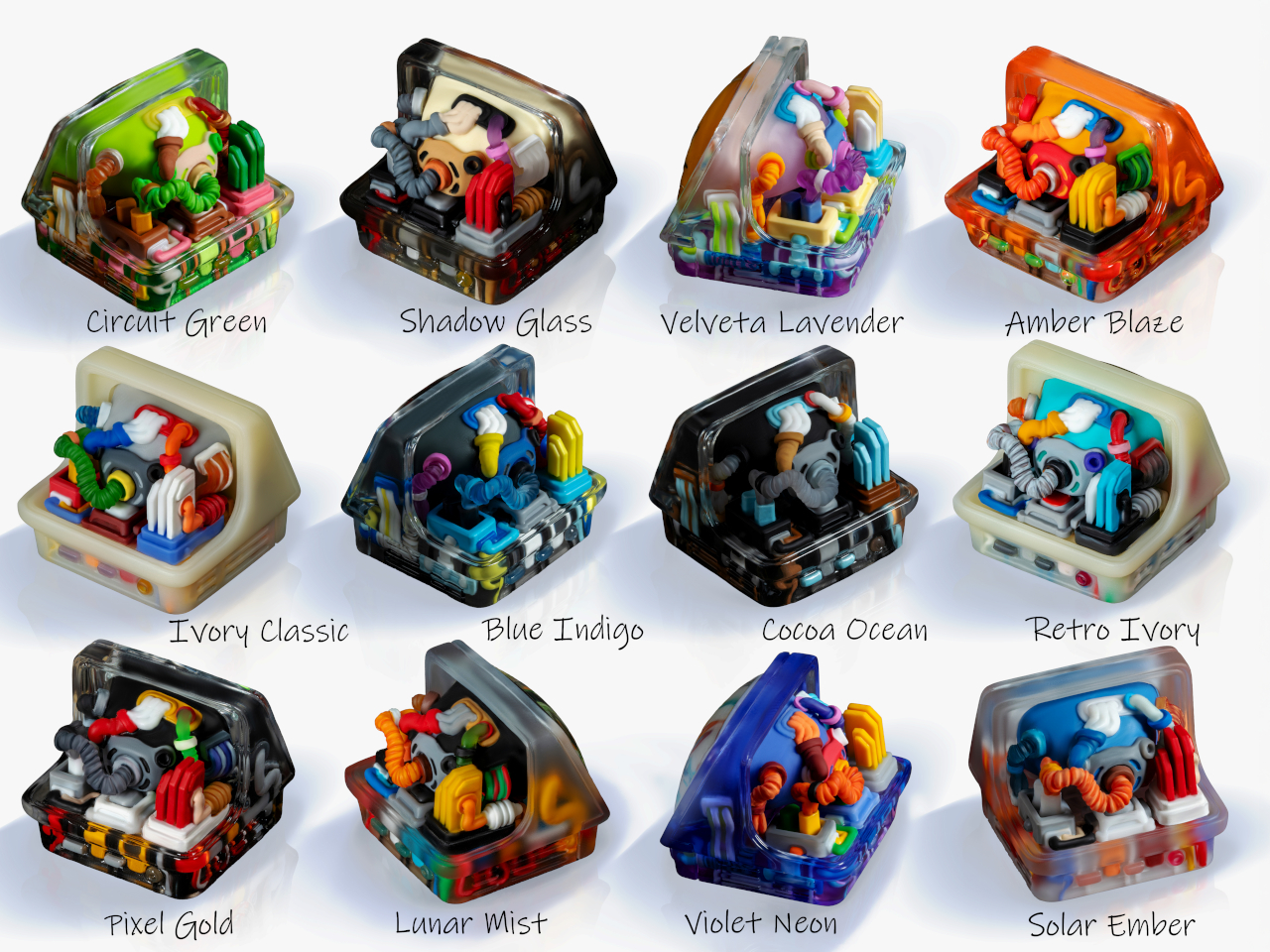
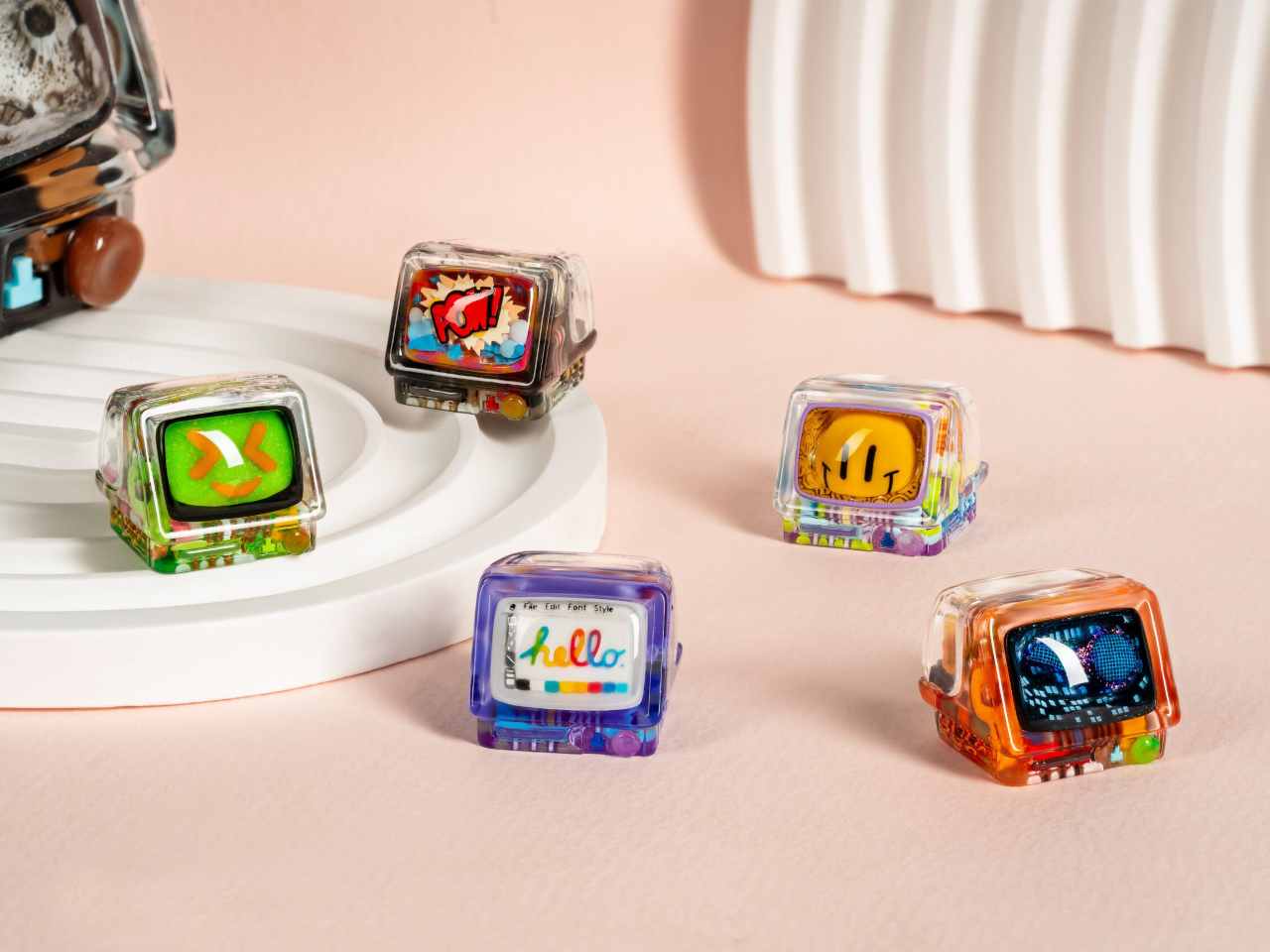
Each keycap is shaped like a retro television, with a 65-degree angled front screen for perfect viewing when mounted on a keyboard. Details like floppy disk drives, power switches, and transparent or frosted back panels reveal intricate miniature “circuitry” inside, echoing the design language of vintage computers that defined an era. The angular, squared-off profile feels both classic and contemporary.

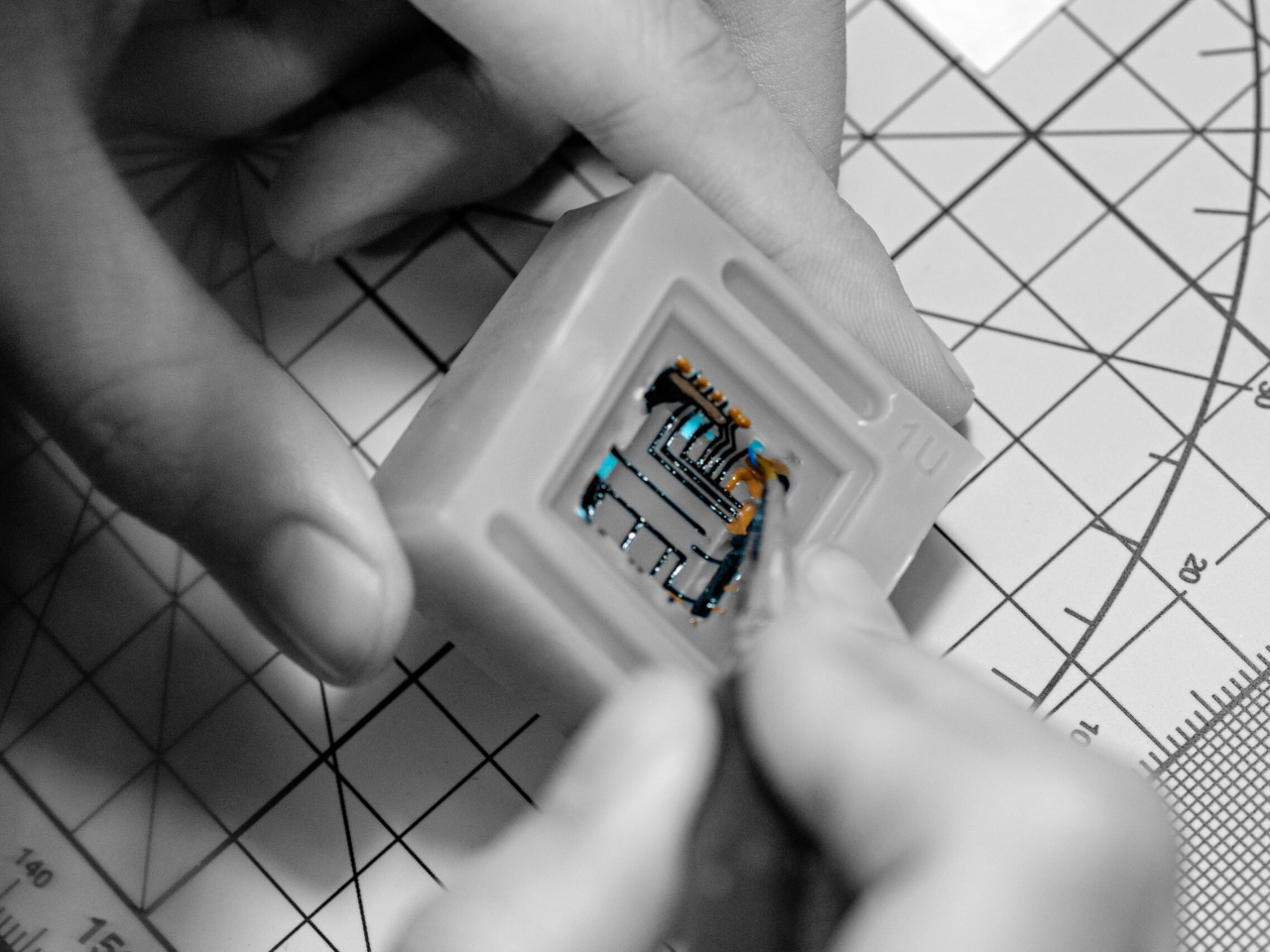
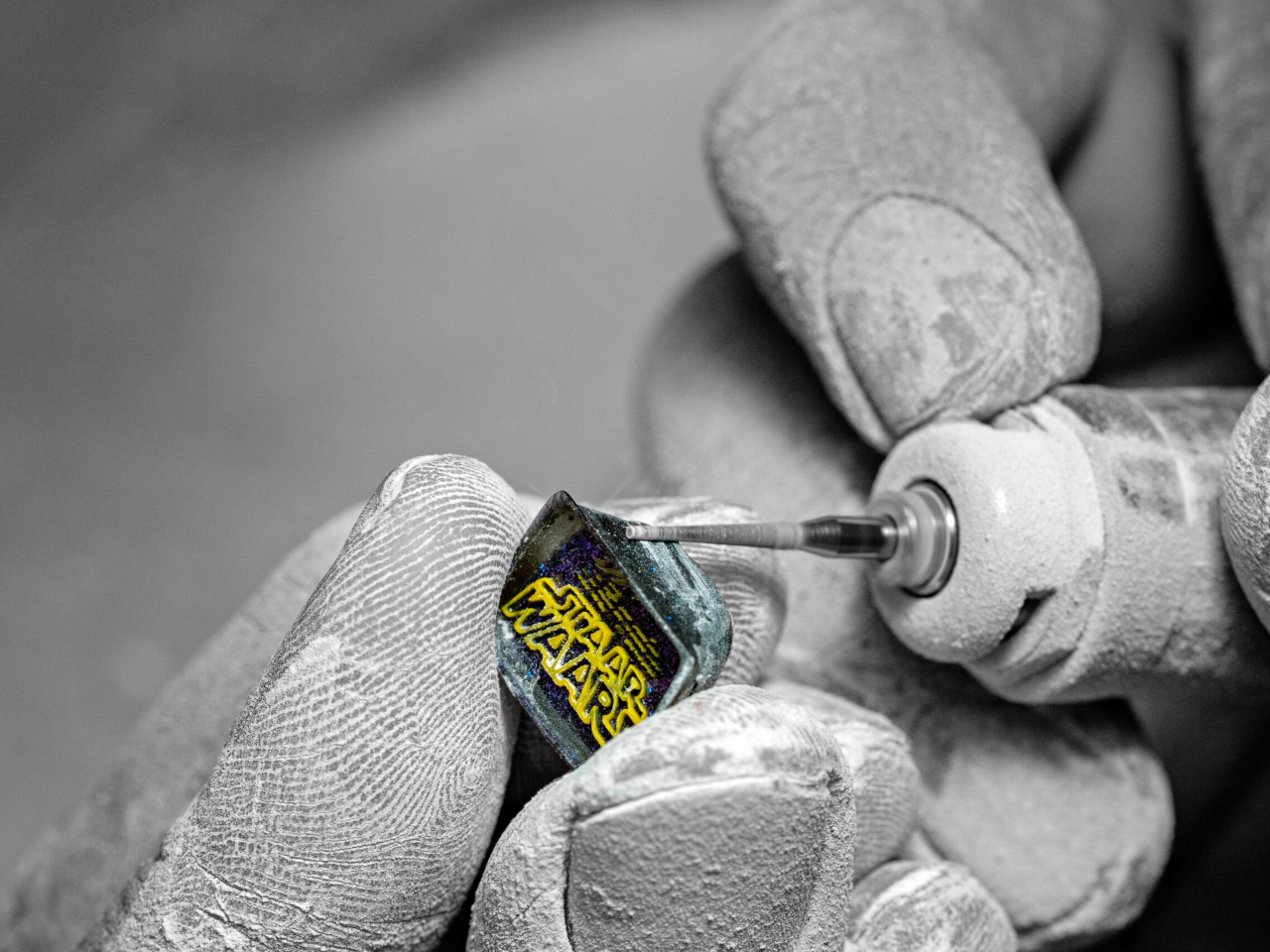
Every keycap is meticulously handmade using resin casting and multilayer coloring, not 3D printing or mass production. The process involves up to 47 hours of work from start to finish, with every component polished, assembled, and quality-checked by hand. Circuit traces measure just 0.3mm wide, requiring razor-sharp precision. Any flaw means starting over from scratch.

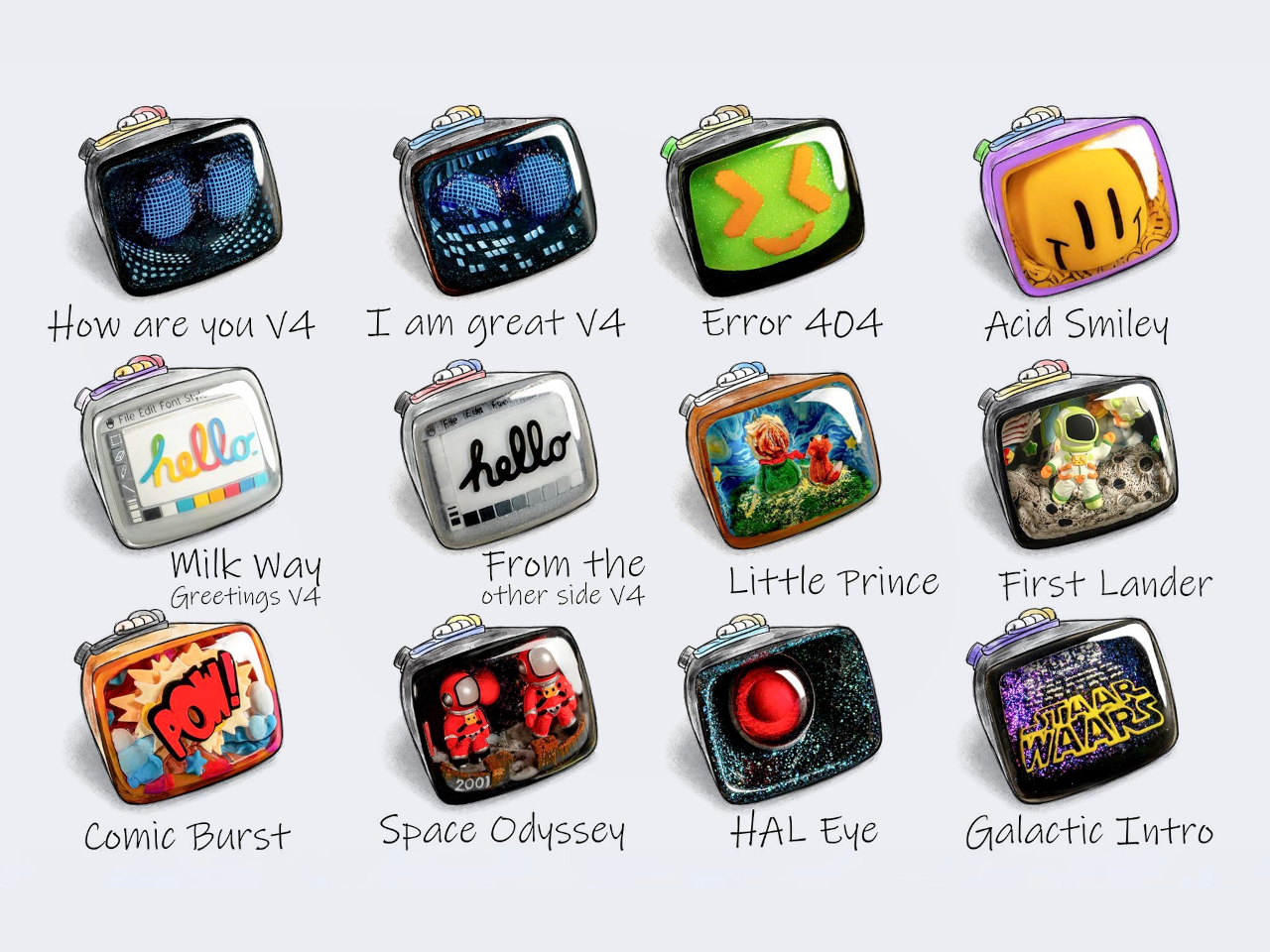
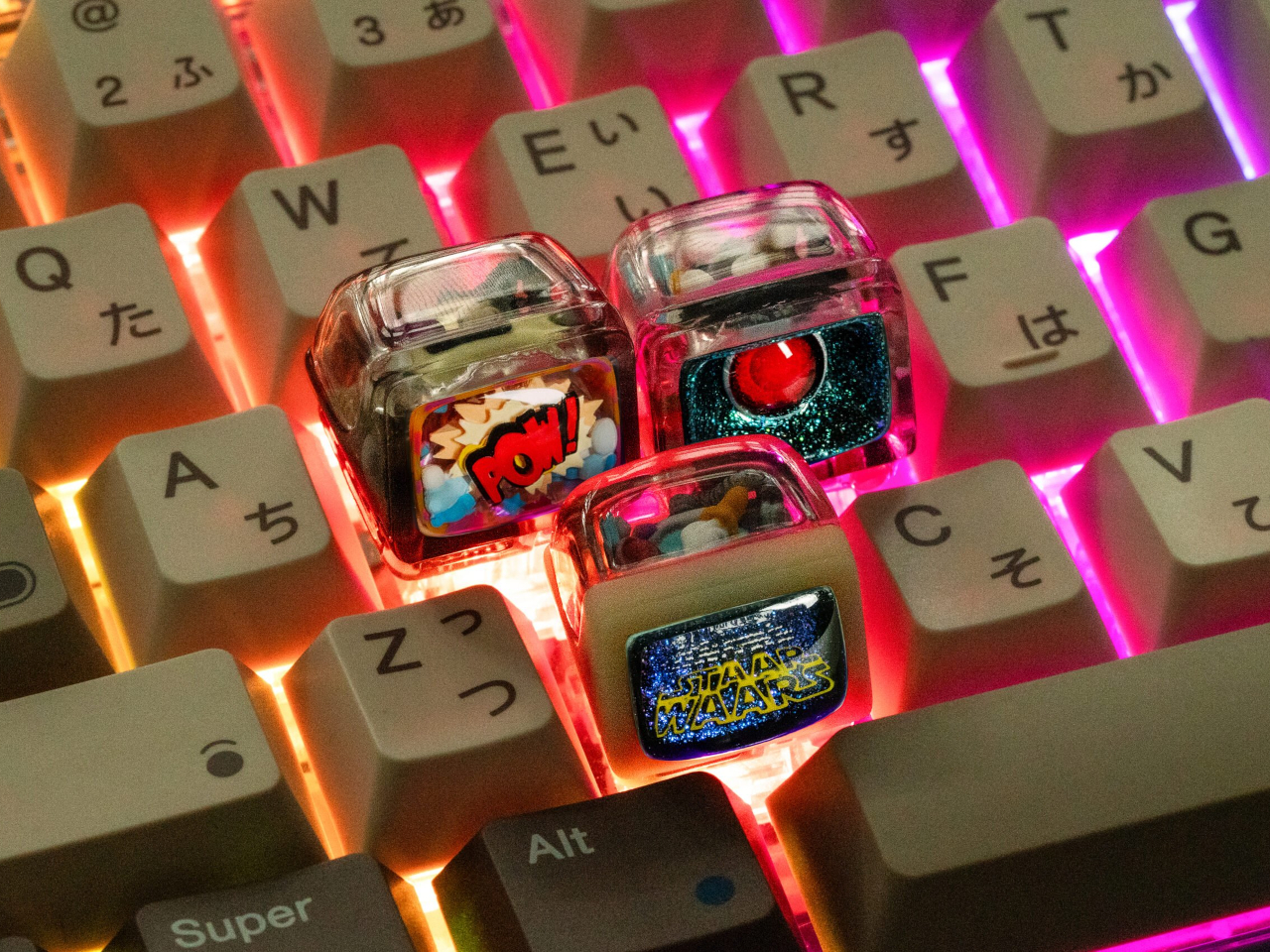
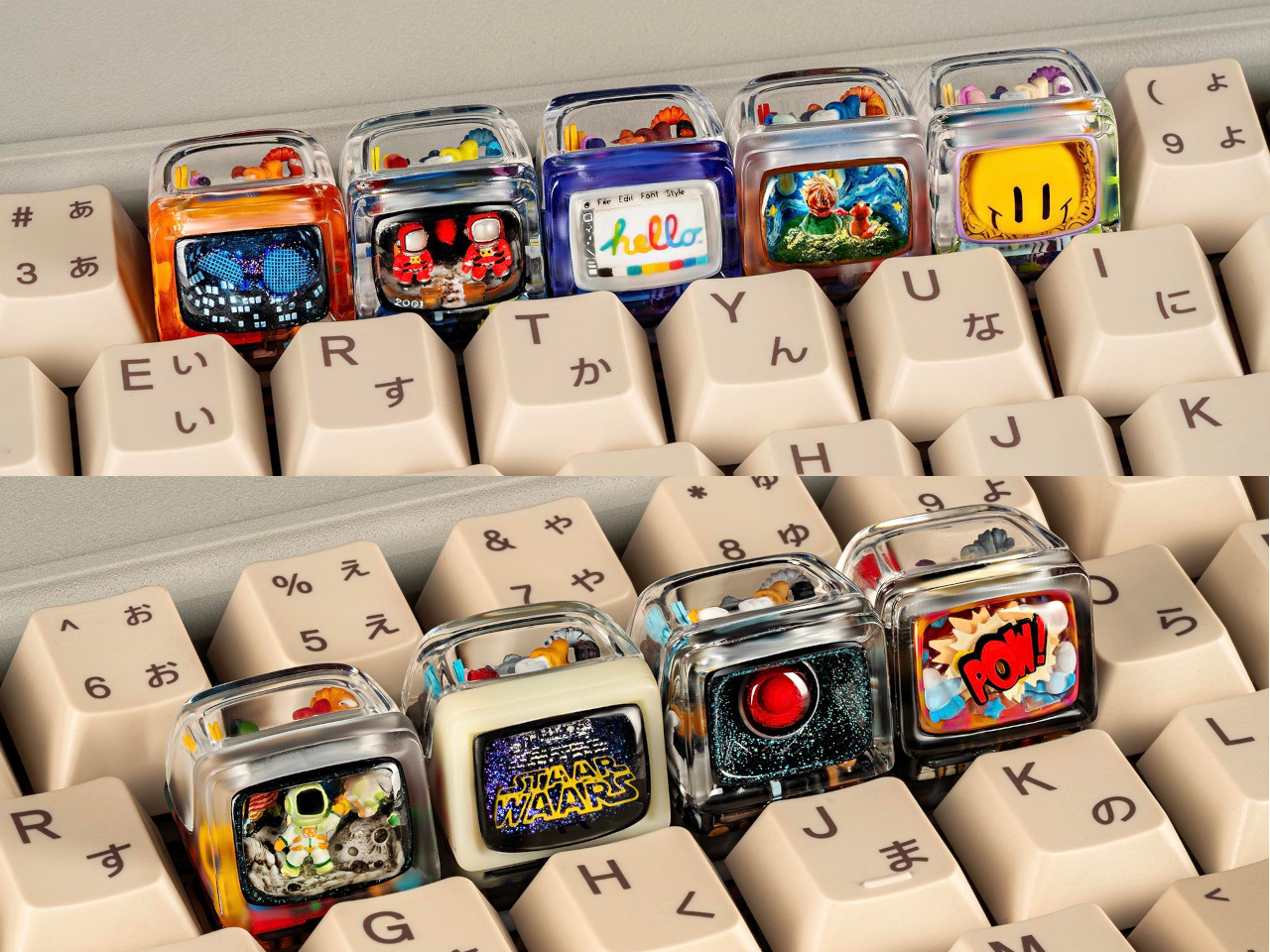
The TV screens feature pixel art, pop culture nods, greetings like “hello,” and sci-fi themes, all layered in resin for dimensional depth and vibrancy. With over 200 quirky variations and 12 case designs ranging from crystal clear to vintage frosted, no two keycaps are exactly alike. Themes include “HAL Eye,” “Comic Burst,” “Space Odyssey,” and “Galactic Intro,” among many others.

Transparent and frosted panels allow keyboard backlighting to shine through, illuminating the miniature “circuit boards” and components inside the keycap. This adds a new dimension to your typing experience, especially at night when the glow highlights every intricate detail. The effect is both functional and mesmerizing, turning your keyboard into a light-up showcase.

Each keycap is individually numbered and comes in a wooden box with a medal dog tag and a collectible sticker for authenticity. Orders of 12 or more unlock limited-edition designs and the full sticker set, making these keycaps as much about collecting as about customization. The MX stem ensures compatibility with most mechanical keyboards, while the hand-finished resin offers a unique tactile feel that’s satisfying to touch.

Swapping in a Retro TV keycap turns a routine typing session into a moment of nostalgia and delight, sparking conversation and adding personality to your desk instantly. For designers, writers, and anyone who loves a bit of retro flair mixed with modern craftsmanship, these keycaps are a daily reminder that art and technology can coexist beautifully in the smallest spaces we interact with every day.

The post Keycaps Shaped Like Tiny Retro TVs Take 47 Hours to Handcraft first appeared on Yanko Design.

Your Floor Cleaner Is Just Spreading Dirty Water. BSTY’s Dual-Tank System Fixes It.

The lines between form and function have never been blurrier, or more beautiful, than they are in today’s best home tech. The BSTY Dual-Action Cordless Floor Washer is a testament to this evolution, offering a singular device that manages to look as sharp as it performs. Its seamless integration of vacuuming, steam mopping, and self-cleaning mechanisms is tailored for those who want their spaces immaculate, but never at the expense of visual serenity. This is not merely another entry in the crowded floor-care market; it’s a thoughtfully considered piece of hardware that addresses the entire life cycle of a chore, from start to finish.

Let’s be honest, the way we clean floors is broken. It’s a clumsy, multi-stage process that often feels like you’re just moving dirt around. You start with the vacuum, wrestling with a cord or racing against a dying battery to suck up the crumbs, the pet hair, and the dust. Then comes the second act: the mop. You’re either sloshing a dirty string-mop around in a bucket of increasingly murky water, or you’re using a fancy hybrid cleaner that often just turns dry debris into a wet, gritty paste. It solves one problem by creating another. The BSTY project seems to have started with a deep, almost obsessive, understanding of this frustration.
Designer: BSTY

Click Here to Buy Now: $399 $599 ($200 off). Hurry, only 15/50 left. Raised over $61,000.

The solution begins with a simple, elegant workflow that is physically built into the machine. As you push the BSTY forward, it’s a dedicated dry vacuum. The front of the cleaning head houses a system that delivers a full 20,000Pa of suction, a figure that puts it in the upper echelon of cordless stick vacuums. That’s enough power to lift embedded dirt from grout lines and grab pet hair without just rolling over it. All that dry debris is whisked away into its own separate container. Then, on the pull-back motion, the mopping system engages. A fresh stream of water, which can be heated up to a steamy 100°C in the tank, wets a microfiber roller that scrubs the floor. The dirty water is immediately lifted off the roller and funneled into a second, completely separate dirty water tank. This clever little feature is a fundamental re-engineering of the hybrid cleaner, ensuring that dirty water never gets a second chance to touch your clean floor.

Beyond just using hot water for mopping, the BSTY integrates a true 180°C steam function. This is a significant leap beyond the boiling point, generating a dry, high-temperature steam that can sanitize surfaces and break down greasy, stuck-on messes without a drop of chemical cleaner. It’s a feature that will appeal to anyone with kids, pets, or just a healthy aversion to chemical residues. This focus on thermal cleaning creates a more effective, hygienic result. And it manages to pack this technology into a cordless body that delivers a solid 40 minutes of runtime, all while operating at a reported 50 decibels in its quiet mode, which is about the level of a calm conversation. The physical design is just as considered. The entire unit can pivot to lay completely flat, a 180-degree articulation that finally allows a machine this powerful to slide all the way under a low-profile sofa or media console.

But the most insightful piece of design might be what happens after the cleaning is done. Anyone who owns a current-generation floor washer knows the secret shame of the post-clean cleanup: rinsing a filthy roller, scrubbing a grimy water tank, and leaving the parts to air-dry, hoping they don’t develop a funky, mildewed smell. The BSTY’s docking station is designed to eliminate this final, frustrating step. When you dock the machine, it automatically begins a self-cleaning cycle, flushing the roller and internal tubing with clean water. But then it initiates the real game-changer: a high-temperature drying cycle. It circulates hot air through the brush head, leaving the roller completely dry, clean, and free of the moisture that breeds bacteria and odor. This isn’t just about convenience; it’s about making the entire ownership experience better. It ensures the machine is genuinely ready for its next use, not waiting for you to reassemble its damp components.

The early-bird pricing is set at $399, which is a considerable discount from the planned $599 retail price, positioning it as an aggressive play for early adopters who are tired of the status quo. For that price, the package appears to be comprehensive. The box includes the main BSTY unit, the crucial self-cleaning and charging dock that completes the automated experience, a power adapter, a spare roller brush for good measure, a small cleaning tool for any manual maintenance, and a 1-year warranty. The campaign is targeting a global shipping window around March of next year, aiming to bring this thoughtful approach to floor care into homes just in time for spring cleaning!

Click Here to Buy Now: $399 $599 ($200 off). Hurry, only 15/50 left. Raised over $61,000.

The post Your Floor Cleaner Is Just Spreading Dirty Water. BSTY’s Dual-Tank System Fixes It. first appeared on Yanko Design.