5 Tiny Products Gen Z Uses That Actually Replace Your Biggest Tech

Many people feel overwhelmed by gadgets and cords cluttering their beautifully designed spaces. The growing desire for simplicity and intentional living, once centered on interiors, now extends to technology. Gen Z is not just choosing smaller devices, but they are redefining what it means to own and use technology with purpose and balance.

This generation is driving a new wave of tech minimalism that blends power, portability, and sustainability with a hint of nostalgia. They curate their digital tools like design pieces that are useful, stylish, and clutter-free. For them, technology quietly enhances life rather than overpowering it, reshaping the modern minimalist movement.

1. Tiny Projectors and the Invisible Tech Trend

The large television dominating living rooms is fast becoming outdated for Gen Z, who value flexibility and open spaces. A growing number are turning to compact projectors that can be tucked away when not in use, transforming any wall into a viewing screen. It’s a clever solution for anyone wanting to reclaim visual balance and wall space without sacrificing entertainment.

This shift toward “invisible tech” perfectly complements the trend of minimal, intentional interiors. Without a bulky black rectangle commanding attention, rooms feel calmer and more refined. These pocket-sized projectors offer spontaneous experiences like movie nights, art displays, or gaming, anywhere, anytime.

The JMGO PicoPlay+ is a compact, all-in-one portable projector designed to elevate everyday entertainment with minimal effort. Weighing roughly the same as a laptop and fitting easily into a backpack, it delivers Full HD 1080P projection at 460 ISO lumens and includes a vertical projection mode optimised for TikTok, Instagram Reels, and YouTube Shorts. Beyond projection, the device doubles as a 360-degree Bluetooth speaker with rich 8-watt audio, and integrates Google TV with access to over 10,000 apps, including Netflix, without the need for additional streaming hardware.

Smart features such as gimbal-based auto-correction, touch controls, HDMI 2.1 ARC compatibility, USB and Type-C support, and a 25,000-hour LED lifespan contribute to a seamless user experience. The cylindrical design incorporates an ambient RGB lighting system that syncs with music to enhance atmospheric settings. Paired with an included power bank stand providing four hours of cordless use, it is ideal for dorms, travel, outdoor events, or multi-purpose living spaces.

2. The Era of Compact and Collapsible Accessories

In Gen Z’s tech world, if it doesn’t fold, it doesn’t fit. A wave of flexible, foldable accessories, including roll-up keyboards, collapsible ring lights, and portable laptop stands, is redefining mobility and workspace design. These tools reflect a work-from-anywhere mindset where setups appear and disappear in seconds.

The philosophy is simple: to function without clutter. Every accessory serves a purpose when in use, then vanishes neatly when not in use. Foldable, compact designs enable spaces to transition effortlessly from a productive office to a calm living area, demonstrating that smart, portable design isn’t just practical but is a quiet act of intentional living.

The KeyGo Ultra-Slim Folding Keyboard is designed to redefine mobile productivity by combining premium construction with intelligent functionality. Crafted from CNC-anodised aluminium, it offers a robust, MacBook-grade tactile experience in a compact form. Its 180-degree foldable mechanism ensures stable deployment while maintaining travel-friendly proportions. Integrated dynamic lighting enhances visual feedback and adds refinement to extended work sessions.

A distinguishing feature of KeyGo is its integrated 12.8-inch laminated touchscreen, providing 1920×720 resolution, ten-point touch support, and 72% NTSC colour performance. It can function as a dedicated secondary display or as a precision touch interface for multitasking, gesture navigation, and creative tasks. Universal compatibility across Windows, macOS, Linux, Android, and iOS, coupled with dual USB-C and USB-A connectivity, enables effortless deployment across devices. Quiet scissor-switch keys ensure a refined typing experience, making KeyGo a sophisticated solution for professionals who do not wish to compromise productivity while working on the move.

3. Retro Gadgets and Simple Tech

Alongside cutting-edge tech, Gen Z is embracing nostalgia-driven gadgets like reissued Polaroid cameras and simple flip phones. This trend isn’t just playful, as it reflects a desire for simplicity and intentional use, favoring devices that perform one task well rather than many poorly.

This focus on purpose-built tools encourages mindfulness. Using an instant camera slows down the process, creating tangible, immediate results instead of endless scrolling. It shows that good design often lies in reducing complexity. Single-purpose devices can enhance well-being, offering freedom from constant digital distractions while making technology feel intentional, satisfying, and thoughtfully integrated into daily life.

The cassette revival is not merely nostalgic sentiment but a renewed appreciation for analogue sound, tactile interaction, and the ritual of rewinding a mixtape. Where enthusiasts once depended on ageing Walkmans with unreliable mechanics, the Retrospekt CP-81 introduces a contemporary alternative engineered for today. Newly built rather than restored, it pairs retro appeal with modern dependability. The transparent housing exposes the internal mechanics, while its compact profile and minimal branding maintain a clean, modern aesthetic. The unit ships with retro-inspired Koss headphones featuring orange foam pads and a stainless-steel headband.

Functionality is intentionally focused, offering play, fast-forward, rewind, and record, along with a microphone jack for line-in capture. It operates via AA batteries or USB-C for flexible use at home or in transit. The tactile pleasure of inserting a cassette and hearing the gentle transport noise is central to its charm, complemented by stable stereo output and themed editions that add collectability.

4. Eco-Friendly and Mindful Tech

For Gen Z, technology is inseparable from sustainability and well-being. They seek brands that prioritize repairability, modular upgrades, and transparent sourcing, rejecting the disposable gadget culture of previous decades. This shift is driving demand for devices designed to last longer, encouraging a more thoughtful approach to tech ownership.

Adopting this mindset benefits everyone. Choosing eco-friendly, durable devices isn’t just about protecting the planet; it also fosters a sense of calm and permanence in daily life. Supporting companies that actively reduce e-waste is a practical step that anyone can take, making technology both sustainable and more mindful in its use.

The EcoFlow Power Hat is a wearable solar-charging accessory designed to extend device battery life during outdoor activities. Styled as a wide-brimmed sun hat, it integrates a flexible solar panel seamlessly into the brim, enabling continuous energy capture under direct sunlight. A concealed USB-C port positioned within the inner band allows users to connect and charge small electronic devices such as smartphones, GPS units, or wireless earbuds without additional equipment. The concept aligns with EcoFlow’s commitment to accessible, clean energy, translating the brand’s expertise in portable power into a practical, hands-free format.

Engineered for comfort and longevity, the Power Hat maintains the look and feel of a conventional outdoor hat, ensuring extended wear without visual or physical bulk. Its minimalist aesthetic prevents it from appearing overtly technical, making it suitable for hiking, camping, festivals, and other off-grid environments. It offers a discreet, sustainable charging alternative for users who prioritise functionality without compromising mobility.

5. Minimalist Tech Practices

The final, and perhaps most defining, aspect of Gen Z’s tech minimalism is digital decluttering. They deliberately remove unnecessary apps, control notifications, and maintain highly organised digital spaces. Their belief is straightforward: a cluttered digital life creates a cluttered mind, compromising comfort and well-being. This mindset also influences their hardware choices — favouring sleek, minimal gadgets that deliver function without visual or physical excess.

This is an approach anyone can adopt. Spend an hour deleting old files, unsubscribing from email clutter, and limiting push notifications to essentials. By applying minimalist principles to screens and devices the way we do to physical spaces, we create mental clarity, reduce stress, and cultivate a calmer, more intentional relationship with technology.

The Greyshork X3 is a pioneering multi-screen laptop designed to redefine portable productivity. Featuring a 16-inch main display flanked by two 10.5-inch fold-out auxiliary screens, it creates an expansive workspace ideal for multitasking. The displays deliver vivid visuals with resolutions of 1920×1200 on the central screen and 1920×1280 on the sides, ensuring clarity and precision for professional workflows. When not in use, the auxiliary screens fold neatly into the chassis, maintaining a sleek, portable form factor. Its thoughtful design balances expansive functionality with mobility, making it suitable for nomadic professionals, designers, and creators who demand flexibility without sacrificing space or efficiency.

Under the hood, the X3 is powered by an Intel i7-12650H processor, supports up to 32GB of DDR4 RAM, and accommodates up to 2TB of M.2 SSD storage, with optional external GPU support via Oculink. A fingerprint reader integrated into the trackpad adds convenient security. The laptop’s multi-screen setup enables effortless window management, immersive gaming, and enhanced workflow efficiency, all within a robust, premium build.

Gen Z shows that tech minimalism isn’t about losing functionality but embracing intention and flexibility. Through compact, foldable gadgets and digital decluttering, they balance technology with well-being and space. This mindful approach offers practical lessons for all, creating calmer, organized, and beautiful environments while enhancing daily life and fostering peace of mind.

The post 5 Tiny Products Gen Z Uses That Actually Replace Your Biggest Tech first appeared on Yanko Design.

This 3D-Printed Headphone Celebrates Every Tangle We Hated

Remember the pocket archaeology of untangling your headphones every single time you pulled them out? That split second of dread when you’d fish them from your bag only to discover they’d somehow tied themselves into impossible knots? Designer Aleš Boem remembers. But instead of trying to solve that universal frustration, he’s immortalized it.

His project, Tangled Headphones for print, takes that chaotic mess of wires we all spent years battling and transforms it into something worth looking at. These aren’t functional headphones in the traditional sense. They’re 3D-printed sculptures that wear their tangles like a badge of honor, turning what used to drive us crazy into the entire aesthetic.

Designer: Aleš Boem

The design itself is striking. Boem has essentially frozen a moment of cable chaos in black plastic, creating headphones where the tangled cord isn’t a bug but the feature. The earcups are swallowed by loops and knots of wire, the headband twists and weaves, and even when you look at them straight on, your brain does that thing where it tries to trace the path of the cable and gets completely lost. It’s visually messy in the most deliberate, controlled way possible.

What makes this project so interesting is its timing. We’re living in the post-wire era. AirPods dangle from ears everywhere. Bluetooth has become the default. Most people under 20 probably think tangled headphones are some kind of abstract concept, like dial-up internet or waiting a week to see what your vacation photos looked like. But for everyone else, there’s this strange collective memory of the tangle struggle, and Boem is tapping directly into it.

There’s something almost archaeological about seeing these headphones styled in those moody editorial photos. The model on the subway, holding a cassette player. The vintage Sony Walkman making an appearance. It’s not just product photography; it’s visual storytelling about a specific moment in technology that’s already slipped into nostalgia territory. The fact that these are 3D-printed adds another layer. Modern fabrication technology creating a monument to obsolete problems.

The sculptural quality is what really elevates this beyond a novelty. Look at the headphones on their own, isolated on that white background, and they read as genuine art objects. The tangles aren’t random. They’re carefully designed loops and intersections that create texture and volume. The way the cable winds around itself has rhythm to it. If you didn’t know what you were looking at, you might think it was some kind of experimental fashion accessory or a piece from a contemporary art exhibition. And maybe that’s the point. Good design often involves looking at the everyday and asking what if we didn’t fix this? What if we leaned into it instead? Boem took something universally annoying and reframed it as something worth preserving. It’s a love letter to the physical quirks of older technology, the little inconveniences that somehow become part of the experience.

The project also raises questions about what we lose when technology goes wireless. Sure, nobody misses fighting with tangled cables at 7 AM while trying to catch the bus. But there was something tangible about wired headphones. They were physical objects with character. They got worn in. They had that one earbud that always died first. The cable would fray at exactly the spot where it bent coming out of your pocket. They broke, they lasted, they were real in a way that feels different from charging cases and Bluetooth pairing.

Tangled Headphones for print sits right in that weird space between functional design and art commentary. It’s too conceptual to be practical, but too grounded in real experience to be purely abstract. It’s a conversation starter, a nostalgia trigger, and a genuinely clever piece of design thinking all wound together. Whether you’d actually want to own a pair is almost beside the point. What matters is that Boem saw something everyone else was trying to eliminate and decided it was worth celebrating instead. In doing that, he created something that makes you look twice and remember a very specific kind of small, everyday chaos that barely exists anymore. That’s pretty special.

The post This 3D-Printed Headphone Celebrates Every Tangle We Hated first appeared on Yanko Design.

This Concept Fixes the Logitech Litra Glow’s Biggest Problems

Logitech’s Litra Glow sits on top of monitors as a small plastic square with no case, no real protection, and controls you reach over your screen to adjust. Creators toss them into backpacks wrapped in T‑shirts, or bolt them to third‑party arms that make the whole setup bulkier and less portable than the light intended. It works well enough at a desk, but it travels poorly and feels awkward the moment you move it.

Athul Krishnav’s Logitech Litraglow concept asks what a more travel‑friendly, ergonomically sane version could look like. The student project keeps the idea of a compact, soft light for creators but turns it into a circular head on an integrated clamp and handle, with built‑in rotation, tilt, and protection. It behaves more like a proper tool than a naked accessory needing extra hardware just to stay safe in transit.

Designer: Athul Krishnav

Picture a streamer packing a bag for a trip, sliding the circular Litraglow into a sleeve without worrying about scratching the diffuser or snapping the mount. At the destination, they clamp it to a laptop lid, shelf, or tripod, rotate the head to frame their face, and tilt it precisely without wrestling with a separate arm or stand that adds weight and friction to every adjustment.

The concept builds 360‑degree rotation and smooth tilt into the head and stem, so you can swing the light from one angle to another mid‑call or mid‑shoot without loosening knobs or repositioning the whole clamp. It’s the difference between nudging a spotlight with your fingers and re‑rigging a mini studio every time you change posture or move your camera, which happens more often once you start shooting anywhere other than a fixed desk.

The rotary control dial at the base of the head has simple icons for off, low, and higher brightness, plus tap‑and‑hold gestures for color temperature. You can reach up, feel one control, and know what it’ll do without hunting for tiny buttons on the back. In the middle of a live session, that low cognitive load matters more than a long feature list nobody remembers under pressure.

Of course, the circular head, soft edges, and subtle “logi” branding pull from Logitech’s existing design language, so the light looks at home next to MX mice and keyboards instead of like a random third‑party gadget. Neutral color options keep it from stealing focus on camera, and the integrated clamp and handle mean you aren’t adding another mismatched piece of hardware to an already crowded desk or backpack.

The Litraglow concept doesn’t reinvent lighting but just fixes the small, annoying things around it: the lack of a case, an awkward reach, and clumsy mounts. For creators who live out of backpacks and shoot in whatever corner they can find, a light that travels safely, clamps cleanly, and adjusts with one hand is the kind of quiet upgrade that makes more difference than another spec bump or lumen count increase.

The post This Concept Fixes the Logitech Litra Glow’s Biggest Problems first appeared on Yanko Design.
Stop Carrying Three Devices: This Keyboard Has a 4K Screen Built In

Working away from a main desk often means a laptop balanced on a café table or airplane tray, maybe a separate portable monitor propped up on a stand, a compact keyboard wedged in front, and a tangle of USB-C cables. This works in theory, but often feels like overpacking, especially when all you wanted was a bit more screen space and a better typing angle without turning a small table into a tech puzzle.

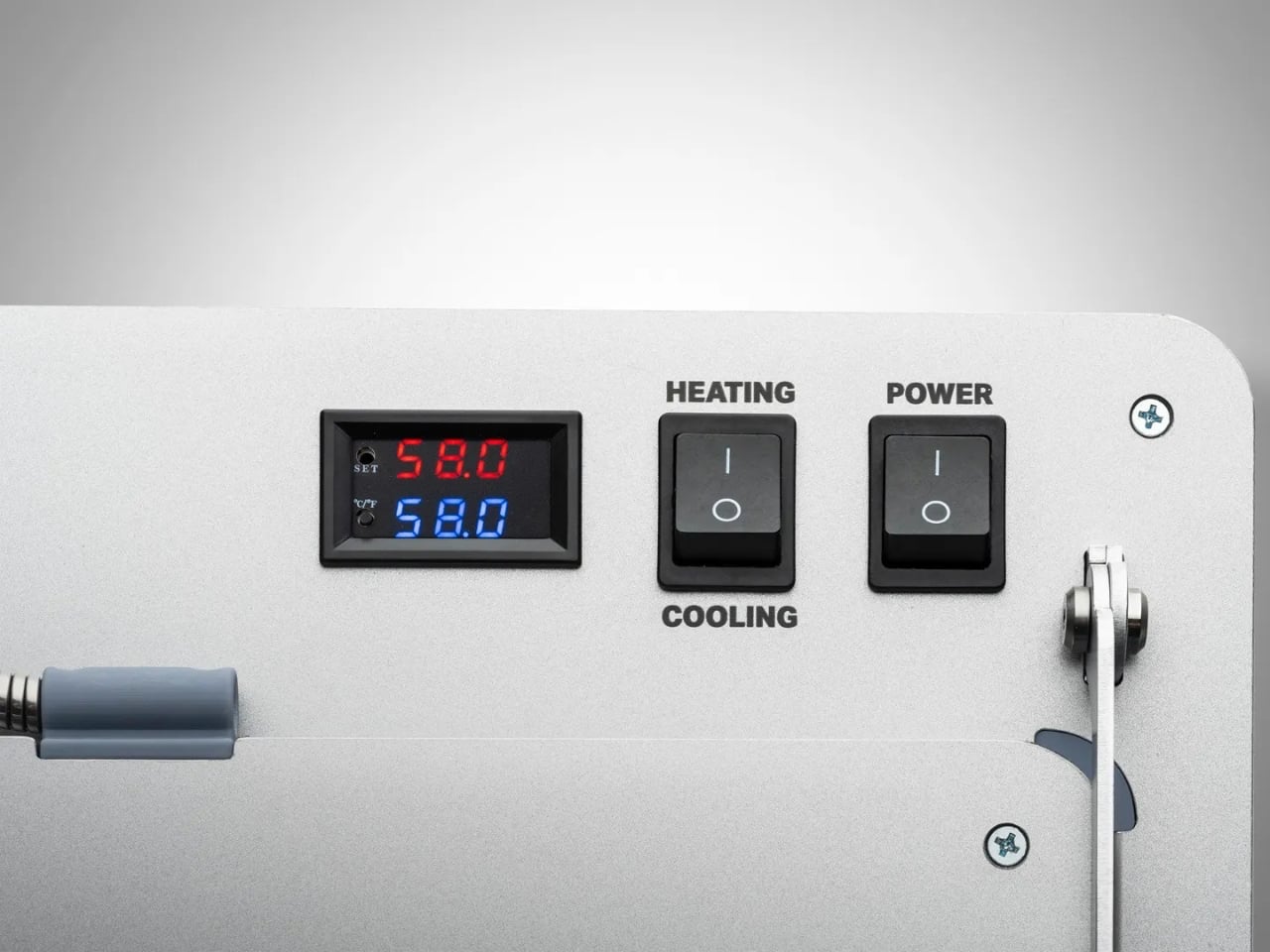
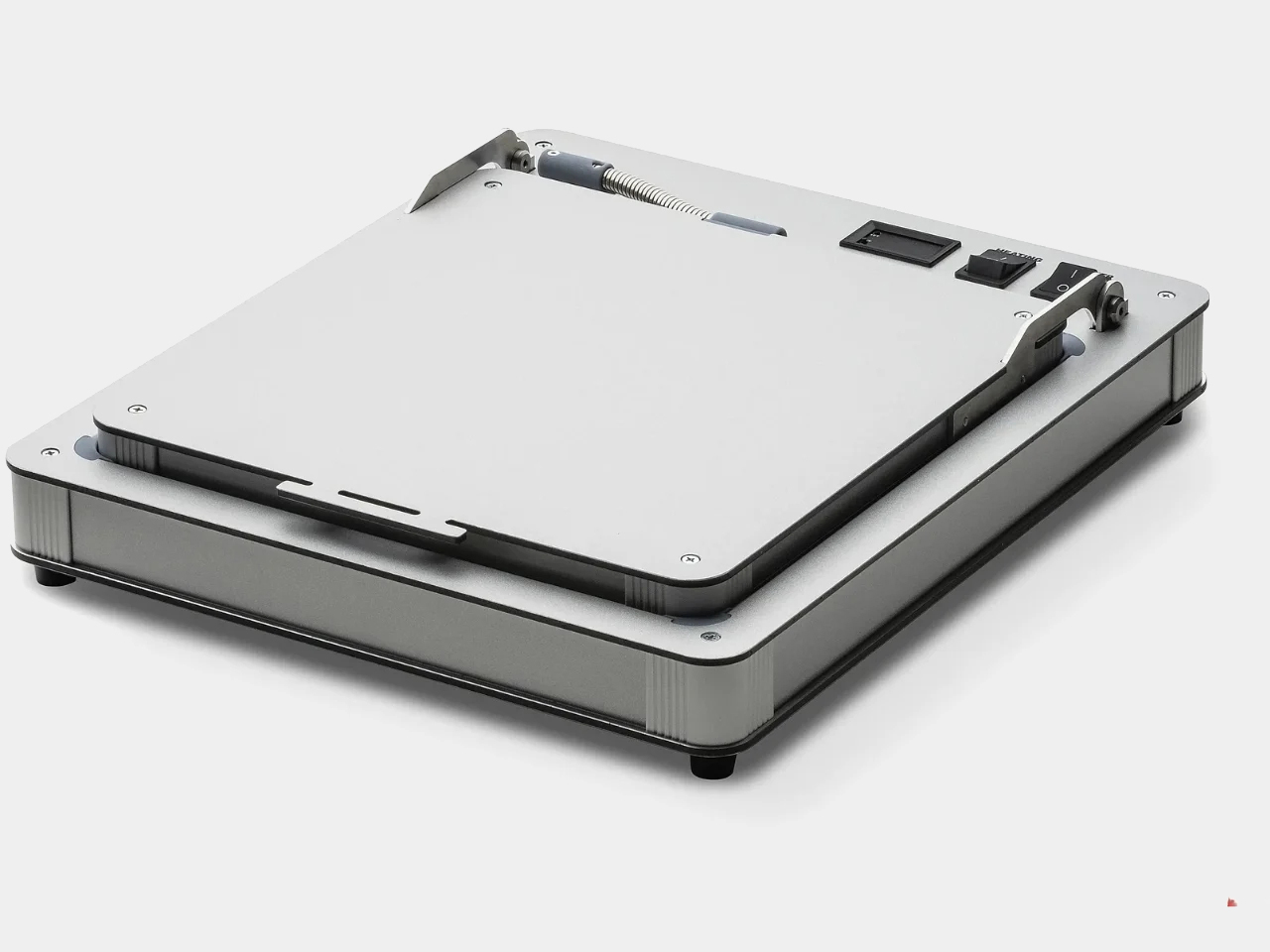
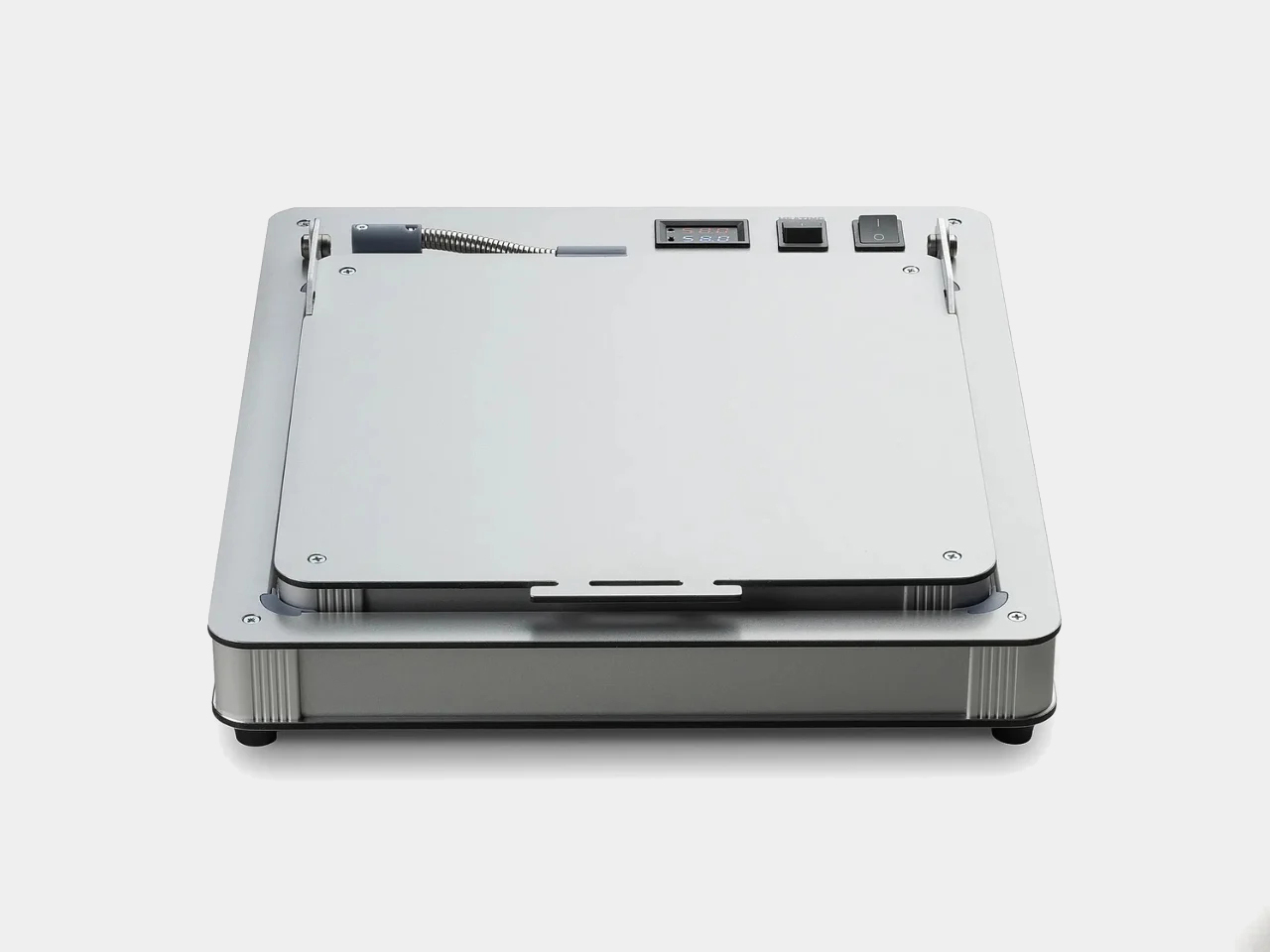
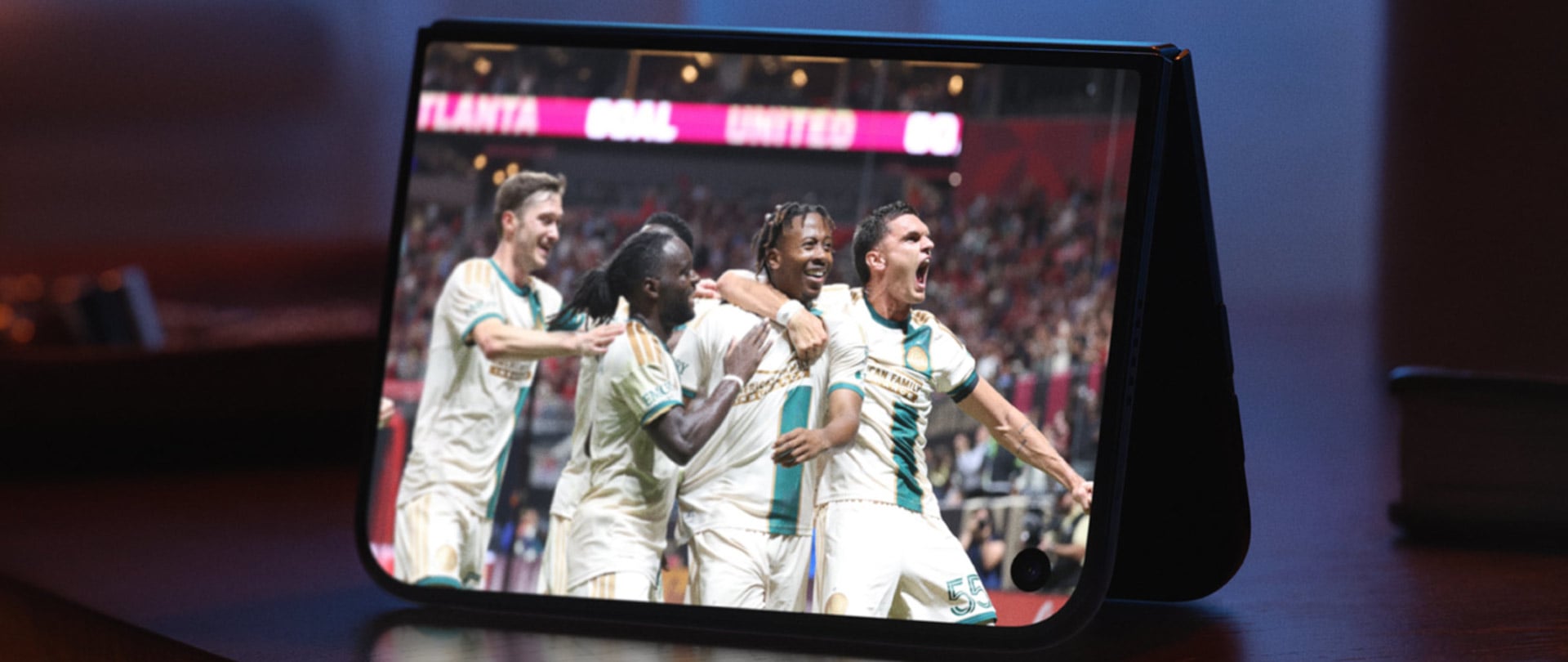
KeyGo Gen2 is a response to that clutter, an ultra-slim folding keyboard with a built-in 13-inch 4K touch screen and speakers that carry like a thin notebook. When it’s closed, it is a flat CNC-machined aluminum slab that slides into a sleeve. When it opens, it becomes a low-profile strip of keys and glass that turns any USB-C laptop into a dual-screen workstation.

Designer: KeyGo

Click Here to Buy Now: $279 $658 ($379 off). Hurry, only 383/500 left! Raised over $41,000.

1

The original 720p panel has been replaced with a 4K/60 Hz IPS display, stretched to 13.0 inches and bright enough for offices and cafés, with adjustable brightness for late-night sessions. That upgrade means editing footage at native resolution, keeping dense spreadsheets visible without squinting, parking timelines, chat windows, or reference material on the lower screen so the main laptop display can stay focused on the primary task.

1

The 10-point capacitive touch layer sits just above the scissor-switch keys, so you can drag windows, scrub through a timeline, or tap controls directly on the display while your hands stay near the keyboard. Key travel has been shortened by 1 mm compared to the first generation, making keys feel snappier and more responsive for long writing or coding sessions.

The CNC aluminum body and under-2-cm profile matter when you are actually on the move. The 32cm x 15 cm footprint fits on a tray table or narrow counter without overhanging. The 1,000g weight feels substantial enough not to slide around, yet light enough to carry daily without feeling like you’re packing a second laptop.

Built-in speakers mean video edits, calls, or background music come from the same strip you are typing on, avoiding the weak audio of many laptops and the need for extra gear. The sound comes from right where you’re working, which makes video playback and calls feel more focused without hunting for a dongle or Bluetooth pairing.

1

The KeyGo Gen2 moves between roles, plugged into a Windows laptop in a coworking space as a second screen for tools, attached to a compact Linux machine at home as a primary display and keyboard, or paired with an Android tablet for streaming and note-taking. Compatibility with Windows, macOS, Linux, and Android means it can follow your devices rather than being locked to one ecosystem.

The 180-degree fold and single USB-C connection change how quickly you can set up in tight spaces. Instead of assembling a portable monitor stand, routing cables, and finding room for a separate keyboard, you unfold one piece, plug in, and start working. That reduction in friction means you are more likely to actually deploy the dual-screen setup instead of making do with a cramped laptop panel.

The KeyGo Gen2 feels like a thoughtful second pass. It has sharper 4K visuals, a slightly larger 13-inch canvas, a thinner body, refined key feel, brightness control, and audio all tuned to the way hybrid workers, creators, and coders actually move through spaces. With so many separate pieces and improvised stands flooding the market, a single folding strip of aluminum, glass, and keys that opens into a complete little command center feels like an integrated design worth carrying every day.

Click Here to Buy Now: $279 $658 ($379 off). Hurry, only 383/500 left! Raised over $41,000.

The post Stop Carrying Three Devices: This Keyboard Has a 4K Screen Built In first appeared on Yanko Design.
AI Device Turns Your Mental Health Data Into a Living Garden

There’s something deeply broken about the way we interact with technology. We scroll mindlessly, chase notifications, and bounce between tabs like caffeinated pinballs. Our devices constantly demand our attention, rewarding speed over substance, reaction over reflection. But what if a piece of technology asked you to slow down instead?

That’s the radical premise behind Cognitive Bloom, a speculative AI device conceived by Map Project Office in collaboration with Chanwoo Lee from Lovelace Research. Lee, who’s also a visiting lecturer at Imperial College London and the Royal College of Art, is reimagining what personal AI could become if we designed it with the same care we give to cultivating a garden.

Designers: Chanwoo Lee, Map Project Office, Lovelace Research

The concept couldn’t arrive at a more critical moment. With mounting evidence around cognitive decline and digital burnout, Cognitive Bloom offers an alternative vision for our relationship with artificial intelligence. Instead of optimizing for efficiency or speed, it encourages something we’ve almost forgotten how to do: genuine self-reflection.

At the heart of Cognitive Bloom is a beautiful metaphor that makes complex data feel alive. The device uses an ambient display that transforms your mental wellness data into a virtual ecosystem. Areas where you’re struggling show up as yellowing leaves. New buds emerge where you’re beginning to grow. When you’re truly thriving in an aspect of your wellbeing, those buds finally bloom. It’s an intuitive visualization that breaks down the typically overwhelming data around mental health. Rather than confronting you with charts, percentages, or clinical assessments, Cognitive Bloom speaks in a language we instinctively understand. Plants need water, sunlight, and attention. So do we.

The device functions as a domestic companion that nurtures what the designers call “a new ritual of self-reflection.” It’s designed to help users reconnect with what genuinely matters, fostering the creation of new mental pathways through thoughtful engagement rather than passive consumption. This approach stands in stark contrast to how most AI products work today. Current AI interfaces typically emphasize quick answers, instant gratification, and frictionless productivity. Cognitive Bloom deliberately introduces friction, but the kind that matters. It’s the friction of pausing. Of considering. Of being present with your thoughts rather than racing past them.

The gardening metaphor extends throughout the entire experience. Just as tending a garden requires patience, consistency, and presence, Cognitive Bloom asks users to take a respite from digitally overstimulated lifestyles. It creates space for genuine contemplation, curiosity, and self-discovery, qualities that feel increasingly rare in our current technological landscape. What makes this project particularly compelling is how it uses human-centered design to foster a deeper connection not just to ourselves, but to our digital environment. Too often, technology feels like something that happens to us, an external force constantly pulling us in a hundred directions. Cognitive Bloom suggests technology could instead become a tool for coming home to ourselves.

The collaboration between Map Project Office and Lovelace Research brings together expertise in design strategy and human-centered AI research, creating a vision that feels both technically informed and emotionally resonant. As a speculative project, Cognitive Bloom doesn’t need to solve every practical challenge of implementation. Instead, it asks the more important question: What if we actually designed technology the way we cultivate gardens, with care, patience, and presence?

That question alone is worth sitting with. In a culture obsessed with growth hacking, viral moments, and exponential scaling, the steady rhythm of gardening offers a different model entirely. Gardens can’t be rushed. They respond to seasons, weather, and the particular needs of different plants. They require observation and adaptation, not standardized solutions.

Cognitive Bloom represents a growing movement in design and technology that’s pushing back against the extractive, attention-harvesting model that dominates our digital lives. It joins other projects reimagining what ethical, human-centered AI could actually look like when we design for wellbeing instead of engagement metrics. Whether Cognitive Bloom eventually becomes a physical product or remains a provocative concept, it’s already succeeded in making us reconsider our relationship with AI and personal data. Sometimes the most important innovations aren’t the ones that disrupt markets but the ones that disrupt our assumptions about what technology should be for.

The post AI Device Turns Your Mental Health Data Into a Living Garden first appeared on Yanko Design.
This Speaker Turns Sound Waves Into Sculptural Art

There’s something deeply satisfying about a product that looks exactly like what it does. You know the feeling: when form follows function so perfectly that you can’t imagine it any other way. That’s the immediate reaction to Loopen, a sculptural speaker concept from Design by Joffrey that transforms the invisible phenomenon of sound into a striking visual statement.

At first glance, Loopen reads as pure art. Rendered in a bold cobalt blue, the design features concentric circular loops that radiate outward from a central speaker driver, creating a mesmerizing pattern that looks like you’ve frozen sound waves mid-journey through space. But this isn’t just aesthetic cleverness for its own sake. Those loops are the actual framework holding everything together, turning the metaphor into structure.

Designer: Design by Joffrey

The genius here is in the restraint. Design by Joffrey could have gone wild with this concept, adding unnecessary embellishments or overcomplicating the form. Instead, Loopen strips everything back to its essential elements. The circular ripples emerge from an oval base, supported by two slim uprights that keep the whole composition feeling light and airy despite its sculptural presence. Two simple control buttons sit flush on the base alongside the power cable, maintaining the clean lines without disrupting the visual flow.

What makes this design particularly clever is how it plays with our perception of sound itself. We can’t see sound waves, but we’ve all seen the visualizations: those undulating sine waves in audio software, the ripples spreading across water when you drop a stone, the circular patterns speakers create when you place them face-down on a surface covered in sand. Loopen takes that universal visual language and makes it literal, giving physical form to something we usually only experience through our ears.

The color choice deserves attention too. That saturated blue isn’t trying to blend into your minimalist white walls or disappear on a dark shelf. It demands to be noticed, which feels right for a piece that’s as much sculpture as it is functional tech. The matte finish gives it a contemporary, almost toy-like quality that keeps the design from feeling too serious or precious. This is a speaker you could actually live with, not just admire from across the room.

There’s also something refreshing about seeing a concept that doesn’t try to hide its technology. So many modern speakers aim for invisibility, disguising themselves as wooden boxes or fabric cylinders that could be mistaken for home decor. Loopen takes the opposite approach: it celebrates what it is. The speaker driver sits proudly at the center, cradled by those wave-like loops, making no apologies for being a piece of audio equipment.

The compact size suggests this is likely a Bluetooth speaker meant for personal spaces rather than filling an entire room with sound. That feels appropriate. This is the kind of object you’d want on your desk or bedside table, where you can appreciate the form up close. The wired connection visible in the images hints at this being a design concept or prototype, but it’s easy to imagine a production version with wireless charging or a more concealed power solution.

What really stands out about Loopen is how it bridges that often awkward gap between tech and design. Too often, products are either functional but boring, or beautiful but impractical. This manages to be both visually compelling and immediately understandable in its purpose. You don’t need an explanation to know what it does. The form tells you everything. Design by Joffrey has created something that fits perfectly into our current moment, where the boundaries between art, design, and technology keep getting blurrier. We want our objects to be more than just tools. We want them to spark joy, start conversations, and add visual interest to our spaces. Loopen delivers on all fronts.

Whether this remains a concept or eventually makes it to production, Loopen represents the kind of thoughtful, playful design that makes you reconsider what everyday tech products could look like. It’s a reminder that functionality and beauty aren’t opposing forces. Sometimes, when you let the core idea of what something does guide how it looks, you end up with magic. In this case, that magic sounds pretty good too.

The post This Speaker Turns Sound Waves Into Sculptural Art first appeared on Yanko Design.
Uroq Modular SSD Lets Your Portable Storage Grow Instead of Multiply

Filling yet another portable SSD means labeling it, tossing it into a drawer next to three others, and mentally tracking what lives where. Storage upgrades usually mean buying a whole new enclosure, then juggling multiple icons on your desktop and physical clutter in your bag, even though you really just needed more capacity on the same device you already use every day.

Uroq is a concept that treats portable storage like something you grow over time instead of something you keep replacing. It starts as a flat base SSD with a USB-C port, and when you run out of space, you snap new modules onto the top. Each module adds more M.2 SSD capacity, so the same drive quietly expands instead of forcing you to add another box to the pile.

Designer: Emre Kocaer

Imagine a photographer or video editor who hits the limit on a 1 TB base, then adds a 2 TB module rather than buying a second drive. The stack still plugs in with a single USB-C cable, sits in the same spot on the desk, and shows up as one consolidated volume. Their workflow stays the same, but the storage ceiling jumps without another device to track or misplace somewhere at the bottom of a backpack.

The base hides power and data rails under its surface, carrying electricity and PCIe or SATA signals to each module. The modules have matching contacts and snap-fit geometry, so stacking them is more like adding bricks to a foundation than daisy-chaining separate drives. Inside, each layer holds an M.2 SSD and dedicated power and data circuits, all wrapped in ABS injection-molded covers that protect the hardware.

Anti-skid pads on the underside keep the base steady even when fully loaded, and the low, square footprint behaves more like a small dock than a loose drive. On a crowded desk with a laptop, tablet, and monitor, Uroq stays put instead of sliding around with every cable tug. One cable runs to the computer, while the rest of the complexity stays hidden inside the stack.

Of course, Uroq comes in palettes like Stealth black, Shock brown with deep teal, and Pure white and cream, so it can match different setups instead of looking like generic tech. The idea is that this is a long-term desk companion you’ll keep upgrading rather than replacing, a single object that absorbs years of projects without spawning a family of mismatched drives that all look the same until you read the labels.

Uroq suggests that more storage doesn’t have to mean more devices. By making capacity modular and treating the enclosure as a platform instead of a disposable shell, it points toward a quieter, more sustainable way to handle digital growth. Anyone who’s already tired of labeling yet another SSD and wondering which drawer it ended up in will probably love the idea of a drive that grows with you instead of multiplying around you like gremlins fed after midnight.

The post Uroq Modular SSD Lets Your Portable Storage Grow Instead of Multiply first appeared on Yanko Design.
BreakX1 Just Made Karaoke Machines Actually Worth Displaying

Remember when karaoke machines were those clunky black boxes that looked like rejected stereo equipment from the 90s? Yeah, those days are officially over. The BreakX1 Smart Karaoke by designer Liu Wei just snagged a Silver A’ Design Award for 2025, and it’s proof that home entertainment tech can be both functional and seriously good-looking.

What really sets this thing apart is how it moves. The BreakX1 features an innovative hinge design that connects the screen to the speakers, letting you rotate the screen 180 degrees front to back and 120 degrees left to right. It’s the kind of flexibility you didn’t know you needed until you think about it. Whether you’re belting out power ballads from the couch or standing up for your best Beyoncé impression, you can adjust the angle to actually see the lyrics without doing neck gymnastics.

Designer: Liu Wei

The design inspiration comes from an unexpected place: minimalist automotive design, specifically the clean lines of Tesla and Porsche. That aesthetic shows up in the machine’s sleek, soft curves and compact form. It doesn’t scream “karaoke machine” the way older models do. Instead, it looks like something you’d actually want sitting in your living room, not hidden away in a closet between uses.

Liu Wei, who works with Dongguan Aika Electronic Technology Co., developed the BreakX1 between October 2023 and January 2024 in Shenzhen, China. The device is built for the wireless entertainment era, designed to work seamlessly whether you’re hosting an indoor party or taking the show outside for backyard gatherings. That portability is key because modern life doesn’t always happen in one room anymore.

The tech specs back up the design ambitions. The BreakX1 comes equipped with a 2K HD screen that delivers crystal-clear visuals for lyrics, music videos, or whatever else you want to throw at it. The Red Dot Design Award jury noted that the machine “impresses with its exceptional ease of use and attractive appearance,” which is basically the holy grail for consumer electronics. Too often, devices choose one or the other, but this manages both.

What makes the BreakX1 feel current is its versatility beyond just karaoke. Sure, you can use it for singing your heart out, but it’s also designed for listening to music or engaging in what the specs call “audio visual creativity.” That vague-but-intriguing phrase suggests this is really a multi-purpose entertainment hub that adapts to how you want to use it, not the other way around. The design also addresses a real problem with portable entertainment systems: they usually look temporary or makeshift. The BreakX1’s integrated approach, where the screen and speakers form one cohesive unit connected by that flexible hinge, creates a device that feels intentional. It’s the difference between furniture and something you assembled from random parts.

This isn’t just about making karaoke look better (though it definitely does that). It’s about recognizing that home entertainment equipment has become part of our living spaces in ways it wasn’t before. We’re not hiding our tech in cabinets anymore. It’s out, it’s visible, and we want it to look like it belongs. The BreakX1 gets that shift. Liu Wei’s work represents a broader trend in tech design where aesthetics and function aren’t competing priorities but complementary ones. The rotatable screen isn’t just pretty engineering; it solves the real challenge of making one device work for different body positions and room configurations. The minimalist styling isn’t just trendy; it helps the device fit into more home decor situations.

The Silver A’ Design Award recognition confirms what’s already becoming clear: smart entertainment devices need to be smart about more than just their features. They need to understand that users want equipment that enhances their space, not clutters it. The BreakX1 delivers on that promise while still packing in the technology that makes modern karaoke actually fun. Whether this sparks a wave of better-looking karaoke machines remains to be seen, but it’s a solid start. At the very least, it proves that party tech doesn’t have to look like party tech. Sometimes it can just look good.

The post BreakX1 Just Made Karaoke Machines Actually Worth Displaying first appeared on Yanko Design.
Someone Finally Made Video Meetings Look Like a Game Console

There’s something deeply satisfying about watching designers take a swing at corporate boredom. Fevertime, a recent collaboration by Dugyeong Lee, Gyeong Wook Kim, MyeongHoon Cheon, and Dayong Yoon, does exactly that by transforming the typical video conference setup into something that looks like it belongs in a mid-80s arcade.

The concept is deceptively simple: what if meetings felt less like mandatory Zoom rectangles and more like gathering around a shared screen? The team created a physical meeting system inspired by retro game consoles, complete with a bright red spherical camera perched on a stand like some cheerful robot companion, and a base unit that wouldn’t look out of place next to your old Nintendo. There are even cartridge-style slots and that unmistakable game controller aesthetic, all rendered in a palette of scorched red, neon accents, and soft grays.

Designers: Dugyeong Lee, Gyeong Wook Kim, MyeongHoon Cheon, dayong Yoon

But this isn’t just nostalgia bait. The designers identified a real problem with modern collaboration tools: everyone staring at their own screens creates this weird isolation, even when you’re supposedly “together” in a virtual room. Fevertime flips that script by projecting content onto a shared surface, encouraging actual eye contact and spatial awareness. The physical device becomes a focal point, something to gather around rather than disappear behind.

The system lets users set up meetings in advance, defining time, participants, and structure before anyone logs on. When the session starts, participants can instantly share content from their personal devices onto the collective display. Everything stays synced and visible to everyone simultaneously. No more “Can you see my screen?” or fumbling through share settings while everyone waits. The interface shows meeting cards, schedules, and project data in a clean, modular layout that feels more like organizing a playlist than managing corporate logistics.

What makes Fevertime visually compelling is how committed it is to the gaming metaphor. The red sphere isn’t trying to look sleek or invisible like most tech hardware. It wants to be noticed. It practically begs to be the conversation starter in the room. The cartridge system for what appears to be different meeting modes or templates plays into that collectible, tactable quality that made physical media so satisfying. You’re not just clicking through digital menus; you’re handling objects, sliding things into slots, physically engaging with the technology.

The UI design carries that same energy. Bright pink highlight screens pop against neutral backgrounds. Typography is bold and condensed, channeling the space constraints of old arcade cabinets where every pixel counted. Cards and modules feel like game level selects or achievement screens. There’s a playful confidence in the branding, with the Fevertime logo rendered in that wavy, almost melting typography that suggests heat and intensity without being aggressive.

The designers describe the project as capturing “a single moment of high-intensity creative output,” that fever state when an idea finally clicks and everything flows. That philosophy shows up in the pulsing, breathing quality of the custom lettering, where font weights fluctuate to create visual rhythm. It’s design that refuses to sit still, much like the creative process it’s trying to facilitate.

From a product design perspective, Fevertime sits in that interesting space between speculative concept and plausible near-future tech. The physical components look production-ready, with thoughtful details like ventilation ridges on the base unit and a weighted stand for the camera sphere. But there’s also a conceptual boldness here, a willingness to say “what if meeting technology looked completely different from what we’re used to?”

The team used Adobe’s creative suite to develop the project, combining Photoshop and Illustrator for the identity work with After Effects for motion elements. That mix of static and animated content gives Fevertime a kinetic presence even in still images. You can imagine the interface cards sliding, the logo pulsing, the whole system humming with that arcade-ready energy.

Whether Fevertime ever makes it to market is almost beside the point. As a design exercise, it asks useful questions about how we physically and emotionally experience collaboration technology. It challenges the assumption that workplace tools need to look serious and minimal. And it demonstrates how pulling from gaming culture can make even something as mundane as meeting software feel fresh and approachable. Sometimes the best design projects are the ones that make you think, “Wait, why doesn’t everything look like this?”

The post Someone Finally Made Video Meetings Look Like a Game Console first appeared on Yanko Design.
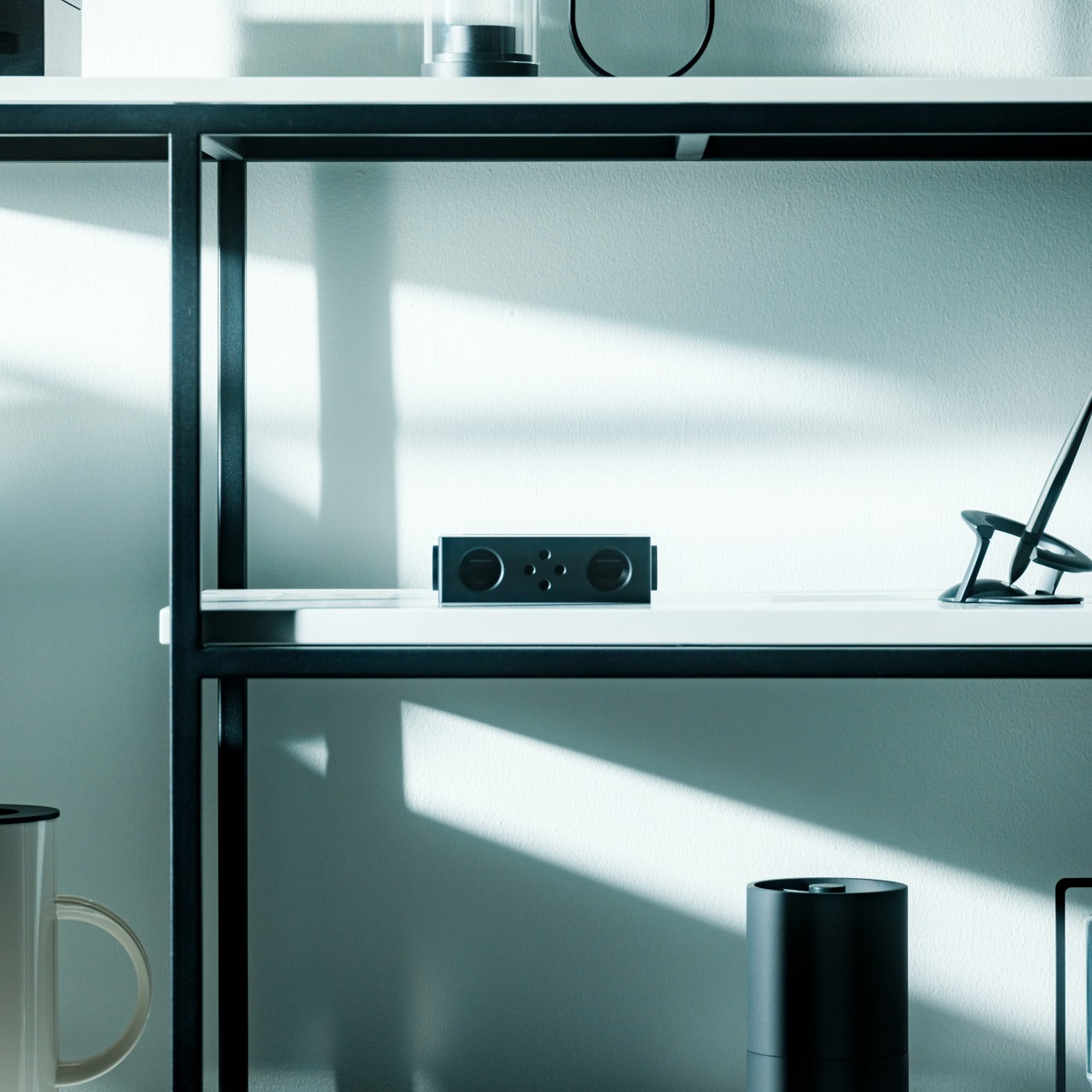
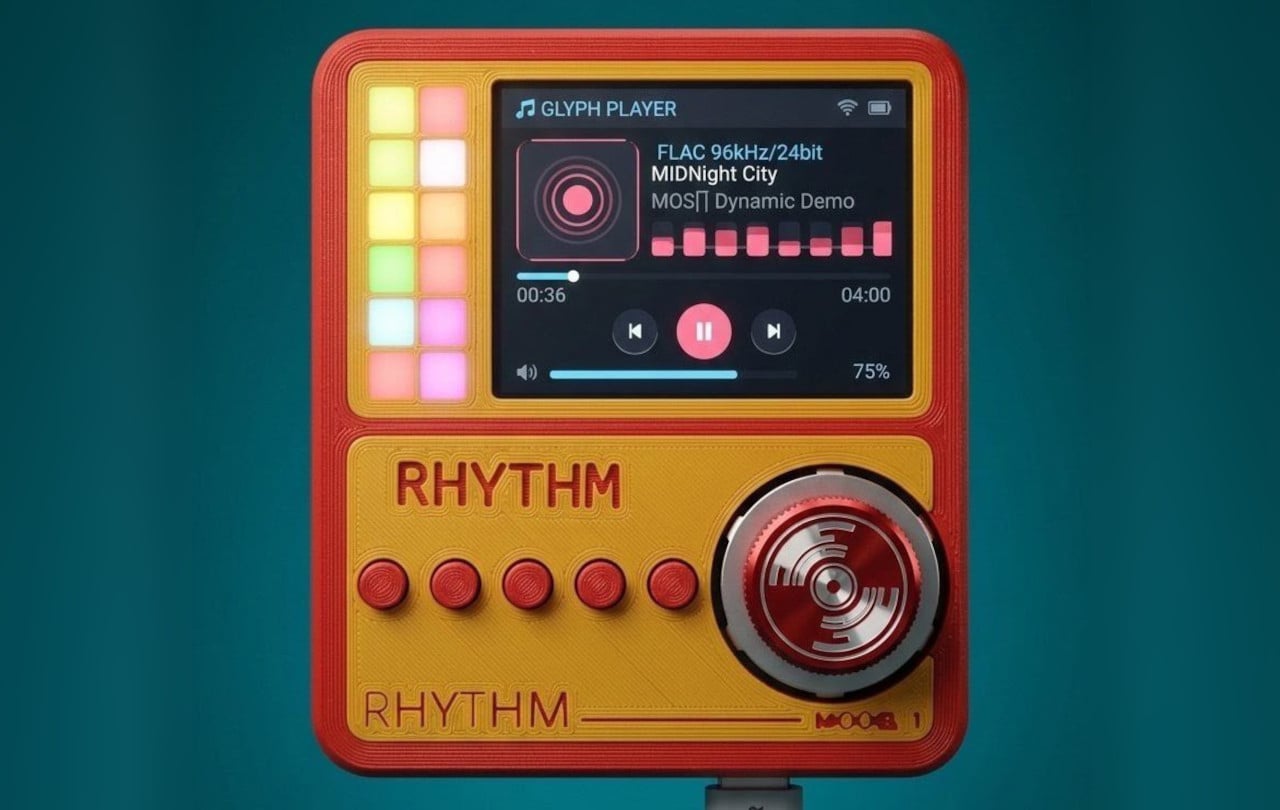
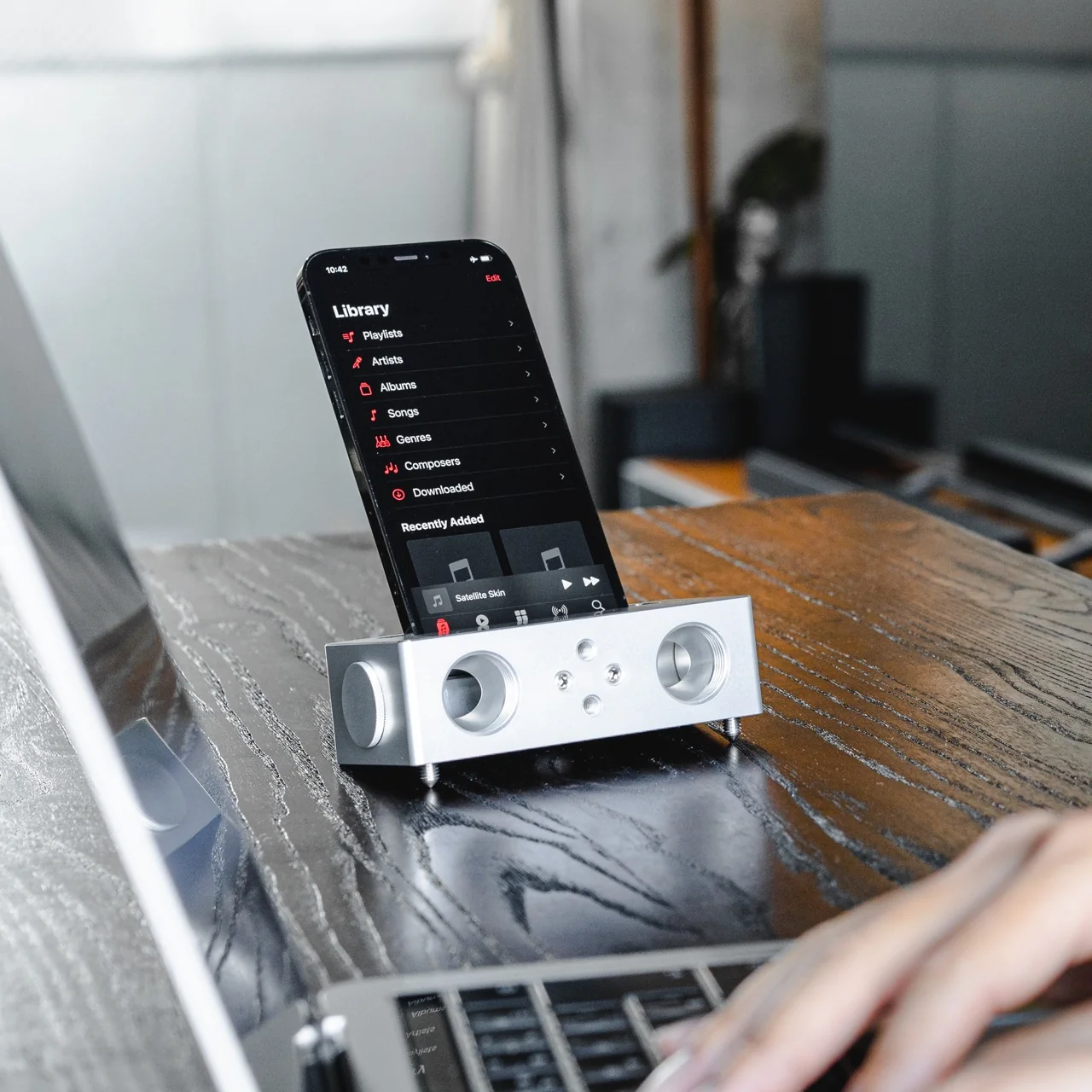
A Digital Music Player with FLAC Files and a Built-In Speaker

There’s something oddly comforting about watching the vinyl resurgence happen in real time. We’ve collectively decided that convenience isn’t everything, that sometimes the ritual matters as much as the result. But while turntables have been getting their moment in the spotlight, another piece of audio history has been quietly staging its own comeback: the dedicated digital audio player.

Enter the DAP-1, a concept device from Frankfurt-based 3D artist and art director Florent Porta that asks a simple but compelling question: what if we took the best parts of portable audio’s past and reimagined them for today?

Designer: Florent Porta

Porta, who’s built a reputation creating everything from viral 3D animations to commercial work for brands like McDonald’s and Tuborg, recently unveiled this personal project after letting it sit unfinished for over a year. Sometimes the best ideas need time to breathe, and the DAP-1 feels like it benefited from that patience.

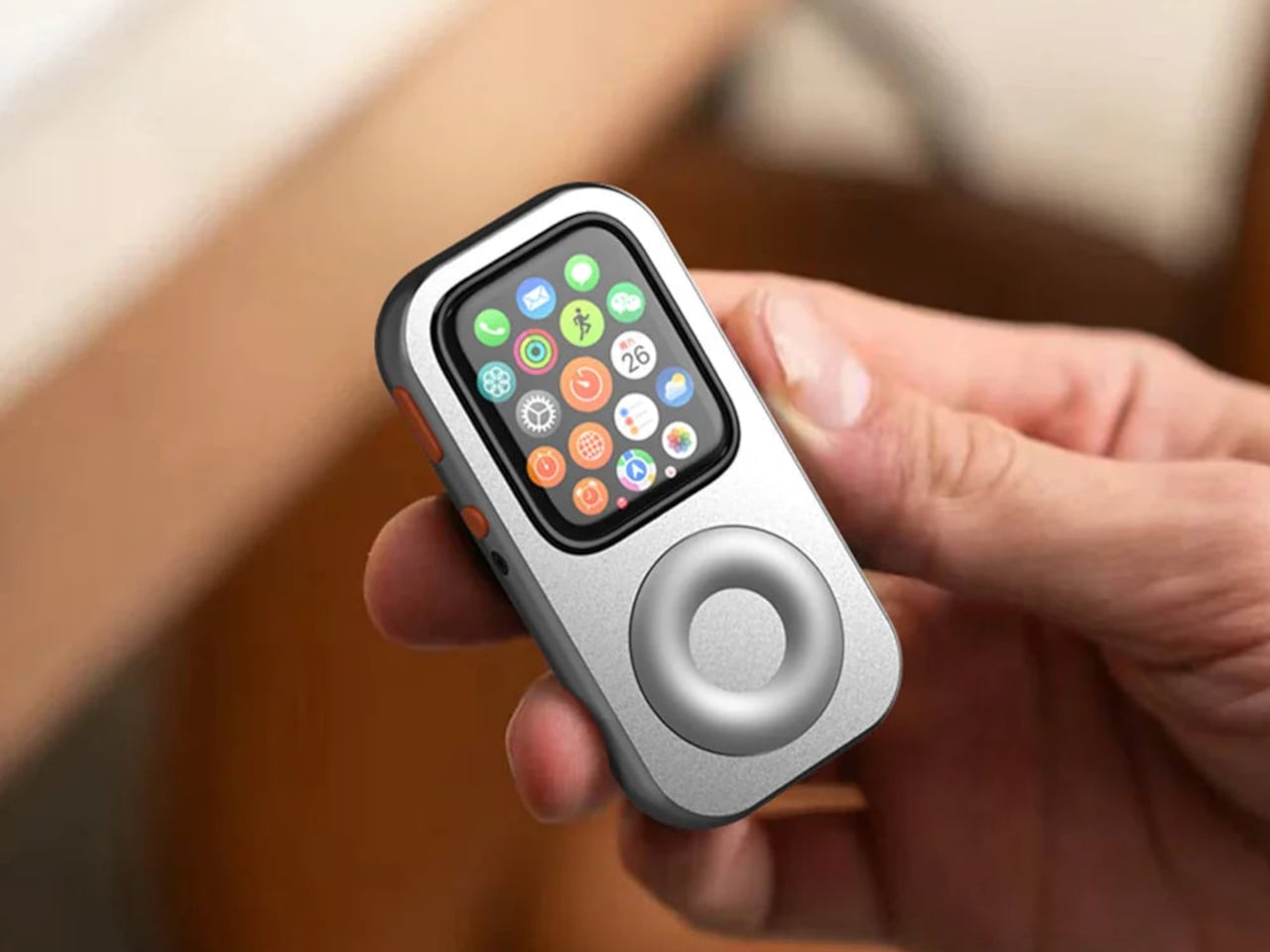
At first glance, the device looks like it could have been pulled from an alternate timeline where iPods evolved differently. There’s a clean, minimalist aesthetic that feels both retro and contemporary. The most striking feature is the OLED touchscreen, which gives the device a modern interface while maintaining the dedicated hardware approach that made original DAPs so appealing to audiophiles.

But here’s where it gets interesting: Porta included a built-in speaker. His parenthetical aside of “because why not” undersells what’s actually a clever design choice. Most high-end portable audio players skip integrated speakers entirely, assuming users will always have headphones or want to connect to external systems. The DAP-1 challenges that assumption. Sometimes you just want to share what you’re listening to without fumbling for a Bluetooth speaker or passing around earbuds.

The real substance of the DAP-1 lies in its commitment to high-resolution FLAC file playback. While streaming services have made music more accessible than ever, they’ve also created a generation of listeners who’ve never heard what their favorite songs actually sound like without compression artifacts. FLAC files, which preserve audio quality without the data loss of MP3s or streaming codecs, require dedicated hardware and storage. The DAP-1 embraces this limitation rather than trying to work around it.

This positions the device squarely in the current audio zeitgeist. Audiophiles have long argued that we lost something important in the transition from physical media to streaming, and they’re not entirely wrong. There’s a noticeable difference between a 320kbps Spotify stream and a lossless file, especially if you’re using decent headphones. The question is whether that difference matters enough to justify carrying a separate device.

For some listeners, the answer is becoming yes. The same impulse that drives people to buy vinyl despite its inconvenience applies here. There’s value in intentionality, in choosing to engage with music as an activity rather than ambient background noise. A dedicated audio player forces you to curate your library, to think about what you’re bringing with you rather than having infinite options at every moment.

What makes the DAP-1 particularly noteworthy as a concept is its timing. We’re seeing a broader cultural pushback against the smartphone-as-everything approach to technology. People are buying digital cameras again, rediscovering e-readers, and reconsidering whether having every tool in one device actually serves them well. The DAP-1 fits perfectly into this moment of technological reevaluation.
Of course, as a concept design, the DAP-1 exists primarily as a beautifully rendered 3D vision rather than a physical product you can actually purchase. Porta’s background in 3D animation and motion graphics means the device looks stunning in its presentation, with the kind of glossy perfection that concept renders do so well. Whether it will ever make the jump from screen to hand remains to be seen.
But that might not be the point. The best concept designs don’t just imagine new products; they spark conversations about what we actually want from our technology. The DAP-1 succeeds in asking whether we’ve given up something valuable in our rush toward convergence and convenience. It suggests that maybe, just maybe, there’s still room in our pockets and our lives for devices that do one thing exceptionally well rather than everything adequately. The DAP-1 proposes something quietly radical: focused, high-quality audio experiences on your own terms. That’s a concept worth tuning into.

The post A Digital Music Player with FLAC Files and a Built-In Speaker first appeared on Yanko Design.