Buildings consume massive amounts of resources just to look a certain way. Houses could function perfectly well as simple, efficient structures that keep us warm, dry, and comfortable, but we demand gables, columns, brick facades, and decorative trim because we want them to look appealing. The materials and energy required to build and maintain those aesthetic choices far outweigh what’s actually needed for shelter. If we were all blind, the argument goes, our houses would be optimized spheres or domes with minimal material use and maximum efficiency.
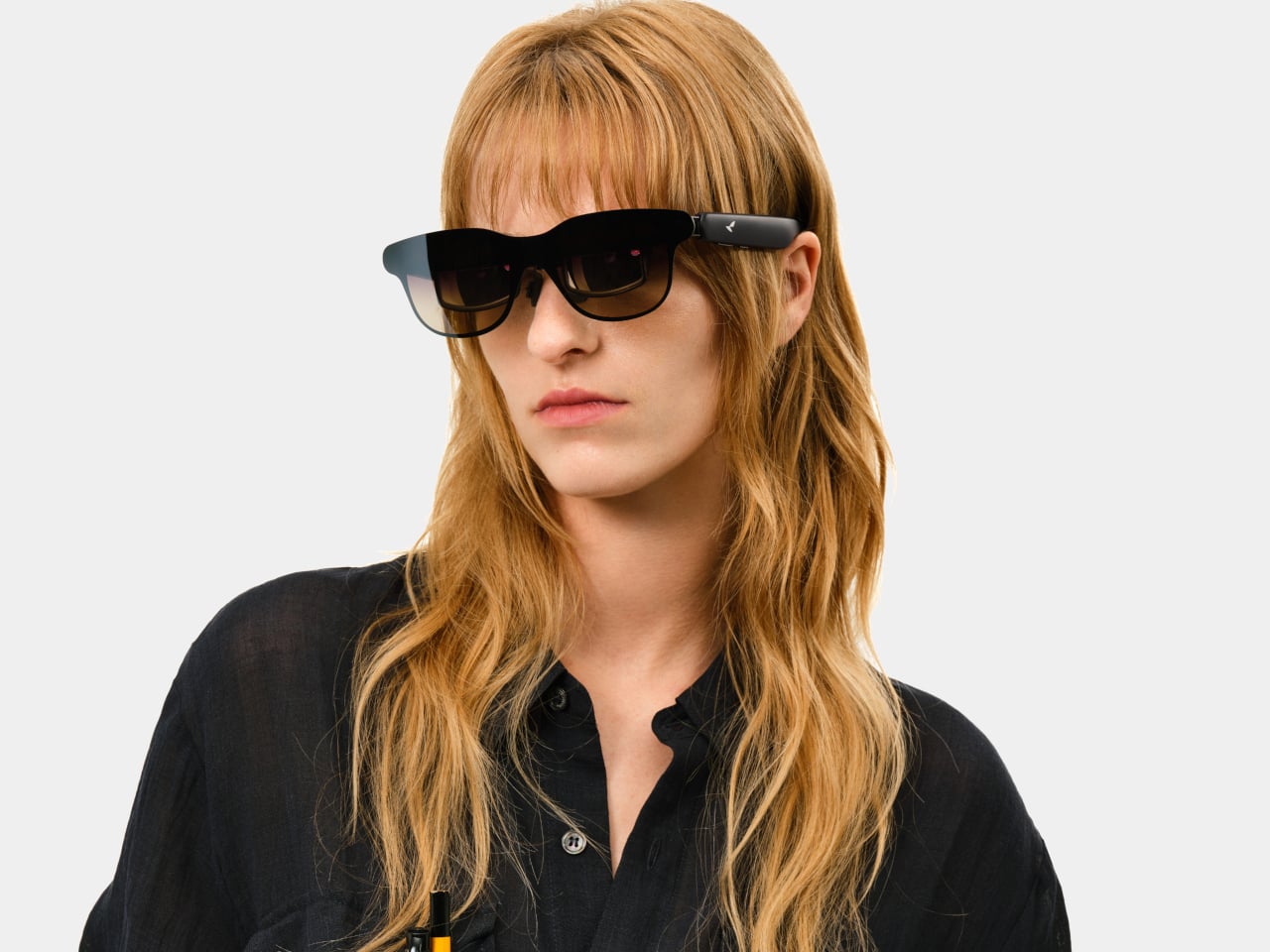
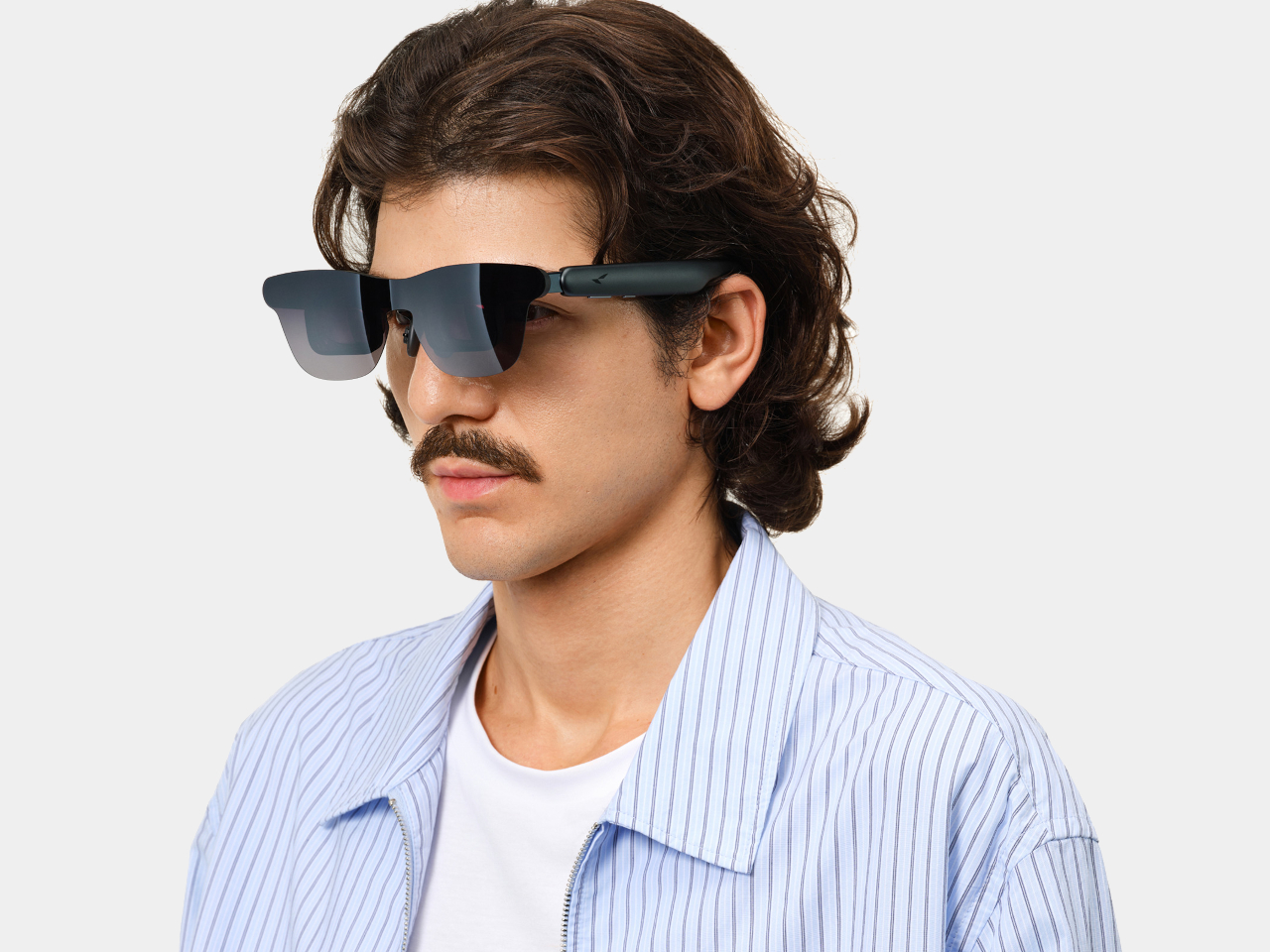
The Virtual Reality Veneer proposes a radical split between what a house is and what it looks like. The physical structure would always be a simple white sphere, built from the most environmentally friendly materials available and outfitted with efficient energy systems. The appearance, however, would be entirely digital, generated by a computer inside the sphere and broadcast to special AR glasses worn by anyone nearby. Look at the sphere through those glasses and you’d see whatever aesthetic the owner chose, from a traditional suburban home to an abstract sculpture.
The concept is illustrated through a series of renderings showing the same spherical structure in a green landscape. The base condition is just a plain white sphere on supports, accessed by a simple staircase. The other images show that same sphere with a virtual skin unfurling to cover it, transforming into a classic American house complete with gables, shutters, and landscaping. This isn’t a different building but just a digital veneer unfolding over the same unchanging physical form.
The system would work both inside and outside. When you approach the sphere wearing the glasses, you’d see the chosen exterior facade overlaid on the plain structure. Step inside, and the glasses would switch to a different set of images, replacing the minimal interior with virtual walls, furniture, and even window views showing landscapes that don’t physically exist. The owner could change everything on a whim without touching a single material.
Of course, this raises plenty of questions. What happens when different people want to see different aesthetics for the same building? Do non-wearers just see plain spheres dotting the landscape while everyone else experiences virtual variety? The concept assumes widespread adoption of AR glasses or possibly future retinal implants, which is a big leap from where we are now, even with mixed reality headsets becoming more common.
What makes the Virtual Reality Veneer interesting is how current technology is catching up to the idea. AR glasses, spatial computing, and AI image generation already let us overlay digital content onto the real world. The concept simply pushes that logic further, asking whether we could satisfy our desire for beautiful homes without actually building beautiful homes, using light and computation instead of lumber and stone.
The proposal works best as a provocation rather than a blueprint. It forces you to consider how much waste comes from wanting things to look a certain way, and whether we’d trade physical aesthetics for virtual ones if it meant reducing our environmental footprint. That’s a question without an easy answer, but worth asking as AR technology continues blurring the line between what’s real and what’s projected.
You know that awkward moment when you walk into someone’s home and realize your dripping umbrella is about to become everyone’s problem? We’ve all been there, clutching a soggy umbrella while desperately looking for somewhere (anywhere) to stash it that won’t create a puddle or knock things over. Enter the Justin Case umbrella stand by Eduardo Baroni, a piece that proves even the most mundane household items deserve a glow-up.
First, let’s talk about that name. Justin Case. Just in case. It’s the kind of clever wordplay that makes you smile before you even see the product. And honestly, it perfectly captures the whole vibe of this design: something you keep around just in case, but that looks so good you’ll actually be glad it’s there rain or shine.
What strikes you immediately about this piece is how it refuses to be just another boring storage solution hiding in the corner. Made from powder-coated steel sheet, the Justin Case has this bold, angular presence that reads more like wall art than a utilitarian object. It’s essentially a sculptural triangle that leans away from the wall at just the right angle, creating this dynamic, almost defiant stance. You could hang it in your entryway empty and it would still make a statement.
But here’s where the design gets really smart. That lateral tilt isn’t just for show. The angle naturally cradles your full-size umbrellas, keeping them secure without any fussy clips or complicated mechanisms. Gravity does the work. Meanwhile, three dedicated hooks accommodate your compact umbrellas, so you’ve got room for up to five total. It’s that perfect balance of form meeting function that makes you wonder why all umbrella stands aren’t designed this way.
The wall-mounted aspect is another game-changer, especially if you’re dealing with a small entryway or apartment living. Traditional umbrella stands take up precious floor space and always seem to be in the way, creating an obstacle course right where you’re trying to get in and out the door. By moving everything vertical, Baroni frees up that floor real estate entirely. You can mount it right next to your entrance without blocking the flow of traffic, which is pretty much the dream scenario for anyone who’s ever tripped over an umbrella stand in the dark.
And let’s talk about the practical details, because good design isn’t just about looking cool. At the bottom of the stand sits a removable plastic reservoir that catches all the water dripping from your wet umbrellas. No more mysterious puddles forming on your hardwood floors or entryway rugs. When it fills up, you just pop it out, dump the water, and snap it back in. It’s such a simple solution, but it addresses the actual reason you need an umbrella stand in the first place: to contain the mess. The powder-coated finish means this thing is built to last, too. It’s going to stand up to the constant wet-dry cycle of umbrella storage without rusting or degrading. And while the images show it in a vibrant red that practically demands attention, the beauty of powder coating is that it can come in virtually any color to match your space.
What really makes the Justin Case stand out in the crowded world of home accessories is how it elevates something we usually try to hide. Most organizational products are designed to be invisible, to fade into the background. But Baroni took the opposite approach, creating something with such a strong visual identity that it becomes part of your home’s aesthetic narrative. It’s discreet in terms of space (that slim profile barely projects from the wall), but it’s definitely not shy about making its presence known.
This is the kind of design that makes everyday life just a little bit better. It solves a real problem without sacrificing style, proving that functional doesn’t have to mean boring. Whether you’re a design enthusiast or just someone who’s tired of umbrella chaos, the Justin Case makes a compelling argument that sometimes the smallest details make the biggest difference in how we experience our homes.
There is a moment of hesitation familiar to anyone who has ever wanted to personalize their living space: the moment before drilling a hole into a pristine wall. For renters, it brings the risk of a lost security deposit. For homeowners, it is a small but permanent commitment, a mark that will need to be patched and painted over if they ever change their minds. This single action is often the barrier between the generic, builder-grade blinds that came with a property and a window treatment that truly reflects personal style and serves a specific need. It is this universal reluctance that has given rise to a new class of home solutions, designed around ingenuity rather than brute force. Window coverings are no longer a project requiring a tool belt and a steady hand; instead, they are evolving into something far more accessible.
This friction point in home improvement is where clever design really gets to shine. It is one thing to make something look good, but it is another thing entirely to re-engineer the user experience from the ground up. The best products eliminate the most painful step of the process so effectively that you wonder why it ever existed in the first place. This is precisely the space Keego has stepped into, offering no-drill blinds that promise a complete transformation in about a minute, turning a once-dreaded task into a simple, satisfying upgrade. The core mechanism is a tension rod system, essentially a sophisticated pressure mount that wedges the entire blind assembly securely into the window frame. It is a simple, elegant solution to a problem that has plagued homeowners and apartment dwellers for decades.
First up is the Extra Wide Top Down Bottom Up Honeycomb Cellular Shade, which solves a problem most blind manufacturers pretend does not exist: oversized windows. This variant supports custom widths up to 78 inches, a dimension that immediately makes it relevant for bay windows, sliding glass doors, or any architectural feature where standard sizing falls embarrassingly short. The top down bottom up functionality is the real highlight here, allowing you to lower the shade from the top or raise it from the bottom independently. This gives you surgical precision over privacy and light, perfect for ground-floor rooms where you want daylight streaming in overhead while keeping neighbors from peering inside. The honeycomb structure still delivers the thermal insulation you would expect, trapping air in those hexagonal cells to regulate temperature and dampen street noise.
What separates this from the standard honeycomb offerings is the sheer flexibility it provides. Opening from both directions turns a passive window covering into an active design element you can adjust throughout the day as the sun moves and your needs shift. The cordless mechanism operates smoothly in both directions, which is critical when you are managing a shade this wide. The blackout fabric options are effective, creating near-total darkness when fully deployed, while the light-filtering versions provide that soft, diffused glow that keeps a room feeling open without sacrificing privacy. This is the choice for anyone dealing with non-standard window dimensions or who wants granular control over how light enters their space, all without committing to permanent hardware.
Zebra Shades
Then we have the Zebra shades, which take a completely different approach to the same problem. Where the Honeycomb is about brute-force light blocking, the Zebra is about nuanced light management. The design consists of two layers of fabric that slide over one another, with alternating horizontal stripes of sheer and opaque material. This construction gives you granular control over the amount of light entering the room. You can align the solid bands for privacy and room darkening, align the sheer bands to let in diffuse daylight, or set them anywhere in between to strike the perfect balance. It is an incredibly clever system that feels more dynamic and interactive, turning the window into a feature rather than just an opening.
The Zebra shades lean more into the tech and design-forward category, especially with the motorized option. The system comes with a remote capable of controlling up to 15 blinds at once, which is a fantastic quality-of-life feature for rooms with multiple windows. The fabrics often have a texture, like an imitation linen, that adds a layer of softness and visual interest to a space, preventing it from feeling too sterile. This style is for the person who wants to actively shape the light in their room throughout the day, treating it as another element of their interior design. The Zebra shades are a statement piece that merge a clever mechanical concept with a modern aesthetic, all while retaining that brilliantly simple no-drill installation.
Ultimately, the choice between the two comes down to a fundamental difference in philosophy. The Extra Wide Top Down Bottom Up Honeycomb Cellular Shade is the pragmatic solution for oversized windows and surgical light control, combining thermal efficiency with the flexibility to adjust from both top and bottom. The Zebra is the expressive design object, offering a more artistic and flexible way to interact with natural light. Both, however, are built on that same foundation of accessibility. By removing the drill from the equation, Keego has made a meaningful upgrade to a home’s comfort and style something that can be achieved on a lunch break.
These blinds are available to order directly from the Keego website and can also be found on major online retail platforms like Amazon and Walmart. Custom sizing is a key part of the offering, ensuring that the pressure-fit system works perfectly for a wide range of window dimensions.
Candle holders have always favored traditional taper candles and their elegant, statuesque forms. Tea lights, meanwhile, get relegated to shallow dishes and basic glass cups, functional but hardly inspiring. The problem is practical as much as aesthetic. Most holders treat tea lights as single-use items, offering no solution for storage or replacement beyond keeping a stash somewhere in a kitchen drawer. That leaves you with a scattered collection of metal tins and the constant need to hunt for spares when one burns out.
The TOLO Tea Candle holder takes a different approach, drawing inspiration from an unexpected source to solve both issues at once. Designer Liam de la Beyodere looked at how Polo mints stack neatly inside their cylindrical wrapper and applied the same logic to tea lights. The result is a minimalist metal tube that holds multiple candles vertically, with one sitting at the top ready for use while others wait below. It’s a simple idea that gives tea lights the height and presence of traditional candles without any of the usual mess or inconvenience.
The holder itself is straightforward in construction. A seamless metal tube, likely brass or gold-plated steel, features a precise cutout at the top that exposes just enough of the uppermost candle for lighting. The polished finish adds a touch of elegance, while the clean cylindrical form fits easily into modern interiors. Different heights are available depending on how many tea lights you want to store inside, turning what’s typically a storage problem into part of the design’s appeal.
Of course, the real advantage is how effortless this makes candle replacement. When the top tea light burns out, you simply remove the spent tin and the next one rises into position. No rummaging through drawers, no loose candles rolling around in cabinets, and no need to interrupt your evening to fetch replacements. The tube keeps everything organized and accessible, which is exactly the kind of thoughtful detail that separates good design from merely functional objects.
What sets TOLO apart is how it reframes tea lights entirely. Instead of treating them as cheap alternatives to proper candles, the design gives them structure and verticality that command attention. The holder looks intentional even when unlit, standing as a sculptural object rather than just another utilitarian accessory. That shift in perception, from disposable to deliberate, is what makes the concept feel genuinely fresh rather than just clever packaging.
TOLO remains a concept for now, existing only as renderings rather than a finished product. That said, the design’s simplicity and practicality suggest it could translate well into production, offering a more elegant solution for anyone who prefers the convenience of tea lights but wants something better than the usual uninspired holders cluttering store shelves.
Solar camping gear has finally evolved beyond gimmicky gadgets that barely keep a phone alive. These seven carefully selected innovations represent genuine breakthroughs in outdoor technology, combining serious power generation with practical design solutions. Modern solar camping equipment now delivers reliable performance that matches the demands of serious outdoor enthusiasts seeking complete independence from traditional power sources while maintaining authentic wilderness experiences and promoting responsible, sustainable environmental camping adventure practices.
Each product solves real problems campers face while maintaining the independence that draws us to the wilderness in the first place. From climate control to device charging, these innovations address genuine pain points without compromising off-grid freedom. Whether you’re seeking basic functionality or luxury comfort, solar technology now delivers reliable performance that enhances rather than limits outdoor adventures while supporting environmentally conscious exploration and sustainable, responsible outdoor camping adventure practices.
1. Solar Tent with Integrated Cooling System
This revolutionary shelter transforms camping comfort through an ingenious integration of protection and power generation. The composite tarpaulin fabric serves dual purposes, providing weather protection while simultaneously harvesting solar energy to power an integrated cooling system. This isn’t simply a tent with an attached air conditioner; it’s a completely reimagined shelter where every material component contributes to both protection and comfort.
The concept addresses camping’s biggest pain point without compromising the off-grid experience. Traditional camping air conditioners often require bulky batteries, loud generators, or electrical hookups, which defeats the purpose of enjoying nature immersion. This solar-powered solution maintains ideal tent temperature while staying completely independent. Summer camping transforms from an endurance test into genuine relaxation, extending your outdoor season into previously unbearable months.
What we like
Eliminates the morning sauna effect that ruins summer camping.
Completely silent operation maintains a peaceful outdoor atmosphere.
What we dislike
Likely carries premium pricing for cutting-edge technology.
Effectiveness depends heavily on consistent exposure to sunlight.
2. EcoFlow Power Hat
The Power Hat disguises serious functionality within everyday outdoor wear. Hidden within the wide brim sits a flexible solar panel that converts sunlight into usable power, feeding devices through a discreet USB-C port in the inner band. This wearable charging solution targets hikers, campers, and outdoor enthusiasts who find themselves disconnected when they need power most. The design philosophy prioritizes practicality over flashiness.
EcoFlow’s approach makes clean energy genuinely accessible through clever integration. You won’t power laptops or entire campsites, but smartphones and GPS units receive reliable backup power. The hat functions exactly as expected while secretly working as your personal power plant. For day hikers and casual campers, this represents the perfect balance between functionality and convenience, keeping essential communication devices alive.
What we like
Dual functionality as a sun protection and a charging station.
Completely hands-free operation during outdoor activities.
What we dislike
Limited charging capacity suitable only for small devices.
Requires consistent head-level sun exposure for optimal performance.
3. EO Canopy High-Tech Camping Platform
The EO Canopy redefines camping luxury through serious electrical engineering. This groundbreaking platform delivers genuine home comfort to remote locations, powered entirely by solar energy and massive battery storage. The 154-kWh sodium-ion battery pack pairs with a 6,600-watt solar-tracking roof system, generating 45-64 kWh daily. This setup produces enough power for two average American homes while maintaining complete off-grid independence.
Beyond impressive specifications, the EO Canopy includes practical features like onboard water generation and electric vehicle charging capabilities. The Level 2 charging station provides 150-mile range restoration for Tesla, Rivian, or similar vehicles. Air conditioning runs indefinitely thanks to the substantial battery bank, creating genuine comfort in any environment. This represents camping evolution for those unwilling to sacrifice modern conveniences for outdoor experiences.
What we dislike
Generates enough power to support luxury living indefinitely.
Includes electric vehicle charging for complete energy independence.
What we dislike
Massive size and weight limit mobility and spontaneous adventures.
Investment cost likely exceeds most camping budgets significantly.
4. Solar-Powered Glamping Accessories Collection
This comprehensive camping system prioritizes environmental consciousness without sacrificing style or functionality. The collection features independent solar-powered items designed for conscious travelers seeking wilderness experiences with minimal environmental impact. The standout smokeless camping fire pit combines portability with clean burning, while accompanying accessories include coffee brewers, elegant tableware, and ambient hanging lights. Every component charges during daylight hours and performs throughout evening activities.
The glamping accessories elevate outdoor dining and relaxation through thoughtful solar integration. Everything from the tripod-style fire pit to the drip coffee brewer operates on clean energy, creating sophisticated outdoor experiences. The hanging pendant lights provide warm illumination while maintaining zero environmental impact. This system proves that sustainable camping gear can enhance rather than limit outdoor luxury, appealing to environmentally conscious adventurers seeking refined wilderness experiences.
What we like
A complete ecosystem approach eliminates multiple charging concerns.
Multiple components create complex packing and setup requirements.
Higher price point compared to traditional camping accessories.
5. Solarpill
The Solarpill delivers maximum versatility within a pendant-sized solar lighting device. The white half features threading holes for rope attachment, creating instant keychain or necklace functionality. This cap removes to reveal a needle-like stake for embedding into trees, soft rocks, or other surfaces along hiking paths. The dual-purpose design provides hands-free lighting exactly where needed, from rope cutting to personal relief breaks in remote locations.
This adaptable lighting solution serves everyone from casual hikers to professional search-and-rescue teams. The ability to attach to any surface becomes invaluable during night travel through remote areas. Beyond camping applications, the Solarpill earns permanent placement in emergency preparedness kits. Its compact size and reliable solar charging make it an essential gear for anyone venturing into areas where reliable lighting could mean safety or danger.
What we like
Incredibly compact size fits anywhere without a weight penalty.
Versatile mounting options adapt to any outdoor situation.
What we dislike
Limited light output suitable only for close-range tasks.
A small solar panel requires an extended charging time.
6. GoSun Flow
The GoSun Flow addresses camping’s most critical need through backpack-friendly solar engineering. This compact system uses solar energy to eliminate 99.99% of waterborne pathogens while pumping one liter of clean water per minute. Beyond basic purification, it transforms into a portable handwashing station and hot shower system. The luxury of properly heated shower water becomes accessible anywhere, eliminating the dreaded cold water body plunges that define traditional camping hygiene.
The operation couldn’t be simpler for such sophisticated technology. Place the intake hose into any freshwater source, plug in the pump, and automatic filtration begins immediately. The Flex Faucet’s integrated clamp opens over two and a quarter inches, attaching to branches, tables, tailgates, or fences. The flexible head twists and points water precisely where needed. This system revolutionizes camping hygiene while maintaining complete energy independence through solar power.
What we like
Provides hot shower capability anywhere with water access.
Rapid one-liter-per-minute clean water production.
What we dislike
Cannot process saltwater, limiting coastal camping utility.
BLUETTI’s Handsfree 2 combines serious power generation with rugged outdoor functionality. This 60-liter backpack integrates a 512Wh power station and 700W inverter, maintaining device power for extended backcountry adventures. The built-in system eliminates the juggling act between navigation, power management, and gear transport. Drones capture aerial footage, GPS systems guide through unfamiliar terrain, and cameras document stunning landscapes without battery anxiety limiting creative possibilities.
The integration philosophy targets serious outdoor photographers and adventurers requiring reliable power. Memory cards fill with breathtaking landscapes while batteries remain topped off through continuous solar charging. Laptops stay operational for editing and backup tasks, extending creative possibilities far beyond traditional camping limitations. The 60-liter capacity accommodates extended expedition gear while the power station handles every electronic requirement. This represents the ultimate solution for tech-dependent outdoor professionals.
What we like
High-capacity 512Wh power station handles serious electronic demands.
Integrated design eliminates separate power station transport.
What we dislike
Significant weight addition affects hiking comfort and endurance.
These seven innovations prove solar camping gear has matured beyond novelty items into serious outdoor equipment. Each addresses genuine pain points while maintaining the independence that defines great outdoor experiences. From basic lighting to luxury climate control, solar technology now powers every aspect of camping comfort.
The transformation reflects broader outdoor industry evolution toward sustainable solutions that enhance rather than limit adventures. Whether you’re seeking basic device charging or complete off-grid luxury, solar power delivers reliable performance without environmental compromise. These designs represent the future of outdoor recreation, where technology serves adventure without sacrificing our connection to nature.
Waterproof wallets usually fall into one of two categories: bulky dry bags that look like you’re planning a kayaking expedition, or flimsy plastic pouches that crinkle every time you pull out your ID. Neither option works well for everyday carry, which leaves most people just hoping their regular wallet doesn’t end up in a pool or rainstorm. Heck, even a trip to the beach becomes a puzzle when you’re trying to figure out where to safely stash your cards and cash.
Skog Å Kust’s Planbok Floating Waterproof Wallet takes a different approach, combining waterproof protection with a slim, bi-fold design that actually fits in your back pocket. Built from 420 denier TPU-coated ripstop nylon with welded seams, it’s rated IPX6 for water resistance, meaning it handles heavy rain and splashes without letting a drop through. The real trick is that it floats even when loaded with six cards, 20 bills, and keys.
The wallet’s layout is straightforward but clever. Two waterproof ziplock pockets sit inside, each holding up to 10 folded bills, while three card slots on the outside carry up to six cards total. There’s also a clear ID window on the back, so you can flash your license without fumbling to pull it out. The ziplock closures are easy to open and seal tightly, keeping everything secure even if the wallet takes a swim.
Of course, waterproofing usually adds bulk, but the Planbok manages to stay surprisingly slim at just 1.52 ounces. It fits comfortably in a back pocket without feeling like you’re sitting on a brick, and the ripstop nylon gives it a rugged, technical look that works whether you’re hiking or running errands. The wallet comes in multiple colors, including black, blue, red, and green, all with subtle branding embossed on the front.
What makes the Planbok genuinely useful is the front slip pocket with a hidden slim clip. You can attach a keyring or clip the entire wallet to your shorts, bag, or gear, keeping it accessible and secure. That’s particularly handy for water activities where you don’t want to leave your wallet unattended but also don’t want it falling out of your pocket when you jump into the pool.
The floating feature is surprisingly reassuring. If the wallet does slip out while you’re swimming or boating, it bobs to the surface instead of sinking to the bottom like most wallets would. That alone makes it worth considering for anyone who spends time near water, whether at the beach, on a boat, or just lounging at a swim-up bar ordering drinks without worrying about soggy cash.
The Planbok works just as well for everyday use as it does for outdoor adventures. You can carry it during a regular workday and not think twice about sudden rainstorms or coffee spills, which is the kind of peace of mind most wallets can’t offer. The fact that it’s lightweight and slim means you won’t feel like you’re compromising style or comfort for waterproof protection.
Travel adapters and USB hubs have always been a necessary evil for anyone working on the go. You need the ports, but you definitely don’t want the mess of cables tangling in your bag or the clunky rectangle of plastic taking up desk space. Most hubs solve the functionality problem while creating new ones, giving you dongles that dangle awkwardly or adapters so bulky they block adjacent ports. Heck, some of them are so ugly you’d rather hide them under your laptop than let anyone see what you’re working with.
Satechi’s OntheGo 7-in-1 Multiport Adapter takes a different approach, packing seven essential ports into a compact, round design that actually looks like something you’d want to carry around. The real trick is how it handles cables and portability. Instead of a short, rigid cable that forces the hub to sit awkwardly next to your device, this one uses a coiled, braided USB-C cable that retracts neatly around the base when not in use, keeping everything tidy and tangle-free.
The adapter itself is a matte black puck measuring just 2.6 inches across and one inch thick, small enough to fit in your pocket next to an AirPods case. Subtle Satechi branding sits embossed on the top, while the edges feature knurled grips that make it easy to handle. The ports wrap around the perimeter, including HDMI for displays up to 4K at 60Hz, gigabit Ethernet for reliable wired connections, two USB-A ports running at 5Gbps, and slots for both SD and microSD cards supporting UHS-I speeds up to 104MB/s.
Of course, there’s also USB-C Power Delivery that accepts up to 100W input and delivers up to 80W output, so you can charge your laptop while using all the other ports. That’s particularly useful when you’re working from a coffee shop or airport lounge and need to plug in everything at once without running out of power halfway through your tasks.
What makes the OntheGo adapter feel genuinely clever is the magnetic mounting. It snaps directly onto MagSafe iPhones, or you can stick the included adhesive ring onto the back of any tablet or laptop to create a magnetic surface. That means the hub stays attached to your device when you pack it away, eliminating the usual hunt through your bag for a missing adapter. It’s a small detail, but one that makes the whole experience feel more intentional.
At $59.99, the OntheGo sits between cheap adapters that barely work and premium options that cost twice as much. For anyone tired of tangled cables and bulky hubs cluttering their bag, that’s a reasonable price for something that actually fits how people work these days. The fact that it magnetically sticks to your devices and stores its own cable means you might actually stop losing dongles in the depths of your backpack for once.
For decades, the gospel of good design was chanted in a simple two-part harmony: form and function. An object had to look good, and it had to work well. But a third, more urgent verse has been added to the chorus in recent years: impact. Today, truly exceptional design must also be responsible design. It has to account for its lifecycle, its materiality, and its effect on the world it inhabits. This evolution in thinking is a necessary one, pushing creatives to solve for more than just aesthetics and ergonomics. It demands a deeper consideration of the entire ecosystem a product touches, from its origin as raw material to its eventual end of life.
This very philosophy is captured with pointed clarity by the mantra behind Uniq’s new Arden line: “Carry Light, Tread Lighter.” The phrase itself serves as a new mission statement for the gear we integrate into our lives. “Carry Light” speaks to the classic tenets of user-centric functionality and minimalist appeal, the tangible feeling of a well-balanced, unobtrusive tool. “Tread Lighter,” however, addresses the critical demand for sustainability, framing each bag not merely as an accessory, but as an artifact of a more conscious era in product design. It’s a compelling narrative that warrants a closer look at the hardware itself to see if the promise holds up.
First in the lineup is the Arden Backpack, an 18-liter pack aimed squarely at the urban professional who rejects the bulky, over-engineered look. It presents a slim, almost architectural profile that hides its generous capacity well. The material story here is central; the entire shell is crafted from a water-resistant rPET ripstop fabric. This means recycled plastic bottles are woven into a durable material with a grid pattern that prevents small tears from becoming catastrophic failures. Inside, the organization is logical, not excessive. A deep, padded sleeve secures a 15-inch laptop, while a few hidden pockets and a magnetic key tether handle the small essentials without demanding you memorize a complex schematic of compartments.
This is a bag that understands its context. A luggage pass-through strap is a non-negotiable feature for anyone who travels, and its inclusion here signals an awareness of the modern workflow, which often blurs the line between the daily commute and a cross-country flight. The backpack’s design feels intentional, a direct counterpoint to bags that scream for attention with countless molle straps and attachment points. Instead, the Arden focuses on quiet competence. It’s for the person who values a clean aesthetic and wants their gear to be a silent partner, reliably performing its function while carrying a lighter environmental weight. It’s a thoughtful execution that respects both the user’s needs and their principles.
Arden Sling Bag
Not every day calls for a full pack. For essentials-only missions, the collection scales down its thinking into a much smaller, nimbler form factor: the Arden Sling Bag. At a compact 2-liter capacity, this is a piece designed for maximum mobility. It’s large enough to accommodate an iPad Mini, a wallet, and a phone, making it a perfect companion for navigating crowded city streets, running quick errands, or traveling where you want your valuables secured to your front. The same durable and eco-conscious rPET ripstop material makes a return, offering protection from an unexpected drizzle.
The sling’s cleverness is in its details. An anti-theft zipper provides a subtle but welcome layer of security, while a quick-release magnetic buckle makes for a satisfyingly fluid on-and-off experience. What really elevates its utility is the detachable strap, allowing the bag to convert from a crossbody sling into a tech pouch you can toss into a larger piece of luggage. This duality transforms it from a single-purpose bag into a versatile component of a larger travel system. It’s a smartly designed piece for the minimalist who has their everyday carry dialed in, proving that a smaller footprint can apply to both physical size and ecological impact.
Arden Tote
Rounding out the collection is the Arden Tote, a 16-liter bag that tackles one of the most persistent frustrations with the classic tote design. Finally, here is a tote that does not immediately collapse into a puddle of fabric the moment you set it down. Its structured walls give it the ability to stand on its own, making it far easier to load, unload, and access its contents. This simple structural integrity completely changes the user experience, turning a notoriously chaotic bag into an organized and dependable carry-all. It’s a prime example of how a small design intervention can solve a huge usability problem that most other brands simply ignore.
Inside, the tote subverts the “bottomless pit” stereotype with seven distinct compartments, including a padded sleeve for a 15-inch laptop. The magnetic key tether, a signature of the Arden line, ensures your keys are always within reach. Crafted from the same recycled ripstop material, the tote is both resilient and water-resistant, ready to handle everything from a day at the office to a trip to the farmer’s market. It’s built for the person who needs the open-top accessibility of a tote but demands the intelligent organization of a proper work bag, embodying a solution that is both practical and philosophically sound.
The Arden collection successfully translates its core mantra into three distinct, high-performing pieces. They are available now across the full lineup, each in multiple colorways that cover a broad spectrum from understated neutrals to subtle pops of color. The Backpack comes in Nocturne Blue, Driftwood Beige, and Black, offered in both 18L ($89.90) and 24L ($99.90) sizes. The Sling Bag, priced at $45.90, is available in Midnight Black, Driftwood Beige, Nocturne Blue, and Blush Coral (sometimes listed as Pink). The Tote Bag rounds out the series at $65.90 with its 16L capacity in Driftwood Beige, Black, and Blush Coral. All three bags ship with a one-year limited warranty that covers defects in materials and workmanship, with the option to extend to two years when you register the product using its serial number through Uniq’s official site.
Living room gaming has always meant choosing between the simplicity of consoles and the raw power of PCs. Consoles offer plug-and-play convenience with hardware that fits neatly under your TV, but you’re locked into their ecosystems and performance limits. Gaming PCs deliver the horsepower and flexibility, but they’re often noisy, bulky, and require enough desk space to house a small village. Valve’s original Steam Machine experiment tried bridging this gap back in 2015, but awkward controllers and limited adoption meant the idea fizzled out before it could catch on.
Now Valve is trying again, and this time the pieces actually fit together. The new Steam Machine and Steam Controller arrive in early 2026 as part of a broader hardware ecosystem that includes the Steam Deck and Steam Frame VR headset. These aren’t just updated versions of old ideas; they’re built on years of learning from the Steam Deck’s success, with designs that finally deliver on the promise of powerful, flexible PC gaming in a package your living room won’t reject.
The Steam Machine packs desktop-class gaming into a cube that’s roughly six inches on each side. The matte black enclosure features a magnetically swappable front faceplate and a customizable LED strip that displays system status, download progress, or whatever color gradient suits your mood. It’s a minimalist design that hides pretty impressive hardware, including a semi-custom AMD Zen 4 CPU and RDNA3 GPU capable of 4K gaming at 60fps with FSR enabled. Valve claims it’s over six times more powerful than the Steam Deck, which should handle most AAA titles without breaking a sweat.
Inside, you get 16GB of DDR5 RAM plus 8GB of dedicated VRAM, with storage options of either 512GB or 2TB NVMe SSDs. Both models include microSD expansion if you need even more space. The internal power supply means no bulky external brick cluttering your entertainment center, and the whole thing runs whisper-quiet even under load. Valve designed the cooling system to handle demanding games without turning your living room into a wind tunnel, which is a thoughtful touch for something meant to sit in plain sight.
The I/O situation is refreshingly generous. You get DisplayPort 1.4 and HDMI 2.0 outputs for connecting to TVs or monitors, with support for resolutions up to 8K at 60Hz or 4K at 240Hz, depending on which port you use. There are five USB ports total, split between the front and back, plus Gigabit Ethernet and Wi-Fi 6E for connectivity. The Steam Machine also has a built-in wireless adapter that pairs directly with up to four Steam Controllers, letting you wake the system from your couch without fumbling for a keyboard.
Of course, the Steam Machine runs SteamOS, the same Linux-based operating system that powers the Steam Deck. The interface is designed for controllers rather than mice, with fast suspend and resume that works like a console. That said, it’s still a PC underneath, so you can install whatever apps or operating systems you want. Valve isn’t locking you into anything, which feels like a rare bit of freedom in hardware that’s otherwise pretty locked down these days.
Steam Controller
The new Steam Controller takes everything Valve learned from the Steam Deck’s controls and packages it into a standalone gamepad. The layout is familiar if you’ve used a Steam Deck, with two full-size magnetic thumbsticks, dual square trackpads, and all the standard buttons you’d expect. The thumbsticks use TMR technology for better durability and responsiveness, and they support capacitive touch for enabling motion controls. The trackpads are pressure-sensitive and include haptic feedback, making them viable for games that normally require a mouse.
What sets this controller apart are the extras. Four assignable grip buttons sit on the back, letting you map additional controls without taking your thumbs off the sticks or pads. There’s also a feature Valve calls Grip Sense, which uses capacitive sensors along the handles to enable gyro aiming when you hold the controller and disable it when you let go. It’s a small detail that makes aiming in shooters feel more natural without requiring you to toggle a button every time you want precision.
The controller connects via a dedicated wireless puck that doubles as a magnetic charging dock. The puck uses a 2.4GHz connection with about 8ms latency, which is noticeably faster than Bluetooth and feels snappy during gameplay. You can also connect via Bluetooth or USB-C if you prefer, and the 8.39Wh battery is rated for over 35 hours of play. One puck can handle up to four controllers, which makes local multiplayer setups pretty straightforward.
Customization runs deep thanks to Steam Input, which lets you remap every button, adjust sensitivity, and tweak haptics to your liking. Community configurations are available from day one, so you can load presets for thousands of games or build your own and share them. The controller also works across Valve’s entire ecosystem, from PCs and laptops to Steam Deck and the new Steam Machine, with infrared LEDs that let the Steam Frame VR headset track it for mixed-reality gameplay.
Valve’s hardware lineup is expanding into a proper ecosystem rather than just scattered experiments. The Steam Machine and Steam Controller arrive as the cornerstones of that vision, offering power and flexibility without forcing you to choose between the simplicity of consoles and the openness of PCs. Whether that’s enough to pull gamers off the couch and away from their PlayStations remains to be seen, but the pieces are finally in place.
Losing your wallet ranks somewhere between forgetting your keys and realizing you left the stove on in terms of minor panic attacks. The sinking feeling when you pat your pockets and find nothing but lint is pretty much universal, yet most tracking solutions require bulky add-ons that won’t fit properly or make your wallet noticeably thicker. AirTags work great for bags and keychains, but stuffing one into your wallet feels like carrying a small hockey puck between your cash and cards.
Nomad’s Tracking Card Pro solves this by fitting Apple Find My technology into something that looks and feels exactly like a premium metal credit card. At just 2.5mm thick, it’s three times slimmer than an AirTag and slides into any wallet without adding noticeable bulk. The real achievement is cramming a rechargeable battery and wireless charging into that thin form, then making it last up to 16 months on a single charge.
The card itself is deceptively simple. A polycarbonate and aluminum body with a matte black or white finish, subtle Nomad branding on top, and a small chip icon that mimics what you’d see on an actual credit card. There’s a wireless charging symbol near the bottom and a tiny LED indicator that lights up when charging, but otherwise it’s designed to blend in completely with your other cards.
Charging happens wirelessly on any Qi or MagSafe pad, and Nomad claims you can even charge it through leather wallets without removing the card. That’s actually pretty handy for something you’re meant to leave in place and forget about until you need it. Heck, the IPX7 waterproof rating means the occasional spill or rainstorm won’t kill it, which is reassuring for something that lives in your pocket most of the time.
Setup is straightforward if you’ve ever used an AirTag. Pop open the Find My app, add the Tracking Card Pro, and name it whatever you want. From there it works like any other Find My device, pinging nearby Apple devices to report its location. The global network means your wallet can be tracked almost anywhere someone with an iPhone happens to be.
Of course, the slimness comes with trade-offs. The card is about as thick as two credit cards stacked together, so it does take up a slot in your wallet. The audio alert for locating the card works but isn’t particularly loud, so you’ll want to be relatively close when triggering it. That said, the primary use is tracking via the Find My app anyway, where you can see the card’s location on a map. If you want an even thinner option, the 1.3mm Slimca HERE 2 Tracker Card can even charge via USB-C despite its super-thin profile.
At $39, the Tracking Card Pro sits between cheap alternatives that barely work and premium options that don’t offer much extra. It’s currently on preorder with shipments expected by mid-January, and there’s a discount if you buy multiple cards. For anyone who’s ever spent an afternoon tearing apart their house looking for a wallet, or worse, realized it’s gone while standing in line at checkout, that’s probably money well spent.