A Portable Cork Brainstorming Stool For Literal Lightbulb Moments

Productive brainstorming rarely stays in one room. Teams move between floors, commandeer empty meeting rooms, or pull chairs into an open corner when a whiteboard becomes available. The problem is that the tools that make those sessions work, the markers, sticky notes, and papers, rarely travel with the people. So you set up, leave to gather supplies, and whatever momentum was building quietly evaporates.

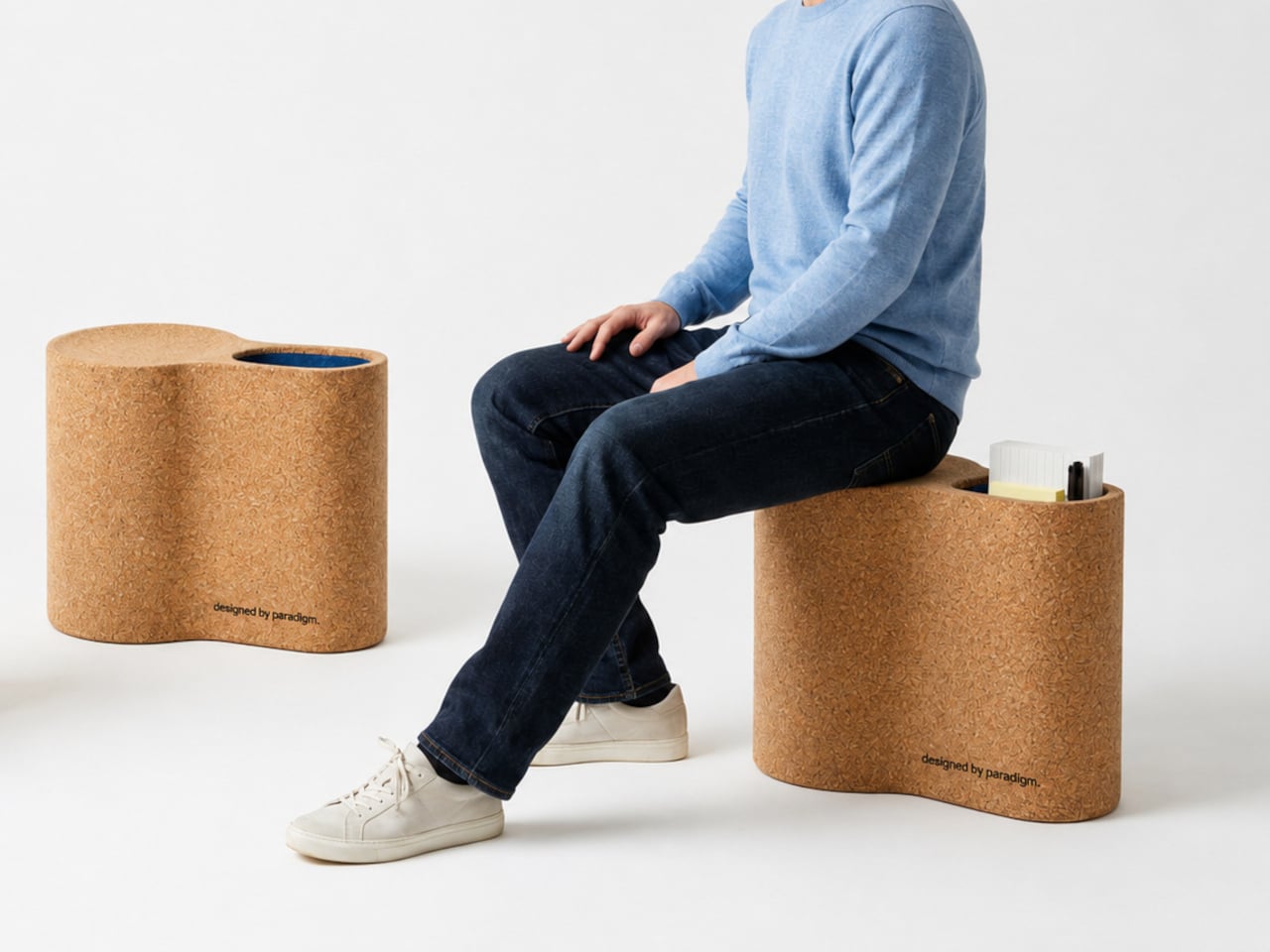
The Bulb is a portable cork stool designed for exactly that problem. It combines a seat with a built-in storage compartment that holds everything a brainstorming session needs, from markers and sticky notes to papers and notebooks. Bring the stool to the session, and the supplies arrive with it. The workspace assembles wherever the work actually needs to happen, without a second trip back to a supply drawer.

Designer: Germain Verbrackel

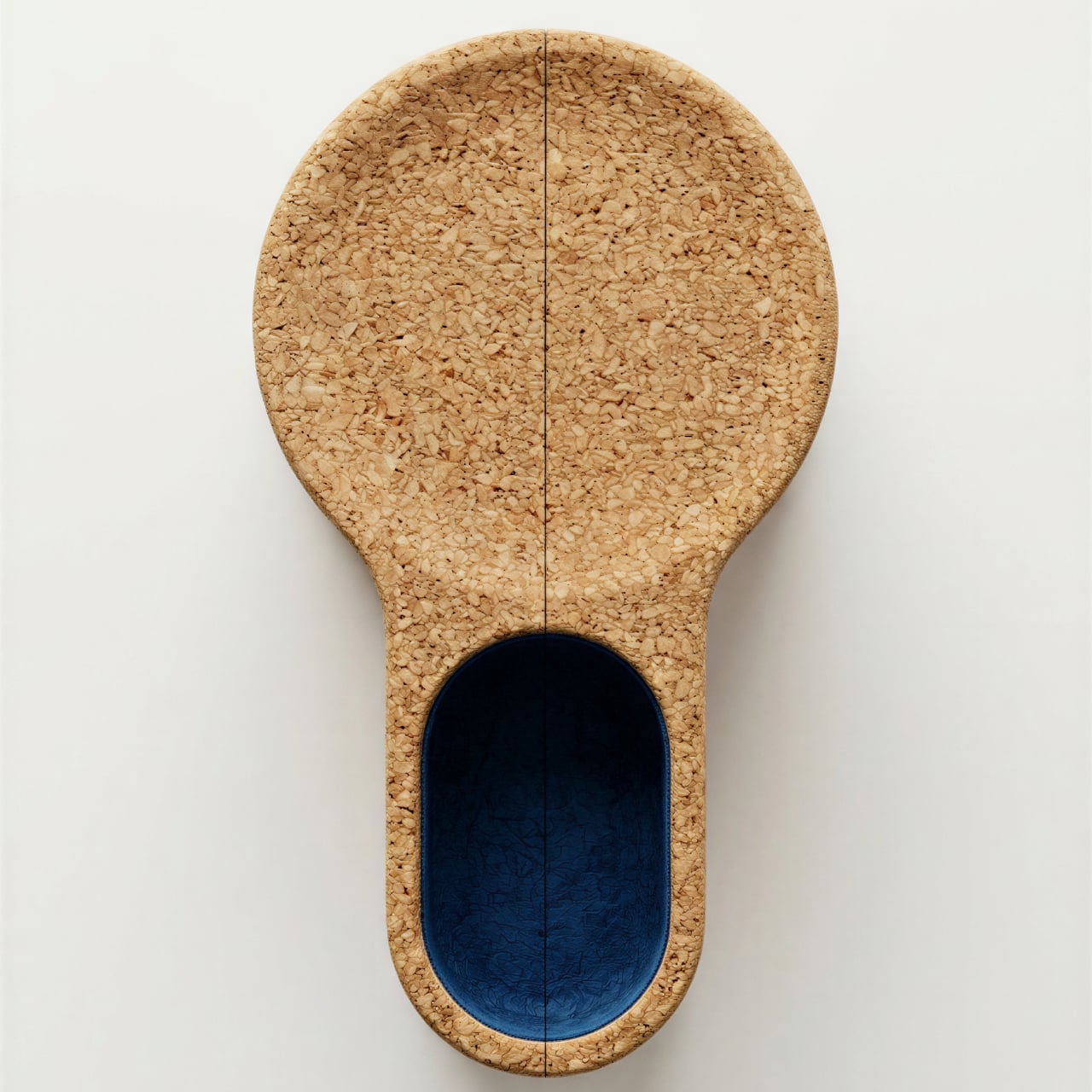
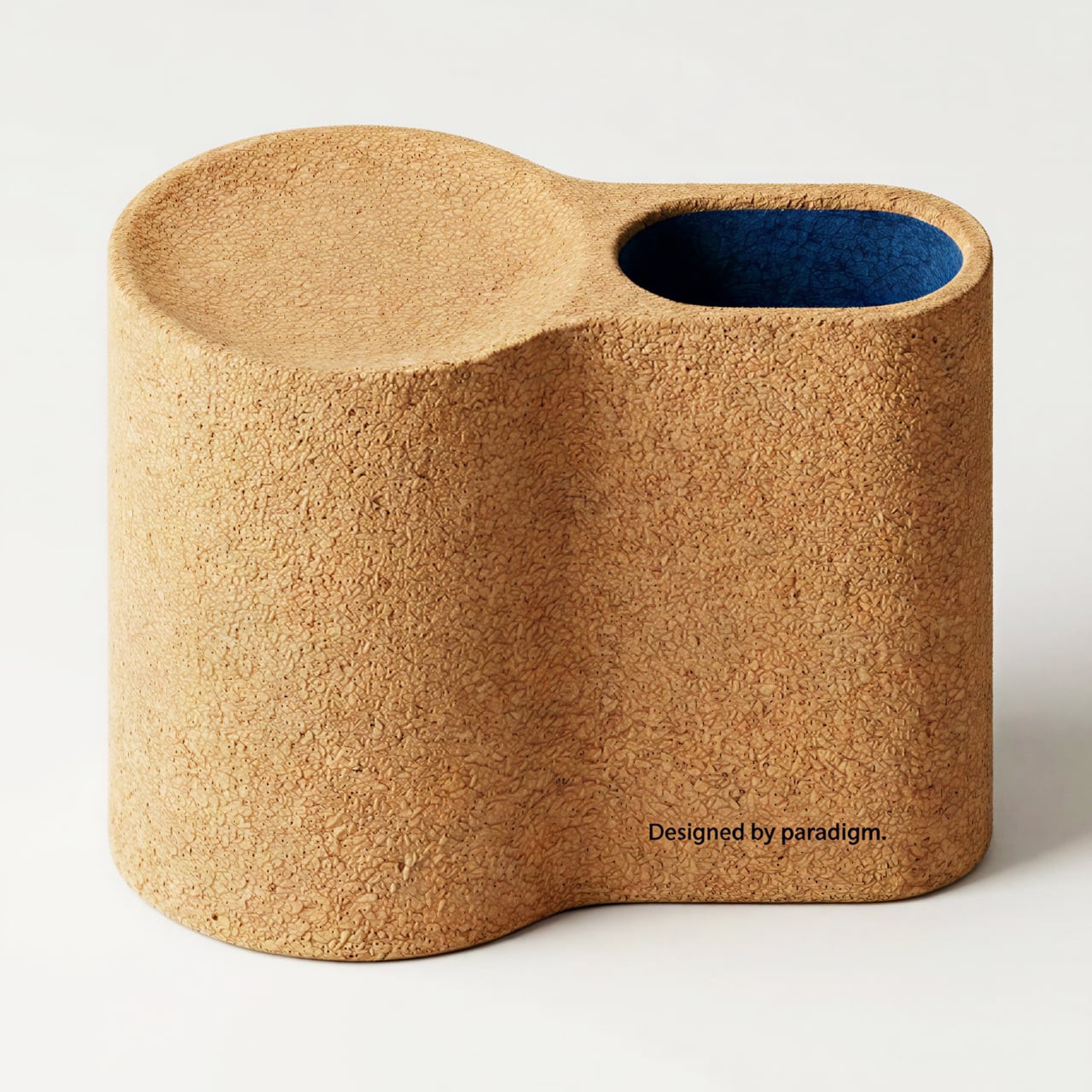
The name earns its meaning when you look down at the stool from above. The silhouette is that of a lightbulb: the wide, rounded seat forms the bulb itself, while the elongated storage compartment extends below to complete the base. It’s the kind of concept that rewards a moment of recognition, where the symbolism arrives quietly after the form does, without the design needing to announce it.
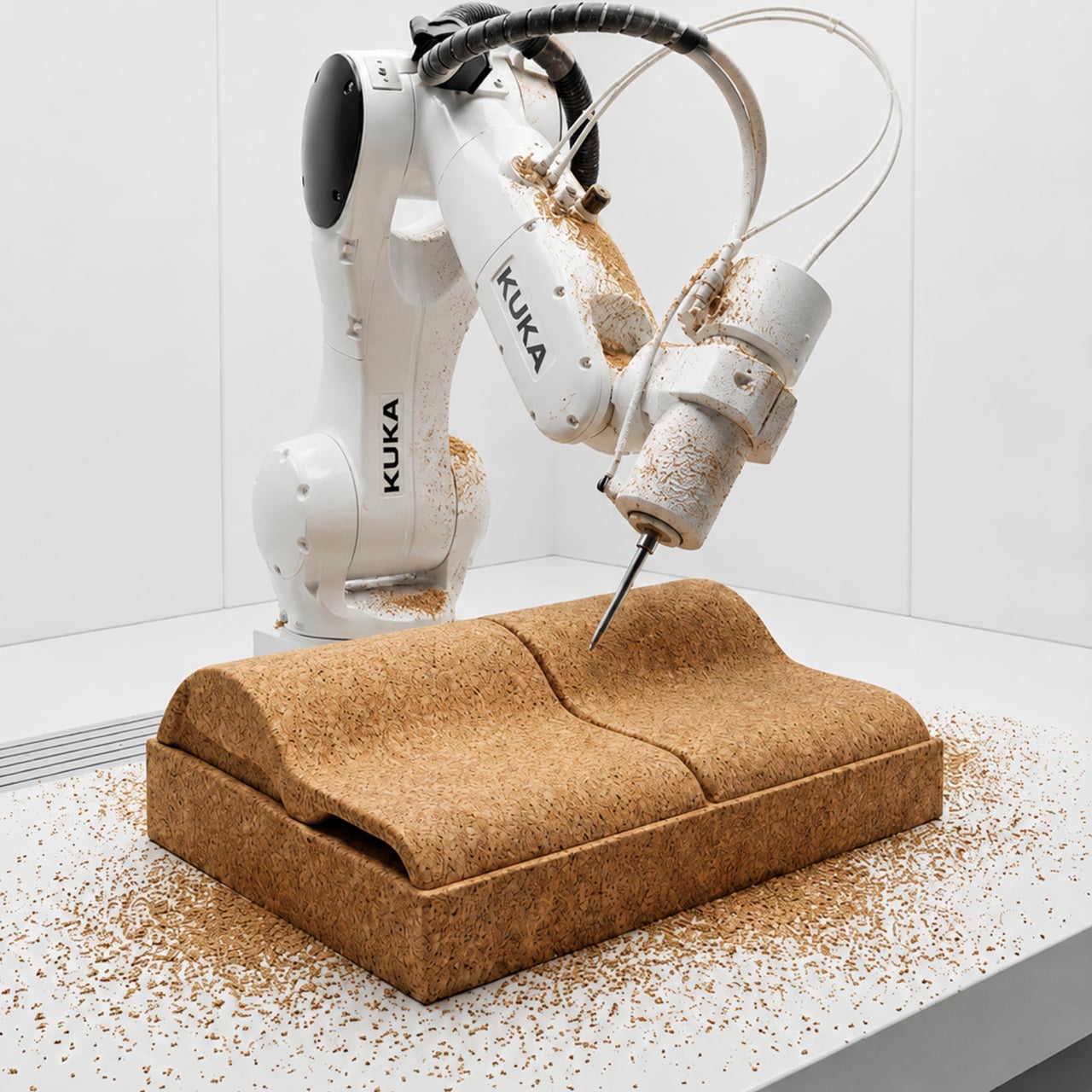
Cork makes a very specific kind of sense as the material here. It’s naturally lightweight, which matters when people are carrying stools between rooms or across an open office floor. The texture and warm sandy color also keep it from reading as institutional furniture. The body is meant to be CNC-milled from compressed cork blocks using a robotic arm, which gives the organic, curved form its precision without traditional joinery or assembly hardware.
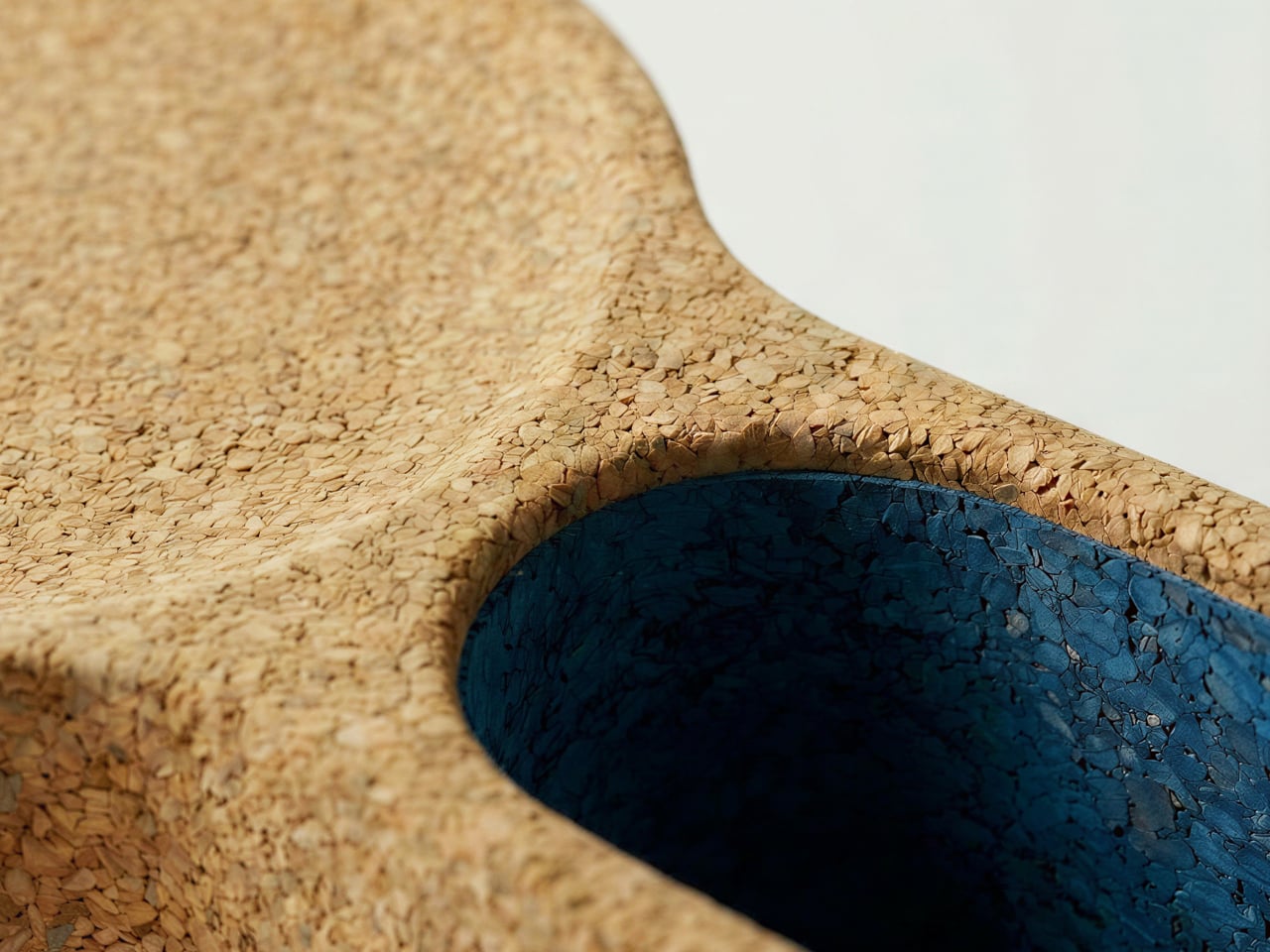
The interior of the storage compartment is lined in deep blue cork, making the cavity immediately identifiable against the natural exterior. The opening holds markers, sticky notes, papers, and notebooks securely enough to carry while walking. It also functions as the carry handle: the curved indentation along the stool’s side fits a hand comfortably, so the stool and its contents travel together in a single grip.

That practicality extends to how quickly a session can actually get started. One person can carry a stool at arm’s length without effort, and someone with a reasonable reach can manage two at once. A small team can have seating and supplies in place within moments of deciding where to gather, removing one of the more underappreciated obstacles from any impromptu collaborative session.
Cork also makes a credible case beyond its weight advantage. The material is harvested by stripping bark from the tree rather than cutting it down, allowing the tree to regenerate and be harvested again roughly every nine years. The Bulb isn’t trying to replace permanent office furniture or redefine how meeting rooms work. It’s a more modest proposal: a seat that assumes the people sitting on it want to get something done, and brings along the things they’ll need to do it.

The post A Portable Cork Brainstorming Stool For Literal Lightbulb Moments first appeared on Yanko Design.
Google Built a Translation Device That Doesn’t Need Google’s Own Cloud

Real-time translation has quietly become one of the most useful things AI can do, and most of the solutions doing it well are deeply dependent on cloud infrastructure. The phone apps and earbuds that translate conversations on the fly are continuously routing audio through remote servers, which works fine until the network doesn’t. Travel to areas with spotty coverage, use a device that can’t roam internationally, or simply value keeping your conversations off someone else’s server, and the whole pipeline collapses at the exact moment you need it most.

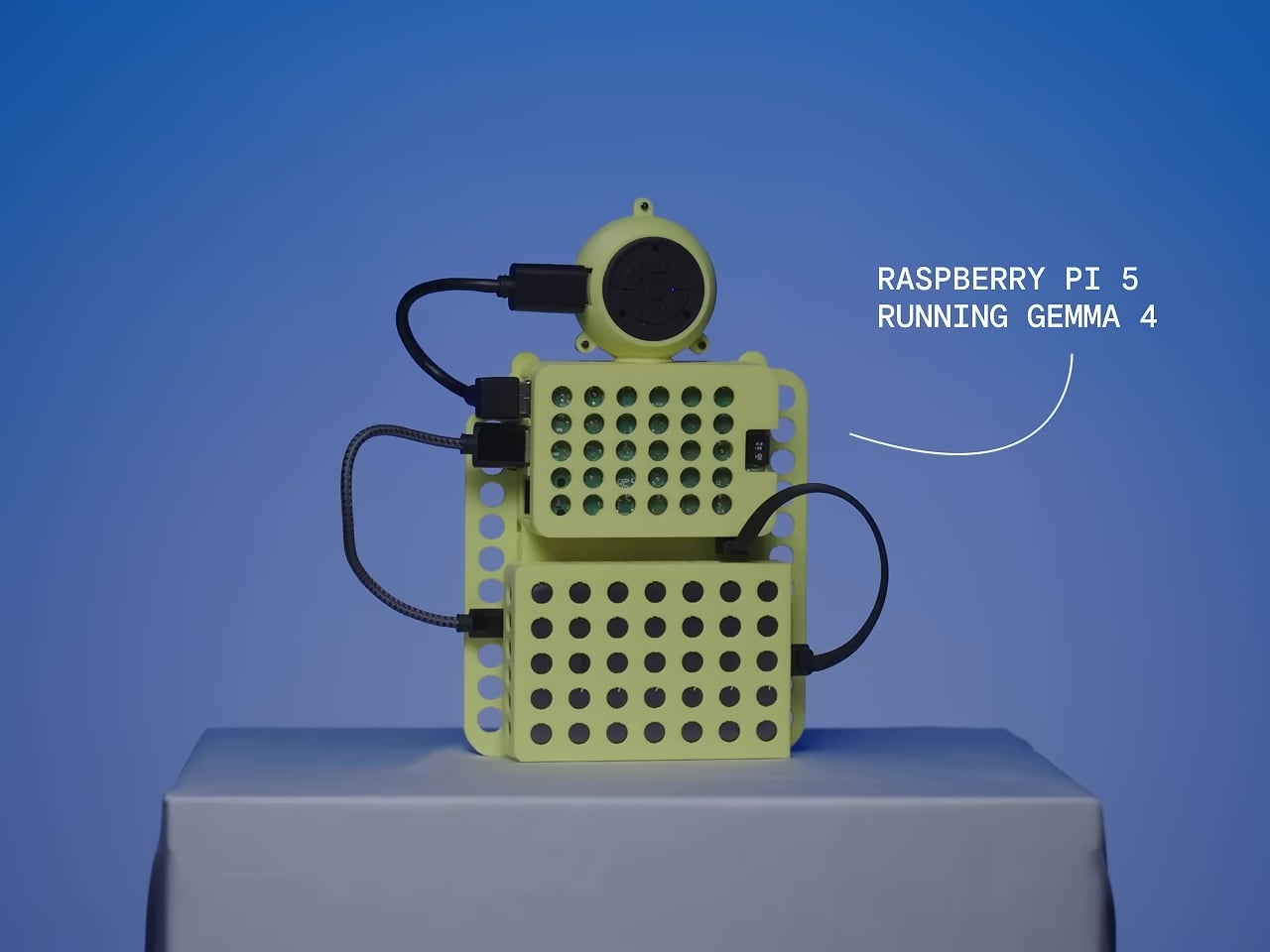
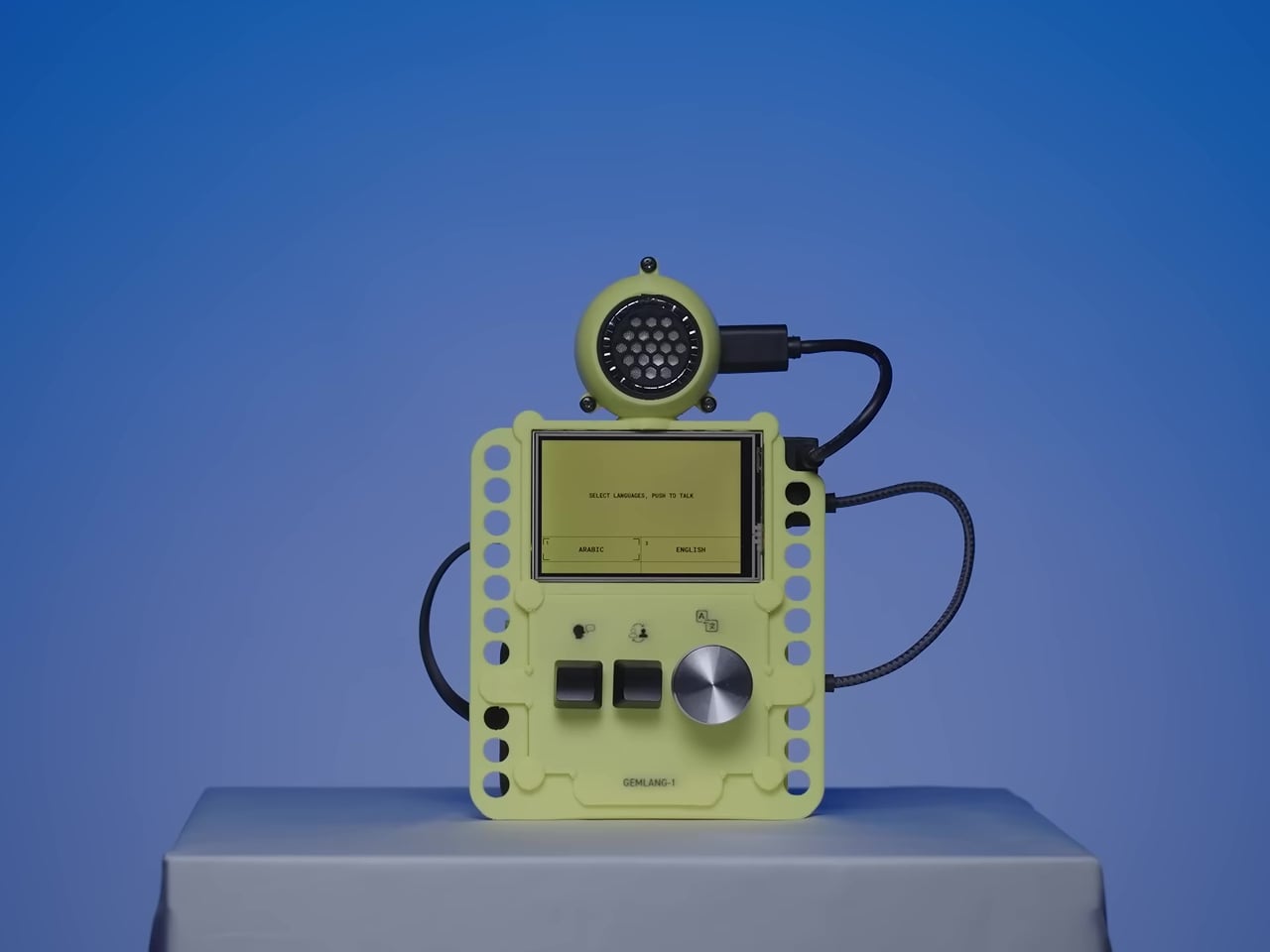
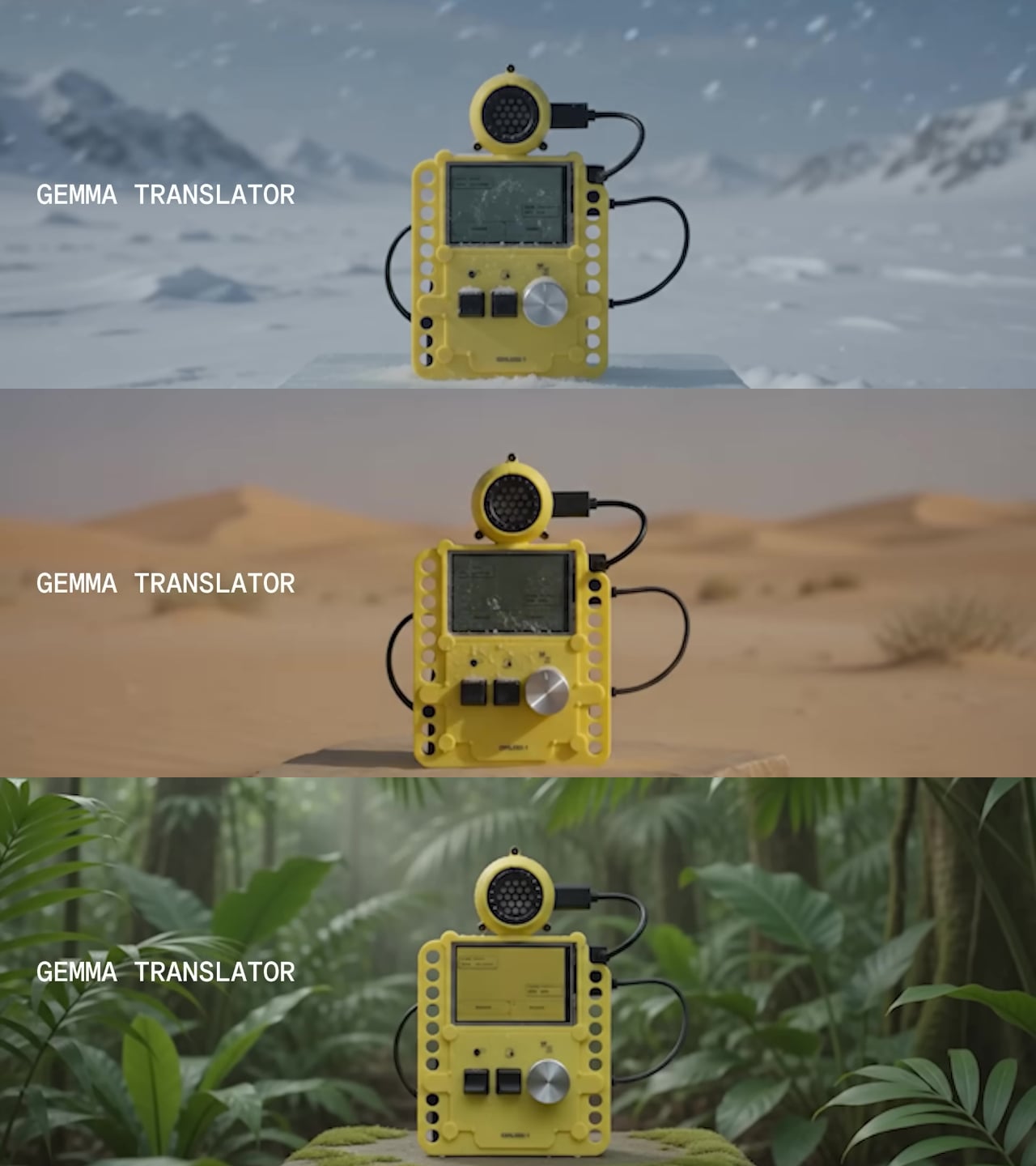
The Gemma Translator is a direct answer to that. It’s a handheld voice translation device that runs its entire AI processing pipeline locally on a Raspberry Pi 5, with no internet required after the initial setup. There’s no cloud to route audio through, no API key to maintain, and no service that can be discontinued. You speak into it, and it translates and speaks back, all on the same pocket-sized device.

Designer: Google

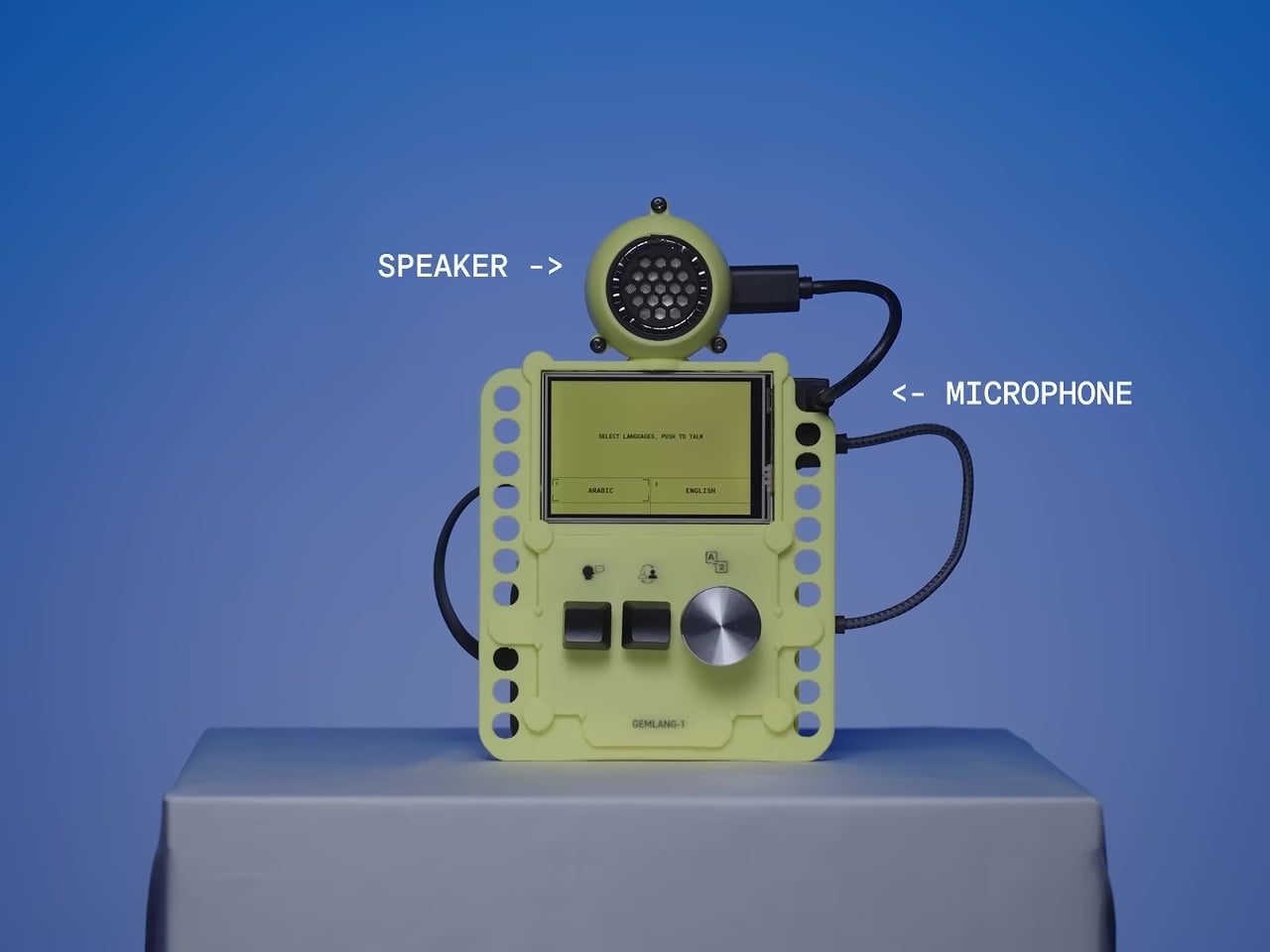
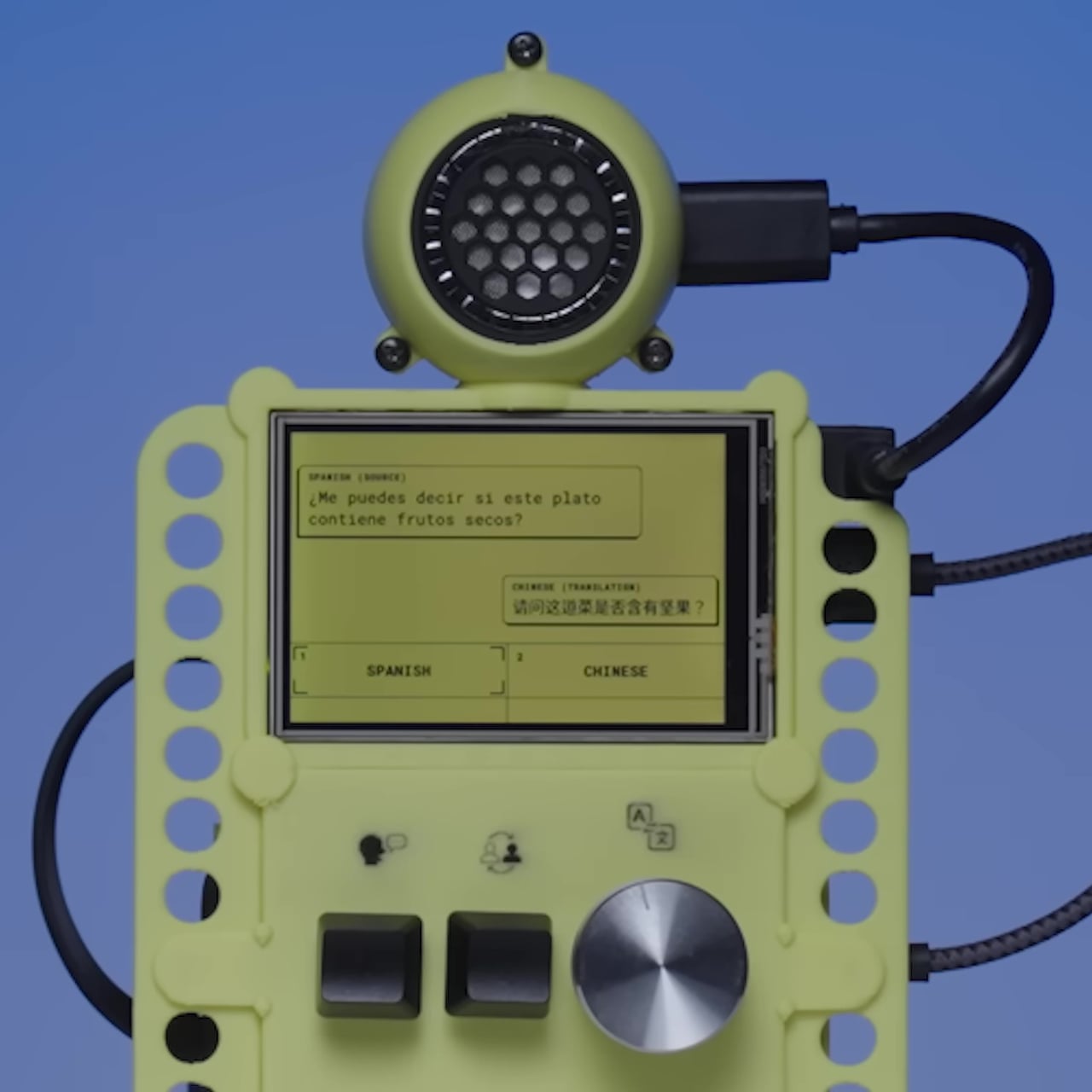
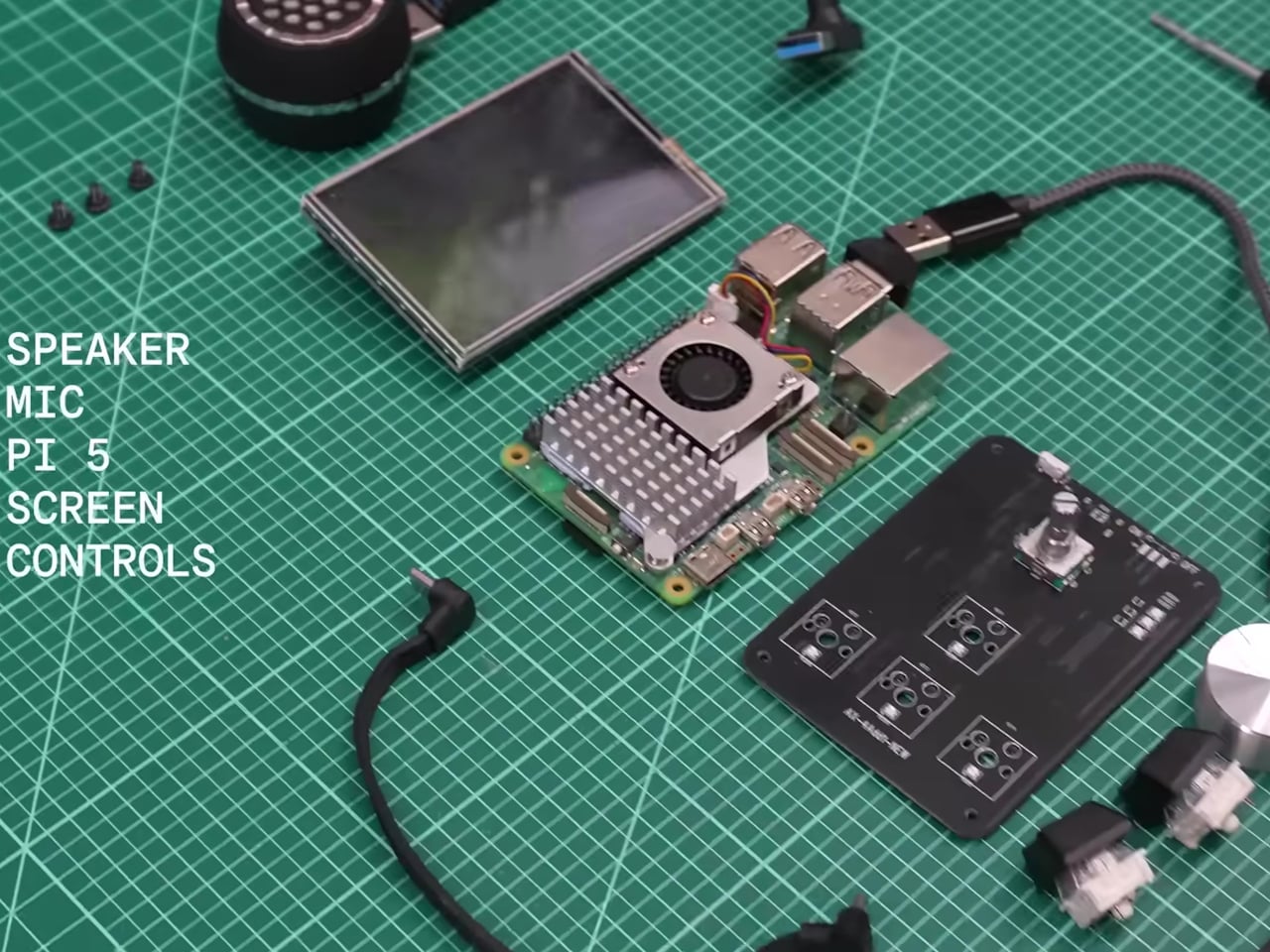
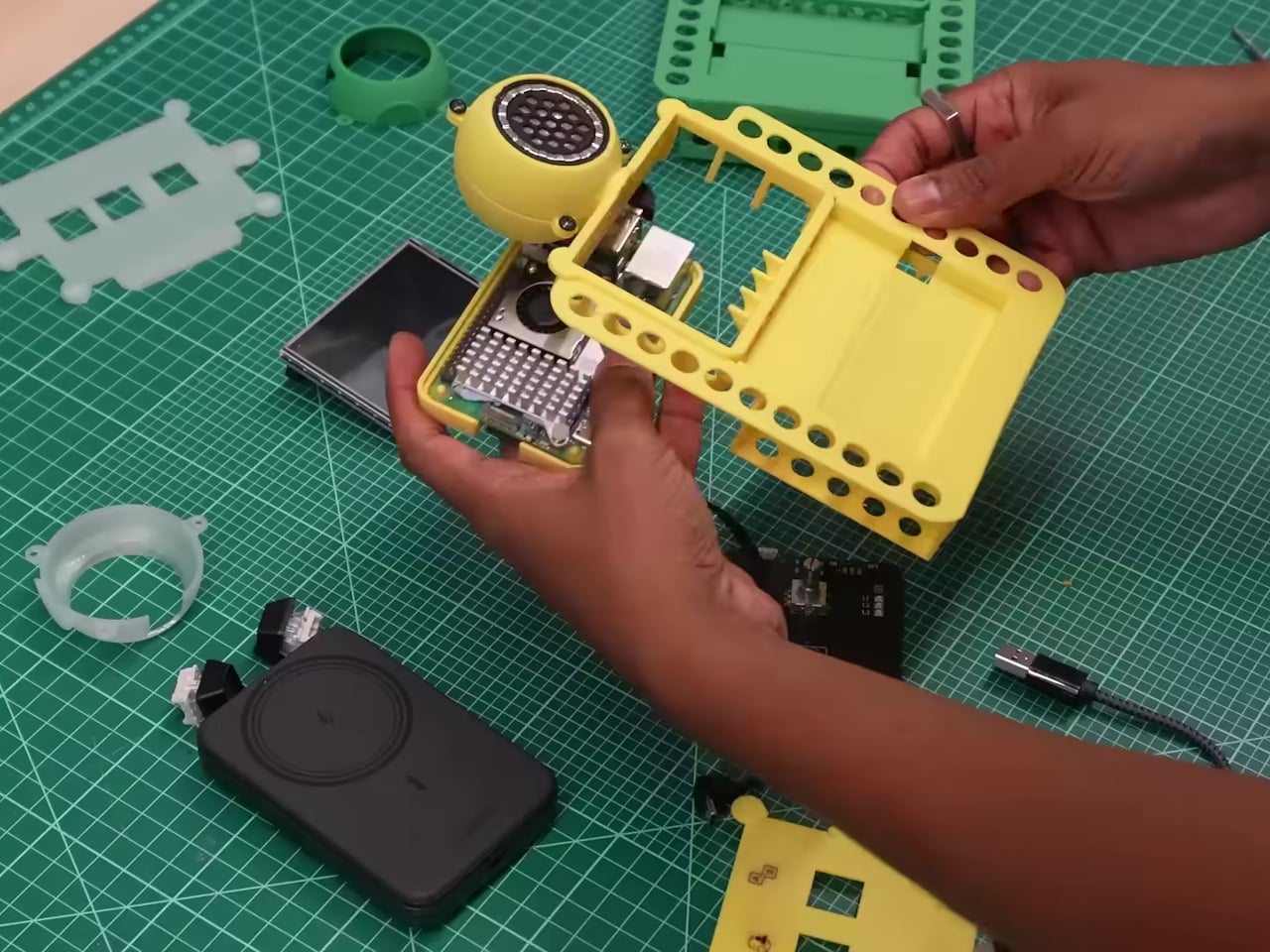
The hardware is deliberately approachable. A Raspberry Pi 5 with 8 GB of RAM powers the whole thing, paired with a 480×320 touchscreen, a microphone, a speaker, push-to-talk buttons, and a rotary encoder for selecting languages. Everything fits inside a 3D-printed enclosure in yellow and black, and the STL files for printing it are included in the open-source repository, so anyone with a printer can replicate the physical build exactly.

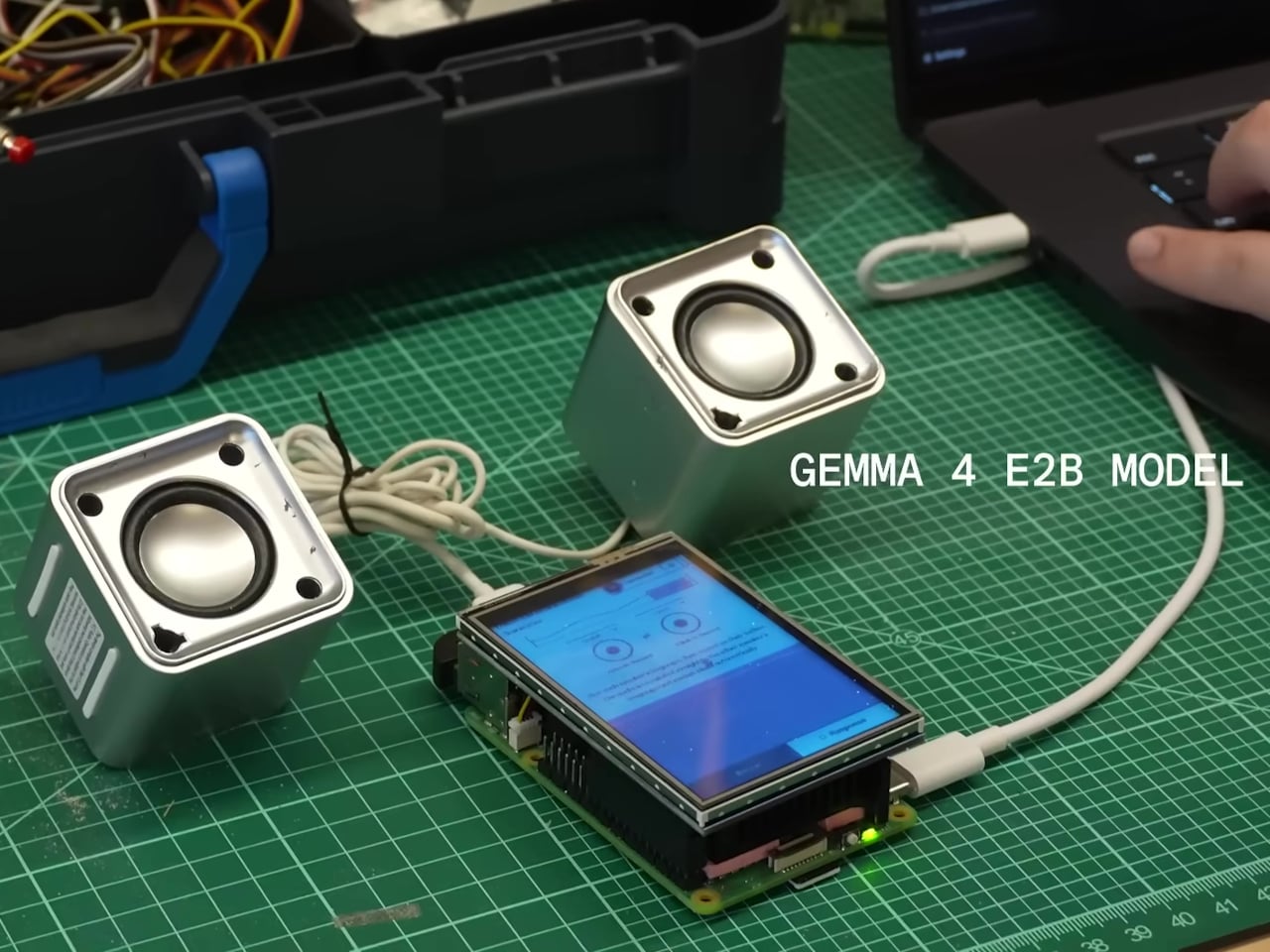
The software stack is what makes the offline operation genuinely work at useful speeds. Translation runs on Google’s Gemma 4 E2B model via LiteRT-LM, hitting around six tokens per second on the RPi 5 while using under 1.5GB of RAM. Speech recognition uses Moonshine, which is reportedly up to five times faster than Whisper Tiny. Text-to-speech output runs through Kokoro. The result is a complete speech-in, speech-out translation loop that stays on the device from start to finish.

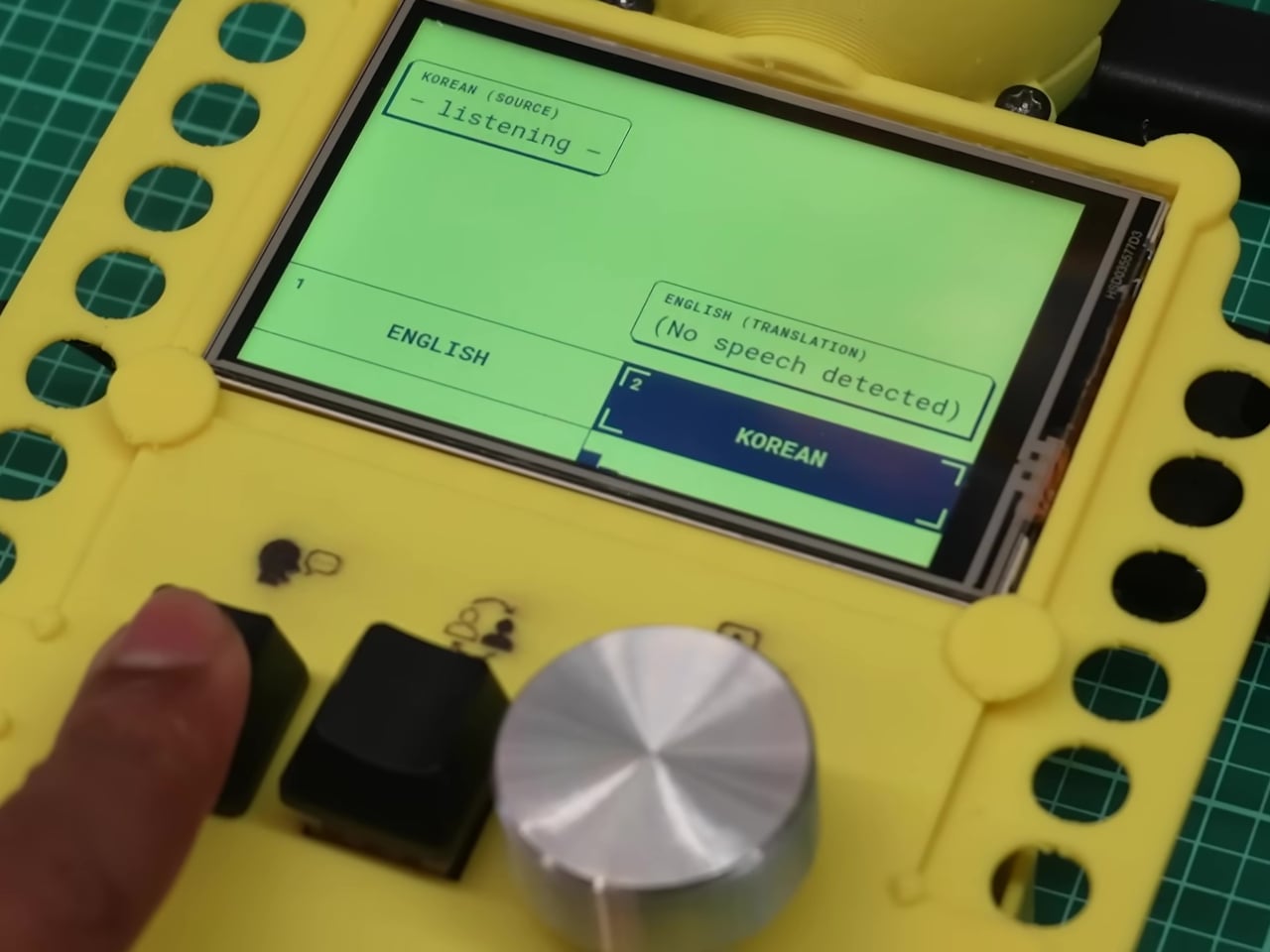
The interface was designed specifically for face-to-face conversation rather than solo use. Two modes let the device handle either one person managing both sides of the exchange or two people independently operating their own microphone and language selection. Physical buttons keep recording controls tactile, which matters when you’re trying to have a conversation rather than navigate menus.

The privacy argument is almost incidental to how useful the offline capability turns out to be in purely practical terms. Field researchers in areas without reliable networks, travelers moving through places where international data is expensive, and anyone working in a sensitive conversation context all get the same thing: a translation device that doesn’t require a connection to keep working. The fact that none of the audio ever leaves the device is simply a consequence of building something that had to work without one.

The post Google Built a Translation Device That Doesn’t Need Google’s Own Cloud first appeared on Yanko Design.

This Mod Made a Steam Machine Faceplate Charge Your Steam Controller

The Steam Machine has swappable faceplates, which is a genuinely good idea that Valve doesn’t appear to have fully exploited. The concept is essentially that the front panel of the console is a blank cosmetic slate, open to third parties and hobbyists to design around. So far, most of what’s been proposed has leaned on that word: cosmetic. Different textures, different graphics, different visual personalities for what is otherwise a matte black gaming cube.

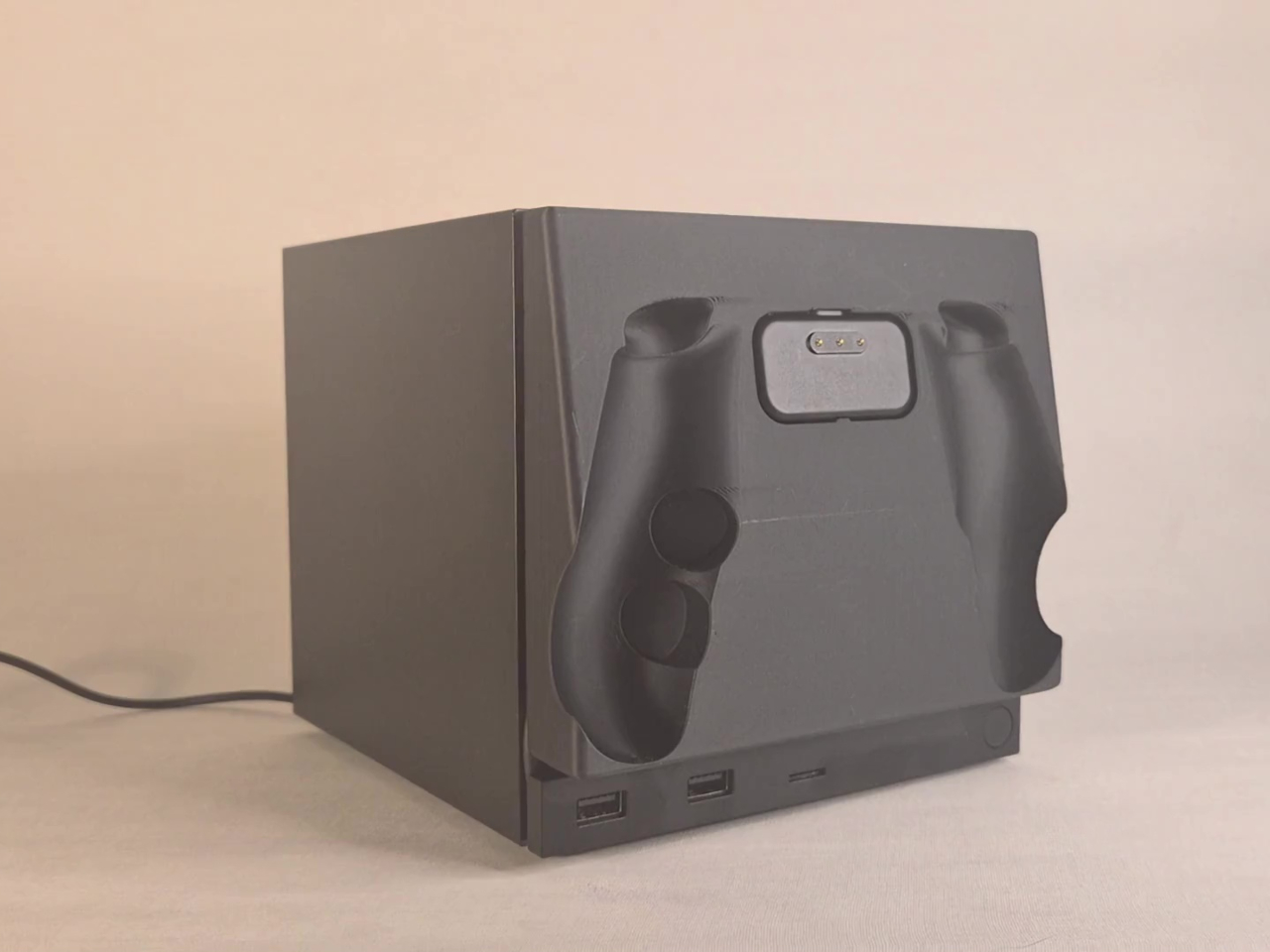
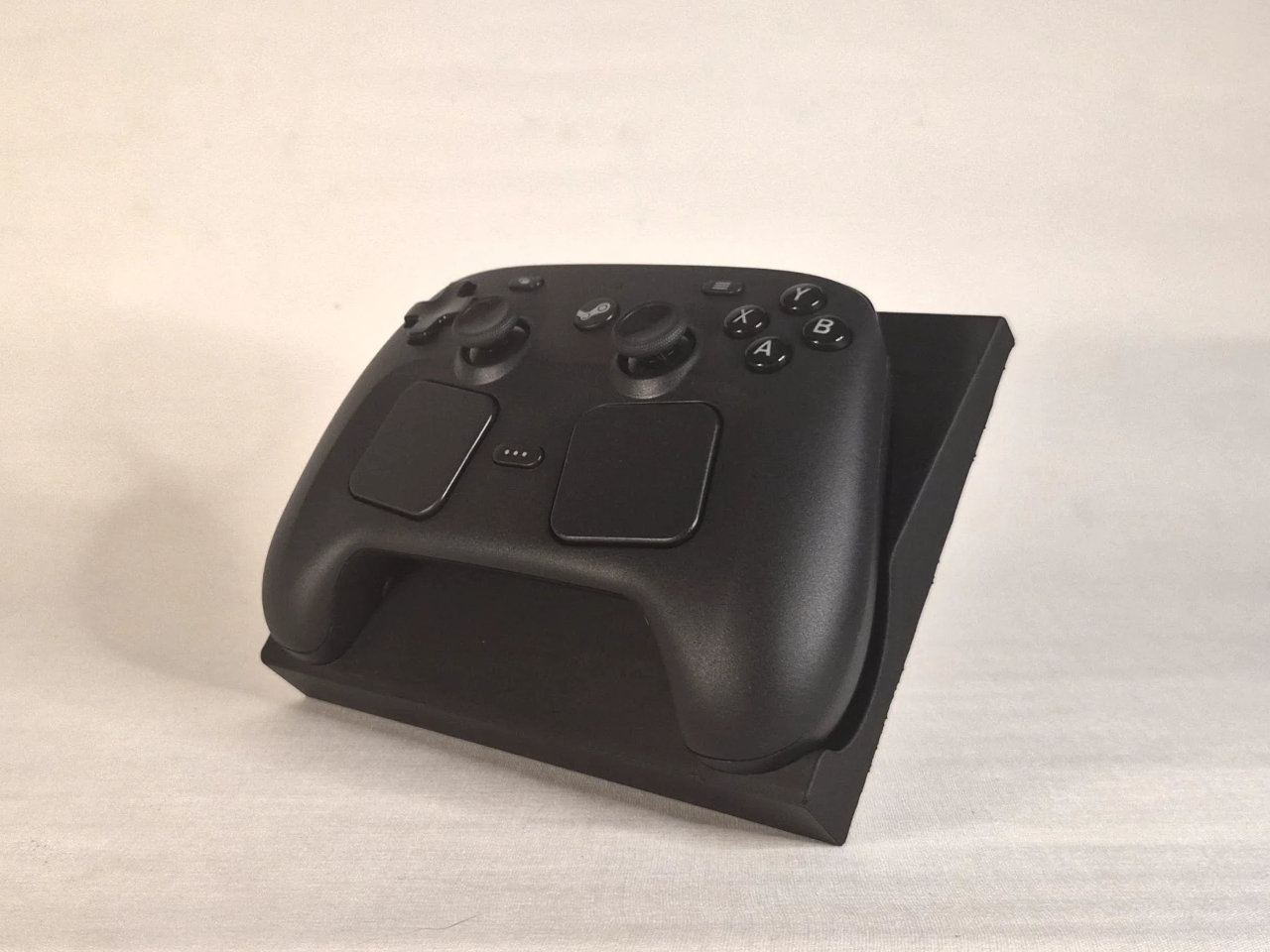
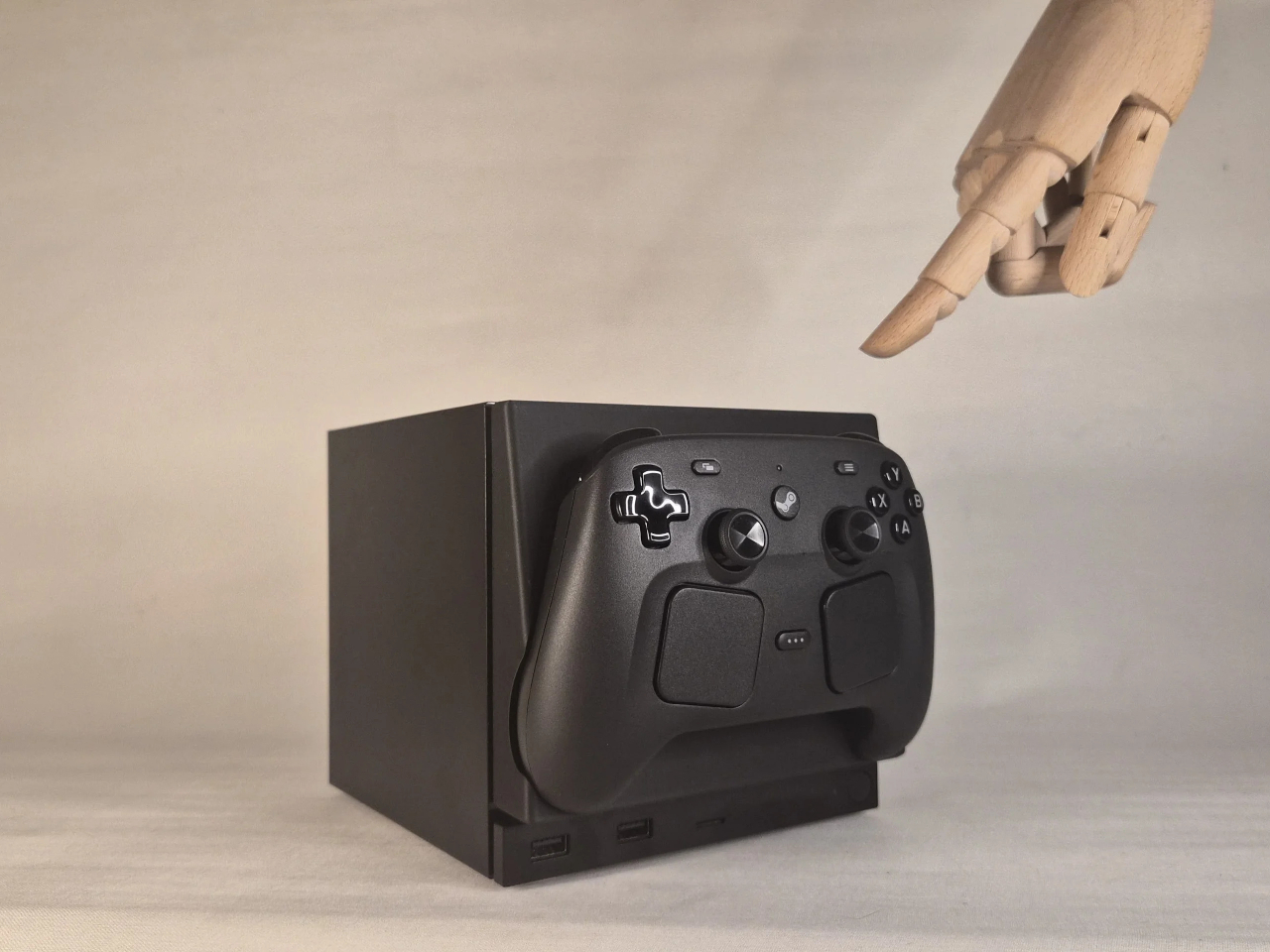
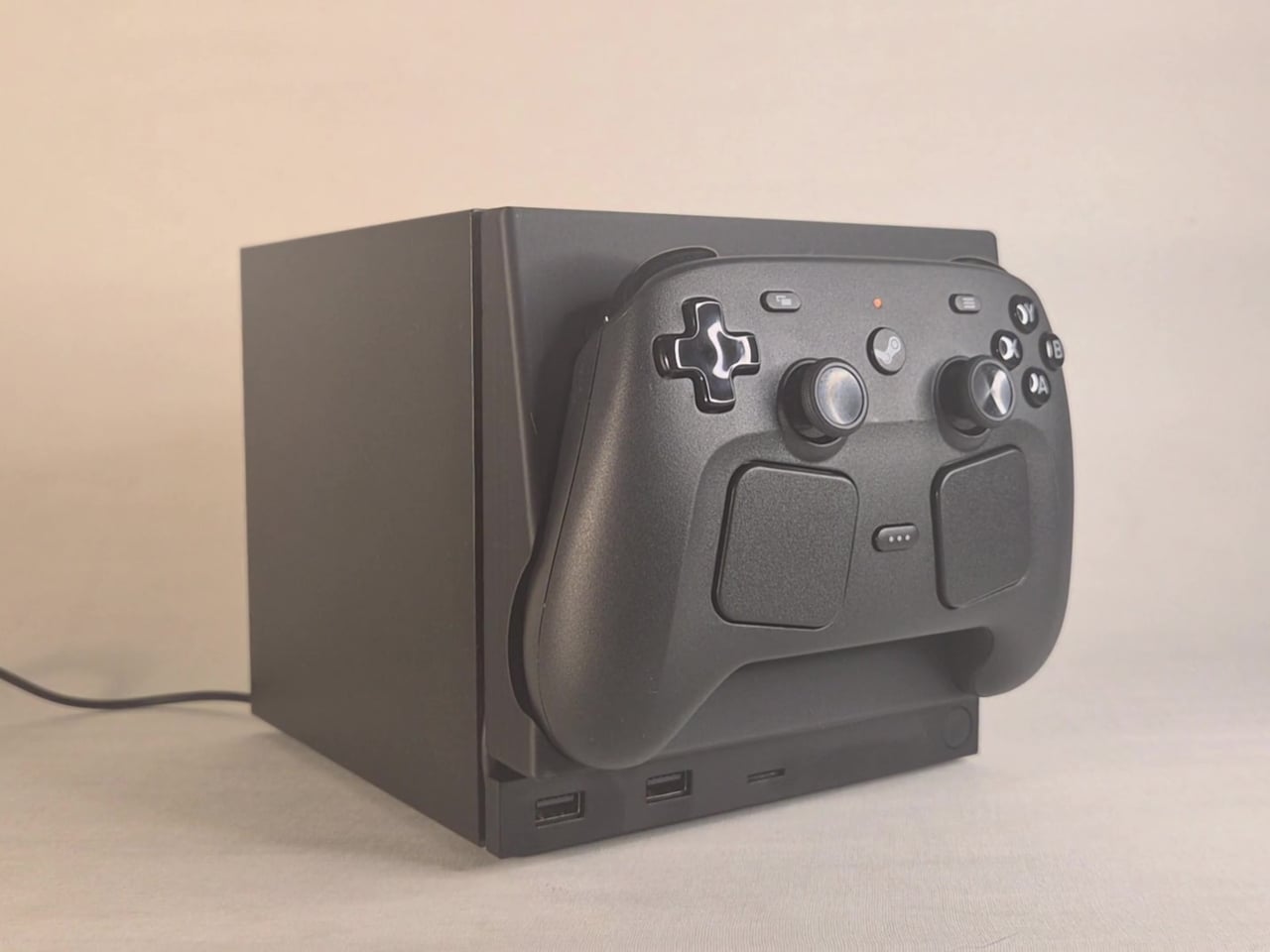
This faceplate mod takes a different approach by asking what the panel could actually do. The result is a replacement front cover that integrates a charging cradle for the Steam Controller directly into the face of the console, turning what would normally be dead real estate into a functional docking station. Set the controller down, it charges. Pick it up, it’s ready. No separate charging puck dangling off to the side.

Designer: NefariousnessWhole25

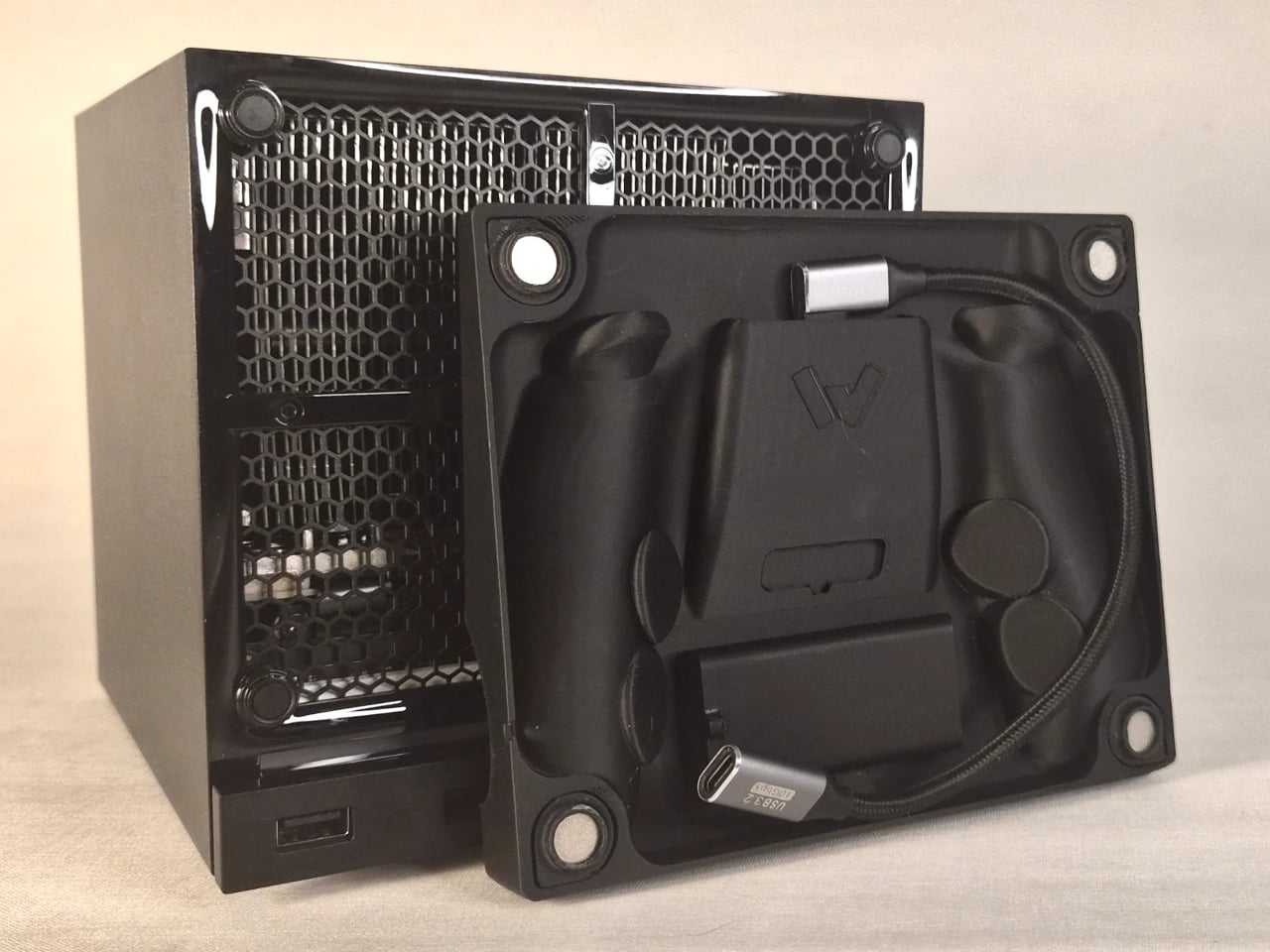
The charging mechanism uses the Steam Controller’s own wireless puck seated inside the faceplate cradle, with a USB cable routed discreetly around the inside edge of the panel and into one of the Steam Machine’s existing USB ports. It’s a routing solution rather than a rewiring one, which keeps the electrical side simple and reversible. The puck sits in the cradle, the controller sits on the puck, and the whole arrangement slots onto the front of the machine like any other faceplate.

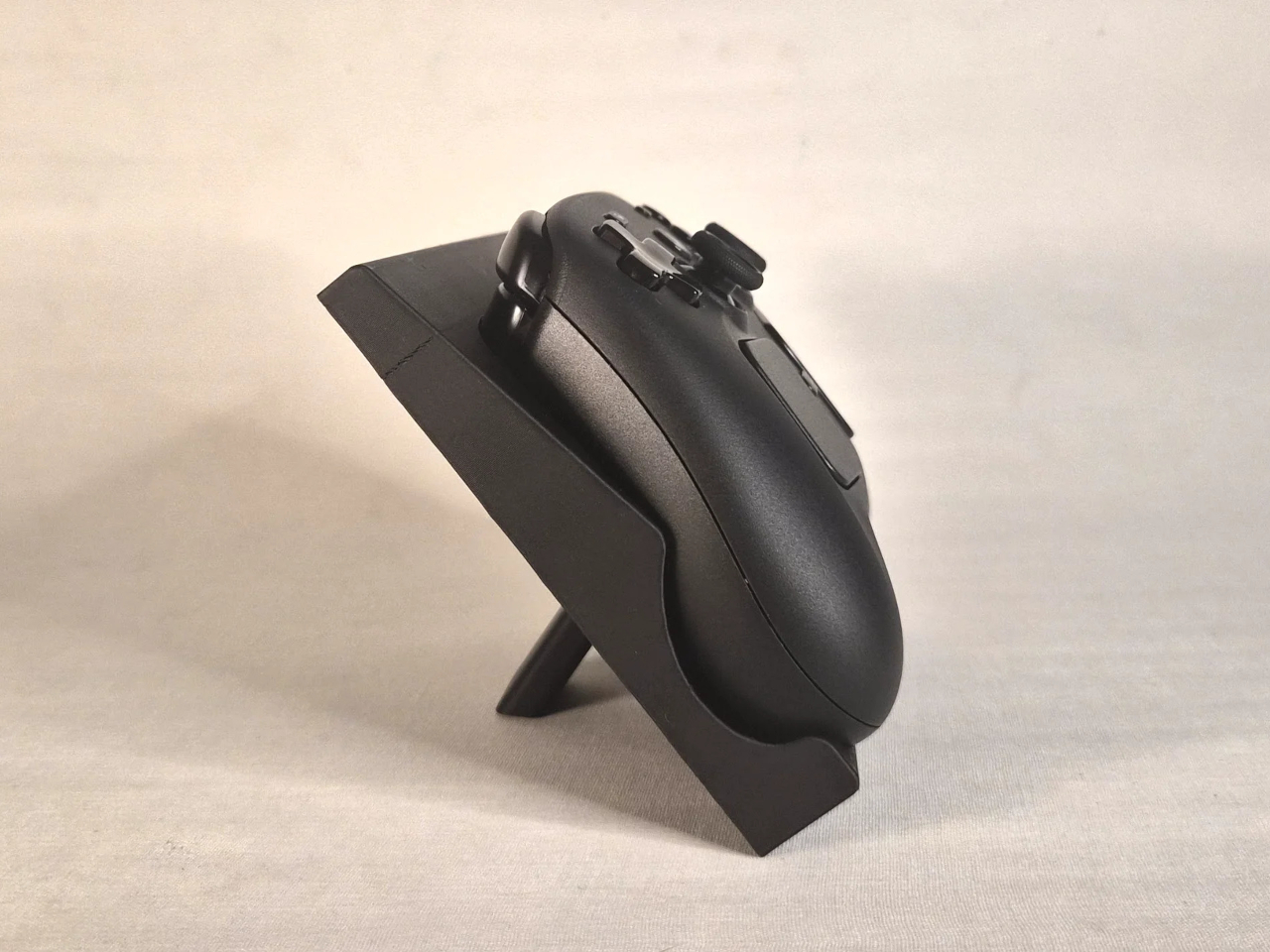
What makes it more than a wall mount with ambition is the kickstand built into the rear of the panel. It folds out from the back of the faceplate, propping the cradle up at an angle, turning the entire assembly into a standalone desk dock that works independently from the Steam Machine. Take the faceplate off the console and prop it up on a table, and it functions as a charging stand on its own terms.

The inspiration came partly from Valve’s own demonstration of an e-ink faceplate, which showed that the panel slot was capable of doing more than holding a decorative cover in place. That demonstration didn’t ship as a product, but it established the idea that the faceplate system had functional potential beyond aesthetics. This mod picks up that thread and takes it somewhere more immediately useful for anyone who has both pieces of Valve’s current hardware sitting on the same desk.

Design files haven’t been released yet, and there are no confirmed plans to sell finished units. The prototype is out, it works, and it raises a question worth asking about Valve’s approach to the faceplate ecosystem: if a single modder can turn the front panel into a functioning charging dock over a weekend, what would a dedicated accessory program actually look like at scale?

The post This Mod Made a Steam Machine Faceplate Charge Your Steam Controller first appeared on Yanko Design.

The Luxury Hotel Concept That Works Like a Food Truck for Wilderness

Luxury hotels have always had a location problem. The kinds of places that would make the most extraordinary backdrops, remote desert plains, rolling highland meadows, dramatic canyon edges, are almost never the places where a hotel can legally or practically be built. Extending infrastructure to those sites, from power grids to road access to permanent foundations, tends to either cost too much or damage the very landscape that made the location worth visiting.

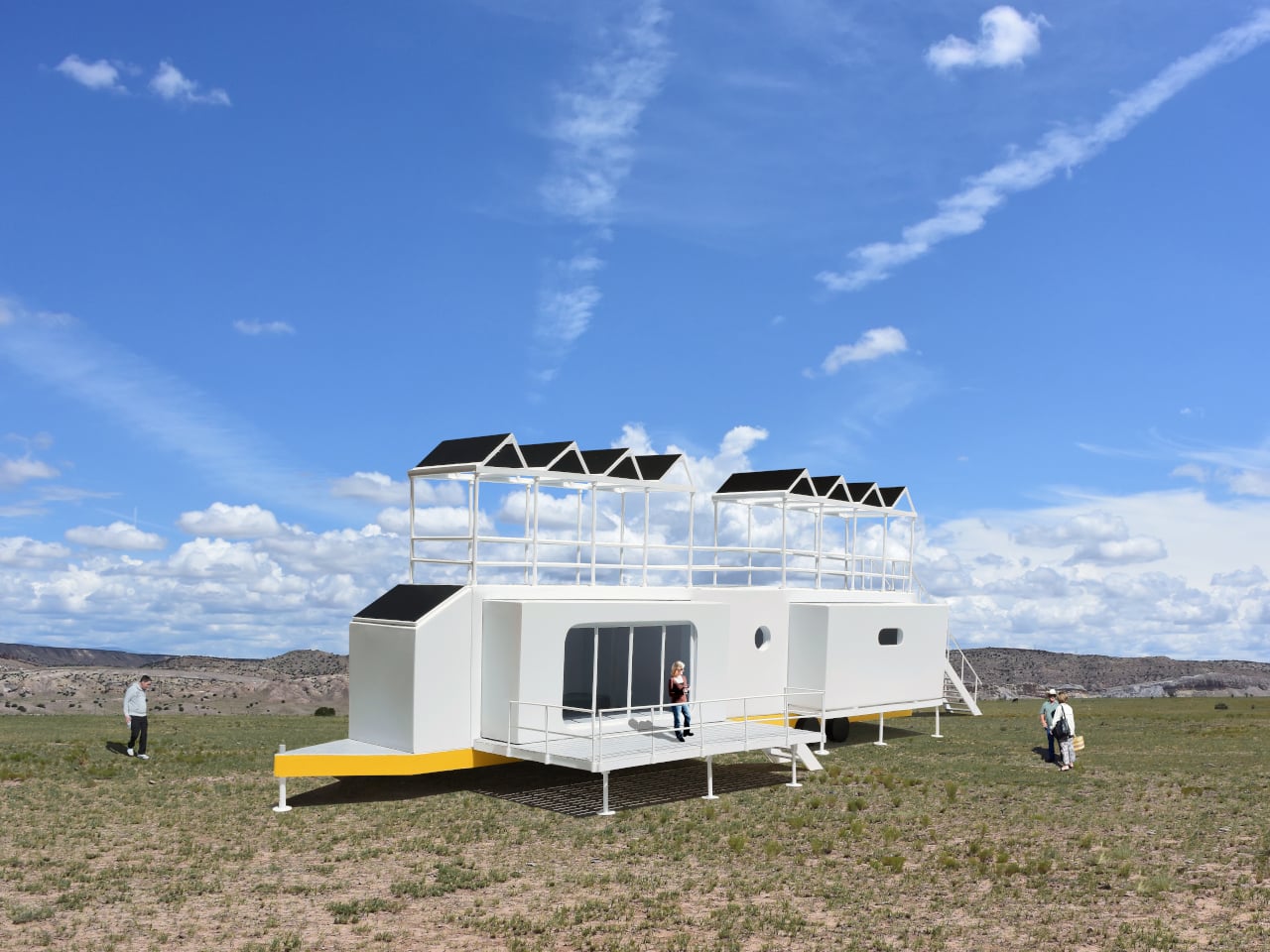
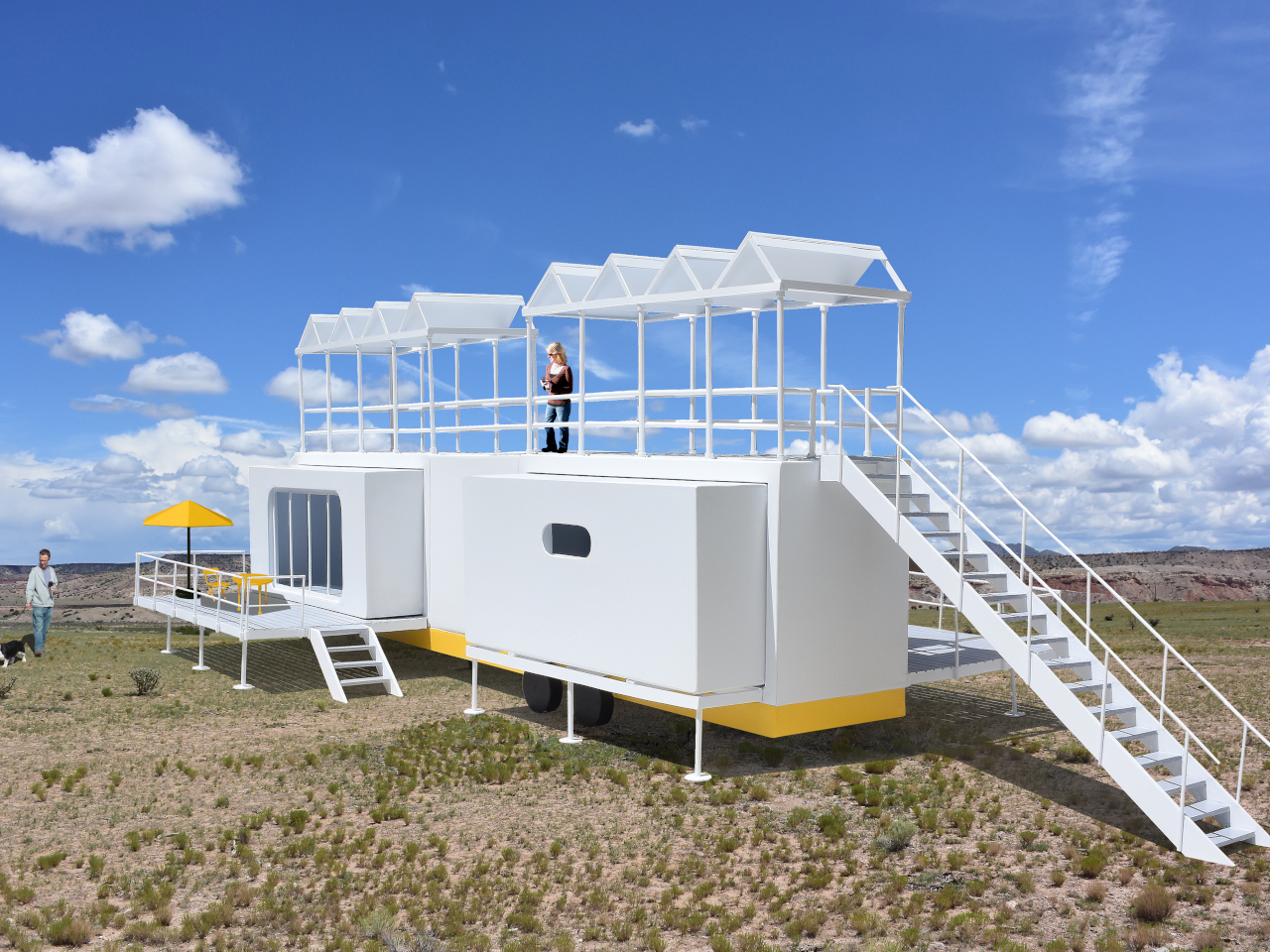
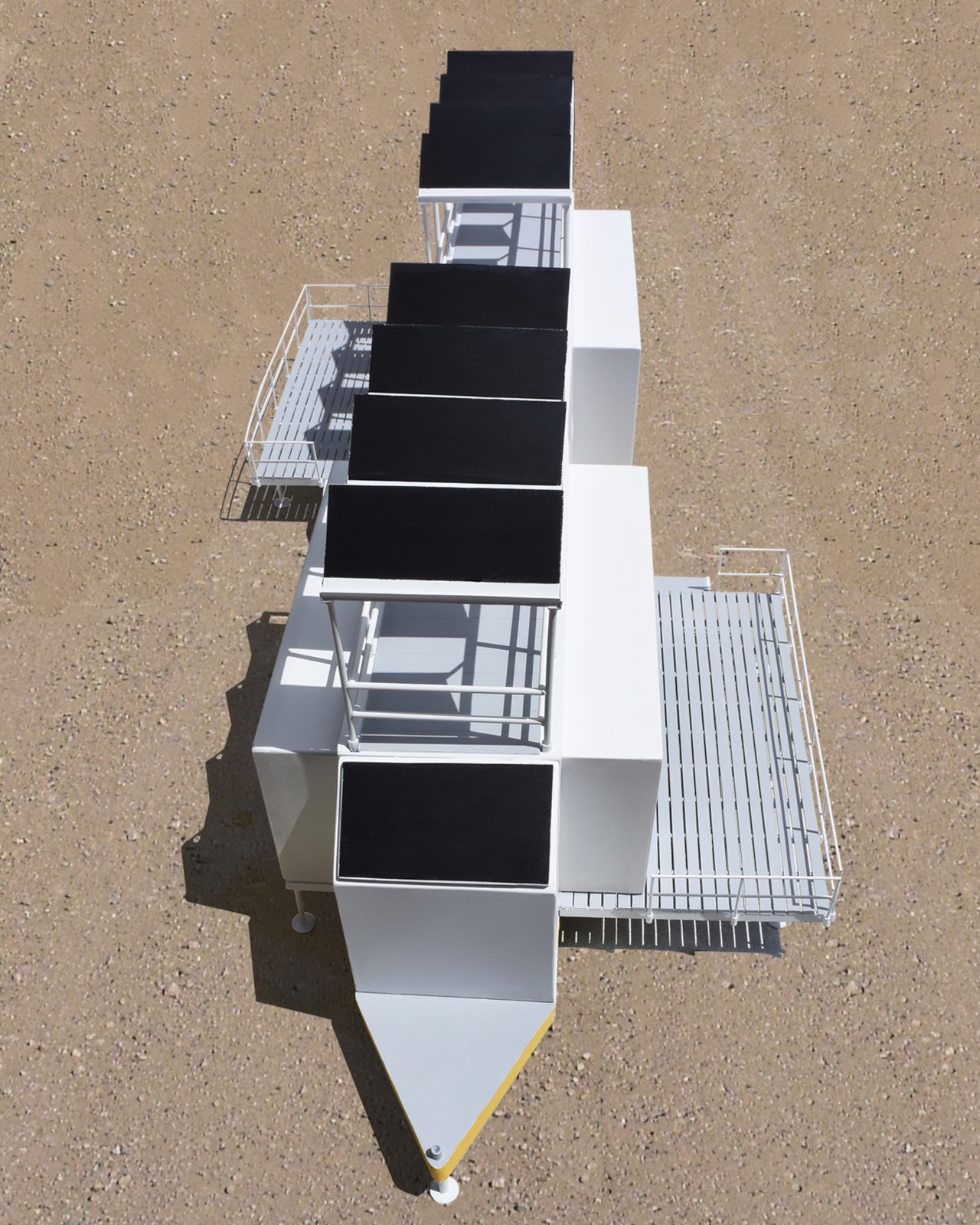
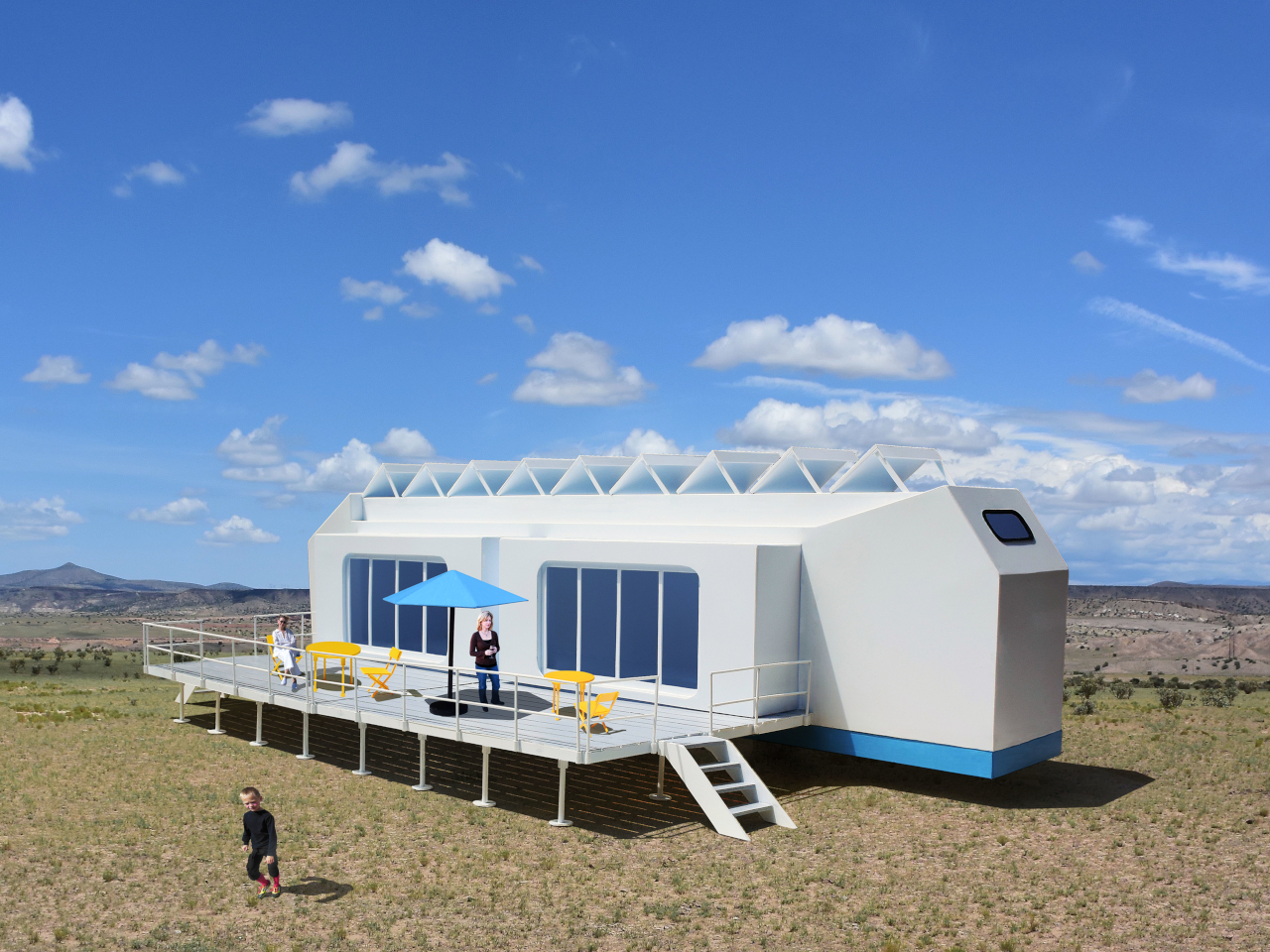
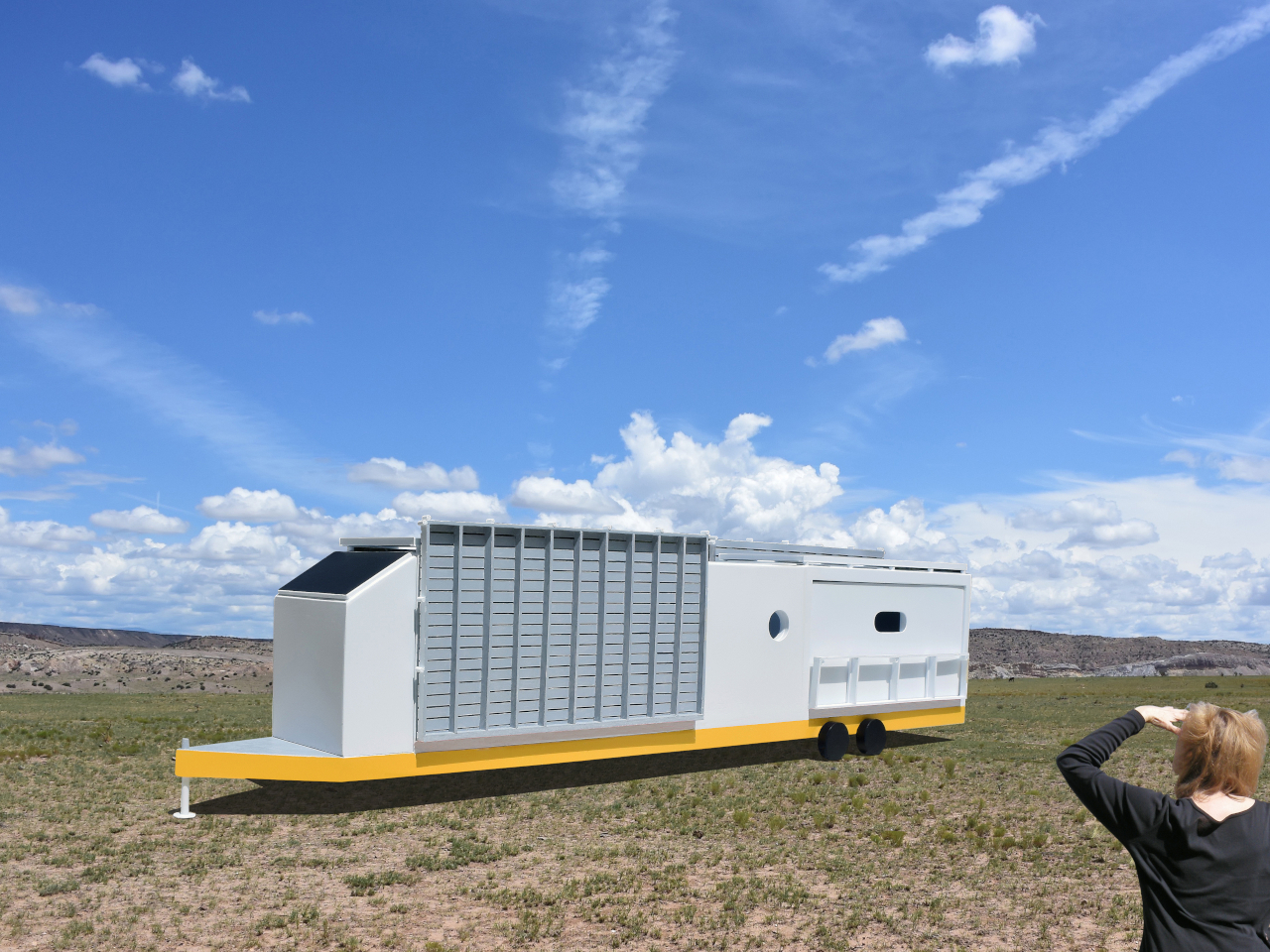
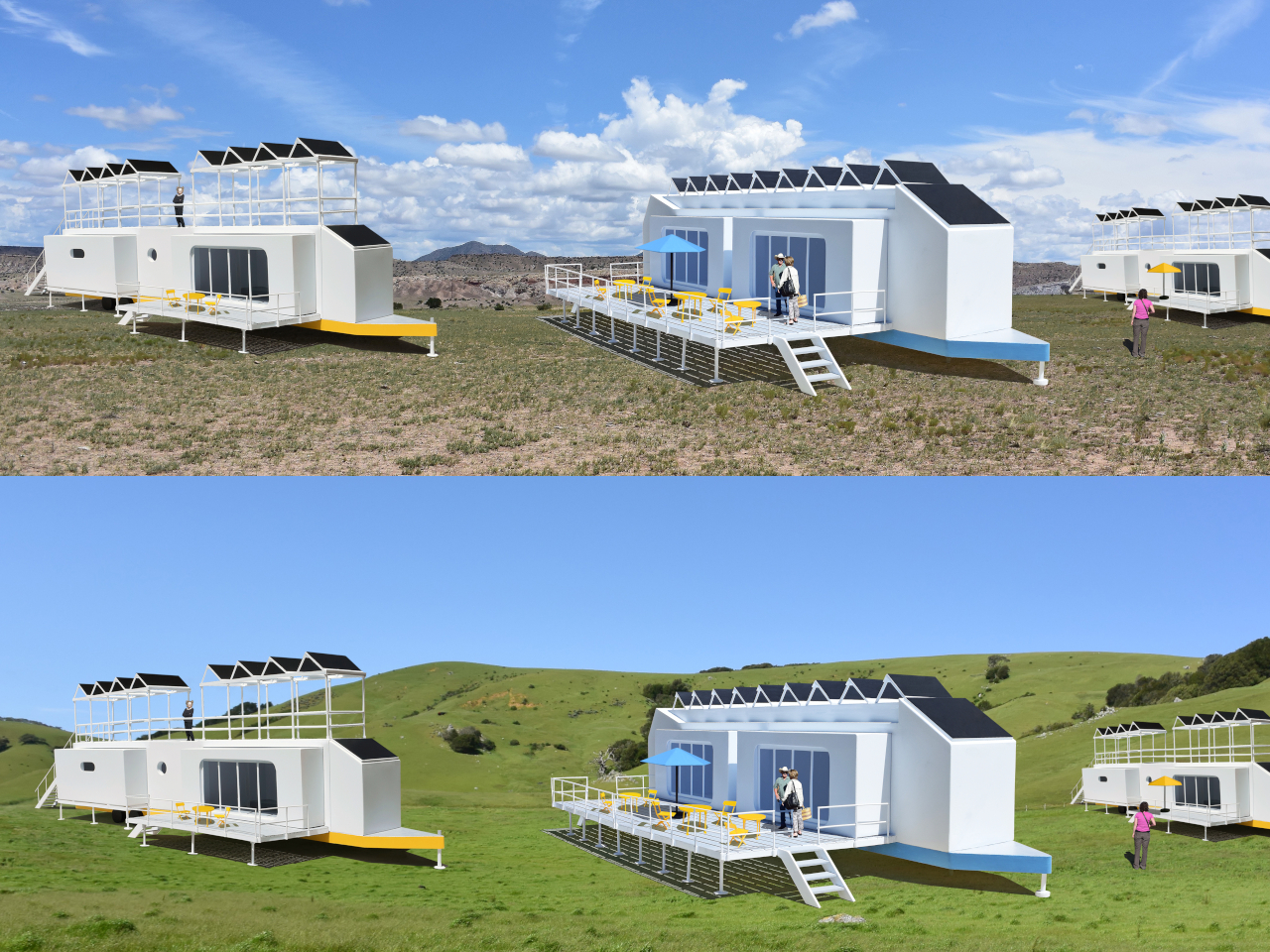
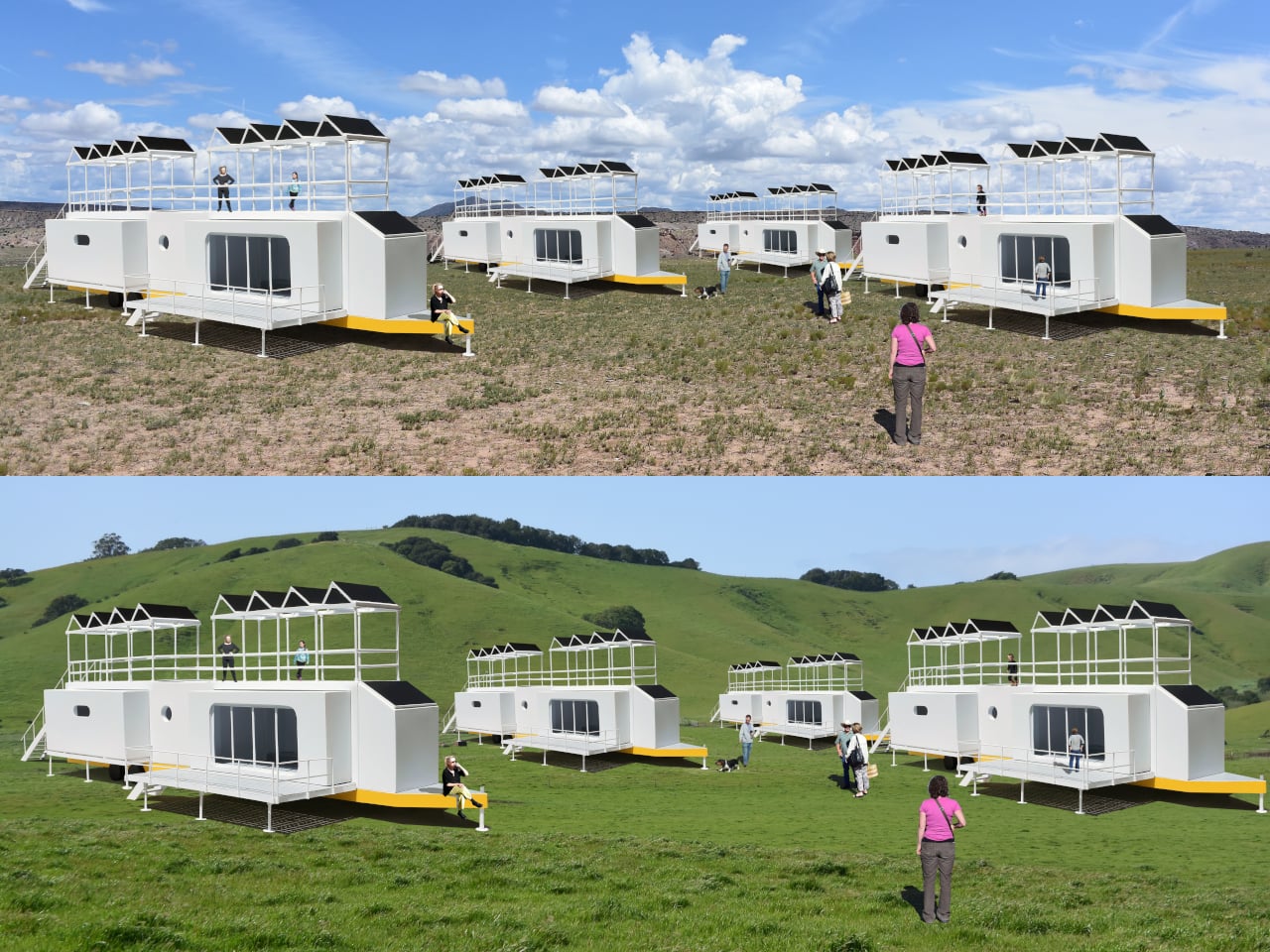
The Mobiltels concept approaches hospitality from a completely different direction. Rather than building a permanent structure and hoping the location is compelling enough, each Mobiltel unit is designed to fold into a compact, truck-towable trailer, be driven to wherever the landscape is most remarkable, and then unfold into a functioning luxury accommodation. When the stay is over, it packs up and leaves without leaving much evidence behind.

Designer: Michael Jantzen

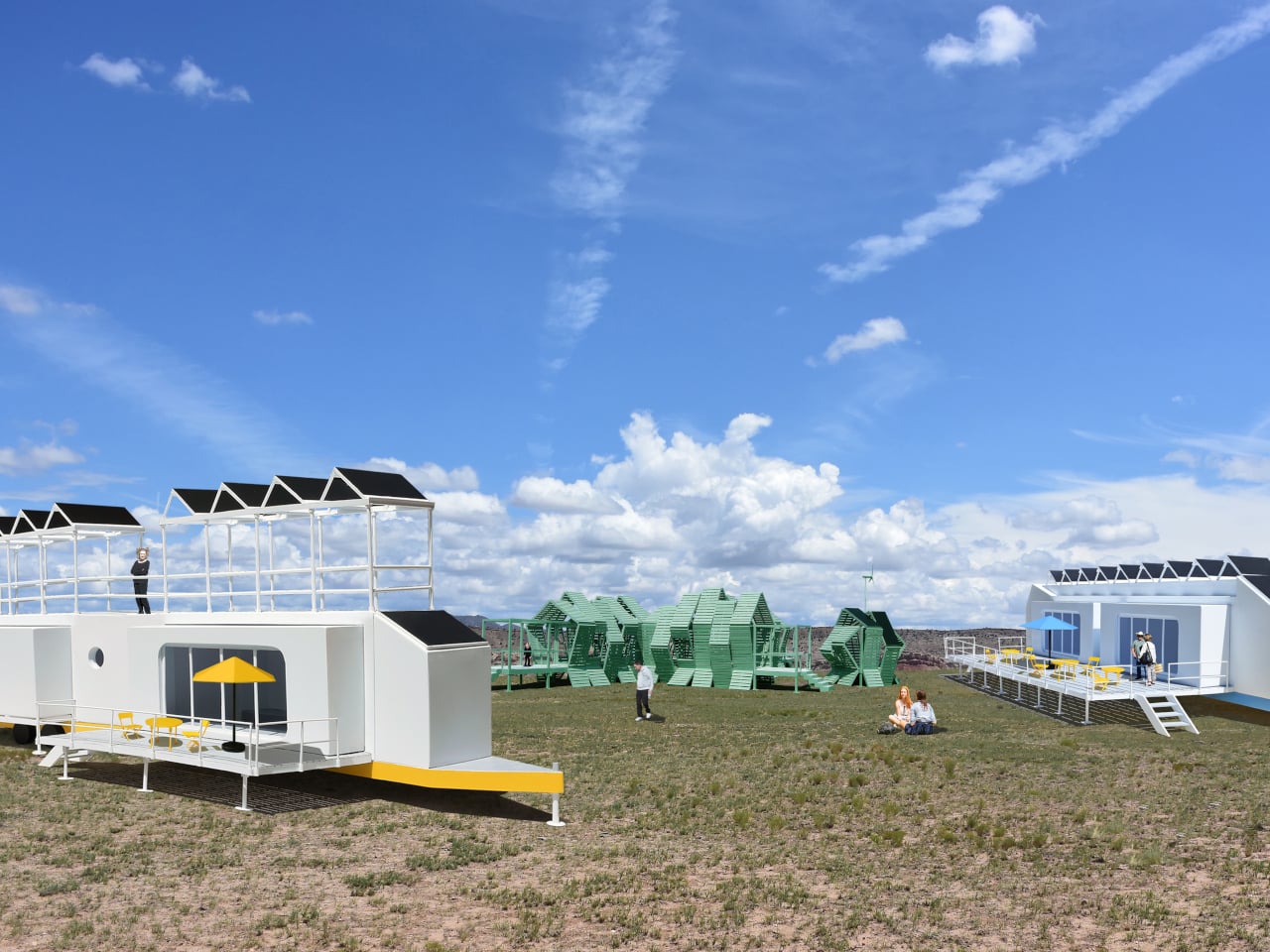
Three distinct unit types make up the proposed resort ecosystem. The first is the guest accommodation module, which deploys into two full hotel-style rooms, each with a private bath and its own private deck. The roof extends into a communal deck shaded by solar panels that generate the electricity to power the unit, while a second panel mounted on the exterior heats the water. The entire structure, decks and all, folds back into a trailer tight enough to tow down a highway.

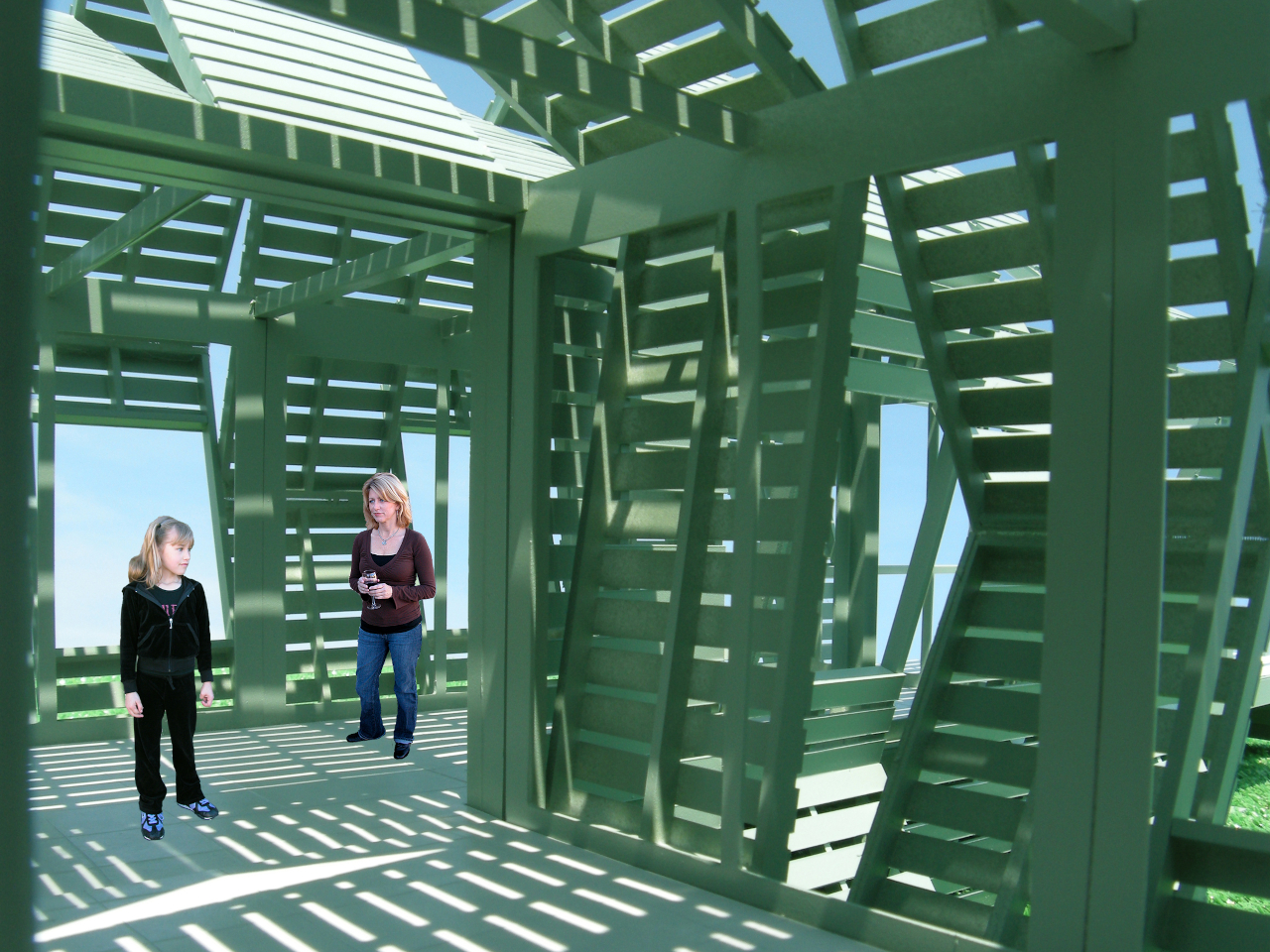
The second unit is a solar-powered café and coffee shop that unfolds to reveal four outdoor dining decks with full kitchen and restroom facilities. The third is a large shade structure intended for gatherings, private events, and communal lounging, built as a striking open lattice that collapses into a flat-load trailer for transport. Additional unit types can theoretically follow the same logic, meaning a full resort amenity list could be assembled and disassembled as needed.

The off-grid energy system is what makes the location independence real rather than theoretical. Every unit generates and manages its own power and heated water from the sun, which means no connecting to local utilities and no requiring a serviced campsite. A Mobiltel cluster can go where a road exists and terrain is flat enough to level a trailer, which is a much lower bar than conventional construction.

The environmental argument is also embedded in the temporariness. A permanent hotel in a wilderness setting modifies that setting permanently. Roads are built, foundations are poured, and the land around the structure gradually changes to accommodate the infrastructure. A Mobiltel unit lands on a site for a season, its occupants absorb the specific quality of that place, and it leaves. The landscape recovers. The next location gets the same treatment.

There’s something quietly subversive about applying a mobile home chassis to a luxury hospitality concept. Mobile homes occupy a very specific cultural position, one that doesn’t usually include rooftop communal decks and solar-heated private baths. The Mobiltels concept borrows the transport logic of one and applies it to the aesthetic ambitions of the other, with the result that a high-end resort becomes as relocatable as a food truck. The result sits somewhere between architecture and expedition equipment, which is probably exactly the right place for it.

The post The Luxury Hotel Concept That Works Like a Food Truck for Wilderness first appeared on Yanko Design.
Phones Turn Reminders Into Distractions, This Magnetic Display Won’t

Smartphones have made information permanently accessible, but that accessibility comes at a price. The same device that shows you a reminder also delivers a notification for something unrelated, which leads to one more app opened, one more five-minute detour, and one more afternoon where the task you meant to remember sits unfinished somewhere in a mental stack. The problem isn’t access to information. It’s the medium through which it arrives.

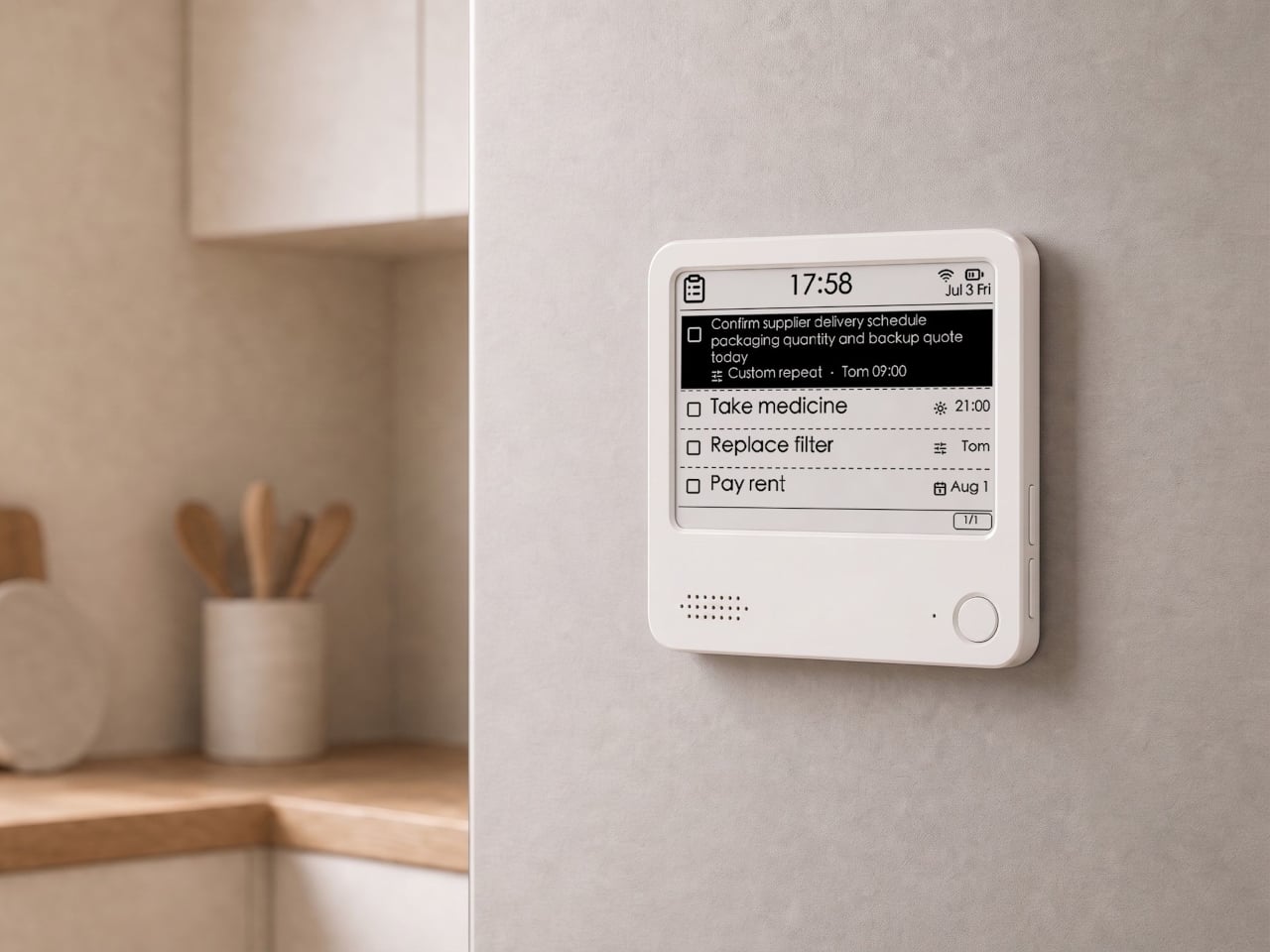
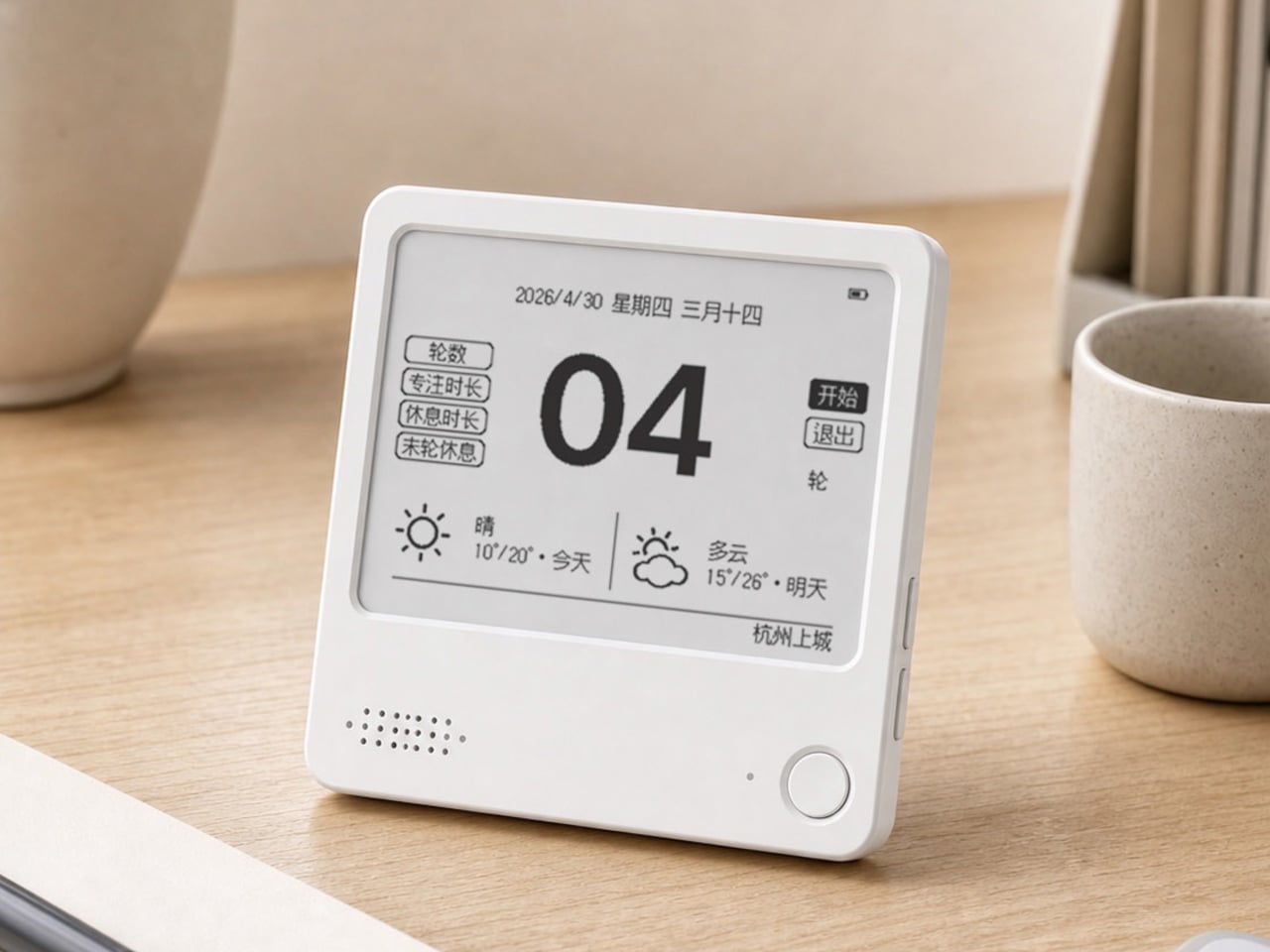
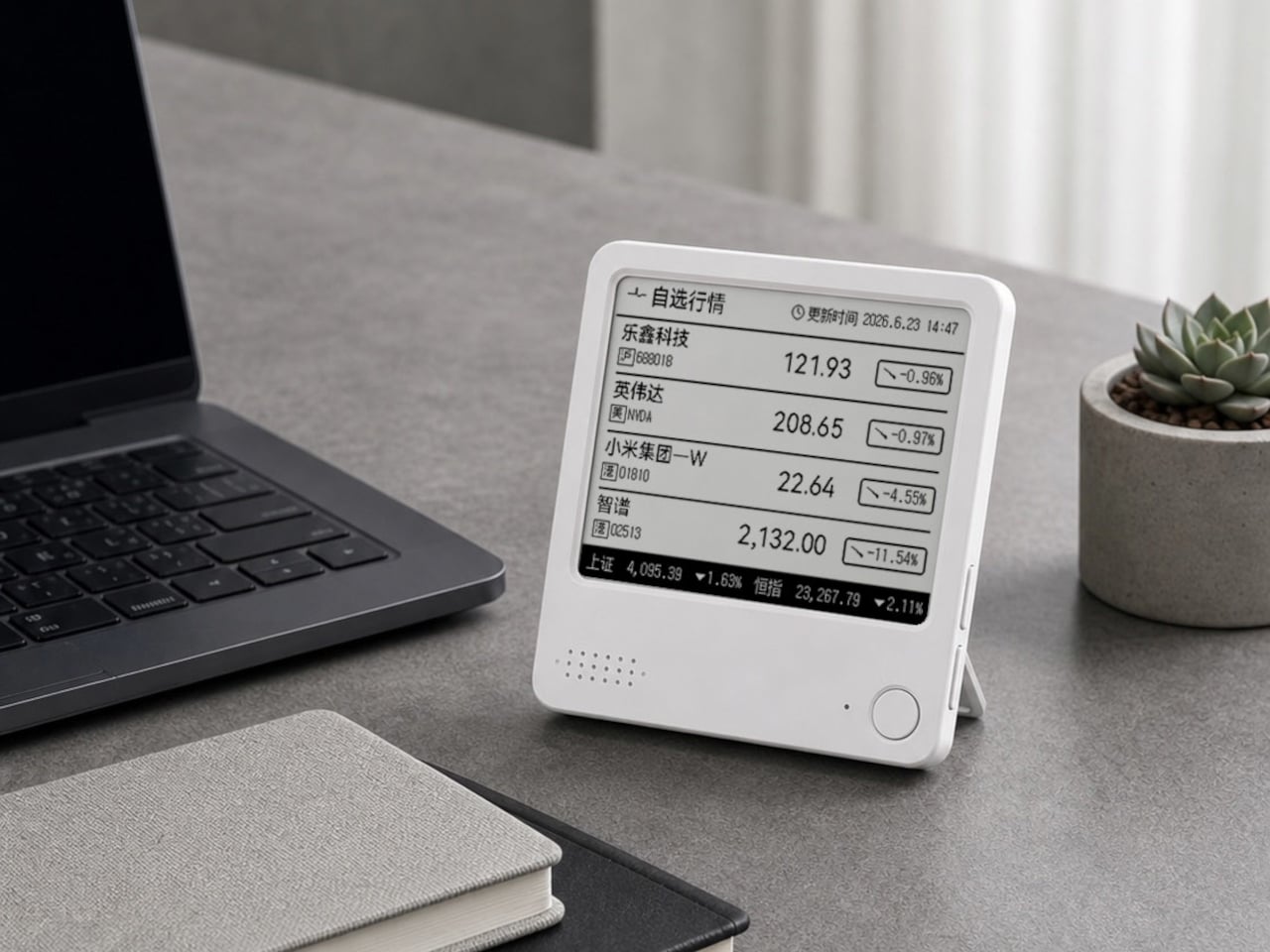
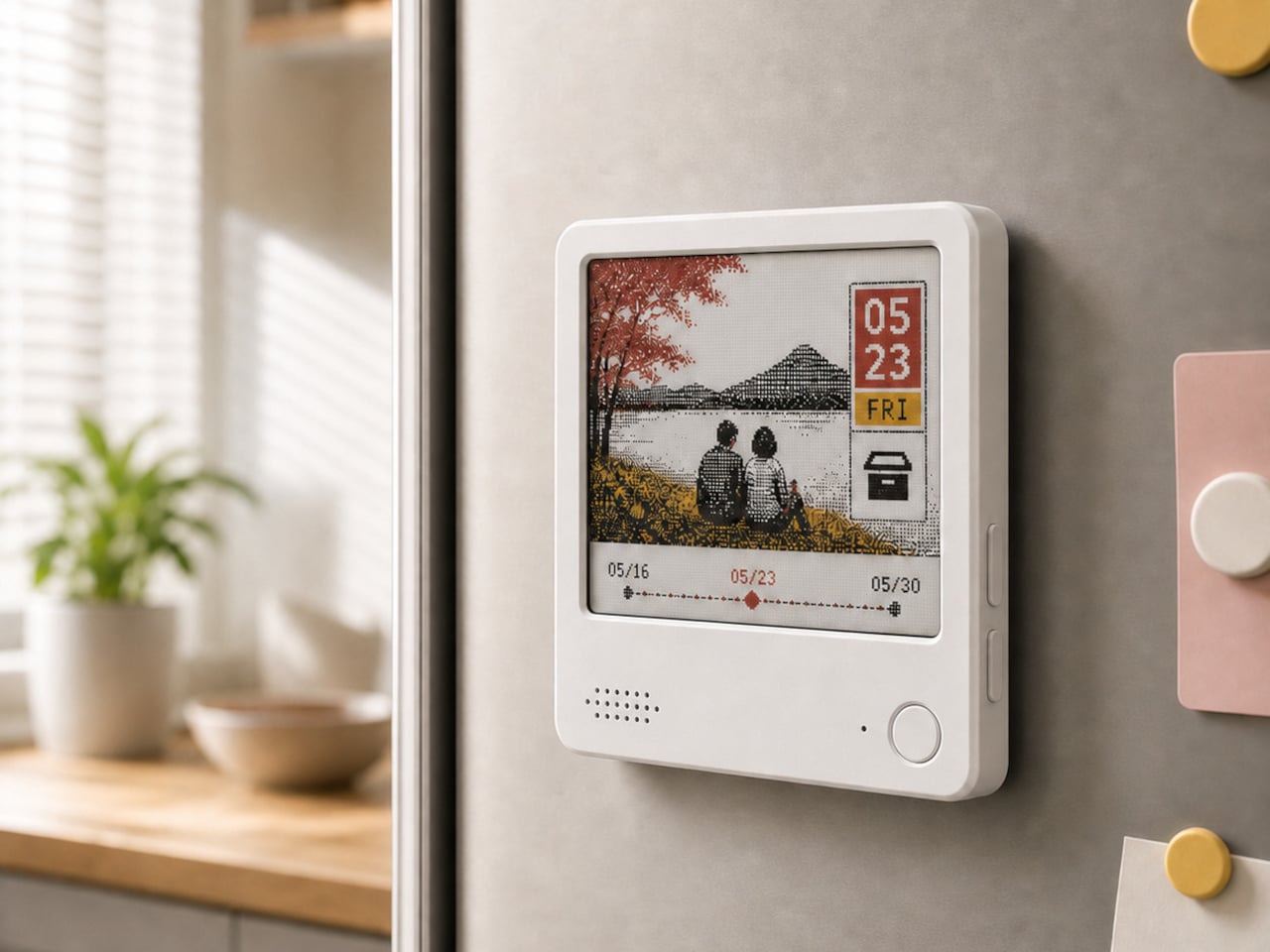
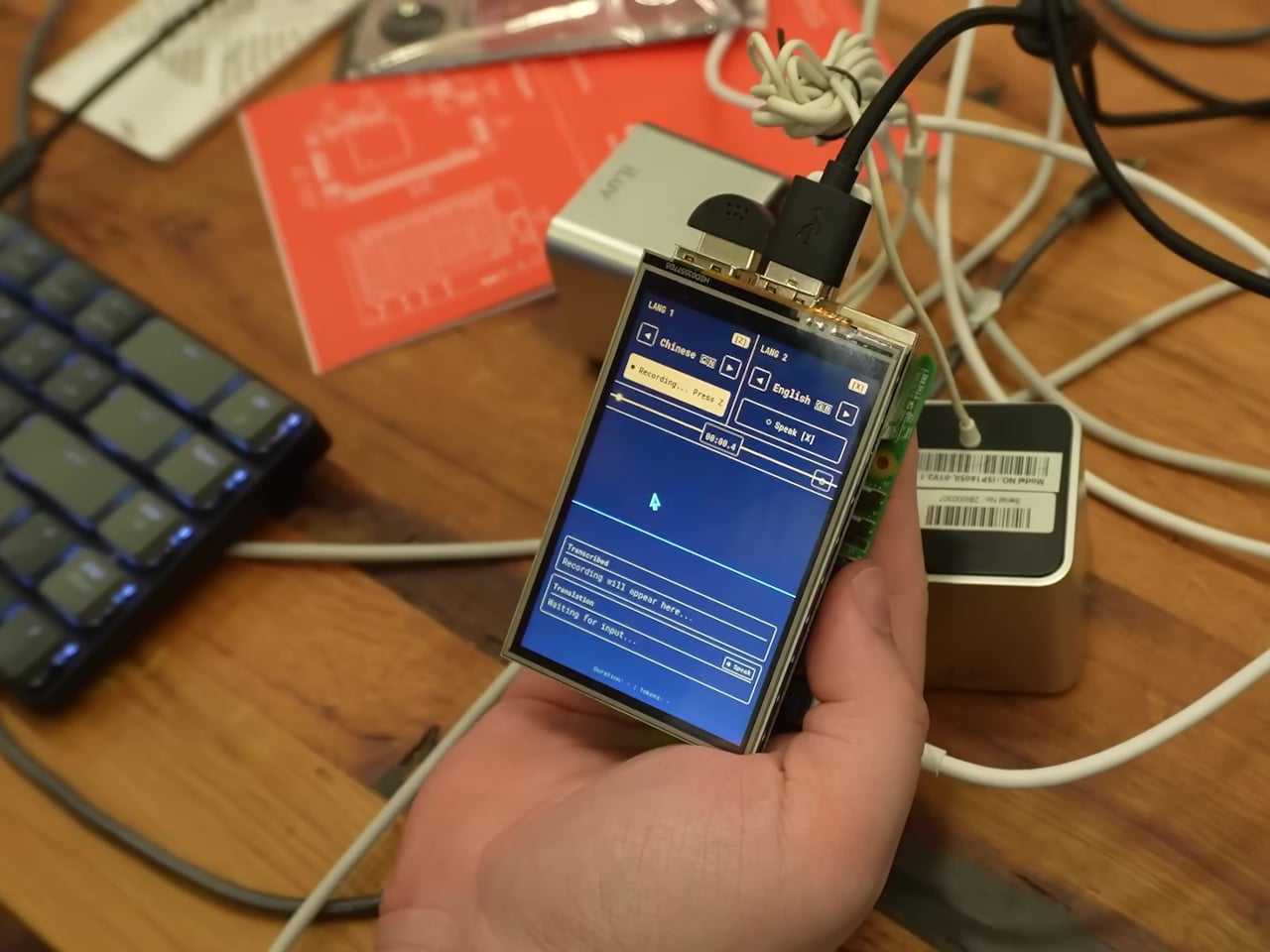
The ZecTrix Note 4 approaches that with a different premise: what if the display that shows your tasks doesn’t connect to your attention the same way a phone screen does? It’s a 4.2-inch e-paper smart display, about the size of a palm, that attaches magnetically to a metal surface and stays there showing whatever you most need to remember, using almost no power to do it.

Designer: ZecTrix

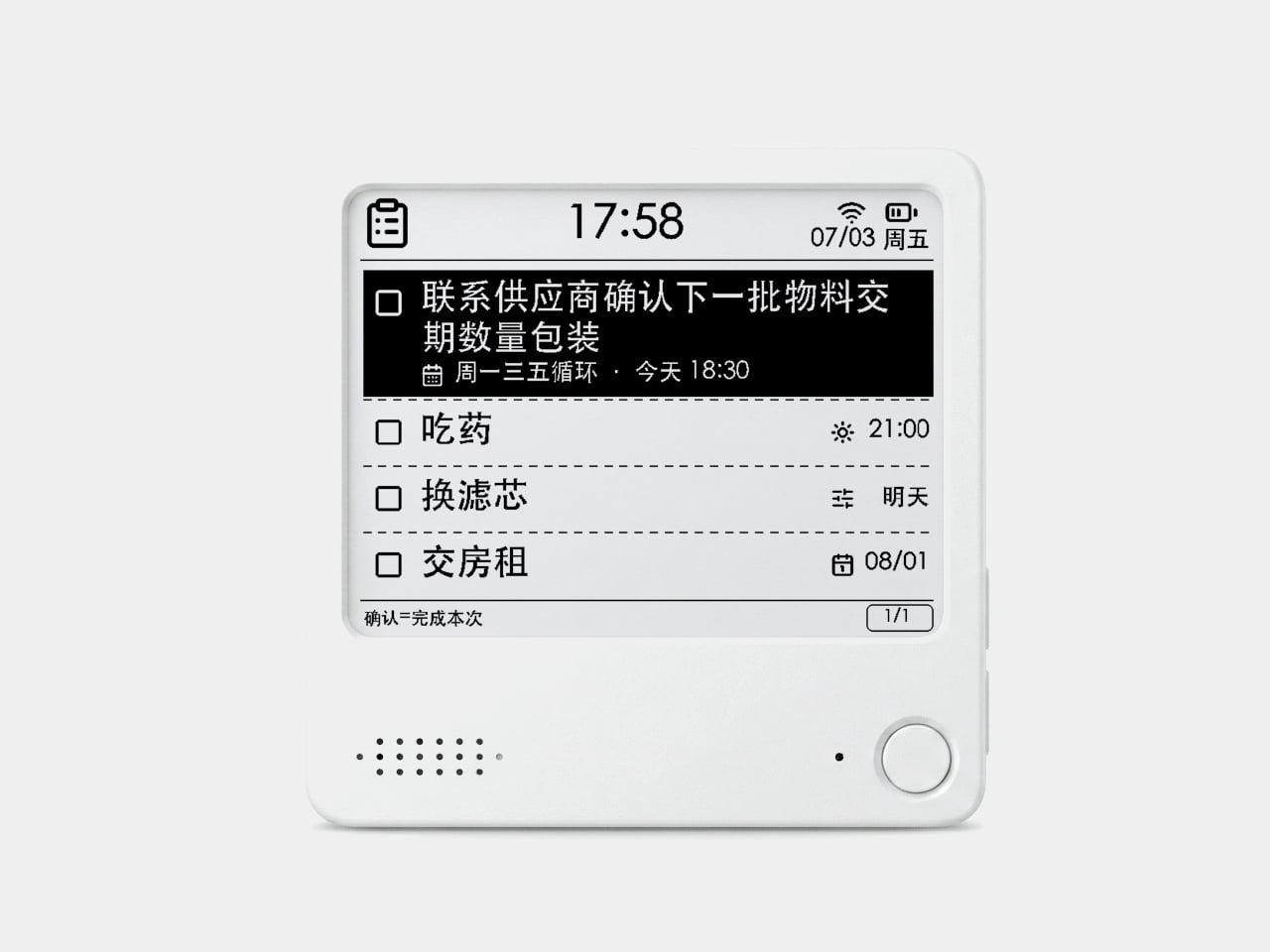
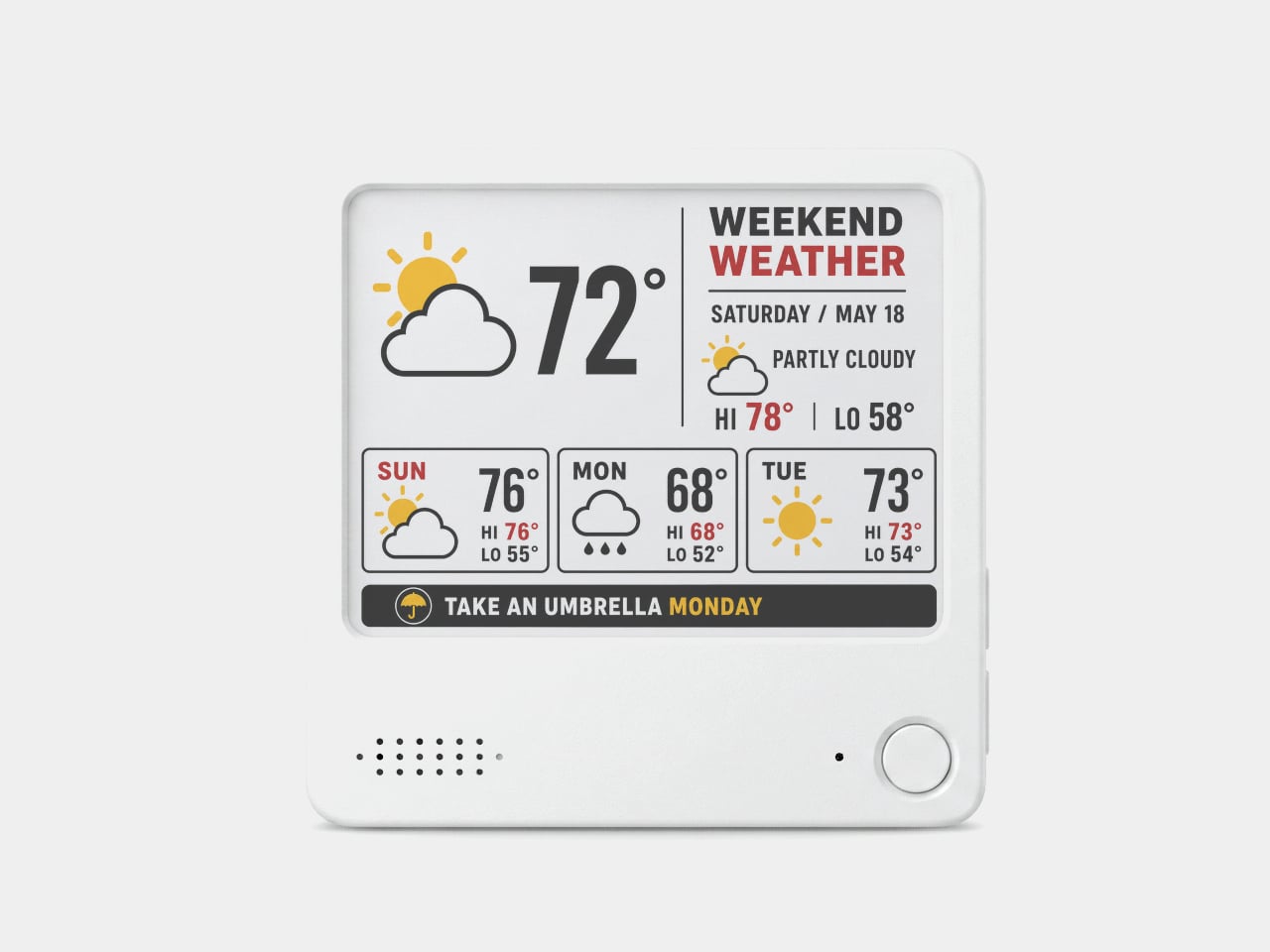
The interaction model is deliberately minimal. Press the physical button, speak your task or reminder, and the device converts that into text and adds it to the display. The built-in AI voice assistant handles the transcription and task management, and the e-paper screen holds whatever it’s showing without any power draw between updates. The display also handles weather, clocks, focus timers, handwritten notes, images, and custom templates.

Hardware underneath is solid for something this compact. An ESP32-S3 dual-core processor with 8 MB of PSRAM and 16 MB of flash handles the AI processing and connectivity, backed by a 2,000 mAh battery, 2.4 GHz Wi-Fi, Bluetooth 5.0, NFC, a speaker, a microphone, and a USB Type-C port for charging. GPIO expansion is also available, which opens the platform to custom hardware additions.

The 97mm x 97mm x 8.75mm square chassis comes in three enclosure variants: an injection-molded Minimal Premium Edition designed for clean desk or kitchen wall placement, a standard Everyday Edition for DIY-minded users, and a Color Edition with open-source 3D model files for those who want to print their own. The magnetic backplate sticks firmly to any suitable metal surface without adhesive or mounting hardware.

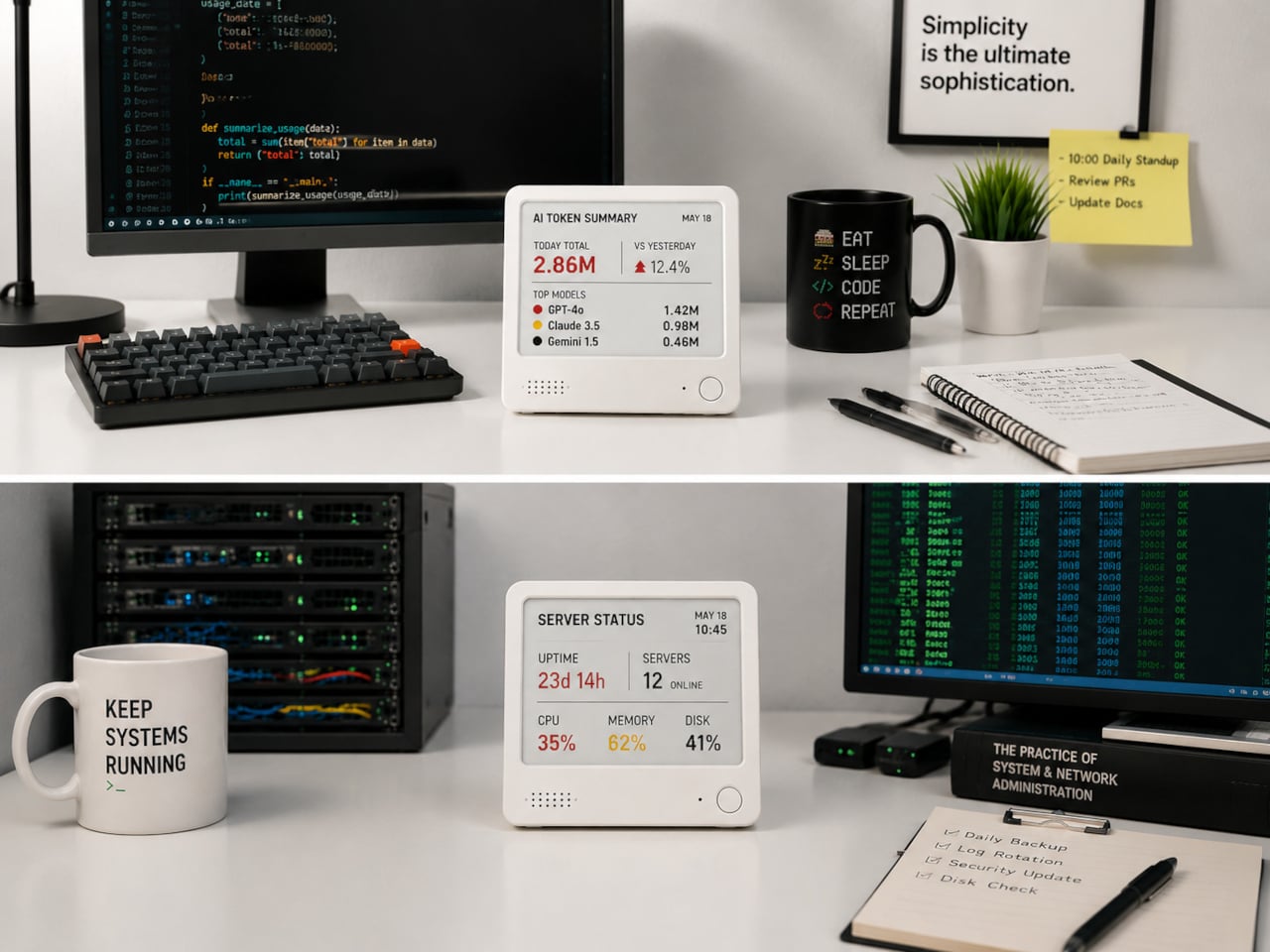
For users who want more than a black-and-white display, there’s the Note 4C, which replaces the monochrome panel with a four-color E Ink screen that adds red and yellow to the palette. It runs on the same hardware platform but ships without the consumer AI firmware, positioning it instead as an open development device for people with ESP32 experience. The color panel is slower to refresh, typically over ten seconds per full update, making it better suited to status labels, family photo cards, or API dashboards that update occasionally rather than continuously.

The two products are deliberately distinct rather than tiered versions of the same thing. The Note 4 is a finished product with a lifetime AI voice service included; the Note 4C is an open starting point for a custom build. Both share the same physical form, so the choice comes down to how much of the software someone wants to supply themselves.

The post Phones Turn Reminders Into Distractions, This Magnetic Display Won’t first appeared on Yanko Design.
The $33 Box That Locks Your Phone and Judges You for Opening It Early

Screen time management has spawned an entire industry of apps, built-in focus modes, notification filters, and weekly usage reports that most people glance at and promptly ignore. The fundamental problem with all of them is that they live on the same device you’re trying to avoid, which keeps willpower in charge of the whole arrangement. And willpower, predictably, tends to lose that particular argument somewhere around the third notification.

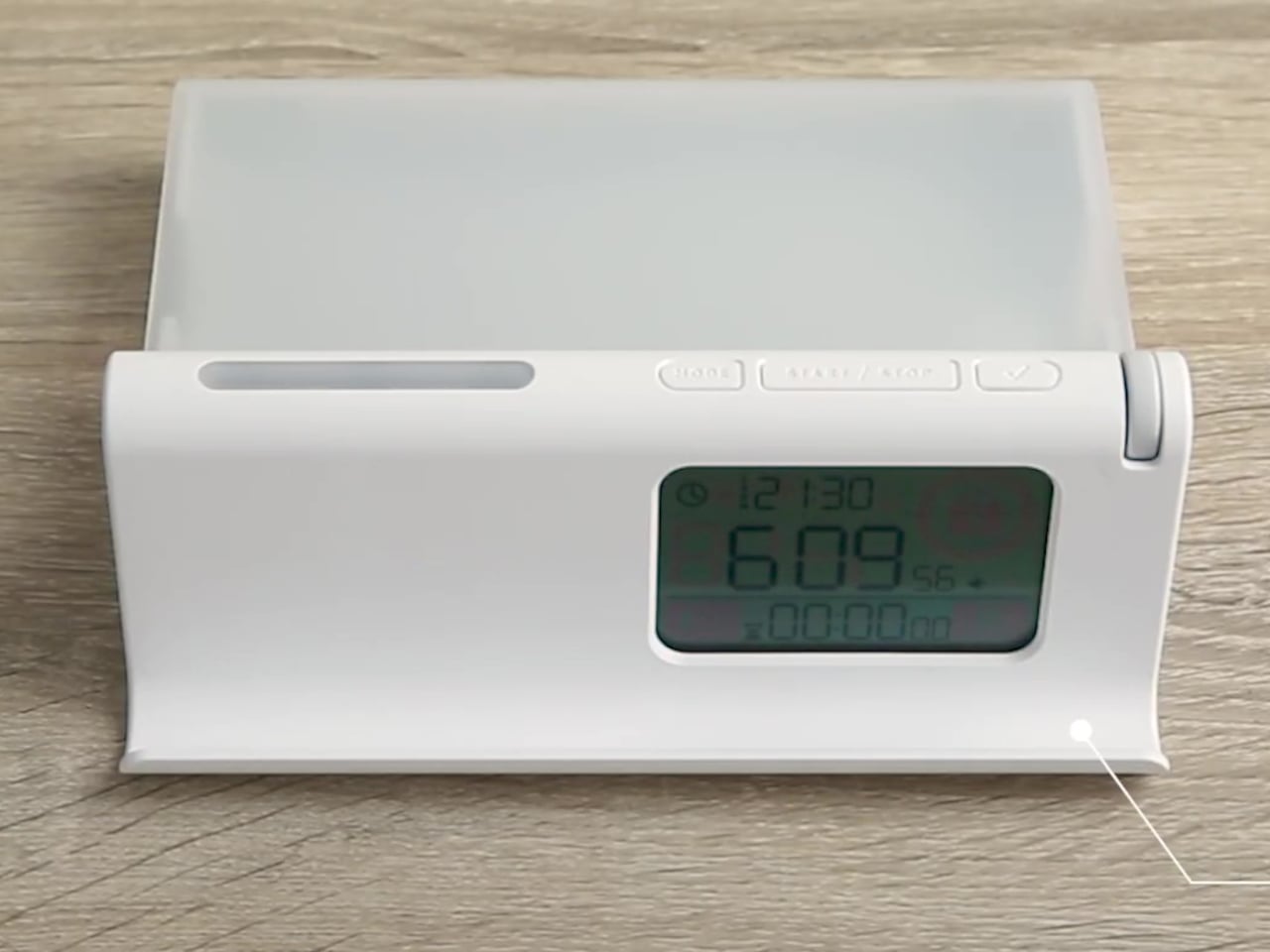
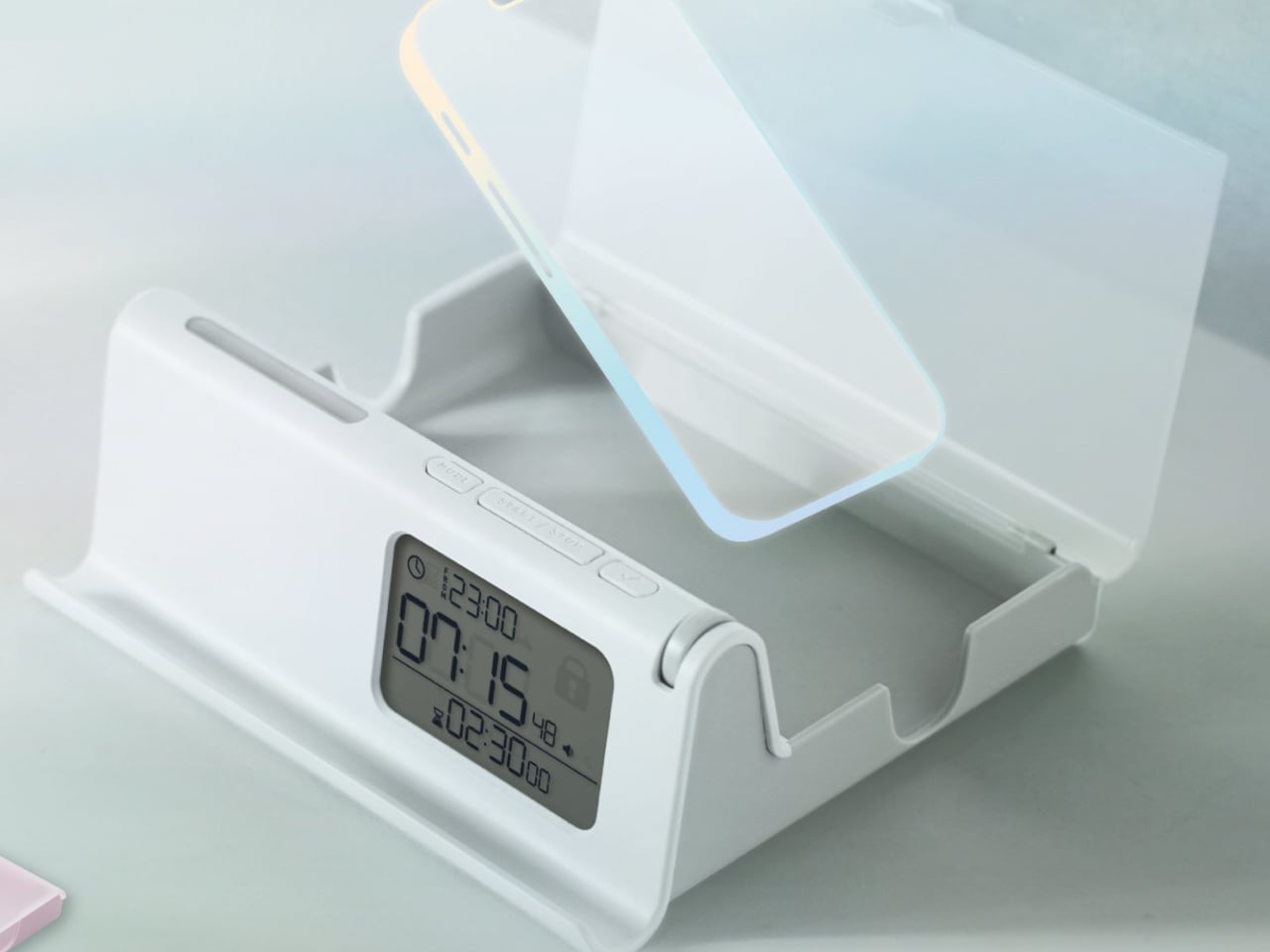
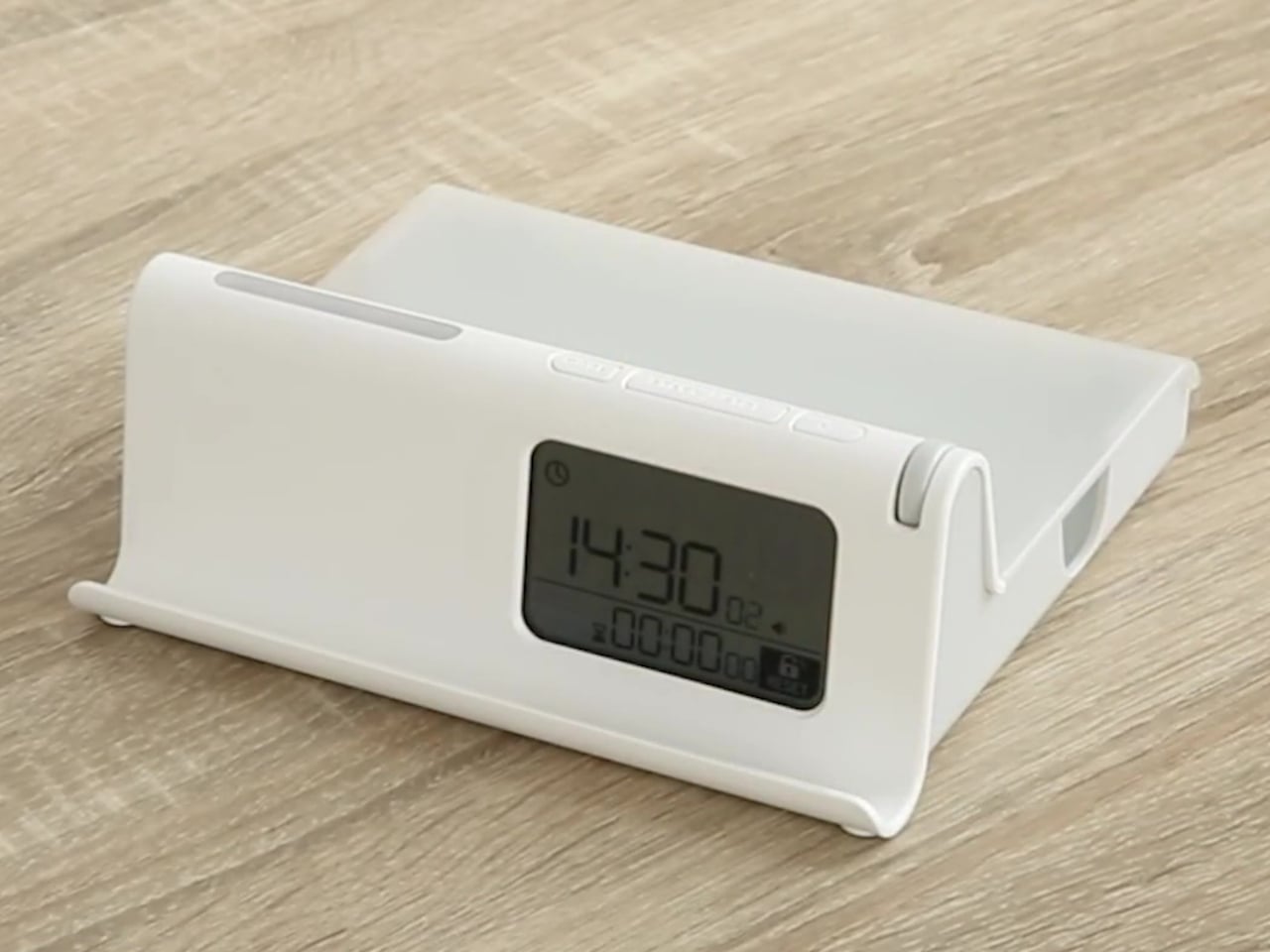
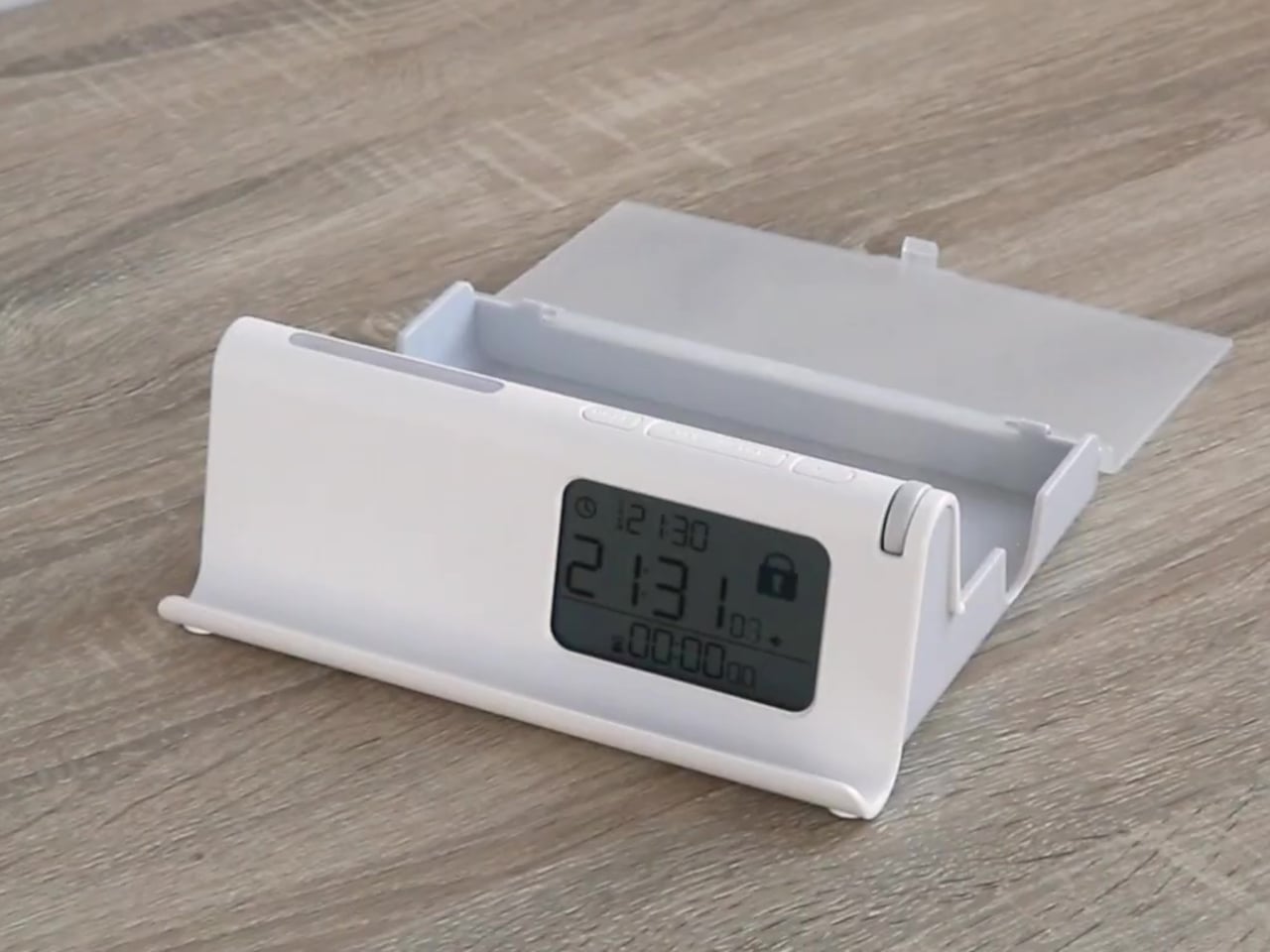
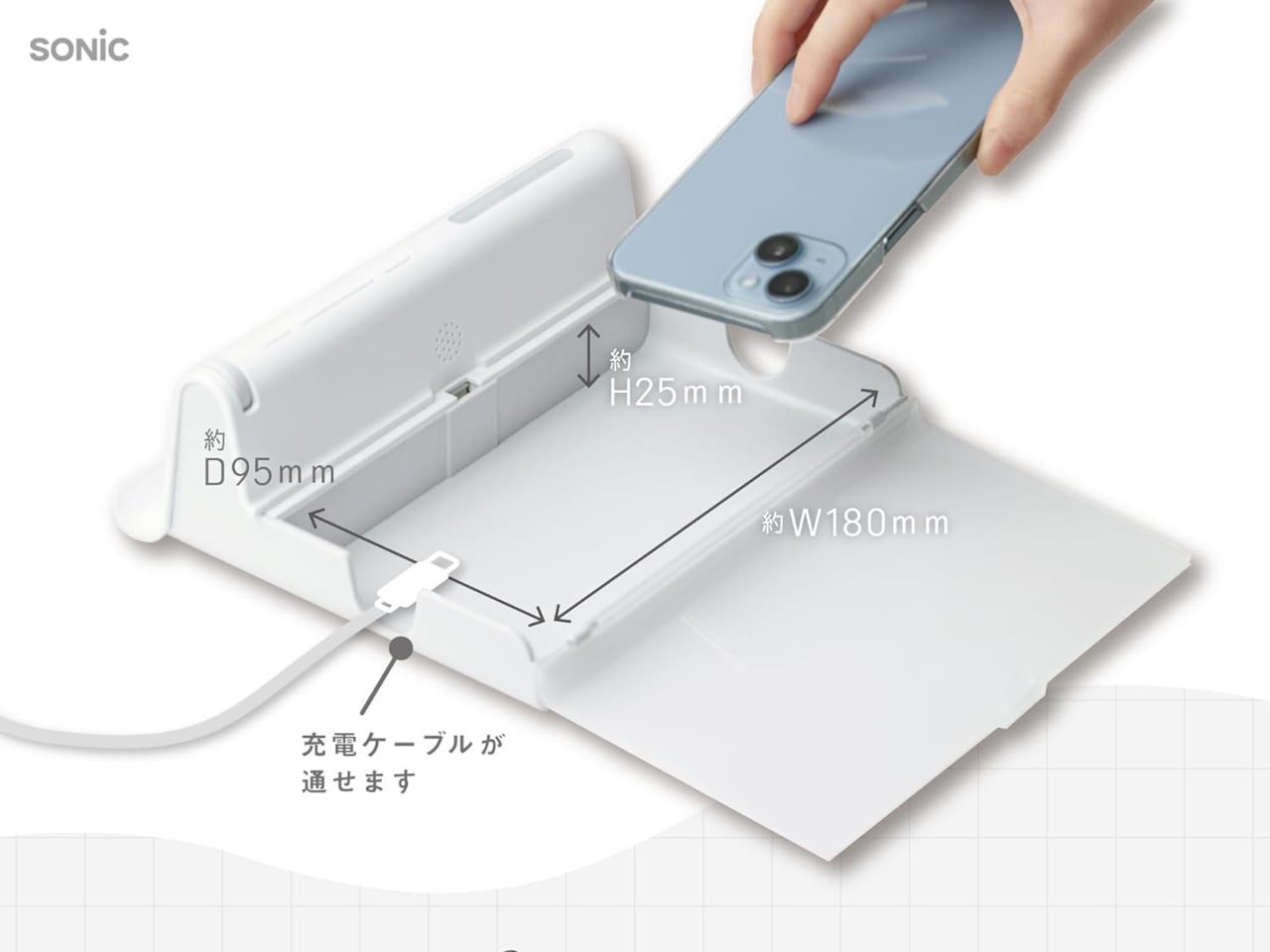
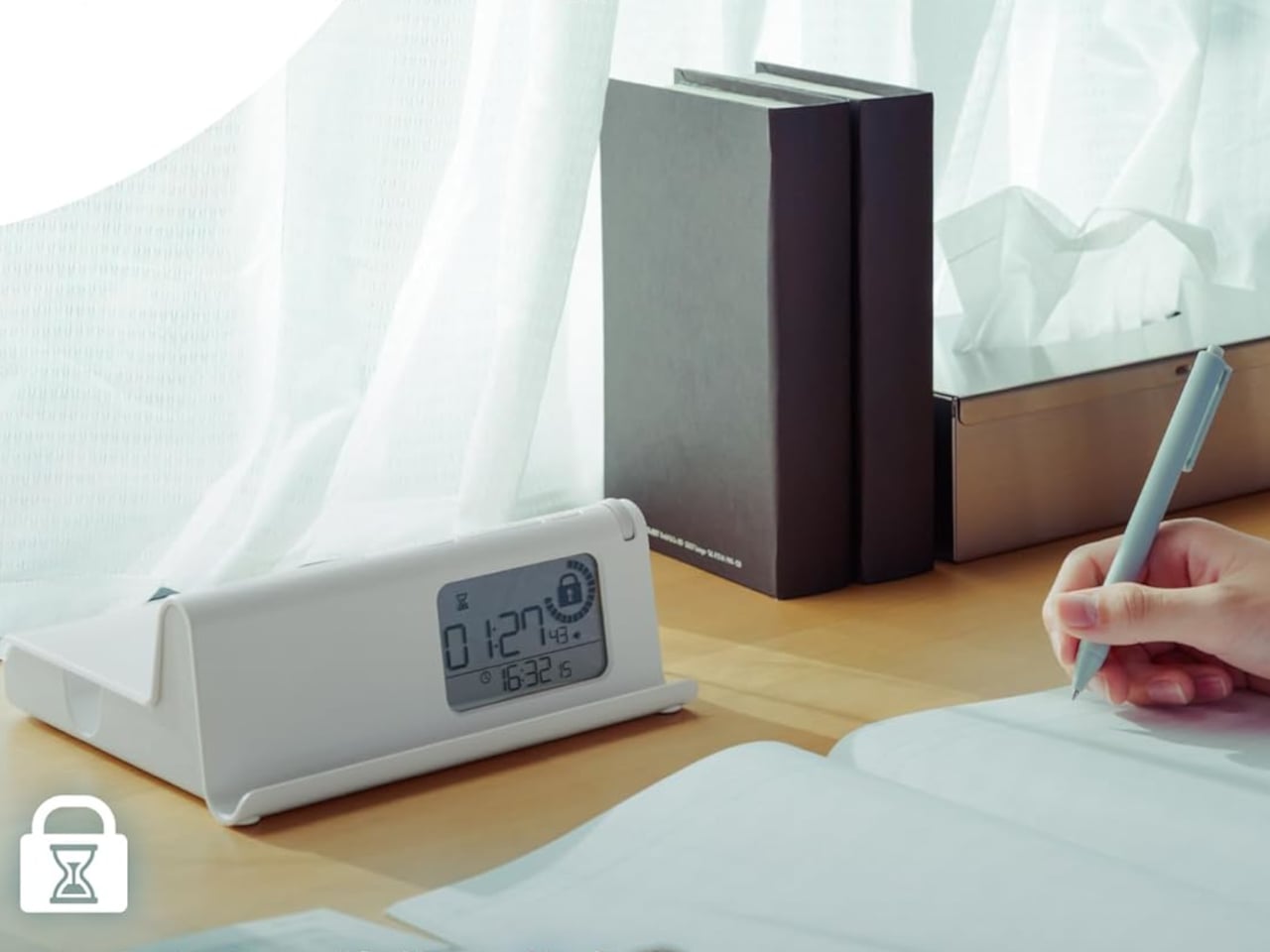
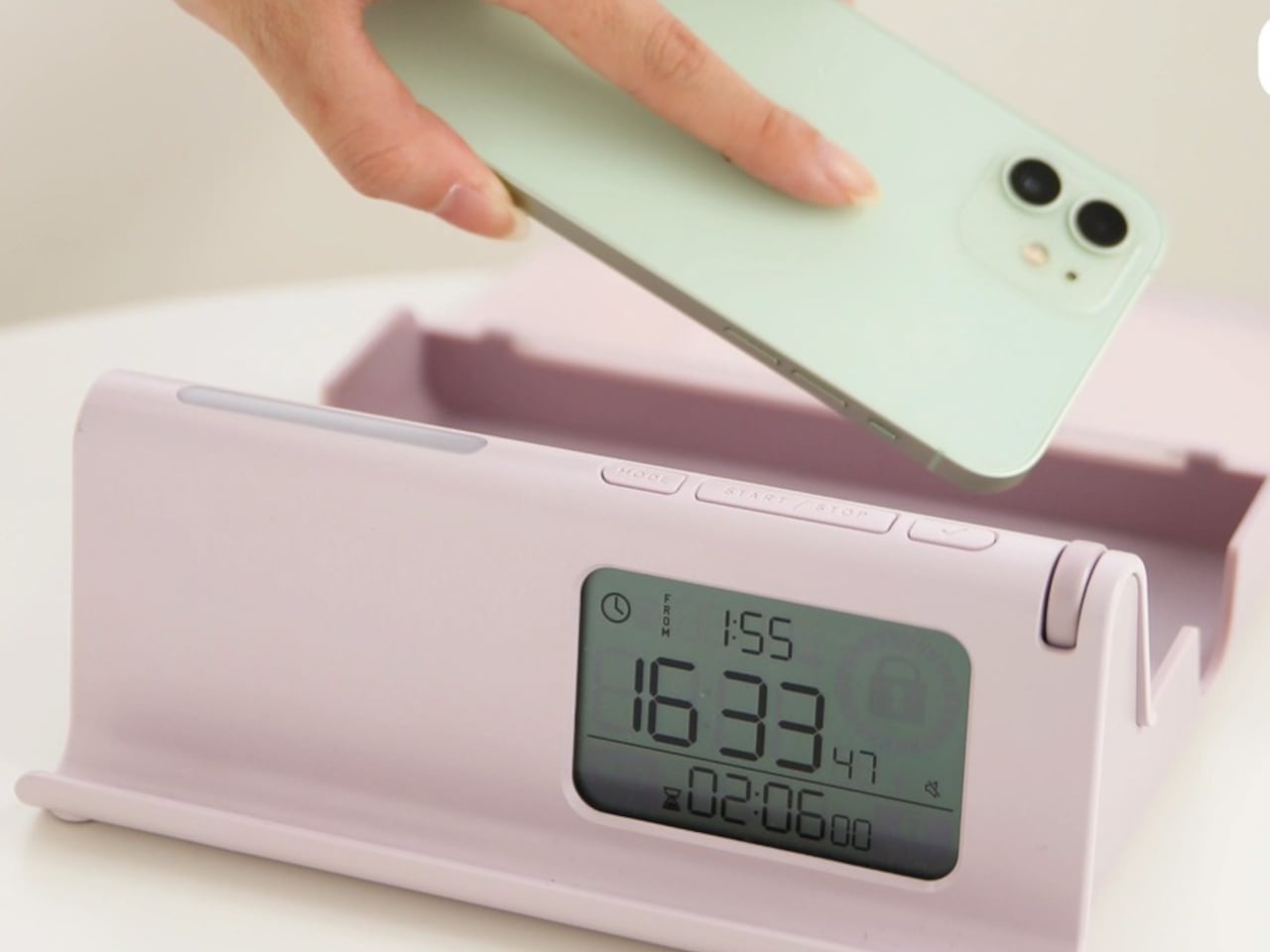
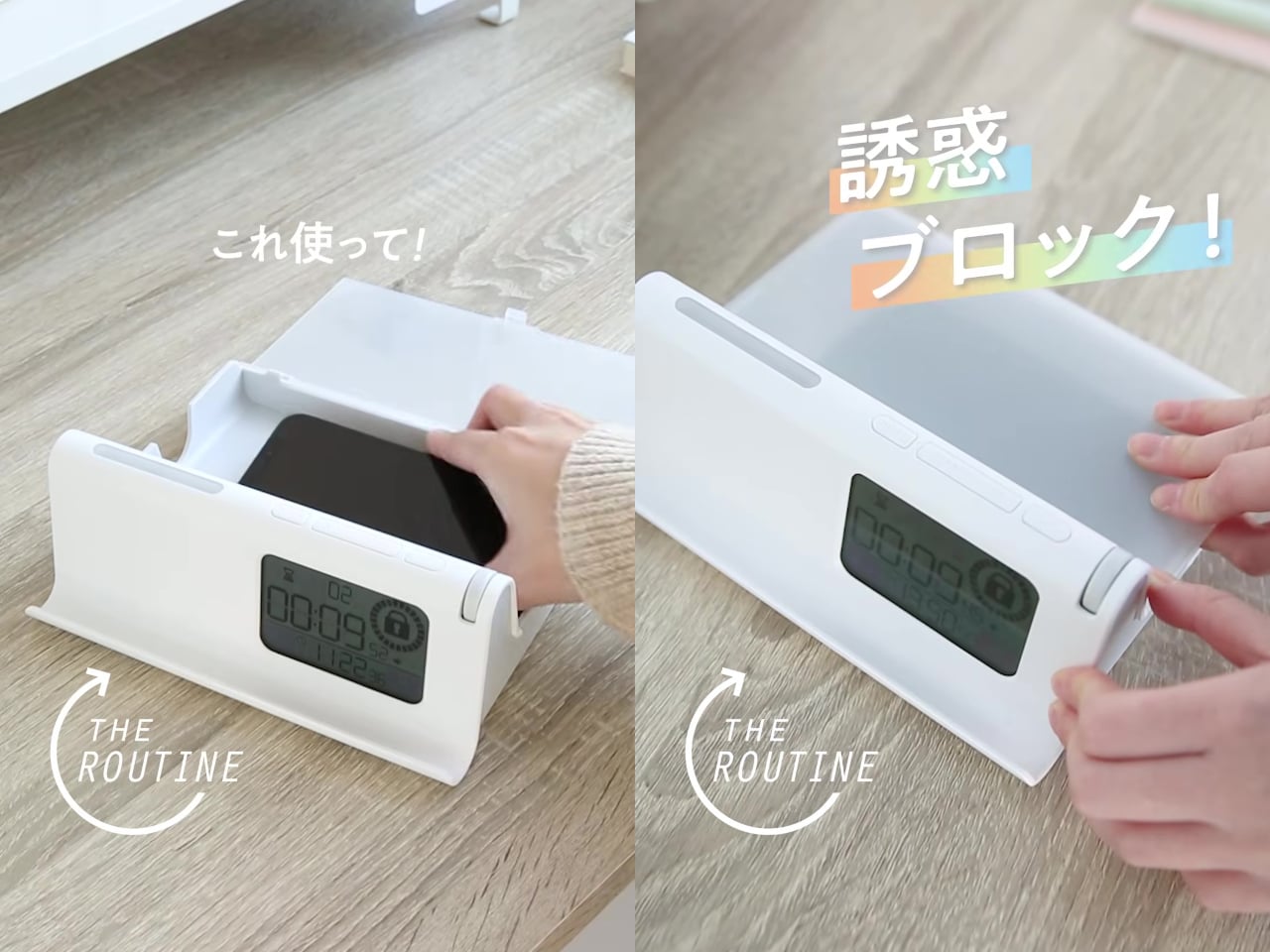
The Sonic Digitox The Routine sidesteps that problem entirely by making your phone physically unreachable for as long as you decide. It’s a timed lock case with no app to disable, no passcode to talk yourself into entering, and no settings menu to rationalize your way through. You put the phone in, set the lock, and that’s the end of your access until the timer says otherwise.

Designer: Sonic

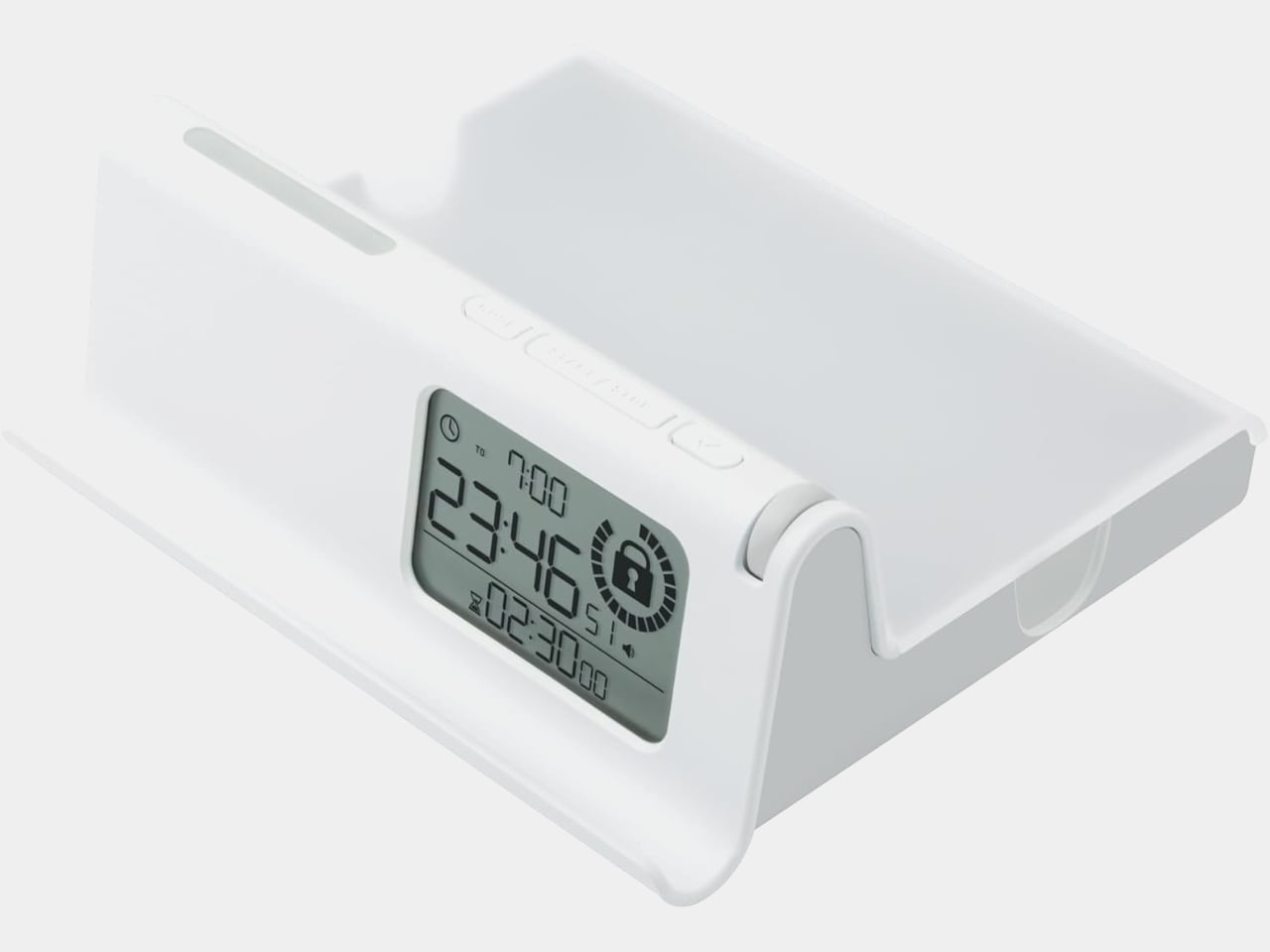
Two lock modes handle different approaches to the problem. Routine Lock works on a schedule, letting you define repeating daily windows during which the case locks automatically and signals each transition with light and sound. If 11 PM to 7 AM is meant to be phone-free, the case enforces that without asking for your cooperation every night, which is precisely the point.

Timer Lock handles the more immediate situation where you need to focus right now, without a preset schedule. You set a countdown of up to 99 hours and 59 minutes, and the phone stays sealed until it runs out. For a study session, a focused work morning, or a dinner where nobody at the table needs to be somewhere else digitally, it removes the option before the habit has a chance to argue back.

Neither mode traps you completely. An emergency reset function exists for genuine urgency, but it isn’t quiet about it. Triggering it sounds a one-minute alarm and leaves a RESET mark displayed on the case for 24 hours afterward. The friction is deliberate, designed to make the difference between an actual emergency and a momentary craving feel tangible rather than theoretical.

Two additional modes round out the four-mode system for lighter use. Time Display shows the time without any lock, while a Timer mode runs a count-up or countdown without physically securing the phone. The case also includes a goal sticker and a smartphone contract form, a pairing that makes it a practical tool for parent-child agreements around device time, where putting terms in writing and then sealing the phone inside creates a layer of accountability that app-based controls don’t quite replicate.

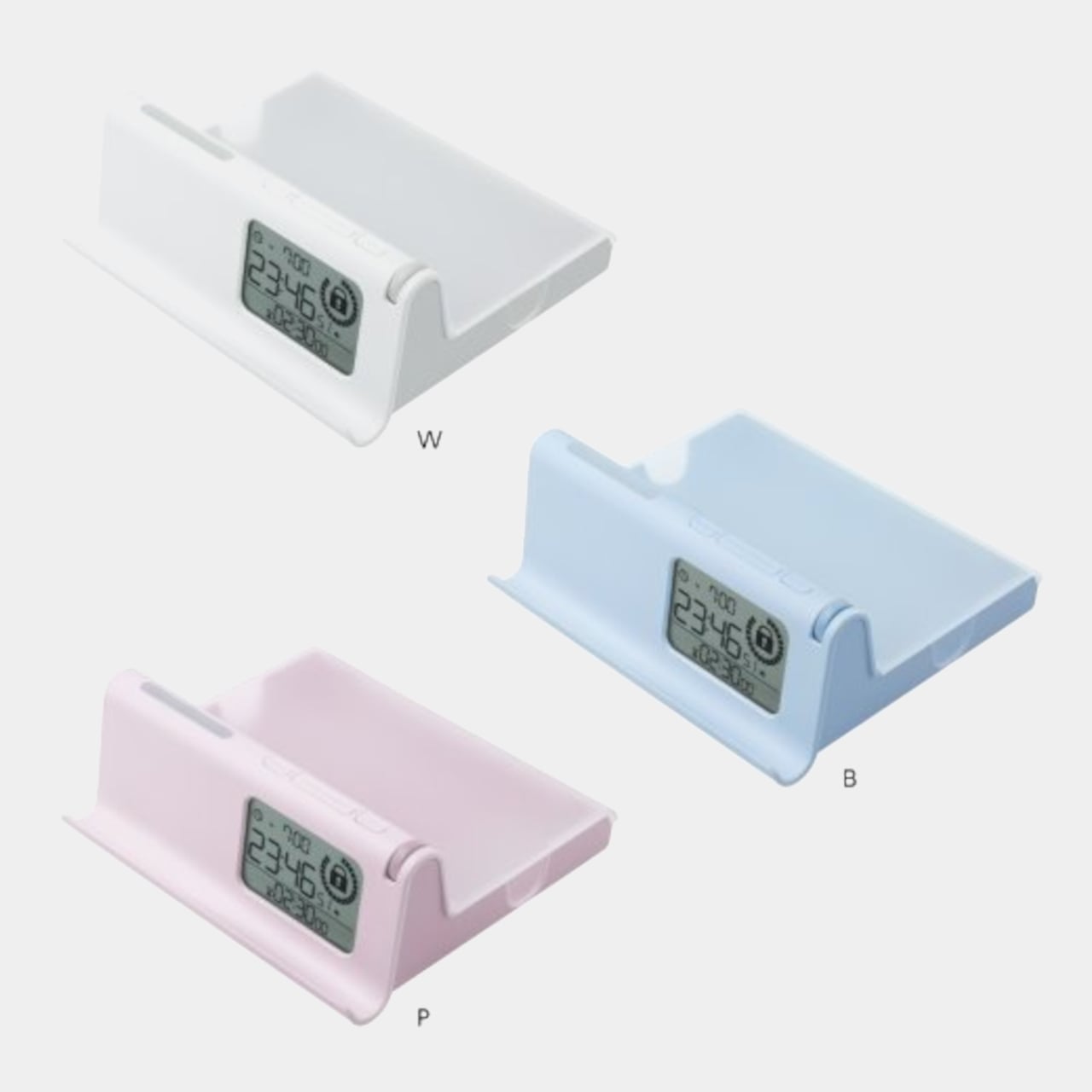
The body is ABS plastic with a polycarbonate lid, running on three AAA batteries, and the whole thing measures approximately 190mm x 70mm x 170 mm. It comes in white, blue, and pink, and was recognized with a category award at the 2026 Japanese Stationery Awards, which is about as specific an endorsement as a phone lock case can hope for.

There’s a refreshing bluntness to what the Digitox offers. Most products in the digital wellness space treat phone overuse as a behavioral settings problem, one more toggle away from being solved. This one treats it as a custody problem, and the solution is handing custody over to a box that doesn’t negotiate. At roughly $33, it costs less than a single month of most productivity apps and requires no subscription to keep working.

The post The $33 Box That Locks Your Phone and Judges You for Opening It Early first appeared on Yanko Design.
Motorola’s Patent Isn’t a Phone You Wear, It’s a Watch You Unfold

The idea of merging a smartwatch and a smartphone into a single device has been floating around the industry for years, mostly because the obvious inconvenience is right there: two screens on two separate devices, one tiny and worn on the wrist, the other large and kept in a pocket, each doing essentially half the job the other can’t. The logical question is whether one of those devices could do both jobs depending on the situation.

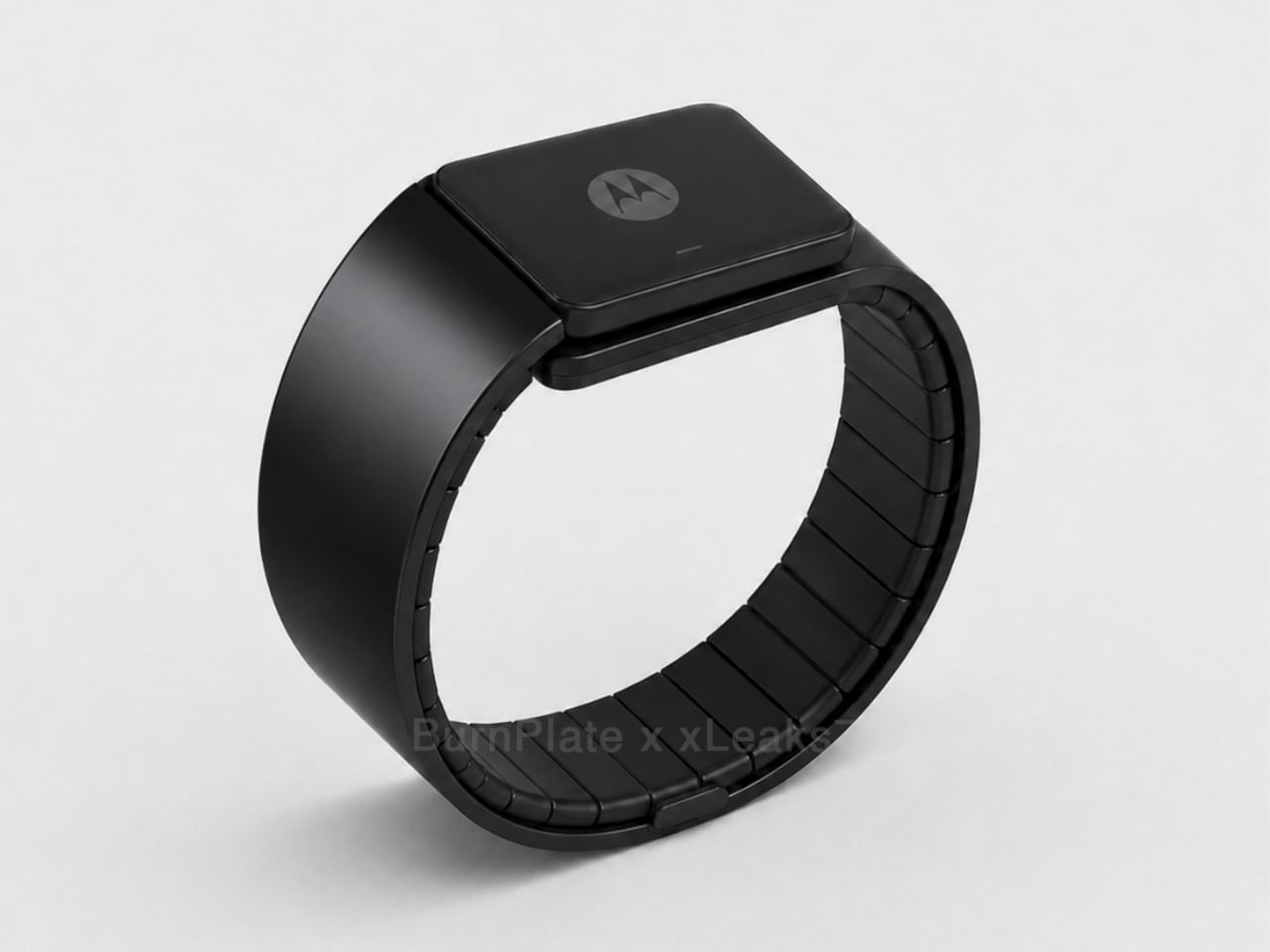
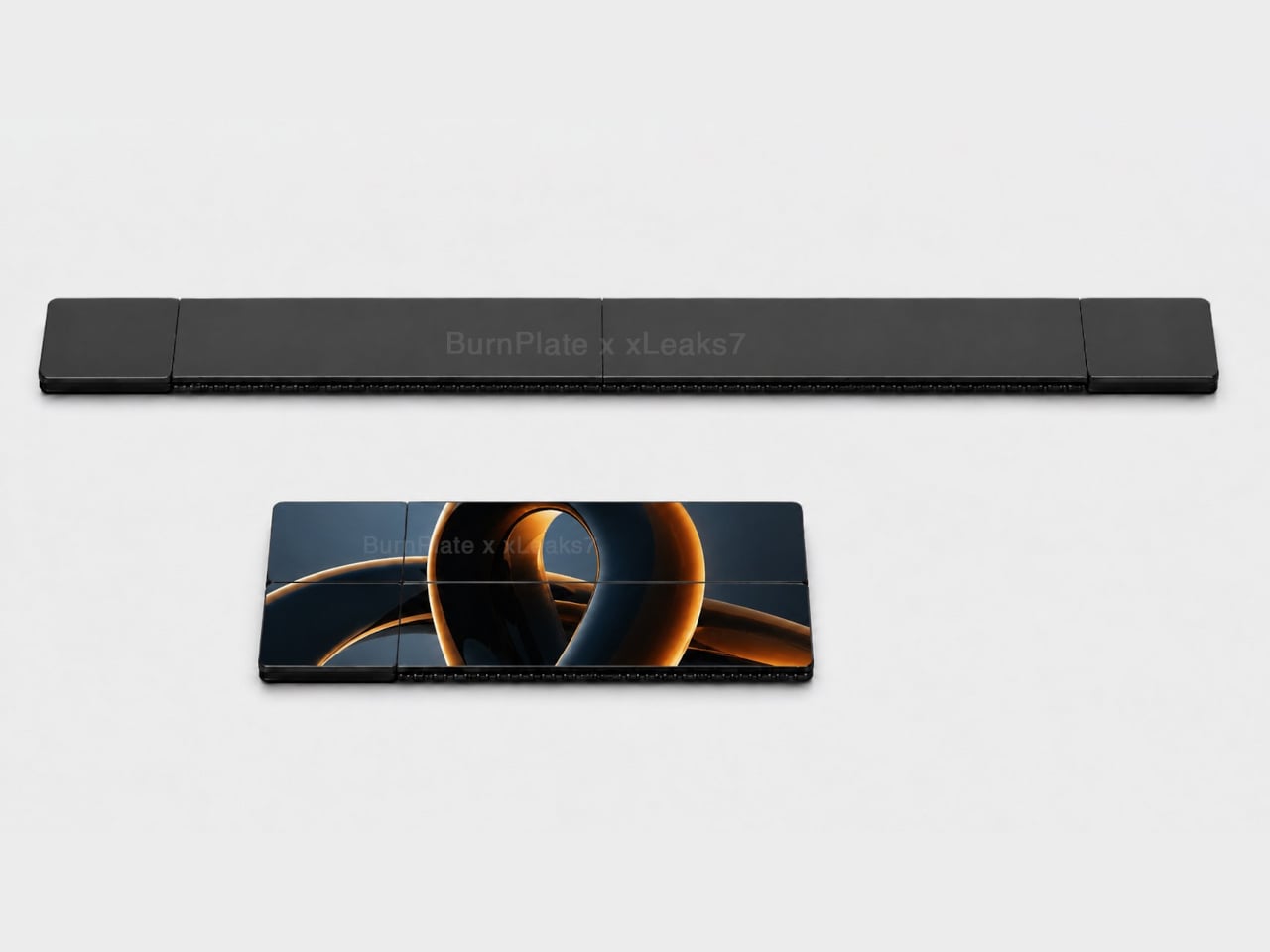
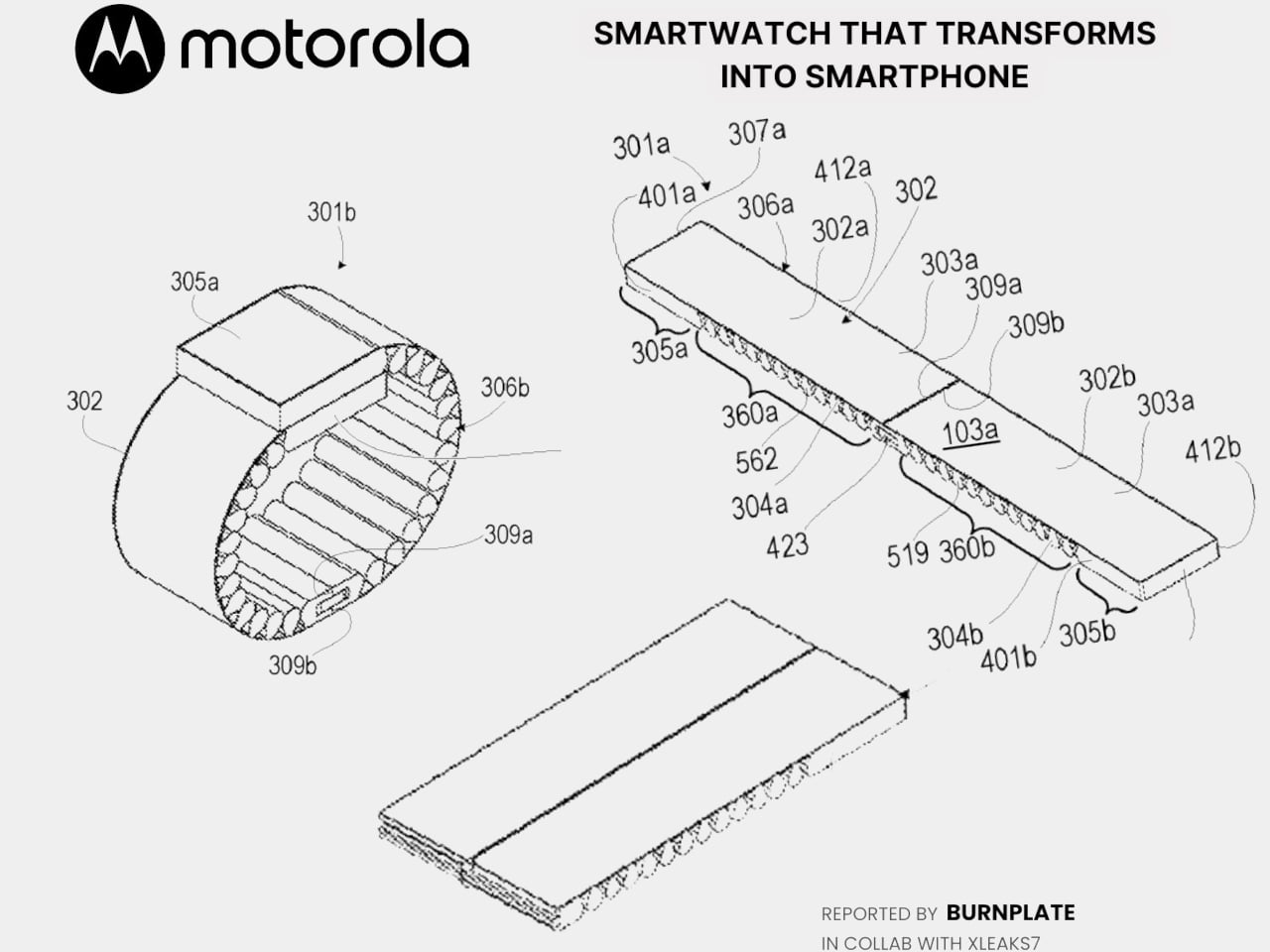
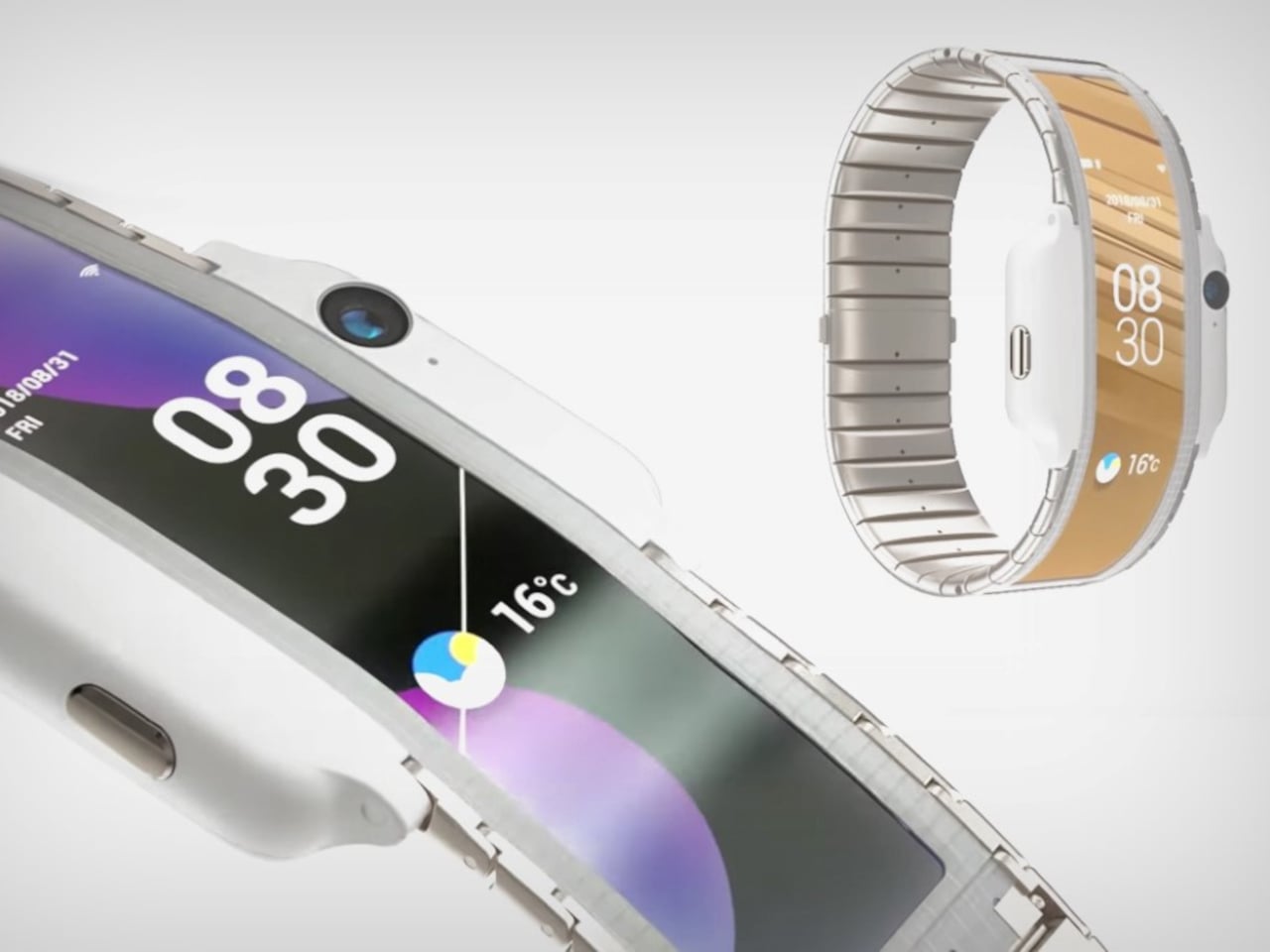
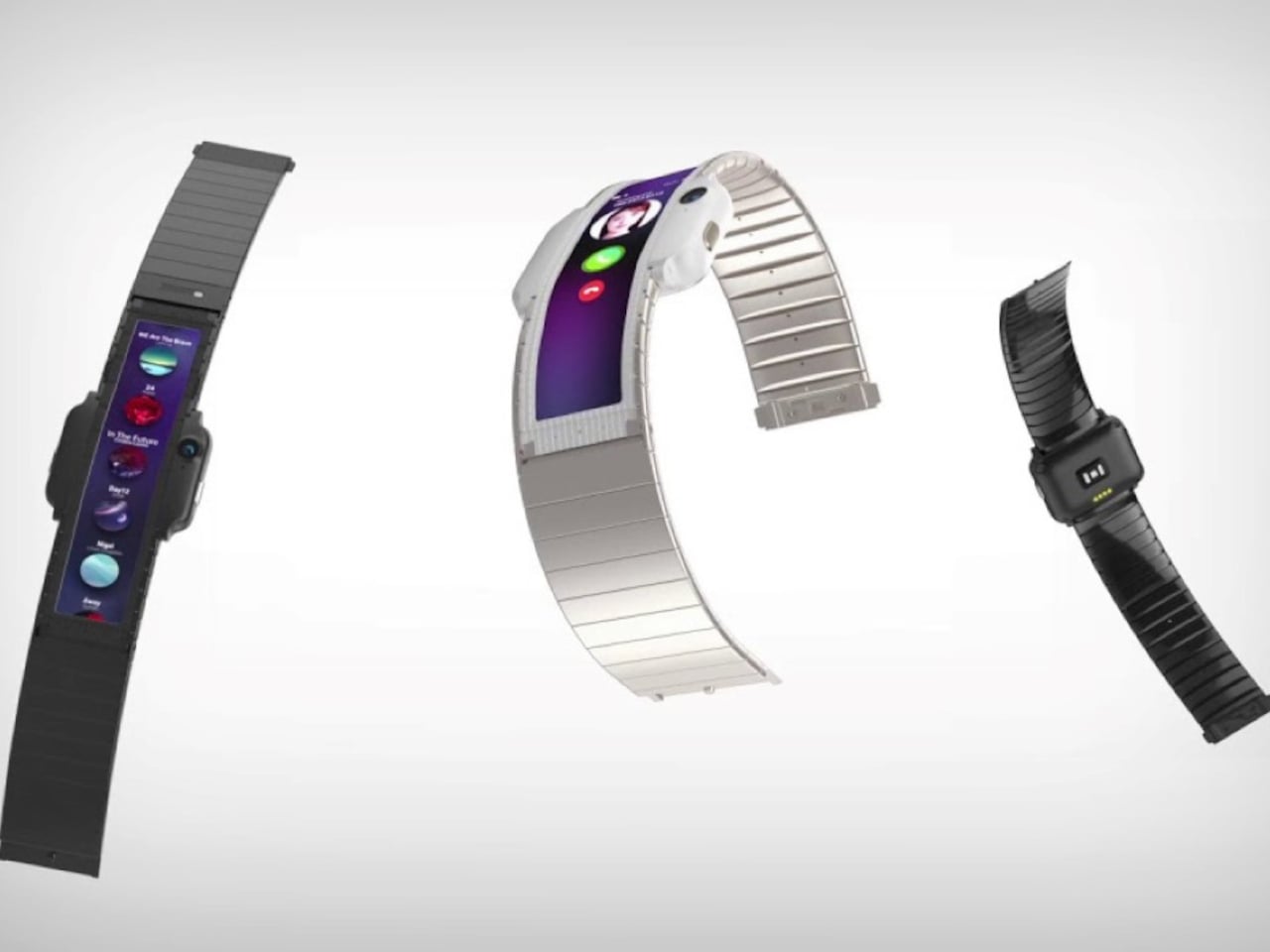
Motorola’s latest patent, officially registered as US12,693,705 under the title “Pivoting wearable reconfigurable screen,” proposes exactly that. The device starts on the wrist as a conventional smartwatch, its flexible display curved around the band. When more screen real estate is needed, the strap pivots and unfolds, flattening into a short, wide display format that functions as a handheld device. A third configuration folds the bottom quarter into an “L” shape, turning the unit into a self-standing desk display.

Designer: Motorola (via Burnplate, David Kowalski/xeaks7)

The mechanism that makes it possible is the strap itself. Rather than housing a traditional watch face with a fixed display, almost the entire outer surface of the band carries a flexible screen. Worn, it reads like a standard wearable. Removed and unfolded, that same surface becomes the display area of a compact, landscape-oriented device. The pivot point is what separates this from simply being a wrist-wrap phone like earlier concepts.

That distinction matters because Nubia tried the wrist-phone idea back in 2018 with the Alpha, and the result was a fascinating but limited object. The Alpha wrapped a 4.01-inch OLED display around the upper wrist, delivering more screen real estate than any smartwatch before it, but the display stayed wrapped. It curved beautifully, could make calls, take photos, and run apps, but it never transformed into anything. The watch was the watch, full stop.

Nubia Alpha

Motorola’s patent reverses the logic. Rather than making a phone you can wear, it proposes a watch you can unfold. The distinction isn’t purely semantic. A device that starts as a watch and transforms into a handheld is solving a different problem than one that starts as a phone and straps to your wrist. The first carries a reasonable identity in both states; the second always feels like a compromise in one of them.

Nubia Alpha

The Nubia Alpha’s sticking point wasn’t the display, which was genuinely impressive and ahead of its time. It was the software, the battery, and the form factor’s limits in practice. Nubia never took the concept further after the original and a 2020 follow-up. The flexible display remained horizontal and wrist-bound, never taking the step toward becoming a genuinely detachable, self-sufficient screen.

Whether Motorola’s patented concept eventually ships as a real device is a separate question entirely. Patents are filed routinely without becoming products, and this one would require flexible display technology durable enough to handle daily wrist bending and regular unfolding, a battery that fits within strap dimensions, and software that transitions cleanly between modes. None of those are trivial problems.

Still, the direction of thinking has clearly shifted since 2018. Nubia asked what happens when a smartphone lives on your wrist. Motorola is asking what happens when a watch becomes a screen the moment you need one.

The post Motorola’s Patent Isn’t a Phone You Wear, It’s a Watch You Unfold first appeared on Yanko Design.
A $150 Portable Espresso Machine That Heats Its Own Water in 135 Seconds

Good coffee and travel have never really gotten along. At the hotel, there’s that sad drip machine on the counter producing something closer to warm brown water than an actual espresso. At the campsite, it’s instant granules and lukewarm hope. Even for commuters, the office coffee situation rarely inspires confidence. The demand for a proper cup of espresso away from home has always been real; the solutions, less so.

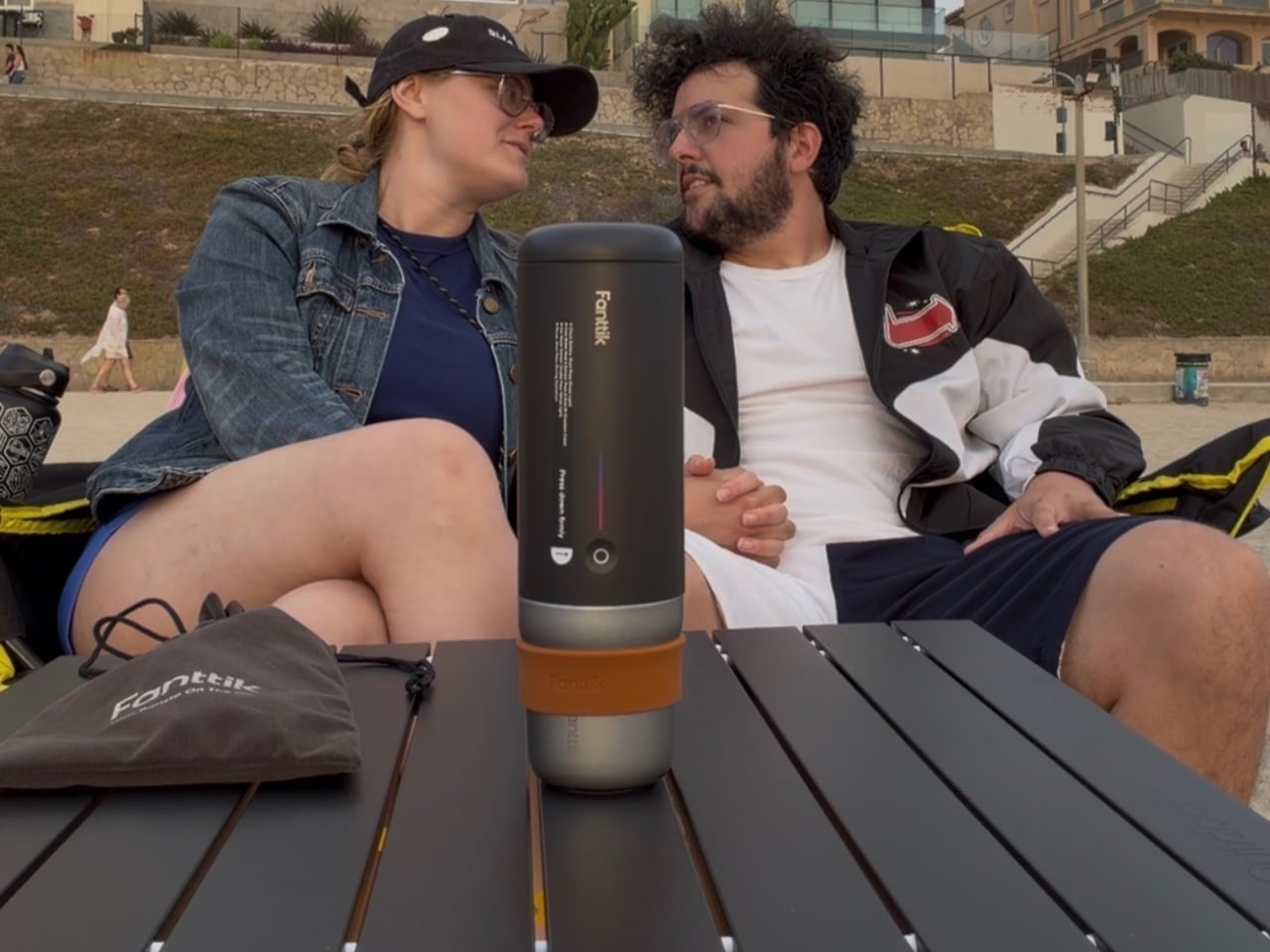
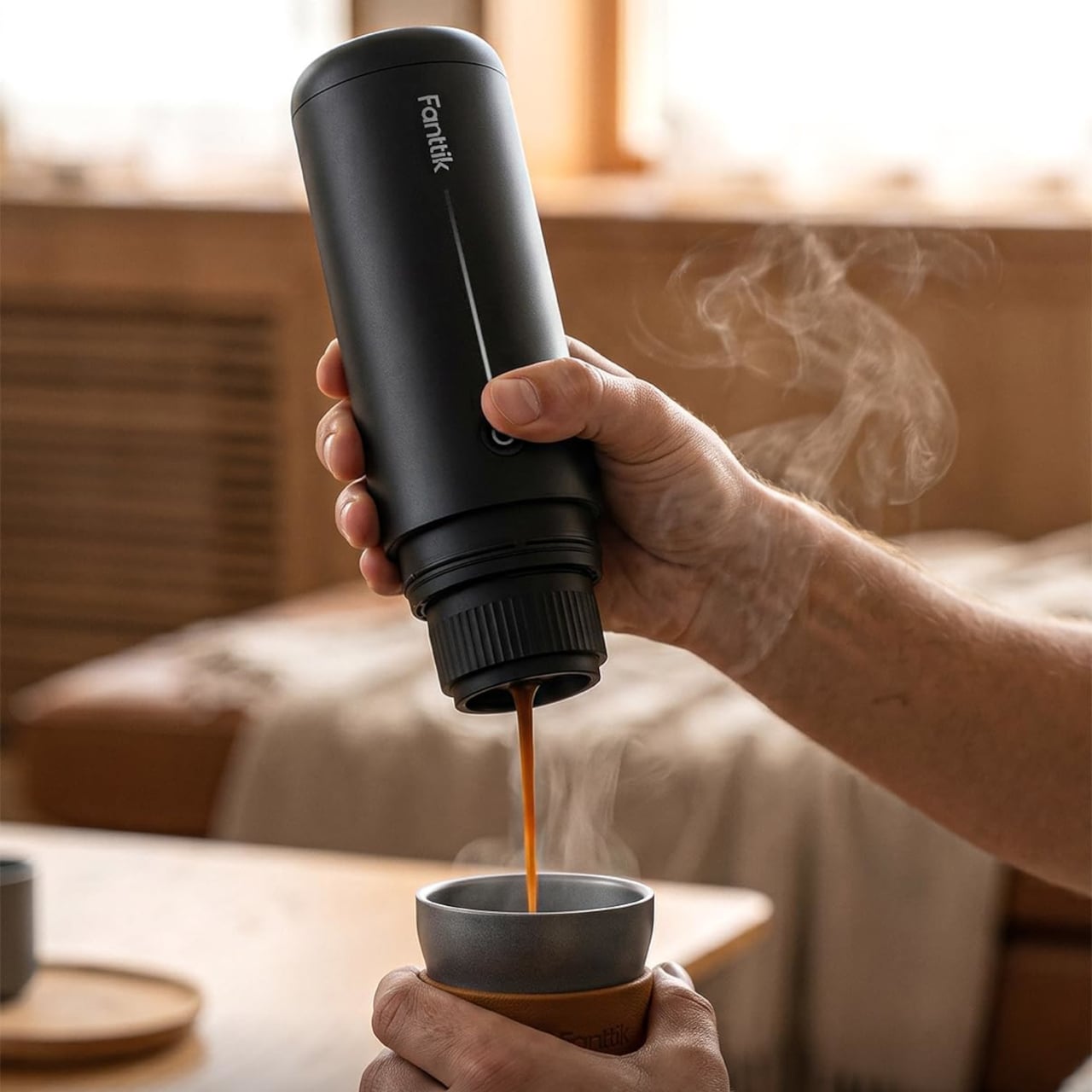
Fanttik’s Cafein 11 is the kind of portable coffee machine that takes that problem seriously. Rather than asking you to pack a separate kettle or hunt for an outlet, it handles heating, pressure, and extraction entirely on its own, running off a built-in rechargeable battery. Fanttik, a brand behind over 40 product design awards, including multiple iF Design Awards, didn’t approach this as a novelty gadget.

Designer: Fanttik

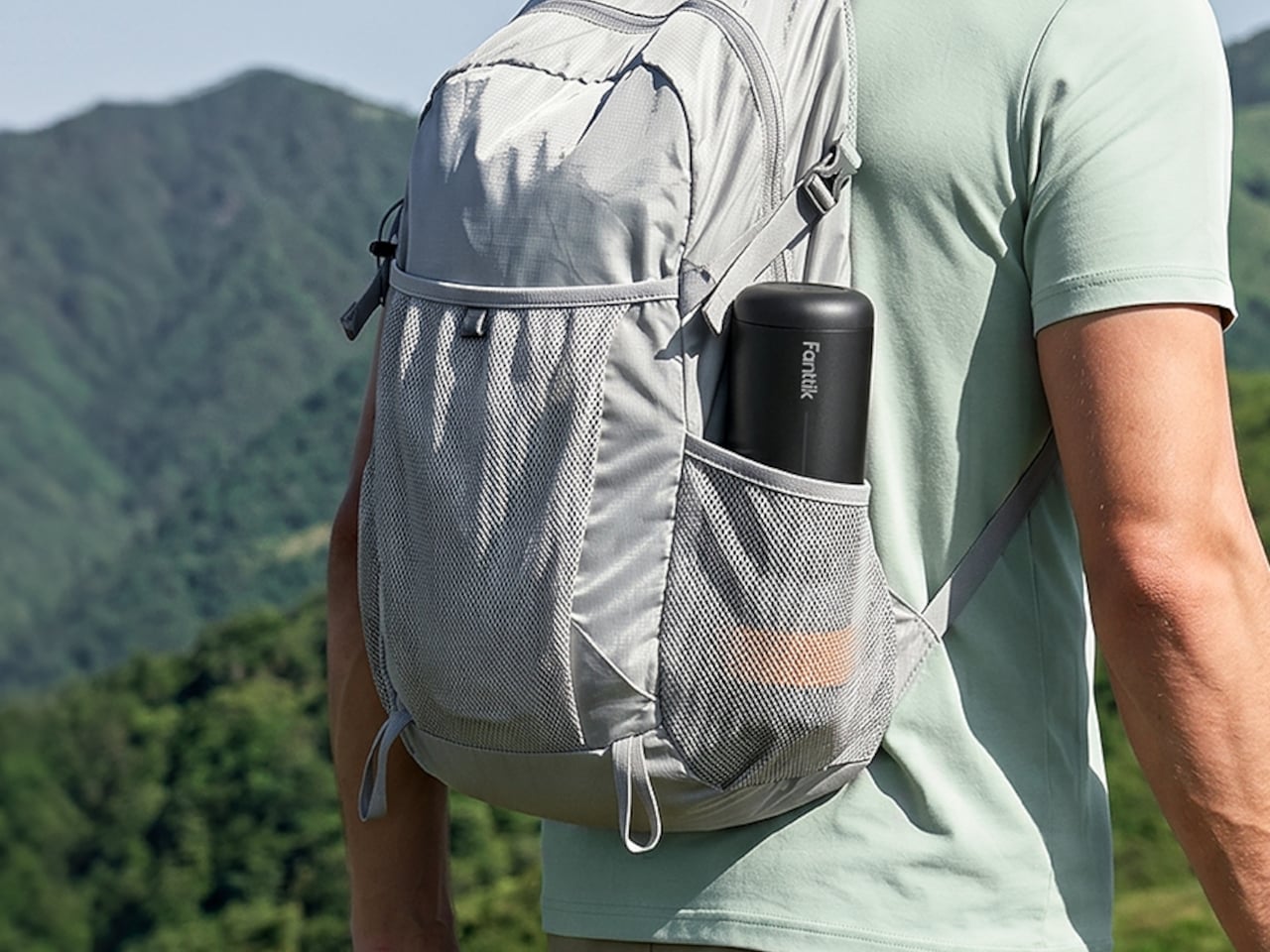
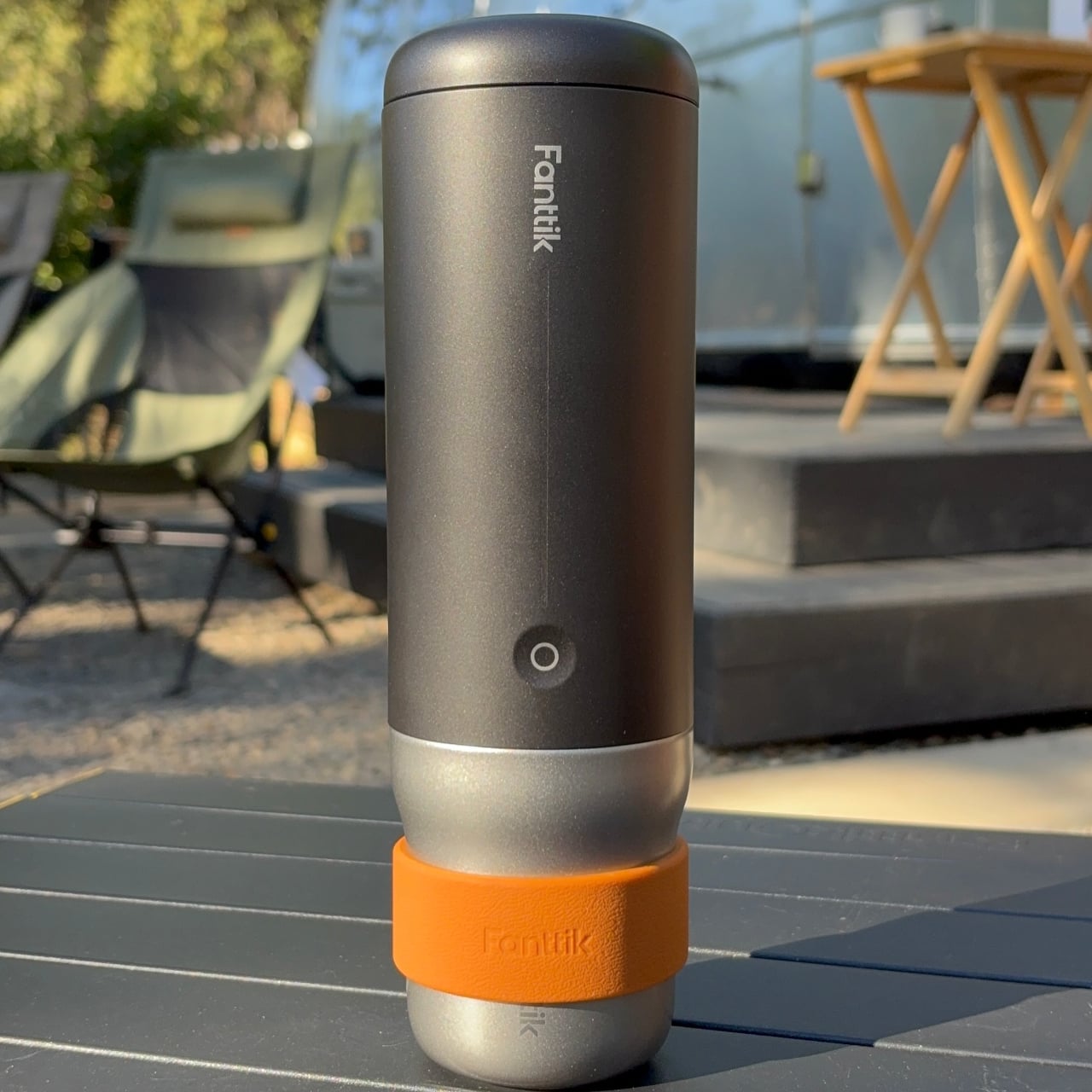
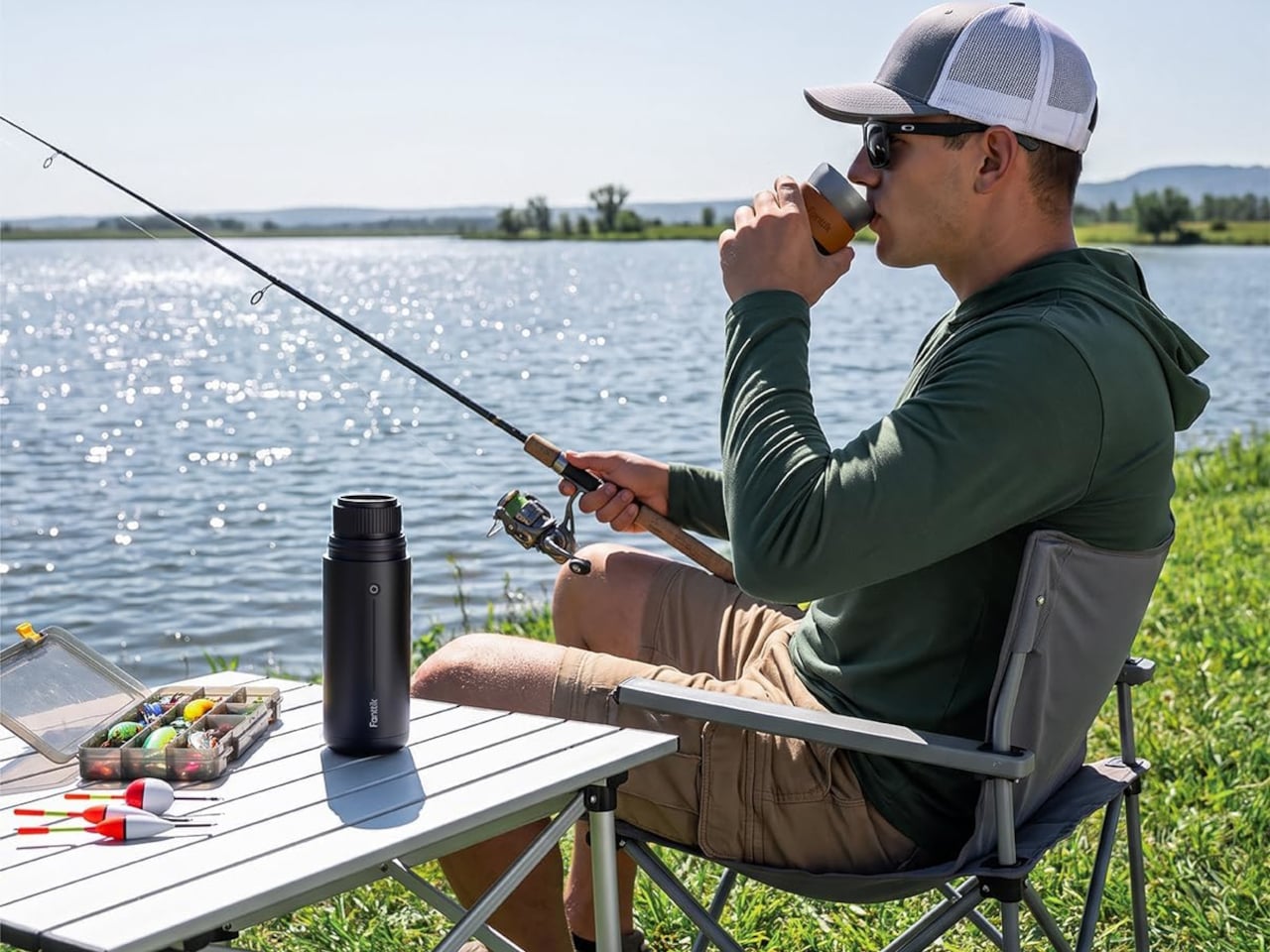
Weighing 825g, the Cafein 11 sits comfortably in the same mental category as a travel thermos, which makes packing it feel like a non-decision. It’s built from food-grade stainless steel, which keeps it durable and easy to clean, and its cylindrical silhouette slips neatly into a backpack without fuss. The machine doesn’t look or feel like a compromise, and that’s actually a harder design goal to hit than it sounds.

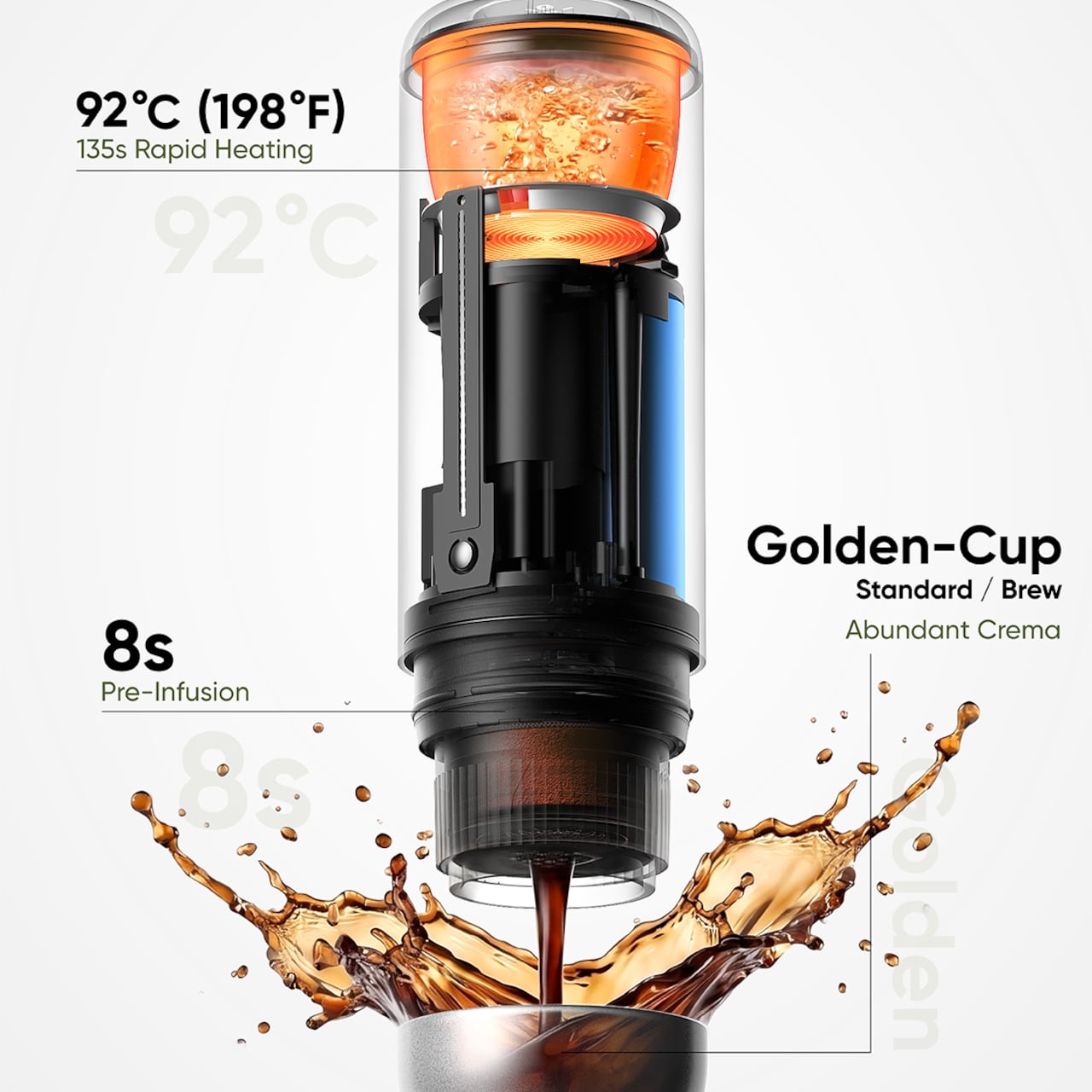
The most meaningful thing the Cafein 11 does is heat its own water. That might sound basic, but it’s the feature that separates a genuinely portable espresso machine from one that’s merely small. From room temperature, it reaches brewing heat in about 135 seconds, meaning a proper shot is ready before a campsite morning gets going, or before the next highway stretch begins. No kettle required.

On the extraction side, the Cafein 11 operates at 20 bar of pressure and runs an 8-second pre-infusion cycle before the main brew begins. Pre-infusion saturates the grounds before full pressure is applied, which generally leads to a more even extraction and a richer cup. It’s a detail that suggests Fanttik was thinking as much about what ends up in the cup as about how compact the machine could be.

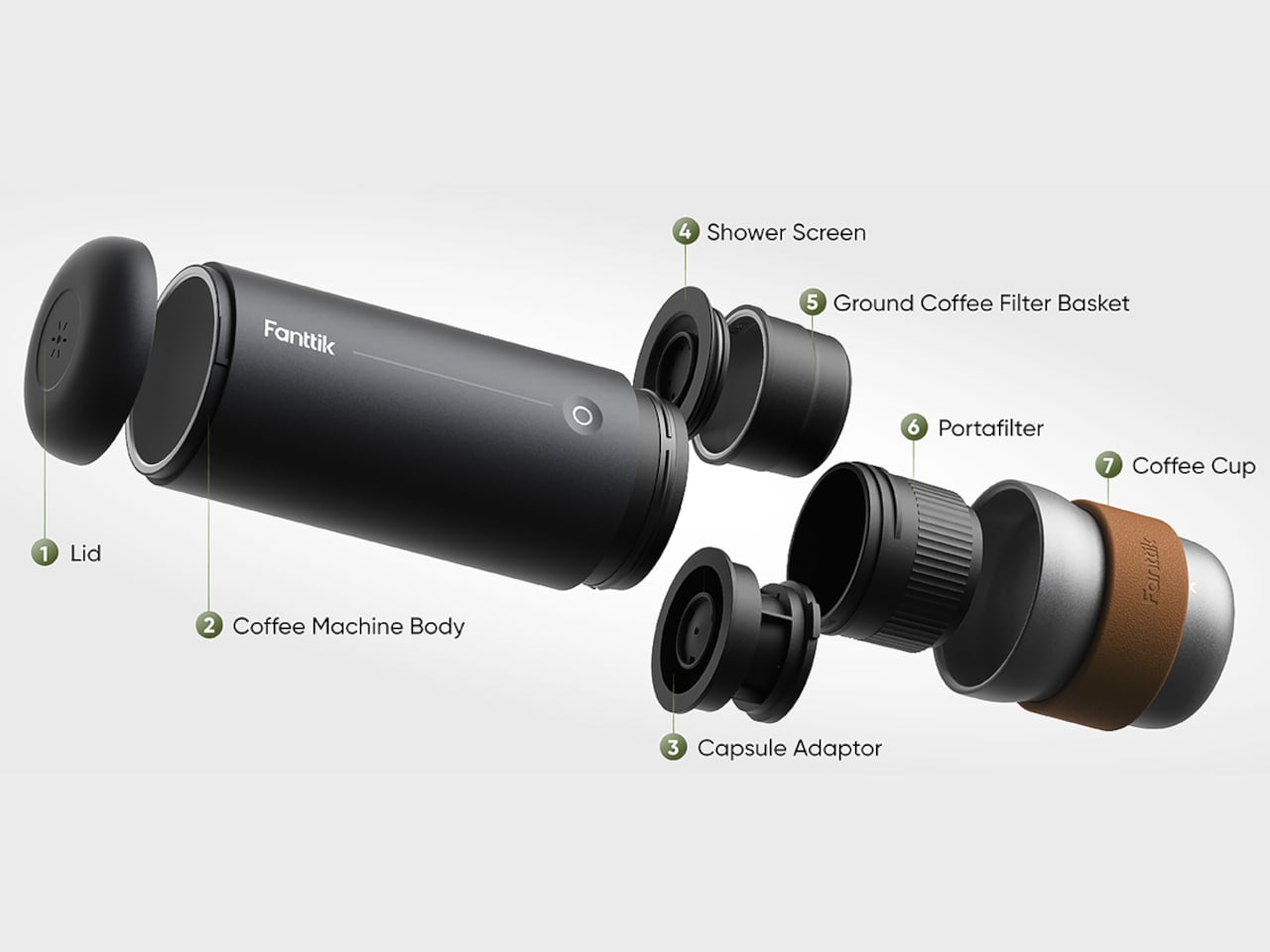
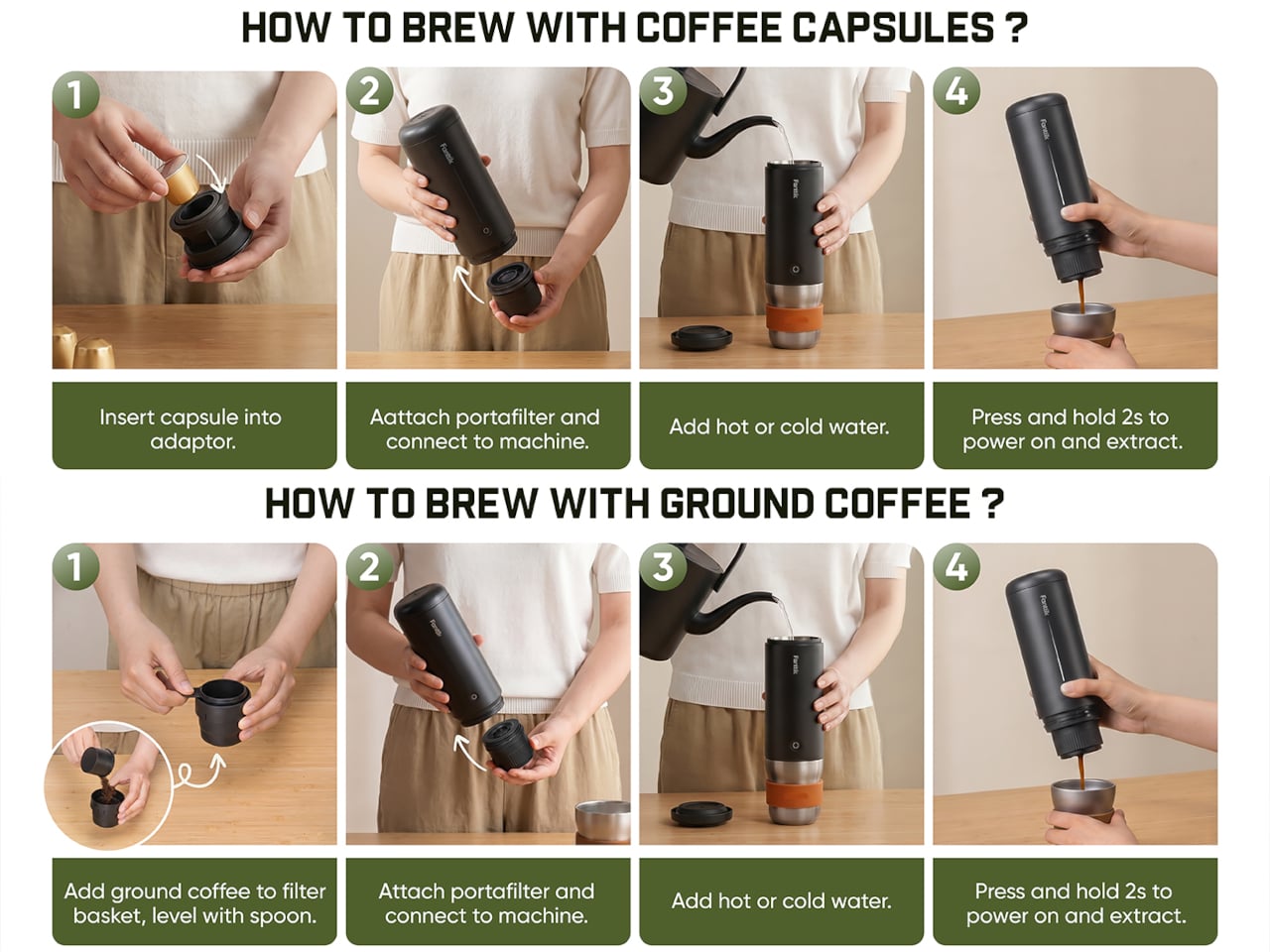
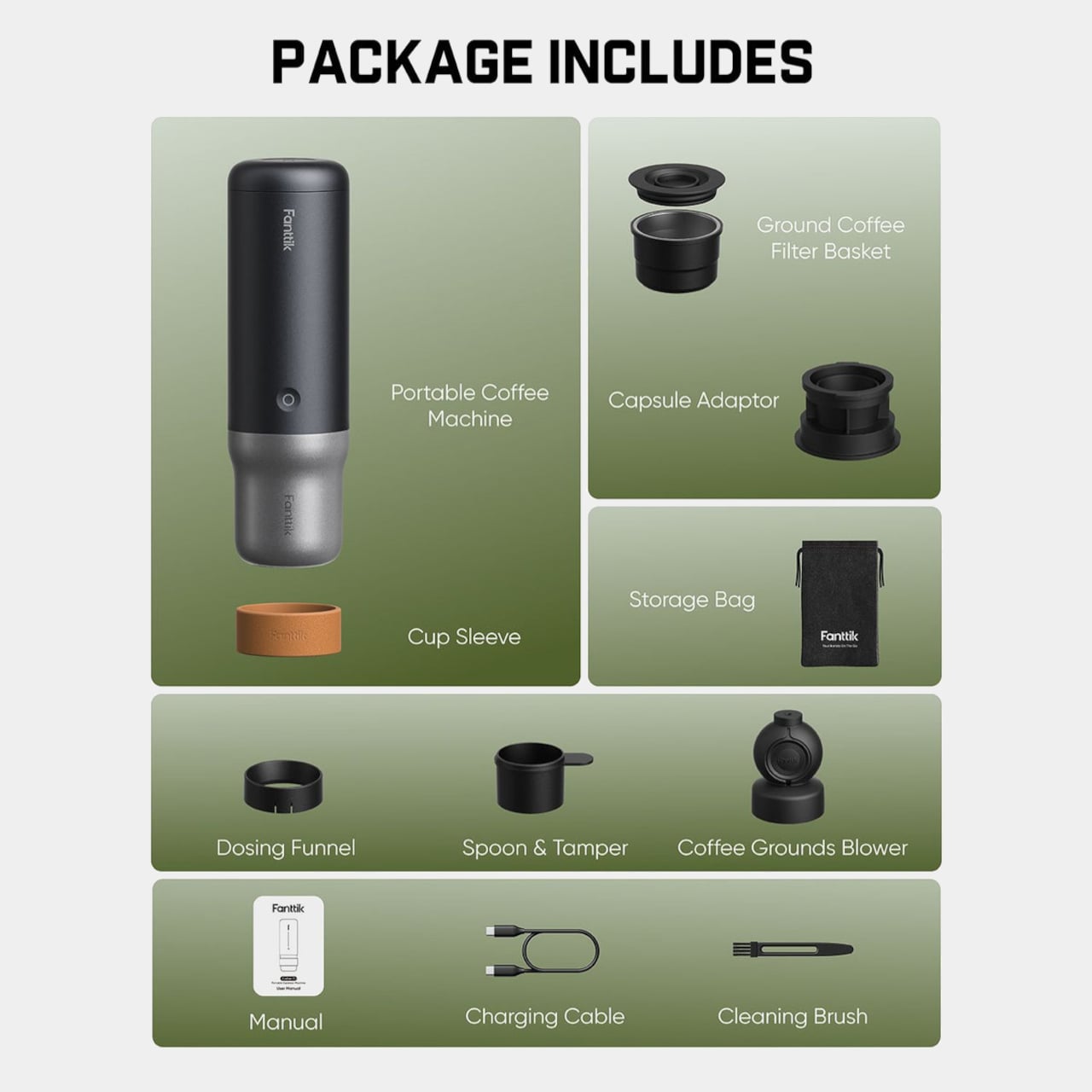
What also helps is that the Cafein 11 works with both capsules and ground coffee. On a rushed office morning, a capsule is in and out in seconds with no measuring or cleanup required. On a slower weekend trip, freshly ground beans are equally welcome. Either way, the machine adapts to how you feel rather than asking you to commit to one kind of coffee ritual.

Charging works through USB-C, which sounds like a small detail but matters more in practice than you’d think. There’s no proprietary cable to track down or forget at home, since the cord you’re already using for your phone or laptop does the job. A triple 4,500 mAh battery configuration handles multiple shots per charge, so the machine doesn’t run out of steam faster than the average traveler’s patience does.

At $149.99, the Cafein 11 isn’t the cheapest addition to a bag, but the math shifts when you consider what it replaces: hunting for a decent café in unfamiliar places, hotel drip machines that have seen better days, and the persistent compromise between going somewhere and having a good espresso while you’re there. It’s the kind of thing you don’t realize you want until you’re somewhere without a decent cup.

The post A $150 Portable Espresso Machine That Heats Its Own Water in 135 Seconds first appeared on Yanko Design.
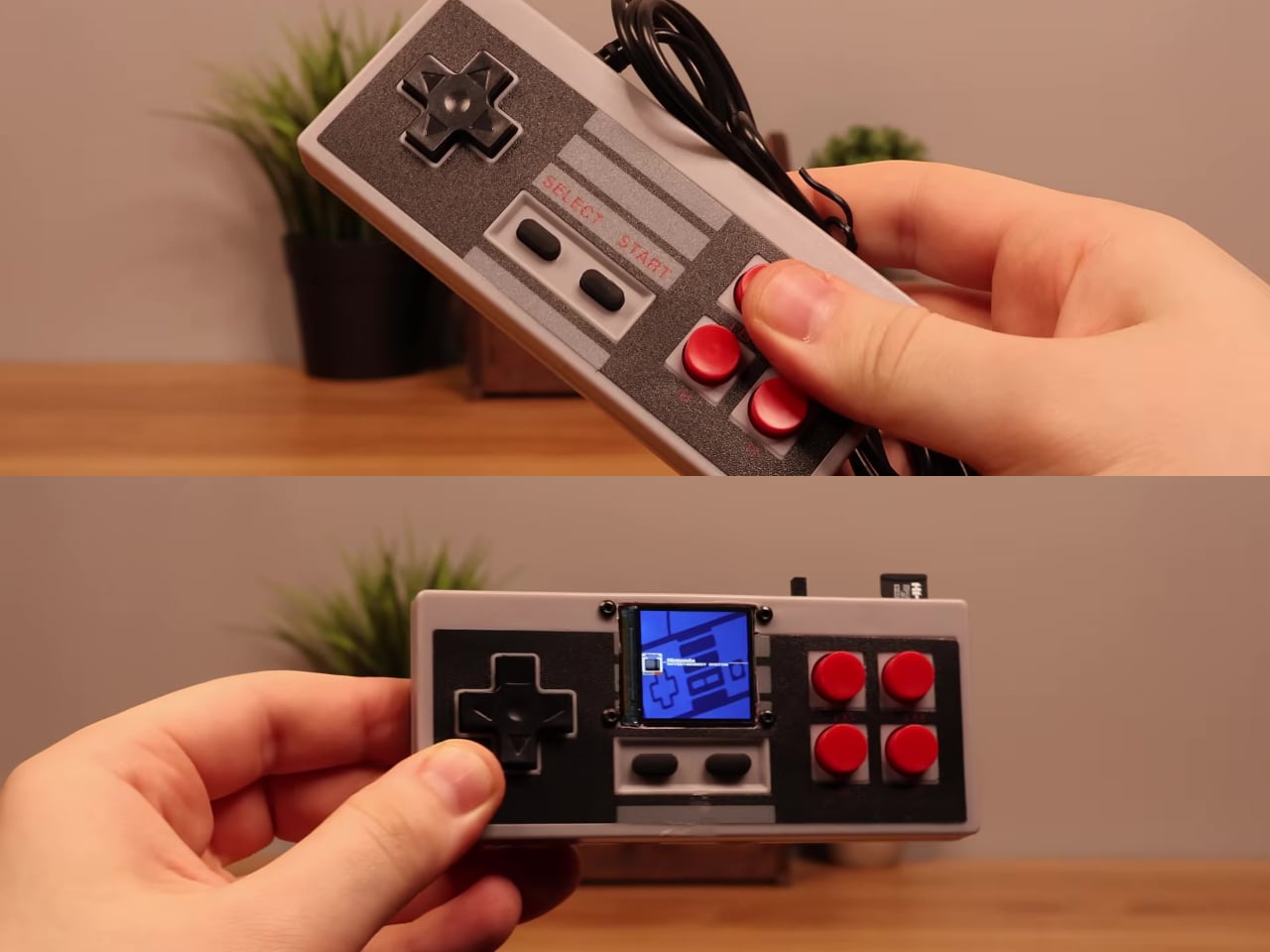
Someone Stuffed a Full Retro Console Inside an NES Controller for $17

Most original NES controllers haven’t seen active duty in decades. They survive in storage bins and attic boxes, physically intact and perfectly functional as controllers, but with nothing left to plug them into. The consoles they were paired with have long since been replaced or decommissioned. The hardware was always well built, but the form factor has been sitting idle for years.

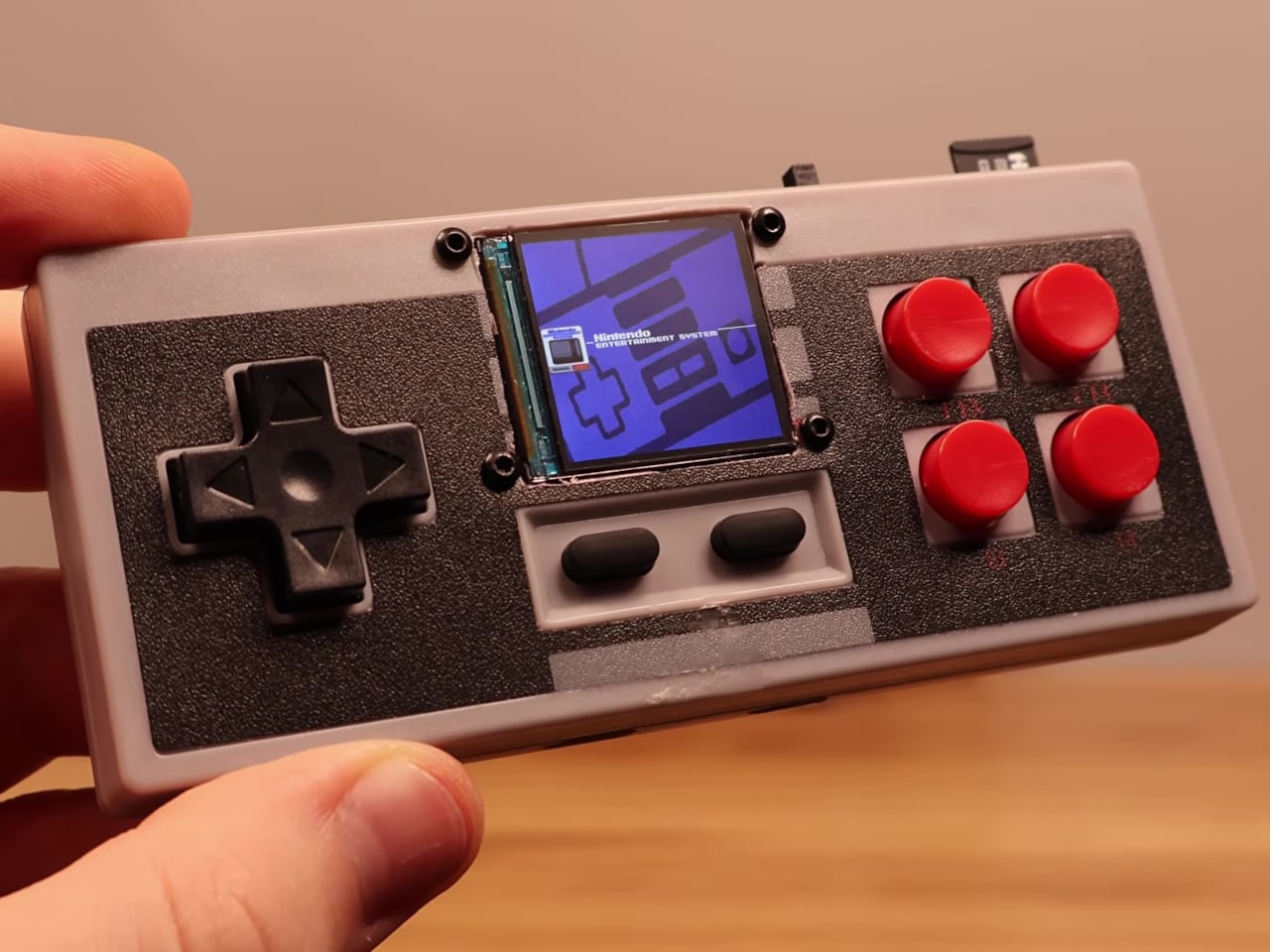
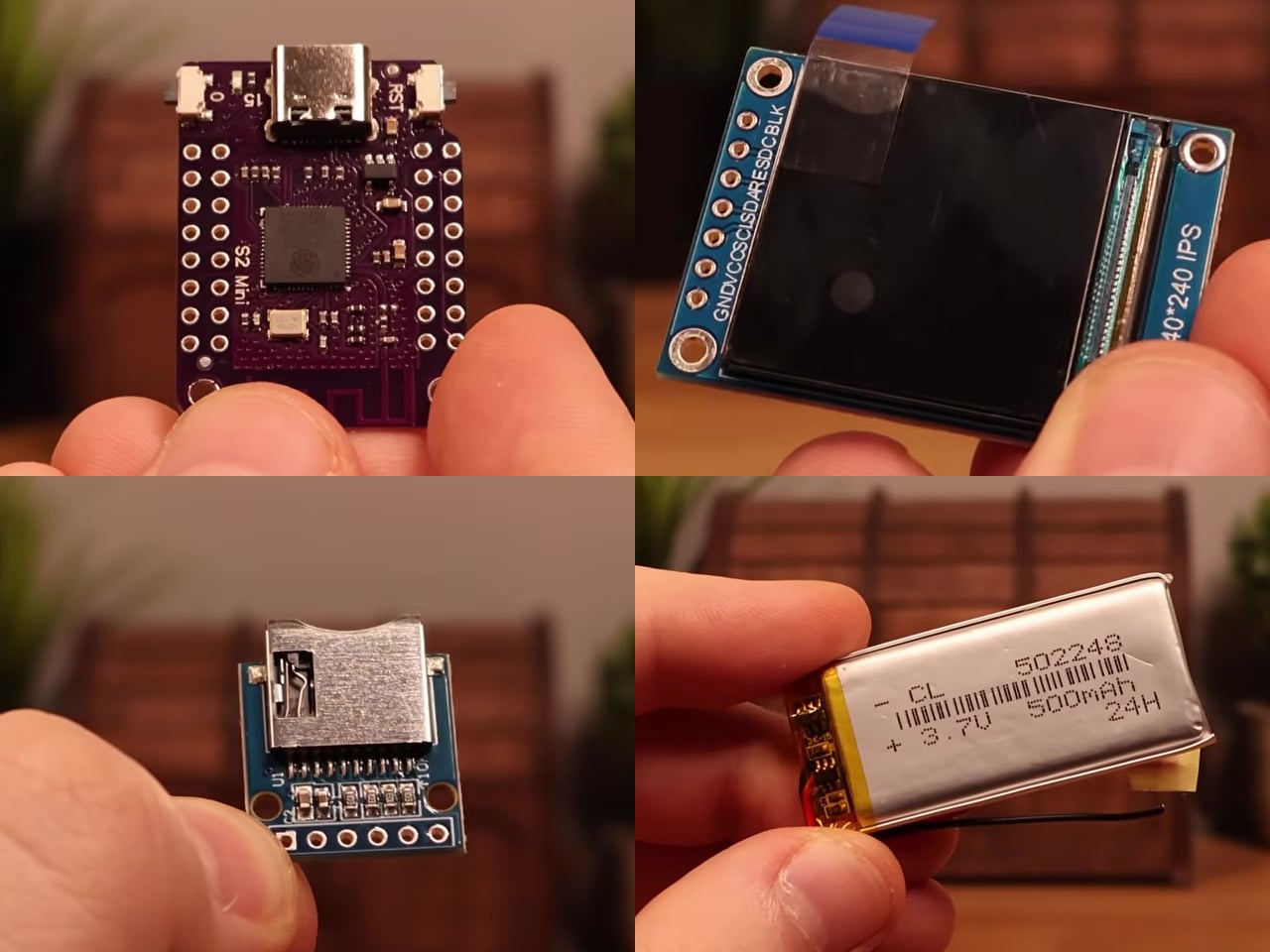
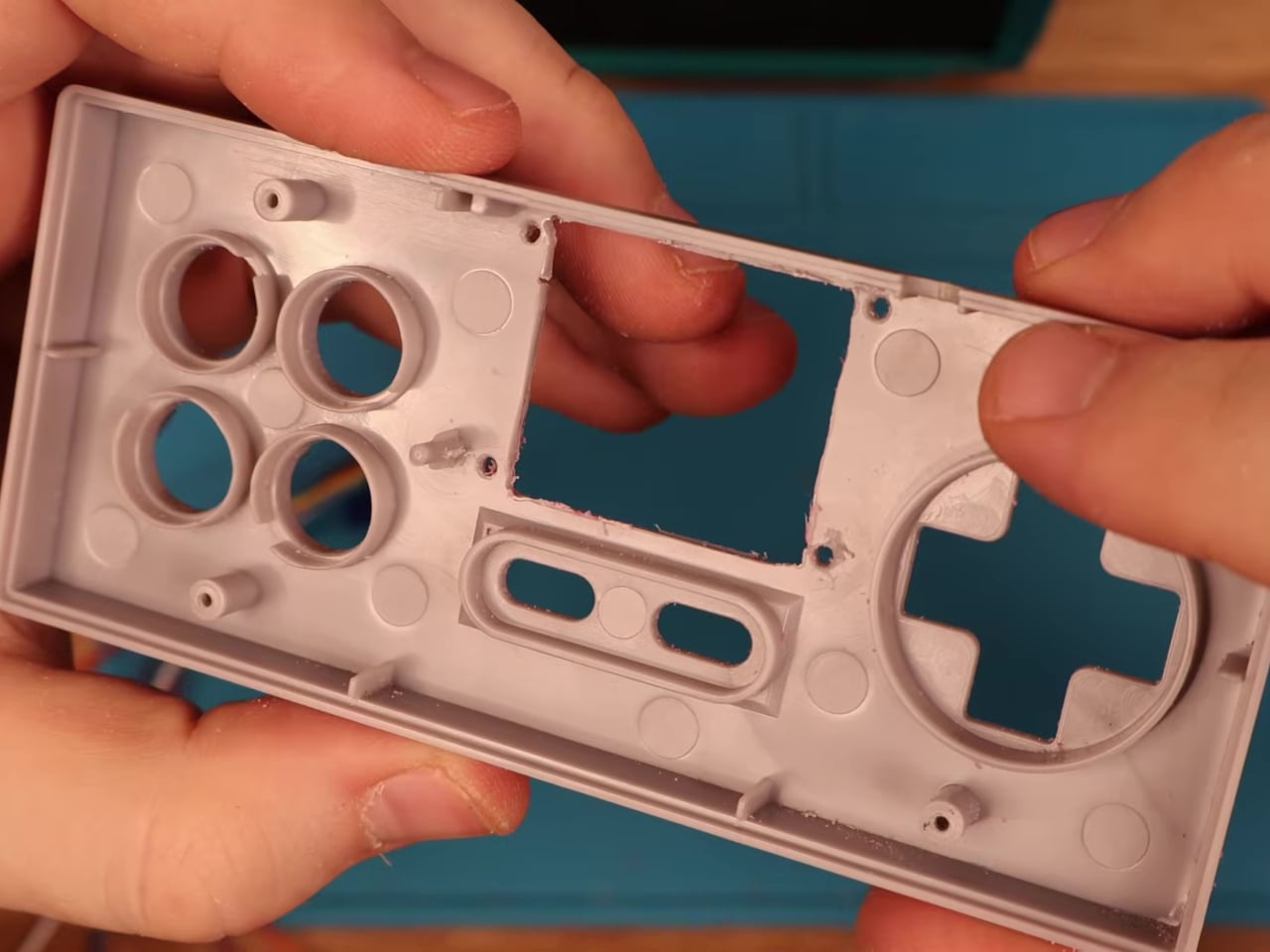
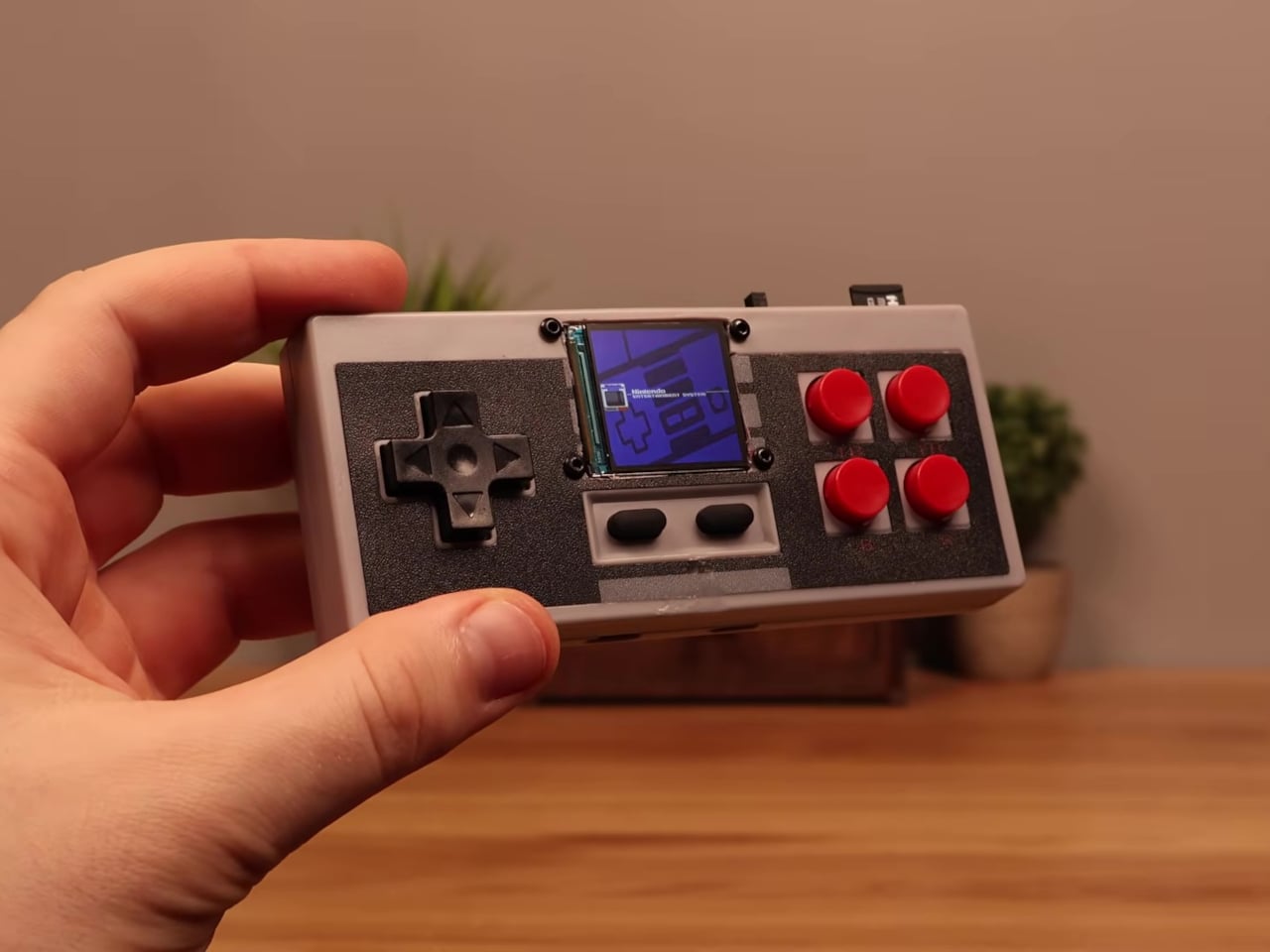
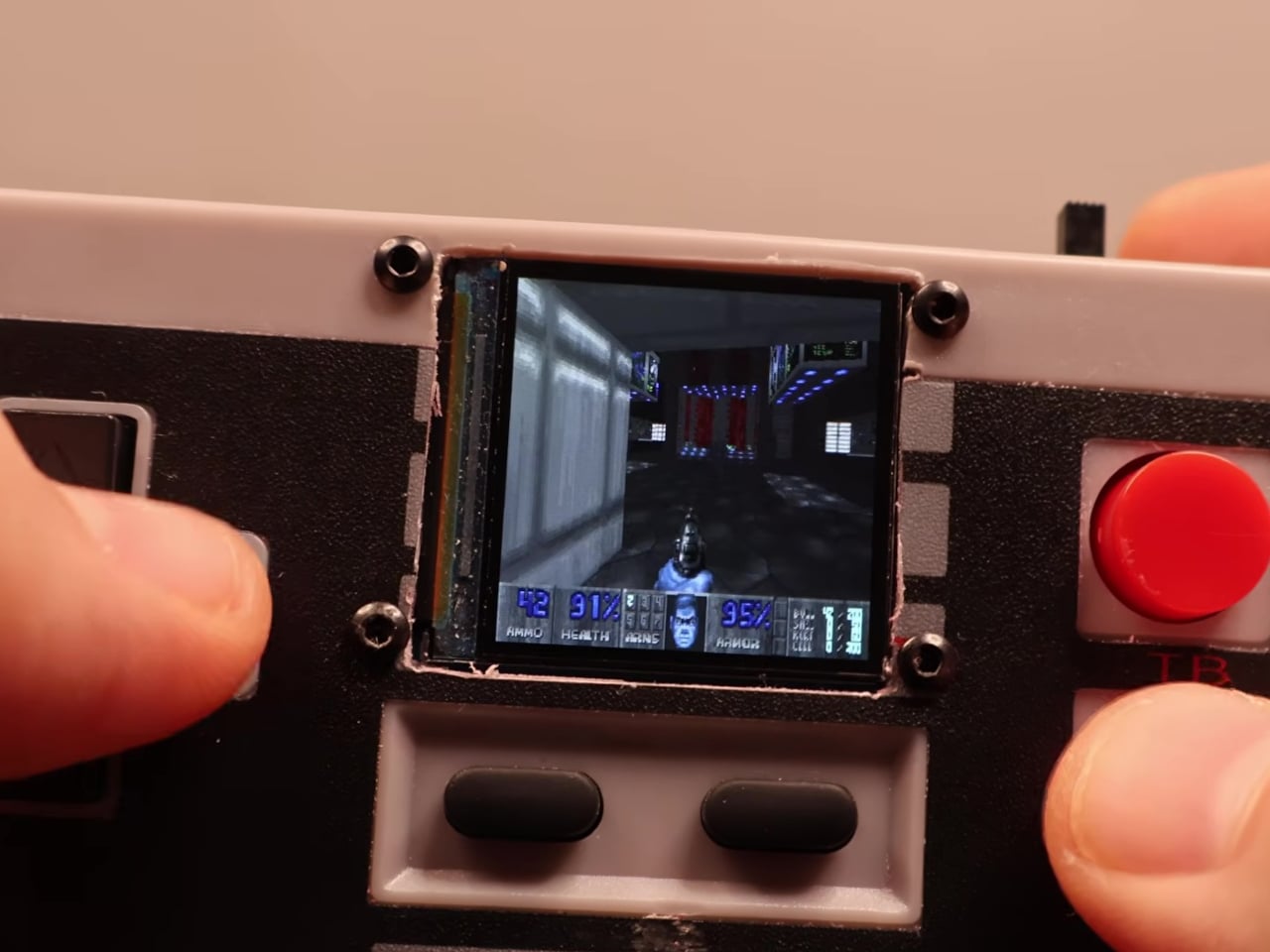
This mod changes the job description of that controller shell entirely. The electronics inside a standard NES-style gamepad were stripped out and replaced with a Wemos ESP32-S2 Mini development board, a 1.54-inch 240×240 TFT display, a MicroSD card module, a 500 mAh lithium-polymer battery, a charging board, a speaker, and a slide power switch. From the outside, it still looks exactly like an NES controller.

Designer: Logic Gate Labs

Choosing the right processor was essentially a geometry problem. A larger ESP32-S3 would have offered dual-core performance and enough PSRAM to keep entire game ROMs in memory, but it was too big to fit inside the housing. Smaller ESP32 variants without PSRAM lacked the memory for smooth emulation. The ESP32-S2 Mini landed in the narrow window between board size and processing capability that the build required.

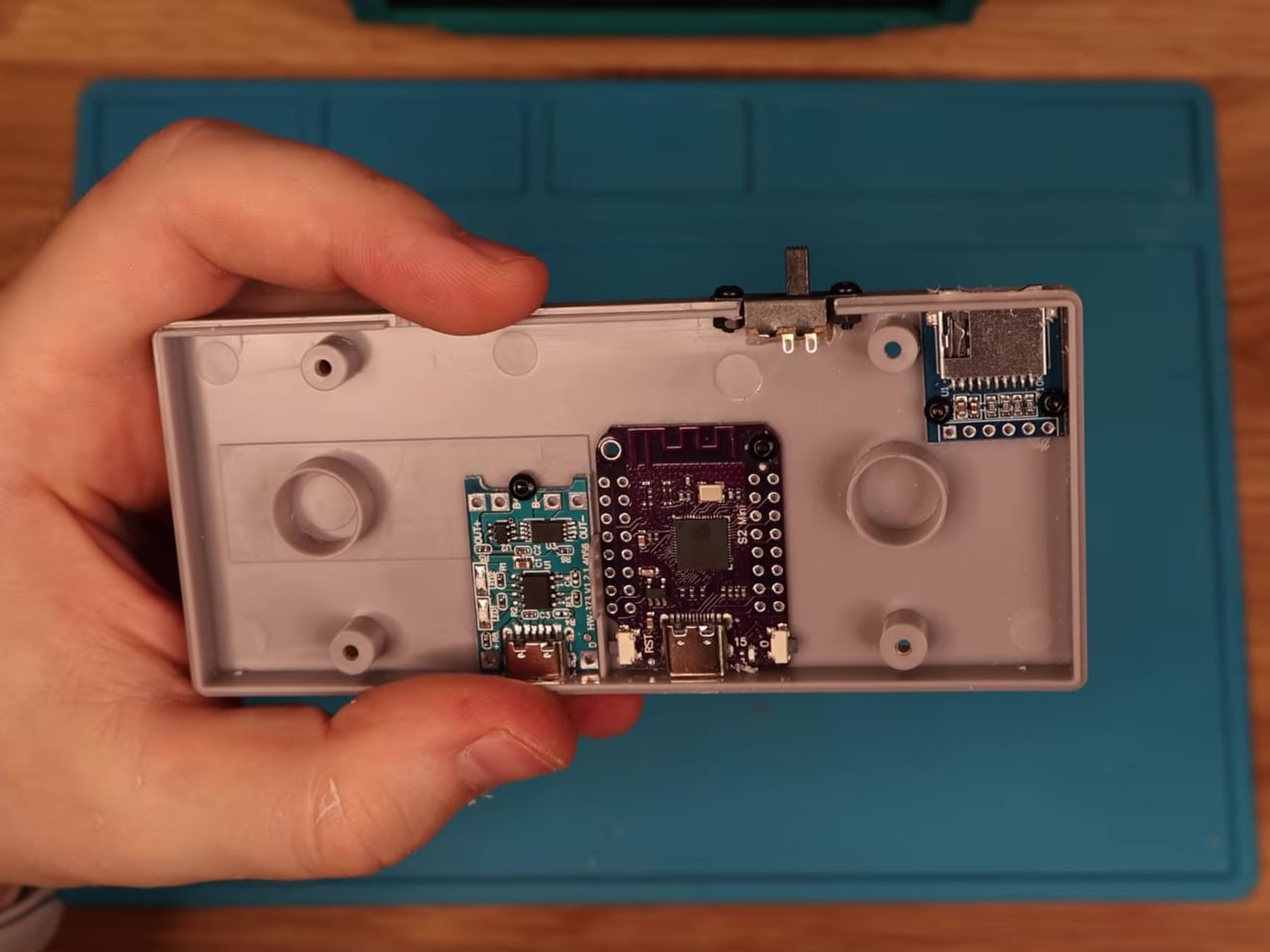
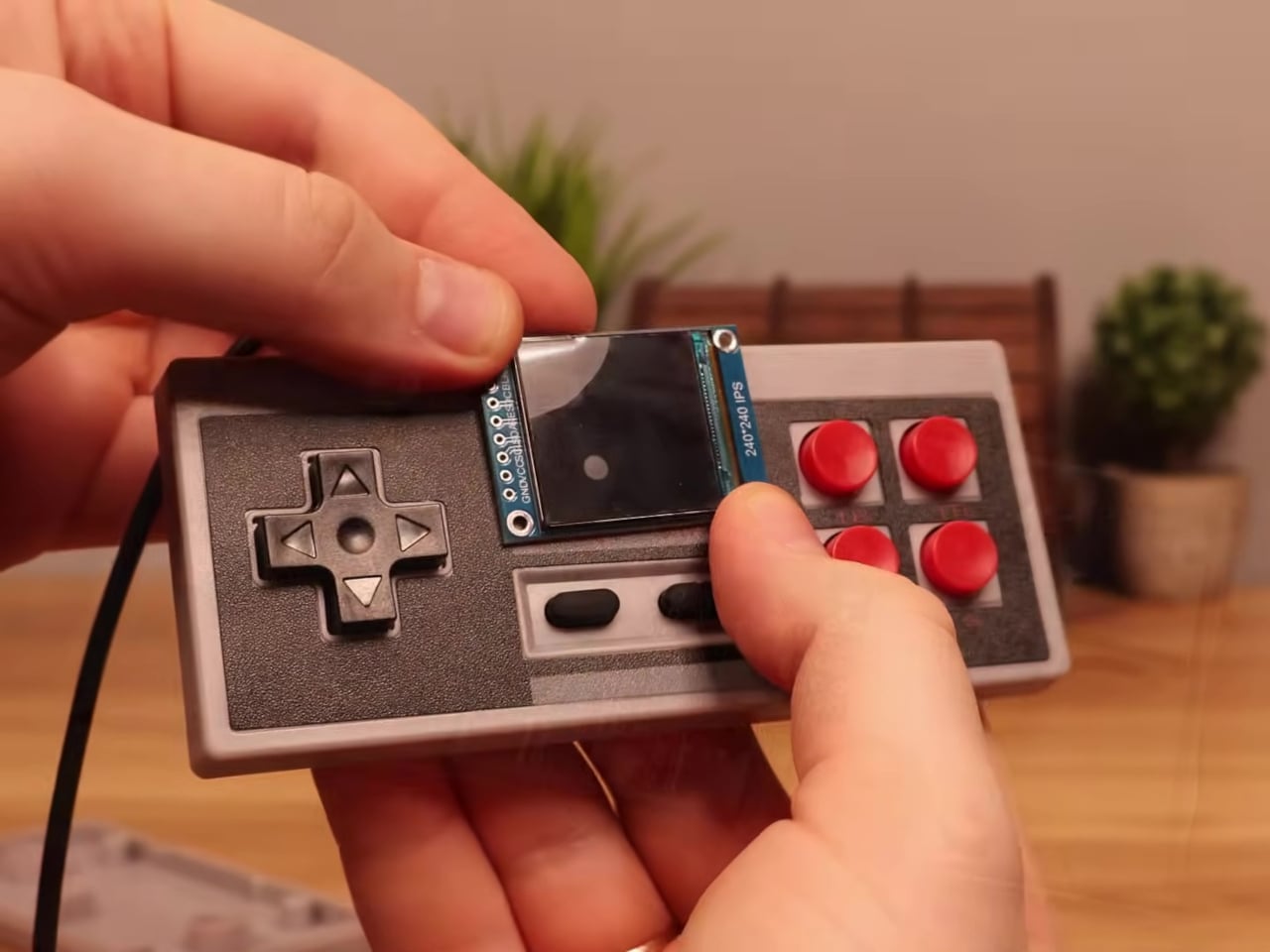
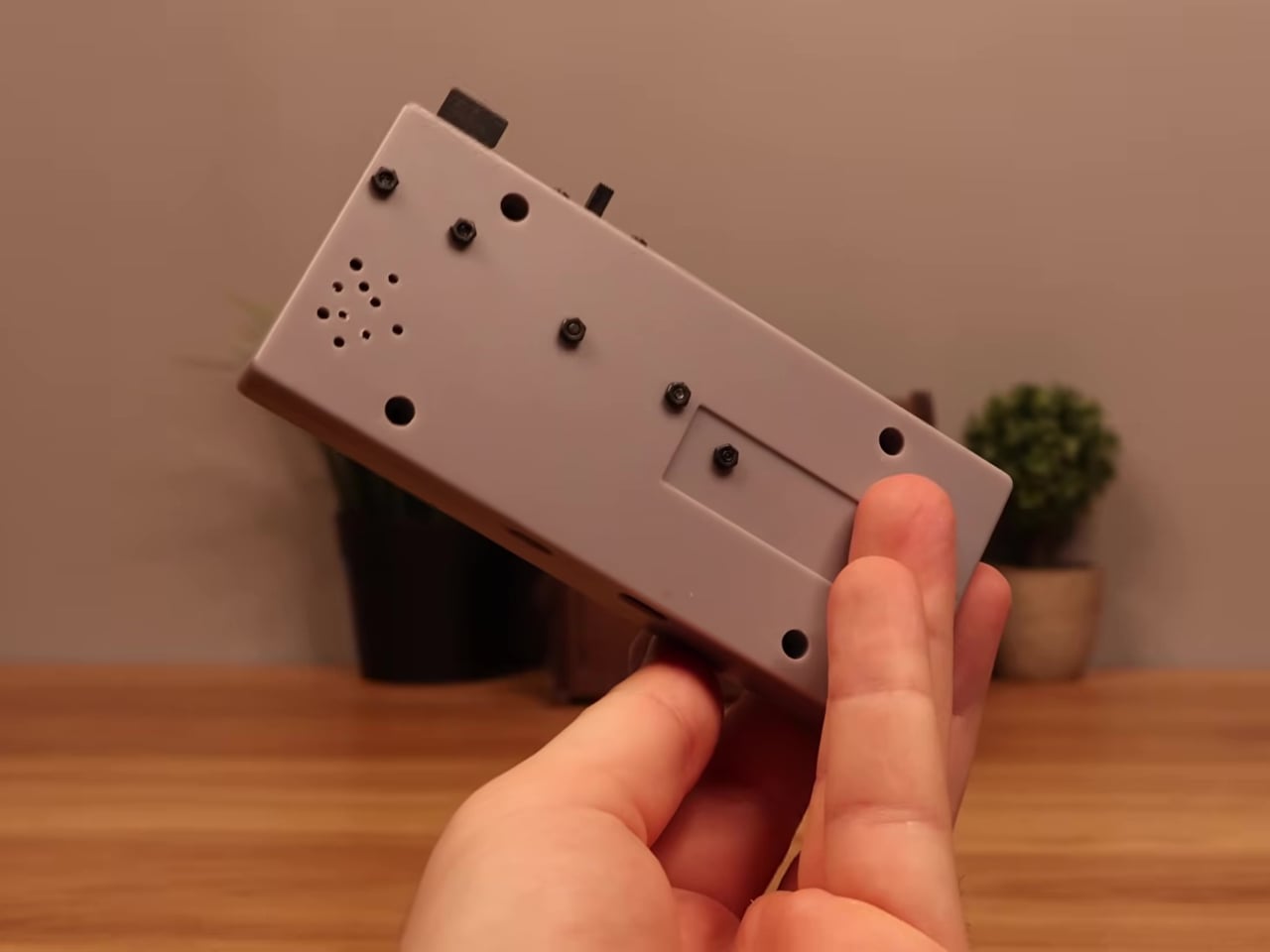
Getting everything to fit required real surgery on the shell. Internal plastic supports had to be trimmed back to make room for the display, and new openings were drilled for the screen, USB charging port, MicroSD slot, speaker, and power switch. A bare copper wire serves as a central ground distribution rail, cutting the number of individual ground wires needed and making it possible to actually close the controller afterward.

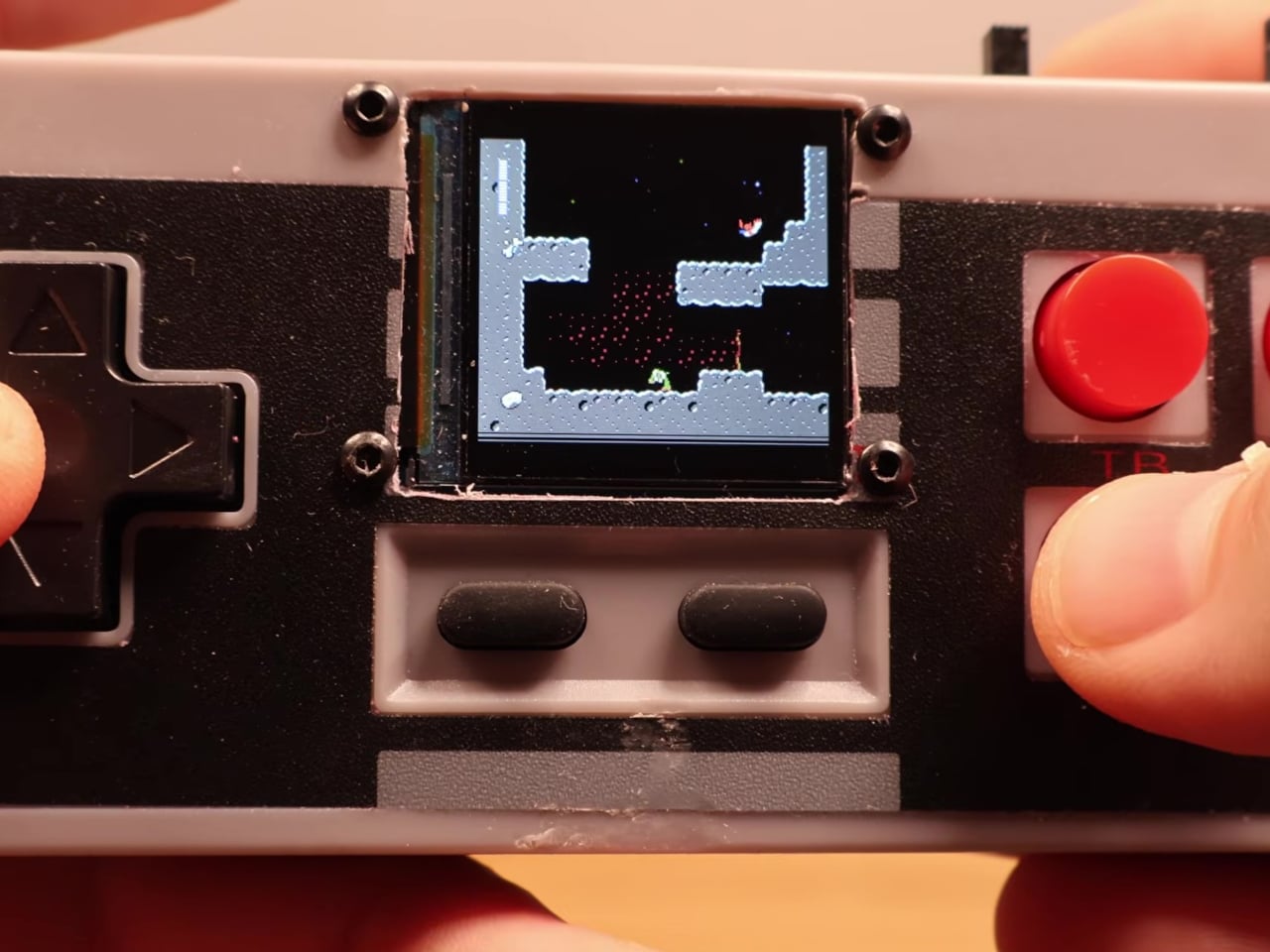
On the software side, the device runs the Retro-Go emulator framework, compiled using ESP-IDF and CMake since the ESP32-S2 isn’t a standard Retro-Go target. The result handles a range of classic 8-bit systems comfortably. As a bonus, Doom runs via PrBoom-Go from a Freedoom WAD file loaded on the MicroSD card, managing somewhere between five and 15 frames per second depending on the scene.

The total build cost runs about $17 using common suppliers, or closer to $8 when sourcing directly from overseas markets. That puts the project well under the price of a single modern game release. Flip the power switch, select a ROM from the MicroSD card, and the screen loads games that once required a dedicated console and television setup. No additional hardware is needed.

What makes this more than a novelty is how it reconsiders a form factor most people already have muscle memory for. The D-pad clicks the same way it always did, and the A and B buttons carry the same spring. What changed is where the signal goes after the press. Instead of traveling to a console that no longer exists, the controller now processes it directly inside its own shell.

The Retro-Go framework is open source, the parts are widely available, and the NES controller shell is one of the most common pieces of vintage hardware still circulating through the secondhand market. Nothing about this build required specialized equipment or proprietary components. The total part list costs less than a single new game on any current platform and fits inside hardware that most people already own.

The post Someone Stuffed a Full Retro Console Inside an NES Controller for $17 first appeared on Yanko Design.
Camera Batteries Go Missing, So This $70 One Tracks Itself

Camera batteries are one of those accessories that photographers never think about until something goes wrong. They’re small enough to vanish into the bottom of a bag or a jacket pocket, common enough to own several of and regularly mix up, and important enough that losing one mid-trip can force an early stop to a shoot. The solution most people reach for is buying more of them, which only increases the number of things to keep track of.

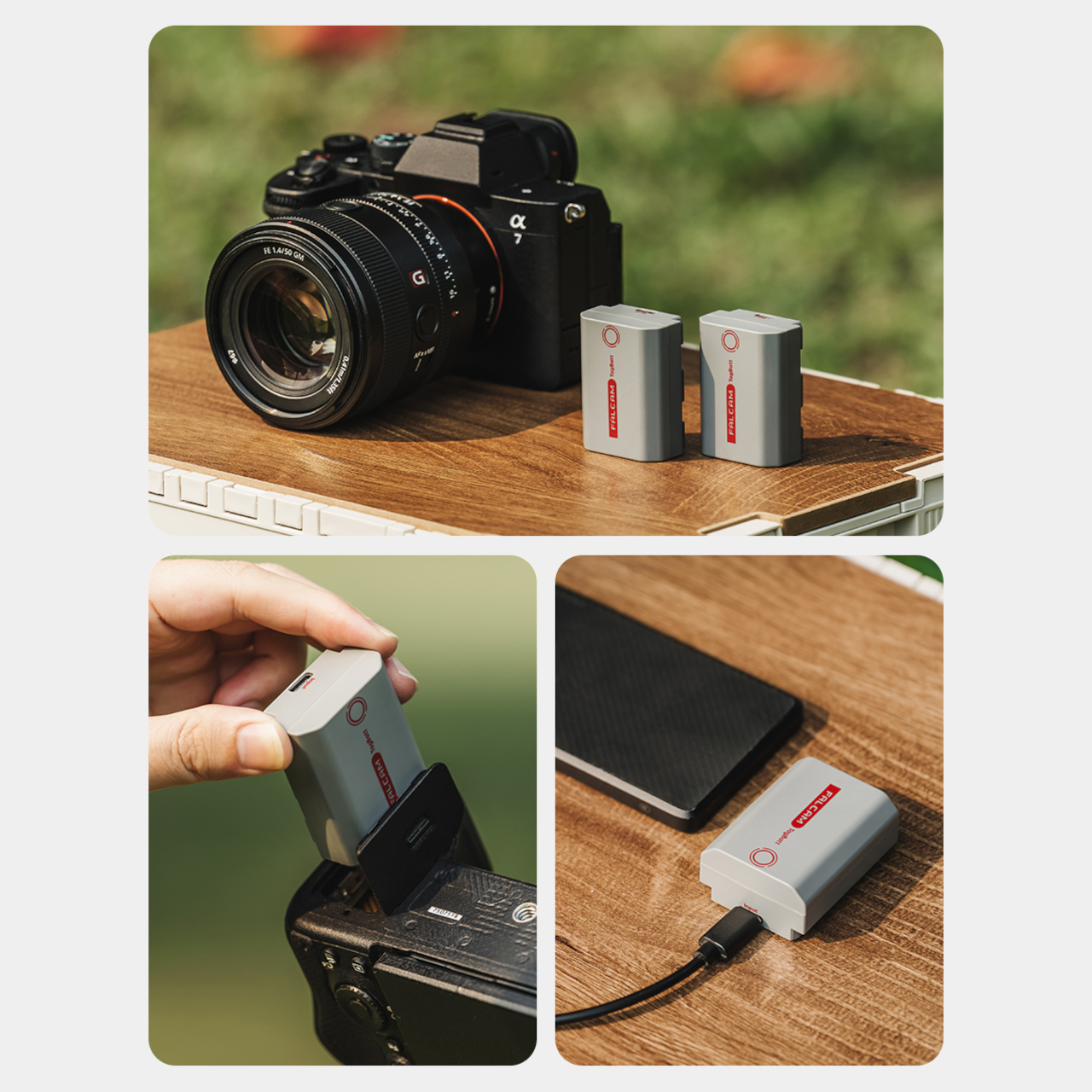
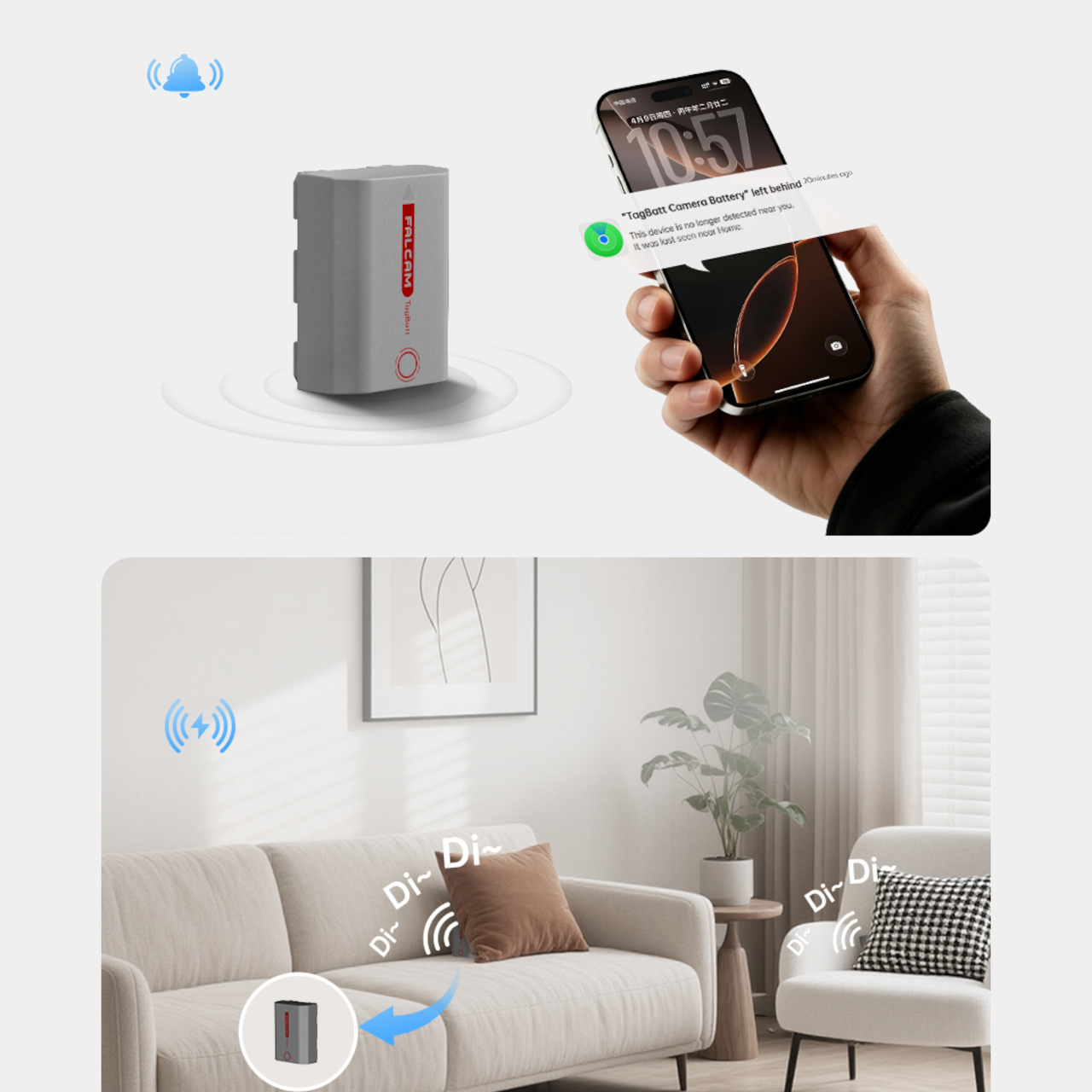
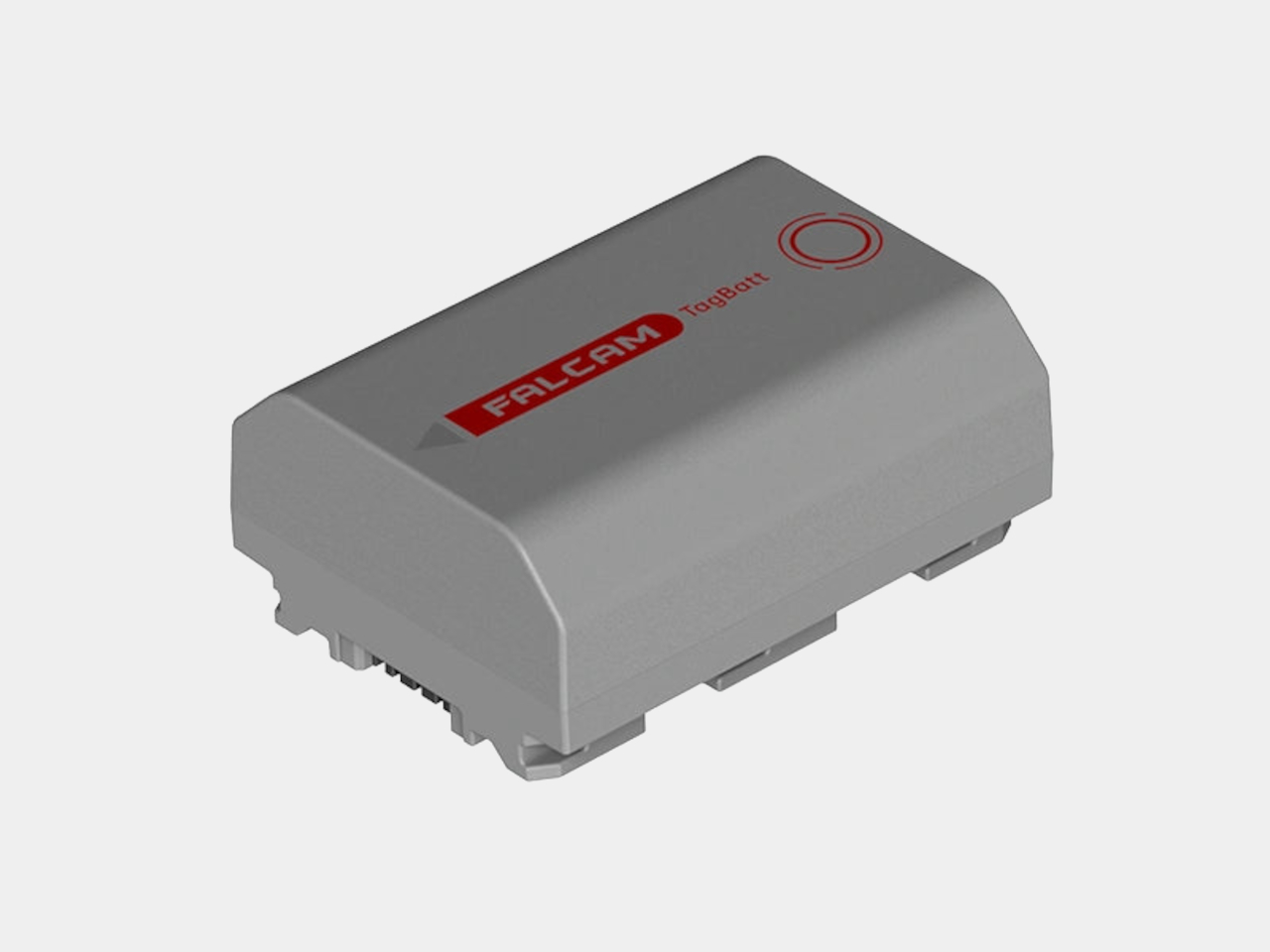
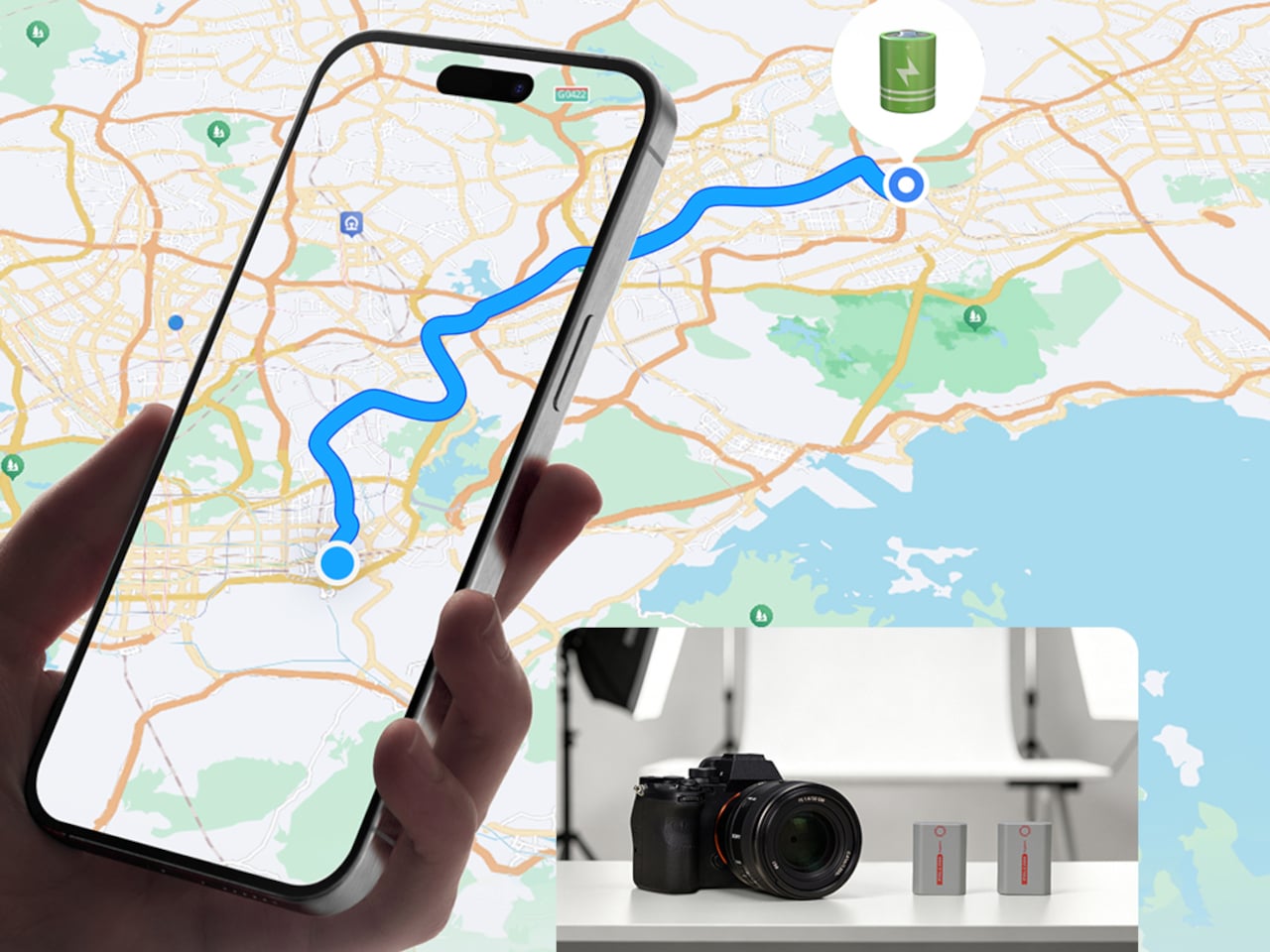
The FALCAM TagBatt addresses the problem from inside the battery itself. Compatible with Sony’s NP-FZ100 form factor, it integrates Apple’s Find My tracking technology directly into the cell, so the battery carries its own location data wherever it goes. If it ends up left behind at a studio, a venue, or the seat pocket of a flight, the Find My app will flag it and show its last known position.
Designer: FALCAM

Because the tracker lives inside the battery rather than clipped to a camera strap or screwed into a cage mount, it’s considerably harder to spot. An opportunistic thief who grabs a camera bag and removes any obvious Bluetooth puck from the outside can’t strip out what’s already built into the power source. It’s the kind of discreet integration that external trackers can’t quite replicate, no matter how small they get.
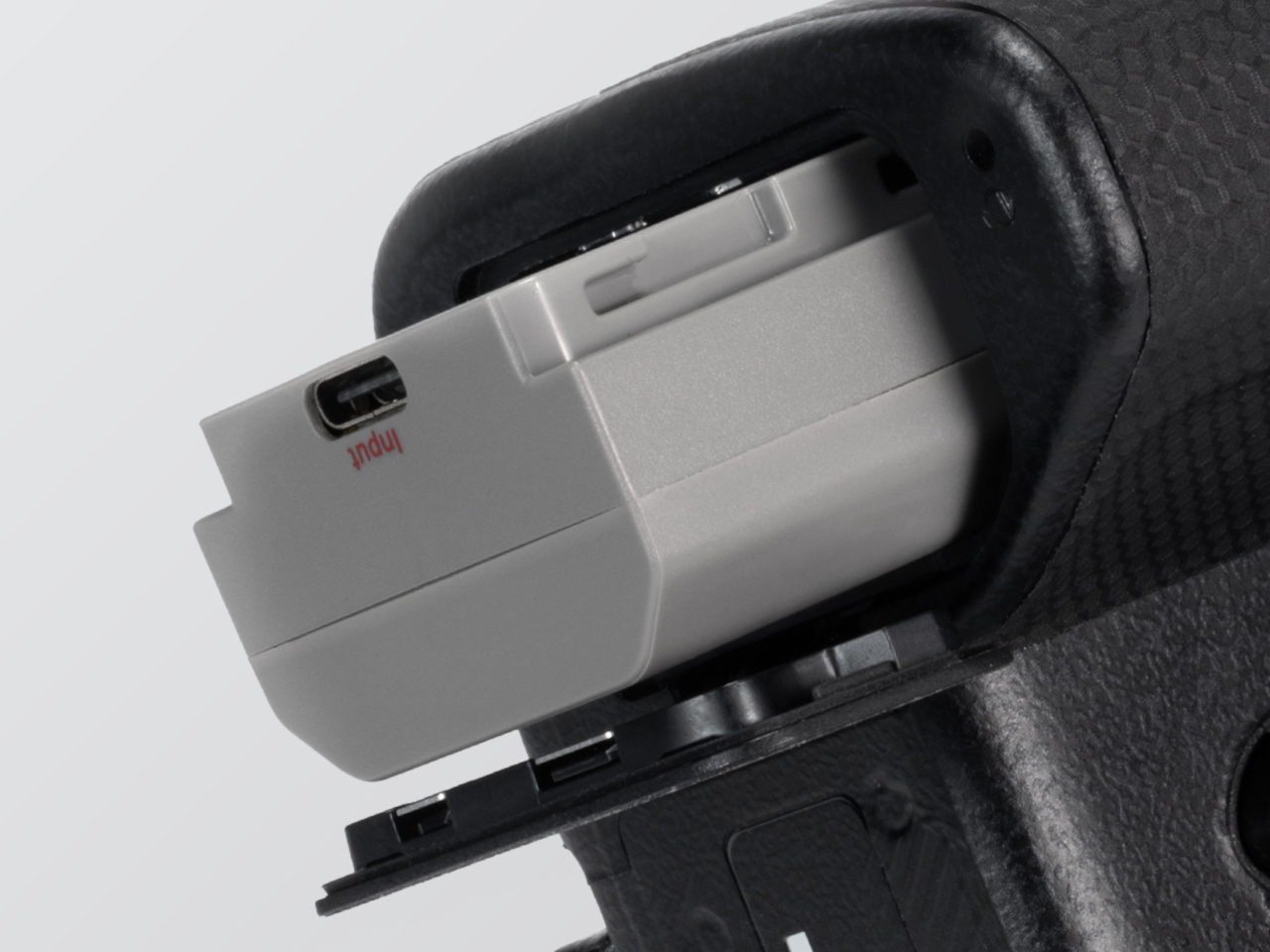
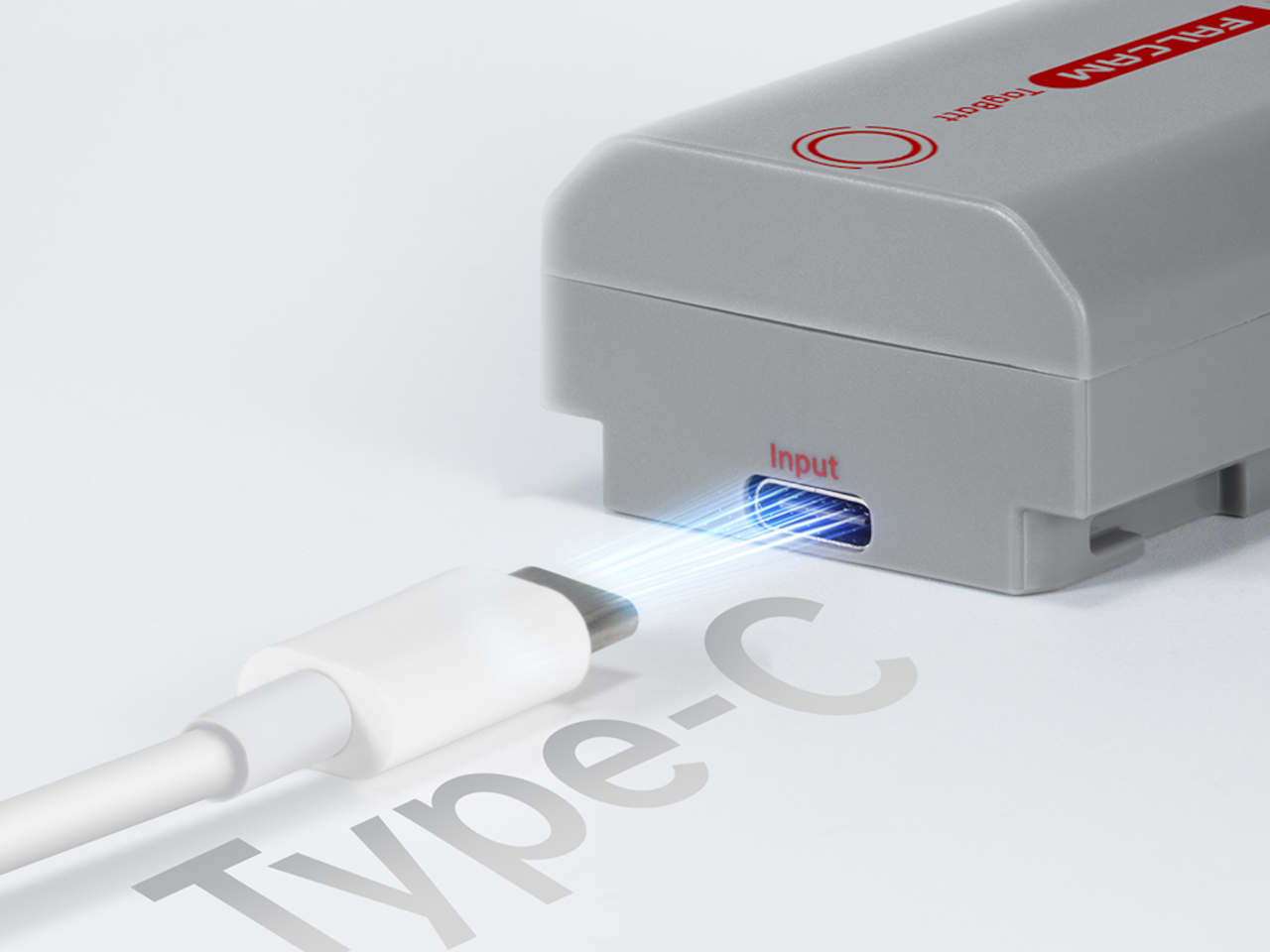
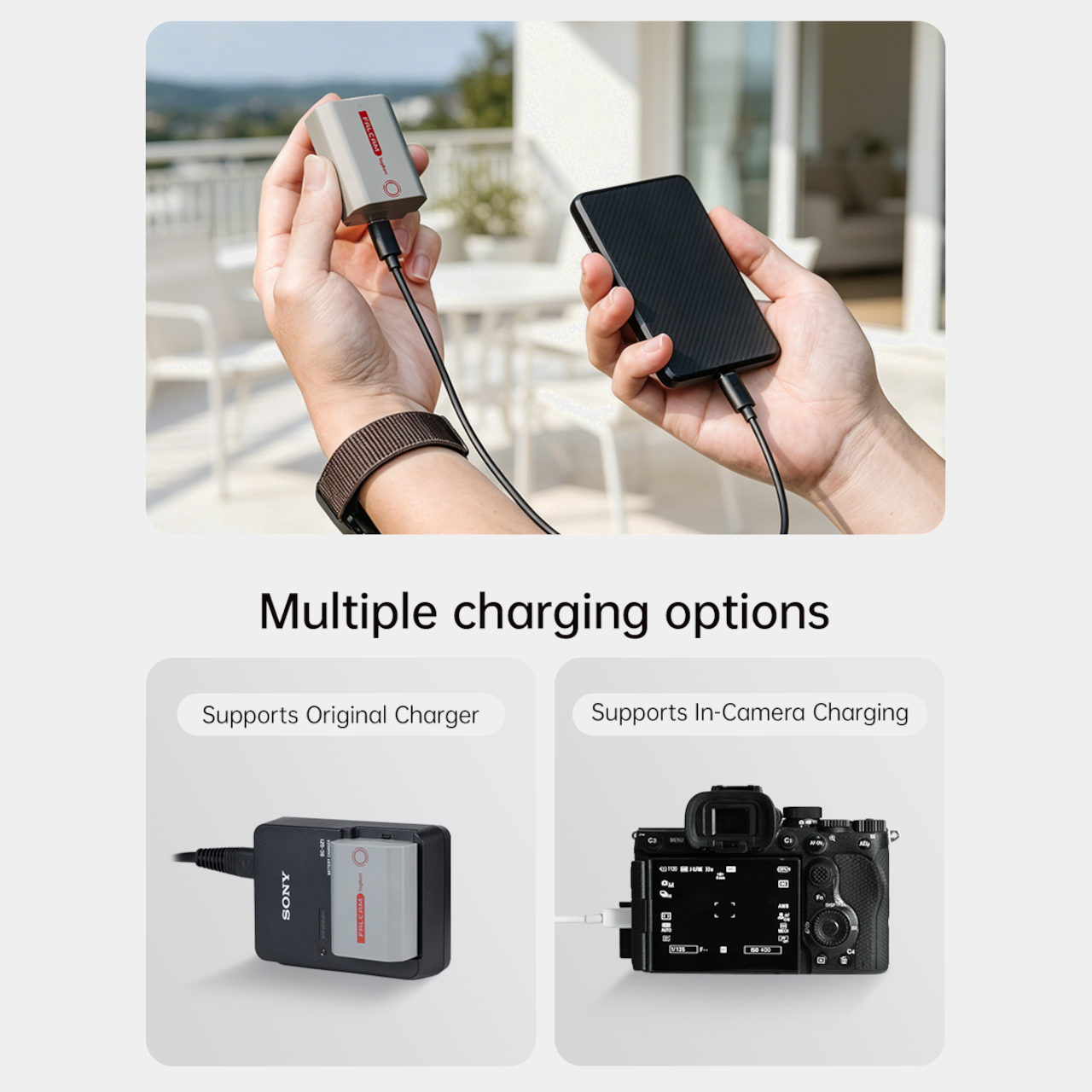
The tracking isn’t the only thing the TagBatt changes about how a camera battery behaves. A built-in USB-C port lets it charge directly from any standard USB-C source, including a power bank or a travel adapter, without needing the dedicated Sony battery charger that typically takes up its own space in a kit bag. Pop it out of the camera, plug it in overnight, and it’s ready in the morning without routing around a charger at all.

Capacity comes in at 2,600mAh against the OEM Sony NP-FZ100’s 2,280mAh, which translates to a modest but real advantage per charge. An advanced decoding chip handles the communication with the camera’s internal systems so the body treats it as it would any genuine battery, with accurate charge-level reporting and none of the “non-genuine battery” warning messages that typically accompany third-party cells.

Compatibility covers a wide sweep of Sony’s current lineup, including the Alpha 7 series through the Alpha 7 V, the Alpha 9 series, the Alpha 6700, the FX3 and FX30, and the ZV-E1, among others. A Canon LP-E6 version is also available now, with Nikon EN-EL15 and Fujifilm NP-W235 versions confirmed to be in development.

At $69.99, the TagBatt costs more than a standard third-party replacement but considerably less than the Sony original, and it comes with two capabilities that the original simply doesn’t offer. For photographers who travel frequently, work in locations where gear occasionally goes astray, or are just tired of carrying a charger they’d rather leave at home, the trade-off makes a fairly straightforward case.

The post Camera Batteries Go Missing, So This $70 One Tracks Itself first appeared on Yanko Design.