Tired of To-Do Apps? This Desk Device Has One Simple Button

Modern desks are full of productivity tools that end up making work harder. Too many tabs, too many apps, too many systems competing for the same attention they were supposed to protect. Most productivity tools favor discipline over engagement, and the result is a familiar cycle of guilt, burnout, and a to-do list that just keeps moving from one app to another without anything actually getting done.

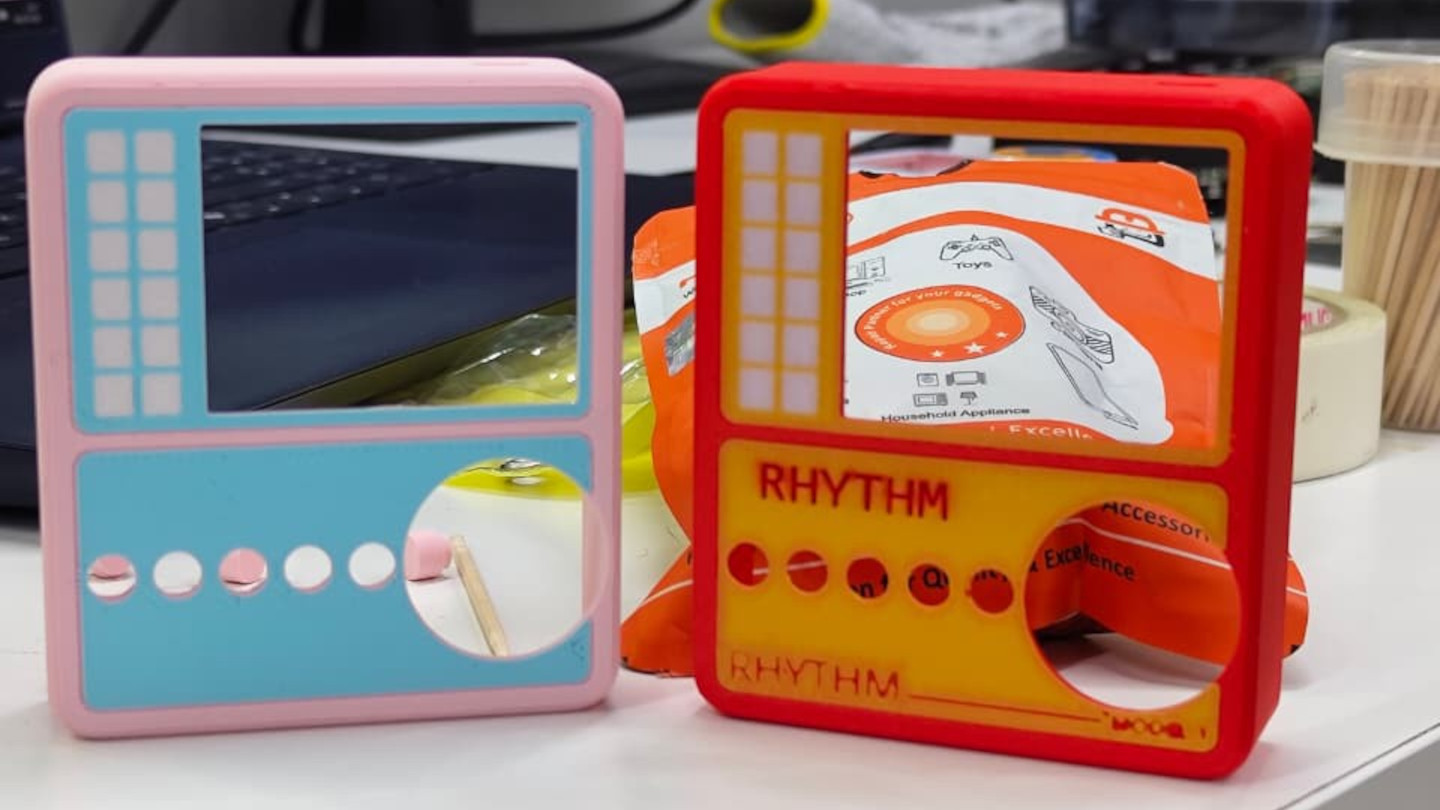
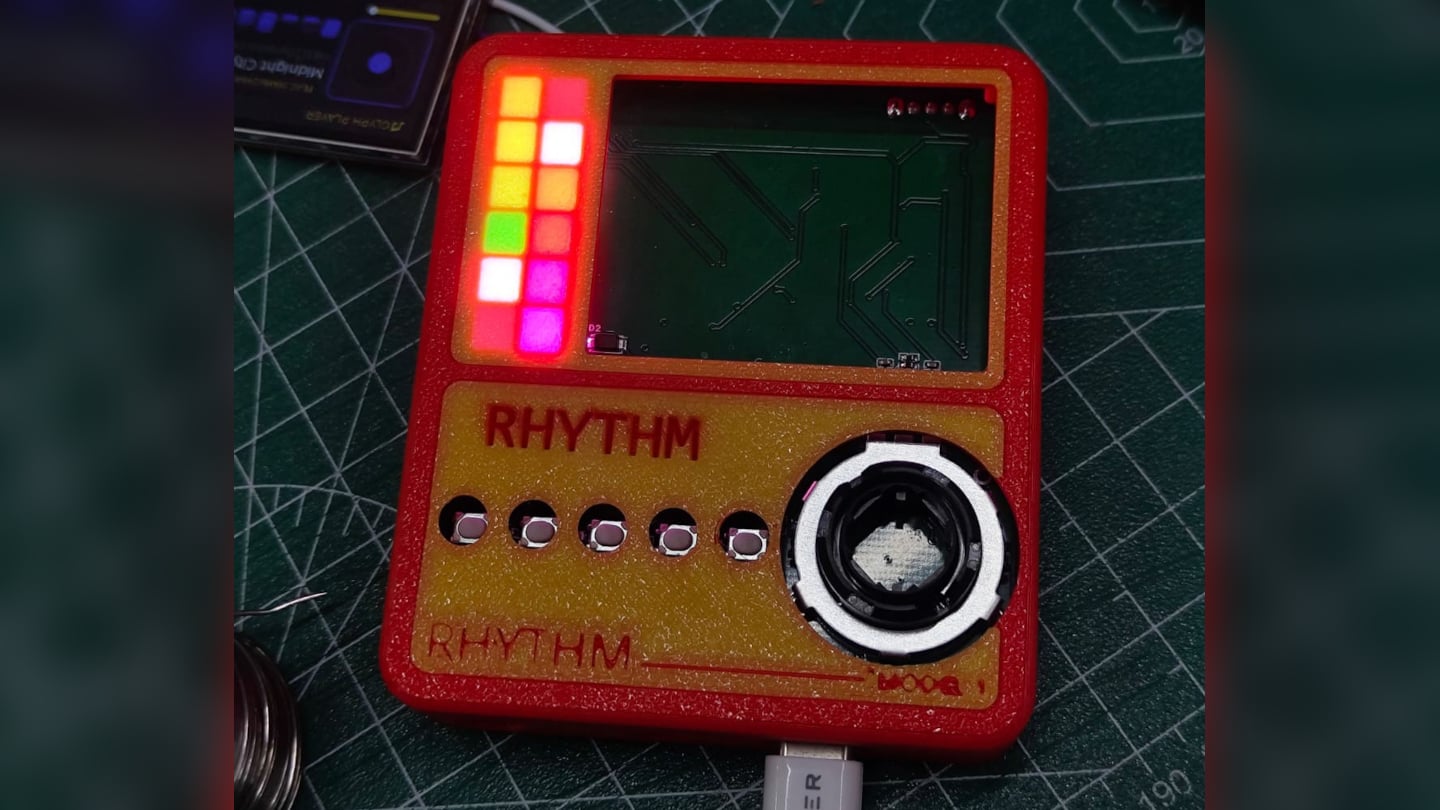
Plable is a hybrid workspace companion concept that tries to break that cycle by pulling tasks off the phone and onto the desk. Built around the tagline “Productivity meets playful rhythm,” it’s a small physical device that works alongside a companion app to create a calmer, more intentional workflow, one that builds focus through touch, rhythm, and gentle feedback instead of another notification.

Designer: Kaira Majahan

The concept calls the current situation the “Tool Trap,” the idea that users end up managing tools instead of focusing on their actual work. Plable identifies the specific gaps, cognitive overload from feature-heavy tools, missing positive feedback, fragmented workflows across disconnected apps, and static systems that don’t adapt to individual habits. The response is a single, compact desk presence that anchors everything without trying to replace every tool you already use.

The core interaction is satisfying by design. Daily tasks sit on a small, dedicated display on the desk, and a physical button press checks off the current task and advances progress. Each gesture is meant to feel like a small win rather than a chore, turning routine to-dos into encouraging moments instead of items being shuffled around a screen. That distinction between “pressing a button” and “tapping a phone” sounds minor until you realize how differently they feel.

The calm-tech choices reinforce that philosophy. An e-paper display keeps eye strain low and avoids the visual noise of a backlit screen sitting next to your monitor. The device is compact and angled for comfortable viewing, with a built-in Pomodoro timer for structured focus sessions and goal tracking to give the day some shape. It stays quiet and present rather than constantly pulling you back into an interface.

The companion app handles setup, broader planning, and organization across categories like deadlines, wellness, and priority tasks. That division matters because the app is where you plan, and the desk device is where you execute. Keeping those two layers separate means the phone stays in its lane instead of becoming another place where tasks disappear into the notification feed.

Plable was designed as a conceptual addition aligned with DailyObjects’ product language, soft geometry, playful minimalism, and bold color accents, though it’s an independent student project and not affiliated with or commissioned by the brand. What makes it worth paying attention to isn’t the brand reference but the underlying argument that productivity is an object-level problem as much as an app problem, and a small, tactile thing on your desk might do more for focus than another subscription ever will.

The post Tired of To-Do Apps? This Desk Device Has One Simple Button first appeared on Yanko Design.

bibigo Just Made Chopsticks With Touchscreen Tips for Scroll-Eaters

There’s a greasy phone screen somewhere in your immediate past. Maybe it was a dumpling, maybe it was a bowl of noodles, maybe it was something with a suspiciously orange sauce. Either way, you were eating and scrolling at the same time, and the evidence is still on the glass. Nobody’s proud of it, but according to a survey bibigo ran through Angus Reid, 96% of Americans have used their phone while eating, so at least you’re in excellent company.

bibigo, the Korean food brand behind what the internet has collectively decided are its favorite dumplings, decided to design for the habit instead of lecturing about it. ScrollSticks are dual-ended chopsticks with touchscreen tips, one end for picking up food and the other for tapping, swiping, and scrolling on a phone. The premise is simple: two dedicated ends for two different jobs, keeping the oil and sauce where they belong.

Designer: bibigo

The research behind the launch is basically a monument to relatable chaos. Beyond the 96% who’ve scrolled while eating, 66% do it often during at least one meal a day. Nearly three in four people report frustrations: 41% are frustrated by getting their hands or phones dirty, 30% struggle to hold a phone comfortably while eating, and 28% can’t keep their screen clean. ScrollSticks are bibigo’s answer to all of the above, which is either very clever or a sign of the times, possibly both.

The design logic is straightforward. You eat with the food end, then flip the chopsticks and use the touchscreen-compatible tips to tap and scroll without transferring dumpling residue onto the glass. The tips work with capacitive touchscreens, so it’s not just poking the screen with metal but actually registers as a touch. One tool, two dedicated functions, and your screen stays marginally more dignified.

The cleaning situation is also handled better than you’d expect from what sounds like a novelty item. The touchscreen tips unscrew from the chopsticks, so you can dishwasher or sink-wash the metal body just like any other silverware. That modularity is doing serious practical work here. A touchscreen-tipped chopstick that you can’t properly clean would be a different, worse product.

bibigo frames ScrollSticks as part of its “food-tainment” innovations, which is a word that exists now and apparently describes branded objects that blur eating and entertainment culture. The previous entry in that line was the bibigo Dashboard Kitchen. ScrollSticks are sillier and more useful, which is a hard combination to pull off.

The chopsticks are a limited-edition drop, and the window is short. That’s fitting for something that is partly a product and partly a cultural artifact: a small, polished admission that dinner and doomscrolling are now the same meal, and if the phone is staying at the table, at least the screen deserves better than a dumpling-flavored fingerprint in the corner.

The post bibigo Just Made Chopsticks With Touchscreen Tips for Scroll-Eaters first appeared on Yanko Design.

This Pen Flashlight Is Thinner Than an iPhone and Blasts 500 Lumens

Most people don’t carry a flashlight, which is something they only realize when they’re already crammed under a sink, squinting at a fuse box, or trying to read a label in a poorly lit corner of a garage. Cylindrical lights are bulky, they roll off surfaces, and they feel overbuilt for the kind of everyday moments where you just need a quick, reliable beam. So they get left at home, and your phone flashlight ends up doing all the work.

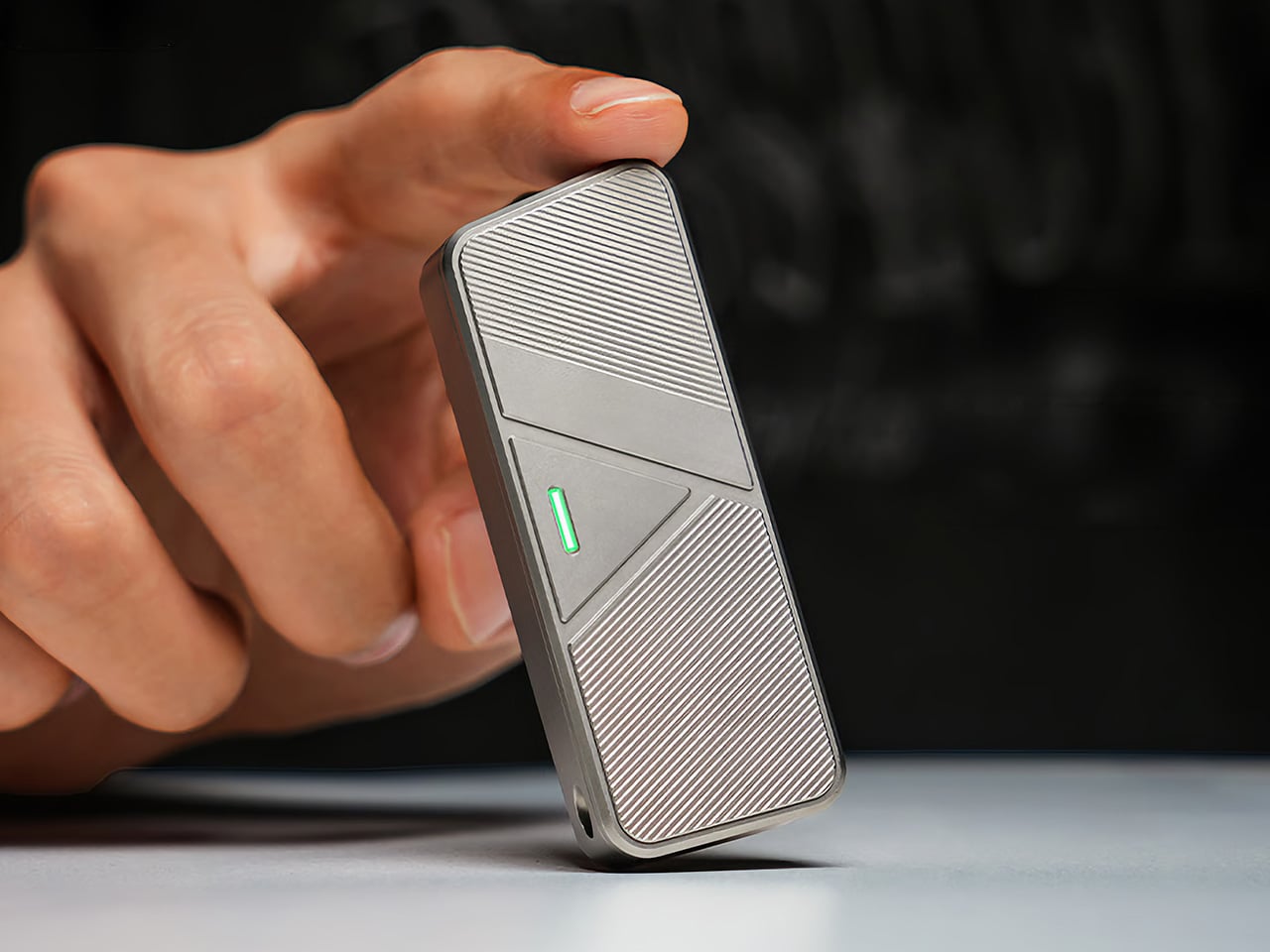
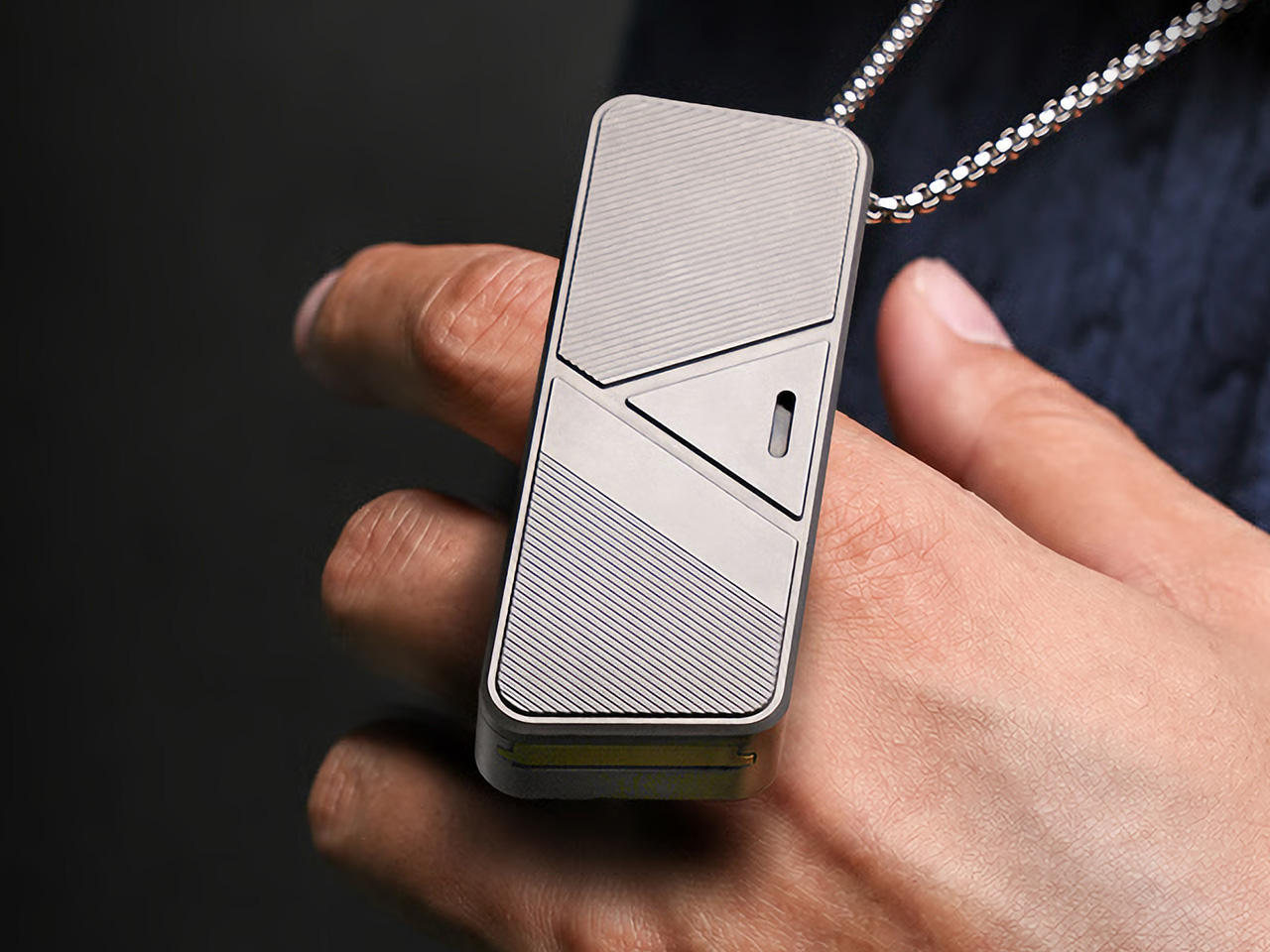
The Wedge SL is a USB-C rechargeable inspection light with a sleek, modern design built to actually stay in a pocket. The ultra-thin unibody construction puts the dimensions closer to a pen than a flashlight, 5.65 inches long, 0.28 inches thick, and about 1.14 oz light, which means it doesn’t fight for space with keys and a wallet. A stainless steel injection-molded pocket clip also lets it ride on a shirt pocket or tool pouch without bouncing around.

Designer: Streamlight

One-handed operation was clearly part of the brief. The tail switch handles momentary or constant-on use, so one hand can hold a panel, a wire bundle, or an awkward hatch while the other hand aims the light exactly where it needs to go. TEN-TAP programmable switch lets users choose whether constant-on defaults to High or Low intensity, which means the light can match your habits rather than forcing you to cycle through modes every time you switch on.

For an inspection light, the available modes are spot on, pardon the pun. Constant-on High runs at 100 lumens for 1.75 hours, Low drops to 50 lumens for 3.5 hours, and THRO (Temporarily Heightened Regulated Output) mode pushes 500 lumens with an 80m beam when you need maximum brightness fast. THRO is activated by a 3-second press, which keeps it from firing accidentally during sustained work while still making it quick to trigger when a tight space needs a real burst of light.

The battery side holds up well. USB-C charging and a four-level LED battery status indicator with charge alerts mean you always know roughly how much is left, without deciphering blink codes. A full charge takes about four hours. The field serviceable, user-replaceable lithium polymer battery is also worth calling out, since many rechargeable lights eventually become e-waste once the cell degrades inside a sealed body.

Durability gets the same careful treatment, as the extruded aluminum alloy case comes with a Type II MIL-Spec anodized finish. The lens is also unbreakable acrylic, and the light is IPX4-rated with 1m impact resistance testing. A bite boot is also included, which lets you grip it with your teeth during two-handed work without scratching the finish or the inside of your mouth.

The Streamlight Wedge SL earns pocket space by being thin, predictable, and quick to operate instead of trying to be a tactical statement piece. A flashlight that’s actually on you is always going to matter more than one that performs better on a spec sheet but gets left on the workbench because it’s too big to bother carrying every day.

The post This Pen Flashlight Is Thinner Than an iPhone and Blasts 500 Lumens first appeared on Yanko Design.

This Wooden Basket Becomes a Low Table When You Flip It Upside Down

There’s a familiar moment that happens when you carry food, cups, and random essentials to a park, balcony, or floor seating setup and then realize you still need a stable surface to put any of it on. Most people improvise with a bag or a corner of a blanket. Small-space living and casual gatherings reward objects that can do two jobs without taking up twice the storage, but most furniture is still designed around one fixed purpose.

This Convertible Basket Table concept works as both a carry basket and a low table in one form. By simply inverting it, the basket becomes a stable table surface suitable for picnics or casual indoor use. The design combines storage, portability, and easy transformation, making it ideal for relaxed gatherings and compact living spaces.

Designer: Siya Garg

In basket mode, the structured wooden body has a built-in handle and a container that can hold the messy mix of picnic items, fruit, napkins, a book, or a small speaker. The form feels sturdy rather than floppy, carrying like a proper object with a clear handle instead of a tote that collapses when you set it down. That sturdiness is what makes the flip transformation credible. It’s definitely not a soft bag pretending to be furniture.

Once inverted and unfolded, it becomes a low table that works with floor cushions, outdoor blankets, or a casual living room setup. Low tables are the unsung heroes of flexible spaces. They work as coffee tables, game surfaces, or quick work perches, but they’re rarely portable. This one travels in your hand and arrives as a surface, which is a surprisingly underexplored idea.

A square knot side lock keeps the form secure when needed. It’s a rope-based closure that tightens the sides without complicated latches, click mechanisms, or hardware that will eventually strip or break. The whole thing is quiet, tool-free, and easy to replace if the rope wears out, which fits the picnic vibe better than snapping plastic clips would.

The build draws on traditional woodworking throughout. Pattern making involved pine wood in alternating grain directions and a chevron pattern using alternating teak and pine strips. Assembly relies on mortise and tenon joints and sliding mortise and tenon joints to hold the structure together without screws, so the connections are strong enough to handle the repeated flipping and carrying that the concept demands.

The design doesn’t ask you to change how you live, it just quietly accommodates the way you already move through the day. A basket when you’re going somewhere, a table when you arrive, and a warm wooden object that looks like someone actually made it rather than assembled it from a flat pack.

The post This Wooden Basket Becomes a Low Table When You Flip It Upside Down first appeared on Yanko Design.

vivo V70 Review: A Concert Photographer’s Phone in Mid-Range Clothes

PROS:


  • Striking "Sunset Glow" Golden Hour design

  • 4K 60fps video recording on a mid-tier smartphone

  • Powerful 50MP ZEISS Super Telephoto Camera

  • Large 6,500mAh battery with super-fast 90W charging

CONS:


  • 8MP ultra-wide camera is decent but mediocre

  • No wireless charging

RATINGS:

AESTHETICS
ERGONOMICS
PERFORMANCE
SUSTAINABILITY / REPAIRABILITY
VALUE FOR MONEY

EDITOR'S QUOTE:

The vivo V70 proves that a clear camera identity and premium materials still matter at this price.

The mid-range smartphone segment is crowded in ways that make individual products hard to distinguish. Specs converge, designs flatten, and most phones feel interchangeable within days. vivo’s V70 enters that space with a clear point of view: a ZEISS-co-engineered telephoto camera tuned for stage photography and travel, a large battery built for long days, and a physical design that genuinely tries to look and feel like something worth keeping.

The v70 also introduces the Golden Hour edition, the most visually expressive option in the lineup, with an etched glass back, an aerospace-grade aluminum frame, and a ZEISS camera module with serious hardware inside. Running OriginOS 6 on a Snapdragon 7 Gen 4, it promises a telephoto-first camera experience for concerts and travel, backed by a 6,500mAh battery. Does the full package deliver on all of it? Read on.

Designer: vivo

Aesthetics

Of all the V70’s color options, the Golden Hour edition is the one most worth talking about. vivo uses a specialized chemical etching process to form micron-scale texture on the back glass, creating a diffuse reflection that reads as refined matte from a distance but reveals subtle warmth in direct light. It’s fingerprint-resistant and smooth without feeling slippery, a noticeably more considered finish than the glossy or painted backs that dominate this price tier.

What’s more surprising is that the back doesn’t stay a single color. Depending on the viewing angle and ambient lighting, it shifts toward a cooler, slightly bluish hue you wouldn’t expect from a finish called Golden Hour. That unexpected chromatic movement makes it more visually engaging than a standard gradient, the kind of surface detail that keeps catching your eye without you fully understanding why.

Around the front, the aerospace-grade aluminum alloy frame wraps a flat display with ultra-thin bezels measuring just 1.25 mm on the sides. Rounded corners soften the silhouette without cheapening it, and the flat screen is a deliberate departure from curved-edge designs that can distort content near the edges. The overall impression is controlled and considered rather than flashy, which suits the V70’s personality well.

On the back, the camera module is a rounded metallic rectangle sitting just 3.29mm above the surface, low enough that the phone doesn’t rock noticeably on a table. Three lens rings and a ZEISS badge keep the composition clean without feeling crowded. It’s a well-executed rear panel that reinforces the premium identity without needing extra ornamentation to make the point.

Ergonomics

At 194g light and 7.59mm thick in the Golden Hour configuration, the vivo V70 feels present without being heavy. The matte AG glass provides enough grip for confident one-handed use without a case, and the flat sides and rounded corners make it comfortable to hold at its screen size. Weight distribution is balanced, which matters more for all-day carry than any single spec on a data sheet.

The 3D Ultrasonic Fingerprint Scanning 2.0 is one of the more underrated features here. It works reliably with damp fingers, meaning no frustrating tap-and-retry cycle after a workout or a skincare routine. Best of all, it’s located a good distance away from the bottom, so you don’t have to precariously shift your hand from its natural holding position just to unlock the phone.

Performance

Under the hood, the vivo V70’s Snapdragon 7 Gen 4 with LPDDR5X memory and UFS 4.1 storage handles everyday tasks and multitasking without hesitation, and a 4,200mm² vapor chamber keeps sustained performance steady during longer camera sessions. It’s not a chipset that headlines benchmark charts, but it delivers consistent, smooth day-to-day performance, which is more relevant to what the V70 is actually designed for than theoretical peak numbers.

The 6.59-inch 1.5K OLED runs at 120Hz with 459 PPI and peaks at 5,000 nits local brightness, which holds up well in direct sunlight and makes reviewing photos outdoors genuinely practical. Colors are rich without being oversaturated, and the 1.07-billion color depth makes gradient-heavy AI-edited shots look smooth rather than banded. It’s one of the better mid-range displays available at this price tier right now.

The camera system’s two stars are the 50MP main and 50MP periscope telephoto. The main uses a Sony LYT-700V sensor with a 1/1.56-inch surface area and OIS, delivering consistent, detailed portraits across daylight and mixed lighting. The telephoto uses a 1/1.95-inch sensor with its own OIS and a periscope structure that enables 10x zoom in a compact body. Both cameras consistently outperform what you’d expect at this price.

Of the three rear cameras, the 8MP ultra-wide is where things get more ordinary. It’s functional for casual wide shots, but the gap in detail and dynamic range between it and the main and telephoto cameras is noticeable. Given the vivo V70’s travel ambitions, wide landscape shots will come out looking more ordinary than portraits taken at the same destination. The phone’s real camera personality clearly lives in the other two lenses.

AI Stage Mode is a genuine differentiator if you attend live events regularly. At 10x zoom from 10m to 20m away, the AI Image Enhancement Algorithm and AI Style Portrait Technology combine to pull facial detail and expression clarity from performers under challenging stage lighting. It won’t replace a dedicated camera at that distance, but for a phone that fits in your jacket pocket, the results hold up surprisingly well.

Video gets a meaningful upgrade with 4K 60fps, the first time the vivo V series has offered this, and footage looks cinematic when lighting cooperates. AI Audio Noise Eraser in post-editing selectively reduces wind noise, crowd chatter, or ambient sound from recorded clips. It sounds like a spec sheet bullet point until you actually try cleaning up a concert recording with it, and then it becomes a feature you’d miss on another phone.

Battery life is a genuine strength. The 6,500mAh BlueVolt battery with 90W FlashCharge handles a full day of heavy use and then some, including heavy video playback. Wireless charging still isn’t part of the package, though, which will matter to those who’ve built it into their daily routine, but fast wired charging and a genuinely large battery soften that trade-off considerably.

Sustainability

vivo commits to four generations of OS updates and 6 years of security patches for the V70, placing it firmly in the category of phones worth keeping rather than replacing every two years. That’s the most meaningful sustainability argument a phone can make, applying regardless of materials or recycling programs. Longer software support means slower obsolescence, and slower obsolescence means less electronic waste accumulating on a shelf somewhere.

IP68 and IP69 ratings, combined with what vivo calls 10-Facet Drop Resistance, lower the anxiety of carrying a polished phone through real conditions. IP69 covers high-pressure water jets, going well beyond typical rain scenarios. That durability confidence changes how casually you handle the phone day to day, and there’s something genuinely reassuring about owning a device you don’t have to constantly worry about.

The material choices also support long-term ownership. Aerospace-grade aluminum and etched AG glass age more gracefully than glossy plastic, which yellows, scratches, and starts looking tired within a year of daily use. The matte texture stays presentable with minimal cleaning, and IP68/IP69 combined with drop resistance gives the V70 a realistic chance of surviving the accidents that typically end mid-range phones early.

Value

The V70 packages premium design, a ZEISS telephoto-first camera system, a strong OLED display, fast charging, and long software support into a price tier that usually demands more compromises. The Golden Hour finish gives it a visual identity that stands above most phones at its price, and the combination of AI Stage Mode with ZEISS Multifocal Portrait focal lengths makes it genuinely specialized rather than just generically capable.

The 8MP ultra-wide is the honest weak spot, and travelers who rely heavily on wide shots will feel that gap. Wireless charging is also absent. But what the V70 does well, it does consistently, and the combination of a premium-feeling design, a capable telephoto system, and 6 years of security updates makes it a phone that’s easy to justify and hard to grow out of quickly.

Verdict

The vivo V70 in Golden Hour is one of the more cohesive mid-range phones available right now. The etched glass with its unexpected bluish shift, the aluminum frame, the ultrasonic fingerprint sensor, the bright 1.5K OLED, and the ZEISS telephoto and portrait system all work together in a way that makes the phone feel intentional rather than assembled from a spec sheet and a parts catalog.

The 8MP ultra-wide and the absence of wireless charging are unfortunate blemishes on what is otherwise a remarkably well-rounded package. Both are real trade-offs rather than dealbreakers, though, and the vivo V70 earns its place as a phone that’s genuinely hard to fault for what it costs, especially if portrait photography, concert shooting, and long battery life are what matter most to you.

The post vivo V70 Review: A Concert Photographer’s Phone in Mid-Range Clothes first appeared on Yanko Design.

Forget Mindfulness Apps, This Desk Top Spins for 2 Minutes Instead

Screens are on all day, and hands tend to find something to do when focus slips. Pen clicking, phone picking, knuckle cracking, the nervous tics of modern desk work. Most “mindfulness” solutions are still apps, which is a bit ironic when the problem is too much screen time. There’s something to be said for a small mechanical object that gives your brain a reset without asking for any attention in return.

Amsterdam Dynamics’ ST-01 is a modular spinning top and tactile focus object built for desks, hands, and minds that rarely get a break. It’s intentionally simple but not single-purpose, offering multiple mechanical interactions with no correct sequence. You use one when you need it or work through all of them. No app, no setup, no instructions, just the object and whatever your hands feel like doing with it.

Designer: Antonio Lo Presti (Amsterdam Dynamics)

A gentle twist sets ST-01 rotating smoothly, and it’s engineered to keep going for over two minutes. That’s long enough to watch while thinking through a problem, waiting for a file to render, or cooling down after a difficult meeting. It functions as a visual anchor, something calm and physical in a field of notifications and browser tabs that all want something from you.

Pressing the top triggers a satisfying mechanical click with clear tactile feedback, the kind of repeatable, purposeful sensation that replaces the nervous habit of clicking pens or tapping a keyboard. Amsterdam Dynamics calls it “reset focus,” which is accurate if not exactly humble. The middle disc can also be flipped like a coin, adding a small decision-making tool and another texture to the interaction when you need a nudge in either direction.

Of course, there’s a modular construction underneath all of that. ST-01 is built from three parts that can be taken apart and snapped back together, held in alignment by two precisely positioned magnets. That magnetic core keeps the structure stable during spinning while making it easy to disassemble by hand. There’s also a built-in magnet that lets it stick to metal surfaces, which is either a neat trick or a genuinely useful parking spot depending on your desk.

CNC-machined, anodized aerospace-grade aluminum means it’s solid in the hand, balanced, and finished in a way you notice the first time you pick it up. Cheap fidget toys flex, squeak, and wear out quickly. ST-01 is designed to stay on the desk for a long time, with Amsterdam Dynamics framing it as “a beautiful object, made to last a lifetime” and something that can eventually be passed on.

That’s an unusual positioning for what is essentially a desk toy, but it fits the overall idea. ST-01 doesn’t ask for a lifestyle change, a daily streak, or a subscription. It just gives your hands a few repeatable interactions and a place to return when the work gets loud, which turns out to be the kind of quiet, mechanical company a desk actually needs.

The post Forget Mindfulness Apps, This Desk Top Spins for 2 Minutes Instead first appeared on Yanko Design.

This Air Purifier Concept Looks Like Scandinavian Audio Gear

Air purifiers tend to look like medical equipment and come with apps you didn’t ask for. They arrive with dashboards, push notifications, and Wi-Fi setup rituals that turn “cleaner air” into another thing to manage on a phone. Most of them sit in corners behind plants because they look clinical, and no one wants to acknowledge the white plastic box while having guests over for dinner.

The Beolab Air 1 is a concept air purifier designed to sit in a room without announcing itself. It was developed as a student project and draws inspiration from the calm, material-driven design language of Bang & Olufsen’s Beolab line, though it’s not affiliated with the company in any way. The goal was to see what happens when you apply that kind of sculptural thinking to clean air, instead of just adding another screen to the wellness toolkit.

Designers: Ahaan Varma, Malhar Gadnis, Michelle Sequeira, Sharanya Karkera

The most refreshing part of the concept is the interaction model. A single button press is all it takes to start, with no app pairing, no IoT setup, and no onboarding routine. The project frames this as “digital detox,” which is a reasonable description when most purifiers try to sell you sensor graphs and weekly air quality reports. You turn it on the way you’d turn on a lamp or a speaker, then leave it to work.

The materials do a lot of the talking. Angled teak wooden ridges wrap the body and function as vents for filtered air, so the aesthetic choice also serves a purpose. Textured aluminum handles the rest of the exterior. The project’s own critique of the category is blunt: plastic yellows and looks cheap over time, while wood and metal age better. A purifier built to look like a piece of considered furniture has a better chance of earning a spot on a sideboard than one that resembles a hospital accessory.

Under the surface, there’s a plausible engineering stack. A high-efficiency BLDC fan delivers strong airflow while staying quiet, a HEPA filter handles particulate capture, and an MQ135 gas sensor pairs with PM2.5 sensing to monitor air quality without forcing anyone into an app. The concept keeps the monitoring internal and the feedback subtle, a soft ambient light band that changes gently rather than a display demanding attention.

Of course, that ambient feedback is the whole point. Clean air is invisible and usually silent, and a purifier that communicates the same way feels more appropriate than one with a scrolling PM2.5 count on a bright panel. You can check in when you feel like it, and the rest of the time it just works.

The concept calls out a genuine gap in the category: people want wellness that integrates quietly into a room, not hospital aesthetics, and yet another app. Whether or not Beolab Air 1 ever gets built, asking what a purifier looks like when treated with the same care as a premium speaker is a question the category probably needed someone to ask.

The post This Air Purifier Concept Looks Like Scandinavian Audio Gear first appeared on Yanko Design.

These Perforated Marble Blocks Create Shifting Light Patterns

Stone decor tends to be heavy, polished, and a little intimidating, the kind of thing you place once and never move. Light changes in a room all day, from sharp morning angles to warm late-afternoon spreads, but most stone decor doesn’t respond to any of it. The idea that a piece of stone could feel different at different times of day doesn’t come up often in furniture or object design.

Denys Sokolov’s ZEROS collection, manufactured by MUZ STONE, a Ukrainian company known for stone processing and creative design, starts from a different premise. “Zeros are forms shaped by absence,” the collection states, and the openings across each marble block soften the weight of the object, letting light, air, and shadow become part of its design. “In their simplicity, they reveal that even the smallest void can transform the whole,” which is a surprisingly accurate description of what these pieces do in a room.

Designer: Denys Sokolov

The perforations aren’t decorative in the usual sense. Repeated voids give the object its rhythm and character, and they shape not only the form itself but also the shadows around it. Standing at a slight angle, the grid of holes reads as a pattern of overlapping light and dark ovals. Move a little and the composition shifts. Repetition creates a rhythm that is both structured and organic, which is a difficult balance to strike in stone, a material that usually communicates permanence and rigidity more than fluidity.

These pieces play with the tension between mass and lightness, solidity and transparency. The marble is real and heavy, but the voids introduce a visual porousness that makes the whole thing feel less like a block and more like a porous, breathable presence. Even the smallest opening shifts how the eye reads the overall weight, which is the point the collection keeps returning to.

When lit from within, the openings create distinct light patterns in the surrounding space, and the effect changes depending on the angle, distance, and intensity of the light source. That turns any of the pieces into a quiet ambient light source, not a bright lamp, but a patterned glow that makes nearby walls and surfaces feel textured without adding visual clutter or another device to the room.

The pieces can hold a single stem or branch through one of the openings, making them functional as minimal vases when you want them to be. They also work on their own without needing anything inside, and different sizes can be clustered together so the grid-like rhythm becomes more architectural, a small group of perforated blocks that feel more like a landscape than a collection of objects sitting near each other.

ZEROS doesn’t try to fix a problem or optimize a category. These forms engage with their surroundings, responding to changes in light, movement, and perspective, and they’re not static, each moment revealing a new composition. Carving emptiness into marble is a quiet way to make a heavy material feel surprisingly alive, which is harder to do than it sounds and more satisfying to live with than most stone decor that just sits there looking expensive.

The post These Perforated Marble Blocks Create Shifting Light Patterns first appeared on Yanko Design.

Peak Design’s Phone Straps Have a Built-In Swivel to Stop Twisting

Most phone straps are fine until they twist, tangle, or feel like they’ll snap the first time you grab your phone in a hurry. The market has always split between fashion-first and function-first, rarely landing both at once. The phone has become the center of daily carry, but the strap category still feels like an afterthought that nobody took seriously enough to do properly.

Peak Design’s Mobile Straps are quick-adjusting, low-profile, comfy, and durable, built around the new Micro Anchor connection system. The line treats the phone strap like camera gear rather than a decorative loop of fabric, designing for how straps actually behave when you’re moving and constantly reaching for your phone. Micro Anchor handles the attach-and-remove part intuitively, with a built-in swivel to prevent the twisting that makes most straps annoying within a week.

Designer: Peak Design

The Mobile Crossbody Multi-Strap is the carry hub option for days when pockets aren’t enough. A custom-machined, anodized aluminum carabiner locks shut and holds up to three Micro Anchors, so your phone can share the strap with keys, a wallet, or a small point-and-shoot camera. The basket-woven nylon and poly rope balances strength, padding, and stretch, so the whole setup sits comfortably across a shoulder without digging in.

The Mobile Crossbody Strap is the cleaner, lower-profile option for days when you just want your phone secure and accessible without extra hardware clinking around. Two connection points keep the phone stable and prevent it from spinning mid-stride, which is the main reason most lanyards feel unsatisfying in practice. It converts to single-point carry when you want a more minimal setup, making it flexible enough to shift between carrying preferences without swapping straps.

Mobile Cuff is the smallest piece in the family, and the one you’d barely notice until you actually need it. The rope cinches onto your wrist if the phone slips, and an aluminum stopper lets you set a minimum loop length so it doesn’t flop around. Shooting photos one-handed, walking with a coffee, or loading groceries are moments where a wrist loop quietly becomes the difference between relaxed and anxious.

The materials throughout feel like deliberate choices. Glass-reinforced nylon hardware handles quick length adjustments one-handed, the rope holds up to daily use, and the connectors are designed to be reconfigured without fuss. These are the details that separate straps you trust from straps you eventually stuff in a drawer.

Compatibility is handled via built-in strap connection points on Peak Design cases and Apple iPhone cases (17 and onwards), with a universal adapter included for third-party cases. That means you don’t have to commit to a new case to use any of them, which removes the usual barrier that comes with upgrading your phone carry setup.

The post Peak Design’s Phone Straps Have a Built-In Swivel to Stop Twisting first appeared on Yanko Design.

These Magnetic LED Blocks Snap Together Like LEGO Lighting

Most lighting is still sold as fixed objects: a floor lamp for the living room, a task lamp for the desk, a strip for the TV, each designed for one spot and one job. That clashes with the way people actually live now, moving desks, rearranging rooms, switching from work to play in the same corner, while the lamps stay stubbornly tied to a single idea of the space.

LumiBlocks V1 is a magnetic RGBCW block lamp that treats light as something you build and rebuild. Instead of one rigid bar or panel, it is made from individual light blocks that snap together magnetically, power up as soon as they connect, and can be added or removed to match the length and shape your current setup needs, whether that is a short strip behind a monitor or a longer run along a wall.

Designer: Peter Wu (Decktok)

Click Here to Buy Now: $79 $149 (47% off). Hurry, only 9/27 left! Raised over $53,000.

Each block can rotate a full 360 degrees, so you aren’t locked into the direction the base is pointing. You can twist segments to throw light onto a keyboard, bounce it off a wall for a softer wash, or angle a few blocks down for a reading nook while others point up for ambient glow. The magnets handle alignment and power, which turns rearranging into a quick, almost fidget-like action rather than a wiring project.

1

The blocks emit RGBCW LEDs that can handle both full color and practical white light. With ten blocks, you get up to 1,500 lumens, enough to light a small room, and you can tune the white from a warm 2,700 K to a crisp 6,500 K. That means the same strip can be a focused work light during the day, a neutral wash for video calls, and a low, saturated accent at night.

Control layers on top of the physical system. Simple buttons when you’re standing next to it, an app when you’re on the sofa, and voice control through Alexa or Google Home when your hands are busy. The app lets you treat each block as its own pixel, adjusting brightness and color per segment, or you can lean on the 49 built-in scenes and music-reactive modes when you just want the room to feel different with a tap.

1

LumiBlocks V1 is not locked to one mounting style. With the right kit, the same blocks can sit on a desk as a low ambient bar, hang on a wall as a linear sconce, or drop from the ceiling as a pendant. Because the system runs on low-voltage DC and talks over Bluetooth and 2.4GHz Wi-Fi, you’re mostly thinking about where you want light, not where the original lamp designer assumed you would put it.

1

This shifts the way you think about buying lights. Instead of collecting separate fixtures for every corner, you start with a set of blocks that can follow you from apartment to apartment, desk to desk, and phase to phase. The magnetic joints, 360-degree rotation, RGBCW output, and per-block control turn LumiBlocks V1 into a kind of lighting toolkit, one that can keep up as your spaces and routines keep changing.

Modularity is not new, but LumiBlocks V1 executes it well, making the blocks easy to snap and rotate, the app intuitive enough to actually use, and the mounting options flexible enough that the same kit can cover a bedroom, office, and gaming corner without needing three separate purchases. For people who rearrange often or who want their lighting to feel as adaptable as their furniture, a system that you can literally pull apart and rebuild feels more honest than another fixed lamp pretending to be smart.

Click Here to Buy Now: $79 $149 (47% off). Hurry, only 9/27 left! Raised over $53,000.

The post These Magnetic LED Blocks Snap Together Like LEGO Lighting first appeared on Yanko Design.