OBSBOT Tiny 3 4K PTZ Webcam Review: Audio As a First-Class Citizen

PROS:


  • Triple MEMS mic array with five specialized audio modes

  • Strong imaging quality with 1/1.28-inch 4K Dual All-Pixel PDAF sensor

  • AI Tracking 2.0 with intelligent framing and PTZ control

  • Extreme compactness with flagship-level specs

CONS:


  • Premium pricing

  • Feature depth may overwhelm casual users

  • Non-serviceable, integrated design

RATINGS:

AESTHETICS
ERGONOMICS
PERFORMANCE
SUSTAINABILITY / REPAIRABILITY
VALUE FOR MONEY

EDITOR'S QUOTE:

OBSBOT Tiny 3 treats audio and video as one design problem instead of forcing users to stack separate gear, creating a genuinely tiny studio that replaces an entire desk setup with one very capable box.

Most people who take video calls seriously have ended up stacking gear on their desks. A clip-on webcam, a clamped USB mic, software filters layered on top of each other, and a constant ritual of adjusting angles and leaning into microphones just to sound decent. Laptop webcams were never meant to carry this much weight, but the usual upgrade path still treats audio as something you solve separately, which means juggling two devices and hoping they play nicely together.

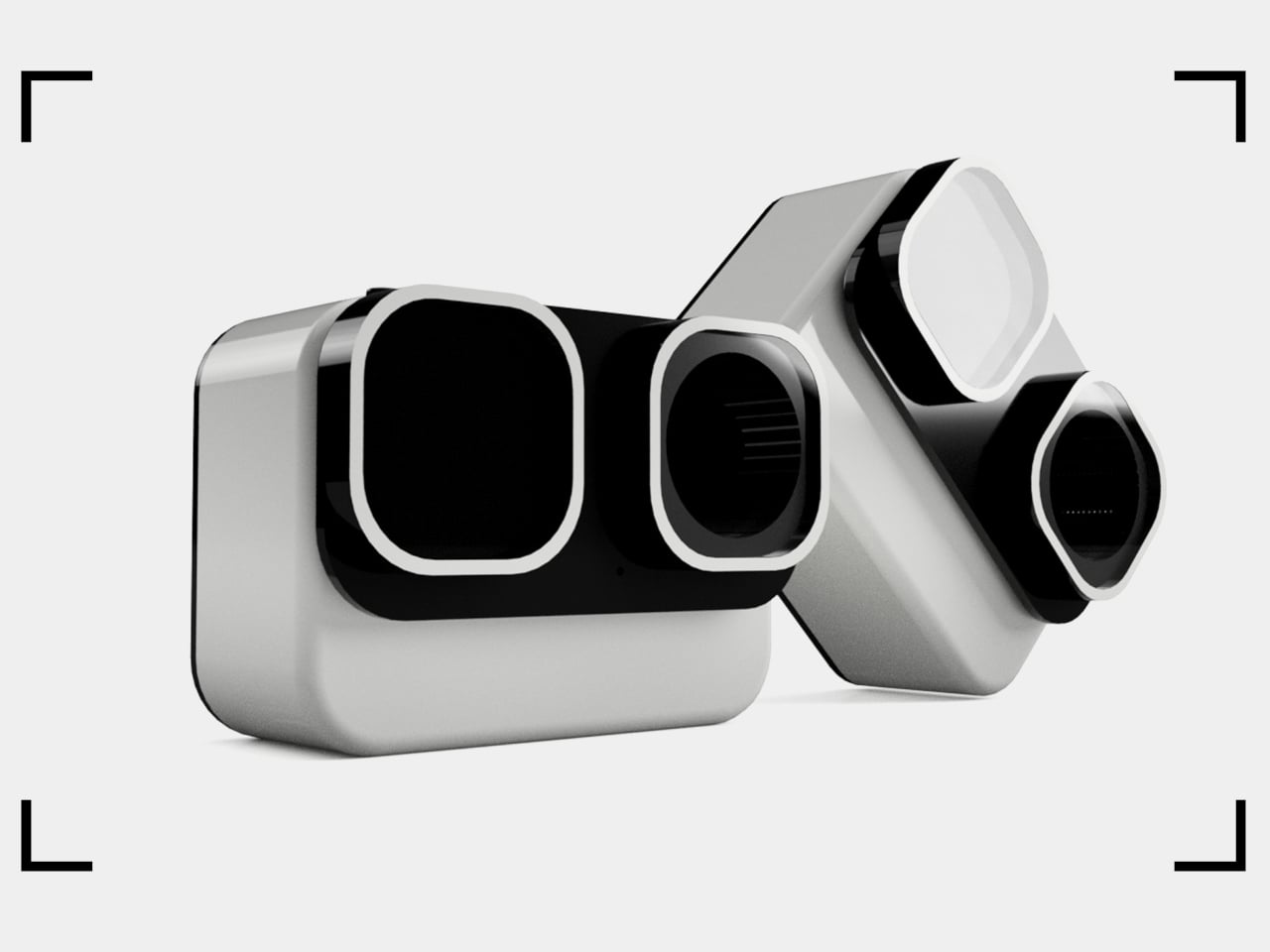
OBSBOT Tiny 3 approaches that problem differently. The 4K PTZ webcam wraps a triple MEMS microphone array, a 1/1.28-inch sensor, and a 2-axis gimbal into a compact, lightweight aluminum body. OBSBOT calls it a Tiny Titan, and claims it delivers studio-grade spatial audio, flagship imaging, and AI tracking in one very small package. Whether that actually holds up during everyday streaming, client meetings, and the occasional podcast is the question worth answering.

Designer: OBSBOT

Aesthetics

Walking into a room where the Tiny 3 sits on a desk, it reads less like a webcam and more like a miniature broadcast camera someone scaled down and parked on a tripod. The aircraft-grade aluminum alloy shell gives it an equipment-grade presence without being loud about it, landing somewhere between compact cameras and audio interfaces rather than the glossy plastic most peripherals use these days.

The proportions feel deliberately compact. At 37mm x 37mm x 49mm and 63g, it occupies roughly the same footprint as a large dice, but the dual-axis gimbal makes it clear this is meant to move and track rather than stare at one fixed angle. The satin metallic finish catches light softly without harsh reflections, and the minimal branding keeps it neutral enough to blend into creative or corporate setups without clashing with the rest of the gear.

The included storage case and adjustable mount feel like extensions of the same design language rather than afterthoughts tossed into the box. The case is compact and rigid, protecting the camera in transit without eating up bag space, while the mount uses clean lines and a friction hinge that feels considered. These details matter to people who care about how tools look both during use and while packed away, which describes exactly the kind of person likely to spend more on a webcam in the first place.

Ergonomics

Setup is quick enough that you can join a meeting within minutes of opening the box. Plug the OBSBOT Tiny 3 into a USB-C port, wait a few seconds for automatic driver installation, and the camera appears as a standard UVC device ready for Zoom or Teams. Downloading OBSBOT Center later unlocks deeper controls, but the basics work immediately without forcing you into a setup wizard when you are already five minutes late to a call.

Mounting options give flexibility without requiring proprietary hardware. The adjustable clip grabs laptop lids or monitor bezels securely, while the built-in 1/4-inch thread accepts any standard desk tripod or arm. This means the Tiny 3 can shift from a quick laptop travel setup to a permanent studio fixture without needing different stands, which keeps things simpler when your workspace changes or you move between home and office regularly.

The 2-axis gimbal handles tracking smoothly once it starts moving. Pan range reaches ±130 degrees controllable, tilt goes from 32 degrees up to 60 degrees down, and the gimbal moves at up to 120 degrees per second. In practice, the camera can follow you across a room, reframe when you stand up or sit down, or snap to preset positions without feeling sluggish or overeager, more like a quiet camera operator than a webcam you nudge by hand every few minutes.

Voice commands and gesture control keep your hands free when it counts. Saying “Hi Tiny” wakes the camera, and from there you can trigger tracking, zoom in or out, or park the gimbal in preset positions by voice. Gestures work similarly: a raised hand or quick motion toggles tracking or zoom without leaning forward to click software buttons. This feels genuinely practical once you are mid-presentation and do not want to break flow by reaching for a mouse or keyboard.

Performance

At the imaging core sits a 1/1.28-inch CMOS sensor with 50MP effective pixels behind an f/1.8 lens at a 24mm equivalent focal length. That sensor size is closer to what you would find in a decent smartphone camera than in most webcams, which immediately changes expectations for low-light noise, dynamic range, and how camera-like the footage feels compared to typical USB peripherals.

The OBSBOT Tiny 3 outputs 4K at 30 fps for sharp video, or drops to 1080p at up to 120 fps for ultra-smooth motion or slow-motion clips. That 120 fps mode is rare on webcams and genuinely useful for product demos, movement capture, or just making gesture-heavy content feel more cinematic. DCG HDR balances bright windows and dim rooms without the ghosting that makes some HDR modes unusable, which helps when you are stuck with mixed lighting.

Autofocus and exposure behave like a capable point-and-shoot rather than guesswork. Dual All-Pixel PDAF pulls focus quickly, whether you are showing a product, writing on a whiteboard, or pacing during a stream. ISO 100 to 12,800, capped at 6,400 in HDR mode, gives flexibility to stay clean in low light without the image collapsing into noise. Shutter speeds from 1/12,800 to 1/30 second handle fast motion or dim environments without aggressive software smoothing.

Audio is where the Tiny 3 genuinely stands apart from the field. The triple silicon MEMS microphone array includes one omnidirectional and two directional mics, operating at 24-bit sampling with 130dB SPL handling and a 69dB signal-to-noise ratio. In plain terms, the system captures quiet nuance and loud environments without clipping or filling the track with hiss, and noise reduction is strong enough to keep voices clear even in noisy spaces.

Five dedicated audio modes cover different scenarios without needing external hardware. Pure Audio delivers unprocessed stereo for music or ASMR. Spatial Audio enhances stereo separation for vlogs. Smart Omni balances voices and environmental sound for meetings. Directional focuses pickup in front while suppressing surrounding noise, ideal for solo podcasts. Dual-Directional captures front and rear while rejecting sides, built for interviews. Having all five built in lets you tune the mic to your environment instead of buying another device.

AI Tracking 2.0 brings framing intelligence you would usually need a camera operator to achieve. Human tracking offers Single, Group, and Only Me modes, the latter locking onto one person and ignoring distractions. Object tracking lets you box items in software and have the gimbal follow. Zone Tracking sets custom areas where tracking starts or stops. Auto Zoom adjusts framing from close-up to full body, while Face Framing detects which direction you are looking and shifts composition accordingly.

Sustainability

The aircraft-grade aluminum alloy body does more than look polished. Aluminum dissipates heat better than plastic, which keeps the camera cooler during long streams and reduces the risk of thermal issues or early component wear. The material also resists scratches and minor bumps better than glossy finishes, which matters when you are moving the camera between desk, bag, and tripod regularly without babying it.

The OBSBOT Tiny 3 is not user-serviceable in the traditional sense, but that trade-off buys integration and compactness. The non-removable gimbal, sensor, and mic array work as a single tuned system, eliminating external adapters, separate audio devices, and multiple mounting solutions. Over time, that reduces the number of peripherals cluttering your workspace and, eventually, the pile of obsolete gear heading toward e-waste when you simplify or upgrade.

Consolidation itself is a quieter sustainability angle. By combining high-quality video, spatial audio, and intelligent tracking in one device, the Tiny 3 can replace the typical webcam-plus-mic-plus-software stack many creators rely on. Fewer separate products to manufacture, package, ship, and discard adds up over the lifecycle of a setup, even if it is not the kind of sustainability story that comes with certification badges or bold recycled-material claims.

Value

With a $349 full price tag, the OBSBOT Tiny 3 sits in premium webcam territory. This is not an impulse replacement for a blurry laptop camera. It is aimed at people who make a living on video or spend enough time on calls and streams that a camera setup feels like professional infrastructure rather than just another peripheral. The price is higher than most consumer webcams, but it is also attempting significantly more than a fixed lens with a basic mic.

Value shows up through consolidation. At that price point, you get a 4K PTZ camera, triple-mic spatial audio system, and deep AI tracking in one device. Building something similar from separate pieces, a good standalone webcam, a quality USB microphone, plus software for tracking, can match or exceed that total when you add it up. The bigger benefit is simplicity: one cable instead of three, one piece of software, and one object on the desk instead of gear fighting for USB ports.

Comparing what $349 typically gets you elsewhere helps frame where Tiny 3 sits. At similar prices, you might find webcams with strong video but mediocre mics that still need separate audio solutions, or you might approach entry-level camera kits that require capture cards and external mics. Tiny 3’s combination of audio-first design, motorized PTZ tracking, and real-time AI framing is rare enough in this bracket that direct comparisons feel unfair in either direction.

The broader OBSBOT ecosystem adds value for people who grow into complex setups. Pairing the Tiny 3 with OBSBOT’s own Vox SE wireless mics, a physical OBSBOT Tiny Smart Remote 2, or adapters for HDMI and NDI output means the camera scales from simple desk calls to multi-camera streams without needing replacement. That spreads the initial investment over more scenarios and extends useful life, which looks more reasonable when you consider many people outgrow basic webcams within a year anyway.

Verdict

The OBSBOT Tiny 3 feels like a carefully engineered answer to the messy reality of modern video communication, where clear sound, smart framing, and reliable focus matter as much as raw resolution. The combination of a 1/1.28-inch 4K sensor, triple MEMS spatial audio, and a nimble PTZ gimbal packed into a, pardon the pun, tiny aluminum body makes it feel less like a webcam upgrade and more like a miniaturized studio camera that works over USB-C.

It is hardly the cheapest way to appear on screen, but it is one of the few that treats audio, video, and intelligence as a single design problem. For creators, educators, podcasters, and remote workers tired of juggling separate cameras and mics just to sound and look decent, the OBSBOT Tiny 3 makes a strong case for consolidating that setup into one very small, very capable box that disappears into the background while you get on with the work.

The post OBSBOT Tiny 3 4K PTZ Webcam Review: Audio As a First-Class Citizen first appeared on Yanko Design.

These 95g AR Glasses Replace VR Headsets with a 300-Inch Screen

Portable entertainment has split into two unsatisfying extremes. AR glasses feel like oversized phone screens floating in front of your face, and VR headsets are immersive but too heavy, bulky, and isolating for everyday use. There is a desire for something that feels like a real cinema experience but can be used on a couch, in bed, on a plane, or in a café without suiting up or strapping a helmet to your face.

Xynavo is a pair of lightweight AR glasses built around lightweight immersion, private audio, and expandable functionality. It offers a 70-degree field of view and dual 4K micro-OLED displays, creating a virtual screen equivalent to more than 300 inches, yet weighs only 95g. The goal is to turn whatever you already own into a cinema-scale display you can wear, without the weight and noise of a full headset.

Designer: Xynavo

Click Here to Buy Now: $299 $499 ($200 off). Hurry, only a few units left! Raised over $199,200.

Xynavo fits into evenings at home, where couples can use a multi-device adapter to connect two pairs and share the same screen, playing on a Nintendo Switch or Steam Deck together or watching films and series side by side. Parents and children can share animated movies and family comedies, or connect a game console for interactive play, with private audio and a huge virtual screen.

Late nights or quiet weekends alone, you put on Xynavo and relax on the couch or in bed watching NBA, NFL, or UEFA Champions League games, or diving into action movies and sci-fi series. The dual 4K clarity and private audio turn it into a theater experience made just for you, without needing to dedicate a room or disturb anyone else in the house.

1

On planes, high-speed trains, or in hotel rooms, you connect a laptop via USB-C or the included HDMI adapter, pair a wireless keyboard, and handle email or browsing. Then you switch seamlessly to movies or games, all while the glasses stay light enough to wear for full episodes or matches without headband fatigue. The 95 g weight makes hours-long sessions feel manageable instead of exhausting.

Most AR glasses offer a narrow field of view that feels like a big phone, while Xynavo’s 70-degree FOV and dual 4K panels fill your vision with a cinema-scale scene. The high pixel density keeps text crisp and motion smooth, avoiding screen-door effects. A +2D to -6D diopter adjustment range lets many users dial in crystal-clear focus without wearing prescription glasses underneath, making the fit more comfortable.

1

Open-ear AR audio often leaks sound and struggles in noisy or very quiet spaces. Xynavo uses magnetic in-ear modules designed for noise isolation and zero sound leakage, keeping audio clear on trains and planes and private next to someone sleeping. That makes shared spaces and late-night use realistic, without headphones or disturbing people nearby.

Two built-in 3D split-screen modes, 3840×1080 and 1920×1080, let you watch a wider range of 3D content. A long press switches formats, while the dual 4K panels maintain depth and clarity across both modes. This flexibility means more 3D videos, apps, and playback sources work without workarounds or format hunting.

Xynavo connects to smartphones, handheld consoles, tablets, laptops, gaming systems, and PCs via its Type-C cable and included HDMI adapter, working as a plug-and-play external display without special apps or pairing. It is designed as an expandable Type-C vision platform, with support planned for external modules like cameras, night vision, and thermal imaging. That hints at a future where the same lightweight frame can grow with whatever you want to see next.

Click Here to Buy Now: $299 $499 ($200 off). Hurry, only a few units left! Raised over $199,200.

The post These 95g AR Glasses Replace VR Headsets with a 300-Inch Screen first appeared on Yanko Design.

CW&T Machined a Mortar into a 1.31kg Spherical Steel Object

Grabbing a jar of pre-ground spice happens because the mortar and pestle are buried in a cabinet, or it feels like too much work. Most mortars are big, porous bowls that live in the back of a cupboard, coming out only for special recipes. CW&T’s Spicy is a different take, a mortar and pestle small and sculptural enough to live on the counter all the time, making it easier to reach for when you need it.

Spicy is a ball-and-socket style mortar and pestle machined from stainless steel. It is only about 66mm across and 60mm tall, but it weighs around 1.31kg, with a glass bead-blasted exterior and a rough interior surface. It holds about a tablespoon of spices, just enough for finishing a dish or grinding a small batch of seeds without pulling out the full kitchen arsenal.

Designer: CW&T

Dropping a pinch of peppercorns or cardamom into the cup and wrapping your hand around the spherical pestle, you roll and twist the ball against the rough interior, feeling the resistance and the way the spices break down under the weight. The continuous contact between ball and bowl makes the motion more like drawing circles than hammering, which is easier on the wrist and oddly satisfying.

The rather hefty mass keeps the mortar planted while you grind, so you are not chasing it around the counter. The glass bead exterior feels soft and matte in the hand, while the rough interior bites into seeds and dried herbs. A cork base cushions the action and protects the table but still lets the piece slide slightly if you want to reposition it mid-session.

1

Spicy is machined from food- and dishwasher-safe stainless steel, so cleanup is as simple as rinsing or tossing both parts into the dishwasher. There is no porous stone to stain or absorb flavors, and no wooden handle to baby. That durability, combined with the compact footprint, makes it easy to justify leaving it on the counter next to oil and salt instead of packing it away.

Spicy is designed to pair with Salty, CW&T’s minimalist salt cellar, sharing the same cylindrical geometry and machined metal finish. Together, they turn a corner of the kitchen into a small landscape of dense, precise objects that invite touch. It fits into CW&T’s habit of over-building simple tools, so they feel like permanent fixtures rather than disposable gadgets.

Spicy is not trying to reinvent cooking; it is just making one small part of it feel more intentional. By compressing a mortar and pestle into a heavy, palm-sized ball and cup, it turns grinding spices into a quick, tactile ritual you might actually look forward to. Kitchens full of plastic grinders and pre-ground jars make freshly crushed spices feel like too much effort, but a tiny stainless-steel weight that lives on the counter is a quiet argument for doing one thing properly.

The post CW&T Machined a Mortar into a 1.31kg Spherical Steel Object first appeared on Yanko Design.

Someone Built the PS4 Portable Sony Never Made with a 7-Inch OLED

The PS4 era is over, but the library is still incredible, and the only way to enjoy it portably has been streaming or emulation with compromises in latency, compatibility, and control. The fantasy of a true PS4 handheld that runs games natively has floated around for years, but Sony never built one. Reddit user wewillmakeitnow decided to stop waiting and built it himself instead.

This is not a Raspberry Pi or a cloud device but a heavily modified PS4 Slim motherboard, cut and re-laid to be as compact as possible while keeping full functionality. The builder redesigned the layout for better power efficiency and thermals, then wrapped it in a custom ABS enclosure with full controls and a 7-inch 1080p OLED screen, turning a console into something that looks and plays like a handheld from an alternate timeline.

Designer: wewillmakeitnow

The cooling story is where most of the work lives. A new airflow path, custom heatsinks, and a large rear fan are managed by an onboard ESP32 microcontroller. The ESP32 runs custom firmware to watch temperatures in real time, enforce thermal thresholds, trigger emergency shutdowns, and supervise power draw and battery charging. It is the safety brain that makes running a console-class APU in your hands viable instead of a thermal disaster.

The power system uses six 21700 cells at 6,000 mAh each in a 3S2P configuration, roughly 130 Wh of energy. Under lighter loads, the system pulls around 44W for about three hours of play. In demanding games, it can draw close to 88W and land closer to an hour and a half before shutdown, at around 10V, which protects the pack. There is also a dedicated port for playing on AC.

The handheld still behaves like a PS4 when you want it to. There is HDMI out for plugging into a TV, multiple USB-C ports for charging, configuration, and connection to controllers or external drives, plus a USB 3.0 port for storage. In that mode, it stops being a handheld and becomes a very small PS4 Slim you can drop next to a hotel TV.

All of this comes at a cost. The enclosure is about 113mm x 270mm x 57mm, with sharp edges and no sculpted grips, and the weight is likely well north of a kilogram once you add the board, cooling, and batteries. The builder chose to let the shell hug the motherboard as tightly as possible, sacrificing rounded comfort to keep the footprint from ballooning further.

This one-off build shows both the promise and limits of turning a living-room console into a handheld. It proves that a native PS4 portable is technically possible if you accept thickness, weight, and fan noise. It also quietly asks what might happen if a company with Sony’s resources took the idea seriously. Until then, it stands as someone picking up their favorite console and refusing to put it down.

The post Someone Built the PS4 Portable Sony Never Made with a 7-Inch OLED first appeared on Yanko Design.

This Solar Pavilion Powers the Grid and Charges Phones from Its Seats

The typical park pavilion or bus-stop canopy offers shade but little else. A roof on posts that sits in the sun all day, casting shadows, is treated as background infrastructure that is purely functional and visually forgettable. Michael Jantzen’s Solar Electric Pavilion is a response to that missed opportunity, turning a simple shelter into a piece of functional land art that also makes power for the community around it.

Jantzen has spent years exploring sustainable architectural experiments where structures are expressive about how they work. The Solar Electric Pavilion is conceived as a public gathering place and shade structure that generates and stores electricity from the sun for the local community, celebrating the relationship between form and renewable energy instead of hiding the technology behind walls or burying it on rooftops where no one sees it.

Designer: Michael Jantzen

Approaching the pavilion on a hot day, you are drawn under its open steel shell to escape the sun. Underneath, a circular field of cylindrical seats and tables invites people to sit, talk, or work, with a large ceiling fan overhead moving air. The space behaves like a familiar pavilion, a place to meet or rest, but everything around you is quietly tuned to capture and use sunlight.

Sixty photovoltaic panels are mounted along the curved and straight steel box beams, converting sunlight into electricity. Most of that power is sent into the local grid, while some is stored in batteries hidden inside the cylindrical seats. That stored energy runs the pavilion’s lighting at night, powers the ceiling fan, and lets visitors charge phones or laptops, turning sitting down into a direct connection with the solar infrastructure.

A raised circular platform accessed by a spiral stair lets people step up into the middle of the structure and look out over the landscape. From there, the pattern of beams and panels reads as a solar sculpture, framing sky and horizon. The pavilion is no longer just a roof but a small observatory of its own energy system and surroundings.

The pavilion sits within Jantzen’s body of work, which often uses modular steel, bold geometries, and renewable technologies to propose new public infrastructure. He treats solar panels, batteries, and structural steel as equal parts of the composition, designing for both performance and public engagement. The pavilion is conceived from the start as a cohesive amalgamation of shade, power, and sculpture that does not hide what it does.

The Solar Electric Pavilion suggests a different future for everyday public structures. Instead of passive shelters, they become small power stations that feed the grid, cool the air, and charge devices. Jantzen’s pavilion shows that sustainable architecture does not have to hide in technical rooms. It can stand in the open, invite people in, and make the work of clean energy part of the shared experience of a place.

The post This Solar Pavilion Powers the Grid and Charges Phones from Its Seats first appeared on Yanko Design.
RitFit Buffalo Wild: Dual Cables, Weight Stacks in 2,200lb Smith Rack

Many home gyms grow sideways, a basic rack here, a cable tower there, a bench in the corner, and plates leaning against walls. That patchwork setup works for a while, but that also makes it hard to move smoothly from warm-up to heavy work, especially if more than one person trains. A single, well-equipped frame can simplify that without feeling like a commercial monster dropped into a spare room, turning scattered gear into a system that actually flows.

The RitFit Buffalo Wild Smith Machine with Adjustable Dual Cable System is that backbone, a rack that combines a Smith machine, dual adjustable cables, hybrid weight resistance, and storage into one footprint. It is meant to feel like a compact commercial station, with a frame capacity around 2,200lb, 2.5mm uprights, and reinforced joints, so it does not flinch when you actually load it the way you would in a gym that sees hundreds of sessions per week.

Designer: RITFIT

Click Here to Buy Now: $2610 $2899.99 (10% off, use coupon code “YANKO”). Hurry, deal ends in 48-hours!

Each side of the rack runs on independent dual cable tracks, giving true unilateral control and smoother, more natural movement. The adjustable 1:1 and 2:1 pulley ratios let you switch between lighter, longer-range motion and heavier, more direct resistance without changing machines. That means you can move from precision control work to strength-focused sets by changing the ratio, not the equipment, which keeps sessions flowing and makes the rack useful for everyone from beginners to strong lifters.

The Smith side offers a taller frame, closer hole spacing, and a lowered Smith bar engineered for greater depth. That extra space opens up rows, hip thrusts, deadlifts, and crossovers with better form and deeper ranges, instead of forcing you to work around awkward start positions. The Smith has a capacity of about 352lb with 12 adjustable positions per side, enough for serious pressing and squatting while still giving you the guided path many people want when pushing near limits.

The hybrid weight system combines weight stacks with plate-loaded options, making it easy to change resistance quickly and safely. Single-side pulley load capacity is around 450lb, including a 70kg stack, while the frame itself is rated to 2,200lb. That mix gives you fine-tuned isolation work on the stacks and raw power for compound lifts on the plates, without feeling like you are outgrowing the machine as your numbers climb over months.

Rounded, de-burred J-hooks and spotter arms protect bars and hands during heavy racking, and the thicker uprights and reinforced rear cross-beam keep the rack steady under load. Built-in barbell holders, plate pegs, and accessory hooks keep everything organized, and the Smith bar can park on a top hanger to free space inside the frame. With four plate storage bars rated around 330lb each, the rack keeps weight where it belongs instead of scattered on the floor or tucked into corners.

Buffalo Wild makes sense in a shared space, where one person is running cable rows on one side while another sets up for Smith squats or pull-ups, and the transition between movements is a matter of moving a handle, not walking across the room. Instead of a garage full of mismatched stations, you get a single frame that can handle warm-ups, accessory work, and heavy lifts, and that feels stable and organized enough to be worth building the rest of the room around, whether that room is a dedicated gym or a garage that still needs to park a car on weekends.

Click Here to Buy Now: $2610 $2899.99 (10% off, use coupon code “YANKO”). Hurry, deal ends in 48-hours!

The post RitFit Buffalo Wild: Dual Cables, Weight Stacks in 2,200lb Smith Rack first appeared on Yanko Design.
These 5 AI Modules Listen When You Hum, Tap, or Strum, Not Type

AI music tools usually start on a laptop where you type a prompt and wait for a track. That workflow feels distant from how bands write songs, trading groove and chemistry for text boxes and genre presets. MUSE asks what AI music looks like if it starts from playing instead of typing, treating the machine as a bandmate that listens and responds rather than a generator you feed instructions.

MUSE is a next-generation AI music module system designed for band musicians. It is not one box but a family of modules, vocal, drum, bass, synthesizer, and electric guitar, each tuned to a specific role. You feed each one ideas the way you would feed a bandmate, and the AI responds in real time, filling out parts and suggesting directions that match what you just played.

Designers: Hyeyoung Shin, Dayoung Chang

A band rehearsal where each member has their own module means the drummer taps patterns into the drum unit, the bassist works with the bass module to explore grooves, and the singer hums into the vocal module to spin melodies out of half-formed ideas. Instead of staring at a screen, everyone is still moving and reacting, but there is an extra layer of AI quietly proposing fills, variations, and harmonies.

MUSE is built around the idea that timing, touch, and phrasing carry information that text prompts miss. Tapping rhythms, humming lines, or strumming chords lets the system pick up on groove and style, not just genre labels. Those nuances feed the AI’s creative process, so what comes back feels more like an extension of your playing than a generic backing track cobbled together from preset patterns.

The modules can be scattered around a home rather than living in a studio. One unit near the bed for late-night vocal ideas, another by the desk for quick guitar riffs between emails, a drum module on the coffee table for couch jams. Because they look like small colorful objects rather than studio gear, they can stay out, ready to catch ideas without turning the house into a control room.

Each module’s color and texture match its role: a plush vocal unit, punchy drum block, bright synth puck, making them easy to grab and easy to live with. They read more like playful home objects than intimidating equipment, which lowers the barrier to experimenting. Picking one up becomes a small ritual, a way to nudge yourself into making sound instead of scrolling or staring at blank sessions.

MUSE began with the question of how creators can embrace AI without losing their identity. The answer it proposes is to keep the musician’s body and timing at the center, letting AI listen and respond rather than dictate. It treats AI as a bandmate that learns your groove over time, not a replacement, and that shift might be what keeps humans in the loop as the tools get smarter.

The post These 5 AI Modules Listen When You Hum, Tap, or Strum, Not Type first appeared on Yanko Design.
UMBRELLA+ Moves the Umbrella Stand Off the Floor and Into Your Exit Routine

Leaving the house, getting halfway down the block, and realizing it is raining, but your umbrella is still in the bucket by the door, is familiar. Traditional umbrella stands live on the floor, out of sight and out of mind, collecting drips and getting kicked aside. The problem is not just storage. It is where that storage lives in the exit routine, and how easy it becomes to completely ignore.

UMBRELLA+ is a concept that revisits the umbrella stand by moving it onto the wall. It is a horizontal cylinder that receives the folded umbrella, intersected by a vertical wooden element that acts as a hook for bags or coats. The T-shaped gesture pulls the umbrella into your field of view at entry height, merging storage and hanging into one coherent system.

Designer: Germain Verbrackel

Getting ready to leave, you grab your coat, loop your bag onto the vertical bar, and the umbrella is right there in the same reach, tucked into the tube or hanging by its handle. Because it sits in the same visual band as the things you already check before walking out, you are less likely to leave it behind. The object rewires the routine by placing the umbrella where your hand already goes.

Coming back wet, the umbrella slides into the tube, where internal ribbing gives the fabric somewhere to rest without collapsing and lets air circulate. It is not a sealed drip tray, so some water may reach the floor, but the design assumes the umbrella is mostly shaken off before it goes inside, which is already part of most people’s entry ritual anyway.

The pairing of a cool, matte cylinder with a warm wooden bar lets UMBRELLA+ slide between different moods. In neutral grey and light wood, it blends into minimal entryways. In bronze and dark wood, it feels warmer and more premium. In full blue, it turns into a playful graphic object. That flexibility lets the same form read as a quiet background or deliberate accent.

UMBRELLA+ is designed for one umbrella plus a bag or coat, not a family with multiple umbrellas fighting for space. That constraint is part of what keeps it visually clean and behaviorally focused. It is a personal entryway object, not a communal storage solution, which makes the most sense in apartments or homes where one or two people are managing their own gear.

UMBRELLA+ is less about inventing a new function and more about moving an existing one into a different part of the wall and the routine. By elevating the umbrella physically and symbolically, it turns something easy to forget into something harder to ignore. Sometimes the best way to solve small daily friction is not a smarter object, but a smarter place to put it, especially when that place is already where you reach every time you leave.

The post UMBRELLA+ Moves the Umbrella Stand Off the Floor and Into Your Exit Routine first appeared on Yanko Design.
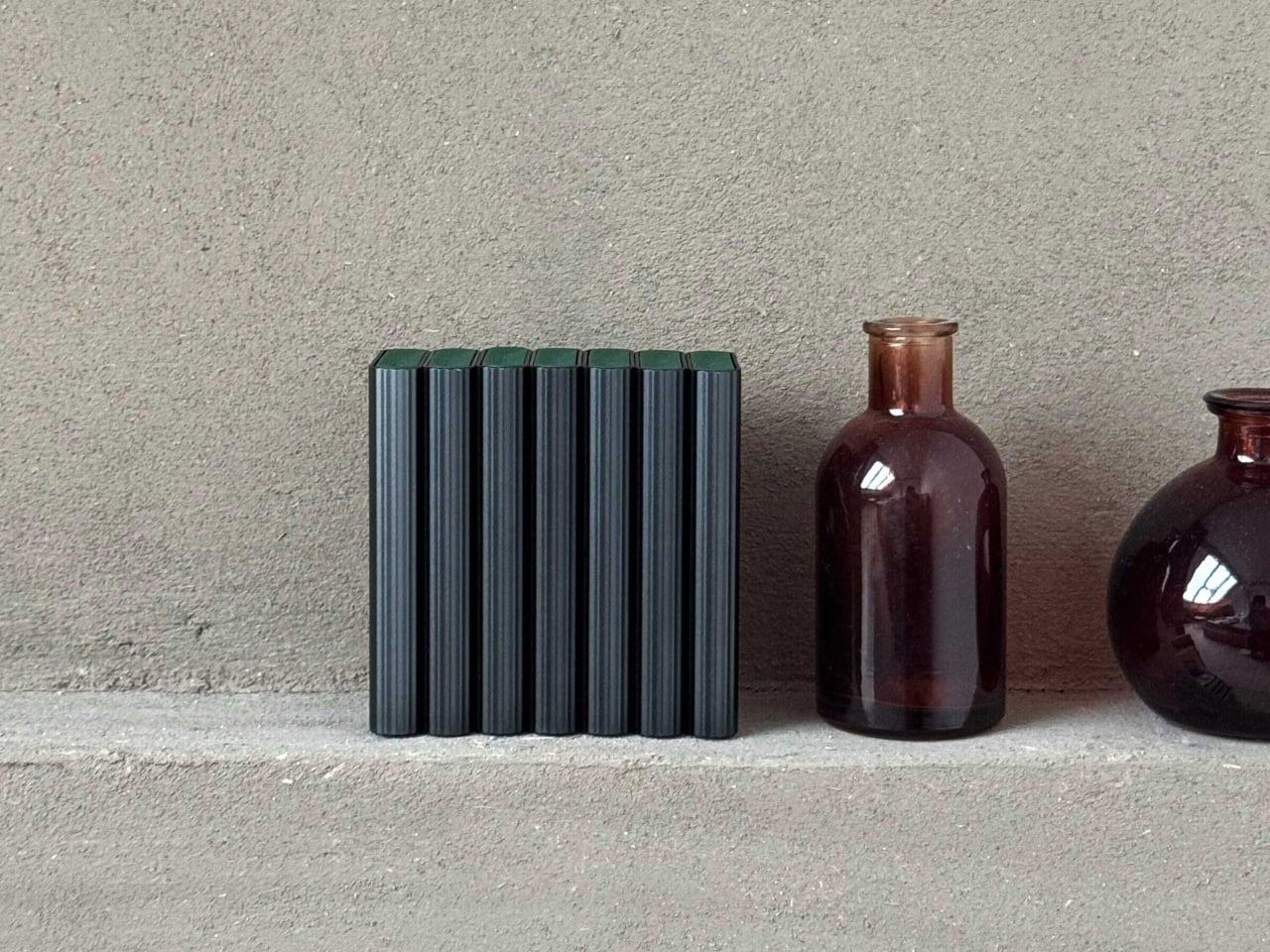
This Battery Charger Shows Which AAs Are Dead on an E-Ink Display

The drawer full of half-used AA and AAA batteries, some new, some dead, some leaking, is familiar. The last-minute scramble for batteries when a remote dies usually means digging through the pile, testing them one by one, and feeling uneasy about throwing spent alkalines into the trash. The problem is not just waste, it is the lack of a clear system for how we power small devices scattered around a home.

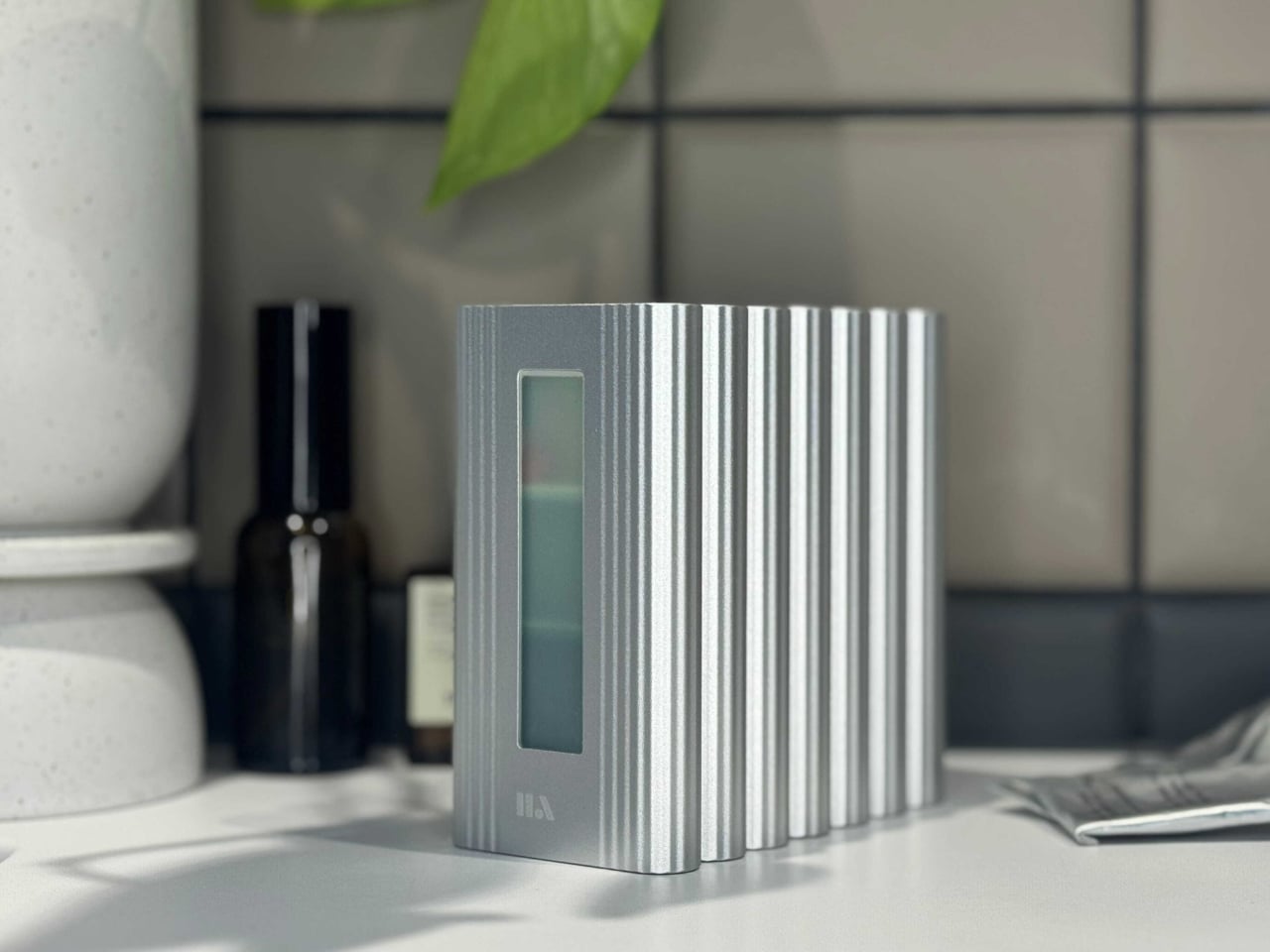
Linogy is a rechargeable battery ecosystem built around 1.5 V Li-ion AA and AAA cells plus an all-in-one smart station. The station lives on a desk or shelf, acting as a battery tester, fast charger, and organizer case that holds up to 40 cells. The goal is to replace the random drawer with a single, visible place where all your batteries live and get managed.

Designer: Linogy

Disposable alkalines are convenient but add up to billions of cells tossed each year, along with tens of thousands of tons of waste and CO₂. Ni-MH rechargeables solve part of that but bring their own quirks: 1.2V output that some devices dislike, high self-discharge, lower energy density, and slow charging that makes topping them up feel like a chore you keep postponing.

Linogy’s cells pack around 3,600mWh and deliver stable 1.5V, closer to what devices expect from alkalines, so performance and battery indicators behave more predictably. The cells are rated for up to 1,200 cycles, meaning one rechargeable can stand in for roughly 1,200 disposables over its life, and built-in protection layers handle overcharge, short circuit, and drop impacts without leaks or smoke.

Dropping a mix of AA and AAA cells into the station, it automatically detects type, health, and charge level. The e-ink display shows which batteries are full, which are charging, and which are ready to retire, without bright LEDs or guesswork. A full charge takes around three hours, and once topped up, the station stops charging and simply holds the cells until something needs power.

The station is compatible with Linogy’s Li-ion cells, Ni-MH, and Ni-Cd AA and AAA batteries. You do not have to throw out existing rechargeables; the same box can test and charge them while you gradually swap in higher-capacity 1.5V cells. Over time, the random mix becomes a more coherent set of batteries you actually trust instead of avoiding.

A simple change in how you handle AA and AAA power can reduce waste and friction. One Linogy cell replacing up to 1,200 alkalines, recyclable packaging, and a charger that looks like a small appliance rather than a tangle of cables all add up. It turns the humble battery from something you forget about until it fails into a part of the home that is designed, visible, and surprisingly satisfying to keep in order.

The post This Battery Charger Shows Which AAs Are Dead on an E-Ink Display first appeared on Yanko Design.
This 600g Tablet Snaps into a Keyboard, Then into a Cooling Stand

The question of whether a single small device can replace a laptop and desktop without feeling compromised keeps surfacing. Past attempts include phone lapdocks and 2-in-1 tablets that end up either too heavy to hold or too weak to be real workstations. Khadas’ Mind Go tries a different path. Instead of forcing everything into one slab, it lets the form factor grow and shrink depending on what you need.

Mind Go is a modular 3-in-1 that starts with an 11.6-inch tablet, weighing around 600g and roughly 6.1mm thick in the current prototype. It is fanless, with built-in speakers, a front camera, Mind Pencil support, and a raised edge on the back that makes one-handed grip easier. The tablet is deliberately not a battery monster on its own because it is meant for shorter, mobile sessions where lightness matters more than runtime.

Designer: Khadas

Slipping the tablet into a bag, reading or sketching on the train, reviewing documents while standing, or sharing a screen in a hallway all become easier with the smaller 11.6-inch size. The lack of fans keeps it quiet and cool. You are not running a full workstation here, just doing the kind of light work that benefits from being truly portable and easy to hold without needing a table.

At a desk or café, the tablet drops into the Mind Go Keyboard. The keyboard is both input and battery, connected through pogo pins, bringing total capacity to 45Wh and roughly nine hours of local video playback. The trackpad and full keys turn the setup into a familiar laptop, and you can detach or reattach the tablet without interrupting what you are doing, shifting between seated and walk-around work.

The Mind Go Stand is where the device stops pretending to be just a tablet. The stand adds active cooling and a full set of ports, USB-C, HDMI, USB-A, Ethernet, headphone jack, plus integrated speakers. With sustained cooling, Mind Go can push up to about 30 W of performance, roughly double its tablet mode, and suddenly the small screen is driving multiple external displays and heavier workloads.

This setup changes the usual dance of syncing files between machines. Your projects live on the same device that moves from commute to meeting to desk. On the way home, you are not hunched over a tiny laptop debating whether to sync to a desktop later. You just drop the tablet into the stand, and your posture, visual space, and performance all expand around the same core without transferring files or logging into another machine.

Mind Go is still in market validation, with Khadas asking the community to help decide big questions, Snapdragon or Intel, 11.6 or 13 inches, LCD or OLED, pogo pins or wired stand, even whether the dock should offer optional GPU support. It is an unusual invitation to shape not just the look but the architecture of a device that wants to be your tablet, laptop, and desktop without pretending those are the same thing.

The post This 600g Tablet Snaps into a Keyboard, Then into a Cooling Stand first appeared on Yanko Design.