Apple Pencil Number 2 skin is a perfect homage with a big caveat

Despite what its founder once said, Apple has wholeheartedly embraced the stylus, at least for its iPads. In fact, you could even say it innovated an accessory that hasn’t seen much change in years, introducing magnetic charging and invisible touch-sensitive buttons to the design. Its minimalist aesthetic and familiar shape have also made it more open to custom designs and skins that allow owners to express themselves beyond a simple white or black stick. Of course, this also presented an opportunity for accessory makers to establish a new market segment made especially just for this Apple stylus. Skin manufacturer Colorware is just the latest to jump on that bandwagon, but its Apple Number 2 Pencil is quite unique in more ways than one.

Designer: Colorware

The first Apple Pencil was pretty much a smooth and slippery cylinder that forced some people to put on grips or skins just to be able to securely hold the stylus. The second-gen Pencil improved the design with a somewhat hexagonal body that gave it a better grip but also inspired even more skins to embellish the Apple Pencil’s appearance. After all, with that familiar shape and generic name, it’s almost a dead knocker for the iconic Number 2 pencil known by people of all ages throughout the world.

The Colorware Apple Number 2 Pencil is one such makeover for Apple’s current stylus, but it takes the modification to the extreme. It definitely looks like the Number 2 or HB pencil with its glossy yellow body, orange eraser, and silver band that connects these two parts. Colorware, however, takes the homage one step further: even the tip is black, like a typical graphite pencil.

The nib of the Apple Pencil is, of course, white, and almost all skins stop at covering the barrel only. That’s because you can’t really cover the nib and expect its performance to be unaffected. The manufacturer naturally doesn’t divulge what it used to coat the nib, so you’ll have to trust that the Apple Number 2 Pencil will still remain as functional as a regular Apple Pencil.

The catch to this almost faithful recreation of the classic HB pencil is that it costs a whopping $215. Considering the 2nd-gen Apple Pencil retails for $129, that’s not a small cost added on top. A regular skin would only set you back $13 or so, though you’d also have to look for unofficial black nibs if you want to get the complete look. It also doesn’t indicate if that price includes extra nibs, so you might find yourself at a loss when this special black tip needs to be replaced.

The post Apple Pencil Number 2 skin is a perfect homage with a big caveat first appeared on Yanko Design.
Astell&Kern SP3000T is a modern music player with retro vacuum tube amps

It’s not unusual these days to see plenty of retro-themed designs and products, all trying to capitalize on the strong emotions that nostalgia can bring. Most of these simply slap on a facade that mimics the aesthetic from decades past, but some do try to also recreate the experience by using what would be considered vintage technology or components. Of course, it’s not enough to just use old-school technologies, they also need to be properly integrated into today’s features. That’s the kind of balance that Astell&Kern’s latest portable music player tries to deliver, bringing a modern device that not only looks retro on the outside but partly on the inside as well, blending the present and the past in perfect harmony.

Designer: Astell&Kern

It might come as a surprise in the age of smartphones, but there are still companies producing music-playing devices that do only that. It allows the brand to focus solely on perfecting the listening experience without having to worry about cameras, cellular networks, and apps. As far as those portable music players go, Astell&Kern’s existing SP3000 is already quite distinctive with its hard, faceted, and angular design, giving it an almost industrial aesthetic, especially with its stainless steel body and 99.9% pure silver plating.

The SP3000T, however, gives that design a retro twist by adding dual vacuum tube amplifiers on the back of the device. These aren’t just for show, though, as they actually function the way the tube amps did in the past, using modern techniques and materials, of course. The tubes bring not just an analog appearance but also an analog sound, delivering a unique audio quality that can be best described as warm and soothing, qualities that are difficult to achieve simply using digital sound.

What’s even more interesting is that listeners won’t have to choose between one or the other. Yes, the SP3000T lets you switch between these analog tube amplifiers and the digital op-amp mode, but there is also a third hybrid option that mixes the two together. What you get is a combination of the precision and high-resolution output of the digital amp mixed with the warm tonal qualities of the analog vacuum tubes.

The Astell&Kern SP3000T also carries the brand’s latest audio technologies, including a digital-to-analog converter that promises a complete separation of digital and analog signals for the cleanest sounds. It also has 8GB of memory, boasted to be the highest in digital audio players, for smoother operations. And, yes, it also has a touch display, almost like a smartphone, that lets you enjoy not only album art but also themes, adding a bit of joy to this retro-modern listening experience.

The post Astell&Kern SP3000T is a modern music player with retro vacuum tube amps first appeared on Yanko Design.

Laptop cooling system concept extends its back to let air flow even better

Laptops today have become quite powerful beasts, capable of handling AAA games and even multimedia creation that their predecessors would choke at. But with great power comes great heat generation, the bane of CPU performance and battery life. Keeping a laptop cool has been a very big puzzle for laptop designers, mostly because of the problem of squeezing an efficient cooling system inside an extremely thin chassis. There are many existing solutions available today, ranging from extra large fans to vapor cooling chambers, but this particular concept offers an additional level of thermal management where a portion of the laptop’s rear extends to facilitate better airflow to and from the internals.

Designer: Wistron

Laptop cooling systems might come with different names and gimmicks, but they all function with the same principle. You draw heat away from the processors and battery and blow out the hot air while simultaneously drawing in cooler air. Whether it’s passive cooling with vapor chambers or active cooling with fans, proper airflow is still a critical element in the system. Unfortunately, due to design requirements, laptop air vents are actually small and too few.

This design concept tries to fix that problem by almost literally opening up a part of the laptop in order to create more and bigger openings for air to pass. Dubbed “dynamic airflow,” the design has one part of the laptop extend and move, exposing more vents for better airflow. In this case, it’s the back of the laptop that moves further back once you open up the lid. Conversely, that rear panel retracts again as you close the lid.

This moving part can house the laptop’s “heat module,” which can be, for example, small fans that move the air around. Normally, thermal cooling systems are placed on top of the laptop’s motherboard, which ironically leaves little room for the air to flow. Separating this thermal component not only frees up more space for airflow, it also makes it theoretically possible to make the laptop even thinner with this arrangement.

Of course, it’s easier said than done, as the design will also have come with its own consequences. For one, it makes the laptop design more complicated with more moving parts and mechanisms to extend and retract that component, which, in turn, could introduce structural compromises and new points of failure. Given the company behind the design, we might actually see this dynamic airflow concept tested in the wild by some major laptop manufacturers, which will then give us a better handle on how effective the solution really is.

The post Laptop cooling system concept extends its back to let air flow even better first appeared on Yanko Design.

Nothing Phone (2a) Review: Nothing Beats the Beauty of Essentials

PROS:


  • Beautiful and distinctive semi-transparent design

  • Decent dual 50MP cameras, 32MP front camera

  • Huge 5,000 mAh battery

  • Good value for its price

CONS:


  • No dedicated telephoto camera

  • Average mid-range performance

RATINGS:

AESTHETICS
ERGONOMICS
PERFORMANCE
SUSTAINABILITY / REPAIRABILITY
VALUE FOR MONEY

EDITOR'S QUOTE:

The Nothing Phone (2a) distills the smartphone experience to its most important essentials and wraps it in a gorgeous design you will never get tired of.

Smartphones are getting more and more powerful every year, but that power comes at the cost of complexity and cost. While there’s nothing wrong with a super powerful, uber-luxurious, and expensive device, it’s just not for everyone. Unfortunately, those who prefer to stick to the important basics are often left compromising in terms of performance and especially aesthetics. Nothing is a young brand that is trying to shake up the status quo with a heavy focus on thoughtful design, transparent practices, and accessible technology, and it has already been making headlines with its smartphones and accessories. With the Phone (2a), it’s dipping its hands into a different segment of the mobile market, so take it for a spin to see if it has anything substantial to offer or if it’s nothing at all, pun totally intended.

Designer: Nothing

Aesthetics

Nothing made a name for itself with the distinctive design of its products, especially its phones. While it was not the full transparency idealized by risky DIY hacks or printed skins, Nothing’s decision to have a semi-transparent design actually made better sense. It gave the phone a cleaner look, without the distracting noise of electronics and labels, but still had enough character to stand out from the crowd quickly.

The Nothing Phone (2a) is clearly a member of this family but also differs in significant ways. The arrangement of components is very different, with the camera bump now lying horizontally in the middle, surrounded by a Glyph Interface that’s also completely new and unique to this model. The camera array is enclosed in a circular area from which a covered path snakes down to the bottom, almost like the ribbon connectors between components you’d see inside phones. This distinctive design gives the phone a facsimile of a robotic face, friendly and welcoming like those in cartoons and kids’ shows.

Unlike earlier rumors that worried Nothing fans, the Phone (2a) does indeed have the Glyph Interface, except it’s also simplified like the rest of the phone’s design. There are only three components this time, two asymmetrical arcs on the left of the cameras and a vertical bar on the right, that delivers that same dynamic lighting but with less fanfare. Considering how you’re usually holding your phone, this makes sure that the glyphs will always be visible to everyone in front of you when they light up, rather than having parts of it covered by your hand.

The Nothing Phone (2a)’s aesthetics pretty much reflects the overarching theme of the phone. It delivers the essentials for a pleasing user experience without being showy but still having enough impact to be worth your while. It strives to strike a balance even harder than its older siblings in order to cater to a market that has long been in need of that kind of design that doesn’t compromise too much for the sake of driving down costs.

Ergonomics

The Nothing Phone (2a) is also an anomaly in the sense that it’s actually a large phone that weighs almost like nothing. With a 6.7-inch screen, it’s definitely one of the bigger slabs in the market, yet its 190g weight feels almost nothing in your hand. And that’s despite the large battery it hides inside, which makes the phone a bit of a mystery.

This means that the Phone (2a) is quite comfortable to hold, even for long periods of time. It doesn’t weigh down on your hand that much, though you might also be worried its lightness can become a liability instead. Fortunately, the flat edges of the phone do provide a bit of grip to aid your hand. All in all, it was a pleasurable experience to hold the phone, perfectly matching its pleasing aesthetic.

Performance

There’s no going around the fact that the Nothing Phone (2a) is not your super-powerful high-end premium flagship. Nothing partnered with chipmaker MediaTek for a custom Dimensity 7200 Pro chip, but that is also two tiers from MediaTek’s own top-of-the-line series. Even the GPU technology is from back in 2021, and benchmark scores seem to paint a rather disappointing picture. It’s theoretically better than its peers, the Snapdragon 7s Gen 2 and Snapdragon 782G, but those are mid-range processors as well.

The good news is that it hardly really matters because the Phone (2a) still manages to hold its own with most tasks you throw at it, especially with 12GB of RAM. Gaming is going to be less impressive, of course, so you’ll have to dial down the settings a bit, but it’s still a decent experience. The Nothing Phone (2a) is meant to be an everyday phone for everybody, rather than a hyper-focused tool for gaming or photography, and when it comes to general activities, it thankfully does quite well despite those numbers being stacked against it.

As mentioned earlier, the Nothing Phone (2a) has quite a sizable battery, specifically a 5,000 mAh pack. That’s actually very generous even by premium smartphone standards, and given the rest of the specs, it’s sure to give you more than a day’s worth of use, at least with reasonable measure. Charging is capped at 45W, which isn’t exactly the fastest but still an upgrade over previous technologies. As expected, there is no wireless charging, which is one of the very few compromises this design does make.

In addition to its unique semi-transparent design, the Nothing Phone was characterized by its Glyph Interface, basically a light-based notification system that adds a bit of flavor to the user experience. Some considered it gimmicky at first, but it’s actually a useful tool for minimizing distractions. You can keep your phone face down on your desk and only see the glyphs light up for important events, like a call, an important message, or a timer. You don’t have to glance at your phone’s screen every time something comes in, reducing the risk of you getting distracted when you other notifications as well. And because the glyphs are confined to the upper portion of the Phone (2a), they’re also less invasive and more restrained, focusing on just the essentials of the function rather than the glamour.

When it comes to the cameras, the Nothing Phone (2a) is a bit of a mixed bag. As you may have noticed, there are only two cameras, but both of them, fortunately, have 50MP sensors. The main Samsung GN9 camera features OIS and autofocus, while the ultra-wide Samsung JN1 has a 114-degree field of view. Both perform rather well, even at night, with clear details and low noise. Unfortunately, there is no dedicated telephoto camera, so you’ll have to settle for the main wide camera’s cropped 2x zoom, which is less impressive than regular shots.

The front-facing camera has an impressive 32MP sensor, and it definitely shows in the quality of selfies you can take. There’s no aggressive beautification like what you’d find in other brands, so what you see is really what you get. That means this camera isn’t just great for social media but, more importantly, for video calls and meetings as well.

Sustainability

Right from the start, Nothing wanted to be different from the way it ran its smartphone business, which also included its commitment to sustainability. From the use of recycled materials to the packaging, Nothing has been ensuring that its products reduce their negative impact on the environment. The Nothing Phone (2a) thankfully follows that practice, and although it’s not yet on the same level as bigger brands, it’s definitely a strong start.

That commitment to sustainable design is helped by the fact that the Nothing Phone (2a) is also made to last longer. With an IP54 dust and water resistance rating, it’s guaranteed to hold up against most accidents. It’s not the highest rating, of course, but just that mark goes a long way in assuring owners that their fun-looking mobile partner isn’t going to abandon them at the slightest incident.

Value

Given all the specs and features, it’s perhaps pretty clear that the Nothing Phone (2a) is the brand’s foray into a segment traditionally considered to be mid-range or mid-tier. In fact, its $349 price tag confirms that classification and that figure is nothing to scoff at. There’s a certain negative connotation to the phrase “you get what you pay for,” but this is a case where you’re actually getting a whole lot more than that price value.

Yes, performance is decent at best, but the Phone (2a) has enough power to get you through the day and more, both in terms of raw power as well as battery life. The cameras are serviceable, though you’ll definitely feel the absence of a proper zoom camera. Best of all, you’re getting all of that in a distinctive and eye-catching design that’s pleasing to the eyes and light in the hand. In other words, you’re getting a beautiful, no-nonsense smartphone that feels worth more than what Nothing is asking for.

Verdict

Nothing has definitely stirred up the waters by challenging the market giants with an ambitious vision and a visionary design. But while the first two Nothing Phones served to put the brand on the map, there was still a segment that was left underserved by these premium products. To bring its design to everyone, Nothing also needs to target different tiers, tiers with different needs and budgets.

The Nothing Phone (2a) was clearly made to address that need, offering an experience that focuses on the essentials without all the bells and whistles that, in the end, could also burden the user. It packages that in a design that is bare-bones yet distinctive and characteristic of Nothing’s design language. It distills the Glyph Interface down to its core purpose, to provide a distraction-free way to get notified of important events. The Nothing Phone (2a) is a laudable example of a design that deftly balances features and costs to craft an experience that is clearly made with the user in mind.

The post Nothing Phone (2a) Review: Nothing Beats the Beauty of Essentials first appeared on Yanko Design.
Minimalist desk concept has a special place for your cat to sleep in

Our parents told us how keeping pets is a huge responsibility, and many of us probably took that advice for granted. Even as adults, we might sometimes have love-hate relationships with the furry members of our family, especially when they get in the way of work. That seems to be especially true for cats, who have a bewildering knack for sleeping on our desks when we need to get things done, even going as far as sleeping on top of keyboards while we’re still typing. Every feline owner knows there’s really no stopping these masters of flexibility when they put their minds to something, but it also helps to give them something more comfortable to lie on than your hands. That’s what this desk concept aims to offer, giving your cat some space to still be near you when you work but also some privacy to keep to itself, like what most cats often to do.

Designer: Liam de la Bedoyere

This wooden desk is minimalist almost in the extreme sense. It’s pretty much just a bent plank of wood standing U-shaped bent metal for legs. There are no compartments, hidden or otherwise; just a flat and open surface to put your things on. It forces you to be extra neat, or at least creative in how you decorate and place accessories to hold your work tools. Or perhaps it’s best to actually leave it bare without anything that your cat might topple over.

Of course, the signature feature of this concept is the small space or “cubby” designed especially for a cat. One side of the table bends inward to create a hook shape that’s probably just big enough for your average cat. That cubby has a pillow for their comfort, though the material for that cushion might be questionable. After all, cats are known to scratch so that pillow might not last that long.

The Cat Cubby Desk tries to offer a comfy place for your cat to lie on without getting in the way of your work. Or at least that’s the goal. Whether or not your furry feline friend prefers to take that spot or, more likely, still lie on your keyboard will be totally up to your training and its mood. Given cats’ inclination to cram themselves in tight spaces, this does look like a very tempting location for them. And if your pet ends up ignoring it, you can always repurpose the cubby for other things, like as a space for books and folders. Hopefully, your cat won’t suddenly decide to jump in and knock all those off.

The post Minimalist desk concept has a special place for your cat to sleep in first appeared on Yanko Design.

This aluminum bench stands on the shoulders of discarded Mac Pro cases

Apple is not a big fan of reusing its products for something else, at least something that is still close to the original function of the design. It probably won’t object to completely unrelated applications of those designs, especially when it’s for a creative and artistic purpose. The non-functional parts of an iPhone, for example, could be disassembled and framed to be displayed as a piece of tech history. Or one might simply take the empty shells of old Mac Pro and turn them into a piece of structural art, which is exactly what this rather striking metal bench tries to accomplish in a way that will probably make you wonder how strong those old Apple desktops might have been.

Designers: Quinner Baird, Alec Alborg, Ferb Liebana, Berit Levy, Jaime Uriarte (Caliper)

The designs for more recent Mac Pros have been rather controversial, to say the least. The cylindrical 2013 was derided for looking like a trash can, while the boxy 2019 design, though a bit more traditional, is jokingly called a cheese grater. Neither are good foundations for a stable piece of furniture, but the first-ever Mac Pro fortunately fits the bill perfectly. It was a minimalist brushed aluminum box with tapered legs on the front and back to raise it up and equally tapered handles on those same sides for easier lifting.

Made for Manhattan clothing brand Hidden as part of store display, the Mac Pro Bench is exactly what it sounds like. It takes two first-gen Mac Pros, totally gutted of any and all electronic components, and has a folded aluminum plank attached on top. The plan has a tapered shape that fits perfectly between the front and back handles, making it feel as if the desktops were made for this very purpose. Two versions of the bench exist, one preserving the brushed aluminum aesthetic of the Mac Pro, and another thoroughly coated in Hidden’s green motif.

It’s not being sold en masse, which will probably keep Apple’s lawyers happy, though there are also ways to make your own. That said, it’s probably not a good idea outside of making it a decorative piece. It’s actually not tested how much weight the Mac Pros will be able to handle, especially with a bench meant to sit more than one person. The hollow legs of the desktop don’t look reassuring either, and it might have been more practical to have sawed those off, even if it meant ruining the original Mac Pro shape.

That said, it’s possible to reinforce the foundations of the Mac Pro Bench to make it a more usable piece of furniture. More importantly, however, the piece of art could also spark the imagination and creativity of others to make similar designs that reuse discarded desktop PCs in a less conventional and more interesting manner.

The post This aluminum bench stands on the shoulders of discarded Mac Pro cases first appeared on Yanko Design.
iPhone SE 4 renders say goodbye to the Touch ID home button, hello to USB-C

All good things must come to an end, or so they say. Of course, the definition of “good” will always depend on who you ask. Some might be pining for the “good old days” when the iPhone was curvy, small, and didn’t require your face to unlock it. For some, the 3rd-gen iPhone SE from 2022 was their recourse, but could finally be the last of its kind. No, Apple will apparently still launch an ultra-affordable iPhone, but it will no longer be that safe haven for lovers of old technologies and designs. According to this latest visual leak, the iPhone SE 4 expected to launch next year will be taking after the iPhone 14 design, now also considered a “last-gen” design, except for one curious feature that’s both surprising yet makes total sense as well.

Designer: Apple (via 91mobiles)

The iPhone SE, which stands for “Special Edition,” has always been an oddity in Apple’s lineup. Although it was regarded to be the cheapest and smallest iPhone from the company’s catalog, those points aren’t always true as each new model is introduced. To some extent, it feels more like the iPhone SE is an ode to technologies and designs that are being put to pasture, whether it’s the small design and headphone jack of the first iPhone SE or the physical home button of the iPhone SE 3.

Unofficial CAD renders, uninspiring as they might look, offer some clues to the design changes that Apple intends for the 2025 iPhone SE. For one, it finally bids farewell to the small-sized iPhone with what is allegedly a 6.1-inch screen. Second, it also removes the thick bezels of the past, embracing a screen that has been around since the iPhone X, which also means finally embracing the notch. More importantly, however, this kind of bezel-less display also has no room for Touch ID, so fingerprint authentication will finally be gone for good, at least on iPhones and iPads.

For all intents and purposes, the iPhone SE 4 looks like the iPhone 14 from 2022, which itself sported a design that was significantly unchanged since the iPhone X from 2017. The only major difference, at least from a design perspective, is that the camera on its back retains a single circular bump more reminiscent of the iPhone 8 and earlier eras. Given there might only be a single camera anyway, that’s a better choice than having a square bump with barely anything inside it.

The renders do suggest that the 4th-gen iPhone SE will also adopt a USB-C port, a technology that Apple introduced to iPhones only last year. This is quite a modern feature for an iPhone SE model, but considering the pressure on Apple to adopt a standard charging port, it doesn’t come as a surprise. That said, these are still all unofficial, so details might still change before the new iPhone SE launches, which is expected to happen next year.

The post iPhone SE 4 renders say goodbye to the Touch ID home button, hello to USB-C first appeared on Yanko Design.
Vivo V30 Pro Review: Putting The Focus Where It Counts

PROS:


  • Thin, lightweight, and beautiful design

  • 50MP wide-angle selfie camera with autofocus

  • Impressive triple 50MP camera system

  • Long-lasting, fast-charging battery

CONS:


  • No stereo speakers

  • Thin edges make it difficult to grip and pick up

  • Limited global availability

RATINGS:

AESTHETICS
ERGONOMICS
PERFORMANCE
SUSTAINABILITY / REPAIRABILITY
VALUE FOR MONEY

EDITOR'S QUOTE:

With breath-taking elegance and ZEISS-tuned Triple Main Cameras, the Vivo V30 Pro offers unbeatable value to mobile shutterbugs and design-conscious buyers alike.

It’s really difficult these days to pin a phone down to a specific market tier or device range, especially since brands tend to advertise every single model as the best in its class. Technology has advanced to a point that what some might consider mid-range due to one or two features might surpass flagship models in other aspects. That seems to be the case with the Vivo V30 Pro, arriving on the heels of the Vivo V30 that we reviewed just last month. The “Pro” in its name is pretty telling, promising a higher level of experience while still staying faithful to the spirit, not to mention the design, of the base model. In what ways does the Vivo V30 Pro actually improve on the Vivo V30, and are those enough to warrant giving this pricier version a serious look? We give it a whirl to find out.

Designer: Vivo

Aesthetics

Something can be beautiful without being too flashy. A flower’s charm, for example, often comes from its simplicity and the pleasing way it combines shapes and colors in a way that only Mother Nature can really accomplish. The Vivo V30 Pro tries to capture that spirit almost literally, combining subtle details and minimalist aesthetics in a composition that delights the eyes without being distracting. It’s no coincidence that Vivo’s designs for the V30 Pro are clearly patterned from nature, and it definitely pulls this feat off with aplomb.

It’s not just a matter of painting patterns on the phone either. Our Bloom White review unit, for example, looks like it has flowers pressed on its back. This “3D Petal Pattern” was accomplished by 3D engraving 13 million tangent lines on the material’s surface using photolithography. The greenish-blue Waving Aqua, on the other hand, employs thousands of tiny magnetic particles to create the illusion of rippling waters. The visual effects are subtle, almost invisible unless you take a second look, but they definitely add to the Vivo 30 Pro’s elegance.

Coupled with its thin profile and lightweight body, the Vivo V30 Pro exudes class and beauty without being overbearing. The process and cost of such designs might sound overkill for what would be classified as a mid-range phone, but these designs not only demonstrate Vivo’s manufacturing prowess, they also reflect the evolving tastes of smartphone owners today who want an attractive phone they won’t need or even want to cover up with a case.

Ergonomics

Despite the large 6.78-inch screen, Vivo manages to make the impossible possible with a thin and lightweight handset. Only 7.45mm thin and 188g light, the Vivo V30 Pro is comfortable and pleasurable to hold, even after long periods of time. That thinness is very accentuated by the curved edges of both the screen and the rear panel, a trend that is slowly dying and being pushed out by flat edges. Some defend that this design is gentler on your palms, but others criticize it for also reducing the phone’s grip, making it more likely to slip from your grasp.

If there is one drawback to the Vivo V30 Pro’s very thin edges, it’s that it makes it a bit tricky to pick it up from a table or any solid flat surface. There’s very little area for your fingers to grip the edges and you might find the phone slipping or sliding before you can have a solid hold on it. The included clear case adds some thickness and texture to fix that, but it also puts a less premium layer of material between you and your phone, no matter how transparent it is.

Performance

Gone are the days when you could easily predict a phone’s performance by simply looking at its specs, especially the processor. The time when MediaTek’s silicon was considered cheap and underpowered is long over as well, and the Vivo V30 Pro is living proof of that. Granted, the 4nm Dimensity 8200 processor it’s using is actually last year’s generation, but it’s hardly any slouch. In fact, it manages to beat Qualcomm’s Snapdragon 7 series from the same generation in some benchmarks, which is quite telling.

What all this means in practice is that the Vivo V30 Pro can handle everyday tasks without breaking a sweat. Sure, you shouldn’t expect it to run toe-to-toe with high-end and more expensive smartphones, but setting graphics settings to medium is sure to still satisfy your gaming needs. The cooling system is effective, though not exactly stellar, so expect your hands to feel some heat after prolonged gaming. The best part of its performance, however, is the generous 5,000 mAh battery that’s guaranteed to last you more than a day of average use. With the included 80W charger, you don’t even need to wait long to get it from zero to full, just a little under 50 minutes, in fact.

The large 6.78-inch 120Hz AMOLED display mirrors the phone’s back in providing a beautiful sight, though it’s naturally flashier and more eye-catching. The panel is bright and the colors are vibrant, though they tend to lean more towards being very saturated by default. While the visual experience is superb, the same can’t be said of the audio aspect. There’s a single bottom-firing speaker that is very basic. You’ll be hard-pressed to detect much bass, for example, and the quality degrades noticeably at maximum volume. You might be better off connecting Bluetooth speakers if you really want to spread your tunes around.

Smartphones these days almost feel like cameras that just happen to have phone functionality because of the heavy emphasis put on mobile photography. The Vivo V30 Pro is no exception and, in fact, celebrates it and takes it to the next level. It challenges the status quo of using different sensors for different cameras and comes bearing 50MP cameras for primary wide, ultra-wide, and 2x telephoto. In fact, it even uses a 50MP sensor for the front-facing camera, complete with a wide-angle lens and autofocus.

For its camera system, Vivo enlisted the expertise of optics experts ZEISS, and the results definitely speak for themselves. The output of the main camera is clear, highly detailed, accurate, and just gorgeous. That is true even at night, with Vivo’s special night mode kicking in. The 2x optical zoom of the dedicated telephoto, while not that far in reach, is still better than relying on digital zoom and cropping the way the Vivo V30 does. The ultra-wide camera, while decent, isn’t as impressive as these other two, but you’ll still get clear and detailed images from it, regardless of the lighting condition.

One special feature of the Vivo V30 series, which can be seen from the unusual design of the phone’s camera bump, is the square Aura Light that sits below the cameras. If you’re familiar with the effect of ring lights in diffusing a gentler glow on your face, then you’ll know how this feature works. Instead of a focused light like a typical LED flash, it spread the light around more evenly, making it the perfect illumination for portrait photos. Even better, the Aura Light can automatically change its intensity and warmth depending on ambient lighting, all thanks to AI, of course. Now if only Vivo could do the same for the front-facing camera, then it would really be able to leave its competition in the dust.

Sustainability

Despite the Vivo V30 Pro’s nature-inspired design, the phone itself isn’t exactly that environment-friendly, at least as far as its build materials go. It’s not exactly an outlier in this regard and it merely follows the industry status quo. Sadly, it’s also an opportunity for Vivo to rise above the rest and set a new industry standard, but we’ll probably have to wait a bit longer for the company to really take its sustainability efforts to the next level.

At least the Vivo V30 Pro is designed to last long, especially with an official IP54 dust and water protection rating. It’s far from being the highest and is, in fact, the bare minimum for waterproof devices, but it’s also something that’s usually missing from most smartphones on this tier. When accidents do happen, however, you have very little option other than to send it to Vivo or its authorized repair centers for servicing. Self-repair is just not a thing in this space yet.

Value

Truth be told, it’s hard to find any fault with the Vivo V30 Pro. Yes, it doesn’t max out all the potential that more powerful hardware can provide, but it also doesn’t tax buyers for features they may never use in the first place. It has a pretty good balance of features and tends to perform well in areas that matter the most, such as mobile photography and battery life. Plus, it looks stylish and classy, so you’ll probably fall in love with it quickly.

The expected $500 price tag brings a bit of uncertainty, though. It’s definitely higher than its sub-$400 peers, but it offers features you won’t find on more expensive handsets either. The biggest deal-breaker, however, is its availability. The Vivo V30 Pro will only be sold in select markets in Asia, at least for now, so all that beautiful design and impressive cameras will be out of reach for many people around the world.

Verdict

Smartphones are no longer just tools for communication or even for staying connected to the Internet. They have become irreplaceable partners in creating and preserving memories, as well as extensions of our personalities and aspirations. Smartphone designs have matured over the years, shedding off flashy and gimmicky features for reliable functionality and appealing aesthetics. This trend has trickled down even to the so-called mid-tier market, as embodied by the Vivo V30 Pro.

Inspired by nature, the Vivo V30 Pro’s beauty is subtle yet impactful, employing innovative manufacturing techniques to create more natural designs that catch the eye and soothe the soul. It’s no racehorse, but what the phone lacks in raw processing power it makes up for in reliability and value, offering a more balanced product. At the same time, its Triple 50MP Main Camera system and 50MP front-facing camera challenge the status quo and prove beyond reasonable doubt what is possible even on this tier. All-in-all, the Vivo V30 Pro is a well-rounded contender that you’ll want to consider for your next phone purchase, presuming it’s even available in your area.

The post Vivo V30 Pro Review: Putting The Focus Where It Counts first appeared on Yanko Design.
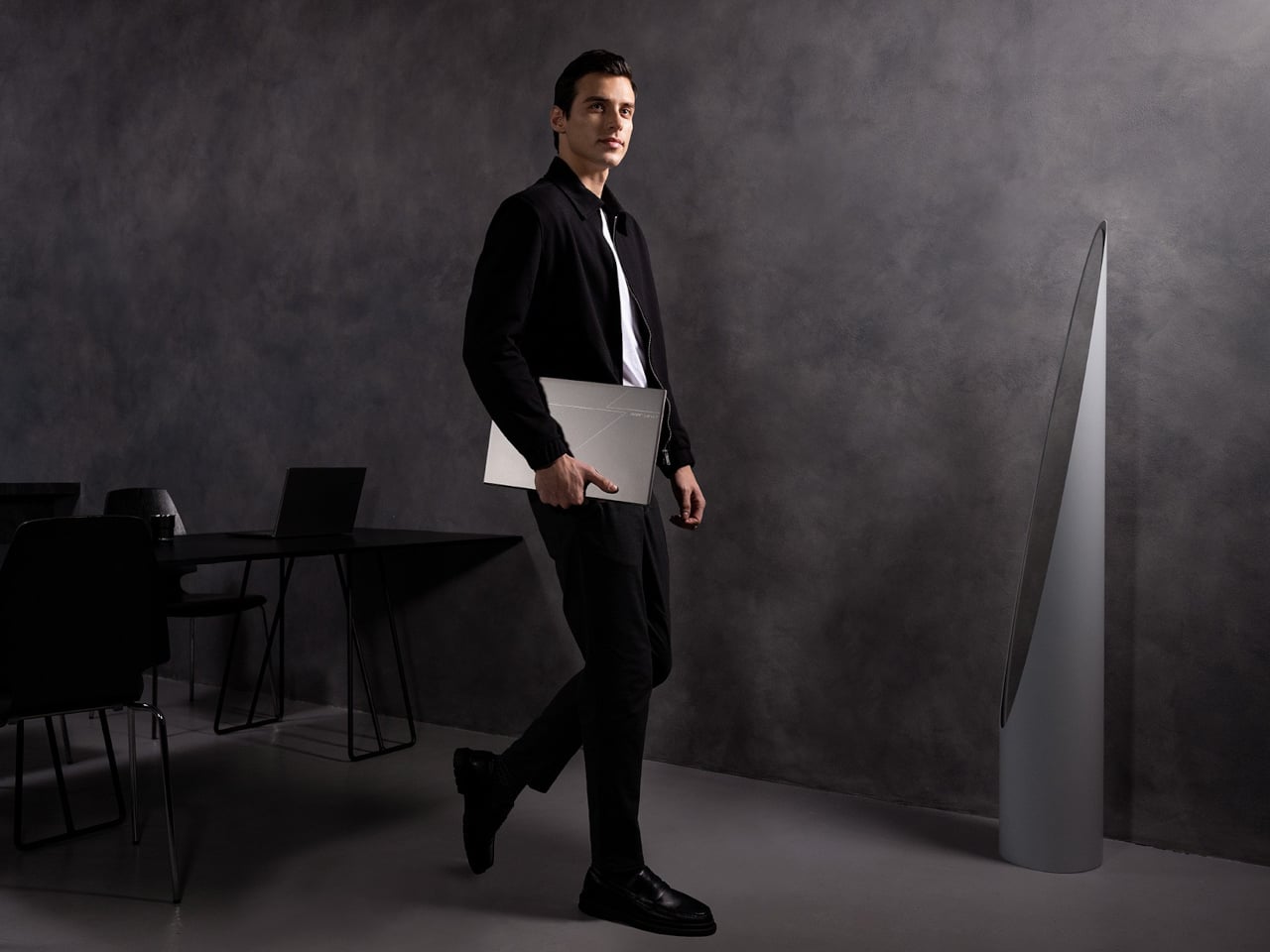
Dual-screen E Ink reader doubles as a laptop for double productivity

Just like smartphones, laptops are undergoing a bit of change and experimentation with foldable, dual-screen, or even transparent laptops coming out of the woodwork. It’s only a matter of time before that trend makes its way to other devices, though there are signs of that happening in the e-book reader industry already. E-readers, as they are called, are breaking out of their shell, and some are even Android tablets that just happen to use e-paper displays. Compared to this unexpected design, however, those Android-powered E Ink readers sound almost unambitious, because this particular device actually puts together two E Ink displays to offer an almost literal book reader, a notebook, and a laptop all rolled into one.

Designer: LCFC (Hefei) (a Lenovo subsidiary)

Dual-screen laptops might not be new to our ears after the aborted Microsoft Surface Duo, the ASUS ZenBook Duo, and the Lenovo Yoga Book 9i. The idea behind this design is to bring the same dual-screen experience some users enjoy on desktops to the laptop without completely losing the advantage of portability. That use case might make perfect sense for a laptop that runs a conventional operating system with plenty of applications, but it isn’t as straightforward for e-book readers, even the ones running Android.

And yet, that’s exactly what the Gemini “Dual Screens Wisdom E-Ink Book” is trying to do, albeit with a slightly different focus. It connects two 7.8-inch E Inks screens using a 360-degree hinge that lets you fold it close like a book or fold it in the opposite direction completely to transform it into a tablet. In addition to reading, the device is designed to make it more natural to write down notes, possibly on what you’re reading. Note-taking is so central to the Gemini’s purpose that other features are framed in that perspective.

You can, for example, fold it half upright like a laptop for typing out notes. Of course, you’ll have to make do with an on-screen keyboard, but typing on an E Ink screen is notoriously awkward, uncomfortable, and inefficient, far worse than typing on a regular LCD or OLED display. You could potentially connect a Bluetooth keyboard, though that does lose the charm of being able to use this as a laptop. The Gemini also has a stylus you can write with, but the more interesting aspect of the pen is the detachable microphone module that you can use to record voice notes or even lectures.

The design of the Gemini is actually a bit peculiar thanks to an extended edge that’s thicker than the rest of the device. Not only is this where most of the electronics are housed, but it also seems to have controls like a dial and buttons, almost reminiscent of those display tablets for drawing. When using the Gemini like a laptop, you will be resting your wrist on this “bump,” but that will actually force you to reach further down to actually type on the E Ink screen, not to mention you risk triggering those buttons. There is no definite word yet on when and where the Gemini will launch, but it will happen sometime this year, though it remains to be seen whether it will elicit the same interest as dual-screen laptops.

The post Dual-screen E Ink reader doubles as a laptop for double productivity first appeared on Yanko Design.
Retro mechanical keyboards offer a tactile experience to inspire creativity

We’ve all been there, staring at a blank page at a complete loss on how to get started on a written project. The dreaded writer’s block makes it feel like our brains are all dried up, but all it really needs is a little nudge to get the creative juices flowing again. That can sometimes come from a fidget toy or, more often than not, a favorite tool that stimulates our senses, especially our sense of touch. That’s the kind of experience that this retro-style keyboard wants to offer, presenting a modern keyboard that looks like a classic typewriter yet also has the elegance of a luxury item, giving both your eyes and your fingers a feast to get that brain running again.
Designer: AZIO

There’s actually no shortage of computer keyboards that lay claim to the title of “retro” or “classic, but many of them heaps on embellishment after embellishment to the point that the design becomes showy and distracting. The keyboards become more like decorative pieces to show off rather than functional tools to help you get the job done with as little friction as possible.
AZIO’s new collection of retro mechanical keyboards tries to strike the balance between minimalist design and detailed retro aesthetics. Inspired by the design of classic typewriters, it shaped the keys into concave circles encased in what looks like polished metal. The keys have a rather sizable gap between them, allowing the backlight underneath to shine through the spaces and give the keyboard a distinctive yet gentle glow.

The retro keyboard, however, goes beyond simply trying to mimic a typewriter. AZIO opted to use premium materials for both the frame as well as the surface of the keyboard itself, mixing aluminum with wood or leather. These materials are already a sight to behold, but their textures can also stimulate the skin. You don’t need to reach for a fidget toy or any other object when you can just glide your finger across the luxurious materials of the keyboard instead.

Of course, this is a mechanical keyboard, so it comes with all the benefits that this kind of device entails, from a solid, tactile typing experience to the satisfying clicky sounds that each key makes. The overall design is distinctive yet subtle, giving your eyes something nice to look at without taking your mind off the task at hand. It’s a tool that is a pleasure to see, touch, and use and doesn’t get in the way of you creating your next big writing masterpiece.

The post Retro mechanical keyboards offer a tactile experience to inspire creativity first appeared on Yanko Design.