We’ve been ranting all year long about the rise of the handhelds and the choices spread across a wide spectrum. This diversity is attributed to many variables, including the use case, the genres of games the device is expected to play, and, most importantly, the price segment a gamer is looking at.
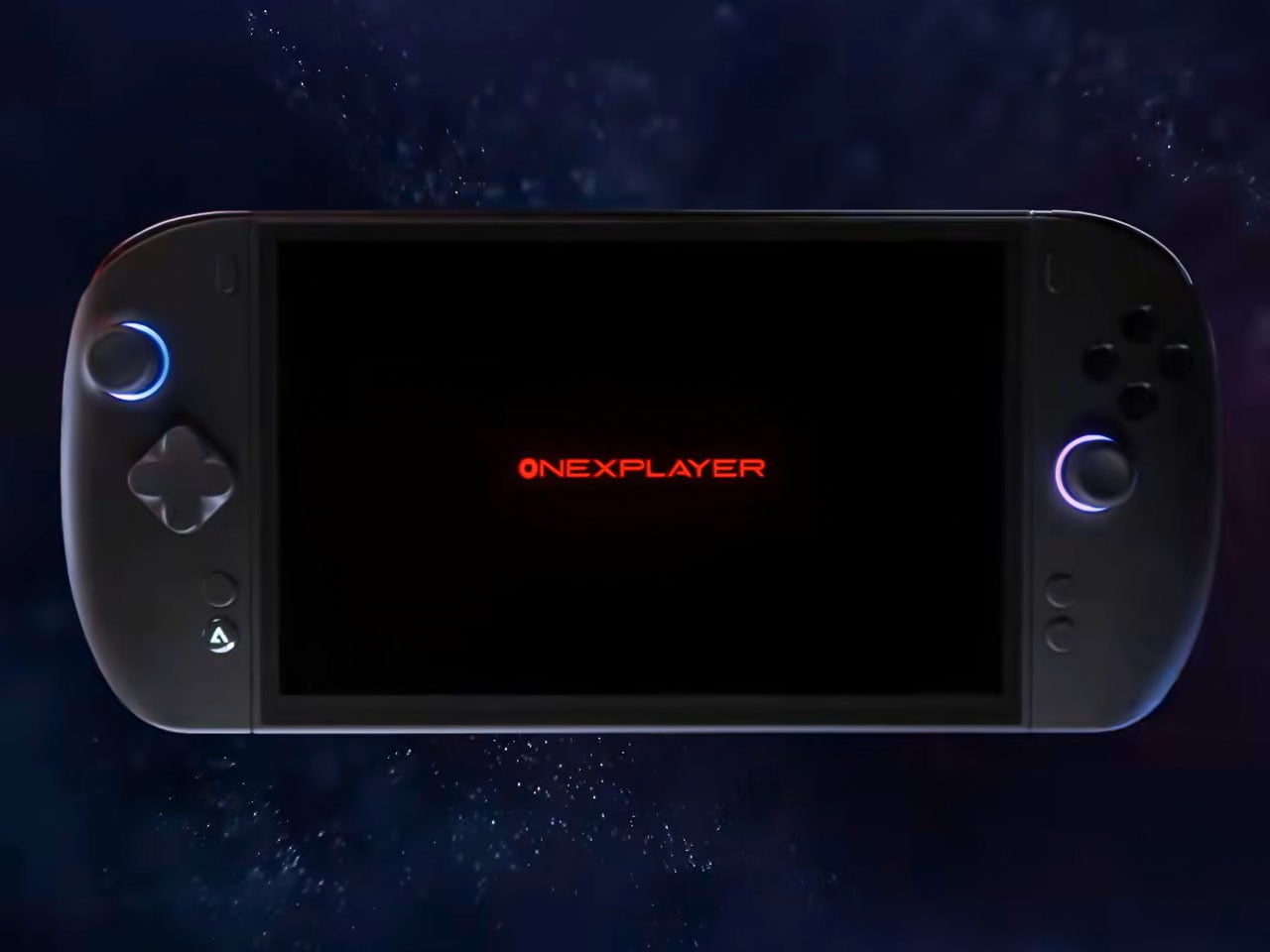
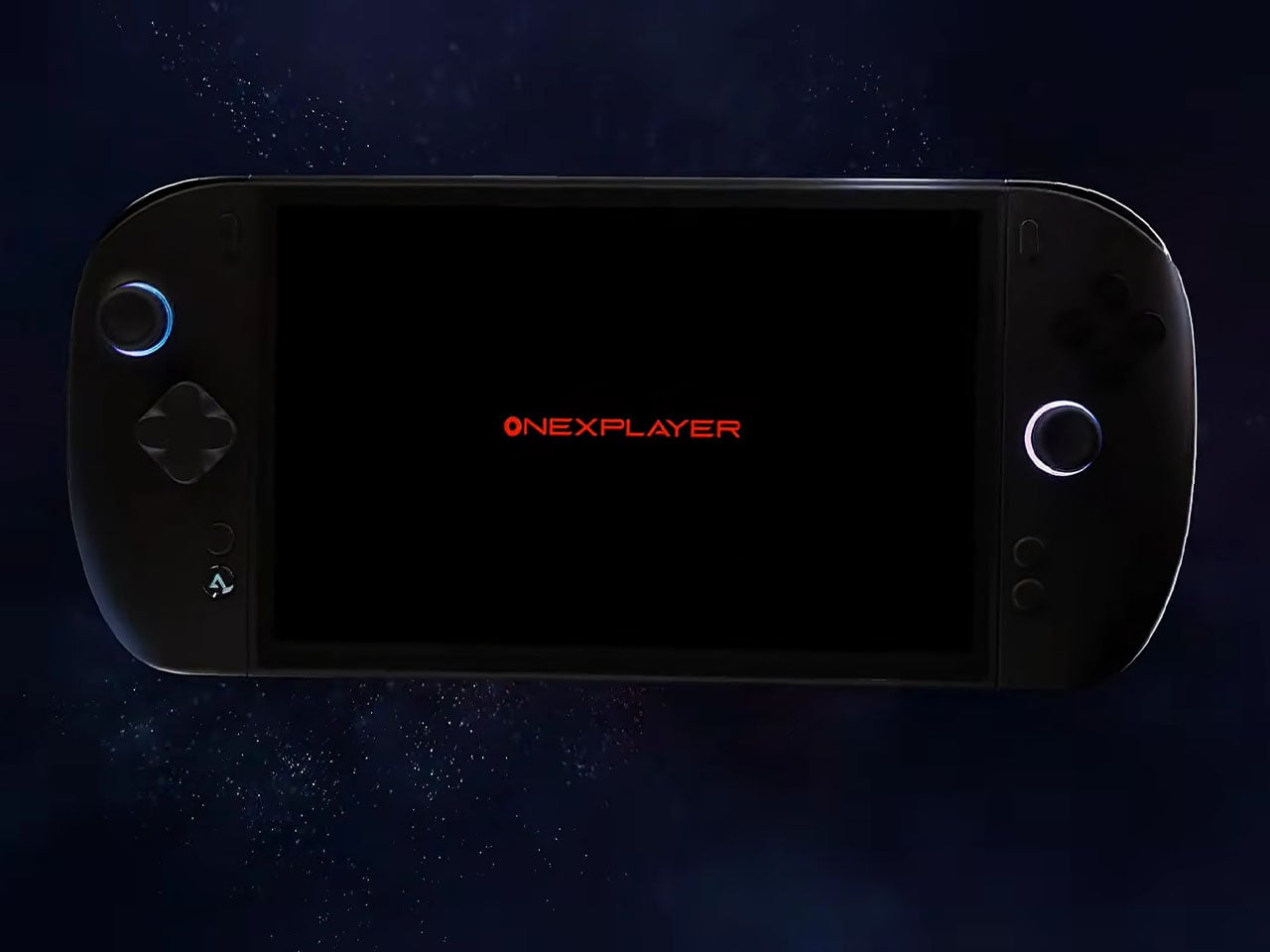
The Shenzhen-based electronics company is back with another powerhouse gadget that should solve your gaming, work, and entertainment needs. ONEXPLAYER X2 Mini is the latest teased handheld by ONE-NETBOOK, and it packs some real power for playing AAA titles. Despite the “Mini” in its namesake, the device features a slightly larger 8.8-inch OLED screen compared to the Apex handheld’s 8-inch display shown off at CES 2026. The display supports VRR and HDR modes, along with the superior 144 Hz variable refresh rate for demanding titles. This pits it directly in competition with the Lenovo Legion Go 2.
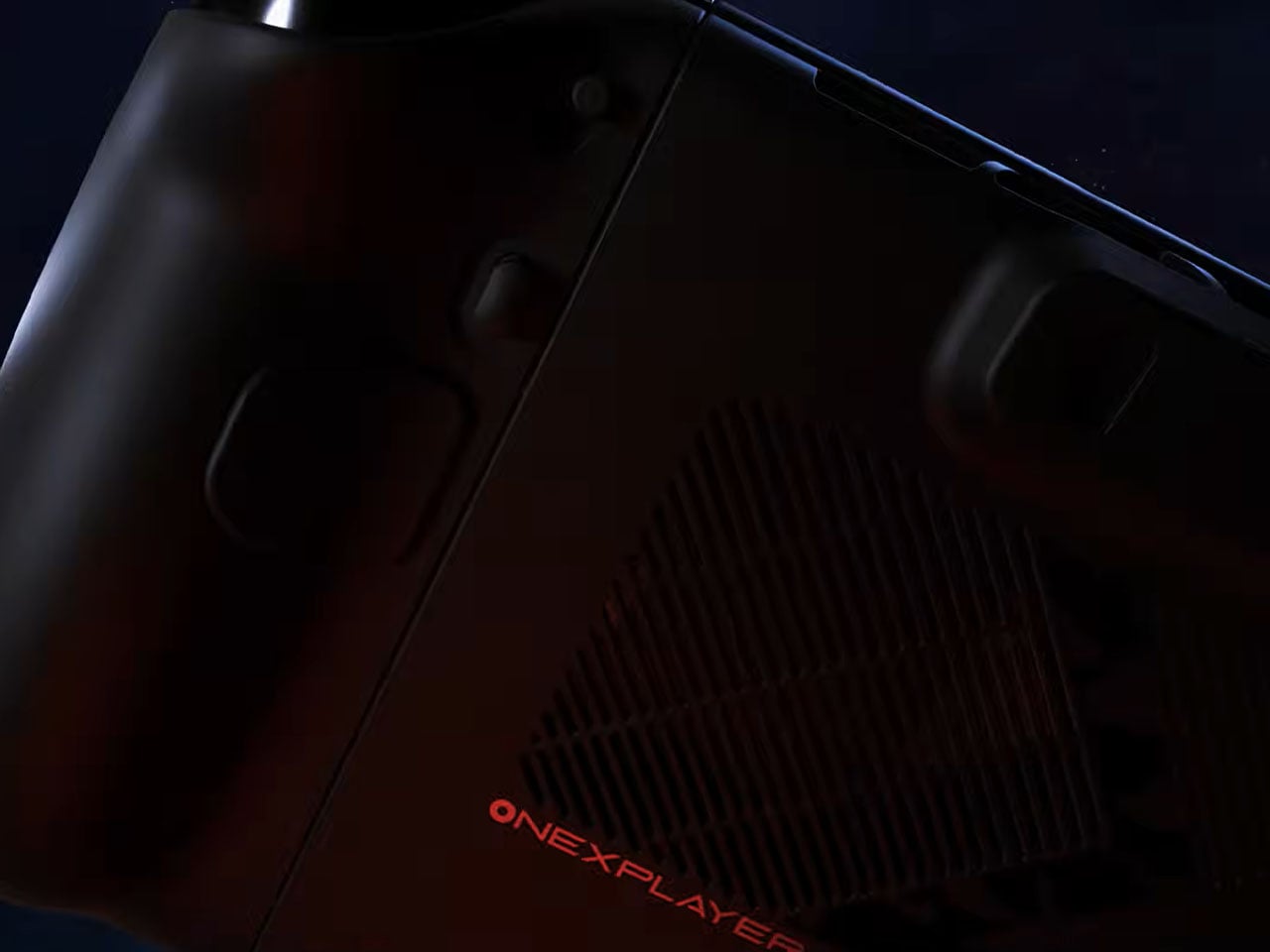
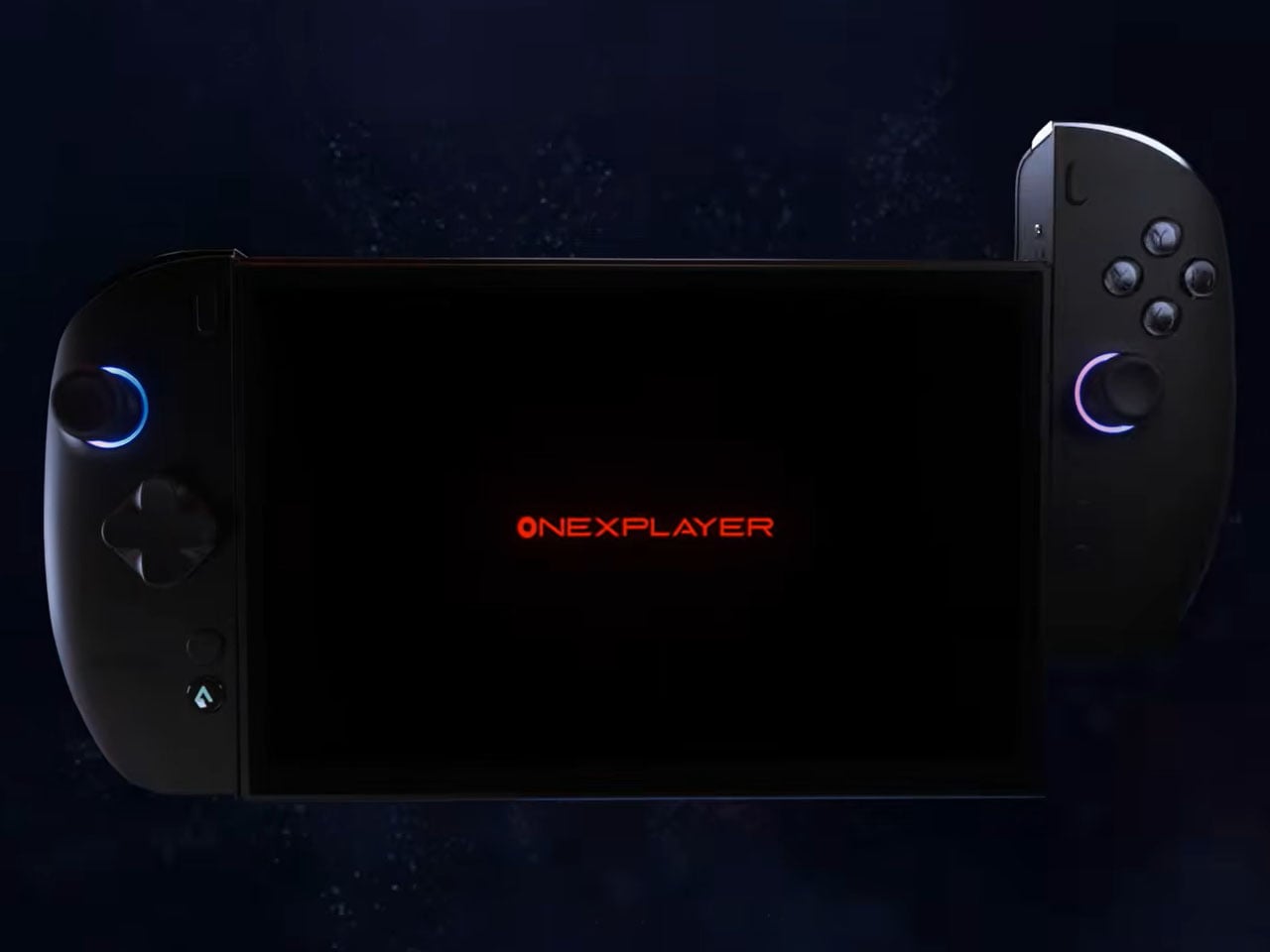
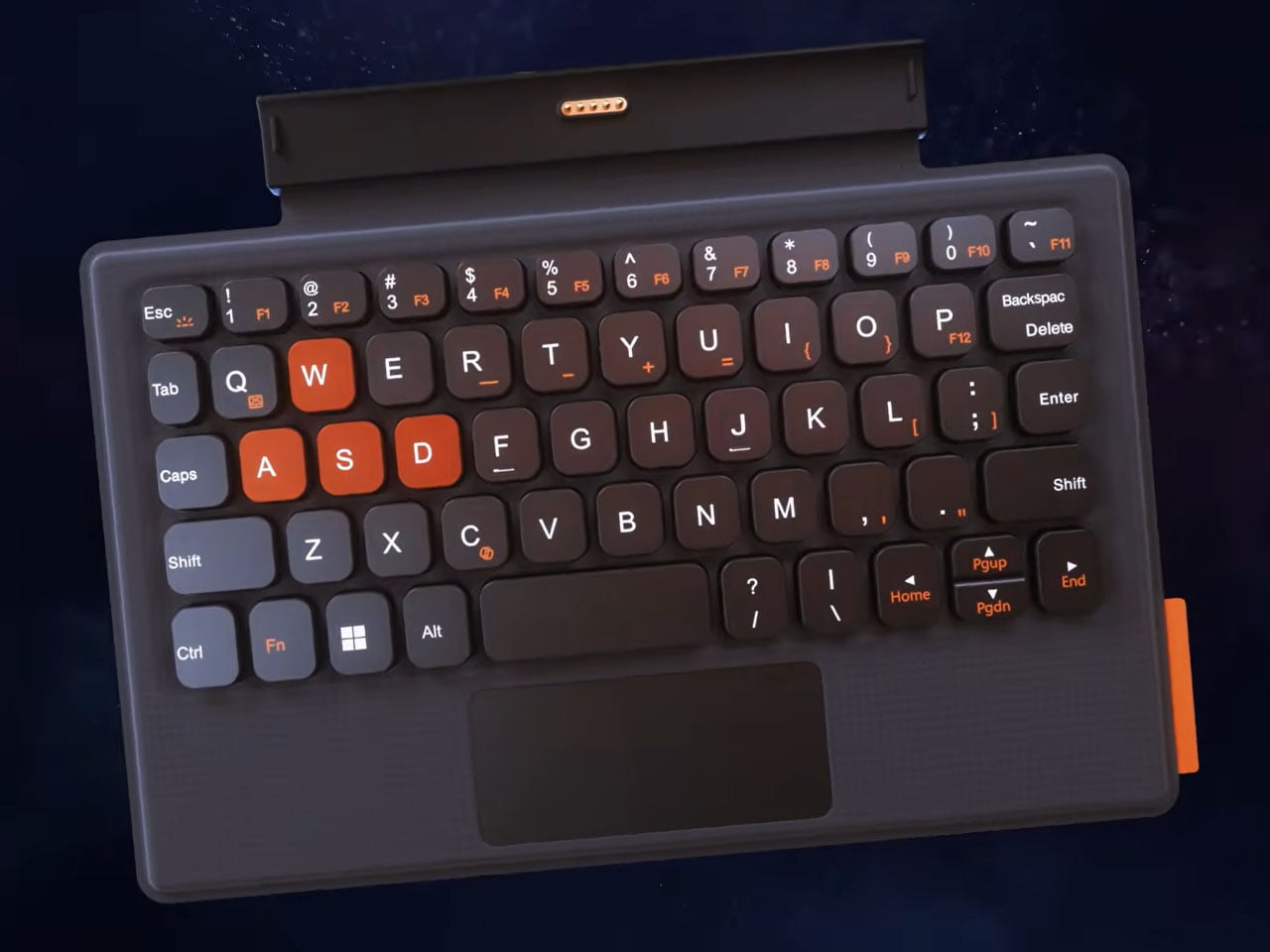
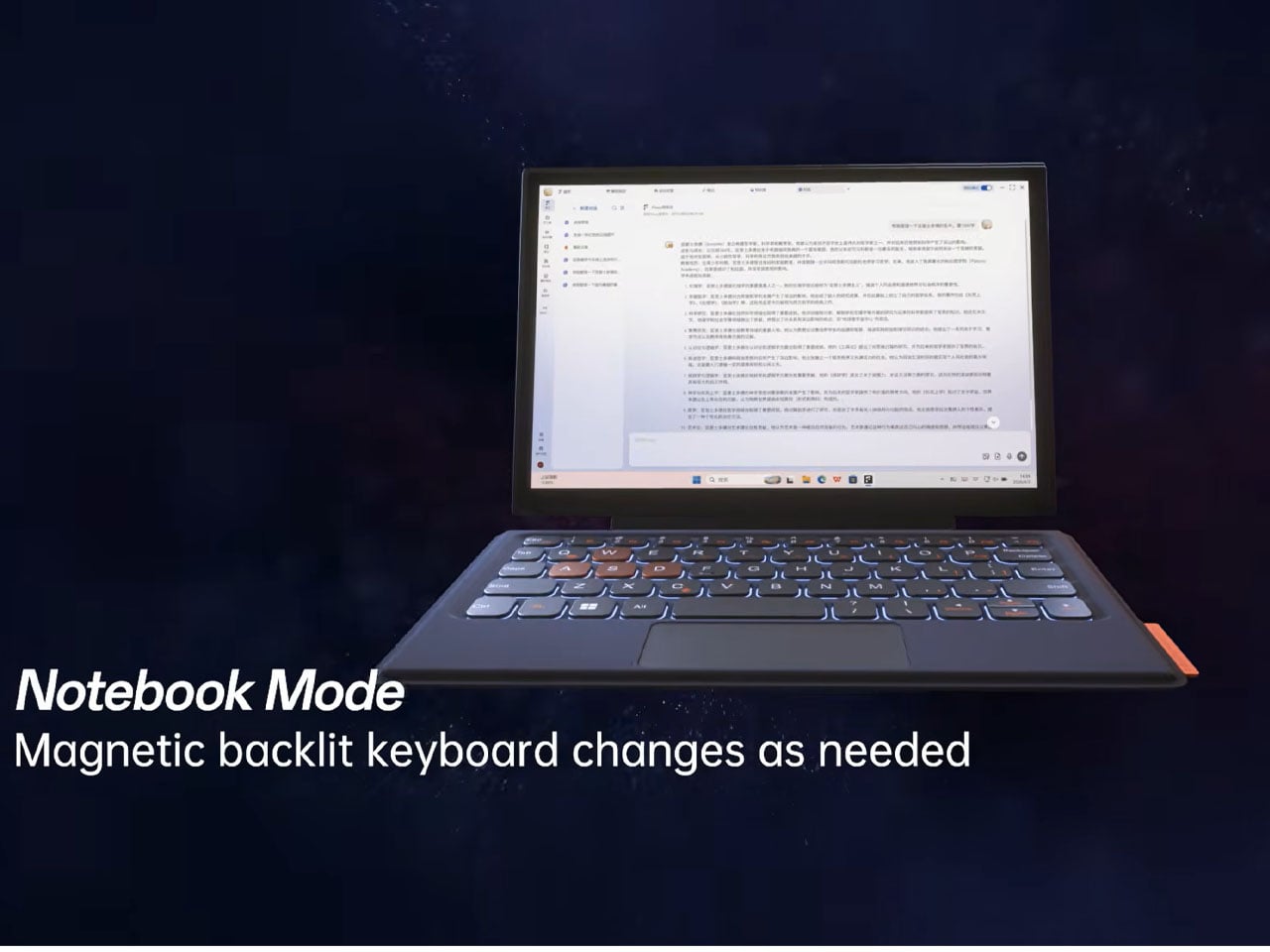
Powering the guts of the handheld is the power-packed AMD Ryzen AI Max+ 395 APU, and there is no word yet about the RAM or storage on the gaming device. The beefy processor with 16 Zen 5 CPU cores is mated to the Radeon 8060S integrated GPU. That kind of hardware requires active cooling, and ONE-NETBOOK has an optional external water cooling pack in the mix. That amount of processing power can be overkill for a handheld, but it makes sense since the device doubles as a potent mini laptop. The screen is completely detachable and connects to a magnetic backlit keyboard for your work routines on the go.
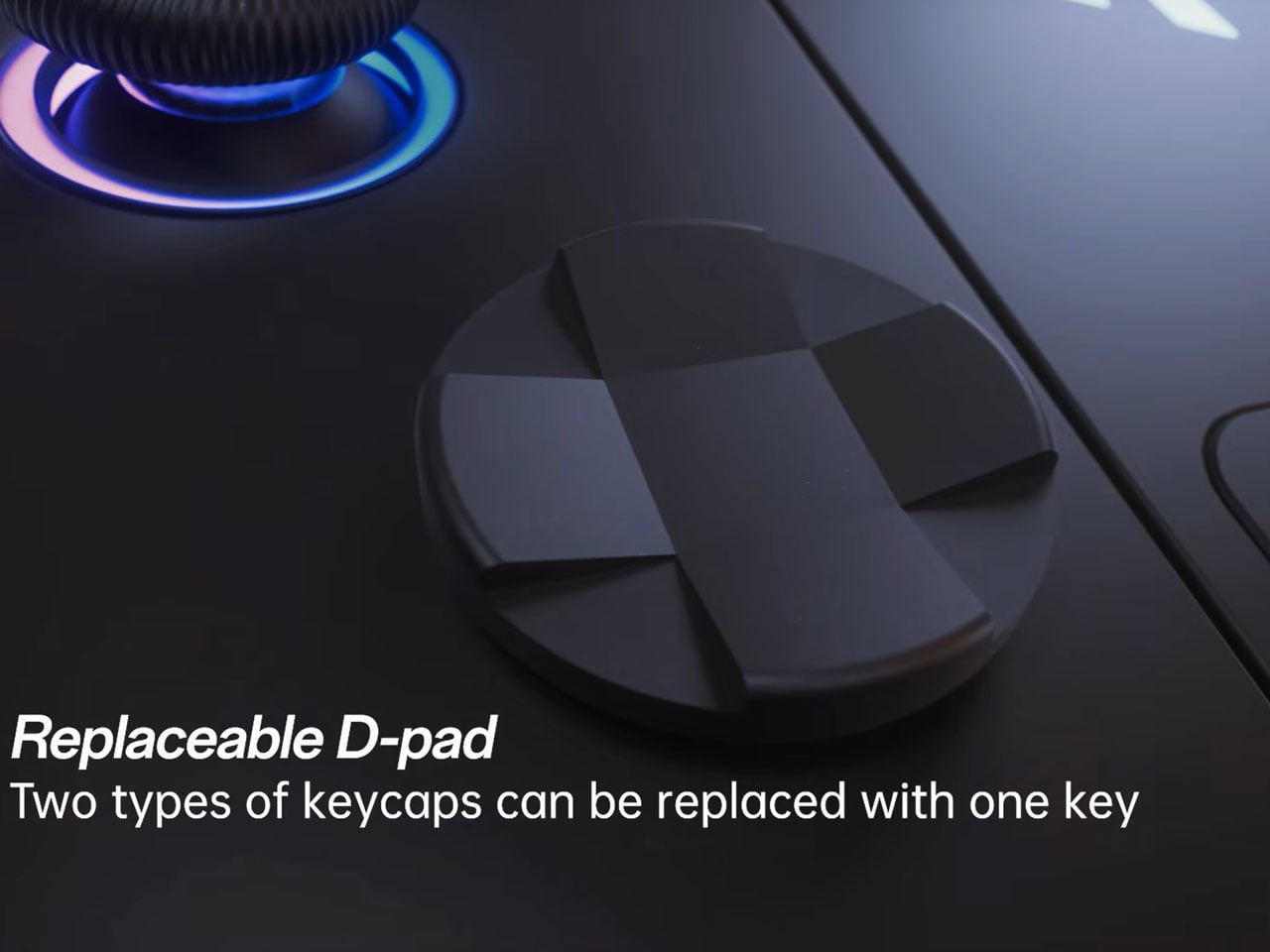
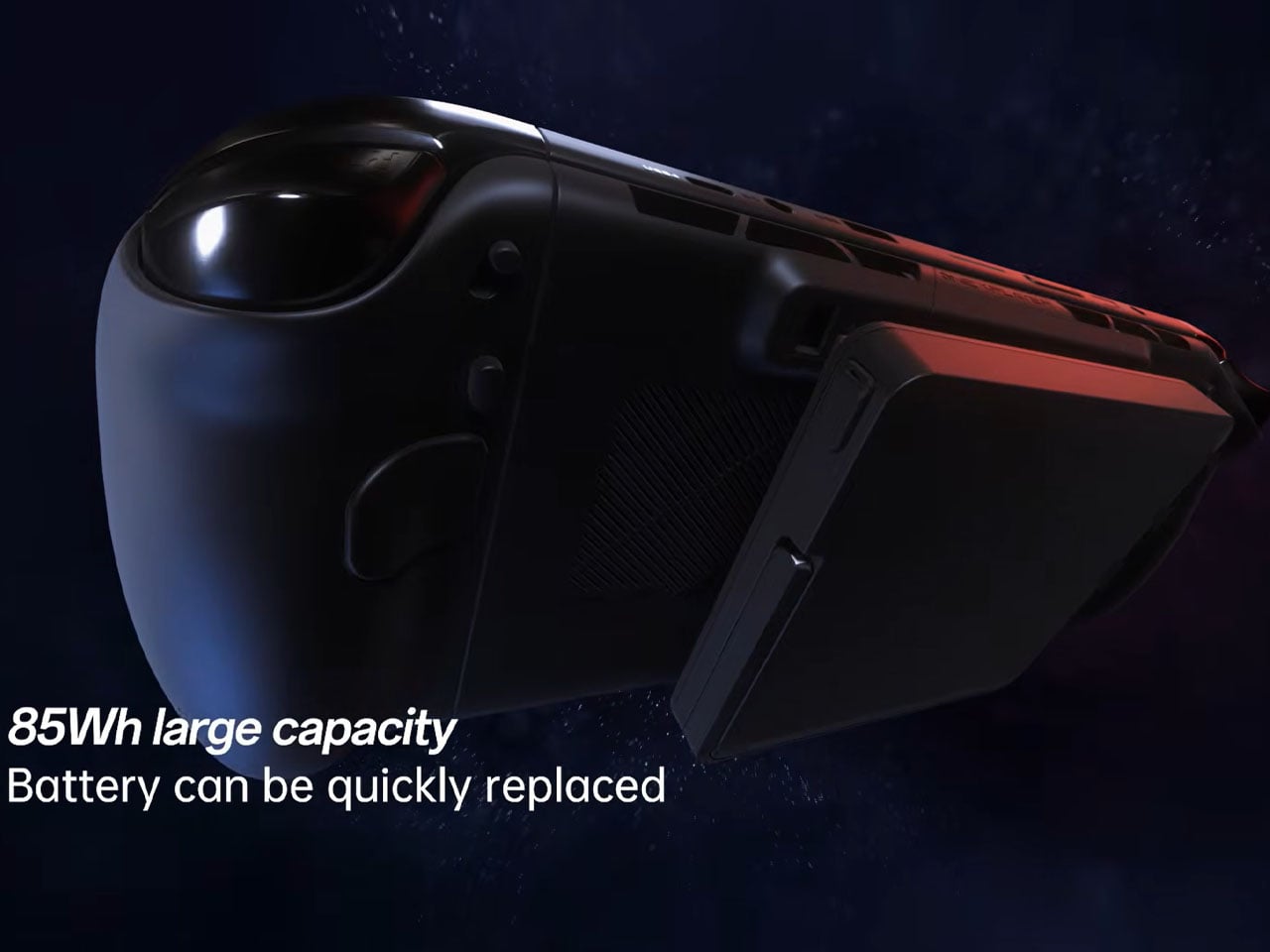
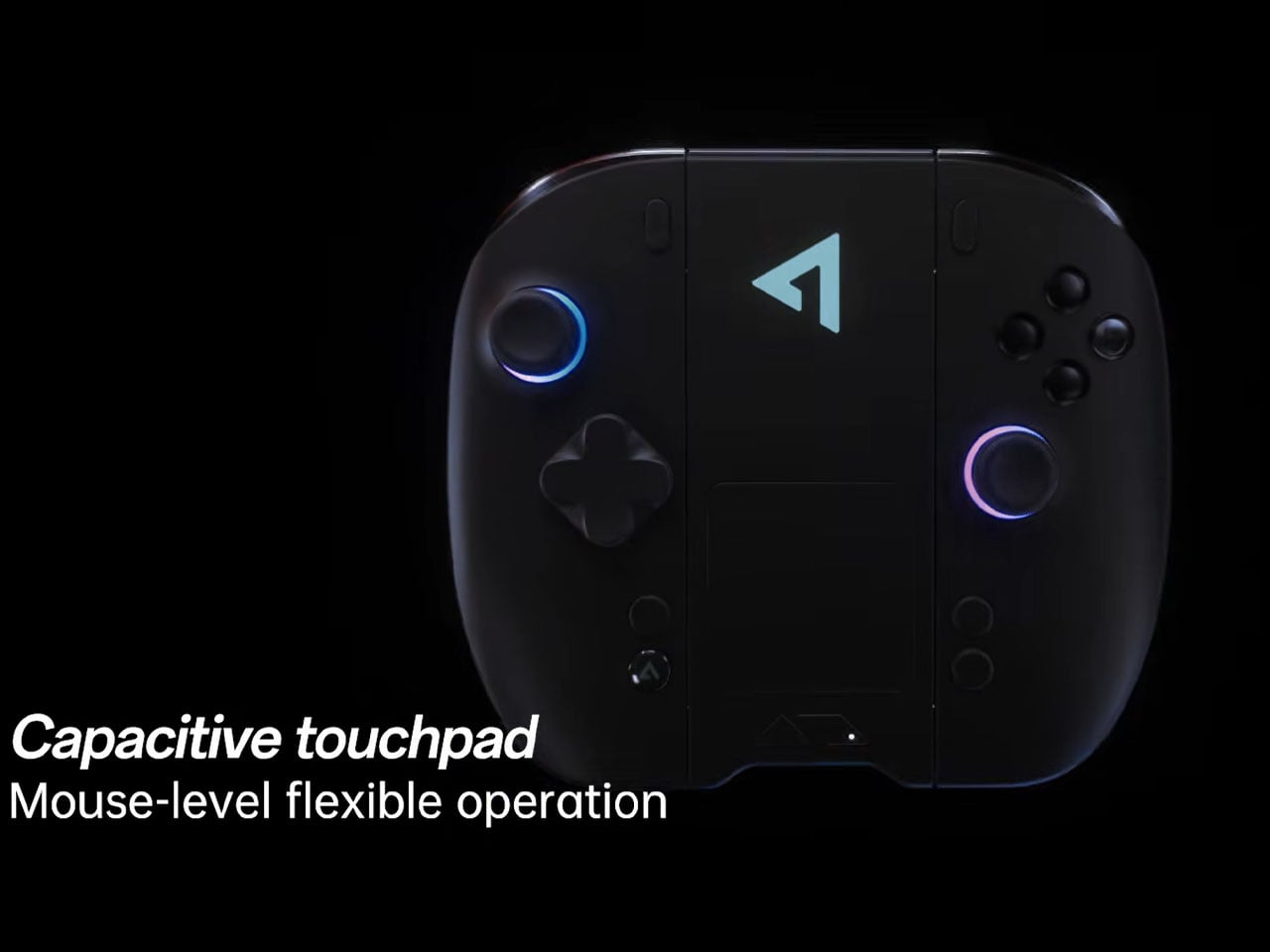
To power the demanding machine, they’ve decided to go with a user-detachable 85W battery to make swaps quick, in case you want to extend your gaming sessions on a long flight. The detachable controller has swappable face buttons (with micro-switches), a capacitive joystick, casing, and a vibration motor for haptic feedback. Thus, making the handheld mini PC easy to replace with new components. D-pad will also be user configurable in two options – the standard cross version, or the octagonal setup similar to the Xbox Series Elite controller. For better control in-game, the two-stage analogue trigger provides micromovement and linear freedom in switching. The controllers can be connected to the independent wireless connection base, which turns them into a capacitive touchpad for mouse-level precision while working.
ONEXPLAYER X2 Mini will likely have 128GB of storage and ultra-fast LPDDR5X RAM to go with the Strix Halo APU, which should put it flush in the premium handheld category. That should carry a premium price as well, somewhere around $4,000 or more. Add the price of accessories to that, and you have a handheld-PC hybrid poised to attract power gamers and users who have always wanted a modular device for multi-functional needs.
Few creative software companies have embraced AI like Adobe, with the company embedding image, video, audio and vector generation tools into nearly all its apps. Now, Adobe is taking on AI apps like Gemini's Nano Banana with its new prompt-based Firefly AI Assistant. You simply describe the outcome you want and it will execute "complex multi-step workflows" across Photoshop, Premiere, Lightroom, Illustrator and other apps to achieve that result, Adobe says.
The complexity of apps like Photoshop creates a "barrier to entry" for users who may have a vision but lack skill, according to Adobe. That's where the FireFly AI Assistant comes in. It works much like ChatGPT and other prompt-based AI assistants, but it has Adobe's suite of powerful apps behind it to execute the required steps. "You no longer have to map the process. You can start from the outcome," the company says.
Adobe emphasizes that while the Firefly AI Assistant is doing the grunt work, you remain in control. "You stay in the loop as the assistant executes, stepping in at any point to guide direction, adjust outputs and create something that's distinctly yours." It also maintains Adobe's native file formats, so the final output remains fully editable.
Adobe
You'll be able to launch complex workflows with Creative Skills that let you run multi-step workflows from a single prompt, then customize them to your working style. For instance, you can start with the "social media assets" skill then direct the assistant to crop or use Generative Extend to make it fit the format of Instagram, Facebook and other platforms.
It can also handle context-aware creative decisions. In one example, Adobe describes a product photo set in a forest. "The assistant might give you a simple slider to increase or reduce the surrounding trees and foliage — making it easy to adjust the scene without complex edits," the company explains. Finally, to gather and act on feedback, the Assistant can organize and share work among team members via Adobe's Frame.io.
Adobe emphasizes that Firefly AI Assistant is grounded in the company's pro-grade creative tools to deliver "precise, context aware results" in a way that other AI agents can't and will learn your style over time. That's an argument the company no doubt hopes will counter a narrative that generative AI apps like Nano Banana are "eating software" like Adobe Photoshop. Adobe's Firefly AI Assistant will arrive in public beta in the coming weeks.
Should you wish to use other AI image generator within Adobe apps, the company has added Kling 3.0 and Kling 3.0 Omni, "all-purpose video models optimized for fast, high-quality production with smart storyboarding and audio-visual sync." That's on top of other models already offered, including Google's Nano Banana 2 and Veo 3.1, Runway Gen-4.5, Luma AI’s Ray 3.14, ElevenLabs’ Multilingual v2, Topaz Lab’s Topaz Astra and others.
This article originally appeared on Engadget at https://www.engadget.com/apps/adobes-firefly-ai-assistant-works-across-photoshop-premiere-and-other-apps-130055883.html?src=rss
When Amazon introduced the Ember Artline TVs in January, it didn’t have a specific date of availability to share. Now, the company is ready to supply the details: Pre-orders open today, and units ship on April 22 in the US and Canada, “with the UK and Germany to follow.” The company also announced a new version of its Fire TV Stick HD this morning, as well as some new features for its Fire TV software.
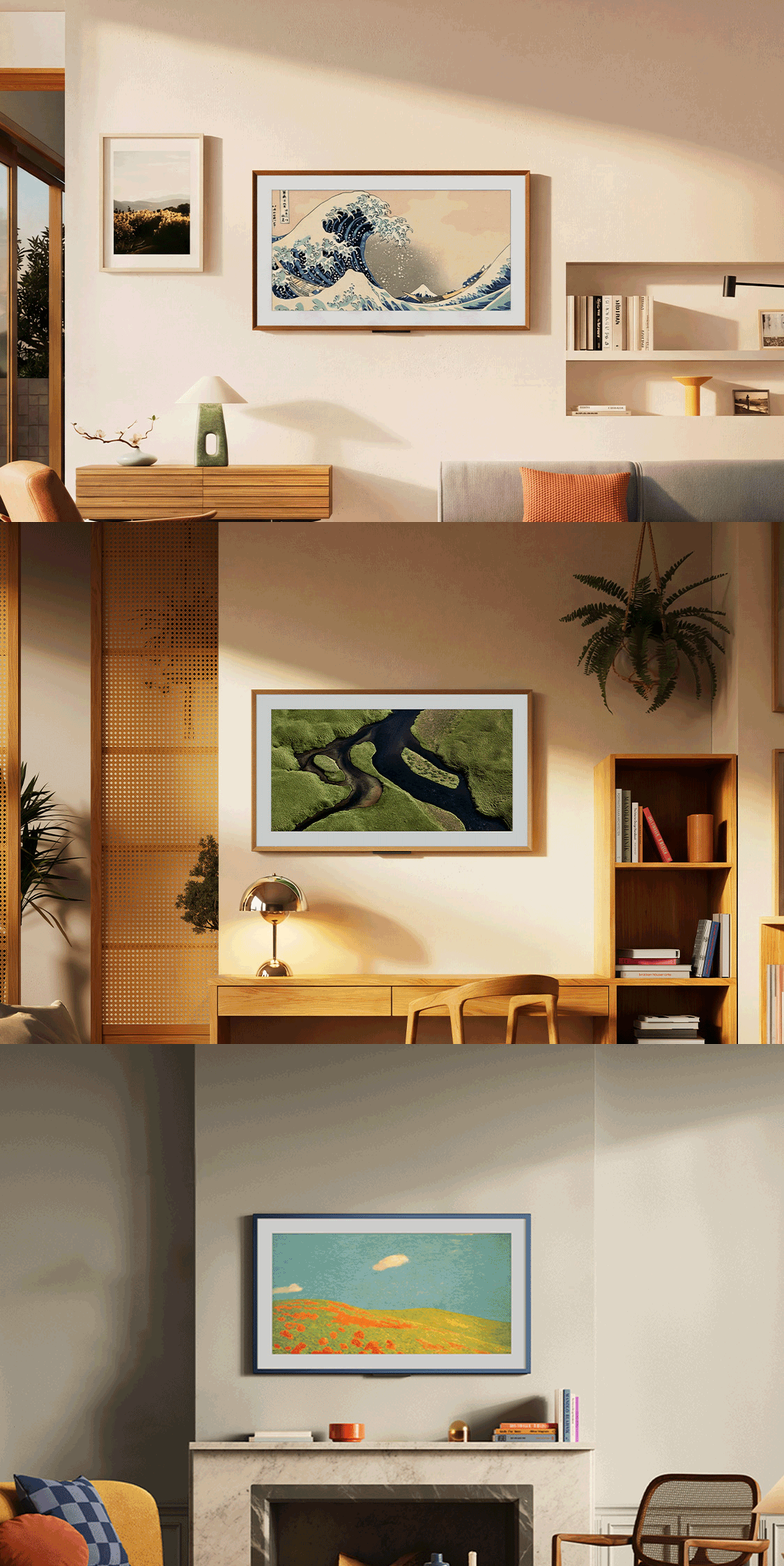
For those who don’t remember offhand, the Ember Artline is basically Amazon’s answer to Samsung’s Frame TV. It’s a matte, 4K QLED panel that can double as artwork when you’re not watching TV, and to that end, Amazon is including more than 2,000 pieces of art for free. That’s also part of the Fire TV package that comes on the new Fire TV Stick HD, so you don’t necessarily need an Ember Artline to access them.
In its press release, Amazon said “Our collection spans artistic movements and includes Impressionist classics by Monet, Degas, and Renoir, alongside contemporary works of street art, murals, mixed media, and photography. Customers also have access to 60 exclusive motion video pieces commissioned by documentary filmmaker Sam Nuttmann, who traveled the world capturing landscape and wildlife scenes.”
To make it easier to match the Ember Artline to your room’s decor, there are 10 frame color options to choose from, and the varieties I saw (a faux wood grain and a muted teal metallic finish) looked quite pleasant. If you really want some help finding artwork that will fit your space, Amazon’s “Match the room” feature might come in handy.
A person holding up a phone taking photos of a room with an Ember Artline TV on the wall.
Amazon
At a recent demo, I watched as the company’s representatives scanned a QR code from the TV to pull up the tool on their phone. There, they took three photos of the environment (surrounding walls and furniture, for example) and the system generated suggested pieces of art from the gallery. Using the TV remote, they were then able to choose from the recommendations on the big screen.
In my brief experience, the suggestions were typically quite good at matching the vibe, while offering a variety of styles (geometric, landscapes, modern etc) each time. According to the press release, “the AI tool will suggest artwork from our collection based on the room's colors, overall style, and any recurring themes in their existing artwork, including nature or travel photography.”
If you’d like a more personal touch, you can showcase your own photos instead by connecting your Amazon Photos account. You can also ask Alexa+ to “play a slideshow of us biking in the mountains,” for example, to pull up memories ad hoc.
An animated GIF showing the Ember Artline TV in various rooms and settings with varying decor.
Amazon
That’s not the only new feature coming to the Fire TV ecosystem, by the way. In addition to adding Alexa+ support and the new Fire TV UI it showed off in January, Amazon said that this month, it’s “adding another tool for US customers to seamlessly transfer a show or sports game by asking Alexa to move the content to another enabled Fire TV device in your home.”
So say you started watching a show in your bedroom and wanted to continue on the bigger screen in your living area. You could say “Alexa, move this to the living room.” The demo I saw took place on two Ember Artline TVs on adjacent walls, so the speediness was quite noticeable.
After the VP for Fire TV Aidan Marcuss asked the assistant to move the content over, the second TV picked up where the first left off in just about a second or two. Maybe real-world performance may vary but I can't imagine dashing from my bed to my couch in under three seconds just to avoid missing precious moments of The Boys drama.
For now, the feature is limited to Prime Video content, and Amazon said it plans “to roll it out to more services over time.”
The Ember Artline comes in 55-inch and 65-inch sizes and starts at $900. For context, Samsung’s The Frame (not the Pro versions) is available as a 32-inch model that costs $600, while the 65-inch configuration starts at $1,100 at the moment.
This article originally appeared on Engadget at https://www.engadget.com/home/home-theater/amazons-budget-friendly-answer-to-the-frame-tv-will-start-shipping-on-april-22-130000337.html?src=rss
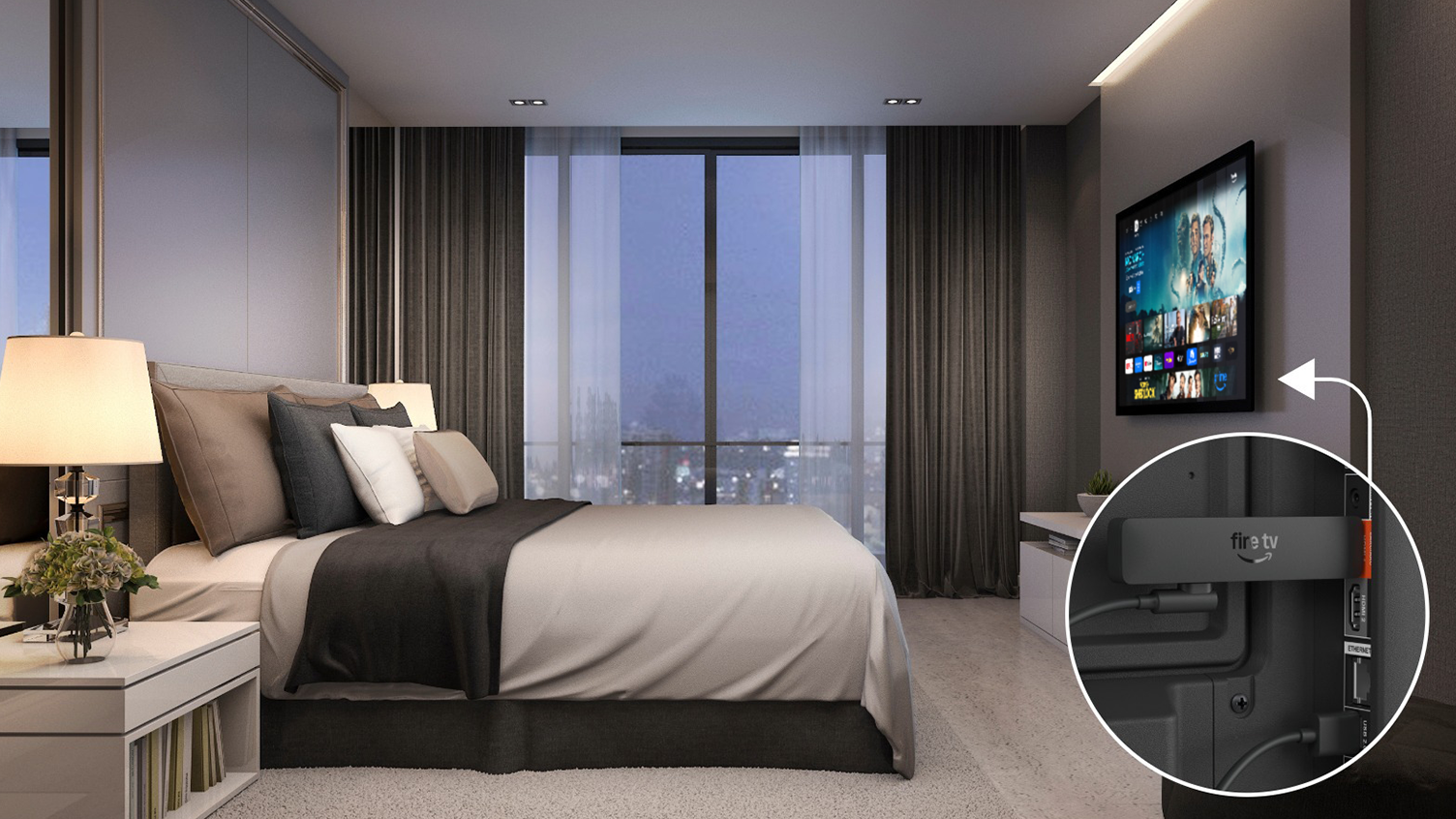
First, it’s about 30 percent narrower, according to the company, which makes it easier to fit into tight spaces (or to wedge between your TV and wall, perhaps). It comes with a short USB-C cable with a USB-A head that plugs into one of the USB ports on your TV, allowing it to draw power without the typically longer cables that would connect to wall adapters. To quote the company, the new Fire TV Stick HD is “optimized for Direct Power through a TV’s USB port, so it fits more neatly behind a TV without requiring a separate power adapter.”
But if your TV doesn’t have a USB port for that, you can still use a USB-C cable with a traditional wall adapter to power the new Fire TV Stick HD. Given how little power the USB ports on a TV provide, it's likely any old charger will do.
A picture with a diagram showing where the Fire TV Stick HD would slip behind a TV in a bedroom.
Amazon
The new dongle also comes with other improvements like support for Wi-Fi 6 and Bluetooth 5.3, and Amazon says it’s “more than 30 percent faster on average” compared to its predecessor, “which means it turns on and opens apps more quickly.” That, together with the redesigned layout, should make it easier to find what you want to watch.
And if you’re a Prime Member or subscribed to Alexa+, you can also ask the assistant for show recommendations, dim your lights or pick up where you left off on a Prime video in a different room, if you have a compatible TV set in there.
Amazon also said that “in the coming months,” it will add a “new Adaptive Display setting to the Fire TV Stick HD.” This is supposed to be an accessibility feature that makes onscreen elements like words, menus and images easier to see. The company said that it would proportionally scale content artwork while enlarging text and menus, so the overall experience is “more balanced.” Multiple size options will be available.
A screenshot showing how the Fire TV interface handles larger text for better readability.
Amazon
Like its predecessors, the Fire TV Stick HD is a pretty straightforward device that brings modern features to older TVs. At $35, it’s a relatively budget-friendly price, though we recommend springing for the 4K Max model if you have a bit more to spare. If not, the new Fire TV Stick HD will start shipping on April 29 to those in the US, the UK, Canada, Mexico, Japan, Australia and New Zealand, with more regions coming later.
This article originally appeared on Engadget at https://www.engadget.com/home/home-theater/amazons-new-fire-tv-stick-hd-is-slimmer-than-ever-and-has-no-power-adapter-130000885.html?src=rss
Pour-over coffee has never been a casual pursuit. It asks attention, patience, and a genuine interest in the variables between a bag of beans and a great cup. That commitment tends to attract a certain kind of person: someone who reads grinder reviews the way others read menus and talks freely about bloom times and water ratios. For that person, the morning ritual isn’t just caffeine. It’s a practice.
What makes that practice worth exploring right now is the quality of tools available to support it. Design and technology have both raised the bar considerably, making it easier to get consistently excellent results at home without sacrificing the ritualistic qualities that make pour-over worth pursuing in the first place. These five gadgets represent the best of what’s quietly finding its way into the routines of pour-over devotees right now.
1. xBloom Coffee Machine
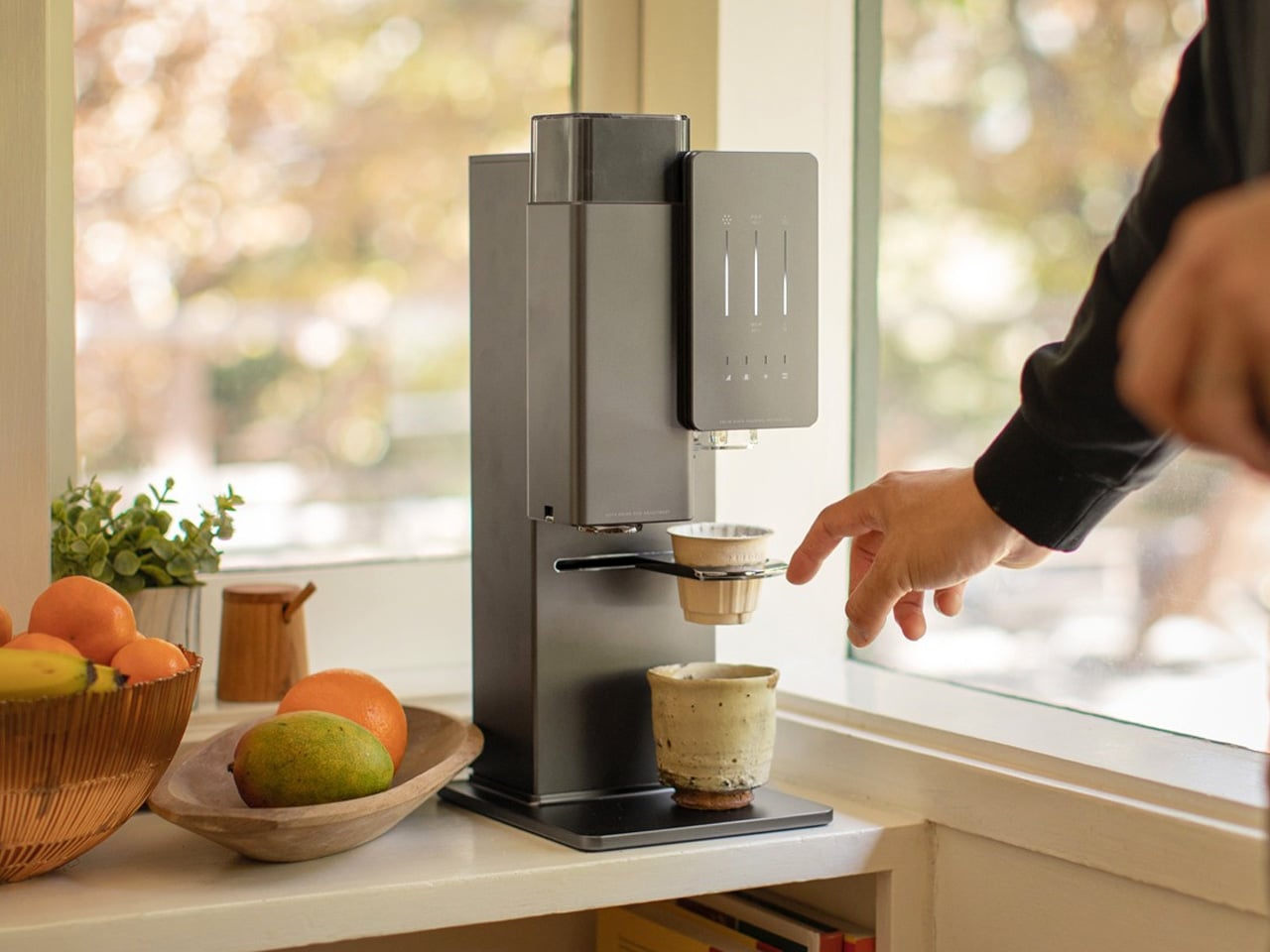
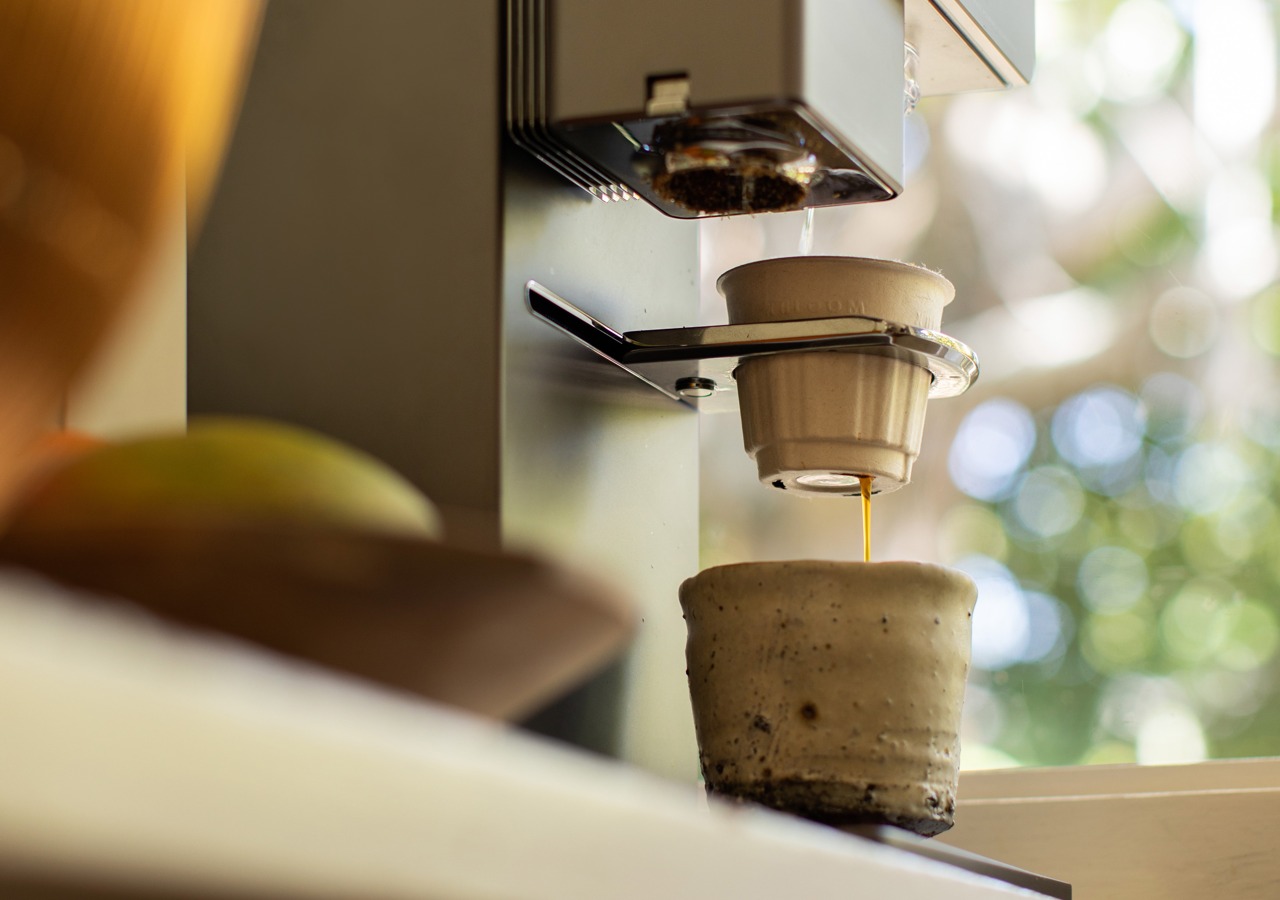
No coffee machine on the market right now does more to close the gap between home brewing and the work of a trained barista than the xBloom. Designed by former Apple employees and dubbed the “Tesla of Coffee Machines,” it identifies, grinds, dispenses, brews, and pours your coffee entirely on its own. It uses RFID-tagged xPods, sourced from top roasters around the world, to recognize each bean’s specific profile and apply the exact grind size, water temperature, and spiral pour pattern required to extract it properly. The nanofilm instant heater brings water to temperature with precision, and the kinematic spout delivers it in a controlled, consistent flow onto the coffee bed. The result is a pour-over calibrated not just to your taste but to the specific character of the bean in your pod, every single time.
The machine operates across three distinct modes: Autopilot, which handles the entire process hands-free from scan to serve; Copilot, which lets you use your own beans and customize every variable through the companion app; and FreeSolo, which gives you complete manual control via the onboard dials. Inside, it packs a 48mm conical burr grinder, an integrated scale with 0.1g resolution, and a 700ml water reservoir alongside direct plumbing support for higher-volume use. The build is metal throughout, with a compact footprint that sits comfortably alongside high-end kitchen equipment. For a pour-over devotee who wants the precision of craft without the daily labor of pulling it off manually, the xBloom doesn’t feel like a shortcut. It feels like the most intelligent version of the ritual available.
What we like:
Fully automated pour-over with RFID bean recognition that adjusts grind, water temperature, and spiral pour pattern to the specific coffee in the pod
Three distinct brewing modes accommodate everything from total hands-free automation to fully manual pour-over control for when you want to stay involved
What we dislike:
The premium price point is a significant investment that will give casual or budget-conscious drinkers pause before committing
The Autopilot mode performs best within the proprietary xPod ecosystem, which adds a recurring cost to the overall experience
2. Ceramic Cup
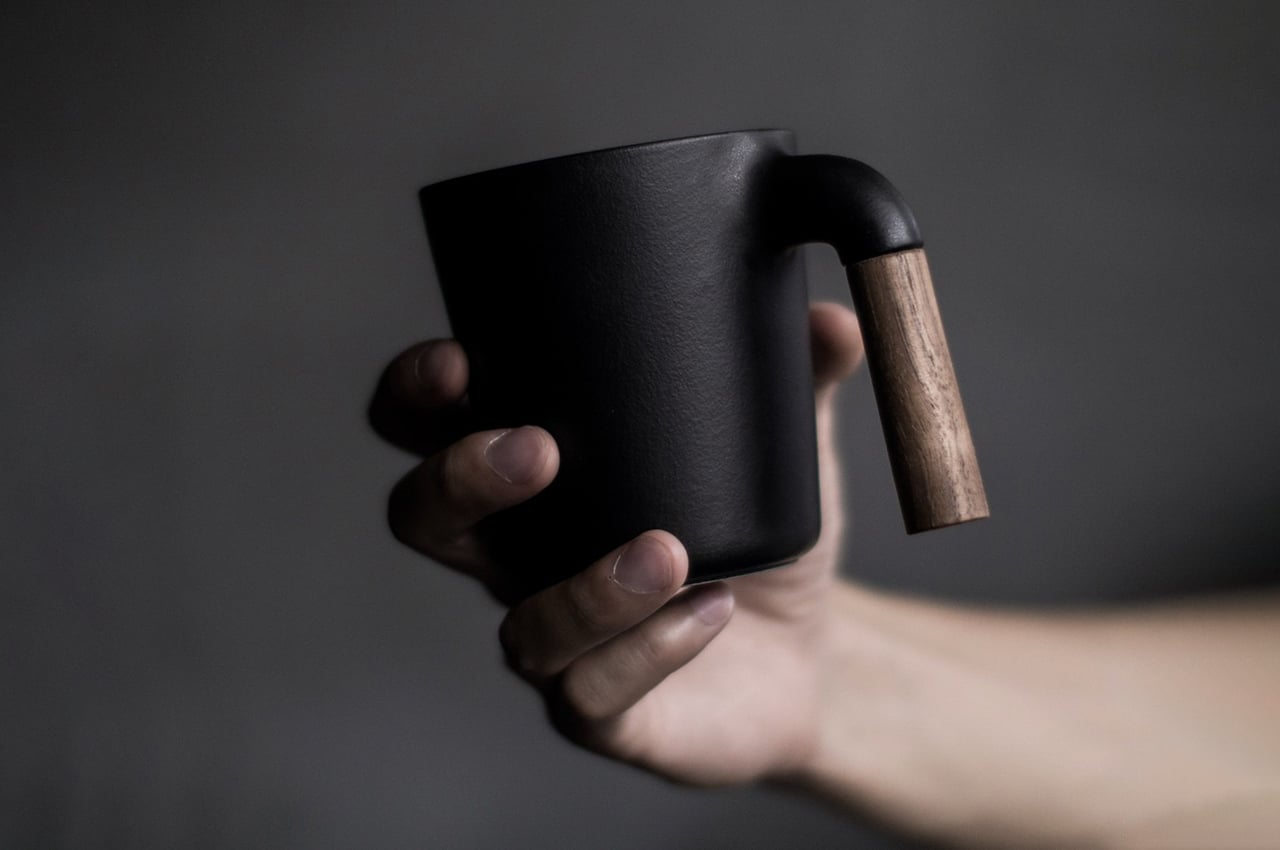
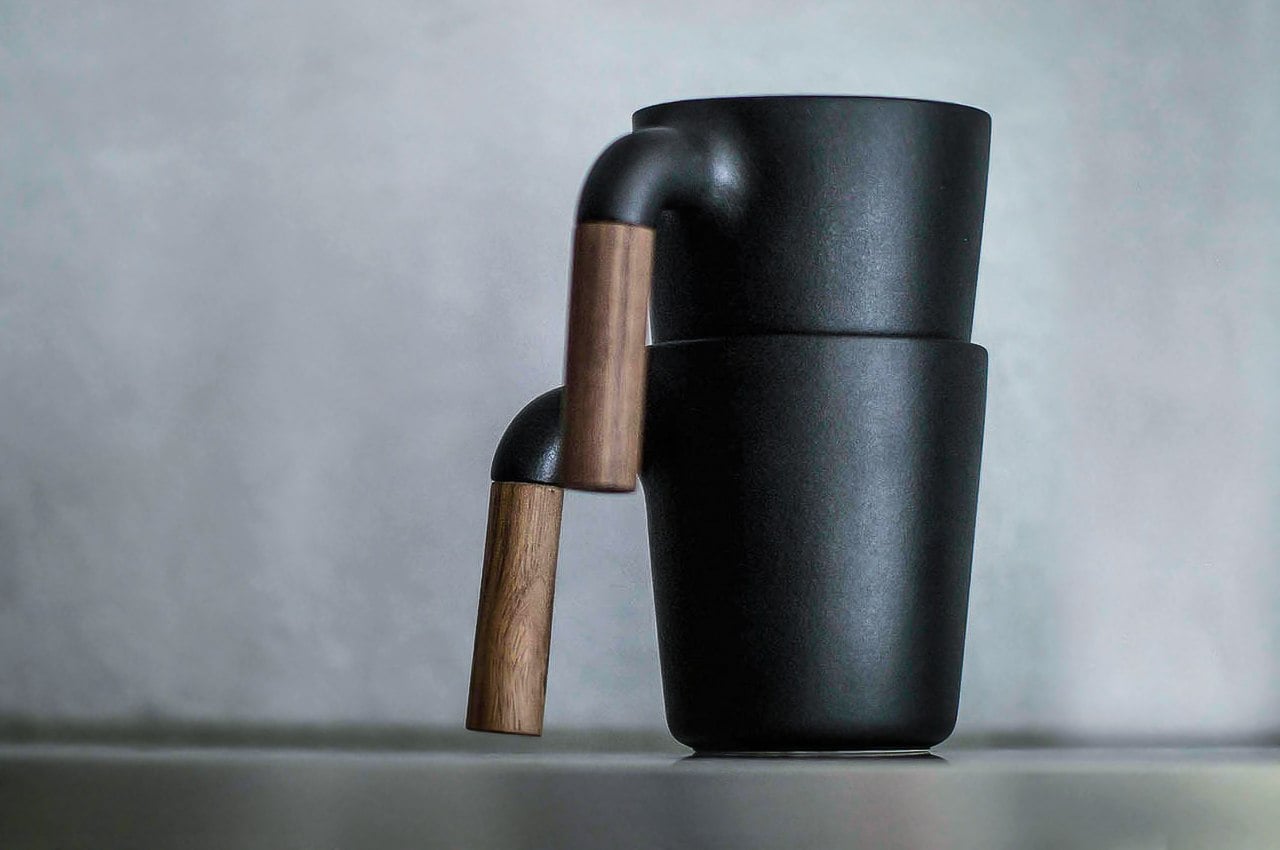
The mug you drink from is part of the experience, and the MUGR Ceramic Cup understands that in a way most drinkware simply doesn’t. Its exterior takes visual cues from cast iron, giving it a quiet, grounded presence on any surface. At closer range, the Japanese ceramic body reveals itself as something far more refined: smooth against the lips, satisfying in the hand, and carrying the kind of material honesty that sets it apart from the ceramic mugs most people have stacked in their cabinets. At 350ml, the capacity is precisely right for a focused pour-over serving. The wooden handle adds warmth without visual noise, and the overall silhouette carries enough restraint to make the coffee it holds the clear focal point of the moment.
There’s something worth considering in the choice of vessel for pour-over coffee. The process itself is intentional: you’re measuring, timing, and pouring with care, so the cup receiving that work should reflect some of that seriousness. Ceramic is the ideal material here. It retains heat at a measured rate, doesn’t absorb or impart flavor, and rewards the kind of slow, present drinking that pour-over tends to inspire. The MUGR occupies a space that generic mugs can’t. It’s an object with enough considered design to elevate the experience without becoming precious or impractical. The earthy tones and Japanese ceramic texture create a visual and tactile language that feels cohesive, unhurried, and completely right when paired with a freshly brewed cup.
Japanese ceramic construction delivers a satisfying tactile quality with a cast iron-inspired aesthetic that complements any thoughtfully designed brew station
At 350ml, the capacity is ideally sized for a single deliberate pour-over serving, making every cup feel properly portioned
What we dislike:
Hand wash only care instructions make it a more demanding choice for anyone who relies on a dishwasher for daily cleanup
It cannot be microwaved, which narrows its functional range to its primary role as a dedicated coffee vessel
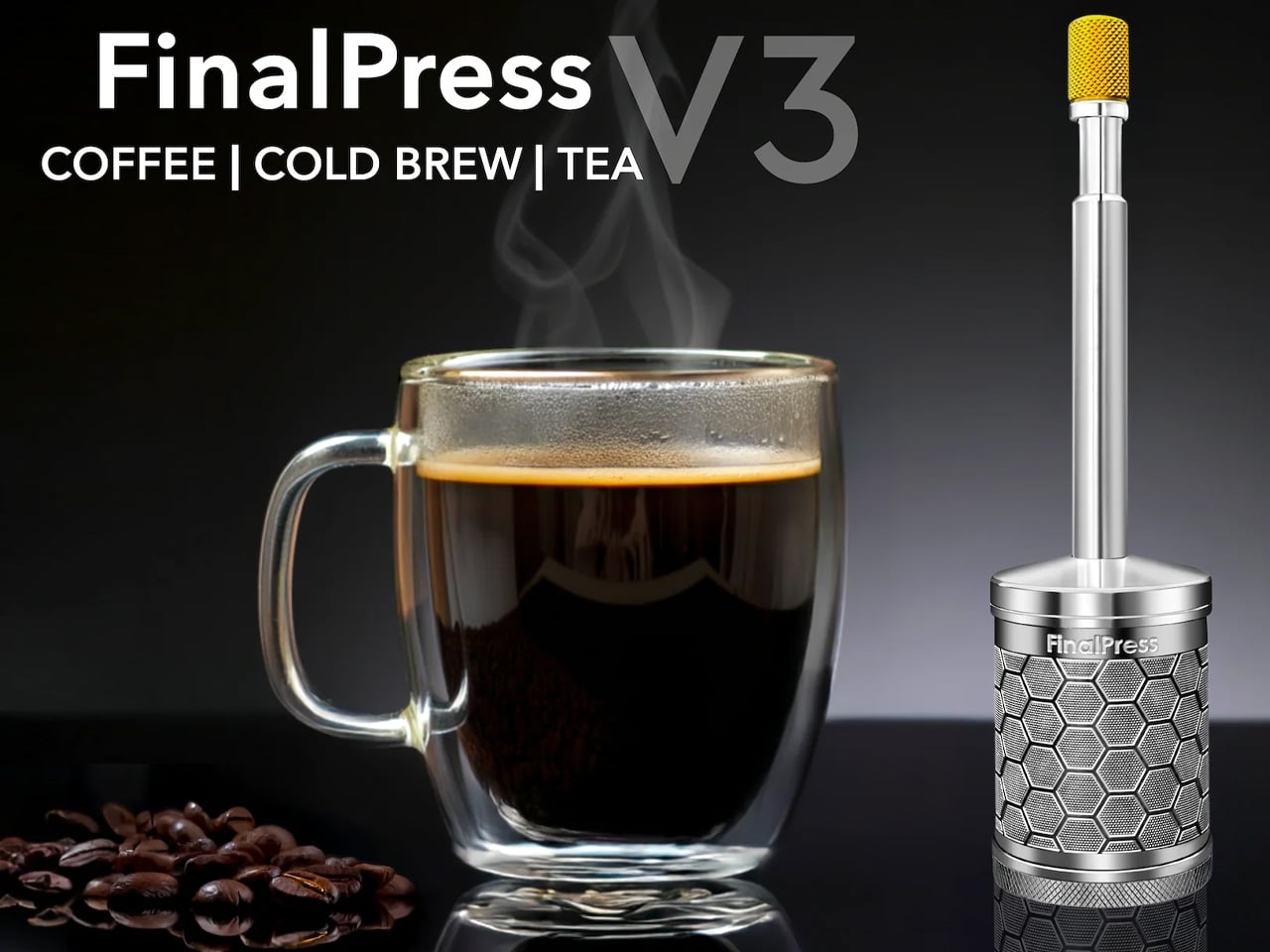
3. FinalPress V3
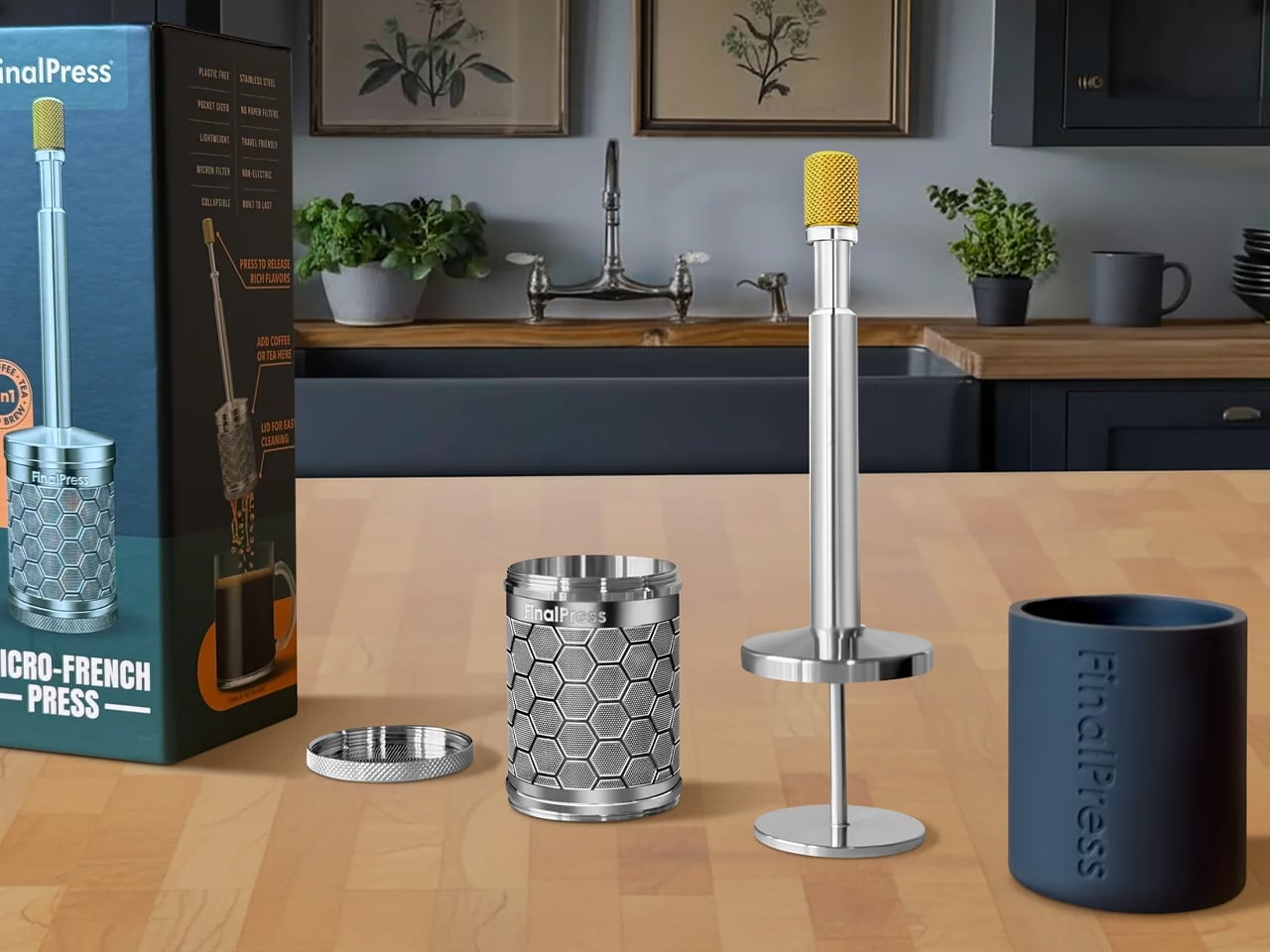
The FinalPress V3 proves that great coffee doesn’t require an elaborate setup, just a well-engineered one. It measures 1.3 x 6.5 inches, weighs 3.6 oz, and brews a full-flavored cup in under two minutes. CNC machined from solid 304 stainless steel, it’s plastic-free and built to resist rust, warping, bending, and cracking indefinitely. The brewing process is stripped back to its essentials: add grounds, stir, wait, then press. A patented plunger system pushes water through a 200-micron super-fine filter, extracting flavor with more nuance and clarity than any other portable brewer in its size range. There are no paper filters to buy, no pods to source, and no capsules to discard. What you end up with is a tool that respects your coffee and your time in equal measure.
Where the FinalPress becomes genuinely impressive is in its 3-in-1 brew capability. Hot, iced, and cold brews are all achievable with the same compact tool, making it as relevant at a hotel room desk as it is at a campsite or your home counter between longer brewing sessions. The plastic-free stainless steel construction means no material compromise and no flavor contamination from plastic contact with your brew. For pour-over devotees who travel and refuse to accept substandard coffee as the cost of mobility, the FinalPress compresses a real brewing philosophy into its smallest and most portable form yet, without sacrificing any of the quality that made the practice worth caring about in the first place.
What we like:
Ultra-portable at just 3.6 oz and entirely plastic-free, with solid 304 stainless steel construction built to last indefinitely without rust or warping
Brews hot, iced, and cold coffee using the same tool with no paper filters, pods, or capsules required
What we dislike:
There is a short learning curve in getting the press technique right to avoid over-extraction, especially when starting out
The single-serve capacity makes it less practical when you need to brew for more than one person at a time
4. NanoFoamer PRO
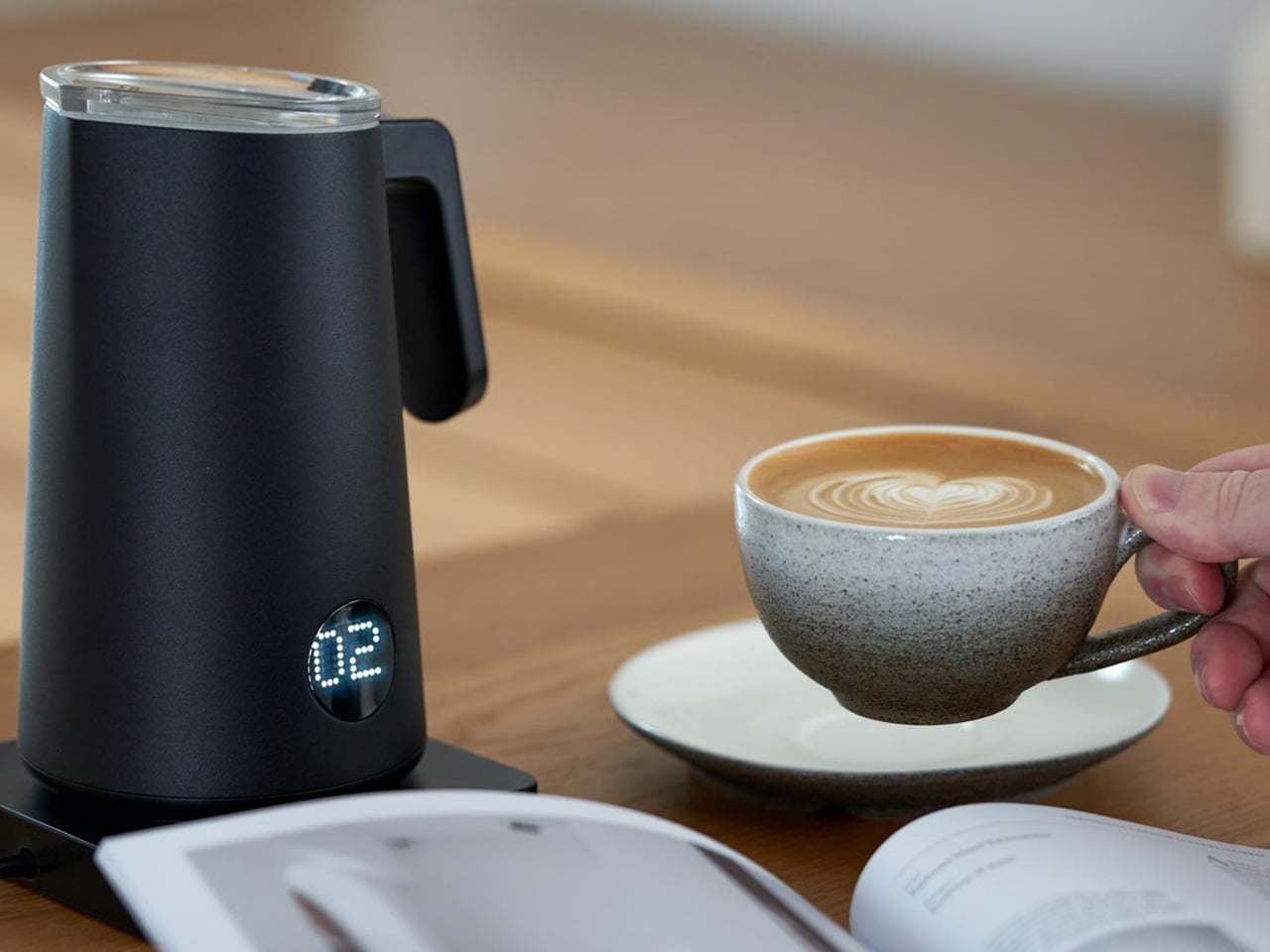
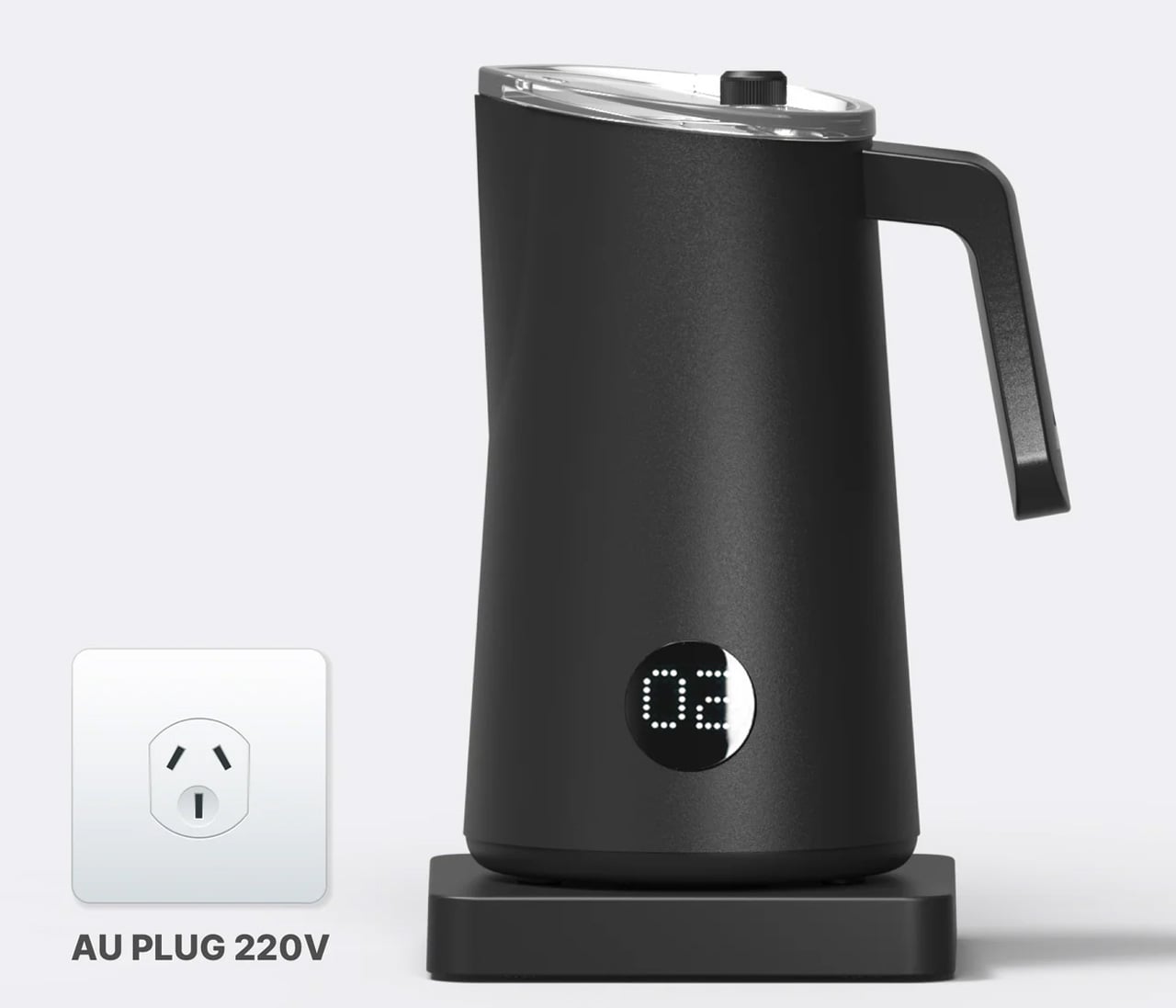
The NanoFoamer PRO addresses a very specific problem with a very precise solution: producing genuine microfoam at home without the equipment, training, or noise of a commercial espresso setup. For pour-over drinkers who want to occasionally cross into latte territory without compromising on quality, it removes every barrier to doing it properly. The appliance heats and foams milk simultaneously, timing its process to sync with an espresso pull so that your shot and your foam arrive ready at the same moment. The crema stays intact, the foam is fine and velvety rather than large and airy, and the result looks and tastes like something a trained barista handed you. For a home setup, this is a notable achievement, and it happens without requiring any of the manual skills that professional foaming normally demands.
The distinction between microfoam and standard frothed milk matters more than it may first appear. Conventional frothers create large, unstable bubbles that float above the espresso rather than integrating with it. The NanoFoamer PRO produces the fine-textured, glossy foam that makes latte art achievable and milk-based drinks genuinely enjoyable rather than merely acceptable. For a pour-over obsessive with an espresso machine already sitting on the counter, this is the component that completes the home setup in a way it couldn’t before. The workflow is clean, both elements finish at the same time, and the pour goes exactly as intended. The NanoFoamer PRO earns its counter space not by demanding attention but by quietly doing the most technically demanding part of the job better than anything else available.
What we like:
Produces professional-grade microfoam by heating and foaming milk simultaneously, timed to sync perfectly with an espresso pull
The streamlined workflow ensures espresso crema and milk foam are ready at the same moment, with no compromise to either element
What we dislike:
Designed as a companion to an espresso machine rather than a standalone appliance, which limits its role in a strict pour-over-only setup
Pour-over purists who never incorporate milk will find minimal daily utility in adding this to an otherwise black-coffee-focused morning routine
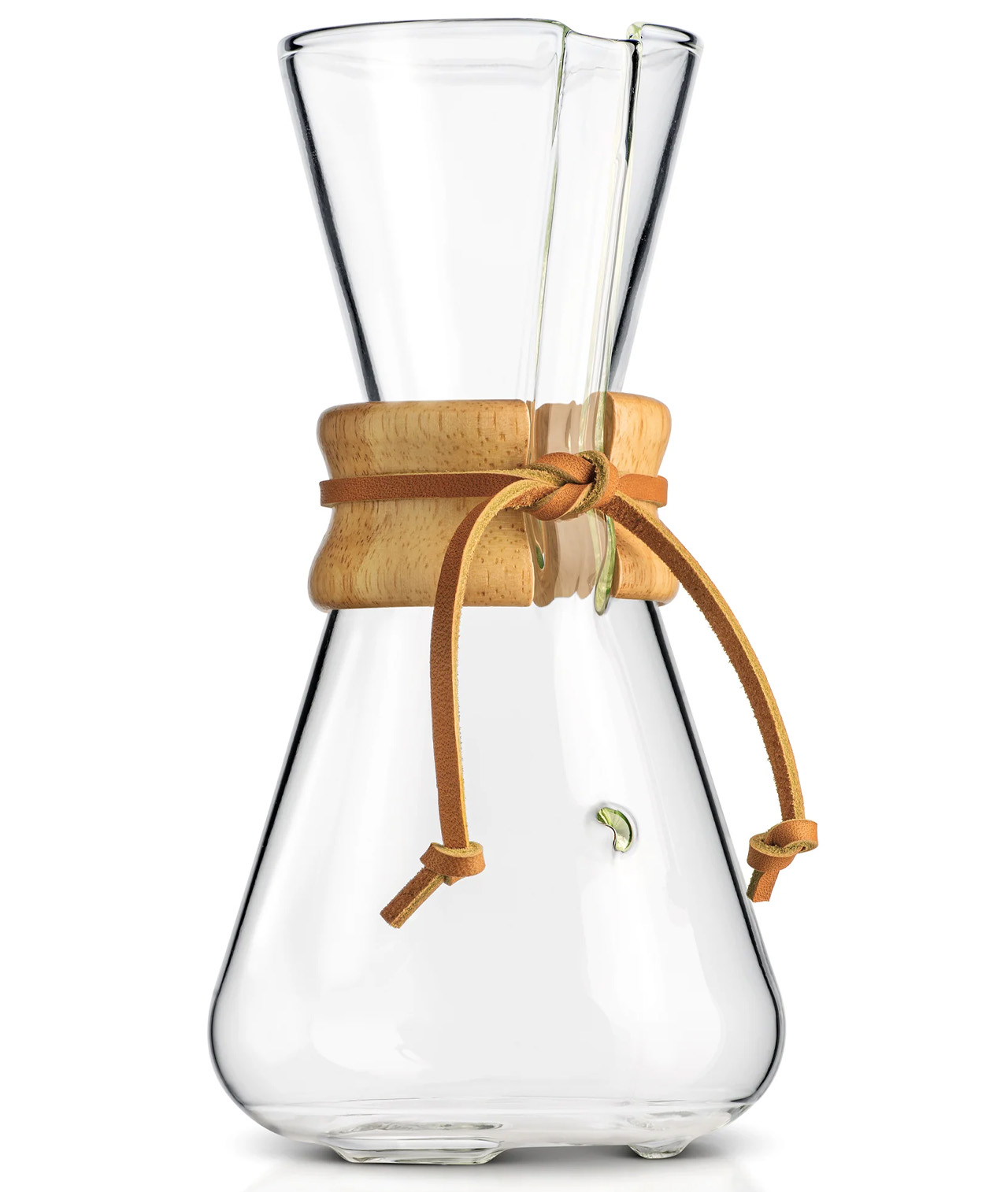
5. Three-Cup Handblown CHEMEX
The handblown CHEMEX occupies a rare category among coffee equipment: it’s a brewing tool that also qualifies as a genuine work of art. Each piece is individually crafted by skilled glassblowers in Croatia using traditional European techniques, meaning no two are exactly alike. The borosilicate glass construction meets laboratory-grade standards, delivering complete flavor neutrality while comfortably withstanding the thermal shock of repeated hot water pours. Paired with CHEMEX Bonded filters, the system removes oils, bitterness, acidity, and sediment to produce a coffee with clarity and cleanliness that neither a French press nor a standard drip machine can approach. The result is a cup that lets the bean speak for itself, completely unobstructed by the residual compounds that other brewing methods leave behind.
Beyond its brewing performance, this CHEMEX invites a different kind of relationship with the ritual. The polished wood collar and leather tie are both functional and beautiful: they insulate the vessel during handling and add a warm material contrast to the cool transparency of the glass. Brewing with it is a slow, deliberate process, and the object rewards that pace. Each pour looks considered, each session takes on a ceremonial quality that machine-made glass simply doesn’t generate. The small-batch production behind each handblown piece adds to that sense: this is not mass-market equipment, and it doesn’t feel like it. For pour-over devotees who want their brew station to reflect the same level of care they bring to every cup, the handblown CHEMEX is the most visually and functionally complete answer available.
What we like:
Individually handblown by skilled glassblowers in Croatia, combining borosilicate precision with a one-of-a-kind artisan aesthetic that makes each piece genuinely unique
The polished wood collar and leather tie provide practical heat protection while adding a considered, elegant material contrast to the glass body
What we dislike:
The glass construction is inherently fragile and requires thoughtful handling and careful storage to avoid breakage over time
The three-cup capacity may feel limiting for households where multiple people want coffee from the same vessel at the same time.
The Ritual Is Only as Good as the Tools Behind It
The morning ritual of a pour-over devotee is, at its core, a commitment to paying attention. Every gadget on this list honors that commitment in a different way: some by removing friction, some by elevating the sensory experience, and others by making excellence achievable in the places and moments where it matters most. Pour-over culture has moved beyond a niche. It’s a serious practice, and these are the tools reflecting how seriously people are choosing to take it.
Building a great brew station doesn’t happen in one purchase. It happens gradually, through the accumulation of objects that each serves a real purpose and earn their place. Whether the xBloom’s automated precision speaks to you, or the quiet beauty of a handblown CHEMEX does, the principle is the same: start with what resonates, use it well, and let the ritual build from there. The best cup you’ve ever made is probably still ahead of you.
The way divers go underwater hasn’t fundamentally changed much in decades. You strap tanks to your back, manage hoses, regulate breathing, and navigate a system of equipment that always feels bolted on rather than built in. The gear works, of course, but it keeps reminding you it’s there. Improvements have mostly been incremental, focused on making the existing system lighter, safer, or easier to manage, not rethinking it from scratch.
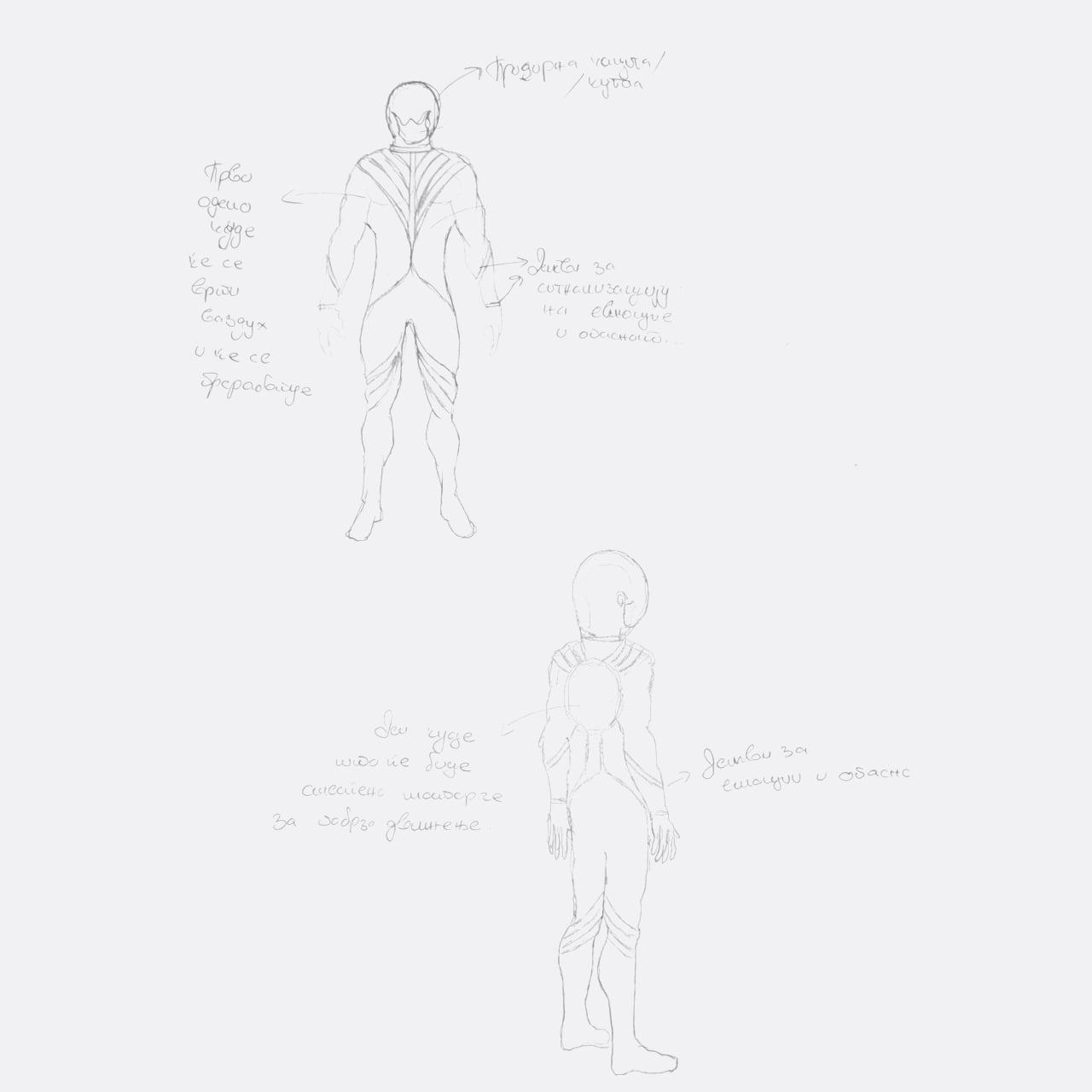
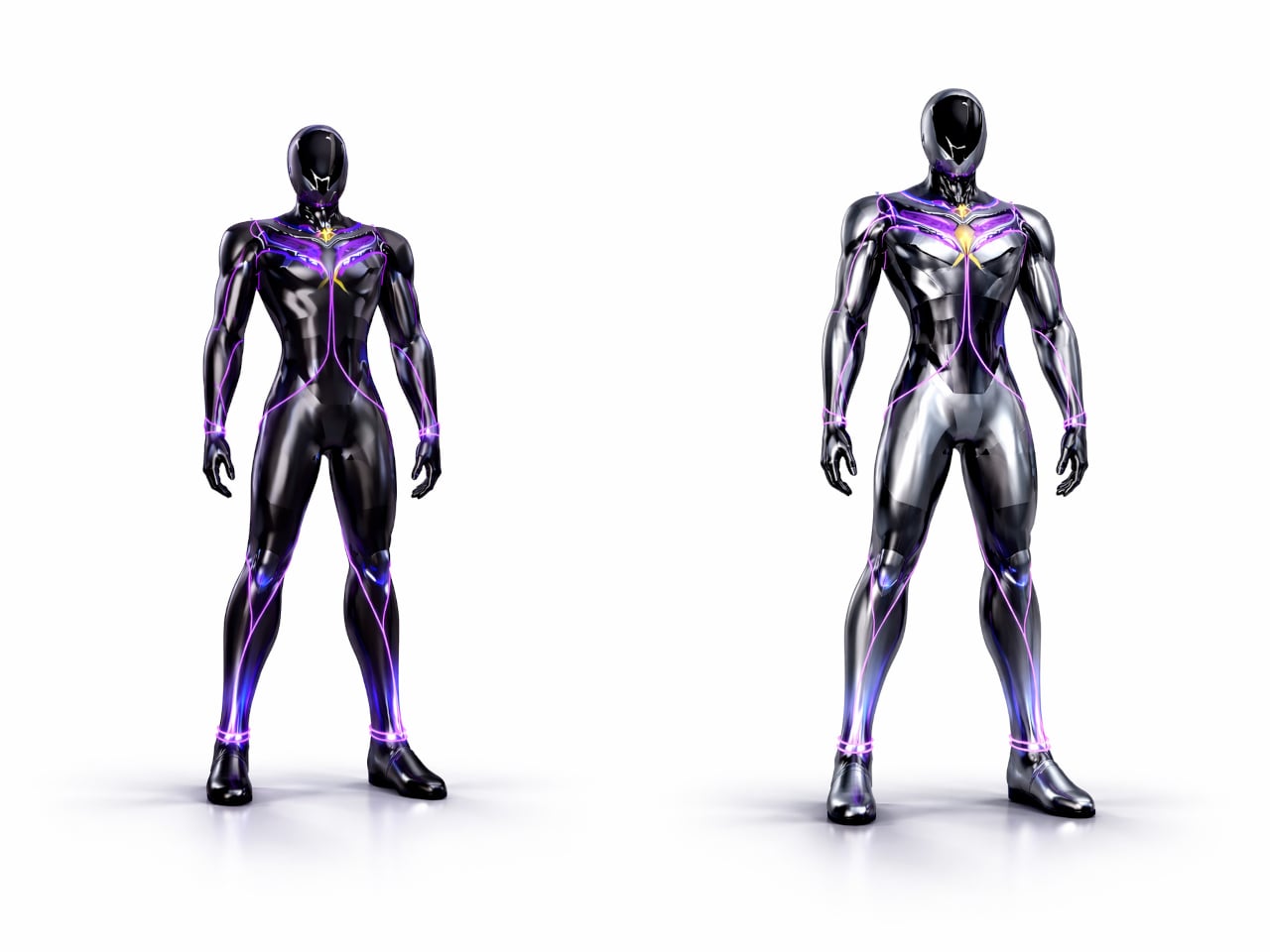
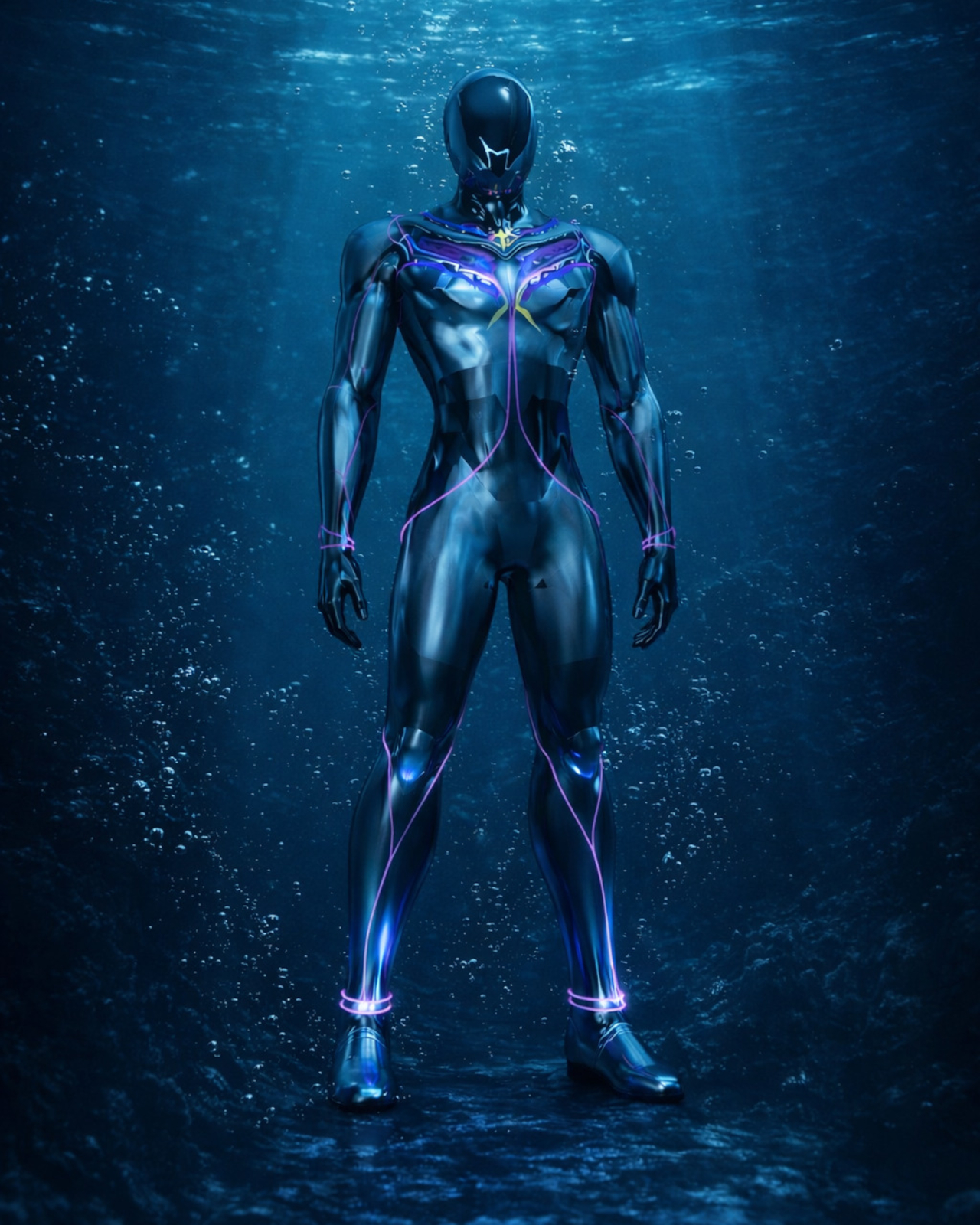
That’s the gap designer Ivana Nedeljkovska set out to explore with AQUA HUMAN, a conceptual underwater atmospheric diving suit that starts from a different question. Not how to make existing equipment better, but what happens when you stop treating the suit as equipment altogether. The concept pushes for diving gear that functions as a unified system, one that works with the body rather than being strapped onto it.
The design process reflects that shift in thinking. Nedeljkovska didn’t begin with sketches of a suit; she started by studying how breathing works, how the body reacts to pressure, and where conventional gear creates friction between the diver and the water. Form followed only after function was understood, which is why the result looks less like upgraded scuba equipment and more like something the body might have grown into naturally.
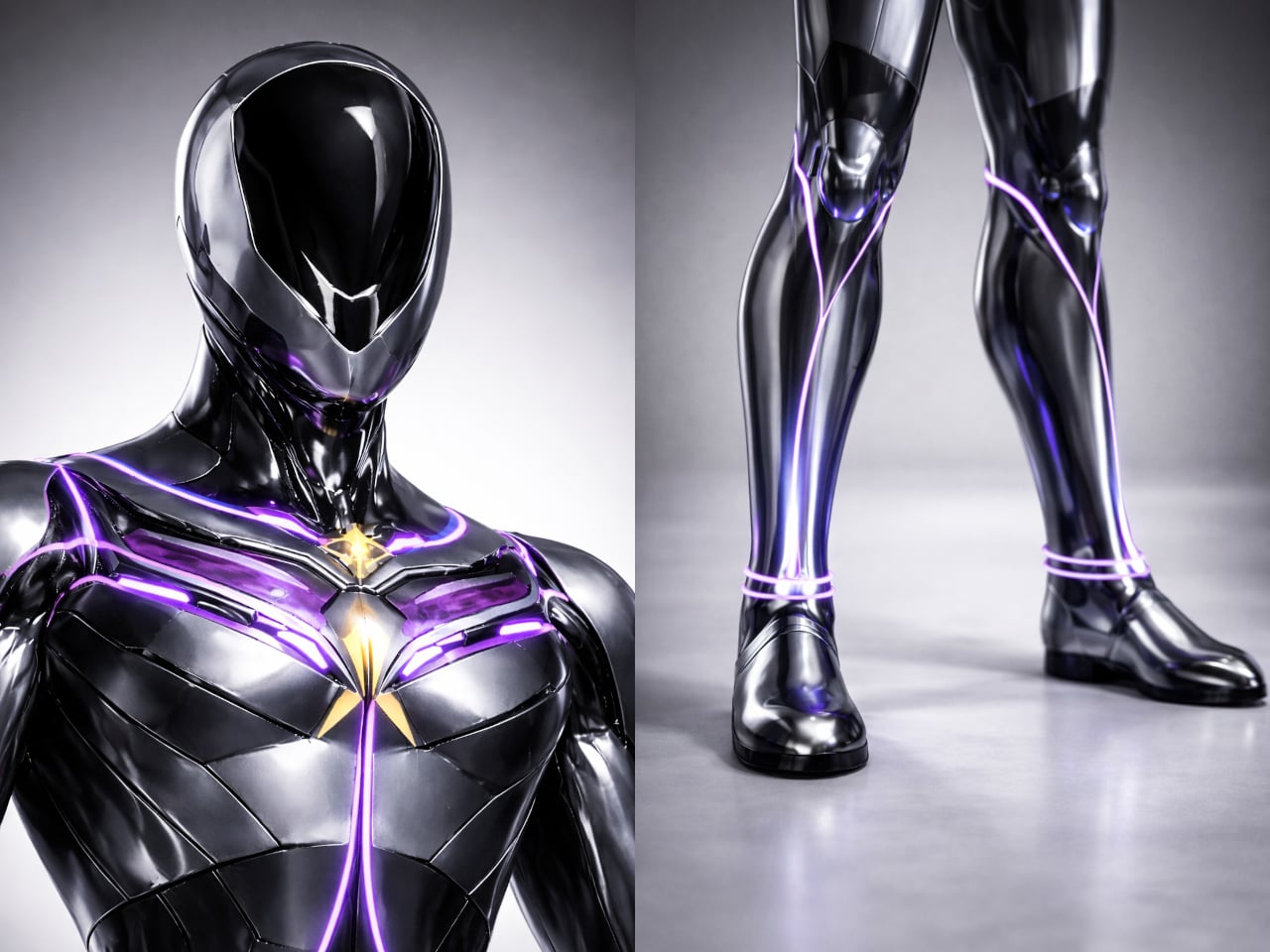
The central idea is integration rather than addition. AQUA HUMAN ditches the external tanks and brings breathing, temperature regulation, and mobility into the suit’s structure itself, functioning as a single synchronized system. The suit’s multi-layered material construction handles durability, water resistance, and flexibility simultaneously, so a deep-sea researcher or rescue diver can move without the suit fighting back. There’s no cluster of components to manage, just one continuous form.
On top of that, built-in motors reduce water resistance, making movement through the ocean feel less like fighting a current and more like navigating it. An integrated AI system runs alongside all of this, continuously reading the diver’s condition and the surrounding environment. It’s a real-time feedback loop designed to catch problems before they become emergencies, which matters considerably more at depth than it does on land.
Then there’s the light strip system, which might sound like an aesthetic choice but isn’t only that. The strips running across the suit serve as a visual language, changing to signal potential danger or communicate the wearer’s condition to others nearby. Underwater, where verbal communication isn’t possible and hand signals have limits, having a suit that actively broadcasts information in real time is genuinely useful, not decorative.
Diving suits have been layered with improvements for decades without anyone seriously questioning the core architecture. AQUA HUMAN isn’t trying to sell you something new; it’s asking why we’re still building on a foundation that hasn’t changed since the tank became standard. That kind of questioning is where genuinely different solutions tend to start, even if they take a while to arrive.
Modern furniture design has been quietly shifting priorities. Smaller homes and more deliberate interiors have created real demand for pieces that do more without taking up more space or sacrificing how they look. Stools and side tables are easy targets for this kind of dual-purpose thinking, but most of them still feel like a workaround, a compromise dressed up as a solution, rather than a genuinely well-considered object.
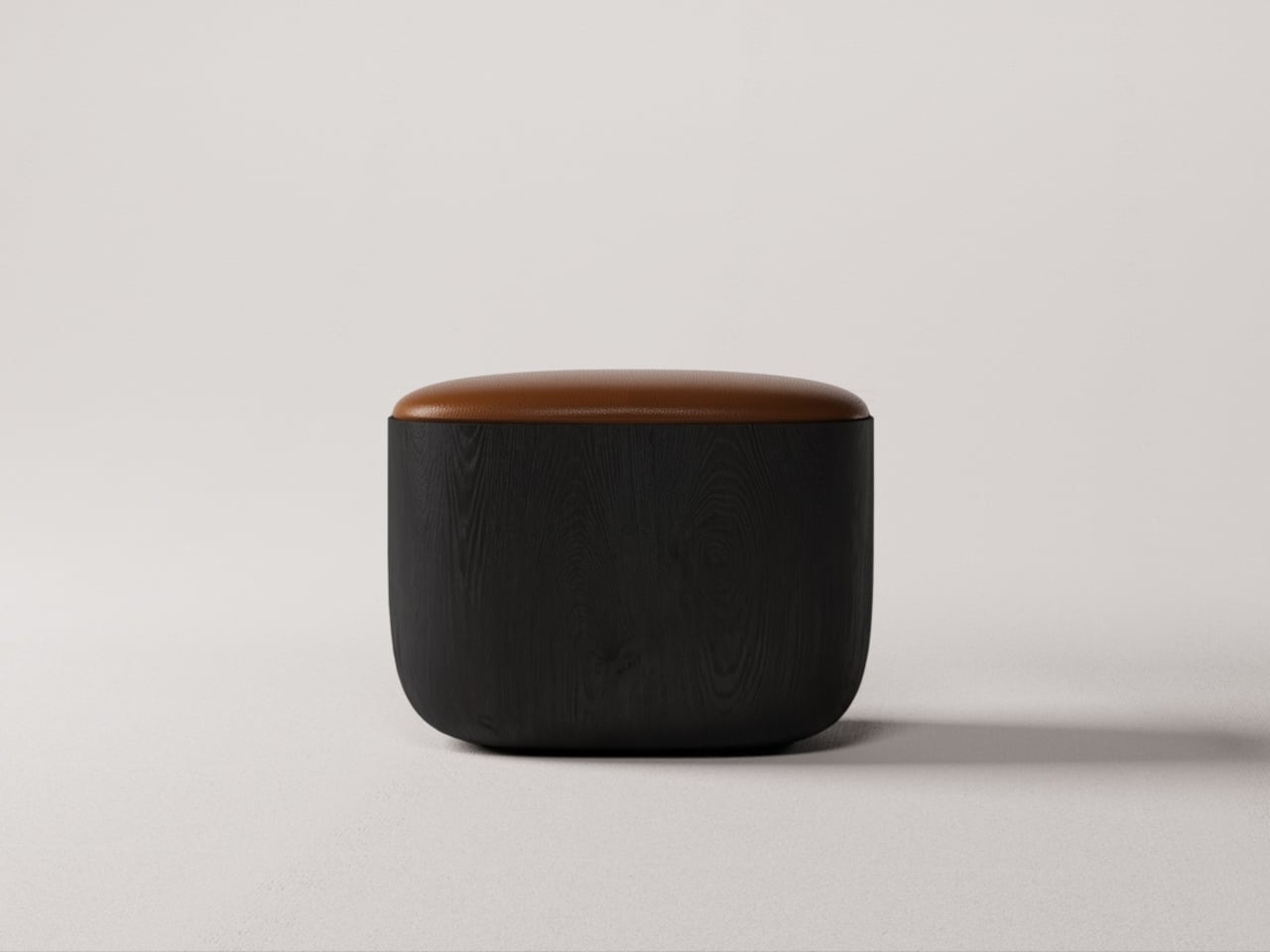
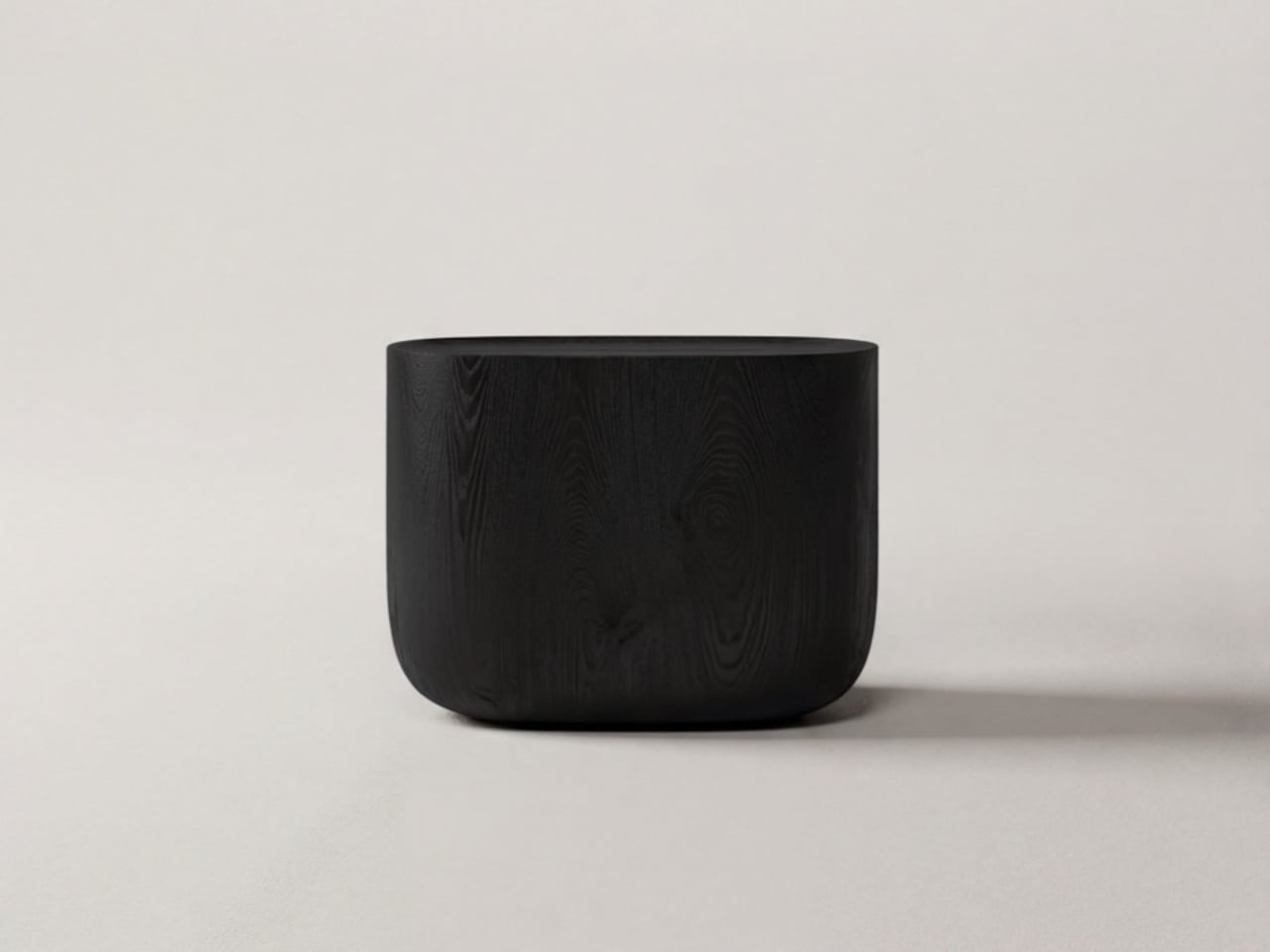
The Ishi stool from Japanese studio Mililab isn’t that kind of compromise. It came out of a separate project entirely, one that had nothing to do with stools, and it ended up as something that’s equal parts furniture object and quiet design statement. That accidental origin is actually central to understanding why it looks the way it does, and why it works as well as it does.
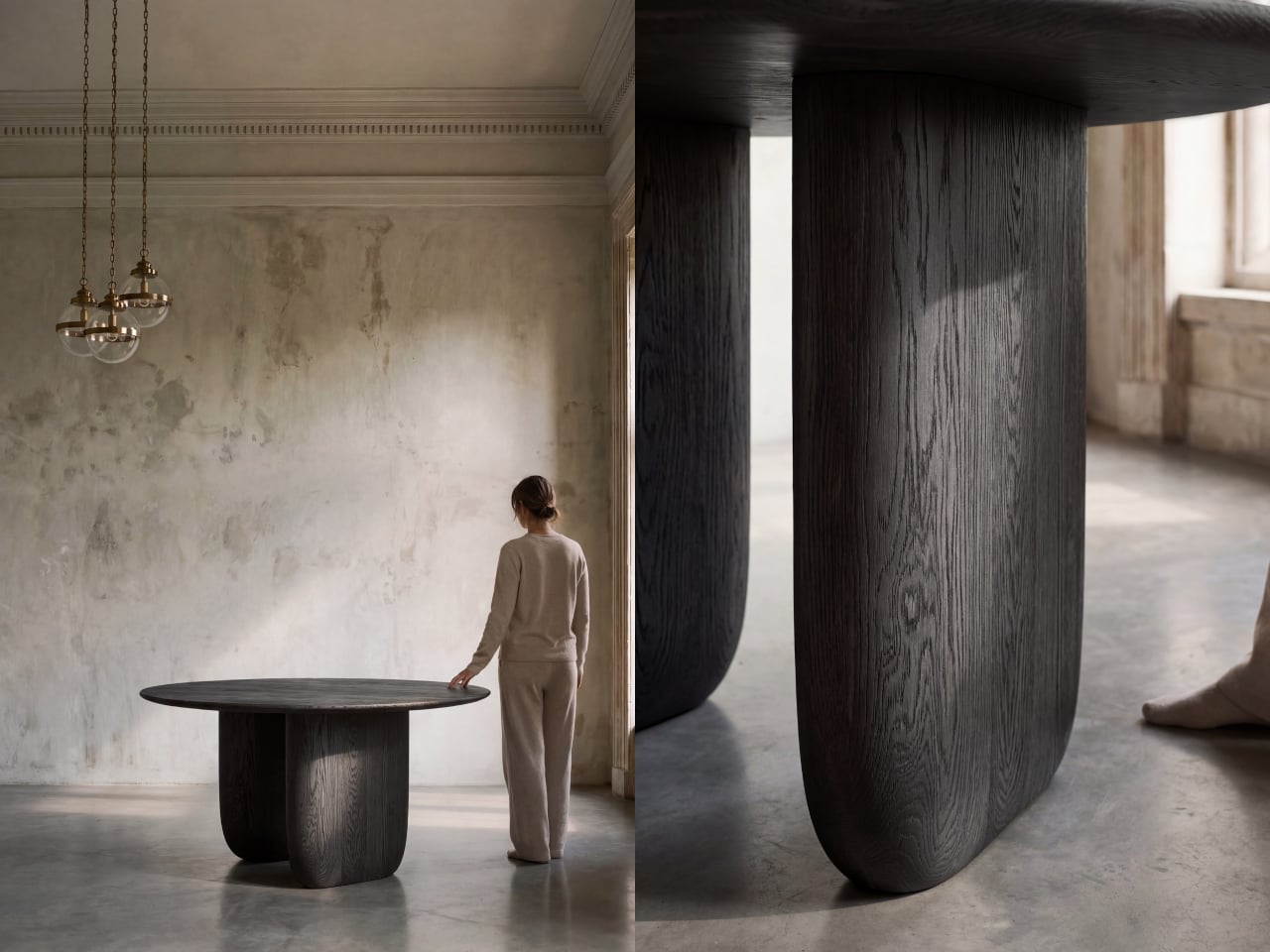
The story starts with the studio’s own Maru dining table. While developing it, founders Livert Lim and Mengfei Wu kept drifting back to the legs, almost despite themselves. Those legs tapered inward along one unbroken curve, giving them a presence that had little to do with the tabletop above. As Mililab described it: “A shape that didn’t need the table above it.” So they separated it and let it stand alone.
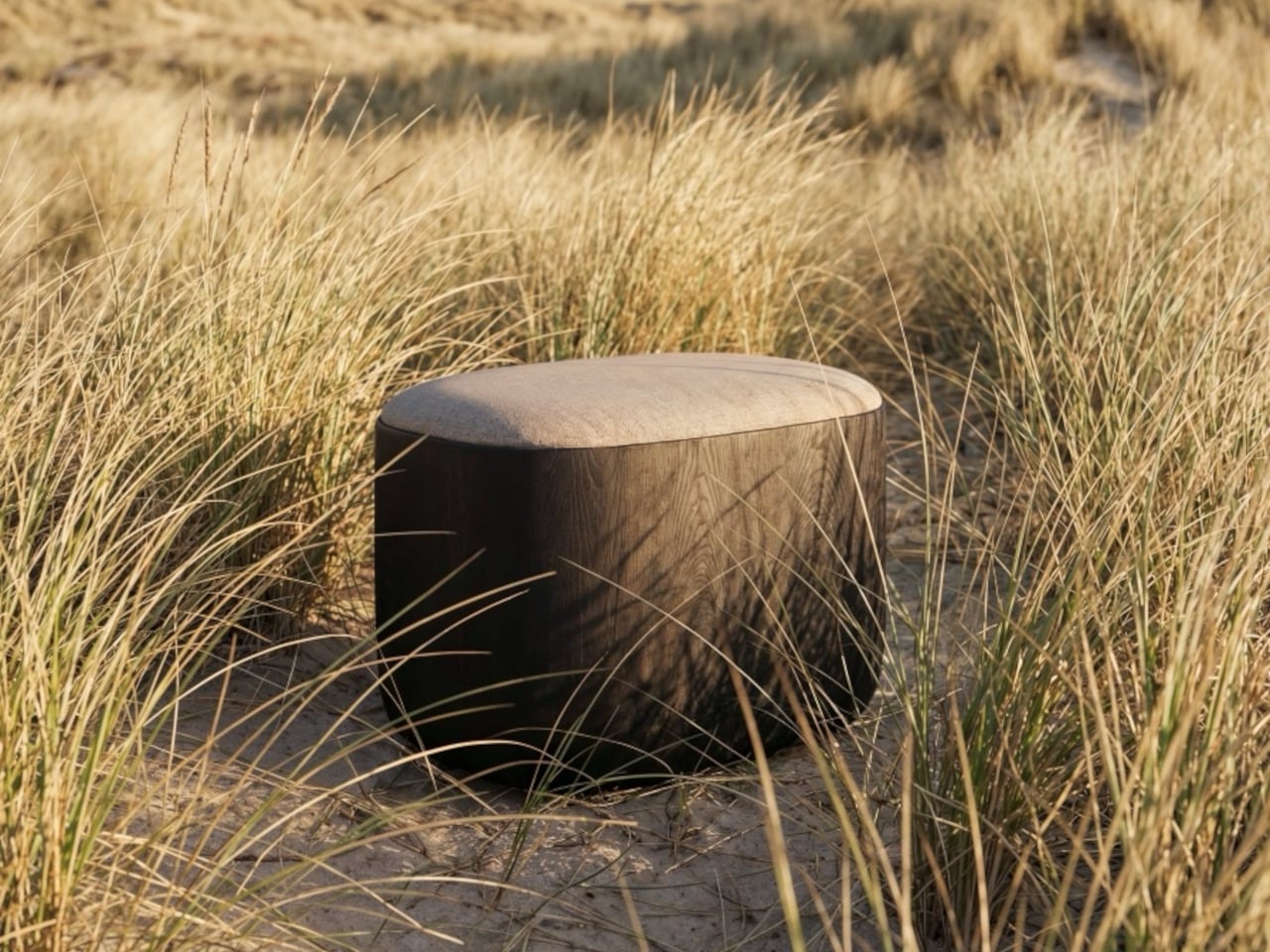
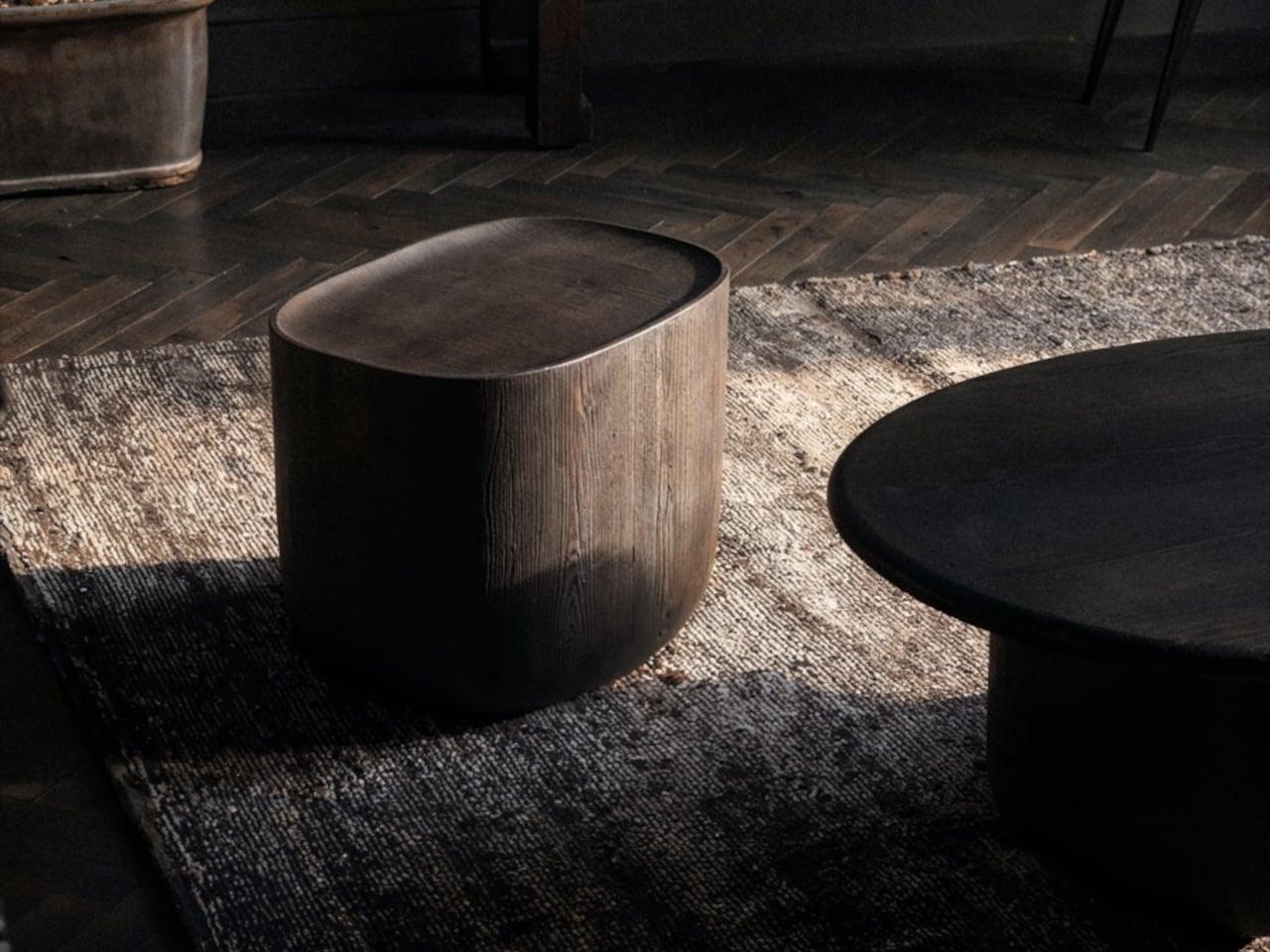
Working with collaborator Djordje Cebic, they developed Ishi into a form that’s both monolithic and unexpectedly soft, something like a river-worn pebble given volume. From across the room, it appears impossibly thin; up close and under your hand, it’s substantial. That tension between visual lightness and physical solidity isn’t accidental. It’s the result of curves computed in Tokyo and then realized by hand in the workshop.
The material process behind that solidity gets genuinely obsessive. The stool is made from North American white oak, selected for grain consistency, kiln-dried, hand-shaped, then kiln-dried again, because the glue introduced during assembly brings moisture back into the wood. Most workshops skip that second drying. Mililab doesn’t. It’s sealed immediately after, locking in a 10% moisture content, the exact point at which white oak is most dimensionally stable.
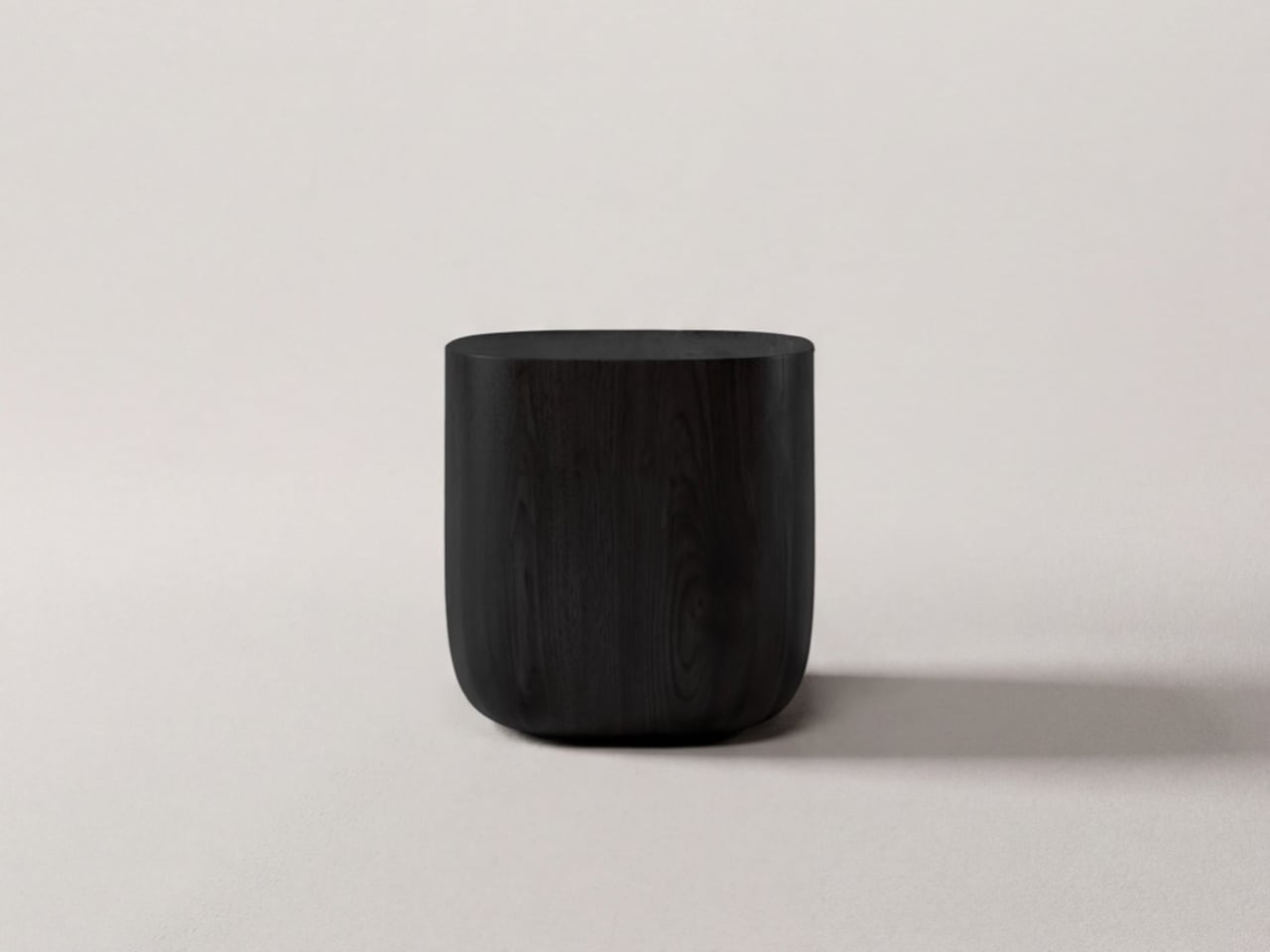
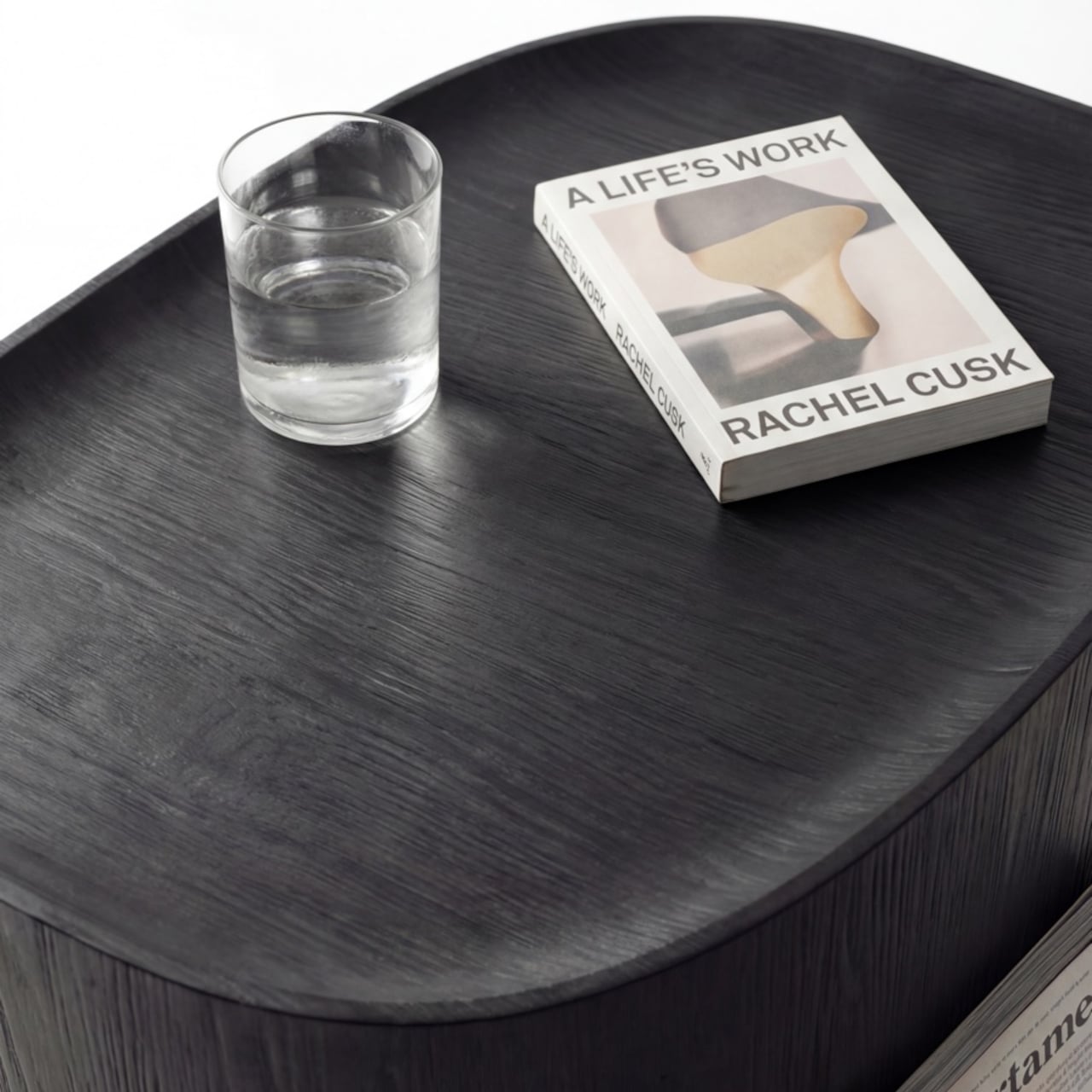
The cushion on top, available in Kvadrat Savanna, Dedar fabric, or Italian leather, looks fully integrated with the oak base. It isn’t, of course, which is the point. Pull it off, flip it over, and the flat underside becomes a surface, turning the stool into a side table. It works just as well beside a sofa at home as it does in a hotel lobby or a studio apartment. At 430mm, the height was chosen deliberately. It’s low enough to pair with a lounge chair, yet also tall enough to sit beside a dining table or vanity desk.
There’s something refreshing about a piece of furniture that arrived this way, not from a brief or a market gap, but from genuine distraction. Lim and Wu were supposed to be designing a dining table and kept staring at the legs instead. It’s not a narrative most furniture studios would lead with, but it does explain why the Ishi stool feels like something they simply couldn’t help making.
Japanese entertainment company Toho has released a teaser video for Godzilla Minus Zero, the upcoming sequel to the award-winning film Godzilla Minus One. The teaser shows the famous monster next to the Statue of Liberty as it rampages across New York. Godzilla Minus Zero is set in 1949, two years after the events of the first film, and will be a direct sequel. You’ll see familiar faces from Minus One in the short trailer, as well, namely Koichi Shikishima and Noriko Oishi, two of the first movie’s main characters.
The kaiju flick was filmed specifically for IMAX with high-definition digital cameras. Even its audio was optimized for the massive screen’s immersive cinema experience. Minus One won an Oscar for Best Visual Effects, so expectations are high for this sequel. The good news is that this movie is also helmed by Takashi Yamazaki, who wrote, directed and oversaw the visual effects for Minus One. Godzilla Minus Zero is heading to cinemas in Japan on November 3 and in the United States on November 6 this year.
This article originally appeared on Engadget at https://www.engadget.com/entertainment/godzilla-goes-to-new-york-in-minus-zero-teaser-trailer-015029346.html?src=rss
Japanese entertainment company Toho has released a teaser video for Godzilla Minus Zero, the upcoming sequel to the award-winning film Godzilla Minus One. The teaser shows the famous monster next to the Statue of Liberty as it rampages across New York. Godzilla Minus Zero is set in 1949, two years after the events of the first film, and will be a direct sequel. You’ll see familiar faces from Minus One in the short trailer, as well, namely Koichi Shikishima and Noriko Oishi, two of the first movie’s main characters.
The kaiju flick was filmed specifically for IMAX with high-definition digital cameras. Even its audio was optimized for the massive screen’s immersive cinema experience. Minus One won an Oscar for Best Visual Effects, so expectations are high for this sequel. The good news is that this movie is also helmed by Takashi Yamazaki, who wrote, directed and oversaw the visual effects for Minus One. Godzilla Minus Zero is heading to cinemas in Japan on November 3 and in the United States on November 6 this year.
This article originally appeared on Engadget at https://www.engadget.com/entertainment/godzilla-goes-to-new-york-in-minus-zero-teaser-trailer-015029346.html?src=rss