Game Boy-inspired Nintendo Switch Console Features Unique Tiny Swappable Joy-Cons

This Nintendo Switch redesign gives the epic console a major blast from the past. From the mind of Carota Design, the concept comes with a Game Boy vertical form factor, but still retains the essence of what gave the Nintendo Switch cult status – swappable Joy-Cons. The Nintendo ‘Switoo’, as Carota Design calls it, comes with two swappable controller modules (very similar to PhoneBloks or Google’s Project Ara) that can be replaced/interchanged, allowing you to build a control layout of your choice. The D-Pad and Action buttons can be ditched for a steering wheel and pedals while playing racing games, or create your own combination of control modules depending on the sort of interface you crave. The console itself comes with what I can only describe as a very contemporary tech device, with the use of slick machined metal parts along with a transparent housing on the back that hat-tips the current transparent design trend seen on a lot of popular tech devices.

Designer: Carota Design

The Switoo gets its name from an abstract visual representation of the two modular controls on the sides of the console. The logo also shows how the modules slide in and out, locking into place when you want to play a game, and docking out when you want to swap controls depending on the next game you’re looking to play. Aside from these interchangeable modules, the Switoo has two triggers on the back, accessible with your index fingers while gaming.

The Switoo features a fairly ergonomic design, thanks to the fact that it has a thicker base. The side profile shows a stepped design, resulting in a screen area that’s fairly slimmer than the overall device, giving you a perfect stepped ledge to place those two trigger buttons. The front features a pretty clean almost edge-to-edge square display (presumably touch-sensitive), under which lie the swappable control mods. A front-facing speaker at the bottom fires audio towards the user as they game, quite similar to the front-facing speaker grills on the original Switch.

The controllers are the highlight of the Switoo’s unique design. Available in a variety of styles, they slide right into the sides of the console, snapping in to connect, just like Joy-Cons. A yellow guide helps you make sure you’re sliding the controllers in the right way, and switches on the side help lock the controllers in place so they don’t fall out accidentally during a rather enthusiastic gaming session. It’s safe to speculate that these controllers work only by being plugged in, and not wirelessly, like the Joy-Cons. Since they’re this tiny (and are individual controls like the D-Pad being its own module, and the action buttons having their own separate module), one can assume there’s no wireless chip or even a battery inside the controllers. Instead, pogo-pins help connect the controllers to the main console.

The square screen, Game Boy-inspired format, and modern design make the Switoo a unique successor to the Switch. One wouldn’t really call it a Switch 2 or a 2nd-gen version of the Switch console, but it definitely feels like a nice spin-off, marrying existing classic design formats with the unique appeal of Nintendo’s Switch console. There’s an understated simplicity to the Switoo’s design that you immediately appreciate. The sleek metal body, USB-C charging, minimal detailing, and transparent caseback, all make the Switoo look pretty modern. The only problem is the fact that this is a fan-made concept and not something I can throw my money at!

The post Game Boy-inspired Nintendo Switch Console Features Unique Tiny Swappable Joy-Cons first appeared on Yanko Design.
This featherweight 3D-printed gaming mouse weighs just 16 grams

Imagine a mouse so lightweight it feels like featherweight – literally an extension of your hand for endless gaming on your PC. The Optimum Zeromouse V35 mouse could take the crown of being the lightest gaming mouse out there at just 16 grams. Optimum, who is a well-known PC maker and shooter, intends the user to use this as a shell for the Razer Viper V2 Pro, but can be used individually as well.

The 3D-printed shell of the mouse has supergrips for ergonomic comfort and lesser hand strain when gaming for long periods. There are no side scroll buttons or DPI selectors to reduce overall weight. Ultra-light credentials of the accessory and the supergrips make it well suited for action shooting games because of the low-tension aiming experience.

Designer: Optimum

The lightweight unibody frame is made using Selective Laser Sintering (SLS) using nylon PA12 material which has a very high tensile strength. Thus, the compact peripheral doesn’t compromise on structural integrity since the crossbar support and the deeper grooves at contact points make it highly durable and stable. While the mouse won’t turn you instantly into a Top 500 Overwatch player or a Radiant Valorant, just like the best running shoes won’t turn you into the best runner on the planet!

According to Optimum Tech, who designed this featherweight mouse for gaming, when switching back to any other gaming mouse after using the Zeromouse V35, the difference is very clear. The fact that it weighs almost half as any other mouse, gives the player a tactical advantage in movement, even if it is by milliseconds in close matches that can be the difference between winning and losing.

The peripheral priced at $70 takes a detour from the set conventions with a very raw form. Somewhat comparable to a speed record car that has everything fluffed out and only the essentials for performance retained. A mouse doesn’t have to be heavy or ergonomically challenged which is exactly what V35 offers in a compact form. How the next proposed versions of this mouse will evolve will be interesting to see. For now this peripheral is what the gaming community will be zooming in on.


The post This featherweight 3D-printed gaming mouse weighs just 16 grams first appeared on Yanko Design.

Microsoft’s Xbox Adaptive Joystick Comes With An Open-Source Design To Support 3D-Printed Parts

The Adaptive Controller was just the beginning – Microsoft aims at developing an entire suite of accessible devices for its gamer market. Aside from working alongside other independent controller brands to reveal new devices, Microsoft’s also announced the Adaptive Joystick, a controller that can be hand-held, positioned against your body, or even tripod-mounted, giving all gamers the ability to interface with their games in a manner that’s comfortable, yet responsive enough to give them the edge while gaming.

Designed specifically for gamers with limited mobility, this joystick aims to enhance the already extensive Xbox accessibility ecosystem. Unlike many controllers that rely on a standard form factor, the Xbox Adaptive Joystick breaks away by offering a unique blend of adaptability and modularity. The joystick is a wired companion for the Xbox Adaptive Controller, but it can also function independently, directly connecting to both Xbox consoles and PCs. The design focuses on user flexibility, with customizable buttons and a thumbstick that can be easily adjusted to suit different needs.

Designer: Microsoft

The Xbox Adaptive Joystick includes four programmable buttons, a thumbstick, and two additional buttons for bumper and trigger controls. One of the standout features is the option for users to 3D print thumbstick toppers, allowing them to modify the height, width, and overall feel of the joystick. As highlighted by Kaitlyn Jones, Xbox’s senior accessibility product manager, the design process involved extensive collaboration with the disabled community. Early prototypes were shared with this group for feedback, resulting in a product that addresses specific challenges faced by players with limited mobility.

Incorporating community feedback has been central to the development of the Xbox Adaptive Joystick. During one session at a Seattle hospital, Microsoft engineers brought various prototypes, seeking input on aspects like grip size, button layout, and overall ergonomics. According to Chris Kujawski, a principal designer at Xbox, this iterative process ensured that the final product is not only functional but also intuitive for a wide range of users. The joystick’s versatility is further enhanced by its compatibility with the existing Xbox Adaptive Controller, allowing it to be part of a broader adaptive gaming setup.

Beyond just the joystick, Microsoft is working closely with other accessible hardware innovators. The Proteus controller, which has been refined and optimized for Xbox through this collaboration, showcases this commitment. Additionally, the 8BitDo Lite SE controller offers an alternative for those who require front-facing buttons in a familiar arcade-stick layout. This inclusive hardware ecosystem gives users options that go beyond the traditional controller experience, making gaming more accessible than ever before. As for Microsoft’s own Adaptive Joystick, it hits markets early next year, with a price tag of $29.99.

The post Microsoft’s Xbox Adaptive Joystick Comes With An Open-Source Design To Support 3D-Printed Parts first appeared on Yanko Design.

Meta approved Roto VR chair rotates with your head movements to makes gameplay immersive

Like with other simulators, motion sickness – leading to dizziness and nausea – is common in VR. Some people get uncomfortable when they don a headset and dive into virtual reality.  This is because the brain essentially gets disturbed while you stand still and the environment around you moves. This disturbance in brain equilibrium means you begin feeling nauseous or dizzy.

London-based Roto VR is ready to change the game for someone who feels the symptoms with the introduction of a motorized Explorer chair that rotates with the movement of the VR user’s head, making sure there is no indecisive movement in the environment, which the brain cannot register and begins to trigger nausea. Chair intends to make the virtual environment more immersive and less distorting!

Designer: Roto VR

This is a major piece of VR furniture that matches real-world movements with that of the headset. Of course, then it requires a headset to function and would take up a lot of space in your home. But it is significant for all of us who desire complete physical transportation into the virtual world, which is far and above what the headsets have to offer even after evolving rapidly in the last few years.

World’s first interactive VR chair, the Roto VR Explorer, is a sophisticated motion device that provides haptic feedback to the body. The chair looks pretty ordinary until you gawk at its round base integrated with an electric motor. This base rotates the chair 360-degrees at up to 21 revolutions per minute (though the speed matches the intensity and speed of the user’s head). Slow head movement, equally slow rotation, and the faster the movement, the quicker it spins until reaching the top speed.

The chair spins in the direction of the head of the user with a Meta Quest headset on. The head strap of the Quest is attached to a dedicated Roto head tracker, which can capture the motion and head movement for precise motion tracking. Interestingly, the Roto VR Explorer chair is provided with the “Made for Meta” stamp, substantiating that the device is authorized by Meta and meets all industry standards. That said, the rotation of the chair is triggered by the motion sensing tracker attached to the headset, which suggests that the chair can be used with other headsets as well and there is no rigidity despite that Meta earmarking.

The Roto VR Explorer chair is attached with two pedals – right above its base – for running simulation. Of course, the chair does not vouch to eliminate motion sickness entirely; VR users will still experience nausea moving back and forth. If you think, the chair deserves a chance in your VR environment, you can now preorder it at £799. Delivery will begin in October 2024.

The post Meta approved Roto VR chair rotates with your head movements to makes gameplay immersive first appeared on Yanko Design.
Samsung Odyssey 3D offers a glasses-free 3D experience for gamers and creators

We live in a three-dimensional world and see in three dimensions, and yet the computers and mobile devices we use every day are confined to flat, 2D space. Mixed reality and spatial computing are trying to bridge that gap, but they still project flat virtual objects in the real world and, more importantly, require wearing goggles or headsets. In fact, most stereoscopic 3D experiences require some sort of eyewear, at the very least glasses that guide images to the correct eye. That is until monitor makers have gotten smarter and have started to implement 3D displays that don’t need glasses to work, like the new Samsung Odyssey 3D shown off at Gamescom 2024 this week.

Designer: Samsung

Our eyes see in 3D because they can view objects at two different angles due to the space between them. Stereoscopic 3D tries to mimic our innate binocular vision by projecting two different images, shifted slightly at an angle, which are then sent to the right or left eye as necessary. This re-direction requires polarizing filters to work, which is why people have to wear glasses when watching 3D movies. Impressive as the experience might be, it’s definitely inconvenient, especially for those that wear prescription glasses, and can’t be used for general-purpose computing, until now.

Image courtesy of SamMobile

The Samsung Odyssey 3D is the latest in a new breed of computer monitors that promise this same stereoscopic 3D experience without having to put anything in front of your eyes. The monitor has built-in stereo cameras that track the movement and position of each eye. View mapping creates two sets of images which are then displayed separately to each eye thanks to a lenticular lens on the front panel. It creates the same effect of seeing floating 3D images but without the hassle of glasses or headsets.

The monitor is primarily targeted at gamers, which is why it boasts features like 4K resolution, a fast 1m gray-to-gray response time, and a 165Hz refresh rate. Of course, the need to see 3D images as they truly are isn’t just limited to entertainment, since those creating assets for these games will also want to check if they’re 3D models are displaying correctly. Monitors like the Samsung Odyssey 3D will eventually become an invaluable tool for designers, artists, and content creators who might want to work in 3D space right from the start.

Of course, this glasses-free 3D monitor also functions as a 2D monitor, and you can seamlessly switch from one mode to another, depending on your use case. It also features an ergonomic Height Adjustment Stand, tilt capabilities, as well as HDMI 2.1 and DisplayPort 1.4 connectivity. Samsung hasn’t disclosed when the Samsung Odyssey 3D will launch and at what cost, but considering this monitor was first teased back in January at CES 2024, it probably shouldn’t be long now.

The post Samsung Odyssey 3D offers a glasses-free 3D experience for gamers and creators first appeared on Yanko Design.
Atari 7800+ is a retro mini console that looks forward and backward

What is old is new again, or at least that’s the slogan for this wave of nostalgia trips washing over multiple industries today. Vinyl is selling again, Polaroid is now spelled “INSTAX,” and consoles that were famous before you were born are landing on shelves in miniature form. Interestingly enough, these retro designs prove just how powerful and lucrative nostalgia can be, especially if you can spin it in a way that makes sense in the present and for the foreseeable future. This recreation of one of Atari’s lesser-known home consoles, for example, doesn’t just pay homage to the past but actually supports the games of that era while also embracing titles that were made in the present for this decades-old platform.

Designer: Atari

Unlike its successful predecessor, the Atari 2600, the Atari 7800 from 1986 just came at the wrong time, just after the video game crash of 1983 and on the same year that the Nintendo Entertainment System, a.k.a. the Nintendo Famicom, launched. Regardless, the home console, which supported Atari 2600 cartridges to fill up its library, managed to make it into the annals of video game history, a chapter that Atari is now trying to revive in an interesting way.

The Atari 7800+, like many retro recreations, is a smaller version of the original, designed to better fit today’s standard housing situation. It sticks closely to the shape and aesthetics of the 7800, down to the color spectrum strip that was the hallmark of the European version of the machine. It supports HDMI out and displaying games in the original 4:3 aspect ratio or switching to widescreen for modern monitors. Rather than coming with pre-installed games like other retro consoles that simply use emulators, the 7800+ offers an almost exact replica of the original to the point that you can run both 2600 and 7800 cartridges, presuming you have those lying around.

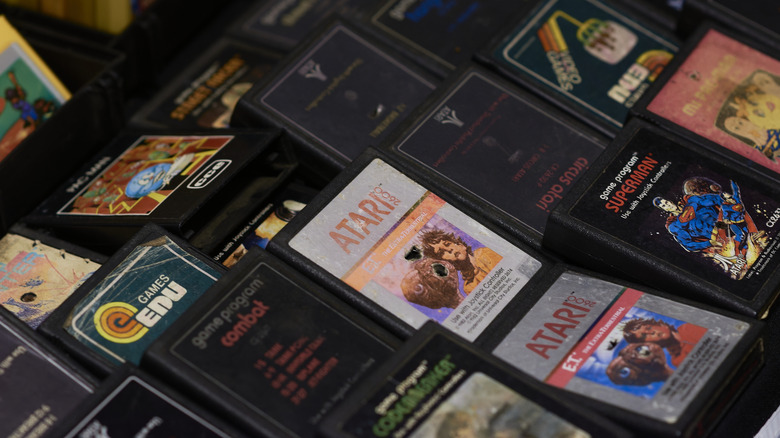
That’s not exactly a large selection of titles, so the Atari 7800+ also supports third-party Atari games as well. The company takes it even further and actually supports the official adaptation of some of these games sold as 7800+ cartridges. That includes Bentley Bear’s Crystal Quest, a homebrew Atari game developed in 2014 as an unofficial successor to the 80s Crystal Quest. This is the only cartridge that comes with the package, and the other nine titles will be sold separately at $29.99 a pop.

The Atari 7800+ also comes with the CX78+ controller, a wireless remake of the radical two-button control that Atari introduced with the 7800. There’s also a CX40+ wireless joystick available for purchase if you prefer to play that way. Both controllers are compatible with the original 2600 and 7800 and can also be hooked up to any PC via the USB receiver. The Atari 7800+ is available for pre-order now for $129.99 but won’t ship until Winter this year.

The post Atari 7800+ is a retro mini console that looks forward and backward first appeared on Yanko Design.
Uplight game console concept with an interactive 3D screen changes the way you play

Handheld gaming consoles are rocking the market again, in no small part thanks to the success of the Nintendo Switch nearly eight years ago. But for all the technological marvels these powerful computers bring today, they’re really just rehashing time-tested formulas, at least when it comes to the way we see and interact with games. Just like with much of computing, we’re simply seeing images rendered on a flat screen rather than the way we naturally see and interact with the world in three dimensions. Mixed reality and spatial computing are trying to challenge the status quote when it comes to typical computing scenarios, while this concept for a unique kind of console proposes a literally different perspective when it comes to the video games we play.

Designers: Tatsuya Kato, Shion Ito, Toshikatsu Nakamura, Toshiki Sato

Uplight definitely looks like no other gaming console, not just because of the different controller configuration but primarily for the lack of a screen. The design concept flips the convention of game design, with the experience being designed to conform to the unique traits of the console rather than the other way around. In this case, the unique characteristic is a projector hidden in the base of the console that displays the game on three-dimensional acrylic screens that can take on different object shapes specific to the nature of the game.

Think about those 3D puzzle games that require you to rotate a cube around to see it from different sides to solve the puzzle, except that cube is a literal and physical cube existing in the real world. This cube, made from translucent acrylic, is mounted on top of the Uplight console and displays the game projected into it. Players can use the console’s unusual controls to move the displayed image around or, better yet, use their own hands to actually turn the cube.

1

The 3D acrylic screen can be any shape, in theory, depending on the game experience being designed. It could, for example, be a giant translucent jellyfish for an aquatic adventure game, or even a tree branch for a game related to planting or vegetation. The possibilities are nearly endless, limited only by the angle that the integrated projector can reach and, of course, the size of the console.

That said, such a unique system will require games specifically designed for it, which also means designing new experiences that involve three-dimensional thinking as well as direct tactile interaction. Very few of today’s games have that, which will definitely challenge the creativity and ingenuity of game designers should Uplight ever become an actual commercial product.

The post Uplight game console concept with an interactive 3D screen changes the way you play first appeared on Yanko Design.