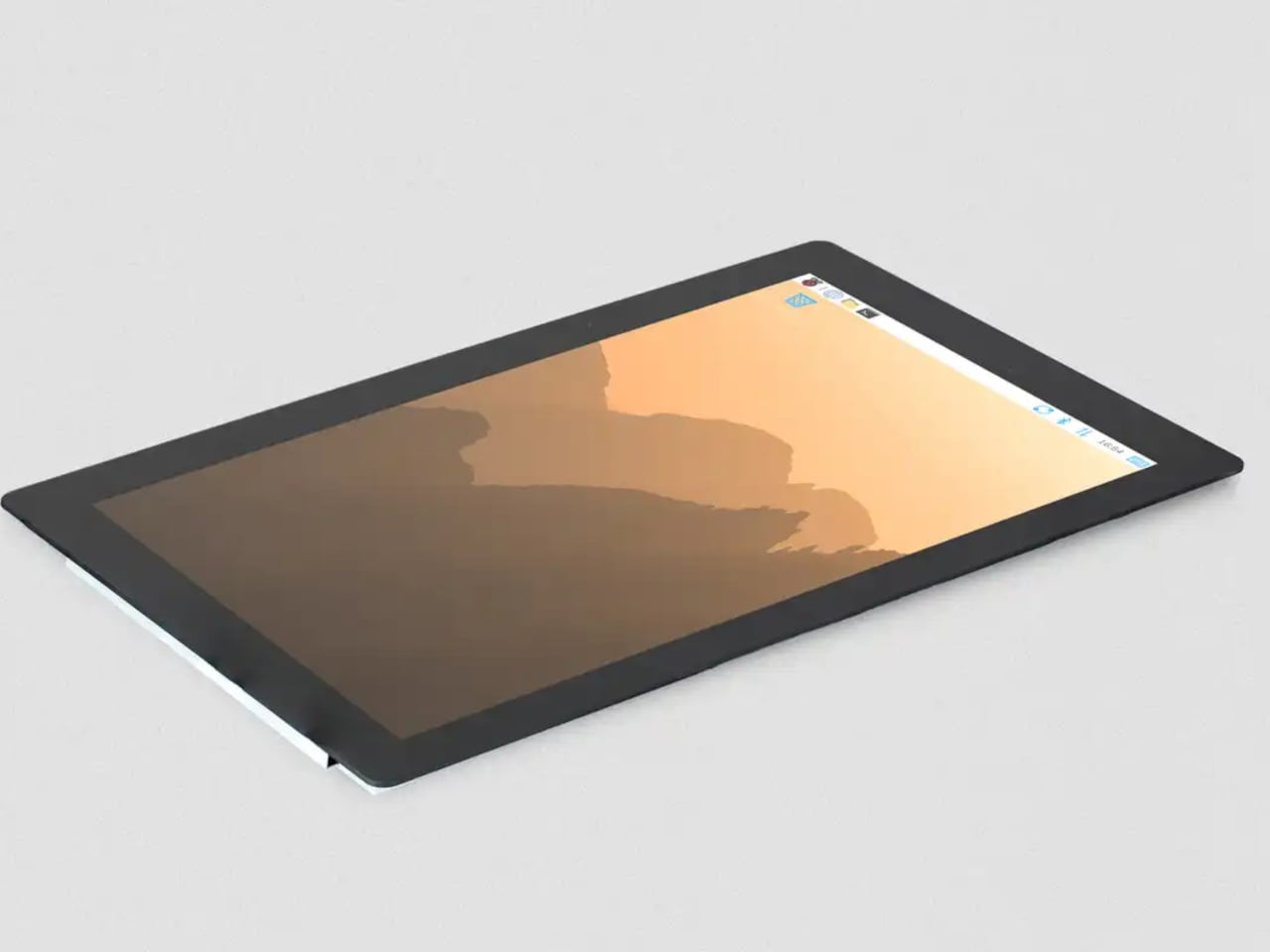
The Raspberry Pi has spent over a decade proving that small, affordable computers can do serious things. What has sometimes held those builds back isn’t the processor or the memory; it’s the display. The original 7-inch touch screen, launched alongside the Pi back in 2015, became a reliable staple of maker projects everywhere, but its modest resolution and size kept more ambitious builds looking a little rough around the edges. That gap just got a lot smaller.
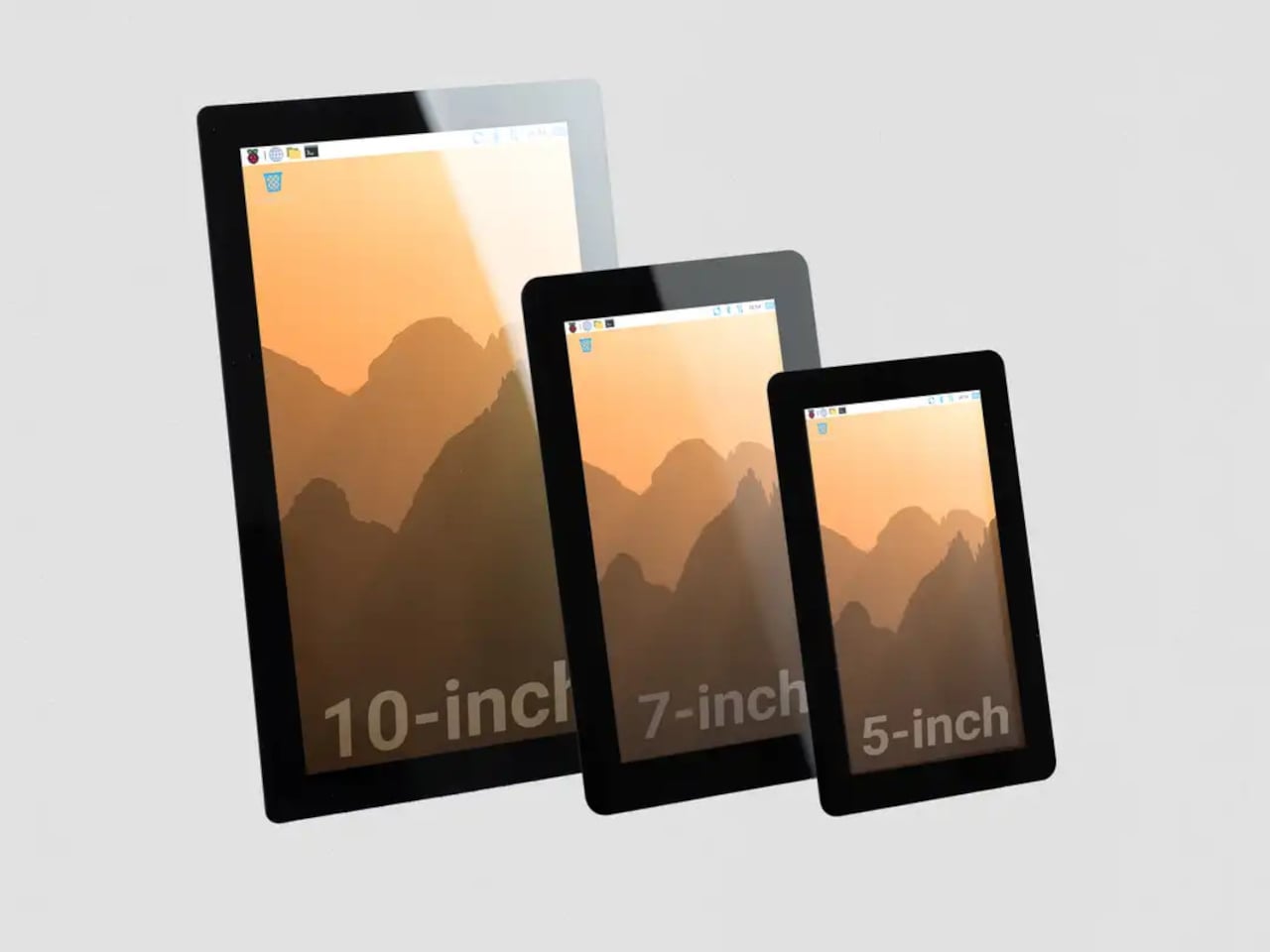
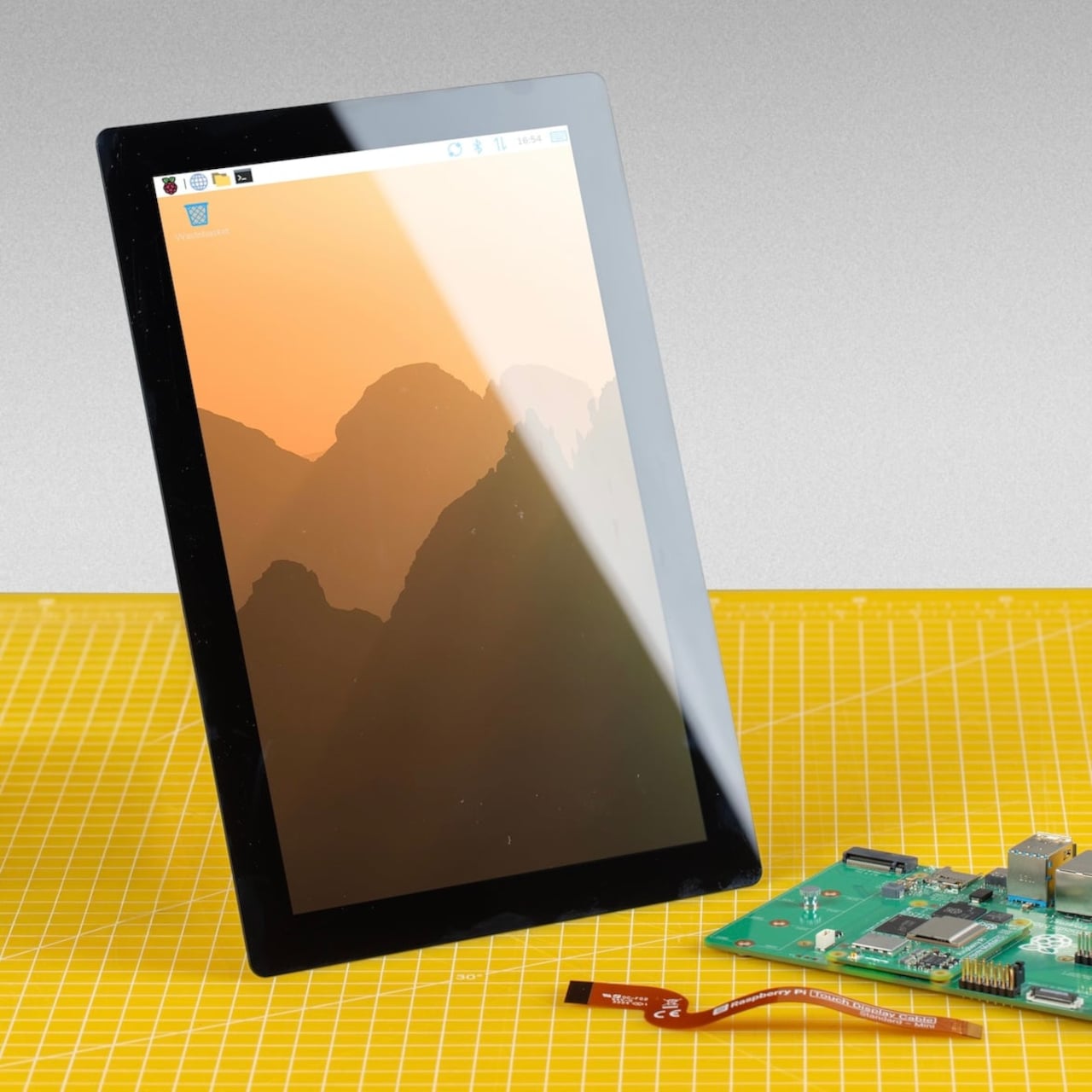
Raspberry Pi has released a 10-inch variant of its Touch Display 2, completing a family that now spans 5-inch, 7-inch, and 10-inch options. At $80, it’s the largest and most capable screen the company has offered as an official first-party accessory, and it arrives with a meaningful set of upgrades beyond simply being bigger. The resolution jumps to 1200×1920 pixels from the 720×1280 available on the smaller models, and touch support doubles to ten-point capacitive from the five-point that the 5-inch and 7-inch variants offer.
That resolution increase matters more than the raw numbers suggest. On a 10-inch IPS panel with an anti-glare surface and 400 cd/m² brightness, the extra pixel density makes text and UI elements genuinely crisp rather than just adequate. Anyone who’s tried building a home automation dashboard or a workshop control panel with a 7-inch screen knows how quickly the interface can feel cramped. Ten inches gives those layouts room to breathe.
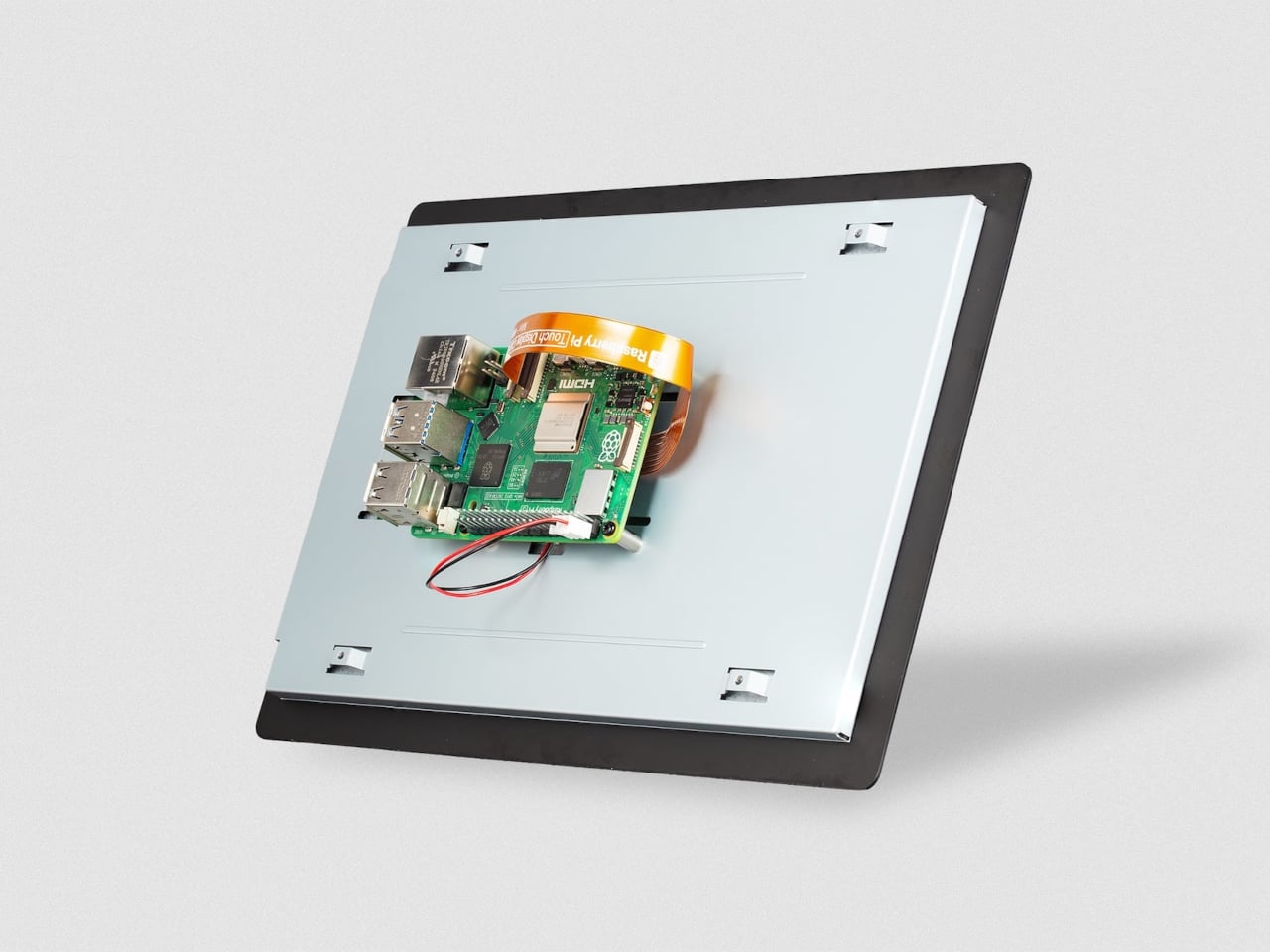
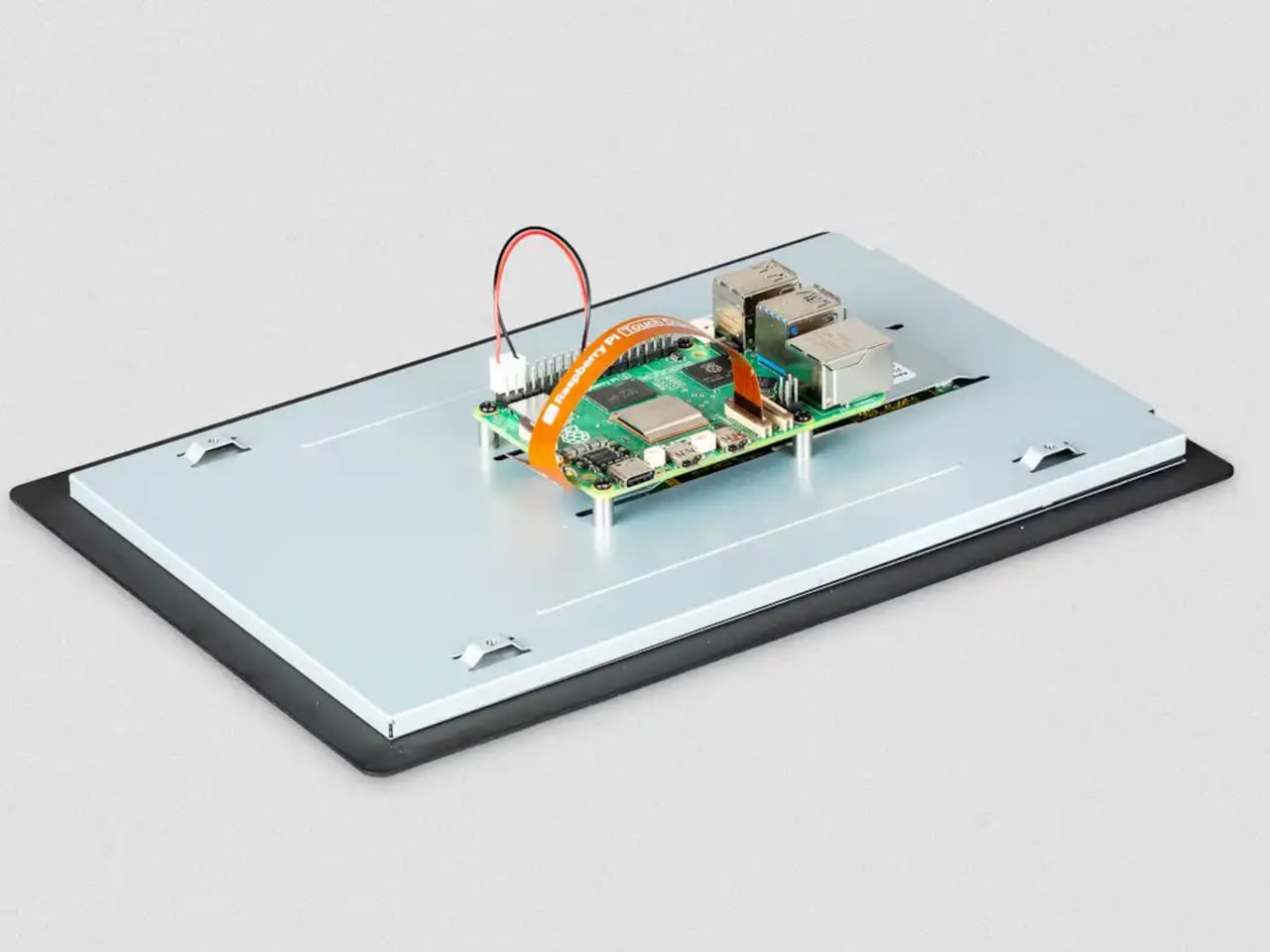
The physical setup follows the same principle the Touch Display 2 family has always used. The display mounts to the rear of a Raspberry Pi 5 using four M2.5 screws, and it draws power directly from the board’s GPIO, so there’s no need for a separate power supply. Raspberry Pi OS detects the screen automatically with full driver support, including the on-screen keyboard. No manual configuration, no hunting for drivers.
The 10-inch model does require a Raspberry Pi 5 or a Compute Module paired with a compatible carrier board. The panel uses four DSI lanes to maintain a stable 60Hz refresh rate, and earlier standard Pi models only support two, so they can’t run this display. For the builders already working with a Pi 5, that’s a natural fit. For those still on older hardware, the 7-inch and 5-inch options remain in production.
A display this size changes what a Pi-based project can realistically look like in a finished state. A kiosk that actually feels like a kiosk. A digital signage panel that doesn’t look like a proof-of-concept. A robotics control interface with enough screen real estate to show sensor data without squinting. Even a portable gaming system that approaches the comfort of a commercial handheld.
The IPS panel supports an 85-degree viewing angle and operates across a temperature range of −20°C to +70°C, which makes it a reasonable fit for environments that aren’t strictly climate-controlled. Both portrait and landscape orientations are supported in software, giving builders flexibility in how they mount the display relative to the rest of the build.
Anyone who’s deep in the Apple ecosystem knows the charging problem all too well. There’s an iPhone that needs its MagSafe puck, an Apple Watch on its magnetic disc, and AirPods waiting for their wireless spot. Before long, the desk or bedside table has turned into a tangle of cables and pads, and that’s without thinking about what happens when you need to travel.
The wireless charging accessory market has responded with a wave of multi-device stands, but most of them tend to pick a lane. Either fast and capable or foldable and portable, premium-looking or compact, but rarely all of the above. ADAM elements is trying to change that with the Mag 3 Ultra, a foldable 3-in-1 charging station designed to cover all those bases without asking you to give something up.
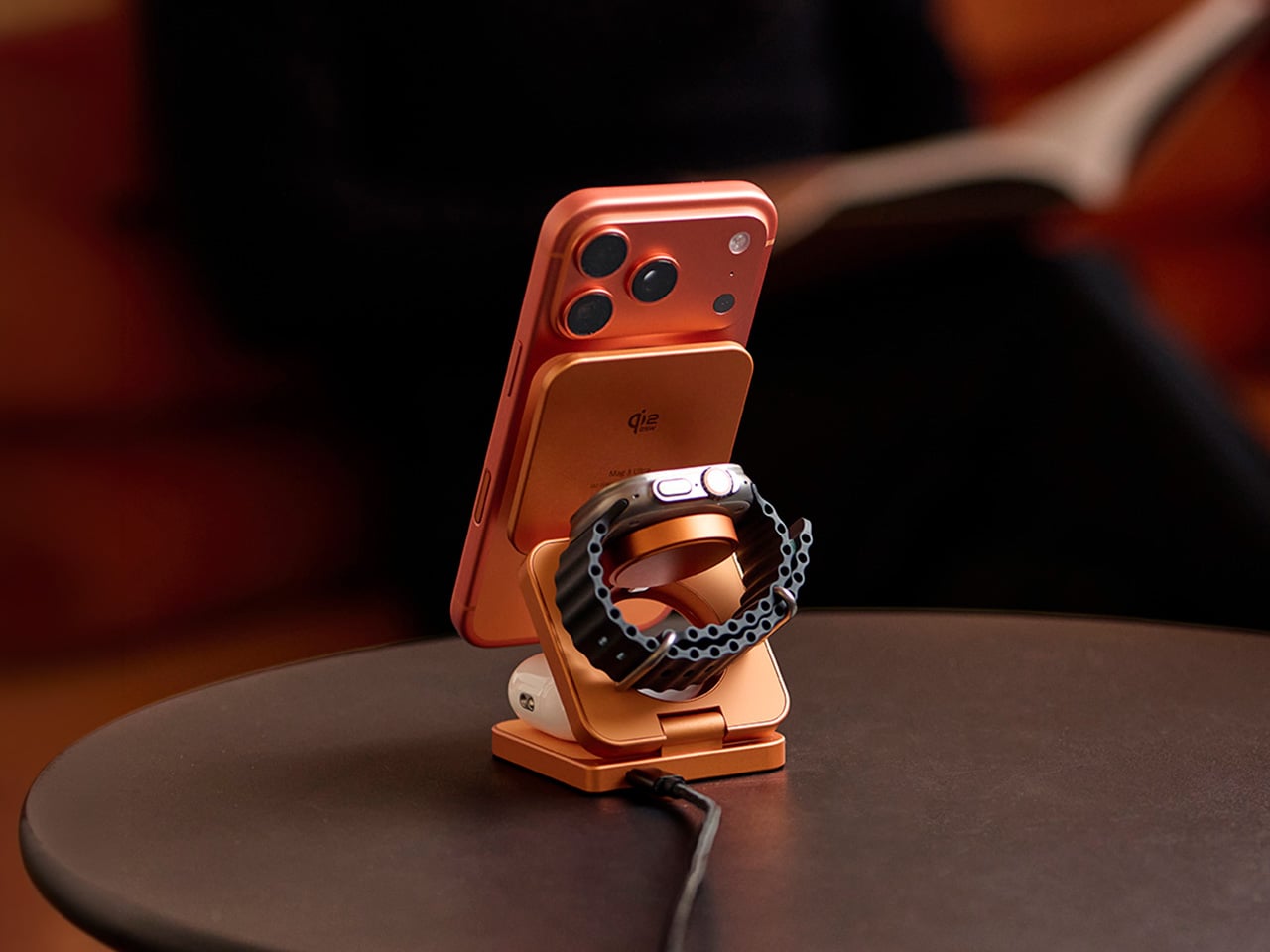
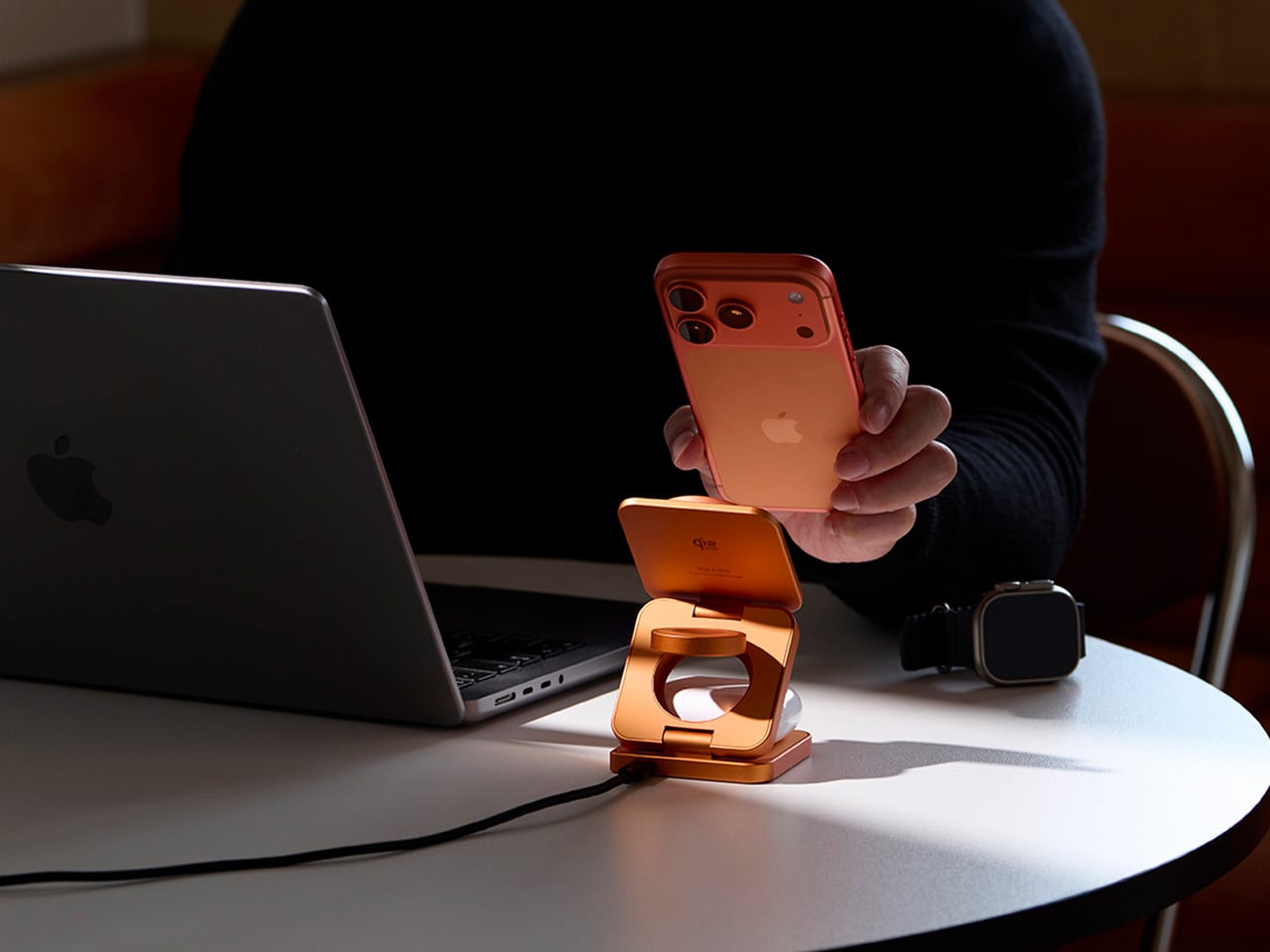
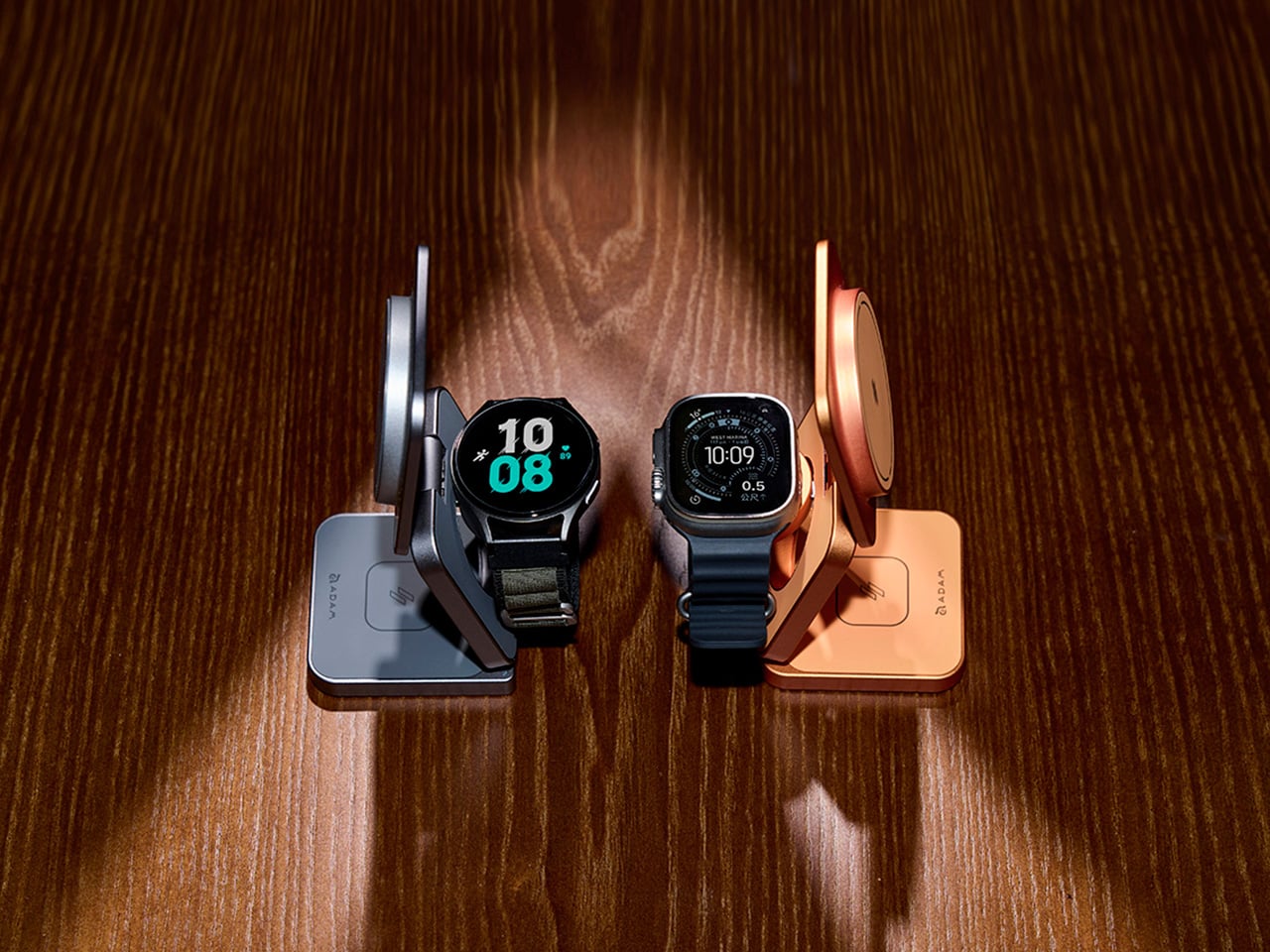
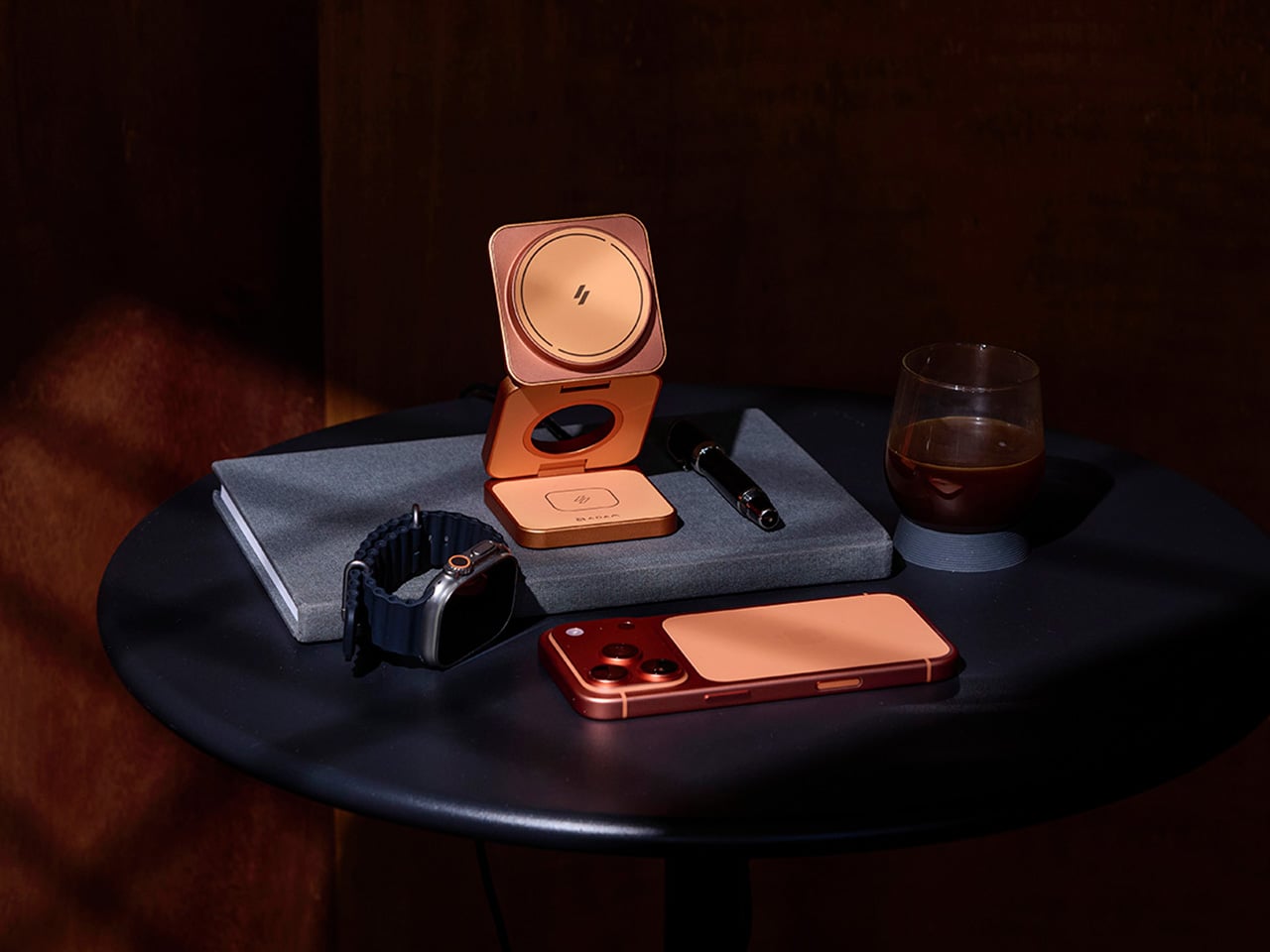
The first thing you notice about the Mag 3 Ultra is that it doesn’t look like most charging accessories. It’s made from precision CNC-machined aluminum alloy with a sandblasted texture and anodized finish, so it sits well alongside the premium devices it’s designed to power. It comes in three colorways: Titanium, Gray, and Orange, with Orange being the most visually striking of the three.
On the performance side, the Mag 3 Ultra’s main phone module is certified under the WPC Qi2 25W standard, which ADAM elements says delivers notably faster charging efficiency than 15W-class Qi2 chargers. The 25W output works best on the iPhone 16 and 17 series, while MagSafe-compatible iPhones from the 12 through 15 series still get Qi2 15W. Either way, it’s well ahead of older wireless charging speeds.
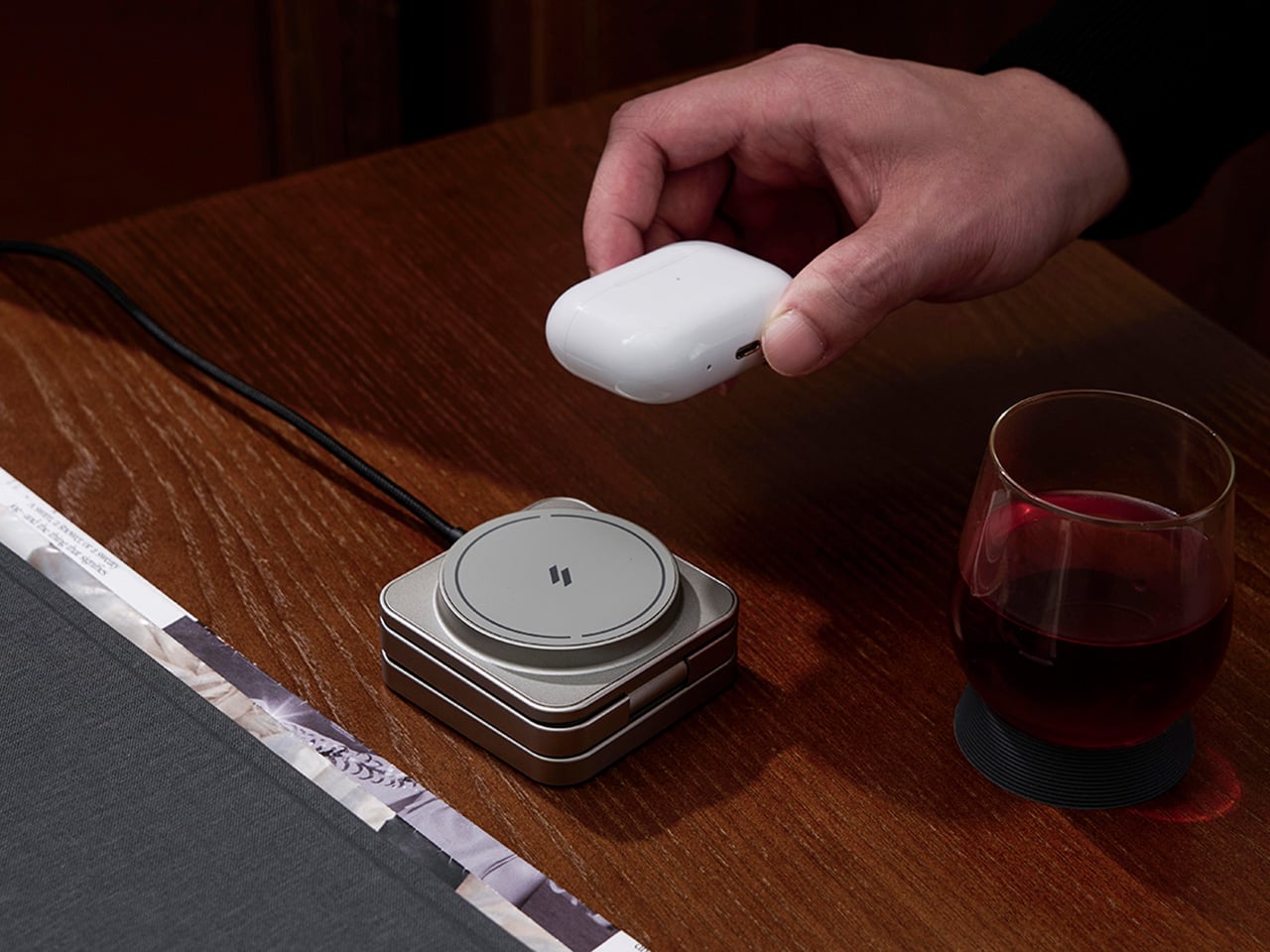
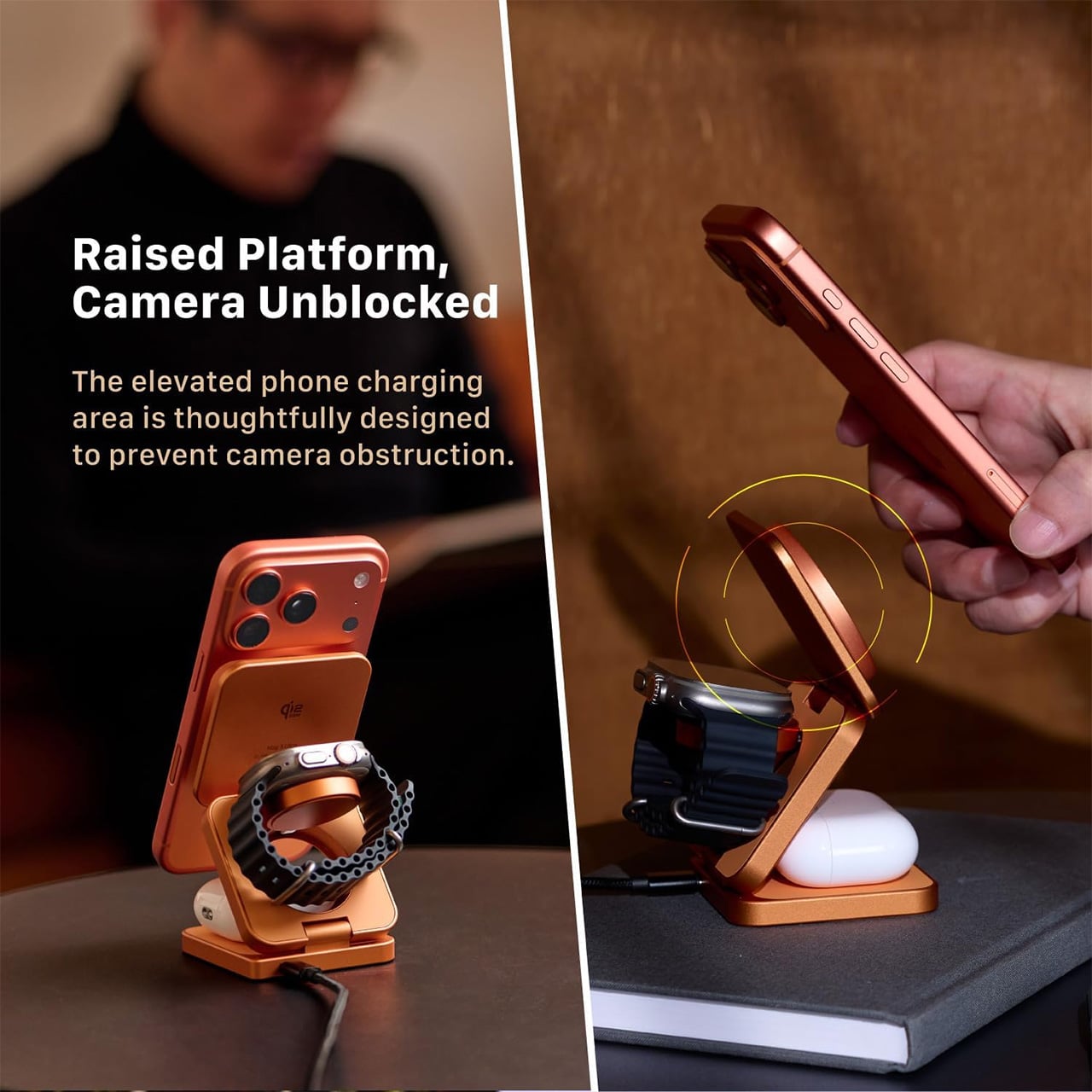
What makes the Mag 3 Ultra genuinely convenient is how it handles all three devices at once. Your phone snaps magnetically onto the main pad, your Apple Watch or Samsung Galaxy Watch sits on the dedicated watch dock, and your AirPods rest on the base charging area. It all happens concurrently, and the whole setup takes up a small footprint with just one USB-C cable.
The phone charging pad sits raised above the base, which keeps the camera bump clear and unobstructed. It’s a small but thoughtful design choice that makes the charger genuinely usable while it’s working. The magnetic connection holds the phone in both portrait and landscape orientations, so you can catch up on messages, follow a tutorial, or stream something while your battery climbs.
The watch module is worth noting for its dual-system compatibility. It supports both Apple Watch and Samsung Galaxy Watch via magnetic charging, which makes the Mag 3 Ultra a practical option for households where not everyone is on the same wearable platform. It’s a sensible call that broadens the charger’s appeal well beyond the strictly Apple-only crowd that most competitors in this category target.
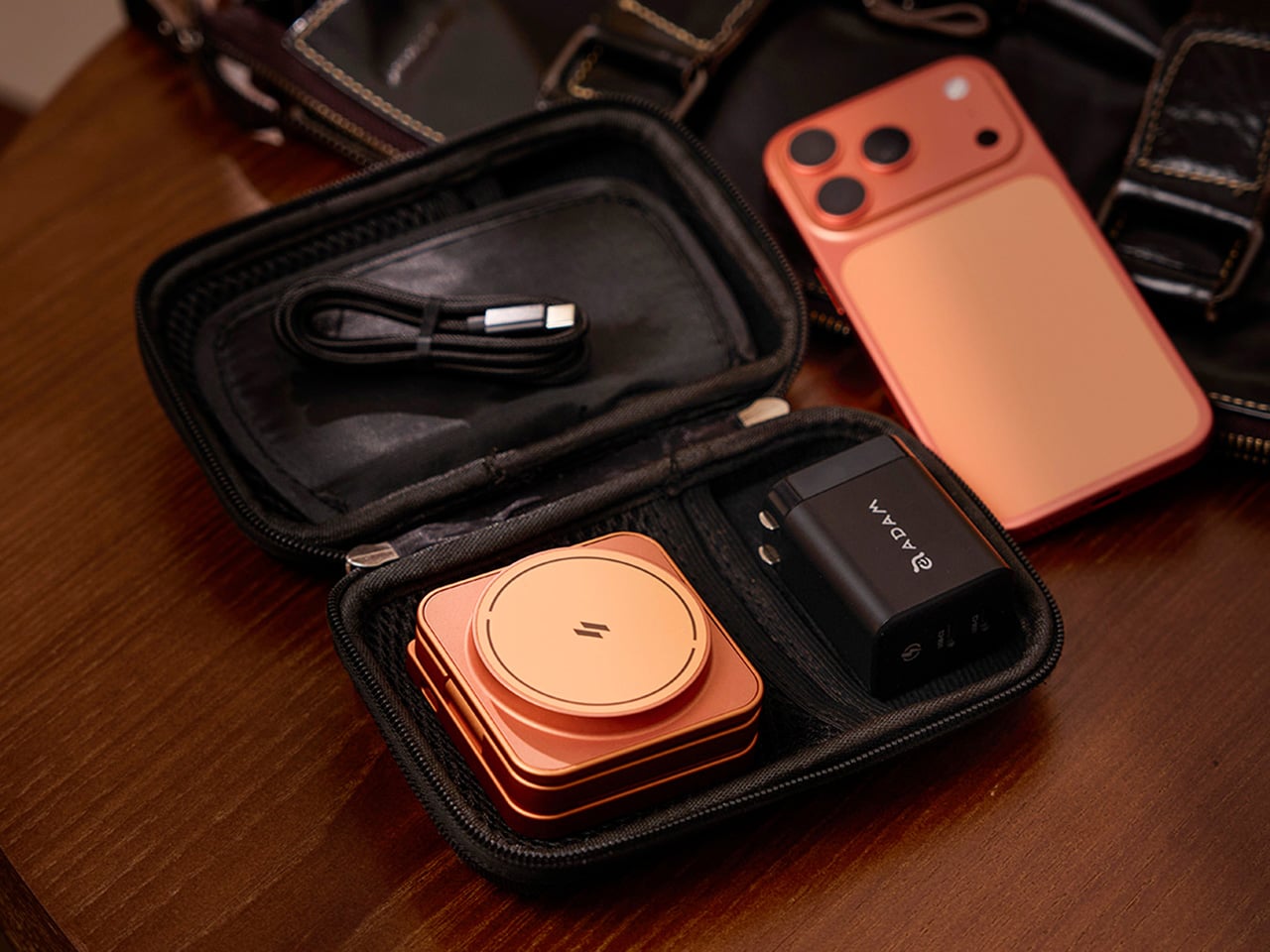
The foldable design is arguably where the Mag 3 Ultra makes its strongest case. It collapses to 66mm x 66mm x 29.5mm and weighs 205.5g, small enough to slip into a bag pocket or carry-on. A 100cm USB-C cable and protective fabric pouch are included, so the same station that lives on your desk can just as easily go on the road.
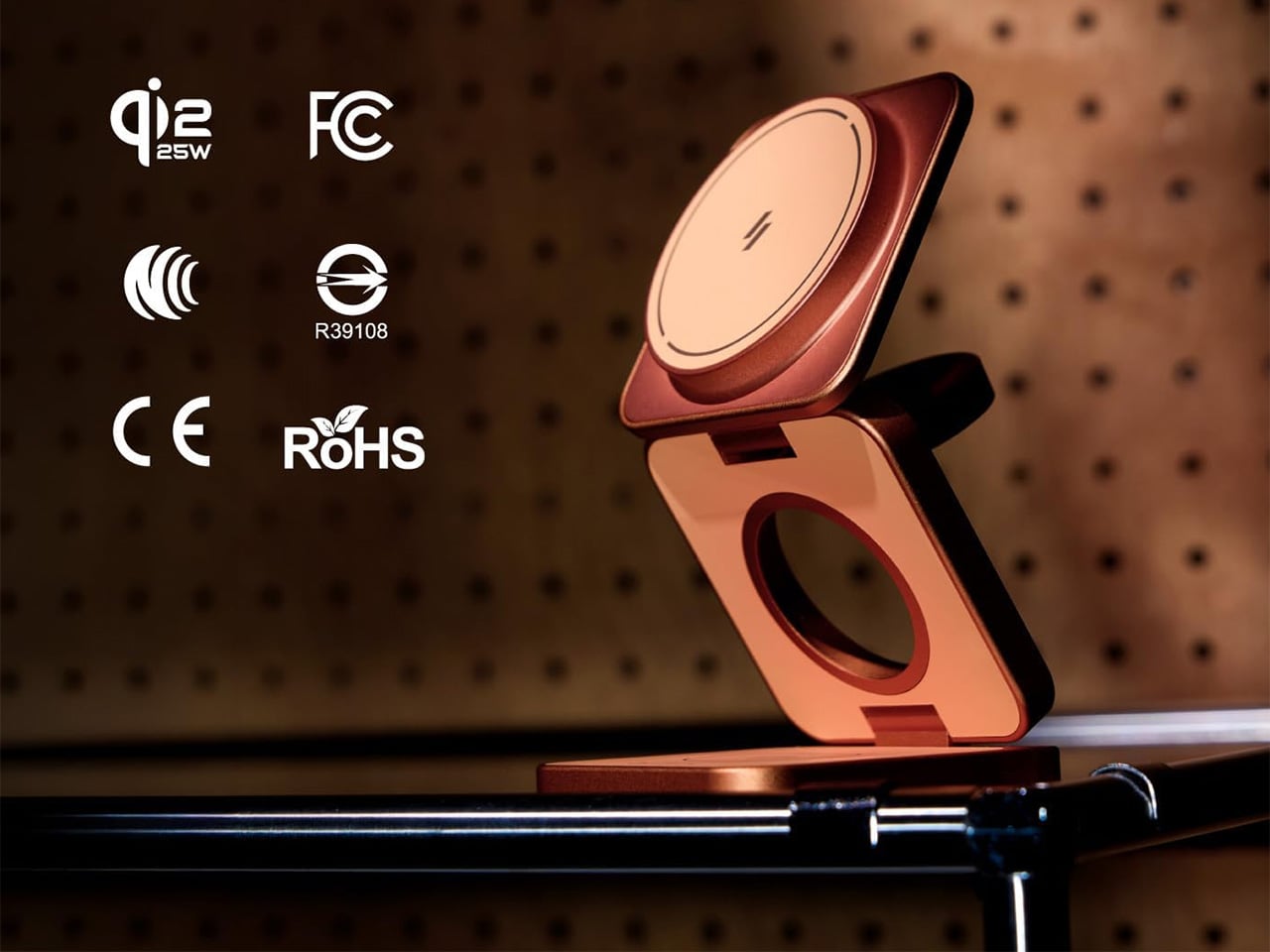
There’s also a solid set of safety protections built in, including Foreign Object Detection to prevent metal interference during charging, along with overcharge, overheat, and short-circuit safeguards. It carries Qi2, CE, FCC, RoHS, BSMI, and NCC certifications. For peak simultaneous three-device performance, ADAM elements recommends pairing it with a 45W or higher USB-C PD adapter, and it comes backed by a three-year limited warranty.
Wireless charging accessories rarely get talked about the same way a well-designed product would, but the Mag 3 Ultra is a good reason to start. The three colorways it comes in, especially that bold Orange, are a clear sign that ADAM elements wants this sitting on your desk where people can actually see it, not tucked behind your laptop where most chargers tend to end up.
Wireless gaming headsets have carried a quiet contradiction since they first appeared. Cutting the cable was supposed to mean more freedom, but the moment the battery dropped, you were plugging back in anyway, tethered to a wall or a charging dock and waiting. The industry’s answer has been to push battery life further with each generation, but even a 60- or 70-hour headset runs flat eventually, usually in the middle of something.
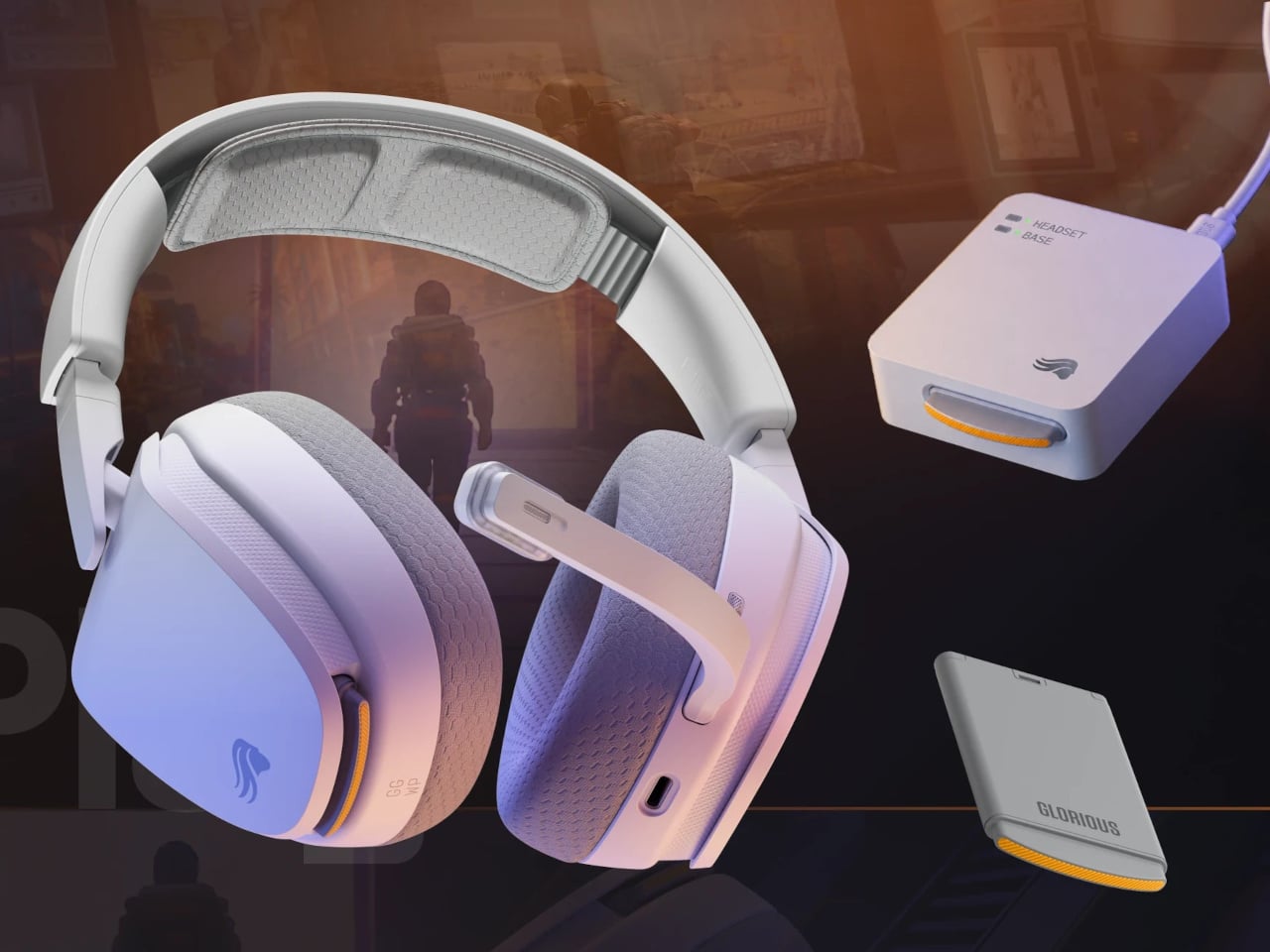
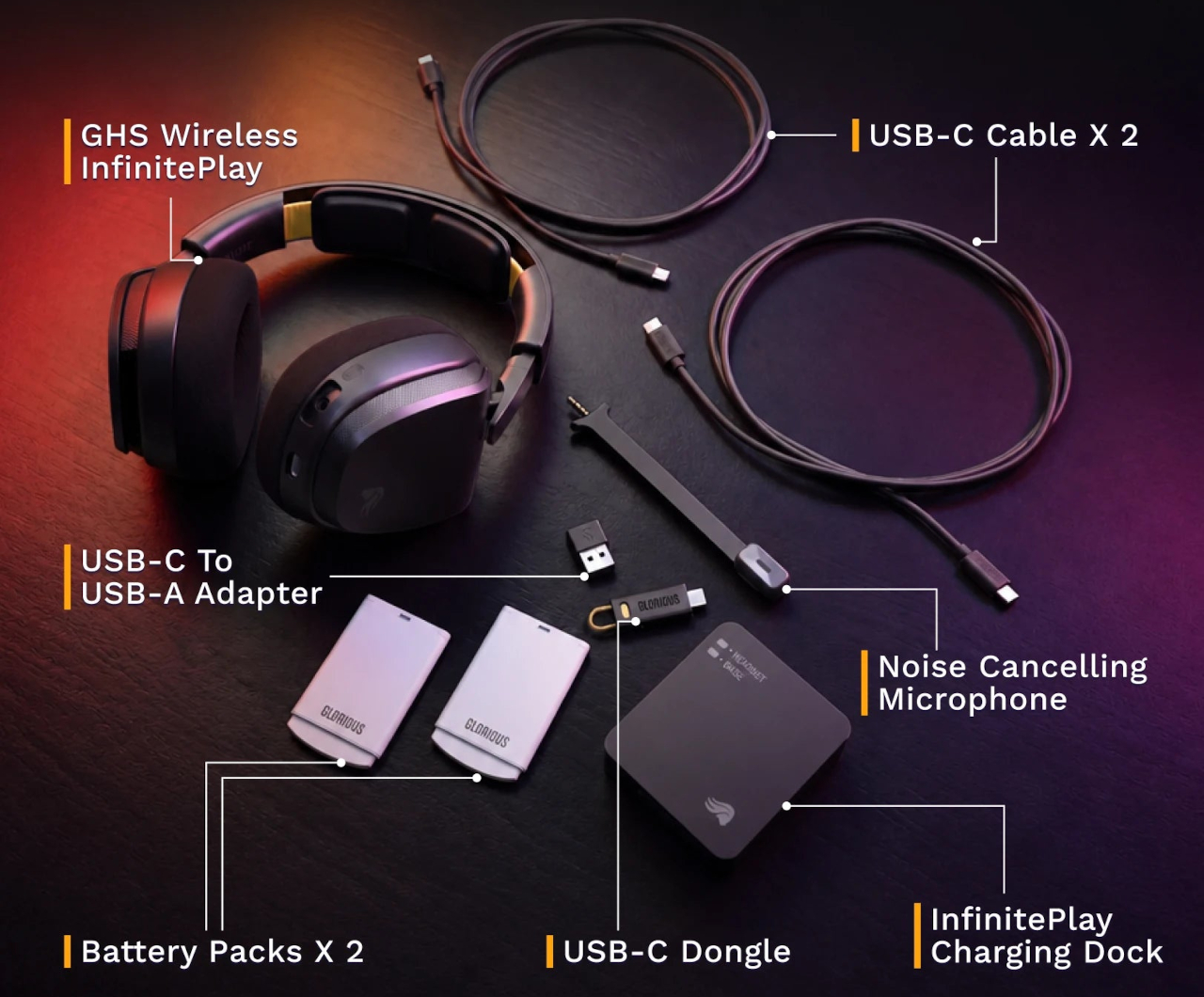
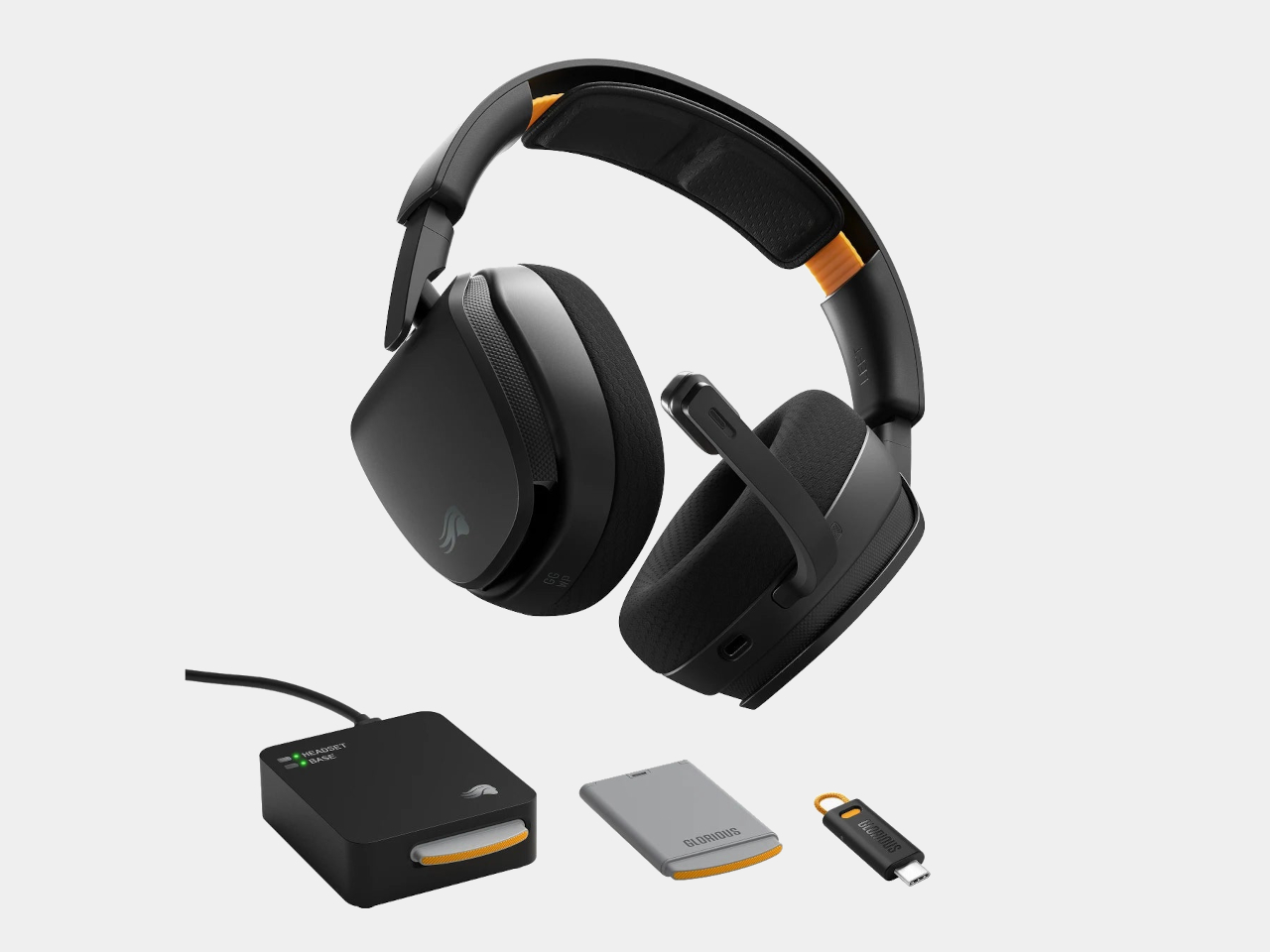
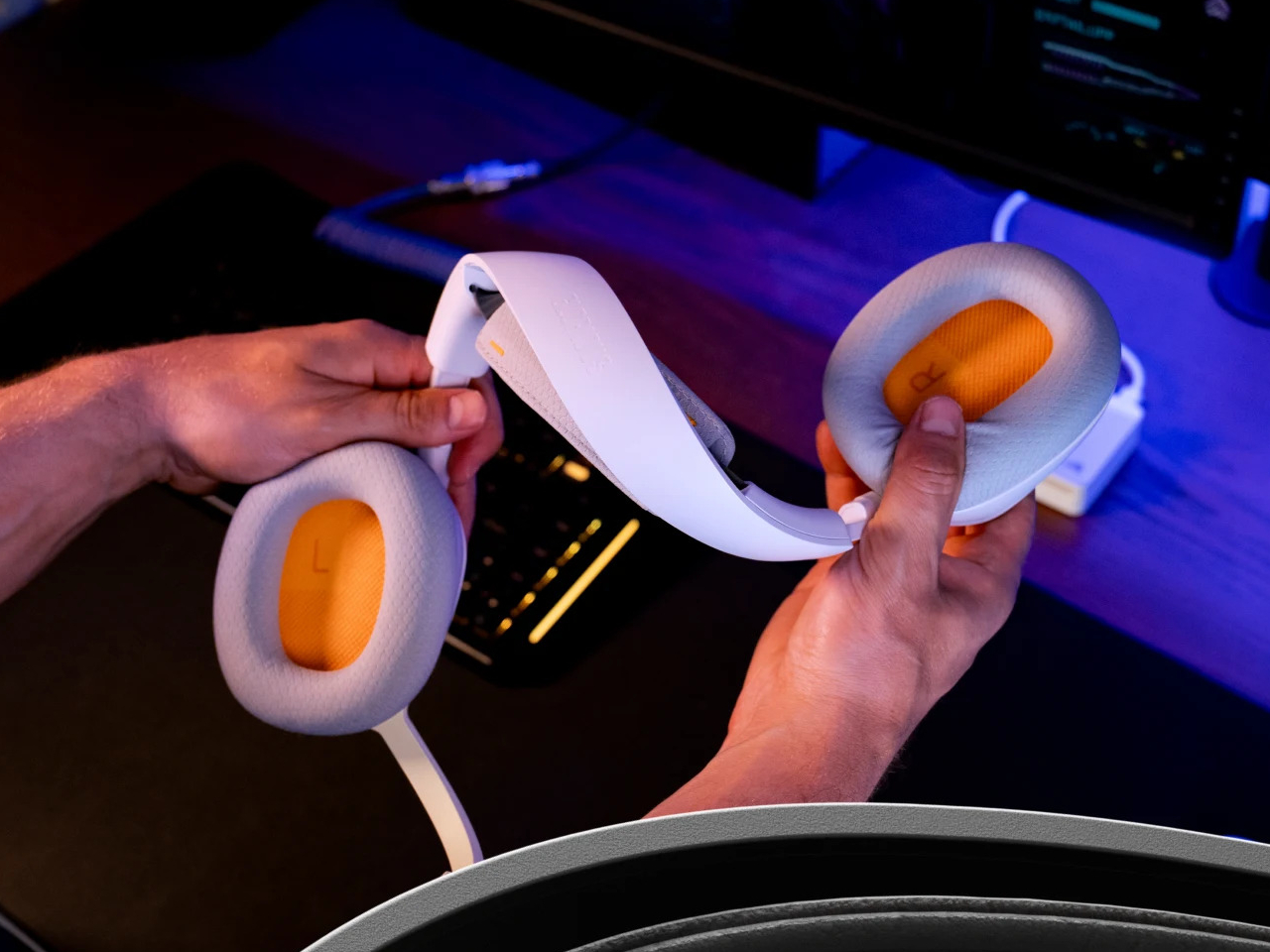
Glorious took a different angle with the GHS Wireless InfinitePlay. Rather than chasing a single larger battery, the headset ships with two hot-swappable 85-hour battery packs and an internal Guardian Battery reserve that bridges the gap during the moment of the swap. The result is a headset that, in practical terms, never actually stops playing, because by the time one pack drains, the other is already charged and ready.
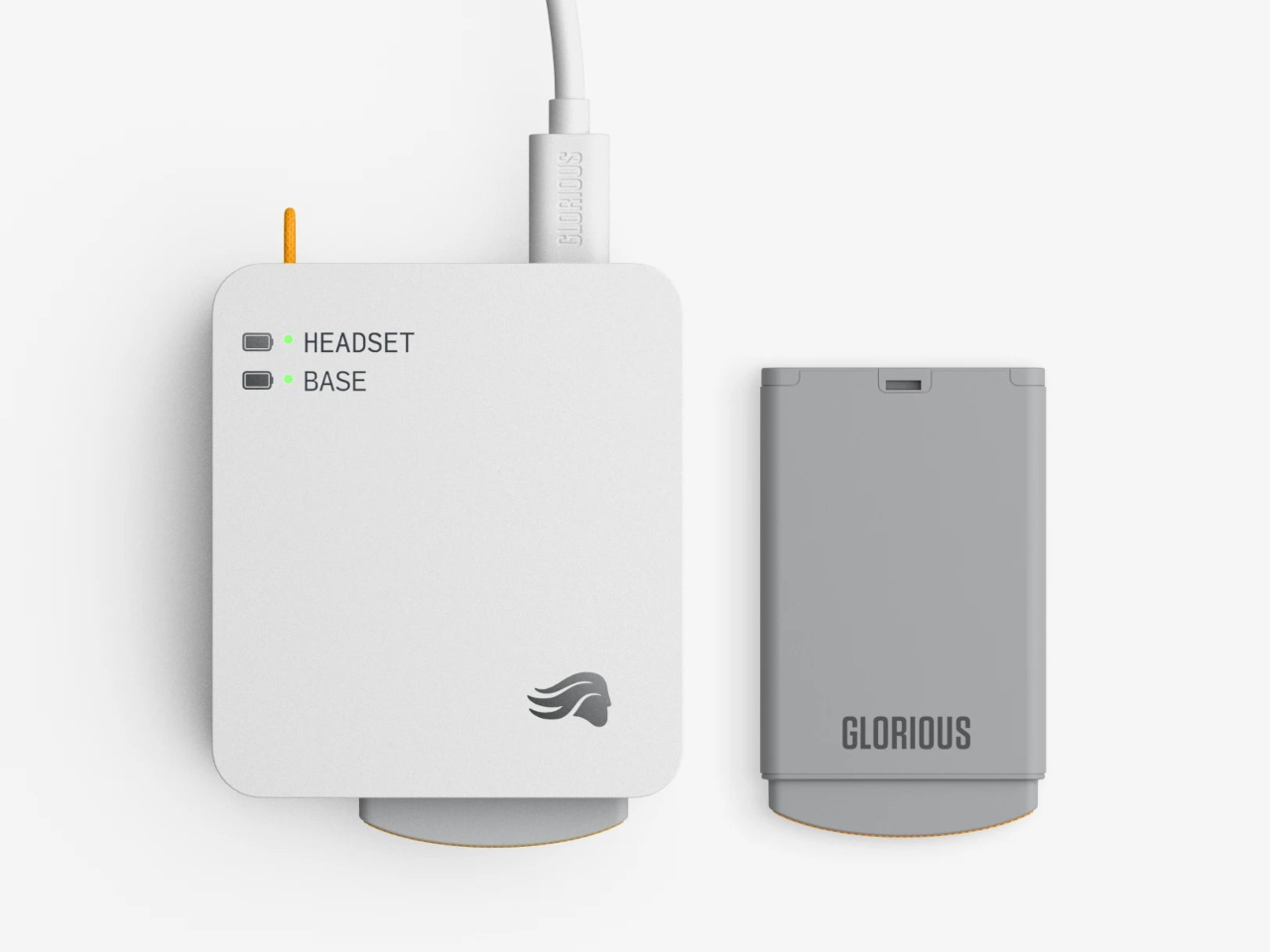
The system works through a dual-purpose charging base that also serves as the 2.4 GHz wireless dongle. One battery sits in the headset while the other charges on the base. When the depleted pack comes out and the charged one slots in, the Guardian Battery, which can run the headset independently for about 3 hours, has already kept audio uninterrupted through the swap. There’s no pause in sound and no drop in connection.
Combined, the two packs add up to more than 170 hours of capacity. For any kind of extended session, a long run at a tournament, a weekend of back-to-back play, or everyday use where charging gets forgotten, the swap-based approach removes the anxiety from the equation entirely. Swap the battery, put the depleted one on the dock, and carry on without another thought about it.
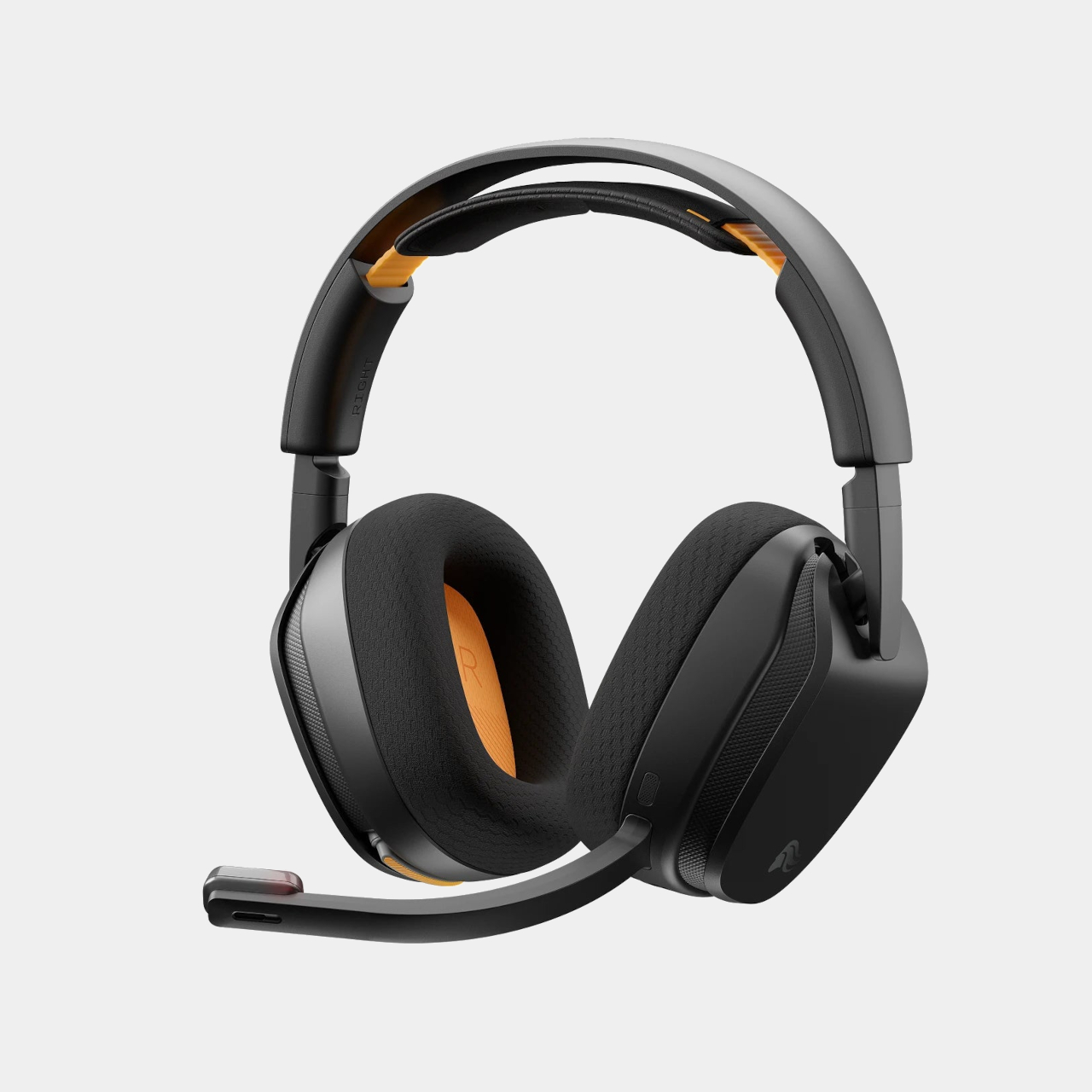
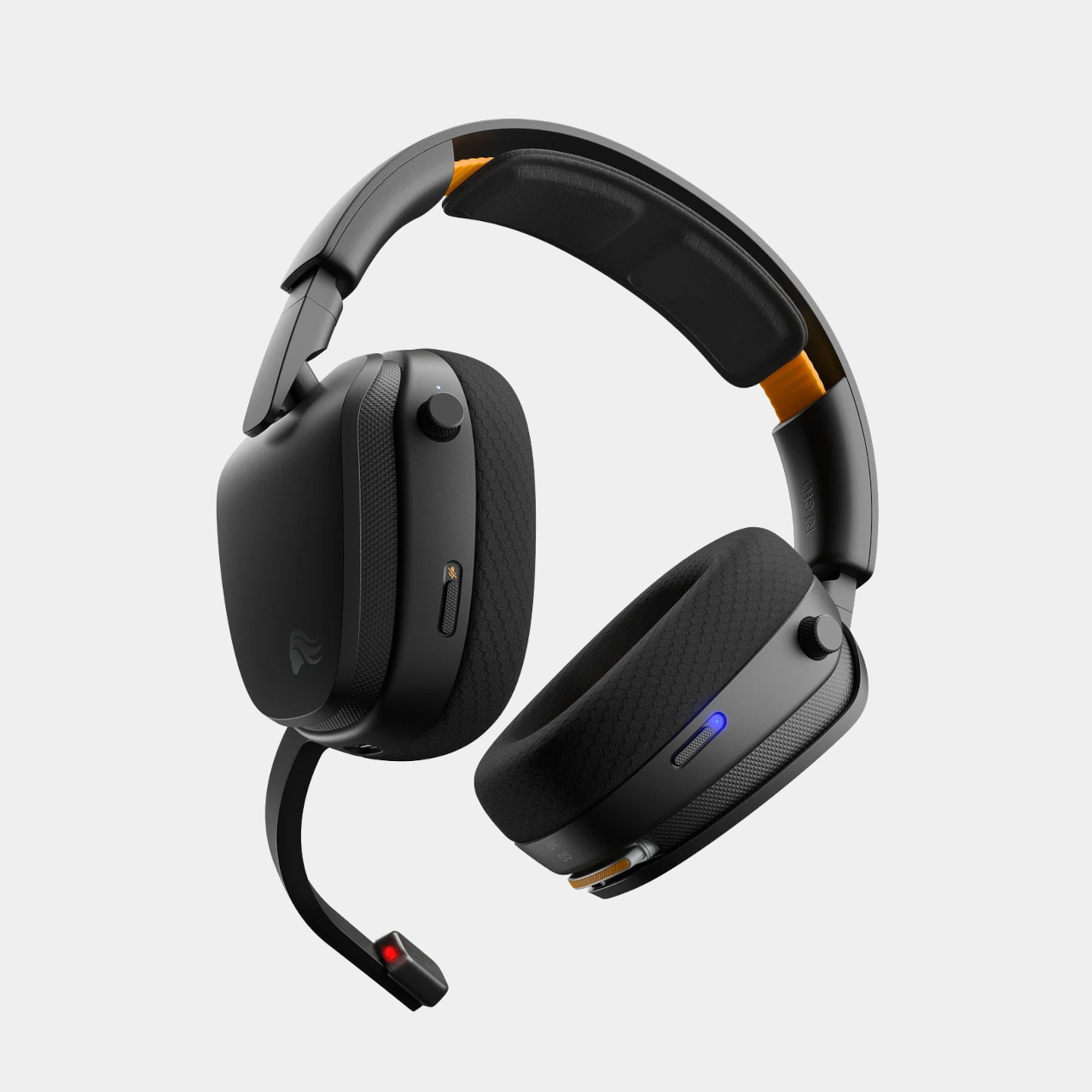
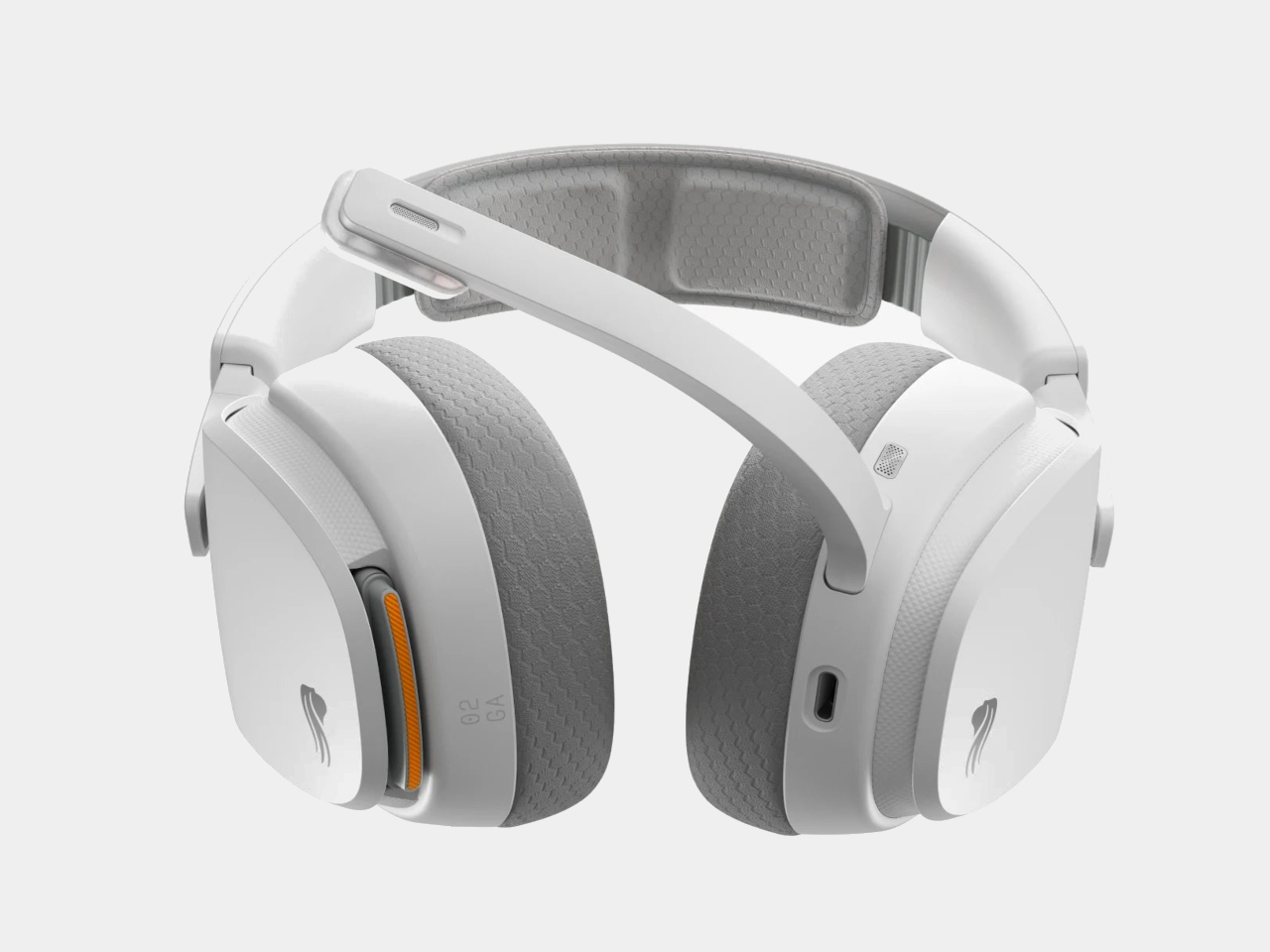
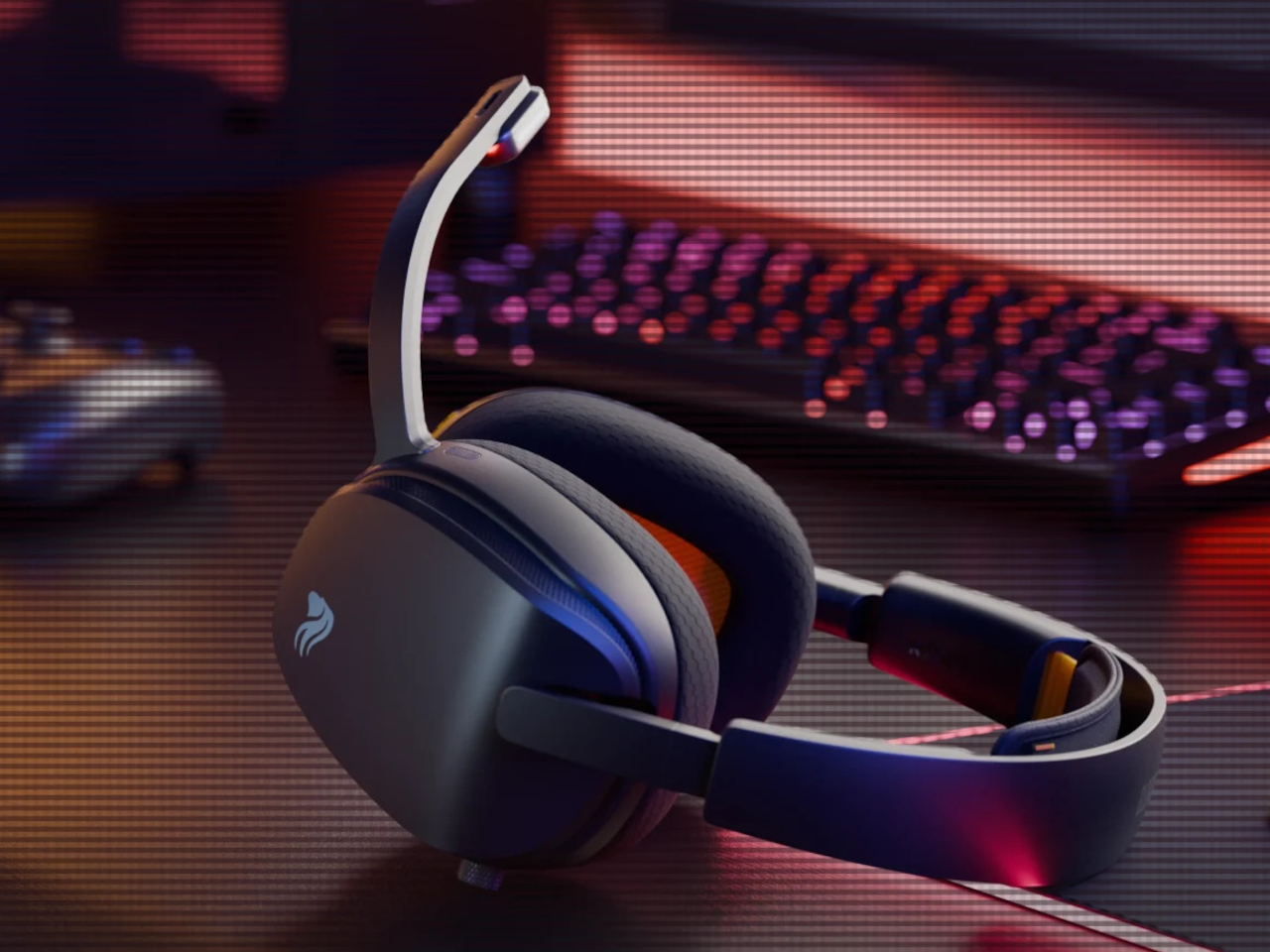
The headset is built around 40mm custom-tuned drivers angled to improve clarity and stereo imaging, covering a frequency response of 20Hz to 20kHz. The detachable boom microphone is noise-cancelling, and the ear cups use memory foam padding over a suspension headband that distributes the 360g weight across the top of the head. Connectivity covers both 2.4 GHz wireless for low-latency gaming and Bluetooth 5.4 for everything else, switchable with one button press.
That Bluetooth mode makes the headset practical outside the gaming setup too. Moving from a PC session to a phone call or a commute doesn’t require switching to a different pair of headphones. The same swap-and-go logic applies to any situation where the headset is living on your head for extended stretches, and the battery system works just as well whether you’re at a desk or out the door.
Most hot-swappable headsets at higher price points make the process awkward or require specific docking sequences. Glorious kept it simple enough to execute mid-session without missing a beat, which is ultimately the only version of this feature that actually matters. The GHS Wireless InfinitePlay is priced at $229.99 and comes in black and white. Both battery packs and the charging base are included in the box, so the whole swappable system is ready to go from day one, not sold separately as an add-on down the line.
There’s a growing frustration with fitness wearables that has nothing to do with their accuracy or features. It’s the screen. Even devices that track recovery and stress can contribute to the same screen-checking habit they’re supposed to help reduce, turning what should be a passive health monitor into just another thing demanding attention on your wrist. The smartwatch category has leaned further into displays, notifications, and apps, leaving a gap for something that doesn’t do any of that.
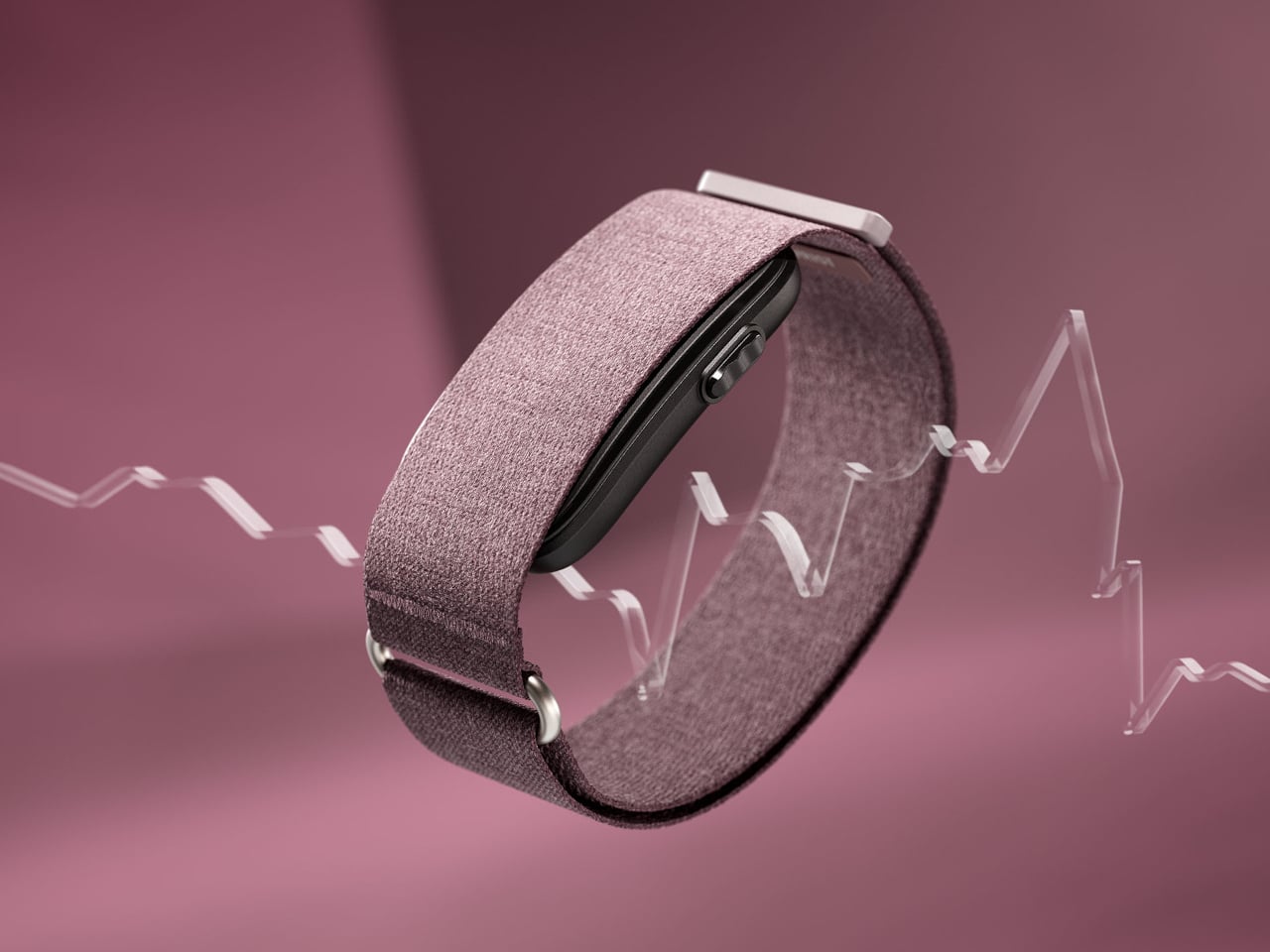
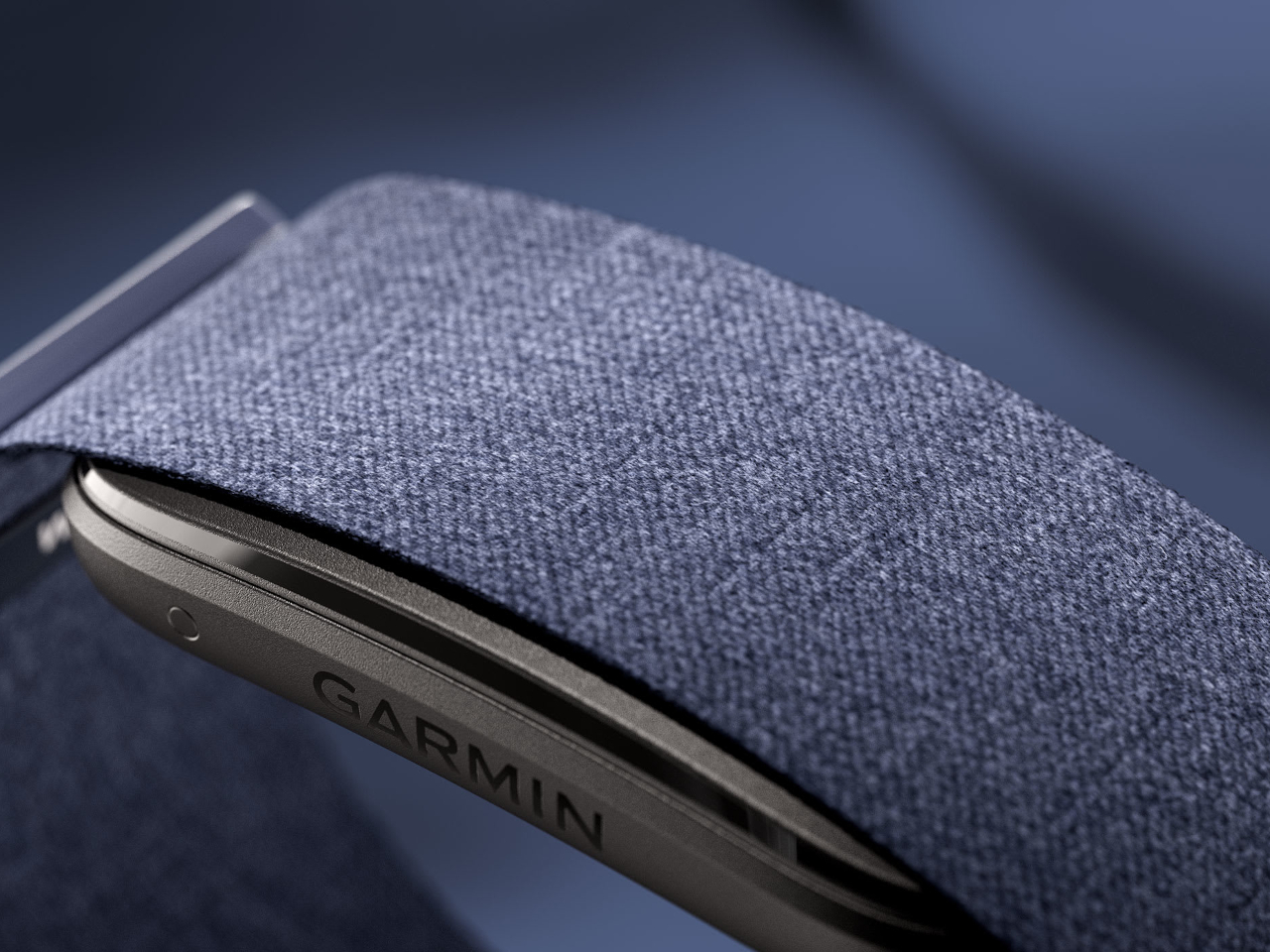
The Garmin CIRQA is Garmin’s first screen-free smart band, and the pitch is straightforward. It tracks everything, shows you nothing on the wrist, and routes all the data to the Garmin Connect app for review when you actually want to look. There’s no display to glance at, no notifications, no interface to interact with during the day. The band does its job in the background, and you check the results on your terms.
Worn on the wrist or moved up to the upper arm for sleeping or specific activities, the CIRQA runs 24 hours a day on a single charge for up to ten days. The sensor stack covers all the metrics Garmin is known for: continuous heart rate, Body Battery energy monitoring, Pulse Ox, stress, skin temperature, HRV status, and comprehensive sleep tracking including sleep stages, a sleep score, and nap detection. Women can also track their menstrual cycle and sync skin temperature data with the FDA-cleared Natural Cycles birth control app.
Fitness tracking doesn’t require picking up the phone either. The band detects and records activities automatically, and the more you review and correct those logs in Garmin Connect, the better it gets at classifying your workouts without prompting. For sessions where you want more control, a single side button lets you manually start any of 80-plus activities. Connected GPS borrows location data from a paired smartphone for accurate outdoor pace and distance, and LiveTrack lets people follow your route in real time.
The monitoring side goes deeper than basic step counting. Training readiness, VO2 Max estimates, and workout recovery time give athletes a fuller picture of whether a day calls for a hard effort or an easy spin. The CIRQA was built to complement Garmin’s watch lineup rather than replace it. Someone who already runs with a Forerunner can use the CIRQA to handle overnight recovery and all-day wellness without wearing the watch to bed or to the office.
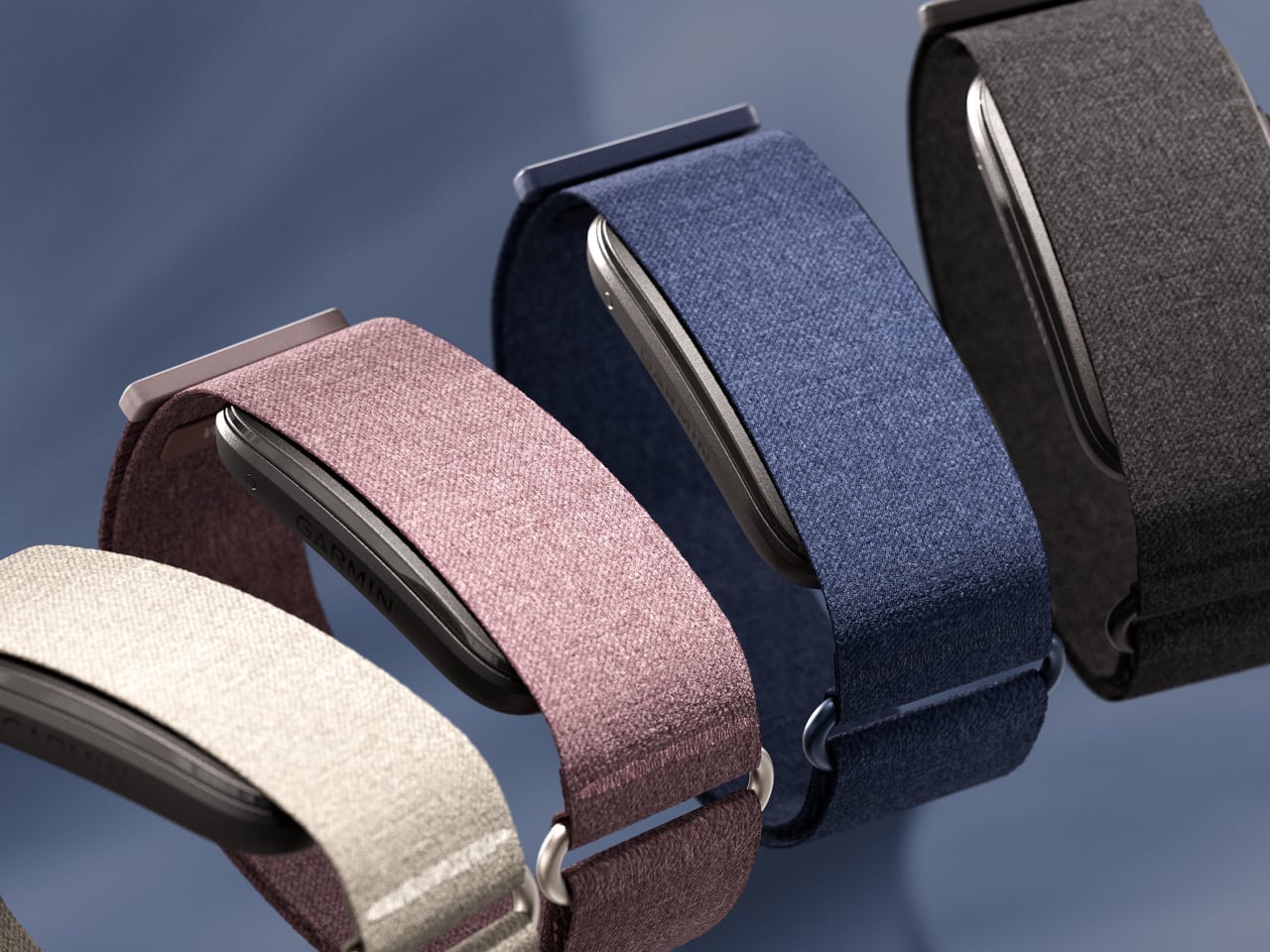
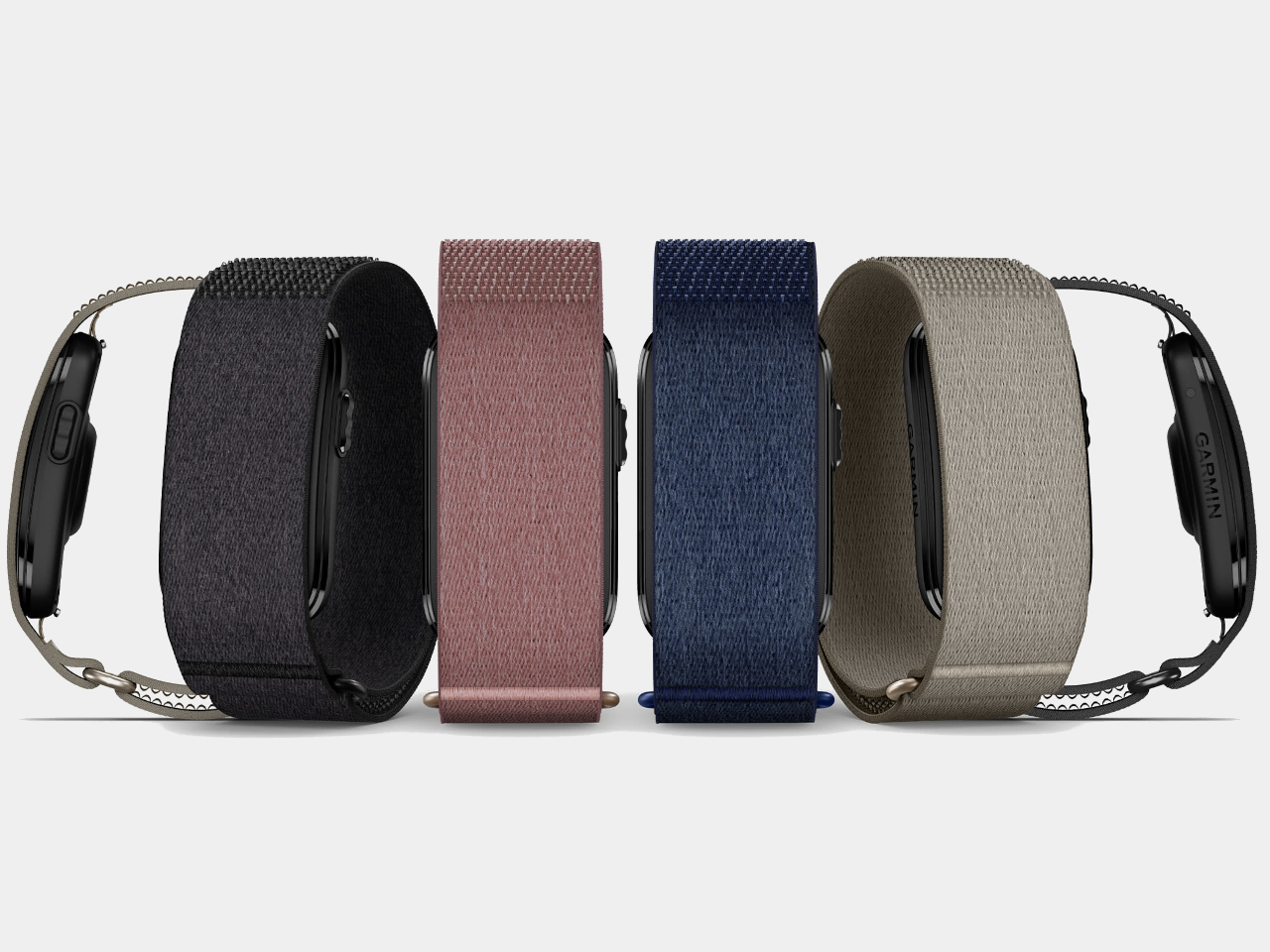
The band comes in a soft ComfortFit fabric strap that Garmin designed to fade into the background and sits in a compact sensor module with a fiber-reinforced polymer housing. Colors include Black, French Gray, Berry, and Navy, with seven additional accessory band options for the wrist. Both wrist and upper-arm sizing are available in two fits.
The CIRQA Smart Band is priced at $199.99, and no subscription is required for the core feature set, which is a pointed difference from Whoop, the most obvious comparison in this category. Garmin does offer optional Connect+ upgrades for coaching and advanced guidance, but the full tracking stack works without it.
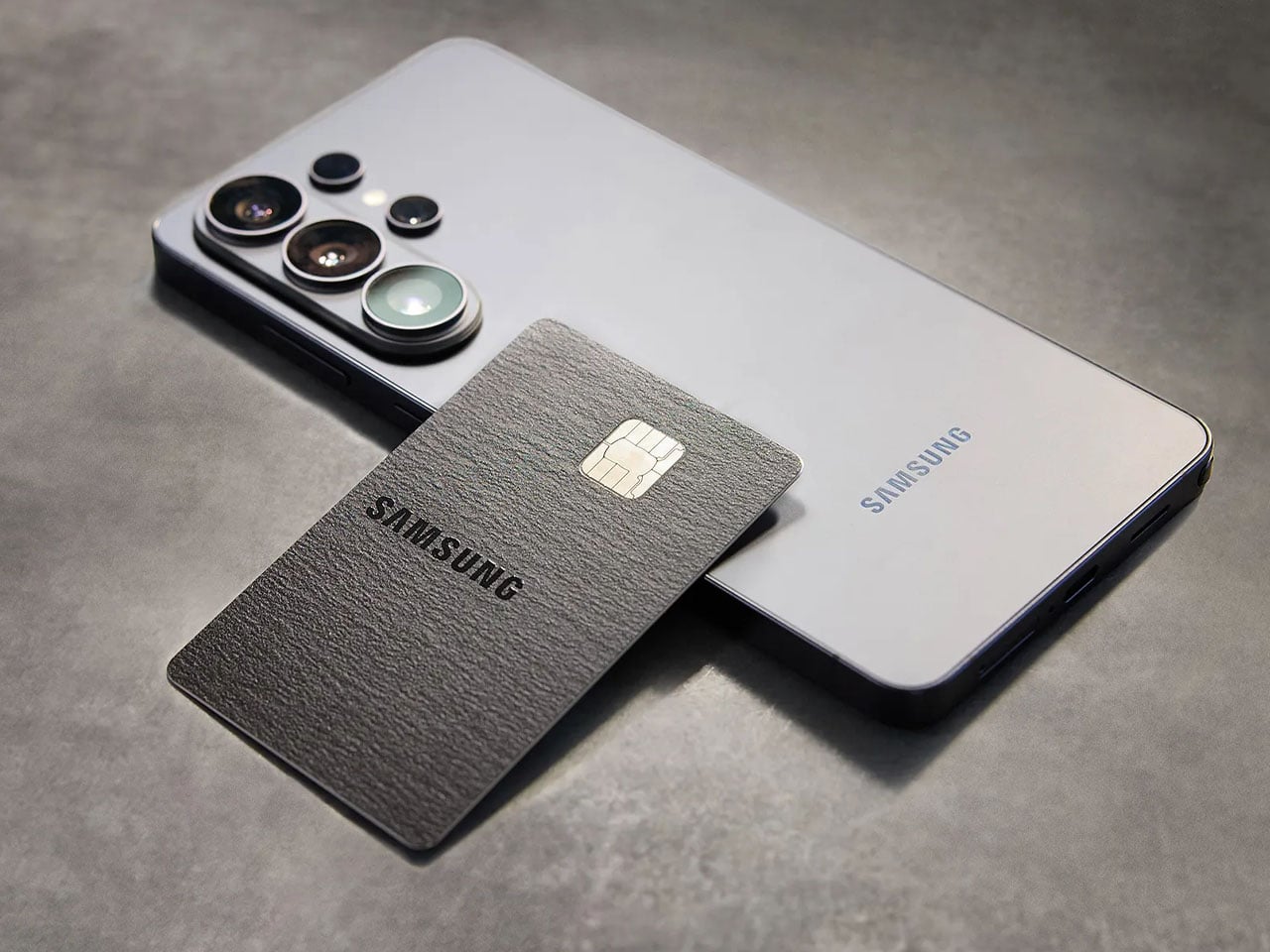
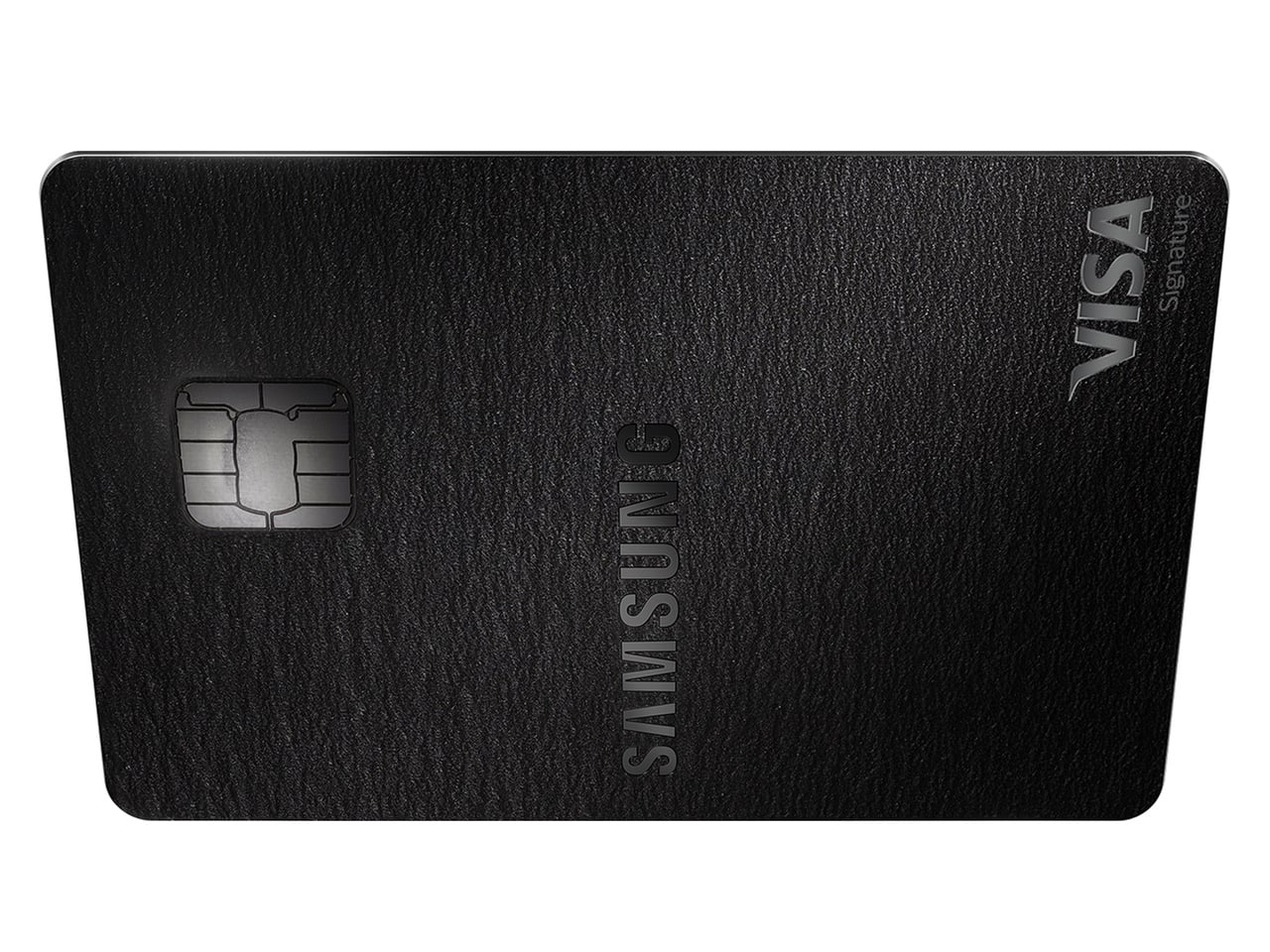
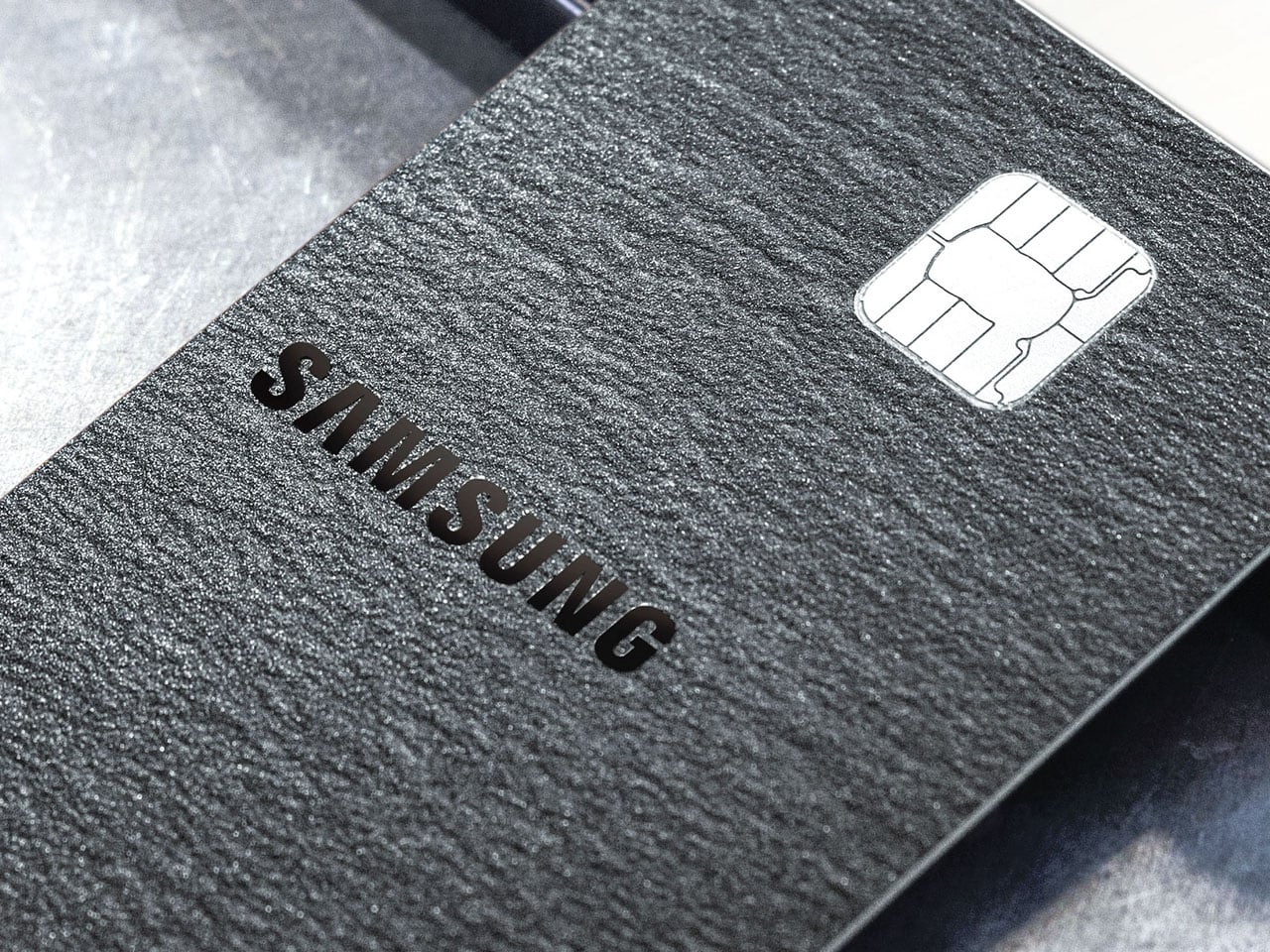
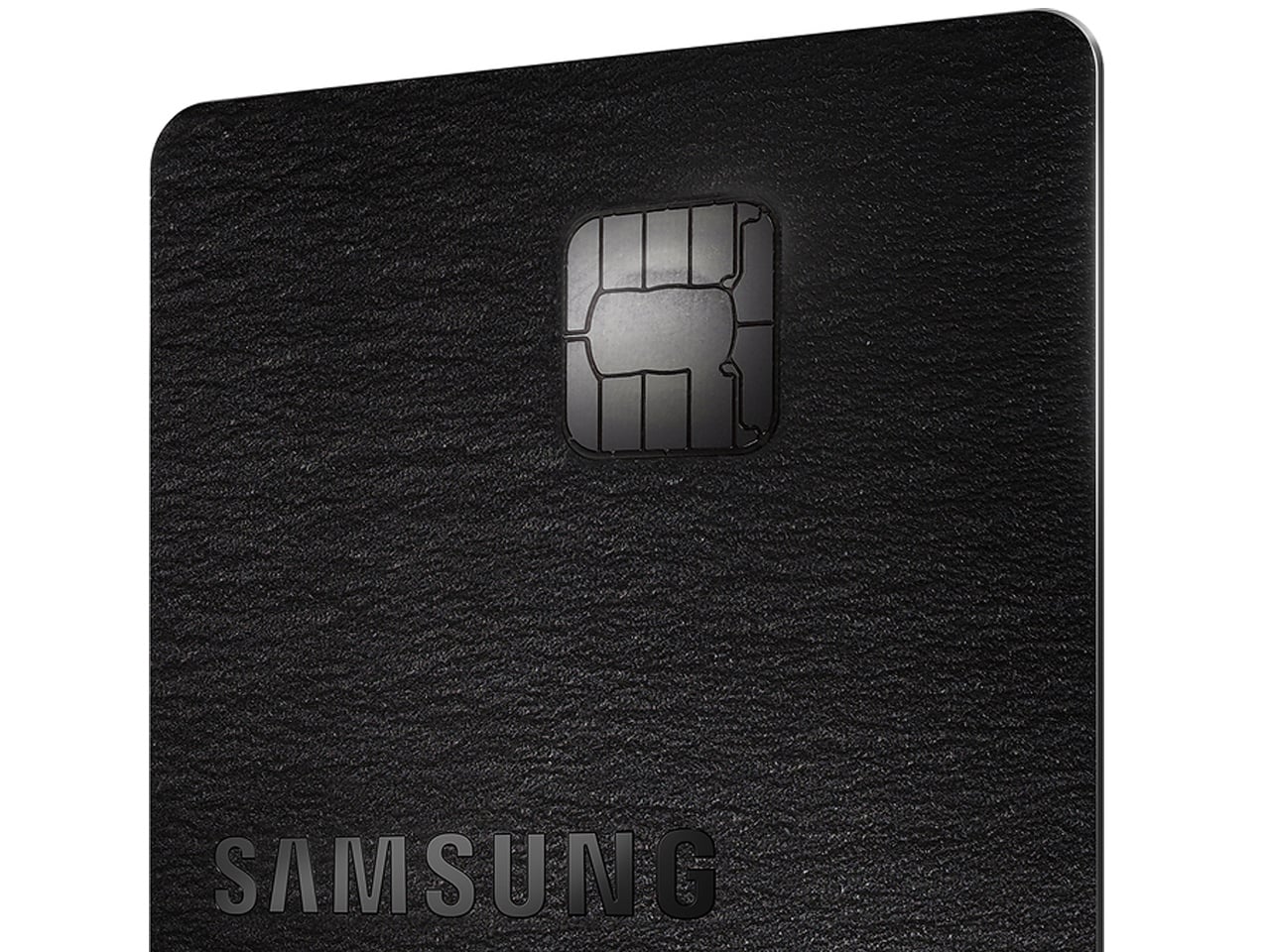
Samsung and Apple have been known to take a leaf out of each other’s book when it comes to features and product design. Now the South Korean giant has done something that Apple has already been offering its users. After much speculation and rumors, the Samsung Galaxy Card is finally revealed for U.S. users.
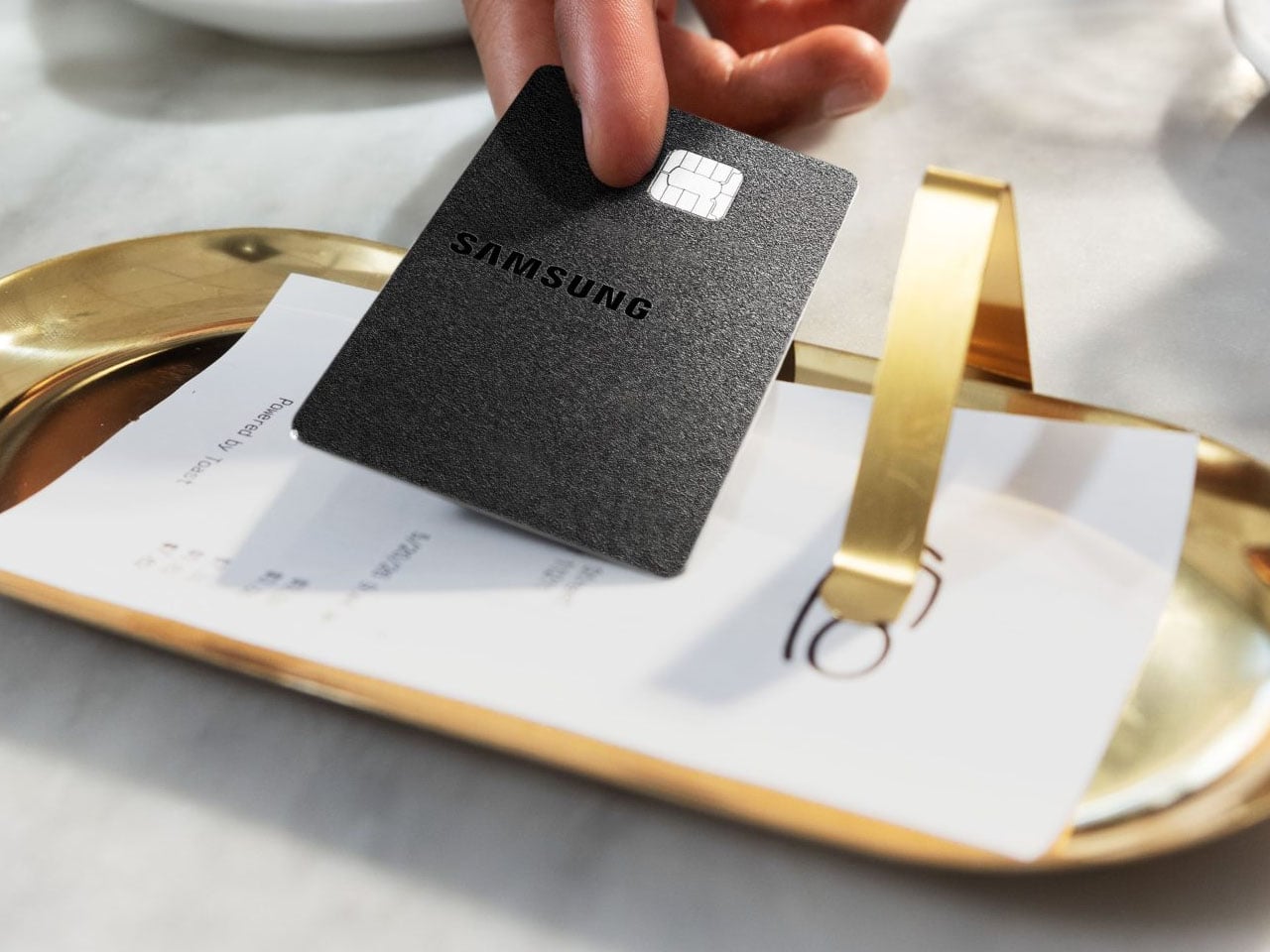
Samsung already offers the Samsung Card in its native region, but this is the first time they’ve come up with a credit card in the West. Offered via Barclays on the Visa network, the branded credit card is more or less the same as the Apple Card in terms of the perks and financing options being offered. For early adopters, the card will be offered free of cost with no hidden annual charges.
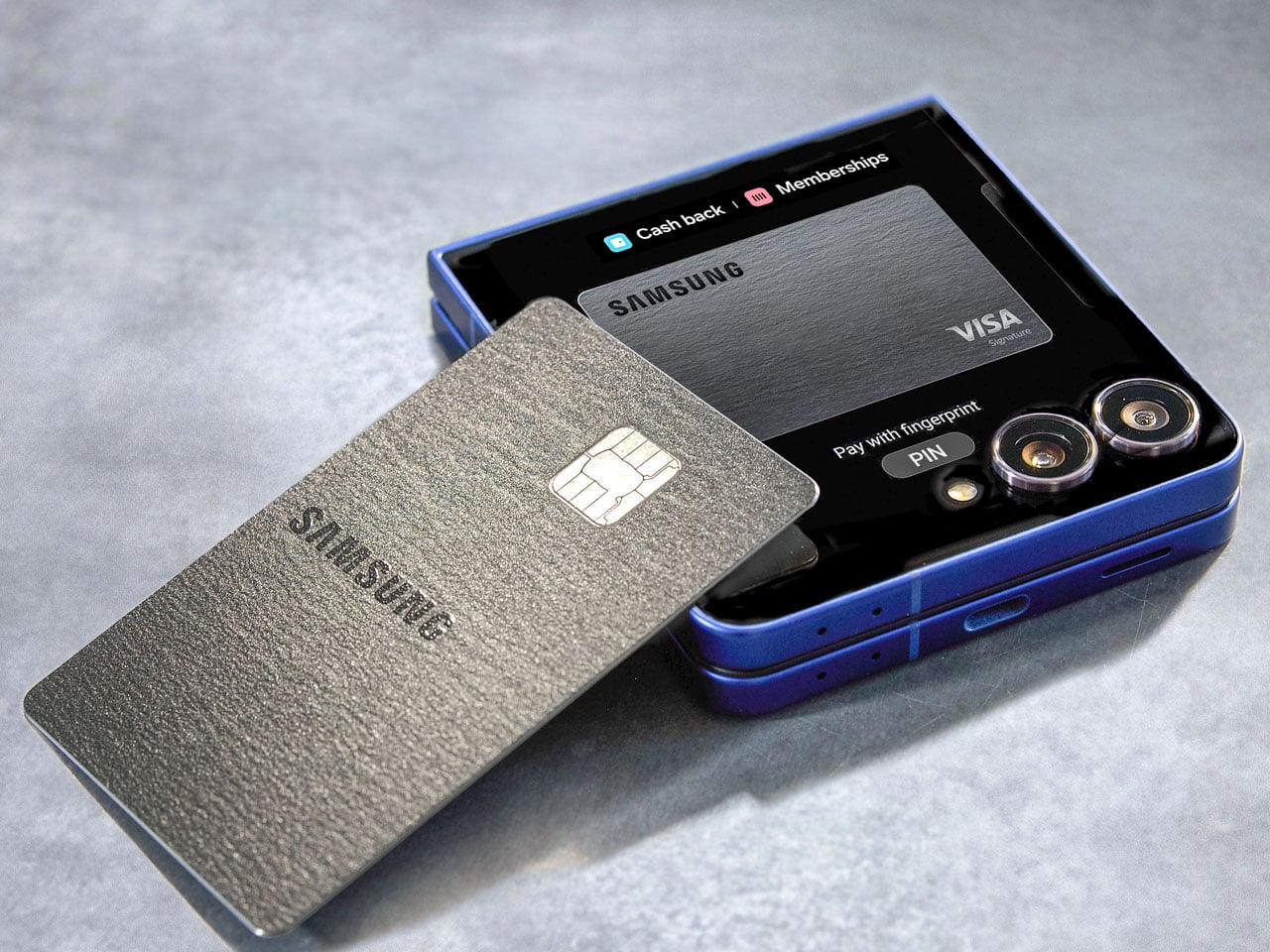
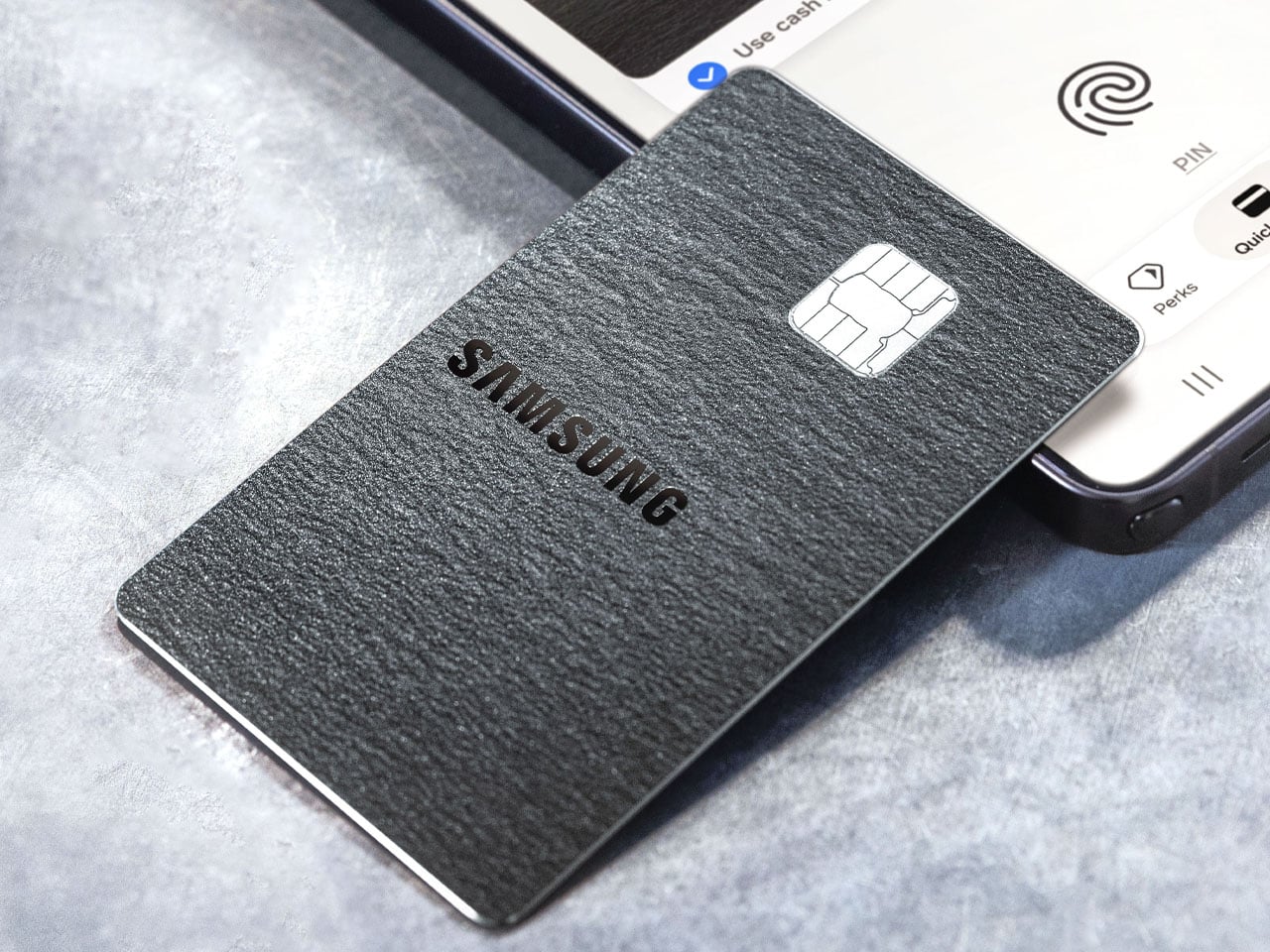
Samsung wants to take the fight to Apple; therefore, they’re offering more cashback discounts, which should lure in users who are stuck between deciding to go for the Apple or Samsung ecosystem. The card is integrated into the Samsung Wallet, as it prompts users to tie in more deeply into the ecosystem. You can manage payments, IDs, digital keys, or passes. Surprisingly, this comes ahead of the Galaxy Unpacked event slated for the Z Fold 8’s release, signaling the consumer electronics company’s affinity for going far beyond just hardware innovations. This move at this time of the year also signals a stronger push by Samsung to engage users before major events. Let’s be honest, people are upgrading their devices and gadgets less frequently, as hardware has become difficult to differentiate from the competition.
Coming back to the Galaxy Card, any purchases made on Samsung products directly will earn a cashback of 5 percent. Any spending done using the Samsung Wallet gets users a 3 percent cashback. The cardholders are also eligible for a 20 percent discount on the VIP Advantage, as well as the Samsung membership and extended warranty program. If any eligible OTT subscriptions, including Netflix, Disney+, or Spotify, are made, the cashback earned is 2 percent. For any other purchases, the cashback is 1 percent.
Knox security layer is embedded into the card’s ecosystem to ensure all the financial information remains securely on the Galaxy devices. The credit card can be acquired starting July 22, and Samsung will offer a $200 bonus cashback reward on purchases of $2,000 or more made in the first 90 days. The card is offered in virtual and premium metal physical versions. Existing Samsung users will like the prospect of it, as more cashbacks mean more savings. Anyone switching their ecosystem from Apple to Samsung for the higher cashbacks is less likely, though.
Titanium is a material with a very specific reputation. It belongs to the world of rugged efficiency, survival gear, and precision engineering, usually chosen for objects that need to endure pressure, impact, and time with very little fuss. Brush pens come from an almost opposite design language, one shaped by softness, gesture, and line variation, where the slightest change in pressure can transform a word or sketch into something more personal. In most cases, these two worlds stay far apart, one built around resilience, the other around responsiveness.
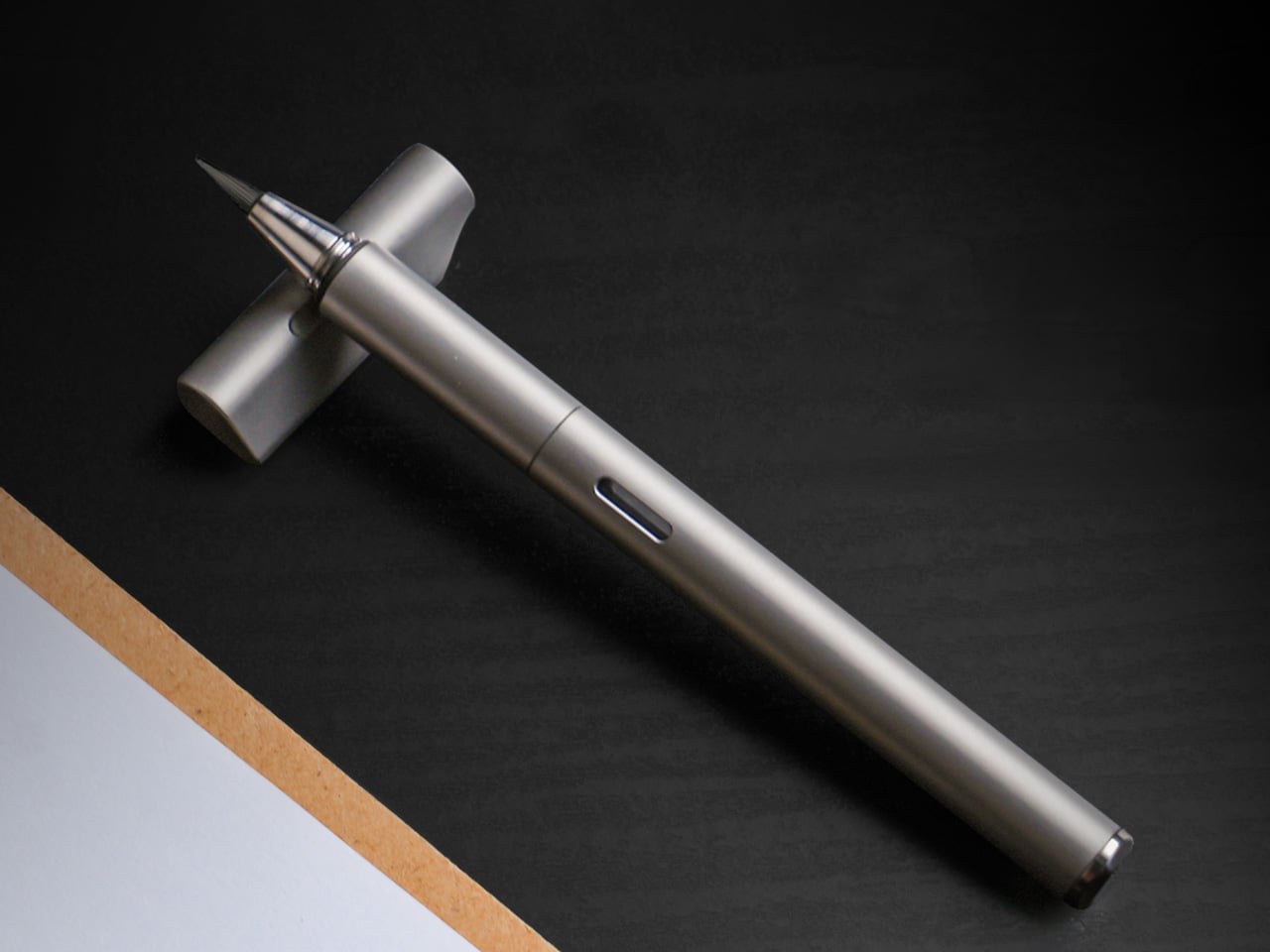
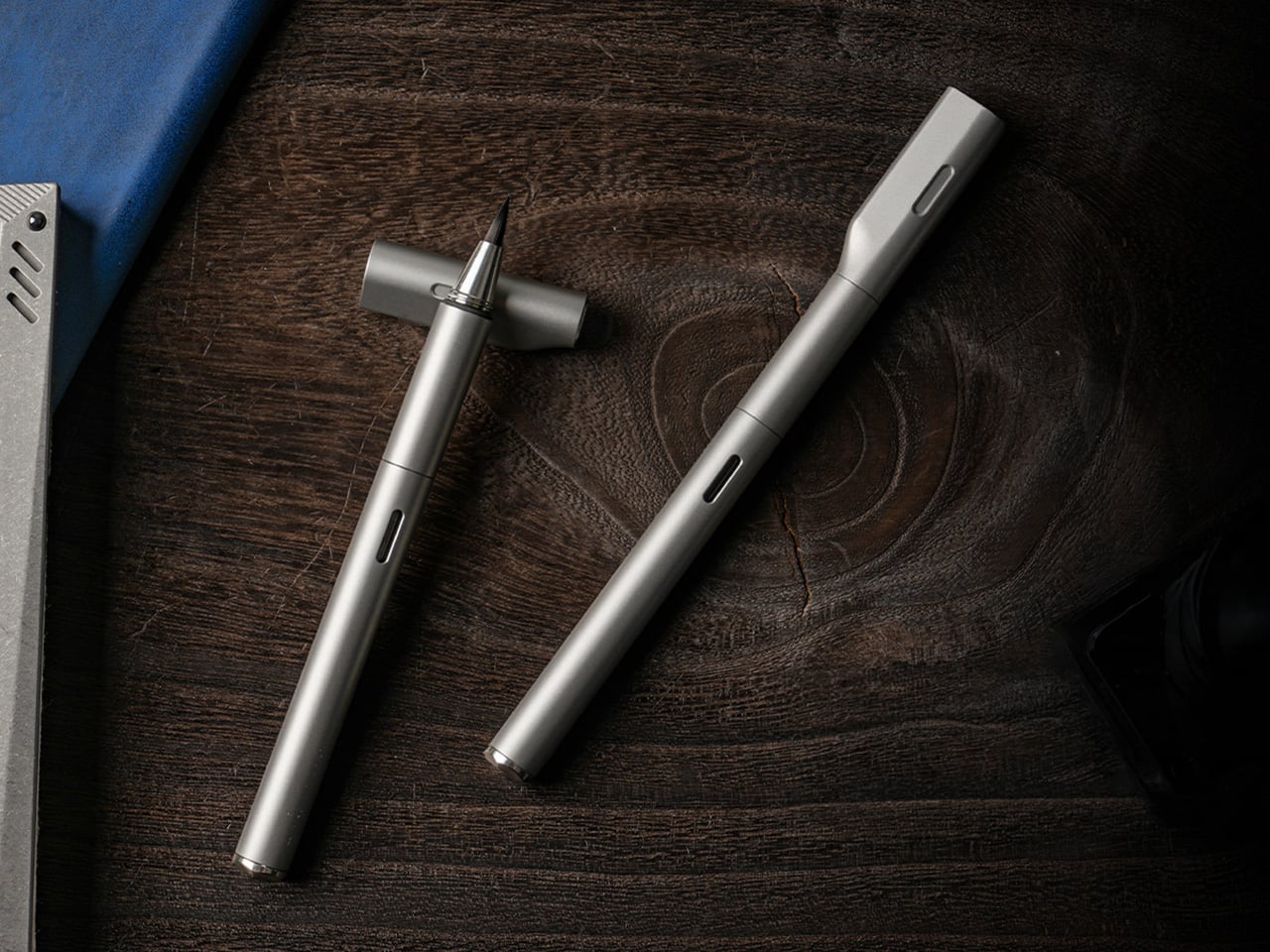
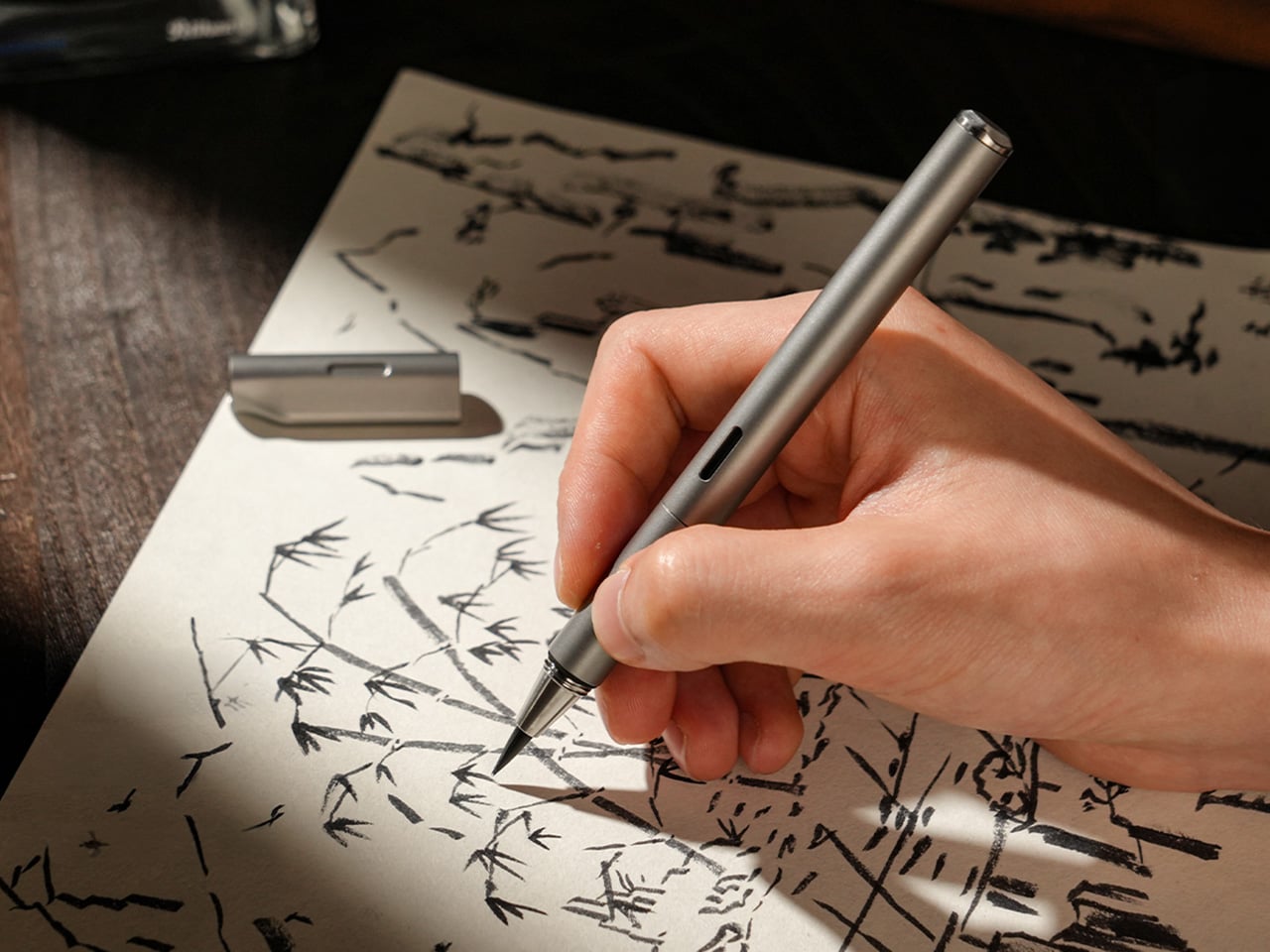
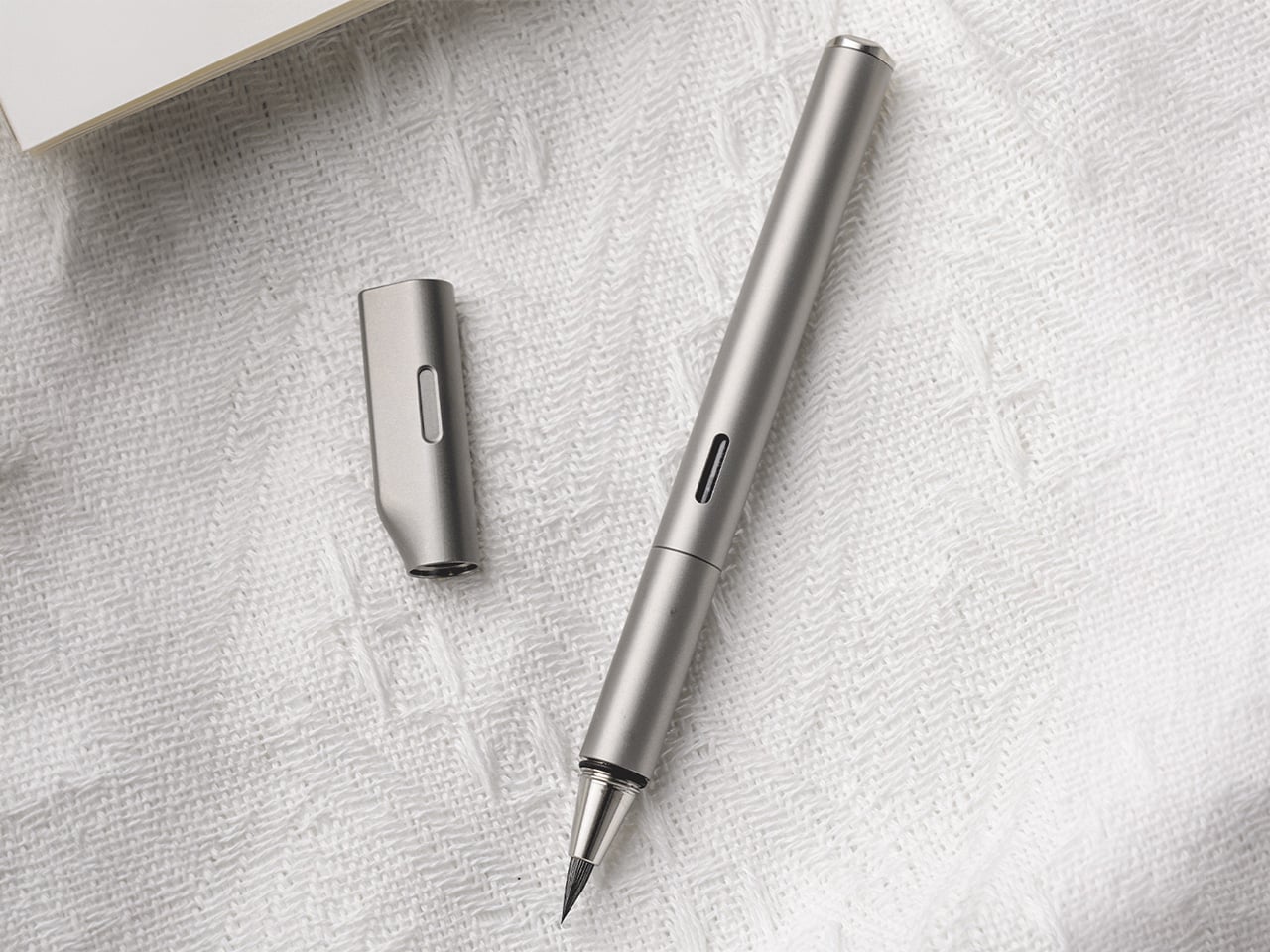
STILL brings them together with surprising clarity. The pen pairs a machined Grade 5 titanium body with a flexible nylon brush tip that shifts from fine hairlines to bold strokes depending on how it meets the page. That contrast gives STILL its identity. It feels grounded and permanent in the hand, yet expressive in motion, creating a writing instrument that carries the discipline of industrial design into the more fluid world of journaling, sketching, and everyday handwriting.
Unlike traditional fountain pen nibs that deliver a consistent line, STILL’s nylon brush tip responds directly to pressure. A light touch produces a 0.3mm hairline suitable for small details or delicate script. Medium pressure yields roughly 1.2mm, the kind of natural width most people instinctively use for everyday writing. Firm pressure opens the tip to 3mm, creating bold strokes for emphasis, headers, or expressive flourishes. Everything in between happens without conscious effort, turning line variation into a natural outcome of the writing process rather than a technical skill. If you’ve used an Apple Pencil on an iPad, you probably know exactly how much more expressive a brush pen is compared to a fineliner or a fountain pen.
That responsiveness makes STILL approachable in a way traditional brush pens often are not. Calligraphy brushes demand control, practice, and an understanding of stroke order to produce convincing results. STILL removes most of that learning curve. The nylon material is elastic enough to flex predictably but structured enough to return to shape immediately. It follows the movement of your hand rather than fighting it, which means you can pick it up and start writing without needing to adjust your grip, angle, or technique. The result is a pen that feels easy to use while delivering visual results typically reserved for more specialized instruments.
The titanium body is not decorative. Grade 5 titanium, also called Ti-6Al-4V, is a high-strength alloy used in aerospace, medical implants, and high-performance hardware. It offers an exceptional strength-to-weight ratio, corrosion resistance, and a surface hardness that resists scratching and wear over years of handling. At 30 grams, STILL sits in a comfortable middle ground between lightweight portability and the kind of heft that gives feedback in the hand. The balance point falls naturally near the grip section, which prevents fatigue during longer writing sessions and keeps the pen stable during more deliberate strokes.
Every component is CNC-machined from solid material, which eliminates the weak points that come from glued assemblies or plastic internals. The barrel threads are cut with micron-level precision, producing a smooth, wobble-free connection between the cap and body. That precision is not just tactile theater. It ensures that the cap seals tightly around the nib, preventing air from drying out the brush tip between uses. The barrel surface is left smooth rather than aggressively textured, allowing the hand to find its own natural grip position without being forced into a predetermined hold.
The cap does more than protect the nib. Its flat top allows the pen to stand upright on a desk, turning it into a visible, accessible object rather than something that rolls into corners or gets buried in a drawer. The teardrop cross-section solves another common desk annoyance by preventing the pen from rolling when placed horizontally. A small groove machined into the side of the cap, measuring roughly 1cm by 2mm, acts as an integrated pen rest. You can set the barrel into that groove mid-writing, suspending the nib above the surface so ink does not transfer to the table. The cap also features precision threading and an internal gasket that creates an airtight seal, keeping the brush tip moist and ready even after weeks of non-use.
The pen accepts both ink cartridges and a refillable converter, giving it flexibility across different use cases. Cartridges are faster and cleaner for travel or environments where refilling from a bottle is impractical. The converter opens access to bottled fountain pen inks, which vastly expands color options and allows for more control over ink properties like flow, saturation, and drying time. A small transparent window in the barrel displays the current ink level, removing the guesswork about when a refill is needed. That window aligns perfectly with the groove in the cap when the pen is closed, creating a visual detail that signals the care taken with tolerances and alignment throughout the design.
The anti-roll geometry and smooth barrel work together to create a pen that adapts to multiple grip styles. You can hold it like a conventional fountain pen with a tripod grip near the section, or angle it more steeply like a traditional brush, resting the barrel closer to the web between thumb and forefinger. Both positions feel natural because the cylindrical form and 10.2mm diameter provide enough surface area to stabilize without crowding the hand. The absence of aggressive knurling or molded grip zones means the pen does not dictate how it should be held, which becomes important during longer sessions where hand position tends to shift.
STILL is designed for people who write because they want to, not because they have to. It suits journaling, daily note-taking, sketching, and any situation where the act of putting pen to paper carries some intention beyond pure information capture. The brush tip makes it a strong choice for hand lettering, planner decoration, or adding visual variety to written work without requiring calligraphy skills. It works equally well for designers, students, thinkers, and anyone building a habit around analog productivity. The titanium construction and sealed cap make it practical enough for daily pocket carry, while the expressive nib keeps it interesting enough to reach for regularly.
STILL is available in six anodized finishes: Quiet Titanium, Midnight Black, Ink Blue, Horizon Blue, Moss Green, and Mist Purple. Optional leather sleeves in British Tan or Black, made from full-grain leather with soft lining, provide additional protection and a more refined carry profile. Pricing and availability details can be found on the product page.
Health apps and wearables have become remarkably precise at reading the human body. They can tell you how restorative last night’s sleep was, how stressed your body was during a presentation, and whether your recovery is on track after a hard week. What most of them don’t do, at least not in any concrete way, is hand you a tool to act on what they’ve just told you.
That’s the gap MobiFren founder and CEO Juwon Heo set out to address with the HealingFit TWS, a true wireless earbud built to go beyond standard listening. It earned a CES 2026 Innovation Awards recognition in Headphones and Personal Audio, but the more compelling aspect isn’t the accolade. It’s the design thinking underneath it, and what that thinking could mean for the broader world of digital health.
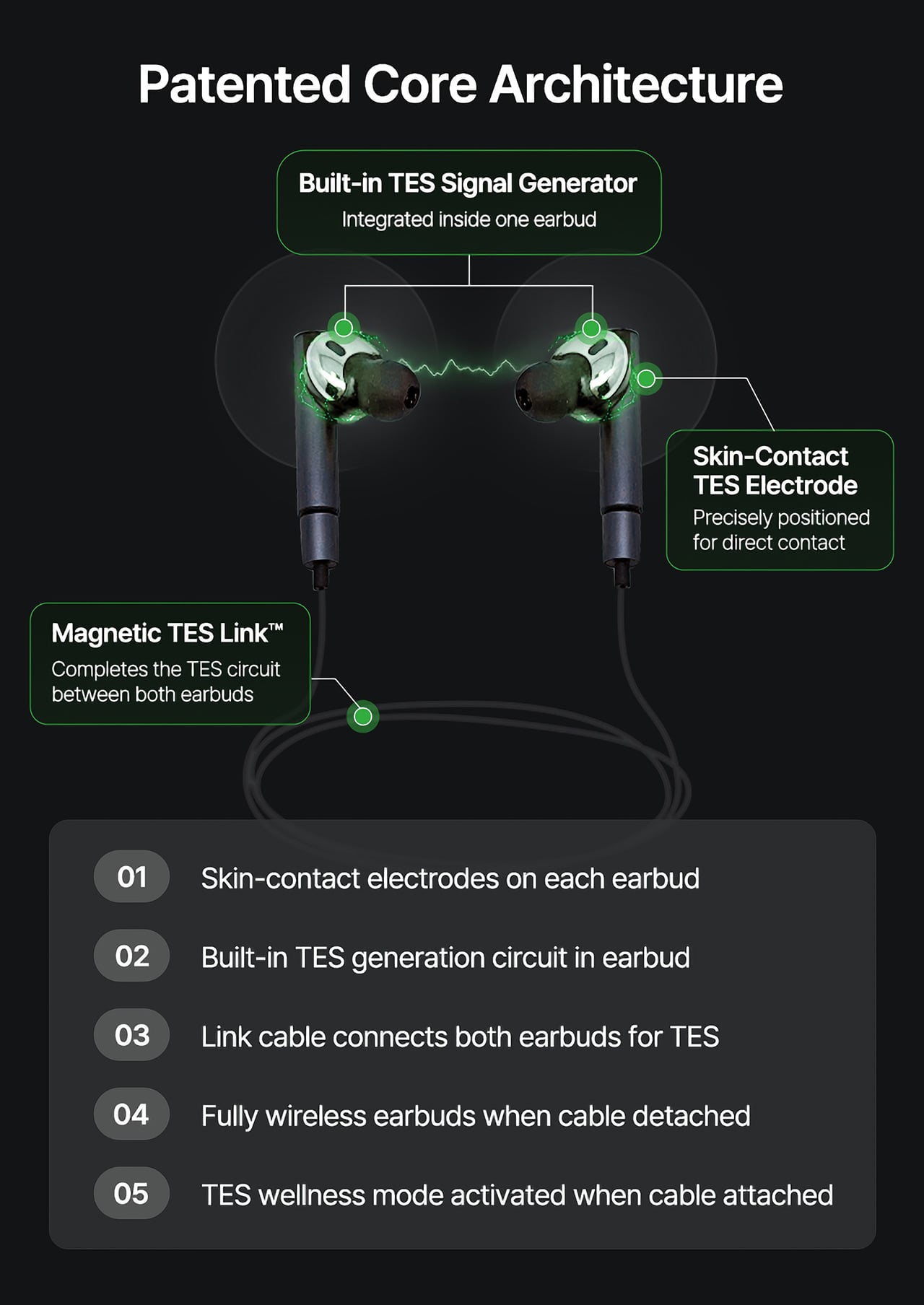
During normal use, HealingFit TWS functions as a premium pair of true wireless earbuds with Bluetooth 6.0, Hybrid ANC, and five tunable sound modes built on MobiFren’s own MSTS sound tuning system. The shift into wellness mode happens when you attach the Magnetic TES Link, a cable that snaps magnetically onto both earbuds. There’s no separate gadget involved, and no new category of hardware to carry.
TES, or Transcranial Electrical Stimulation, is a non-invasive approach widely studied in neuroscience. HealingFit TWS translates it into a controllable daily routine, running calibrated microcurrents through skin-contact electrodes built into each earbud. The intensity is adjustable across 15 levels, and most people describe the sensation as a subtle, rhythmic pulse. It’s designed to support the nervous system’s natural shift toward rest or focus, not force it there.
Three wellness modes organize the experience. Sleep is the bedtime routine, pairing TES with binaural audio tracks to help you gradually settle for the night. Healing is a shorter session for mid-afternoon or post-work moments when the day has felt relentless. Study is a focus-priming routine to run before anything demanding real concentration. Each mode comes with five dedicated tracks, though you can also layer TES over your own music.
That three-mode framework reads differently from the perspective of a digital health platform. Platforms like Samsung Health, Apple Health, Google Health, and Fitbit have become genuinely capable at detecting sleep quality, stress levels, recovery readiness, and daily activity. They generate scores, flag patterns, and surface recommendations. What they don’t typically offer is a connected, device-level way to act on those signals in the moment they appear.
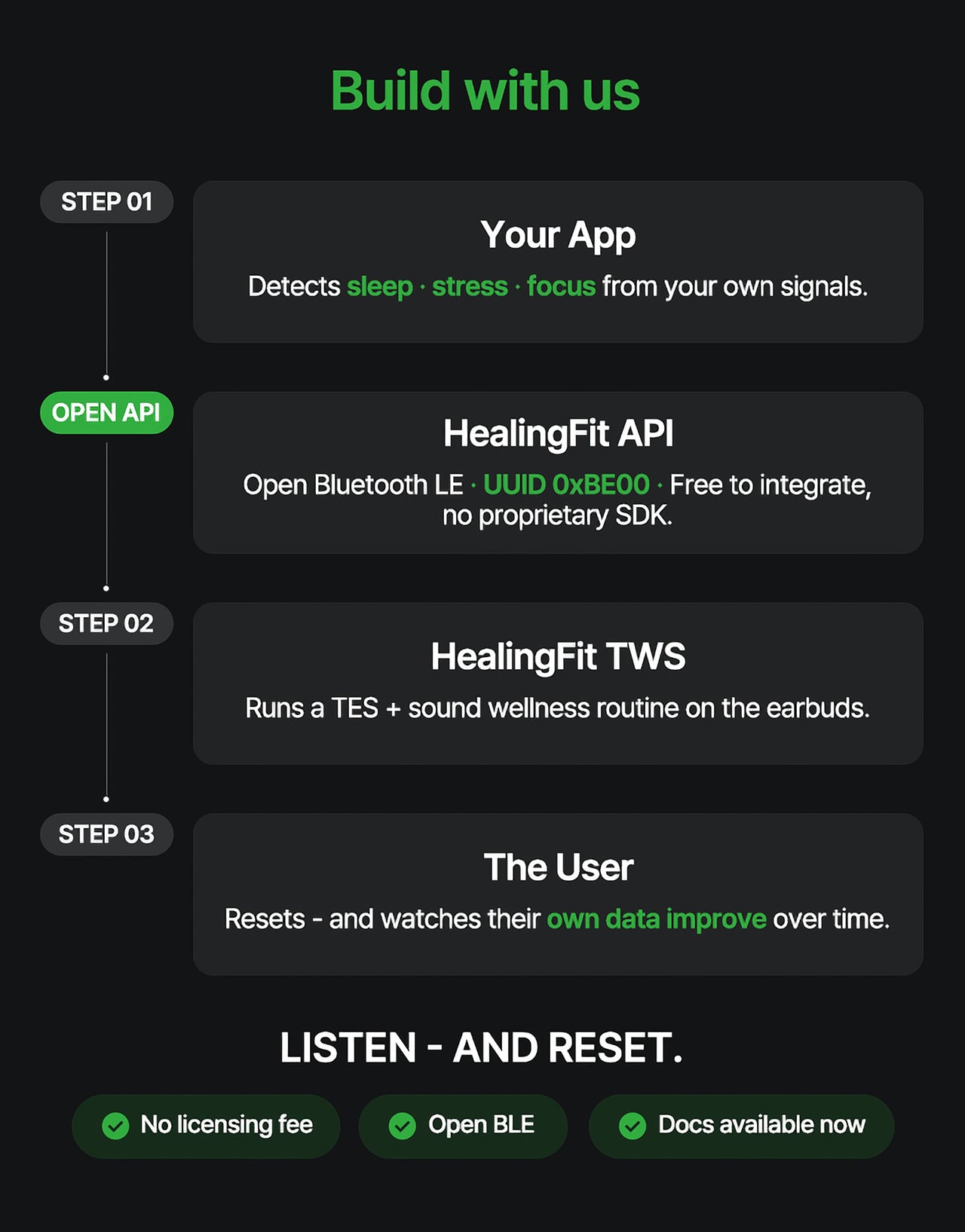
HealingFit TWS addresses that with an open Bluetooth LE interface that developers and platform teams can connect to without a licensing fee or a proprietary SDK. The technical entry point is UUID 0xBE00, and documentation is publicly available through mobifrenglobal.com. The intent is clear: the earbud becomes the intervention hardware, while the app or platform provides the health context that determines when and which session a user might benefit from.
Think about what that could look like in practice. A sleep app detecting elevated pre-bed stress could suggest a Sleep session. A recovery platform flagging low readiness after a demanding training week could prompt a Healing routine. A focus tool that spots declining concentration before a deadline could surface the Study mode. In each case, the platform has done its analysis. HealingFit TWS handles what comes after.
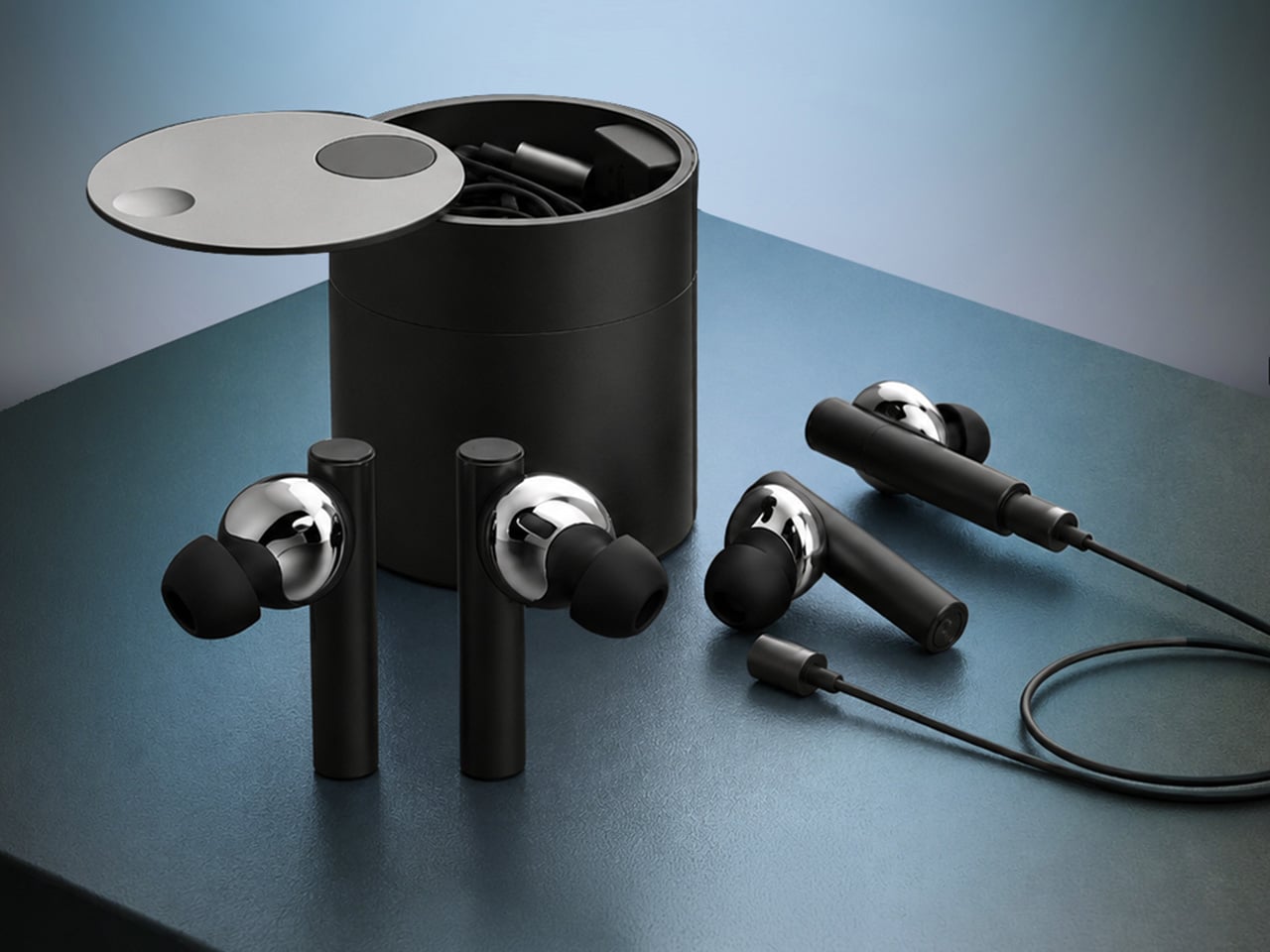
The core architecture places a TES-generating circuit inside one earbud, with electrodes on the front of each earbud that contact the ear canal, and a TES Link cable that connects both earbuds. Detached, it functions as flagship-grade wireless earbuds; connected, it transforms into a wellness device designed to support sleep, stress relief, focus, and memory.
What makes the TES architecture appealing to hardware teams isn’t just the open API. The circuit that generates TES signals relies on entirely standard, commercially available components, totaling just 18 parts: a dual-transistor chip, one FET, and a set of RLC components. The earbud’s existing charging contacts also serve as the TES link contacts, so no extra contact points or major structural changes are needed.
The design has received formal IP recognition across multiple jurisdictions. The U.S. patent application covering the core architecture has been allowed and is proceeding to registration, with the patent expected to be granted soon. There are also registered patents in Korea and Japan, as well as a published application in Europe. FCC certification was granted on July 1, 2026.
Heo founded MobiFren in February 2002, originally as a contract developer for Samsung Electronics feature phones. The company started building its own Bluetooth audio products in 2005 and brought its first Bluetooth earphones to market in 2006. MobiFren has maintained an ongoing relationship with Samsung through smartphone software verification work ever since. That two-decade grounding in Bluetooth audio is what gives HealingFit TWS its engineering footing.
The choice to build this platform on earbuds specifically is, in that context, a deliberate one. Earbuds are already the personal technology closest to the human body for most of the waking day. They’re phone-paired, habitually worn, and typically owned by the same people most likely to be using a health app. Embedding TES therapy into a device people already carry daily removes most of the adoption barrier entirely.
The hardware reflects that audio-first foundation. Alongside the TES system, HealingFit TWS delivers up to 6.5 hours of playback and up to 4.5 hours in TES mode, with Hybrid ANC, three microphones per side, and wear detection for auto-pause when an earbud is removed. Both earbuds and the Magnetic TES Link cable dock in a cylindrical charging case finished in anodized aluminum, designed to carry without fuss.
What Heo is ultimately proposing is a platform category that doesn’t quite have a name yet. His comparison is to how true wireless earbuds, from AirPods to Galaxy Buds, turned personal audio into a mainstream daily habit. The longer ambition is for this patented TES architecture to be adopted into future products from those same companies, giving their health platforms a connected hardware layer for the signals they already detect.
The more compelling case might be for the health platforms themselves. Apple Health, Google Health, Samsung Health, and Fitbit have spent years becoming sophisticated at detecting when something is off: poor sleep, elevated stress, slow recovery. What they don’t yet widely offer is a hardware path from that detection to user-controlled action. HealingFit TWS was built to be exactly that path, and it’s open to anyone willing to test it.
That’s a bold bet, and the category he’s describing doesn’t fully exist yet. But HealingFit TWS makes a credible early case for it, with a patent-allowed architecture, open developer access, and a hardware design that doesn’t ask users to change anything about how they already carry and use earbuds every day.
Nobody has ever looked at the red squiggle under a misspelled word and thought, “that should be a wall hook.” Nobody, apparently, except four designers from Korea who looked at the most universally annoying symbol in digital life and decided it deserved better. The result is Redy, a 2025 ambient product series by Jiwon Kim, JeongWoo Eom, Davina Jeon, and Seunghyun Nam, and it might be the most fun a design concept has had with a single visual idea in a while.
The premise is straightforward: take the red underline, strip away the judgment, and rebuild it as a physical object that quietly signals what needs your attention before you head out. But the concept only gets you so far. What makes Redy genuinely worth paying attention to is how committed the design is, across every piece, to making that idea look really good.
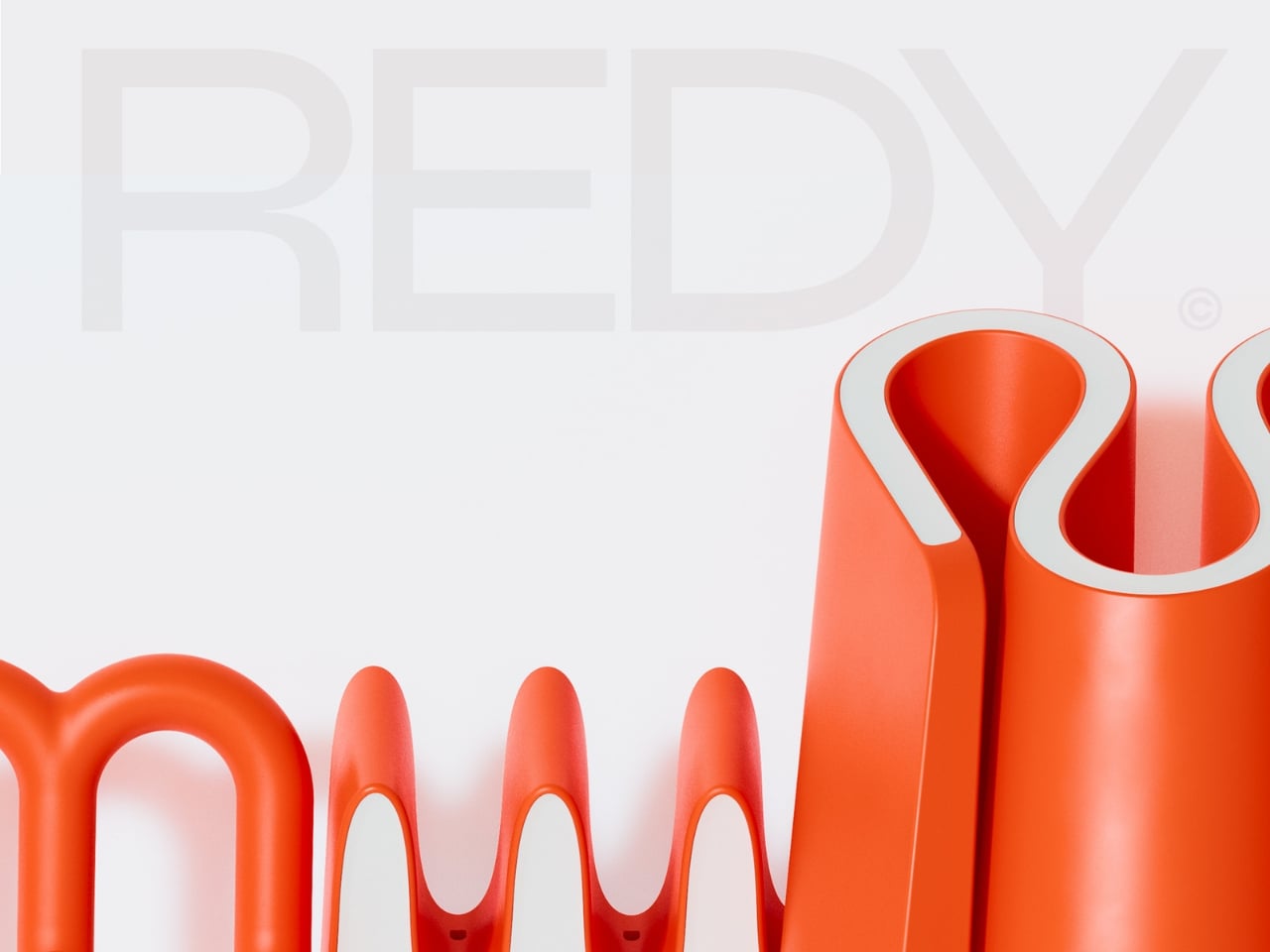
Start with the color. That specific red-orange is not subtle, and it’s not trying to be. It’s the same energy as a correction mark on a page: urgent, graphic, impossible to miss. But then the inner surfaces of every piece are lined in pale blush-pink or off-white, and that contrast completely changes the mood. The two-tone treatment adds depth to the forms, softens the intensity of the exterior, and highlights the negative spaces in a way that feels far more considered than a simple colorway decision. It’s the detail that makes the whole series feel designed rather than just styled.
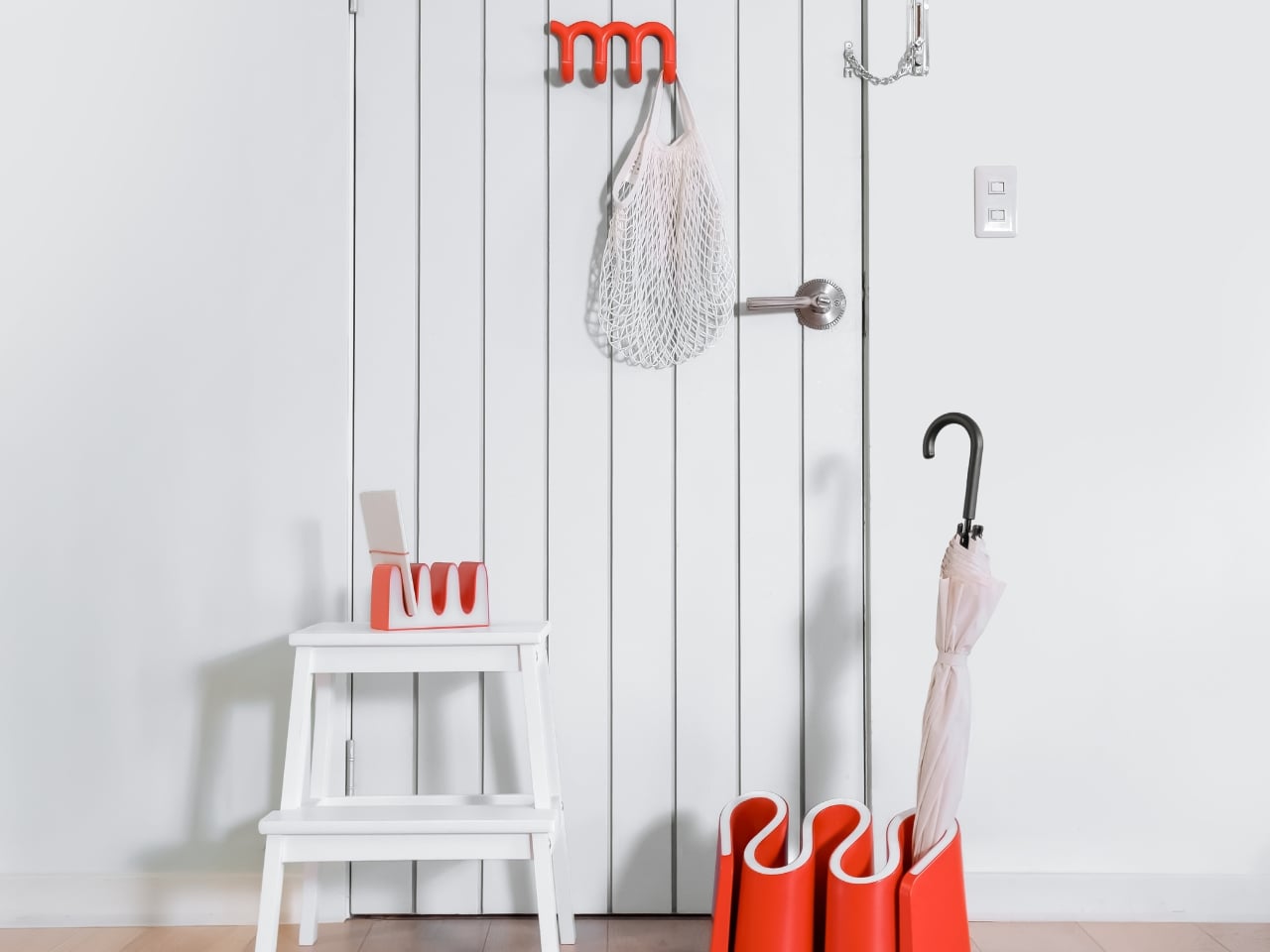
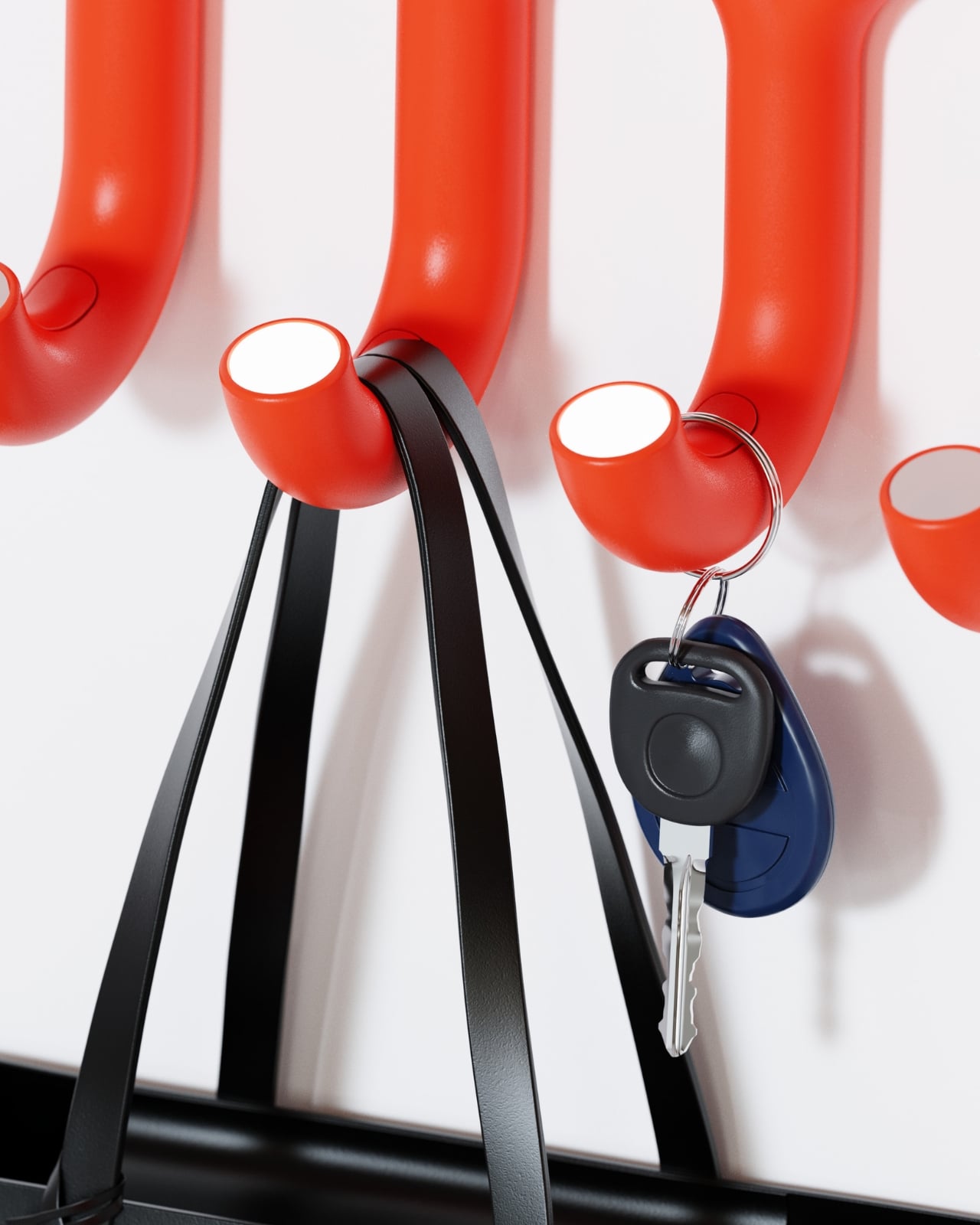
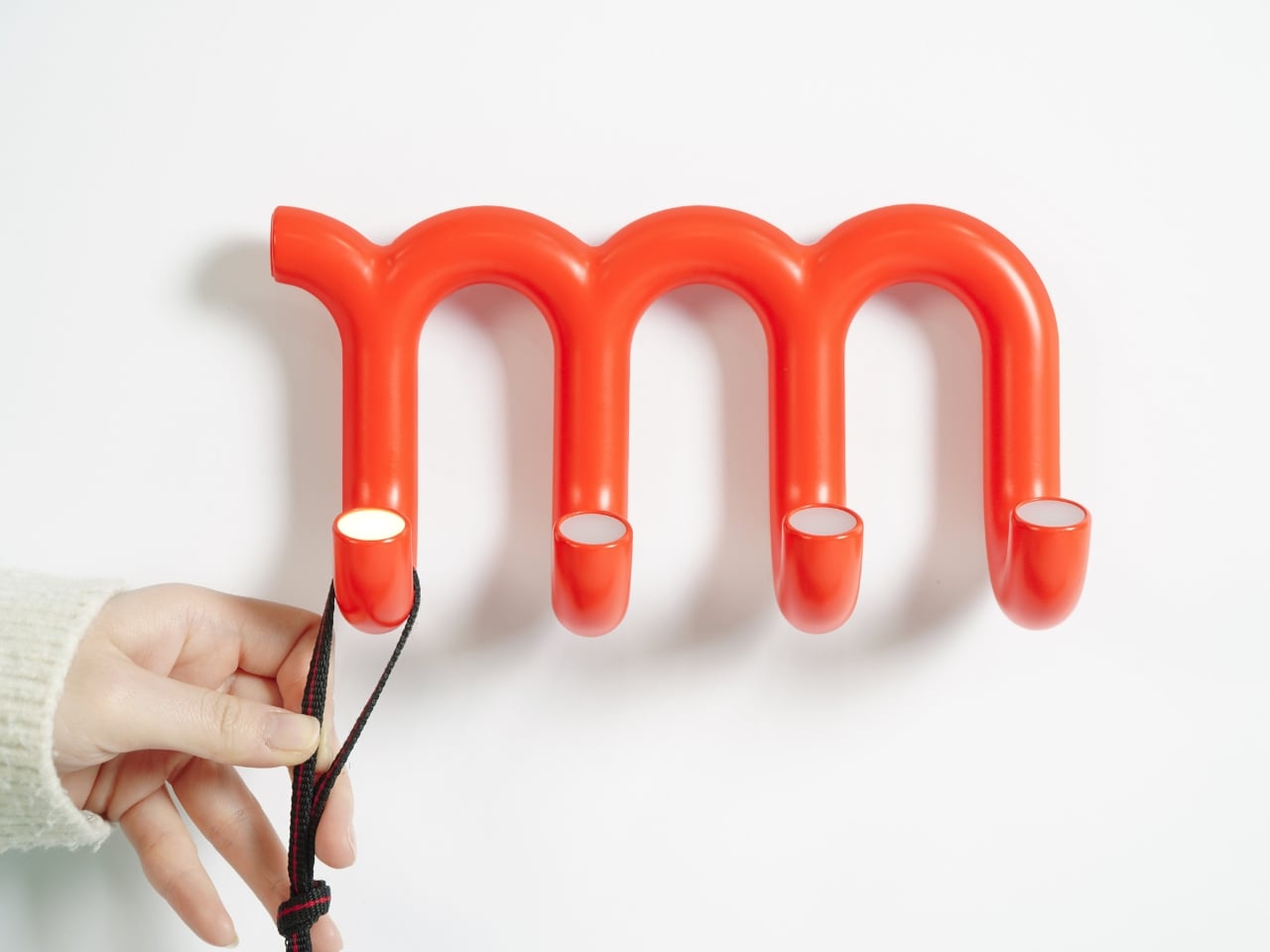
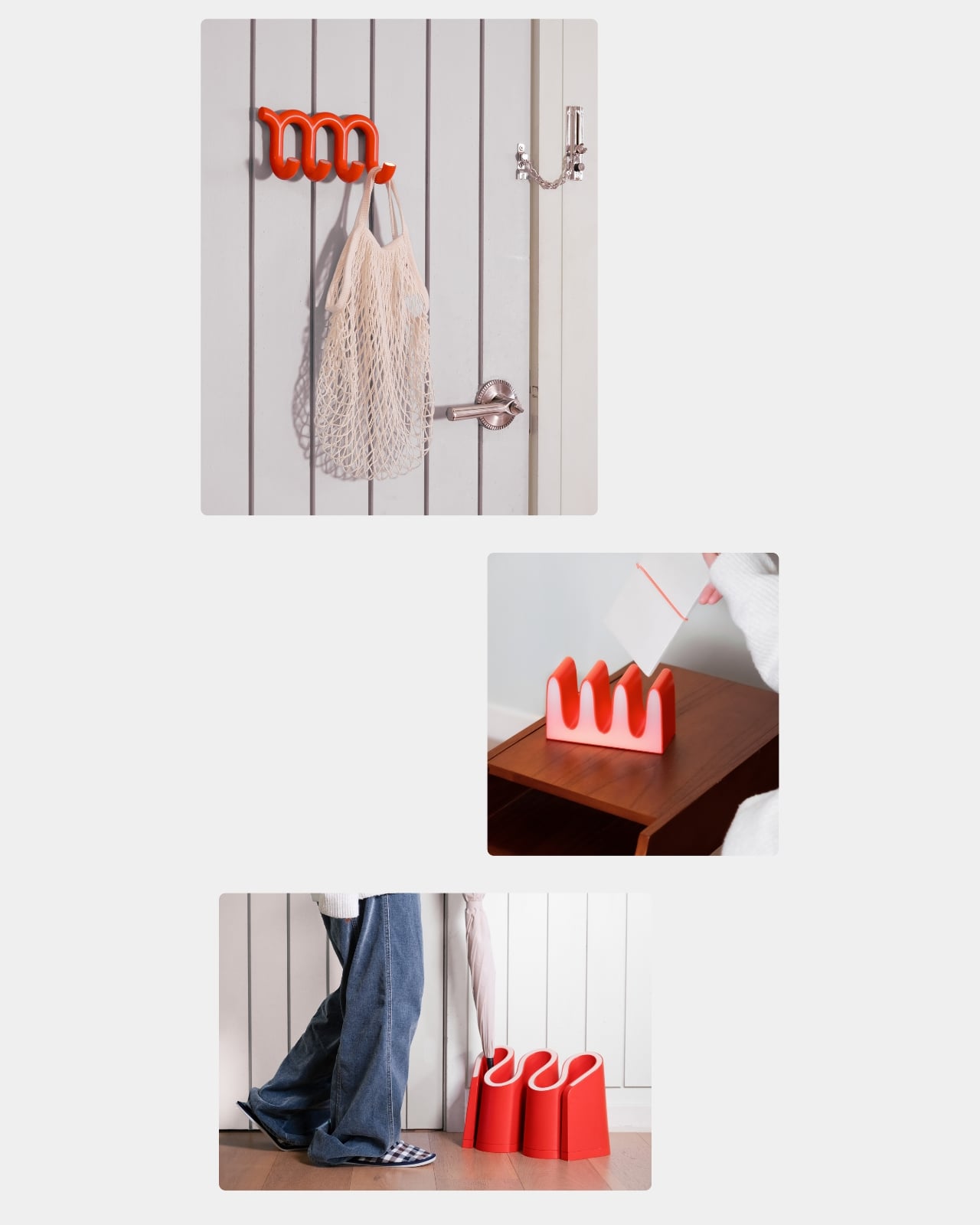
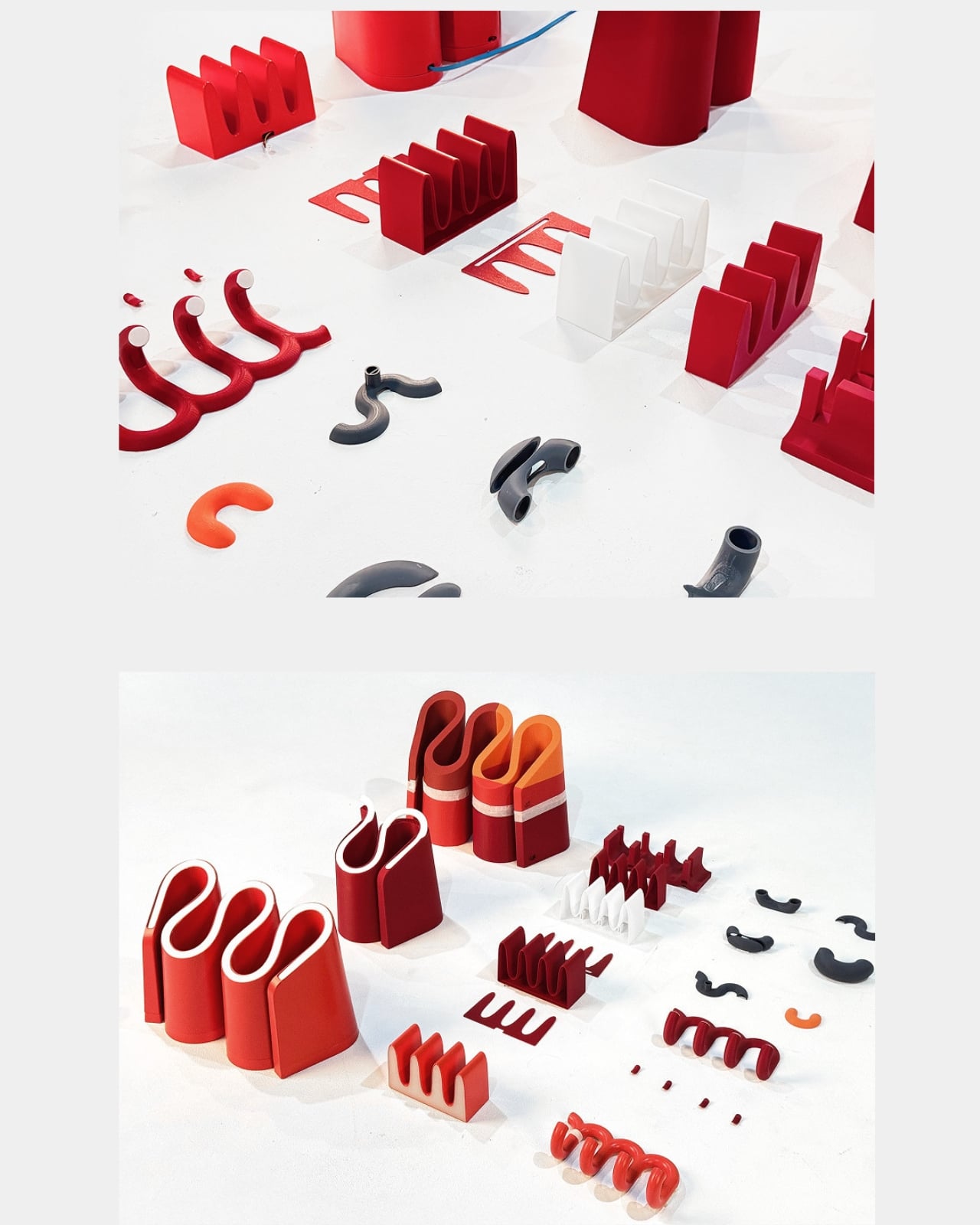
The Hanger is where the concept lands most cleanly. It mounts to a wall as a single continuous tubular form that loops up and down in a curving wave profile, with four downward-pointing hook tips at the base of each arc. In silhouette, it is unmistakably the red underline in three dimensions. Each hook tip is smoothly rounded and capped with a small flush-mounted LED indicator, sitting at the very end of the tube like a tiny lit eye. When one activates to signal a reminder, it reads as a design detail first and a functional alert second. That’s a hard balance to get right. Redy gets it right.
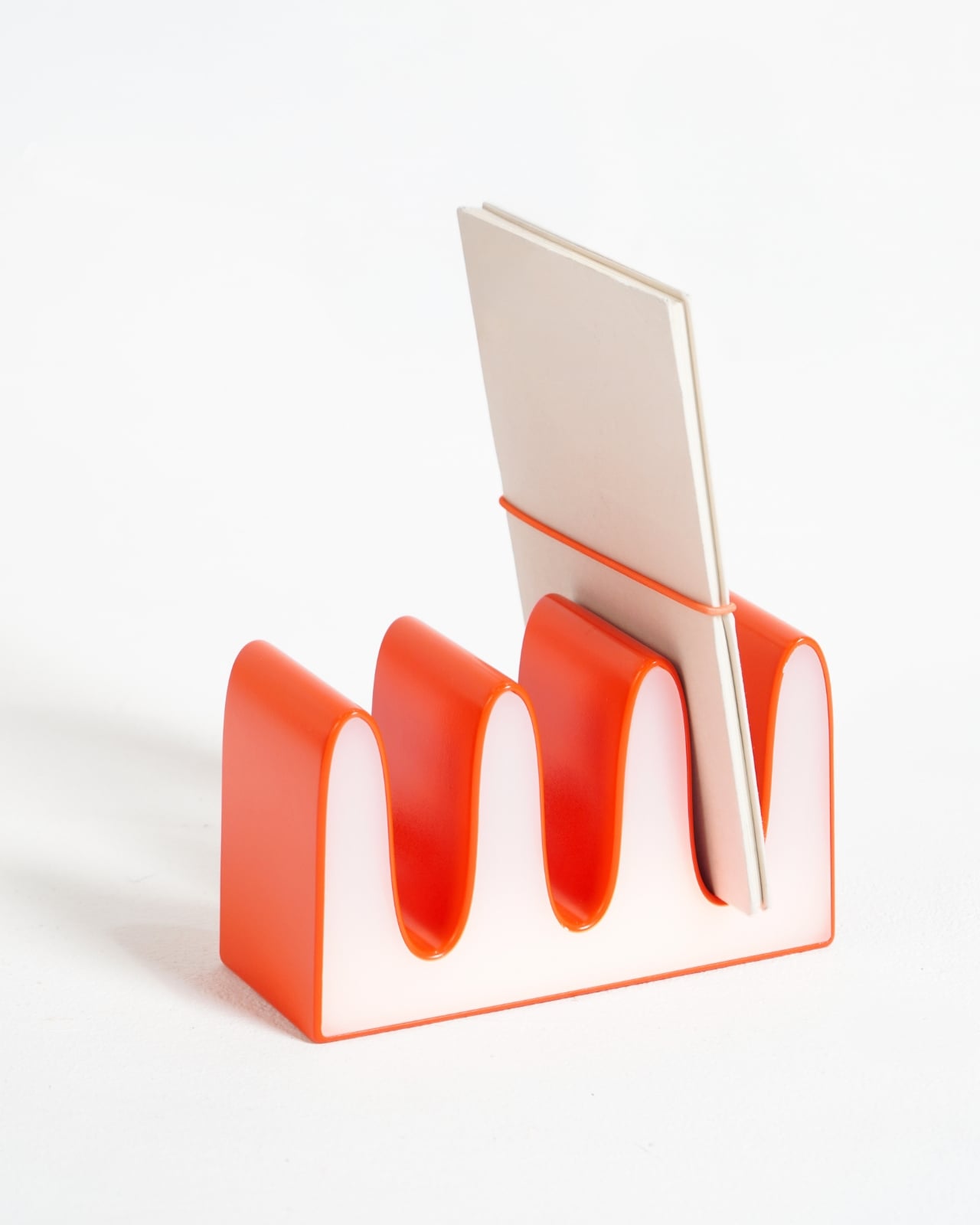
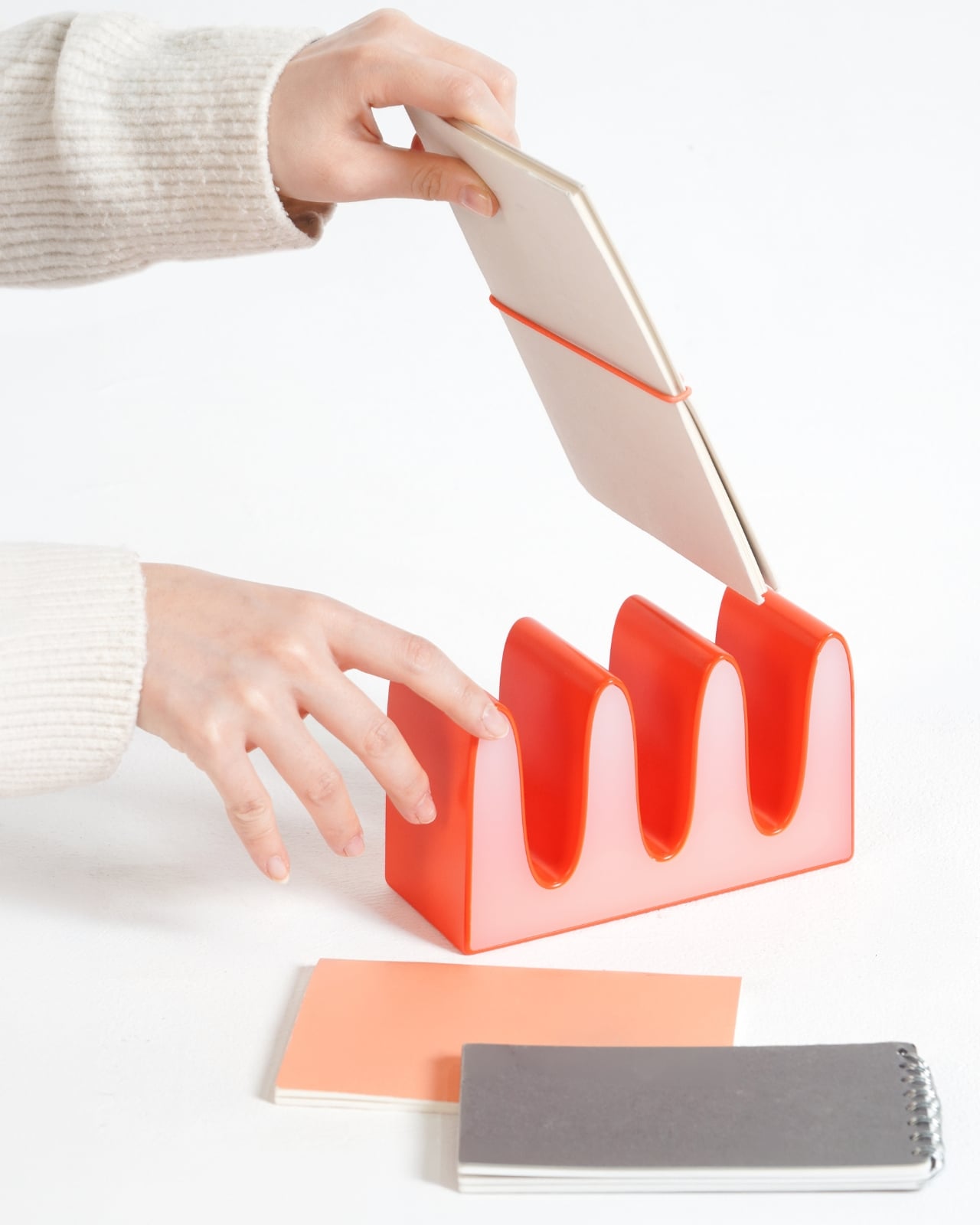
The desk organizer takes the squiggle in a different direction. Its rectangular base sprouts wave-form dividers that create open slots for cards, notebooks, and flat objects. Seen head-on it looks almost typographic, like a letterform you can’t quite name. From the side it reads closer to ceramics than product design. It’s the quietest piece in the series and the one most likely to confuse someone who doesn’t know what they’re looking at, which is frankly part of its appeal.
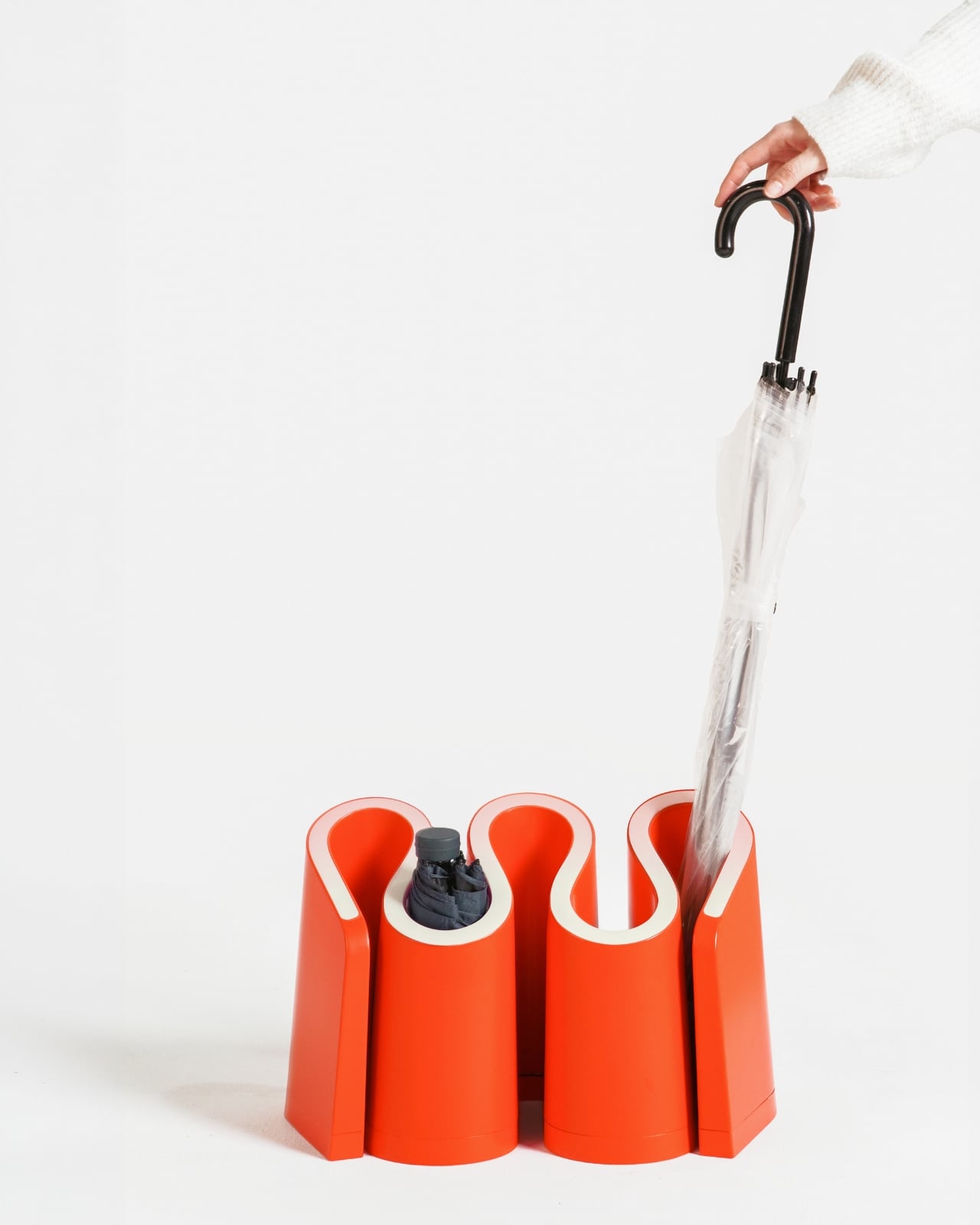
Then there’s the umbrella stand, which takes the most creative liberty with the motif. Instead of one continuous wave, it clusters cylindrical columns together, with the gaps between them curling into S-shapes that echo the underline’s profile. It’s the most abstract piece, and because of that, the most interesting to study up close. Empty, it reads as a sculptural object. With a single umbrella dropped into it, it still looks like it belongs somewhere considered. Most umbrella stands cannot say that.
The thing that elevates Redy from clever concept to genuinely impressive design work is the consistency of the language across three objects that do completely different things. Wall, desk, floor: the series covers an entire entryway without repeating itself or losing coherence. Each piece is fully resolved on its own. Together they make a space feel like someone actually thought about it, which is rarer than it should be.
Redy is still a concept, currently featured in Behance’s curated product design gallery. But it has that specific quality of feeling like it already exists somewhere and you just haven’t found the right store yet. The red underline spent decades telling us we got something wrong. Turns out, all it needed was the right designers to finally get it right.