Rugrats: Adventures in Gameland crawls out of its playpen on September 10

There are a ton of Rugrats games from early CD-ROM games to the Nintendo 64 but there’s never really been one that truly stood out on its own. The MIX Games, Wallride and Limited Run Games may have given us the definitive Rugrats game with Rugrats: Adventures in Gameland set for release on September 10 on Steam and both current and previous-gen consoles.

The new throwback Rugrats game was announced last year almost to the date. Rugrats: Adventures in Gameland looks like it was inspired by those classic NES platformers that fueled your childhood fun and frustration (funstration?). The game comes in two modes: HD mode featuring graphics that look just like the Nicktoon and a special 8-bit mode that looks like it came out on a throwback console.

You’ll be able to play as Tommy, Chuckie, Phil and Lil as you traverse the Pickles house. The babies are pretending that their homestead has transformed into their own video game, which may just be the most adorably meta thing ever.

Rugrats: Adventures in Gameland can be played in solo or two-player co-op mode. Limited Run Games is also releasing the game on orange and classic gray NES cartridges but you missed your chance to buy one because they’ve already sold out.

This article originally appeared on Engadget at https://www.engadget.com/gaming/rugrats-adventures-in-gameland-crawls-out-of-its-playpen-on-september-10-212021343.html?src=rss

Reddit is back up after a 30-minute outage

Reddit is back up after an outage took the site out for half an hour this afternoon. The site appears to have been down across the board, apart from a blank homepage that didn’t contain or point to any content. “We encountered an error,” the website reads. Attempting to navigate to any specific subreddit brought up the error you see above: “We were unable to load the content for this page.” However, as of 4:45PM ET, we began to see seeing subreddits and comments loading again as usual.

The Reddit status update page lists the problem as “Degraded Performance for reddit.com,” and was initially flagged as “Investigating.” At 4:32PM ET, the status was updated as “Identified - The issue has been identified and a fix is being implemented.”

At 4:45PM ET, it was updated again as “Monitoring - A fix has been implemented and we are monitoring the results.” However, the site's performance still labeled as “Degraded.”

Of course, the jokes on social media didn’t take long to start rolling in:

Reddit and Google signed a high-profile deal for the search giant to train its AI on Reddit user data, and search results have been increasingly Reddit-leaning over the past year. Reddit had another major outage earlier this year when it went down for nearly an hour. We’ll keep an eye on the status and update this story accordingly.

Update, August 28, 5PM ET: This story was a published as a developing news artcle about Reddit being down. It was modified after publish with more details about the breadth and length of the outage, and the headline has been changed to reflect the site's current status.

This article originally appeared on Engadget at https://www.engadget.com/big-tech/reddit-is-back-up-after-a-30-minute-outage-203615473.html?src=rss

Get the Pixel 9’s “Add Me” Camera Feature on Any iPhone or Android Device: Here’s How…

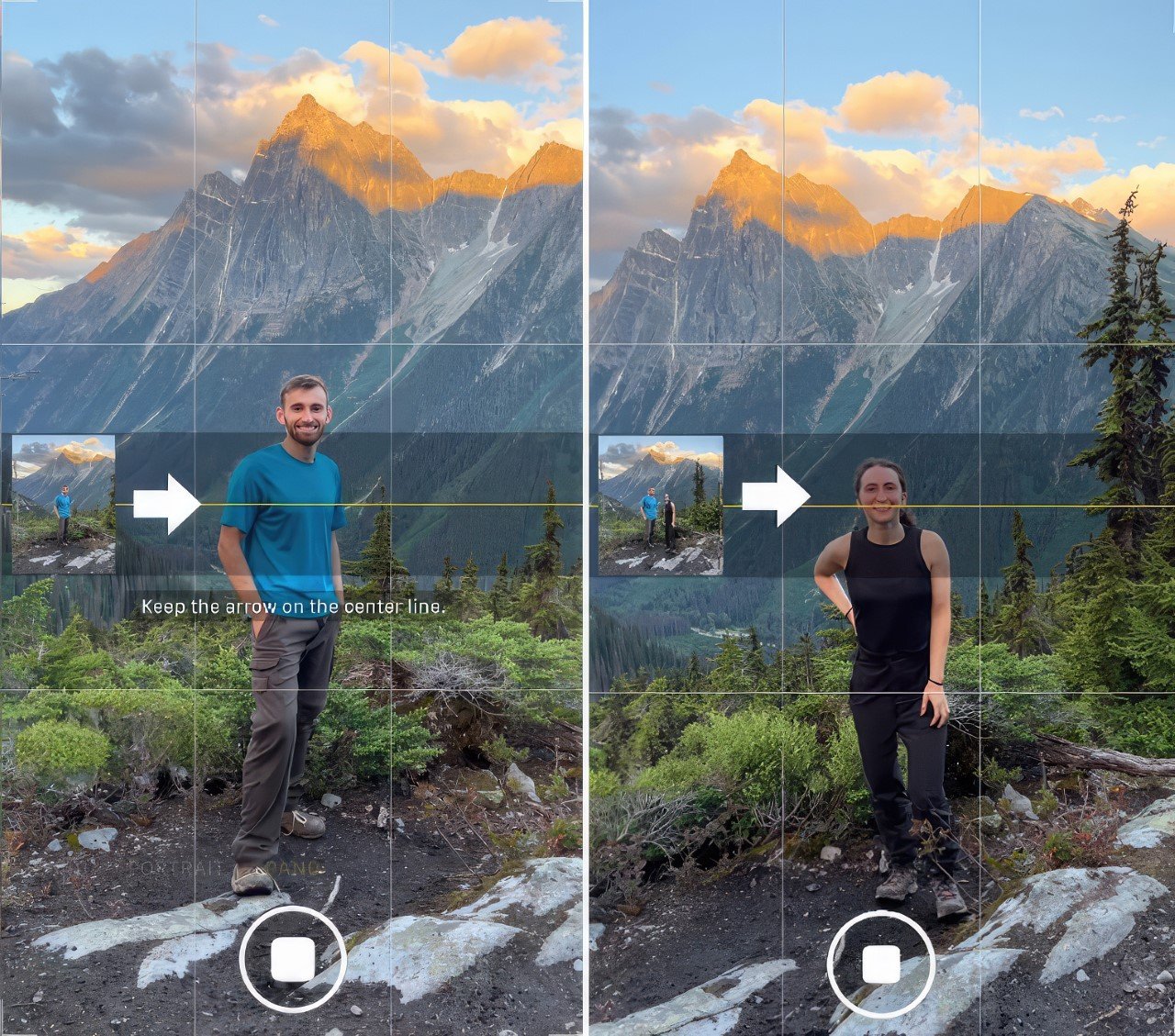
Were you hyped when Google announced the Add Me feature for the Pixel 9 series camera? I’ll be honest, my wave of excitement died down as fast as it hit me. Truth be told, the Add Me feature is pretty impressive – it allows you to click group photos while also including yourself IN the group. The way the Pixel does this is by scanning your surroundings and the subjects in the frame, and once you click the photo, hand the phone (in the same position) to someone else and walk into the frame. The Pixel 9 will ‘add you’ to the existing photo using AI. Sounds truly remarkable, doesn’t it? Well, given how much 3D scanning and AI computation is done in advance to make this possible, this truly is a feat of technology. There’s a problem, however… You can easily achieve nearly similar results using the Panorama setting on any phone camera.

Before we break down how to do this, it’s worth noting that the way the Pixel 9’s Add Me feature and your camera’s Panorama feature work very differently. Which means there are different things to worry about, and a few potential caveats for both methods. The takeaway, however, is that you DON’T need to be excluded from your group photos. You can simply rely on an existing feature on your phone to add yourself into images… without splurging on a fancy $799-$1099 phone, or without using a whole lot of AI.

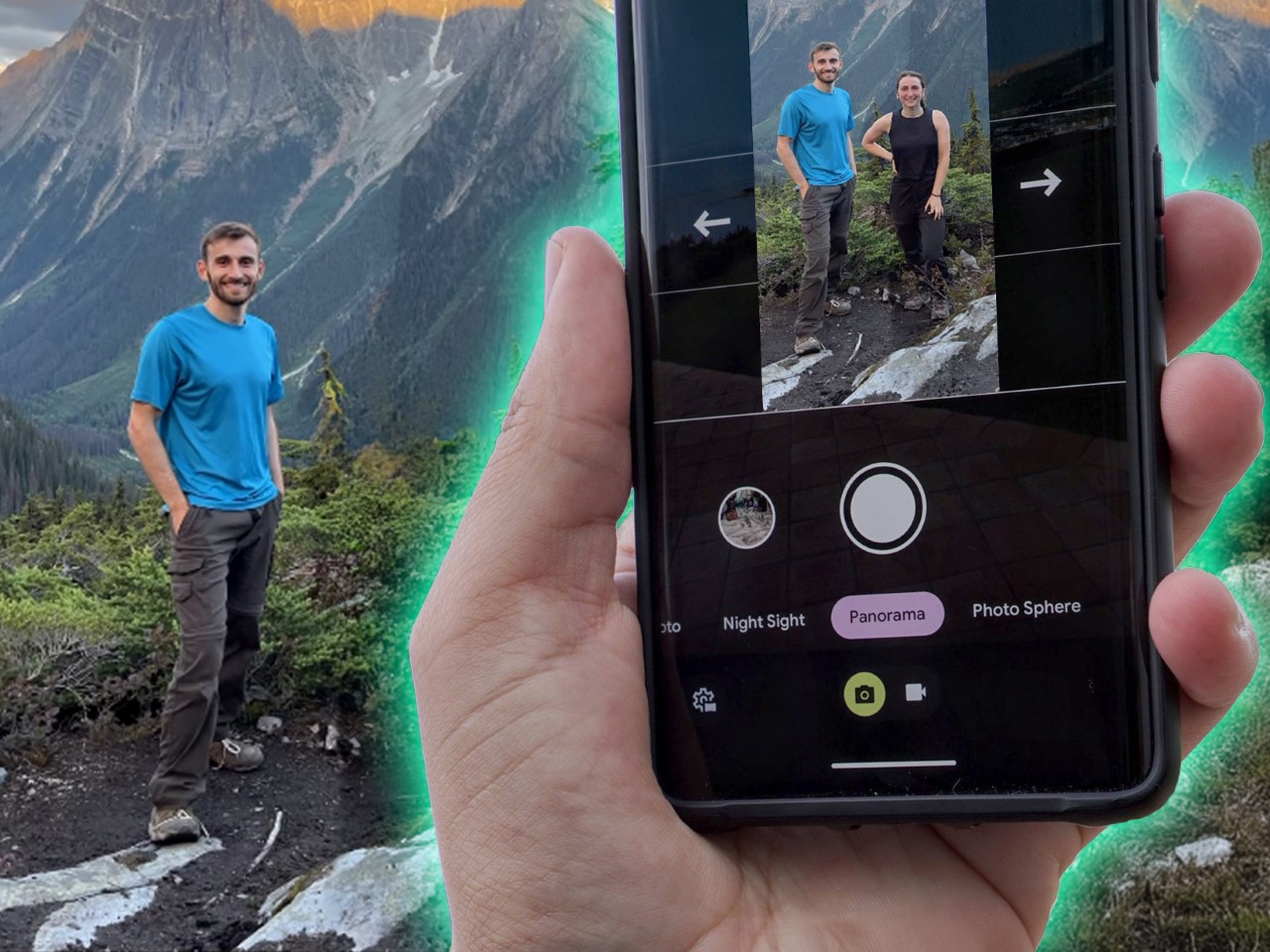
Start the panorama process, then hand the phone to someone else while you enter the panorama from the right. The small preview window should help you compose a perfectly stitched panorama that includes you!

As far as Pixel 9’s Add Me feature goes, it’s fairly state-of-the-art and does a job most people would be pretty impressed with. You’ve got the phone quite literally scanning the room, separating the subjects from the background, and then adding an extra subject in. This way, you can truly be a part of a photo even if you’re the one clicking it. Just start the clicking process, hand the camera to someone else, and go stand in the frame you composed. You can stand near people, behind them, pretend to touch their shoulder, and the AI does the rest of the work, crunching multiple data points together to seamlessly integrate you into the frame. It’s great, but it has a few cons – aside from the general stitching issues, you need to ensure the phone’s position doesn’t change too much while clicking the image. You also need a Pixel 9 (or higher) to perform this feature, which is the biggest disadvantage of them all. There is, however, the simple solution of just clicking using the panorama mode. The panorama method is ridiculously simple and works on any smartphone (Android or iOS) without any updates. Here’s how you do it.

The final result looks just as good as the ones from Pixel’s Add Me feature… except without using any AI!

Start the panorama process, but deliberately leave the part out where you plan on inserting yourself. Then, hand the phone to someone else and have them continue the panorama, but now with you in it. Hit the shutter button after the panorama’s composed and voila! You’re effectively IN the photo that you started taking! No AI, no fancy camera features, just a genius solution to a simple problem. The Panorama method works 9 times out of 10, making it a solid alternative to Pixel’s Add Me feature. However, it has a few limitations too. Again, aside from the potential stitching issues, the photos you take ALWAYS have to be landscape (because that’s how panoramas are recorded). People in the frame cannot move too much, which could affect the stitching – this means you can’t use this feature in a crowd; your background almost always has to be static. The Panorama Method also works only from left to right, which means the photographer can only be to the right of people. Not the left, and not even behind them. Personally, these limitations feel pretty small when compared to the idea of spending $799 for a new phone. I also give it a year before someone develops a camera app or filter (I’m looking at you, Snapchat) that does this exact same thing as Pixel’s ‘Add Me’. Until then, just go ahead and use the Panorama Method. I promise nobody will know the difference.

The post Get the Pixel 9’s “Add Me” Camera Feature on Any iPhone or Android Device: Here’s How… first appeared on Yanko Design.

Threads is making fediverse replies more visible in its app

Over the last six months, Meta has slowly begun to make good on its promise to make Threads compatible with the fediverse. The app allows users to share their posts to Mastodon and other Activity Pub-enabled services and began showing replies originating on those services earlier this summer.

Now, Threads is making those replies even more visible by allowing users who have opted in to fediverse sharing to see replies on other people’s posts. With the change, a new “fediverse replies” section will appear underneath posts that have drawn replies from Mastodon servers and other federated accounts.

How replies from Mastodon will appear on threads.
Threads

Practically, this means that a lot more fediverse content will be visible within Threads. Up until now, most users probably weren’t seeing that many replies from Mastodon and other sites unless they had a particularly large following or a post that was widely shared. But now, you’ll be able to see all those replies just by browsing Threads.

As with previous updates, Threads’ support for other Activity Pub content is still limited. Users need to opt-in to fediverse sharing in order to view replies from other apps. The feature, which is still labeled as being in “beta,” notes that some replies may not be visible on the Meta-owned service. And Threads still doesn’t support replies to those replies, which drastically limits the ability to engage with other fediverse users. (In a follow-up, Meta engineer Peter Cottle said adding that functionality is “top of mind.”) But the update might help incentivize more users to open their accounts to the fediverse, which is an important step for anyone hoping to bring decentralized social media into the mainstream.

This article originally appeared on Engadget at https://www.engadget.com/social-media/threads-is-making-fediverse-replies-more-visible-in-its-app-194543494.html?src=rss

The New Ford Nugget Camper-Van boasts a Wardrobe, Bathroom, L-Shaped Kitchen, and a Hybrid Powertrain

The Ford Nugget camper van lineup just got a significant upgrade, perfect for those embracing the #VanLife trend or looking to dip their toes into the nomadic lifestyle. Building on last year’s redesign at the Düsseldorf Caravan Salon, Ford introduces new models to the Nugget family, including a long-wheelbase version with more kitchen and storage space and an Active trim that’s sportier and offers all-wheel drive. The long-wheelbase version stretches the camper from 505 cm to 545 cm, making room for a larger wardrobe and an L-shaped kitchen, ideal for those who love to cook more elaborate meals on the road. Additionally, the much-anticipated plug-in hybrid version arrives with 56 km of all-electric range, combining eco-friendliness with practicality for European roads. With options for both diesel and hybrid powertrains, the Nugget series caters to different travel styles while ensuring you have the space and features needed to make van life enjoyable and stress-free.

Designer: Ford
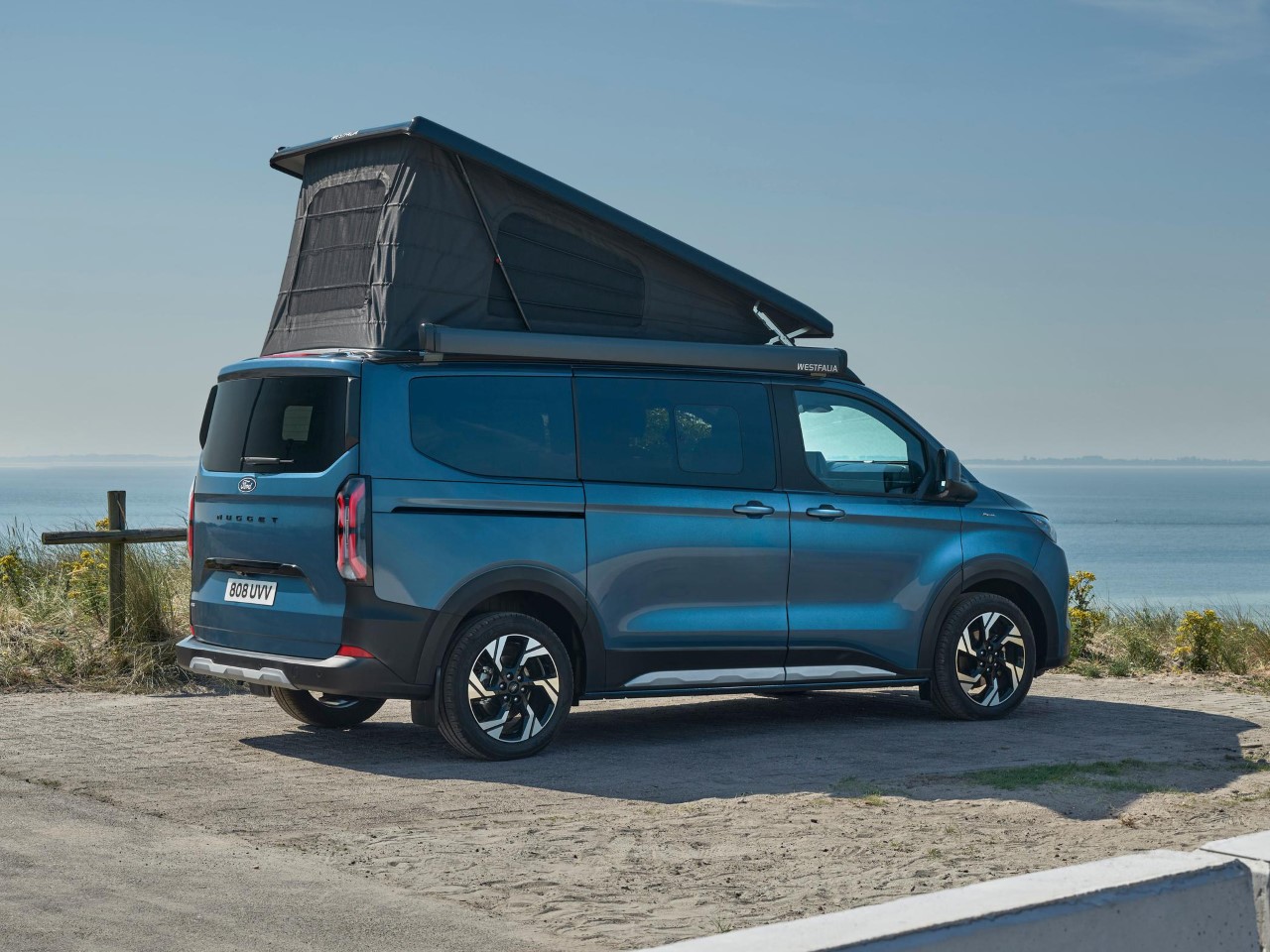
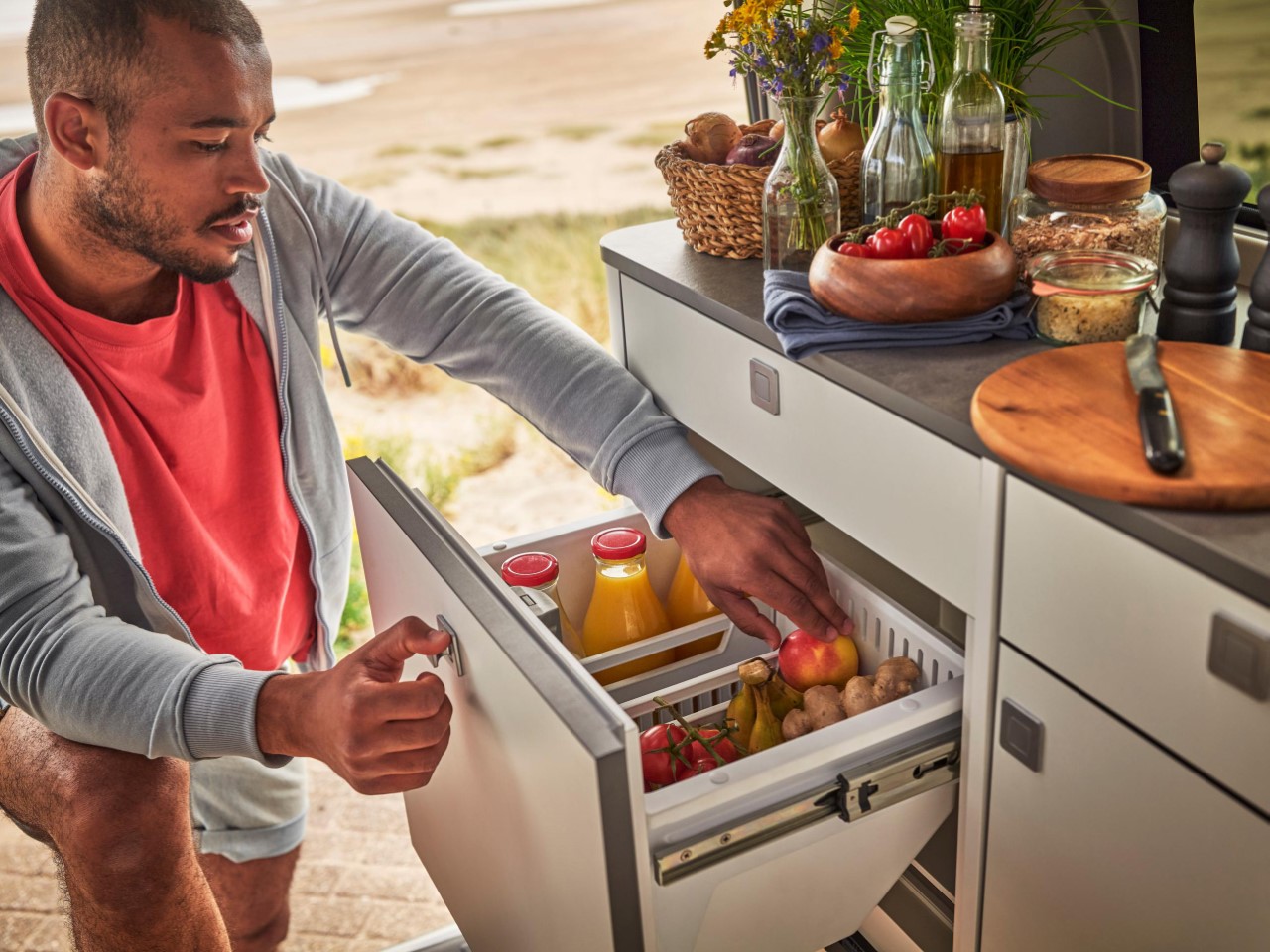
The new long-wheelbase Nugget model expands the van’s functionality by increasing its overall length from 505 to 545 cm. This added space is put to practical use, enhancing storage options with a larger wardrobe and a more expansive L-shaped kitchen. The extended countertop is ideal for those who like to prepare meals with more complexity or simply need extra room for their cooking essentials. Storage is a critical factor in the success of any camper van setup, and Ford’s design ensures that the additional space serves both convenience and comfort. The larger kitchen area is designed to house more cookware and utensils, ensuring that everything remains within easy reach while traveling.

Beyond just extra storage, the long-wheelbase version is also set to feature a bathroom in future iterations. While details on the layout remain under wraps, the bathroom will likely be a significant draw for those who prioritize a fully self-contained living space on the road. In earlier models like the Nugget Plus, Ford offered a compact bathroom solution in the tailgate area, complete with a privacy screen and foldaway sink. Whether or not this layout remains unchanged, it’s clear that the addition of a bathroom reflects Ford’s understanding of customer needs in this growing market segment.

The Active trim introduces a more rugged design to the Nugget lineup. It features SUV-inspired styling and durable materials suitable for more challenging environments. With water-resistant seat fabric and advanced driver assistance systems like adaptive cruise control and pre-collision assist, the Active trim blends comfort with safety. The inclusion of AWD further broadens the van’s capabilities, making it more versatile for trips that involve uneven terrain or inclement weather. The powertrain options for this model include a 168-hp EcoBlue diesel engine paired with an eight-speed automatic transmission, offering reliable performance for both highway cruising and countryside exploration.

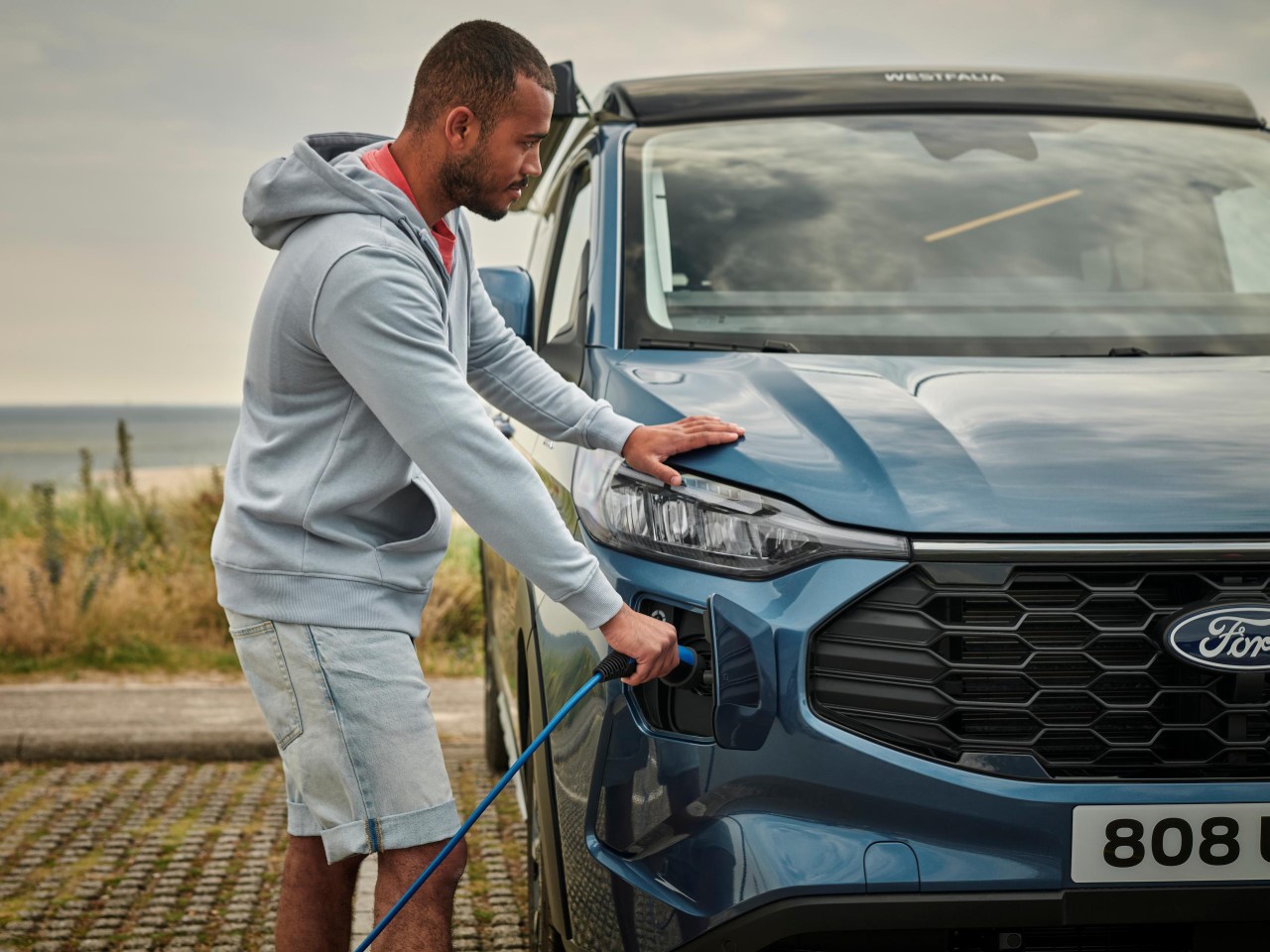
Perhaps the most significant update is the introduction of a plug-in hybrid (PHEV) variant. Ford delivers on its promise from last year, launching the PHEV just in time for the 2024 season. The hybrid powertrain combines a 2.5-liter Atkinson-cycle petrol engine with an electric motor, providing a combined output of 230 hp. The 11.8 kWh battery enables up to 56 km of all-electric driving, a feature particularly appealing for eco-conscious travelers or those navigating emission-restricted urban areas. This hybrid setup strikes a balance between efficiency and range, allowing users to enjoy quieter, cleaner drives without sacrificing the practicality of traditional fuel options.
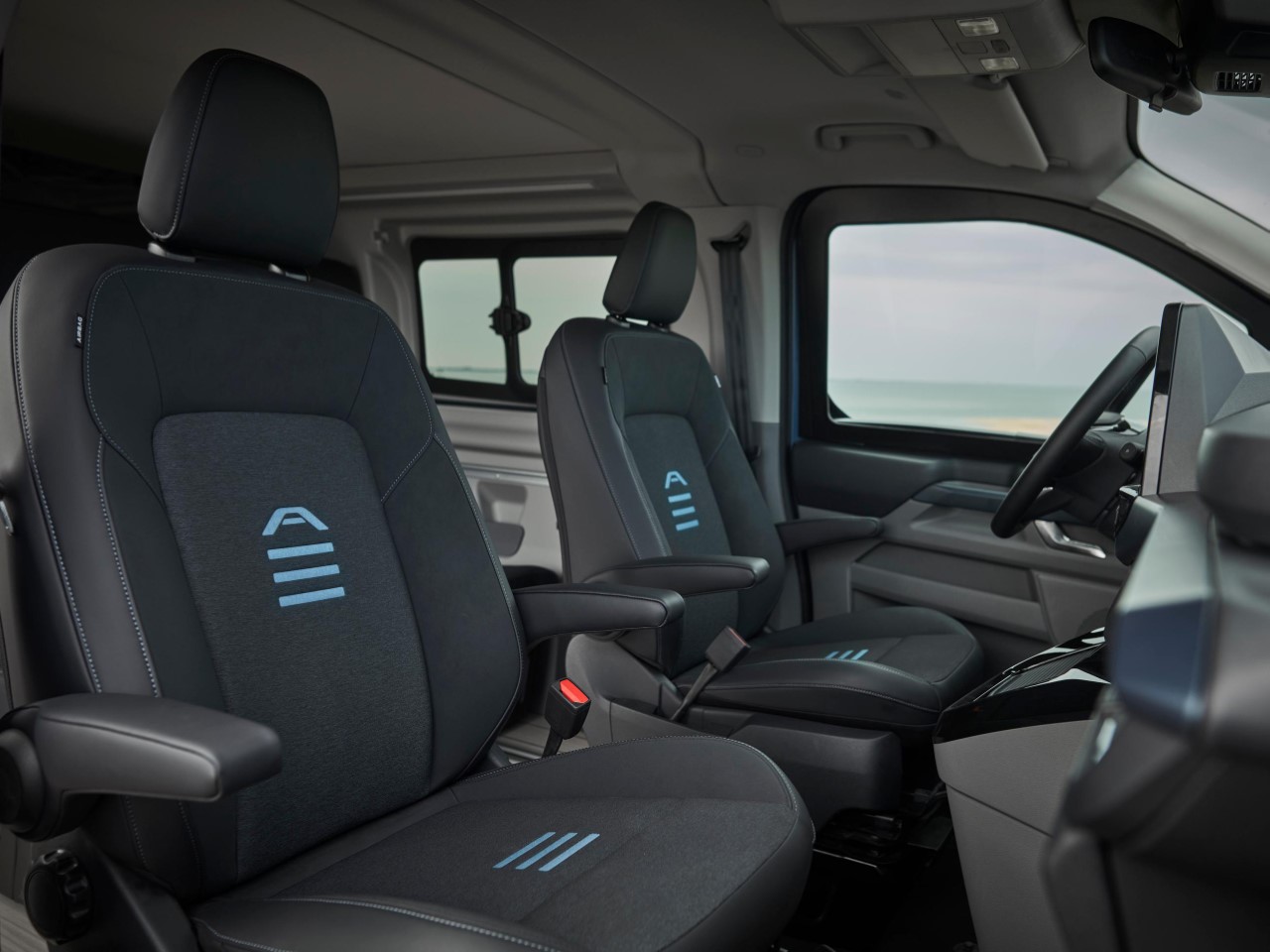
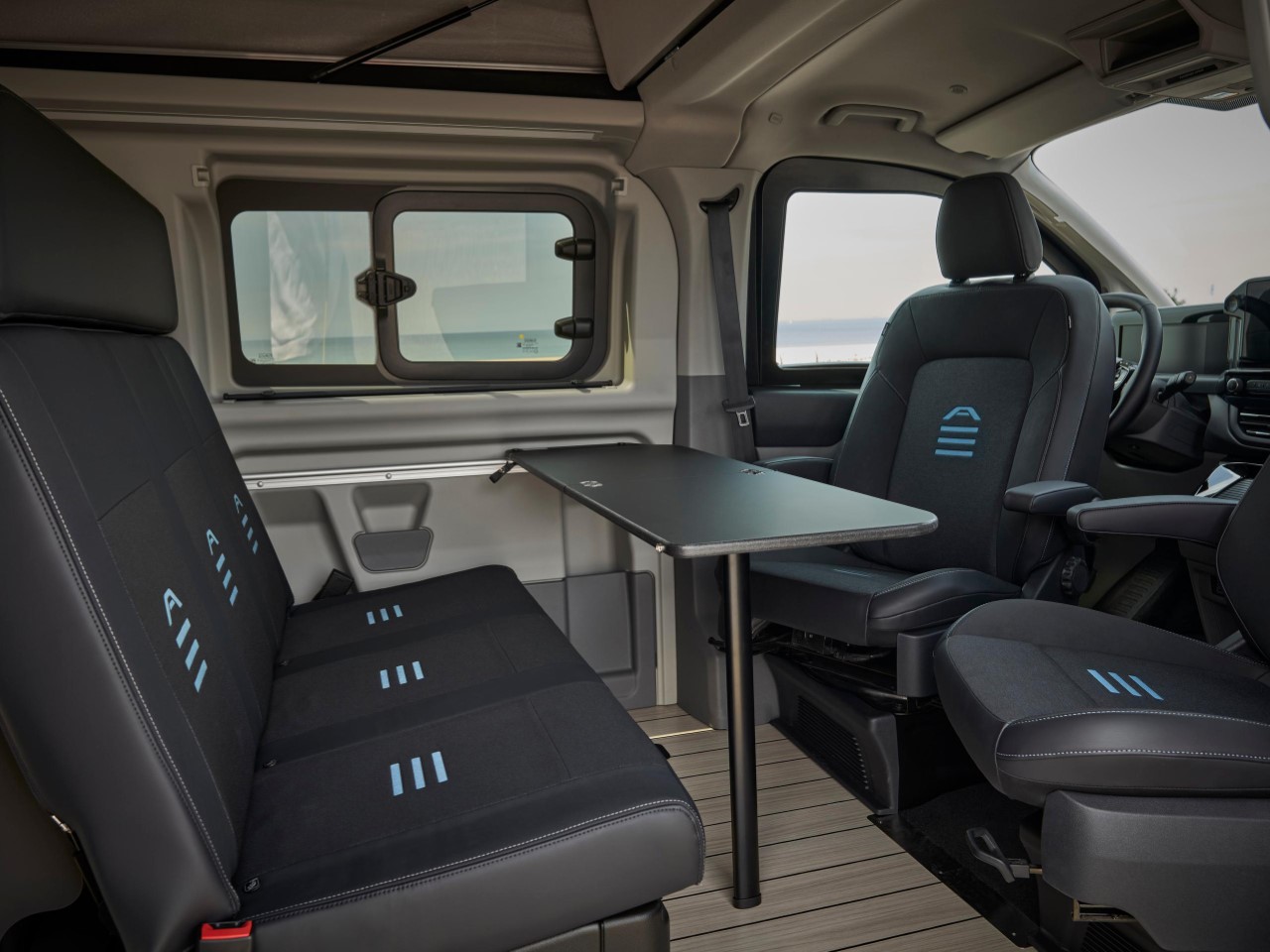
Ford has also integrated the Smart Camper Touchscreen system, allowing centralized control of the van’s features like lighting, heating, and even leveling with the built-in inclinometer. This feature is particularly useful for ensuring a stable and comfortable setup at campsites. The van’s three-room layout—comprising a dining area, kitchen, and pop-up bedroom—remains consistent with previous models but benefits from the increased length and added storage, making longer trips more feasible.


With a base price of €73,126 in Germany, the updated Nugget series remains a premium option within the camper van market. However, the expanded features, enhanced powertrain options, and thoughtful design refinements make it a strong contender for anyone serious about the van life experience. As Ford continues to innovate in this space, the Nugget series evolves from a compact camper into a more comprehensive travel solution, meeting the needs of today’s increasingly diverse group of road adventurers.

 

The post The New Ford Nugget Camper-Van boasts a Wardrobe, Bathroom, L-Shaped Kitchen, and a Hybrid Powertrain first appeared on Yanko Design.
Apple’s latest iOS and iPadOS developer betas include an AI object removal tool for Photos

Apple's latest iOS 18.1 and iPadOS 18.1 developer betas are here, and they include a few new Apple Intelligence features. The most notable is a Clean Up tool in the Photos app, which sounds very much like Google's Magic Eraser. The idea is that you'll be able to remove background objects from your snaps without modifying the subject — even if the undesirable item overlaps the person you're focusing on. According to Apple, the tool can remove the shadow and the reflection of an unwanted object too.

The company notes that the Photos app will identify distracting background elements for you, so you should be able to remove them with a tap. Otherwise, you can circle or brush over an object you want to nix. Clean Up works for finer details when you zoom in too. The tool is compatible with every image on your camera roll, including those you took with an earlier iPhone or iPad, or even a DSLR.

There's one other smaller Apple Intelligence update in the latest beta. Those who have been checking out previous builds have been able to receive summaries of multiple Mail and Messages notifications. This feature will now work for other apps.

There are several other Apple Intelligence features that the company has announced but is yet to start testing in developer betas, including image and emoji generation, priority notifications, in-app actions and personal context updates for Siri, availability for other languages and platforms and, of course, ChatGPT integration.

The only devices that support Apple Intelligence features at the minute are the iPhone 15 Pro and Pro Max, and Macs and iPads with an M1 chip or newer. Anyone with a compatible iPhone or iPad can install the latest iOS 18.1 and iPadOS 18.1 developer betas, but it's always worth bearing in mind that betas can have bugs. So be sure to at least back up your data first if you don't have a secondary device for testing and you don't want to run the risk of having any major issues on the phone you use all the time.

Apple Intelligence features are unlikely to be included in the first retail versions of iOS 18 and iPadOS 18, which should be available soon after next month's iPhone 16 event. They'll probably start to roll out in iOS 18.1 and iPadOS 18.1, which are expected to be available to everyone in October.

This article originally appeared on Engadget at https://www.engadget.com/ai/apples-latest-ios-and-ipados-developer-betas-include-an-ai-object-removal-tool-for-photos-185215465.html?src=rss

Microsoft and Activision Blizzard accused of ‘bad faith bargaining’ by Raven Software union workers

Raven Software’s union — the first of its kind in the gaming industry — has hit another snag negotiating its collective bargaining agreement with Microsoft and Activision Blizzard, games journalist Stephen Totilo reported in his Game File newsletter. The union has filed an unfair labor practice complaint with the National Labor Relations Board (NLRB), alleging chiefly that their employer refuses to bargain, or is not bargaining in good faith. The Raven workers succeeded in their union drive, joining the Communications Workers of America (CWA), over two years ago.

The full complaints have not been made available to the public as of Wednesday. We also reached out to Microsoft and Activision Blizzard for a comment on the complaint but did not receive a response as of presstime.

CWA president Claude Cummings Jr. released a statement following the unfair labor practice charges. He urged Microsoft to follow through on its agreement to respect the rights of the Raven Software workers’ union efforts.

“After Microsoft’s acquisition of Activision Blizzard, our members were optimistic that they would progress quickly to a first contract at Raven Software,” Cummings wrote. “Unfortunately, that has not happened. We encourage Microsoft to address the concerns raised in the unfair labor practice charge and make reaching a fair agreement a priority.”

An NLRB investigation revealed Activision Blizzard withheld raises from Raven’s workers following a separate unfair labor practice charge. The complaint filed by the CWA on behalf of workers in 2022 also accused the game publisher of retaliating against workers attempting to form a union by laying off staff members and moving QA workers to separate teams.

This article originally appeared on Engadget at https://www.engadget.com/gaming/microsoft-and-activision-blizzard-accused-of-bad-faith-bargaining-by-raven-software-union-workers-183040645.html?src=rss

GameStop pivots to retro gaming at select locations

GameStop is pivoting to retro games at select locations. As the industry moves to digital media — and the retailer struggles to adapt to the shifting landscape (including a short-lived stab at NFTs) — the company is betting on the old school. The GameStop Retro locations will stock physical consoles, discs and cartridges from classic Nintendo, PlayStation, Xbox and Sega platforms.

The retailer announced the Retro GameStop locations in a post on X (Twitter). The company also has a website where you can search for retro-friendly locations within a 100-mile radius. (I found a grand total of one in my city.)

GameStop lists 18 classic systems supported by its Retro stores, stretching back to the 8-bit glory days of the Nintendo Entertainment System. Here’s the complete list (according to the company’s brief announcement), including their US launch years:

  • NES (1985)

  • SNES (1991)

  • Game Boy (1989)

  • Sega Genesis (1989)

  • PlayStation (1995)

  • Sega Saturn (1995)

  • Nintendo 64 (1996)

  • Sega Dreamcast (1999)

  • PS2 (2000)

  • Game Boy Advance (2001)

  • Nintendo GameCube (2001)

  • Original Xbox (2001)

  • Nintendo DS (2004)

  • Xbox 360 (2005)

  • Nintendo Wii (2006)

  • PS3 (2006)

  • Nintendo Wii U (2012)

  • PS Vita (2012)

You’ll notice that the PSP isn’t among the systems listed. Engadget emailed GameStop to try to confirm it’s omitted and learn more about the initiative. We’ll update this story if we hear back.

This article originally appeared on Engadget at https://www.engadget.com/gaming/gamestop-pivots-to-retro-gaming-at-select-locations-180704406.html?src=rss

Xbox’s streaming app is coming to more Fire TV devices

The Xbox August update is here, bringing with it plenty of little tweaks and new features. Perhaps the biggest news is that the Xbox streaming app is coming to more Fire TV devices. This means that more people will be able to access the wonderful world of Xbox Cloud Gaming. 

It was already available for the Fire TV Stick 4K Max (2nd Gen) and the Fire TV Stick 4K (2nd Gen), but now it’s available for the previous iterations of those devices, alongside the Fire TV Cube (3rd Gen.) Expanding the availability of cloud-gaming is never a bad thing. There’s the usual caveat, however, as a Game Pass subscription is required here.

Xbox is also amping up Discord integration, which is welcome news. Xbox consoles will now deliver let people know when a friend is playing, chatting or streaming, making it easy to jump into a voice chat or watch that stream. This can all be done directly from the console, without having to use the Discord app on PC or mobile.

As indicated above, users can now watch Discord streams straight from Xbox consoles — or stream their gameplay directly to Discord — which is a nice add-on.

This is showing off download customization.
Xbox

The update will also let people customize downloads. This should allow users to only download what’s needed to actually play the game, saving crucial hard drive space. Somebody should get the Call of Duty team on the horn about this one. 

Finally, there are additional controller customization options. Toggle hold is coming to the Elite Wireless Controller Series 2 and the Xbox Adaptive Controller. When enabled, toggle sends a string of consecutive inputs just like old-school 'turbo' buttons, but without the need to keep that button depressed. That sounds like a great way to sail past “push this button a million times” minigames.

This update is rolling out now and should reach all users by the end of the week. It applies to the Xbox One, Xbox Series X and Xbox Series S.

This article originally appeared on Engadget at https://www.engadget.com/gaming/xbox/xboxs-streaming-app-is-coming-to-more-fire-tv-devices-172946436.html?src=rss

Onyx BOOX Go 6 proves it has become the Nokia of eReaders

eBook readers or eReaders, for short, have come a long way since the day of the first Kindles and Nooks. While they still retain that book-centric DNA, many of them have become more capable and adopted new functionality, from writing down notes to becoming digital notebooks and organizers. In fact, many of these eReaders have become Android tablets and phones with E Ink displays instead of LCDs and OLEDs. Of the growing number of players in this arena, Onyx BOOX stands out as one of the most prolific brands as proven by the launch of its third new device in three months, almost like the mobile phone giant Nokia that flooded the market with innumerable and indistinguishable models.

Designer: Onyx BOOX

Fortunately, Onyx does have just a dozen models under its name, but that’s only if you count the ones it currently sells. There are a few that have already been taken off its shelves, even just a year or two after they launched or even less (looking at you, BOOX Tab Ultra C). It’s not unusual for some of these models to have overlapping feature sets, at which point the older one gets booted out. And that seems to be the case with the newest member of the BOOX Go family, the BOOX Go 6.

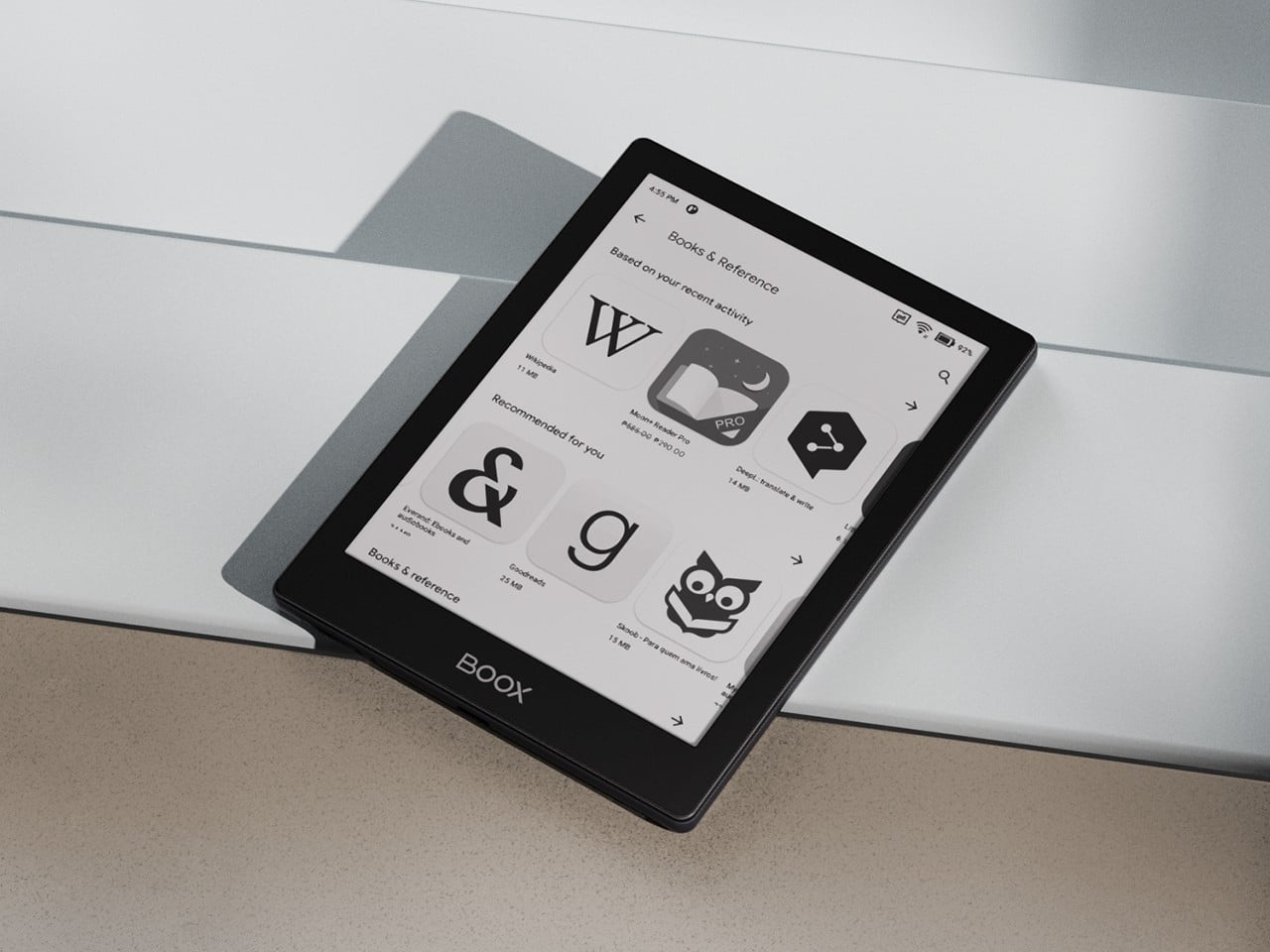
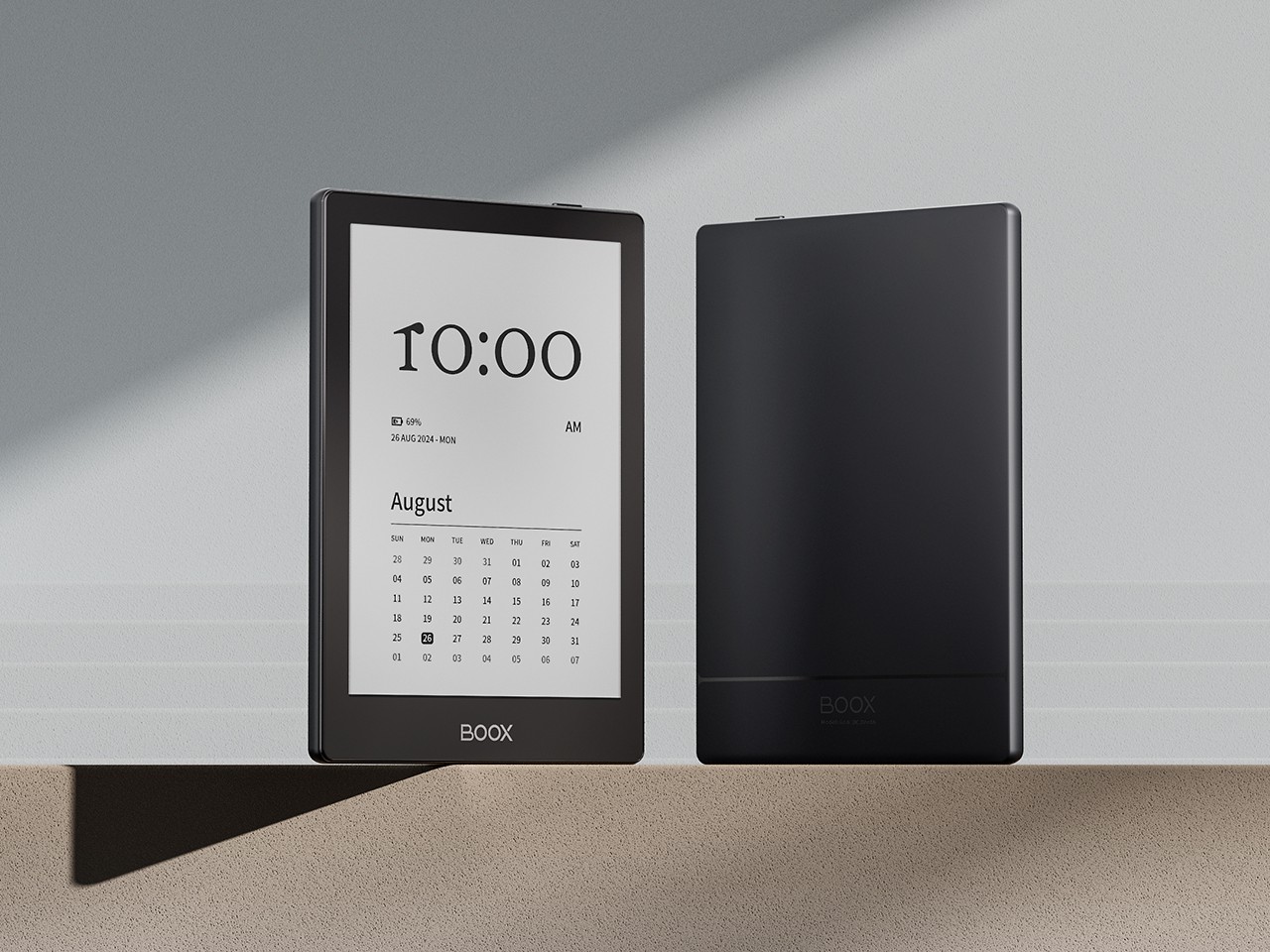
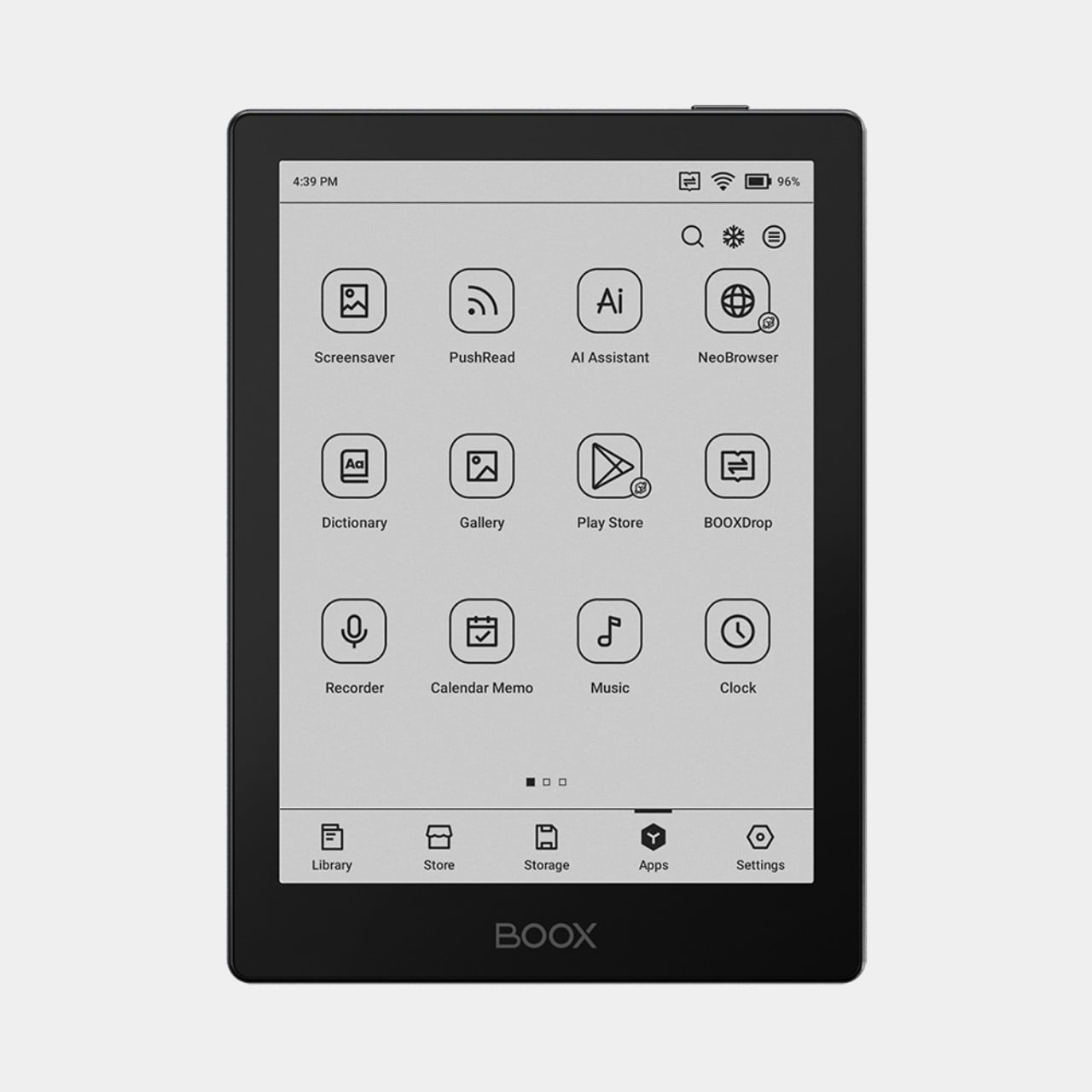
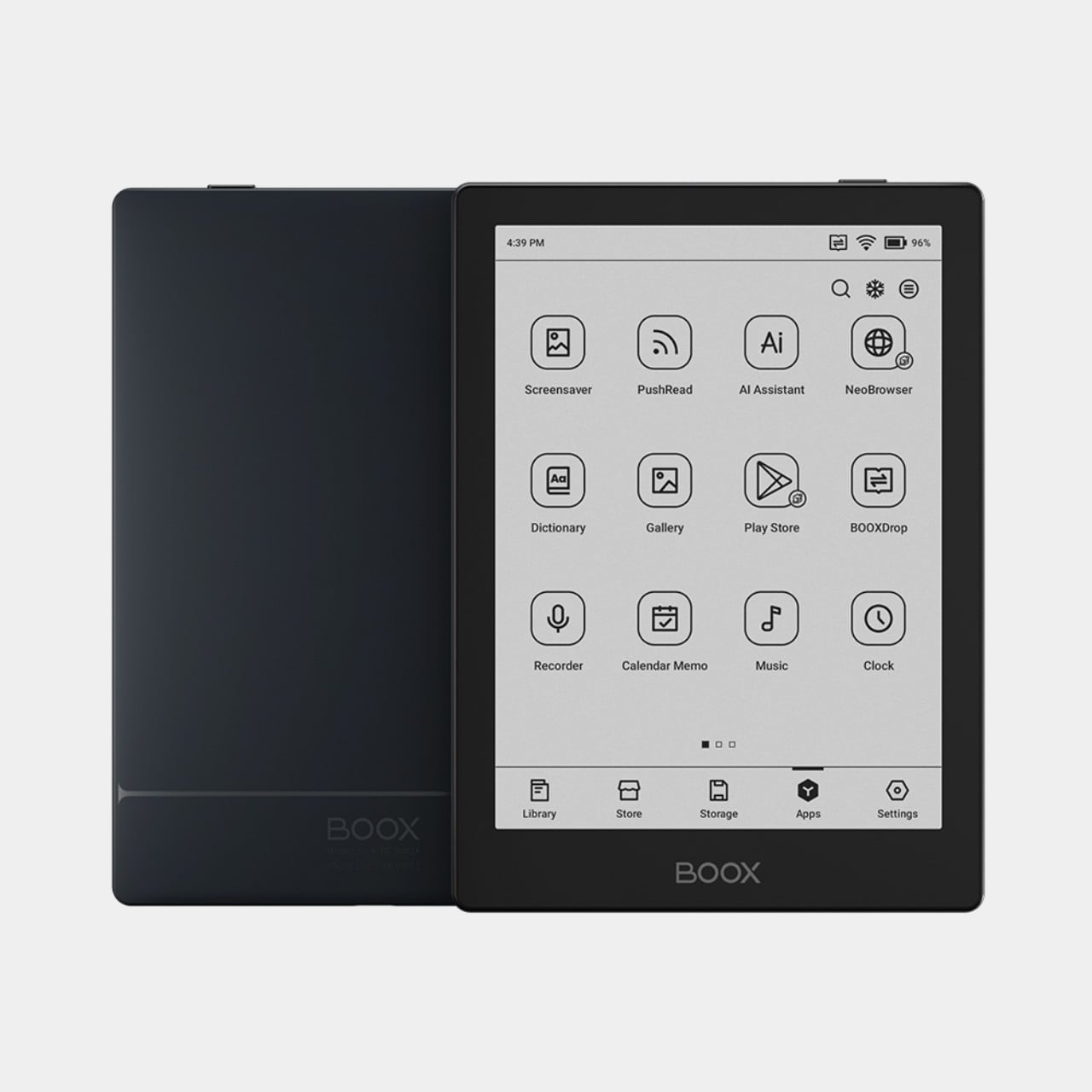
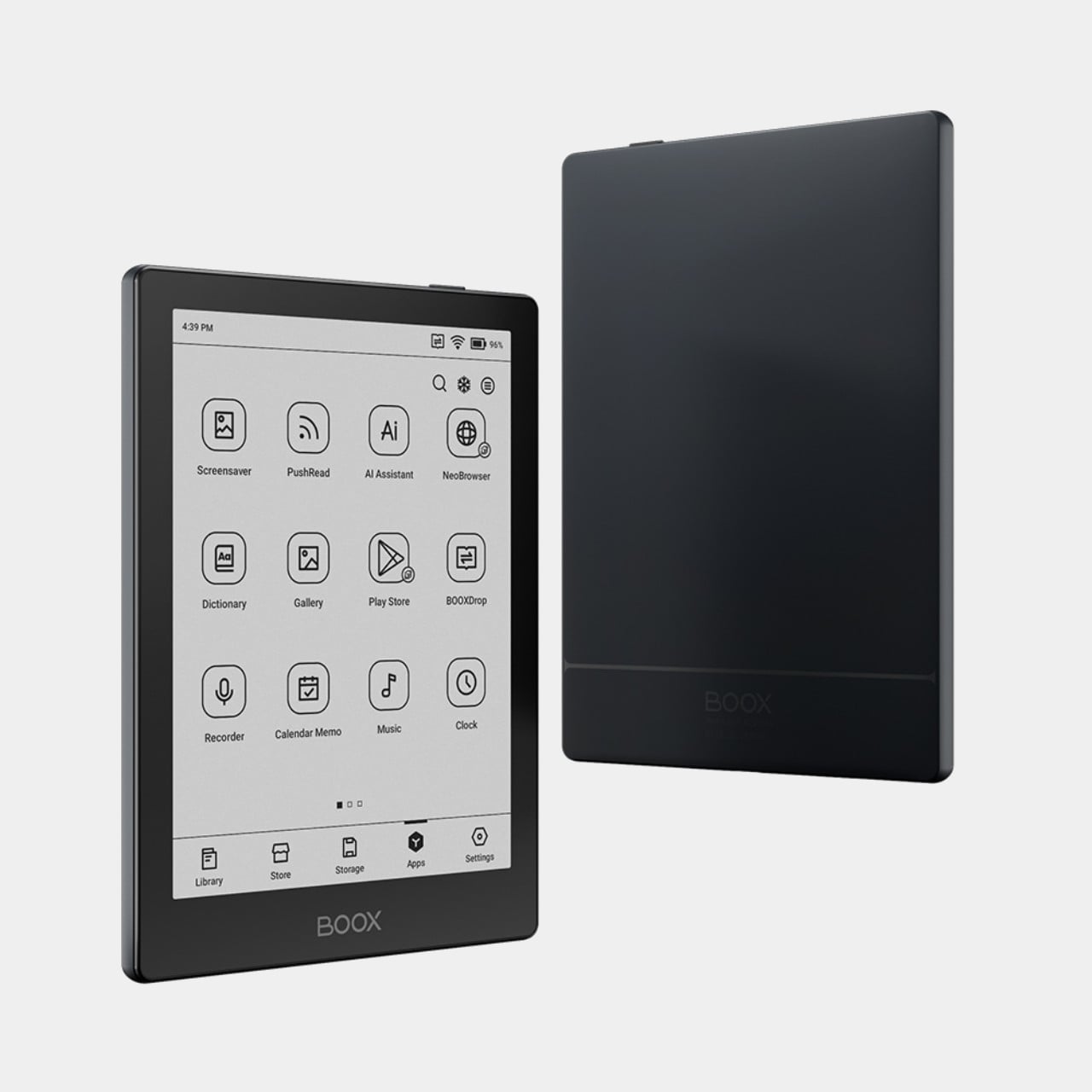
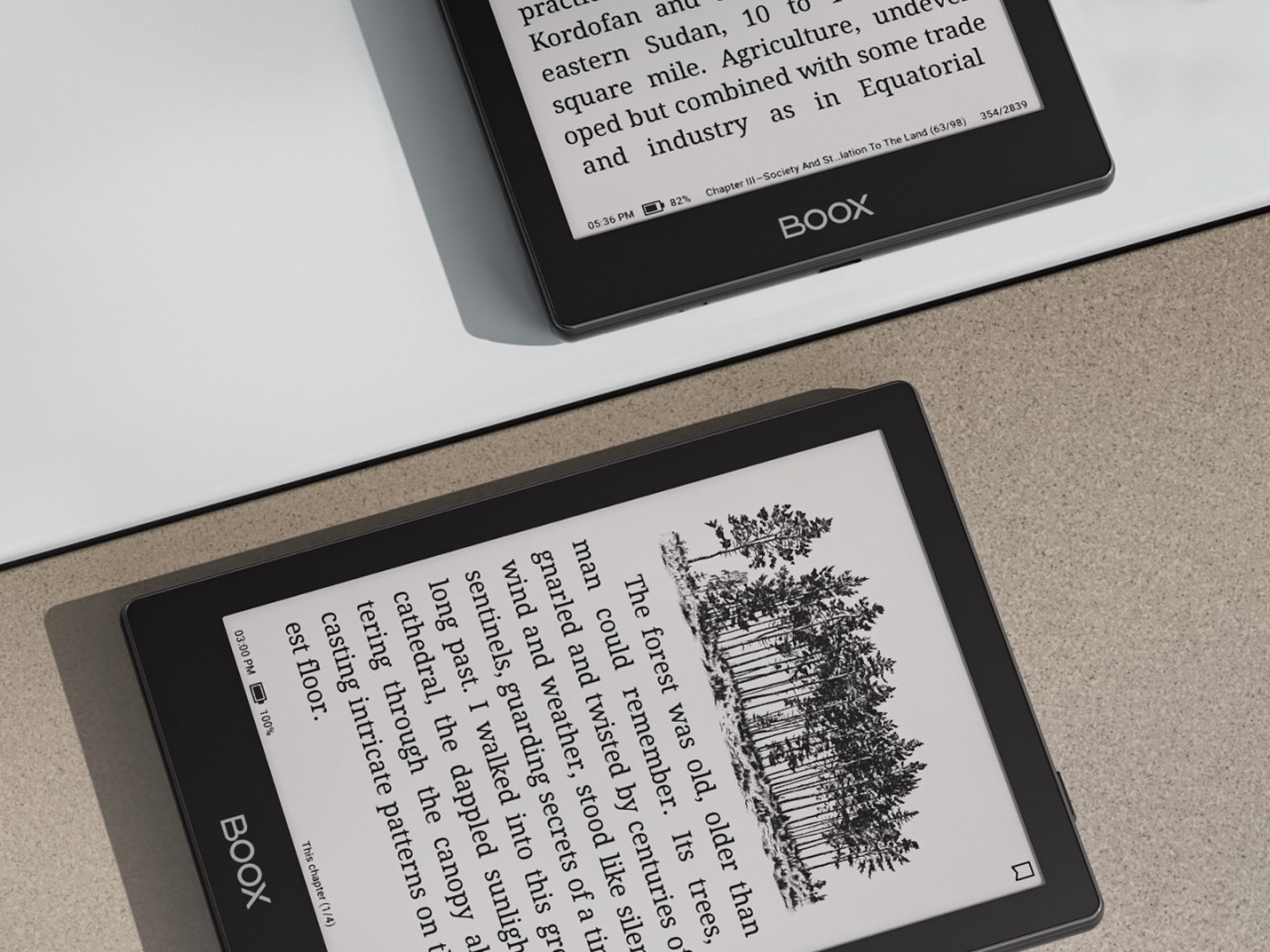
The Onyx BOOX Go 6 is basically the offspring of the BOOX Go Color 7 and the BOOX Go 10.3. With a 6-inch E Ink Carta Plus 1300 screen, it’s smaller than both, as expected of a child, making it the ultimate portable reading device. Like the BOOX Go 10.3, it has a monochrome display, which offers crisper and sharper text but at the expense of displaying any hue of color other than shades of gray. But unlike that larger “digital notebook” and more like the BOOX Go Color 7, it actually has a frontlight that makes it usable in the dark.

Those familiar with BOOX’s lineup before this would probably remember the BOOX Poke 5 which, despite the name, is also a 6-inch eReader with nearly the exact same specs except for one or two details. The biggest difference is the slightly more powerful processor (octa-core versus quad-core) and running a more updated Android 12 operating system. The latter is still old, but that’s actually the latest that Onyx has to offer.

The BOOX Go 6 is also cheaper by $20 and is a bit lighter than the Poke 5. That said, the BOOX Poke 5 was only taken off the brand’s online store recently, so it’s unsurprising that there are many disgruntled customers about this unexpected turn of events. On its own, the BOOX Go 6 does offer the company’s most portable and simplest reading experience, though it remains to be seen if that will still be true in just a few months should BOOX come out with another 6-inch or smaller device that makes this one pointless.

The post Onyx BOOX Go 6 proves it has become the Nokia of eReaders first appeared on Yanko Design.