This Pocket Hydrator Adjusts Mist Strength Based on Face Distance

Skin loses the hydration war quietly in today’s modern world. Office air conditioning runs all day, planes recycle cabin air for hours, and cars blast heat or cold depending on the season. Most hydration routines still happen at a bathroom mirror with a cotton pad and a bottle, even though the real damage shows up at desks, in conference rooms, and halfway through a flight when your face feels tight and tired.

NanoHydra Pro tries to close that gap by shrinking a fairly advanced hydrator into something pocket-sized. It looks like a small metallic gadget with a gradient finish, the kind of thing that sits on a desk next to a phone or slips into a bag without announcing itself. A dual pump nano mist system atomizes toner or serum into a 10 micron droplet cloud, fine enough to sit on skin rather than drip off.

Designer: iNewMe

Click Here to Buy Now: $189 $269 (30% off). Hurry, only 121/200! Raised over $109,000.

The 10 micron mist feels different from a regular spray bottle. Most misters shoot larger droplets that either evaporate too fast or run down your cheeks, leaving streaks on your makeup or pooling near your jawline. NanoHydra Pro atomizes liquid into something closer to a soft fog, light enough to absorb quickly without leaving skin wet or sticky, and you can use the same toner you already have.

What makes it feel smarter is the ToF distance sensor built into the front. It reads how close the device is to your face and quietly adjusts mist output in real time. Hold it near, and the spray softens to avoid oversaturating small areas. Pull it back, and coverage expands for broader strokes. Step outside the detection range, and it shuts off automatically, saving product and avoiding accidental desk misting.

The design seems built for people who keep skincare at their desk rather than just in the bathroom. Five modes let you shift between everyday hydration, a gentler setting for sensitive days, a lifting mode when skin feels slack, an infuse mode for deeper serum sessions, and a manual option for one quick burst. Each mode adjusts mist intensity and duration to match the moment.

The battery lasts around a week with regular use, so it sits there ready without becoming another thing to plug in every night. You press a button, pick a mode on the small LCD screen, mist your face, and go back to work. It fits into the kind of routine where hydration happens between calls or emails rather than as a separate event you have to carve out time for at home.

Travel is where the leak-proof capsule starts to matter. The chamber locks toner or serum inside with enough seals that you can toss it into a bag, check it in luggage, or carry it through airport security without spills soaking into clothes or electronics. The compact body fits easily into a jacket pocket or backpack side slot. On a long flight or dry commute, pulling it out and misting your face takes less effort than digging through a toiletry kit.

A companion app adds a layer for people who like tracking routines. It lets you adjust mist intensity, log each session, and review hydration trends over time, turning a simple spritz into something more intentional. The app also offers guidance based on your skin type and habits, though the device still works perfectly well as a one-button hydrator if you would rather skip the data layer entirely.

NanoHydra Pro hints at a version of skincare tools that pay attention to context instead of just pushing liquid through a nozzle. It reads distance, tunes droplet size, and fits into spaces where traditional routines fall apart, like desks, cars, and airplane seats. As hydration stops being something that only happens at a mirror, a small object that adapts quietly in your hand starts to feel like the more useful kind of upgrade.

Click Here to Buy Now: $189 $269 (30% off). Hurry, only 121/200! Raised over $109,000.

The post This Pocket Hydrator Adjusts Mist Strength Based on Face Distance first appeared on Yanko Design.

Dyson x Porter OnTrac Limited Edition Redefines the Commuter Kit as a Unified Design System

The Dyson x Porter OnTrac Limited Edition collaboration arrives as a pointed departure from typical brand partnerships. Rather than applying co-branded graphics to existing products, this project positions two objects as components of a single system built around commuter behavior. The headphones and bag share materials, color logic, and ergonomic intent. They function as a kit, not a bundle. The production run is limited to 380 individually numbered sets distributed through select retail locations in Japan and China, plus official online channels.

Designer: Dyson x Porter

Porter, the accessories division of Yoshida & Co., approaches its 90th anniversary with a history rooted in textile construction and hardware refinement. Dyson enters audio as an engineering house known for motors, airflow systems, and computational design. The collaboration required both parties to subordinate individual brand language to a shared design constraint. The scarcity is intentional. This is not a mass market recommendation. It is a design artifact that demonstrates what becomes possible when two craft traditions converge on a single behavioral problem.

Collaboration Context

Porter operates under Yoshida & Co., a Japanese company founded in 1935. The brand built its reputation on hand construction, obsessive material selection, and a visual language drawn from military surplus, particularly the MA 1 flight jacket. Porter bags are assembled by hand in Japan, often incorporating dozens of discrete components into a single product. The 90th anniversary celebration, designated Project 006, called for a collaboration that would extend Porter’s construction philosophy into new territory.

Dyson’s audio division emerged more recently with the Zone headphones in 2022, combining noise cancellation with air purification in an ambitious but polarizing form factor. OnTrac followed as a more focused over-ear design, retaining Dyson’s emphasis on driver quality, noise isolation, and extended battery performance. Jake Dyson, chief engineer and son of founder James Dyson, supervised the Porter collaboration.

Both companies ceded ground to produce objects that read as parts of a single system rather than co-branded accessories. Porter’s expertise in understanding how objects move with the body informed Dyson’s thinking about where headphones rest when not in use.

Headphones as Object One

The OnTrac headphones in this collaboration begin with Dyson’s existing flagship architecture. The cups use angled geometry that exposes machined aluminum surfaces and microfiber cushions. What distinguishes this edition is the outer cap treatment. Custom panels carry the Porter logo, and the color blocking shifts to navy, green, and orange, tones drawn directly from the MA 1 flight jacket vocabulary that has defined Porter’s aesthetic for decades. The palette establishes visual continuity with the bag.

The driver assembly uses 40 millimeter neodymium transducers with 16 ohm impedance, spanning a frequency response from 6 Hz to 21 kHz. Eight microphones power the active noise cancellation system, capable of reducing ambient sound by up to 40 dB. Battery life extends to 55 hours with ANC engaged. USB-C fast charging restores usable runtime quickly. Bluetooth 5.0 handles connectivity, and the MyDyson app provides listening mode control and voice assistant integration. These specifications remain unchanged from the standard OnTrac.

The weight sits at approximately 0.45 kg, a figure that exceeds many competitors as a consequence of Dyson’s aluminum construction and driver housing decisions. The cushion geometry distributes pressure across a wider contact area, and the microfiber surface reduces heat buildup during extended sessions. The comfort profile favors long commutes over lightweight portability. The headphones are designed to be worn for hours, not minutes.

The industrial aesthetic leans toward precision equipment rather than consumer electronics. Exposed metal, visible fasteners, and functional geometry communicate that these headphones prioritize engineering integrity over lifestyle signaling. The joystick controls on the right cup allow volume adjustment, track navigation, and mode switching without reaching for a phone.

Technical Specification Snapshot

Specification Value
Driver configuration 40 mm neodymium transducers, 16 ohm impedance
Frequency response 6 Hz to 21 kHz
Active noise cancellation Up to 40 dB reduction via 8 microphones
Battery endurance Up to 55 hours with ANC active
Charging interface USB-C with fast charge capability
Total weight Approximately 0.45 kg
Wireless protocol Bluetooth 5.0, MyDyson app integration
Construction materials Aluminum body, microfiber cushions, CNC machined outer caps

Bag as Object Two

Porter’s contribution is a shoulder bag engineered specifically around headphone storage and deployment. The design is not a general purpose satchel with a headphone pocket added as an afterthought. The entire geometry responds to a single question: how does a commuter remove, wear, and store over-ear audio equipment with minimal friction? The construction involves 77 discrete components, each cut and stitched by hand in Japan.

The outer shell uses water-repellent nylon with abrasion-resistant weave, a material choice that protects against rain, scuffs, and the wear patterns of daily transit. Interior compartments accommodate the standard commuter loadout: phone, wallet, tablet, small camera, cables. Pockets are sized and positioned to prevent shifting during movement. The signature detail is the dedicated headphone loop integrated into the shoulder strap. When the headphones are not in use, they hang from this loop in a stable, accessible position at chest height. The strap itself employs Porter’s Carrying Equipment Strap mechanism, allowing one-handed length adjustment through a quick-pull system. This ergonomic decision accommodates different body types and carry positions without requiring two-handed manipulation.

Color story extends throughout the bag. The body is navy. The zipper tape is bright orange. Interior lining and webbing introduce green and khaki accents.

Every material surface echoes the headphone palette, creating a unified visual identity even when the two objects are separated. The bag was designed with the headphones’ 0.45 kg mass already calculated into its geometry, ensuring weight distribution remains balanced during movement.

System Integration

The value of this collaboration lies in the integrated ritual it enables. A commuter leaves home with headphones docked on the shoulder strap loop. The loop holds them securely against the bag body, eliminating swing and bounce during movement. On the platform, a single motion lifts the headphones from the loop to the ears and activates ANC. At the destination, the headphones return to the loop without opening the bag or searching for a case.

The strap adjustment system allows the bag to shift position for crowded trains or escalator navigation. The Porter logo on the headphone caps and the Dyson branding on the bag interior reinforce system identity through consistent placement and scale.

Design System Comparison

Design Element OnTrac Headphones Porter Shoulder Bag
Primary function High-fidelity audio with active noise cancellation optimized for commuting Compact daily carry satchel engineered around headphone storage and quick access
Material construction Aluminum frame, microfiber cushions, precision machined caps Water-repellent nylon, 77 hand-assembled components, reinforced stitching
Color language Navy headband and shells, green cushions, orange accent stitching Navy exterior, orange zipper tape, green webbing accents, khaki interior
Heritage reference MA 1 flight jacket palette adapted to audio hardware MA 1 flight jacket palette extended to bag construction
Signature feature Porter branded outer caps with co-branded engraving Integrated headphone loop on shoulder strap, one-pull length adjustment
System role Audio delivery and noise isolation during transit Storage, transport, and quick-access docking for headphones and daily essentials

Limited Edition Context

Production caps at 380 individually numbered sets. Each unit ships with a tech slice: a resin block containing frozen development components suspended like specimens. A steel aircraft-wire loop attaches this artifact to the bag. The tech slice serves no functional purpose. Its presence signals that this collaboration values process documentation as much as finished product. Pricing varies by region, with Japanese retail at ¥118,690, UK pricing at £649.99, and North American pricing in the $700 to $1,000 range depending on import and distribution variables.

This represents a significant premium over the standard OnTrac, which retails around $500. The delta purchases the Porter bag, the limited numbering, the tech slice, and the scarcity itself. Distribution is restricted to select Dyson and Porter retail locations in Japan and China, plus official online stores. The 380-unit cap ensures that most interested buyers will not acquire a set.

The collaboration positions itself as a design artifact rather than a mass-market commuter recommendation. This distinction matters. The limited production run is not a marketing tactic to generate urgency. It reflects the reality that hand-built Porter bags cannot scale beyond a certain output without compromising construction quality. The collaboration accepts that constraint rather than working around it.

The numbered tag and tech slice transform the set into a collector’s object, extending both companies’ internal prototype cultures outward to buyers.

Design Value and Trade-Offs

The integrated carry solves a genuine friction point in commuter life. Over-ear headphones are awkward to store and deploy in transit. The strap loop addresses this problem directly. Material quality on both objects meets expectations for premium products. The Porter bag’s hand construction and weather resistance exceed typical EDC pricing tiers. The 55-hour battery life and 40 dB ANC represent genuine engineering performance.

The trade-offs are equally visible. The headphones are heavy at 0.45 kg, heavier than many competing over-ears. This is a consequence of Dyson’s aluminum construction decisions. The premium pricing places this set beyond casual consideration. The 380-unit production run means that for most readers, this is an object to understand rather than acquire. Within the broader context of tech and fashion collaborations, this project signals a shift in approach. Most brand partnerships treat collaboration as a reskinning exercise: new colors, co-branded packaging, a press cycle. The Dyson and Porter set attempts something more structural. The bag exists because of the headphones. The strap loop exists because of the bag. The color palette exists because both objects needed to read as one. This is system design applied to the commute, not merchandise.

Closing Insight

Carrying sound functions as a design position in this collaboration, not as marketing language. Porter and Dyson asked a specific question: what would it mean to design a bag around the act of listening rather than the act of storing? The answer required rethinking strap ergonomics, loop placement, and access geometry. It required unifying two production cultures under a shared color language. It required limiting production to maintain the artifact status that justifies the premium.

Most products designed for commuting solve individual problems: block noise, carry belongings, protect against weather. This collaboration solves them together, as a system, with a coherence that most tech and fashion partnerships never attempt.

The project suggests a future where commuter accessories behave as a cohesive ecosystem, designed from the outset to interact seamlessly rather than coexist by accident. For the 380 people who acquire a set, the daily commute operates through a unified design language. For everyone else, the project demonstrates what becomes possible when two craft-driven houses apply system-level rigor to carrying sound.

The post Dyson x Porter OnTrac Limited Edition Redefines the Commuter Kit as a Unified Design System first appeared on Yanko Design.

Badgeware Turns Conference Badges into Wearable Tiny Computers

Conference badges are usually flimsy cardboard, a lanyard, maybe a QR code, and they end up in a drawer once the event wraps up. In the maker world, people already strap LEDs and e‑paper to their jackets for fun, but those tend to be one‑off hacks held together with tape and hope. Pimoroni’s Badgeware line asks a simpler question, what if the badge itself was a tiny, finished computer you actually wanted to keep wearing.

Badgeware is a family of wearable, programmable displays powered by Raspberry Pi’s new RP2350 chip. The trio gets names and personalities, Badger with a 2.7 inch e‑paper screen, Tufty with a 2.8 inch full colour IPS display, and Blinky with a 3.6 inch grid of 872 white LEDs. Translucent polycarbonate shells in teal, orange, and lime glow softly when the rear lighting kicks in, making them look like finished toys instead of bare dev boards.

Designer: Pimoroni

The shared hardware is serious for something pocket sized. An RP2350 running at 200 megahertz with 16 megabytes of flash and 8 megabytes of PSRAM, Wi‑Fi and Bluetooth 5.2, USB C, and a built in 1,000 milliamp hour LiPo with onboard charging. The Qw/ST expansion port on the back lets you plug in sensors and add ons without soldering, while user and system buttons plus four zone rear lighting give each badge its own under glow.

Badger is the quiet one, four shade e‑paper that sips power and holds static content like names, pronouns, and tiny dashboards for days. Tufty is the show off, full colour IPS and smooth animation for mini games, widgets, and scrolling text. Blinky is the extrovert, a dense LED matrix that spells messages and patterns bright enough to read across a room. Together they cover calm, expressive, and loud without changing the basic wearable form factor.

All three come pre loaded with a launcher and a bunch of open source apps, from silly games like Plucky Cluck to utilities like clocks and ISS trackers. Everything runs in MicroPython with Pimoroni’s libraries, and the optional STEM kit adds a multi sensor stick and a gamepad so badges can react to temperature, light, motion, and multiplayer button mashing, turning them into wearable sensors or tiny game consoles.

Double tapping reset drops the badge into disk mode so it shows up as a USB drive, letting you edit Python files directly without juggling tools or serial consoles. The cases have lanyard holes and can free stand on a desk, so they work as both wearable name tags and tiny desk dashboards. The clear shells and rear lighting make the electronics part of the aesthetic instead of something to hide.

Badgeware turns the throwaway conference badge into a reusable platform. Instead of printing your name once and tossing it, you get a little object that evolves from ID tag to art piece to sensor display as your code and curiosity grow. For people who like their gadgets small, expressive, and open ended, Badger, Tufty, and Blinky feel like digital jewellery that actually earns its lanyard space, whether you wear it to a meetup or keep it glowing on your desk.

The post Badgeware Turns Conference Badges into Wearable Tiny Computers first appeared on Yanko Design.

SKEGIC MagCable Snaps Into a Coil, Never Tangles in Your Bag Again

Charging cables snake across desks, tangle in bags, and turn car consoles into nests of rubber that wrap around shifters and cupholders. We buy nicer desks, stands, and chargers, but the cable itself usually remains the same cheap afterthought that sprawls everywhere. If anything deserves a design rethink, it is the thing we touch every time we plug in, yet most solutions still involve separate clips or Velcro ties you have to remember to use.

SKEGIC’s MagCable tries to solve that mess from the inside out. It is a USB-C to USB-C cable that hides magnets along its length, so it can coil itself neatly and snap into a compact ring or stack instead of sprawling. It still behaves like a proper 100W charging cable with data transfer up to 480 Mbps and support for CarPlay, which means it works for phones, tablets, and smaller laptops without compromising on spec.

Designer: SKEGIC

The embedded magnets let the cable hold a shape, whether that is a tight coil on a desk or a loop clipped to a bag. You are not adding clips or Velcro; the cable itself becomes the organizer. SKEGIC calls it a “magnetic anti-tangle design,” and it makes it easy to pull out just the length you need while the rest stays coiled. When you are done, a quick wrap snaps it back into place without hunting for a tie.

On a desk, the MagCable lives next to a charger as a tidy stack until you unroll a few loops to reach a laptop or phone. In a car, the same cable avoids wrapping around the shifter and still keeps a phone connected for CarPlay without the usual tangle behind the console. For travel, it can sit in a pocket or hang from a bag strap without turning into a knot by the time you reach your destination.

SKEGIC uses reinforced nylon braiding, which helps the cable withstand wear and gives it a more textile feel than glossy plastic cords. The metal USB-C housings carry the SKEGIC logo and make it feel closer to a piece of gear than a disposable accessory. At one meter long, it is rated for universal charging of mobile devices, from phones to tablets and smaller laptops within the 100W envelope.

The trade-offs are modest. This is still a one-meter cable, not a retractable reel, and the magnets add a bit of stiffness and weight compared to a basic cord. Data transfer is rated up to 480 Mbps, which handles syncing phones and accessories but is not aimed at heavy file shuffling to fast external drives. It is a quality-of-life upgrade rather than a spec breakthrough, meant to keep things neat rather than push performance boundaries.

MagCable is the kind of quiet design fix that makes sense once you live with it, the difference between a desk that always looks slightly chaotic and one that feels finished. For people who care about how their workspace, car, or bag looks and functions, a cable that organizes itself starts to feel less like a gimmick and more like how these things should have worked all along, one less small annoyance to manage while everything else demands attention.

The post SKEGIC MagCable Snaps Into a Coil, Never Tangles in Your Bag Again first appeared on Yanko Design.
Titaner Titanium EDC Ratchet Swings at 4° for Impossibly Tight Spaces

There’s a particular kind of frustration that comes with a stubborn screw buried deep inside a chassis or tucked behind a piece of furniture. You finally wedge a ratchet into the gap, but every swing sends the screw back to where you started, undoing your progress in tiny, maddening increments. The problem isn’t skill or strength; it’s that most ratchets need too much arc to advance the fastener.

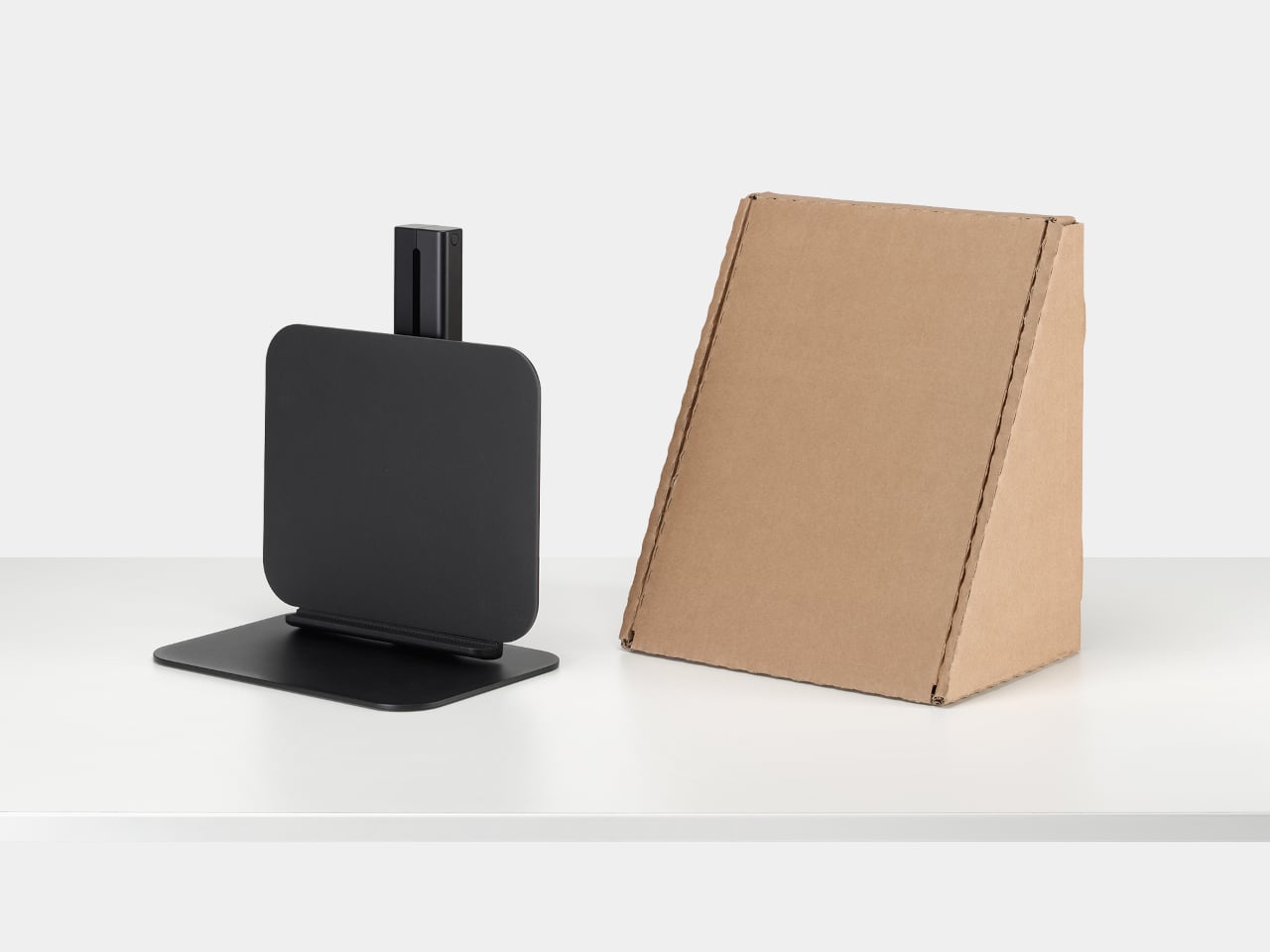
The Titaner EDC Ratchet System was built precisely for this challenge, engineered around an impressive tight 4-degree swing arc. At the heart is a tiny ratchet mechanism, just under thirty grams, that can click forward with minimal movement. In cramped spaces where you can barely tilt your hand, that tight swing means you still get crisp confirmation that the fastener is turning.

Designer: Titaner

Click Here to Buy Now: $159 $295 ($135 off). Hurry, only 66/1900 left! Raised over $479,000.

Traditional thinking says that more precision means more fragility, and more strength means more mass. Titaner’s core weighs just 29.8 grams yet uses a dual-lock gear mechanism engineered to handle serious torque. When fully engaged, it feels like every bit of effort goes straight into the screw without the mushy slop you expect from small ratchets. The core is light enough to carry every day but built to take on rusted bolts without flinching.

Direction control works through a flip-based design instead of a small thumb lever. One side of the core locks for tightening, the other releases for loosening, with engraved markers making it obvious at a glance. Flipping the core in your fingers becomes a natural gesture, and removing that fragile switch simplifies the structure while shaving off weight and potential failure points.

The modular system lets the same core adapt to very different tasks. Snap extension bars into the side ports, and it becomes a T-shaped handle for maximum leverage, letting both hands and your upper body share the load. Reconfigure into an L-shape to work around a chassis brace or wall, or keep it in a slim I-shape when you need to reach deep into a narrow opening.

Of course, controlling force at the moment of maximum torque is where the optional Gyro-Stabilizer cap comes in. It separates downward pressure from twisting motion, so your palm can press straight down while the ratchet turns freely underneath. That helps keep bits seated, reducing cam-out and stripped fasteners. For delicate work on plastics or electronics, the side port configuration gives more linear feedback, making it easier to stop at just the right tightness.

The titanium core, four extension bars, and a set of hardened S2 steel bits all nest into a small aluminum vault case. A clever magnetic structure locks each piece in place with a satisfying snap, so nothing rattles. In a bag or pocket, it feels more like a compact object than a toolbox, yet it unfolds into a capable setup when you need it.

GR5 titanium resists sweat, rain, and seawater, while M390 steel gear teeth handle repeated engagement without rounding off. The outer case is milled from 7075 aluminum, with chamfered edges and smooth surfaces that feel deliberately finished. Spin the core between your fingers, and the fine clicks of the 4-degree mechanism turn precision into something you can hear and feel, a tactile reward for the engineering underneath.

The system comes in two versions. The basic edition offers just the ratchet core with a standard interface, meant for people who already have their own bits and extensions they trust. The pro edition includes the full modular ecosystem with bars, bits, a vault case, and all the configuration options for T, L, and I shapes, turning it into a complete pocket toolkit built around a single titanium heart.

The Titaner EDC ratchet system treats turning a screw as an opportunity for thoughtful engineering and satisfying interaction. It’s built to live in a pocket, ready for the awkward angle or hidden fastener that shows up without warning, and to make those moments feel a little less like a fight and a little more like a solved puzzle with the right tool in hand.

Click Here to Buy Now: $159 $295 ($135 off). Hurry, only 66/1900 left! Raised over $479,000.

The post Titaner Titanium EDC Ratchet Swings at 4° for Impossibly Tight Spaces first appeared on Yanko Design.
HubKey Gen2 Kills Dongle Mess, Adds Dual 4K and Physical Controls

The modern desk is a patchwork of small compromises. Your laptop has two USB-C ports, but you need displays, a wired network, external storage, and constant charging. That leaves you juggling dongles and adapters, with media controls and privacy shortcuts buried in software menus or keyboard combinations you can never quite remember. The setup works, but it never feels tidy or intentional, just workarounds gradually spreading across your workspace.

HubKey Gen2 tries to pull those pieces together in a single compact cube that sits within arm’s reach. It’s both an 11-in-1 USB-C hub and a small hardware control surface, with four shortcut keys and a central knob on top. The idea is to handle displays, power, storage, network, and a handful of everyday actions from one place, turning a desk full of little fixes into something more coherent.

Designer: HubKey

Click Here to Buy Here: $89 $179 (50% off). Hurry, only 266/500 left!

The most requested improvement for this version was better display support and five keys which can be fully customized. HubKey Pro 2 now offers two HDMI ports, each capable of driving a 4K display at 60Hz. That means a laptop can suddenly run a pair of high-resolution monitors smoothly, turning a cramped single-screen setup into a proper workspace for editing timelines, keeping reference material open, or spreading code and documentation across both panels without stuttering.

Between the USB-A 3.1 and USB-C 3.1 ports at up to 10 Gbps, SD and TF card slots, a 2.5 Gbps Ethernet port, 3.5 mm audio jack, and a dedicated 100 W USB-C PD port, HubKey Pro 2 can replace a whole handful of adapters. One cable from the hub to your laptop or handheld PC brings everything else online, from wired internet to external drives and dual displays, cutting down on the usual cable mess.

The top panel is where the shortcut side comes in. Four keys and a central knob are mapped to actions like volume and mute, screen lock, display off, screenshot, and lighting control. Instead of hunting through menus or remembering key combinations, you can twist the knob to adjust sound, tap a key to blank the monitor when someone walks by, or grab a screenshot with a single press.

Under the surface, the shortcut side goes deeper than a few hard-wired functions. A built-in driver unlocks five preset systems with 170 fixed combinations, plus a sixth mode where you can fully customize the key bindings. When you plug HubKey Gen2 into your machine, a settings interface pops up automatically, letting you assign shortcuts, macros, and key sequences in a few clicks.

For basic use there are no drivers to hunt down; it’s plug-and-play with Windows, macOS, Linux, and even devices like the Steam Deck, while the optional driver adds a deeper layer of customization when you want to fine-tune the keys. The internal circuitry and firmware have been tuned for faster recognition and more stable power delivery, and the press logic for Windows and macOS has been refined to reduce delays or misfires.

The 100W USB-C PD port can keep a laptop charged while the hub is driving dual 4K displays and handling data transfers. The The 10 Gbps USB ports and card readers make moving large files feel less like a chore, especially for photographers and video editors who are constantly offloading cards. The goal is to reduce the number of separate chargers and adapters that need to live on the desk.

Of course, the central knob has a smooth feel when you adjust volume, and the integrated LED ring can be dimmed or toggled with a key. The lighting adds a bit of atmosphere without turning the hub into a light show, and the compact form factor means it can sit next to a keyboard or under a monitor without demanding attention when you’re not actively using it.

HubKey Gen2 doesn’t claim to replace a full keyboard or a studio-grade dock, but it does try to make a typical laptop-based setup feel more intentional. By combining dual 4K display support, a full spread of ports, and a handful of physical controls in one small object, it turns a desk full of little compromises into something more coherent and easier to live with.

Click Here to Buy Here: $89 $179 (50% off). Hurry, only 266/500 left!

The post HubKey Gen2 Kills Dongle Mess, Adds Dual 4K and Physical Controls first appeared on Yanko Design.

Sandmarc Lens Gives iPhone 17 Pro 16x Optical Zoom, No Digital Tricks

iPhone zoom has improved, especially with the 17 Pro’s tetraprism, but anything past 5x still leans heavily on digital tricks. Distant concert shots look like watercolor paintings, city skyline details collapse into mush when you pinch to zoom. If you actually care about long lenses, you usually end up carrying a separate camera and a chunky telephoto, which defeats the point of traveling light in the first place.

Sandmarc’s Telephoto Tetraprism Lens offers a different approach. It is a 48mm 2x optical telephoto that mounts directly over the 17 Pro’s 5x tetraprism camera, giving you up to 16x reach, roughly a 384mm equivalent. Real glass does the work instead of software interpolation. It is built specifically for Apple’s tetraprism module, not a generic clip on trying to cover all three lenses poorly.

Designer: Sandmarc

The lens is a multi element, multi coated cylinder weighing about 250 grams, closer to a compact mirrorless lens than a toy. The field of view narrows to 16.7 degrees, which gives you tight framing and real telephoto compression, the kind that pulls distant mountains closer or stacks city buildings into dense layers. The front element sits deep inside a metal barrel with blue anti reflection coating, machined rather than molded.

Where it shines is shooting where you physically cannot move closer. Standing on a ridge pulling in a faraway peak, shooting street portraits from across the road, grabbing architectural details from stadium seats without leaning on digital zoom that turns textures into paste. The lens only works with the 5x module, so you need a pro camera app to force the phone onto that sensor, but once dialed in, results look more like a small camera than a phone.

The front of the lens is threaded for Sandmarc’s own filters, so you can snap on an ND, polarizer, or diffusion filter just like you would on a regular camera. That opens up long exposures, glare control, and more cinematic looks. The included Ultra Slim case handles alignment and mounting without fiddling with clips, though it does mean swapping out whatever case you normally use when you want the lens attached.

The trade offs are real. The lens adds bulk and weight, only works with the 17 Pro and Pro Max tetraprism camera, needs Sandmarc’s case, and really wants a third party camera app. It is not something you leave on all day. It is the piece of kit you pack when you will be chasing distant subjects and want something better than cropped pixels, accepting your phone will feel like a small camera for a few hours.

Accessories like this make the iPhone feel less like a sealed black box and more like a modular camera system. For people who already think in focal lengths and filters, the Sandmarc Telephoto Tetraprism Lens turns the 17 Pro into a capable long lens rig, without asking you to give up having your main camera still live in your pocket when you are done shooting and need to check email or navigate to the next location.

The post Sandmarc Lens Gives iPhone 17 Pro 16x Optical Zoom, No Digital Tricks first appeared on Yanko Design.
Yeezy’s Former Designer Just Dropped His First Crocs Design

You know that feeling when two things you never expected to see together suddenly collide in the most delightful way? That’s exactly what’s happening right now in the world of footwear, and honestly, it’s about time someone shook things up at Crocs.

Let me introduce you to the Crocs Ripple, the brainchild of Steven Smith, a name that carries serious weight in the sneaker world. If you’re not familiar with Smith’s work, here’s the quick version: this guy has 40 years of industry experience under his belt and was the former head of product design at Yeezy. Yeah, that Yeezy. He’s the kind of designer whose resume makes other designers jealous, and now he’s bringing his magic to those polarizing foam clogs we all secretly own.

Designer: Steven Smith for Crocs

The Ripple represents Smith’s first design for Crocs since joining as Head of Creative Innovation, and it’s clear he’s not playing it safe. This isn’t just another color variant of the Classic Clog you’ve seen a million times. Instead, Smith has completely reimagined what a Crocs design can be, taking the brand’s comfort-first philosophy and wrapping it in a sculptural, almost futuristic package.

What makes the Ripple so different? For starters, forget about traditional laces or even the iconic heel strap. This is a slip-on clog with a bold personality written all over it. The design features three perforations on top for breathability, but the real showstopper is the wave-inspired aesthetic that runs across both sides. Those concentric oval patterns aren’t just there to look cool (though they absolutely do). They actually serve a functional purpose, incorporating two different types of Crocs foam technology: Croslite and Mellow.

The technical details get even more interesting when you look under the hood. Smith has integrated a TPU shank into the sole unit, which is footwear speak for added stability and support. It’s this kind of thoughtful engineering that separates designer collaborations that are all flash from ones that actually improve the wearing experience. The inaugural colorway launches in gray and blue, a combination that perfectly complements the Ripple’s boundary-pushing silhouette. There’s something almost aquatic about the design, like Smith took inspiration from water movement and translated it into foam and rubber. It stays true to his established design language while pushing Crocs into entirely new territory.

Now, here’s where things get exclusive. The Ripple is making its second in-person debut on December 5, 2025, exclusively at Flight Club Miami, perfectly timed with Art Basel. If you’re lucky enough to be in South Florida, this is one of those first-come, first-served situations where showing up early matters. Smith himself will be on site, which is a pretty big deal if you’re into sneaker culture and design.

But what does this collaboration really mean for Crocs? Smith has made it clear that he’s not looking to completely overhaul the brand. Instead, his approach is more subtle and potentially more impactful. He’s introducing boundary-pushing models that will, as the name suggests, create a ripple effect throughout both the company and the footwear industry at large.

It’s a smart strategy when you think about it. Crocs already has massive brand recognition and a devoted following. What they needed was someone who could elevate the design conversation without alienating their core audience. Smith brings credibility from the high-fashion sneaker world while respecting what makes Crocs work in the first place: uncompromising comfort and unmistakable personality.

The timing of this release feels significant too. We’re living in an era where the lines between high fashion, streetwear, and everyday comfort have completely blurred. The same people buying designer sneakers are also rocking Crocs to brunch. Smith’s Ripple sits perfectly at this intersection, offering something that’s conversation-worthy without sacrificing the practicality that made Crocs a household name.

While the Miami launch is happening now, a wider release through Crocs.com is expected to follow in early 2026. That means even if you can’t make it to Art Basel, you’ll eventually get your chance to experience what happens when sneaker royalty reimagines one of the most divisive shoes in modern history. Whether you’re team love-them or team hate-them when it comes to Crocs, the Ripple is worth paying attention to. It represents something bigger than just another shoe release. It’s proof that even the most established brands can evolve when they bring in the right creative voices.

The post Yeezy’s Former Designer Just Dropped His First Crocs Design first appeared on Yanko Design.

4‑Axis CNC, Built‑In Laser, Auto Tool‑Change: The $899 Makera Z1 Replaces Your Entire Workbench

The maker movement has always had this tension between aspiration and reality. We want to believe that anyone with creativity and determination can fabricate complex physical objects, but the actual tools have never quite lived up to that vision. 3D printers got there eventually, becoming genuinely accessible after years of tinkering and iteration. CNC mills are still waiting for their Prusa moment, that breakthrough where capability and usability finally converge at a price point that makes sense for individual creators rather than small manufacturers.

Makera’s Z1 looks like it might be taking a serious run at becoming that machine. The specs are legitimately compelling: 4-axis machining for complex geometries, laser engraving for multi-material work, tool changing that doesn’t kill your workflow momentum. But the really smart move is how they’ve approached the software side with their Smart Machining Wizard that handles toolpath optimization automatically. That’s the kind of feature that could genuinely flatten the learning curve, because the hardest part of CNC work isn’t understanding what you want to make, it’s translating that into the specific sequence of cuts and feeds that won’t destroy your material or your bit.

Designer: Makera

Click Here to Buy Now: $899 $1199 (25% off). Hurry, only 1052/7000 left! Raised over $8 million.

Makera built this thing with a die-cast metal frame that keeps it rigid enough for precision work while staying compact enough for a desk or workbench. Most desktop CNCs either sacrifice rigidity for size or end up being “desktop” machines that require you to dedicate half a room to them. The Z1 actually fits where people work without turning into a wobbly mess the moment you put any real cutting force on it. A transparent enclosure with blue LED lighting lets you watch what’s happening, which sounds purely aesthetic until you’ve spent enough time with CNC work to know that being able to see when something starts going wrong is the difference between catching a problem early and ruining your third attempt at an expensive piece of walnut.

Most people who’ve used desktop CNCs have experienced the tool-changing nightmare. You’re halfway through a project, need to swap from a roughing bit to a finishing bit, and suddenly you’re stopping the job, manually changing tools, re-zeroing everything, and praying you didn’t throw off your alignment. Mess it up and you’ve wasted material, time, and patience. The Z1’s quick tool changer handles swaps in seconds without breaking workflow. Queue up your roughing pass, finishing pass, and laser engraving in sequence, start the job, and come back to finished work. You can actually plan projects with multiple operations now instead of avoiding them because the process is too tedious.

Adding a fourth axis changes what you can make, not just how easily you can make it. Standard 3-axis machines force you into flat-world thinking. Want details on a cylinder? You’re manually rotating and re-fixturing, hoping your alignment is perfect each time. Complex curves? Forget it unless you enjoy spending hours setting up custom jigs. With 4-axis capability, cylindrical parts become straightforward. Jewelry with wraparound patterns, custom instrument components, robotics parts with mounting features on multiple faces – projects that used to require either expensive shop time or elaborate workarounds become things you can just do.

Makera bundled a laser module into the same machine, which solves a problem anyone working on mixed-material projects has run into. Mills cut wood, plastic, soft metals well. Lasers excel at engraving and cutting leather, acrylic, veneer. Usually you need two machines, two software packages, and endless frustration trying to align work between them. Having both in one system with unified control means you can mill a relief pattern into wood and laser-engrave fine details in the same setup. For prototyping or small production runs, not having to move work between machines eliminates a huge source of error and wasted time.

Makera Studio unifies design, CAM, and machine control instead of forcing you to juggle multiple applications that barely talk to each other. More importantly, the Smart Machining Wizard actually does something useful: it looks at your geometry and suggests toolpath parameters. This matters because new CNC users consistently get stuck at exactly this point. You’ve got a 3D model, you know what you want to cut, but now you need to figure out feeds, speeds, stepover percentages, roughing versus finishing strategies. Get it wrong and you break expensive bits, ruin material, or spend six hours on a cut that should take forty minutes. Most CAM software assumes you already know this stuff. Makera’s wizard gives you a starting point based on your specific geometry and material, which won’t make you an expert overnight but might keep you from quitting in frustration after your fifth failed attempt.

Built-in presets cover relief carving, 4-axis operations, and PCB milling. PCB work is particularly brutal for beginners because you need precise depth control and appropriate feeds to get clean copper traces without destroying the board. Having proven workflows ready to use means these capabilities become practical tools instead of theoretical features you never figure out how to use properly.

Makerables, their content platform, lets users share projects and download models, which is table stakes for any modern fabrication tool. More useful is the AI modeling feature that generates 3D models or reliefs from images and prompts. You can argue about whether AI-generated designs are “real” making, but practically speaking, not everyone has years to invest in mastering Fusion 360. If you’ve got strong design sense but CAD software makes you want to throw your computer out a window, being able to go from concept to cuttable model without that barrier actually matters. Plenty of artists and designers who understand form, proportion, and aesthetics have been locked out of CNC work purely by software requirements.

Auto-probing and leveling handle surface calibration without manual tramming, which saves twenty minutes of tedious setup before every job. Integrated dust collection with ports for external collectors means you can run this indoors without coating your entire workspace in fine dust. The built-in camera lets you check on progress remotely and record time-lapses, catching problems before they get expensive and documenting your work without setting up separate recording equipment.

Pricing sits at an MSRP of $1,199, but early Kickstarter backers can secure the Z1 for $899. Compare that to quality 3-axis desktop CNCs without laser modules, 4-axis capability, or automated tool changing, and the Z1 looks legitimately competitive. So much so that over 6,000 backers have already pledged more than $8 million USD to secure the Makera Z1- with the campaign running until December 12 – before it begins shipping next month.

Makera is also offering a Z1 Pro configuration that addresses the performance ceiling some users will eventually hit. The standard Z1 uses lead screws and open-loop steppers, which work fine for most projects but can show limitations under sustained heavy use or when you’re chasing the tightest possible tolerances. The Pro upgrade swaps in ball screws across all three axes and adds closed-loop stepper motors. Ball screws reduce backlash and handle heavy cutting loads better over time, while closed-loop motors automatically correct position errors, eliminating the lost steps that can ruin a long job when you’re six hours in and something goes slightly wrong.

The upgrade costs $399 normally but Kickstarter backers can add it for $249. You’re looking at hardware changes that meaningfully improve accuracy and reliability rather than marginal spec bumps, which matters if you’re planning to use this machine for small production runs or client work where failures get expensive fast. The Pro units ship around two months after the standard Z1, starting March 2026, which makes sense given they’re swapping core motion components. Whether the upgrade is worth it depends on your use case – hobbyists and occasional users probably won’t notice the difference, but anyone planning serious production work or precision-critical projects should consider it seriously.

Click Here to Buy Now: $899 $1199 (25% off). Hurry, only 1052/7000 left! Raised over $8 million.

The post 4‑Axis CNC, Built‑In Laser, Auto Tool‑Change: The $899 Makera Z1 Replaces Your Entire Workbench first appeared on Yanko Design.
Columbia’s Endor Collection Brings Star Wars Style to Real Life

If you’ve ever wanted to dress like a Rebel Alliance soldier without looking like you just walked out of a cosplay convention, Columbia Sportswear has you covered. Their new Star Wars Endor Collection, dropping December 11th, is their most ambitious collaboration yet, and honestly, it’s pretty spectacular.

This isn’t just another brand slapping a logo on a hoodie and calling it a collaboration. Columbia has been partnering with Star Wars since 2016, releasing annual holiday collections that go deep into the details. But this 20-piece Endor Collection takes things to another level entirely. The designers actually visited Skywalker Ranch to see the original spray-painted camo costumes from Return of the Jedi in person. That hands-on research shows in every piece.

Designer: Columbia

The collection reimagines some of the most iconic looks from the Battle of Endor: Han Solo’s camouflage trench coat, those memorable ponchos Luke and Leia wore, and the Rebel troop uniforms. But here’s what makes it special. These aren’t costume replicas. They’re actual functional outdoor gear that happens to be inspired by a galaxy far, far away. Columbia took their signature performance technology and merged it seamlessly with authentic Star Wars design elements.

Take the Endor Issue Ponchos, for example. They recreate the iconic look from the film, but they’re made with Omni-Tech waterproof fabric and feature bungee-adjustable arms. You could actually wear these hiking in the Pacific Northwest (which, let’s be honest, looks a lot like Endor anyway). The General Han Solo Trench is even more impressive because it separates into three individually wearable pieces, each packed with Star Wars Easter eggs for fans to discover.

The boots deserve special mention too. The Endor Issue Boots combine technical features like Omni-MAX cushioning, an Omni-Grip outsole, and a TechLite midsole, making them genuinely trail-ready. Following last year’s footwear debut in the collaboration, Columbia clearly learned what works for fans who want both authenticity and actual performance from their gear.

The attention to detail is where this collection really shines. Throughout the pieces, you’ll find carefully placed Rebel Alliance logos, coordinates, and messages written in Aurebesh (the Star Wars alphabet) for fans to decode. The blanket features original concept art, there are Ewok fleece patches, Bright Tree Village references, and even the actual map of the filming location tucked inside the shoebox and printed on long-sleeve tees. It’s like a treasure hunt for Star Wars enthusiasts.

What’s particularly clever is how Columbia captured that organic, hand-sprayed technique used on the original costumes. The designers worked to ensure their versions maintained that same imperfect, authentic look while still being performance-driven outdoor apparel. Balancing costume accuracy with real-world functionality took considerable time and effort, but the result is pieces that feel genuinely inspired rather than gimmicky. The color palette pulls directly from Endor’s forest moon aesthetic: earthy browns, mossy greens, and woodland camouflage patterns that feel both fantastical and wearable in everyday life.

The collection includes everything from the standout trench coat and ponchos to more practical pieces like the Endor Issue Pants (Columbia’s first-ever Star Wars-inspired pants), cargo jackets, reversible jackets, cargo vests, and various pullovers and half-zips. There’s also an Endor Issue Cargo Backpack for carrying your gear, water bottles with themed designs, multiple hat styles including a ball cap and wider-brimmed options, and even a quilted blanket perfect for outdoor adventures or cozy movie marathons watching the original trilogy.

Columbia enlisted Billie Lourd for the campaign, which feels particularly meaningful. Lourd, who played Lieutenant Connix in the sequel trilogy and is the daughter of the legendary Carrie Fisher, was photographed among towering California redwoods with her children wearing Ewok-inspired fleece pieces. It’s a beautiful tribute that connects the collection to Star Wars legacy while showcasing how these pieces work for real families having real outdoor adventures.

The collection launches December 11th at 10 AM EST on Columbia’s website, with early access for members of their free Greater Rewards program starting 30 minutes earlier. It’s the kind of collaboration that shows what happens when a brand genuinely respects both the source material and their customers. You get functional outdoor gear that happens to make you feel like you’re part of the Rebellion, without sacrificing style or performance. And in a world full of half-hearted pop culture collaborations, that’s definitely worth celebrating.

The post Columbia’s Endor Collection Brings Star Wars Style to Real Life first appeared on Yanko Design.