Spherical webcam concept adds a playful personality to a utilitarian product

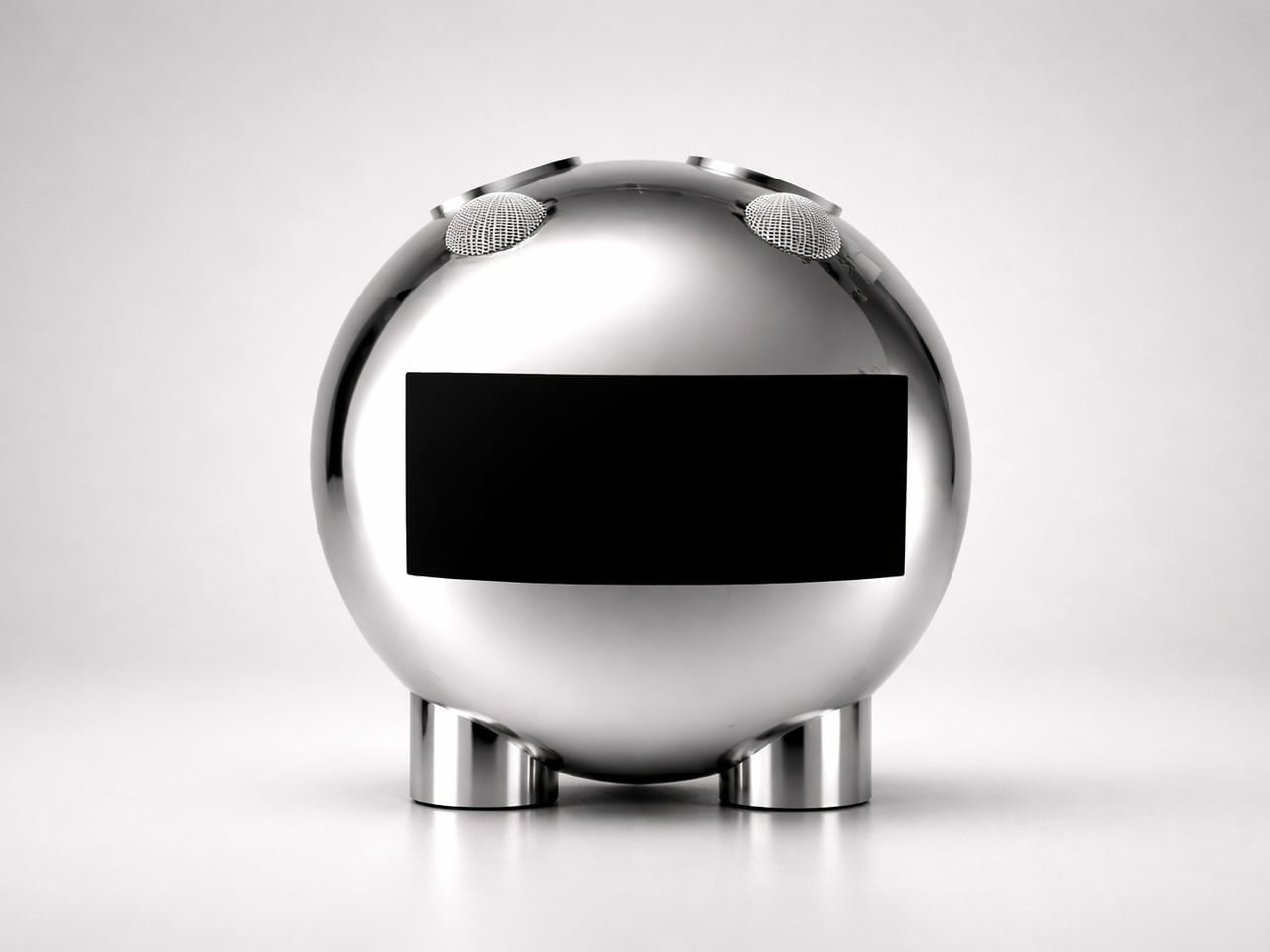
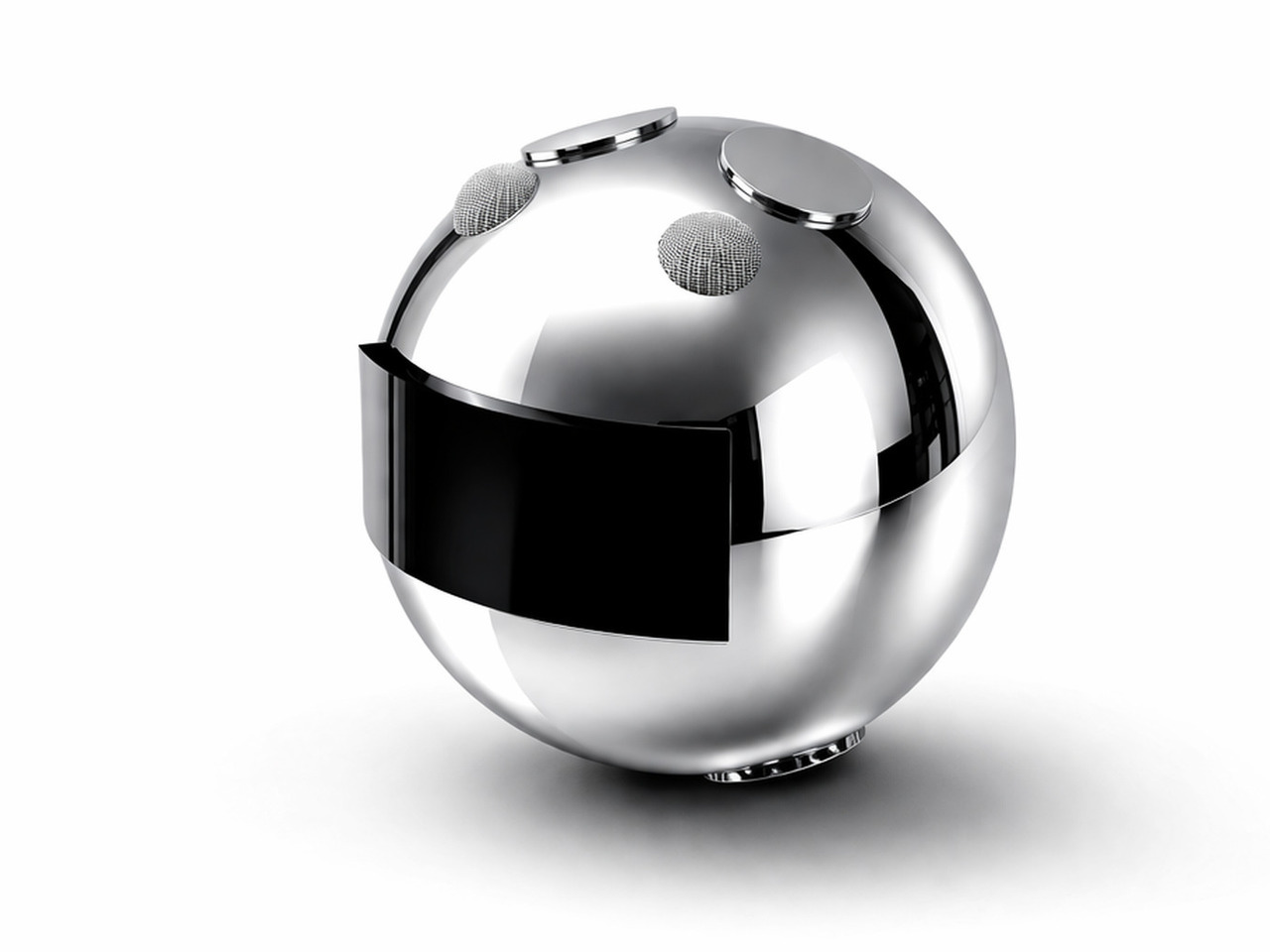
The new era of video meetings has put webcams in the spotlight. At the same time, it has also become more quickly apparent that webcam technologies and designs didn’t really grow alongside the rest of the computing industry, seemingly stuck in the requirements and conventions of the early 2000s. But while their capabilities have indeed caught up to modern needs, their designs remain eyesores sitting on top of many monitors and laptop screens. This design concept tries to buck the trend by presenting a webcam that isn’t just useful or privacy-respecting but also carries a character of its own.

Designer: André Terchanian

There’s a principle in psychology that says that something that’s always in our vision can affect our minds in sometimes subconscious ways. That’s why sticky notes surrounding your computer monitor can be good at nagging us long after we’ve clocked out of the office, which can be a good or bad thing for your productivity. We also put things that delight and inspire us always within our field of vision, but things that irk or discomfort us can bring our mood down if we have them in our faces long enough.

Webcams are meant to be discreet and almost invisible, but except for built-in cameras in laptop monitors, the vast majority of them are perched on top of our screens, often at eye level, so there’s absolutely no way to ignore their presence. It’s not that these devices are unappealing, though some might indeed fall under that category, but many of them are plain, uninspiring, and sometimes at odds with our carefully designed desk or computer motif.

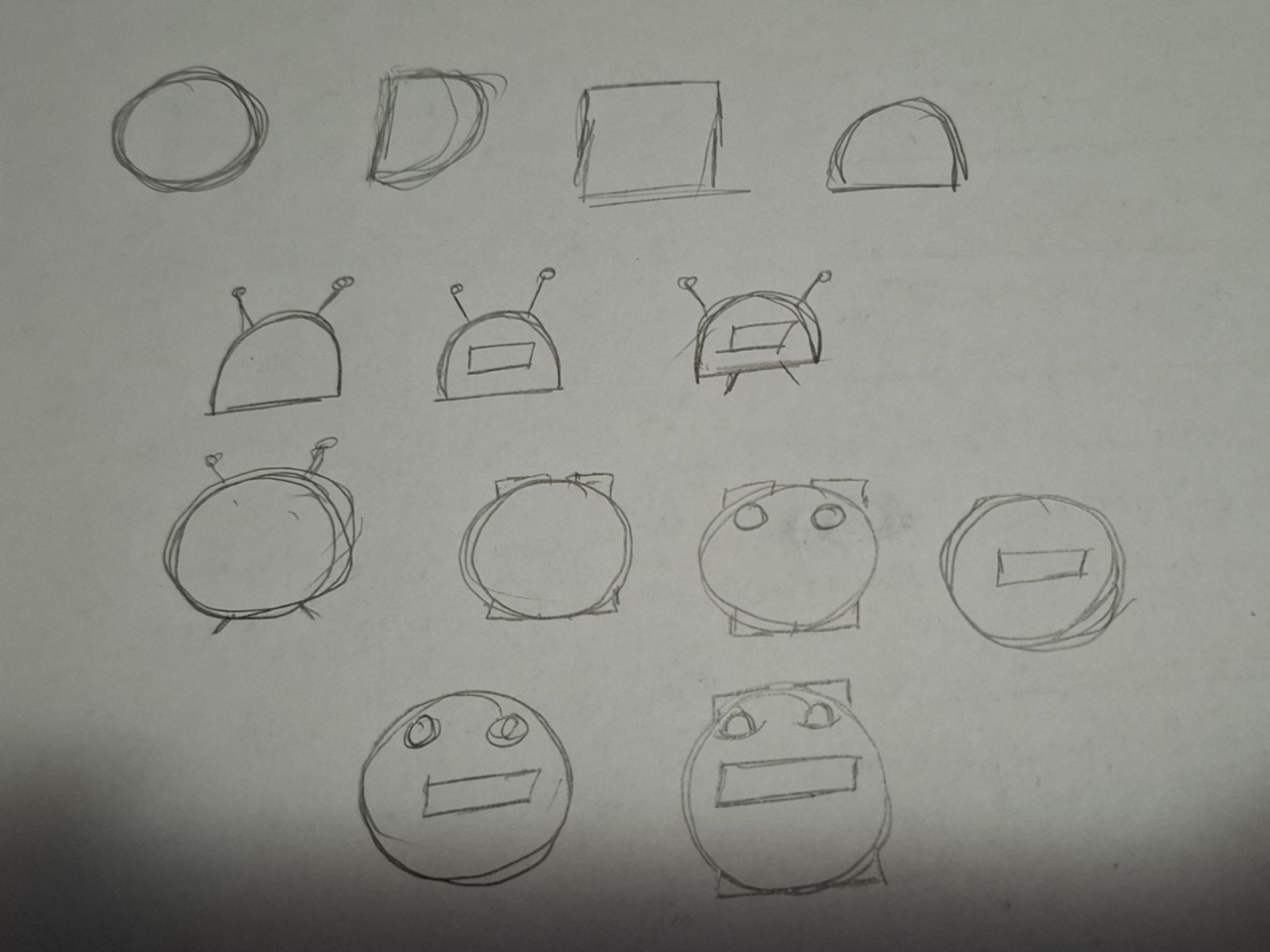
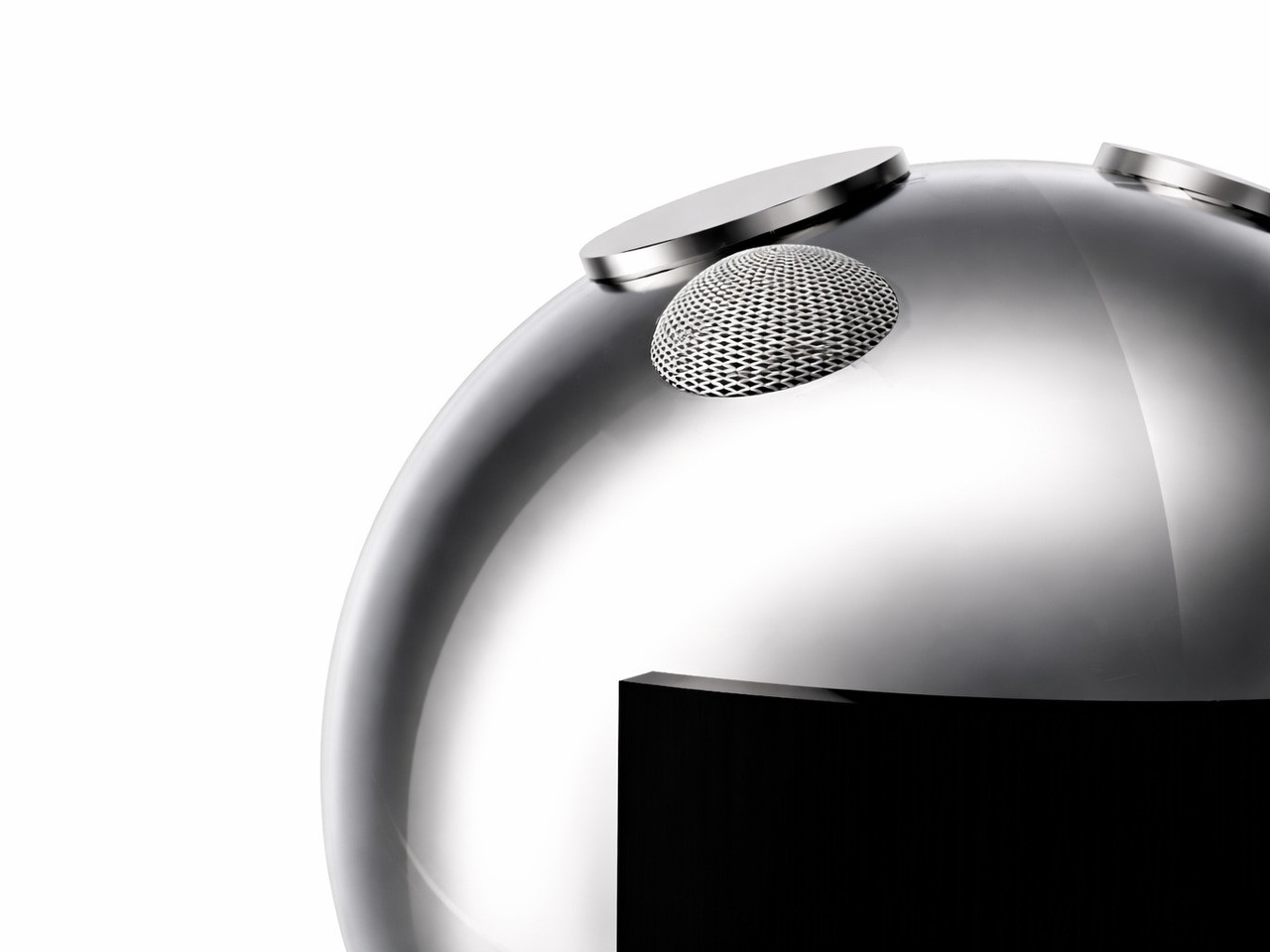
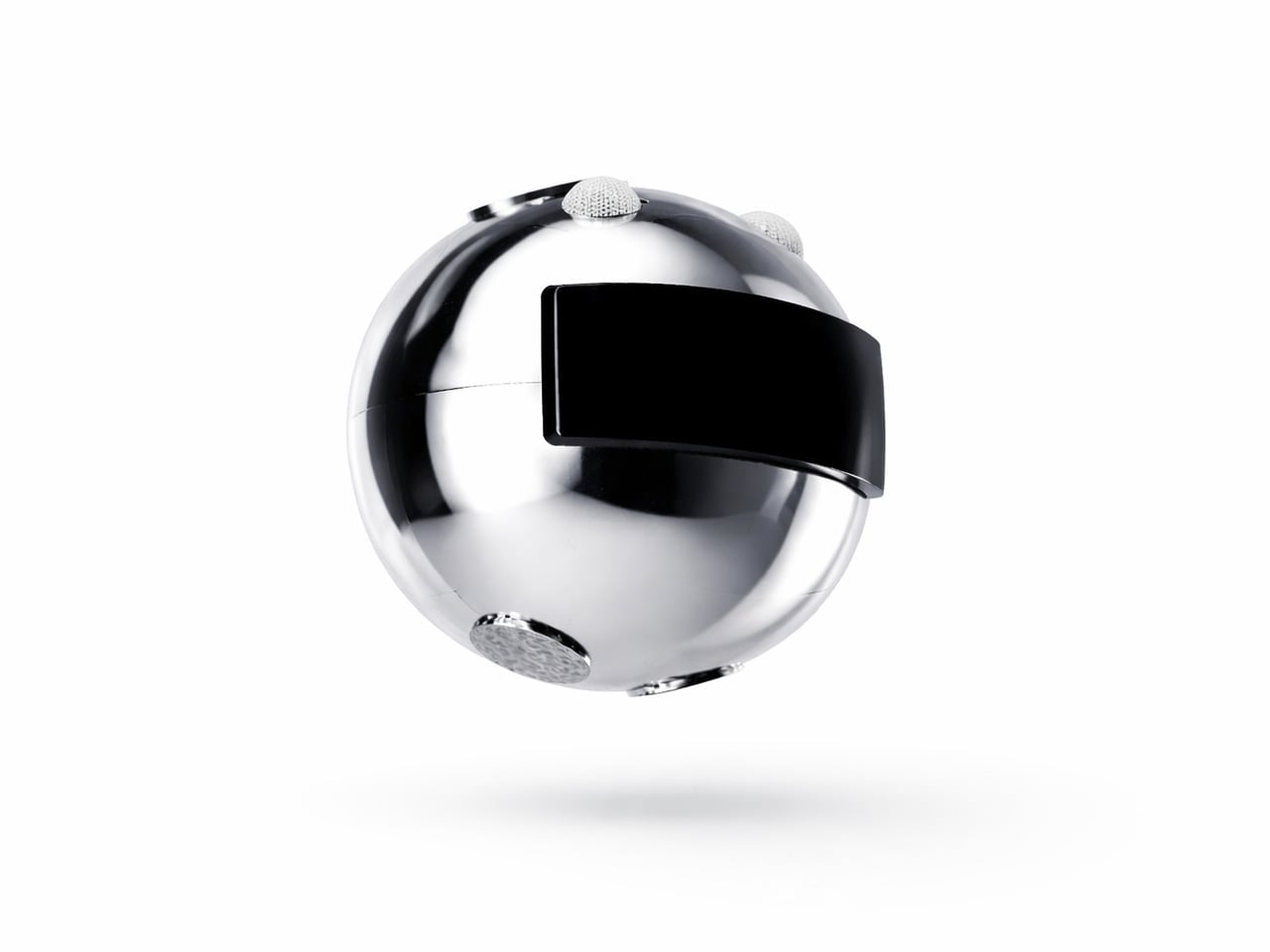
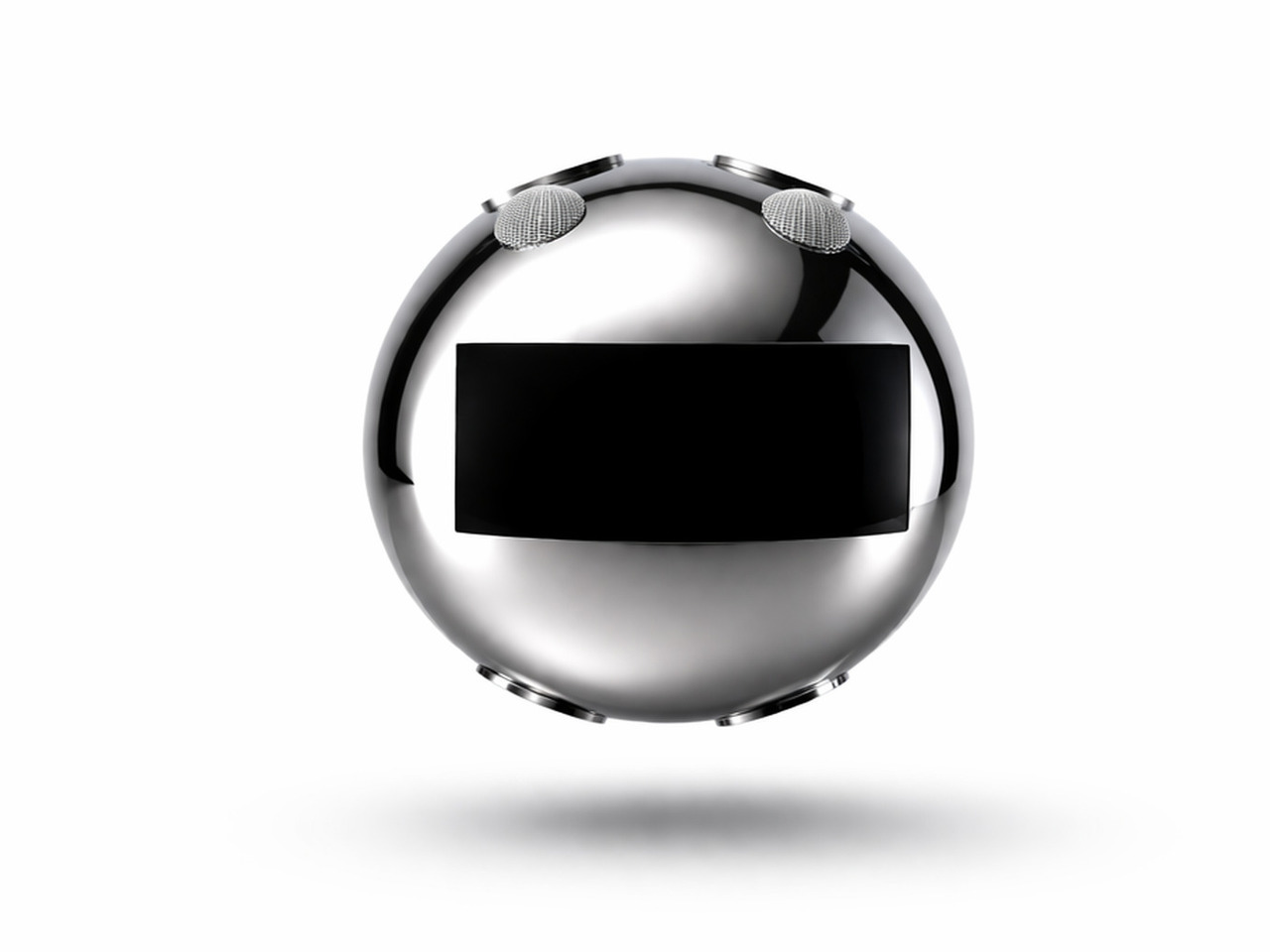
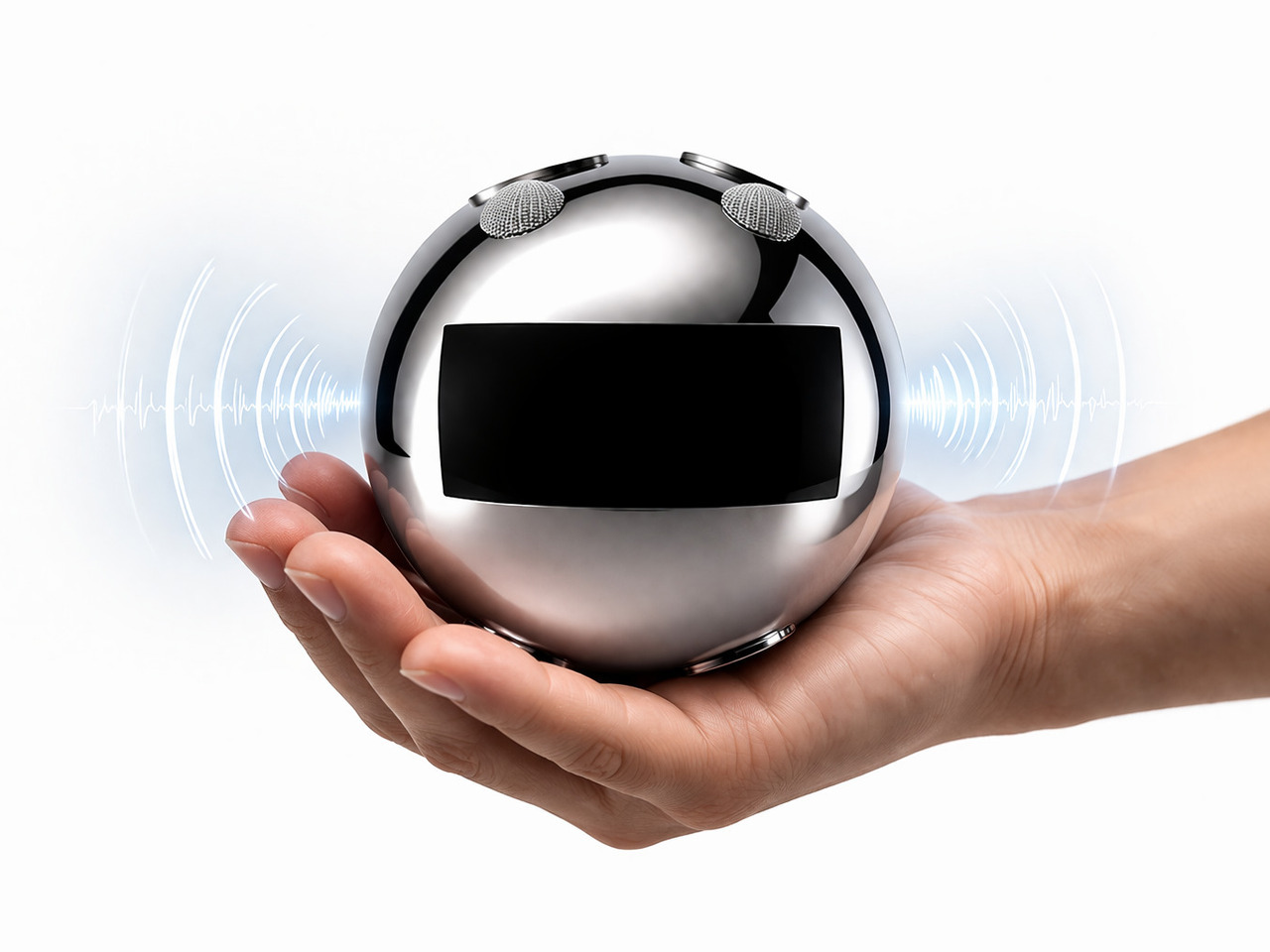
MILO is a design concept that tries to make the webcam look a little more alive and distinctive, and it does so by simply putting a ball on a stick. A spherical webcam isn’t new, but most of the existing designs often use tripods, wide mounts, or clips to stay upright. In contrast, MILO has a stem with a spherical base that can stick to the back of any monitor using an adhesive surface and suction force to stay in place. This makes MILO look almost like a robot ball or a robotic eye that’s peeking from the top of your screen.

1

This small design change also brings some important benefits to its functionality. For one, you only need a single USB-C cable coming out of its base, away from sight and tangles. Another is that the magnetic base can rotate in a 360-degree direction, letting the webcam swivel downward if you want to block its view and prevent accidental recording. MILO’s design is also compact and convenient to carry around, allowing you to set up your mobile office anywhere and take up video calls with a quirky-looking webcam sticking out of your laptop lid.

The post Spherical webcam concept adds a playful personality to a utilitarian product first appeared on Yanko Design.
Self-coiling charging cable solves the smartphone industry’s biggest headache

Apple’s embrace of wireless charging technologies eased one of the most common annoyances for mobile devices: tangled charging cables. With MagSafe and magnetic wireless charging, charger designs have become more varied and interesting, but the technology still pales in comparison to wired charging in terms of speed. Unfortunately, USB cables are still a critical part of modern computing, whether it’s for charging or data transfer, which means that tangled cables, plural, are also a necessary evil. This seemingly futuristic solution may have taken inspiration from the infamous “self-lacing shoes” from the Back to the Future film, but the innovation and convenience that this self-coiling cable offers is far from being just science fiction.

Designer: Design 1st for lūp

It is the cursed nature of any loose, long, and flexible material to get tangled with itself as well as other similar objects. There is no shortage of cable organizing accessories and designs to alleviate that headache, but these solutions exist outside of the cables themselves, which means they could either get lost or have to be left on your desk. It would definitely be great if these cables could organize themselves or, at the very least, stop getting mixed up with other cables or other things in your bag or pocket.

lūp delivers that kind of feature by using the same technology found in wireless chargers today: magnets. With a flat design, the cable can easily wind itself, creating a compact coil that won’t become loose by jiggling in your bag or pocket. It might sound like a simple solution, but the actual implementation was anything but. Just like with wireless charging, magnetic fields can actually interfere with those electrical charges, especially ones that are carrying data across the wire. lūp, thus, needed to make extra sure that those magnets wouldn’t make the cable pretty useless.

The magnetic cable is already great on its own, but it also behaves well when used with others of its kind. Rather than having cables jumbled and tangled when charging multiple devices, the flat cables can neatly stack on top of each other, making it look like a single thick cable splitting off into two or more plugs. lūp also conveniently stays coiled in your pocket, making it the perfect partner to take with you anywhere. It’s not exactly cheap, though, but the peace of mind that lūp offers might very well be worth that price tag.

The post Self-coiling charging cable solves the smartphone industry’s biggest headache first appeared on Yanko Design.
DIY tiny Windows XP PC is an extreme nostalgia trip

Although the craze for old “retro” designs has gripped many industries, it has taken a rather odd direction in the computing and gaming worlds. More than just recreating the designs and experiences of the past, many retro computers or consoles also strangely decided to shrink those products down to sometimes unusable sizes. Though manufacturers like Nintendo have jumped on that bandwagon, the biggest push comes from makers and modders who now have a wide arsenal of tools available at their disposal, giving them the freedom to create or recreate almost any design imaginable. This painstaking DIY project, for example, tries to bring back the iconic beige computer boxes of the 90s in a way that’s almost usable, at least if you can manage squinting at a 4-inch screen.

Designer: Salim Benbouziyane

The PCs of the 90s and early 2000s aren’t really the epitome of inspired industrial design, which is why their rival Macs became the choice of designers, creators, and design-conscious users. Nonetheless, these geometric boxes were also the pinnacle of computing technology of that period, earning them their place not only in offices and homes but also in iconography. There are also quite a number of fond memories attached to these machines, which some more skilled craftsmen are now using to turn some of that nostalgia into a working PC, albeit a miniature one.

Patterned after one of the more common designs of Dell PCs, this tiny retro computer revives the spirit if not the function of those 90s computers. It’s pretty much a box-like CRT monitor sitting on top of another horizontal box which was the convention for desktop computers at that time. The attention to detail is pretty impressive, from the carved DELL branding to tiny “Intel Inside” and Windows decals.

It’s a completely functional computer, though not all represented features actually work. The floppy disk drives, for example, are naturally too small for any disk, but they happen to be the right side to let a micro SD card through. There are LED lights to indicate power and mimic the flickering “hard drive spinning” activity. On the software side, it convincingly mimics the Windows XP look and feel, but it’s actually a flavor of Linux designed for the Raspberry Pi that’s running inside. And, of course, it can run DOOM, just like any self-respecting computer.

As impressive as this intricate recreation might be, it is also one that is a true labor of love. It requires a lot of 3D printing, custom soldering, and fiddling with electronics, so it’s not something that just about anyone can do on their own. Fortunately, the instructions and materials for this project are all listed and available for anyone to see, reliving the spirit of openness and exploration that was also alive during that period.

The post DIY tiny Windows XP PC is an extreme nostalgia trip first appeared on Yanko Design.
DIY tiny Windows XP PC is an extreme nostalgia trip

Although the craze for old “retro” designs has gripped many industries, it has taken a rather odd direction in the computing and gaming worlds. More than just recreating the designs and experiences of the past, many retro computers or consoles also strangely decided to shrink those products down to sometimes unusable sizes. Though manufacturers like Nintendo have jumped on that bandwagon, the biggest push comes from makers and modders who now have a wide arsenal of tools available at their disposal, giving them the freedom to create or recreate almost any design imaginable. This painstaking DIY project, for example, tries to bring back the iconic beige computer boxes of the 90s in a way that’s almost usable, at least if you can manage squinting at a 4-inch screen.

Designer: Salim Benbouziyane

The PCs of the 90s and early 2000s aren’t really the epitome of inspired industrial design, which is why their rival Macs became the choice of designers, creators, and design-conscious users. Nonetheless, these geometric boxes were also the pinnacle of computing technology of that period, earning them their place not only in offices and homes but also in iconography. There are also quite a number of fond memories attached to these machines, which some more skilled craftsmen are now using to turn some of that nostalgia into a working PC, albeit a miniature one.

Patterned after one of the more common designs of Dell PCs, this tiny retro computer revives the spirit if not the function of those 90s computers. It’s pretty much a box-like CRT monitor sitting on top of another horizontal box which was the convention for desktop computers at that time. The attention to detail is pretty impressive, from the carved DELL branding to tiny “Intel Inside” and Windows decals.

It’s a completely functional computer, though not all represented features actually work. The floppy disk drives, for example, are naturally too small for any disk, but they happen to be the right side to let a micro SD card through. There are LED lights to indicate power and mimic the flickering “hard drive spinning” activity. On the software side, it convincingly mimics the Windows XP look and feel, but it’s actually a flavor of Linux designed for the Raspberry Pi that’s running inside. And, of course, it can run DOOM, just like any self-respecting computer.

As impressive as this intricate recreation might be, it is also one that is a true labor of love. It requires a lot of 3D printing, custom soldering, and fiddling with electronics, so it’s not something that just about anyone can do on their own. Fortunately, the instructions and materials for this project are all listed and available for anyone to see, reliving the spirit of openness and exploration that was also alive during that period.

The post DIY tiny Windows XP PC is an extreme nostalgia trip first appeared on Yanko Design.
Cute earbuds concept look like tiny perched birds ready to sing a tune

With Apple leading the way, the design of wireless earbuds has almost become monotonous as many manufacturers try to flatter the brand through imitation. There are, of course, a few outliers and there is definitely plenty of room for creativity, especially now that earbuds and earphones have almost become a necessity for anyone who uses a smartphone. Of course, ergonomics and acoustics still play the most important role in designing such audio accessories, but if there was more leeway in those areas, you might be able to come up with something a bit more imaginative, like these buds that resemble a pair of birds tweeting a sweet melody into your years.

Designers: Jinho Choi, Seunghun Jeong

The standard design for earbuds these days, whether they’re wired or wireless, consists of a bulging mass on the end of a short stick. The larger shape is designed to go into the ear canals, tapering at the tip while almost rotund at its base. With some imagination, it almost looks like a pudgy bird, which is what this design concept has made out of the silhouette of the buds. And not just any bird, mind you, but a bird with an astronaut helmet on!

That’s the almost comical picture that AI drew for this design, which works perfectly in this scenario. The tips of the buds can’t be sharp and small like bird heads, so imagining these two birds wearing translucent space helmets gives the design a playful character. These birds sit on top of the branch, represented by the stalk of the earphones, at least when you place them down in a certain way.

What makes this design concept extra fun is that everything revolves around this avian idea, including both the packaging and associated accessories. Rather than just have the buds lying on a desk or dangling from some hook, a special stand mimics a small tree trunk where you can insert the earbuds’s stem, creating the semblance of birds perched on a tree. It would probably be nice if you could also hear audio coming out of the buds while in this arrangement to complete the image, but that would require a more complex audio solution.

The TweetTunes buds concept also includes a specially designed box that’s more circular than boxy. Opening up the packaging reveals two birds sitting inside a nest, or at least the representation of a nest. It’s definitely a subtle but nice touch, with the attention to detail you’d expect from larger companies. There’s still the question of whether such a bird-like shape actually provides both comfort and sufficient sealing, but having adorable earbuds like that on your desk is probably worth just the decorative value, even if you barely use it.

The post Cute earbuds concept look like tiny perched birds ready to sing a tune first appeared on Yanko Design.
Modular stool concept is designed for people who love sitting cross-legged

Stools are often classified as tall, backless chairs, and like most seats, they’re designed to be used in a specific way. You simply sit on top of the stool and have your legs hanging from the edge, with your feet planted firmly on the ground. This style of sitting might be common, but it’s definitely not how everyone sits around the world. In some cultures, particularly in Asia, people tend to sit cross-legged on the floor, at least when they’re at home or in establishments designed to cater to that culture. Stools, of course, aren’t meant to support that way of sitting, but this concept design tries to expand the traditional stool design to be more inclusive while also offering an additional feature completely unrelated to sitting.

Designer: Gisung Han

It’s probably too much of a generalization but sitting cross-legged has become associated with Asian cultures. Especially in countries like Korea and Japan, some families tend to sit on the floor during meals in that position, something that might not sit well with those who don’t consider it proper during meals. Eating outdoors, of course, is a completely different matter, especially in public places like outdoor restaurants that only provide simple stools for customers. One simply can’t sit cross-legged comfortably, but still try to do it.

Named after a famous avenue in South Korea, the Euljiro stool concept tries to solve this conundrum with a design that caters to both normal sitting and cross-legged sitting. This seemingly magical capability is made possible by the stool’s two-part modular design. When joined together, it looks like a simple, two-color stool that you can use normally. But remove the top part and you actually get two stools, with the top shorter than the bottom.

1

When you insert one of the legs of the taller stool into the middle of the shorter one, you get a two-tier seat seemingly joined at the hip. This setup would allow the person to sit with their legs crossed without worries they’ll tumble backward or to the side. It doesn’t take up too much space either, and it can even be used as two separate stools if there aren’t enough seats to go around.

Euljiro’s flexibility also extends to its use as a place to put bags while eating. This is especially useful in restaurants that don’t have designated storage for bags, where putting bags down on the ground might be unhygienic. It’s definitely a creative way to solve multiple problems with a single design while ironically still sticking to the most common stool shape of all.

The post Modular stool concept is designed for people who love sitting cross-legged first appeared on Yanko Design.
Ergonomic controller suggests a more comfortable way to use XR glasses

The launch of the Apple Vision Pro sparked renewed interest in extended reality experiences, both those offered by full-blown and heavy headsets as well as those pushed by more straightforward glasses. The latter often rely on your smartphone or a dedicated remote control to navigate through apps projected in front of you, an indirect interaction method made more awkward by the standard design of these devices. Remote controls might be fine for TVs and appliances, but not when you can barely see your own hand. This concept design tries to challenge convention by redesigning the face of a remote, offering a more ergonomic and simpler way to move around mixed reality while wearing those XR glasses.

Designer: Yiqiao Liu

XR or eXtended Reality glasses like the Xreal Air and TCL RayNeo can probably be called the poor man’s Vision Pro. They practically display a virtual monitor in front of you, which may or may not be pinned in an arbitrary location or follow your head around. This allows the glasses to be lighter, cheaper, and less conspicuous, though they do look like overgrown sunglasses. This also makes using the XR platform feel a bit more familiar because they more or less correspond to familiar operating systems like Windows or Android.

Moving around and interacting with objects in this XR space is then a simpler matter as well, and some even use the phone itself as a pointer and remote control, which is difficult to use when your vision is partially obscured by the glasses and all your fingers can feel is a flat and featureless surface. On the other hand, conventional remotes with their numerous buttons and straightforward layout can also be cumbersome to use as well.

The XR Glasses Controller concept takes the minimalist design of something like an Apple TV remote and tilts it at an angle. Visually, this soap-shaped device looks like an unbalanced remote, with the top buttons leaning to the right and the bottom touch dial sliding to the left. It’s not a design that was made just to look different, though it definitely gives it a distinctive appearance.

The theory behind this design is the mobility and limited range of our thumbs when holding a remote. As many smartphone designers already know by now, the thumb holding the remote moves naturally in an arc, and that up-and-down movement can cause more strain. The controls are thus aligned with this arc, making it easy for the user to switch between buttons and touchpad without having to overextend or bend their thumb. Along with the significantly reduced number of buttons, the remote is easier to use as well, though it does limit itself to Android-based XR platforms since those buttons perfectly match Android’s navigation scheme.

The post Ergonomic controller suggests a more comfortable way to use XR glasses first appeared on Yanko Design.
Minimalist Side Table Hides a Simple But Effective Cable Management System

Many of our everyday items find their way to the side tables sides couches, desks, and beds, and some of these items have cables that snake their way down and across the floor. These wires might not always ensnare your feet, but they definitely turn any beautiful interior into a dangling mess of cables. There are some side tables these days with built-in power outlets, but those still show the wires that crisscross each other. Some might even have the uninspiring charging bricks also rearing their ugly heads. This simple side table, on the other hand, has an equally simple solution that makes sure that nothing but your phones or tablets get the spotlight.

Designer: Rudolph Schelling Webermann

At first glance, the Charge Table looks like a pretty nondescript side table, albeit one with some elegance thanks to its minimalist design. The body itself is made from sturdy powder-coated steel that provides stability and handsome looks. The top of the table is lined with soft felt that protects your devices from scratches and bumps. It also gives a rough surface for mugs and cups to grip, keeping them from sliding.

This simplicity, however, is deceptive, because that tabletop slides out a bit to reveal a hidden compartment inside. This storage space has one primary function: to house a power strip that can charge your devices. You simply plug in your chargers, slide the tabletop back in, and have the charging cable discreetly coming out from the small gap at the side. And when you need to leave with that charger, simply slide the tabletop out again, unplug the charger, and go. You can also leave as many chargers in there thanks to the compartment’s spacious area.

As for the power strip’s own thick cable, a hole in the middle of that hidden storage for it to pass from beneath the table. Ideally, you’d have it find its way down one of the table’s legs or across to a nearby couch or chair, completely hiding it from view. Admittedly, it’s going to be trickier than keeping devices’ charging cables hidden, but at least there’s only one snake to wrangle.

The Charge Table offers a simple, elegant, yet very effective solution to ensuring that unsightly wires don’t ruin the aesthetics of your interior, though the compact size of the table does present another problem. Given today’s practice of owning more than one device per person, it might not be big enough to charge a phone and a tablet or a combination of multiple devices at the same time. Then again, the very design of the table itself encourages simplicity and frugality, and it might give people pause for thought on what’s really important, at least as far as the devices they keep close are concerned.

The post Minimalist Side Table Hides a Simple But Effective Cable Management System first appeared on Yanko Design.
Nokia Infinity Pro concept phone brings a pill-shaped design and a few questions

You might criticize Nokia for flooding the mobile market with dozens of hard-to-remember devices, but you can’t deny that the Finnish giant also brought bold new designs that were far too ahead of their time, from the gaming-centric N-Gage to the cinematic N93 to the fashion-conscious 7380 “lipstick.” In contrast, today’s smartphones mostly play it safe due to usability and sales concerns, but that’s not to say that an odd design won’t sell either. There’s definitely room for novelty and plenty of space for creative ideas. This curiously shaped phone, for example, changes the design formula significantly, and while it does look like a futuristic device, it also raises a few important usability questions.

Designer: AndroidLeo

The “candy bar” form factor has emerged as the one true smartphone shape because of its handy and compact design. That doesn’t mean it isn’t the only possible form, though, especially when you consider that the top and bottom of these devices don’t need to be perfectly flat. It’s not like you’ll be standing it up or squeezing it alongside other flat and rectangular objects. This “Nokia Infinity Pro” concept challenges that status quo with a thin pill-shaped design that seems like a cross between a foldable clamshell and a smartwatch all rolled into one.

The more curvaceous shape of this concept phone supposedly rests more comfortably in your hand with no corners to cut into your skin. There might be some doubts about whether that would also make it too slippery to hold, but that’s not always a uniform experience. This Nokia Infinity Pro wouldn’t be the first to try out this design either, as the likes of the short-lived “open source” phones like the OpenMoko and Neo Freerunner sported similar shapes.

What makes this idea different, however, is that the screen covers the whole surface of the phone’s front, not just a rectangular section. Such a screen is now more possible to pull off, even if it’s still not that easy. The back of the phone also has two circular mounds opposite each other. One is a dual-camera system and another is a circular display not unlike those on smartwatches or some foldable phones’ “cover screen.” The idea is that you can place the phone face down on a table but still have access to important notifications and controls without distractions.

As interesting as it might look, however, there are some practical issues with such a design. For one, putting the phone face down always risks scratching the screen. At the same time, the circular outer screen will be covered by your palm and smudges whenever you have to hold up the phone. And then there’s the matter of what UI elements can be used at the top and bottom of the display since most platforms and content are created for rectangular screens. Maybe someday, we will have more adaptable software, and that will be the time for the Nokia Infinity Pro to truly shine.

The post Nokia Infinity Pro concept phone brings a pill-shaped design and a few questions first appeared on Yanko Design.
Humanoid toy robot concept makes music more engaging for kids and the young at heart

Wireless speakers have become the standard for home audio equipment these days, and they come in a wide variety of designs. Some are rugged and geometrical, meant to be ready to brave the outside world if needed, while others are like art objects you’d dare not knock down accidentally. These designs are clearly targeted at adults as if they are the only user group who can appreciate music. Kids in their formative years need to be exposed to music as well, and not just from the tablets or smartphones that parents hand over to them for playtime. This robot concept not only gives these children an advanced toy to play with but also lets them have a more personal friend to enjoy listening to music with.
Designer: Jesus Gonzalez Torres

With a widespread interest in robotics, toy robots are no longer the exclusive domain of young boys, or kids for that matter. Kids of all ages will find a humanoid robot interesting, especially if it can express human-like behavior even through simple emoticons. Even better if it can actually perform seemingly magical feats, like singing to them while they’re engaged in play.

The musicBOT concept design is pretty much a Bluetooth speaker in the guise of a small human-like robot. It combines two already existing features into one, but this is a case where the sum is greater than its parts. More than just the collection of functions, it creates a totally different experience for the child whose mind is still open to so many imaginative concepts.

musicBOT is not just a music player but also a companion for the child. It plays tunes while you play with other things or play with the robot itself. The concept doesn’t go into the details, but the robot can display different facial expressions on its dot matrix face. It can even connect with a nearby musicBOT via Bluetooth, making them look like they’re friends and perhaps encouraging their owners to do the same.

Technologically speaking, the concept isn’t ground-breaking and could actually be an actual product. The novelty it offers is more on the experience and the psychology, putting the child at the center rather than becoming a passive listener. It makes listening to music a more active engagement, allowing them to develop a stronger mental association with music than simply hearing it from the background.

The post Humanoid toy robot concept makes music more engaging for kids and the young at heart first appeared on Yanko Design.