Modern laptops aren’t short on power, but they’re increasingly short on ports. One USB-C port ends up doing everything: charging, video out, storage, and peripherals, while a small pile of adapters accumulates next to the keyboard. The setup works, but it doesn’t look like the clean, minimal desk you were going for, and it means carrying more pieces than you’d like when you’re working somewhere that isn’t home.
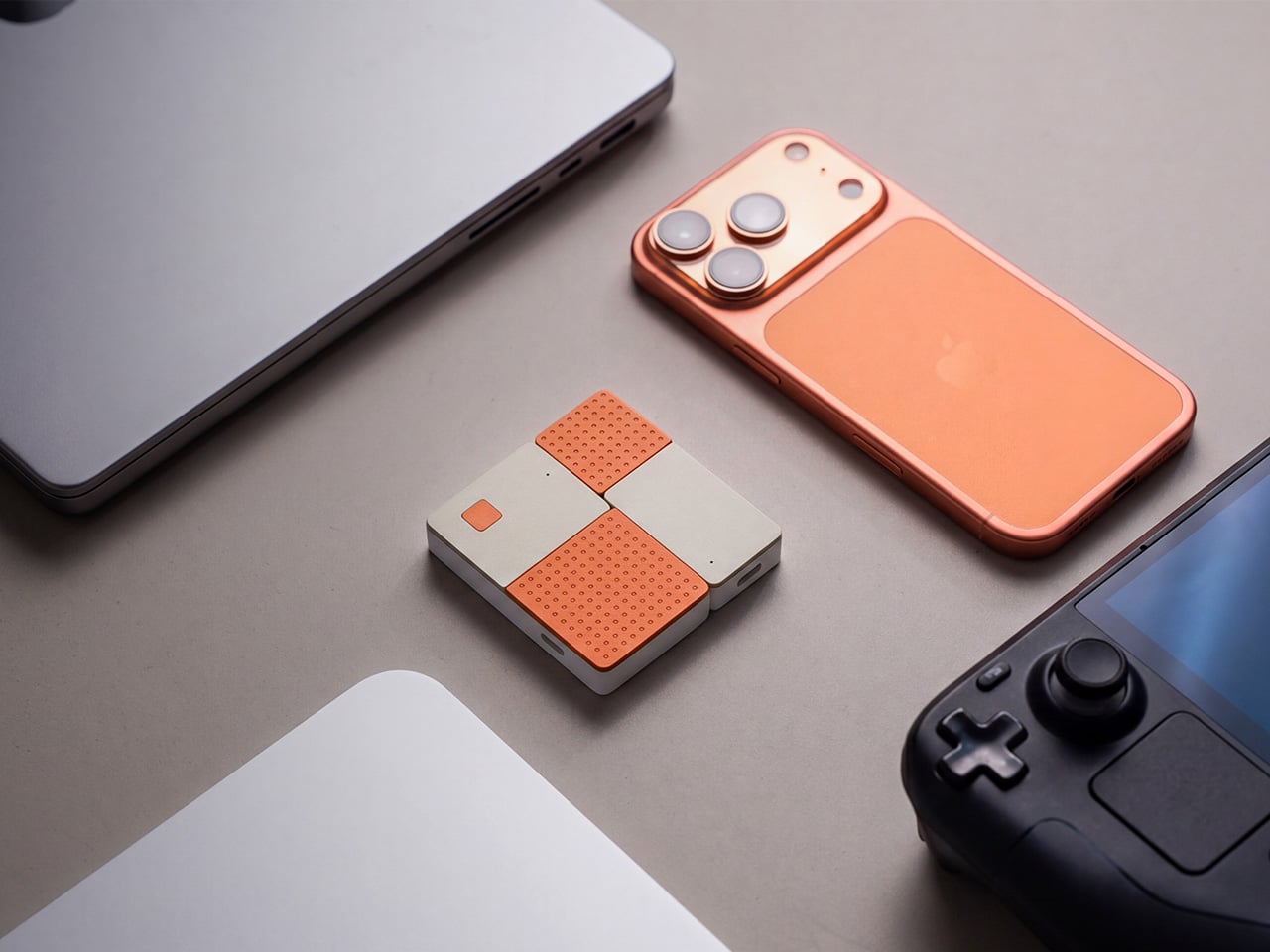
ADAM elements’ Hub S is a USB-C hub with built-in SSD storage, designed around the idea that a hub and an external drive don’t need to be two separate objects. Instead of plugging in one thing for ports and another for files, you plug in one slim aluminum accessory that handles both. It isn’t trying to replace a full docking station, but it’s the right-sized tool for someone who needs the essentials covered without the clutter.
The built-in SSD is available in 240 GB, 480 GB, and 960 GB capacities, so there’s a size for whether you’re keeping a working project library or just enough space for recent shoots and backups. Having storage physically attached to your hub means it’s always there when you need to dump footage, move large project files, or keep a client’s assets close during a session, without remembering to pack a separate drive.
Transfer speeds are rated at up to 520 MB/s read and 456 MB/s write, which makes moving large files feel routine rather than something you schedule around. That kind of speed isn’t just a spec, though. It’s the difference between waiting through a transfer and forgetting it’s happening. For photographers and video editors working on the road, that matters more than it sounds on a product page.
For Mac users, the ADAM elements Hub S is also Apple Time Machine compatible. That means it can act as a rolling backup target every time you plug in, turning a habit that’s easy to forget into something that happens automatically. Backup isn’t exciting, but having it built into the same accessory you’re already using for everything else makes it feel less like a separate job.
The USB-C port on the hub supports PD 3.0 pass-through charging up to 60W, so your laptop doesn’t lose its charge while the hub is handling storage, display, and peripherals. That’s a meaningful consideration when you’re transferring large files and streaming to an external display at the same time, both of which can pull enough power to make a laptop feel like it’s running a sprint.
The HDMI port outputs up to 4K at 30Hz and supports HDCP 2.2, which is the protocol required for streaming 4K HDR content from services like Netflix. A lot of hubs advertise “4K output” but fail on DRM handshakes, so the HDCP 2.2 compliance isn’t a minor footnote. Whether you’re mirroring for a presentation or extending to a monitor for a proper editing session, the connection holds up where it matters.
Rounding out the port selection is a USB-A 3.1 port rated at up to 5 Gbps for peripherals or flash drives, and a 3.5mm headphone jack that supports 48kHz/16-bit audio. Neither is glamorous, but together they cover the inputs that would otherwise require yet another adapter. The aluminum alloy body is designed to sit flush on a desk surface, and the whole thing weighs about 2.5oz, roughly the weight of a single C battery.
The ADAM elements Hub S works best as the kind of accessory you stop thinking about. You plug it in, your files are there, your display is connected, your laptop is charging, and your headphones are plugged in. That’s it. For people who’d rather carry one considered piece of hardware than a small collection of adapters and drives, consolidating all of that into a single slim object that fits in a jacket pocket feels like the more sensible way to work.
The humble flashlight is older than you probably think. The first handheld electric torch was patented in 1899, and for the better part of 127 years, the core concept barely changed: battery, bulb, switch, done. LED technology gave it a serious brightness upgrade. Rechargeable cells made it more practical. But the fundamental experience of using a flashlight, including that moment of blind faith when you click it on and hope the battery cooperated, stayed remarkably unchanged. Until now, apparently.
GODYGA (pronounced Go-dee-ga) has taken the flashlight’s first real swing at becoming a smart device with the TorchEye X1, a clip-on EDC light that combines a full-color smart display, precise battery management, and a laser distance measurement tool in a package that fits on a jacket lapel. It looks like something a concept designer dreamed up after spending too long staring at luxury dive watches. It also genuinely works.
The laser distance measurement is where the TorchEye X1 separates itself from your average EDC flashlight. It fires a red beam that measures distances up to 20 meters with ±1/8 inch accuracy at 20 readings per second. That’s 20 measurements in a single second. For context, a standard tape measure requires two hands, an extra person ideally, and at least one moment of mild frustration. The TorchEye? You point, you press, and the number appears on the display before you’ve had time to question your life choices. Whether you’re figuring out if that new sectional sofa will actually fit in your living room, hanging a gallery wall without eyeballing it for the fifth time, or sizing up a workspace, this is the kind of tool that quietly earns its place in your pocket. It works best indoors on lighter surfaces, a white wall reads brilliantly, while darker or highly textured surfaces outdoors will give it a harder time, so keep expectations calibrated accordingly. There’s also a front and rear reference point mode, useful depending on whether you want to measure from the tip of the device or the back.
TorchEye X1 laser version
Flashlights have never told you anything. You click one on, it works or it doesn’t, and the only feedback is the slow dimming that tells you the battery gave up three days ago. The TorchEye’s full circular smart screen changes that entirely, displaying exact battery percentage, real-time runtime estimates per brightness mode, and a charging countdown when it’s plugged in. The screen wraps around the front face of the body and it’s genuinely striking to look at, drawing obvious visual inspiration from the dial of a luxury watch. That rotating green bezel isn’t decorative either. It clicks through brightness modes with satisfying haptic feedback, the kind of tactile interaction that makes cheap flashlight buttons feel embarrassing by comparison.
Charging is via USB-C, and you can run it straight from your phone using the included USB-C to USB-C cable. The more interesting detail is what happens when you plug it in. Most high-lumen flashlights require anywhere from 10 to 20 minutes of charging before they’ll unlock turbo mode. The TorchEye hits its full 500 lumens the instant power is connected, zero delay, which is actually meaningful in an emergency rather than just a spec sheet flex. The battery system also lets you run the light while it charges, so a dead battery doesn’t strand you in the dark while you wait.
TorchEye X0 Non-laser version
The design philosophy borrows heavily from luxury watchmaking. The rotating green bezel gives satisfying haptic click feedback as you cycle through light modes, making the whole interaction feel considered and premium rather than plasticky. The front-facing button placement is intentional too. Because the TorchEye is designed primarily to be clipped onto a jacket, backpack strap, or cap brim for hands-free use, putting the controls on the front face means they’re always reachable with a single thumb, no awkward side-button fishing required. It’s one of those small ergonomic decisions that only becomes obvious once you’ve used a light that got it wrong.
Seven brightness modes on the white LED, running from Moonlight all the way up to 500 lumens with a 120-meter throw, cover essentially every situation you’d reach for a pocket light. The red LED adds a low-impact visibility option for night walks, map reading, or any context where torching someone’s retinas with 500 lumens would be socially unacceptable. The built-in 18-hole golf stroke counter lives quietly inside the interface, accessible with a short press to count strokes and a long press to advance holes, with bezel rotation letting you review the front or back nine. If golf means nothing to you, it switches off and disappears entirely.
For carrying options, GODYGA gives you three: the clip for clothing and bags, a magnetic base for sticking it to any metal surface, and a lanyard loop for wrist or bag attachment. And tucked inside the interface, almost as a delightful easter egg, is a built-in 18-hole golf stroke counter. Short press counts strokes, long press advances holes, bezel rotation lets you review front and back nine. Golfers will love it. Everyone else can turn it off and forget it exists.
The TorchEye X1, the version with laser distance measurement, is priced at $39.99 on Amazon. If the distance tool isn’t something you’ll reach for regularly, the TorchEye X0 carries all the same smart screen and lighting features for $30.59. Both are worth every dollar for what they pack in. GODYGA has built something that makes the humble pocket flashlight feel genuinely exciting again, which brings us full circle to that 1899 patent, and the very long time it took for someone to finally do this.
Spring has a way of resetting what we carry. The heavy layers come off, pockets shrink, and that overstuffed pouch of winter tools starts feeling like dead weight. This is the season where everyday carry gets honest about what actually earns space against your body, and what was just riding along out of habit. The five products on this list survived that edit. They are compact, functional, and built with enough design intelligence to justify displacing whatever is currently rattling around in your jacket.
What ties these picks together is a shared rejection of bulk for its own sake. The EDC market loves to pile features into objects that end up living in drawers because they are too heavy or awkward to carry daily. These five go the other direction, packing serious utility into forms that disappear into a pocket or clip onto a keyring without protest. Each one solves a real, recurring problem with clean engineering and a material palette that does not apologize for looking good while doing it.
1. Pockitrod Multitool Pen
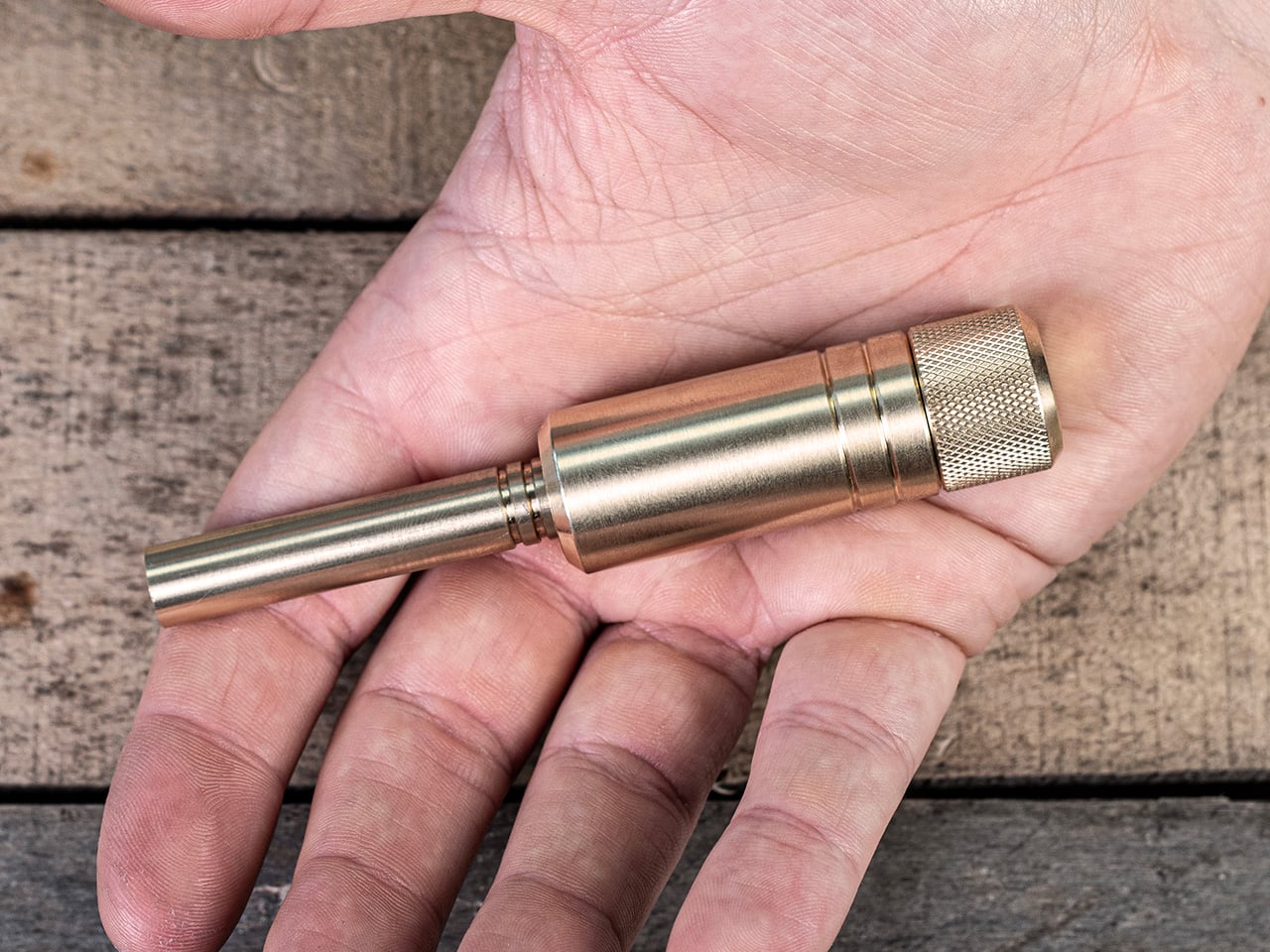
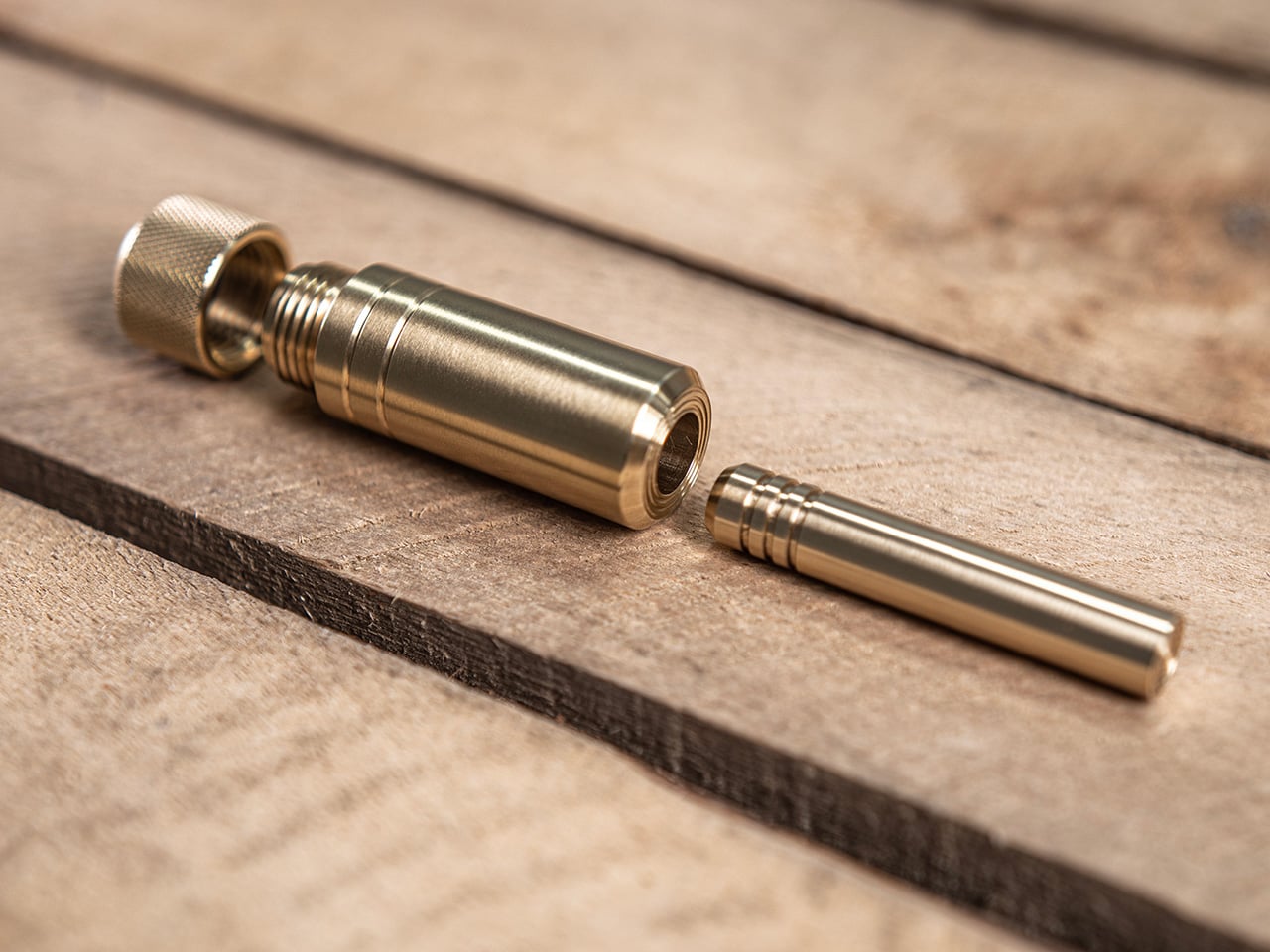
The pen is the oldest item in pocket carry, and it has been the target of designers trying to cram more function into that slim cylinder for decades. Most tactical pens add a single trick (usually a glass breaker nobody ever uses) and call it innovation. The Pockitrod takes a fundamentally different approach, treating the pen form as a modular platform rather than a finished object. Its body is machined from 6061-T4 aluminum with a hex cross-section that doubles as a driver grip, a detail that sounds minor until the first time a screw needs tightening and the tool is already in hand.
The system is organized around a central driver assembly inside the handle, with additional modules that thread on as extensions: a box opener with interchangeable 20CV steel tips, an inkless writing implement, and a magnetic-base LED flashlight. Etched measurement markings run along the body with a zero-reference aligned to the edge, turning the entire tool into a ruler that actually measures from where objects begin rather than from some arbitrary point inset from the tip. What makes this work different from other multitool pens that collapse under their own ambition is the threading system. Each module is a self-contained unit, so the Pockitrod can be as simple or as loaded as the day demands.
What we like
The hex-shaped body provides a non-slip grip when used as a screwdriver, which most round pen multitools completely ignore.
Modular threading means the tool adapts to different carry needs without requiring a full kit commitment every day.
What we dislike
The added modules increase overall length, which could push the pen past comfortable shirt-pocket territory.
An inkless writing tip is a niche preference, and some users will want a ballpoint option that is not currently part of the system.
2. BlackoutBeam Tactical Flashlight
Flashlights are one of those categories where specs have outpaced what most people need, and manufacturers keep chasing lumen counts that look impressive on paper but blind the user as much as the target. The BlackoutBeam lands at 2300 lumens with a 300-meter throw, which is serious output, but the detail worth paying attention to is the 0.2-second response time. There is no lag, no warm-up flicker, no half-second of wondering whether the switch registered. Light appears the instant the button moves, and in a power outage or a dark parking lot, that immediacy changes the entire experience of using a flashlight.
The body is aluminum with an IP68 rating for water and dust resistance, which means submersion rather than just rain tolerance. Where most tactical flashlights lean into an aggressive, knurled aesthetic that screams preparedness, the BlackoutBeam keeps its lines industrial and clean. It is a tool that communicates function through proportion and material rather than surface decoration. The multiple lighting modes provide range for different scenarios, from full-blast flood to something more conservative for close work. Spring carries a flashlight that handles the transition from late-winter darkness to longer evenings without demanding a separate headlamp or phone-screen compromise.
The 0.2-second activation eliminates the hesitation gap that plagues cheaper flashlights in urgent situations.
IP68 waterproofing means genuine submersion protection, not just a splash rating that fails in real rain.
What we dislike
At 2300 lumens, the beam can be excessive for indoor or close-range tasks where a lower floor would be more practical.
Battery drain at full output will be aggressive, and the frequency of recharging could become a friction point for daily carriers.
3. Bullet SSD
Cloud storage has convinced most people that physical drives are obsolete, right up until the moment a file transfer stalls over weak Wi-Fi, a client meeting has no internet access, or a backup needs to happen without trusting data to someone else’s servers. The Bullet SSD is built for those moments. It measures 51 x 16 x 8mm, weighs 18 grams, and clips onto a keyring with the same casual permanence as a house key. Inside that shell sits up to 2TB of TLC NAND storage with USB-C 3.2 connectivity and read/write speeds around 500 MB/s.
The body is machined from a single piece of aerospace aluminum, which gives it structural rigidity that a plastic thumb drive cannot match, and the IP67 certification means water and dust exposure are non-issues. What separates this from a standard flash drive is the SSD architecture running underneath. Transfer speeds are fast enough to edit video and photos directly from the drive without copying files to a local machine first. For creatives, field workers, or anyone whose workflow involves moving large files between devices that do not share a network, the Bullet SSD turns a keychain into a portable workstation. The form factor is the real argument here: it is small enough to carry without thinking about it, and fast enough to use without compromise when the moment arrives.
What we like
The 18-gram weight and keychain form factor mean this drive is always present without occupying dedicated pocket space.
USB-C 3.2 with 500 MB/s speeds makes direct editing from the drive a practical reality rather than a spec-sheet fantasy.
What we dislike
The compact body limits heat dissipation, which could throttle sustained write speeds during large, continuous transfers.
At this size, the USB-C connector is exposed to pocket debris and lint, and there is no integrated cap or cover to protect it.
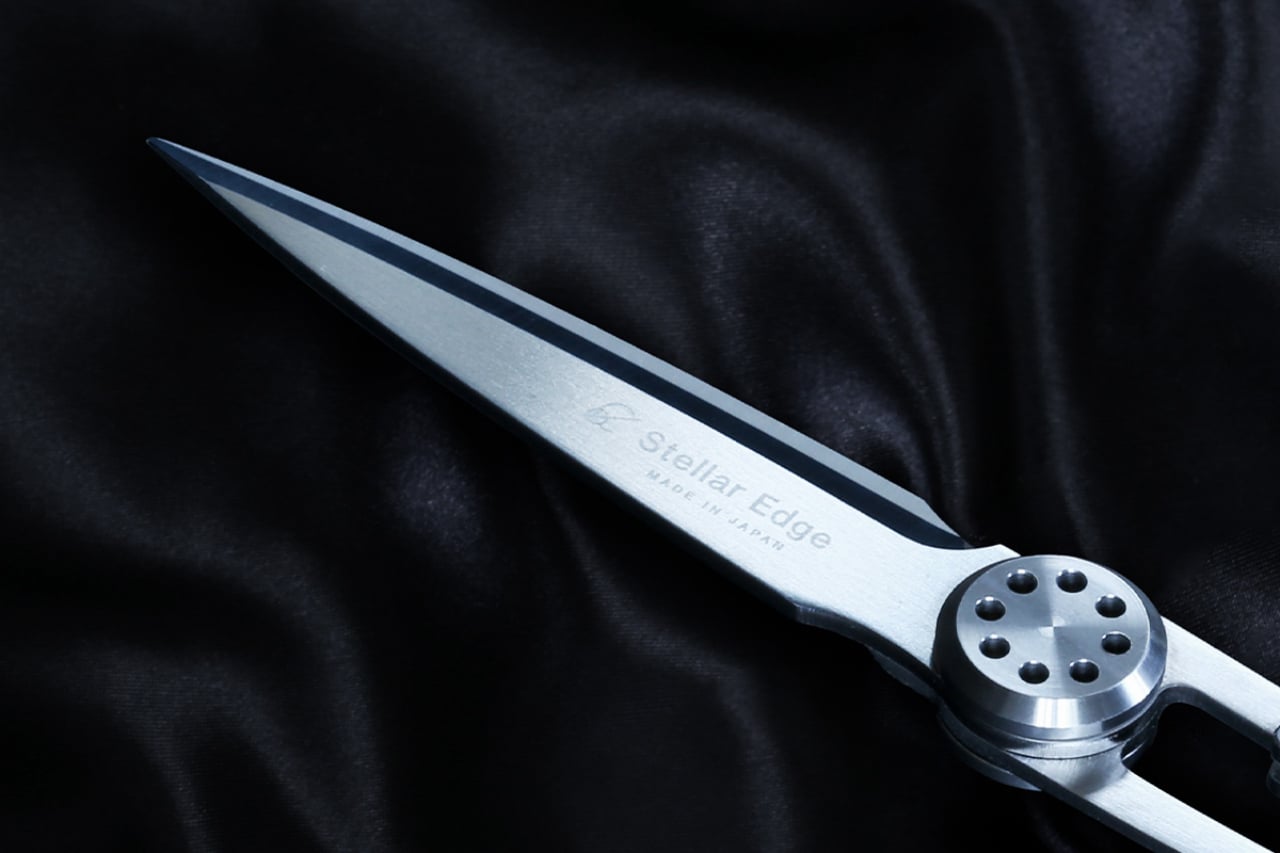
4. CraftMaster EDC Utility Knife
The utility knife is one of the most used and least respected tools in everyday carry. Most people settle for a flimsy box cutter from a hardware store or a folding knife that is overkill for opening packages. The CraftMaster occupies the gap between those extremes with a metal body that measures just 8mm thick and 12cm long, paired with an OLFA blade deployed through a tactile rotating knob. The thinness is not a gimmick. At 0.3 inches, this knife slides into a pocket alongside a phone without creating a noticeable bump, which is the difference between a tool carried daily and one left in a bag.
The companion metal scale docks magnetically to the knife’s back, adding dual-scale ruler markings in metric and imperial alongside a blade-breaker for snapping off dull OLFA segments. A 15-degree curvature on the ruler edge protects fingers during cutting, a small detail that reveals how much thought went into the interaction design rather than just the object’s appearance. OLFA blades are replaceable and widely available, which means the CraftMaster avoids the trap of proprietary consumables that plague many premium EDC knives. The 45-degree blade inclination is optimized for box opening, making this a tool that excels at the single task most people actually need a blade for, rather than pretending to be a wilderness survival instrument.
The magnetic-docking ruler scale transforms the knife into a measuring tool without adding bulk or requiring a separate carry item.
OLFA blade compatibility means replacements are cheap, universal, and available at any hardware store on the planet.
What we dislike
The rotating knob deployment, while tactile, is slower than a thumb-stud or flipper mechanism for one-handed opening.
At 12cm total length, the cutting depth is limited to anything beyond packages and light materials.
5. TPT (Titanium Pocket Tool)
Multitools love to advertise tool counts, but most of those numbers are inflated by variations on the same function (three slightly different screwdriver tips, two redundant pry edges). The TPT earns its ten-tool count because each function occupies its own distinct geometry on a body that measures just three inches long and weighs 28 grams. Grade 5 titanium alloy (6AL4V) gives it a strength-to-weight ratio that steel multitools cannot touch at this size, and the TSA-approved design means it travels without the anxiety of confiscation at airport security. That alone removes one of the biggest barriers to consistent carry.
The tool set includes a full wrench array covering 15 socket sizes (both SAE and metric), a bottle opener, a hex bit driver, a scraper edge, a mini pry bar, measurement cues, and a retractable insert that functions as both a box opener and a camp fork. The stainless steel insert is dual-function, with a fork-tined end for eating and a conventional cutter shape on the other, which is a clever use of a single replaceable component. A removable pocket clip and paracord lanyard provide carry options, and the included leather sheath protects both the tool and whatever pocket it lives in. The TPT does not try to replace a full-sized Leatherman. It targets the 90% of daily situations where a compact, always-present tool solves the problem faster than digging through a bag for something bigger.
What we like
TSA approval means this tool crosses through airport security without issue, making it one of the few multitools suitable for travel carry.
The 15-size universal wrench built into the body handles quick fixes that would otherwise require a dedicated wrench set.
What we dislike
The retractable blade insert can be difficult to swap one-handed, and some users report that the magnet holding it in place could be stronger.
At three inches, the wrench openings are small, limiting torque and access in tight spaces where a longer tool would provide better leverage.
Where spring carry is heading
These five tools share a common design philosophy: carry less, carry better. The days of stuffing pockets with redundant gear are giving way to a more considered approach where each item earns its real estate through daily use rather than hypothetical scenarios. A pen that is also a driver and a ruler. A flashlight that responds before the thought finishes forming. A solid-state drive disguised as a keychain. A utility knife is thinner than most phones. A titanium multitool that flies through security.
The best EDC gear in 2026 does not demand attention or lifestyle changes. It occupies the margins of a pocket, a keyring, or a clip, and waits for the moment it is needed. Spring is the right season to audit what makes the cut and what gets retired. These five have earned permanent rotation.
The must-have for your home used to be a choice: a speaker or a digital frame. Good audio gear fills a room with sound but rarely does anything worth looking at. Digital frames look considered and calm on a wall but go completely silent the moment you need them to do something else. It seems obvious, in hindsight, that someone would eventually stop treating these as separate problems.
Monar is that someone. The Monar Canvas Speaker brings both together in a single framed wall piece that plays Hi-Fi audio while displaying art on a built-in screen, and the two functions are genuinely connected. When music plays, the display responds in real time, generating visuals that shift and react to the track. It fills your home with sound. It decorates your wall with art. It does both at once.
The design draws its visual logic from classical oil painting. Traditional canvas proportions, the kind that have framed masterworks for centuries, informed the 4:5 portrait ratio of the panel, a deliberate departure from the widescreen format most screens default to. That historical reference is not decorative. It is the reason the Monar reads like framed art on a wall rather than a screen that someone forgot to put away.
The outer frame is interchangeable across eight options: premium ABS plastics, natural linen, and brushed aluminium, with one ABS option styled after Mondrian’s primary color geometry. Swapping the frame is a practical feature rather than a gimmick, since the object is permanent décor. If your interior changes, the frame can too.
The audio side makes bold claims for an enclosure that is only 4.9cm deep. Six drivers handle the load: 2 titanium tweeters, 2 midranges using a golden ratio cone geometry, and full-size subwoofers running through a 2.2-channel amplifier. The 20Hz to 20kHz frequency response is ambitious for a chassis this thin, and one definitely worth hearing.
Where the product earns genuine interest is in the everyday texture of using it. Put on an album, and one of 12 lyric display themes animates the words in sync with the music. Switch to the World Gallery and the screen cycles through more than 50,000 digitized artworks, from Van Gogh to Hokusai. Activate Meditation Mode and the visuals shift to ambient scenes timed to calming audio. When no music is playing, it displays personal photos or videos, so it never really goes blank or dormant.
The generative AI tools go further still. Monar’s AI Studio lets you create original artwork through text prompts, uploaded images, or even a musical concept. The result displays on screen, making it possible to have genuinely new wall art on demand without touching a single frame nail. These features run on a points system, with a free tier offering 100 points per month. The World Gallery and Meditation Mode cost nothing extra, regardless.
Paid AI tiers range from $9.90 to $39.90 per month for heavier creative use, and the free allocation covers casual experimentation comfortably. What makes the pricing structure interesting is what it says about the product underneath it: even without touching a single AI feature, the Monar already delivers a fully functional Hi-Fi speaker system and a complete digital frame in one object. That combination alone is something no single product category had managed to pull off before it came along.
A speaker that becomes a painting, a gallery that plays music, a frame that reacts to sound: the Monar pulls off a combination that no single product category has figured out before it. The real question worth sitting with is not whether it works, but how much your walls have been missing something like it.
Most people buy a phone case the same way they buy a phone. They want it to feel like them. Some people want basic, slim protection that keeps the phone looking as close to naked as possible. Others want rugged, military-grade armor that could survive a construction site. Some hunt for modular systems with swappable wallets and stands. Others obsess over grip texture, or thermal performance, or MagSafe ecosystem compatibility. The criteria are wildly personal, and the options are endless. It sounds like a trivial consumer category until you realize the global phone case market is worth tens of billions of dollars. People are buying identity as much as they are buying protection. Aulumu, the Shenzhen-based accessory brand with a growing cult following, seems to have understood this from day one.
Which is exactly why the brand showed up to the Samsung Galaxy S26 Ultra’s launch with two cases that could hardly be more different from each other. The S26U Frosted Glow Case is a frosted TPU build with a photosensitive UFO disc on the back that charges under light and glows electric green in the dark, doubling as a MagSafe alignment guide. The S26U Ultra-Slim Aramid Fiber Case wraps the same phone in aerospace-grade 1500D woven fiber and hides a CoolHyper thermal management system inside, complete with a color-changing temperature indicator. One is for the person who wants their phone to have a personality. The other is for the person who treats their S26 Ultra like a workstation. Aulumu built both because the S26 Ultra owner is never just one type of person.
Designer: Aulumu
S26U Frosted Glow Case: A Glowing Case That Wants Your Attention (And Earns It)
The visual centerpiece of this case is the big glowing circle on the back. Aulumu calls it a “Glow UFO Design,” and it’s made from a photosensitive material that soaks up light during the day and gives off a bright green glow when the lights go out. It’s a neat trick that makes your phone easy to find on a nightstand and gives it a ton of personality. The graphic is printed using a two-layer IMD process, meaning it’s embedded inside the TPU plastic itself so you don’t have to worry about it fading or scratching off. The main body has a frosted, translucent finish, so you can still see a hint of the Galaxy S26 Ultra’s actual color, but with a diffused, softer look.
They also got the small details right, especially the parts you actually touch. Instead of turning the phone’s satisfyingly clicky buttons into mushy plastic bumps, Aulumu used separate aluminum alloy buttons that preserve that original tactile feel. That same metal is used to create a tough, raised lip around the entire camera module, giving you a solid barrier of protection that feels much more reassuring than a simple sliver of raised plastic.
That glowing ring isn’t just for looks, either; it’s the case’s built-in MagSafe magnet array. It’s a really clever way to integrate a functional feature into the core aesthetic, so you don’t have that generic white circle plastered on the back. All your MagSafe accessories, from chargers to wallets, snap right into place, guided by the UFO design. This thing is clearly built for someone who wants their phone to be a bit of a statement piece. It’s expressive and fun, but it doesn’t skimp on the practical stuff like good buttons and legitimate camera protection.
Why We Recommend It
You know a case design is working when the flashiest feature turns out to be the most functional one. The glowing UFO disc is a passive MagSafe alignment guide that charges under ambient light and radiates green in the dark, and it genuinely earns its place on the back of the phone. The 2-layer IMD construction keeps the embossed pattern from fading, the aluminum alloy buttons feel identical to the S26 Ultra’s own hardware, and the anti-slip dot texturing gives you real confidence holding a phone this large one-handed. All of that lands at $35.98. For someone who bought the S26 Ultra because they wanted their tech to have a personality, this case is the natural next step.
S26U Ultra-Slim Aramid Fiber Case: A High-Performance Cover Built for the Power User
This case is wrapped in 1500D aramid fiber, which is the same family of high-strength synthetic material used in body armor and aerospace components. It’s incredibly thin and light, but it offers serious scratch resistance and rigidity that you just can’t get from plastic or silicone. The case barely adds any bulk to the Galaxy S26 Ultra, preserving its original form factor while giving it a stealthy, woven finish. The texture itself is smooth with just a hint of the interwoven pattern, providing a confident feel in the hand that isn’t exactly grippy, but certainly not slippery. It’s a piece of precision hardware for someone who appreciates advanced materials and wants protection that feels more engineered than simply molded.
What really separates this case from other aramid fiber options is the little tech-badge built into the back. Aulumu calls it the CoolHyper system, and it’s designed to help manage the S26 Ultra’s thermal output during heavy use. The system uses what the company calls “superconducting cooling” to pull heat away from the phone’s core. More practically, that little badge near the camera has a color-changing indicator that reacts to the phone’s temperature. It gives you a quick, visual cue when the device is heating up, making it a functional dashboard for power users who are gaming, editing video, or pushing the processor hard. It’s a genuinely nerdy feature that serves a real purpose.
Even with its focus on slimness and thermal tech, the case doesn’t neglect basic protection. The camera system is shielded by a raised aluminum alloy frame, providing a rigid barrier against drops and impacts right where the phone is most vulnerable. This metal accent adds to the case’s premium, industrial feel while serving a critical defensive role. The whole package is designed for the person who views their S26 Ultra as a high-performance tool. It offers a sophisticated, understated aesthetic backed by aerospace-grade materials and a clever, functional cooling monitor, delivering on the promise of being slim, strong, and genuinely smart.
Why We Recommend It
The S26 Ultra is a device people buy for peak performance, and most cases punish you for doing exactly that by trapping heat against an already warm chassis. The CoolHyper system changes that equation, with a silicone pad and aluminum alloy plate combination that Aulumu claims keeps temperatures up to 1-2°C cooler during heavy workloads. Add 1500D aramid fiber construction at 0.6mm on the frame and 1.2mm on the back, and you have a case that makes the phone feel barely dressed while actually making it thermally smarter than going naked. The color-changing temperature indicator is the kind of detail a power user appreciates immediately. At $69.98, this is the case for someone who treats their S26 Ultra like a tool and wants every component around it pulling its weight.
Apple has always had this gravitational pull when it comes to design — clean lines, considered materials, and that unmistakable restraint that somehow still feels exciting. It’s the reason a whole ecosystem of third-party accessories exists that speaks the same visual language, sometimes so fluently you’d swear they came out of Cupertino.
The five products on this list sit right in that sweet spot. They’re designed for your Apple devices, they match that premium sensibility, and yet they each bring something Apple itself hasn’t thought of (or wouldn’t dare try). From a keyboard that brings BlackBerry nostalgia to your iPhone to a carabiner that turns your AirTag into a proper adventure companion, these are the accessories that deserve a spot in your setup.
1. Akko MetaKey
There’s something almost rebellious about strapping a physical keyboard to an iPhone in 2026. Akko, a company celebrated in the mechanical keyboard community for its switches and keycap artistry, decided to do exactly that with the MetaKey. It connects to the iPhone 16 Pro Max and 17 Pro Max via USB-C and features a passthrough port, so you can still charge or transfer data without detaching the whole thing. It’s clever, it’s niche, and it’s built with the kind of intentionality that makes you pause and appreciate the craft.
The keyboard layout is compact and BlackBerry-inspired, with backlit keys that work comfortably in low light. What really sets it apart, though, is the thoughtfulness in the details — dedicated shortcuts for Siri, voice dictation, and number input, plus a scroll mode that transforms the top rows into navigation buttons for breezing through long feeds. Akko even includes a tiny nine-gram counterweight that clips behind the keyboard to keep your phone balanced in your hand. It’s the kind of consideration that separates a gimmick from a genuine tool for your Apple device.
What We Like
The USB-C passthrough is a smart move — you never have to choose between typing and charging your iPhone, which makes the MetaKey feel like a seamless extension of the phone rather than an inconvenient add-on.
The scroll mode is a surprisingly intuitive touch. Turning keyboard rows into navigation buttons for scrolling through social feeds or documents on your iPhone shows that Akko was thinking beyond just text input.
What We Dislike
The added length and weight, even with the counterweight, will take some getting used to. It shifts the balance of the phone noticeably, and one-handed use becomes a bit of a juggling act.
Compatibility is limited to just two iPhone models. If you’re on an older device or a non-Pro model, you’re out of luck — and that narrows the audience considerably for something this well-designed.
2. AirTag Carabiner
If you’ve ever attached an AirTag to something and felt like the holder was letting down the tracker, this one’s for you. The AirTag Carabiner is made from Duralumin composite alloy — the same material found in aircraft and marine vessels — so it’s as tough as it is minimal. It snaps onto bags, bikes, umbrellas, or whatever else you tend to misplace, and it lets Apple’s Find My network do the rest. There’s a quiet confidence in how understated this thing looks, like it was always supposed to be part of the AirTag’s story.
Each carabiner is individually handcrafted, which gives it a tactile quality that mass-produced holders simply can’t match. It’s also available in untreated brass and stainless steel finishes, so you can match it to your personal style or let it develop a patina over time. For anyone deeply embedded in the Apple ecosystem who uses AirTags on everything from luggage to keys, this is one of those small upgrades that quietly elevates the entire experience.
The Duralumin construction means it’s lightweight yet remarkably strong — suitable for use in water and at high altitudes, which makes it a genuine companion for outdoor adventures, not just a desk accessory for your AirTag.
The handcrafted quality and multiple finish options (brass, stainless steel) add a personal, artisanal dimension that feels right at home next to Apple’s own hardware.
What We Dislike
The AirTag itself isn’t included, which is expected but still worth noting — you’re investing in the holder alone, and the overall cost of the tracker plus carabiner adds up.
For something this minimal, the design language is almost too subtle. If you like your accessories to make a visual statement, this one deliberately doesn’t — it disappears, which is the point, but not everyone wants that.
3. Nomad Icy Blue Glow Stratos Band
The Apple Watch Ultra was built for people who push limits, and Nomad’s Stratos Band has always matched that energy. But the Icy Blue Glow edition adds something unexpected — a fluoroelastomer cast that lights up in Tron-like hues after dark. It’s a limited-run release, and it bridges the gap between serious performance gear and something you’d actually want to show off at a dinner table. Nomad describes it as proof that performance and fun can coexist, and honestly, it’s hard to argue.
Underneath the glow, the engineering is just as considered. Grade 4 titanium hardware handles the structural work, while compression-molded FKM fluoroelastomer links sit against the skin for comfort and flexibility. The dual-material design creates natural ventilation spaces between the links, helping with moisture and breathability during workouts or just everyday wear. For Apple Watch Ultra owners who’ve cycled through the usual band options and want something that feels both premium and a little playful, this Stratos edition is a standout.
What We Like
The hybrid construction of titanium and FKM fluoroelastomer strikes a rare balance — you get the refined, metallic look that matches the Apple Watch Ultra’s hardware with the comfort of a sport band, all in one piece.
The glow-in-the-dark feature isn’t just a novelty. It adds genuine visibility during nighttime runs or low-light conditions, making it functional for the adventure crowd the Ultra was designed for.
What We Dislike
It’s a limited-run release, which means if you don’t move quickly, it’s gone. For a band this well-made, it would be nice to see it as a permanent option in Nomad’s lineup for Apple Watch Ultra.
The glow effect relies on light absorption, so its intensity fades over time in darkness. After a few hours, you’re back to a regular (still great-looking) band — manage expectations accordingly.
4. Battery-Free Amplifying iSpeakers
There’s an elegance to things that work without electricity. The Battery-Free Amplifying iSpeakers from Yanko Design Select take your smartphone’s built-in speaker and amplify the sound purely through acoustic design — no charging, no Bluetooth pairing, no cables. You simply place your iPhone into the cradle and let the Duralumin metal body do the work, channeling and projecting sound waves across the room. It’s the kind of product that makes you appreciate physics as a design material.
Beyond the clever engineering, the speaker itself is designed using the golden ratio, so its proportions feel inherently pleasing on a desk or shelf. The vibration-resistant Duralumin construction — the same aerospace-grade material — means the body stays stable even when the sound is full. There are also optional add-on modules called +Bloom and +Jet that let you direct the sound in different patterns, which is a nice touch for people who care about how audio fills a space. For your iPhone, it’s a zero-fuss, zero-power way to fill a room with music.
The completely passive, battery-free design is refreshing in a world of chargers and cables. You just drop your iPhone in and go — no setup, no pairing, no power source needed.
The golden ratio proportions and aerospace-grade Duralumin make it as much a desk sculpture as an audio accessory. It genuinely enhances the look of whatever space it sits in alongside your Apple devices.
What We Dislike
Acoustic amplification has its limits. Don’t expect it to compete with a powered Bluetooth speaker — it’s best suited for casual listening and background music with your iPhone, not filling a large room for a gathering.
The +Bloom and +Jet sound-directing modules are sold separately, which means getting the full experience requires additional investment beyond the base speaker.
5. Triple Boost 14 Pro
Dual monitors are fine. The Triple Boost 14 Pro thinks bigger. This accessory attaches to your MacBook and unfolds into three additional 14-inch IPS displays — two flanking the sides and one rising from the top — turning your laptop into a four-screen workstation that looks like it belongs in a mission control room. It connects via a single cable, and once you set it up, your MacBook’s workspace expands in a way that fundamentally changes how you multitask.
Each panel delivers 1920×1080 resolution at 60Hz with 300 nits of brightness and a matte finish that tames reflections. These aren’t color-accurate screens for photo editing or design work — they’re built for volume, for keeping your spreadsheets, code editors, Slack channels, browser tabs, and terminal windows all visible simultaneously on your MacBook. It’s a tool for people who work across multiple apps at once and hate the alt-tab dance. For MacBook users who’ve always wished their laptop could do more without being tethered to a desk setup, the Triple Boost 14 Pro is a compelling, portable answer.
What We Like
The sheer screen real estate is transformative for MacBook productivity. Going from one display to four means you can keep everything visible — no more cycling between windows or losing your place in a workflow.
The matte finish on all three panels is a smart, practical choice. It keeps reflections and glare under control, which matters when you’re staring at this much screen area on your MacBook for extended work sessions.
What We Dislike
At 1080p and 60Hz, the panels don’t match the Retina quality of your MacBook’s built-in display. The resolution difference is noticeable when you glance between screens, especially with text rendering.
Portability is relative here. While it technically travels with your MacBook, the bulk and setup process of three additional screens make this more of a semi-permanent desk solution than a true grab-and-go accessory.
Designed Different, But Designed Right
What ties all five of these accessories together isn’t just compatibility with Apple devices — it’s a shared design philosophy. They’re restrained where they need to be, bold where it counts, and built with materials and details that punch well above what you’d expect from third-party products. Each one feels like it belongs in the Apple ecosystem without trying too hard to imitate it, and that’s a difficult line to walk. These are products made by people who clearly care about craft.
If you’re particular about what sits next to your iPhone, MacBook, or Apple Watch, this list is for you. Not every accessory deserves a place in a carefully considered setup, but these five earn it. They solve real problems, they look good doing it, and they bring ideas that Apple hasn’t explored yet. Sometimes the best additions to your ecosystem are the ones that didn’t come from Cupertino at all.
Apple has always had a talent for making hardware that feels complete right out of the box, and the iPad is perhaps the finest example of that philosophy. Sleek, powerful, and achingly well-designed, it arrives looking like the answer to every creative and productive need you could possibly have.
But here is the thing about potential: it needs the right conditions to fully bloom. The iPad’s best qualities, its precision display, its Apple Pencil sensitivity, its versatility as both a consumption and creation device, stay partially dormant until the right accessories step in. A great screen protector does not just guard glass. It transforms how the device feels in your hands, how your Pencil glides across the surface, how confidently you carry it into the world. The right accessories are where the iPad stops being impressive and starts being indispensable. That’s where ESR’s accessories come in.
ESR Shift Magnetic Case: Two Cases in One, Zero Compromises
Most iPad cases make you choose between traveling light and having a proper stand. The Shift sidesteps that entirely with a two-piece magnetic system where the lightweight inner shell works as a standalone case for days when you are just carrying the iPad around, and the outer magnetic cover snaps on when you actually need to prop the thing up and get work done. The magnets are strong enough that the two pieces feel unified when together, but separating them takes about a second. For the 13-inch configuration the combined weight sits around 187 grams, which is not ultralight, but the payoff justifies it.
That payoff is nine stand configurations spread across landscape and portrait orientations. Six landscape viewing angles sweep from 30 to 75 degrees, covering everything from upright movie-watching to comfortable reading. Three shallower angles between 15 and 25 degrees are specifically tuned for Apple Pencil use, keeping the writing surface at a tilt that feels natural rather than flat. Apple Pencil charges magnetically straight through the case the whole time.
Wirecutter called it one of their two best iPad Pro cases of 2026, and it is easy to see why when you consider the sheer range of use cases it handles. It fits iPad Pro 11-inch and 13-inch M4 and M5, and iPad Air 11-inch and 13-inch M2 and M3. ESR covers it with a 12-month warranty that extends to 24 months with registration.
Why We Recommend It
The modular approach is the winner here, and it is one that very few case makers have executed well at this price point. At around $46, you are getting two genuinely functional products in one: a slim everyday carry case and a multi-angle stand system that covers more configurations than most dedicated stand cases do on their own. The nine stand angles are not a gimmick, they cover real use cases… so if you own an iPad Pro or iPad Air and use it across multiple contexts in a single day, the Shift is one of the few cases that actually keeps up.
ESR UltraFit Armorite Screen Protector: Damage-proof Clarity for the iPad You Actually Use
Screen protectors have a reputation problem. Most of them are thin sheets of mediocre glass that technically count as protection until something actually hits them, at which point you find out exactly how mediocre they were. ESR’s Armorite glass is built from high-alumina tempered material that withstands 110 pounds of pressure, hits 9H on the hardness scale, and absorbs impacts at seven times the rate of standard tempered glass. That impact figure comes from ESR’s own lab tests involving a 64-gram steel ball dropped from 5.7 feet, which is a more meaningful benchmark in this context. At 0.33mm thick, it adds virtually nothing to the profile of the iPad.
The UltraFit Tray installation system deserves its own mention because applying a screen protector to a large iPad without bubbles or dust is genuinely difficult, and ESR has basically solved it. You place the iPad face-down into a green plastic alignment frame, close the lid, press down, and pull a tab. Automatic dust removal and electrostatic adsorption do the rest. The result is a consistently clean, bubble-free application that takes about thirty seconds and requires no skill whatsoever. The tray is reusable, which is handy since each pack includes two protectors and two cleaning kits.
The finish here is high-gloss and fully transparent, preserving the iPad’s display exactly as Apple intended it. Colors stay accurate, brightness stays unaffected, and the oleophobic coating keeps fingerprints from building up in a way that is genuinely hard to wipe off. The one honest drawback is that glossy glass in direct sunlight becomes a mirror, which is less a product flaw and more just physics. The protector also stops just short of the device edges, though ESR’s own case lips cover that gap neatly. Pricing runs from $17.99 to $23.99 across the iPad Pro, iPad Air, and iPad 10th through 12th generation lineup.
Why We Recommend It
Seven times the impact absorption of standard tempered glass and a 110-pound pressure tolerance are numbers that matter on a device you are carrying daily and setting down on surfaces that are not always clean or soft. But the UltraFit Tray is equally significant, because a screen protector you apply badly is barely better than no screen protector at all, and ESR has made foolproof application genuinely accessible. For $17.99 for the iPad mini to $21.99 for the 11″ iPad Air going up to $28.99 for the 13″ iPad Pro, you are getting a level of protection and an installation experience that typically costs more when competing brands bother to offer it. The display stays completely unaffected. At this price, that combination is hard to beat.
ESR UltraFit Armorite Paper-Feel Screen Protector: The Tempered Glass That Thinks It’s a Sketchbook
Anyone who has tried drawing seriously on a standard glass screen knows the feeling: the Pencil glides too fast, lines overshoot, and the whole experience feels slightly disconnected from what your hand is trying to do. The Paper-Feel Armorite fixes that with a matte surface texture that introduces just enough friction to slow the Pencil tip down and ground the drawing experience in something that actually feels tactile. Underneath that texture is the same high-alumina Armorite glass as the clear version, with the same 9H hardness, the same 110-pound pressure tolerance, and the same 5x impact absorption over generic competitors. The matte treatment sits on top of a material that is genuinely engineered to protect.
The texture does a second thing that has nothing to do with drawing. It scatters incoming light instead of bouncing it straight back at you, which cuts glare dramatically compared to the clear version and makes outdoor or bright-room use considerably more comfortable. The tradeoff is that the diffusion layer softens the display slightly, pulling a little brightness and color saturation out of the picture. For illustrators and note-takers working in mixed lighting conditions, that is a trade worth making without much hesitation. For photographers doing color-critical editing or people who watch a lot of HDR video, the clear Armorite is the better fit.
Installation uses the same UltraFit Tray system as the rest of the Armorite line, with the same dust-removal mechanism and the same reliably bubble-free results. The textured protector does come with a caveat – buy it only if you’re looking to emulate the feel of paper against your Apple Pencil. The clarity you get with the regular glossy UltraFit Armorite gets a slight downgrade thanks to the matte microtexture, but that barely noticeable downgrade pays its dividends in giving your stylus a pencil-on-paper-like effect.
Why We Recommend It
Paper-feel protectors have historically meant a choice between good texture and good glass, with most budget options compromising heavily on the latter. The Armorite Paper-Feel closes that gap by putting a quality matte surface on top of the same high-alumina tempered glass that anchors the clear version. You get the drawing experience and the structural protection in the same product, which used to require spending significantly more. The glare reduction is a legitimate bonus on top of the tactile benefit, especially on the larger iPad Pro and Air models where screen real estate makes reflections particularly distracting. Starting at $20.99 for the small iPad mini and topping out at $30.99 for the 13-inch Pro configuration, it sits at a price that makes the clear-versus-paper decision easy to revisit if your needs change.
Scroll through any Gunpla forum, 3D printing subreddit, or miniature painting Discord, and you’ll find the same complaint surfacing like clockwork: detail sanding is the worst part of the hobby. Rotary tools spin too aggressively and melt plastic. Orbital sanders are physically too large to reach the spots that matter. And hand sanding with tiny strips of sandpaper taped to popsicle sticks or wrapped around toothpicks? It works, technically, in the same way that crossing an ocean in a rowboat technically works. Makers have been hacking together solutions for this problem forever, modifying dental picks, repurposing nail files, spending hours on finishing work that should take minutes. The tooling industry, meanwhile, has mostly responded by miniaturizing existing designs and hoping for the best. Smaller orbital. Smaller rotary. Same fundamental problems, just in a tinier package.
HOZO’s NeoSander takes a different route entirely. Rather than shrinking down a tool that was never meant for fine detail work, HOZO went back to the core question of what precision sanding actually requires and built around the answer. The result is a palm-sized, cordless reciprocating sander powered by a patented linear motor that delivers 13,000 strokes per minute of direct, gear-free motion, paired with a system of 8 swappable head shapes and 8 sandpaper grits that covers everything from rough shaping to mirror-smooth finishing. It’s the kind of purpose-built approach that makes you wonder why it took this long for someone to try it.
HOZO moves away from the traditional drivetrain; NeoSander’s vertically mounted reciprocating linear motor sends power straight to the tip with zero intermediary conversion from rotational to linear energy. That directness pays off in concentricity under 0.05mm, which in plain terms means the sanding head tracks true instead of wobbling like a bobblehead at speed. Competing sanders sit at 0.30mm or worse, and that difference is the gap between sanding where you intend and accidentally eating into a surface you just spent two hours painting.
The NeoSander holds a constant 13,000 SPM and lets you dial the stroke length between 0.6mm and 1.8mm, rather than using variable RPM that changes the tool’s rhythm and makes behavior harder to predict. Shorter strokes for delicate edges on resin prints, longer strokes when you’re leveling a seam line on a 1/100 scale kit. That translates to a linear speed range of 260 to 780 mm/s, giving you meaningful control over aggressiveness without the tool ever feeling inconsistent under your fingers. A counterweight inside the body moves opposite to the sanding head too, canceling out 85% of handle vibration, which matters enormously during the kind of 30-minute sanding sessions that detail work demands.
Eight sanding head shapes cover pointed tips for crevices, slim and wide flats for panel lines and broad surfaces, half-cylinders and arcs for curved geometry, and acute and right-angle heads for corners and recesses. Pair those with eight grits from coarse 180 all the way to 1500 for polishing, and you have up to 74 possible combinations when you factor in the optional foam-backed sandpapers that conform to irregular surfaces. A color-coded rack keeps everything sorted by grit so you’re not playing guessing games mid-session. HOZO also threw in two saw blades, a curved blade for rough cuts and a jigsaw blade for through-cuts, because the same reciprocating motion that sands also drives a 0.2mm micro-tooth saw with a patented anti-binding pattern.
The whole thing weighs 89 grams (3.13 oz) without a head attached, measures 104 x 53 x 28mm, and runs on a 3.7V 1,100 mAh battery that delivers 45 minutes of heavy use or up to 240 minutes of lighter work. The aluminum alloy and magnesium shell carries an IP54 splash rating, so wet sanding is on the table. Dock charging takes 30 minutes to full, and USB-C keeps things universal. HOZO has shipped eight successful products through Kickstarter before this, including the NeoBlade ultrasonic cutter, and they’ve built out companion tools like the NeoBlock for flat-surface sanding that pair with the NeoSander for a complete finishing workflow.
The NeoSander Pro starts at $69 (against a $99 MSRP) and includes the sander, a basic sanding head set, sandpaper kit, and a carrying case. The Premium Combo, priced at $129, comes with multicolor-coded heads, a saw collection, and a charging dock. For the deep-end makers, the $499 Maker Pro All-In Combo bundles the NeoSander, NeoBlock, and NeoBlade with their full accessory suites at 39% off retail. The campaign runs on Kickstarter with an estimated shipping date of May 2026.
Japanese kitchenware operates on a different frequency than most Western cooking tools. Where mass-market brands chase multifunctionality and feature bloat, Japanese design strips everything back to the single gesture that matters: the cut, the strain, the flip, the pour. The result is objects that feel less like gadgets and more like quiet collaborators in your cooking process, each one shaped by decades of manufacturing precision in regions like Tsubame and Niigata, where metalworkers have been refining their craft since the Edo period.
We have curated seven of the most thoughtfully designed Japanese kitchen tools that deserve a permanent place in your cooking routine. These are not flashy unitaskers destined for a drawer. They are carefully considered pieces of functional design that treat the act of cooking with the same seriousness as the meal itself, and each one brings something to your kitchen that no Western equivalent has managed to replicate with the same level of care.
1. Iron Frying Plate
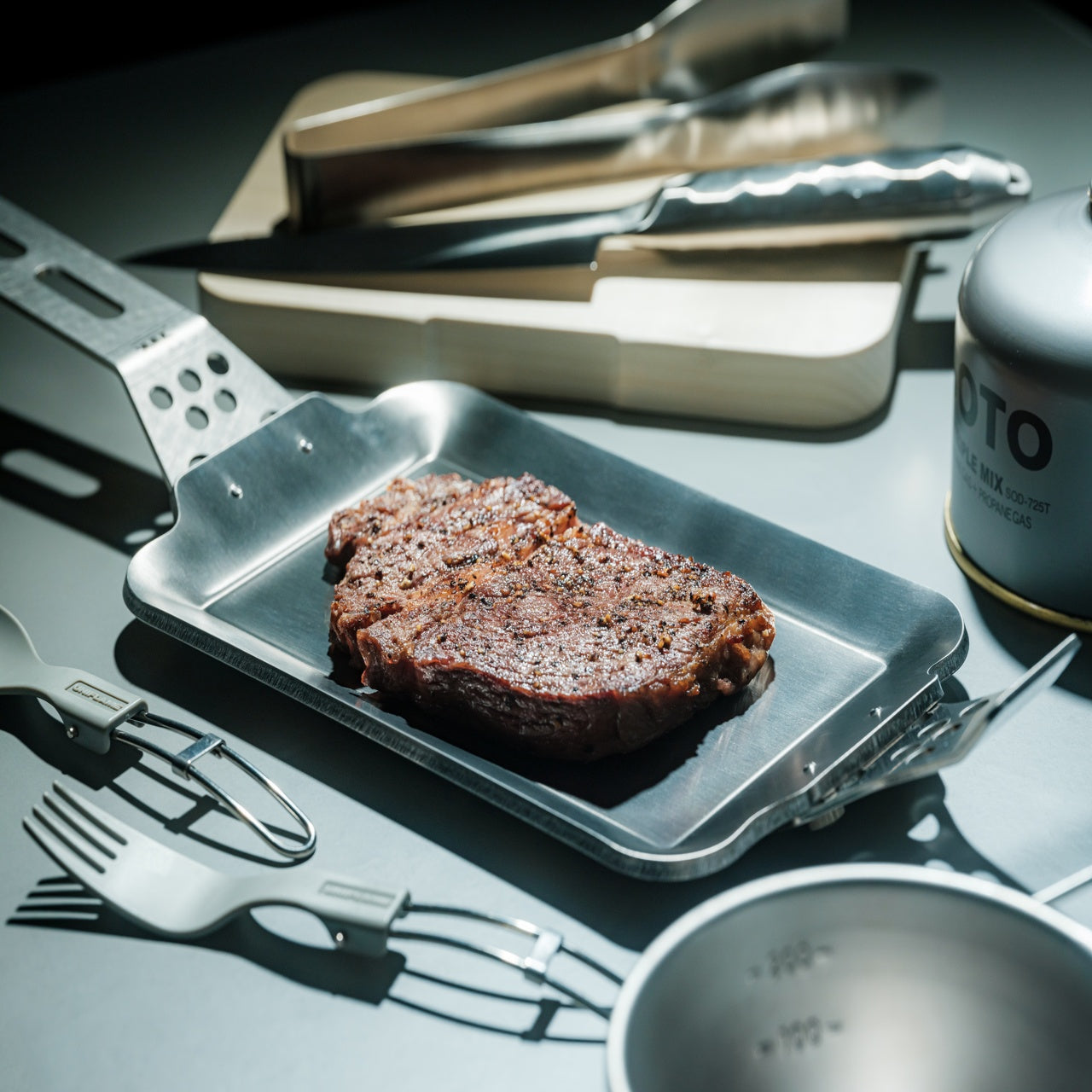
This piece of cookware collapses the distance between the stove and the table in a way that feels both radical and sensible. Made from 1.6mm-thick mill scale steel, the plate arrives rust-resistant, stick-resistant, and ready for immediate use without the lengthy seasoning ritual most iron cookware demands. The wooden handle attaches and detaches with one hand, transforming the object from cooking tool to serving vessel in a single motion. Mill scale steel is an unusual choice for consumer cookware because most manufacturers sand it off during production, but leaving it intact creates a natural non-stick surface that improves with use.
The heat distribution across that thin steel body brings out caramelization and texture in ways that thicker cast iron struggles to match, and the visual warmth of iron against a wooden table turns an ordinary weeknight dinner into something more composed. For a kitchen where counter space is limited, and dishes pile up fast, eliminating one entire step of the cooking-to-eating chain is not a gimmick. It is a rethinking of how we interact with food once it leaves the heat, and the pan-to-plate logic makes cleanup faster than any two-vessel alternative.
The one-hand detachable wooden handle makes the transition from stove to table seamless and eliminates the need for separate serving dishes.
Mill scale steel requires no initial seasoning, so it is usable straight out of the box, unlike most raw iron cookware on the market.
What we dislike
The thin 1.6mm steel will not retain heat as long as heavier cast iron, which means food cools faster once removed from the burner.
Eating directly from a frying surface takes some adjustment, and the flat profile does not contain sauces or runny dishes well.
2. Akebono Square Sandwich Cutter & Sealer
Sandwich-making in most kitchens involves a knife, a cutting board, and the quiet disappointment of fillings oozing out the sides. The Akebono cutter and sealer replaces that entire sequence with a single press that cuts and crimps simultaneously, producing sealed pockets that hold their shape through a commute, a school day, or a few hours in a lunchbox. Made in Japan with durable, food-safe materials, the tool is dishwasher-safe and simple enough for children to operate without supervision.
What makes it more than a novelty is how it changes the approach to sandwich construction entirely. Instead of spreading fillings thin to prevent spillage, the sealed edges allow for generous, layered interiors: curries, egg salad, fruit, and cream combinations that would be impossible with open-edge bread. Japanese convenience stores have perfected the sealed sandwich format for decades, and this tool brings that same logic to a home kitchen for a fraction of the cost, turning a five-minute task into a two-minute one.
What we like
The simultaneous cut-and-seal action locks fillings inside, making it ideal for runny or layered ingredients that would fall apart in a regular sandwich.
Dishwasher-safe construction and a straightforward press mechanism mean there is almost no learning curve and minimal cleanup.
What we dislike
The square format limits bread choices, as it works best with standard sliced bread and does not accommodate artisan loaves or thicker cuts.
Sealed sandwiches can trap steam when made with warm fillings, resulting in soggy bread if not cooled before sealing.
3. Three Snow Stainless Steel Round Mesh Oil Skimmer
Most oil skimmers sold outside Japan are clunky perforated ladles that catch large debris and let everything else through. The Three Snow skimmer operates on a different principle. Manufactured in Tsubame, Niigata, this tool uses 18-8 stainless steel mesh available in fine (40 mesh, 0.4mm) and coarse (16 mesh, 1.2mm) options, giving it the ability to filter particles most skimmers ignore completely. The fine mesh variant catches even the smallest frying residue, which means cleaner oil that lasts longer between changes.
Beyond deep-frying, the tool doubles as a scum remover for stocks and soups and works as a miso strainer, making it one of the more versatile single-form tools in a Japanese kitchen. Available in 12cm, 15cm, and 18cm diameters, the sizing accommodates everything from a small saucepan to a full-sized fryer. At roughly 90 to 140 grams, depending on size, the weight is negligible during long frying sessions. Tsubame stainless steel has earned its reputation: the corrosion resistance and structural integrity of these skimmers outlast most competitors by years.
What we like
The fine 40-mesh option catches debris as small as 0.4mm, which keeps frying oil cleaner far longer than standard perforated skimmers allow.
Multi-use functionality as a miso strainer, scum skimmer, and oil filter means it earns its space in a drawer more than most single-purpose tools.
What we dislike
Fine mesh requires more careful cleaning than a simple perforated ladle, as particles can embed in the weave and are difficult to dislodge without a brush.
The shallow depth (25mm to 35mm, depending on size) limits the volume of debris it can collect in a single pass during heavy frying sessions.
4. Playful Palm Grater
Conventional box graters are bulky, awkward to store, and dangerous to clean. The Playful Palm grater is none of those things. Cut from a single aluminum alloy plate and curled into a form that sits naturally in the palm, this tool reimagines what a grater can physically be. The curve creates a natural channel that directs grated cheese, ginger, garlic, or zest toward the dish below, and the ergonomic fit means the grating hand stays protected behind the plate rather than hovering over exposed blades.
Available in multiple colors, the grater looks more like a piece of desktop sculpture than a kitchen tool, which is part of the design intent. Japanese kitchen philosophy often resists the idea that tools should be hidden in drawers between uses, and a grater this visually appealing can sit on a counter without disrupting the space. The compact size makes it ideal for tableside use: grating Parmesan directly over pasta, adding fresh wasabi at the last second, finishing a salad with lemon zest. The palm grater treats garnishing not as an afterthought but as a distinct step worth its own dedicated instrument.
The single-plate aluminum construction eliminates crevices and joints, making it far easier to clean than traditional multi-sided graters.
The palm-fit ergonomic design keeps fingers behind the grating surface, reducing the risk of nicked knuckles that plague box grater users.
What we dislike
The compact grating surface is not suited for large-volume tasks like shredding an entire block of cheese for a casserole.
Aluminum alloy, while lightweight, is softer than stainless steel and will dull faster with frequent use on hard ingredients like nutmeg or frozen ginger.
5. Conte Drip-Free Oil Pot with Fine Mesh Filter
Reusing frying oil is standard practice in Japanese home cooking, and the Conte oil pot is the tool that makes it effortless. A fine black stainless steel mesh catches food particles left behind from tempura, tonkatsu, or karaage, and the non-reflective black finish serves a practical purpose: it allows a clear view of the oil level from above, something shiny stainless steel interiors make nearly impossible. The precisely curved rim eliminates drips during pouring, a detail that sounds minor until considering how many oil pots leave trails across the stovetop.
Angled knobs on the lid and strainer allow one-handed operation, so pouring oil back into a pan while holding an ingredient in the other hand becomes routine rather than a balancing act. Available in small (300ml) and large (700ml) sizes, the pot scales to different cooking habits. The small version is suited for seasoning cast iron or saving oil after pan-frying dumplings, while the large handles full frying sessions comfortably. Both sizes sit compactly beside a stove without crowding the workspace, making oil reuse clean, dignified, and free of the greasy mess that discourages most home cooks from attempting it.
What we like
The drip-free rim design eliminates oil trails on the stovetop, solving a problem that nearly every other oil storage container ignores.
The black stainless steel mesh filter makes oil clarity visible from above, so determining when to discard rather than reuse becomes a visual check instead of a guessing game.
What we dislike
The small 300ml version fills up rapidly and is too limited for anyone who deep-fries regularly or cooks for more than two people.
Stainless steel retains oil odors over time, and thorough degreasing between uses requires more effort than a quick soap-and-water rinse.
6. Oku Knife
Scottish artist and metalworker Kathleen Reilly designed the Oku knife as a direct response to a problem most Western cutlery ignores: where does the knife go between bites? Informed by the Japanese tradition of chopstick rests (hashioki), which lift eating utensils off the table surface to prevent contamination, the Oku features a handle folded 90 degrees from the blade. This fold allows the knife to rest with its handle on the table while the blade sits perpendicularly in the air, touching nothing.
The result is a tool that solves a cleanliness issue most diners have accepted as unsolvable: the dirty knife laid flat against a tablecloth or balanced on the edge of a plate. Hooking the blade along the edge of a cutting board or plate creates what Reilly describes as an intimacy between the two objects, and the angular geometry locks the knife in position rather than allowing it to slide. For a kitchen where multiple cutting tasks happen in sequence, the Oku provides a resting solution that no flat-handled knife can match. It is a rare case of form and function arriving at the same conclusion through a single geometric decision.
What we like
The 90-degree fold solves the dirty-knife-on-table problem that flat cutlery has ignored for centuries, keeping the blade cleanly suspended between uses.
The hookable design creates stability on plate rims and cutting board edges, eliminating the wobble and sliding common with standard knives at rest.
What we dislike
The unconventional handle angle requires a different grip than traditional knives, which may feel awkward during extended cutting or food prep sessions.
As a handcrafted piece by an independent metalworker, availability and pricing are limited compared to mass-produced alternatives.
7. Obsidian Black Salad & Serve Tongs
Salad tongs tend to be one of two things: flimsy spring-loaded mechanisms that lose grip on the third toss, or heavy stainless steel clamps better suited to a barbecue than a dinner table. The Obsidian Black tongs occupy neither category. Made from SUS821L1 stainless steel (a variant twice as strong as the standard SUS304 used in most kitchen tools), they achieve a thinner, lighter profile without sacrificing structural integrity. One head is shaped as a spoon, the other as a spork, and this asymmetry is the design’s smartest move.
That mismatched pairing allows the tongs to clamp down on leafy greens with the same confidence as slippery pasta or bite-sized grain bowls, because each head approaches the food from a different angle. At 20cm in length, the reach is sufficient for deep salad bowls without compromising control. The black finish creates visual contrast against greens, fruits, and light-colored dishes, which makes plating feel more considered, and the high corrosion resistance of SUS821L1 steel means the finish holds up through years of use. For a kitchen that treats presentation as part of the cooking process, these tongs turn the final step of assembling a dish into something deliberate.
SUS821L1 stainless steel is twice as strong as the standard SUS304, allowing a thinner profile that feels lighter in the hand without bending or flexing under load.
The asymmetric spoon-and-spork head design grips a wider range of textures and food types than matching heads would, from arugula to penne.
What we dislike
The 20cm length may feel short for tossing salads in oversized serving bowls or deep mixing containers.
The dark finish, while visually striking, can show water spots and fingerprints more readily than brushed or polished stainless steel.
Where This Leaves Your Kitchen
Japanese kitchen tools share an unspoken philosophy that the best gadgets do not announce themselves. They integrate. They become invisible extensions of the hand, the stove, the table, dissolving the seams between preparation, cooking, and eating until the whole sequence feels like a single continuous act. The seven tools on this list operate exactly within that logic, each one addressing a friction point that most cooks have simply accepted as normal.
Investing in these pieces is not about filling a kitchen with more objects. It is about replacing thoughtless tools with considered ones, swapping volume for precision, and treating the daily act of making food with the same intentionality that Japanese design applies to everything it touches. A kitchen built around tools like these does not feel cluttered. It feels ready.
Overhead lighting was never built for you specifically. It floods an entire room without discrimination, casting flat light across everything and solving nothing in particular. A well-chosen desk lamp operates differently — it targets exactly where concentration happens, reduces strain during long sessions, and brings something intentional to a space that a ceiling fixture simply cannot. The best ones do all of this while looking like they genuinely deserve to be there.
The five lamps here approach desk lighting from genuinely different directions — one learns your habits through AI, another is cast from real tractor headlight molds, one travels anywhere on AA batteries, and another chases a color accuracy standard most manufacturers don’t bother measuring. Each solves a real problem. Whether your workspace is a compact corner or a dedicated professional studio, there is a lamp on this list worth your full attention.
1. Anywhere-Use Lamp
The Anywhere-Use Lamp is designed around one honest principle — good light shouldn’t be restricted to places with power outlets. Running on four AA batteries, it removes every dependency on wall sockets and charging cables, making it as useful in a hotel room or a garden corner as it is on a permanent desk. Six high color rendering LEDs produce warm, soft output that settles gently into a space rather than announcing itself as the primary light source in the room.
Available in black, white, and an Industrial edition with a scratch-detailed metal base that treats surface wear as character rather than damage, the Anywhere Use Lamp adapts across settings without effort. Pressing any edge of the cap cycles through four brightness levels with a satisfying haptic click that makes the interaction feel considered. The modular construction breaks down quickly enough to slip into a bag, and on a desk, it reads as a minimal sculpture — quietly impressive without demanding attention from everything around it.
AA battery power gives it genuine location freedom that no rechargeable or corded lamp on this list can honestly match.
The Industrial edition’s scratch-detailed metal base treats material imperfection as an intentional design quality rather than a manufacturing oversight.
What We Dislike
Four disposable AA batteries are less sustainable than a built-in rechargeable solution would be for users who run them daily.
Warm, atmospheric output may feel insufficient for task-heavy environments that demand stronger, more directional illumination.
2. The Lampster
The Lampster is the most funded lamp in crowdfunding history, a record that speaks to how rare genuinely characterful lighting actually is. Its head is cast from the same 40-year-old molds used for real tractor headlights, a material fact that sits at the center of everything the lamp is. Born as a side project between an architect and an engineer, it carries the kind of specificity that only arrives when something was made first for its creators, not for a market.
Functionally, the Lampster holds 120 LEDs across warm and cool white tones, controlled by a capacitive touch button on the head that adjusts intensity without needing a phone. An RGB light source connects to a mobile app that monitors power draw, saves custom settings for reading, writing, or focused work, and syncs the lamp to music. The head rotates 360 degrees while the aluminum neck bends freely in any direction. It sits on a desk and immediately becomes the most interesting object in the room.
What We Like
Cast from original 40-year-old tractor headlight molds, giving it a material provenance no competing desk lamp can replicate.
App-controlled RGB plus adjustable warm and cool white LEDs cover every working scenario without requiring separate hardware.
What We Dislike
Filling the hollow body with gravel for proper ballast adds a hands-on setup step that feels slightly misaligned with a premium purchase.
Full smart functionality depends on a mobile app, which may frustrate users who prefer straightforward, always-available physical controls.
3. DEEP
DEEP is what happens when a lamp decides your working environment should configure itself around you rather than the other way around. Turn it on with a spinning-top-inspired power button, tell it what you are about to do — studying, coding, reading, creative work — and it adjusts both lighting and ambient sound automatically. The AI underneath isn’t a selling point bolted on at the last stage. It actively shapes your workspace conditions before you’ve had to think about them yourself.
A camera positioned at eye level monitors your focus state in real time, functioning like a built-in productivity coach without requiring a separate device. Side buttons allow precise manual overrides, and when adjustments are saved, the system builds a personal profile that becomes more attuned the longer the lamp sits on your desk. Over repeated sessions, DEEP learns the exact conditions under which you concentrate best and begins applying them without being asked — a meaningfully different relationship with a piece of desk hardware.
What We Like
AI-driven environment configuration learns and refines your preferences over repeated sessions, becoming genuinely more useful the longer you use it.
Camera-based real-time focus monitoring replaces any need for an external productivity tracking application or additional device on your desk.
What We Dislike
A built-in camera positioned at eye level may not sit comfortably with users who value privacy in their personal workspace.
As a concept-stage design, software longevity, update support, and manufacturer reliability over time remain unconfirmed.
4. Lumio Ovo
Most adjustable lamps eventually disappoint. Multiple joints accumulate play, precise positioning becomes a daily compromise, and what is marketed as flexible control quietly becomes a frustration. The Lumio Ovo addresses this by reducing the entire adjustment system to a single pivot — a seesaw-style motion that rotates a full 360 degrees around a central point and feels exact from the very first interaction. No creaking. No wobble. No accumulated looseness. Precise, repeatable directional control housed in a form that makes no apologies.
Lumio left the central pivot fully exposed rather than hiding it inside a casing, which turns the structural solution into the lamp’s most compelling visual element. At rest on a desk, the Ovo reads as a kinetic art object — the kind of piece that earns a comment from anyone who sees it for the first time. Nudge it gently, and it finds its new position with an ease that lamps carrying three times the moving parts rarely manage to deliver with the same quiet confidence.
What We Like
A single-pivot seesaw mechanism eliminates the joint loosening and positional drift that eventually compromise most multi-hinge desk lamps.
The exposed pivot transforms the engineering solution into the lamp’s defining aesthetic element, making form and function genuinely inseparable.
What We Dislike
Detailed light output and color temperature specifications are not widely published, making pre-purchase performance evaluation difficult.
The balance-based seesaw motion may not satisfy users who need a lamp to lock firmly into position without any residual movement.
5. Redgrass R9 Desk Lamp
Standard color rendering measurements evaluate eight color samples and call it accurate. Redgrass developed a methodology that evaluates 99 and achieved an extended CRI score of 98.5 — a number that places the R9 in a fundamentally different category. The practical result is light that renders color the way natural daylight does. For painters, illustrators, and anyone whose work depends on seeing accurate hues under artificial conditions, the difference is immediate and impossible to ignore.
At 1800 lumens and 3700 lux measured at 45 centimeters, the R9 delivers serious, sustained output from 96 custom-made LEDs arranged across two independently rotating bars. That dual-bar configuration isn’t decorative — it eliminates the shadows a single light source always casts across detailed work surfaces. It holds the Red Dot Best of the Best and iF Design Awards, and professional teams behind Avatar and The Lord of the Rings have adopted it as a standard studio tool.
What We Like
An extended CRI of 98.5 evaluated across 99 color sample sets is an accuracy benchmark that no conventional desk lamp currently comes close to reaching.
Two independently rotating light bars eliminate surface shadows in a way that a single light source is physically incapable of replicating.
What We Dislike
At $279.99, the R9 demands a meaningful financial commitment, even when the performance makes a fair and honest case for itself.
The clamp-based mount and larger physical footprint make it a less natural fit for compact or minimal desk setups.
The Right Light Changes Everything
Each lamp here solves something a ceiling fixture never bothered to think about. The Lampster gives a desk a genuine personality. The Anywhere Use Lamp follows you without conditions. DEEP maps your habits and builds the environment around them. The Ovo reduces all mechanical complexity to a single satisfying gesture. The R9 shows you the color the way it was actually meant to appear. All five refuse to treat workspace lighting as an afterthought worth quietly tolerating.
Good lighting doesn’t just help you see — it sustains concentration, reduces physical strain, and signals that a workspace was assembled with real intention. The difference between a desk lamp and an overhead light isn’t simply positional. One serves the room. The other serves you. Once that distinction becomes clear, returning to a fixture that has no idea what you’re working on or how long you’ve been sitting there becomes genuinely difficult to justify.