
Wired vs. wireless keyboards: Is there really a difference in performance?
Wireless keyboards introduce convenience and portability, but they can't quite keep up with wired keyboards in some cases.
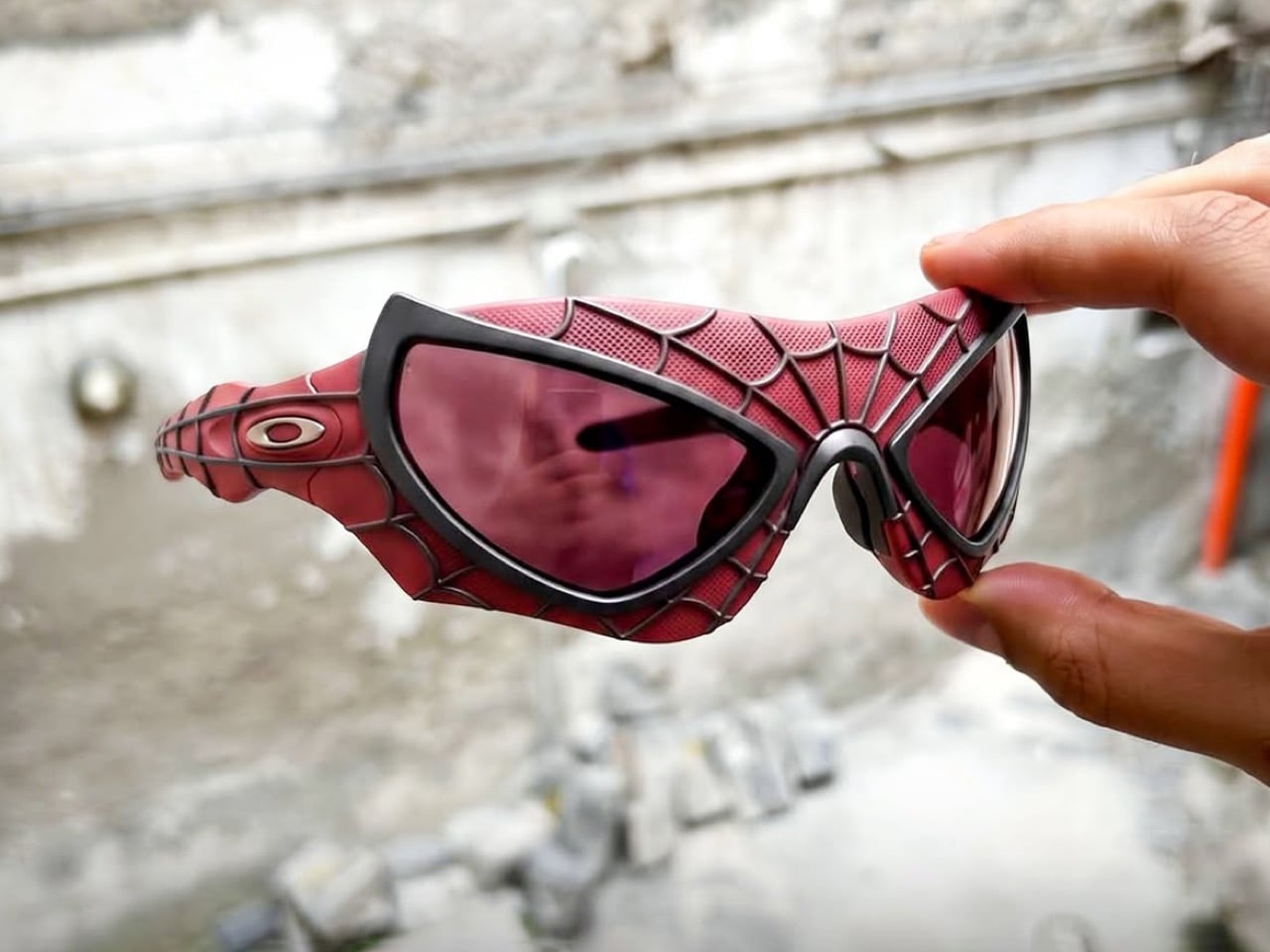
There is a piece of Spider-Man trivia that has floated around fan forums for years, the kind of claim that gets repeated so often it starts to feel like fact. The story goes that the mask eyepieces worn by Tobey Maguire and Andrew Garfield were built using actual Oakley lens material, sourced by the prop houses that made the suits. I cannot verify that, and neither, as far as I can tell, can anyone who has posted it online. It lives mostly in old Oakley collector threads, secondhand and uncredited, more urban legend than documented history. But myth or not, it is the exact reason a new pair of unofficial Spider-Man sunglasses from designer Ivan Vanacore make immediate, satisfying sense.
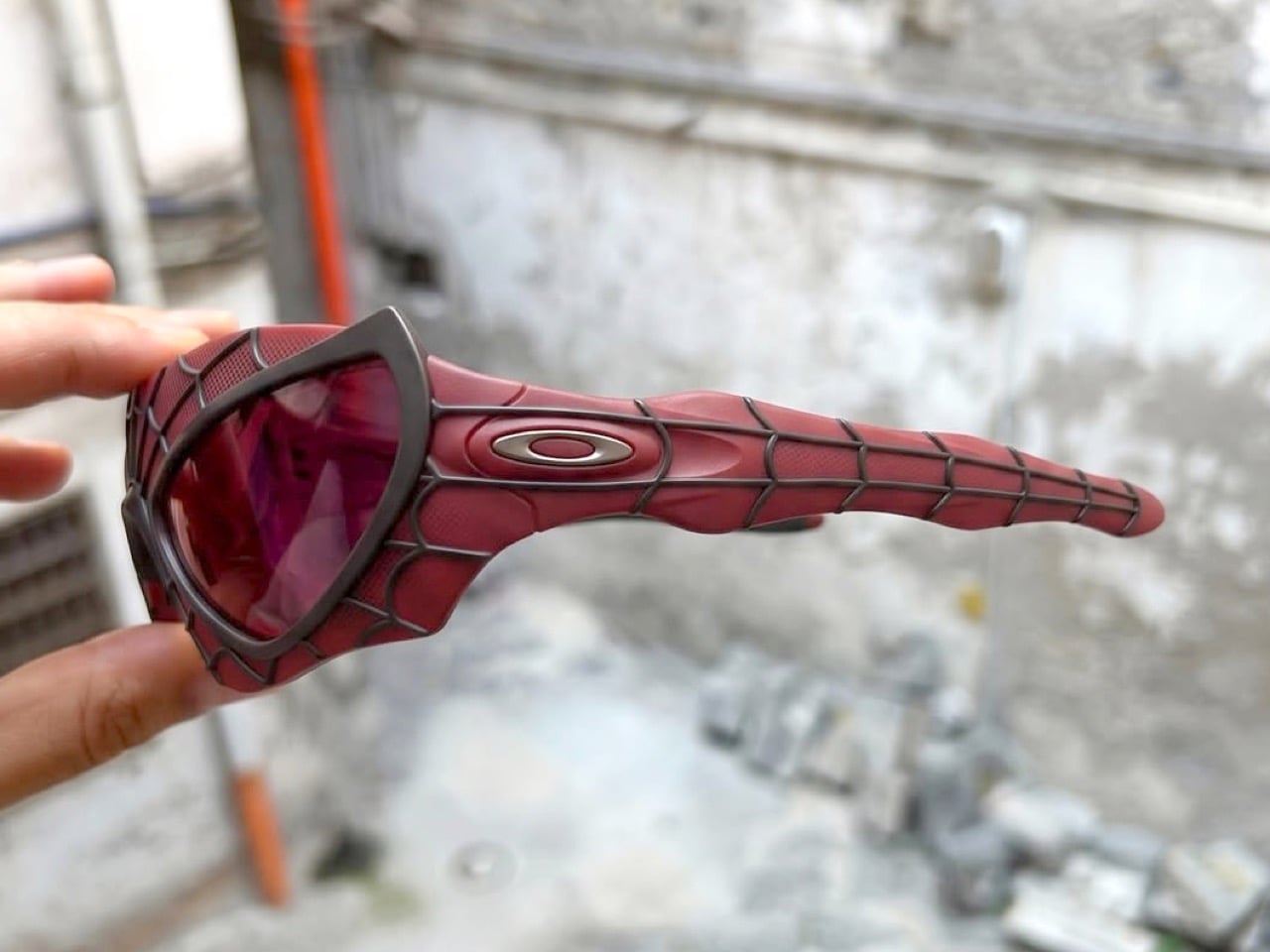
Vanacore’s concept takes the raised red webbing off Andrew Garfield’s suit in The Amazing Spider-Man 2 and wraps it around an Oakley silhouette, ellipse logo included at the temple. The web lines run outward from the nose bridge in the exact pattern the mask uses across the face, and the lens shape borrows the exaggerated, teardrop eye cutouts that made that particular suit stand out from Raimi’s earlier, more restrained design. There is no confirmation this is an actual product, a licensed collaboration, or anything beyond a designer’s personal project. Vanacore has not said whether these exist as more than renders, and neither Oakley nor Sony has commented. For now, treat it as a very convincing what if.
Designer: Ivan Vanacore

Vanacore did not default to the Maguire suit or even the more famous Tom Holland suit with the shapeshifting eyes, he went straight for ASM2’s version, the eyes pulled wide at the temples, the webbing raised enough to read as sculptural rather than printed. Garfield’s Spiderman never really got its due, it got swept under the rug while Sony just decided to put enough effort into the series to retain rights, promptly canceling it after 2 movies to focus on a Venom series. It’s only after Garfield made an appearance in No Way Home that people really objectively appreciated how well he embodied the role of Peter Parker.
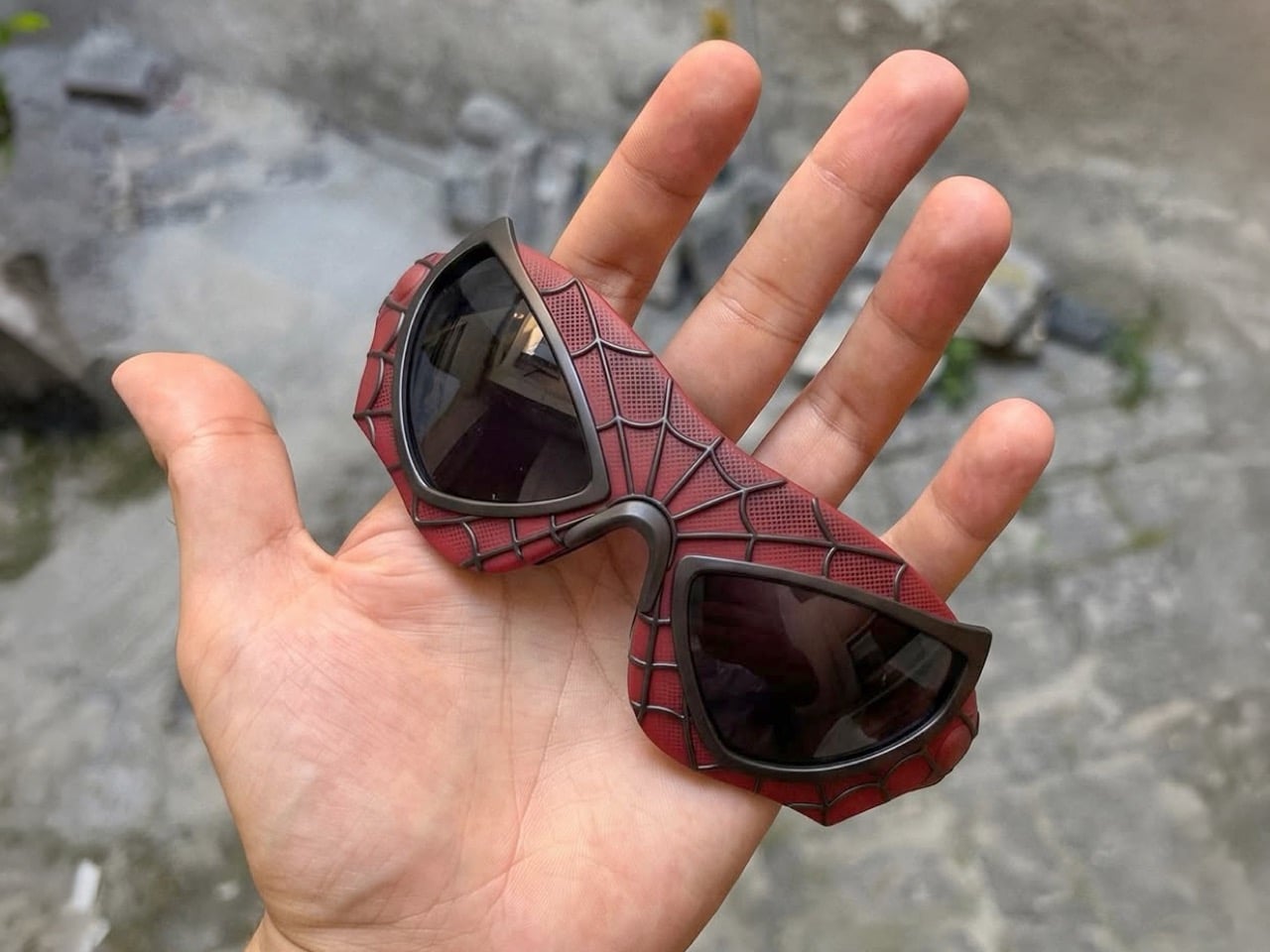
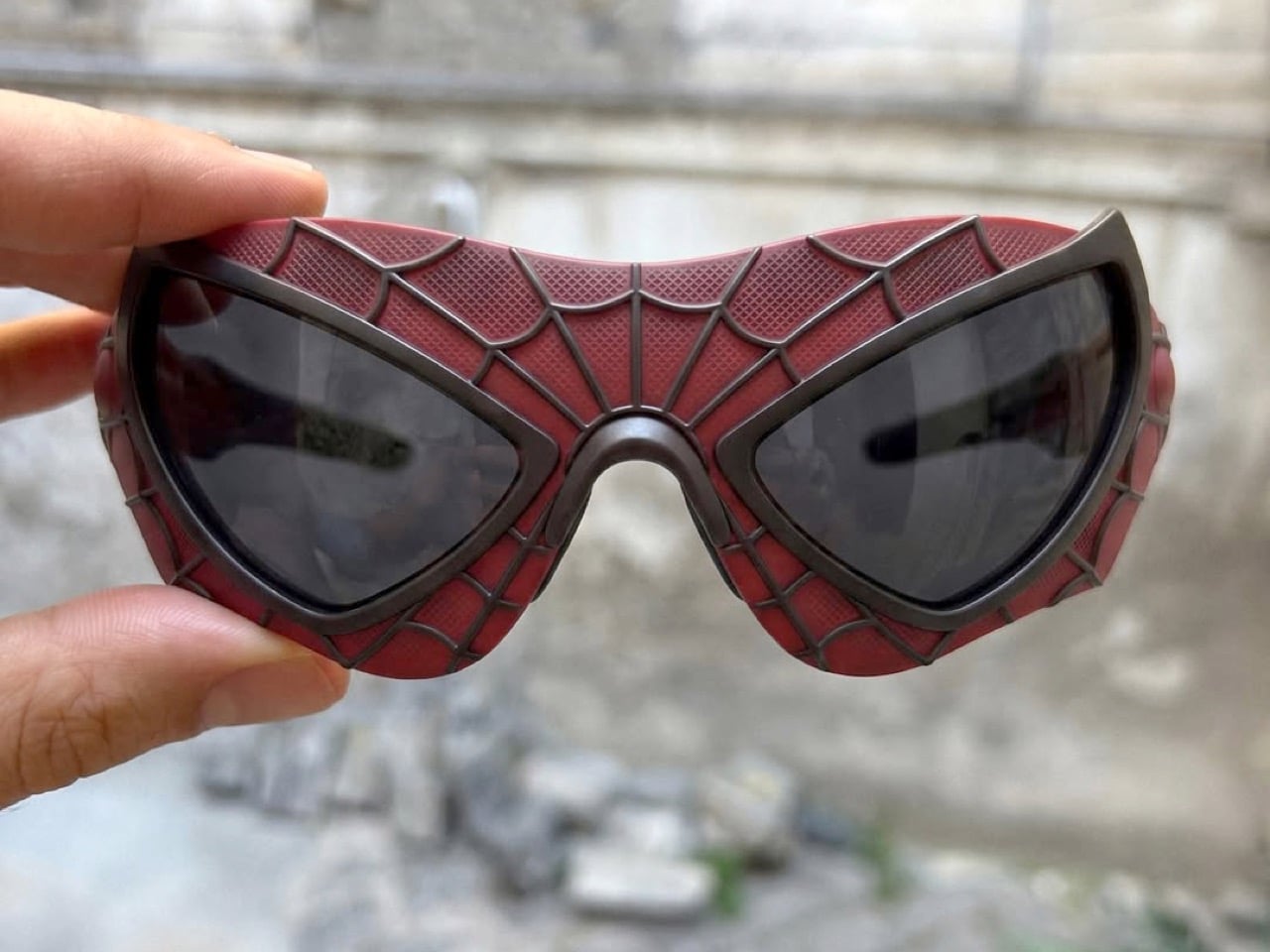
Now the honest part. Would these actually be wearable? Eh. Those narrow lens openings look amazing in a photo and would be a nightmare for peripheral vision the second you tried to drive in them. And all that raised texture is basically a dust and grime trap waiting to happen. Cool concept, rough real life.
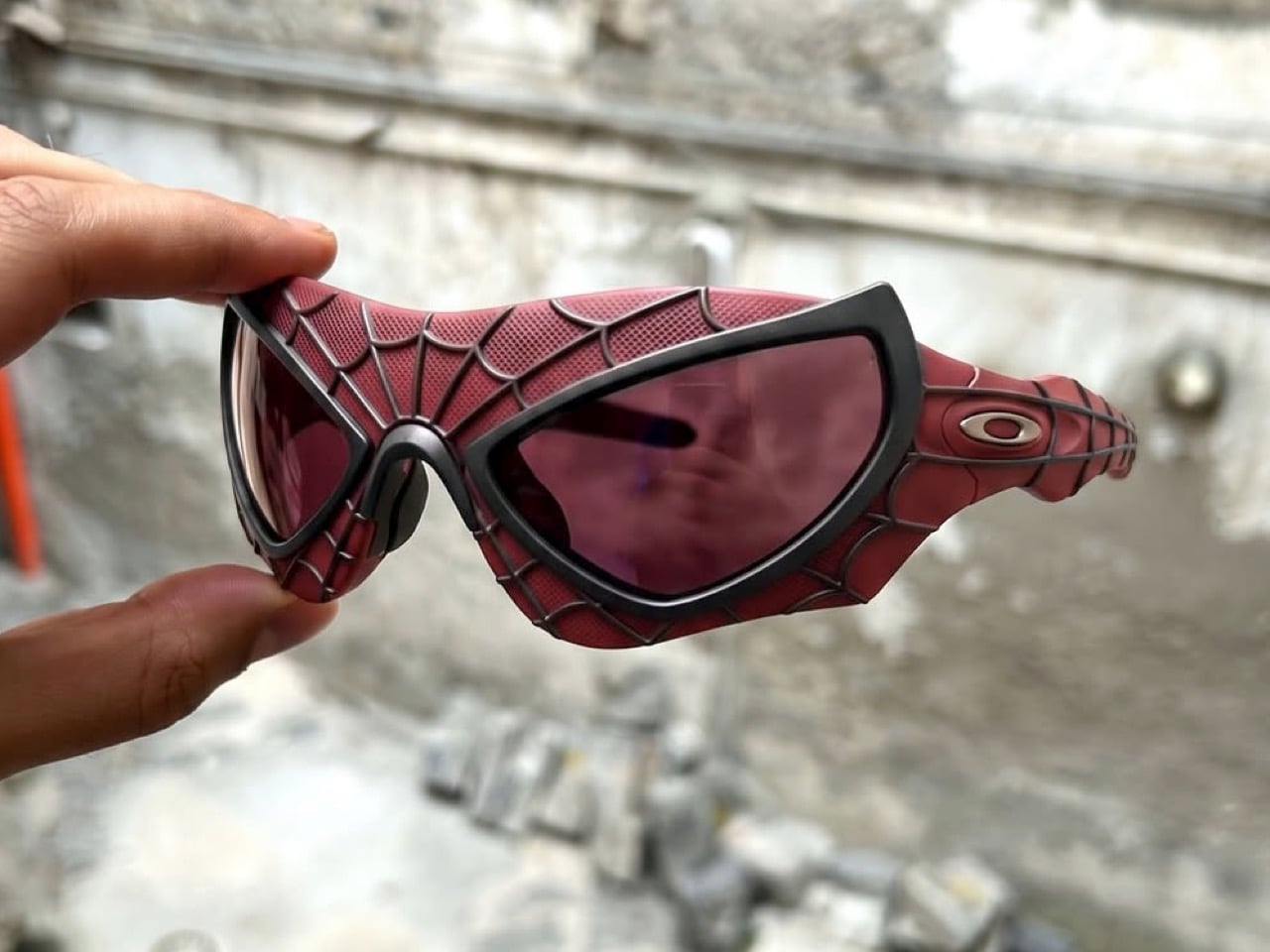
But none of that matters because the internet already wants a pair, and honestly, same. We’ve seen a ton of fan concepts that invent an entire new universe from scratch just to justify existing. This one barely has to try that hard. It just points at two things that already looked like they belonged together and goes “well?”
Whether Oakley ever picks this up is anyone’s guess, corporate legal teams have killed way cooler ideas than this and I’m sure Marvel and Oakley’s lawyers are definitely going to butt heads instead of collaborating earnestly to give the fans what they want. Until then it just lives as a really good What If, and somewhere a costume designer from 2014 is getting way more attention than they ever expected for a movie most people forgot.
The post These Oakley x Spiderman unofficial sunglasses are cooler than any smart wearable ever made first appeared on Yanko Design.
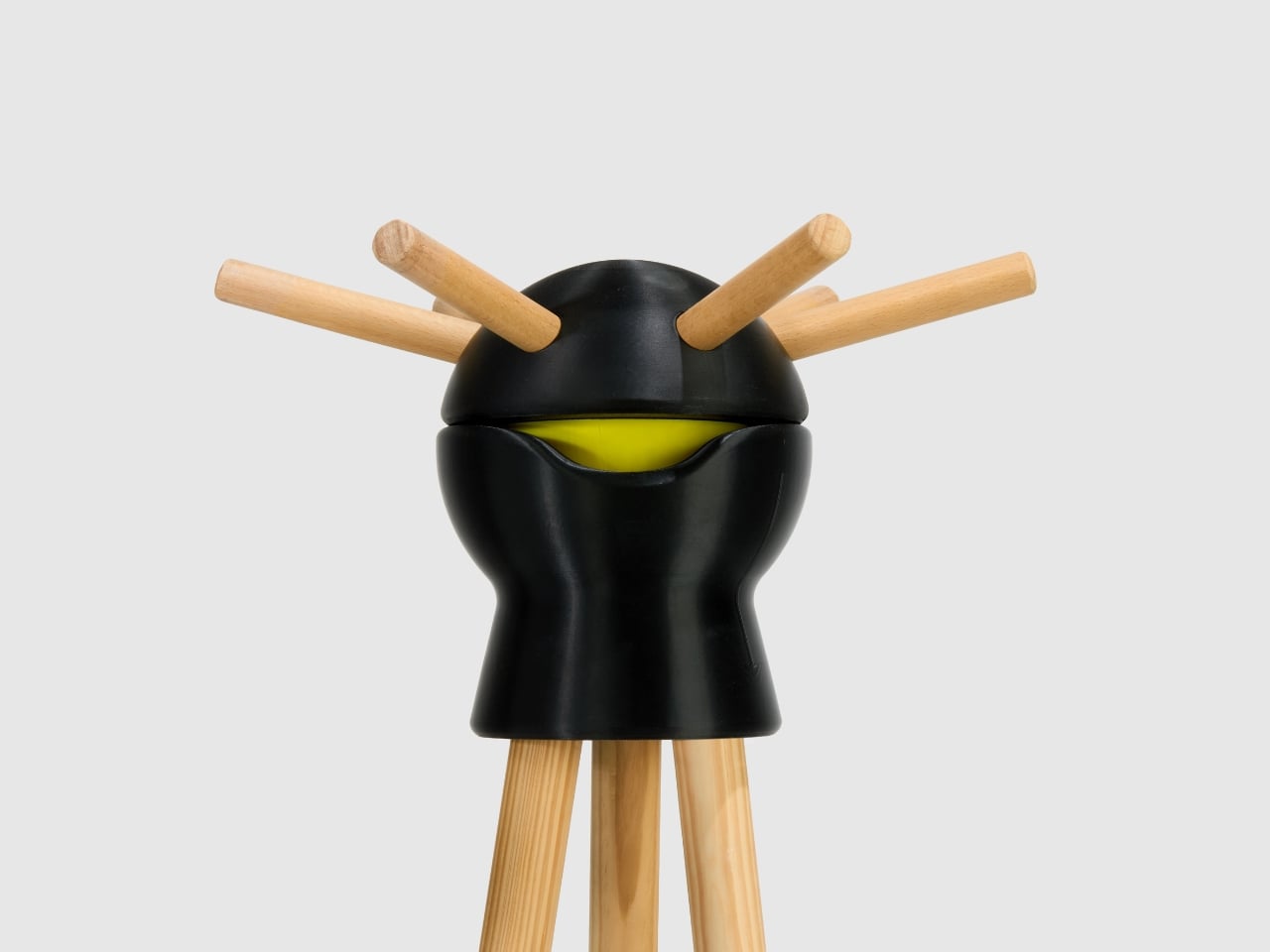
Every apartment has one corner that swallows things. Mine has swallowed umbrellas, gym bags, and for years, whatever coat happened to end up hanging on the back side of the rack, out of reach unless I dragged the whole thing away from the wall first. That is the quiet, unglamorous flaw baked into almost every coat rack ever made. It works fine until you need the jacket on the far side, and then you are either yanking furniture around or reaching behind it like you dropped your keys down the couch. You would think after all these decades of furniture design somebody would have solved that small annoyance by now, and yet most coat racks still ask you to work around them instead of the other way around.
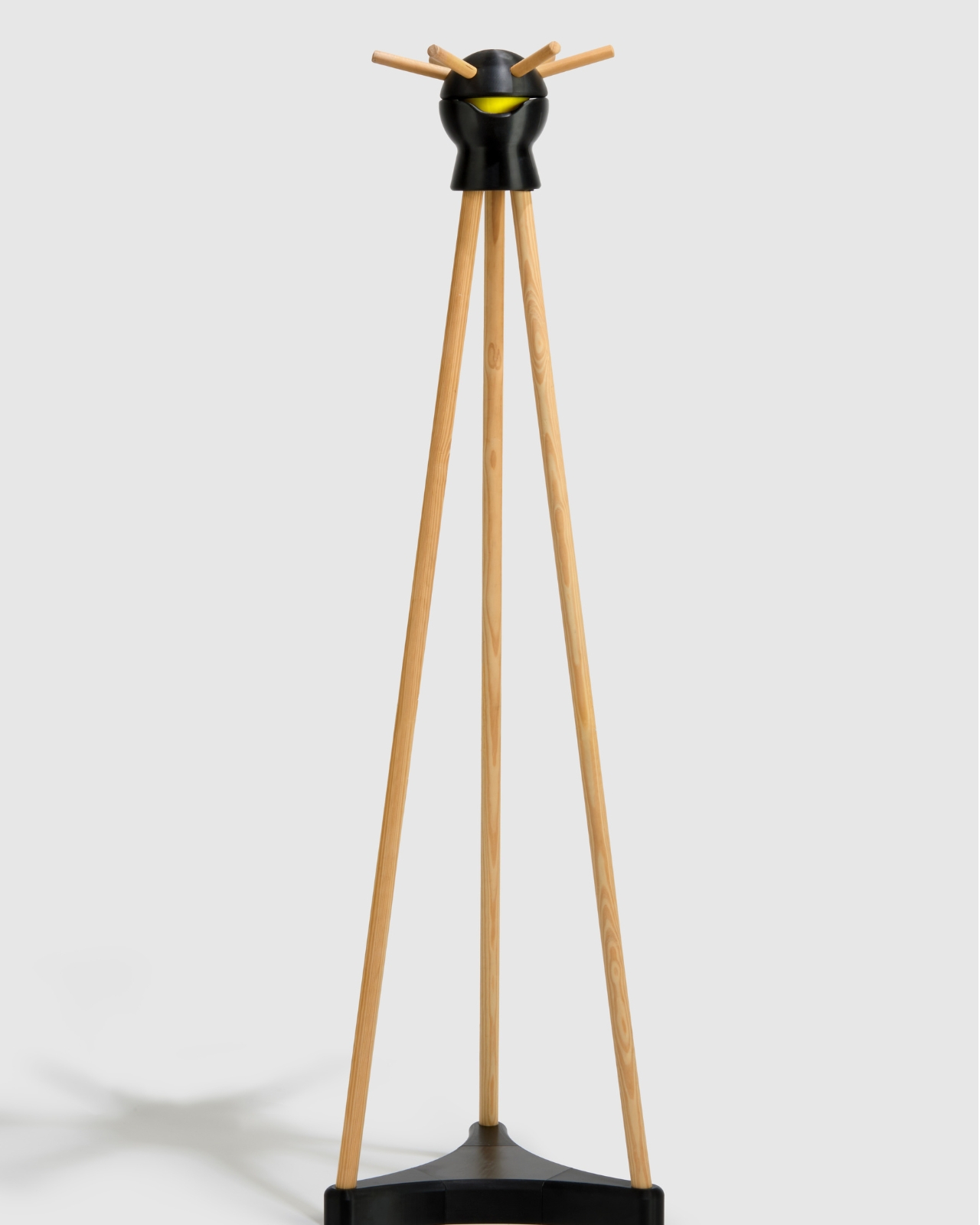
Sophia Lampropoulou, the Athens based designer behind 3D Season, apparently got tired of the same problem and did something about it. Her piece, called Smile, is a floor standing coat rack that rotates a full 360 degrees, so instead of moving the rack to get to your coat, you just spin the head and the coat comes to you. It sounds almost too simple to be worth calling a design breakthrough, until you realize how long we have all quietly tolerated the alternative.
Designer: Sophia Lampropoulou (3D Season)
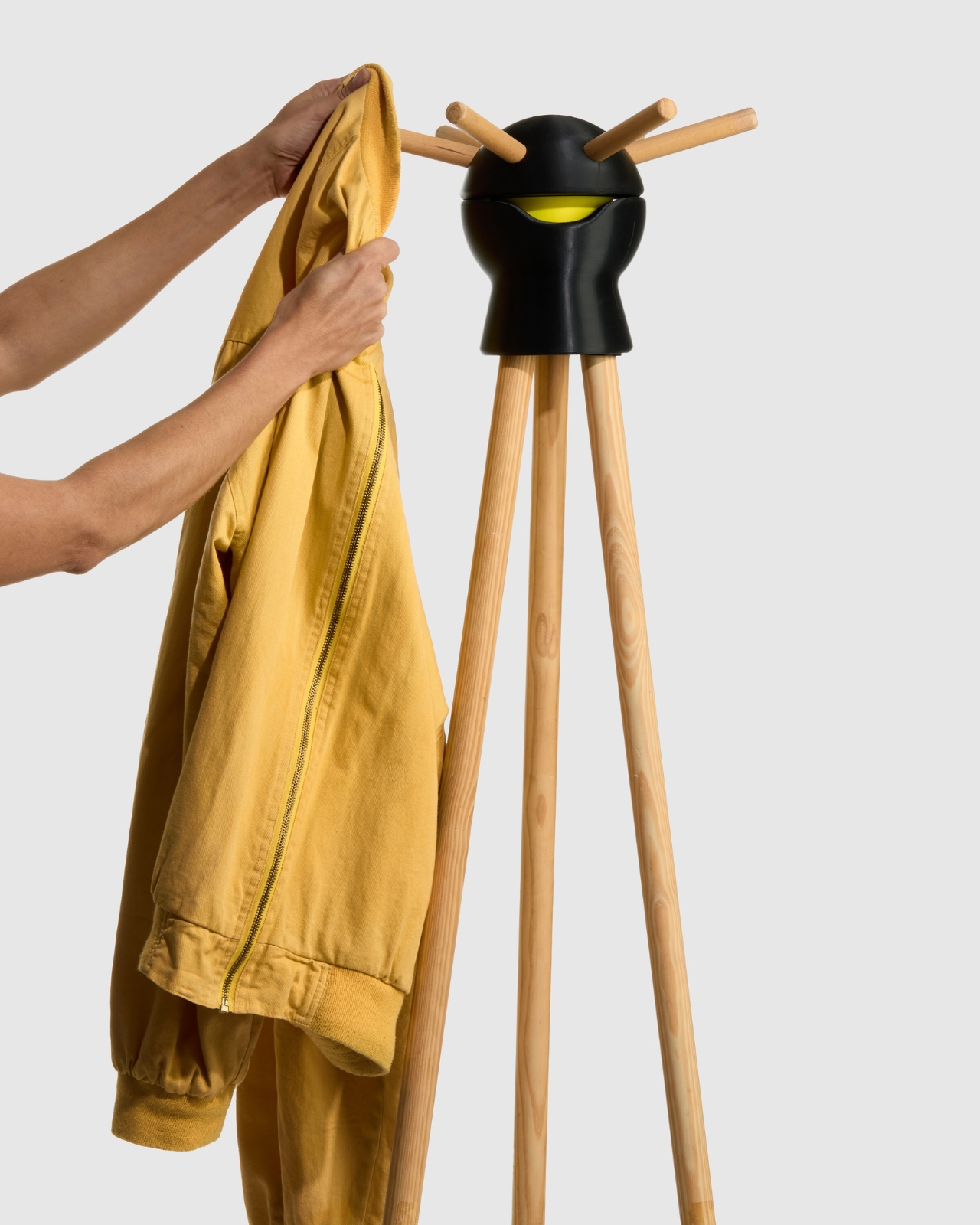
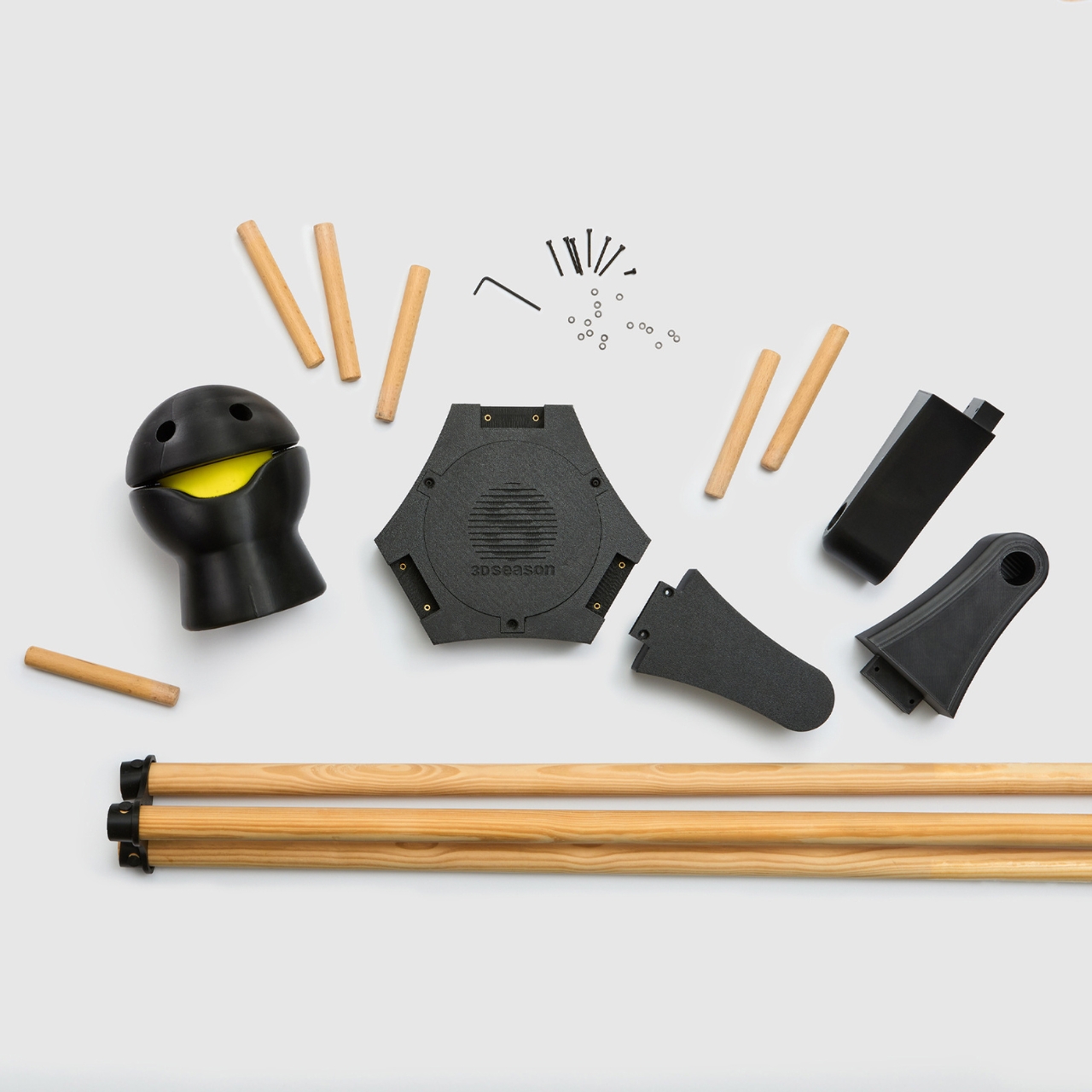
What actually makes Smile worth talking about is not just the rotation, though. The head is 3D printed and shaped like a smiling face, with an internal mechanism that lets it spin smoothly, while the arms that hold the clothes are made of natural wood. That combination matters more than it might seem on paper. Most furniture that leans on 3D printing ends up looking like a tech demo, all sharp edges and plastic sheen. Lampropoulou avoided that trap by pairing the printed core with actual wood, so the final object reads as warm and almost handmade, not like something that rolled straight out of a lab.
The face is the part that will either charm you or feel unnecessary, depending on your taste, and I will admit I landed on charmed. A coat rack has no obligation to have a personality. It is one of the most forgettable objects in a home, tucked into an entryway where nobody looks twice. Giving it an expression, even a simple printed smile, turns it into something you notice on your way out the door instead of something you walk past. That is a small trick, but it is the kind of small trick that separates furniture people actually enjoy owning from furniture that simply exists. It is a reminder that function and personality were never actually in competition to begin with.
There is also a practical case underneath the playful one. Smile ships flat pack and assembles without much fuss, which sounds like a footnote until you have moved a coat rack across a city and realized how awkward those things are to transport in one piece. Durability was clearly part of the brief too, since a rotating mechanism that wobbles or jams after a month would undo the entire point of the design.
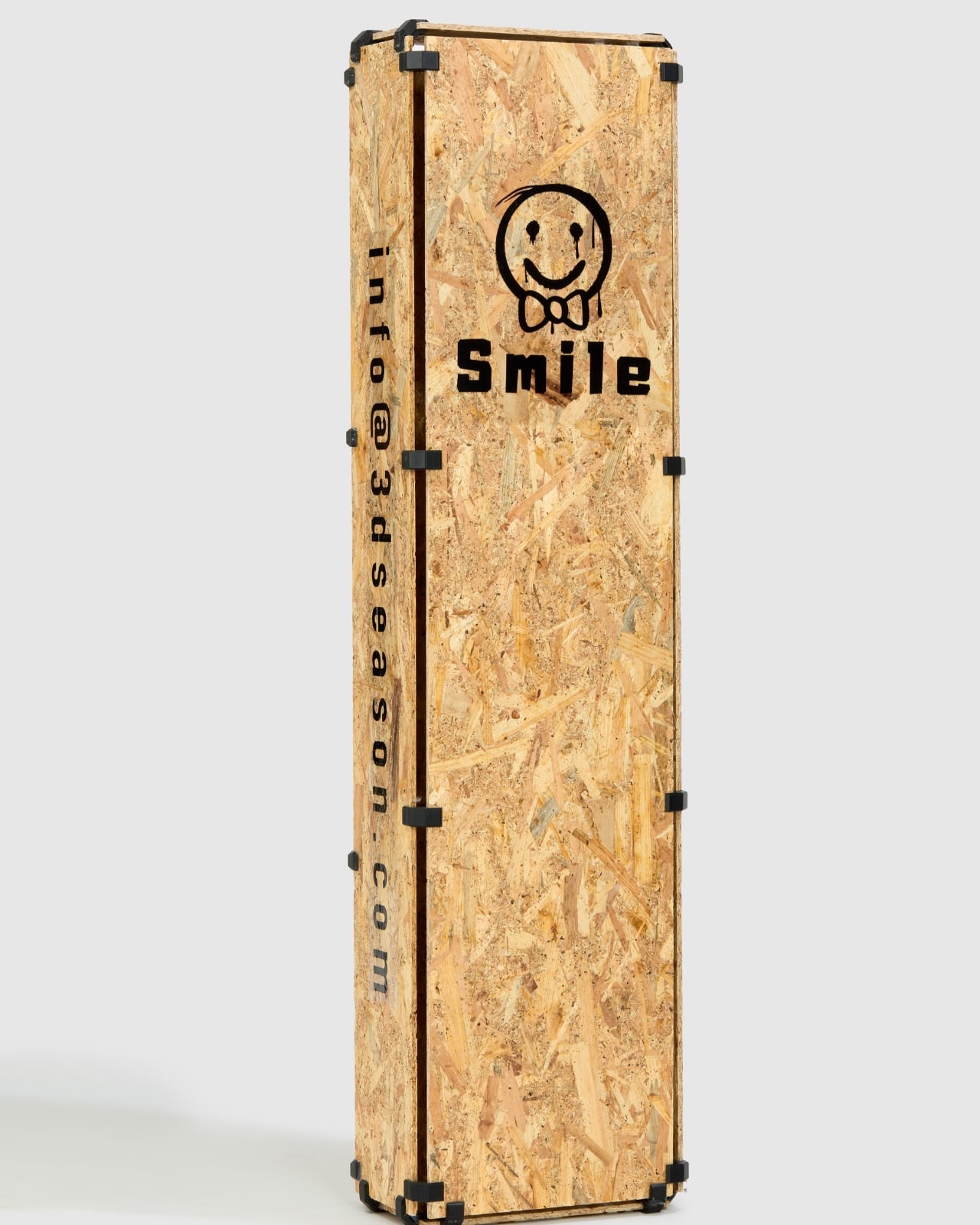
The design world noticed. Smile picked up a win at the A’ Design Award in the 3D printed forms category and an honorable mention at the DNA Paris Design Awards, which is a respectable pair of nods for a piece this modest in scope. Coat racks rarely get awards attention, mostly because nobody expects them to solve anything. Lampropoulou treated an object most of us ignore as a real design problem, and that decision is exactly what earned the recognition.
At around 280 euros, Smile is not an impulse buy, and I would not pretend it is the answer to every cramped entryway out there. But it is a good example of what happens when a designer refuses to accept that a boring object has to stay boring. The best home goods rarely announce themselves loudly. They just quietly fix something you had stopped noticing was broken, and Smile does exactly that, one slow spin at a time.
The post The Coat Rack With a Face Nobody Knew They Needed first appeared on Yanko Design.
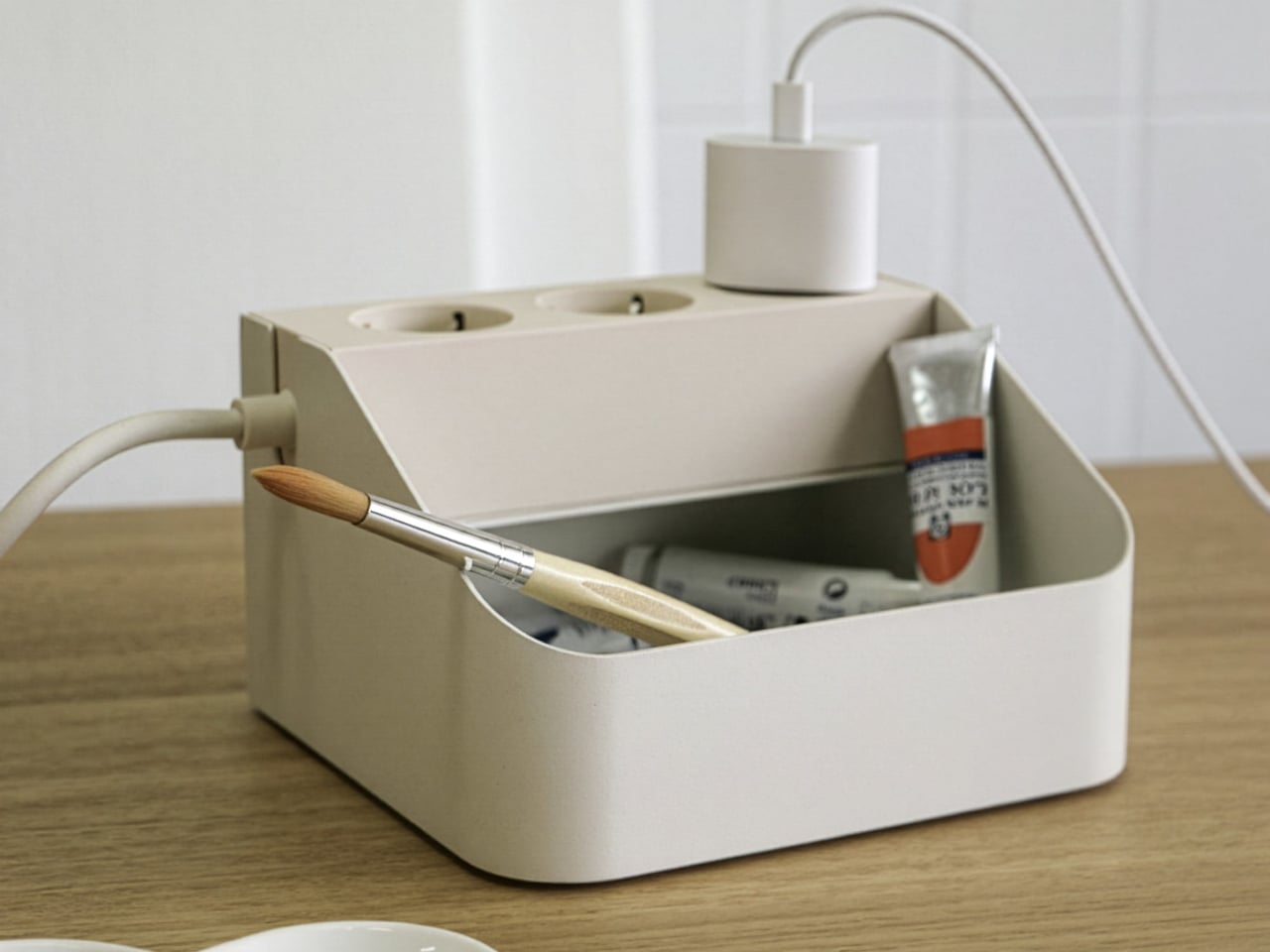
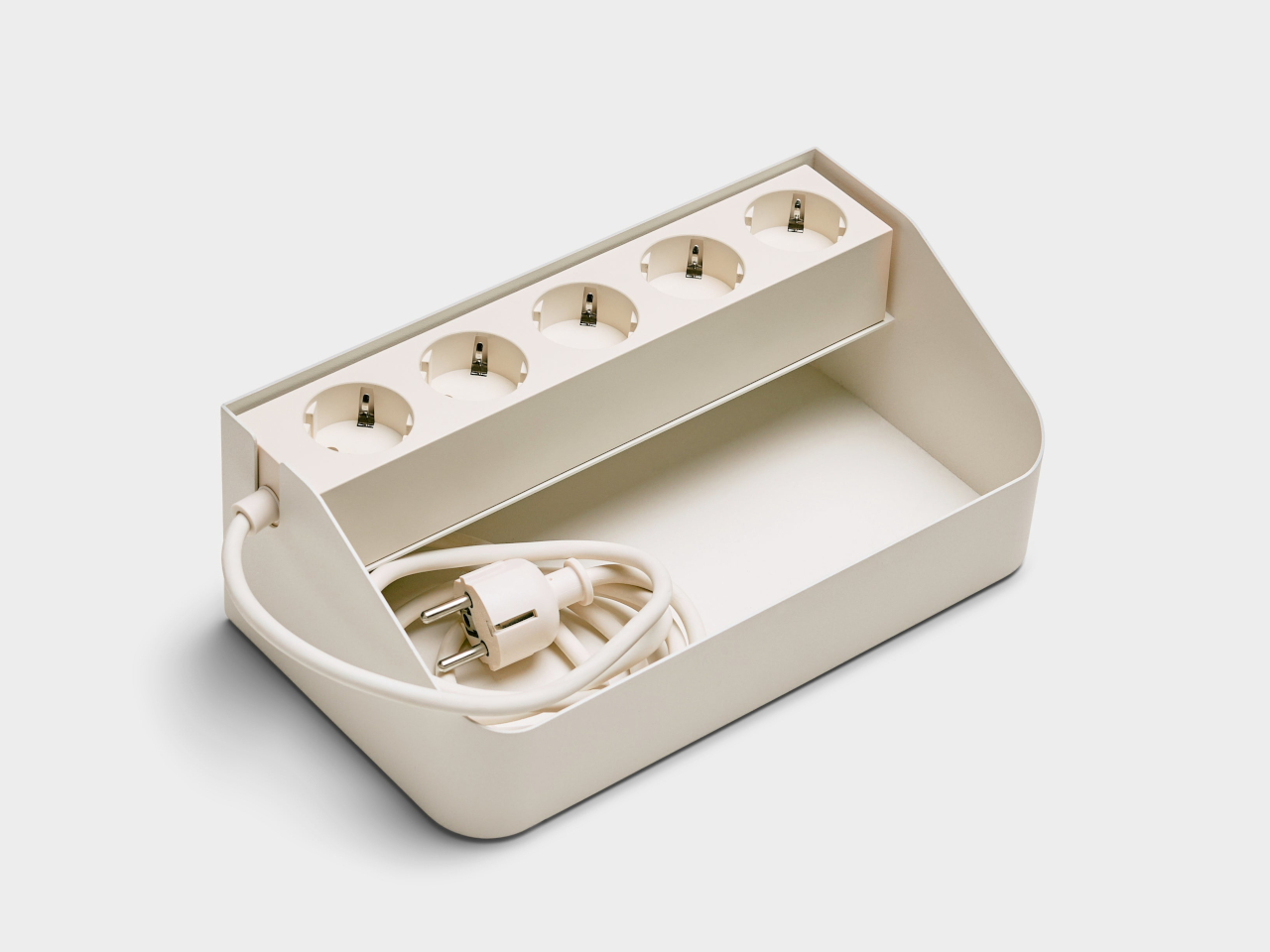
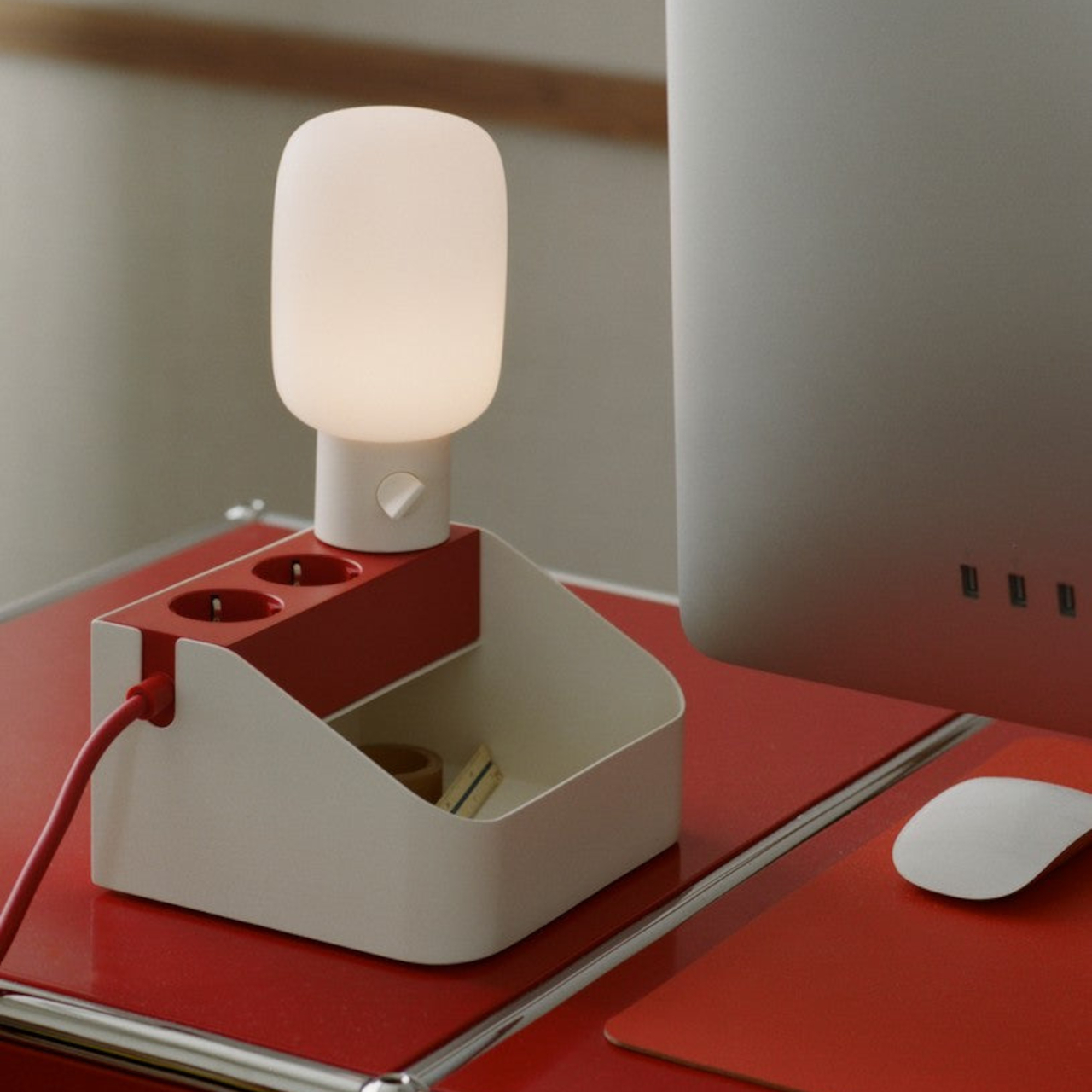
Power strips have sat on the floor under desks for decades, tangled and forgotten, without anyone treating that as a design problem worth solving. Pedestal’s Power Bar Tray changes that quietly, giving its companion power strip an actual home instead of a random spot on the carpet. Made from powder-coated steel with a matte charcoal finish, the tray turns a neglected object into something that belongs on top of a desk in plain sight.
The shape does the real work here. A wedge-profile steel shell holds the Power Bar strip snugly in place, while an open front compartment catches adapters, dongles, and the small electronics clutter that otherwise drifts into drawers. A cord notch lets cables exit cleanly to the side, so nothing bunches up against a wall or gets pinched under the tray’s own weight. That single cutout solves a problem most cable organizers ignore entirely.
Designer: Pedestal
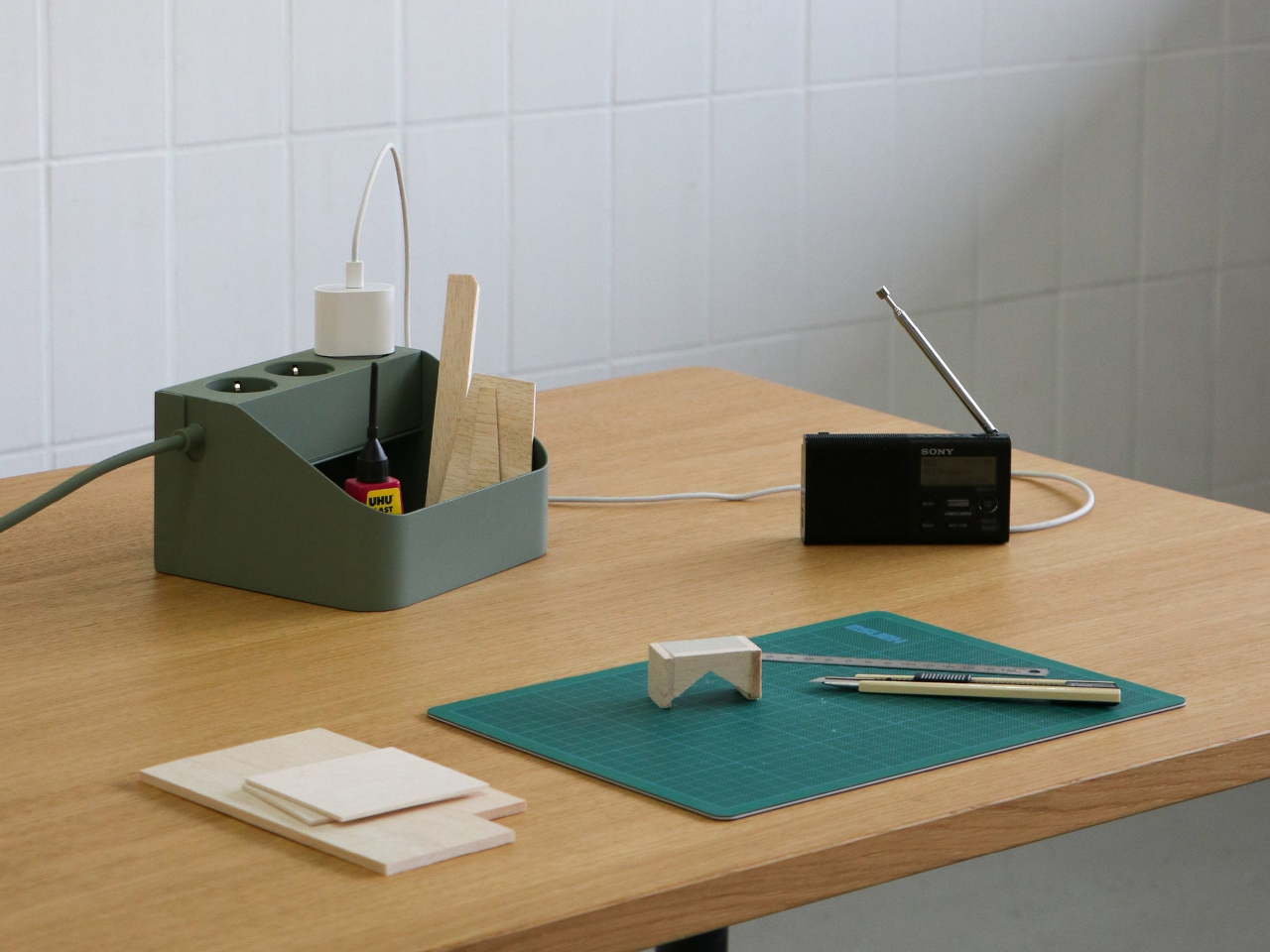
Who hasn’t seen a home office where a laptop charger, a phone brick, and a pair of earbuds all fight for the same corner of a desk? Drop the Power Bar Tray there, and each of those pieces gets one dedicated spot instead of a loose pile. The tray measures just 6.7 by 5.9 by 3.9 inches, small enough to disappear next to a monitor stand without eating into usable desk space.
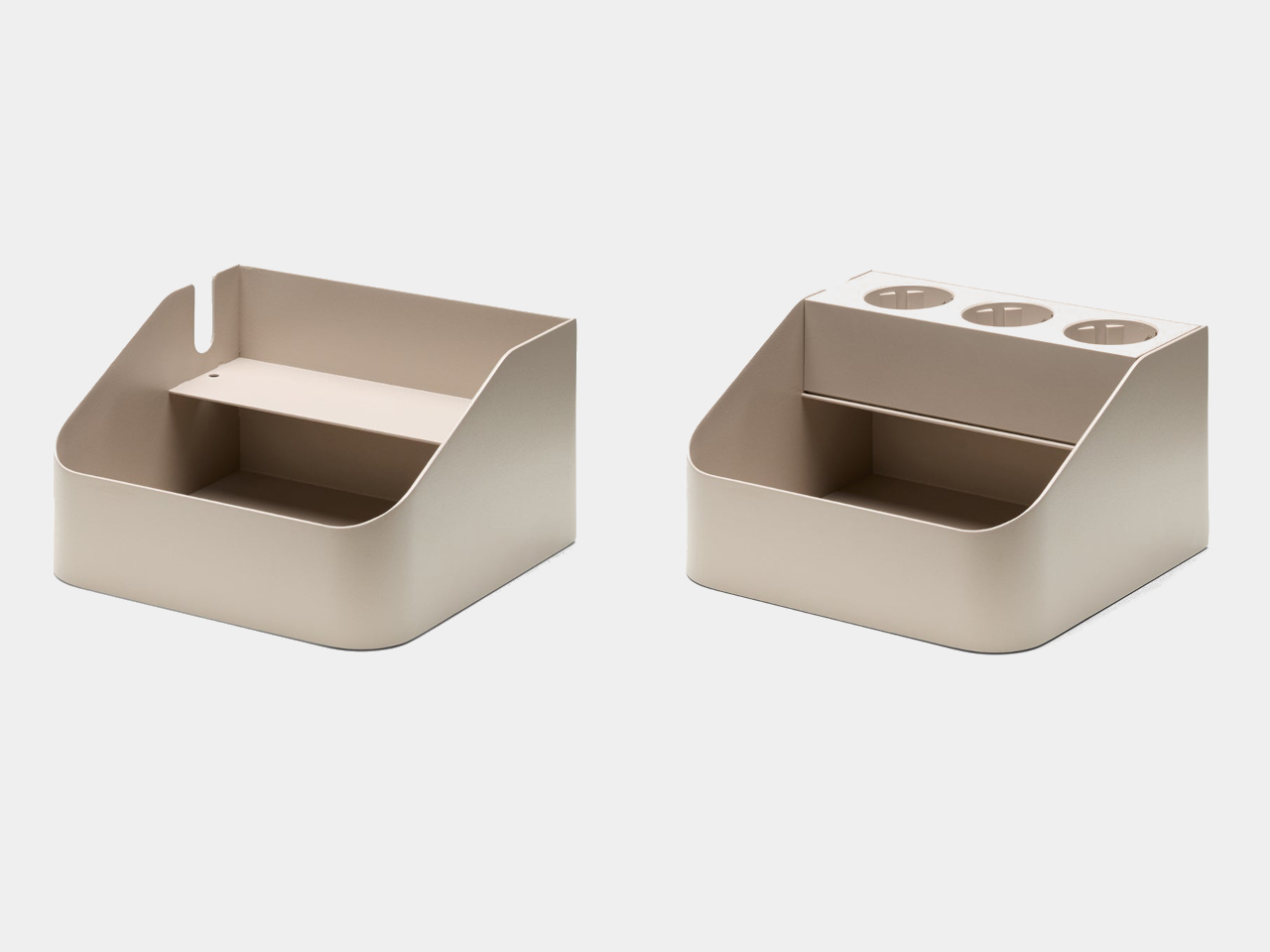
For setups that outgrow the single bay, the Power Bar Tray Double doubles the footprint to 9.8 inches wide, splitting the interior into two separate compartments. It’s built for anyone juggling a second power strip’s worth of gear, a gaming console’s tangle of accessories, or a home studio where cables multiply faster than shelf space allows. The extra width still keeps that same matte steel finish, so nothing about the design reads as an afterthought.
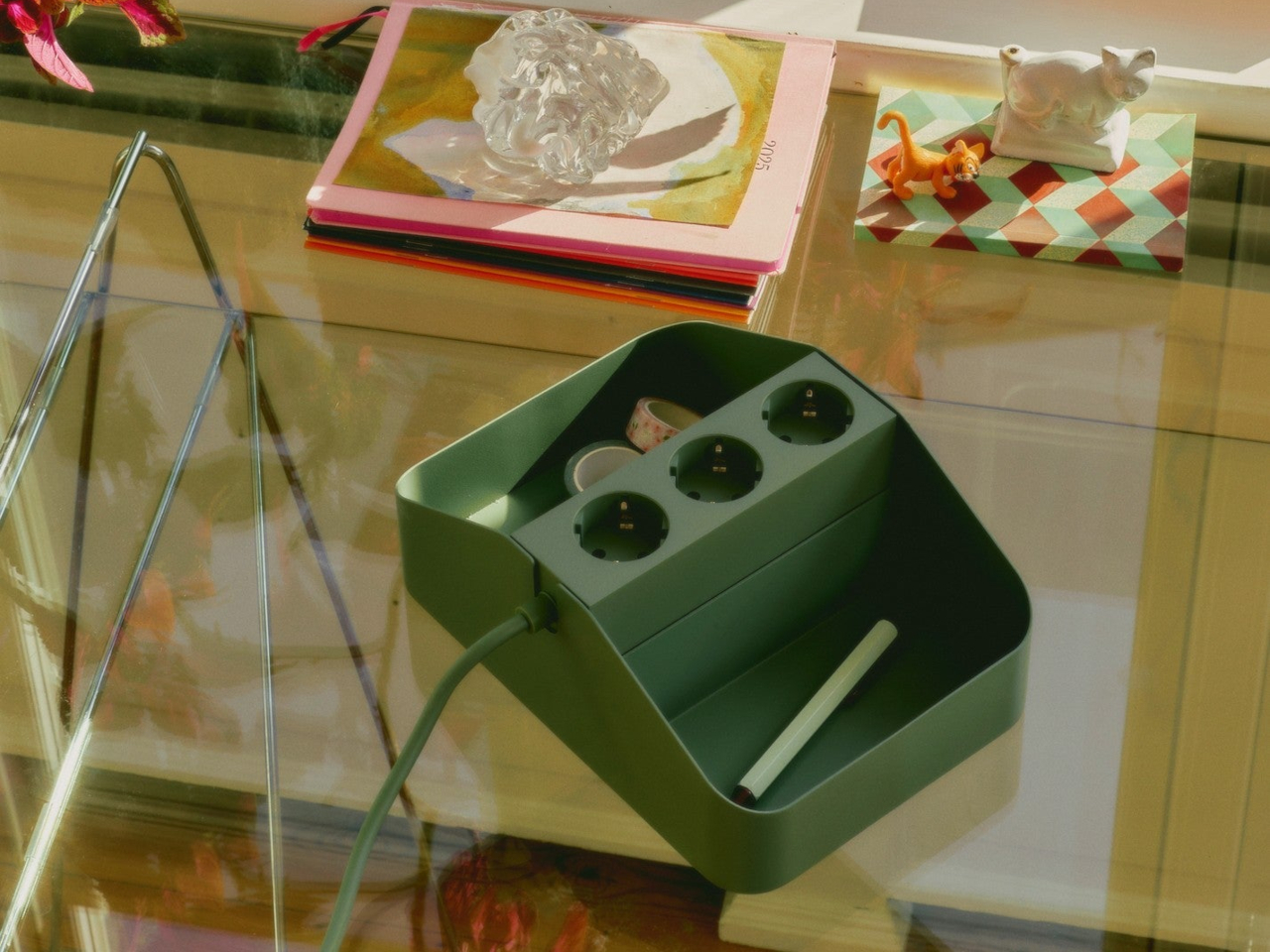
Both trays lean on a straightforward idea: a power strip left loose on a desk looks messy no matter how expensive the desk is. Docking it inside a steel enclosure with a defined shape gives the whole setup a sense of intention, the kind that makes a cluttered corner suddenly look considered. It’s a small piece of furniture doing a job that most people never thought to assign to furniture at all.
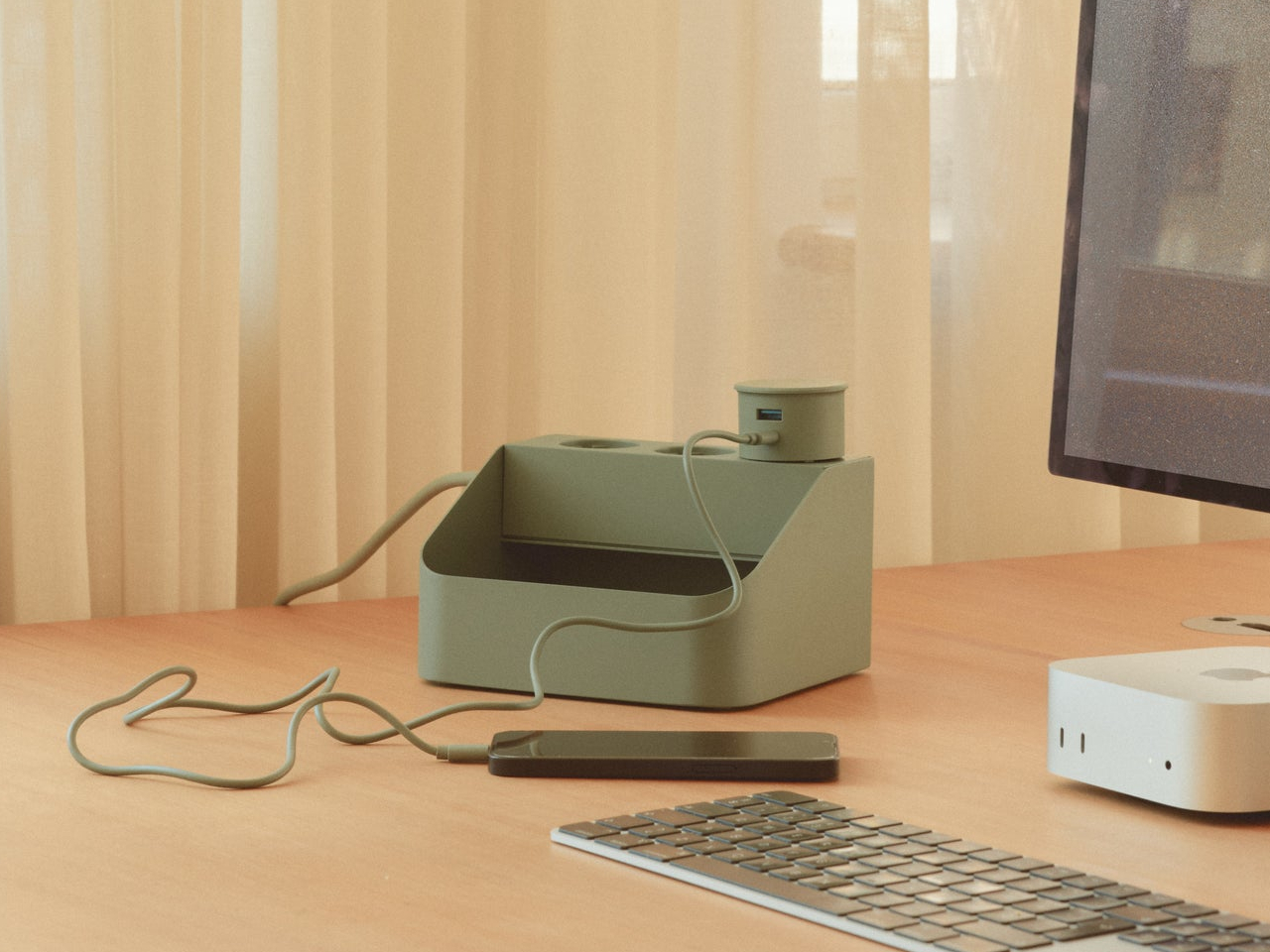
What makes this pairing work is restraint. Neither tray tries to hide the power strip completely or wrap it in unnecessary bulk. Instead, they frame it, treating a mundane object as something that deserves a proper edge and a stable base rather than a tangle of cords hidden behind a monitor. That’s a small shift in thinking, but it changes how a desk actually looks once the strip has somewhere to live.
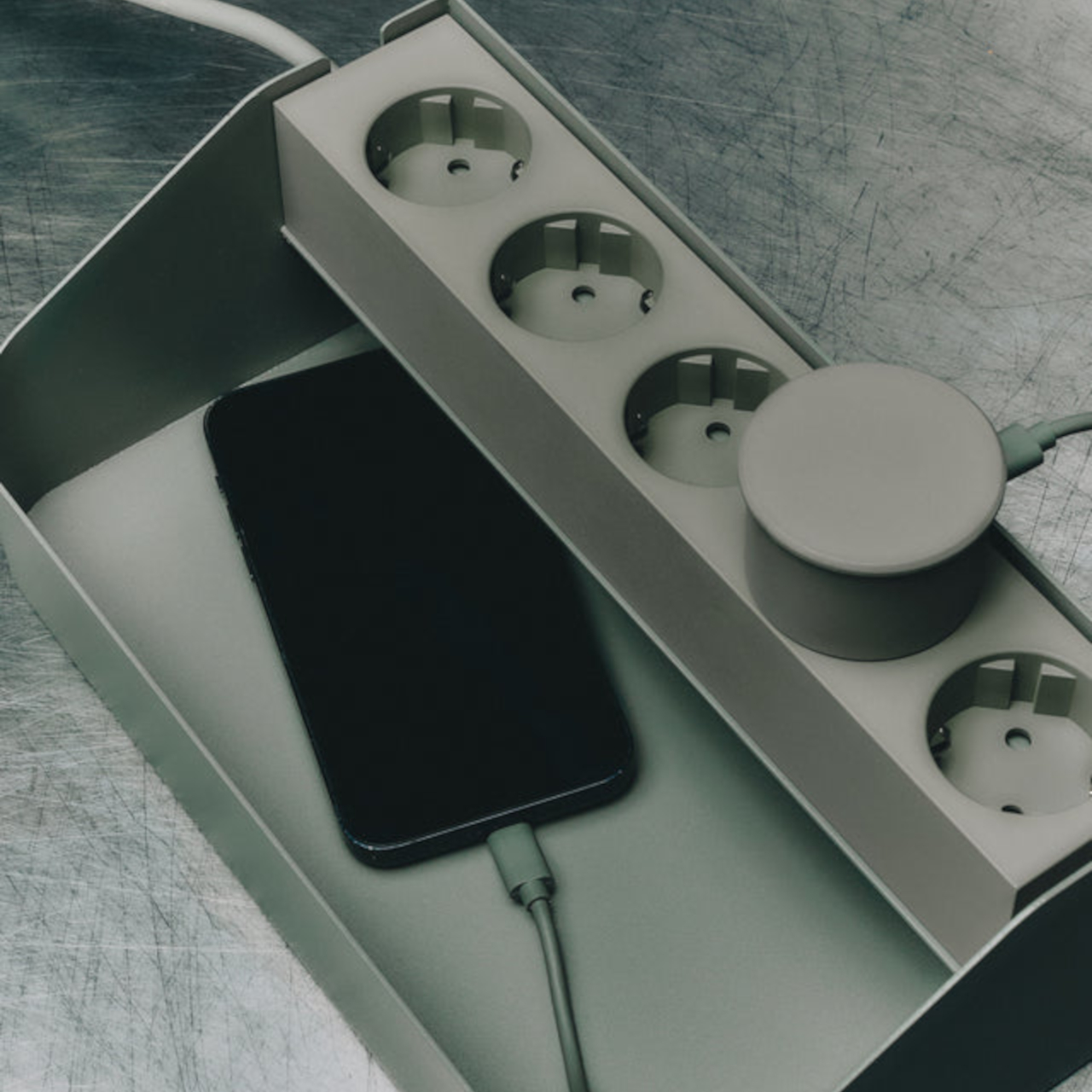
At $50 for the single tray and $85 for the Double, the price tracks with what a well-made steel accessory should cost, not what a plastic cable box usually runs. The charcoal finish keeps both versions visually quiet enough to sit next to almost any desk material, from raw wood to brushed aluminum. Cable management rarely gets this much attention to form, and that’s precisely what separates a tray from a genuine accessory.
The post Power Strips Have Always Been Floor Objects, Pedestal Disagrees first appeared on Yanko Design.
Power strips have sat on the floor under desks for decades, tangled and forgotten, without anyone treating that as a design problem worth solving. Pedestal’s Power Bar Tray changes that quietly, giving its companion power strip an actual home instead of a random spot on the carpet. Made from powder-coated steel with a matte charcoal finish, the tray turns a neglected object into something that belongs on top of a desk in plain sight.
The shape does the real work here. A wedge-profile steel shell holds the Power Bar strip snugly in place, while an open front compartment catches adapters, dongles, and the small electronics clutter that otherwise drifts into drawers. A cord notch lets cables exit cleanly to the side, so nothing bunches up against a wall or gets pinched under the tray’s own weight. That single cutout solves a problem most cable organizers ignore entirely.
Designer: Pedestal
Who hasn’t seen a home office where a laptop charger, a phone brick, and a pair of earbuds all fight for the same corner of a desk? Drop the Power Bar Tray there, and each of those pieces gets one dedicated spot instead of a loose pile. The tray measures just 6.7 by 5.9 by 3.9 inches, small enough to disappear next to a monitor stand without eating into usable desk space.
For setups that outgrow the single bay, the Power Bar Tray Double doubles the footprint to 9.8 inches wide, splitting the interior into two separate compartments. It’s built for anyone juggling a second power strip’s worth of gear, a gaming console’s tangle of accessories, or a home studio where cables multiply faster than shelf space allows. The extra width still keeps that same matte steel finish, so nothing about the design reads as an afterthought.
Both trays lean on a straightforward idea: a power strip left loose on a desk looks messy no matter how expensive the desk is. Docking it inside a steel enclosure with a defined shape gives the whole setup a sense of intention, the kind that makes a cluttered corner suddenly look considered. It’s a small piece of furniture doing a job that most people never thought to assign to furniture at all.
What makes this pairing work is restraint. Neither tray tries to hide the power strip completely or wrap it in unnecessary bulk. Instead, they frame it, treating a mundane object as something that deserves a proper edge and a stable base rather than a tangle of cords hidden behind a monitor. That’s a small shift in thinking, but it changes how a desk actually looks once the strip has somewhere to live.
At $50 for the single tray and $85 for the Double, the price tracks with what a well-made steel accessory should cost, not what a plastic cable box usually runs. The charcoal finish keeps both versions visually quiet enough to sit next to almost any desk material, from raw wood to brushed aluminum. Cable management rarely gets this much attention to form, and that’s precisely what separates a tray from a genuine accessory.
The post Power Strips Have Always Been Floor Objects, Pedestal Disagrees first appeared on Yanko Design.
I’ve tried every trick to get my phone to leave me alone. Do Not Disturb. Grayscale mode. Leaving it in another room, which mostly just means I walk to the other room every twenty minutes to check on it. None of it works for long, because the problem was never the settings. The problem is that the phone is still there, still glowing, still capable of buzzing the second I let my guard down. Willpower is a terrible security system, and every app-based fix is still just asking me to trust myself, which is exactly the thing I can’t do at nine at night with a bag of chips in one hand.
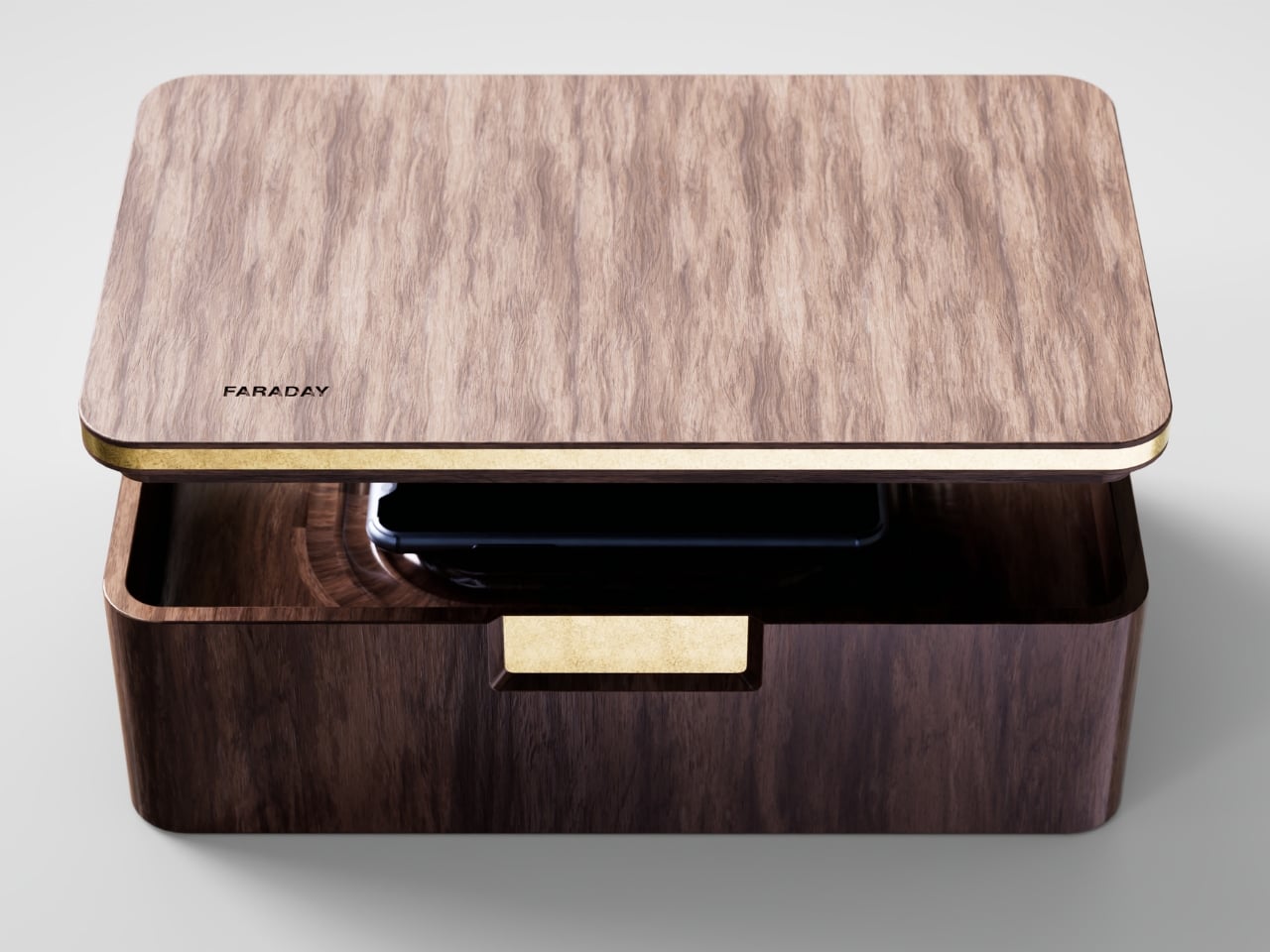
That’s the gap French industrial designer Pascal Grangier is quietly working in with FARADAY, a home object that doesn’t ask you to resist your phone. It makes resistance unnecessary. Named after the 19th-century scientist whose cage design blocks electromagnetic fields, the piece works on the same basic physics: once your phone is inside, it has no signal at all. No calls sneak through, no texts land, no app can light up your lock screen and drag your eyes back to it. You’re not disconnecting through discipline. You’re disconnecting through geometry.
Designer: Pascal Grangier
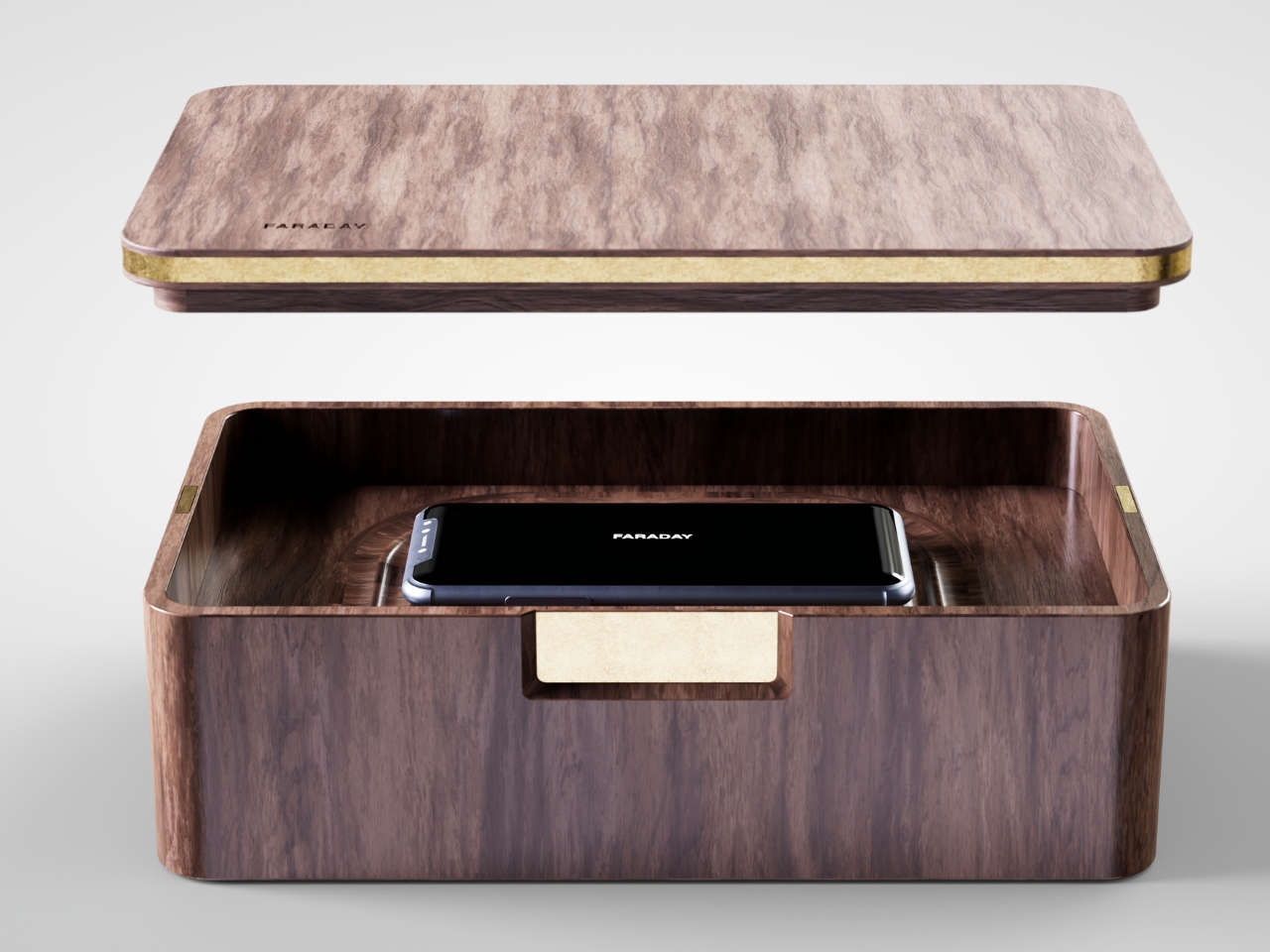
What makes this more than a novelty is the shape it comes in. Most signal-blocking products look like they were built for a hardware store, not a living room. Faraday pouches for concerts and courtrooms are floppy nylon sleeves you’d never leave out on a counter. Grangier’s version is carved from wood, with the kind of soft, rounded form you’d expect from a well-made bowl or a piece of studio furniture. It’s designed to sit on a nightstand or a kitchen counter without looking like a confession that you have a phone problem. That distinction matters more than it sounds like it should. An object you’re proud to display gets used. An object you’re embarrassed by gets shoved in a drawer and forgotten by the second week.
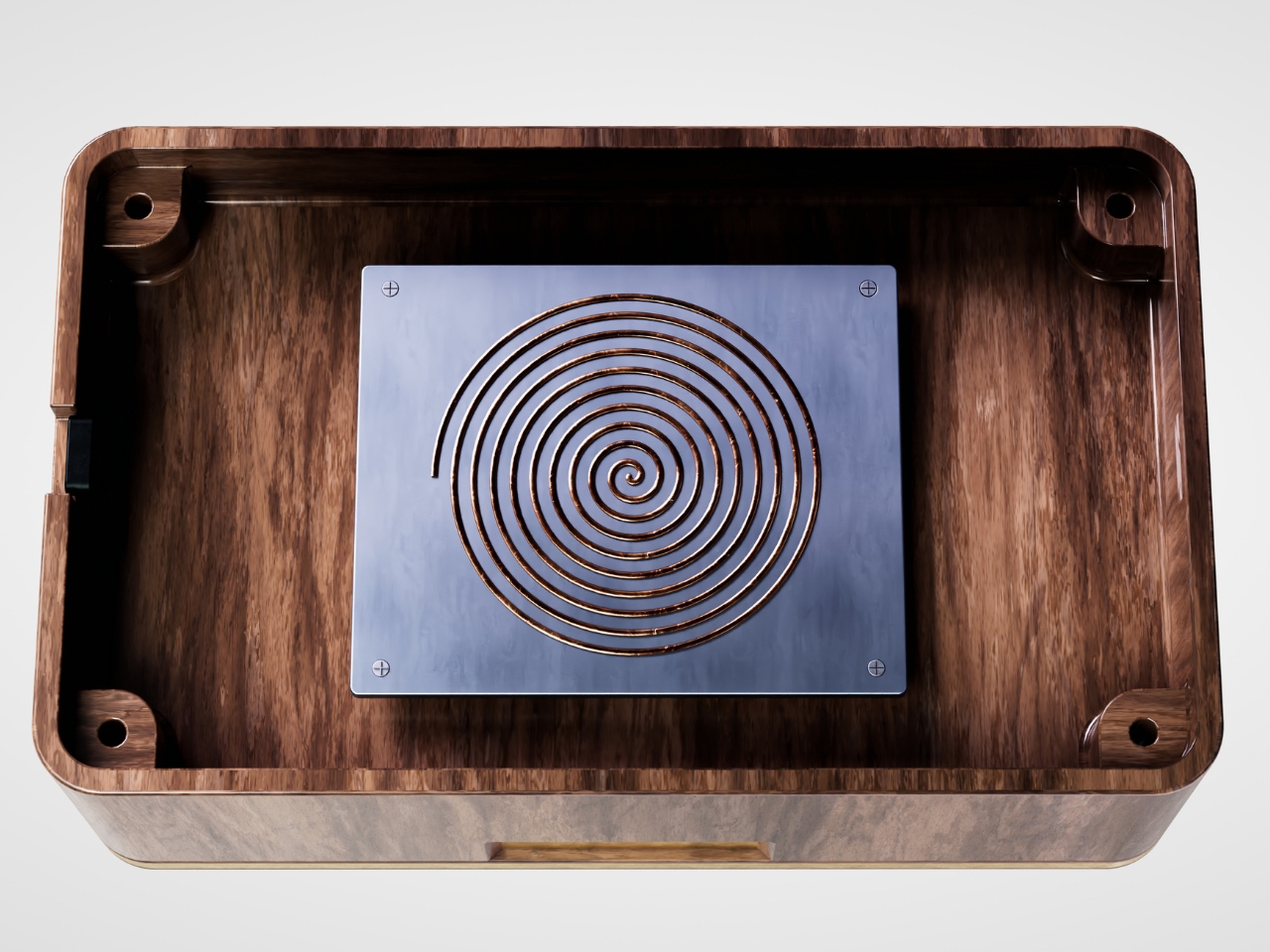
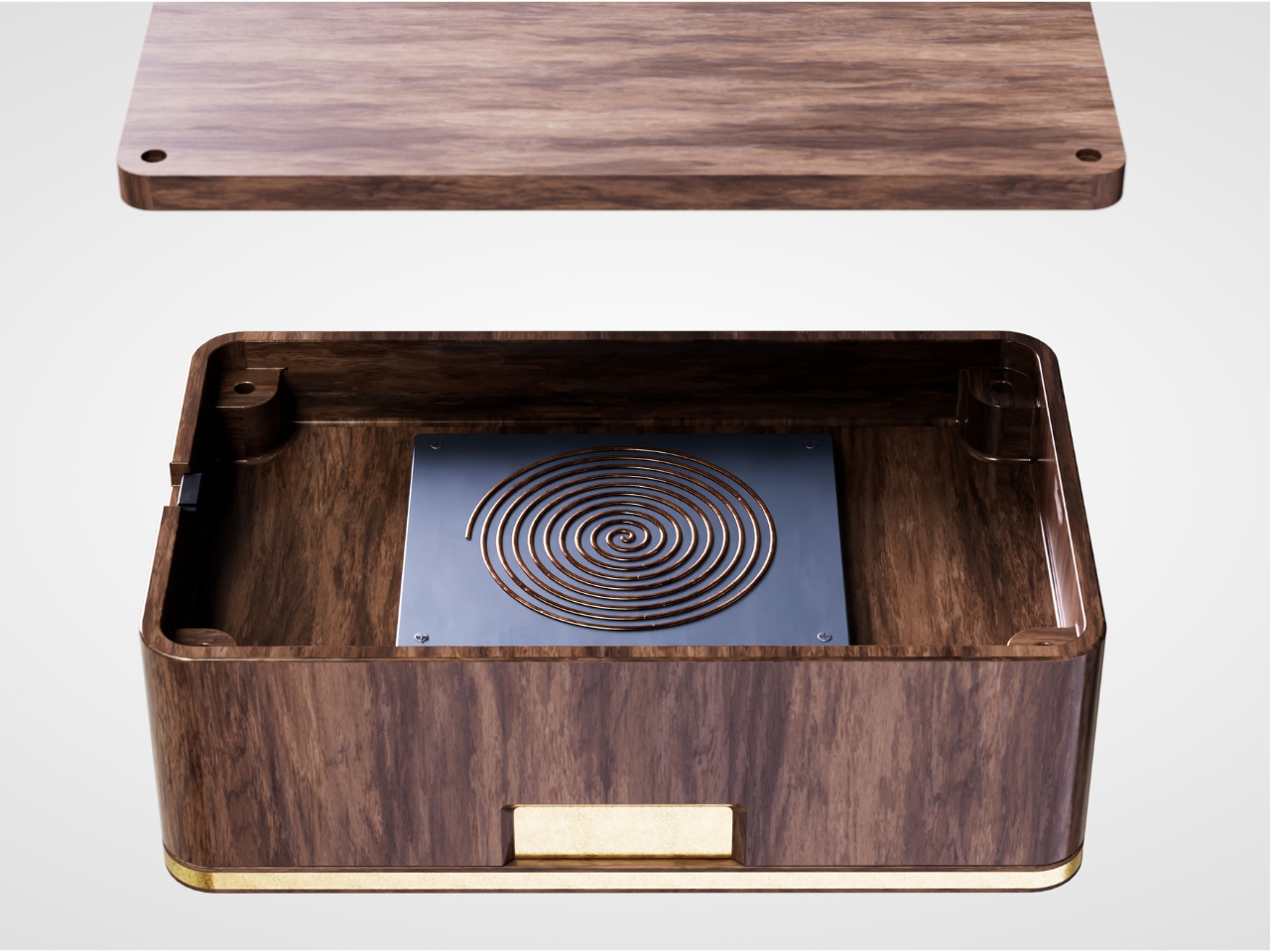
I think a lot about why boxes like this are showing up now, and it’s not really about phones getting worse. It’s about people finally admitting that the “just put it on silent” advice never addressed the actual craving, which is the urge to check, not the urge to hear. Silent mode still lets the dopamine loop run in the background of your brain, because you know the notifications are piling up somewhere, waiting. A Faraday enclosure removes the pile entirely. There’s nothing accumulating on the other side of that lid, so there’s nothing to be curious about later.
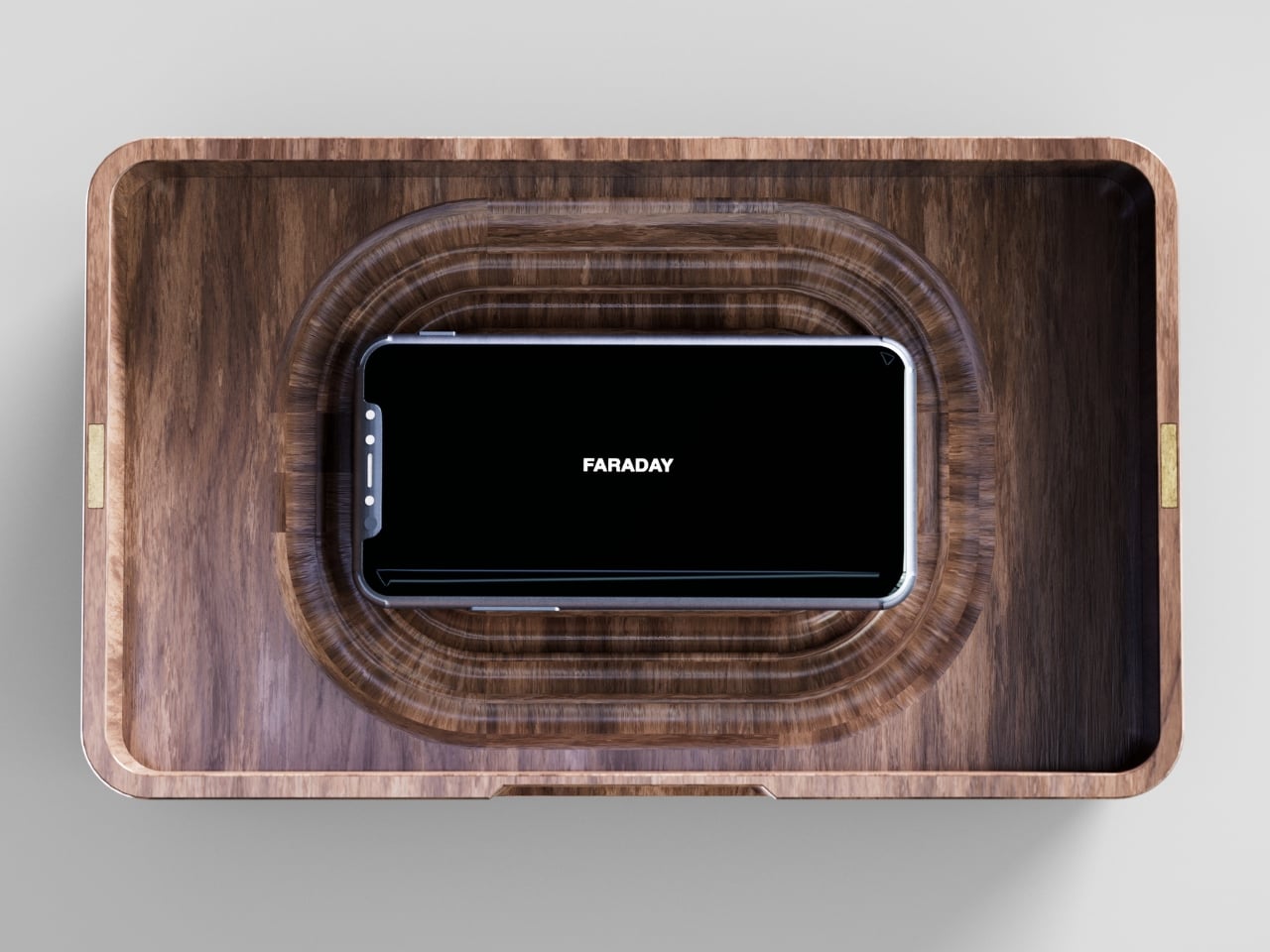
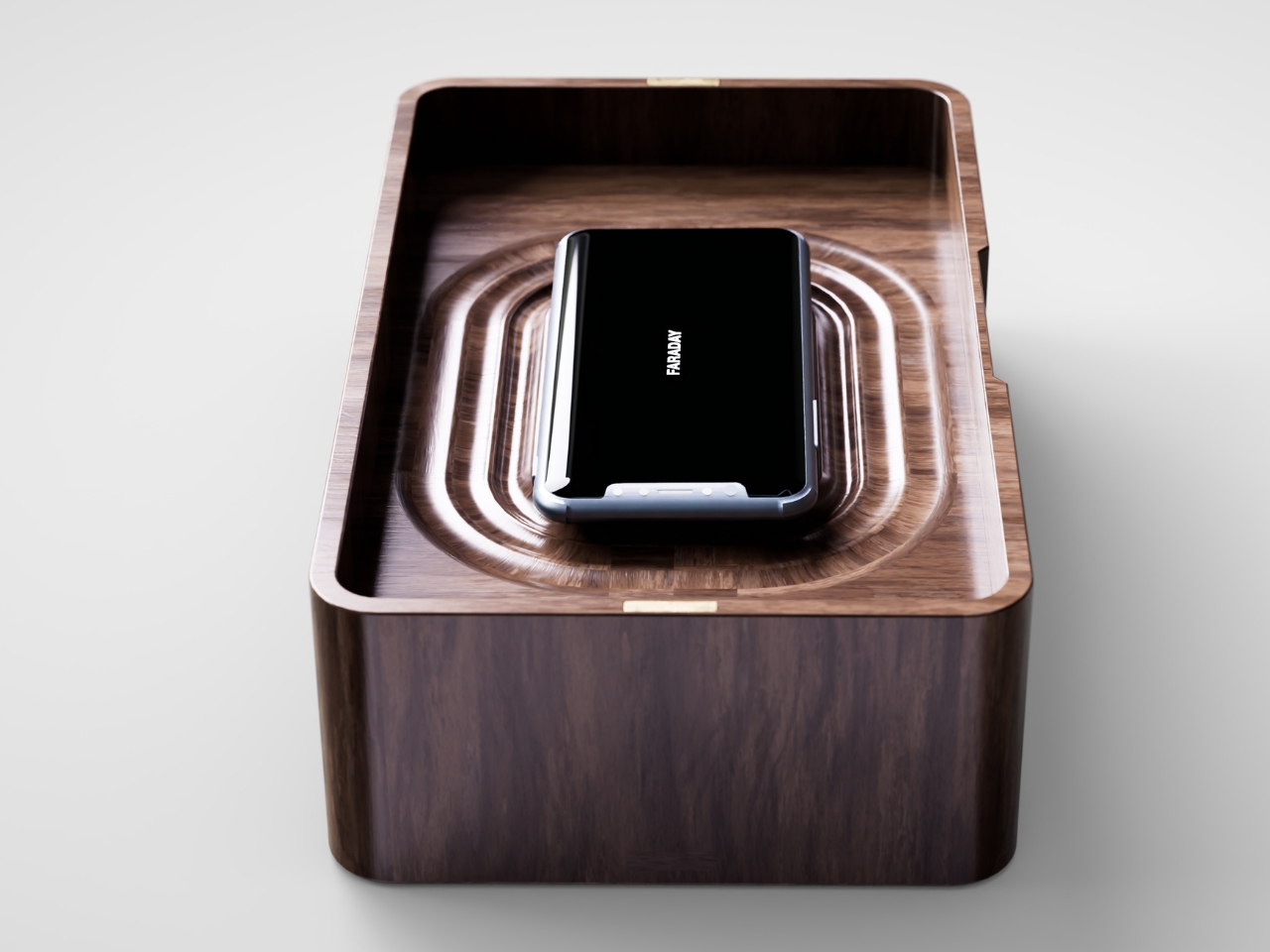
I don’t think objects like FARADAY are anti-technology, and I’d push back a little on anyone who frames it that way. It’s closer to how we treat food we know we’ll overeat if it’s sitting on the counter. Nobody calls it deprivation to put the cookies in a cabinet instead of banning sugar from the house. A wooden box that mutes a phone for the length of a dinner, or a weekend, or a first date, isn’t rejecting the smartphone era. It’s setting a boundary the same way a lock on a liquor cabinet does, respectfully and without lecturing anyone.
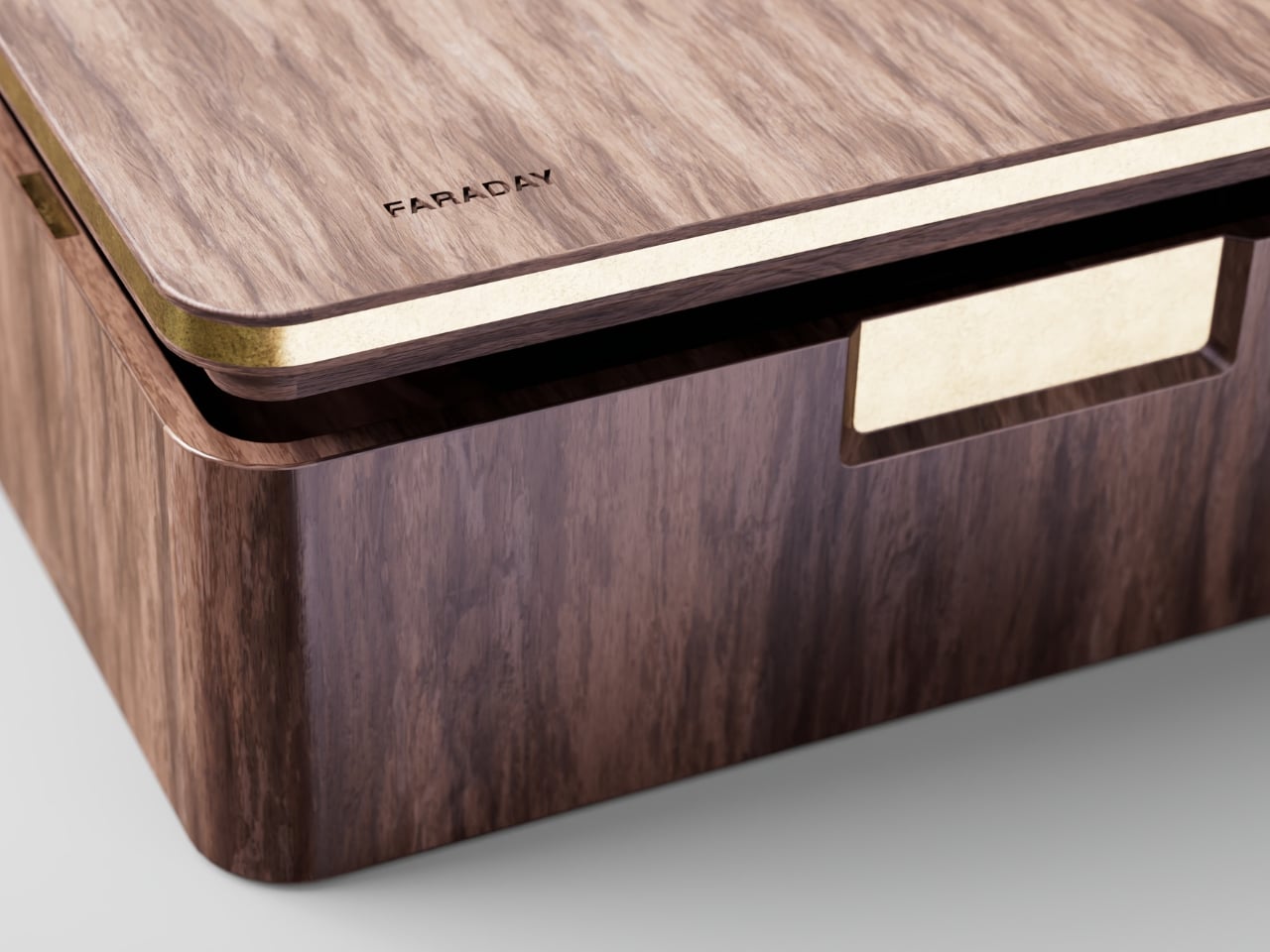
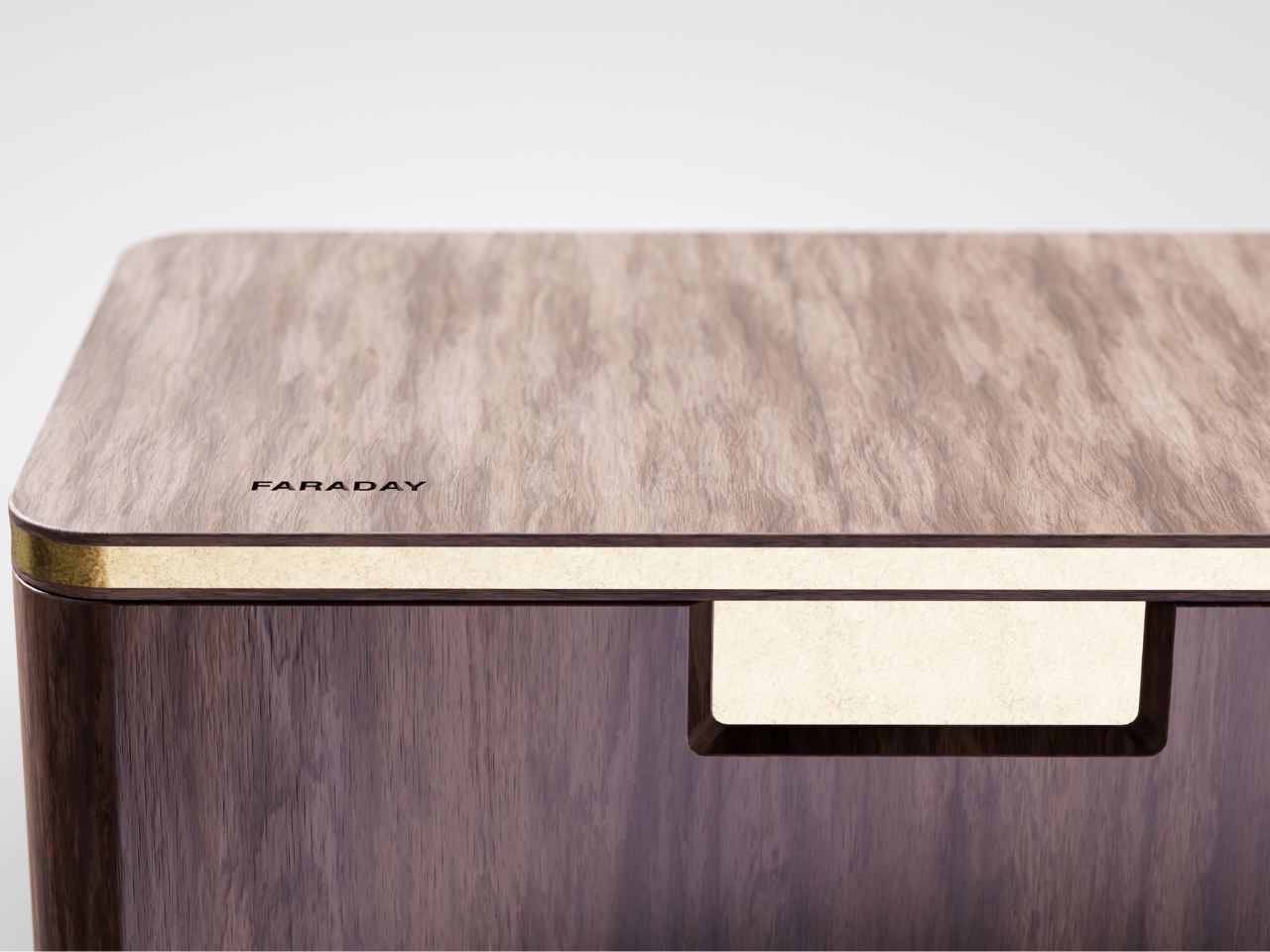
The dinner table is probably where this thing earns its keep fastest. Phone stacking, where everyone tosses their device into a pile and the first person to grab theirs pays the check, has become a real ritual at restaurants precisely because people know they need external enforcement. FARADAY takes that same instinct and gives it a permanent home, no penalty games required, no honor system to break.
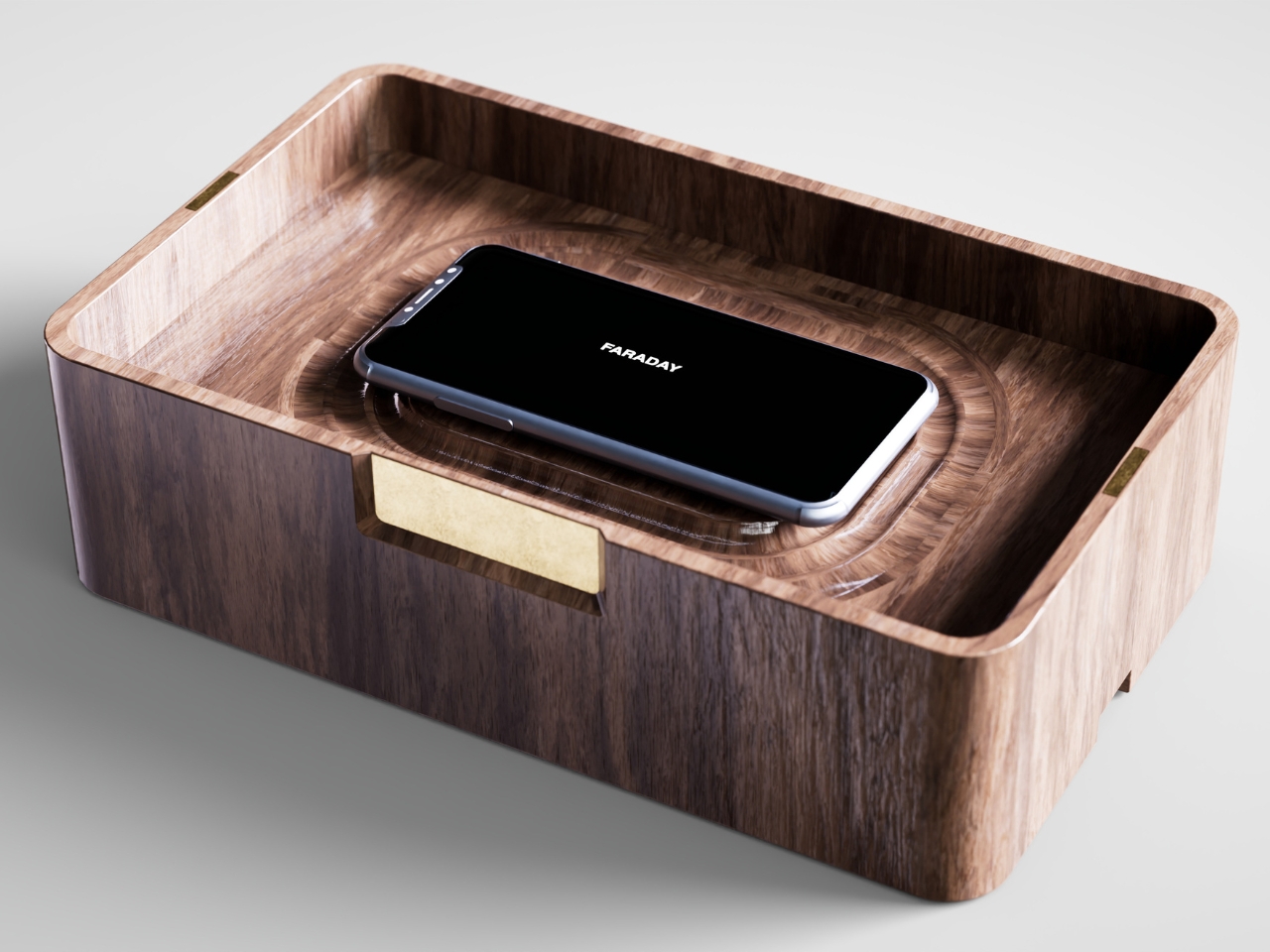
Whether a hand-carved signal blocker becomes a fixture in American homes the way candles or diffusers did, I couldn’t tell you yet. But the appetite is obviously there. We keep buying productivity apps, screen time trackers, even flip phones marketed as luxury items, all chasing the same outcome Grangier reached with a block of wood and a basic law of physics. Sometimes the smartest tech solution is the one that refuses to be technology at all.
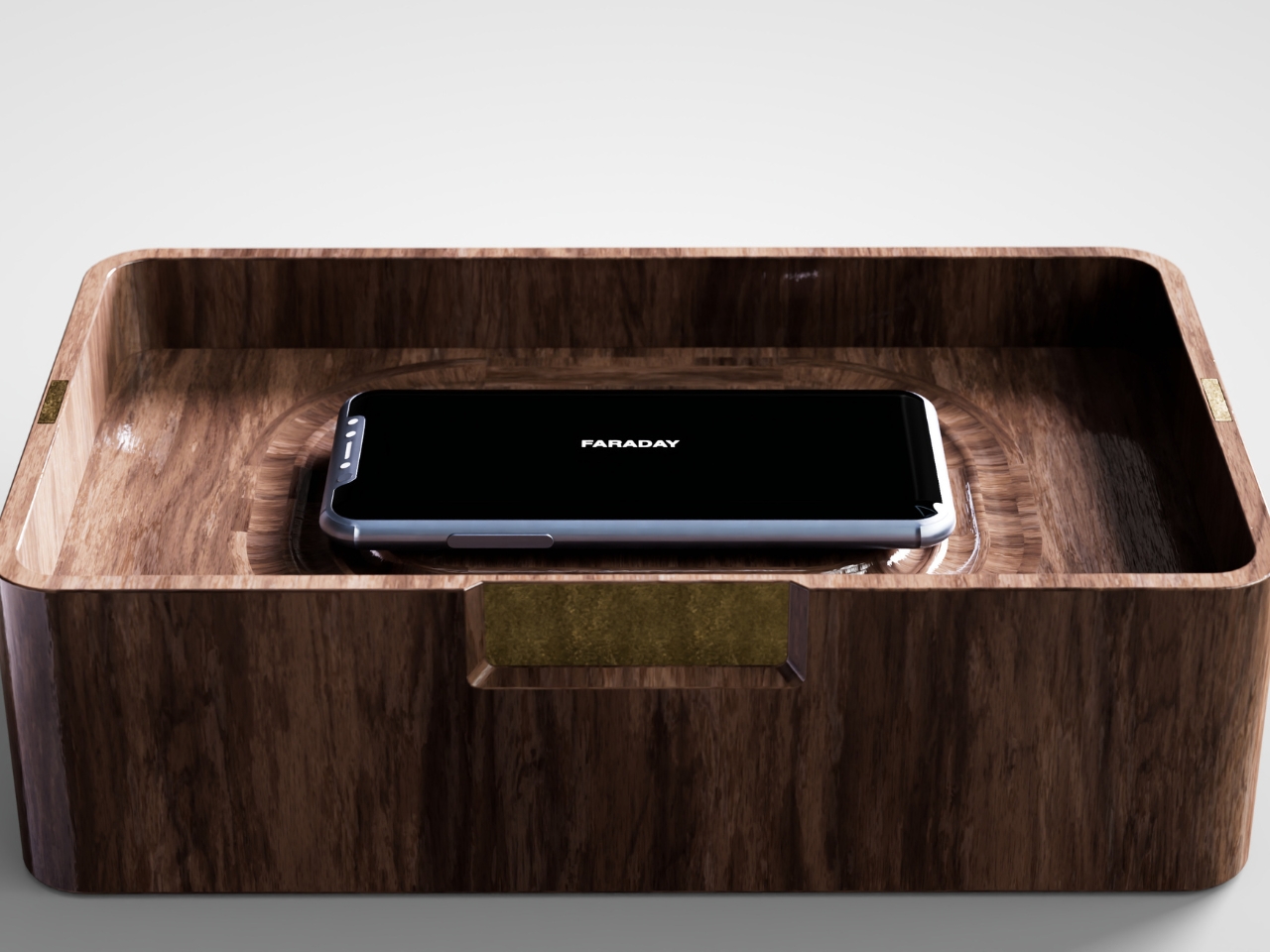
The post The Wooden Box That Refuses to Let Your Phone Win first appeared on Yanko Design.