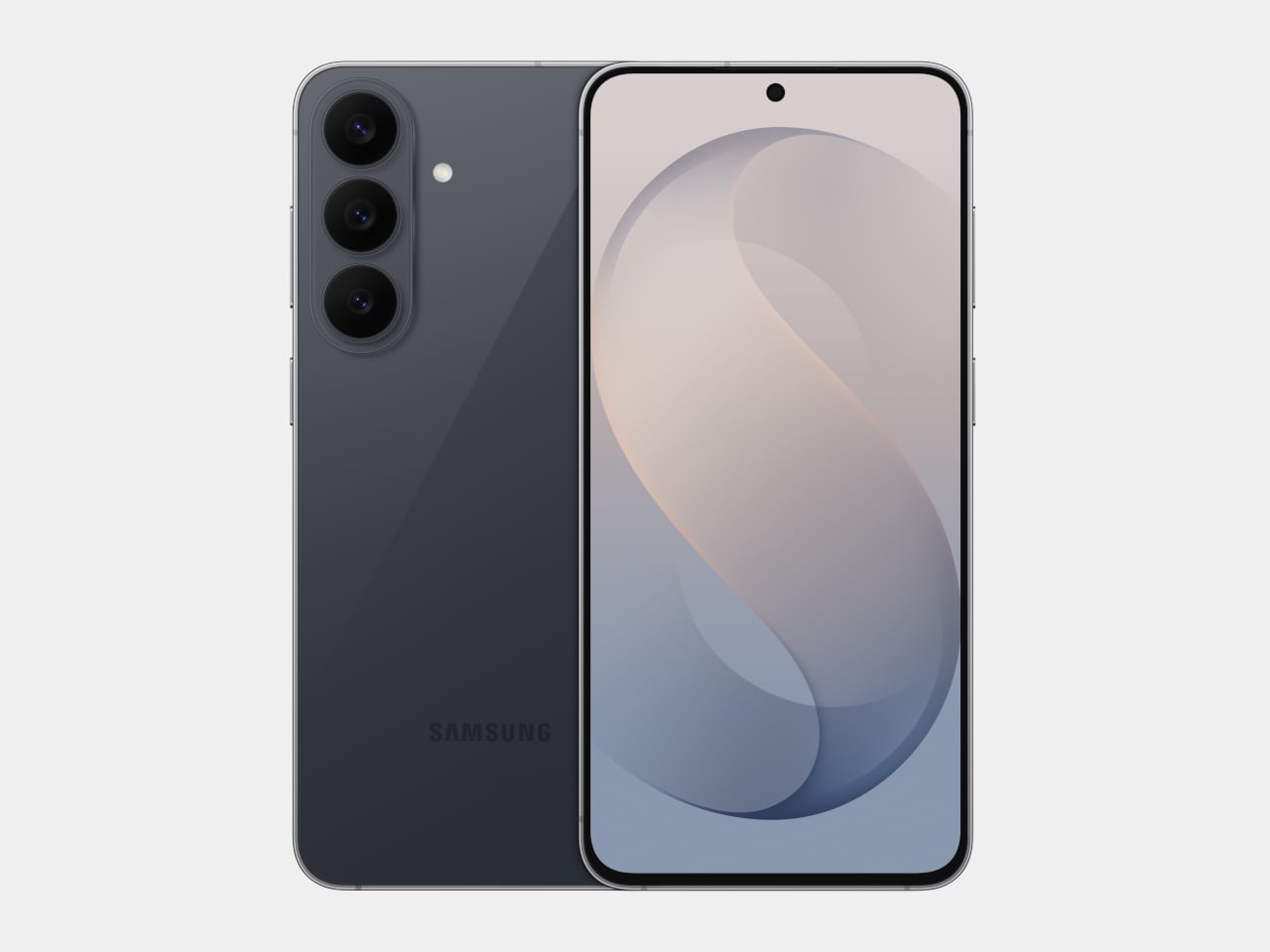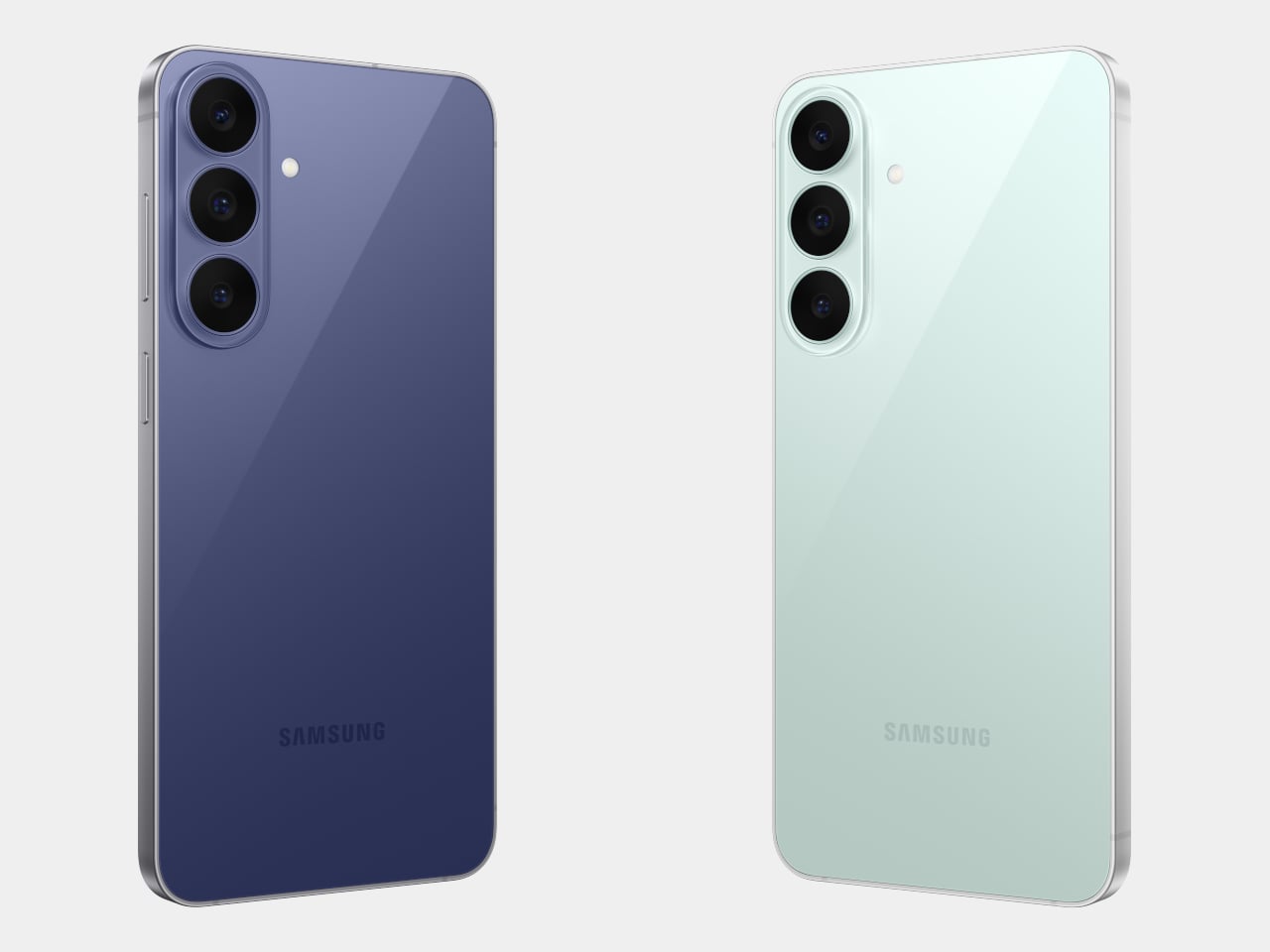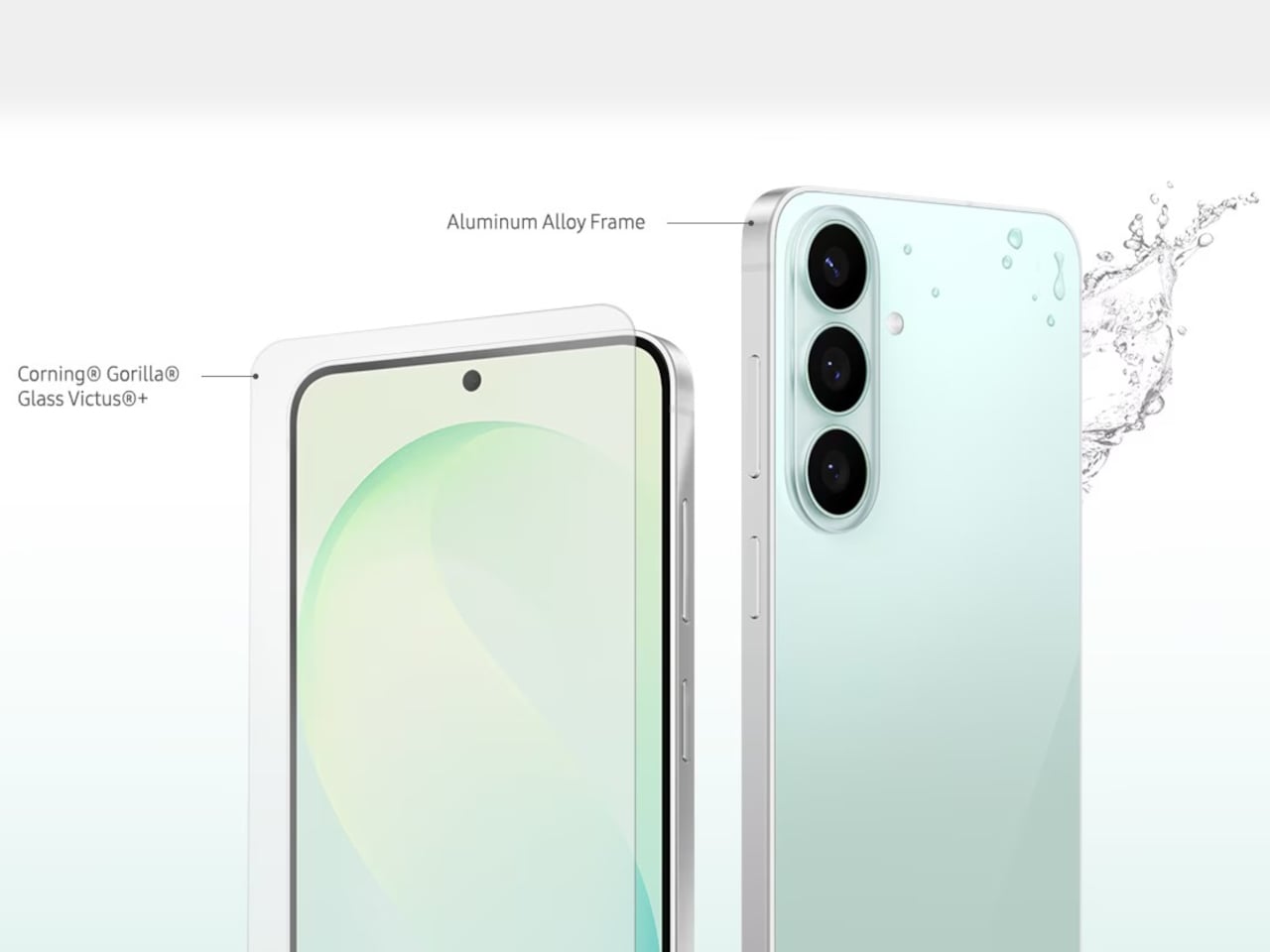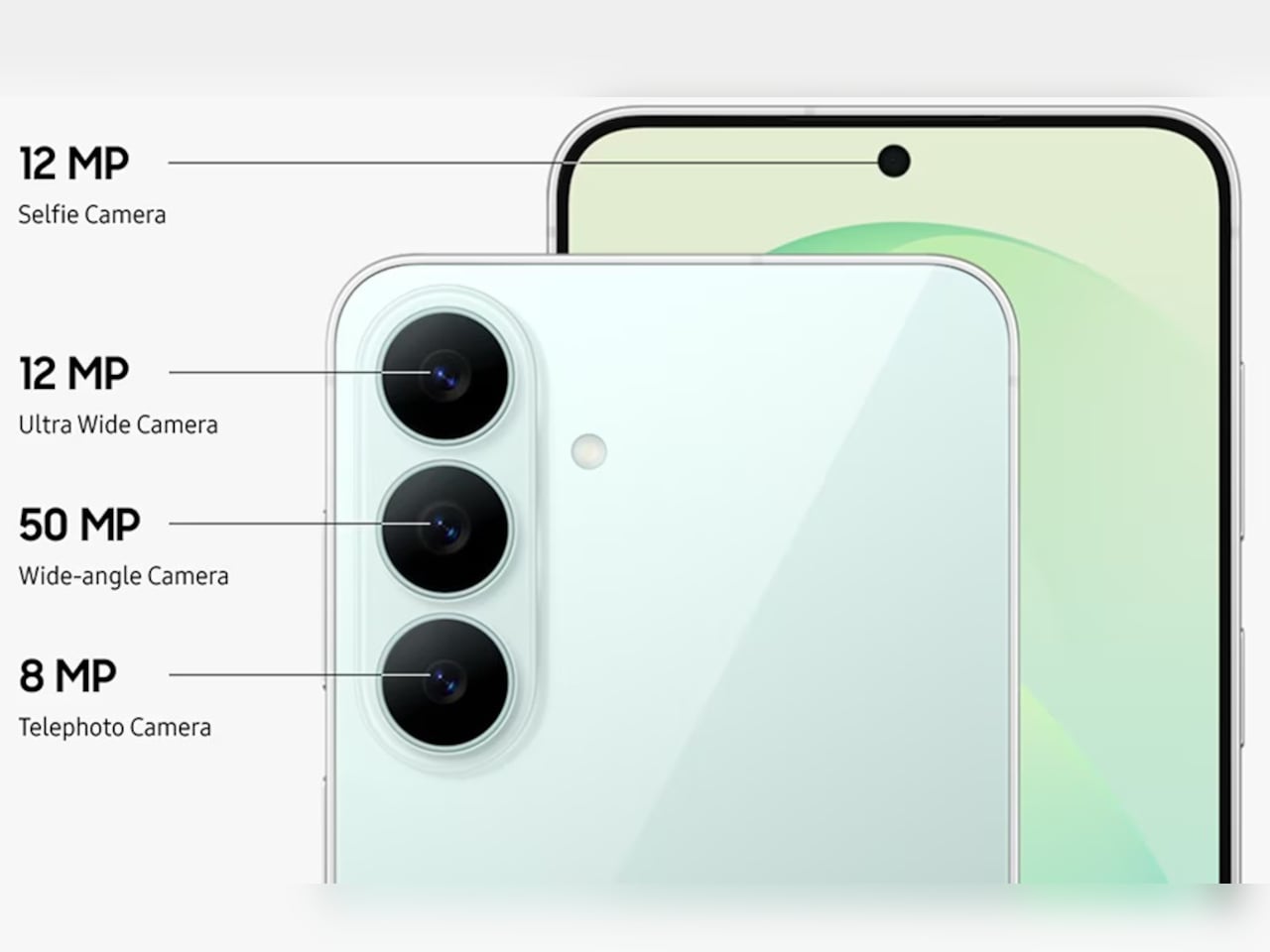
5 Best Android Accessories For Samsung S26 Users That Are Actually Worth the Money

The Samsung S26 has arrived with cutting-edge features that demand equally impressive accessories. Your device deserves more than generic add-ons that clutter your space and drain your wallet. The right accessories transform how you create, work, and move through your day. They protect your investment while unlocking capabilities you didn’t know your phone possessed. Smart accessory choices mean the difference between a phone that survives and one that thrives.

Finding gear that actually earns its place in your everyday carry takes research, testing, and honest evaluation. The accessories market overflows with products that promise everything but deliver mediocrity. We’ve cut through the noise to identify Android accessories that justify their price tags through superior engineering, thoughtful design, and real-world performance. These picks will enhance your S26 experience without compromise, bringing professional-grade functionality to your fingertips wherever life takes you.

1. TORRAS Ostand Q3 Air – The Case That Redefines Protection and Creativity

TORRAS, the world’s number one brand of magnetic stand cases, brings its exclusive AIR PRO-TECH™ to the S26 Ultra with design refinements specifically engineered for Samsung’s latest flagship. The Q3 Air wraps your device in precision-engineered air cushions that absorb up to 98% of impact energy with certified 12-foot drop protection. We love how TORRAS has achieved serious protection without adding bulk. The edge-to-edge airbag system cushions all four corners while keeping the profile slim enough for comfortable everyday carry.

The 360° magnetic stand is where this case really shines. That ultra-slim 2.7mm kickstand integrates seamlessly into the backplate through eight layers of precision components that enable silent, buttery-smooth rotation. TORRAS’s Tora-Hold™ technology delivers a hidden hinge with damped suspension and aerospace-grade aluminum texture that feels genuinely luxurious. The stand locks at any angle you want, with four quick-stop positions at 90°, 180°, 270°, and 360° for instant setup. The brand-new Tora-Flip™ feature lets the ring flip straight to 180° in one motion for immediate shooting angles. No fumbling, no readjusting. One flip gets you ready to capture whatever’s happening right now.

The details separate this from every other case on the market. TORRAS designed the Q3 Air specifically for the S26’s unique camera layout, with a precision raised frame that protects your lenses while keeping flash, sensors, and cameras fully operational. The dot-matrix anti-slip side stripe provides serious grip with gradient patterns that look genuinely cool. The Tora-Smooth™ coating on the back panel feels silky and resists fingerprints like magic. Strong 16N magnets hold firm to car mounts and magnetic surfaces while supporting flawless wireless charging. Two sets of interchangeable buttons let you personalize your case to match your mood or style. Swap in the bold, energetic orange buttons when you want that sporty, adventurous vibe, or switch to sleek, premium metal buttons for a more refined, professional look. The ability to change button colors means your case adapts to different occasions without needing multiple cases cluttering your space. Available in Shadow Black, Violet Surge, and Glacier Sprint, each colorway brings its own personality. The hinge survived over 30,000 rotations in testing, built to last your phone’s entire lifecycle. At $65.99, the Q3 Air transforms your S26 into a content creation studio that survives whatever your adventures throw at it.

Click Here to Buy Now: $59.40 $65.99 (10% off, use coupon code “YANKO111”). Hurry, deal ends in 48-hours! Amazon Link Here.

Why Your Samsung S26 Needs This

The Q3 Air turns your S26 into a content creation powerhouse that moves at the speed of your ideas. That instant 180° flip means capturing the perfect angle before the moment vanishes, while airbag protection ensures your creative tool survives the adventures that inspire your best work. The magnetic stand transforms any surface into a stable shooting platform, ditching bulky tripods and awkward propping. For $65.99, you’re getting protection that actually protects and functionality that enhances rather than hinders, wrapped in a design that looks as good as it performs.

That full 360° flexibility while shooting videos means nailing low-angle shots, eye-level frames, or overhead perspectives without fighting the stand. The airbag protection eliminates that gut-dropping panic when someone casually grabs your phone like it didn’t cost a month’s rent. You get total peace of mind that your phone is well-protected and preserved as you create top-notch content.

Click Here to Buy Now: $59.40 $65.99 (10% off, use coupon code “YANKO111”). Hurry, deal ends in 48-hours! Amazon Link Here.

2. Peak Design Creator Kit – Professional Mounting Without the Professional Camera

Peak Design built its reputation solving real problems for working photographers and filmmakers. The Creator Kit brings that same no-nonsense engineering to your S26, transforming it into a tool that adapts to tripods, GoPro mounts, 1/4″-20 mounts, and the Peak Design Capture Camera Clip. The SlimLink magnetic and mechanical mounting system grabs and locks your phone so smoothly that the first attachment genuinely feels like magic. Mount in portrait or landscape, then pop it off instantly with a button press. The connection stays rigid and secure through any activity, from mountain biking POV footage to time-lapse sequences that demand rock-solid stability.

The system eliminates frustration when you’re racing against changing light or fleeting action. Pop your phone onto any GoPro-style mount for helmet or chest-mounted POV video that rivals dedicated action cameras. The Arca-type tripod compatibility means your S26 integrates seamlessly with professional tripod heads for time-lapses and long exposures that showcase your phone’s computational photography capabilities. The 1/4-20″ adapter opens up vlogging rigs and video setups that used to require dedicated cameras. The Creator Kit stays invisible until you need it, then performs flawlessly when opportunity knocks.

Why Your Samsung S26 Needs This

Your S26’s camera system will rival dedicated cameras costing thousands more, but only if you can stabilize it properly and mount it where creativity demands. The Creator Kit eliminates the gap between professional mounting systems and smartphone photography, giving you access to angles and stability that handheld shooting simply can’t achieve. Whether documenting outdoor adventures, creating content for social platforms, or exploring long-exposure photography, this system ensures your phone captures the vision in your head rather than a shaky approximation. The investment pays for itself the first time you nail a shot that would have been impossible otherwise.

3. Lexon City Energy Pro – Power and Sound Without the Cable Clutter

The Lexon City Energy Pro delivers 10W Qi wireless charging with Qi certification alongside a 3W Bluetooth speaker in a compact package that clears cable clutter from your desk or nightstand. Compatible with all Qi-enabled smartphones, the charging station eliminates the daily cable hunt while keeping your S26 powered and ready. The integrated Bluetooth 4.2 speaker with 10-meter range transforms the charging station into a communication hub for hands-free conference calls, supported by environment noise-cancelling microphones that ensure your voice cuts through background distractions. Wireless charging and Bluetooth LED lights provide clear status indicators you can read at a glance.

The design balances form and function through premium materials, including PU leather, ABS, and aluminum, in dimensions that make efficient use of surface space. At 303 grams and measuring 3.11 x 1.45 x 5.51 inches, the City Energy Pro occupies minimal real estate while delivering maximum utility. The USB Type-C connection simplifies setup (cable included), though Lexon recommends pairing with a Quick Charge 3.0 Power Adapter or DC 9V/2A power adapter for optimal performance. The system streamlines your charging routine while adding audio functionality that proves surprisingly useful for music playback, podcast listening, or taking calls without reaching for your phone.

Why Your Samsung S26 Needs This

The City Energy Pro solves the modern dilemma of devices that need constant power but deserve better than a tangle of cables competing for outlet space. Your S26 stays charged and accessible, ready to grab for notifications or unlocking without unplugging. The integrated speaker means your charging station becomes a communication hub that handles calls while your phone powers up, maximizing productivity without sacrificing desk aesthetics. The wireless charging simplicity combined with conference call capability creates a seamless workflow that keeps you connected and powered throughout your day, all from a single elegantly designed device.

4. INVZI MagHub Go – Secure Storage Meets Portable Power

The INVZI MagHub Go represents a new class of everyday carry that starts with what matters most: security. The breakthrough fingerprint encryption system lets you instantly lock and unlock your storage with a single touch, protecting sensitive files, photos, and work documents from unauthorized access. This security foundation supports powerful performance through compatibility with M.2 NVMe SSD in 2230 size, transforming your SSD into a high-speed portable drive that works seamlessly across MacBook, iPhone (with MagSafe attach), iPad, Windows laptops, and Android devices, including your S26. USB-C 3.2 Gen 2 delivers 10Gbps transfer speeds while 100W PD fast charging keeps your connected devices powered.

The compact enclosure combines up to 4TB of ultra-fast NVMe storage, a versatile 10Gbps USB-C hub, and 100W of power delivery in one impossibly small device that fits in any pocket or bag. The fingerprint sensor eliminates password fatigue while providing security that feels effortless rather than obstructive. Your S26 connects directly for blazing-fast file transfers that move video projects, photo libraries, and large datasets in seconds rather than minutes. The hub functionality means adding peripherals without carrying separate adapters, while the power delivery ensures your phone charges while transferring data, maintaining productivity without compromise.

Why Your Samsung S26 Needs This

Content creators, photographers, and professionals who treat their S26 as a serious work tool need storage that matches their ambitions and security that protects their intellectual property. The MagHub Go delivers both through fingerprint encryption that secures your files without slowing your workflow and transfer speeds that move 4K video or RAW photo files faster than most cloud services can upload them. The portable form factor means your entire digital workspace travels with you, backed by security that ensures only your fingerprint unlocks your content. For professionals who create on the go, this combination of speed, capacity, and security becomes indispensable.

5. OSO AI-Enabled Earbuds – Your Meeting Intelligence Lives Here

The OSO AI Earbuds represent the world’s first true AI meeting assistant that lives in your ear, transforming every conversation into a competitive advantage. These intelligent earbuds seamlessly record, transcribe, and analyze every meeting, call, and conversation in real-time across 40+ languages while delivering crystal-clear audio through 13mm dynamic drivers with boosted bass and smart noise cancellation. The dual beamforming microphone ensures your voice cuts through background noise with clarity. Long-press and say “Hey OSO!” to instantly access personalized AI insights powered by ChatGPT-5 and Anthropic that dive deep into your recorded conversations, turning hours of meetings into actionable summaries and strategic insights in seconds.

The practical specs back up the ambitious promises. Up to 21 hours of total battery life keeps you connected through marathon meeting days, with the smart charging pod featuring built-in screen controls for quick adjustments. Bluetooth 5.2 connectivity ensures stable pairing with your S26, while secure cloud storage protects your conversations and transcriptions. The earbuds deliver 16 hours of stereo music playback or up to 4 hours of continuous recording, with the case extending recording time to 13 hours maximum. USB Type-C charging gets you back to full power in just 1.5 hours. OSO doesn’t just help you hear better – it helps you think smarter, decide faster, and stay ahead of the competition.

Why Your Samsung S26 Needs This

The S26 will pack incredible processing power, but OSO adds the intelligence layer that turns conversations into competitive advantages. Recording and transcribing meetings across 40+ languages means never missing critical details or action items buried in hours of discussion. The AI analysis powered by ChatGPT-5 and Anthropic extracts insights you’d miss manually reviewing transcripts, identifying patterns and opportunities faster than humanly possible. For professionals who live in meetings, sales calls, or client conversations, OSO transforms passive listening into active intelligence gathering that drives better decisions and stronger outcomes.

Wrapping It Up

The right accessories elevate your Samsung S26 from impressive hardware to a complete system that adapts to your creative, professional, and personal needs. These five picks justify their price tags through superior engineering, thoughtful design, and performance that holds up under real-world demands. They protect your investment, expand your capabilities, and streamline your daily routines without the compromise that defines budget alternatives.

Quality accessories pay dividends through reliability when you need them most, whether that’s capturing a fleeting moment, taking an important call, securing sensitive files, or extracting intelligence from marathon meeting sessions. The TORRAS Ostand Q3 Air, Peak Design Creator Kit, Lexon City Energy Pro, INVZI MagHub Go, and OSO AI-Enabled Earbuds represent the best Android accessories for S26 users who understand that the right tools make everything easier, better, and more enjoyable. Your phone deserves accessories that match its sophistication.

The post 5 Best Android Accessories For Samsung S26 Users That Are Actually Worth the Money first appeared on Yanko Design.

TORRAS’ Galaxy S26 Ultra Case Has a 360° Rotating Magnetic Stand, Leather-Like Skin, and a Design Award

Galaxy S26 Ultra users tend to fall into a specific category. They’re the people who picked the Ultra not because they needed the absolute maximum specs, but because they actually use those specs. The 200MP camera system gets put to work, the S Pen stays in regular rotation, and the phone handles everything from spreadsheet edits to client presentations. Cases for these users need to solve real problems, which makes the TORRAS Ostand Q3 Vegskin feel purpose-built rather than mass-marketed.

Vegskin covers the back panel with organic silicone fabric that mimics the texture of quality calfskin leather, complete with Italian-inspired embossing that delivers a matte, slightly velvety surface. The material resists oil and water stains while offering antibacterial and anti-mold protection, staying clean through daily handling without constant maintenance. Inside, a beige microfiber lining guards the S26’s glass back from scratches and scuffs. The combination of materials creates a case that works in business settings without looking sterile, pairs well with casual use without feeling too relaxed, and handles outdoor situations without compromise.

Designer: TORRAS

Click Here to Buy Now: $51.30 $56.99 (10% off, use coupon code “YANKO111”). Hurry, deal ends in 48-hours! Amazon Link Here.

The Ostand has been arguably TORRAS’ most clever invention, providing an ultra-slim yet robust O-shaped ring/stand that rotates on a 360° pivot point for flexible gripping as well as docking (while sitting flush against the case when shut). The Tora-Hold™ perfects on that technology by packing components that are slimmer, stronger, and somehow smoother in their motion and use too. Eight layers of intricate components (down to micrometers in thickness) deliver the 360-degree rotation with stable angle-locking at any position you choose. The stand measures 2.7mm thick, integrating seamlessly into the backplate when closed, which matters because most kickstand cases add noticeable bulk that ruins the phone’s profile. Flip it open and the hinge operates silently, tuned for smooth reliable motion through over 30,000 rotations according to durability testing. The aerospace-grade aluminum construction went through more than 400 trials refining texture, tone, and color, which explains why the champagne gold finish feels considered rather than flashy.

Four quick-stop positions at 90°, 180°, 270°, and 360° let you snap the stand into place for fast setup, but the mechanism also locks smoothly at any angle between those points – a feature I’ve come to absolutely fall in love with on TORRAS’ Ostand cases. The magnetic ring doubles as a stand and a mounting solution, delivering 15N of magnetic force that holds firmly to car mounts, refrigerators, whiteboards, or any magnetic surface you encounter. That force rating means the phone stays put during workouts or bumpy commutes, which makes the stand viable for actual use rather than occasional convenience. The one-click locking and hidden hinge design keeps the mechanism from feeling like an afterthought bolted onto the case. And, your S26 Ultra will be wireless charging capable with this case on.

The lens guard deserves its own mention because TORRAS designed it specifically for the S26’s camera layout. A precision raised frame wraps around the camera module, following Samsung’s left-high, right-low runway-and-pillar design that keeps the lenses elevated above flat surfaces. The protection works without blocking the flash, the 10MP telephoto cameras, or the radar sensors Samsung packed into that corner, so every shooting function stays fully operational. Camera bump designs change with every phone generation, and cases that ignore those specifics end up causing problems with focus or flash washout. TORRAS clearly mapped the S26’s exact sensor placement, which matters when you’re spending flagship money on computational photography.

The sides use concave TPU that curves to fit your hand naturally, creating a secure hold without adding aggressive texture or rubber grips that collect lint. Soft-touch TPU increases friction just enough to prevent slips while keeping the case comfortable during extended handling, which matters when you’re scrolling through long documents or editing photos. The metal buttons deliver precise tactile feedback with every press, maintaining the satisfying click of the S26’s physical controls instead of mushing them into spongy approximations. Samsung brought back the S Pen slot for the Ultra, and TORRAS built an ergonomic cutout that makes removal effortless with one press for smooth extraction. Little details like that separate cases designed around a specific phone from universal designs adapted to fit whatever Samsung releases.

TORRAS prices the Ostand Q3 Vegskin at $54.99, positioning it in premium territory alongside first-party Samsung cases and established accessory brands. Three colors cover different aesthetic preferences: Amber Brown for warmth and character, Obsidian Black for understated professionalism, and Amethyst Purple for users who want their tech to show some personality. The case works exclusively with the S26 Ultra, designed around that specific body and camera configuration. If you’re investing in the Vegskin, might as well grab one of TORRAS’s 9H hardness screen protectors too, since a premium phone with a scratched display isn’t particularly pleasing to the eye or the pocket.

Click Here to Buy Now: $51.30 $56.99 (10% off, use coupon code “YANKO111”). Hurry, deal ends in 48-hours! Amazon Link Here.

The post TORRAS’ Galaxy S26 Ultra Case Has a 360° Rotating Magnetic Stand, Leather-Like Skin, and a Design Award first appeared on Yanko Design.

Samsung Galaxy S26 Ultra: The Screen Only You Can See

There’s a persistent assumption in consumer electronics that meaningful progress requires visible transformation. A radically different silhouette, a feature so obvious it photographs well from across a room, something that immediately signals newness. Samsung’s Galaxy S26 Ultra challenges that assumption with something more interesting: a collection of refinements so carefully layered that the cumulative effect only reveals itself through sustained daily use.

The Ultra hasn’t been redesigned. It’s been recalibrated. And the distinction matters more than it might seem at first glance.

What Samsung has done with the S26 Ultra is treat the flagship phone as an ergonomic system rather than a feature delivery vehicle. Every change, from the slimmed-down profile to the pixel-level privacy controls, connects back to how the device behaves in your hand, in your pocket, in your line of sight. It’s the kind of design work that doesn’t announce itself on a spec sheet but becomes impossible to ignore after 48 hours of use.

The thinnest Ultra Samsung has ever built

At 7.9mm, the S26 Ultra is the slimmest flagship Samsung has produced. That number doesn’t exist in isolation. It’s the result of internal architecture decisions that ripple outward into how the phone actually feels during a full day of use.

Pick it up and the first thing you register isn’t thinness as a visual quality. It’s grip confidence. The reduced profile means your fingers wrap slightly further around the frame, creating a more secure hold that you notice most during one-handed texting or scrolling through a feed while standing on a train. Samsung hasn’t just shaved material away. The engineering team has redistributed internal volume, moving the redesigned vapor chamber and battery architecture into a layout that achieves the thinner profile without the hollow, fragile sensation that plagued earlier slim-phone experiments from other manufacturers.

This generation marks a notable material shift. Samsung moved from titanium on the S25 Ultra to armor aluminum on the S26 Ultra, and it’s the strongest aluminum alloy Samsung has ever produced for a phone frame. That decision contributes directly to the sensation of structural seriousness. There’s a density to the frame that communicates durability without adding bulk. When you set the phone down on a hard surface, it lands with a satisfying weight that feels proportional to the screen size. Gorilla Armor 2 on the front continues Samsung’s partnership with Corning, and while scratch resistance is hard to evaluate in a hands-on window, the glass has a slightly different optical quality compared to last generation. Colors appear to sit closer to the surface.

Cobalt Violet and the case for restrained color

Samsung’s hero color for the S26 Ultra is Cobalt Violet, and it’s genuinely well considered. This isn’t the saturated purple that consumer electronics brands typically reach for when they want to signal personality. It’s muted, almost mineral, closer to what you’d expect from anodized titanium that’s been treated with a violet oxide layer than anything you’d find in a paint swatch.

The color shifts meaningfully under different lighting conditions. Warm indoor light pulls it toward a dusty mauve. Direct sunlight brings out a cooler, more metallic character. It’s the kind of finish that photographs differently every time, which is exactly what a design-conscious audience will appreciate.

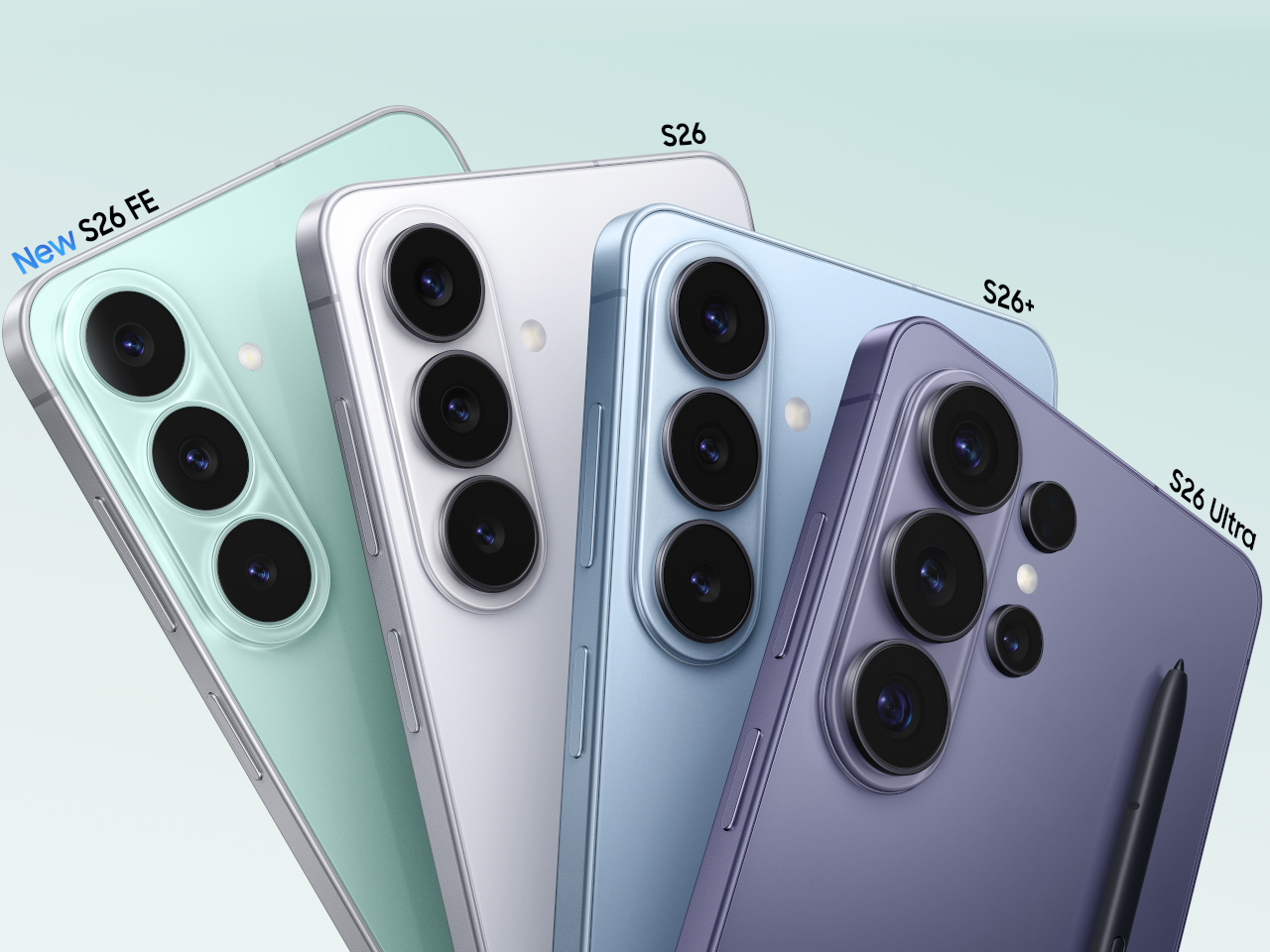
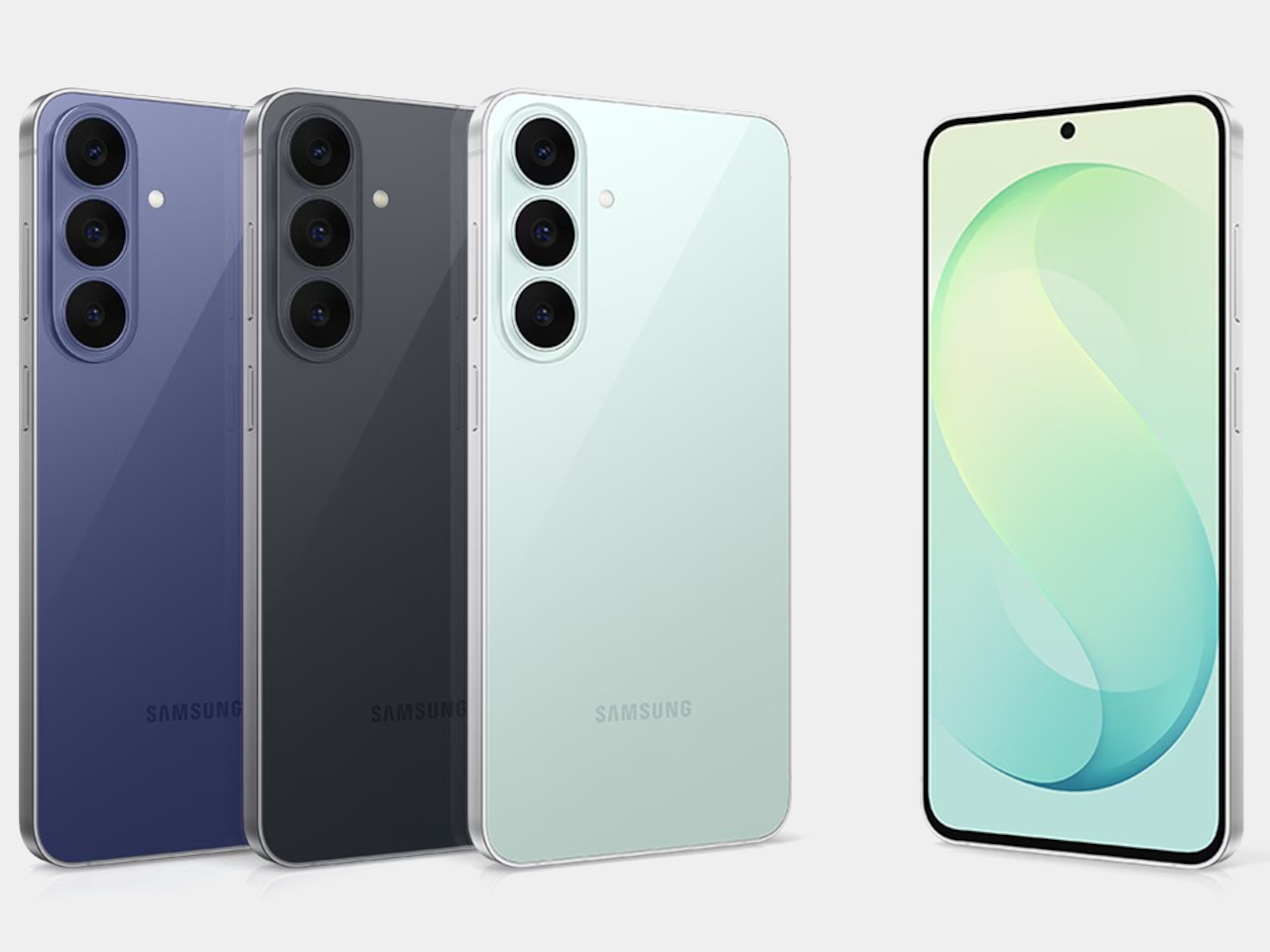
White, Sky Blue, and Black round out the options, but Cobalt Violet is doing the heavy conceptual lifting here. It signals that Samsung’s color team is thinking about surface treatment as material expression rather than trend chasing. When you pair it with the unified design language that now runs across the entire S26 family (the Ultra, the Plus, and the standard model all share proportional relationships and material cues), it becomes clear that Samsung is building a product design system rather than just iterating on individual devices.

The introduction of a magnetic case ecosystem is worth noting in this context. Samsung deliberately kept magnets out of the devices themselves, routing all magnetic compatibility through the case layer instead. That’s a conscious trade-off: it preserves the slim profile and weight targets that the engineering team fought for while still enabling MagSafe-style accessory attachment. Whether that ecosystem develops into something as robust as Apple’s approach remains an open question, but the architectural intent is clear. Samsung wants the accessory conversation without the hardware penalty.

Privacy Display: solving a problem at the pixel level

The feature that warrants the most design analysis on the S26 Ultra is the Privacy Display, and it’s exclusive to this model. Samsung calls it the world’s first mobile implementation, and they spent five years developing it.

Here’s what it does: at the pixel level, the display can restrict the viewing angle so that someone standing beside you or slightly behind you sees a darkened, unreadable screen while your direct line of sight remains completely unaffected. The restriction works in both portrait and landscape orientations, which matters if you’re watching a video sideways or scrolling in landscape mode on a plane. It’s not a screen filter. It’s not software dimming. It’s the panel itself behaving differently based on the angle of emitted light.

The customization layer is where this gets genuinely interesting from a UX perspective. You can configure Privacy Display on a per-app basis. Banking and messaging apps stay private by default, while maps or music playback remain fully visible. Selective notification privacy means incoming alerts can be restricted to your viewing angle without blanking the entire display. Password protection adds another layer for sensitive use cases.

This is a fundamentally different approach to screen privacy than anything the market currently offers. The existing solutions are adhesive film overlays or software-based brightness manipulation, both of which degrade the visual experience for the primary user. Samsung’s implementation doesn’t compromise display quality at your natural viewing angle. The 10-bit panel still renders its full billion-color range. Pro Scaler still does its work. You’re not trading visual fidelity for privacy, and that’s a meaningful engineering achievement.

Activation is deliberately frictionless. A double-click on the side key toggles Privacy Display on or off instantly. Samsung has also integrated it into the Routines system, so you can set geolocation triggers: the display automatically activates privacy mode when you arrive at a coffee shop, an airport, or your office, and deactivates when you’re home. It’s the kind of contextual intelligence that makes the feature feel native to how people actually move through their day rather than something you have to remember to toggle.

The battery story is actually a pleasant surprise. Samsung confirmed that Privacy Display doesn’t drain additional power, and if anything, it can improve battery life since the feature restricts light output to a narrower viewing cone rather than broadcasting at full brightness in all directions. The hardware operates independently of any network connection since the privacy logic lives entirely within the display itself, not in cloud processing or software overlays. That independence means the feature works identically in airplane mode, in a dead zone, or on a fully connected 5G network.

For daily ergonomics, this matters in ways that aren’t immediately obvious. Think about every time you’ve tilted your phone away from a seatmate on an airplane, or cupped your hand around the screen while typing a password in a coffee shop. Those micro-adjustments are unconscious ergonomic compromises. Privacy Display eliminates them entirely. You hold the phone naturally, at whatever angle feels comfortable, and the technology handles the rest. Over a full day, the absence of those small physical accommodations adds up to a more relaxed relationship with the device.

Camera: precision over reinvention

The camera system on the S26 Ultra follows the same philosophy that runs through the rest of the device. No dramatic sensor swaps or wild new focal lengths. Instead, Samsung has focused on the optical and computational areas that affect the most common shooting scenarios.

The ultra-wide lens now captures 47% more light than the S25 Ultra’s equivalent. That’s a significant improvement for the lens that most people use in tight indoor spaces, group shots, and architectural photography. More light means faster shutter speeds in marginal conditions, which translates to less motion blur and more consistent detail in the frame edges where ultra-wide lenses typically struggle.

The front camera tells a similar story of targeted improvement. At 50MP with a 37% brightness increase and an 85-degree field of view, Samsung has addressed the three most common complaints about flagship selfie cameras: resolution in challenging light, dynamic range when the subject is backlit, and the inability to fit a full group without awkward arm extensions. The addition of AI ISP processing to the front camera is notable because it means computational photography features that were previously reserved for rear cameras now apply to video calls and social content.

Enhanced Nightography takes a physics-based approach to video noise reduction this year, recognizing that each lens produces different noise patterns and applying pre-trained filters calibrated to the specific optical characteristics of each camera module. The result is cleaner low-light video across all rear lenses, not just the primary sensor.

Video capabilities push further into professional territory with the Advanced Pro Video Codec, an Ultra exclusive that enables 8K recording at 30 frames per second. The 4K auto-framing feature uses AI to track and recompose subjects during recording, which is genuinely useful for solo content creators who can’t operate a camera and perform at the same time. SuperSteady stabilization now uses real-time gyro and accelerometer data to deliver a full 360-degree horizon lock during recording. Samsung describes it as having a gimbal in your pocket, and while that’s marketing shorthand, the underlying sensor fusion approach is legitimate stabilization engineering.

Audio Eraser now extends to third-party apps, but with an important clarification: it affects playback consumption only. You can toggle it from the quick panel to clean up background noise while watching content on Instagram, TikTok, YouTube, or Netflix. It won’t modify the actual recording or file in those apps. Document Scanner is another quiet addition built directly into the camera viewfinder. It automatically detects documents, removes fingers, moiré patterns, shadows, and creases, then outputs clean multi-page PDFs. It’s the kind of feature that eliminates a dedicated scanning app from your phone entirely.

These aren’t headline-grabbing camera changes. They’re the kind of improvements that reduce the number of shots you delete and increase the number you actually share. For daily use, that ratio matters more than any single spec number.

Galaxy AI and the agentic phone

The software story on the S26 series might be the most ambitious part of this generation, and it’s easy to overlook when the hardware changes are this well executed. Samsung has organized its AI features into three categories: agentic AI that takes action on your behalf, personal AI tailored to your habits, and adaptive AI that anticipates what you need before you ask.

NowWatch, built natively into the Samsung keyboard, reads your conversation context and suggests relevant actions in real time. Mention a dinner plan in a text thread and it can create a calendar event, pull location details, or share a contact card without you ever leaving the messaging app. NowBrief now connects directly to your notification stream, pulling event information from messages and alerts even when those events were never added to your calendar. These features work together to reduce the friction between a conversation and the action it implies.

Agentic actions go further. You can book an Uber ride through a natural language voice command, and Samsung has signaled plans to expand this capability to delivery services like DoorDash and Instacart. Circle to Search now supports multi-object recognition, so you can circle an entire outfit in a photo and search for each piece simultaneously. The AI can even let you virtually try items on, which blurs the line between search and shopping in a way that feels genuinely new.

Photo Assist introduces natural language editing: tell the device to remove an object, change a background, or adjust a specific element, and the on-device AI processes the request. Multimodal editing takes this further by letting you reference other images in your gallery as part of the prompt. Ask it to composite a specific shirt onto your photo and it pulls from an existing gallery image to build the result. Creative Studio consolidates all AI creation tools into a single Edge panel location with guided workflows for stickers, greeting cards, invitations, and contact cards.

Bixby’s LLM upgrade positions it as a device-native companion that understands your phone’s settings, can explain features, and execute quick actions across the interface. During initial setup, users choose between Bixby, Gemini, and now Perplexity as their default AI agent. Perplexity can be summoned with a dedicated “Hey Plex” wake phrase or by pressing and holding the side button, and it’s embedded across Samsung Notes, Clock, Gallery, Reminder, Calendar, and select third-party apps. Samsung cited internal data showing nearly 8 in 10 users already rely on more than two types of AI agents depending on the task, which explains why the company is opening its AI layer to multiple providers rather than locking users into a single assistant. It’s a notable acknowledgment that different users want different AI philosophies guiding their daily experience. Bixby LLM also extends across Samsung’s ecosystem to TVs, watches, and other connected devices, creating a persistent assistant layer that follows you between screens.

Screenshot organization automatically categorizes captures into eight groups (coupons, events, shopping, and five others), which is a small productivity feature individually but represents Samsung’s bet that the phone should handle organizational work you currently do manually.

Call screening and scam protection

Two security-focused AI features deserve separate attention. Call Screening lets the AI answer incoming calls on your behalf, transcribe the conversation in real time, and deliver a summary of who called and why. The transcripts are searchable afterward, so you can retrieve information from screened calls even if you never picked up. That’s a meaningful shift in how missed calls work.

Scam Detection runs a separate AI analysis on active conversations, flagging suspected scams based on blacklisted numbers and suspicious language patterns. It’s a defensive layer that works alongside Samsung’s existing security stack, and it addresses a growing problem that traditional spam filters can’t solve on their own.

Performance architecture and charging

The Snapdragon 8 Elite Gen 5 inside the S26 Ultra represents the second generation of Samsung’s deepened co-engineering relationship with Qualcomm. Rather than simply dropping in the latest available silicon, Samsung’s hardware team has worked with Qualcomm on customizations specific to the Ultra’s thermal and power delivery profile. The NPU sees the largest year-over-year performance gains in the entire chipset, a direct response to the processing demands of on-device AI features that now run simultaneously across camera, language understanding, and system automation tasks.

The redesigned vapor chamber cooling system is the physical expression of this partnership, and it deserves closer attention than the briefing materials gave it. Samsung confirmed the vapor chamber has been redesigned for better thermal management and sustained performance, but the engineering context tells a more interesting story than that summary suggests.

Achieving a more efficient cooling solution inside a body that’s simultaneously gotten thinner is a genuine packaging challenge. The vapor chamber in a smartphone works by spreading heat away from the processor through a sealed chamber containing a small amount of liquid that evaporates near the heat source and condenses at cooler areas, distributing thermal energy across a wider surface. Redesigning that system for the S26 Ultra’s slimmer 7.9mm chassis means Samsung’s thermal engineers had to rethink the chamber’s geometry, likely optimizing the internal wick structure and vapor flow paths to maintain or improve heat dissipation within tighter vertical constraints.

During hands-on time, the phone stayed comfortable to hold through extended camera sessions and quick multitasking demos. Whether the redesigned vapor chamber translates to measurably less thermal buildup than previous Ultra models will require longer, controlled testing. What we can say from the event floor: the S26 Ultra didn’t get noticeably warm in situations where earlier models would have started heating up. That’s promising, but the real thermal story will come from sustained workloads over days, not demo stations.

What’s particularly interesting from a design perspective is how this thermal architecture enables the rest of the S26 Ultra’s ambitions. The thinner profile, the sustained display brightness for Privacy Display, the 8K video recording, the larger NPU workloads for on-device AI processing: all of these features generate heat, and all of them depend on the vapor chamber doing its job silently and invisibly. It’s the kind of engineering that never gets mentioned in a product keynote but makes every other headline feature possible.

Charging speeds have stepped up to 60W wired, delivering 0 to 75% in 30 minutes. Wireless charging sits at 25W. Neither number leads the Android market, but Samsung’s approach here prioritizes battery longevity over charging speed records. It’s a mature engineering decision that aligns with the phone’s overall philosophy: optimize for sustained daily performance rather than benchmark peaks.

Sustainability as a material design decision

Ten recycled materials appear in the S26 Ultra’s construction, and Samsung is positioning this as a design choice rather than a compliance checkbox. When a manufacturer integrates recycled content at this scale in a premium device, the engineering challenge isn’t sourcing the materials. It’s maintaining the tactile and structural qualities that justify a $1,299.99 price point.

The armor aluminum frame, for instance, needs to feel exactly as dense and rigid as virgin material. The recycled content in the internal structural components can’t introduce resonance or flex that would change the acoustic signature of the haptic engine. These are the invisible constraints that make sustainability in premium electronics genuinely difficult, and getting them right while simultaneously achieving the thinnest Ultra profile is a real engineering accomplishment.

What this means for the flagship category

The Samsung Galaxy S26 Ultra makes a compelling argument that the most impactful smartphone upgrades aren’t the ones you see in a keynote highlight reel. They’re the ones you feel after a week of putting the phone in your pocket, holding it during calls, reading on it in a crowded subway car, and editing photos before posting them.

Privacy Display alone changes your physical relationship with the device by removing unconscious posture adjustments you didn’t realize you were making. The thinner profile improves grip confidence in a way that reduces the frequency of readjustment micro-movements. Pro Scaler makes screen content feel more present and dimensionally accurate, which reduces eye strain during extended reading sessions. Better low-light camera performance means fewer retakes and less time fussing with settings.

None of these improvements would trend on social media. All of them compound into a measurably better experience across a typical day. That’s the thesis Samsung is presenting with the S26 Ultra, and based on hands-on time, it’s a convincing one.

Pre-orders open February 25 at $1,299.99, with availability starting March 1. The Cobalt Violet colorway is the one to see in person before deciding.

The post Samsung Galaxy S26 Ultra: The Screen Only You Can See first appeared on Yanko Design.

The Cheapest Mini PC Costs Under $100 And Uses An Old Samsung Phone to run Steam and PS2 Games

You know what’s ridiculously expensive these days? RAM. You know what isn’t? A broken phone on eBay. ETA PRIME spent under $70 on a Samsung Galaxy S20 FE with a busted screen, stuffed it into a Raspberry Pi tower case, and ended up with a mini PC that boots into Samsung Dex and runs Steam games. It sounds like the setup to a joke. It very much is not.

The Snapdragon 865 inside that cheap, busted Galaxy handles more than you would expect. Game Native connects it straight to your Steam library, PS2 and GameCube emulation run well, and Minecraft performs so smoothly ETA PRIME had his Xbox controller paired over Bluetooth within minutes. The whole thing costs less than a single night of impulse online shopping, which makes it either a genius budget build or a very convincing argument to check your eBay saved searches.

Designer: ETA Prime

One Samsung Galaxy S20 FE with a broken screen runs about $70 on eBay. Add an aluminum Raspberry Pi tower case from Amazon, a USB-C to HDMI adapter, and a fan cooler strapped to the back for $10 to $15, and that is the entire bill of materials. ETA PRIME disassembled the phone and fitted the internals directly into the case, but he is clear that you can skip all of that, prop the phone on a stand, connect it to a dock, and get the identical Dex experience without touching a screwdriver. The screen, even busted, stays connected and functions as a secondary interface. Units with minor burn-in but an intact display are sitting at around $99 unlocked on eBay, fully updated with a security patch from October 2025.

Out of the box, the S20 FE runs Dex at 1080p on an external display. Install Good Lock from the Galaxy Store, grab the MultiStar plugin, enable high resolution for external displays, restart Dex, and the resolution options expand to 1440p, 1200p in 16:10, and 21:9 widescreen at 2560×1080. Windows resize, snap side by side, and you can run five apps simultaneously, more if you unlock it through MultiStar, though 6GB of RAM will start making its feelings known past a certain point. Chrome scales to a full desktop layout. So does Google Play. On a 1440p monitor this setup looks genuinely clean.

Hollow Knight: Silksong runs well on the 865. Left 4 Dead 2 was still downloading during ETA PRIME’s walkthrough but is expected to perform. Cyberpunk 2077 at 60fps is a non-starter on this chip with 6GB of RAM, and he says so without hedging. PS2 emulation through NetherSX2 puts God of War 2 at 2x resolution scale with occasional frame dips, 1.75x is the more stable setting. GameCube and Wii hold up across most titles, with demanding stages in games like F-Zero GX pushing the limits when upscaling is involved. Dreamcast, PSP, and Sega Saturn run clean.

A Galaxy S21, S22, or S23 gives you better RAM configurations and newer Snapdragon silicon if you want more ceiling. The S24 and S25 are still priced too high to make the economics work. The S20 FE sits at the right intersection of price, performance, and availability right now, and the Snapdragon 865 is old enough to be cheap but capable enough to handle a surprisingly wide range of workloads without flinching.

The full build walkthrough has not been posted yet. ETA PRIME recorded the entire process, around three and a half hours of footage, and has said he will publish it on YouTube if there is enough interest in the comments. Given how much this build has going for it, that video getting made feels like a matter of when.

The post The Cheapest Mini PC Costs Under $100 And Uses An Old Samsung Phone to run Steam and PS2 Games first appeared on Yanko Design.

Samsung’s Book-Shaped Air Purifier Concept Gives You A Personal Tabletop Filtered Air Supply

It doesn’t give me any pleasure whatsoever to admit I come from India, a country where an AQI of 150 is considered ‘a normal day’. People living in the capital city of Delhi are accustomed to AQI hitting highs of 400 on bad days, where a single breath of air is equivalent to smoking a cigarette. It’s a terrible condition to live through, and almost everyone owns an air purifier that gets strategically placed in either the bedroom or the living room, in the hopes that this one tiny device will be able to do something… just something to clean the air around it.

While that approach is commendable, the portable air purifier segment is still something to be explored. Imagine a tiny air purifier, small as a book, designed to be carried around from room to room with you, so that you’re always breathing clean(ish) air wherever you sit. This concept from Samsung takes on the literal shape of a hardcover book, and can be carried around with you from one room to another. The all-metal design feels premium to the touch, and opens up in ways that allow you to prop the purifier either vertically or horizontally for optimal airflow targeting.

Designer: intenxiv inc.

The book-shaped design gives the purifier a level of portability that your otherwise-clunky room air purifier just can’t attain. Place it on a tabletop, either horizontally or vertically, with the ability to angle it thanks to an adjustable kickstand. Air gets pulled from the top and pushed through the front, passing through a HEPA filter that traps a variety of particulate matter to give you dust-free air. This is the standard template of almost every purifier out there, but what Samsung’s concept does is make things hyper-portable.

The all-metal design feels premium, with the overall minimalist appearance bordering on something you’d see from Bang & Olufsen’s speakers. This one, however, bears Samsung’s name on the top, along with Mini Air (the product name) on the ‘spine’. Controls on the side let you increase or decrease the fan speed, while a USB-C port lets you charge the purifier.

A slot on the side lets you pop the HEPA filter out for replacement or cleaning. The details aren’t clear given that this is just a concept created by intenxiv inc. under some form of an internship or apprenticeship at Samsung Electronics in 2019. A ‘bookmark’ on the front lip acts as a notification light to let you know battery status, and whether the purifier’s switched on or not. One can only assume the fans are so quiet that you’d need such a light to let you know the purifier is running.

The purifier comes in two colorways. A lighter metallic variant and a slightly darker ‘space grey’ version. Both are identical in shape and size, barring the slight color change as well as the ‘bookmark’ on the side that’s either orange or teal, depending on the variant you pick.

The design is just a concept for now, but the template absolutely shouldn’t be. Portable air purifiers are a pretty unexplored category (at least by larger companies). Dyson did release a set of air purifying headphones ages ago, but the product never managed to hit mass appeal. A smaller air purifier like this one would fit well in most smaller apartments, whether they’re dorms/hostels, office cubicles, or tiny homes in the city.

The post Samsung’s Book-Shaped Air Purifier Concept Gives You A Personal Tabletop Filtered Air Supply first appeared on Yanko Design.

Samsung Just Made Those Viral 3D Billboards Fit on Any Wall

Walking through a mall means passing bright rectangles looping 2D video, occasionally interrupted by a viral 3D billboard that makes people stop and film it. Those 3D moments usually feel like one-off stunts with custom hardware and bespoke content, not something you can bolt to a wall like normal signage and manage alongside the rest of your screens without rebuilding your entire workflow from scratch.

Samsung’s Spatial Signage tries to make that volumetric effect practical. The first global product is an 85-inch 4K portrait display that uses a patented 3D Plate behind the LCD to create depth you perceive behind the glass, without glasses or headsets. It is still wall-mounted, but it behaves more like a window where products and scenes sit in real space instead of just flickering on a surface.

Designer: Samsung

Picture a flagship store or museum lobby where a life-size figure or product appears to stand just behind the glass, rotating to show front, back, and side views. The 9:16 portrait format and 4K resolution let brands run 360-degree spins or full-height characters that feel more like installations than ads. Samsung’s Quantum Processor handles upscaling, color mapping, and HDR tweaks so older assets stay sharp, and an anti-glare panel keeps the illusion working under bright retail lighting.

The 85-inch unit is only 52mm thick and weighs 49kg, so it mounts with a Slim Fit Wall Mount like regular signage instead of needing a deep box enclosure. That means it can integrate into compact or design-sensitive locations without construction overhauls. Samsung is launching smaller 32-inch and 55-inch versions later, making it easier to repeat the same 3D language in window displays or feature walls across a retail chain.

Of course, the content side matters as much as the hardware. AI Studio, the new app inside Samsung’s VXT cloud platform, can take static images and automatically turn them into signage-ready video, adjusting shadows, margins, and backgrounds specifically for Spatial Signage. That means brands without dedicated 3D pipelines can still get depth-friendly motion from existing imagery instead of hiring specialized studios for every campaign.

Spatial Signage launches alongside other supersized displays, like a 130-inch Micro RGB signage and a 108-inch The Wall All-in-One that simplifies LED installs, plus Cisco and Logitech partnerships for meeting rooms. The point is that this 3D panel is not a toy but one piece of a lineup meant to cover storefronts, lobbies, and boardrooms with different flavors of immersive screens that plug into the same management stack.

Samsung’s Spatial Signage hints at a future where digital signage is less about flat loops and more about volumetric storytelling that fits into normal walls and workflows. It does not ask passersby to put on glasses or download an app; it just quietly makes content feel like it occupies space. Brands and venues that live or die by how long people stop and stare will see this, pun intended, as the logical next step after everyone got bored with rectangles running the same video on repeat.

The post Samsung Just Made Those Viral 3D Billboards Fit on Any Wall first appeared on Yanko Design.

Samsung’s 13-Inch E-Paper Housing Is Made from Phytoplankton Plastic

Printed signs get reprinted every week, while full LCD signage burns power all day just to show a static promo. E-ink has quietly solved this in e-readers by holding text without sipping battery, but it has not shown up in everyday public spaces where signs still get taped to shelves. Samsung’s new 13-inch Color E-Paper is a panel that tries to live in that middle ground, digital enough to update remotely, quiet enough to blend in.

Samsung’s 13-inch Color E-Paper is roughly the size of an A4 sheet, 1,600 x 1,200 pixels in a 4:3 aspect ratio, built to sit on shelves, counters, tables, and doors where paper signs still dominate. It uses digital ink and an embedded rechargeable battery to hold static images at zero watts, sipping power only when content changes.

Designer: Samsung

A grocery aisle, cosmetics shelf, or bookstore with weekly specials could run these panels instead of printed posters. Staff update prices and layouts from their phones using the Samsung E-Paper app, or centrally through Samsung’s VXT cloud platform, without ladders, tape, or stacks of paper. The signs look like printed cards but can flip to a new campaign in seconds.

The housing is the first commercial display enclosure to use bio-resin derived from phytoplankton, independently verified by UL to contain 45% recycled plastic and 10% phytoplankton-based resin. Samsung says this can cut carbon emissions in manufacturing by more than 40% compared to conventional petroleum-based plastics, and the packaging is made entirely from paper.

The panel maintains static content at zero watts and uses far less energy than conventional digital signage when it refreshes. An advanced color imaging algorithm smooths gradations and refines contours so posters, book covers, and product shots look closer to print than to a backlit screen. A 13-inch, 4:3 color e-ink panel with this power profile sounds suspiciously like the hardware you would want in a large-format e-reader or note-taking tablet.

Samsung is clear that this is a business display, part of a lineup that already includes 32-inch and upcoming 20-inch models aimed at replacing printed signage. Still, it is hard not to imagine what would happen if a future device borrowed this panel, pairing it with touch and pen input for textbooks, comics, sheet music, or ambient dashboards that can sit on a desk for days without a charge.

Some of the most interesting future-facing ideas show up first in places like retail signage. A 13-inch color e-paper display built with phytoplankton-based resin is, on paper, just a smarter sign for cafes and cosmetics counters. It is also a reminder that the ingredients for calmer, more sustainable reading and information devices already exist; they are just waiting for someone to assemble them into something you would want to curl up with on the sofa.

The post Samsung’s 13-Inch E-Paper Housing Is Made from Phytoplankton Plastic first appeared on Yanko Design.

The best fitness trackers for 2026

If you're looking to get fit, sleep better or just keep a closer eye on your health, a fitness wearable is a great place to start. Whether you're into intense workouts or just want to hit your step goal each day, the best fitness trackers available today can offer loads of helpful features, from sleep tracking and resting heart rate monitoring to built-in GPS and stress tracking. Some are even subtle enough to wear 24/7, like smart rings, while others double as stylish smartwatches.

There are great options out there for beginners as well as more advanced users, and the variety of features means there’s something for every lifestyle and budget. In this guide, we’ll walk you through the best fitness trackers you can buy right now, and explain who each one is best suited for.

The answer seems simple: Fitness wearables are best at monitoring exercise, be it a 10-minute walk around the block or that half marathon you’ve been diligently training for. Obviously, smartwatches can help you reach your fitness goals too, but there are some areas where fitness bands and smart rings have proven to be the best buy: focus, design, better battery life, durability and price.

When I say “focus,” I’m alluding to the fact that fitness trackers are made to track activity well; anything else is extra. They often don’t have the bells and whistles that smartwatches do, which could distract from their advanced health tracking abilities — things like all-day resting heart rate monitoring, stress tracking, and even detailed sleep tracker insights. They also tend to have fewer sensors and internal components, which keeps them smaller and lighter. Fitness trackers are also a better option for those who just want a less conspicuous gadget on their wrists all day.

Battery life tends to be better on fitness trackers, too. While most smartwatches last one to two days on a single charge, fitness bands offer between five and seven days of battery life — and that’s with all-day and all-night use even with sleep tracking features enabled. Many fitness trackers also slot nicely into your existing ecosystem, syncing seamlessly with your smartphone, other fitness apps and cloud storage to keep all your data in one place.

When it comes to price point, there’s no competition. Most worthwhile smartwatches start at $175 to $200, but you can get a solid smart band starting at $70. That makes them a great entry point for beginners who want to track their progress without committing to a full smartwatch. Yes, more expensive bands and smart rings exist (and we recommend a few here), but you’ll find more options under $150 in the fitness tracker space than in the smartwatch space.

If you need a bit more from your wearable and don’t want to be limited to a fitness or activity tracker, a smartwatch may be the best buy for you. There are things like on-watch apps, alerts and even more robust fitness features that smartwatches have and the best fitness trackers don’t. You can use one to control smart home appliances, set timers and reminders, check weather reports and more. Some smartwatches let you choose which apps you want to receive alerts from, and the options go beyond just call and text notifications. Just make sure your smartwatch is compatible with your Android or iPhone, however, before purchasing, as not all of them work with both operating systems.

But the extra fitness features are arguably the most important thing to think about when deciding between a fitness tracker and a smartwatch. The latter devices tend to be larger, giving them more space for things like GPS, barometers, onboard music storage and more. While you can find built-in GPS on select fitness trackers, it’s not common.

If you’re someone who’s seriously training — say for a race or an endurance challenge — a dedicated running watch may be worth considering. These often provide more in-depth cardio analytics, recovery insights, and real-time pace data that go beyond what standard trackers can deliver.

The Fitbit Inspire 3 strips out all the luxury features from the Charge 6 and keeps only the essential tracking features. You won’t get built-in GPS tracking or Fitbit Pay or Spotify control but you do get solid activity tracking, automatic workout detection, smartphone alerts and plenty more. The updated version has a sleeker design and includes a color touch display and connected GPS, the latter of which lets you track pace and distance while you run or bike outside while you have your phone with you. When compared to the Charge 6, the Inspire 3 is more fashionable, too. Its interchangeable bands let you switch up the look and feel of your tracker whenever you want, and it’s slim enough to blend in with other jewelry you might be wearing. We were also impressed by its multi-day battery life: Fitbit promises up to 10 days on a single charge, and that checked out for us. After four days of round-the-clock use, the Inspire 3 still had 66 percent battery left to go.

The battery life of fitness trackers can vary depending on the model and its features. On average, most fitness trackers last between five to seven days on a single charge. Basic models with limited features could stretch up to 10 days or more. However, more advanced trackers with features like continuous heart rate monitoring, GPS, or always-on displays may need recharging after one to three days. If you're using GPS or streaming music through your fitness tracker, you'll find that this drains the battery faster. By using these features less, or turning them off, you'll extend battery life. 

This article originally appeared on Engadget at https://www.engadget.com/wearables/best-fitness-trackers-133053484.html?src=rss

Samsung’s Retro OLED Cassette and Turntable Concepts Are Pure Nostalgia

If you’ve lived long enough on this earth, you probably sometimes still long for those days when music was tangible. Whether you experienced putting in a cassette tape or placing a vinyl record on your turntable or even plopping in a CD, you probably miss the sound and feel of “physical music”. That’s why we have several devices that are banking on this nostalgia factor and it seems like Samsung is not immune to this trend.

Samsung Display has unveiled two intriguing concept devices at the ongoing CES 2026: the AI OLED Cassette and the AI OLED Turntable. While they’re not yet products that you can actually buy tomorrow, this “creative flex” for their circular OLED technology may inspire other manufacturers or even get Samsung to actually produce it or something similar in the future.

Designer: Samsung Display

The AI OLED Cassette is a throwback for those who experienced this kind of music back in the day. It takes the classic tape deck design and turns it into a smart speaker with two tiny 1.5-inch circular OLED displays. They’re in that place where the spinning reels used to be, since this isn’t exactly a cassette player. On the left, you get the playback controls and on the right side, you get a digital waveform or equalizer. Both screens are touch-sensitive, letting you interact directly with the device without constantly reaching for your phone.

It’s not just a usual Bluetooth speaker, though, as you get AI-powered music recommendations built into the device. That means you can discover new music, select what you want to hear, and control everything directly on the cassette itself. You get a touchscreen display as well so you don’t need an external device to control it. This standalone functionality sets it apart from traditional Bluetooth speakers that rely heavily on phone connectivity. There’s also a lozenge-shaped display that doubles as a virtual tuning dial, adding another layer of interaction that feels surprisingly intuitive for something so retro-inspired.

Going further back in the nostalgia trip, the AI OLED Turntable is a 13.4-inch circular OLED touchscreen that looks like an actual vinyl turntable. The turntable display can actually display images and videos to add to the ambience in your space while playing the tunes. Imagine hosting friends and having your turntable show ambient visuals that match the vibe of your playlist. It’s part music player, part art installation, part conversation starter. The large circular display becomes the centerpiece of whatever room you place it in, commanding attention in a way that most modern tech tries to avoid.

AI OLED Bot

These two device concepts actually blur the line between technology and home decor, standing out from the usual, minimalist smart speakers that are on the market. By embracing retro aesthetics and then adding cutting-edge OLED technology, they turn these functional devices into design statements as well, letting them blend into your living space while giving you the music that you want at a particular time.

The timing couldn’t be better either. We’re living through a massive vinyl resurgence, with record sales hitting levels not seen since the 1990s. Cassette tapes are even making a comeback among collectors and indie musicians. There’s clearly an appetite for music experiences that feel more intentional, more physical, more there. Samsung seems to understand that people don’t just want convenience anymore. They want connection to their music and their spaces.

However, before you start dreaming about these devices adorning your living room, remember that they’re still concept devices and may never be manufactured by Samsung Display. These showcases are essentially Samsung demonstrating what’s possible with their circular OLED technology and showing other manufacturers what could be built. They might never produce these exact products themselves.

RGB OLEDoS Headset

Still, as concepts, they’re a vision for how technology can exist while still celebrating personality and nostalgia, rather than generic, robotic looks. Whether you’re a design enthusiast who appreciates the aesthetic, a tech geek fascinated by flexible OLED displays, or a pop culture lover drawn to the retro vibes, there’s something genuinely appealing about these devices. Sometimes the best concepts aren’t about predicting the future. They’re about reimagining how the past and present can play together.

The post Samsung’s Retro OLED Cassette and Turntable Concepts Are Pure Nostalgia first appeared on Yanko Design.

Samsung unveils foldable 140-inch TV with extended display bezel around the corners at CES 2026

Samsung is going big on Micro RGB and Micro LED TVs for the CES 2026 event. They’ve already revealed the enormous 130-inch micro-RGB TV that we’re keenly looking forward to being bettered by other major players. But where is the biggest Micro LED TV going to sway? Samsung looks to have that one covered too, with the 140-inch Micro LED TV that elevates cinematic viewing to another level.

If that’s not enough, the South Korean giant is taking things a notch higher with display innovation that’s unparalleled, at least for now. Just like some of the smartphones with a waterfall design that extends beyond the horizontal plane of the phone, Samsung is bringing a whole new tech to the event. On the sides, the TV’s screen extends beyond the watchable area, extending as a continuation of the screen.

Designer: Samsung

Samsung is calling it the Mirror Bezel, creating a more immersive 3D effect that we’ve not seen before. For instance, the side panels can display the in-game score during live sports, commentary text,  or show the news headlines. The side panels can be turned on independently to show customizable patterns. The possibilities are endless, and Samsung will put the hardware to good use for an extended experience beyond the flat display.

Other than this innovation, they have designed the TV to fold into two for displaying artwork. The display has a hinge system at the center, which should be half the size to 70 inches of display for your artwork. This apparently makes it the world’s first TV that folds in half. This puts it flush against the LG Gallery TV and their own Frame TV. The design makes it well-suited for your living room or even a sizeable bedroom.

The AI in the display is used to analyse the content being displayed and extend the picture, or show other elements depending on the content being viewed. More information is expected to seep in about this exciting display tech at the event. For now, there’s no word on the detailed specifications, availability, or the price.

The post Samsung unveils foldable 140-inch TV with extended display bezel around the corners at CES 2026 first appeared on Yanko Design.