3D Printing is Shaping Modern Product Design: Here’s How

In the ever-evolving landscape of product design, from ideation to realization, 3D printing technology is revolutionizing contemporary design practices. 3D printing technology employs computer-aided design (CAD) and fabricates objects layer by layer. Commonly used in manufacturing, automotive industries, and industrial product design for creating tools, parts, and prototypes, this process, also known as additive manufacturing, layers materials like plastics, composites, or bio-materials to produce objects of varying shapes, sizes, rigidity, and color.

Designers: Nexa3D and Mocu Desig

The commonly selected 3D printing technologies include Fused Deposition Modeling (FDM), Stereolithography (SLA), Selective Laser Sintering (SLS), PolyJet, and Direct Metal Laser Sintering (DMLS). XiP is an advanced resin 3D printer by Nexa3D, offering professional-grade printing at speeds 6 times faster than SLA printers and over 10 times faster than filament 3D printers. With a 4.8L build volume and a 9.3″ 4K Monochrome LCD, it delivers crisp details. Its compact desktop design houses industrial LSPc technology, ensuring stability with a billet aluminum enclosure and precision ball screw Z-axis platform. The printer supports a wide range of resins, including proprietary formulations for diverse applications, all dispensed through smart recyclable cartridges.

What are the benefits of 3D Printing?

• Reduces Costs:

3D printing offers significant cost advantages over traditional manufacturing methods due to its automation, resulting in reduced labor expenses. Moreover, its minimal waste production leads to lower material costs.

• Produces Complex Designs

3D printing exceeds the design constraints of traditional manufacturing, enabling the creation of intricate designs, including square or circular punctures or abstract designs with fewer restrictions.

• Promotes Internal Manufacturing

3D printers enable rapid prototyping, eliminating the need for outsourcing. This accelerates the design and production of new products, enhancing overall efficiency.

• Rapid Prototyping

3D printing enables the production of designs that were previously impossible with conventional manufacturing methods. By transforming digital files into physical parts within hours, this technology allows companies to adopt an on-demand manufacturing model for parts. 3D printing offers a comprehensive solution, facilitating prototyping, and short-run production, thereby transforming every aspect of businesses.

• Minimizes Waste

Traditional manufacturing generates substantial material waste due to inefficiencies while additive manufacturing minimizes waste by precisely utilizing materials, only using what’s necessary for each product or part. This is a great way to reduce material costs and improve environmental sustainability for companies.

• Manufactures Diverse Products

Industries across the board are leveraging 3D printing for a diverse range of products. From consumer goods like eyewear and furniture to industrial tools and automotive parts, technology is reshaping manufacturing. It’s also vital in healthcare for prosthetics and orthotics alongside architectural models. Additionally, the film industry benefits from 3D printing for creating intricate props.

Top 10 Examples of 3D Printing in Product Design

Here are Top Ten examples of how 3D printing is used in product design across various product types:

1. Handbags

Designers: Julia Koerner, Kais Al-Rawi and Emma Sanson

Acclaimed Australian designer Julia Koerner merges nature and computer algorithms with 3D printing and innovative resin-based techniques to create her award-winning handbag collection, resulting in visually lightweight yet rigid designs with a distinctive skeletal aesthetic. Inspired by the organic shapes of dried kelp found along the Pacific coastline, Koerner’s KELP MINI handbag seamlessly blends artistry with functionality. Each meticulously crafted handbag is created with sustainable plant-based materials and solar-powered manufacturing, offering clever design elements like hinged bases and snap closures, making them ideal for storing essentials with style and efficiency.

2. Tiles

Designer: bioMATTERS

MYCO-ALGA presents a groundbreaking interior tiling solution that transforms bathroom aesthetics. These 3D-printed tiles are crafted from repurposed natural waste and living organisms, featuring captivating designs inspired by organic forms. Sustainable at every stage, MYCO-ALGA tiles undergo a precise process encompassing digital design, 3D printing, organism cultivation, and bio-pigment enrichment. As a result, the outcome is eye-catching tiles with unique, non-repeating patterns resembling crawling organisms, that offer both lightweight durability and visual allure that effortlessly merge style with sustainability.

3. Air Purifiers

Designer: External Reference

Barcelona-based company introduces Pure Plants, 3D-printed sculptures doubling as air purifiers. Utilizing Pure.Tech technology efficiently absorbs and neutralizes indoor pollutants like carbon dioxide and nitrogen oxide. Mimicking plant structures with geometric patterns, these sculptures enhance decor while promoting healthier indoor air quality. Crafted from sustainable Pure.Tech biomaterial and PLA bioplastic derived from corn dextrose integrate aesthetics with eco-consciousness.

4. Footwear

Designer: Matthew Blunt

EXPLR 02 is a futuristic 3D-printed shoe blending wireframe-inspired aesthetics with organic elements. Crafted with advanced techniques, it epitomizes modern manufacturing’s versatility. While challenging footwear norms, questions linger about real-world durability. Yet, EXPLR 02 signifies a leap in innovative, personalized shoe designs, shaping the evolution of 3D-printed footwear.

5. Table Lamp

Designer: Felix Pöttinger for Gantri

The 3D-printed Hula table lamp, envisioned by Felix Pöttinger, ingeniously merges direct and indirect lighting to efficiently illuminate spaces, tackling urban living challenges by minimizing glare. Its ring-shaped shade, reminiscent of a hula hoop, is available in Snow, Forest, and Blossom Pink, adding a distinct flair to any setting.

6. Living Soil Walls

Designer: Ji Ma, David Carr, Ehsan Baharlou, and Spencer Barnes

The University of Virginia research team has developed an innovative 3D printing method using soil infused with seeds to create plant-covered structures like walls and roofs. The team’s eco-friendly approach integrates greenery into architecture, providing natural insulation, flood prevention, and green spaces. By minimizing materials and utilizing locally sourced resources, their process reduces emissions and waste. With plans to expand their prototypes and improve their soil ink formula, the team aims to contribute to carbon-neutral construction.

7. 3D Printed Homes

Designer: Progreso x COBOD

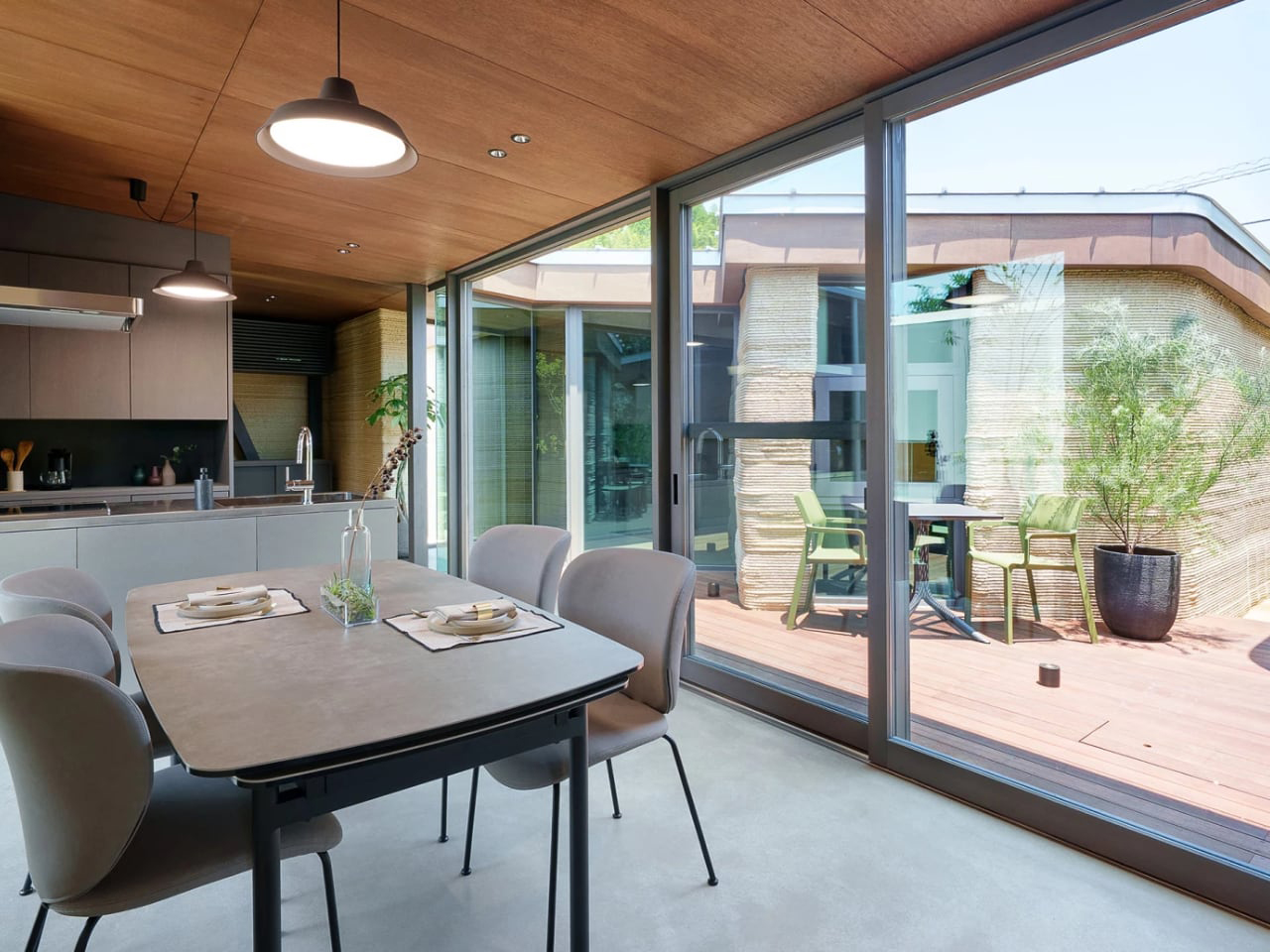
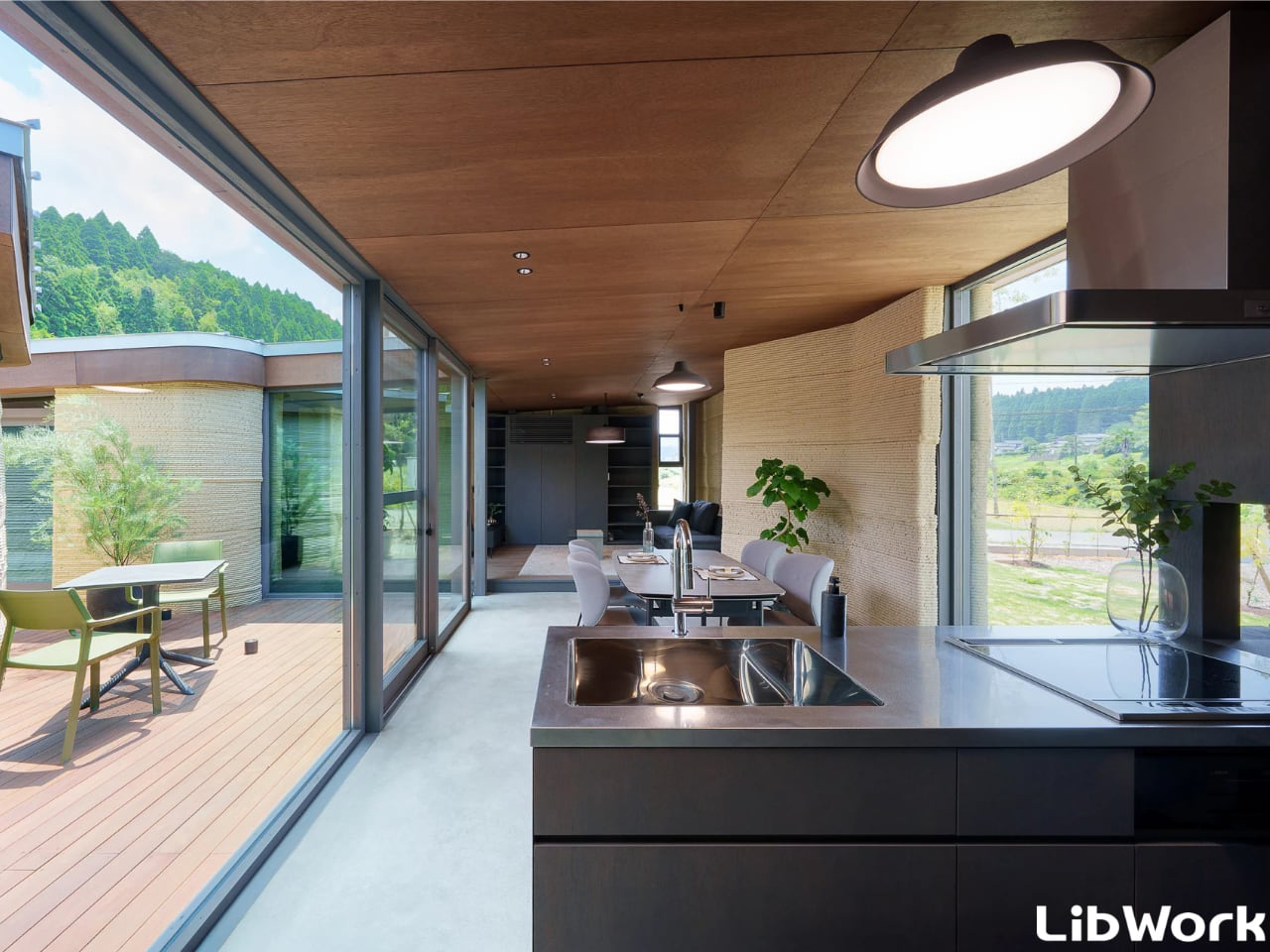
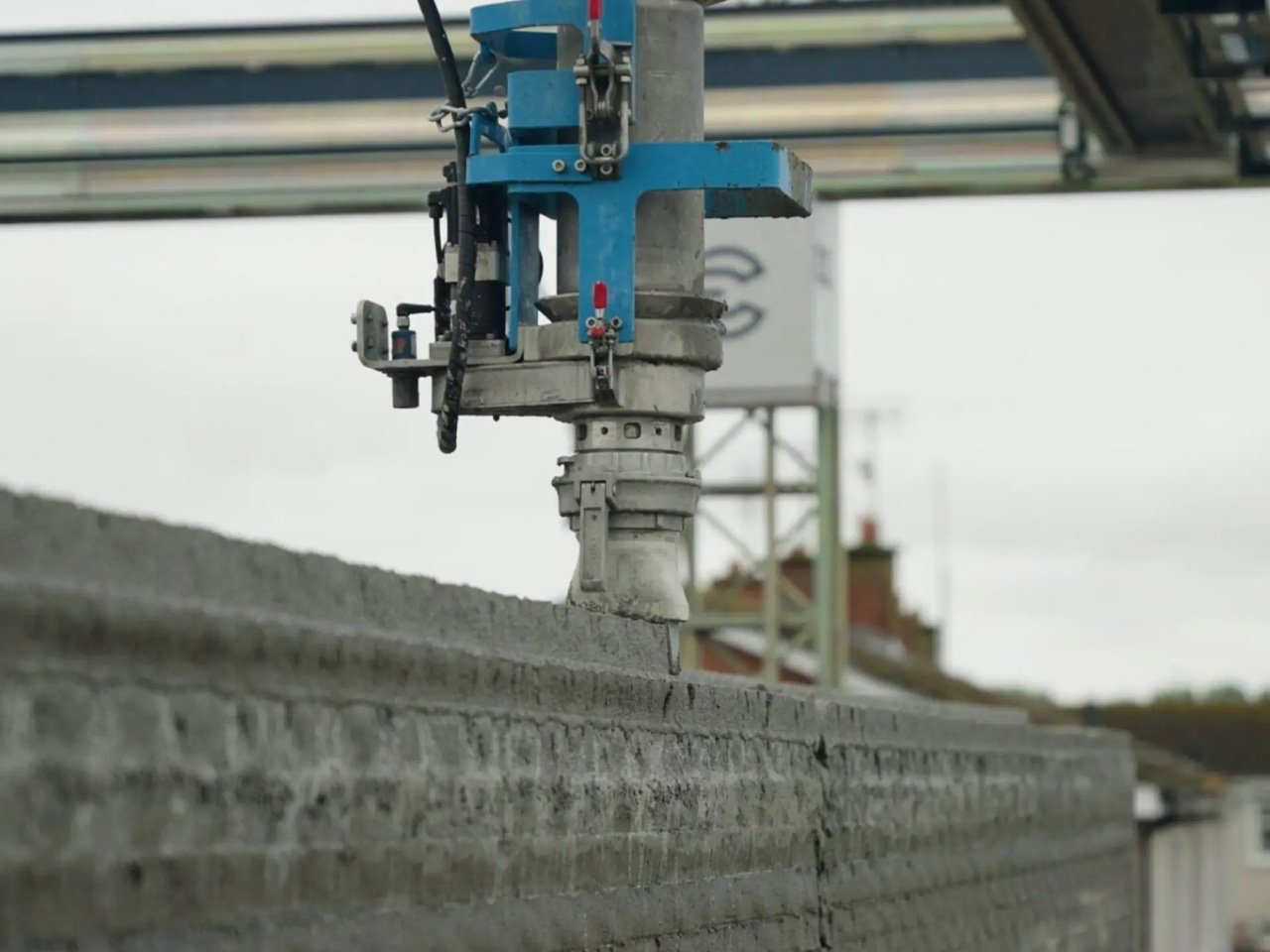
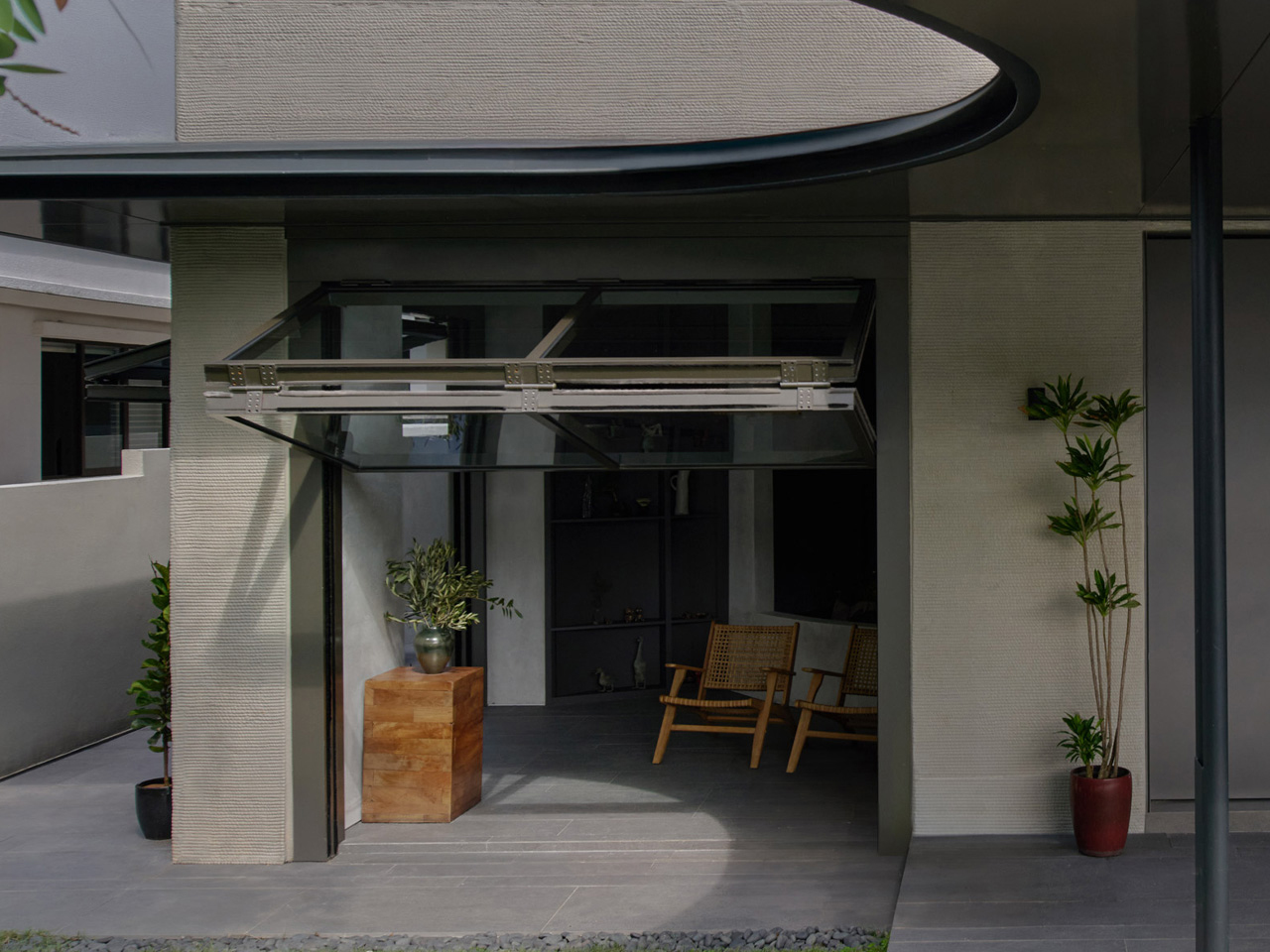
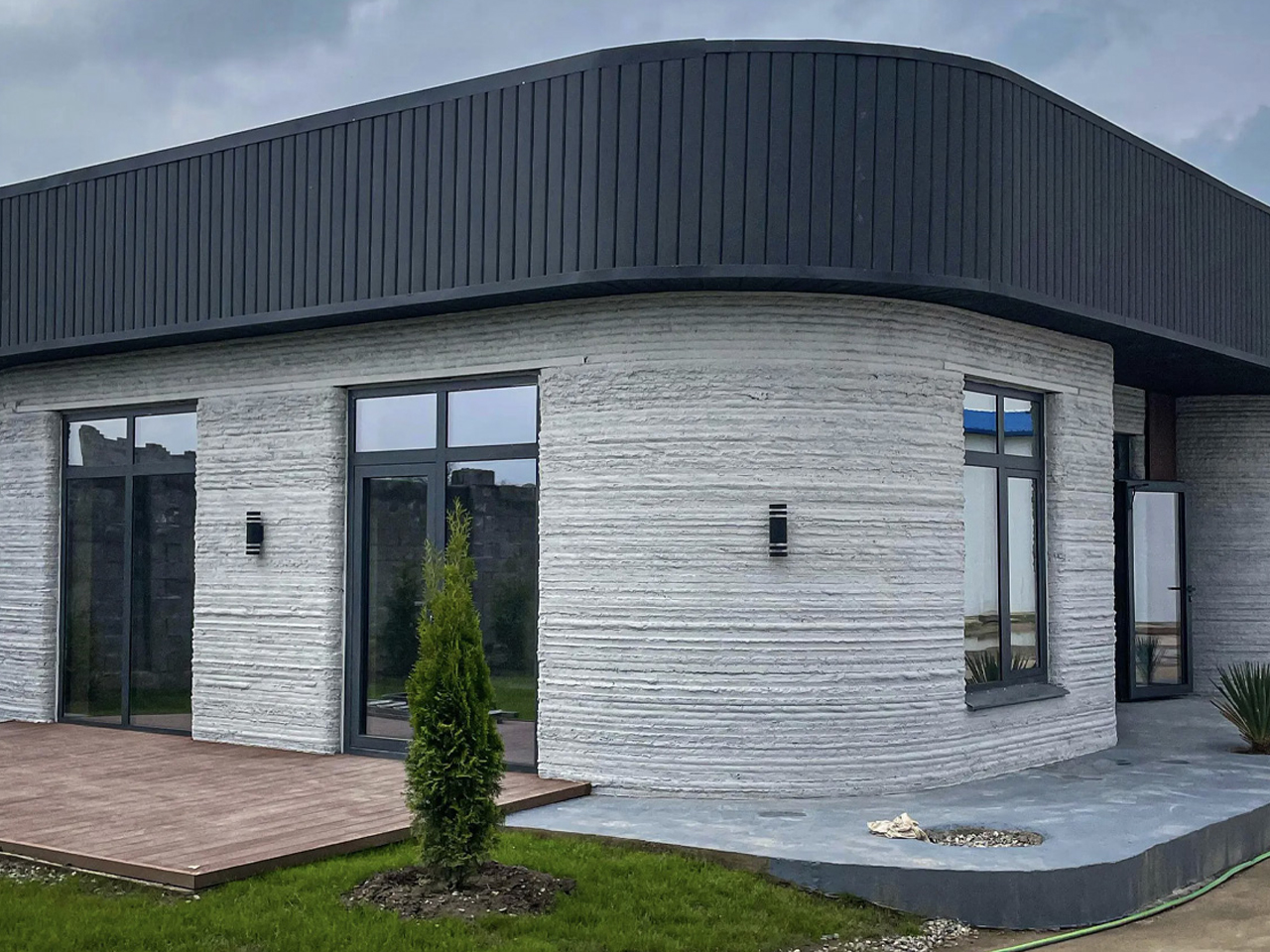
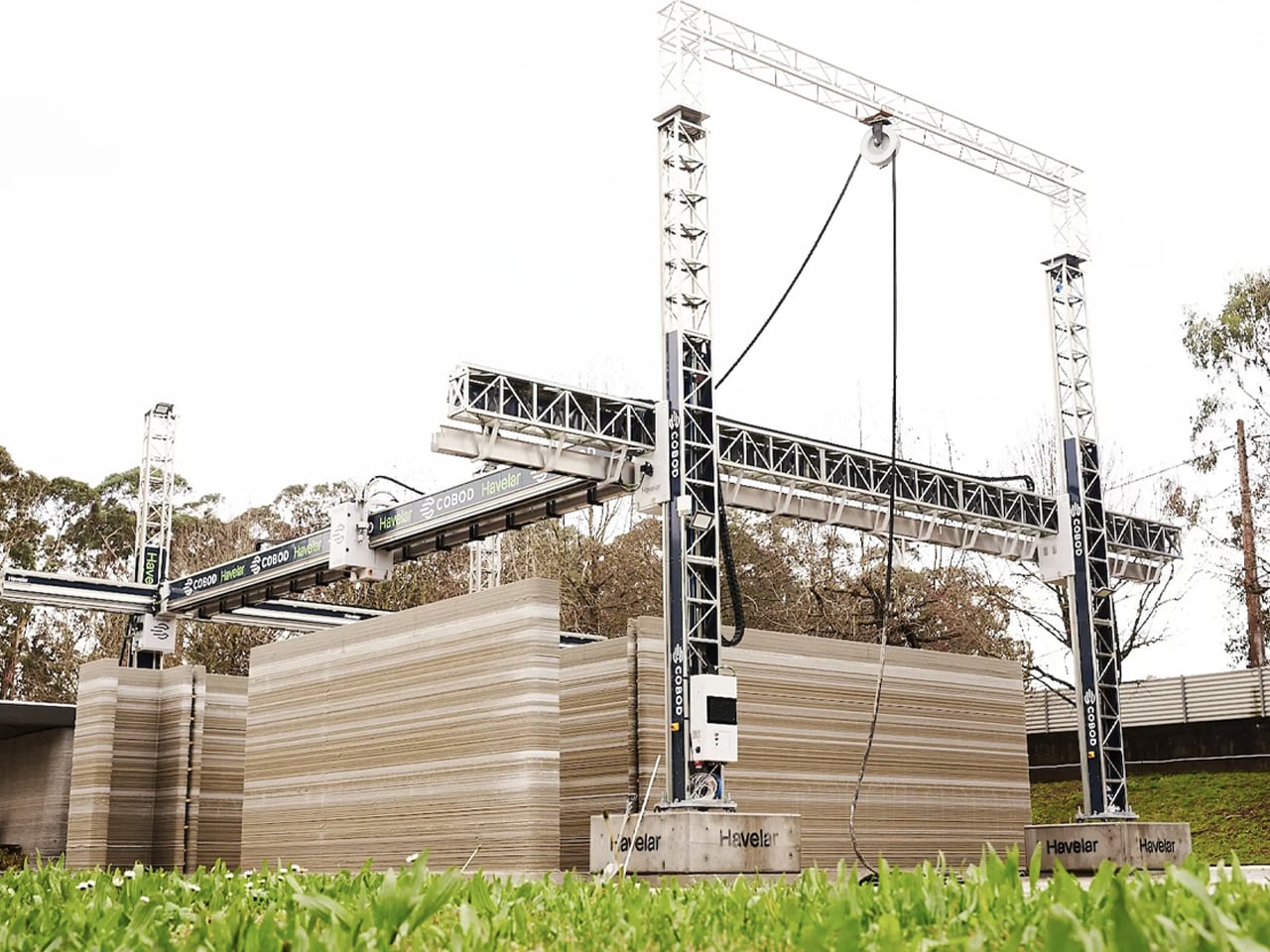
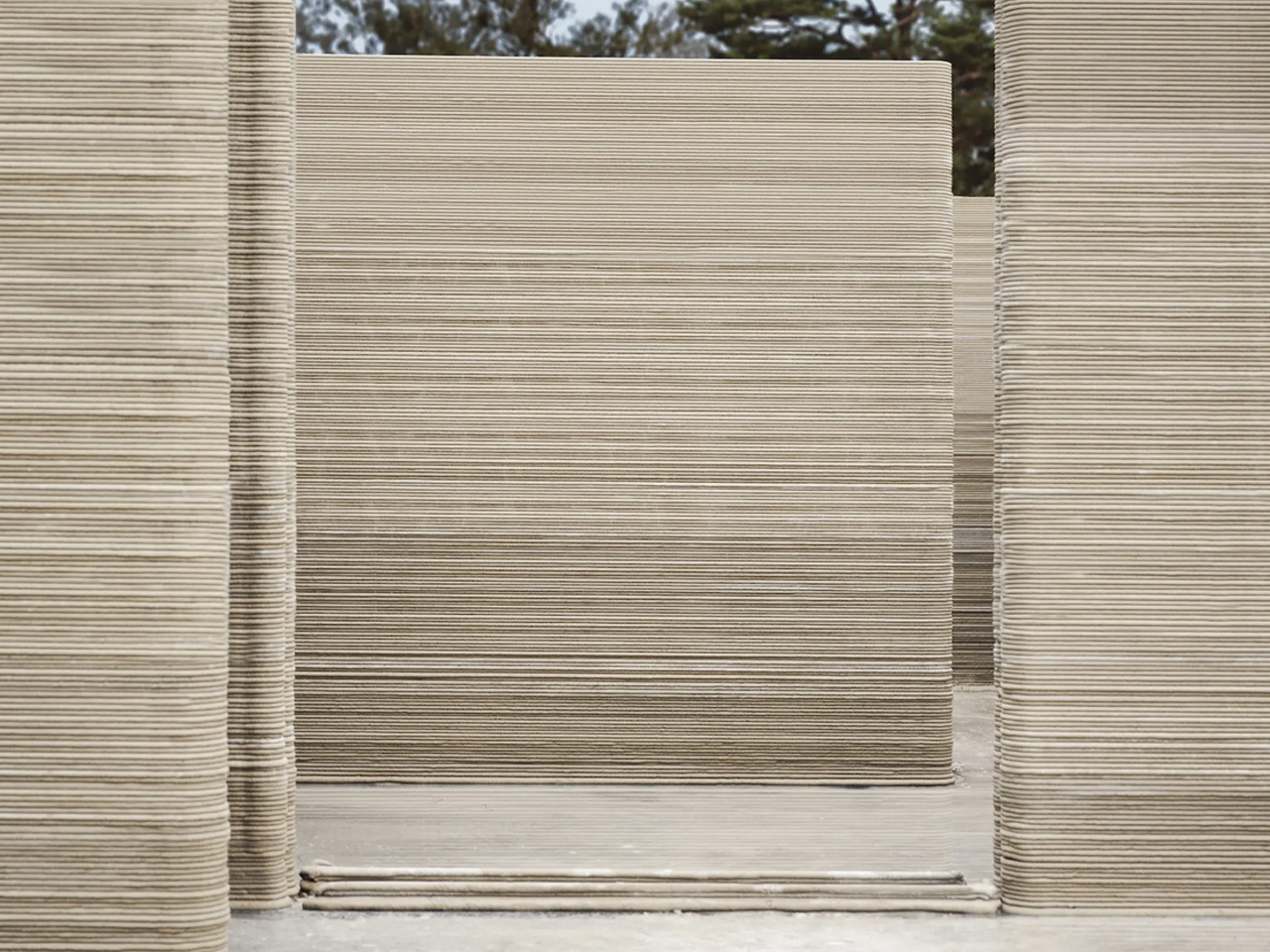
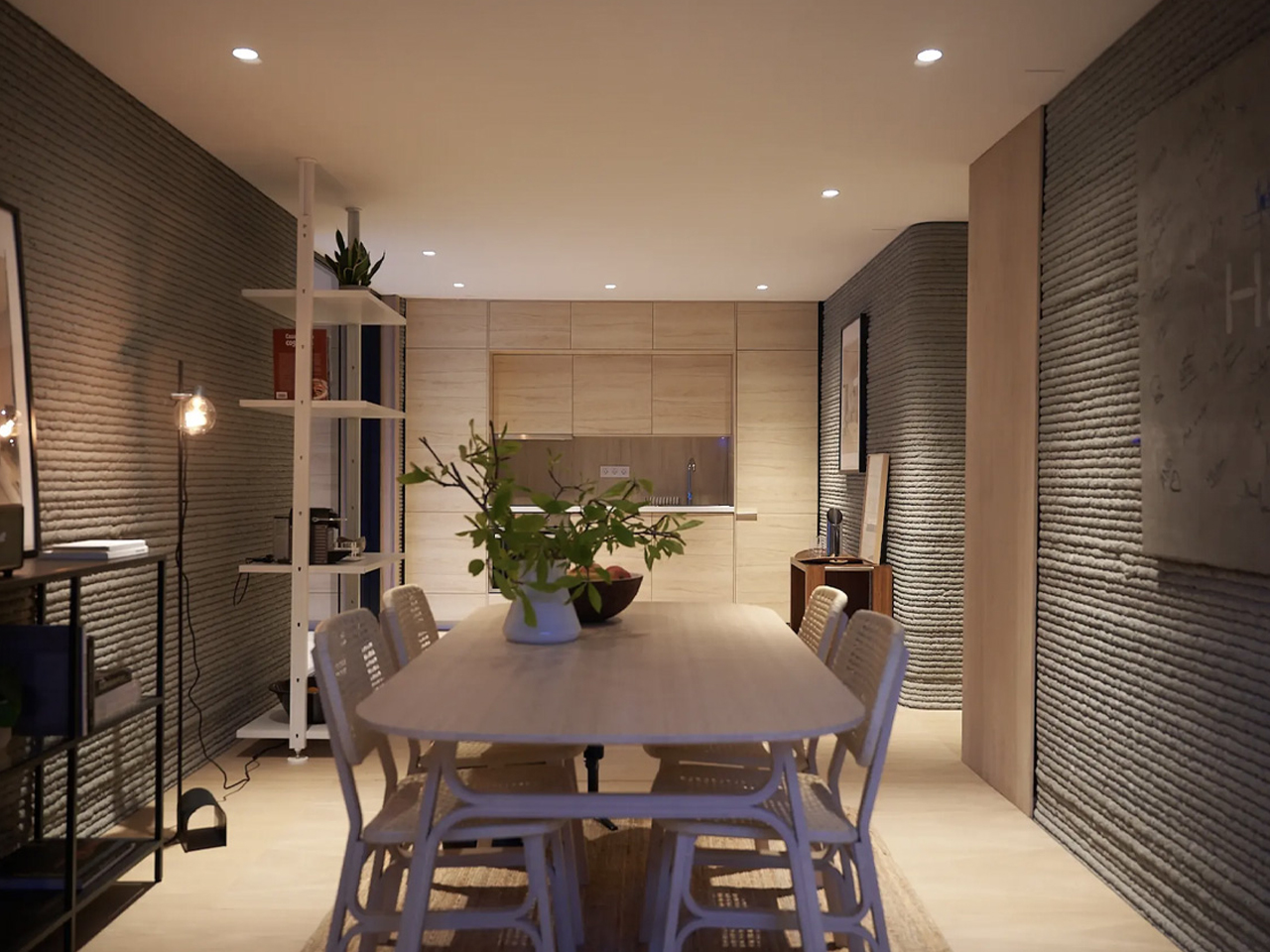
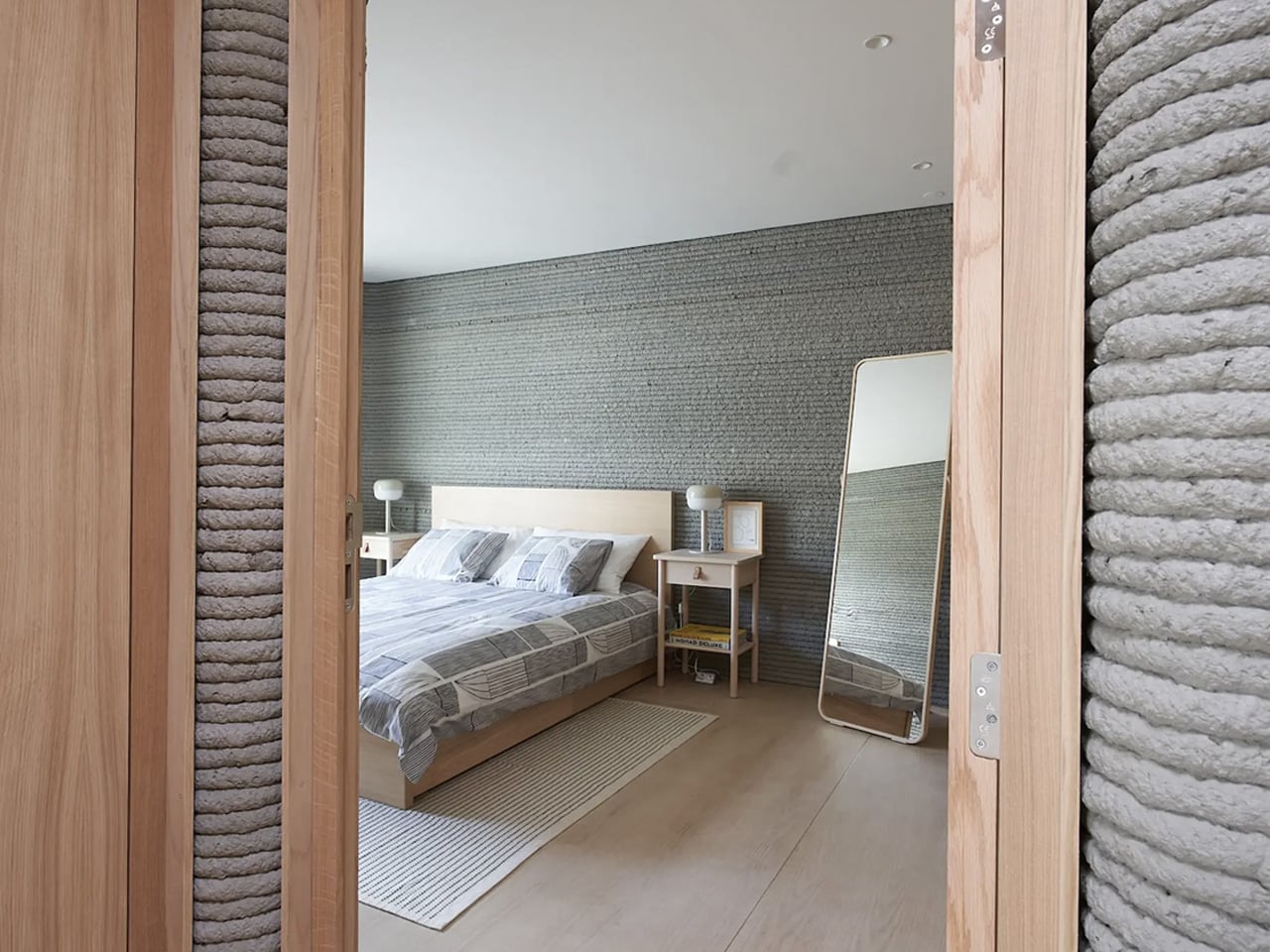
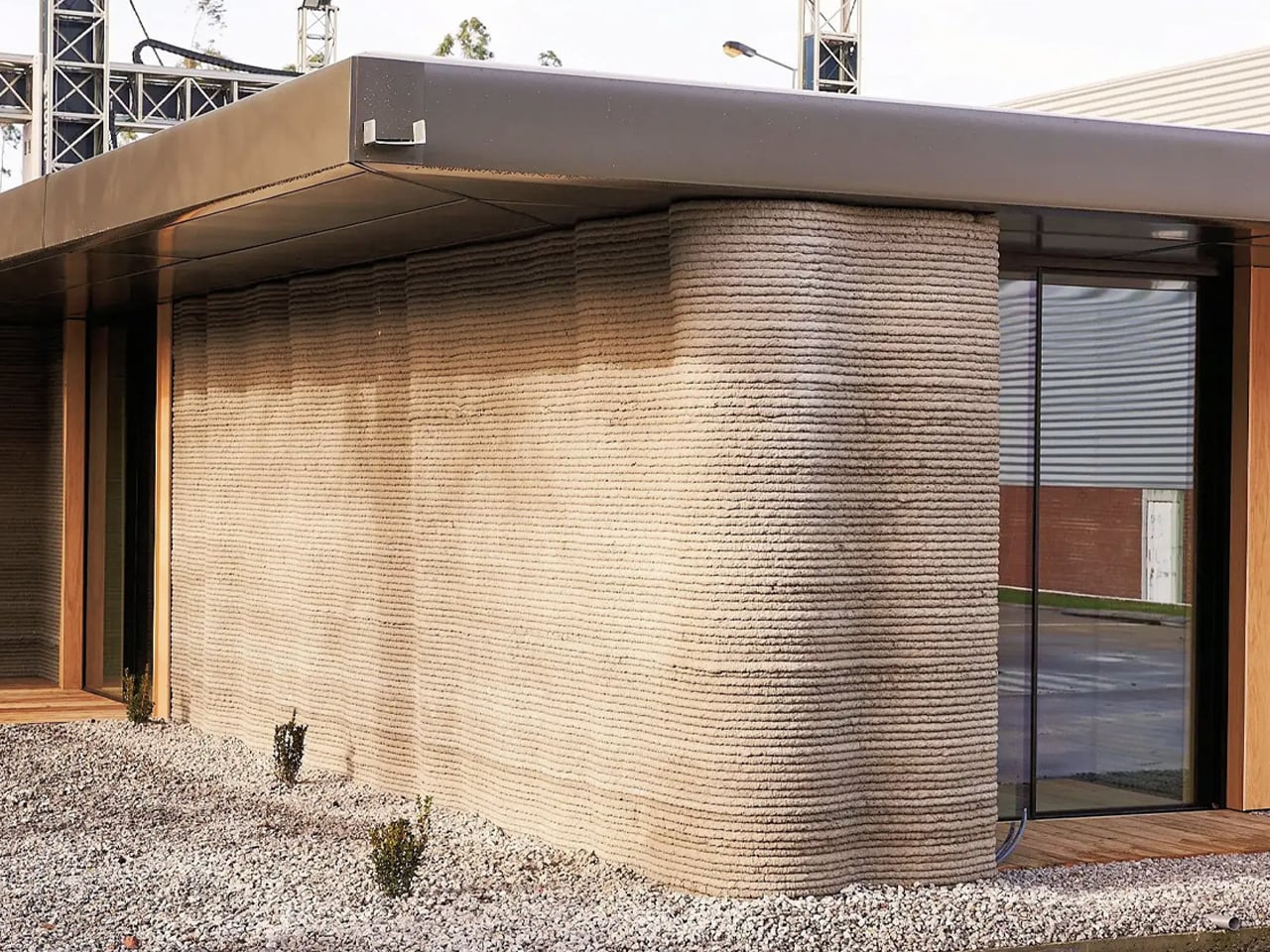
Architecture is no exception in the age of ubiquitous 3D printing, with many firms favoring this method for building structures. Cement company Progreso recently collaborated with COBOD to construct Guatemala’s first 3D-printed building to withstand seismic activity. This compact home, completed in just over 24 hours, merges modern construction techniques with traditional craftsmanship, featuring organic-shaped walls and a traditional palm leaf roof. With a footprint of 527 square feet, the structure operates as a fully functional living space capable of withstanding extreme seismic events.

8. Chairs

Designer: Johannes Steinbauer Office For Design

Oeschler’s new manufacturing technique, demonstrated in Johannes Steinbauer’s Office for Design’s 3D-printed seats, eliminates traditional materials while maintaining comfort and functionality. 3D printing is reshaping furniture design and manufacturing, introducing innovation in sustainability and functionality. With a simple yet versatile design, these chairs offer easy assembly and recyclability, signaling a promising future for 3D-printed furniture in the industry.

9. Recycled Wood

Designer: Aectual

Wood is a preferred choice for its eco-friendliness, yet shaping and recycling pose challenges. Enter 3D-printed wooden partition screens and window coverings, offering a breakthrough solution. While 3D printing democratizes design, it also increases material waste, prompting a search for sustainable options. Crafted from wood waste and fortified with natural elements, this innovative material resembles wood in appearance, texture, and scent. Moreover, its circular lifecycle allows for recycling into new forms, minimizing waste. Despite potential production cost concerns, its promise for intricate designs and sustainability makes it attractive for environmentally conscious designers.

10. Homeware

Crafted by Vienna-based designer Nicolas Gold, renowned for his expertise in “Tiny Furniture,” this collection employs 3D printing. The range comprises vases, bowls, planters, and lighting, all crafted from lightweight, recyclable bioplastic sourced from corn. This blend of architectural precision and modern technology results in sophisticated homeware where design, architecture, and 3D printing harmonize seamlessly. The Tiny Architecture collection showcases intricate patterns such as the asymmetrical Bloz and fabric-like Fald, crafted from partially recycled materials to enhance their individuality.

The post 3D Printing is Shaping Modern Product Design: Here’s How first appeared on Yanko Design.

Tiny yet Mighty Titanium + Carbon Fiber Pocket Knife is Smaller and Lighter than your House Key

It doesn’t get smaller than this, lighter than this, or more viciously sharp than this. Measuring a mere 57mm (2.5 inches) when shut and weighing just 5.6 grams (0.19 ounces), the WaspArmor Micro Folding Scalpel floats like a butterfly and stings like a bee… or a wasp, as its name would suggest. Its titanium and carbon fiber body gives it a classy-yet-durable build, and the replaceable scalpel blade means never having to sharpen your knife ever again. Quite impressive for a blade tiny enough to attach to your keychain.

Designer: AlloyX

Click Here to Buy Now: $39 $55 (29% off) Hurry! Only 15 left of 560 units.

Smaller than even your index finger when closed, the WaspArmor is like the chihuahua of pocket knives, tiny yet so audacious and aggressive you’re bound to take it seriously. The knife comes with a few clever tricks up its sleeve, but it all starts with the titanium and carbon fiber construction. Both materials are known for their incredible strength-to-weight ratio, which made them the perfect selection for the WaspArmor knife. The Titanium body gives the knife its durability, resilience, and ability to withstand corrosion, etc. Three carbon fiber inserts on the sides of the handle give the WaspArmor a unique aesthetic while providing a mildly textured grip that makes holding and maneuvering the scalpel easy.

A simple fold-out arm reveals the WaspArmor’s small but seriously sharp blade. While most pocket knives come with their own built-in blades, the WaspArmor relies on standard Scalpel blades that clip right into the knife’s design. The reason for this is three-fold – for starters, scalpel blades are deadly sharp. They glide right through pretty much anything, making them perfect for opening boxes, piercing packets, whittling wood, or even slicing tough paracord. The pointed tip and sharp edge make the scalpel blade a formidable piece of hardware, and these blades are readily available, which means you can simply buy a pack of them (they even come in different designs) for replacing whenever.

The second reason is that instead of sharpening/maintaining your WaspArmor, you can simply ditch an old blade for a new one, saving energy and time, while keeping your knife fresh and usable for decades. The third reason is that a knife with a removable blade is invariably TSA-safe. In case you happen to have the WaspArmor on you while entering an airport, you can simply ditch the blade and carry the rest of the knife with you. Removing and replacing the blade on your WaspArmor is easy but not too easy that the blade comes apart on its own. The blade can only be removed when the knife is open at a 120° angle, ensuring it never comes undone by accident.

The WaspArmor’s compact design still has enough room for clever detailing. A hidden back-lock lets the blade snap into its open position, so the blade doesn’t accidentally shut while in use. The handle’s small design is still ergonomic to hold and use, which is quite a functional win for anyone who’s serious about buying and using this knife on a daily basis. The compact handle still has enough space for a cutout that you can slide a lanyard/carabiner through or even your keychain ring. The knife is small and light enough to sit among your keys, being accessible in a split second, whenever you need a cutting instrument.

That small, accessible size is what makes the WaspArmor so incredible. You could use it to open Amazon parcels, sharpen pencils, cut tiny twigs/branches outdoors, scrape a flint to start a fire, slice through a paracord, cut a seatbelt to get out of a messy situation, or even defend yourself with a tough, sharp blade that will never disappoint.

Each WaspArmor features a CNC-machined Titanium handle, with those Carbon Fiber inserts that give the overall knife its distinct character. Even though it’s a tiny piece of EDC, it’s designed to be reliably safe, with the blade holding its position, and the swinging arm locking in both open and closed modes, so your knife doesn’t accidentally disassemble or worse… hurt anyone. The WaspArmor Micro Folding Scalpel starts at a discounted $39, which includes the WaspArmor itself, along with 10 replaceable scalpel blades (you can buy more at any medical or stationery store), a titanium keyring, and free global shipping.

Click Here to Buy Now: $39 $55 (29% off) Hurry! Only 15 left of 560 units.

The post Tiny yet Mighty Titanium + Carbon Fiber Pocket Knife is Smaller and Lighter than your House Key first appeared on Yanko Design.

This Actually Playable LEGO Tetris Set Celebrates the Digital Game’s 40th Anniversary

Not only does this LEGO set let you slide bricks into place, it comes with a randomized brick generator, and even a scoreboard to capture your score!

A perfect tribute to one of the world’s most influential digital games (with perhaps the most riveting backstory of any game ever), this LEGO Ideas set comes from the mind of LEGO Builder ‘victorvey300’ who wanted to pay a hat-tip to Tetris on its 40th anniversary which first made its appearance in Russian game circles back in the early 80s, finally finding its way to Nintendo’s first Game Boy in 1985. The LEGO set comes in the form of a box with a lid that doubles as the game’s screen. Bricks sit in a container below, controls can be found on the bottom right, and the top right acts as a leaderboard. When all’s done, the box closes shut, ensuring that bricks don’t get lost.

Designer: victorvey300

Not to spoil the AppleTV+ movie for you, but the Tetris game has one of the most nail-biting backstories of all time. Developed by Alexey Pajitnov, a resident of the Soviet Republic in the 80s, Tetris was circulated heavily within the USSR on bootlegged floppy disks and finally made its way to an American sales representative for a gaming company. What ensued was literally Cold War espionage at its best. Henk Rogers, the American rep who discovered Tetris tried to buy the rights to the game on behalf of Nintendo, which was working on the first Game Boy handheld console. Tetris was to be a part of this revolutionary portable gaming device, but the Soviets weren’t ready to sell Tetris to any outsider without putting up a fight (all hardware and software sales outside the Union were controlled/authorized by a government agency). In the end, Pajitnov managed to escape Russia and also ended up selling the rights to Tetris, which featured on the first Game Boy, becoming the global sensation it is today. As a tribute to this story and to Alexey himself, the LEGO Ideas kit also comes with a minifigure of Pajitnov standing beside an old-school computer!

The beauty of this LEGO build lies in just how much attention to detail it has. The vault-shaped kit has Tetris graphics on the outside (with branding), and the inside is simply filled with features and details that allow as many as 6 players to actually play a full game of Tetris, complete with brick generators that tell you what the next brick should be.

Playing the game is delightfully simple. Bricks sit in a bin at the bottom, the playable area or the matrix grid is right in front with vertical channels to slide bricks down, and a treadmill-shaped panel on the bottom right lets you scroll to see what your next brick should be. Scroll with your right hand, find the corresponding brick with your left and drop it down the channel of your choice. It slides down instantly, landing in place just the way it would in a game. The only real difference is that you need to choose each brick’s orientation and position before you drop it into the channel. Pieces don’t rotate or move once they’ve been slid in.

A game of digital Tetris can go on for HOURS because every time you complete a row, it disappears, helping clear out a part of the screen for more gameplay. That feature doesn’t exist in this LEGO version, which makes for a fairly shorter game… but calculating scores is much easier, allowing you to correspond the uppermost complete row to the line on the scoreboard right beside it. You can, however, reset the entire game in a flash by hitting the red Reset button on the left side of the matrix grid and have all the bricks drop down into the bin below. The alternative would be to manually lift each brick out of the lid, which sounds a little too problematic…

The Tetris bricks are referred to as tetrominoes, and come in 7 shapes that correspond with letters of the alphabet (I, O, T, J, L, S, and Z). The bricks are color-coded to make things easier to understand (after all, we recognize colors MUCH faster than we do shapes) for all people, and the game allows as many as 6 players, with colorful studs that you can press into the scoreboard to mark your highest scores.

This LEGO kit comes from the mind of independent builder victorvey300, who put his passion for LEGO and his love for Tetris together to create this incredibly comprehensive MOC (my own creation). Victor’s submission is a part of LEGO’s Ideas forum, a community-driven site where passionate LEGO creators build their own structures and users vote for their favorite ones. With over 5000 votes, this LEGO Tetris set is cruising comfortably to hit the 10,000 vote mark, which is then followed by LEGO’s own internal team reviewing the submission before turning it into a retail set. If you want, you can vote for the LEGO Ideas Tetris set too simply by visiting the LEGO Ideas website here.

The post This Actually Playable LEGO Tetris Set Celebrates the Digital Game’s 40th Anniversary first appeared on Yanko Design.

Quilt Mini-Split Cool and Heat Your Home with Stunning Design Inside and Out

Aiming to transform the heating and cooling industry with sleek, smart designs, Quilt was founded by former Google employees. The company raised $9 million in a seed round in May 2023, led by Lowercarbon Capital and Gradient Ventures, positioning itself to scale operations and bring innovative products to market. Inspired by design principles from Apple, Tesla, and Nest, Quilt targets consumers seeking both aesthetics and functionality in their home HVAC systems.

Designer: Quilt

The indoor units are compact in size and feature customizable front panels. Unlike the bulky designs found in traditional mini-splits, Quilt offers options such as oak wood veneer or surfaces that can be painted or wallpapered to match any interior decor. This flexibility allows the units to either blend seamlessly with or enhance home aesthetics. Moreover, the inclusion of color-customizable accent lighting adds a personal touch, serving as a nightlight or mood light.

The exterior unit, often a significant drawback for potential buyers due to its unattractive appearance, has been reimagined with a sleek, unobtrusive design. Quilt’s outdoor unit is compact and aesthetically pleasing, ensuring it doesn’t detract from a home’s exterior.

These heat pumps are packed with smart features designed to optimize comfort and efficiency. The Dial, a central control device, combines a touchscreen with a rotary control, providing an intuitive user interface. Compatible with Thread and Matter smart home communication protocols, the Dial ensures seamless integration with other smart devices. The Sense module, featuring a millimeter-wave occupancy sensor, accurately detects room occupancy, optimizing energy use and maintaining comfort levels.

The system’s zoning capability allows for precise temperature control in individual rooms, maximizing energy efficiency. With the ability to maintain 90% of its heating capacity down to -13 degrees F and utilizing R-32 refrigerant, which has a lower global warming potential than R-410a, Quilt’s heat pumps are both powerful and environmentally friendly.

The design and functionality make it ideal for various use cases, especially in regions with older buildings where central air installation is impractical. For instance, in Europe and Asia, where many buildings lack central air conditioning, Quilt’s ductless mini-splits offer an efficient, aesthetically pleasing solution. In the U.S., homeowners with rooms that are difficult to heat or cool, such as an upstairs office above a garage, can benefit from Quilt’s smart and attractive units. The customizable design and efficient performance make Quilt an appealing option for those who have avoided traditional mini-splits due to their unattractive exterior units.

Quilt’s customizable front panel blend in with your decor unlike other white mini-split.

Quilt distinguishes itself from competitors like Mitsubishi, Daikin, and Carrier with its focus on design and smart features. While traditional units may offer similar functionality, Quilt’s emphasis on aesthetics and user experience sets it apart. The customizable front panels and sleek exterior unit provide a significant visual upgrade, appealing to consumers who value both form and function. Additionally, Quilt’s smart technology, including the intuitive Dial and advanced occupancy sensing, enhances the user experience, making it a more attractive option for tech-savvy homeowners.

The ability to integrate seamlessly into smart home ecosystems and a commitment to sustainability with the use of R-32 refrigerant further bolster its competitive edge. With the global heat pump market expected to grow significantly, Quilt is well-positioned to capture a share of this expanding market by offering a product that combines beauty, intelligence, and efficiency.

Innovative design and smart features redefine the residential HVAC market by addressing both aesthetic and functional concerns. With a strong foundation and backing from notable investors, Quilt is poised to lead the next wave of HVAC innovation, providing consumers with a product that is as beautiful as it is efficient.

The post Quilt Mini-Split Cool and Heat Your Home with Stunning Design Inside and Out first appeared on Yanko Design.

How Does Upcycling Innovate Materials?

Amidst global concerns of exceeding the Earth’s capacity, upcycling has gained prominence as a solution, driven by conscious consumption and the circular economy’s principles. Upcycling helps reduce the amount of waste that would have made it to the landfills and repurposes items that would have been discarded, giving them a second life without degradation. It facilitates two out of the three Rs of recycling: REDUCE and REUSE.

Designer: FabBrick

Upcycling vs Recycling

Contrary to common belief, upcycling differs from recycling in that it repurposes materials without sacrificing their original quality. While recycling breaks down materials like plastic, paper, glass, and metal to produce new items, typically of inferior quality, upcycling maintains the integrity of the original materials, providing limitless opportunities to breathe new life into old items.

Upcycling

Upcycling involves gathering products or waste to repurpose or reuse, enhancing their value without breaking them down, thus maintaining their original characteristics, strength, and durability. This approach avoids any degradation of the material or product. Materials such as rubber and denim lend themselves well to upcycling, showcasing their versatility and potential. For instance, turning old jeans into patches for a blanket maintains the integrity of the denim, showcasing upcycling’s creative potential.

Recycling

Recycling involves gathering products or waste for breakdown and transformation into new items, requiring a specific process that can alter the original characteristics of the material or product. Each recycling cycle diminishes the material’s strength, and only certain materials are suitable for recycling; for instance, rubber presents challenges in the recycling process.

What are the different categories of upcycled products?

1. Electronics

Designer: Think Tank Team

Mobile devices like smartphones and tablets are now ubiquitous, yet their disposal poses environmental risks due to improper handling. Project Afterlife offers a solution by upcycling old smartphones instead of recycling them. This concept transforms devices into kinetic art objects, enhancing ambiance while conserving energy and resources. The product, resembling a taco-shaped crescent made from recycled plastic, provides an interactive platform for repurposed smartphones. With Project Afterlife, simply tilt the device to switch between different modes, like the “Endless Clock” and the “Timeline” photo stream, without touching the screen. This shows how upcycling helps the environment and makes everyday objects more valuable.

2. Textile

Designer: IKEA

In recent years, there has been a surge in supporting brands that prioritize sustainability, including upcycling and recycling materials. Ikea is joining this trend with their new collection, VÄXELBRUK, made from recycled coworker uniforms. This innovative line features 16 textile-based items, blending old uniforms with recycled materials like polyester from PET bottles. By repurposing these materials, Ikea reduces waste and offers stylish, eco-friendly products. The collection showcases how sustainability and style can go hand in hand.

3. Wood Waste

Designers: Michael and Mariel Upton

Recycling reduces landfill waste but can be energy-intensive and alter original designs. Upcycling offers a more efficient option, yet not all materials suit it. For example, discarded skateboard decks are transformed into stylish wall lamps named Heru, Cuna, and Mara. Reshaped into shorter ovals, paired with lighting hardware, and adorned with original artwork, these lamps emit a warm glow, serving as both illumination and minimalist decor, defying their original purpose.

4. Old Furniture

Designer: Christoph Kurzmann

During renovations, some opt to discard furniture instead of considering recycling. However, awareness of consumption and disposal is growing, leading to projects that repurpose items. Oxford Brookes University planned to landfill furniture during dorm renovations, but a student proposed the Upscaling Upcycling project. Disassembling existing furniture, Kurzmann created new designs, such as stackable stools and chairs from old bedframes and drawers. These pieces are well-designed and practical, showcasing the potential of upcycling to save resources and create useful furnishings.

5. PET Bottles

Polyethylene terephthalate (PET) plastic, known for its durability and lightweight nature, is commonly utilized in manufacturing containers for the food and beverage, pharmaceutical, and personal care sectors.

Designer: Impact Acoustic, Atelier oï

At the core of Oloïd’s innovative design is Archisonic Felt, a high-performance sustainable acoustic absorber made from upcycled PET bottles. Crafted from Archisonic Felt, Oloïd, a sustainable acoustic luminaire resulting from the collaboration between Impact Acoustic and atelier oï, exemplifies the fusion of functionality and artistic expression in modern design. This versatile material offers exceptional sound absorption while redefining the interaction between light and sound. Its Cradle-to-Cradle certification and LEED accreditation underscore its eco-friendly credentials. With 32 captivating colors curated from the Archisonic Felt range, Oloïd empowers users to personalize their spaces, seamlessly integrating organic shapes that transform two-dimensional panels into captivating three-dimensional entities. This luminaire not only sets a new standard for sound-absorbing luminaires but also stands as a testament to the potential of sustainable design in reshaping illuminated spaces.

6. Denim

Designer: Jack Spencer (Mosevic)

Researchers highlight that producing a single pair of jeans requires a staggering 7,600 liters of water, prompting global concern among ecologists about denim’s environmental impact. Textile production, notably denim, contributes significantly to water consumption, energy usage, and landfill overflow due to non-biodegradable fibers like synthetics. While recycling remains an underutilized option, upcycling emerges as a promising solution, exemplified by startups transforming old jeans into stylish sunglasses. Mosevic pioneers denim waste reduction by infusing waste denim with bio-resin to craft durable “Solid Denim” sunglasses, adorned with a natural wax finish for longevity. Despite sustainability challenges, initiatives aim to upscale production and inspire similar textile waste solutions.

7. Old Bicycles

Designer: Hyemin Kim

The 2 Stools from 1 Bicycle project repurposes old bike frames to create unique and functional stools. Each stool features a distinctive design with slanted legs reminiscent of the original bike frames, giving them a striking appearance. One stool has three legs, while the other has four, adding to their individuality. The seat is crafted from recyclable cork, in line with the project’s sustainability mission. These stools not only offer practicality and convenience but also allow people to give sentimental objects like old bikes a new lease on life. With their unconventional aesthetics and eco-friendly materials, these stools are both functional and visually appealing additions to any space.

Designer: Roy Sherizly (TOOB)

The growing popularity of bicycles in recent years has brought attention to long-standing environmental concerns associated with their components, particularly inner tubes. Despite being more eco-friendly than cars or motorcycles, bicycles still contribute to pollution due to discarded parts like rubber tires and inner tubes. The TOOB accessories line addresses this issue by repurposing useless inner tubes into practical and stylish products. Handpicked from local shops in Tel Aviv, these inner tubes undergo thorough cleaning and inspection before being transformed into items like TOOB Keychains and TOOB Straps. This upcycling initiative not only extends the lifespan of inner tubes but also supports the local bicycle economy. While inner tubes eventually wear out, TOOB’s efforts help postpone their disposal in landfills, offering a temporary solution until more sustainable alternatives are developed.

8. Cut-Offs

Designers: Anthony Frank Keeler, Sarah Coleman, Wisse Trooster

In manufacturing, there’s often excess material left unused, contributing to environmental concerns. To address this, manufacturers and designers are increasingly focusing on reducing waste and repurposing leftovers. Recycling and upcycling these materials into furniture and lighting fixtures, like Stackabl’s pendant lamps, offer sustainable solutions. Stackabl’s DIY tool allows users to customize their lamps by adjusting parameters such as length and disc diameter, resulting in unique, eco-friendly designs. Incorporating upcycled materials and energy-efficient LEDs, Stackabl emphasizes sustainability while offering personalized lighting solutions.

The post How Does Upcycling Innovate Materials? first appeared on Yanko Design.

M4 iPad Pro is super thin but also super durable as proven by bend test

There is an almost irrational desire to have the lightest and the thinnest mobile devices. After all, we don’t want to carry the literal weight of just products if we can help it, and thin devices also look sleeker, take up less space in your bag, and, at least in theory, use less material during production. That thinness, however, doesn’t come without a price, at least in terms of durability. Thin sheets of wood break more easily (karate, anyone?) and it’s also easier to bend thin metal than thicker ones. That may be the concern some people will have about the new M4 iPad Pro, especially the larger 13-inch model, but a rather excruciating stress test fortunately proves that isn’t the case, with one important caveat.

Designer: Apple (via JerryRigEverything)

You might no longer hear about it, but there were times when Apple’s quest for thin designs backfired catastrophically. Its first large iPhones, the iPhone 6 and iPhone 6 Plus, were notoriously susceptible to bending when placed in back pockets that the term “bendgate” was coined in 2014. The first iPad Pro, though less dramatic, was also proven to be less than reliable if put under extreme pressure. Fortunately, those seem to be well in the past and Apple has figured out a new design to help prevent that sort of structural failure in its thinnest iPad yet.

JerryRigEverything, the YouTuber whose claim to fame has been the unrelenting bend, scratch, and burn tests on phones and tablets proved that new solution to some extent. Apple apparently added a “cowling” or a spine inside the thin tablet that runs across its height, covering the new M4 chip in the center and splitting the two large battery packs. Thanks to this new structural support, bending the tablet across its long edge no longer breaks it in half. It does deform in a way that won’t return to its flat state but it at least remains usable.

The catch, however, is that bending it in the opposite direction does actually destroy the iPad Pro. The flaw unsurprisingly lies in the thinnest part of the frame, the area around the USB-C port. With enough pressure, this bends sharply and pushes into the screen, cracking it and rendering it completely unusable. To be fair, the chances of that happening inside your backpack are extremely rare, but its existence should give owners caution. That said, most M4 iPad Pro owners will probably keep their ultra-thin tablets inside the new keyboard case when in transit anyway.

The stress test of the 2024 13-inch iPad Pro also shows some of the gems of this new design, like that aforementioned spine that was revealed after the shattered screen was peeled off. The YouTuber also provided a close-up of the Tandem OLED screen but, unfortunately, can’t show the second layer of OLED pixels underneath. All in all, the design of the M4 iPad Pro, both in terms of technology as well as product design, is quite impressive, but that isn’t an excuse not to take proper care of the device. Be sure to check out our hands-on of the new iPad Pro and keep a look out for our in-depth review coming soon!

The post M4 iPad Pro is super thin but also super durable as proven by bend test first appeared on Yanko Design.

Compact MagSafe Flashlight is perfect for everything from iPhone photography to outdoor adventures

With a stunning 300 lumens of brightness, the WUBEN E1 is 6 times more powerful than your smartphone flashlight, making it perfect for selfies, vlogging, outdoor trips, emergencies, and even reading. The best part, it snaps right onto the back of your phone, giving you a compact ring-light on demand, so you don’t have to use your phone’s crummy excuse for a flashlight. And when you’re not using the light, you can use it as a stand to prop your phone up at any angle.

The WUBEN E1 is proof that MagSafe was an incredible idea. While Apple merely designed the feature to support chargers and attach wallets, MagSafe has spawned a whole host of third-party accessories, from finger grips to tripods, power banks, EDC, and now the E1 flashlight. A perfect example of an accessory that nobody knows they want but everyone definitely needs, the WUBEN E1 straps a powerful lighting device to the back of your phone. Much more effective than your smartphone’s native flashlight, the WUBEN E1 sports a ring of 28 LEDs that create a bright ring light that’s perfect for selfies or for exploring the outdoors. The light sits on a hinge that serves as a stand for your phone, while also letting you face the light forwards or backward, giving you the option of even using it for selfies. Plus, multiple brightness levels and three color temperature settings (warm, neutral, cool) give you way more freedom than your smartphone flashlight could even dream of.

Designer: WUBEN

Click Here to Buy Now: $39 $49 (20% off) Hurry, limited units at discounted price. Raised over $133,000.

For context, the iPhone 15’s flashlight maxes out at 50 lumens – ask any photographer and they’ll tell you that is far too little for effective flash photography. The WUBEN E1, however, overshoots the smartphone flashlight’s brightness by about 6x, giving you a light that’s much more effective in a variety of scenarios, whether it’s finding your keys in the dark or taking beautiful low-light selfies.

Slightly smaller than a hockey puck, the WUBEN E1 packs a series of 28 LEDs in its compact design, and can be used either independently or while securely snapped to the back of your MagSafe-compatible smartphone. On its own, the WUBEN E1 is a pretty handy little flashlight that can be held in your hand, attached to the hood of your car (or any metal surface), or even propped up on any flat-ish plane for instant lighting. Snap it onto the back of your smartphone, however, and you’ve got yourself a powerful tool for selfies, vlogging, or even outdoor adventures.

The WUBEN E1 operates entirely thanks to a crown located on the rim beside the LEDs. Similar to the ones found on a watch, the crown can be pushed to activate the light or cycle through temperature settings, and can be rotated to adjust the brightness. Keeping things gloriously simple, the E1 doesn’t come with an app or any settings that would complicate its use. It’s simply a great, intuitive, sleek EDC light that just so happens to attach to the back of your phone.

Attaching the WUBEN E1 to your phone gives you two distinct benefits. The light’s hinged arm lets you use the E1 as a stand for your phone, propping it up in pretty much any angle you choose. The second, more obvious benefit, is the fact that it replaces your phone’s flashlight with something far more versatile and powerful. The LED ring is 6x more powerful than your phone’s native flashlight, and the hinged arm lets you face the lights anywhere, creating a great makeshift camera light that’s just wonderful for low-light shots, vlogs, or even vanity selfies. Weirdly enough, the LED ring also makes your iPhone look somewhat like a Nothing Phone (1), which feels ironic and slightly hilarious. iPhone users get the last laugh, however, because the E1 is so much more capable than the Nothing Phone’s notification LEDs.

Each E1 comes made from lightweight Magnesium alloy, giving the EDC flashlight a weight of just 36 grams or 1.26 ounces. At just 6mm thin, the WUBEN E1 fits comfortably onto the back of your phone without really jutting out or obstructing regular phone usage. It’s also slim enough to slide directly into your pocket with or without your phone, reinforcing its portability. A 320mAh battery gives the flashlight anywhere between 30 minutes of usage (on its brightest setting) or 50 hours of on-time (on its lowest setting), while a USB-C port on the base of the light lets you charge your device.

The WUBEN E1 starts at $39, and for $69 you’ll get the E1 along with a metal tripod stand/selfie stick that sits between the flashlight and your phone, turning your cutting-edge phone into a comprehensive photo and videography device. The Wuben E1 ships globally starting July 2024.

Click Here to Buy Now: $39 $49 (20% off) Hurry, limited units at discounted price. Raised over $133,000.

The post Compact MagSafe Flashlight is perfect for everything from iPhone photography to outdoor adventures first appeared on Yanko Design.

This Camera Lens Cover comes with a secret compartment for SD cards or an AirTag

Your DSLR may not have Apple FindMy, but the folks at Polar Pro have a clever alternative. Meet the Defender, a camera body cap that fits directly over the lens rim, protecting the sensor inside from damage or exposure to outer elements. Designed to fit on a wide range of models, the Defender isn’t just a protective cover, it comes with a hollow design that lets you stow away essentials including SD cards or even an Apple AirTag. Pop the Defender onto your camera and now not only do you have memory cards available to you at the tip of your fingers, you’ve also got a camera that you can track on your iPhone or any other Apple device. Smart, eh?!

Designer: Polar Pro

The Defender Body Cap comes with a 6061 aluminum outer body, eschewing the plastic construction found on most default camera body caps. The aluminum offers stronger protection, defending your camera from bumps, scratches, and offering much higher protection than flimsy plastic.

The Defender’s secret sauce, however, lies in its inserts that fit into the body cap, allowing you to store items inside the cap’s spacious form factor. Polar Pro offers 3 inserts to choose from – one that holds an AirTag, another that holds 1 SD and 2 MicroSD cards, and a third that holds a CFexpress A card. The caveat, however, is that you can only use 1 insert at a time, which means you can’t simultaneously store an AirTag with an SD card (which feels like a bit of a lost opportunity to be honest), but I’d probably pick an AirTag any day, given that SD cards can easily fit in a wallet.

This nifty feature means your camera’s body cap now has a secondary purpose – hidden storage. The cap fits on Sony, Nikon, and Canon cameras, allowing you to pretty much attach the Defender onto DSLRs, SLRs, Mirrorless cameras, or even full-frame video cameras. Pop an AirTag in and your camera can easily be tracked on your FindMy app, so that if it ever gets misplaced or stolen, you’ll know exactly where it is. Chances are nobody will know the body cap has an AirTag concealed inside it, and anyone who values cameras will know better than to throw the body cap away.

The Polar Pro Defender comes in 3 colors – Black, Desert, and Forest, and ships with all 3 inserts, allowing you to choose what to tuck away in your body cap.

The post This Camera Lens Cover comes with a secret compartment for SD cards or an AirTag first appeared on Yanko Design.
Build your own NAS Cloud Drive using a Raspberry Pi 4 and a 3D Printer

Why pay for iCloud when you’ve got your own personal iCloud at home?!

Subscriptions will be the death of our civilization. Imagine not being able to ‘own’ something because a company only allows you to rent it. You don’t own the movies you pay for on Netflix, you don’t own the music you pay for on Spotify, and you can’t own storage on the cloud because even though you’re buying 500GB worth of space, you’re merely renting the space on a cloud server somewhere. This strange arrangement has led to the rise of personal NAS (Network-Attached Storage) devices, with people choosing to simply BUILD their own cloud storage devices instead of paying Apple, Google, or Microsoft for them. The advantages of a NAS are many – you don’t need to pay monthly fees, your cloud-drive is private to you so you don’t have to worry about Google or Apple getting hacked and your data getting leaked, but most importantly, you can store and access files on your NAS from anywhere. Use it to take phone or laptop backups, to store/watch videos, or even build your own music/movie streaming library as the ultimate cord-cutting move!

Designer: Frank Bernhardt

If you’re looking to buy a NAS, there are quite a few out there, but if you want to try building your own, DIY-maker Frank Bernhardt managed to put together one using a Raspberry Pi 4 module, a few extra components, and a 3D-printed enclosure. His entire process is up on Instructables for anyone to see and make, although you’ll definitely require some technical knowledge to get the software up and running.

Bernhardt’s NAS runs on a Pi4 module, connected to an SSD. The entire enclosure’s printed out of plastic, with metal inserts to screw the NAS together. Instead of simple status LEDs, Bernhardt even put a functional screen on the front that displays messages and the time of day when sitting idle.

One of the primary considerations in this project is the design of the enclosure. The enclosure needed to meet several specifications: it should allow access to the power and network connectors from the rear while keeping the USB connectors inside for a clean aesthetic. The use of melt-in brass threaded inserts ensured durability, and the compact size made it printable on a standard 200 x 200 mm 3D printer bed. The design avoids the common 90-degree offset for connectors typical in Raspberry Pi cases, streamlining cable management. Moreover, the enclosure does not require active cooling, reducing noise and making it suitable for SSDs.

Here are the materials and components used in the entire build:
Devices for computing and storage

  • Raspberry Pi 4 or 5 with power supply, 2GB RAM is sufficient
  • 32 GB micro SD card, SanDisk Extreme PRO recommended
  • One or two 2.5″ SATA hard disk drives, SSD recommended
  • One or two USB 3.0 to SATA adapter(s), Sabrent adapter(s) recommended

Software

  • Raspberry Pi Operating System Image (Pi OS Lite, 64-bit no desktop)
  • NAS Software for Raspberry Pi OS, openmediavault recommended

Component parts

  • 10 x M3 brass threaded inserts
  • 10 x M3x5 screws (4 more for the second hard disk drive)
  • 4 x M2.5 brass threaded inserts
  • 4 x M2,5×6 screws
  • 4 x M3x6 countersunk head screws
  • 1 x Keystone module RJ45 Cat 6
  • 1 x RJ45 Cat 6 patch cable (length or color doesn’t matter)
  • 1 x USB type C male connector plug to solder
  • 1 x USB type C female connector jack 2 pin with wire
  • 1 x SH1106 1.3″ OLED module I2C 128X64 4 pin
  • 1 x 4-pin cable with Dupont female connectors, either self-made or ready-made
  • Some PLA filament for your printer with the colors you prefer.

Printing the enclosure involved creating four main parts: the tray, device rack, side lid, and an optional stand. The tray required support structures for the connector openings and display window, which can be generated using slicing software. The rack holds the Raspberry Pi and hard drives, ensuring that the components are securely mounted. The assembly of the rack with the Raspberry Pi and hard drives necessitated precision, particularly when melting the brass threaded inserts using a soldering iron.

The next phase involved setting up the Raspberry Pi OS and configuring the network. Using the Raspberry Pi Imager, Bernhardt installed Raspberry Pi OS Lite (64-bit) onto a micro SD card. Essential settings such as hostname, username, password, and SSH enablement were configured during this process. Assigning a static IP address to the NAS ensured consistent network access, either through the Raspberry Pi OS, openmediavault, or a DHCP server, with a provision for regular patches and security updates

After the software setup, attention shifted back to hardware. The USB-C power connection and OLED display installation were critical steps. The USB-C socket was soldered inside the enclosure due to space constraints. The OLED display, used for status updates, was delicate and had to be installed without bending. Properly connecting the display to the GPIO pins of the Raspberry Pi was essential, ensuring to match the pin configurations correctly.

For the network connection, a keystone module simplified connectivity and future upgrades. By attaching a patch cable and keystone module inside the enclosure, the LAN port became easily accessible, accommodating both Raspberry Pi 4 and 5 models. This modular approach facilitates easy maintenance and upgrades, ensuring the longevity of the NAS setup.

Once the hardware assembly was complete, the OLED display software was installed. A Python script displays various system metrics on the OLED screen. The script runs at startup, continuously updating the display. Finally, the NAS software, openmediavault, was installed. This software provides a user-friendly web interface for managing the NAS, making it accessible and easy to configure. The installation was straightforward, and upon completion, the NAS was ready for use, with a commendable 500GB of storage.

Bernhardt’s Raspberry Pi NAS required a fair bit of technical expertise, but the process worked out MUCH cheaper than spending hundreds on a readymade NAS. If you’re looking for a nice summer project for yourself, you can build your own Raspberry Pi NAS too by following Bernhardt’s instructions here.

The post Build your own NAS Cloud Drive using a Raspberry Pi 4 and a 3D Printer first appeared on Yanko Design.
iPad Pro M4 hands-on first impressions: Lightweight, Thin, and Sexy

If I could review a tablet with one word, I’d pick the iPad Pro, and the word I’d use is perfect. You’d probably demand an explanation, right? Apple has achieved design perfection with the iPad Pro, both inside and out, as well as with the redesigned Magic Keyboard. Now, before you start asking, “What about iPadOS? It’s nowhere near perfect,” let me clarify: I’m specifically talking about the hardware here. We’ll have to wait until WWDC 2024 in June to see what Apple has in store for the operating system.

Over thirty-odd years ago, I enjoyed reading philosophy in my spare time, and one of my favorite philosophers is Plato. Okay, you caught me—rarely does anyone read Plato just for fun. But it’s true that Plato’s “perfect object theory” inspired me in my quest as a tech and automotive journalist to find the perfect [fill in the blank]. My search didn’t initially start with the iPad; I was hoping for a “MacBook touch.” I even bought the domain name MacBooktouch.com back in 2007 as proof that I foresaw Apple making a touch-screen MacBook.
macbooktouch.com domain name

Fast-forward to 2015, when we got the iPad Pro with a 12.9-inch display and the first Apple Pencil and Smart Keyboard. That hardware wasn’t close to a MacBook Touch. Nine years later, or 17 years since I registered macbooktouch.com, we finally have the closest thing to a MacBook touch.

The MacBook touch—er, 2024 iPad Pro—is powered by the M4 chip. In case you don’t know, it’s the only device with this new processor. The only things keeping this device from being a MacBook touch are 1) the iPad branding and 2) it’s not running macOS. Is it capable of running macOS? Absolutely. So, why isn’t it? I’ll leave that for you to ponder.

Before I move on, I won’t be revisiting whether you should upgrade to this year’s iPad Pro. If you’re asking if you should, read my analysis here. Okay, let’s dig in, and if anything I say in this article sounds familiar, you’re right—you’ve probably heard it from tech YouTubers or read it in reviews over the past week. Just think of what I’m sharing as confirmation.

The iPad Pro is lightweight, thin, and sexy as hell. It exudes minimalist charm, practically begging, “Pick me up and use me right now!” The Magic Keyboard is what makes this iPad Pro a true MacBook replacement. It’s the key to unlocking the full potential of the iPad Pro, providing a MacBook Pro-like experience with a responsive trackpad, comfortable keys with the right amount of travel, and premium build quality.

Comically, early reviewers seemed genuinely surprised that Apple managed to thin out the iPad Pro even more. One famous YouTuber even asked, “Who was asking for it?” Well, my friends, that “who” was yours truly. Apple delivered on almost everything I asked for, except for titanium—and yes, that was wishful thinking. I’m happily settling for aluminum for both the iPad and Magic Keyboard. I’m also thrilled that both devices have shed some weight, making the iPad, especially the 13-inch model, much more manageable to hold and use over longer periods. The 11-inch model is now just 5.3mm thick and weighs 444 grams, while the 13-inch model is 5.1mm thick and weighs 580 grams.

Briefly touching on the Magic Keyboard, I’ll save the full details for the review, but Apple addressed my issue where the lower portion of the iPad Pro would constantly get in the way of my typing. Thanks to a whole new redesigned hinge system, it’s possible to have a full-size keyboard with an entire row of function keys. For those developers out there yearning for an ESC key, you have it now. The way Apple designed the placement of the iPad, which is now pushed further back yet still articulates at the same or greater angles than the outgoing model, reminds me of how car designers suddenly got so much more room to play with when designing electric vehicles sans the motor. The wheels are pushed further to the edges, creating more internal room for leg space and whatever else they can dream up. I’m sure the new hinges were no small task, but wow—a full keyboard with a function row and a larger trackpad, a proper MacBook Pro-style trackpad with a haptic engine built in.

At the end of the day, I really don’t care what the iPad’s called; what matters most to me is what I’m able to do with it in real life. Whether consuming content or playing games (which I rarely do, but hey, I might start) without a bulky keyboard, or getting down to business and writing, like I am doing right now with this article and many others to come, I know this is the ultimate, ultra-portable device that ticks all my needs now and possibly over the next decade.

I’ve left out a lot in this initial impressions article, such as display quality, performance, battery life, the Apple Pencil Pro, and other features. I also haven’t compared it to my existing 12.9-inch iPad Pro with the M1 chip. But rest assured, I’ll cover all these aspects in my full review. I just need more time to test everything thoroughly.

The post iPad Pro M4 hands-on first impressions: Lightweight, Thin, and Sexy first appeared on Yanko Design.