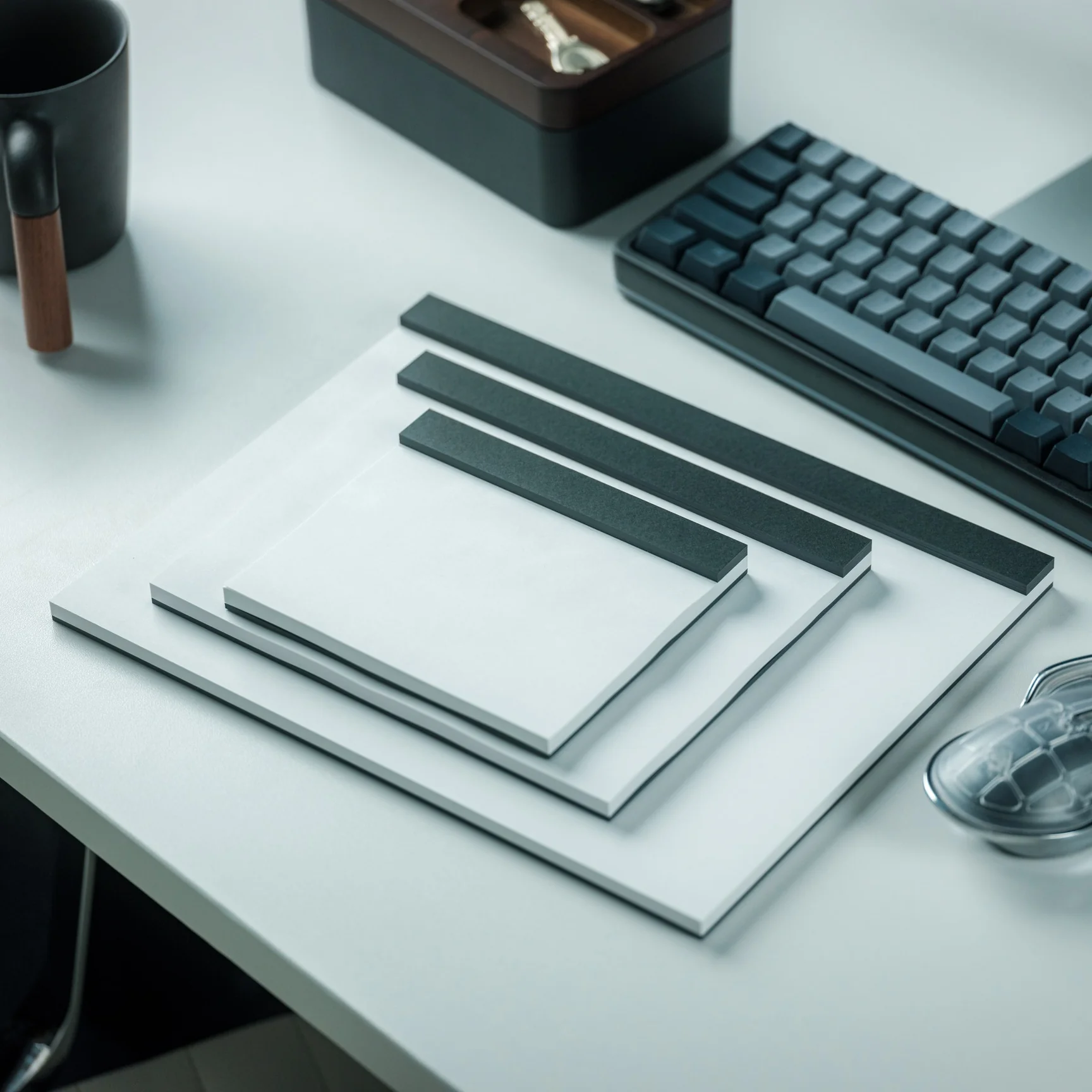
This Handmade Japanese Drawing Pad Comes With Black Paper That Makes Every Stroke Feel Deliberate

I cannot draw to save my life, but I have a special affection for drawing pads, especially if they’re really well-made. I always have one in my collection, whether to give as a gift to people who actually know and love to draw, or to use for journaling and scrapbooking purposes. The kind of paper used plus the binding (and sometimes the cover) makes all the difference. Japanese craftsmanship when it comes to stationery is usually the go-to of collectors like me.

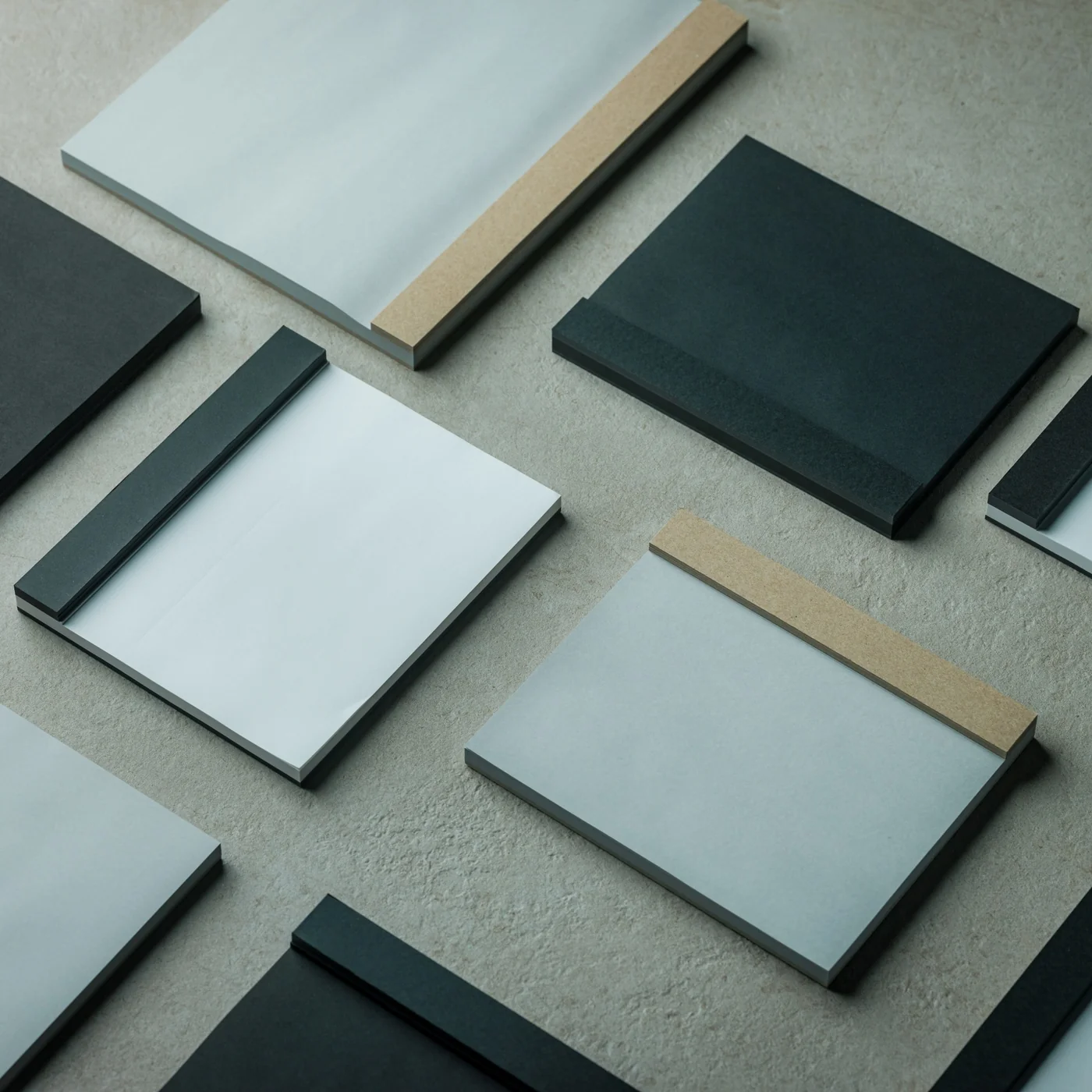
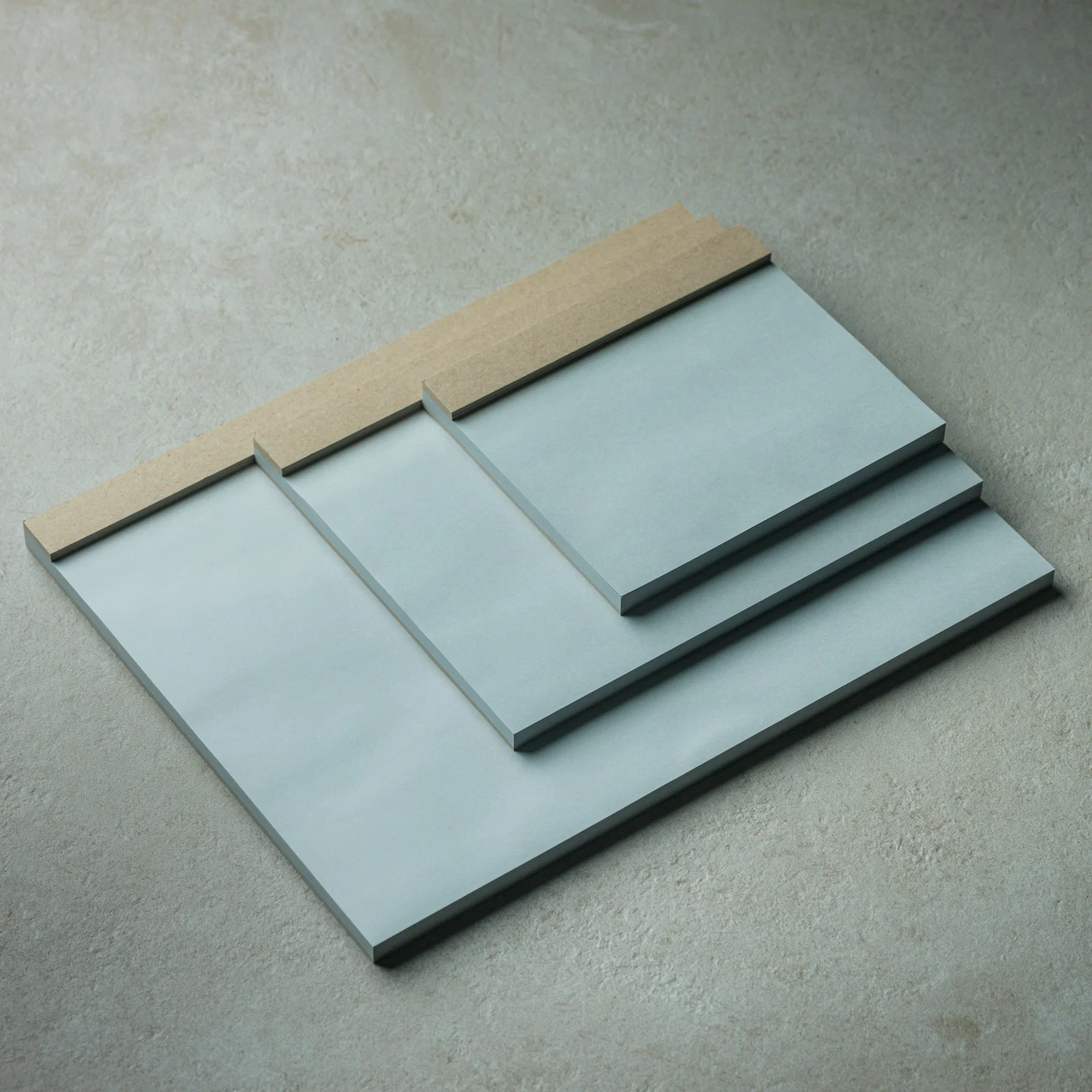
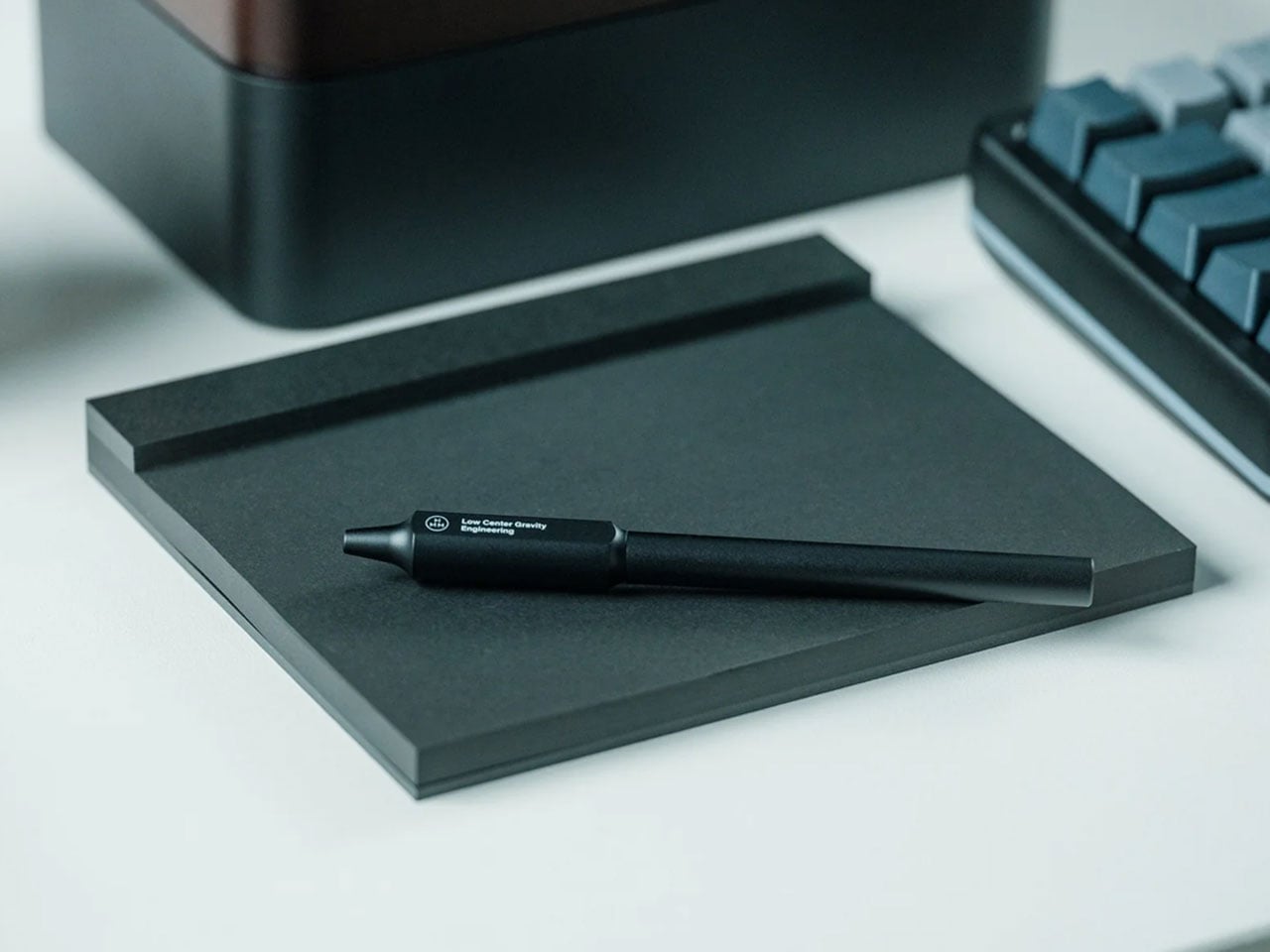
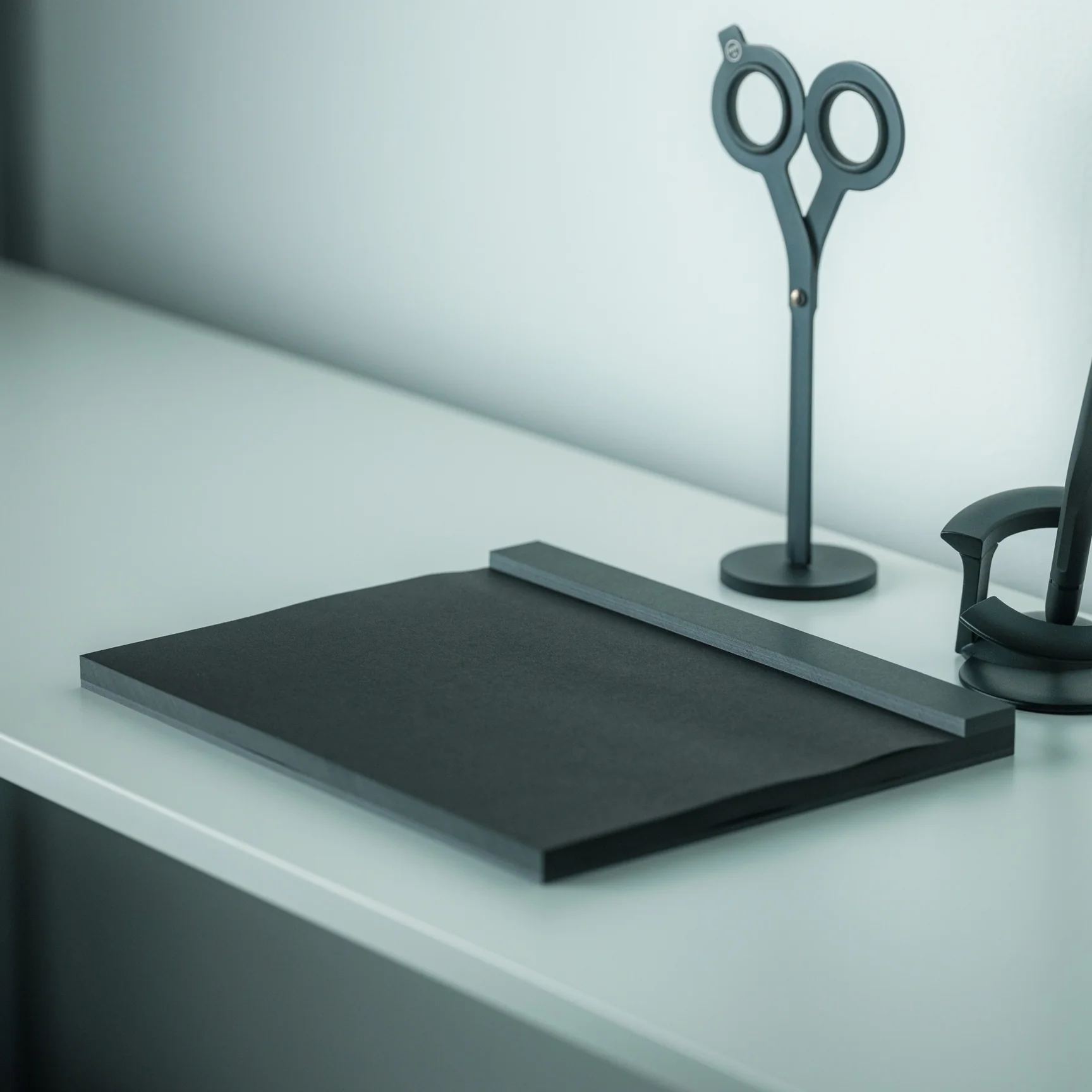
The Japanese Drawing Pad is simply named and is also minimalist in its design. But it’s a piece of living craftsmanship with almost a century of bookbinding tradition behind it. Originally available in white and grey paper at $30, now it also comes with a black paper option that adds even more elegance for those looking for a unique kind of drawing and writing experience. Having a simple but efficient and beautifully designed tool like this can help artists, creators, writers, and hobbyists bring their ideas to life. It’s also worth noting that this is the kind of design that looks just as good sitting on a desk as it does in use: clean, understated, and effortlessly elegant.

Click Here to Buy Now: Starting at $30.00 Hurry, only a few left!

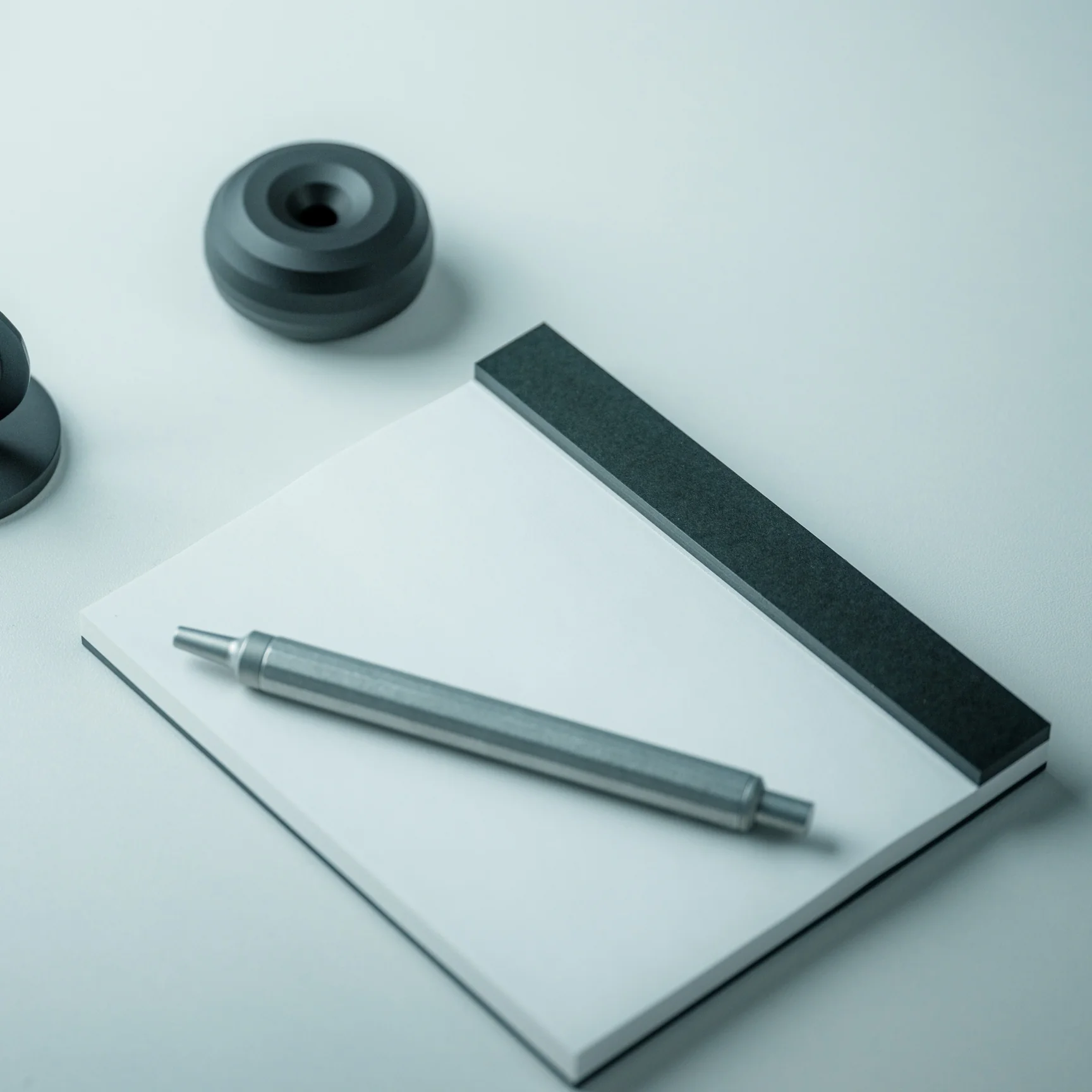
If you know anything about stationery, then you know that Japanese paper has always been held in high regard. It is smooth and soft but comes with an inherent toughness that makes it perfect for calligraphy, drafting, drawing, sketching, and more. This Drawing Pad, of course, uses this premium paper, and it’s one of its main selling points for connoisseurs. The pad doesn’t come with a cover, so you can go straight to the heart of the matter by drawing, sketching, or writing directly onto it. And once you’re done with whatever masterpiece you’re creating, or whether it’s just the first draft of something, you can easily tear it off, since each sheet is microperforated at the top.

The Japanese Drawing Pad is made by hand by ITO Bindery, as the binding glue is applied using a specialized brush, so you know that each piece is handcrafted with precision. The bookbindery has been around since 1938 and has not lost its bookbinding tradition over the past few decades. Each pad also uses a recycled cardboard backing, which is a thoughtful and sustainable touch. You have three options for size. If you need something compact to carry around, get the A6. If you need a bigger space, the A5 is perfect for you. And if you need something that gives you more room for details, go for the A4 size.

Previously, you only had white and gray as the paper options. But now you can also choose to get the black paper, a particularly striking choice if you have silver, white, or metallic-ink pens to use when drawing or writing. The unconventional black surface is something that many artists and writers prefer when they want to experiment, and it’s easy to see why. There’s something almost theatrical about working on black paper: every stroke feels more deliberate, more expressive, and more visually arresting. Whether you’re sketching a portrait, laying out a design concept, or writing in silver ink, the contrast is stunning in a way that a standard white pad simply cannot replicate.

Whether you’re a seasoned artist, an avid journaler, or simply someone who appreciates beautiful and well-crafted objects, the Japanese Drawing Pad deserves a permanent spot on your desk, or at the very top of your gift list. It’s the rare kind of thing that manages to be both a functional everyday tool and a quiet work of art. In a world increasingly cluttered with screens and digital noise, there’s something deeply satisfying about slowing down and putting pen to paper, especially when the paper is this exceptional. The new black option only sweetens the deal, giving this already beloved pad a bold new identity. For collectors and creatives alike, this is one addition to your collection that you won’t regret, and one gift that will definitely be remembered.

The post This Handmade Japanese Drawing Pad Comes With Black Paper That Makes Every Stroke Feel Deliberate first appeared on Yanko Design.

5 Best Retro-Inspired Desk Accessories That Aged Better Than Most New Ones

Your desk probably looks like a lot of other desks right now. Same matte black keyboard, same Bluetooth speaker with the pulsing light ring, same cable management that made sense for about two weeks. The problem is not what you spent. It is what you picked. Most desk accessories launched in the last three years were designed around a trend, which means they are already halfway through their shelf life.

These five pieces were designed well enough the first time that they are still in production, still worth buying, and will outlast whatever trend comes next. That is not the easiest thing to find in a market flooded with objects that look good in a cart and feel cheap by Friday. Each one on this list has been tested by time in a way that no review cycle can replicate.

1. 8BitDo Retro 87 Keyboard

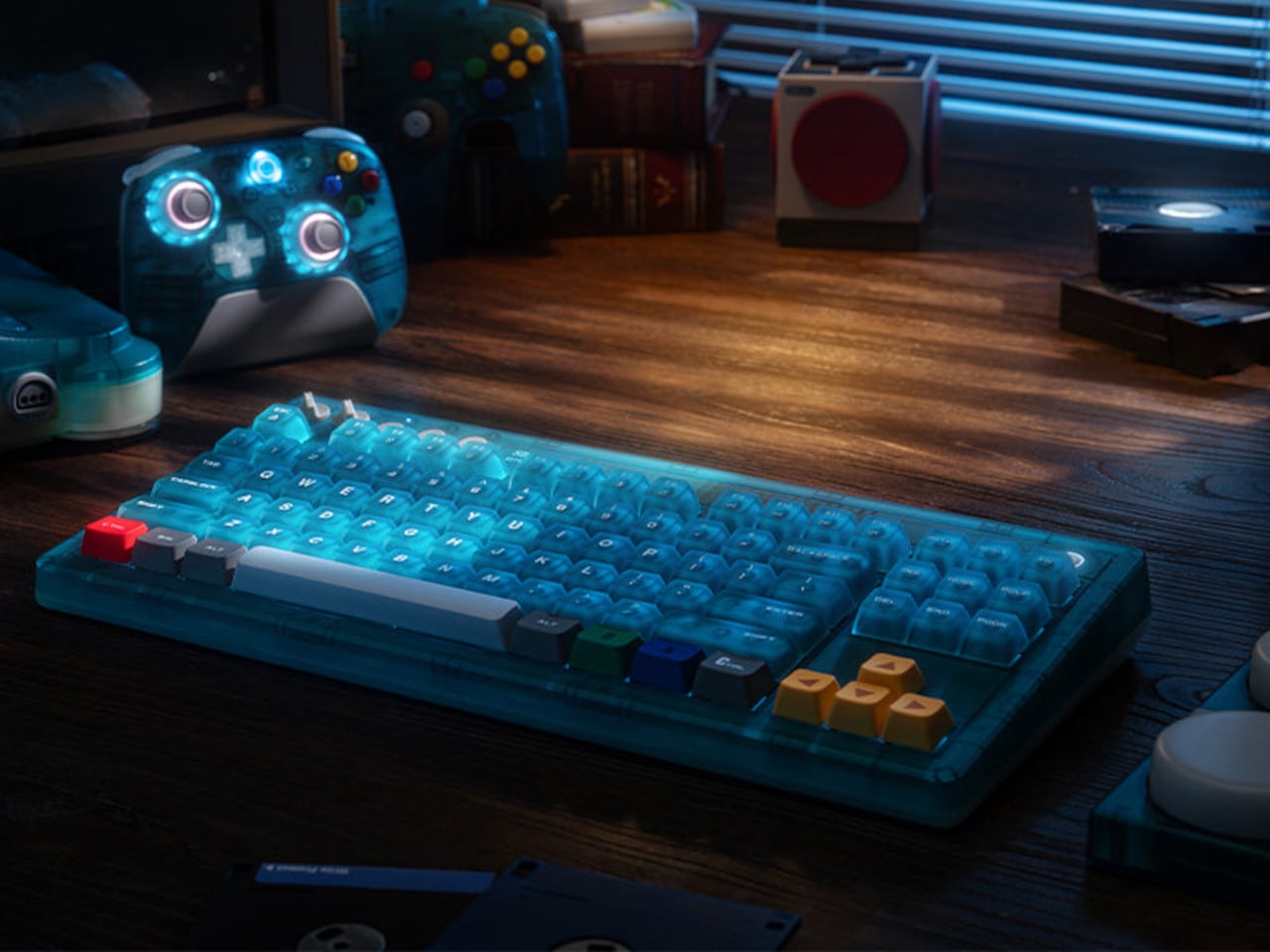
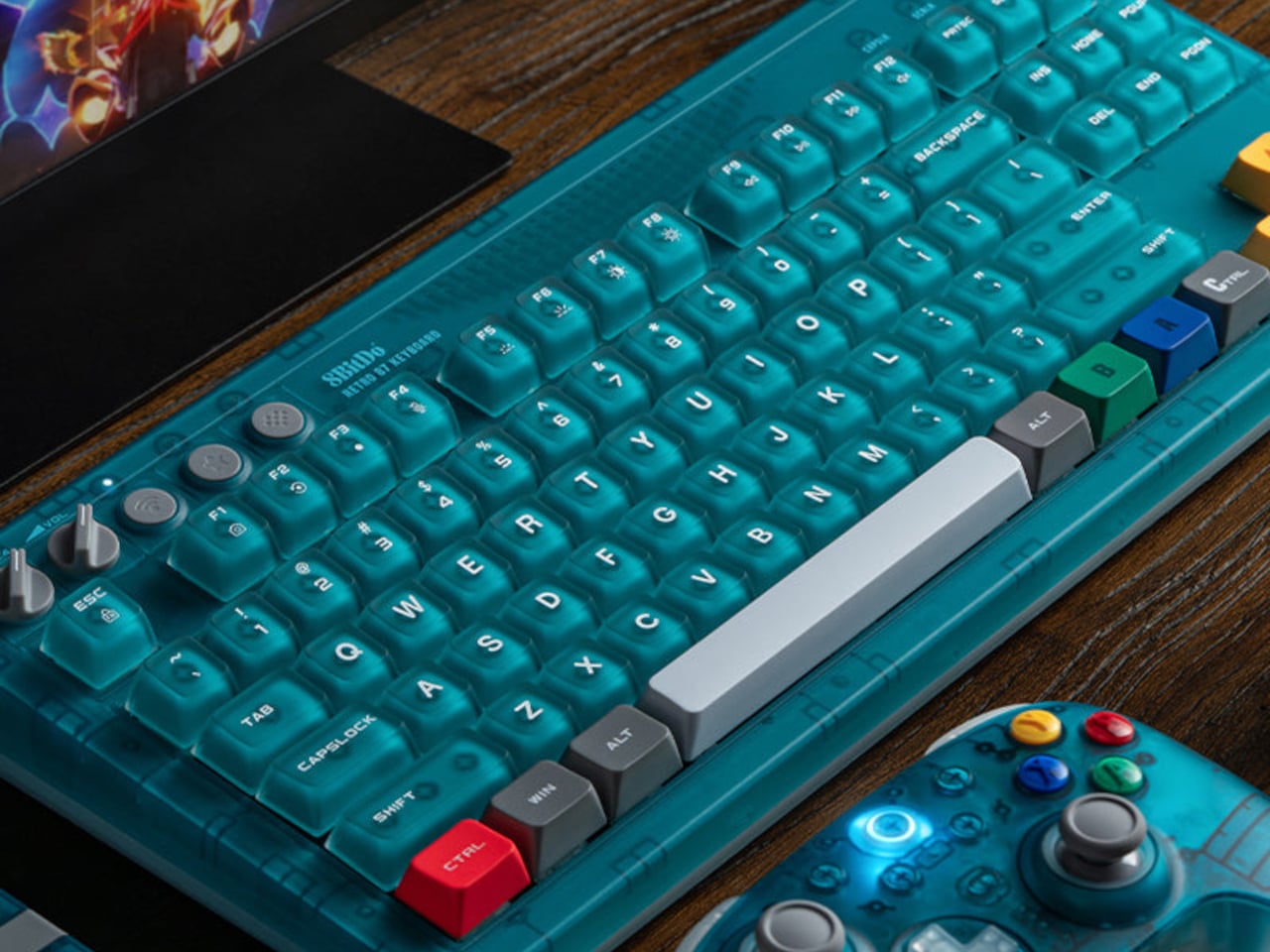
The 8BitDo Retro 87 Keyboard in Clear Blue is an 87-key tenkeyless mechanical keyboard with a translucent blue polycarbonate shell, Cloud Gray Linear switches co-developed with HUANO, and three connectivity modes. It is priced at $69.99. If you had an N64, the color coding reads immediately without needing an explanation. Yellow arrow keys for the C-buttons. Green and blue for A and B. A red left Ctrl mapped to Start. The translucent shell shows the PCB and per-key RGB backlighting through the blue tint, exactly how Nintendo’s Funtastic consoles worked in the late 1990s. The inside of the hardware was part of the design then, and it still is here.

The 87-key tenkeyless layout drops the number pad and keeps the full navigation cluster, which is the right call for a keyboard sharing space with other things you actually want to see. Bluetooth, 2.4 GHz wireless, and wired USB cover every setup without extra adapters. The 2,000 mAh battery is rated for 200 hours in wireless mode. Your hands are on your keyboard more than anything else on your desk. It might as well be something worth looking at.

What we like:

  • The top-mount PCB configuration gives the typing feel a cushioned, bouncy quality that cheaper keyboards skip entirely
  • Hot-swappable switches mean you are not committed to the Cloud Gray Linears if you change your mind later
  • The translucent shell with RGB underneath is better in person than any photograph suggests

What we dislike:

  • The two programmable Super Buttons sit outside the main typing area and take a few days to stop hitting by accident
  • The first week involves some unintended inputs during regular use

2. Side A Cassette Speaker

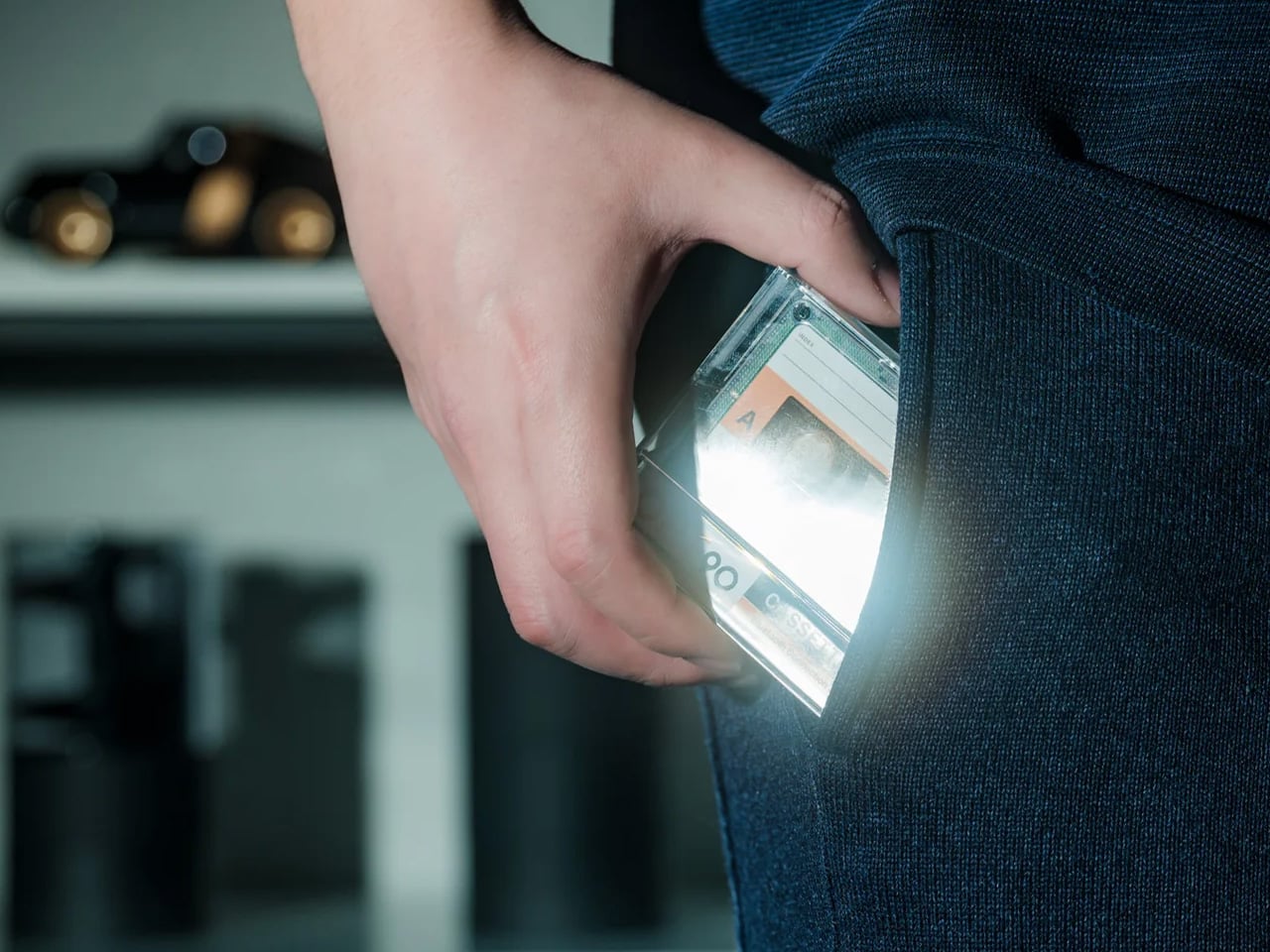
The Cassette Speaker is a Bluetooth speaker built to the proportions of a cassette tape, scaled up just enough to fit a driver inside. You probably had a shoebox of mixtapes growing up. Most of them were recorded off the radio with the DJ talking over the first two seconds of every song. The Cassette Speaker does not play tapes. What it does is put that object back on your desk in a form that actually works in 2026, pairing over Bluetooth and delivering audio from something small enough to palm in one hand.

Set it next to your keyboard, and it reads as a deliberate design choice rather than a gadget someone left behind. That is harder to pull off than it sounds. Most Bluetooth speakers designed to look interesting end up looking like they are trying too hard. The cassette form works because it is referencing something specific and doing it accurately rather than gesturing at it loosely. It belongs on a desk, a nightstand, or packed in a bag for the weekend.

Click Here to Buy Now: $49.00

What we like:

  • The size-to-output ratio is genuinely good – something this flat and compact has no business sounding as present as it does
  • The form factor means it fits anywhere without planning, which is not something most design-forward Bluetooth speakers can claim

What we dislike:

  • There is only one natural way to set it down – flat, tape-side up, which means you cannot angle it toward you the way you would a conventional speaker
  • Reflective desk surfaces will affect the sound more than you expect

3. Twemco BQ-38 Flip Clock

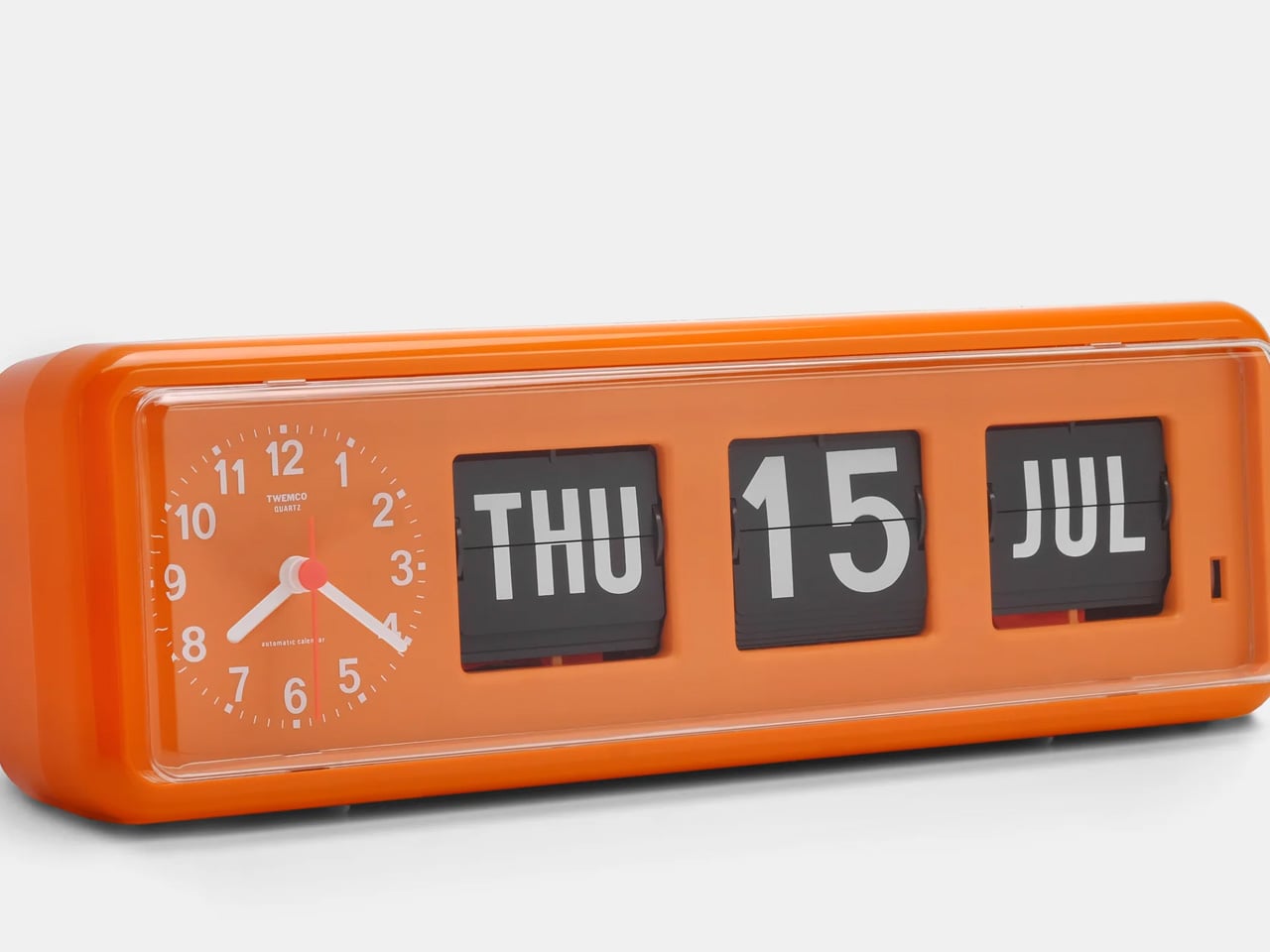
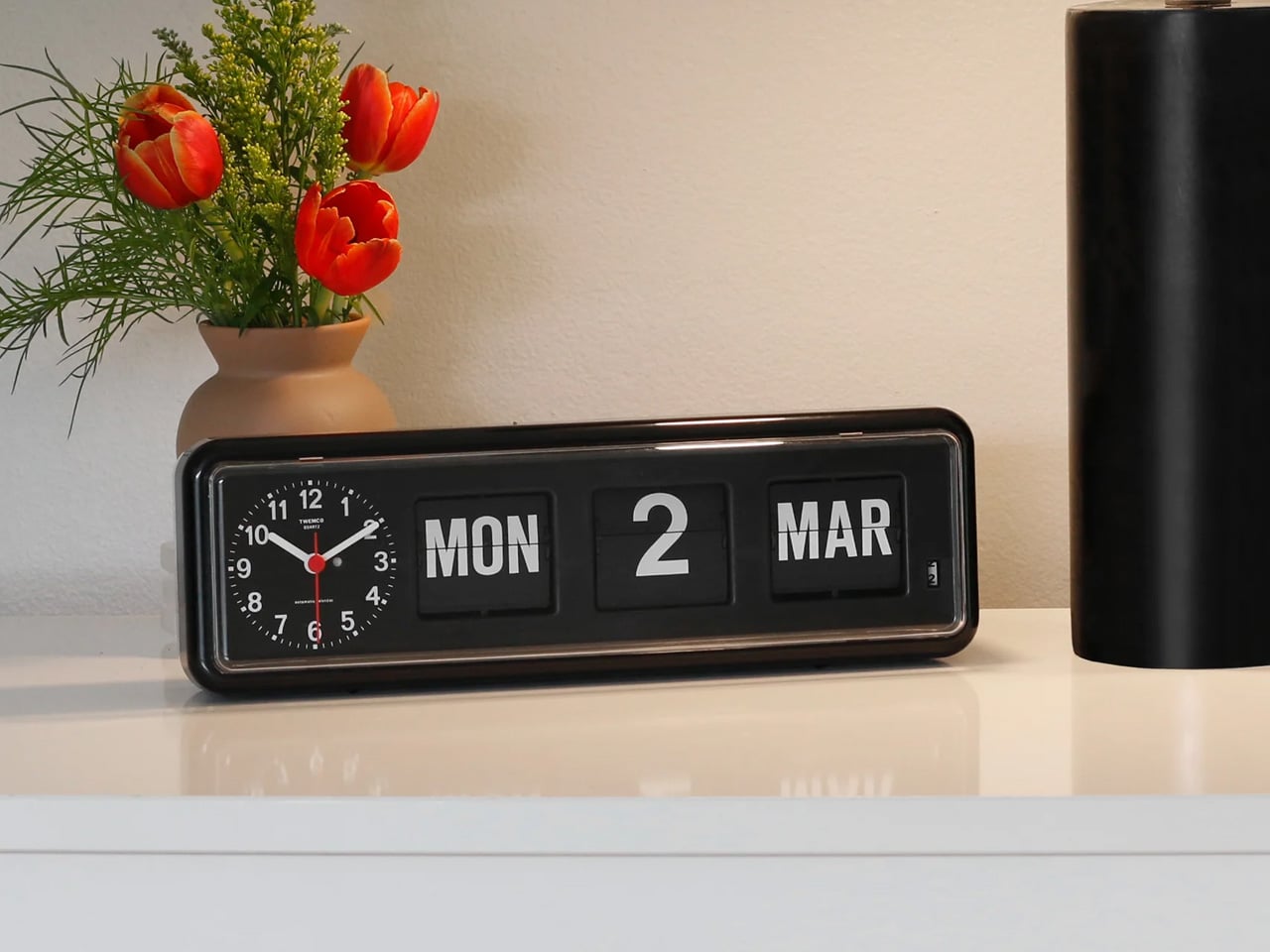
The Twemco BQ-38 is a split-flap flip clock that shows the time and date on cards that physically rotate forward each minute, made in Hong Kong using essentially the same mechanism since the 1970s. You reach for your phone to check the time and end up reading two notifications, a group text, and a headline you did not need before 9 AM. The BQ-38 solves exactly that problem. It sits on your desk and tells you the time. When a minute passes, a card flips forward with a soft mechanical sound. That is the whole interaction. Nothing else is asking for your attention.

The body is injection-molded ABS with a clear acrylic cover. Nothing glamorous about those materials, but the result is a clock that weighs 600 grams, stays exactly where you put it, and advances the date automatically without any input from you. The digits are large enough to read from across the room. No charging cable to route, no power brick to hide.

What we like:

  • The flip sound is genuinely good – not in a novelty way that wears off, but in the way a well-made mechanical thing sounds when it does exactly what it is supposed to do
  • The date display is more useful than you expect until the moment your phone is across the room and you need to know what day it is

What we dislike:

  • Setting the time requires a button on the back that you will need the manual for at least once
  • Battery-powered clocks stop silently when the battery dies, which you will discover at a moment that is never convenient

4. Anglepoise Original 1227 Desk Lamp

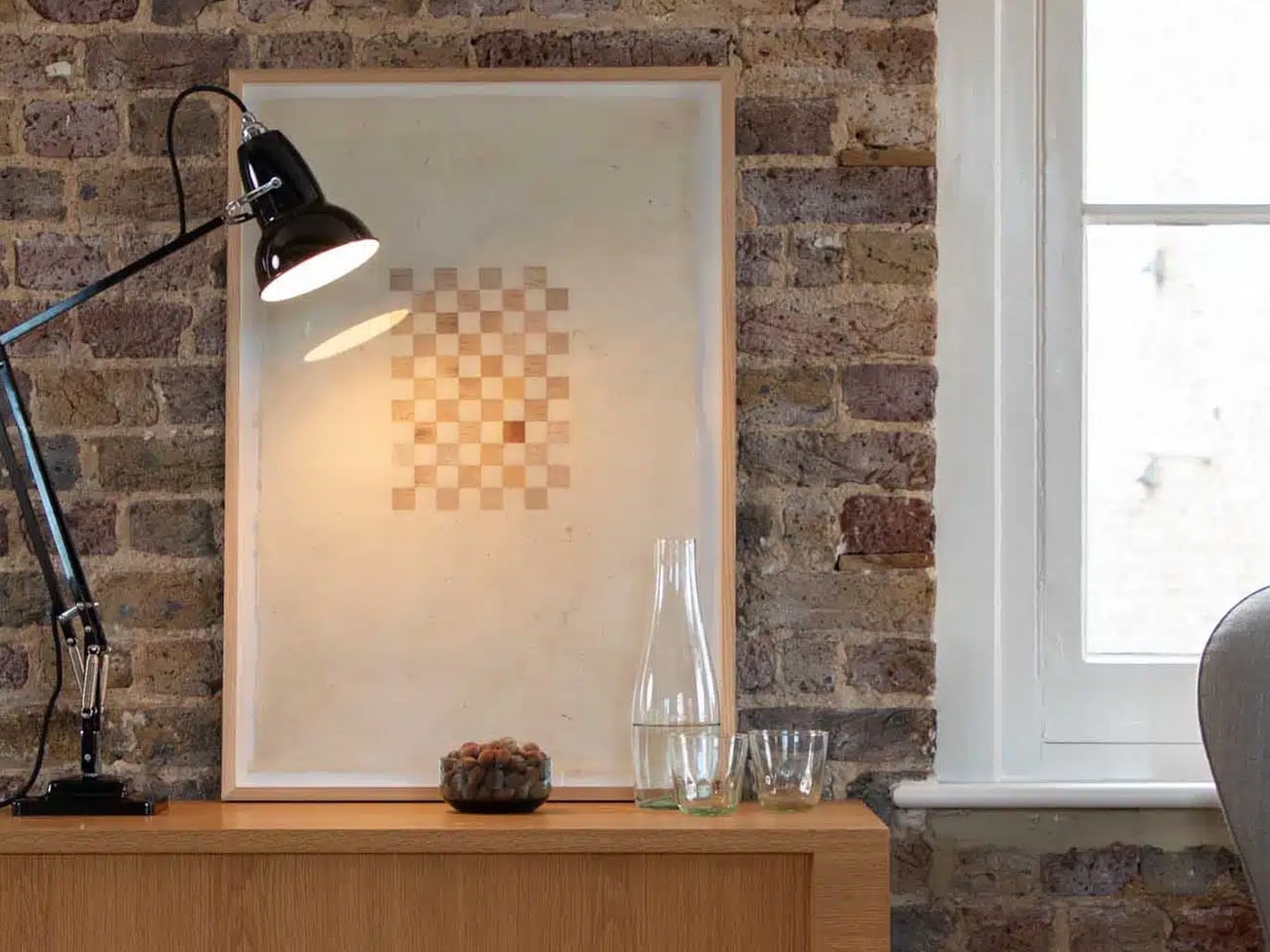
The Anglepoise Original 1227 is a task lamp designed by George Carwardine in the early 1930s and in production since 1935, built around a spring tension mechanism that mirrors the constant tension found in human joints. It starts at $256. Your current desk lamp probably has a touch sensor, three brightness settings, a USB port on the base, and an app update you keep dismissing. The 1227 has none of that. It has a spring-loaded arm you move to where you want light, and it holds that position. The difference between a lamp that stays where you put it and one that slowly droops over the course of an afternoon is not small.

The spring mechanism is why this lamp still makes sense ninety years later. Every competitor has spent decades trying to replicate what Carwardine worked out in the 1930s — that the arm needs to move like a limb rather than a scissor joint. The aluminum shade and arms carry a gloss-painted finish and come with a lifetime guarantee from Anglepoise, which is the kind of warranty that only makes sense if the manufacturer expects the product to be around long enough to need it.

What we like:

  • The spring tension is noticeable the first time you move it and satisfying every time after that – one-handed, no wobble, no drift after an hour
  • The shade is large enough to actually light a workspace rather than a six-inch circle in the middle of your desk

What we dislike:

  • The price is real – it starts at $256 and climbs to $360 for the brass version, which is serious money for a desk lamp
  • Whether the long-term value justifies the upfront cost is a fair thing to think about before buying

5. Retrowave Radio

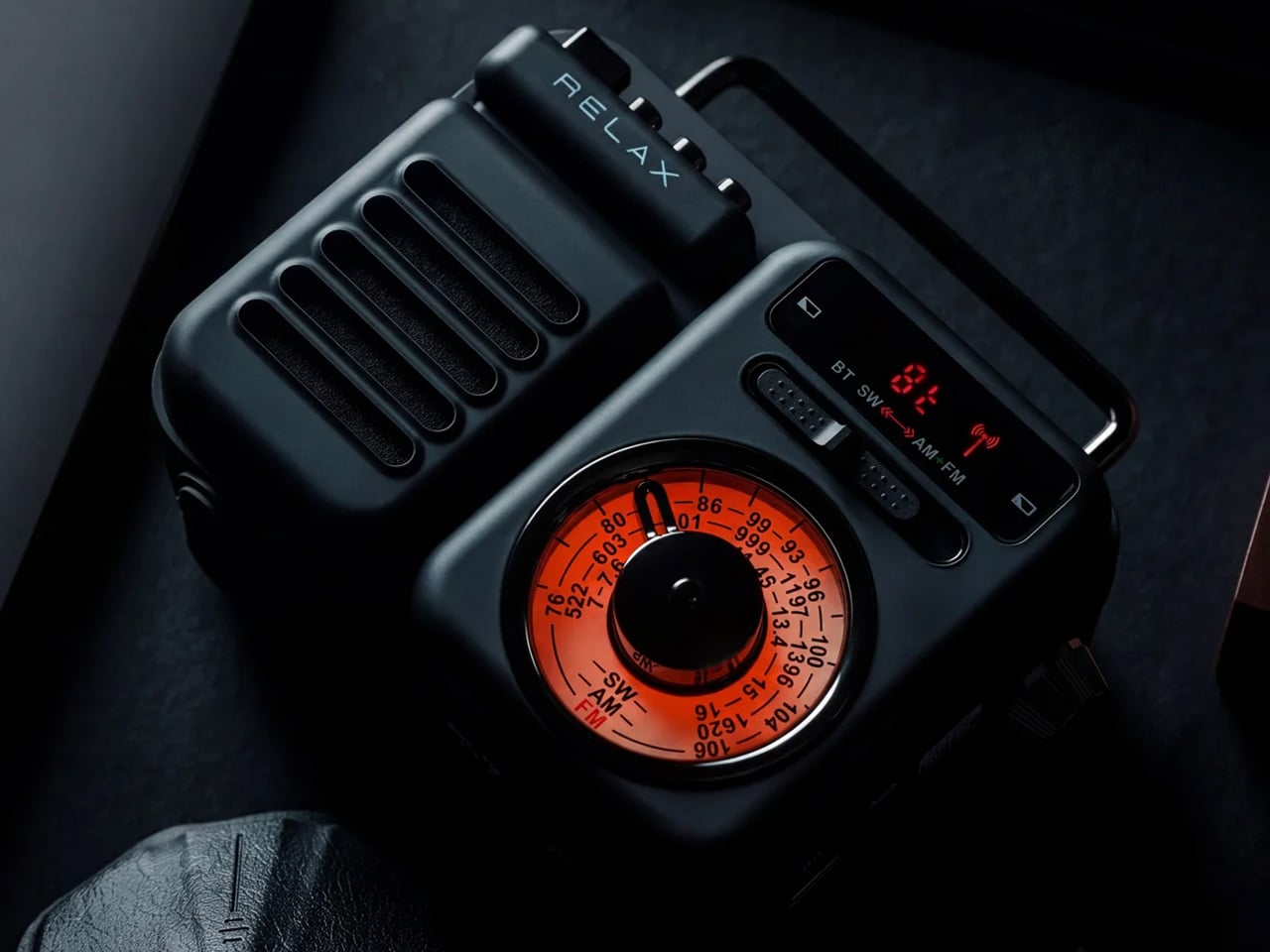
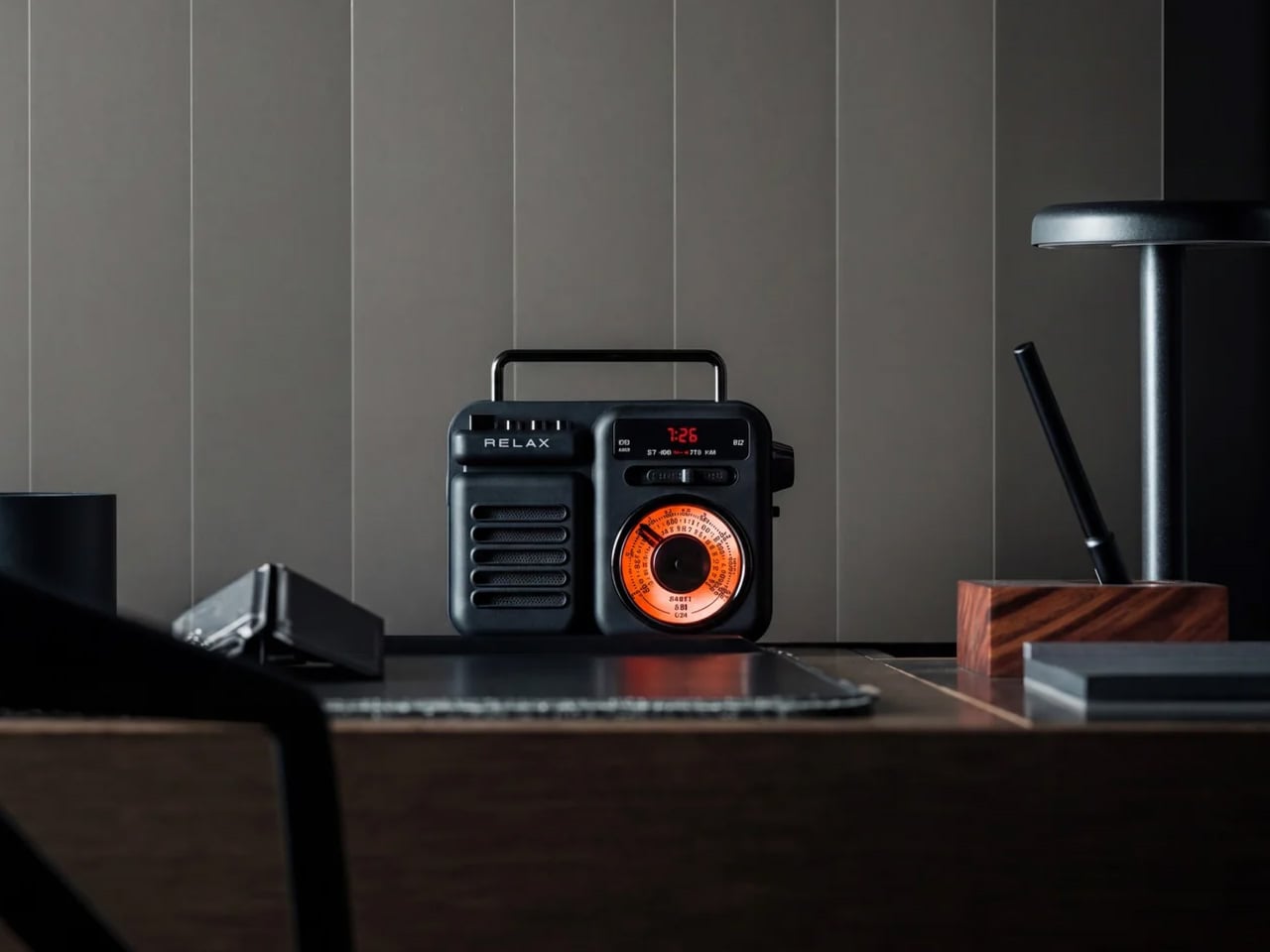
The Retrowave Radio is an AM/FM radio with Bluetooth streaming built into a compact retro-styled body. Picture Sunday morning. You want something on in the background, and you do not want to wake up a smart speaker or open another app. You spin a physical dial, land on a station, and leave it there. The Retrowave Radio is exactly that object. It sits on your desk, works without asking anything from you in return, and looks like it belongs there in a way that most tech on your desk does not.

The design is doing most of the heavy lifting. Analog dial face, physical control knobs, boxy proportions that reference the tabletop radios of the 1960s without feeling like a costume. It looks deliberate next to a keyboard and a lamp in a way that a cylindrical smart speaker never quite manages. The Bluetooth mode covers any gap when you want to play something specific off your phone. You will use it for both. Most days the radio wins.

Click Here to Buy Now: $89.00

What we like:

  • The physical tuning dial is something you forgot you missed – spinning a knob to find a station is slower than tapping a playlist, and that slowness is entirely the point
  • The Bluetooth mode pulls double duty, cutting one device off your desk rather than adding another

What we dislike:

  • The speaker output is sized for personal use, not a room – imagine being gathered around it rather than imagine it filling the room.
  • This is a near-desk radio, sitting more than eight feet away at volume will remind you of that

The Ones Worth Keeping

None of these objects were designed with a trend in mind. The Anglepoise spring has not changed since 1935. The Twemco mechanism has not changed meaningfully since the 1970s. The 8BitDo keyboard references a console that is thirty years old, and the cassette form factor predates most people reading this. That is not nostalgia for its own sake. That is what happens when the fundamentals were right from the start.

If one had to earn the top spot, it is the Cassette Speaker. Not because it sounds the best or costs the most, but because it is the only object here that makes someone ask where you got it before asking what it does. That question is the whole point. Everything else on this desk is functional. The Cassette Speaker is functional and feels like something you chose on purpose.

The post 5 Best Retro-Inspired Desk Accessories That Aged Better Than Most New Ones first appeared on Yanko Design.

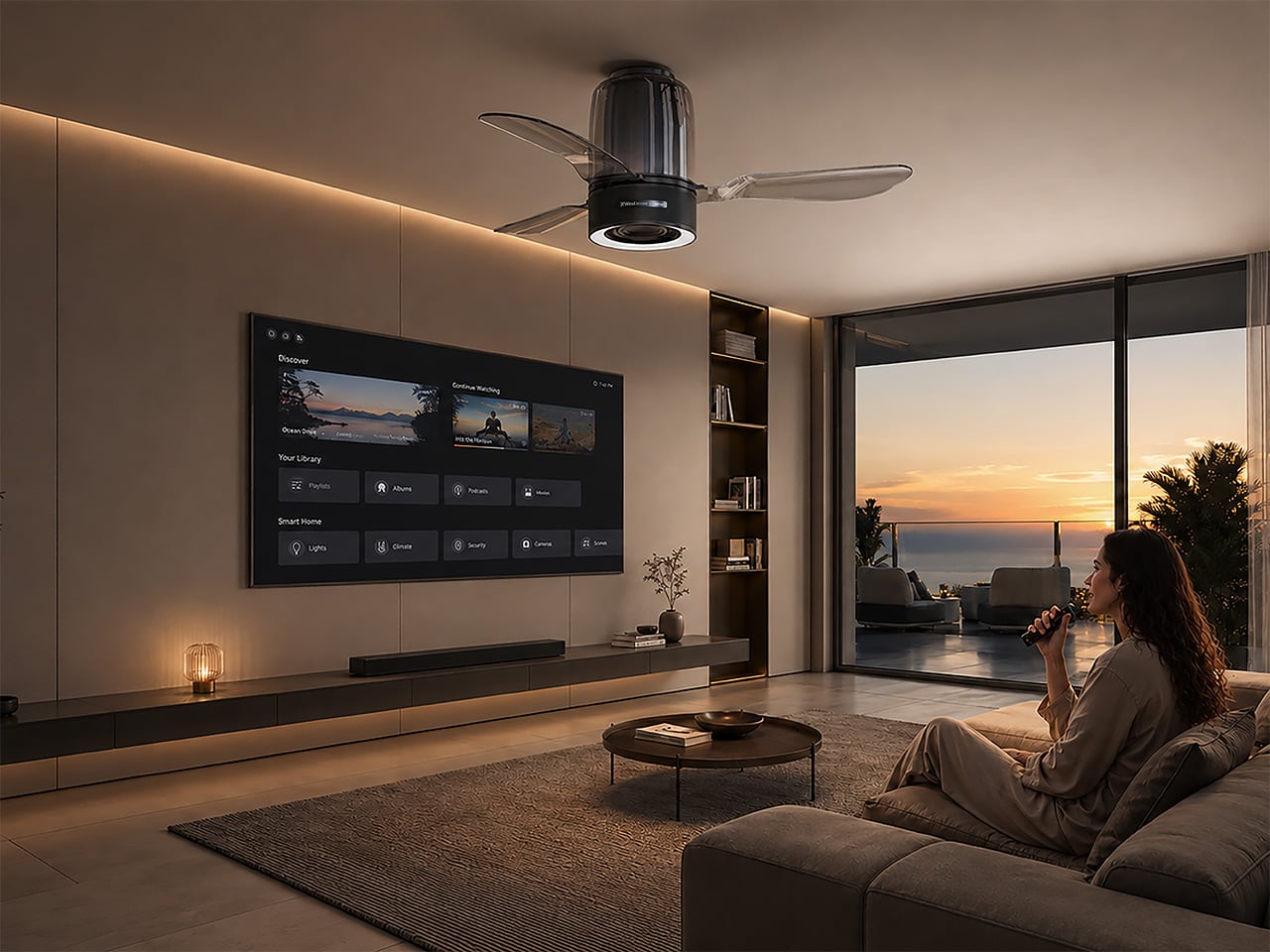
This ceiling fan hides an 80W Hi-Fi speaker and smart lighting in one sleek unit

You get light from above. You get wind from above too. So at some point, somebody was bound to ask the obvious next question, why not sound from above as well? Ceiling fans have spent years quietly doing side quests with built-in lamps, remote controls, and the occasional smart feature, but this feels like the first time one has aimed for proper living room territory. The lamp-plus-fan combo has always felt like a polite upgrade to an appliance nobody was particularly excited about.

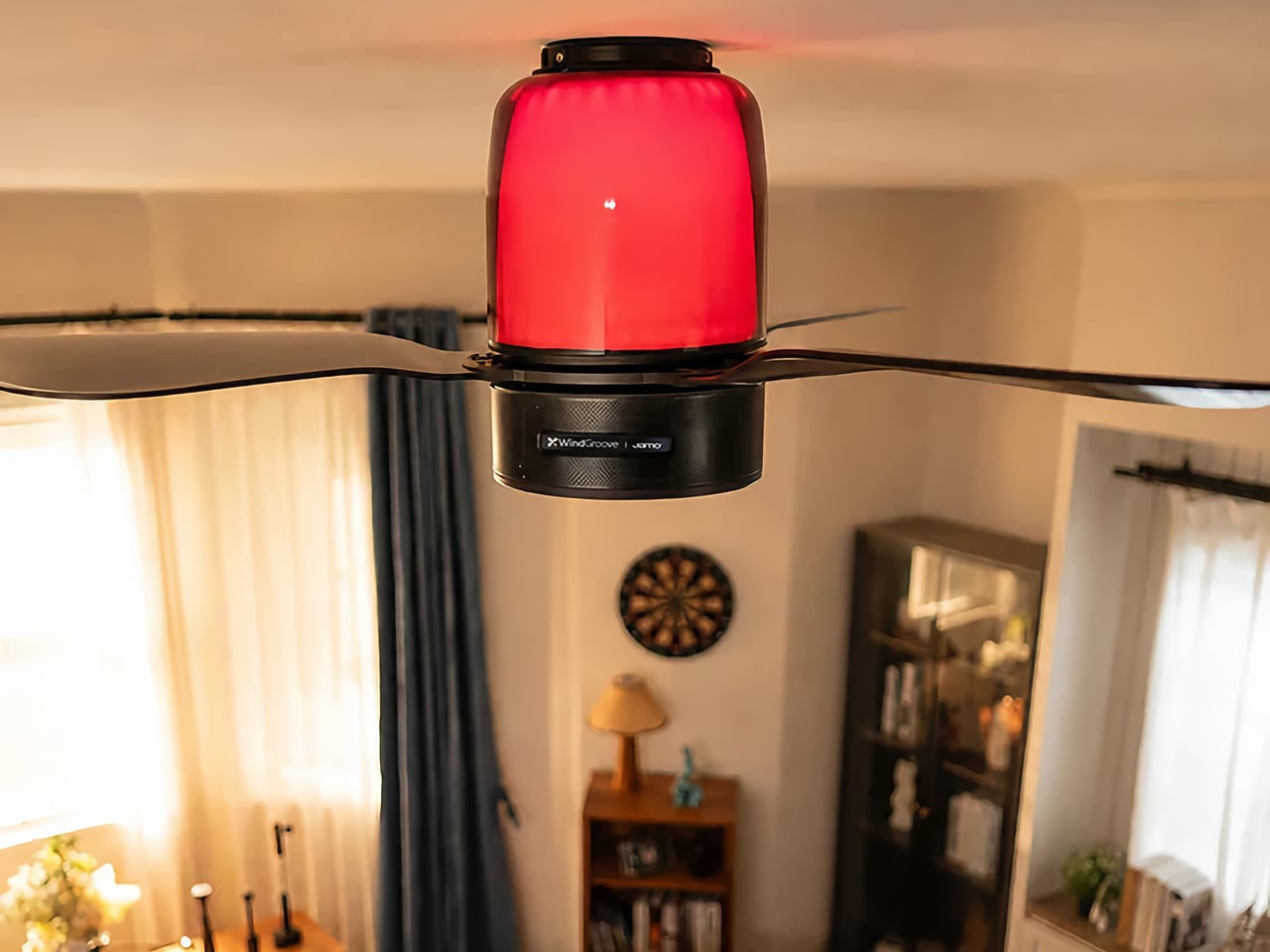
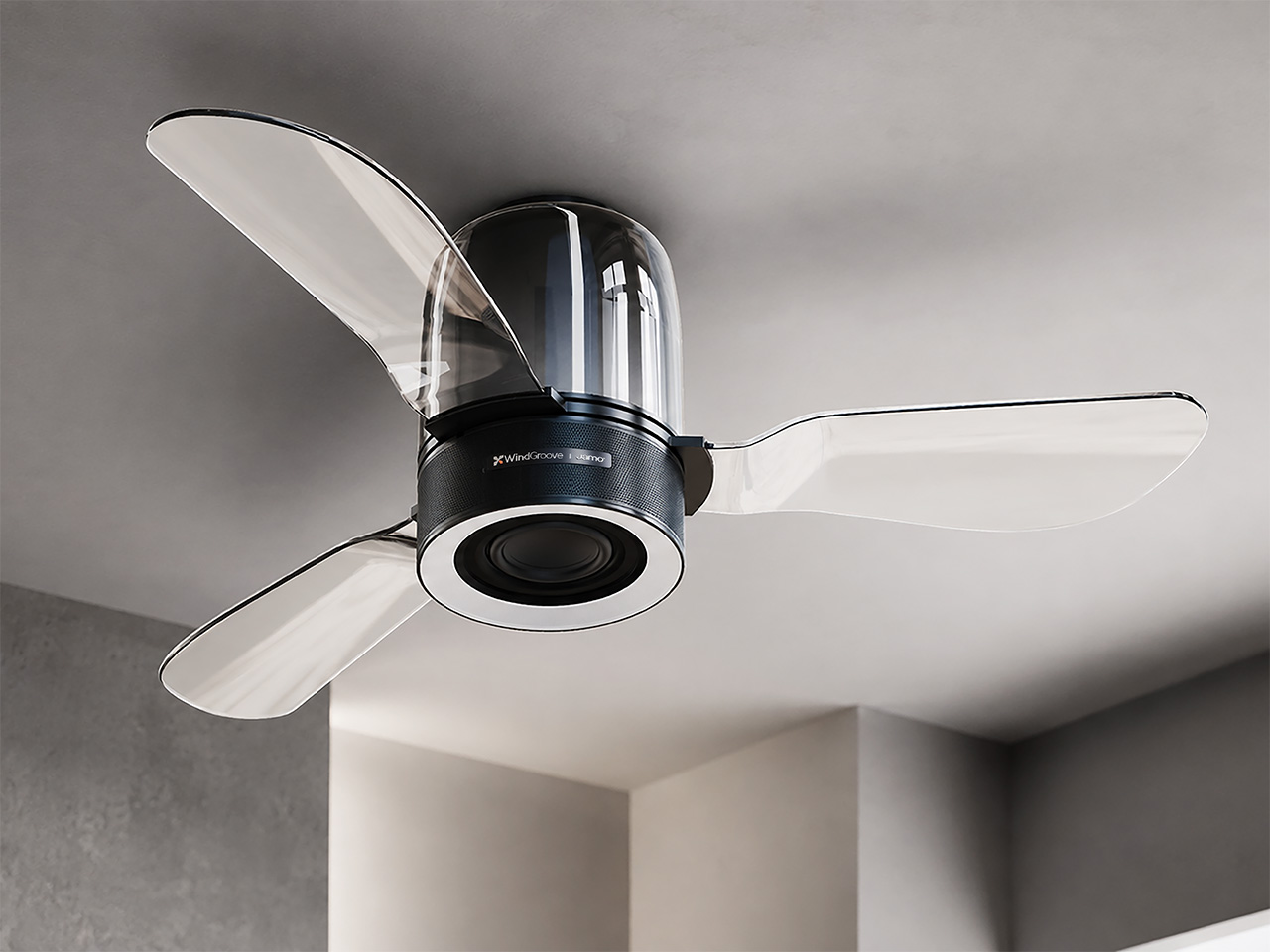
WindGroove’s AirFi One takes that idea and runs with it, folding a Hi-Fi audio system, atmospheric lighting, and airflow into a single ceiling-mounted fixture. The audio setup is co-developed with Jamo, the Danish speaker brand founded in 1968, which gives the whole thing considerably more credibility than your average gadget trying to do five jobs at once. It’s one of those products that sounds slightly absurd for about three seconds, right up until you realize how much floor space your speakers and fans have been stealing this whole time.

Brand: WindGroove

Click Here to Buy Now: $480 $815 (40% off, use coupon code “YD15”). Hurry, deal ends in 48-hours!

Putting a speaker inside a spinning mechanical system is, acoustically speaking, a problem that mostly did not exist before. Motors generate vibration, and that vibration travels through metal housings and mounting hardware until it finds a speaker driver to rattle. At higher fan speeds, the blades also create periodic air pressure variations at blade-pass frequency, a rhythmic pulse that can cause a speaker cone to flutter and introduce distortion into the output. Positioning the speaker overhead compounds the issue further, because the ceiling acts as a large reflective surface, creating phase cancellation and comb filtering effects where certain frequencies pile up while others cancel out. Nailing clean Hi-Fi sound out of a product that is also spinning at variable speeds, mounted above a live listening environment, is a genuinely impressive engineering feat.

WindGroove’s entire design thesis rests on one idea: technology should dissolve into the room, not announce itself from it. Making that happen acoustically meant solving real engineering problems, because a spinning motor introduces vibration into a speaker chassis and rotating blades create periodic air pressure pulses that can rattle a driver into distortion. Intelligent DSP processing that corrects for ceiling reflection and overhead projection in real time is WindGroove’s most elegant solution, allowing the speaker to disappear into the architecture and still fill a room properly. Total harmonic distortion is rated at 1% or below, keeping music sounding like music rather than like hardware working hard. A motor running at under 32 decibels reduces mechanical vibration at the source, so the DSP has considerably less chaos to correct for.

Jamo has been building musically balanced speakers rooted in Scandinavian design since 1968, and that acoustic philosophy is what WindGroove borrowed for the tuning here. The 80W 3-way setup, twin 15W mid-high drivers plus a dedicated 50W subwoofer, carries real Hi-Fi ambitions rather than the polite background-audio compromise most integrated appliances settle for. Frequency response runs from 45Hz to 20kHz, wide enough to cover genuine bass texture and crisp high-frequency clarity across the full spectrum of recorded music. Bringing in a heritage audio brand rather than speccing the cheapest available driver stack reflects WindGroove’s conviction that invisible technology still needs to perform at the highest level when you actually sit down and listen. Putting a Jamo-tuned 80W Hi-Fi system inside a ceiling fan is the kind of product decision that only makes sense if you believe the room should come first, and the hardware should figure itself out.

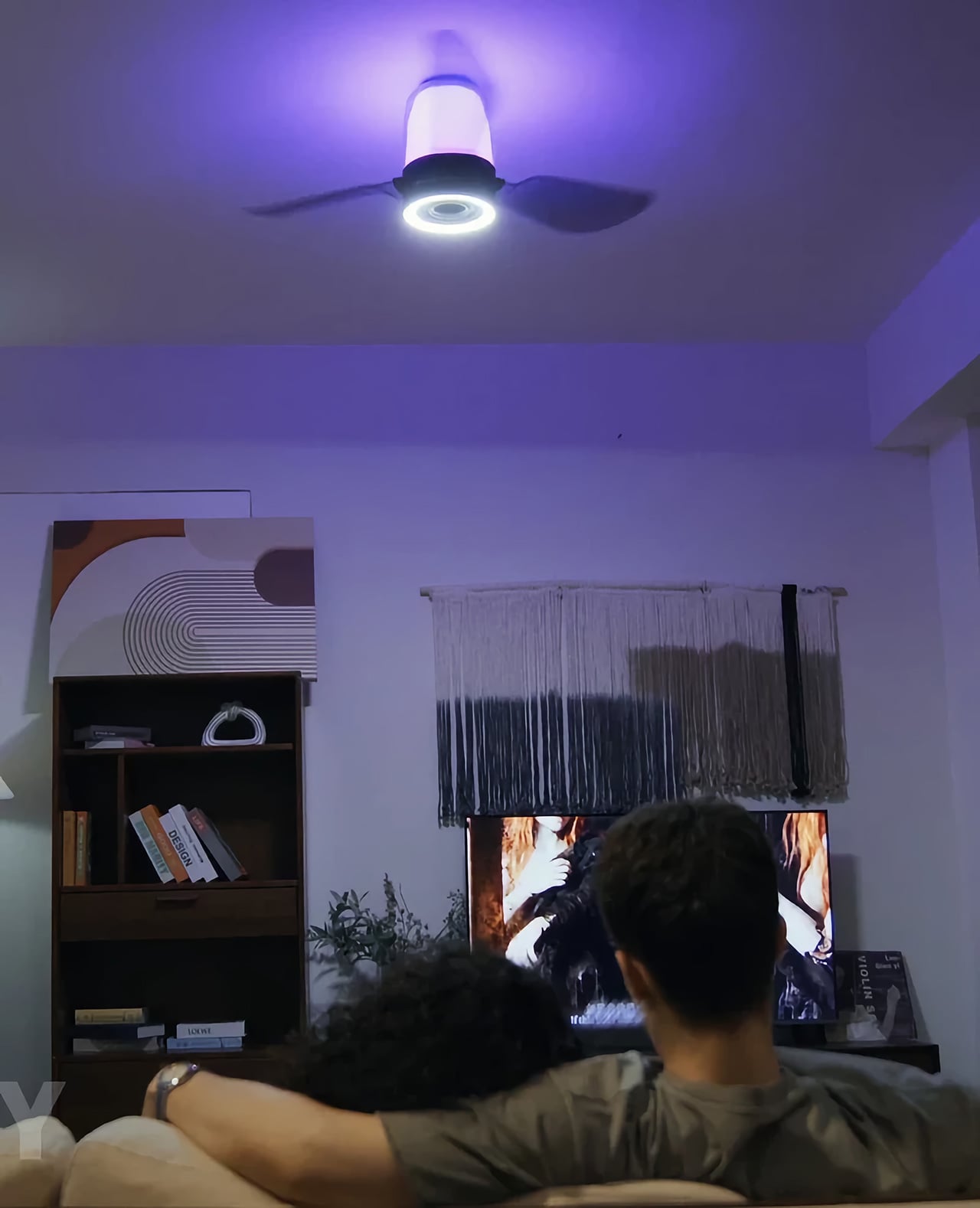
The fan boasts a maximum airflow of 4621 CFM at under 32 decibels, quiet enough to run while music is playing without competing with it, and the blade direction reverses seasonally so the unit pulls its weight year-round. The dual-zone lighting system combines everyday illumination with immersive ambience. The lower section serves as the primary light source, providing bright, even illumination for the entire room. You can choose from three color temperatures – warm white for a cozy, relaxing glow, natural white for comfortable everyday lighting, or cool white for a crisp, energizing feel. Stepless dimming lets you fine-tune the brightness to suit everything from winding down at night to working, reading, or getting ready in the morning.

Picture a Friday evening where you dim the lights, the room shifts to a warm amber glow, the fan hums almost imperceptibly overhead, and the music you put on actually sounds like the artist intended it to. No speaker on a shelf eating into the bookcase. No standing fan taking up the corner you always meant to do something with. No three apps open at once trying to get everything to behave. The ceiling handles it, and the room just feels right in a way that is surprisingly hard to explain to someone who has not experienced it.

AirFi One is priced at $499 at retail and is available for purchase right now on WindGroove’s website.. Sure, you could just duct-tape a Bluetooth speaker to your fan and call it a day – but having an 80W sound system built into your ceiling fan isn’t something everyone can boast of.

Click Here to Buy Now: $480 $815 (40% off, use coupon code “YD15”). Hurry, deal ends in 48-hours!

The post This ceiling fan hides an 80W Hi-Fi speaker and smart lighting in one sleek unit first appeared on Yanko Design.

The $80 Spice Mill That Can Actually Change How You Cook

Cooking, for most of us, is a series of automatic habits. You reach for the pepper grinder, twist it a few times without thinking, and move on. It’s forgettable. It’s background noise happening in your own kitchen. The Impact Spice Mill, an $80 award-winning kitchen tool from Yanko Design’s curated drop collection, is specifically built to interrupt that forgettable moment and make it actually register.

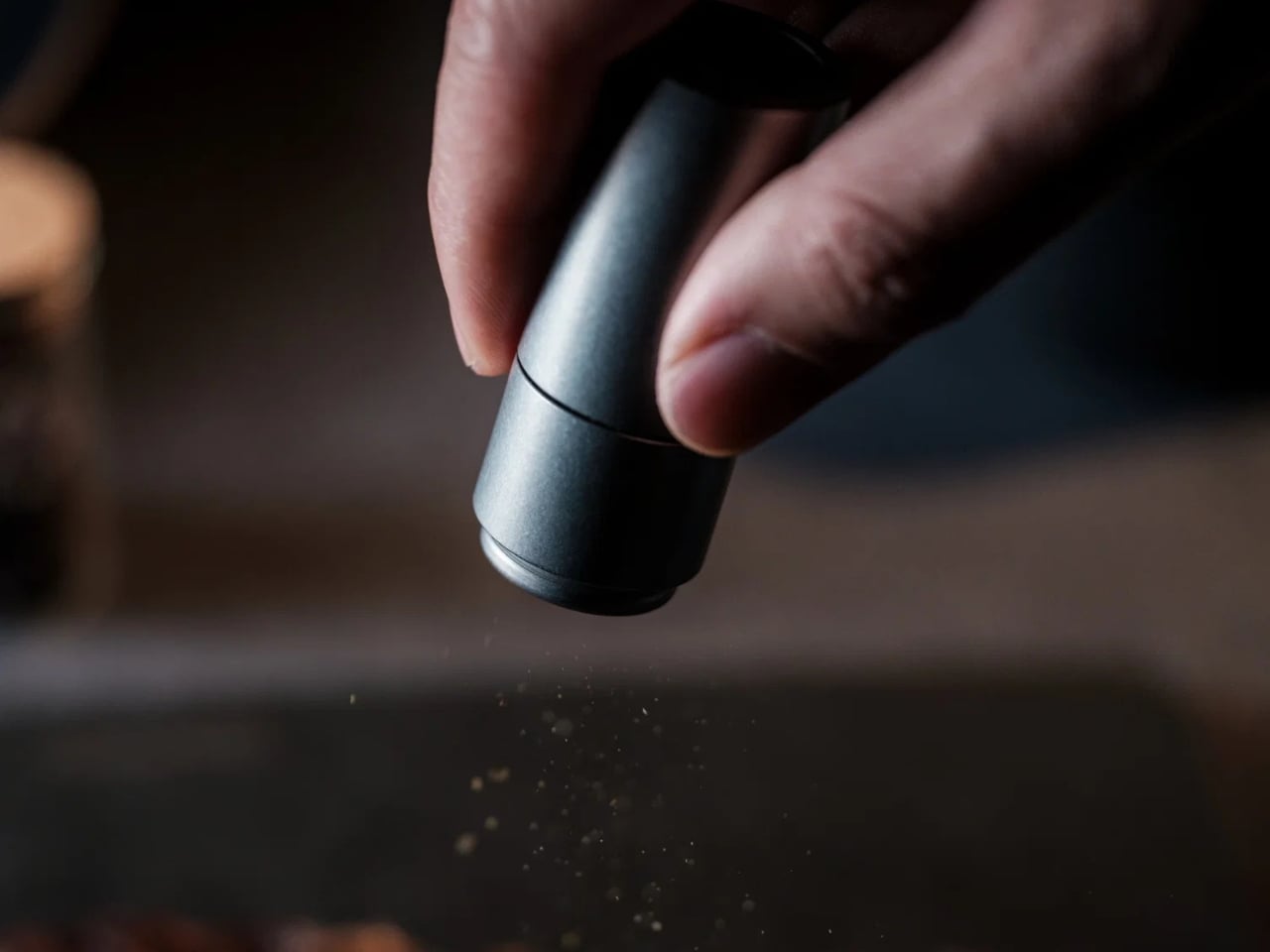
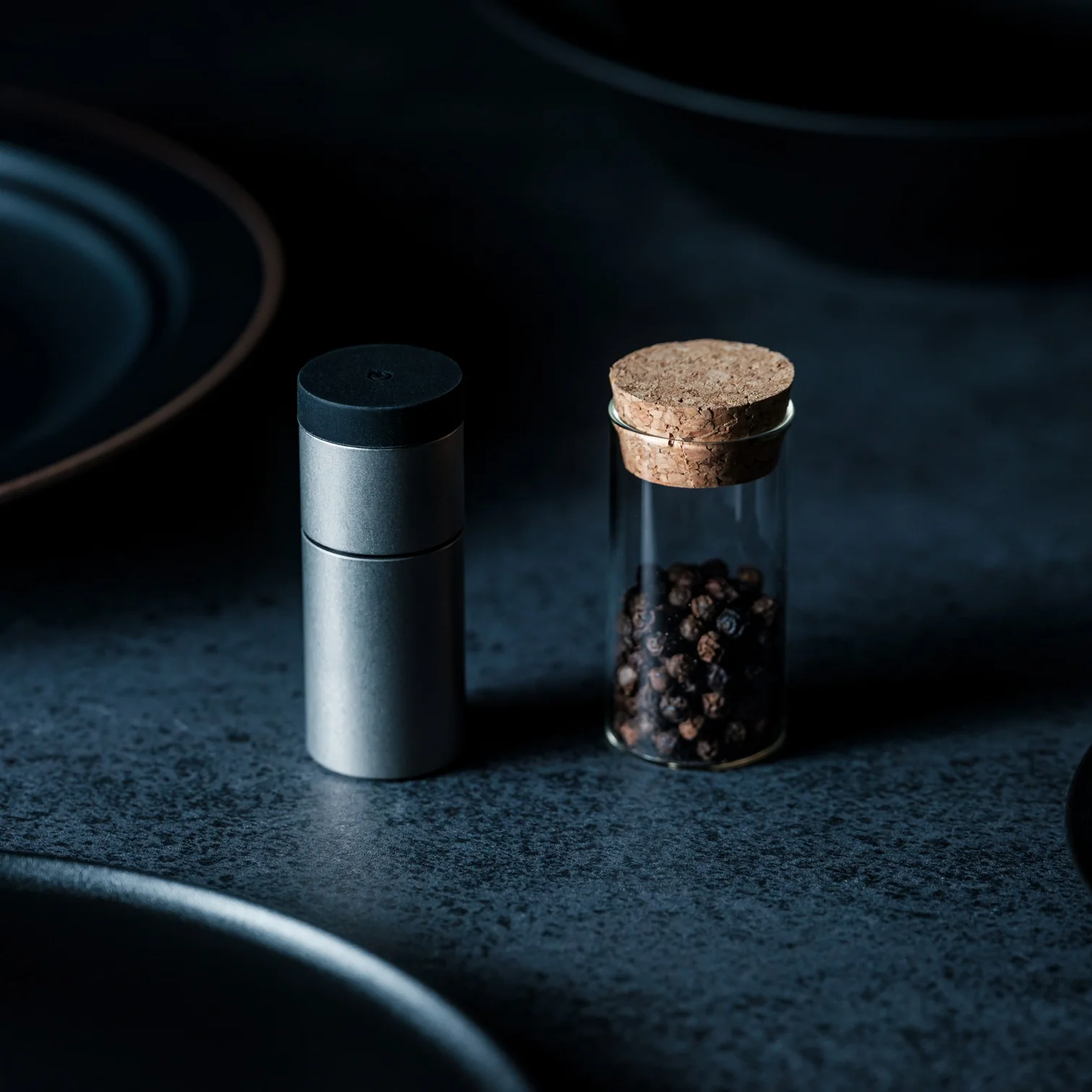
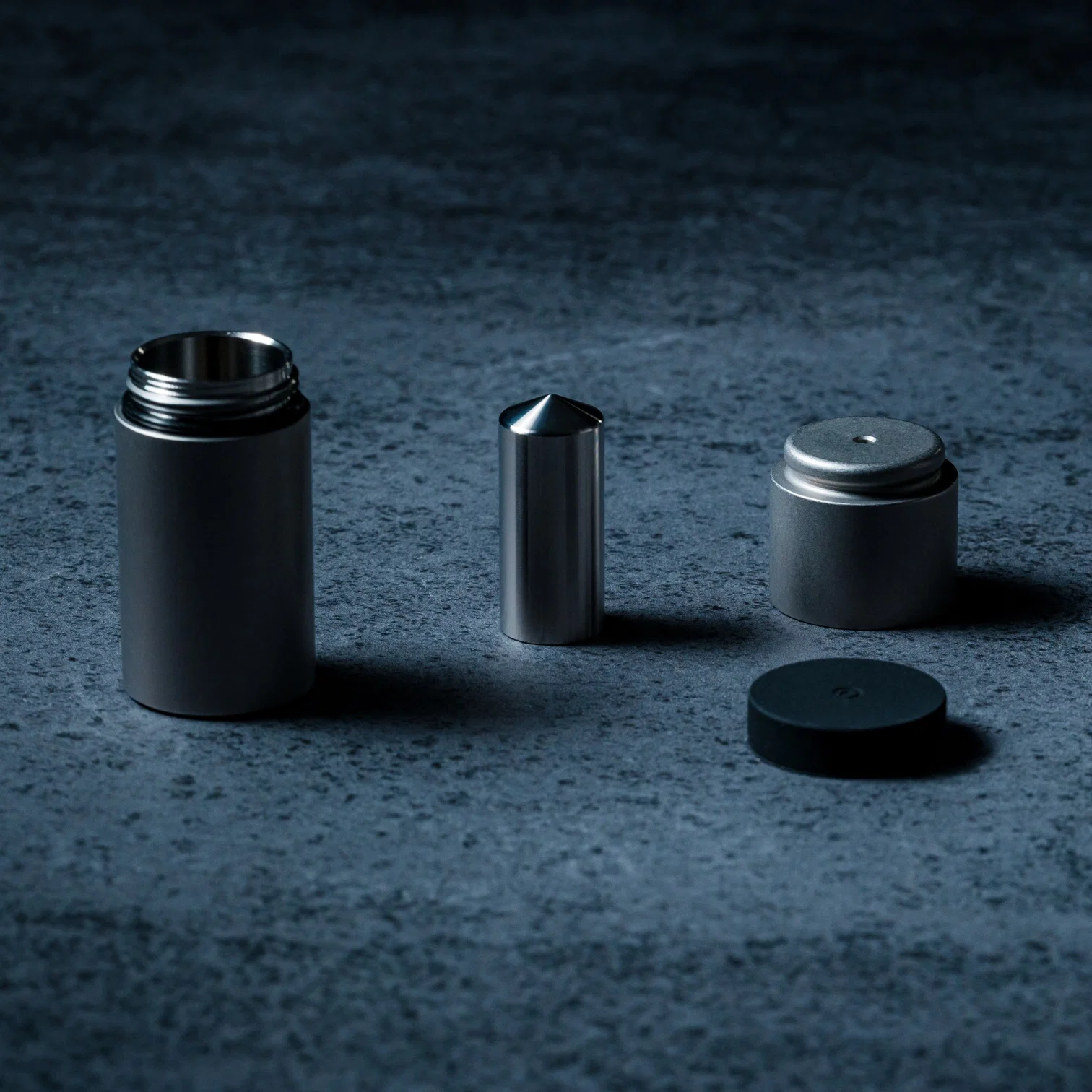
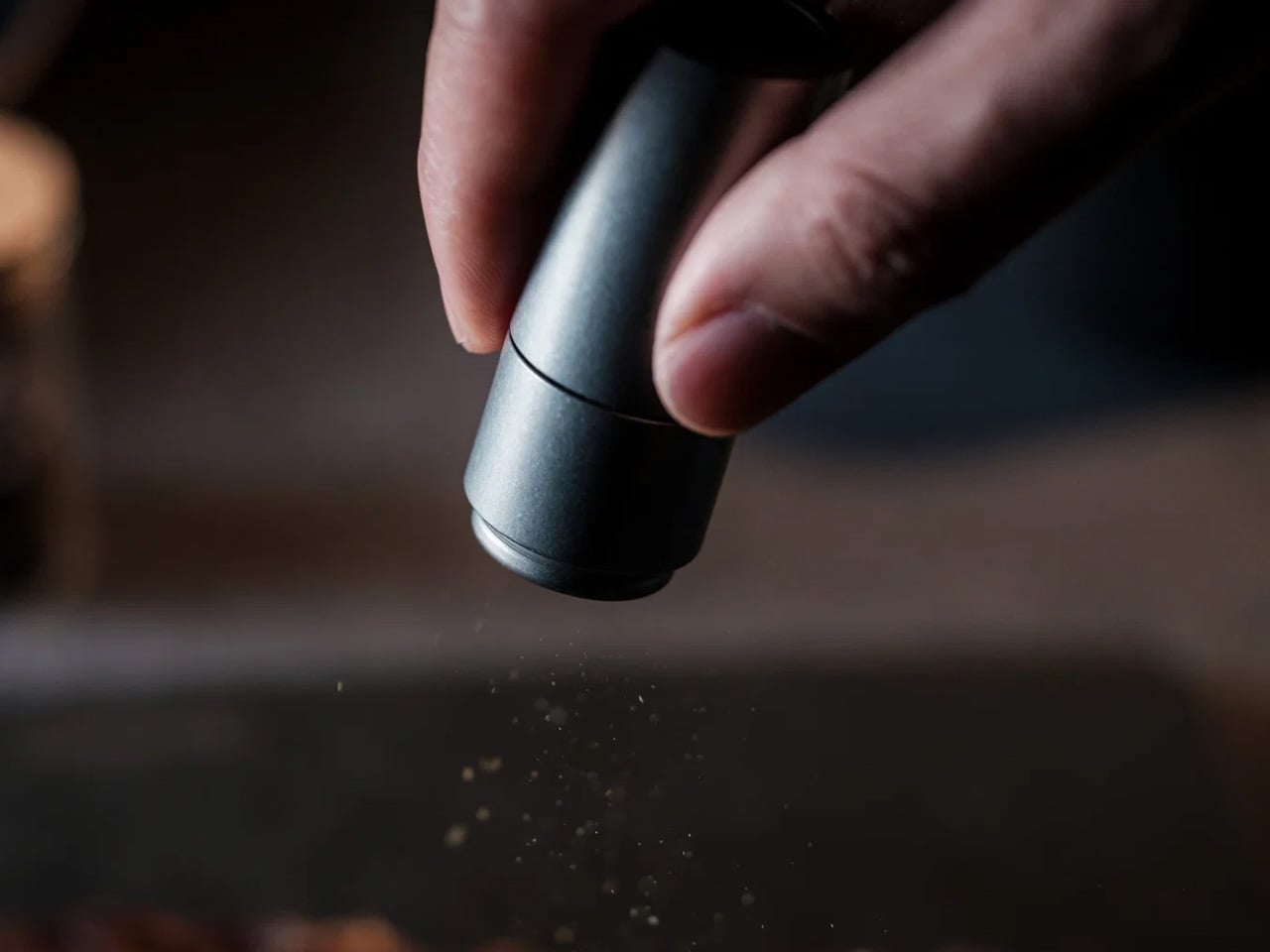
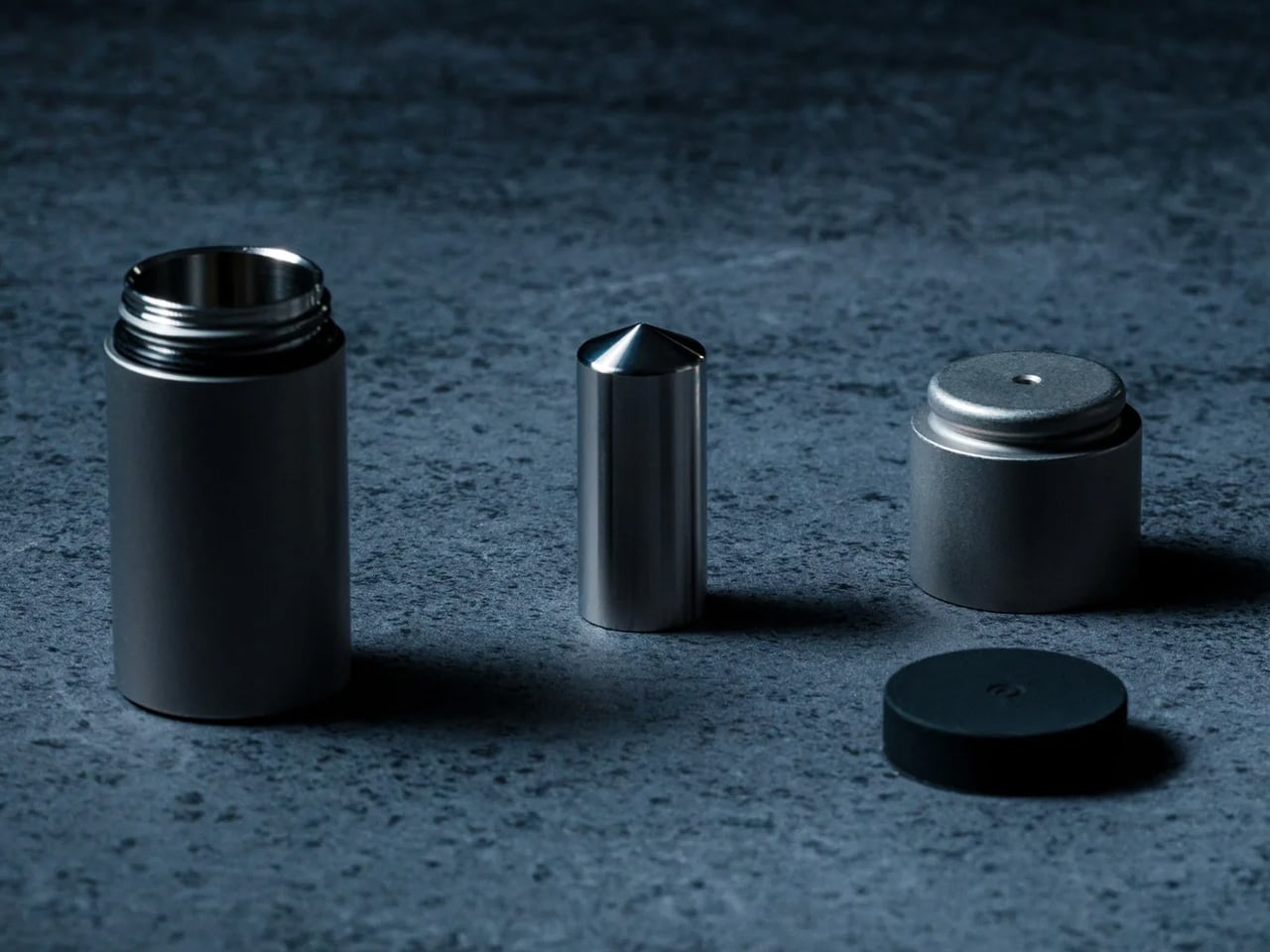
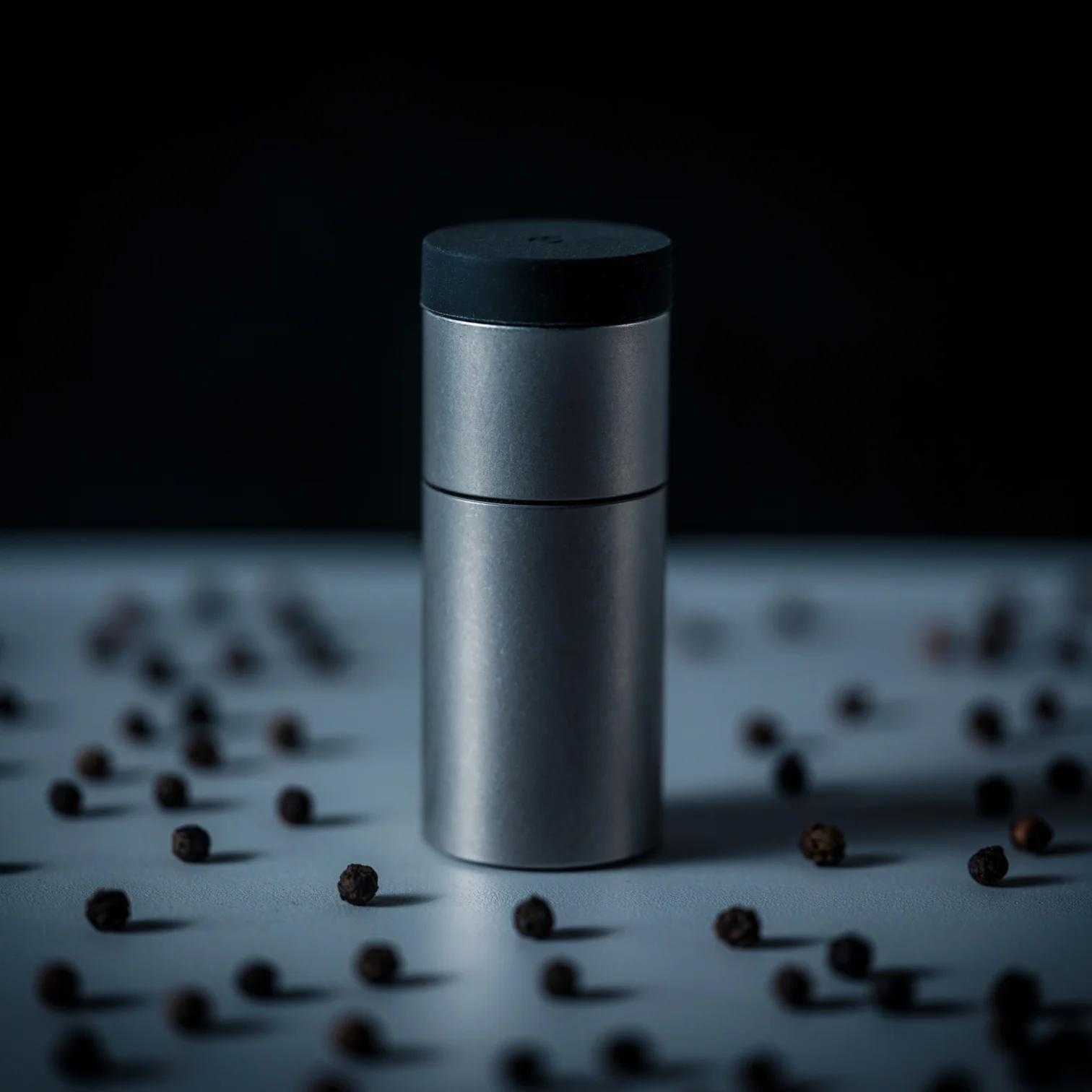
Instead of twisting, you shake. That’s the whole premise. Inside the mill, a weighted mechanism moves with each motion, pounding and crushing a small amount of spice right before it reaches your food. The result is a fresher release of natural aroma at the exact moment it matters. There’s also a satisfying click with every shake, which sounds like a minor detail until you realize it’s the reason you’ll consistently reach for this over whatever forgettable grinder is currently parked on your counter.

Click Here to Buy Now: $80.00 Hurry, only 3 available!

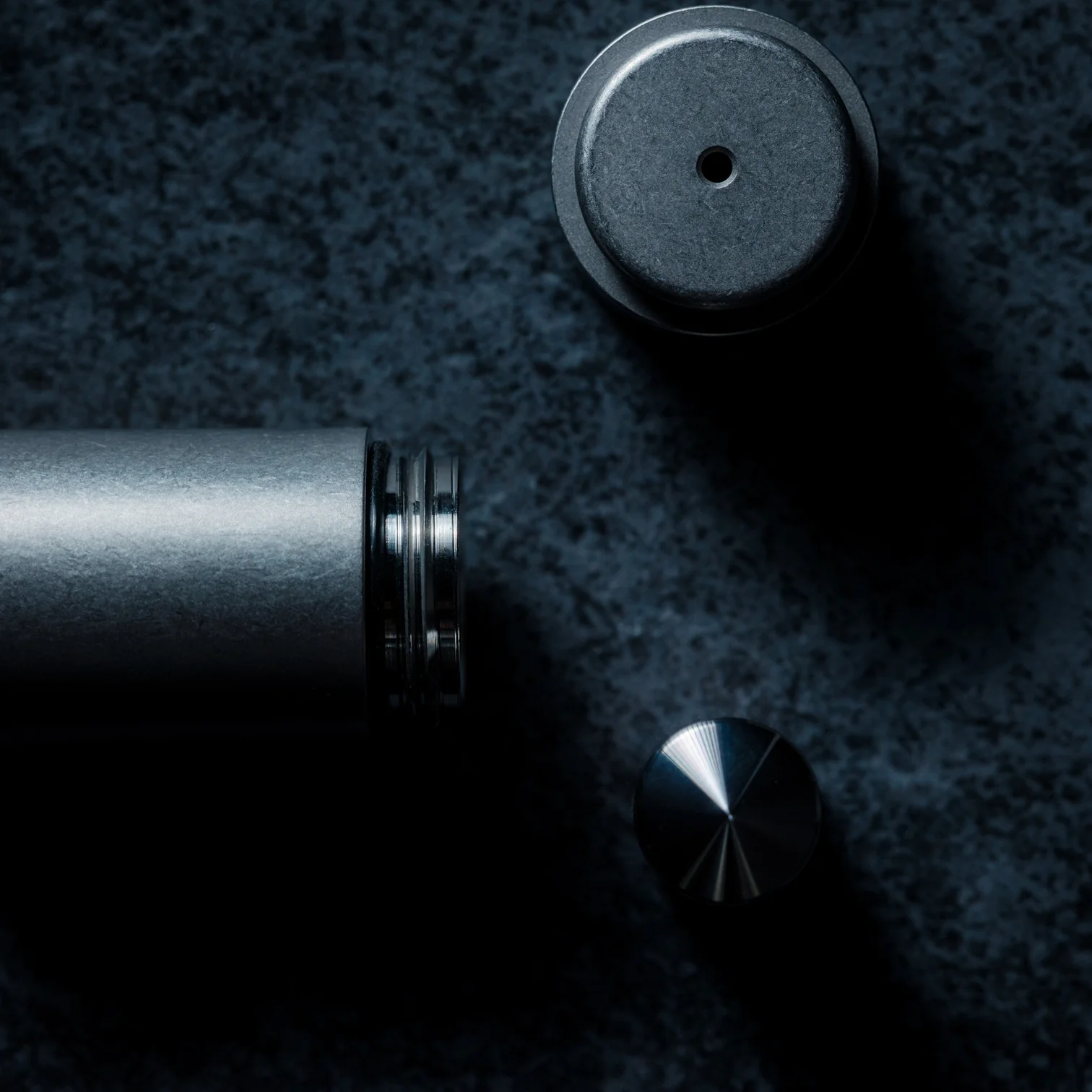
The percussion mechanism is the real story here. Traditional spice mills grind continuously, releasing flavor incrementally and, depending on how heavy your hand is, sometimes wastefully. The Impact Spice Mill’s internal weight-based system works closer to a mortar and pestle approach, only more refined, more controlled, and considerably less messy. It’s a surprisingly thoughtful reimagining of a process most of us have never once stopped to question, which is exactly what separates good design from great design.

It won the 2023 GOOD DESIGN BEST Design Award, recognized in 2024, and that isn’t a small credential to carry. GOOD DESIGN is one of the longest-running design award programs in existence, and the BEST designation sits at the very top of that recognition. The fact that a spice mill earned it tells you the judges saw something beyond novelty. They saw genuine innovation in a product category that most manufacturers have left entirely untouched for decades.

For the design-minded, the appeal is easy to understand. Objects that rethink a familiar form, especially one as unassuming as a spice grinder, tend to generate exactly the kind of attention that sticks around. You don’t just use this over dinner; you talk about it. You hand it to someone and watch them figure it out. The “shake, don’t twist” concept is one of those ideas that feels obvious in hindsight but clearly wasn’t, because no one else got there first.

The $80 price point places it squarely in gift territory, too. It’s the kind of object that feels slightly indulgent to buy for yourself but makes complete sense as something you give to someone who cooks, collects interesting things, or simply appreciates when everyday design gets taken seriously. At the moment, it’s sitting on the waitlist with over 120 people already lined up, which puts it firmly in limited-drop territory. That’s not just marketing positioning. Yanko Design’s upcoming drops tend to move quickly, and the Impact Spice Mill has the kind of clear, singular concept that earns word-of-mouth without needing much of a campaign behind it.

What’s easy to overlook in all the conversation about mechanism and accolades is how uncomplicated the actual experience is. You pick it up, shake it, season your food. Nothing about the interaction requires a learning curve or any kind of instruction. The complexity is entirely internal, which is precisely the point. Kitchen tools that need an explanation in order to work have a habit of ending up in drawers. The Impact Spice Mill stays out because picking it up feels immediately natural.

Whether or not you’re someone who actively thinks about kitchen tools, the Impact Spice Mill earns its place on the counter on the strength of a single, well-executed idea. It doesn’t try to do everything. It does one thing differently, and it does it well enough to pull you out of autopilot mid-cook and make you pay attention. For a spice mill, that is a genuinely impressive thing to accomplish. And once you’ve shaken it, the idea of going back to twisting feels a little absurd.

The post The $80 Spice Mill That Can Actually Change How You Cook first appeared on Yanko Design.

5 Best EDC Flashlights in 2026 That Make Cheap Pocket Lights Feel Like Toys

The flashlight you grabbed at checkout has let you down in front of people. Maybe it was the beam that dissolved at twenty feet when you needed forty. Maybe it was the switch that required two hands in the parking garage. Maybe it was the plastic clip that snapped off in January, and you replaced it with nothing, so now the light just rolls around in your bag until you need it. You know exactly which moment it was.

What separates a good EDC flashlight from a drawer light is the same thing that separates a good pen from a hotel pen: the object rewards the moment you reach for it. The clip seats right. The switch clicks with clear intention. The output matches the situation without you cycling through seven modes to find it. Every light on this list was chosen because it gets those three things right before it gets anything else right. No gimmicks, no filler, no lights that need a paragraph of context before they make sense in your pocket.

1. Olight Baton 4 Pro

The Baton 4 Pro is what happens when a flashlight company stops treating carry as an afterthought. Olight built this one around a cylindrical body that disappears into a pocket, with no sharp edges, no extraneous texture, no clip that gouges your hand when you reach for your keys. The side switch sits exactly where your thumb lands naturally, and magnetic charging means the cable finds the light without looking. Every small thing about this light has clearly been thought through.

Output-wise, the Baton 4 Pro covers the full range of what daily life actually demands: enough low-mode runtime to use it regularly without battery anxiety, and enough high-mode brightness to make it genuinely useful rather than merely present. The anodized aluminum body handles pocket carry without developing the micro-scratches that make cheaper lights look worn after a month. This is the light that makes every other flashlight in your drawer feel like the draft it probably was.

What We Like

  • Magnetic charging is genuinely convenient rather than a spec-sheet feature, especially when you are tired and not looking at it
  • Compact cylindrical form disappears in a pocket without the clip becoming a nuisance throughout the day

What We Dislike

  • Limited editions and popular colorways sell out fast, and restocking timelines are unpredictable
  • High-mode runtime is short; turbo is best treated as a burst, not a sustained setting

2. Blackoutbeam Tactical Flashlight

The Blackoutbeam is built for the moments when you need the light immediately and without negotiation. Its tactical design prioritizes direct activation, the kind of response time that matters when you are checking a noise outside or navigating a power outage with your hands already full. The body sits slim enough for a jacket pocket without printing, but the grip texture and bezel geometry make it clear this is not a light designed to look decorative on anyone’s desk.

What earns it a place alongside more design-forward picks on this list is the output-to-size ratio. The Blackoutbeam throws a tight, long-range beam that outperforms flashlights with significantly larger bodies, and the build quality is consistent enough that you will not find yourself wondering whether it will actually turn on when it needs to. If the Baton 4 Pro is the light you carry every day, the Blackoutbeam is the one you want available when every day suddenly becomes a bad night.

Click Here to Buy Now: $90.00

What We Like

  • Fast, reliable activation that does not require cycling through modes to reach useful output
  • Beam throw punches well above the physical size of the body

What We Dislike

  • Tactical aesthetic will not suit every carry context; it reads as a utility tool rather than a refined everyday object
  • Less versatile for low-light close-up tasks where a wider flood beam would serve better

3. Wuben X1 Pro

There are flashlights, and then there are flashlights that require an explanation. The Wuben X1 Pro pushes 12,300 lumens across five Cree XHP50.3 emitters — a number that sounds like a misprint until you see it run — and manages that output through an active cooling system with a modular waterproof fan that sustains 3,000 lumens for 1.8 hours. Most non-cooled EDC lights hit their advertised peak for roughly 90 seconds before thermal management forces a stepdown. The X1 Pro simply keeps going.

The dual-beam system is the engineering decision that elevates this light from impressive to genuinely useful. A physical three-position slider toggles between a single Cree HI emitter for spot throw at 410 meters, four Cree HD emitters for flood coverage, or both channels firing simultaneously for peak output. You are not cycling through brightness modes on a single beam; you are running two purpose-built optical systems at once. The $139.99 price earns its keep the first time you need more than one type of light at the same time.

What We Like

  • Active cooling sustains output at levels passive thermal management physically cannot match in this size class
  • Independent spot and flood controls behave like two flashlights sharing one body, which they essentially are

What We Dislike

  • At 383 grams, daily pocket carry is a commitment; this sits more naturally in a bag or jacket than a jeans pocket
  • The modular fan is an extra component that needs to stay clean and correctly seated to function as designed

4. Loop Gear SK05 Pro

The SK05 Pro’s most important feature is not its 4,360 lumens. It is the rotating bezel that cycles between spotlight, floodlight, sidelight, and power bank modes with a single thumb movement. That one design decision turns what could have been a flashlight with a feature list into a genuinely modular tool that adapts to the task without making you dig through menus in the dark. The flat form factor, measuring 0.88 by 1.89 by 4.17 inches, fits the palm the way a phone does, which is not a coincidence.

The built-in 8,000mAh power bank, fed by dual user-replaceable 18650 cells, is the detail that moves the SK05 Pro from useful to indispensable. When your phone is at six percent, and your charging cable is in the bag you left at the office, this light covers the gap. USB-C 20W fast charging works in both directions, meaning the light recharges on your existing cable and charges your devices at rates comparable to a wall adapter. Loop Gear priced it at $111.99, which starts to look reasonable once you factor in the power bank you no longer need to carry.

What We Like

  • Rotating bezel interface is genuinely intuitive to operate without looking at the light, even with gloves on
  • Power bank function works simultaneously with lighting, with no trade-off between the two

What We Dislike

  • Turbo mode drains the dual 18650 cells faster than the power bank capacity can comfortably offset on a long day
  • The rotating bezel mechanism benefits from a clean pocket; debris over time can affect the smoothness of the action

5. Casabeam Everyday Flashlight

Not every flashlight needs to do twelve things. The Casabeam was designed around a specific premise: a daily carry light should feel like a natural extension of what you already keep in your pocket, not a piece of equipment you have to justify bringing. The form factor is deliberate without being precious, and the output range covers everything a typical day actually asks of a pocket light, from a dark parking garage to the power strip behind the desk you were not planning to crawl under.

The Casabeam’s real value is in its consistency. It turns on the same way every time, clips in the same position, and never asks you to engage with it more than the situation requires. For a category where features pile on at the expense of daily usability, that restraint is a genuine design achievement. This is the light that stays in your pocket because you stop noticing it is there, right up until the moment you need it and reach for it without thinking.

Click Here to Buy Now: $50.00

What We Like

  • Understated form factor carries without drawing attention or adding unnecessary bulk throughout the day
  • Intuitive, repeatable operation that does not require relearning after a few days away from it

What We Dislike

  • Output ceiling will not satisfy users coming from higher-lumen carry lights who have adjusted their expectations upward
  • Built for everyday scenarios; not the right call for extended outdoor use or situations that demand serious throw distance

The Best EDC Flashlight Is the One You Actually Carry

These five lights make trade-offs too, because every designed object does. But they make them deliberately, in ways that only surface when you push past what you would normally ask of a pocket light. Pick the one that fits where you are right now.

My personal favorite is the Olight Baton 4 Pro. Not because it has the longest runtime or the farthest throw on this list. Because it is the light you stop thinking about after the first week and start reaching for automatically. That is the highest thing you can say about a pocket tool.

The post 5 Best EDC Flashlights in 2026 That Make Cheap Pocket Lights Feel Like Toys first appeared on Yanko Design.

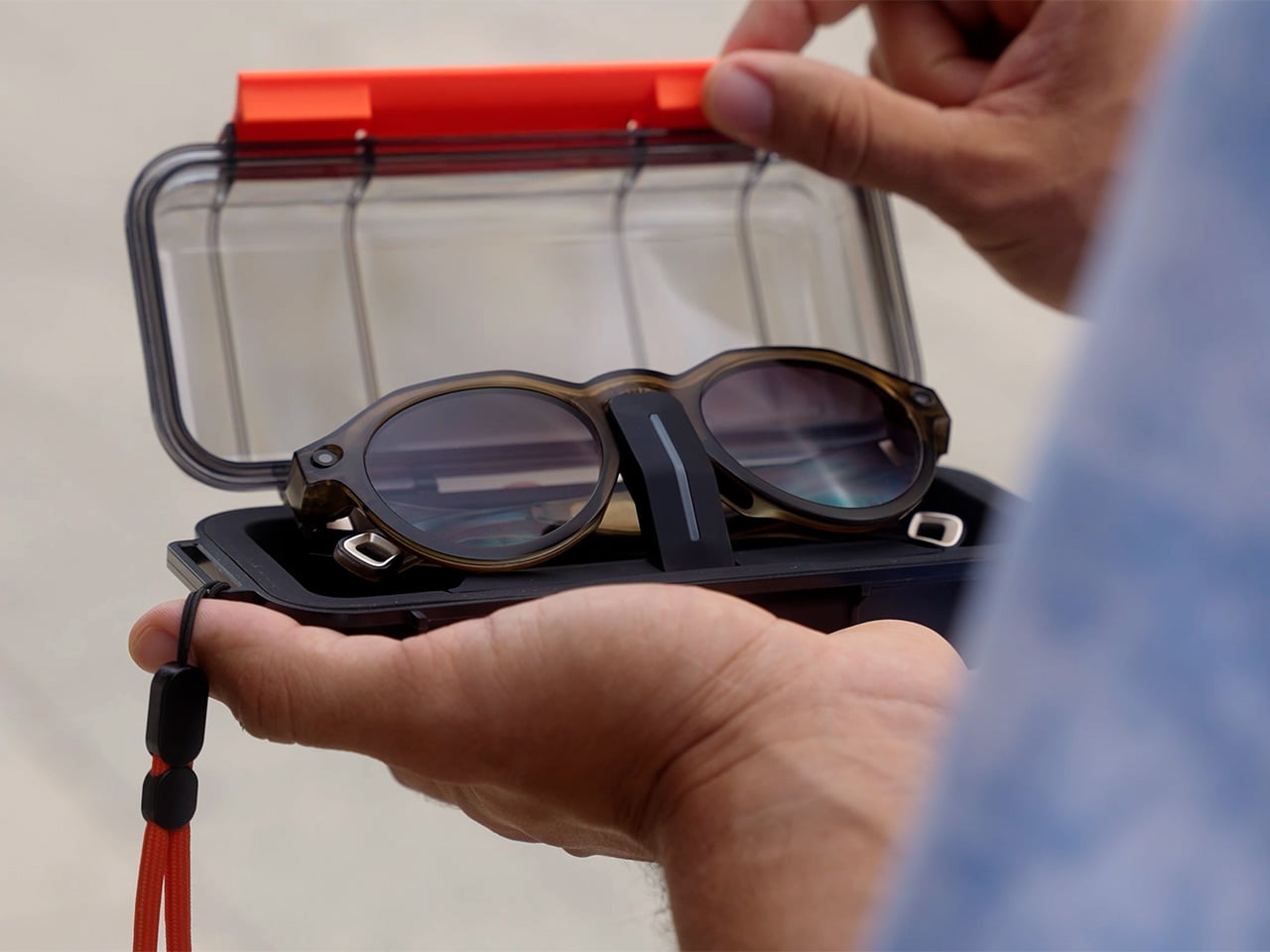
Milan Smart Glasses pack a 12MP camera, live translation in a stylish ‘non-gadget’ design

Le Corbusier wore round glasses. John Lennon wore round glasses. Several decades of architects, artists, and intellectuals who wanted to look like they read a lot wore round glasses. There is a long, slightly pretentious tradition attached to the panto and round frame silhouette, one that signals “considered, creative, European in a very specific mid-century way.” L’Atitude 52°N, the Berlin-based eyewear brand behind the Departure Collection, named their panto frame Milan for a reason, and they loaded it with a 12MP Sony camera, an AI assistant, and real-time translation into five languages before shipping it out the door.

Milan launches August 25th in the US and Europe, and the hardware it carries makes a more interesting case than the marketing copy would suggest. A 12MP Sony IMX681 sensor with a 107-degree ultra-wide field of view captures 1080p HD video and high-resolution stills, with a 6nm AI chip handling noise reduction, color processing, and exposure in real time. The Goya AI assistant manages music, calls, navigation, and battery checks by voice, while an AI Tour Guide feature uses the camera to visually identify landmarks and deliver 30-second expert commentary on demand. Live two-way translation covers five languages, all through the frame’s open-ear speakers and five-mic array. It comes in Olive and Obsidian from $399, with the photochromic lens option jumping that to $449.

Designer: L’Atitude 52°N

Click Here to Buy Now: $449

Milan’s matte finish and rounded panto silhouette exist in deliberate contrast to the BERLIN frame’s angular, navigator-coded geometry: BERLIN for a classic utility vibe, MILAN for culture. The EMS TR90 frame and self-adjusting temples bring the total to about 50 grams with lenses, genuinely light for a frame carrying cameras, microphones, speakers, and a 6nm AI processor inside it. Two colorways launch, Olive and Obsidian, each paired with gradient tinted or photochromic lens options that auto-adapt to changing light. Stainless steel spring hinges carry an ultra-wear-resistant nano technology coating tested over 20,000 cycles, three times harder than steel by L’Atitude 52°N’s own testing. IP65 sealing and a UV-hardened finish handle the elements, so the build is more rigorous than the silhouette lets on.

The Sony IMX681 sensor sits at the bridge with a 107-degree field of view that approximates natural peripheral vision reasonably well, and the 6nm AI processor handles real-time noise reduction, exposure calibration, and color enhancement so stills are usable without post-processing. Portrait and landscape modes are both supported, which matters for anyone managing content across platforms with different aspect ratio preferences. A tap on the frame or a “Hey Goya” voice command triggers capture, keeping hands free and the moment intact. 32GB of onboard storage holds everything locally until you sync via the companion app. The 1080p video ceiling is the one number that will catch attention from anyone shopping around, given that rival frames at lower price points are already delivering higher resolutions.

The AI Tour Guide uses the camera’s visual recognition to identify landmarks and artworks, delivering 30 seconds of expert commentary after a tap or voice trigger. Live Translation handles two-way voice conversation in English, German, French, Italian, and Spanish, with each session running up to five minutes before auto-closing. General Goya tasks work hands-free via the “Hey Goya” wake phrase, covering navigation, music, battery status, call management, and quick Q&A. All of it runs directly through the glasses without needing to pull out your phone or break the flow of whatever you are doing. A group communication Intercom Strap accessory is also in development, which will add offline mesh-networked voice chat with up to eight people simultaneously.

Open-ear stereo speakers and a five-microphone array handle audio in both directions, with AI noise reduction keeping voice commands readable even in crowded environments. Privacy is handled with more care than most of the category bothers with: photos and videos live locally on the device and are deleted after syncing to your phone, and Goya AI interactions leave nothing stored in the cloud. A physical LED on the frame lights up whenever recording is active, and covering it stops the camera immediately, audio included. Milan is built for GDPR compliance, which reflects the brand’s German roots and resonates with European buyers especially. Wi-Fi 6 and Bluetooth 5.4 handle connectivity, and the 200mAh battery delivers up to six hours of mixed use, with an IP67-rated charging case offering eight to ten full top-ups and a 20-minute fast-charge to 70%.

At $399 base and $449 with photochromic lenses, Milan is priced at the premium end of what is now a genuinely crowded field, with strong hardware available at lower price points from several well-funded players. The value case lives in design and privacy architecture rather than raw specs. The panto silhouette is more considered and more wearable than most competing frames, and the local-only media storage model is among the tightest privacy implementations shipping in this category today. Six hours of mixed-use battery is workable for a day out, but worth factoring in for anyone planning longer trips. The AI feature set is a meaningful differentiator, particularly for solo travelers navigating unfamiliar cities who would otherwise juggle translation apps, maps, and camera apps simultaneously.

Milan is available from August 25th on the L’Atitude 52°N website, with pre-orders placed before that date qualifying for a $50 discount. Gen 1 Departure Collection buyers, covering both BERLIN and MILAN, get full access to Goya AI features out of the box, including Voice Activation, AI Tour Guide, Live Translation, and AI Image Recognition, with no subscription required. L’Atitude 52°N has committed to giving users advance notice of any changes to that access model. The smart glasses space is genuinely crowded in 2026, with major players from tech and fashion all competing for the same audience. Milan’s answer is a panto frame, a matte finish, and a camera that asks you to simply look at the thing you want to remember. Le Corbusier would probably have approved, and he was notoriously difficult to impress.

Click Here to Buy Now: $449

The post Milan Smart Glasses pack a 12MP camera, live translation in a stylish ‘non-gadget’ design first appeared on Yanko Design.

5 Best Japanese Kitchen Gadgets That Make Fall Cooking Feel Like a Saturday in Kyoto

Fall cooking shifts register in a specific way. The produce changes, the mornings get sharper, and the kitchen becomes a place worth spending time in rather than moving through. Japanese kitchen tools were built for exactly this kind of attention. Each one is designed around a specific act – crushing, grinding, simmering, grating – and refined until the act itself becomes as satisfying as the result. The ritual is as much the product as the object that produces it.

The five tools here span the full arc of a fall meal, from the spice that seasons it to the bread that starts the morning, the pot that holds the broth, the set that grinds the sauce, and the grater that finishes the dish at the table. None promises to make cooking faster. What they share is a conviction that the right object changes how an act feels, and how an act feels is worth considering.

1. Impact Spice Mill

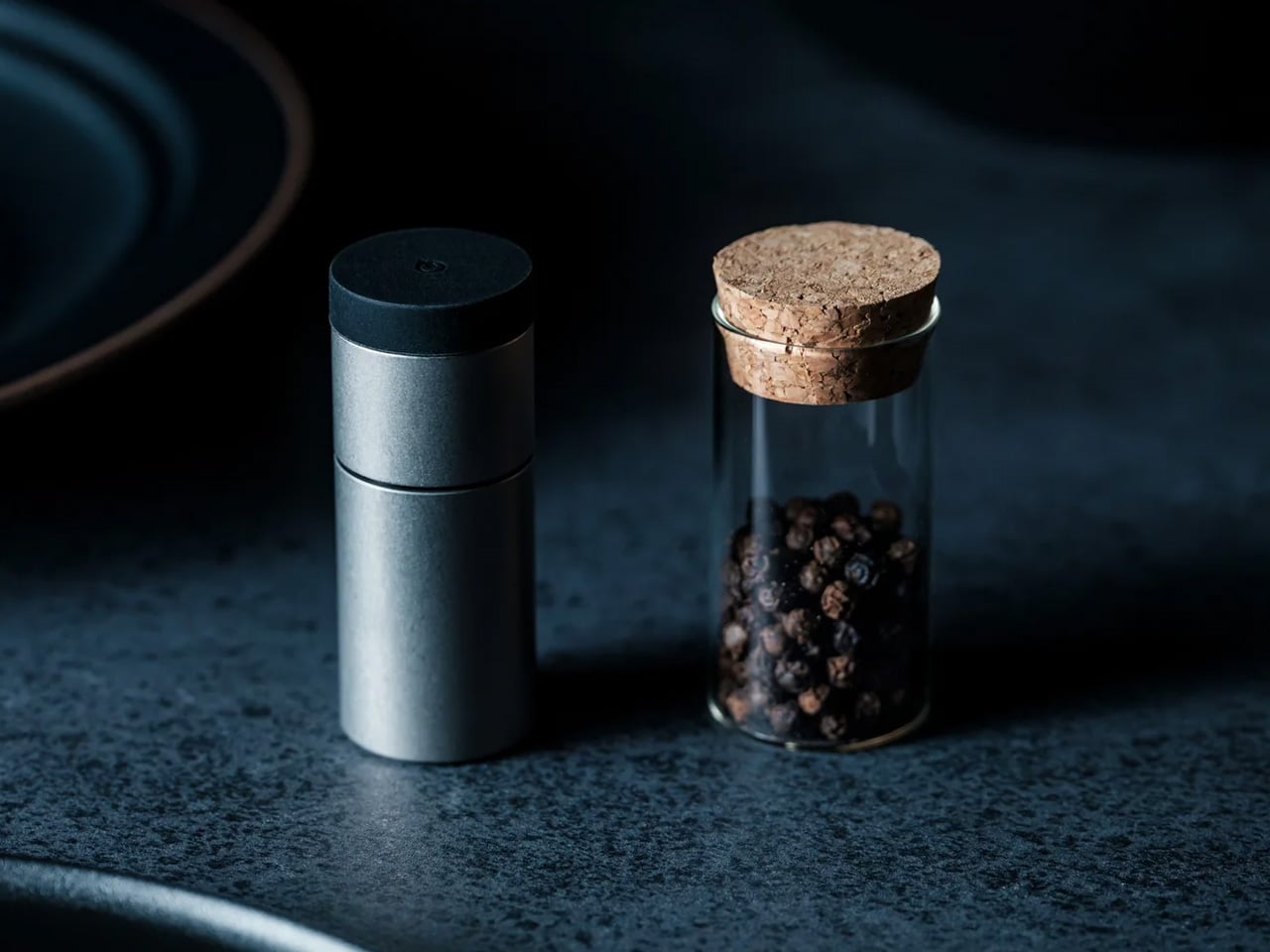
The Impact Spice Mill doesn’t twist. You shake it. An internal weight moves with each motion, pounding and crushing a small amount of spice to release more of its natural aroma just before it reaches the dish. The mechanism was designed by Wataru Imura for SUWADA, a Japanese manufacturer refining cutting tools since 1926, and it translates the logic of a mortar and pestle into a form you hold between two fingers. Each shake produces a click you feel before you hear it.

The gesture is the adjustment. The more you shake, the finer the grind becomes, so control lives in your hand rather than a numbered setting. At 65 by 27 millimeters, the stainless-steel body is small enough to sit among plates and glasses without demanding attention, and its form gives it a distinct presence on the table regardless. An included glass spice bottle keeps your choice of spice alongside the mill. It won the 2023 Good Design Award and an iF Design Award in 2024.

Click Here to Buy Now: $80.00

What we like

  • The percussion mechanism releases more of a spice’s essential-oil aroma than blade grinding, which registers immediately in the finished dish
  • Shaking controls both the crushing and the coarseness, so one motion does the work without a separate adjustment step

What we dislike

  • Intentionally designed for small amounts at a time, which makes it a finishing tool rather than a substitute for a standard grinder when seasoning large batches
  • The compact stainless-steel form has a minimal grip profile, which may take adjustment if you are used to larger, rubberized pepper mills

2. Mitsubishi Bread Oven

The name takes a moment. Mitsubishi, the Japanese conglomerate better known for precision electronics, applies the same engineering discipline to baking that its other divisions bring to everything they build. Controlled heat, precise internal timing, and a baking chamber environment that most Western countertop machines don’t manage produce a crust and crumb that reflect a genuine engineering investment in what bread should be, rather than what a consumer appliance at a comparable price usually delivers.

Fall is when bread makes sense again. The cooler mornings, the instinct toward something warm and unhurried – a good loaf is part of what makes the season worth the shift from summer. The Mitsubishi’s form is unmistakably Japanese in its restraint: white, minimal, without the button complexity that European bread makers at comparable prices tend to accumulate. It sits on the counter as an object with a clear visual point of view rather than a machine apologizing for its own presence.

What we like

  • Precision heat management produces a crust and crumb structure that typical home bread makers cannot replicate, regardless of recipe
  • The minimalist white form treats the machine as a considered design object rather than a utility box competing for counter space

What we dislike

  • Sourcing outside Japan requires import channels, which adds cost and complicates any warranty or service process
  • The price places this firmly in investment appliance territory, making it a deliberate purchase rather than a casual one

3. Iga-yaki Donabe Clay Pot

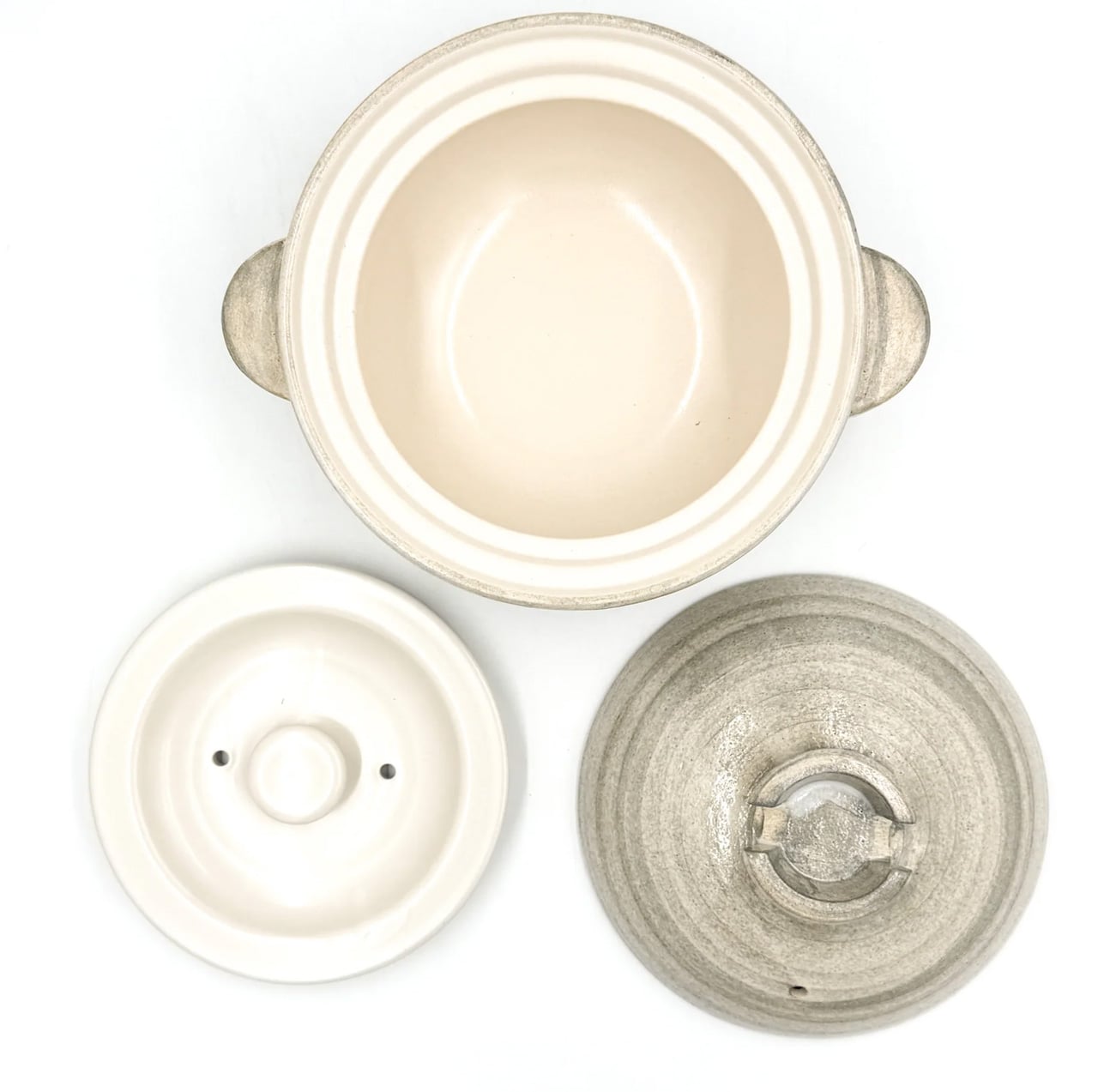
Iga clay comes from Mie Prefecture, where the local earth has been used for ceramics since at least the Kamakura period. The porous structure absorbs heat slowly and releases it with a consistency no metal pot can replicate. Rice cooked in it sweetens. Broth deepens over a lower flame than you would expect. The exterior stays rough and unfinished while the interior is glazed smooth: two surfaces on the same vessel, each doing precisely what the cooking requires.

Fall gives the donabe its best material. The vegetables are dense and worth their slow time, the broths have somewhere to go, and patience feels like a reasonable position to take in a September kitchen. Available from TOIRO Kitchen in several sizes, the pot handles rice, hot pot, steaming, and slow braising across all of them. Simmer rice water in it before the first use and store it with the lid off after washing. A vessel this well made works for decades when treated correctly.

What we like

  • Iga clay’s heat retention produces results in rice and broth that no metal pot at any price point genuinely replicates
  • Versatile across rice, hot pot, steaming, and slow cooking – one vessel quietly covers what several usually would

What we dislike

  • Requires a seasoning step before first use that the packaging doesn’t always communicate clearly upfront
  • The porous clay body absorbs strong cooking odors over time and should be stored with the lid off after each wash to stay fresh

4. Katakuchi Suribachi & Surikogi Set

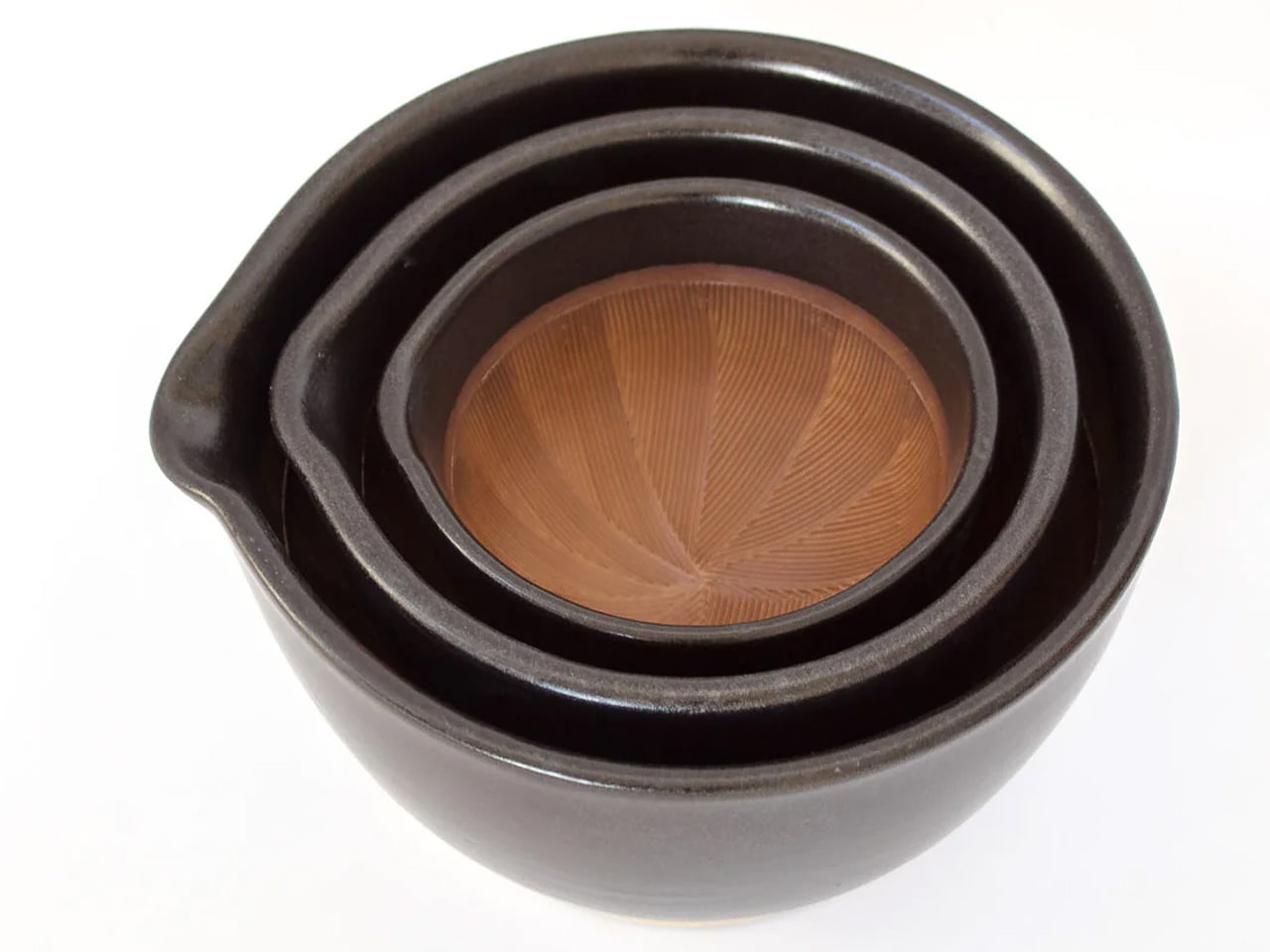
The suribachi is defined by its interior. A web of fine ridges grips seeds and fibers and pulls them apart through friction rather than crushing them flat. Unlike a smooth-walled mortar, this one grinds, and the difference in what it produces is immediate: a texture with more depth, an oil release with more presence, an aroma that reaches the kitchen before the pan is on. The katakuchi form adds a spout, so freshly ground sesame pours directly from the bowl without a transfer step.

The wood surikogi follows the exact curve of the bowl, and that pairing is the point. Working it through sesame or dried chili or sansho pepper in slow circles is a task that resets the pace of a Saturday evening in the kitchen without asking you to think about it. Available from TOIRO Kitchen in two colorways and priced between $36 and $63 depending on size, the set suits fall’s heavier flavors – ground sesame for noodles, miso base for soup – better than any other season gives it.

What we like

  • The katakuchi spout makes grinding and pouring a single-vessel process, with nothing lost in a transfer step
  • The ridged earthenware interior produces a texture and aroma from sesame and dried spices that a food processor simply cannot replicate

What we dislike

  • The earthenware body is heavy and requires careful handling — not something to reach for quickly in the middle of an active cook
  • Cleaning the grooved interior takes more attention than a smooth-walled mortar, particularly after working with oily seeds

5. Playful Palm Grater

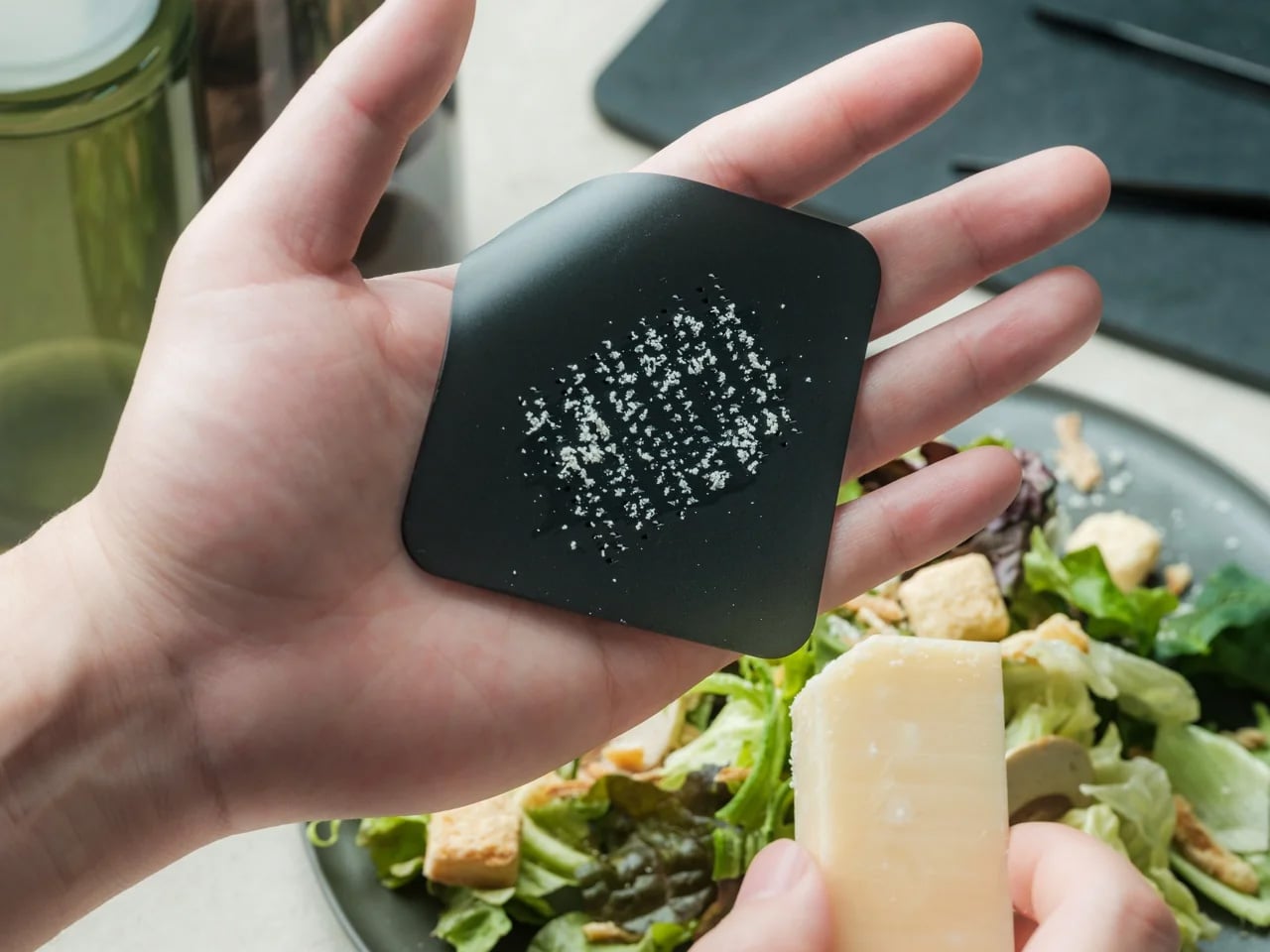
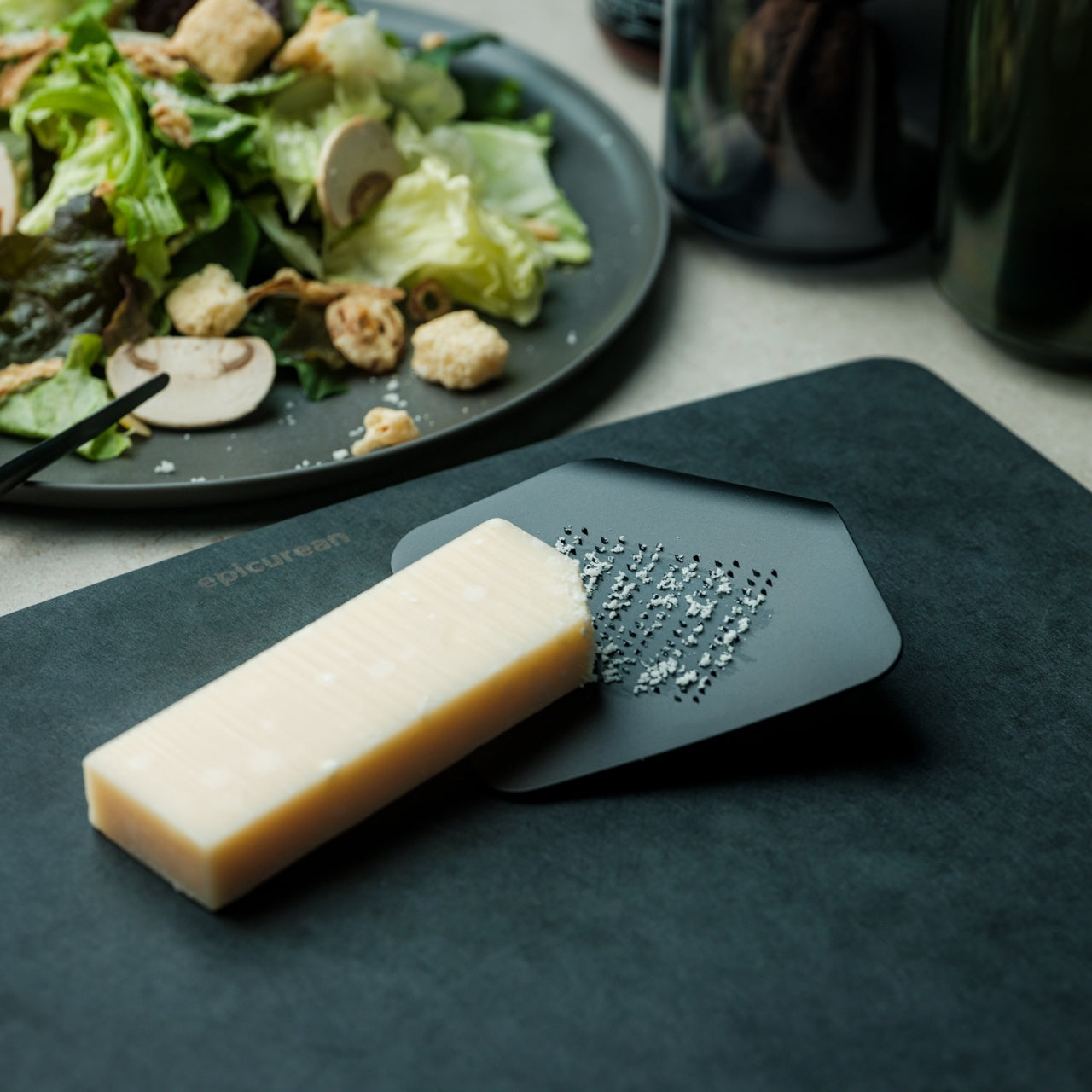
A single aluminum alloy plate, curled into the shape of a sheet of paper lifting at the corner, is the entire construction. That decision does more than look considered. Held in the palm, the curve keeps fingers clear of the grating surface and controls the angle naturally without any adjustment. The form removes the usual caution from grating, making it quick and clean enough to hand to someone at the table rather than keep behind the counter as something to be careful with.

Stamped from one plate with no joints and no separate parts, it rinses clean, dries in seconds, and stores flat without anything to find afterward. Its purpose is finishing: grating fresh ginger over miso soup, running daikon across it before a piece of seared fish, dusting a few strokes of citrus zest at the end of a dish. At $25, it earns counter space through form, color, and construction that most kitchen tools at any price don’t manage.

Click Here to Buy Now: $25.00

What we like

  • The curled aluminum form positions the grating surface naturally in the palm, keeps fingers clear of the teeth, and removes the usual hesitation from the process entirely
  • Single-piece construction means no joints to loosen, no parts to lose, and nothing to reassemble after washing

What we dislike

  • One grating coarseness means no adjustment between a fine dusting and a coarser pass, which limits versatility for kitchens that regularly need both
  • The palm-sized format is built for finishing and garnishing; volume grating requires more passes than a larger tool would

The Right Kitchen Feels Like Somewhere You Chose to Be

Japanese kitchen tools share a quality that is hard to name but easy to recognize. They were designed by people who cooked regularly and got quietly frustrated with what wasn’t working. That frustration, refined into object form, is what separates a mill that makes you reach for it from one you forget in a drawer, and a pot that changes what simmering produces from one that merely holds the heat.

Fall is the season these objects were made for. The spice mill that finishes the dish with a shake. The bread oven that turns the morning into something worth waking up for. The clay pot that asks you to wait. The grinding set that makes the sauce worth making. The palm grater that makes the garnish worth adding. Five objects, one season, and a kitchen that finally feels like somewhere you chose to be.

The post 5 Best Japanese Kitchen Gadgets That Make Fall Cooking Feel Like a Saturday in Kyoto first appeared on Yanko Design.

At $69.99, the Boya Notra Neo Is the AI Note-Taker That Students Can Finally Afford

The Plaud NotePin costs $169. Boya’s own Notra flagship launched in February 2026 at $149.99. For a stretch, if you wanted a dedicated AI recorder with real transcription and AI-powered organization, you were looking at spending north of $150, which quietly priced the category out of reach for the students and young professionals who arguably needed it most. Every new tech category does this: it launches expensive, finds its early adopters, and then figures out how to bring the price down. Boya just compressed that timeline significantly with the Notra Neo, a $79.99 AI recorder that retains the core AI note-taking experience of the flagship.

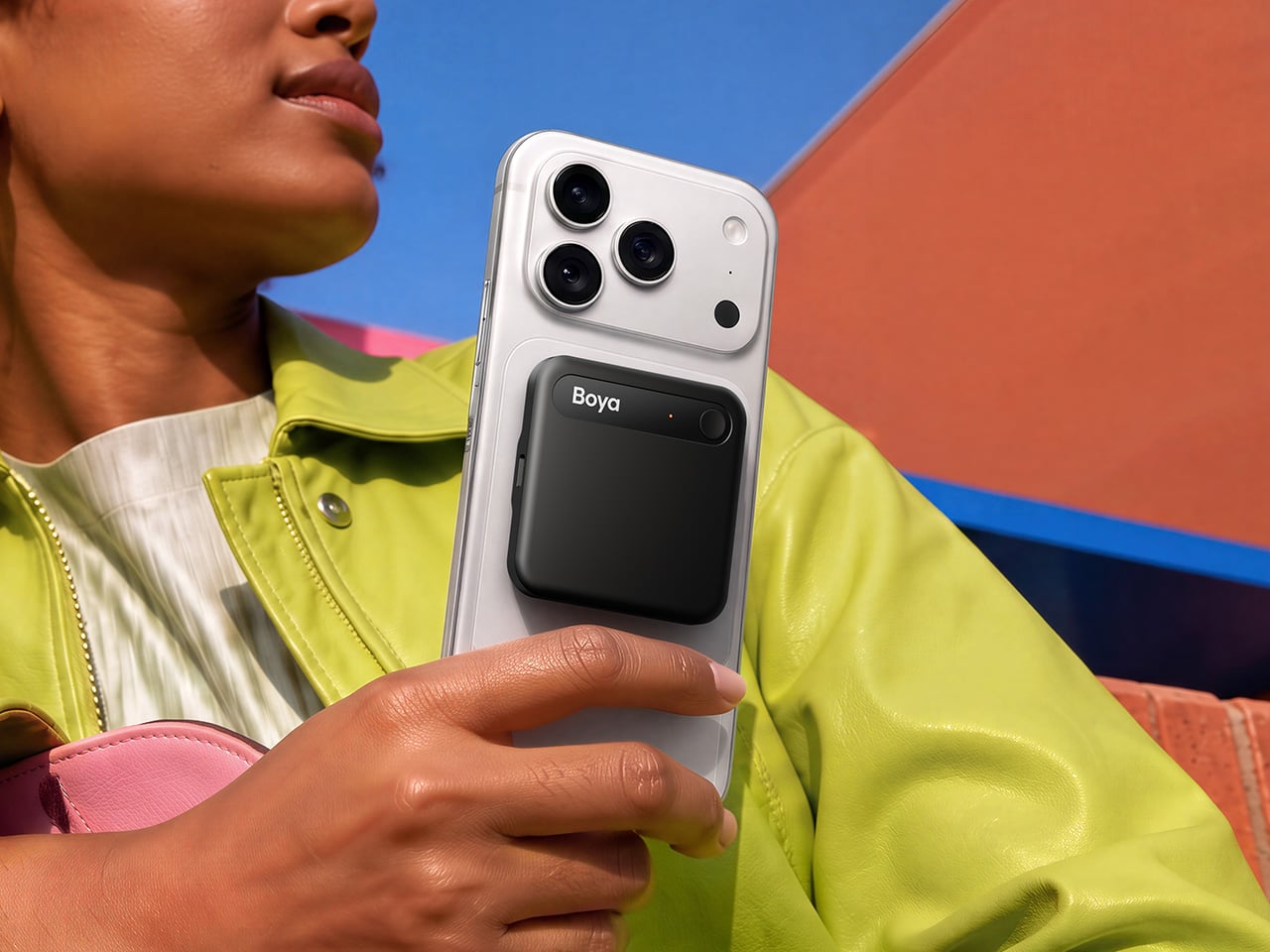
Launching September 4th at IFA 2026 in Berlin, the Notra Neo targets students, young professionals, multilingual users, and anyone who has been curious about AI note-taking but wasn’t ready to drop $150 on the experiment. The spec differences from the Notra are real but they’re calibrated: storage drops from 64GB to 8GB, the ambient pickup range goes from 10 meters to 5 meters, and battery life trims from 24 hours to 20. The core AI feature set remains available, with transcription across 140-plus languages, speaker identification, summaries, to-do lists, mind maps, and AI Search across your entire recording history. Automatic switching between Ambient, Phone Call, and Bluetooth recording modes means the device reads the situation and adjusts without you touching a setting. Pre-orders open August 24 at $69.99.

Designer: BOYA

Click Here to Buy Now: $69.99 $79.53 (12% off). Hurry, deal ends in 48-hour!

Boya’s automatic scenario detection handles context management silently: Ambient kicks in for face-to-face conversations, Phone Call for phone calls (obviously), and Bluetooth when you’re on a virtual meeting through your earbuds. In Ambient mode, the device picks up 360-degree audio within a 5-meter radius, covering most classroom or conference table setups without precise positioning. For first-timers already managing a phone, a laptop, and half a dozen tabs, that simplicity matters more than any individual spec. None of this requires navigating a settings menu mid-session or remembering which mode you last used. A similar friction-removal logic powered the REETLE E-Ink iPhone case YD covered last year, where a single dedicated record button built into the frame turned out to be the one design decision that made the entire product click.

Keeping the full AI feature set identical to the flagship Notra is genuinely the most interesting product decision Boya made with the Neo. Transcription runs across 140-plus languages and dialects with speaker labeling, making it a credible tool for multilingual classrooms, international teams, and professionals who regularly conduct conversations across more than one language. The AI layer generates summaries, to-do lists, mind maps, and insights from those recordings, with 60-plus professional templates calibrated for different scenarios. AI Search lets you query your entire recording history without scrubbing through audio, which shifts this from a recorder into a searchable knowledge base. Everything syncs and exports through the Boya OS App and Web, with format options for audio, transcripts, summaries, and mind maps.

The Notra Neo boasts a cleaner front face than its flagship counterpart, swapping the “BOYA Notra AI” label for a simple “Boya” wordmark on a smoother surface. The form factor follows the compact square silhouette now standard in this category, but the softer branding reads younger and more consumer. Nothing about the physical profile announces entry-level in the way cheaper electronics sometimes can’t avoid, which matters for users already self-conscious about carrying a dedicated recorder. At $80, the Notra Neo competes less with the Plaud than it does with the phone propped against a water bottle, and that’s a smarter fight to pick.

Pre-orders for the Notra Neo open August 24, 2026, at a discounted $69.99. At its budget-friendly price, this is the most accessible entry point into dedicated AI recording the category has seen, and for anyone who has been putting off the experiment, the excuse just ran out.

Click Here to Buy Now: $69.99 $79.53 (12% off). Hurry, deal ends in 48-hour!

The post At $69.99, the Boya Notra Neo Is the AI Note-Taker That Students Can Finally Afford first appeared on Yanko Design.

Back to School Isn’t Just for Kids – 8 Gadgets & Tools That Reorganize the Whole House

Something shifts in late August that has nothing to do with school. The house starts to feel like evidence of a summer that ran on improvisation – schedules buried in group chats nobody reads, keys that went somewhere in July and only half-returned, a desk that spent three months as a charging station and a landing pad for things with no permanent address. The calendar turning does not fix any of this by itself.

These eight gadgets do not ask you to overhaul the way you live. They ask much smaller things: where does the schedule live so everyone sees it, what happens to the desk when the workload returns, how many cables are living on a surface that has no business holding them. Each one solves a specific piece of the September reset without requiring a renovation. The whole house earns back its organization, room by room.

1. reTerminal Sticky
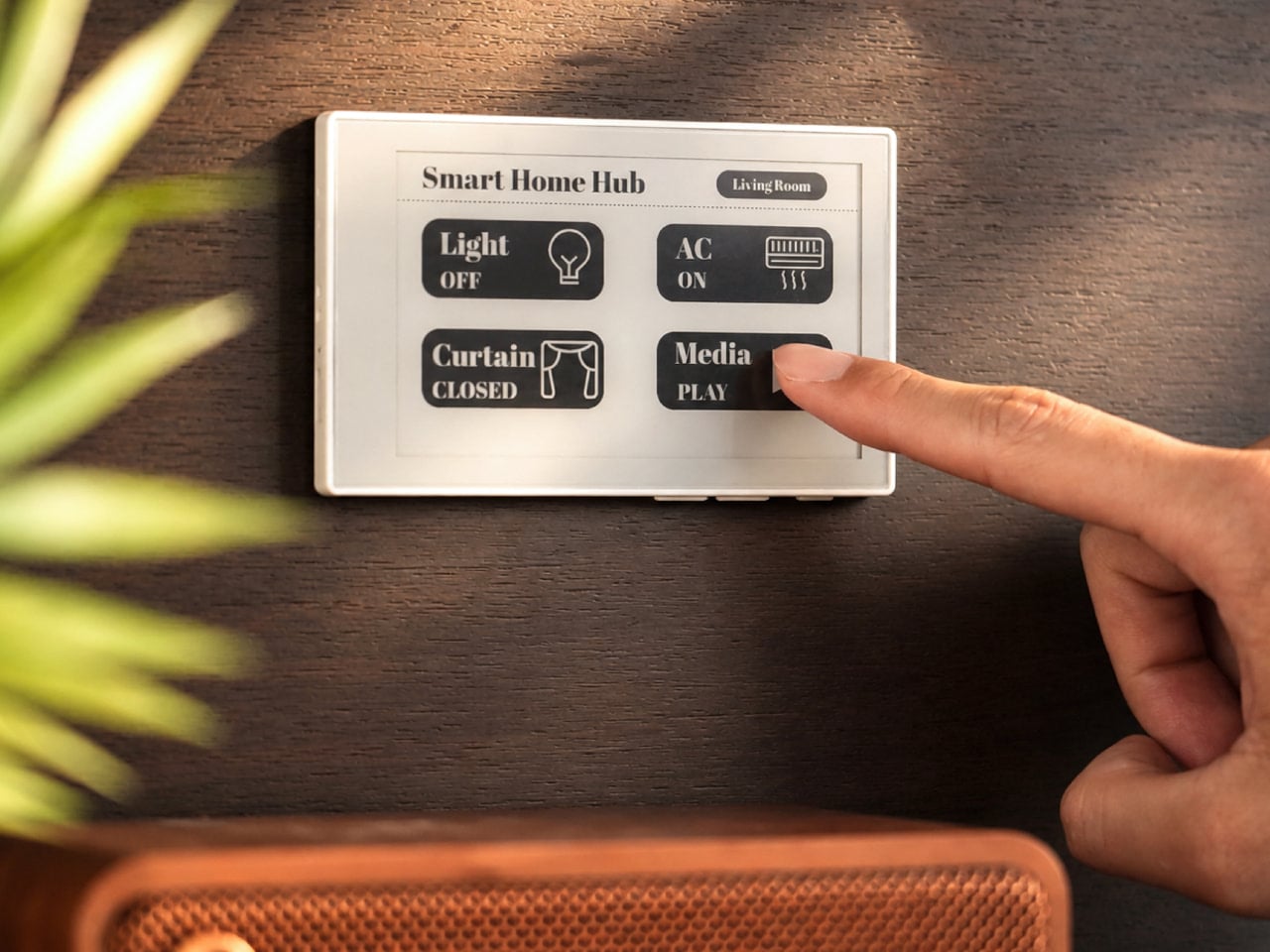
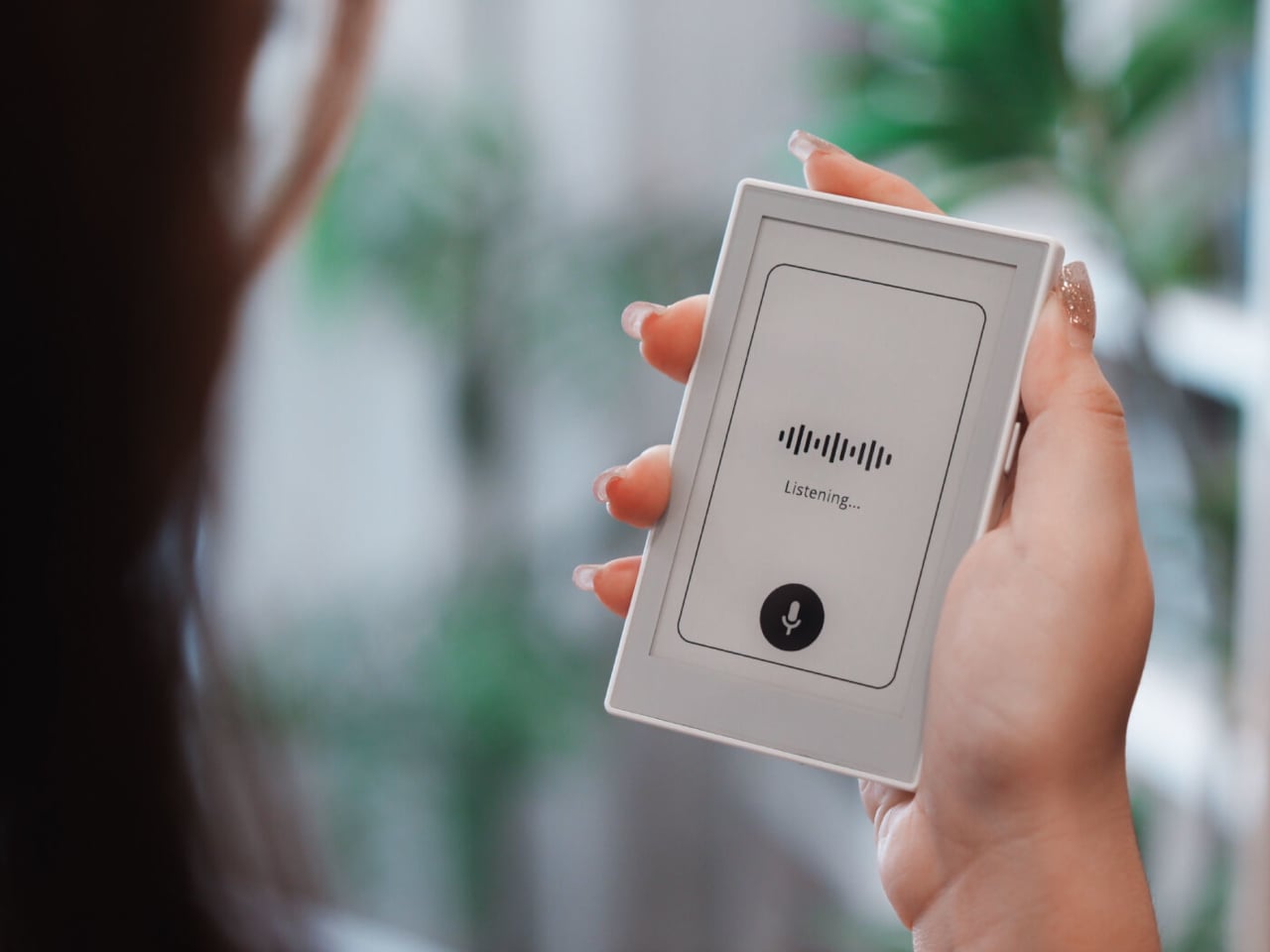
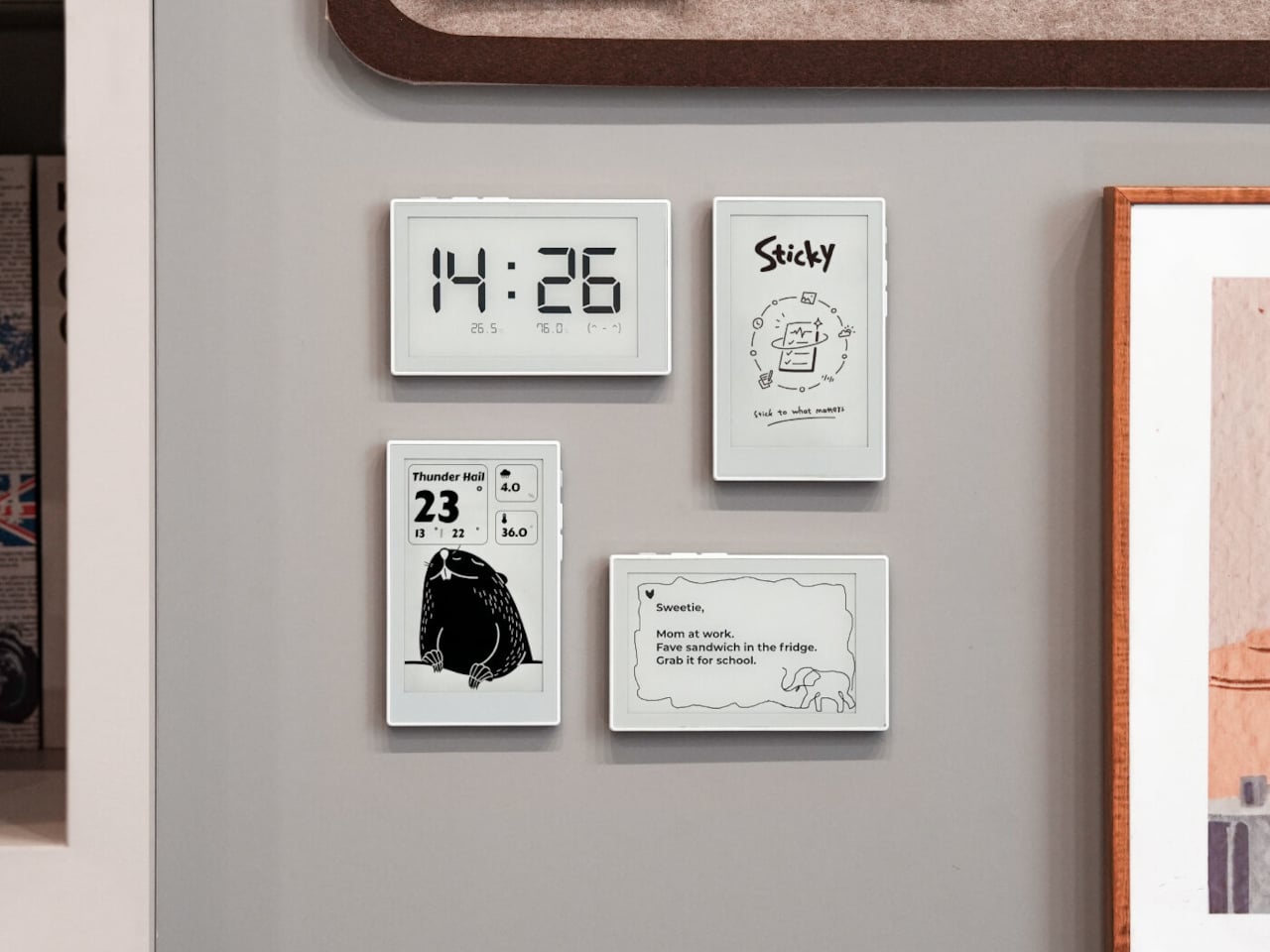
The problem with a family group chat is structural, not social. It requires everyone to already be looking at their phone to see the message, which is the precise moment most people are doing something else entirely. The reTerminal Sticky moves the shared schedule off the phone and onto the fridge – a 3.97-inch E-Ink touchscreen in a 7.3mm body that magnets directly to any metal surface and shows notes, reminders, weather, and a clock without drawing power to maintain the image.

Someone at work can post a dinner reminder to the home screen over Wi-Fi or cellular using the Seeedash companion app, no text chain required. At home, a physical button lets you press and speak – the display transcribes the voice directly into a note without opening anything first. The 750mAh battery lasts a week under normal use and potentially months in Battery Saver Mode, which removes the main reason most small gadgets get quietly retired after the first month.

What we like

  • Remote note posting means the schedule updates the moment it changes, not when someone remembers to mention it in a thread
  • E-Ink holds the display without drawing power, so a full week of reminders appears on the fridge without a mid-week charge

What we dislike

  • The monochrome screen trades color for legibility and battery life, which is the right trade-off for a kitchen surface but worth knowing before purchase
  • Voice input currently supports English and Chinese only, which limits the feature for multilingual households

2. ClearSlide Box Opener
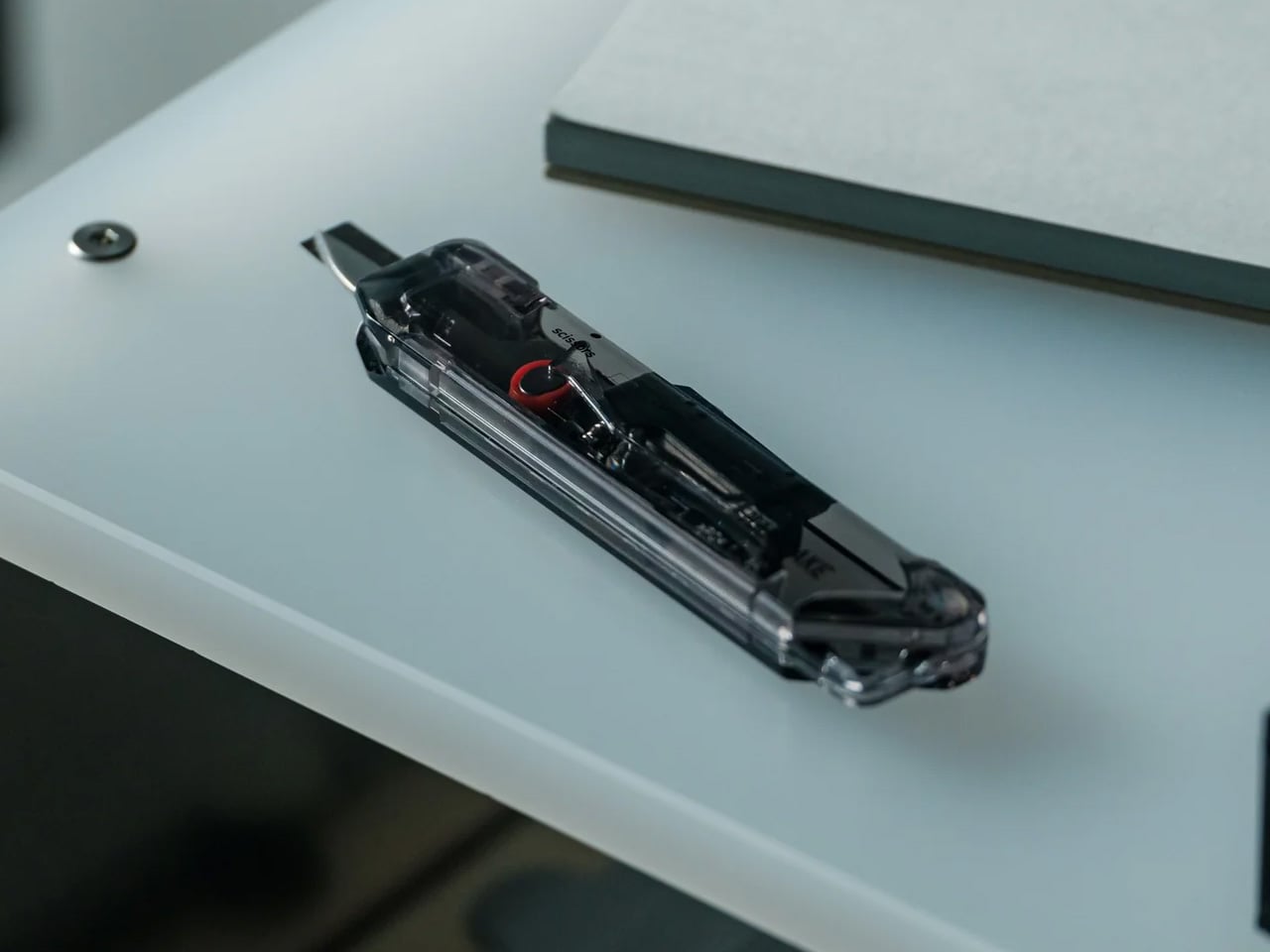
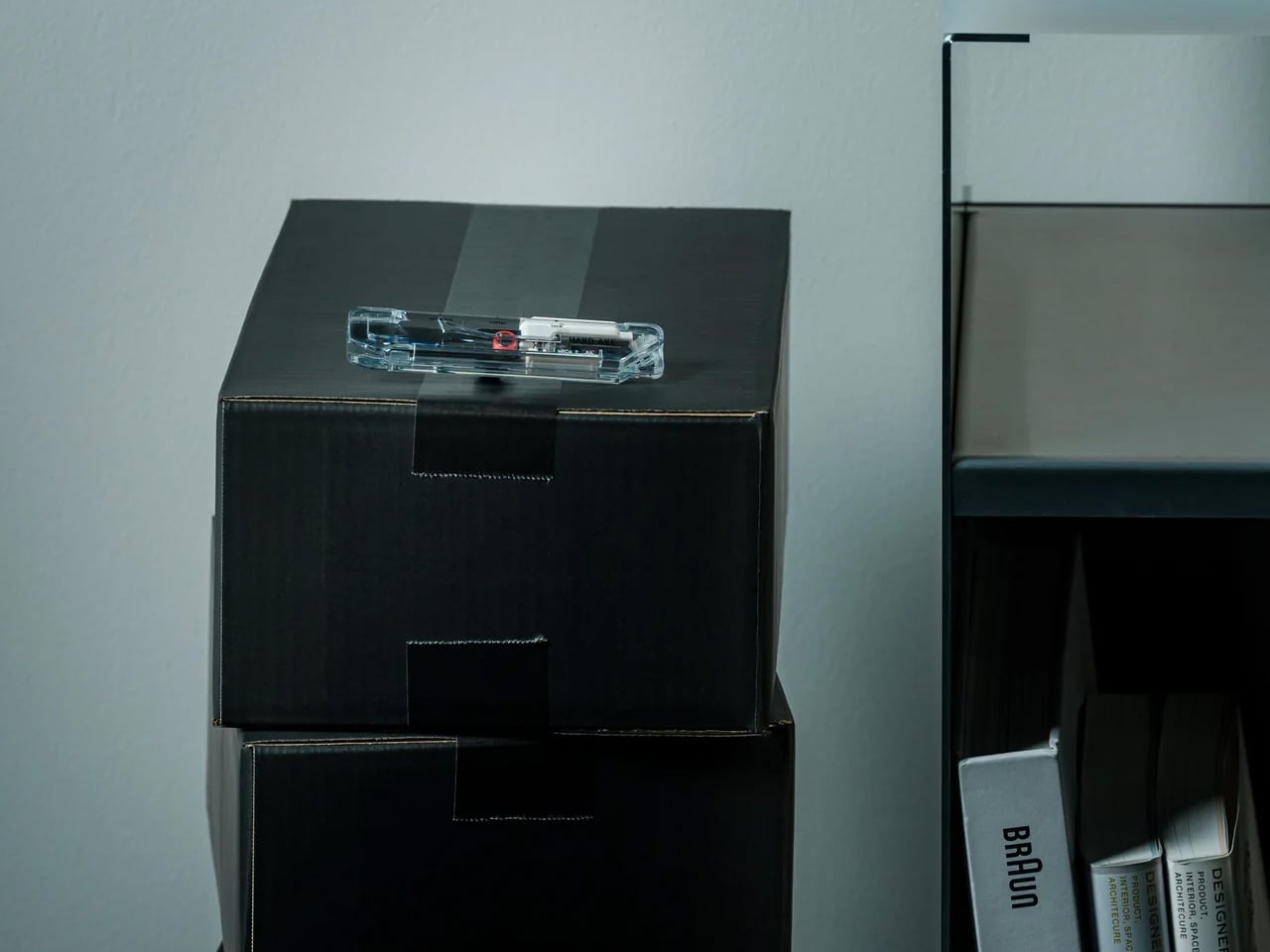
Back-to-school week in 2026 means a run of boxes at the front door – school supplies, replacement headphones, the desk lamp that was finally ordered. The recurring problem is not the boxes. It is setting them down to find a box cutter, then setting the box cutter down to find scissors for the tag inside. ClearSlide solves that two-tool problem with a single sliding thumb motion that cycles through lock, cutter, and scissors without setting the box down.

The 0.12-inch blade extension is deliberate – it cuts through packaging tape cleanly while staying far enough from the contents to avoid second-guessing every pass. The detail that earns it a permanent spot is the transparent shell. The red slider and internal mechanism are fully visible as you cycle positions, each one locking with a crisp click before releasing with a clean spring action. At $30, it is the most straightforward decision on this list.

Click Here to Buy Now: $30.00

What we like

  • The single-hand sliding mechanism switches between box cutter and scissors without setting the package down, which is exactly the problem it promises to solve
  • The transparent shell makes every internal shift visible as you use it, turning a utility object into something worth keeping on the counter

What we dislike

  • The 0.12-inch blade is optimized for tape and packaging, not heavier cutting tasks that need more blade depth
  • Limited units are currently available in the Select Shop, so the window to order without waiting is shorter than most products on this list

3. Orbitkey Key Organiser
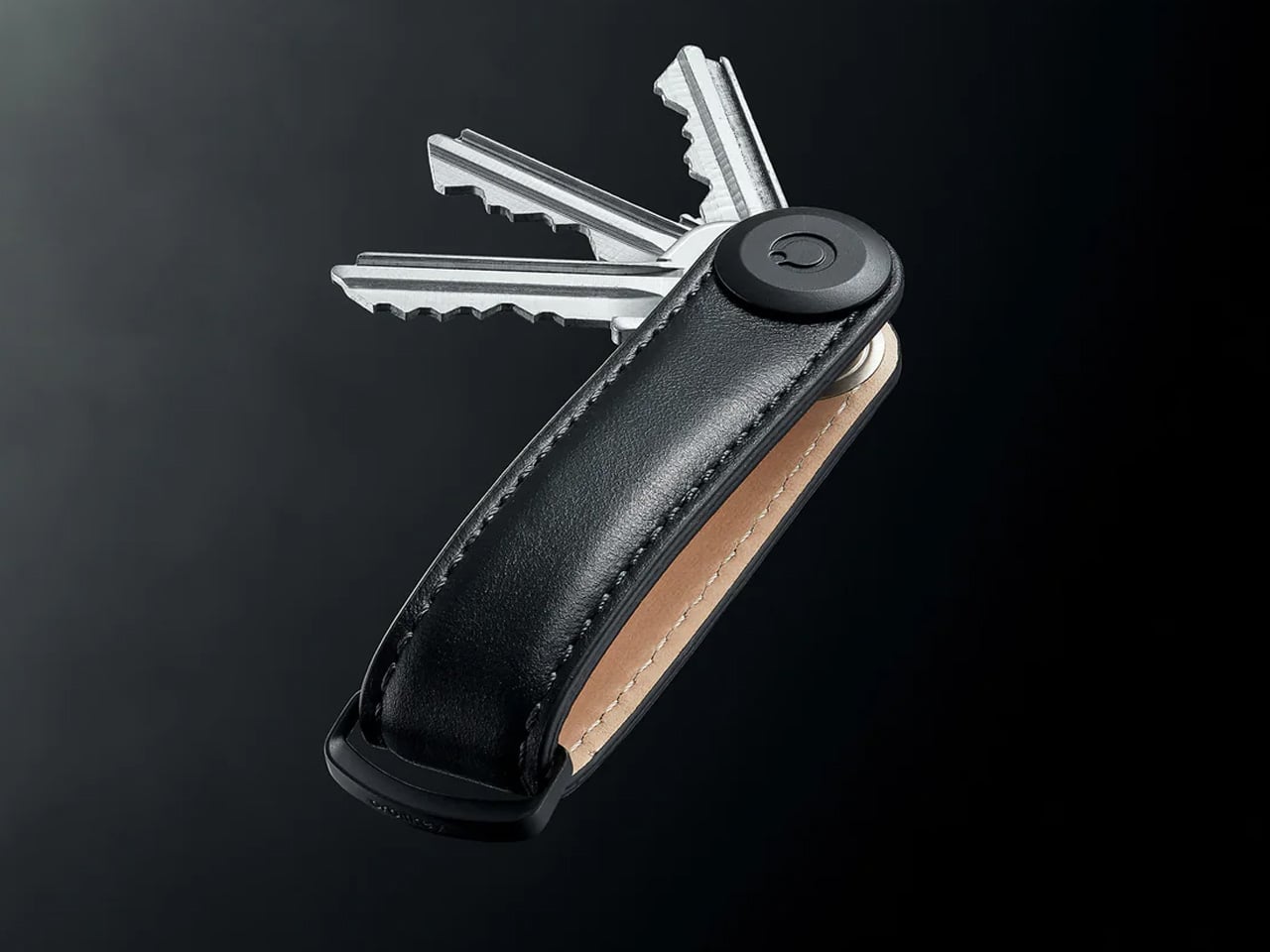
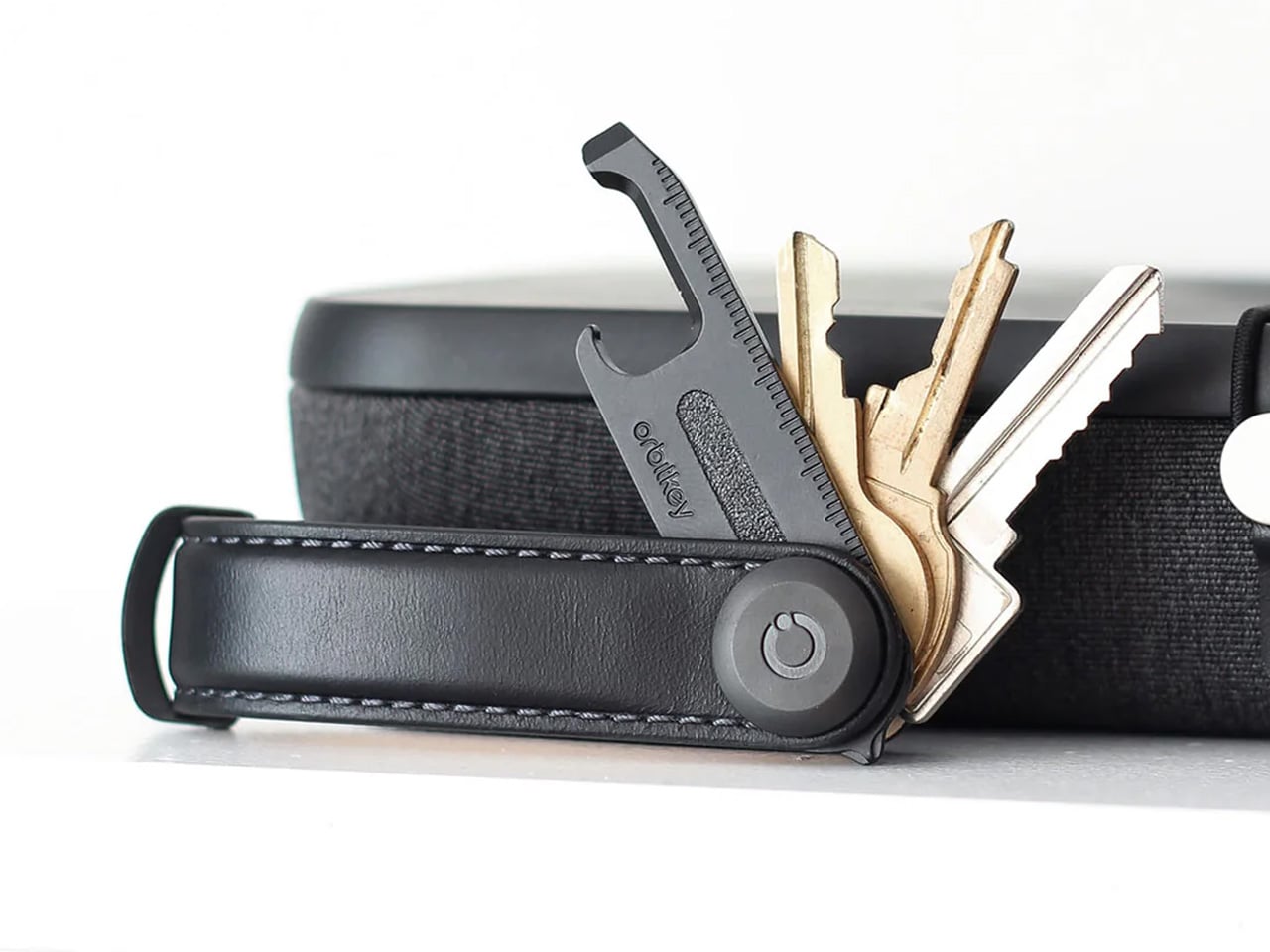
September brings keys back into rotation – school fobs, office cards, library returns that spent summer in a drawer with no forwarding address. A standard key ring solves the problem with the bluntness of something designed before pockets had size constraints: keys press ridges into trouser pockets for eight hours straight and jingle through every corridor between them. The Orbitkey stacks up to seven keys flat inside a full-grain leather spine, held under tension with stainless steel hardware, producing no movement and no sound when closed.

The leather exterior develops its own wear pattern over years of daily use, an explicit design position about longevity that most keychain products never bother taking. A small ring attachment handles anything that does not stack flat inside the body, and five colorways cover the full range from black dress leather to warmer cognac tones. Heading out the door with the Orbitkey in your pocket for the first time, the first thing you notice is the absence of sound from your keys. Then you stop noticing it, which is the point.

What we like

  • The tension-stacking system eliminates key jingle, which sounds like a minor gain until you experience a full working day without it
  • Full-grain leather construction ages into character rather than showing damage, built to outlast the annual trend cycle by a significant margin

What we dislike

  • Initial key installation involves a screwdriver and careful threading – not difficult, but a real first-use commitment that catches some buyers off guard
  • Oversized or irregularly shaped keys may not stack cleanly within the system’s geometry, worth confirming before purchase rather than after

4. Fantom X Wallet
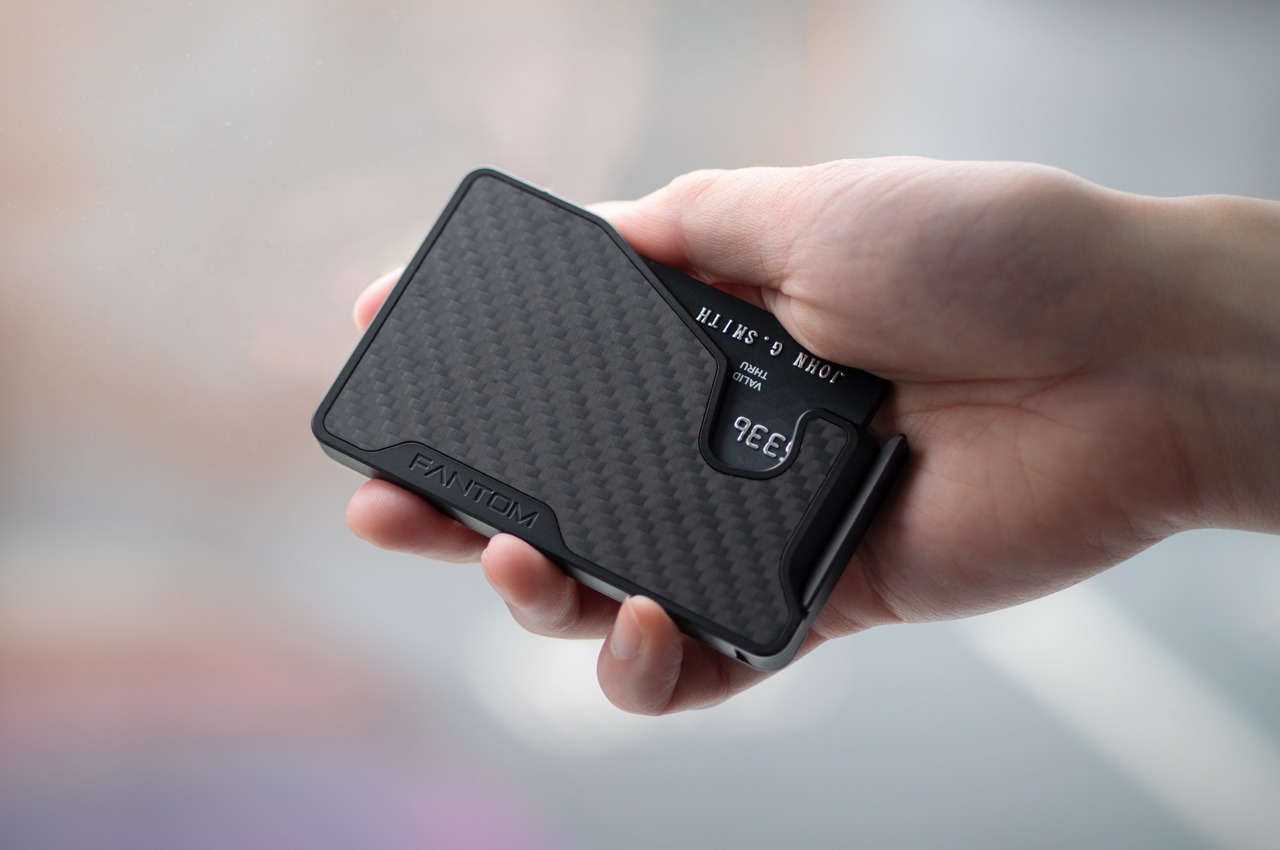
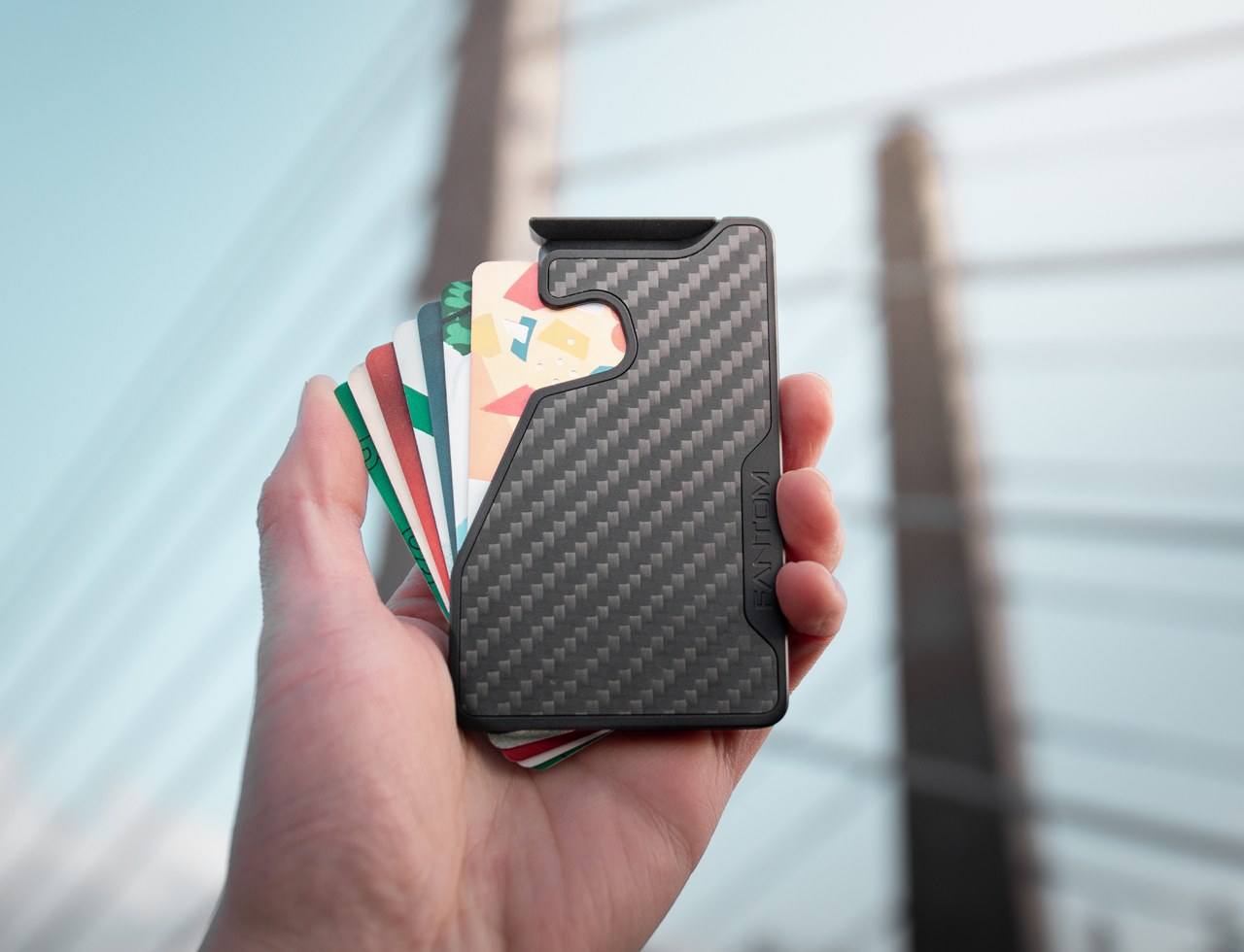
The wallet is the one object in the house that nobody reorganizes until it physically stops closing. By late August it carries summer receipts from June, loyalty cards for places visited once, and transit cards added during travel that have no reason to remain. The Fantom X treats the wallet as an engineering problem rather than a craft one – a machined aluminum chassis that retains cards mechanically and ejects them in sequence with a spring-loaded press of a button, organized by frequency of use rather than pocket habit.

Nothing in its construction is soft, which means nothing in this wallet degrades. The bead-blasted aluminum body borrows its material logic from the better end of the EDC market: fewer components, one mechanism, no organic materials that can stretch, crack, or lose tension under daily use. Cards organize themselves by ejection sequence, which introduces a useful kind of intentionality about what actually deserves a slot. Heading into a structured fall with a wallet this considered makes the stretched billfold feel like a problem you have finally solved rather than one you are still living with.

What we like

  • Machined aluminum construction eliminates the stretching and cracking that defines the lifespan of leather and fabric wallets across every price bracket
  • The spring-loaded ejection fans cards in sequence, removing the fumbling that every other slim wallet format still requires at the checkout counter

What we dislike

  • The mechanical ejection system has a learning curve for anyone switching from a traditional bifold, with the first week involving genuine reorientation
  • Cash carry is minimal depending on configuration, which limits practicality for anyone who still moves through the day with notes in their pocket

5. Olight Baton 4 Premium Edition
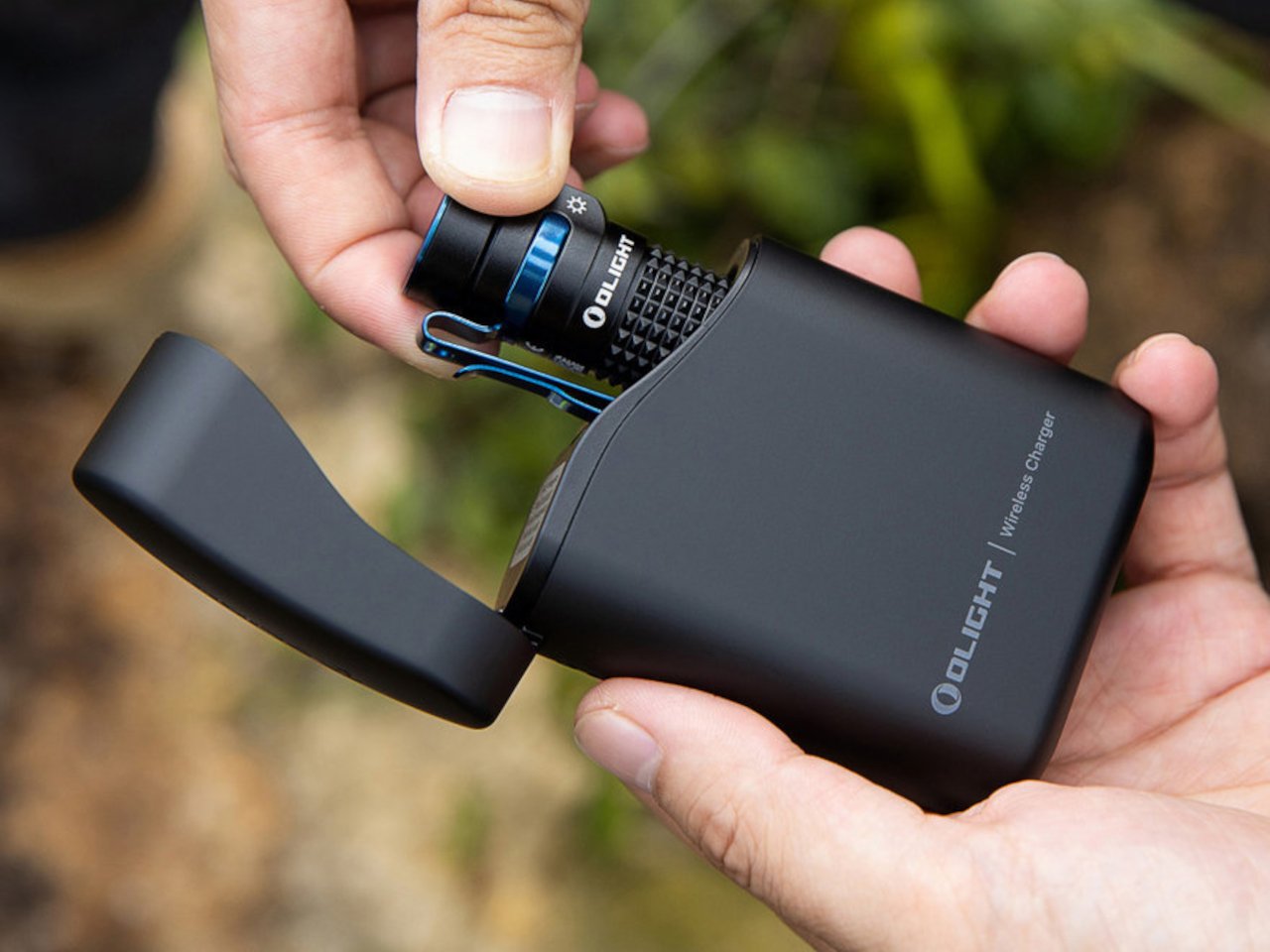
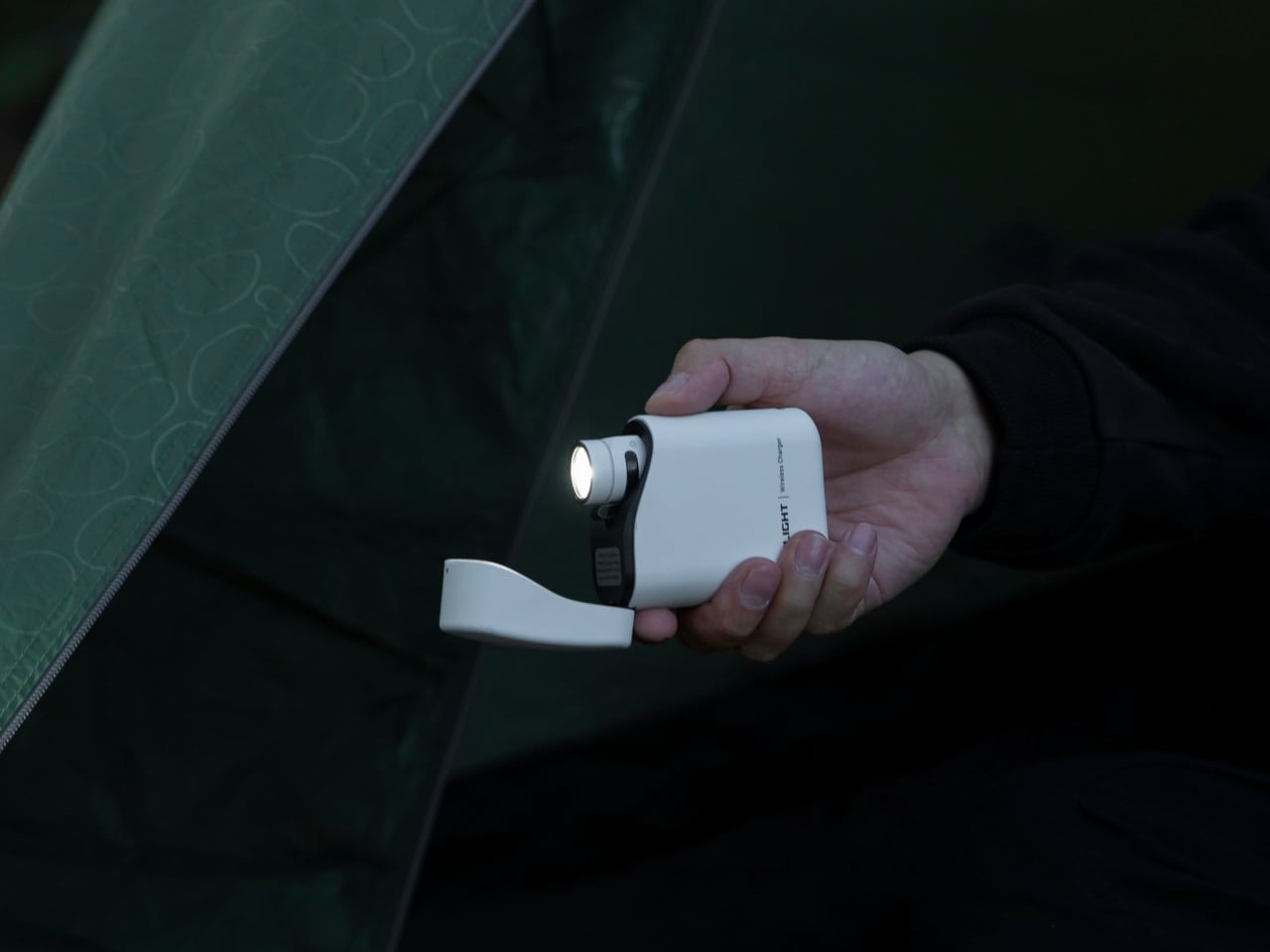
By mid-September, sunset arrives before 7 pm across most of the US. The dead flashlight, the empty power bank, and the missing lantern resurface together as the same problem – the house is not ready for the darker half of the year. The Baton 4 Premium resolves all three by making the charging case the primary object rather than the flashlight and power bank as separate things. The flip-top case carries 5,000mAh, recharges the Baton 4 up to five times, and activates the light without removing it from the case at all.

The 1,300-lumen output and IP68 waterproof rating handle the practical end of what a flashlight needs to do. The magnetic tail cap converts it into a freestanding lantern by sticking to any steel surface, removing the need for a separate camp light in most low-light situations and proving genuinely useful during a power outage. For a house heading into fall, the Baton 4 Premium makes the case that two carry problems can be resolved by a single considered object – which is the only standard that matters when the evenings start arriving early.

What we like

  • The charging case serves as a functional 5,000mAh power bank and activates the flashlight without removing it, two carry problems resolved by one object instead of two
  • The magnetic tail cap frees both hands during stationary tasks without requiring any additional accessories, stands, or setup

What we dislike

  • Maximum brightness draws battery faster than lower output modes, meaning more frequent recharging on heavy-use days and more reliance on the case as compensation
  • The case adds volume to the carry; users wanting the flashlight alone will need to leave the power bank function behind, which partially defeats the premise of carrying less

6. MagBoard Clipboard
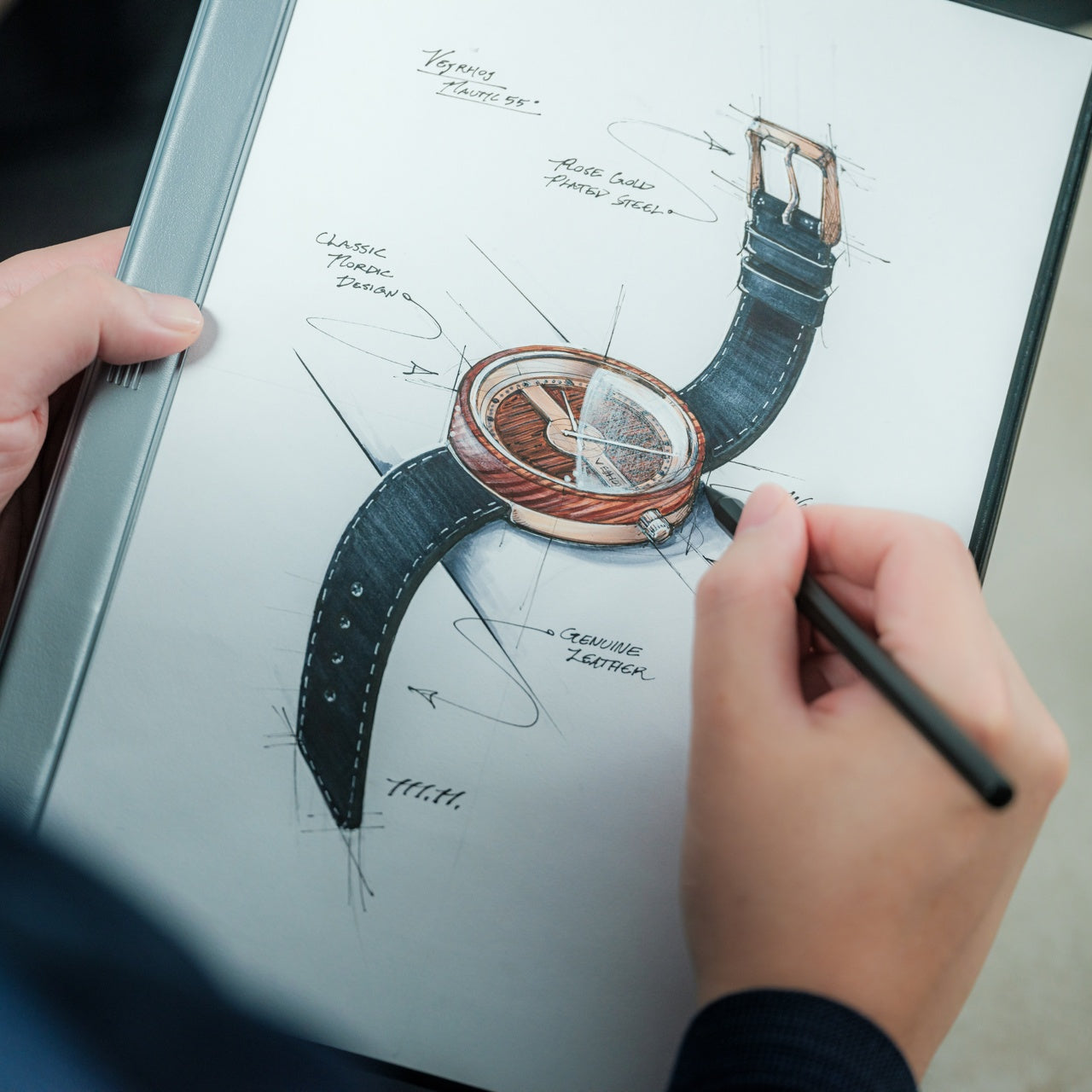
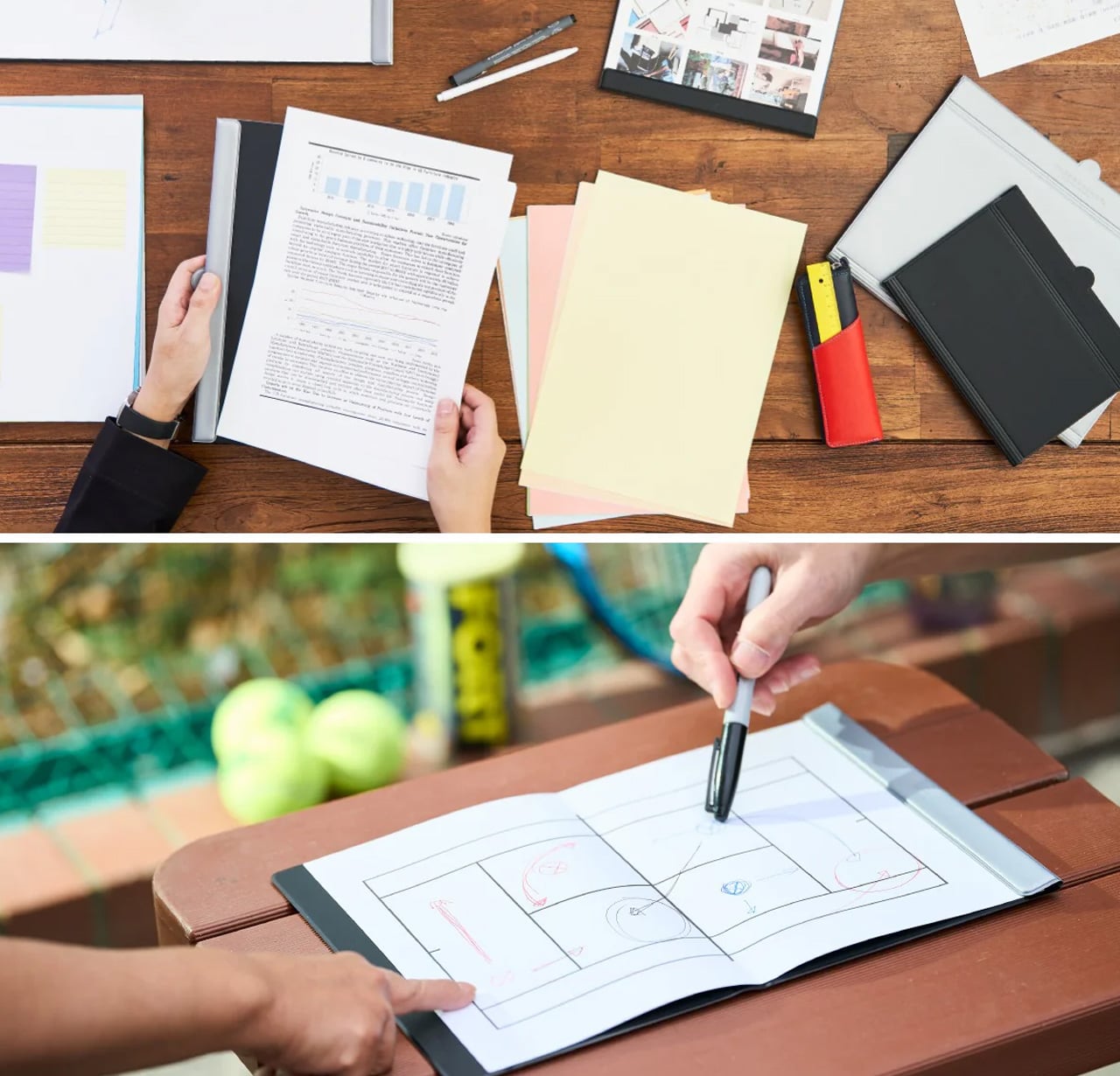
A stack of papers with no system is not a filing problem – it is a thinking problem. Back-to-school week produces a specific kind of paper chaos: printed schedules, permission forms, project outlines, and to-do lists that exist on separate sheets because they were never meant to live together permanently. The MagBoard Clipboard holds up to 30 loose sheets under a magnetic lever mechanism, securing them firmly enough for daily use while releasing them individually the moment a page needs to move, be filed, or be removed entirely. A hardcover backing means you can write against it standing at the kitchen counter, leaning against a wall, or anywhere without a flat surface underneath.

What separates this from a standard clipboard is the organizational logic it allows. Notes for different projects stay on separate sheets and get assembled in whatever order the week demands – not the order they were written. When a task is done, the page comes out cleanly. When a new one is added, it slots in where it belongs rather than at the back of a bound notebook that cannot be rearranged. The water-resistant cover handles the unpredictability of a house in motion. At $45, it is the analog organizational layer the desk has been missing since July.

Click Here to Buy Now: $45.00

What we like

  • The magnetic lever holds sheets firmly enough for daily use but releases individual pages instantly, so the system adapts to how the week actually unfolds rather than locking you into a sequence
  • The hardcover backing turns any wall, counter, or standing surface into a writing station, which is where most household decisions actually get made

What we dislike

  • Loose sheets require more active management than bound pages – a page left outside the clipboard is a page that can disappear into the pile it was meant to replace
  • Only 4 units currently available in the Select Shop, so order before the stock runs out

7. LEGO-Inspired Silicone Cable Organizer
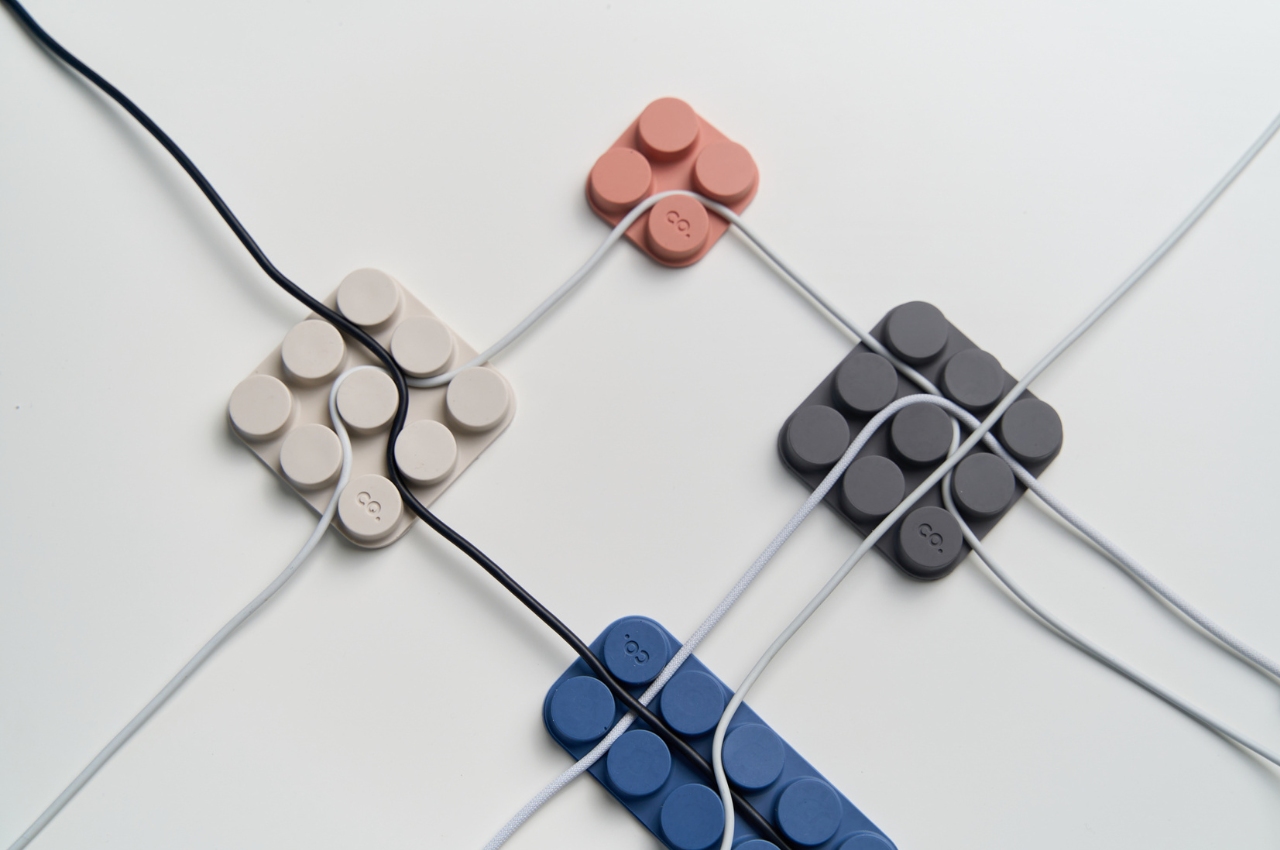
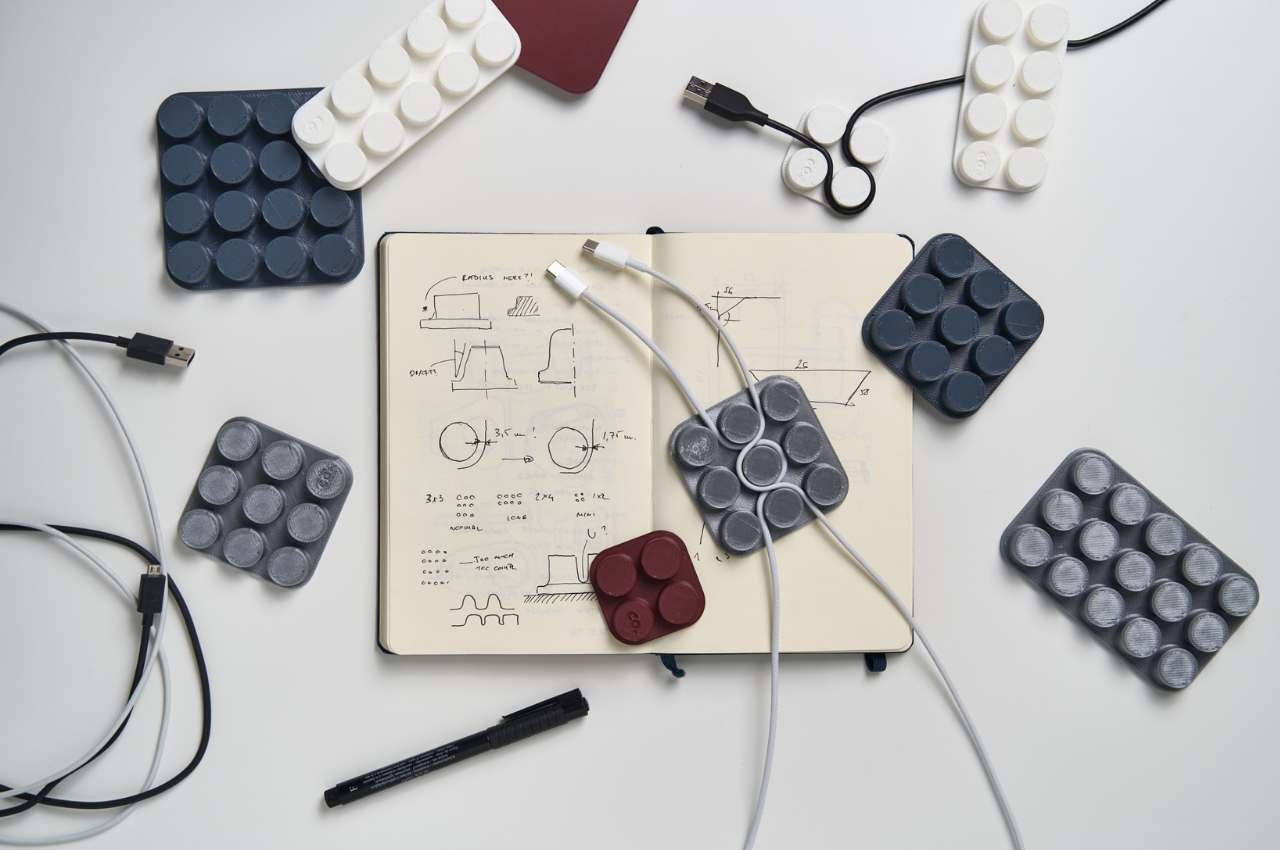
By late August the home office desk looks like evidence of a summer that happened entirely online – charging cables for devices not seen since June, tangled around adapters that no longer have a corresponding device on the other end. This modular silicone organizer uses a peg-and-row design to secure up to two cables per row across three size formats, holding each one in place without clips, Velcro, or anything that needs to be replaced. A micro-suction tape base holds the whole unit to any desk surface without permanent installation.

The design borrows its logic from LEGO – modular, expandable, and quietly satisfying to configure. You can run the USB-C row along the back edge, the charging cable along the front, and route the HDMI somewhere in the middle, each one held cleanly to its port without crossing anything else. It takes four minutes to set up and several months to forget you own it, which is the only standard cable management needs to meet. The desk underneath gets quieter, and the work that happens on it tends to follow.

What we like

  • The modular peg-and-row design accommodates different cable thicknesses and desk configurations without cutting, drilling, or permanent attachment
  • The micro-suction base holds firmly enough for daily use but lifts cleanly when the setup changes

What we dislike

  • The playful silicone form reads as casual rather than minimal, which may not suit every aesthetic in a more formal office environment
  • Limited color options mean matching a monochromatic desk setup requires some compromise

8. Dockcase 7-in-1 Hub
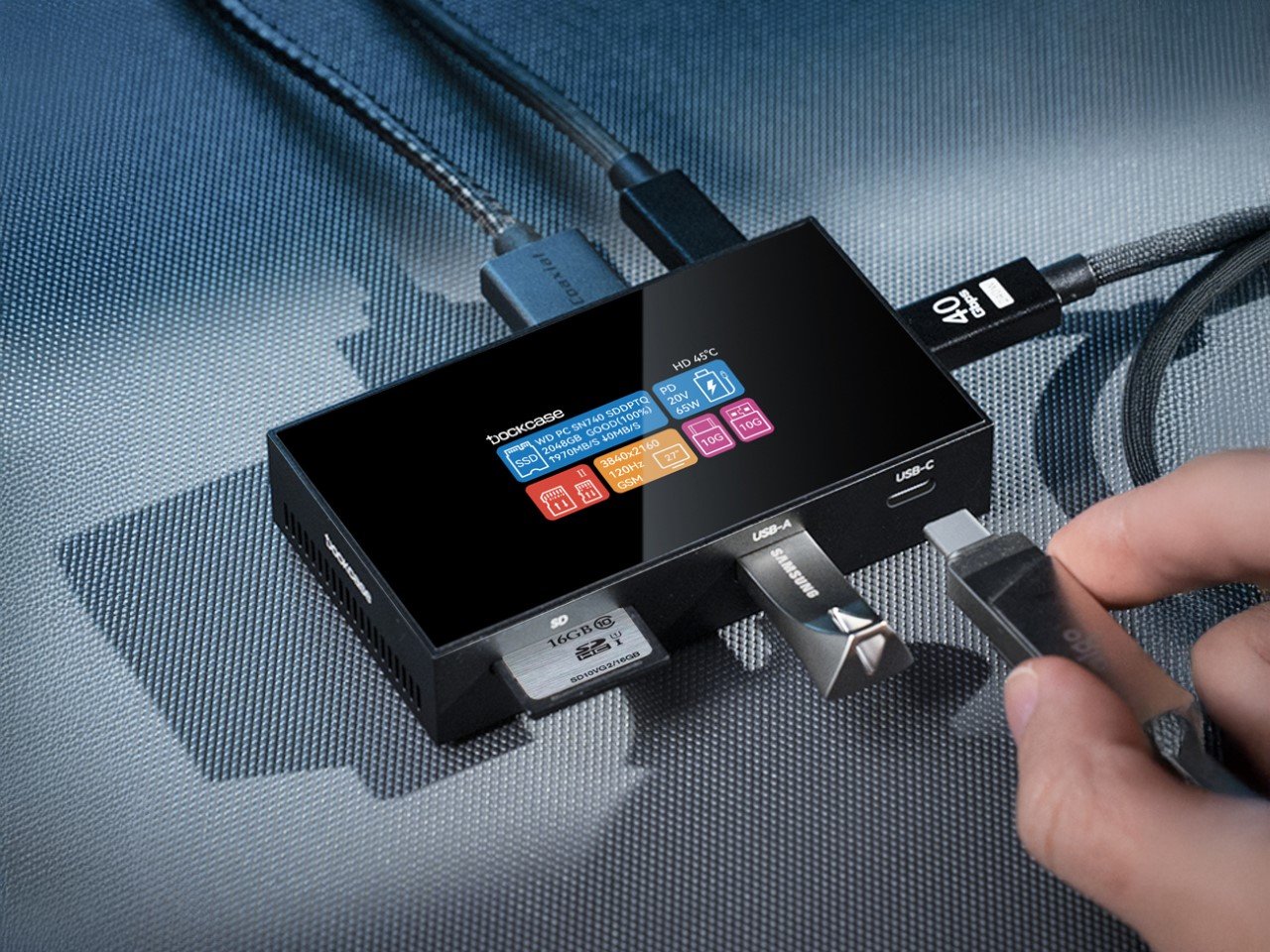
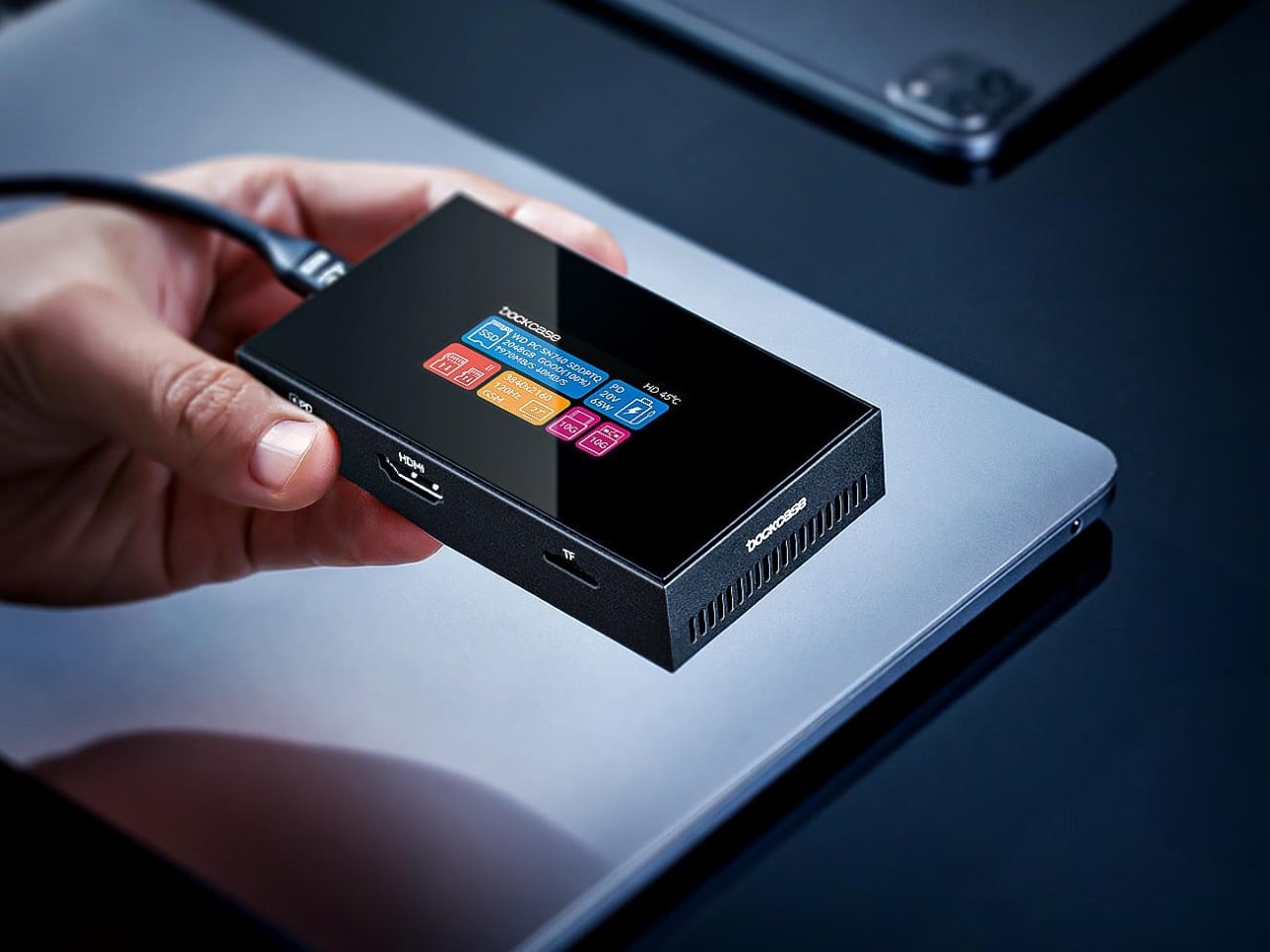
The desk that works for summer browsing is not the desk that works for a fall workload. The Dockcase consolidates seven connections – ports, 2TB SSD storage, and 100W power delivery – into a single machined aluminum slab that tucks beneath a monitor stand or alongside a laptop without adding visible mass to the surface. An integrated touchscreen tells you what is connected and how much storage remains with a tap, replacing the guesswork that comes from plugging into an unmarked hub and hoping for the best.

The result is a desk that looks planned rather than assembled over time, with every cable routed through one point instead of distributed across a surface that was never meant to hold this many devices. For anyone returning to a structured working week in September, this consolidation is not cosmetic – it removes the daily friction of searching for the right cable and frees up the kind of mental space the season demands. One object replaces half a dozen. The desk earns its function back.

What we like

  • Consolidating seven connections into one device removes the individual dongles and adapters that accumulate into clutter before you notice them doing it
  • The integrated touchscreen provides at-a-glance connection and storage status without opening a settings panel or pulling out your phone

What we dislike

  • The premium price compared to basic hubs is the straightforward trade-off for the touchscreen, SSD storage, and aluminum build quality
  • The stationary slab format works best on a stable desk surface and is not designed to move with a laptop between locations

Start With What Costs You Time

A house reset for September is not a single purchase. It is a sequence of smaller decisions – where does the schedule live so everyone sees it, where do the keys go when the door closes, what happens to the desk when the workload returns. Each product here answers one of those questions without announcing itself. The goal is not a house that looks organized. It is a house that works as though it always was.

Start with the one that solves the most persistent problem. If the kitchen runs on a group chat nobody reads, the reTerminal Sticky earns its spot on the fridge immediately. If the desk disappeared under cables in July and never recovered, the Dockcase and Cable Organizer address that in an afternoon. The whole house does not need to change at once. It only needs to change in the places that cost you time every single day.

The post Back to School Isn’t Just for Kids – 8 Gadgets & Tools That Reorganize the Whole House first appeared on Yanko Design.
Full-Color 3D Printing Once Cost $50,000+, HeyGears Brings It to 10% of the Cost

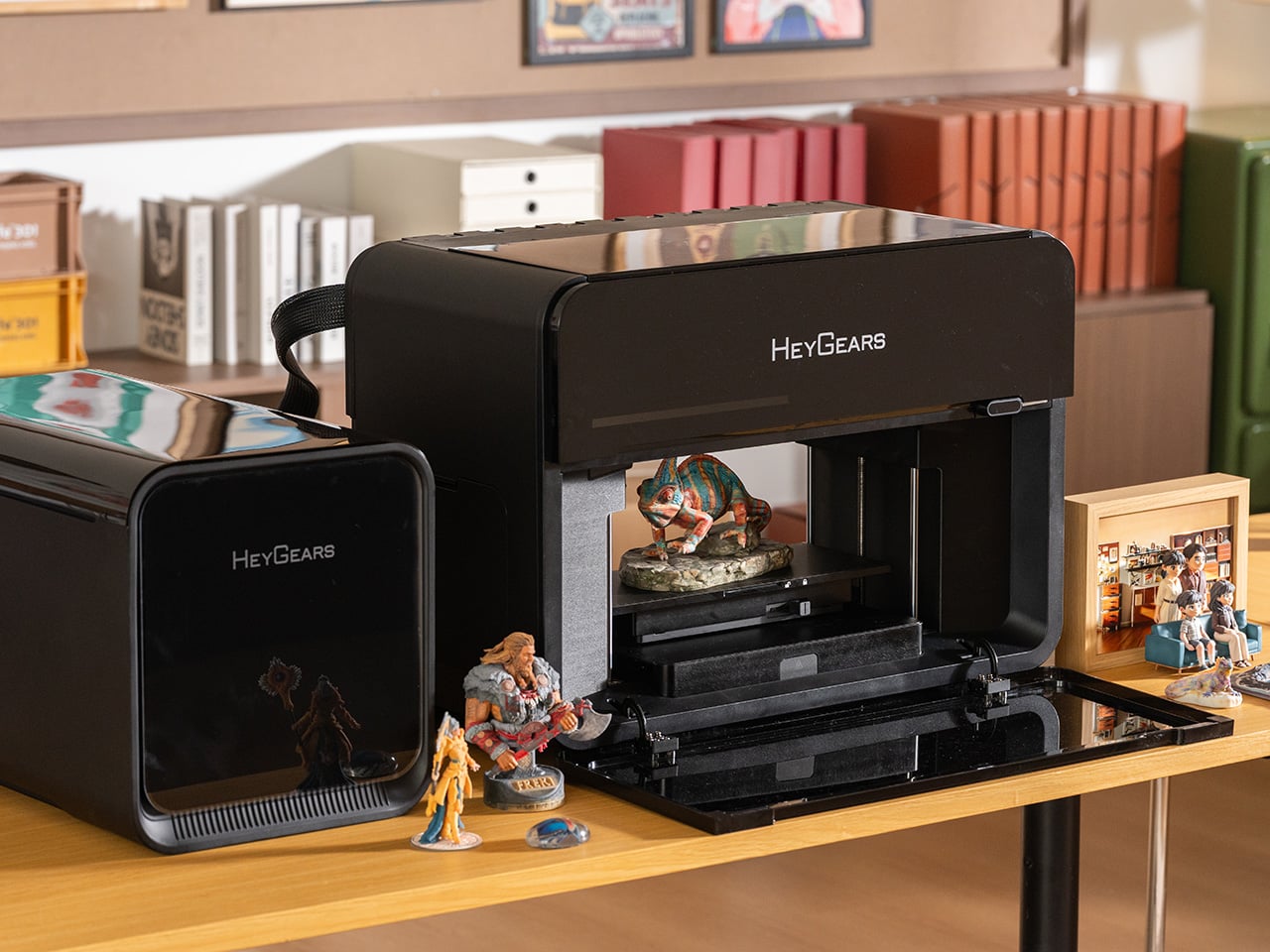
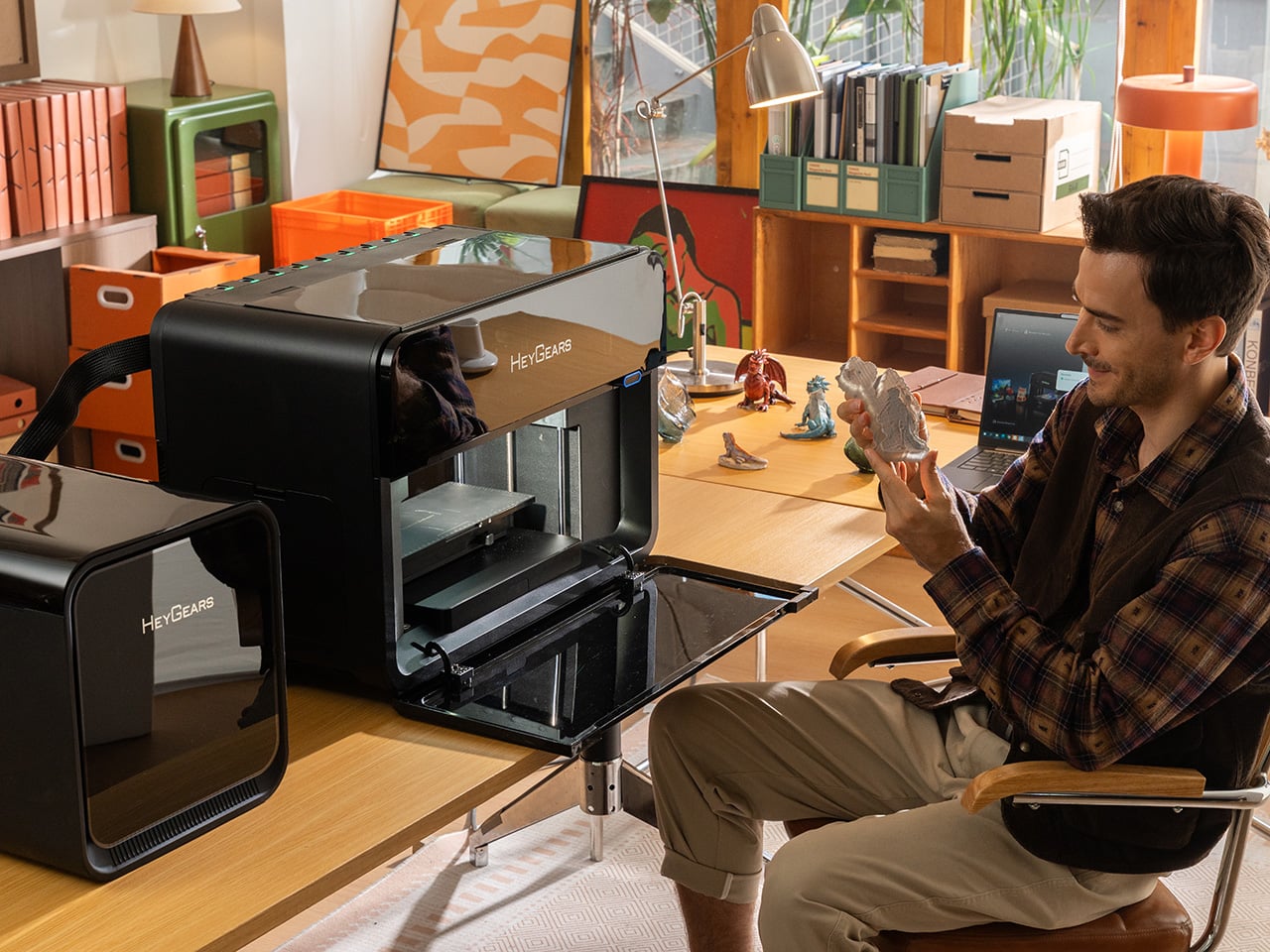
True full-color 3D printing has always lived in industrial settings, with price tags starting at $50,000 and machinery too large for any studio shelf. Most desktop alternatives can’t close that gap on their own. The HeyGears G1 Series changes that, combining full-color 3D printing, 3D texture printing, 2D UV printing, and True DTF (Direct-to-Film) & DTG (Direct-to-Garment) fabric printing into one compact desktop machine anyone can actually set up at home or in a studio.

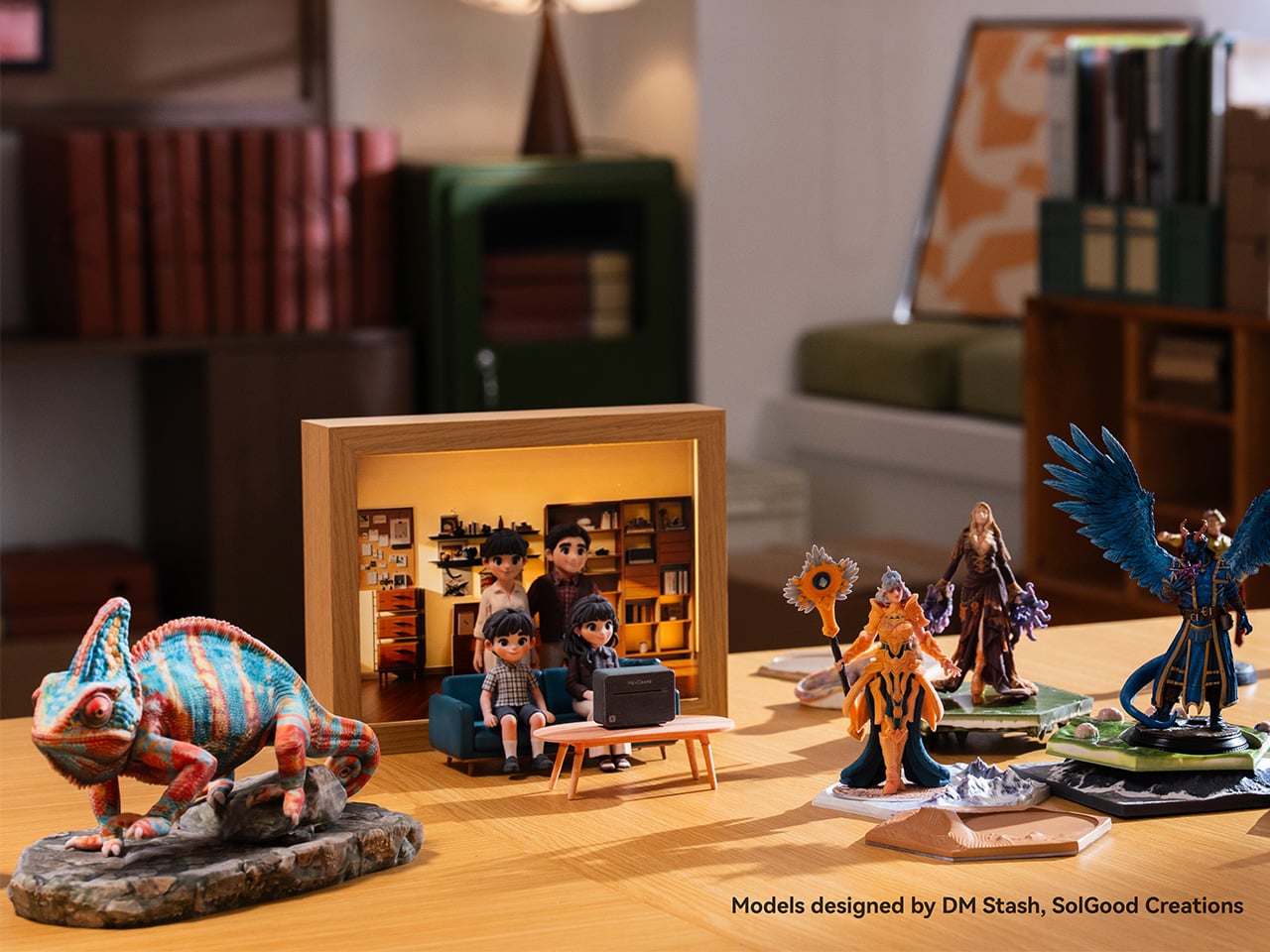
Beyond bringing full-color 3D printing to the desktop, the HeyGears G1X also delivers outstanding UV printing performance, offering up to 12× faster printing speeds with the Epson I3200-U1HD printhead, a 10× wider color gamut, more accurate color reproduction backed by G7 Colorspace’s highest-level color certification, and lower ink costs. What’s genuinely useful here is how fluidly the G1 Series moves between modes. A small gift shop, for instance, can run custom UV prints on mugs in the morning, emboss a leather journal cover in 3D texture mode in the afternoon, and print a full-color figurine in the evening, all from the same machine.

Designer: HeyGears

Click Here to Buy Now: HeyGears is currently offering G1X backers $500+ in additional promotional savings. Hurry, only a few left! Raised over $14.4 million.

The standout of the three is the full-color 3D printing. Using Precision Piezo Inkjet technology with instant UV curing, the G1X builds vibrant, paint-free models layer by layer at just 10 to 20 μm thick, roughly half the diameter of a human hair. Transparent and colored sections print in one continuous build, and there’s no post-print assembly to deal with since water-soluble supports simply dissolve in water.

A lot of that output quality comes down to the printhead. The G1X runs on an Epson i3200-U1HD, an industrial-grade unit with 3,200 high-density nozzles across eight ink channels, a maximum resolution of 1,440 x 2,400 DPI in UV printing, and over 10 million colors in its palette. The extra channels include light cyan and light magenta, which keep gradients and skin tones from going muddy.

The G1X also offers three UV printing modes to match different production priorities, whether you want maximum printing speed or a wider color gamut. Ultra-High-Speed Mode uses 4 white-ink channels to achieve up to 12× faster printing, while High-Speed Mode uses 2 white-ink + 2 varnish channels, reaching at least 6× faster printing. Finally, Wide-Gamut Mode utilizes Wide-Gamut inks, including Light Cyan (Lc) and Light Magenta (Lm) inks, for enhanced color reproduction, with printing speeds of at least 3× faster. Whether you prioritize speed or color performance, the G1X lets you choose the configuration that best fits your workflow.

For UV work, the machine isn’t limited to any single surface type. It works on wood, leather, glass, metal, acrylic, and ceramic, among over 400 compatible substrates in total. A rotary module handles cylindrical objects up to 245 mm tall, covering everything from mugs to tumblers, and an integrated line-scan camera auto-calibrates placement so curved surfaces print accurately without manual setup.

The 3D texture mode goes a step beyond standard UV printing, producing raised embossed effects, oil-painting-style relief, and wood-carved surfaces with a recommended height of 5mm (up to 150 mm). For apparel, the G1 Series supports True DTF and DTG printing with a water-based ink set built for wash durability, and that’s what makes it one of the few desktop platforms covering both hard-surface and fabric printing in a single unit.

HeyGears paired the hardware with a full software ecosystem that goes well beyond basic print management. Blueprint Studio handles everything from model preparation to batch layout, while HeyVerse adds AI tools for text-to-3D and image-to-3D generation. There’s also a LiDAR sensor in the print carriage that monitors layer thickness to within ±0.01mm in real time, helping maintain consistent output across longer production runs.

Printhead maintenance is often where UV systems let their owners down, and HeyGears hasn’t ignored that. A quad-layer anti-clogging system combines printhead heating, white-ink agitation, standby cleaning cycles, and a sealed moisturizing state during extended downtime. Three cleaning modes handle everything from a quick nozzle check to a thorough channel flush, and built-in air filtration captures ink mist and VOCs for cleaner indoor operation.

For someone running a small studio or a product-based creative business, the appeal goes beyond having one versatile machine. It means skipping three separate consumable budgets, three learning curves, and three maintenance routines. The i3200-equipped models carry a rated printhead lifespan of 12 to 24 months, while the open ink system offers material flexibility, and HeyGears’ lower-priced inks help keep material costs well below those of comparable industrial platforms. Turns out industrial-grade color doesn’t need an industrial-sized space after all. And with a limited-time $500+ cashback offer now available to G1X backers, you wouldn’t want to miss out on this opportunity to bring your designs to life, and in full color to boot!

Click Here to Buy Now: HeyGears is currently offering G1X backers $500+ in additional promotional savings. Hurry, only a few left! Raised over $14.4 million.

The post Full-Color 3D Printing Once Cost $50,000+, HeyGears Brings It to 10% of the Cost first appeared on Yanko Design.