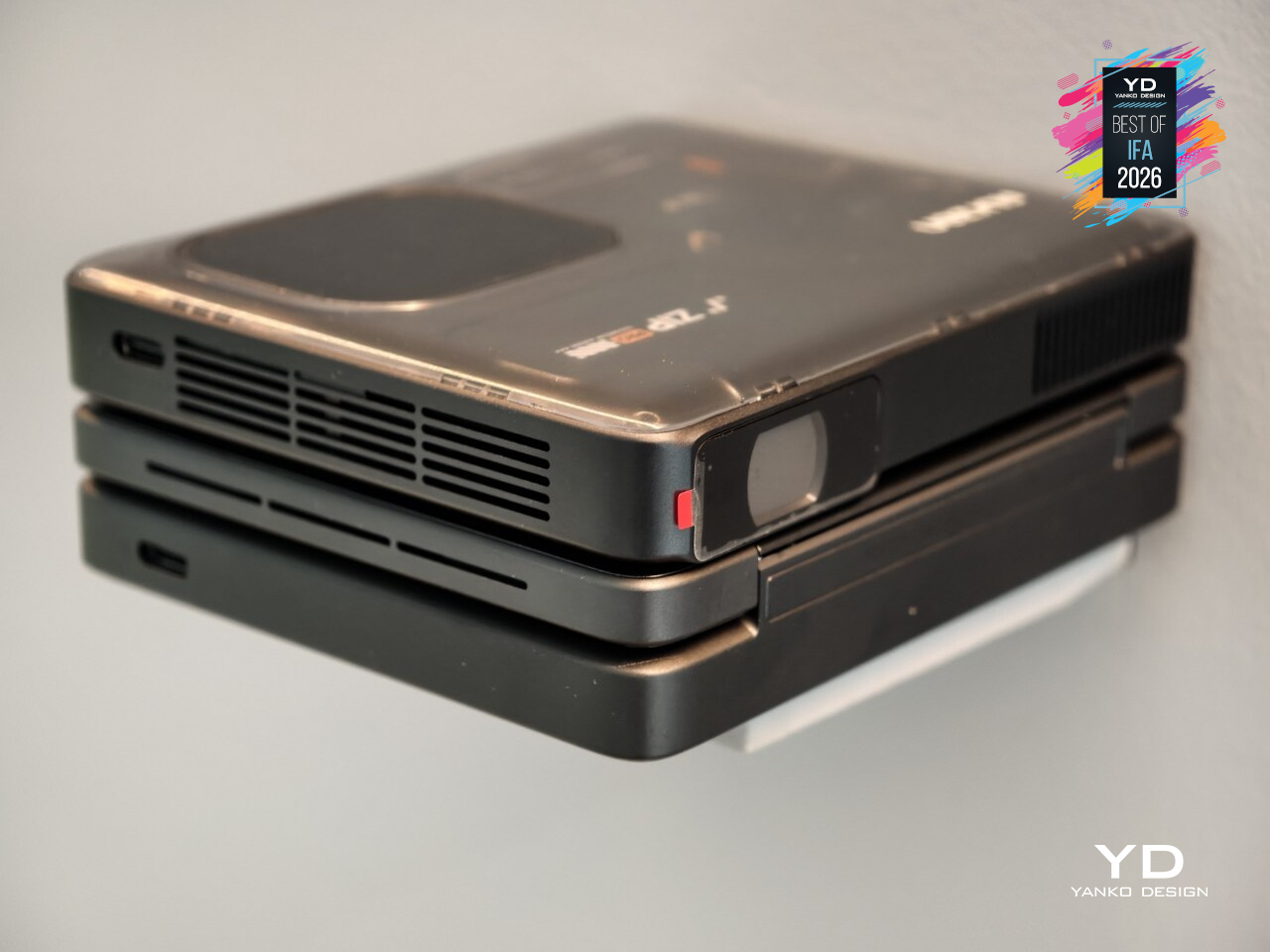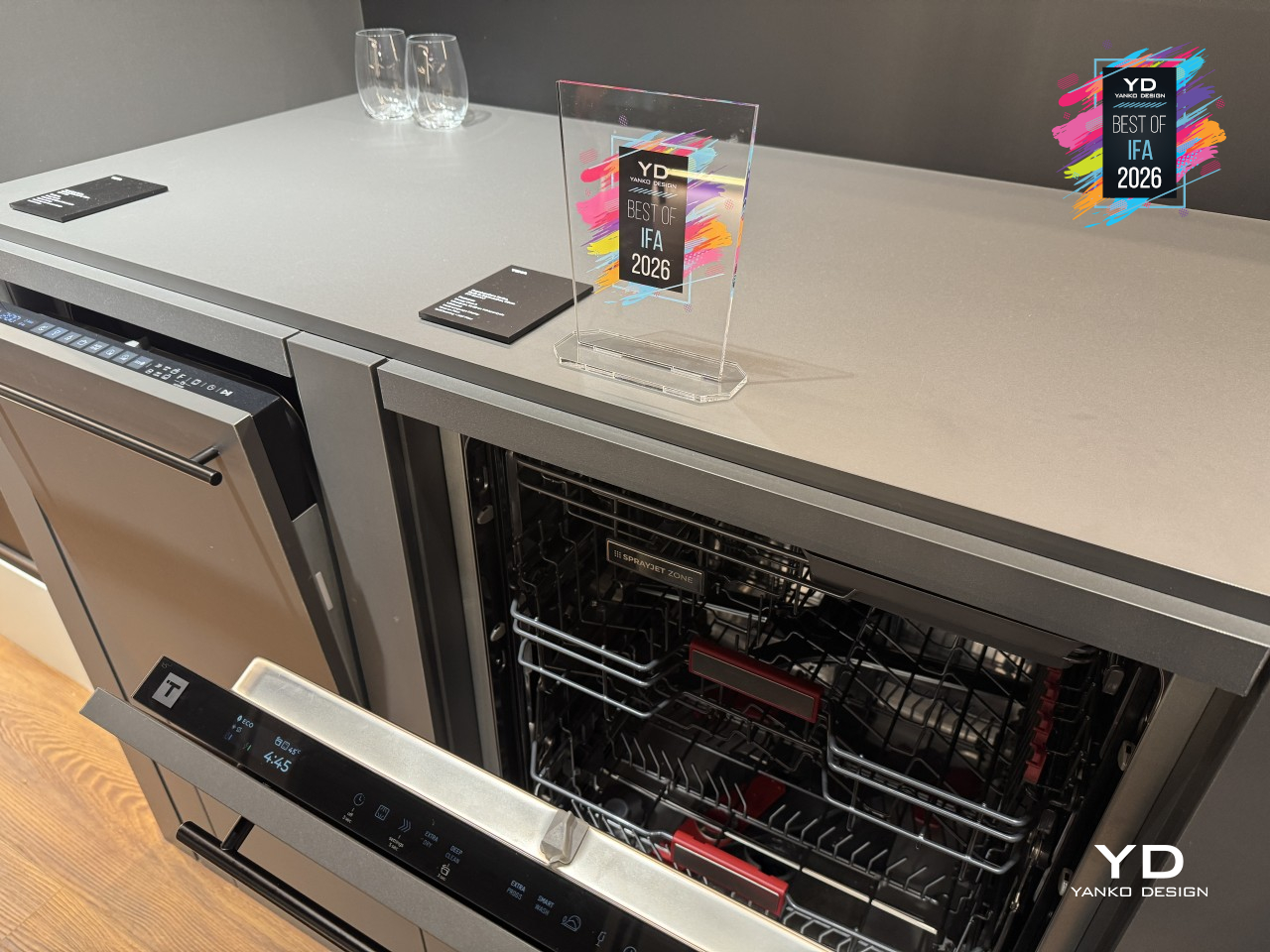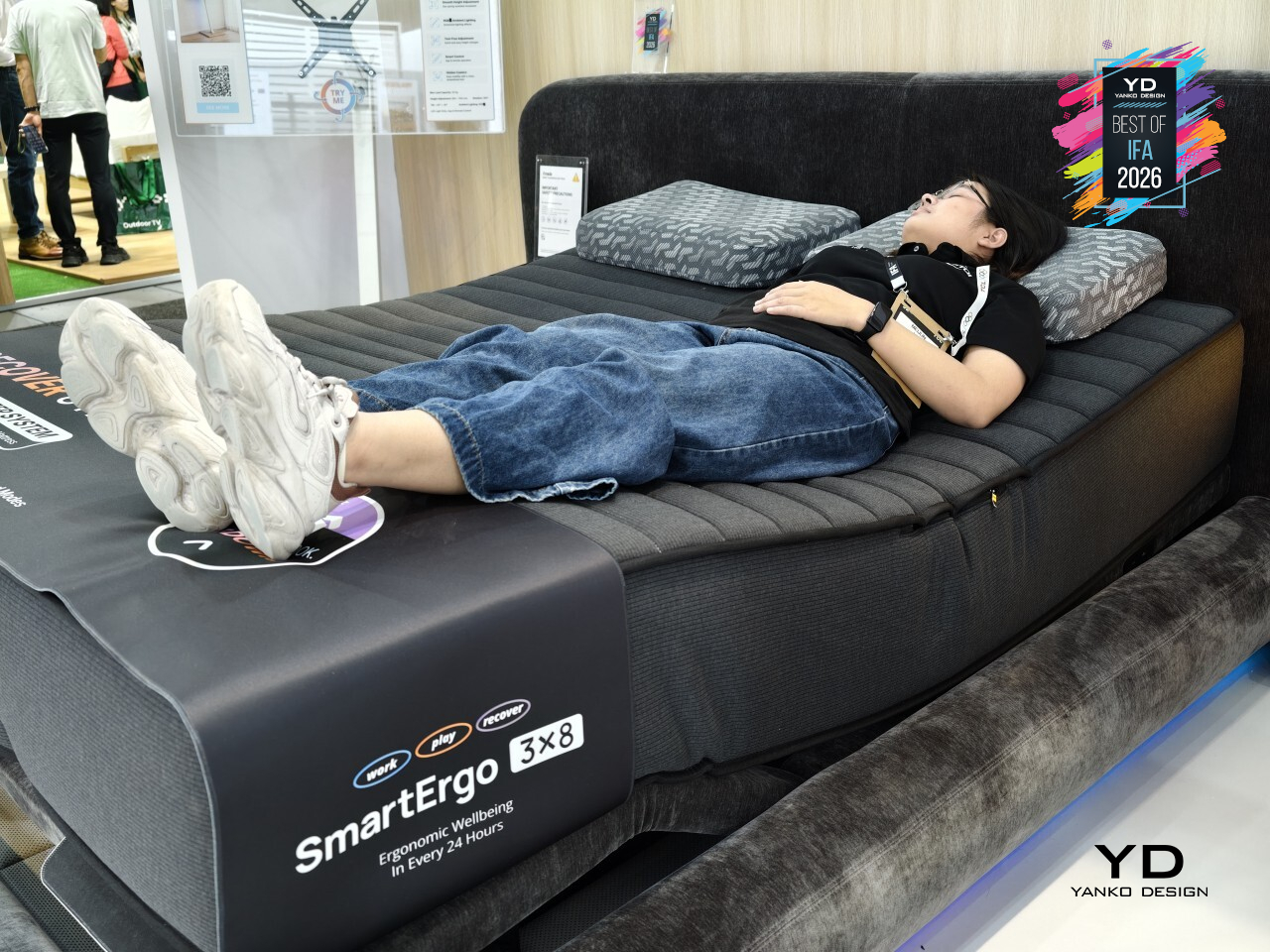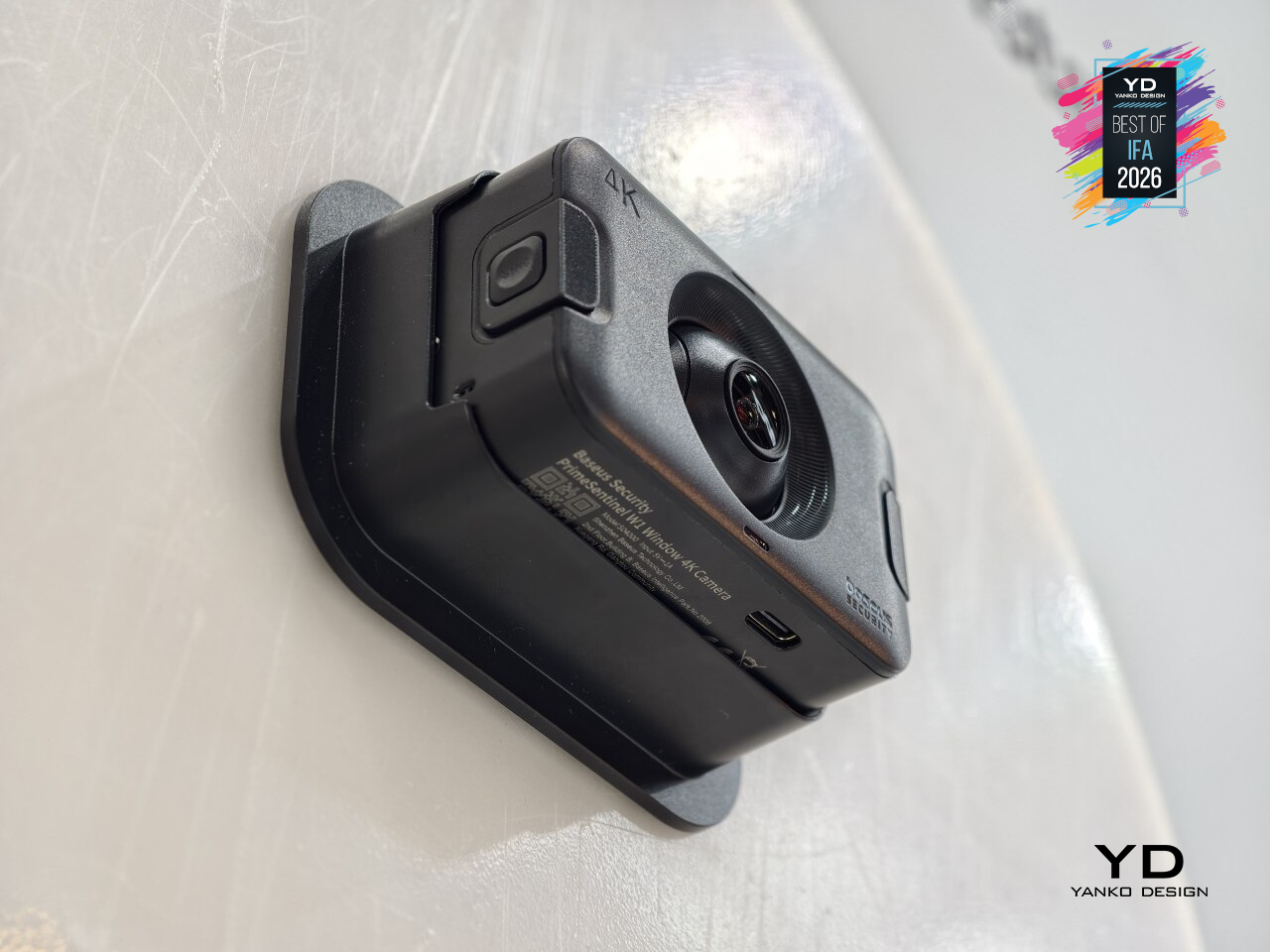
4 New AEG Launches That Are Betting You Never Want to Babysit an Appliance Again

How we think about home appliances is shifting, and AEG leaned into it at IFA 2026 in Berlin spectacularly. We witnessed four new products, two clear categories, and one throughline: the best appliance is the one you don’t have to manage. From the kitchen counter to the living room floor, AEG is betting that people want outcomes, not processes. After seeing what these four do, that bet looks pretty solid.

The lineup breaks into two groups. Grab-and-go cleaning pairs the ErgoMini handheld vacuum with the Trilobite 8000 GEN2 robot. Set-and-forget cooking covers the 7000 Series OnePot Pasta hob and the 3-in-1 Pizza Oven with Air Fry, two appliances that take truly hands-on kitchen tasks and effortlessly and efficiently handle them for you. These are four distinct products, with one consistent point of view. Here’s what each one actually does, and whether it’s worth caring about.

Grab-and-Go Cleaning

The kind of clean that happens around your life, not instead of it. The ErgoMini and Trilobite GEN2 don’t have much in common physically, but the thinking behind them is identical. Both exist so you spend less time thinking about cleaning, and more time not thinking about it at all.

AEG ErgoMini

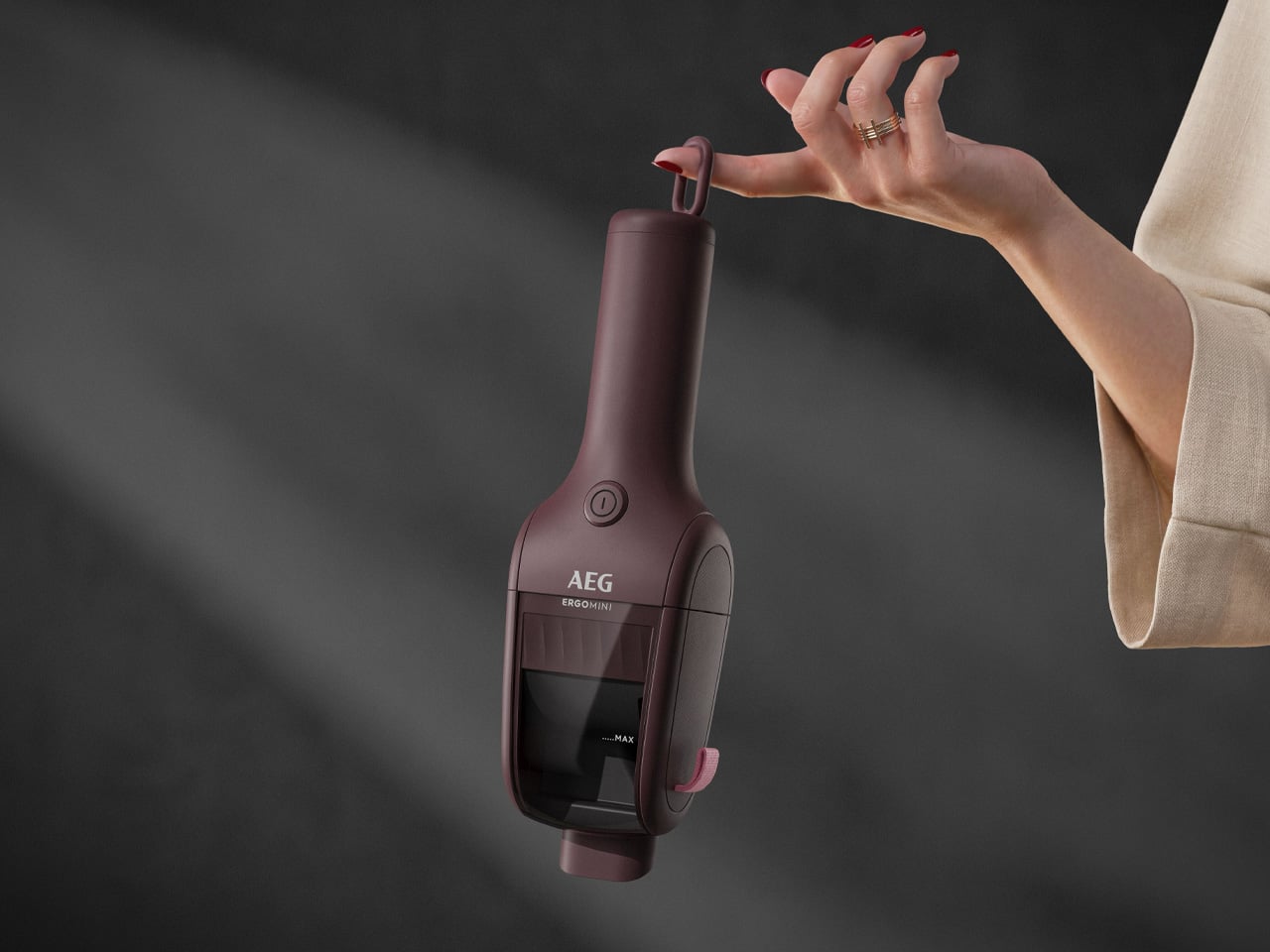
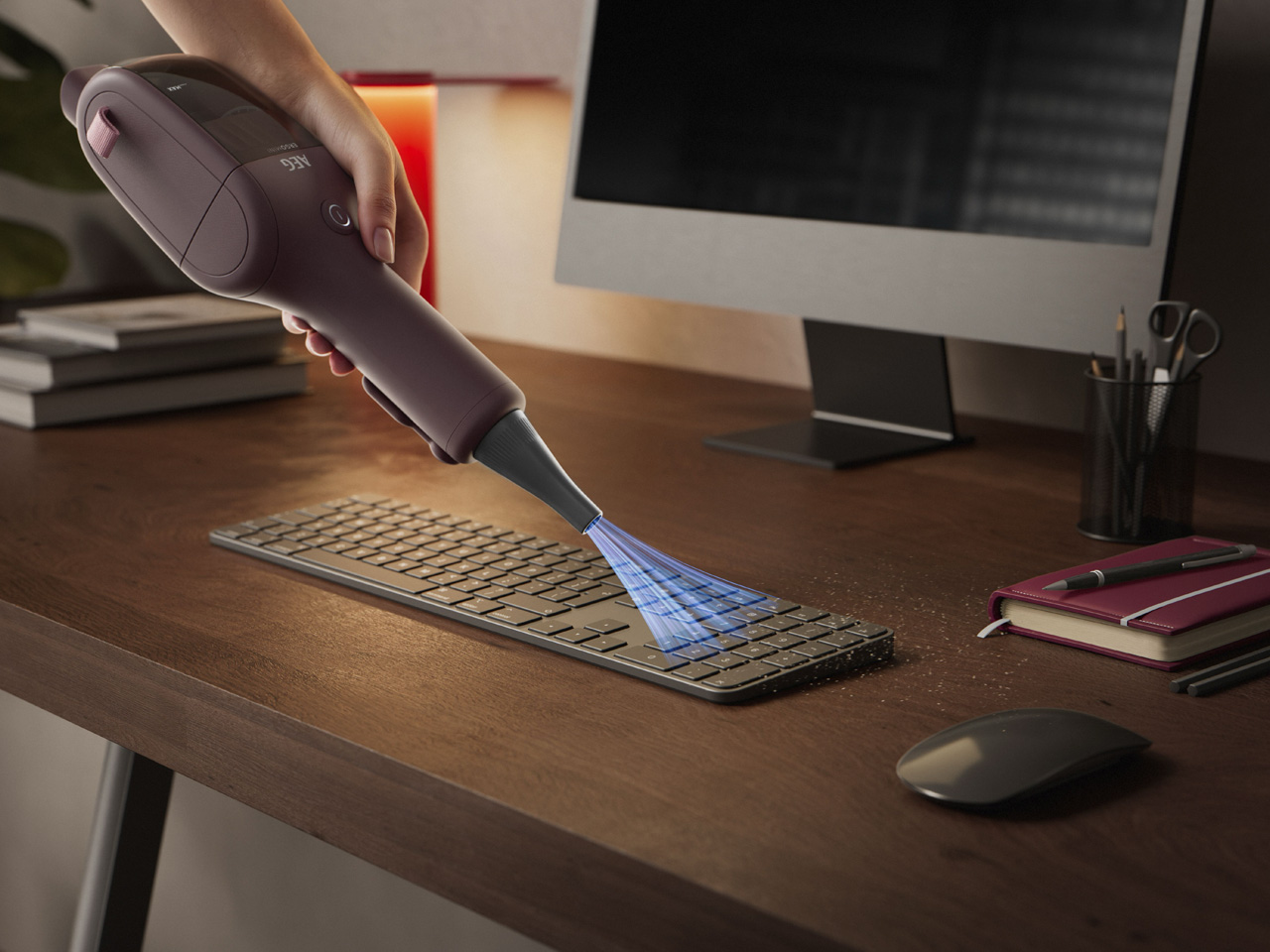
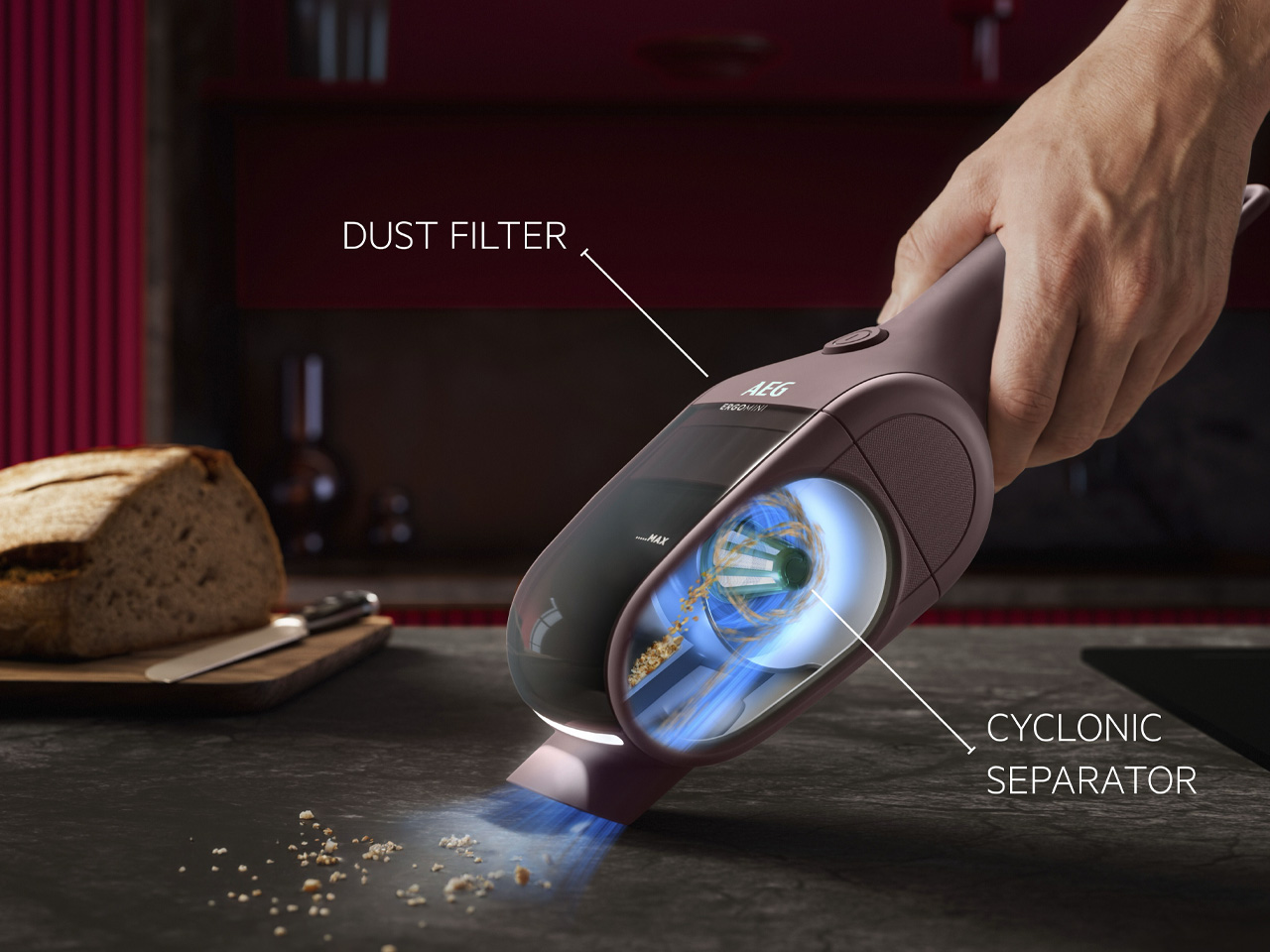
The ErgoMini weighs 0.55kg. For context, that’s lighter than most water bottles you’d carry to the gym. Making its world premiere at IFA 2026, it’s a handheld vacuum built around cyclonic technology, which separates dust and debris from the airstream before they reach the filter. That keeps suction strong for up to three times longer between filter cleans than other leading lightweight handhelds in the same class. It also delivers up to 100% dust pick-up, which for something this small and light, is genuinely impressive.

What separates it from the crowd is how much thought went into everyday use. An integrated LED light makes hidden dirt visible on any surface. A blowing mode lets you inflate camping mattresses or force debris out of tight corners before the suction clears it up. USB-C charging means you’re not hunting for proprietary cables, a built-in wall hook keeps it within arm’s reach, and one-step controlled emptying means you’re not wrestling with the bin after every session.

What we like:

  • Cyclonic technology keeps suction strong up to 3x longer between filter cleans than comparable lightweight handheld vacuums
  • The blowing mode is a genuinely useful extra; it doubles as an inflater and a precision debris loosener for tight spaces

AEG Trilobite 8000 GEN2 Robot Vacuum Cleaner

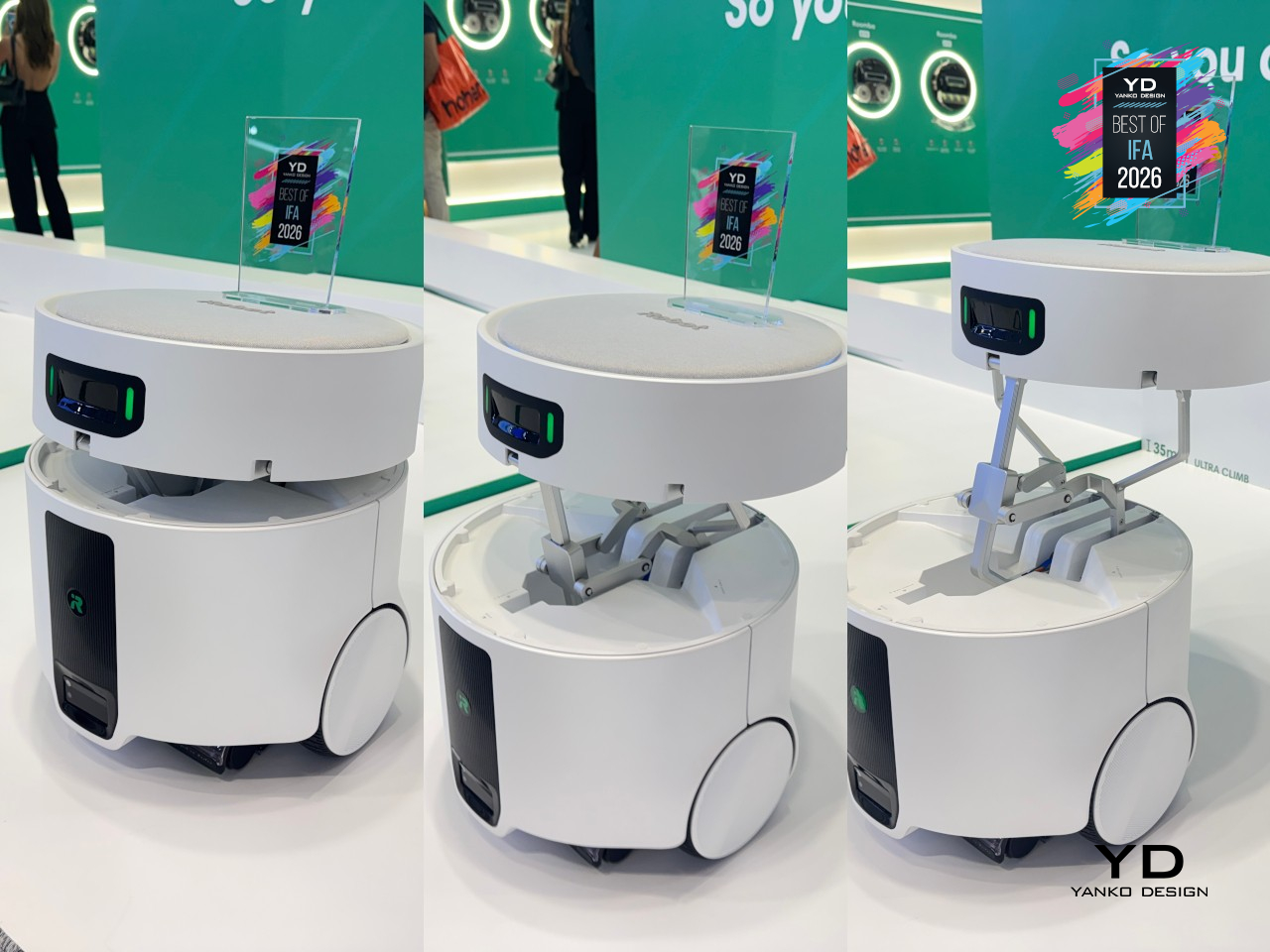
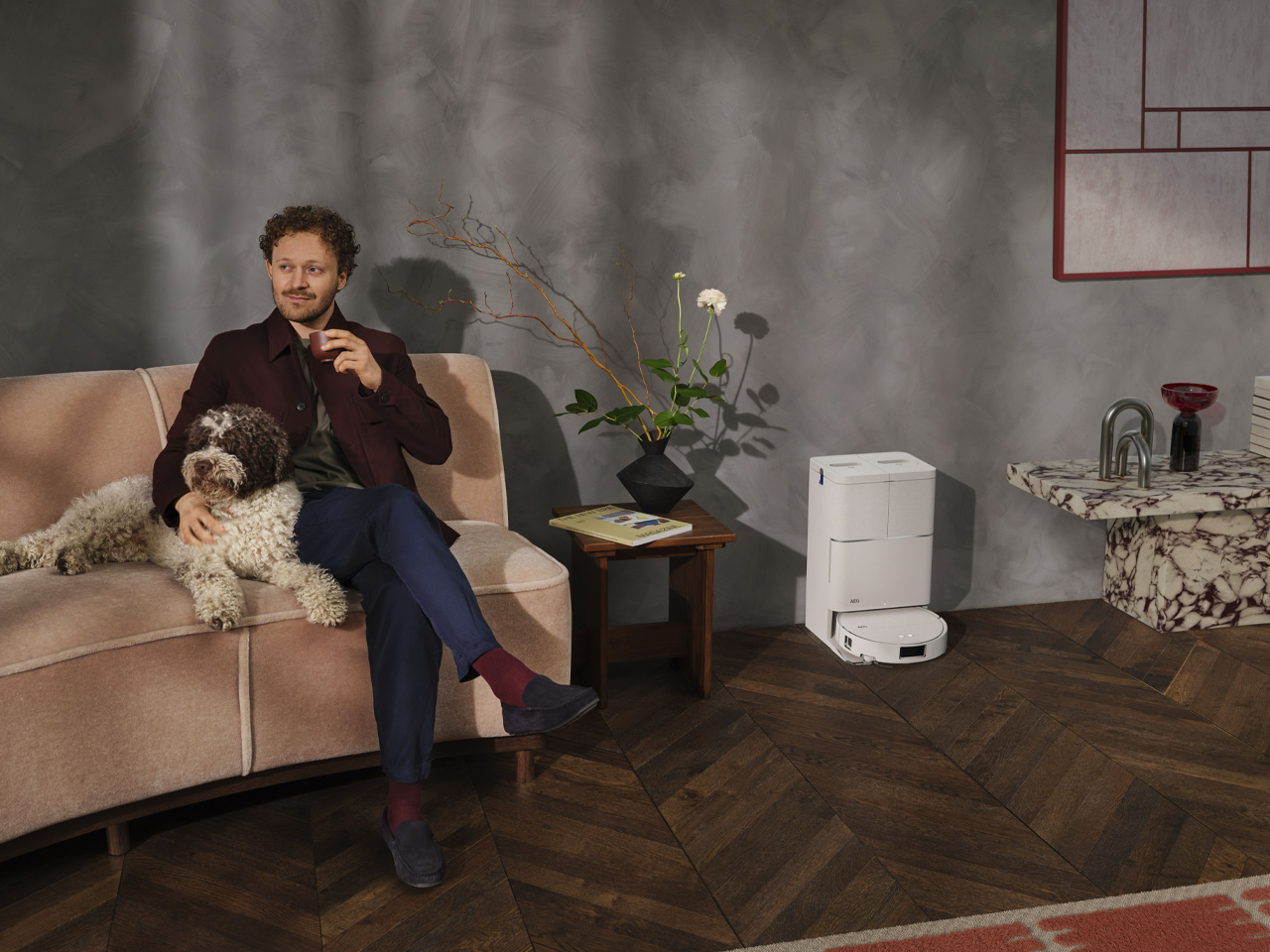
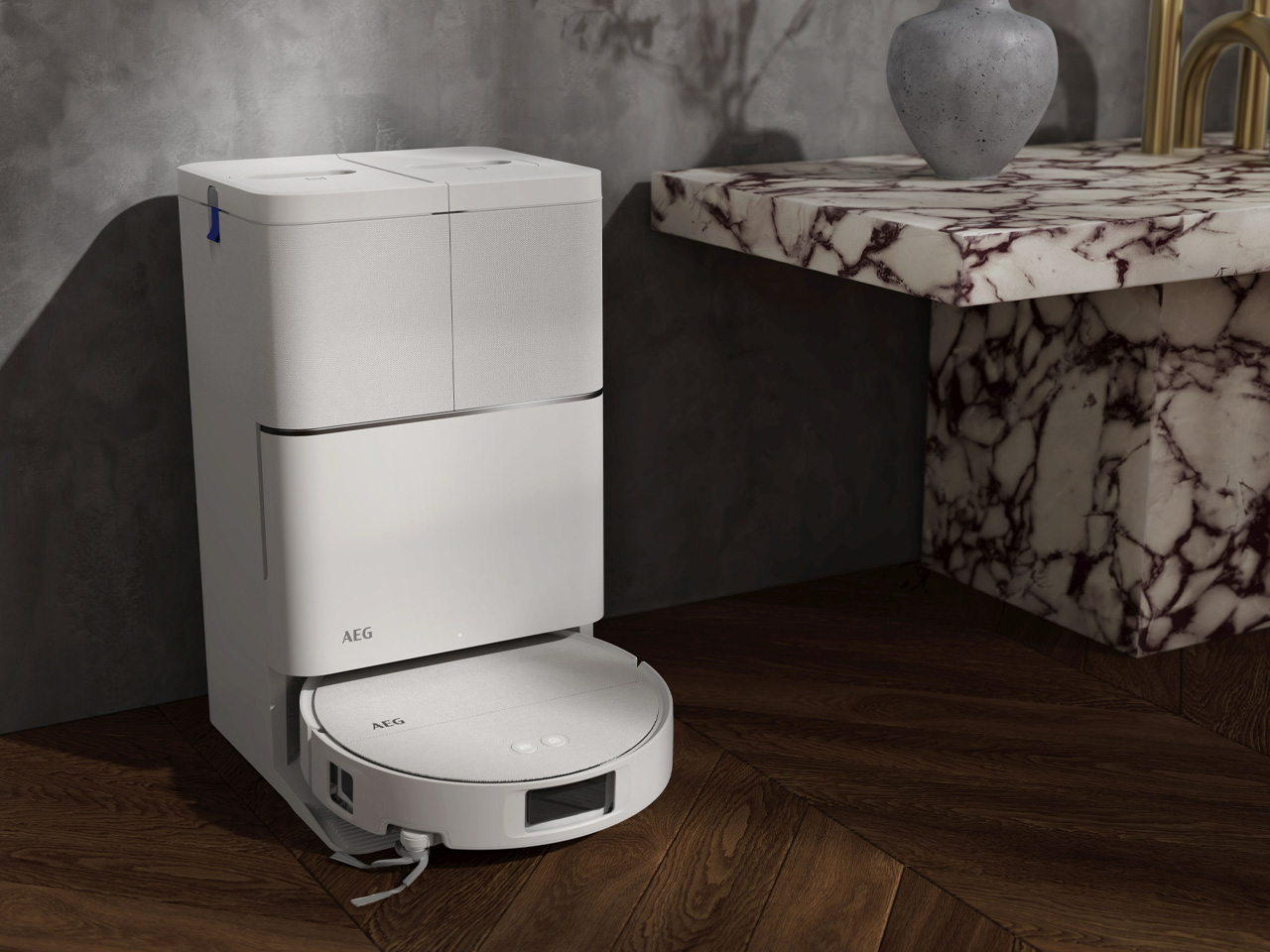
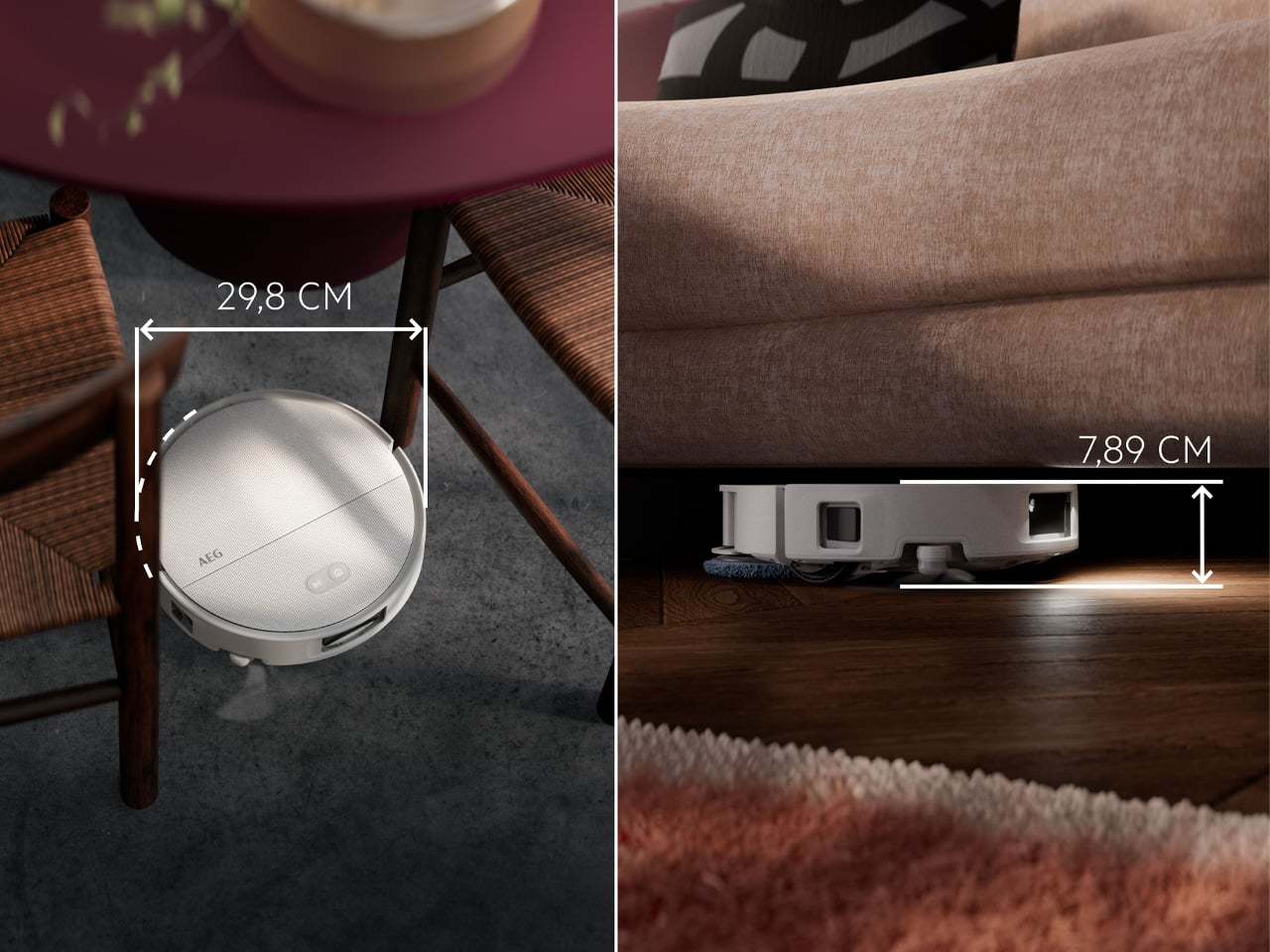
At 7.89cm tall, less than the height of a standard drink can, the Trilobite 8000 GEN2 is built to get into spaces most robot vacuums simply cannot reach. Under low sofas, beneath beds, along baseboards that other robots skip. It vacuums, mops, and self-dries. Compared to its predecessor, it packs up to 40% more suction power and delivers 100% large-debris pick-up. Advanced LiDAR navigation combined with the ability to identify more than 200 different obstacles means it moves through your home with real confidence, not just randomness.

The All-in-One station is what makes the hands-free promise real. It automatically washes and dries the mop pads, empties the debris bin, and keeps things running for up to 30 days without you needing to touch anything. The AEG App, which has earned both a 2025 Red Dot Design Award and a 2026 iF Design Award, handles room mapping, zone control, and scheduling in a few taps. Privacy is also built into the hardware: no microphone, on-device image processing only, and nothing uploaded to the cloud. That last part is a genuinely reassuring detail in a product category where it’s rarely addressed.

What we like:

  • The 7.89cm profile means it gets under furniture that stops most other robot vacuums cold
  • Up to 30 days of hands-free operation through the All-in-One station is a meaningful reduction in the weekly maintenance load

Set-and-Forget Cooking

Great food, with a lot less time standing over the stove. Cooking well has always required attention. AEG is making the case that it doesn’t have to anymore. These two appliances handle the hard parts – the heat control, the timing, the watching – so the only thing left for you to do is eat.

AEG 7000 Series OnePot Pasta Hob

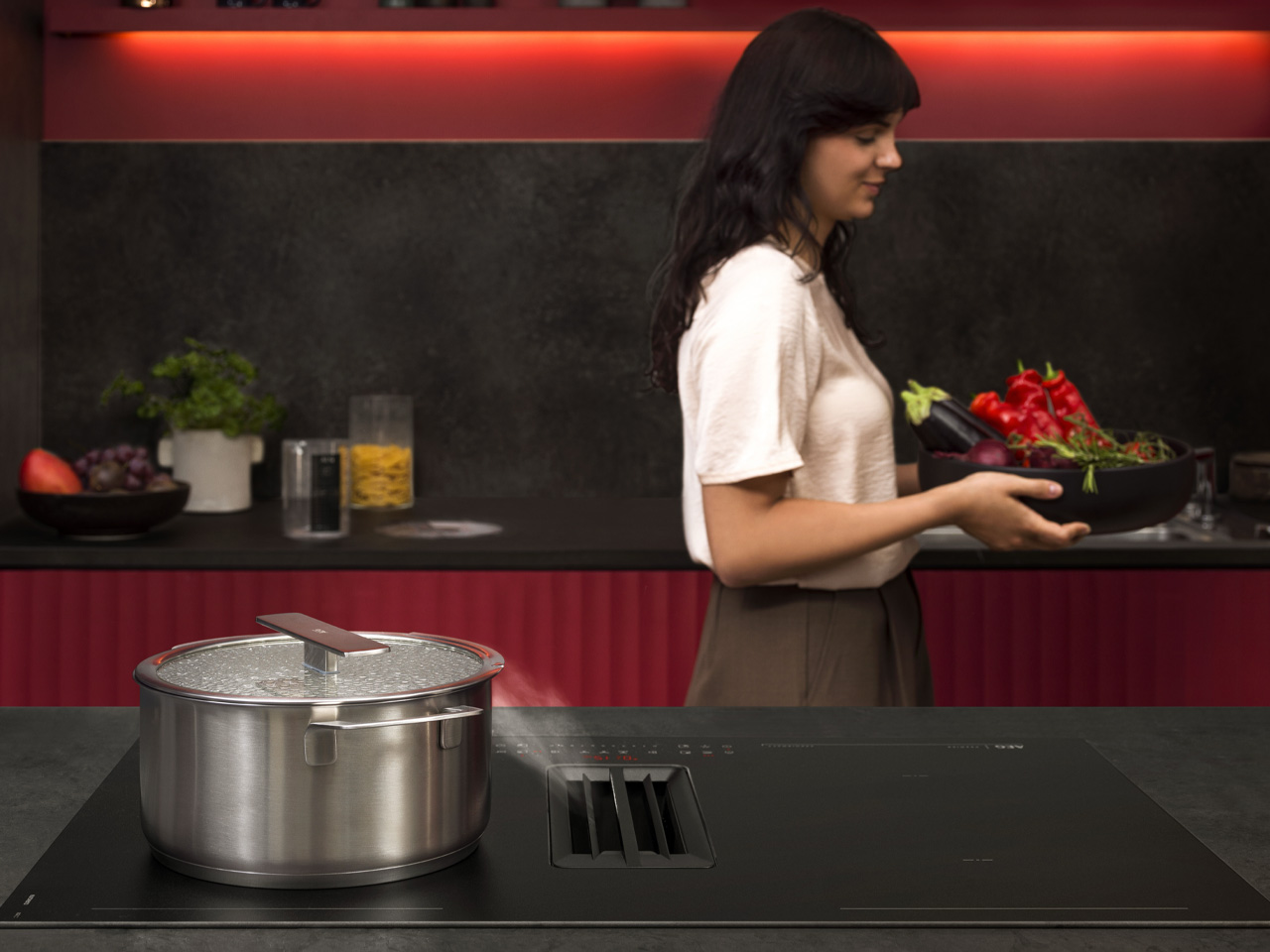
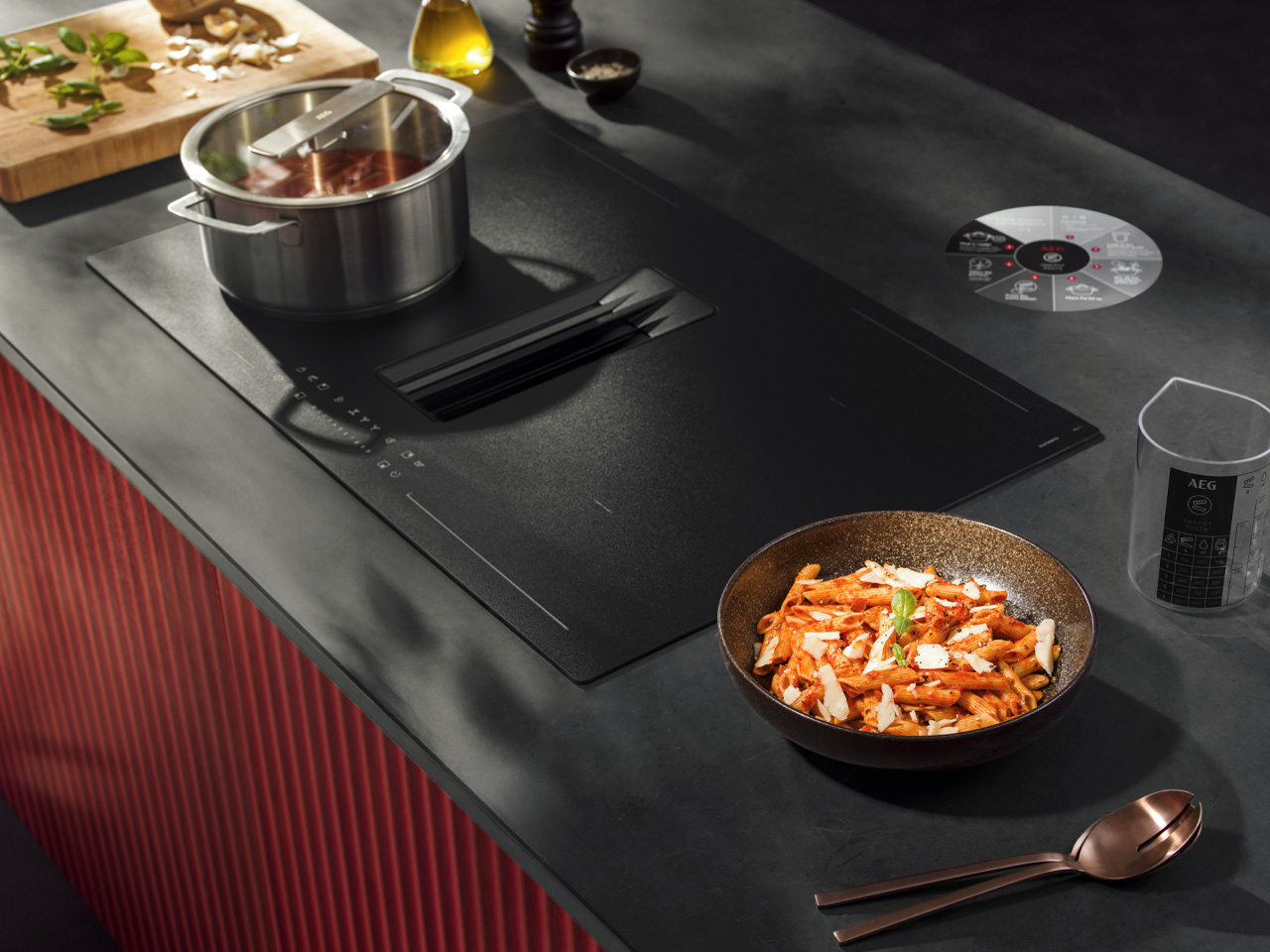
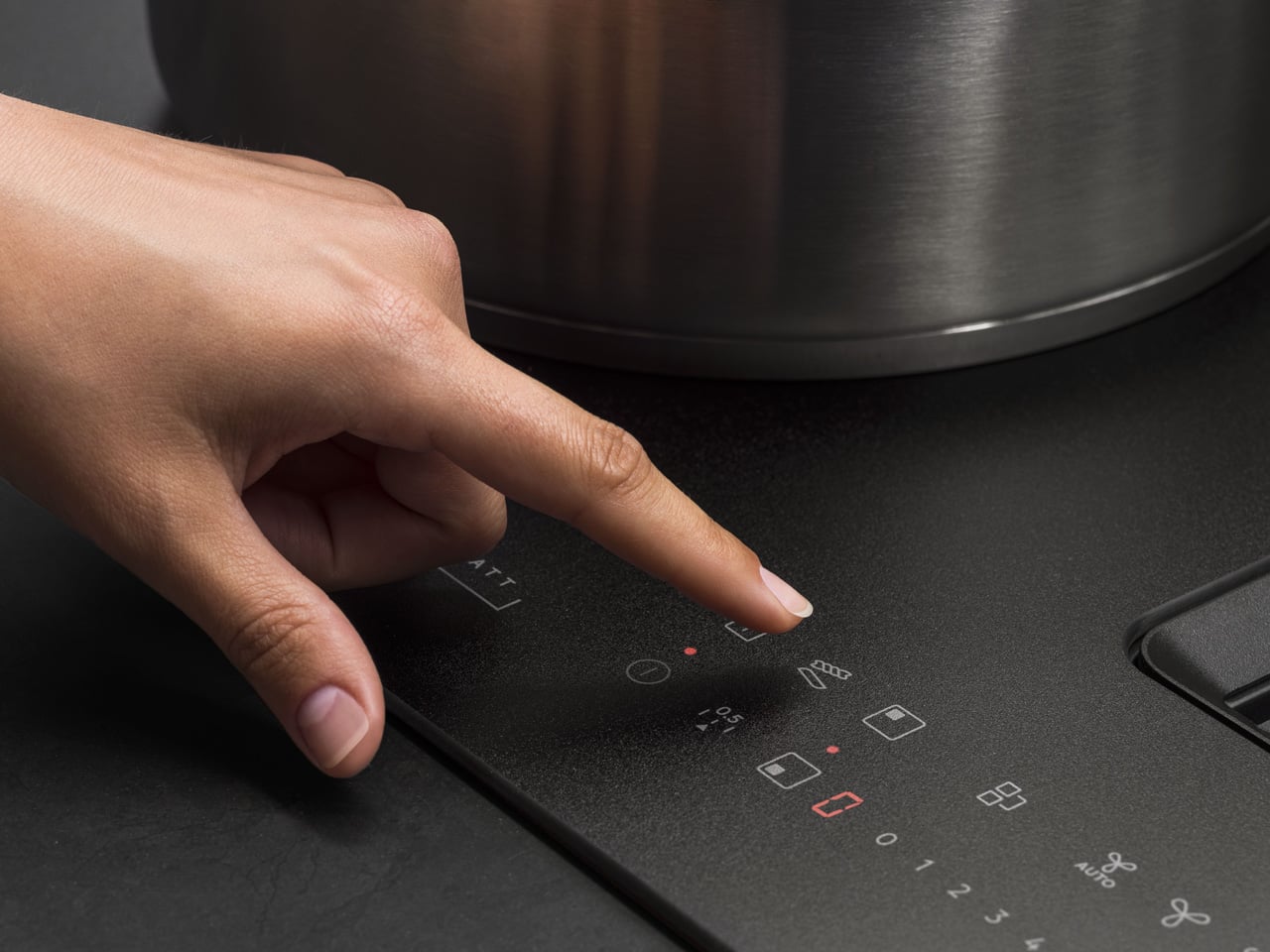
Pasta is one of those things everyone assumes is easy, right up until they’re standing at the stove, adjusting heat, watching the clock, and stirring every couple of minutes while still trying to finish the rest of the meal. AEG’s 7000 Series OnePot Pasta hob removes all of that. You pick your portions, load the ingredients into the accompanying pot, close the lid, and step away. Fifteen minutes later, you have pasta al dente with a naturally creamy sauce. No hovering, no guesswork required.

This isn’t just convenience at the cost of quality. AEG partnered with the University of Gastronomic Sciences of Pollenzo in Italy for a blind sensory test, putting OnePot results in front of more than 100 participants alongside traditionally cooked pasta. OnePot held its own. The hob itself runs on induction with temperature sensors handling the process automatically, and it’s built on AEG’s XTM series platform with the SaphirMatt® surface, which shows up to ten times fewer visible scratches than a standard hob.

What we like:

  • Al dente pasta with a creamy sauce in 15 minutes, fully automated, with zero stirring or heat-adjusting required
  • SaphirMatt® surface resists scratching significantly better than standard hob finishes, so the look doesn’t deteriorate with use

AEG 3-in-1 Pizza Oven with Air Fry

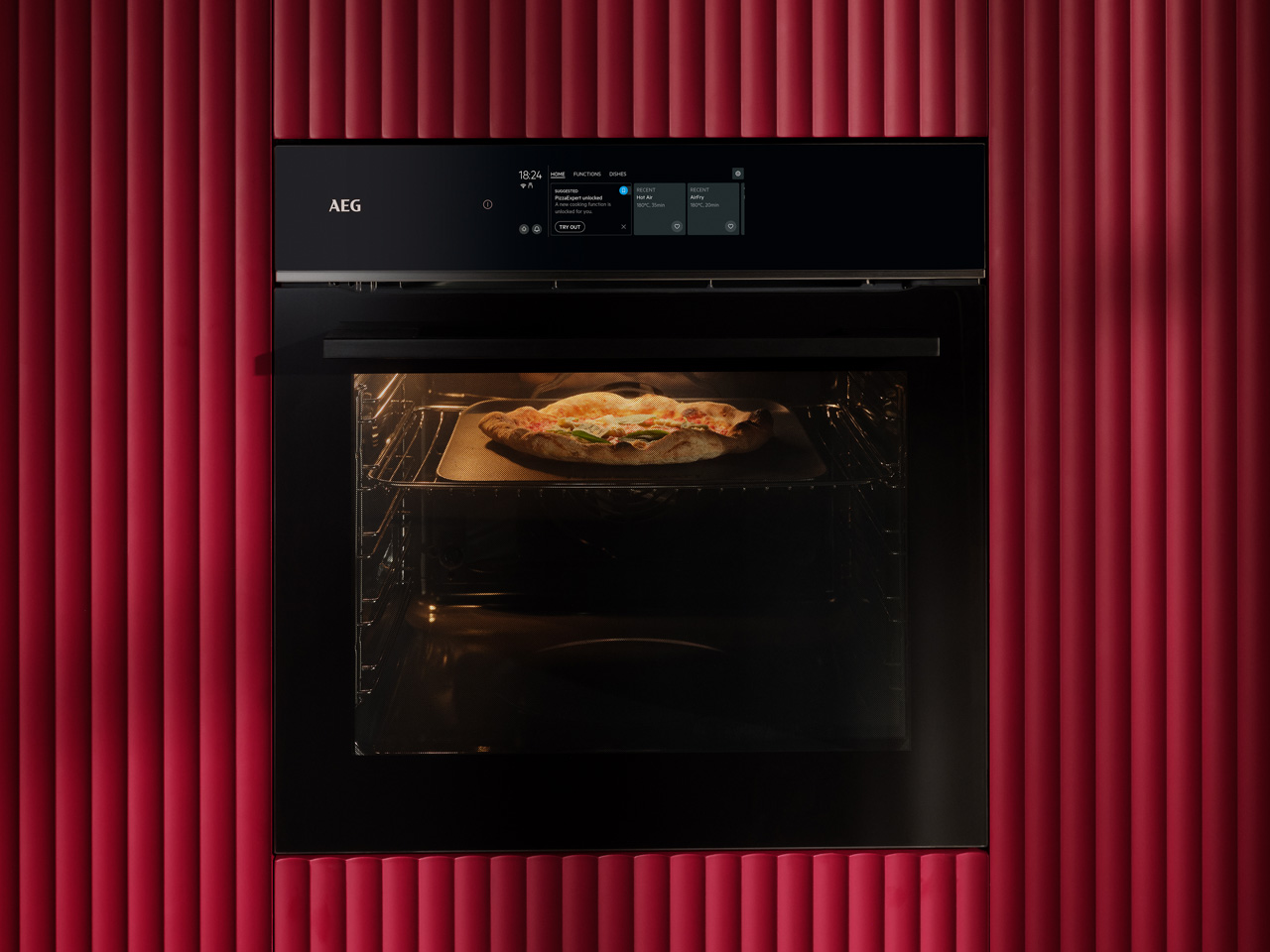
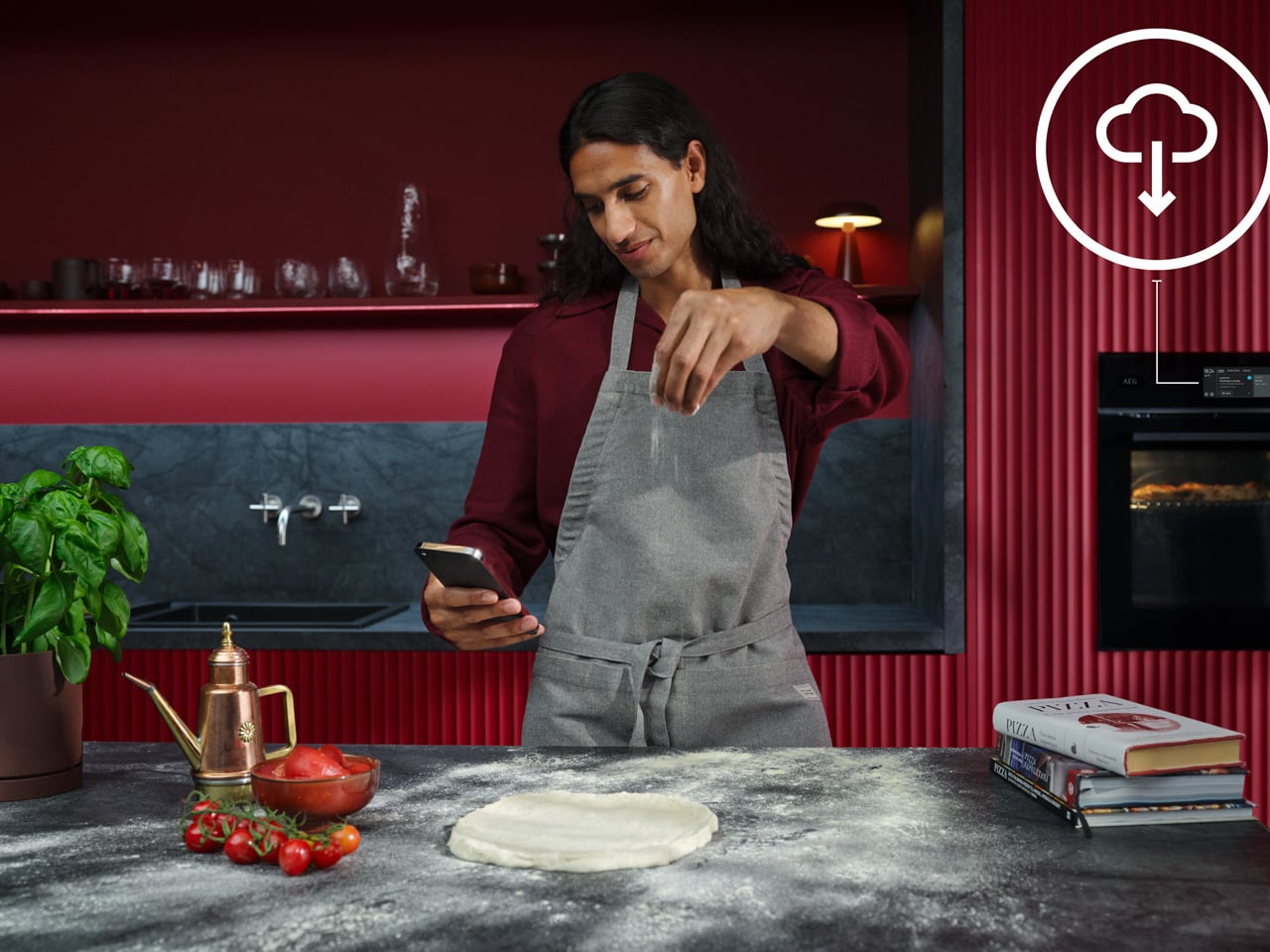
Most home ovens top out around 250°C, which is exactly why your pizza at home never quite matches what comes out of a pizzeria. AEG’s 3-in-1 Pizza Oven with Air Fry hits 380°C and cooks a pizza in two and a half minutes. A 13-litre cavity fits a 30cm pie, dual viewing windows let you watch the crust without opening the door, and the whole thing has already earned a Red Dot Design Award, so it looks as good sitting on the counter as it performs.

Five preset pizza functions cover the most popular styles: Romana, Sicilian, Bianca, Calzone, and frozen. Each dials in a specific cooking profile, which means you’re not experimenting your way to a good result. AEG’s own research found that nearly three in five European pizza lovers would cook from scratch more often if they could consistently hit restaurant quality at home. This is a direct answer to that. The air fryer and full oven modes aren’t just filler either; they make this genuinely versatile kit rather than a single-use novelty.

What we like:

  • 380°C maximum temperature and a 2.5-minute cook time genuinely rival pizzeria conditions at a fraction of the cost
  • Five dedicated pizza modes cover the most popular styles and remove the guesswork from getting each one right

The Appliance That Actually Changes How You Live

What AEG brought to IFA 2026 isn’t four product launches dressed in a shared theme. It’s one argument, made four different ways. Appliances should do the work they promise, then stay out of your way. The OnePot Pasta hob and 3-in-1 Pizza Oven close the gap between wanting good food and having time to make it. The ErgoMini and Trilobite GEN2 do the same on the other side of the door.

If I had to pick one, it’s the Trilobite 8000 GEN2. I have a low sectional sofa that standard robot vacuums physically cannot fit under, which has quietly become the dustiest corner of my apartment. A 7.89cm profile changes that completely. Add 30 days of hands-free operation, and I’m barely involved at all. That’s not just a feature list. That’s the kind of quiet upgrade that actually changes how you live.

The post 4 New AEG Launches That Are Betting You Never Want to Babysit an Appliance Again first appeared on Yanko Design.

A Clock That Refuses to Just Tell You the Time

I check the time roughly forty times a day, and I couldn’t tell you what any of those glances felt like. A phone screen lights up, a number flashes, and I move on before the information even registers. That’s the strange thing about how we live with time now: we have more ways than ever to know what hour it is, and less reason than ever to actually notice it. Digital displays don’t ask anything of us. They just report, and we absorb, and nothing about the moment sticks.

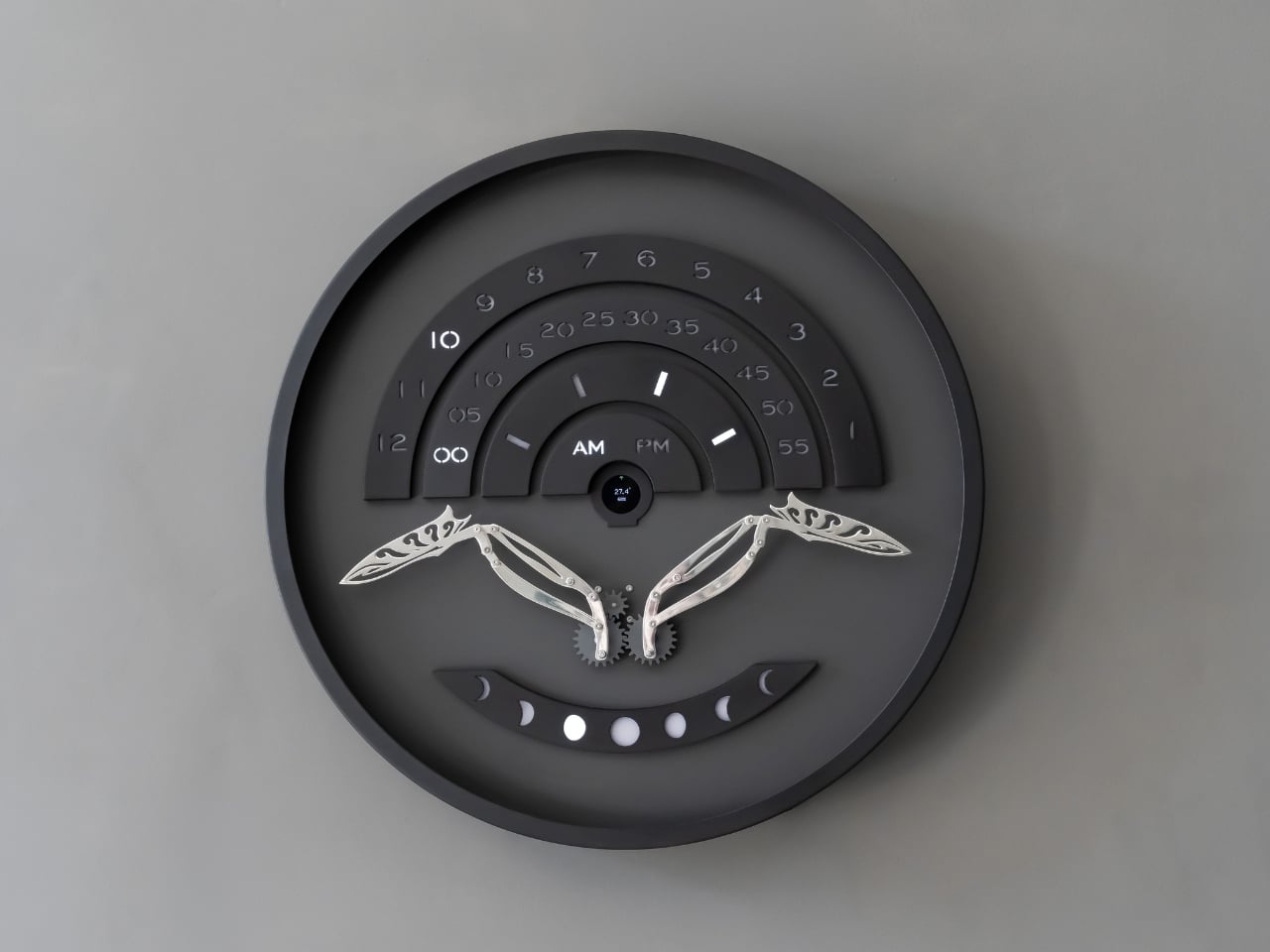
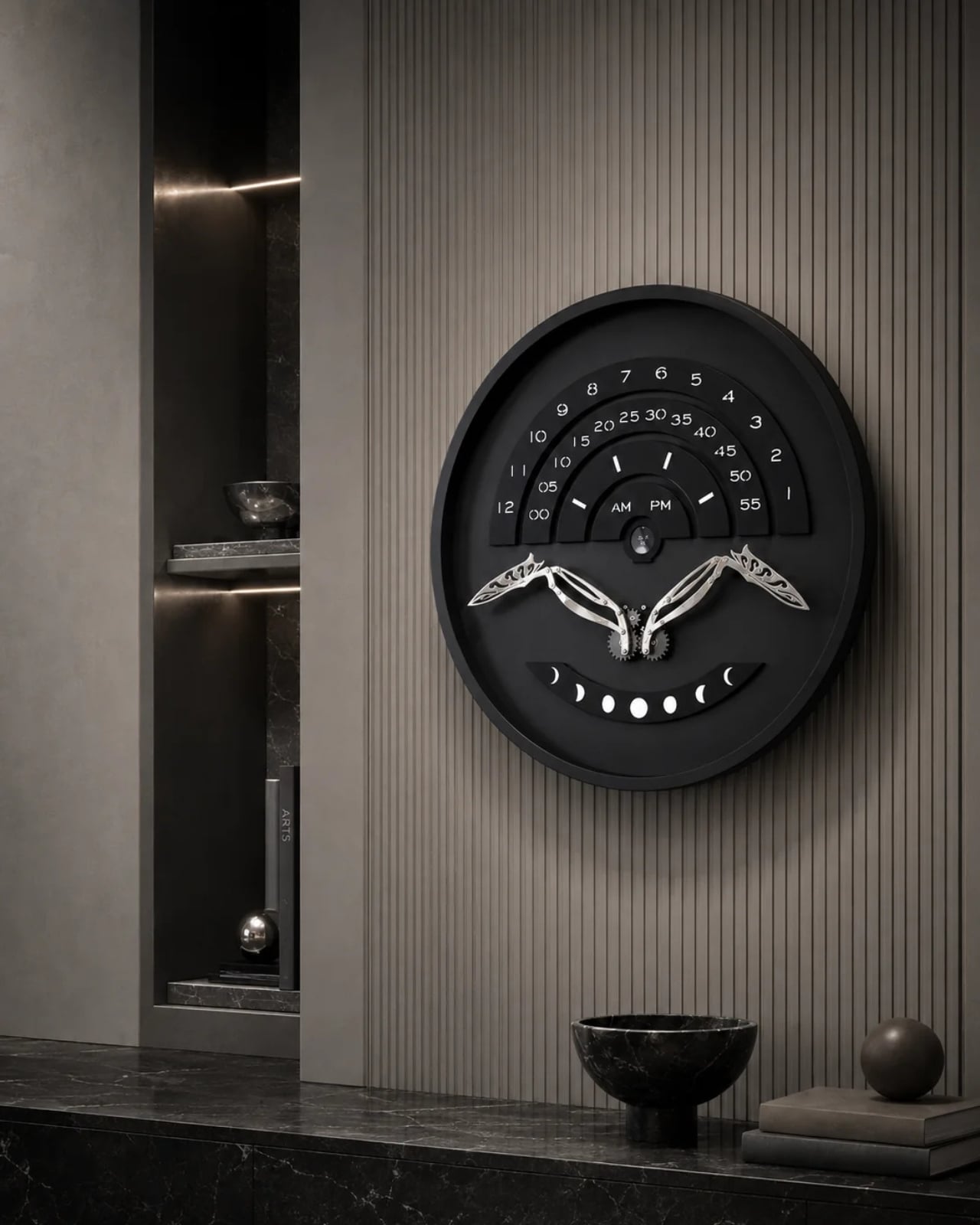
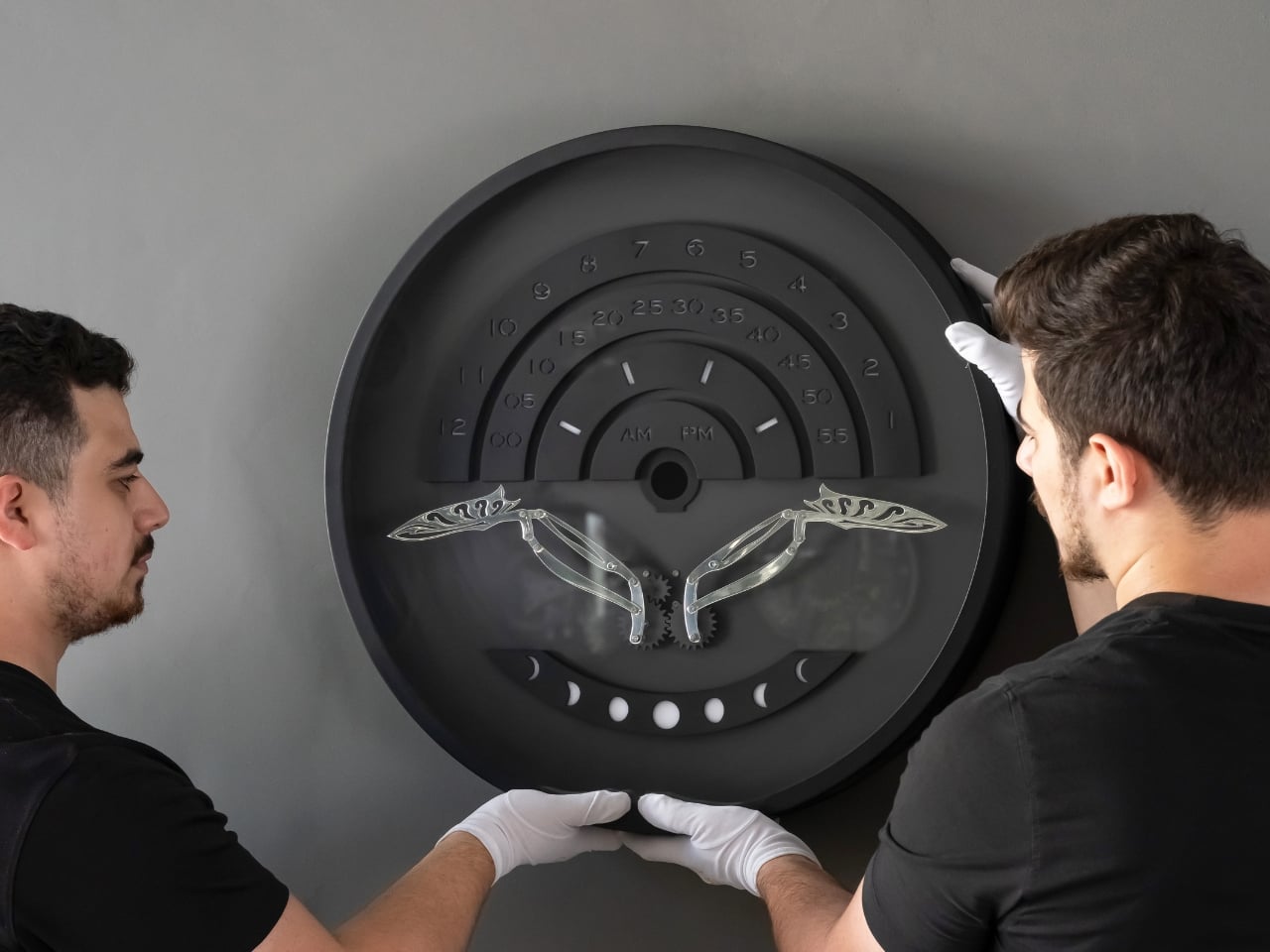
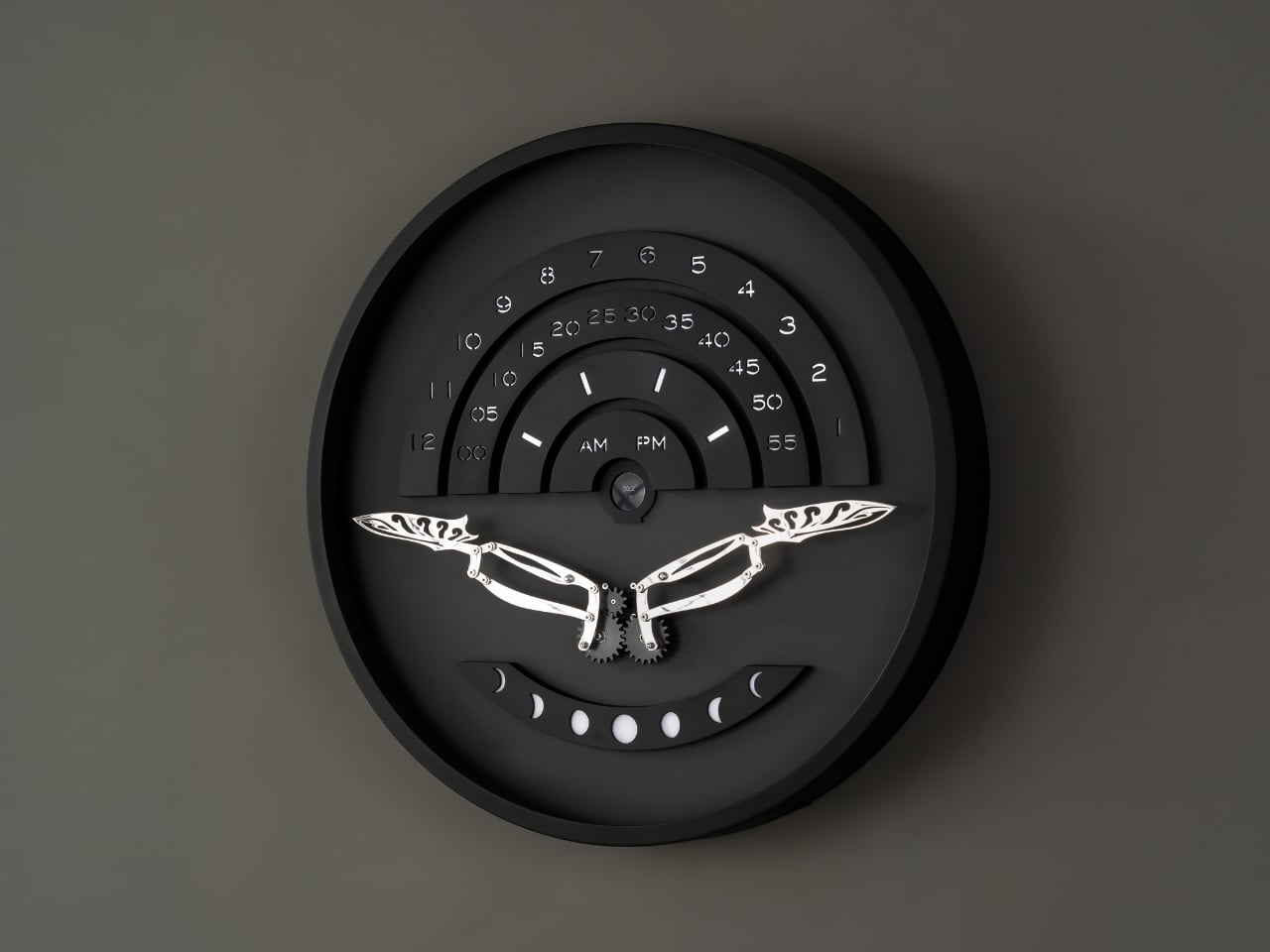
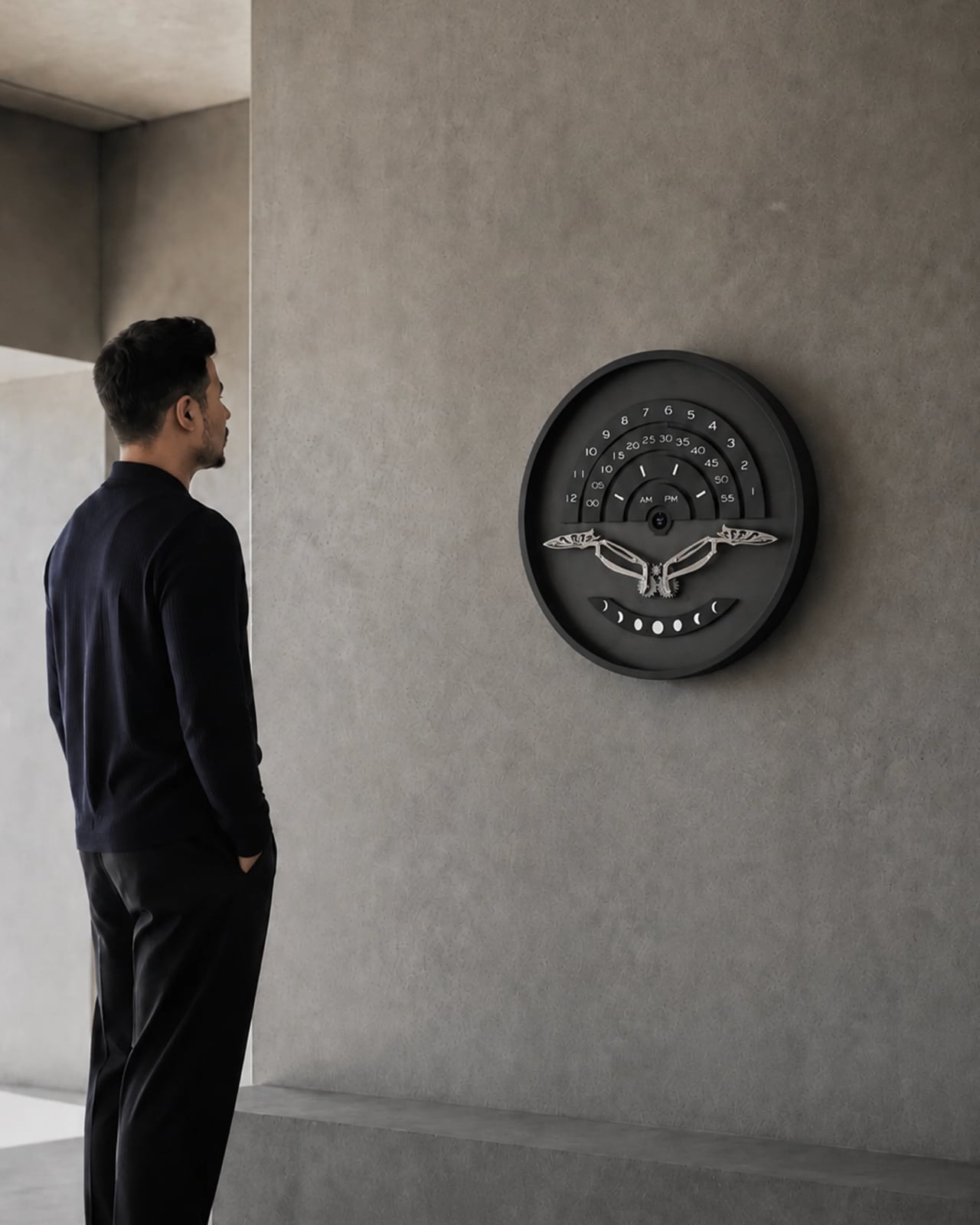
That’s the gap a new piece from Istanbul studio Omora Lusso seems built to close. Instead of showing the hour as flat information, it makes you wait for it, watch for it, and experience it as something closer to a small performance than a readout. The studio calls it Muvaqqit 60, and as the press materials put it, it’s a 60-centimetre kinetic time artwork that transforms the reading of time into a recurring physical ritual.

Designer: Omora Lusso

The name itself carries weight before the mechanism even moves. Muvaqqit takes its name from the historical timekeeper responsible for determining and regulating time through astronomy and exact observation, and in Ottoman cities, muvakkithanes were dedicated timekeeping rooms, often associated with mosque complexes, where prayer times were calculated and astronomical knowledge was practised. I appreciate that Omora Lusso didn’t try to costume this piece in false antiquity. The studio does not reproduce the instruments or forms of these spaces; instead, it reinterprets their culture of precision, contemplation and measured time through contemporary kinetic design. That distinction matters. It would have been easy, and a little lazy, to slap old astronomical symbols onto a modern object and call it heritage. This is a harder, more honest route: borrowing the spirit of a tradition rather than its skin.

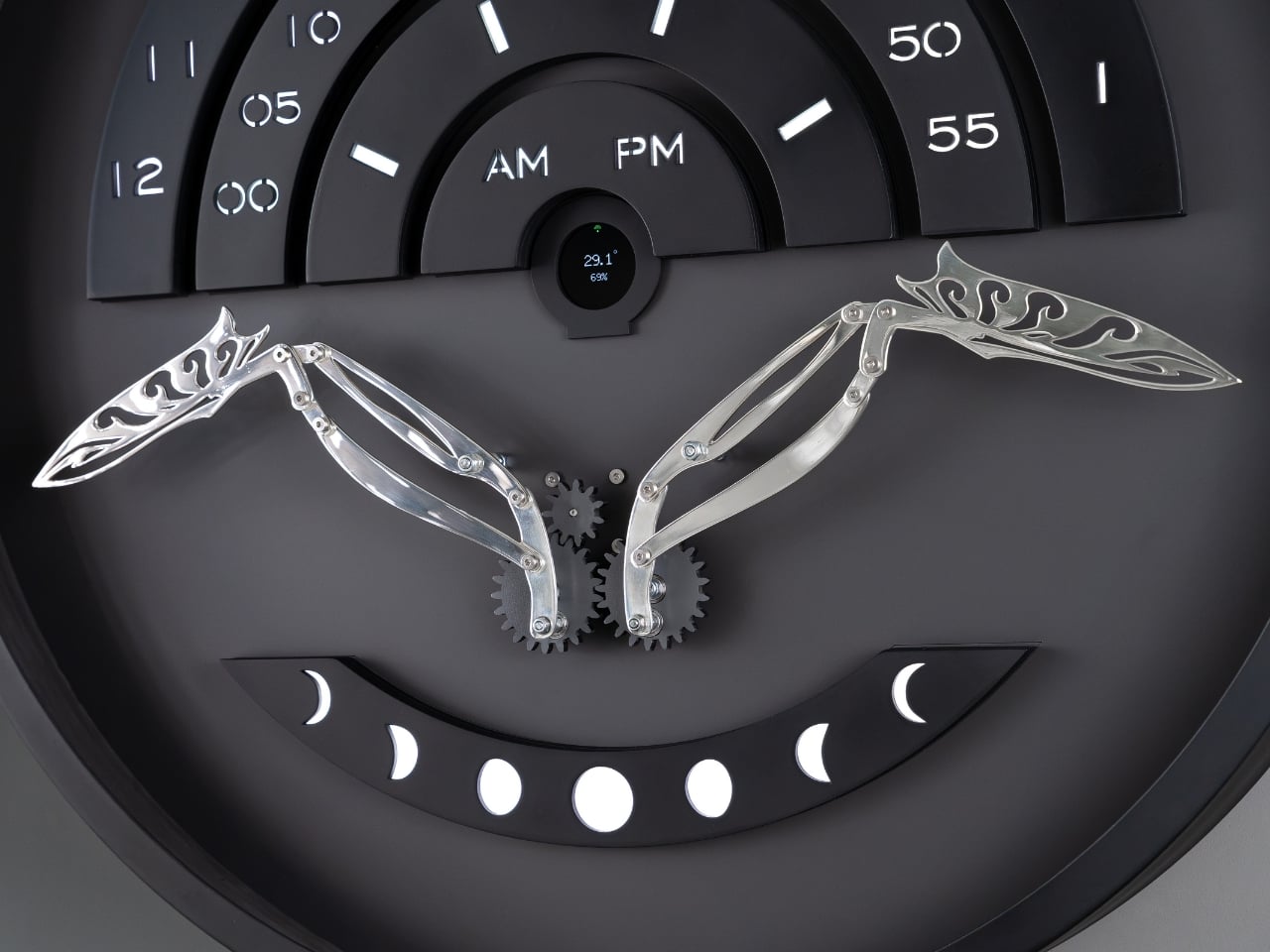
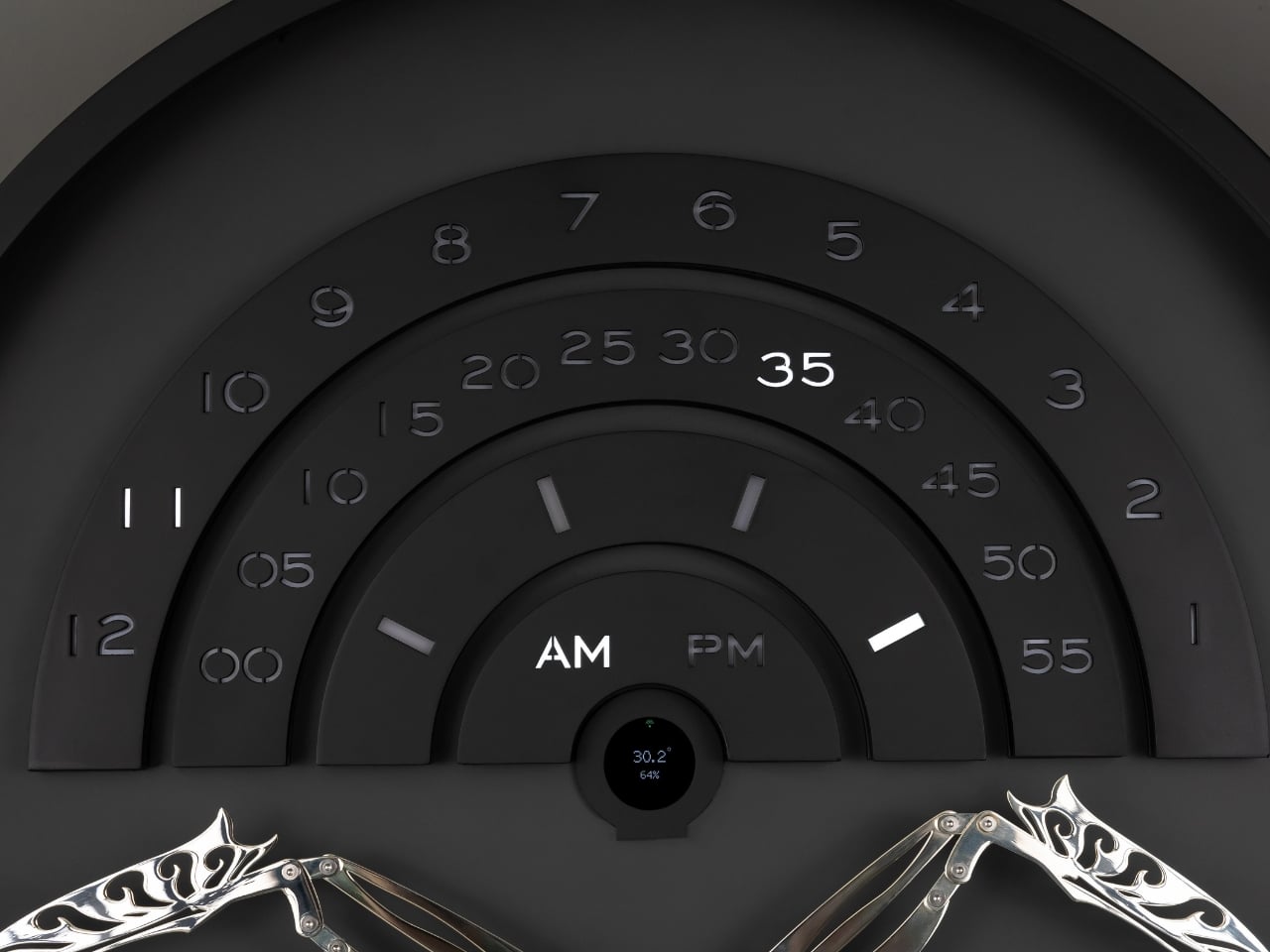
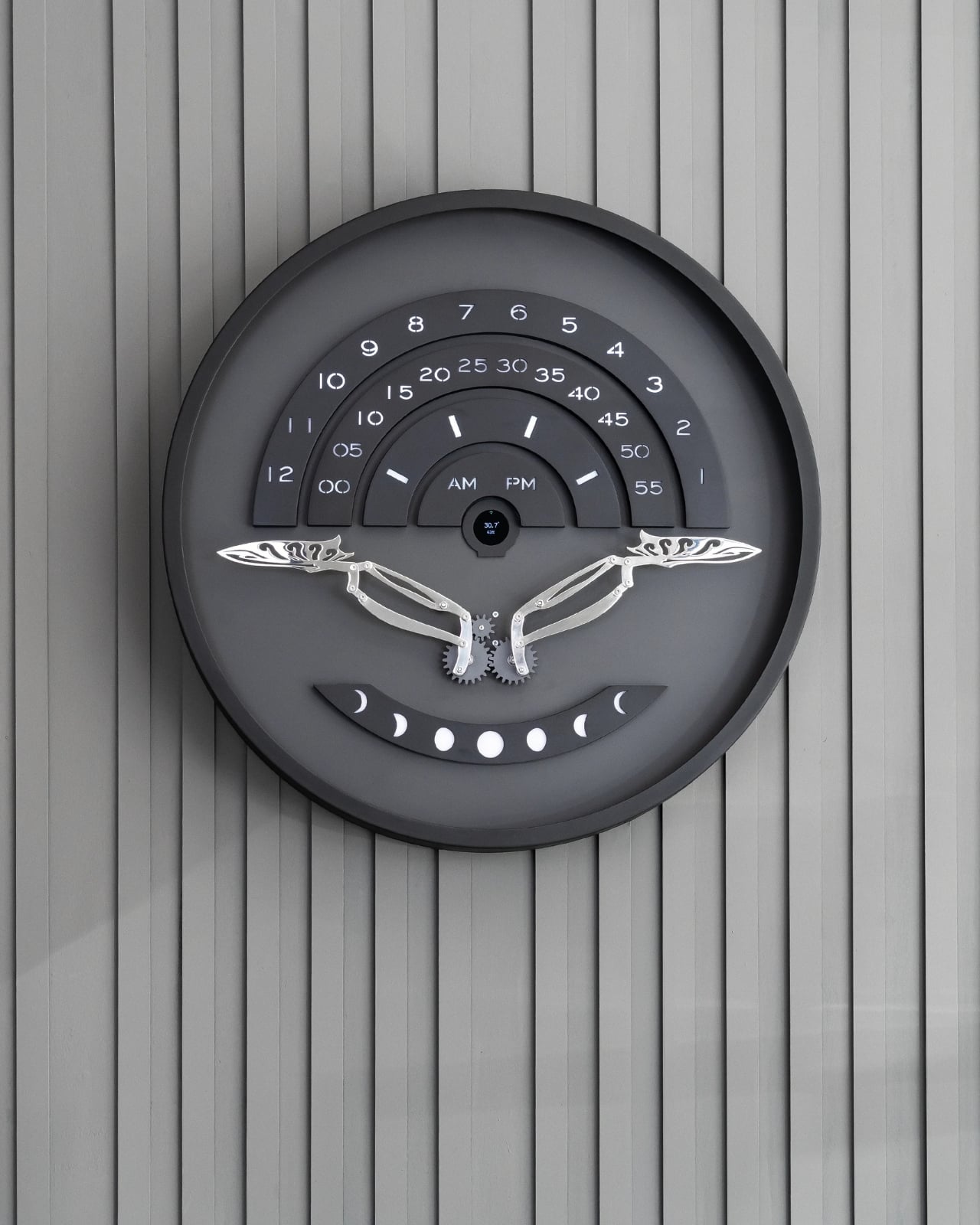
The piece itself only reveals what it can do once a minute, and that restraint is the whole point. Once each minute, Muvaqqit performs a time-indication sequence: a comet-like progression of light moves through its layered scales as a mirror-silvered kinetic bird rises into position, while the hour, five-minute interval and minute increment are read across three curved scales, with an AM/PM display and an illuminated moon-phase arc completing the temporal composition. The rest of the time, it stays quiet on purpose. Between these moments, the work remains visually restrained, allowing anticipation to become part of the experience. There’s a kind of confidence in a product that chooses to stay dark and still for fifty-nine seconds just so the sixtieth means something. Most gadgets are terrified of silence. This one leans into it.

Omer Fatih Sevinctekin, the studio’s founder, frames the whole project as a question rather than a solution, which I found refreshing given how many product launches arrive dressed as answers. He describes it as beginning with the question of whether time can be experienced as a ritual rather than simply read as information, wanting the work to connect Istanbul’s culture of precise timekeeping with a contemporary language of motion, light and material.

Materially, the Noir Silver edition plays a straightforward but effective contrast game. It pairs a soft-black metal frame and anthracite inner dial with a hand-polished, mirror-silvered brass bird, presented behind a four-millimetre glass front, with a controlled palette designed to sharpen the contrast between stillness and movement, and between the dark architectural body and the brief illumination of the time ritual. Nothing about it is loud until the moment it needs to be.

This isn’t a mass object, and it was never going to be. Muvaqqit 60 Noir Silver is limited to 50 pieces worldwide, offered at USD 6,000, with each work produced in Istanbul and accompanied by a Certificate of Authenticity, a dedicated wooden presentation case, art-handling gloves and operating materials. That price and scarcity will keep it out of most homes, and I won’t pretend otherwise. But the idea underneath it, that time deserves a moment of attention instead of a passing glance, doesn’t require owning the object to land. The studio’s broader collection treats time not as a static reading but as an event, a sequence that can be anticipated, observed and remembered, and that’s a quietly radical stance in a culture that mostly wants its information delivered instantly and forgotten just as fast.

The post A Clock That Refuses to Just Tell You the Time first appeared on Yanko Design.

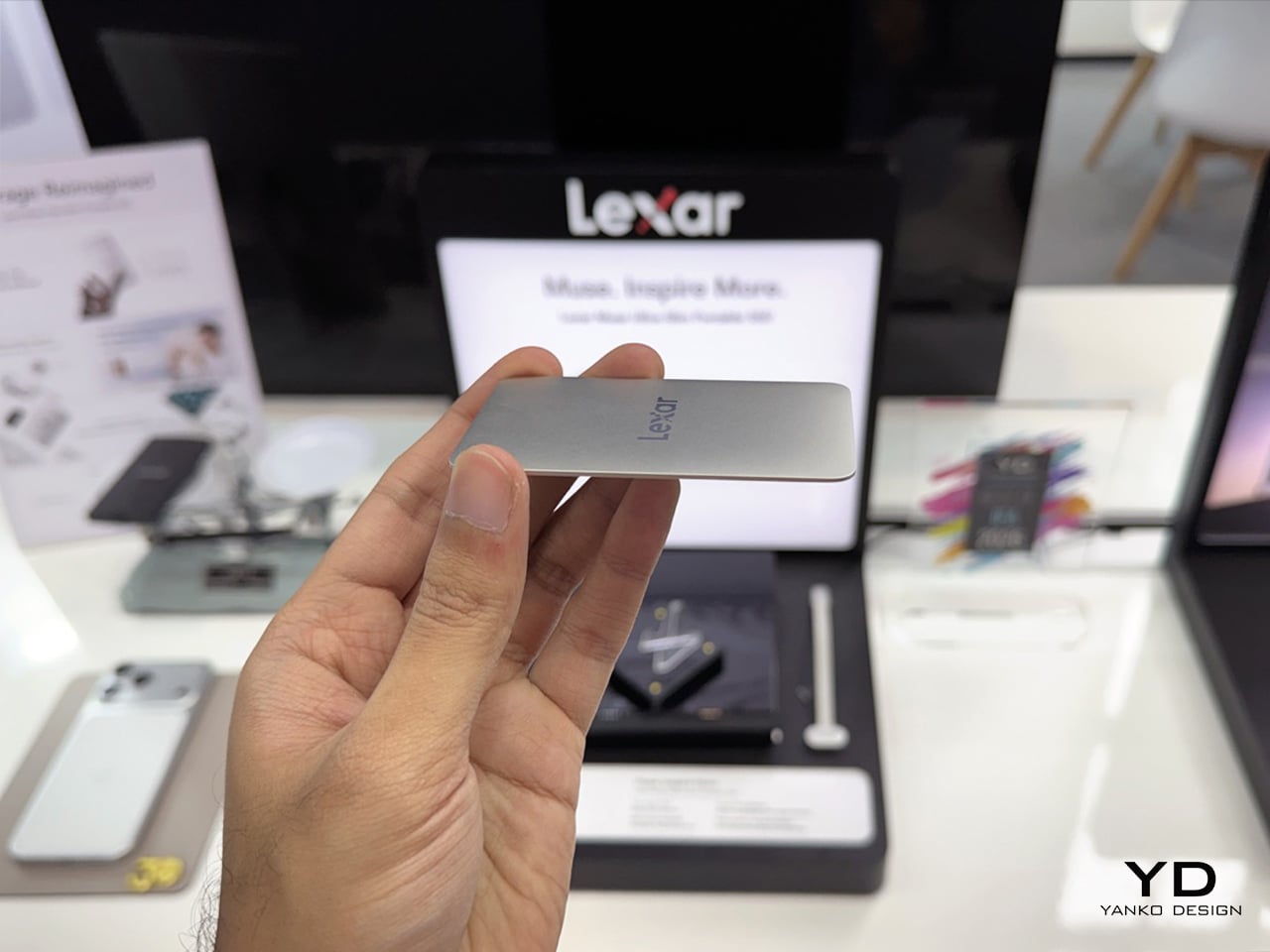
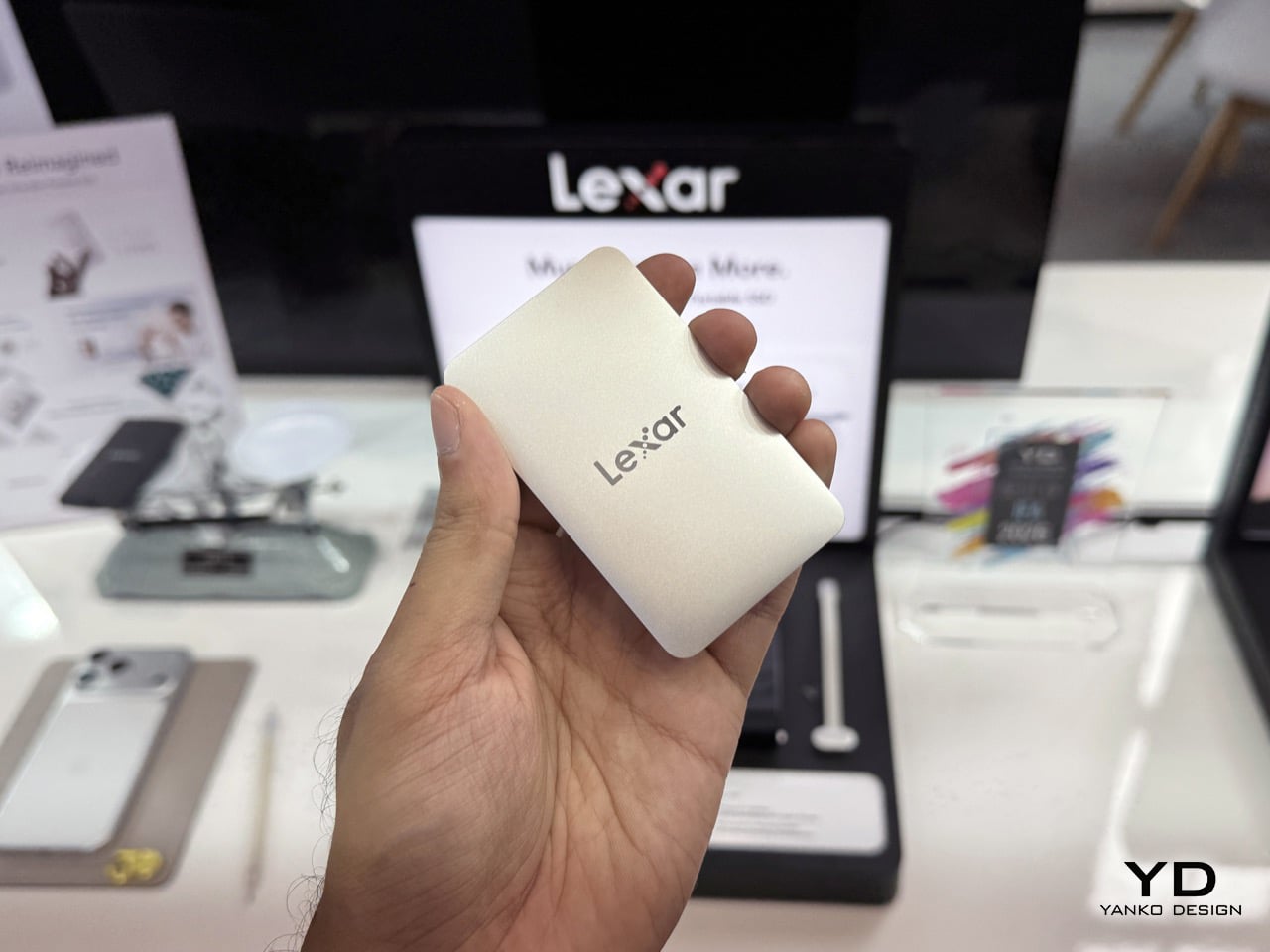
We Held The World’s Thinnest Portable SSD at IFA 2026: Hands-on With The Lexar Muse

Here is a fun little irony nobody asked for. The same AI boom that is making your laptop smarter is also making storage more expensive and harder to get, because every gigabyte of NAND that could go into your next SSD is currently being fought over by datacenters training the next big model. Micron basically said the quiet part out loud this year, killing off its own consumer brand Crucial to chase those fatter AI margins. Less choice for regular people, more racks for hyperscalers. Meanwhile the actual demands on your personal storage have only gone up, phones shooting in formats that used to require a cinema camera, and pockets that were never designed to also carry a second device.

Which makes it almost funny that Lexar, the brand Micron itself walked away from years ago, just used its 30th birthday to launch the kind of drive that actually solves that pocket problem. You have probably had a Lexar SD card in a camera bag at some point, or bought one of its USB drives without thinking twice about who made it. At IFA 2026 in Berlin, the company unveiled the Muse Ultra-Slim Portable SSD, a magnetic, credit-card-thin drive built for phone shooters drowning in 4K footage or even people within the Apple ecosystem who don’t want to splurge on cloud storage. Turns out the company nobody expected much from just built the phone accessory a lot of us did not know we needed.

Designer: Lexar

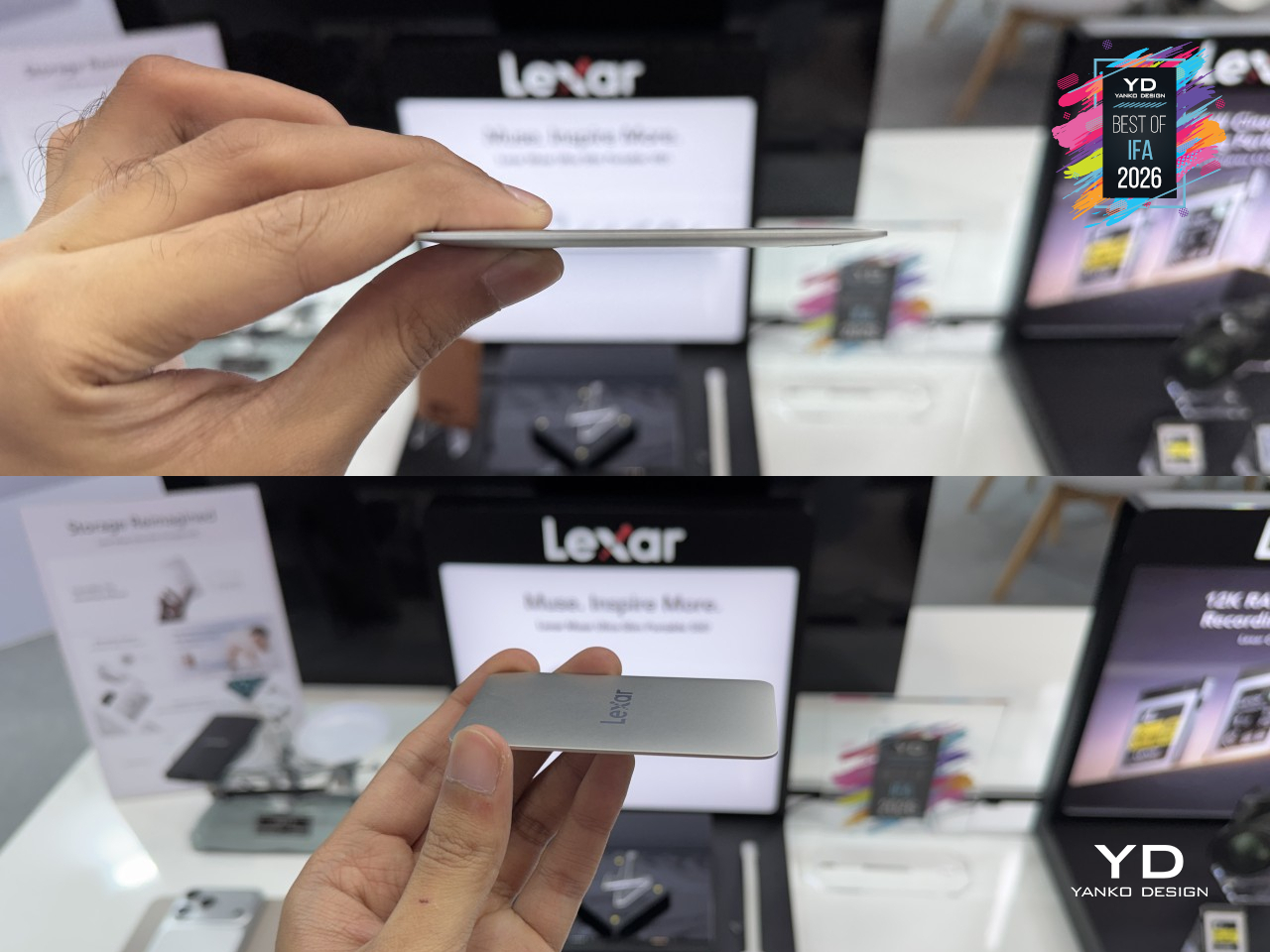
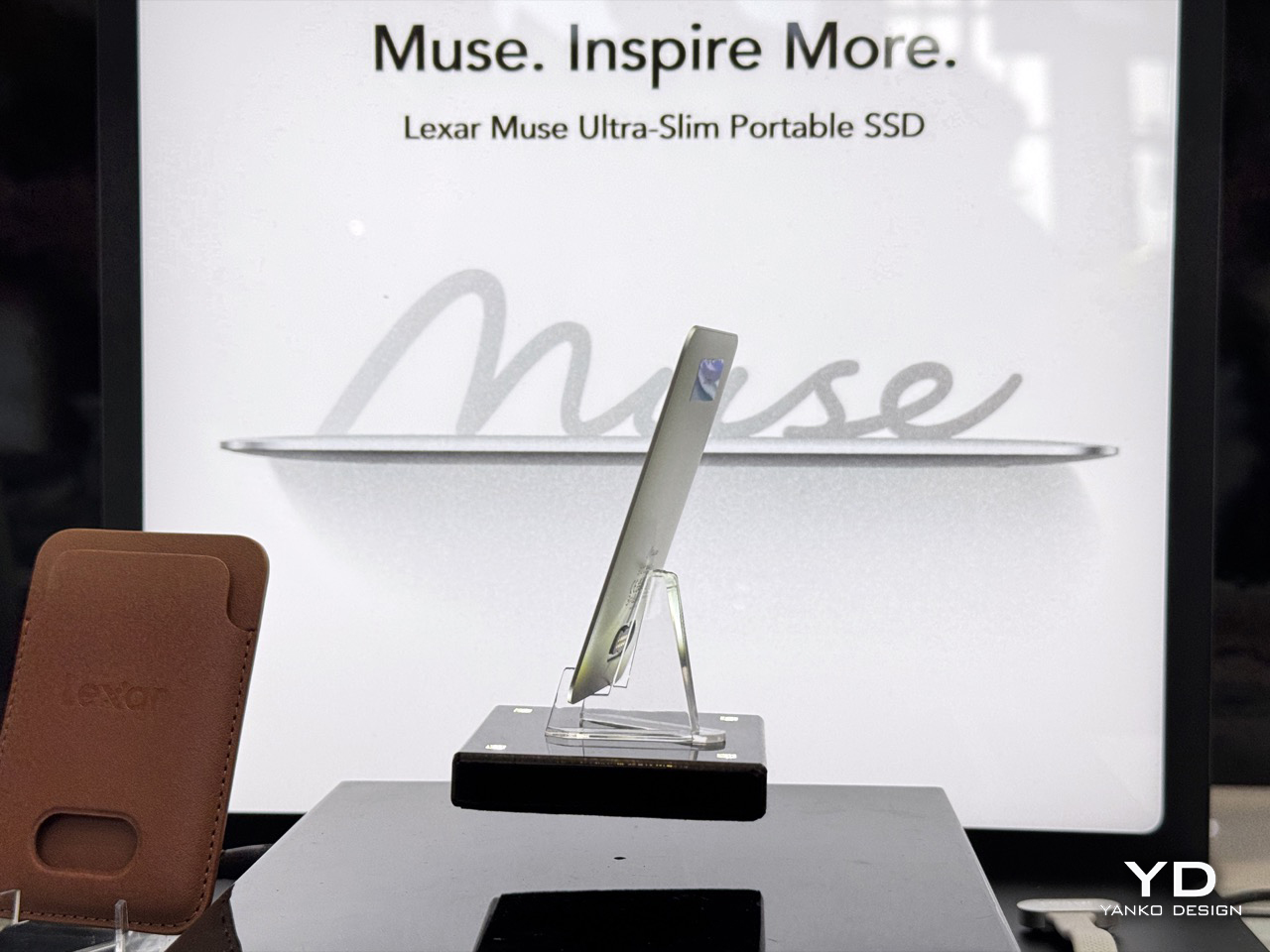
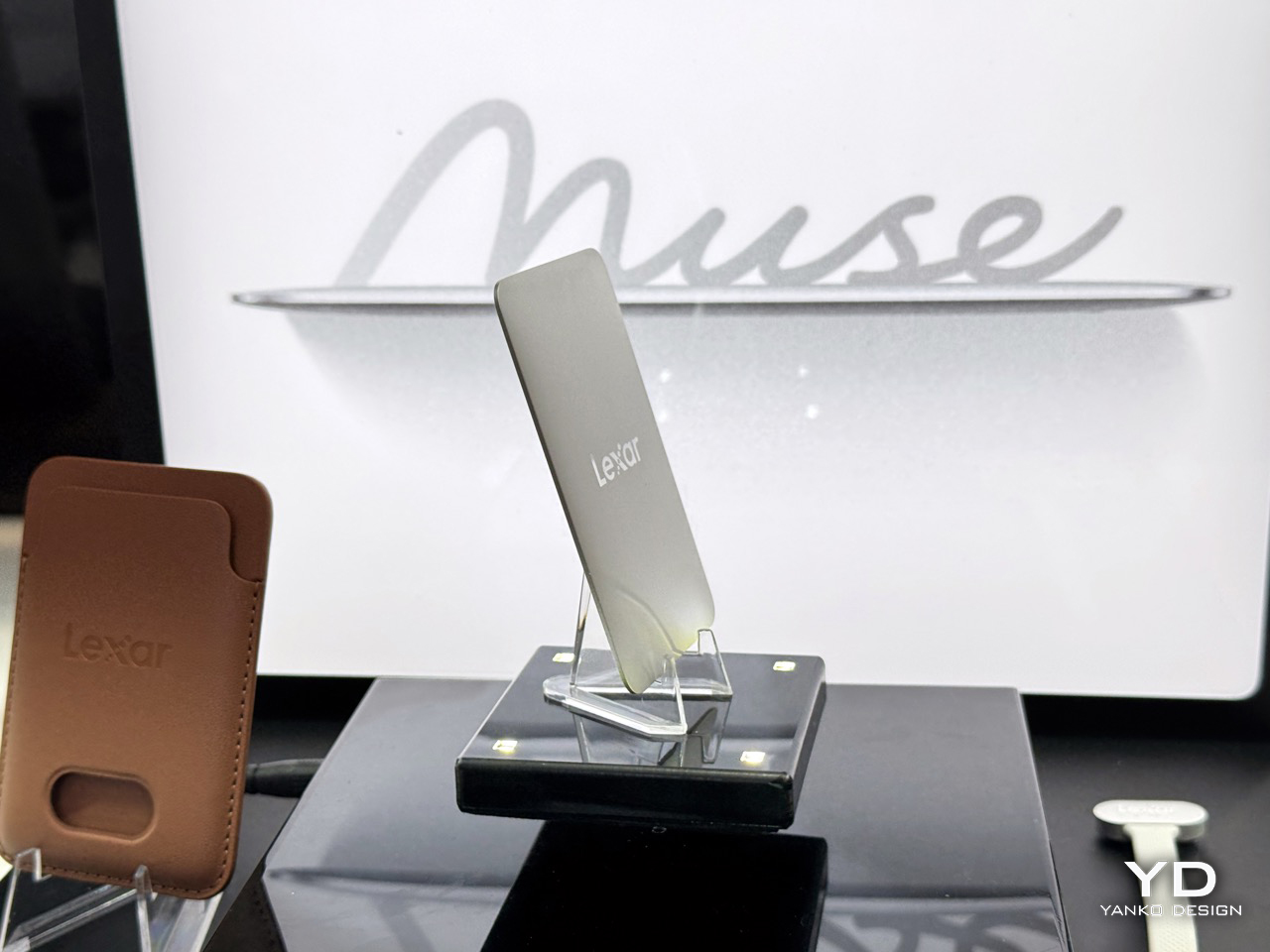
The first thing you notice about the Muse is how little of it there actually is. Lexar carved the enclosure from a single block of metal, no seams, no visible joints, tapering from roughly 3.8mm at its thickest edge down to a single millimeter at the rim, numbers the company is calling the thinnest and lightest portable SSD on the market right now. Hold it flat and it genuinely reads more like a guitar pick than a storage device. Getting there required shrinking everything else too, a custom ultra-thin circuit board and tightly stacked NAND dies packed into a shell with almost no wasted volume. This is not a drive that got thin by cutting corners on capacity or speed either, which is usually where these design exercises fall apart.

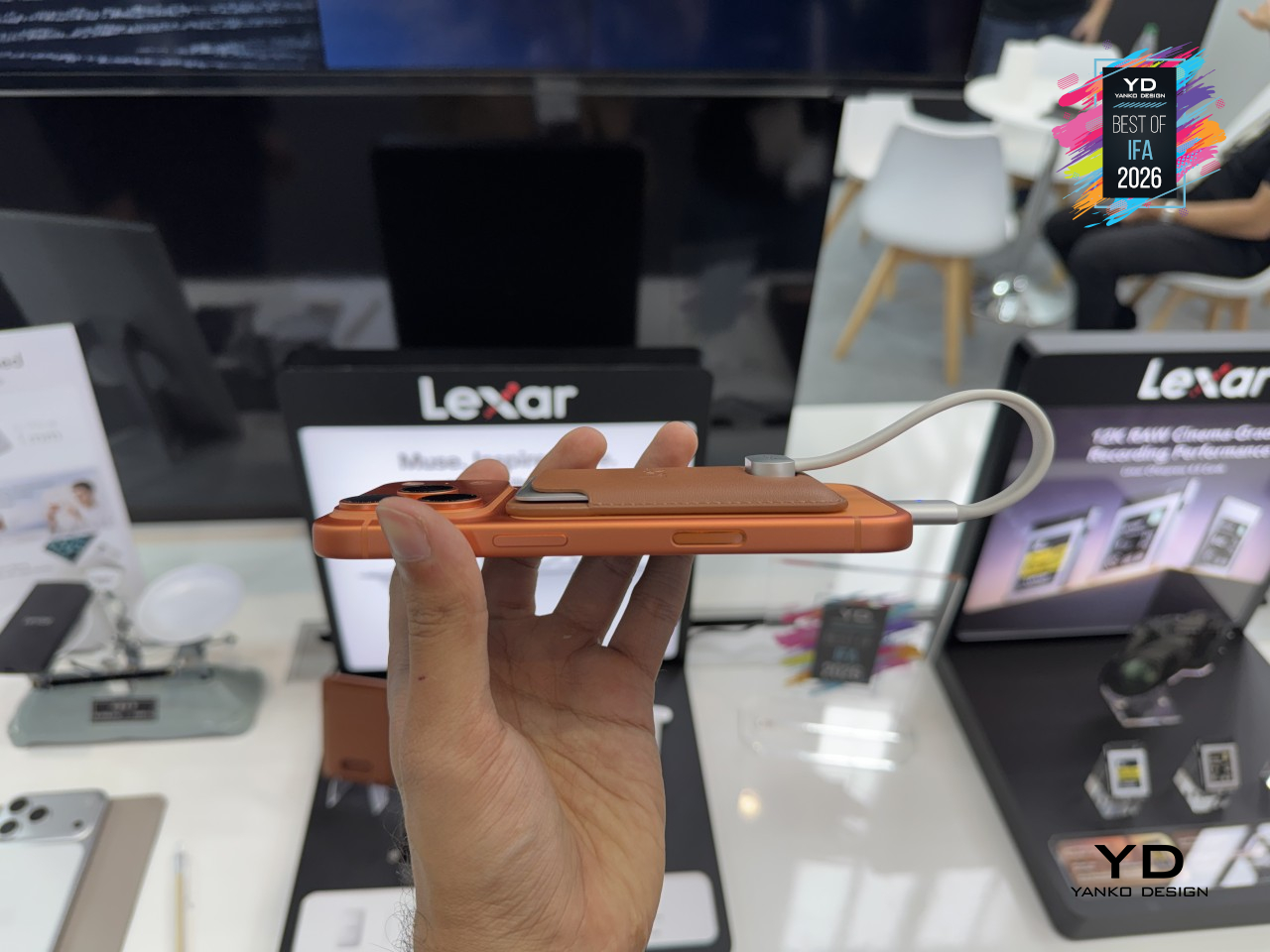
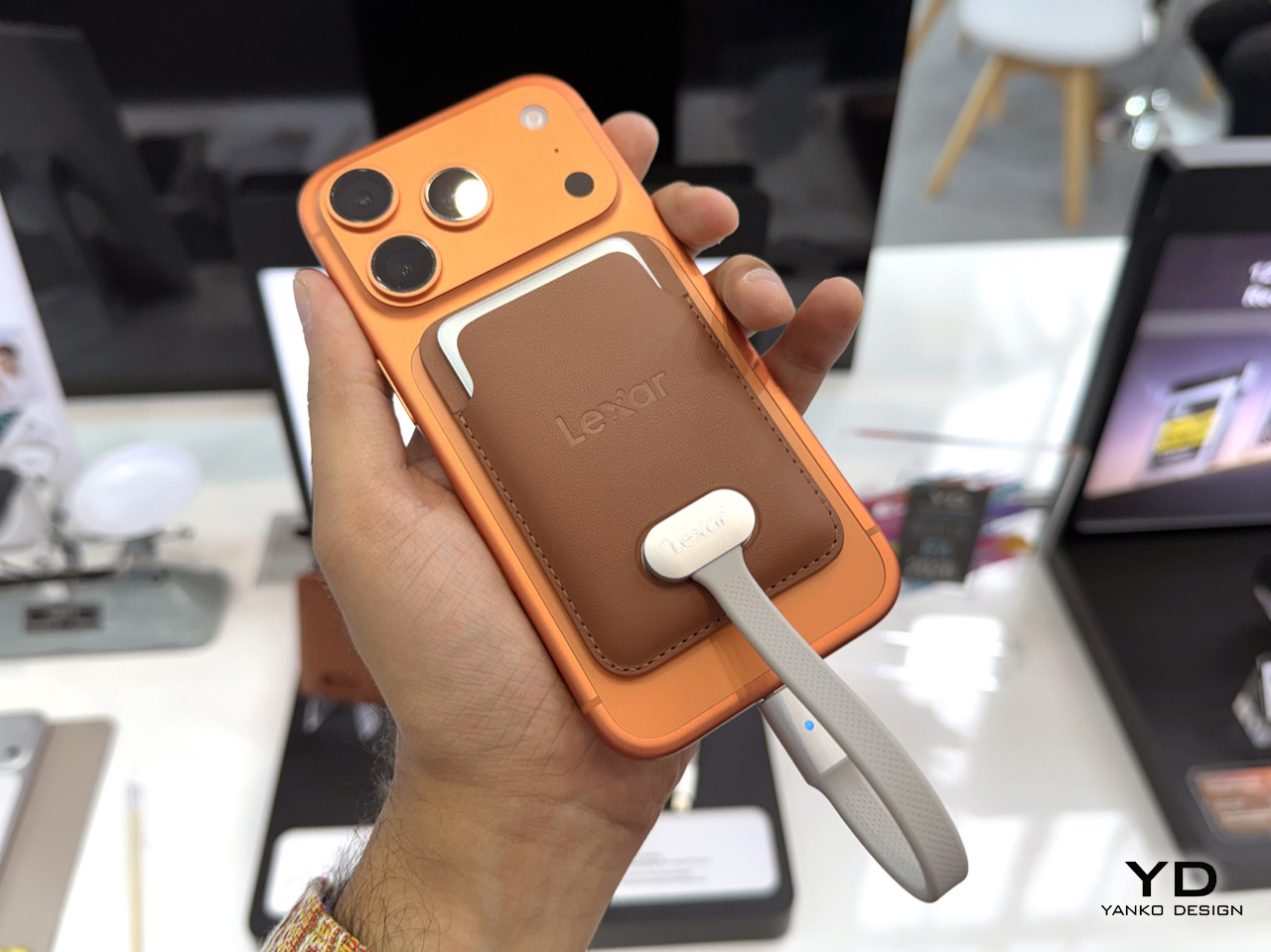
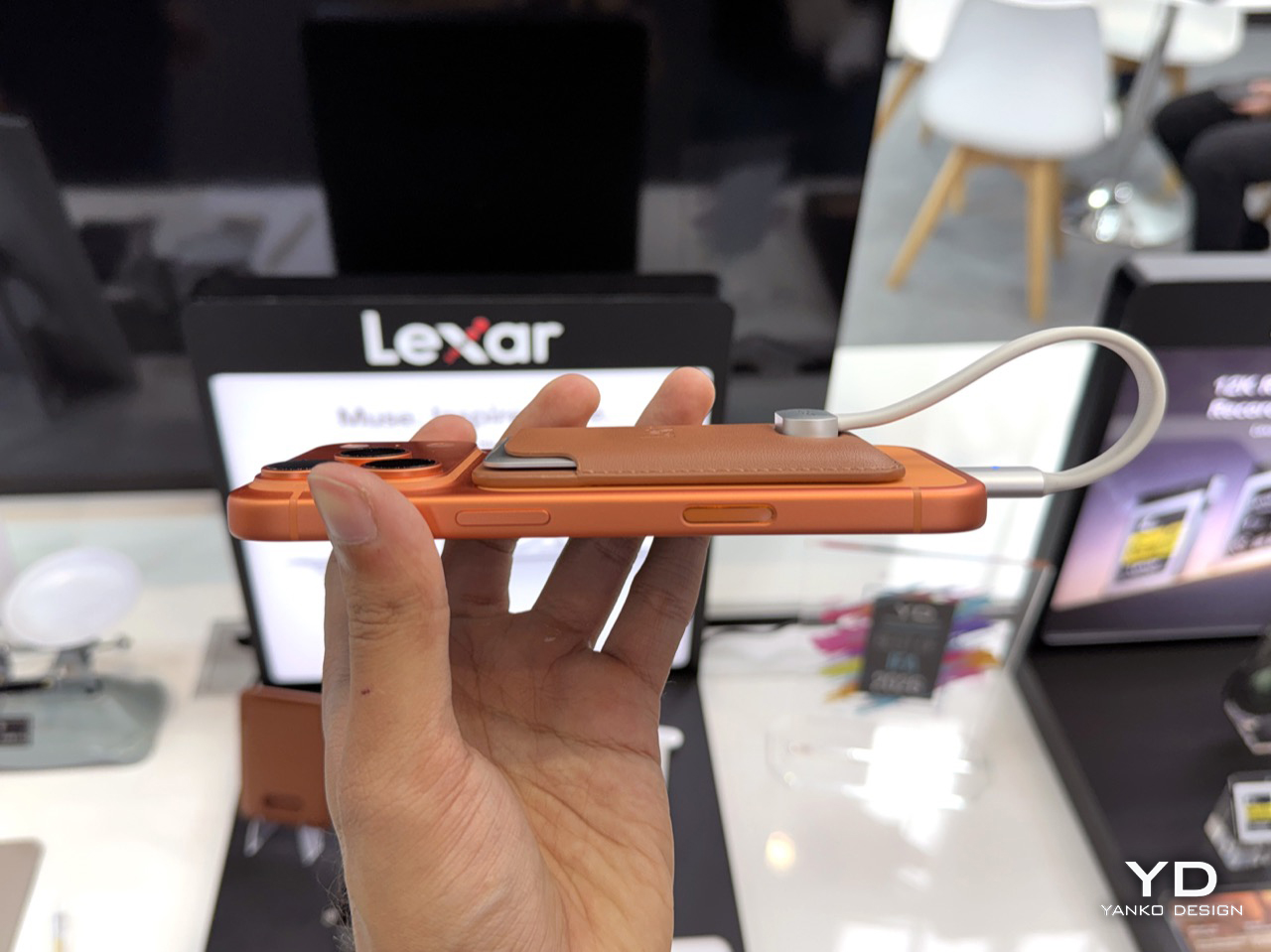
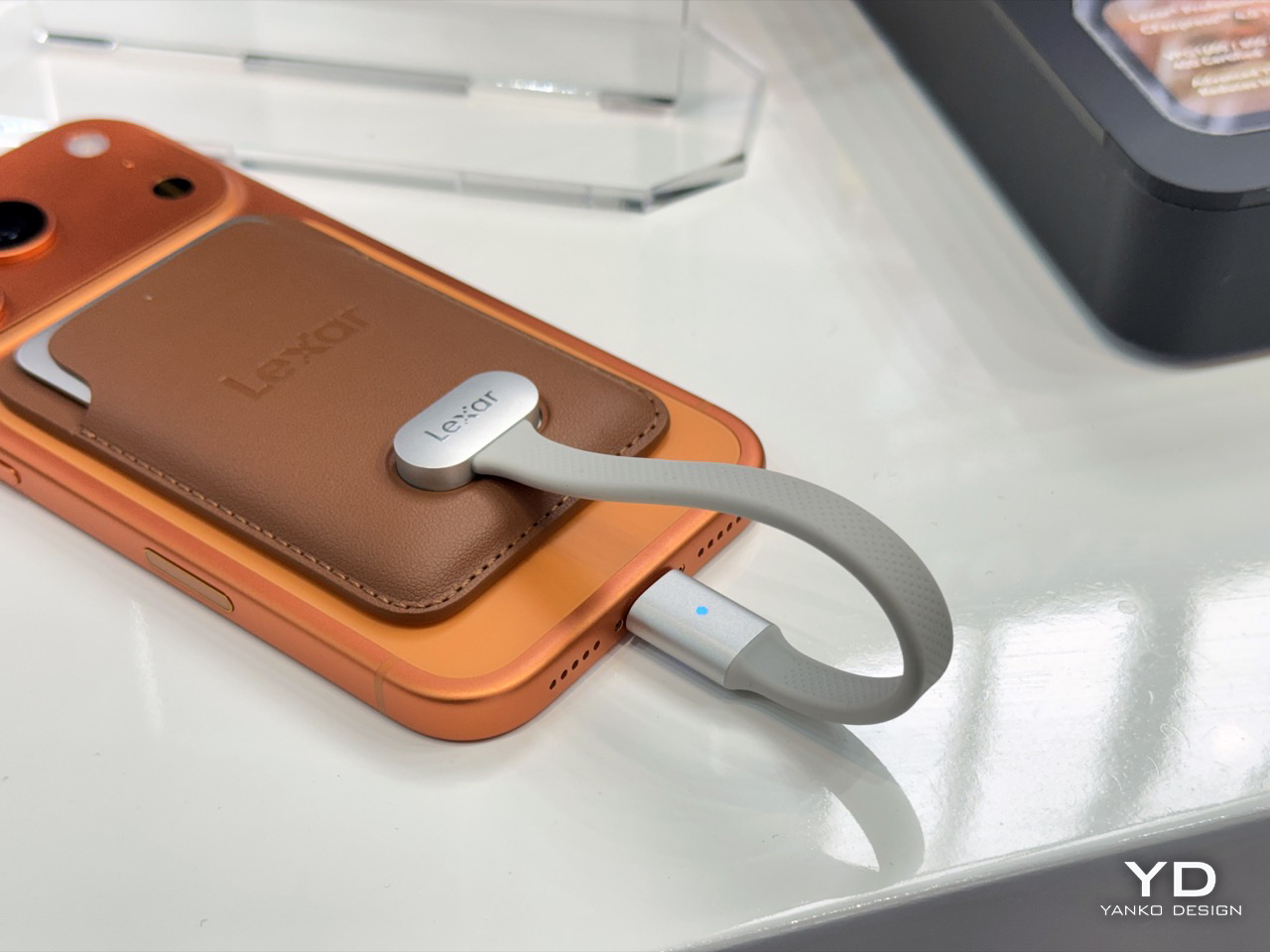
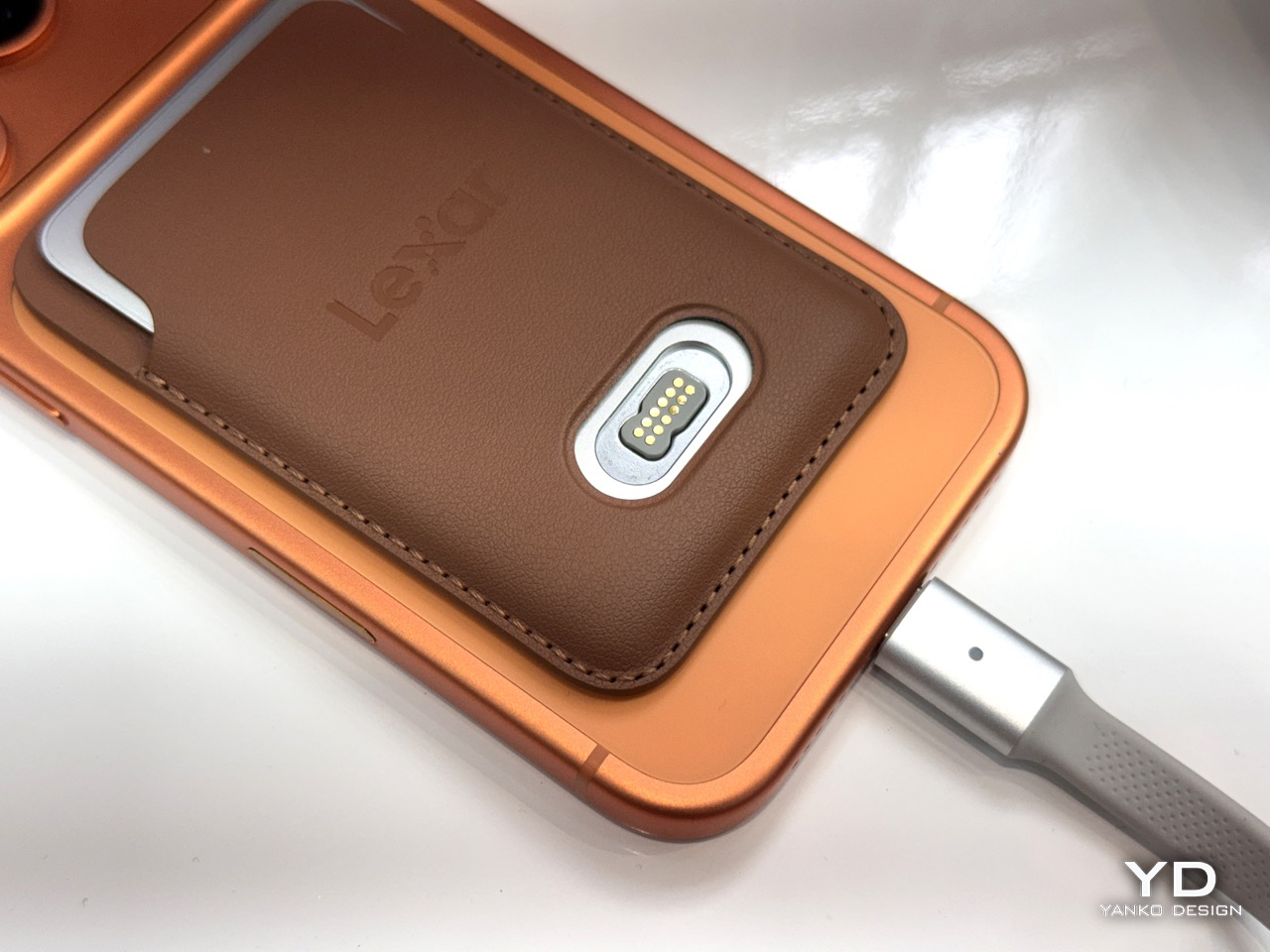
The magnetic attachment system is pretty impressive, because adding a USB-C port on the Muse would mean complicating the build and making things thicker. Lexar built a proprietary PogoPin connector for the data link, paired with a bundled SnapLink Magnetic Cable, and backed both the connector and the carry sleeve with N52-grade neodymium magnets, serious holding power for something this small. Slot the drive into its sleeve, snap the whole assembly onto a MagSafe iPhone, and your rig sits flush against the back of the phone rather than tugging at a port from underneath. Anyone who has fumbled a cable connection mid-handheld shot will understand immediately why that matters more than the spec sheet suggests.

Lexar quotes 1,050MB/s read and 1,000MB/s write, comfortably clearing Apple’s 440MB/s threshold for unlocking 4K120 ProRes recording on external storage, with plenty of room left over for whatever comes next. That puts the Muse in direct conversation with the SanDisk Creator Phone SSD, the drive that has largely owned this category since it launched at CES 2025 with a rugged silicone shell and an IP65 rating. Lexar decided to bet instead on thinness and weight as the whole pitch, creating something close to a MacBook Air moment for portable SSDs, where the headline spec is simply how little of the product you notice. It arrives in 512GB and 1TB capacities starting Q4 2026, with pricing yet to be announced.

The Muse was not the only thing on Lexar’s IFA floor. The company also showed off its AI Storage Core concepts, next-gen Gen5 SSD and Storage Stick hardware built around a custom Longsys controller and a caching layer called Luma Bridge, aimed at feeding local AI models faster while easing pressure on scarce DRAM. Alongside that sat a new Dashcam USB Flash Drive Series, automotive-grade sticks rated for extreme cabin temperatures and built to survive the kind of nonstop loop recording that kills cheaper drives inside a year. Neither is available to buy yet, but both point at where Lexar’s next thirty years are headed, well past the camera bag.

The post We Held The World’s Thinnest Portable SSD at IFA 2026: Hands-on With The Lexar Muse first appeared on Yanko Design.

What Happens When Bauhaus Meets a Pizza Oven? AEG Just Showed Us At IFA 2026

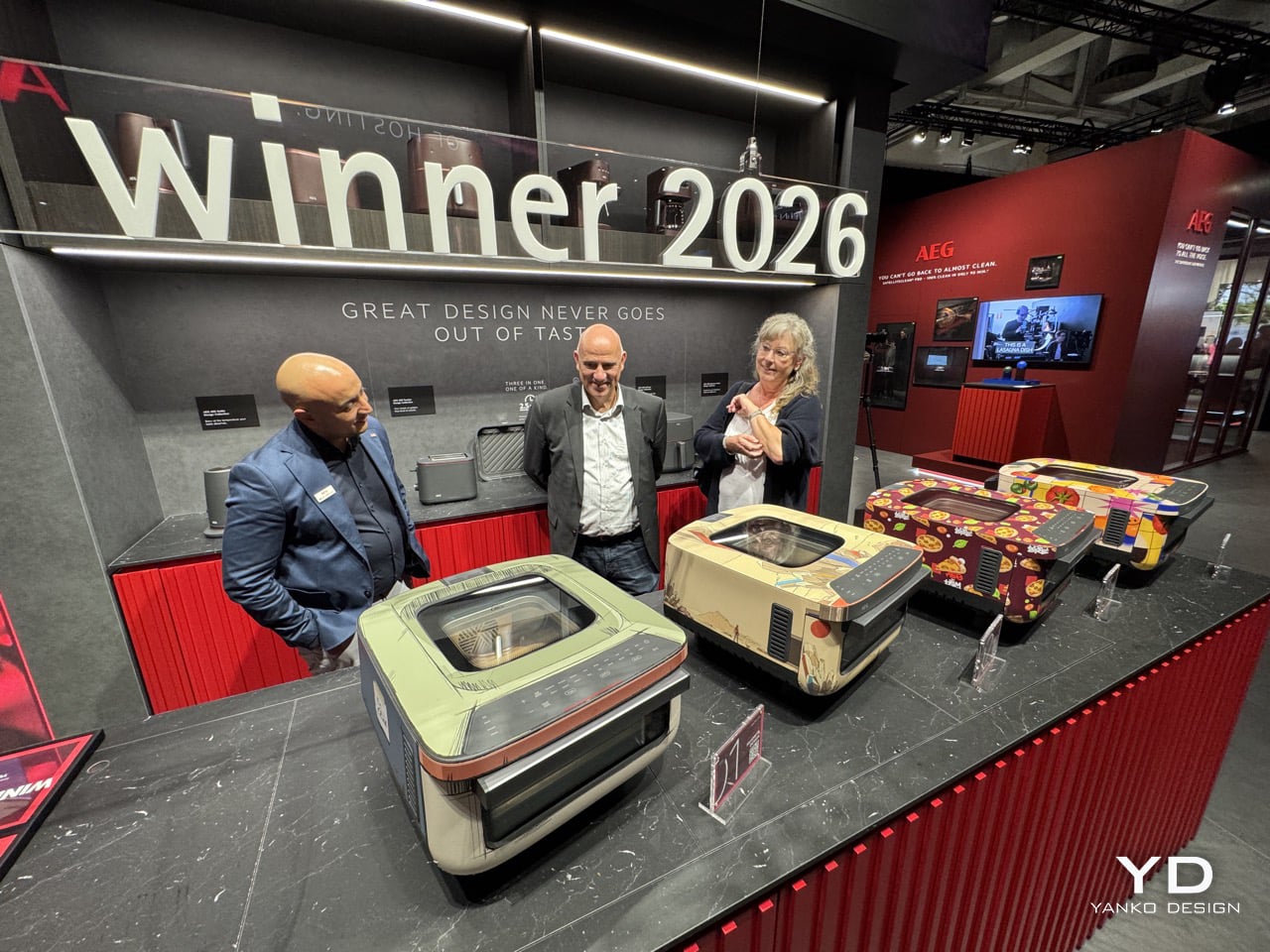
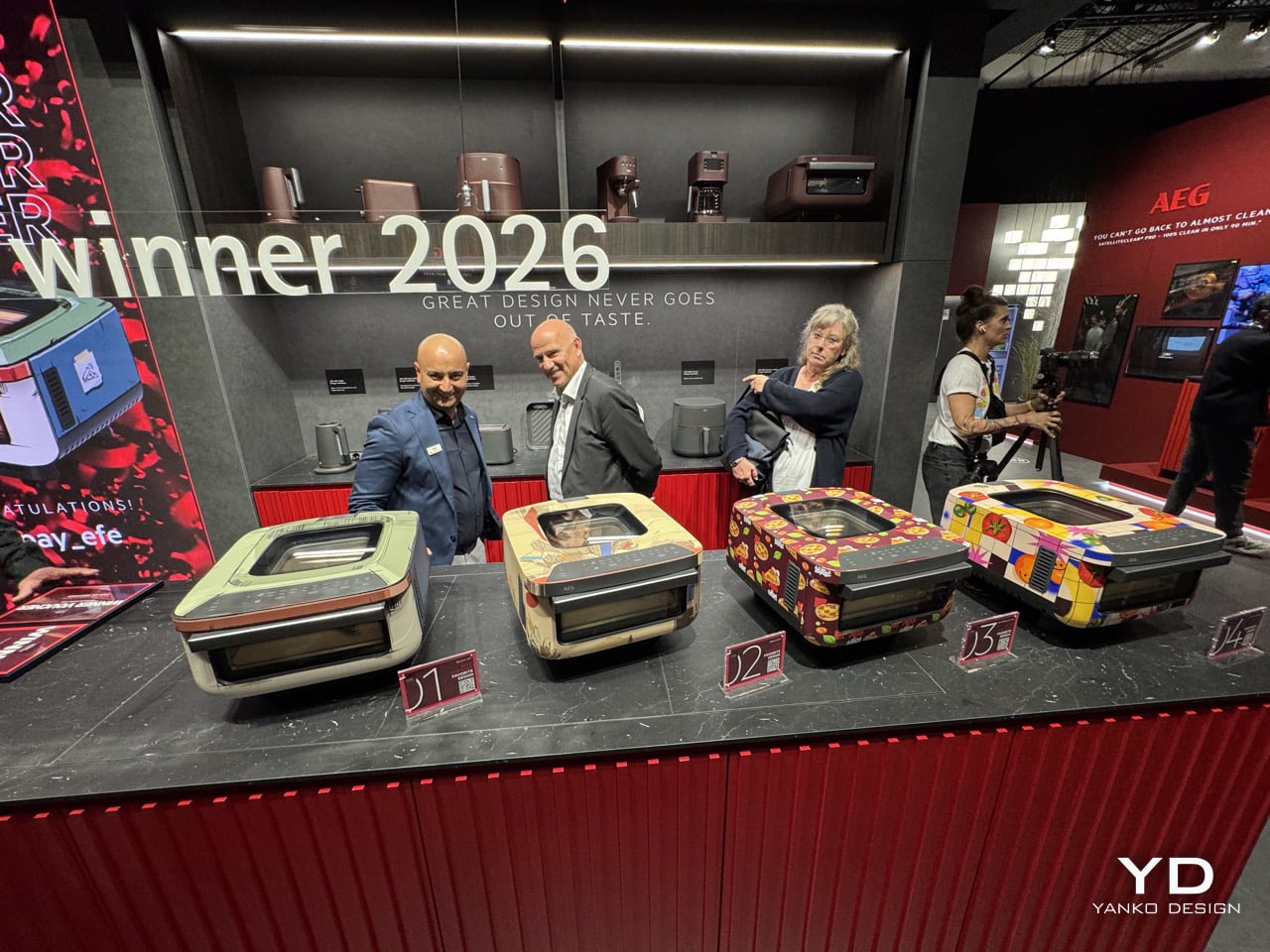
Ask four designers what Bauhaus means and you will get six or seven answers, depending on how passionate the designers are. AEG leaned into exactly that. The brand gave its new 3in1 oven to four artists, asked them to interpret the movement through their own lens, and then invited a jury to sit at IFA Berlin and pick a winner in front of a live audience. Low stakes for the oven. Slightly higher stakes for everyone holding a scorecard.

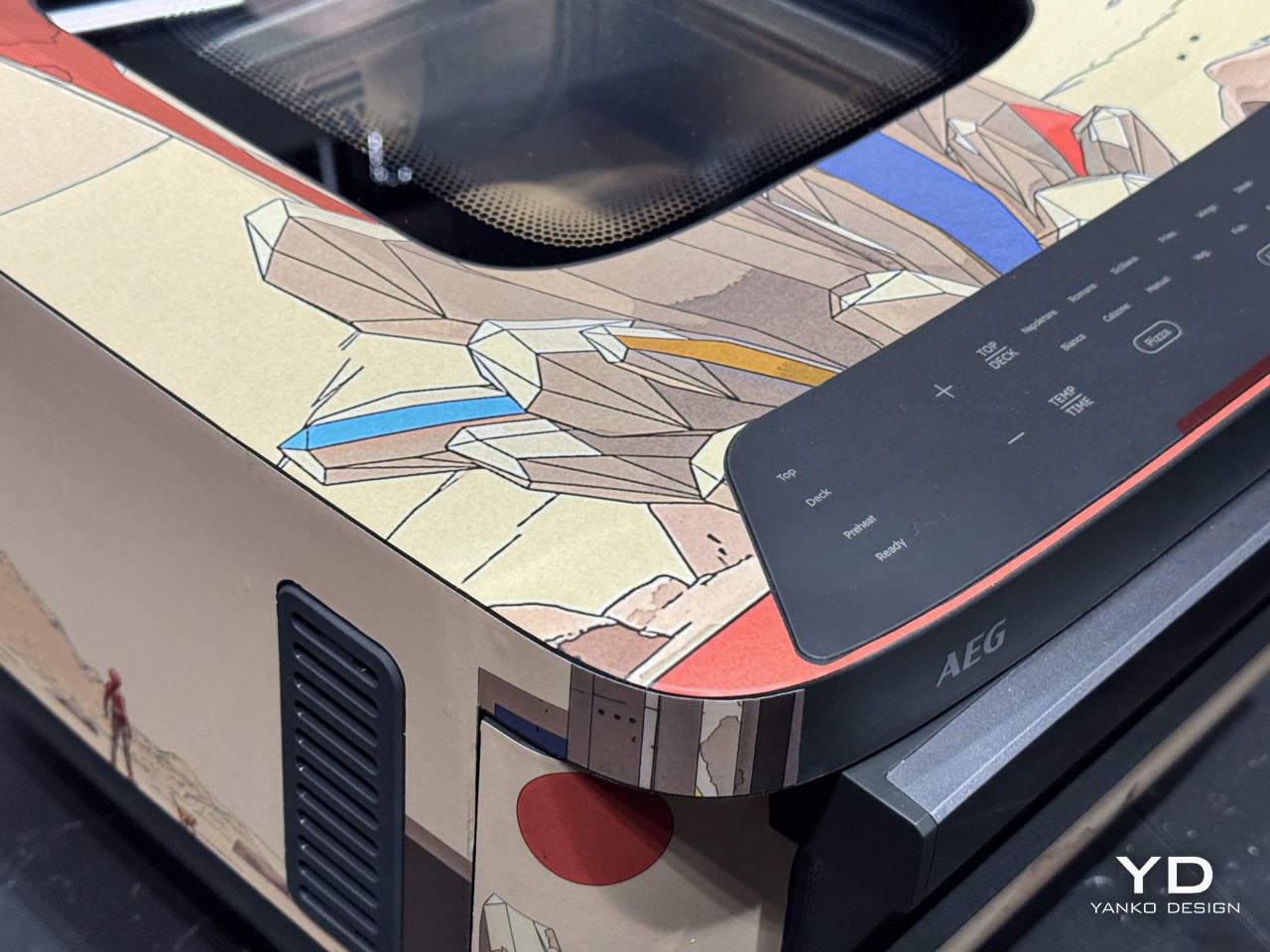
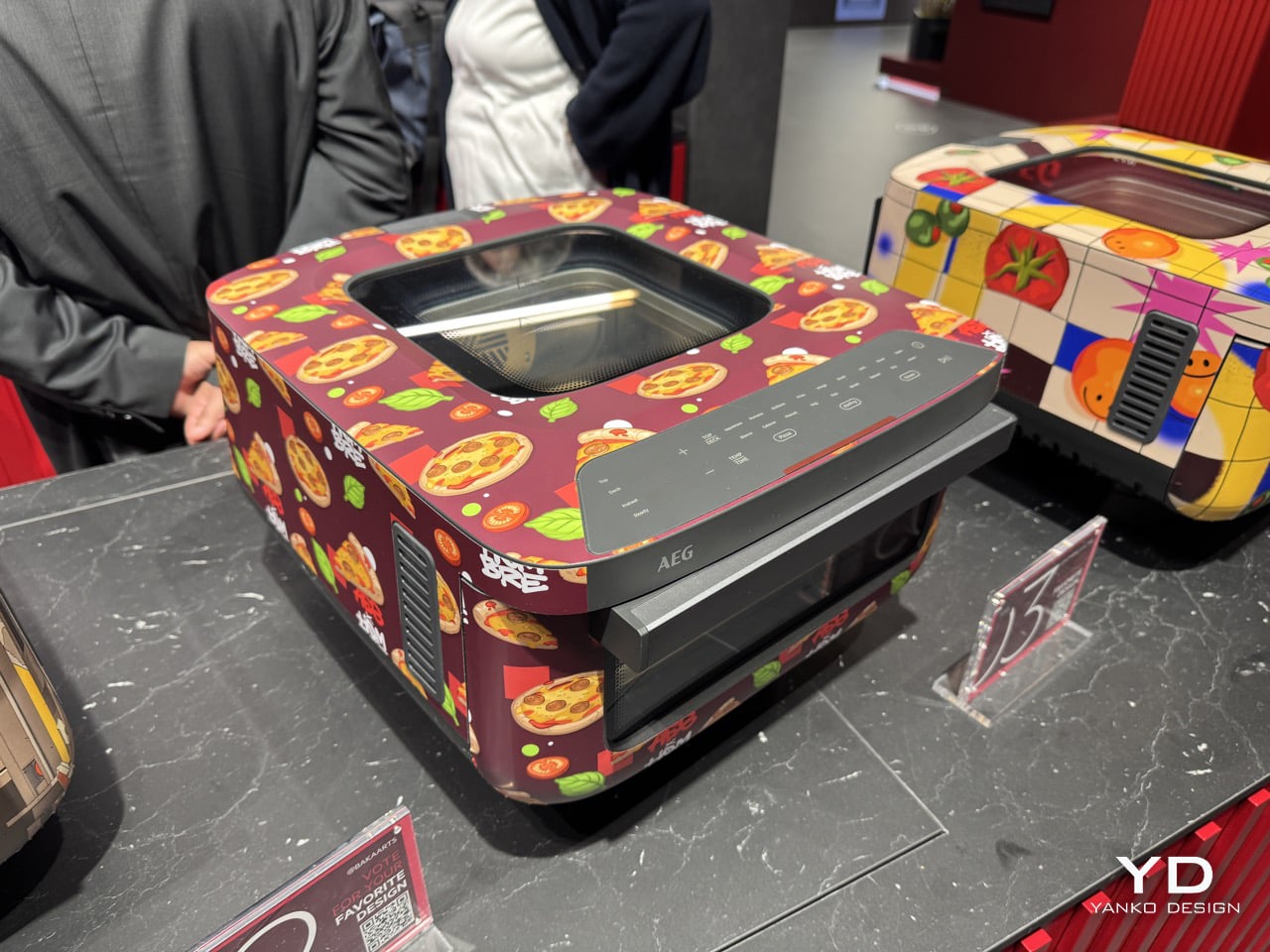
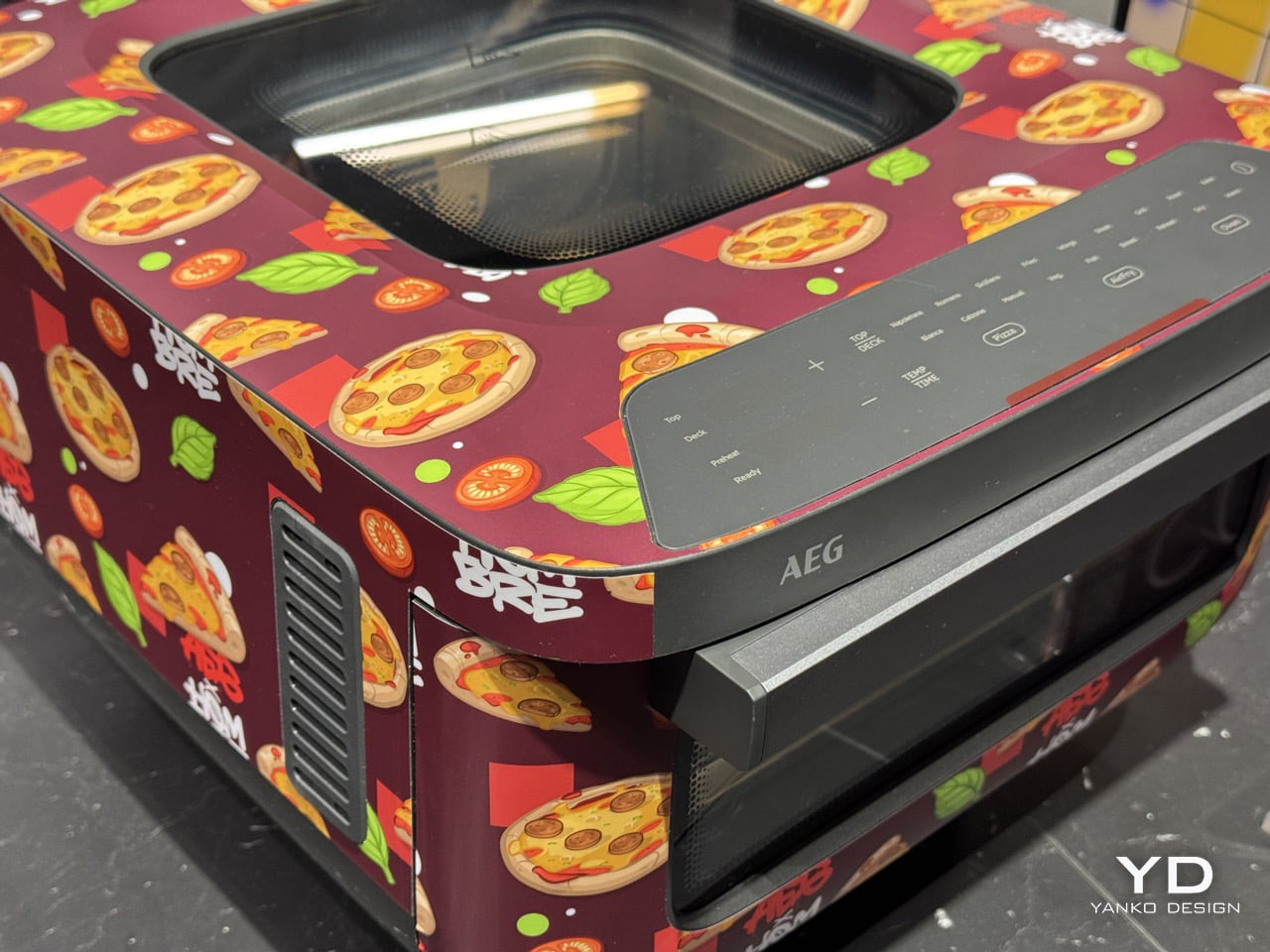
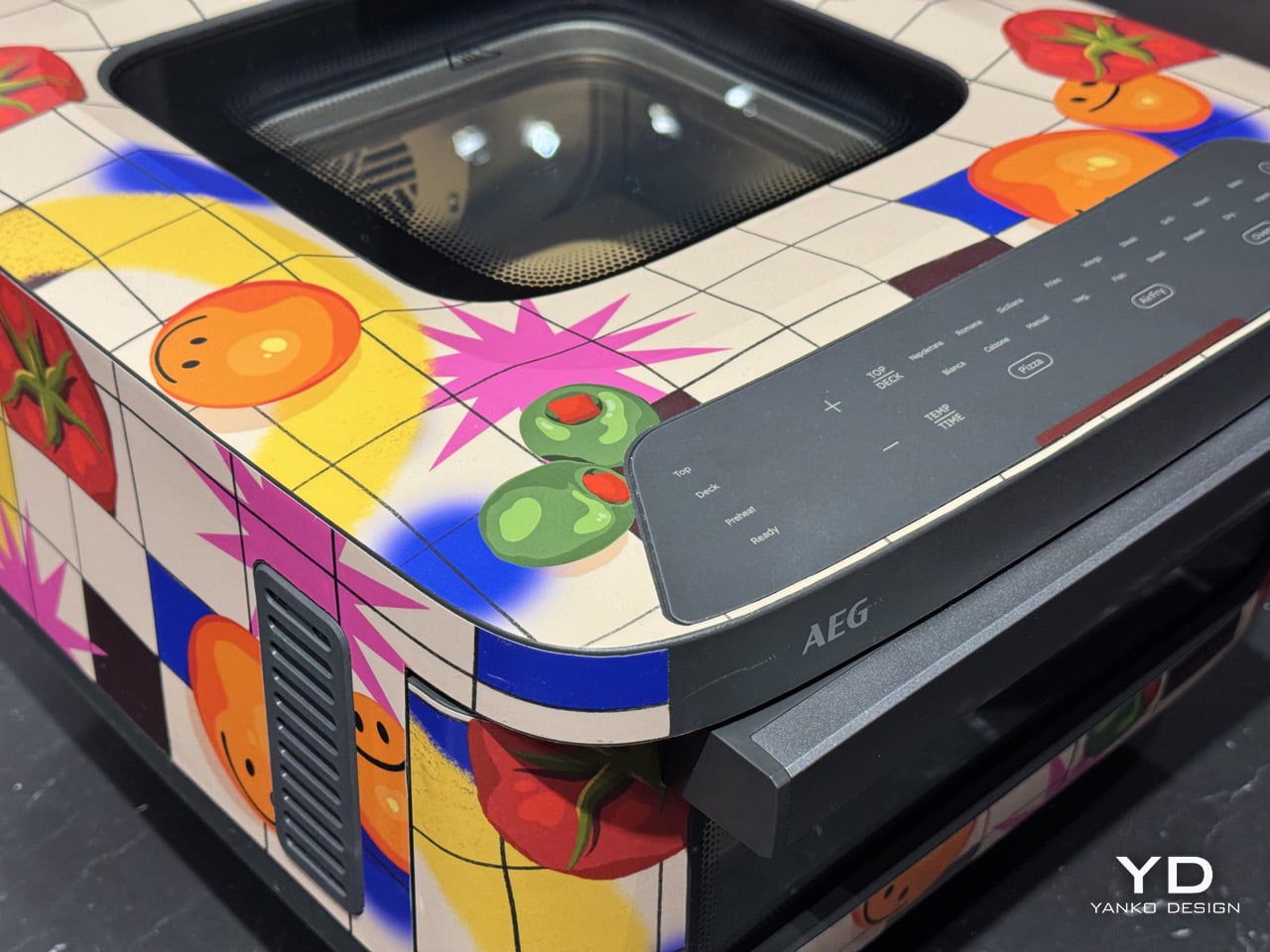
What makes the lineup fun is how little the four entries agree with each other. One goes flat and quiet. One paints a desert. One wraps the whole thing in pizza slices. One builds a grid and fills it with tomatoes and suns. All entries made their way to IFA, where a jury panel of four industry elites convened to vote for their favorite design. Here’s a look at all the four entries.

Alpay Efe (Winner)

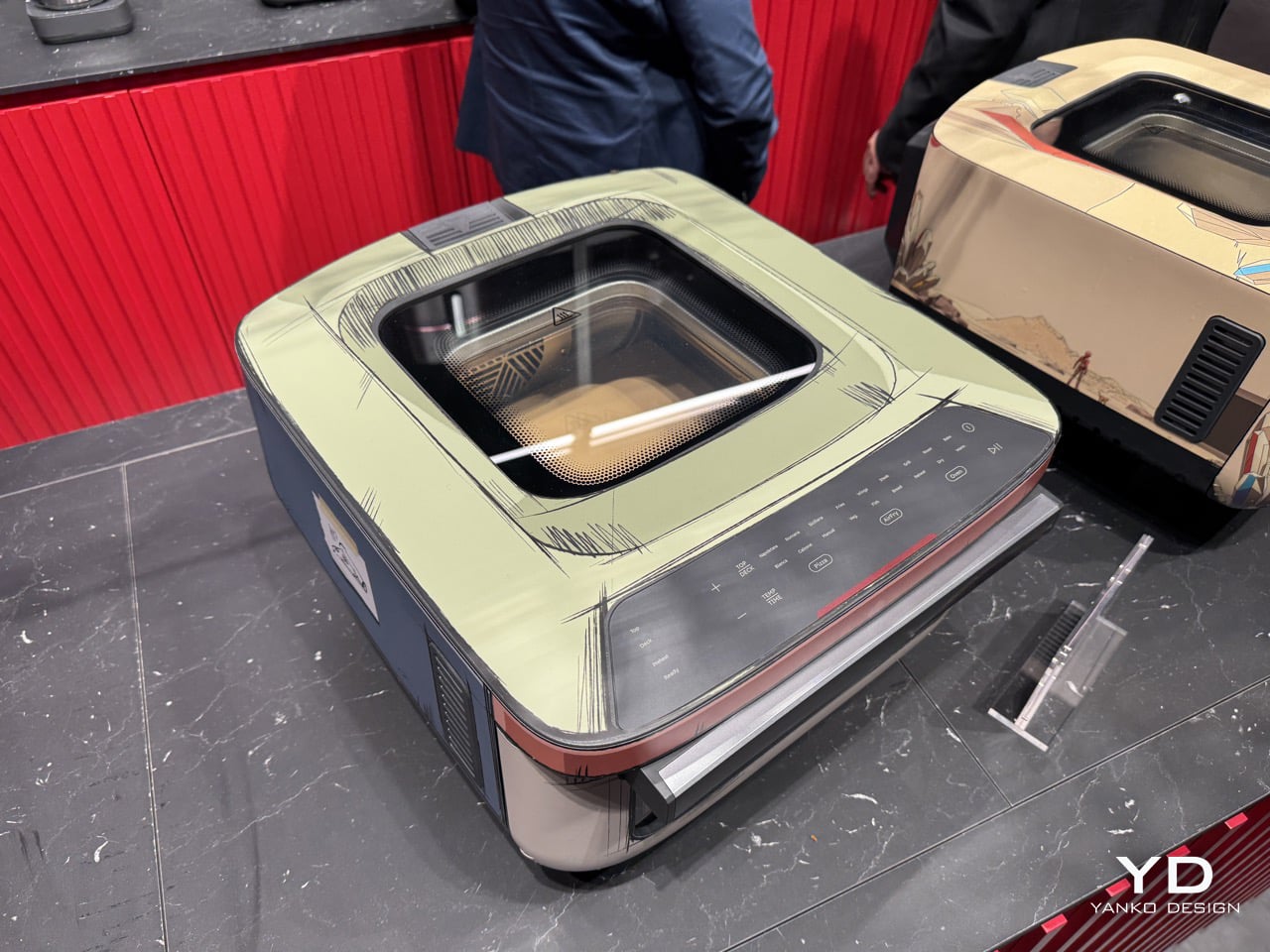
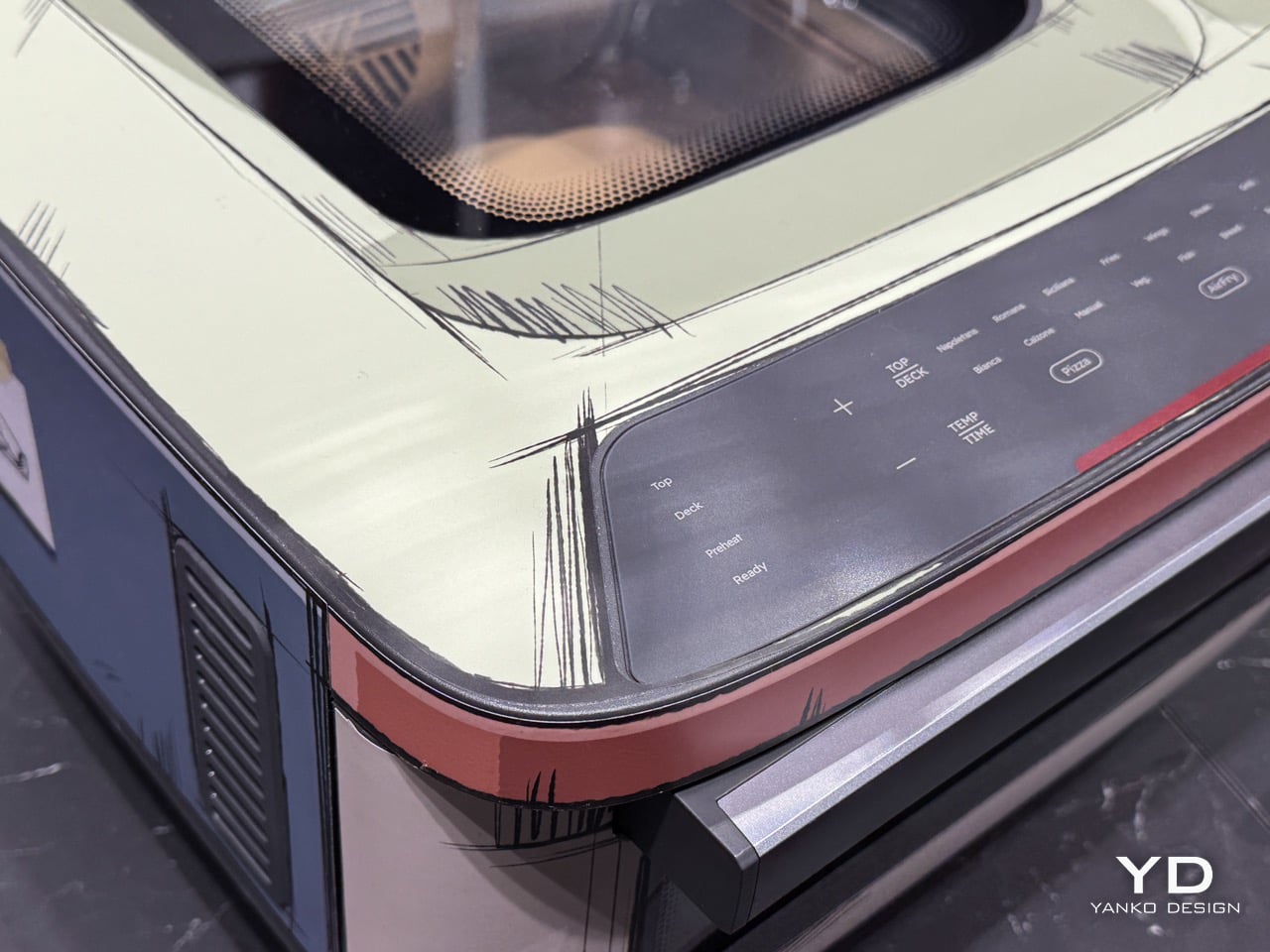
Alpay Efe painted an oven that pretends to be a drawing of an oven. Flat sage green across the top, warm cream through the body, slate blue at the base, with a copper line running the edge of the door like somebody inked it in. Look at it in a photo and your brain files it as a concept sketch or a 3D render with the shading turned off. Then you remember it is a physical appliance sitting on a physical table, and the whole thing goes slightly sideways. He essentially took the flatness of 2D animation and wrapped it around a real object, letting the panel seams do the work that outlines do on a cel.

That illusion has a history behind it. Efe was born in Oberhausen in 1987, studied at the Düsseldorf Academy of Fine Arts, and has spent his career painting portraits that sit somewhere between realism and abstraction. One of his early solo shows was literally called “Illusions of Reality.” So a painter who normally builds depth on a flat canvas here spent his time flattening depth on a solid one, which is a neat inversion of his day job. It also happens to be the most orthodox Bauhaus entry of the four. Reduction, geometry, no ornament anywhere, and every choice doing something perceptual rather than decorative.

Darius “Baka Arts”

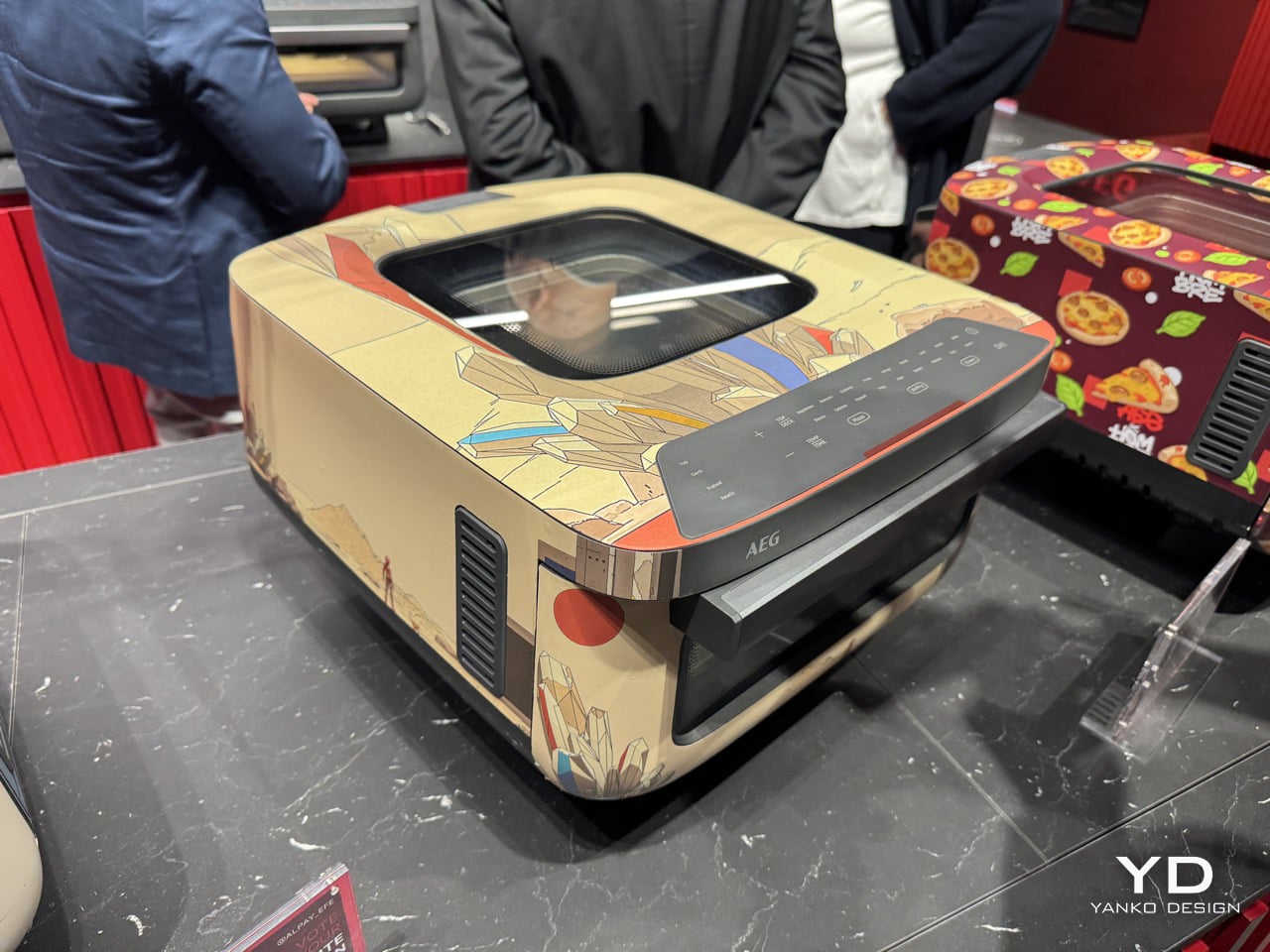
Darius Puia, working as Baka Arts, went the opposite direction from everyone else in the room. His oven is a desert. Sand and bone-cream across the whole body, a low horizon line, a single tiny figure standing out there in all that empty space, with small hits of red and yellow doing the work of a sun. The scene runs across the panels as one continuous landscape, so the object stops behaving like a box with four sides and starts behaving like a canvas that happens to have corners. It is the calmest thing in the lineup by a wide margin, and in a contest where two entries are covered in food, calm reads as a strategy.

The surprise is that this comes from an artist known for the loudest possible palette. Puia is a German digital designer who has spent well over a decade on cyberpunk and sci-fi work, all neon, dystopian cities and retro anime energy, with a healthy stack of surreal 3D pieces behind him. Trading that in for a quiet stretch of sand and one lonely figure is a real gear change. There is a Bauhaus argument in it too, since the entire composition rests on reduction, negative space and restraint, which is roughly what the school spent its whole existence preaching.

Hombre SUK

Pablo Fontagnier committed to the bit harder than anyone. His oven is wrapped in a deep burgundy field packed with repeating pizza slices, basil leaves and tomatoes, with graffiti lettering tucked into the pattern so it reads as wallpaper from across the room and as street art up close. Every surface is covered. The top, the sides, the panels around the door, all of it running as one continuous repeat that ignores where the box stops and starts. Given that the appliance has a dedicated pizza mode, wrapping it in pizza is either the most obvious move available or the boldest, and honestly the confidence is what sells it.

He has the CV to back the swagger. Born in Mannheim in 1981, trained as a graphic designer at the Academy of Communication there, and working out of Nuremberg since 2013, where he is enough of a local fixture that the city library put one of his designs on a rolling bookbus and the castle hosted his projections during Blaue Nacht in 2023. He has painted for Disney Germany, Eastpak, Casio and O2, and shown work everywhere from Shanghai to Moscow. His style leans on clean shapes, hard edges and old-school light-and-shadow work, which is where the Bauhaus link quietly lives. Strip the pizza away and the underlying grammar is all repetition and structure.

Josephine Rais

Josephine Rais built a grid and then refused to behave inside it. Her oven is divided into squares of yellow, blue, red, cream and black, laid out with the kind of rigid geometry that would make a Mondrian fan nod approvingly, except each square is filled with tomatoes, suns, aubergines and flowers in full bloom. The structure is strict. The content is having a party. That tension is the smartest Bauhaus reading in the group, because the school always argued that order was a framework for expression rather than a cage, and this is what that idea looks like when somebody actually tests it on a countertop appliance.

Rais is the one with an industrial design background, which explains a lot about how confidently she handled a three-dimensional product. She studied Fine Arts early on, took a bachelor’s in product design and a master’s in strategic design, then landed in Berlin as a freelance illustrator, where her bright, joyful, food-and-people-heavy style has pulled in clients like Adidas, Apple, Adobe, Nike, TikTok, Coca-Cola and Xbox. She has described her work as her version of a colourful, happy pop utopia, and the oven is exactly that, boxed neatly into a grid and still managing to look like it wants to feed you.

The post What Happens When Bauhaus Meets a Pizza Oven? AEG Just Showed Us At IFA 2026 first appeared on Yanko Design.

Floating Lamps, Pet Phones, and Printers That Print On Ripped Paper: The Weird Wonderful Gadgets At IFA 2026

If you’ve ever spent more time picking a keyboard switch than you spent picking your last laptop, this roundup is partly for you. If you’ve ever rigged up a portable projector to a laptop balanced on a hotel minibar just because you wanted a bigger screen, same. The brands in this collection showcased at the Global Connect Show at IFA 2026 are for people who have already decided that “good enough” isn’t, and who show up to a tech show looking for the thing that makes an already-decent setup genuinely great. That’s a specific kind of shopper, and a very satisfying one to cater to.

What looks like an unrelated collection on paper tends to share the same underlying energy. Rugged devices built for environments where standard tech has a short life expectancy. Smart home hardware for homes that don’t want a renovation. Clean energy systems for people who want independence from the grid without building a bunker. Levitating lamps that look like they belong in a different century. AR glasses from one of the most credentialed teams in the space. There’s a lot going on, and somehow all of it belongs in the same list.

Magcubic M800 Pro GT: The Budget Projector Brand That Decided Durability Was the Next Frontier

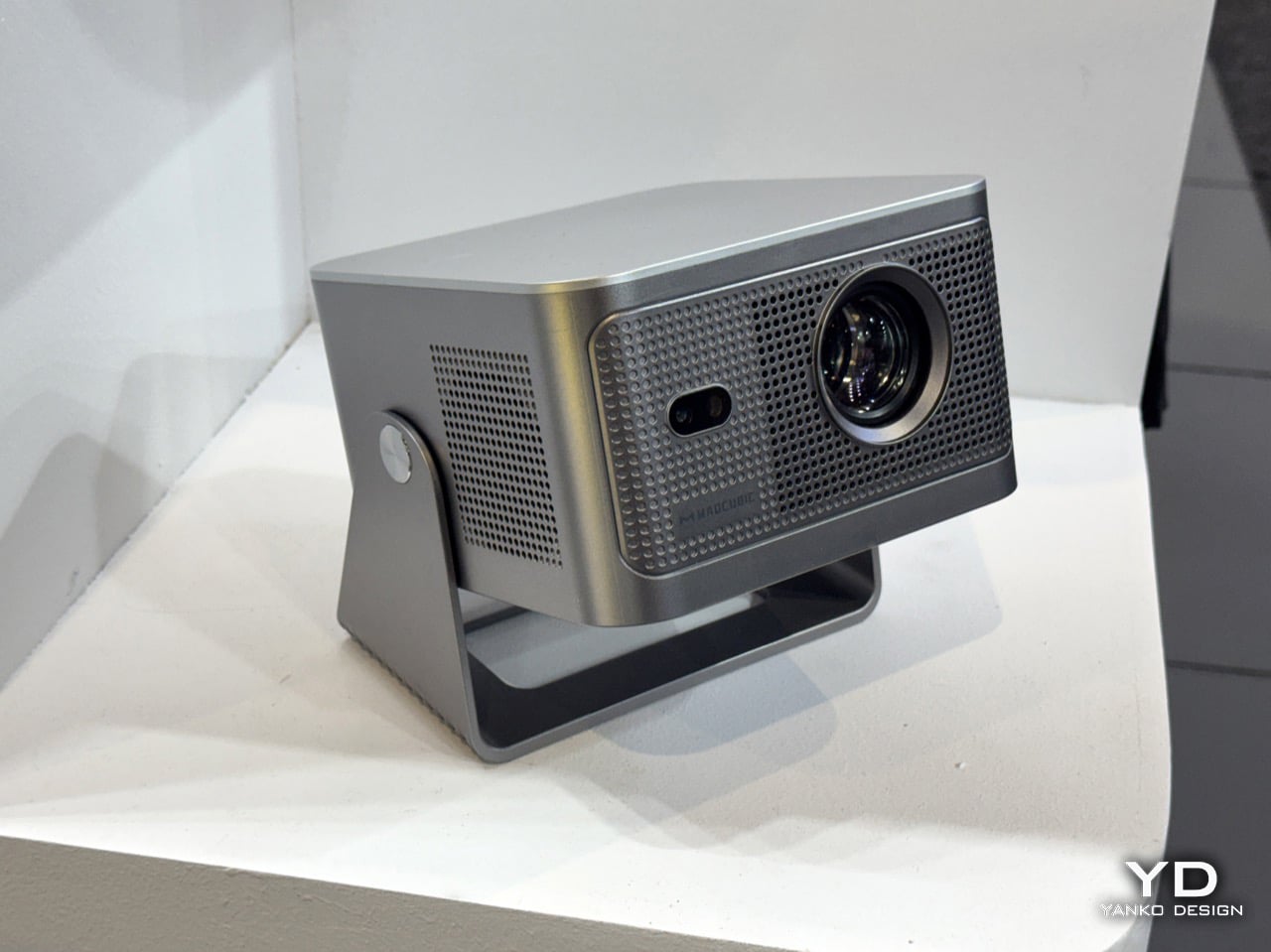
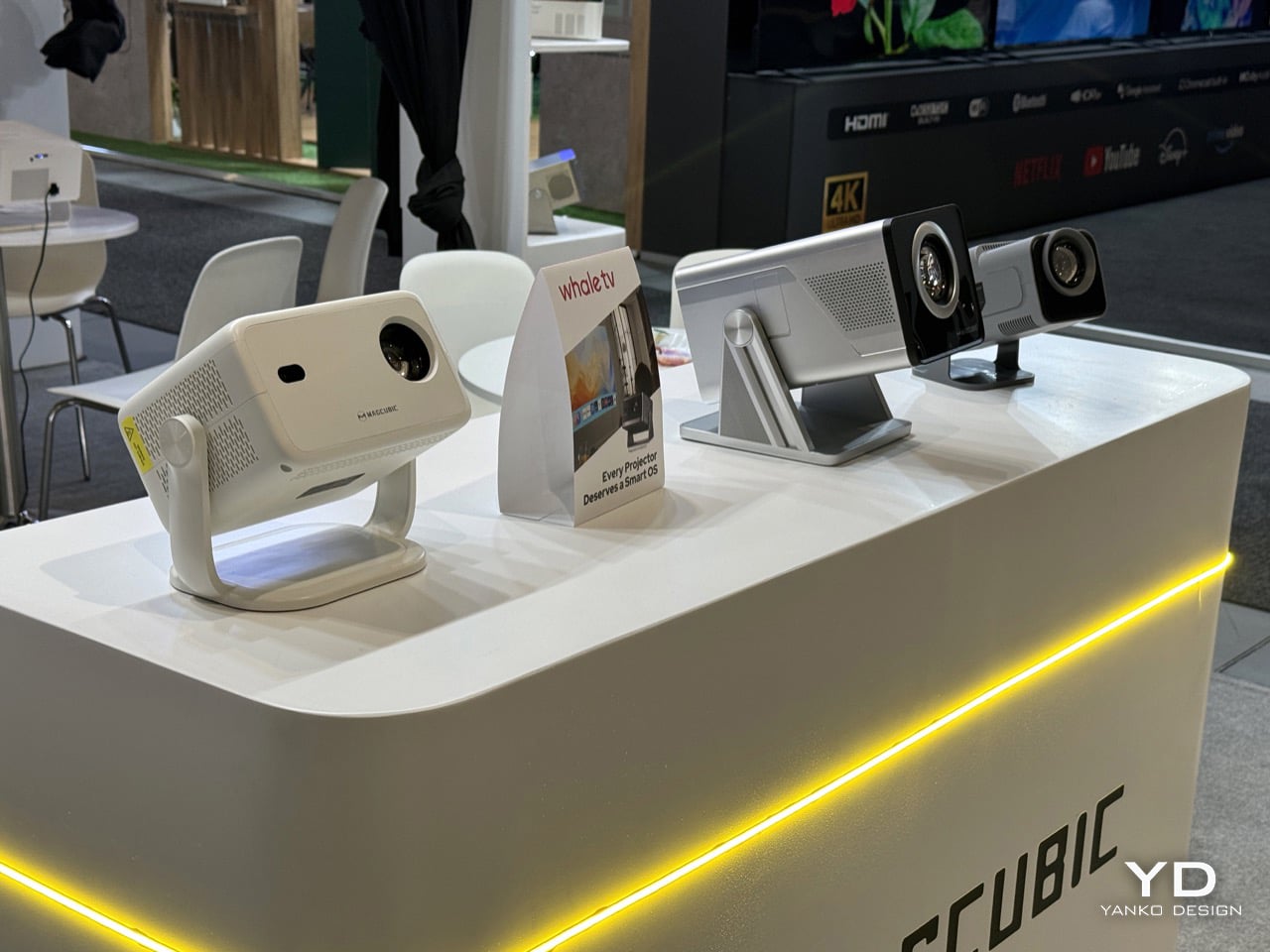
Magcubic has a story worth knowing before talking about the M800 Pro GT. Founded by tech and home entertainment experts with a mission to make big-screen experiences accessible to a wider audience, the brand grew from an unknown startup to a top-10 global projector brand in under two years. It did that by doing something the projector industry wasn’t really expecting, which was leveraging LCD technology and supply chain muscle to cut high-end projector costs by as much as 80%, launching models that match or outperform premium competitors at a fraction of the price. The HY series became an Amazon bestseller and the kind of product that gets recommended constantly in home theater forums by people who can’t quite believe what they paid for it. The M800 Pro GT is what comes after that success, and it’s asking a different question: not just how cheap can a good projector be, but how long can it actually last.

The answer Magcubic is offering is a sealed optical engine, which sounds like a small detail until you’ve owned a projector long enough to watch it slowly get worse. Unlike traditional projectors that leave optical components exposed to dust and airborne particles, the M800 Pro GT’s sealed architecture creates a cleaner internal environment, helping preserve the optical path and supporting consistent projection performance over time. Dust contamination is genuinely one of the most common reasons a projector’s image quality degrades over months of use, and it’s the kind of thing that rarely appears in spec sheets but absolutely shows up in two-year-old Amazon reviews. The M800 Pro GT represents a significant evolution in Magcubic’s product strategy, shifting focus from pure affordability to durability and long-term reliability, while staying true to the brand’s core mission of making high-quality projection accessible to all. For a brand that built its name on price, adding longevity to the pitch is a smart and mature next move.

Arzopa Portable Monitors, Frames, Calendar: A Screen for Everything

Portable monitors were always a niche category for the kind of person who travels constantly and refuses to work on a 13-inch laptop screen. What’s changed is that that person is now everyone. Arzopa has been building in this space for a while, and the Z1RC Plus TS shows what that investment looks like: a 17.3-inch 2.5K touchscreen with a 16:10 aspect ratio, responsive touch navigation, and 100% sRGB color coverage. The Z2FC trims things down to 15.6 inches and trades the touch panel for a 120Hz refresh rate and QHD resolution, all at 742 grams, which is the version for people who want their portable gaming situation to look a lot less embarrassing in a coffee shop.

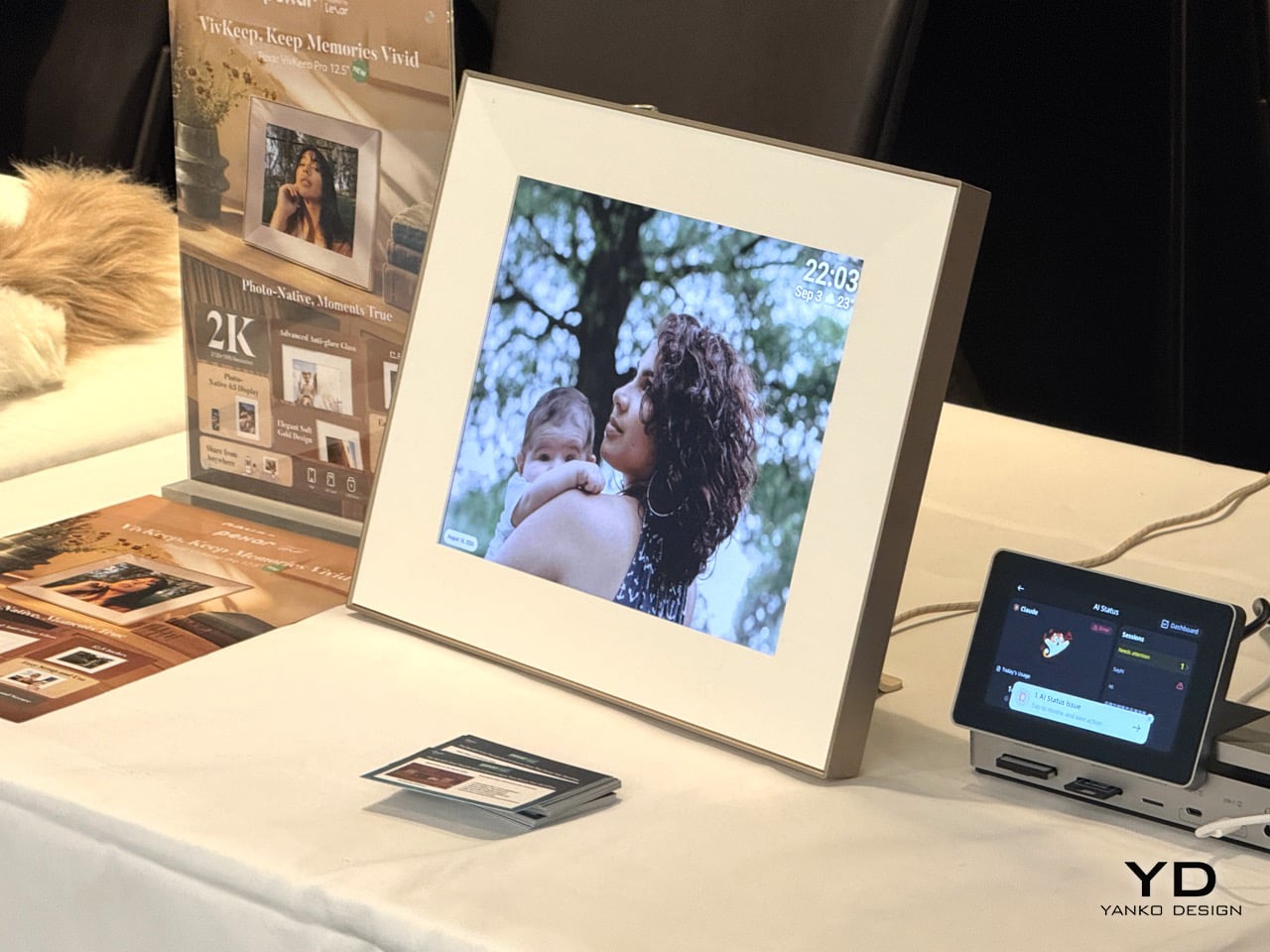
The D14 Pro digital frame and the C1 Smart Calendar are where the brand starts to feel like it has a genuine point of view. The D14 Pro is a 14-inch 2K aluminum-alloy frame with multi-user remote sharing, unlimited cloud storage, and 32GB of built-in storage, with zero subscription fees, which puts it in direct competition with brands like Aura that have made recurring costs their whole personality. The C1 Smart Calendar, which launched in May 2026, is a 14-inch touchscreen family hub with a C1 Pro at 17.35 inches planned and a 27-inch C1 Pro Max already in development. It handles calendar sync, tasks, shopping lists, meal planning, and kid reward systems with no subscription required. The wall is clearly next on Arzopa’s agenda.

BUBBLEFLOW: Wireless Speakers That Deliver Perfect Spatial Audio No Matter How They’re Arranged

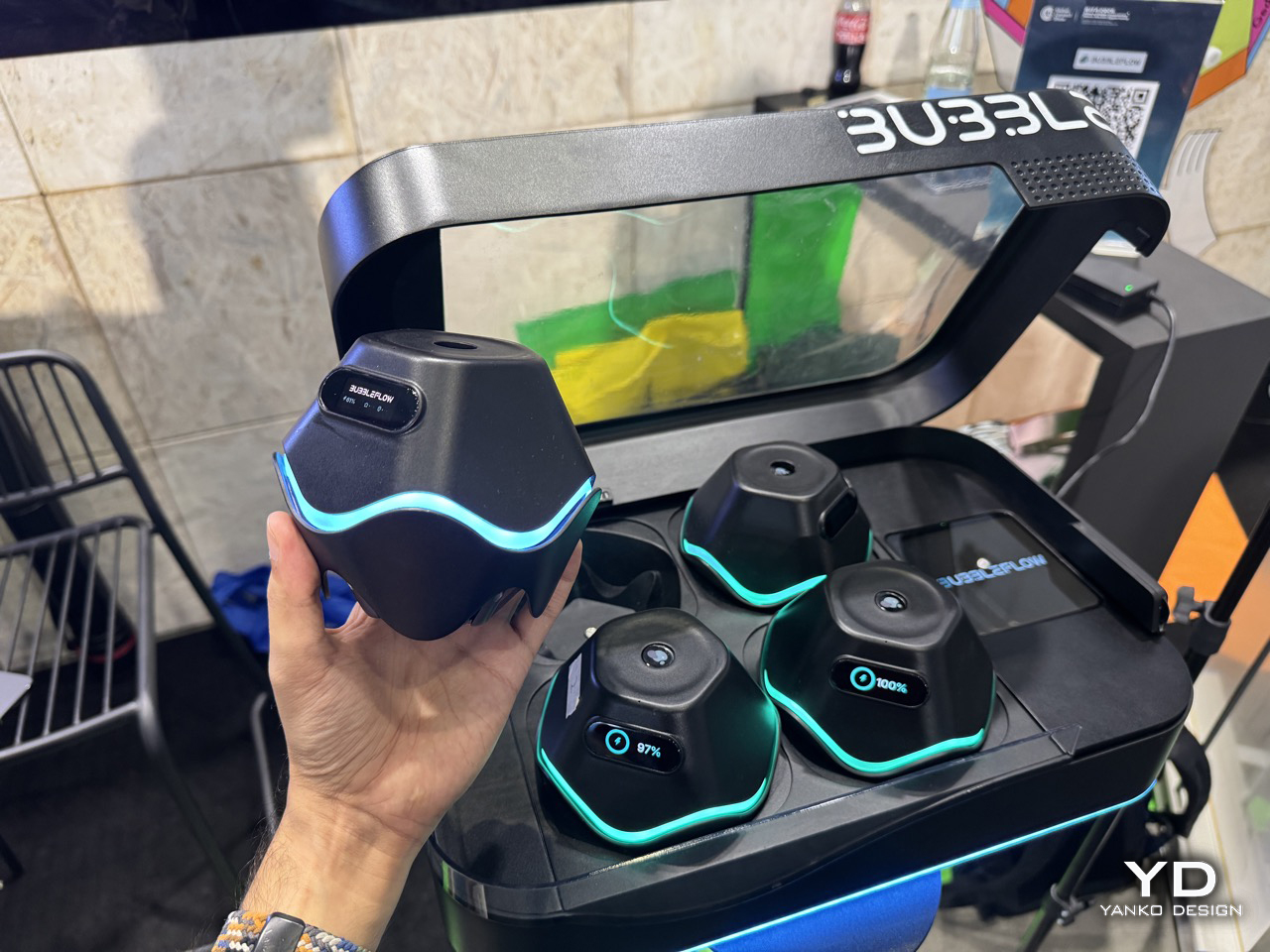
Four little wireless pods, no cables, no left-right dogma, and a promise that dropping them wherever you feel like should sound just as good as painstakingly measuring out a 5.1 setup. Each speaker in the system packs a UWB module, an omnidirectional antenna, and a microphone array, and together they automatically detect each speaker’s spatial coordinates and optimize the sound field rendering in real time, delivering an immersive experience with “any placement, always immersive.” That’s the party trick, but the deeper flex is what happens once the room is mapped. Users get an interactive interface where vocals, guitars, drums, and other musical elements can be moved through 3D space, front-left, orbiting the room, wherever the mix calls for. None of it requires special tracks either. The on-device AI spatialization engine performs real-time object separation and spatial rendering on any third-party streaming music or local audio files, so a decade-old stereo mp3 gets pulled apart and rebuilt in three dimensions without anyone re-mastering a thing.

The backstory tracks with a lot of the sharper hardware coming out of Shenzhen lately. BUBBLEFLOW was founded in 2025 and incubated at xbotpark, the robotics industry base started by Professor Li Zexiang, DJI’s co-founder, with angel backing from Hillhouse Ventures that same year. That pedigree shows up in the ambition of the pitch, four separate “world firsts” bundled into one four-speaker kit, but the company is keeping the actual retail launch on a slower clock, with the first hardware product expected to officially launch in the fourth quarter of 2026. IFA is where the concept gets its legs under it in public for the first time, with an interactive experience zone at Booth H25_265 letting attendees personally experience the wonder of “letting music flow freely through space.” Judging by the leaked booth photos already floating around, with the pods glowing teal on their charging dock, this is shaping up to be one of the more photographed corners of the show.

DOOGEE S300 Plus Thermal and Anymoving M1 Pro: Built for Where the Signal Drops

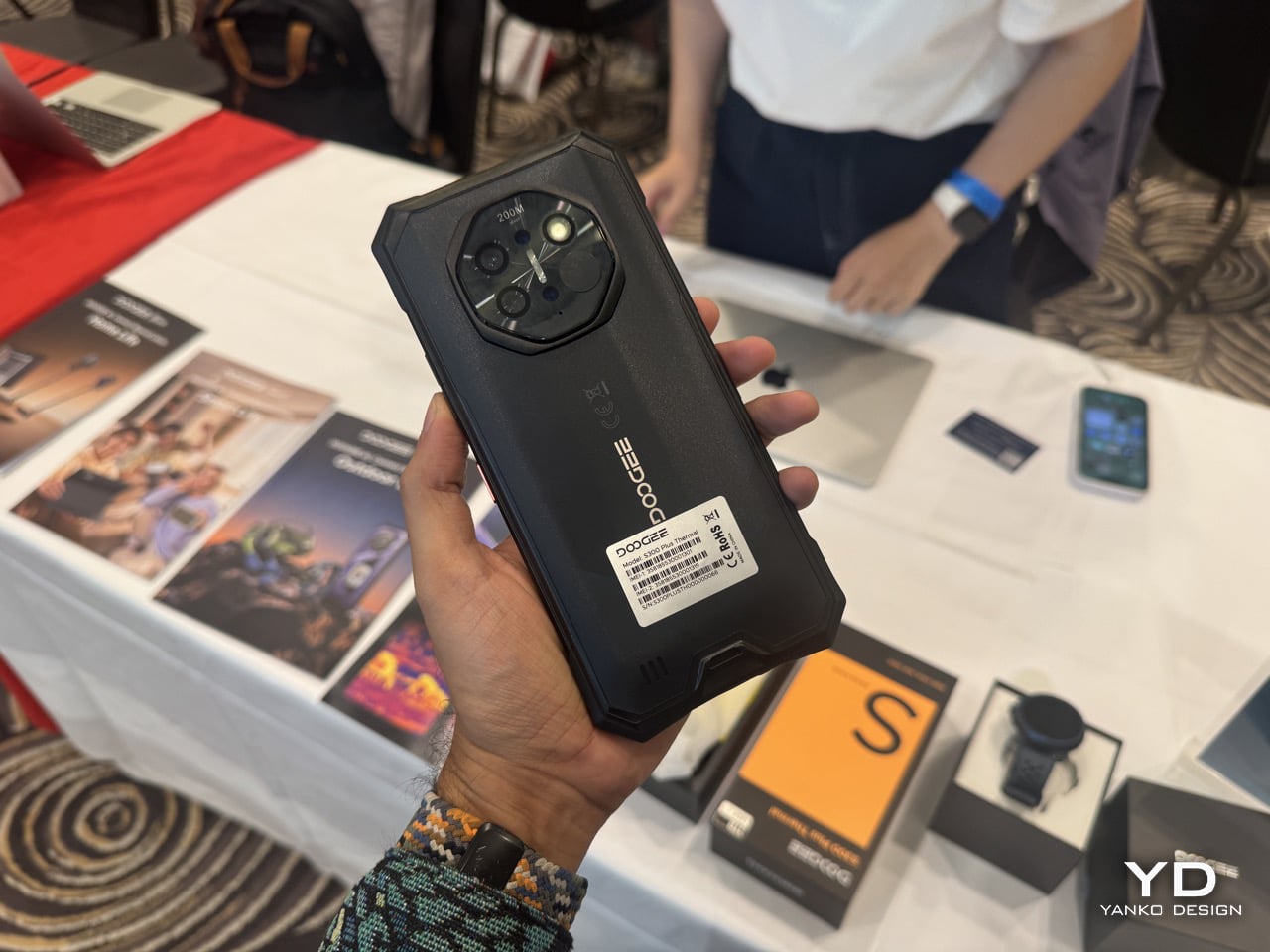
Thermal imaging on a smartphone used to mean paying a premium for a CAT S61 or clipping a FLIR One onto your existing phone and hoping the cable held. DOOGEE has been quietly making that kind of hardware more accessible for years through its S-series rugged lineup, and the S300 Plus Thermal continues that with high-definition thermal imaging that detects temperature differences and hidden heat sources, helping users observe and assess challenging environments. That covers a genuinely wide range of use cases, from hikers tracking animal heat signatures at dusk, to tradespeople doing electrical inspections or checking for insulation gaps in walls. It sits in a growing category of working tools that happen to look like smartphones, and for a brand that’s been building rugged hardware long enough to know what outdoor users actually need, adding a thermal sensor here feels less like a spec-sheet stunt and more like a logical next step.

The Anymoving M1 Pro outdoor smartwatch pairs with the S300 Plus Thermal in DOOGEE’s Outdoor Life ecosystem, bringing dual-band GPS and route navigation to keep users reliably on track. Dual-band GPS, meaning simultaneous L1 and L5 signal reception, is the same technology that separates a Garmin Fenix from a basic fitness tracker, offering significantly better accuracy in environments with tall buildings, dense tree cover, or canyon walls bouncing satellite signals around. Seeing it land in a watch positioned well below Garmin’s price bracket is the kind of trickle-down that makes the outdoor wearable market genuinely interesting right now. The broader Outdoor Life ecosystem is built for outdoor explorers, combining rugged performance, long-lasting power, reliable protection, and practical tools for demanding environments, and taken together, these two products make a credible case that you don’t need to spend flagship money to be properly equipped for the outdoors.

Epomaker Keyboards: The Brand That Keeps Asking What Else a Keyboard Could Show You

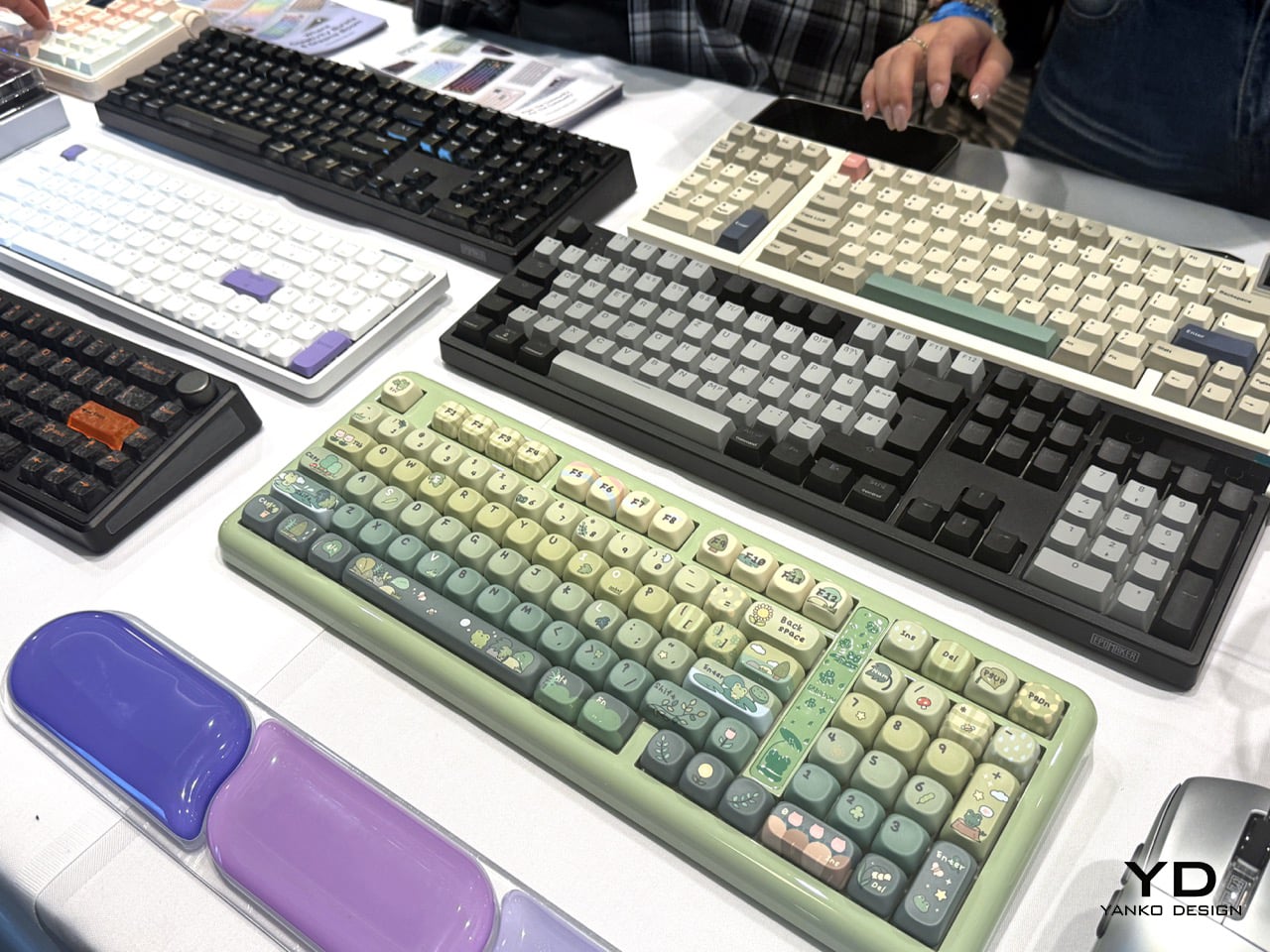
The mechanical keyboard community has strong opinions about everything, including, apparently, what should be on top of a keyboard besides keys. Epomaker has been leaning into this with its RT line for a while, and the RT98 continues that with two moves worth talking about. The numeric block detaches and remounts on either side of the board, southpaw for extra mouse room and coding, right-handed for data entry. It takes about five minutes to swap, and that kind of modular numpad flexibility is rare even in pricier boards. The other trick is a 1.14-inch detachable Mini TV display in the upper right, connected by PogPin contacts, showing time, battery, system status, weather, and up to three custom GIFs. It runs Bluetooth 5.1, 2.4GHz and USB-C across three paired devices, with an 8000mAh battery rated at up to 45 days of typical use or 300-plus hours continuous. Then there’s the Glyph, which went a different direction entirely: a retro typewriter conceit wrapped around genuinely modern enthusiast hardware. Round, concave PBT dye-sub keycaps at a uniform, non-sculpted height on a floating-key architecture give it the typewriter look without the staircase row heights that wreck your wrists. There’s a working return lever on the left, toggle up for Enter and press down for Backspace, and a 2.79-inch TFT smart screen showing status, time, RGB control, plus custom GIFs and logos.

The TH108V2 Pro is the most grounded of the three, a full 100% layout board aimed squarely at people who want a solid daily driver with some personality. At $98.99 to $99.99, it’s a full-size 104-key gasket-mount keyboard with a few smart refinements over its predecessor. The knob has moved from the left side edge to the front right face, so it’s actually reachable without hunting. It has hot-swap 5-pin, per-key south-facing RGB, a TFT glass screen with GIF upload, and a 10,000mAh battery rated up to 200 hours, with tri-mode switching and 1000Hz polling at 2ms latency. Taken together, the three map neatly onto Epomaker’s three different answers to the same question of what a keyboard should show you: the Glyph puts a screen where a typewriter’s platen would be, the TH108V2 Pro treats it as dashboard furniture, and the RT98 makes it a removable object you can take off entirely. That’s a surprisingly coherent lineup for a brand that started as a community crowdfunding darling and has clearly figured out what it wants to be.

ECO-WORTHY 48V 100Ah Batteries: One for the Wall, One for the Rack

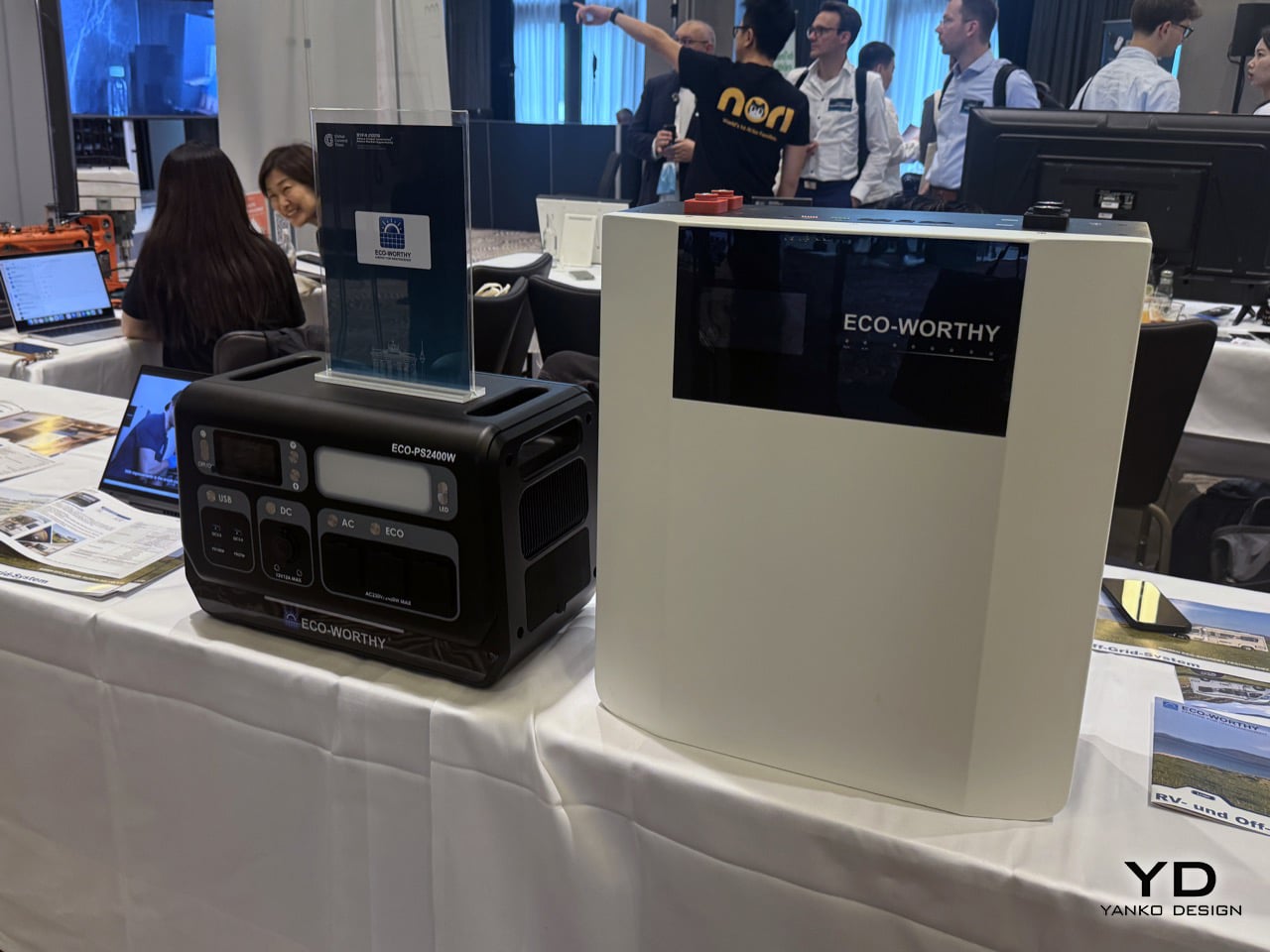
Home energy storage has been having a moment for a few years now, accelerated by grid instability, rising electricity costs, and the broader push toward solar self-sufficiency. The category has been somewhat dominated by big names charging big prices, which is exactly the gap ECO-WORTHY has been building into. Both of the 48V 100Ah batteries showing up at IFA share the same 5.12kWh core, Grade-A LiFePO4 cells rated for 6,000 cycles, and the ability to stack up to 32 units in parallel for a total of around 163kWh if someone wants to go genuinely off-grid. They are the same 5.12kWh building block wearing two different attitudes toward the room it lives in. The wall-mount treats storage as something you hang and forget, with a conduit box and a screen at eye level. The Cubix100 treats it as infrastructure you stack, where the certification paperwork matters more than the finish. One is furniture, the other is equipment.

The wall-mount version at $929.99 comes with a 4.3-inch smart display, Bluetooth and WiFi app monitoring, and a built-in aerosol fire suppression module for thermal runaway mitigation. It charges and discharges down to -4°F (-20°C) thanks to a special low-temp electrolyte, with an operating range of -20 to 55°C both ways. It also carries a 10-year limited warranty with lifetime technical support, which is the kind of commitment that matters when something is literally bolted to your wall. The rack-mount Cubix100 at $849.99 is the one with the stronger case for serious installations, though. It carries UL1973, UL9540A, and CEC Listed certifications, plus completed system-level UL9540 testing by Intertek covering both DC and AC systems. That last one matters because UL9540 is what makes a home battery install legally permittable in much of the US, and it is rare at this price. Compatibility extends to Victron, Deye, Growatt, Lux Power, Sol-Ark, GoodWe, EG4, and SRNE, which covers most of the inverter brands people are actually buying.

Gravity Aura, Universe Time & Levatron: Objects That Treat Levitation as a Design Language

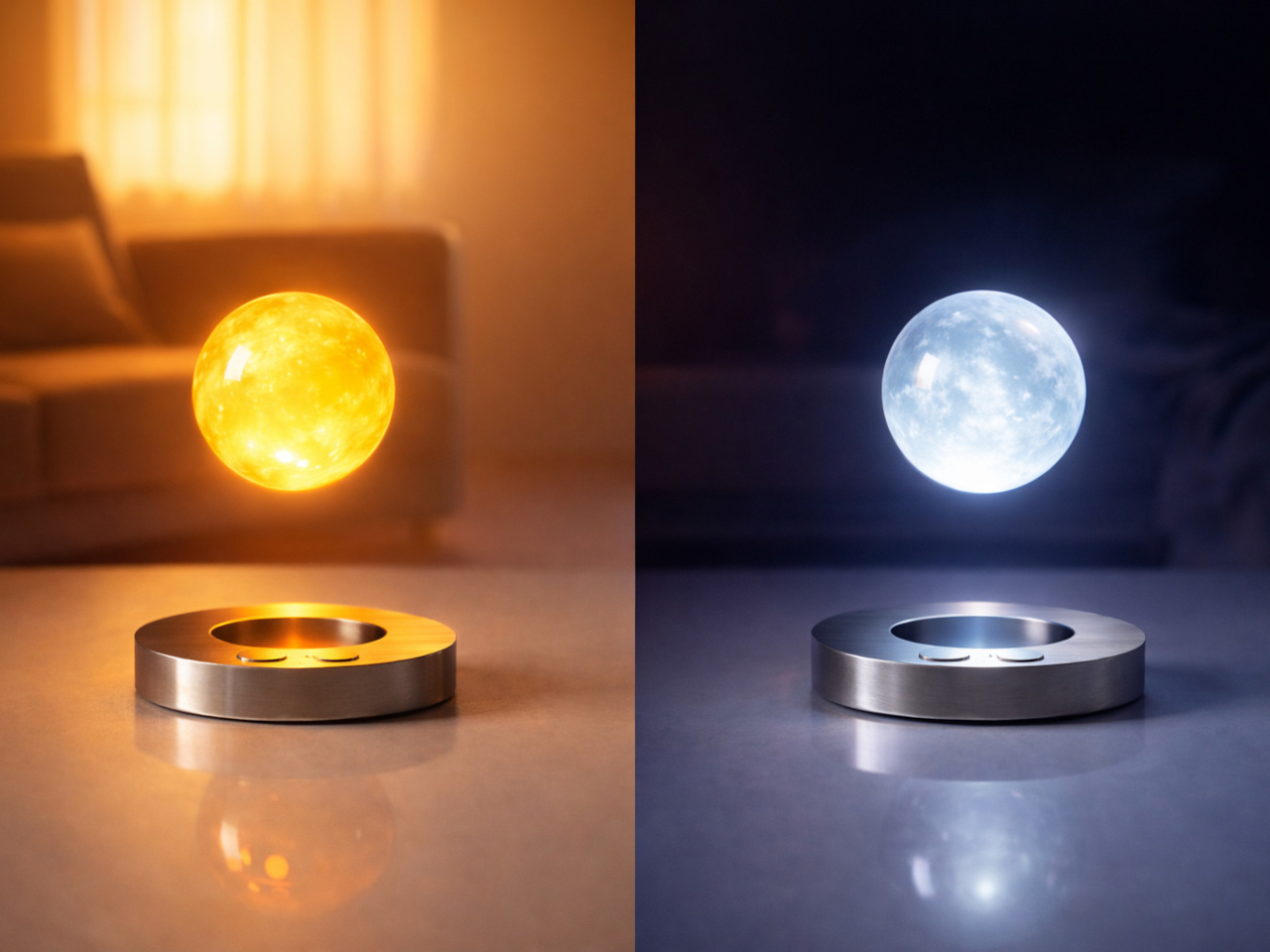
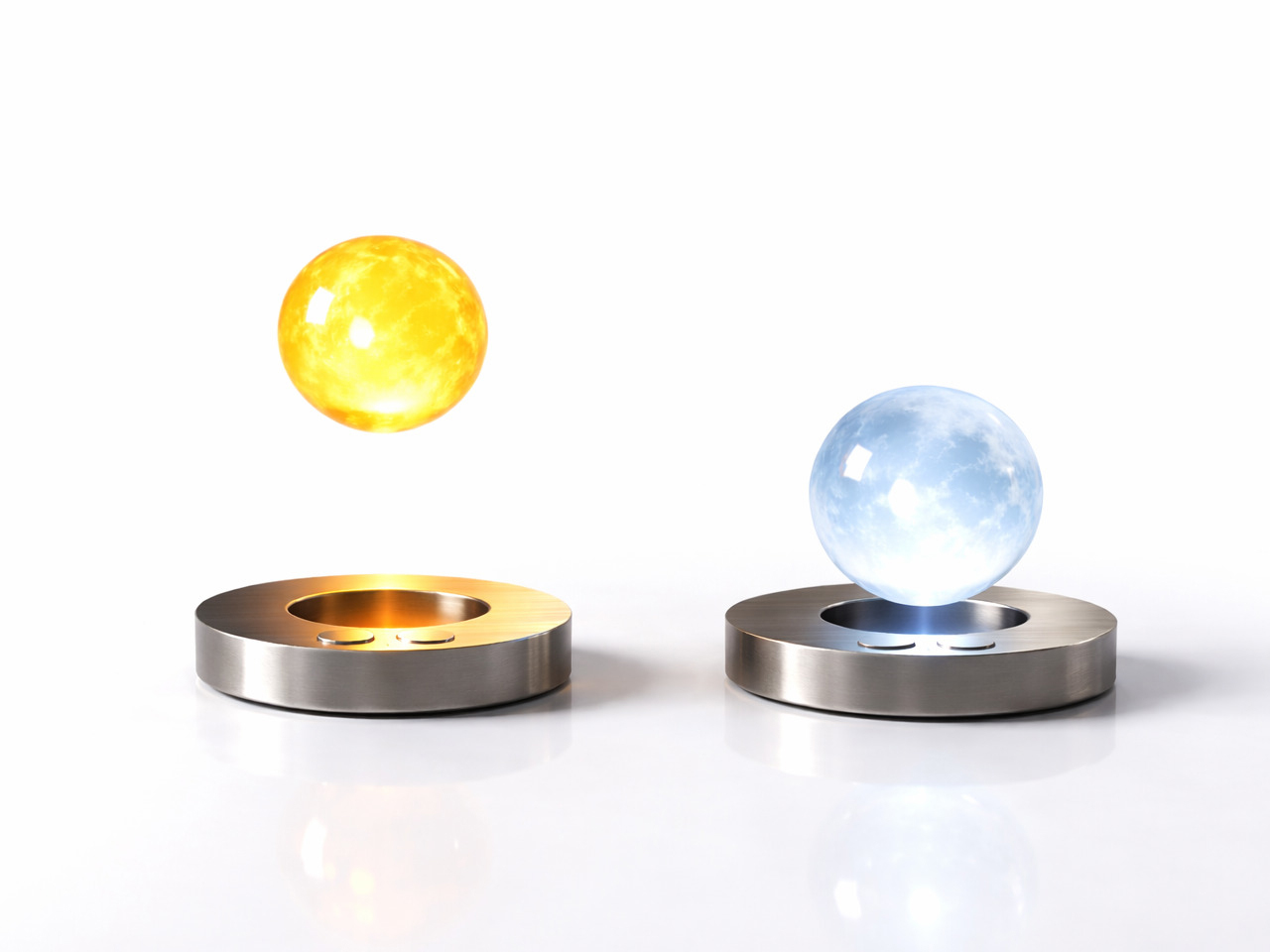
Levitating products have been around long enough that the novelty has worn off for most people. A Bluetooth speaker floating above a base, a globe spinning in mid-air, a lightbulb hovering over a wooden plinth. The category accumulated a lot of Kickstarter fatigue before it ever really found its footing. What Gravity is doing feels genuinely different, partly because the company spent five years actually building the underlying technology before selling anything. Founded by CEO Zhao Zhengdong, Gravity developed GravSpace (Spatial Force Field Control System) and GravPulse (Contactless Power Transfer Technology) over that period, and now holds nearly 100 independent intellectual property rights and core patents. The result is a spatial control system that goes beyond the typical “magnet in the base, object floating above it” formula. Unlike traditional levitation products that place objects directly above their bases, Aura uses GravSpace to suspend Auraform beside Aurabase. That sideways spatial relationship is what makes the Aura lamp feel like something from a different category entirely. Aura combines magnetic levitation with GravPulse, allowing Aurabase to transfer energy across space to Auraform so it can glow without cables or physical contacts. During the day it reads as a quiet floating sculpture. At night, it’s a light suspended in space.

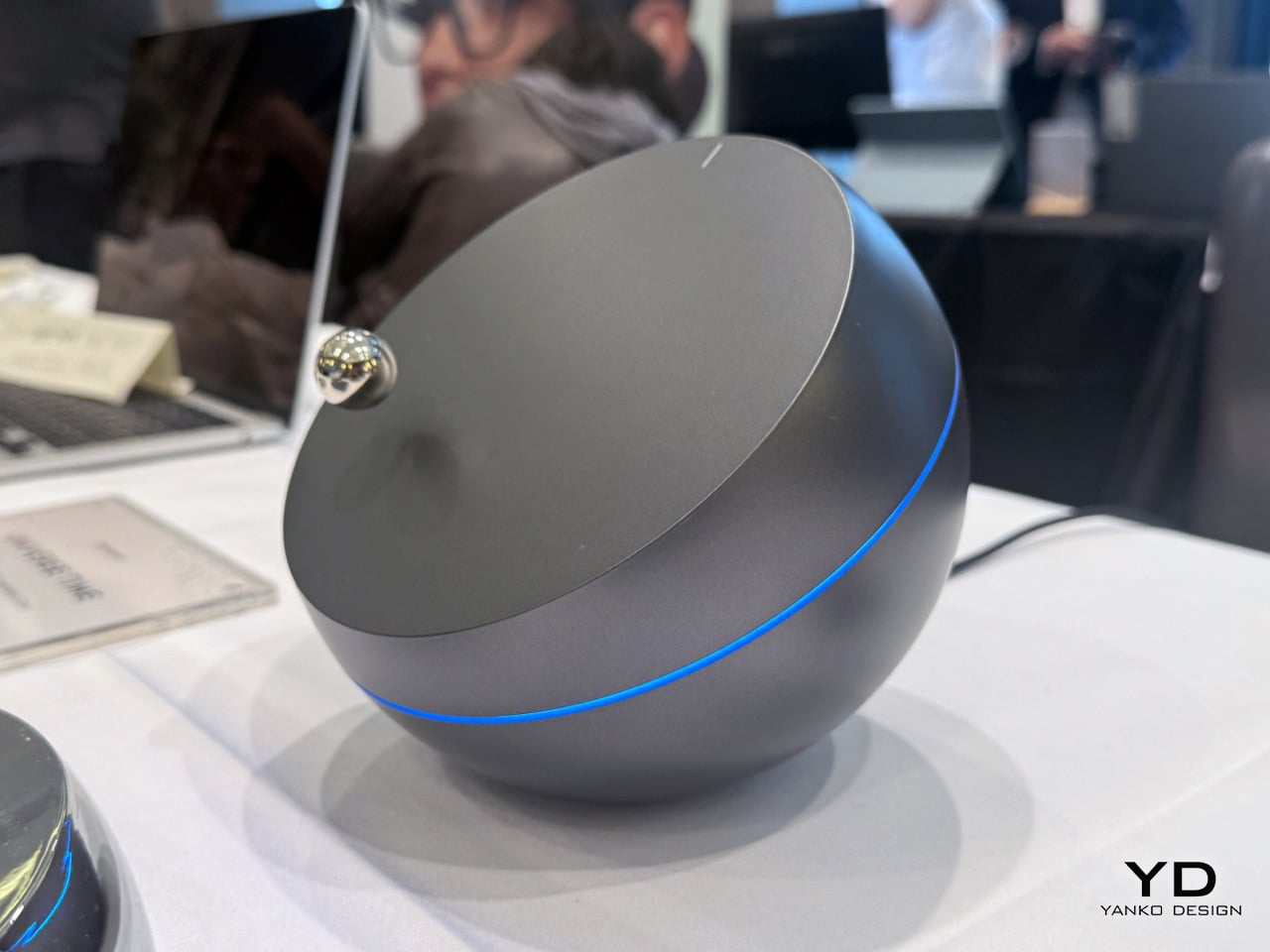
The other two products push the concept in very different directions. Universe Time takes inspiration from the endless orbit of planets around stars, with its base envisioned as a distant planet with a precisely cut surface, above which a smaller sphere called the Planetary Pointer floats and continuously orbits while rotating on its own axis, echoing the perpetual motion of planets moving through space. It never stops moving, which means it functions less like a clock and more like a kinetic sculpture that happens to tell time through orbital position. A refined ring of light around the base represents the energy within a planet, with every proportion and detail carefully considered to bring planets, orbits, energy, and motion together in a mysterious, futuristic object that feels like an artifact from an unknown civilization. Then there’s the Levatron, which is the wildest swing of the three. Levatron is Gravity’s exploration into the idea of mechanical life, where three conical components levitate and rotate at the top of a robotic arm, creating a sense of order between precise structures and levitating motion, somewhere between a machine and a living organism. It has no practical function that can be easily summarized, which is kind of the point. A lot of the most interesting design objects don’t.

VEVOR Tools: Professional Work Tools on a Consumer Professional Budget

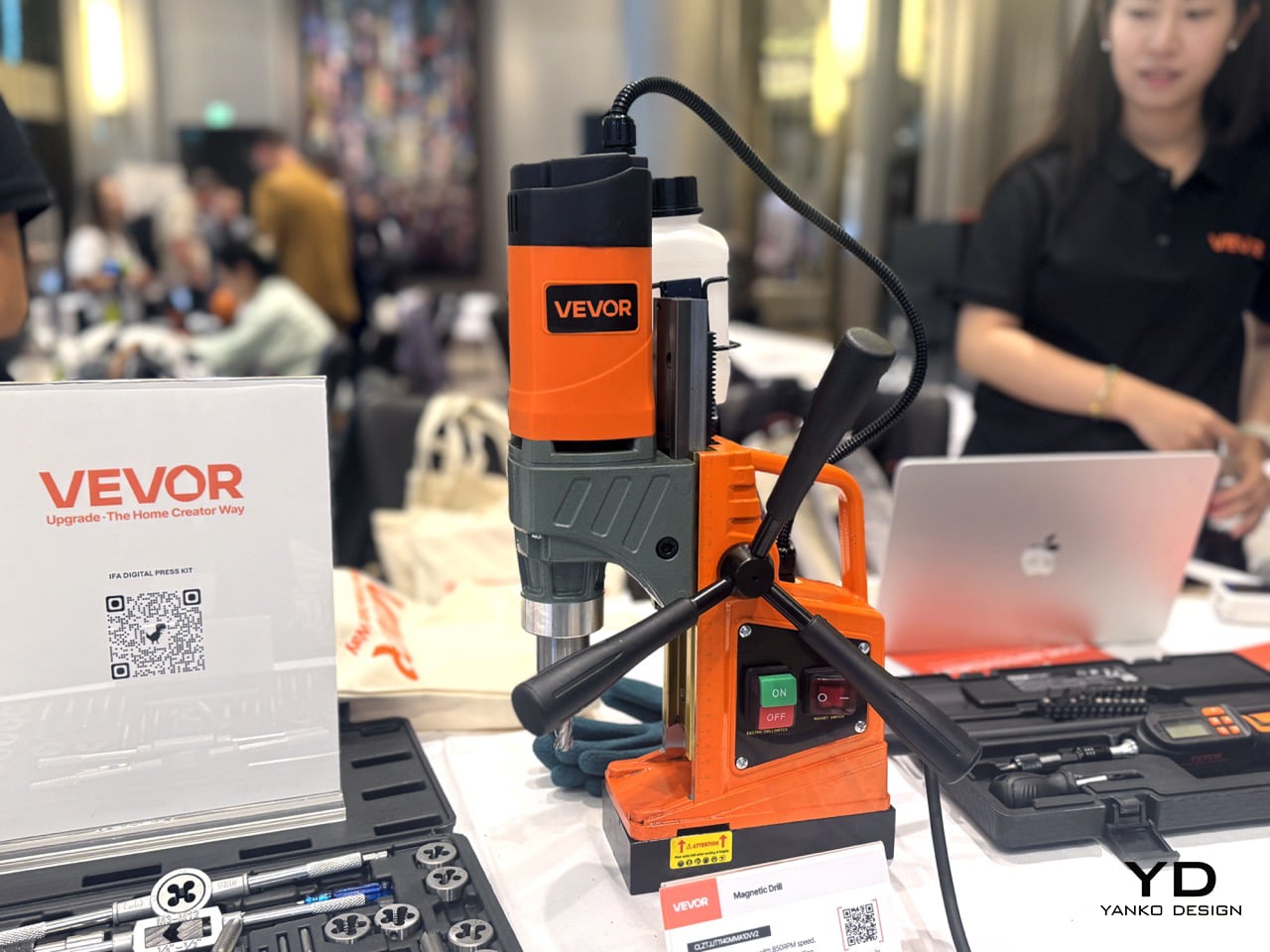
VEVOR has built its reputation doing something the tool industry has historically been reluctant to do, which is making genuinely capable equipment available to people who run a small operation out of a garage or spare room rather than a fully kitted workshop. The brand spans an almost absurd range of product categories, from meat slicers to welding equipment to heat presses, and the through-line across all of it is the same: professional-grade specs without the price tag that assumes you’re running a factory. The Auto Heat Press is a good example of this. It features hands-free auto pressure and release for effortless pressing, dual heating with 231lbs of pressure and even heat distribution, digital controls for temperature, time, and pressure settings, two presets and two custom modes, and comes with a heat cloth included. For anyone running a custom merchandise side hustle or a small print shop, the hands-free auto pressure mechanism alone is a meaningful upgrade over manual clamshell presses, where inconsistent pressure application is one of the more common reasons transfers come out uneven.

The other two products are squarely aimed at people who work with their hands in a more technical capacity. The 1/4-inch Drive Digital Torque Screwdriver covers 2.65 to 70.67 in-lbs of torque at plus or minus 2% accuracy, with 8 presets, 500-reading memory storage, real-time and peak torque measurement modes, and a quick-release bit holder for fast changes. That kind of memory logging and measurement accuracy matters in electronics assembly or device repair, where over-tightening a screw by feel is how you ruin a perfectly good piece of kit. The 40-Piece Machine Tap and Die Set rounds things out on the fabrication side, with HRC55-62 steel that resists wear and corrosion, CNC-machined and heat-treated components for sharp threads, coverage across M3-M12 and 1/8-27NPT, a portable case to prevent tool loss in field repairs, and a hex die design that delivers even force for sturdiness. Snap-on sells tap and die sets at prices that make your eyes water. VEVOR’s pitch is that the metallurgy and machining tolerance can be just as good without the brand tax, and for a lot of working machinists and serious hobbyists, that argument is increasingly hard to dismiss.

uCloudLink PetPhone & MeowGo G50 Max: One Lets Your Pet Call You, the Other Connects You Everywhere Else

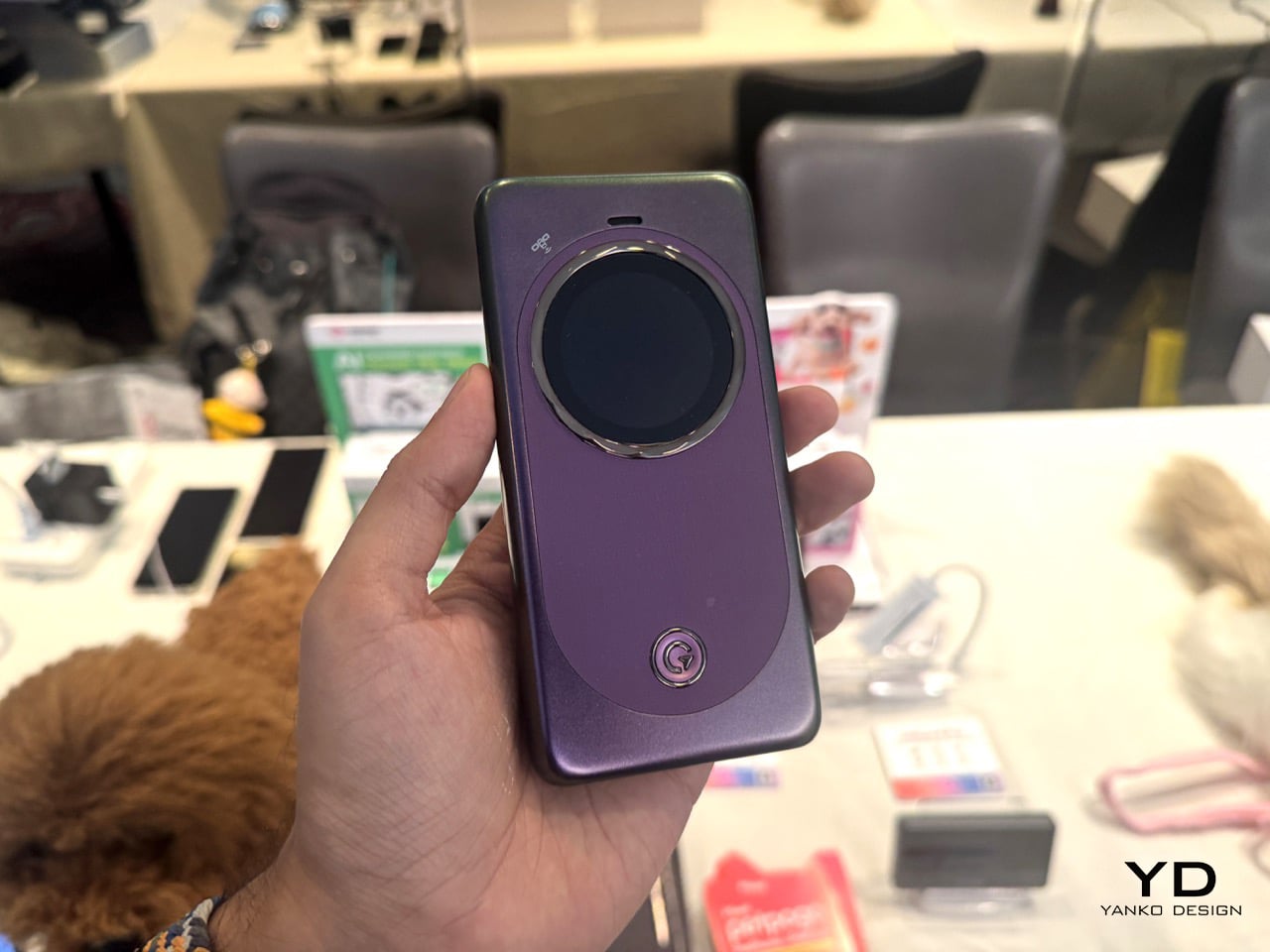
The standout detail of the PetPhone is that the pet can initiate the call. Three jumps connects it, with simple training. That is the thing separating it from every GPS collar on the market. That one feature reframes the whole product, because GPS collars have existed for years and the category is crowded with competent options. What makes the PetPhone worth talking about is the underlying connectivity layer that makes something like that even possible. It runs on CloudSIM with no physical SIM card, covering 390-plus carriers across 200-plus countries, and supports two-way voice calls, pre-recorded voice messages, calming music streaming, feeding and playtime routines, geofencing with alerts, and a social community feature. Tracking uses six positioning technologies: GPS, AGPS, LBS, Bluetooth, WiFi, and Active Radar. On-device AI also monitors activity and flags behavioral shifts like anxiety or restlessness. All of that in a 37g device rated IP67, with five days of battery per charge, attaching to any existing collar via two silicone loop bands. Worth noting: first shown at MWC 2025, the device launched at retail in September 2025 at $89.99, a substantial climbdown from the expected $199 to $299 price range quoted at its debut.

The MeowGo G50 Max is a different kind of product entirely, and honestly a more interesting one to analyze. Introduced at MWC 2025 as a hotspot with satellite capability, it was repositioned at CES 2026 as an “AI-powered connectivity hub” spanning orbital, in-flight, and ground-based networks. The satellite piece is where it gets genuinely novel. Through a partnership with Skylo using 3GPP Release 17 NTN and no bulky external antenna, the coverage claim extends to the 70% of the globe without cellular. But here’s what makes it actually credible rather than just marketed: uCloudLink states plainly that broadband is unavailable over satellite. What you get is two-way messaging and Emergency SOS, available in 38 countries, with 30 satellite messages per month for three months on some bundles. Designing a product around gracefully degrading rather than pretending it will not is a rarer thing than it should be, and for frequent travelers the rest of the package is genuinely strong. Wi-Fi 6, up to 16 connected devices, a 4,850mAh battery with 18W fast charging, coverage across 200-plus countries and 5G in 80 to 90 countries. AI HyperConn manages credentials for home, office, hotel, and in-flight WiFi alongside cellular and satellite, marketed as “One Device, One Account,” while an AI travel assistant handles flight tracking, translation, exchange rates, and buying local data by voice.

Pantum: BM4300ADW: A Printer So Good, It Prints On Crumpled, Torn Paper Too

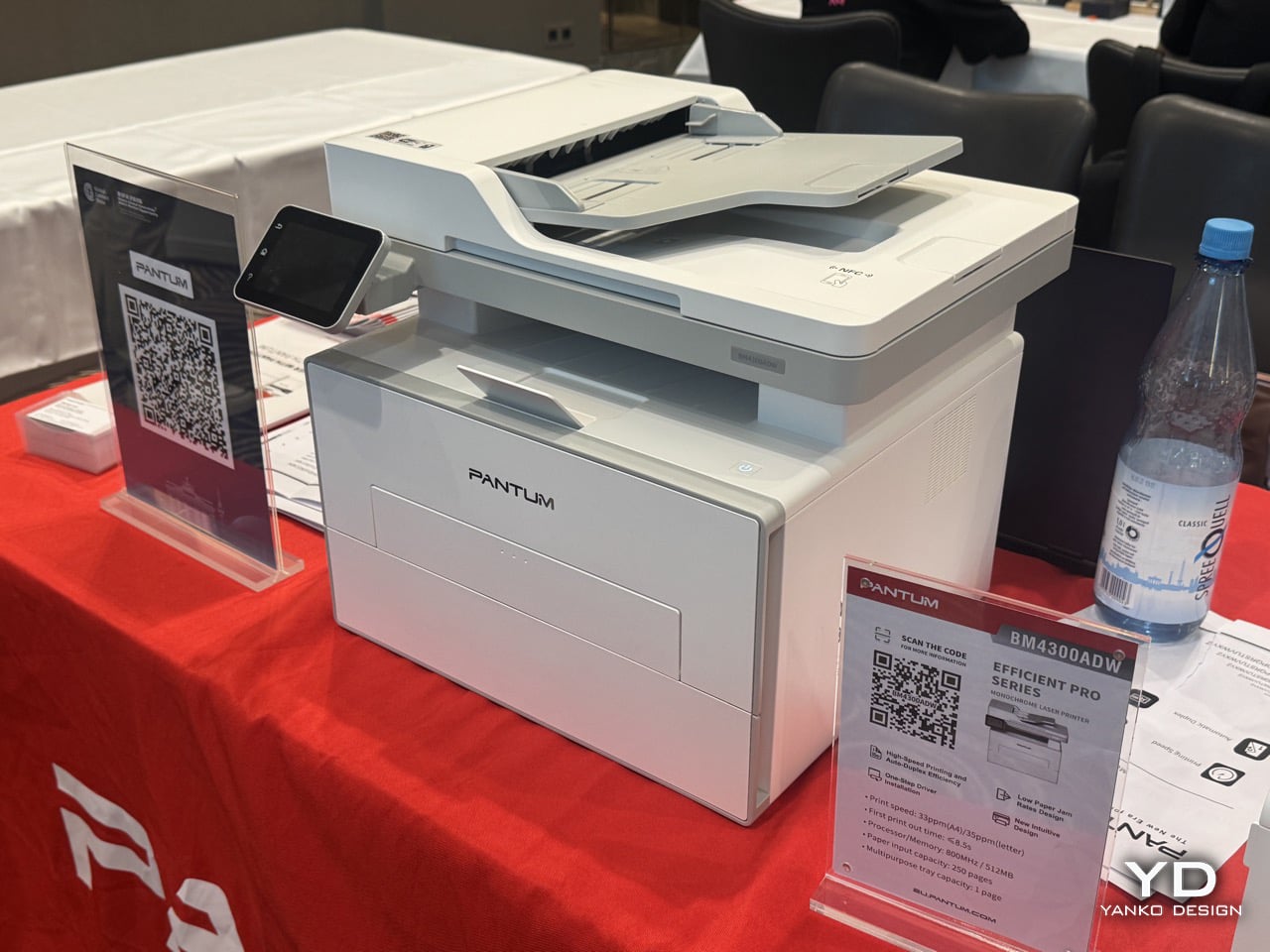
Every office has a printer story, and it is never a good one. Paper jams remain one of the most consistent points of friction in printing, and Pantum has apparently decided that fixing it deserves to be a headline feature rather than a footnote. The BM4300ADW belongs to the brand’s Efficient Pro Series, positioned around a low paper jam rate design alongside high-speed printing, auto-duplex efficiency, and one-step driver installation. That’s a mono laser multifunction printer rated at 33ppm on A4 and 35ppm on letter, with a first print out time under 8.5 seconds, an 800MHz processor paired with 512MB of memory, a 250-page input tray, and a one-page multipurpose tray for the odd envelope or letterhead job. None of those numbers are wild on their own, but the framing is telling. Pantum isn’t leading with speed or resolution here, it’s leading with reliability, which is a strange thing to have to sell as a feature until you remember how much collective time gets lost every year to a printer eating a sheet of paper sideways.

There’s a fair chance a slightly torn sheet actually feeding through cleanly instead of jamming halfway is down to the feed roller design and paper path engineering that this Efficient Pro line has been built around. There’s also a bit of corporate context worth knowing here. Pantum was formerly part of the Ninestar Group, and as of April 22, 2026, the company officially renamed itself to Pantum Technology, a signal that the brand wants to be known on its own terms rather than as a division of a larger printing and imaging conglomerate. That kind of rebrand usually comes with a renewed push into new markets, and IFA is as good a stage as any to make that case. A printer that handles paper carelessly and still prints clean is a small thing to demo on a show floor, but it’s exactly the kind of detail that sticks with the person standing there watching it happen.

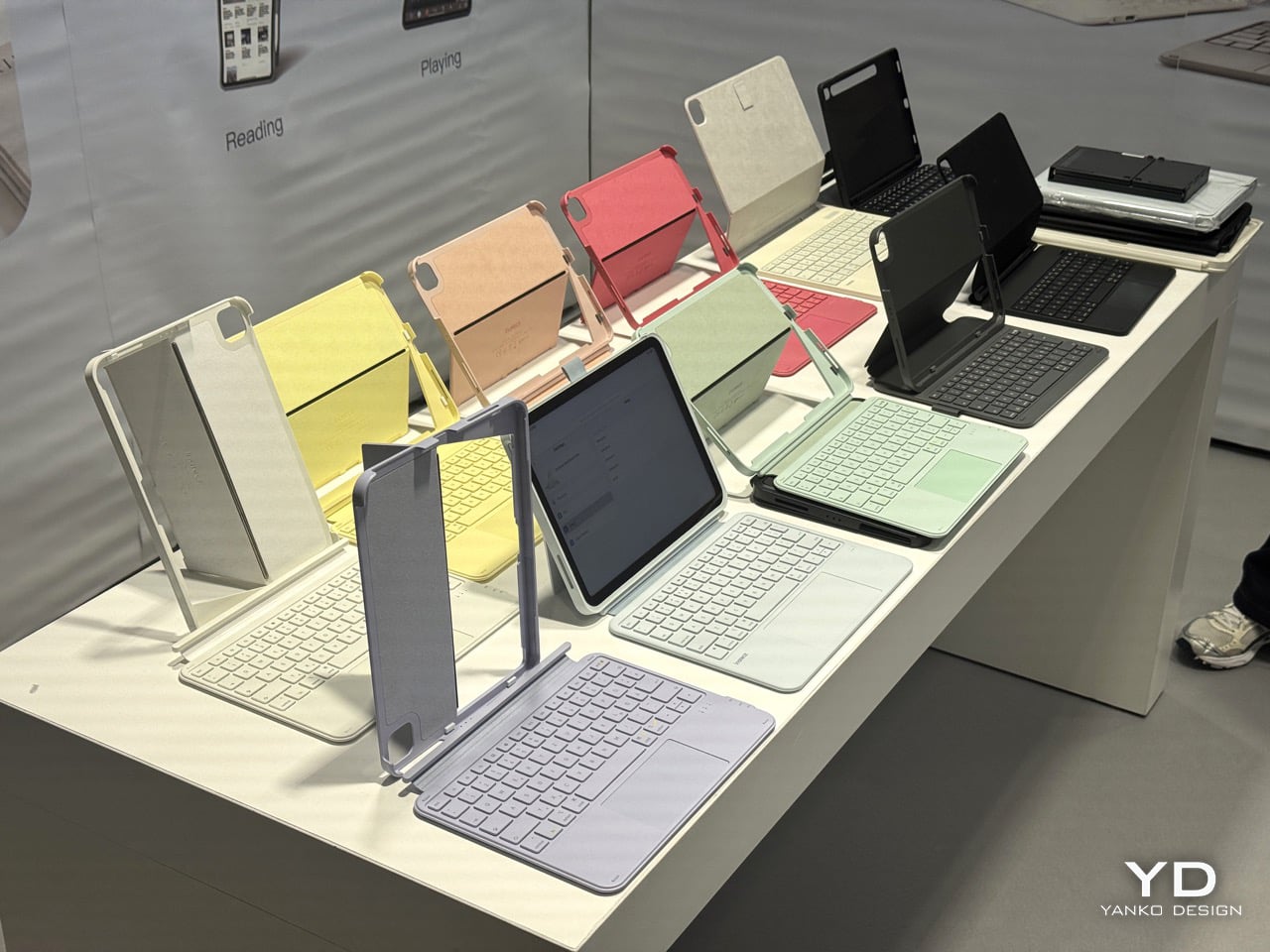
Inateck AceTouch Pro: The iPad Keyboard That Won a Design Award for Getting the Boring Stuff Right

Apple’s own Magic Keyboard has been the default answer to “which iPad keyboard should I get” for years, largely because Apple made third parties look lazy by comparison. The AceTouch Pro is one of the more convincing arguments that this default is worth questioning, and it has actual jury validation behind it. It won the Red Dot Design Award in 2026, standing out among thousands of entries, with the panel evaluating not just how it looks but how it works. That distinction matters. Red Dot juries are notoriously unsentimental about function over form, so the win says as much about the engineering as the aesthetics. The headline spec is weight: 7.6mm thin and 530g, which Inateck says is 150g lighter than other fully equipped iPad keyboards. For anyone who has ever felt their bag get meaningfully heavier the moment a keyboard case goes in, that difference is the kind of thing you notice within the first commute.

The touchpad is the part that actually changes how the thing gets used day to day. At 5.1 inches, it is 70% larger than a standard iPad keyboard touchpad, with full gesture support and palm rejection, and Red Dot’s own project notes describe it as offering freely definable shortcuts alongside a programmable function key. That’s a meaningfully different pitch from most keyboard cases, which treat the trackpad as an afterthought bolted onto a typing accessory. Typing feel gets the same attention, with 1mm key travel on a scissor mechanism, a skin-friendly spray coating on the keycaps, and 14 independent shortcut keys for one-touch switching. The whole case attaches magnetically and detaches in one second, supporting four stable orientations including dual vertical placement, and the integrated stand adjusts from 0 to 160 degrees, which covers everything from flat sketching to a fully upright video call. Bluetooth 5.3 keeps input lag low enough that it should not be a factor for design or writing work. A PCR material version is also available for anyone weighing the sustainability angle, and taken together, it reads less like a case that happens to have a keyboard and more like a genuine laptop replacement pitch for the iPad, backed by a jury that apparently agreed.

The post Floating Lamps, Pet Phones, and Printers That Print On Ripped Paper: The Weird Wonderful Gadgets At IFA 2026 first appeared on Yanko Design.

9 Desk Upgrades for a Fresh Semester, or Just a Fresh Start at Work

The desk is the one surface in your life that shows exactly where your head is. Cluttered means overwhelmed. Bare means uninspired. Getting it right is less about organizing what you already own and more about deciding what deserves to be there. These nine picks span the categories that matter most: what you type on, what lights the page, what holds your tools, and what the whole surface rests on.

None of them are here to fill space. Some solve a problem you have accepted as permanent. Some reframe a category you stopped thinking about years ago. Every one of them changes something specific about how a desk feels to sit at, which is a harder thing to achieve than it sounds, and the only standard worth holding a desk object to.

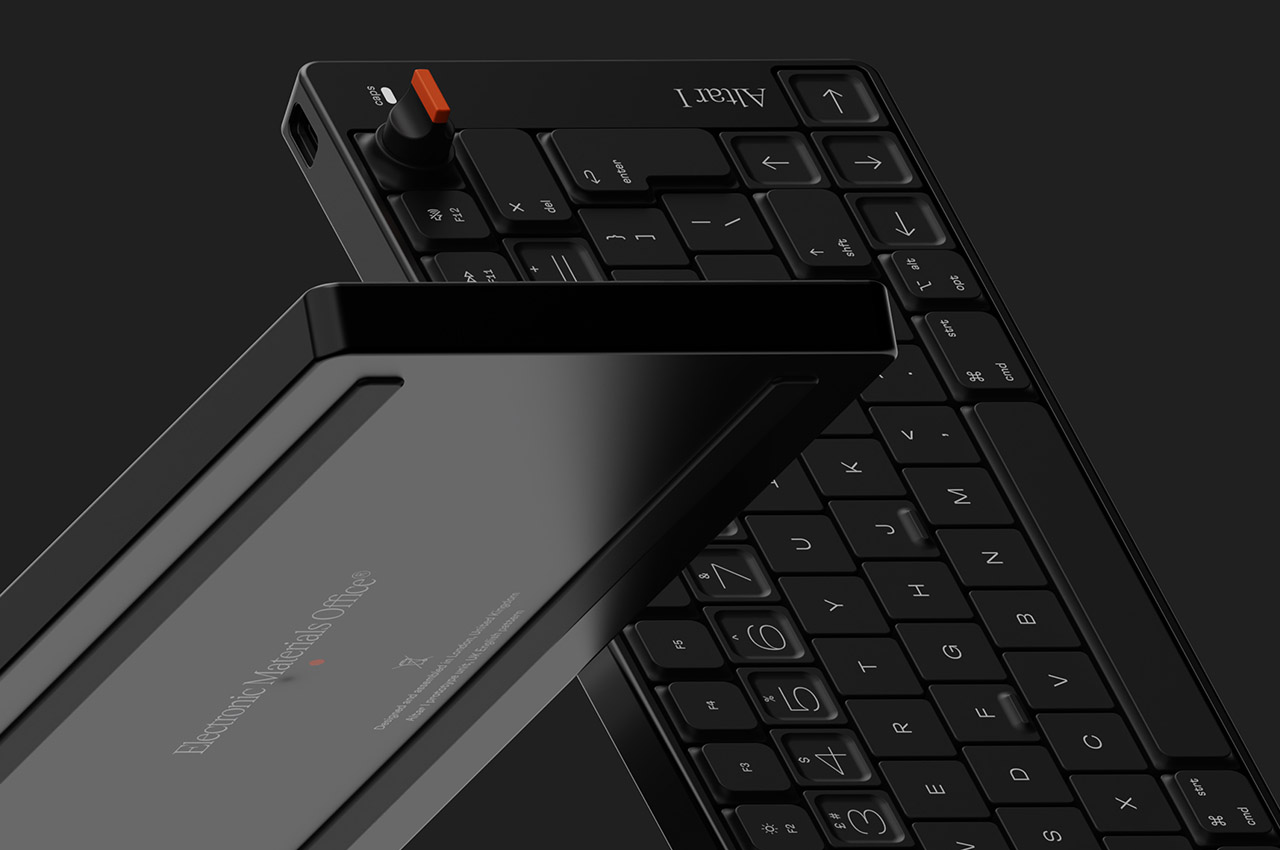
 1. Altar I Mechanical Keyboard

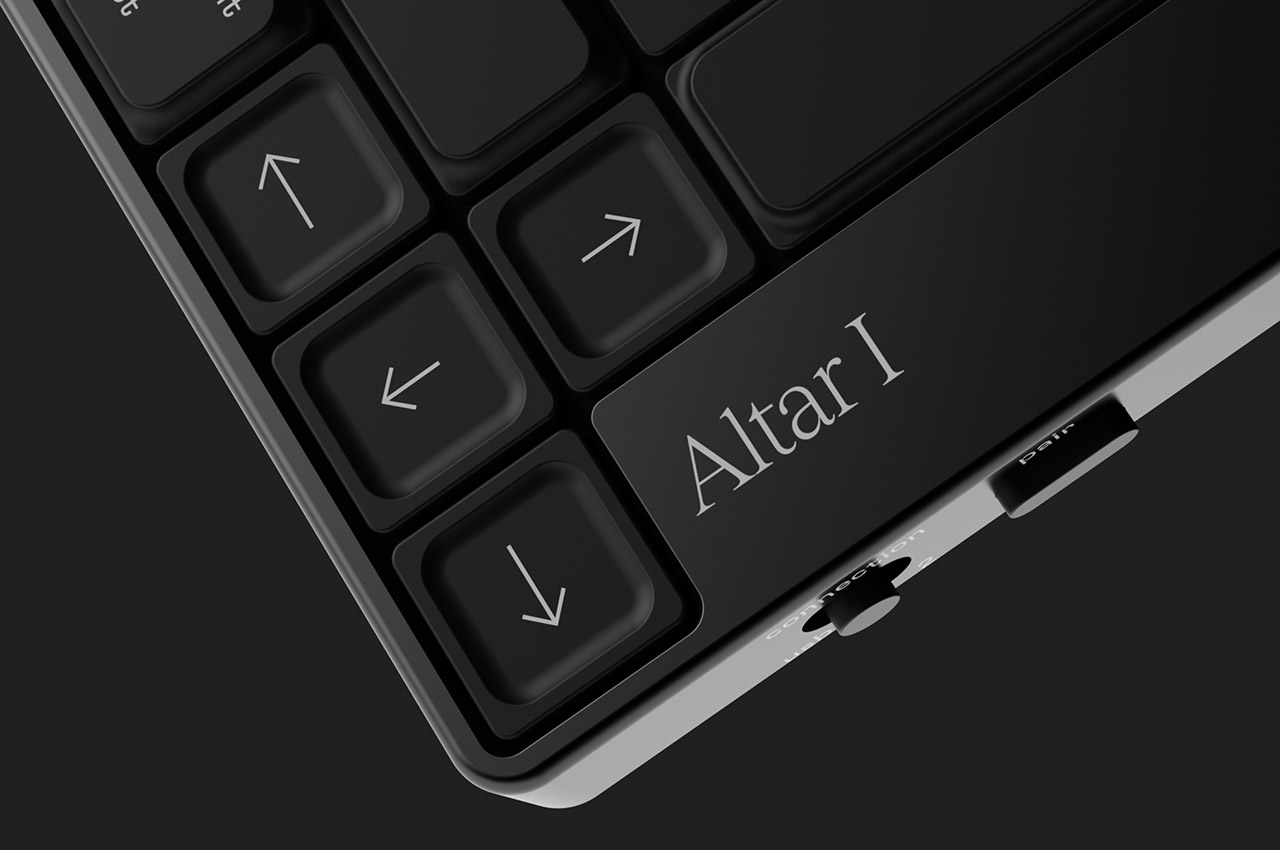
The keyboard is the piece of hardware your hands never leave, which makes it the most personal object on a desk and the one most people compromise on. Electronic Materials Office, a London startup, built the Altar I around one clear idea: sustainability should not mean sacrifice. The chassis is machined from aluminum. The plastic parts are made from post-consumer waste. The result is an ultra-low-profile mechanical keyboard as considered as anything from Teenage Engineering, without carrying that brand’s price tag.

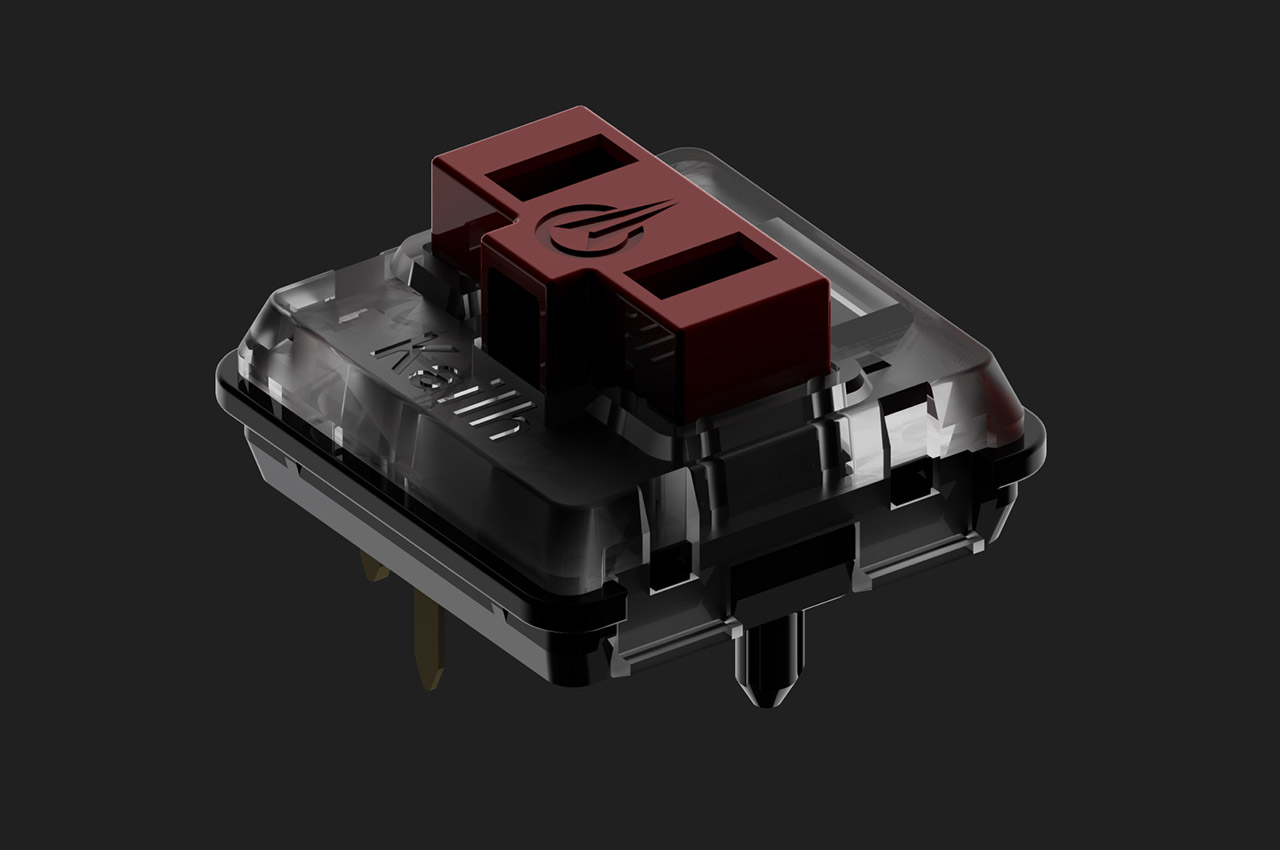
What draws you in is the 75% layout and the rotary encoder knob at the top right, a dial that gives analogue control over whatever function you assign it. The switches are low-profile mechanical, the keycaps are doubleshot PBT, and the casing sits at 1.5 centimeters, thin enough to shift the geometry of typing without abandoning the feedback that makes mechanical keyboards worth owning. Compatible with Mac and Windows, and built around material convictions most keyboard manufacturers never bother to name.

What we like

  • The plastic chassis is built from post-consumer waste, making sustainability structural to the design rather than a label printed on the packaging
  • The rotary encoder knob gives analogue control over an assigned function, a detail that rewards daily use well beyond first setup

What we dislike

  • As a first product from a startup, long-term availability of keycap sets in compatible low-profile sizing is worth thinking about before committing
  • The 1.5 cm profile is built for a specific kind of typist; those who prefer more switch travel will find the adjustment takes time

2. Infinite Solas Lamp

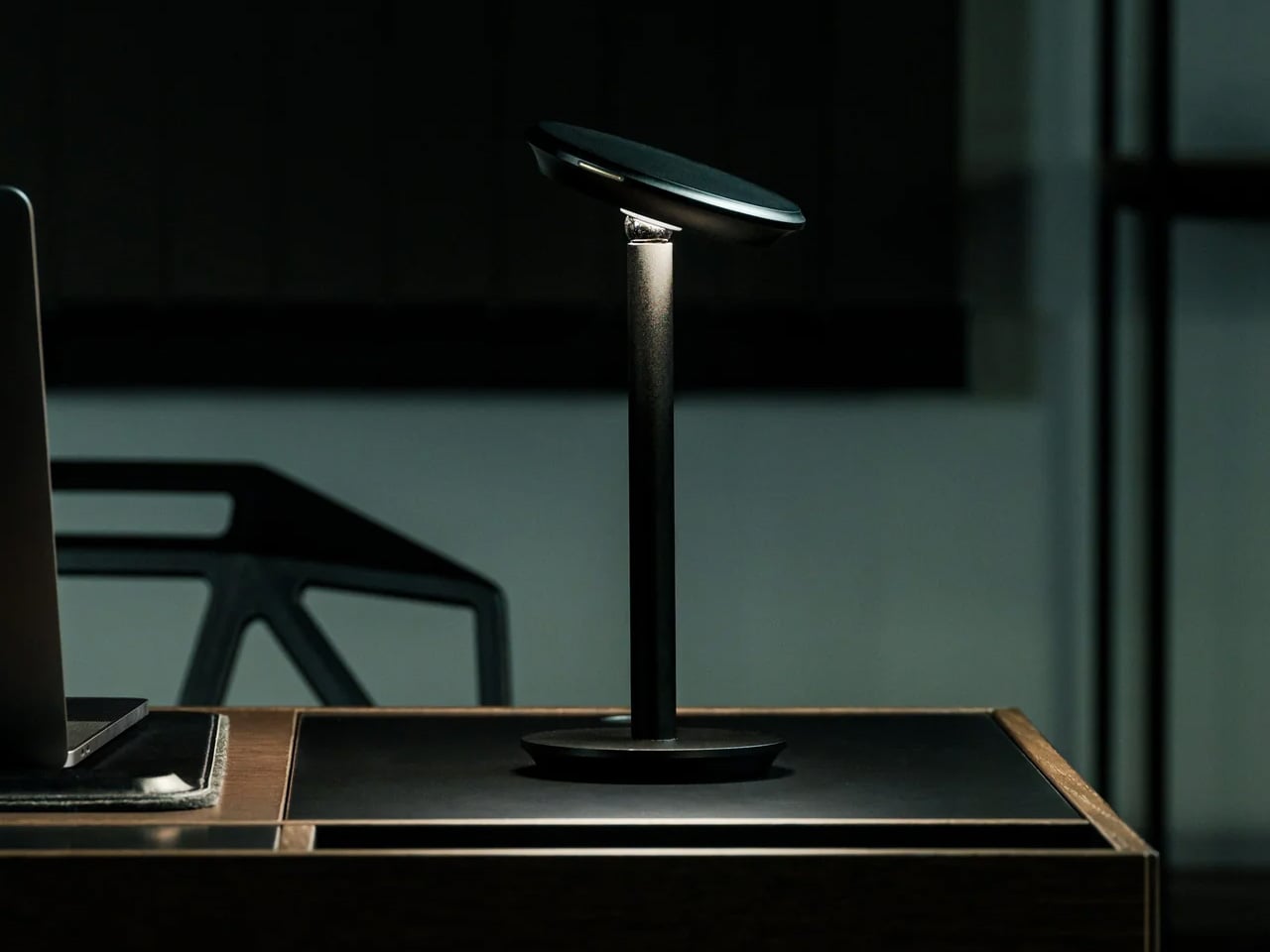
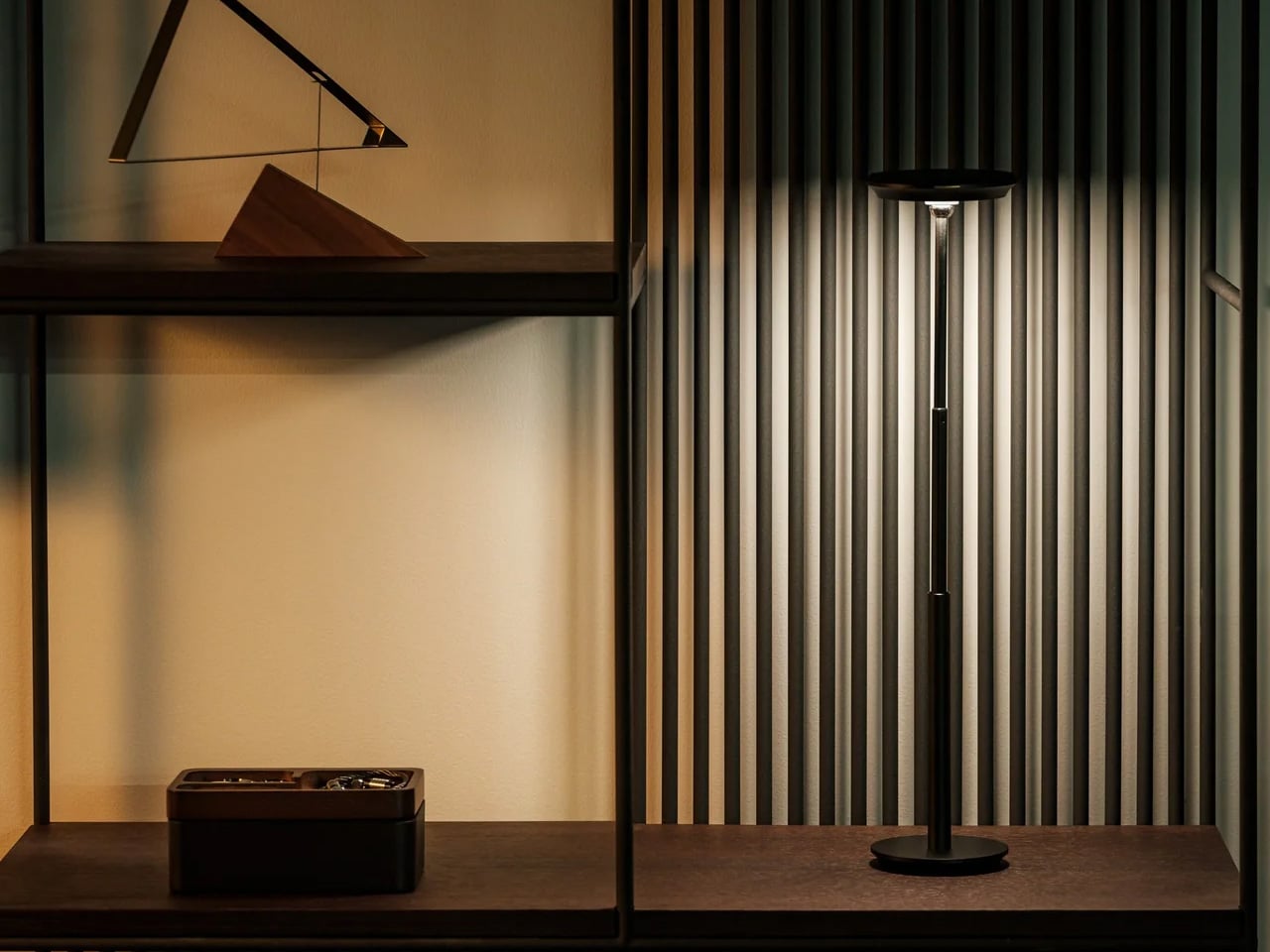
Most desk lamps are a wire, a bulb, and an arm you adjust once and never touch again. The Infinite Solas Lamp, designed by Koki Sato, is a different proposition entirely. It is wireless, machined from aluminum with an anodized finish, and adjustable in four directions: height, angle, brightness, and warmth. The magnetic ball-joint head moves freely and holds its position without tightening a knob. At $325, it earns its place not just as a light source but as the most considered object on the desk.

The two colorways, black and warm champagne, are finished to a standard that makes the lamp feel like a display object even when it is off. The absence of a cord changes the desk in a way that is difficult to articulate until you have lived with it – there is simply nothing to route, nothing to hide, and no outlet to negotiate with. A single charge lasts approximately three days of use, which means it travels as easily as it stays still. The light you work under is not a minor consideration.

Click Here to Buy Now: $325.00

What we like

  • The magnetic ball-joint head adjusts angle without repositioning the base, a detail that rewards repeated daily use rather than just an impressive first setup
  • Wireless construction with a multi-day battery removes the cord entirely, so the desk stops being organized around the nearest outlet

What we dislike

  • At $325 with limited units available, it is a committed purchase rather than a casual browse – there is no sleeping on this one
  • The anodized aluminum finish will show fingerprints with regular handling, particularly on the champagne colorway, which asks for occasional light maintenance

3. Mosaic AI Desk Organizer

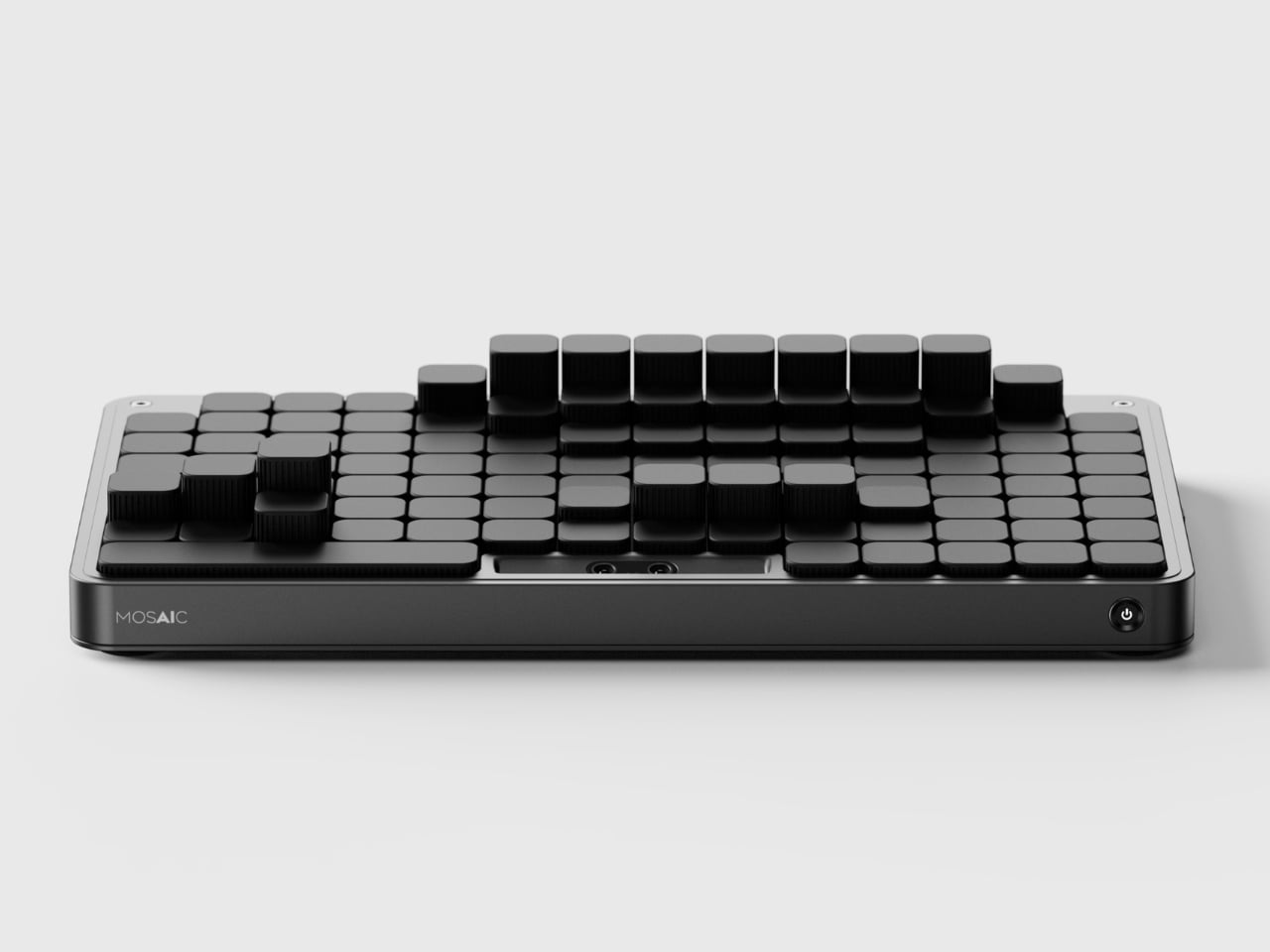
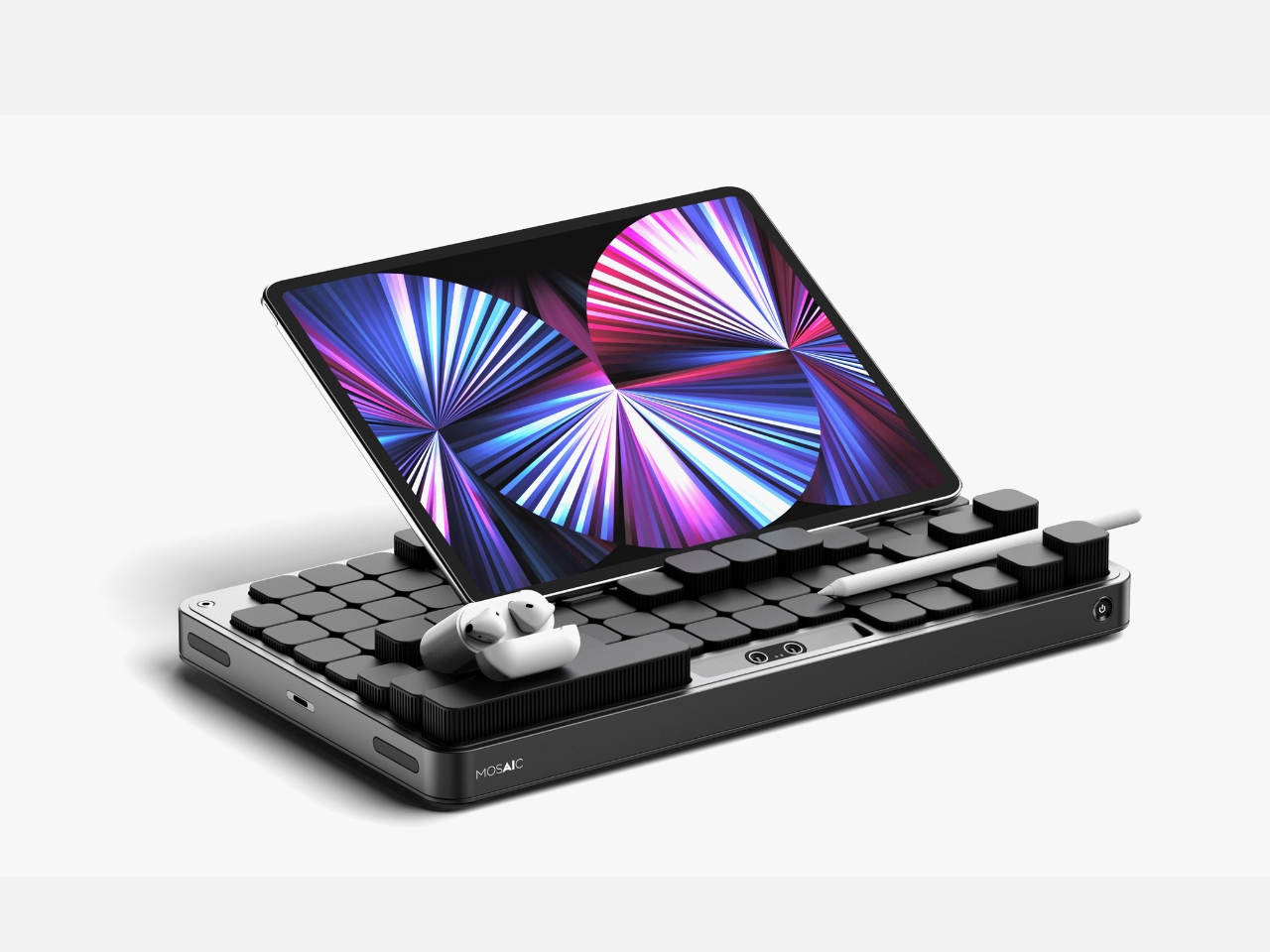
Most desk organizers ask you to adapt to them. You get a tray with fixed compartments, you shove your things in, and either it fits or it does not. The Mosaic takes the opposite approach, replacing fixed compartments with an AI-powered modular surface that shifts its configuration around whatever you place on it. The layout changes when your desk changes, which is something no standard tray has ever managed, and the reason most desk organizers stop being used within weeks of being bought.

The black, low-profile form reads closer to a keyboard deck than a conventional tray, which helps it disappear into the desk rather than announcing itself as the thing you added to manage the other things. The intelligence lives in the shifting surface beneath, not in any visible technology. For anyone who has bought and abandoned a desk organizer because it was designed for someone else’s setup and someone else’s habits, the Mosaic is the version of that object that was worth waiting for.

What we like

  • The AI-powered shifting surface reconfigures around your objects rather than asking you to adapt your habits to a layout someone else decided on
  • The flat, low-profile form reads as a desk surface object rather than a gadget, which means it does not disrupt the visual calm of a considered setup

What we dislike

  • As a concept, it is not currently available to purchase, which means the shifting surface remains to be tested against the friction of real daily use
  • The AI layer adds a dependency on software and power that a standard tray does not require, a trade-off worth naming before committing

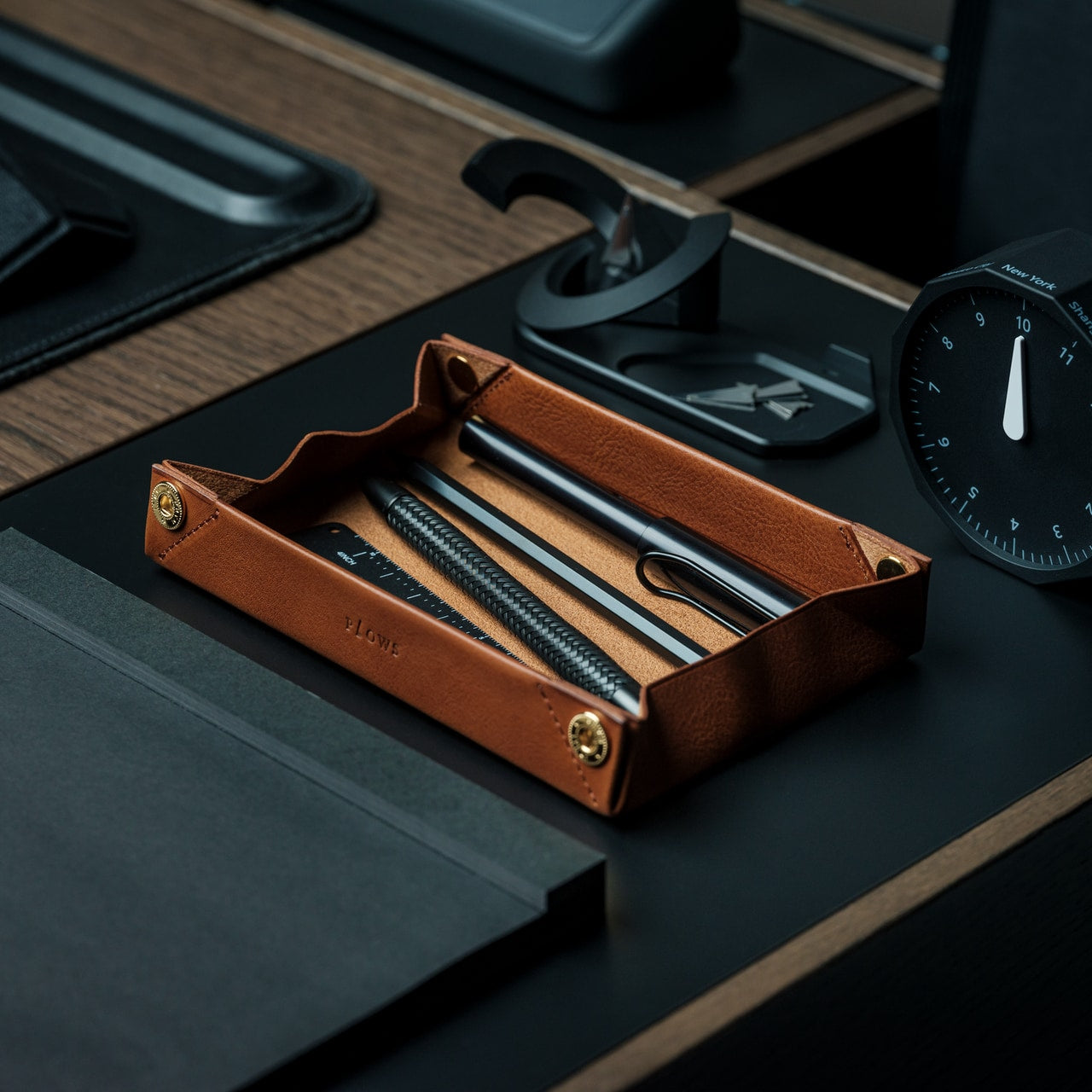
4. FoldLine Pen Roll

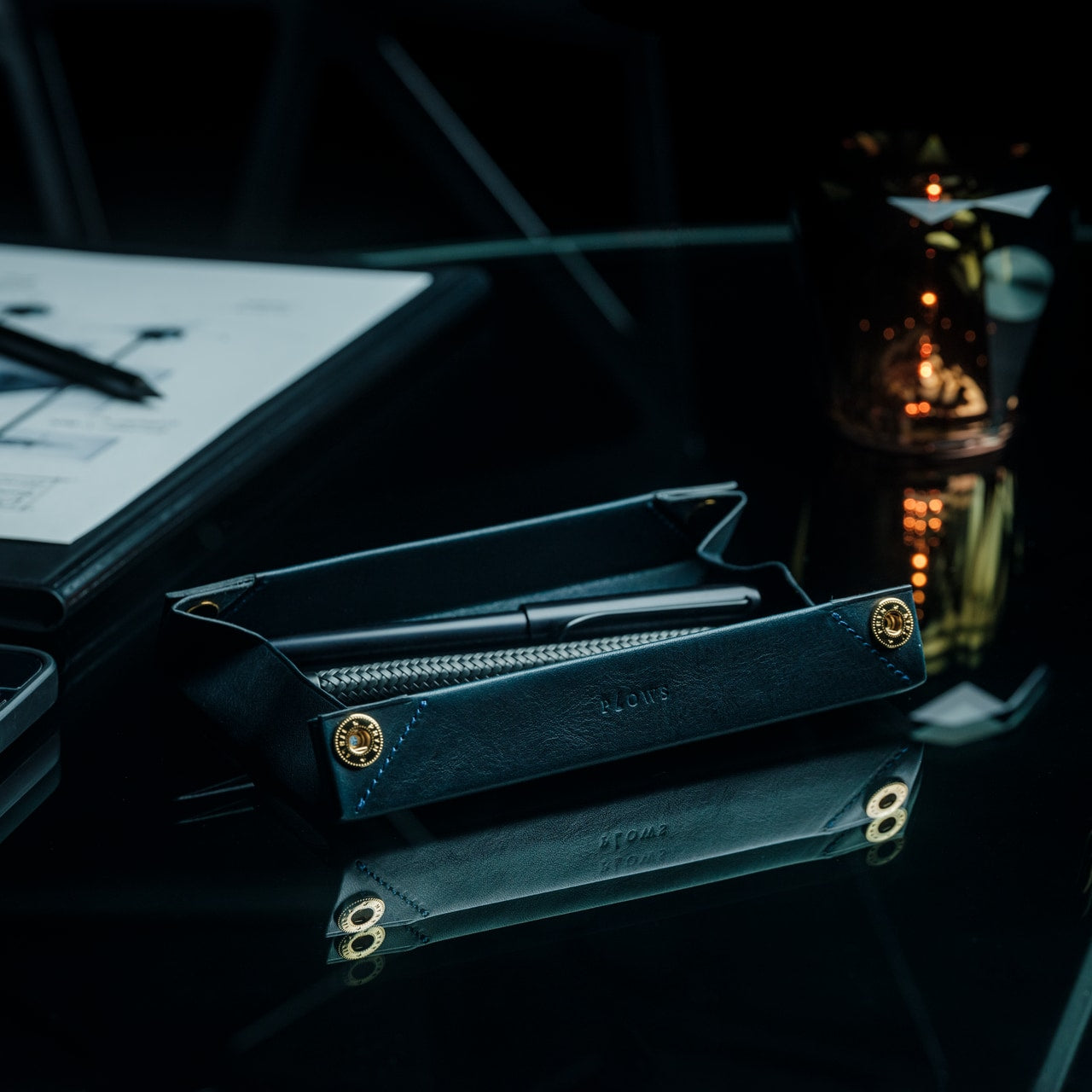
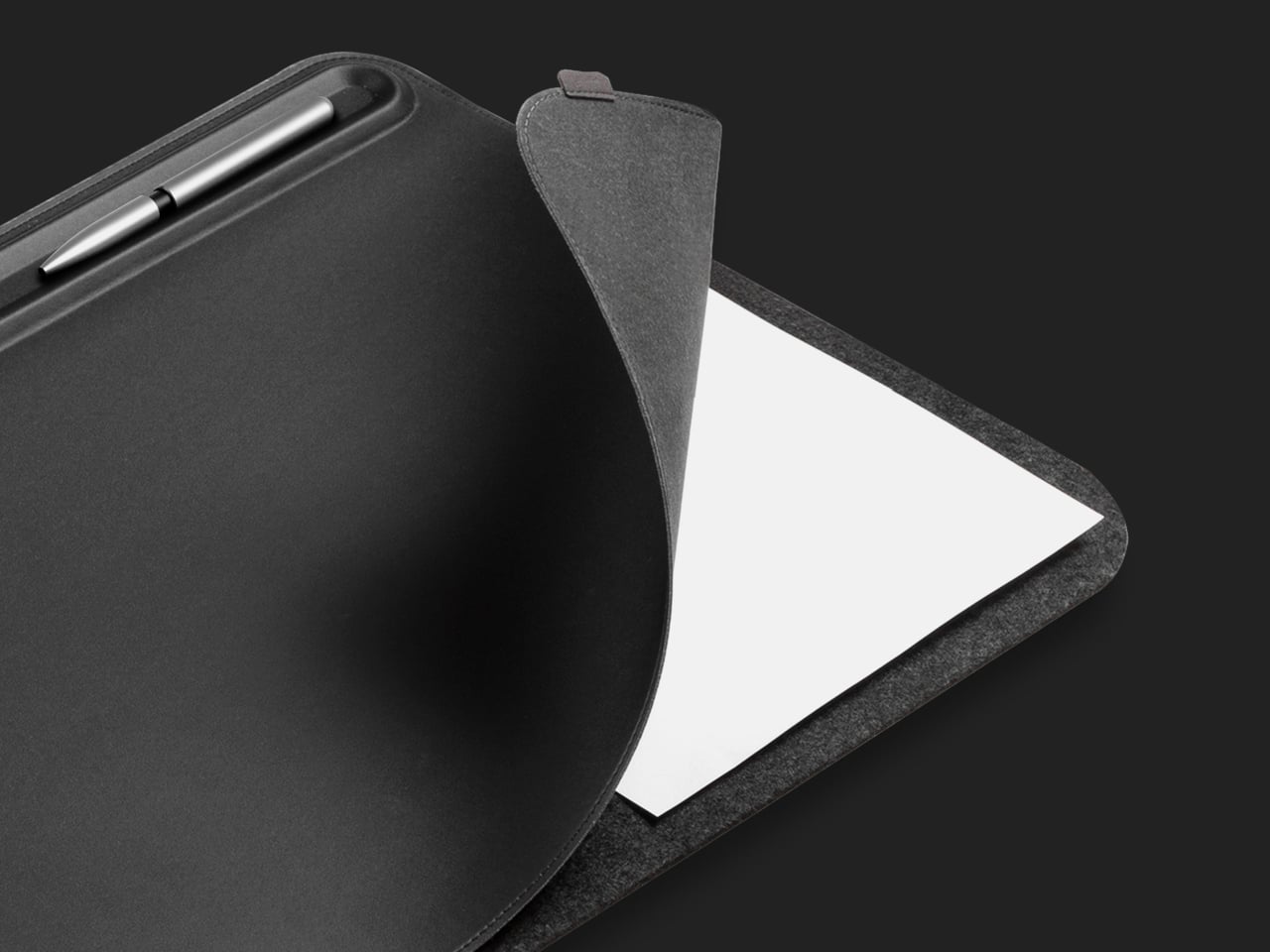
There is a version of the pen roll that is purely about storage – something you zip shut and throw in a bag. The FoldLine is not that. Cut from a single piece of Italian Minerva Box leather, it folds from a flat carrying case into a structured desk tray in under two seconds, using an origami-derived geometry that requires no buckles, no snaps, and no secondary parts to hold its form. At $135, it is one of those objects that photographs poorly and reads perfectly the moment you first use it.

The way it works changes how you relate to your pens and tools during a working day. They are no longer packed away in a case sitting somewhere to the side. They are visible, accessible, and arranged in a tray that earned its form through a single material decision. Minerva Box leather develops a patina over time, which means the object improves alongside the writing habit it is built to support. For anyone trying to give their desk a cleaner start, this is one of the few pen cases that actually stays on the surface.

Click Here to Buy Now: $135.00

What we like

  • The single-piece Minerva Box leather construction folds into a desk tray in under two seconds, replacing both a carrying case and a pen holder with one object
  • The leather develops a patina with use, meaning the piece improves over time rather than declining into the category of something you eventually replace

What we dislike

  • At $135, it is priced for the buyer who values material quality and craft, which rules out the impulse purchase
  • With only a few units available at any given time, it is not something you can return to comfortably once you have decided to think about it

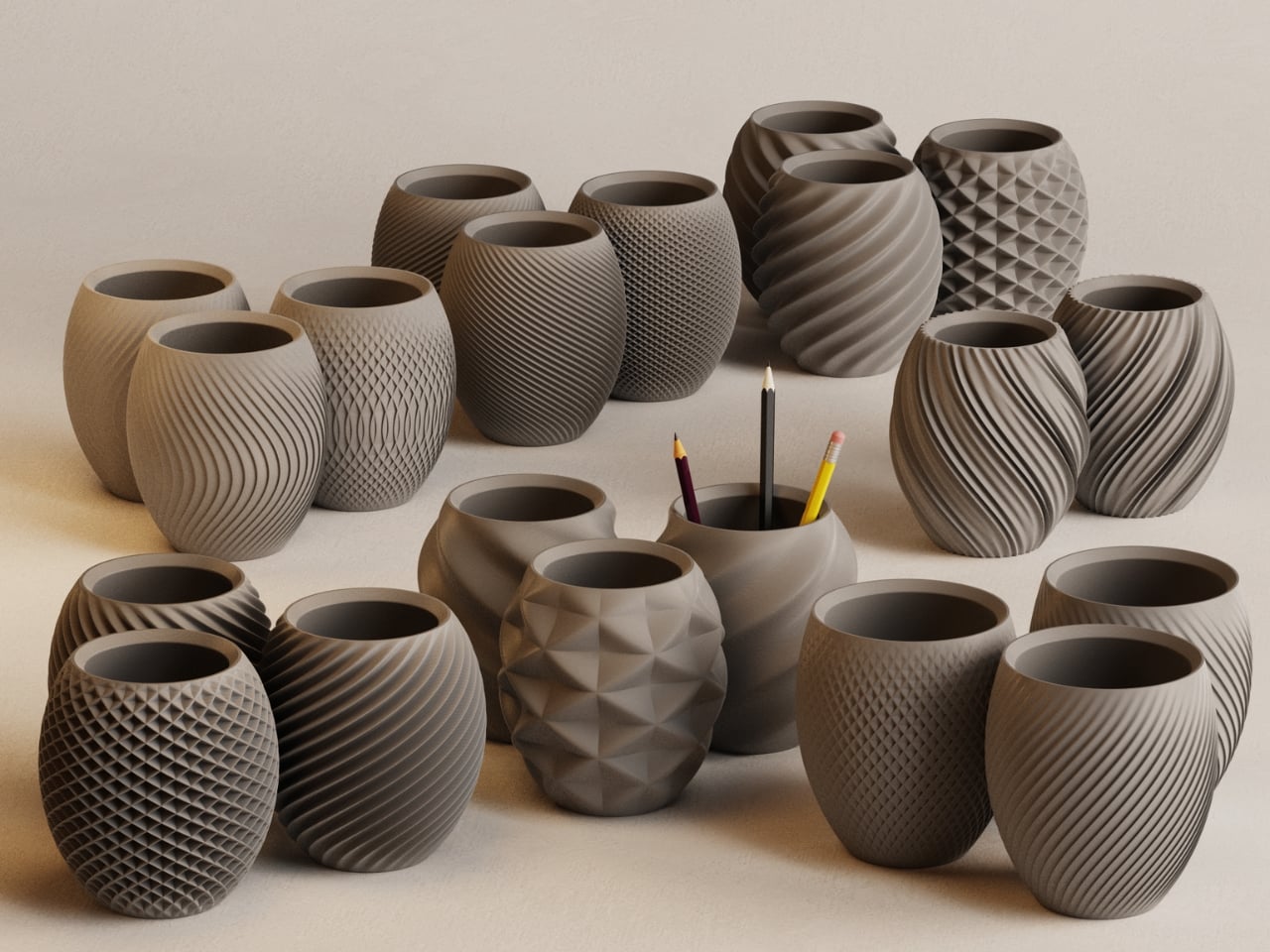
5. Aya & Sfera

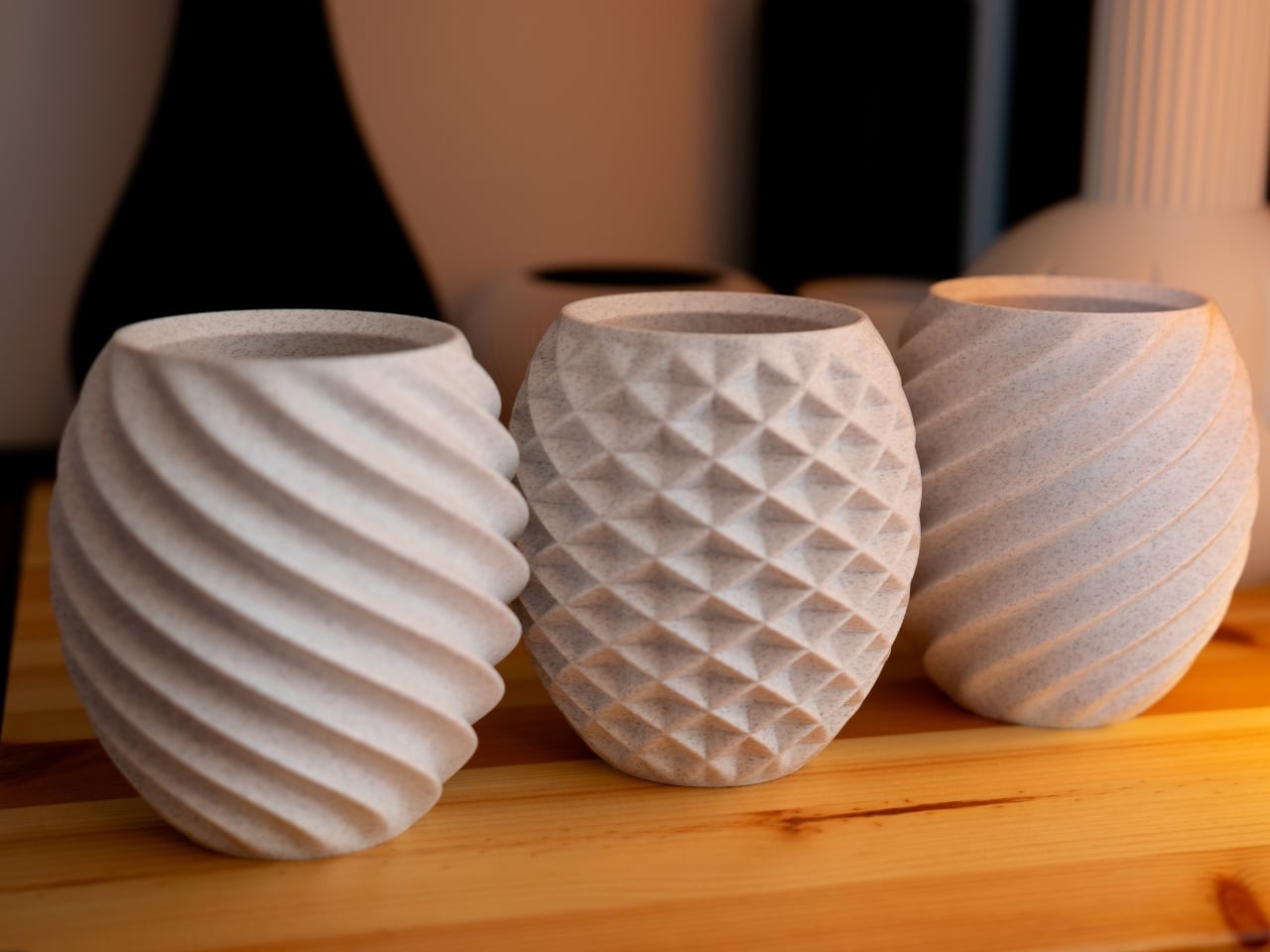
Ikigaiform began with full-size self-watering planters, and Aya and Sfera carry that thinking directly. Both pieces belong to a collection of organic-form pots built through parametric design, with intricate surface patterns brought to life through 3D printing. The desk versions are a scaled-down translation of that same thinking: compact cups that sit on a work surface with the surface detail and proportional precision of something designed for a gallery shelf rather than a pen holder. They hold what a pen cup holds, but the conversation they start is a different one entirely.

A desk that has one beautiful, considered object on it feels different to sit at than one that does not. Aya and Sfera are that object for the corner of the surface you were previously ignoring – the patch of desk where pens accumulate, or where a glass ends up, or where nothing particularly useful ever lives. Parametric design rarely produces something this quiet, and quiet, in the context of a desk with a lot going on, is exactly the quality worth seeking out.

What we like

  • The parametric surface patterns are executed at a level of precision only achievable through 3D printing, producing detail you would not find in a mass-produced desk object at this scale
  • The pieces work equally well as pen holders, small planters, or catch-all cups, which means they earn their footprint in more than one direction

What we dislike

  • The organic form and surface complexity make these presence objects rather than background ones; they draw the eye, which may not suit every working environment or every aesthetic
  • 3D-printed production at this level of surface detail typically carries longer lead times and fewer color options than injection-molded alternatives at a comparable price

6. Modular Monitor Stand

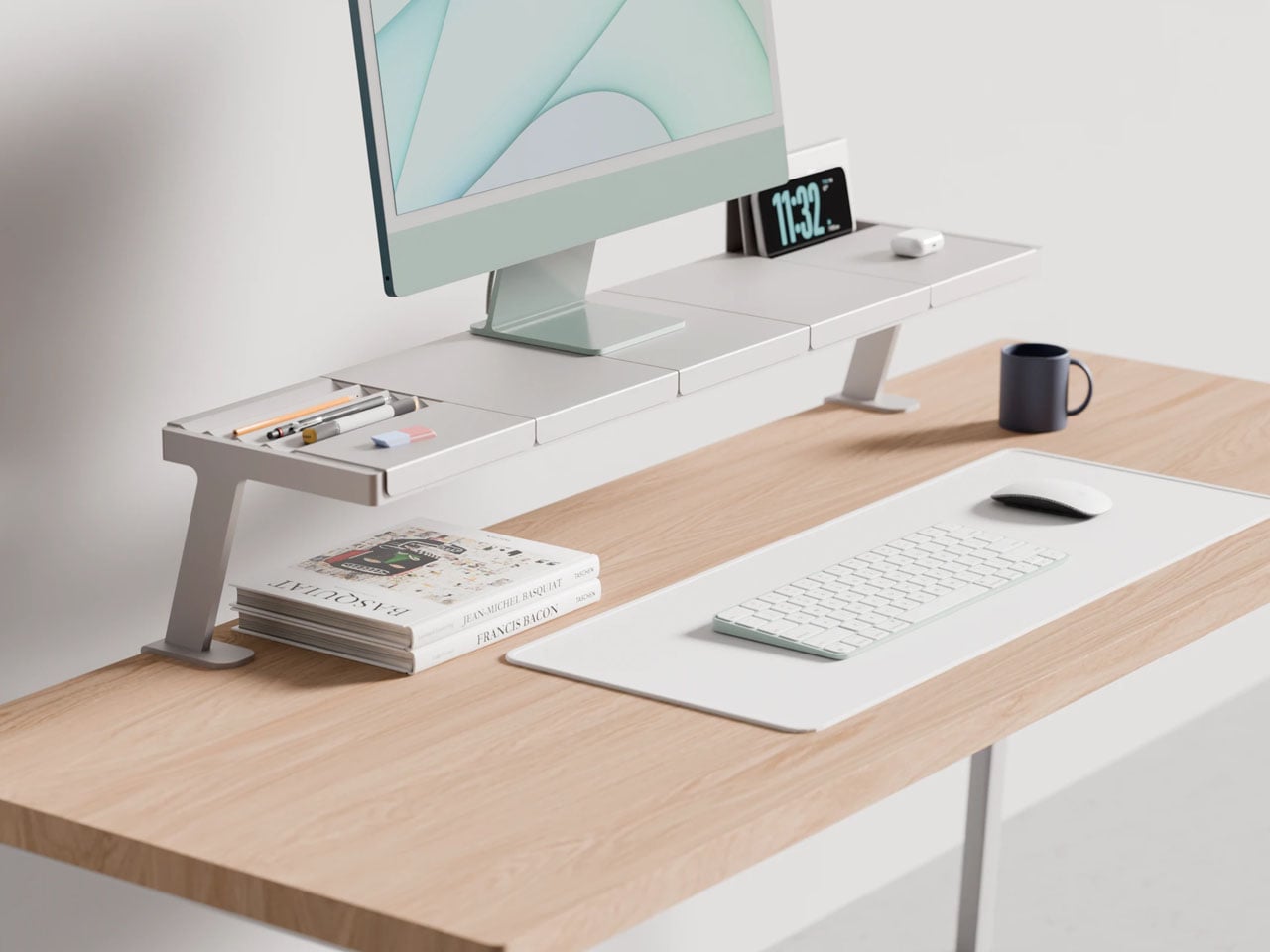
The problem with a multi-device desk is not the number of devices. It is the number of solutions – one arm for the monitor, one stand for the phone, one dock for the laptop, one tray for the cables, each from a different brand, in a different finish, at a different height. Lorenzo Vega’s Modular Monitor Stand is built around the idea that all of this should be one object: a single aluminum structure that manages the monitor, the devices around it, and the cable situation that follows, without requiring negotiation between three separate manufacturers.

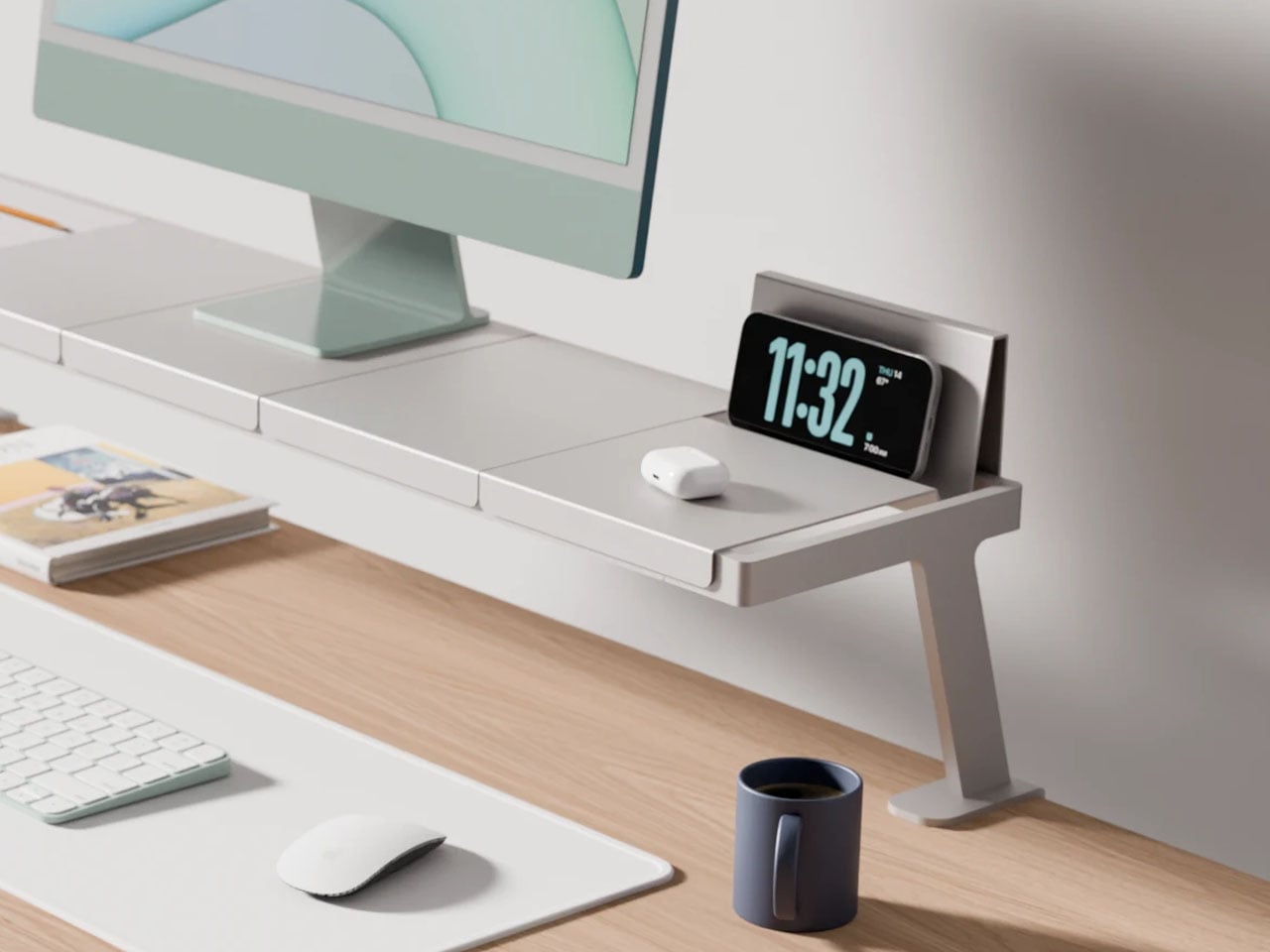
The modular sectional tray system mounts to the desk edge rather than claiming space on the surface below the monitor, which means the desk opens up rather than getting more crowded. The aluminum construction gives it the material credibility to sit alongside considered objects rather than reading as a productivity accessory purchased out of necessity. For anyone running more than one screen, or a laptop alongside a tablet, this stand frames a useful question: what if all of it was the same thing?

What we like

  • The edge-mounted modular tray frees up the desk surface below the monitor rather than consuming it, which is exactly where most monitor stands go wrong
  • The aluminum construction gives it material weight that sits comfortably alongside design-forward desk objects without reading as the functional odd one out

What we dislike

  • It is a working concept at prototype stage, not a product available to purchase today – the idea is sound but no confirmed timeline exists yet
  • The modular configuration requires upfront thinking about which sections you need and in what arrangement, adding a planning layer before setup can begin

7. Upright Wireless Charging Stand

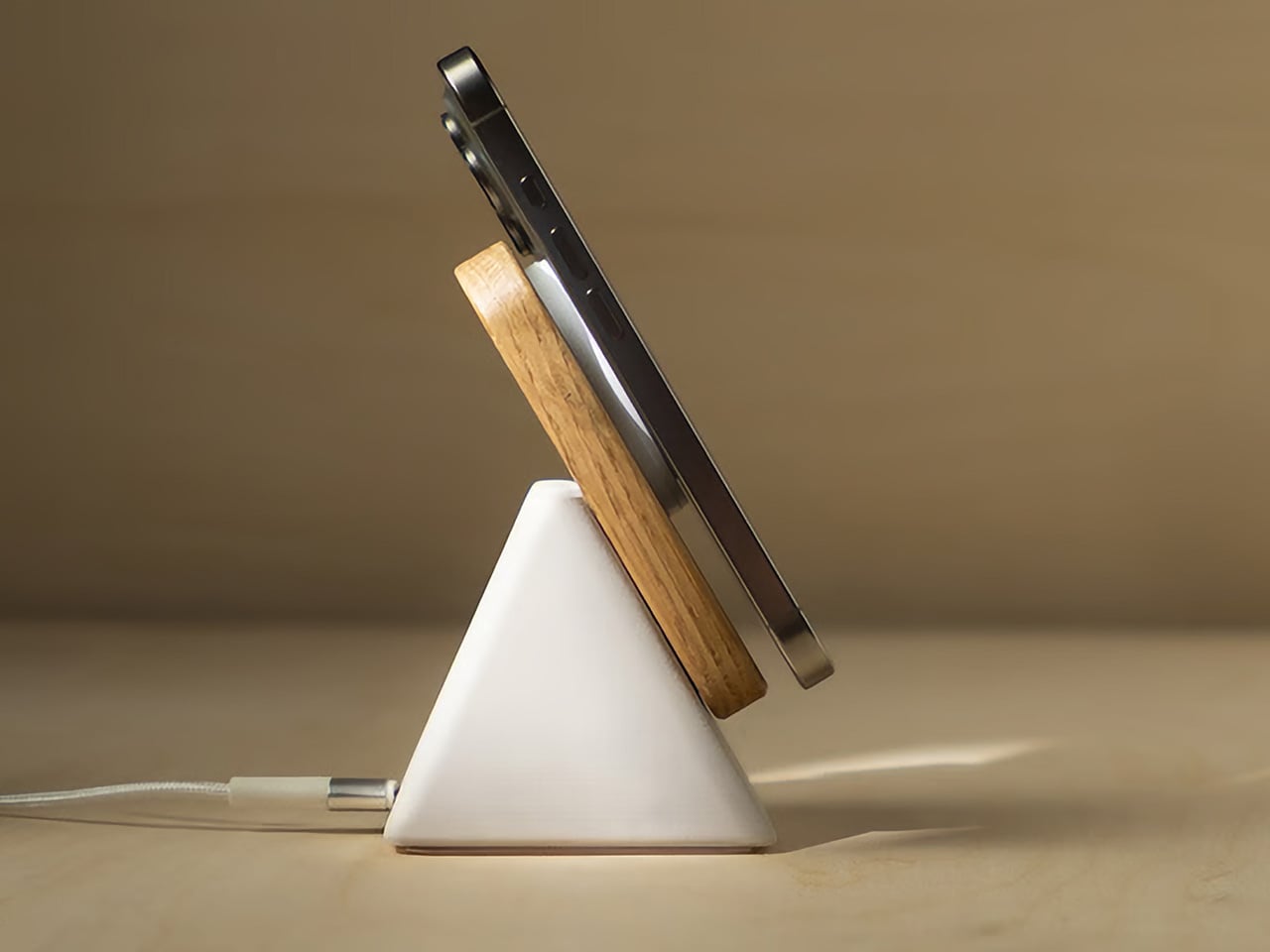
Wireless chargers tend to be either flat, which puts the phone face-down and invisible, or vertical, which makes them bulky, plasticky, and in the way. The Upright, designed by Aaron von Kreisler of Modhaus, takes the vertical format and rebuilds it from materials with no obvious business being inside a charging product: concrete and hardwood. The form is a tapered pyramid, weighted at the base so that docking a phone feels deliberate rather than fumbled. It delivers 25W Qi2 wireless charging and raised over $63,000 in backing.

Six finishes across three wood tones and two concrete colorways mean it integrates into most desk aesthetics without asking you to compromise in either direction. The desk charger has been an overlooked category for too long – most people accept a plastic puck because charging is a background task, and background tasks rarely earn beautiful objects. The Upright argues the opposite: that the thing you reach for most often on the desk is precisely the one most worth designing well.

What we like

  • The combination of concrete and hardwood in a charging object produces something display-worthy rather than something you push behind the monitor and try to forget
  • Six finish options span enough range to integrate with both warmer, wood-heavy setups and cooler, more minimal configurations without compromise

What we dislike

  • The material quality and precision place it above most wireless chargers in cost – that gap is the point, but it will not suit every budget or every desk context
  • The vertical format requires a specific phone orientation that flat chargers do not enforce, a small but real constraint worth knowing before purchasing

8. Orbitkey Desk Mat

The desk mat is the upgrade most people make last, after the keyboard and the lamp and the stand, which is the wrong order. Everything you own sits on the mat, which means the mat determines whether the setup reads as cohesive or assembled from whatever was nearby. The Orbitkey Desk Mat is built from premium vegan leather on top and 100% recycled PET felt underneath, making it water-repellent on the surface and stable on whatever desk it covers. It won both the Red Dot and iF Design Awards.

The magnetic cable holder built into the mat’s edge is a zinc alloy component that positions a cable exactly where you need it without coiling across the surface. At $99.90 for the large, it is the kind of purchase that is difficult to justify in the abstract and immediately obvious once it is in place. The desk stops looking like a collection of individual objects and starts reading as a setup. For a fresh start at work or at school, this is the piece that ties everything else together.

What we like

  • The magnetic cable holder is integrated into the mat’s edge rather than clipped on as an afterthought, which means it belongs there instead of merely tolerating its presence
  • The vegan leather surface is water-repellent and built to award-winning standards, a material choice that holds up to daily use rather than declining within the first season

What we dislike

  • The larger size is a commitment – once the mat is in place and the setup is organized around it, changing the configuration means starting the desk over from the beginning
  • The vegan leather colorway range may not suit every aesthetic, particularly setups leaning toward light-toned or raw wood surfaces where a dark mat reads as too heavy

9. PaperLock Stapler

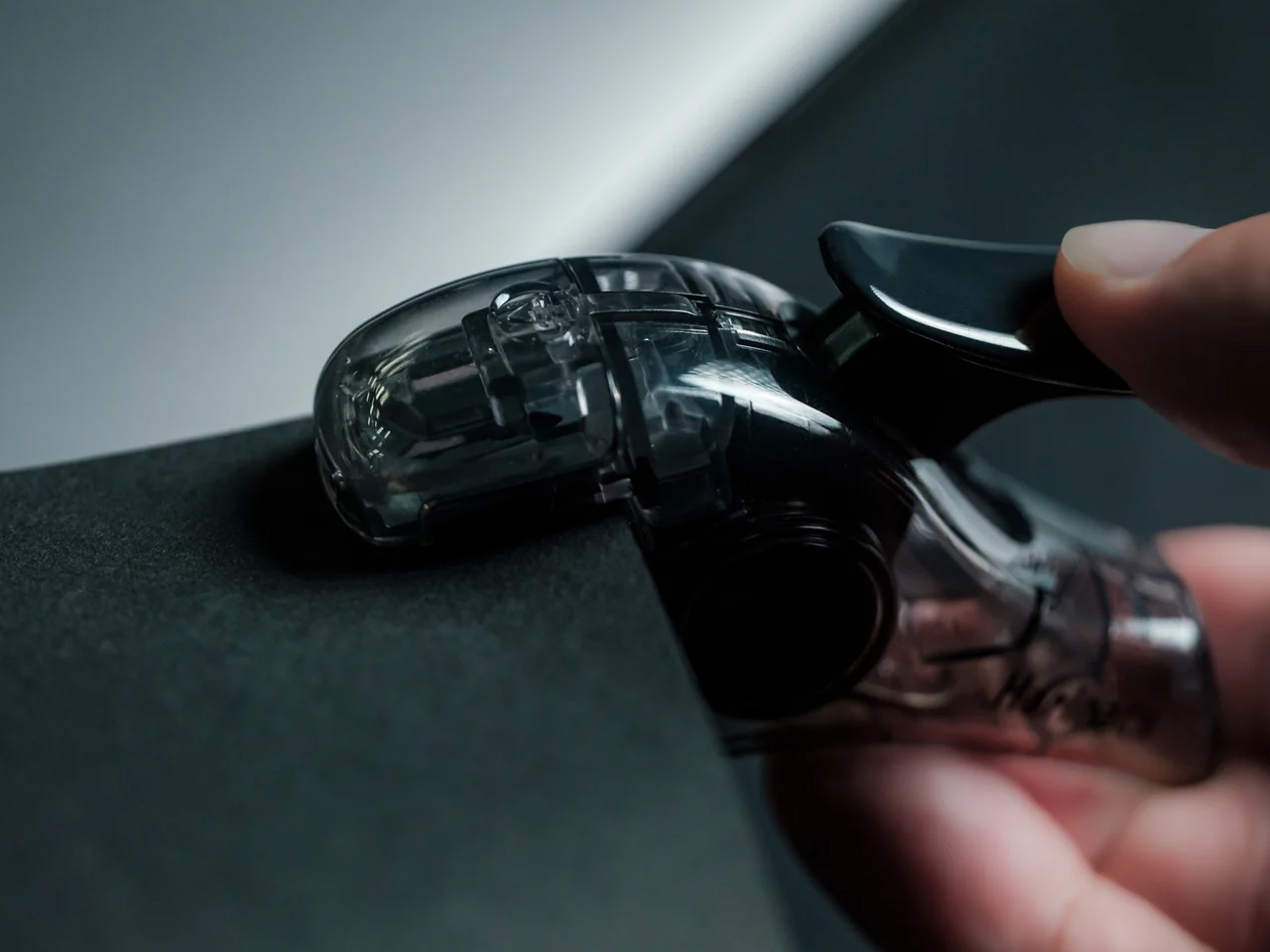
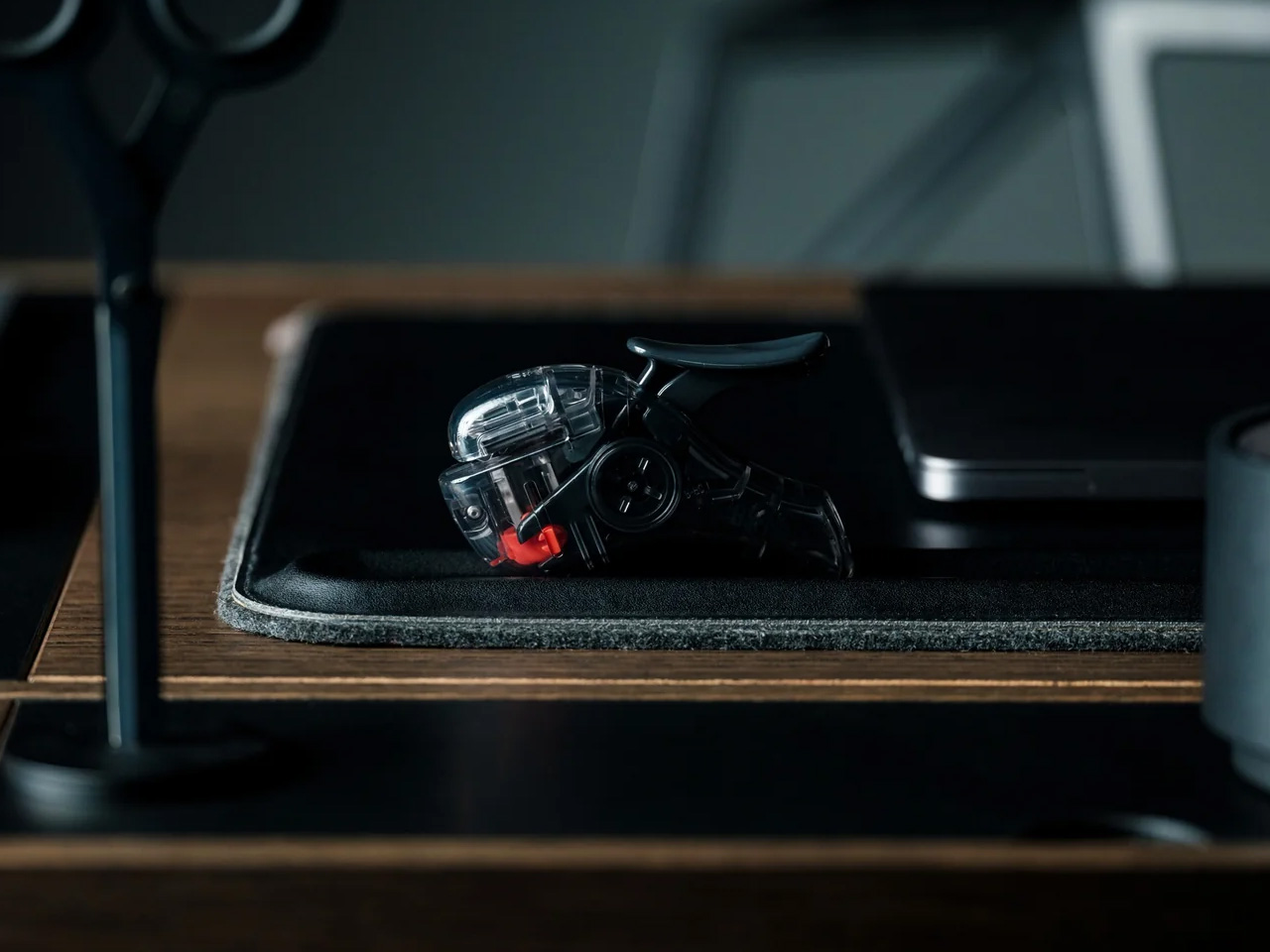
The stapler is the desk object most people replace with the cheapest available option and never reconsider. PaperLock asks you to reconsider. Press the lever and a small cutting element punches through the stack, folding the paper back through itself to create an interlocked join. No metal passes through the page. No staple is added. The paper becomes its own fastener, which means nothing needs removing before a document reaches the recycling bin, and nothing can run out at the moment you most need it to work.

The transparent body puts the internal mechanism on full display, and pressing the lever becomes something closer to watching a small machine operate than completing a piece of office admin. A viewing window shows exactly where the joint will land before you commit. A corner guide keeps placement consistent across an entire stack. The lever works pressed against a surface or held in the palm, with no adjustment required between the two. At $35, it is the most affordable item on this list and the one most likely to change how you think about what a desk tool should be doing.

Click Here to Buy Now: $35.00

What we like

  • The staple-free mechanism means nothing to load, nothing to run out of, and nothing to remove before a document is recycled – the simplest version of the idea works completely
  • The transparent body shows the full mechanism with every press, turning a routine task into something worth watching rather than something done on autopilot

What we dislike

  • The interlocked paper join holds well for most uses but may not match the durability of a metal staple on thicker stacks or documents that will be handled repeatedly over time
  • The transparent construction shows fingerprints and marks from regular handling more visibly than a matte or opaque body would

The Desk Is Not Furniture

The desk is not furniture. It is the place where the things you are actually trying to do either happen or they do not. The objects you bring to it either support that or get in the way. None of the nine picks here earned their place by looking good in a photograph alone. Each one changes something specific about the experience of sitting down at the start of a day.

Start with one. The keyboard if your hands spend most of the day on it. The lamp if the light has been wrong for longer than you have admitted. The mat if the desk has never felt like a setup. A fresh semester or a fresh start does not require all nine at once. It requires one decision that signals to yourself that this time, you are taking the desk seriously.

The post 9 Desk Upgrades for a Fresh Semester, or Just a Fresh Start at Work first appeared on Yanko Design.

This Macintosh-Inspired Hub Adds SSD Storage, Ports, Shortcuts, and a Mini Screen: Hands-on at IFA 2026

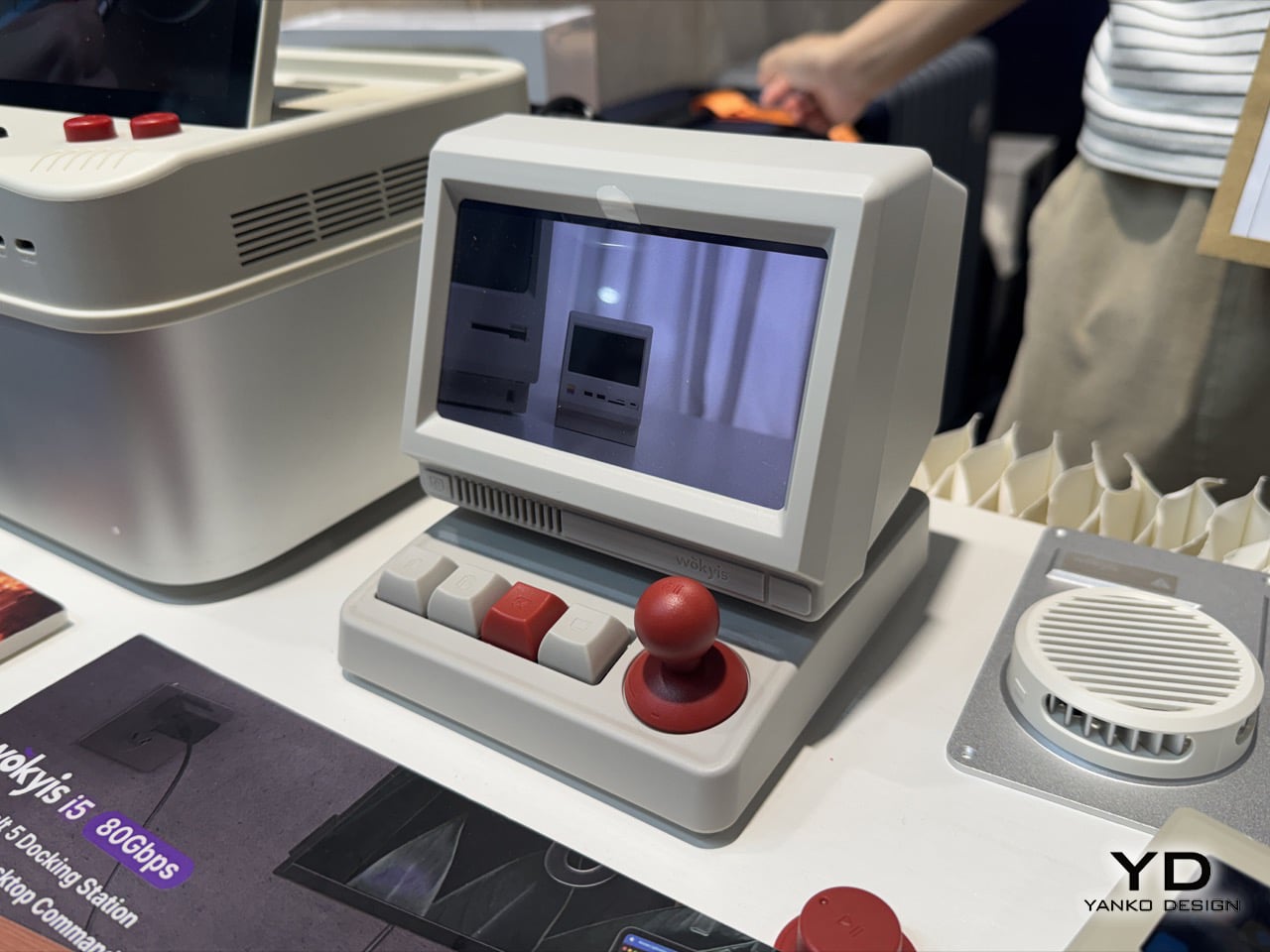
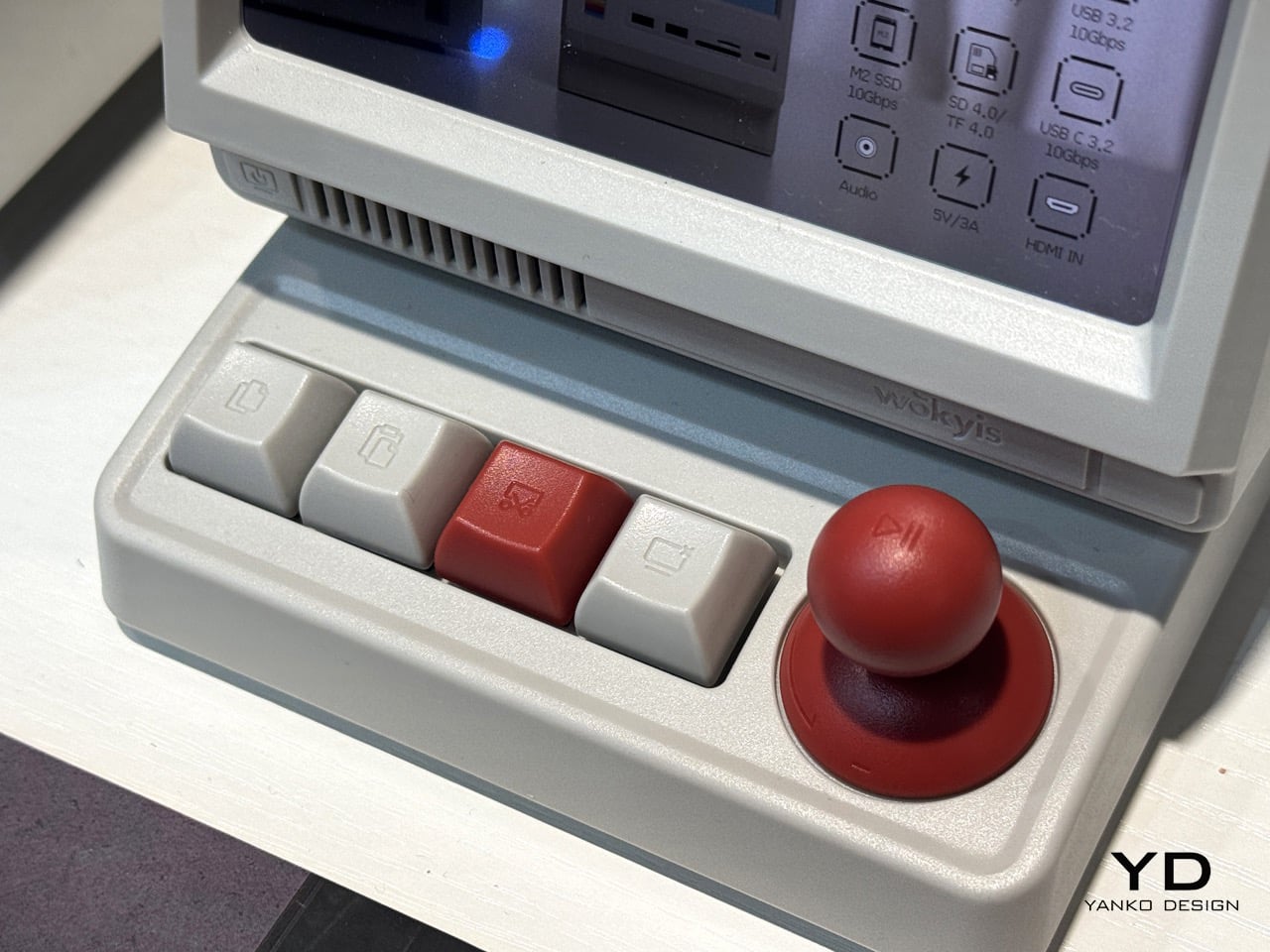
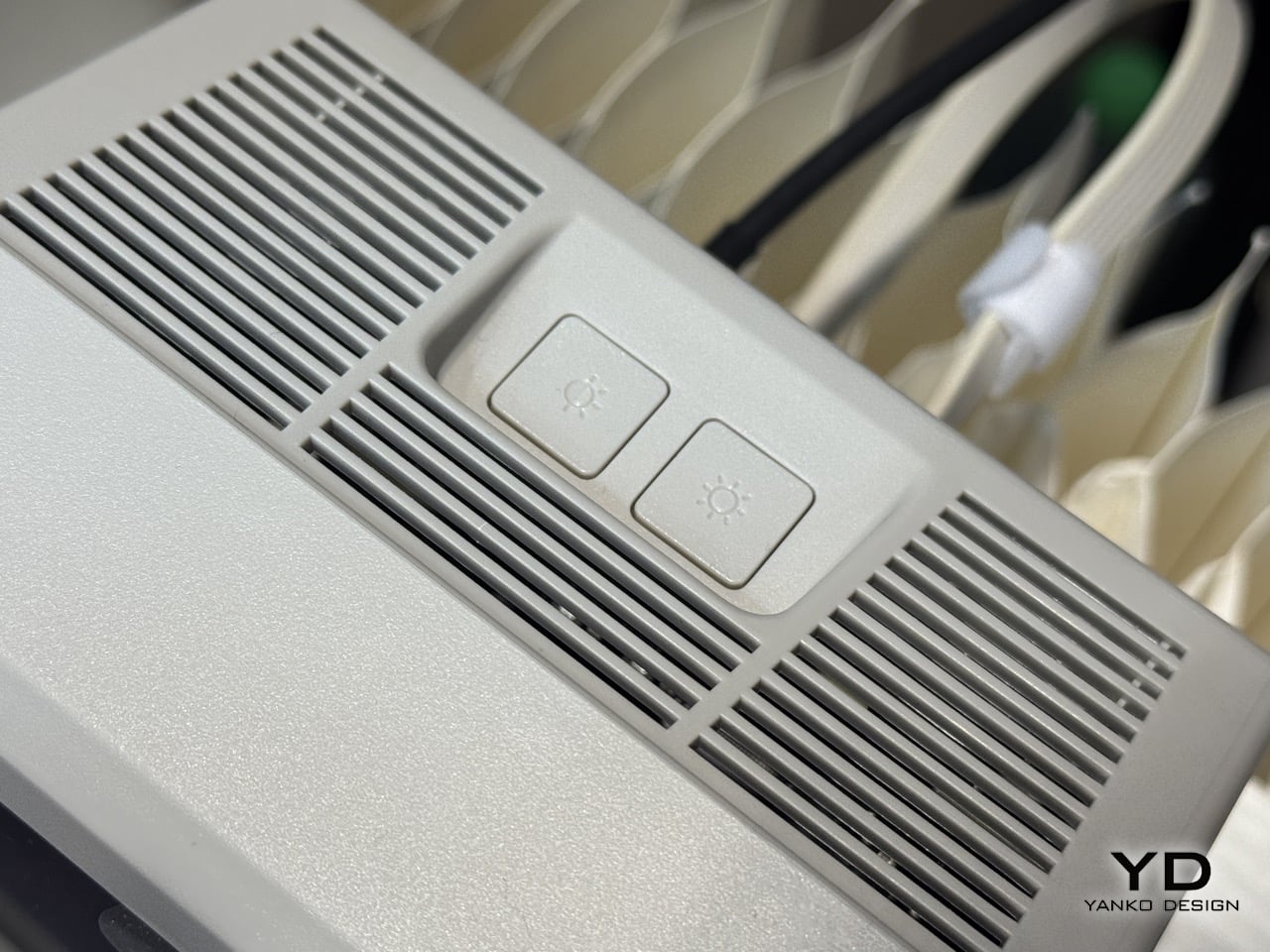
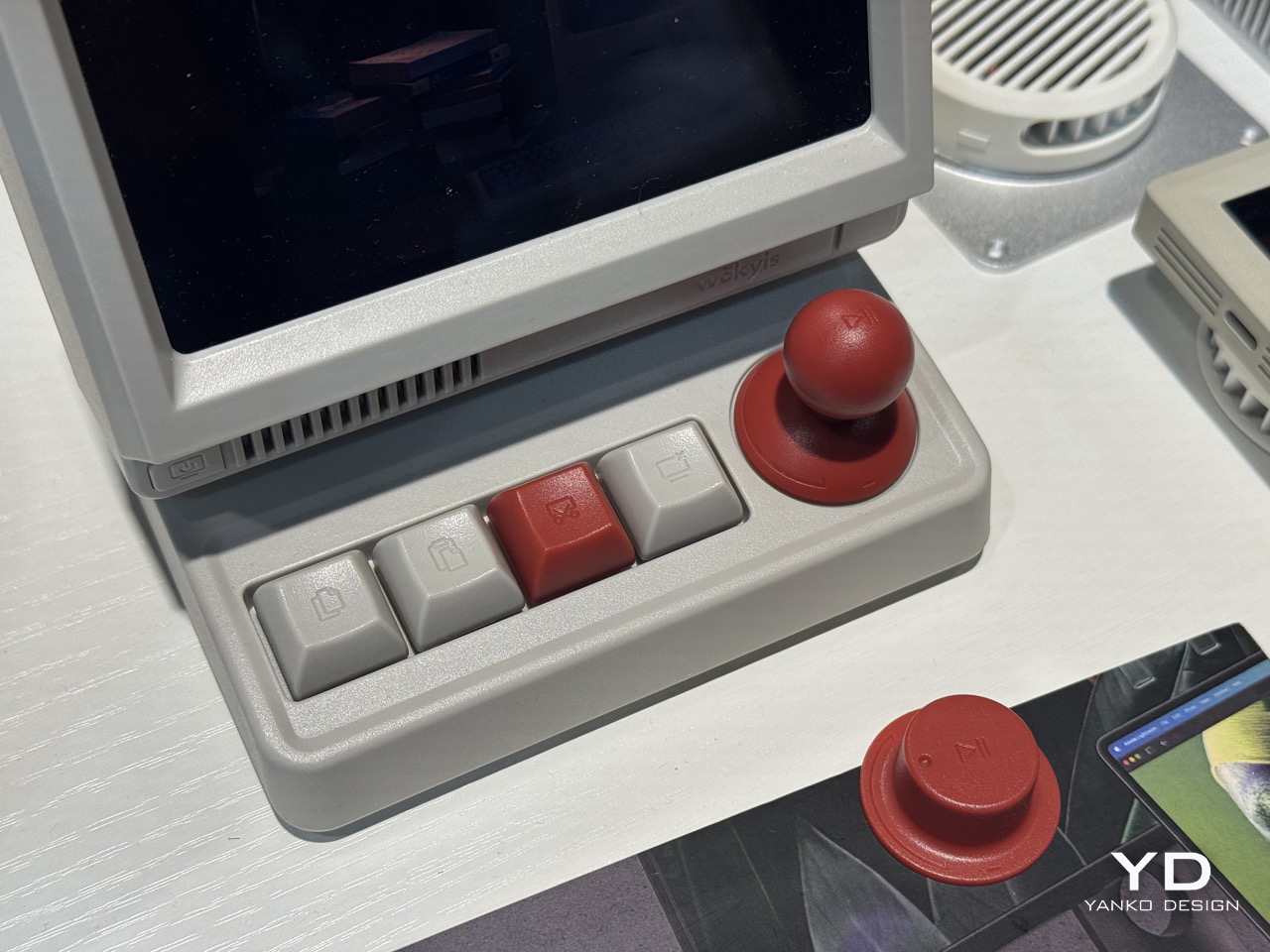
Everything on my desk right now is some shade of gray aluminum, and I’m starting to resent it a little. Every dock, every stand, every accessory wants to be a slab of cold metal that photographs well and feels like nothing in your hand. Wokyis clearly misses the old days too, back when computers were made of warm, slightly yellowed plastic that looked friendly instead of expensive. Their newest release, the i5, leans hard into that feeling, right down to the off white shell that actually looks like it wants to sit on your desk rather than intimidate it. It splits into two pieces, a tilted head up top holding a small screen, and a control deck below packed with real, clicky buttons.

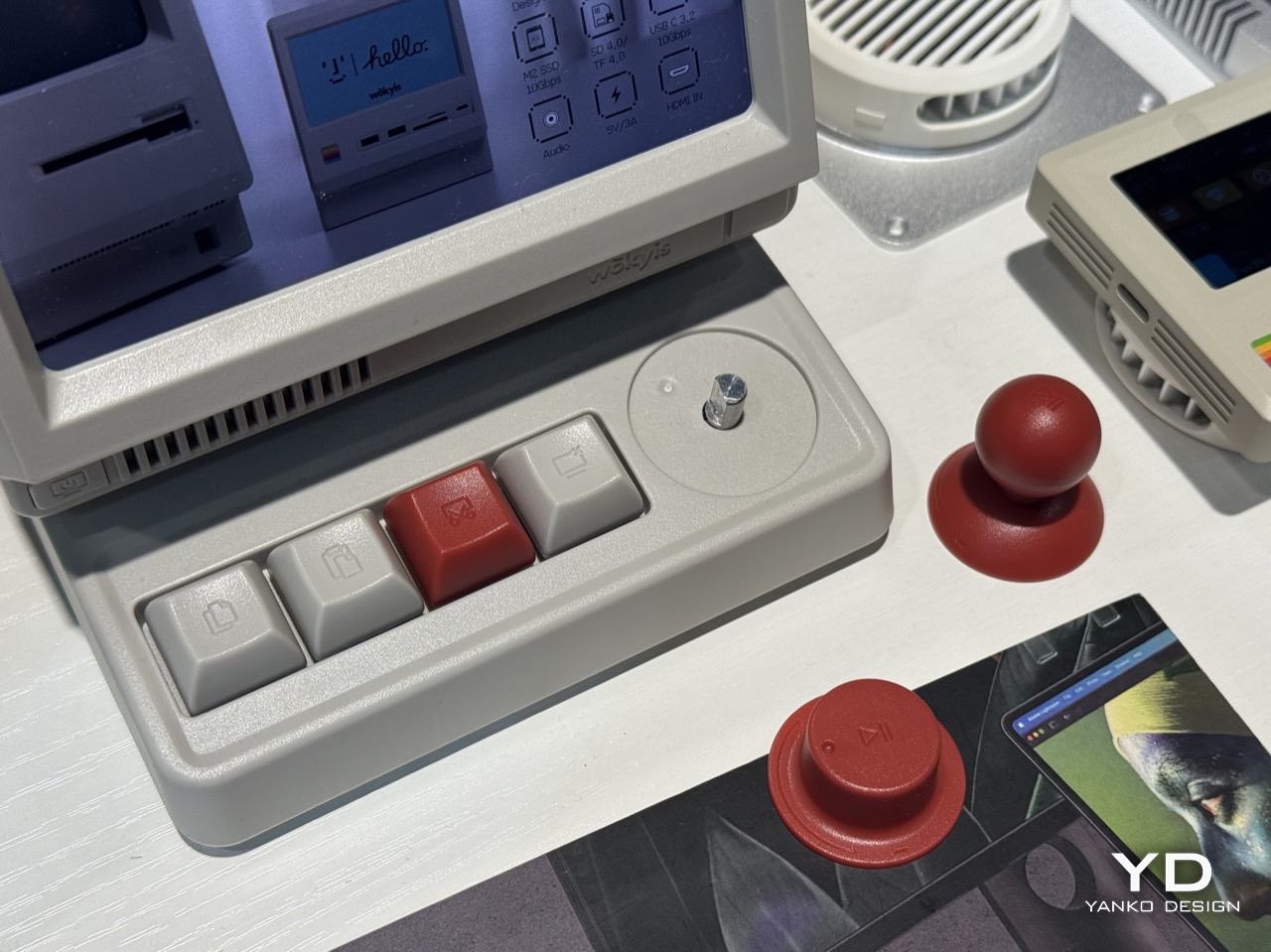
That plastic shell isn’t just a style choice, it’s basically the whole argument. Anodized aluminum is sleek, sure, but it’s also cold to the touch and forgettable within a week. This off white finish has warmth to it, the kind that made old Macs feel approachable instead of like expensive jewelry. Underneath the throwback shell, the i5 works as a genuine secondary display for your Mac or laptop, mirroring or extending your desktop, with four shortcut keys for copy, paste, screenshot, and screen lock, plus a central knob that clicks for play and pause and rotates for volume. Wokyis brought the 80Gbps Thunderbolt 5 version to IFA 2026 in Berlin, sitting above the 10Gbps model already selling on their site for $169.99.

Designer: Wokyis

The design lineage here is not subtle, and I mean that as a compliment. That tilted head sitting atop a boxy base is a direct nod to the original Macintosh and its compact successors, the machines that first convinced people a computer could look like a friendly little appliance rather than a beige filing cabinet. Wokyis isn’t the first accessory maker to borrow that silhouette, but the i5 commits harder than most, right down to a boot screen greeting that echoes the smiling Mac startup chime era without actually copying Apple’s own iconography. It’s homage rather than imitation, and it lands because the proportions genuinely feel considered instead of slapped together for nostalgia points.

The screen itself deserves a second look before you touch it, mostly because you can’t. It’s a 5 inch, 1280×720 IPS panel, sharp enough to sit next to a real monitor without embarrassing itself, but it skips touch input entirely. There’s no finger smudging that pretty glass, no accidental taps while you reach for your coffee. You either mirror your main display onto it or extend your desktop across it, treating it like a dedicated spot for a music player, a chat window, or scrolling lyrics while the rest of your screen stays clear. It’s a small, deliberate decision in a market obsessed with adding touch to everything, and it works because the i5 never pretends to be anything other than a second monitor.

The control deck below is where the personality really lives. Four mechanical keys handle copy, paste, screenshot, and screen lock, each one a satisfying, precision click that beats fumbling for a keyboard shortcut. The centerpiece is a chunky red knob that clicks down for play and pause, then rotates like a volume dial, doing the job of two separate controls without adding a second component. It’s tactile in a way that most modern hubs never bother with, and it turns a boring task like adjusting volume into something you almost look forward to doing.

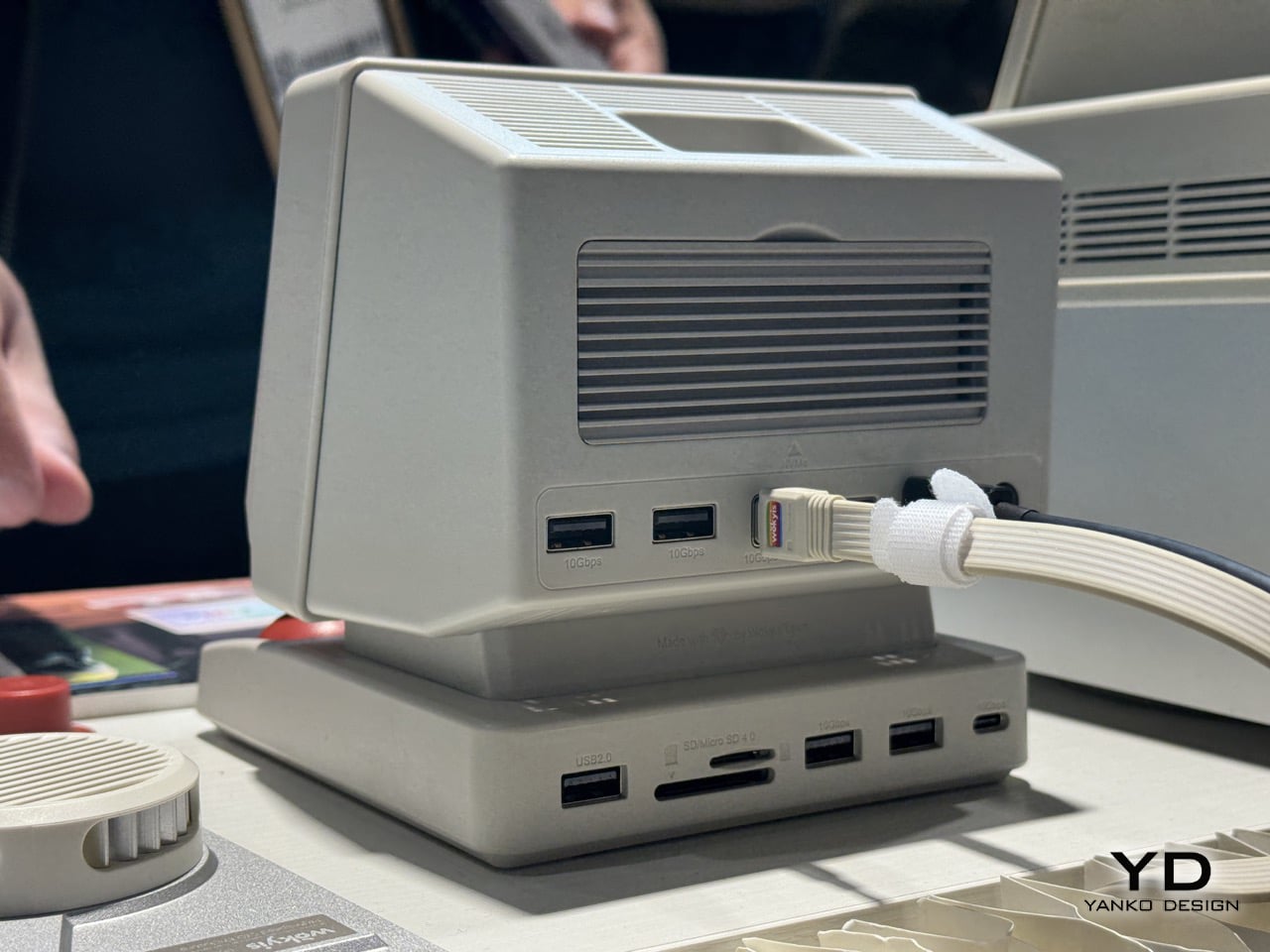
Connectivity is where the i5 earns its keep as an actual workstation rather than a desk toy. The 10Gbps model packs an M.2 NVMe slot good for up to 8TB, four USB-A ports, a USB-C port, simultaneous SD and microSD readers, a 3.5mm audio jack, and HDMI-in, all wrapped around a body that measures 145 by 131 by 154mm. The new 80Gbps Thunderbolt 5 variant shown at IFA presumably pushes that bandwidth ceiling considerably higher, though Wokyis hasn’t published pricing or a ship date for it yet.

I like that Wokyis is betting on plastic when everyone else is betting on metal, and I like it more that the bet actually pays off in how the thing feels to use. The i5 won’t replace your monitor and it isn’t trying to. It just wants to sit there, warm and a little goofy, doing real work while looking like it walked out of 1984. That’s a good trade.

The post This Macintosh-Inspired Hub Adds SSD Storage, Ports, Shortcuts, and a Mini Screen: Hands-on at IFA 2026 first appeared on Yanko Design.

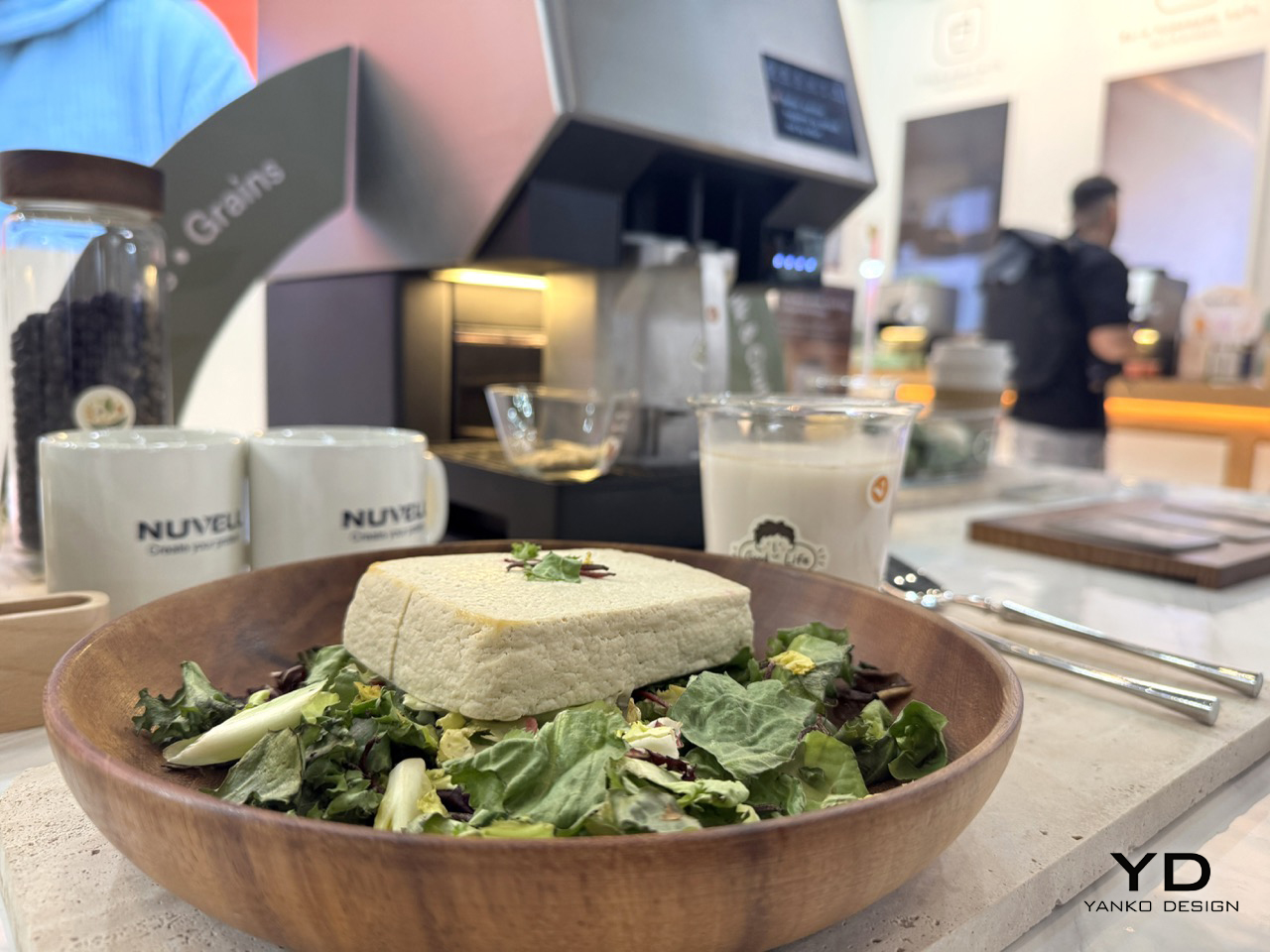
Fresh Plant Milk and Tofu From Scratch? Nuvell’s Tabletop Kitchen Appliance Does Both: Hands-on at IFA 2026

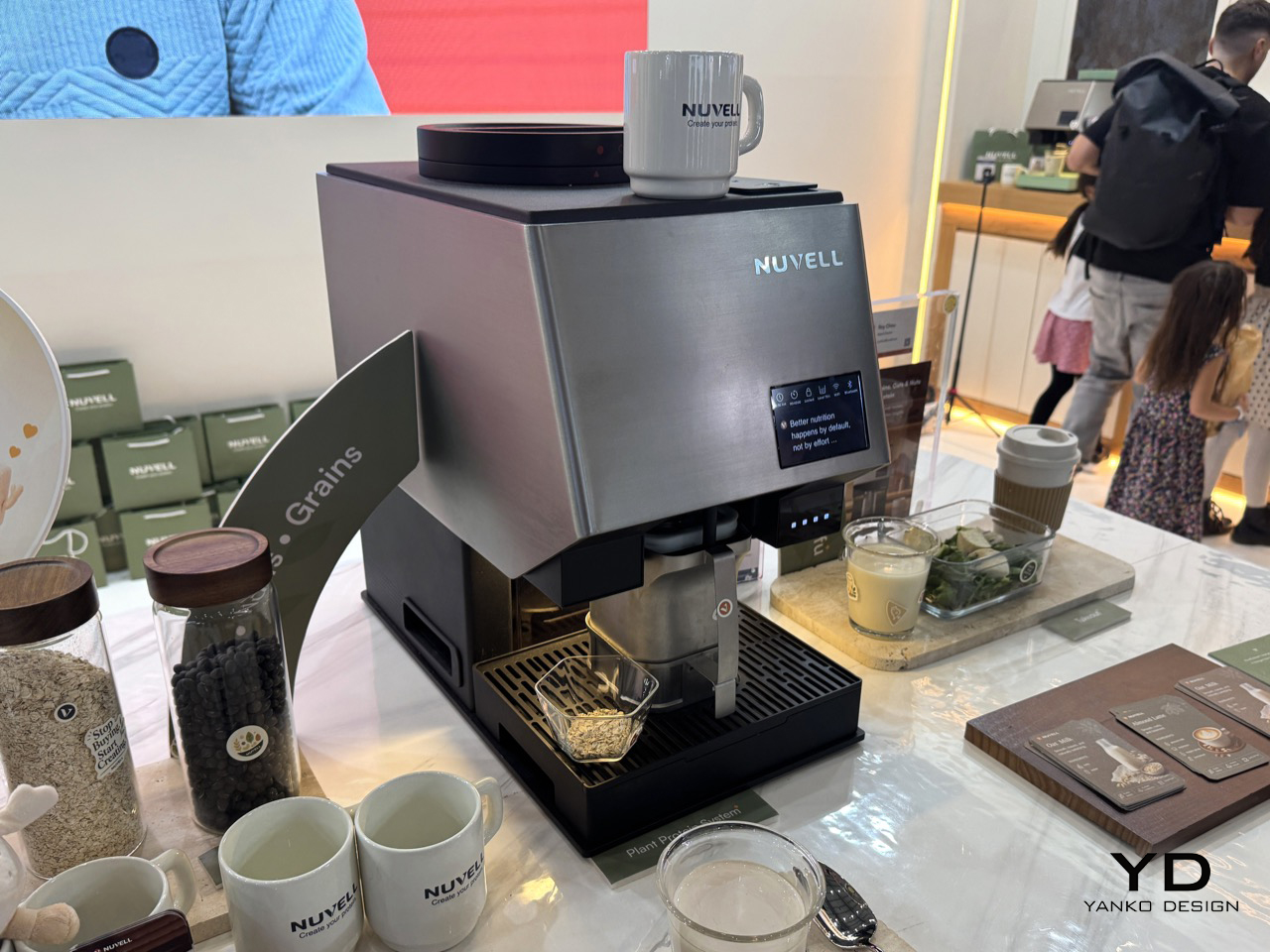
I will admit it outright, I have never once thought about how tofu gets made, the same way most people never think about how gasoline gets made, it is just there, cold and vaguely virtuous in the produce aisle. Roy Chou, brand director at a young company called Nuvell, wants to change that, one countertop machine at a time. At IFA Berlin 2026, his team unveiled the Plantein, built like a superautomatic espresso machine, dial and touchscreen included, except it turns soybeans into warm, fresh tofu in about forty minutes instead of a shot. It also whips up plant milk from oats, almonds, or soy in roughly twenty, no soaking. Chou walked me through it like a proud parent, and I genuinely wanted one on my counter by the end.

The mechanics are simpler than they sound, soybeans and water go in one side, a natural coagulant Chou described as an ocean derived salt goes in too, and heat and pressure do the rest. That coagulant is almost certainly nigari, the traditional Japanese setting agent, which explains why Chou insisted the texture comes out cleaner and sweeter than gypsum set blocks. Firmness gets dialed in by extending the cycle, and Chou hinted at flavored versions already tested in-house, a matcha batch and a berry one meant for dessert. Pre-orders open at CES 2027, with a price tag within the $1000-$1300 range, according to Chou.

Designer: Nuvell

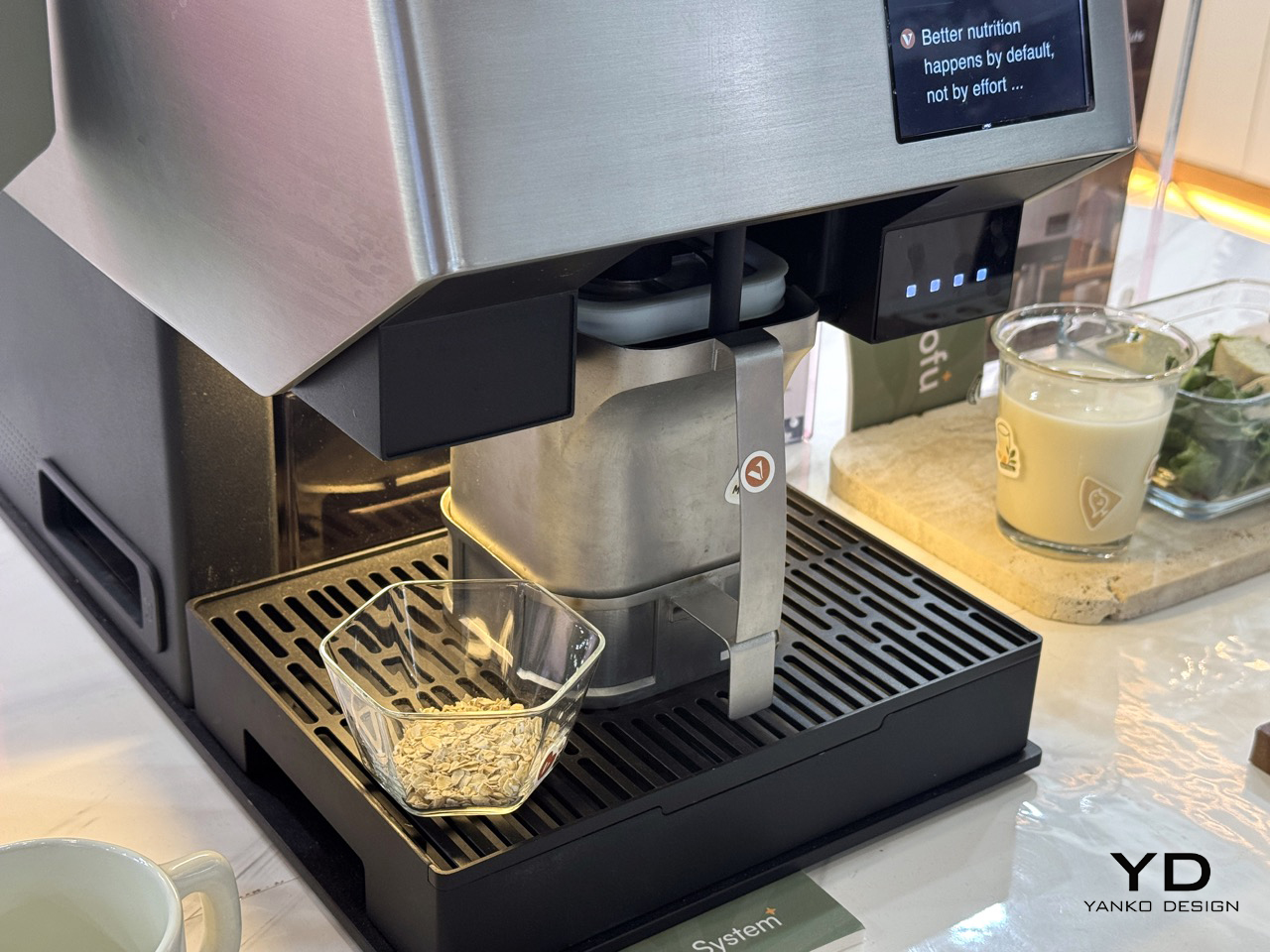
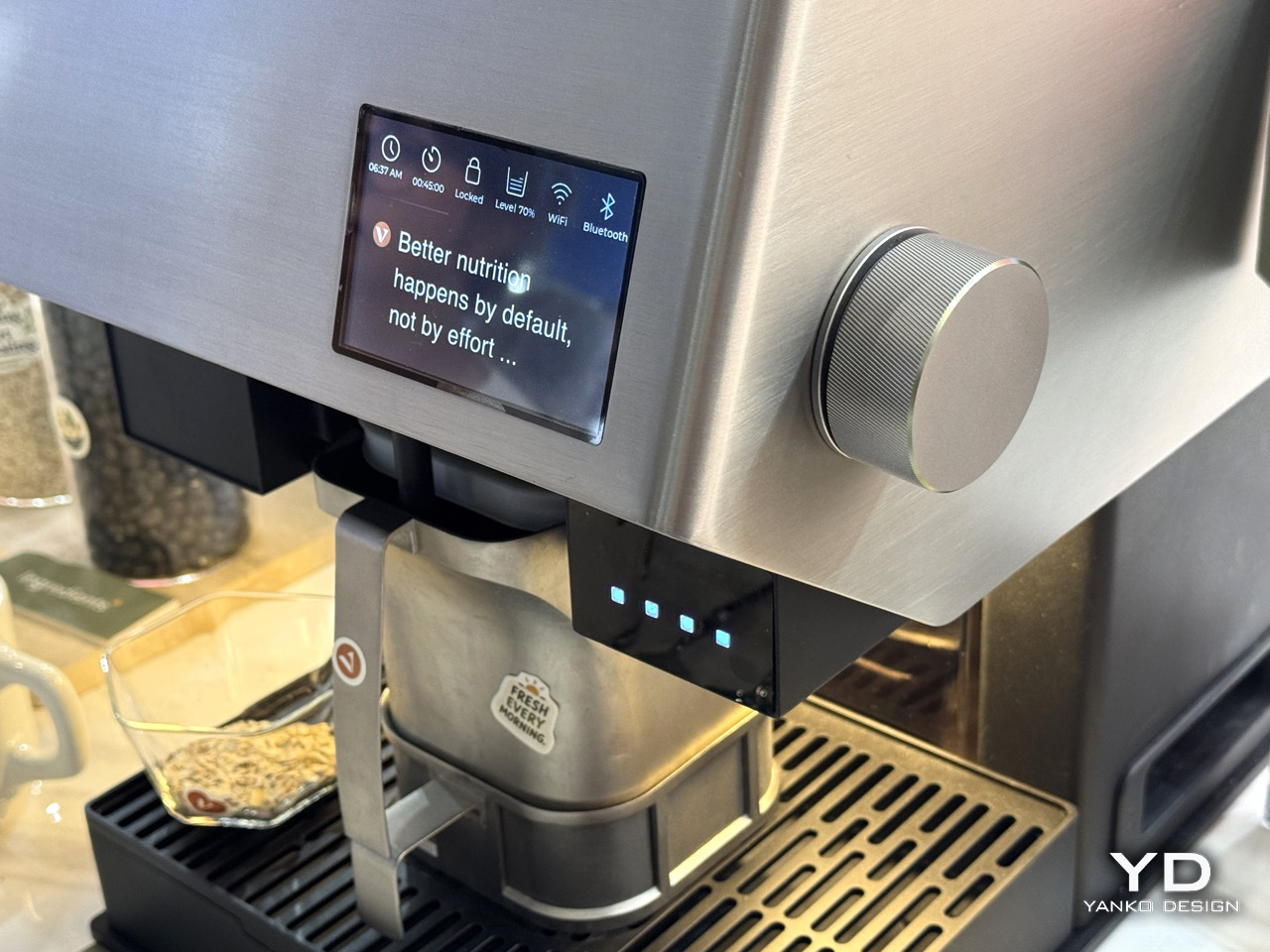
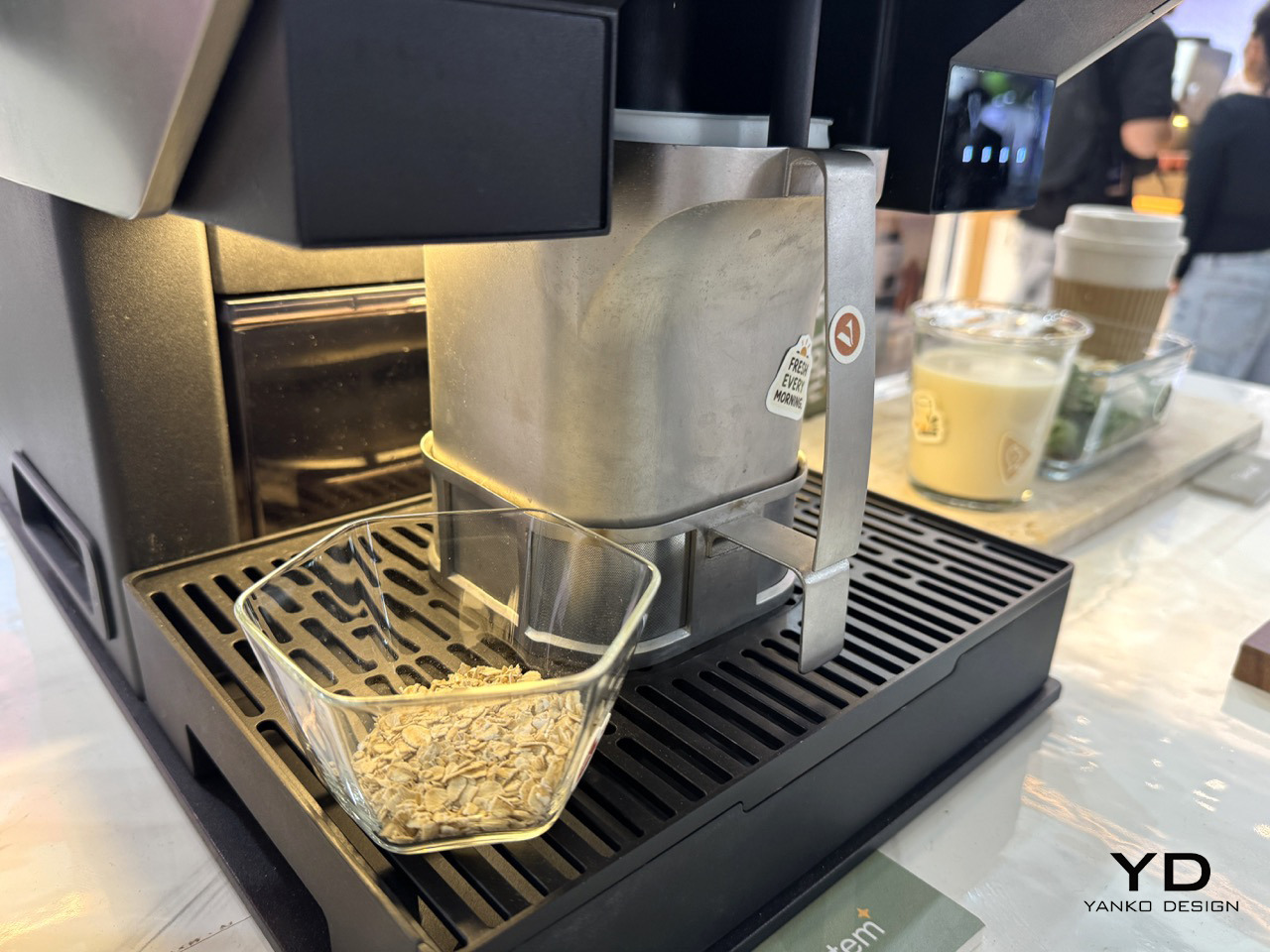
The Plantein wears a brushed stainless front over a matte black chassis, one knurled aluminum dial on its cheek, a small touchscreen up top, and a mug parked on a warming plate exactly where a cappuccino would sit. A swing arm lever holds the press module over a slotted drip tray, and the whole assembly detaches for cleaning the way a portafilter does. It is a smart borrow, since home tofu making has always meant cloth, a mold, and a stack of cookbooks, not an appliance anyone photographed. Leaning on Jura and Breville’s design language buys instant kitchen credibility, even if the guts underneath do something completely unrelated to coffee.

Where Chou got genuinely animated was flavor. He described testing a matcha batch and a ginger and berry version meant to be eaten as dessert, which tracks with how tofu already behaves across Asia, where silken curds get blended into smoothies and sweetened into douhua rather than treated as a meat substitute. That framing does more marketing work than anything else Nuvell said at the booth, since most Western buyers only know tofu as the bland cube used in stir fries and to make plant bacon. It’s only in the past few years that Food YouTubers have extolled the virtues of blending silken tofus to make low-carb high-protein pasta sauces or dessert mousses.

Fully automatic bean to block tofu machines already exist, they just live in commercial kitchens and food plants, built at fifty liter scale for canteens rather than countertops. What Nuvell is actually pulling off, and it is a genuinely new trick, is shrinking that whole process down into something that fits next to your coffee grinder. Pre-orders open at CES in Las Vegas this coming January, with units shipping around February, so the wait is short enough to actually stay excited for. If Chou’s numbers hold, forty minutes for warm tofu and twenty for plant milk turns a genuinely tedious kitchen chore into something you queue up before a shower. I am already thinking about what a matcha version tastes like on toast, and that is a very good sign for a machine that has not even shipped yet.

The post Fresh Plant Milk and Tofu From Scratch? Nuvell’s Tabletop Kitchen Appliance Does Both: Hands-on at IFA 2026 first appeared on Yanko Design.

5 Lamps Designed for Homes That Don’t Have Room for a Regular Light Fixture

Lighting has evolved beyond basic illumination and has become a flexible, interactive element in modern spaces. As interiors become more compact and multifunctional, designers are prioritizing lightweight, adaptive solutions that respond to changing needs and enhance usability and atmosphere without adding visual or physical heaviness.

For contemporary users, especially Gen Z, lighting is expected to be portable, customizable, and sustainable. This shift is encouraging innovation in materials and systems, allowing lighting to function as a practical necessity and a design feature that supports emotional comfort, spatial clarity, and a more conscious approach to everyday living.

1. Inflatable and Programmable Lighting for Dynamic Use

Lighting design is increasingly focused on flexibility, with solutions that can be easily transported, installed, and reconfigured across different environments. Lightweight construction allows fixtures to adapt to spatial changes, making them suitable for compact homes, creative studios, and temporary setups where mobility and ease of use are essential.

Programmable features further enhance adaptability by enabling control over brightness, color, and ambiance. These systems allow users to tailor lighting to specific activities or moods, ensuring a personalized experience. The combination of physical flexibility and digital control reflects a shift toward responsive, user-centered lighting environments.

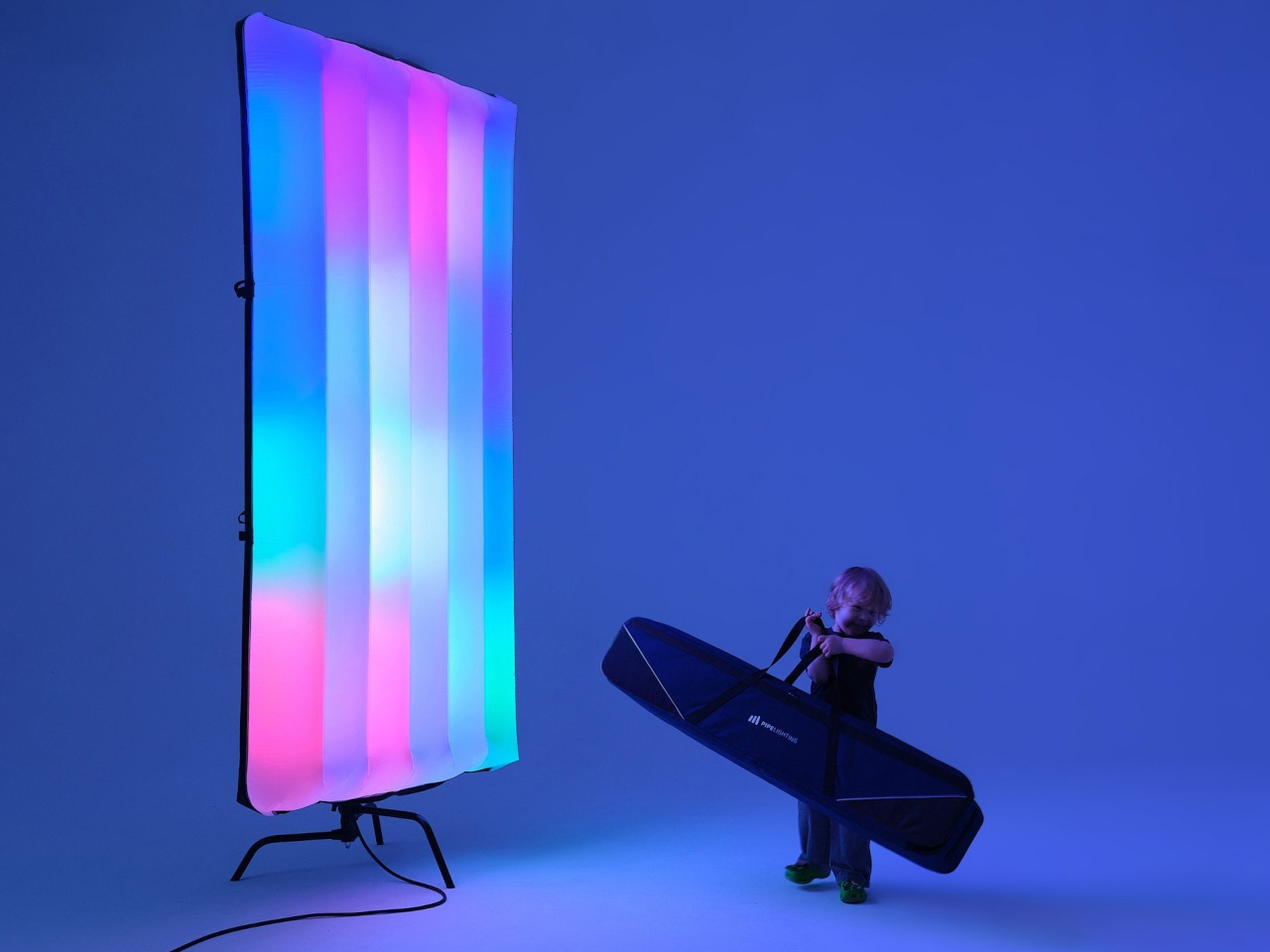
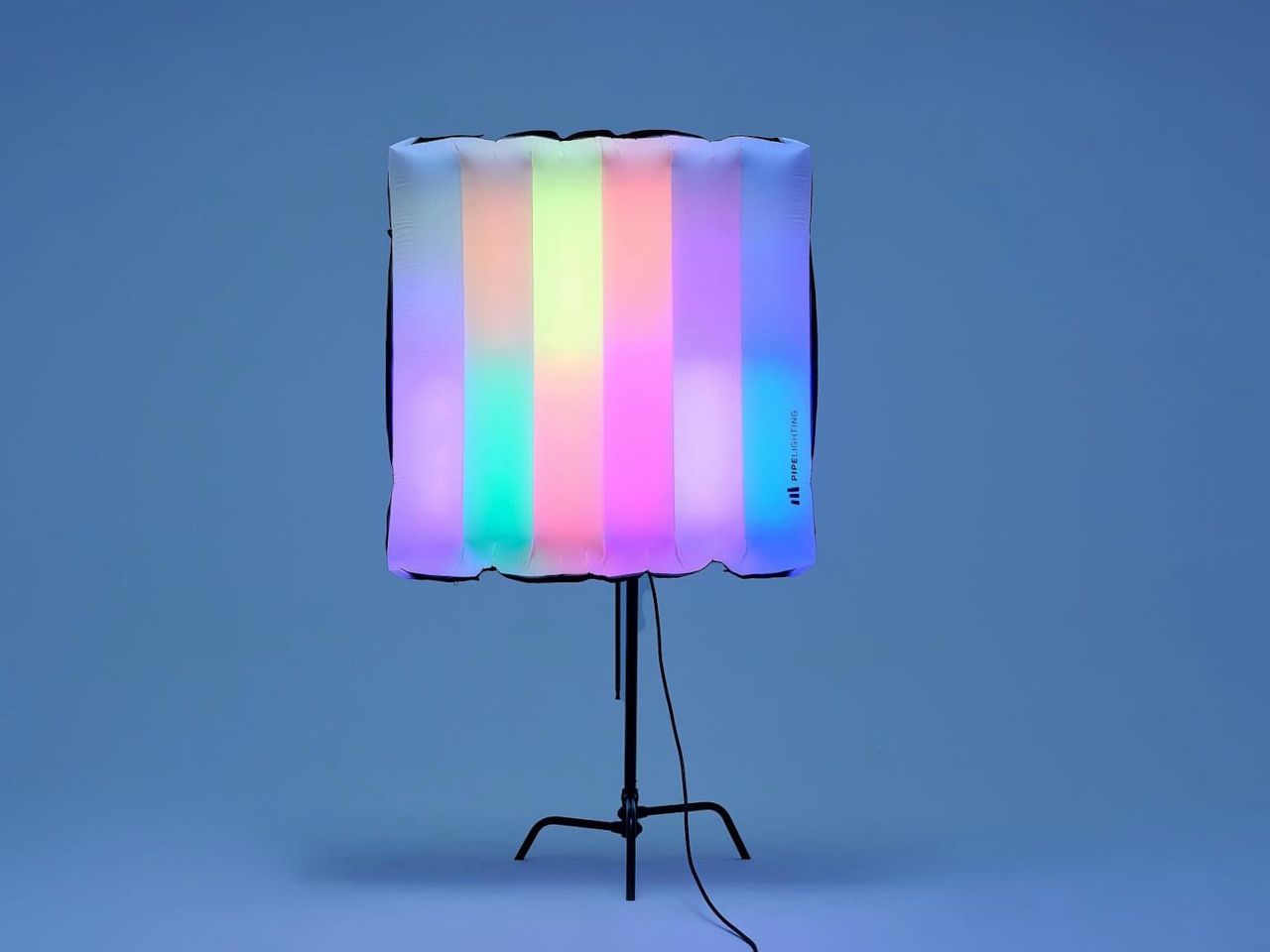
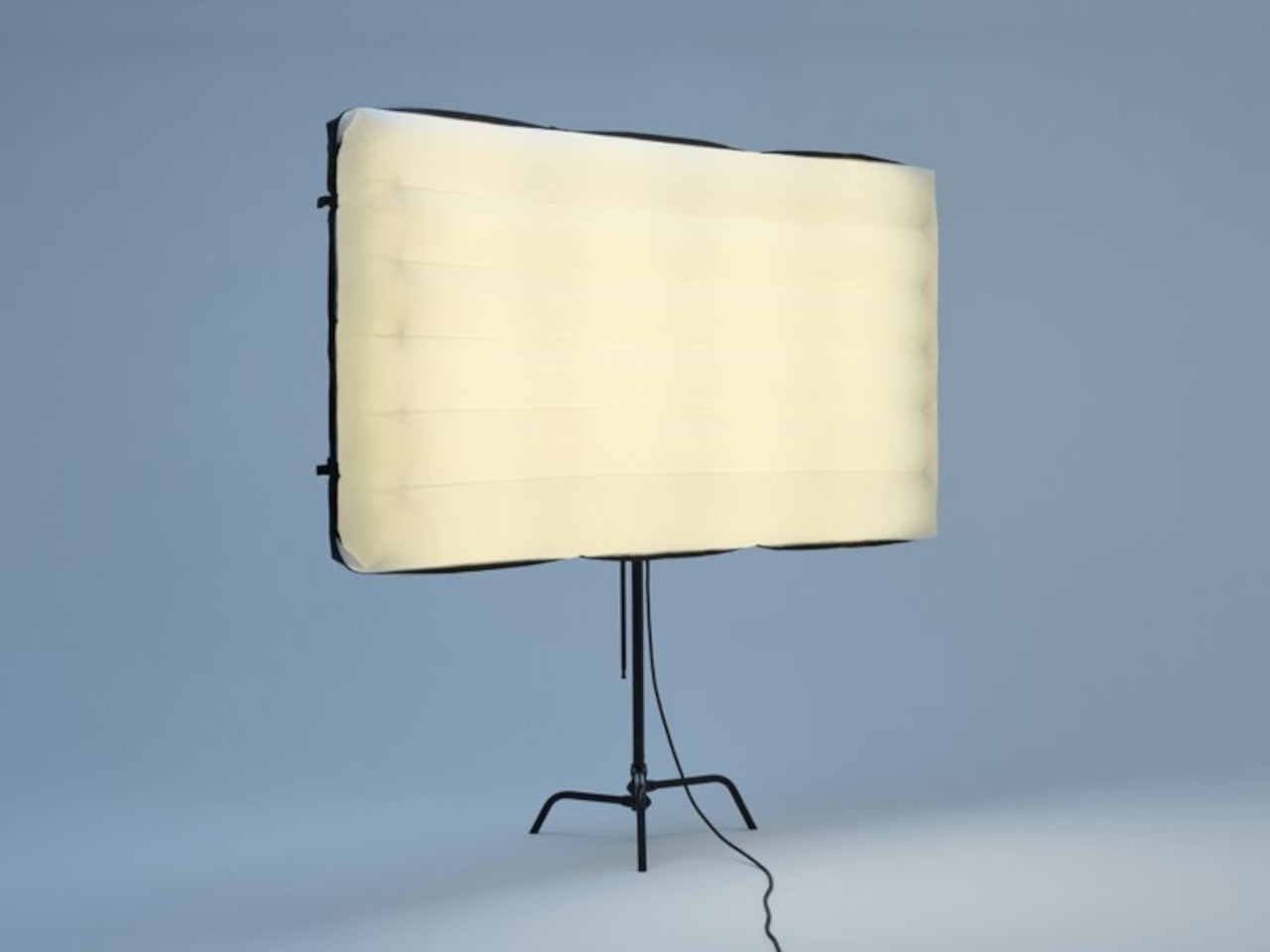
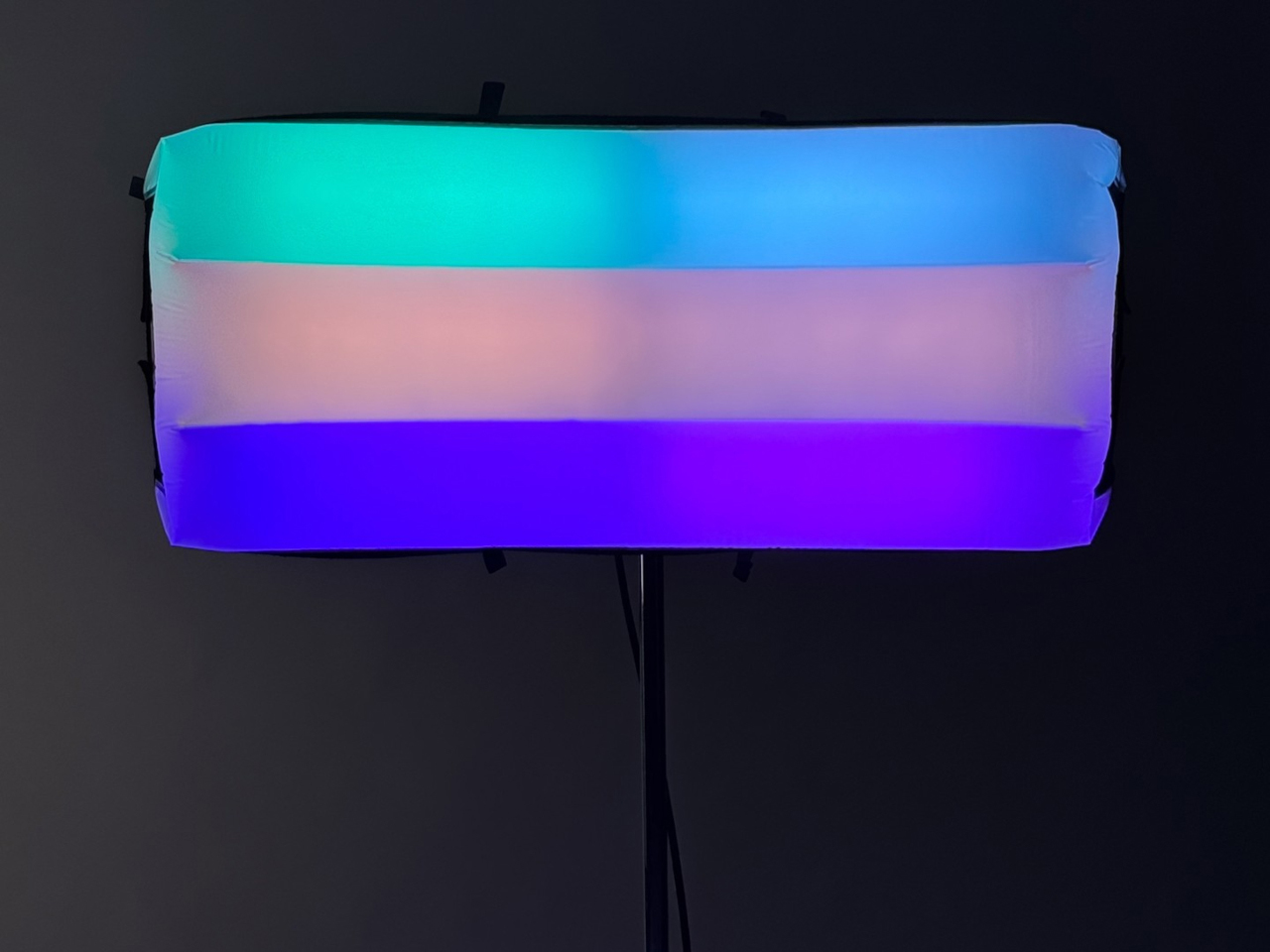
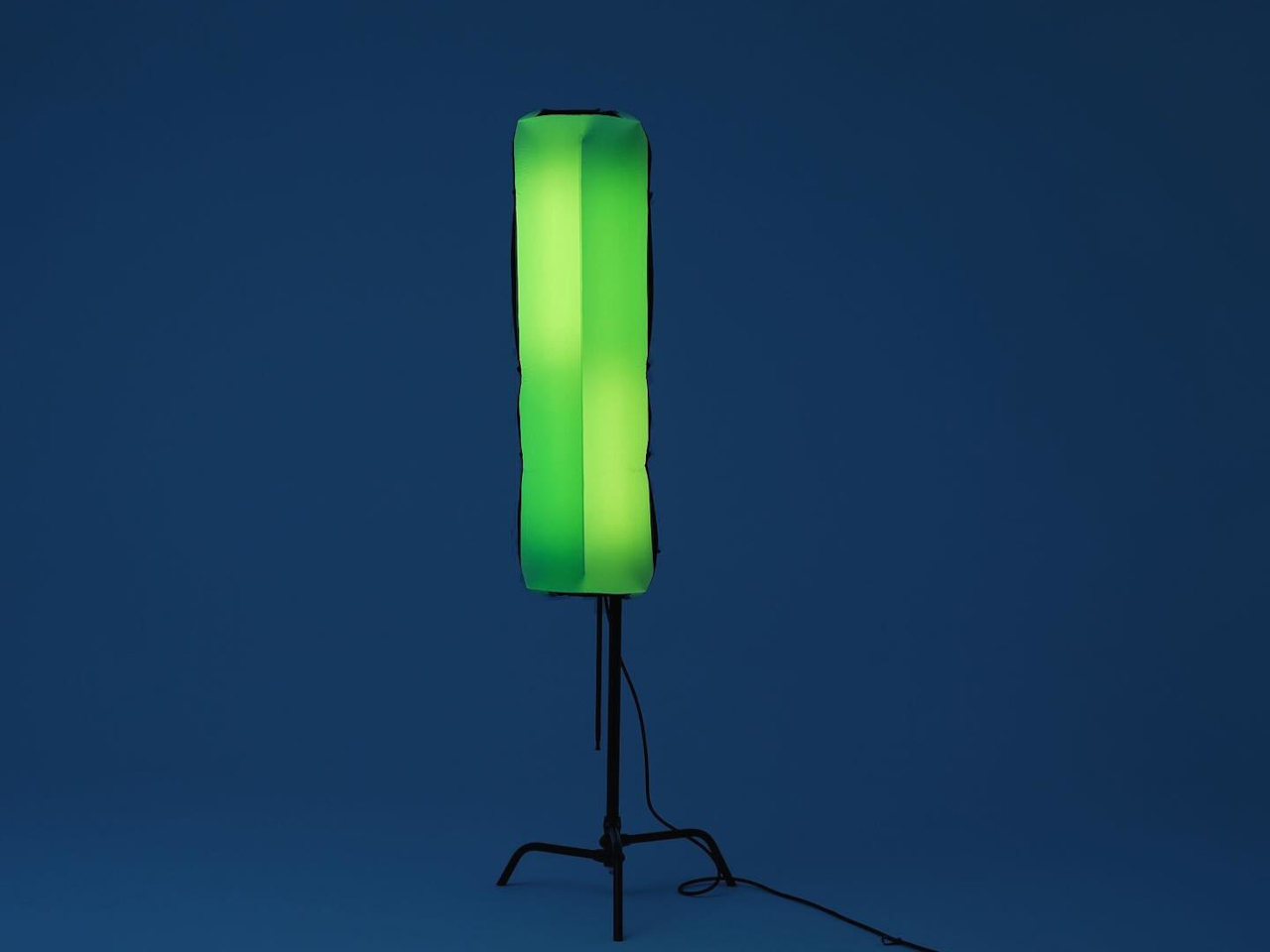
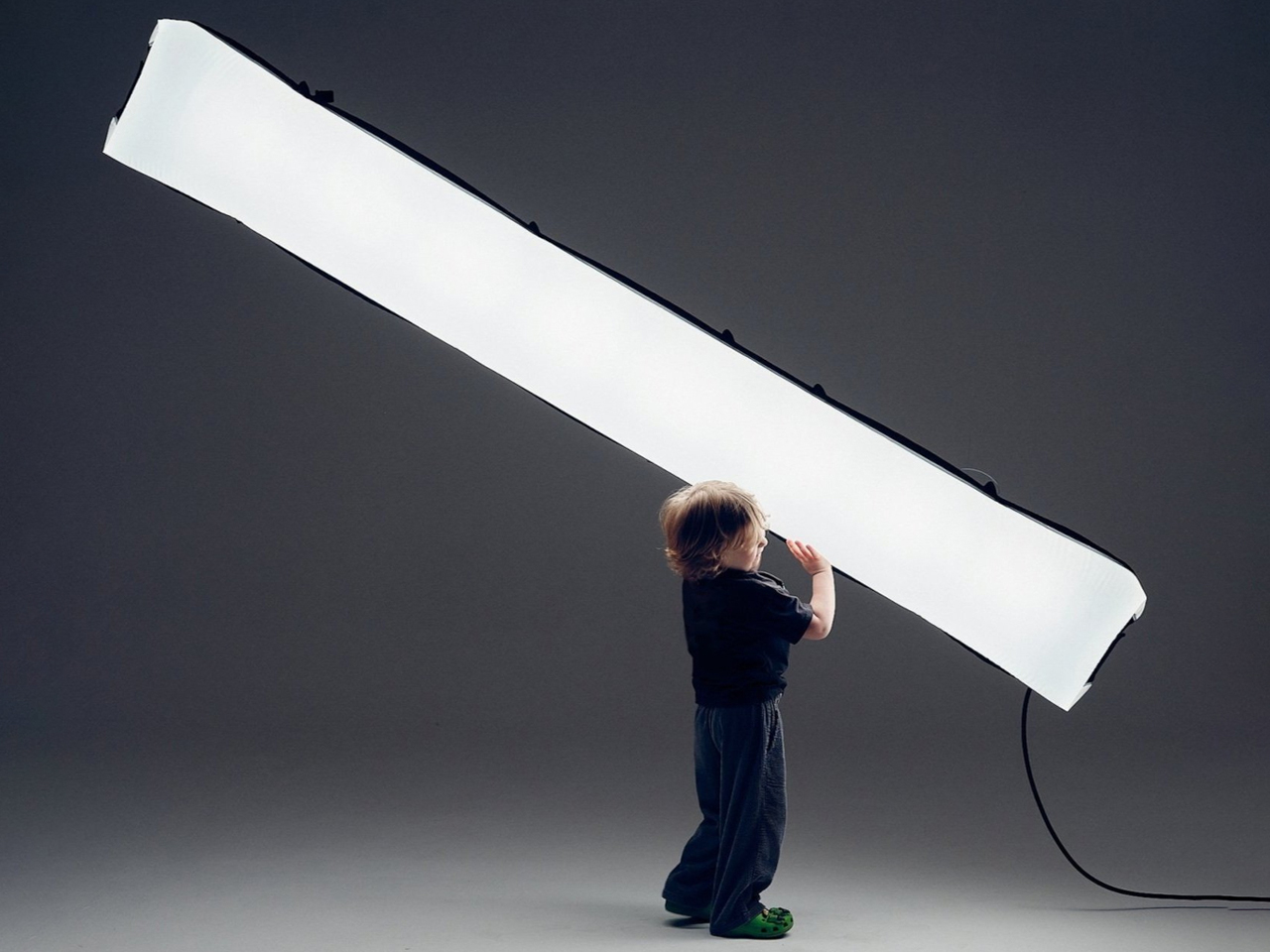
ColorPipes introduces a new approach to film lighting by combining lightweight construction with high-performance output. Designed for filmmakers and content creators, these inflatable lighting systems address common challenges associated with traditional setups, such as heavy equipment, complex installation, and limited mobility. Their compact, air-filled structure allows for easy transport and quick deployment, making them especially suitable for dynamic shooting environments and remote locations. Despite their minimal weight, they deliver strong, consistent illumination, enabling professional-quality results without the logistical burden typically associated with conventional lighting rigs.

Equipped with advanced RGBWW technology, ColorPipes offers precise control over color and brightness, allowing creators to shift seamlessly between functional lighting and expressive visual effects. Their durable, waterproof construction ensures reliable performance across varied conditions, including outdoor and wet environments. Wireless control options further enhance usability, enabling real-time adjustments during shoots. With an efficient power-to-weight ratio and fast setup, these systems streamline production workflows while maintaining creative flexibility, redefining how lighting is used in modern visual storytelling.

2. Gravity-Shaped Forms and Material Efficiency

Designers are exploring how natural forces such as gravity can influence the form of lighting objects, reducing reliance on rigid structures and excess materials. This approach allows materials to behave more freely, resulting in softer, more organic shapes that feel natural within contemporary interior environments.

By embracing material efficiency, these designs minimize waste while maintaining structural integrity and visual appeal. The outcome is lighting that feels intuitive and balanced, reflecting a broader movement toward sustainable design practices that prioritize resource optimization without compromising on aesthetic or functional quality.

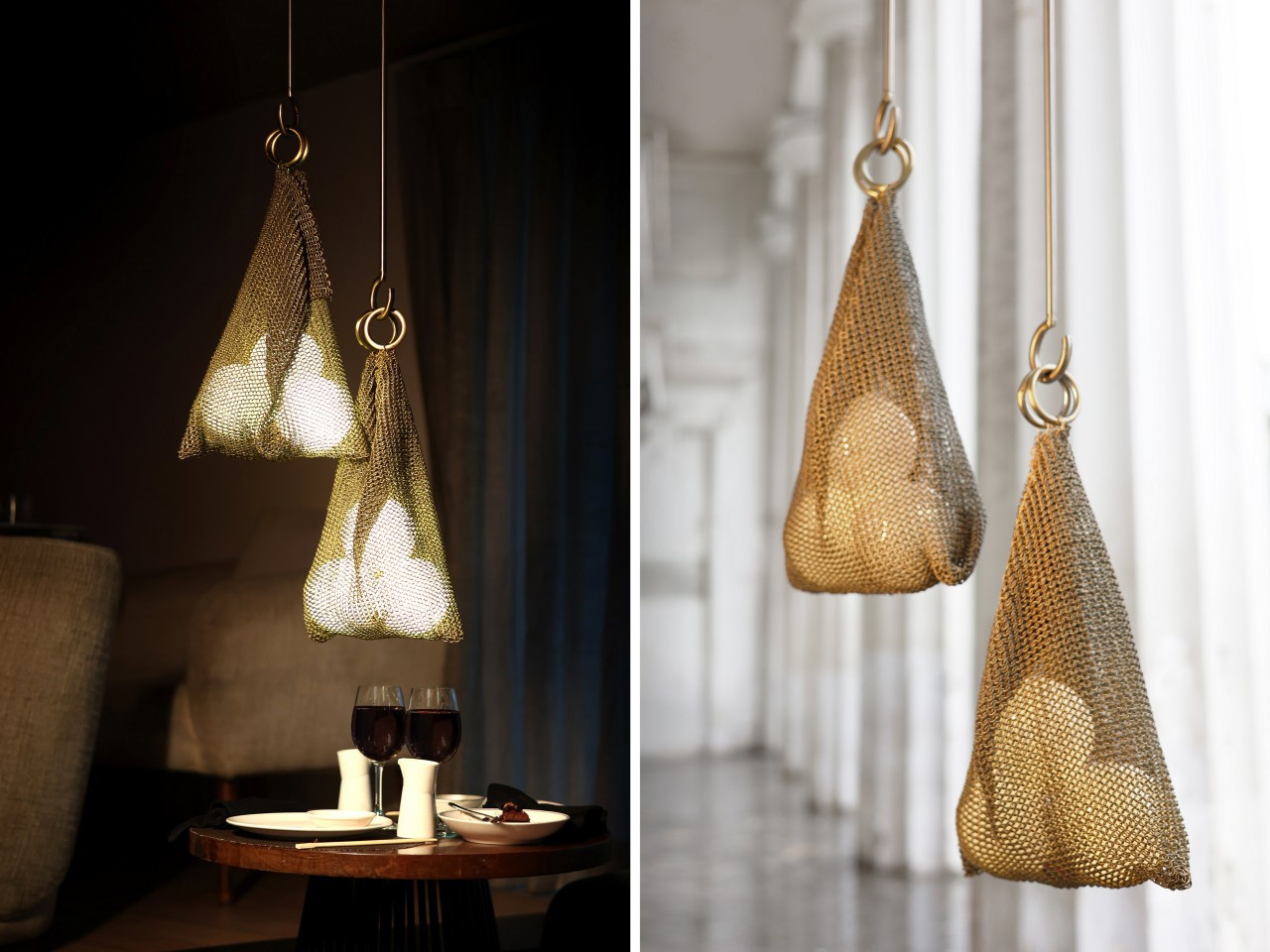
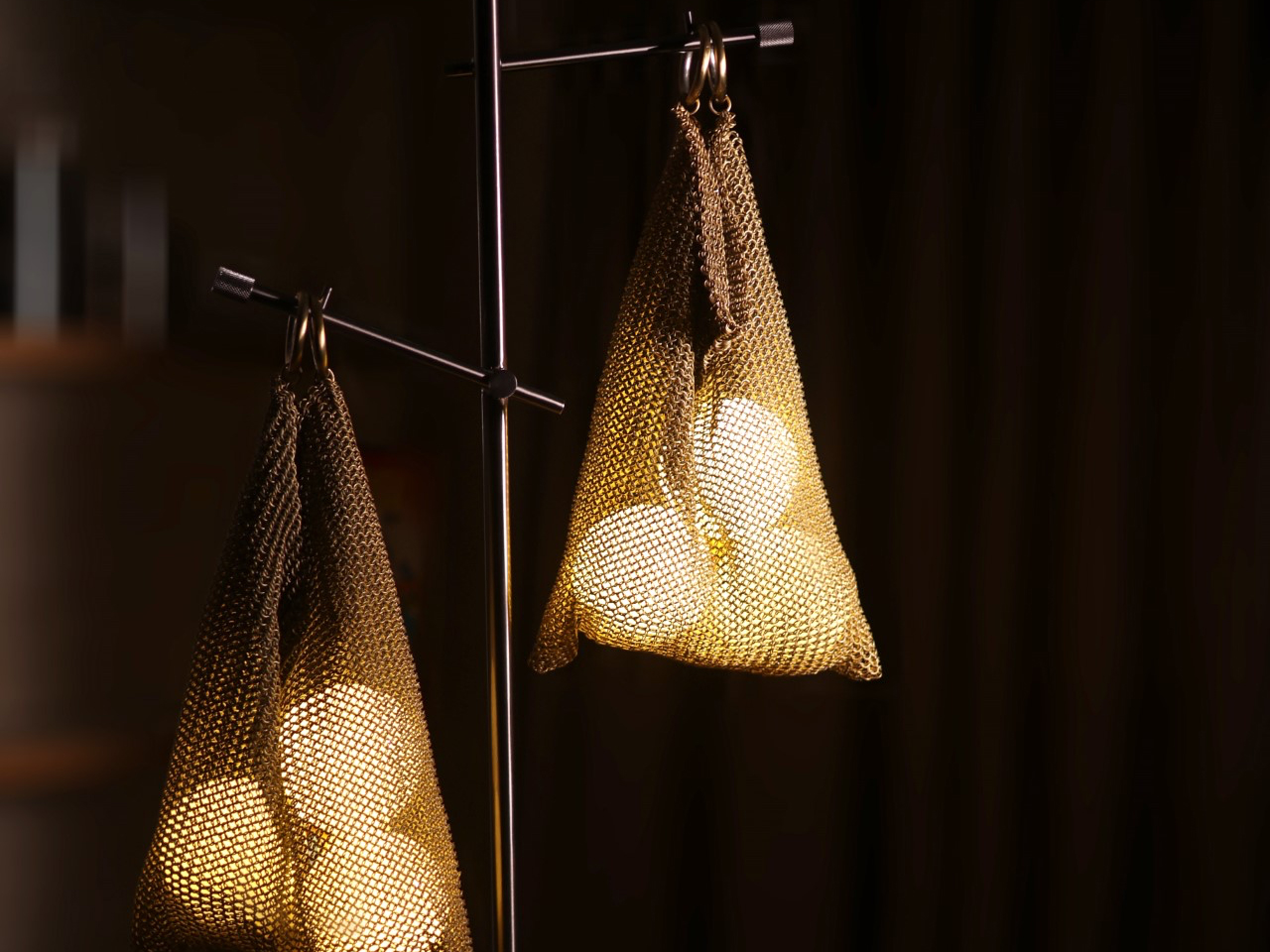
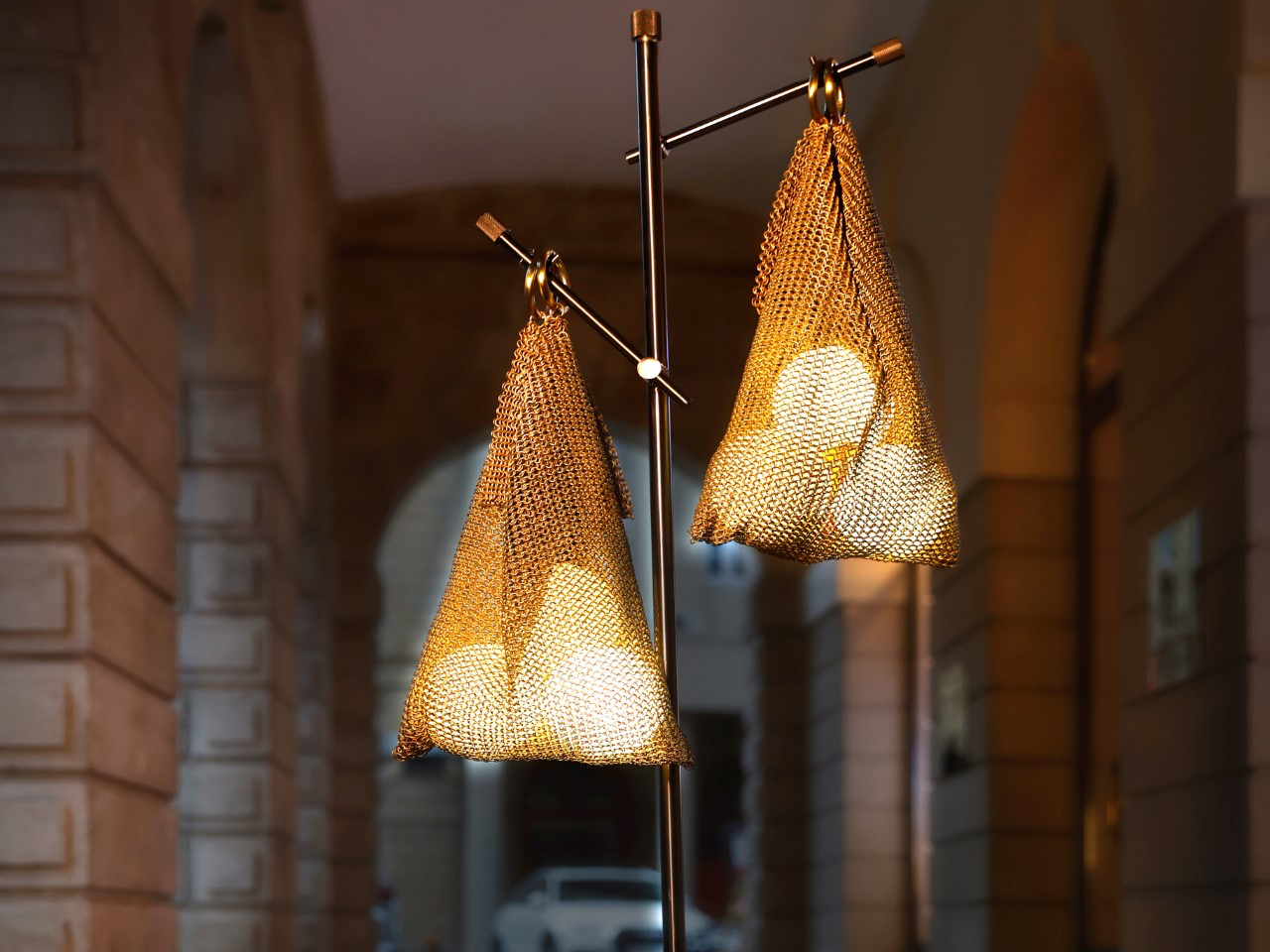
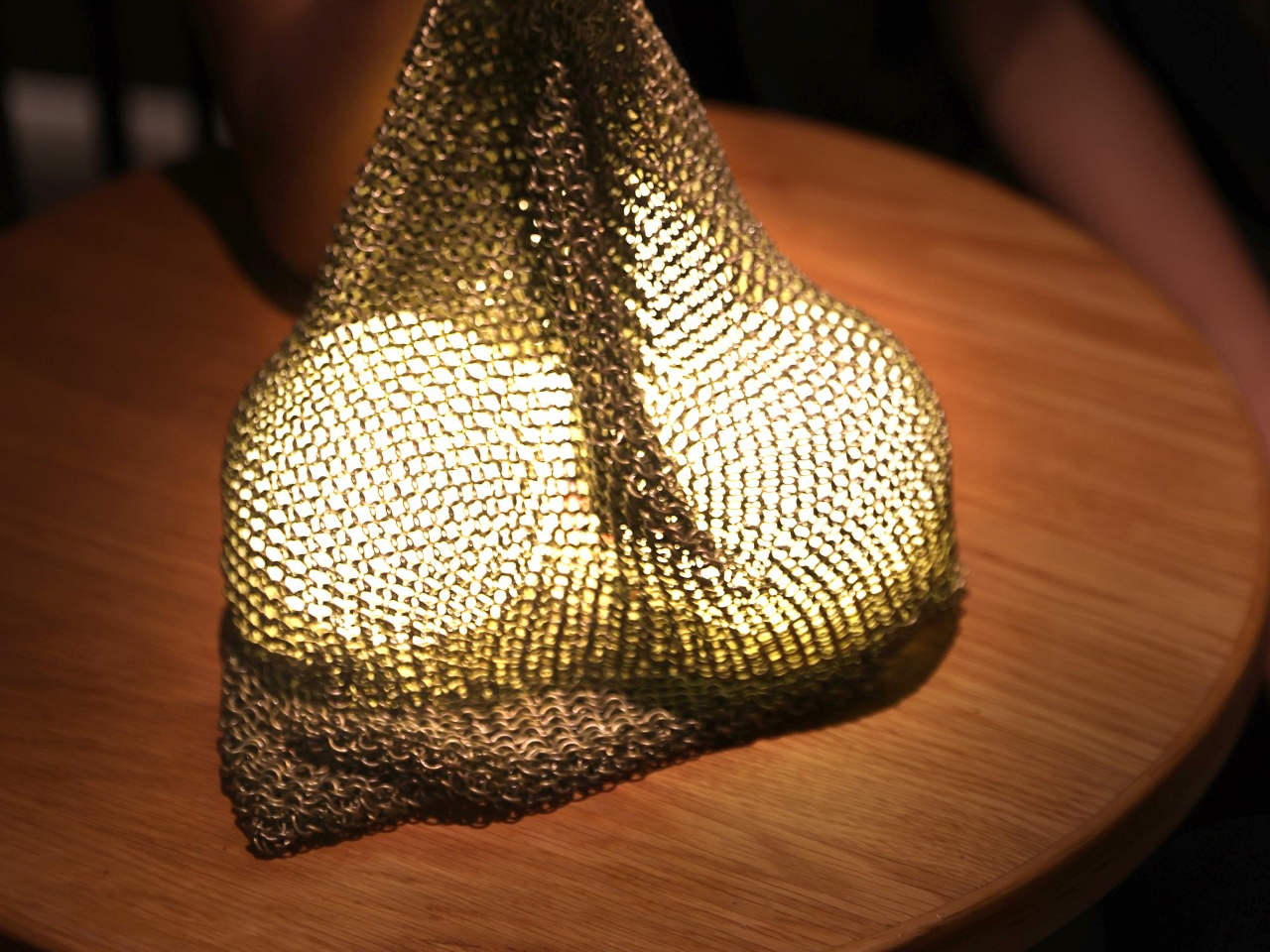
The Tote lighting piece, designed by Rhea Mehta, redefines how form and function interact in contemporary lighting design. The design allows gravity and internal elements to shape its appearance. A woven metal form encloses glowing glass orbs that both emit light and influence the structure’s fluid silhouette. This results in a dynamic object that feels soft and fabric-like, despite its metallic construction. The absence of visible industrial components such as exposed wires or fixtures enhances its sculptural quality, making the light appear seamless and almost illusory.

The design emphasizes craftsmanship and innovation through a concealed cable system that powers the orbs without disrupting the visual integrity. Each component, including the frame, the woven structure, and the glass elements, functions independently while forming a cohesive whole. The adaptable form allows the piece to shift between different lighting typologies, including pendant, table, or pedestal use. By combining high-quality materials with precise engineering, the design achieves aesthetic refinement and functional performance, presenting lighting as an expressive and evolving object rather than a static fixture.

3. Responsive and Autonomous Lighting Experiences

Lighting systems are becoming more intelligent, incorporating sensors and smart technologies that allow them to respond to user presence and environmental changes. These systems adjust automatically, reducing the need for manual control and creating spaces that feel more intuitive and comfortable for everyday use.

This responsiveness enhances both convenience and energy efficiency, as lighting operates only when required and adapts in real time. Such systems transform lighting into an active participant within a space, improving functionality while supporting a seamless and effortless user experience.

Artificial lighting has traditionally followed a fixed logic, installed in one place, requiring users to adapt around it. However, growing awareness of how light influences mood, sleep, and well-being is pushing designers to rethink its role. Ivana Nedeljkovska explores this shift through the conceptual Flying Moon & Sun, a lighting system that moves with the user rather than remaining static. Inspired by natural cycles, the design proposes a levitating, responsive light that adjusts its position and tone to suit human needs, offering a more intuitive and human-centered approach to illumination.

The concept features two floating glass orbs, one warm-toned and one cool, representing the sun and moon, each aligned with different phases of daily activity. Using magnetic levitation, the orbs hover above a base, reinforcing the idea of mobility and detachment from fixed placement. Designed to support circadian rhythms, the lighting transitions between energizing and calming effects. This adaptive movement also enhances accessibility, particularly for users who benefit from responsive environments. By removing controls and focusing on behavior, the design uses lighting as a supportive, almost natural presence within everyday life.

4. Integrating Architectural Lighting Elements

Lighting is increasingly being integrated into architectural components, moving beyond standalone fixtures. Walls, ceilings, and structural surfaces are designed to incorporate illumination, creating cohesive environments where light becomes an inherent part of the built form.

This integration enhances spatial depth and visual continuity, allowing designers to create cleaner and more unified interiors. By merging light with architecture, spaces achieve a refined aesthetic where illumination supports function and the overall design language without visual clutter.

The illuminated brick system, developed by Omar Gandhi Architects in collaboration with Filo Timo and Aaline, reimagines the concept of wall-mounted lighting. These lights are embedded directly within masonry walls, becoming part of the structure itself. Designed to integrate seamlessly during construction, the units resemble standard bricks and blend into the wall when switched off. This approach eliminates the visual disconnect often seen with conventional wall lamps, creating a more cohesive and architectural lighting solution.

Constructed with a durable metal frame, the illuminated bricks are designed to support surrounding masonry while housing a concealed light source. A mesh covering diffuses the light, producing a soft, warm glow that subtly enhances the ambiance. Available in multiple finishes to match different wall tones, they can be used in interior and exterior settings.

5. Biological and Sustainable Lighting Materials

The shift toward sustainability is driving the use of renewable and biodegradable materials in lighting design. These materials reduce environmental impact while supporting the development of products that align with circular design principles and long-term ecological responsibility.

By considering the entire lifecycle of lighting products, designers are creating solutions that are functional and environmentally conscious. This approach reflects a growing demand for sustainable living, where lighting contributes not only to comfort and usability but also to responsible resource management.

The Mycelium pendant lamps by Sebastian Cox, developed in collaboration with Ninela Ivanova, introduce a radically sustainable approach to lighting design. These lamps are grown using mycelium, the root-like structure of fungi, combined with willow wood. The process creates a natural composite material that is biodegradable, low-impact, and free from synthetic binders. Each lamp develops its own form and texture during growth, resulting in unique pieces that embrace irregularity and natural variation rather than uniformity.

The production process involves weaving thin strips of willow into molds and introducing a specific fungus that binds the material over several weeks. As the mycelium grows, it fuses the wood into a stable structure, eliminating the need for glue or industrial processing. Once fully formed, the lamp is removed and fitted with minimal electrical components. This method highlights a shift toward regenerative design, where materials are cultivated and offer a fully compostable and environmentally responsible lighting solution.

As design continues to progress, lighting will play a more dynamic role within interiors. It will adapt to user needs, integrate seamlessly with architecture, and support sustainable practices, demonstrating how thoughtful innovation can transform even the most fundamental elements of design into meaningful experiences.
By combining flexibility, advanced technology, and sustainable materials, lighting systems are evolving into essential components that actively shape how spaces function and feel in everyday life.

The post 5 Lamps Designed for Homes That Don’t Have Room for a Regular Light Fixture first appeared on Yanko Design.

IFA 2026’s Best Just Declared War on Tech Trade-Offs

Every gadget seems to come with a built-in apology. Buy the powerful one and the battery dies fast. Buy the pretty one, and it underperforms. Buy the portable one, and it disappoints everywhere else. That’s the quiet tax we’ve paid for years without questioning it, treating trade-offs as the price of owning anything remotely advanced. IFA 2026’s best designs finally stopped accepting that math as a given.

Instead of picking a lane, this year’s standouts rebuild the equation itself. A projector gets bright enough for daylight without losing its compact shell, a power bank cools itself instead of slowing down, a phone case carries real craftsmanship without giving up its slim fit. These aren’t spec-sheet flexes. They’re quiet refusals of the old excuses tech has leaned on, proof that “that’s just how it works” was never really true. Without further ado, here is Yanko Design’s Best of IFA 2026 for tech that got tired of apologizing.

PITAKA Wind over Wheat iPhone 18 Case Series
Wind leaves no visible trace, but it still bends grass, ripples water, and moves through a field of wheat. PITAKA’s new Wind Over Wheat case, the latest addition to its Trace collection, draws its design straight from a wheat field caught mid-breeze, translating that motion into a woven aramid fiber surface carrying the landscape’s own rhythm. It’s a phone case first, though one that wears its inspiration quietly.
That inspiration runs deeper than a printed pattern. PITAKA calls the technique behind it Trace Form™, letting certain fibers wander from their intended path mid-weave, so texture comes from both deliberate design and the material doing what it wants. As founder James Zheng explained, “Technology has become incredibly precise, but we’re interested in what happens when we leave room for material, human judgment and nature to participate in the process.”

That same idea carries into the case’s three finishes, Golden Drift, Surging Awn, and Berlin Nocturne, each pulling a different color story from the same wheat field, from sunlit gold to the cooler tones of dusk. Because Trace Form lets fibers drift instead of following a fixed pattern, no two cases share the exact same texture, even within the same finish.
Underneath the imagery sits the same aramid fiber PITAKA has built its name on, woven rather than printed, so the pattern runs through the material, not on top of it. PITAKA has spent years building its name around advanced materials and craftsmanship, shaping cases, MagSafe accessories, and tech organization products, and Wind Over Wheat sticks to that script without giving up the slim fit and wireless charging the brand’s known for.
Wind Over Wheat isn’t chasing thinner walls but the feel of standing in a field as the air moves through it. That’s the bigger move here: PITAKA stepping away from spec sheets to focus on how a material feels, positioning itself less as a case maker and more as a design studio working in aramid fiber. Wind never asked to be remembered, but wheat made sure it was.

Aulumu G09 Infinite 360° Magnetic Stand
Phone stands usually pick a lane. They’re either a grip, a kickstand, or a mount, rarely all three. Aulumu’s G09 Infinite 360° Magnetic Stand doesn’t bother choosing. Built around a dual-sided magnetic ring with three-axis rotation, it clips onto the back of a MagSafe-ready iPhone or compatible magnetic case and swings, tilts, or spins into whatever position the moment calls for, then just as easily unclips to grip metal surfaces like a fridge.
The G09 wears an aluminum alloy shell that feels closer to hardware than a phone accessory, available in black or silver. The G09 Ghost variant flips that script entirely. Its frosted, transparent polycarbonate shell weighs just 39 grams and measures just over 7.3mm thick, giving it a look closer to a lab prototype than a phone stand, available in translucent gray, translucent white, orange, or yellow.
That flexibility shows up everywhere once it’s actually holding a phone. Prop it up during a video call, tilt it toward a recipe while cooking, or angle it for a quick photo shoot, all without touching the phone itself once it’s positioned. The included handle ring turns the whole thing into a grip too, so filming handheld or scrolling one-handed on a crowded train doesn’t mean risking a drop.
None of that would matter without a mechanism built to back it up. The G09’s three-axis hinge rotates independently across every direction a hand might twist a phone, while its dual-sided magnets hold just as confidently to a MagSafe case as they do to any metal surface nearby. The Ghost variant swaps in a soft silicone ring and a metal insert, widening compatibility to phones that skip MagSafe altogether.
Choosing between the two comes down to feel more than function, since both variants share the same mechanism underneath. The aluminum G09 leans into a colder, more deliberate grip, while Ghost disappears against nearly any desk or bag. That’s the quieter trick behind this design: it lets the material do the talking while the hinge and magnets handle everything else. A phone stand stopped pretending it only had one job.

AWOL LuxVision 4K 120Hz UST Projector
Projectors have long forced a choice between a massive screen and a room bright enough to actually live in. The AWOL LuxVision doesn’t ask you to pick. It’s the first ultra-short-throw projector to combine 4K resolution with a 120Hz refresh rate and optical lens shift, backed by 6,000 ISO lumens and RGB triple-laser projection that scales the picture up to 200 inches from just inches off the wall. The timing isn’t a coincidence either. LuxVision arrives as AWOL Vision’s new flagship following a refreshed global brand identity unveiled earlier this year, one that folds the company’s ultra-short-throw Aetherion series and long-throw projector Valerion series lines into a single, cohesive lineup for the first time.
Look past the spec sheet, though, and the design is where LuxVision earns its keep. AWOL borrowed from the Parthenon, turning classical column rhythm into a sculptural, modern shell that doesn’t look like it escaped a boardroom. It isn’t locked into one look either. With customizable CMF options ranging from brushed brass to walnut and sintered stone, the finish can shift with the room it’s placed in.
Of course, all that architecture means little without the picture to back it up. Processing nearly one billion pixels every second, the 4K 120Hz engine keeps everything from buzzer-beaters to highway chases looking sharp and fluid. Gamers get 1ms input lag, ALLM, and VRR for good measure, while movie night gets its own treatment through Dolby Vision, IMAX Enhanced, and Filmmaker Mode.
Better yet, the optical engineering behind the picture is where LuxVision really sets itself apart. A one-touch vertical lens shift lets you nudge the image into place without losing any of that 4K detail, and a motorized lens cover keeps things tidy when it’s off. PixelLock tech keeps edges just as sharp as the center, while AWOL’s second-generation Anti-RBE tackles the rainbow artifacts that plague lesser UST projectors.

All of this comes at a price that matches the ambition. It’s built less for a spare bedroom than for a living room that already takes its design seriously, one where a projector was never meant to hide in a closet between movie nights. Consider the closet officially retired.

XPPen Magic Pro 13
Digital artists have long had to pick between a tablet you can draw on anywhere or a proper drawing display tethered to a desktop setup. XPPen’s Magic Pro 13 refuses to make that trade. It’s a standalone Android drawing pad that can also turn into a full hardware-level drawing display the moment you plug it into a computer, carrying the same precision and color accuracy either way.
That switch happens through a single USB-C cable, no drivers, no software bridge, no fumbling with settings. Once connected, the 3K display outputs at a native 120Hz with studio-grade color and passes through the full 16,384 levels of pressure sensitivity without any compression along the way. A second USB-C port means you can keep charging while all of that’s happening, so a long session doesn’t end early just because the battery’s running low.
None of that would matter if the pen itself felt sluggish. XPPen rebuilt the stylus around its X4 Smart Chip, cutting pen travel from 0.6mm down to 0.3mm and speeding up response by half. The nib got a redesign too, a bullet-tip shape that cuts down on wobble by a wide margin, so lines land closer to where your hand actually intended them to go.
Away from the screen, staying organized is its own kind of creative work, and that’s where Shelf comes in. It’s built specifically for sorting the reference images, sketches, and half-finished ideas that pile up during any real project, with search and tagging that actually keeps things findable. Pair that with Canvas for quick sketching and Android 16’s resizable floating windows, and switching between capturing an idea and refining one stops feeling like two separate jobs.
All of this sits inside a body that’s just 6.65mm thick and weighs 655g, built from a magnesium-aluminum alloy with enough dust and water resistance to survive outside a studio. A 10,200mAh battery and 45W charging round out a device that doesn’t ask where you’ll be working next. Wherever that turns out to be, the XPPen Magic Pro 13 is already built for it.

DJI Osmo Pocket 4P
Most pocket cameras ask you to commit to one lens and shoot around its limits. DJI’s Osmo Pocket 4P hands over a second option instead. It’s the brand’s first dual-lens pocket gimbal camera, pairing a wide-angle lens with a 3x optical tele lens in a body that still fits in a jacket pocket, giving anyone holding it two distinct ways to frame a shot without swapping gear.
The wide lens covers a 20mm equivalent field of view at f/2.0, while the second lens jumps to 60mm at f/1.8, close to a portrait focal length with genuine optical zoom instead of a digital crop. That difference actually changes what a shot looks like: the wider lens pulls in a whole room or landscape, while the tele lens isolates a subject with a softer, naturally blurred background behind them.
The new wide-angle lens leans on a newly built 1-inch sensor capable of 17 stops of dynamic range, paired with 10-bit D-Log 2 color for footage that holds detail in harsh sun and deep shadow at once. That range matters most in the lighting conditions handheld cameras usually struggle with: a bright afternoon with hard shade, or a room lit unevenly by a single window, without blowing out highlights or losing shadow detail entirely.
None of that comes at the cost of size. A 3-axis mechanical gimbal keeps footage steady while a 2.0-inch touchscreen rotates to start recording or reframe a shot on the fly, all packed into a body weighing just 230g. Adding a second lens usually means adding bulk, but the Pocket 4P still disappears into a pocket the way its single-lens predecessors always have.
Three built-in microphones work with DJI’s wireless mic lineup for cleaner audio without extra cables, and a battery that charges to 80% in 18 minutes means a dead unit is rarely down for long. DJI packed a second lens, a bigger sensor, and real optical zoom into something that still slips into a pocket without anyone noticing it’s there.

XGIMI AURA 3 Max 4K 120Hz UST Projector
Most ultra-short-throw projectors want you to notice the hardware. The XGIMI AURA 3 Max takes the opposite approach. XGIMI calls it the world’s first UST projector to pair 4K resolution at 120Hz with its new Dynamic Dual Iris optical system paired with an RGB triple laser engine, though what stands out most is how it’s designed to sit on a media console like just another piece of furniture, not a centerpiece demanding attention.
That furniture-inspired shape isn’t accidental. The AURA 3 Max sits low and wide on a media console, close enough to the wall that its 0.163:1 throw ratio can throw a 120-inch picture from about eight inches away. Wrapped in a muted gray shell with a champagne-toned speaker weave for its built-in Harman Kardon system, it reads more like an AV component than a projector.
Turn it on, though, and that quiet exterior gives way to something considerably louder on screen. Up to 5700 ISO lumens and 8000:1 native contrast give the Dynamic Dual Iris system real range, pulling deeper blacks and brighter highlights from the same scene. The X-VISION AI processor keeps movies cinematic under Dolby Vision, HDR10, and IMAX Enhanced, while 4K 120Hz gaming with VRR and ALLM handles competitive play too.
XGIMI didn’t stop at picture quality either. When the AURA 3 Max isn’t playing anything, its built-in WALL app fills the screen with curated art and ambient scenes, turning a dark rectangle into something worth looking at even when nothing is streaming. Anti-RBE technology also cuts down on the rainbow artifacts that used to plague single-chip projectors, in both 2D and 3D viewing.
The AURA 3 Max leads a two-model lineup alongside the AURA 3 Pro, with the Max reserved for the biggest screens and the most demanding rooms. Two pairs of 3D glasses come bundled in, and the 80W Harman Kardon speakers with Dolby Atmos mean the sound holds its own against that screen. It’s a projector built to disappear until you actually need it to perform.

Laifen AutoCurl Curling Iron
Curling irons have always demanded a bit of choreography: twist, hold, count, release, and hope you didn’t just singe a knuckle. Laifen’s AutoCurl Curling Iron skips the choreography entirely. Place a strand of hair into the barrel, and a D-ToF sensor detects its position in half a second, then curls it automatically without any twisting, wrapping, or guesswork required from whoever’s holding it.
That automation comes down to how quickly the iron reacts to what it’s holding. Once the sensor registers the hair, the curl cycle runs for 16 seconds, then finishes with an audible beep telling you exactly when to let go. It’s a small design touch, but it replaces the usual squint-in-the-mirror timing guess with something closer to setting a kitchen timer.
That shift matters most on a rushed morning, when burned fingers and uneven curls tend to happen fastest. The AutoCurl Curling Iron doesn’t ask for practiced technique or a steady hand near your scalp, just a strand fed into the barrel and a few seconds of patience. Whether it’s the first curl of the day or the twentieth, the result stays just as consistent without any extra coordination.
Heat plays its part too, with three settings, 320°F, 356°F, and 392°F (160°C, 180°C, 200°C), letting finer or coarser hair get the right amount of warmth without guessing. The barrel heats up in 50 seconds flat, and 200 million negative ions work in the background to cut down on frizz and add some shine, so curls hold their shape instead of drooping by lunch.

At 388g, the ceramic barrel sits inside a body built for hair between 14 and 22 inches long, light enough to hold through an entire routine without wrist fatigue setting in. Somewhere between the sensor and the beep, curling stopped being a skill you had to learn.

Beyerdynamic AVENTHO Y Wireless Headphones
Headphones tend to become landfill the moment one small part gives out, a dead battery or a cracked hinge, and suddenly the whole thing’s disposable. Beyerdynamic’s AVENTHO Y wireless over-ear headphones were built to dodge that fate entirely. It’s a foldable, closed-back design with active noise cancellation and the brand’s signature sound, but the real story here is how much of it you can actually fix yourself.
That repairability runs deeper than a marketing footnote. The battery is user-replaceable, the ear pads attach magnetically instead of being glued on, and the sliders and hinges are built from aluminum and stainless steel rather than the brittle plastic that usually snaps first. There’s even a small storage compartment tucked inside the earcup for a spare battery or USB-C dongle, so replacing a worn part doesn’t mean tracking one down at the last minute.
Day-to-day, that durability pairs with battery life that barely asks for attention. AVENTHO Y runs up to 90 hours with ANC off, or 60 hours with it on, and five minutes on the charger buys another six hours of playback. ANC handles the noise on a commute, transparency mode lets it back in when needed, and multipoint Bluetooth 6.0 keeps a laptop, phone, and tablet all connected without constantly re-pairing anything.
Beyerdynamic leaned into personality too, offering AVENTHO Y in four colorways, Liquid Black, Blue Fusion, Soft Jade, and Peach Blush, each with its own quiet mood rather than just a different shell color. The free beyerdynamic app adds a 5-band equalizer and genre-based sound presets for tuning things further, plus firmware updates that keep arriving well after the headphones leave the box.
None of this comes out of nowhere. Beyerdynamic’s been building headphones since 1924, when it invented the dynamic driver that most headphones still use today, and its gear is still largely handmade in Heilbronn, Germany. AVENTHO Y just makes that century of stubborn craftsmanship a little easier to hold onto, one replaceable part at a time.

Aurzen ZIP Pro Tri-fold Full HD Pocket Projector
Pocket projectors have always had to give something up to actually fit in a pocket, usually resolution or brightness. Aurzen’s ZIP Pro doesn’t make that concession. It’s the world’s first tri-fold Full HD pocket projector, folding down to just 487cc and 586g, while still holding onto native 1080p resolution and 200 ANSI lumens, numbers that used to require a body several times its size.
That balance shows up literally on the device itself, engraved as a formula, Vmin ≈ Φmax / (η · κ), representing the tradeoff Aurzen chased between size, brightness, and heat. A 10.7mm optical engine, the thinnest of its kind, makes that math work in practice. The Z-shape tri-fold body does double duty as its own multi-angle stand, while Time-of-Flight autofocus and four-point keystone correction handle the fiddly part of getting an image square on a wall.
Getting content onto that wall stays just as uncomplicated. AirLink P2P mirrors a phone screen without needing Wi-Fi in the room, a USB-C port with DP Alt Mode handles wired projection when a stable connection matters more, and a dedicated Game Mode powers what might be the feature’s biggest surprise: direct Type-C projection straight from a Nintendo Switch. A hotel room or a cabin with spotty signal stops being a dealbreaker.

Viewing alone doesn’t mean viewing in silence either, since dual Bluetooth headphone output lets two people listen privately from the same picture, useful for a shared trip or a late movie that shouldn’t wake anyone else up. Vertical Full-Screen Mode fills a wall with vertical video without black bars eating into the image, and a Smart Touch Display keeps battery level and connection status visible without digging through a menu.
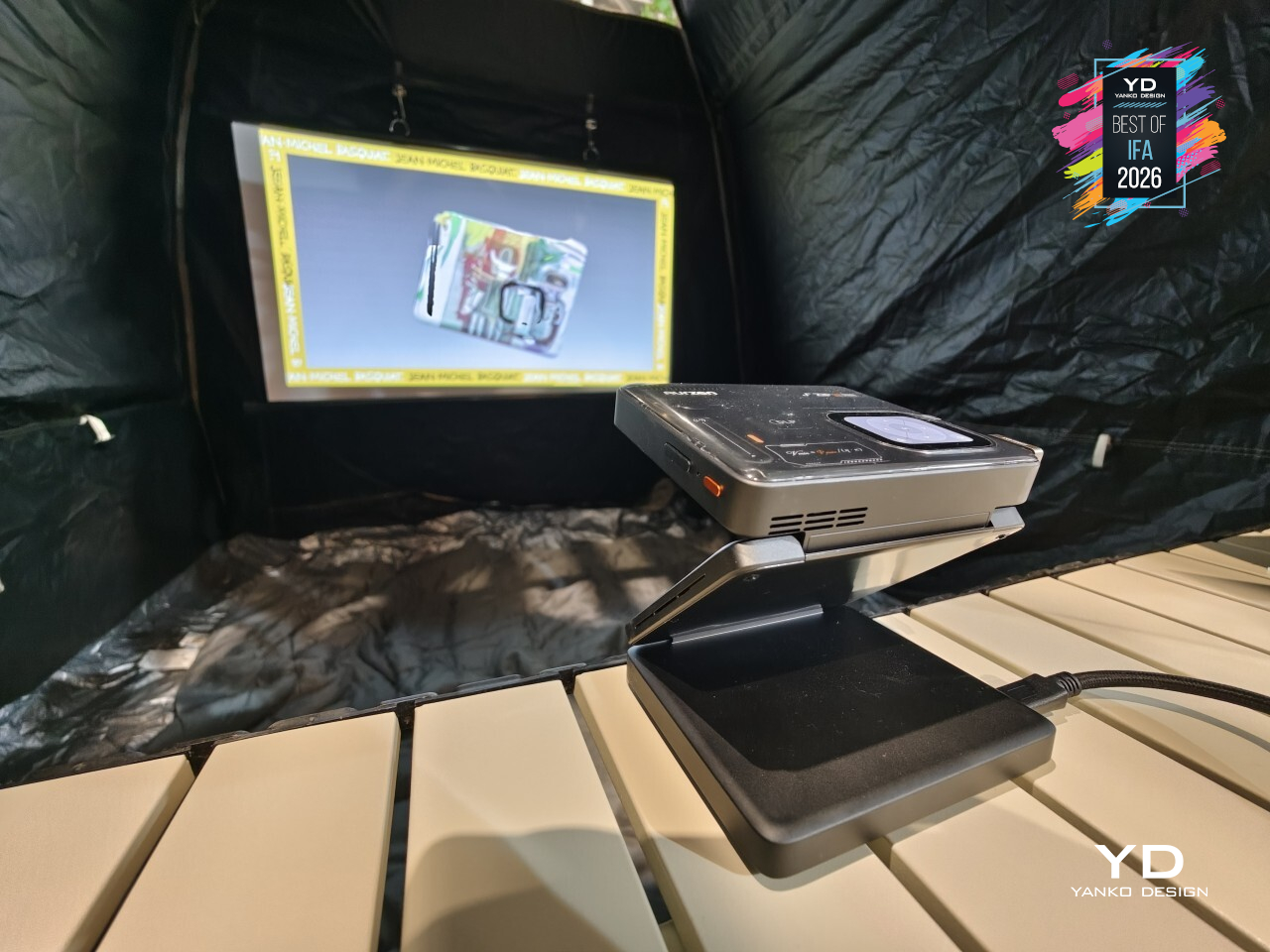
A 38Wh battery keeps the picture running for up to 2.5 hours, and 65W PD charging means a nearly dead unit isn’t out of commission for long. Folded down to 115mm x 97mm x 44mm, the Aurzen ZIP Pro fits in the kind of bag pocket that usually just holds cables, and that’s exactly where a projector this capable belongs.

DJI Osmo 360 II
Most action cameras treat a scratched lens as a death sentence for the whole unit. DJI’s Osmo 360 II refuses to accept that trade. It’s the brand’s second-generation 360-degree camera, and the headline fix addresses exactly that problem: lenses that actually come off and get replaced, alongside a jump to native 8K resolution at 60fps, all inside a body still small enough to disappear into a pocket.
That lens swap matters more than it might sound at first. The original Osmo 360 locked its lenses in place, so a scuff from a rock, a sandy beach, or a rough camera bag meant living with the damage or buying a new camera outright. DJI built this one to let a scratched or scuffed lens get pulled off and swapped for a fresh one, turning a minor accident into a five-minute fix instead of an expensive replacement.
Resolution got a real bump too, climbing to native 8K at 60fps, up from 50fps on the original, paired with 14.5 stops of dynamic range. That combination shows up most once footage lands in an editor, since higher frame rates at full 360° resolution mean smoother results when reframing a shot after the fact, pulling a normal video out of a scene that was captured in every direction at once.

Shooting after dark stopped being a compromise as well, thanks to AI SuperNight 2.0 handling low light without turning every dim scene into grain. That confidence extends to the body itself, rated for 32.8 ft of waterproofing without needing a separate housing, all packed into a shell measuring just 61mm x 36.3mm x 81mm and weighing 183g, light enough to forget it’s clipped to a strap.
A larger 2,150mAh battery backs up all of that, charging via a 27W fast-charge that gets it back in action quickly between takes. DJI spent this generation fixing what actually broke on people, not just chasing bigger numbers on a spec sheet.

Teka InsideMax Dishwasher
Dishwasher makers usually solve capacity by making the box bigger, which only works until the box no longer fits the kitchen. Teka’s InsideMax skips that approach. It’s still a standard 24-inch built-in dishwasher, but the interior architecture has been redesigned level by level, unlocking roughly 10% more usable space through a 1.6-inch drop at the bottom of the tub, without asking for a single extra inch of counter space.
That extra room shows up most in how the baskets actually move. A one-step adjustment on the upper basket opens up to 9.8 inches of clearance for tall glassware or 6.7 inches for pots, while a deepened third rack finally gives cutlery a shelf of its own, freeing space below for espresso cups and small bowls up to 3.7 inches tall. Roasting pans and stockpots up to 11.8 inches stand upright instead of lying flat, and the lower basket lifts to a height that doesn’t demand a deep bend to load or unload.
All that reclaimed space would be pointless if the water can’t reach it, which is where InsideMax leans on five different spray mechanisms working in concert. SprayJet handles the top rack’s cups and glasses, DualX sweeps side to side across the upper level, and Orbit Wash spins two arms in opposite directions to cover mixed, heavily loaded baskets. PrecisionZone targets tall glasses and awkward shapes directly, while Dual ForceZone creates a concentrated vortex strong enough to deep-clean two large pots at once.
Drying gets just as much attention through AirMax Dual Drying, which pairs automatic door-opening with a high-performance fan for a drying rate Teka rates at up to 95%. The programs built around it read like a week in a real kitchen: LuxeCare for delicate glassware, Party Wash for whatever’s left after guests go home, and Whisper for running a load overnight without waking anyone up.
All of it sits behind a front panel engineered to disappear, with sliding hinges rated for furniture panels up to 31.5 inches (800mm) and 33 lbs. (15kg), plus a floor projection that shows remaining cycle time without anyone opening the door. A Class A energy rating and a running noise of just 42 dB(A) round out a machine that spent its redesign budget entirely on the parts nobody sees until they open the door.

AMADA Homefurnishing Soundwave Smart Mattress
Most mattresses ask you to hear your way into relaxation, through a speaker, a podcast, maybe a white noise app running on a phone somewhere nearby. The AMADA Soundwave Smart Mattress skips the ears entirely. It’s a vibroacoustic system that turns low-frequency sound into something you feel, rhythmic vibration spreading through the body the moment you lie down, easing tension before a single thought about falling asleep even shows up.
That sensation isn’t confined to one spot near your head or feet either. The vibration spreads across the full surface of the mattress, so the feeling settles in evenly, whether you’re stretched out flat or sitting upright against a raised backrest. It’s less like a massage chair’s isolated pulses and more like the whole mattress exhaling along with you, calm distributed rather than localized.
Four modes shape how that calm shows up depending on the moment. Meditation and Sleep lean into winding down at night, while Focus and Recharge serve the parts of the day that need a reset without an actual nap. Everything runs through AMADA’s companion app, so switching between modes or adjusting intensity happens from a phone, without ever needing to leave the mattress itself.
That natural experience is supported by a mattress built to move with modern adjustable bed bases. Its channeled, ribbed top flexes smoothly through every incline and recline, staying comfortable whether it’s flat for sleep or angled up for reading, syncing with adjustable bases instead of fighting against them. That flexibility is easy to overlook until you notice how many mattresses stiffen up the moment a base starts adjusting.

Warm ambient lighting casts a soft glow across the floor, making the whole setup look just as intentional switched off as it does mid-glow at midnight. AMADA Homefurnishing built something that finally treats the mattress itself as the smart device, instead of bolting the smarts onto everything around it.

Baseus Security PrimeSentinel W1 Window 4K Camera
Anyone renting an apartment or living under a strict HOA knows the drill: no drilling into siding, no exterior cameras, no exceptions. Baseus built the PrimeSentinel W1 specifically around that wall. It’s a 4K camera that mounts indoors and watches the outside world straight through a window, giving homeowners and renters alike a clear view of a driveway or porch without touching a single brick or bylaw.
Getting a clean shot through glass has always been the hard part, and that’s where the engineering actually shows up. A 4K Starlight sensor paired with an unusually wide F1.0 aperture pulls in enough light for full-color detail around the clock, while a multi-layer anti-reflection hood cuts the glare and window reflections that usually turn through-glass footage into a smudgy mess. The result reads like a camera that was never behind glass at all.
Mounting it takes about 60 seconds; no tools, no drilling, no cables trailing down a wall. Industrial nano-adhesive and dual-sided magnets hold the unit in place well enough to remove any excuse for permanent damage, and that same magnetic build means the camera isn’t locked into one job. Flip it around, and the same hardware works just as well as a standard indoor camera, no separate purchase required.

Once it’s up, a dual-axis mount adds 13 degrees of horizontal and 25 degrees of vertical adjustment, letting the view get nudged onto a blind spot without peeling anything off and starting over. Dual-band Wi-Fi keeps the connection steady, AI event recognition sorts real activity from passing shadows, and 512GB of local encrypted storage keeps footage close by instead of trusting it entirely to the cloud.
For anyone who’s ever been told no to a security camera because of a lease or a homeowners association, PrimeSentinel W1 quietly sidesteps the whole argument. It doesn’t ask permission to drill, and it doesn’t need to. That’s a rare thing in home security: a camera that solves a policy problem with better engineering instead of a legal workaround.

Ascentiz Modular Exoskeleton (H&K Modules)
Most exoskeletons force a choice between explosive power and joint protection, built as one fixed device that can’t become the other. Ascentiz sidesteps that entirely. Its BodyOS platform runs on a single Exo-Belt hub that handles power, data, and computing, then lets that same belt take either an H module for hip propulsion or a K module for knee support, swapping the kind of help your legs get without swapping the whole system.
That flexibility comes down to two very different drive mechanisms doing two very different jobs. The H module uses quasi-direct drive, built for the quick, responsive push a hip needs during a stride or a climb. The K module relies on cable-drive transmission instead, engineered for sustained torque and steady impact management, the kind of support a knee needs mile after mile rather than in short bursts. Each module does one job well instead of compromising on both.
That assistance only works because the software keeps up just as fast. Ascentiz reads gait and movement intent in real time, switching assistance modes in under 200 milliseconds with a claimed 99.5% recognition accuracy. The goal isn’t to notice the exoskeleton working at all, just to notice that a hill climb or a long walk suddenly takes less out of you than it used to.
Materials scale with ambition here too. H Pro uses an aluminum alloy frame with carbon-fiber-reinforced polymer, a lighter build at a friendlier price point, while H Ultra steps up to aerospace-grade titanium alloy and full carbon fiber for maximum strength-to-weight and durability under sustained load. Both share eVent fabric at contact points and Duraflex hardware throughout, and both go from box to body in five seconds flat, rated IP54 for dust and splash protection outdoors.
Three modes cover how differently people actually move through a day. Ease eases a long travel day or a tired commute, ACC pushes back on stairs and climbs, and Train adds resistance to turn an ordinary walk into a workout. Built on an open-source BodyOS with real developer access through SDKs and APIs, Ascentiz reads less like a finished gadget and more like a foundation other builders haven’t finished standing on yet.

ODYSS N1 AI Dietary Necklace
Every nutrition app makes the same promise: track what you eat, and you’ll understand your habits, then hands you a camera and a food log to fill out three times a day. ODYSS N1 skips that entire negotiation. It’s a necklace that quietly tracks meals all day long, no app to open, no photo to snap, no log to fill in, just wearing it and letting the rest happen in the background.
That the solution took the shape of a necklace says something about the design thinking behind it. At 35 grams, the pendant sits light enough to disappear into a work outfit or a weekend look, closer to jewelry than to another gadget competing for space on a wrist or a collar clip. Hidden inside is a front-facing sensor built to notice eating moments through a mix of vision, audio, and motion, without ever looking like it’s doing much of anything.
Wearing a camera near your face all day raises an obvious question, and ODYSS answers it with hardware, not just a privacy policy. A physical button cuts power to the camera and microphone instantly. The system only processes food-related information and filters out everything else, and images get converted into structured insights before being deleted, so no raw photos sit around waiting to be misused. Sensing activity even quiets down automatically the moment eating stops.
Day to day, that translates into something closer to a slow-building picture than a strict diet plan. Meals get logged automatically at first, and over time the AI starts mapping patterns: when cravings hit hardest, which meals run light on nutrients, where energy dips show up. What comes back are gentle nudges rather than rigid rules, the kind of feedback that nudges a habit sideways instead of demanding it change overnight.

ODYSS built a device that treats understanding your own eating habits as something that should happen quietly, not as a chore layered on top of an already busy day. That’s a meaningfully different bet than most health tech makes, and one worth watching closely as it moves from prototype toward people’s actual necks.

Makera Z1 Pro Desktop CNC
Desktop CNCs have a reputation for scaring off exactly the people who’d get the most use out of them: tangled setups, steep learning curves, and enough exposed hardware to make a beginner nervous. Makera built the Z1 Pro to close that gap. Its integrated gantry and simplified structure fold the usual complexity of a CNC machine into something a first-time user can understand within minutes, without giving up the precision serious projects actually need.
That precision starts with how the machine is built, not just how it’s programmed. A die-cast one-piece frame keeps the whole structure rigid, cutting down on the vibration that usually creeps into cheaper, bolted-together CNC builds. Closed-loop stepper motors and upgraded ball screws handle the motion side, holding steady accuracy through long, complicated cuts instead of drifting the way lesser hardware tends to over time.
None of that matters unless the machine can actually finish what it starts, and the Z1 Pro backs it up with a quick-release spindle system that swaps tools in seconds rather than minutes. It works across wood, acrylic, plastic, and soft metals like aluminum alloy, which turns it from a one-trick hobby machine into something that can prototype a part one afternoon and engrave a small aluminum badge the next, all without changing machines.
Working alone with a CNC used to mean troubleshooting in isolation, and Makera built its way around that too. Makera Studio handles the CAM software side, turning a design into a toolpath without demanding an engineering background, while Makerables opens up a global community for finding and sharing projects instead of starting from a blank file every time. Mobile control rounds it out, letting a project move from idea to machining without being chained to one desk.

All of that fits into a footprint small enough for a classroom corner or a home studio shelf, backed by FCC, CE, RoHS, and FDA certifications that keep the build honest about safety and environmental impact. Makera didn’t just shrink a CNC machine; it rebuilt the whole experience around people who’ve never touched one before.

Midea OMNI Series Multi-Zone Cleaning Solution
Doing laundry for a full household rarely means one kind of load: it’s kids’ clothes, delicates, muddy sneakers, and the dog’s blanket all competing for the same drum. Midea’s OMNI series treats that mess as a real design problem. Built around zoned care and flexible combination, it swaps the single all-purpose washer for a lineup of specialized machines that stack, pair, and slot together like modular furniture built for cleaning.
That flexibility starts with how each drum handles a load differently. Omni DUO splits into two drums with separate washing and drying, backed by three-way AutoDose across up to 16 loads plus UV and high-temperature sterilization. Omni Trio pairs a 22-lb. (10kg) main drum with two 1.1-lb. (0.5kg) mini drums, letting everyday clothes, baby items, and pet bedding wash together without ever touching.
Omni Fusion tackles a different problem: the extra step of moving clothes from washer to dryer. It’s a heat-pump washer-dryer built with a slot-in design that fits into the OMNI lineup, running on dual-inverter technology for quieter, more efficient cycles. A built-in lint-filtration system keeps drying performance consistent over time, handling both wash and dry in one continuous cycle instead of splitting laundry across two separate machines.
Shoes rarely get washed well since nobody wants sneakers tumbling with towels and t-shirts. Omni Ped S fixes that as its own dedicated appliance, running an omnidirectional roller-brush system that scrubs footwear clean without wearing down the material, backed by silver-ion treatment, an antibacterial drum, and a sediment filter that catches grit regular washers can’t handle. At just 17.9 inches (455mm) tall, it holds the largest capacity in its class.
All of these machines share the same underlying logic: appliances that stack, slot in, or stand alone depending on what a household needs, rounded out by the MD205 tumble dryer and the compact Omni O mini washer-dryer for even tighter spaces. Midea built OMNI less like a single product launch and more like a toolkit, letting a laundry room grow one drum, one zone, one shoe wash at a time.

Xiaomi Sound Play Speaker
Portable speakers usually treat light as an afterthought, a strip of color that blinks along without much thought to the music. Xiaomi’s Sound Play doesn’t settle for that. It pairs 18W of sound with a bottom glow and a 3D ambient light on top, both syncing to the beat in real time, so the speaker doesn’t just play a song; it visibly moves with it.
That lighting turns into more than a party trick once other people get involved. Auracast support lets the Sound Play share its audio with up to 100 devices at once, so a backyard hangout or a beach day doesn’t need everyone huddled around one set of speakers or squinting at a single phone screen. Everyone connected hears the same track, lit the same way, at the same time.
That flair doesn’t come at the expense of toughness. Rated IP68 for water and dust resistance, the Sound Play shrugs off spilled drinks, sand, and light rain without missing a beat, backed by up to 14 hours of battery life that outlasts most gatherings anyway. It’s built less for a shelf and more for wherever the party actually ends up.

Acer Vero 16 Laptop
Most laptops treat a dead battery or a failing SSD as a death sentence for the whole machine. Acer’s Vero 16 treats it as a five-minute fix. A tool-free latch on the bottom cover opens the chassis without a screwdriver in sight. The battery and SSD both swap out by hand, and the hinge itself detaches from the chassis rather than staying fused to it, turning what used to be a repair shop visit into something closer to a weekend project.
That philosophy runs through the materials too. The top and palm-rest covers blend recycled and low-carbon aluminum, the bottom cover leans on recycled plastic, and a solvent-free powder coat replaces conventional paint while holding up better to daily wear. Acer even engraved a small repair guide directly into the chassis itself, a quiet detail that assumes you might actually crack this open someday instead of shipping it off the moment something breaks.
That kind of durability doesn’t come at the expense of feeling like a proper premium laptop. A 16-inch 3K OLED display with a 120Hz refresh rate and Acer’s fastest Core Ultra X9 chip handle everything from video editing to Copilot+ AI features like live-translated captions without hesitation, and 180 platform TOPS worth of on-device AI muscle keeps things responsive well beyond spec-sheet bragging rights. Acer built a laptop that plans on sticking around, and that’s a considerably higher bar than most.

Lexar Muse Ultra-Slim Portable SSD
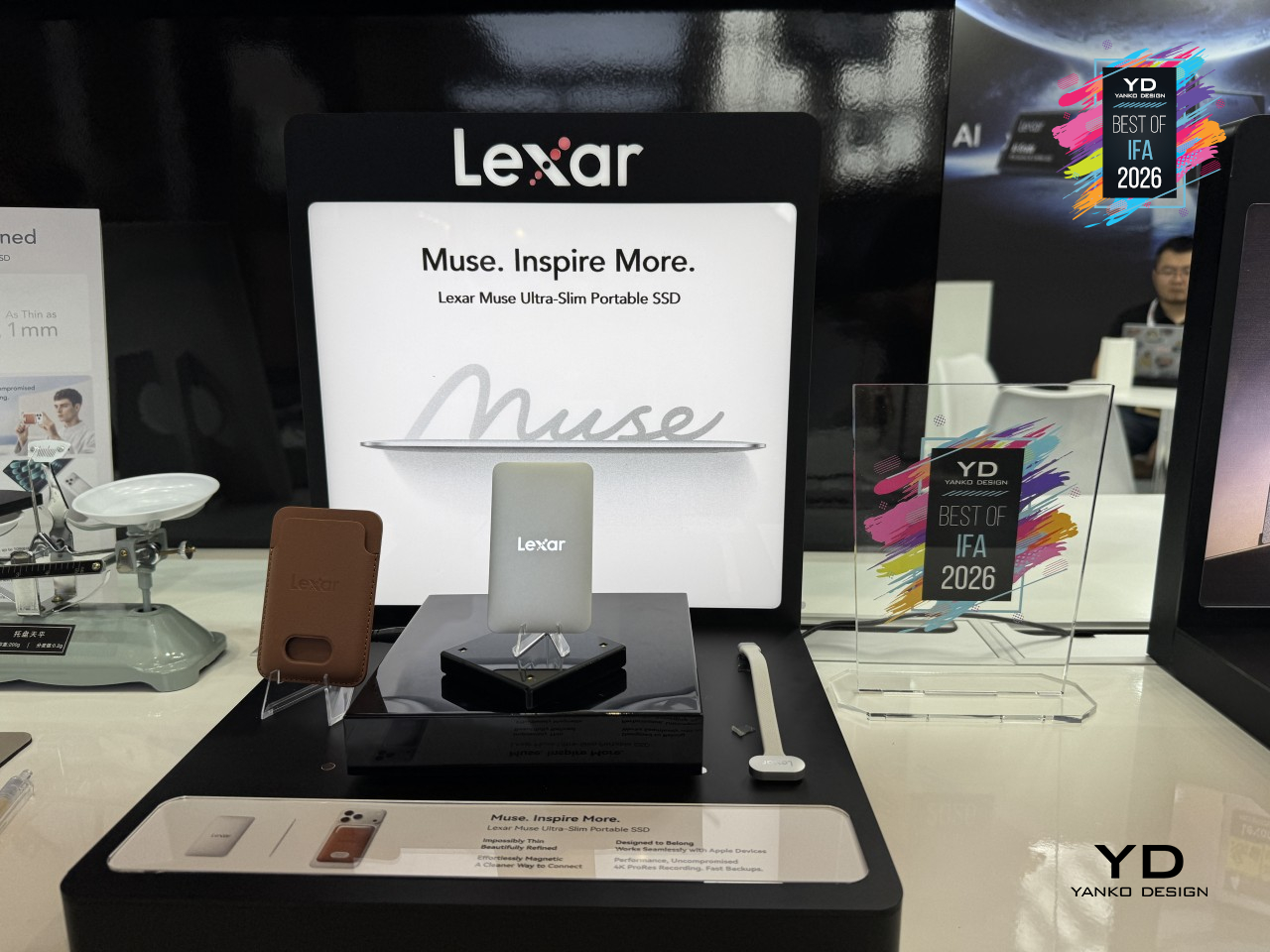
External drives have always trailed a little behind how phones actually get used to shoot and edit, adding a cable here, a bulky case there. Lexar’s Muse Ultra-Slim Portable SSD skips that entirely, built thin enough to disappear against the back of a phone instead of hanging off it. Billed as the world’s thinnest portable SSD, it trades the usual dongle-and-cable clutter for something that just clips into place.
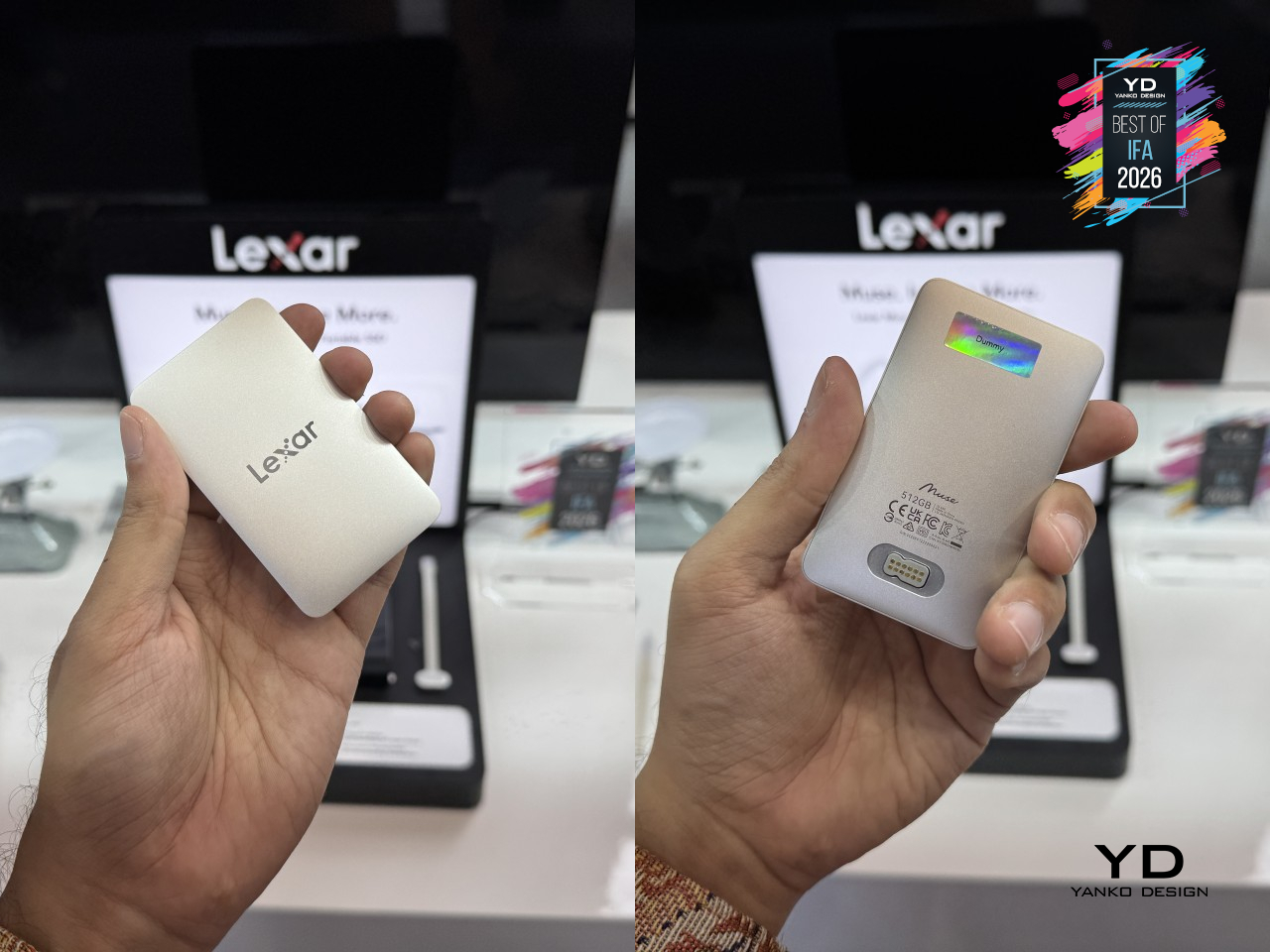
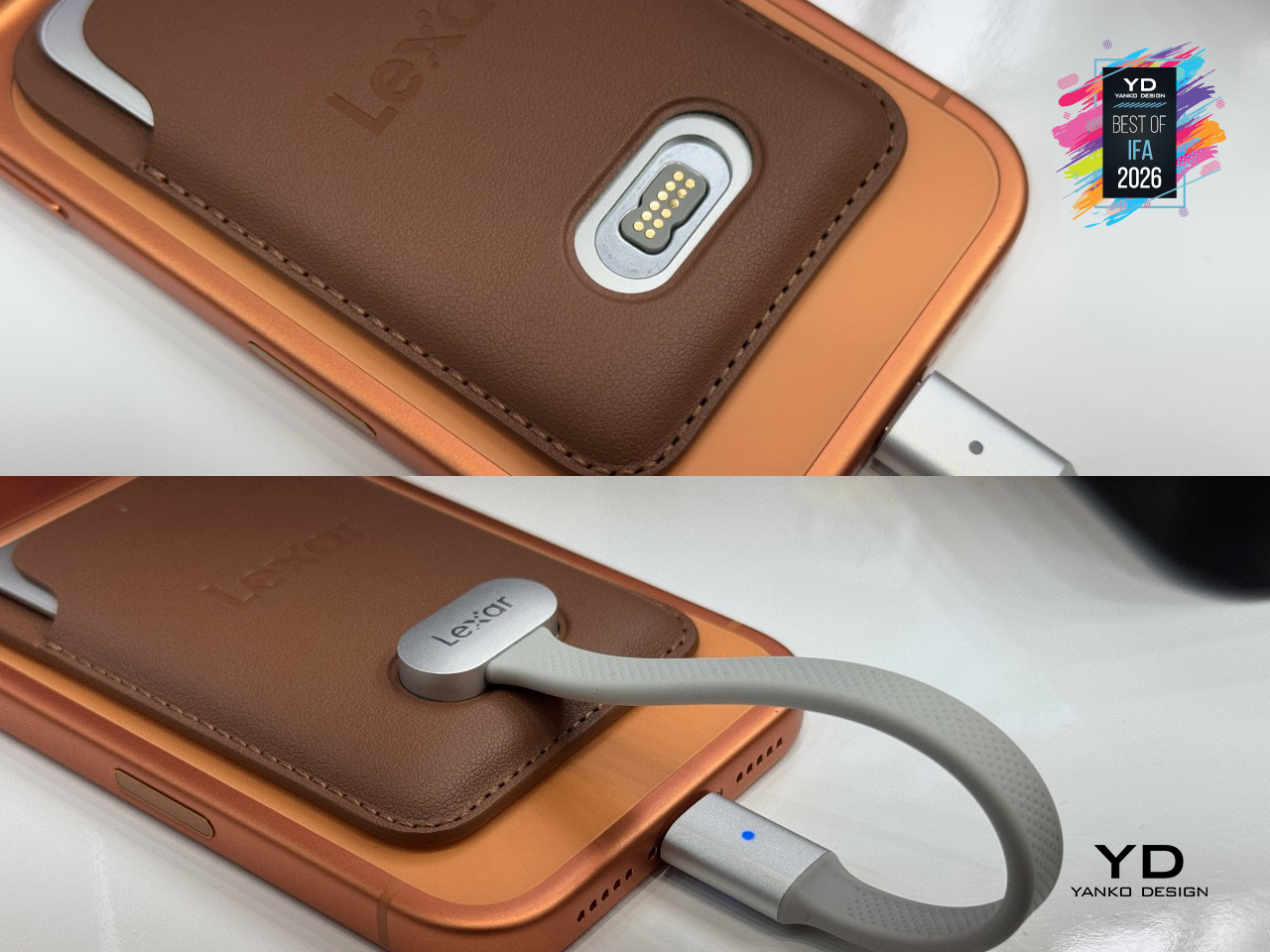
That thinness comes from a unibody metal enclosure machined from a single piece of metal, with no seams or joins breaking up the surface. It tapers from about 3.8mm at its thickest edge down to just 1mm at the rim, thin enough to nearly vanish in a pocket. A magnetic sleeve holds the drive and locks it onto the back of a compatible MagSafe iPhone, while the included SnapLink cable connects through a spring-loaded magnetic pin instead of a fumbled port.
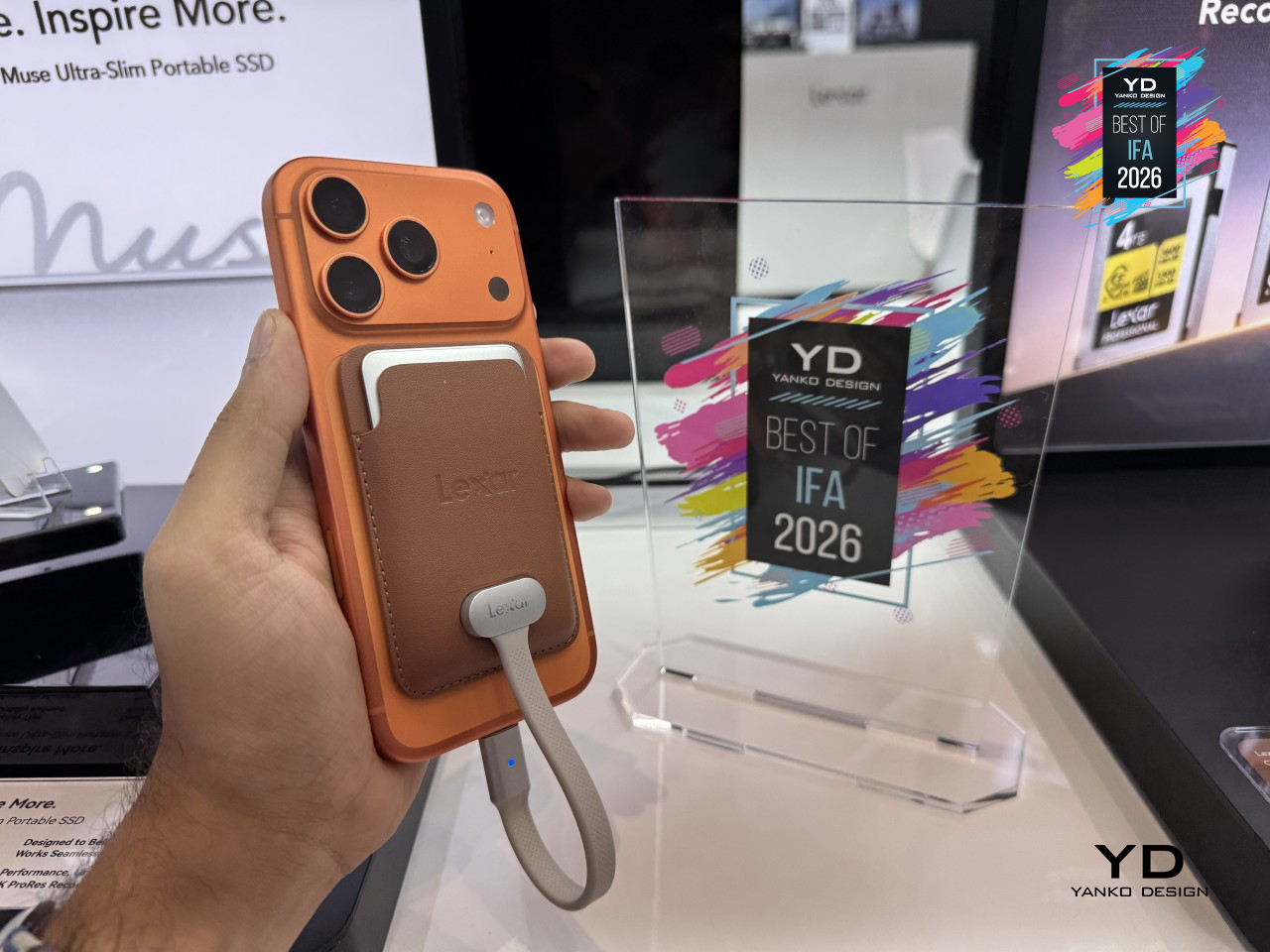
None of that design restraint costs any actual speed. Muse reads at up to 1,050 MB/s and writes at up to 1,000 MB/s, fast enough to keep up with ProRes 4K footage recorded straight to the drive at up to 120 fps on compatible iPhones. It’s a small piece of hardware, but one that finally treats a phone’s camera like the serious tool it’s already become.

TECNO Next-Gen Bezelless Concept Phone
Every modern flagship phone still has one: a thin black line running around the edge of the screen where the display meets the frame. TECNO’s Next-Gen Bezelless Concept Phone gets rid of it entirely. Where most manufacturers have spent a decade shaving that border down to a sliver, this concept phone removes it outright, leaving a 6.78-inch OLED screen that seems to float free of any edge at all the moment it’s in your hand.
Getting there took more than thinner glass. TECNO extended the lower layer of a dual-glass stack so it tucks beneath the mid-frame, hiding the wiring and mounting hardware that normally force that visible border to exist. The display module then gets installed backward, inserted from the rear instead of the front, which lets that extended glass edge slide into place. A custom adhesive bonds everything from the front side rather than the back, closing the last gap that used to leave a black line behind.
Worth noting, this is a concept unit built to prove the display technique works, not a finished phone ready for daily carry. TECNO has said battery life and drop performance aren’t areas this prototype is meant to be judged on, and the SIM tray is a non-functional mockup. Still, the company’s already talking about folding this display technique into future flagships, and if it gets there, that thin black line phones have carried for years might finally disappear for good.

INMO GO3 AI Glasses
Smart glasses have a battery problem nobody’s really solved: once the charge runs out, you’re stuck swapping the whole pair for a charging case and waiting. INMO’s GO3 skips that wait entirely. Its battery pops out and back in within about 5 seconds, letting a fresh cell take over mid-conversation instead of forcing a break to plug in. It’s a small mechanical trick, but it’s one barely any other smart glasses on the market currently offer.
Making that swap feel effortless took some real restraint in the frame itself. INMO built the temples down to just 8mm thick, thin enough that the glasses still read as, well, glasses, rather than a gadget bolted onto your face. That matters more than it sounds like it should, since anything worn all day needs to disappear a little, and a hot-swap battery tucked into a temple that thin means INMO didn’t sacrifice comfort just to solve the charging problem.
None of the hardware matters much without something worth using it for, and GO3 leans on real-time translation across 98 or more languages plus a built-in AI assistant running on ChatGPT and Gemini. That combination turns the glasses into something closer to a quiet translator sitting on the bridge of your nose, ready whenever a conversation shifts languages or a question needs answering hands-free. INMO built a pair of glasses that finally treats battery anxiety as a design problem, not just a spec to apologize for.

UGREEN MagFlow Pro Power Bank with Liquid Cooling
Wireless charging has a dirty secret: the faster it pushes power into a phone, the hotter both devices get, and that heat is exactly what forces most chargers to quietly slow down halfway through. UGREEN’s MagFlow Pro tackles that trade-off head-on with actual liquid cooling squeezed into a pocket-sized power bank. It’s a 10,000mAh magnetic charger that pairs Qi2 25W output with a coolant loop usually reserved for gaming rigs, built to keep charging fast instead of easing off once things heat up.
That cooling runs through what UGREEN calls CryoPulse, a micropump that circulates coolant past the hottest components while the bank keeps working. A window built into the shell, nicknamed the Cyber Window, lets that coolant movement stay visible instead of hidden behind plastic, turning a thermal solution into something you can actually watch happen. A metal heat sink and 13 layers of safety protection back all of that up, so the liquid loop reads like a genuine engineering choice rather than a party trick.
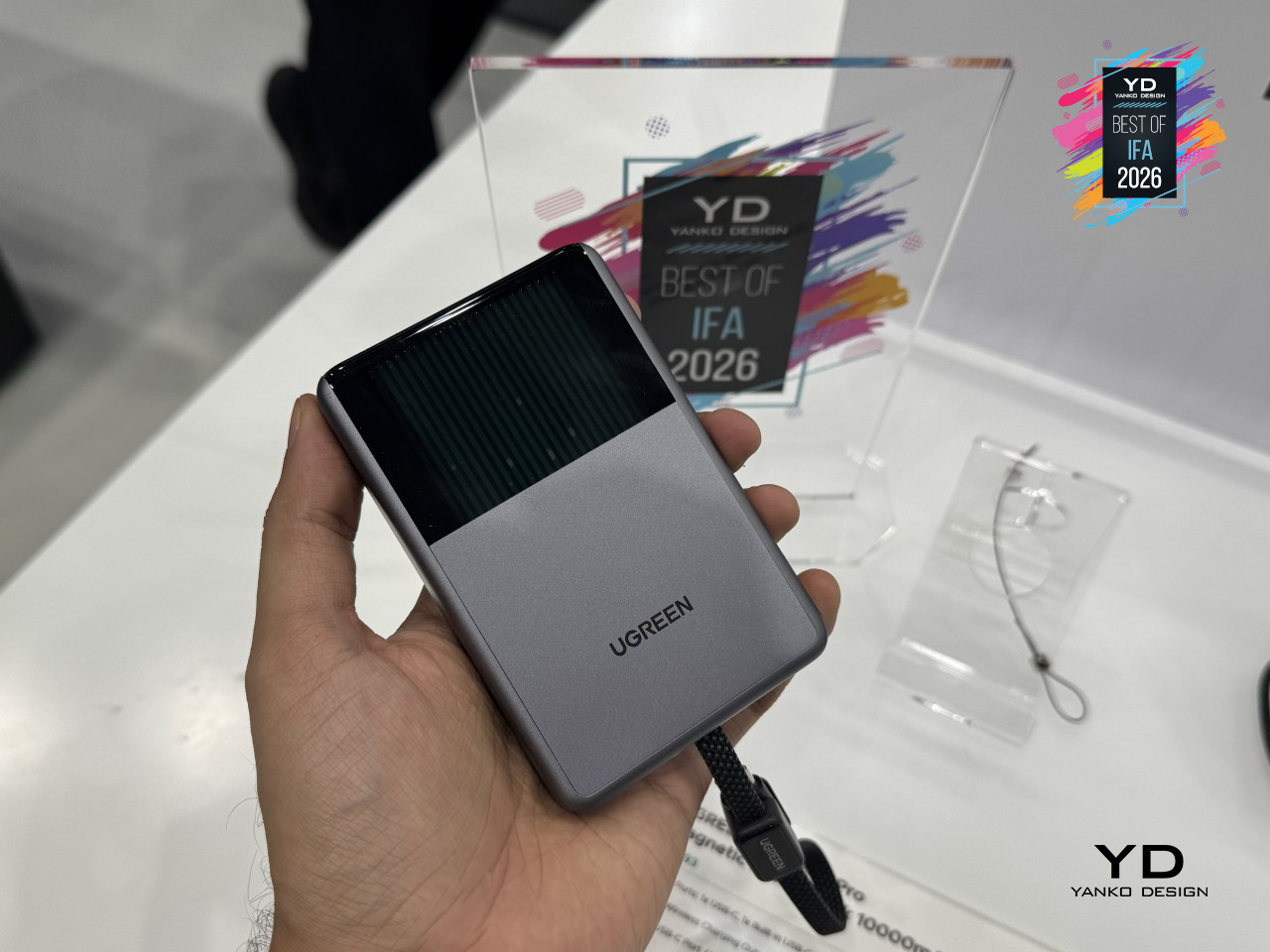
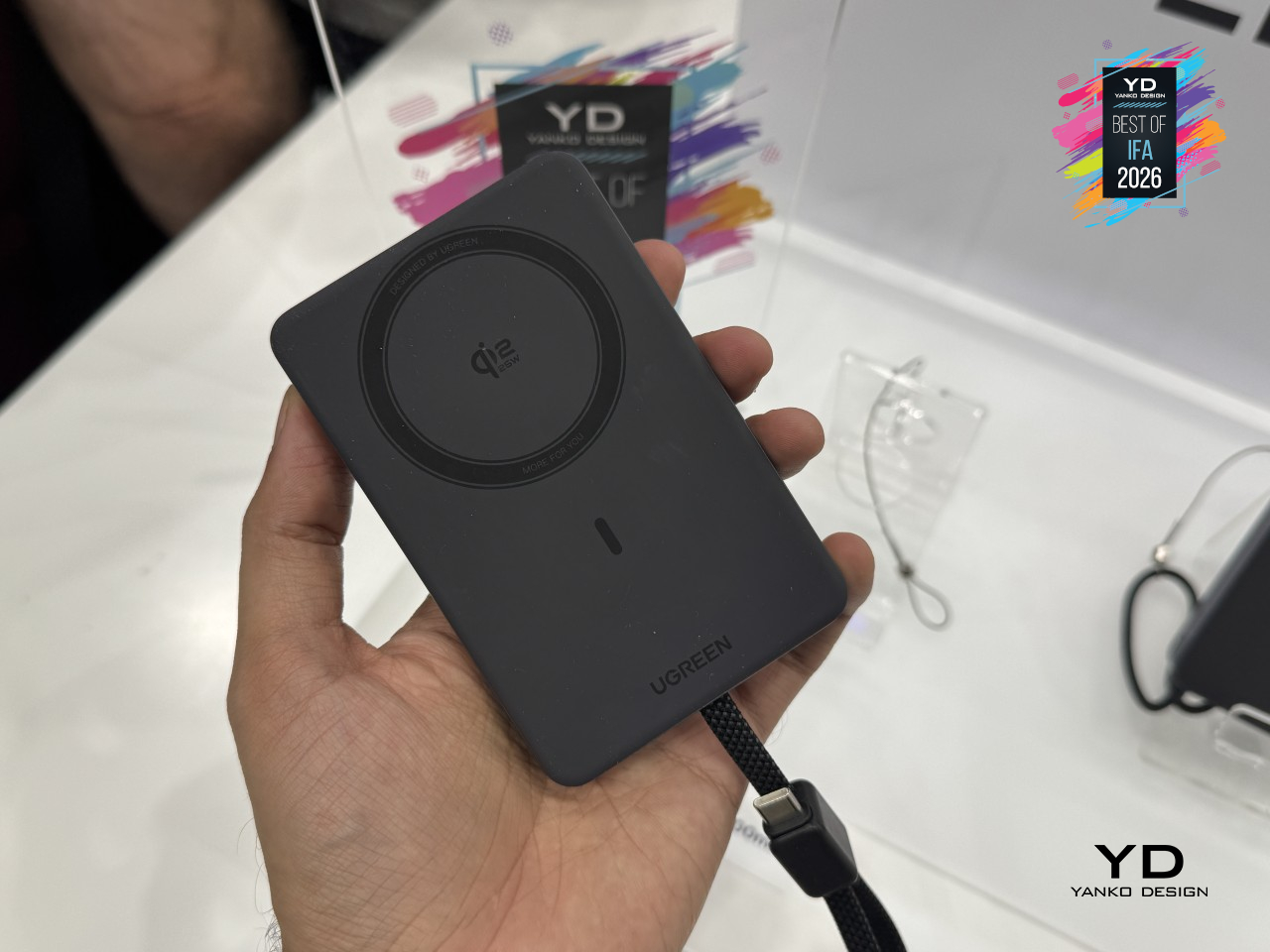
Everyday details round out the rest of it. A built-in 45W USB-C cable doubles as a carrying strap, a small display tracks power draw, battery level, and charge cycles, and UGREEN rates its Dymondcell 2.0 cells to hold onto 90% of their capacity even after 800 charge cycles. MagFlow Pro treats a hot phone as a problem worth engineering around, not a trade-off worth quietly accepting.

Anker Soundcore SleepLab Pro Sleep Sound Machine
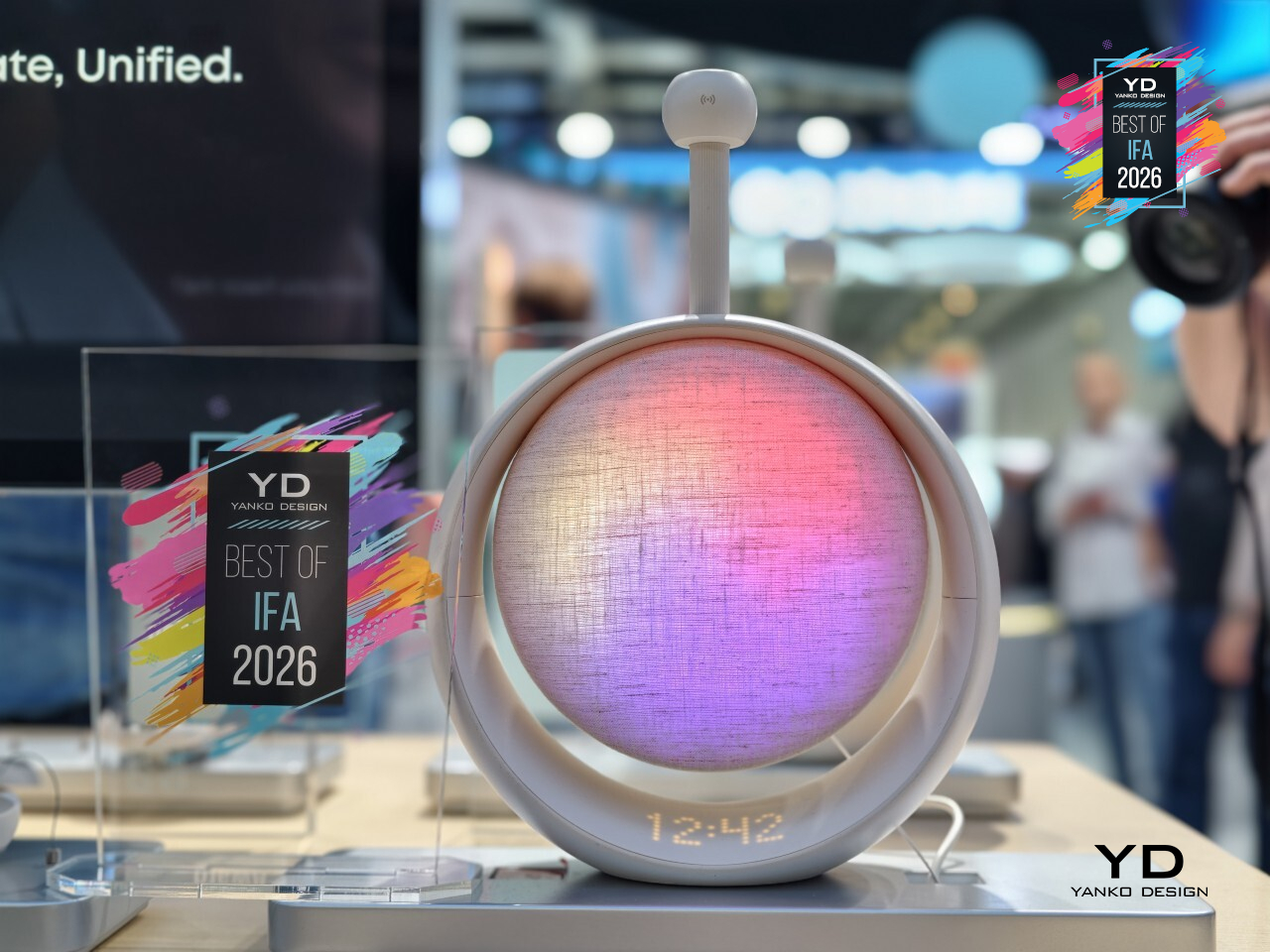
Sleep tracking has always meant wearing something to bed: a ring, a watch, a pair of earbuds humming against your ear all night. Anker’s Soundcore SleepLab Pro skips the wearable entirely. Sitting quietly on a nightstand, it uses 60GHz radar to read heart rate, breathing, and sleep stages straight through the air, mapping an entire night without a single sensor ever touching skin.
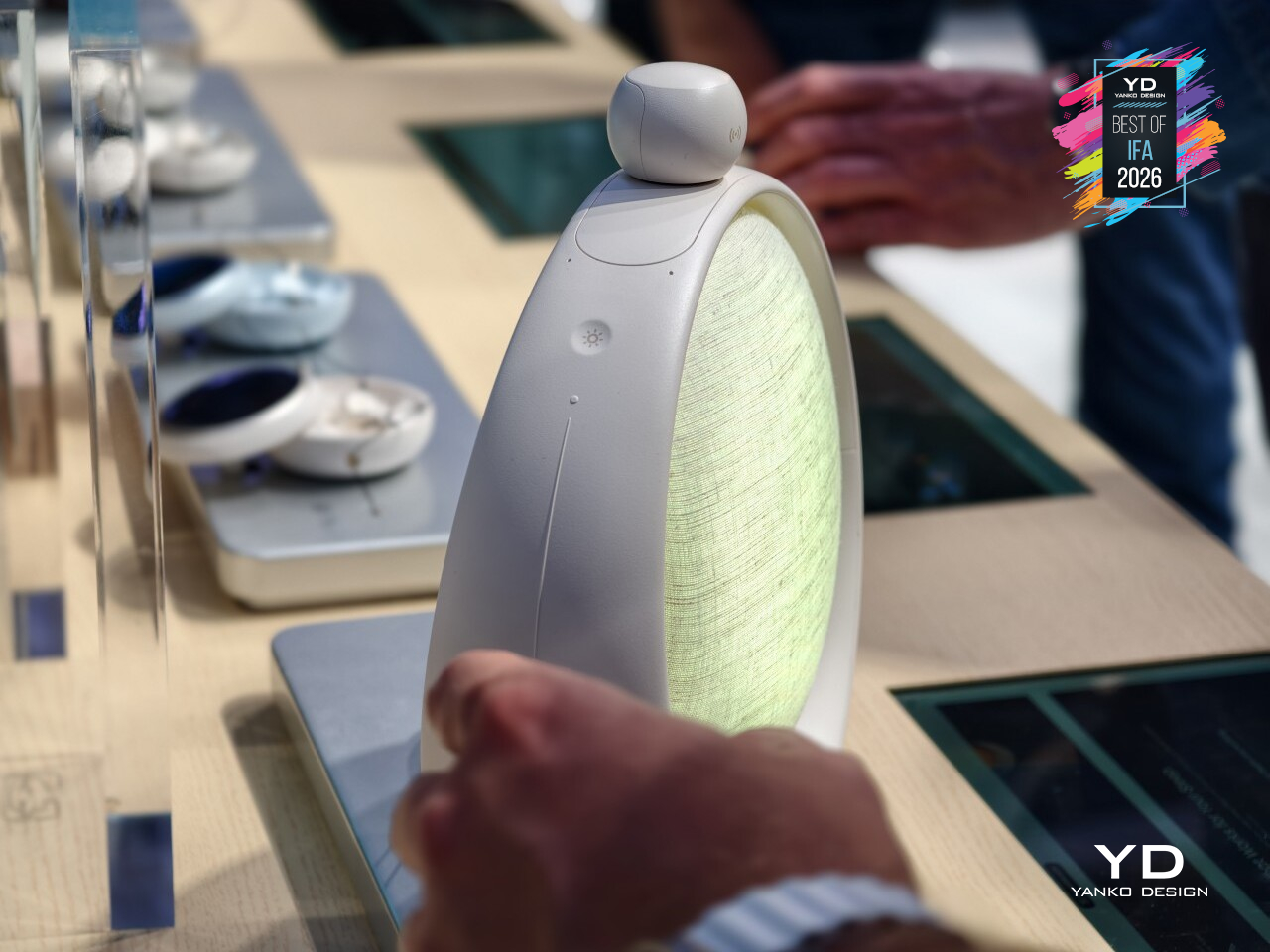
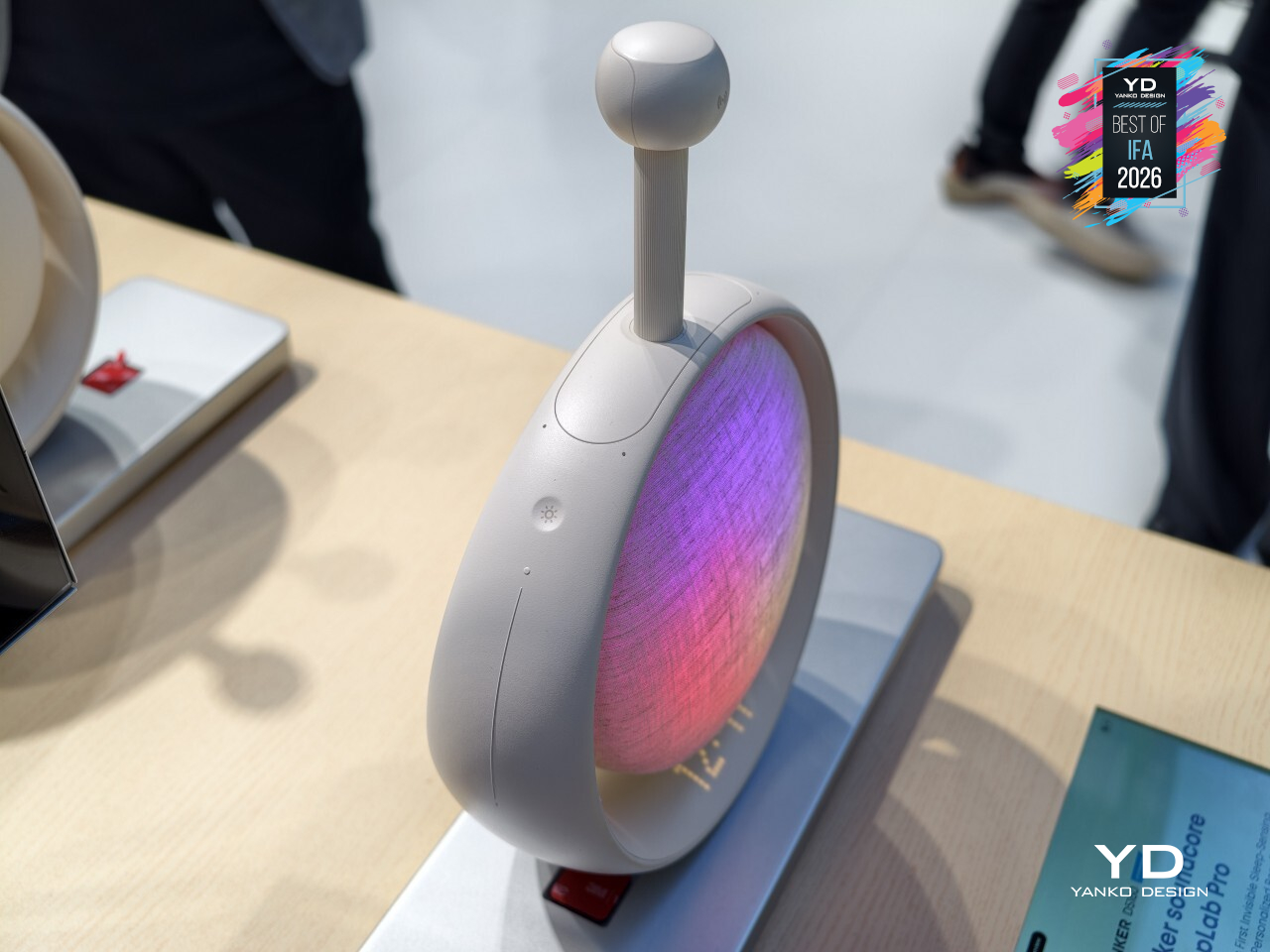
That sensing doesn’t just sit there collecting data either; it actually responds. The moment SleepLab Pro picks up on restlessness or trouble settling in, it adjusts the sound playing in the room to help ease things along, rather than running the same white noise loop regardless of what’s actually happening in bed. Ambient lighting joins in too, dimming and shifting tone as part of an actual wind-down routine instead of staying static all night.
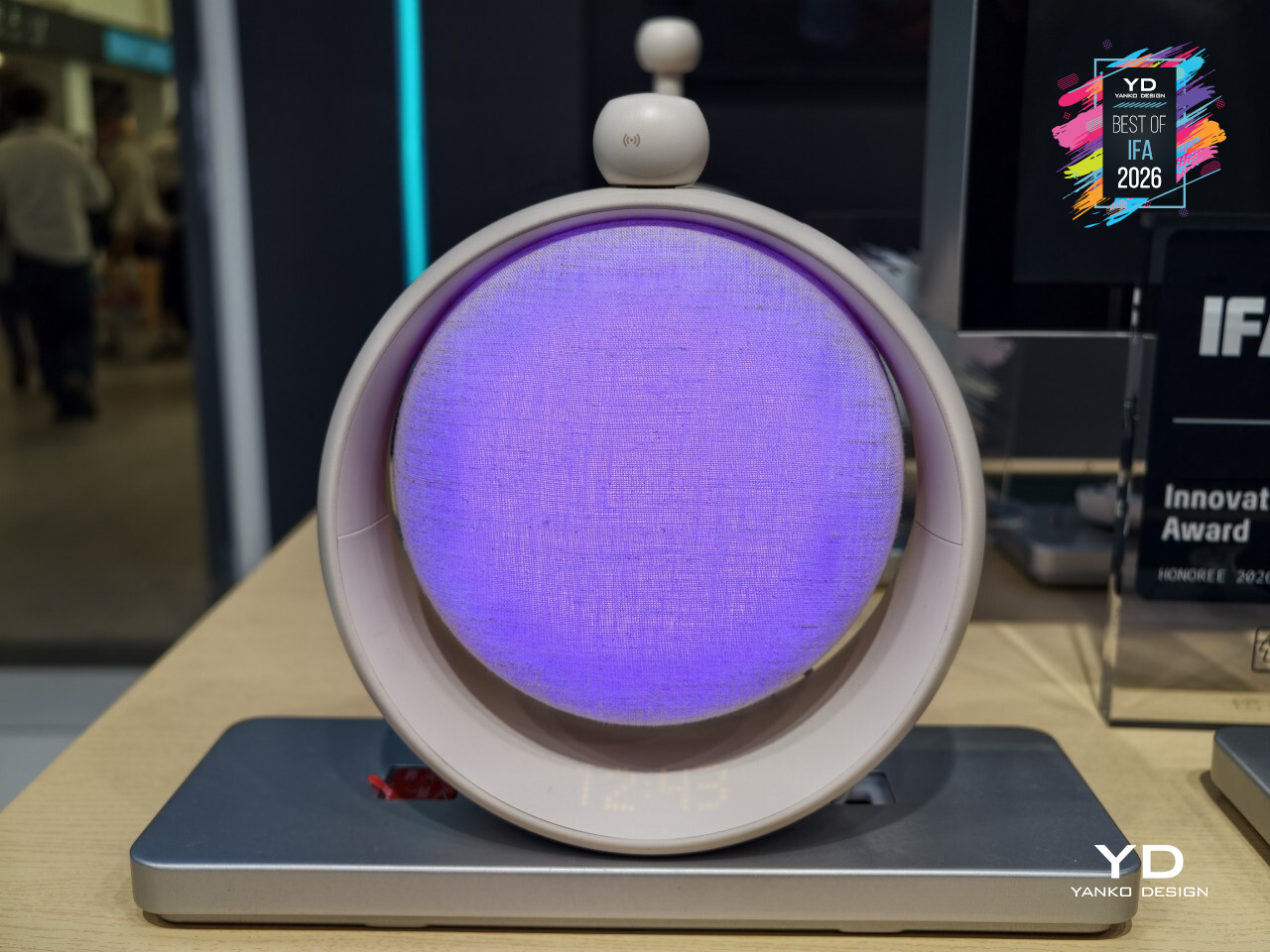
Morning gets the same thoughtful treatment as the sound at night. A sunrise simulation gradually brightens the room instead of jolting anyone awake, with a traditional alarm still standing by for whoever needs it. Everything runs through onboard buttons, no phone required nearby, no subscription lurking behind any of it. Anker built a sleep gadget that finally stopped asking people to wear the problem it’s trying to solve.

iRobot Roomba Duo Vacuum Cleaner Concept

Robot vacuums have always forced a trade-off: the power to actually scrub a floor, or the ability to squeeze into the tight spots where dirt actually hides. iRobot’s Roomba Duo concept refuses to pick one. Instead of cramming both jobs into a single machine, it splits the work across two robots that operate as one system, letting each one specialize in exactly what it’s built for.
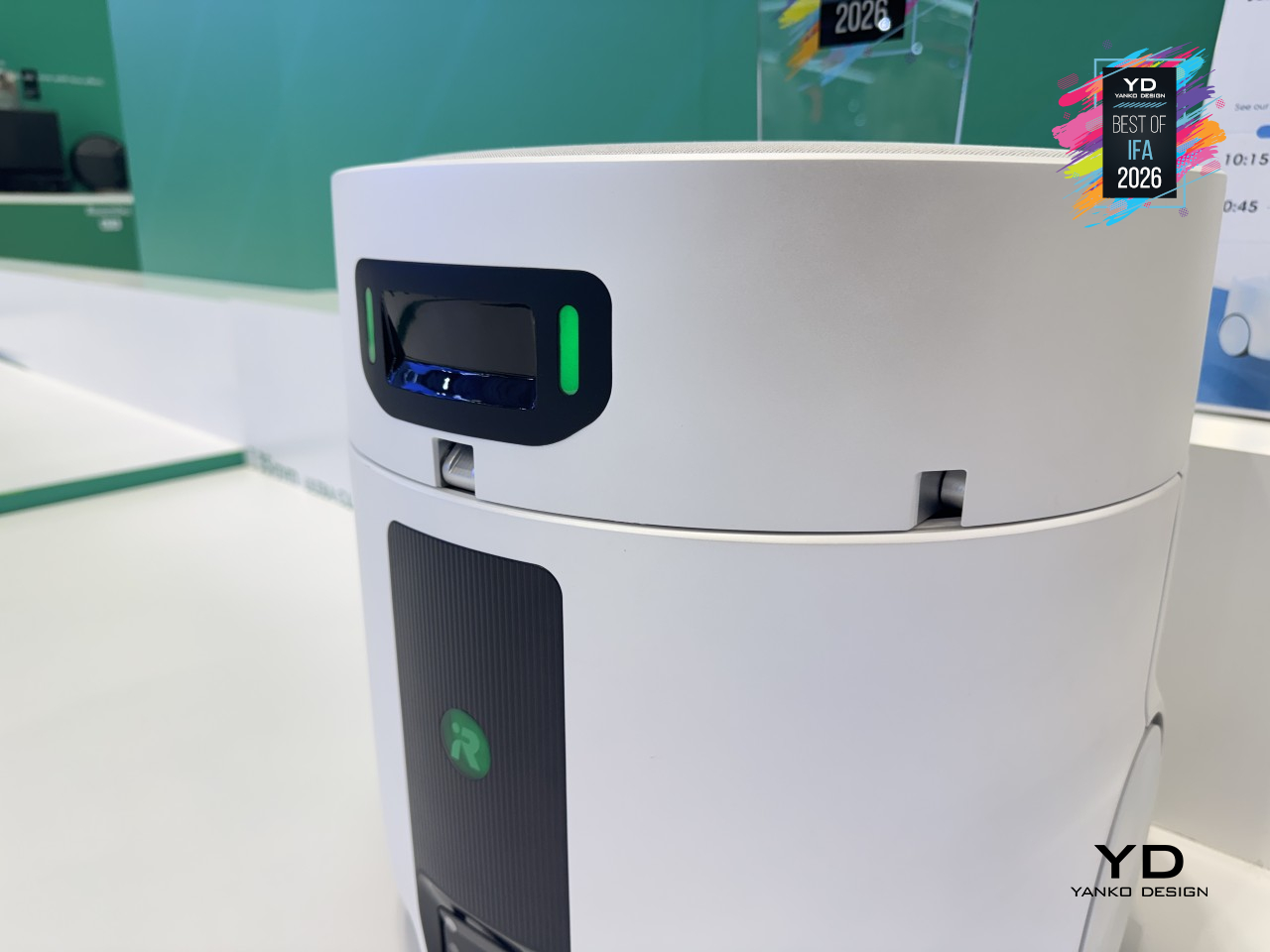
The main unit handles the heavy lifting, applying 4.7kg (10.4 lb.) of downward pressure through a heated steam mop built for wide-open floors. When it hits a gap too tight to enter, a mechanical arm on top stays level as it lowers a companion robot into the space instead. That companion stands just 8.35cm (3.3 in.) tall, yet still climbs thresholds up to 3.5cm (1.4 in.) high, with a mop pad that extends outward to catch corners and baseboards the main robot would otherwise miss entirely.
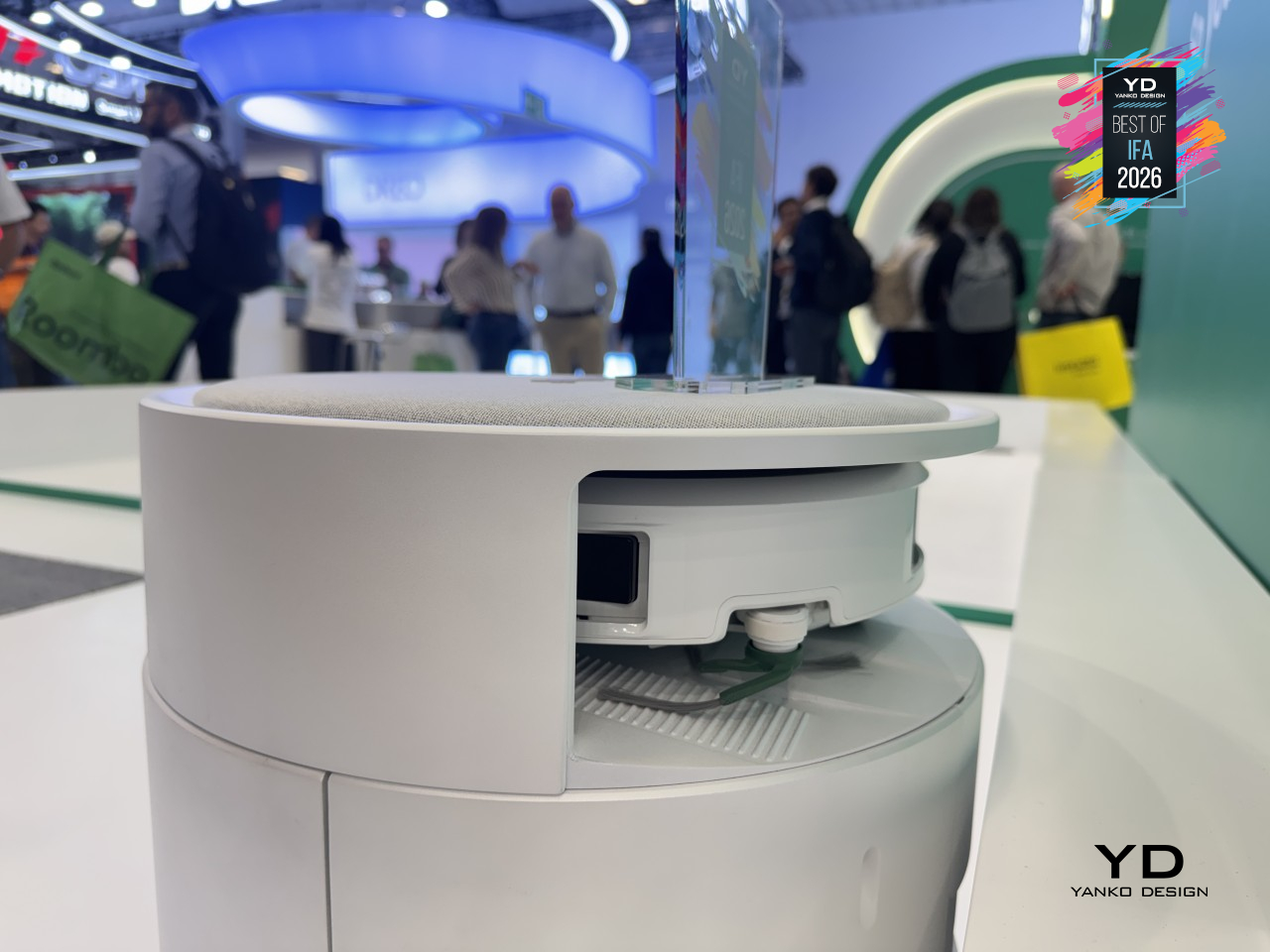
Neither robot works blind either. Both share a home map through iRobot’s app, coordinating cleaning duties in real time while relying on the same autonomous dock to stay charged and ready. It’s still very much a concept, with no confirmed path to store shelves yet, but it points to something robot vacuums have needed for a while now: two machines finally admitting neither one was ever meant to do this job alone.
The post IFA 2026’s Best Just Declared War on Tech Trade-Offs first appeared on Yanko Design.