Foldable phones are getting more common these days, but that doesn’t mean they don’t have room for improvement. Whether it’s the larger book-type foldable or the stylish clamshell flip phone, there are still lingering concerns in terms of design and durability. Admittedly, there have been quite a few major improvements over the years thanks to increased competition in this market segment. Although it was a pioneer, it almost seemed that Samsung had been stagnating instead, sticking too close to safe designs. That changed with the Galaxy Z Flip 5 this year and it will keep changing for next year’s generation that are expected to introduce new screens that address some of those complaints.
It’s not really that puzzling that Samsung decided to focus on improving the durability and reliability of its foldable phones over fancy features. After all, those are the biggest concerns buyers have when trying to sink their teeth into such an expensive investment. But four years after it first launched the Galaxy Fold, the basic design of this foldable phone hasn’t changed. In fact, one of the biggest complaints is how the external Cover Screen is too narrow, making it awkward and even difficult to use the phone as a regular phone when folded close.
According to industry sources, the Galaxy Z Fold 6 will have a wider Cover Screen to resolve this issue. An exact figure wasn’t given, but any additional width would be an improvement to the current design and put it on the same page as its rivals. Of course, this would translate to a change in the aspect ratio of the internal main display, which might end up looking more squarish than before.
The Galaxy Z Flip 6 is also getting a bigger Cover Screen, one that spans 3.9 inches diagonally versus the current 3.4 inches. This is being compared to the 4.0-inch iPhone 5s and iPhone SE (2016), which are the last small iPhones that Apple made. In theory, that means there will be more space for content, which opens the door for more apps as well.
Of course, that isn’t always the case in practice, because the screen aspect ratio and shape won’t be the same as an iPhone. And just like the Galaxy Z Flip 5 now, the kinds of apps that you can use on that external screen are very limited. There are no signs that Samsung will open up its Cover Screen to more apps the way the Motorola Razr does, so the impact of this change could be very minimal in the end.
Although it was a bit late to the game, it was unsurprising that the Apple Vision Pro mixed reality headset blew people’s minds the moment Apple officially revealed its existence and features. It has definitely caused many players in the market to rethink their designs and strategies, including Samsung who was supposedly close to announcing its own XR or eXtended reality hardware. The initial expectations were along the lines of a full headset not unlike the (Facebook) Meta Quest 3 or Samsung’s own defunct HMD Odyssey, but it seems that Samsung was “inspired” by its biggest rival to go back to the drawing board. While still largely a mystery, some of the pieces are falling into place, laying the foundations for what will soon be called Samsung Glasses.
Designer: Samsung
What: The Design
There is still some debate on what specific area of the umbrella eXtended Reality (XR) space Samsung’s headset will be aiming for. Based on a recently leaked prototype, it would have leaned more on the virtual reality side of the equation, with outward-facing cameras to allow wearers to see a glimpse of the world outside. This is the conventional HMD or Head-Mounted Device design and something Samsung is already familiar with. But with rumors of Samsung reviewing the device in lieu of the Apple Vision Pro, you can expect some big changes in terms of design.

A recent trademark filing in the UK reveals that Samsung is calling dibs on the “Samsung Glasses” name. The description, which covers VR, AR, MR, and XR, isn’t exactly telling, but it does suggest it will take on a form closer to smart glasses. Considering the necessary hardware involved, it won’t be something simple like Ray-Bans or Google Glasses, more like, well, the Apple Vision Pro or the Meta Quest Pro. While not completely comfortable or portable, this design at least opens the door to AR and mixed reality more than a typical VR headset.
Apple Vision Pro
Apple Vision Pro
How: The Specs
In addition to the usual processors and electronics needed to drive such a mixed reality headset, Samsung Glasses will succeed or fail depending on the optics it uses. The prototype mentioned above lists micro OLED displays, pancake lenses, and cameras for eye and hand tracking, all of which contribute to a more immersive experience when viewing and manipulating digital objects. Samsung was reportedly planning on using a 2022 processor to power this headset, but Apple’s challenge has it mulling over a more capable chip it could use instead.
Samsung Odyssey+
Samsung Odyssey+
One thing that Samsung might be doing differently from Apple is having the battery built into the headset, though mounted on the rear rather than the front. While this naturally adds to the weight of the device, its location attempts to at least balance the load on both sides. It also makes the Samsung Glasses a bit more portable since it doesn’t have to rely on an external battery connected via a cable.
Meta Quest Pro
Meta Quest Pro
When: The Date
With the Apple Vision Pro’s market launch nearing, Samsung really doesn’t have much time left to put out its own take on the eXtended Reality space. Insider sources claim that the date has been pushed back to mid-2024, in contrast to Apple’s launch sometime between January and April. That’s not to say that Samsung is taking it slow, as developers are allegedly told to finish their XR apps by November. There will be an internal launch next month, so we might get a few more unofficial sneak peeks of the device.
Samsung GearVR
Samsung GearVR
Of course, most of these are still conjectures based on a variety of unofficial sources, so there is still plenty of room to hope for a better device. Conversely, Samsung’s track record with the Gear VR and, later, the HMD Odyssey doesn’t inspire much confidence. The design of the headset is critical for comfort, but it will be the software that will determine whether such a piece of hardware will actually entice buyers in the long run.
The Christmas season is often associated with staying warm (if you’re living in the northern hemisphere) and having fun, and there’s a rather recent tradition that combines those with tongue-in-cheek humor. Ugly sweaters are exactly what their names imply, intentionally designed to be ridiculously laughable so that there’s really no room for misinterpretation. Making a pun on being a “soft wear” company, Microsoft has been releasing such unfashionable wearables for half a decade now, poking good-natured fun at its own products. This year’s design is an ode to the early 2000s, bringing back fond and not-so-fond memories of one of the longest-lived Windows versions of all: Windows XP.
Parts of the Windows XP design have perhaps forever been engraved in people’s memories, at least for those old enough to be using computers by 2001 onward. The candy-like “Luna” theme, the familiar login sound, and, of course, the iconic wallpaper that’s actually a photo of a landscape in Sonoma County, California. It’s this wallpaper, named “Bliss,” that Microsoft is bringing in somewhat low-res quality to this year’s Ugly Sweater, taking wearers and onlookers for a trip down memory lane, whether they like to or not.
Bliss is simple yet captivating, basically a picture of a green hill against the backdrop of a blue sky and white clouds. As its name suggests, it evokes a sense of serenity and calm, which is hardly the emotions you’d associate with using Windows XP, especially when the dreaded BSOD or Blue Screen of Death rears its ugly head. Nonetheless, it’s a powerful and admittedly warm image, just the perfect match for a warm piece of clothing.
That is, of course, if you’d be fine wearing what is practically the Windows XP wallpaper, letting everyone see your loyalty to the operating system or to the company. It’s not a perfect recreation of the wallpaper, though, and is more pixelated than what you’d see on a screen. It’s almost as if someone booted the sweater in Safe Mode, and there’s probably some underlying message there that we missed. And yes, there’s a very large mouse cursor there, fortunately pointing nowhere embarrassing.
This year’s Windows Ugly Sweater does have some hidden beauty, at least in how it is trying hard to save the environment. Specifically, Microsoft has partnered with The Nature Conservancy for this project, though exact details haven’t been laid out. At least you’ll be feeling a little good about yourself every time you intentionally put a large target on your back by wearing such an incredibly comical sweater this holiday season.
Never before has it been easier to create things at home thanks to 3D printers, but we’ve barely scratched the surface of what’s possible. There are still some limitations, especially for desktop 3D printers, dictated by economies of space or price. Something that may sound as basic as 3D printing objects with multiple colors turns out to be quite a chore because most of these printers are designed to handle a single filament at a time. Most of the time, you’re forced to print different colors as separate pieces and then just assemble them after the fact, a process that takes more time than necessary and is prone to error. You could buy a larger, more expensive multi-filament 3D printer, or you can upgrade your trusty machine with this revolutionary module set that makes printing different colors or materials at the same time easy as pie.
Commercial 3D printers, especially the most popular FDM or Fused Deposit Modeling kind, are designed to be quick, efficient, and easy to use. Given the parts and processes involved, that means limiting the printer head to handle a single filament of material at a time. With this technique, you can only print a single color or use a single type of material for a single pass, switching filaments when you need to print out a different color or material. After that, you have to glue the pieces together, which relies on your own precision and steady hands to achieve the desired design. This has been the status quo for many years now, not unless you buy an actual multi-filament 3D printer, which is bulkier and more expensive, especially if you already have a working 3D printer or two.
ChromaPad – Excels in color, material, speed, and control, unlocking limitless potential.
Fastest Multi-color Printing Experience – ChromaPad pushes the usual boundaries of 3D printing speed for both single and multi-filament projects. Accelerate your print up to 300+ mm/s and get your project in hand three times faster.
ChromaScreen Advanced Klipper Software – Comes with features like the ability to control multiple extruders, a helpful setup wizard, and the ability to manage multiple printers at once.
Manage Multiple Printers Effortlessly – ChromaPad allows you to control up to 8 printers in a single simple panel.
The Co Print ChromaSet is a collection of modules that basically upgrades almost any old 3D printer to be able to handle multiple filaments in one go. It allows you to use the same trusted machine you’ve been working with for years and, with just a few easy-to-install parts, turn it into a multi-color, multi-material 3D printer that is just as easy to use as any other regular 3D printer. Instead of being forced to print multiple parts because they’re made of different materials or colors, you can save time and a lot of work with a single printing pass that can use a variety of colors as well as filaments, including PLA, ABS, PETG, TPU, ASA, Wood, and more.
ChromaHead – Designed to match your needs on multi-filament 3D printing. When combined with ChromaPad or KCM, it minimizes all the issues that can occur such as jamming and clogging.
Filament Cutter for High Quality Prints – Powered by a robust servo motor with up to 20 kg of force and supported by a durable Japanese blade, ChromaHead’s precise filament cutting mechanism achieves a success rate of 99.9% in clean cuts.
Universal Rail Plug System – The design allows you to match with different brands and different models, and solves the compatibility issues.
Supports all the Materials you Need – Different colors, different materials. Your creative journey knows no bounds.
The different pieces of the ChromaSet work together to accomplish this seemingly magical feat. The ChromaHead with the embedded ChromaHotend, for example, attaches easily to almost any 3D printer thanks to its unique rail plug system, making it compatible with different brands, models, and mechanical setups. It is designed to support at most four filaments at the same time, with a special design that minimizes jamming and clogging, as well as employing a Japanese blade for precise and clean filament cuts. The CX-1 Extruder, engineered with Titanium gears, a dual-drive system, and high-torque features, is responsible for pushing those four filaments and can be just as easily installed on any 3D printer.
KCM (Klipper Chroma Module) – For users who already have a Klipper-based 3D printer. KCM gives you all the great features of ChromaPad right out of the box, so you don’t need to buy ChromaPad separately.
ECM (Extended Chroma Module) – Designed to increase your extruder limits. ECM allows you to add up additional 4 extruders into a single output via USB.
If you need more than four filaments, the ECM or Extended Chroma Module adds four more extruders into a single output for a total of eight. You can have up to five of these extruders for a whopping 20 filaments, each carrying a different color or type of material for an even faster workflow. Making all these different parts work together in harmony is the job of the ChromaPad, the world’s first multi-filament 3D printing pad. Running the ChromaScreen software based on Klipper Screen, the tablet gives users unprecedented control not just over multi-filament printing but as many as 8 printers at the same time as well. But if you already have a Klipper-based 3D printer, you can use the Klipper Chroma Module (KCM) instead, delivering the same features without the extra cost.
The Co Print ChromaSet was made in collaboration with major 3D printer brands, ensuring that it will work with almost all 3D printer models in the market. A $349 discounted bundle lets you get the ChromaSet with the Klipper module instead of the tablet, while the $499 set includes the ChromaPad without the KCM. Whichever bundle you choose, the ChromaSet is guaranteed to upgrade your 3D printing experience, allowing you to make magnificent colorful designs in a fraction of the time and with less effort.
Handheld gaming devices are in vogue again, and not just the smartphones we always have in our hands these days. The success of the Nintendo Switch has given rise to a new breed of portable PCs built specifically with gaming in mind, and now even big brands like ASUS and Lenovo are playing in this very niche field. While both the Switch and the Steam Deck have become the poster children for this category of devices, they aren’t the only way to play PC games anywhere and everywhere. Another contender is pushing a new entry into the race, and this one hides a QWERTY keyboard for those times when you need keys rather than buttons to play, communicate, or even work.
Handheld PCs like the Steam Deck, ASUS ROG Ally, and Lenovo Legion Go are probably PC gamers’ dreams come true. They allow them to play their favorite modern and even retro titles without having to worry about finding a place to set up a laptop. That convenience, however, comes at the price of relying only on controller buttons and joysticks for movement, while being at the mercy of a touchscreen and an on-screen keyboard for everything else. That’s not a problem for something like the Nintendo Switch with games specifically designed for such an input scheme, but for a PC that can potentially play and do anything, it’s severely limiting.
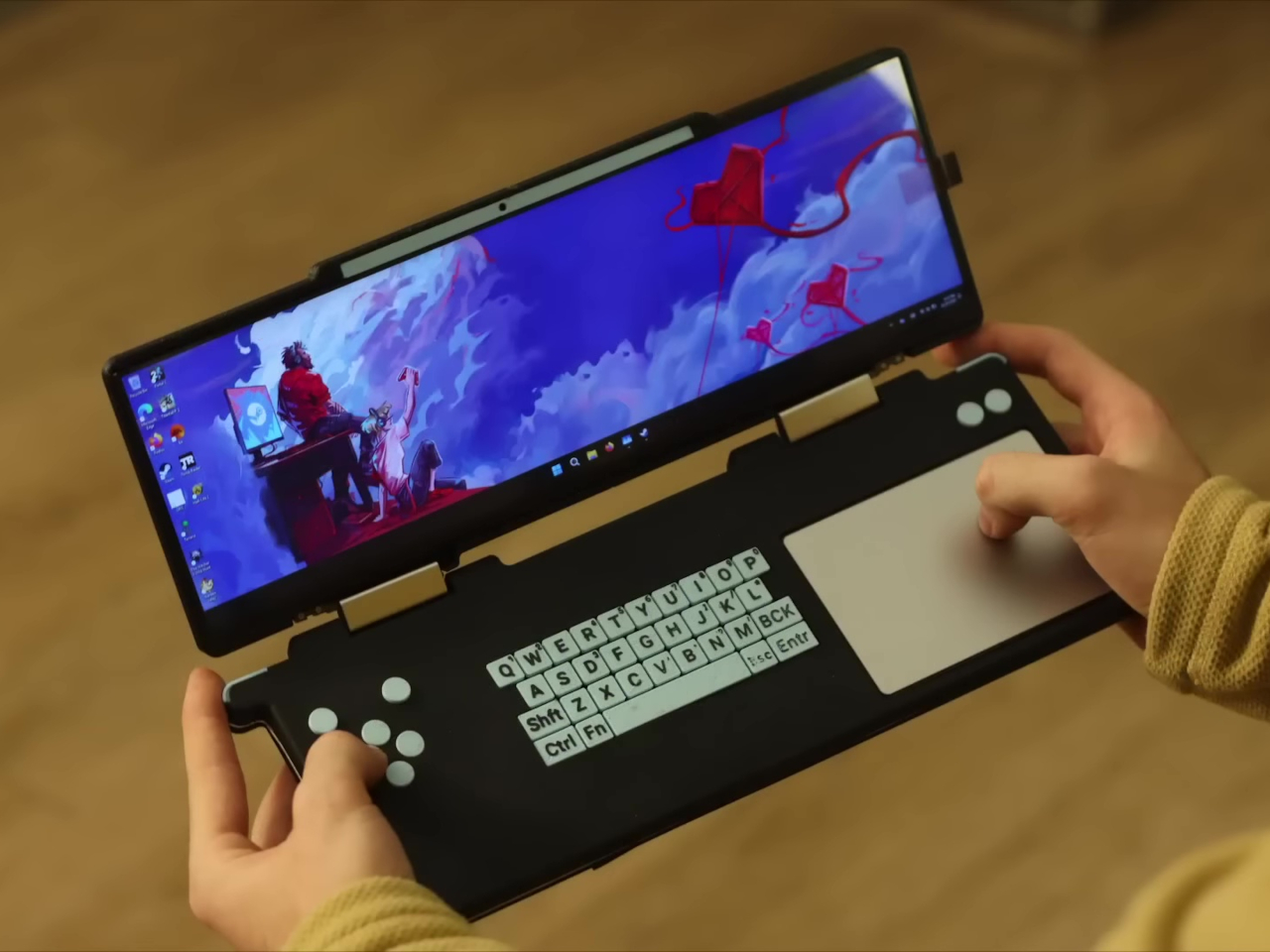
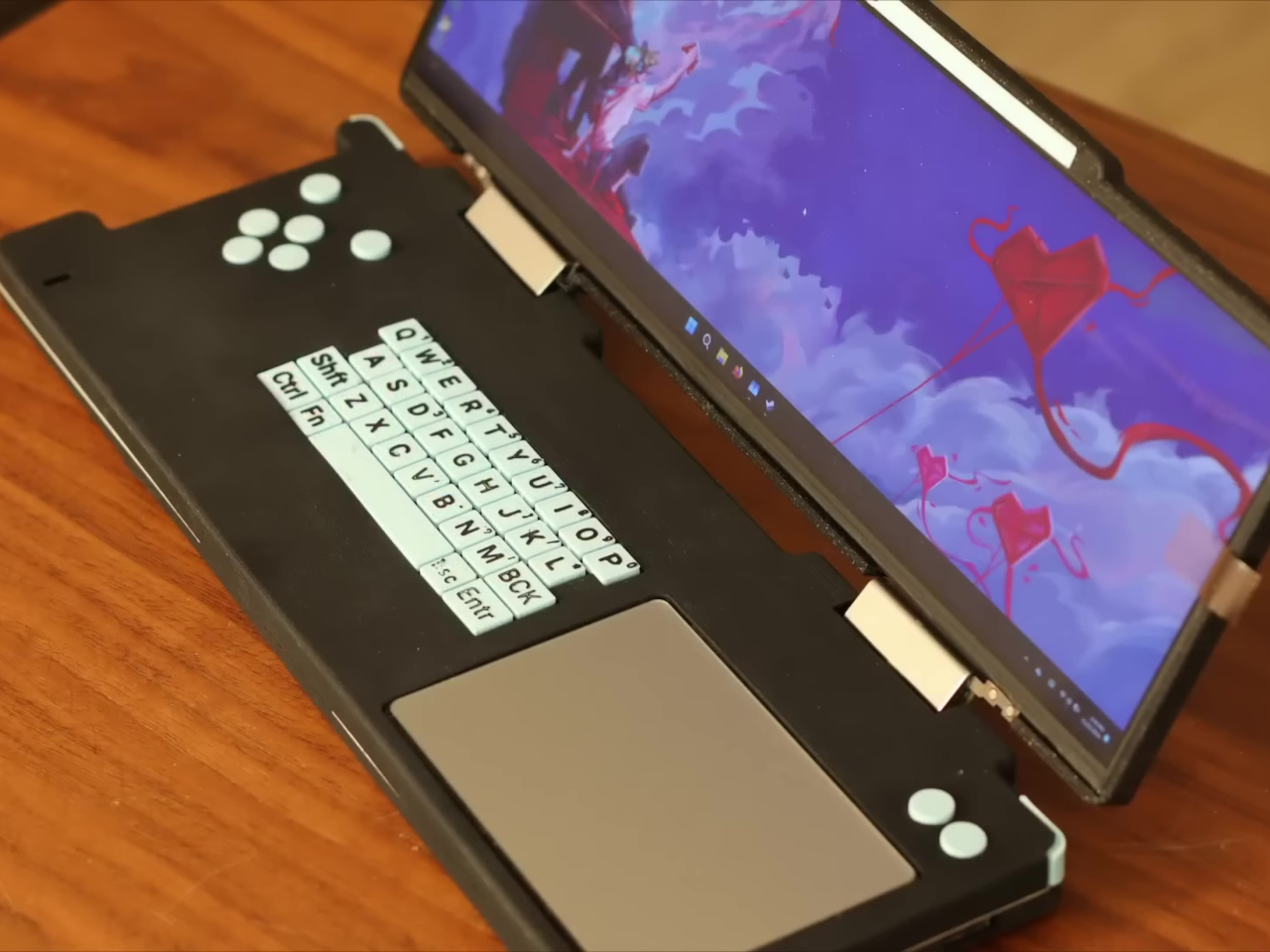
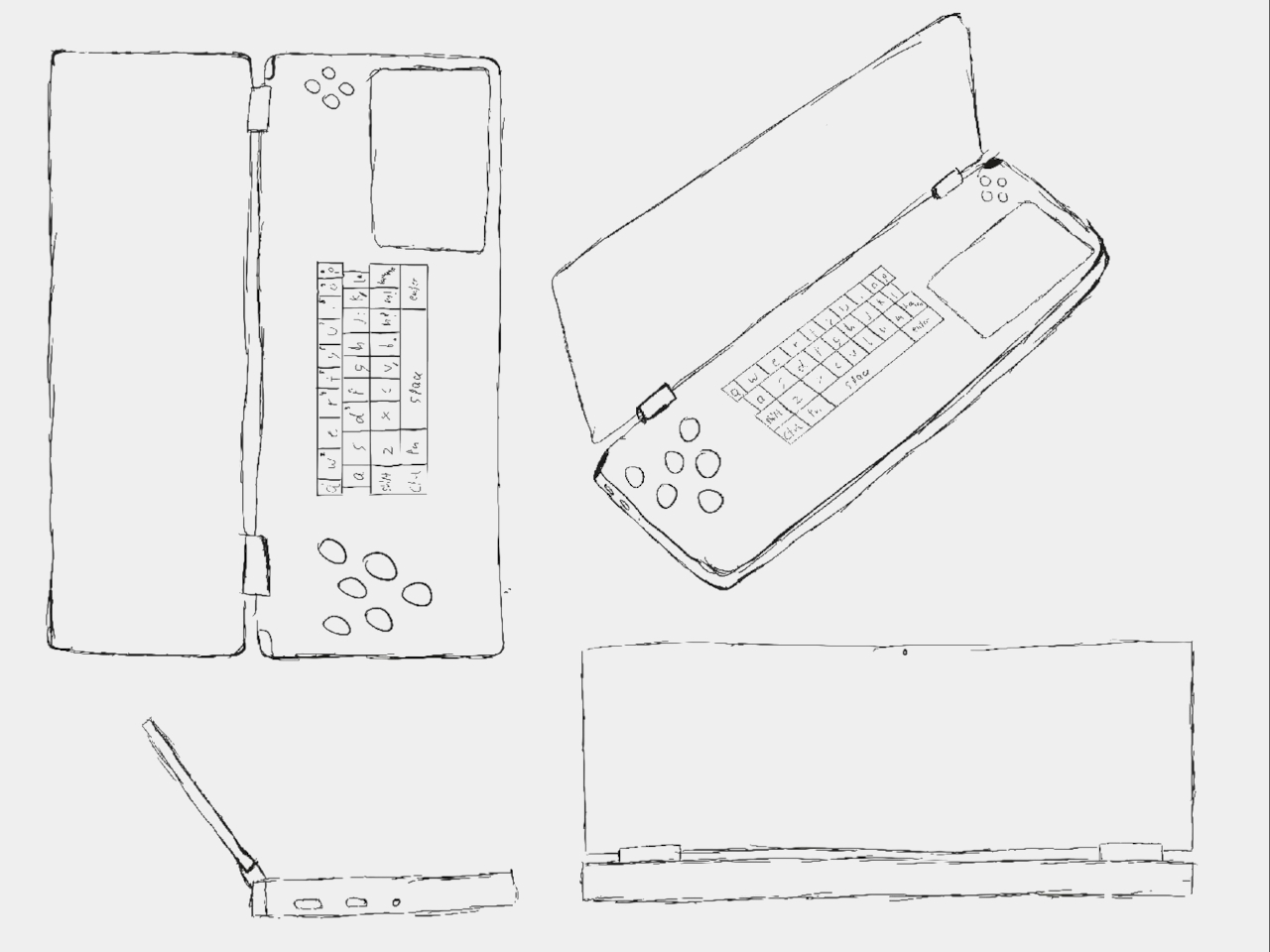
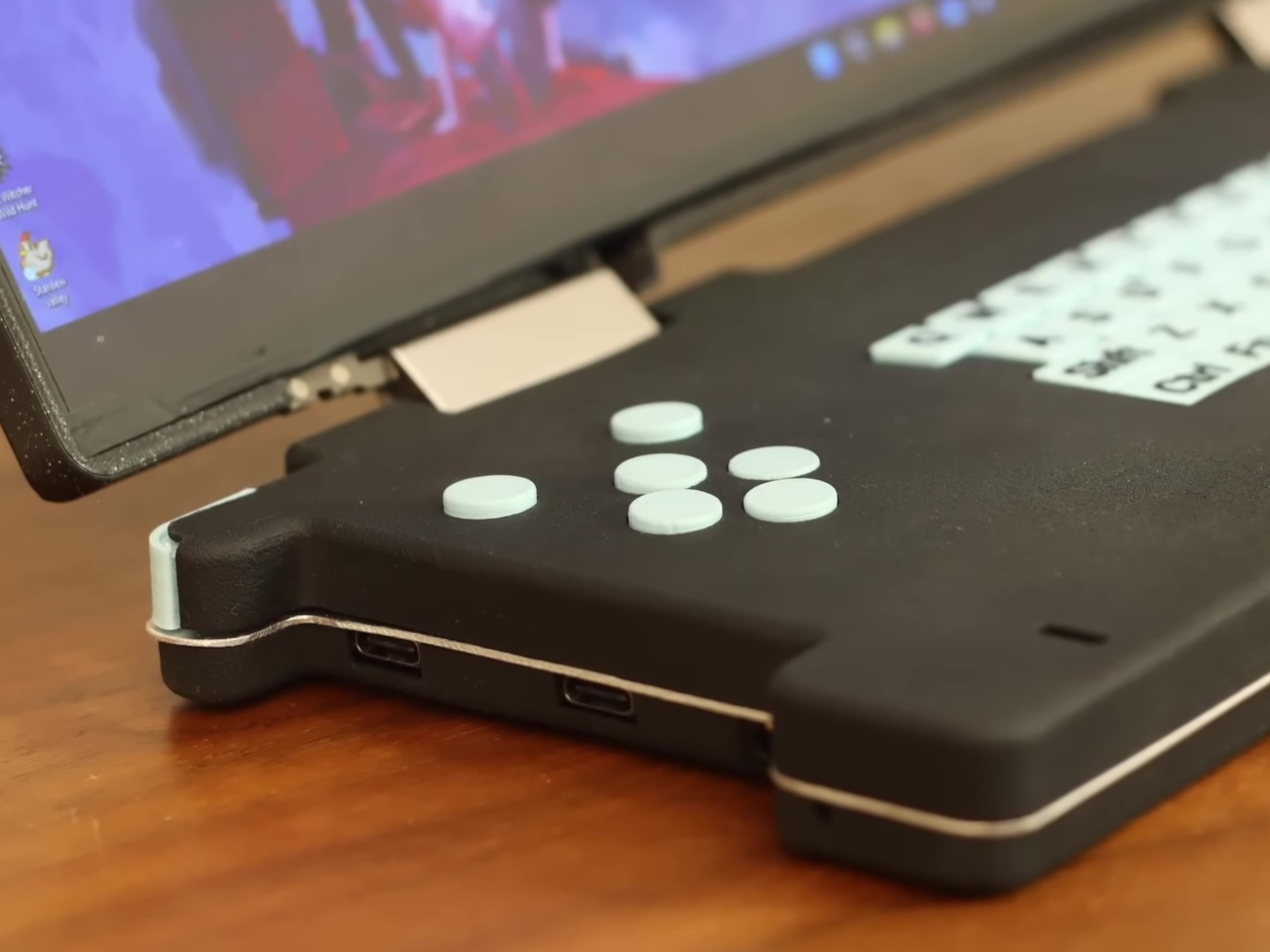
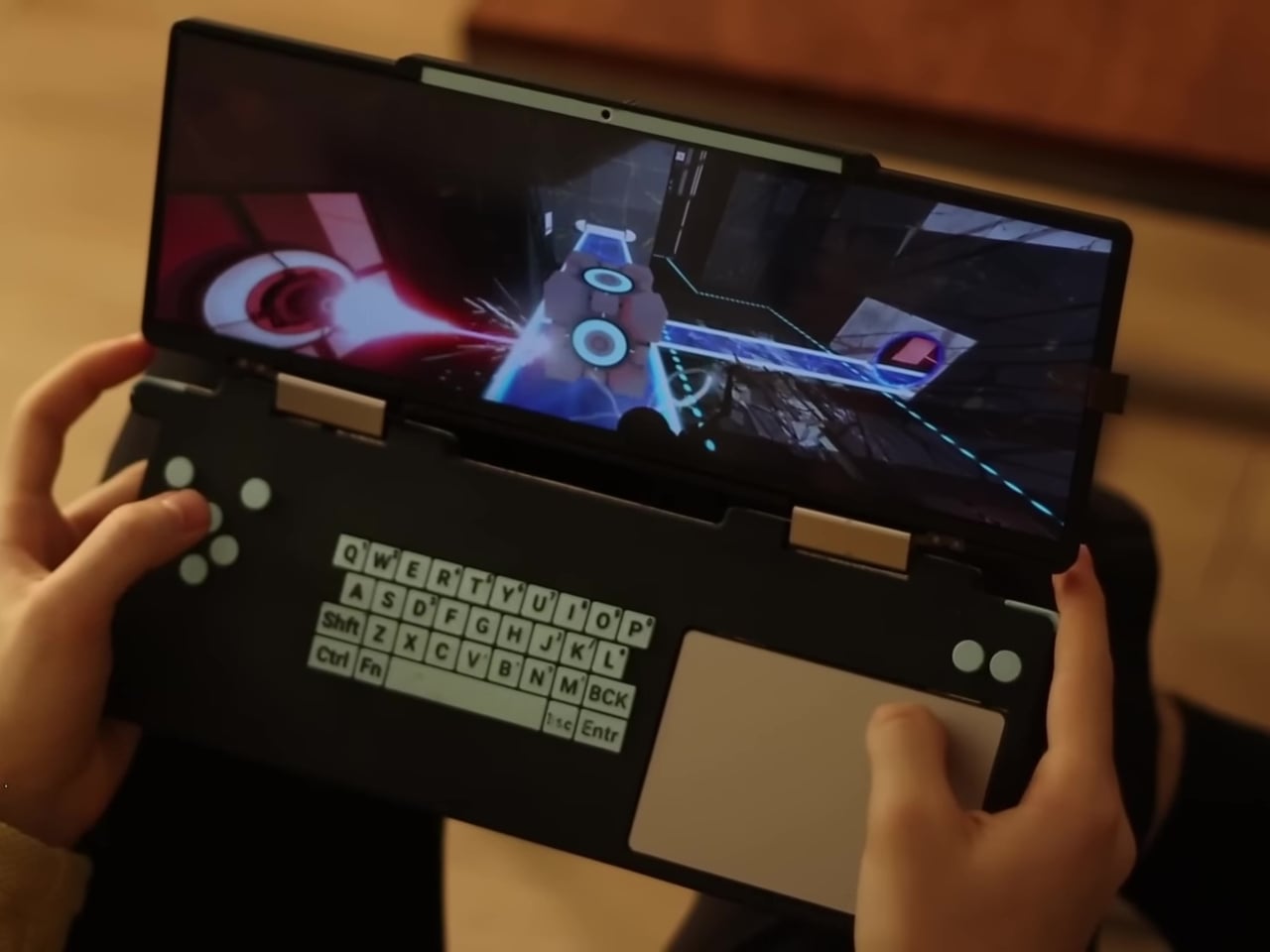
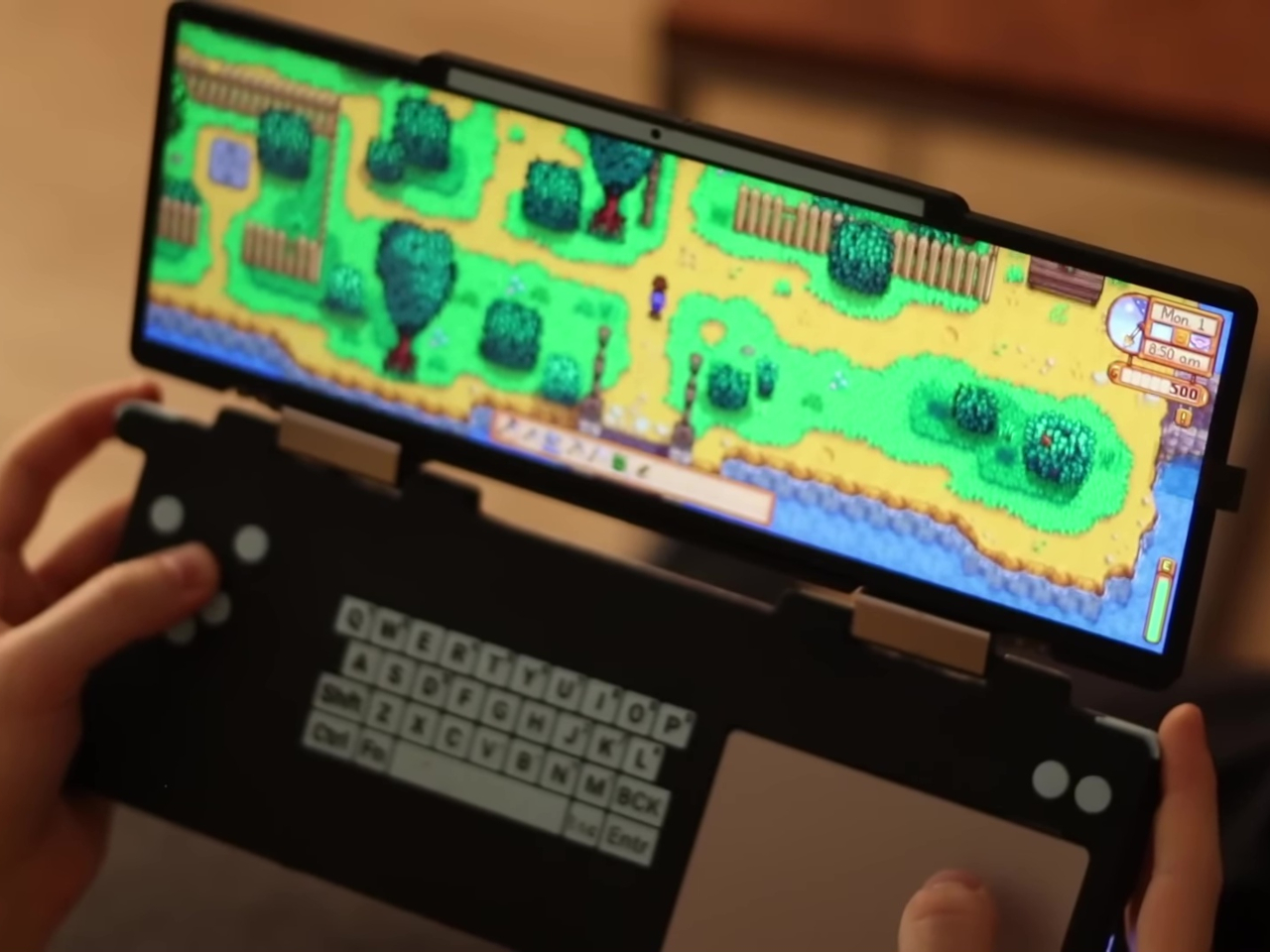
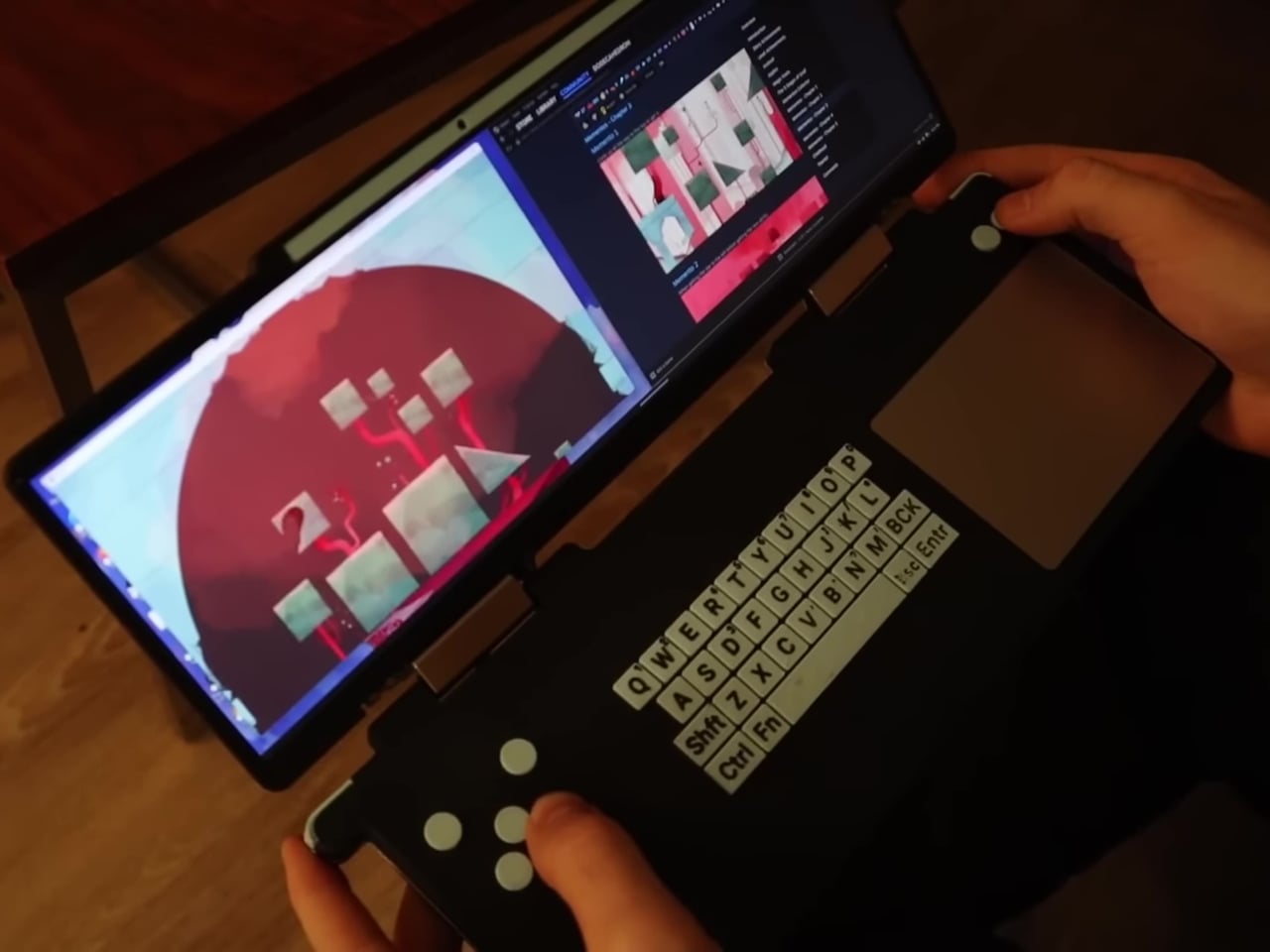
The AYANEO SLIDE addresses this problem by introducing a physical QWERTY keyboard that doesn’t get in the way when you don’t actually need it. Its trick is to hide that keyboard underneath the display using a sliding mechanism, not unlike the slider keyboards of smartphones from long ago. That makes it trivial to type out messages for games that require chatting with other players or to even play games that might not fully support game controllers. And since you can easily hide it when you’re done, it doesn’t take up too much extra space when it’s not in use.
Granted, the AYANEO SLIDE is hardly the first to use this design to address the problem of an absent keyboard. The recent GPD WIN 4 and the old Sony VAIO UX from 2006 both used a sliding mechanism to hide a QWERTY keyboard. AYANEO’s design, however, also lets you set the screen at an angle when you slide it up, which offers a slightly more ergonomic viewing angle compared to a completely flat screen.
While the addition of a hidden keyboard does fix one problem, the design has some drawbacks in the current implementation. Given the large size of the device, thumb-typing on that keyboard isn’t exactly comfortable or fast. A sliding mechanism also invites trouble because of moving parts. An alternative design, one employed by AYAENO rival GPD, uses a mini laptop form factor to offer a different way to mix gaming and typing on the go, but that also brings its own problems in terms of portability and bulk.
Tons of fun and dynamic smart features for any holiday or occasion
Simple discreet design is perfect for installing anywhere, whether indoors or outdoors
Very affordable price tag
CONS:
No dedicated pure white color
Silver cable stands out against some colors and trees
Adapter only has IP44 dust and water resistance
RATINGS:
AESTHETICS
ERGONOMICS
PERFORMANCE
SUSTAINABILITY / REPAIRABILITY
VALUE FOR MONEY
EDITOR'S QUOTE:
The Govee Christmas String Lights offer delightful light shows, smart features, and great value all year round.
It’s that most wonderful time of the year again, and if you haven’t already set up some lights before Halloween, you are most likely already planning how you’d decorate your homes for the holidays. There is no shortage of lighting options available, both smart and traditional, but the majority of them have one flaw in common. They lose their appeal after the holiday season has come and gone, making their setup and cleanup feel a little more work than they’re worth. The new Govee Christmas String Lights clearly have “Christmas” in their name, but their design and functions make them sound appealing no matter the season. That’s why we took these colorful lights for a spin to check if they check all the right boxes not just for a festive Christmas atmosphere but also for all-year-round smart lighting.
Traditional Christmas lights come in fairy or rice light designs, which are great for spinning around trees or hanging from windows and roofs, but not much else. The very visible bulbs that protrude from the main cord make them look too conspicuous and difficult to hide in plain sight. In contrast, the 100 or 200 lamp beads (depending on which length you purchase) that make up the Govee Christmas String Lights are almost integrated with the braided cable, making them almost invisible unless you take a closer look. That cable’s design is also quite discrete and plain, making it easier to install the lights almost anywhere.
That said, the Govee Christmas String Lights cable comes in only a single white or silver color. That means it will be able to match many walls or backdrops, and it looks great on a white Christmas tree. A black cable might actually be easier to hide in most contexts, but black doesn’t really come off as a festive color, which is why most Christmas lights go for either green or white.
When the lights are off, the Govee Christmas String Lights are admittedly a rather plain and boring sight, indistinguishable from others of its kind. Fortunately, that perception immediately disappears once the lights are turned on, thanks to each bead’s ability to display one of 16 million possible colors courtesy of Govee’s RGBIC and Uni-IC Control Technology. That already makes these lights give a dazzling display of colors from the get-go, but no owner is going to be satisfied with just displaying static colors. Fortunately, Govee’s true strength lies not just in the quality of the lights themselves but in the smart and fun controls they offer, as we’ll soon see.
Ergonomics
Before you’re able to enjoy the light show, however, you have to set them up first, and we’re happy to report that handling the Govee Christmas String Lights is as easy as pie. There’s almost no effort involved if you’ll just be coiling it around a Christmas tree, but you’ll have to do a bit of planning if you’ll be hanging them elsewhere. Unlike Govee’s other string or rice lights, these don’t come with hooks or mounts for walls or ceilings, so you’ll have to take care of those yourself. The control box does have a pre-installed adhesive for quickly sticking it to flat surfaces.
If there’s one important factor you’ll have to consider, it would be the fixed length of the lights, which come in 33ft or 66ft variants. There’s no way to physically connect two or more string lights into a single unit, so you’ll want to make sure before you buy what length you’ll be needing for your installation. The 66ft length, for example, is good enough to cover a Christmas tree 5-6ft in height, or 7ft at most.
Once the physical labor is done, all that’s left is connecting the lights to your home network, which is what opens the door to all of the lights’ nifty features. If you’ve had any sort of experience setting up smart lights and smart speakers, this process will be familiar and easy. The Govee Home app itself, which acts as your remote control, is easy to use and intuitive, making the use of the lights just as enjoyable as watching them.
Performance
The Govee Christmas String Lights’ strengths come from two areas. The first is the bright and colorful lights that the beads give off, so bright that even the lowest intensity can still be a bit uncomfortable if you put it around your bed’s headrest. Govee’s RGBIC technology shows off millions of colors, except perhaps pure white. Without a dedicated white chip, the lights can only make do with an approximation of white mixed from RGB colors, which results in off-white or even warm white hues. It’s not exactly a deal-breaker unless you’re aiming for a pure white Christmas kind of theme.
Admittedly, a lot of Christmas lights can boast those same colorful feats, but where the Govee Christmas String Lights really shine (pardon the pun) is in the smart features. You can connect it to Amazon Alexa and Google Assistant for completely hands-free voice-controlled operations, but that’s really just scratching the surface of what the lights are capable of. The Govee Home app reveals the full breadth of features available in every string of light, features that take it beyond being a seasonal decoration.
For example, there are more than 99 preset scene modes that apply dynamic effects to make sure the patterns and rhythms never go stale, whether it’s Christmas, Halloween, or even Valentine’s. The built-in mic in the control box enables Music and Game modes that make the lights sync to the beat or react to children’s clapping, turning the light show into an interactive experience. There’s even DreamView, that makes different Govee lights operate in unison without any extra accessory.
The string lights as well as the control box are also IP65 rated, which means they’re also fit for outdoor use. The adapter, however, isn’t waterproof, so you’ll have to make sure to keep it tucked away safely. With all these smart features, the Govee Christmas String Lights have something to offer any time of the year, whether it’s lighting up parties or simply jazzing up your house to make you the envy of the neighborhood.
Sustainability
The Govee Christmas String Lights are made from your typical collection of plastic and other synthetic materials, not unlike any other string lights in the market. And like any LED lamp, once busted there is no way to replace it, especially with the cable’s design. That doesn’t bode well when it comes to sustainability, but the product does have one saving grace in this regard: its longevity.
Despite its name, Govee made these string lights fit for use in all seasons and under many weather conditions. That IP65 dust and water resistance rating helps it survive downpours, and the simple design makes it easy to hide the lights underneath some cover or protection. And thanks to its versatile functions, its use extends beyond just one or two seasons, so you are really getting your money’s worth.
Value
With so many Christmas lights to choose from, it can be a daunting experience looking for that elusive perfect one. You might be tempted to just grab any box off the shelf until you remember that the last one barely lasted a year. And then there are those fascinating smart lights that promise dozens of enticing features but then slap you with a three-digit price tag.
Like many of Govee’s products, the Govee Christmas String Lights buck the trend to deliver a product that is not only talented but also accessible to everyone. The lights sell for only $59.99 and $89.99, for the 33ft and 66ft lengths, respectively, and that’s without discounts and sales that happen quite frequently. But even at full price, you’re getting a bright, colorful, and smart lighting solution that goes beyond just a single holiday, making that amount an investment that will last you for years.
Verdict
The holiday season is the best time to throw a splash of colors both outside and inside your house, but that doesn’t have to be the only time either. Sure, you only bring out the Christmas tree once a year, but your walls, windows, and room could also use a bit of lively lights any night. Most Christmas lights, unfortunately, look awkward outside of the holidays, presuming they even last that long. The Govee Christmas String Lights is clearly an outlier, and one that bears noting this time of the year and beyond.
Of course, it is designed with Christmas festivities in mind, and it definitely excels in that regard. The bright, colorful LED beads deliver an unparalleled number of colors that really paint your tree, your room, or your house with the colors of the season. Smart features not only make controlling the lights easier, but they also make them fun with the likes of Music Mode and Game Mode. What makes these lights truly noteworthy, however, is how both its design and its features can fit any occasion, holiday, or setting. Whether you’re dressing up the living room for Christmas, giving the lawn a spooky atmosphere for Halloween, or simply giving your house a colorful makeover each night, the Govee Christmas String Lights has got you covered all year round.
Think of a lamp and you will probably immediately imagine a bulb on a metal pole, a circular base, and a conical lampshade. More modern designs often involve simpler geometric shapes like bars with rotating arms. Of course, there’s a wide world of lamp designs that cater to an equally wide range of needs and tastes. Some even tell stories with their forms, materials, and production. This beautiful lamp, for example, exudes an ethereal character as well as a sense of timelessness, two different properties brought together in graceful harmony thanks to the interplay of contrasting elements made in very different ways.
Some materials carry a distinctive character simply by their very nature. Rock is hard and unmoving, wood is warm and tactile, and paper is light and flexible. Some materials even stand diametrically opposed to each other, but just like many things in nature, sometimes complement each other so perfectly that it almost feels like they were made for each other from the start.
The Talla Lamp is a gorgeous design born of that duality, combining the ethereal fragility of glass with the timeless memory of marble. One feels like it would break at the slightest force, while the other would break other things instead. And yet the spherical glass sits calmly and gracefully on top of the marble prism, fitting snugly in each other’s embrace. The small bulb inside creates an otherworldly light that shines through the tinted glass and casts eerie shadows on the marble stand, illuminating and mesmerizing at the same time.
The glass half of the lamp has its own story to tell. It is made using free-blown techniques that make each piece truly unique. That complements the marble base, made using more mechanical methods, whose patterns also differ from block to block. As such, each Talla lamp carries its own character and story, a subtle nod to the personal stories we ourselves make every day in our life’s journey.
Once frowned upon as a sign of being disconnected from your surroundings, TWS or truly wireless stereo earbuds have now become the norm for smartphone users. They do bring quite a few benefits, like freedom from the tangle of cables, though they also become prone to getting lost easily. They also open up a lot of opportunities as far as design goes, particularly when it comes to brand collaborations. After all, it’s only too easy to slap colors and logos onto these earbuds’ charging cases. A bit more interesting, however, are designs that embrace less conventional shapes or materials, like these cases for Samsung’s line of Galaxy Buds that come in the form of iconic monster-catching balls from the popular Pokemon franchise.
To be clear, these Poke Balls don’t replace the charging cases that Samsung earbuds use. In Pokemon parlance, the original earbuds case would be the Pokemon that would live inside the ball when not in active use. Instead, the charging cases go inside these balls, which solves both the problems of compatibility. In fact, these Poke Balls are compatible with the entire range of Galaxy earbuds, including the Galaxy Buds Live, Buds Pro, Buds 2, Buds 2 Pro, and the recent Buds FE.
As for the Poke Ball designs, what’s being made available in Europe, particularly in Spain, are the purple Masterball, the blue Greatball, and the Yellow Ultraball. A bit ironically, the classic red and white Poke Ball is not available, which would have been a design that would have immediately identified the spheres as Poke Balls rather than just some random toy. That was actually the first design that was launched, so it might make its way to other countries at some other point in time.
This, after all, isn’t the first time that Samsung and The Pokemon Company collaborated on Pokemon-themed accessories and devices. What makes this particular set of Poke Balls, however, is that it’s a part of a range of eco-friendly accessories that use recycled materials rather than virgin plastic. Whether these make their way to other markets, only time will tell.
As endearing as these designs might be to Pokemon fans, there are a few practical drawbacks that interested buyers must be aware of. First is that the earbuds will no longer be easily pocketable when in the Poke Balls because unlike in the animated show, these don’t shrink to tinier sizes. The second is that the balls themselves don’t have built-in batteries or ways to charge the cases inside, which means you’ll have to take out the charging case if you need to top it off.
The pen is mightier than the sword, especially given how it has withstood the test of time, even in our current digital age. But while writing things down by hand has plenty of cited benefits, from psychological to practical, handwritten notes also miss out on a lot of conveniences and potential, especially when it comes time to search through dozens of pages of scribbles. For years, smart notebooks have tried to bridge this gap between analog and digital with some measure of success, but the majority of them stop at turning handwritten notes into digital text you can easily search. This innovative smart notebook, however, upgrades that experience by harnessing the power of AI to make the best out of your scribbles and sketches, turning them into summaries, tasks, appointments, and even translations that will take your productivity to the next level.
AI has been a hot topic for the past years, impressing many while scaring off others. The power that artificial intelligence, machine learning, and neural networks can bring to seemingly ordinary products can really be mind-blowing, especially when you consider the new experiences they enable. ChatGPT, for example, is quite a famous large language model (LLM) application that is being used for things like conversations, searches, and other text-related processing that makes it feel like you’re talking with an actual human person. The XNote smart notebook utilizes this amazing AI to bring together the joy of writing on paper and the convenience of digital technology in an intuitive and seamless way.
The magic of the XNote starts, of course, with pen and paper, specifically a beautiful invisibly coded notebook and a revolutionary smart pen. The notebook itself bears a Moleskine-like design, complete with an elastic band to keep it from opening accidentally. The smart pen looks like it’s simply leaving ink marks on paper, but it’s also detecting invisible patterns so that every stroke is accurately sent and mirrored to the XNote app via Bluetooth in real-time. You don’t have to take pictures of your notes and you don’t even have to wait for your scribbles to sync with the app. You can see your scribbles and drawings recreated inside the app instantly, almost like magic. With a built-in 265mAh rechargeable battery, you can write for 7 to 8 hours of use without having to worry about a forced break.
While other smart notebooks stop there, XNote transforms your ink marks into text, formulas, or diagrams, all kinds of digital objects that can later be searched or even shared with others online. XNote, however, goes beyond handwriting recognition and uses ChatGPT to create contextual recognition, smartly identifying the kind of text so that you can simply ask XNote when you need to look for a note. Can’t remember where you stored a friend’s suggestion for your next binge reading? Just ask in the XNote app to look for the book recommendation you wrote last week. Need a quick recap of the meeting notes you took earlier? Ask XNote to summarize those for you in easy-to-digest pieces. You can even have those notes translated for easier communication beyond geographical boundaries. And since the notes are digitized, you can easily search across different notebooks and access your data on platforms, ensuring that your analog notes remain accessible long after the paper notebooks go away.
XNote not only cares about your notes but also about your privacy as well. It uses advanced end-to-end encryption, two-factor authentication, and top-tier cloud security protocols to ensure no unauthorized person ever lays eyes on your notes. And while the basic package has the core features you need, XNote offers a $9/month ($59/year launch special) Premium subscription that brings all the power of AI to your fingertips, including Smart Task Alerts and AI-driven Tags and Categories. Even better, now that it has reached its $200,000 funding milestone, every backer who has selected either the 1-Year Subscription or the Combo Bundle will be automatically upgraded to a Free Lifetime AI Membership! With the ChatGPT-powered XNote smart notebook, you can employ that powerful AI to do the heavy lifting of making sense of your notes while you continue to enjoy the benefits of writing with pen and paper.
Without much fanfare, OnePlus revealed the design that would mark its newest flagship, the OnePlus 12. While that two-digit number proves it’s no longer a young upstart, the brand is famed for outside-the-box thinking when it comes to design and materials. That’s not to say it always comes out with guns blazing, and zeal sometimes has to be tempered with practicality. Take for example the upcoming OnePlus 12 which is now officially confirmed to be using pretty much the exact same design as its predecessor. While that might not make for a sensational launch, it does give a sense of familiarity and stability. Unfortunately, there doesn’t seem to be any sign of an earlier wooden grain shell, which could probably dampen a few excited expectations.
Designer: OnePlus
At this point, it might be difficult to pinpoint which company really started this camera design trend, but OnePlus has been doing some rather interesting experiments in the past years. In order to make the usual camera bump a little more interesting visually, the OnePlus 10 last year adopted a rather unique style where the camera’s raised bump actually continued and curved off to the side. This year’s OnePlus 11 mixed that up with the circular camera island design that made the phone look like it was wearing a monocle or an eyepatch.
The OnePlus 12 uses this exact same design with one small but important change. There are four sensors now, though one is most likely an RGB or 3D Time-of-Flight (ToF) sensor, so the flash had to move out of the enclosure, giving the camera a more symmetric appearance. Other than that, there are no big visible changes, which means that OnePlus is able to preserve its brand identity for one more generation. Admittedly, the design doesn’t appeal to everyone, but it’s hard to deny that it’s a distinctive one.
What OnePlus has officially revealed so far, however, doesn’t yet include the earlier leaked “wood grain shell,” which could either be a new variant or an official protective case. Instead, the OnePlus 12 will come in three colors with subtly different textures despite all being made from glass. White is compared to silk, black is likened to ceramic, while the green variant seems to be trying to pull off another marble-like aesthetic.
OnePlus hasn’t yet completely spilled all the beans regarding its upcoming flagship, so it’s a little too early to say if that’s all there is to it. Of course, in terms of hardware, it will have the latest Qualcomm Snapdragon 8 Gen 3 processor to lead the way, and its photography roster is expected to include a 50MP main camera and a 64MP telephoto shooter with 3x optical zoom. The OnePlus 12 is scheduled to be officially announced in China next week, but a global date is expected on December 15.