3D-Printed Faces for Robot Vacuums Get Messy Every Time They Bump

Robot vacuums quietly patrol floors as anonymous discs, efficient but a little eerie, especially for kids and pets who aren’t quite sure what to make of a machine that roams around on its own. They slide under sofas, bump into chair legs, and dock again without anyone feeling particularly attached to them. It doesn’t take much to turn that same machine into something closer to a small pet that happens to vacuum.

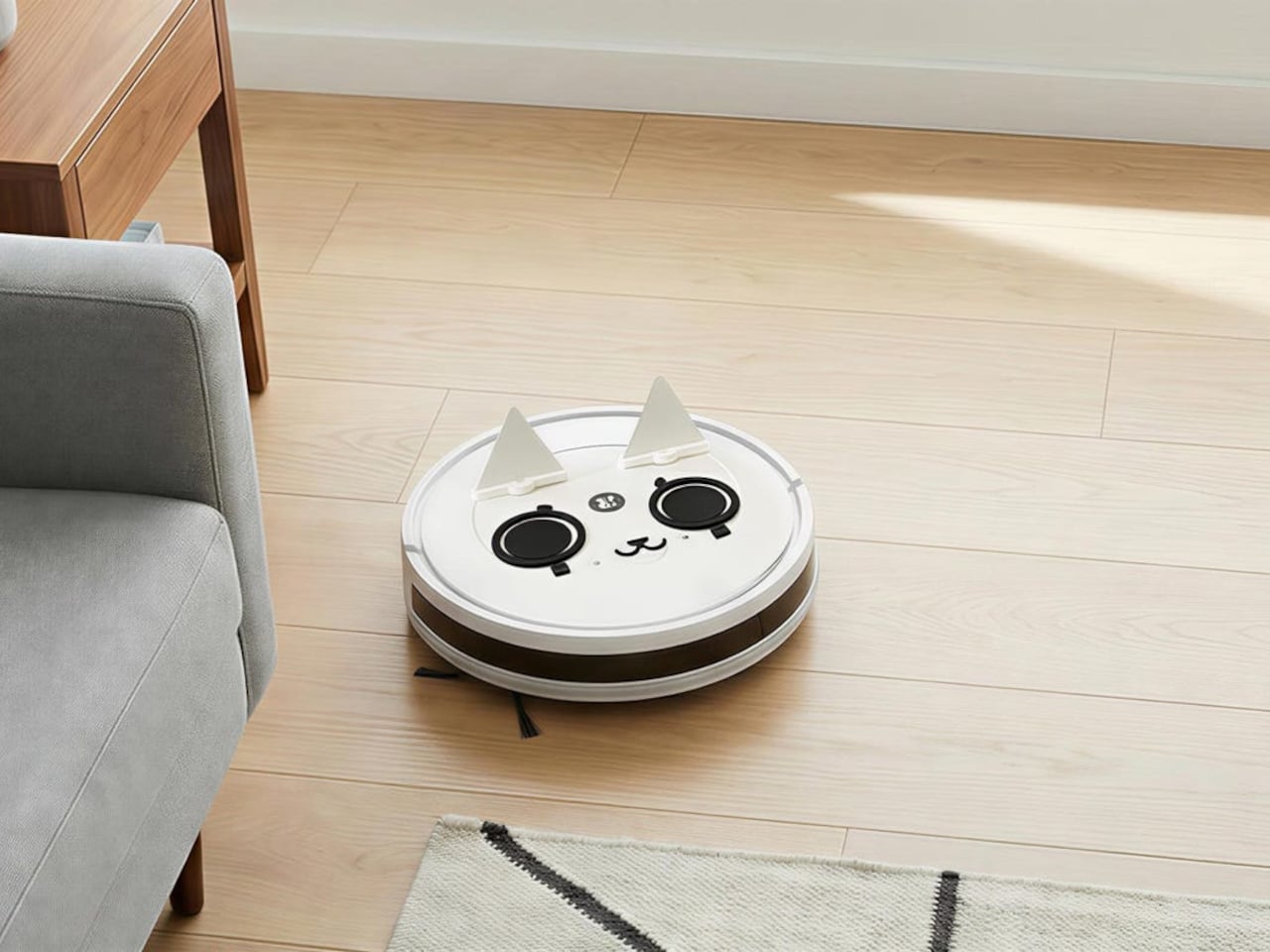
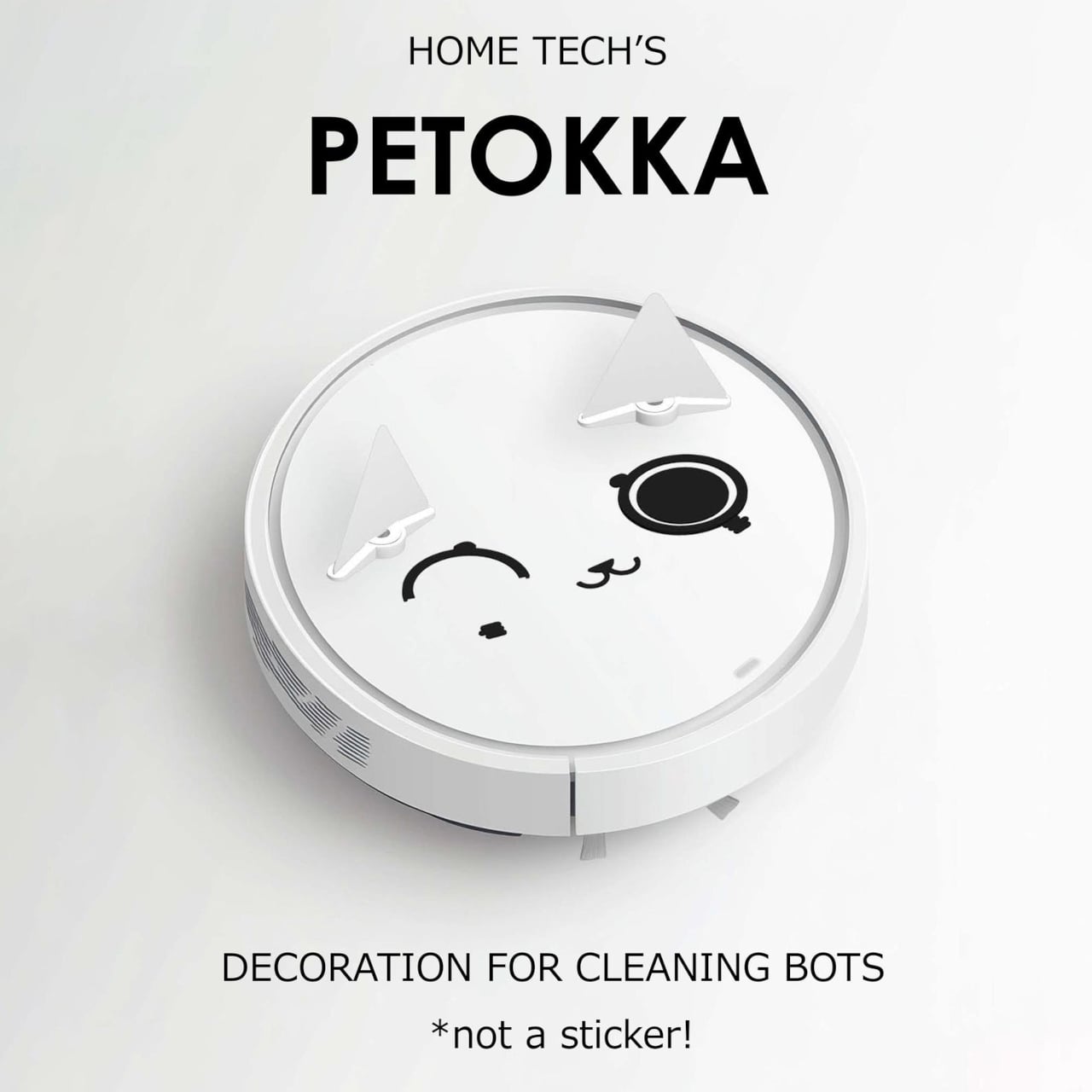
This 3D-printed cat/dog robot vacuum decoration, sold under the Petokka name, is a small kit that gives the robot a face, ears, and movable eyes. Rather than stickers, it’s a set of PLA parts that sit on top of the vacuum and react to how it moves, so the cleaning bot comes back from a run looking like it’s had its own adventure.

Designer: Zakka Gyou
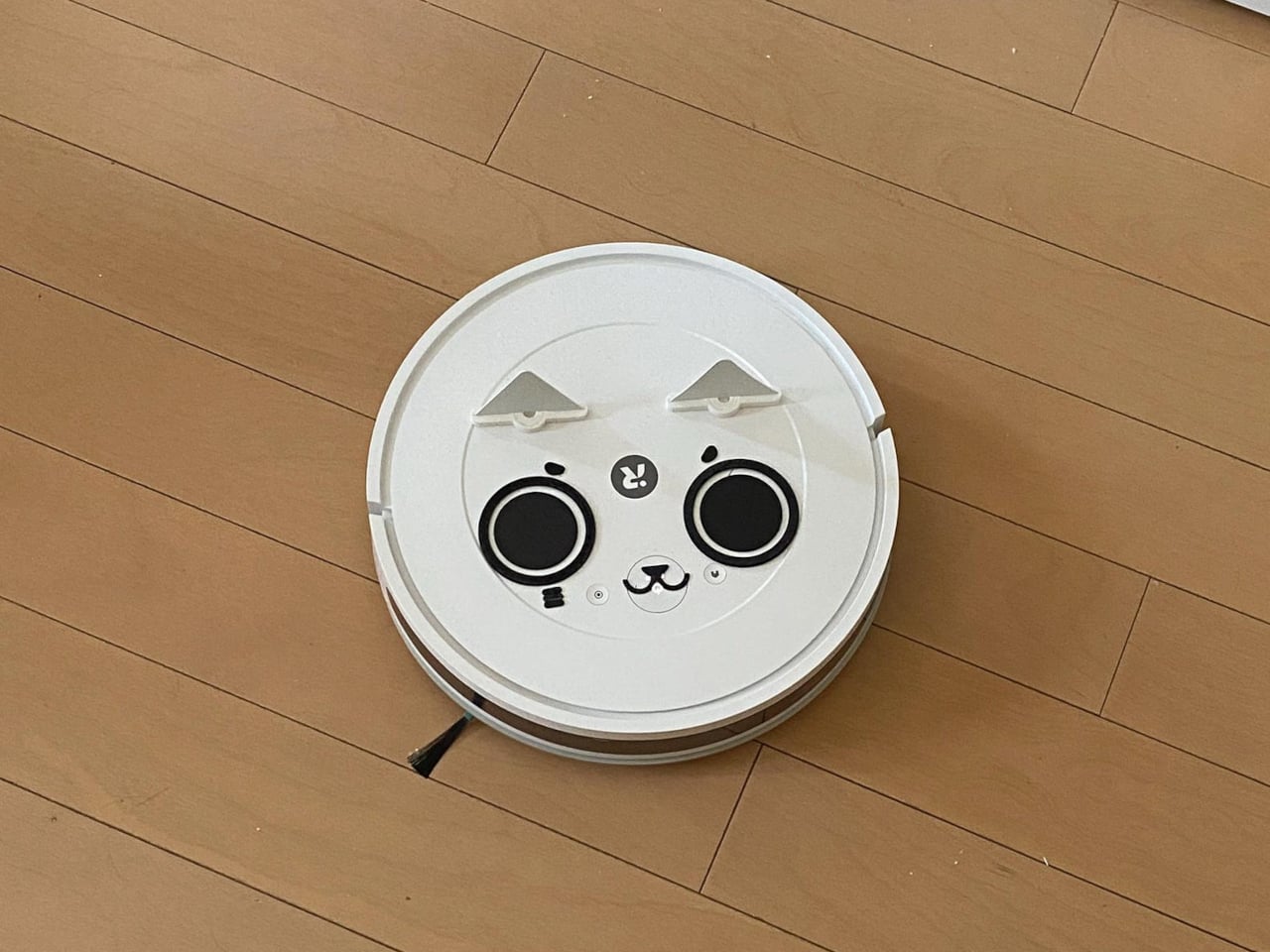
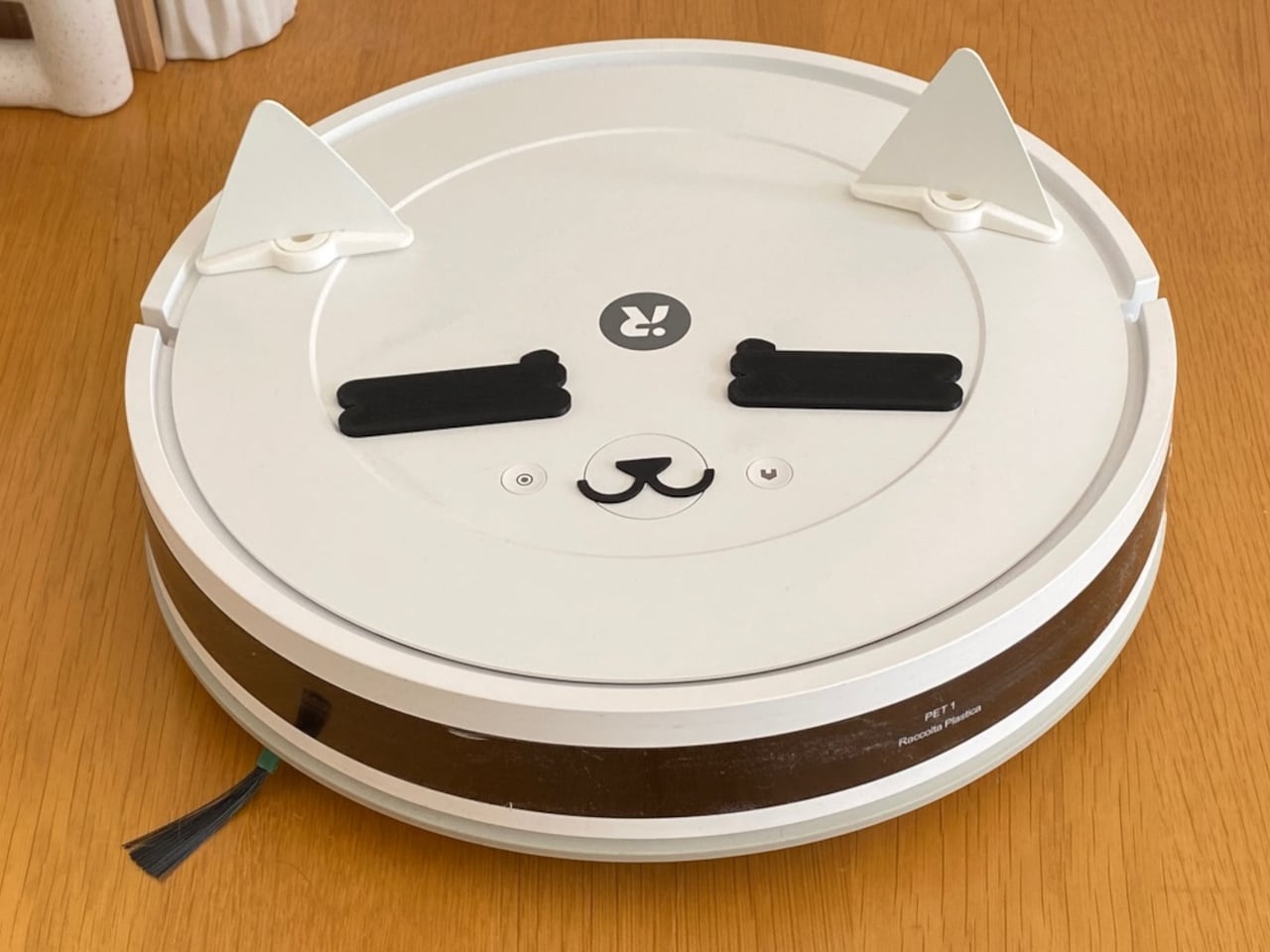
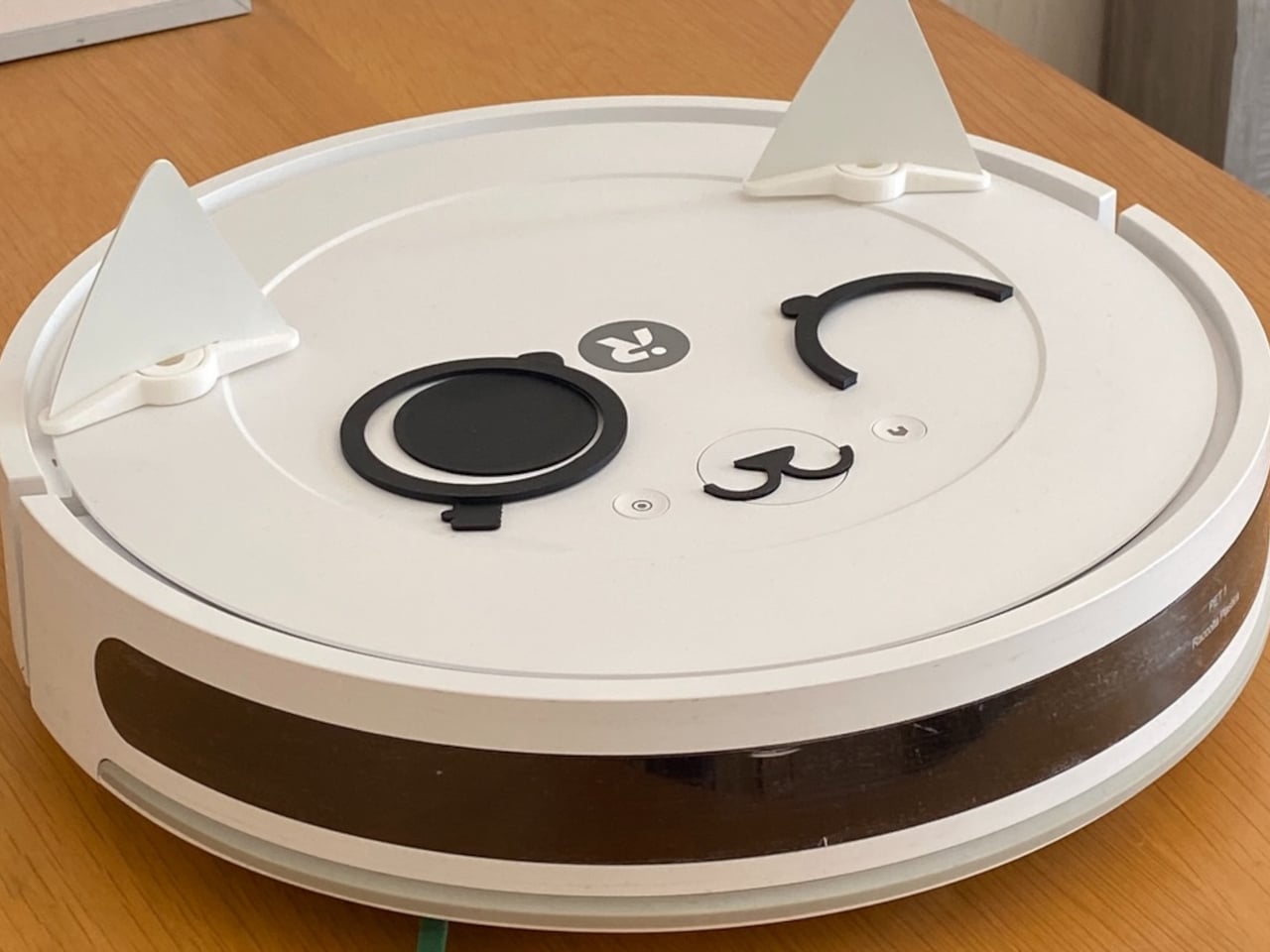
A vacuum starts a cycle with wide eyes and perky ears, then bumps into table legs and skirting boards. Each impact nudges the eye assemblies, twisting pupils into crossed or sleepy positions, while crawling under furniture folds the hinged ears back. When the robot docks, its face is slightly scrambled, and you can read its route in the way its expression has shifted, one eye drowsy, one ear still folded down.

The kit works without wiring or electronics. The eyes sit on low-friction pivots, the ears are hinged triangles, and everything is 3D-printed in PLA and resin. There’s no battery, just gravity and inertia doing the work. The seller includes a choking-hazard warning, noting that parts aren’t meant for toddlers or pets that chew, with an option to request only ears or sticker faces if small pieces are a concern.
Petokka is designed for basic IR or bump-type cleaners with flat tops, like many Roomba-style bots. If a vacuum uses a LiDAR turret or top camera, those areas need to stay uncovered, or mapping can suffer, though some tests showed no interference. The kit is an overlay, not a hack, meant to respect the robot’s sensors while giving it a personality that changes with every session.

Each set is printed in a small Japanese atelier, with visible layer lines and tiny imperfections from 3D printing. The maker calls this an early test edition, with certification in progress and materials documented with safety data sheets. It’s a limited-run experiment rather than a mass-market accessory, which makes it feel more like a crafted character than a licensed skin you buy from a retailer.
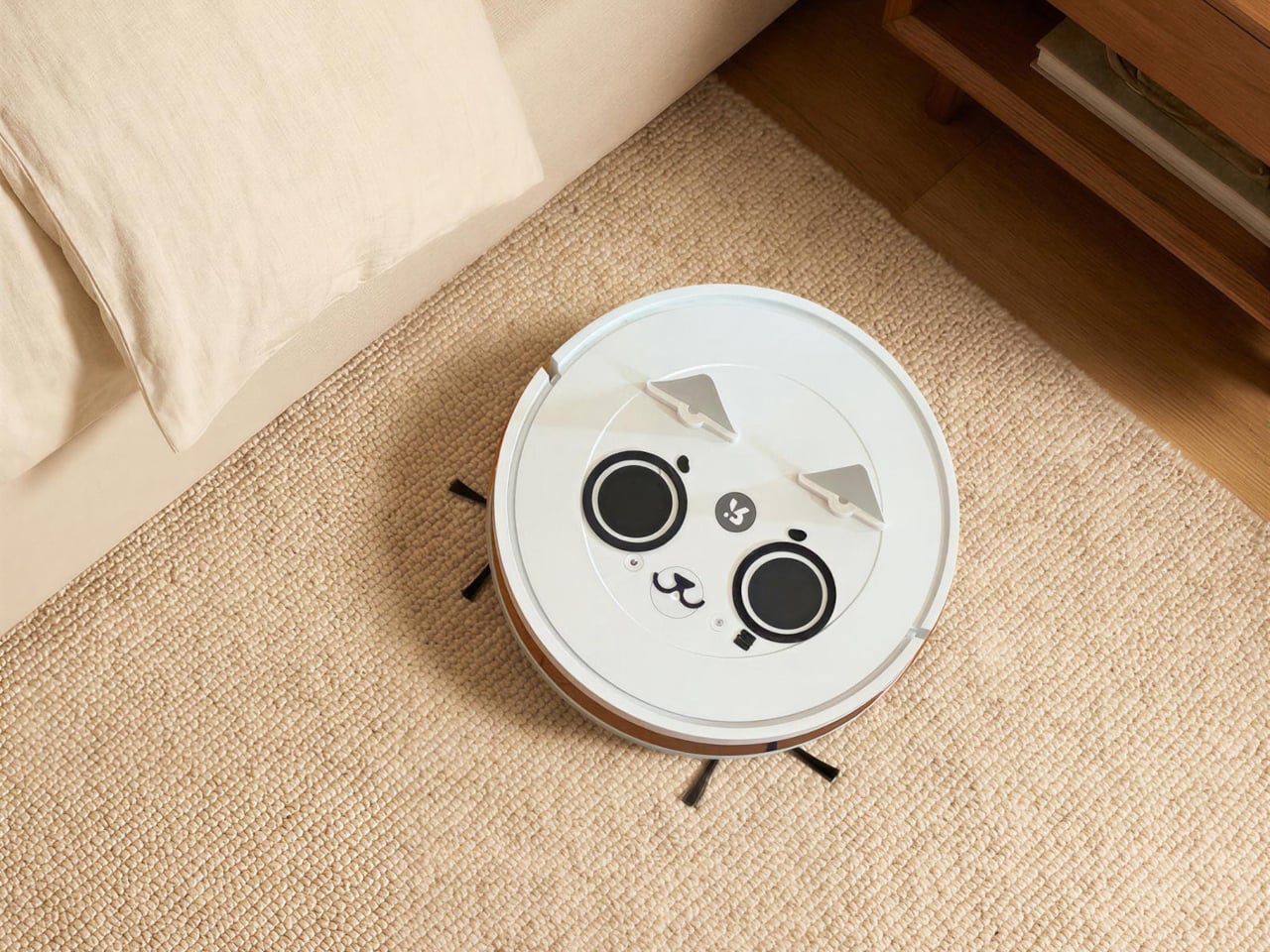
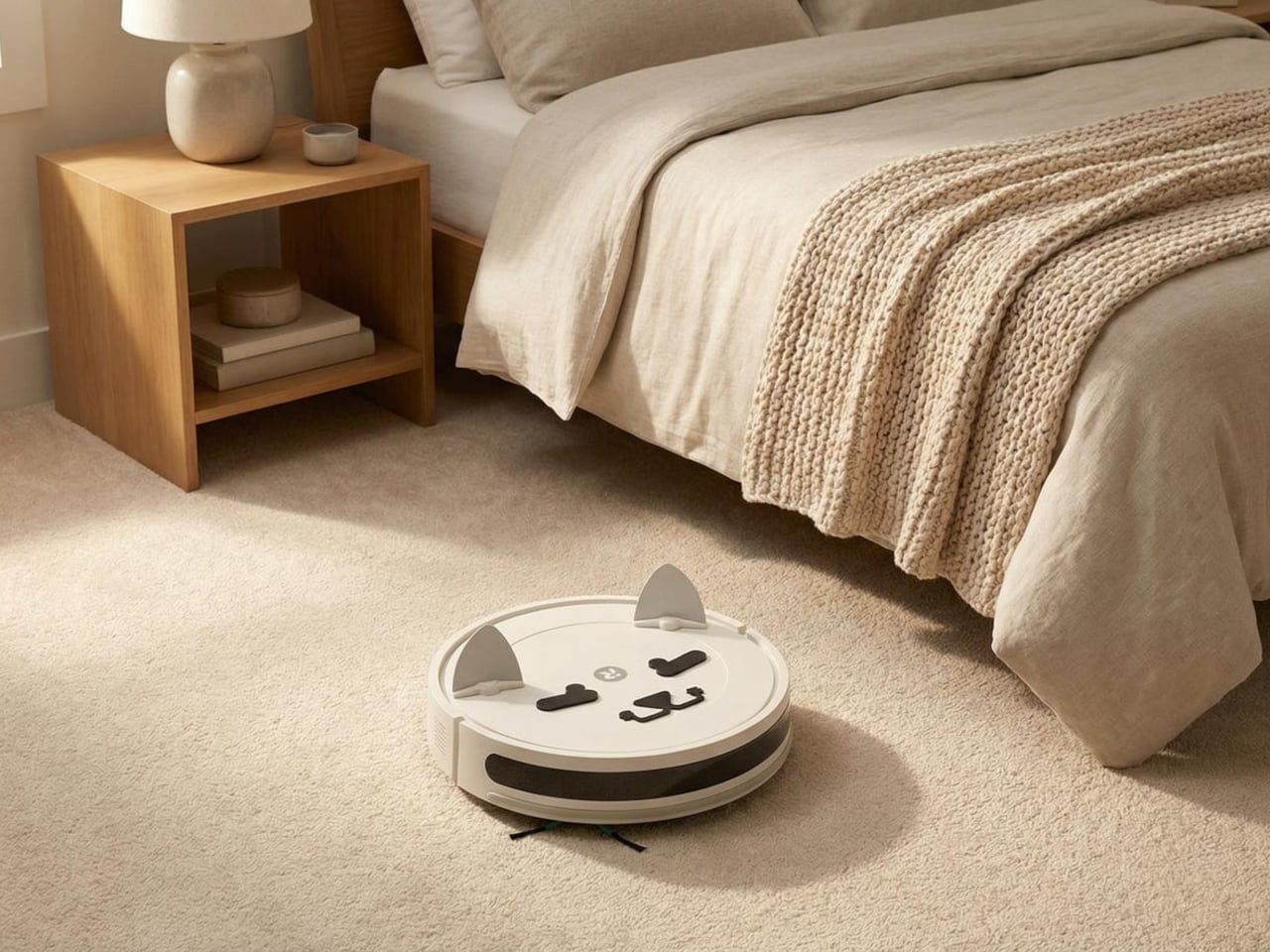
A handful of plastic parts can change the emotional temperature of a room. The vacuum still cleans the same way, but now it looks back at you with lopsided eyes and folded ears after working its way around furniture. It’s hard not to say “nice job” when it docks looking like it just survived an obstacle course, which is a reminder that sometimes making home tech friendlier isn’t about new sensors or AI, it’s a face that gets a little messed up while it works.
The post 3D-Printed Faces for Robot Vacuums Get Messy Every Time They Bump first appeared on Yanko Design.
This Kid-Safe Drone Looks Like a Frog and Hides Spinning Blades

Most consumer drones look and feel intimidating to a child. They’re loud, angular, full of exposed propellers, and packed with complex controls adults barely understand. Kids want to see the world from above, but parents see spinning blades and fragile arms that cost too much to replace. The mix of fascination and fear turns what could be fun into something closer to borrowing a grown-up’s expensive, breakable toy.

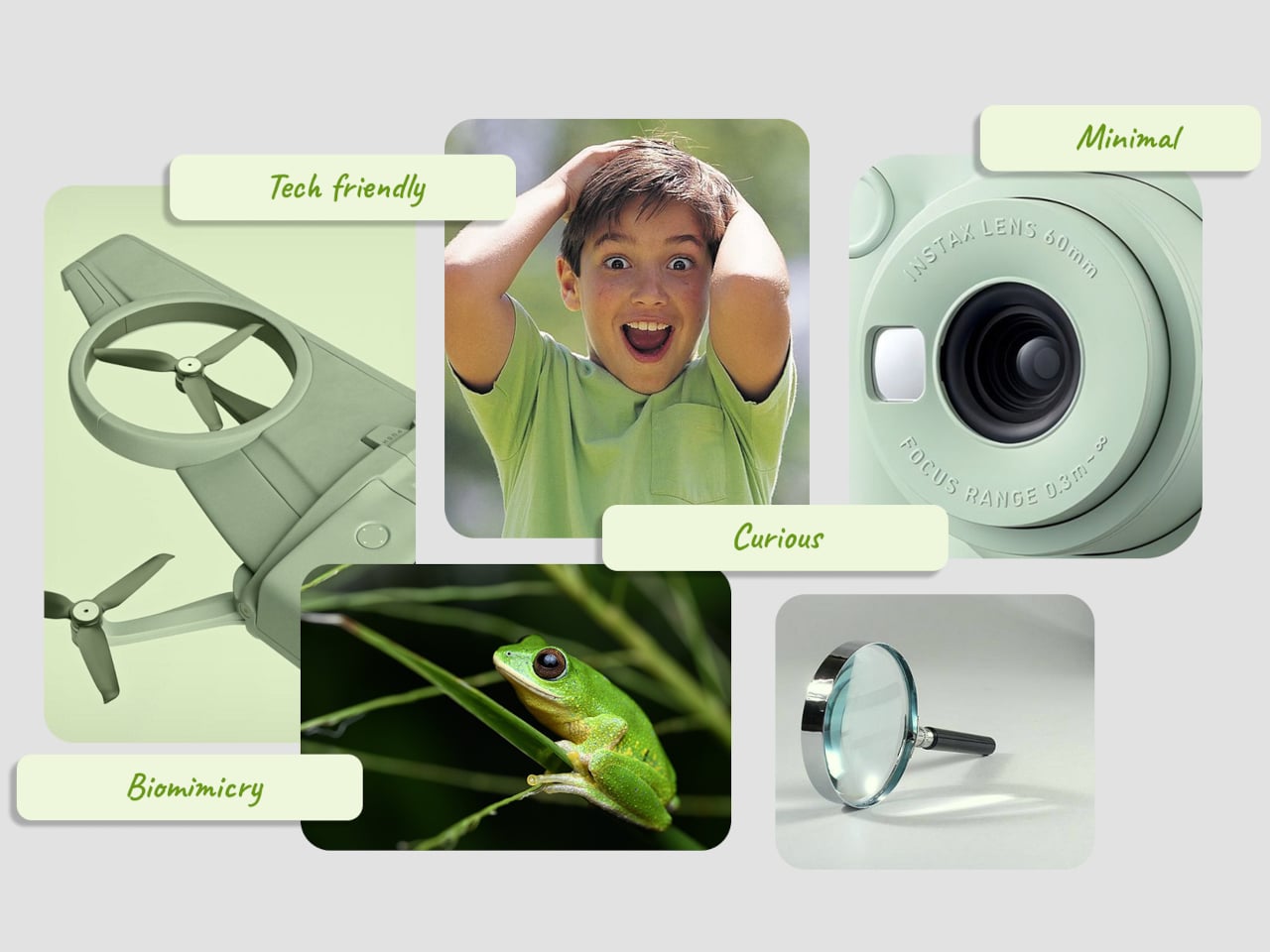
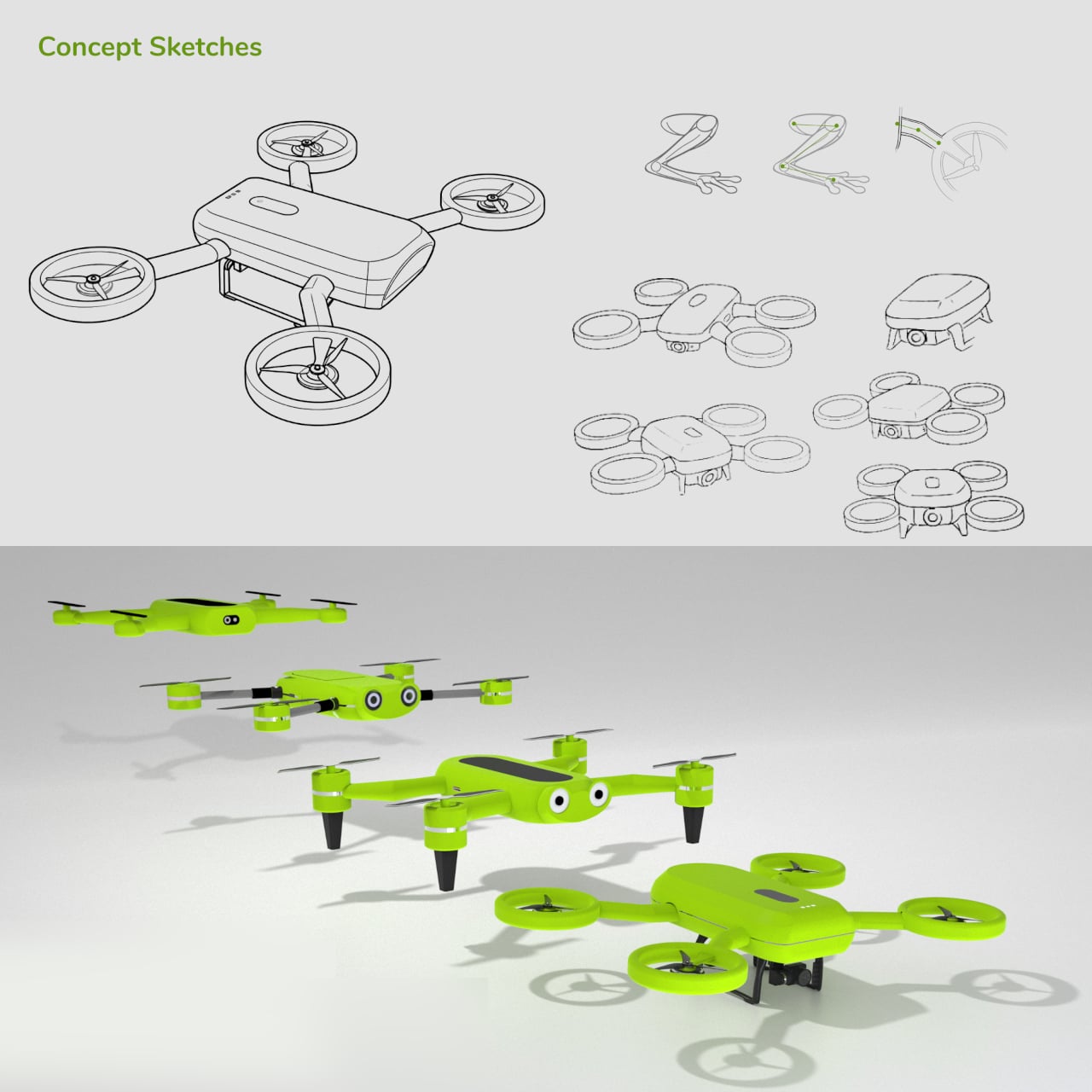
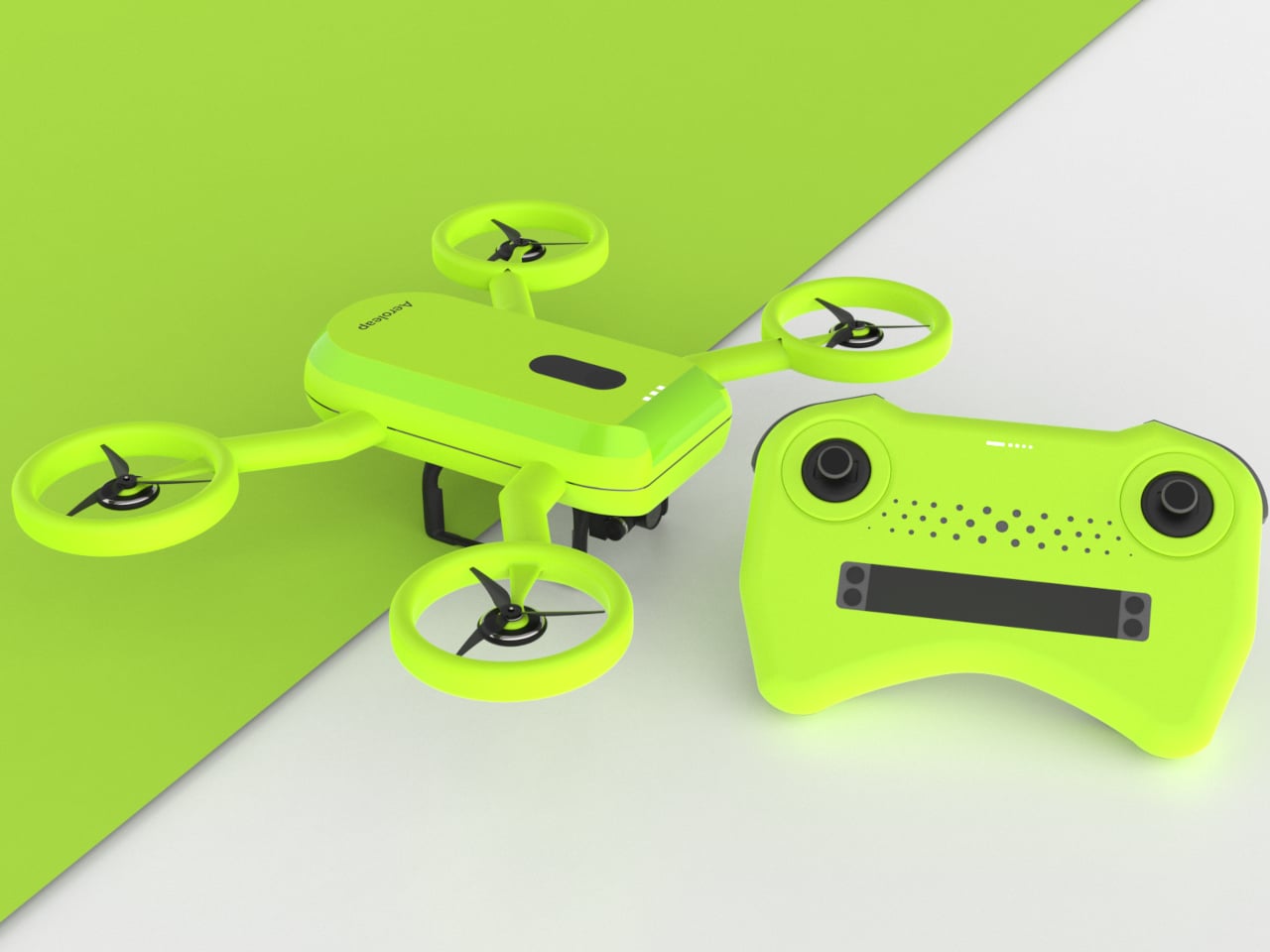
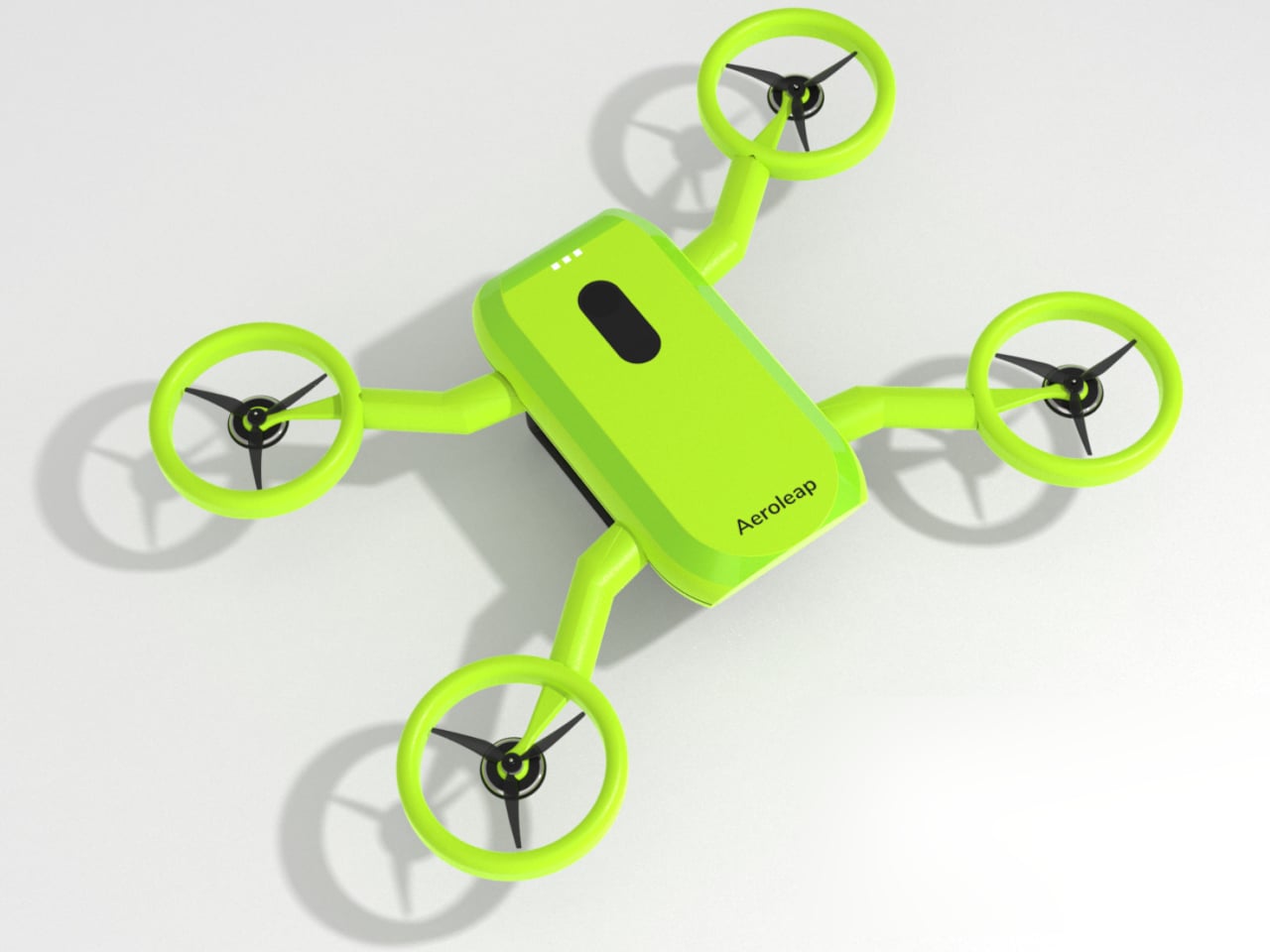
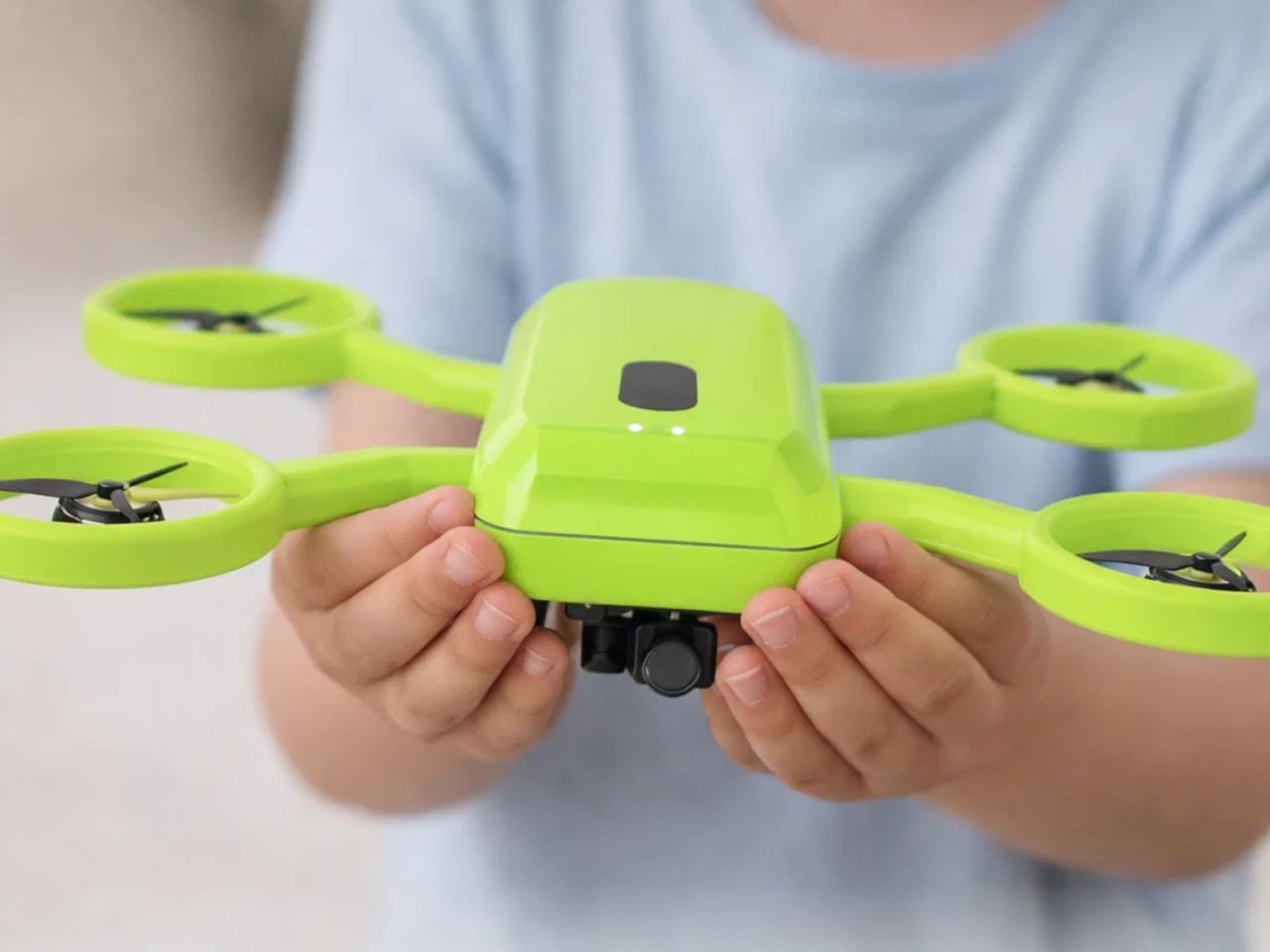
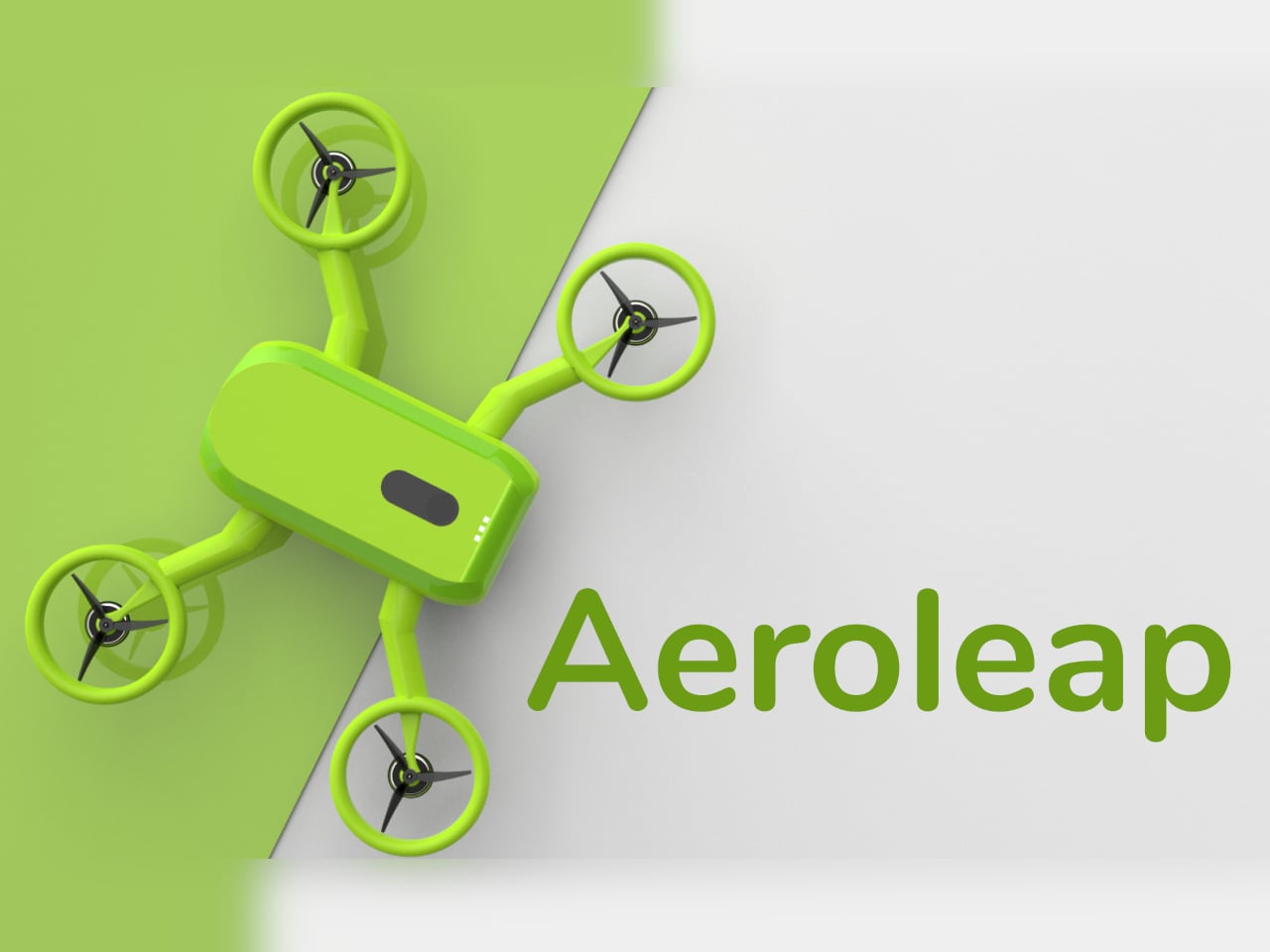
Aeroleap is a kid-friendly drone concept that tries to lower that barrier. Designed for children aged six to twelve, it uses soft, organic form language and clear visual cues to communicate safety and balance. The design draws inspiration from a frog’s stance, so the drone feels stable and approachable rather than mechanical or aggressive, more like a small creature ready to hop than a tiny aircraft ready to crash.

Designer: Anuja Deshpande

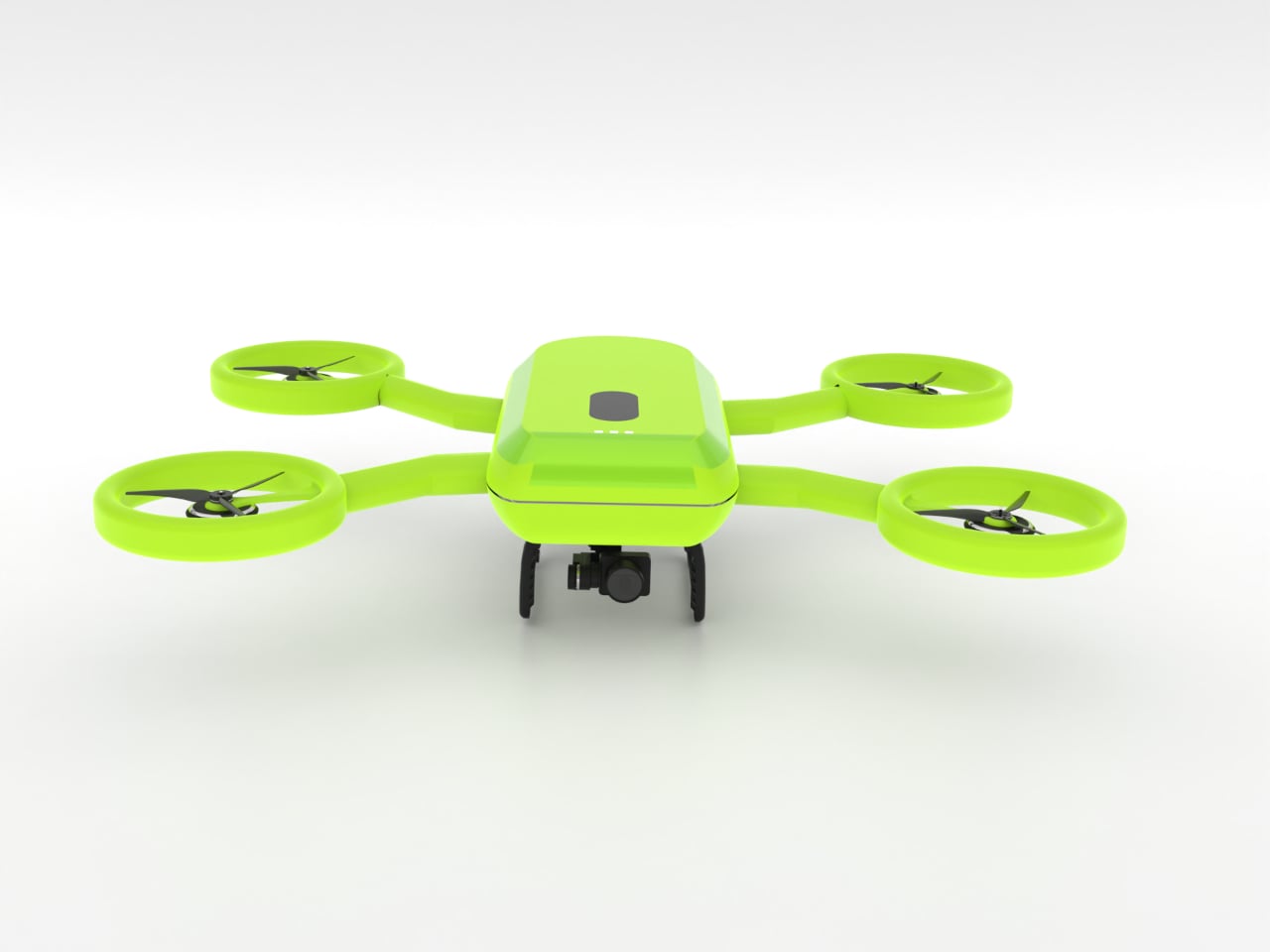
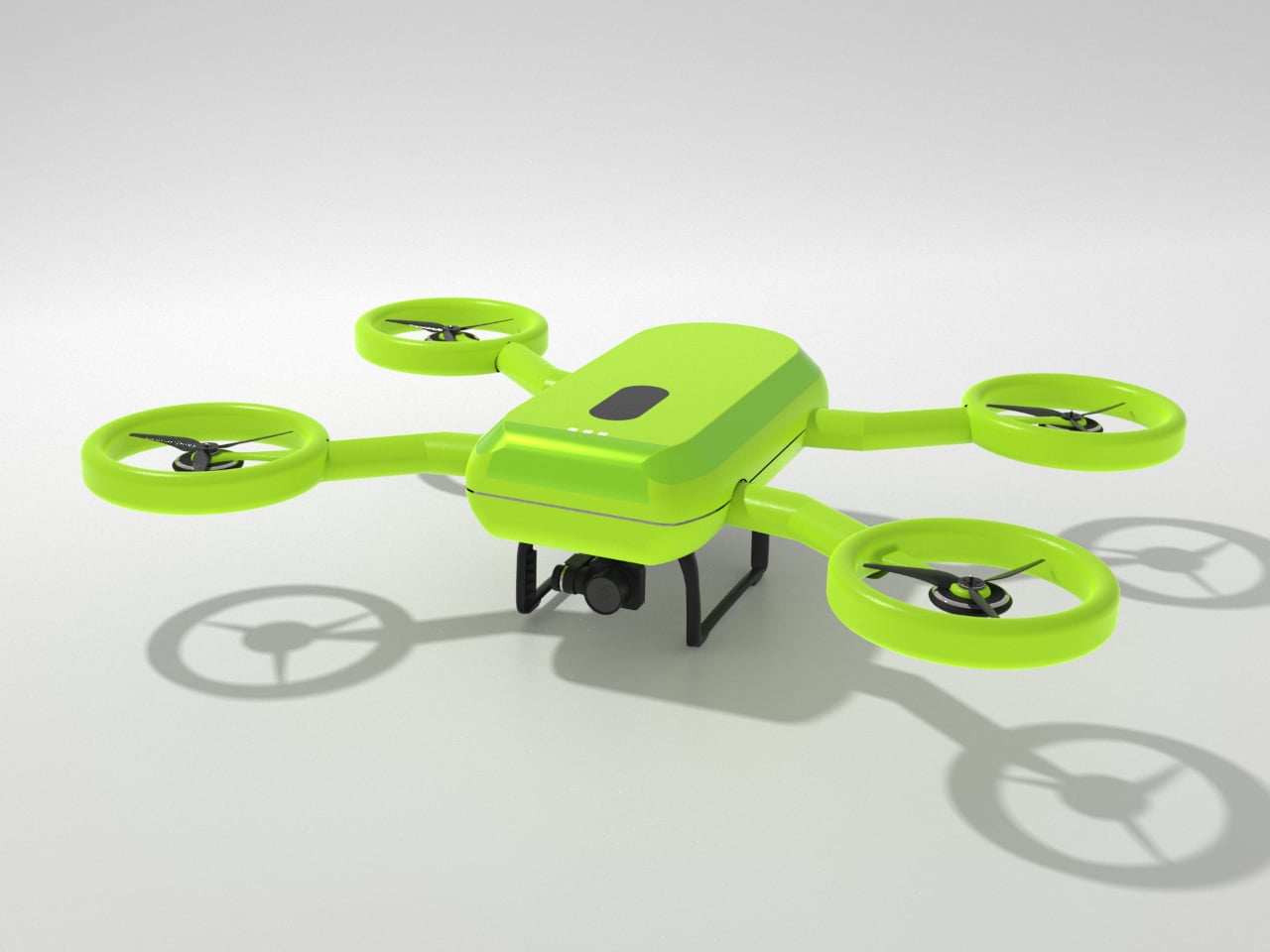
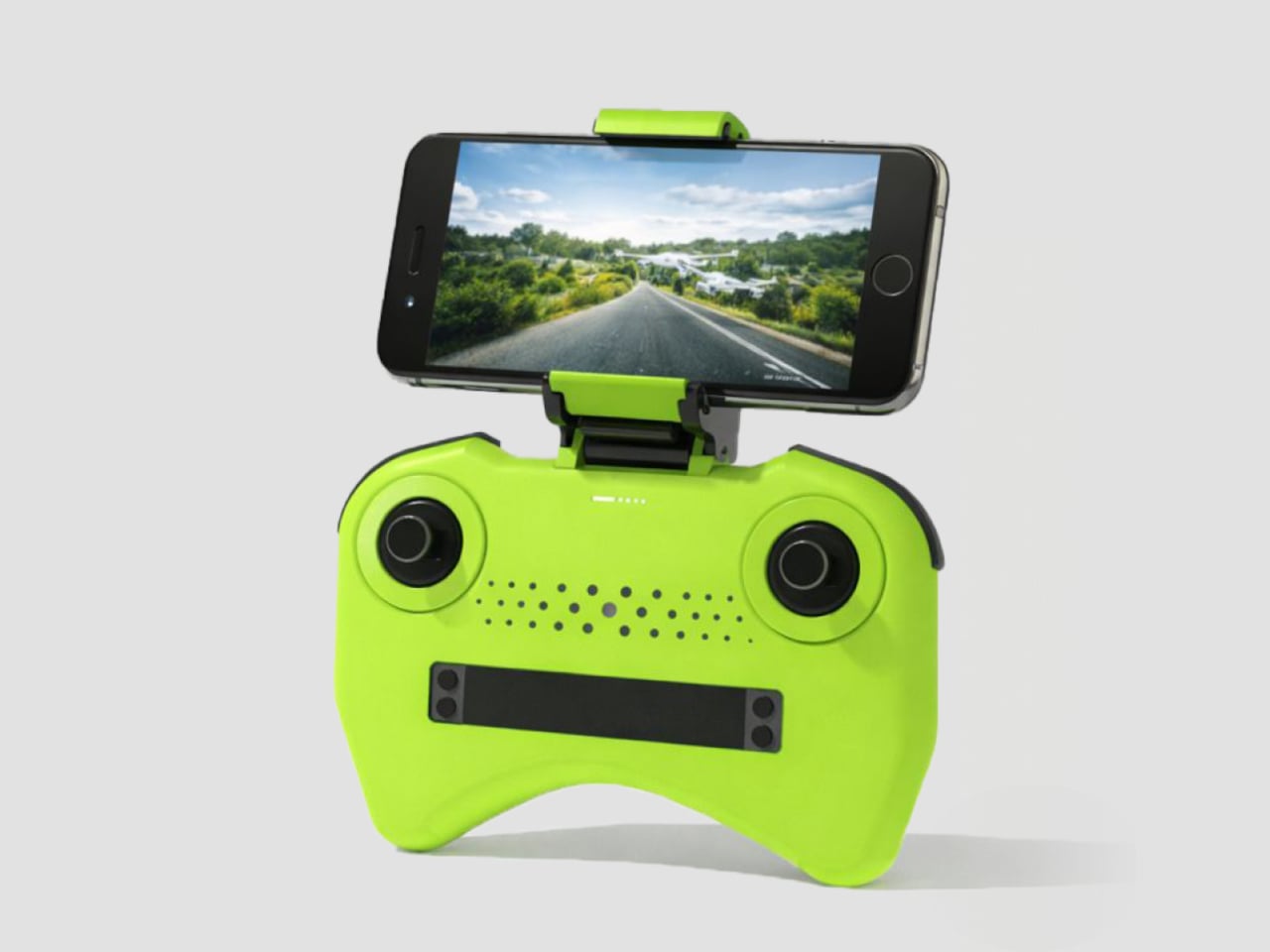
A child in a backyard holds a controller that feels like a gamepad, watching a bright green drone lift off without exposed blades buzzing near fingers. The integrated propeller rings and rounded body make it clear where it’s safe to touch, and the frog-like stance on the ground helps it read as balanced and ready, not twitchy or fragile like hobby drones that need constant correction just to hover.

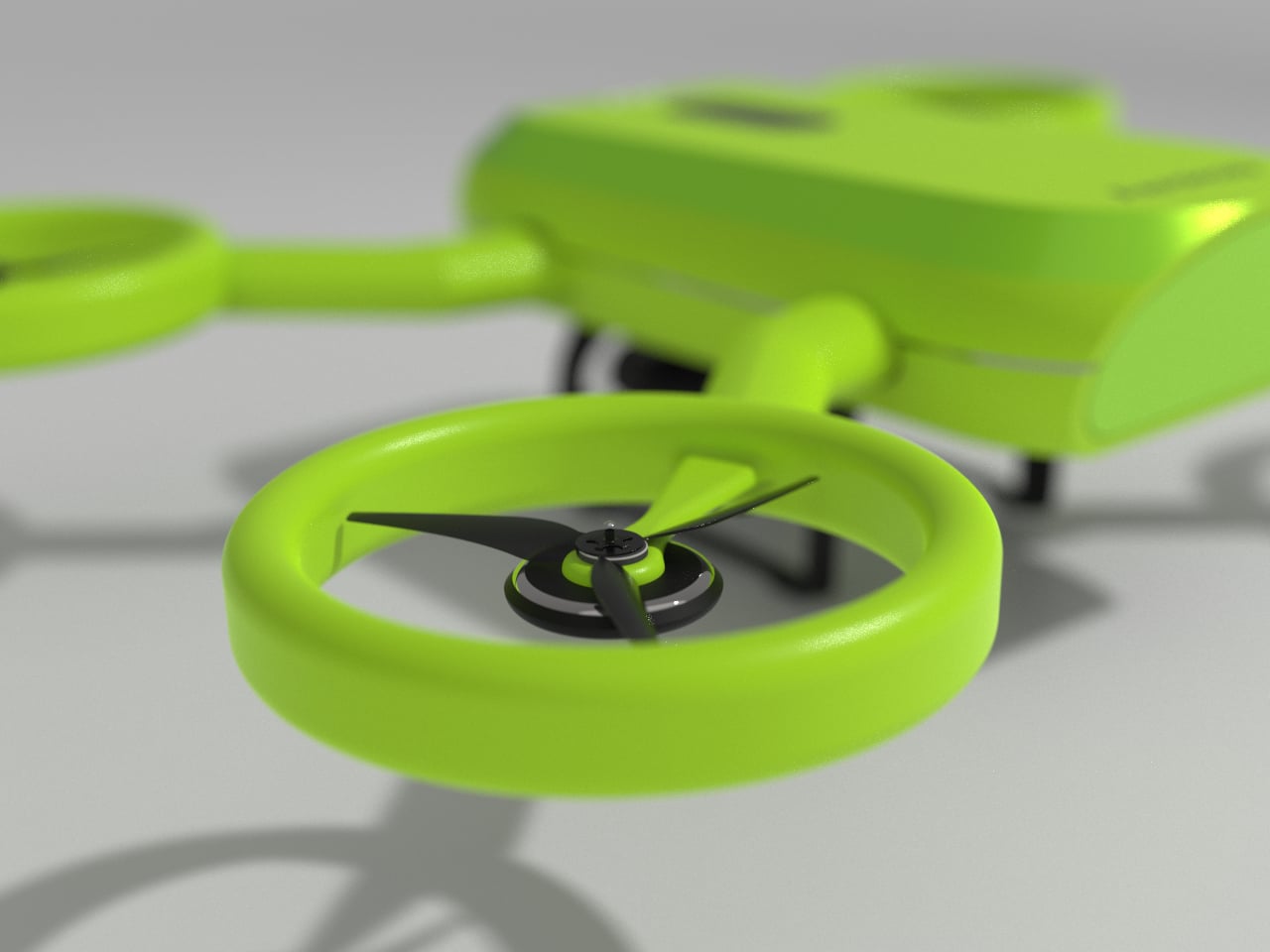
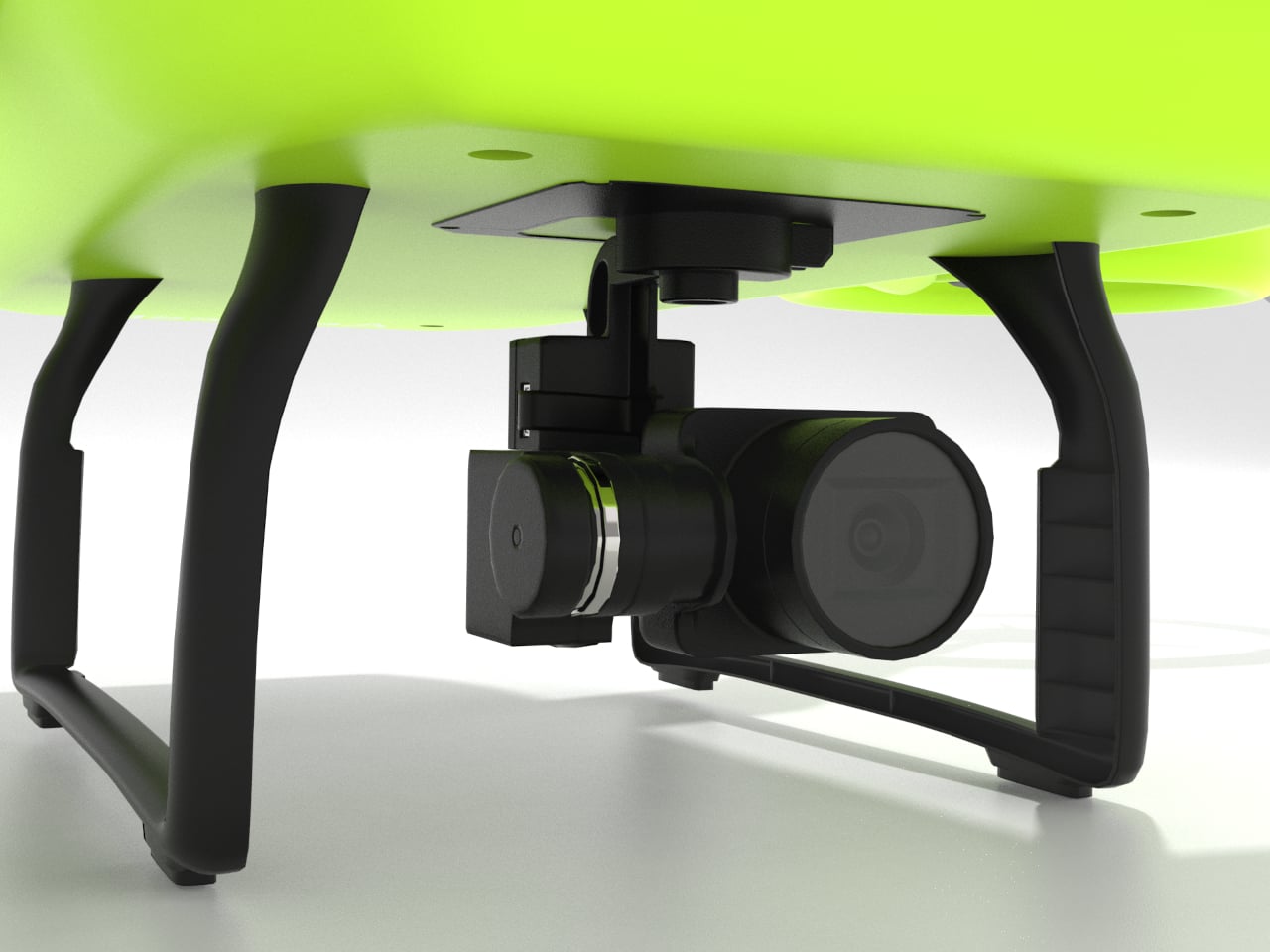
The frog metaphor shows up in the geometry. A central body sits low with four limbs ending in circular rings that fully enclose the propellers. Those rings add protection during low-height play, reducing injury risk and damage when the drone bumps into walls or trees. The rounded guards and soft transitions do the safety work without needing extra cages or add-on bumpers that make everything heavier.

The interaction layer stays simple. A controller holds a phone that shows a live camera view from the drone, focusing on essentials like battery and connection. The physical controls stay familiar and tactile, so kids get the thrill of seeing their surroundings from above while parents can glance at the same feed. Nobody has to decode a cockpit full of tiny icons just to enjoy a short flight.

The project is grounded in research with kids, parents, and tech educators, who all flagged fragile builds, complex controls, and unsafe-feeling devices as major turn-offs. Aeroleap responds by keeping functionality simple and robust, focusing on how the product is held and understood at first glance instead of layering on autonomous modes that might confuse more than they help when you’re nine years old.

Aeroleap explores how industrial design alone can shape a child’s confidence around new technology. By softening the form, enclosing the dangerous bits, and making the controller feel familiar, it invites kids to be curious about flight without scaring parents off. Sometimes the difference between intimidating and inviting isn’t a feature list but the way an object looks and moves the first time you meet it, and a drone shaped like a friendly frog feels like it’s already smiling before it leaves the ground.

The post This Kid-Safe Drone Looks Like a Frog and Hides Spinning Blades first appeared on Yanko Design.
This Concept Fixes the Logitech Litra Glow’s Biggest Problems

Logitech’s Litra Glow sits on top of monitors as a small plastic square with no case, no real protection, and controls you reach over your screen to adjust. Creators toss them into backpacks wrapped in T‑shirts, or bolt them to third‑party arms that make the whole setup bulkier and less portable than the light intended. It works well enough at a desk, but it travels poorly and feels awkward the moment you move it.

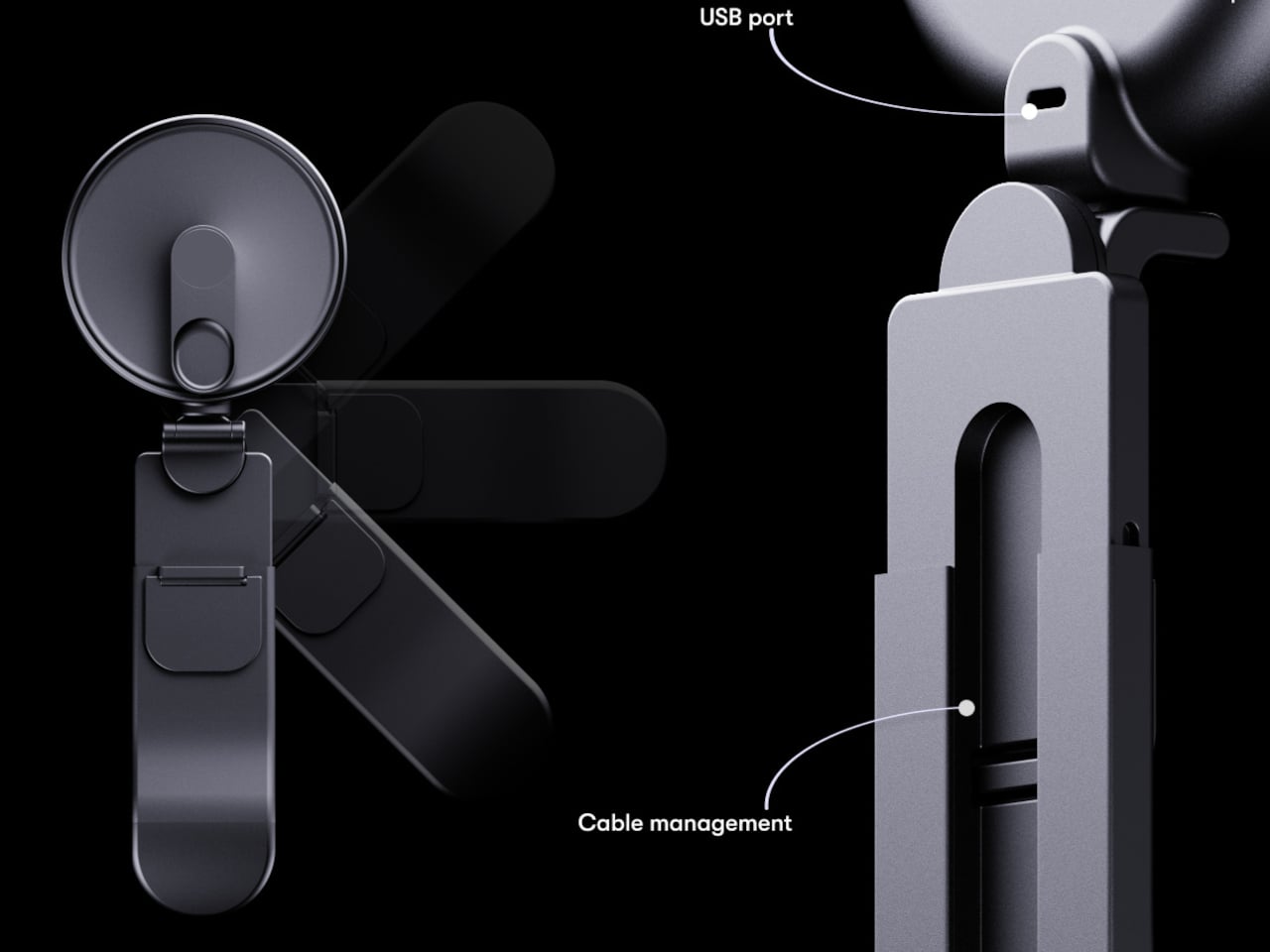
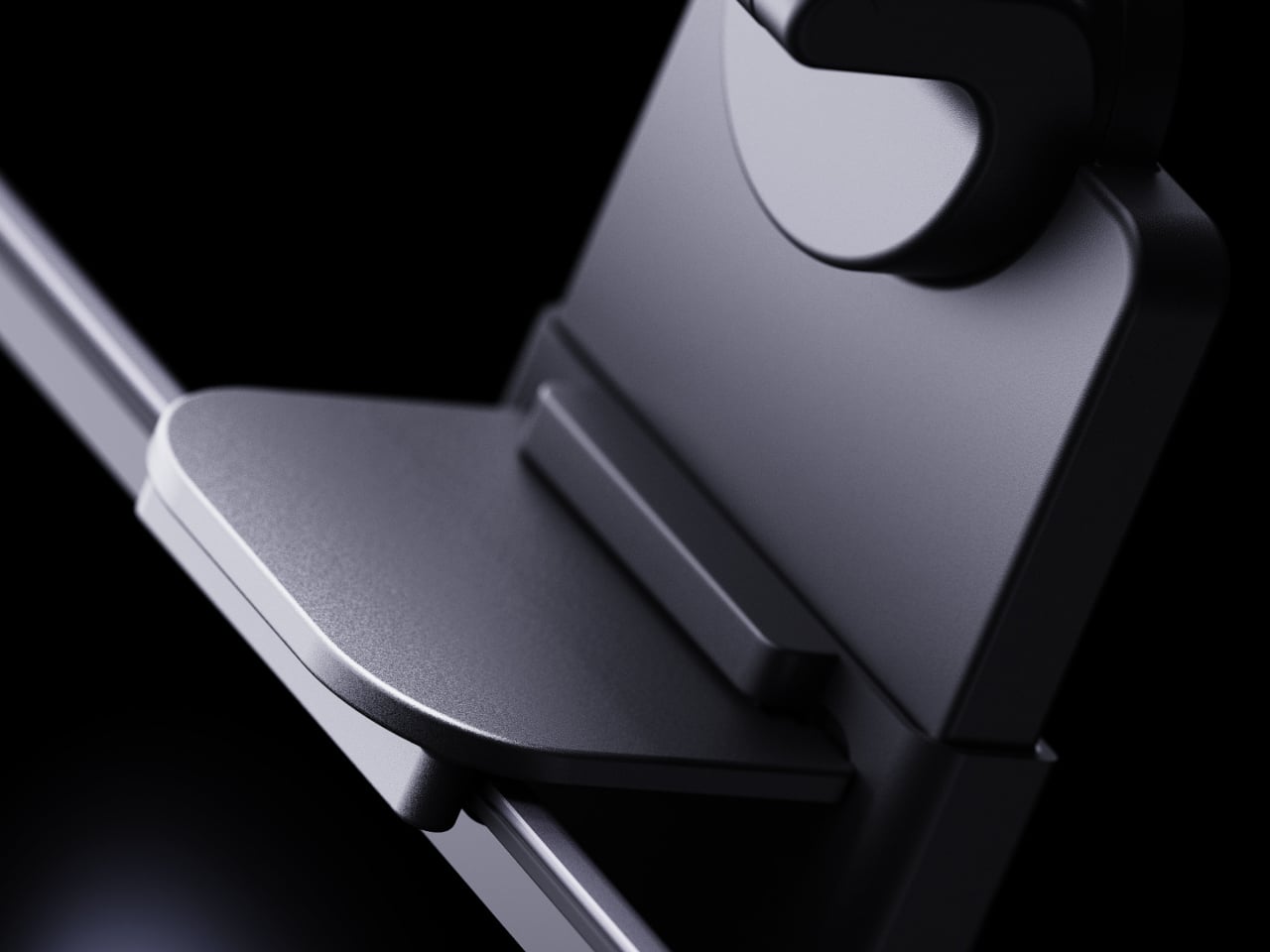
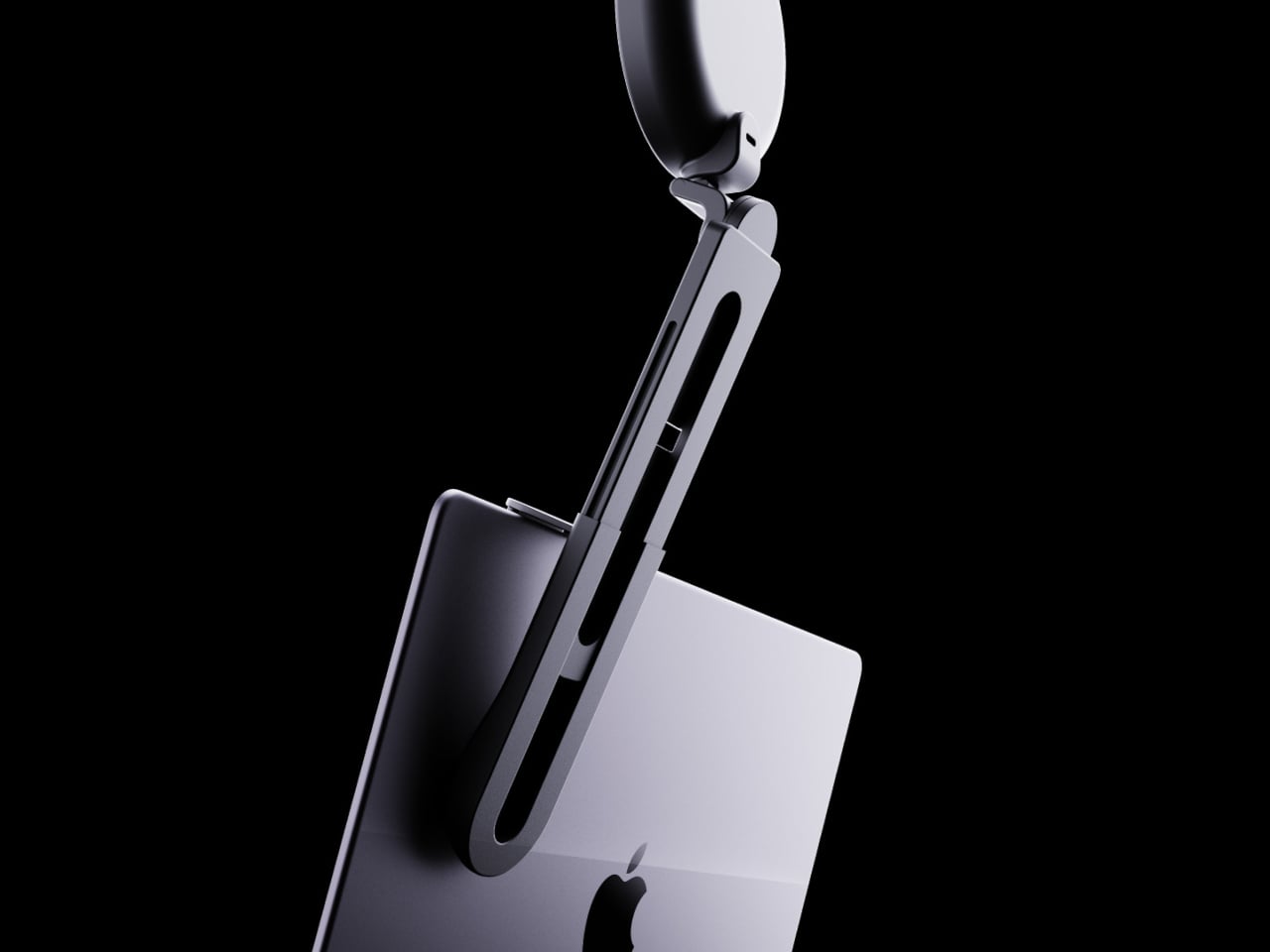
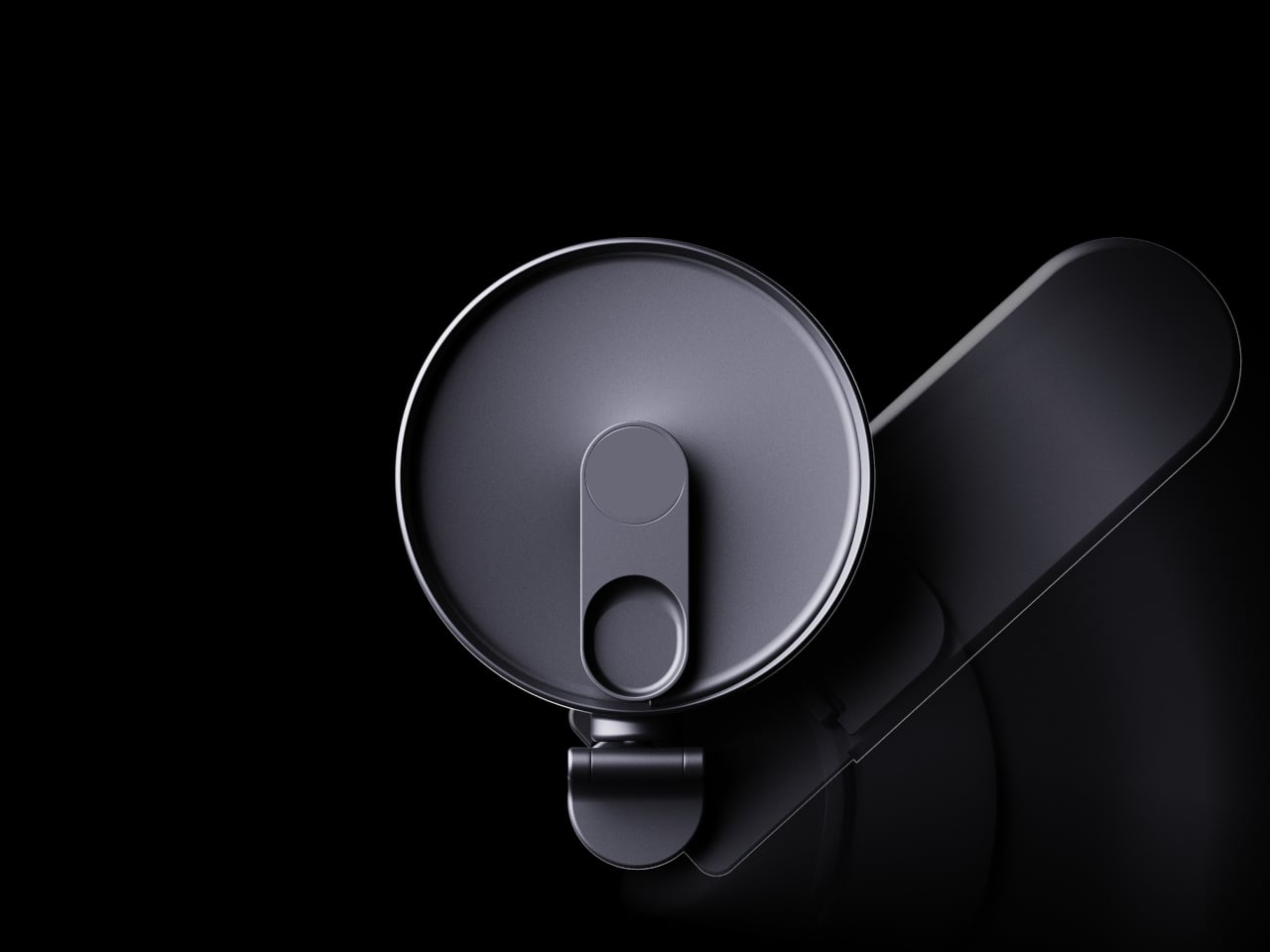
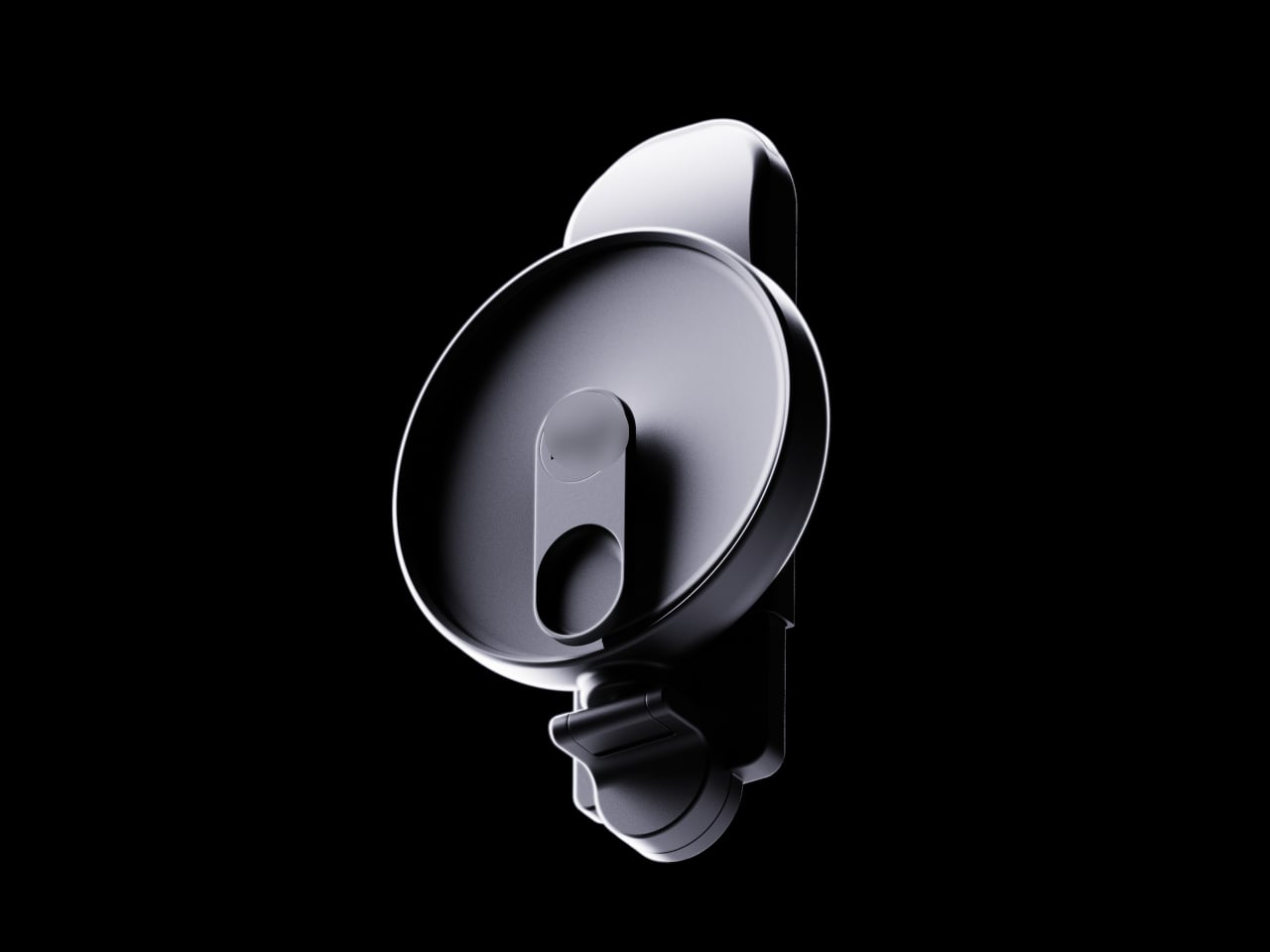
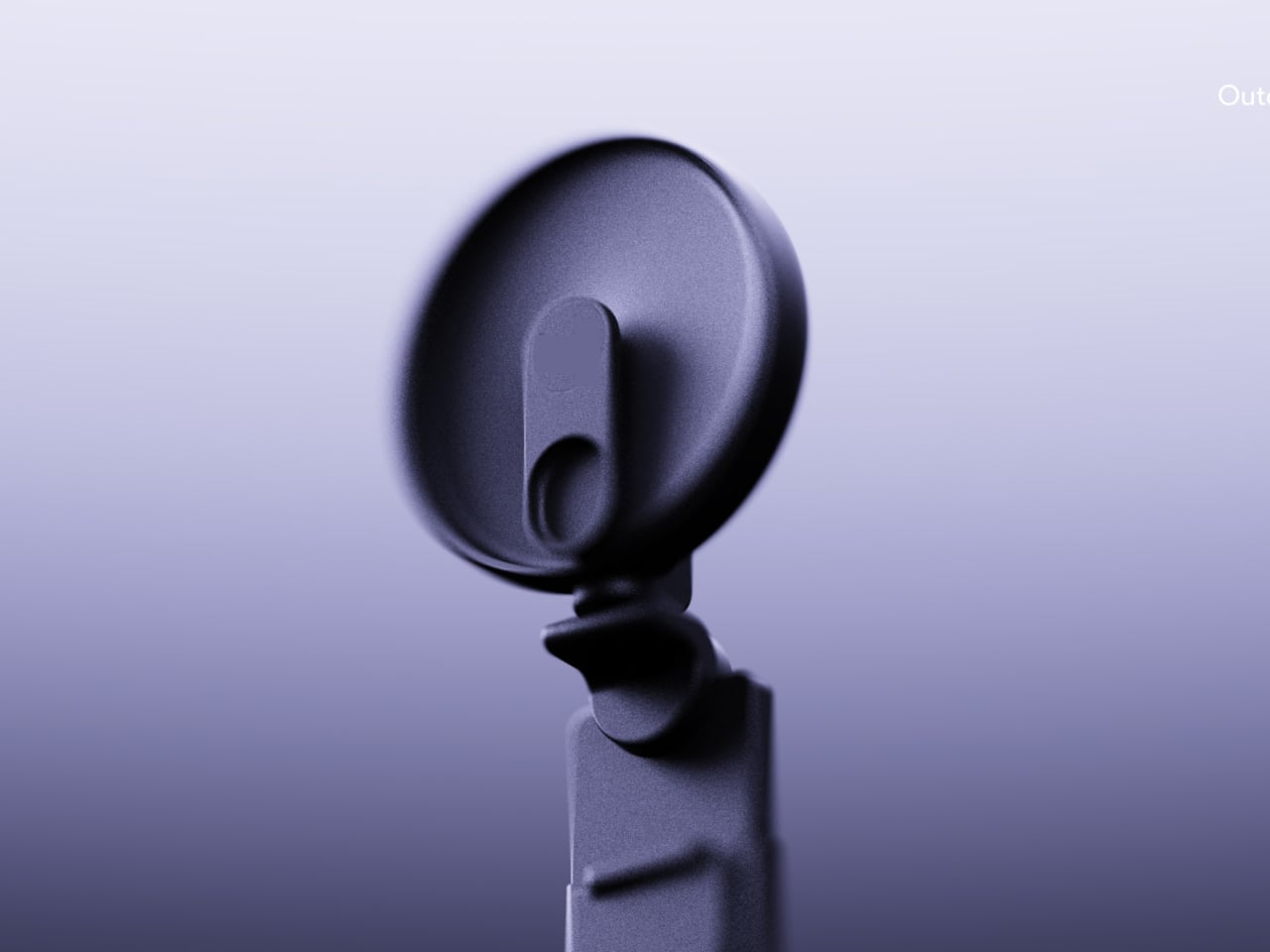
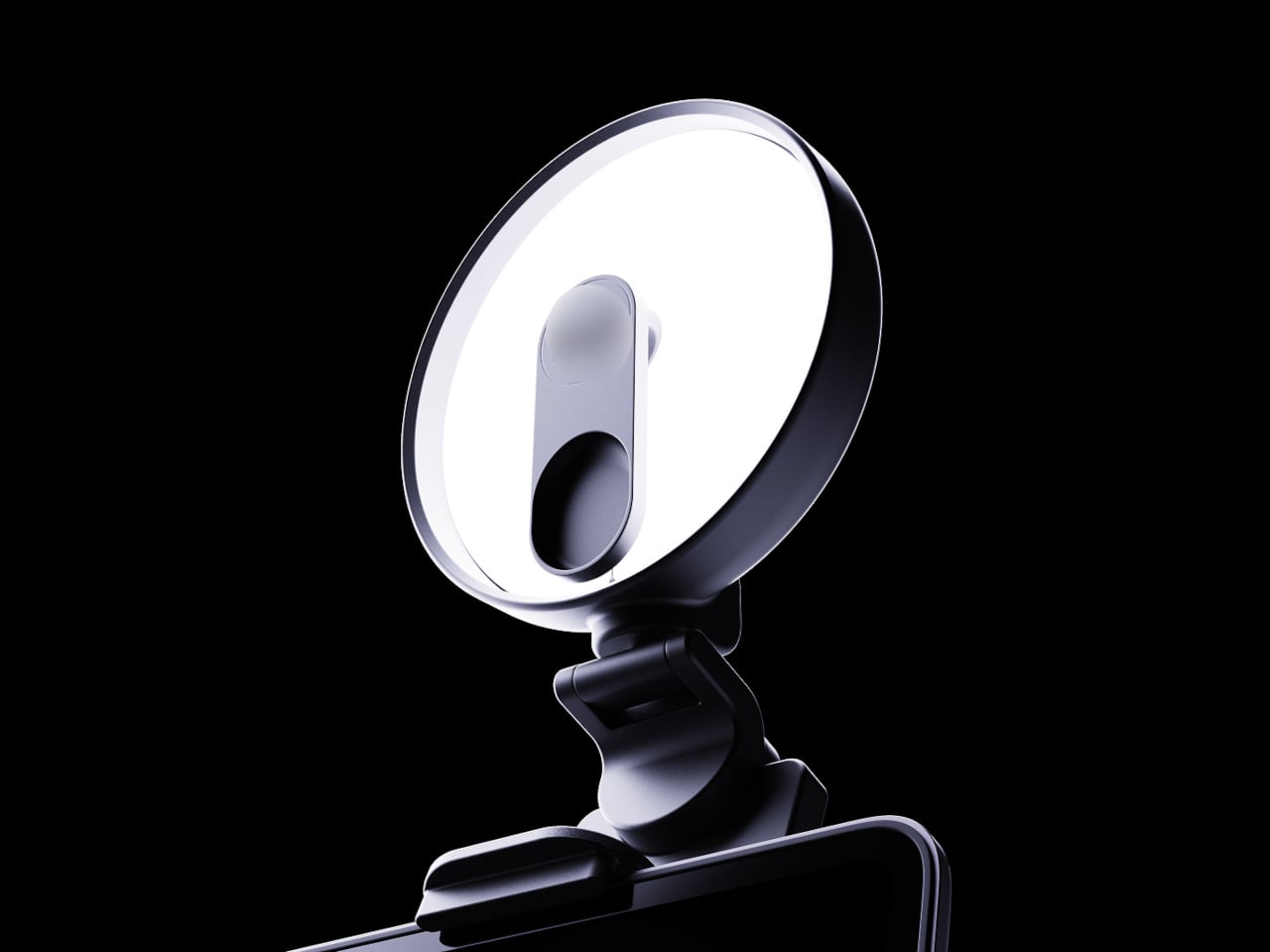
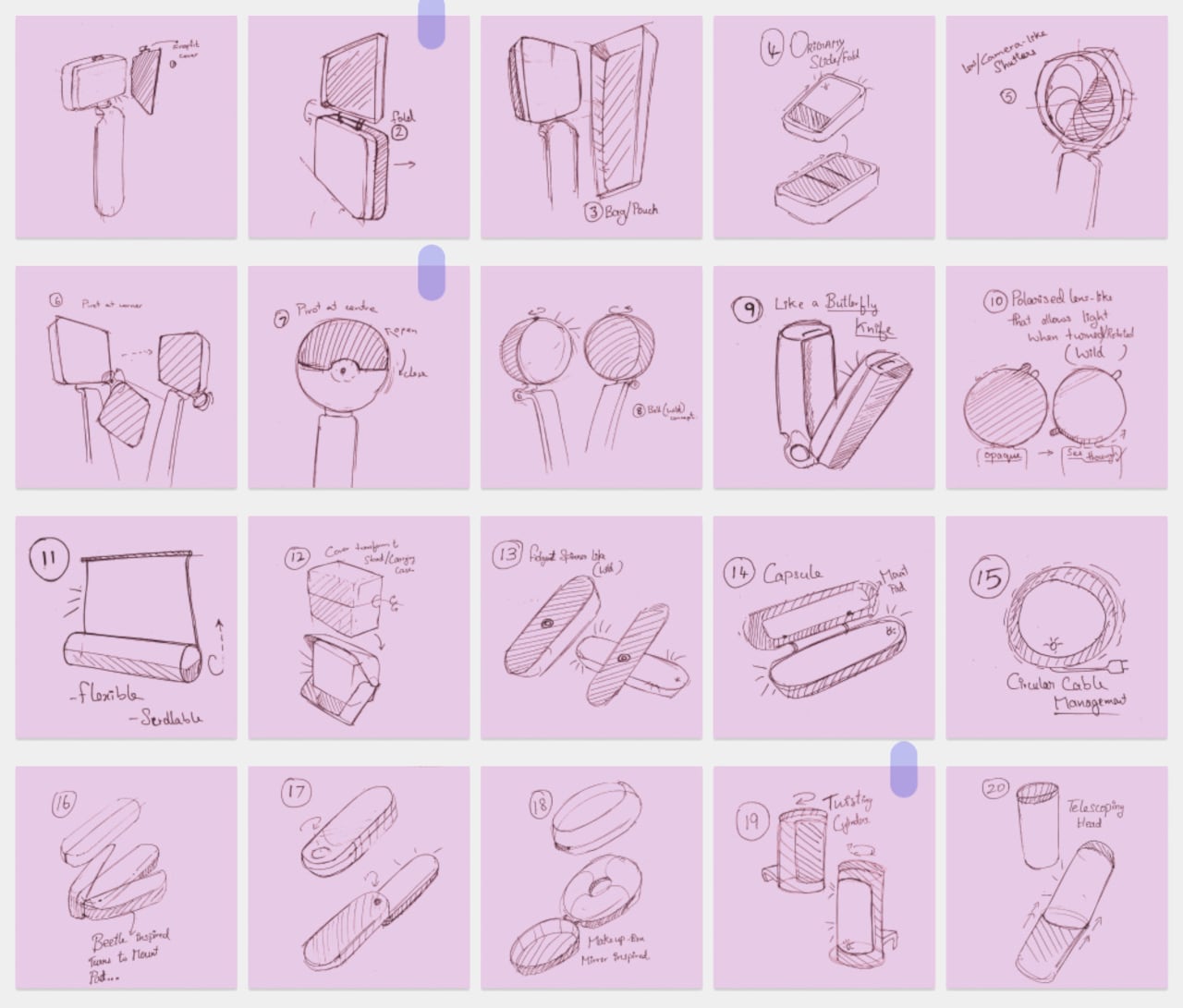
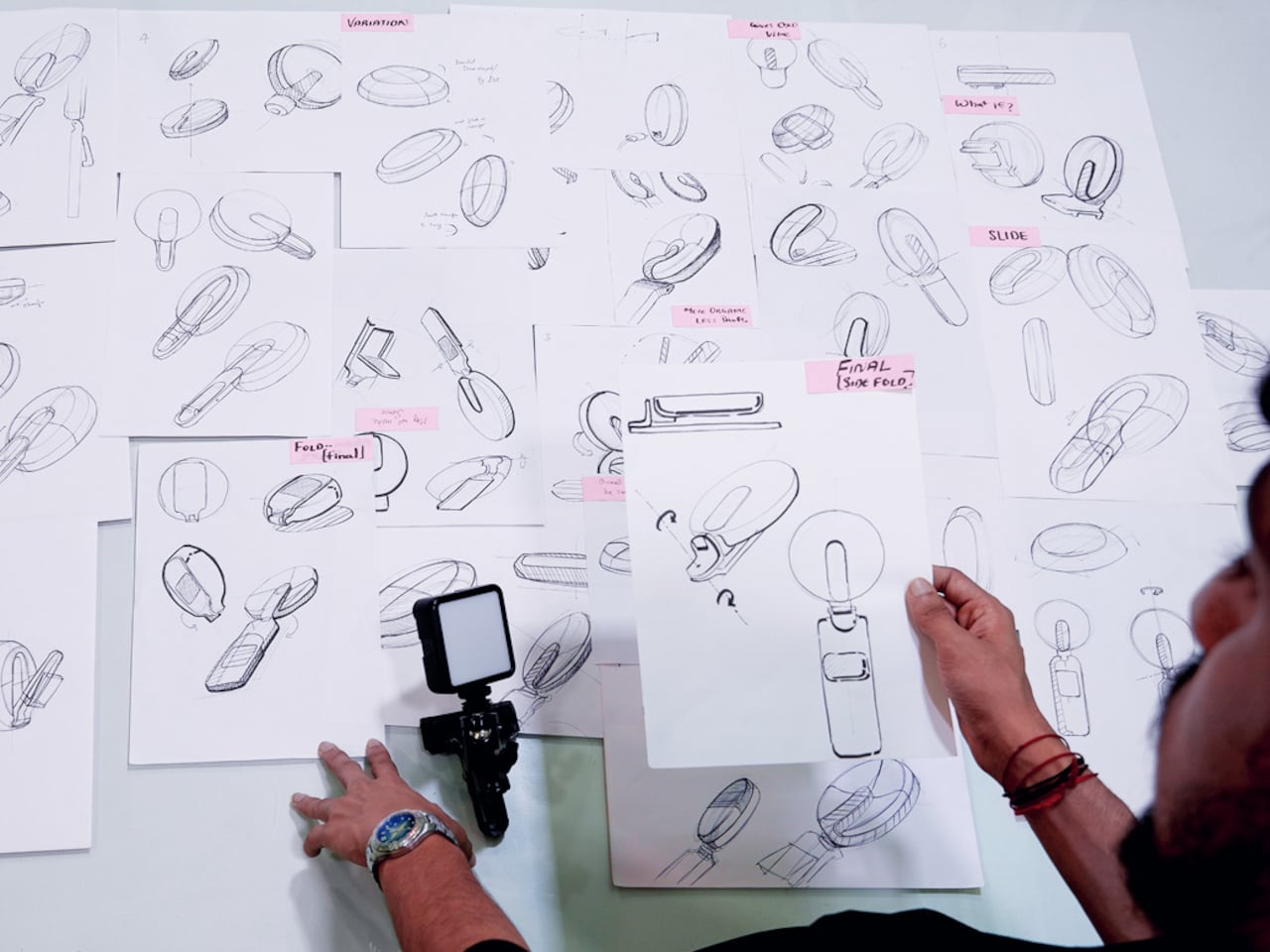
Athul Krishnav’s Logitech Litraglow concept asks what a more travel‑friendly, ergonomically sane version could look like. The student project keeps the idea of a compact, soft light for creators but turns it into a circular head on an integrated clamp and handle, with built‑in rotation, tilt, and protection. It behaves more like a proper tool than a naked accessory needing extra hardware just to stay safe in transit.

Designer: Athul Krishnav

Picture a streamer packing a bag for a trip, sliding the circular Litraglow into a sleeve without worrying about scratching the diffuser or snapping the mount. At the destination, they clamp it to a laptop lid, shelf, or tripod, rotate the head to frame their face, and tilt it precisely without wrestling with a separate arm or stand that adds weight and friction to every adjustment.

The concept builds 360‑degree rotation and smooth tilt into the head and stem, so you can swing the light from one angle to another mid‑call or mid‑shoot without loosening knobs or repositioning the whole clamp. It’s the difference between nudging a spotlight with your fingers and re‑rigging a mini studio every time you change posture or move your camera, which happens more often once you start shooting anywhere other than a fixed desk.

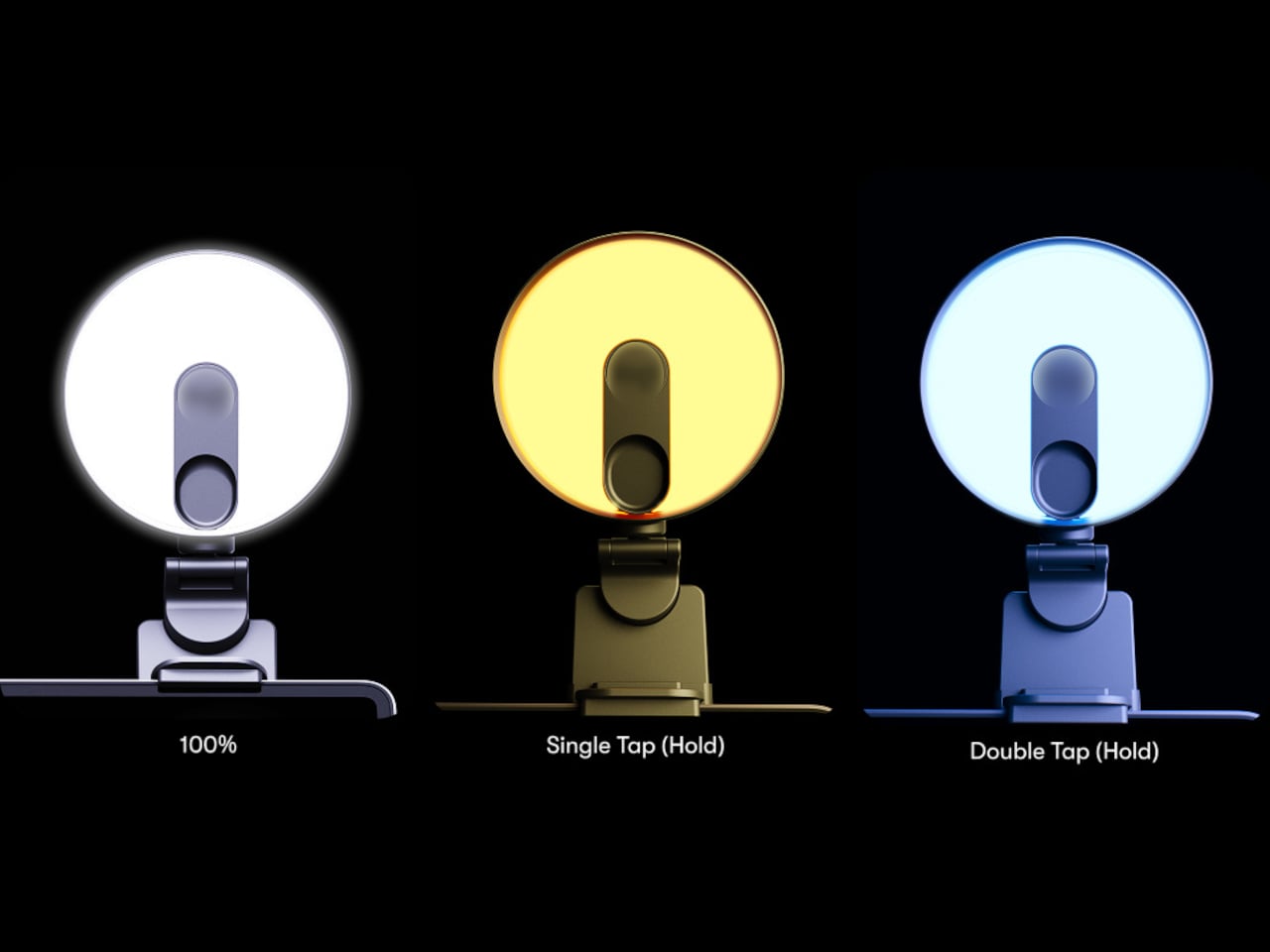
The rotary control dial at the base of the head has simple icons for off, low, and higher brightness, plus tap‑and‑hold gestures for color temperature. You can reach up, feel one control, and know what it’ll do without hunting for tiny buttons on the back. In the middle of a live session, that low cognitive load matters more than a long feature list nobody remembers under pressure.

Of course, the circular head, soft edges, and subtle “logi” branding pull from Logitech’s existing design language, so the light looks at home next to MX mice and keyboards instead of like a random third‑party gadget. Neutral color options keep it from stealing focus on camera, and the integrated clamp and handle mean you aren’t adding another mismatched piece of hardware to an already crowded desk or backpack.

The Litraglow concept doesn’t reinvent lighting but just fixes the small, annoying things around it: the lack of a case, an awkward reach, and clumsy mounts. For creators who live out of backpacks and shoot in whatever corner they can find, a light that travels safely, clamps cleanly, and adjusts with one hand is the kind of quiet upgrade that makes more difference than another spec bump or lumen count increase.

The post This Concept Fixes the Logitech Litra Glow’s Biggest Problems first appeared on Yanko Design.
3D-Printed Whale-Shaped Mouse Began as a Bored Classroom Sketch

Sitting in class, bored, doodling in the corner of a notebook with no plan beyond passing time is how a lot of throwaway sketches happen. Most stay throwaway. Sometimes, though, one curved line that looks a bit like a wave or a tail slowly becomes something that sticks in your head, and you keep drawing it until it isn’t just a line anymore, it’s a character with a face.

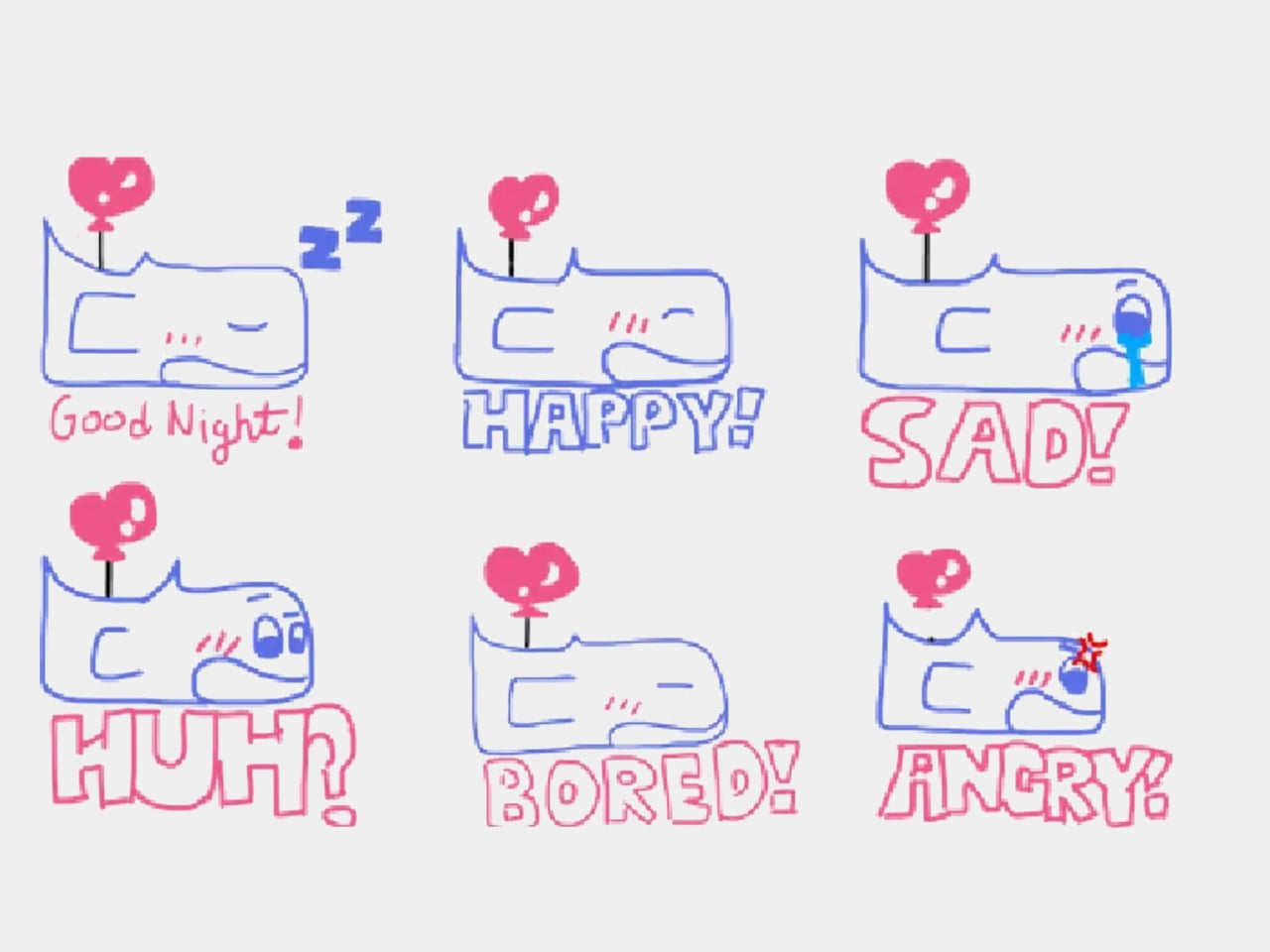
That’s how Whaley started. A whale character drawn during class kept showing up in sketches, gaining expressions and variations until it felt like a proper mascot. The creator turned it into stickers for friends and WeChat moments, and seeing Whaley on other people’s notebooks made the idea feel more real, a small proof that a doodle could be shared and enjoyed beyond the original page.

Designer: Ayanvitta Kalsi

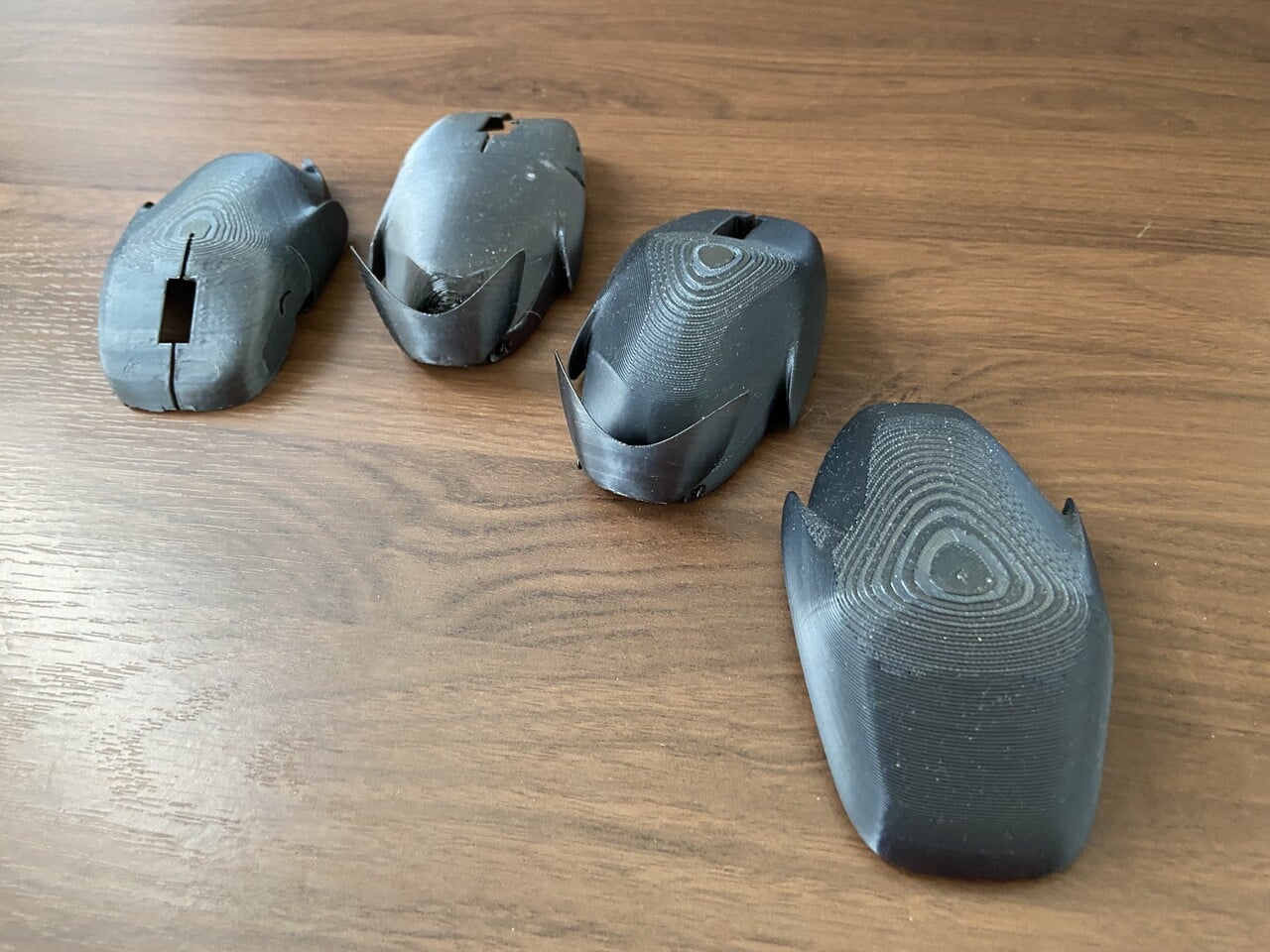
Curiosity pushed the project into three dimensions. With help from a parent, online tutorials, and trial and error, the whale became a 3D model, then a series of 3D‑printed shells. Early prints had rough surfaces and cracks, but they were enough to sit on a desk as a reminder that the character could exist off paper, even if it just collected dust and made visitors smile.

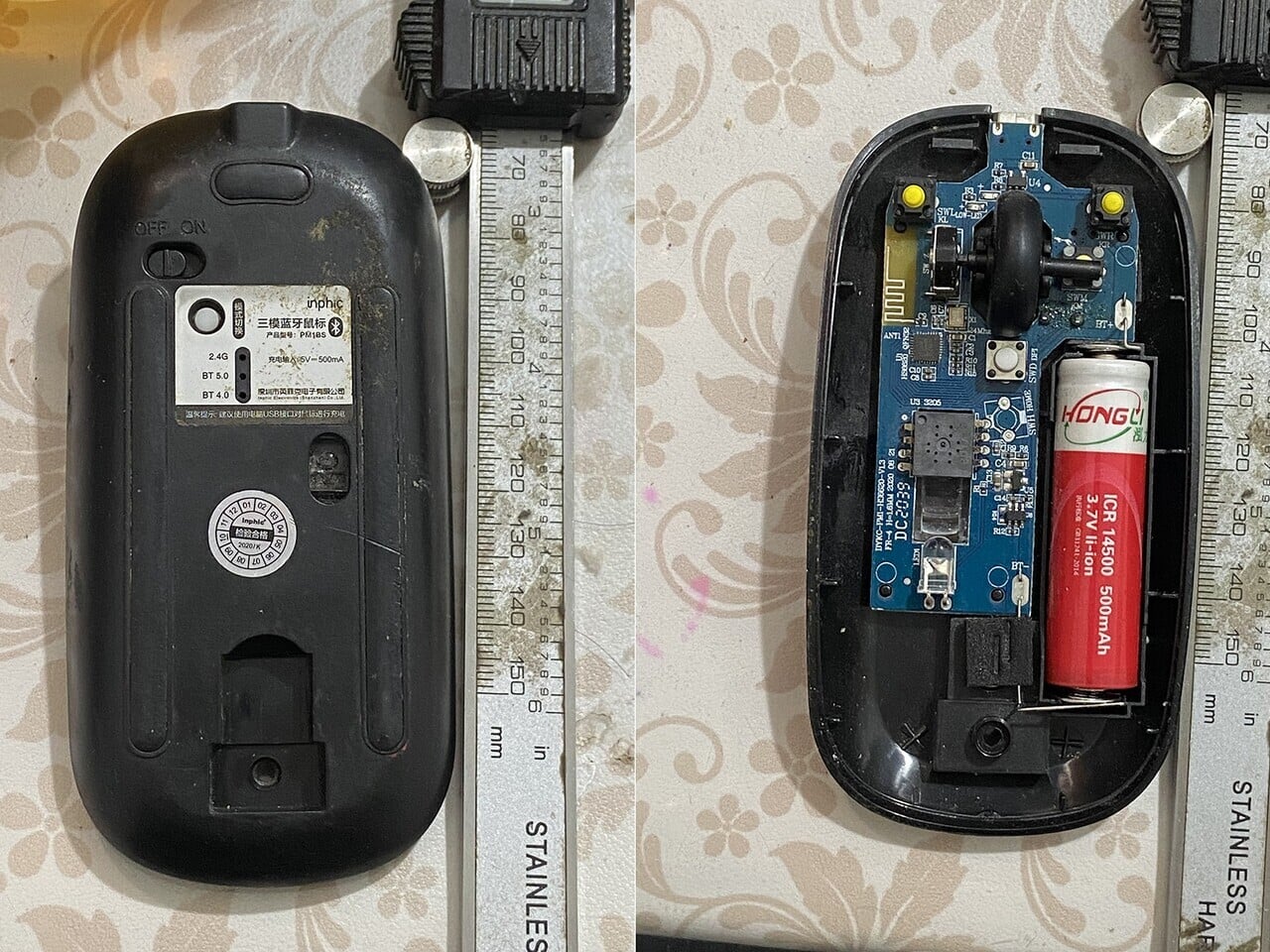
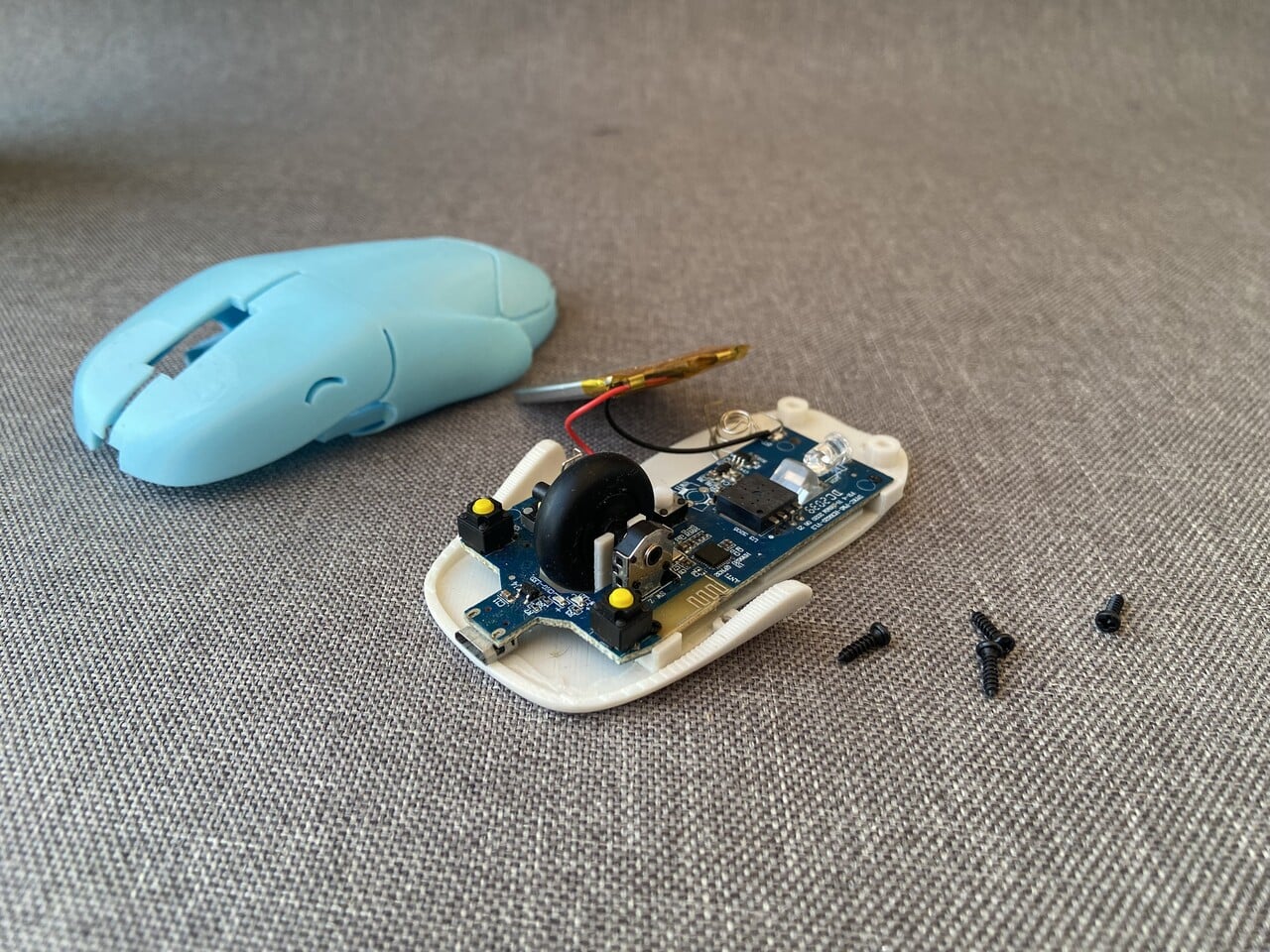
The next step was turning Whaley into a working mouse by transplanting electronics from a cheap wireless mouse. The original shell came off, leaving a PCB with an optical sensor, scroll wheel, switches, and a 14500 Li‑ion cell. That assembly dropped into a new 3D‑printed base, so the hard part of tracking and clicking was already solved, and the focus could stay on the whale’s shape and feel.

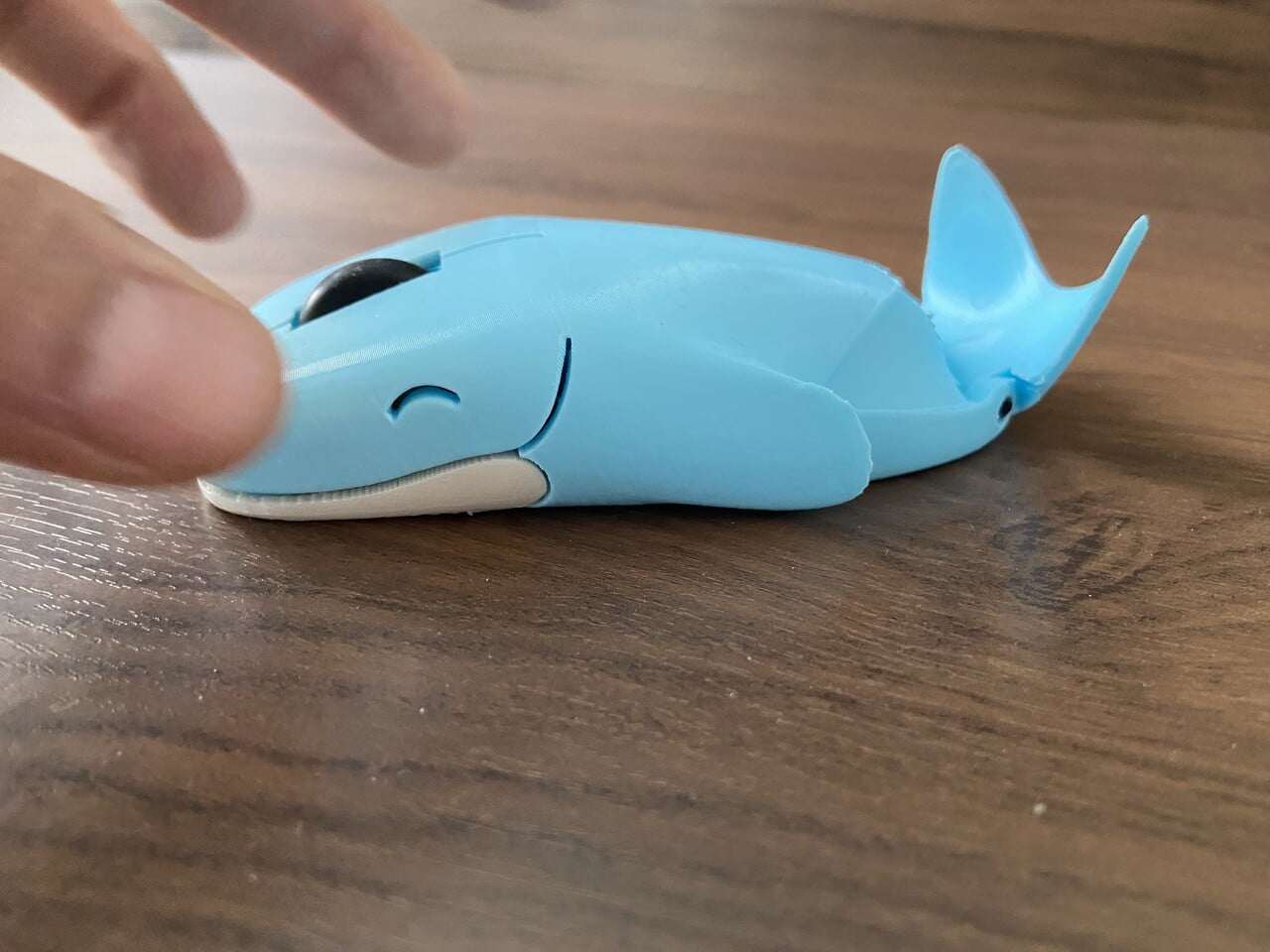
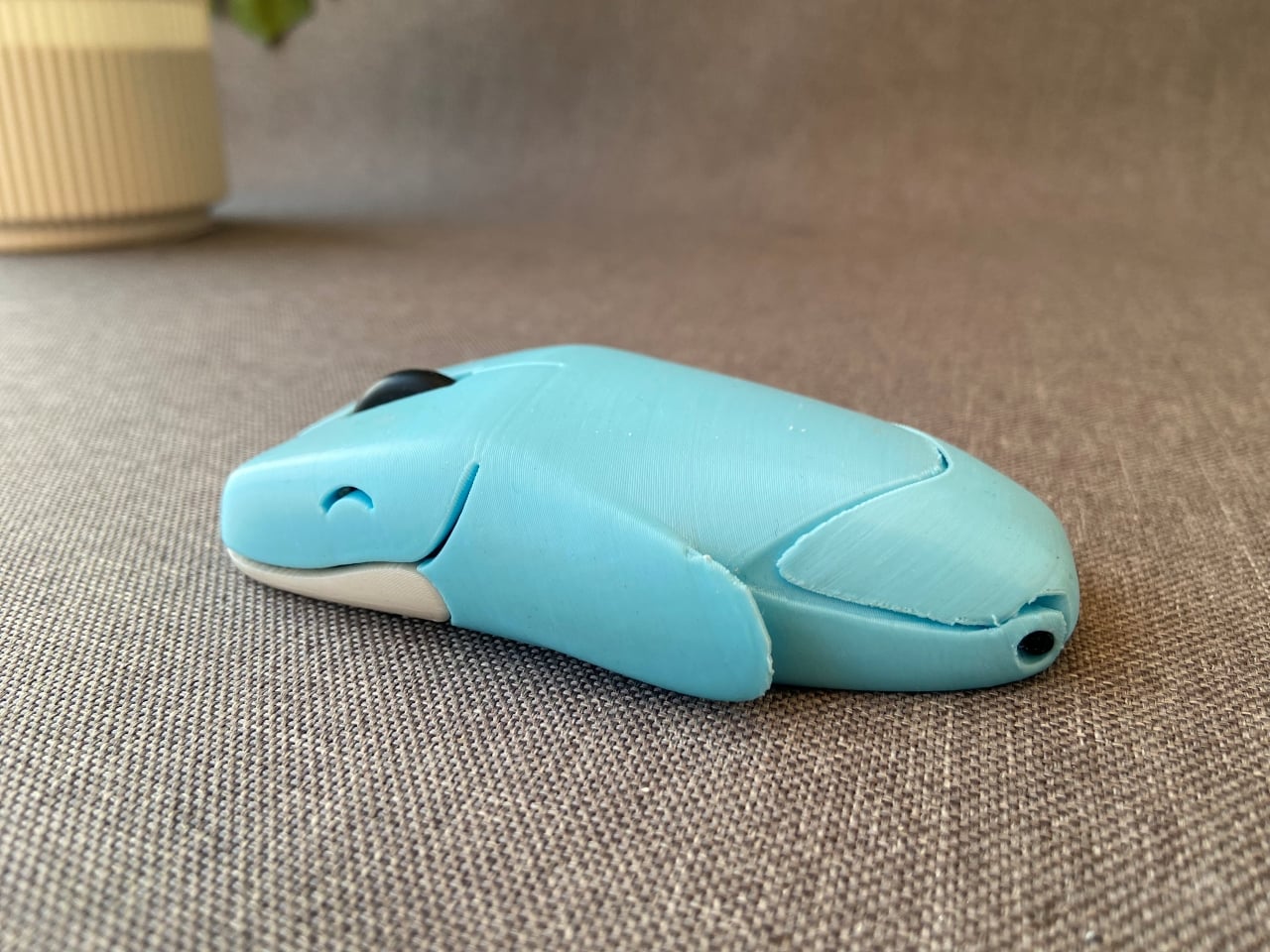
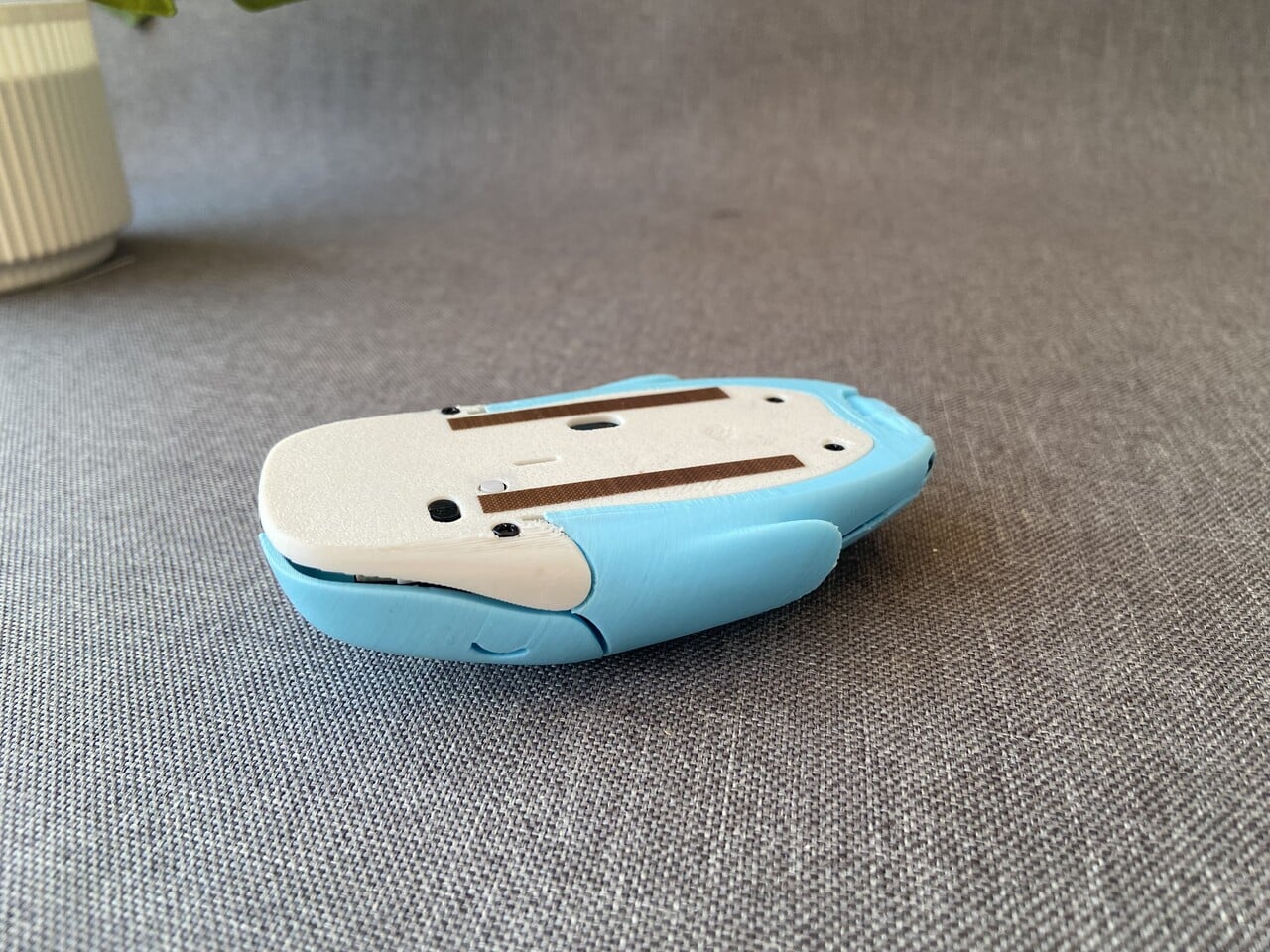
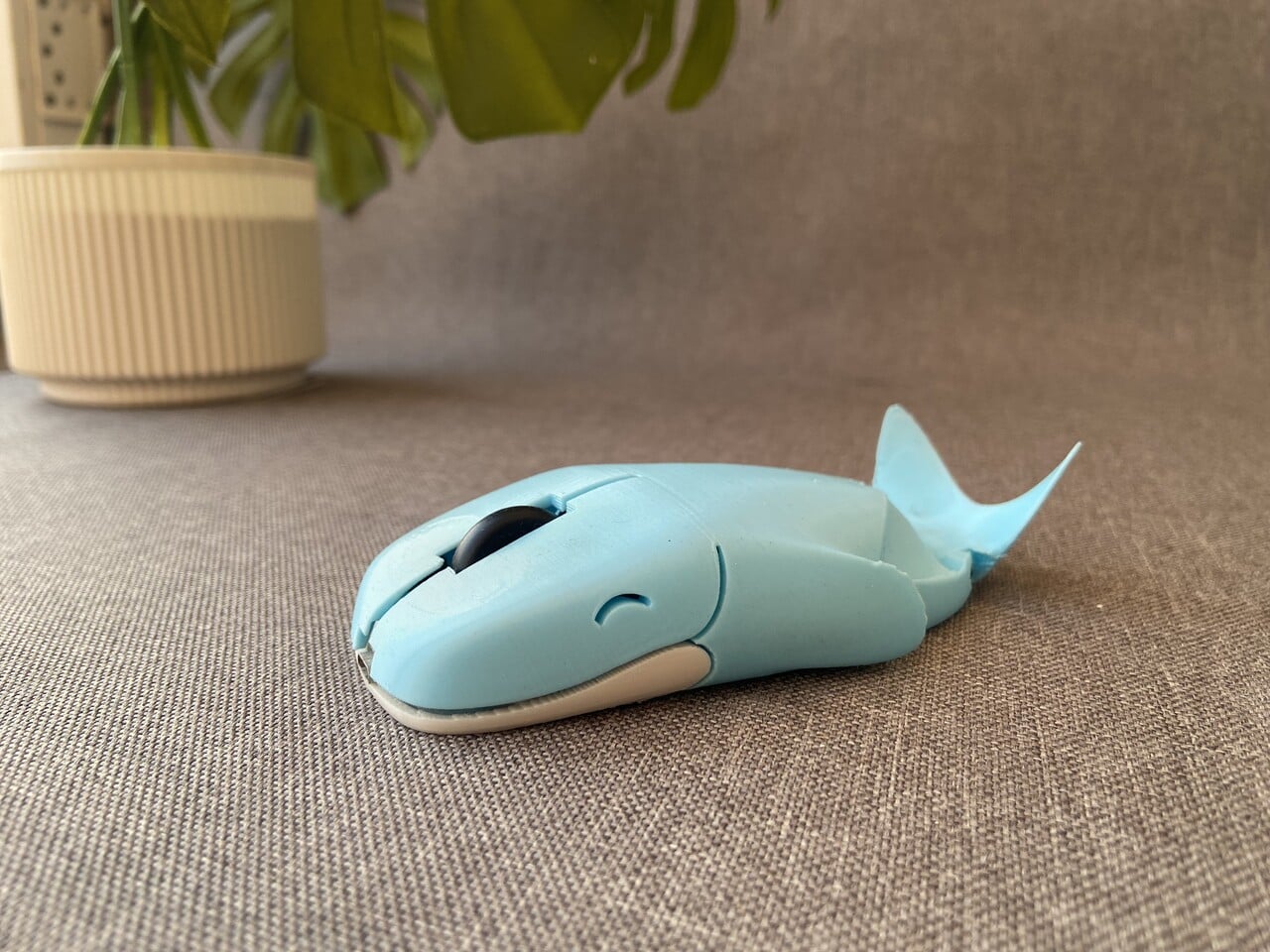
Multiple printed shells followed, each one tweaking the fit around the scroll wheel, refining the back curve, and dialing in how the left and right buttons flexed. Layer lines and seams slowly gave way to a smoother, polished blue whale body with a small smile cut into each side, a tail at the back, and a white underside that still let the sensor and glides do their job.

The finished Whaley Mouse behaves like any other compact wireless mouse on a desk. Left and right clicks are integrated into the head, the scroll wheel sits where a blowhole might be, and the body fits under the hand like a small creature rather than a generic plastic shell. It’s playful without being unusable, showing that peripherals can have personalities without sacrificing basic ergonomics.

This project grew step by step, from boredom to doodle, from stickers to 3D prints, from donor mouse to finished product. It’s a neat example of how following a small idea a little further than usual can leave you with something you can actually use every day: a whale‑shaped mouse that quietly proves a sketch doesn’t have to stay in a notebook if you’re willing to keep asking what comes next.

The post 3D-Printed Whale-Shaped Mouse Began as a Bored Classroom Sketch first appeared on Yanko Design.
Stop Carrying Three Devices: This Keyboard Has a 4K Screen Built In

Working away from a main desk often means a laptop balanced on a café table or airplane tray, maybe a separate portable monitor propped up on a stand, a compact keyboard wedged in front, and a tangle of USB-C cables. This works in theory, but often feels like overpacking, especially when all you wanted was a bit more screen space and a better typing angle without turning a small table into a tech puzzle.

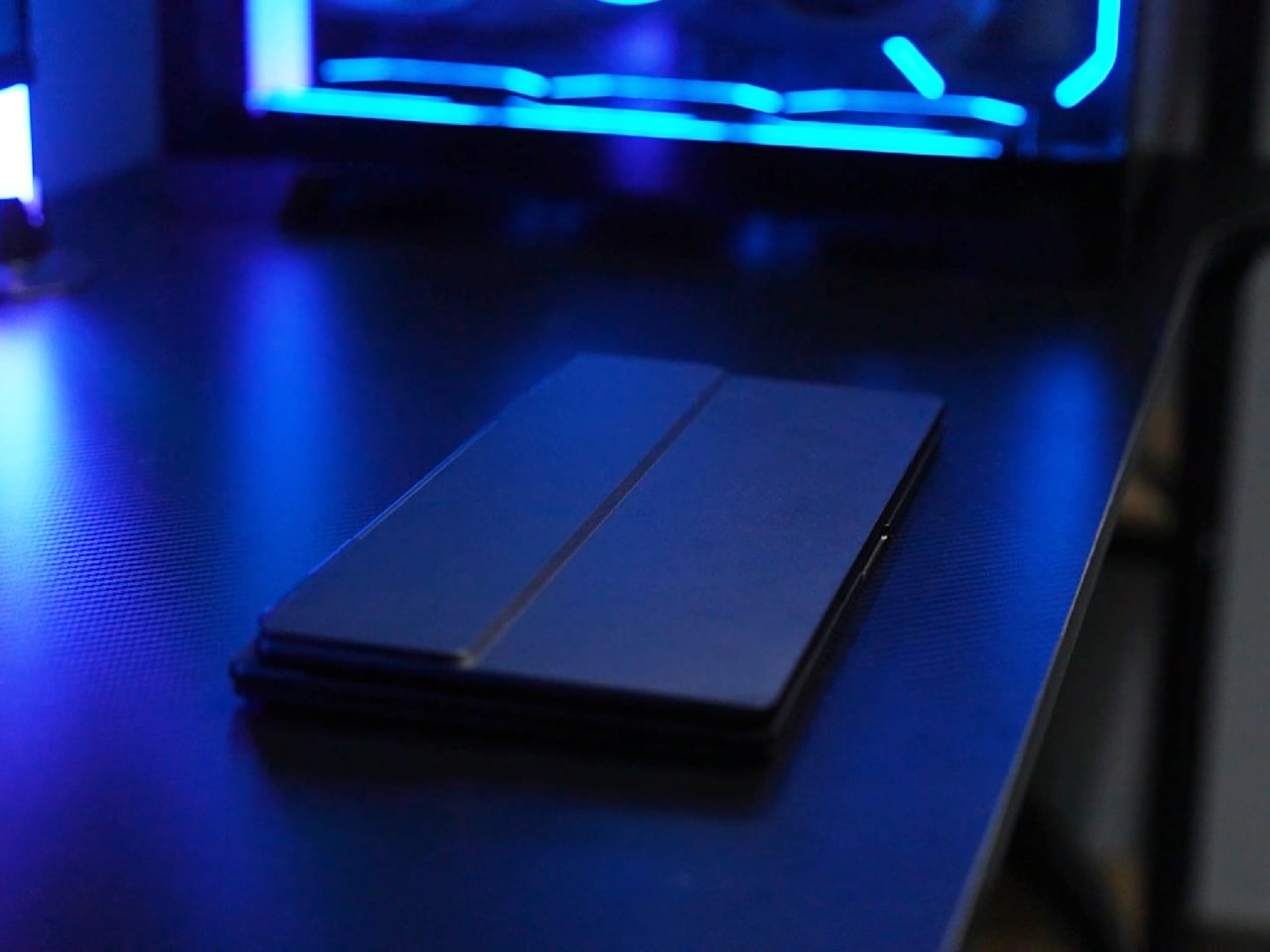
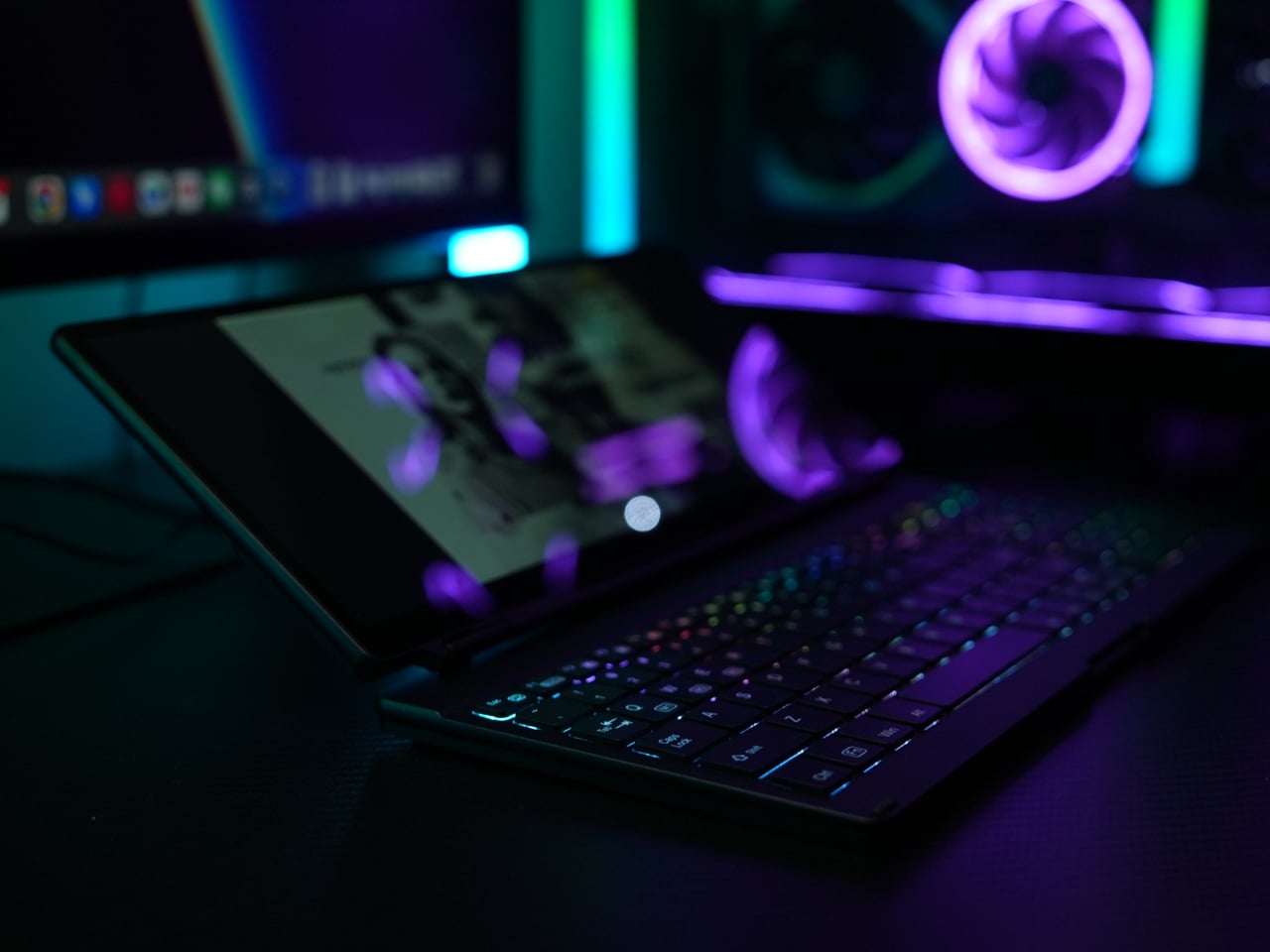
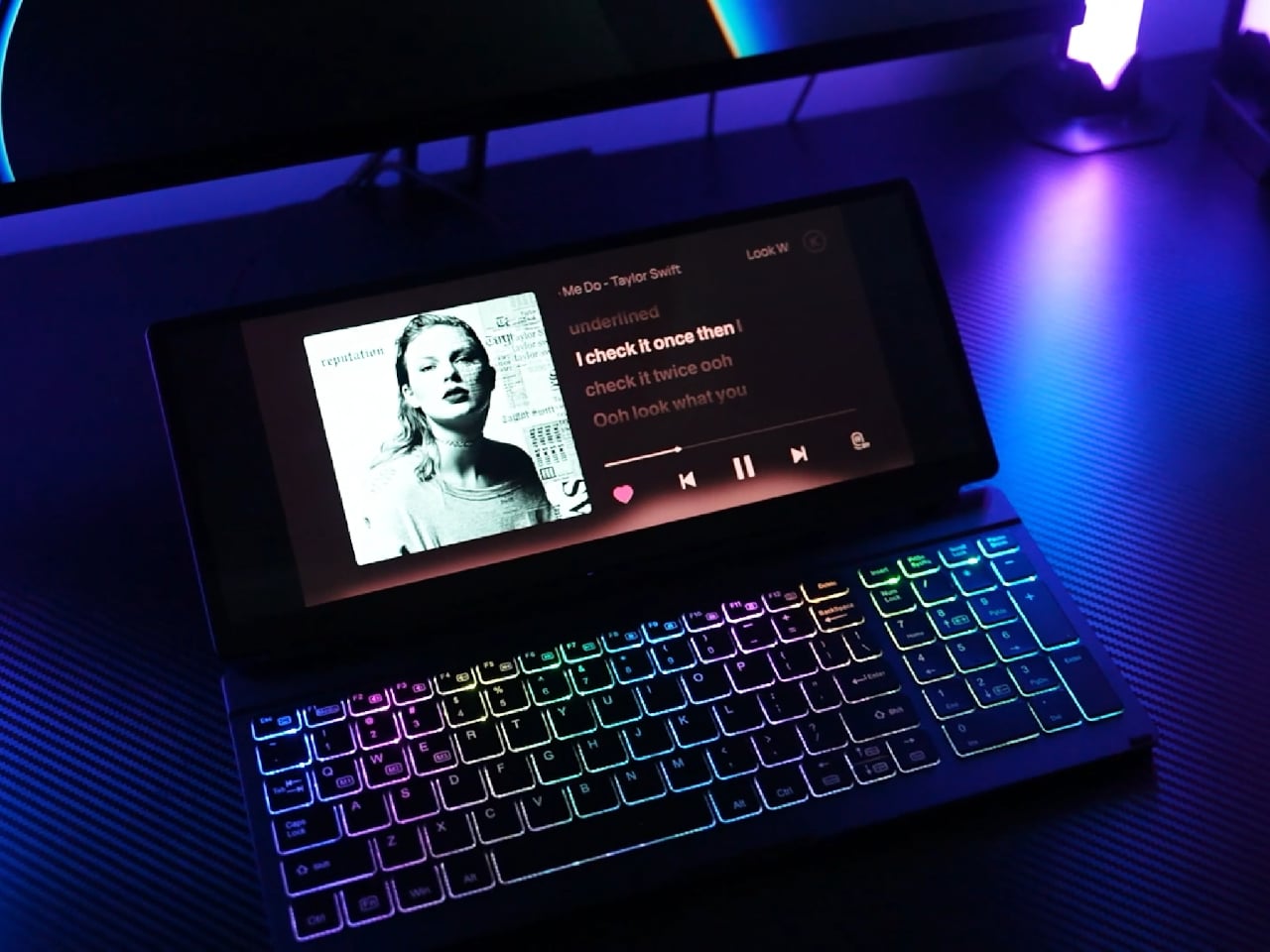
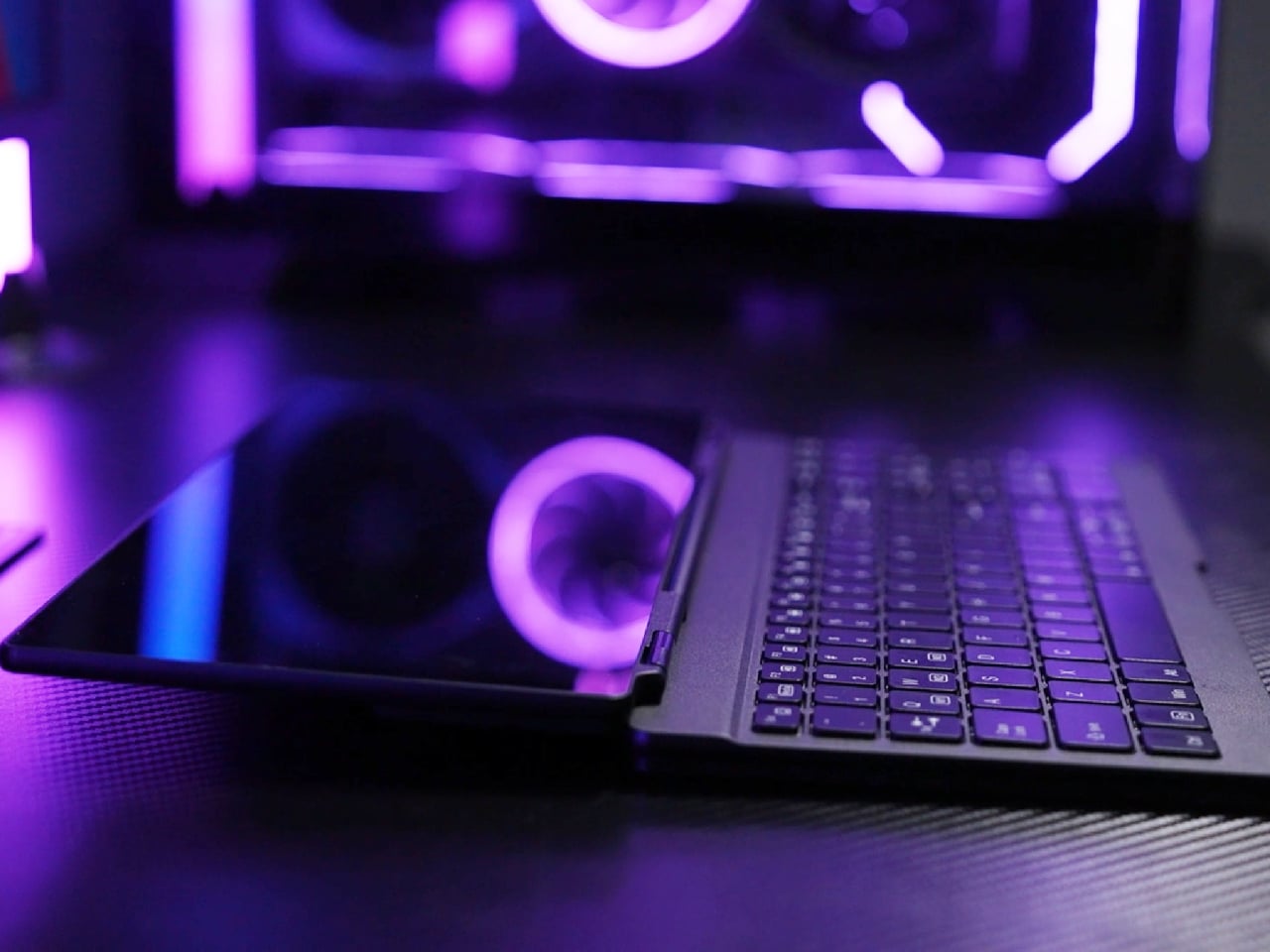
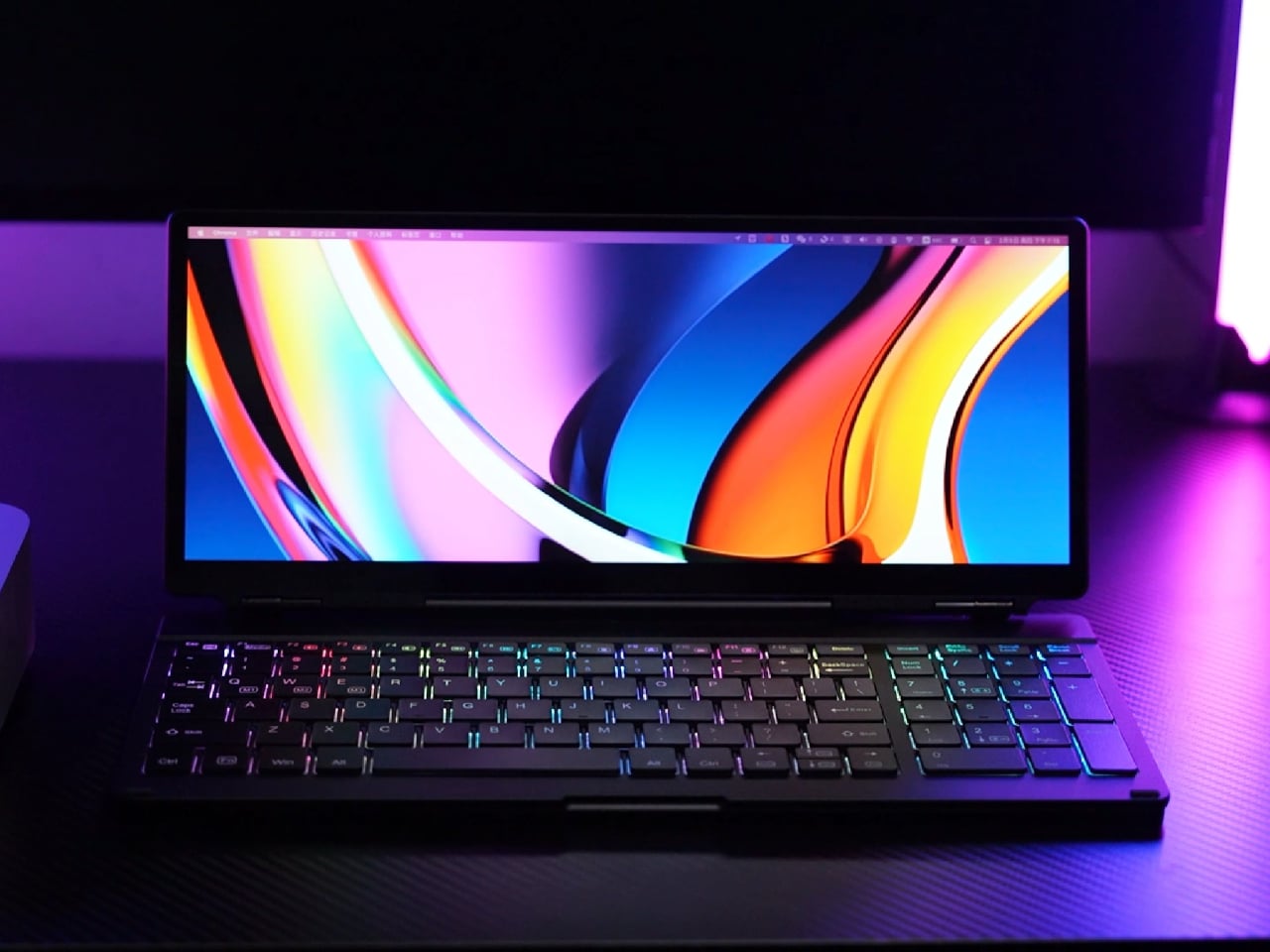
KeyGo Gen2 is a response to that clutter, an ultra-slim folding keyboard with a built-in 13-inch 4K touch screen and speakers that carry like a thin notebook. When it’s closed, it is a flat CNC-machined aluminum slab that slides into a sleeve. When it opens, it becomes a low-profile strip of keys and glass that turns any USB-C laptop into a dual-screen workstation.

Designer: KeyGo

Click Here to Buy Now: $279 $658 ($379 off). Hurry, only 383/500 left! Raised over $41,000.

1

The original 720p panel has been replaced with a 4K/60 Hz IPS display, stretched to 13.0 inches and bright enough for offices and cafés, with adjustable brightness for late-night sessions. That upgrade means editing footage at native resolution, keeping dense spreadsheets visible without squinting, parking timelines, chat windows, or reference material on the lower screen so the main laptop display can stay focused on the primary task.

1

The 10-point capacitive touch layer sits just above the scissor-switch keys, so you can drag windows, scrub through a timeline, or tap controls directly on the display while your hands stay near the keyboard. Key travel has been shortened by 1 mm compared to the first generation, making keys feel snappier and more responsive for long writing or coding sessions.

The CNC aluminum body and under-2-cm profile matter when you are actually on the move. The 32cm x 15 cm footprint fits on a tray table or narrow counter without overhanging. The 1,000g weight feels substantial enough not to slide around, yet light enough to carry daily without feeling like you’re packing a second laptop.

Built-in speakers mean video edits, calls, or background music come from the same strip you are typing on, avoiding the weak audio of many laptops and the need for extra gear. The sound comes from right where you’re working, which makes video playback and calls feel more focused without hunting for a dongle or Bluetooth pairing.

1

The KeyGo Gen2 moves between roles, plugged into a Windows laptop in a coworking space as a second screen for tools, attached to a compact Linux machine at home as a primary display and keyboard, or paired with an Android tablet for streaming and note-taking. Compatibility with Windows, macOS, Linux, and Android means it can follow your devices rather than being locked to one ecosystem.

The 180-degree fold and single USB-C connection change how quickly you can set up in tight spaces. Instead of assembling a portable monitor stand, routing cables, and finding room for a separate keyboard, you unfold one piece, plug in, and start working. That reduction in friction means you are more likely to actually deploy the dual-screen setup instead of making do with a cramped laptop panel.

The KeyGo Gen2 feels like a thoughtful second pass. It has sharper 4K visuals, a slightly larger 13-inch canvas, a thinner body, refined key feel, brightness control, and audio all tuned to the way hybrid workers, creators, and coders actually move through spaces. With so many separate pieces and improvised stands flooding the market, a single folding strip of aluminum, glass, and keys that opens into a complete little command center feels like an integrated design worth carrying every day.

Click Here to Buy Now: $279 $658 ($379 off). Hurry, only 383/500 left! Raised over $41,000.

The post Stop Carrying Three Devices: This Keyboard Has a 4K Screen Built In first appeared on Yanko Design.
Stop Hunching Over Your Laptop: This Stand Has a USB Hub Built In

Working from whatever surface is available means café tables, office booths, hot desks, all places where the laptop is always too low and the power outlet is always just out of reach. People stack laptops on books, hunch over for hours, and drag a small zoo of dongles and chargers around just to make a temporary spot feel like a real workstation for a few hours before packing up and moving again.

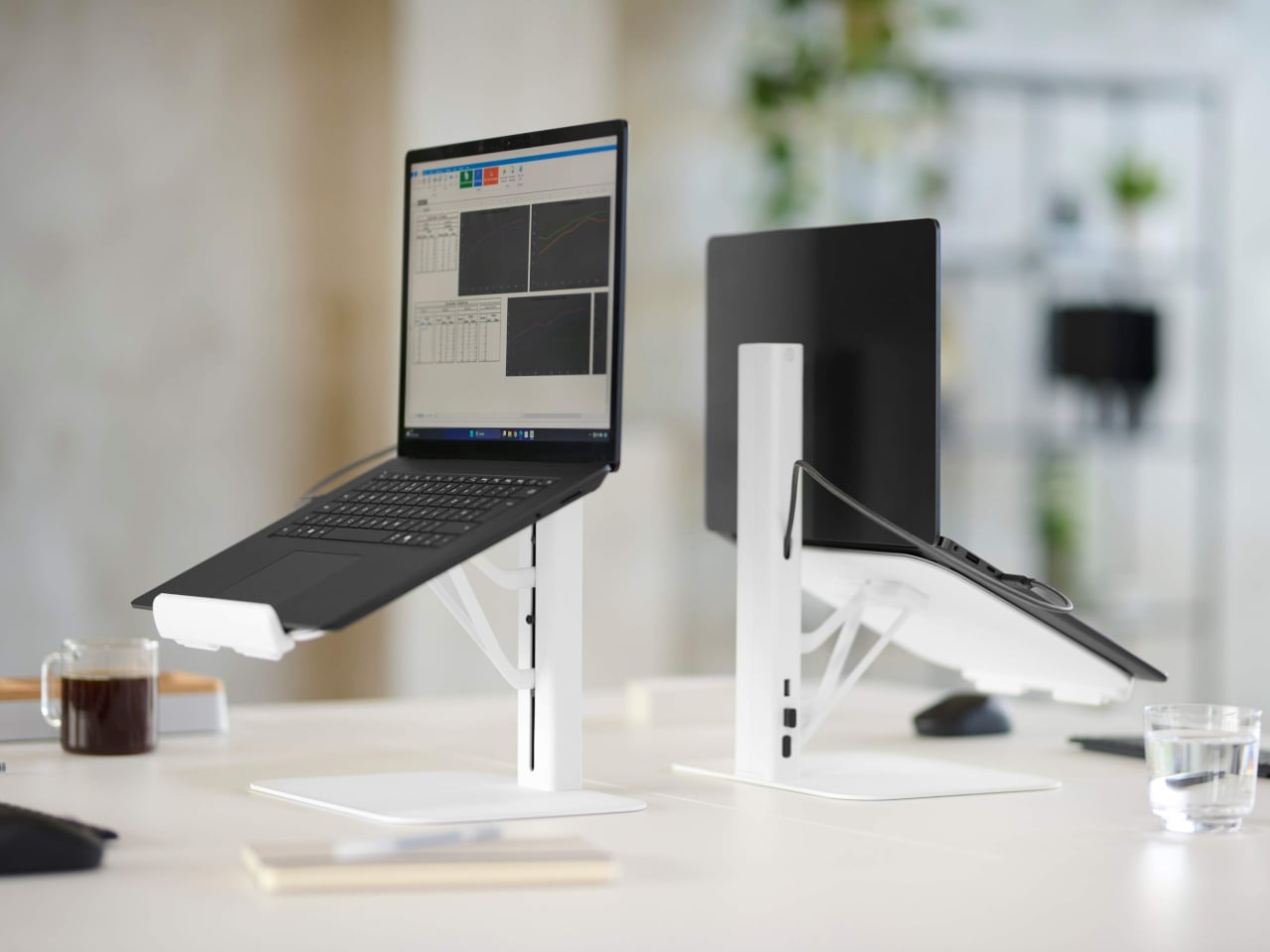
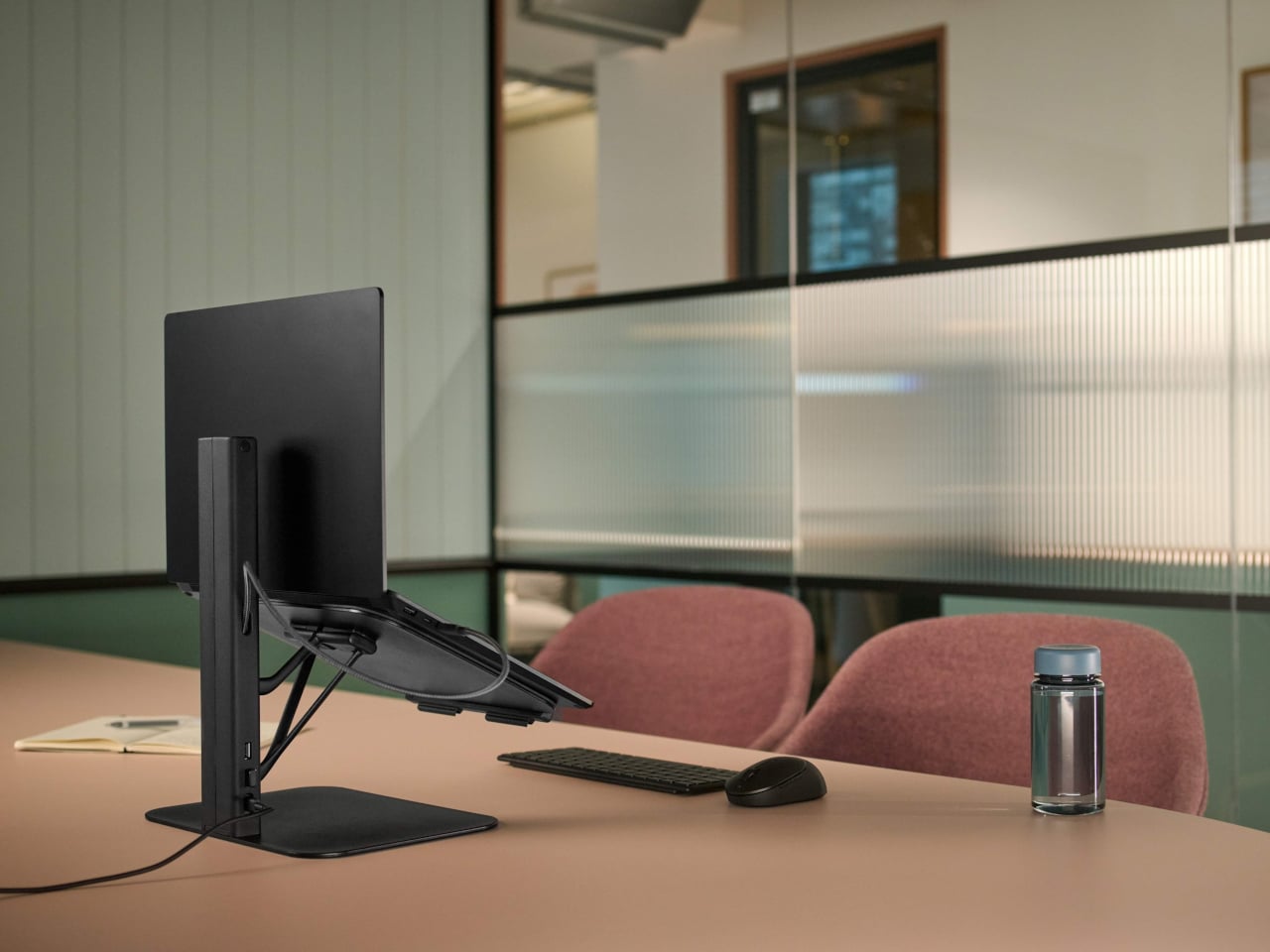
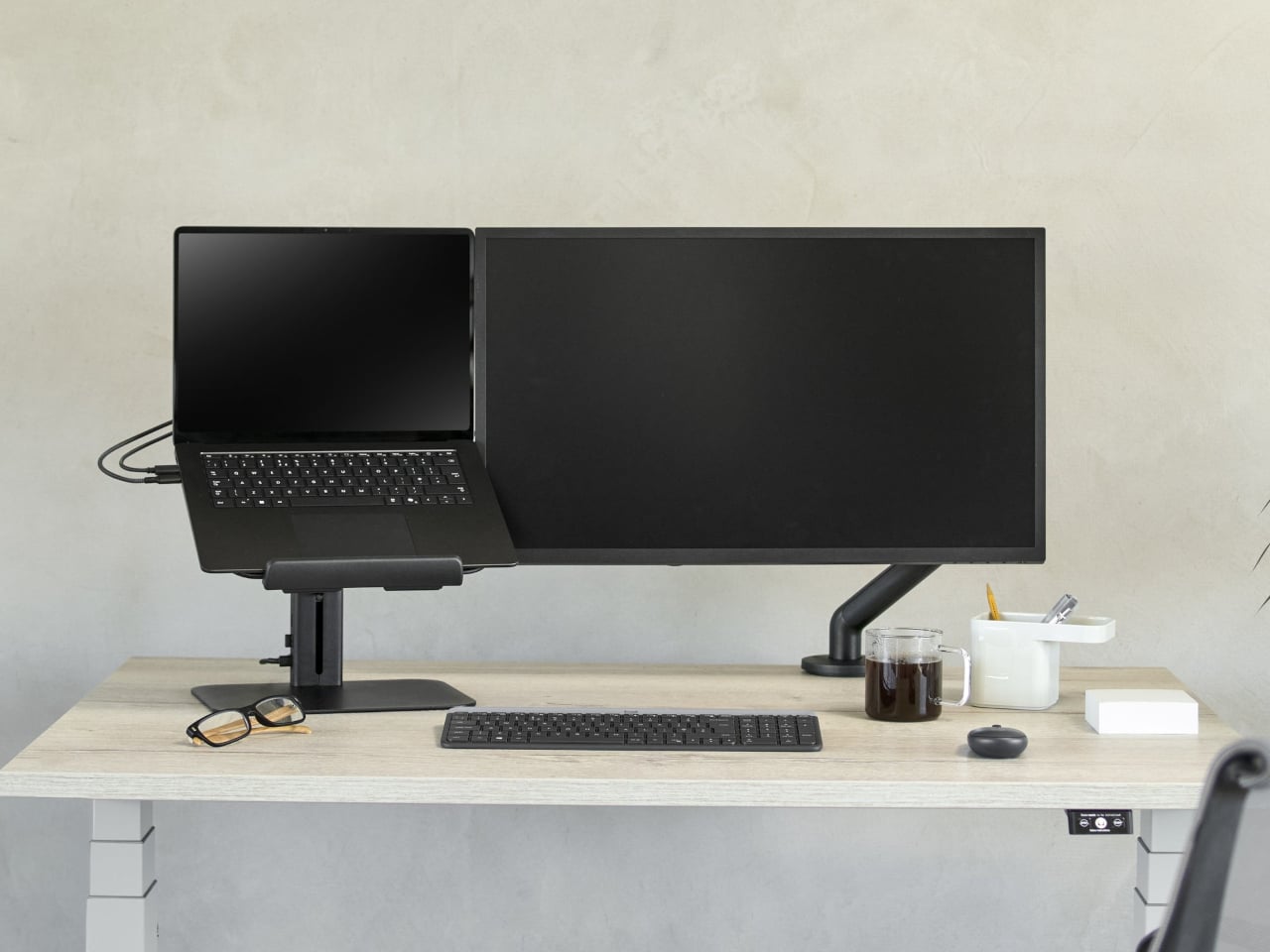
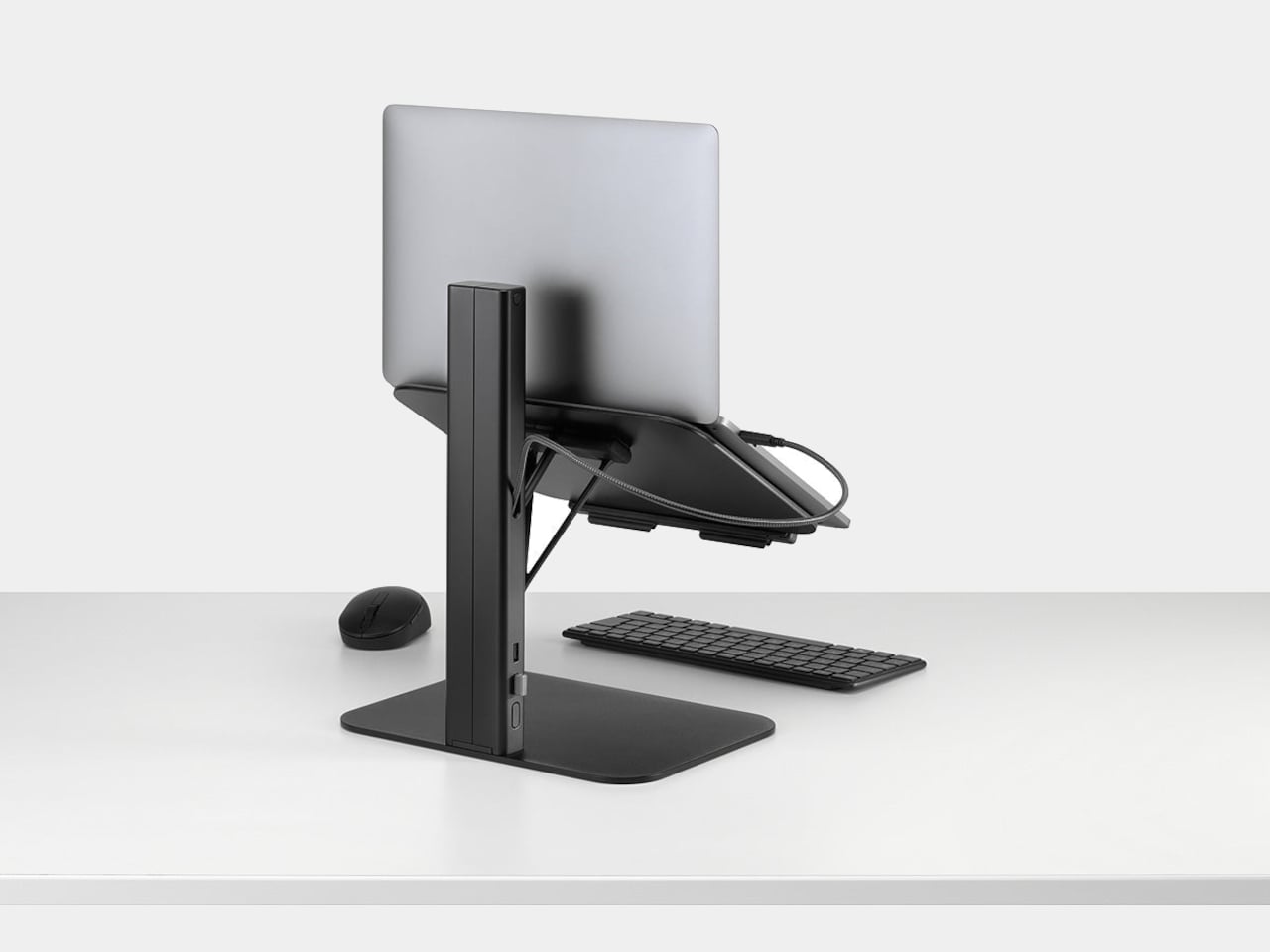
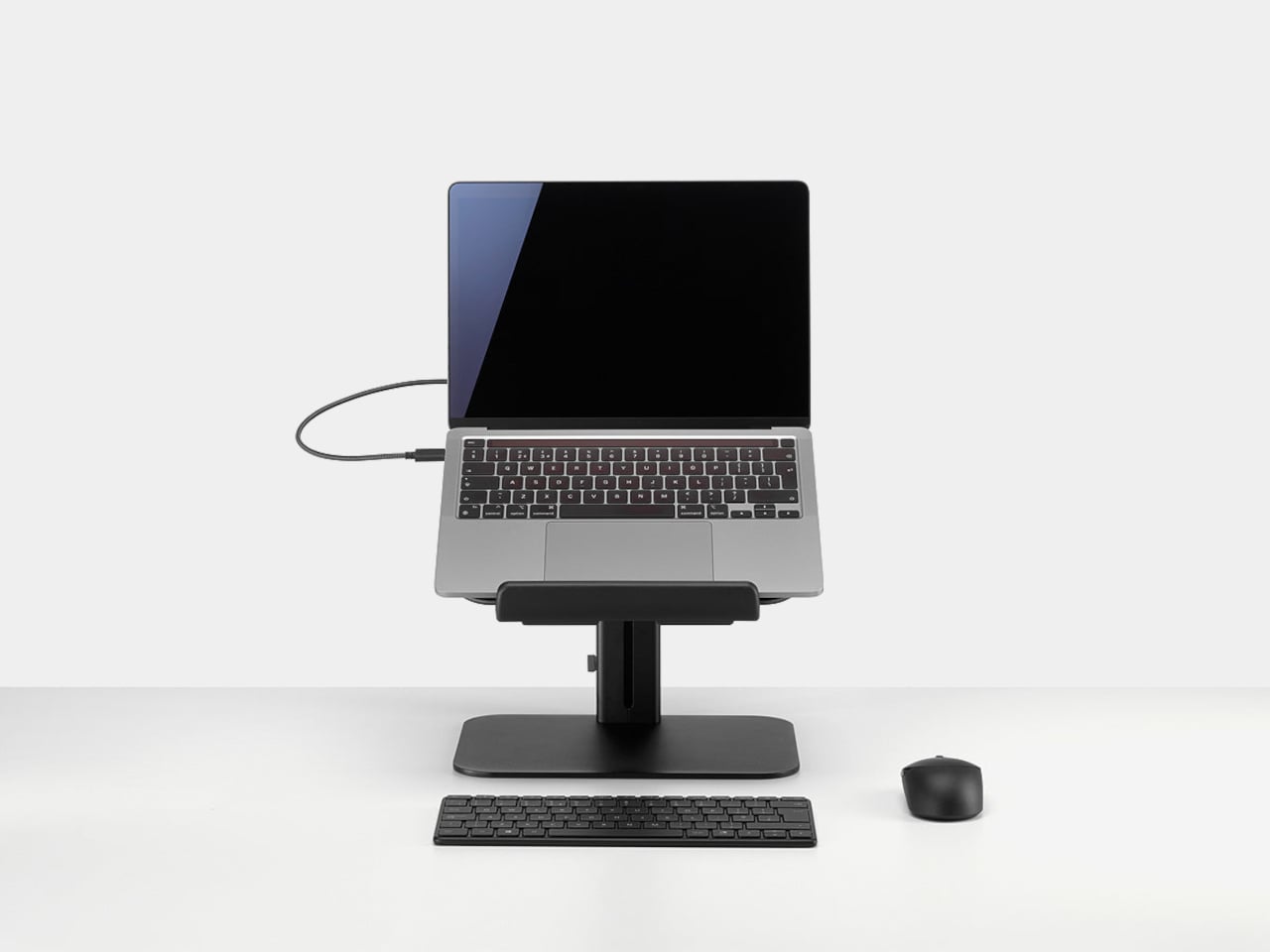
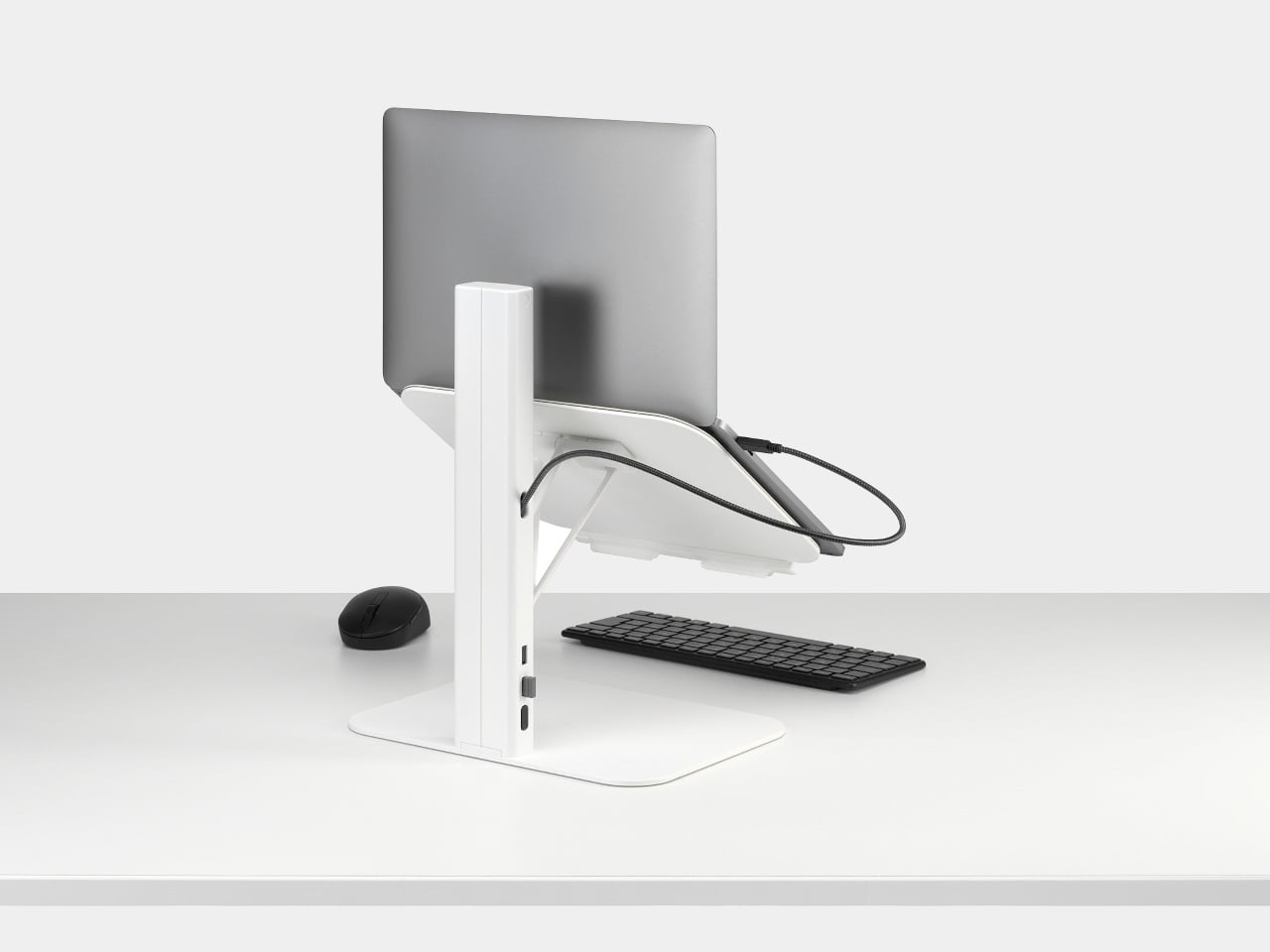
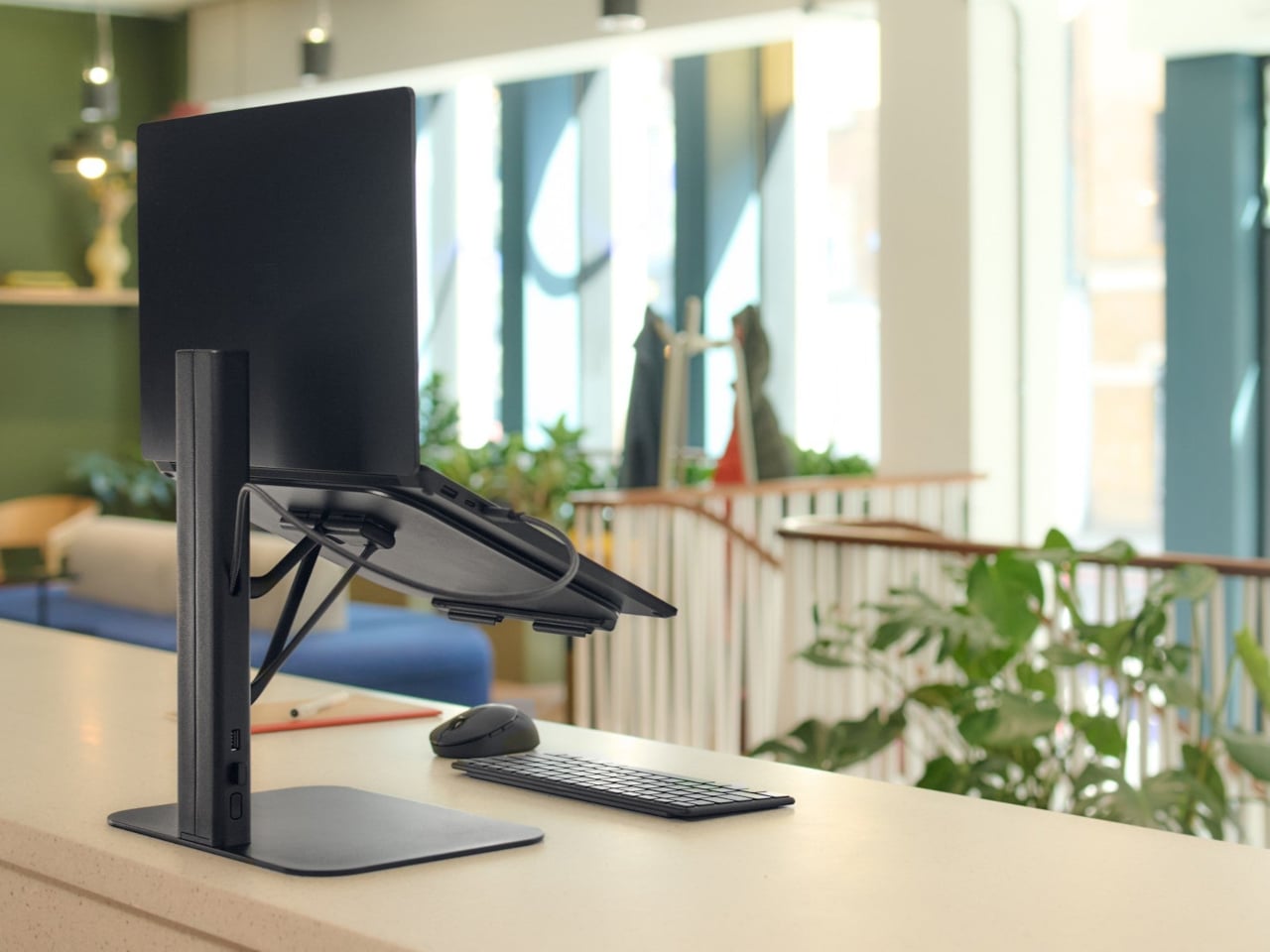
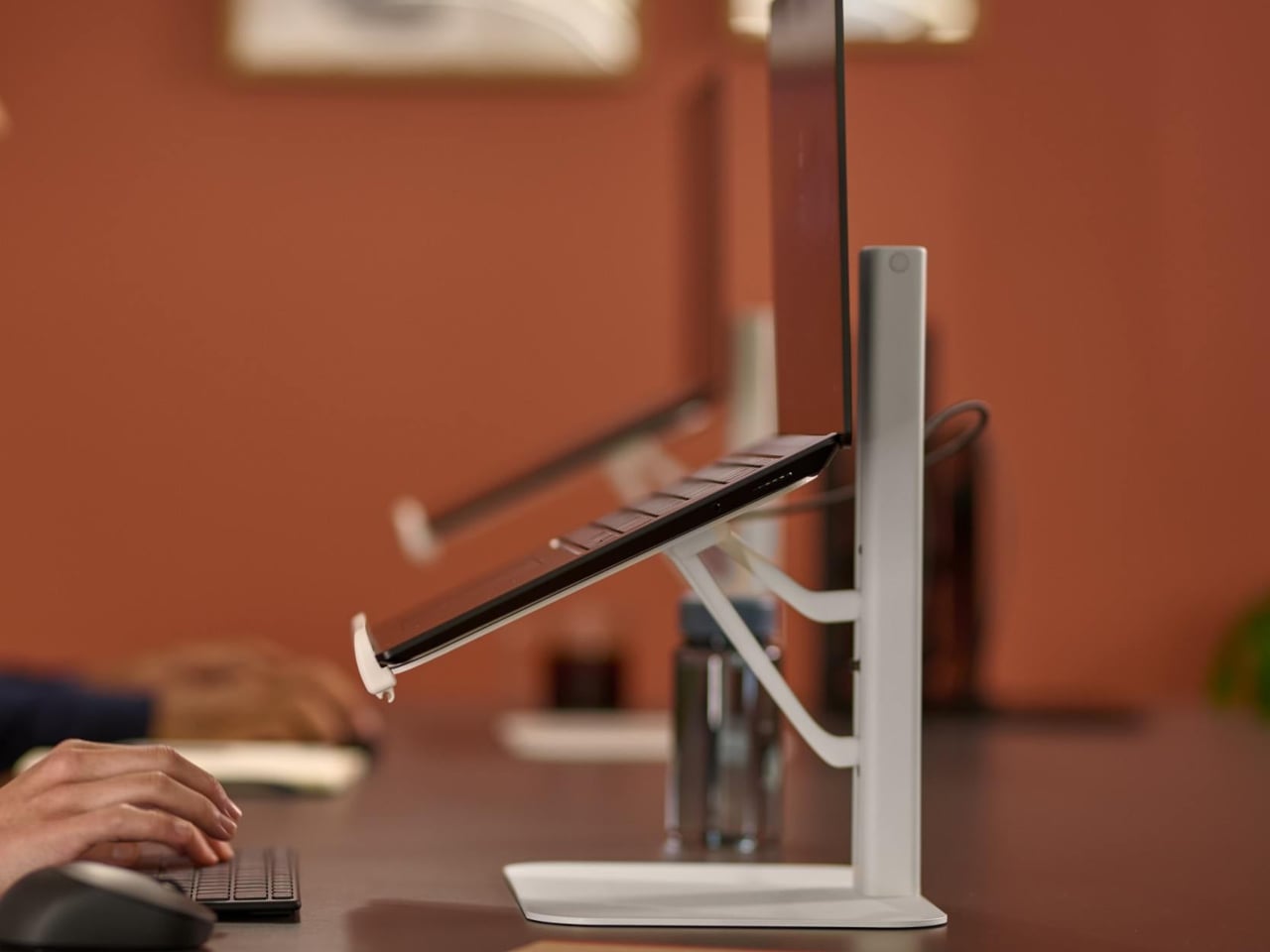
The Lana laptop stand from Colebrook Bosson Saunders is a compact riser that lifts your laptop to eye level and hides an integrated USB hub in its spine, so your keyboard, mouse, and power all run through a single USB-C cable. You drop your laptop on it, plug in one cable, and the temporary desk suddenly feels less temporary, less improvised, and less like you’re working from a surface that was meant for lunch rather than spreadsheets.

Designer: Colebrook Bosson Saunders

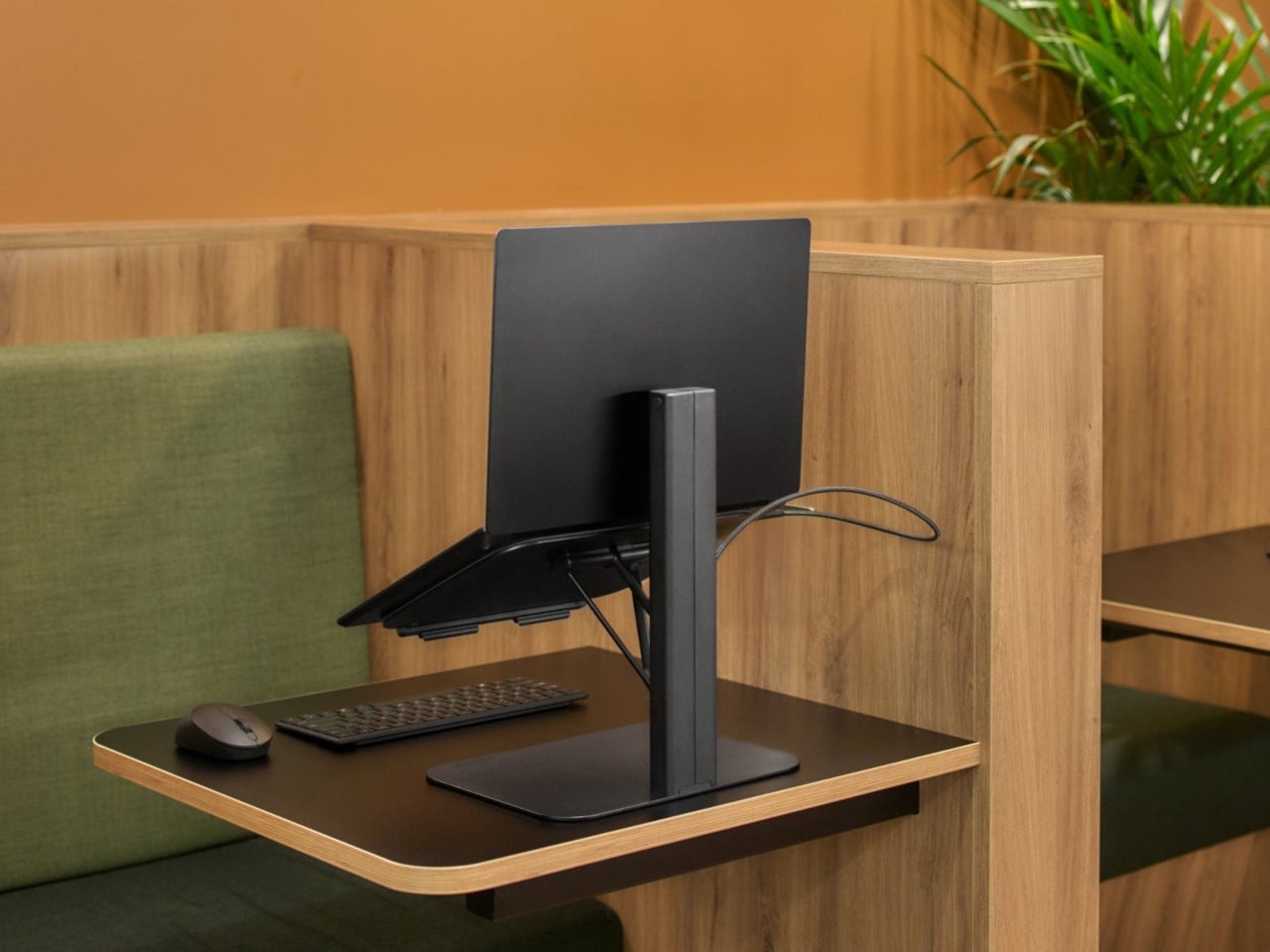
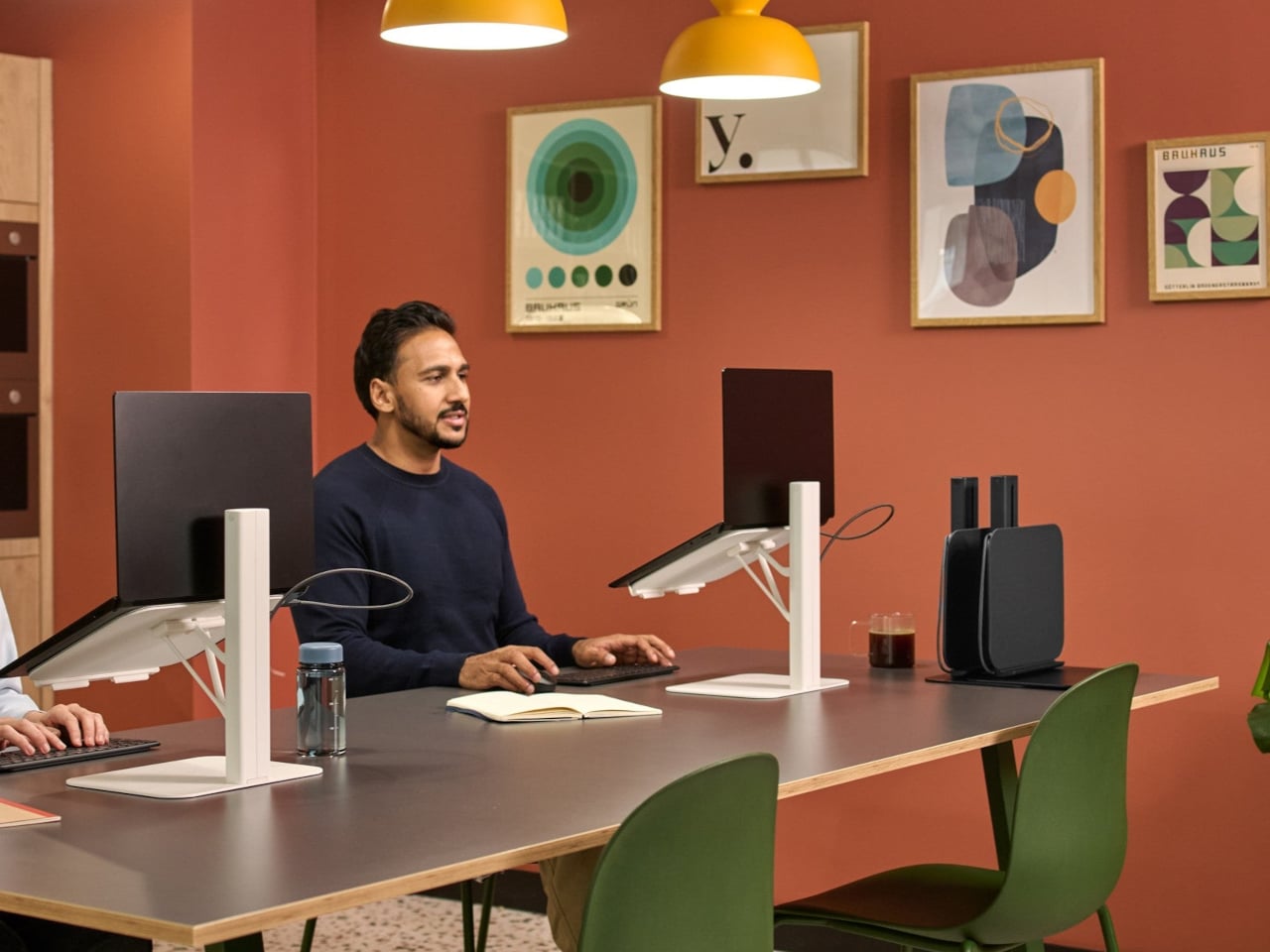
Imagine a scenario where you arrive at a shared bench or booth, and Lana is already in place. You sit down, plug your laptop into the stand’s USB-C, and everything comes to life: an external keyboard, mouse, maybe a charger if the stand’s hub is connected to power. There won’t be any crawling under the desk for sockets or untangling cables from the previous person, just one motion that turns a generic surface into your setup.

Lana is designed to “eliminate musculoskeletal strain and fatigue,” adjusting instantly for healthy posture even in “temporary touchdown spaces.” You raise the laptop until the top of the screen is roughly at eye level, use a separate keyboard on the desk, and your back, shoulders, and eyes stop paying the price for every impromptu session. It’s a small change that matters more when you’re constantly moving between locations instead of staying put.

The stand fits into the variety of furniture it’s meant for, pods, booths, and communal benches, where there’s rarely room for monitor arms or full docking stations. Lana’s footprint is small enough for a booth table but tall enough to get the screen where it needs to be. It’s flexible, convenient, and “uncompromisingly ergonomic,” as Colebrook Bosson Saunders puts it, which is a rare combination in spaces that were never designed for long stretches of work.

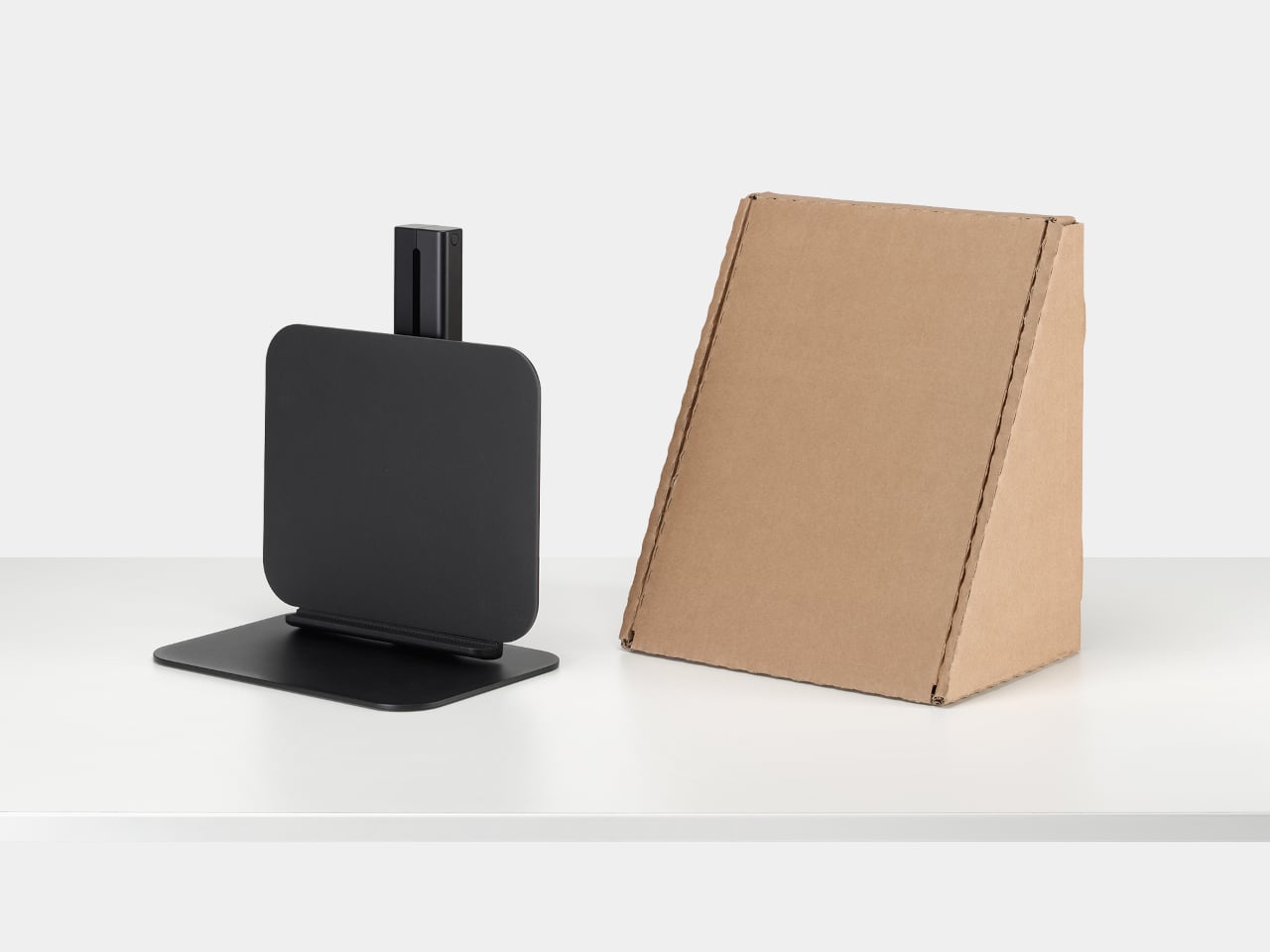
The 12-year warranty that CBS offers says a lot about how confident they are in the mechanics of the stand. The plastic-free packaging goal and the fact that Lana is part of a British-designed and engineered lineup tie it back to a broader ecosystem of ergonomic products rather than a one-off gadget. It’s meant to be a long-term fixture in shared spaces, not a disposable accessory you replace every year.

Lana is less about reinventing the laptop stand and more about making hybrid work setups feel intentional instead of improvised. By combining a proper riser with a USB hub and a single-cable plug-in, it turns pods, booths, and benches into places where you can actually work without wrecking your posture or your patience. For something that just sits there, that’s a surprisingly big job done quietly well.

The post Stop Hunching Over Your Laptop: This Stand Has a USB Hub Built In first appeared on Yanko Design.
Color One Square Each Week and Watch 80 Years Fill with Your Story

Weeks in a relationship or life blur together. You remember birthdays and trips, but the quiet in‑between time mostly stays invisible. We track deadlines and appointments on digital calendars, but rarely see the whole arc of a shared life at once, the years you’ve already moved through and the ones still sitting empty ahead. There’s something oddly powerful about seeing every week you have, and have had, laid out in one place on a wall.

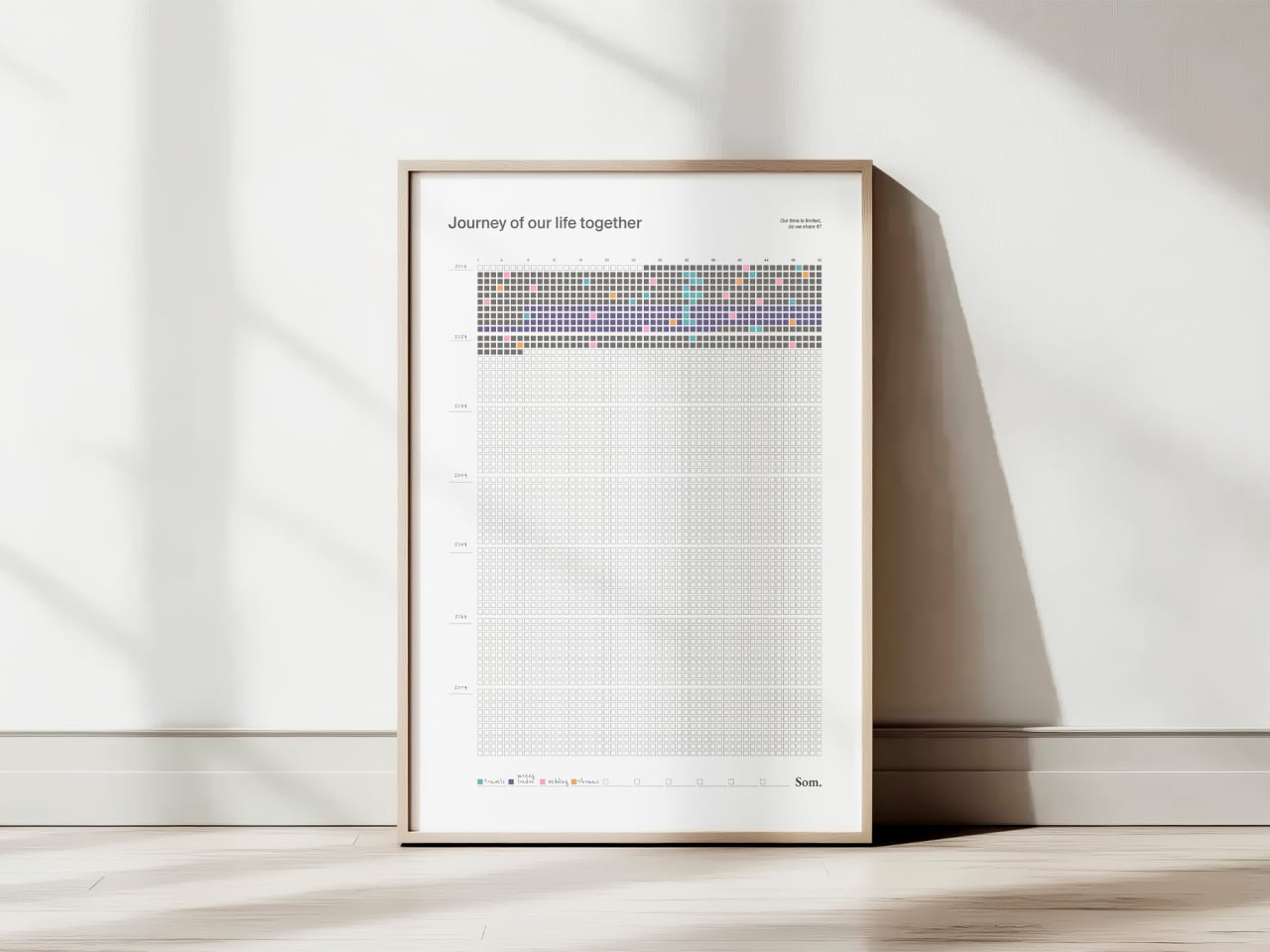
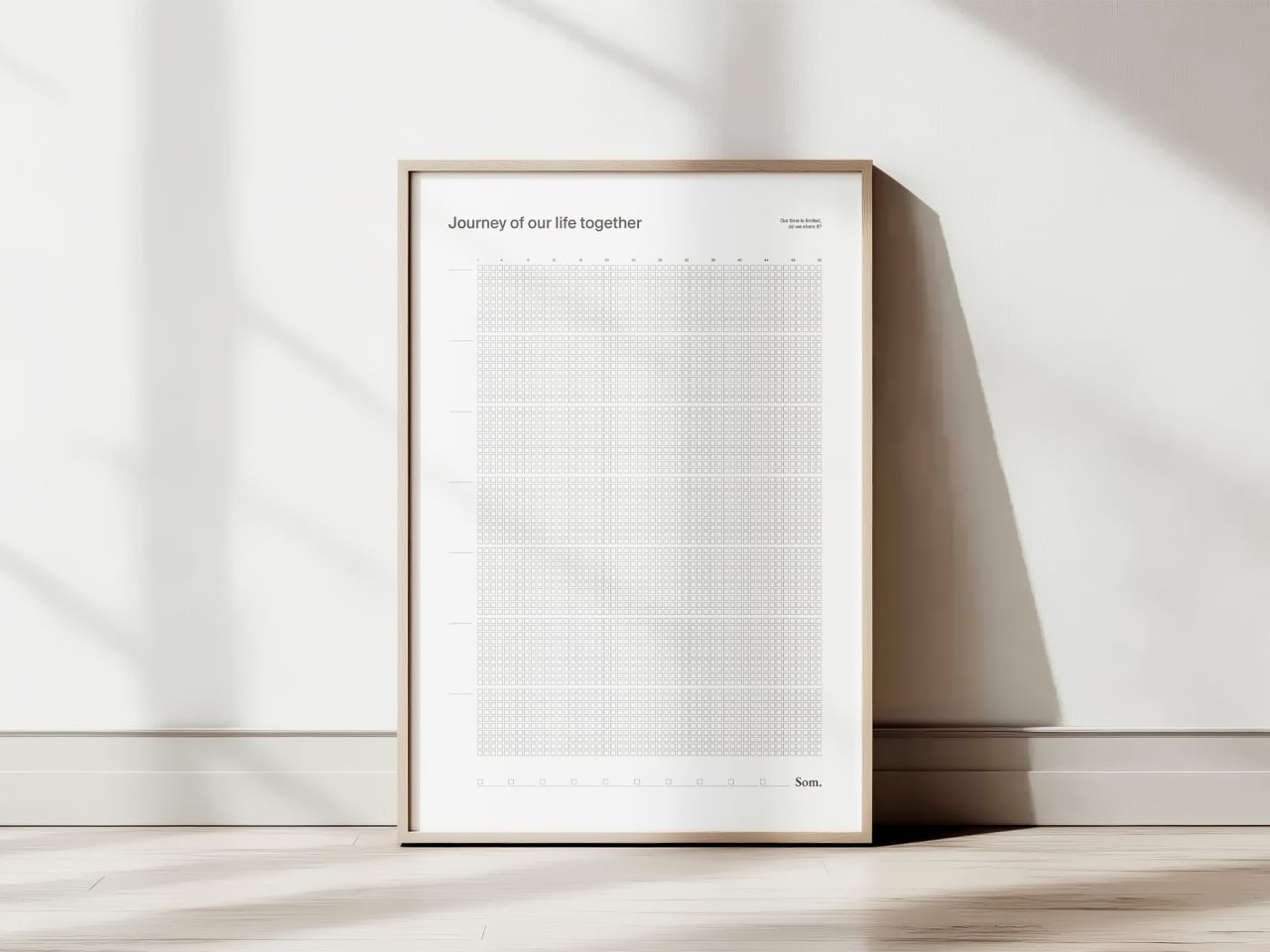
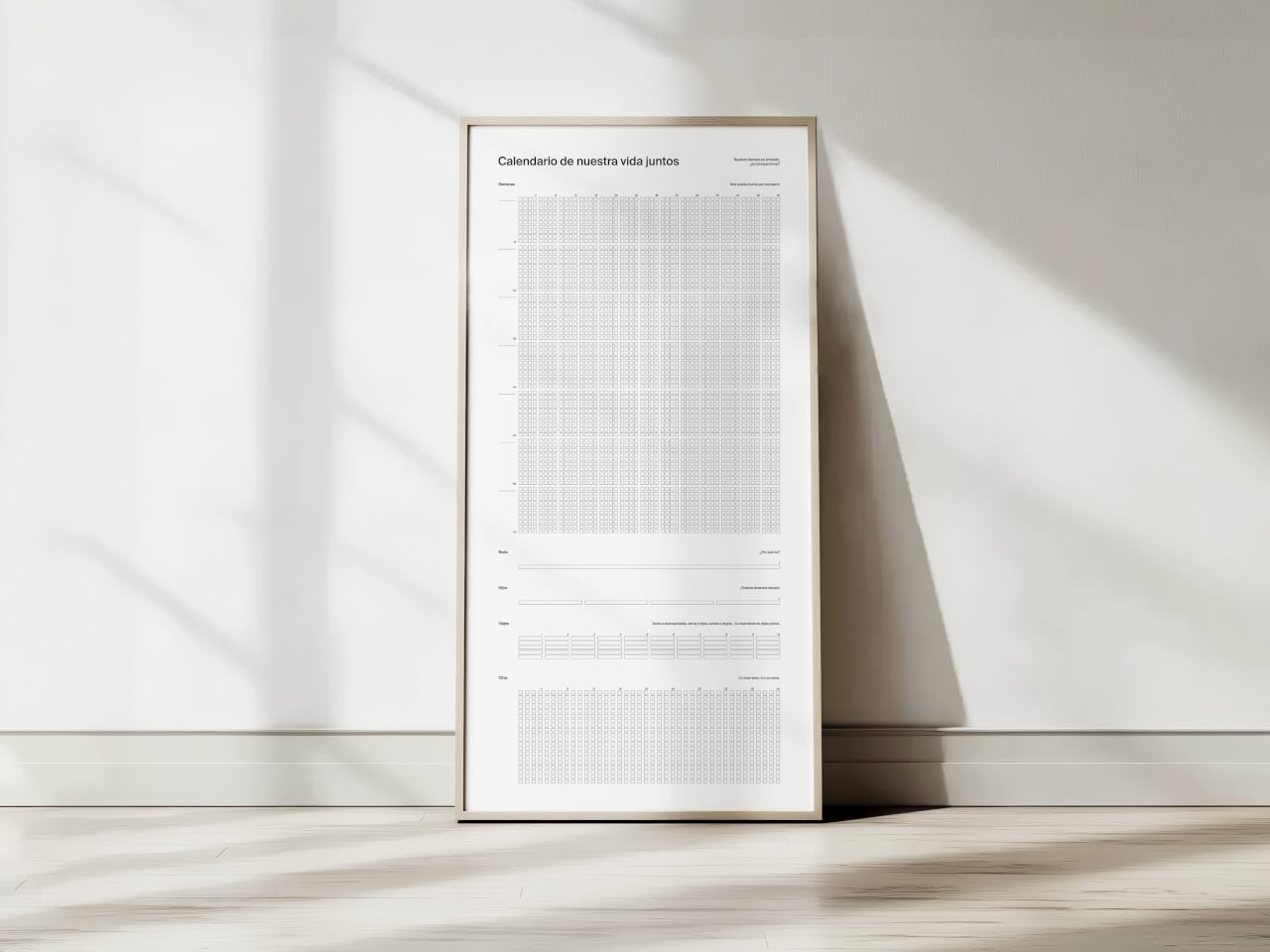
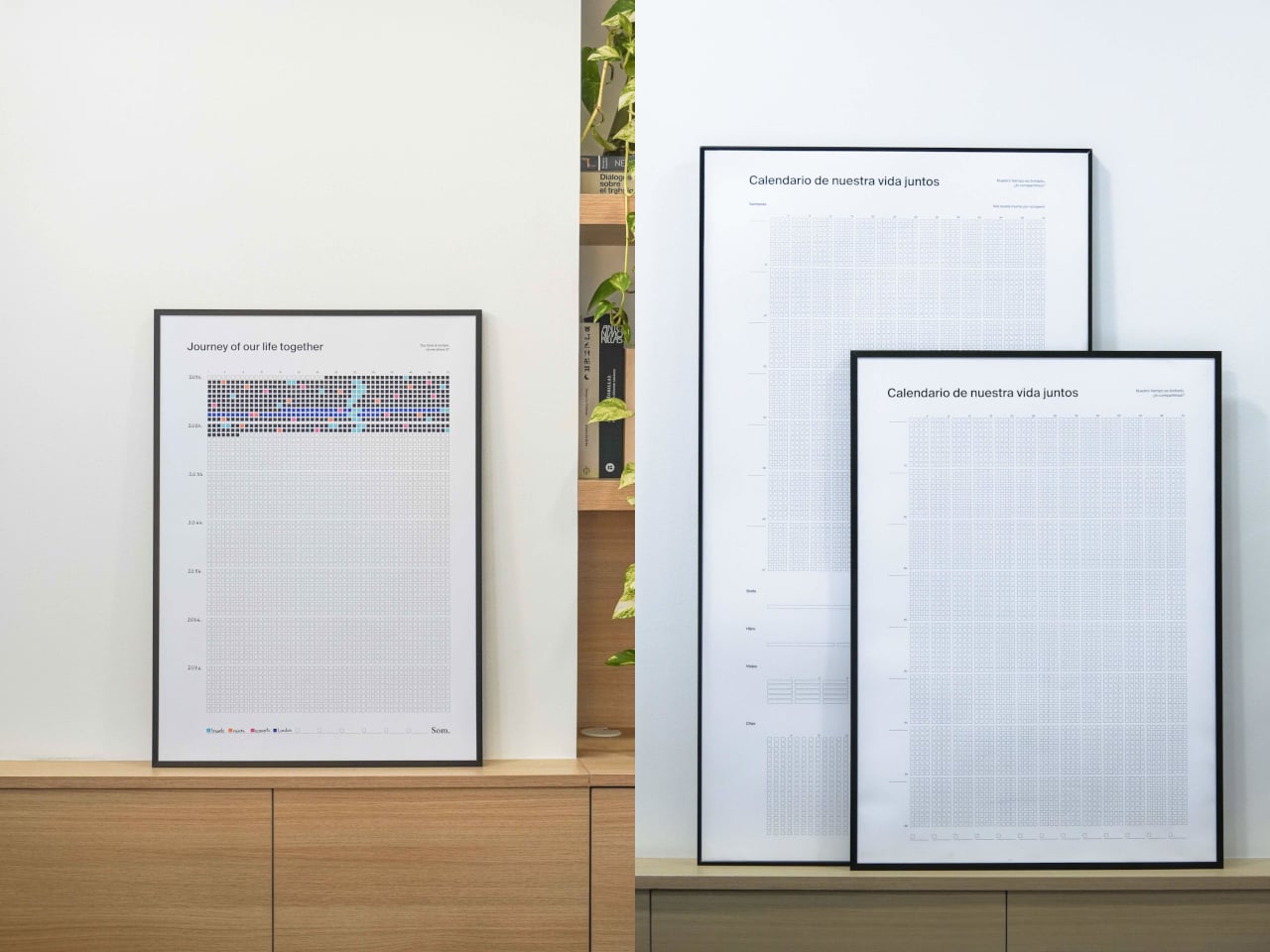
NOS Calendar by Som by Mos is a weekly calendar that celebrates shared life rather than meetings or deadlines. Each square is a week, each row is a year, and each block is a decade, printed on a 50cm x 70cm poster that covers more than 80 years. It’s sold under the tagline “our time is limited, shall we share it?”, which is a very different brief from “get more done” or “optimize your schedule.”

Designer: David Grifols (Som by Mos)

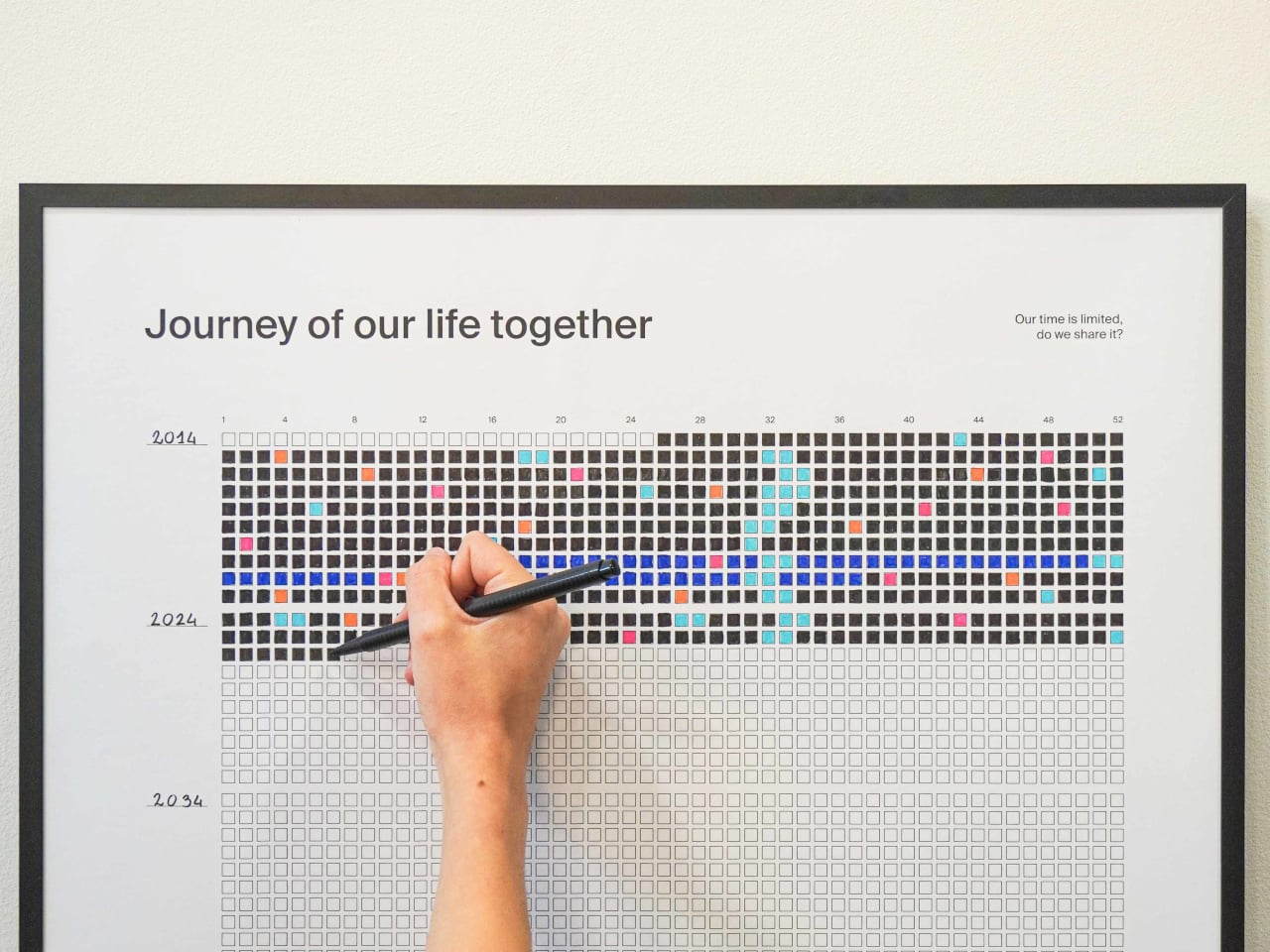
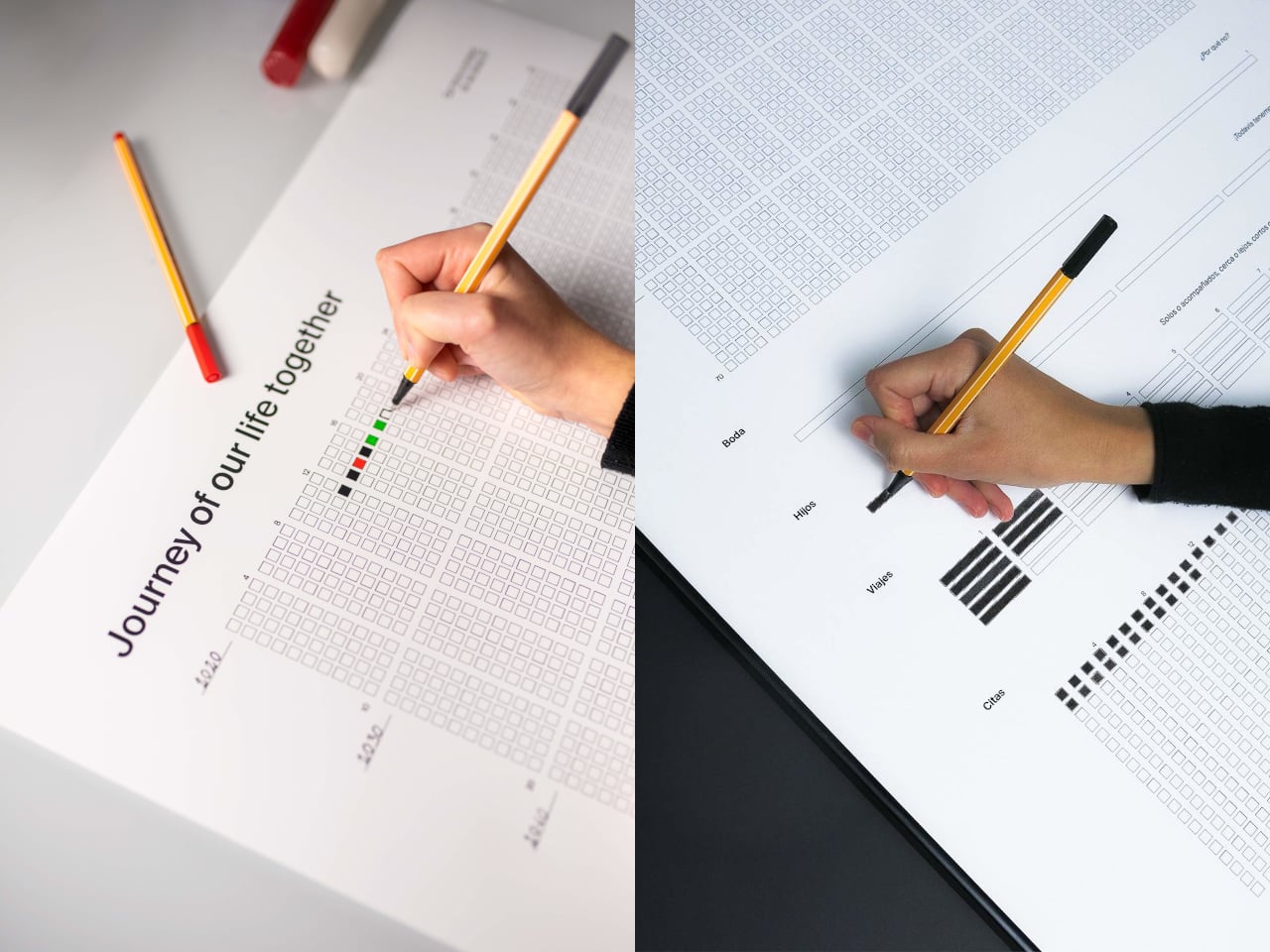
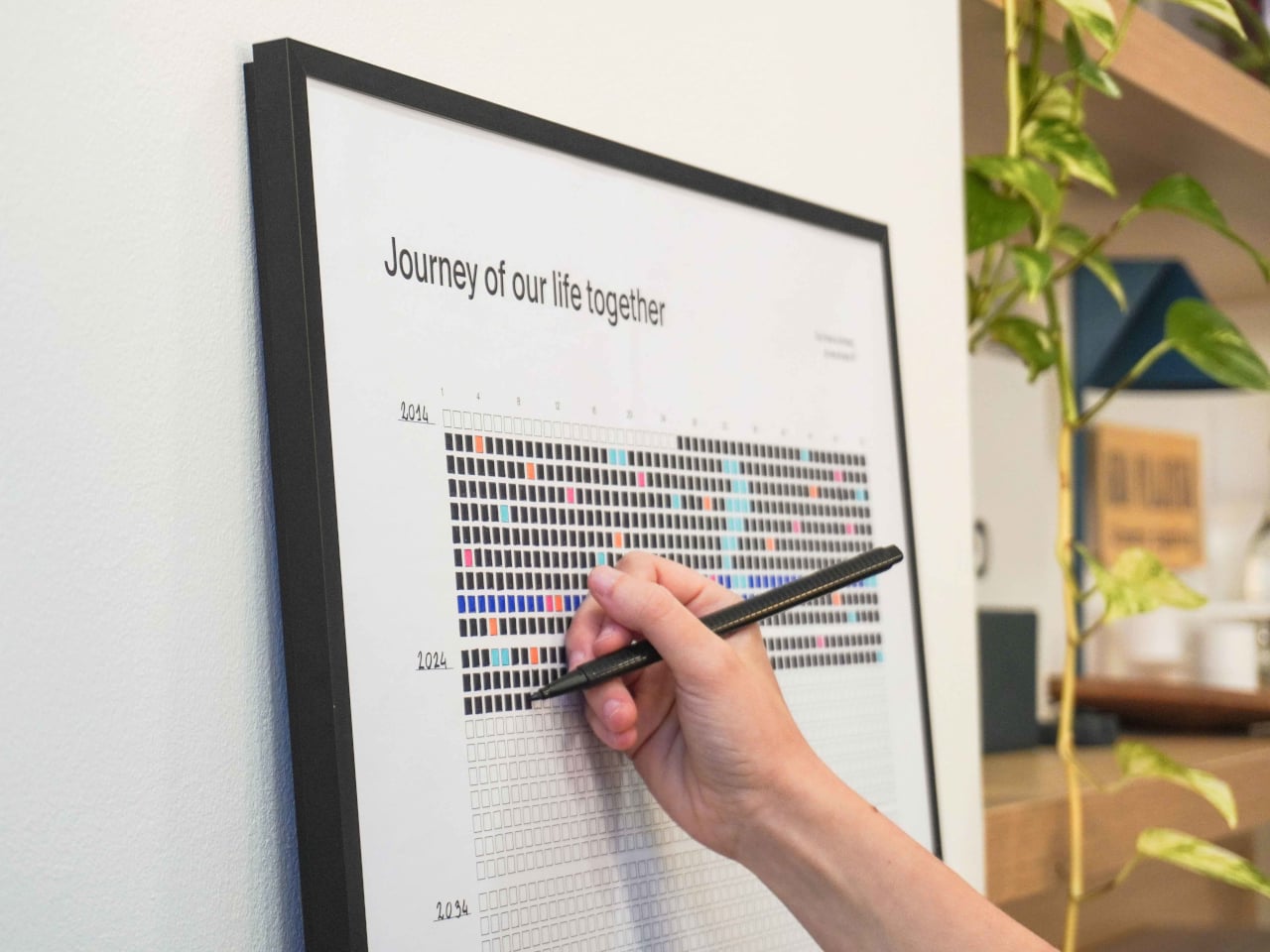
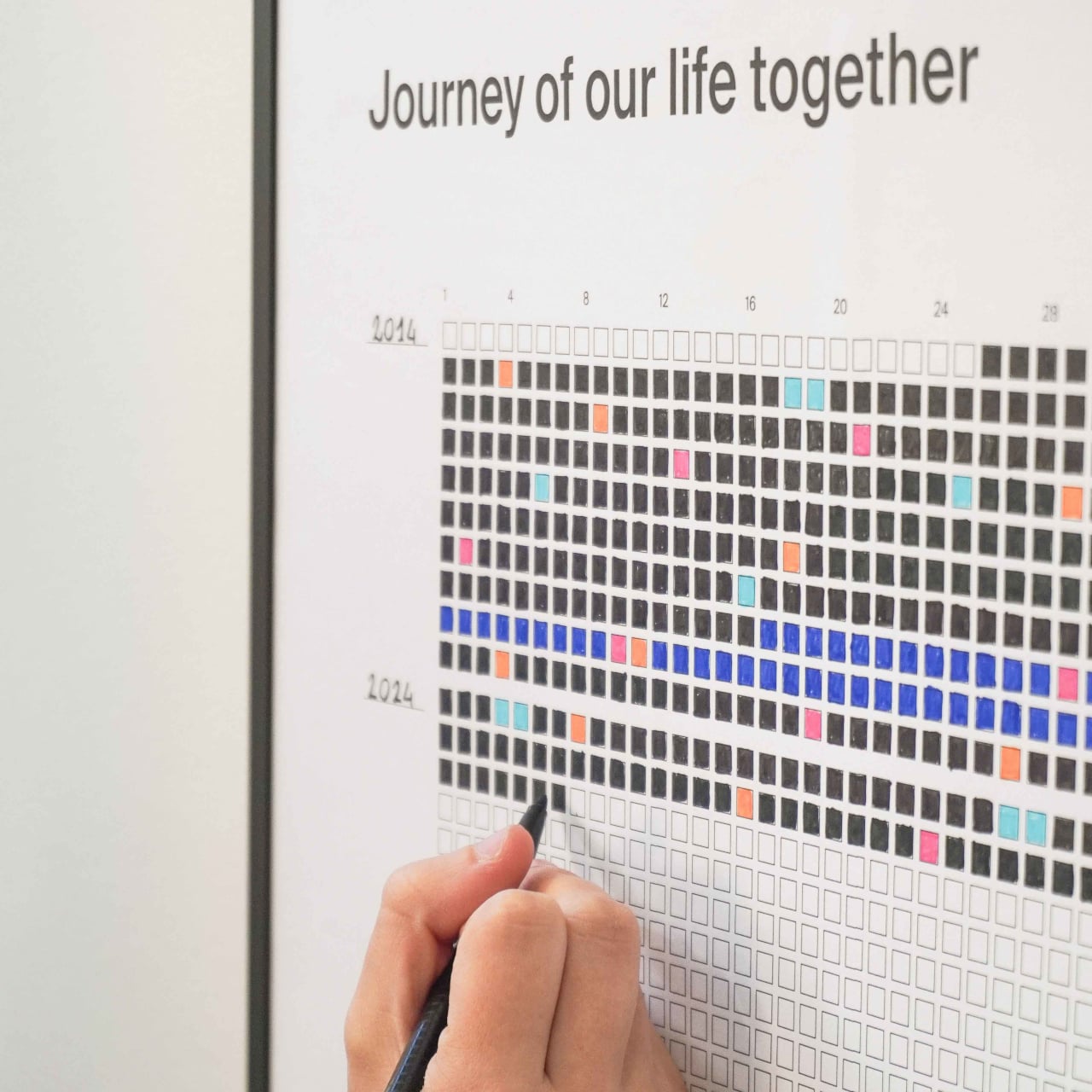
The image of a couple or close friends unrolling a poster, finding the week their story began, and coloring that first square sounds a little romantic. Every week after that, they fill in another box, sometimes with a simple color, sometimes with a shade that matches a key moment like a trip or a move. The act is small, a few seconds with a pen, but it becomes a quiet check‑in on how time is passing together rather than just another task.

The grid works simply enough. You’ve got 52 columns for weeks, rows for years, and decade blocks that make long stretches of time visible. A strip at the bottom acts as a legend, where you assign colors to things that matter: trips, moves, new jobs, losses, whatever you decide. Over time, the poster becomes a code only you understand, a visual index of your shared history that nobody else can read.

1

Seeing 80 years of weeks on a wall changes your sense of scale. The empty squares make future time feel both generous and finite, while the filled ones remind you that a lot has already happened. It’s less about planning the next week and more about noticing that this one exists, that you’re somewhere in the middle of a grid that’ll eventually be full whether you pay attention to it or not.

Of course, the minimalist design matters. The clean grid, the simple headings like “Journey of our life together” in English, Spanish, or Catalan, and the durable paper meant to last decades in a frame all keep it neutral. Your colors and notes do the talking, which makes it easier to hang in a living room without it screaming “productivity chart” at everyone who walks by.

NOS sits somewhere between art, journal, and commitment device. It doesn’t tell you how to spend your weeks; it just refuses to let them stay invisible. The idea of tracking life without another app or notification, just a poster that slowly fills with color as you move through years together, is a surprisingly gentle way to remember that time is limited, and that you chose to share it with someone worth coloring squares for.

The post Color One Square Each Week and Watch 80 Years Fill with Your Story first appeared on Yanko Design.

Uroq Modular SSD Lets Your Portable Storage Grow Instead of Multiply

Filling yet another portable SSD means labeling it, tossing it into a drawer next to three others, and mentally tracking what lives where. Storage upgrades usually mean buying a whole new enclosure, then juggling multiple icons on your desktop and physical clutter in your bag, even though you really just needed more capacity on the same device you already use every day.

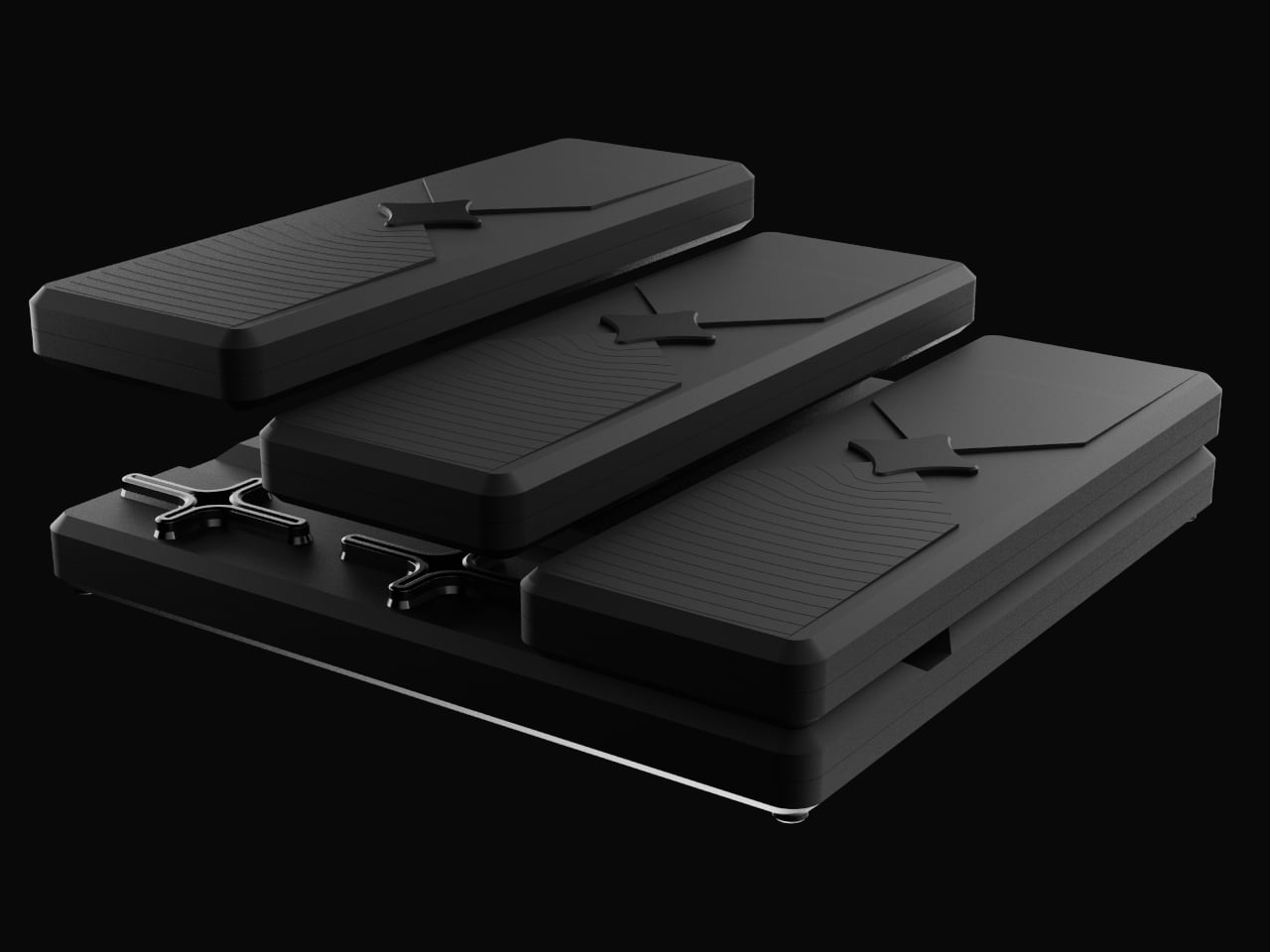
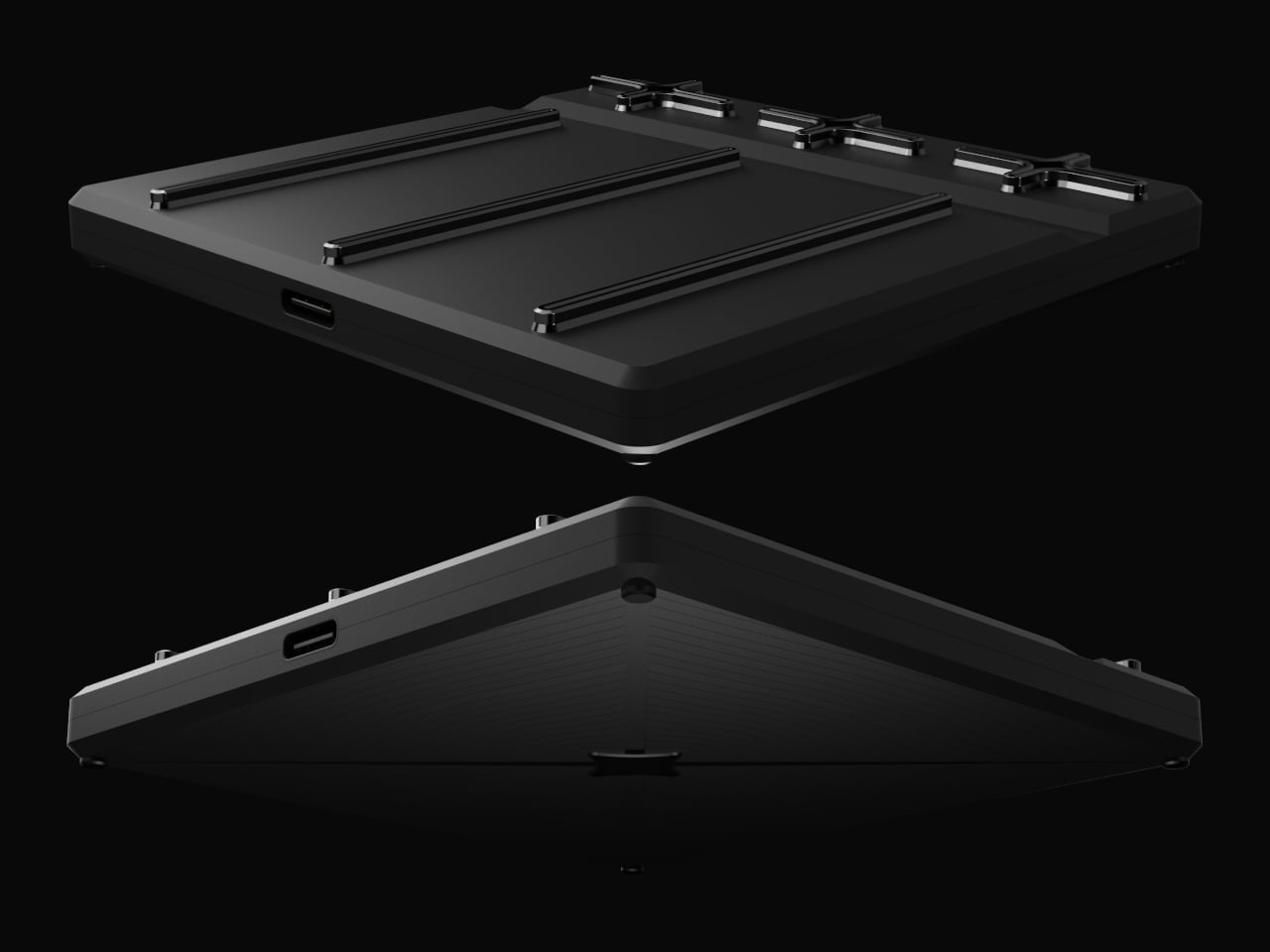
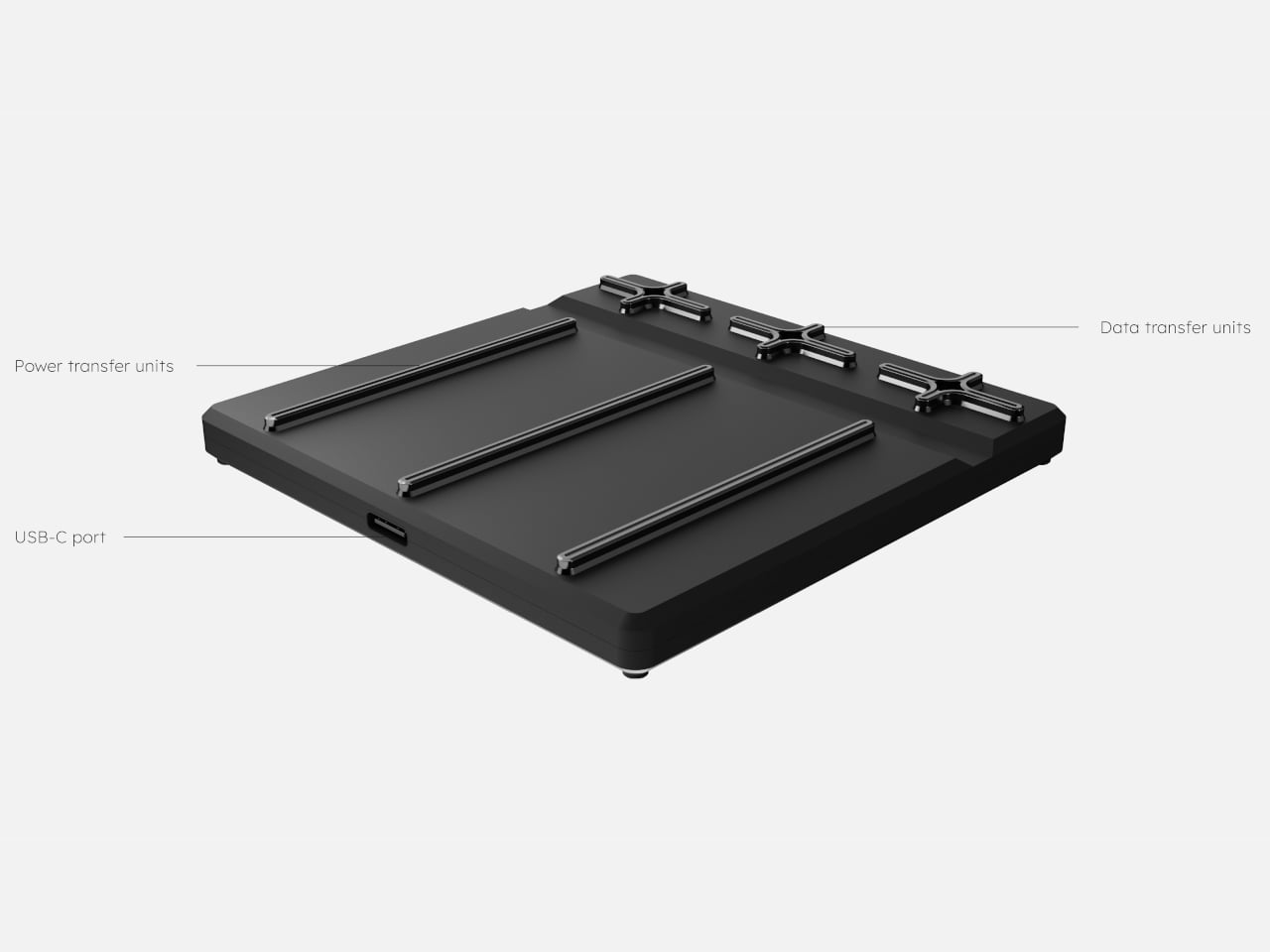
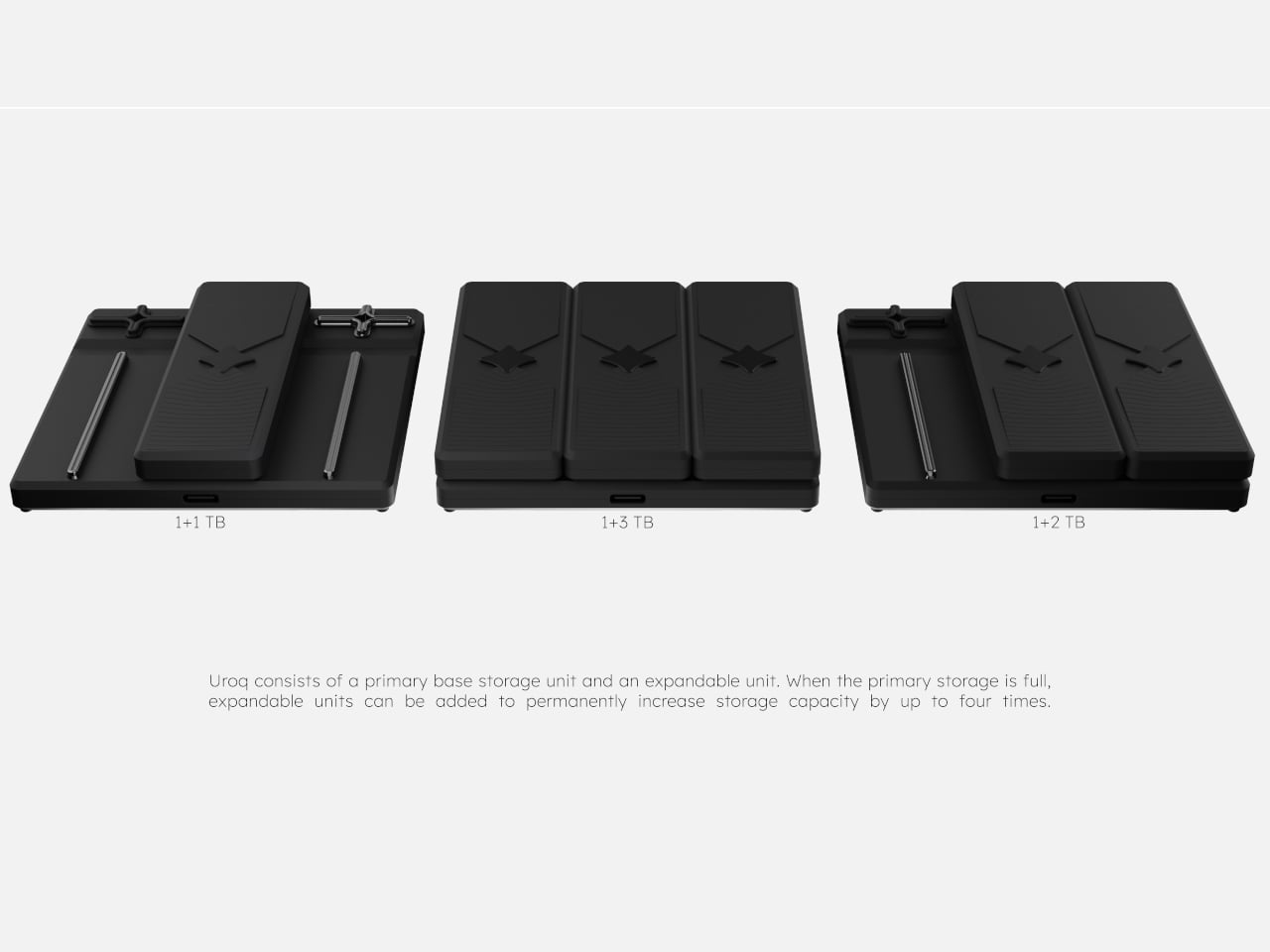
Uroq is a concept that treats portable storage like something you grow over time instead of something you keep replacing. It starts as a flat base SSD with a USB-C port, and when you run out of space, you snap new modules onto the top. Each module adds more M.2 SSD capacity, so the same drive quietly expands instead of forcing you to add another box to the pile.

Designer: Emre Kocaer

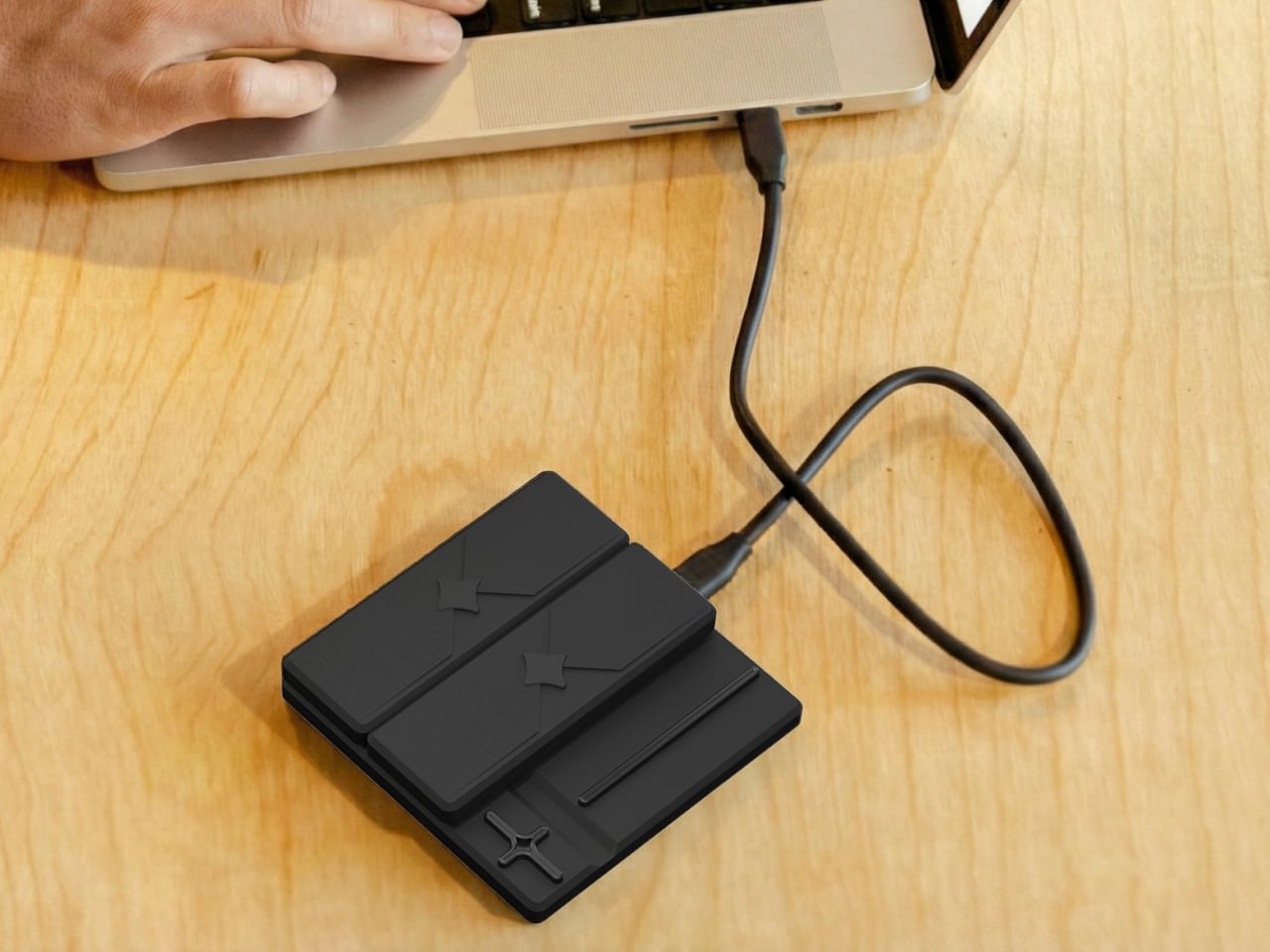
Imagine a photographer or video editor who hits the limit on a 1 TB base, then adds a 2 TB module rather than buying a second drive. The stack still plugs in with a single USB-C cable, sits in the same spot on the desk, and shows up as one consolidated volume. Their workflow stays the same, but the storage ceiling jumps without another device to track or misplace somewhere at the bottom of a backpack.

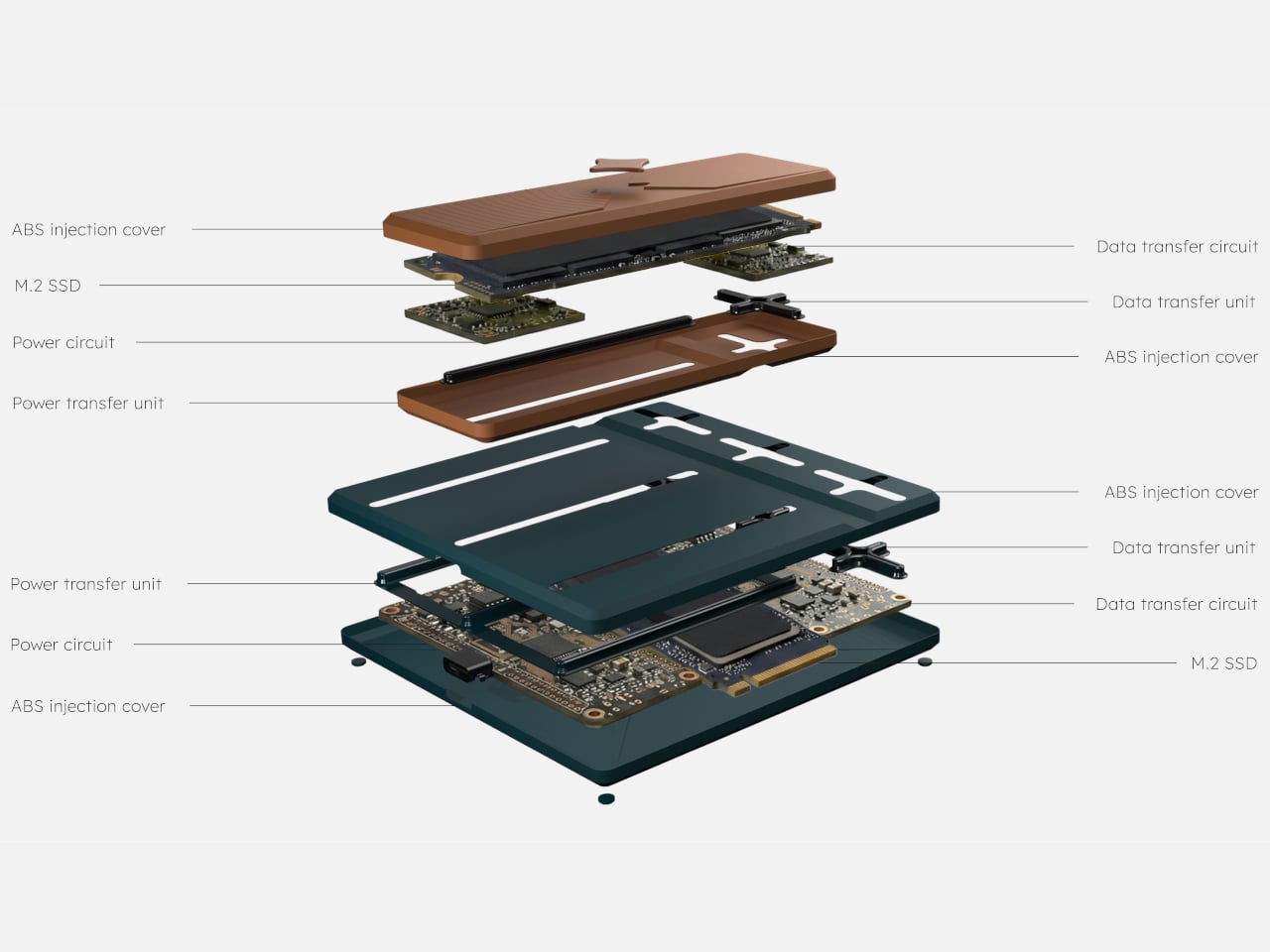
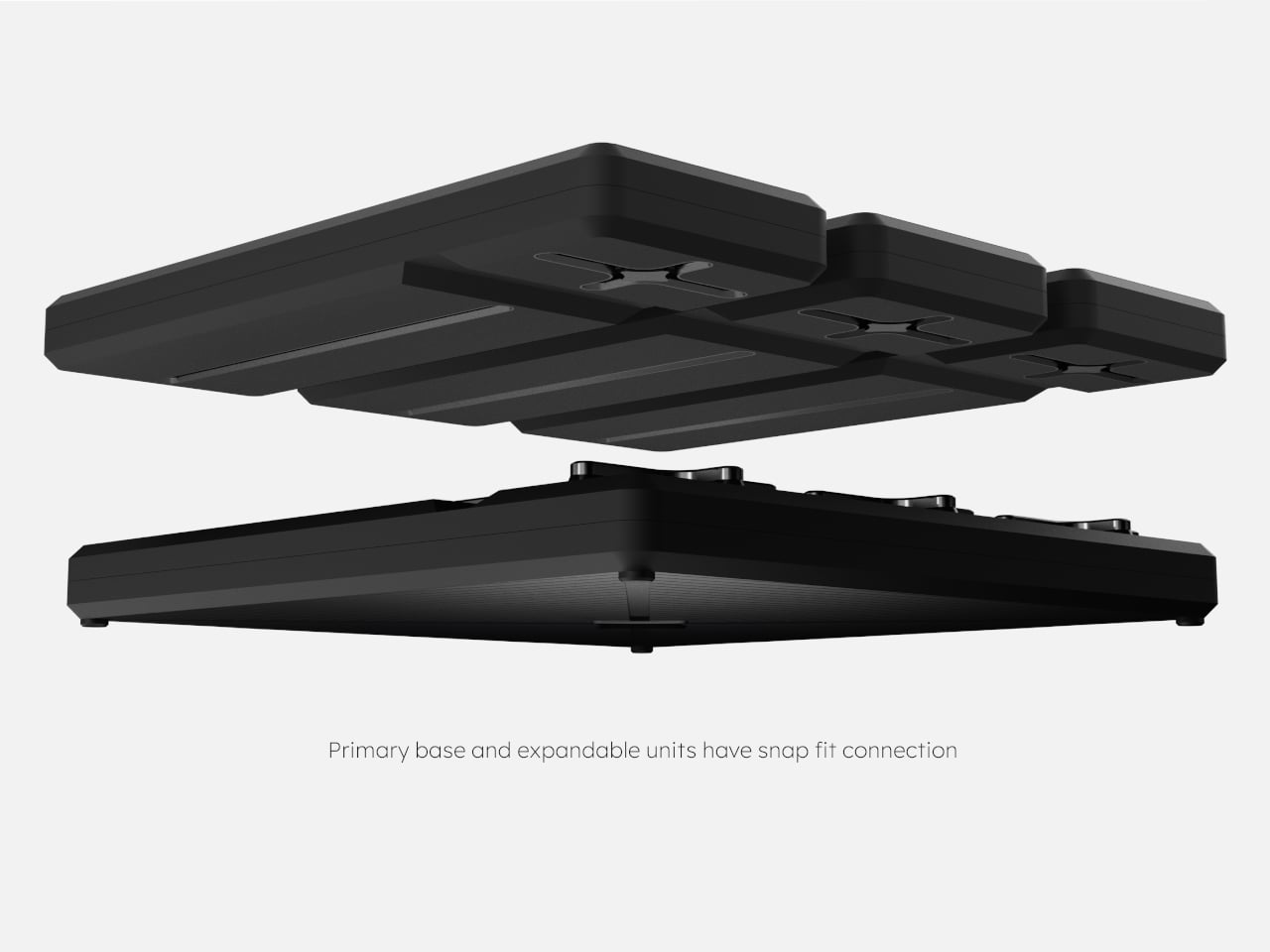
The base hides power and data rails under its surface, carrying electricity and PCIe or SATA signals to each module. The modules have matching contacts and snap-fit geometry, so stacking them is more like adding bricks to a foundation than daisy-chaining separate drives. Inside, each layer holds an M.2 SSD and dedicated power and data circuits, all wrapped in ABS injection-molded covers that protect the hardware.

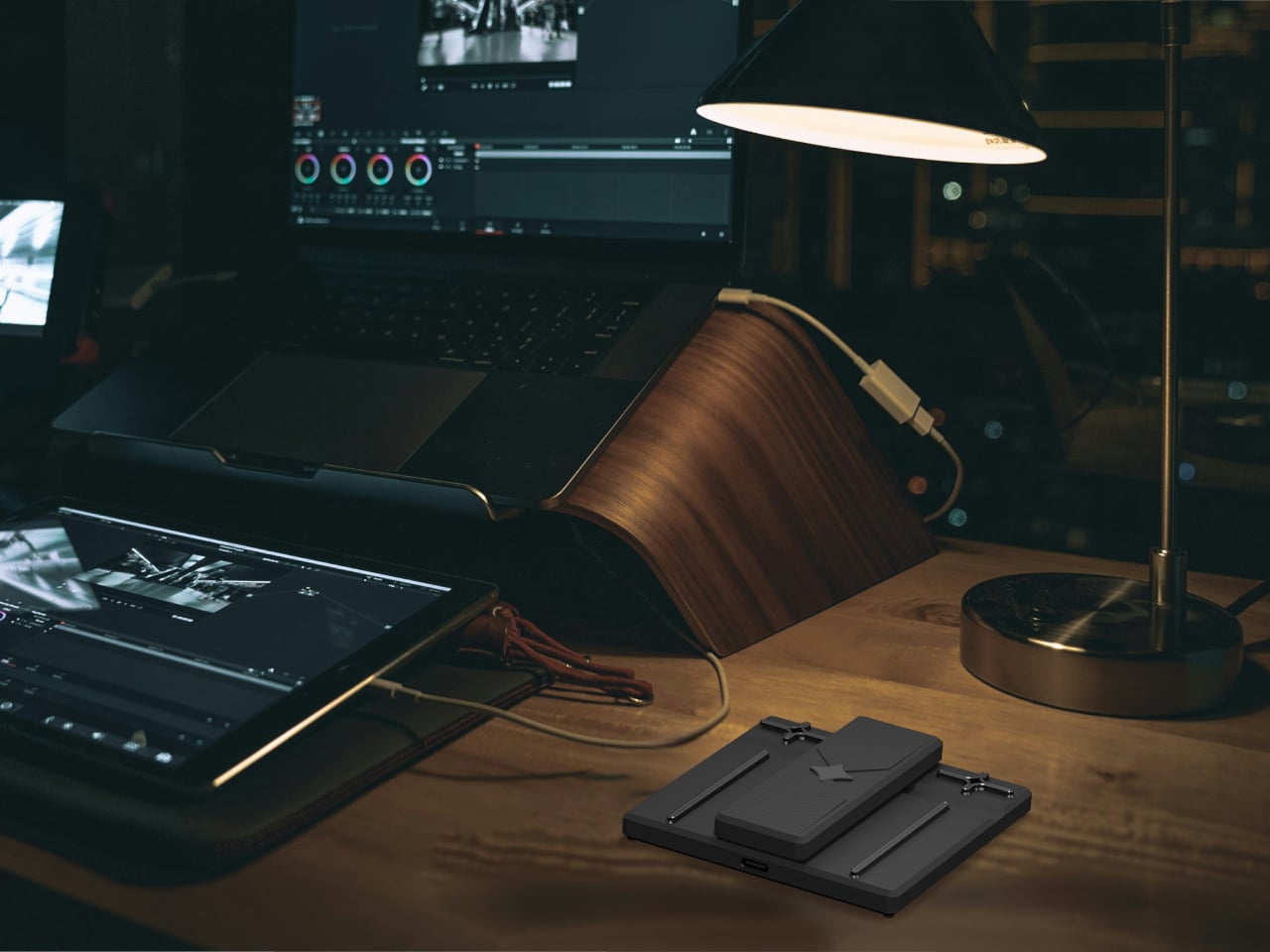
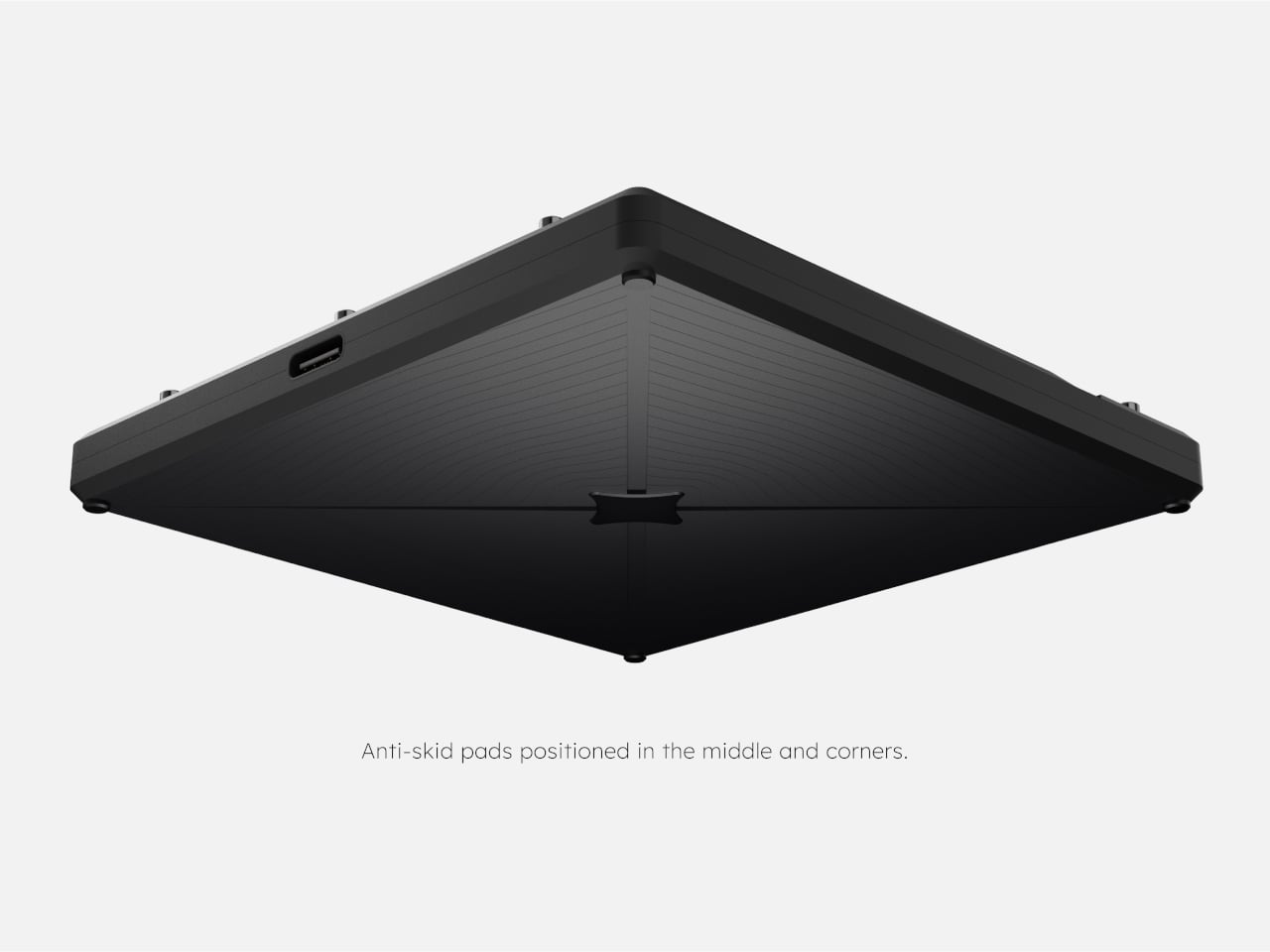
Anti-skid pads on the underside keep the base steady even when fully loaded, and the low, square footprint behaves more like a small dock than a loose drive. On a crowded desk with a laptop, tablet, and monitor, Uroq stays put instead of sliding around with every cable tug. One cable runs to the computer, while the rest of the complexity stays hidden inside the stack.

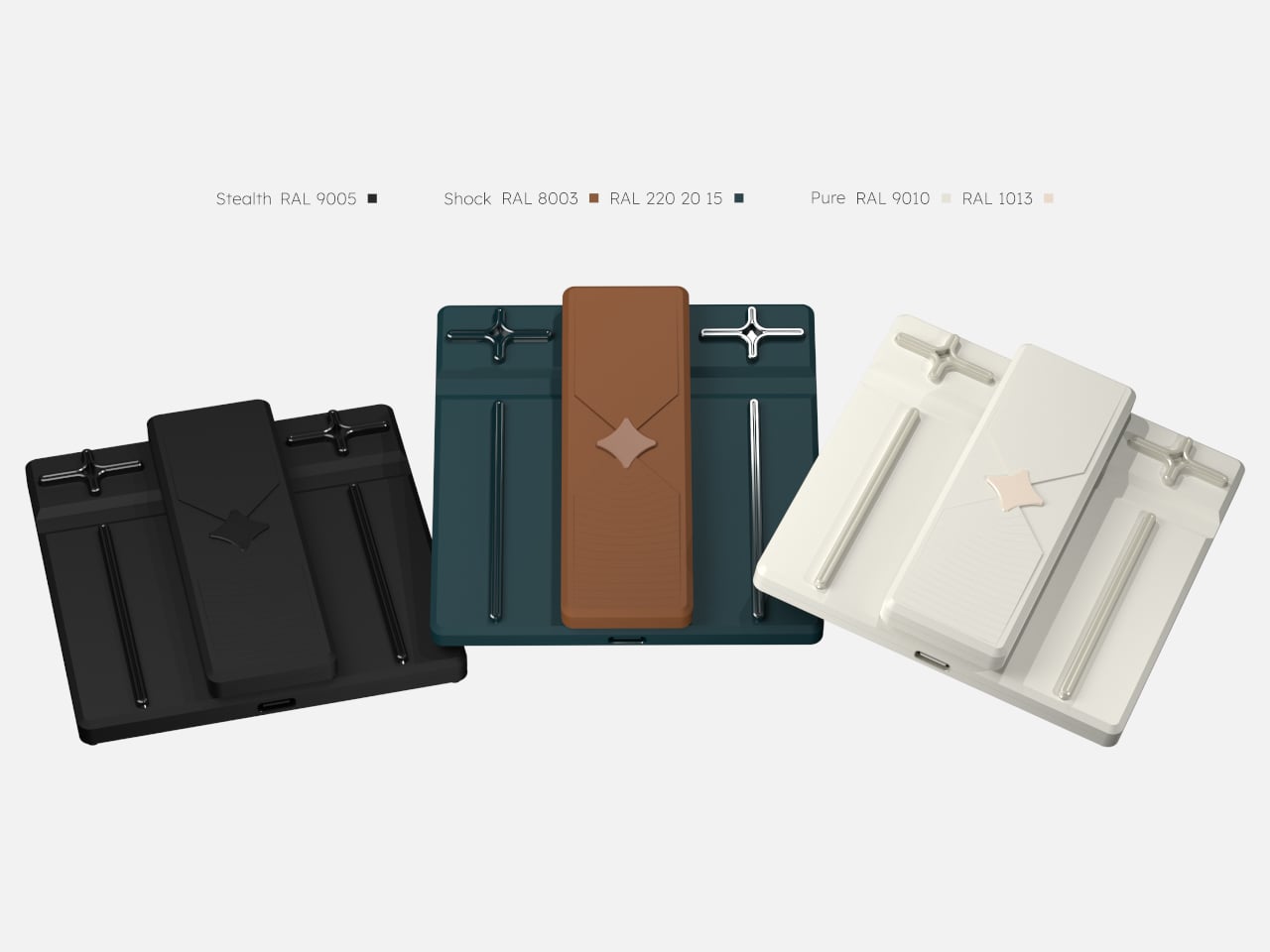
Of course, Uroq comes in palettes like Stealth black, Shock brown with deep teal, and Pure white and cream, so it can match different setups instead of looking like generic tech. The idea is that this is a long-term desk companion you’ll keep upgrading rather than replacing, a single object that absorbs years of projects without spawning a family of mismatched drives that all look the same until you read the labels.

Uroq suggests that more storage doesn’t have to mean more devices. By making capacity modular and treating the enclosure as a platform instead of a disposable shell, it points toward a quieter, more sustainable way to handle digital growth. Anyone who’s already tired of labeling yet another SSD and wondering which drawer it ended up in will probably love the idea of a drive that grows with you instead of multiplying around you like gremlins fed after midnight.

The post Uroq Modular SSD Lets Your Portable Storage Grow Instead of Multiply first appeared on Yanko Design.
Titaner’s Magnetic Ring Ruler Clicks Every 10cm While It Measures Curves

Before glowing screens and silicon chips, engineers used slide rules to design skyscrapers and send people to the Moon. Calculation meant moving a physical object, not tapping an app, and there was a certain clarity in that, a feeling that your hands and brain were in the same loop. Some of that intelligence at the fingertips is worth bringing back in a world that defaults to calculators for everything, even quick conversions.

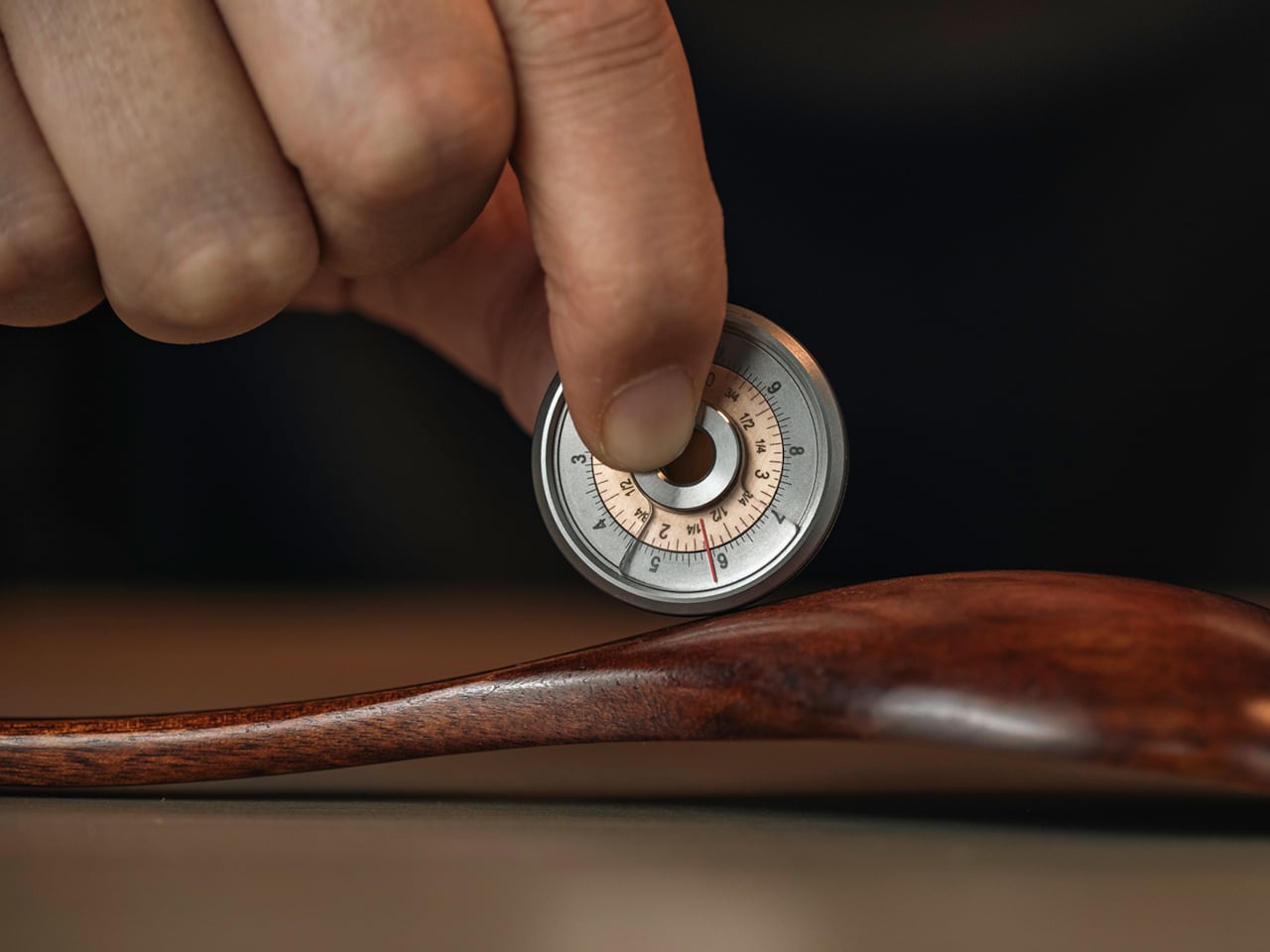
Titaner’s Tisolver is a 3-in-1 titanium calculating ring ruler that sits at the intersection of tool, instrument, and jewelry. It measures curves and straight lines, converts between metric and imperial, and calculates square area, all in a GR5 titanium body you can wear or clip to your gear. The company calls it a bridge between the physical and mathematical worlds, a way to put slide-rule logic back into something you can roll across a table.

Designer: Titaner

Click Here to Buy Now: $49 $88 (44% off). Hurry, 40/550 left! Raised over $93,500.

1

Tisolver uses a high-strength magnetic lock to give a clear tactile and audible click every time the ring completes a full 10cm rotation. The equation is simple: the number of clicks times ten plus the current reading in the HUD window equals the total length. You can roll it along a cable, a curved edge, or a piece of leather, count clicks, glance once, and know the measurement without juggling a straight ruler and a flexible tape.

1

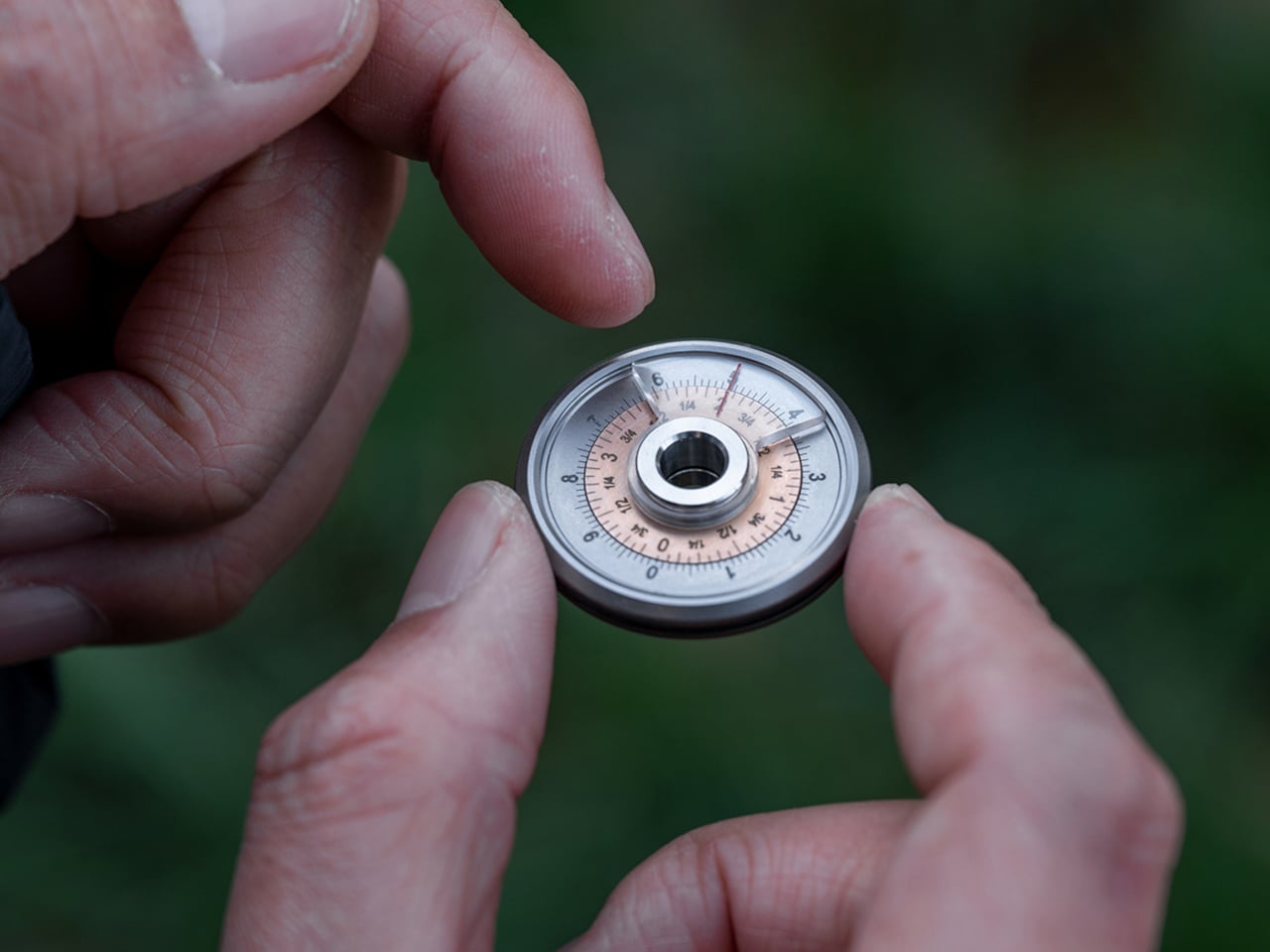
Side A has a 10cm metric scale and a 4-inch imperial scale laser-etched on the same ring. You snap Tisolver to zero with the magnetic feedback, align the HUD window’s red line with the metric value you care about, and the imperial equivalent sits under the same line. For longer numbers, you borrow a classic slide-rule trick, shifting the decimal, aligning at 4.2 instead of 42, reading the imperial, then shifting back, all without opening a phone.

Side B keeps a 10cm outer scale but replaces the inner ring with a square-area scale. When you roll and then align the red line with a side length, say 5cm, the inner scale shows 25, the area of a square with that side. Designers, leather crafters, and DIY people can measure one edge of a panel and instantly see coverage instead of doing mental multiplication. Flip the ring, and the same alignment also shows the imperial length.

1

The dual-locking traction system uses a soft rubber O-ring on the outside and hidden reverse anti-slip teeth on the inside that bite into the rubber, so the ring grips greasy workbenches or wet glass without slipping. The quarter-arc PMMA HUD window with a red reference line acts like a tiny scope, improving readability and protecting the finely etched scales. GR5 titanium, with a fine blasted matte finish, keeps the body light, corrosion-resistant, and warm in the hand.

1

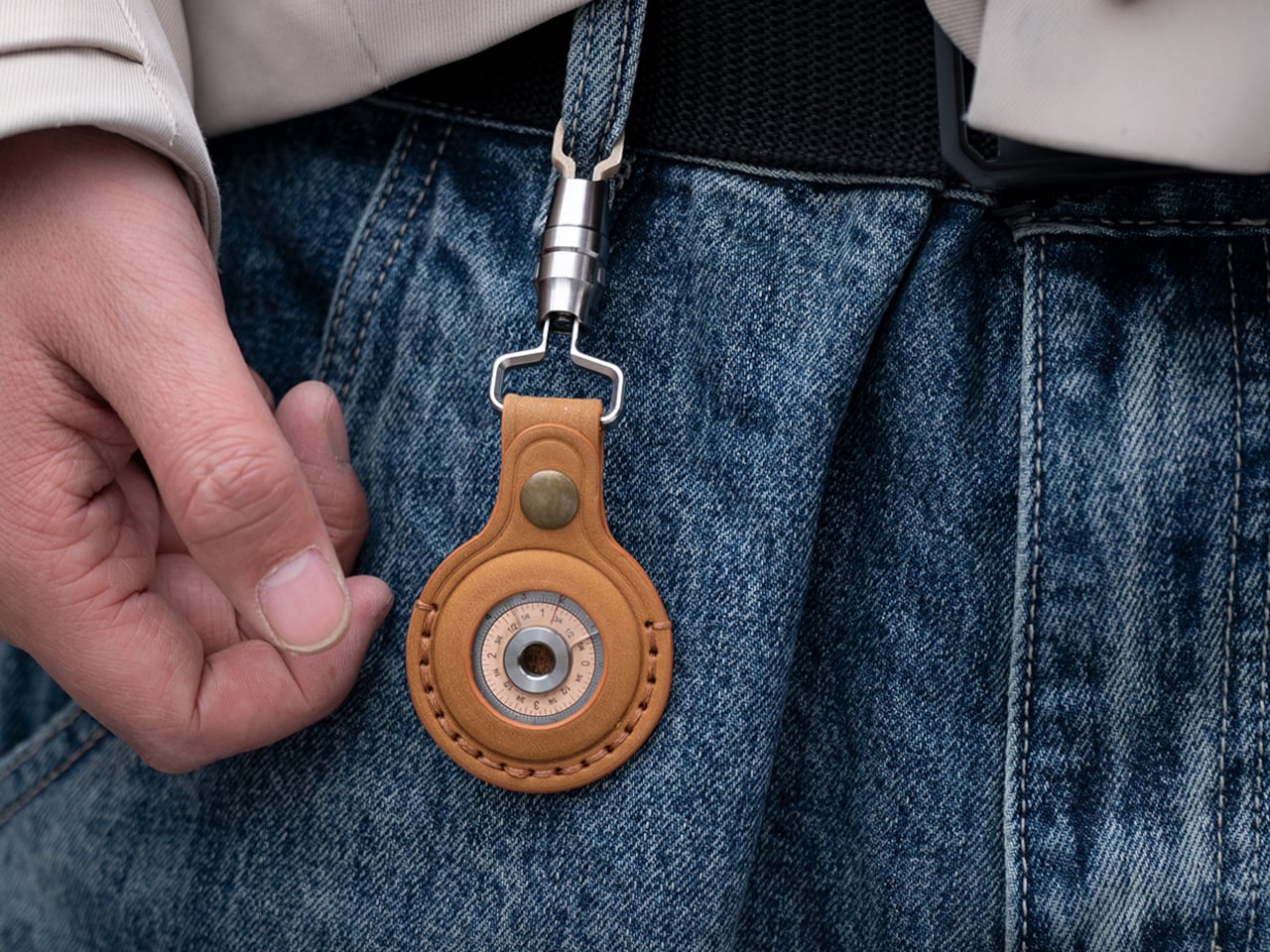
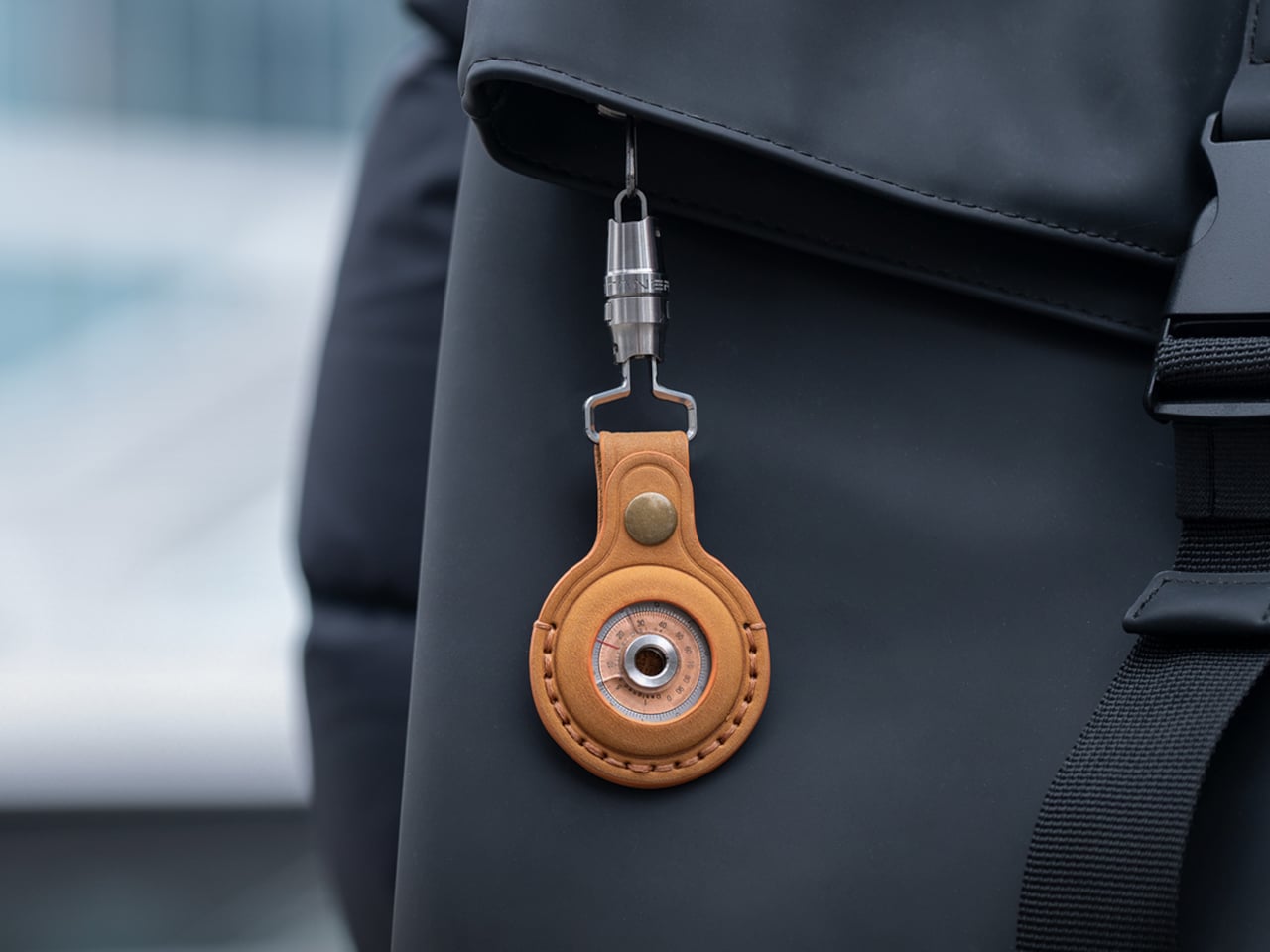
The Titaner Tisolver lives on a lanyard around your neck, on a keychain, or clipped to a backpack, ready whenever a measurement or conversion pops up. When you are stuck on a problem or waiting for a render, the magnetic click becomes a small mechanical meditation, a way to keep your hands busy while your brain turns things over. The ring rolls, clicks, and resets, and that rhythm helps ease tension without needing a screen or app to distract you.

A titanium ring that measures, converts, and calculates without a single pixel in sight feels like a satisfying little rebellion against the reflex of reaching for a phone every time you need a number. For people who like tools that think with them, not just for them, the Titaner Tisolver quietly earns its place on your chest or in your pocket, turning quick math and measurement into something you can touch, hear, and rely on.

Click Here to Buy Now: $49 $88 (44% off). Hurry, 40/550 left! Raised over $93,500.

The post Titaner’s Magnetic Ring Ruler Clicks Every 10cm While It Measures Curves first appeared on Yanko Design.
Fold the Corners of This Wooden Cube Lamp and Watch the Light Change

Most contemporary lamps are adjusted with a dimmer on the cord, a touch sensor on the base, or a slider in an app. That makes light feel like another setting in a menu, slightly detached from the object itself. There is something satisfying about changing light by physically moving parts, as if you are sculpting both the fixture and the atmosphere around it, which is what smart bulbs and app-controlled RGB strips quietly leave out.

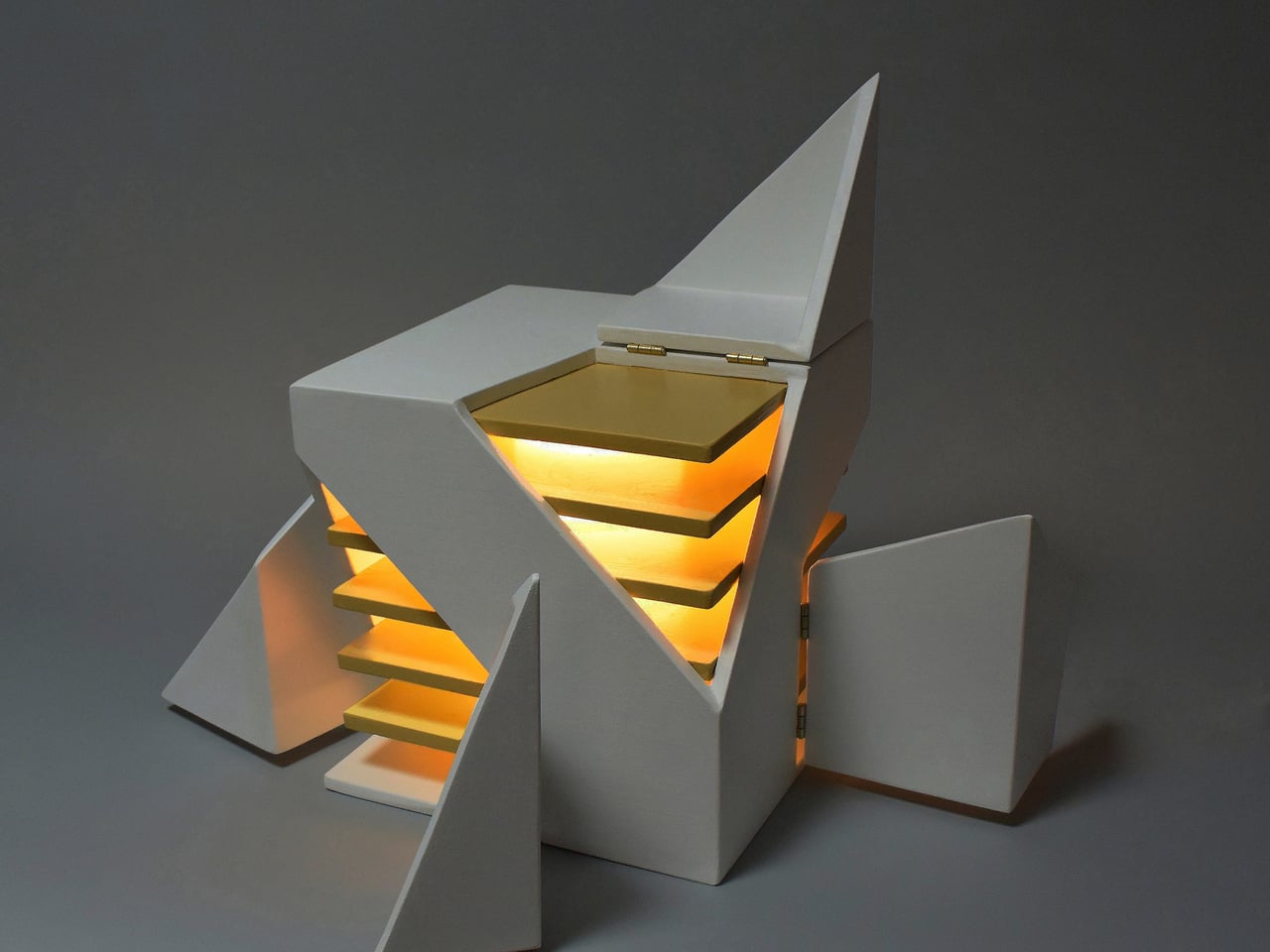
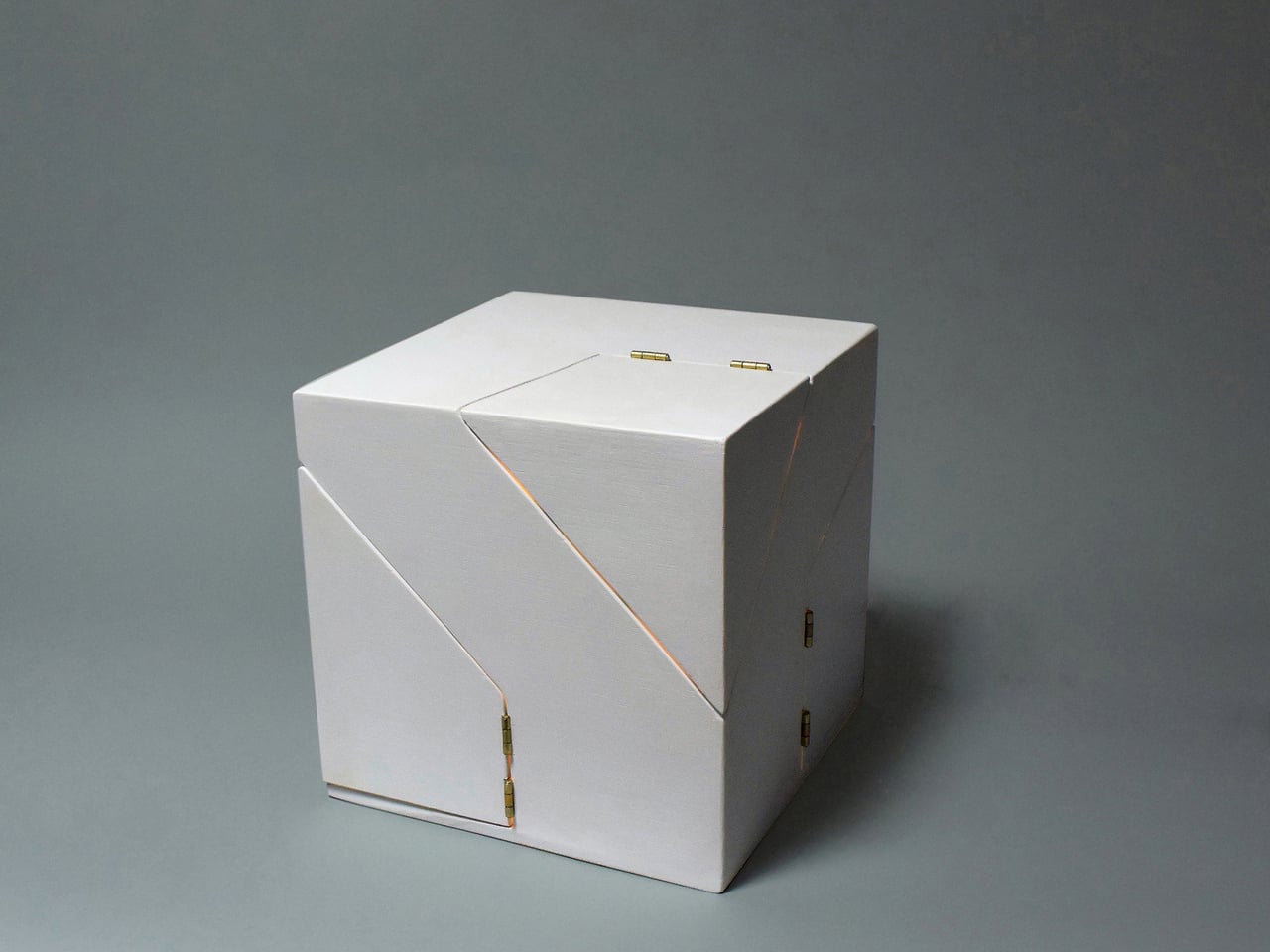
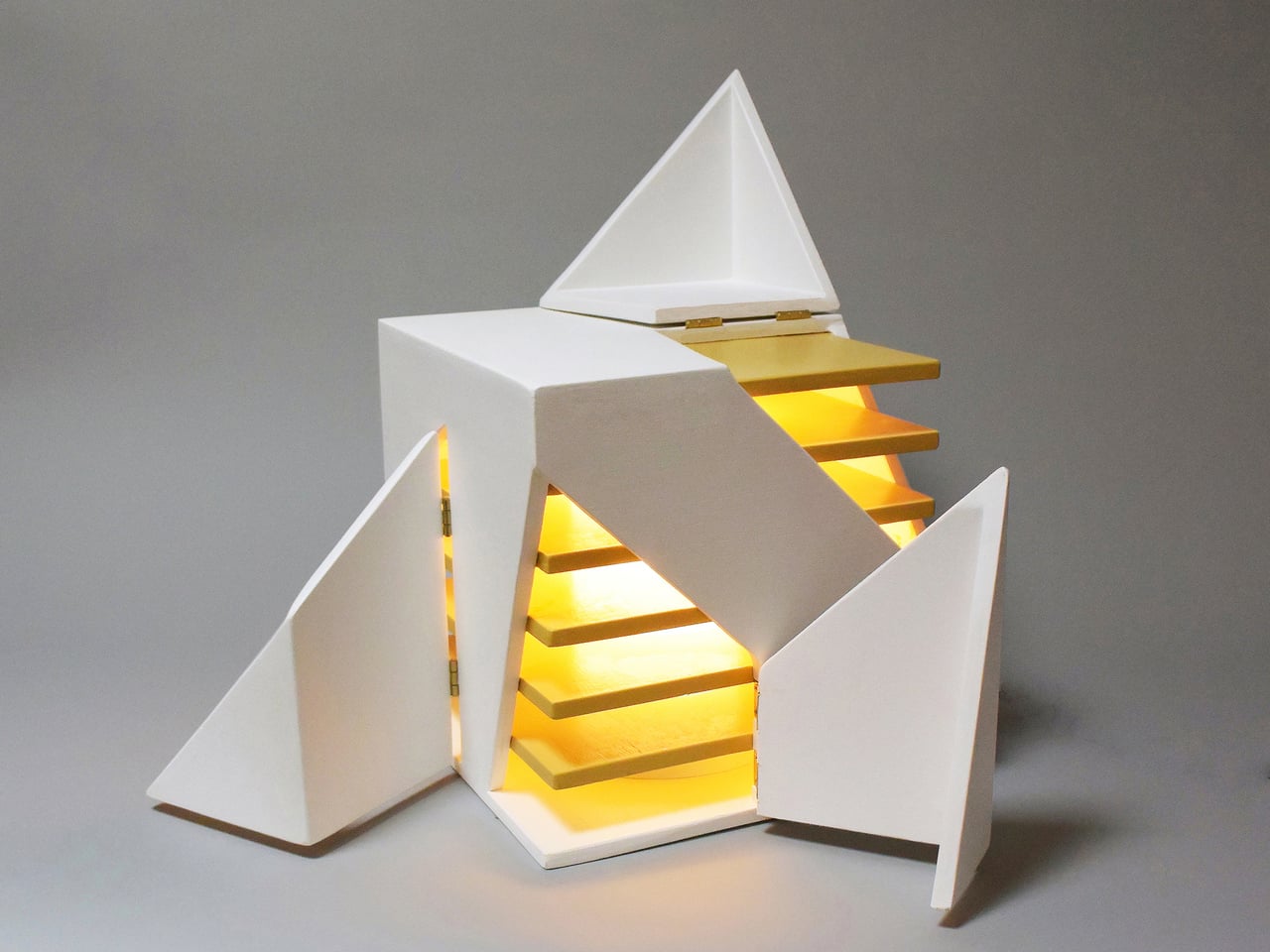
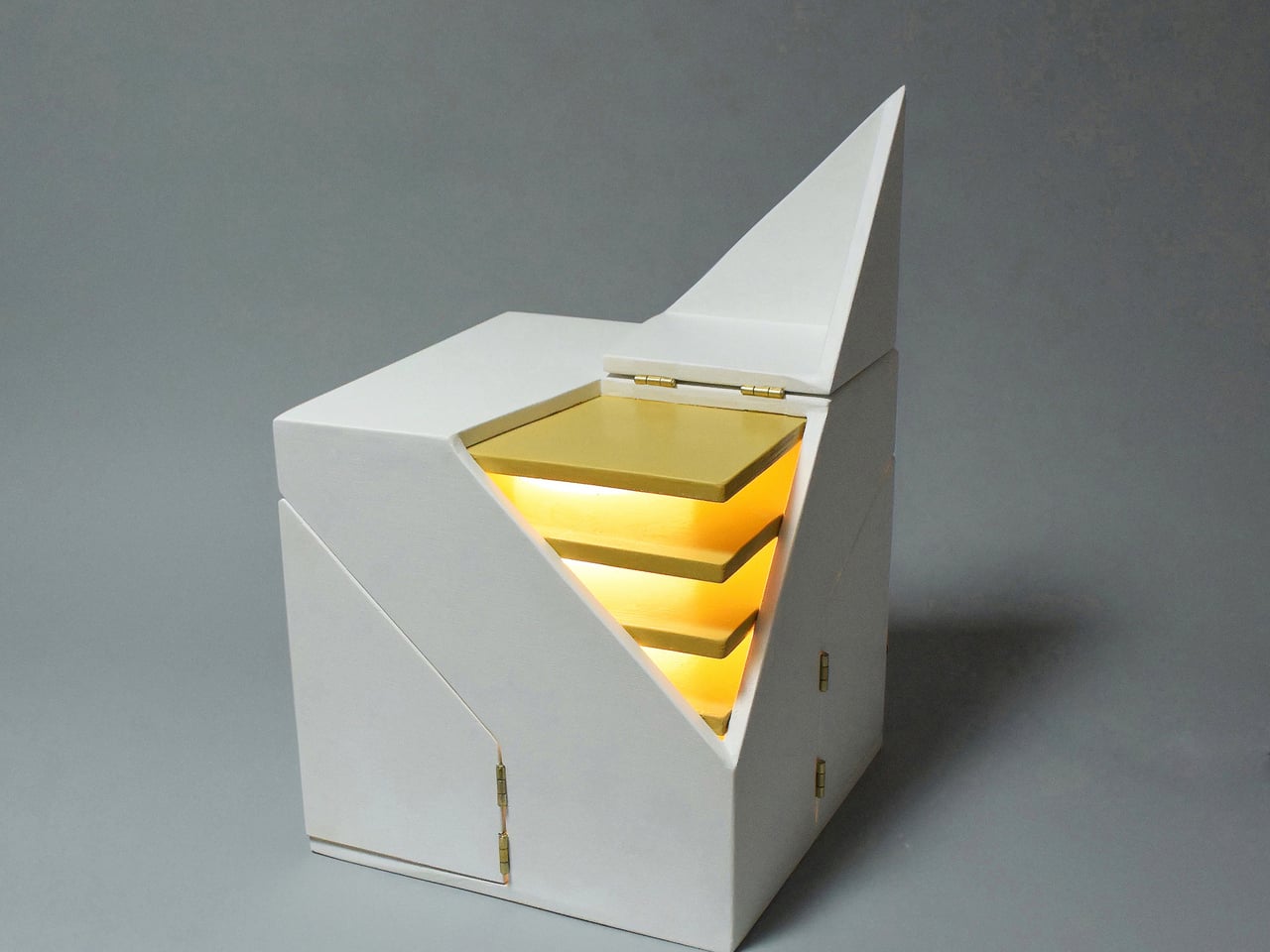
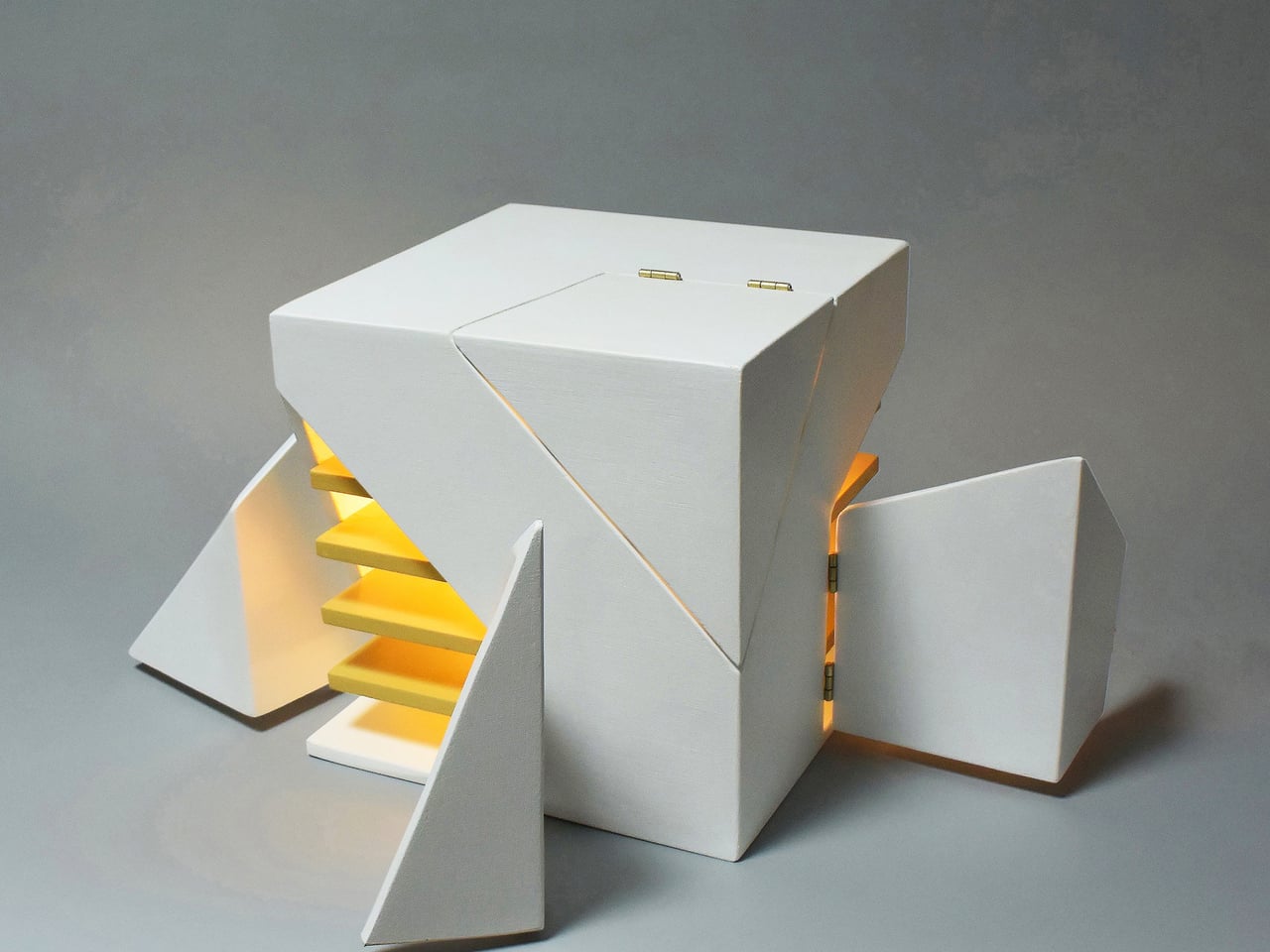
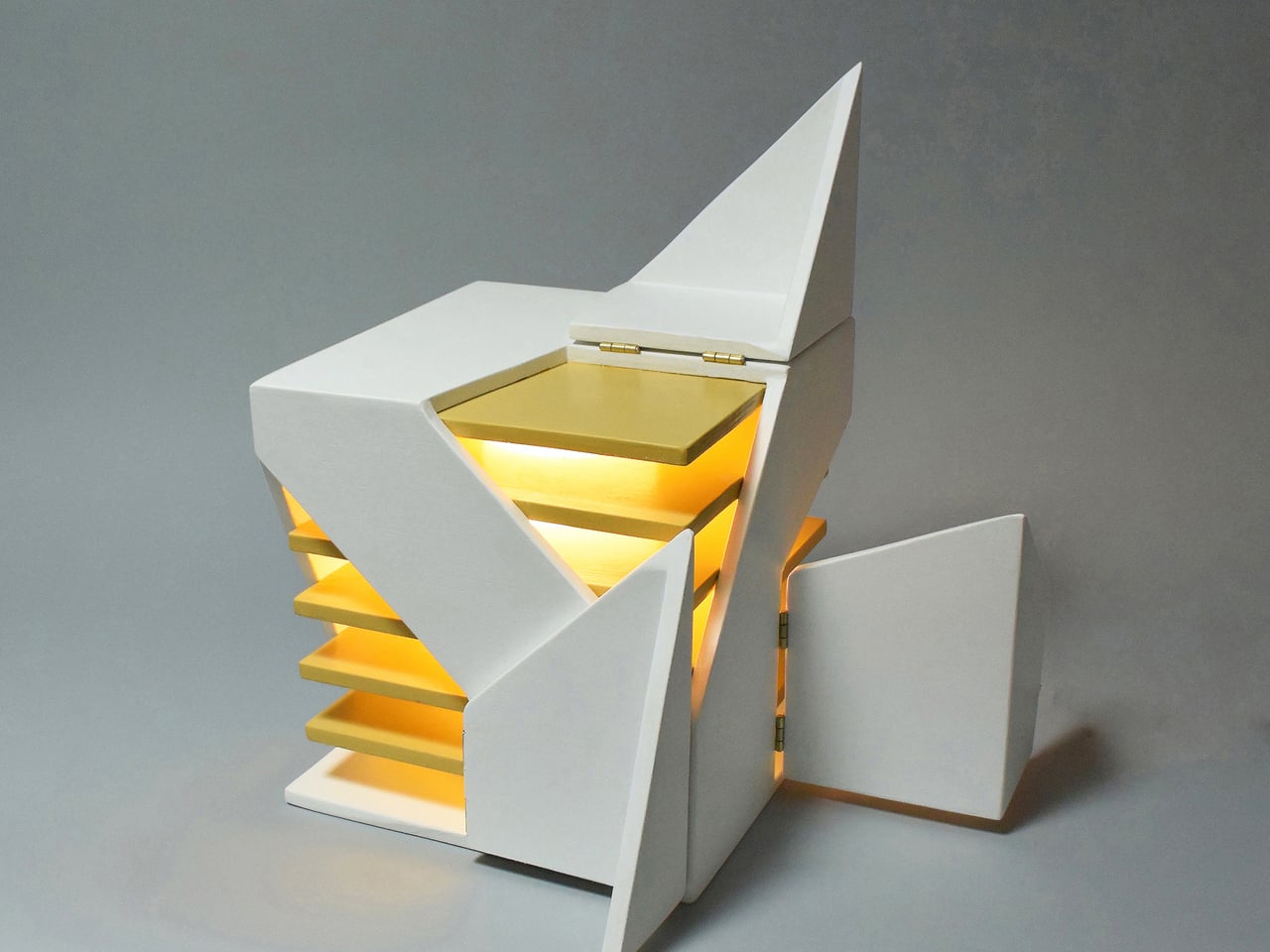
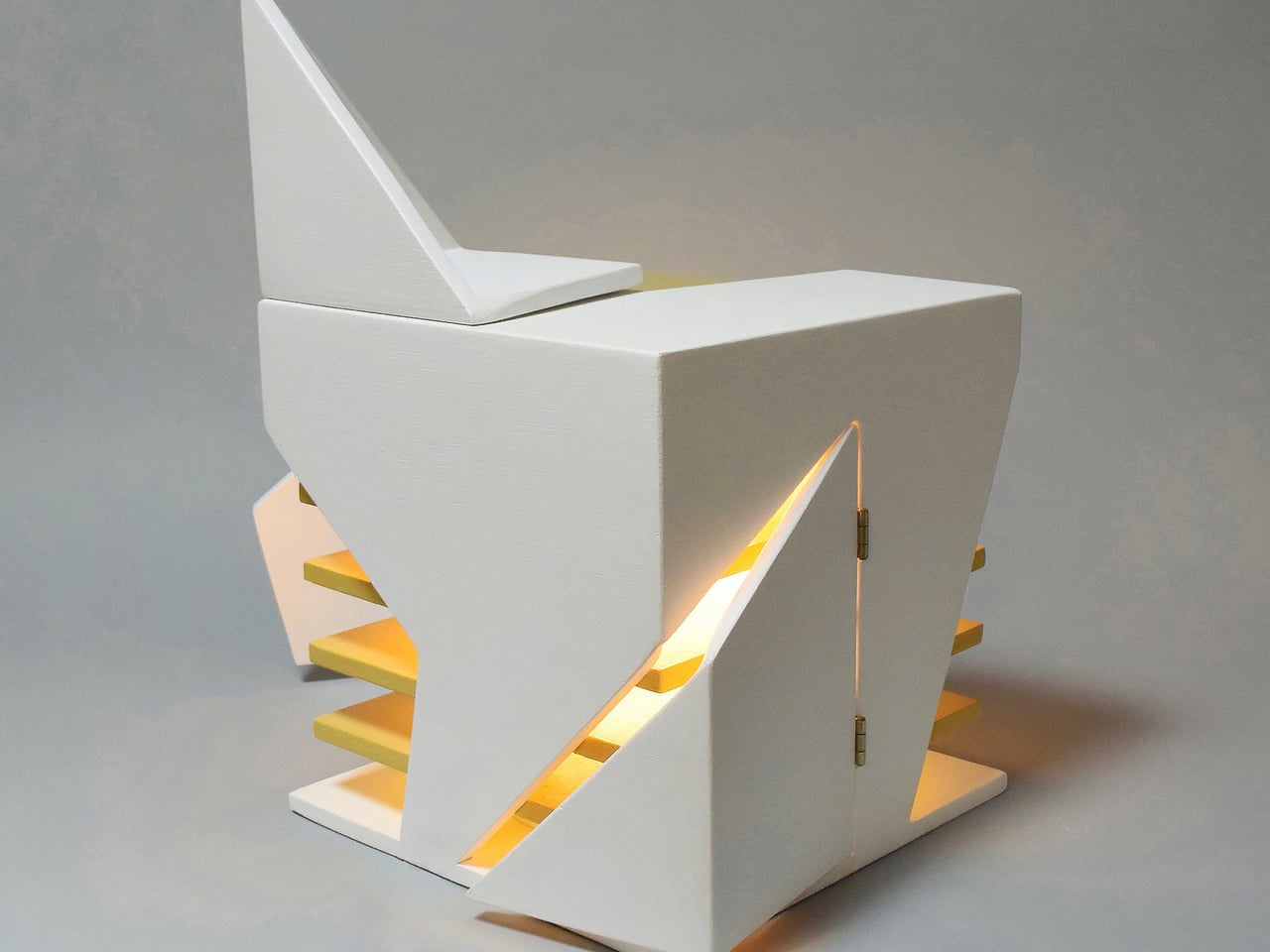
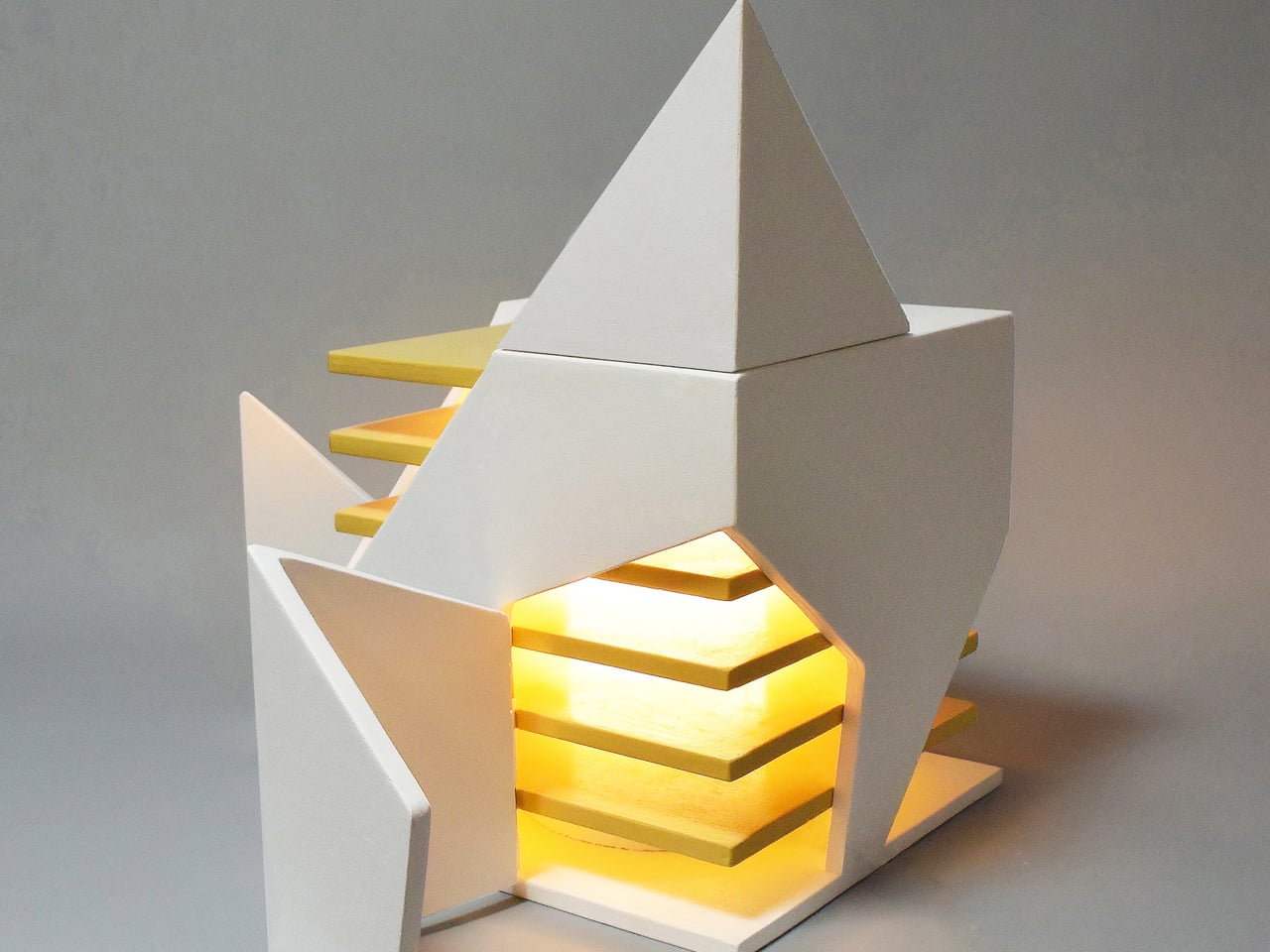
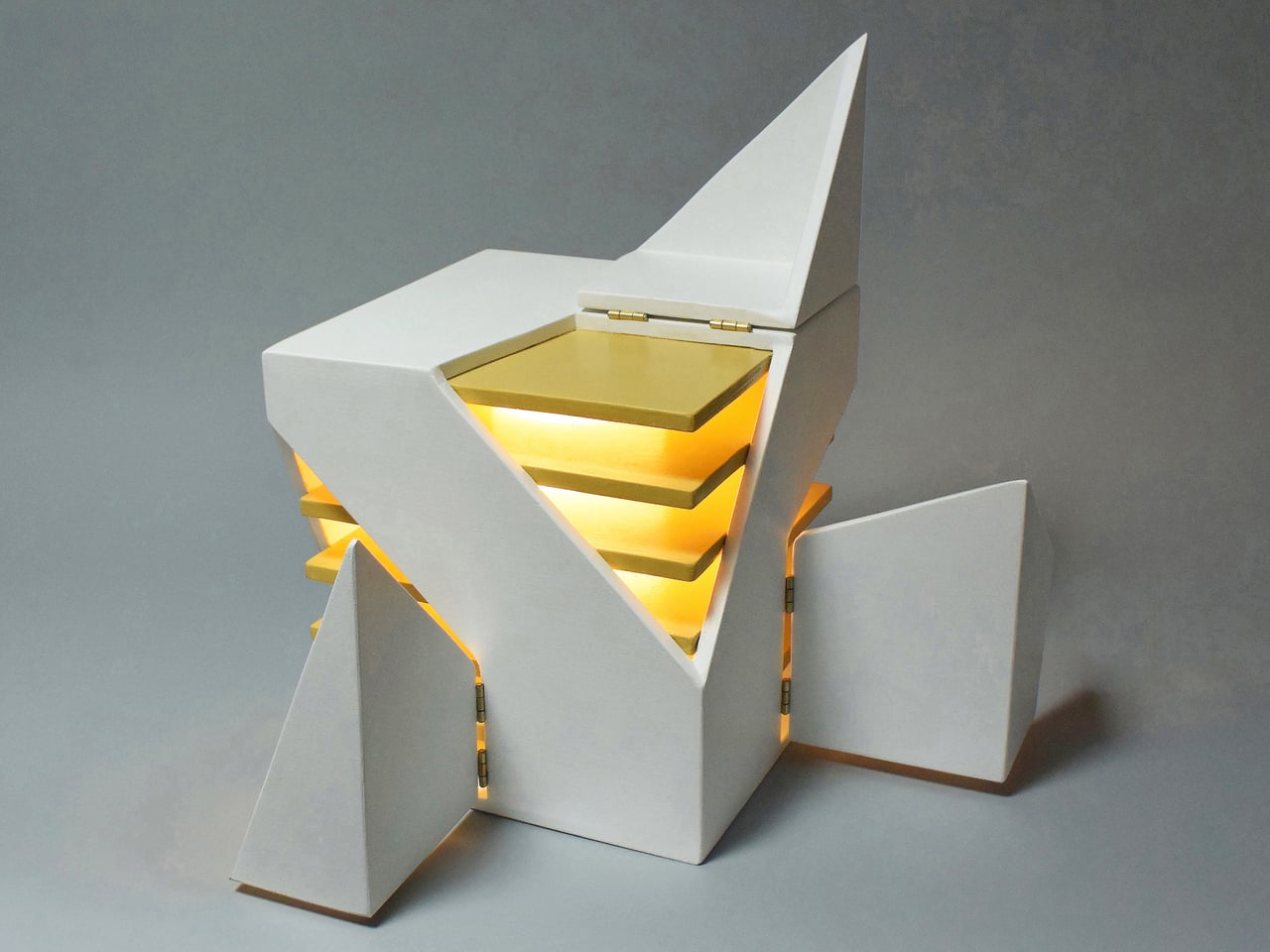
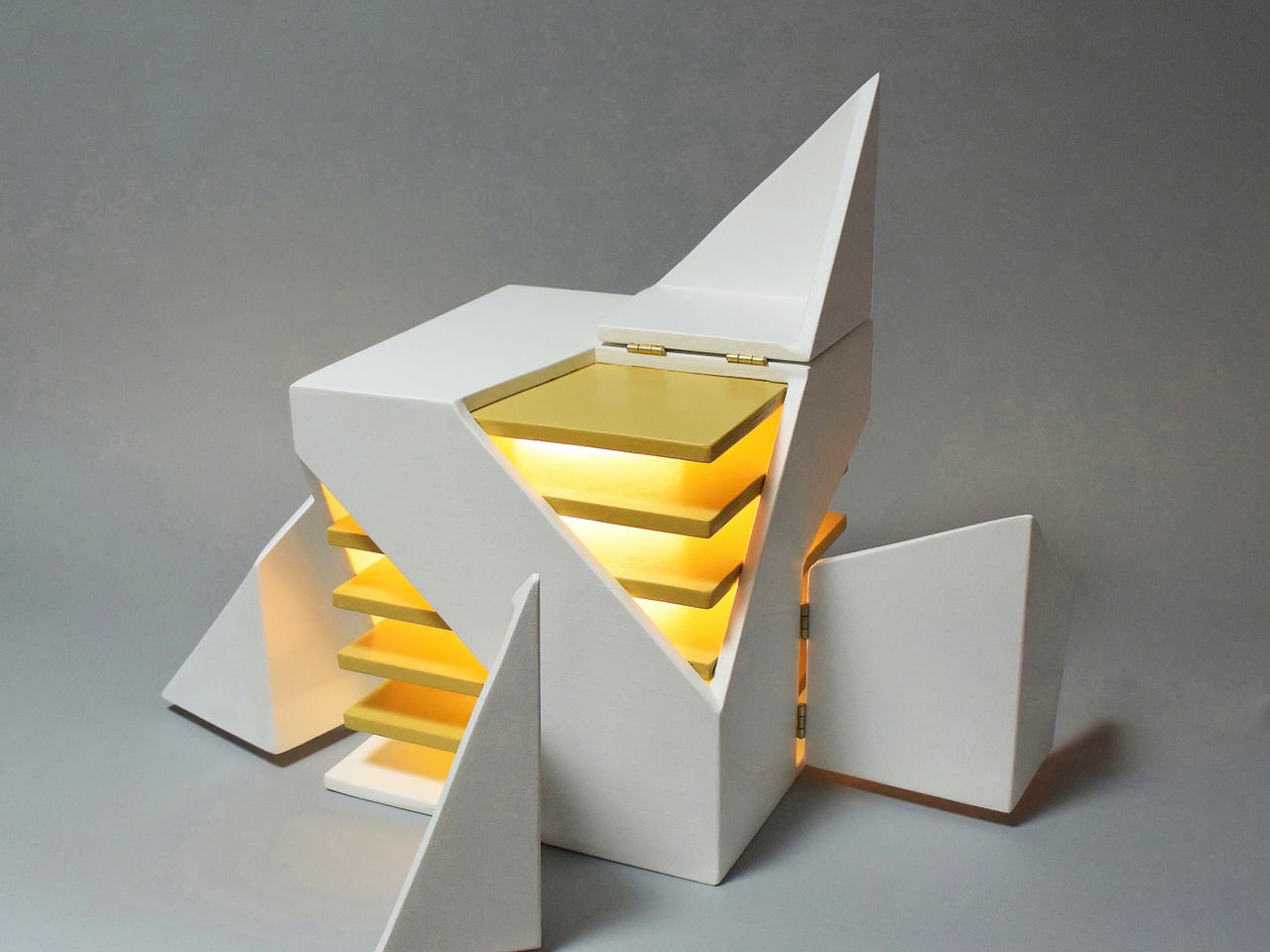
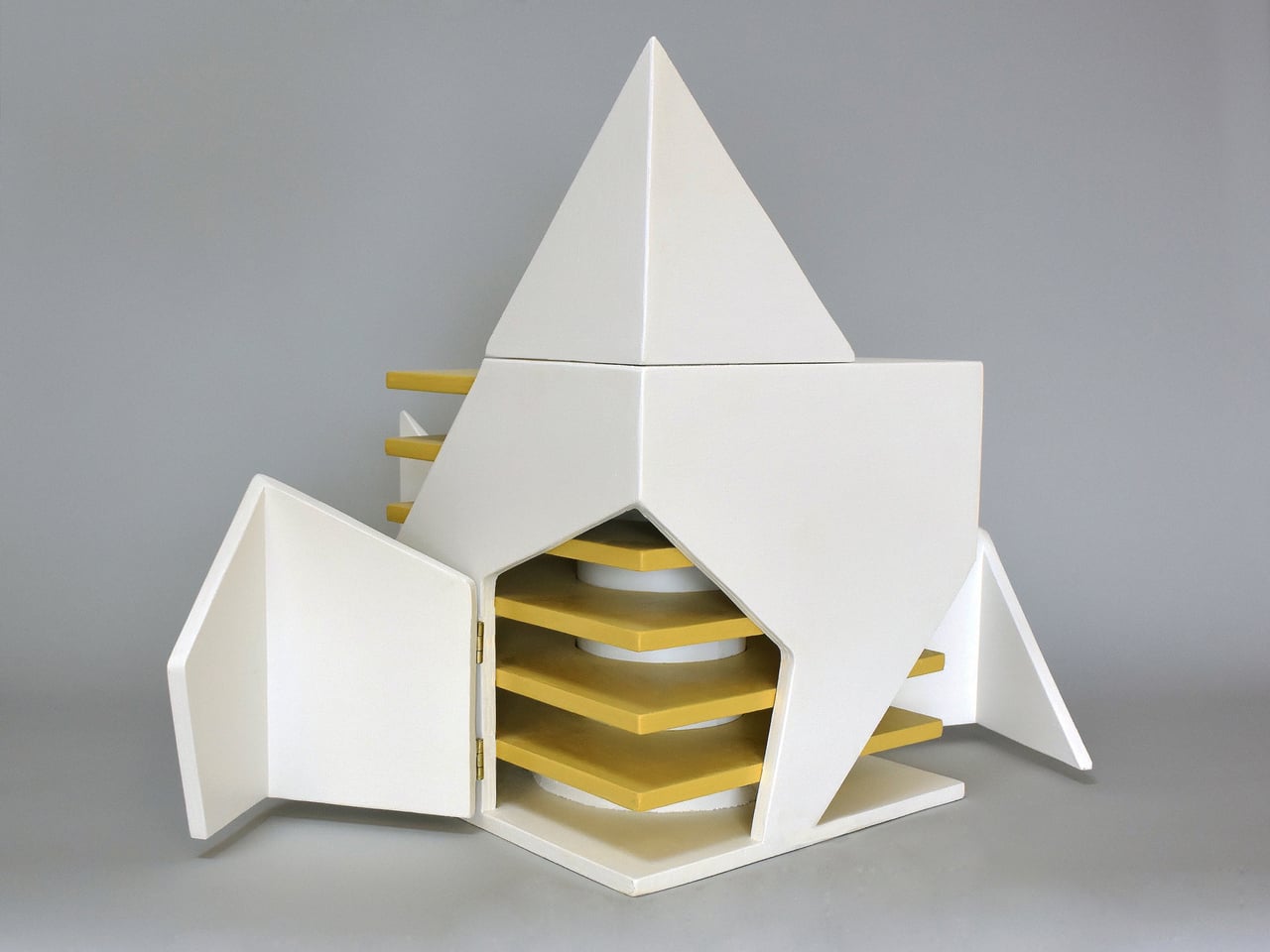
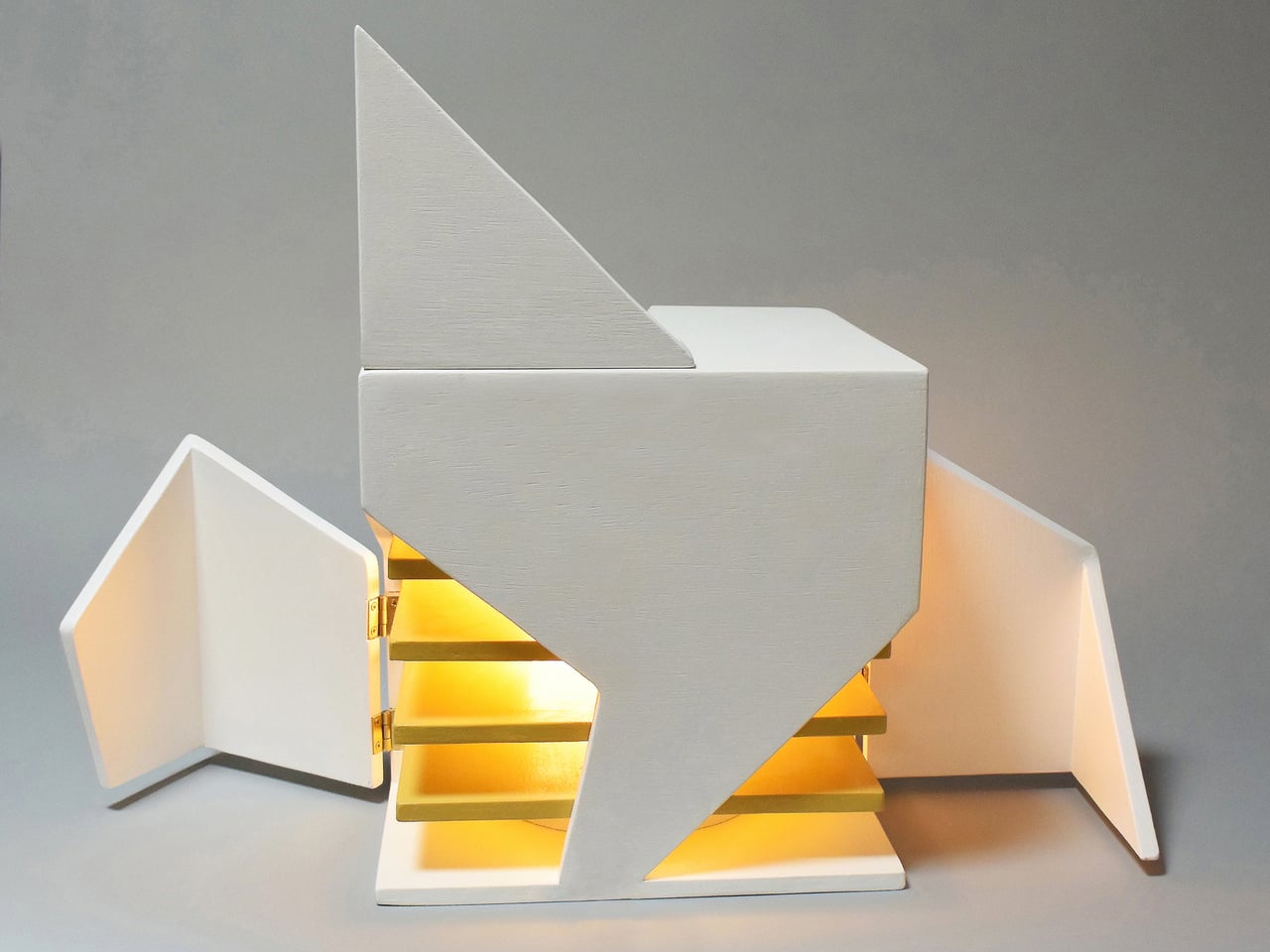
Michael Jantzen’s Interactive Folding Lamp is a small, painted wooden cube that quietly invites that kind of interaction. Four corners of the cube have been cut into different geometric shapes and hinged, so they can swing open and closed. When you start to move them, you aren’t just revealing the light but also changing how much of it escapes. At the same time, you are also changing what the lamp looks like from every side, turning the adjustment into a compositional act.
Designer: Michael Jantzen

A single energy-efficient bulb sits at the center, wrapped in a light-diffusing shield and surrounded by six horizontal yellow planes, evenly spaced like a tiny louvered tower. As you open the hinged corners, more of those yellow planes come into view, catching the light and turning it into a warm, layered glow that spills out through the gaps you have created, contrasting with the cool white painted exterior.

This plays out over a day. The lamp closed down to a near-solid cube with just thin seams of light when you want a soft background presence. One corner folded out to throw a slice of light across a book or keyboard. Multiple panels opened wide when you want the object to become a small, glowing sculpture in the room. Each adjustment is a quick, tactile decision rather than a number on a scale, making the ritual feel manual and deliberate.

Jantzen sees the lamp as part of a larger exploration into re-inventing the built environment through unexpected interactivity. The cube can be read as a piece of micro-architecture, its hinged faces acting like tiny façades or shutters that you reposition to modulate light and form. It compresses the logic of folding pavilions and responsive buildings into something that fits on a side table or desk, letting you interact with architectural ideas at hand scale.

The Interactive Folding Lamp gives you a direct, analog way to tune your space, asking you to touch wood, feel hinges, and watch how light responds. It turns a basic act, turning on a lamp, into a small moment of play and composition. In a time when so much interaction is mediated by screens and voice commands, a lamp that responds only to your hands, opening and closing its own geometry to let light out or hold it in, feels like a quiet reset worth keeping in a corner.

The post Fold the Corners of This Wooden Cube Lamp and Watch the Light Change first appeared on Yanko Design.